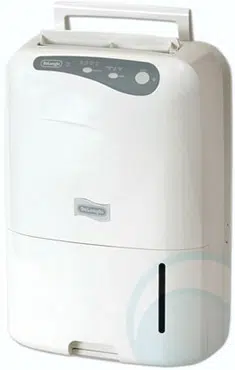
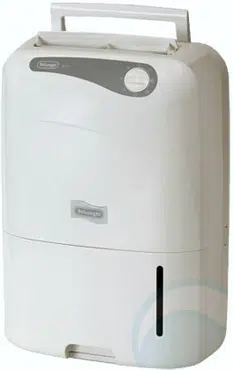
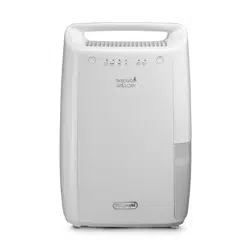
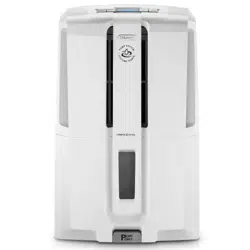
Position the appliance in the room to be dehumidified. A free space of at least 50 cm must be left at the front of the dehumidifier, so as not to block the air outlet. For efficient ventilation a space of about 5-10 cm should be left at the back of the appliance. The condensate can be drained in one of the following ways:
A) Draining into the tank
The condensate can be drained directly into the tank. The tank can be easily removed (fig.1).
B) Continuous external draining
If the appliance is to be operated for long periods but you are unable to empty the tank regularly, you are recommended to use the continuous drain facility.
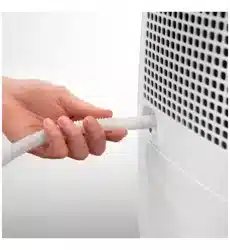
1) Remove the continuous drain cap by turning it anticlockwise then remove the rubber bung from the spout (fig. 2).
2) In models with continuous drain, screw on
the connector as shown in figure 3. Make sure the gasket in the connector is positioned correctly.
3) Attach the rubber hose to the outlet as shown in figure 4.
4) Make sure the end of the hose is no higher than the spout or water could remain in the tank. Make sure there are no kinks in the hose (Fig. 5).
Instructions for fitting the castors
1) Unplug from the mains socket and empty the tank (if full)
2) Remove the rubber caps from the bottom of the appliance by pulling forcefully or using pliers (see figure 6/1).
3) Fit the castors by inserting the pins into the holes. (see figure 6/2)
N.B.: While fitting the castors, do not tilt the appliance at an angle of more than 45°. After fitting the castors, wait for at least an hour before using the dehumidifier again.
HOW TO DEHUMIDIFY
Description of buttons
ON/Standby" button
ON/Standby" button
"MODE" button
Selects the operating modes: dehumidifying, dry, smart and fan
"Fan" button
Selects fan speed
Hygrometer/thermometer button
Temporarily displays the temperature and humidity measured in the room by the appliance.
N.B.: the measurements displayed are indicative only.
Humidity increase/decrease buttons
Adjusts the percentage of humidity present in the room, increasing it or reducing it by steps of 5%.
Display
Meaning of the codes or symbols which may be displayed:
Indicates that the appliance is in standby mode.
Indicates that the tank is full, absent or positioned incorrectly.
Indicates that the appliance is operating at low temperatures. In this situation, ventilation cycles are alternated with dehumidification cycles to avoid the formation of ice. For use in particularly cold environments, you are recommended to heat the room to raise the ambient temperature even minimally. This allows the dehumidifier to operate in conditions that improve its performance and accelerate the dehumidifying process.
Indicates that there may be a fault with the probes, or that the humidity in the room is too low to be measured.
MODE SELECTION
1) Plug the appliance into a mains socket.
2) "- -" is displayed to indicate that the appliance is in standby and therefore ready for operation.
If is displayed, empty the tank or position it correctly.
3) Press the ON/Standby button.
Dehumidifying mode
Press the "MODE" button and choose dehumidifying mode.
" " and the level of relative humidity previously set are displayed.
Press the "+" or "-" button to set the desired humidity (30% means a dry environment, 80% a humid environment).
Press the " " button to modify fan speed (MIN/MAX).
When MAX speed is selected, the appliance operates at maximum dehumidifying power.
When MIN speed is selected, the appliance operates at low power and the noise will also be less. Press the button to display room temperature (" " symbol) and the relative humidity (" ") in the room in sequence.
When the appliance reaches the set level of humidity it will stop and the fan will come on at regular intervals to maintain a correct relative humidity reading.
As soon as the humidity increases above the set point, the appliance will automatically resume dehumidification operation.
Dry mode
In Dry mode, the appliance operates constantly at maximum power.
This mode is useful to dehumidify the room rapidly.
Press the MODE button and choose Dry mode ( symbol on).
Relative humidity and fan speed cannot be set.
Smart mode
This dehumidifies automatically.
According to room conditions, the appliance automatically establishes the optimum settings for maximum comfort.
Press the MODE button and choose Smart mode.
The " " symbol appears on the display. Relative humidity and fan speed cannot be set.
Fan mode
Press the "MODE" button and choose fan mode (" " is displayed).
Press the " " button to select the required fan speed (MIN/MAX).
CLEANING AND MAINTENANCE
Always unplug the appliance from the power socket before performing any cleaning or maintenance operations.
For safety reasons, never wash the dehumidifier using a jet of water
Cleaning the cabinet
• Clean the appliance using a damp cloth then dry with a dry cloth.
• Do not use petrol, alcohol or solvents to clean the appliance.
• Do not spray liquid insecticide or similar products as they may deform the plastic.
Cleaning the silver ion air filter
If the filter is dirty, air circulation is compromised and the efficiency of the dehumidifying and air purifying functions decreases. It is therefore good practice to clean the filter at regular intervals. The frequency depends on the duration and conditions of operation. If the unit is used constantly or systematically, you are recommended to clean the filter once a week.
• Remove the air filter by pulling sideways (Fig. 7).
• Use a vacuum cleaner to remove dust accumulations from the filter.
If the filter is very dirty, rinse well in warm water.
The temperature of the water must not exceed 40°C.
After washing the filter, allow it to dry completely before repositioning it.
The silver ion filter not just retains dust particles, but also has an efficient antibacterial action. It also greatly reduces concentrations of irritants such as pollen and spores.
If the appliance is not used for long periods
• After unplugging the appliance from the power socket, empty the tank.
• Clean and reposition the filter.
• Cover the appliance with a plastic bag to protect it from dust.
TECHNICAL SPECIFICATIONS
Power supply voltage
See rating plate
Absorbed power
“
Maximum power input
“
Freeze protection device
Yes
Hygrometer
Yes
Fan speeds
2
Air filter
Yes
Dimensions HxLxD
485x375x190
Tank capacity
3 litres
Operating limits:
temperature
2°C-32°C
relative humidity
30-90%
TROUBLESHOOTING
Check the following points before calling your local authorised Service Centre.
PROBLEMS
CAUSE
SOLUTION
The appliance is operating in dehumidifying mode, but the humidity does not decrease.
The filter is blocked.
Clean the filter.
The temperature or humidity in the room are too low.
In certain conditions, it is normal for the appliance not to dehumidify (in certain cases, it is recommended to heat the environment).
The room is too big for the dehumidifying power of the appliance.
Too many sources of humidity in the room (pots of boiling water, etc.).
The humidy set point is too high.
Decrease the humidity set point.
The appliance does not work for 3 minutes after start-up.
The safety device has tripped.
Wait for 3 minutes to pass.
is displayed
The tank is missing.
Replace the tank.
The tank is full.
Empty the tank.
The tank is incorrectly positioned.
Position the tank correctly.
is displayed
The temperature in the room is very low.
Increase room temperature.
is displayed
One of the sensors on the appliance is faulty or the humidity in the room is too low or too high to be measured correctly.
See if the appliance starts working again when moved into another room with a level of humidity within the operating limits indicated in the "Technical Specifications" section. If the problem persists, call the Service Centre.
SAFETY
Fundamental safety warnings
Danger! This is an electrical appliance, it is therefore important to respect the following safety warnings:
• Do not touch the appliance with wet hands.
• Do not touch the plug with wet hands.
• Make sure the mains socket used is always accessible, enabling you to unplug the appliance when necessary.
• Always unplug the appliance using the plug itself. Never pull the cable as it might be damaged.
• To disconnect the appliance completely from the electricity supply, you must unplug it from the mains socket.
• If the appliance malfunctions, do not attempt to repair it. Turn the appliance off, unplug from the mains socket and contact a Service Centre.
• Do not move the appliance by pulling the power cable.
• It is dangerous to modify or alter the characteristics of the appliance in any way.
• If the power cable is damaged, it must be replaced by the manufacturer or an authorised technical service centre in order to avoid all risk.
• Do not use extension leads.
• The appliance must be installed in accordance with the rules on household appliances in force in the country concerned.
• The appliance must be connected to an efficient earth installation. Have your electrical circuit checked by a qualified electrician.
Important! Keep packaging materials (plastic bags, polystyrene foam) out of reach of children.
Important! The appliance is not intended for use by persons (including children) with reduced physical, sensory or mental capabilities, or lack of experience and knowledge, unless they have been given supervision or instruction concerning use of the appliance by a person responsible for their safety. Always supervise children. Make sure they do not play with the appliance.
Appropriate use
The appliance is designed and produced for domestic use only.
Use this appliance only as described in this instruction manual.
As with all electrical equipment, whilst the instructions aim to cover as many eventualities as possible.
caution and common sense should be applied when operating and installing this appliance.
General safeguards
• Do not install the appliance in rooms containing gas, oil or sulphur. Do not install near sources of heat.
• Do not use the appliance on sloping surfaces.
• Keep the appliance at least 50 cm away from flammable substances (alcohol etc) or pressurised containers (e.g. aerosol cans).
• Do not rest heavy or hot objects on top of the appliance.
• Always transport the appliance upright or resting on one side. Remember to drain the condensate tank before moving the appliance. Wait at least 1 hour after transporting the appliance before starting it
• R134a refrigerant complies with European environmental standards. However, you should avoid perforating the refrigerant circuit. At the end of its working life, consign the appliance to a specialist collection centre. ENVIRONMENTAL INFORMATION: This unit contains fluorinated greenhouse gases covered by the Kyoto Protocol. Maintenance and disposal must be carried out by qualified personnel only (R134a, GWP=1300).
• The materials used for packaging can be recycled. You are therefore recommended to dispose of them in special differentiated waste collection containers.
• Do not use the appliance outdoors.
• Do not obstruct the air intake or outlet.
• Do not use the appliance in laundry rooms.
Instructions
Read these instructions carefully before installing and/or using the appliance.
• Keep these instructions carefully. If the appliance is transferred to other owners, they should also be given these instructions.
• Failure to respect the instructions may result in injury or damage to the appliance. The manufacturer is not liable for damage deriving from failure to follow these instructions.
• Keep the list of Service Centres and identify the Centre nearest you.
Electrical connections
After moving the appliance, wait at least an hour before turning it on again. Before plugging the appliance into the mains socket, check that:
• The mains power supply corresponds to the working voltage indicated on the rating plate.
• The power socket and electrical circuit are adequate for the appliance.
• The power socket matches the plug. If this is not the case, have the plug replaced by a qualified electrician;
Q: Hi
I have a thick grass green slimy substance coming out of the hose, its quite oily and smells possibly like something organic rather than chemical. The unit runs 24/7 on my yacht in a marina and is several years old but this is the first time I have seen this, It cant be oil can it because only water off the condenser could run into the hose, perhaps the black rubber hose is degrading. What do you think ? Reply


 is displayed, empty the tank or position it correctly.
  button.
 " and the level of relative humidity previously set are displayed.
  " button to modify fan speed (MIN/MAX).
 button to display room temperature ("
  " symbol) and the relative humidity ("
  ") in the room in sequence.
 symbol on).
  " symbol appears on the display. Relative humidity and fan speed cannot be set.
 " is displayed).
 Danger! This is an electrical appliance, it is therefore important to respect the following safety warnings:
  Important! Keep packaging materials (plastic bags, polystyrene foam) out of reach of children.