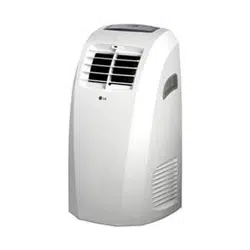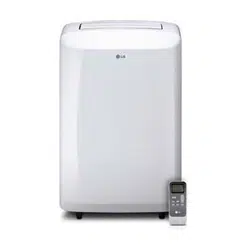

www.lg.com
OWNER’S MANUAL
Please read this manual carefully before operating
your set and retain it for future reference.
TYPE : PORTABLE AIR CONDITIONER
MODEL : LP1015WSR
AIR
CONDITIONER
ENGLISH
ESPAÑOL
2
3
ENGLISH
4
5
ENGLISH
6
7
ENGLISH
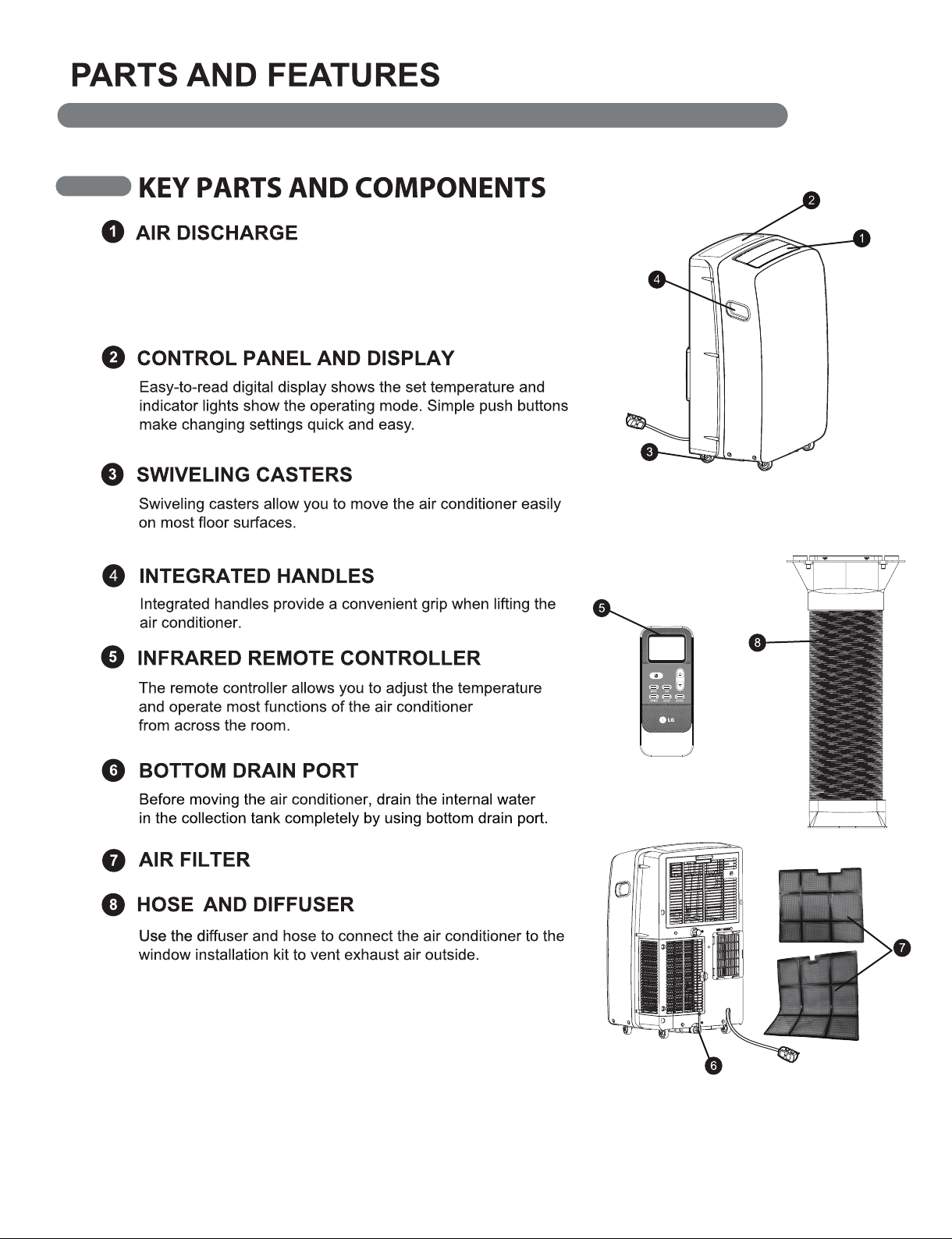
The adjustable louvered air discharge opens automatically
when the air conditioner is turned on, and closes when it
is turned off. It can also be set to oscillate to distribute air
more evenly through the room.
8
9
ENGLISH
10
LG logo on front panel.
It is convenient to set the timer on with TIMER
ON/OFF before you leave so that you will come back
to the comfortable room temperature you set.
This function can be activated from the remote only.
TIMER ON can be set in the air conditioner operation
off and TIMER OFF can be set in the air conditioner
operation on.
Setting method is the same that TIMER ON/OFF.
TIMER button can be used to turn on the unit
automatically at the time you set.
Use the ƞ / Ơ buttons to adjust the delay time from 0
to 24 hours, in one hour increments or decrements.
When your desired time displayed on LCD, press the
TIMER button to confirm it. Press TIMER button
again, a “beep” can be heard and the indicator
disappears, the TIMER mode has been canceled.
TIMER OFF of the set time, with the exception of
when you want to set the display LED of control
panel, can not be confirmed.
You can be check in only on the remote control.
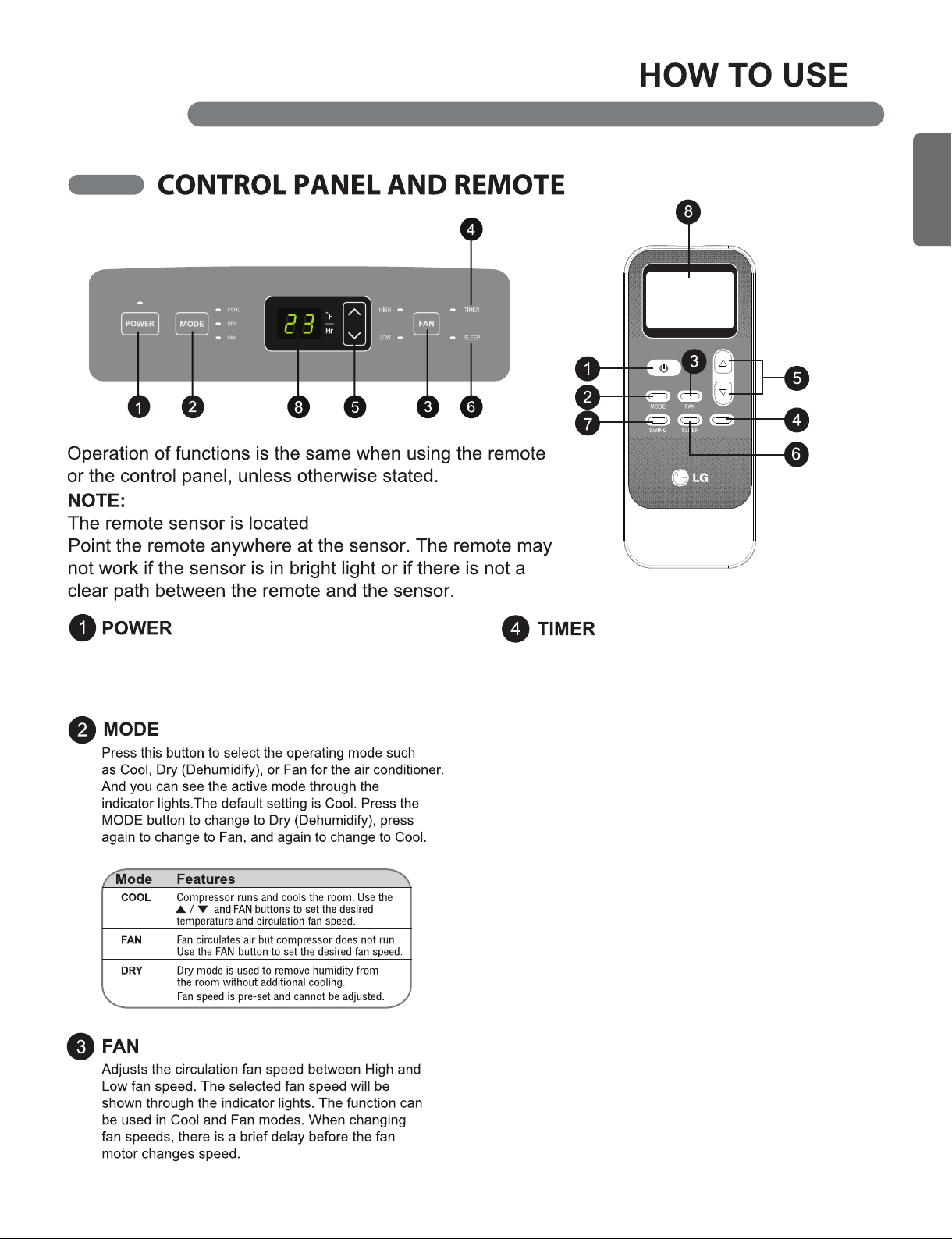
Turns the air conditioner on and off. When turning on, a
rising tone will sound to confirm. When turning off, a
descending tone will sound.
TIMER
11
ENGLISH
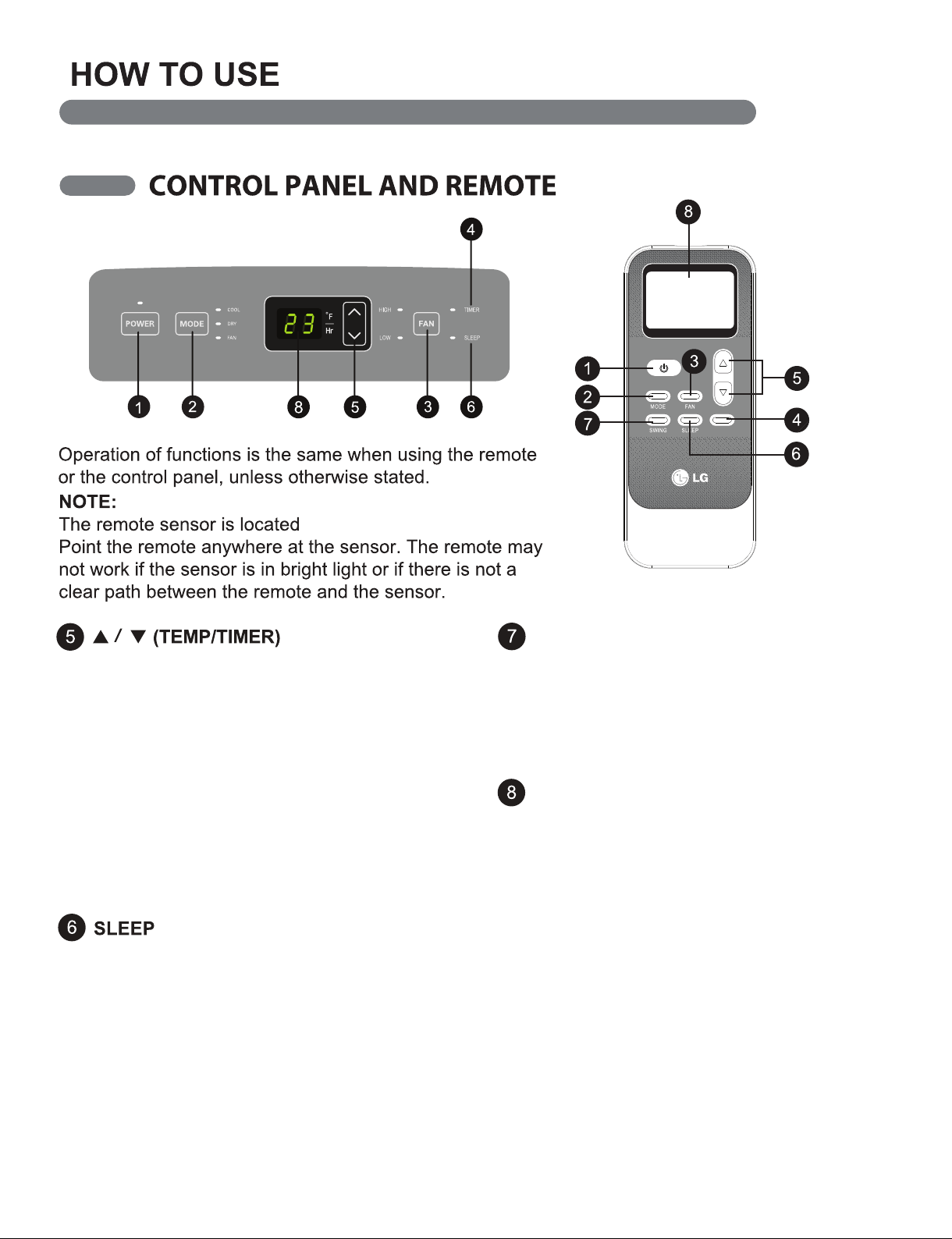
Sets the motorized air discharge to oscillate, improv-
ing air circulation in the room. This function can be
activated from the remote only.
If air discharge is not closed by any operation,
please disconnect and reconnect the power cord.
SLEEP mode can be set in Cool, Dry, Fan operation
mode. This function gives you a more comfortable
environment for sleep.
The appliance will stop operation automatically after
operating for 8 hours.
Fan speed is automatically set at low speed.
This function can be activated from the remote only.
SWING
LED display shows the set temperature, fan
speed, or the selected TIMER delay.
Indicators will light to show active mode and
additional settings. The LED display will show the E5
to indicate when the internal water drain tank needs to
be emptied.
LED DISPLAY
TIMER
LG logo on front panel.
In COOL modes, the ▲/▼ buttons adjust the set tempera-
ture up to 86°F or down to 60°F, in one degree increments.
When the TIMER function is selected, use the ▲/▼ buttons
to adjust the delay time from 0 to 24 hours, in one hour
increments. If you press and hold the ▲/▼ buttons, the set
temperature or time will change automatically after a few
seconds.
NOTE: The displayed temperature is the SET temperature,
not the room temperature. In COOL mode, the thermostat in
the air conditioner will run the compressor until the set
temperature is reached, then cycle the compressor on and
off to maintain the set temperature.
12
13
ENGLISH
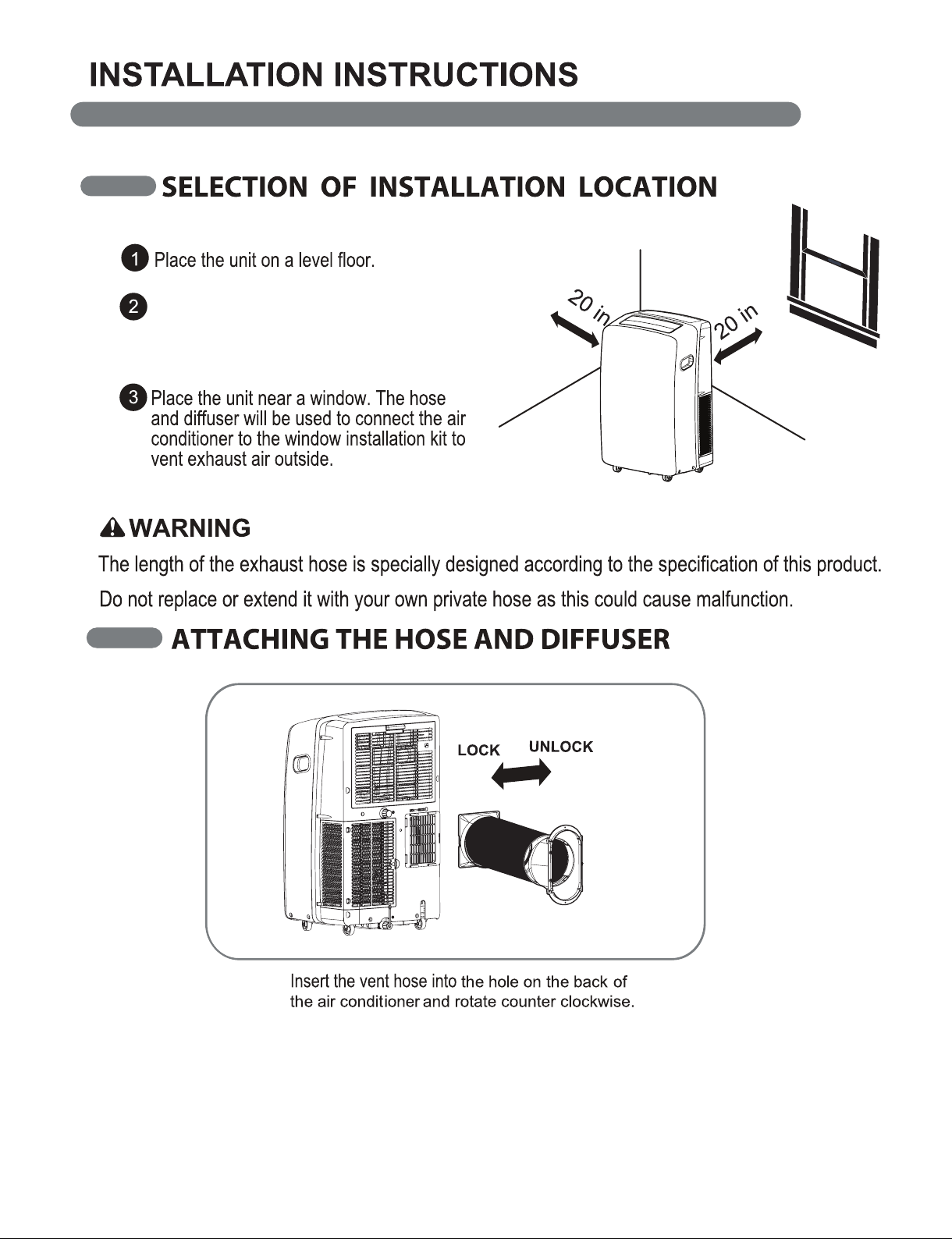
For best performance, allow at least 20 in
(50.8 cm) of air space on all sides of the
unit for good air circulation.
14
15
ENGLISH
16
17
ENGLISH
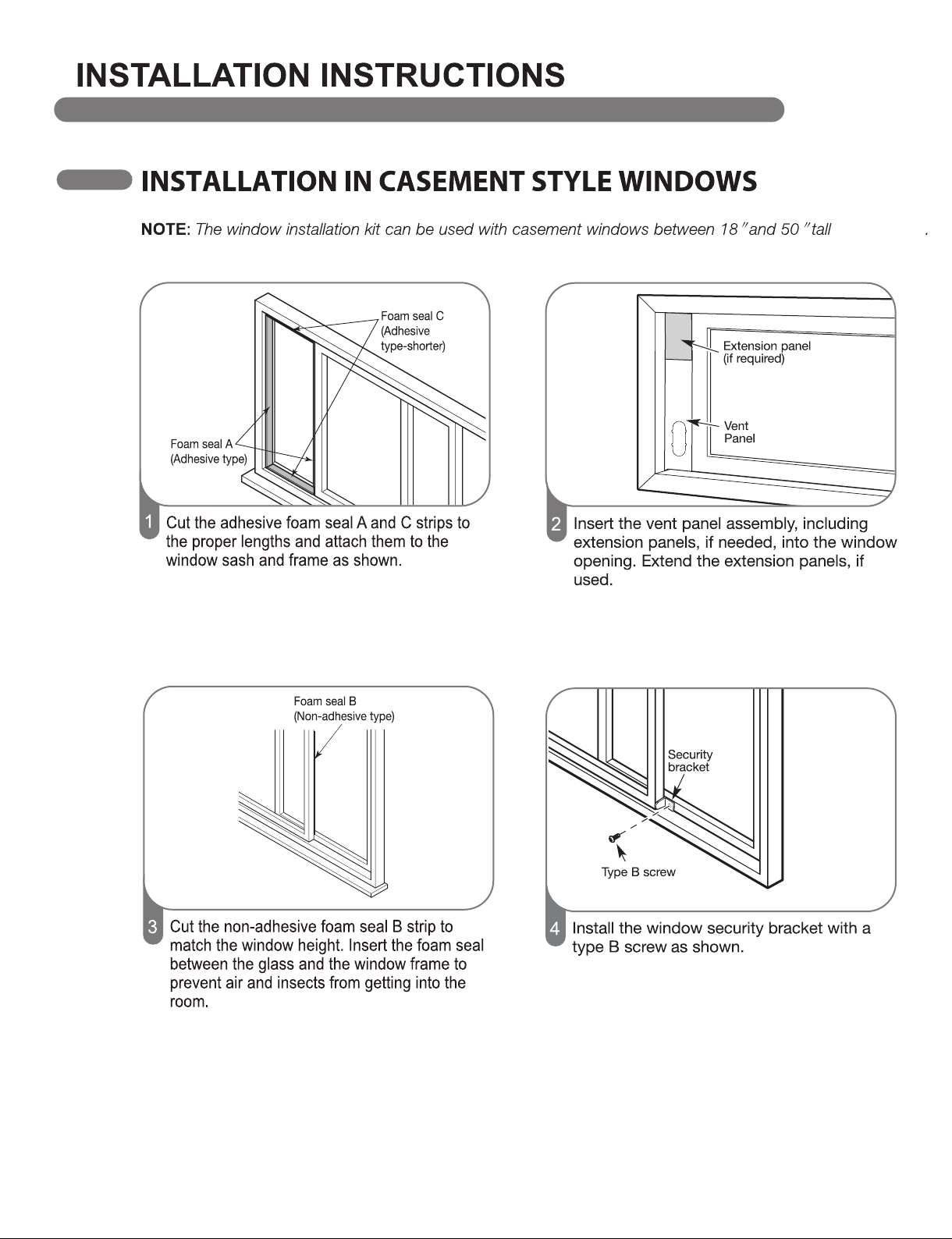
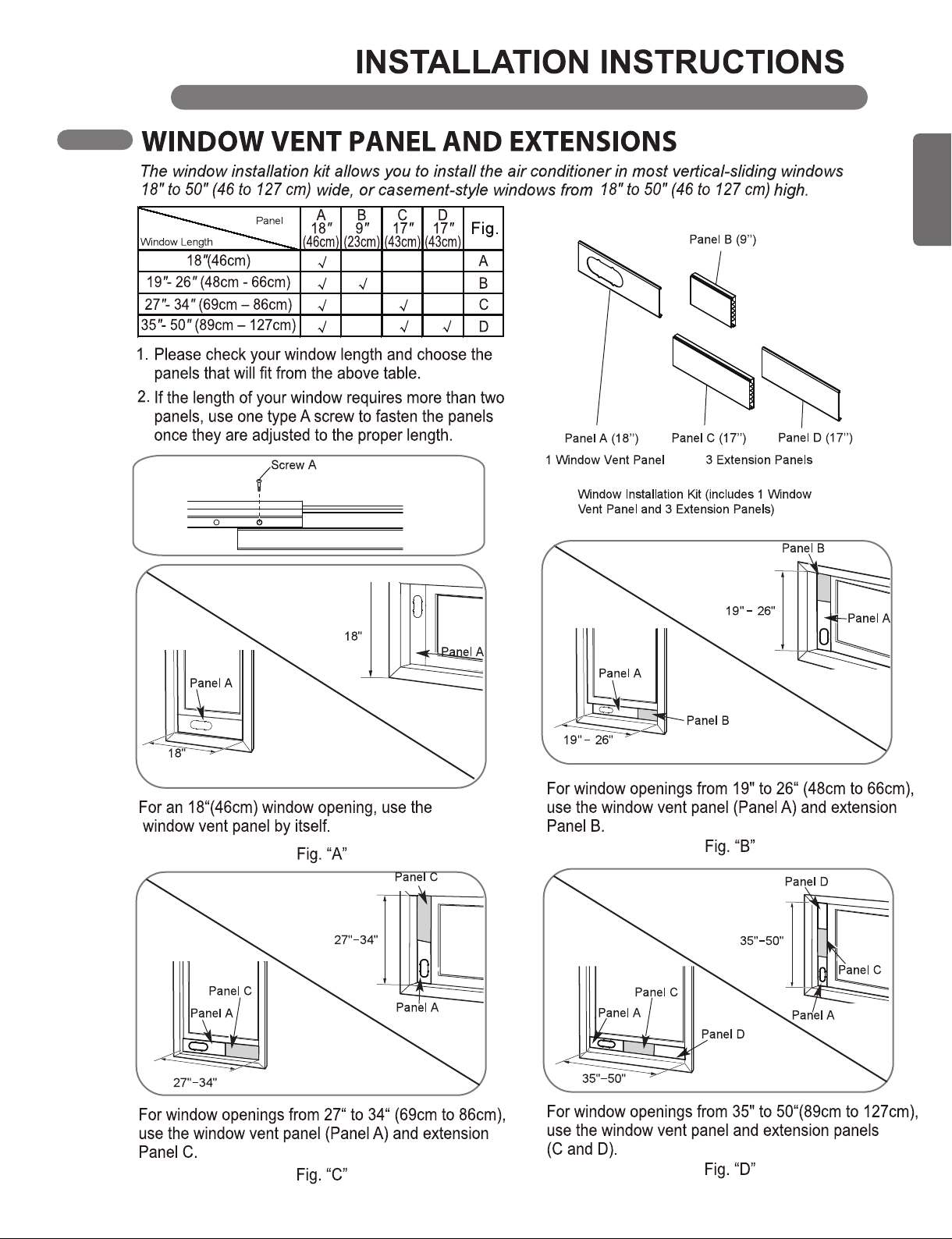
(46 to 127 cm)
18
19
ENGLISH
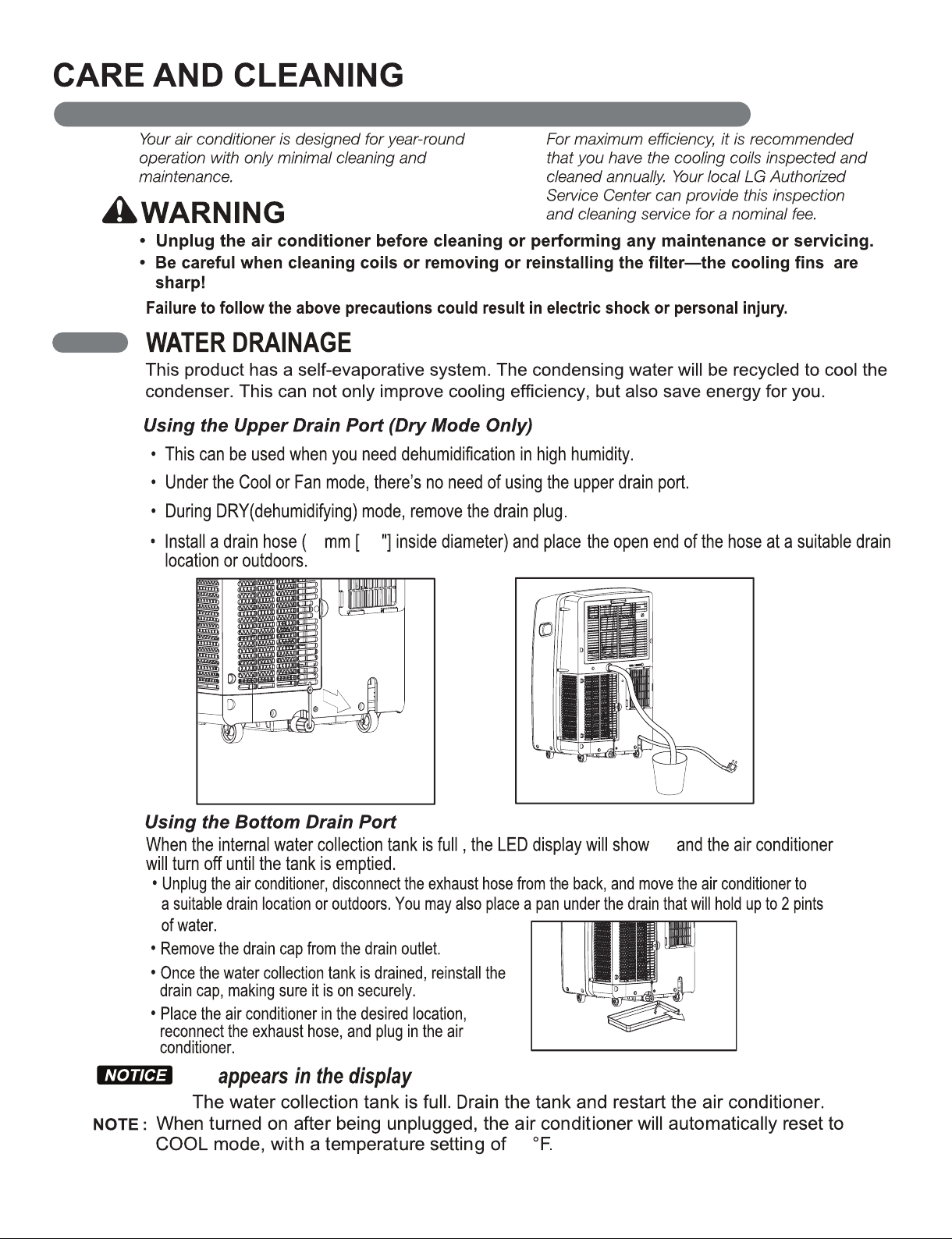
16 5/8
E5
E5
75
20
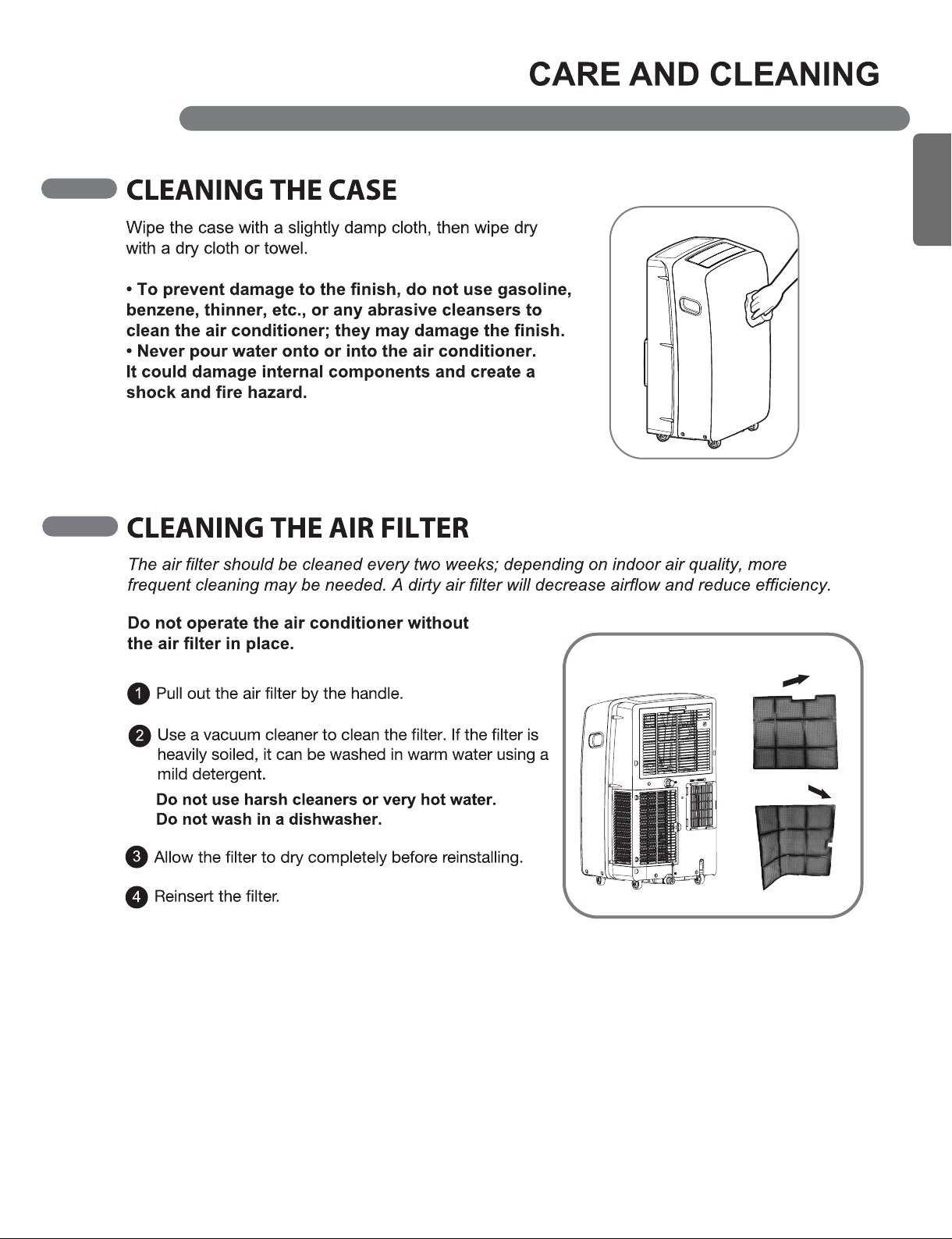
21
ENGLISH
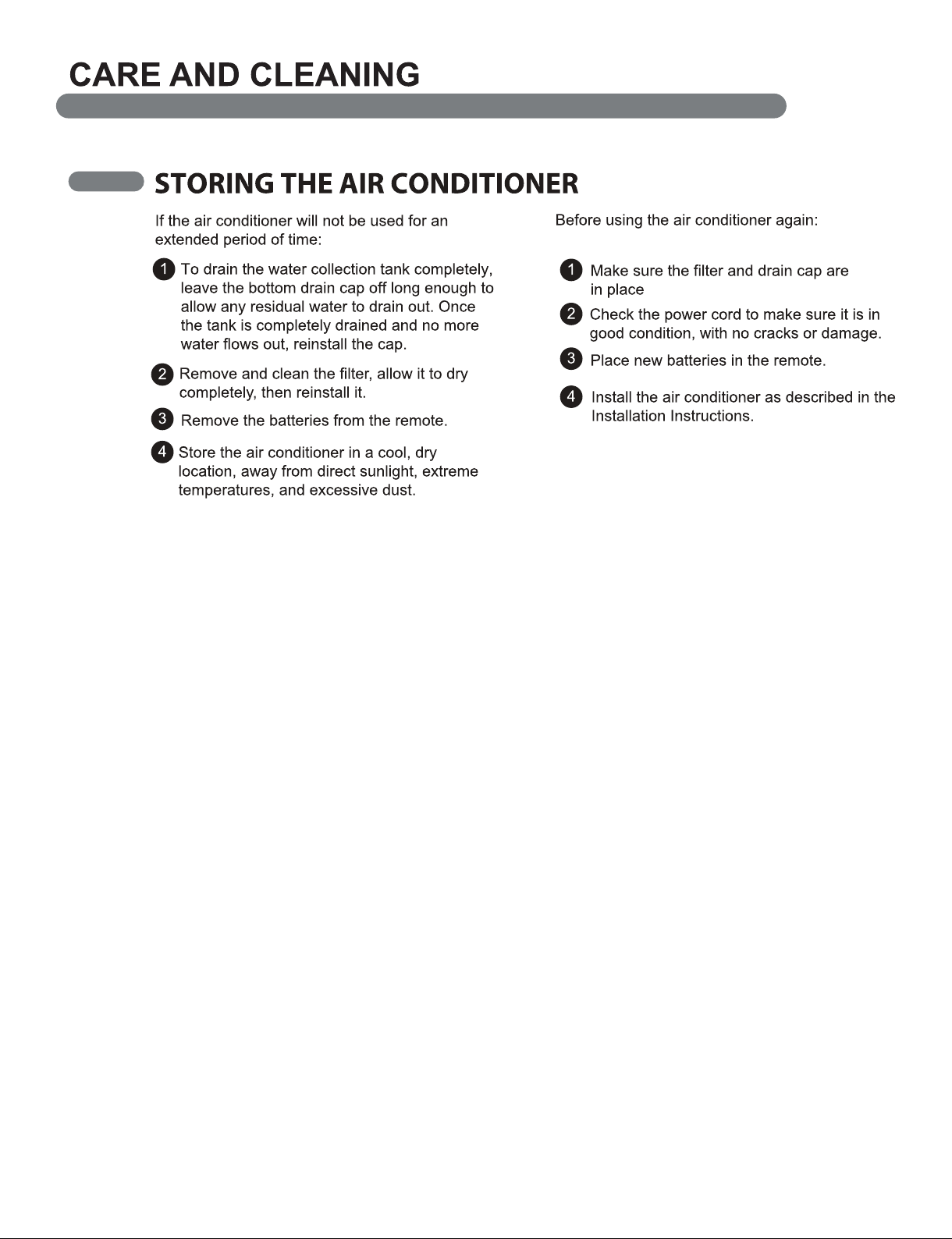
22
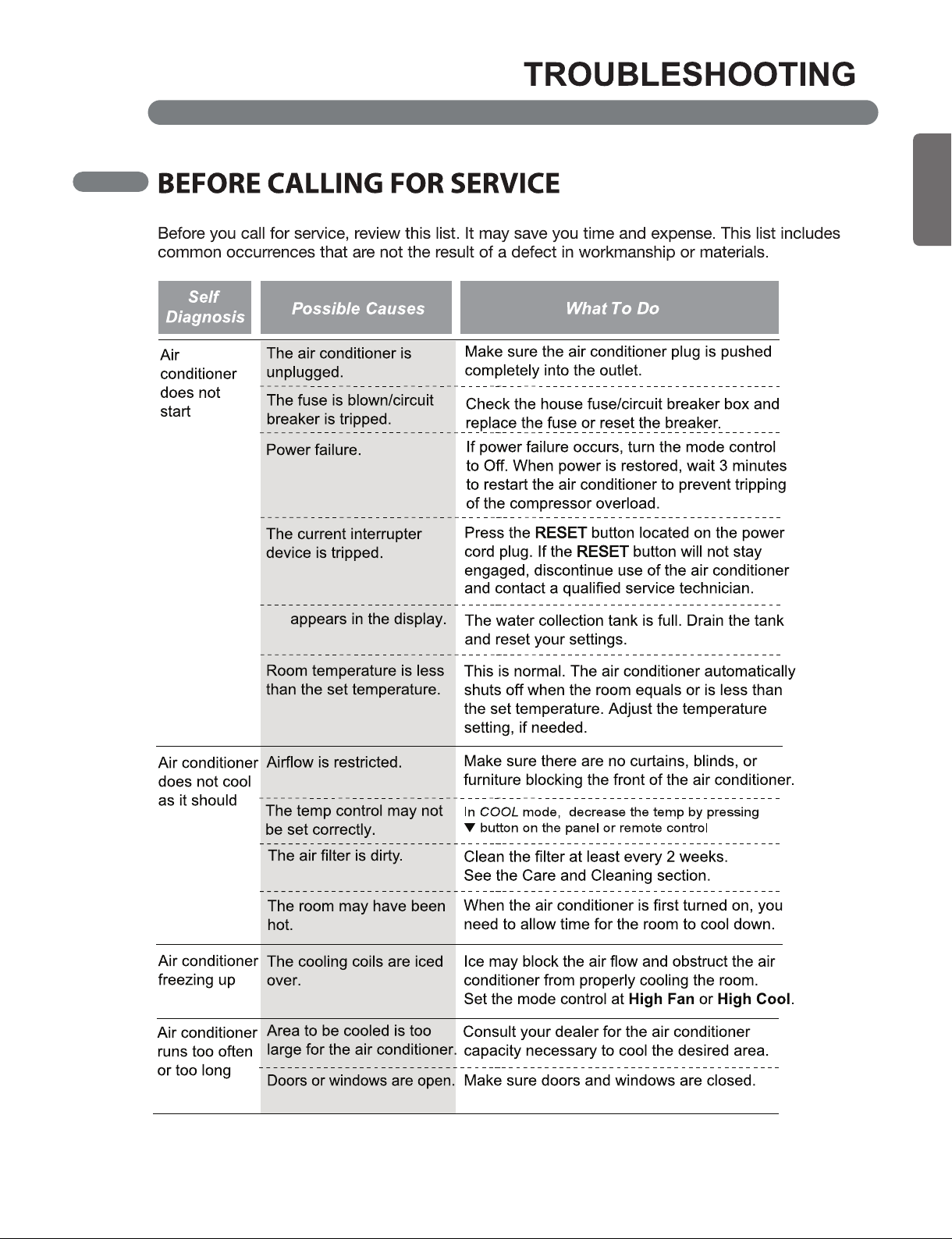
E5
23
ENGLISH
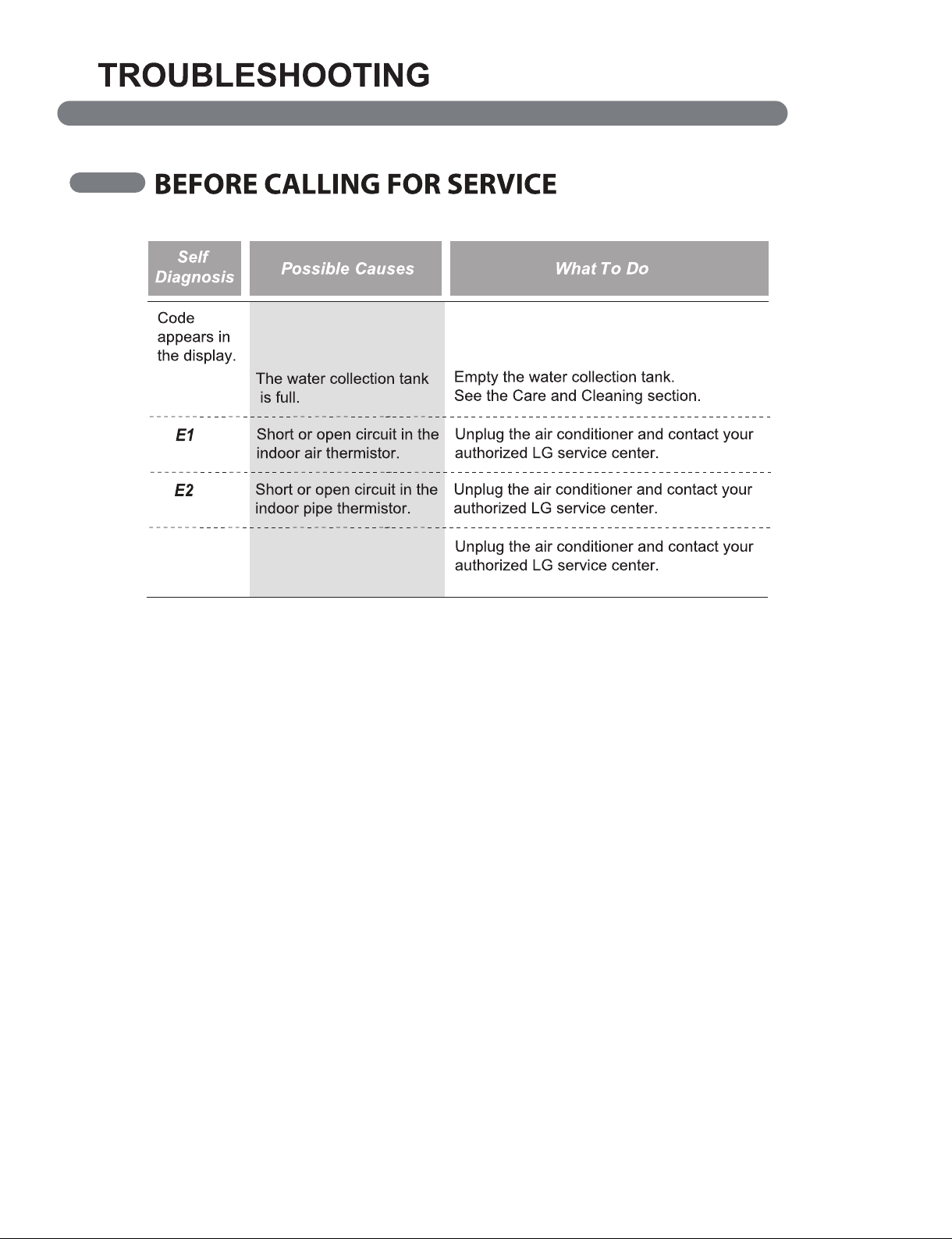
E5
EA
When have software
problem, display "EA"
24
25
ENGLISH

1-800-243-0000
LG Customer Information Center
Register your product Online!
LG ELECTRONICS,INC.
1000 Sylvan Ave.,Englewood Cliffs,NJ 07632
www.lg.com