
AquicklookatiPhone
ThisguidedescribesiOS11for:
YourfeaturesandappsmayvarydependingonthemodelofiPhoneyouhave,
andonyourlocation,language,andcarrier.
Note:Appsandservicesthatsendorreceivedataoveracellularnetworkmay
incuradditionalfees.ContactyourcarrierforinformationaboutyouriPhone
serviceplanandfees.
Seealso
SayhellotoiPhone
iPhone8Plus
iPhone7Plus
iPhone6sPlus
iPhone6Plus
iPhone8
iPhone7
iPhone6s
iPhone6
iPhoneSE
iPhone5s
AppleSupportarticle:IdentifyyouriPhonemodel
CompareiPhonemodelswebsite
iOSFeatureAvailabilitywebsite
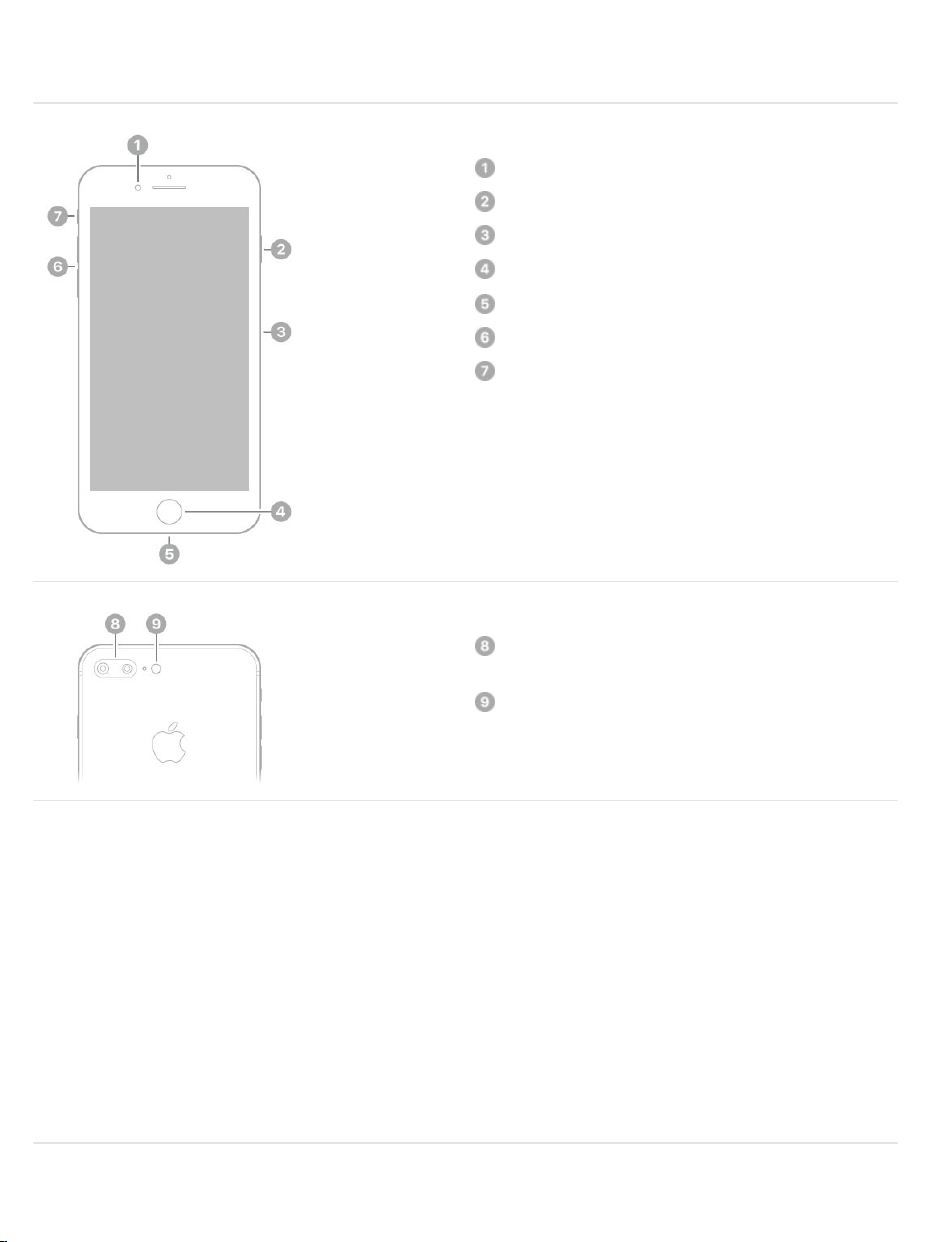
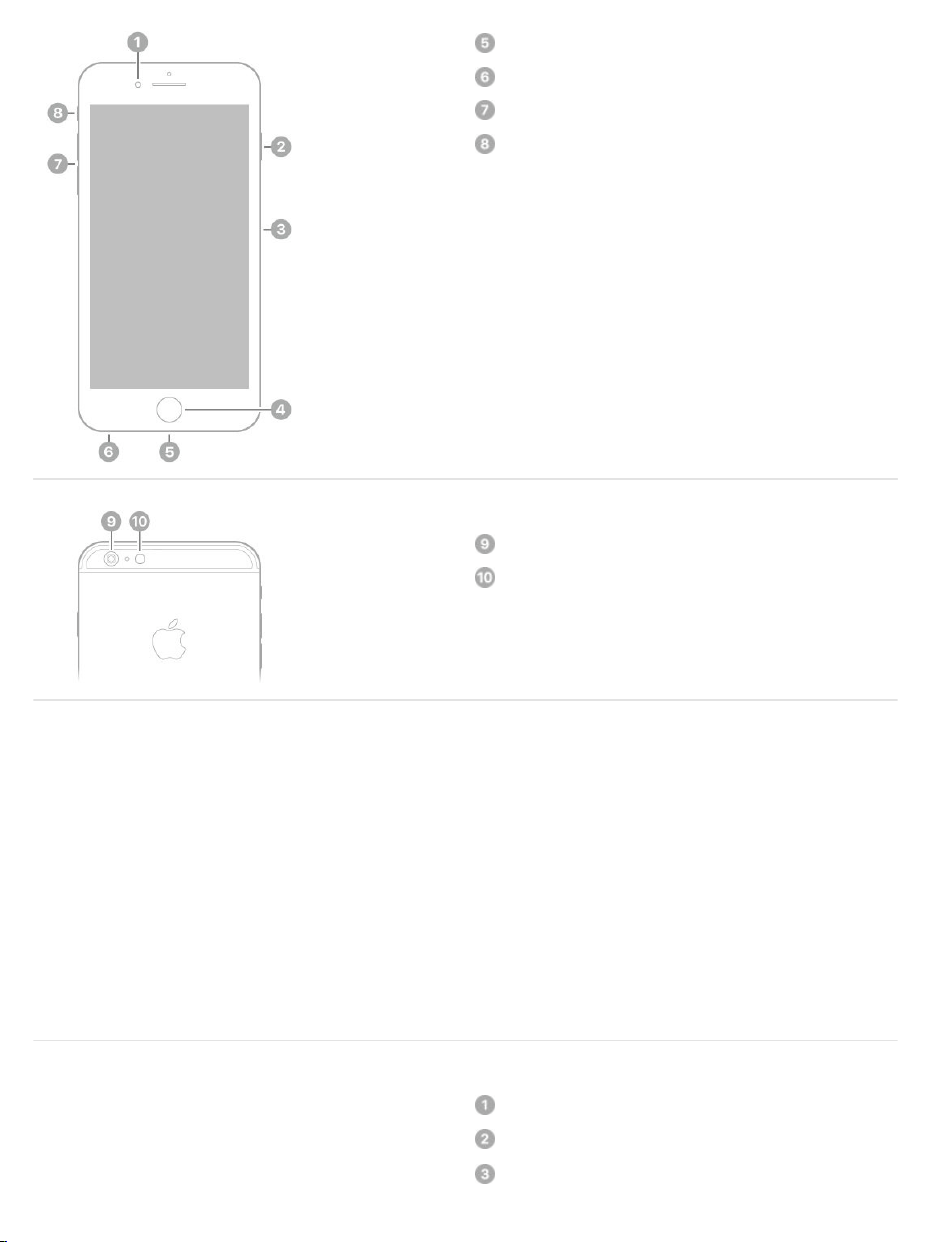
iPhone8Plus
FaceTimeHDcamera
Sidebutton
SIMcardtray
Homebutton/TouchID
Lightningconnector
Volumebuttons
Ring/Silentswitch
Dualwide-angleandtelephotorear
cameras
Quad-LEDTrueToneflash
Seealso
iPhone8
TurnoniPhone
SetupiPhone
Chargeandmonitorthebattery
https://iphone8userguide.com
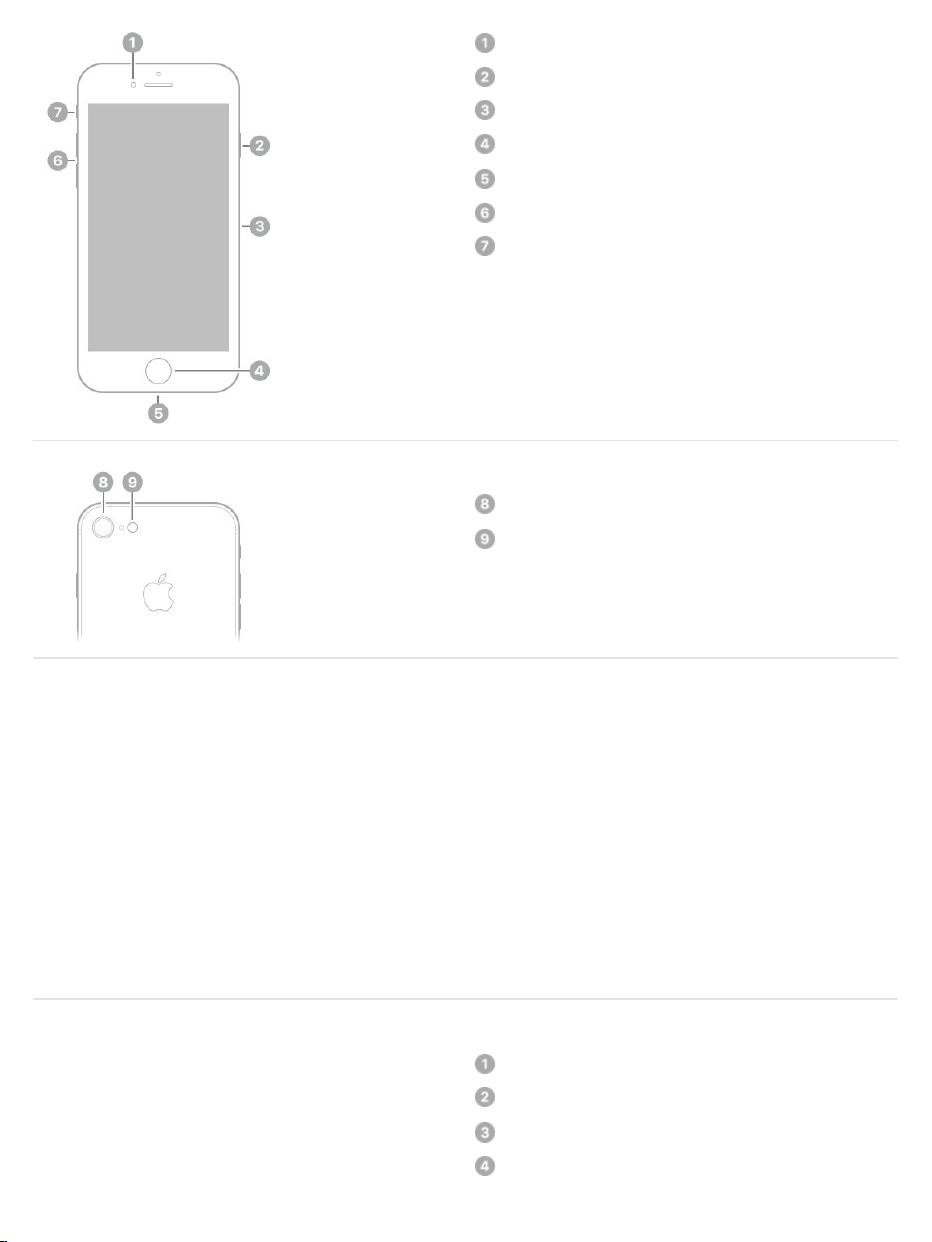
FaceTimeHDcamera
Sidebutton
SIMcardtray
Homebutton/TouchID
Lightningconnector
Volumebuttons
Ring/Silentswitch
Rearcamera
Quad-LEDTrueToneflash
Seealso
iPhone7Plus
FaceTimeHDcamera
Sleep/Wakebutton
SIMcardtray
Homebutton/TouchID
TurnoniPhone
SetupiPhone
Chargeandmonitorthebattery
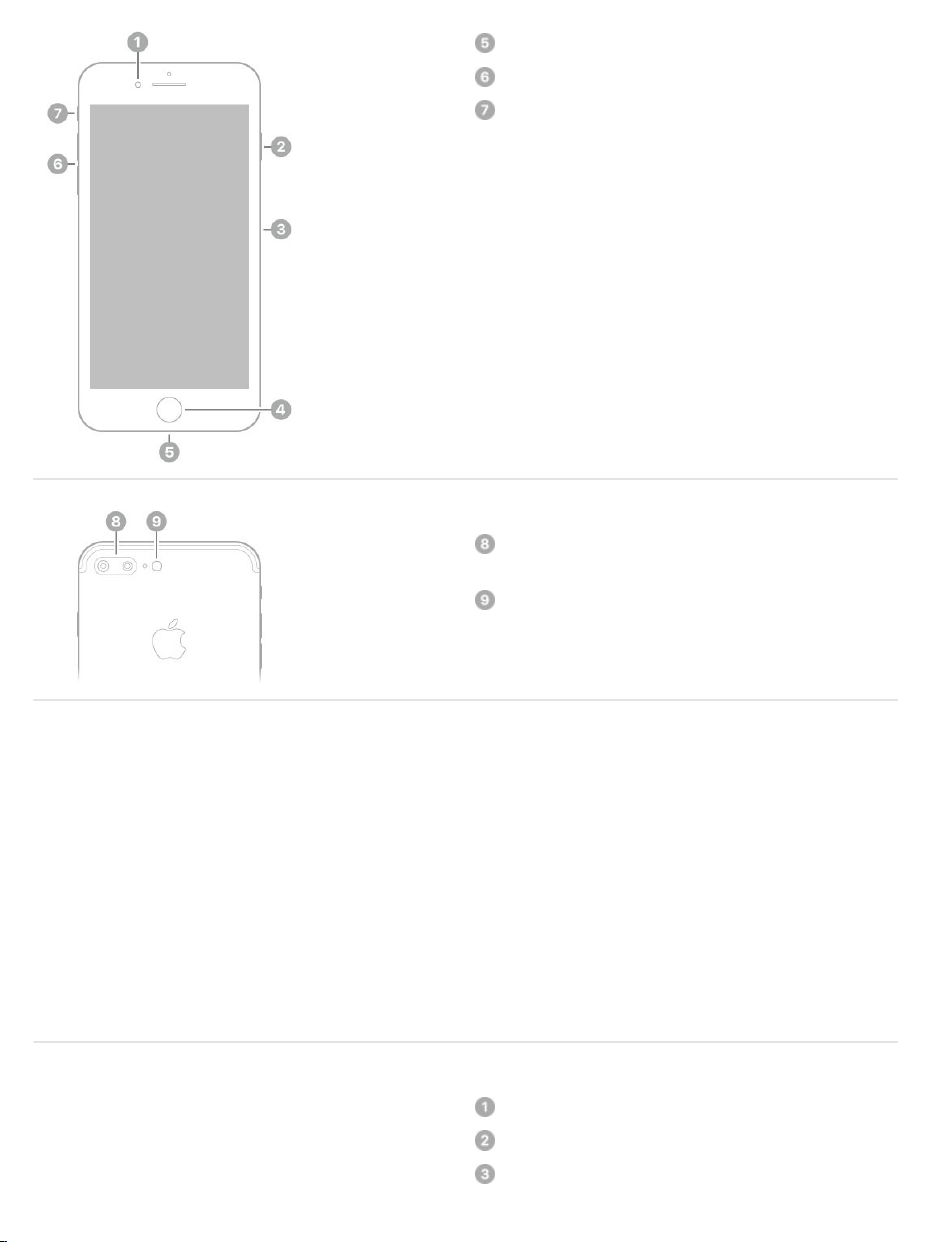
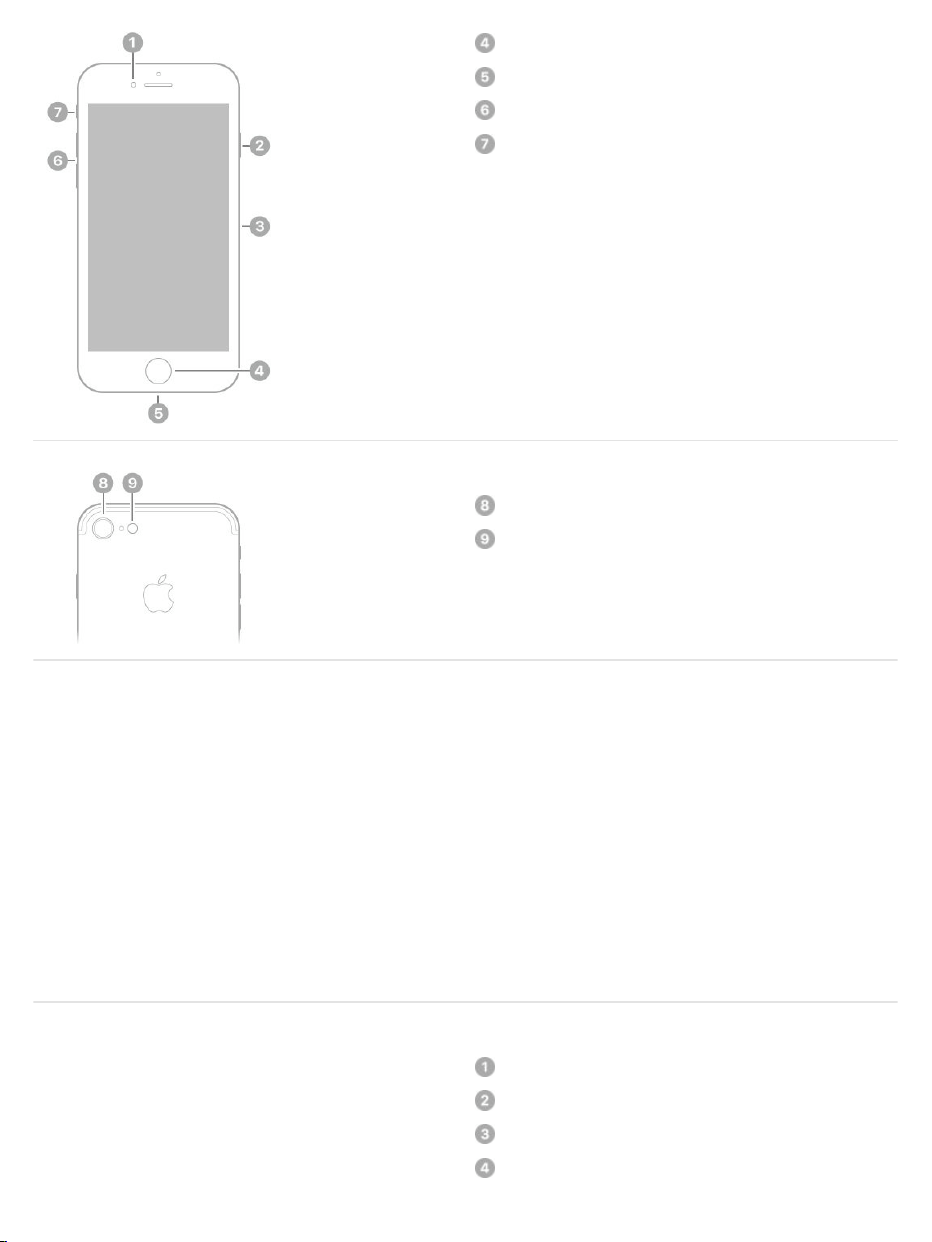

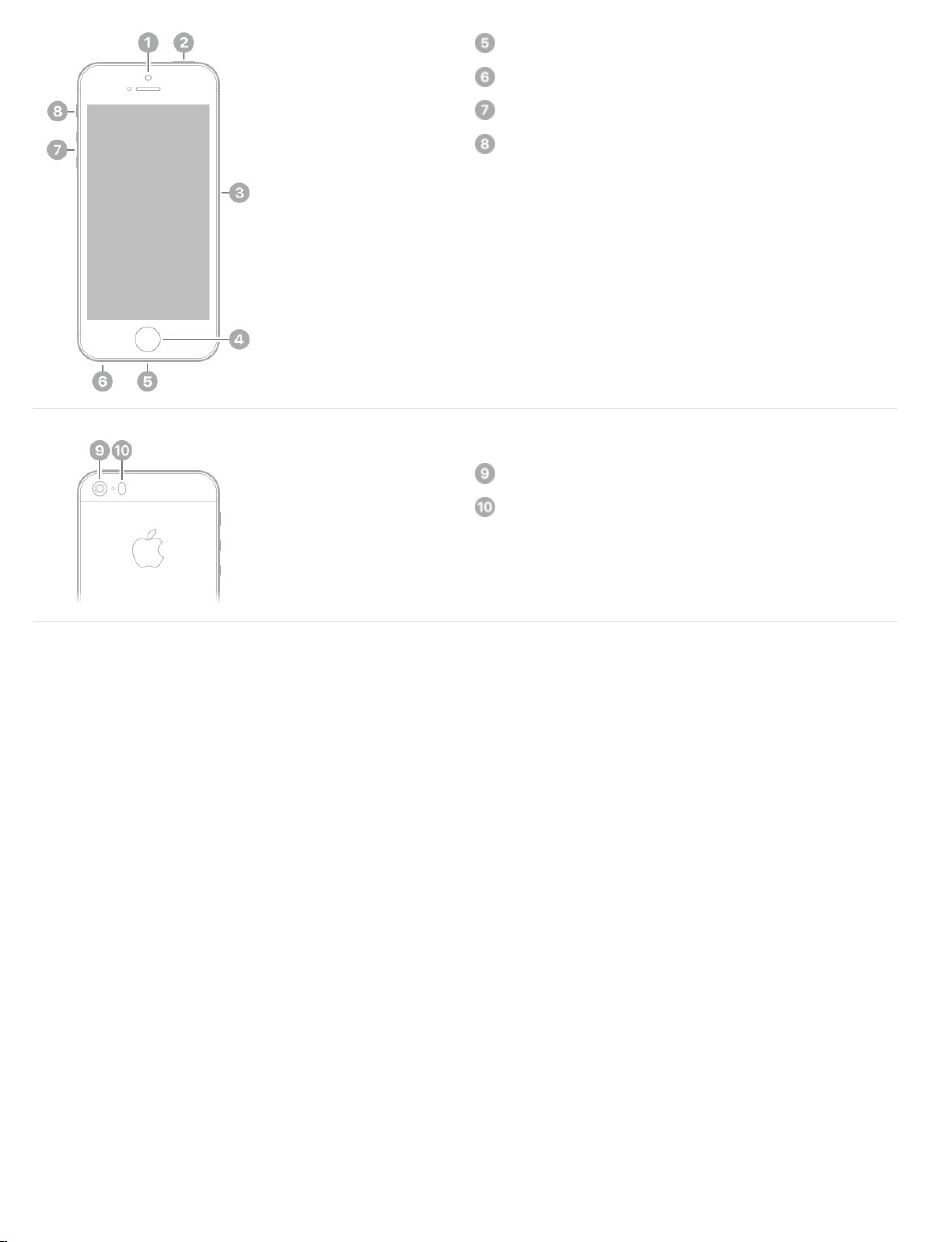
Lightningconnector
Headsetjack
Volumebuttons
Ring/Silentswitch
Rearcamera
TrueToneflash
Seealso
AccessoriesincludedwithiPhone
ThefollowingaccessoriesareincludedwithiPhone:
EarPodswithLightningConnector(iPhone8,iPhone8Plus,iPhone7,
andiPhone7Plus)orEarPodswith3.5mmHeadphonePlug(other
iPhonemodels).Usetheheadsettolistentomusicandvideos,andmake
phonecalls.See .
TurnoniPhone
SetupiPhone
Chargeandmonitorthebattery
AppleEarPods

LightningtoHeadphoneJackAdapter(iPhone8,iPhone8Plus,
iPhone7,andiPhone7Plus).Usetheadaptertoconnectheadphonesor
otherdevicesthathavea3.5mmheadphoneplug.
LightningtoUSBCable.UsethecabletoconnectiPhonetoyourcomputer
tosyncandcharge,ortotheUSBpoweradaptertocharge.
AppleUSBpoweradapter.UsetheadaptertochargetheiPhonebattery.
ThesizeofyouradapterdependsontheiPhonemodelandyourregion.

SIMejecttool.UsethetooltoejecttheSIMcardtray.(Notincludedinall
areas.)See .
ViewthisuserguideoniPhone
ViewtheuserguideinSafari.Tap ,thentaptheiPhoneUserGuide
bookmark.(Ifyoudon’tseeabookmark,goto .)
AddaniconfortheuserguidetotheHomescreen:Tap ,thentapAdd
toHomeScreen.
Viewtheuserguideinadifferentlanguage:Tapthelanguagelink
(English,forexample)atthebottomofthefirstpage,thenchoosea
language.
ViewtheuserguideiniBooks.OpeniBooks,thensearchfor“iPhoneuser
guide”intheiBooksStore.
FormoreinformationaboutiBooks,see .
GettipsonusingiOS11
TheTipsapphelpsyougetthemostfromiPhone.
GetTips.OpentheTipsapp.Newtipsareaddedfrequently.
Getnotifiedwhennewtipsarrive.GotoSettings>Notifications>Tips.
InstalltheSIMcard
theiPhoneUserGuide
Getbooks
TurnoniPhone
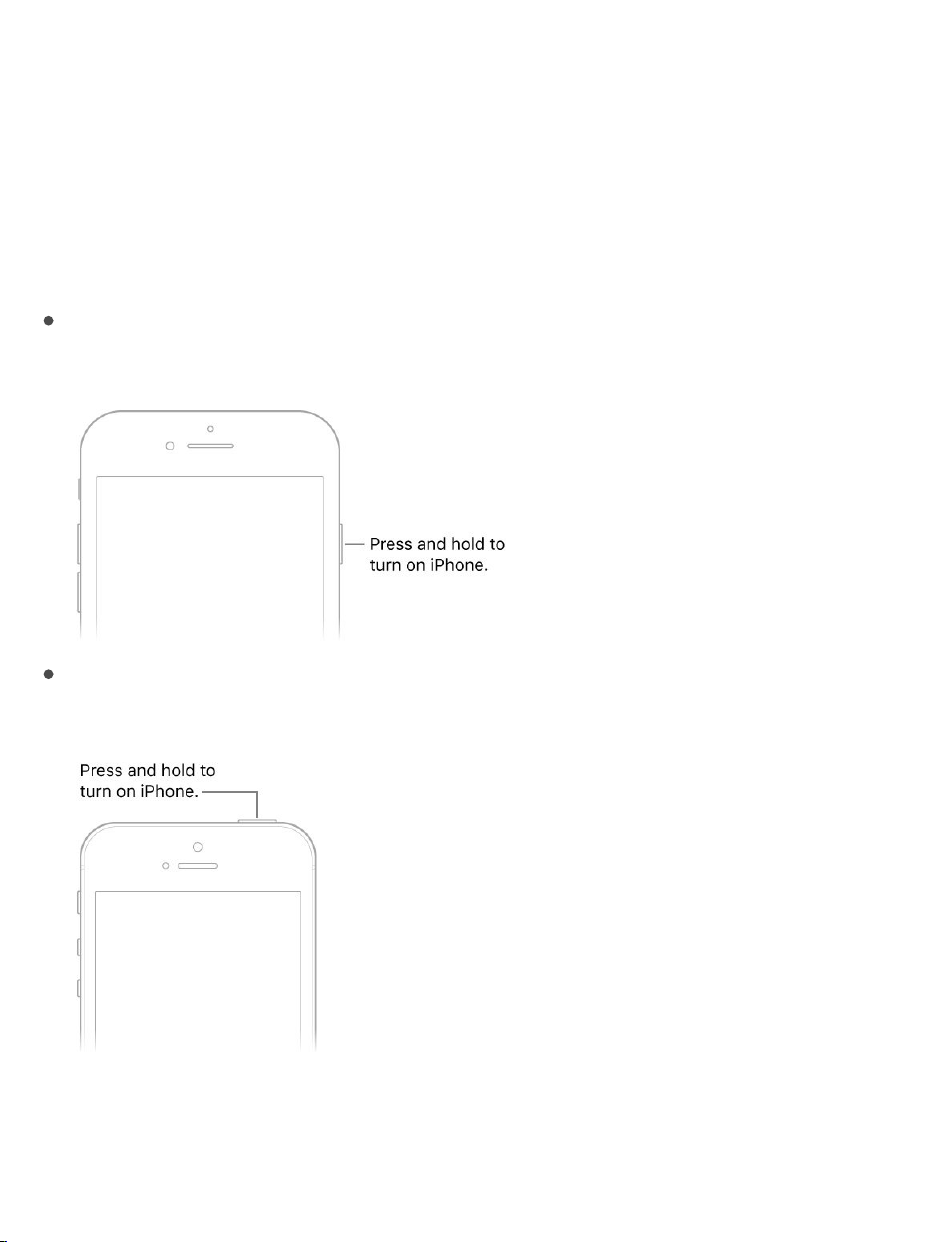
TurnoniPhone.
iPhone6andlater:PressandholdthesidebuttonorSleep/Wakebutton
(dependingonyourmodel)untiltheApplelogoappears.
iPhoneSEandiPhone5s:PressandholdtheSleep/Wakebuttonuntilthe
Applelogoappears.
IfiPhonedoesn’tturnon,youmightneedto .
Getstarted
chargeandmonitorthebattery
https://iphone8userguide.com

TurnoffiPhone.Normally,youleaveiPhoneonallofthetime,butifyouneed
toturnitoff,pressandholdthesidebuttonorSleep/Wakebutton(depending
onyourmodel)untilthesliderappears,thendragtheslider.
Seealso
InstalltheSIMcard
IfyouweregivenaSIMcardtoinstall,installitbeforesettingupiPhone.
Important:ANano-SIMcardisrequiredtousecellularserviceswhen
connectingtoGSMnetworksandsomeCDMAnetworks.AniPhoneactivated
onaCDMAwirelessnetworkcanalsouseaNano-SIMcardforconnectingto
aGSMnetwork,primarilyforinternationalroaming.YouriPhoneissubjectto
yourwirelessserviceprovider’spolicies,whichmightincluderestrictionson
switchingserviceprovidersandroaming,evenaftertheconclusionofany
requiredminimumservicecontract.Contactyourwirelessserviceproviderfor
moredetails.Availabilityofcellularcapabilitiesdependsonthewireless
network,youriPhonemodel,andyourlocation.
EjecttheSIMcardtray.InsertapapercliportheSIMejecttoolintothesmall
holeoftheSIMcardtrayontherightsideofiPhone,thenpressfirmlytoeject
andremovethetray.PlacetheSIMcardinthetray—theangledcorner
determinesthecorrectorientation—theninserttheSIMcardtraybackinto
iPhone.
WakeandunlockiPhone

SetaSIMPIN.ToprotectyourSIMcardfromothersusingitforphonecallsor
cellulardata,youcanuseaSIMPIN.WithaSIMPIN,everytimeyourestart
yourdeviceorremovetheSIMcard,yourSIMcardlocksandyousee“Locked
SIM”inthestatusbar.Tocreateone,gotoSettings>Phone.
Seealso
SetupiPhone
YoucansetupiPhoneoveraWi-Finetwork,oroveryourcarrier’scellular
network(notavailableinallareas).YoucanalsosetupiPhoneby
andusingiTunes.
Note:Ifyou’reusingiPhonewithacompany,school,orotherorganization,see
.
WARNING:Toavoidinjury,read beforeusing
iPhone.
Prepareforsetup.Tomakesetupassmoothaspossible,havethefollowing
itemsavailable:
Thenameandpassword(ifapplicable)ofyour
AppleSupportarticle:LearnwhichsizeSIMcardyouriPhoneuses
connectingit
toacomputer
iPhoneintheenterprise
Importantsafetyinformation
Wi-Finetwork
Your andpassword;ifyoudon’thaveanAppleID,youcancreate
oneduringsetup
Yourcreditordebitcardaccountinformation,ifyouwanttoaddacardto
ApplePayduringsetupon
YourpreviousiPhoneoritsbackupdata,ifyou’reupgradingtoanew
device
YourAndroiddevice,ifyouwantto
SetupiPhone.TurnoniPhone,thenfollowthesetupassistant.
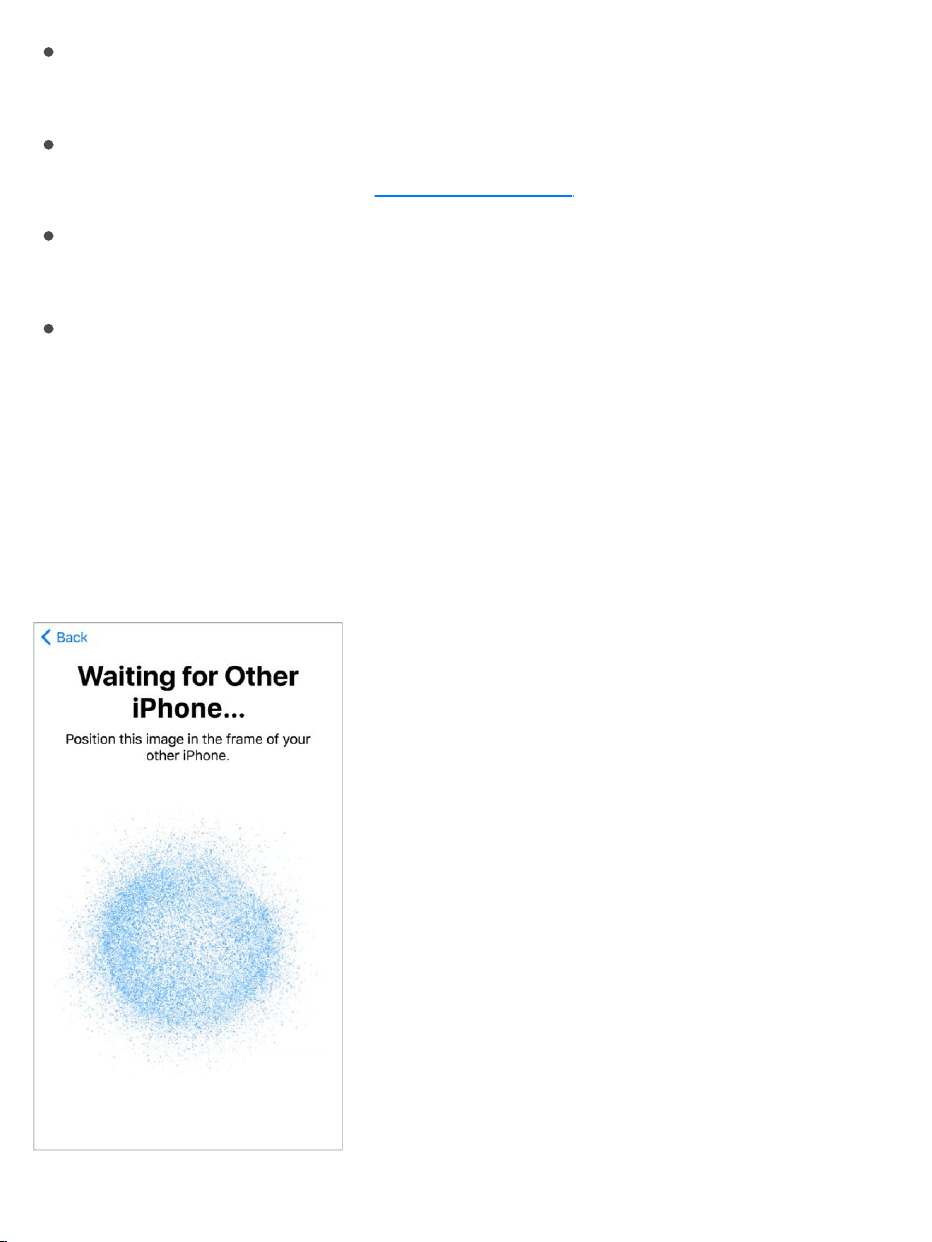
IfyouhaveanotheriPhone,iPad,oriPodtouchwithiOS11,youcansecurely
copymanyofyoursettings,preferences,andiCloudKeychaintoyournew
iPhone.HoldyourotherdevicenearyournewiPhone,andwaitforautomatic
setuptobegin.
AppleID
supportedmodels
movetoiOSfromAndroid
https://iphone8userguide.com

Note:FindMyiPhone—anappyouusetolocateyouriPhone,aswellas
AirPods,AppleWatch,andotheriOSdevices—isturnedonautomatically
whenyousigninwithyourAppleIDduringiPhonesetup.(See
.)TheFindMyiPhoneappincludesafeaturecalledActivationLock
thatpreventsanyoneelsefromactivatingandusingyouriPhone,evenifit’s
completelyerased.Beforeyou ,youshoulderase
andunlockitsothatthenextownercanactivateit.
UseiPhoneonothercellularnetworks.Somecarriersletyouunlock
iPhoneforusewithanothercarrier.Toseeifyourcarrieroffersthisoption,see
theAppleSupportarticle .
Contactyourcarrierforauthorizationandsetupinformation.Youneedto
connectiPhonetoiTunestocompletetheprocess.Additionalfeesmayapply.
Formoreinformation,seetheAppleSupportarticle
.
Seealso
Configuresettings
TheSettingsapp
TheSettingsappisontheHomescreen.Youuseittoconfiguremanyofthe
settingsoniPhone.Forexample,toselectsoundsthatplayduringcertain
events(suchaswhenyoureceiveatextmessage),tapSettings,thentap
Sounds(Settings>Sounds).YoucanalsouseSettingsto:
ManageyourAppleID
FindMy
iPhone
sellorgiveawayyourdevice
WirelesscarriersupportandfeaturesforiPhone
HowtounlockyouriPhone
forusewithanothercarrier
BackupiPhonewithiCloudBackup
BackupiPhonewithiTunes

Changeyourdevicepasscode
Chooseadifferentwallpaper
Configureprivacycontrols
FindouthowmuchfreestorageremainsoniPhone
Enablerestrictions
Searchforasetting.OpenSettings,swipedowntorevealthesearchfield,
thenenteraterm—alertorpassword,forexample.
ConnecttotheInternet
iPhoneconnectstotheInternetwhenevernecessaryby
(ifavailable)oryourcarrier’scellularnetwork.
WhenanappneedstousetheInternet,iPhonedoesthefollowing,inorder:
ConnectstothemostrecentlyusedavailableWi-Finetwork
ShowsalistofWi-Finetworksinrangeandconnectstotheoneyou
choose
Connectsoverthecellulardatanetwork,ifavailable
Note:IfaWi-FiconnectiontotheInternetisn’tavailable,appsandservices
maytransferdataoveryourcarrier’scellularnetwork,whichmayresultin
additionalfees.Contactyourcarrierforinformationaboutyourcellulardata
planrates.Tomanagecellulardatausage,see .
ConnecttoWi-Fi
If appearsatthetopofthescreen,you’reconnectedtoaWi-Finetwork.
iPhonereconnectswhenyoureturntothesamelocation.
usingaWi-Finetwork
Cellulardatasettings

ConfigureWi-Fi.GotoSettings>Wi-Fi,thenturnWi-Fionoroff.
Chooseanetwork:Taponeofthelistednetworks,thenenterthe
password,ifrequired.
Asktojoinnetworks:TurnonAsktoJoinNetworkstobenotifiedwhena
Wi-Finetworkisavailable.Otherwise,youmustmanuallyjoinanetwork
whenapreviouslyusednetworkisn’tavailable.
JoinaclosedWi-Finetwork:TapOther,thenenterthenameoftheclosed
network.Youneedtoknowthenetworkname,securitytype,and
password.
AdjustthesettingsforaWi-Finetwork:Tap nexttoanetwork.Youcan
setanHTTPproxy,definestaticnetworksettings,turnonBootP,orrenew
thesettingsprovidedbyaDHCPserver.
Note:Somenetworksmayofferdifferentinformation.
Forgetanetwork:Tap nexttoanetworkyou’vejoinedbefore,thentap
ForgetThisNetwork.
Youcanalso tomakechangestoyourWi-Ficonnection.
SetupyourownWi-Finetwork.IfyouhaveanunconfiguredAirPortbase
stationturnedonandwithinrange,youcanuseiPhonetosetitup.Goto
Settings>Wi-Fi,thenlookfor“SetupanAirPortbasestation.”Tapyourbase
station,andSetupAssistantdoestherest.
ManageanAirPortnetwork.IfiPhoneisconnectedtoanAirPortbase
station,gotoSettings>Wi-Fi,tap nexttothenetworkname,thentap
ManageThisNetwork.Ifyouhaven’tyetdownloadedAirPortUtility,tapOKto
opentheAppStore,thendownloadit.(ThisrequiresanInternetconnection.)
openControlCenter

Dateandtime
Thedateandtimeareusuallysetforyoubasedonyourlocation—takealook
attheLockscreentoseeifthey’recorrect.
Updatethedateandtimeautomatically.GotoSettings>General>Date&
Time,thenturnonSetAutomatically.iPhonegetsthecorrecttimeoverthe
cellularnetworkandupdatesitforthetimezoneyou’rein.Somecarriersdon’t
supportnetworktime,soinsomeareasiPhonemaynotbeableto
automaticallydeterminethelocaltime.
Setthedateandtimemanually.GotoSettings>General>Date&Time,
thenturnoffSetAutomatically.
Show24-hourtimeor12-hourtime.GotoSettings>General>Date&
Time,thenturn24-HourTimeonoroff(notavailableinallareas).
Languageandregion
GotoSettings>General>Language&Regiontoset:
ThelanguageforiPhone
Thepreferredlanguageorderforappsandwebsites
Theregionformat
Thecalendarformat
Thetemperatureunit(CelsiusorFahrenheit)
Toaddakeyboardforanotherlanguage,gotoSettings>General>
Keyboard>Keyboards.Formoreinformation,see
.
Useinternational
keyboards

AppleID
YourAppleIDistheaccountyouuseforjustabouteverythingyoudowith
Apple—includingstoringyourcontentiniCloud;downloadingappsfromthe
AppStore;streamingfromAppleMusic;buyingmusic,movies,andTVshows
fromtheiTunesStore;andpurchasingbooksfromtheiBooksStore.Youcan
signintoallAppleserviceswithasingleAppleIDandpassword.
SigninwithyourAppleID.IfyoualreadyhaveanAppleID,useittosignin
whenyoufirstsetupiPhone,andwheneveryouneedtosignintousean
Appleservice.Ifyoudidn’tsigninduringsetup,gotoSettings>Signintoyour
iPhone.
Ifyoudon’thaveanAppleID,youcancreateoneanyplaceyou’reaskedto
signin—forexample,theiTunesStore,theAppStore,andtheiBooksStore.
It’sbesttohaveonlyoneAppleID.
ChangeyourAppleIDsettings.GotoSettings>[yourname]toupdate
yourcontactinformation,changeyourpassword,upgradeyouriCloudstorage,
manageFamilySharingandsubscriptions,andmore.
Seealso
iCloud
Safelystoreyourphotosandvideos,documents,andmoreiniCloudsothey’re
availableevenifyouloseyouriPhone.
CreateandstartusinganAppleID
AppleIDaccountwebsite

SetupiCloud.Ifyouhaven’talreadysignedinwithyour ,goto
Settings>SignintoyouriPhone.Ifyoudon’thaveanAppleID,youcancreate
one.
ContentstorediniCloudispushedwirelesslytoyourotherdeviceswhere
you’resignedintoiCloudwiththesameAppleID.
iCloudisavailableondeviceswithiOS5orlater,onMaccomputerswith
MacOSX10.7.5orlater,andonPCswithiCloudforWindows5orlater
(Windows7orlaterisrequired).Youcanalsosigninto fromany
MacorPCtoaccessyouriCloudinformationandfeatureslikePhotos,Find
MyiPhone,Mail,Calendar,Contacts,iWorkforiCloud,andmore.
Note:iCloudmaynotbeavailableinallareas,andiCloudfeaturesmayvary
byarea.Formoreinformation,gotothe .
WithiCloud,youcan:
AppleID
iCloud.com
iCloudwebsite
https://iphone8userguide.com

Storeyourphotosandvideos:Ifyouuse tostoreall
yourphotosandvideos,youcanaccessthemfromanydevicewith
iOS8.1orlater,aMacwithOSX10.10.3orlater,aPCwithiCloudfor
Windows5orlater,andon whenyousigninwiththesame
AppleID.Use tosharephotosandvideoswithonly
thepeopleyouchoose,andletthemaddphotos,videos,andcomments.
Note:IfyouuseiCloudPhotoLibrarytostoreyourphotosandvideos,you
can’tuseiTunestosyncthemwithyourcomputer.
Storeandretrieveyourdocuments: in
theFilesappandaccessthemfromyouriPhone,iPad,iPodtouch,Mac,
orPC.
Backupyourdata:BackupiPhonetoiCloudautomaticallywheniPhone
isconnectedtopowerandWi-Fi.iClouddataandbackupssentoverthe
Internetareencrypted.See .
Sharewithyourfamily:With ,uptosixfamilymemberscan
shareiCloudstorageonplanswith200GBormore.
Synchronizemail,contacts,calendars,andmore:Keepyourmail,
contacts,calendars,notes,andremindersuptodateacrossallyour
devices.
Note:IfyouuseiCloudtostoreyourcontactsandcalendars,youcan’tuse
iTunestosyncthemwithyourcomputer.
Keeptabsonyourbrowsing:SeetheSafaritabsyouhaveopenonyour
otheriOSdevicesandMaccomputers.See .
FindyouriPhone:UsetheFindMyiPhoneapponanotheriOSdevice—
orusethe onanyMacorPC—tolocateyour
missingiPhoneonamap,lockitremotely,suspendorremovetheability
topayusingApplePay,playasound,displayamessage,oreraseallthe
iCloudPhotoLibrary
iCloud.com
iCloudPhotoSharing
StoredocumentsoniCloudDrive
BackupiPhonewithiCloudBackup
FamilySharing
Browsetheweb
FindMyiPhonewebapp

dataonit.FindMyiPhonealsoincludesActivationLock,whichrequires
yourAppleIDandpasswordtodisableFindMyiPhone,eraseiPhone,or
reactivateyourdevice.See .
Findyourfriends:Use toshareyourlocationwithfriends
andfamily.
Storeandaccessyourpasswordsandcreditcardinformation:
keepspasswordsandcreditcardinformationuptodateacross
allyourdesignateddevices.
WithiCloud,yougetafreeemailaccountand5GBofstorageforyourmail,
documents,photosandvideos,andbackups.Yourpurchasedmusic,apps,TV
shows,andbooksdon’tcountagainstyouravailablestoragespace.Youcan
purchaseadditionalstoragerightfromyourdevice.
UpgradeyouriCloudstorage.GotoSettings>[yourname]>iCloud>
ManageStorage,thentapUpgrade.Forinformationaboutupgradingyour
iCloudstorage,see .
FormoreinformationaboutiCloud,gotothe .Forsupport
information,gotothe .
Setupothermail,contacts,andcalendaraccounts
InadditiontotheappsthatcomewithiPhoneandthatyouusewith ,
iPhoneworkswithMicrosoftExchangeandmanyofthemostpopularInternet-
basedmail,contacts,andcalendarservices.
ForinformationaboutsettingupaMicrosoftExchangeaccountinacorporate
environment,seetheAppleSupportarticle
.
FindMyiPhone
FindMyFriends
iCloud
Keychain
iCloudHelp
iCloudwebsite
iCloudSupportwebsite
iCloud
SetupExchangeActiveSyncon
youriPhone,iPad,oriPodtouch

Setupanaccount.GotoSettings>Accounts&Passwords,thentapAdd
Account.
YoucanaddcontactsusinganLDAPorCardDAVaccount,ifyourcompanyor
organizationsupportsit.See .
YoucanaddcalendarsusingaCalDAVcalendaraccount,andyoucan
subscribetoiCalendar(.ics)calendarsorimportthemfromMail.See
.
MovetoiOSfromAndroid
Duringsetup,youcanmigrateyourcontentautomaticallyandsecurelyfrom
yourAndroiddevice.
DownloadtheMovetoiOSapp.OnyourdevicerunningAndroidversion4.0
orlater,seetheAppleSupportarticle and
downloadtheMovetoiOSapp.
MoveyourdatafromAndroidduringsetup.WhensettingupiPhone,on
theApps&Datascreen,selectMoveDatafromAndroid.OntheAndroid
device,turnonWi-Fi,opentheMovetoiOSapp,thenfollowthesteps.
Note:YoucanusetheMovetoiOSapponlywhenyoufirstsetupiPhone.If
you’vealreadyfinishedsetupandwanttouseMovetoiOS,youmusterase
youriOSdeviceandstartover,ormoveyourdatamanually.SeetheApple
Supportarticle
.
iPhoneintheenterprise
Addcontactaccounts
Use
multiplecalendars
MovefromAndroidtoiOS
MovecontentmanuallyfromyourAndroiddevicetoyouriOS
device

TouseiPhonewithyourworkaccounts,youneedtoknowthesettingsyour
organizationrequires.IfyoureceivedyouriPhonefromyourorganization,the
settingsandappsyouneedmightalreadybeinstalled.Ifyou’reusingyourown
iPhone,yoursystemadministratormayprovideyouwithsettingstoenter,or
haveyouconnecttoamobiledevicemanagementserverthatinstallsthe
requiredsettingsandappsforyou.
Youmaybeaskedtoinstallaconfigurationprofile,whichconfiguresiPhonefor
you,andmaydefinesomesettingsthatyoucan’tchange.Forexample,your
organizationmightturnonAuto-Lockandrequireyoutosetapasscodeto
protecttheinformationintheaccountsyouaccess.Youcanseeyourprofilesin
Settings>General>Profiles&DeviceManagement.Whenyoudeletea
profile,thesettingsandaccounts,andeverythingelseassociatedwiththe
profile,arealsoremoved.
Ifyourorganizationwantsyoutohavecertainapps,itmightprovideyouwith
redemptioncodestouseintheAppStore.Whenyoudownloadanappusing
aredemptioncode,youowntheapp,eventhoughyourorganization
purchaseditforyou.YourorganizationcanalsopurchaseAppStoreapp
licensesthattheorganizationretainsbutassignstoyouforaperiodoftime.
Anappyoureceivethiswayisremovediftheorganizationassignsitto
someoneelse.
Yourorganizationmightalsodevelopcustomappsthataren’tintheAppStore.
Youinstallthemfromawebpage,oryoumayreceiveanotificationfromyour
organizationaskingyoutoinstallthemwirelessly.Theseappsbelongtoyour
organization,andtheymayberemovedorstopworkingifyoudeletea
configurationprofile.
Ifyouhavequestionsaboutthesettings,apps,orotherrequirementsforusing
iPhoneinyourenterpriseenvironment,contactthesystemadministratorat
yourorganization.ForgeneralinformationaboutusingiPhoneinbusiness,go

tothe .
Syncandbackup
ManagecontentonyouriOSdevices
YoucantransferinformationandfilesbetweeniPhoneandyourotheriOS
devicesandMaccomputers,usingeitheriCloudoriTunes.
iCloudstoresyourphotosandvideos,documents,music,calendars,
contacts,andmore.ItallgetspushedwirelesslytoyourotheriOSdevices
andcomputers,keepingeverythinguptodate.See .
iTunessyncsmusic,videos,photos,andmorebetweenyourcomputer
andiPhone.Changesyoumakeononedevicearecopiedtotheother
whenyousync.YoucanalsouseiTunestosyncfilesanddocuments.See
.
YoucanuseiCloudoriTunes,orboth,dependingonyourneeds.Forexample,
youcanuseiCloudtoautomaticallykeepyourcontactsandcalendarsupto
dateonallyourdevices,anduseiTunestosyncmusicfromyourcomputerto
iPhone.
YoucanalsomanuallymanagecontentfromiTunesintheSummarypane.To
addsongsandvideos,chooseasong,video,orplaylistfromyouriTunes
library,thendragittoiPhoneintheiTunessidebar.ThisisusefulifyouriTunes
librarycontainsmoreitemsthancanfitoniPhone.SeetheAppleSupport
article .
Note:IfyouhaveiCloudMusicLibraryturnedon,youcanmanuallymanage
onlyvideo.
Businesswebsite
iCloud
SyncwithiTunes
SyncyouriPhone,iPad,oriPodtouchwithiTunesusingUSB

BackupiPhonewithiCloudBackup
WhenyoufirstsigninwithyourAppleID,iCloudBackupturnsonautomatically.
iCloudbacksupiPhonedailyoverWi-Fi,wheniPhoneisconnectedtoa
powersourceandlocked.(TolockiPhone,pressthesidebuttonor
Sleep/Wakebutton(dependingonyourmodel).iPhonealsolocks
automaticallyifyoudon’ttouchthescreenforaminuteorso.)
iCloudbackupsareencryptedautomaticallysothatyourdataisprotectedfrom
unauthorizedaccessbothwhileit’stransmittedtoyourdevicesandwhenit’s
storediniCloud.Purchasedcontent,iCloudPhotoSharing,andMyPhoto
Streamcontentdon’tcountagainstyour5GBoffreeiCloudstorage.
WhenyoubackupusingiCloud,youcan’tsimultaneouslyuseiTunesto
automaticallybackupiPhonetoyourcomputer.However,youcanuseiTunes
tomanuallybackupiPhonetoyourcomputer.See
.
iCloudbackupsdon’tinclude:
Datathat’salreadystorediniCloud,suchascontacts,calendars,notes,
iCloudSharedStreams,MyPhotoStream,iCloudPhotoLibrary,andthe
contentsofiCloudDrive
Datastoredinothercloudservices,suchasGmailandExchangemail
ApplePayinformationandsettings
TouchIDsettings
Contentyoudidn’tgetdirectlyfromtheiTunesStore,AppStore,or
iBooksStore,suchasimportedMP3s,videos,orCDs
ContentfromtheiTunesStore,AppStore,oriBooksStore(ifit’sstill
available,youcantaptoredownloadcontentyoupurchased)
BackupiPhonewith
iTunes

StoporresumeiCloudbackups.GotoSettings>[yourname]>iCloud>
iCloudBackup,thenturniCloudBackupofforon.
BackupimmediatelyoniCloud.GotoSettings>[yourname]>iCloud>
iCloudBackup,thentapBackUpNow.
VieworremoveiCloudbackups.GotoSettings>[yourname]>iCloud>
ManageStorage>Backup,thenselectabackupfromthelist.
Important:PreviouspurchasesmaynotberestoredfromiCloudBackupif
they'renolongerintheiTunesStore,AppStore,oriBooksStore.
IfyoureplaceyouriPhone,youcanuseitsbackuptotransferyourinformation
toanewdevice.See .
Formoreinformation,seetheAppleSupportarticle
.
ConnectiPhonetoyourcomputer
ByconnectingiPhonetoyourcomputer,youcan
and .YoucanalsosyncwithiTunes
wirelessly.
TouseiPhonewithyourcomputer,youneed:
AMacwithaUSB2.0or3.0port,oraPCwithaUSB2.0port,andoneof
thefollowingoperatingsystems:
OSX10.9orlaterwithiTunes12.5orlater
Windows7orlaterwithiTunes12.5orlater
iTunes,availablefromthe
RestoreiPhone
AboutbackupsforiOS
devices
synccontentfromyour
computerusingiTunes backupwithiTunes
iTunesdownloadwebsite

ConnectiPhonetoyourcomputer.UsetheincludedLightningtoUSB
Cable.
UnlessiPhoneisactivelysyncingwithyourcomputer,youcandisconnectitat
anytime.LookatthetopoftheiTunesscreenonyourcomputeroroniPhone
toseeifsyncingisinprogress.IfyoudisconnectiPhonewhileit’ssyncing,
somedatamaynotgetsynceduntilthenexttimeyouconnectiPhonetoyour
computer.
SyncwithiTunes
SyncingwithiTunescopiesinformationfromyourcomputertoiPhone,andvice
versa.YoucansyncbyconnectingiPhonetoyourcomputer,oryoucansetup
iTunestowirelesslysyncmusic,videos,photos,andmorewithWi-Fi.Forhelp
syncingiPhone,openiTunesonyourcomputer,chooseHelp>iTunesHelp,
clickShowtopics,thenclick“AdditemstoiPod,iPhone,oriPad.”iTunesis
availablefromthe .
Note:IffeaturessuchasiCloudMusicLibrary,iCloudPhotoLibrary,and
iCloudcalendarandcontactssyncingareturnedon,youcan’tuseiTunesto
synctheirassociatedmediaanddata.
iTuneswebsite

SyncusingaUSBcable. usingthe
includedcable,openiTunesonyourcomputer,thenclicktheiPhonebuttonin
thetop-leftoftheiTuneswindow.Selectasetting(SummaryorMusic,for
example)toconfigureit.
Note:IfiPhonedoesn’tappeariniTunes,makesureyou’reusingthelatest
versionofiTunes,checkthatthecableiscorrectlyconnected,thentry
restartingyourcomputer.
Tolearnmore,seetheAppleSupportarticle
.
Setupwirelesssyncing.ConnectiPhonetoyourcomputerusingthe
includedcable,openiTunes,clicktheiPhonebuttoninthetop-leftoftheiTunes
window,clickSummary,thenselectSyncwiththisiPhoneoverWi-Fi.
IfWi-Fisyncingisturnedon,bothiPhoneandyourcomputerareonand
connectedtothesamewirelessnetwork,andiTunesisopenonyourcomputer,
iPhonesyncswhenit’sconnectedtoapowersource.
Tolearnmore,seetheAppleSupportarticle
.
iTunesprovidesthesesyncingoptions:
IntheMusicpane,youcansyncyourentiremusiclibraryorjustselected
playlists,artists,albums,andgenres.
IntheMovies,TVShows,Podcasts,andBookspanes,youcanchooseto
syncallthemediatheycontain,orjustthemediayouchoose.
InthePhotospane,youcansyncphotosandvideosfromasupportedapp
orafolderonyourcomputer.
ConnectiPhonetoyourcomputer
SyncyouriPhone,iPad,or
iPodtouchwithiTunesusingUSB
SyncyouriPhone,iPad,or
iPodtouchwithiTunesusingWi-Fi

IntheSummarypane,youcansetiTunestoautomaticallysynciPhone
whenit’sattachedtoyourcomputer.Totemporarilypreventsyncingafter
youattachthedevice,pressandholdCommandandOption(Mac)orShift
andControl(PC)untilyouseeiPhoneappearatthetopoftheiTunes
window.
BackupiPhonewithiTunes
ConnecttoiTunesandbackup.OpeniTunesonyourcomputer,then
.ClicktheiPhonebutton,thenclick
Summaryinthesidebar.Tocreateamanualbackup,clickBackUpNow.To
turnonautomaticiTunesbackups,click“Thiscomputer.”iTunesautomatically
backsupiPhonewhenyouconnectittoyourcomputer.
iTunesbackupsdon’tinclude:
ContentfromtheiTunesStoreandAppStore,orPDFsdownloaded
directlytoiBooks
ContentsyncedfromiTunes,suchasimportedMP3sorCDs,videos,
books,andphotos(see )
Photosalreadystoredinthecloud,suchasiniCloudSharedStreams,My
PhotoStream,andiCloudPhotoLibrary
TouchIDsettings
ApplePayinformationandsettings
Activity,Health,andKeychaindata—tobackupthiscontent,select
“Encryptlocalbackup”iniTunes
EncryptiPhonebackup.IntheSummarypane,select“EncryptiPhone
backup”ifyouwanttoencrypttheinformationstoredonyourcomputerwhen
iTunesmakesabackup.Encryptedbackupsareindicatedbyalockicon ,
connectthedevicetoyourcomputer
SyncwithiTunes

andapasswordisrequiredtorestorethebackup.Ifyoudon’tselectthis
option,otherpasswords(suchasthoseformailaccounts)aren’tincludedin
thebackup,andyouhavetoreenterthemifyouusethebackuptorestore
iPhone.
VieworremoveiTunesbackups.OpeniTunesonyourcomputer,choose
iTunes>Preferences,thenclickDevices.Encryptedbackupshavealockicon
inthelistofbackups.
IfyoureplaceyouriPhone,youcanuseitsbackuptotransferyourinformation
toanewdevice.See .
Formoreinformation,seetheAppleSupportarticle
.
RestoreiPhone
AboutbackupsforiOS
devices

GettoiMessageappswithfewertaps.Withjustaswipe,sharestickers,
emoji,andgameswithyourfriends,usingthetotallyredesignedappdrawer.
See .
LivePhotosarelivelierthaneverwithnewLivePhotoeffects.Turna
LivePhotoyouloveintoacontinuousvideoloop,makeitbouncebackand
forth,orcapturetimeandmovementinalongexposure.See
.
Seeyourphotosinawholenewlight.Usenewfilterstomakephotosmore
expressiveandskintonesmorenatural.Takegreatphotosatasmallerfile
sizeusingnext-generationcompressiontechnology.See .
What’snewiniOS11
iMessageapps
Editphotosand
trimvideos
Takephotos
TakeaFaceTimeLivePhoto.DuringaFaceTimecall,captureaspecial
momentofyourconversation.See .
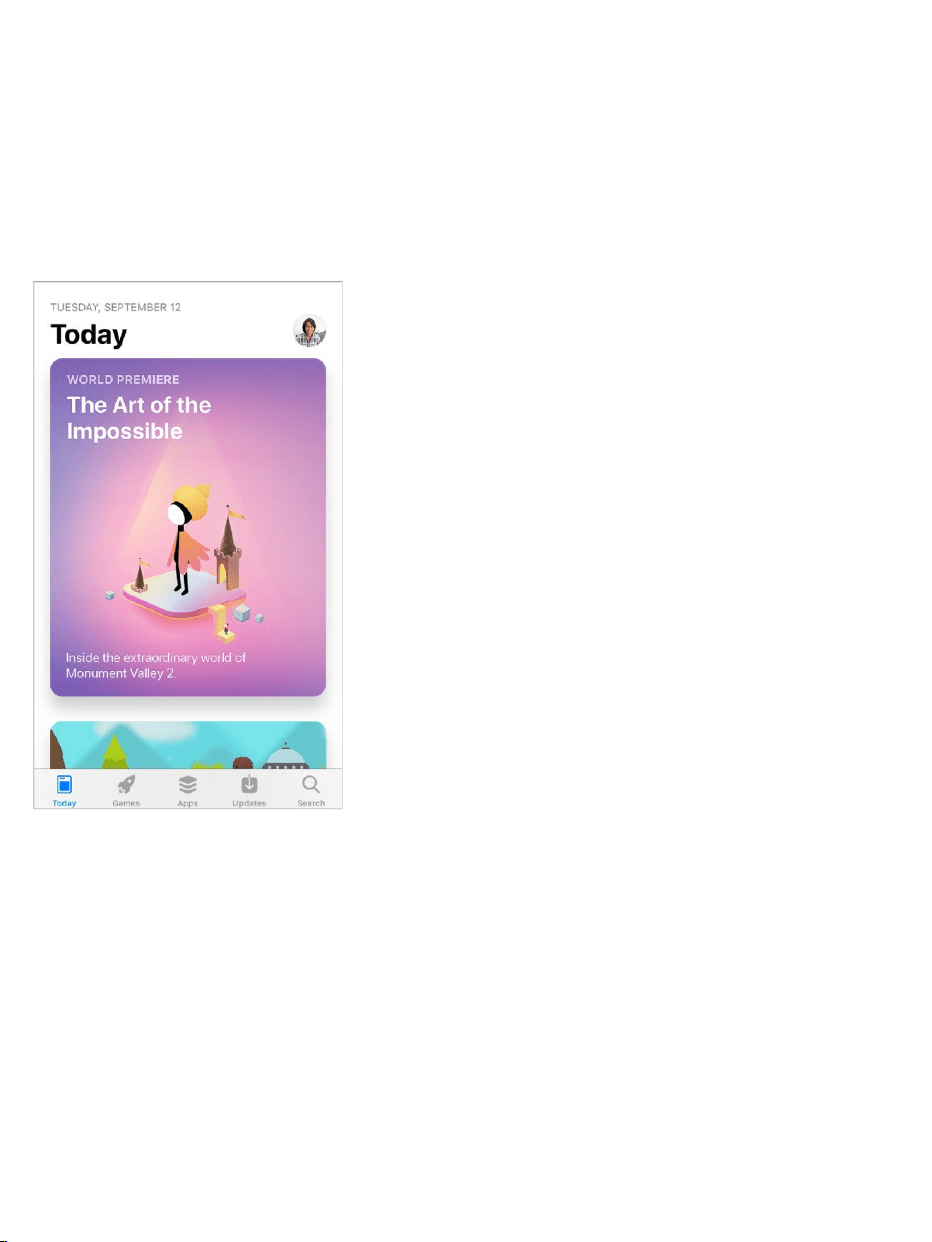
AredesignedAppStore.Seedailystoriesbyexperts,adedicatedGames
tab,listsforallkindsofapps,andmuchmoreintheredesignedAppStore.
See .
AskSiritodomore.Siriismoreexpressive,withanew,morenaturalvoice.
WithAppleMusic,SiricanbeyourpersonalDJ.AndSirinowtranslates
phrasesfromEnglishtoChinese,Spanish,French,German,andItalian(beta).
See .
MakeandanswercallswithFaceTime
AppStoreoverview
Makerequests

Discovermusicwithalittlehelpfromyourfriends.Yourfriendscannow
helpyoudiscovernewsongsandartists.Eachofyoucanhaveyourown
profileonAppleMusic,whereyoucanseeplaylistsyourfriendshaveshared
aswellasalbumsandstationstheyfrequentlylistento.(AppleMusic
subscriptionrequired.) .Seewhatyourfriendsarelisteningto

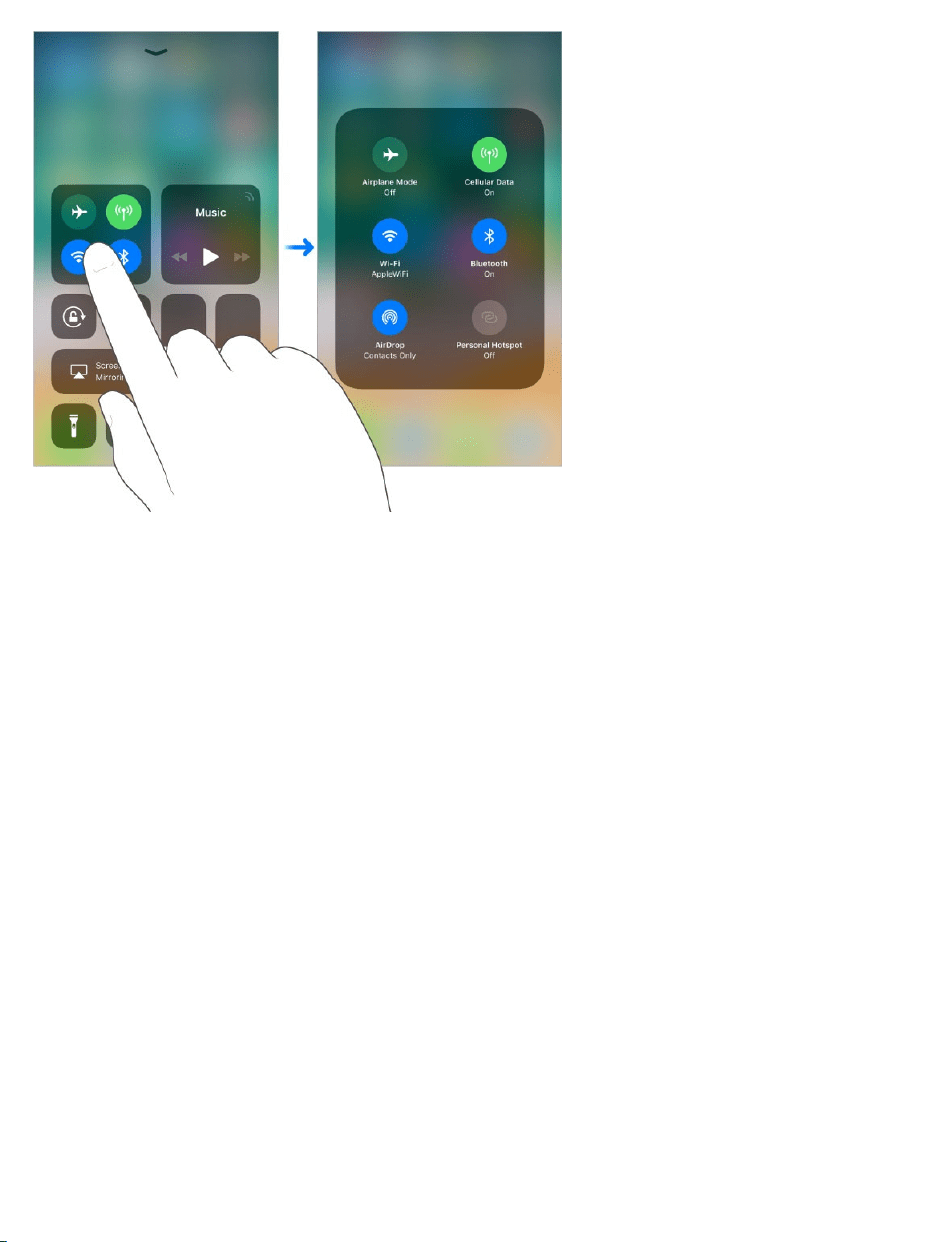
TakecontrolofControlCenter.CustomizetheredesignedControlCenter
soyoucanquicklychangethesettingsforthethingsyoudomost.Wantquick
accesstoAppleTV?AddtheAppleTVRemote.Wanttoseesomethingup
closewithatap?AddMagnifier.TounlockevenmorecommandsinControl
Center,use3DTouch.See .ControlCenter
Gettoyournotificationsfromanywhere.Toseeyourrecentnotifications,
swipedownfromthetopofthescreen,thenswipeupfromthecenterofthe
screentoseeearlierones.See .
DoNotDisturbwhiledriving.iPhonecansensewhenyoumightbedriving
andthenhelpyoustayfocused.WhenDoNotDisturbwhiledrivingis
activated,textmessagesandothernotificationsarelimited,andincoming
callsareallowedonlywheniPhoneisconnectedtoacarBluetoothdeviceora
hands-freeaccessory.See .
MorefromMaps.Laneguidancearrowsmakeiteasierthanevertofollow
drivingdirections,whileindoormapshelpyoufindyourwayaroundtheairport
orshoppingmallwhenyougetthere.See and .
Newsisevenmorepersonal.Newsnowshowstopstoriesthataremore
relevanttoyou.Sirilearnswhatinterestsyouandsuggestsstoriesyoumight
like.AndanewSpotlighttabfeaturesstoriesrelatedtoatimelytopic,chosen
byAppleNewseditors.See .
Notifications
DoNotDisturbwhiledriving
Findplaces Getdirections
ForYou


Moveitemswithdraganddrop.Withatouch,youcanmovejustabout
anythingwithinanapp—areminderinalist,atextselectioninanote,ora
calendarevent.See .
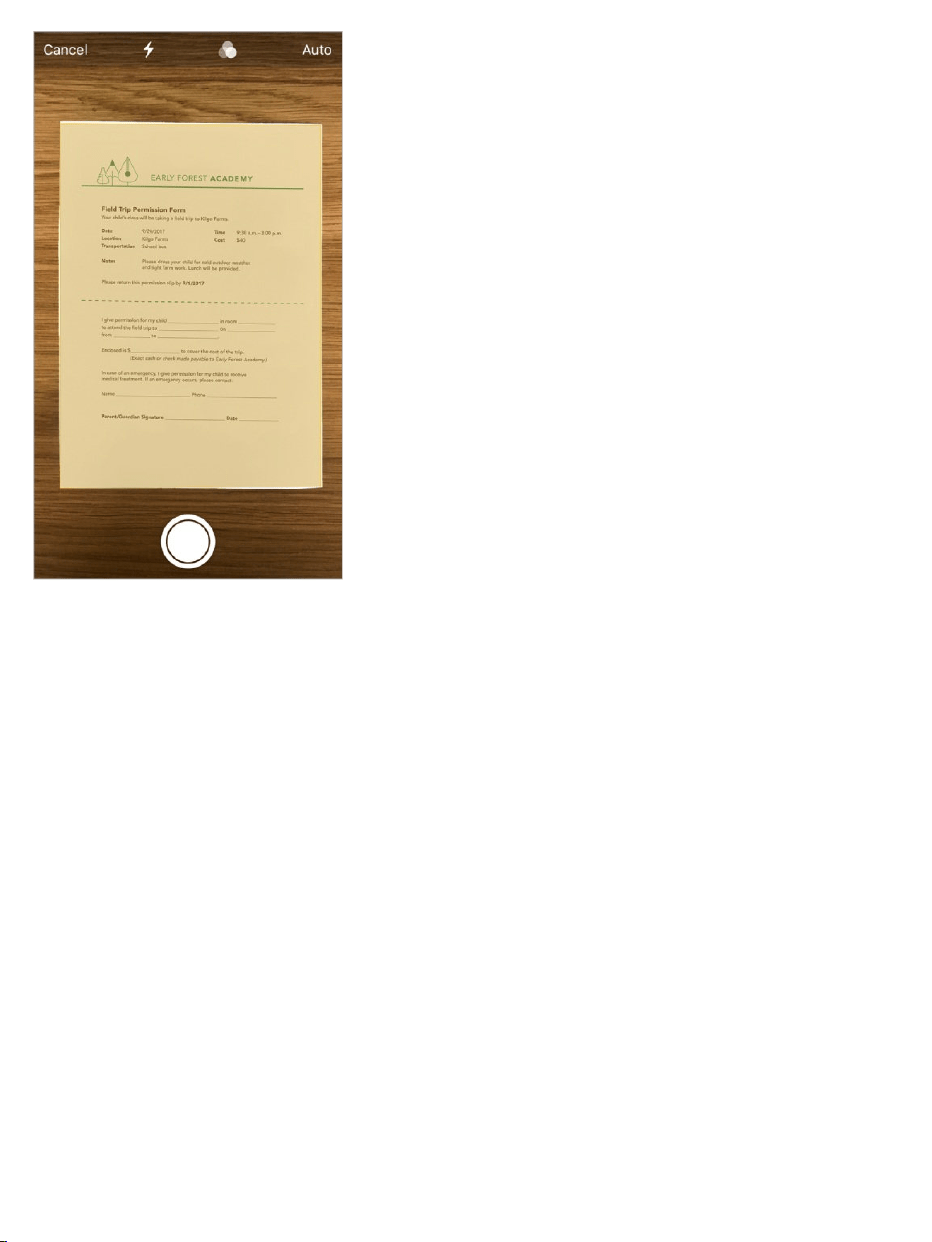
ScandocumentsinNotes.TheDocumentScannerautomaticallysenses
andscansadocumentintheNotesapp,cropstheedges,andremovesanytilt
orglare.See .
Moveitems
Scanadocument
Markitup.Annotateimages,notes,PDFs,screenshots,andmorewithbuilt-
indrawingtools.Insomeapps,youcanalsoaddtext,signatures,andspeech
bubblesandothershapes.See .
Findallyourfilesinoneplace.InthenewFilesapp,youcaneasilybrowse,
search,andorganizeallyourfiles.There’sevenadedicatedplaceforyour
recentfiles.See .
QuicklysetupyournewiPhone.HoldyournewiPhonenearaniOSdevice
withiOS11andmanyofyourpersonalsettings,preferences,and
iCloudKeychainpasswordsarequicklyandsecurelyimported.See
.
UseMarkup
Viewdocuments
Setup
iPhone

Note:Newfeaturesandappsmayvarydependingonthemodelofyour
iPhone,yourlocation,language,andcarrier.

WakeandunlockiPhone
WakeiPhone.PressthesidebuttonorSleep/Wakebutton(dependingon
yourmodel)toseetheLockscreen.OniPhone6sandlater,youcanalso
wakeiPhonesimplybyliftingit;toturnRaisetoWakeonoroff,goto
Settings>Display&Brightness.
FromtheLockscreen,youcanchecknotificationsandrecentappactivity,take
photos,andmore.Formoreinformation,see .
Setapasscode.Foradditionalsecurity,youcan to
unlockiPhone.Ifyoudidn’tcreateapasscodeduringsetup,gotoSettings>
TouchID&Passcode.
UnlockiPhone.PresstheHomebutton,thenenterthepasscodeifrequired.
Tip:TounlockiPhonebytouchinginsteadofpressingtheHomebutton,go
toSettings>General>Accessibility>HomeButton,thenturnonRestFinger
toOpen.
YoucanusetheTouchIDsensorintheHomebuttontounlockiPhoneorwhen
makingpurchasesintheiTunesStore,AppStore,andiBooksStore(instead
ofusingyourpasscodeorAppleIDpassword).On ,youcan
alsousetheTouchIDsensorwhenusingApplePay(incountrieswhere
ApplePayissupported)tomakeapurchase.See and
.
Homescreen
Basics
Lockscreen
requireapasscode
supportedmodels
TouchID About
ApplePay
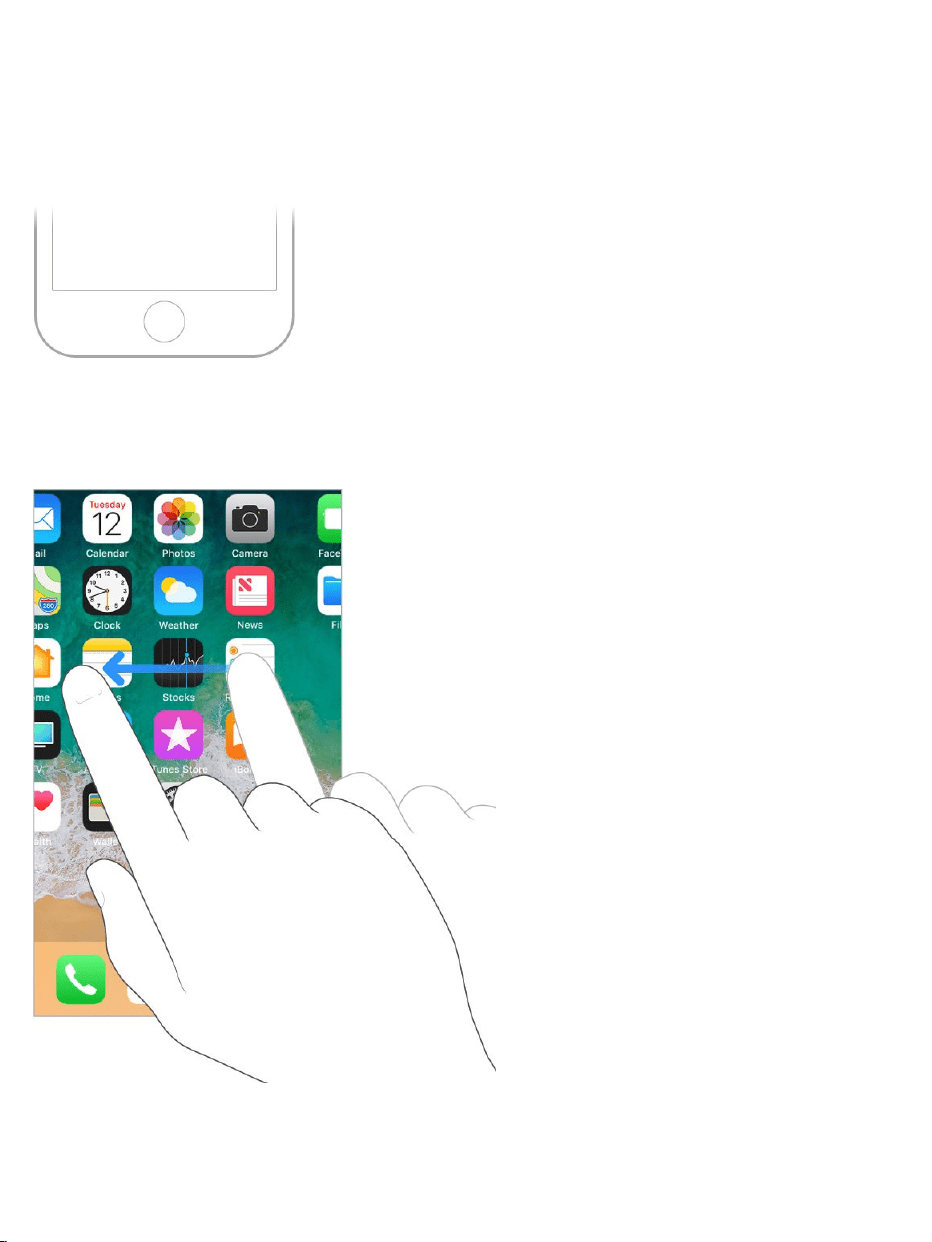
TheHomescreenshowsalltheappsonyouriPhone.Itconsistsofmultiple
pages,addedasnecessarywhenyouneedspaceforapps.
GototheHomescreen.PresstheHomebutton.
Seemoreofyourapps.SwipeleftorrighttoseetheappsonotherHome
screenpages.

SomeappsmayincludeabadgeontheirHomescreenicon,toletyouknow
howmanynewitemsawait—forexample,thenumberofnewemailmessages.
Ifthere’saproblem—suchasamessagethatcouldn’tbesent—an
exclamationmark appearsonthebadge.(Onafolder,anumberedbadge
indicatesthetotalnumberofnotificationsforalltheappsinside.)
Openanapp.Taptheappicon.
Gestures
Useafewsimplegestures—tap,drag,swipe,andpinch—tocontroliPhone
anditsapps.
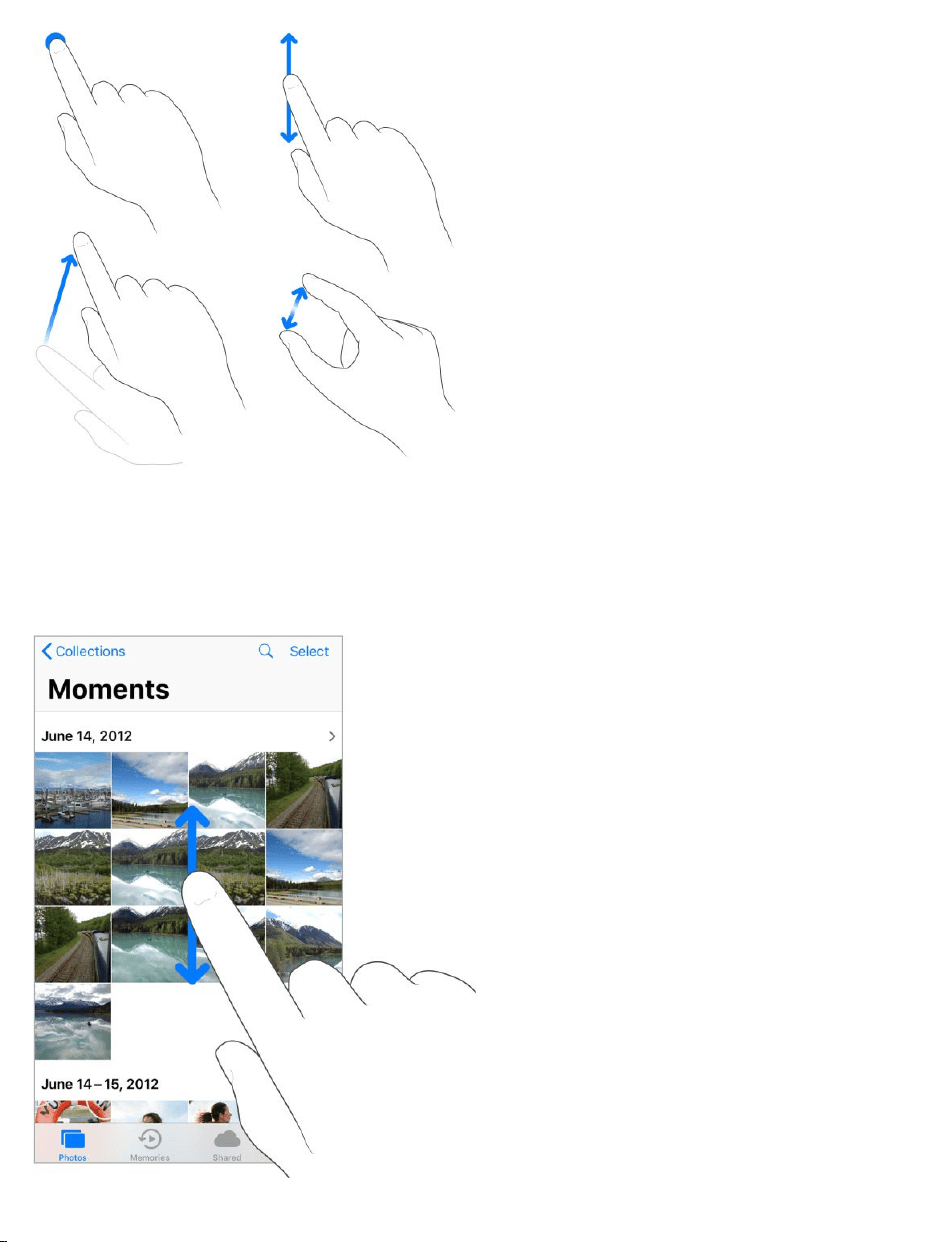
Lookaround.Inanopenapp,dragalistupordowntoseemore.Swipeto
scrollquickly;touchthescreentostopscrolling.Somelistshaveanindex—tap
alettertojumpahead.

Dragaphoto,map,orwebpageinanydirectiontoseemore.
Toquicklyjumptothetopofapage,tapthestatusbaratthetopofthescreen.
Zoominandout.Pinchopenaphoto,webpage,ormapforaclose-up—then
pinchclosedtozoombackout.InPhotos,keeppinchingtoseethecollection
oralbumthatcontainsthephoto.
Youcanalsodouble-tapaphotoorwebpagetozoomin,anddouble-tapagain
tozoomout.InMaps,double-tapandhold,thendraguptozoominordrag
downtozoomout.
3DTouch
3DTouchgivesyouanotherwaytointeractwithiPhone.On ,
youcanpressthedisplaytoseepreviews,accessusefulshortcuts,andmore.
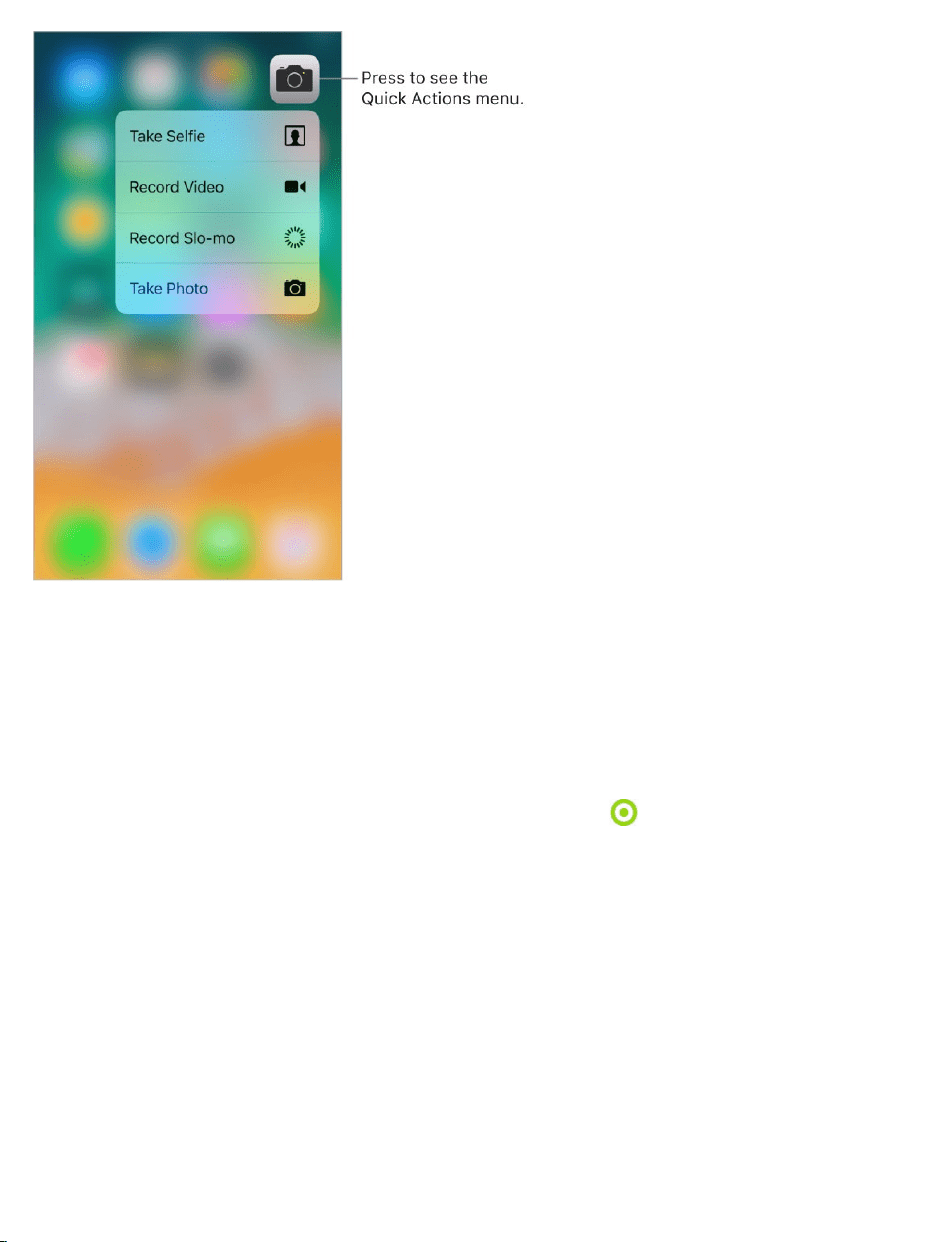
Youcanuse3DTouchontheHomescreen—pressanappicontoseeQuick
Actionsmenus.Forexample,youcanpresstheCameraiconontheHome
screen,thenchooseTakeSelfie.QuickActionsworkinControlCentertoo.For
example,pressFlashlight,thendragtheslidertoadjustthebrightness.
supportedmodels
OntheLockscreen,pressanotificationtorespondtoit.InMail,pressa
messageinthemailboxlistforapeekatthemessagecontents,thenslideup
toseealistofactions.Orpressalittledeepertopopthemessageopen.In
Photos,pressanimagetopeekatit,thenswipeuptoshareorcopyit;pressa
littledeepertopoptheimagetofullscreen.Thisguideprovidesmore
examplesofusing3DTouch,whicharemarkedwith .

With3DTouch,youcanvarythepressurewhenyoudrawtochangethequality
ofyourlinesinsomeapps.Forexample, tomake
alinedarker.Youcanalsouse3DTouchto
andselecttextwhentyping.
Change3DTouchsensitivity.GotoSettings>General>Accessibility>
3DTouch,thenset3DTouchsensitivitytoLight,Medium,orFirm.
Statusicons
Theiconsinthestatusbaratthetopofthescreengiveinformationabout
iPhone:
Statusicon Whatitmeans
Cellsignal
You’reinrangeofthecellularnetworkandcan
makeandreceivecalls.Ifthere’snosignal,
“Noservice”appears.
pressasyoudrawinNotes
turnyourkeyboardintoatrackpad
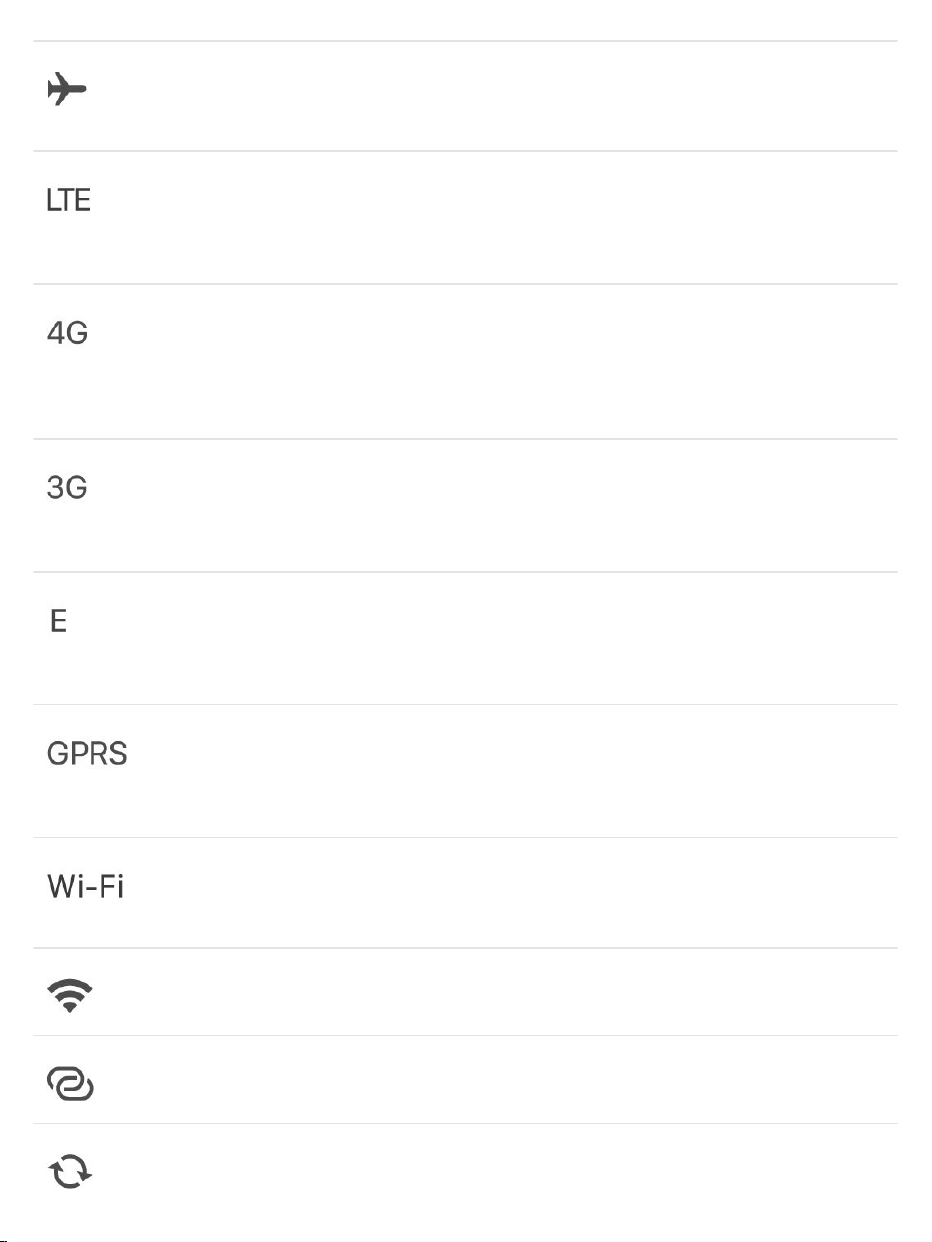
Airplanemode
Airplanemodeison—youcan’tmakephone
calls,andotherwirelessfunctionsmaybe
disabled.See .
LTE
Yourcarrier’sLTEnetworkisavailable,and
iPhonecanconnecttotheInternetoverthat
network.(Notavailableinallareas.)See
.
UMTS
Yourcarrier’s4GUMTS(GSM)orLTEnetwork
(dependingonthecarrier)isavailable,and
iPhonecanconnecttotheInternetoverthat
network.(Notavailableinallareas.)See
.
UMTS/EV-DO
Yourcarrier’s3GUMTS(GSM)orEV-DO
(CDMA)networkisavailable,andiPhonecan
connecttotheInternetoverthatnetwork.See
.
EDGE
Yourcarrier’sEDGE(GSM)networkis
available,andiPhonecanconnecttothe
Internetoverthatnetwork.See
.
GPRS/1xRTT
Yourcarrier’sGPRS(GSM)or1xRTT(CDMA)
networkisavailable,andiPhonecanconnect
totheInternetoverthatnetwork.See
.
Wi-Ficall
iPhoneissetupforWi-Ficalling.iPhonealso
displaysacarriernamenexttotheicon.See
.
Wi-Fi
iPhoneisconnectedtotheInternetoveraWi-Fi
network.See .
PersonalHotspot
iPhoneisprovidingaPersonalHotspotfor
anotherdevice.See .
Syncing
iPhoneissyncingwithiTunes.See
.
TravelwithiPhone
Cellulardatasettings
Cellulardatasettings
Cellulardatasettings
Cellulardata
settings
Cellular
datasettings
Makeacall
ConnecttoWi-Fi
PersonalHotspot
Syncwith
iTunes
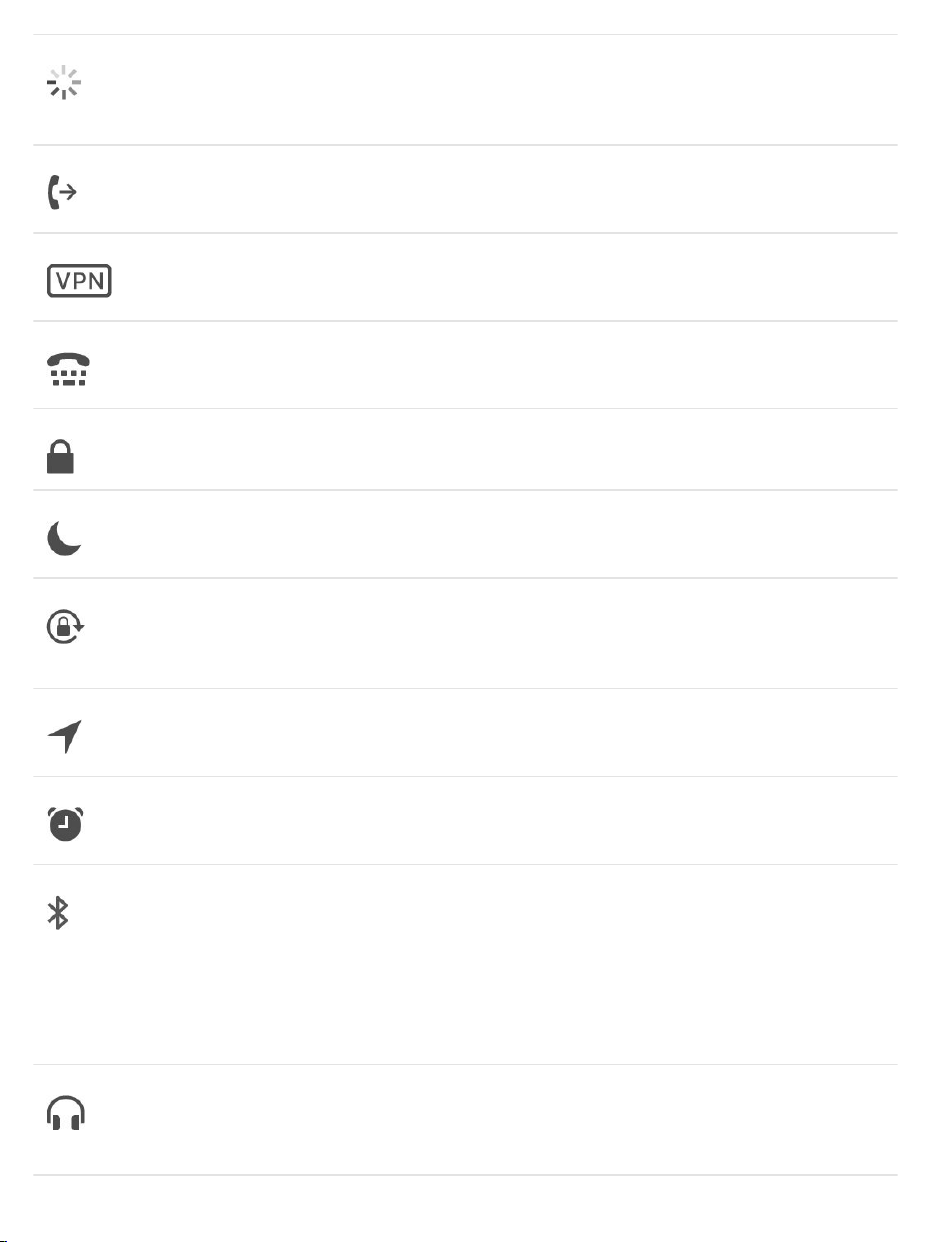
Networkactivity
Showsthatthere’snetworkactivity.Somethird-
partyappsmayalsouseittoshowanactive
process.
CallForwarding
CallForwardingissetup.See
.
VPN
You’reconnectedtoanetworkusingVPN.See
.
TTY
iPhoneissettoworkwithaTTYmachine.See
.
Lock
iPhoneislocked.See .
DoNotDisturb
DoNotDisturbisturnedon.See
.
Portraitorientationlock
TheiPhonescreenislockedinportrait
orientation.See
.
LocationServices
AnitemisusingLocationServices.See
.
Alarm
Analarmisset.See
.
Bluetooth®
Blueorwhiteicon:Bluetoothisonandpaired
withadevice.
Grayicon:Bluetoothison.IfiPhoneispaired
withadevice,thedevicemaybeoutofrangeor
turnedoff.
See .
Headphonesconnected
iPhoneispairedwithBluetoothheadphones
thatareturnedonandwithinBluetoothrange.
See .
Callforwarding,
callwaiting,andcallerID
VPNsettings
SupportforTTY
Lockscreen
DoNot
Disturb
Changethescreen
orientation
LocationServices
Setanalarmorbedtime
schedule
Bluetoothdevices
Bluetoothdevices
Bluetoothbattery ShowsthebatterylevelofapairedBluetooth
device.
Battery
Grayicon:ShowstheiPhonebatterylevelor
chargingstatus.See
.
Yellowicon:LowPowerModeison.See
.
Switchbetweenapps
Whileusingoneapp,youcaneasilyswitchtoanother.
Viewopenapps.Double-clicktheHomebuttontorevealyouropenappsin
theappswitcher.Swipeleftorrighttoseemore.Toswitchtoanotherapp,tap
it.
Chargeandmonitorthe
battery
Low
PowerMode
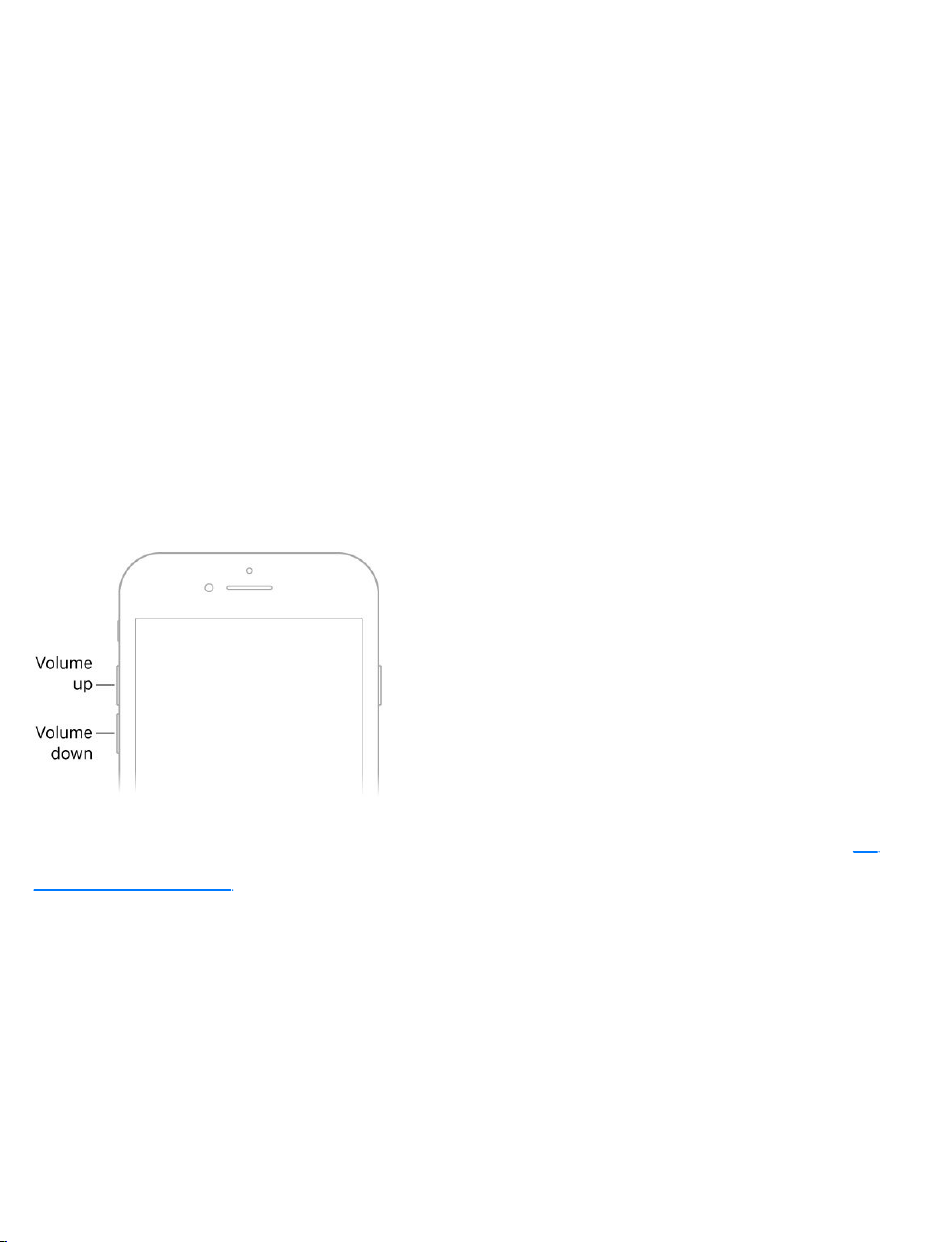
Closeanapp.Ifanappisn’tworkingproperly,youcanforceittoquit.Inthe
appswitcher,swipeupontheapp.Thentryopeningtheappagain.
Controlthevolume
Whenyou’reonthephoneorlisteningtosongs,movies,orothermedia,the
buttonsonthesideofiPhoneadjusttheaudiovolume.Otherwise,thebuttons
controlthevolumefortheringer,alerts,andothersoundeffects.Youcanalso
useSiritoturnthevolumeupordown.Justsay“Turnupthevolume”or“Turn
downthevolume.”
WARNING:Forinformationaboutavoidinghearingloss,see
.
Locktheringerandalertvolumes.GotoSettings>Sounds&Haptics(
)orSettings>Sounds(othermodels),thenturnoffChange
withButtons.Tolimitthevolumeformusicandvideos,gotoSettings>Music>
VolumeLimit.
Note:Tolimitthemaximumheadsetvolume,gotoSettings>Music>Volume
Limit.Topreventchangestothevolumelimit,goto
Settings>General>Restrictions>VolumeLimit.
Importantsafety
information
on
supportedmodels
UseControlCentertoadjustthevolume.WheniPhoneislockedorwhen
you’reusinganotherapp, ,thendragthevolumeslider.
UseDoNotDisturb. totemporarilysilencecalls,
alerts,andnotifications. ,thentap toturnDoNot
Disturbonoroff.
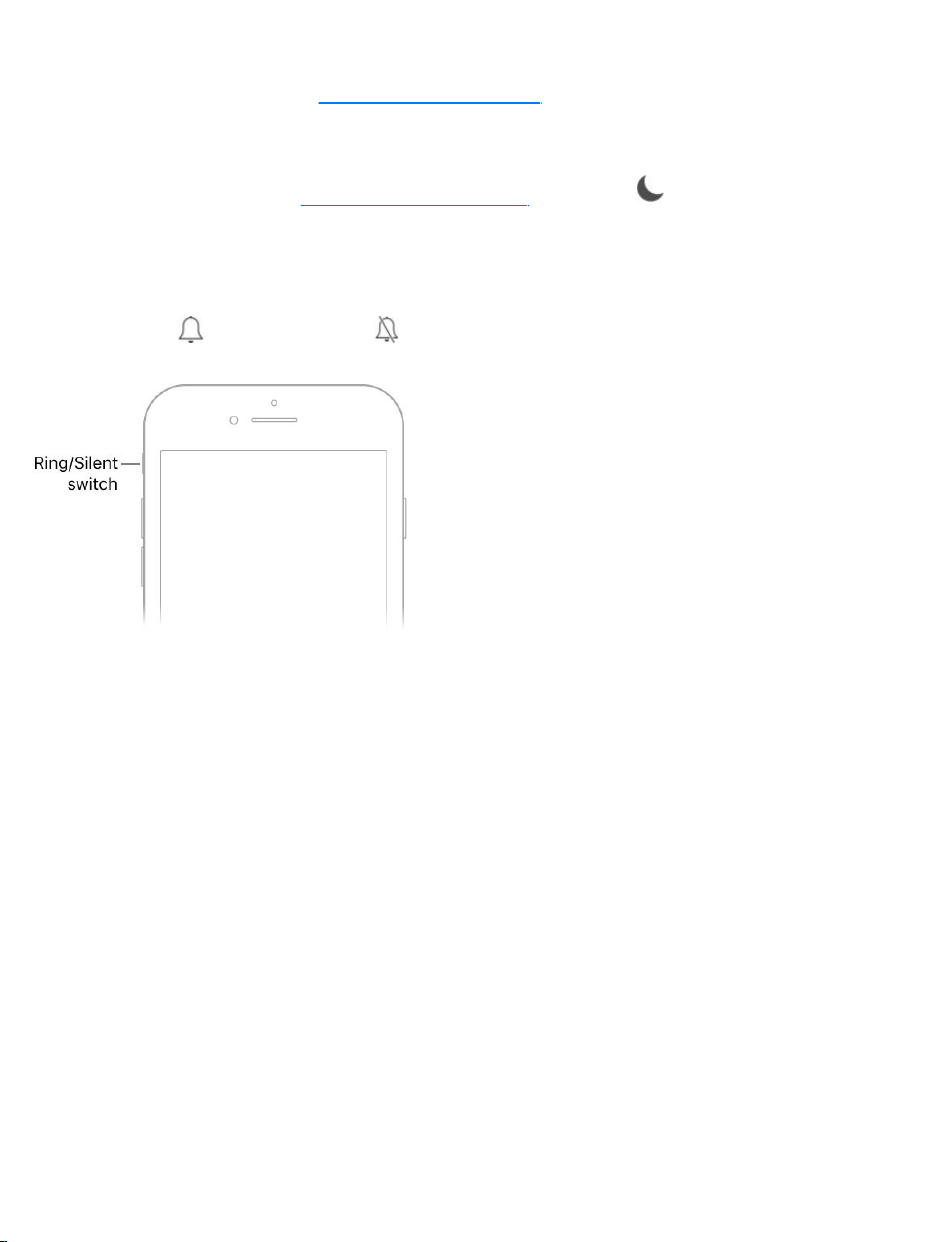
PutiPhoneinringorsilentmode.FliptheRing/SilentswitchtoputiPhone
inringmode orsilentmode .
Inringmode,iPhoneplaysallsounds.Insilentmode(switchshowsorange),
iPhonedoesn’tringorplayalertsandothersoundeffects(butiPhonemaystill
vibrate).
Important:Clockalarms,audioappssuchasMusic,andmanygamesplay
soundsthroughthebuilt-inspeaker,evenwheniPhoneisinsilentmode.In
someareas,thesoundeffectsforCameraandVoiceMemosareplayed,even
iftheRing/Silentswitchissettosilent.
Forinformationaboutchangingsoundandvibrationsettings,see
.
Soundsandhaptics
openControlCenter
TurnonDoNotDisturb
OpenControlCenter
Soundsand
haptics

YoucanchangeorturnoffthesoundsiPhoneplayswhenyougetacall,text,
voicemail,email,reminder,orotherevent.
,youfeelatap—calledhapticfeedback—afteryou
performsomeactions,suchasopeningTodayView.
Setsoundoptions.GotoSettings>Sounds&Haptics(
)orSettings>Sounds(othermodels)foroptionssuchasringtones
andalerttones,vibrationsettingsandpatterns,andringerandalertvolumes.
Setvibrationpatterns.GotoSettings>Sounds&Haptics(
)orSettings>Sounds(othermodels),thenchooseanitemfromthe
SoundsandVibrationPatternslist.Toselectapatternorcreateyourown,tap
Vibration.
Totemporarilysilenceincomingcalls,alerts,andsoundeffects,
.
Turnhapticfeedbackofforon.GotoSettings>Sounds&Haptics(
).
Tip:Ifyou’renothearingorseeingincomingcallsandalertswhenyou
expect, ,thenseeifDoNotDisturbison.If is
highlighted,tapittoturnoffDoNotDisturb.(WhenDoNotDisturbison,
alsoappearsinthestatusbar.)
DoNotDisturb
ToquicklysilenceiPhone,whetheryou’regoingtodinnerorgoingtosleep,
turnonDoNotDisturb.Itsilencesnotificationsandcallsandpreventsthem
fromlightingupthescreen.(Tohelpkeepcalls,textmessages,and
Onsupportedmodels
onsupported
models
onsupported
models
turnonDoNot
Disturb
on
supportedmodels
openControlCenter

notificationsfromdistractingyouwhileyoudrive,
.)
TurnonDoNotDisturb. ,thentap .WhenDoNot
Disturbison, appearsinthestatusbar.
AllowcallswhenDoNotDisturbison.GotoSettings>DoNotDisturb.To
allowincomingcallsfromselectedgroups,tapAllowCallsFrom.Toallow
repeatedcallstocomethroughforemergencysituations,turnonRepeated
Calls.
AllowcallsandmessagesfromemergencycontactswhenDoNot
Disturbison.GotoContacts,selectacontact,tapEdit,tapTextToneor
Ringtone,thenturnonEmergencyBypass.Or, andidentify
anemergencycontact.EvenifDoNotDisturbison,callsandmessagesfrom
youremergencycontactscomethrough.
Schedulequiethours.GotoSettings>DoNotDisturb,turnonScheduled,
thensetthestarttimeandendtimeforyourquiethours.
SetwhentosilenceiPhone.TosetwhetherDoNotDisturbsilencesiPhone
onlywhenit’slocked,orevenwhenit’sunlocked,gotoSettings>DoNot
Disturb.
DoNotDisturbwhiledriving
WARNING:Forimportantinformationaboutnavigationandavoiding
distractionsthatcouldleadtodangeroussituations,see
.DoNotDisturbwhiledrivingisnotasubstituteforfollowingall
rulesthatprohibitdistracteddriving.
useDoNotDisturbwhile
driving
OpenControlCenter
createaMedicalID
Importantsafety
information

iPhonecansensewhenyoumightbedrivingandthenhelpyoustayfocused
ontheroad.WhenDoNotDisturbwhiledrivingisactivated,textmessages
andothernotificationsarelimited,andincomingcallsareallowedonlywhen
iPhoneisconnectedtoacarBluetoothdeviceorahands-freeaccessory,or
youturnonRepeatedCallsinSettings>DoNotDisturb(whichallowsthe
secondcallmadewithinthreeminutesbythesamepersontoringthrough).
UseDoNotDisturbwhiledriving.GotoSettings>DoNotDisturb>
Activate,thenchooseanoption:Automatically(wheniPhonedetectsyoumight
bedriving),Manually(onlyfromControlCenter),orWhenConnectedtoCar
Bluetooth.OrturnitonwhenaskedafteriPhonedetectsthatyoumighthave
drivenavehicle.
IfyouchooseManually,addDoNotDisturbwhiledrivingtoControlCenter.Go
toSettings>ControlCenter>CustomizeControls,thentap nexttoDoNot
DisturbWhileDriving.
WhenDoNotDisturbwhiledrivingissettoturnonautomatically,itmay
becomeactivatedwhenyou’reapassenger.Toresumegettingcalls,
messages,andnotificationswhileriding,taptheDoNotDisturbnotificationon
theLockscreen,thentapI’mNotDriving.OrpresstheHomebutton,thentap
I’mNotDriving.

Sendanauto-replythatyou’redriving.GotoSettings>DoNotDisturb>
Auto-ReplyTo,thenselectagroup.Tosendanauto-replytoanyoneyousent
messagestointheprevioustwodays,chooseRecents.
Note:Ifanyonerespondstoyourauto-replymessagewiththemessage
“Urgent,”allsubsequenttextsfromthatpersoncomethroughfortheremainder
ofyourdrive.
Changetheauto-replymessageforDoNotDisturbwhiledriving.Goto
Settings>DoNotDisturb>Auto-Reply,thentapthemessagetobringupthe
keyboard.
Lockscreen

TheLockscreenappearswhenyouturnonorwakeiPhone.Youcanquickly
accessthefeaturesandinformationyouneedmostfromtheLockscreen,
evenwhileiPhoneislocked.
FromtheLockscreenyoucan:
Seeyourmostrecentnotifications.To ,swipe
upfromthecenterofthescreen.
Swipeleftto .
Swiperightto ,whichshowsinformationfromyourfavorite
appsataglance.
Swipeupfromthebottomedgeofthescreento .
UnlockiPhone.PresstheHomebutton,thenenterthepasscode(ifrequired).
seeyesterday’snotifications
openCamera
seeTodayView
openControlCenter

ChoosewhatyoucanaccessfromtheLockscreen.GotoSettings>
TouchID&Passcode.YoucanchangeaccesstoTodayView,Recent
Notifications,ControlCenter,andmore.
Notifications
Notificationshelpyoukeeptrackofwhat’snew.Theyletyouknowifyou
missedacall,ifthedateofaneventmoved,andmore.Youcancustomizeyour
notificationssoyouseeonlywhat’simportanttoyou.
RespondfromtheLockscreen.Pressthenotification(tapitondevices
without3DTouch).See .
Respondwithoutleavingthecurrentapp.Pulldownonthenotification
whenitappearsatthetopofyourscreen.Todismissitwithoutresponding,
swipeitup.Thisfeatureworkswithtextandemailmessages,calendar
3DTouch

invitations,andmore.
Seerecentandearliernotificationsfromanyscreen.Swipedownfrom
thetopedgeofthescreentoseerecentnotifications,thenswipeupfromthe
centerofthescreentoseeoldernotifications.Fromthenotificationsscreen,
youcanalsodothefollowing:
Respondtoanotification:Tapit.
OpenCamera:Swipeleft.
SeeTodayView:Swiperight.
Returntowhereyouleftoff:Swipeupfromthebottomedgeofthescreen
orpresstheHomebutton.
3DTouch.Pressanotificationtorespondtoit.See .
Removeanotification.Touchandholdthenotification,thentap .To
removeagroupofnotifications,tap .
3DTouch.Press toclearallnotifications.See .
Setnotificationpreferences.GotoSettings>Notifications.Tapanappto
setwhethertoallownotificationsandtosetnotificationstyleoptions.To
choosewhentoshowpreviewsforallapps,tapShowPreviews,thenchoose
anoption.(PreviewsincludetextfromMessages,linesfromMailmessages,
anddetailsaboutCalendarinvitations.)
ChoosewhethertoshownotificationsontheLockscreen.Goto
Settings>TouchID&Passcode,thenbelowAllowAccessWhenLocked,turn
onRecentNotifications.
Getgovernmentalerts.Insomeareas,youcanturnonalertsinthe
GovernmentAlertslist.GotoSettings>Notifications.
3DTouch
3DTouch
Forexample,intheUnitedStates,iPhonecanreceivepresidentialalerts,and
youcanturnAMBERandEmergencyAlerts(whichincludesbothSevereand
ExtremeImminentThreatalerts)onoroff(they’reonbydefault).InJapan,
iPhonecanreceiveEmergencyEarthquakeAlertsfromtheJapan
MeteorologicalAgency.GovernmentalertsvarybycarrierandiPhonemodel,
andmaynotworkunderallconditions.Formoreinformation,seethe
website.
Silenceallyournotifications.GotoSettings>DoNotDisturb.Youcanalso
useSiritoturnDoNotDisturbonoroff.Say“TurnonDoNotDisturb”or“Turn
offDoNotDisturb.”
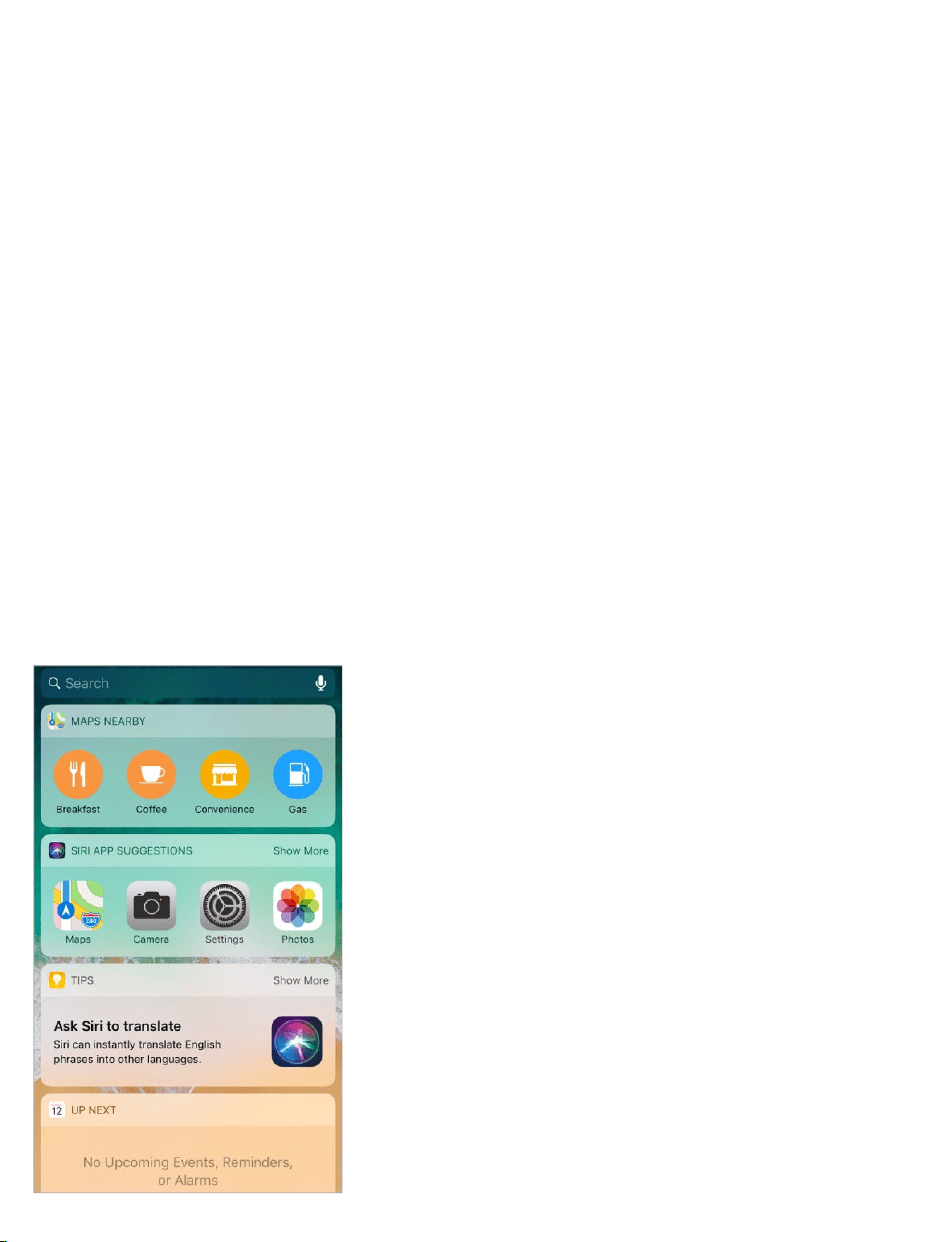
TodayView
Getinformationfromyourfavoriteapps,ataglance.ChoosefromMaps
Nearby,Calendar,Notes,News,Reminders,andmore.
About
emergencyandAMBERalerts

OpenTodayView.SwiperightfromtheleftedgeoftheHomescreenorthe
Lockscreen.
AddandorganizeTodayViewwidgets.Tochoosewhichwidgetsappear,
tapEditatthebottomofthescreen.Tap or toaddorremovewidgets.To
arrangetheorderofyourinformation,touch ,thendragtoanewposition.
Note:ToincludetrafficconditionsforyourcommuteinTodayView,makesure
FrequentLocationsisturnedoninSettings>Privacy>LocationServices>
SystemServices>FrequentLocations.
ChoosewhethertoallowaccesstoTodayViewwheniPhoneislocked.
GotoSettings>TouchID&Passcode.
ControlCenter
ControlCentergivesyouinstantaccesstoairplanemode,DoNotDisturb,a
flashlight,andotherhandyfeatures.
OpenControlCenter.Dragupfromthebottomedgeofthescreen.
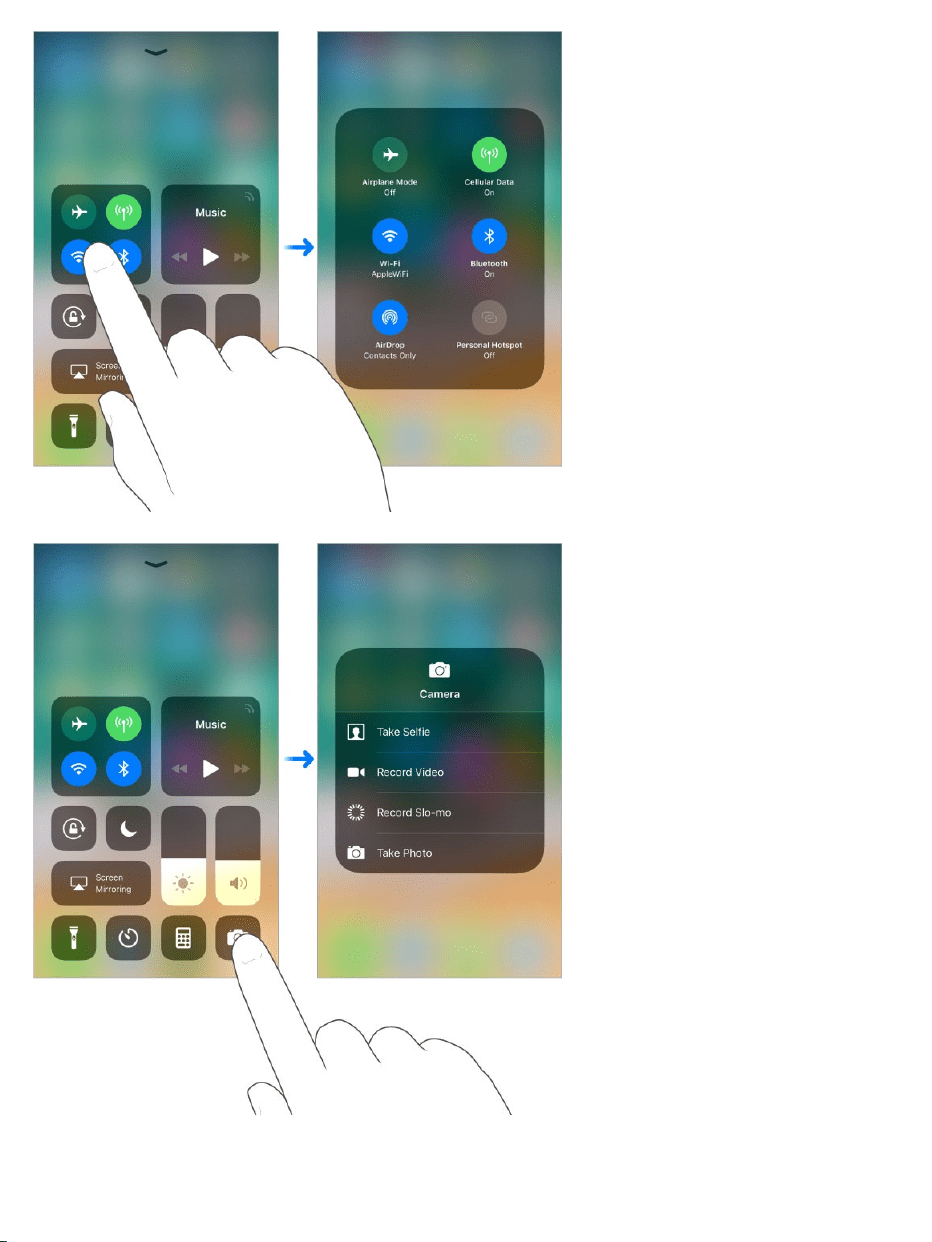
Accessmorecontrols.Manycontrolsofferadditionaloptions.Tosee
availableoptions,pressacontrol(touchandholditondeviceswithout
3DTouch).Forexample,AirDropoptionsareavailablewhenyoupress(or
touchandhold)thetop-leftgroupofcontrols,thentap .Optionstotakea
selfie,takeaphoto,orrecordavideoareavailablewhenyoupress(ortouch
andhold) .
DisconnectfromthecurrentWi-Finetwork.Tap .Toreconnect,tapit
again.ToseethenameofaconnectedWi-Finetwork,press (touchand
holdthebuttonondeviceswithout3DTouch).
BecauseWi-Fiisn’tturnedoffwhenyoudisconnectfromanetwork,AirPlay
andAirDropstillwork,andiPhonejoinsknownnetworkswhenyouchange
locationsorrestartiPhone.ToturnoffWi-Fi,gotoSettings>Wi-Fi.(Toturnon
Wi-FiagaininControlCenter,tap .)ForinformationaboutturningWi-Fion
oroffinControlCenterwhileinairplanemode,see .
DisconnectfromBluetoothdevices.Tap .Toallowconnections,tapthe
buttonagain.
BecauseBluetoothisn’tturnedoffwhenyoudisconnectfromdevices,location
accuracyandotherservicesarestillenabled.ToturnoffBluetooth,goto
Settings>Bluetooth.ToturnonBluetoothagaininControlCenter,tap .For
informationaboutturningBluetoothonoroffinControlCenterwhileinairplane
mode,see .
CloseControlCenter.SwipedownorpresstheHomebutton.
TurnoffaccesstoControlCenterinapps.GotoSettings>ControlCenter.
Addandorganizecontrols.GotoSettings>ControlCenter>Customize
Controls.Tap or toaddorremovecontrols.Torearrangecontrols,touch
nexttoacontrol,thendragittoanewposition.
Changethescreenorientation
ManyappsgiveyouadifferentviewwhenyourotateiPhone.
TravelwithiPhone
TravelwithiPhone

Whenyouuse inlandscapeorientation,someappshave
speciallayouts.Theseappsinclude:
Mail
Calendar
Settings
Messages
Note:ThesespeciallayoutsarenotavailablewhenDisplayZoomisenabled.
Lockthescreenorientation. ,thentap .
Whenthescreenorientationislocked, appearsinthestatusbar.
Entertext
Typeandedittext
supportedmodels
OpenControlCenter
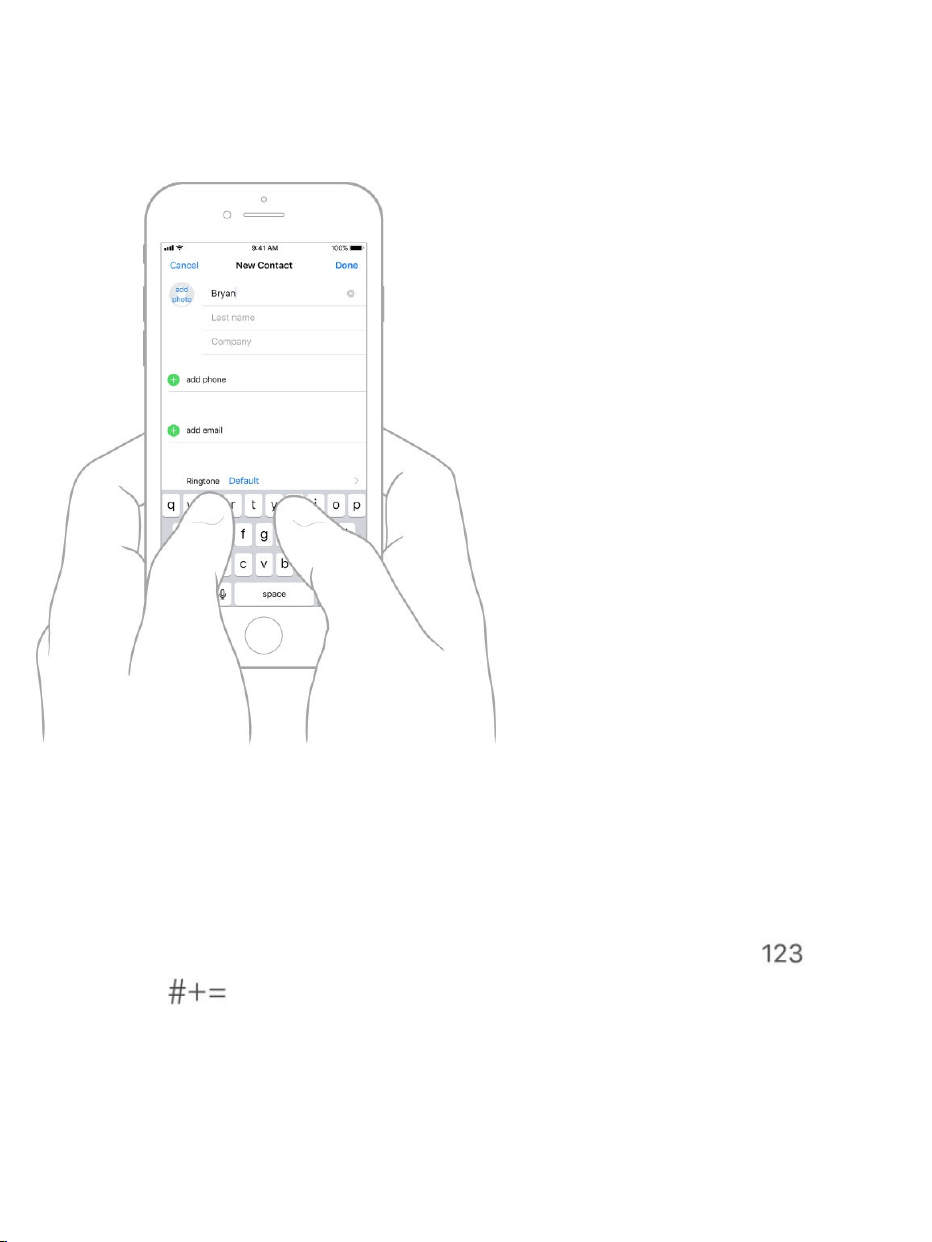
Tapatextfieldtoseetheonscreenkeyboard,thentapletterstotype.Ifyou
touchthewrongkey,youcanslideyourfingertothecorrectkey.Theletterisn’t
entereduntilyoureleaseyourfingerfromthekey.
Typeuppercaseletters.TapShifttotypeuppercase,ortouchtheShiftkey
andslidetoaletter.
TurnonCapsLock.Double-tapShift.
Enternumbers,punctuation,orsymbols.TaptheNumberkey orthe
Symbolkey .
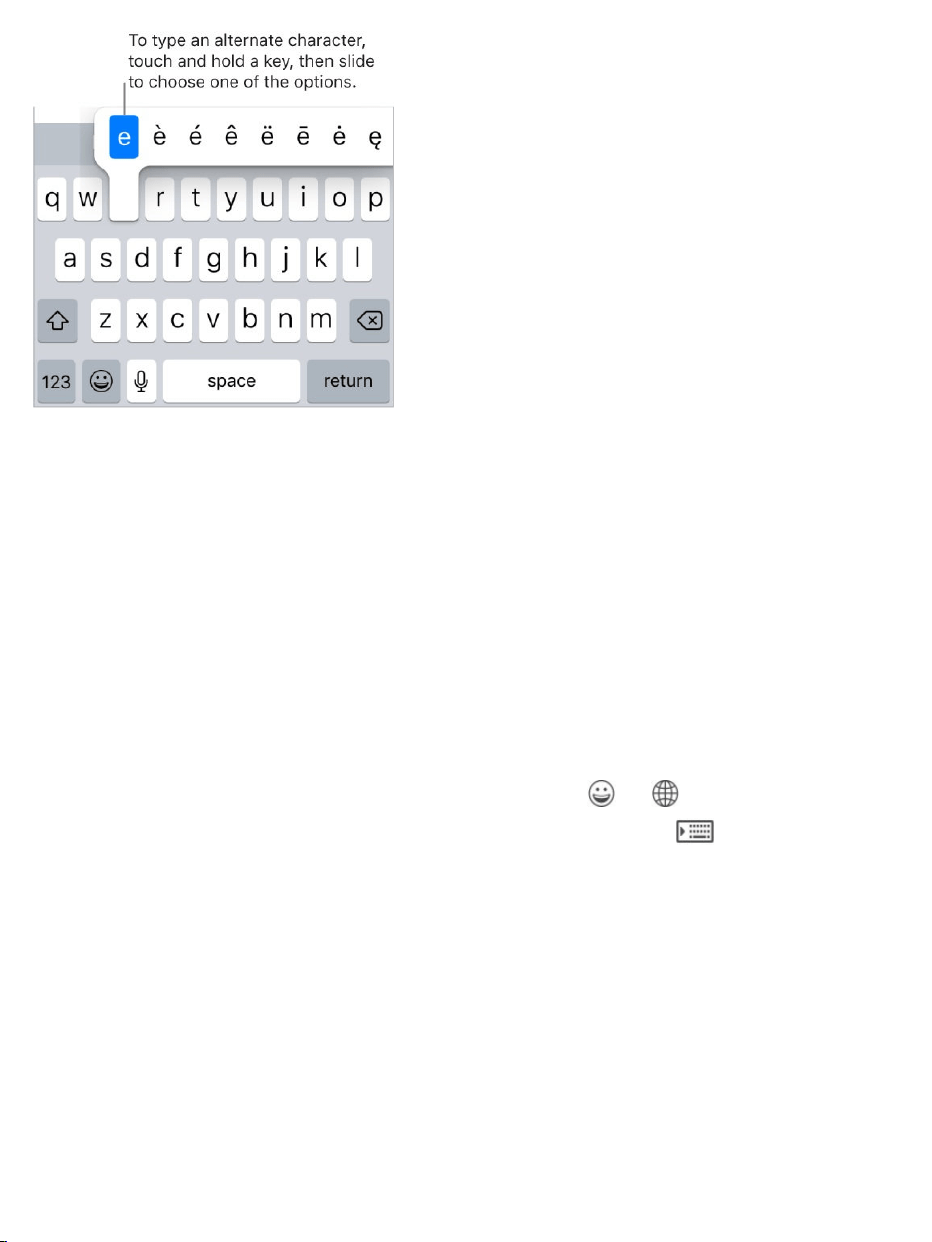
Enteraccentedlettersorotheralternatecharacters.Touchandholdakey,
thenslidetochooseoneoftheoptions.
Quicklyendasentencewithaperiodandaspace.Double-taptheSpace
bar.
Correctspelling.Ifyouseeawordunderlinedinred,tapittoseesuggested
corrections.Ifthewordyouwantdoesn’tappear,typethecorrection.
Ifyouseeawordunderlinedinred,tapittoseesuggestedcorrections.Ifthe
wordyouwantdoesn’tappear,typethecorrection.
Typewithonehand.Tomovethekeysclosertoyourthumb(allmodels
exceptiPhoneSEandiPhone5s),touchandhold or ,thenslideto
chooseoneofthekeyboardlayouts.Forexample,choose tomovethe
keyboardtotherightsideofthescreen.

Setoptionsfortypingoraddkeyboards.GotoSettings>General>
Keyboard.
OniPhone6andlater,theonscreenkeyboardincludesadditionalkeys,which
youcanseewhenyouholdiPhoneinlandscapeorientation.
YoucanalsouseanAppleWirelessKeyboardtoentertext.See
.Todictateinsteadoftyping,see .
Revisetext.Touchandholdthetexttoshowthemagnifyingglass,thendragto
positiontheinsertionpoint.
Apple
WirelessKeyboard Dictate
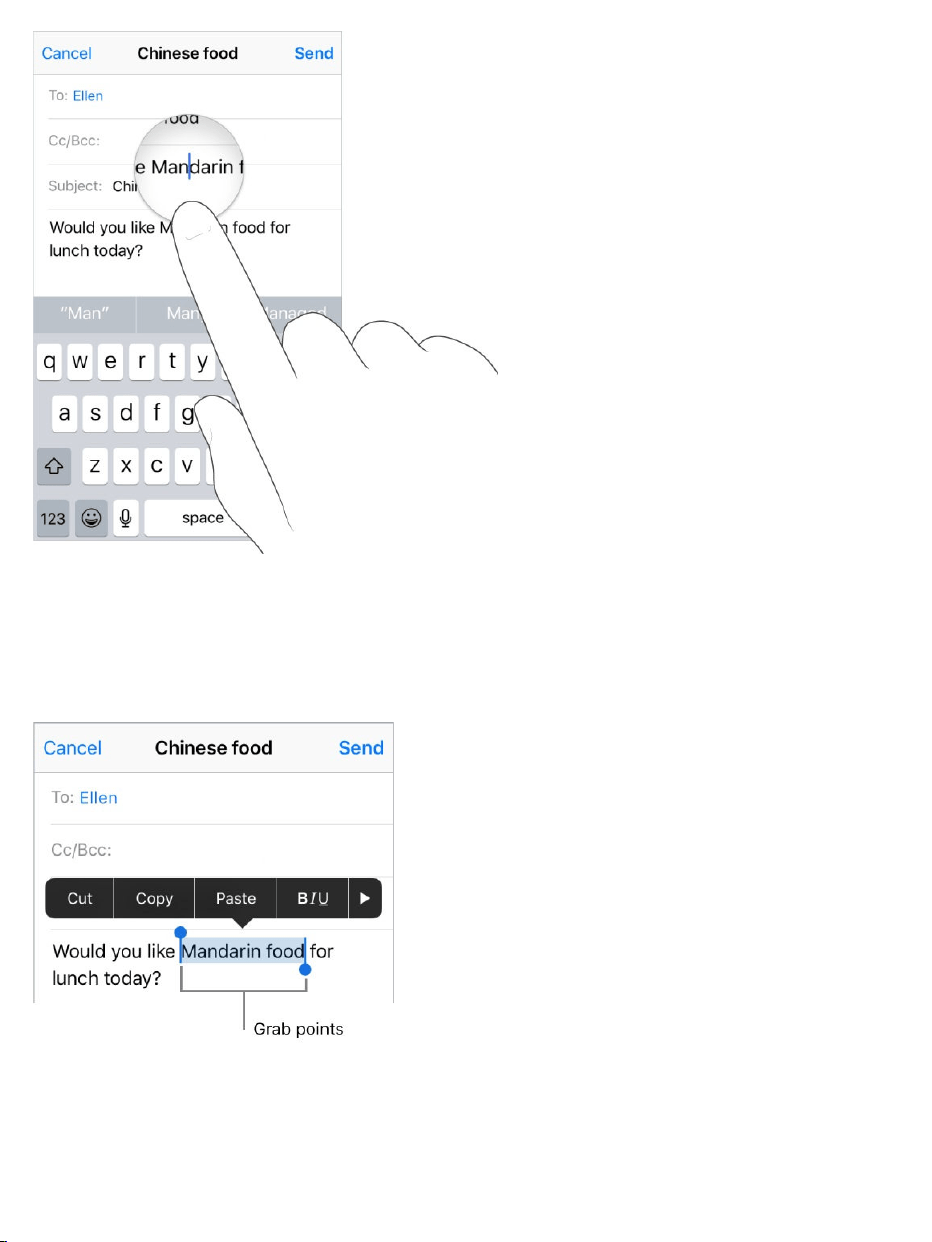
Selecttext.Taptheinsertionpointtodisplaytheselectionoptions.Ordouble-
tapawordtoselectit.Dragthegrabpointstoselectmoreorlesstext.Inread-
onlydocuments,suchaswebpages,touchandholdtoselectaword.
Youcancut,copy,orpasteoverselectedtext.WithUniversalClipboard,you
canalso .
Youcanalsomoveselectedtextwithinanappby .
cutorcopysomethingononeAppledevice,andpasteittoanother
usingdraganddrop

Withsomeapps,youcanalsomaketextbold,italic,andunderlined(tapB/I/U);
seesuggestionsinLookUp;orhaveSirisuggestalternativetext.Tap tosee
alltheapp’soptions.WhenyouchooseLookUp,youseesuggested
informationfromthewebandotherapps.ToturnoffSuggestionsinLookUp,
gotoSettings>Siri&Search.
3DTouch.Toturnyourkeyboardintoatrackpad,pressthekeyboarduntilit
turnslightgray.Movethecursorbydraggingaroundthekeyboard.Without
liftingyourfinger,pressalittledeepertoselectaword.Presstwicetoselecta
sentence.Pressthreetimestoselectaparagraph.Afterpressing,youcan
dragtoselectmoretext.See .
Undothelastedit.ShakeiPhone,thentapUndo.
Predictivetext
3DTouch

Asyouwrite,Siripredictsyournextword,suggestsemojithatcouldtakethe
placeofyourword,andmakesothersuggestionsbasedonyourrecentactivity
andinformationfromyourapps(notavailableforalllanguages).InMessages,
forexample,whenyoutypesomethinglike:
“Mynumberis,”yourphonenumberappearsasanoption.
“I’mat,”yourcurrentlocationappearsasanoption.
Tapawordtochooseit,oracceptahighlightedpredictionbyenteringaspace
orpunctuation.Whenyoutapasuggestedword,aspaceappearsafterthe
word.Ifyouenteracomma,period,orotherpunctuation,thespaceisdeleted.
Rejectasuggestionbytappingyouroriginalword(shownasthepredictivetext
optionwithquotationmarks).
Turnoffpredictivetext.Touchandhold or ,slidetoKeyboardsettings,
thenturnoffPredictive.
Whenyouturnoffpredictivetext,iPhonemaystilltrytosuggestcorrectionsfor
misspelledwords.Toacceptacorrection,enteraspaceorpunctuation,ortap
return.Torejectacorrection,tapthe“x.”Ifyourejectthesamesuggestiona

fewtimes,iPhonestopssuggestingit.
Dictate
Youcandictatetextinsteadoftypingit.MakesureEnableDictationisturned
on(gotoSettings>General>Keyboard,thenturnonEnableDictation).
On ,youcanusedictationwhenyou’renotconnectedtothe
Internet.
Note:Dictationmaynotbeavailableinalllanguagesorinallareas,and
featuresmayvary.Cellulardatachargesmayapply.See .
Dictatetext.Tap ontheonscreenkeyboardorintheSearchfield,then
speak.Whenyoufinish,tapDone.Toinserttext,taptoplacetheinsertion
point,thentap .Youcanalsoreplaceselectedtextbydictating.
Addpunctuationorformattext.Saythepunctuationorformat.Forexample,
“DearMarycommathecheckisinthemailexclamationmark”becomes“Dear
Mary,thecheckisinthemail!”Punctuationandformattingcommandsinclude:
quote…endquote
newparagraph
newline
supportedmodels
Cellulardatasettings

cap—tocapitalizethenextword
capson…capsoff—tocapitalizethefirstcharacterofeachword
allcaps—tomakethenextwordalluppercase
allcapson…allcapsoff—tomaketheenclosedwordsalluppercase
nocapson…nocapsoff—tomaketheenclosedwordsalllowercase
nospace—toeliminatethespacebetweentwowords(notavailableforall
languages)
nospaceon…nospaceoff—torunaseriesofwordstogether(not
availableforalllanguages)
smiley—toinsert:-)
frowny—toinsert:-(
winky—toinsert;-)
Savekeystrokes
Ashortcutletsyouenterawordorphrasebytypingjustafewcharacters.For
example,type“omw”toenter“Onmyway!”Thatone’salreadysetupforyou,
butyoucanalsoaddyourown.
Createashortcut.Touchandhold or ,slidetoKeyboardsettings,then
tapTextReplacement.
Haveawordorphraseyouuseanddon’twantitcorrected?Createa
shortcut,butleavetheShortcutfieldblank.

UseiCloudtokeepyourpersonaldictionaryuptodateonyourother
devices.GotoSettings>[yourname]>iCloud,thenturnoniCloudDrive.
Addorchangekeyboards
Youcanturntypingfeatures,suchasspellchecking,onoroff;addkeyboards
forwritingindifferentlanguages;andchangethelayoutofyouronscreen
keyboardorAppleWirelessKeyboard.
Ifyou’veaddedkeyboardsinotherlanguages,youcantypeintwolanguages
withouthavingtoswitchbetweenkeyboards.Yourkeyboardautomatically
switchesbetweenthetwolanguagesyoutypeinmostoften.(Notavailablefor
alllanguages.)
Settypingfeatures.Touchandhold or ,thenslidetoKeyboard
settings.OrgotoSettings>General>Keyboard.
Addakeyboardforanotherlanguage.GotoSettings>General>
Keyboard>Keyboards>AddNewKeyboard.
Switchkeyboards.Touchandhold or ,thenslideyourfingertothe
nameofthekeyboard.
Youcanalsotap or toswitchfromonekeyboardtotheother.Continue
tappingtoaccessotherenabledkeyboards.
Forinformationaboutinternationalkeyboards,see
.
Changethekeyboardlayout.GotoSettings>General>Keyboard>
Keyboards,selectakeyboard,thenchoosealayout.
Useinternational
keyboards

Formoreinformationaboutyourkeyboard,seetheAppleSupportarticle
.
Moveitems
Withdraganddrop,youcanuseafingertomoveitemswithinanapp.For
example,youcanrearrangealistinReminders,moveatextselectionora
photoinNotes,ordraganeventtoanewtimeslotinCalendar.(Notallthird-
partyappssupportdraganddrop.)
Moveanitem.Touchandholdtheitemuntilitliftsup(ifit’stext,selectitfirst),
thendragittoanotherlocationwithintheapp.Ifyoudragtothebottomortop
ofalongdocument,itautomaticallyscrolls.
Selectmultipleitemstomove.Touchandholdthefirstitem,dragitslightly,
thencontinueholdingitwhileyoutapadditionalitemswithanotherfinger.A
badgeindicatesthenumberofselecteditems.Youcanthendragallofthe
itemstogether.
Get
helpwiththekeyboardonyouriPhone,iPad,oriPodtouch
Ifyouchangeyourmind.Liftyourfingerbeforedragging,ordragtheitem
offthescreen.
Search
WhenyousearchoniPhone,yougetresultsfromtheInternet,frommediaand
othercontentonyouriPhone,fromiTunesandtheAppStore,andfromyour
apps,likeMapsandContacts.InSettings,youcanspecifywhichappsyou
wanttobeincludedinsearchresults.
SearchwithiPhone.ToshowSearchfromtheHomescreen,swipedown
fromthecenter.ToshowSearchfromanapp,swipedownfromthetopedgeof
thescreen,thenswiperight.
Hidethekeyboardandseemoreresultsonthescreen:TapSearch.
Openasuggestedapp:Tapit.
Getmoreinformationaboutasearchsuggestion:Tapit,thentaponeof
theresultstoopenit.
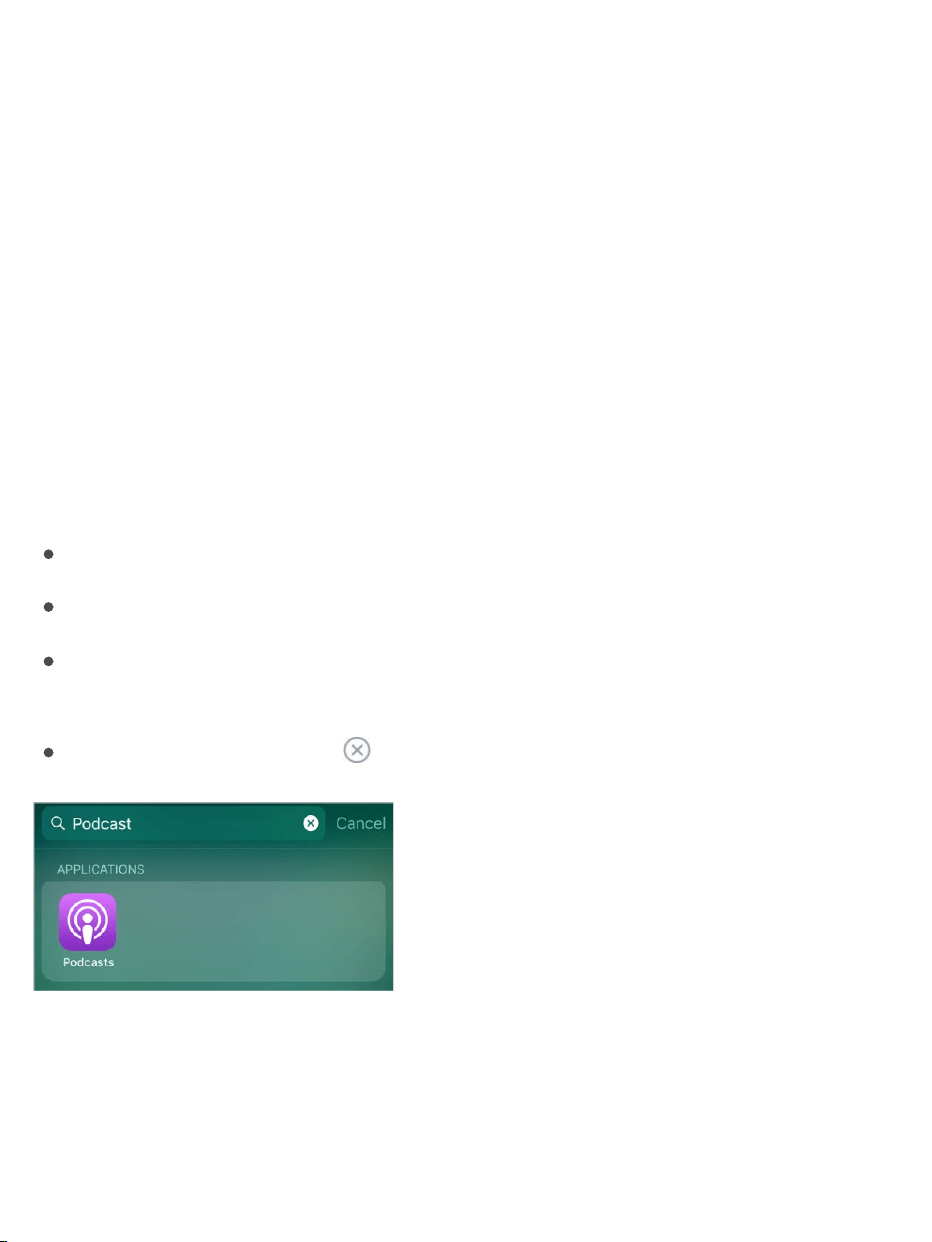
Startanewsearch:Tap inthesearchfield.
Choosewhichappstoincludeinsearch.GotoSettings>Siri&Search,
tapanapp,thenturnSearch&SiriSuggestionsofforon.
TurnoffSuggestionsinSearch.GotoSettings>Siri&Search,thenturnoff
SuggestionsinSearch.

TurnoffLocationServicesforsuggestions.GotoSettings>Privacy>
LocationServices.TapSystemServices,thenturnoffLocation-Based
Suggestions.
Searchinapps.Manyappsincludeasearchfieldsoyoucanfindsomething
withintheapp.Forexample,intheMapsapp,youcansearchforaspecific
location.Tapthesearchfieldandtypeyoursearch.
UseMarkup
InappsincludingNotes,Mail,andiBooks,youcanannotateimages,notes,
PDFs,screenshots,andmorewithbuilt-indrawingtools.Insomeapps,you
canalsoaddtext,speechbubblesandothershapes,andsignatures.
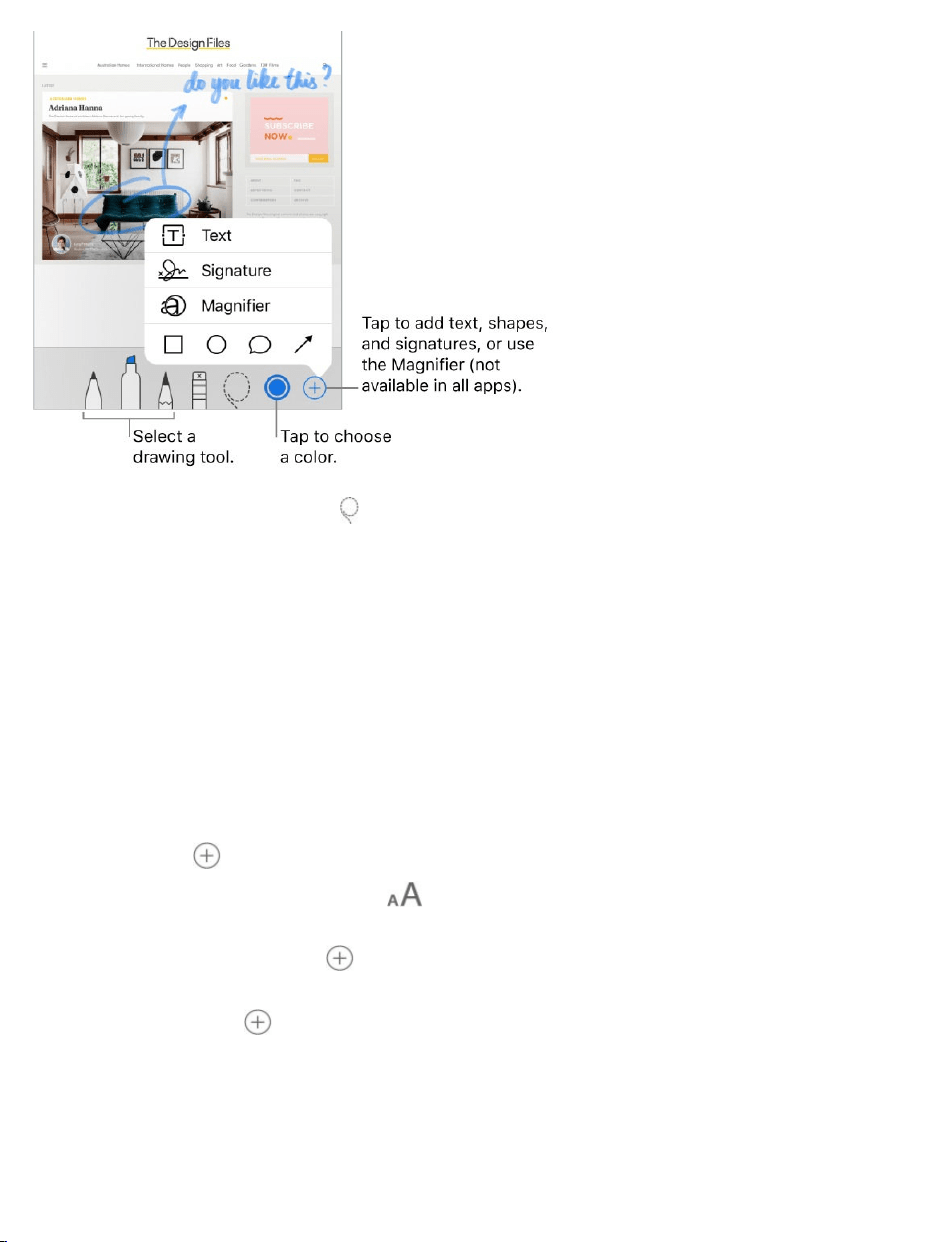
Markitup.Tap ,thenuseyourfingertodraw.
Tomarkupascreenshotrightafteryoutakeit,tapthethumbnailthatappears
forafewmomentsinthebottom-leftcornerofthescreen.(Tosharea
screenshotafteryoumarkitup,tap .)
Chooseamarkuptool.Tapthepencil,marker,orpentool.Switchtothe
eraser—ortap —ifyoumakeamistake.
Moveyourdrawings.Tap ,dragaroundoneormoredrawingstomakea
selection,liftyourfinger,thendragyourselectiontoanewlocation.
Viewmorecolorchoices.Tapthecurrentcolortoviewacolorpalette.Swipe
thepaletteleftorrighttoseemorecolors.Or,holdiPhoneinlandscape
orientation.
Zoomin.Pinchopensoyoucandrawthedetails,thenpinchclosedtozoom
backout.Tonavigatewhenyou’rezoomedin,dragtwofingers.
Addtext.Tap ,thentapText.Tapthetextbox,tapEdit,thentypeyourtext.
Tochangethefontorlayout,tap .Tomovethetextbox,dragit.
Addyoursignature.Tap ,thentapSignature.
Addashape.Tap ,thentapashape.Tomovetheshape,dragit.Toresize
it,draganybluedot.

Tofilltheshapewithcolororchangethelinethickness,tap .Toadjustthe
formofashapethathasagreendot,dragthedot.Todeleteorduplicatea
shape,tapitthenchooseanoption.
Magnifyaportionofthescreen.Tap ,thentapMagnifier.Tochangethe
magnificationlevel,dragthegreendot.Tochangethesizeofthemagnifier,
dragthebluedot.
VoiceControl
InsteadoftalkingtoSiri,youcanuseVoiceControltomakecallsandcontrol
musicplayback.Forexample,youmaywanttouseVoiceControlifyoucan’t
useSiribecauseyou’renotconnectedtotheInternet.(Forinformationabout
usingSiritocontroliPhonebyvoice,see .)
Note:WhenyouturnonVoiceControl,youcan’ttalktoSiri.
Makerequests

TurnonVoiceControl.GotoSettings>General>Accessibility>Home
Button,thenchooseVoiceControl(belowPressandHoldtoSpeak).
UseVoiceControl.PressandholdtheHomebuttonuntiltheVoiceControl
screenappearsandyouhearabeep,orpressandholdthecenterbuttonon
yourheadset.See .
Forbestresults:
Speakclearlyandnaturally.
SayonlyVoiceControlcommands,names,andnumbers.Pauseslightly
betweencommands.
Usefullnames.
Youmustspeakvoicecommandsinthesamelanguagethat’ssetforiPhone
(inSettings>General>Language&Region).
TurnoffVoiceControl.GotoSettings>General>Accessibility>Home
Button,thenchooseSiriorOff(belowPressandHoldtoSpeak).
YoucankeepVoiceControlfromdialingwheniPhoneislocked.Goto
Settings>TouchID&Passcode,thenturnoffVoiceDial.
Forspecificcommands,see and .
Reachability
On ,ifyou'reusingiPhoneinportraitorientation,lightlytap
theHomebuttontwicetoslidethescreendownsothatyoucanreach
everythingwithyourthumb.
AppleEarPods
Makeacall SiriandVoiceControl
supportedmodels
TurnoffReachability.TapSettings>General>Accessibility,thenturnoff
Reachability.
Chargeandmonitorthebattery
iPhonehasaninternal,lithium-ionrechargeablebattery.Formoreinformation
aboutthebattery—includingtipsformaximizingbatterylife—gotothe
.
WARNING:Forimportantsafetyinformationaboutthebatteryandcharging
iPhone,see .
Chargethebattery.ConnectiPhonetoapoweroutletusingtheincluded
cableandUSBpoweradapter.Youcanalsochargethebatteryon
byplacingiPhonefaceuponaQiwirelesscharger.
Apple
Lithium-ionBatterieswebsite
Importantsafetyinformation
supported
models
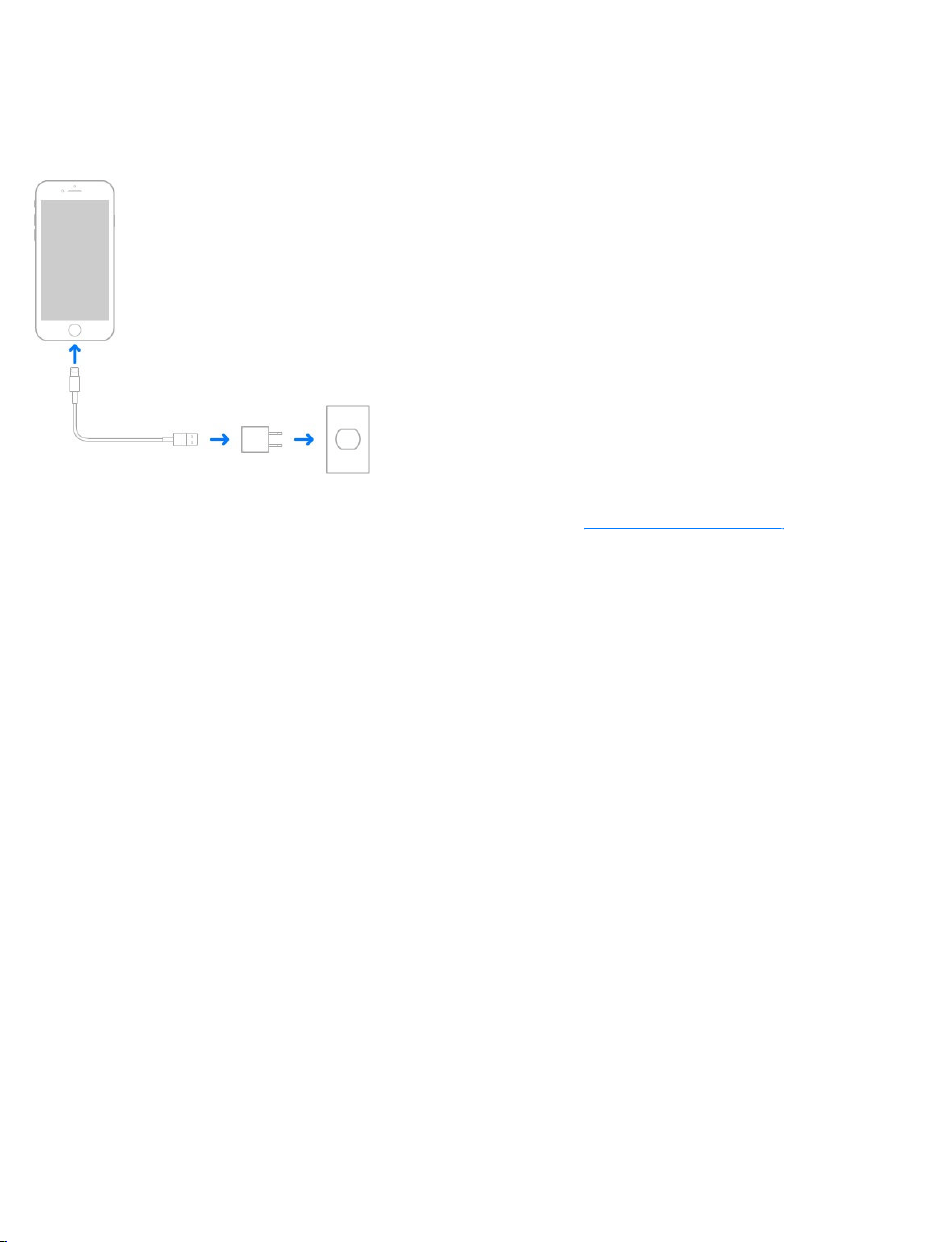
Important:IfyoususpectthatliquidmaybepresentintheLightningconnector
ofiPhone,donotusetheLightningconnectortochargeiPhone.Formore
informationaboutexposuretoliquid,see .
Note:ConnectingiPhonetoapoweroutletor(on )placingit
onacompatiblewirelesschargercanstartaniCloudbackuporwireless
iTunessyncing.See and .
YoucanalsochargethebatterybyconnectingiPhonetoyourcomputer,which
alsoallowsyoutosynciPhonewithiTunes.See .Unlessyour
keyboardhasahigh-powerUSB2.0or3.0port,youmustconnectiPhonetoa
USB2.0or3.0portonyourcomputer.
Important:ThebatterymaydraininsteadofchargeifiPhoneisconnectedto
acomputerthat’sturnedofforisinsleeporstandbymode.
Showpercentageofbatteryremaininginthestatusbar.GotoSettings>
Battery,thenturnonBatteryPercentage.
Seeproportionofbatteryusedbyeachapp.GotoSettings>Battery.
Thebatteryiconintheupper-rightcornershowsthebatterylevelorcharging
status.WhensyncingorusingiPhone,itmaytakelongertochargethebattery.
Importanthandlinginformation
supportedmodels
BackupiPhonewithiTunes SyncwithiTunes
SyncwithiTunes

Important:IfiPhoneisverylowonpower,itmaydisplayanimageofanearly
depletedbattery,indicatingthatitneedstochargeforuptotenminutesbefore
youcanuseit.IfiPhoneisextremelylowonpower,thedisplaymaybeblank
foruptotwominutesbeforethelow-batteryimageappears.
Rechargeablebatteries,likethosefoundiniPhone,havealimitednumberof
chargecyclesandmayeventuallyneedtobereplaced.TheiPhonebattery
shouldbereplacedbyAppleoranauthorizedserviceprovider.Formore
information,gotothe .
LowPowerMode
SwitchtoLowPowerModewhenyouriPhonebatteryisloworwhenyoumay
nothaveaccesstoelectricalpower.LowPowerModelimitsbackground
activityandtunesperformanceforessentialtasks.UsingLowPowerMode
cansignificantlyincreasethelifeofthebatterycharge.
TurnonLowPowerMode.GotoSettings>Battery,thenturnonLowPower
Mode.
Note:IfyouriPhoneswitchestoLowPowerModeautomatically,itswitches
backtonormalpowermodeafterchargingto80%.YouriPhonemightperform
sometasksmoreslowlywheninLowPowerMode.
FindMyFriends
YoucanfindtheFindMyFriendsappintheExtrasfolder.FindMyFriendsisa
greatwaytoshareyourlocationwithpeoplewhoareimportanttoyou.Friends
andfamilymemberswhosharetheirlocationswithyouappearonamap,so
Batteryserviceandrecyclingwebsite

youcanquicklyseewheretheyare.Youcansetnotificationsforfriendsand
familymemberstoalertyouwhentheyleavefromorarriveatvariouslocations.
Note:FormoreinformationaboutFindMyFriends,pleaserefertotheHelpin
theapp.
TurnonShareMyLocation.GotoSettings>[yourname]>iCloud>Share
MyLocation.
Shareyourlocationwithafriend.OpenFindFriendsoniPhone,thentap
Add.Selectacontact’sname,ortypeanameintheTofield,thentapSend.
Choosehowlongyouwanttoshareyourlocation.
ShareyourlocationusingAirDrop.TapAdd,thenselectafriendwho
appearsinAirDrop.Choosehowlongyouwanttoshareyourlocation.
Setanotification.Selectafriend,thentapNotifyMe.Choosewhetheryou
wanttobenotifiedwhenafriendleavesfromorarrivesatalocation.Choose
thefriend’scurrentlocation,ortapOthertocreateanewlocationforthe
notification.
3DTouch.TosharealocationfromtheHomescreen,tapExtras,pressFind
Friends,thenchoosetheShareMyLocationquickaction.See .
TravelwithiPhone
Ifyoutraveloutsideyourcarrier’snetworkarea,youcanavoidroaming
chargesbyturningoffvoiceanddataroamingservicesinSettings>Cellular.
See .
SomeairlinesletyoukeepyouriPhoneturnedonifyouswitchtoairplane
mode.Youcan’tmakecallsoruseBluetooth,butyoucanlistentomusic,play
games,watchvideos,oruseotherappsthatdon’trequirenetworkorphone
3DTouch
Cellulardatasettings
connections.
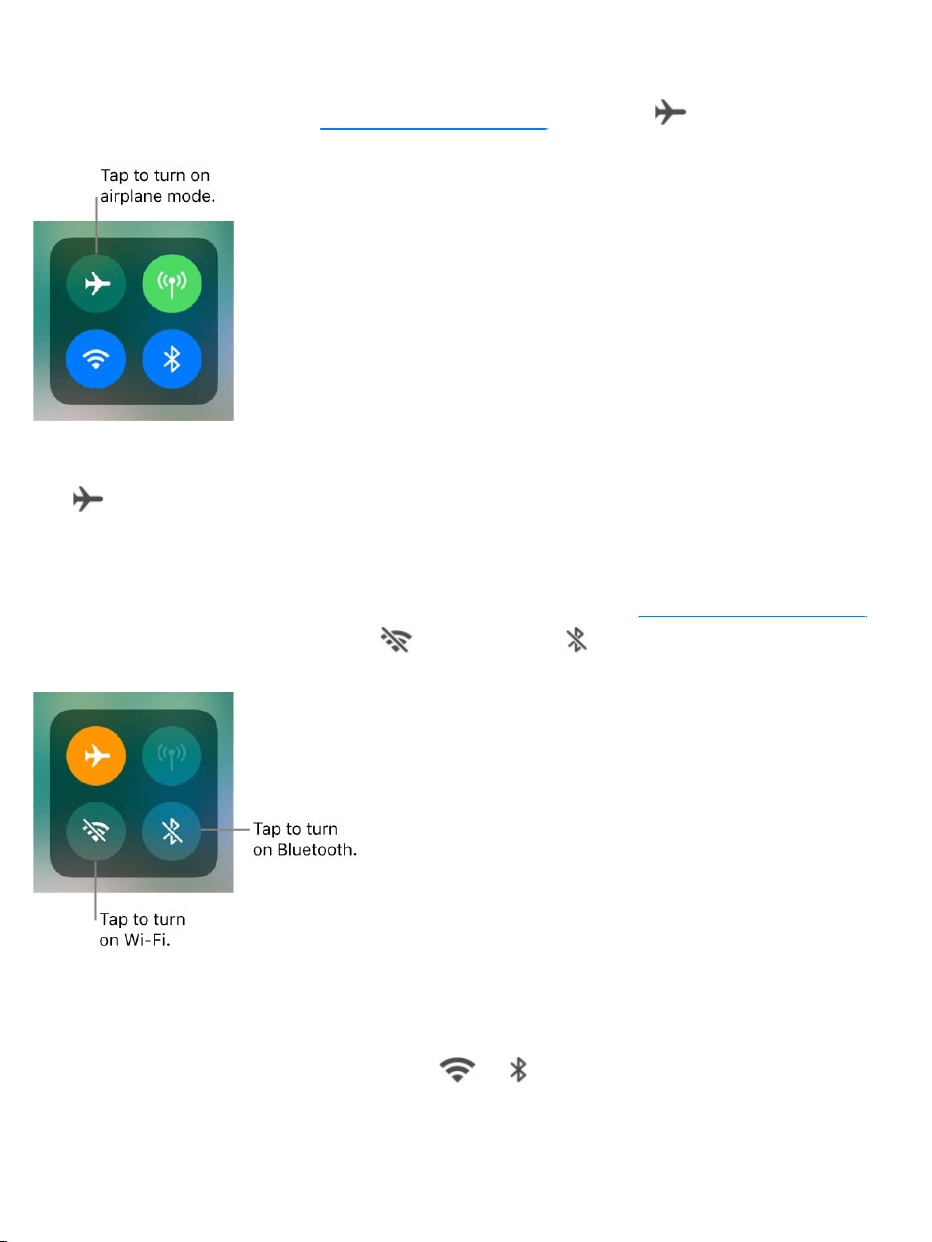
Turnonairplanemode. ,thentap .
YoucanalsoturnairplanemodeonoroffinSettings.Whenairplanemodeis
on, appearsinthestatusbaratthetopofthescreen.
TurnonWi-FiorBluetoothwhileinairplanemode.Ifyourairlineallowsit,
youcanuseWi-FiorBluetoothwhileinairplanemode. ,
turnonairplanemode,thentap (forWi-Fi)or (forBluetooth).
IfyouturnonWi-FiorBluetoothwhileinairplanemode,itwillbeonthenext
timeyoureturntoairplanemode.ToturnoffWi-FiorBluetoothwhileinairplane
mode,openControlCenter,thentap or .
OpenControlCenter
OpenControlCenter

Makerequests
TalkingtoSiriisaquickwaytogetthingsdone.AskSiritosetanalarm,finda
destination,bookarideoratable,orsendalovenote.Siricanevenchange
thelightinginaroomwithHomeKit-controlledlights.Andthemoreyouuse
Siri,thebetteritknowswhatyouneed.
Note:TouseSiri,iPhonemustbeconnectedtotheInternet.See
.Cellularchargesmayapply.
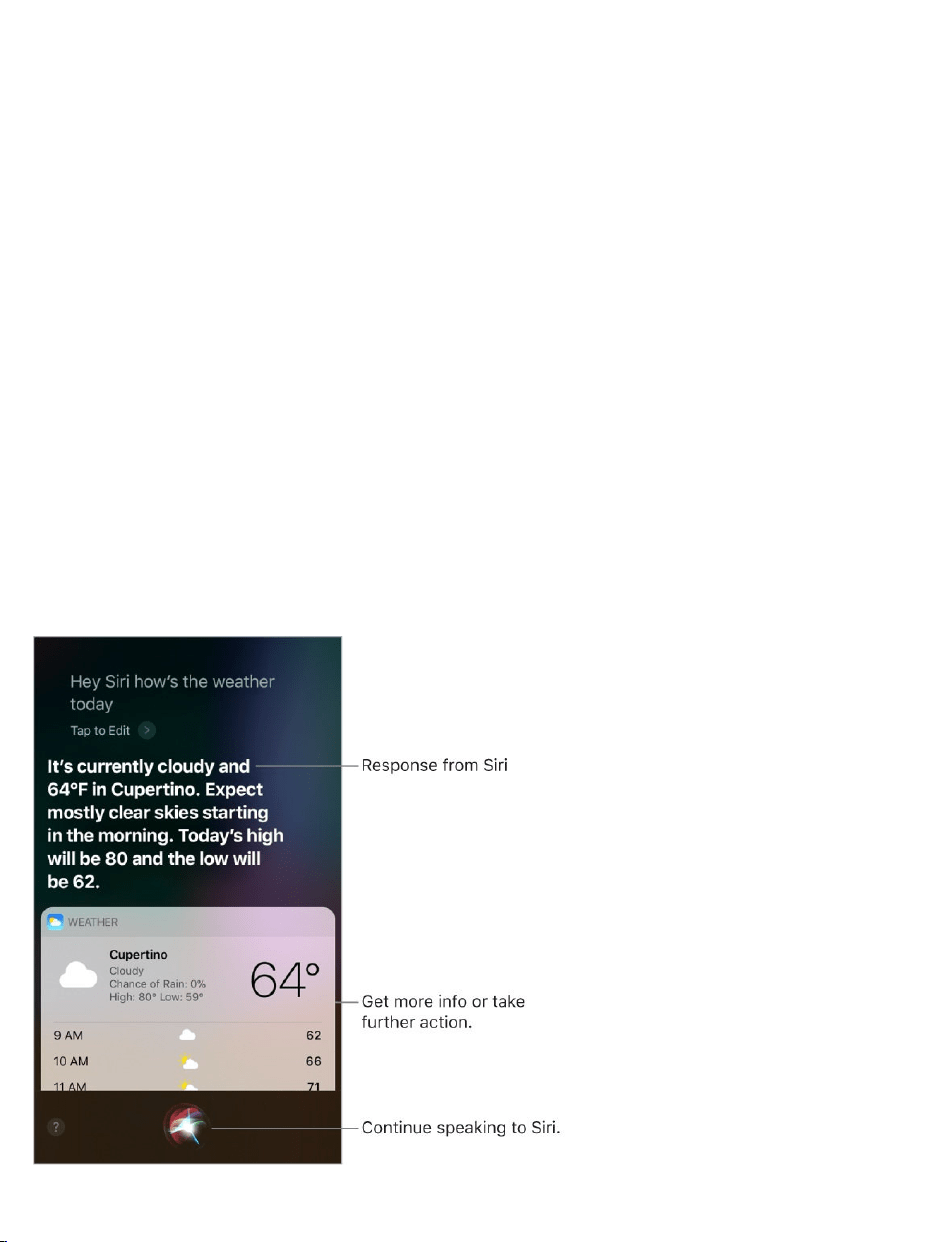
HeySiri.TosummonSiri,simplysay“HeySiri,”thenmakeyourrequest.For
example,say“HeySiri,how’stheweathertoday?”
Siri
Connectto
theInternet

TheonscreenresponsefromSirioftenincludesinformationorimagesthatyou
cantaptogetmoreinfoortakefurtheraction.
ToturnHeySirionoroff,gotoSettings>Siri&Search>Listenfor“HeySiri.”
Note:Onsomemodels,HeySiriisonlyrecognizedwheniPhoneisconnected
toapowersource.
SummonSiriwiththeHomebutton.PressandholdtheHomebutton,
releasethebutton,thenmakeyourrequest.Or,insteadofwaitingforSirito
noticethatyou’vestoppedtalking,continuetoholddowntheHomebutton
whileyouspeak,thenreleaseitwhenyoufinish.
Ifyou’reusingaheadset,youcanusethecenterorcallbuttoninplaceofthe
Homebutton.
FindoutwhatSiricando.AskSiri“whatcanyoudo,”ortap .
Makecorrections.IfSirimisunderstandsyou:
Clarifyyourrequestverbally:Tap ,thenrephraseyourrequest.
Spelloutaname:Forexample,say“No,it’sspelledKITZBUHEL.”
Edityourrequestwithtext:AbovetheresponsefromSiri,tap“TaptoEdit,”
thenusetheonscreenkeyboardtoclarifyyourrequest.
Changeamessagebeforesendingit:Say“Changeit.”
AskSiritotranslate.(beta)SiricantranslateaphrasefromEnglishto
Chinese,Spanish,French,German,orItalian.AskSiri“Howdoyousay”
followedbythephraseyouwanttotranslate.Sirispeaksthetranslationout
loud,whichcanhelpyouwithpronunciation.

ChangethevoicegenderforSiri.(Notavailableinallareas)Goto
Settings>Siri&Search>SiriVoice.
AdjustthevolumeforSiri.Usethevolumebuttonswhileyou’reinteracting
withSiri.Forvoicefeedbackoptions,gotoSettings>Siri&Search>Voice
Feedback.
PreventaccesstoSiriwheniPhoneislocked.GotoSettings>Siri&
Search>AllowSiriWhenLocked.
TellSiriaboutyourself
IfyoutellSiriaboutyourself—includingthingslikeyourhomeandwork
addresses,andyourrelationships—youcangetpersonalizedservicelike,
“sendamessagetomyhusband.”

TellSiriwhoyouare.FilloutyourinfocardinContacts,thengotoSettings>
Siri&Search>MyInformationandtapyourname.
TellSirihowtosayyourname.Saysomethinglike“Learntopronouncemy
name.”
TellSiriaboutarelationship.Saysomethinglike“ElizaBlockismywife”or
“AshleyKaminismymom.”
SecurelysyncwhatSiriknowsaboutyouonyourAppledevices.
Everythingaboutyouisencrypted,soyourpersonalinformationremains
private.GotoSettings,thensignintoiCloudwiththesame onall
yourdevices.
Note:SiriusesLocationServiceswhenyourrequestsrequireknowingyour
location.See .
Proactiveintelligence
Sirilearnsfromyou,andcansometimesanticipatewhatyouwantandmake
suggestionsbeforeyoumakearequestoraskaquestion.Yourpersonal
information—whichisencryptedandremainsprivate—synchronizesacrossall
yourdevicessignedintoiCloud.AsSirilearnsaboutyouononedevice,Siri
improvesyourexperienceonyourotherdevices.
BasedonhowyouuseyouriPhone,Sirimakessuggestionsforwhatyou
mightwanttodonext.Sirimighthelpwhenyou:
Createemailandevents:Whenyoustartaddingpeopletoanemailor
calendarevent,Sirisuggeststhepeopleyouincludedinpreviousemails
orevents.
AppleID
LocationServices

Receivecalls:Ifyougetanincomingcallfromanunknownnumber,Siri
letsyouknowwhomightbecalling—basedonphonenumbersincludedin
youremails.
Leaveforanevent:Ifyourcalendareventincludesalocation,Siri
assessestrafficconditionsandnotifiesyouwhentoleave.
Type:Asyouentertext,Siricansuggestnamesofmovies,places—
anythingyouviewedrecently.Ifyoutellafriendyou’reonyourway,Sirican
evensuggestyourestimatedarrivaltime.
SearchinSafari:(iPhone6sandlater)Sirimakessuggestionsbasedon
whatyouwerejustreading.
Confirmanappointmentorabookflightonatravelwebsite:(iPhone6s
andlater)Siriasksifyouwanttoaddittoyourcalendar.
ReadNewsstories:AsSirilearnswhichtopicsyou’reinterestedin,they’ll
besuggestedinNews.
Siriandapps
SiriworkswithmanyoftheappsoniPhone,includingPhone,Messages,
Maps,Clock,Calendar,andMusic.Forexample,youcansaythingslike:
“CallMomathome”
“DoIhaveanynewtextsfromRico?”
“I’mrunninglowongas”
“Setanalarmfor8a.m.”
Togetpersonalizedserviceforrequestslike“FaceTimeMom,”tellSiriabout
yourselfandyourrelationships.See .TellSiriaboutyourself

MoreexamplesofhowyoucanuseSiriwithappsappearthroughoutthis
guide.
UseSiriasyourpersonalDJ.AppleMusicknowsyourtastes.Sowhenyou
tellSiritoplaysomemusic,you’llhearasongyoulove.Siricanalsoanswer
musictriviaquestionslike“Who’sthedrummerinthissong?”See
.
UseSiriwiththird-partyapps.SomeappsfromtheAppStorealsosupport
Siri.Theseincludeappsthatletyoubookaride,sendamessage,search
photos,placecalls,andtrackyourworkouts.LookforappsthatsupportSiriin
theAppStore.
TurnoffSearch&Sirisuggestions.GotoSettings>Siri&Search,then
turnoffSearch&Sirisuggestionsforspecificapps.
SiriEyesFree
WithSiriEyesFree,youcanuseiPhonefeaturesinyourcarwithoutlookingat
ortouchingiPhone—youcancontrolitcompletelybyspeaking.Totalkwith
Siri,pressandholdthevoicecommandbuttononyoursteeringwheeluntilyou
heartheSiritone.YoucanaskSiritocallpeople,selectandplaymusic,hear
andcomposetextmessages,getdirections,readyournotifications,find
calendarinformation,addreminders,andmore.SiriEyesFreeisavailableon
selectautomobiles.
WARNING:Forimportantinformationaboutavoidingdistractionsthatcould
leadtodangeroussituations,see .
UseSiriEyesFree.ConnectiPhonetoyourcarusingBluetooth.Refertothe
userguidethatcamewithyourcar.
Apple
Music
Importantsafetyinformation


Arrangeyourapps
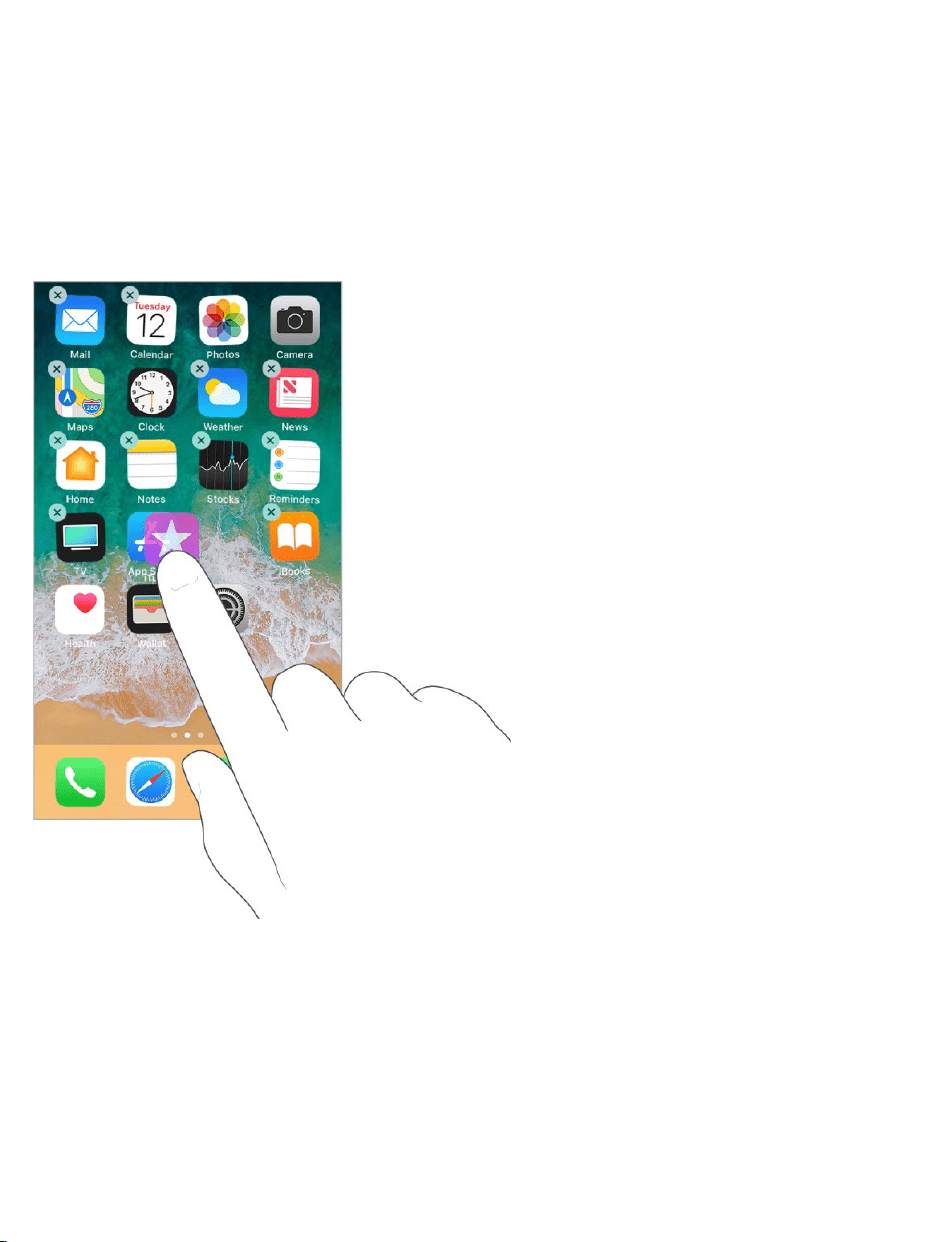
Arrangeapps.TouchandholdanyappontheHomescreenuntilyouseethe
appiconsjiggle.Draganapptomoveit.Draganapptotheedgeofthe
screentomoveittoadifferentHomescreenpage,ordragittotheDockatthe
bottomofthescreen(removeanotherappfirst).PresstheHomebuttonto
saveyourarrangement.
Tip:Ifyouhaveadevicewith3DTouchandyoucan’tgetyourappsto
jiggle,makesureyouarerestingyourfingerontheapplightlyandholdingit
there,notpressingdown.
CreateanewHomescreenpage.Whilearrangingapps,draganapptothe
rightedgeofthelastHomescreenpage.ThedotsabovetheDockshowhow
manyHomescreenpagesyouhave,andwhichoneyou’reviewing.
PersonalizeyouriPhone

Startover.GotoSettings>General>Reset,thentapResetHomeScreen
LayouttoreturntheHomescreenandappstotheiroriginallayout.Anyfolders
you’vecreatedareremoved,theoriginalwallpaperisrestored,andapps
you’vedownloadedareplacedafterappsthatcamewithyouriPhone.
Removeapps
RemoveappsfromtheHomescreen.TouchandholdanappontheHome
screenuntilyouseetheappiconsjiggle,thentap intheupper-leftcorner.
Whenyoufinish,presstheHomebutton.
Tip:Ifyouhaveadevicewith3DTouchandyoucan’tgetyourappsto
jiggle,makesureyouarerestingyourfingerontheapplightlyandholdingit
there,notpressingdown.
Inadditiontoremovingthird-partyapps,youcanremovesomebuilt-inApple
appsthatcomewithyouriPhone:
(contactinformationremainsavailablethroughthePhoneapp)
Calculator
Calendar
Compass
Contacts
FaceTime
Files
FindMyFriends
Home
iBooks
iCloudDrive

Note:Whenyouremoveabuilt-inappfromyourHomescreen,youalso
removeanyrelateduserdataandconfigurationfiles.Removingbuilt-inapps
fromyourHomescreencanaffectothersystemfunctionality.Formore
information,seetheAppleSupportarticle
.
Restoreanappyouremoved.GototheAppStore,searchfortheapp,then
tap .
iTunesStore
Mail
Maps
Music
News
Notes
Podcasts
Reminders
Stocks
Tips
TV
Videos
VoiceMemos
Watch
Weather
Removebuilt-inappsfromthe
HomescreenonyouriOSdevicewithiOS10
Organizewithfolders
Createafolder.TouchandholdanyappontheHomescreenuntilyouseethe
appiconsjiggle,dragoneappontoanotheryouwantinthesamefolder,then
liftyourfinger.Tapthenameofthefoldertorenameit.Dragappsintooroutof
thefolder.PresstheHomebuttonwhenyoufinish.
Youcanhavemultiplepagesofappsinafolder.
Deleteafolder.Tapafolder,thendragoutalltheapps—thefolderisdeleted
automatically.
Changethewallpaper

WallpapersettingsletyousetanimageorphotoaswallpaperfortheLock
screenorHomescreen.Youcanchoosefromdynamicandstillimages.
Changethewallpaper.GotoSettings>Wallpaper>ChooseaNew
Wallpaper.
Tip:Ifyouchooseyourownimageaswallpaper,youcanpinchopento
zoominonyourselectedimage,thendragyourfingertomovetheimage.
Pinchclosedtozoombackout.
Whenchoosinganimagefornewwallpaper,youmaybeabletotap
Perspectivetomakeyourwallpapermovewhenyouchangetheangleyou
viewthescreen.ToturnonthePerspectiveoptionforwallpaperyou’vealready
set,gotoSettings>Wallpaper,thentaptheimageoftheLockscreenor
Homescreen.
Note:ThePerspectiveoptiondoesn’tappearifReduceMotion(in
Accessibilitysettings)isturnedon.See .Reducemotion

SetaLivePhotoaswallpaperfortheLockscreen.On
,gotoSettings>Wallpaper>ChooseaNewWallpaper.TapLive,
thenchooseaLivePhoto.TosetoneofyourownLivePhotosasthe
wallpaper,chooseonefromoneofyourfolders(belowPhotos).
3DTouch.Whenyou’reontheLockscreen,presstoplaytheLivePhoto.See
.
Adjustthescreenbrightnessandcolor
balance
Dimthescreentoextendbatterylife.UseNightShifttoshiftthecolorsinyour
displaytothewarmerendofthespectrumatnightandmakeviewingthe
screeneasieronyoureyes. ,useTrueToneto
automaticallyadaptthecolorandintensityofthedisplaytomatchthelightin
yourenvironment.
Adjustthescreenbrightness. ,thendrag .Orgoto
Settings>Display&Brightness,thendragtheslider.
UseTrueTone.( ) ,press (touch
andholdonmodelsthatdon’tsupport3DTouch),thentap toturnTrueTone
offoron.OrgotoSettings>Display&Brightness,thenturnonTrueTone.
UseNightShift. ,press (touchandholdonmodels
thatdon’tsupport3DTouch),thentap toturnNightShiftonoroff.Orgoto
Settings>Display&Brightness>NightShift.
TurnonNightShiftmanually—helpfulwhenyou’reinadarkenedroomduring
theday,forexample—orgotoSettings>Display&Brightness>NightShiftto
scheduleittoturnonautomatically.IfyouscheduleNightShifttoturnonfrom
deviceswith
3DTouch
3DTouch
Onsupportedmodels
OpenControlCenter
Supportedmodels OpenControlCenter
OpenControlCenter

sunsettosunrise,iPhoneusesthedatafromyourclockandyourgeolocation
todeterminewhenit’snighttimeforyou.
Note:Youwon’tseetheoptiontoturnonNightShiftfromsunsettosunriseif
you’veturnedoffLocationServicesinSettings>Privacy,orifyou’veturnedoff
SettingTimeZoneinSettings>Privacy>LocationServices>System
Services.
ToadjustthecolorbalanceforNightShift,gotoSettings>Display&
Brightness>NightShift,thendragtheslidertowardthewarmerorcoolerend
ofthespectrum.
MagnifythescreenwithDisplayZoom
On ,youcanmagnifythescreendisplay.GotoSettings>
Display&Brightness.TapView(belowDisplayZoom),chooseZoomed,then
tapSet.Foradditionalzoomfeatures,see .
Appextensions
SomeappsletyouextendthefunctionalityofyouriPhone.Anappextension
mayappearasasharingoption,anactionoption,awidgetinTodayView,a
fileprovider,oracustomkeyboard.Forexample,ifyoudownloadPinterest,
Pinterestbecomesanotheroptionforsharingwhenyouclick .
AppextensionscanalsohelpyoueditaphotoorvideoinyourPhotosapp.
Forexample,youcandownloadaphoto-relatedappthatletsyouapplyfilters
tophotos.
Installappextensions.DownloadtheappfromtheAppStore,thenopenthe
appandfollowtheonscreeninstructions.
supporteddevices
Zoom

Turnsharingoractionoptionsonoroff.Tap ,thentapMore(drag
optionstotheleftifnecessary).Turnoffthird-partysharingoractionoptions
(they'reonbydefault).
Organizesharingandactionoptions.Tap ,thentapMore(dragoptions
totheleftifnecessary).Touchanddrag torearrangeyouroptions.
FormoreinformationaboutTodaywidgets,see .Formore
informationaboutSharingoptions,see .
YouriPhonename
ThenameofyouriPhoneisusedbyiTunesandiCloud.
ChangethenameofyouriPhone.GotoSettings>General>About>
Name.
SetRestrictions
Youcansetrestrictionsforsomeapps,andforpurchasedcontent.For
example,parentscanrestrictexplicitmusicfromappearinginplaylists,or
disallowchangestocertainsettings.Userestrictionstopreventtheuseof
certainapps,theinstallationofnewapps,orchangestoaccountsorthe
volumelimit.
Turnonrestrictions.GotoSettings>General>Restrictions,thentap
EnableRestrictions.You’llbeaskedtodefinearestrictionspasscodethat’s
necessarytochangethesettingsyoumake.Thiscanbedifferentfromthe
passcodeforunlockingiPhone.
Important:Ifyouforgetyourrestrictionspasscode,youmustrestorethe
iPhonesoftware.See .
TodayView
Sharefromapps
RestoreiPhone

Internationalkeyboards
Useinternationalkeyboards
Withinternationalkeyboardsyoucantypetextinmanydifferentlanguages,
includingAsianlanguagesandlanguageswrittenfromrighttoleft.Foralistof
supportedkeyboards,gotoApple’s ,chooseyouriPhone,
clickTechSpecs,thenscrolltoLanguages.
Managekeyboards.GotoSettings>General>Keyboard>Keyboards.
Addakeyboard:TapAddNewKeyboard,thenchooseakeyboardfrom
thelist.Repeattoaddmorekeyboards.
Removeakeyboard:TapEdit,tap nexttothekeyboardyouwantto
remove,tapDelete,thentapDone.
Edityourkeyboardlist:TapEdit,drag nexttoakeyboardtoanew
placeinthelist,thentapDone.
Ifyou’veaddedkeyboardsinotherlanguages,youcantypeintwolanguages
withouthavingtoswitchbetweenkeyboards.Yourkeyboardautomatically
switchesbetweenthetwolanguagesyoutypeinmostoften.(Notavailablefor
alllanguages).
Switchkeyboards.Touchandhold ,thenslideyourfingertothenameof
thekeyboard.
Youcanalsotap toswitchfromonekeyboardtotheother.Continuetapping
toaccessotherenabledkeyboards.
Enteraccentedlettersorothercharacters.Touchandholdtherelated
letter,number,orsymbol,thenslidetochooseavariant.Forexample:
iPhonewebsite

OnaThaikeyboard:Choosenativenumbersbytouchingandholdingthe
relatedArabicnumber.
OnaChinese,Japanese,orArabickeyboard:Suggestedcharactersor
candidatesappearatthetopofthekeyboard.Tapacandidatetoenterit,
orswipelefttoseemorecandidates.
Usetheextendedsuggestedcandidatelist.Taptheuparrowontheright
toviewthefullcandidatelist.Toreturntotheshortlist,tapthedownarrow.
WhenusingcertainChineseorJapanesekeyboards,youcancreatea
shortcut(textreplacement)forwordandinputpairs.Theshortcutisaddedto
yourpersonaldictionary.Whenyoutypeashortcutwhileusingasupported
keyboard,thepairedwordorinputissubstitutedfortheshortcut.
Createshortcuts.GotoSettings>General>Keyboard>TextReplacement.
Shortcutsareavailablefor:
SimplifiedChinese:Pinyin
TraditionalChinese:PinyinandZhuyin
Japanese:RomajiandKana
Resetyourpersonaldictionary.GotoSettings>General>Reset>Reset
KeyboardDictionary.Allcustomwordsandshortcutsaredeleted,andthe
keyboarddictionaryreturnstoitsdefaultstate.
Specialinputmethods
Youcanusekeyboardstoentersomelanguagesindifferentways.Afew
examplesareChineseCangjieandWubihua,JapaneseKana,and
Facemarks.YoucanalsouseyourfingerorastylustowriteChinese
charactersonthescreen.

BuildChinesecharactersfromthecomponentCangjiekeys.Asyou
type,suggestedcharactersappear.Tapacharactertochooseit,orcontinue
typinguptofivecomponentstoseemoreoptions.
BuildChineseWubihua(stroke)characters.Usethekeypadtobuild
Chinesecharactersusinguptofivestrokes,inthecorrectwritingsequence:
horizontal,vertical,leftfalling,rightfalling,andhook.Forexample,theChinese
character圈(circle)shouldbeginwiththeverticalstroke丨.
Asyoutype,suggestedChinesecharactersappear(themostcommonly
usedcharactersappearfirst).Tapacharactertochooseit.
Ifyou’renotsureofthecorrectstroke,enteranasterisk(*).Toseemore
characteroptions,typeanotherstroke,orscrollthroughthecharacterlist.
Tapthematchkey(匹配)toshowonlycharactersthatmatchexactlywhat
youtyped.
WriteChinesecharacters.WriteChinesecharactersdirectlyonthescreen
withyourfingerwhenSimplifiedorTraditionalChinesehandwritinginputis
turnedon.
3DTouch.Pressalittledeeperasyouwritetoincreasethelinewidthofyour
characterstrokes.See .
Asyouwritecharacterstrokes,iPhonerecognizesthemandshowsmatching
charactersinalist,withtheclosestmatchatthetop.Whenyouchoosea
character,itslikelyfollow-oncharactersappearinthelistasadditional
choices.
3DTouch

Youcantypesomecomplexcharacters,suchas鱲(partofthenameforthe
HongKongInternationalAirport),bywritingtwoormorecomponentcharacters
insequence.Tapthecharactertoreplacethecharactersyoutyped.Roman
charactersarealsorecognized.
TypeJapanesekana.UsetheKanakeypadtoselectsyllables.Formore
syllableoptions,dragthelisttotheleftortapthearrowkey.
TypeJapaneseromaji.UsetheRomajikeyboardtotypesyllables.
Alternativechoicesappearalongthetopofthekeyboard;taponetotypeit.
Formoresyllableoptions,tapthearrowkeyandselectanothersyllableor
wordfromthewindow.

Typefacemarksoremoticons.Dooneofthefollowing:
UsetheJapaneseKanakeyboard:Tap .
UsetheJapaneseRomajikeyboard:Tap ,thentap .
UsetheChinese(Simplified)Pinyinor(Traditional)ZhuyinorPinyin
keyboard:Tap ,tap ,thentap .

Sharefromapps
Inmanyapps,youcantapShareor tochoosehowtoshareyour
information.Thechoicesvarydependingontheappyou’reusing.Additional
optionsmayappearifyou’vedownloadedappswithsharingoptions.Formore
information,see .
SharefromtheFilesapp.Youcansendacopyofanydocumentin .
Touchandholdthedocument,tapShare,thenchooseanoptionforsending
thedocument(forexample,Message,Mail,andsoon).
Organizeyoursharingoptions.TaptheMorebutton,thentouchanddrag
tomoveitemstonewpositions.
SharefilesfromiCloudDrive
WithiCloudDrive,youcaneditfilesyoustoreiniCloudfromanyofyour
devices.Anychangesyoumakeappearonallyourdevicessetupwith
iCloudDrive.
Youcanalsoinviteotherstoviewandeditadocumentbysendingalinktoit—
noneedtosendanattachment.Whenyouinvitepeopletoworkona
document,theyalwayshavethelatestversion.
TouseiCloudDrive,youneedtobesignedintoiCloudusingyourAppleID,
andhaveiCloudDriveturnedon(gotoSettings>[yourname]>iCloud,then
turnoniCloudDrive).
Sharing
Appextensions
Files

Inviteotherstovieworeditadocument.IntheFilesapp,tapBrowse,then
tapiCloudDrive.Touchandholdthedocumentyouwanttoshare,tapShare,
thentapAddPeople.TapShareOptions,thenselectthepermissionsettings
youwant.
ShareOptionsallowyoutospecify:
Whocanopen,view,andprintthedocument,butnotmakechanges—only
peopleyouinvite,oranyonewiththelink.
Whocanopen,view,print,andmakechangestothedocument—only
peopleyouinvite,oranyonewiththelink.
Afteryousetthesharingoptions,tapAddPeople.Thentapamethodfor
sendingalinktothedocument(Message,Mail,andsoon),enteranyother
requestedinformation,thensendorposttheinvitation.See .UseiCloudDrive

Controlaccesstoashareddocument.ThesettingsyouselectinShare
Optionsdeterminewhocanviewandwhocaneditashareddocument.When
youshareadocumentthatyouhaveiniCloudDrive,alinktoit(includingits
name)iscreatedoniCloud.Ifthedocumentisconfidential,besuretoask
recipientsnottoforwardthelinktoanyoneelse.See .
SharefileswithAirDrop
AirDropletsyoushareyourphotos,videos,websites,locations,andother
itemswirelesslywithothernearbydevices(iOS7orlater).WithiOS8orlater,
youcansharewithMaccomputerswithOSX10.10orlater.AirDroptransfers
informationusingWi-FiandBluetooth—bothmustbeturnedon.Touse
AirDrop,youneedtobesignedintoiCloudusingyourAppleID.Transfersare
encryptedforsecurity.
UseiCloudDrive

ShareanitemusingAirDrop.Tap ,thentapthenameofanearbyAirDrop
user.
ReceiveAirDropitemsfromothers. ,thentap (if
youdon’tsee ,tapandholdthetopleftgroupofcontrols,or,on
,pressthetopleftgroupofcontrols).Thenchoosetoreceiveitems
fromContactsOnlyorfromEveryone.Youcanacceptordeclineeachrequest
asitarrives.
Formoreinformation,seetheAppleSupportarticle
.
FamilySharing
WithFamilySharing,uptosixfamilymemberscanshareiTunesStore,
AppStore,andiBookStorepurchases,anAppleMusicfamilymembership,
aniCloudstorageplan,afamilycalendar,familyphotos,andmore,allwithout
sharingaccounts.Formoreinformation,seetheAppleSupportarticle
.
TouseFamilySharing,oneadultfamilymember(theorganizer)chooses
featuresforthefamilytoshareandinvitesuptofiveadditionalfamilymembers
toparticipate.Whenfamilymembersjoin,FamilySharingissetupontheir
devicesautomatically.
FamilySharingrequiresyoutosignintoiCloudwithyourAppleID.You’llalso
beaskedtoconfirmtheAppleIDyouusefortheiTunesStore,AppStore,and
iBooksStore(youusuallythesameAppleIDforeverything).FamilySharingis
availableoniOSdeviceswithiOS8orlater,MaccomputerswithOSX10.10
orlater,andPCswithiCloudforWindows5orlater.Youcanbepartofonly
onefamilygroupatatime.
OpenControlCenter
modelswith
3DTouch
HowtouseAirDropwith
youriPhone,iPad,oriPodtouch
Family
Sharing
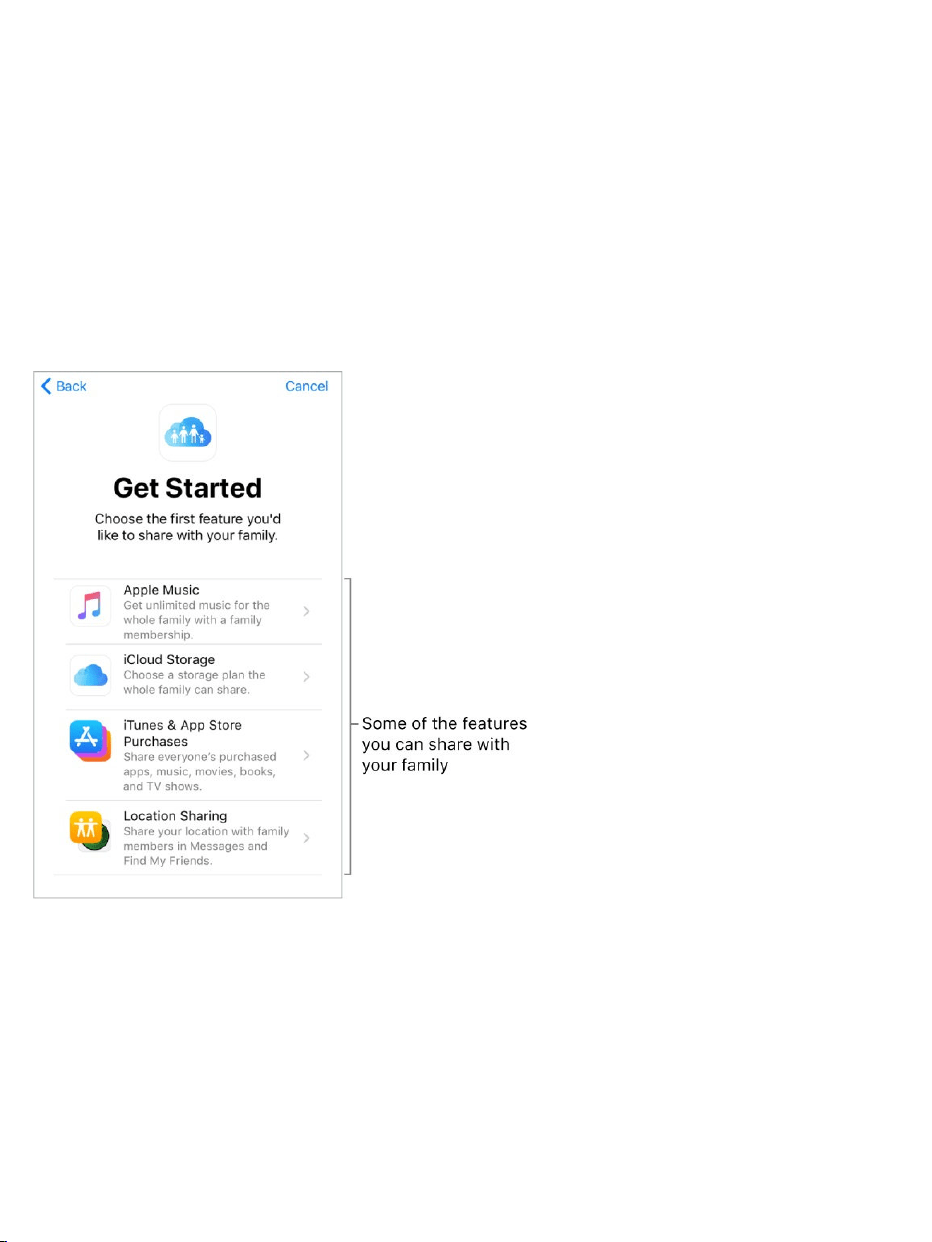
SetupFamilySharing.GotoSettings>[yourname]>SetUpFamily
Sharing,thenfollowtheonscreeninstructions.Asthefamilyorganizer,you
choosethefeaturesyouwanttoshareandinvitefamilymemberstojoin.
Dependingonthefeaturesyouchoose,youmaybeaskedtosetupan
AppleMusicfamilymembershiporaniCloudStoragesubscription.Ifyou
choosetoshareiTunesStore,AppStore,andiBooksStorepurchaseswith
yourfamilymembers,youagreetopayforanypurchasestheyinitiatewhile
partofthefamilygroup.
CreateanAppleIDforachild.GotoSettings>[yourname]>Family
Sharing,thentapCreateaChildAccount.Formoreinformation,seetheApple
Supportarticle .
AcceptaninvitationtoFamilySharing.TapAcceptinyourinvitation.Or,if
youareneartheorganizerduringthesetupprocess,youcanenterthe
AppleIDandpasswordyouuseforiCloudontheorganizer’sdevice.
FamilySharingandAppleIDforyourchild

Sharepurchases.WhenyourfamilyusesiTunesStore,AppStore,and
iBooksStorepurchasesharing,allitemsarebilleddirectlytothefamily
organizer’sAppleID.Oncepurchased,anitemisaddedtotheinitiatingfamily
member’saccountandissharedwiththerestofthefamily.
AccesssharedpurchasesfromtheiTunesStore.OpeniTunesStore,tap
Purchased,tapMyPurchases,thenchooseafamilymember.
AccesssharedpurchasesfromtheAppStore.OpenAppStore,tap
Purchased,tapMyPurchases,thenchooseafamilymember.
AccesssharedpurchasesfromtheiBooksStore.OpeniBooks,tap
Purchased,thenchooseafamilymember.
UseasharedAppleMusicfamilymembership.Ifyourfamilyhasan
AppleMusicfamilymembership,youcansimplyopenAppleMusicandstart
listening.Eachfamilymembergetstheirownmusiclibraryandpersonal
recommendations.Makesureyou’resignedinwiththeAppleIDyouenteredin
FamilySharingsettings.
UseasharediCloudstorageplan.IfyourfamilyissharinganiCloud
storageplan(200GBor2TB),youcanprivatelyuseasmuchstorageasyou
need.Youcanalsopurchaseoruseyourownstorageplanifyouneedmore
space.
TurnonAsktoBuy.Thefamilyorganizercanrequireyoungfamilymembers
torequestapprovalforpurchasesorfreedownloads.GotoSettings>
[yourname]>FamilySharing,thentaptheperson’sname.
Note:AgerestrictionsforAsktoBuyvarybyarea.IntheUnitedStates,the
familyorganizercanenableAsktoBuyforanyfamilymemberunderage18;
forchildrenunderage13,it’senabledbydefault.

HideyouriTunesStore,AppStore,andiBooksStorepurchases.To
hideallyourpurchasesfromfamilymembers,gotoSettings>[yourname]>
FamilySharing>[yourname],thenturnoffShareMyPurchases.Onyour
computer,youcanalsohidespecificpurchasessotheyaren’tavailableto
otherfamilymembers.Formoreinformation,seetheAppleSupportarticle
.
Sharephotosorvideoswithfamilymembers.WhenyousetupFamily
Sharing,asharedalbumcalledFamilyisautomaticallycreatedinthePhotos
apponallfamilymembers’devices.Toshareaphotoorvideowithfamily
members,openthePhotosapp,thenviewaphotoorvideoorselectmultiple
photosorvideos.Tap ,tapiCloudPhotoSharing,addcomments,thenshare
toyoursharedfamilyalbum.Memberscanunsubscribefromthefamilyalbum,
andthefamilyorganizercandeleteit.See .
Addaneventtothefamilycalendar.WhenyousetupFamilySharing,a
sharedcalendarcalledFamilyisautomaticallycreatedintheCalendarappon
allfamilymembers’devices.Toaddafamilyevent,opentheCalendarapp,
createanevent,thenaddtheeventtothefamilycalendar.Memberscan
unsubscribefromthefamilycalendar,andthefamilyorganizercandeleteit.
See .
Setupafamilyreminder.WhenyousetupFamilySharing,asharedlistis
automaticallycreatedintheRemindersapponallfamilymembers’devices.To
addaremindertothefamilylist,opentheRemindersapp,tapthefamilylist,
thenaddaremindertothelist.Memberscanunsubscribefromthefamily
reminderlist,andthefamilyorganizercandeleteit.See .
Shareyourlocationwithfamilymembers.Familymemberscansharetheir
locationsbygoingtoSettings>[yourname]>iCloud>ShareMyLocation.To
findafamilymember’slocation,usetheFindMyFriendsapp.Youcanalso
HideandunhideiTunesStore,AppStore,oriBookspurchases
iCloudPhotoSharing
ShareiCloudcalendars
Reminderlists

sendorshareyourlocationusingtheMessagesapp(iOS8orlater).Formore
informationaboutusingMessagestoshareyourlocation,see
.
Keeptrackofyourfamily’sdevices.IffamilymembersenabledShareMy
LocationiniCloud,youcanhelpthemlocatemissingdevices.OpenFind
iPhoneonyourdeviceoratiCloud.com.Formoreinformation,see
.
LeaveFamilySharing.GotoSettings>[yourname]>FamilySharing>
[yourname],thentapLeaveFamilySharing.Ifyouaretheorganizer,tapStop
FamilySharing.Formoreinformation,seetheAppleSupportarticle
.
Sendand
receivemessages
FindMy
iPhone
Leave
FamilySharing

AirPlayMirroring
UseAirPlaytomirroryouriPhoneonAppleTV.Abluebarappearsatthetop
oftheiPhonescreenwhenAirPlayMirroringisturnedon.Ifyoudon’tseeyour
AirPlay-enableddeviceswhenyoutap ,makesureeverythingisonthe
sameWi-Finetwork.
DisplaytheAirPlaycontrols. ,thentap .
Streamcontent.Tap ,thenchoosethedeviceyouwanttostreamto.
SwitchbacktoiPhone.Tap ,thentapTurnOffAirPlayMirroring.Froma
streamingapp,tap ,thenchooseiPhone.
YoucanalsoconnectiPhonetoaTV,projector,orotherexternaldisplayusing
theappropriateApplecableoradapter.Formoreinformation,seetheApple
Supportarticle
.
AirPrint
UseAirPrinttoprintwirelesslytoanAirPrint-enabledprinterfromappssuchas
Mail,Photos,andSafari.ManyappsavailableontheAppStorealsosupport
AirPrint.
iPhoneandtheprintermustbeonthesameWi-Finetwork.Formore
informationaboutAirPrint,seetheAppleSupportarticle .
Printadocument.Tap or (dependingontheappyou’reusing).
iPhoneandotherdevices
OpenControlCenter
AboutAppleDigitalAVAdaptersforiPhone,iPad,and
iPodtouch
AboutAirPrint

Seethestatusofaprintjob.Double-clicktheHomebutton,thentapPrint
Center.Thebadgeontheiconshowshowmanydocumentsareinthequeue.
Cancelajob.SelectitinPrintCenter,thentapCancelPrinting.
AppleEarPods
TheEarPodsthatcomewithyouriPhonefeatureamicrophone,volume
buttons,andthecenterbutton.
Usethecenterbuttontoanswerandendcalls,controlaudioandvideo
playback,anduseSiri,evenwheniPhoneislocked.
Controlaudio
Pauseasongorvideo:Pressthecenterbutton.Pressagaintoresume
playback.
Skiptothenextsong:Pressthecenterbuttontwicequickly.
Returntotheprevioussong:Pressthecenterbuttonthreetimesquickly.
(Worksonlywhileaudioisplaying.)
Fast-forward:Pressthecenterbuttontwicequicklyandhold.

Rewind:Pressthecenterbuttonthreetimesquicklyandhold.
Managecalls
Answeranincomingcall:Pressthecenterbutton.
Endthecurrentcall:Pressthecenterbutton.
Declineanincomingcall:Pressandholdthecenterbuttonforabouttwo
seconds,thenletgo.Twolowbeepsconfirmyoudeclinedthecall.
Switchtoanincomingoron-holdcall,andputthecurrentcallonhold:
Pressthecenterbutton.Pressagaintoswitchbacktothefirstcall.
Switchtoanincomingoron-holdcall,andendthecurrentcall:Pressand
holdthecenterbuttonforabouttwoseconds,thenletgo.Twolowbeeps
confirmyouendedthefirstcall.
ActivateSiri
AskSiri:Pressandholdthecenterbuttonuntilyouhearabeep.Letgo,
thenmakeyourrequest.See .
AppleWatch
UsetheAppleWatchapp(notavailableinallareas)tolearnmoreabout
AppleWatch,andtopairyourAppleWatchwithiPhone.Justtapthe
AppleWatchapp,thenfollowtheonscreeninstructions.
AppleWirelessKeyboard
Siriandapps

YoucanuseanAppleWirelessKeyboard(availableseparately)toentertext
oniPhone.ThekeyboardconnectsviaBluetooth,soyoumustfirstpairitwith
iPhone.
Note:TheAppleWirelessKeyboardmaynotsupportkeyboardfeaturesthat
areonyourdevice.Forexample,youcan’tenabledictationwithApple
WirelessKeyboard.
PairanAppleWirelessKeyboardwithiPhone.Turnthekeyboardon.On
iPhone,gotoSettings>BluetoothandturnonBluetooth,thentapthe
keyboardwhenitappearsintheDeviceslist.
Onceit’spaired,thekeyboardreconnectstoiPhonewheneverit’sinrange—
uptoabout33feet(10meters).Whenit’sconnected,theonscreenkeyboard
doesn’tappear.
Saveyourbatteries.Turnoffthewirelesskeyboardwhennotinuse.Toturn
offthekeyboard,pressandholdtheOn/Offswitchuntilthegreenlightgoesoff.
Bluetoothdevices
YoucanuseBluetoothdevicessuchaswirelessheadphones,speakers,car
kits,andmorewithiPhone.Forinformation,seetheAppleSupportarticle
.
WARNING:Forimportantinformationaboutavoidinghearinglossand
avoidingdistractionsthatcouldleadtodangeroussituations,see
.
Note:TheuseofcertainaccessorieswithiPhonemayaffectwireless
performance.NotalliPodandiPadaccessoriesarefullycompatiblewith
iPhone.Turningonairplanemodemayeliminateaudiointerferencebetween
SupportedBluetoothprofiles
Important
safetyinformation

iPhoneandanaccessory.ReorientingorrelocatingiPhoneandtheconnected
accessorymayimprovewirelessperformance.
TurnBluetoothonoroff.GotoSettings>Bluetooth.Toquicklydisconnect
fromBluetoothdeviceswithoutturningBluetoothoff, ,then
tap .
PairwithaBluetoothdevice.Followtheinstructionsthatcamewiththe
devicetoputitindiscoverymode.ThengotoSettings>Bluetooth,andtapthe
deviceintheDeviceslisttoconnect.
iPhonemustbewithinabout33feet(10meters)oftheBluetoothdevice.
IfyouhaveAirPods,andyousetthemupwithoneiOSdeviceorMac
computer,theyareautomaticallysetupwithyourotherdeviceswhereyou’re
signedinusingthesameiCloudaccount(iOS10,macOSSierra,watchOS3
required).FormoreinformationaboutsettingupAirPods,gotothe
.
SwitchaudiooutputbetweenaconnectedBluetoothdeviceand
iPhone.SwipedownfromthetopedgetorevealtheLockscreen,orsimply
wakeiPhone,thentap andchooseyouraudiooutput.Outputreturnsto
iPhoneiftheBluetoothdevicemovesoutofrange.
openControlCenter
AirPods
Supportwebsite

BypassyourBluetoothdevice.TousetheiPhonereceiverorspeakerfor
phonecalls:
AnsweracallbytappingtheiPhonescreen.
Duringacall,tapAudio,thenchooseiPhoneorSpeakerPhone.
TurnofftheBluetoothdevice,unpairit,ormoveoutofrange.
TurnoffBluetoothinSettings>Bluetooth.
Unpairadevice.GotoSettings>Bluetooth,tap nexttothedevice,then
tapForgetThisDevice.Ifyoudon’tseetheDeviceslist,makesureBluetooth
ison.
IfyouhaveAirPodsandyoutapForgetThisDevice,theyareautomatically
removedfromotherdevicesthataresetupthroughyouriCloudaccount.
Wirelesschargingdevices
On ,youcanchargethebatterybyplacingiPhonefaceup
onaQiwirelesscharger.
Handoff
Continueworkingononedevicewhereyouleftoffonanother.Youcanuse
HandoffwithmanyAppleapps—forexample,Mail,Safari,Pages,Numbers,
Keynote,Maps,Messages,Reminders,Calendar,andContacts—andeven
somethird-partyapps.TouseHandoff,youmustbesignedintoiCloudusing
thesame onallyourdevices.YourdevicesmusthaveBluetoothon
andbewithinBluetoothrangeofoneanother(about33feetor10meters).
Switchdevices.
supportedmodels
AppleID

FromMactoiPhone:TheHandofficonoftheappyou’reusingonyour
MacappearsoniPhoneinthebottom-leftcorneroftheLockscreen.
Swipeuptocontinueworkingintheapp.Or, on
iPhone,thentaptheapp.
FromiPhonetoMac:TheHandofficonoftheappyou’reusingoniPhone
appearsonyourMacattheleftendoftheDock(orthetop,dependingon
theDockposition).Clicktheicontocontinueworkingintheapp.
DisableHandoffonyourdevices.
iOSdevices:GotoSettings>General>Handoff.
Mac:ChooseAppleMenu>SystemPreferences>General,thenturnoff
“AllowHandoffbetweenthisMacandyouriClouddevices.”
UniversalClipboard
Cutorcopycontent(ablockoftextoranimage,forexample)onyouriPhone,
thenpasteitonanotheriOSdeviceorMaccomputer,andviceversa.
ForUniversalClipboardtowork,youmustbesignedintoiCloudusingthe
sameAppleIDonallyourdevices.YourdevicesmustbeconnectedtoWi-Fi,
bewithinBluetoothrangeofoneanother(about33feetor10meters),have
Bluetoothon,andhave .UniversalClipboardrequiresiOS10
andmacOSSierra.
Youmustcut,copy,andpasteyourcontentwithinashortperiodoftime.
Copyorcut.Touchandholdawordorimagetodisplaytheselectionoptions,
thenchooseCopyorCut.
Paste.Double-taptoplaceaninsertionpointanddisplaytheselection
options,thenchoosePaste.
seetheappswitcher
Handoffenabled

Formoreinformationaboutselectingtextorplacingtheinsertionpoint,see
.
MakeandreceiveWi-FiCallsonother
devices
Wi-FiCallingletsyoumakeandreceivecallsonyouriPad,iPodtouch,orMac
byrelayingcallsthroughyouriPhone,whichmustbeturnedonandconnected
toacellularnetwork.Tomakecallsthisway,youneediOS9orlaterand
OSX10.10orlater.YoumustbesignedintoiCloudandFaceTimeonallyour
devicesusingthesameAppleIDasoniPhone,andalldevicesmustbe
connectedtothesameWi-Finetwork.YouriPhonedoesn’tneedtobeonthe
sameWi-Finetworkorturnedon.
Note:Wi-FiCallingonotherdevicesisavailablewithsomecarriers,and
cellularchargesmayapply.
YoumustfirstsetupyouriPhone,thenyourotherdevices.Ifyoulogoutof
iCloudorFaceTimeoniPhone,Wi-FiCallingisdisabled.
TurnonWi-FiCallingonyouriPhone.GotoSettings>Phone>Wi-Fi
Calling,thenturnonWi-FiCallingonThisiPhone.
IfyouseeAddWi-FiCallingForOtherDevices,turnitontoallowcallsfrom
otherdevicesthataren’tonthesameWi-FinetworkasyouriPhone.
Otherwise,youcanstilluseyourotherdevicestomakephonecalls,butyour
iPhonemustbeturnedonandonthesamenetworkasthosedevices.
TurnonWi-FiCallingonyouriPadoriPodtouch.Goto
Settings>FaceTime,thenturnonFaceTime.Ifasked,turnonWi-FiCalling.
Typeandedittext

Note:IfyouenableWi-FiCalling,emergencycallsmaybemadeoverWi-Fi,
andyourdevice’slocationinformationmaybeusedforemergencycallstoaid
responseefforts,regardlessofwhetheryouenableLocationServices.Some
carriersmayusetheaddressyouregisteredwiththecarrierwhensigningup
forWi-FiCallingasyourlocation.
MakeaphonecallonyouriPadoriPodtouch.Tapaphonenumberin
Contacts,Calendar,FaceTime,Messages,orSafari.
ReceiveacallonyouriPadoriPodtouch.Swipethenotificationto
answer,ignore,orrespondwithaquickmessage.
FormoreinformationaboutWi-Ficalls,seetheAppleSupportarticle
.
InstantHotspot
YoucanuseInstantHotspottoprovideInternetaccesstoyourotheriOS
devices(iOS8orlater)andMaccomputers(OSX10.10orlater)where
you’resignedintoiCloudwiththesameAppleID.InstantHotspotusesyour
iPhonePersonalHotspot,withoutyouhavingtoenterapasswordoreventurn
onPersonalHotspot.
UseInstantHotspot.GotoSettings>Wi-FionyourotheriOSdevice,then
simplychooseyouriPhonenetworkunderPersonalHotspots.OnyourMac,
chooseyouriPhonenetworkfromyourWi-Fisettings.
Whenyou’renotusingthehotspot,yourdevicesdisconnecttosavebatterylife.
Formoreinformationsee .
Note:Thisfeaturemaynotbeavailablewithallcarriers.Additionalfeesmay
apply.Contactyourcarrierformoreinformation.
Makea
callwithWi-FiCalling
PersonalHotspot

PersonalHotspot
UsePersonalHotspottoshareyouriPhoneInternetconnection.Computers
canshareyourInternetconnectionusingWi-Fi,Bluetooth,oraUSBcable.
OtheriOSdevicescansharetheconnectionusingWi-Fi.PersonalHotspot
worksonlyifiPhoneisconnectedtotheInternetoverthecellulardatanetwork.
Note:Thisfeaturemaynotbeavailablewithallcarriers.Additionalfeesmay
apply.Contactyourcarrierformoreinformation.
ShareanInternetconnection.GotoSettings>Cellular,thentapPersonal
Hotspot—ifitappears—tosetuptheservicewithyourcarrier.
AfteryouturnonPersonalHotspot,otherdevicescanconnectinthefollowing
ways:
Wi-Fi:Onthedevice,chooseyouriPhonefromthelistofavailableWi-Fi
networks.
USB:ConnectiPhonetoyourcomputerusingthecablethatcamewithit.
Inyourcomputer’sNetworkpreferences,chooseiPhone,thenconfigure
thenetworksettings.
Bluetooth:OniPhone,gotoSettings>Bluetooth,thenturnonBluetooth.
TopairandconnectiPhonewithyourBluetoothdevice,refertothe
documentationthatcamewithyourdevice.
Note:Whenadeviceisconnected,abluebandappearsatthetopofthe
iPhonescreen.ThePersonalHotspoticon appearsinthestatusbarofiOS
devicesusingPersonalHotspot.
ChangetheWi-FipasswordforiPhone.GotoSettings>Personal
Hotspot>Wi-FiPassword,thenenterapasswordofatleasteightcharacters.

ChangethenameofyourPersonalHotspot.Youcanchangethenameof
yourPersonalHotspotbychangingthenameofyouriPhone.GotoSettings>
General>About>Name.
Monitoryourcellulardatanetworkusage.GotoSettings>Cellular.See
.
TransferfileswithiTunes
YoucantransferfilesbetweeniPhoneandyourcomputerorotheriOSdevices
with , , ,orbyconnectingiPhonetoyour
computerandusingiTunes.
TransferfilesusingiTunes.ConnectiPhonetoyourcomputerusingthe
includedcable.IniTunesonyourcomputer,selectiPhone,thenclickApps.
UsetheFileSharingsectiontotransferdocumentsbetweeniPhoneandyour
computer.
AppsthatsupportfilesharingappearintheFileSharingAppslistiniTunes.To
deleteafile,selectitintheDocumentslistonyourcomputer,thenpressthe
Deletekey.Formoreinformation,seetheAppleSupportarticle
.
CarPlay
AboutCarPlay
CarPlayputskeyiPhoneappsonyourcar’sbuilt-indisplay.WithCarPlayand
youriPhone,youcangetturn-by-turndirections,makephonecalls,exchange
textmessages,listentomusic,andmore.CarPlayusesthecontactsonyour
iPhonetohelpyoumakecalls,sendtexts,andfinddestinations.
Cellulardatasettings
iCloudDrive AirDrop emailattachments
AboutFile
SharingoniPhone,iPad,andiPodtouch

CarPlayisavailableonselectautomobiles(gotothe
)andonselectaftermarketnavigationsystems.
Note:CarPlayisavailableonlyincertainareas(gotothe
).SirimustbeenabledonyouriPhone.GotoSettings>
Siri&Search.
WARNING:Forimportantinformationaboutavoidingdistractionsthatcould
leadtodangeroussituations,see .
YouoperateCarPlayusingyourcar’sbuilt-incontrols—forexample,a
touchscreen,arotaryknobcontroller,oratouchpad.Tolearnhowtooperate
yourdisplay,seetheowner’sguidethatcamewithyourcar.
OrjustuseSirivoicecontroltotellCarPlaywhatyouwant.Withoutlookingat
ortouchingiPhone,youcanaskSiritocallpeople,selectandplaymusic,hear
andcomposetextmessages,getdirections,readyournotifications,find
calendarinformation,addreminders,andmore.(Sirioftenstepsin
automaticallytohelpyou,dependingontheappyou’reusing.)
Getstarted
IfyourcarsupportswirelessCarPlay,pressandholdthevoicecommand
buttononyoursteeringwheeltostartCarPlaysetup.ToconnectiPhonetoyour
car’sUSBport,useanApple-approvedLightningtoUSBcable.Itmaybe
labeledwiththeCarPlaylogo,thewordCarPlay,oranimageofa
smartphone.
Dependingonthemodelofyourcar,theCarPlayHomescreenmayappear
automatically.
CarPlayavailable
modelswebsite
iOSFeature
Availabilitywebsite
Importantsafetyinformation
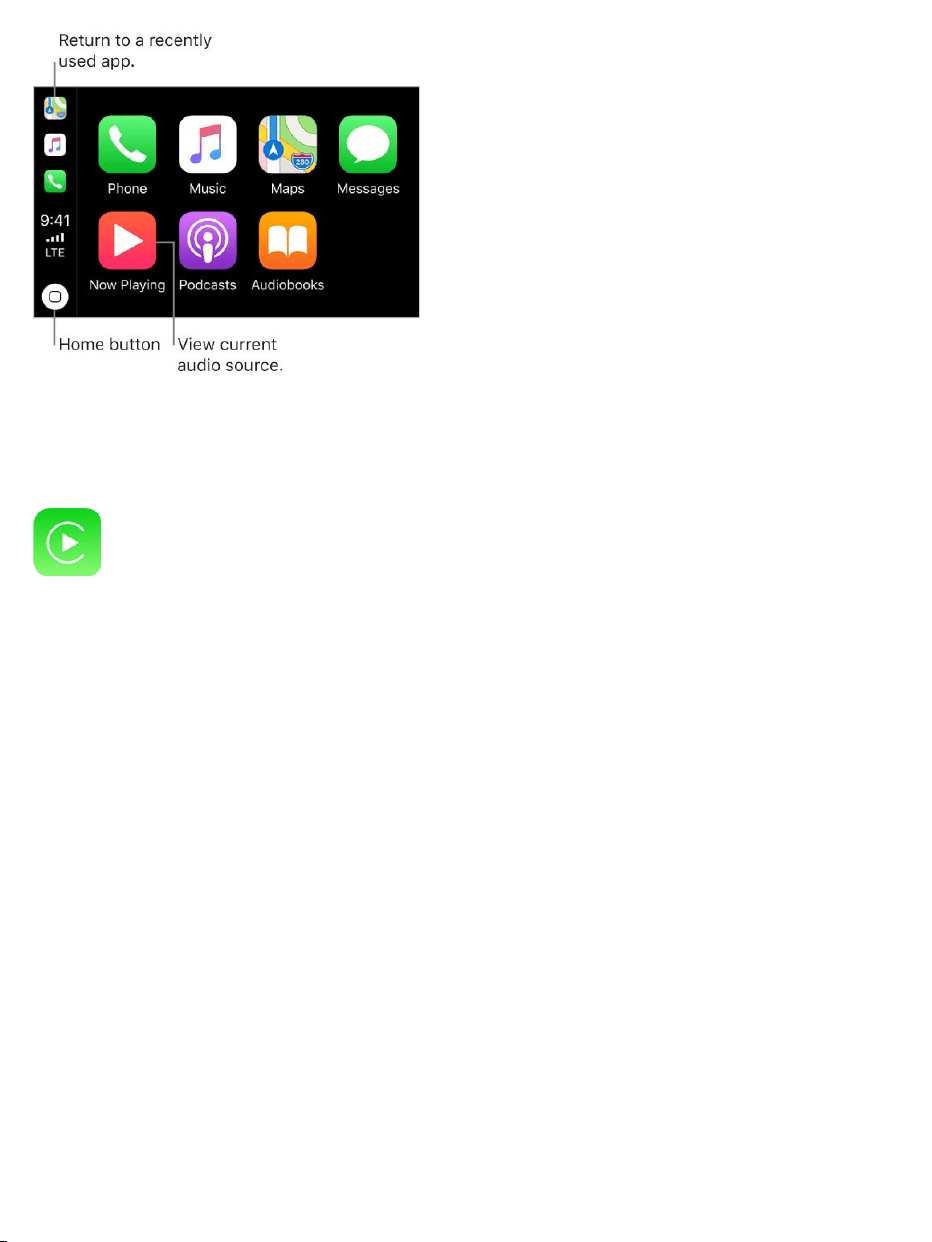
IftheCarPlayHomescreendoesn’tappear,selecttheCarPlaylogoonyour
car’sdisplay.
ConnectwirelesslytoCarPlay.First,makesureyourcarsupportswireless
CarPlayandisinwirelessorBluetoothpairingmode(seetheowner’sguide).
ThenoniPhone,gotoSettings>General>CarPlay>AvailableCars,and
chooseyourcar.
SpeaktoSiri.Pressandholdthevoicecommandbuttononthesteering
wheel,ortouchandholdtheHomebuttonontheCarPlayHomescreen,until
Siribeeps.Thenmakeyourrequest.OrinsteadofwaitingforSiritonoticethat
you’vestoppedtalking,pressandcontinuetoholdthevoicecommandbutton
onthesteeringwheelwhileyouspeak,thenreleaseitwhenyoufinish.
Openanapp.Taptheapponthetouchscreen.Ortwisttherotaryknobto
selecttheapp,thenpressdownontheknob.

ReturntotheCarPlayHomescreen.TaptheHomebuttononthe
touchscreen.OrtwisttherotaryknobtoselectHome,thenpressdownonthe
knob.
Youcanalsopressthe“back”buttonneartherotaryknob—orpressandhold
the“back”button—untilyougetbacktotheHomescreen.
Returntoyourcar’sHomescreen.Taptheiconwithyourcar’slogoifit
appearsontheHomescreen,orpressthephysicalHomebuttononyourradio
ifyourcarhasone.
Viewadditionalapps.Ifyouhavemorethaneightapps,someappsmay
appearonanotherpageoftheHomescreen.Swipeleftonthetouchscreen,or
twisttherotaryknob.
Returntoarecentlyusedapp.Tapitsiconontheedgeofthetouchscreen.
Ortwisttherotaryknobtotheicon,thenpressdownontheknob.
Scrollquicklythroughalist.Tapthelettersalongthelistattherightsideof
thetouchscreen.Ortwisttherotaryknob.
Viewandcontrolthecurrentaudiosource.SelectNowPlayingtoseethe
currentaudioapp.
RearrangetheiconsontheCarPlayHomescreen.Whenyou’renot
operatingyourcar,gotoSettings>General>CarPlayonyouriPhone,then
selectyourcar.Touchandholdanyicon,thendragit.Toremoveanicon,tapit.
Toadditback,tapitagain.(Aniconthatcanberemovedappearswithagray
circleinitsupper-leftcorner.)
YouriconchangesappearontheCarPlayHomescreenthenexttimeyou
connecttoCarPlay.

Maps
UseSirioropenMapstogetturn-by-turndirections,trafficconditions,and
estimatedtraveltime.CarPlaygenerateslikelydestinationsusingaddresses
fromyouremail,textmessages,contacts,andcalendars—aswellasplaces
youfrequent.Youcanalsosearchforalocation,uselocationsyou
bookmarked,andfindnearbyattractionsandservices.
Youcanuseotherappsevenwhengettingdirections.CarPlayletsyouknow
whenit’stimetomakeaturn.
AskSiri.Saysomethinglike:
“Takemehome”
“Getdirectionstothenearestcoffeeshop”
“What’smyETA?”
“Findagasstation”
Displaylikelydestinations.OpenMaps,thenselectDestinations.Selecta
destinationinthelisttogetdirections.Togetdirectionstoanearbyservice,
selectacategory(suchasGas,Parking,orCoffee),thenselectadestination.
(Foravailabilityofnearbysuggestions,gotothe .)
Makeaquickdetour.TomakeastopwhilenavigatinginMaps,select ,
selectoneofthesuggestedservices(suchasGasStations),thenselecta
destinationtoaddittoyourroute.OryoucanjustaskSiritofindyou
somethingalongtheway.
Phone
UseSiritohelpyoumakecalls,oropenPhone,thenselectfromoptionsto
showcontacts,favorites,recentcalls,voicemail,orakeypad.
Maps:Nearbywebsite

AskSiri.Saysomethinglike:
“CallEliza”
“Returnmylastcall”
“WhatvoicemailshaveIgotten?”
Messages
UseSiritohelpyousend,hear,andreplytotextmessages.Or,open
Messages,thenselectaconversationtohearunreadmessagesorrespondto
athread.Select tostartanewconversation.
AskSiri.Saysomethinglike:
“Textmywife”
“TellElizaI’mintrafficandI’llbe15minuteslatetothemeeting”
“Readmytextmessages”
Music
UseSirioropenMusictoaccessyourAppleMusicmembership,ForYou,
New,andthemusiconyouriPhone—includingsongs,artists,albums,and
playlists.OrtuneintoRadio.

AskSiri.Saysomethinglike:
“Play[aspecificartist,album,song,playlist,orstation].”IfSiridoesn’tfind
whatyouaskedfor,bemorespecific.Forexample,say“playtheradio
station‘PurePop’”ratherthansaying“play‘PurePop.’”
“Let’sheartheAcousticplaylist”
“Playmoresongslikethisone”
“Playmoresongsbythisartist”
“Playtherestofthisalbum”
“Createaradiostationbasedonthissong”
“Skipthissong”
“Repeatthissong”
“Shufflethisplaylist”
Onsomesystems,Musicdisplaysonlyapartiallistofchoiceswhileyou’re
driving.Tochooseamongoptionsnotinthelist,useSiribyselectingMoreat
thebottomofthelist,orbypressingandholdingthevoicecommandbuttonon
yoursteeringwheel.
Tocontrolplayback,useSiri,thecontrolsonyourcar’ssteeringwheel,orthe
NowPlayingscreen.

Button Whatitdoes
Pausesplayback.
Playsthecurrentsong.
Skipstothenextsong.Whenpressedandheld,fastforwards
throughthecurrentsong.
Returnstothesong’sbeginning.Whenpressedagain,returns
totheprevioussong.Whenpressedandheld,rewindsthrough
thecurrentsong.
Playssongsinrandomorder.
Repeatsthealbumorplaylist.Whenpressedtwice,repeatsthe
albumorplaylistonlyonce.
Displayscontrolstocreateacustomstationbasedonthe
currentsongandtoratethecurrentsong.
UpNext Displaysalistofsongsqueuedforplayback.(Youcanselecta
songfromthelisttoskipthesongsthatproceedit.)
Podcasts
UseSirioropenPodcaststofindapodcastonyouriPhoneandplayitwith
CarPlay.
AskSiri.Saysomethinglike:
“PlaytheFreakonomicsRadiopodcast”
“Skipahead45seconds”

Otherapps
CarPlayworkswithselectthird-partyaudioappsthatyoudownloadtoyour
iPhone,aswellasappsmadebyyourcarmaker.Compatibleappsshowup
automaticallyontheCarPlayHomescreen.
YoucanalsouseSiriwithCarPlaytoaccessmanyoftheappsoniPhone,
includingCalendar,Reminders,Clock,andmore.
AskSiri.Saysomethinglike:
“What’smynextmeeting?”
“RemindmetopackanumbrellawhenIgethome”
“Addmilktomygrocerylist”
“Setmyalarmfor6:00a.m.tomorrow”

Privacy
LocationServices
LocationServicesletslocation-basedappssuchasReminders,Maps,
Camera,andWalletgatherandusedataindicatingyourlocation.Your
approximatelocationisdeterminedusingavailableinformationfromcellular
networkdata,localWi-Finetworks(ifyouhaveWi-Fiturnedon),andGPS(if
available).ThelocationdatacollectedbyAppleisn’tcollectedinaformthat
personallyidentifiesyou.WhenanappisusingLocationServices, appears
inthestatusbar.
Privacysettingsletyouseeandcontrolwhichappsandsystemserviceshave
accesstoLocationServices,andtoContacts,Calendars,Reminders,and
Photos.
TurnLocationServicesonoroff.GotoSettings>Privacy>Location
Services.Youcanturnitoffforsomeorforallappsandservices.Ifyouturnoff
LocationServices,you’reaskedtoturnitonagainthenexttimeanappor
servicetriestouseit.
TurnLocationServicesoffforsystemservices.Severalsystemservices,
suchascompasscalibrationandlocation-basedads,useLocationServices.
Toseetheirstatus,turnthemonoroff,orshow inthestatusbarwhenthese
servicesuseyourlocation,gotoSettings>Privacy>LocationServices>
SystemServices.
Privacyandsecurity

Turnoffaccesstoprivateinformation.GotoSettings>Privacy.Youcan
seewhichappsandfeatureshaverequested,andyouhavegranted,accessto
privateinformation.Youcanturnoffeachapp’saccesstoeachofthese
categoriesofinformation:
Contacts
Calendars
Reminders
Photos
BluetoothSharing
Microphone
SpeechRecognition
Camera
Health
HomeKit
Media&AppleMusic
Motion&Fitness
Reviewthetermsandprivacypolicyforeachthird-partyapptounderstandhow
itusesthedatait’srequesting.Formoreinformation,seetheAppleSupport
article .
Advertisingandtracking
Turnofflocation-basedadsandoffers.GotoSettings>Privacy>
LocationServices>SystemServices,thenturnoffLocation-BasedApple
Ads.
AboutprivacyandLocationServices

ResetorlimitAdTracking.GotoSettings>Privacy>Advertising(atthe
bottomofthescreen).Toclearthedatausedtodeterminewhichadsmightbe
relevanttoyou,tapResetAdvertisingIdentifier.Tooptoutoftargeted
advertising,turnonLimitAdTracking.
Note:IfyouturnonLimitAdTracking,youmaystillreceivethesamenumber
ofads,buttheymaybelessrelevanttoyou.
ViewtheinformationAppleusestodelivertargetedads.GotoSettings>
Privacy>Advertising>ViewAdinformation.TheinformationisusedbyApple
todelivermorerelevantadsinAppleNewsandtheAppStore.Yourpersonal
dataisnotprovidedtootherparties.
KeepyourSafaribrowsingactivitiestoyourself.Whilebrowsingtheweb,
youcanpreventcross-sitetracking,blockcookies,eraseyourbrowsing
history,andmore.See forSafari.
Formoreinformation,gotoSettings>Privacy>Advertising>About
Advertising&Privacy.
Security
Useapasscodewithdataprotection
Forbettersecurity,youcansetapasscodethatmustbeenteredeachtime
youturnonorwakeupiPhone.
Set,change,orturnoffthepasscode.GotoSettings>TouchID&
Passcode.
ToadjustwheniPhoneautomaticallylocks(andthenrequiresthepasscodeto
unlock),gotoSettings>Display&Brightness>Auto-Lock.
Privacyandsecurity

Settingapasscodeturnsondataprotection,usingyourpasscodeasakeyto
encryptMailmessagesandattachmentsstoredoniPhone,using256-bitAES
encryption.(Otherappsmayalsousedataprotection.)
AddfingerprintsandsetoptionsfortheTouchIDsensor.(iPhone
modelswithTouchID)GotoSettings>TouchID&Passcode.See .
AllowaccesstofeatureswheniPhoneislocked.GotoSettings>
TouchID&Passcode(iPhonemodelswithTouchID)orSettings>Passcode
(othermodels).Optionalfeaturesinclude:
TodayView(see )
Recentnotifications(see )
ControlCenter(see )
ReplywithMessage(see )
HomeControl(see )
Wallet(see )
Returnmissedcalls(see
)
Erasedataaftertenfailedpasscodeattempts.GotoSettings>TouchID&
Passcode(iPhonemodelswithTouchID)orSettings>Passcode(other
models),thentapEraseData.Aftertenfailedpasscodeattempts,allsettings
arereset,allyourinformationandmediaareerased,andyoumust
or .
Usetwo-factorauthenticationforsecurity
TouchID
TodayView
Notifications
ControlCenter
Sendandreceivemessages
Homeoverview
Walletoverview
MakeandreceivecallsonyouriPad,iPodtouch,
orMac
restore
yourdevicefromabackup setitupagainasnew

Two-factorauthenticationisanextralayerofsecurityforyour
designedtoensurethatyou’retheonlypersonwhocanaccessyouraccount,
evenifsomeoneknowsyourpassword.It’sbuiltintoiOS9andlater,andOSX
10.11andlater.
Turnontwo-factorauthentication.Turnitonwhenaskedwhilesettingup
iPhone.Or,gotoSettings>[yourname]>Password&Security,thentapTurn
OnTwo-FactorAuthentication.
Whenasked,verifyyouridentitywithasix-digitverificationcode(asdescribed
below).Youwon’tbeaskedforaverificationcodeagainonyouriPhoneunless
yousignoutcompletely,eraseyouriPhone,signintoyourAppleIDaccount
pageinSafarionyouriPhone,orneedtochangeyourAppleIDpasswordfor
securityreasons.
Note:Ifyouusetwo-stepverificationandupgradetoiOS11,youraccount
mightbemigratedtousetwo-factorauthentication.Youraccountwillhavean
optional,additionalrecoveryfactor:arecoverykeythatcanbegeneratedon
iPhone.Formoreinformation,seetheAppleSupportarticle
.
Verifyyouridentitywithasix-digitverificationcode.Whenyou’reasked
onyouriPhoneforthecode,lookforanotificationonanyofyourtrusted
devicesoratatrustedphonenumber.Onatrusteddevice,taporclickAllowto
makeacodeappearonthatdevice.Tosendthecodetoatrustedphone
number,tap“Didn’tgetaverificationcode?”,thenchoosethephonenumber.
EnterthecodeonyouriPhone.
Ifyoucan’treceiveaverificationcodeautomaticallyonyourtrusteddevices
(describedbelow),andatrustedphonenumber(describedbelow)is
unavailable,youcangetaverificationcodefromSettingsonatrusteddevice,
evenifyourdeviceisoffline.OnatrustediOSdevice,gotoSettings>
AppleID
Switchfromtwo-
stepverificationtotwo-factorauthentication

[yourname]>Password&Security,thentapGetVerificationCode.Ona
trustedMac,chooseAppleMenu>SystemPreferences>iCloud>Account
Details>Security,thenclickGetVerificationCode.
AddanotheriOSdevice(iOS9orlater)oraMac(OSXElCapitanor
later)asatrusteddevice.Afteryouturnontwo-factorauthentication,usethe
sameAppleIDtosignintoiCloudonanotherdevice.Ifyoupreviouslysigned
in,signinagain.(OnaniOSdevice,gotoSettings>[yourname].OnaMac,
chooseAppleMenu>SystemPreferences>iCloud.)Verifyyouridentitywitha
six-digitverificationcode(asdescribedabove).Youcanreceiveverification
codesonallyourtrusteddevices.
Youwon’tbeaskedforaverificationcodeagainonatrusteddeviceunless
yousignoutcompletely,eraseyourdevice,signintoyourAppleIDaccount
pageinSafarionthatdevice,orneedtochangeyourAppleIDpasswordfor
securityreasons.
Addatrustedphonenumber.GotoSettings>[yourname]>Password&
Security,tapEdit(abovethelistoftrustedphonenumbers),thentapAdda
TrustedPhoneNumber.
Youmustverifyatleastonetrustedphonenumbertoenrollintwo-factor
authentication.Youshouldalsoconsiderverifyingotherphonenumbersyou
canaccess,suchasahomephone,oranumberusedbyafamilymemberor
closefriend.Trustedphonenumbersdon’tautomaticallyreceiveverification
codes.Ifyoucan’taccessanytrusteddeviceswhensettingupanewdevice
fortwo-factorauthentication,tap“Didn’tgetaverificationcode?”onthenew
device,thenchooseoneofyourtrustedphonenumberstoreceivethe
verificationcode.

Removeatrustedphonenumber.GotoSettings>[yourname]>
Password&Security,tapEdit(abovethelistoftrustedphonenumbers),then
tap nexttothephonenumber.
GetaverificationcodeonatrustediPhone,evenwhenyou’reoffline.If
youneedtoenteraverificationcodeonanotherdevicewhensettingitupfor
two-factorauthentication,butyoucan’treceivethecodeonyouriPhone,you
cangetaverificationcodefromSettingsonyourtrustediPhone.Goto
Settings>[yourname]>Password&Security,thentapGetVerificationCode.
Vieworremovetrusteddevices.GotoSettings>[yourname].Alistofthe
devicesassociatedwithyourAppleIDappearsnearthebottomofthescreen.
Toseeifalisteddeviceistrusted,tapit,thenlookfor“Thisdeviceistrusted
andcanreceiveAppleIDverificationcodes.”Toremoveadevice,tapit,then
tapRemoveFromAccount.
Turnofftwo-factorauthentication.Signintoyour ,
tapSecurity,tapEdit,thentapTurnOffTwo-FactorAuthentication.
TouchID
YoucanunlockiPhonebyplacingafingerontheHomebutton.TouchIDalso
letsyou:
Useyour passwordtomakepurchasesintheiTunesStore,
AppStore,oriBooksStore.
AuthorizecreditordebitcardpaymentsusingApplePay.
Providedebitandcreditcardinfo,billingandshippingaddresses,and
contactinfowhenpayinginanappthatoffersApplePayasamethodof
payment.
Usevariousfeaturesinsomethird-partyapps.
AppleIDaccountpage
AppleID

SetuptheTouchIDsensor.GotoSettings>TouchID&Passcode.Set
whetheryouwanttouseafingerprinttounlockiPhone,andtomake
purchases.TapAddaFingerprint,thenfollowtheonscreeninstructions.You
canaddmultiplefingerprints(bothofyourthumbsandforefingers,forexample,
andoneforyourspouse).
Note:IfyouturniPhoneoffaftersettinguptheTouchIDsensor,you’reasked
toconfirmyourpasscodewhenyouturniPhonebackonandunlockitthefirst
time.You’realsoaskedforyourAppleIDpasswordforthefirstpurchaseyou
makeintheiTunesStore,AppStore,oriBooksStore.
Deleteafingerprint.Tapthefingerprint,thentapDeleteFingerprint.Ifyou
havemorethanonefingerprint,placeafingerontheHomebuttontofindout
whichfingerprintitis.
Nameafingerprint.Tapthefingerprint,thenenteraname,suchas“Thumb.”
UsetheTouchIDsensortomakeapaymentintheiTunesStore,
AppStore,oriBooksStore.WhenpurchasingfromtheiTunesStore,
AppStore,oriBooksStore,followtheinstructionstoenablepurchaseswith
yourfingerprint.OrgotoSettings>TouchID&Passcode,thenturnoniTunes
&AppStore.
UseTouchIDforApplePay.GotoSettings>TouchID&Passcodeto
ensurethatApplePayisenabledwithyourTouchID.Formoreinformation
aboutApplePay,gotothe .
iCloudKeychain
iCloudKeychainkeepsyourSafariwebsiteusernamesandpasswords,credit
cardinformation,andWi-Finetworkinformationuptodateacrossallofyour
approveddevices(iOS7orlater)andMaccomputers(OSX10.9orlater).
ApplePaywebsite

iCloudKeychainissecuredwith256-bitAESencryptionduringstorageand
transmission,anditsdatacannotbereadbyApple.
iCloudKeychainworkswithSafariPasswordGeneratorandAutoFill.When
you’resettingupanewaccount,SafariPasswordGeneratorsuggestsunique,
hard-to-guesspasswords.Youcan tohaveiPhoneenteryouruser
name,password,andcreditcardinfoautomatically.Toprotectyourpersonal
information, ifyouturnoniCloudKeychainandAutoFill.
Note:SomewebsitesdonotsupportAutoFill.
iCloudKeychaincanalsokeeptheaccountsyouuseinMail,Contacts,
Calendar,andMessagesuptodateacrossallofyouriOSdevicesandMac
computers.
TolearnmoreaboutiCloudKeychain,seetheAppleSupportarticle
.
SetupiCloudKeychain.GotoSettings>[yourname]>iCloud>Keychain.
TurnoniCloudKeychain,thenfollowtheonscreeninstructions.
WhenyousetupiCloudKeychain,youcreateaniCloudSecurityCode.You
canuseyouriCloudSecurityCodetoauthorizeadditionaldevicestouseyour
iCloudKeychain.It’salsousedtoverifyyouridentitysothatyoucanperform
otheriCloudKeychainactions,suchasrecoveringyouriCloudKeychainifyou
loseallyourdevices.
SetupiCloudKeychainonadditionaldevices.SetupiCloudKeychainfor
eachdevicethatyouwanttoadd.WhenyouturnoniCloudKeychainonan
additionaldevice,yourotherdevicesthatuseiCloudKeychainreceivea
notificationrequestingapprovalfortheadditionaldevice.Afteryouapprovethe
additionaldevice,youriCloudKeychainautomaticallybeginsupdatingonthat
device.
useAutoFill
setapasscode
Frequently
askedquestions

ToapproveiCloudKeychainonanadditionaldevicewhenyoudon’thave
accesstoyourotherdevices,followtheonscreeninstructionstouseyour
iCloudSecurityCode.
ForgotyouriCloudSecurityCode?IfyouenterthewrongiCloudSecurity
CodetoomanytimeswhenusingiCloudKeychain,youriCloudKeychainis
disabledonthatdevice,andyourkeychaininiCloudisdeleted.Toresetor
createanewiCloudSecurityCode,seetheAppleSupportarticle
.
FindMyiPhone
IfyoumisplaceyouriPhone,theFindMyiPhoneappcanhelpyoulocateitand
protectyourdata.UsetheFindMyiPhoneapponanotheriPhone,iPad,or
iPodtouch—orusethe onanyMacorPC—tolocate
youriPhoneonamap,lockitremotely,playasound,displayamessage,or
eraseallitsdata.FindMyiPhoneincludesafeaturecalledActivationLock
thatpreventsanyoneelsefromactivatingandusingyouriPhone,evenifit’s
completelyerased.
YoucanalsouseFindMyiPhonetolocateyourAirPods,yourAppleWatch,
andyourotheriOSdevices.
Note:FormoreinformationaboutFindMyiPhone,refertotheHelpintheapp.
AllowFindMyiPhonetolocateyouriPhone.GotoSettings>
[yourname]>iCloud,thenturnonFindMyiPhone.AlsoturnonSendLast
LocationtohaveiPhonesenditslastlocationpriortothebatteryrunningout.
(See ifyouneedhelpsettingupiCloud.)
Ifyouenter
youriCloudSecurityCodeincorrectlytoomanytimes
FindMyiPhonewebapp
iCloud

Important:Tousethesefeatures,FindMyiPhonemustbeturnedonbefore
youriPhoneislost.iPhonemustbeabletoconnecttotheInternetforyouto
locateandsecurethedevice.
UseFindMyiPhone.OniPhoneoranotheriOSdevice,openFindMy
iPhone.Oronacomputer,gotothe .Signin,then
selectthedeviceyouwanttolocate.
PlaySound:Playasoundatfullvolumefortwominutes,eveniftheringer
issettosilent.
LostMode:ImmediatelylockyourmissingiPhonewithapasscodeand
displayacustommessageonthescreenwithacontactnumber.FindMy
iPhonetracksandreportsthelocationofyouriPhone,soyoucansee
whereit’sbeen.
WheniPhoneisinLostModeon ,FindMy
iPhoneattemptstosuspendtheabilitytopaywithcreditanddebitcards
usedforApplePay.See .
EraseiPhone:Protectyourprivacybyerasingalltheinformationand
mediaonyouriPhoneandrestoringittoitsoriginalfactorysettings.
ActivationLockpreventsanyoneelsefromactivatingandusingyour
iPhone,evenafteryoueraseitwithFindMyiPhone.On
,erasingiPhonealsoremovestheabilitytopaywith
creditanddebitcardsusedforApplePay.
BeforeyousellorgiveawayyouriPhone,youshould in
Settings,whichremovesActivationLock.Thenextownercanthenactivateand
usethedevicenormally.
FindMyiPhonewebapp
modelsthatsupportApplePay
AboutApplePay
modelsthat
supportApplePay
completelyeraseit
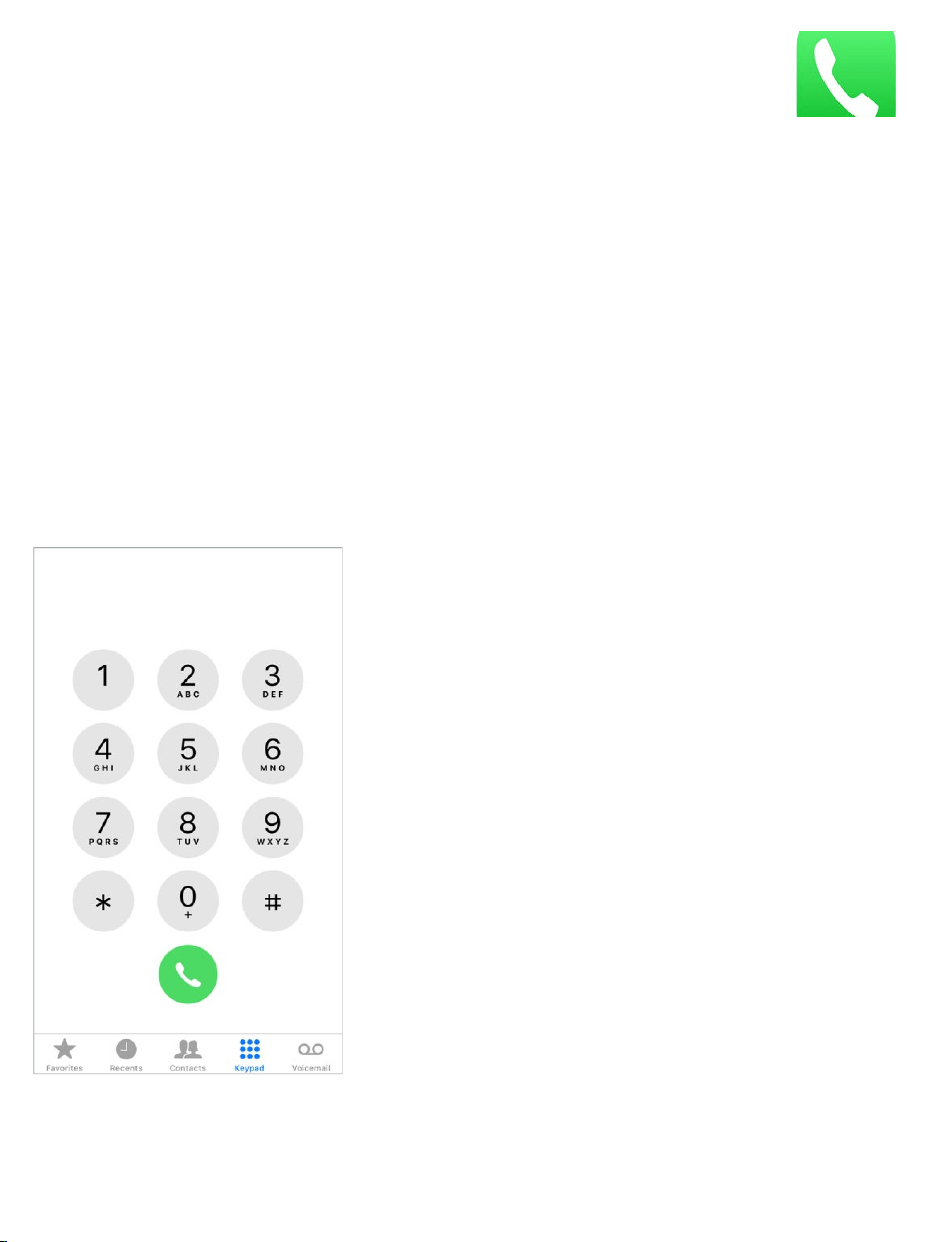

Addfavorites.WithFavorites,youcanmakeacallwithasingletap.Toadd
someonetoyourFavoriteslist,tap .YoucanalsoaddnamestoFavorites
fromContacts.InContacts,tapAddtoFavoritesatthebottomofacard,then
tapthenumbertoadd.
DeleteanameorrearrangeyourFavoriteslist.TapEdit.
Returnarecentcall.TapRecents,thentapthecall.Tap togetmoreinfo
aboutthecall,orthecaller.Aredbadgeindicatesthenumberofmissedcalls.
Dialmanually.TapKeypad,enterthenumber,thentap .
Pasteanumbertothekeypad:Double-tapthephonenumberfieldabove
thekeypad,thentapPaste.
Enterasoft(2-second)pause:Touchandholdthe“*”keyuntilacomma
appears.
Enterahardpause(topausedialinguntilyoutaptheDialbutton):Touch
andholdthe“#”keyuntilasemicolonappears.
Entera“+”forinternationalcalls:Touchandholdthe“0”keyuntil“+”
appears.
Redialthelastnumber:TapKeypad,tapCalltodisplaythenumber,then
tap .
UseSiriorVoiceControl. ,thensay“call”or“dial”followedbya
nameornumber.Youcanadd“athome,”“work,”or“mobile.”See
and .Forexample:
“CallEliza’smobile”
“Callthefiredepartment”
“Redialthatlastnumber”
SummonSiri
Make
requests VoiceControl

Whenvoicedialinganumber,speakeachdigitseparately—forexample,“four
onefive,fivefivefive….”Forthe800areacodeintheU.S.,youcansay“eight
hundred.”
MakeWi-FiCallsfromyouriPhone.(Availablewithsomecarriers)Goto
Settings>Phone>Wi-FiCalling,thenturnonWi-FiCallingonThisiPhone.
Tip:Wi-FiCallingcanbehelpfulwhenyouriPhonehasalowcellular
signal,becauseitusesyourWi-Finetworktomakethecall.
Whensomeonecalls
TapAccepttoansweranincomingcall.OrifiPhoneislocked,presstheHome
button.YoucanalsopressthecenterbuttononyourEarPods.
Silenceacall.PressthesidebuttonorSleep/Wakebutton(dependingon
yourmodel)oreithervolumebutton.Youcanstillanswerthecallaftersilencing
it,untilitgoestovoicemail.
Tip:YoucanhaveiPhoneannouncecallsandspecifywhentodoso—
whenyou’reusingheadphones,forexample.GotoSettings>Phone>
AnnounceCalls.
Adjustthevolumeduringacall.Pressthevolumebuttonsonthesideof
iPhone.

Declineacallandsenditdirectlytovoicemail.Youcan:
PressthesidebuttonorSleep/Wakebutton(dependingonyourmodel)
twicequickly.
Pressandholdthecenterbuttononyourheadsetforabouttwoseconds.
Twolowbeepsconfirmthatthecallwasdeclined.
TapDecline(ifiPhoneisawakewhenthecallcomesin).
Note:Insomeareas,declinedcallsaredisconnectedwithoutbeingsentto
voicemail.
Respondwithatextmessageinsteadofanswering.TapMessage,then
chooseareplyortapCustom.Tocreateyourowndefaultreplies,goto
Settings>Phone>RespondwithText,thentapanyofthedefaultmessages
andreplaceitwithyourowntext.
Remindyourselftoreturnthecall.TapRemindMe,thenchoosewhenyou
wanttobereminded.
MakeandreceivecallsonyouriPad,iPodtouch,or
Mac
Continuityletsyoumakecallsonyourotherdevicesbyrelayingcallsthrough
youriPhone,whichmustbeturnedonandconnectedtoacellularnetwork.To
makecallsthisway,youneediOS8orlater,andOSX10.10orlater.Youmust
besignedintoiCloudandFaceTimeonalldevicesusingthesameAppleID
asoniPhone,andalldevicesmustbeconnectedtothesameWi-Finetwork.
Wi-FiCallingletsyoumakeandreceivephonecallsonyouriPador
iPodtouch(iOS9orlater),AppleWatch(watchOS2orlater),orMac
(OSX10.11orlater),aslongasyou’resignedintoiCloudandFaceTimewith

thesameAppleIDonthedeviceyou’reusingforcalls.YouriPhonedoesn't
needtobeonthesamenetworkasyourotherdevicesoreventurnedon.
Note:Wi-FiCallingonotherdevicesisavailablewithsomecarriers,and
cellularchargesmayapply.
YoumustfirstsetupyouriPhone,thenyourotherdevices.Ifyousignoutof
iCloudorFaceTimeoniPhone,Wi-FiCallingisdisabled.
Note:WhenmakingcallsoniPhoneSE,iPhone6,iPhone6Plus,andlater,if
theWi-Ficonnectionislost,callsswitchautomaticallytoyourcarrier’scellular
networkusingVoLTE(VoiceoverLTE),ifavailableandturnedon.See
.(VoLTEcallsalsoswitchtoWi-FiwhenaWi-Ficonnection
becomesavailable.)OnearlieriPhonemodels,andoniPad,iPodtouch,ora
Mac,acallisdroppedifyoulosetheWi-Ficonnection.Contactyourcarrierfor
featureavailability.
TurnonWi-FiCallingonyouriPhone.GotoSettings>Phone>Wi-Fi
Calling,thenturnonWi-FiCallingonThisiPhone.
IfyouseeAddWi-FiCallingForOtherDevices,tapittoallowcallsfromother
devicesthataren’tonthesameWi-FinetworkasyouriPhone.Otherwise,you
canstilluseyourotherdevicestomakephonecalls,butyouriPhonemustbe
turnedonandonthesamenetworkasyourotherdevices.
TurnonWi-FiCallingonanotheriOSdevice.Onthedevice,goto
Settings>FaceTime,thenturnonFaceTime.Ifyou’reasked,turnonWi-Fi
calling.
TurnonWi-FiCallingonyourMac.OnyourMac,openFaceTime,then
chooseFaceTime>Preferences>Settings.Select“CallsfromiPhone.”Ifan
UpgradetoWi-FiCallingbuttonappears,clickit,thenfollowtheinstructions.
Cellular
datasettings

ReceiveacallonyouriPad,iPodtouch,orMac.Swipeorclickthe
notificationtoanswer,ignore,orrespondwithaquickmessage.
MakeacallfromyouriPad,iPodtouch,orMac.Taporclickaphone
numberinContacts,Calendar,FaceTime,Messages,Spotlight,orSafari.
Note:EmergencycallsonyouriPhoneareroutedthroughcellularservice
whenavailable.Intheeventthatcellularserviceisnotavailable,andyouhave
enabledWi-FiCalling,emergencycallsmaybemadeoverWi-Fi,andyour
device’slocationinformationmaybeusedforemergencycallstoaidresponse
efforts,regardlessofwhetheryouenableLocationServices.Somecarriers
mayusetheaddressyouregisteredwiththecarrierwhensigningupforWi-Fi
Callingasyourlocation.
FormoreinformationaboutWi-Ficalls,seetheAppleSupportarticle
.
Avoidunwantedcalls
Blockunwantedcallers.Onacontactcard,tapBlockthisCaller(tap in
FavoritesorRecentstoseeacaller’scontactcard).Youcanalsoblockcallers
inSettings>Phone>Blocking&Identification.Youdon’treceivevoicecalls,
FaceTimecalls,ortextmessagesfromblockedcallers.Formoreinformation
aboutblockingcalls,seetheAppleSupportarticle
.
Identifyspamcalls.Downloadaspam-blockingappfromtheAppStore,and
iPhonealertsyoutopotentialspamcalls.
Makea
callwithWi-FiCalling
Blockcallsandblockor
filtermessagesonyouriPhone,iPad,oriPodtouch
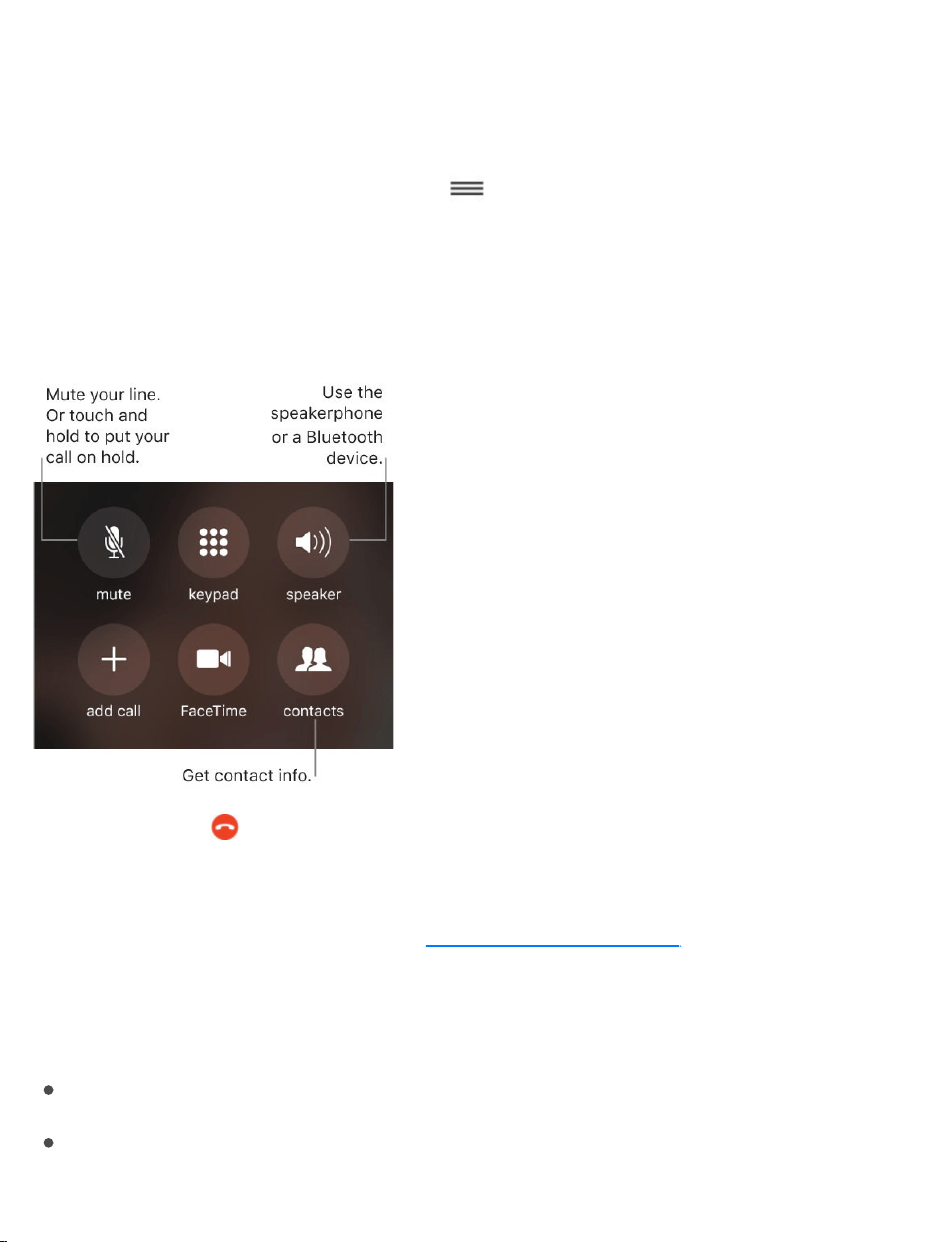
Toviewyourspam-blockingappsoniPhone,gotoSettings>Phone>Call
BlockingandIdentification.
Ifyouhavemultiplespam-blockingapps,youcanchangewhichonechecksan
unknownnumberfirst.Touchandhold ,thendragtoposition.
Whileonacall
Whenyou’reonacall,thescreenshowsseveralcalloptions.
Endacall.Tap orpressthesidebuttonorSleep/Wakebutton(depending
onyourmodel).
Useanotherappwhileonacall. ,thenopenthe
app.Toreturntothecall,tapthegreenbaratthetopofthescreen.
Respondtoasecondcall.Youcan:
Ignorethecallandsendittovoicemail:TapIgnore.
Putthefirstcallonholdandanswerthenewone:TapHold+Accept.
GototheHomescreen

Endthefirstcallandanswerthenewone:WhenusingaGSMnetwork,
tapEnd+Accept.WithaCDMAnetwork,tapEndandwhenthesecond
callringsback,tapAccept,ordragthesliderifiPhoneislocked.
Withacallonhold,tapSwaptoswitchbetweencalls,ortapMergeCallsto
talkwithbothpartiesatonce.See .
Note:WithCDMA,youcan’tswitchbetweencallsifthesecondcallwas
outgoing,butyoucanmergethecalls.Youcan’tmergecallsifthesecondcall
wasincoming.Ifyouendthesecondcallorthemergedcall,bothcallsare
terminated.
Conferencecalls
WithGSM,youcansetupaconferencecallwithuptofivepeople(depending
onyourcarrier).
Note:ConferencecallsmaynotbeavailableifyourcallisusingVoLTE(Voice
overLTE)orWi-Ficalling.
Startaconferencecall.Whileonacall,tapAddCall,makeanothercall,then
tapMergeCalls.Repeattoaddmorepeopletotheconference.
Droponeperson:Tap nexttoaperson,thentapEnd.
Talkprivatelywithoneperson:Tap ,thentapPrivatenexttotheperson.
TapMergeCallstoresumetheconference.
Addanincomingcaller:TapHoldCall+Answer,thentapMergeCalls.
Internationalcalls
Forinformationaboutmakinginternationalcallsfromyourhomearea
(includingratesandotherchargesthatmayapply),contactyourcarrier.
Conferencecalls

Whentravelingabroad,youmaybeabletouseiPhonetomakecalls,send
andreceivetextmessages,getvisualvoicemail,anduseappsthataccessthe
Internet,dependingonavailablenetworks.
Enableinternationalroaming.ToturnonDataRoamingandVoiceRoaming
(CDMA),gotoSettings>Cellular.Contactyourcarrierforinformationabout
availabilityandfees.
Important:Voice,textmessage,anddataroamingchargesmayapply.To
avoidchargeswhileroaming,turnoffDataRoamingandVoiceRoaming
(CDMA).
YoumaybeabletoroamonGSMnetworks,ifyouhaveaCDMAaccount,and
youriPhonehasaSIMcardinstalled.WhileroamingonaGSMnetwork,
iPhonehasaccesstoGSMnetworkfeatures.Chargesmayapply.Contact
yourcarrierformoreinformation.
Setnetworkoptions.GotoSettings>Cellularto:
Turndataroamingonoroff
Turncellulardataonoroff
Turnvoiceroamingonoroff(CDMA)
UseGSMnetworksabroad(CDMA)
See .
Turnoffcellularservices.GotoSettings,turnonAirplaneMode,thentap
Wi-Fiandturniton.Incomingphonecallsaresenttovoicemail.Toresume
cellularservice,turnAirplaneModeoff.
Cellulardatasettings

Makecallstoyourcontactsandfavoriteswhiletravelingabroad.(GSM)
GotoSettings>Phone,thenturnonDialAssist.DialAssistautomatically
addstheprefixorcountrycodeforcallstotheU.S.
Selectacarriernetwork.GotoSettings>Carrier.Thissettingappearson
GSMnetworkswhenyou’reoutsideyourcarrier’snetwork,andotherlocal
carrierdatanetworksareavailabletouseforyourphonecalls,visual
voicemail,andcellularnetworkInternetconnections.Youcanmakecallsonly
oncarriersthathavearoamingagreementwithyourcarrier.Additionalfees
mayapply.Roamingchargesmaybebilledtoyoubytheothercarrier,through
yourcarrier.
Onceyouselectanetwork,iPhoneusesonlythatnetwork.Ifthenetworkyou
choseisunavailable,“Noservice”appearsoniPhone.Tolookforadifferent
carriernetwork,gobacktoSettings>Carrier.
Getvoicemailwhenvisualvoicemailisn’tavailable.Dialyourownnumber
(withCDMA,add#afteryournumber),ortouchandhold“1”onthenumeric
keypad.
Emergencycalls
Incaseofemergency,useiPhonetoquicklycallforhelp.
MakeanemergencycallfromthePasscodescreen.TapEmergency,dial
theemergencynumber(forexample,911intheU.S.),thentap .
MakeanemergencySOScall.(InallregionsexceptIndia)
iPhone8andiPhone8Plus:Pressandholdthesidebuttonandeither
volumebuttonuntiltheEmergencySOSsliderappears,thendragthe
slider.Or,ifyougotoSettings>EmergencySOSandturnonAlsoWorks

with5Clicks,youcanstartanemergencySOScallwhenyouclicktheside
buttonfivetimes.
Othermodels:ClicktheSleep/Wakebuttonfivetimes,thendragthe
EmergencySOSslider.
TurnonAutoCall.GotoSettings>EmergencySOS.
IfAutoCallisturnedonandyoustartanemergencySOScall,iPhoneplaysa
warningsound,startsacountdown,thencallstheemergencyservicesinyour
region.
Bydefault,iPhoneplaysthecountdownsoundevenifiPhoneisinsilentmode
orDoNotDisturbisturnedon.Toturnoffthecountdownsound,goto
Settings>EmergencySOS.
MakeanemergencySOScall.(InIndia)ClickthesidebuttonorSleep/Wake
button(dependingonyourmodel)threetimes.Bydefault,iPhoneplaysa
warningsound,startsacountdown,thencallstheemergencyservices;toturn
offAutoCall,gotoSettings>EmergencySOS.
Notifyyouremergencycontacts.AfteranemergencySOScallends,
iPhonealertsyouremergencycontactsthatyoumadeacallandsendsthem
yourcurrentlocation(ifavailable).
Addoreditemergencycontacts. .
Important:
YoucanuseiPhonetomakeanemergencycallinmanylocations,
providedthatcellularserviceisavailable,butyoushouldnotrelyonitfor
emergencies.Somecellularnetworksmaynotacceptanemergencycall
UpdateyourMedicalIDintheHealthapp

fromiPhoneifiPhoneisnotactivated,ifiPhoneisnotcompatiblewithor
configuredtooperateonaparticularcellularnetwork,or(whenapplicable)
ifiPhonedoesnothaveaSIMcardortheSIMcardisPIN-locked.
IntheU.S.,locationinformation(ifdeterminable)maybeaccessedby
emergencyserviceproviderswhenyoumakeanemergencycall.
Reviewyourcarrier’semergencycallinginformationtounderstandthe
limitsofemergencycallingoverWi-Fi.
WithCDMA,whenanemergencycallends,iPhoneentersemergencycall
modeforafewminutestoallowacallbackfromemergencyservices.
Duringthistime,datatransmissionandtextmessagesareblocked.
Visualvoicemail
Visualvoicemailletsyouseealistofyourmessages.Youcanchoosewhich
onestolistento,viewtranscriptionsofmessages,ordeletethem,without
havingtowadethroughallofthem.AbadgeontheVoicemailicontellsyou
howmanyunheardmessagesyouhave.ThefirsttimeyoutapVoicemail,
you’reaskedtocreateavoicemailpasswordandrecordyourvoicemail
greeting.
Note:Voicemailtranscription(beta)isavailableinEnglishanddependson
thequalityoftherecording.Youwon’tseetranscriptionsforvoicemailsyou
receivedbeforeyouupgradediPhonetoiOS10.
Listentoavoicemailmessage.TapVoicemail,tapamessage,thentap .
Ifvisualvoicemailisn’tavailablewithyourservice,tapVoicemail,thenfollow
thevoiceinstructions.

AskSiri.Saysomethinglike:
“DoIhaveanynewvoicemail?”
“PlaythevoicemailfromEliza”
Messagesaresaveduntilyoudeletethemoryourcarriererasesthem.
Deleteamessage.Taporswipeleftonthemessage,thentapDelete.
Note:Insomeareas,deletedmessagesmaybepermanentlyerasedbyyour
carrier.YourvoicemessagesmayalsobedeletedifyouchangeyourSIM
card.
Managedeletedmessages.Scrolltotheendofthemessageslist,thentap
DeletedMessages.Youcan:
Listentoadeletedmessage:Tapthemessage.

Undeleteamessage:TapthemessageandtapUndelete.
Deleteamessagepermanently:Swipeleftonthemessage,thentap
Clear.Youcan:
Deleteallmessagespermanently:TapClearAll.
Shareamessage.Tapamessage,thentap .
Updateyourgreeting.TapVoicemail,tapGreeting,tapCustom,thentap
Record.Or,touseyourcarrier’sgenericgreeting,tapDefault.
Setanalertsoundfornewvoicemail.GotoSettings>Sounds.
Changethepassword.GotoSettings>Phone>ChangeVoicemail
Password.Ifyouforgotyourvoicemailpassword,contactyourwirelesscarrier.
Contacts
Whenviewingacontact’scard,aquicktapletsyoumakeaphonecall,create
anemailmessage,findthecontact’slocation,andmore.See
.
SeethephonenumberforyouriPhone.GotoSettings>Phone>My
Number.
3DTouch.ToaddacontactfromtheHomescreen,pressPhone,thenchoose
theCreateNewContactquickaction.See .
Callforwarding,callwaiting,andcallerID
Setupcallforwarding,callwaiting,orcallerID.(GSM)GotoSettings>
Phone.
UseContacts
fromwithinthePhoneapp
3DTouch

CallForwarding: appearsinthestatusbarwhencallforwardingison.
YoumustbeinrangeofthecellularnetworkwhenyousetiPhoneto
forwardcalls,orcallswon’tbeforwarded.
CallWaiting:Ifyou’reonacallandcallwaitingisturnedoff,incomingcalls
godirectlytovoicemail.
CallerID:ForFaceTimecalls,yourphonenumberisdisplayedevenif
callerIDisturnedoff.
ForCDMAaccounts,contactyourcarrierforinformationaboutenablingand
usingthesefeatures.
Formoreinformation,seetheAppleSupportarticle
.
Ringtonesandvibrations
iPhonecomeswithringtonesthatplayforincomingcalls,Clockalarms,and
theClocktimer.Youcanalsopurchaseringtonesfromsongsinthe
iTunesStore.See .
Setthedefaultringtone.GotoSettings>Sounds&Haptics>Ringtone
( )orSettings>Sounds>Ringtone(other
models).See .
Assignadifferentringtonetoacontact.GotoContacts,selectacontact,
tapEdit,thenchoosearingtone.
Turntheringeronoroff.FliptheRing/SilentswitchtoputiPhoneinring
mode orsilentmode .
Important:ClockalarmsstillsoundwhentheRing/Silentswitchissettosilent.
Callforwarding,call
waiting,andothercallfeaturesoniPhone
Purchase,rent,orredeem
modelswithsystemhaptics
Soundsandhaptics

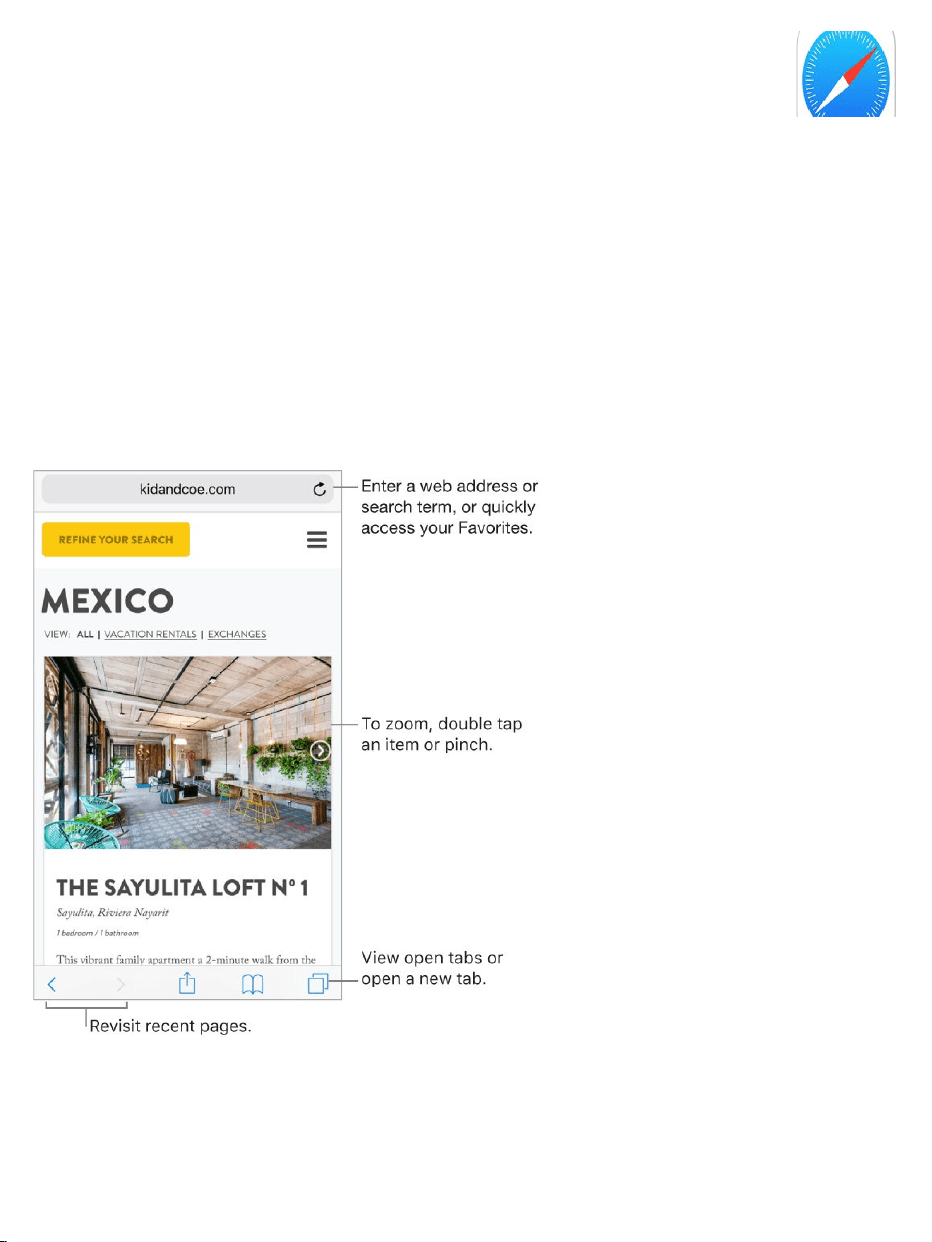
Browsetheweb
WithSafarioniPhone,youcanbrowsetheweb,addwebpagestoyour
readinglisttoreadlater,andaddpageiconstotheHomescreenforquick
access.IfyousignintoiCloudwiththesameAppleIDonallyourdevices,you
canseepagesyouhaveopenonotherdevices,andkeepyourbookmarks,
history,andreadinglistuptodateonyourotherdevices.
Lookbeforeyouleap.ToseetheURLofalinkbeforeyougothere,touch
andholdthelink.
Safari
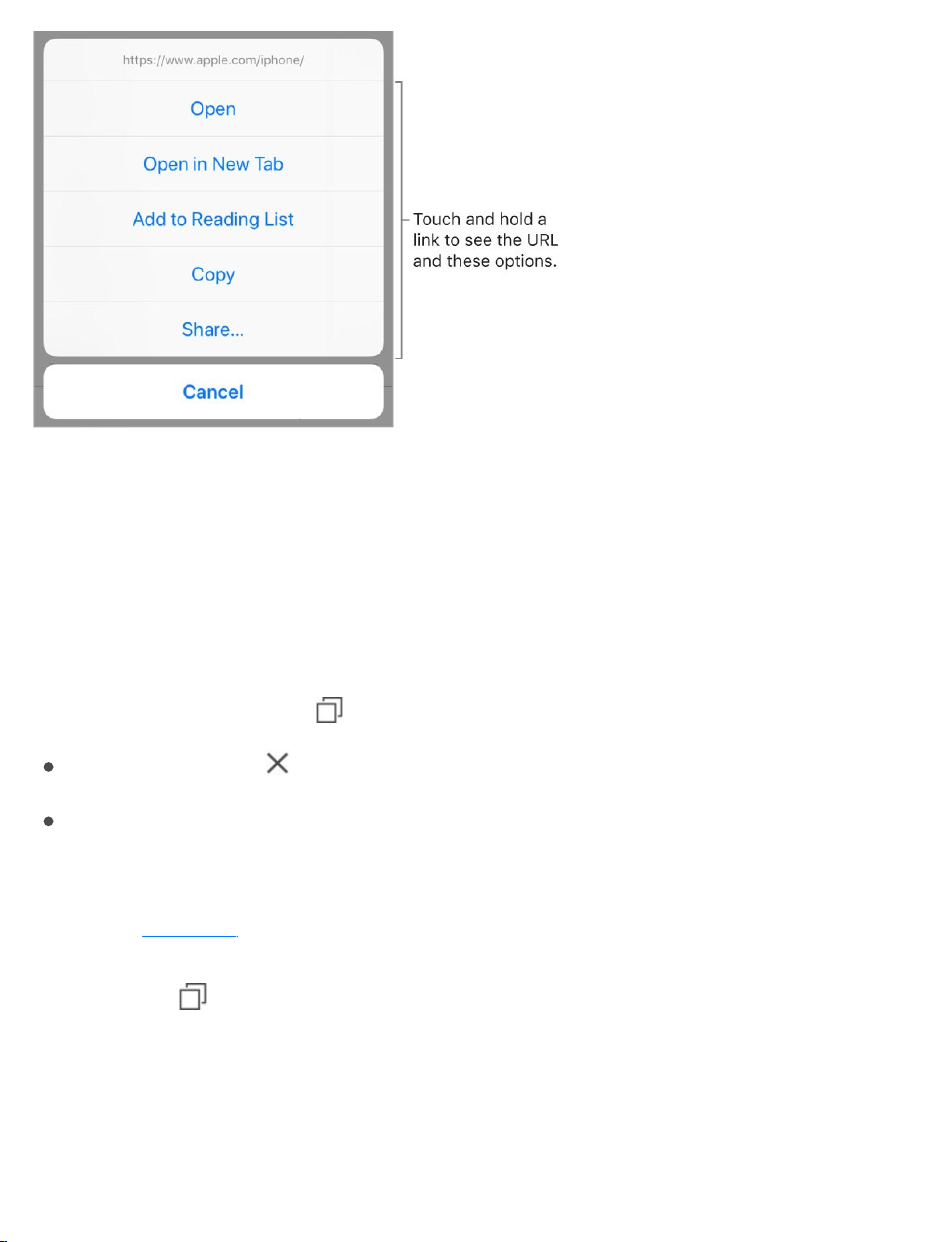
3DTouch.Topreviewitems,pressalinktogetapeek.Pressalittledeeper
toopenit.See .
Openalinkinanewtab.Touchandholdthelink,thentapOpeninNewTab.
Tostayonthecurrenttabwheneveryouopenalinkinanewtab,goto
Settings>Safari>OpenLinks,thentapInBackground.
Browseopentabs.Tap .
Closeatab:Tap intheupper-leftcorner,orswipeleftonthetab.
Returntoviewingasingletab:Tapatab,ortapDone.
Viewtabsthatareopenonyourotherdevices.IfyousignintoiCloudwith
thesame onallyourdevices,andyouturnonSafariinSettings>
[yourname]>iCloudoniPhone,youcanviewtabsthatareopenonyourother
devices.Tap ,thenscrolltothelistatthebottom.Tocloseatab,swipeleft,
thentapClose.
3DTouch
AppleID
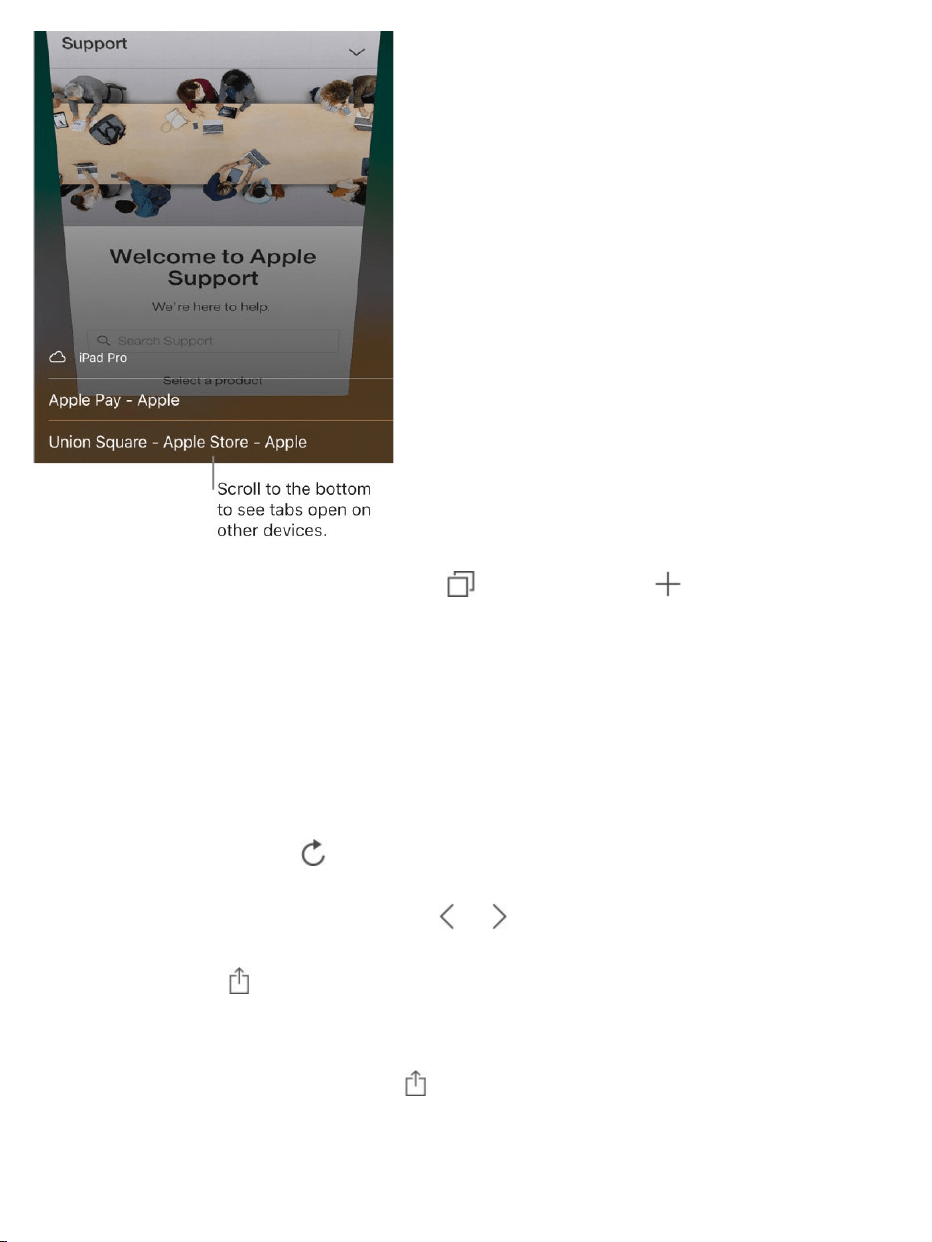
Reopenarecentlyclosedtab.Tap ,touchandhold ,thenchoosefrom
thelistofrecentlyclosedtabs.
Getbacktothetop.Double-tapthetopedgeofthescreentoquicklyreturnto
thetopofalongpage.
Seemoreofthepage.TurniPhonetolandscapeorientation.
Refreshthepage.Tap nexttotheaddressinthesearchfield.
Seeatab’shistory.Touchandhold or .
Sharelinks.Tap .
Viewthedesktopversionofasite.Toseethefulldesktopversionofasite
insteadofthemobileversion,tap ,thentapRequestDesktopSite.
Blockpop-ups.GotoSettings>Safari,thenturnonBlockPop-ups.

Searchtheweb
Searchtheweb.EnteraURLorsearchterminthesearchfieldatthetopof
thepage,thentapasearchsuggestion,ortapGoonthekeyboardtosearch
forexactlywhatyoutyped.Ifyoudon’twanttoseesuggestedsearchterms,go
toSettings>Safari,thenturnoffSearchEngineSuggestions(belowSearch).
Quicklysearchasiteyou’vevisitedbefore.Enterthenameofthesite,
followedbyyoursearchterm.Forexample,enter“wikieinstein”tosearch
Wikipediafor“einstein.”GotoSettings>Safari>QuickWebsiteSearchto
turnthisfeatureonoroff.
Seeyourfavoriteswhenyouenteranaddress,search,orcreateanew
tab.GotoSettings>Safari>Favorites,thenselectthefoldercontainingyour
favorites.
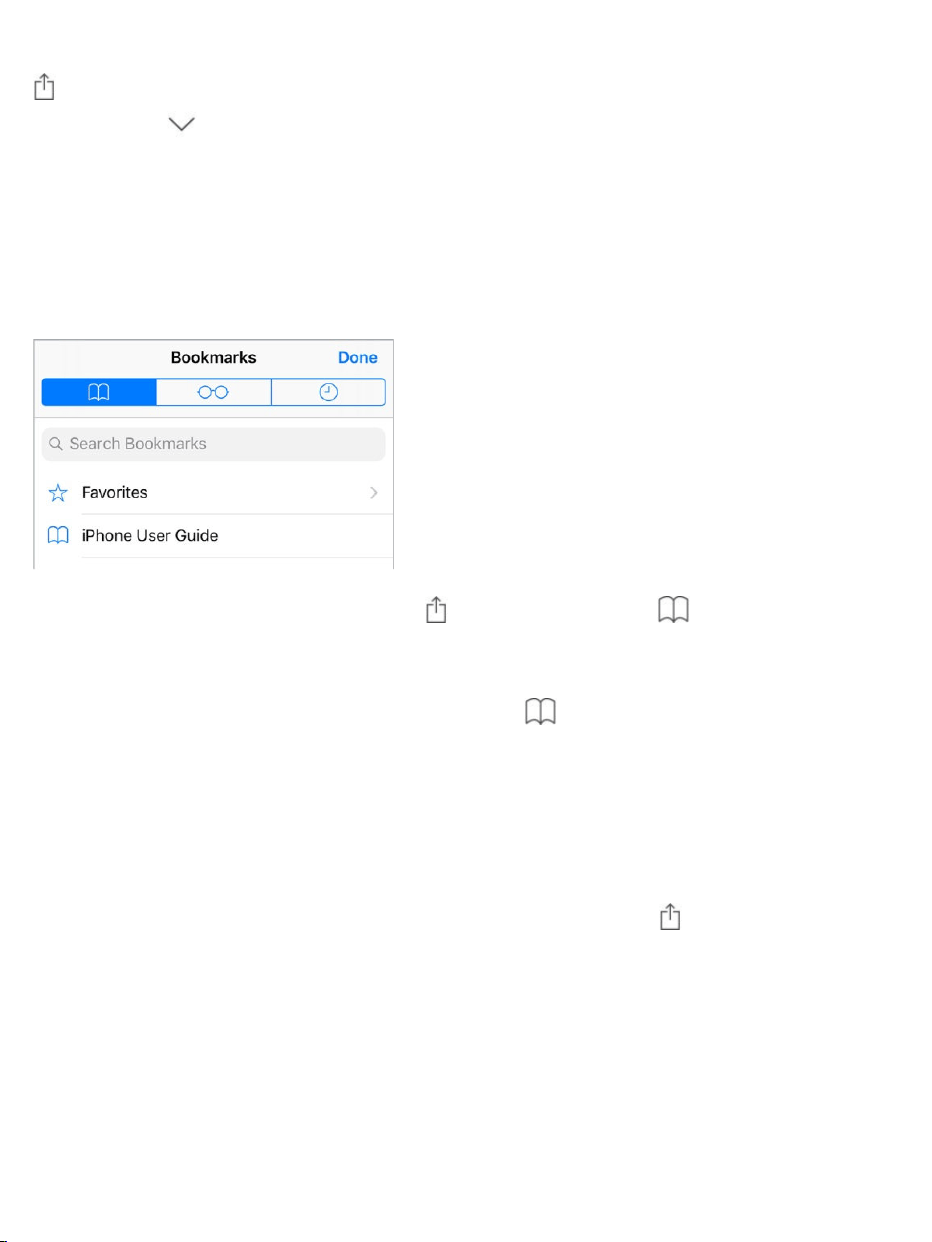
Searchthepage.Tofindaspecificwordorphraseonthecurrentpage,tap
,thentapFindonPage.Enterthewordorphraseinthesearchfieldto
search.Tap tofindotherinstances.
Chooseyoursearchengine.GotoSettings>Safari>SearchEngine.
Addbookmarksandfavorites
Bookmarkthecurrentpage.Tap (ortouchandhold ),thentapAdd
Bookmark.
Viewandorganizeyourbookmarks.Tap ,thentaptheBookmarkstab.
Tocreateanewfolderordelete,rename,orreorderbookmarks,tapEdit.
3DTouch.ToquicklyaccessyourbookmarksfromtheHomescreen,press
theSafariicon,thentapShowBookmarks.See .
Addawebpagetoyourfavorites.Openthepage,tap ,thentapAddto
Favorites.
Quicklyseeyourfavoriteandfrequentlyvisitedsites.Tapthesearchfield
toseeyourfavorites.Scrolldowntoseefrequentlyvisitedsites.(Toavoid
seeingalistofthesesites,gotoSettings>Safari,thenturnoffFrequently
VisitedSites.)
3DTouch

Edityourfavorites.Tap ,taptheBookmarkstab,tapFavorites,thentap
Edittodelete,rename,orrearrangeyourfavorites.
Choosewhichfavoritesappearwhenyoutapthesearchfield.Goto
Settings>Safari>Favorites.
SeeyourMacbookmarksoniPhone.GotoSettings>[yourname]>
iCloud,thenturnonSafari.
AddaniconforthecurrentpagetoyourHomescreen.Toquicklyaccess
thepagefromyourHomescreen,tap ,thentapAddtoHomeScreen.The
iconappearsonlyonthedevicewhereyouaddit.
Saveareadinglistforlater
Saveinterestingitemsinyourreadinglistsoyoucanrevisitthemlater.Youcan
evensavetheitemsinyourreadinglisttoiCloudandreadthemlaterwhen
you’renotconnectedtotheInternet.

Addthecurrentpagetoyourreadinglist.Tap ,thentapAddtoReading
List.
Addalinkedpagewithoutopeningit.Touchandholdthelink,thentapAdd
toReadingList.
Viewyourreadinglist.Tap ,thentap .
Deleteanitemfromyourreadinglist.Inyourreadinglist,swipetheitemto
theleft.
AutomaticallysaveallreadinglistitemstoiCloudforofflinereading.Go
toSettings>Safari,thenturnonAutomaticallySaveOffline(belowReading
List).
Fillinforms
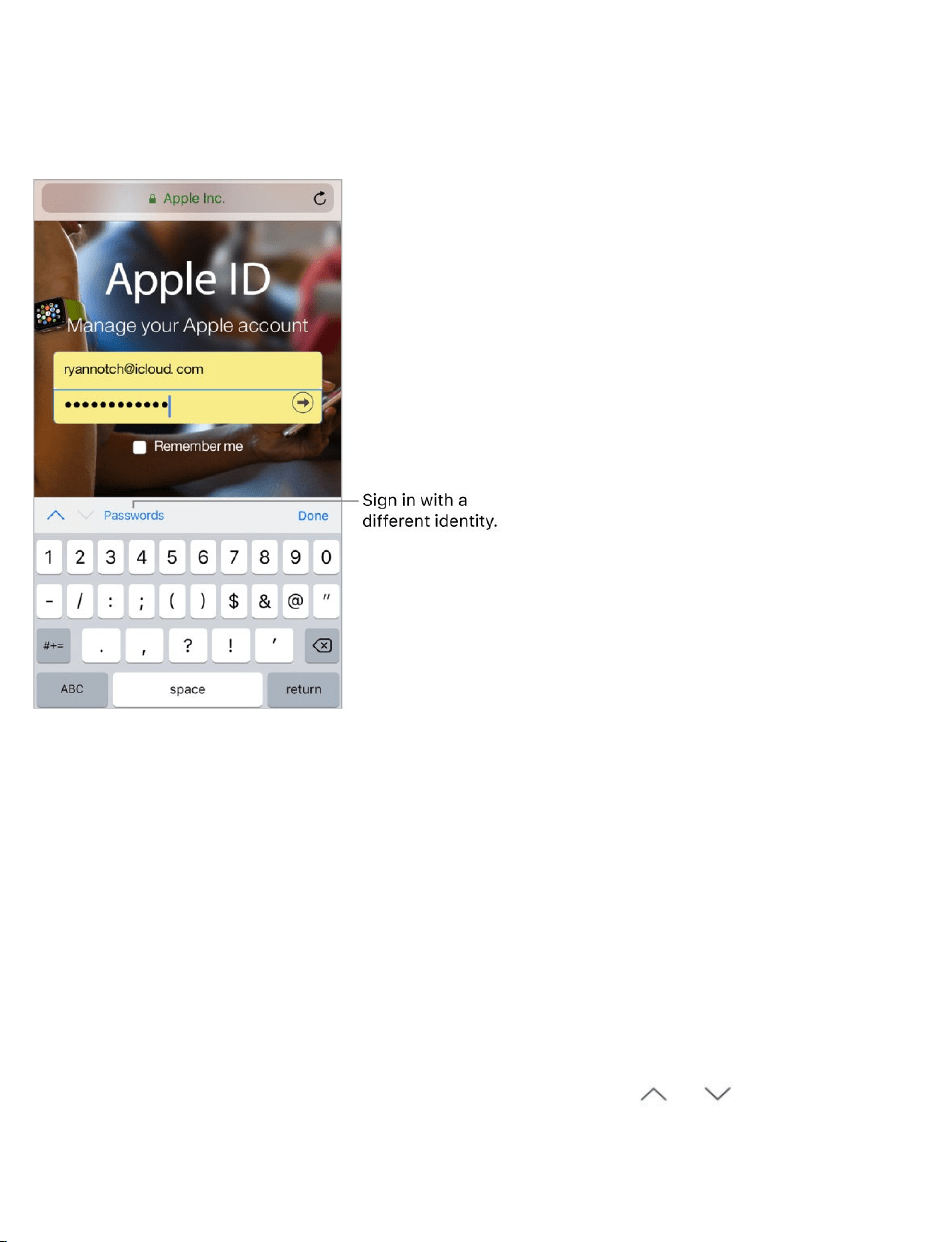
Whenyousignintoawebsite,signupforaservice,ormakeapurchase,you
canfillinawebformusingtheonscreenkeyboard,orhaveSafarifillitinfor
youusingAutoFill.
TurnonAutoFill.GotoSettings>Safari>AutoFill.
Tiredofalwayshavingtosignin?Whenyou’reaskedifyouwanttosave
thepasswordforthesite,tapYes.Thenexttimeyouvisit,yourusernameand
passwordarefilledinforyou.
Signinwithadifferentidentity.Ifyouusemultipleidentitieswithasiteand
anincorrectidentityisfilledin,tapPasswordsabovethekeyboard,thenselect
theidentityyouprefer.
Fillinaform.Tapafieldtobringupthekeyboard.Tap or abovethe
keyboardtomovefromfieldtofield.

Fillitinautomatically.Whenyoufillincontactinformationonawebsitethat
supportsAutoFill,tapAutoFillContactabovethekeyboard.TapCustomizeto
editandstoreyourinformationfornexttime.Or,tapOtherContacttofillin
someoneelse’sinformation.
Addacreditcardforpurchases.GotoSettings>Safari>AutoFill>Saved
CreditCards>AddCreditCard.Toentertheinformationwithouttyping,tap
UseCamera,thenpositioniPhonesothatyourcardappearsintheframe.
Also,whenyoumakeanonlinepurchase,youcanallowSafaritosavethe
creditcardinformation.See .
Useyourcreditcardinformation.Whenyoufillincreditcardinformation,
tapAutoFillCreditCardabovethekeyboard.Enteryourcard’ssecuritycode,
whichisn’tstored.Forgreatersecurityofyourcreditcardinformation,
foriPhone.
Submitaform.TapGo,Search,orthelinkonthewebpage.
UseReaderfordistraction-freereading
UseSafariReadertoviewapagewithoutads,navigation,orotherdistracting
items.
Focusoncontent.Tap attheleftendoftheaddressfield.Ifyoudon’tsee
theicon,Readerisn’tavailableforthepageyou’relookingat.
Sharejustthegoodstuff.Tosharejustthearticletextandalinktoit,tap
whileviewingthepageinReader.
iCloudKeychain
usea
passcode

Returntothefullpage.Tap intheaddressfieldagain.
UseReaderautomatically.Onasupportedwebsite,touchandhold ,then
choosetouseReaderautomaticallyonthecurrentwebsiteoronallwebsites.
Privacyandsecurity
AdjustSafarisettingstokeepyourbrowsingactivitiesprivateandprotect
yourselffrommaliciouswebsites.
ControlprivacyandsecuritysettingsforSafari.GotoSettings>Safari.
BelowPrivacy&Security,youcan:
Preventcross-sitetracking:Safarilimitsthird-partycookiesanddataby
default.Turnitofftoallowcross-sitetracking.
Blockallcookies:ToremovecookiesalreadyoniPhone,gotoSettings>
Safari>ClearHistoryandWebsiteData.
Askwebsitesnottotrackyou:Butbeware—awebsitecanchoosenotto
honortherequest.
Getwarningsaboutfraudulentwebsites:Safaridisplaysawarningif
you’revisitingasuspectedphishingwebsite.
LetSafaricreateandstoresecurepasswordsforyou.Whencreatinga
newaccount,tapthepasswordfield,tapSuggestPassword,thentapUse
SuggestedPassword.

Viewyoursavedpasswords.GotoSettings>Accounts&Passwords>
App&WebsitePasswords,thenenteryouriPhonepasscodeoruseTouchID.
EraseyourbrowsinghistoryanddatafromiPhone.GotoSettings>
Safari>ClearHistoryandWebsiteData.
Visitsiteswithoutmakinghistory.Tap ,thentapPrivate.Sitesyouvisit
aren’taddedtoHistoryoniPhoneanddon’tappearinthelistoftabsonyour
otherdevices.TohidethesitesandexitPrivateBrowsingMode,tap ,then
tapPrivateagain.ThesitesreappearthenexttimeyouusePrivateBrowsing
Mode.

Sendandreceivemessages
UseMessagestosendandreceivetexts,photos,videos,andmorethrough
iMessageorSMS/MMSservices.WiththeiMessageservice,youcan
enhanceyourmessageswithbubbleeffects,invisibleink,full-screeneffects,
yourownhandwriting,DigitalTouch,iMessageapps,stickers,andmore.
WARNING:Forimportantinformationaboutavoidingdistractionswhile
driving,see .
Messages
Importantsafetyinformation

Startaconversation.Tap .Entertherecipient’sphonenumberoremail
address,ortap andchooseacontact.Tapthetextfield,thenenteryour
message.Tap tosend.
Alternatively,tostartaconversationfromMail,Calendar,orNotes,touchand
holdaphonenumber,thentapSendMessage.
3DTouch.TostartaconversationfromtheHomescreen,pressthe
Messagesicon,thentapNewMessage.See .
Sendamessagetoagroup.Tap ,thenentermultiplerecipients.
Tip:Toseewhattimeamessagewassentorreceived,dragabubbleto
theleft.
3DTouch
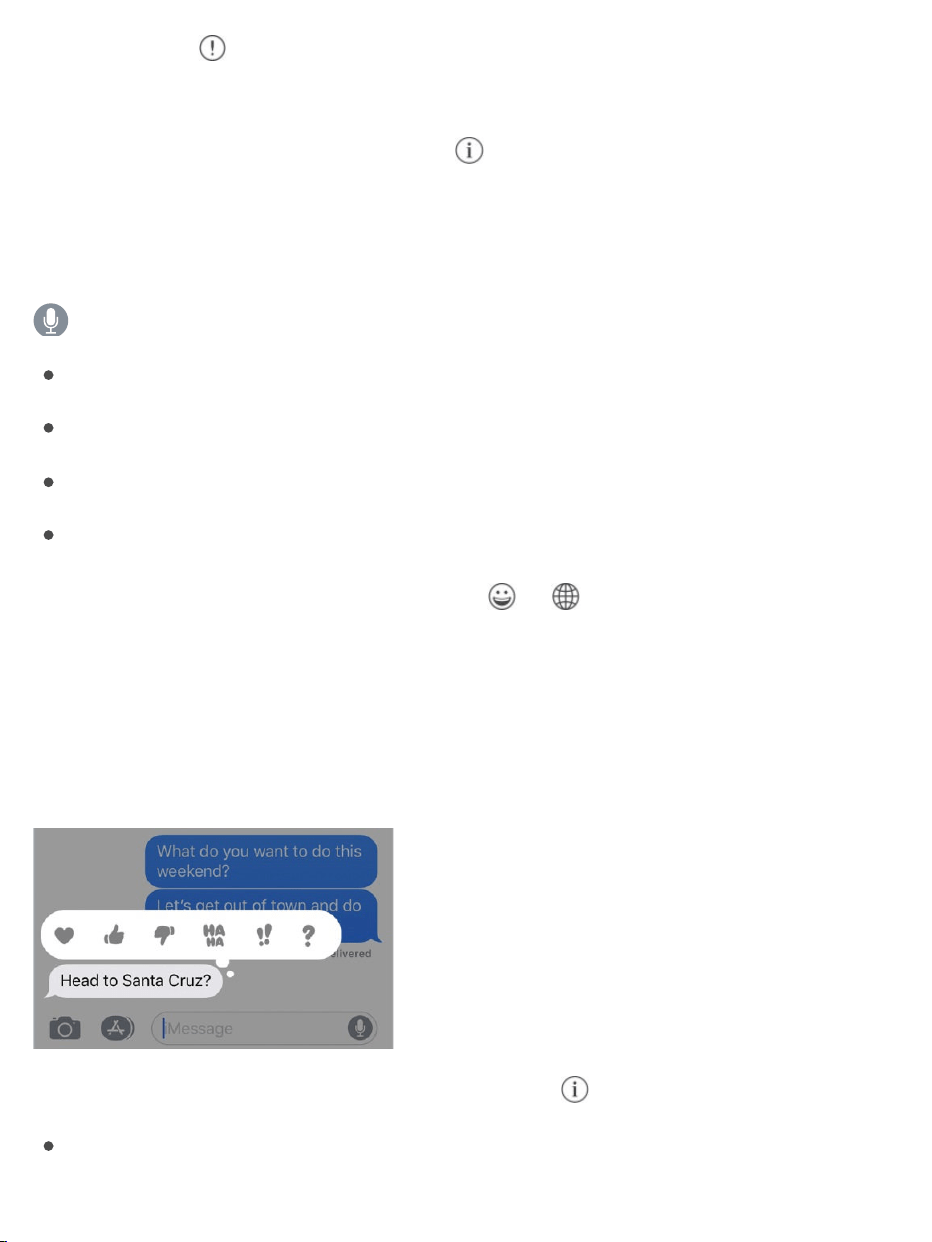
Note:Analert appearsifamessagecan’tbesent.Tapthealerttotry
sendingthemessageagain.
Manageagroupconversation.Tap .Youcannametheconversation,add
someonetotheconversation,orleavetheconversation.
Resumeaconversation.TaptheconversationintheMessageslist.
AskSiri.Saysomethinglike:
“SendamessagetoElizasayinghowabouttomorrow”
“Replythat’sgreatnews”
“Readmymessages”
“ReadmylastmessagefromBob”
Useemoji.Whentypingamessage,tap or toswitchtotheEmoji
keyboard.Toautomaticallyreplacetextwithemoji,tapthehighlightedwords.
See .
RespondwithaTapback.Tosendaquickresponsethatletspeopleknow
whatyou’rethinking,double-tapamessage,thenchooseyourresponse.
Viewandmanageconversationdetails.Tap .Youcan:
Tapacontacttoviewthecontactcard.
Useinternationalkeyboards

Performquickactionssuchasmakingacall.
Sendyourcurrentlocationorshareyourlocationforaspecifiedlengthof
time.
Hidealerts.
Sendreadreceipts.
Viewimagesandattachments.
ViewtheMessageslist.Tap orswipefromtheleftedge.Onthe
,youcanseetheMessageslistandtheselectedconversation
inlandscapeorientation.
Searchconversations.ScrolltothetopoftheMessageslisttorevealthe
searchfield,thenenterthetextyou’relookingfor.Youcanalsosearch
conversationsfromtheHomescreen.See .
Deleteaconversation.IntheMessageslist,swipeleftontheconversation,
thentapDelete.
Note:Youcan’trecoveradeletedconversation.
SetupiMessageandSMS/MMS
WiththeMessagesapp,youcanexchangemessageswithotherSMSand
MMSdevicesusingyourcellularconnectiononiPhone,andwithotheriOS
devicesandMaccomputersusingiMessage.
iMessageisanAppleservicethatsendsmessagesoverWi-Fiorcellular
connectionstootheriOSdevices(withiOS5orlater)andMaccomputers
(withOSX10.8orlater).Thesemessagesdon’tcountagainstyour
messagingplan.MessagessentviaiMessagecanincludephotos,videos,
larger
iPhonemodels
Search

andotherinfo.Youcanseewhenotherpeoplearetyping,andsendread
receiptstoletthemknowwhenyou’vereadtheirmessages.Forsecurity,
messagessentviaiMessageareencryptedbeforethey’resent.
iMessagetextsappearinbluebubbles,andSMS/MMStextsappearingreen
bubbles.FormoreinformationaboutSMS/MMSandiMessage,seetheApple
Supportarticle .
SignintoiMessage.GotoSettings>Messages,thenturnoniMessage.
Ifyou’resignedintoiMessagewiththesameAppleIDonallyourdevices,all
themessagesthatyousendandreceiveoniPhonecanalsoappearonyour
otherAppledevices.Sendamessagefromwhicheverdeviceisclosestto
you,or tostartaconversationononedeviceandcontinueiton
another.
SignintoiMessageonyourMacandotherAppledevicesusingthe
sameAppleID.
iOSdevices:GotoSettings>Messages,thenturnoniMessage.
Mac:OpenMessages.Ifyou’resigninginforthefirsttime,enteryour
AppleIDandpassword,thenclickSignIn.Ifyousignedinbeforeandwant
touseadifferentAppleID,chooseMessages>Preferences,click
Accounts,thenselectiMessageintheAccountslist.
WithContinuity,alltheSMS/MMSmessagesthatyousendandreceiveon
iPhonecanalsoappearonyourotheriOSdevicesandyourMac.Formore
information,seetheAppleSupportarticle
.
Sharephotos,videos,andaudio
UseMessageswithyouriPhone,iPad,oriPodtouch
useHandoff
UseContinuitytoconnectyour
iPhone,iPad,iPodtouch,andMac

WithiMessageorMMS,youcansendmessageswithphotos,videos,and
audio.Yourcarrierdeterminesthesizelimitofattachments;iPhonemay
compressphotoandvideoattachmentswhennecessary.
Sendaphotoorvideo.Tap .Youcan:
TakeaphotowithinMessages:Frametheshotintheviewfinder,thentap
.
Choosearecentphotoorvideo:Swipelefttobrowsethroughrecent
shots.
TakeaphotoorvideousingCamera:TapCamera.
ChooseaphotoorvideofromyourPhotoLibrary:TapPhotos.
Then,tap tosendor tocancel.

Markupaphoto.Tapthephotointhemessagebubble,thentapMarkup.
DrawonthephotowiththeMarkuptools.See .
Findandsharetrendingphotosandvideosfromtheweb.See
.
Sendanaudiomessage.Touchandhold torecordanaudiomessage,
thenliftyourfingertostoprecording.Tap tolistentoyourmessagebefore
yousendit.Tap tosendor tocancel.
Note:Tosavespace,iPhoneautomaticallydeletesaudiomessagestwo
minutesafteryoulistentothem,unlessyoutapKeep.Toalwayskeepthem,go
toSettings>Messages>Expire(belowAudioMessages),thentapNever.
RaiseiPhonetolistenorreplytoanaudiomessage.RaiseiPhoneto
youreartoplayincomingaudiomessages;raiseitagaintoreply.Toturnthis
featureonoroff,gotoSettings>Messages,thenturnoffRaisetoListen.
Forwardamessageorattachment.Touchandholdamessageor
attachment,tapMore,selectadditionalitemsifdesired,thentap .
Share,save,orprintanattachment.Taptheattachment,thentap .
Copyanattachment.Touchandholdtheattachment,thentapCopy.
Shareitemsfromanotherapp.Intheotherapp,tapShareor ,thentap
Message.
Deleteamessageorattachment.Touchandholdamessageorattachment,
tapMore,selectadditionalitemsifdesired,thentap .
iMessageapps
UseMarkup
iMessageapps

WithiMessageapps,youcandecorateaconversationwithstickers,schedule
dinnerandamovie,shareasong,andmore—allwithoutleavingMessages.
ExpandyouroptionsbydownloadingmoreiMessageappsfromthe
AppStore.
BrowseanddownloadiMessageapps.Tap ,thentap .
UseaniMessageapp.Tapanapptoopenit,thentapanitemtoaddittothe
messagebubble.Addacommentifyouwant,thentap tosendor to
cancel.
Decoratewithstickers.Tapastickersapptoopenit,touchandholda
sticker,thendragitanywhereintheconversation.Beforeyourelease,youcan:
Adjusttheangle:Rotateasecondfingeraroundthefingerdraggingthe
sticker.

Adjustthesize:Moveasecondfingerclosertoorawayfromthefinger
draggingthesticker.
Youcanplacethestickerontopofamessagebubble,putitonanothersticker,
orevendressupaphoto.
Seetextcoveredbyasticker.Double-tapthesticker.
Seestickerdetails.Touchandholdasticker,thentapStickerDetails.You
can:
Seewhosentthesticker.
ViewtheiMessageappthatsentthesticker.
Deletethesticker—swipeleft,thentapDelete.
ManageiMessageapps.Tap ,thentapEdit.Youcan:
Reorderapps:Drag .
AddanapptoyourFavorites:Tap .
RemoveanappfromyourFavorites:Tap .
Hideanapp:Turntheappoff.
DeleteaniMessageapp.Tap ,swipeleftontheiMessageapp,thentap
Delete.
DigitalTouch
WithiMessage,youcanuseDigitalTouchtosendsketches,taps,kisses,
heartbeats,andmore.YoucanevenaddaDigitalToucheffecttoaphotoor
video.

Sketch.Tap ,tap ,thendrawwithonefinger.Youcanchangethecolor,
thenstartdrawingagain.Tap tosend.
Expressyourfeelings.Tap ,thenusegesturesonthecanvastosenda
DigitalToucheffect.Yourfeelingsaresentautomaticallywhenyoufinishthe
gesture:
Tap:Tapwithonefingertocreateaburstofcolor.Youcanchangethe
color,thentapagain.
Fireball:Touchandholdwithonefinger.
Kiss:Tapwithtwofingers.
Heartbeat:Touchandholdwithtwofingers.
Heartbreak:Touchandholdwithtwofingersuntilyouseeaheartbeat,then
dragdowntobreaktheheart.
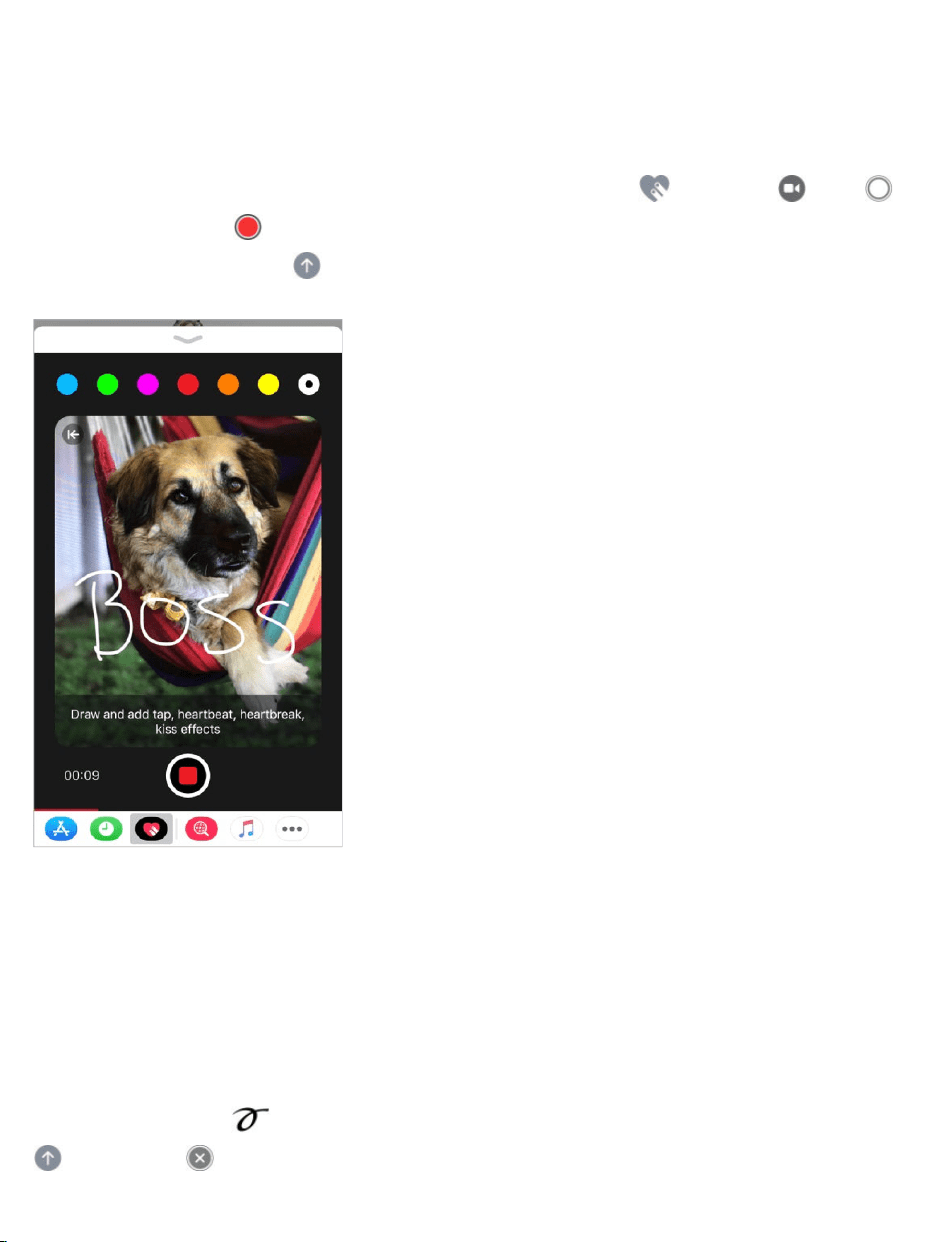
Note:IfyouhaveAppleWatchoranothersensorthatrecordsheartbeatdata,
MessagesmayusetherecordeddatawhenyousendaDigitalTouch
heartbeat.
AddaDigitalToucheffecttoaphotoorvideo.Tap ,thentap .Tap
totakeaphotoor torecordavideo.AddaDigitalToucheffect,suchasa
sketchorkiss,thentap tosend.
Handwrittenmessages
WithiMessage,youcansendahandwrittenmessage.Therecipientseesthe
messageanimate,justasinkflowsonpaper.
Createandsendahandwrittenmessage.Inlandscapeorientation,tapthe
textfield,thentap .Writeamessagewithyourfinger.TapDone,thentap
tosendor tocancel.
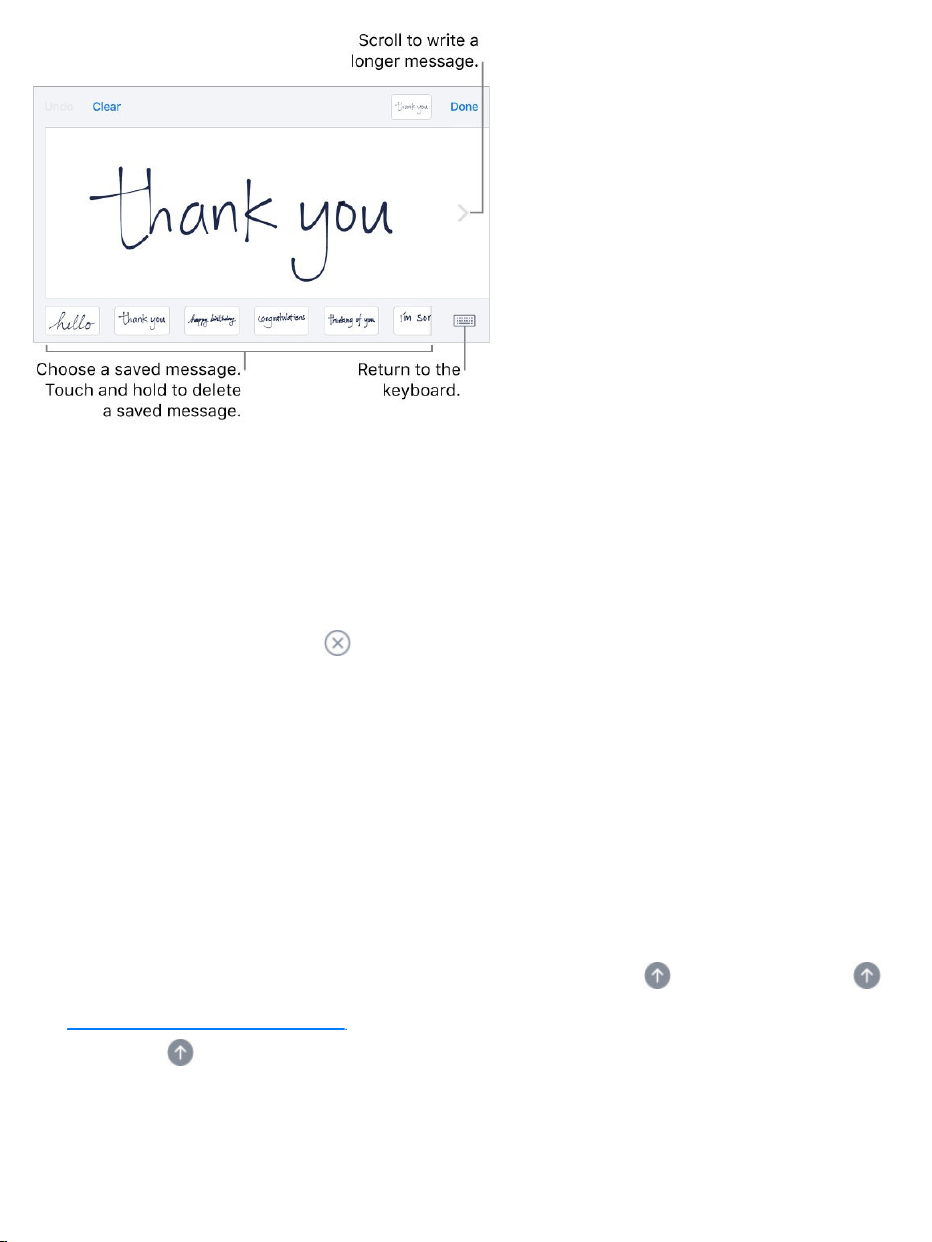
Sendasavedmessage.Afteryoucreateandsendahandwrittenmessage,
themessageissavedatthebottomofthehandwritingscreen.Tapasaved
messagetouseitagain.
Removeasavedmessage.Touchandholdahandwrittenmessageuntilthe
messagesjiggle,thentap inthetop-leftcorner.Whenyoufinish,pressthe
Homebutton.
Animatemessages
WithiMessage,youcananimateasinglemessagewithabubbleeffectorfill
theentiremessagescreenwithafull-screeneffect.Youcanevensenda
personalmessagewithinvisibleink.
Useabubbleeffect.Afteryoutypeamessage,press (touchandhold
on ).Tapthechoicestopreviewdifferentbubble
effects.Tap tosend.
deviceswithout3DTouch

Tip:Wanttosendapersonalmessage?Whenyouuseinvisibleink,the
messageremainsblurreduntiltherecipientswipestorevealit.
Useafull-screeneffect.Afteryoutypeamessage,press (touchandhold
on ),thentapScreen.Swipeleftorrightto
previewdifferentscreeneffects.Tap tosend.
deviceswithout3DTouch
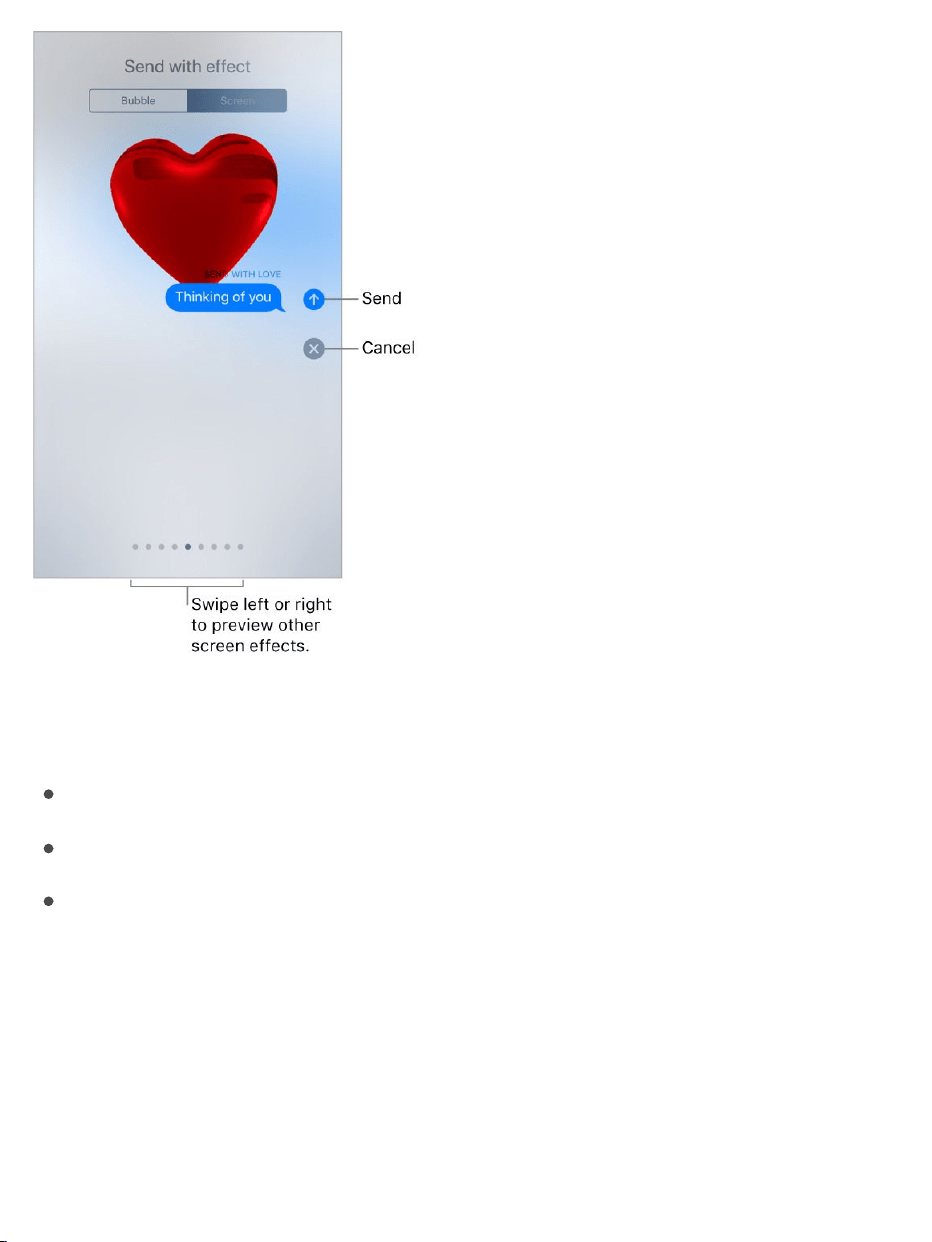
iMessageautomaticallyusesthefollowingscreeneffectsforspecifictext
strings:
Balloonsfor“Happybirthday”
Confettifor“Congratulations”
Fireworksfor“HappyNewYear”
Managemessagenotificationsandprivacy
Managenotificationsformessages.GotoSettings>Notifications>
Messages.See .Notifications

Setthealertsoundformessages.GotoSettings>Sounds&Haptics>
TextTone(on )orSettings>Sounds>TextTone(other
models).See .
Assignadifferentringtonetoacontact.GotoContacts,selectacontact,
tapEdit,thentapTextTone.Toallowalertsformessagessentbythiscontact
evenwhenDoNotDisturbison,turnonEmergencyBypass.
Mutenotificationsforaconversation.IntheMessageslist,swipeleftonthe
conversation,thentapHideAlerts.
Blockunwantedmessagesandcalls.Viewtheconversation,tap ,tap
thephonenumberornametoviewthecontactcard,thenscrolldownandtap
BlockthisCaller.Toviewandmanageyourlistofblockedphonenumbersand
contacts,gotoSettings>Messages>Blocked.Formoreinformation,seethe
AppleSupportarticle
.
FilteriMessagemessagesfromunknownsenders.GotoSettings>
Messages,thenturnonFilterUnknownSenders.ThisturnsoffiMessage
notificationsfromsenderswhoaren'tinyourcontactsandmovesthe
messagestotheUnknownSenderstabintheMessageslist.
Youcanʼtopenanylinksinamessagefromanunknownsenderuntilyouadd
thesendertoyourcontactsorreplytothemessage.Ifthemessageisspam,
tapReportJunk(belowthemessage)todeleteandsendthemessageto
Apple.
supportedmodels
Soundsandhaptics
Blockphonenumbersandcontactsorfiltermessages
onyouriPhone,iPadoriPodtouch

Musicoverview
UsetheMusicapptoenjoymusicstoredoniPhoneaswellasmusicstreamed
overtheInternet.YoucanalsolistentoBeats1radio,whichbroadcastsallday,
everydayfromstudiosinLosAngeles,NewYork,andLondon.Withan
optionalAppleMusicmembership,youcanlistentomillionsofsongs
recommendedbymusicexpertsanddiscovernewmusictogetherwithfriends.
Note:YouneedaWi-Fiorcellularconnectiontostreammusicfrom
AppleMusicandRadio.InsomecasesanAppleIDisalsorequired.Services
andfeaturesarenotavailableinallareas,andfeaturesmayvarybyarea.
Additionalchargesmayapplywhenusingacellularconnection.
WARNING:Forimportantinformationaboutavoidinghearingloss,see
.
Accessmusic
PlaymusiconiPhoneinthefollowingways:
BecomeanAppleMusicmember:WithamembershipandaWi-Fior
cellularconnection,streamasmuchmusicasyoulikefromthe
AppleMusiccatalog;shareplaylists,albums,andstationswithyour
friends;watchselectTVshowsandmovies;anddownloadsongs,albums,
andplaylists.See .
ListentoBeats1:Beats1isaworldwideradiostationbroadcastinglive
onAppleMusic.NomembershipisrequiredtolistentoBeats1.
Music
Importantsafetyinformation
AppleMusic

UseiCloudMusicLibrary:iCloudMusicLibrary,availabletoAppleMusic
members,containsyourimportedandpurchasedmusicandmusicyou
addedanddownloadedfromAppleMusic.Youcanlistentoyourmusicon
anyofyourdevices.See .
ParticipateinFamilySharing:PurchaseanAppleMusicFamily
Membership,andeveryoneinyourFamilySharinggroupcanenjoy
AppleMusic.See .
SyncmusicwithiTunesonyourcomputer:See .
PurchasemusicfromtheiTunesStore:See
.
AppleMusic
AppleMusicisastreamingmusicservicethatletsyoulistentomillionsof
songsandyourpersonalmusiclibrary.Asamember,youcanlistenanytime—
onlineoroff—andgethandpickedplaylists,newmusicfirst,ad-freeradio,
selectTVshowsandmovies,musicsharedbyyourfriends,andmore.
JoinAppleMusic.YoucanjoinAppleMusicwhenyoufirstopenMusic,or
laterinSettings>Music>JoinAppleMusic.
Individualmembership:GetaccesstothefullAppleMusiccatalog,expert
recommendations,andon‑demandradiostations.
Familymembership:Uptosixpeoplecanenjoyunlimitedaccessto
AppleMusicontheirdevices.
Studentmembership:HavecompleteaccesstoAppleMusic,with
personalizedrecommendations,thebestnewmusic,andmore—ata
pricedesignedforstudents.
Library
FamilySharing
SyncwithiTunes
Findmusic,movies,TV
shows,andmore

Ifyou’reastudentataqualifyingschool,youcanjoinAppleMusicfora
discountedmembershippriceforupto48months(4years).Thetime
needn’tbecontinuous.Studentmembershipsaren’tavailableinall
locations.
Note:IfyouendyourAppleMusicmembership,youcannolongerstream
AppleMusicsongsorplayAppleMusicsongsyoudownloaded.
ShoworhideAppleMusic.GotoSettings>Music,thenturnShow
AppleMusiconoroff.
Usecellulardata.GotoSettings>Music>CellularData,whereyoucan
choosetostreamanddownloadmusicoveracellularconnection.TurnonHigh
QualityStreamingtoalwaysstreammusicatthehighestquality.
Note:HighQualityStreamingusesmorecellulardata,andsongsmaytake
longertostartplaying.
Ifyou’renotamember,youcanusetheMusicapptolistentomusicstoredon
iPhone,playanddownloadpreviousiTunespurchases,andlistentoBeats1
forfree.
Getpersonalizedrecommendations
AppleMusiclearnsthemusicyoulikeandrecommendssongs,albums,and
playlistsbasedonyourtastes.
Selectyourfavoritegenresandartists.WhenyoufirsttapForYou,you’re
askedtotellAppleMusicaboutyourpreferences.Tapthegenresyoulike.
(Double-tapthoseyoulove,andtouchandholdthegenresyoudon’tcarefor.)
TapNext,thendothesamewiththeartiststhatappear.

Toaddaspecificartistwhoisn’tlisted,tapAddanArtist,thenentertheartist’s
name.AppleMusicusesthesepreferenceswhenrecommendingmusicto
you.
Avoidrecommendationsonshareddevices.Whatyoulistentoinfluences
ForYourecommendations.IfyoushareiPhonewithsomeoneelse,ForYou
alsorecommendsmusicbasedonwhatthatpersonplays.Topreventany
listeninghabitsfrominfluencingrecommendations,gotoSettings>Music,
thenturnoffUseListeningHistory.
Updategenreandartistpreferences.TapForYou,tap ,swipeup,tap
ViewAccount,thentapChooseArtistsForYou.
Library
TheLibrarytabincludesanyaddedordownloadedmusicfromAppleMusic,
musicandmusicvideossyncedtoiPhone,TVshowsandmoviesyouadded
fromAppleMusic,andiTunespurchases.
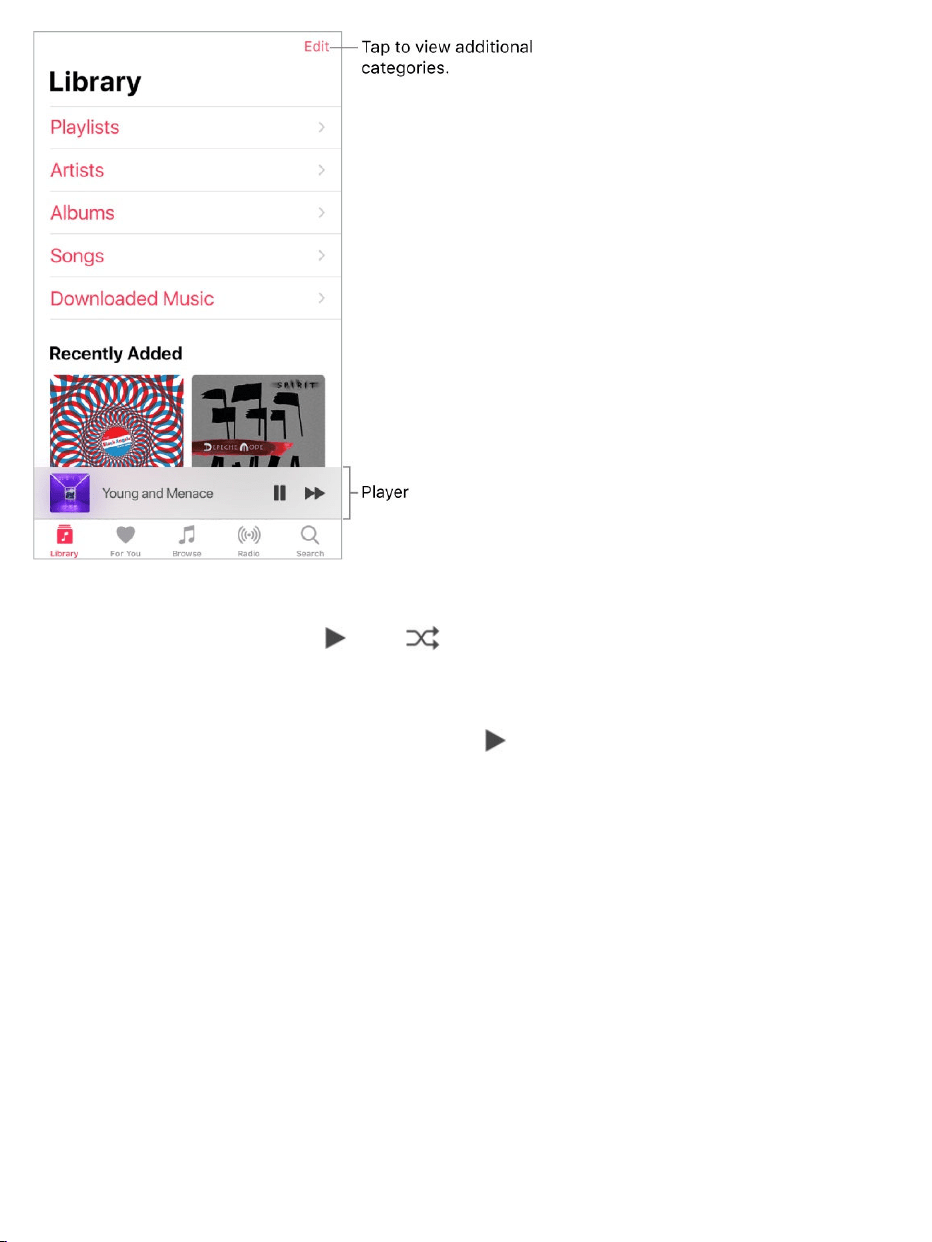
Browseandplayyourmusic.Tapacategory,suchasPlaylistsorAlbums,
tapthealbumart,thentap .Tap toshuffletheplaylistoralbum.Tapthe
playertoshowtheNowPlayingscreen.
3DTouch.Pressthealbumart,thentap .See .
Sortyourmusic.TapPlaylists,Albums,orSongs,thentapSort.
Viewmorecategories.IntheLibrarytab,tapEdit,thenselectadditional
categories.
ViewonlymusicstoredoniPhone.IntheLibrarytab,tapDownloaded
Music.
Playmusicsharedonanearbycomputer.Ifacomputeronyournetwork
sharesmusicthroughiTunesHomeSharing,gotoSettings>Music,thentap
SignInunderHomeSharing.ReturntotheMusicapp,taptheLibrarytab,tap
3DTouch

HomeSharing,thenchooseasharedlibrary.
RemoveAppleMusicsongsfromiPhone.GotoSettings>Music,thenturn
offiCloudMusicLibrary.ThesongsareremovedfromiPhone,butremainin
iCloud.Musicyoupurchasedorsyncedalsoremains.
AddfromAppleMusic
AddmusicfromAppleMusictoyourlibrary.Dooneofthefollowing:
Touchandholdasong,album,playlist,orvideo,thentapAddtoLibrary.
Whenviewingthecontentsofanalbumorplaylist,tapAddtoaddthe
albumorplaylist,ortap toaddindividualsongs.
OntheNowPlayingscreen,tap .
MusicyouaddtoiPhoneisalsoaddedtootherdeviceswhereyou’resigned
intotheiTunesStoreandAppStoreusingthesameAppleIDandhaveiCloud
MusicLibraryturnedon.
Note:YoumustturnoniCloudMusicLibrary(gotoSettings>Music)toadd
AppleMusictoyourlibrary.SongsfromAppleMusicthatyouaddtoyour
libraryplayonlywhenyouhaveaWi-Fiorcellularconnection.Toplaymusic
whenyou’renotconnectedtotheInternet,youmustdownloadittoiPhone.See
.
Addmusictoaplaylist.Touchandholdanalbum,playlist,song,ormusic
video.TapAddtoaPlaylist,thenchooseaplaylist.
3DTouch.Pressthealbum,playlist,song,ormusicvideo.TapAddtoa
Playlist,thenchooseaplaylist.See .
Downloadmusic
3DTouch

ThefirsttimeyoutapAddtoPlaylist,youcanchoosetoautomaticallyadd
songstoyourlibrarywhenyouaddthemtoaplaylist.Ifyoudothis,those
songsarealsobrowsableinyourLibrary.GotoSettings>Music>Add
PlaylistSongstoturnthissettingonoroff.
DeletemusicfromLibrary.Touchandholdthesong,album,playlist,ormusic
video,thentapDeletefromLibrary.
3DTouch.Pressthealbumorsong,thentapDeletefromLibrary.See
.
Downloadmusic
ToplaymusicwheniPhoneisn’tconnectedtotheInternet,youmustfirst
downloadit.
DownloadmusicfromAppleMusic.Afteraddingasong,album,orplaylist,
tap .See .
Note:YoumustturnoniCloudMusicLibrarytodownloadmusicfrom
AppleMusictoyourlibrary(gotoSettings>Music,thenturnoniCloudMusic
Library).
AlwaysdownloadAppleMusic.GotoSettings>Music,thenturnon
AutomaticDownloads.Songsyouaddareautomaticallydownloadedto
iPhone.
Seedownloadprogress.OntheLibraryscreen,tapDownloadedMusic>
Downloading.
Limitmusicstorage.IfiPhoneislowonstoragespace,youcanautomatically
removedownloadedmusicthatyouhaven’tplayedinawhile.Goto
Settings>Music>OptimizeStorage.
3DTouch
AddfromAppleMusic

RemovemusicandvideosstoredoniPhone.Touchandholdasong,
album,playlist,musicvideo,TVshow,ormovie.TapRemove,thentap
RemoveDownloads.TheitemisremovedfromiPhone,butnotfromiCloud
MusicLibrary.
3DTouch.Pressthesongoralbum,thentapRemove.See .
ToremoveallsongsorcertainartistsfromiPhone,goto
Settings>Music>DownloadedMusic,tapEdit,thentap nexttoAllSongs
ortheartistswhosemusicyouwanttodelete.
Searchformusic
SearchAppleMusic.TapSearch,thentaparecentortrendingsearchterm.
Tosearchforspecificmusic,tapthesearchfield,tapAppleMusic,thenentera
song,album,playlist,artist,compilation,genre,TVshow,ormovie.Taparesult
toplayit.
Searchyourlibrary.TapSearch,tapthesearchfield,tapYourLibrary,then
enterasong,album,playlist,orartist.Taparesulttoplayit.
Playmusic
Controlplayback.Tapasongtoplayitandshowtheplayer.Taptheplayerto
showtheNowPlayingscreen,whereyoucan:
Tap toplaythesong;tap topauseit.
Tap toskiptothenextsong.
Tap toreturntothesong’sbeginning.
Double-tap toplaytheprevioussonginanalbumorplaylist.
3DTouch
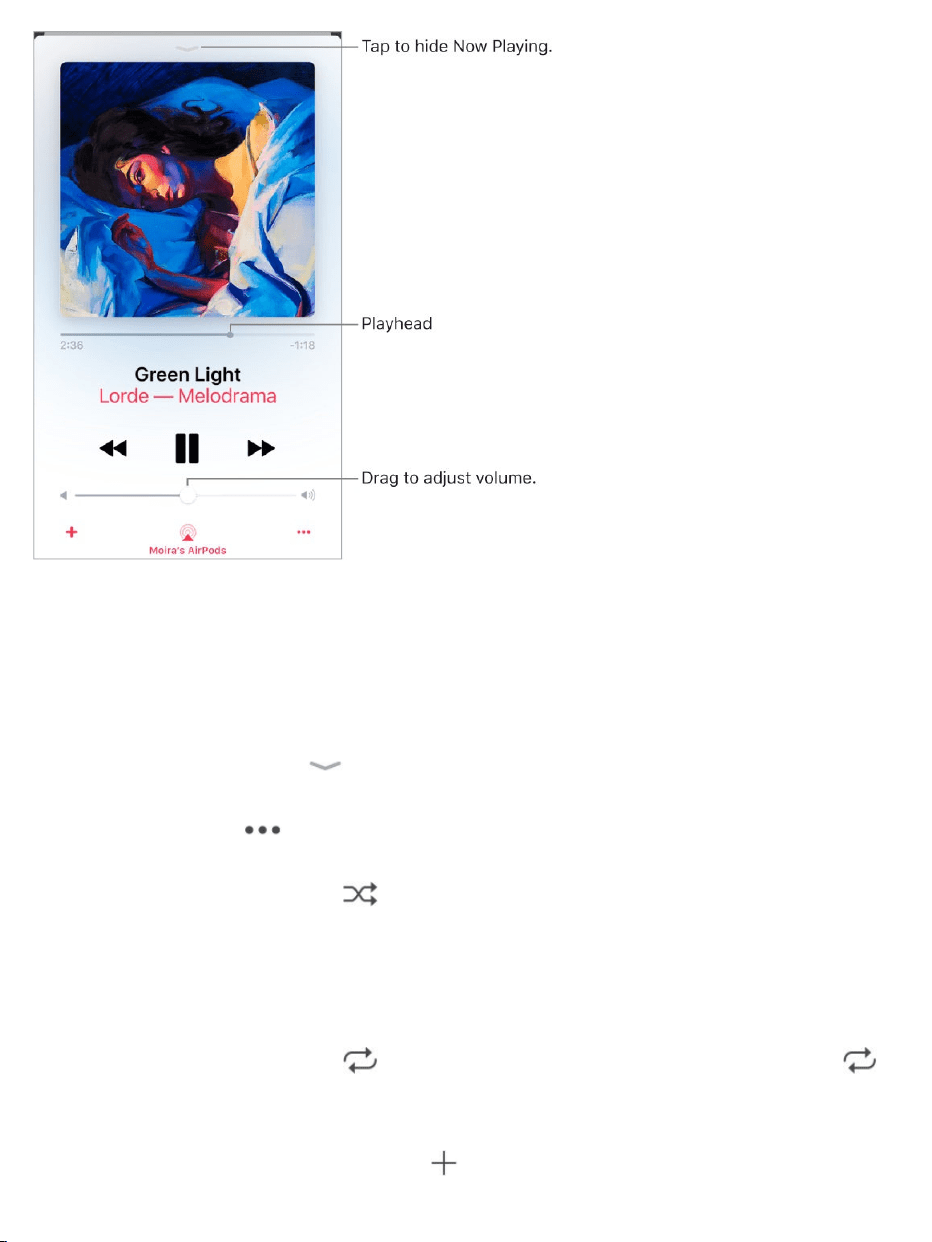
Skiptoanypointinasong.Dragtheplayhead.
Quicklynavigatetothealbum.Tapthesong,artist,oralbumnameinNow
Playing.
HideNowPlaying.Tap atthetopoftheNowPlayingscreen.
Sharemusic.Tap ,thentapShareSong.
Shuffle.Swipeup,thentap toplayyoursongsinrandomorder.Tapagain
toturnoffshuffle.
Whenviewingthecontentsofaplaylistoralbum,tapShuffleAll.
Repeat.Swipeup,thentap torepeatanalbumorplaylist.Double-tap
torepeatasinglesong.
Addthesongtoyourlibrary.Tap .

Seelyrics.SwipeuptoseeLyrics,thentapShow.TapHidetohidethem.
Note:Lyricsaren’tavailableforallsongs.
Accessadditionaloptions.Tap .
Seewhat’supnext.Swipeup.Tapasongtoplayitandthesongsthatfollow.
Drag toreorderthelist.
GetaudiocontrolsfromtheLockscreenorwhenusinganotherapp.
.
StreammusictoaBluetoothorAirPlay-enableddevice.Tap inNow
Playing,thenchooseadevice.See and .
3DTouch.OntheHomescreen,presstheMusicicon,thenchooseaquick
action.See .
ForYou
OpenControlCenter
Bluetoothdevices AirPlayMirroring
3DTouch

InForYou,discoverplaylistscreatedbyAppleMusicexperts,albumsbased
onyourtastes,andmusicyourfriendsarelisteningto.
Playmusic.Tapaplaylistoralbum,thentap .Tap toshuffletheplaylist
oralbum.Tapanalbumoraplaylist’salbumarttoviewitscontents.
3DTouch.Pressanalbumorplaylist,thentap .See .
TellAppleMusicwhatyoulove.Touchandholdanalbum,playlist,orsong,
thentapLoveorDislike.OntheNowPlayingscreen,tap ,thentapLoveor
Dislike.TellingAppleMusicwhatyouloveanddislikeimprovesfuture
recommendations.
3DTouch.Pressanalbumorplaylisttoseeoptions.See .
Quicklyidentifyanalbum’smost-playedsongs.Somealbumshavea
nexttothemostpopularsongs.
3DTouch
3DTouch

Seewhatyourfriendsarelisteningto
Whenyou’reanAppleMusicmember,youcanseemusicyourfriendsare
listeningtobyfollowingthem.Youcanalsoseetheplayliststhey’vesharedand
themusictheylistentomostoften.Likewise,yourfollowerscanseeyour
sharedplaylistsandthemusicyouoftenlistento.
Createaprofile.WhenyouopenMusic,you’reaskedtosetupaprofile.Tap
GetStartedtobegin.
Ifyoudon’twanttosetupaprofilenow,youcandoitlater.JusttapForYou,tap
,thentapStartSharingwithFriends.
Followyourfriends.Thereareseveralwaystofollowpeople:
Addfriendswhenyousetupyourprofile.
Swipetothebottomoftheprofilescreen,tapFindMoreFriends,thentap
Follownexttothoseyouwanttofollow.
Tapaprofilepicture,thentapFollow.
TapSearch,enterafriend’sname,tapitintheresults,thentapFollow.
Note:Yourfriendsmusthaveaprofileforyoutofindthemusingsearch.
TaparecommendedfriendinForYou,thentapFollow.
Someprofilesmayappearwithalockontheprofilepicture,whichmeansthat
youneedtoaskforandreceivepermissionfromthatpersontobecomea
follower.Afteryourrequestisaccepted,youseetheirsharedplaylistsandthe
musicthey’relisteningto.
Respondtofollowrequests.OntheprofilescreentapFollowRequests,
thenacceptordeclinetherequests.Youreceivefollowrequestsonlyifyou
decidetochoosewhocanfollowyou.

Youmayreceivefollowrequestsinotherways—asalinkinmailoratext
message,forexample.Toaccept,tapthelink.
Stopfollowing.Touchandholdtheprofilepictureofapersonyoufollow,then
tapUnfollow.
Blockfollowers.Touchandholdaprofilepicture,thenchooseBlock.People
youblockwon’tseeyourmusicorbeabletofindyourprofile.Theycanstill
listentoyoursharedplaylistsiftheyaddedthemtotheirlibrary.
3DTouch.Pressaprofilepicture,thenchooseBlock.See .
Sharemusicwithfollowers.Createaplaylist.Yourfollowerswillseethe
playlistinForYouontheirdevicesunlessyouturnoffShowonMyProfile.
Note:Ifyoumakechangestomusicyoushare—editorstopsharingaplaylist,
forexample—thosechangesarereflectedonyourfollowers’devices.
Changeyoursharedplaylists.Ontheprofilescreen,tapEdit,thenturn
playlistsonoroff.Drag toreorderthem.
Hideyourguiltypleasures.Nooneisproudofeverysongtheylistento.On
theprofilescreen,touchandholdaplaylistoralbumthatappearsunder
ListeningTo,thentap“Hidefromprofile.”Thelisteninghistoryforthisitem
won’tappearinyourprofileorbevisibletothepeoplewhofollowyou.
3DTouch.PressanalbumorplaylistunderListeningTo,thentap“Hidefrom
profile.”
Seewhatyourfriendsarelisteningto.TapForYou,thenscrolldownto
FriendsAreListeningTo.Tapanitemtoplayit.
Seewhatafollowerorpersonyoufollowislisteningto.TapForYou,
thentapaperson’sprofilepicturetoseesharedplaylistsandfrequently
3DTouch

listenedtomusic.Youalsoseetheirfollowersandthepeopletheyfollow.
Tip:Findrelatedpeopletofollow.Forexample,ifyoufollowErinbecause
shelikeship-hop,andshefollowsMollyforhertasteinelectronica,youmay
alsowanttofollowMolly.
Shareyourprofile.Ontheprofilescreentap ,tapShareProfile,then
chooseasharingoption.
Youcanalsosharetheprofileofanyoneyoufollow,orwhofollowsyou.
Seewhoyou’refollowing.Ontheprofilescreen,swipeuptoseethepeople
you’refollowingandthosewhofollowyou.
Reportaconcern.Ifyouhaveaconcernaboutafollower,touchandholdtheir
profilepicture,thentapReportaConcern.
Playlists
Createplayliststoorganizeyourmusic.TapLibrary,tapPlaylists,thentap
NewPlaylist.Enteratitleanddescription,tapAddMusic,thenselectmusicto
addtotheplaylist.
Youcanalsotap inatracklistorontheNowPlayingscreen,tapAddtoa
Playlist,thentapNewPlaylist.
Customizeyourplaylist’sartwork.TapEdit,tap ,thentakeaphotoor
chooseanimagefromyourphotolibrary.
Shareaplaylistwithpeoplewhodon’tfollowyou.Touchandholda
playlist,thentapSharePlaylist.
3DTouch.Pressaplaylist,thentapSharePlaylist.See .3DTouch

Createapublicplaylist.Selectaplaylistyoucreated,tapEdit,thenturnon
PublicPlaylist.
EditaplaylistyoucreatedoniPhone.Selecttheplaylist,thentapEdit.
Addmoresongs:Tapaplaylist,tapEdit,tapAddMusic,thenchoose
musicfromyourlibrary.
Deleteasong:Tapaplaylist,tapEdit,tap ,thentapDelete.Deletinga
songfromaplaylistdoesn’tdeleteitfromiPhone.
Changethesongorder:Drag .
NewandchangedplaylistsareaddedtoiCloudMusicLibraryandappearon
allyourdevicesifyou’reanAppleMusicmember.Ifyou’renotamember,
they’recopiedtoyourmusiclibrarythenexttimeyousynciPhonewithyour
computer.
Deleteaplaylist.Touchandholdtheplaylist,thentapDeletefromLibrary.
3DTouch.Pressaplaylist,thentapDeletefromLibrary.See .
Browse
Getrecommendationsforgreatmusic,musicvideos,playlists,andmore—all
tailoredforyourtastes.
3DTouch
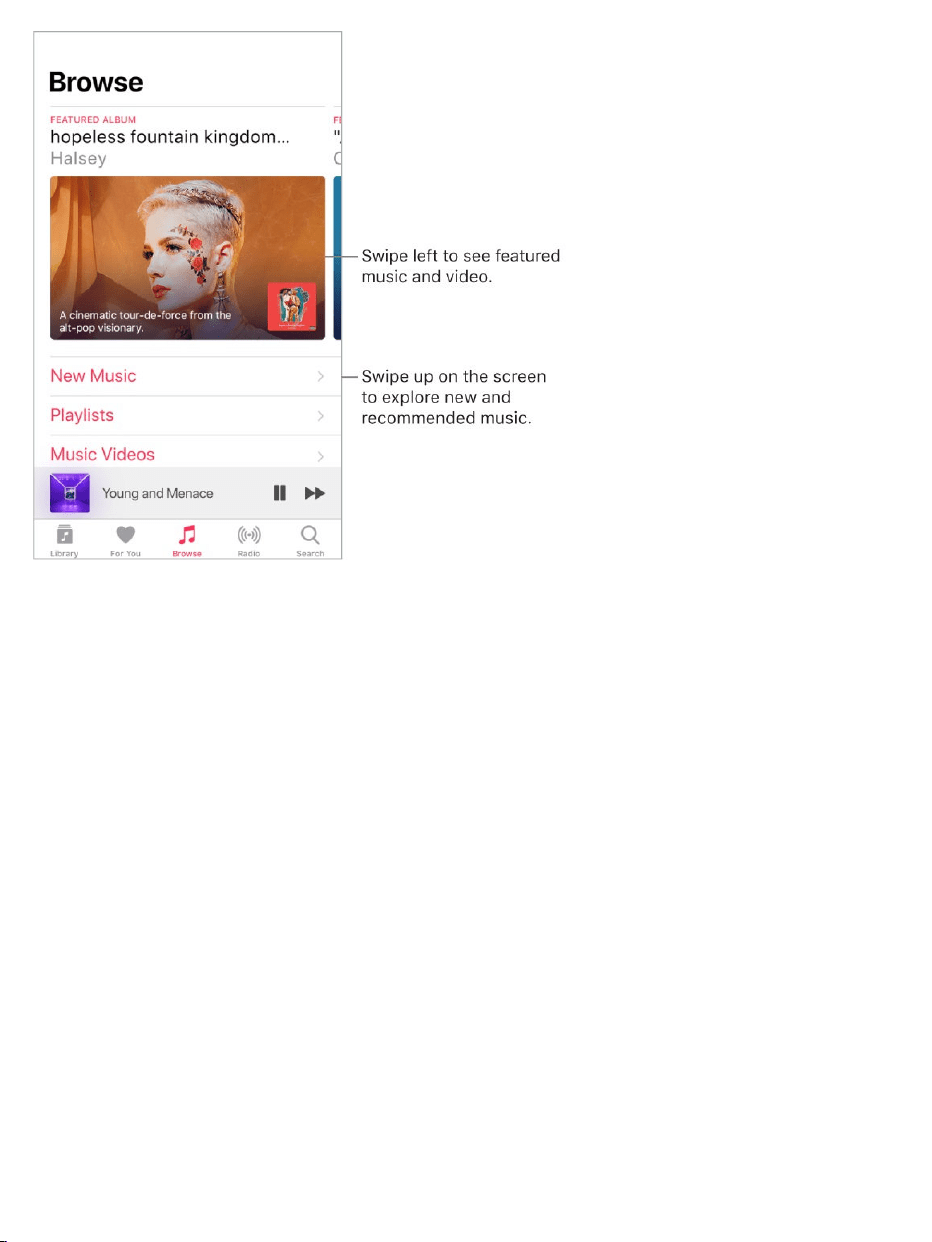
Explorenewmusic.TaptheBrowsetab,thentapNewMusic.
Browseplaylistscreatedbymusicexperts.TapPlaylists,thenchoosea
playlist,activityormood,curator,orgenre.
WatchselectTVshowsandmovies.TapTV&Movies,tapashowor
movie,thentapanepisodeormovietoplayit.
Note:TVshowsandmoviesaren’tavailableinallareas.
Seewhat’spopular.TapTopCharts,thenchooseasong,album,artist,or
musicvideo.
Browseyourfavoritegenres.TapGenres,chooseagenre,thentapa
featuredsong,album,artist,ormusicvideotoenjoymusichandpickedby
musicexperts.
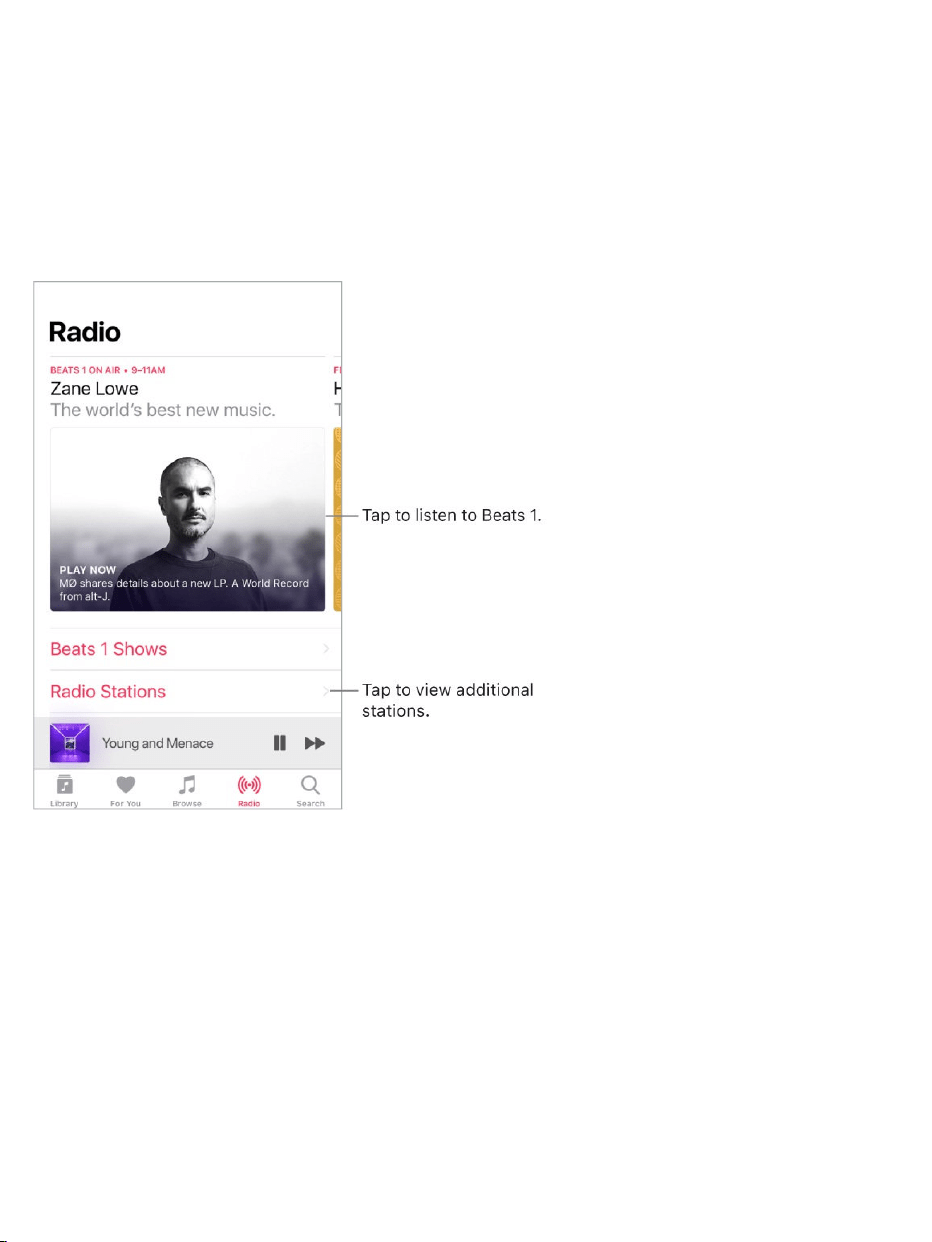
Radio
RadioisthehomeofBeats1,whichfeaturesworld-classradioshows,the
latestmusic,andexclusiveinterviews.Youcanalsolistentofeaturedstations
thathavebeencraftedbymusicexperts.Andyoucancreatecustomstations
fromsongsorartistsyouchoose.
Listentoliveradio.TapthecurrentlyplayingBeats1program.
Note:BecauseBeats1isliveradio,youcan’tpause,rewind,orskipsongs.
Listentopastshowsandfindoutwhenyourfavoriteshowsareon.Tap
Beats1,thentapashoworDJ.
Listentoyourfavoritemusicgenre.TapRadioStations,thentapagenre
orfeaturedstation.Ifyoualreadylistenedtoastation,taparecentlyplayed
stationontheRadioscreen.

Createastation.Touchandholdanartistorsong,thentapCreateStation.
3DTouch.Pressanartistorsong,thentapCreateStation.See .
Fine-tunethestationsyoucreate.Whileplayingastationyoucreatedfrom
anartistorsong,taptheplayertoshowtheNowPlayingscreen,tap ,then
choosePlayMoreLikeThisorPlayLessLikeThis.
SiriandVoiceControl
YoucanuseSiriorVoiceControltocontrolmusicplayback.See
and .
SiricanalsohelpyoufindmusicintheiTunesStore.See
.
UseSiri.PressandholdtheHomebutton.Sirisupportsawidevarietyof
commands,whichyoucanusetodothefollowing:
Playanalbum,artist,song,playlist,orradiostation:Say“play”followed
bythenameoftheartist,album,song,playlist,orstationthatyouwantto
play.IfSiridoesn’tfindwhatyouaskedfor,bemorespecific.Forexample,
say“playtheradiostation‘PurePop’”ratherthansaying“play‘PurePop.’”
Playsimilarmusic:Whilemusicisplaying,say“playmoresongslikethis
one”or“createaradiostationbasedonthissong.”
BrowseAppleMusic:YoucanplayanyAppleMusicsongbytitle(“play
‘OldFriends’byJasmineThompson”),byartist(“playDayeJack”),andby
chart(“playthetopsongfromMarch1991”).
Choosemusicbymood:Saysomethinglike“playsomethinghappy”or
“playsomeupbeatmusic.”
3DTouch
Siriandapps
VoiceControl
Findmusic,movies,
TVshows,andmore

LetSiribeyourpersonalDJ:Saysomethinglike“playsomethingI
like,”“playrecommendedmusic,”“playanAlexVargasalbumthatI’dlove,”
or“playmydailyplaylist.”
Askformoreinformation:Asksomethinglike“whenwasthisalbum
released,”“whatisFeist’smostpopularalbum,”or“whoplaysdrumsin
thissong.”
AddmusicfromAppleMusictoyourcollection(AppleMusic
membershiprequired):Say,forexample,“add‘BadBoy’byDanCrollto
myLibrary”or,whileplayingsomething,say“addthistomycollection.”
Addasongoralbumtoaplaylist:Whileplayingasong,saysomething
like“addthissongtomyWorkoutplaylist”or“addthisalbumtomySunday
Morningplaylist.”
CorrectSiri:IfSiridoesn’tplaywhatyouexpecttohear,saysomethinglike
“no,thealbum”or“no,theversionbyBlondie.”
UseVoiceControl. ,thenpressandholdtheHome
button.
Note:WhenyouturnonVoiceControl,youcan’ttalktoSiri.
Playorpausemusic:Say“playmusic.”Topause,say“pause,”
“pausemusic,”or“stop.”Youcanalsosay“nextsong”or“previoussong.”
Playanalbum,artist,orplaylist:Say“playalbum,”“playartist,”or“play
playlist”followedbythenameoftheartist,album,orplaylistyouwishto
play.
Findoutmoreaboutthecurrentsong:Say“what’splaying,”“whosings
thissong,”or“whoisthissongby.”
TurnonVoiceControl

SiricanalsohelpyoufindmusicintheiTunesStore.See
.
SoundCheck,EQ,andvolumelimitsettings
Chooseanequalization(EQ)setting.GotoSettings>Music>EQ.EQ
settingsgenerallyapplyonlytomusicplayedfromtheMusicapp,butthey
affectallsoundoutput.
Setavolumelimit.GotoSettings>Music>VolumeLimit.
Note:Topreventchangestothevolumelimit,gotoSettings>General>
Restrictions>VolumeLimit,thentapDon’tAllowChanges.
Normalizethevolumelevelofyouraudio.GotoSettings>Music,thenturn
onSoundCheck.
Findmusic,movies,
TVshows,andmore
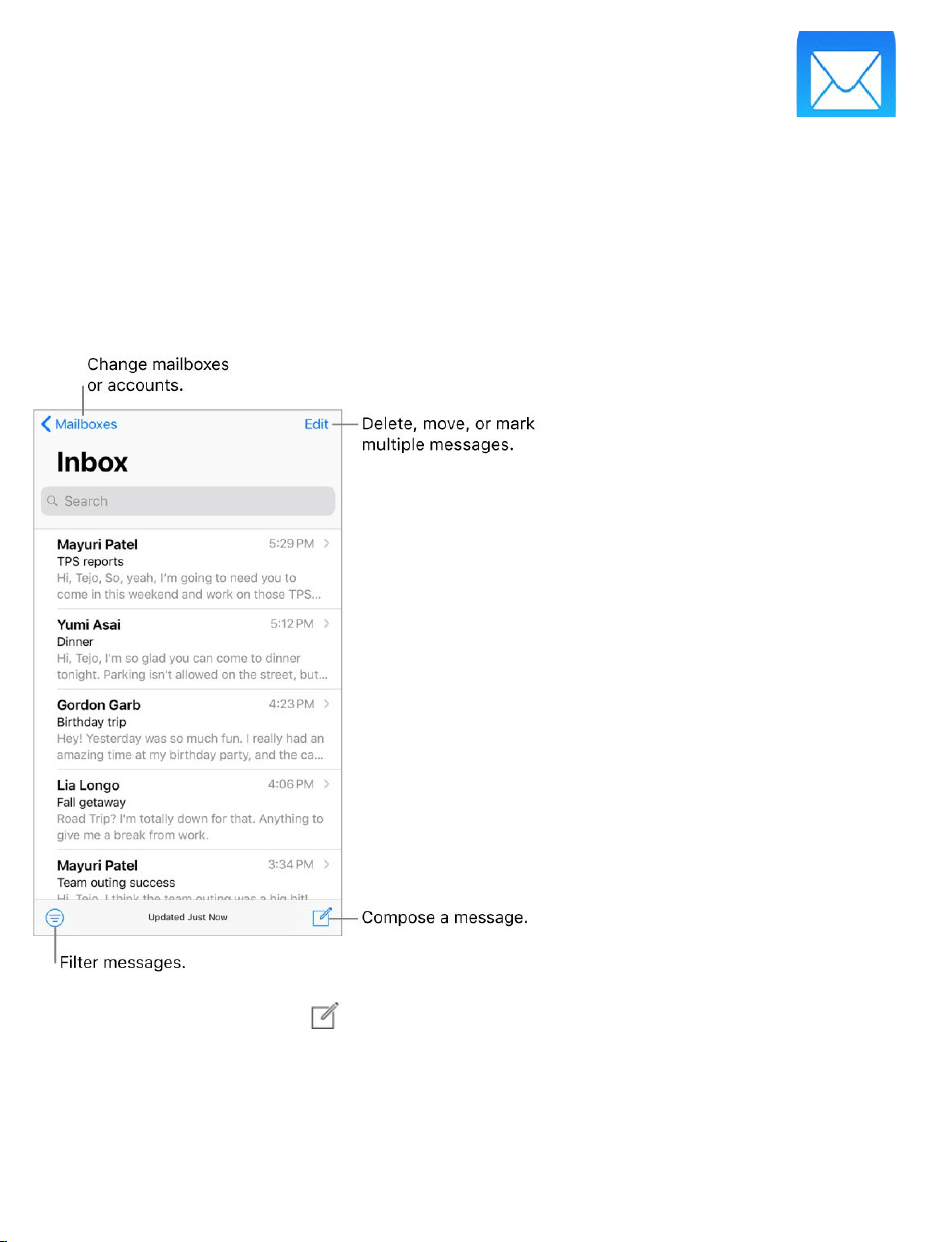
Writemessages
WARNING:Forimportantinformationaboutavoidingdistractionsthatcould
leadtodangeroussituations,see .
Createamessage.Tap .Touchandholdtoviewdraftmessagesyou’ve
saved.
3DTouch.TocreateanewmessagefromtheHomescreen,pressMail,then
choosetheNewMessagequickaction.See .
Mail
Importantsafetyinformation
3DTouch
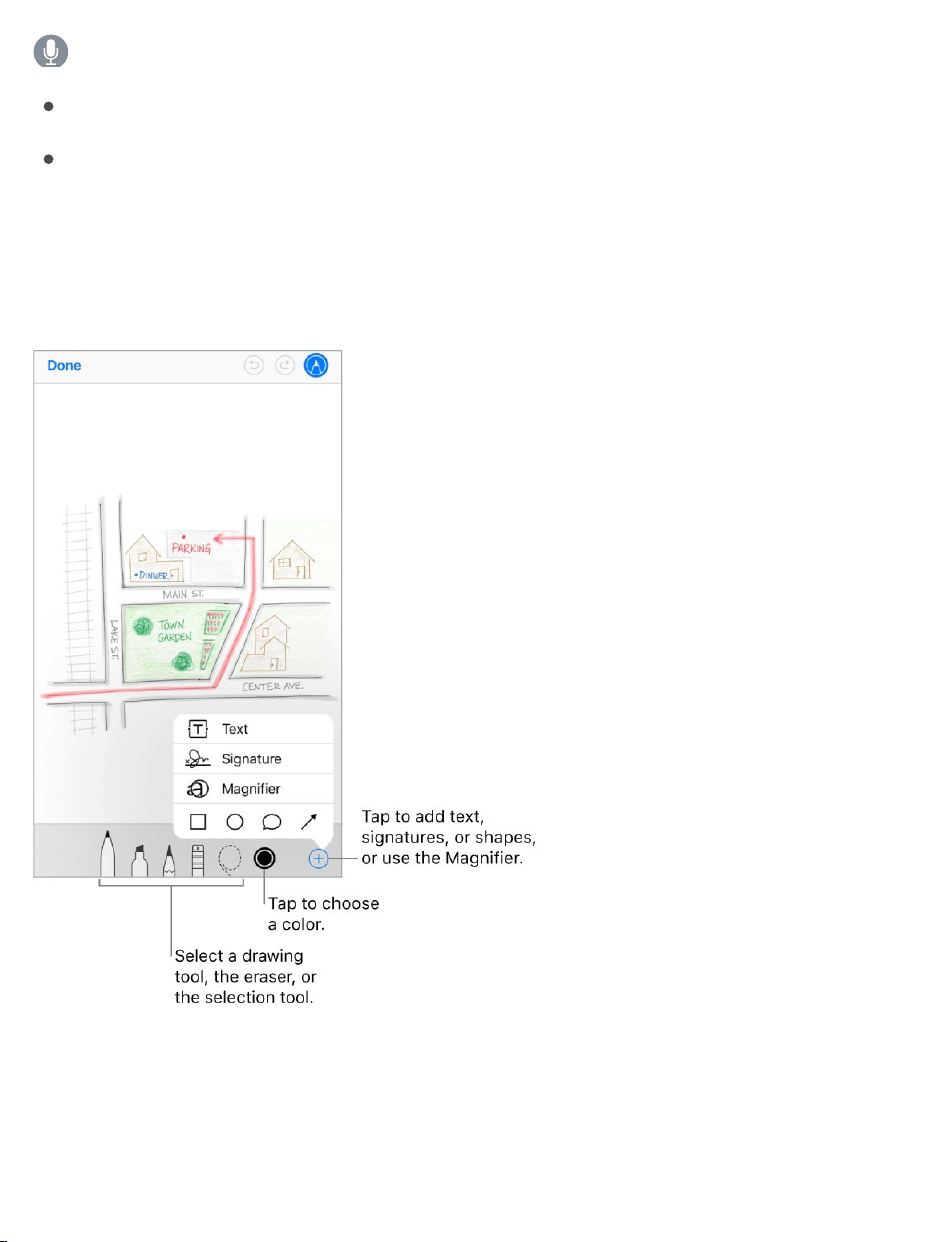
AskSiri.Saysomethinglike:
“NewemailtoJohnBishop”
“EmailSimonandsayIgottheforms,thanks”
Drawinyourmessage.Double-tapinthemessagebody,tapInsertDrawing,
thenusethedrawingandannotationtools.TapDonetoinsertthedrawinginto
yourmessage.See .
Addattachments.Double-tapinthemessagebody,tapAddAttachment,
thenselectadocumentin .
UseMarkup
Files

Insertaphotoorvideo.Double-tapinthemessagebody,thentapInsert
PhotoorVideo.
Quotesometextwhenyoureply.Touchandholdinthemessagebody,then
selectthetextyouwanttoinclude.Tap ,thentapReply.Toturnoffthe
indentationofthequotedtext,gotoSettings>Mail>IncreaseQuoteLevel.
Sendamessagefromadifferentaccount.TaptheFromfieldtochoosean
account.
ChangearecipientfromCctoBcc.Afteryouenterrecipients,youcandrag
themfromonefieldtoanotherorchangetheirorder.
Markaddressesoutsidecertaindomains.Whenyou’readdressinga
messagetoarecipientwho’snotinyourorganization’sdomain,youcanhave
therecipient’snamecoloredinredtoalertyou.GotoSettings>Mail>Mark
Addresses,thendefinethedomainsthatyoudon’twantmarked.Youcanenter
multipledomainsseparatedbycommas,suchas“apple.com,example.org.”
Addadditionalmailaccounts.GotoSettings>Accounts&Passwords>
AddAccount>Other>AddMailAccount.
Changeyourmailsignature.GotoSettings>Mail>Signature.Ifyouhave
morethanonemailaccount,tapPerAccounttosetadifferentsignaturefor
eachofthem.
Automaticallysendacopytoyourself.TurnonSettings>Mail>Always
BccMyself.
Previewyourmessages

3DTouch.Pressamessagetopeekatit,thenswipeup,left,orrighttouse
quickactions.Pressalittledeepertopopthemessageopen.See .
Seealongerpreview.GotoSettings>Mail>Preview.Youcanshowupto
fivelines.
Isthismessageforme?GotoSettings>Mail,thenturnonShowTo/Cc
Labels.Inthemessagelist,alabelnexttoyournameindicateshowitwas
addressedtoyou.YoucanalsousetheTo/Ccmailbox,whichgathersallmail
addressedtoyou.Toshoworhideit,tapMailboxes,thentapEdit.
Finishamessagelater
Lookatanothermessagewhileyou’rewritingone.Swipedownonthe
titlebarofamessageyou’rewriting.Whenyou’rereadytoreturntoyour
message,tapitstitleatthebottomofthescreen.Ifyouhavemorethanone
messagewaitingtobefinished,tapthebottomofthescreentoseethemall.
3DTouch
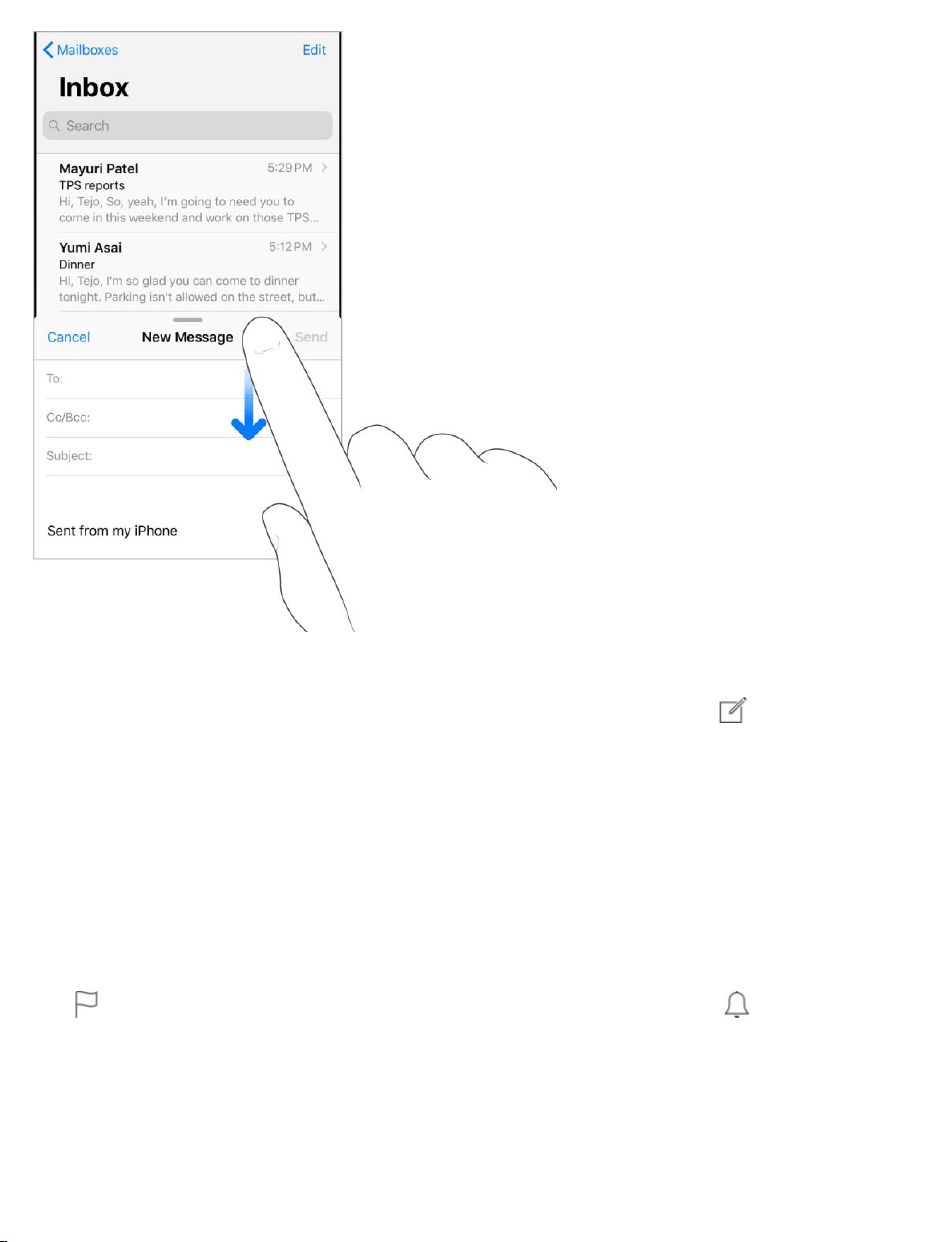
Saveadraftforlater.Ifyou’rewritingamessageandwanttofinishitlater,
tapCancel,thentapSaveDraft.Togetitback,touchandhold .
WithOSX10.10orlater,youcanalsohandoffunfinishedmessageswithyour
Mac.See .
Seeimportantmessages
Getnotifiedofrepliestoamessageorthread.Whilereadingamessage,
tap ,thentapNotifyMe.Whileyou’rewritingamessage,tap inthe
Subjectfield.Tochangehownotificationsappear,gotoSettings>
Notifications>Mail>ThreadNotifications.
Handoff

Gatherimportantmessages.AddimportantpeopletoyourVIPlist,soall
theirmessagesappearintheVIPmailbox.Whenviewingamessage,tap
Details,tapthesender’snametodisplaytheircontactinfo,thentapAddto
VIP.Tochangehownotificationsappear,gotoSettings>Notifications>Mail>
VIP.
AskSiri.Saysomethinglike:“AnynewmailfromNandithatoday?”
Flagamessagesoyoucanfinditlater.Tap whilereadingthemessage.
Tochangetheappearanceoftheflaggedmessageindicator,gotoSettings>
Mail>FlagStyle.ToseetheFlaggedmailbox,tapEditwhileviewingthe
Mailboxeslist,thentapFlagged.
Searchforamessage.Scrolltothetopofthemessagelisttorevealthe
searchfield,thentypethetextyou’relookingfor.Choosebetweensearching
allmailboxesorthecurrentmailboxabovetheresultslist.Tapamessagein
theresultslisttoseeit,thentaptheupanddownarrowstoscrollthroughthe
othermessages.Searchinglooksattheaddressfields,thesubject,andthe
messagebody.ThemostrelevantmessagesappearinTopHitsabovethe
searchsuggestionsasyoutype.
Searchbytimeframe.Scrolltothetopofthemessageslisttorevealthe
searchfield,thentypesomethinglike“Februarymeeting”tofindallmessages
fromFebruarywiththeword“meeting.”
Searchbymessagestate.Tofindallflagged,unreadmessagesfrompeople
inyourVIPlist,type“flagunreadvip.”Youcanalsosearchforothermessage
attributes,suchas“attachment.”
Junk,begone!Tap whileyou’rereadingamessage,thentapMoveto
JunktofileitintheJunkfolder.Ifyouaccidentallymoveamessage,shake
iPhoneimmediatelytoundo.

Makeamailboxafavorite.Favoritemailboxesappearatthetopofthe
Mailboxeslistsoyoucanaccessthemeasily.Todesignateamailboxasa
favorite,tapEditwhileviewingtheMailboxeslist.TapAddMailbox,thenselect
themailboxestoadd.
Showdraftmessagesfromallofyouraccounts.Whileviewingthe
Mailboxeslist,tapEdit,tapAddMailbox,thenturnontheAllDraftsmailbox.
Deletemessages
Viewthendeleteamessage.Tapamessagetoopenit.Todeleteit,tap .
Toturntheconfirmationofdeletiononoroff,gotoSettings>Mail>AskBefore
Deleting.
Deleteamessagewithaswipe.Whileviewingalistofmessages,swipea
messagetothelefttorevealamenuofactions,thentapTrash.Or,todeletea
messageinasinglegesture,swipeitallthewaytotheleft.
Deletemultiplemessagesatonce.Whileviewingalistofmessages,tap
Edit,selectsomemessages,thentapTrash.Ifyouchangeyourmind,shake
iPhoneimmediatelytoundo.
Recoveradeletedmessage.Gototheaccount’sTrashmailbox,openthe
message,thentap andmovethemessage.Or,ifyoujustdeletedit,shake
iPhonetoundo.Toseedeletedmessagesacrossallyouraccounts,addthe
AllTrashmailbox.Toaddit,tapEditinthemailboxeslist,thenselectitinthe
list.
Archiveinsteadofdelete.Insteadofdeletingmessages,youcanarchive
themsothey’restillaround,intheArchivemailbox,ifyouneedthem.Howyou
turnthisoptiononvariesbythetypeofmailaccountyouhaveconfigured.Go
toSettings>Mail>Accounts>[accountname].Then,intheAdvanced

settings,changethedestinationmailboxfordiscardedmessagestoArchive.
Afteryou’veturnedthisoptionon,todeleteamessageinsteadofarchivingit,
touchandhold ,thentapTrashMessage.
Stashyourtrash.YoucansethowlongdeletedmessagesstayintheTrash
mailbox.GotoSettings>Mail>Accounts>[accountname]>Advanced>
Remove.Someemailservicesmightoverrideyourselection;forexample,
iClouddoesn’tkeepdeletedmessageslongerthan30days,evenifyouselect
Never.
Attachments
Previewanattachment.Touchandholdanattachment,thentapQuickLook.
3DTouch.Pressanattachmenttopreviewit,pressdeepertoopenitusing
QuickLook.See .
SaveaphotoorvideotoPhotos.Touchandholdthephotoorvideo,then
tapQuickLook.Tap ,thentapSaveImage.
Markupattachments.UseMarkuptoannotateanimageoraPDF
attachment.Touchandholdtheattachment,thentapMarkup(ifit’san
attachmentyou’resending)or“MarkupandReply”(ifit’sanattachmentyou’ve
received),thenusethedrawingandannotationtools.See .
3DTouch
UseMarkup
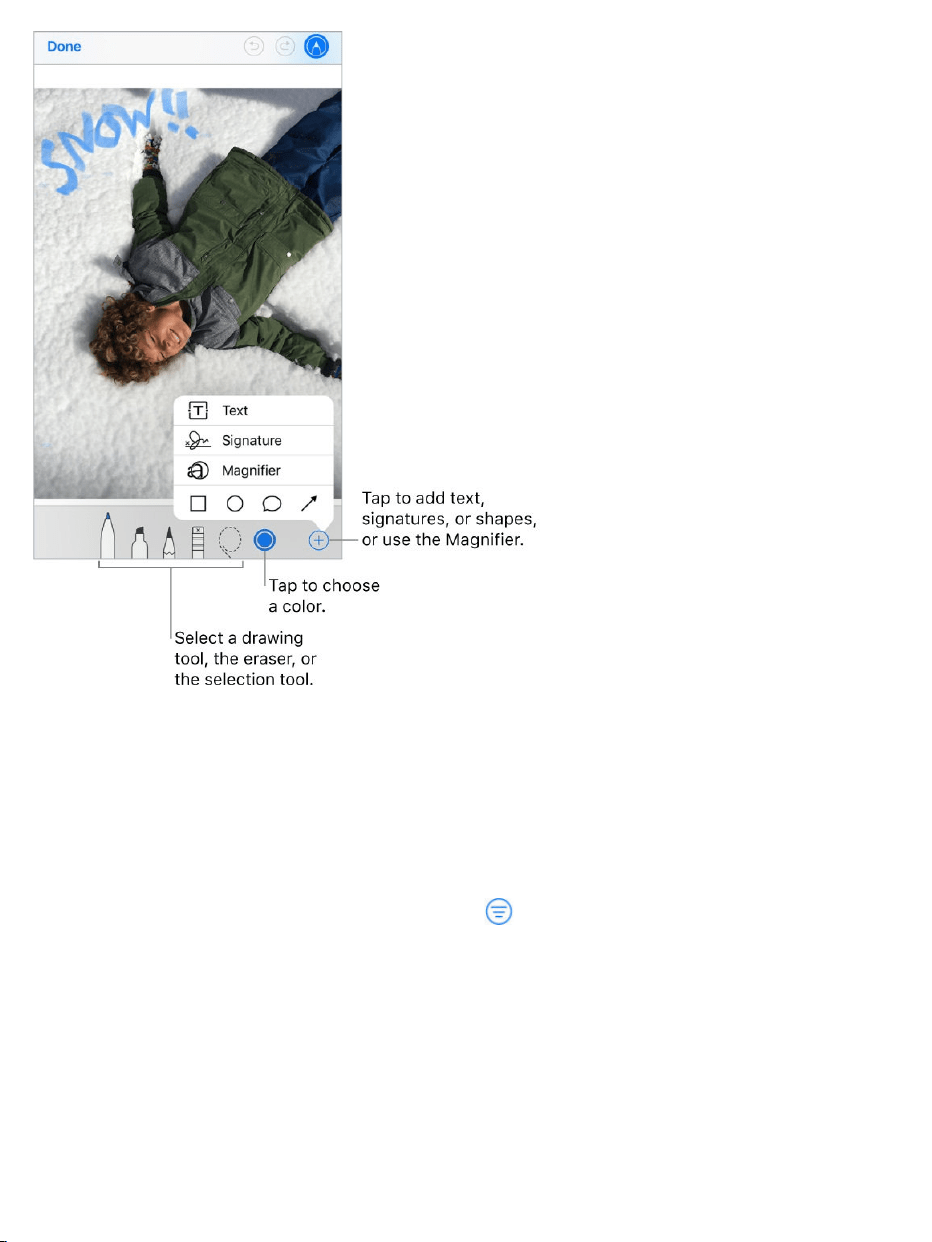
Openanattachmentwithanotherapp.Touchandholdtheattachmentuntil
amenuappears,thentaptheappyouwanttousetoopentheattachment.
Someattachmentsautomaticallyshowabannerwithbuttonsyoucanuseto
openotherapps.
Seemessageswithattachments.Tap toturnonfiltering,thentap
“Filteredby”andturnon“OnlyMailwithAttachments.”Youcanalsousethe
Attachmentsmailbox,whichshowsmessageswithattachmentsfromall
accounts.Toaddit,tapEditwhileviewingtheMailboxeslist.
Addanattachment.See .Writemessages

Sendlargeattachments.MailDropletsyousendfilesthatexceedthe
maximumsizeallowedbyyouremailaccount.TapSendwhenyou’rereadyto
sendamessagewithlargeattachments,thenfollowtheonscreeninstructions
touseMailDrop.
Workwithmultiplemessages
Moveormarkmultiplemessages.Whileviewingalistofmessages,tap
Edit.Selectsomemessages,thenchooseanaction.Ifyouchangeyourmind,
shakeiPhoneimmediatelytoundo.
Manageamessagewithaswipe.Whileviewingalistofmessages,swipea
messagetothelefttorevealamenuofactions.Swipeallthewaytotheleftto
selectthefirstaction.Youcanalsoswipeamessagetotherighttoreveal
anotheraction.Choosetheactionsyouwanttoappearinthemenusat
Settings>Mail>SwipeOptions.
Organizeyourmailwithmailboxes.TapEditinthemailboxeslisttocreate
anewone,orrenameordeleteone.(Somebuilt-inmailboxescan’tbe
changed.)Thereareseveralsmartmailboxes,suchasUnread,thatshow
messagesfromallyouraccounts.Taptheonesyouwanttouse.
Seethewholeconversation.GotoSettings>Mail,thenturnonOrganizeby
Thread.Swipeleftorrightonamessageinathreadtorevealactions.To
changehowthreadsaredisplayed,gotoSettings>Mail.Tochangetheswipe
settings,gotoSettings>Mail>SwipeOptions.
Filtermessages.Tap tohidemessagesthatdon’tmatchthecurrentfilter.
Tapagaintoturnthefilteroff.Tosetupthefilter,tap toturnonfiltering,then
tap“Filteredby.”Youcanfilterbyreadorflaggedstatus,bymessages
addressedtoyou,messagesfromVIPs,andothercriteria.

Seeandsaveaddresses
Seewhoelsereceivedamessage.Whileviewingthemessage,tapDetails
atthetopofthemessage.
AddsomeonetoContactsormakethemaVIP.Taptheperson’snameor
emailaddress,thentapAddtoVIP.Youcanalsoaddtheaddresstoanewor
existingcontact.
Printmessages
Printamessage.Tap ,thentapPrint.
Printanattachmentorpicture.Taptoviewit,tap ,thenchoosePrint.
See .AirPrint
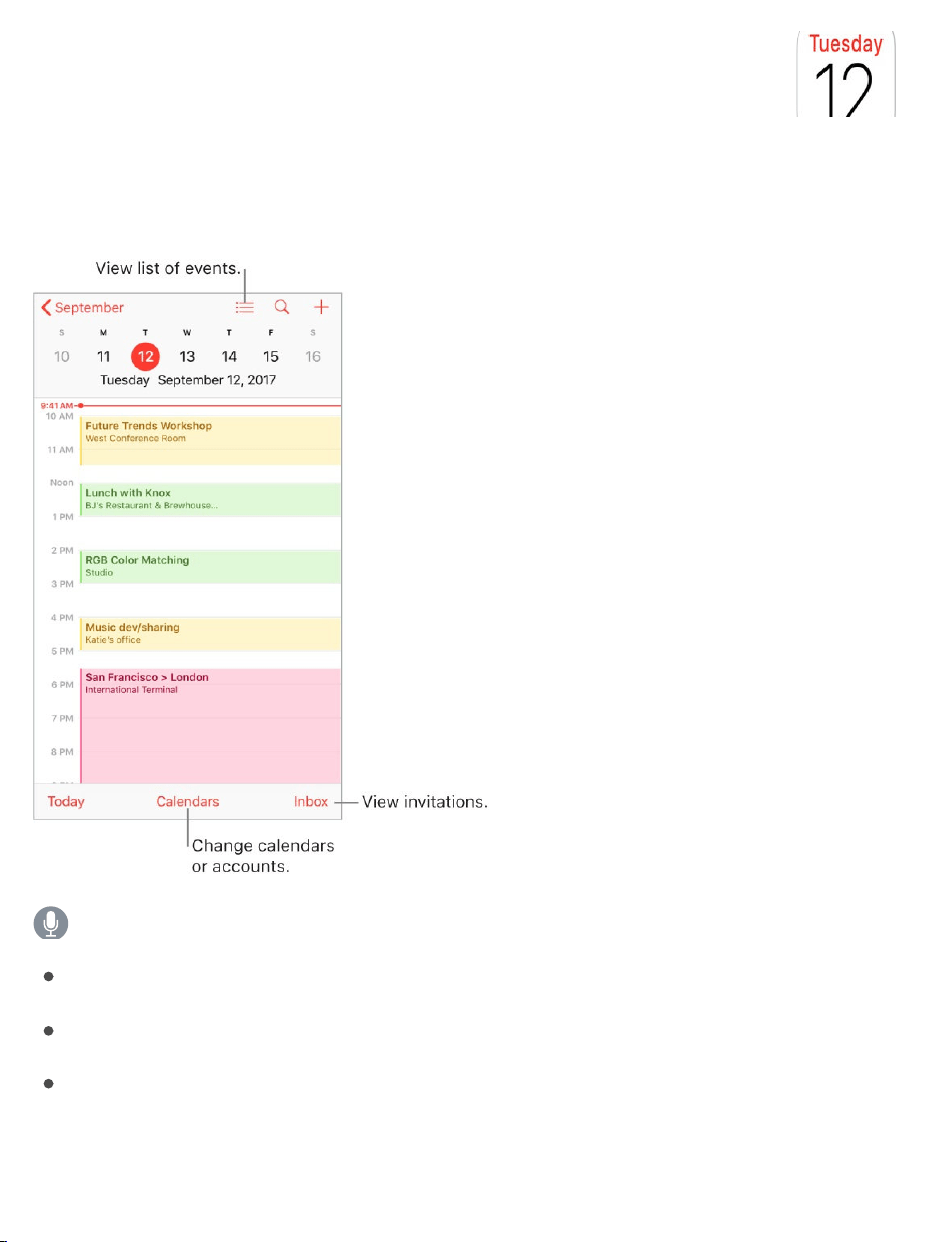
Managecalendars
AskSiri.Saysomethinglike:
“SetupameetingwithGordonat9”
“DoIhaveameetingat10?”
“Whereismy3:30meeting?”
Calendar

Addanevent.Indayview,touchandholdatimeuntilaneweventappears,
thenfillintheeventdetails.Ifyouaddtheaddressoftheevent’slocation,
you’reremindedintimetoleavefromyourcurrentlocation,basedontraffic
conditions.
3DTouch.PressCalendar,thenchoosetheNewEventquickaction.See
.
Searchforevents.Tap ,thenentertextinthesearchfield.Thetitles,
invitees,locations,andnotesforthecalendarsyou’reviewingaresearched.
AskSiri.Saysomethinglike:“What’sonmycalendarforFriday?”
Viewaweeklycalendar.RotateiPhonesideways.
Changeyourview.Tapayear,month,ordaytozoominoroutonyour
calendar.Inweekordayview,pinchtozoominorout.
3DTouch.Inthemonthlycalendar,pressadatetopeekatthatday’s
schedule.Thenpressdeepertopopopentheschedule.
Viewalistofevents.Inmonthview,tap toseeaday’sevents.
Changethecolorofacalendar.TapCalendars,tap nexttothecalendar,
thenchooseacolorfromthelist.Forsomecalendaraccounts,suchas
Google,thecolorissetbytheserver.
Adjustanevent.Touchandholdtheevent,thendragittoanewtime,or
adjustthegrabpoints.
AskSiri.Saysomethinglike:“ReschedulemyappointmentwithChristo
nextMondayat9a.m.”
Setadefaultcalendar.GotoSettings>Calendar>DefaultCalendar.When
youaddaneventusingSiriorusingotherapps,it’saddedtoyourdefault
3DTouch

calendar.
Fine-tuneCalendar.GotoSettings>Calendartosetwhichdayoftheweek
calendarstartswith,displayweeknumbers,choosealternatecalendars(for
exampletodisplayChineseorHebrewdates),overridetheautomatictime
zone,andmore.
Invitations
iCloud,MicrosoftExchange,andsomeCalDAVserversyoucansendand
receivemeetinginvitations.(Notallcalendarserverssupporteveryfeature.)
Inviteotherstoanevent.Youcaninvitepeopletoanevent,evenifyou’renot
theonewhoscheduledit,withExchangeandsomeotherservers.Tapan
event,tapEdit,thentapInvitees.Typenames,ortap topickpeoplefrom
Contacts.Ifyoudon’twanttobenotifiedwhensomeonedeclinesameeting,
gotoSettings>Calendar,thenturnoffShowInviteeDeclines.
RSVP.Tapaneventyou’vebeeninvitedto,ortapInboxandtapaninvitation.If
youaddcomments(whichmaynotbeavailableforallcalendars),your
commentscanbeseenbytheorganizerbutnotbyotherattendees.Tosee
eventsyoudeclined,tapCalendars,thenturnonShowDeclinedEvents.
Scheduleaneventwithoutblockingyourschedule.Taptheevent,tap
Availability,thentap“free.”Orifit’saneventyoucreated,tapShowAs,then
tap“free.”Theeventstaysonyourcalendar,butthetimeframedoesn’tappear
asbusytootherswhosendyouinvitations.
Quicklysendanemailtoattendees.Taptheevent,tapInvitees,thentap
.
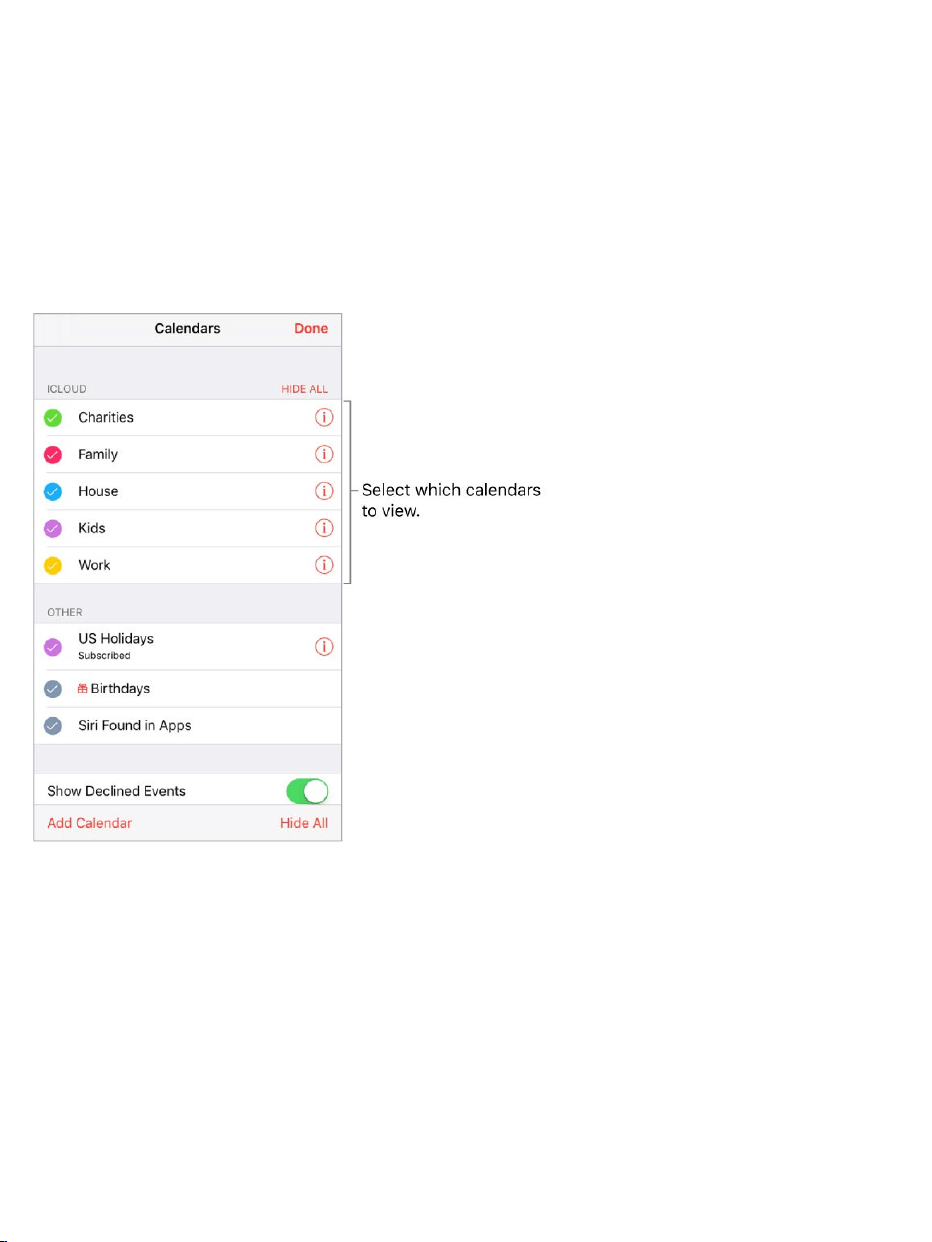
Suggestadifferentmeetingtime.Youcansuggestadifferenttimefora
meetinginvitationyou’vereceived.Tapthemeeting,thentapProposeNew
Time.Dependingonthecapabilitiesofyourcalendarserver,theorganizerwill
receiveeitheracounter-proposaloranemailwithyoursuggestion.
Usemultiplecalendars
Seemultiplecalendarsatonce.TapCalendars,thenselectthecalendars
youwanttoview.
TurnoniCloud,Google,Exchange,orYahoo!calendars.GotoSettings>
Accounts&Passwords>AddAccount>Other,tapAddCalDAVAccountor
AddSubscribedCalendar,thenenteraserveraddress.

Subscribetoacalendar.GotoSettings>Accounts&Passwords>Add
Account>Other,thentapAddSubscribedCalendar.EntertheURLofthe.ics
filetosubscribeto.YoucanalsosubscribetoaniCalendar(.ics)calendarby
tappingalinktothecalendar.
AddaCalDAVaccount.GotoSettings>Accounts&Passwords>Add
Account>Other,thentapAddCalDAVaccount.
AddamacOSServeraccount.GotoSettings>Accounts&Passwords>
AddAccount>Other,thentapAddmacOSServerAccount.
ViewtheBirthdayscalendar.TapCalendars,thentapBirthdaystoinclude
birthdaysfromContactswithyourevents.
ViewtheHolidayscalendar.TapCalendars,thentapHolidaystoinclude
nationalholidayswithyourevents.
VieweventssenttoyouinMailorotherapps.TapSettings>Calendar>
Siri&Search,thenturnonFindEventsinOtherApps.
ChangehowCalendarnotifiesyou.GotoSettings>Notifications>
Calendar.Youcanchangenotificationstylesforinvitations,eventsfoundin
apps,upcomingevents,andmore.
Moveaneventtoanothercalendar.Taptheevent,tapEdit,tapCalendars,
thenselectacalendartomoveitto.
ShareiCloudcalendars
YoucanshareaniCloudcalendarwithotheriClouduserssotheycanview,
add,andchangeevents,andsharearead-onlyversionthatanyonecanview.If
yousetupFamilySharing,acalendarsharedwithallthemembersofyour
familyiscreatedautomatically.See .FamilySharing

CreateaniCloudcalendar.TapCalendars,tapAddCalendar,thentypea
calendarname.
ShareaniCloudcalendar.TapCalendars,thentap nexttotheiCloud
calendaryouwanttoshare.TapAddPerson,thenenteraname,ortap to
browseyourContacts.Thoseyouinvitereceiveaninvitationtojointhe
calendar.
Changeaperson’saccesstoasharedcalendar.TapCalendars,tap
nexttothesharedcalendar,thentaptheperson.Youcanturnonorofftheir
abilitytoeditthecalendar,resendtheinvitationtojointhecalendar,orstop
sharingthecalendarwiththatperson.
Turnoffnotificationsforsharedcalendars.Whensomeonemodifiesa
sharedcalendar,you’renotifiedofthechange.Toturnoffnotificationsfor
sharedcalendars,gotoSettings>Notifications>Calendar>Shared
CalendarChanges.
Sharearead-onlycalendarwithanyone.TapCalendars,thentap next
totheiCloudcalendaryouwanttoshare.TurnonPublicCalendar,thentap
ShareLinktocopyorsendtheURLforyourcalendar.AnyonecanusetheURL
tosubscribetothecalendarusingacompatibleapp,suchasCalendarfor
macOS.

Photosoverview
WiththePhotosappyoucanview,organize,share,andedityourphotosand
videos.
TherearemanywaystogetphotosandvideosoniPhone:takethemwith
Camera,turnoniCloudPhotoLibrarytosyncallyourphotosandvideosonall
yourMacandiOSdevices,syncthemwithiTunesfromyourcomputer,import
themfromacamera,savethemfromanemailorawebpage,andmore.You
canalsousePhotostostoreandviewyourfavoriteanimatedGIFs,which
appearintheAnimatedalbum.
Photos

ViewandworkwithyourphotosinthePhotos,Memories,Shared,andAlbums
tabsatthebottomofPhotos:
TapPhotostoseeallyourstillphotos,LivePhotos,andvideos,organized
byMoments,Collections,andYears.Toquicklybrowsethephotosina
collectionoryear,touchandholdathumbnail,thendrag.Tapathumbnail
toviewthephoto.
TapMemoriestoviewcollectionsofphotosandMemorymoviesbasedon
eventsandcategoriesinyourlibrary,likepeople,pets,kids,trips,and
favoriteactivities.See .
TapSharedtoseephotosandvideosyousharedwithothersorthatothers
sharedwithyou.See .
TapAlbumstocreateandviewyouralbums.See
.
Viewphotosandvideos
Browseyourphotosandvideos.TapPhotos,thentapaphoto.While
viewingaphoto,swipethethumbnailstobrowsephotos,thentapathumbnail
toviewaphoto.DragdownthephototocontinuebrowsingMomentsor
Albums.
Note:Bydefault,Photosdisplaysarepresentativesubsetofyourphotoswhen
youviewbyyearorbycollectioninthePhotostab.Toseeallyourphotosand
videos,gotoSettings>Photos,thenturnoffSummarizePhotos.
Memories
iCloudPhotoSharing
Organizephotosand
videos
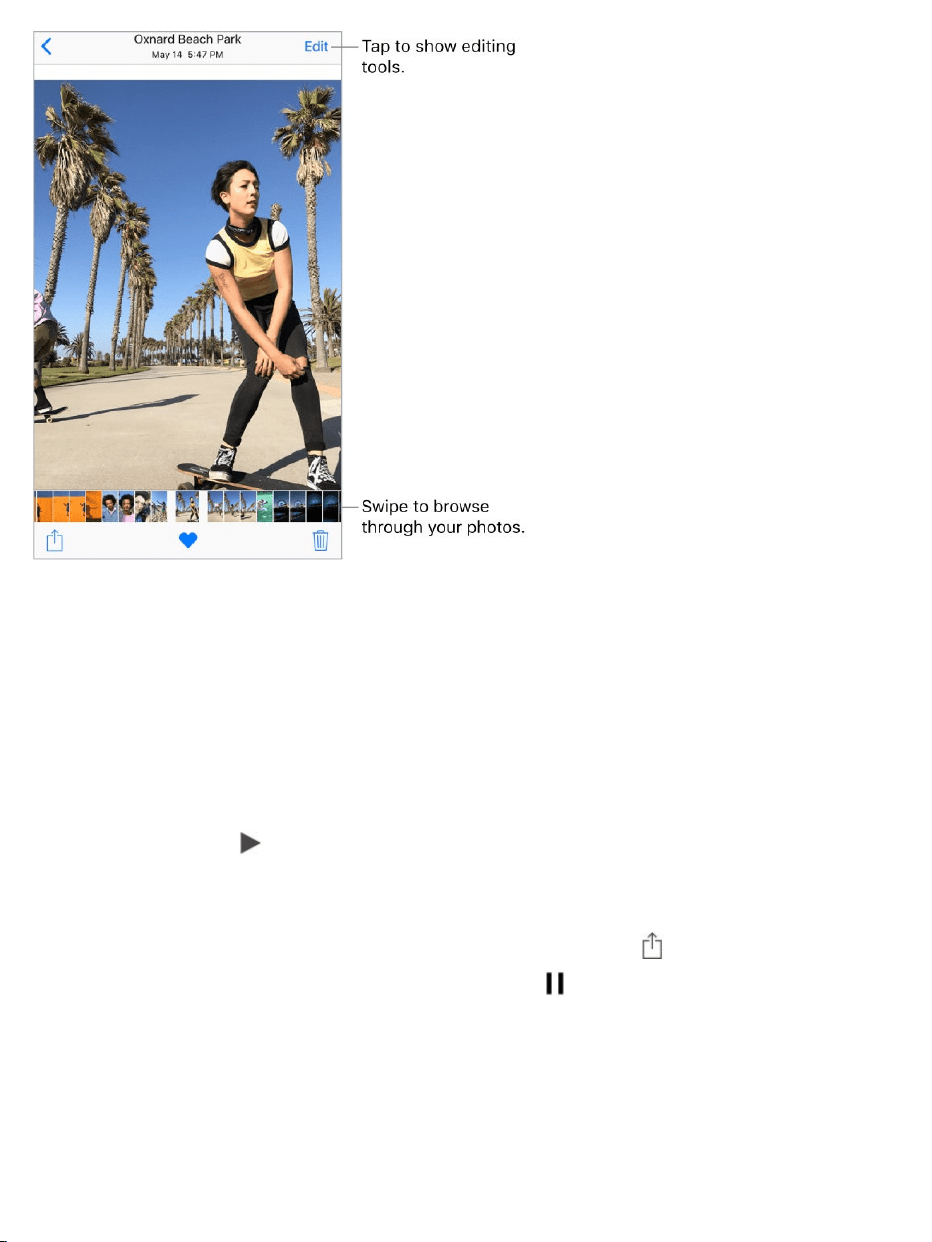
3DTouch.Pressthethumbnailinacollectionoralbumtopeekataphotoor
video.Swipeuptoseealistofquickactions,orpressalittledeepertopop
openthephotoorvideotofullscreen.See .
Zoominorout.Double-taporpinchaphotoopenorclosed.Dragtosee
otherpartsofthephoto.
Playavideo.Tap .Totogglebetweenfullscreenandfit-to-screen,double-
tapthescreen.
Playaslideshow.Whileviewingaphotoorvideo,tap ,thentapSlideshow.
Tostoptheslideshow,tapthescreen,thentap .TapOptionstochoosea
slideshowtheme,music,andmore.
TostreamaslideshoworvideotoaTV,see .
3DTouch
AirPlayMirroring

PlayaLivePhoto.ALivePhoto,whichcanbetakenon ,isa
movingimagethatcapturesthemomentsjustbeforeandafterapictureis
taken.Infullscreen,presstheLivePhoto(ortouchandholditon
)toseeitsmovement.
IfsomeonesharesaLivePhotowithyouviaemail,youcanswipeuponthe
image(on )toaddaLivePhotoeffect—Loop,Bounce,or
LongExposure.See forinformationabouttakingLivePhotos.
Note:On ,youcanalsouseaLivePhotoasthe
wallpaperontheLockscreen.See .
Viewphotoandvideodetails.Tapaphotoorvideo,thenswipeuptosee:
Relatedmemories.See .
PeopleidentifiedbyPhotos.See .
Ifavailable,thelocationwherethephotoorvideowastakenandalinkto
photosandvideostakennearby.See .
Note:IftheimageisaLivePhoto,whenyouswipeupyoucanaddaLive
Photoeffect(Loop,Bounce,orLongExposure).
Searchphotos.FromPhotos,Memories,orAlbums,tap tosearchby
date(monthandyear),place(cityandstate),category(beachorsunset,for
example),orperson(KimorDuncan,forexample).
somemodels
devices
without3DTouch
supportedmodels
Takephotos
modelsthatsupport3DTouch
Changethewallpaper
Memories
People
Places

AskSiri.Saysomethinglike:
“ShowmephotosfromJuly”
“ShowmephotosofCalifornia”
“Showmephotosofthebeach”
“ShowmephotosofGordon”
Organizephotosandvideos
TheAlbumstabincludesalbumsyoucreateyourselfandalbumsthatPhotos
createsforyou,basedonphotoorvideotype.Forexample,photosyoutake
withthefront-facingFaceTimecameraareautomaticallyaddedtotheSelfies
album.OtheralbumsthatPhotoscreatesincludeFavorites,People,Places,
LivePhotos,Videos,Panoramas,Slo-mo,Bursts,Screenshots,andmore.

IfyouuseiCloudPhotoLibrary,allyourphotosiniCloudareintheAllPhotos
album(see ),aswellasthePhotostab.Otherwise,you
seetheCameraRollalbum,whichincludesphotosandvideosyoutookwith
iPhoneandfromothersources.
IfyouuseiCloudPhotoLibrary,albumsarestorediniCloud.They’reuptodate
andaccessibleondeviceswhereyou’resignedintoiCloudwiththesame
AppleID—iOSdeviceswith8.1orlater,MaccomputerswithOSX10.10.3or
later,andon .
Createanewalbum.TapAlbums,tap ,enteraname,thentapSave.
Selectphotosandvideos,thentapDone.
Additemstoanexistingalbum.Whileviewingphotothumbnails,tapSelect,
selectitems,tapAddTo,thenselectthealbum.
Managealbums.Whileviewingyouralbumlist,tapEdit.
Renameanalbum:Tapthealbumname,thenenteranewname.
Rearrangealbums:Touchtoenlargethealbum’sthumbnail,thendragitto
anotherlocation.
Deleteanalbum:Tap .
Note:Youcan’tdeletealbumsthatPhotoscreatesforyou,suchas
People,Places,andSelfies.
Markyourfavorites.Whileviewingaphotoorvideo,tap toaddittothe
Favoritesalbum.Aphotoorvideocanbepartofanotheralbumaswellas
Favorites.
Hidephotosorvideosyouwanttokeepbutnotshow.Whileviewing
thumbnails,tapSelect,thenselectthephotosorvideosyouwanttohide.Tap
,thentapHide.ThephotosorvideosaremovedtotheHiddenalbum.
iCloudPhotoLibrary
iCloud.com

PhotosandvideosarehiddenfromMoments,Collections,Years,and
Memories,butarestillvisibleinAlbums.
DeleteaphotoorvideofromPhotos.TapthePhotostab,tapaphotoor
video,tap ,thentapDeletePhotoorDeleteVideo.Deletedphotosand
videosarekeptintheRecentlyDeletedalbumfor30daysbeforethey’re
permanentlyremoved.Youcanseehowmanydaysremainuntiltheitemis
permanentlyremovedfromiPhone.Todeleteaphotoorvideopermanently
fromtheRecentlyDeletedalbumbeforethedaysexpire,taptheitem,tap
Delete,thentapDeletePhotoorDeleteVideo.IfyouuseiCloudPhotoLibrary,
deletedphotosandvideosarepermanentlyremovedfromallyourdevicesthat
useiCloudPhotoLibrarywiththesameAppleID.
Recoveradeletedphotoorvideo.IntheRecentlyDeletedalbum,tapthe
photoorvideo,tapRecover,thentapRecoverPhotoorRecoverVideoto
movetheitemtotheCameraRollor,ifyouuseiCloudPhotoLibrary,totheAll
Photosalbum.
Torecovermultiplephotosandvideos,taptheRecentlyDeletedalbum,tap
Select,tapthephotosandvideosyouwanttorecover,thentapRecover.
Removeaphotoorvideofromanalbum.Tapthephotoorvideo,thentap
.YoucanchoosetoremoveitfromthealbumordeleteitfromyouriCloud
PhotoLibraryonallyourdevices.
Memories
Photosscansyourlibrarytoautomaticallycreatecollectionsofphotosand
videoscalledmemories.MemoriesalsoincludeMemorymovies,whichare
automaticallyeditedforyouandsettomusic.Youcaneditthemandshare

themwithothers.(Memoriescreatedfromalbumsthatdon’thaveenough
photosandvideoswon’tgenerateaMemorymovie.)Youcanalsomakea
Memorymoviefromalbumsyoucreate.Memoriescanfocuson:
Locations,suchasafavoritevacationspotoryourneighborhood
Specialevents,suchasbirthdays,holidays,weddings,andperformances
Activities,suchashiking,skiing,anddiving
Picturesoffamily,friends,youngkids,andpets
PlayaMemorymovie.TapMemories,tapaMemorymovie,thentap .To
pause,tapthemovie,thentap .Toswitchbetweenportraitandlandscape
orientationwhileviewingthemovie,rotateyouriPhone.
ScrubthroughaMemorymovie.TapaMemorymoviewhileit’splayingto
showthecontrols,thenswipeleftorrightthroughthescrubber.

3DTouch.ToopenrecentmemoriesfromtheHomescreen,pressPhotos,
thentapamemory.See .
Viewanalbum’smemory.Tapanalbumyoucreated,thentap .Toadditto
Memories,swipeup,thentapAddtoMemories.
SaveamemorytotheFavoriteMemoriesalbum.Touchandholda
memory,thentapAddtoFavoriteMemories.
3DTouch.Pressamemory,swipeup,thentapAddtoFavoriteMemories.
Creatememoriesfromholidayevents.GotoSettings>Photos,thenturn
onShowHolidayEvents.
Changethemood.TapaMemorymoviewhileit’splaying,thentapamood,
orswipethemoodsleftorrighttochooseanewone.(Eachmoodincludesa
distincttitle,music,andeditingstyle.)
Changetheduration.TapaMemorymoviewhileit’splaying,thentapa
duration,orswipetochooseshort,medium,orlong.Alldurationsmaynotbe
availableforeverymovie.
3DTouch

CustomizeaMemorymovie.TapaMemorymoviewhileit’splaying,then
tapEdittodothefollowing:
Editthetitle:TapTitle,tapthetitleandsubtitletoeditthem,thenchoosea
titlestyle.
Chooseatitleimage:TapTitleImage,thentapthephotoorvideoyou
wanttouse.
Choosedifferentmusic:TapMusic,thenchoosemusicfromasoundtrack
orfromyourmusiclibrary(onlymusicyouownthat’sstoredoniPhoneis
available).
Chooseacustomduration:TapDuration.
Choosephotosandvideos:TapPhotos&Videos,tap ,thentapthe
photosandvideosyouwantinthemovie.Deselectphotosandvideos
currentlyintheMemorymovietoremovethem.
DeleteaphotoorvideofromtheMemorymovie:TapPhotos&Videos,
tapaphotoorvideointhetimeline,thentap toremoveitfromthe
movie.
TrimavideointheMemorymovie:TapPhotos&Videos,tapavideoin
thetimeline,thentrimthevideo.See .Editphotosandtrimvideos
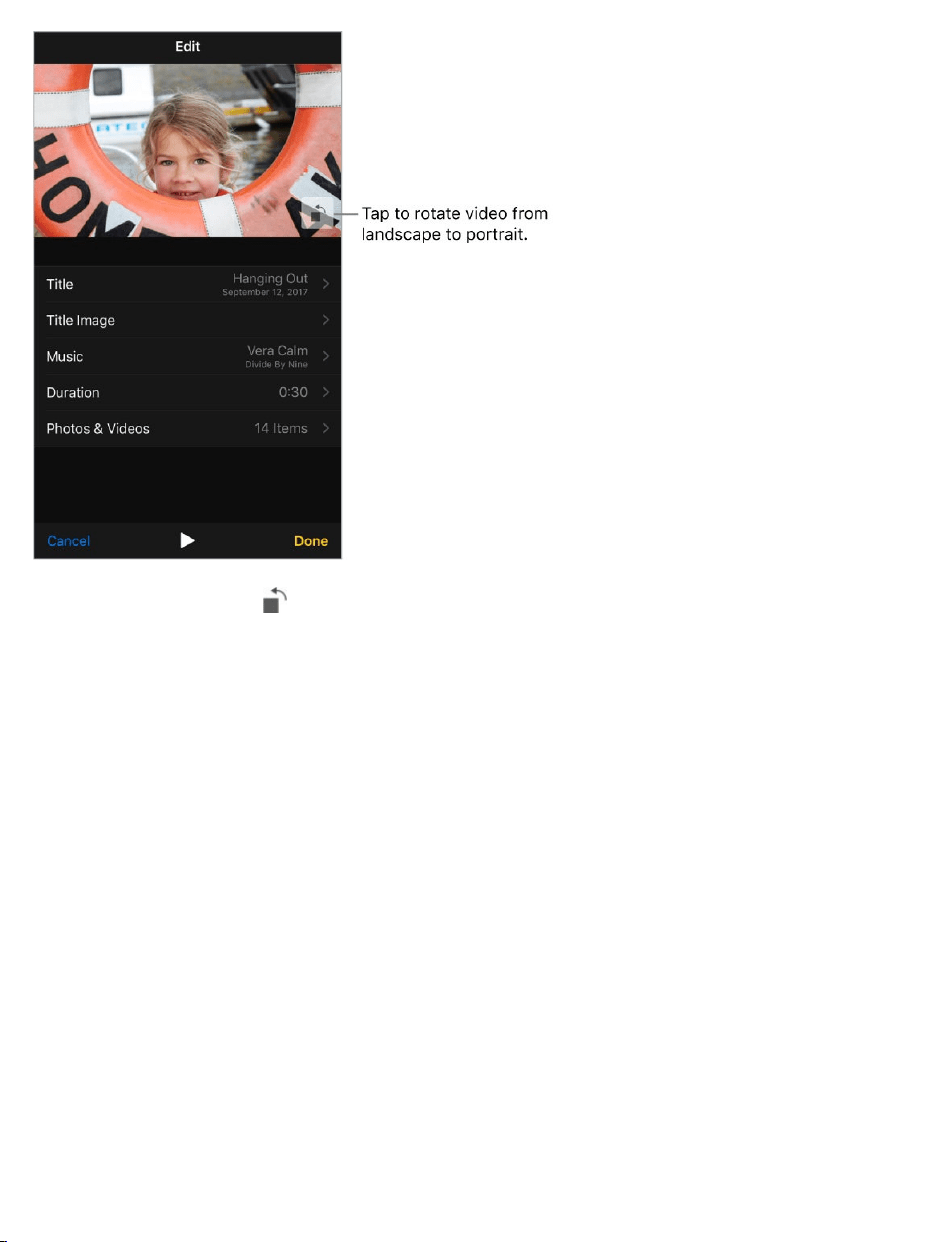
Note:Whenyoutap torotateaMemorymovieyou’reediting,itchangesthe
waythemovieisdisplayedonlywhileyou’reeditingit.
People
Photosscansyourphotolibraryforpeople’sfacesandaddsthemost
frequentlyfoundfacestothePeoplealbum.Youcanassignnamestothe
peoplePhotosfinds,addpeoplewhoappearlessfrequently,markpeopleas
favorites,andviewmemoriesthatcontainspecificpeople.Themorephotos
youhave,thelongerthefirstscantakes.
Note:WithiCloudPhotoLibrary,yourPeoplealbumiskeptuptodateonall
yourotherdeviceswithiOS11andlater,andMaccomputerswithmacOS
HighSierra10.13andlater.(YoumustbesignedinwiththesameAppleIDon
allthedevices).

Nameaperson.TapAlbums,tapPeople,thentapaperson.Tapthenameat
thetopofthescreen,thenenterthename,ortapitinthelistifyouseeit.Tap
Next,thentapDone.
Markpeopleasfavorites.InthePeoplealbum,tap ontheperson’skey
photo.Tap againtoremovethefavorite.Youcanalsodragapersontothe
Favoritesarea.
Toremovemultiplefavorites,tapSelect,tapthepeopleyouwanttoremove,
thentapUnfavorite.
Mergepeople.IfthePeoplealbumshowsonepersonidentifiedastwoor
morepeople,tapSelect,tapeachinstanceoftheperson,thentapMerge.
Setaperson’skeyphoto.Taptheperson’salbum,tapSelect,thenchoose
thephotoyouwantasthekeyphoto.Tap ,thentapMakeKeyPhoto.
Removeamisidentifiedperson.TapapersoninthePhotosalbum,thentap
ShowMoretoseeallphotostheyappearin.TapSelect,tapShowFaces,then
tapthemisidentifiedface.Tap ,thentapNotThisPerson.
Addmorepeople.Onaphotoofsomeoneyouwanttoadd,swipeuptosee
athumbnailofthatperson(belowPeople).Tapthethumbnail,tapAddName,
thenenterthename,ortapitinthelistifyouseeit(namesinthelistarefrom
yourContactsapp).TapNext,thentapDone.
Viewphotosthatcontainaperson.TapAlbums,tapPeople,thentapthe
person.
Places
ThePlacesalbumcreatescollectionsofyourphotosandvideosbasedon
wheretheyweretaken.Collectionsaredisplayedonamapwithinthealbum.

Onlypicturesandvideosthathaveembeddedlocationinformation(GPSdata)
areincluded.
Viewbylocation.TapAlbums,tapPlaces,thentapacollection.Zoominon
themaptoseemorespecificlocations.
Seealistoflocations.Whilelookingatthemap,tapGrid.
ViewalocationintheMapsapp.Whileviewingaphotoorvideothat
containslocationinformation,swipeuptoviewPlaces,thentapthelocation’s
nameoraddress.
Viewalocation-basedMemorymovie.TapAlbums,tapPlaces,tapa
locationthathasseveralimages,tap ,thentap .
iCloudPhotoLibrary
iCloudPhotoLibraryautomaticallyuploadsthephotosandvideosyoutake
andstoresthemintheiroriginalformatatfullresolutioniniCloud.Youcan
accessyourphotosandvideosiniCloudPhotoLibraryfromanydevicewhere
you’resignedinusingthesameAppleID.
UsethePhotosapponiOSdevicesandMaccomputerstoopenandedityour
photosandvideos.Anychangesyoumakeareupdatedonallyourdevices.
See .
TouseiCloudPhotoLibrary,youneedadevicewithiOS8.1orlater,aMac
withOSX10.10.3orlater,oraPCwithiCloudforWindows5orlater.
Note:IfyouturnoniCloudPhotoLibrary,youcan’tuseiTunestosyncphotos
andvideostoiPhone.
Editphotosandtrimvideos

TurnoniCloudPhotoLibrary.GotoSettings>[yourname]>iCloud>
Photos,orgotoSettings>Photos.
Optimizeyourstorageorkeepallyourphotosandvideosinfull-
resolutiononiPhone.OptimizeiPhoneStorageisonbydefault.Itmanages
spaceonyouriPhonebyautomaticallykeepingyourfull-resolutionphotosand
videosiniCloudandsmallerversionsoptimizedforiPhone,asneeded.To
keepthefull-resolutionoriginalsonyouriPhone,gotoSettings>
[yourname]>iCloud>Photos,thenselectDownloadandKeepOriginals.
YouroriginalsarealwaysstorediniCloud.
Downloadafull-resolutionphotoorvideo.Ifyou’renotstoringfull-
resolutionversionsonyouriPhone,pinchtozoominto100%,ortapEdit.The
full-resolutionphotoorvideodownloadsautomatically.
Note:ToalwaysusecellulardatatouploadanddownloadfromiCloudPhoto
Library,gotoSettings>Photos>CellularData,thenturnonUnlimited
Updates.
Ifyouruploadedphotosandvideosexceedyourstorageplan,youcan
upgradeyouriCloudstorage.GotoSettings>[yourname]>iCloud.Tap
ManageStorage,thentapUpgrade.
MyPhotoStream
MyPhotoStreamautomaticallyuploadsyourmostrecentphotostoiCloud,so
youcanseethemondevicesthataren’tusingiCloudPhotoLibrary.(MyPhoto
Streamdoesn’tuploadLivePhotosorvideos.)Youmustbesignedinonall
devicesusingthesameAppleID.

PhotosinMyPhotoStreamdon’tcountagainstyouriCloudstorage,and
they’rekeptfor30daysiniCloud(upto1000photos).Downloadphotosto
yourcomputeroriOSdeviceifyouwanttokeepthempermanently.Formore
information,seetheAppleSupportarticle .
TurnMyPhotoStreamonoroff.GotoSettings>[yourname]>iCloud>
Photos,orgotoSettings>Photos.
UseMyPhotoStreamwithoutiCloudPhotoLibrary.Photosyoutakewith
iPhoneareaddedtotheMyPhotoStreamalbumwhenyouleavetheCamera
appandiPhoneisconnectedtoWi-Fi.Anyphotosyouadd—including
screenshotsandphotossavedfromemail,forexample—alsoappearinyour
MyPhotoStreamalbum.PhotosaddedtoMyPhotoStreamonyourother
devicesappearinyourMyPhotoStreamalbumoniPhone.
ManageMyPhotoStreamcontents.IntheMyPhotoStreamalbum,tap
Select.
SaveyourbestshotsoniPhone:Selectthephotos,thentapAddTo.
Share,print,orcopy:Selectthephotos,thentap .
Deletephotos:Selectthephotos,thentap .
Note:AlthoughdeletedphotosareremovedfromMyPhotoStreamonallyour
devices,theoriginalphotosremaininPhotosonthedeviceonwhichtheywere
taken.Photosthatyousavetoanotheralbumonadeviceorcomputeralso
aren’tdeleted.SeetheAppleSupportarticle .
iCloudPhotoSharing
MyPhotoStreamFAQ
MyPhotoStreamFAQ

WithiCloudPhotoSharing,youcaninviteotherswhoareusingiCloudPhoto
Sharingtoviewyourphotosandvideos.Ifthey’reusingiCloudPhotoSharing
onadevicewithiOS6orlateroronaMacwithOSX10.8orlater,theycan
viewyouralbumsandleavecomments.Ifthey’reusingiOS7orlaterorOSX
10.9orlater,theycanaddtheirownphotosandvideos.Youcanalsopublish
youralbumtoawebsiteforanyonetoview.iCloudPhotoSharingworkswithor
withoutiCloudPhotoLibraryandMyPhotoStream.
Note:TouseiCloudPhotoSharing,iPhonemustbeconnectedtotheInternet.
iCloudPhotoSharingworksoverbothWi-Fiandcellularnetworks.Cellular
datachargesmayapply.See .
TurnoniCloudPhotoSharing.GotoSettings>[yourname]>iCloud>
Photos.OrgotoSettings>Photos.
Cellulardatasettings

Sharephotosandvideos.Whileviewingaphotoorvideo,orafterselecting
multiplephotosorvideos,tap ,tapiCloudPhotoSharing,addcomments,
thensharetoanexistingsharedalbumorcreateanewone.Youcaninvite
peopletoviewyoursharedalbumusingtheemailaddressorthemobile
phonenumbertheyusetoreceivetextmessages.
Enableapublicwebsite.TapShared,tapanalbum,tapPeople,thenturnon
PublicWebsite.TapShareLinkifyouwanttoannouncethesite.
Additemstoasharedalbum.TapShared,tapanalbum,tap ,select
items,thentapDone.Youcanaddacomment,thentapPost.
Deletephotosfromasharedalbum.TapShared,tapanalbum,tapSelect,
selectthephotosorvideosyouwanttodelete,thentap .Youmustbethe
ownerofthesharedalbumorthephoto.
Deletecommentsfromasharedalbum.Tapthephotoorvideothat
containsthecomment.Tapthecommentareaatthebottomofthescreen,
touchandholdthecomment,thentapDelete.Youmustbetheownerofthe
sharedalbumorthecomment.
Renameasharedalbum.TapShared,tapEdit,thentapthenameandenter
anewone.
Addorremovesubscribers,orturnNotificationsonoroff.Selectthe
sharedalbum,thentapPeople.
Subscribetoasharedalbum.Whenyoureceiveaninvitation,tapthe
Sharedtab ,thentapAccept.Youcanalsoacceptaninvitationinan
email.

Additemstoasharedalbumyousubscribedto.TapShared,tapan
album,thentap .Selectitems,thentapDone.Youcanaddacomment,then
tapPost.
SeeyourFamilyalbum.WhenFamilySharingissetup,asharedalbum
calledFamilyisautomaticallycreatedinPhotosonallfamilymembers’
devices.Everyoneinthefamilycancontributephotos,videos,andcomments
tothealbum,andbenotifiedwheneversomethingnewisadded.Formore
informationaboutsettingupFamilySharing,see .
Otherwaystosharephotosandvideos
YoucansharephotosandvideosinMailorMessages,orusingotherapps
youinstall.
Shareorcopyaphotoorvideo.Viewaphotoorvideo,thentap .Ifyou
don’tsee ,tapthescreentoshowthecontrols.
TapMoreinSharingtoturnontheappsyouwanttouseforsharing.
YoucanshareaLivePhotousingiMessage,iCloudPhotoSharing,AirDrop,
andmore.AsharedLivePhotoplaysinPhotosonanyiOSdevicewithiOS9
orlateroraMacwithOSX10.11orlater.Fordevicesorservicesthatdon’t
supportLivePhotos,aLivePhotoissharedasastillphoto.
Thesizelimitofattachmentsisdeterminedbyyourserviceprovider.iPhone
maycompressphotoandvideoattachments,ifnecessary.
Youcanalsocopyaphotoorvideo,thenpasteitintoanemailortextmessage
(MMSoriMessage).
ShareaMemorymovie.TapaMemorymoviethat’splaying,tap ,then
chooseashareoption.See .
FamilySharing
Memories

Tip:Tochangetheorientationofthemoviebeforesharing,tap or .
Shareorcopymultiplephotosandvideos.WhileviewingbyMoment,
Album,orMemory,tapSelect.Selectthephotosyouwanttoshare,tap ,then
chooseashareoption.
Saveorshareaphotoorvideoyoureceive.
Email:Taptodownloadtheitemifnecessary,thentouchandholdittosee
sharingandotheroptions.
Textmessage:Taptheitemintheconversation,thentap .
Photosandvideosthatyoureceiveinmessagesorsavefromawebpageare
savedtoyourPhotostab.TheycanalsobeviewedintheCameraRollor,if
you’reusingiCloudPhotoLibrary,theAllPhotosalbum.
Editphotosandtrimvideos
YoucaneditstillphotosandLivePhotosrightoniPhone.Ifyourphotosare
storediniCloud,youreditsareupdatedacrossallyourdevicessetupwith
iCloud,andbothyouroriginalandeditedversionsaresaved.Ifyoudeletea
photo,it’sdeletedfromallyourdevicesandiCloud.Photoappextensionscan
providespecialeditingoptions.See .
EditaphotoorLivePhoto.Viewthephotofullscreen,tapEdit,thentapa
tool.Whenyou’refinished,tapDone.
Auto-enhance improvesaphoto’sexposure,contrast,saturation,and
otherqualities.
WiththeRemoveRed-eyetool ,tapeacheyethatneedscorrecting.
Appextensions

Tocropthephoto,tap .Photossuggestsanoptimalcrop,butyoucan
dragthecornersofthegridtooltosetyourowncrop.Movethewheeltotilt
orstraightenthephoto;tapResettoundothesechanges.Tap torotate
thephoto90degrees.Tap tochooseastandardcropratio,suchas
2:3orSquare.
Withphotofilters youcanapplydifferenteffects,suchasVivid,
Dramatic,orSilvertone.
Tap tomakeadjustmentstolight,color,orblackandwhite.Tapan
option,thenmovetheslidertothedesiredeffect.Tap forfine
adjustments.
AddaLivePhotoeffect.SwipeuponaLivePhotoandtapaneffect.Loop
repeatstheactioninacontinuousloopingvideo.Bouncerewindstheaction
backwardsandforward.LongExposuresimulatesaDSLR-likelongexposure
effectbyblurringmotion.
MakeastillphotofromaLivePhoto.ViewtheLivePhoto,tapEdit,then
taptheLivebuttonintheuppercenter.

SetakeyphotoforaLivePhoto.ViewtheLivePhoto,tapEdit,thendrag
thesquareintheframevieweruntilyoufindastillphotoyoulike.TapMakeKey
Photo.
TrimormuteaLivePhoto.ViewtheLivePhoto.TapEdit,thendrageither
endoftheframeviewer.Tomute,tap .
Don’tliketheresults?Beforeyousaveyourchanges,tapCancel,thentap
DiscardChanges.
Reverttooriginal.Afteryoueditaphotoandsaveyourchanges,youcan
reverttotheoriginalimage.Taptheimage,tapEdit,thentapRevert.
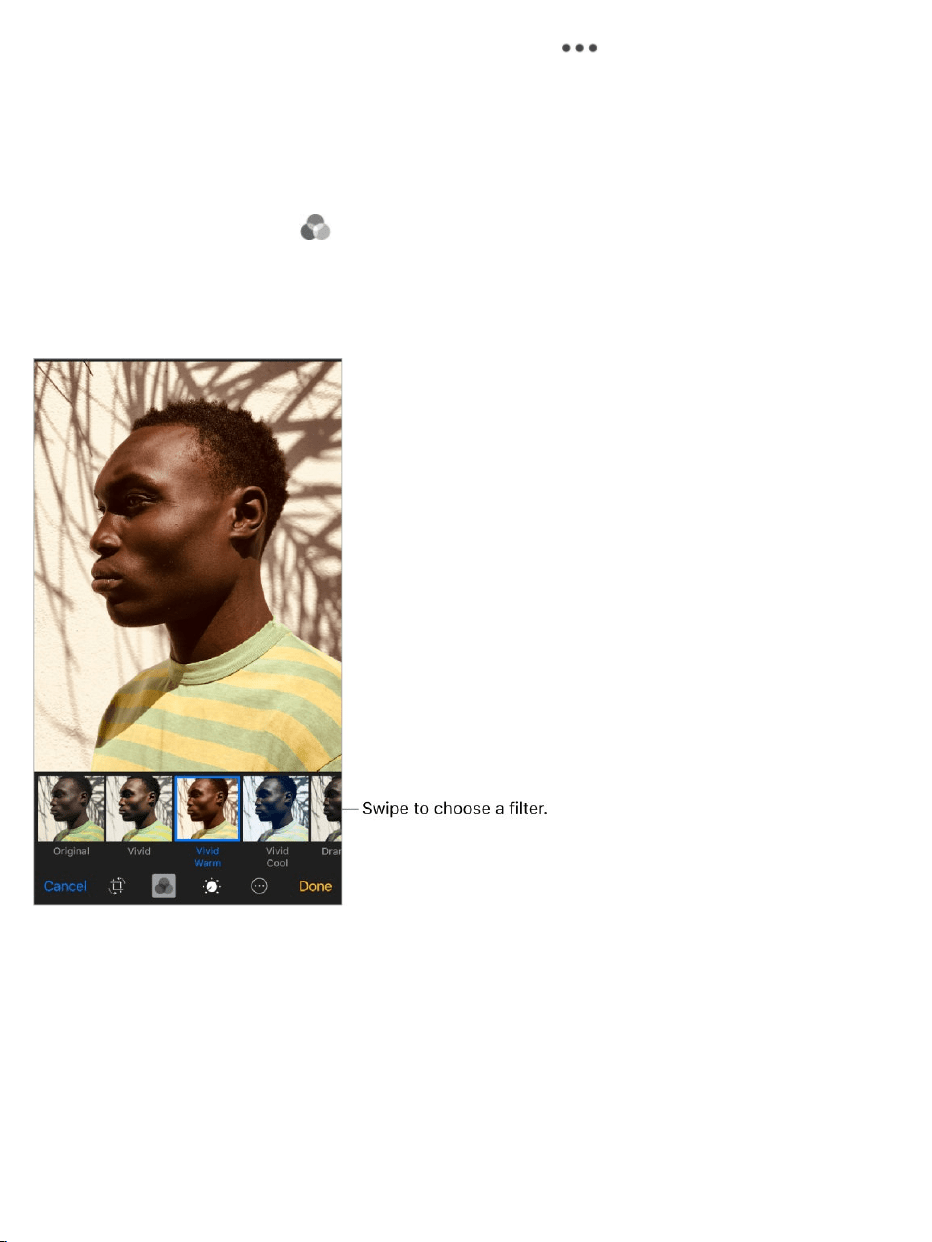
Markupaphoto.Viewthephoto,tapEdit,tap ,thentapMarkup.
AnnotatethephotowiththeMarkuptools(pen,pencil,andmarker).Eraseyour
markswiththeeraser.(Ifit’saLivePhoto,Markupturnsitintoastillimage.)
See .
Addaphotofilter.Tap ,thenbelowtheviewer,swipethefiltersleftorright
topreviewandchooseafilter.Youcanremoveorchangefiltersthatwere
appliedineitherCameraorPhotos.
Trimavideo.TapEdit,drageitherendoftheframeviewer,tapDone,thentap
SaveasNewClip.ThenewvideoclipissavedinyourVideosalbum(the
originalvideoremainsunchanged).
UseMarkup

Settheslow-motionsectionofavideoshotinSlo-mo.TapEdit,thenuse
theverticalbarsbeneaththeframeviewer.(See forinformation
aboutSlo-mo.)
PrinttoanAirPrint-enabledprinter
Printphotos:Tap ,thentapPrint.
Toprintmultiplephotoswhileviewingaphotoalbum,tapSelect,selectthe
photos,tap ,thentapPrint.See .
Importphotosandvideos
Youcanimportphotosandvideosdirectlyfromadigitalcamera,anSD
memorycard,oranotheriOSdevicethathasacamera.UsetheLightningto
USBCameraAdapterortheLightningtoSDCardCameraReader(bothsold
separately).
Shootvideo
AirPrint

1. InsertthecameraadapterorcardreaderintotheLightningconnectoron
iPhone.
2. Dooneofthefollowing:
Connectacamera:UsetheUSBcablethatcamewiththecamerato
connectthecameratothecameraadapter.Turnonthecamera,then
makesureit’sintransfermode.Formoreinformation,seethe
documentationthatcamewiththecamera.
InsertanSDmemorycardintothecardreader:Don’tforcethecard
intotheslotonthereader;itfitsonlyoneway.
ConnectaniOSdevice:UsetheUSBcablethatcamewiththeiOS
devicetoconnectittothecameraadapter.TurnonandunlocktheiOS
device.
3. UnlockiPhone.
4. ThePhotosappopensanddisplaysthephotosandvideosavailablefor
importing.
5. Selectthephotosandvideostoimport.
Importallitems:TapImportAll.
Importjustsomeitems:Taptheitemsyouwanttoimport(acheckmark
appearsforeach),tapImport,thentapImportSelected.
6. Afterthephotosandvideosareimported,keepordeletethemonthe
camera,card,oriOSdevice.
7. Disconnectthecameraadapterorcardreader.

AneweventintheLastImportalbumcontainsallthephotosyoujust
imported.
Totransferthephotostoyourcomputer,connectiPhonetoyourcomputer
andimporttheimageswithaphotoappsuchasPhotosorAdobe
PhotoshopElements.
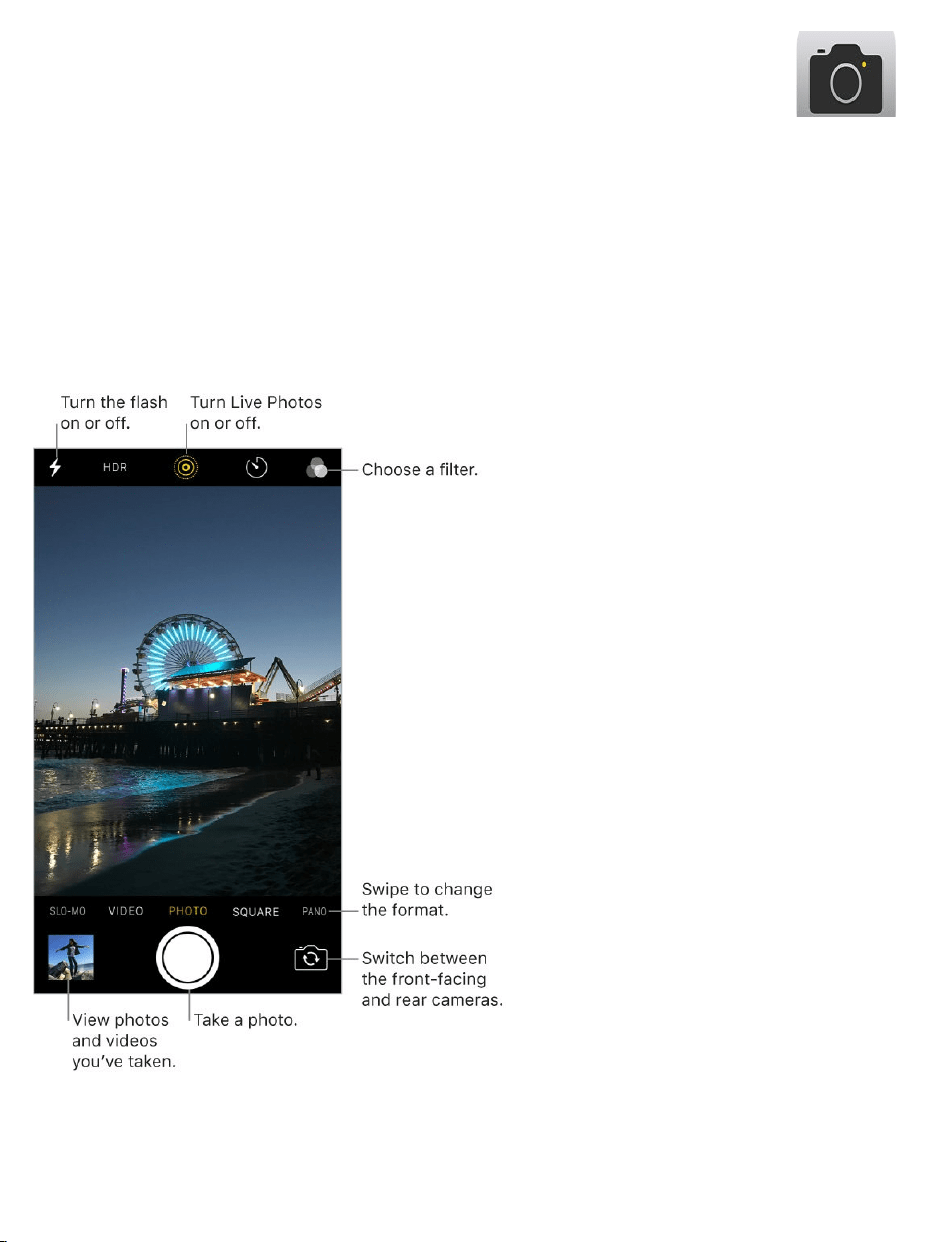
Takephotos
YoucantakephotosandvideoswiththereariPhonecameraorthefront-
facingFaceTimecamera.Toquicklygettothecamera,swipeleftfromthe
Lockscreen.
Camera

Chooseaphotomode.Camerahasseveralphotomodessoyoucanshoot
standardandsquare-formatphotos,andpanoramas.Tochooseamode,
swipethescreenleftorright,ortapPhoto,Square,orPano.
OniPhone8PlusandiPhone7Plus,youcanalsochoosePortraitmode,
whichincludesadeptheffectthatfocusesonyoursubjectandblursthe
background.
Takeaphoto.There’smorethanonewaytotakeaphoto:
SwipeleftontheLockscreentomakethecamerascreenappear,then
takethepicture.PresstheHomebuttontoreturntotheLockscreen.
OpenCamera,choosePhoto,Square,orPortrait(iPhone8Plusand
iPhone7Plus),thentaptheShutterbutton,orpresseithervolumebutton.
3DTouch.InControlCenterorontheHomescreen,press ,thenchoosea
quickaction.See .
AskSiri.Saysomethinglike:
“OpenCamera”
“Takeaphoto”
Adjustshutter-soundvolume.Adjustthevolumeoftheshuttersoundusing
theRingerandAlertssettingsinSettings>Sounds(calledSounds&Haptics
on ).OrmutethesoundusingtheRing/Silent
switch.(Insomecountries,mutingisdisabled.)
Addaphotofilter.YoucanapplyafilterbeforeyoutakeaphotoinPhoto,
Square,andPortraitmode.Tap ,thenbelowtheviewer,swipethefiltersleft
orrighttopreviewandchooseafilter.Youcanremoveorchangefiltersin
Photos.
3DTouch
modelswithsystemhaptics
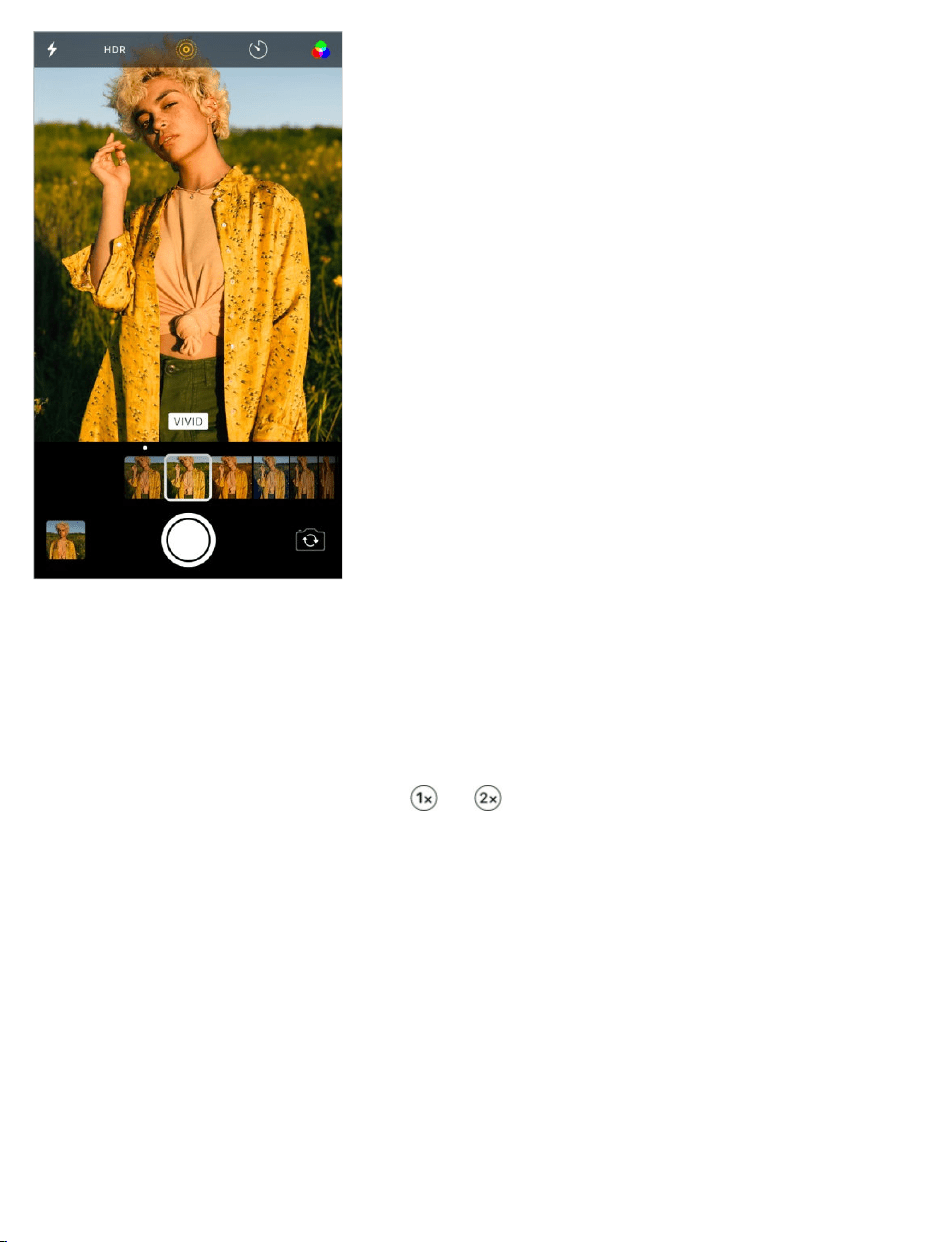
Keepitstraight.Todisplayagridthatcanhelpyoualignshots,goto
Settings>Camera,thenturnonGrid.
Zoominorout.(iPhone8PlusandiPhone7Plus)Thedual12MPwide-
angleandtelephotocamerascapturefull-resolutionvideoandstillsat1xand
2xzoom.Toquicklyswitch,toggle or .Youcanzoomevenfurtherwith
digitalzoom—upto10xforphotosandupto6xforvideos.Forfinerzoomand
tozoombeyond2x,touchandholdthezoomcontrol,thenslideleftandright.
Youcanalsopinchthescreentozoominandout.OnotheriPhonemodels,
pinchthescreentozoominandout.
Captureaportrait.OniPhone8PlusandiPhone7Plus,choosePortrait
mode,frameyoursubject,thentaptheShutterbutton.
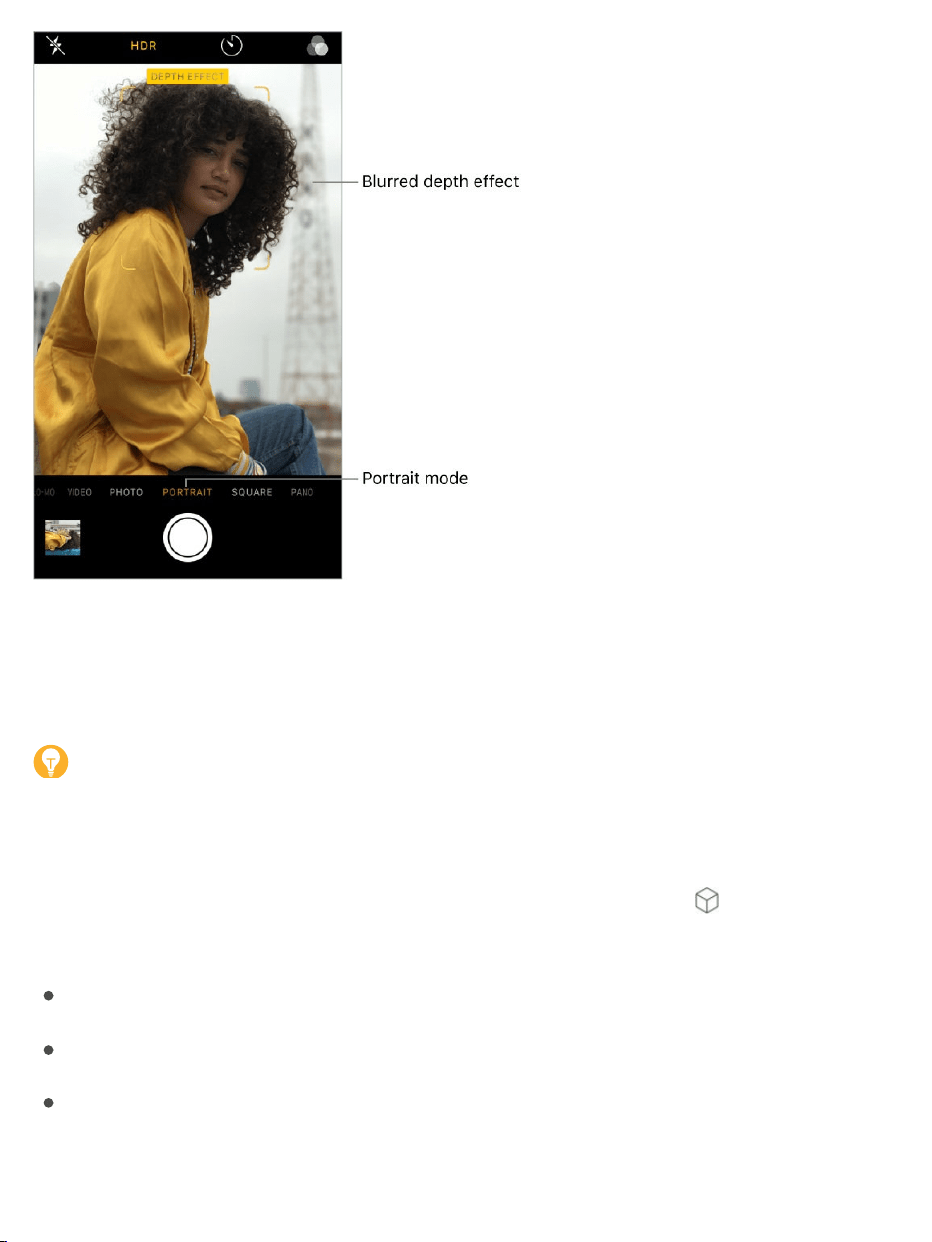
TurnDepthEffectonoroffforaphoto.Viewthephoto(onethatwasshot
inPortraitmode)infullscreen,tapEdit,thentapPortraittoturntheeffectonor
off.
Tip:It’seasytofindphotosyoucapturedinPortraitmodethathaveDepth
Effectturnedon.InthePhotosapp,tapAlbums,thentapthePortraitalbum.
UsePortraitLighting.(beta)OniPhone8Plus,youcanhighlightyoursubject
withastunningeffect.InCamera,choosePortrait,thendrag tochoosethe
lighting.
NaturalLight:Thefaceisinsharpfocusagainstablurredbackground.
StudioLight:Acleanlook,wherethefacebrightlylit.
ContourLight:Thefacehasdramaticshadowswithhighlightsand
lowlights.

StageLight:Thefaceisspotlitagainstadeepblackbackground.
StageLightMono:LikeStageLight,butthephotoisinclassicblackand
white.
TakeaLivePhoto.LivePhotoscaptureswhathappensjustbeforeandafter
youtakeyourphoto.On ,choosePhoto,tap
toturnonLivePhotos(yellowison),thentaptheShutterbutton.Thescreen
indicatesthedurationoftheexposure.YoucaneditLivePhotosinthePhotos
app.Inyouralbums,LivePhotosaremarkedwith“Live”inthecorner.
TakeBurstshots.WiththecamerainPhotoorSquaremode,touchandhold
theShutterbuttontotakerapid-firephotosinbursts.Liftyourfingertostop.
Thecountershowshowmanyshotsyou’vetaken.Youcantakeburstphotos
withtherearcameraandthefront-facingFaceTimecamera.Toselectthe
photosyouwanttokeep,taptheburstthumbnail,thentapSelect.Graydots
modelsthatsupportLivePhotos

belowthethumbnailsmarkthesuggestedphotos.Tapthecircleinthelower-
rightcornerofeachphotoyouwanttosaveasaseparatephoto,thentap
Done.Todeletetheburstofphotos,taptheburstthumbnail,thentap .
TochoosewhichburstphotostouploadtoyourPhotoStream,gotoSettings>
Photos.
TakeaselfiewithRetinaFlash.On ,turnonthe
flash,switchtothefront-facingFaceTimecamera,thentaptheShutterbutton
(thedisplayflashesonexposure).
Takeapanoramaphoto.(Rearcamera)ChoosePano,taptheShutter
button,thenpanslowlyinthedirectionofthearrow,keepingthearrowonthe
centerline.Tofinishthepan,tapthebuttonagain.Topanintheotherdirection
instead,firsttapthearrow.Topanvertically,rotateiPhonetolandscape
orientation.Youcanreversethedirectionofaverticalpan,too.
OniPhone8PlusandiPhone7Plus,togglebetween and toshoota
Panoramaat1xand2xzoomatfullresolution.
modelswithRetinaFlash

Usethecapturetimer.Usethecapturetimertogiveyourselftimetobeinthe
shot.FirststabilizeiPhonewhereyouwant,thenframeyourshot.Tap ,tap
3sor10s,thentaptheShutterbutton.
Preservecamerasettings.Youcanpreservethelastcameramodeand
photofiltersettingsyouusedsothey’renotresetwhenyounextopenCamera.
GotoSettings>Camera>PreserveSettings,thenturnonCameraMode.You
canalsopreserveLivePhotosettingson .
Compressphotostosavespace.(iPhone8,iPhone8Plus,iPhone7,and
iPhone7Plus)Tosavespace,iPhonecapturesphotosandvideosinnew
high-efficiencyformatscalledHEIFandHEVCautomatically.Tochangeimage
andvideoformatsettings,gotoSettings>Camera>Formats,thenchoose
eitherHighEfficiency(savesmorespace)orMostCompatible.
modelsthatsupportLivePhotos

Takeascreenshot.Tocapturewhat’sdisplayedonyourscreen,
simultaneouslypressandreleasetheHomebuttonandthesidebuttonor
Sleep/Wakebutton(dependingonyourmodel).Tapthescreenshot,thentap
DoneandchooseSavetoPhotosorDeleteScreenshot.Ifyousavethe
screenshot,youcanviewitintheScreenshotsalbumorAllPhotosalbum(if
you’reusingiCloudPhotoLibrary).
ReadaQRcode.CameraautomaticallydetectsaQRcodewhenit’sinthe
pictureframe.Tapthenotificationthatappearstogototherelevantwebsiteor
app.
Adjustfortheperfectshot
Aboutautoexposureandfacedetection.Whenyou’retakingaphoto,a
rectanglemaybrieflyappeartoindicatewheretheautomaticexposureisset.
Whenyouphotographpeople,facedetectionbalancestheexposureacross
manyfaces.Arectangleappearsforeachfacedetected.
Lockthefocusandexposure.YoucansetwhereyouwantCameratofocus
foryournextshotandlocktheexposure.Taptheobjectorareaonthescreen
whereyouwanttofocus(thistemporarilyturnsofffacedetection),thentouch
andholduntiltherectanglepulses.Thescreenindicateswhenexposureand
focusarelocked.Takeasmanyphotosasyouwant.Whenyoutapthescreen
again,exposureandfocusunlock,andtheautomaticsettingsandface
detectionturnbackon.
Adjusttheexposure.Exposureisautomatic,butyoucansettheexposure
manuallyforyournextshot.Tapthescreen,thendrag nexttotheexposure
rectangletoadjusttheexposure.
Turntheflashonoroff.Tap .TheTrueToneflashonthebackofiPhone
alsoprovidesextralightwhenyouneedit.Touseitasaflashlight,dragup

fromthebottomofanyscreen,thentaptheFlashlightbuttoninControlCenter.
Makeitbetter.Youcaneditphotosandtrimvideos,rightoniPhone.See
.
Shootvideo
WithCamerayoucanshootvideo,includingslow-motionandtime-lapse
videos.
Recordavideo.ChooseVideo,thentaptheRecordbutton,orpresseither
volumebutton,tostartandstoprecording.Bydefault,videorecordsat30fps
(framespersecond).Othervideomodesinclude:
4K24fps(iPhone8andiPhone8Plus)
4K60fps(iPhone8andiPhone8Plus)
1080p240fps(iPhone8andiPhone8Plus)
1080p60fps(iPhone6andlater)
4K30fps(iPhone6sandlater)
Tochangevideorecordingsettings,gotoSettings>Camera>RecordVideo.
Snapastillwhilerecording.TapthewhiteShutterbutton.
Takeitslow.(Rearcamera)ChooseSlo-motocaptureslow-motionvideo.
Whenyoueditthevideo,youcansetjustaportionofittoplaybackinslow
motion,andtherestplaysbackatregularspeed.OniPhone6andlater,you
canchoosebetween720pat240fpsand1080pvideoat120fpsor240fps.
TochangeSlo-morecordingsettings,gotoSettings>Camera>RecordSlo-
mo.
Edit
photosandtrimvideos

Settheslow-motionsectionofavideo.Tapthevideothumbnail,thentap
Edit.Slidetheverticalbarsbeneaththeframeviewertodefinethesectionyou
wanttoplaybackinslowmotion.TapDone.
Zoominoroutwhenshootingvideo.(Rearcamera)Pinchtheimageon
thescreenopentozoomin,andpinchclosedtozoomout.
OniPhone8PlusandiPhone7Plus,togglebetween and tozoomin
andout,orusethedialtozoomupto6x.
Capturetime-lapsevideo.(Rearcamera)ChooseTime-Lapse,setup
iPhonewhereyouwant,thentaptheRecordbuttontostartcapturingasunset,
trafficflowing,orotherexperiencesoveraperiodoftime.TaptheRecord
buttonagaintostoprecording.Thetime-lapsephotosarecompiledintoa
shortvideo.
WiththeDual12MPwide-angleandtelephotocamerasoniPhone8Plusand
iPhone7Plus,togglebetween and tozoominandout.
WithiOS9andlater,time-lapsevideoshavevideostabilization,which
minimizestheeffectofcameramovementduringcapture.
HDR
HDR(highdynamicrange)helpsyougetgreatshotsinhigh-contrast
situations.iPhonetakesthreephotosinrapidsuccessionatdifferent
exposures—andblendsthemtogether.Theresultingphotohasbetterdetailin
thebrightandmidtoneareas.

Bydefault,iPhoneusesHDR(fortherearcameraandfront-facingFaceTime
camera)whenit’smosteffective.Forbestresults,keepiPhonesteadyand
avoidsubjectmotion.
Note:YoucanturnoffHDRmanuallyinSettingsoniPhone8and
iPhone8Plus.
KeeponlytheHDRversion.GotoSettings>Camera,thenturnoffKeep
NormalPhoto(bydefault,boththenormalandHDRversionsofthephoto
appearinPhotos).Inyouralbums,HDRversionsofphotosaremarkedwith
“HDR”inthecorner.
TurnoffHDR.(iPhone8andiPhone8Plusonly)GotoSettings>Camera,
thenturnoffAutoHDR.IfHDRisturnedoffinSettings,youcanturnitonin
CamerabytappingHDRatthetopofthescreen.
View,share,andprint
PhotosandvideosyoutakearesavedinPhotos.With
turnedon,allnewphotosandvideosareautomaticallyuploadedandavailable
inPhotosonallyourdeviceswithiOS8.1orlaterthataresetupwithiCloud
PhotoLibrary.WheniCloudPhotoLibraryisturnedoff,youcanstillcollectup
to1000ofyourmostrecentphotos(fromyourdevicessetupwithiCloud)in
the album.
Note:IfLocationServicesisturnedoninSettings>Privacy,photosand
videosaretaggedwithlocationdatathatcanbeusedbyappsandphoto-
sharingwebsites.See .
Viewyourphotos.InCamera,tapthethumbnailimageinthelower-left
corner,thenswipeleftorrighttoseethephotosyou’vetakenrecently.Tapthe
screentoshoworhidethecontrols.TapAllPhotostoseeeverythinginthe
iCloudPhotoLibrary
MyPhotoStream
LocationServices

Photosapp.
Viewsharingandprintingoptions.Whileviewinganimage,tap .See
.
Uploadphotosandvideos.Use touploadphotosand
videosfromyouriPhonetoiCloud.Youcanaccessthemonyourdeviceswith
iOS8.1orlaterwhereyou’resignedintoiCloudusingthesameAppleID.You
canalsouploadanddownloadyourphotosandvideosfromthePhotosappon
iCloud.com.
SyncphotosandvideostoiPhonefromyourMac.UsethePhotos
settingspaneiniTunesonyourcomputer.See .
Sharefromapps
iCloudPhotoLibrary
SyncwithiTunes

Findplaces
WARNING:Forimportantinformationaboutnavigationandavoiding
distractionsthatcouldleadtodangeroussituations,see
.
MovearoundMapsbydraggingthescreen.Tofaceadifferentdirection,rotate
withtwofingers.Toreturntonorth,tap .
AskSiri.Saysomethinglike:
“Findcoffeenearme”
“ShowmetheGoldenGateBridge”
Maps
Importantsafety
information

Zoominorout.Eitherpinchopenorclosedonthemap,ordouble-tapand
holdthemap,thendraguptozoominordowntozoomout.Thescaleappears
intheupperleftwhileyou’rezooming.Tochangehowdistanceisshown(in
milesorkilometers),gotoSettings>Maps.
Findnearbyattractions,services,andmore.Tapthesearchfield,thentap
acategorysuchasFoodorShopping.(Forfeatureavailability,seethe
.)
3DTouch.TofindnearbyplacesfromtheHomescreen,pressMaps,then
choosetheSearchNearbyquickaction.See .
Searchforalocation.Tapthesearchfield.Youcansearchforalocationin
differentways.Forexample:
Intersection(“8thandMarket”)
Area(“GreenwichVillage”)
Landmark(“Guggenheim”)
Zipcode(“60622”)
Business(“movies,”“restaurantsSanFranciscoCA,”“AppleIncNew
York”)
Mapsmayalsolistrecentlocations,searches,ordirectionsthatyoucan
choosefrom.
Changethesearcharea.Zoominorout,ordragthescreentoanotherarea,
thentapSearchHere.
Getinfoaboutalocation.Tapalocation,thenswipeuptoviewallofthe
informationaboutit.
iOS
FeatureAvailabilitywebsite
3DTouch

Useindoormapstofindyourwayaroundanairportorshoppingmall.
Gotothelocation,thentapLookInside.Tapacategory(likeFood,Restrooms,
orClothes)atthebottomorleftsideofthescreen,thentaparesult.Swipeup
toseeallresults,listedalphabetically.Toseeamapofadifferentfloor,tapthe
FloorLevelbuttonbelow .Zoominifyoudon’tseetheFloorLevelbutton.
Addafavoritelocation.Whileviewinginfoaboutalocation,scrolltothe
bottomoftheinformationthentapAddtoFavorites.
Bookatableandmore.Ifyou’veinstalledappsthathavemapextensions,
youmaybeabletodothingslikemakeareservationatarestaurantorordera
ridesharingvehicletotakeyoutothelocation.VisittheAppStoretofindapps
thatworkwithMaps.
Chooseyourview.Tap ,thenchooseMap,Transit,orSatellite.
Iftransitinformationisunavailable,tapViewRoutingAppstouseanappfor
publicorothermodesoftransportation.
3DTouch.TomarkyourlocationfromtheHomescreen,pressMaps,then
choosetheMarkMyLocationquickaction.See .
Markalocation.Touchandholdthemapuntilamarkerappears.
Sharealocation
Tapalocationormarkertodisplayitsinfo,thentap andchooseanoption
suchasMailorAirDrop.See .
3DTouch.Pressalocation,thenchoosetheShareLocationorSendMy
Locationquickaction.YoucanalsopressMapsontheHomescreen,then
chooseaquickaction.See .
3DTouch
Sharefromapps
3DTouch

Getmoreinfo
3DTouch.Pressalocation,thenchoosetheOpenHomepageorCallquick
action.See .
Findoutabouttrafficconditions.Fromthemaporsatelliteview,tap ,
thenturnonTraffic.Orangeshowsslowdowns,andredshowsstop-and-go
traffic.Toseeanincidentreport,tapanincidentmarker.
Findoutabouttheweather.Zoominuntiltheweathericon,whichshows
currentconditionsforthatarea,appearsinthelower-rightcorner.
3DTouch.Presstheweathericontoseethehourlyforecast.Pressalittle
deepertoseethe10-dayforecastintheWeatherapp.See .
HelpimproveMaps.Toreportanincorrectlabel,amissinglocation,orother
issue,tap ,thentapReportanIssue.
Getdirections
Note:Togetdirections,iPhonemustbeconnectedtotheInternet.Toget
directionsinvolvingyourcurrentlocation,LocationServicesmustalsobeon.
(Seealso .)
AskSiri.Saysomethinglike:
“Givemedirectionshome”
“Transitdirectionstomydad’swork”
“What’smyETA?”
“Findagasstation”
3DTouch
3DTouch
LocationServices

Tip:AddyourhomeandworkaddressestoyourMyInfocardinContacts,
thenyoucanuse“work”or“home”whensearchinginMapsorwithSiri.
Findaroutetoalocation.Tapalocationtodisplayitsinfo,thentap
Directions.Directionsarefromyourcurrentlocation.Togetotherdirections,
tapMyLocation,thenenteradifferentlocation.
Chooseadifferentroute:Ifmultipleroutesappear,taptheoneyouwantto
take.
Seeadriving,walking,ortransitroute:TapDrive,Walk,orTransit.
Seedetaileddirections:TapGo.
Inselectcities,Mapsprovidespublictransportationinformationand
multimodalrouting,fromwalkingtoabusstoportrainstationtohoppingoffat
yourdestination.
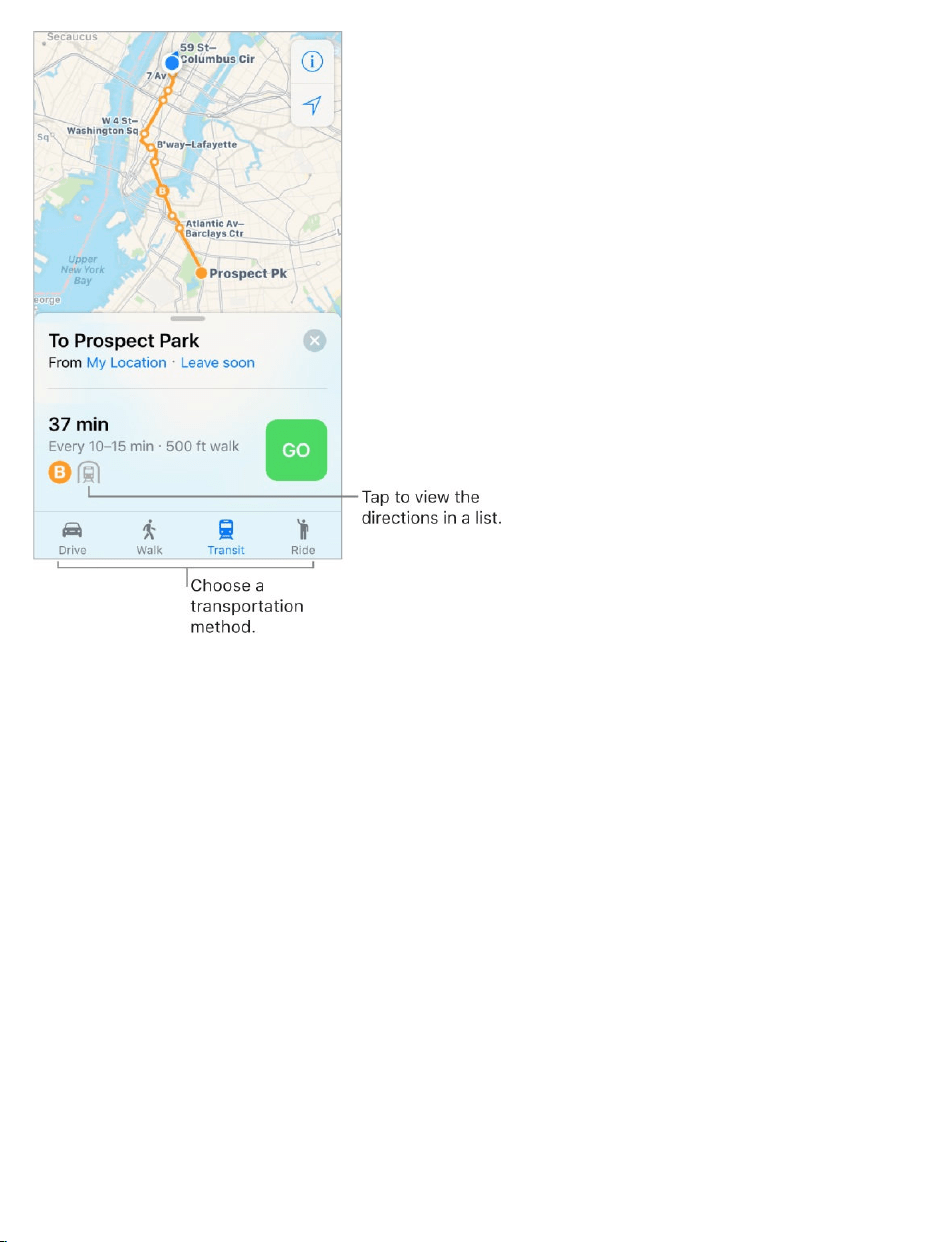
Iftransitrouteinformationisunavailable,tapViewRoutingAppstouseanapp
forothermodesoftransportation.
Markatransitstopasafavorite.WhenviewingtheTransitmap,tapatransit
stoporstation.Scrolltothebottomofthelocationcard,thentapAddto
Favorites.YoucanalsoaddthetransitlinetotheMapsTransitwidgetinToday
View,soyoucanquicklychecktheline’soperatingstatus.
Chooseatransittimeordate.Findatransitroute,thentapLeavingSoonto
selectatimeordatefordepartureorarrival.TapTransitOptionstochoose
whichtransitvehiclestoconsider.
Hearturn-by-turndirections.Findaroutetodrive,thentapGo.

Mapsfollowsyourprogressandspeaksturn-by-turndirectionstoyour
destination.WhenDoNotDisturbwhiledrivingisturnedon,orifiPhoneauto-
locks,Mapsstaysonscreenandcontinuestoannouncedirections.
Seetherouteoverview:Taptheturndirectionsatthetopofthescreen.To
changethemaporientationsothatthedestination,insteadofnorth,shows
atthetop,tapthemap,thentapthecompassinthetop-rightcornerofthe
screen.Toreturntoturn-by-turndirections,taptheturndirectioninthetop-
leftcornerofthescreen.
Viewdirectionsasalist:Taptheroutecardatthebottomofthescreen,
thentapDetails.
Evenifyouopenanotherapp,Mapscontinuestogiveyouturn-by-turn
directions.ToreturntoMaps,tapthebanneracrossthetopofthescreen.

Viewturn-by-turnorstop-by-stopdirectionsforawalkortransitroute.
Findaroute,tapGo,thenswipeeachinstructionleft.
Seetherouteoverview:Taptheroutecardatthebottomofthescreen,
thentapOverview.Tozoominagain,taptheroutecard,thentapTurn-by-
turn(forawalkroute)orZoomIn(foratransitroute).
Viewdirectionsasalist:Taptheroutecardatthebottomofthescreen,
thentapDetails.
Makeaquickdetour.Toaddastopalongyourroute,taptheroutecardthen
taponeofthesuggestedservices,suchasgasstations.TapGotoaddoneto
yourroute.
Stopturn-by-turndirectionsorlightguidance.TapEnd.
AskSiri.Saysomethinglike:“Stopnavigating.”
UseMapsonyourMactogetdirections.OpenMapsonyourMac(OSX
10.9orlater),getdirectionsforyourtrip,thenchooseFile>Share>Sendto
[yourdevice].YourMacandiPhonemustbothbesetupwithiCloudusingthe
sameAppleID.
YoucanalsouseHandofftopickupdirectionsonanotherdevice.See
.
Findyourcar
WhenyoudisconnectiPhonefromyourcar’sBluetoothorCarPlaysystemand
exityourparkedvehicle,MapsdropsaParkedCarpinsoyoucaneasily
navigatebacktowhereyouleftit.
Handoff

Findwhereyouleftyourcar.TaptheSearchfield,thenchooseParkedCar
fromthesuggestionslist.
Turnparkinglocationonoroff.GotoSettings>Maps>ShowParked
Location.
Getaride
Afteryou ,youcanrequestaridefromaridesharing
company,ifyouhavearidesharingappinstalled.(Notavailableinallareas.)
Bookaride.Findthedestination,tapDirections,thentapRide.Ifyoudon’t
havearidesharingappinstalled,Mapsshowsyouappsthatareavailablefrom
theAppStore.
AskSiri.Saysomethinglike:“Getmearidehome.”
GetaridesharingappforMaps.VisittheAppStoretofindridesharingapps
thatworkwithMaps.
Removemarkersandroutes
Removeamarker.Tapthemarker,tapEditLocation,thentapRemove
Marker.
Deletearoute.PastroutesarelistedbelowtheSearchfield.Toremoveone,
swipeittotheleft,thentapRemove.
3DandFlyover
With3DandFlyover,youcanseethree-dimensionalviewsof,andevenfly
over,manyoftheworld’smajorcities.
findadestination

Viewa3Dmap.Dragtwofingersup.(Zoominforacloserlookifthe3Dmap
doesn’tappear.)Forbesteffect,usethesatelliteview.Tap ,thentap
Satellite.
Adjusttheangle.Dragtwofingersupordown.
SeecitiesandlandmarksfromabovewithFlyover.Flyoverisavailablefor
selectcitiesandlandmarks.Tapthenameofacity(inMaporSatelliteview)or
tapthenameofalandmark,thentapFlyoverinthebanner(FlyoverTouron
iPhone6andiPhone5s).Toreturntothemap,tap .
On ,viewacityorlandmarkfromabove:
Changeviewingdirection:PointortiltiPhoneinthedirectionyouwantto
view.
Movearound:Dragafingerinanydirection.Torotateperspective,touch
andholdthescreenwithonefinger,thencontinueholdingitinplacewhile
youdraganotherfingeraroundit.
Watchanaerial3Dtour:TapStartTourinthecardatthebottomofthe
screen.(Ifyoudon’tseethecard,tapanywhereonthescreen.)
supportedmodels

Flyovercitiesareindicatedby nexttotheirnamesinMapview.Ifyoudon’t
see markers,zoomout,orifyou’reusingTransitorSatelliteview,tap ,
thenchooseMap.FlyoverlandmarksareidentifiedbytheFlyoverbuttonin
theirbanners.

Seethetimeincitiesaroundtheworld
UsetheClockapptoviewthetimeinvariouslocationsaroundtheworld.
AskSiri.Saysomethinglike:
“Whattimeisit?”
“WhattimeisitinLondon?”
ManageyourWorldClocklist.IntheWorldClocktab,tapEdit.
Addacity:Tap ,thenchooseacity.
Clock

Deleteacity:Tap .
Reorderthecities:Drag upordown.
Setanalarmorbedtimeschedule
WiththeClockapp,youcansetanalarmthatplaysasoundorvibrationata
specifictime.Youcanalsosetabedtimeschedulethatremindsyouwhento
gotosleepandplaysasoundwhenit’stimetowakeup.
AskSiri.Saysomethinglike:
“Wakemeuptomorrowat7a.m.”
“Setanalarmfor9a.m.everyFriday”
“Turnoffallmyalarms”
Setanalarm.TapAlarm,thentap .Setthetimeandotheroptions,then
givethealarmaname(like“Watertheplants”).
3DTouch.TosetanalarmfromtheHomescreen,pressClock,thentap
CreateAlarm.See .
Changeanalarm.TapEdit,thentapthealarm.
Deleteanalarm.Swipeleftonthealarm,thentapDelete.
Setabedtimeschedule.TapBedtime,thenfollowtheinstructionstosetyour
sleepreminderandwake-upalarm.Afteryou’vedonetheinitialsetup,youcan
slide and toadjustyoursleepandwaketimes.TapOptionstosetthe
alarmdays,wake-upsound,andvolume.ToturnBedtimeremindersoff,tap
theBedtimeswitch.
3DTouch

Seeyoursleephistory.TheSleepAnalysisportionoftheBedtimetab
showsyourhistoryforthepastseveraldays,basedonyouruseofiPhone
duringthosehours.YoursleephistoryisautomaticallyprovidedtoHealth,too,
whereyoucanviewmoredata.
Fallasleeptomusicorapodcast.TapTimer,tapWhenTimerEnds,then
chooseStopPlayingatthebottom.
Tracktimewiththetimerorstopwatch
IntheClockapp,youcancountdownfromaspecifiedtimewiththetimeror
measurethedurationofaneventwiththestopwatch.
AskSiri.Saysomethinglike:
“Setthetimerfor3minutes”
“Stopthetimer”

Setthetimer.TapTimer,thensetthedurationoftimeandasoundtoplay
whenthetimerends.
Tip:Toquicklyaccessthetimer, ,thentap .You
canaccessTimerfromControlCenterevenwheniPhoneislocked.
Measurethedurationofaneventandtracklaptimes.TapStopwatch,
thentapStart.TapLaptorecordalaporsplit.Thetimingcontinuesevenifyou
returntotheHomescreen,openotherapps,orpressthesidebuttonor
Sleep/Wakebutton(dependingonyourmodel).TapStoptorecordthefinal
time.Whenyoufinish,tapResettoclearthestopwatch.
Tip:SwipetheStopwatchtoswitchbetweendigitalandanalogclock
faces.
openControlCenter
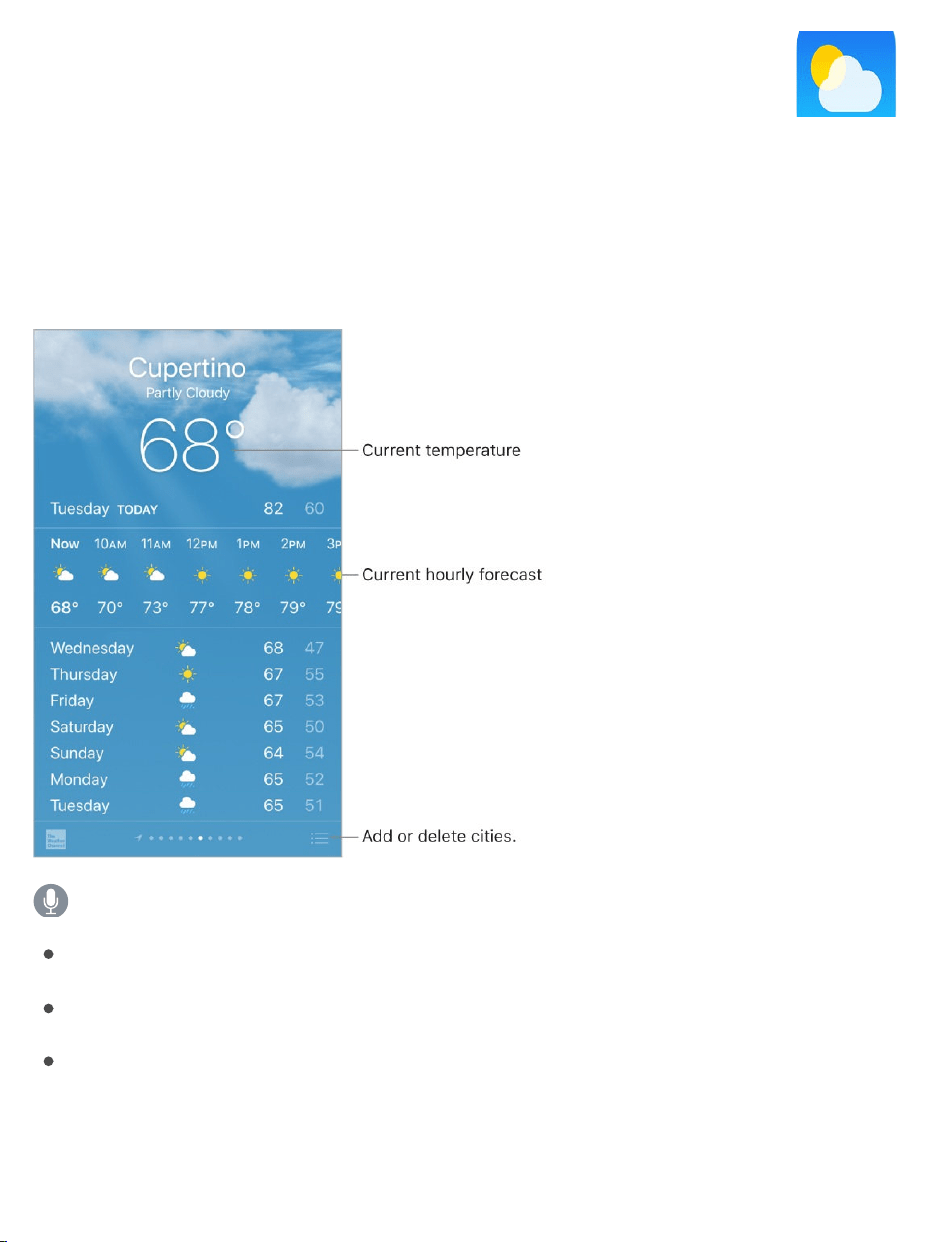
Getthecurrenttemperatureand10-dayforecastforoneormorecitiesaround
theworld,withhourlyforecastsforthenext12hours.WeatherusesLocation
Servicestogettheforecastforyourcurrentlocation.
AskSiri.Saysomethinglike:
“What’stheweatherfortoday?”
“Howwindyisitoutthere?”
“WhenissunriseinParis?”
Seethelocalweather.Swipetotheleftmostscreen(availableonlywhen
LocationServicesisturnedoninSettings>Privacy>LocationServices).
Weather
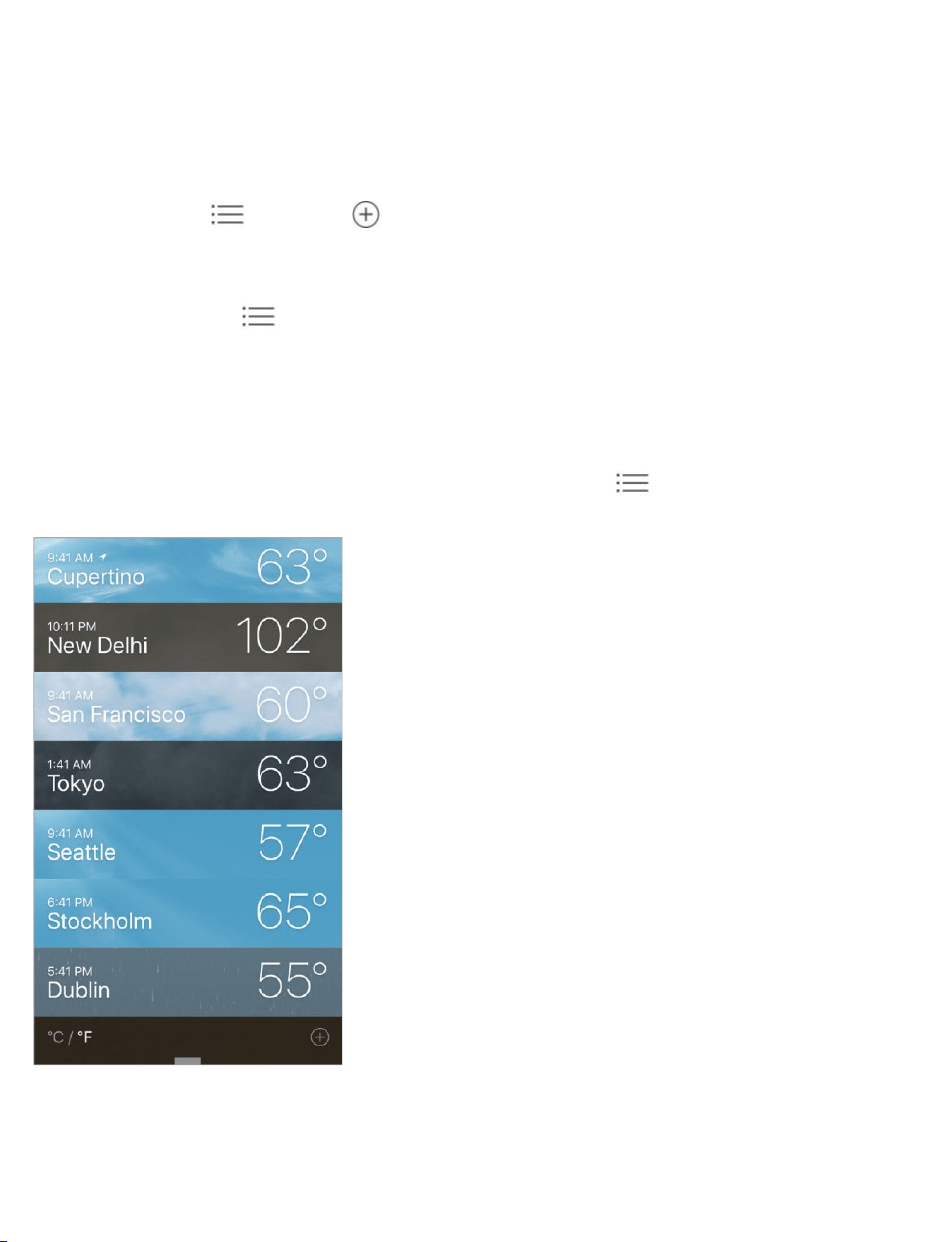
Viewthecurrenthourlyforecast.Swipethehourlydisplayleftorright.
Seeadetailedforecast.Swipeuptoseedetailssuchasthetimesofsunrise
andsunset,thechanceofrain,andthehumidity.
Addacity.Tap ,thentap .Enteracityorzipcode,thentapSearch.
Seetheweatherinanothercity.Swipeleftorrighttoseeweatherfor
anothercity,ortap ,thenchooseacityfromthelist.
3DTouch.TochooseaforecastfromtheHomescreen,pressWeather,then
choosealocation.TapAddtoaddalocation.See .
Seeallyourcitiesatonce.Pinchthescreenortap .
3DTouch.Topreviewacity’sweather,pressacityinyourlistoflocationsto
peekattheweatherforecast,thenpressalittledeepertoopenit.See
.
3DTouch
3DTouch

Deleteacity.Tap ,swipethecitytotheleft,thentapDelete.
Rearrangetheorderofcities.Tap ,touchandholdacity,thendragitup
ordown.
ChooseFahrenheitorCelsius.Tap ,thentap°For°C.
Turnofflocalweather.GotoSettings>Privacy,thenturnoffLocation
Services.See .
UseiCloudtosyncyourlistofcitiesonyourotheriOSdevices.Goto
Settings,thensignintoiCloudwiththesame onallyourdevices.See
.
LocationServices
AppleID
iCloud

GetstartedwithNews
Newscollectsallthestoriesyouwanttoread,fromyourfavoritesources,about
thetopicsthatinterestyoumost.TopersonalizeNews,youcanchoosefroma
selectionofpublications(calledchannelsinNews)andtopicssuchas
Entertainment,Food,andScience.ForYoucollectsthebeststoriesfromthe
channelsandtopicsyoufollow.Themoreyouread,thebetterNews
understandsyourinterests.Sirilearnswhat’simportanttoyouandsuggests
storiesyoumightlike.Youcanalsoreceivenotificationsaboutimportant
storiesfromchannelsyoufollow.
Note:YouneedaWi-FiorcellularconnectiontouseNews.Newsisn’t
availableinallareas.
Followchannelsandtopics.WhenyouopenNewsandfollowonlyafew
channelsortopics,a“PersonalizeyourNews”messageappearsatthetopof
ForYouandFollowing.TapBrowseChannelsandTopics,thentapthe
channelsandtopicsyouwanttofollow.Atanytime,youcansearchforspecific
channelsortopicsintheSearchtabordiscovermorechannelsandtopicsto
followbytappingtheBrowsebuttonintheFollowingtab.
Followsuggestedchannelsandtopics.ForYoumayshowyoustories
fromchannelsortopicssuggestedbySiriorbyNews.Ifyoulikethese
suggestions,tap tofollowthechannelortopicandseemorestorieslikeit
inthefuture.VisittheFollowingtabtoseealistofallofSiri’ssuggestions.
ToturnoffsuggestionsfromSiri,gotoSettings>News>Siri&Search.
News

Note:IfSirihasnothingtosuggest,youdon’tseeaSuggestionssectionin
Following.
Dislikesuggestedchannelsandtopics.Tap toseetwooptions:
Dislike(MuteChannel/Topic):TapthisoptionandNewswon’tshow
storiesfromthatchannelortopic,anywhereinNews.
StopSuggesting:TapthisoptionandNewswillstopsuggestingthe
channelortopicinForYou.
Addnotifications.Somechannelsyoufollowmaysendnotificationsabout
importantstories.Toreceivenotifications,tapFollowing,thentap nexttoa
channel.
AccessNewsstoriesfromTodayView.FromtheleftedgeoftheHome
screenorLockscreen,swiperighttoopenTodayView.IntheNewssection,
tapastoryheadlinetoopenthestoryinNews.
ForYou
ForYoupresentsthebeststoriesfromthechannelsandtopicsyoufollow.For
YoualsoincludesstoriessuggestedbySiri,breakingnews,topstoriesofthe
day,trendingstoriesthatarepopularwithotherNewsreaders,featuredstories
selectedbyAppleNewseditors,andmore.
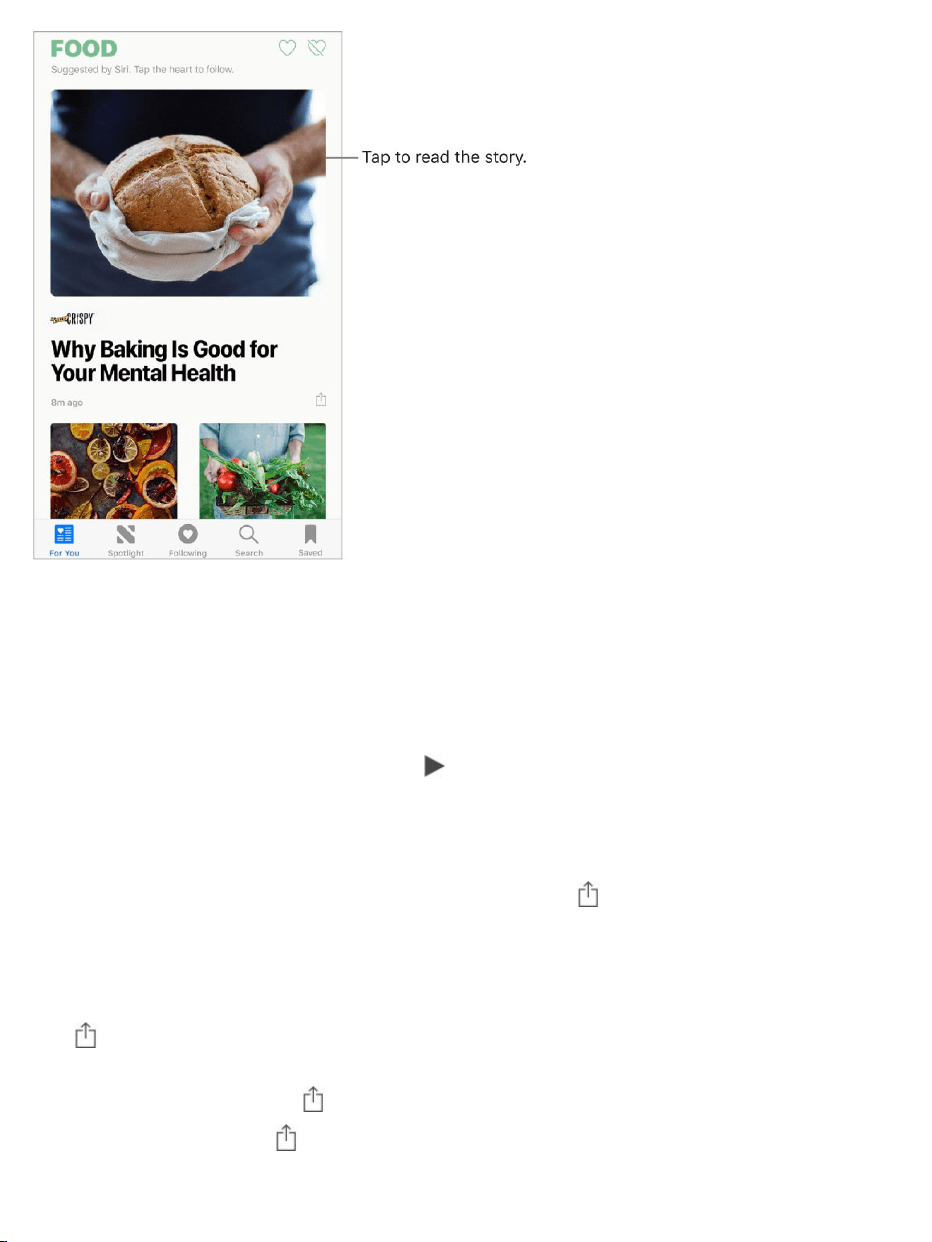
Readmorestorieswithinagroup.Tapthearrowatthebottomofthegroup.
3DTouch.ToaccessstoriesandrecentlyviewedchannelsfromtheHome
screen,pressNewsandchooseaquickaction.See .
Playavideointhestorylist.Tap .
Getnewerstories.PulldowntorefreshForYouwiththelateststories.
Love,share,orsave.Whenviewingastory,tap orswipeastoryleft,then
chooseLoveStory,Share,orSave.
Dislikeastoryorreportaconcernaboutastory.Whenviewingastory,
tap orswipeastoryright,thenchooseDislikeStoryorReport.
Toremoveadislike,tap orswipethestoryright,thentapRemoveDislike.
Toremovealove,tap orswipeleft,thentapRemoveLove.
3DTouch

Dislikeachannel.Topreventachannel’sstoriesfromappearinginForYou,
tap ,thentapDislikeChannel.
3DTouch.PressachannelinFollowing,orpressastory,swipeup,thentap
DislikeChannel.See .
Loveordislikeatopicorchannel.Tap or nexttoatopicorchannel
inForYou.
Whenyouloveatopicorchannel,relatedstoriesappearmoreofteninForYou
andthetopicorchannelappearsinFollowing.Whenyoudislikeatopicor
channel,fewerrelatedstoriesappearinForYouandthetopicorchannel
appearsamongthedislikedtopicsandchannelsinFollowing.
Seestoriesonlyfromthechannelsyoufollow.GotoSettings>News,
thenturnonRestrictStoriesinForYou.
Note:Restrictingstoriessignificantlylimitsthevarietyofstoriesthatappearin
ForYou.Whenyourestrictstories,youwon’tseeTopStories,Trending
Stories,andFeaturedStories.
Readstories
3DTouch

Readastory.Tapastorytoreadit.WebstoriesdeliveredthroughanRSS
feedshowapreview.ToviewanRSSstoryinfull,swipeup.Toalwaysviewthe
fullstory,gotoSettings>News,thenturnoffShowStoryPreviews.
3DTouch.Pressastorytotakeapeekatit,thenswipeuptoseeoptions
includingLoveStory,DislikeStory,Save,ShareStory,andDislikeChannel.
Pressdeepertopopopenthestory.See .
Readthenextstory.Tapthearrowinthelowerrightofthescreen.Youcan
alsoswipelefttoreadthenextstoryorrighttoreadthepreviousstory.Swipe
fromtheleftedgetoreturntothelistofstories.
Tohidethearrowwhenyouscroll,gotoSettings>News,thenturnoffAlways
Show“NextUp.”
TellNewswhatstoriesyouloveanddislike.Whenviewingastory,tap
or .Newstakesyourfeedbackintoaccountforfuturerecommendations.
3DTouch

Changethetextsize.Tap ,thentapthesmallerorlargerlettertochange
thesize.(Notavailableinallstories.)
Sharestories.Whenviewingastory,tap ,thenchooseasharingoption,
suchasMessageorMail.Toshareastoryfromyourlist,swipethestoryleft,
tapShare,thenchooseasharingoption.
Reportaconcern.Ifyoubelievethatastoryyou’reviewingismislabeled,
inappropriate,offensive,ordoesn’tdisplayproperly,swiperight,thentap
Report.
Spotlight
InSpotlight,AppleNewseditorsgodeepintoatopicthat’sofinterestatthe
moment,curatingthebestcontentfromsourcesyoucantrust.Hereyou’llfind
compellingvideo,audio,photoessays,andfeaturedstoriesfocusingon
culture,wellness,lifestyle,tech,andmore.
ReadSpotlightstories.TapSpotlighttoreadstoriesrelatedtopopularand
timelytopicssuchasawardshows,sportschampionships,orholidayevents.
Note:TheSpotlighttab’snameandiconmaytemporarilychangetoreflectthe
topic’stheme.

Following
ThechannelsandtopicsyoufollowappearintheFollowingscreen.Following
alsoincludeschannelsandtopicsthatSiriandNewssuggest.

Exploresuggestions.OntheFollowingscreen,tapachannelortopicunder
Suggestionstobrowseitscontents.TapSeeAllformoresuggestions.Tap
nexttoasuggestiontofollowit.Tap nexttoasuggestiontodislikeit.
Browseachannel’sstories.Tapachannelortopictoseethemostrecently
publishedstories.Insomechannels,youcanbrowsesections,suchas
Politics,Sports,orEntertainment.
3DTouch.Pressachannelortopictopeekatitscurrentstories.See
.
Digdeeperintoatopic.Tapatopictoseerecentrelatedstories.
Stopfollowingchannelsandtopics.TapEdit,tap ,thentapRemove.
3DTouch

Followachannelortopic.Tap nexttoachannel,topic,orsearchresult.
OrtaptheFollowbuttonattheendofastory.Tofollowatrendingtopic,tap
Search,tapatopic,thentap .
3DTouch.Pressatrendingtopic,swipeup,thentapLoveTopic.See
.
Managenotifications.Tap toturnnotificationsonoroffforthechannels
youfollowandthechannelsrecommendedbyAppleNewseditors.
Showdislikedchannelsandtopics.TapDislikedChannelsandTopicsat
thebottomoftheFollowingscreentoshowthechannelsandtopicsyou’ve
disliked.ForstoriesfromthatchannelortopictoappearagaininForYou,tap
thechannelortopic,thentap .
Search
Newskeepstrackofawidevarietyoftopics,whichmakesiteasytofindthe
storiesthatinterestyou.
Searchforchannels,topics,orstories.TapSearch,thenenterthenameof
achannel(CNNorWIRED,forexample),atopic(fashion,business,orpolitics,
forexample),orastory(musicawardsorstockmarkets,forexample).Inthe
resultslist,tap tofollowthechannelortopic.
Viewtrendingtopics.Searchshowstrendingtopicstogetyoustarted.Tapa
topictoseesearchresultsforthattopic,thentap tofollowthespecifictopic
orarelatedtopicorchannel.
Savestories
InNewsyoucansavestoriestoreadlater,onlineoroffline.
3DTouch

Saveastory.Whenviewingalistofstoriesorreadingastory,tap ,thentap
Save.Toreadasavedstory,tapSaved,thentapthestory.
Deleteasavedstory.TapSaved,thenswipeastoryleft.
Checkyourreadinghistory.TaptheHistorytabtoseewhatyou’veread.
Swipeastorylefttodeleteit.
Clearyourreadinghistory.TaptheHistorytab,tapClear,thenchoosean
option:
TapClearHistorytoremoveyourreadinghistory.
TapClearRecommendationstoremovetheinformationusedtocreate
recommendations.
TapClearAlltoclearyourNewshistoryandrecommendationinformation.
Note:Ifyouclearrecommendations,andtheFindContentinOtherApps
switchisoninSettings>News>Siri&Search,recommendationsbased
onyourSafariandappusageandyourreadinghabitsinNewsare
cleared.TopreventNewsfromsuggestingstoriesbasedonyourSafari
andappusage,turnoffFindContentinOtherApps.
SubscriptionsinNews
Subscribetochannels.WithNewsyoucanreadpremiumstoriesfrom
selectpublishers.TherearethreewaystoaccesssubscriptionsinNews:
SubscribewithinNews:YoucanpurchaseasubscriptiondirectlyinNews.
Inachannelthatofferssubscriptions,tapthesubscriptionbutton.
AccessanexistingsubscriptionpurchasedfromiTunesorthe
AppStore:NewschecksyouriTunesStoreaccountforsubscriptionsyou
boughtasin-apppurchasesinpublishers’apps.Ifanysubscriptionsyou’ve

purchasedarealsoavailableinNews,you’reautomaticallygranted
accessinNews.Seethe .
Accessanexistingsubscriptionpurchasedfromapublisher:Ifyou’ve
purchasedasubscriptiondirectlyfromapublisher’secosystem,the
publishermayallowyoutosignintoyouraccountinNewstoaccessyour
subscriptionthere.
Tosignin,tapastorythatrequiresasubscriptiontoread,thentapAlready
aSubscriber?Entertheusernameandpasswordforyourexisting
subscription.
Whenyousubscribetoachannel,it’sautomaticallyaddedtoFollowingand
storiesfromthechannelappearinForYou.
Formoreinformation,seethe .
Aboutin-apppurchaseswebsite
AboutsubscriptionsinAppleNewswebsite
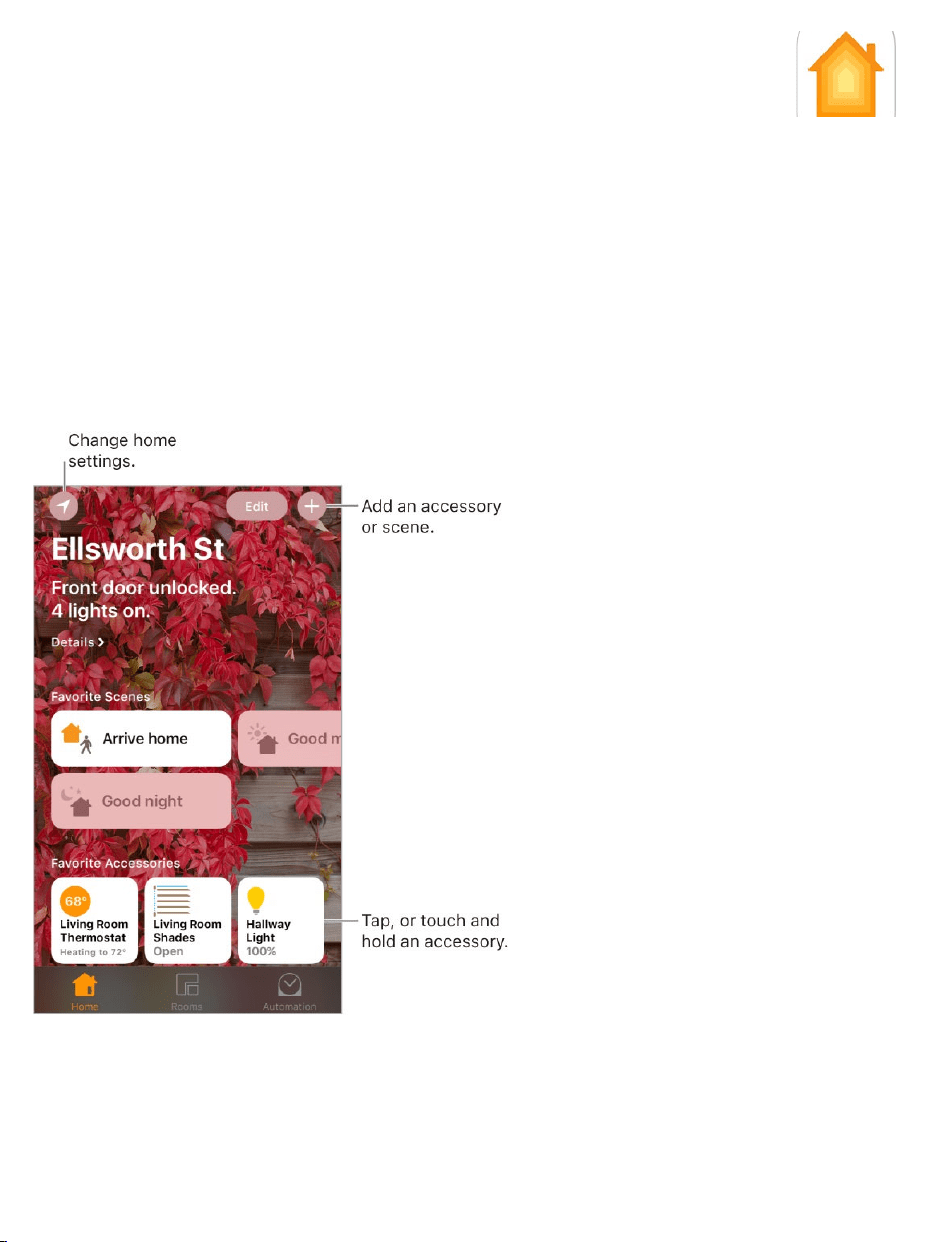
Homeoverview
HomeprovidesasecurewaytocontrolandautomateHomeKit-enabled
accessories,suchaslights,locks,thermostats,windowshades,smartplugs,
cameras,andmore.WithHome,youcancontrolany“WorkswithApple
HomeKit”accessoryusingiPhone.
Afteryousetupyourhomeanditsrooms,youcancontrolaccessories
individually,orusescenestocontrolmultipleaccessorieswithonecommand.
Forexample,youmightcreateascenecalled“goingtobed”thatturnsoffthe
Home

lightsaroundthehouse,dimsthelightsintheroom“masterbedroom”to30%,
thenlocksthefrontdoorandlowersthethermostat.
IfyouhaveanAppleTV(4thgenerationorlater),oriPadthatyouleaveat
home,youcanschedulescenestorunautomaticallyatcertaintimes,orwhen
youactivateaparticularaccessory(suchasunlockingthefrontdoor).Thisalso
allowsyou,andothersyouinvite,tosecurelycontrolyourhomewhileyou’re
away.
Addandcontrolaccessories
ThefirsttimeyouopentheHomeapp,thesetupassistanthelpsyoucreatea
home,whereyoucanaddaccessoriesanddefinerooms.Ifyoualready
createdahomeusinganotherHomeKit-enabledapp,you’llskipthisstep.
Addanaccessorytoyourhome.ToaddanaccessorytoHome,makesure
theaccessoryisturnedon,tap ,tapAddAccessory,thenfollowthe
onscreeninstructions.Youmayneedtoscanorenteran8-digitHomeKitsetup
codefoundontheaccessoryitself(oritsboxordocumentation).Youcan
assigntheaccessorytoaroom,aswellasgiveitaname.Thenamedefines
howit’sshownintheHomeapp,andalsohowyoucontrolitusingSiri.
Controlanaccessory.Tapanaccessory’sbuttontoquicklyturnitonoroff,or
touchandholdthebuttonuntilcontrolsappear.Theavailablecontrolsdepend
onthetypeofaccessoryitis.Forexample,withsomelightbulbs,youcan
changecolors.Youcanalsocontrolaccessoriesusing .
Assignanaccessorytoaroom.TapRooms,tap ,thenchoosetheroom
theaccessoryiscurrentlyassignedto.(Ifit’snotalreadyassigned,lookin
DefaultRoom.)Touchandholdtheaccessory’sbuttonuntilitscontrolsappear,
thentapDetails.TapLocationtoassignittoaroom.
ControlCenter

Renameoreditanaccessory.Touchandholdtheaccessory’sbuttonuntilits
controlsappear,thentapDetails.
Editaroom.Tap ,tapRoomSettings,thenchoosetheroomtoedit.You
canchangetheroom’sname,wallpaper,ordeletetheroom.
Makeanaccessoryafavorite.Touchandholdanaccessory’sbuttonuntilits
controlsappear,thentapDetails.Thenturnon“IncludeinFavorites.”Youcan
accessyourfavoriteaccessoriesfromtheHometab.
Changeanaccessory’sicon.Touchandholdanaccessory’sbuttonuntilits
controlsappear,thentapDetails.Taptheicon(nexttoitsname)toselecta
newicon.Notalliconscanbechanged,butyoucanchangethemforlighting
accessories,forexample.
Rearrangeyourfavorites.TapEdit,thendragthebuttonsintothe
arrangementyouwant.
Addmorehomes.Tap ,thentapAddHome.Afteryouaddanotherhome,
tap tochoosetheoneyouwanttovieworcontrol.
Createandusescenes
Scenesallowyoutocontrolmultipleaccessoriesatonce.Forexample,you
mightdefinea“Reading”scenethatadjuststhelights,closesthedrapes,and
adjuststhethermostat.Homehassometypicalscenesalreadydefinedforyou,
butyou’llneedtoeditthembeforethey’llwork.
Createascene.Tap ,enteranameforthescene(suchas“DinnerParty”or
“WatchingTV”),thentapAddAccessories.Selecttheaccessoriesyouwant
thisscenetocontrol,thentapDone.Next,seteachaccessorytochangeitto
thestateyouwantittobewhenthesceneisrun.Forexample,youcansetup

ascenethatturnsonlightsinthebedroom,andturnsoffthekitchenlights,
whenyou’regoingtobed.
Runascene.Tapascenetorunit.Ifyoudon’tseethesceneyouwanttorun,
lookinadifferentroom.
Changeascene.Touchandholdascene,thentapDetails.
Makeasceneafavorite.Touchandholdascene,tapDetails,thentapShow
inFavorites.FavoritescenesappearontheHometabandarehandyfor
scenesthataren’tautomated.
ControlyourhomeusingSiri
YoucanuseSiritocontrolyouraccessoriesandscenes.Herearesomeofthe
thingsyoumightbeabletosaytoSiri,dependingonyouraccessories,how
you’venamedthem,andthescenesyou’vecreated:
“Turnoffthelights”or“Turnonthelights”
“Dimthelights”or“Setbrightnessto55%”
“Isthehallwaylighton?”
“Setthetemperatureto68degrees”
“DidIlockthefrontdoor?”
“Closethegaragedoor”
“Showmetheentrywaycamera”
“Whatistheairqualityindoors?”
Ifyousetuprooms,scenes,ormorethanonehome,youcansaythingslike:
“I’mhome”or“I’mleaving”

“Turndownthekitchenlights”
“Turnonthefanintheoffice”
“Setmyreadingscene”
“TurnoffthelightsintheChicagohouse”
Automationsandremoteaccess
IfyouhaveanAppleTV(4thgenerationorlater),oryousetupaniPad(iOS10
orlater)thatyouleaveathome,youcanuseautomationsandremoteaccess.
Automationscanrunscenesautomaticallybasedonthetimeofday,your
location,asensorbeingactivated,ortheactionofanaccessory.TheAppleTV
oriPadactsasahomehub,whichalsoallowsremoteaccesstoyour
accessories.AppleTV3rdgenerationcanalsoprovideremoteaccess,but
doesnotsupportcreatingoreditingautomationsusingtheHomeapp.
Allowremoteaccess.GotoSettings>[yourname]>iCloud,thenturnon
Home.Makesureyou’resignedinusingthesameAppleIDonallthedevices.
IfyouhaveanAppleTVandyou’resignedinusingthesameAppleIDasyour
iPhone,itwillbepairedautomaticallyandenabledforautomation.Tosetup
iPadforautomation,seetheHomechapterofiPadUserGuide.
Createanautomation.TaptheAutomationtab,tapCreateNewAutomation,
thenchooseoneoftheautomationtriggersdescribedbelow.
Whenarrivingorleavingalocation.TapMyLocationChanges,thenseta
geofenceandspecifyifyouwantthetriggertooccurwhenyouarriveorleave
thelocation.Youcanalsosetthisautomationtoonlyoccuraftersunset,which
isusefulforturningonlightsonlywhenthey’reneeded.

Atatimeofday.TapATimeofDayOccurs,thenchoosewhenyouwantthis
automationtorun.IfyouchooseSunsetorSunrise,thetimewillvaryasthe
seasonchanges.
Whenanaccessorychanges.TapAnAccessoryisControlled,selectan
accessory,thentapNextandfollowtheonscreeninstructions.Youmightuse
this,forexample,torunascenewhenyouunlockthefrontdoor.
Asensordetectssomething.TapASensorDetectsSomething,selectan
accessory,thentapNextandfollowtheonscreeninstructions.Youmightuse
this,forexample,toturnonlightsinastairwaywhenmotionisdetectednearby.
Disableanautomation.IntheAutomationstab,taptheautomation,thenturn
offEnableThisAutomation.
Sharecontrolwithothers
Youcaninviteotherstocontroltheaccessoriesinyourhome.Thepeopleyou
inviteneedtohaveiCloudsetup.IfyouhaveanAppleTV(4thgenerationor
later),oryouconfiguredaniPadtobeusedasahomehub,additionalcontrols
areavailablethatletyousetwhatguestsareabletodo.
Giveotherscontrol.TaptheHometab,thentap .TapInvite,thenchoose
fromyourContactslistorentermailaddresses.

Takenotes
UseNotestojotdownimportantinformation,sketchideas,andkeepthings
organized.Youcanaddattachments—likephotos,scanneddocuments,web
links,andmaps—toanote,andyoucanlockanotetokeepitprivate.Youcan
alsoshareanotesootherscanviewandeditit.
StoreyournotessecurelyiniCloud.GotoSettings>[yourname]>
iCloud,thenturnonNotes.YouriCloudnotes—andanychangesyoumaketo
them—appearonallyouriOSdevicesandMaccomputerswhereyou’re
signedintoiCloudwiththesameAppleID.
Notes

Note:Ifyou’vebeenusinganearlierversionofNotes,youmayneedto
upgradeyouriCloudnotestouseallthefeatures—sketching,checklists,
paragraphstyles,passwordprotection,addingpeople,andmore.Seethe
website.
TurnonanOnMyiPhoneaccount.GotoSettings>Notes,thenturnonOn
MyiPhone.NotesinthisaccountappearonlyonyouriPhone.
Createanewnote.Tap .Thefirstlineofthenotebecomesthenote’stitle.
AskSiri.Saysomethinglike:“Createanewnote.”
Tip:Youcanquicklycreateanoteorresumeworkonyourlastnotefrom
theLockscreenifyou .Toconfigurethe
Lockscreenbehavior,gotoSettings>Notes>AccessNotefromLock
Screen.
3DTouch.TostartanewnotefromtheHomescreen,pressNotes,then
chooseaquickaction.See .
SetthedefaultaccountforaddingoreditingnotesusingSiriorToday
View.GotoSettings>Notes>DefaultAccount.
Tip:IfyouaddtheNoteswidgetto ,youcancreateandview
Notesrightfromthere.InTodayView,tapEditatthebottom.
Deleteanote.Inanote,tap .Orinthenoteslist,swipeleftonthenote.
Ifyouchangeyourmind,opentheRecentlyDeletedfolder.Tapthenoteyou
wanttokeep,tapinthenote,thentapRecover.
Formatnotesandaddattachments
Upgradeyournotes
addtheNotescontroltoControlCenter
3DTouch
TodayView
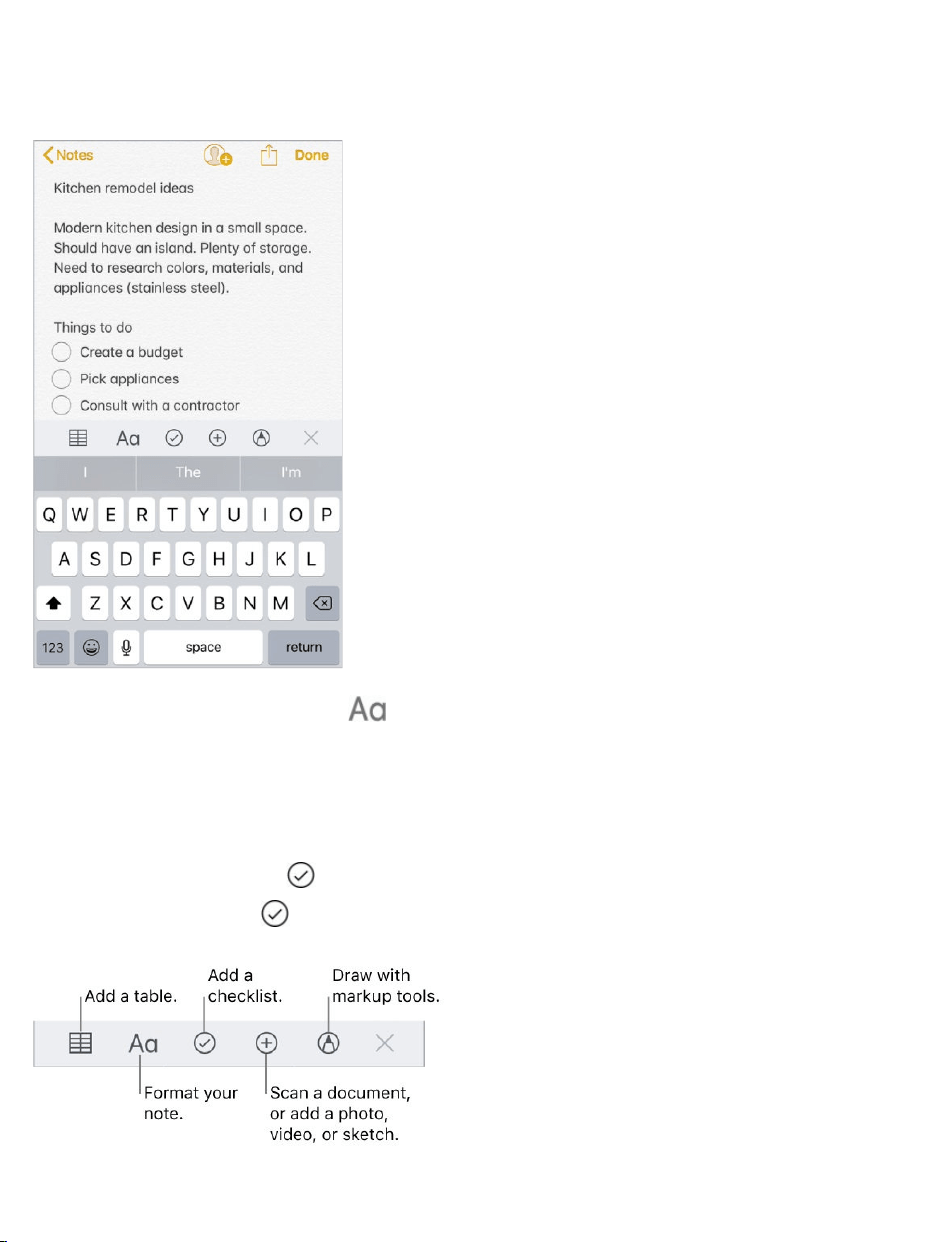
Formattextandaddtables,lists,scanneddocuments,photos,videos,and
sketches.
Changethetextstyle.Tap ,thenselectthestyle.
Setadefaultformattingstyleforthefirstparagraph.GotoSettings>
Notes,thentapNewNotesStartWith.ChooseTitle,Heading,orBody.
Startachecklist.Tap ,thenenterthefirstiteminthelist.Toremovethe
checklistformat,tap again.

Addaphotoorvideotoyournote.Tap .Takeanewphotoorvideo,or
tapPhotoLibrarytoselectandaddexistingphotosandvideos.
IfyouwantphotosorvideosyoutakeinNotestobeautomaticallyaddedtothe
Photosapp,gotoSettings>Notes,thenturnonSavetoPhotos.
Addinfofromanotherapp.Whenyou’reinanotherappandfindsomething
thatyouwanttoaddtoNotes(likealocationinMaps,awebpageinSafari,or
aPDFinFiles),tapShareor ,thentapAddtoNotes.Youcancreateanew
noteoraddtheattachmenttoanexistingone.
MarkupanimageorPDF.TaptheimageorPDFinyournote,thentap .
See .
Changethepreviewsizeofattachments.Touchandholdanimage,
sketch,orPDFattachmentinanote,thenchooseasizeforthepreview.
Writeanotebyhand
Usethehandwritingtoolstoquicklywriteordrawwithyourfingertip.
Createahandwrittennoteordrawing.Inanote,tap ,thenstartwritingor
drawingwithyourfinger.Changetoadifferenttoolbytappingit.Tapthecolor
tooltochooseadifferentcolor.See .
UseMarkup
UseMarkup
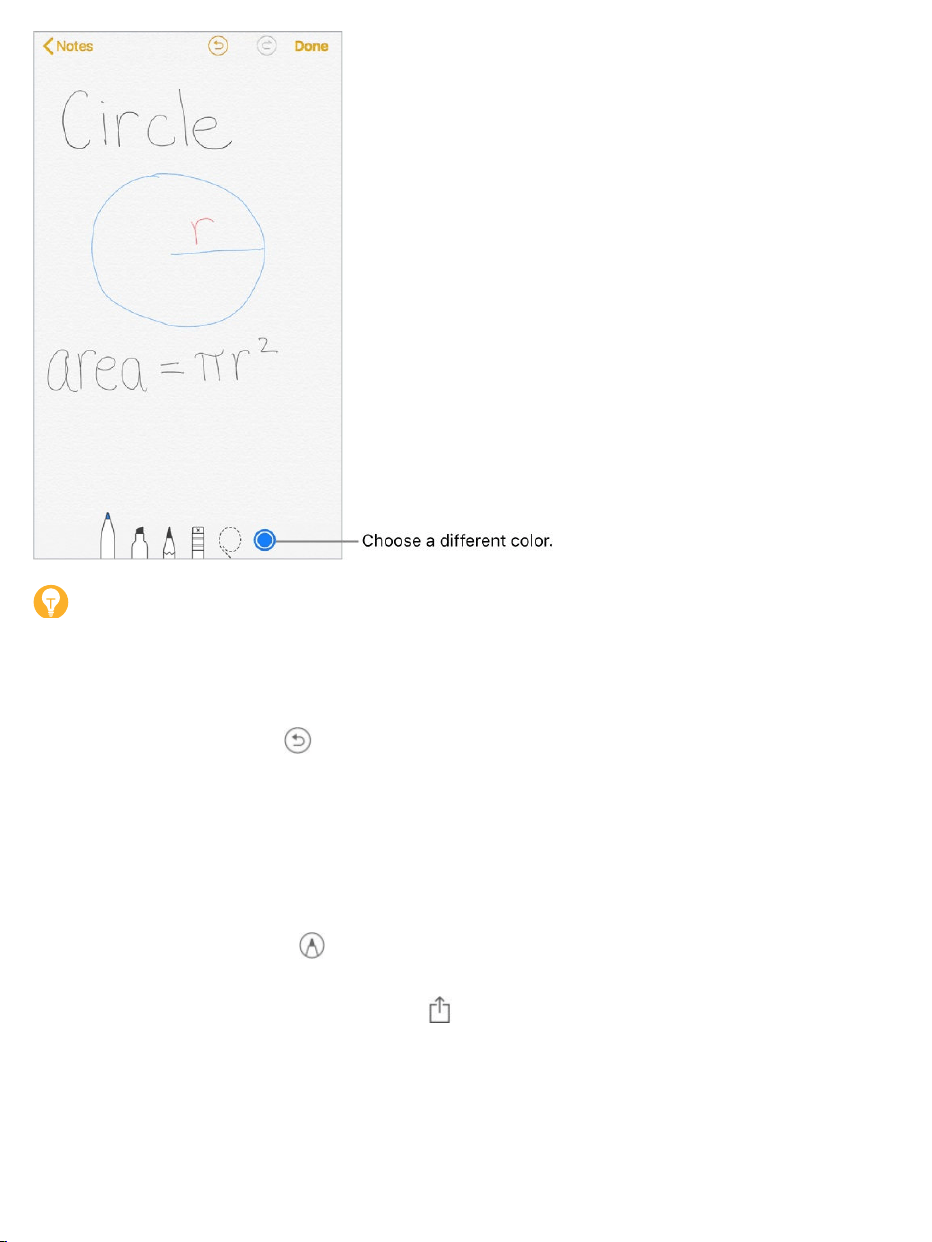
Tip:Toinsertadrawingwithinexistingtext,touchandholdwithinthetext
untilamagnifyingglassappears,dragtopositiontheinsertionpointwhereyou
wantit,thentapInsertDrawing.
Eraseamistake.Tap toundoyourlaststroke.Taptheerasertodeleteany
elementinthedrawing.
Stopdrawing.TapDonetodismissthehandwritingtools.Toaddmoreto
yournote,typeonthekeyboardoraddattachments.
Resumedrawing.Tap .
Showlinesorgrids.Inanote,tap ,tapLines&Grids,thenchoosealine
orgridstyleforthenote.Tosetthedefaultlineorgridstylefornewnotes,goto
Settings>Notes>Lines&Grids.

Editthesuggestednotetitle.(Notavailableinalllanguages)Ifyournote
startswithhandwrittentext,scrolltothetopofthenotetorevealthesuggested
title,thentapEdit.
Searchfortypedandhandwrittentextwithinanote.Tap ,tapFindin
Note,thentypethetextyou’relookingforinthesearchfield.
Searchfortypedandhandwrittentextinallyournotes.Scrolltothetop
ofthenoteslisttorevealthesearchfield,thenenterthetextyou’relookingfor.
Note:Searchingforhandwrittentextisnotavailableinalllanguages.
Createadetailedsketch
Althoughyoucancreateadrawingdirectlyinanoteusingthehandwriting
tools,sometimesyoumayneedadetailedsketchtohelpyoucaptureanidea
orplan.Insketchingmode,whichprovidesarulerandadditionalcolors,you
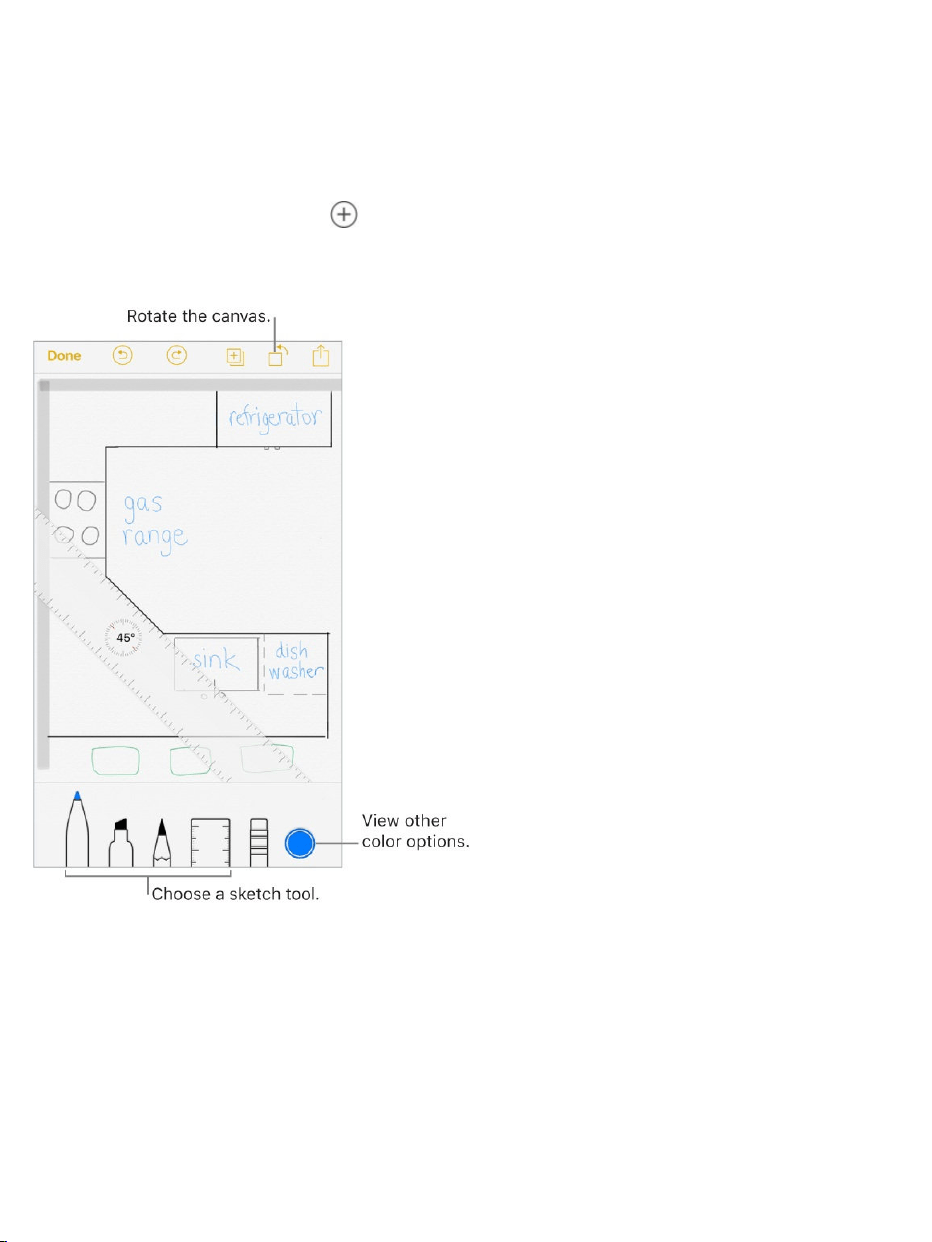
canenlargethedrawingformoreprecisecontrol.
Startasketchusingthepencil,marker,orpentool.Switchtotheeraserifyou
makeamistake.
Sketchinyournote.Tap ,tapAddSketch,useyourfingertosketch,then
tapDone.Toeditthesketch,tapit.
3DTouch.Ifyoupressalittledeeperasyoudraw,thepencilandmarker
leaveadarkerline,andthepentoolleavesawiderline.Pressalittledeeper
asyouerasetoincreasetheareayouerase.See .
Viewmorecolorchoices.Tapthecurrentcolortoviewthecolorpalette.
Swipethepaletteleftorrighttoseemorecolors.Or,holdiPhoneinlandscape
orientation.
3DTouch

Drawstraightlines.Taptherulertooltomakeitappearonyourcanvas.
Drawalinealongtheedgeoftheruler.Taptherulertoolagaintomakeit
disappear.
Movetherulerwithoutchangingitsangle.Dragtherulerwithonefinger.
Adjusttheangleoftheruler.Touchandholdtherulerwithtwofingers,then
rotateyourfingers.
Maskapartofyoursketch.Placetheruleralongtheedgeoftheareayou
wanttocover,thenstartyoursketch.Drawlinesthatstartawayfromtheruler’s
edge,thencometowardit.
Hidethetoolbar.Swipethetoolbardowntohideitandseejustthetoolyou’re
using.Tapthetoolyou’reusingtoseethetoolbaragain.
Zoomin.Pinchopensoyoucansketchthedetails.Tozoombackout,pinch
closed.
Tip:Tonavigatewhenyou’rezoomedin,dragwithtwofingers.
Addanothersketchtoyournote.Tap .Oronyourlastsketch,swipeleft
withtwofingers.
Scrollthroughallyoursketchesinanote.Swipeasketchleftorrightwith
twofingers.
Startover.Touchandholdtheerasertool,thentapEraseAll.
Editasketch.Openthenotethatcontainsthesketch,thentapthesketch.
Addatable
Youcanorganizeinformationintoasimpletable.

Createatable.Tap .Tapacelltoentertext,thentapNexttomovetothe
nextcell.IfyoureachthelastcellandtapNext,anewrowisautomatically
added.
Addordeletearoworcolumn.Taparoworcolumnhandle,thenchooseto
addordelete.Columnwidthsautomaticallyadjusttofitthetext.Toseemore
columns,scrollthetableleftorright.
Reorderaroworcolumn.Touchandholdaroworcolumnhandle,thendrag
ittoanewposition.
Convertthetabletotext.Tapacellinthetable,tap ,thentapConvertto
Text.
Scanadocument
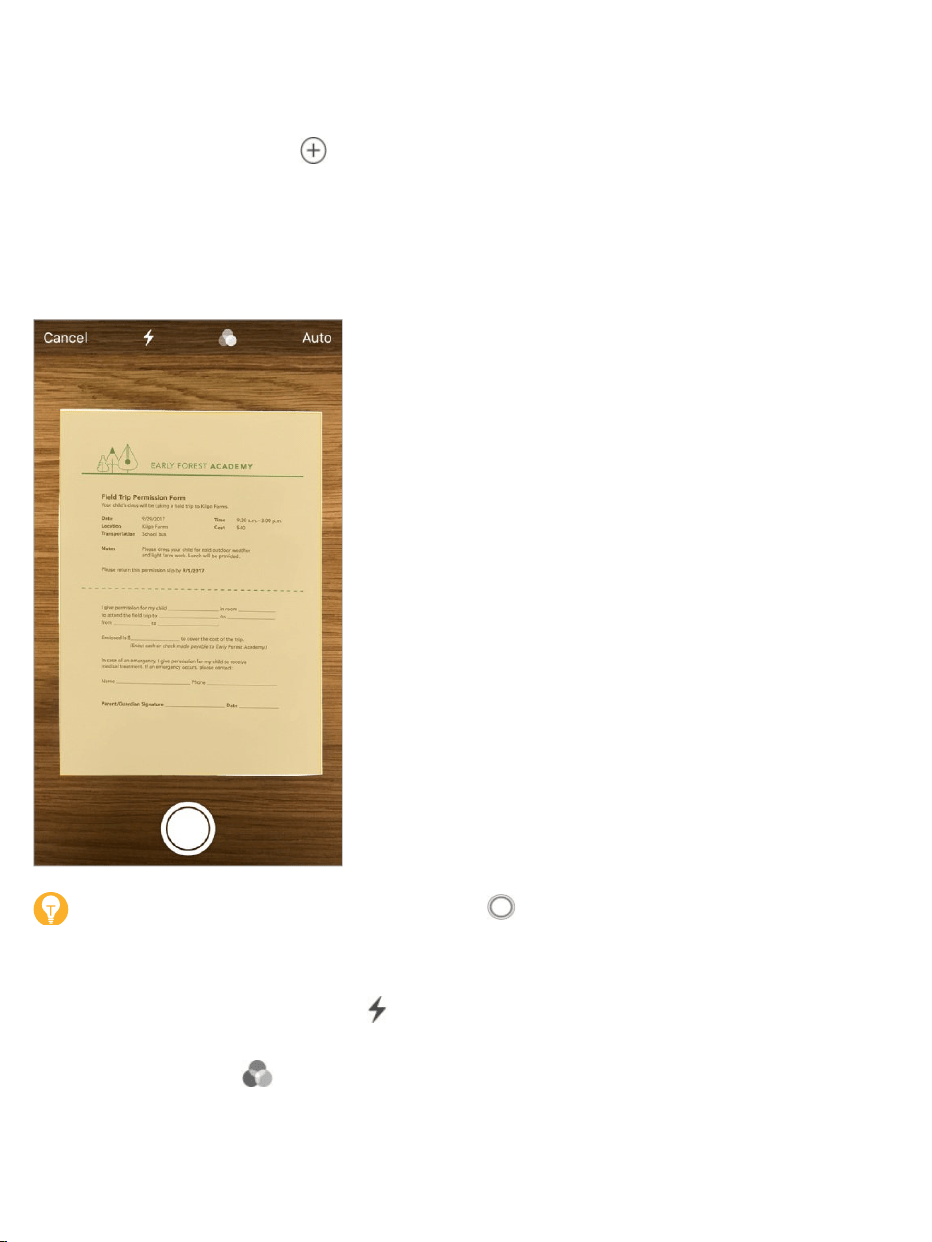
YoucanusethecameratoscandocumentsintoNotes,thenaddmarkupor
signatures.
Scandocuments.Tap ,thenchooseScanDocuments.Whenyouposition
iPhonesothatthedocumentpageappearsonthescreen,iPhone
automaticallycapturesthepage.ContinuetoscanmorepagesortapSave
whenyou’redone.
Tip:Tomanuallycaptureapage,tap .TapKeepScantosavethepage
ortapRetaketotryagain.
Turntheflashonoroff.Tap .
Applyafilter.Tap ,thenchoosetoscanthepageasacolor,grayscale,or
blackandwhitedocument,orasaphoto.
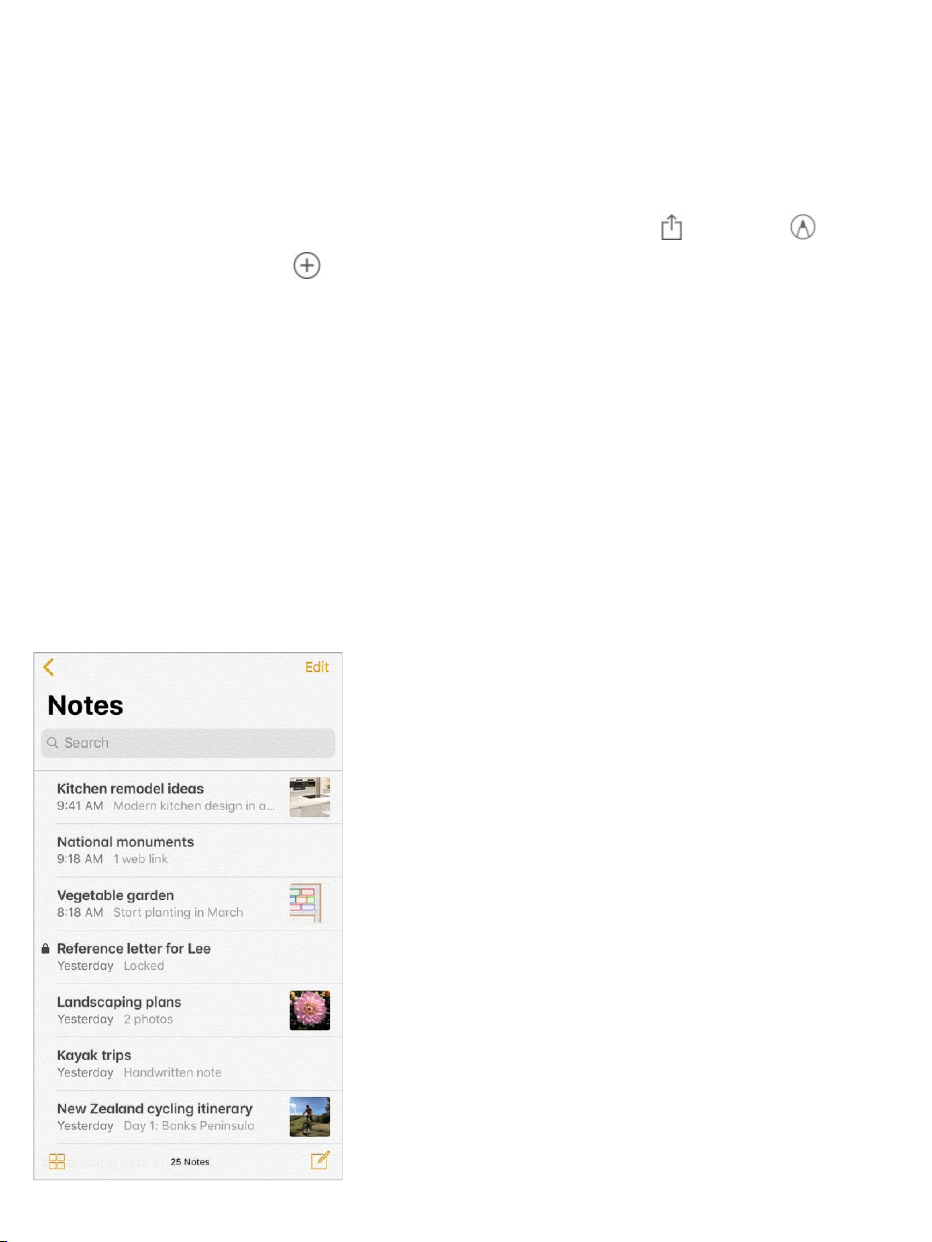
Manuallyadjustascan.Beforeyousaveascan,youcantapthethumbnail
toshowtoolstoadjustthecrop,rotation,orfilterofthescan.Afteryousavethe
scan,youcantapthescanneddocumentinthenotetomakeadjustmentsor
capturemorepages.
Markupasavedscan.Tapthescanneddocument,tap ,thentap .To
addyoursignature,tap ,thentapSignature.See .
Organizeyournotes
3DTouch.Topreviewanote,pressanoteinthenoteslisttogetapeek;
pressalittledeepertoopenit.See .
Searchforanote.Scrolltothetopofthenoteslisttorevealthesearchfield,
thenenterthetextyou’relookingfor.Ifanoteislocked,onlyitstitleappearsin
thesearchresults.
UseMarkup
3DTouch

AskSiri.Saysomethinglike:“Shownotesfromtoday.”
Pinanimportantnote.Tokeepanoteatthetopofthenoteslist,swiperight
onthenoteinthelist,thentapthepin.Yourpinnednotesshowuponallyour
Appledeviceswhereyou’resignedintoiCloudusingthesameAppleID.
Sortyournotes.GotoSettings>Notes>SortNotesBy,thenchooseDate
Edited,DateCreated,orTitle.
Searchforaspecificattachment.Tap inthelower-leftcornerofthenotes
listtoseethumbnailsofsketches,photos,links,documents,andother
attachments.(Attachmentsinlockednotesaren'tshown.)Togotoanotewitha
specificattachment,taptheattachmentthumbnail,thentapShowinNote.
CreateafoldertoorganizeyourNotes.Fromthenoteslist,tap toview
yourfolders.TapNewFolder(atthebottomofthefolderslist),thennameyour
folder.
Deleteafolder.Fromthenoteslist,tap toviewyourfolders.Swipeafolder
left,thentapDelete.
Printanote.Tap atthetopofthenote,thentapPrint.Formoreinformation
aboutprinting,see .
Viewandeditnotesfromotheraccounts(suchasGoogle,Yahoo!,or
AOL).GotoSettings>Notes>Accounts,thenaddyouraccount.Thesenotes
appearinNotesonallyourotheriOSdevicesandMaccomputerswhere
you’realsosignedintothataccount.
ManyNotesfeaturesaren’tavailableinthesethird-partyaccounts.
Moveanotetoadifferentfolderoraccount.Inthenoteslist,swipelefton
thenote,tap ,thenchoosethefolderoraccount.
AirPrint
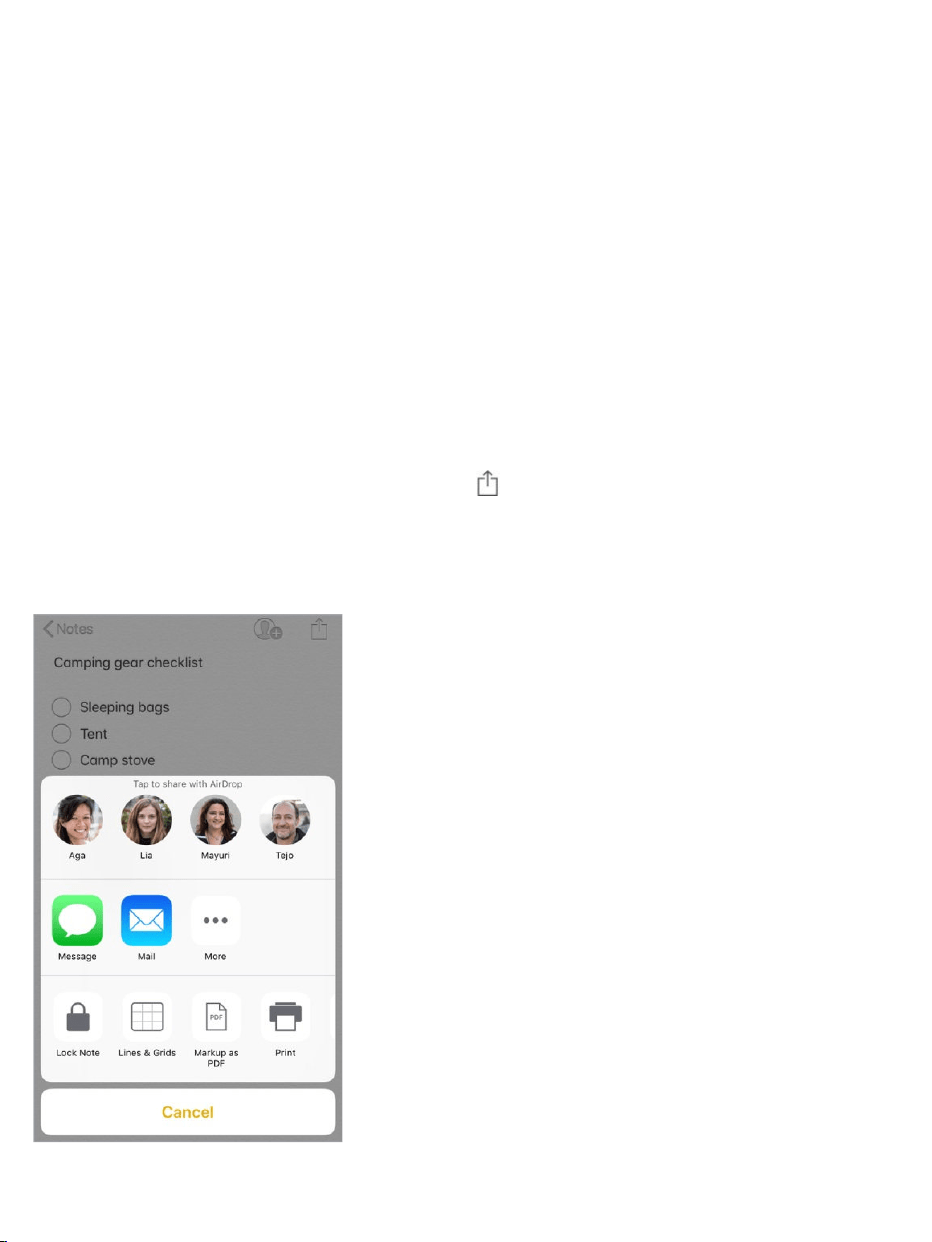
Tomoveseveralnotesfromonefolderoraccounttoanother,tapEditinthe
upper-rightcornerofthenoteslist,tapthenotesyouwanttomove,thentap
MoveTo.
Sharenotes
Youcansendacopyofanotetoafriend.Or,youcaninvitepeopleto
collaborateonanoteinyouriCloudaccount,andeveryonewillseethelatest
changes.
Note:Youcan’tcollaborateonalockednote.
Sendacopyofanote.Inthenote,tap ,thenchoosehowtosendyour
note.Afteryousendthenote,yourfriendwon’tseeanychangesyoumaketo
thenoteunlessyousenditagain.

Invitefriendstocollaborateonanote.Tap ,thenchoosehowtosend
yourinvitation.
Addpeople,removethem,orstopcollaboratingonanote.Inanotewith
collaborators,tap .
Locknotes
TolockandunlocknotesinyouriCloudaccountandinyourOnMyiPhone
account,youuseasinglepassword.Ifyou’veenabledTouchID,youcanuseit
tolockandunlockyournotes.
YoucanviewlockednotesthatareinyouriCloudaccountonyouriOSdevices
withiOS9.3orlaterandMaccomputerswithOSX10.11.4orlater.
Youcanlocknotesthatincludeimages,sketches,maps,andweb
attachments,butnotothertypesofattachmentslikevideo,PDFsandiWork
documents.Youcan’tlocknotesthatyou’veshared.
Setorchangeyourpassword.GotoSettings>Notes>Password.
SetTouchIDtounlockyournotes.GotoSettings>Notes>Password,
thenturnonUseTouchID.
Addalocktoanote.Inthenote,tap ,thentapLockNote.
Whenanoteislocked,thetitleremainsvisibleinthenoteslist.
Unlockyournotes.Tapalockednote,tapViewNote,thenfollowthe
onscreeninstructions.

Unlockingonenoteunlocksallofyournotesuntiloneofthefollowinghappens:
yoursessiontimesout,youtapthelockiconatthetopofthescreen,youtap
LockNowatthebottomofthenoteslist,oryoulockyouriPhone.
Removealockfromanote.Tap ,thentapRemoveLock.
Forgotyourpassword?GotoSettings>Notes>Password,thentapReset
Password.Youcan’taccessyourlockednotesifyouforgetyourpasswordand
haven’tturnedonTouchID.However,youcansetanewpasswordforany
notesyouwanttoprotectgoingforward.Formoreinformation,seetheApple
Supportarticle .
ImportnotesfromanotherapptoNotes
Importnotesfromanotherapp.(Upgradednotesonly)Exportthenotes
fromasupportedapp.Then,withanEvernotefile,forexample,touchandhold
theexportedfileattachment(ithasa.enexfilenameextension)inMail,then
chooseAddtoNotes.Afteryouimportnotes,youcanfindthemintheImported
Notesfolder.
Formoreinformation,seetheAppleSupportarticle
.
Keepyournotessecurewithpassword-protection
Importyournotesandfiles
totheNotesapp

UsetheStocksapptotrackthemajorexchangesandyourstockportfolio,see
thechangeinvalueovertime,andgetnewsaboutthecompaniesyou’re
watching.Youcanalso .
AskSiri.Saysomethinglike:
“Howarethemarketsgoing?”
“How’sApplestocktoday?”
Manageyourstocklist.Tap .
Addanitem:Tap .Enterasymbol,companyname,fundname,orindex,
thentapSearch.
Stocks
seeyourstocksasawidgetinTodayView

3DTouch.PressStocksontheHomescreen,thenchooseSearch.See
.
Deleteanitem:Tap .
Reordertheitems:Drag upordown.
Displaypricechange,percentagechange,ormarketcapitalization.Tap
anyofthevaluesalongtherightsideofthescreentochangethedata
displayed.
Viewthesummary,chart,ornewsforastock.Tapthestock,thenswipe
leftorrightbelowthestocklisttochangetheinformationdisplayed.Onthe
,rotatetolandscapeorientationtoseeyourstocklist
withnews,orwiththesummaryandchart,allatthesametime.
Viewafull-screenchart.RotateiPhonetolandscapeorientation.On
,rotatetolandscapeorientation,thentapthecharttoexpandit
tofull-screenview.Swipeleftorrighttoseeyourotherstockcharts.
Seethevalueforaspecificdateortime:Touchandholdthechartwith
onefinger.
Seethedifferenceinvalueovertime:Touchandholdthechartwithtwo
fingers.
3DTouch
largeriPhonemodels
larger
iPhonemodels

Note:Quotesmaybedelayed20minutesormore,dependinguponthe
reportingservice.
Readanewsarticle.TapanewsheadlinetoviewthearticleinSafari.To
saveanarticletoyourreadinglist,touchandholdthenewsheadline,thentap
AddtoReadingList.Toaddallnewsarticlestoyourreadinglist,tapAddAllto
ReadingList.
Findoutmore.Tap ,thentapYAHOO!
UseiCloudtosyncyourstocklistonyourotheriOSdevices.Goto
Settings,thensignintoiCloudwiththesame onallyourdevices.See
.
AppleID
iCloud

Reminderlists
WithRemindersyoucankeeptrackofallthethingsyouneedtodo.
3DTouch.ToaddareminderfromtheHomescreen,pressReminders,then
chooseaquickaction.See .
Addareminder.Tapablanklineinalist.
SharealistusingiCloud.Whileviewingalist,tapEdit,tapSharing,thentap
AddPerson.ThepeopleyousharewithalsoneedtobeiCloudusers.Anyone
whoacceptstheinvitationcanadd,delete,andmarkitemsascompleted.
Reminders
3DTouch

Familymemberscanalsosharealist.See .
AskSiri.Saysomethinglike:
“Remembertotakeanumbrella”
“Addartichokestomygrocerieslist”
“Readmyworkto-dolist”
“Remindmetocallmymomat5”
Setadefaultlistfornewreminders.GotoSettings>Reminders.
Deletealist.Whileviewingalist,tapEdit,thentapDeleteList.Allofthe
remindersinthelistarealsodeleted.
Deleteareminder.Swipethereminderleft,thentapDelete.
Changetheorderoflists.Touchandholdthelistname,thendragthelisttoa
newlocation.Tochangetheorderofitemsinalist,tapEdit.
Whatlistwasthatin?Scrolltothetoptoseethesearchfield.Alllistsare
searchedbythereminder’sname.
3DTouch.Tosetareminder’soptions,pressareminder,thenchooseaquick
action.See .
Keepyourremindersuptodateonotherdevices.GotoSettings>
[yourname]>iCloud,thenturnonReminders.Someothertypesofaccounts,
suchasExchange,alsosupportReminders.Youcanchangehowremindersin
thepastaresyncedinSettings>Reminders.
WithOSX10.10orlater,youcan you’reeditingbetween
yourMacandiPhone.
FamilySharing
3DTouch
handoffreminders

Scheduledreminders
Scheduledremindersnotifyyouwhenthey’redue.
AskSiri.Saysomethinglike:“Remindmetotakemymedicineat6a.m.
tomorrow.”
Scheduleareminder.Swipearemindertotheleft,tapMore,thenturnon
“Remindmeonaday.”TapAlarmtosetthedateandtime.TapRepeatto
schedulethereminderforregularlyoccurringintervals.
Don’tbothermenow.YoucanturnoffRemindersnotificationsinSettings>
Notifications.Tosilencenotificationstemporarily,turnonDoNotDisturb.
Location-basedreminders
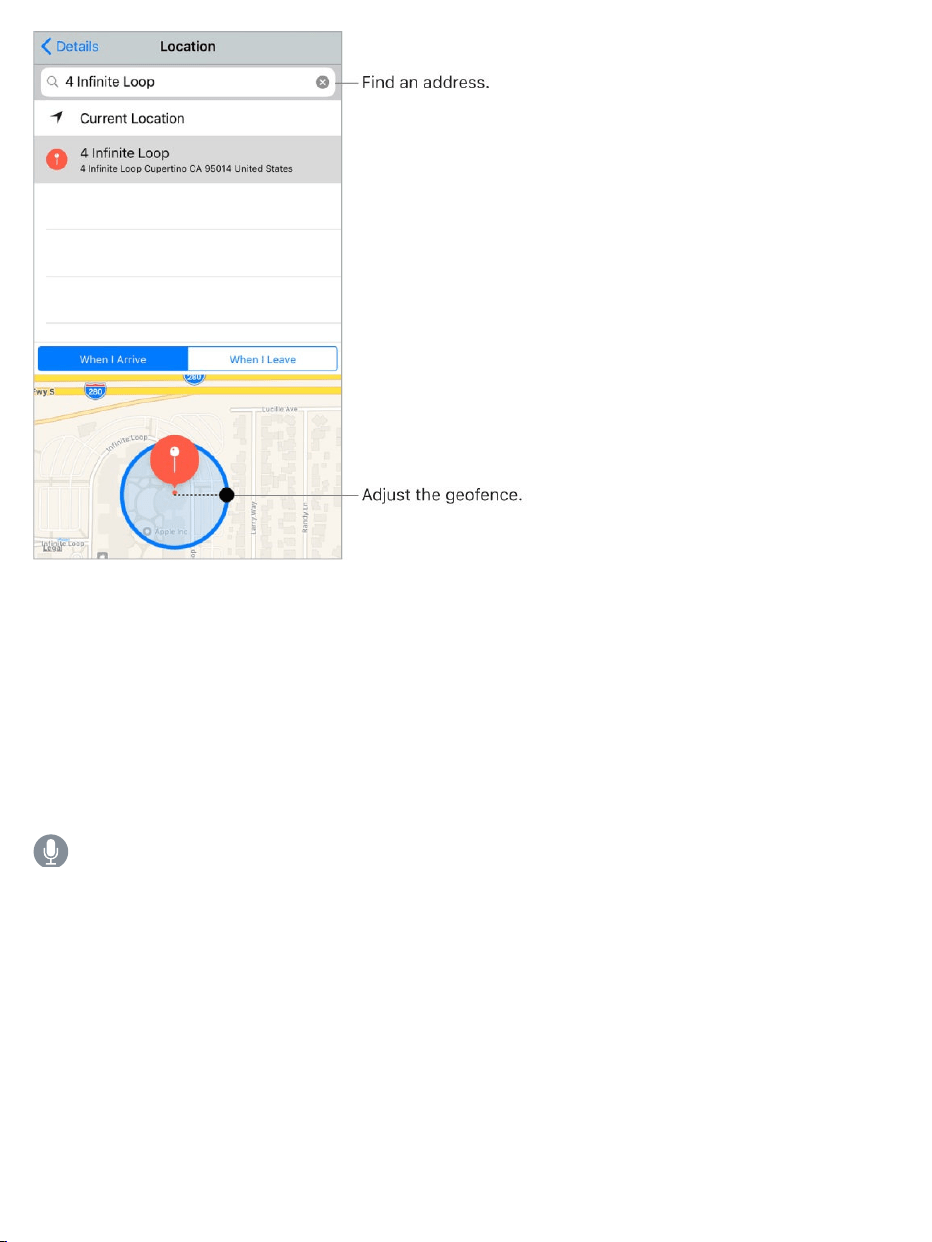
Beremindedwhenyouarriveatorleavealocation.Swipeareminderto
theleft,tapMore,thenturnon“Remindmeatalocation.”TapLocation,then
selectalocationinthelist,orenteranaddress.Afteryoudefinealocation,you
candragtochangethesizeofthegeofenceonthemap,whichsetsthe
approximatedistanceatwhichyouwanttobereminded.Youcan’tsavea
locationreminderinOutlookorMicrosoftExchangeaccounts.
AskSiri.Saysomethinglike:“Remindmetostopatthegrocerystore
whenIleavehere.”
AddcommonlocationstoyourMyInfocard.Whenyousetalocation
reminder,locationsinthelistincludeaddressesfromyourMyInfocardin
Contacts.Addyourwork,home,andotherfavoriteaddressestoyourcardfor
easyaccessinReminders.

TVoverview
UsetheTVapptodiscoverandwatchmoviesandTVshowsfromyour
favoriteappsinoneplace.Itworkswithyourparticipatingappssoyoucan
continueviewingamovieorTVshow,orgotothenextepisodeinaTVseries,
evenifyoustartedwatchingonanotherdevice.ThisincludesmoviesandTV
showsyou’vepurchasedorrentedfromtheiTunesStore.TVisn’tavailablein
allareas.
WARNING:Forimportantinformationaboutavoidinghearingloss,see
.
Watchavideo.TapLibrary,thentapacategorytoviewalistofvideosyou
own,rented,ordownloadedtoiPhone.Tapavideotowatchit.
StreamordownloadmoviesandTVshowsfromiTunes.Tapavideo,
thentap tostreamittoiPhone,ifyouhaveanInternetconnection.Youcan
alsodownloadmoviesandTVshowspurchasediniTunessoyoucanwatch
themoniPhonewhenyoudon’thaveaWi-Fiorcellularconnection.Tapthe
video,thentap onthevideodetailsscreen.
Watchothertypesofvideos.
Musicvideos:OpentheMusicapp.
Podcasts:OpenthePodcastsapp.
iTunesUvideos:DownloadthefreeiTunesUappfromtheAppStore.
Videosyou’verecordedwithyouriPhonecamera:OpenthePhotosapp.
TV
Importantsafetyinformation

WatchNow
DiscovermoviesandTVshowstowatchimmediately.UseUpNexttocontinue
amovieorTVshowyouhaven’tfinished,ortoautomaticallyqueueupthenext
episodeinaTVseries.
Startorcontinuetowatchrecentlypurchasedorrentedcontent.Tap
WatchNow.InUpNext,tapthemovieorTVshowthatyouwanttowatch.
DiscovernewmoviesandTVshows.TapWatchNow,thenscrollthrough
themoviesandTVshowsavailableforplayback.TapSeeAllnexttoa
categorytonarrowyourbrowsing.
RemoveamovieorTVshowfromUpNext.Touchandholdtheitem.
WatchBigLittleLiesonHBONOWwithsubscription.HBONOW®isaccessibleintheU.S.and
certainU.S.territories.Certainrestrictionsapply.©2017HomeBoxOffice,Inc.Allrightsreserved.
HBONOW®andrelatedchannelsandservicemarksarethepropertyofHomeBoxOffice,Inc.

Library
LibraryincludesvideosyoupurchasedorrentedfromtheiTunesStoreand
videosyousyncedfromiTunes.
Browseandplayyourvideos.Tapacategory,suchasTVShowsor
Movies,thentapavideotoplayit.
Store
WithoutleavingtheTVapp,buyorrentmoviesorpurchaseTVshowsfromthe
iTunesStore,anddownloadappsforwatchingmoviesandTVshowsfrom
yourfavoritechannels.
Buyorrentamovie.IntheTVapp,tapStore,tapamovietoshowthedetails
screen,thentapBuyorRent(ifrentingisanoption).Formoreinformation,see
.Purchase,rent,orredeem

Thedetailsscreenalsoincludestrailersfromthemovie,relatedmovies,
ratingsandreviews,castandcrewinformation,andmore.
Downloadavideoapp.IntheTVapp,tapStore,thentapanapptoinstallit.
IfyoutapamovieorTVshow,andyoudonʼthavetheapptoviewit,youcan
installtheappfromthere.
UseSingleSign-ontoauthenticateyourcableorsatellitesubscription
credentials.WhenyoufirstlaunchtheTVapp,you'reaskedtosigninand
authenticateyourcableorsatellitesubscriptioncredentials.Thereafter,when
youdownloadavideoappthatsupportsSingleSign-on,youhaveimmediate
accesstotheapp’smoviesandTVshows.YoucanalsogotoSettings>
TVProvider,selectyourprovider,thensignin.(Ifyoudon’tseeyourTV
provider,signindirectlyfromtheappyouwanttouse.)
Searchforvideos
Searchyourlibrary,iTunesStore,andyourvideocontentprovidersformovies
andTVshows.Discovertrendingvideostowatch.
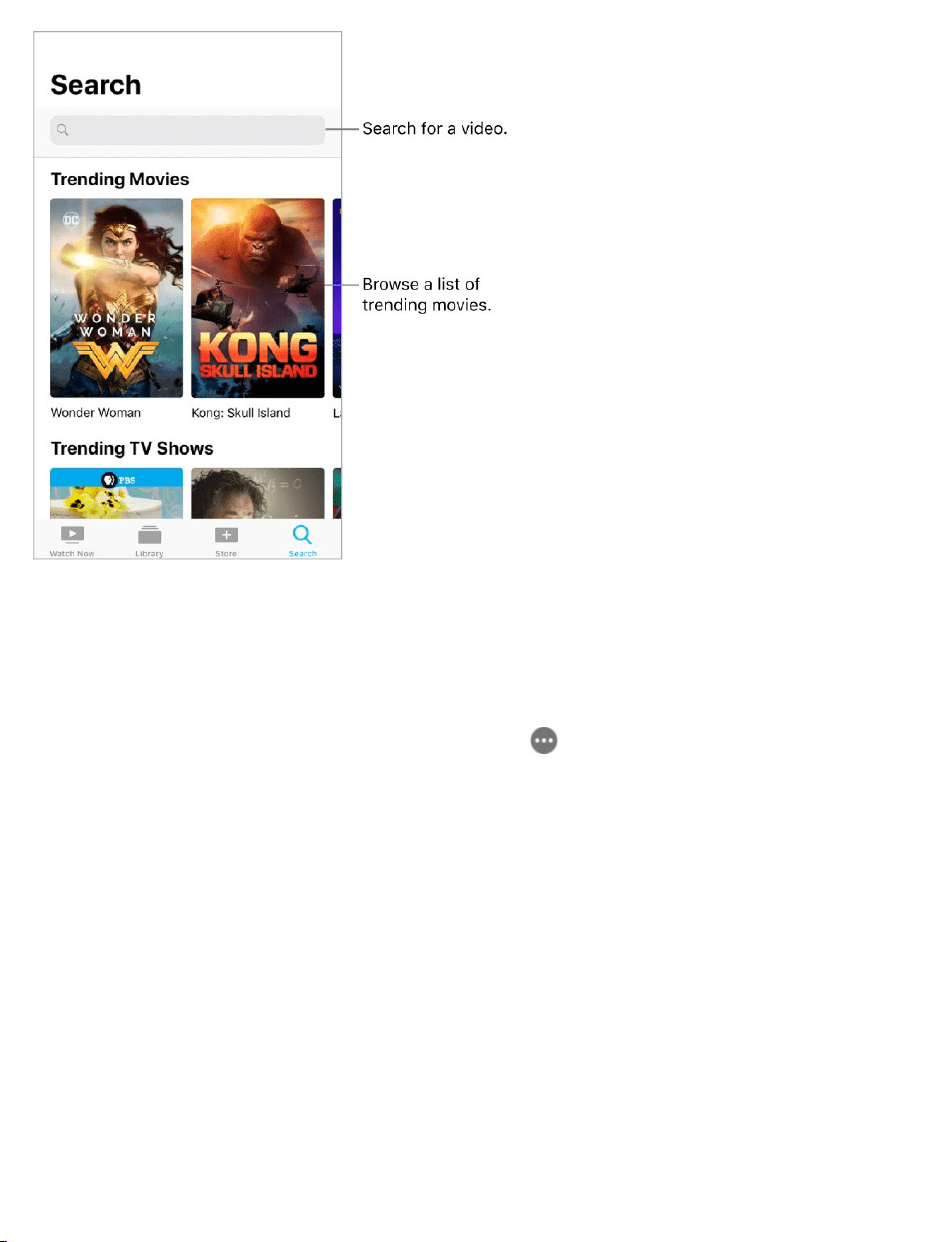
Searchforavideo.TapSearch,thentapthesearchfieldandenteravideo
name.Taparesulttogetmoreinformation.
Chooseaprovider.MoviesandTVshowsaresometimesavailablefrom
multipleproviders.Onthedetailsscreen,tap ,thenchooseaprovider.
Controlplayback
Note:ThisinformationdescribesplaybackformoviesandTVshowsfrom
iTunes.Videoplaybackusingthird-partyappsmayvary.
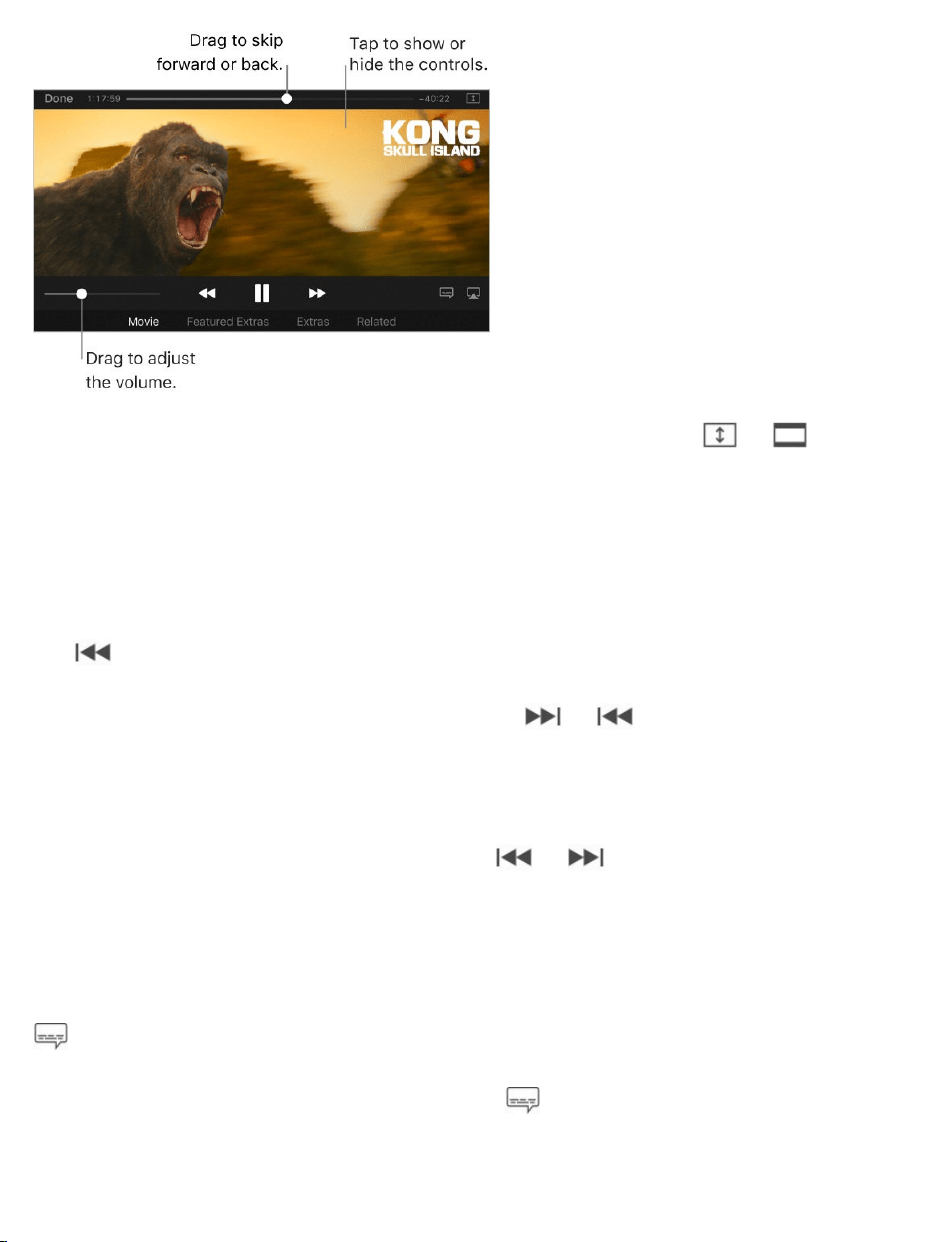
Kong:SkullIsland
Scalethevideotofillthescreenorfittothescreen.Tap or .Or
double-tapthevideo.Ifyoudon’tseethescalingcontrols,yourvideoalready
fitsthescreenperfectly.
Startoverfromthebeginning.Ifthevideocontainschapters,dragthe
playheadalongthescrubberbarallthewaytotheleft.Iftherearenochapters,
tap .
Skiptothenextorpreviouschapter.Tap or .Youcanalsopressthe
centerbuttonorequivalentonacompatibleheadsettwotimes(skiptonext)or
threetimes(skiptoprevious).
Rewindorfast-forward.Touchandhold or .Ordragtheplayheadleft
orright.Forfinercontrol,moveyourfingertowardthebottomofthescreenas
youdrag.
Selectadifferentaudiolanguage.Ifthevideooffersotherlanguages,tap
,thenchoosealanguagefromtheAudiolist.
Showsubtitlesorclosedcaptions.Tap .Notallvideosoffersubtitlesor
closedcaptions.
isavailableoniTunes.

Seesubtitlesandclosedcaptionsforthedeafandhardofhearing.Go
toSettings>General>Accessibility>Subtitles&Captioning,thenturnon
ClosedCaptions+SDH.Tocustomizetheappearanceofsubtitlesandclosed
captions,tapStyle.
WatchthevideoonaTV.Tap .Formoreinformation,see
.
Chooseplaybackquality.GotoSettings>TV>iTunesVideos,tapWi-Fior
Cellular,thenchooseBestAvailableorGood.
Note:High-qualityplaybackrequiresafasterInternetconnectionanduses
moredata.
Stopplayingavideoautomatically.Ifyouoftenfallasleepwhilewatchinga
video,youcanhavethevideostopplayingafterasetamountoftime.Openthe
ClockappandtapTimer,thensetthenumberofhoursandminutes.TapWhen
TimerEndsandchooseStopPlaying,tapSet,thentapStart.
©2017WarnerBros.EntertainmentInc.,LegendaryPicturesProductions,LLC,
andRatPac-DuneEntertainmentLLC.Allrightsreserved.
Transferandconvertvideos
Transfervideosfromyourcomputer.ConnectiPhone,thensyncvideos
fromiTunesonyourcomputer.See .
ConvertavideoforiPhone.IfyoutrytosyncavideofromiTunesonyour
computertoiPhoneandamessagesaysthevideocan’tplayoniPhone,you
canconvertthevideo.SelectthevideoiniTunesonyourcomputer,then
chooseFile>Convert>CreateiPodoriPhoneVersion.Thensyncthe
convertedvideotoiPhone.
AirPlay
Mirroring
Kong:SkullIsland
SyncwithiTunes

Watchvideos
UseVideostowatchmoviesandTVshowsoniPhone.InVideos,youcanalso
purchasemoviesandTVshowsfromtheiTunesStorethatcanbeplayedon
yourotherdeviceswhereyou’resignedintoiCloudwiththesameAppleID.
Videoshasbeenreplacedbythe insomeareas.
WARNING:Forimportantinformationaboutavoidinghearingloss,see
.
WatchamovieorTVshow.Tapthevideointhelistofvideos.
Videos
TVapp
Importantsafetyinformation

Streamordownload?If appearsonavideothumbnail,youcanstream
thevideooveryourInternetconnection.Or,todownloadthevideotoiPhone
andwatchitwhenyou’reoffline,tap inthevideodetails.
ToshowonlythevideosthataredownloadedtoiPhone,goto
Settings>Videos,thenturnoffShowiTunesPurchases.
Watchothertypesofvideos.
Musicvideos:OpentheMusicapp.
Podcasts:OpenthePodcastsapp.
iTunesUvideos:DownloadthefreeiTunesUappfromtheAppStore.
VideosyourecordedwithyouriPhonecamera:OpenthePhotosapp.
Addvideostoyourlibrary
BuyorrentvideosfromtheiTunesStore.TapStoreIntheVideosapp.Or
opentheiTunesStoreoniPhone,thentapMoviesorTVShows.The
iTunesStoreisn’tavailableinallareas.See
.
Transfervideosfromyourcomputer.ConnectiPhone,thensyncvideos
fromiTunesonyourcomputer.See .
Streamvideosfromyourcomputer.Toconfigurevideostreamingfromyour
computertoiPhone,turnonHomeSharinginiTunesonyourcomputer.On
iPhone,gotoSettings>Videos,thenentertheAppleIDandpasswordyou
useforHomeSharingonyourcomputer.OpenVideosoniPhone,thentap
Shared.
Findmusic,movies,TVshows,
andmore
SyncwithiTunes

ConvertavideoforiPhone.IfyoutrytosyncavideofromiTunesonyour
computertoiPhoneandamessagesaysthevideocan’tplayoniPhone,you
canconvertthevideo.SelectthevideoiniTunesonyourcomputer,then
chooseFile>Convert>CreateiPodoriPhoneVersion.Thensyncthe
convertedvideotoiPhone.
Deleteavideo.TapEditintheupperrightofyourcollection,thentap on
thevideothumbnail.Ifyoudon’tseetheEditbutton,lookfor onyourvideo
thumbnails—thosevideoshaven’tbeendownloadedtoiPhone,soyoucan’t
deletethem.Todeleteanindividualepisodeofaseries,taptheseries,then
swipeleftontheepisodeintheEpisodeslist.
DeletingavideofromiPhonedoesn’tdeleteitfromtheiTuneslibraryonyour
computerorfromyourpurchasedvideosiniCloud.Youcansyncthevideoor
downloadittoiPhoneagainlater.Ifyoudon’twanttosyncadeletedvideo
backtoiPhone,setiTunestonotsyncthevideo.See .
Controlplayback
Kong:SkullIsland
SyncwithiTunes
isavailableoniTunes.

Scalethevideotofillthescreenorfittothescreen.Tap or .Or
double-tapthevideo.Ifyoudon’tseethescalingcontrols,yourvideoalready
fitsthescreenperfectly.
Startoverfromthebeginning.Ifthevideocontainschapters,dragthe
playheadalongthescrubberbarallthewaytotheleft.Iftherearenochapters,
tap .
Skiptothenextorpreviouschapter.Tap or .Youcanalsopressthe
centerbuttonorequivalentonacompatibleheadsettwotimes(skiptonext)or
threetimes(skiptoprevious).
Rewindorfast-forward.Touchandhold or .Ordragtheplayheadleft
orright.Moveyourfingertowardthebottomofthescreenasyoudragforfiner
control.
Selectadifferentaudiolanguage.Ifthevideooffersotherlanguages,tap
,thenchoosealanguagefromtheAudiolist.
Showsubtitlesorclosedcaptions.Tap .Notallvideosoffersubtitlesor
closedcaptions.
Seesubtitlesandclosedcaptionsforthedeafandhardofhearing.Go
toSettings>General>Accessibility>Subtitles&Captioning,thenturnon
ClosedCaptions+SDH.Tocustomizetheappearanceofsubtitlesandclosed
captions,tapStyleandchooseanoption.
Choosewheretoresumeplayback.GotoSettings>Videos,tapStart
Playing,thenchooseFromBeginningorWhereLeftOff.
WatchthevideoonaTV.Tap .Formoreinformation,see
.
AirPlay
Mirroring

Chooseplaybackquality.GotoSettings>Videos.BelowPlaybackQuality,
tapWi-FiorCellular,thenchooseBestAvailableorGood.
Note:High-qualityplaybackrequiresafasterInternetconnectionanduses
moredata.
Stopplayingavideoautomatically.Ifyouoftenfallasleepwhilewatchinga
video,youcanhavethevideostopplayingafterasetamountoftime.Openthe
ClockappandtapTimer,thensetthenumberofhoursandminutes.TapWhen
TimerEndsandchooseStopPlaying,tapSet,thentapStart.
©2017WarnerBros.EntertainmentInc.,LegendaryPicturesProductions,LLC,
andRatPac-DuneEntertainmentLLC.Allrightsreserved.
Kong:SkullIsland
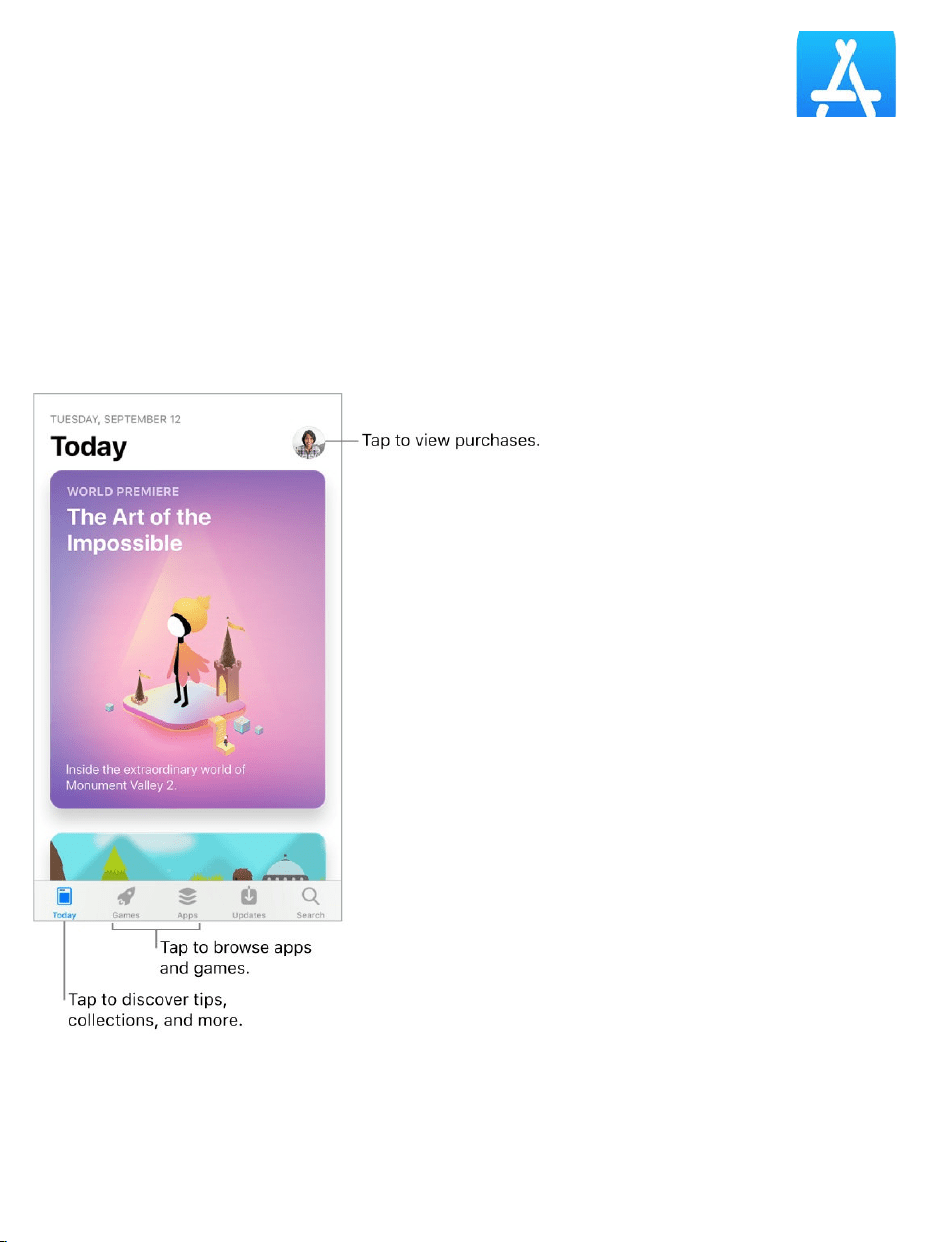
AppStoreoverview
UsetheAppStoretofind,purchase,anddownloadappstoiPhone.Yourapps
updateautomaticallyoverWi-Fi(unlessyouturnoffthisfeature),soyoucan
keepupwiththelatestimprovementsandfeatures.
Stayupwiththelatest
AppStore
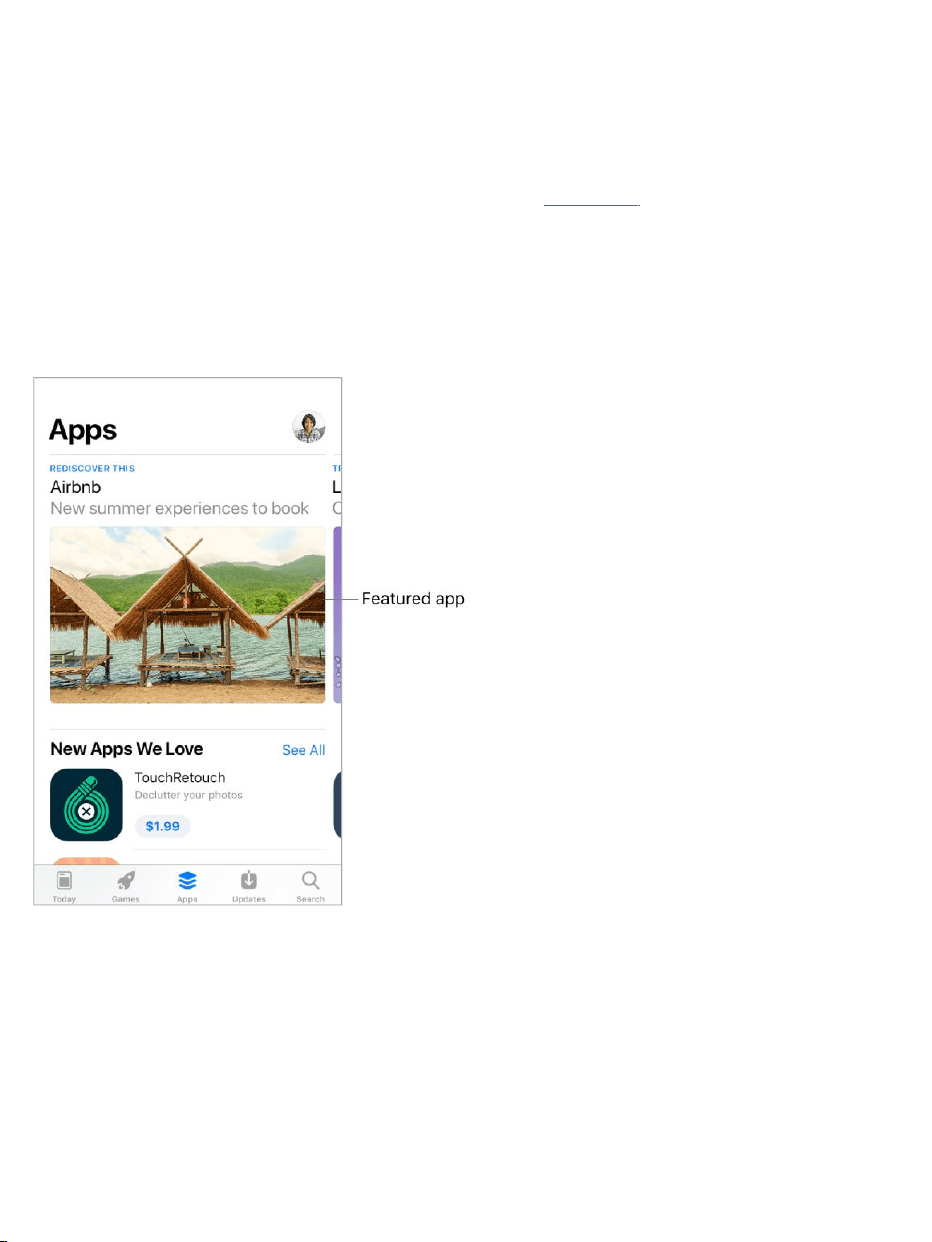
WhenyouopentheAppStore,theTodayscreenhelpsyoudiscoverwhat’s
happeningintheworldofapps.Itfeaturestipsandtricks,collections,exclusive
premieres,andoriginalstoriesfromAppStoreeditorsaroundtheworld.
Note:YouneedanInternetconnectionandan tousetheAppStore.
TheAppStoreisn'tavailableinallareas.
Findappsandgames
Browseappsbycategory.TapApps,thenscrolldowntoTopCategories
andchooseacategory—forexample,Photo&Video,Entertainment,orSocial
Networking.
Browsegamesbycategory.TapGames,thenscrolldowntoTop
Categoriesandchooseacategory—forexample,Action,Arcade,orFamily.
AppleID

Findaspecificapp.TapSearch,enterthenameinthesearchfield,thentap
Searchonthekeyboard.
AskSiri.Saysomethinglike:“FindappsbyApple.”
3DTouch.OntheHomescreen,pressAppStore,thentapSearch.See
.
Tellafriendaboutanapp.ViewtheappintheAppStore,tap ,then
chooseanoption—forexample,MailorMessage.See .
Purchase,redeem,anddownload
SigninwithyourAppleID.Ifyouaren'tsignedinwithyour ,the
AppStoreasksyoutodosobeforeyoumakeapurchase.Tovieworedityour
AppleID,gotoGotoSettings>[yourname]>iTunes&AppStore,thentap
yourAppleID.Ifyoudon’thaveanAppleID,youcancreateoneatthetimeof
purchase.
Buyanddownloadanapp.Taptheapp’sprice,thentapBuy.Iftheappis
free,tapGet,thentapInstall.
Ifyousee insteadofaprice,you’vealreadypurchasedtheappandyoucan
downloaditagainwithoutacharge.Whiletheappisdownloadingorupdating,
itsiconappearsontheHomescreenwithaprogressindicator.
AskSiri.Saysomethinglike:“Purchase[appname].”
3DTouch.ToviewyourpurchaseditemsfromtheHomescreen,press
AppStore,thentapPurchased.See .
3DTouch
Sharefromapps
AppleID
3DTouch

Viewanddownloadyourpreviouspurchases.TapUpdates,tapyour
profilepictureintheupperright,thentapPurchased.Toautomatically
downloadappsthatyoupurchasedonotherAppledevices,gotoSettings>
[yourname]>iTunes&AppStore,thenturnonAutomaticDownloads.
LimitdownloadstoWi-Ficonnections.TopreventAppStoredownloads
fromusingcellulardata,gotoSettings>[yourname]>iTunes&AppStore,
thenturnoffUseCellularData.
ApprovepurchaseswithFamilySharing.WithFamilySharingsetup,the
familyorganizercanreviewandapprovepurchasesmadebyotherfamily
membersunderacertainage.Formoreinformation,see .
Viewanddownloadfamilymembers’apppurchases.WithFamily
Sharingsetup,youcanviewanddownloadappspurchasedbyyourfamily
memberswhochoosetosharetheirpurchases.TapUpdates,tapyourprofile
pictureintheupperright,thentapPurchasedandchooseafamilymemberto
seetheirpurchases.(PurchasesmadeinanappsharedwithFamilySharing
maynotbeaccessibleafterthefamilymemberleavesthefamilygroup.)
Hideindividualpurchases.UsingiTunesonacomputer,familymembers
canhideanyoftheirpurchasessootherfamilymemberscan’tviewor
downloadthem.
Restrictin-apppurchases.Manyappsprovideextracontentor
enhancementsforafee.Topreventin-apppurchases,gotoSettings>
General>Restrictions,makesureRestrictionsisenabled,thenturnoffIn-App
Purchases.Youcanalso ,suchaslimitingappdownloads
byageratings.
Giveanapp.Viewtheapp,tap ,thentapGift(notavailableforallapps).
GiveaniTunesgiftcertificate.TapUpdates,tapyourprofilepictureinthe
FamilySharing
setotherrestrictions

upperright,thentapSendGift.
Redeemagiftcardorcode.TapUpdates,tapyourprofilepictureinthe
upperright,thentapRedeemGiftCardorCode.
AskSiri.Saysomethinglike:“RedeemaniTunesStoregiftcard.”
3DTouch.OntheHomescreen,pressAppStore,thentapRedeem.
CreateaniTunesPass.TapUpdates,tapyourprofilepictureintheupper
right,tapRedeemGiftCardorCode,thentapGetStarted(below
iTunesPass).SeetheAppleSupportarticle .
Manageyourapps.
AboutiTunesPass
Arrangeyourapps
Organizewithfolders
Removeapps

Findmusic,movies,TVshows,andmore
UsetheiTunesStoretoaddmusic,movies,TVshows,andringtonesto
iPhone.
Note:YouneedanInternetconnectionandan tousethe
iTunesStore.TheiTunesStoreisn’tavailableinallareas.
Browsebycategoryorgenre.Tapacategoryatthebottomofthescreen
(Music,Movies,orTVShows).Torefinethelist,tapGenresatthetopofthe
screen.
AskSiri.Saysomethinglike:“Lookforkids’showsiniTunes.”
Ifyouknowwhatyou’relookingfor,tapSearch.Youcantapasearch
termthat’strendingamongotheriTunesusers,orenterinfointhesearchfield,
thentapSearchonthekeyboard.
3DTouch.Tofindsongs,TVshows,andmoviesfromtheHomescreen,press
iTunesStore,thentapSearch.See .
AskSiritotagit.Whenyouhearmusicplayingaroundyou,askSiri“What
songisplaying?”Siritellsyouthenameandartistofthesongandgivesyouan
easywaytopurchaseit.Thesongisalsotaggedsoyoucanprevieworbuyit
later.Toseeyourlistoftaggedsongs,tapMusic,tap ,thentapSiri.
iTunesStore
AppleID
3DTouch

Previewasongorvideo.Tapit.
AddtoyourWishList.Totrackasongyoumightwanttobuylater,additto
yourWishList.Viewthesong,tap ,thentapAddtoWishList.Toviewyour
WishList,tap ,thentapWishList.
Organizethetabsforquickaccess.Torearrangethetabsatthebottomof
thescreen,tapMore,tapEdit,thendragtheicons.Toreplaceanicon,dragan
iconfromthecenterofthescreenovertheiconyouwanttoreplace.TapDone.
Purchase,rent,orredeem
SigninwithyourAppleID.Ifyouaren’tsignedinwithyour ,the
iTunesStoreasksyoutodosobeforeyoumakeapurchase.Tovieworedit
yourAppleID,gotoSettings>[yourname]>iTunes&AppStore,thentap
yourAppleID.Ifyoudon’thaveanAppleID,youcancreateoneatthetimeof
purchase.
Buyanddownloadanitem.Taptheitem’sprice,thentapBuy.Iftheitemis
free,tapGet.
Ifyousee insteadofaprice,you’vealreadypurchasedtheitem,andyou
candownloaditagainwithoutacharge.
AskSiri.Saysomethinglike:“Purchase[songtitle]by[artist].”
3DTouch.ToviewyourpurchaseditemsfromtheHomescreen,press
iTunesStore,thentapPurchased.See .
Viewanddownloadyourpreviouspurchases.TapMore,thentap
Purchased.Toautomaticallydownloaditemsthatyoupurchasedonother
Appledevices,gotoSettings>[yourname]>iTunes&AppStore,thenturn
onAutomaticDownloads.
AppleID
3DTouch

LimitdownloadstoWi-Ficonnections.Topreventdownloadsfromusing
cellulardata,gotoSettings>[yourname]>iTunes&AppStore,thenturnoff
UseCellularData.
Seetheprogressofadownload.TapMore,thentapDownloads.
Rentamovie.Tapthemovie’srentalprice,thentapRent.Youcanchooseto
streamthemovietoiPhoneordownloadthemovietoplaywhenyou’reoffline.
TostartorcontinuethemovieonanotheriOSdevice(iOS10.3orlater),
AppleTV(tvOS10.3orlater),orMac(withiTunes12.6orlater),makesure
you’resignedintotheiTunesStorewiththesameAppleIDoneachdevice.
Youhave30daystostartwatchingarentedmovie.Afteryoustartwatchinga
movie,youcanplayitasmanytimesasyouwantduringtherentalperiod(24
hoursintheU.S.;48hoursinothercountries).Whentherentalperiodends,the
movieisdeleted.
Note:Movierentalsandstreamingaren’tavailableinallareasorforall
movies.
ApprovepurchaseswithFamilySharing.WithFamilySharingsetup,the
familyorganizercanreviewandapprovepurchasesmadebyfamilymembers
underacertainage.Formoreinformation,see .
Viewanddownloadfamilymembers’purchases.WithFamilySharingset
up,youcanviewanddownloadsongs,TVshows,andmoviespurchasedby
yourfamilymembers.TapMore,tapPurchased,thenchooseafamilymember.
Hideindividualpurchases.UsingiTunesonacomputer,familymembers
canhideanyoftheirpurchasessootherfamilymemberscan’tviewor
downloadthem.
FamilySharing

Sendagift.Togiveanitem,viewit,tap ,thentapGift.TogiveaniTunesgift
certificate,tapacategory(Music,Movies,orTVShows),scrolltothebottom,
thentapSendGift.
Redeemagiftcardorcode.TapMusic,scrolltothebottom,thentap
Redeem.
AskSiri.Saysomethinglike:“RedeemaniTunesStoregiftcard.”
3DTouch.OntheHomescreen,pressiTunesStore,thentapRedeem.
CreateaniTunesPass.TapMusic,scrolltothebottom,tapRedeem,then
tapGetStarted(belowiTunesPass).SeetheAppleSupportarticle
.
About
iTunesPass

Getbooks
GetbooksfromtheiBooksStore.IniBooks,usethebuttonsatthebottom
ofthescreentoaccesstheiBooksStore.TapFeaturedtobrowsethelatest
releases,orTopChartstoviewthemostpopular.Tofindaspecificbook,tap
Search.
3DTouch.TostartabooksearchfromtheHomescreen,pressiBooks,then
choosetheSearchiBooksStorequickaction.See .
AskSiri.Saysomethinglike:
“Findbooksby[authorname]”
“FindtheOdysseyoniBooks”
Readabook
iBooks
3DTouch

3DTouch.ToopenabookfromtheHomescreen,pressiBooks,thenchoose
fromthemenuofrecentlyaccessedbooks.See .
Openabook.TapMyBooksatthebottomofthescreen,thentapthebook
youwanttoread.Ifyoudon’tseeitonthebookshelf,swipeleftorrighttosee
othercollections.
Showthecontrols.Tapnearthecenterofapage.Notallbookshavethe
samecontrols,butsomeofthethingsyoucandoincludesearching,viewing
thetableofcontents,andbookmarkingthepage.
Closeabook.Tap ,orpinchthepage.
Enlargeanimage.Tap,orwithsomebooksdouble-tap,theimage.
3DTouch

Readbycolumns.Inbooksthatsupportit,double-tapacolumnoftextto
zoomin,thenswipeuportothelefttomovetothenextcolumn.
Gotoaspecificpage.Usethepagenavigationcontrolsatthebottomofthe
screen.Ortap ,enterapagenumber,thentapthepagenumberinthe
searchresults.
Getadefinition.Touchandholdaword,thentapLookUp.(Definitionsaren’t
availableforalllanguages.)
Bookmarkapageofinterest.Tap toaddabookmark;tap againto
removeit.Toseeallyourbookmarks,tap ,thentapBookmarks.
Note:Youdon’tneedtoaddabookmarktomarkyourplacewhenyouclosea
book—yourplaceissavedautomatically.
Seeyourbookmarksonallyourdevices.GotoSettings>iBooks,then
turnonSyncBookmarksandNotes.
Rememberthegoodparts.Somebooksletyouaddhighlightsandnotes.To
addahighlight,touchandholdaword,thenmoveyourfingertodrawthe
highlight.Toaddanote,double-tapawordtoselectit,movethegrabpointsto
adjusttheselection,thentapNote.
Toreviewyournotes,tap forbooksthat ortap ,then
tapNotes.
Sharethegoodparts.Tapsomehighlightedtext,thentap .Orselecttext,
thentapShare.IfthebookisfromtheiBooksStore,alinktothebookis
includedautomatically.(Sharingmaynotbeavailableinallregions.)
Sharealinktoabook.Tapnearthecenterofapagetodisplaythecontrols,
tap ,thentap .
supportstudynotes

Changethewayabooklooks.Somebooksletyouchangethefont,font
size,andcolorofthepage.(Tap .)Youcanalsochangejustificationand
hyphenationinSettings>iBooks.Thesesettingsapplytoallbooksthat
supportthem.
Changethebrightness.Tap .Ifyoudon’tsee ,tap first.
Dimthescreenwhenit’sdark.TurnonAuto-NightThemetoautomatically
changethebookshelf,pagecolor,andbrightnesswhenusingiBooksinlow-
lightconditions.(NotallbookssupportAuto-NightTheme.)
Interactwithmultimedia
Somebookshaveinteractiveelements,suchasmovies,diagrams,
presentations,galleries,and3Dobjects.Tointeractwithamultimediaobject,
tap,swipe,orpinchit.Toviewanelementfull-screen,pinchopenwithtwo
fingers.Whenyoufinish,pinchitclosed.
Usestudynotesandglossaryterms

Inbooksthatsupportit,youcanreviewallofyourhighlightsandnotesasstudy
cards.
Seeallyournotes.Tap .Searchyournotes,ortapachaptertoseenotes
youmadeinthatchapter.Toseeyournotesonyourotherdevices,goto
Settings>iBooks,thenturnonSyncBookmarksandNotes.
Deletenotes.TapSelect,selectsomenotes,thentap .
Sharenotes.TapSelect,selectsomenotes,thentap .
Reviewyournotesasstudycards.TapStudyCards.Swipetomove
betweencards.TapFlipCardtoseeitsback.
Shuffleyourstudycards.TapStudyCards,tapOptions,thenturnonShuffle.
Addglossarytermstoyourstudycards.Ifabookincludesaglossary,tap
StudyCards,tapOptions,thenselectGlossaryTermstoincludethosewords
inyourstudycards.
Listentoanaudiobook
Openanaudiobook.Audiobooksareidentifiedbya onthecover.Tapthe
bookyouwanttolistento.Ifyoudon’tseeitinthelibrary,swipeleftorrightto
viewothercollections.

Skipfartherforwardorback.Touchandholdthearrows,orslideandhold
thebookcover.Tochangethenumberofsecondsthatskippingmoves,goto
Settings>iBooks.
Speeditup,orslowitdown.Taptheplaybackspeedinthelower-right
corner,thenchooseadifferentspeed.1xisnormalspeed,0.75xisthree-
quartersspeed,andsoon.
Setasleeptimer.Beforestartingplayback,tap ,thenchooseaduration.
Gotoachapter.Tap ,thentapachapter.(Somebooksdon’tdefine
chaptermarkers.)
Gotoaspecifictime.Dragtheplayhead,locatedunderneaththebookcover.
Whereyoustartedlisteningduringthissessionismarkedwithasmallcircleon
thetimeline.Tapthemarktojumptothatspot.
DownloadanaudiobookpreviouslypurchasedfromtheiBooksStore.
YoucandownloadanaudiobookagainfromthePurchasedlistinthe
iBooksStoreanytime,freeofcharge.
Organizebooks

Viewbooksbytitleorbycover.Tap or .
ViewonlyaudiobooksorPDFs.Tapthenameofthecurrentcollection(at
thetopofthescreen),thenchoosePDFsorAudiobooks.
Organizeyourbookswithcollections.TapSelect,thenselectsomebooks
andtapMove.
Createoreditcollections.Tapthenameofthecurrentcollection(atthetop
ofthescreen).Somebuilt-incollections,suchasPDFs,can’tberenamedor
deleted.YoucansyncyourcollectionswithyourotherdevicesinSettings>
iBooks.
Rearrangebooks.Whileviewingbooksbycover,touchandholdacover,
thendragittoanewlocation.Whileviewingbooksbytitle,sortthelistusing
thebuttonsatthetopofthescreen.TheAllBookscollectionisautomatically
arrangedforyou;switchtoanothercollectionifyouwanttomanuallyarrange
yourbooks.
Searchforabook.PulldowntorevealtheSearchfieldatthetopofthe
screen.Searchinglooksforthetitleandtheauthor’sname.
Removebooks.TapSelect,selectsomebooks,tapDelete,thenchoosean
option.
Hidebooksyouhaven’tdownloaded.Ifyousee onacoverornexttoa
title,youcandownloadthebookagainwithoutcharge.Toremovefromview
thebooksthataren’tdownloaded,tapthenameofthecurrentcollection(atthe
topofthescreen),thenturnonHideiCloudBooks.
3DTouch.Toseehowfaralongyouareinabookandotherinfo,pressa
book’scover.Ifit’sanaudiobook,you’llseethelisteningtimeremaining.See
.3DTouch

ReadPDFdocuments
AddaPDFemailattachmenttoiBooks.Opentheemailmessage,touch
andholdthePDFattachmentinthemessage,thentapCopytoiBooks.Or,tap
thePDFattachmenttoopenit,tap ,thentapCopytoiBooks.
PrintaPDFdocument.Withthedocumentopen,tap ,thenchoosePrint.
FormoreaboutAirPrint,see .
MarkupaPDFdocument.Tap ,thenusethedrawingandannotation
tools.(Tapnearthecenterofapageifyoudon’tsee .)Formoreinformation,
see .
EmailaPDFdocument.Withthedocumentopen,tap ,thenchooseMail.
AccessyourentirelibraryiniCloud
YoucanstoreyourPDFfilesandotherbooksiniCloudandaccessthemon
yourotherdevices.
TurnoniCloudforiBooks.GotoSettings>[yourname]>iCloud>iBooks.
AfteryouturnoniCloudforiBooks,wheneveryouaddaPDFfile(orabook
thatdoesn’tcomefromtheiBooksStore)toiBooks,thedocumentisuploaded
toiCloud.Thedocumentisalsoaddedtoyourotherdeviceswhereyou’ve
turnedoniCloudforiBooksandyou’resignedintoiCloudwiththesame
AppleID.
Note:ThebooksinyourPurchasedlistintheiBooksStoreareavailable
anytimeanddon’tcountagainstyouravailableiCloudstoragespace.
AirPrint
UseMarkup

Healthoverview
TheHealthappgathersyourhealthandfitnessinformationandprovidesa
clearoverviewofyourhealth.Itshowsdatafromotherappsanddevices,such
asAppleWatch,allinoneplace.WithHealth,youcansignuptobeanorgan
donor,savehealthrecordstoiPhone,andshareyourdatawithfamily
membersandhealthcareproviders.And,Healthcandisplayimportant
contactsandmedicalinformationontheiPhoneLockscreenforemergency
responders.
WARNING:iPhone,AppleWatch,andtheHealthapparen’tmedicaldevices.
See .
Explorethehealthandfitnesscategories.Tapeachofthefourcategories
—Activity,Mindfulness,Nutrition,andSleep—forintroductoryvideosand
recommendedappstohelpyougetstarted.
Health
Importantsafetyinformation
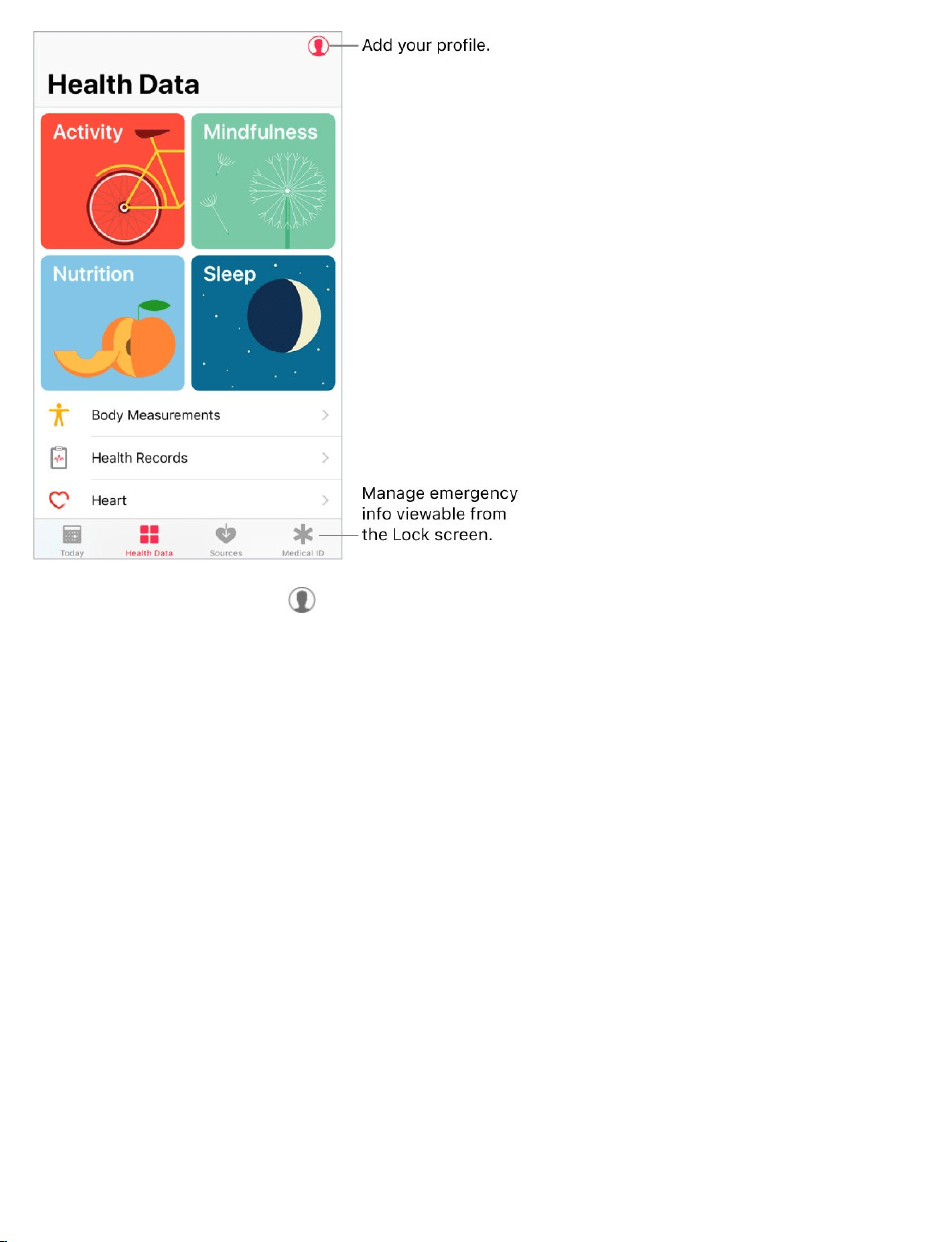
Addyourprofile.Tap toprovidebasicinformation,suchasyourdateof
birthandsex,forsettinguphealthandfitnessapps.
Viewasummaryofyourdailyprogress.TapTodaytoseeyourstatsforthe
day.Toviewyourdatafromanotherday,tapadifferentdateonthecalendar.
3DTouch.ToquicklyviewyourdailyprogressfromtheHomescreen,press
Health,thentapToday.See .
Getstarted
Healthautomaticallycountsyourstepsandwalkingandrunningdistances.To
gatheradditionalhealthandfitnessdata,youcanuseotherapps(suchas
nutritionandfitnessapps)anddevices(suchasbloodpressuremonitors,
weightscales,andglucosemonitors)thatarecompatiblewithHealth.
3DTouch

Installthird-partyapps.Tapacategory(suchasActivity),tapasubcategory
(suchasActiveEnergy),thenscrolldowntoRecommendedApps.Tapa
recommendedapptodownloaditfromtheAppStore.Afteryouinstallandset
uptheapp,youcanchoosetosharedatawithHealth.
Viewyoursleephistory.Ifyou intheClockapporathird-
partyapp,Healthdisplaysyoursleephistory.Toviewyoursleephistoryin
Health,tapHealthData,thentapSleep.
CollectdatafromAppleWatch.AfteryoupairAppleWatchwithyour
iPhone,dataisautomaticallysenttoHealth.Toviewyourmove,exercise,and
standdataandgoals,tapHealthData,thentapActivity.Toviewheartrate
data,tapHealthData,tapVitals,thentapHeartRate.
Collectdatafromanotherdevice.Followthesetupinstructionsforthe
device.Ifit’saBluetoothdevice,youneedtopairitwithiPhone.See
.
Viewandmanageadatatype.TapHealthData,thentapthedatatype.For
example,tapActivity,thentapSteps.
Viewyourprogressovertime:TaptheD(day),W(week),M(month),orY
(year)tab.
MoveadatatypetothetopoftheTodayscreen:TurnonAddto
Favorites.
Manuallyenterdata:Tap inthetop-rightcornerofthescreen.
Deletedata:TapShowAllData,swipeleftonadatarecord,thentap
Delete.Todeletealldata,tapEdit,thentapDeleteAll.
Viewappsanddevicesallowedtosharedata:TapDataSources&
Access.
setupBedtime
Bluetooth
devices

Searchforadatatype.TapHealthData,thenswipedowntorevealthe
searchfield.
Sharehealthandfitnessdata
YoucancontrolhowtheHealthappsharesyourhealthandfitnessdatawith
otherappsanddevices.Forexample,ifyourhealthcareprovideroffersanapp
thatsendsyourvitalsignstoyourdoctor,youcaninstalltheappandallow
Healthtosharespecificdata(suchasbloodglucoseoractivity).
Controlthesharingofdata.TapSourcestoseetheappsanddevicesyou
allowtoreadorwritedata.Tochangeyoursharingoptions,tapthedeviceor
app.
Exportallyourhealthdata.TapHealthData,tap ,thentapExportHealth
Data.YourdataisexportedinXMLformat,acommonformatforsharingdata
betweenapps.
CreateaMedicalID
InHealth,youcancreateaMedicalID,whichcontainsyourcriticalcontactand
medicalinformation,suchasmedicationsandallergies.Emergency
responders(andanyoneelsewithphysicalaccesstoyouriPhone)canview
yourMedicalIDfromtheLockscreenwithoutenteringapasscode.
SetupyourMedicalID.TapMedicalID,thentapCreateMedicalID.
RevieworchangeyourMedicalID.TapMedicalID.Tomakechanges,tap
Edit.
3DTouch.ToquicklyviewyourMedicalIDfromtheHomescreen,press
Health,thentapMedicalID.See .3DTouch

ViewyourMedicalIDfromtheLockscreen.WakeiPhoneandpressthe
HomebuttonwithoutusingTouchID.Onthepasscodescreen,tapEmergency,
thentapMedicalID.
PreventviewingfromtheLockscreen.TapMedicalID,tapEdit,tapEdit
MedicalID,thenturnoffShowWhenLocked.
Registerasanorgan,eye,ortissuedonor
(U.S.only)
Asingledonorcansaveasmanyaseightlives.InHealth,youcanregisterto
beanorgan,eye,ortissuedonorwithDonateLifeAmerica.Afteryouregister,
yourMedicalIDindicatesthatyou'reregisteredwithDonateLifeAmerica.
Learnaboutorgandonation.TapMedicalID,scrolldowntoOrgan
Donation,thentapLearnMoreforanoverviewoforgandonationandDonate
LifeAmerica.
RegisterwithDonateLifeAmerica.TapMedicalID,scrolldowntoOrgan
Donation,thentapSignUpwithDonateLife.
Vieworedityourregistrationinformation.TapMedicalID,scrolldownto
OrganDonation,thentapEdit.
Addoptionaldonationpreferences:ScrolldownandtapEditDonation
Preferences.ThistakesyoutoyourDonateLifeAmericaprofilepage,
whereyoucanoptintoresearchandeducation,andspecifyrestrictions
oncertainorgans.
Removeyourregistration:TapRemoveMe.
Managehealthrecords

Ahealthrecordtypicallycontainspatientinformationsuchasmedications,
immunizations,labresults,andmore.IfyoureceiveahealthrecordasaCCD
fileinZIPorXMLformat,youcanstoreitinHealth.Youcanalsoshareitwith
otherhealthcareprovidersandfamilymembers.
Importahealthrecord.Afteryoureceiveahealthrecord—viaamessagein
MailorMessages,awebsiteonSafari,orAirDrop—tap ,thentapAddto
Health.
Viewandmanageyourhealthrecords.InHealth,tapHealthData,thentap
HealthRecords.
Shareahealthrecord:Tapthehealthrecord,tap ,then
.
Deleteahealthrecord:TapShowAllRecords,swipeleftonthehealth
record,thentapDelete.
choosea
sharingoption
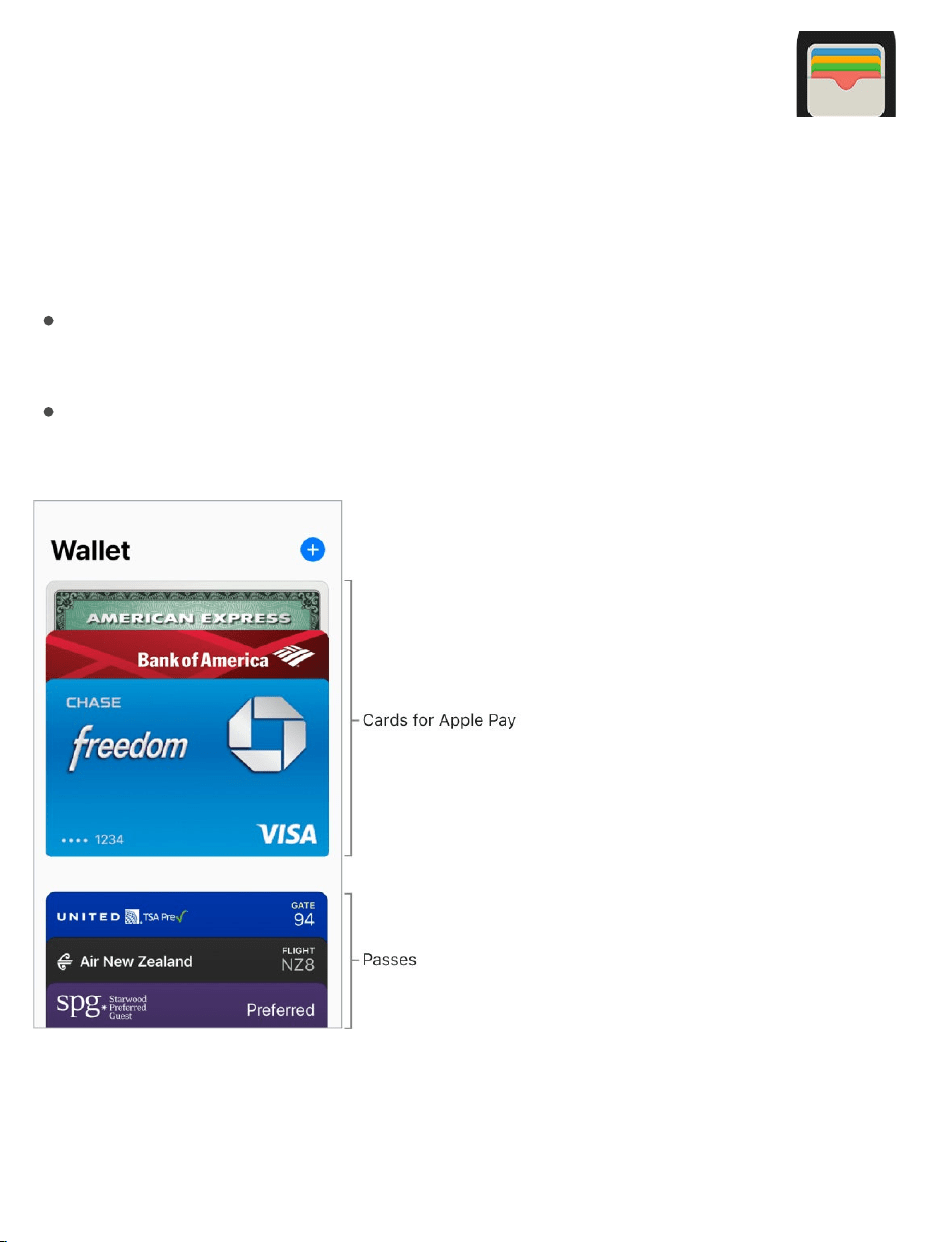
Walletoverview
UseWallettokeepcardsandpassesinoneplaceforeasyaccess:
CardsforApplePay:(Notavailableinallareas.)Credit,debit,store,and
prepaidcards
Passes:Boardingpasses,movietickets,coupons,rewardcards,and
more
ApplePay
Wallet

AboutApplePay
On ,youcanuseApplePay(notavailableinallareas)for:
Paymentsinstoresthatacceptcontactlesspayments
PaymentswithinappsandwebsitesthatsupportApplePay
TicketsandpassesonpublictransitsystemsthatsupportApplePay
Walletholdscredit,debit,store,andprepaidcards—allappearatthetopof
yourWalletstack—forApplePaytransactions.
NotallApplePayfeaturesareavailableinallareas.Forinformationabout
ApplePayfeaturesinyourarea,gotothe .
SetupApplePay
SignintoiCloud.Ifyouhaven’talreadysignedin,gotoSettings>
SignintoyouriPhone,thensigninwithyour .See .
Addacreditordebitcard.InWallet,tap nexttoApplePay.Youmaybe
askedtousethecardyouusewithiTunes.
Addcardsfromanotherdevice:IfyouhavecardsonyourotherApple
devices,orpreviouslyaddedcardsthatyouremoved,selectthecardsyou
wanttoadd,tapContinue,thenentertheCVVnumberofeachcard.
Addanewcard:TapAddanewCardInstead,thenpositioniPhonesothat
yourcardappearsintheframe.
supporteddevices
ApplePaywebsite
AppleID iCloud
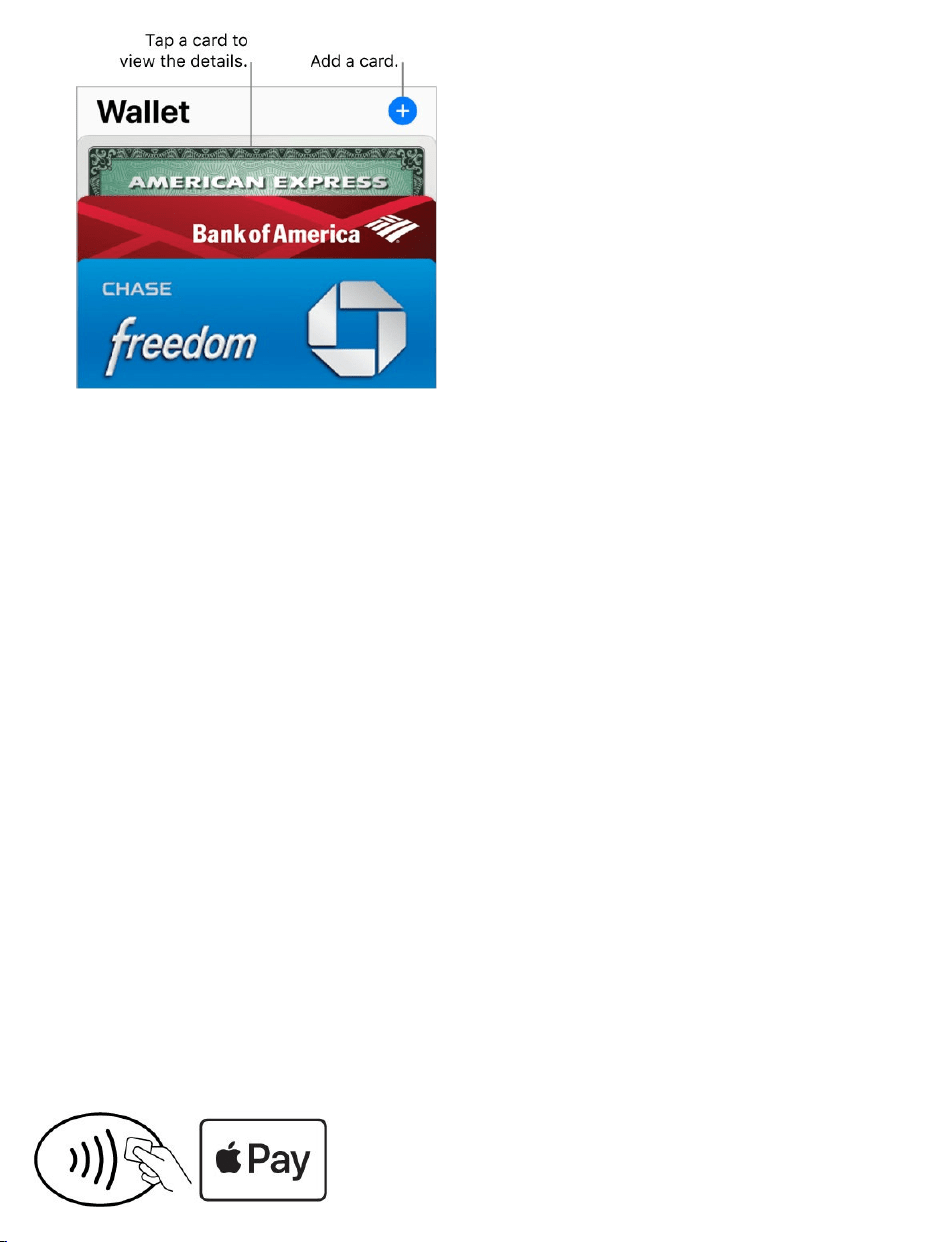
ThecardissuerdetermineswhetheryourcardiseligibleforApplePay,
andmayaskyouforadditionalinformationtocompletetheverification
process.SeetheAppleSupportarticle .
Note:IfyousignoutofiCloudinSettings>[yourname],allthecreditand
debitcardsyouaddedtoApplePayoniPhoneareremoved.Youcanaddthe
cardsagainthenexttimeyousignintoiCloud.
Setyourdefaultcard.ThefirstcardyouaddtoWalletbecomesyourdefault
cardforpayments.Tosetadifferentcardasthedefault,touchandholdthe
cardinWallet,thendragittothefrontofthestack.
Specifytheshippingaddressandcontactinformationforpurchases.
GotoSettings>Wallet&ApplePay.
Payatastore
YoucanuseApplePayatmanycontactlessreaders.Lookforasymbol
indicatingthatthestoreacceptsApplePay,includingthefollowing:
ApplePayparticipatingbanks
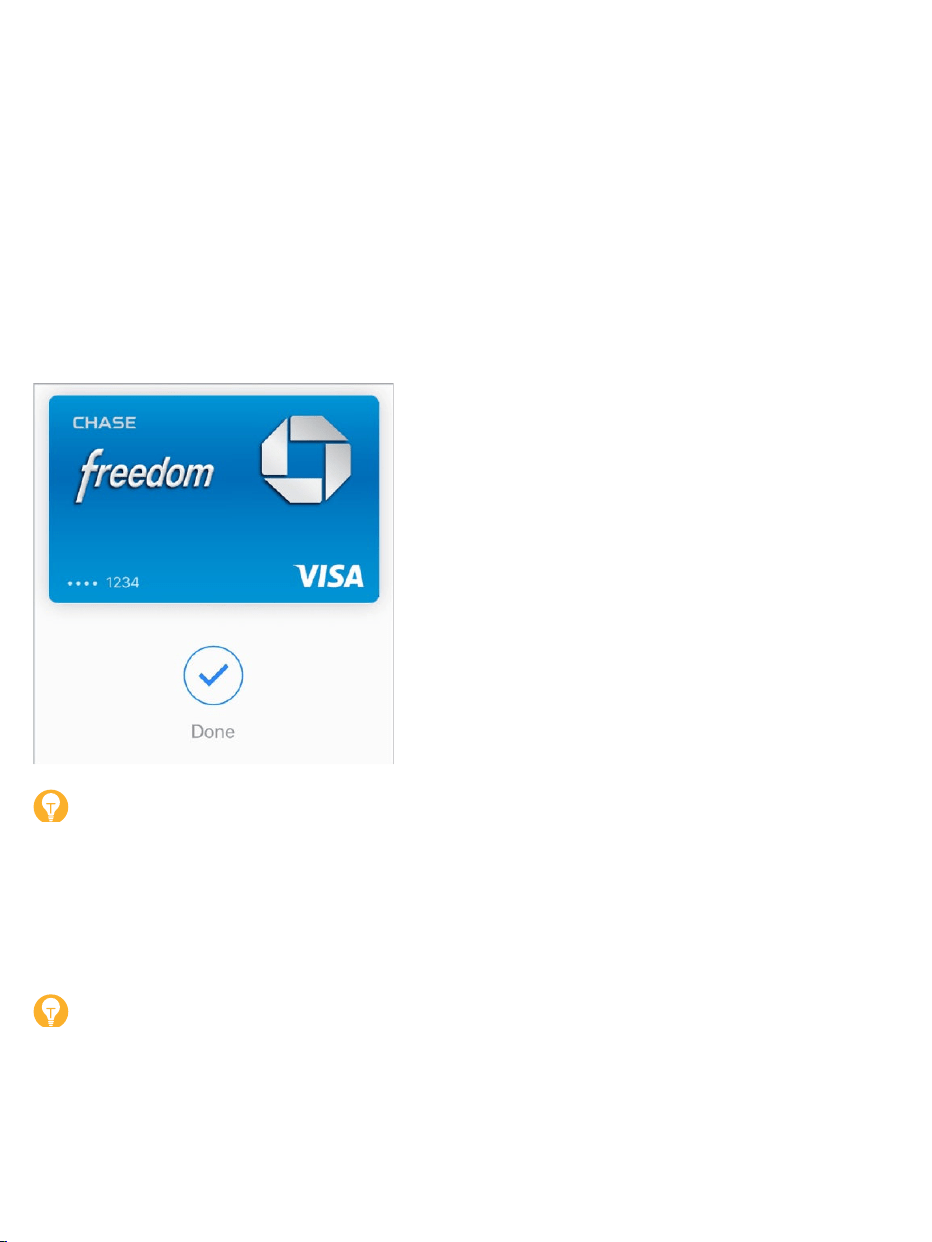
Payusingyourdefaultcard.PlaceyourfingeronTouchID,thenpositionthe
topedgeofiPhoneaboutaninch(2.5cm)fromthesymbolonthereader,until
iPhonevibrates.
Or,ifiPhoneislocked,double-clicktheHomebuttonandkeepyourfinger
lightlyontheHomebutton.HoldiPhonenearthereaderuntiliPhonevibrates.
Acheckmarkonthescreenandanaudiblebeepconfirmthatthepayment
informationhasbeensent.
Tip:YoucanalsoaccessyourdefaultcardbypressingtheWalleticonon
theHomescreen.Or, .
Useanothercard.Whenthedefaultcardappears,tapittodisplayallyour
cards,thentapthecardyouwanttouse.
Tip:WhenyouuseApplePayatsomelocations,youmayreceivea
notificationthatallowsyoutoeasilyaddarewardscardforthatmerchant.
addWallettoControlCenter

SetupastorecardforAutomaticSelection.Toautomaticallyuseastore
card(ratherthanthedefaultcard)withtheassociatedmerchant,tapthestore
card,tap ,thenturnonAutomaticSelection.
UseApplePayatstoresinJapan.Youmusthavea
.Tellthecashierwhattypeofcardyouareusing(visibleon
thefrontofyourcardinWallet)beforeusingTouchID.InJapan,lookforthe
followingsymbolsonthecontactlessreaders:
Note:IfyouhaveLocationServicesturnedon,thelocationofyouriPhoneat
thetimeyoumakeapurchasemaybesenttoAppleandthecardissuerto
helppreventfraud.See .
Paywithinanapporonawebsite
WhenshoppingwithinanapporonawebsiteinSafari,lookfortheBuywith
ApplePaybuttonortheApplePaypaymentoption.
modelthatsupports
ApplePayinJapan
LocationServices

Paywithinanapporonawebsite.Duringcheckout,taptheApplePayor
BuywithApplePaybutton,thenreviewthepaymentinformation.Makeany
changestotheshippingandbillinginformation,orchooseadifferentcard.
Thentocompletethepayment,useTouchIDorenteryourpasscode.
ShoponyourMacandpayoniPhone
UsingtheSafariwebbrowseronyourMac,youcanshopandbegincheckout
onwebsitesthatsupportApplePay,thencompletethepaymentwith
ApplePayonyouriPhone.
SetupyourMacandiPhoneforApplePay.
oniPhone.
SignintoiCloudwiththesame onbothdevices.
TurnonBluetoothonbothdevices.
SetupApplePay
AppleID
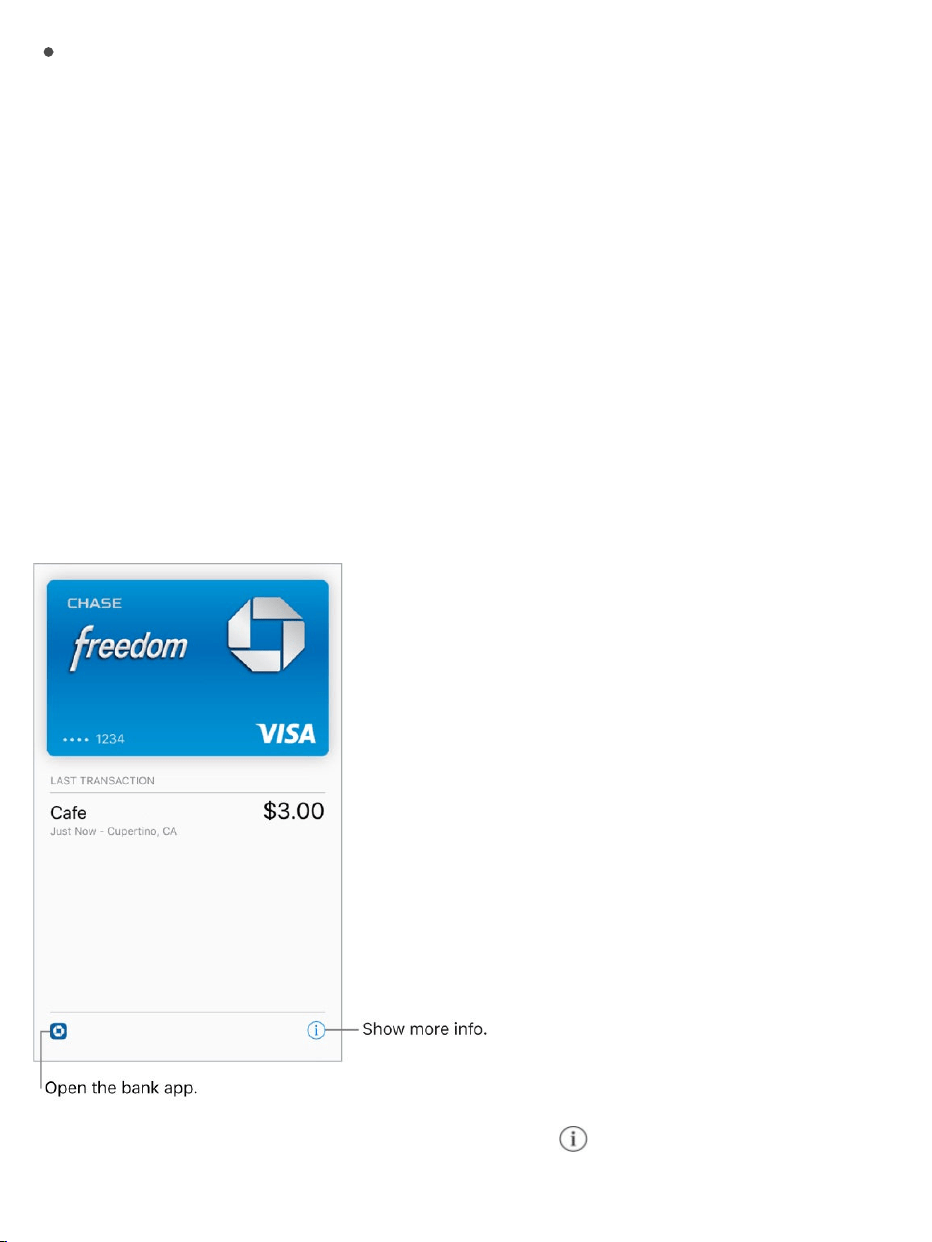
EnsurethatiPhoneisnearbyandconnectedtoacellularorWi-Finetwork.
Checkout.OnyourMac,choosetheApplePaypaymentoption,thenreview
thepaymentinformation.Makeanychangestotheshippingandbilling
information,orchooseadifferentcard.ThenoniPhone,reviewthepayment
summary,anduseTouchIDoryourpasscodetocompletethepayment.
PreventiPhonefromconfirmingpaymentsonyourMac.Ifyoudon’twant
touseApplePayonyouriPhonetoconfirmpaymentsonyourMac,goto
Settings>Wallet&ApplePay,thenturnoffAllowPaymentsonMac.
Viewcardactivityandmanagecards
Viewacard.TapacardintheWalletstack.Thelasttransactionmayappear.
Viewandmanagethecardinformation.Tap .Youcan:

TapTransactionstoviewyourrecenttransactions.Tohidethisinformation,
turnoffTransactionHistory.ToviewallyourApplePayactivity,seethe
statementfromyourcardissuer.
Note:Theauthorizedamountmaydifferfromtheamountofthepayment
chargedtoyouraccount.Forexample,agasstationmayrequestan
authorizationof$99,eventhoughyouonlypump$25worthofgasoline.To
seethefinalcharges,seeyourcardstatement,whichincludesall
ApplePaytransactions.
ViewthelastfourdigitsofthecardnumberandDeviceAccountNumber—
thenumbertransmittedtothemerchant.
Changethebillingaddress.
RemovethecardfromWallet.
PreventcardsfromappearingontheLockscreen.GotoSettings>
Wallet&ApplePay.BelowAllowAccessWhenLocked,turnoffDouble-Click
HomeButton.
IfyouriPhoneislostorstolen.Ifyouenabled ,useittohelp
locateandsecureyouriPhone.Youcanalsosuspendorremovetheabilityto
makepurchasesusingyourcardsinApplePay:
OnaMacorPC:Signinto usingyour ,clickSettings,
clickthelostiPhoneintheMyDevicessection,thenclickRemoveinthe
ApplePaysection.
OnanotheriOSdevice:GotoSettings>[yourname],tapthelostiPhone,
thentapRemoveAllCards(belowApplePay).
Youcanalsocalltheissuersofyourcards.
FindMyiPhone
iCloud.com AppleID

Suica(Japanonly)
On ,useSuicawithApplePayfor
transitandinstoreswhereverSuicaisaccepted.IfyoualreadyhaveaSuica
card,transferyourcardbalanceandcommuterpassfromyourSuicacardto
iPhone.Or,getanewSuicausingtheSuicaiOSapp.
Formoreinformation,seetheAppleSupportarticle
.
Passes
UsepassesinWallettocheckinforaflight,getintoamovie,orredeema
coupon.Passescanincludeusefulinformation,suchasthebalanceonyour
coffeecard,acoupon’sexpirationdate,oryourseatnumberforaconcert.
Addapassbyscanningacode.TapScanCode.PointyouriPhoneatthe
codeandframeittoaddthepass.
Addapassfromanapp,email,message,orwebsite.Tapthepassorthe
link,thentapAddtoWallet.
Useapass.IfanalertforapassappearsontheLockscreen,swipeupto
openWalletanddisplaythepass,thenpresentthebarcodetothereader.If
there’snoalertshowing,openWallet,selectthepass,thenpresentthe
modelsthatsupportApplePayinJapan
UsingSuicaoniPhoneor
AppleWatchinJapan
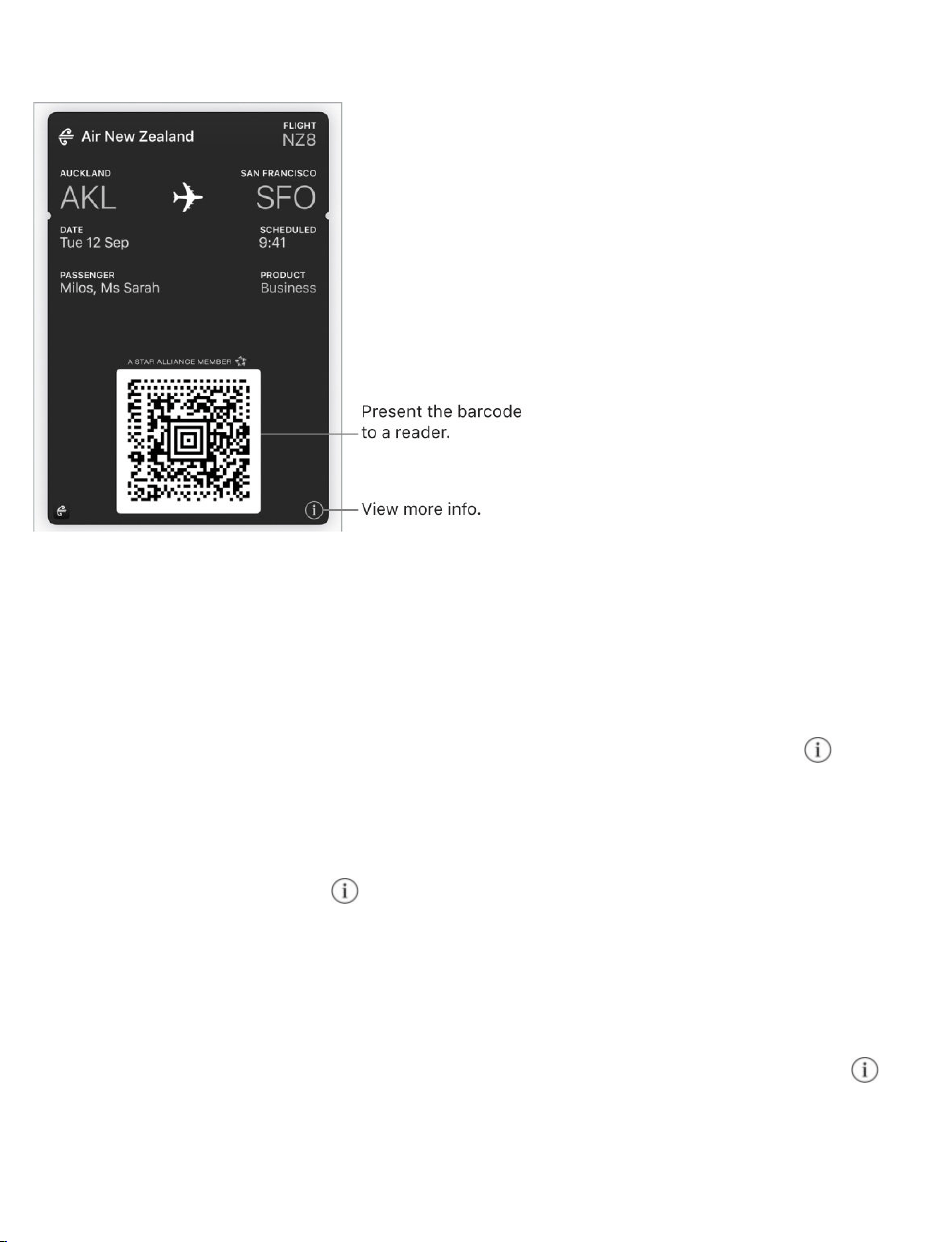
barcodetothereader.
AddfundstoyourAppleIDaccount.AtAppleStoresandselectretailersin
mostcountries,youcanaddfundstoyourAppleIDaccountusingiTunesPass.
ForinformationaboutcreatinganiTunesPass,seetheAppleSupportarticle
.
ShareapassusingMail,Messages,orAirDrop.Tapthepass,tap ,then
tapSharePass.See .
Refreshapass.Passesareusuallyupdatedautomatically.Torefreshapass
manually,tapthepass,tap ,thenpullthepassdown.
Displayapassbasedonlocation.ApasscanappearontheLockscreen
whenyouwakeiPhoneattherighttimeandplace—forexample,whenyou
reachtheairportforaflightyou’retaking.MakesureLocationServicesis
turnedoninSettings>Privacy>LocationServices.Thenonthepass,tap ,
andturnonSuggestonLockScreen.
AboutiTunesPass
Sharefromapps

PreventpassesfromappearingontheLockscreen.GotoSettings>
Wallet&ApplePay.BelowAllowAccessWhenLocked,turnoffDouble-Click
HomeButton.Forpasseswithnotifications,topreventaspecificpassfrom
appearingontheLockscreen,tapthepass,tap ,thenturnoffSuggeston
LockScreen.
UseiCloudtosyncyourpassesonyourotheriOSdevices.Goto
Settings,thensignintoiCloudwiththesame onallyourdevices.
Note:ThissettingappliesonlytopassesinWallet,nottoApplePaycreditand
debitcards.
Rearrangepasses.Dragapassinthestacktomoveittoanewlocation.The
passorderisupdatedonallyourdevices(iOS7orlater).
Setnotificationoptions.GotoSettings>Notifications>Wallet.
Managepasses.Scrolltothebottomofthepassstack,thentapEditPasses.
Addapass:TapScanCodeorFindAppsforWallet.
Deleteapass:Tap .
AppleID
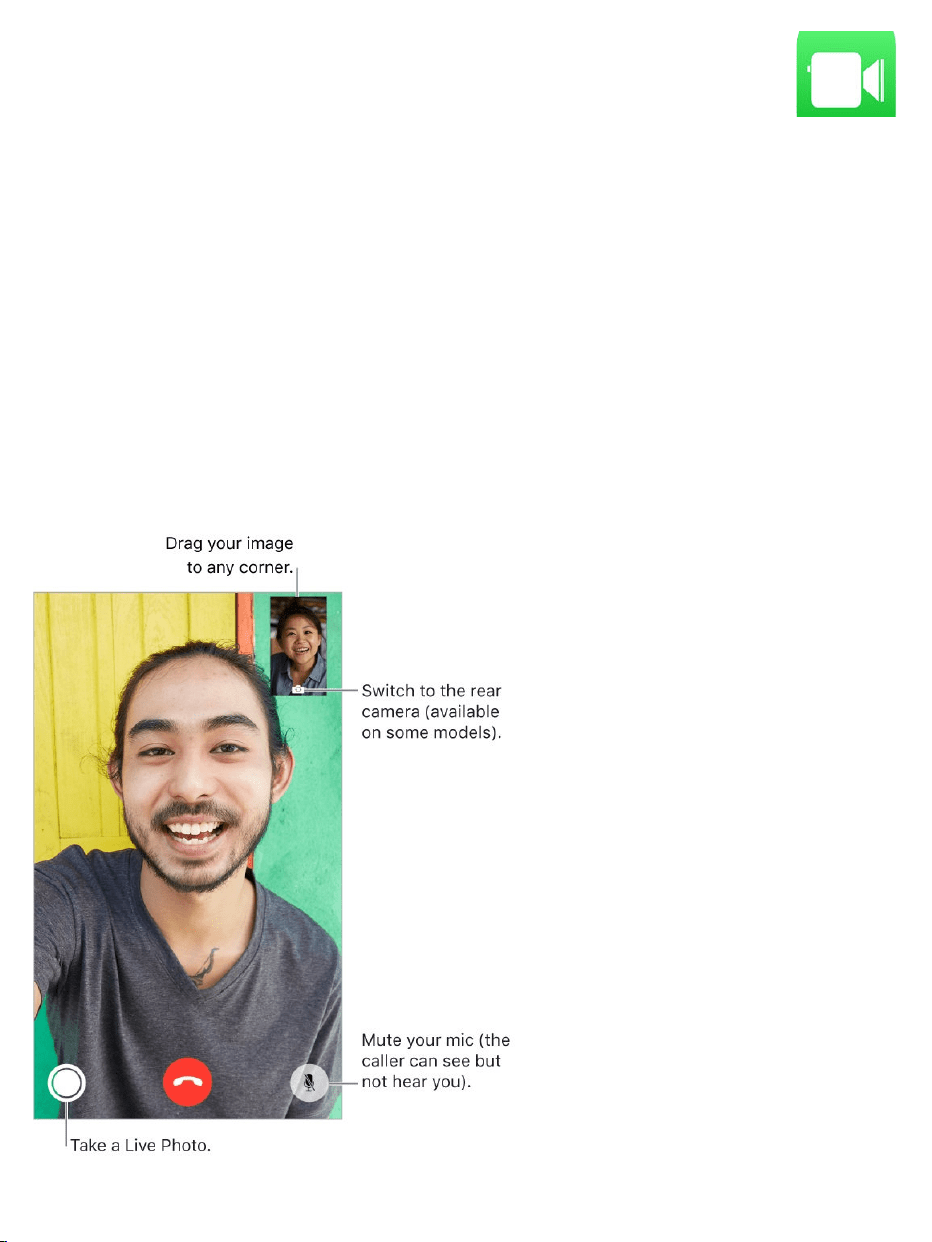
MakeandanswercallswithFaceTime
UseFaceTimetomakevideooraudiocallstosomeonewho’salsousingan
iOSdeviceoraMac.WiththeFaceTimecamera,youcantalkface-to-face;
switchtothereariPhonecameratosharewhatyouseearoundyou.To
captureaspecialmomentofyourconversation,takeaFaceTimeLivePhoto,
whichtakesastillandrecordsabriefvideoofthemoment.
Note:FaceTimemaynotbeavailableinallareas.
FaceTime

WithaWi-FiconnectionandanAppleID,youcanmakeandreceive
FaceTimecalls(firstsigninusingyourAppleID,orcreateanewaccount).You
canalsomakeFaceTimecallsoveracellulardataconnection,whichmayincur
additionalcharges.Toturnoffthisfeature,gotoSettings>Cellular.Formore
informationaboutcellularusageandsettings,see .
SetupFaceTime.MakesureFaceTimeisturnedoninSettings>FaceTime.
Youcanalsospecifyaphonenumber,AppleID,oremailaddresstousewith
FaceTimeandsetyourcallerID.
MakeaFaceTimecall.TapFaceTime,thentypethenameornumberyou
wanttocallintheentryfieldatthetop.Tap tomakeavideocall,ortap
tomakeaFaceTimeaudiocall.Ortap toopenContactsandstartyourcall
fromthere.
AskSiri.Saysomethinglike:“MakeaFaceTimecall.”
3DTouch.Toquicklycallorsendamessagetoarecentcontact,pressa
contactinyourlistofFaceTimecalls,thenchooseaquickaction.See
.
TakeaFaceTimeLivePhoto.Tosaveamomentofyourcall,tap (make
sureFaceTimeLivePhotosisturnedoninSettings>FaceTime).Thecamera
captureswhathappensjustbeforeandafteryoutakethephoto,includingthe
audio,soyoucanseeandhearitlaterjustthewayithappened.Thephotois
addedtotheCameraRollalbumor,ifyouuseiCloudPhotoLibrary,intheAll
PhotosalbuminthePhotosapp.See .
Leaveamessage.Ifnooneanswersyourcall,tapLeaveaMessage.You
canalsochoosetocancelthecallortrycallingback.
Cellulardatasettings
3DTouch
Takephotos
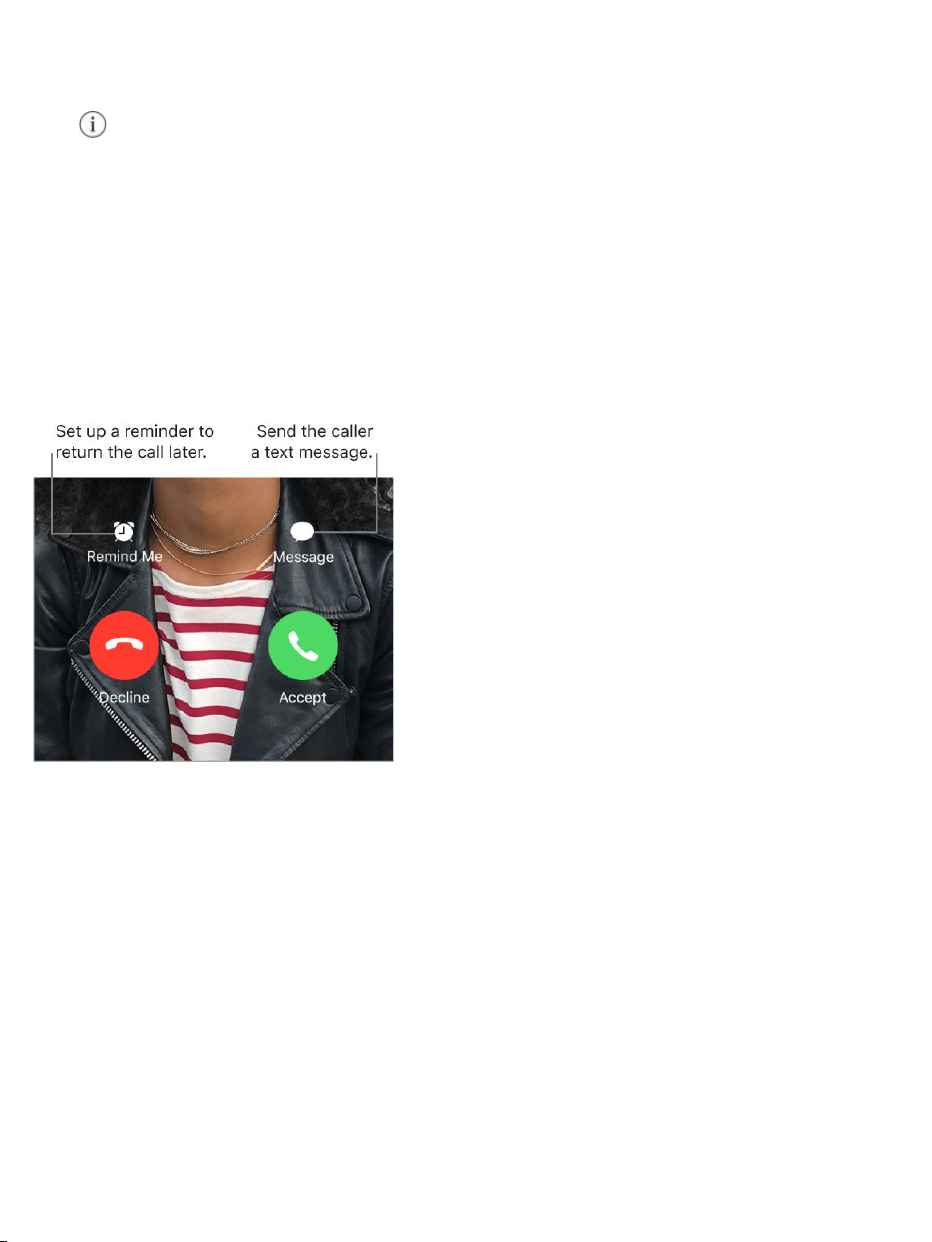
Wanttocallagain?TapFaceTimetoseeyourcallhistoryonthescreen.Tap
AudioorVideotorefineyoursearch,thentapanameornumbertocallagain.
Tap toopenthenameornumberinContacts.
Deleteacallfromcallhistory.TapFaceTimetoseeyourcallhistory.Swipe
acalltotheleft,thentapDeletetodeletethenameornumberfromyourcall
history.
Can’ttakeacallrightnow?WhenaFaceTimecallcomesin,youcan
answerorchooseanotheroption.
Seethewholegang.RotateiPhonetouseFaceTimeinlandscape
orientation.Toavoidunwantedorientationchanges,lockiPhoneinportrait
orientation.See .
ManageFaceTimecalls
Multitaskduringacall.PresstheHomebutton,thentapanappicon.You
canstilltalkwithyourfriend,butyoucan’tseeeachother.Toreturntothe
video,tapthegreenbaratthetopofthescreen.
Changethescreenorientation

Jugglecalls.FaceTimecallsaren’tforwarded.Ifanothercallcomesinwhile
you’reonaFaceTimecall,youcaneitherendthefirstcallandanswerthe
incomingcall,declinetheincomingcall,orreplywithatextmessage.Youcan
usecallwaitingwithFaceTimeaudiocallsonly.
Usecallwaitingforaudiocalls.Ifyou’reonaFaceTimeaudiocalland
anothercallcomesin—eitheraphonecalloranotherFaceTimeaudiocall—
youcandeclinethecall,endthefirstcallandacceptthenewone,orputthe
firstcallonholdandrespondtothenewcall.
Blockunwantedcallers.GotoSettings>FaceTime>Blocked>AddNew.
Youwon’treceivevoicecalls,FaceTimecalls,ortextmessagesfromblocked
callers.Formoreinformationaboutblockingcalls,seetheAppleSupport
article
.
BlockcallsandblockorfiltermessagesonyouriPhone,iPad,or
iPodtouch

Getpodcastsandepisodes
UsethePodcastsapptofindandlistentoyourfavoritepodcasts.
PodcastsarefreeshowsthatyoucanplaylikeyouwouldaradioorTVshow.
Somepodcastsareindividualepisodes;someareseries.Youcanstream
themoveryourInternetconnection,oryoucandownloadthemtoiPhoneto
playwhenyou’reoffline.
Discoverpodcasts.TapBrowsetoseeFeaturedpodcastsorTopCharts.
Youcanalsobrowsebycontentprovidersorcategories.
Podcasts

Searchforpodcastsandepisodes.TapSearch,thentypethenameofa
podcastorepisode.
AskSiri.Saysomethinglike:“Play‘FreakonomicsRadio’podcast”
Subscribetoapodcast.Getnewepisodesasthey’rereleased.Tapthe
podcast,thentapSubscribe.
Seeyoursubscribedpodcasts.
Podcastswithnewepisodesandepisodesyouhaven’tfinished:Tap
ListenNow.
Allpodcasts:TapLibrary.
Addanepisodetoyourlibrary.Forpodcaststhatyouhaven’tsubscribedto,
tap nexttoanepisode.
Playanepisode.Taptheepisode,thentap .Iftheepisodeisn’t
downloaded,it’sstreamedtoiPhone.Todownloadtheepisodesoyoucan
playitwhenyou’reoffline,tap
AskSiri.Saysomethinglike:“Playpodcasts”
Resumeplayinganepisode.TapListennow.Episodesyouhaven’tfinished
arenearthetopofthelist.
Syncyourpodcastsubscriptionsonallyourdevices.GotoSettings>
Podcasts,thenturnonSyncPodcasts.
Controlplayback

Showtheplaybackcontrols.Whileplayinganepisode,taptheplayernear
thebottomofthescreen.Swipeuptoseethesleeptimerandsharingoptions.
Swipedowntohidetheplaybackcontrols.
Skip15secondsforwardorbackwithintheepisode.Tapacirculararrow.
Skipforwardorbackwithgreateraccuracy.Dragtheplayheadleftorright.
Asyoudragtheplayhead,moveyourfingerverticallytoswitchtofine
scrubbing,quarter-speedscrubbing,half-speedscrubbing,orhigh-speed
scrubbing.
AskSiri.Saysomethinglike:
“Skipback15seconds”
“Skiptothenextepisode”

AddtheepisodetotheUpNextqueue.Tap ,thentapPlayNextorPlay
Later.ToseetheUpNextQueue,swipeup.
Getmoreinfoaboutanepisode.Swipeup,thentapEpisodeNotes.
PlaythepodcastonanAirPlay-enableddevice.Tap ,thenchoosea
device.FormoreaboutAirPlayandotherwaystoconnect,see
.
ControlplaybackwithAppleEarPods.
Pause:Pressthecenterbutton.Pressagaintoresumeplayback.
Skiptothenextepisode:Pressthecenterbuttontwicequickly.
Returntothepreviousepisode:Pressthecenterbuttonthreetimes
quickly.
Fast-forward:Pressthecenterbuttontwicequickly,thenhold.
Rewind:Pressthecenterbuttonthreetimesquickly,thenhold.
SummonSiri:Pressandholdthecenterbutton.See .
Manageyourlibrary
TapLibrarytoseeyoursubscribedpodcastsanddownloadedepisodes.
AirPlay
Mirroring
Siriandapps

Searchyourlibrary.IntheSearchtab,typethenameofapodcastor
episode,tapYourLibrary,thentapSearch.
Browseformoreepisodesofapodcast.TapLibrary,tapthepodcast,then
tapAvailableEpisodes.
Shareanepisodeorapodcast.Taptheepisodeorpodcast,tap ,tap ,
then .
Changethesettingsofasubscribedpodcast.Tapthepodcast,tap ,
thentapSettings.Youcansetoptionsfornotifications,theorderinwhich
episodesareplayed,downloadingepisodes,andmore.
Changethedefaultdownloadsettingsforallsubscribedpodcasts.Go
toSettings>Podcasts>DownloadEpisodes.
chooseasharingoption

ChoosehowfrequentlyPodcastschecksyoursubscriptionsfornew
episodes.GotoSettings>Podcasts>RefreshEvery,thenchooseanoption.
LimitdownloadstoWi-Ficonnections.Topreventpodcastdownloadsfrom
usingcellulardata,gotoSettings>Podcasts,thenturnonOnlyDownloadon
Wi-Fi.
Deleteanepisode.TapLibrary,tapEpisodes,swipeleftontheepisode,then
tapDelete.
Removeadownload.TapLibrary,tapDownloaded,andswipeleftonan
episode,thentapRemove.
Unsubscribefromapodcast.Tapthepodcast,tap ,thentap
Unsubscribe.

Usethestandardcalculatorforbasicarithmeticfunctionsorthescientific
calculatorforexponential,logarithmic,andtrigonometricfunctions.
Tip:ToquicklyaccessCalculator, .
AskSiri.Saysomethinglike:
“What’s74times9?”
“What’s18percentof225?”
Deletethelastdigit.SwipeleftonCalculator’sdisplay.
Clearthecalculationresults.TaptheAllClearkey.
Usethescientificcalculator.RotateiPhonetolandscapeorientation.
Calculator
openControlCenter


Viewdocuments
Filesbringsallyourdocumentstogethersothatyoucanbrowse,search,and
organizetheminoneplace,includingfilesiniCloudDriveandacrossother
cloudstorageproviderslikeBoxandDropbox.
Viewrecentdocumentsandfolders.TapRecentsatthebottomofthe
screen.
3DTouch.ToseerecentfilesfromtheHomescreen,pressFiles.See
.
Browsedocumentsandfiles.TapBrowseatthebottomofthescreen,then
tapanitemunderLocations,Favorites,orTags.Toopenafolder,tapit.(For
informationaboutmarkingfoldersanddocumentsasfavoritesorwithtags,
see .)
Openadocument.Tapit.Ifyouhaven’tinstalledtheappthatcreatedthe
document,apreviewofthedocumentopensinQuickLook.
Changehowdocumentsandfoldersaresorted.Fromanopenlocationor
folder,dragdownfromthecenterofthescreenandtaptheName,Date,Size,
orTagsbutton.
Changebetweenlistviewandiconview.Fromanopenlocationorfolder,
dragdownfromthecenterofthescreen,thentap .
Findaspecificdocumentorfolder.Enterthenameinthesearchfield.As
youtype,resultsstarttoappear.
Files
3DTouch
Organizedocumentsandfolders

Hidethekeyboardandseemoreresultsonthescreen:TapSearch.
Openaresult:Tapit.
Searchforsomethingelse:Tap inthesearchfield.
Addacloudstorageservice.DownloadtheappfromtheAppStore,open
theapp,thenfollowtheonscreeninstructions.OpenFiles,tapMoreLocations
(underLocationsintheBrowsesidebar),thenturnontheservice.
RearrangetheBrowsescreen.TapBrowseatthebottomofthescreen,
thentapEditatthetopofthescreen.
Hidealocation:Turnitoff.
RemoveanitemfromtheFavoriteslist:Tap nexttotheitem.
Deleteatagandremoveitfromallitems:Tap nexttothetag.
Changetheorderofanitem:Touch ,thendragittoanewposition.
Organizedocumentsandfolders
Tokeepyourselfbetterorganized,useFilestocreateandrearrangefolders
andtomovedocumentsbetweenthem.
Copy,duplicate,rename,move,ordeleteadocumentorafolder.Touch
andholdthedocumentorfolder,thenchooseanoption.Notalloptionsare
availableforallselections;forexample,youcan’tdeleteanapplibrary.(App
librarieslooklikefolderslabeledwithappnames.)
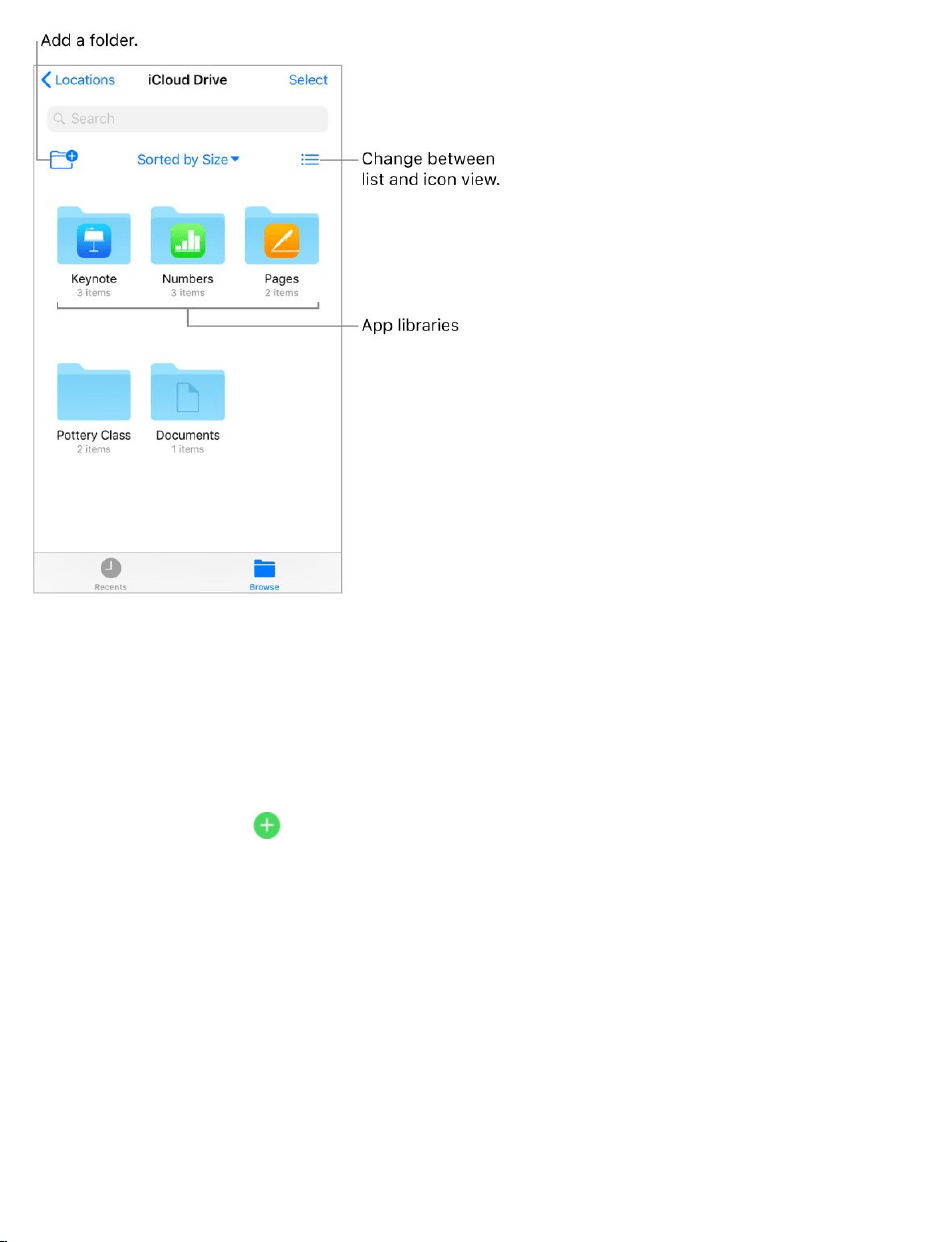
Moveafileorafolderwithdraganddrop.Touchandholdanitemuntilit
liftsup,thendraganddropitintoadifferentfolderorlocation.Tomovemultiple
itemssimultaneously,touchandholdanitem,dragitslightly,thencontinue
holdingitwhileyoutapadditionalitemswithanotherfinger.Toopenfolders
andlocationswhiletouchingandholdingaselection,tapthemwithanother
finger.Asyoudrag, appearswhereveryoucandroptheitem.
Note:Youcan’tmoveapplibraries,whichlooklikefolderslabeledwithapp
names.
Shareadocument.Touchandholdthedocument,thentapShare.For
example,youcansendacopyofadocumentor,withiCloudDrive,allow
othersto .vieworeditit

Tagadocumentorfolder.Touchandholdthedocumentorfolder,tapTags,
thentaponeormoretags.Toremoveatag,tapitagain.Whenfinished,tap
Done.Youcan quicklyintheBrowsesidebar.
MarkafolderasaFavorite.Touchandholdthefolder,thentapFavoritefrom
themenuthatappears.Youcan quicklyintheBrowse
sidebar.
Createafolder.Openafolder,dragdownfromthecenterofthescreen,then
tap .Tomovethefolderintoanotherfolderonthescreen,draganddropit
intothenewlocation.(IftheNewFolderbuttonisn’tavailable,youcan’tcreate
afolderinthatlocation.)
Copyanapplibrary.Touchandholdthefolder,thentapCopyfromthemenu
thatappears.Forexample,ifyouhaveNumbers,youcancopytheNumbers
folderandpastetheentirefolderofspreadsheetsintoaMailmessage.
Duplicate,move,share,ordeletemultiplefilesorfolders.TapSelect,tap
yourselections,thentapanoptionatthebottomofthescreen.Notalloptions
areavailableforallselections;forexample,youcan’tdeleteanapplibrary.
UseiCloudDrive
iCloudDriveisbuiltintotheFilesapp,soyoucaneasilystoreandorganizeall
yourdocuments—includingpresentations,spreadsheets,andimages—and
accessthemfromallyourotherdevices.
Youcanalsoinvitepeopletoviewandedityourdocumentsstoredin
iCloudDrive,whereeveryone’schangesareupdatedautomatically.Bydefault,
onlythepeopleyouinvitecanaccessandmakechangestoadocument.You
locatetaggeditems
locatefavoritefolders

caninsteadallowanyonewhohasthelinktoaccessthedocument.Ifyoudon’t
wantotherstomakechanges,youcansetthedocumentpermissiontoview
only.
YoucanuseiCloudDriveoniOSdevices(iOS8orlater),Maccomputers
(OSX10.10orlater),andPCs(iCloudforWindows5orlaterorWindows7or
later).ToaccessiCloudDrive,youmustbesignedintoiCloudusingyour
AppleID.StoragelimitsaresubjecttoyouriCloudstorageplan.
SetupiCloudDrive.GotoSettings>[yourname]>iCloud,thenturnon
iCloudDrive.
ChoosewhichappsuseiCloudDrive.GotoSettings>[yourname]>
iCloud.BelowthecontrolshowingthatiCloudDriveisturnedon,alistshows
whichappssupportiCloudDrive.Turneachapponoroff.
Openadocumentinanotherapp.Touchandholdadocumentin
iCloudDrive,tapSharefromthemenuthatappears,thenchooseanoption.
Inviteotherstovieworeditadocument.Touchandholdadocumentin
iCloudDrive,tapSharefromthemenuthatappears,thentapAddPeople.
Optionally,tapShareOptions,makeanyaccessandpermissionchanges,
thentapAddPeople.Tapamethodforsendingalinktothedocument,enter
anyotherrequestedinformation,thensendorposttheinvitation.
ShareOptionsallowyoutograntaccessto:
Onlypeopleyouinvite:OnlypeoplewhosignintoiCloudwithanAppleID
canopenthedocument.Peopledon’tneedtohaveanAppleIDbeforeyou
invitethem,buttheyneedtocreateonebeforetheycanopenyourshared
document.

Anyonewiththelink:Anyonewhohasthelinktotheshareddocumentcan
taporclickthelinktoopenthedocument.
ShareOptionsalsoallowyoutosetwhatotherscando:
Canmakechanges:Peoplecaneditandprinttheshareddocument.
Viewonly:Peoplecanviewandprinttheshareddocumentbutnoteditit.
Important:WhenyoushareadocumentoniCloudDrive,alinktothe
document(whichincludesitstitle)iscreatedoniCloud.Ifthetitleorcontentof
thedocumentisconfidential,besuretoaskrecipientsnottoforwardthelinkto
anyoneelse.
Acceptaninvitationtovieworeditadocument.Whenyoureceivealink
toashareddocumentinanemail,message,orpost,tapthelink.Ifasked,
followanyinstructionsthatappear.Thedocumentopensand,aslongasit’s
shared,remainsaccessibletoyouiniCloudDrive.(Ifyouhavetrouble
acceptinganinvitation,makesureyoumeettheiCloudandsystem
requirementsdescribedabove.)
Invitemorepeopletovieworeditadocument.Ifyou’retheownerofa
shareddocumentwhoseaccessissetto“Onlypeopleyouinvite,”youcan
invitemorepeople.Touchandholdthedocument,tapShare,tapShow
People,tapAddPeople,tapamethodforsendingalinktothedocument,
enteranyotherrequestedinformation,thensendorposttheinvitation.
Note:Ifyou’retheowneroftheshareddocumentandyou toanother
folderorlocation,thelinkisbrokenandpeopleloseaccesstothedocument.
Sendalinktomorepeople.Ifyourdocumentaccessissetto“Anyonewith
thelink,”youcangivenewpeopleaccesstothedocumentbysendingthem
thedocumentlink.Touchandholdthedocument,tapShare,tapShowPeople,
moveit

tapSendLink,tapamethodforsendingthelink,enteranyotherrequested
information,thensendorposttheinvitation.
Changeaccessforeveryone.Ifyou’retheownerofthedocument,youcan
changeitsaccessatanytime,butanyoneyousharedthelinkwithisaffected.
Touchandholdthedocument,tapShare,tapShareOptions,thentapthe
accesssettingyouwant.
Ifyouchangethesettingfrom“Onlypeopleyouinvite”to“Anyonewiththelink,”
thepeopleyouoriginallyinvitedcanstillopenthedocument,alongwithanyone
elsewhohasthelink.Theydon’tneedtosignintoiCloudwiththeemail
addressorphonenumberyouusedtosendthelink.Ifyouchangethesetting
from“Anyonewiththelink”to“Onlypeopleyouinvite,”theoriginallinknolonger
worksforanyone.Onlypeoplewhoreceiveaninvitationfromyoucanopenthe
document,andtheymustsignintoiCloudwithanAppleID.
Changepermissionforeveryone.Ifyou’retheownerofashareddocument
withaccesssetto“Onlypeopleyouinvite,”youcanquicklychangeeveryone's
permission.Touchandholdthedocument,tapShare,tapShareOptions,then
tapthepermissionsettingyouwant.
Anyonewhohasthedocumentopenwhenyouchangethepermissionseesan
alert.Newsettingstakeeffectwhentheydismissthealert.
Changepermissionorremoveaccessforoneparticipant.Ifyou’rethe
ownerofashareddocumentwithaccesssetto“Onlypeopleyouinvite,”you
canchangethepermissionforanindividualwithoutaffectingthepermissionof
others.Youcanalsoremovetheiraccesstothedocument.Touchandholdthe
document,tapShare,tapShowPeople,taptheperson’sname,thentapan
option.

Stopsharingadocument.Ifyou’retheownerofashareddocument,youcan
stopsharingit,topreventanyonefromviewingoreditingit.Touchandholdthe
document,tapShare,tapShowPeople,thentapStopSharing.
Anyonewhohasthedocumentopenwhenyoustopsharingseesanalert.The
documentcloseswhenthealertisdismissed,andthedocumentisremoved
fromtheparticipants’iCloudDrive.Thelinktothedocumentnolongerworks.If
youlatersharethedocumentagainandsettheaccessto“Anyonewiththe
link,”theoriginallinkwillwork.Iftheaccessissetto“Onlypeopleyouinvite,”
theoriginallinkwillworkagainonlyforpeopleyoureinvitetosharethe
document.

UseCompass(locatedintheExtrasfolder)tofindadirection,seeyour
latitude,longitude,andelevation,andfindlevelormatchaslope.
3DTouch.ToquicklyaccessCompass,tapExtrasontheHomescreen,
pressCompass,thenchoosetheCompassquickaction.See .
Seeyourlocation.Toseeyourcurrentlocation,gotoSettings>Privacy>
LocationServices,thenturnonLocationServicesandCompass.Formore
aboutLocationServices,see .
Compass
3DTouch
LocationServices

SeeyourlocationinMaps.Tapthecoordinatesatthebottomofthescreen
toopenMapsanddisplayyourlocation.
Stayoncourse.Tapthescreentolockinthecurrentheading,thenwatchfor
aredbandtoseeifyou’reoffcourse.
Important:Theaccuracyofthecompasscanbeaffectedbymagneticor
environmentalinterference;eventhemagnetsintheiPhoneearbudscan
causeadeviation.Usethedigitalcompassonlyforbasicnavigation
assistance.Don’trelyonittodeterminepreciselocation,proximity,distance,
ordirection.
Showthelevel.SwipeleftontheCompassscreen.
QuicklyaccessthelevelfromtheHomescreen.TapExtrasontheHome
screen,pressCompass,thenchoosetheLevelquickaction.See .
Hangitstraight.HoldiPhoneagainstapictureframeorotherobject,then
rotatethemuntilyouseegreen.Fortruelevel,thedeviationisdisplayedona
blackbackground.Ifthebackgroundisred(indicatingrelativeslope),tapthe
screentochangeittoblack.
Matchthatslope.HoldiPhoneagainstthesurfaceyouwanttomatch,then
tapthescreentocapturetheslope.Theslopeyouseekisshowninblack,with
thedeviationshowninred.Tapagaintoreturntostandardlevel.
3DTouch
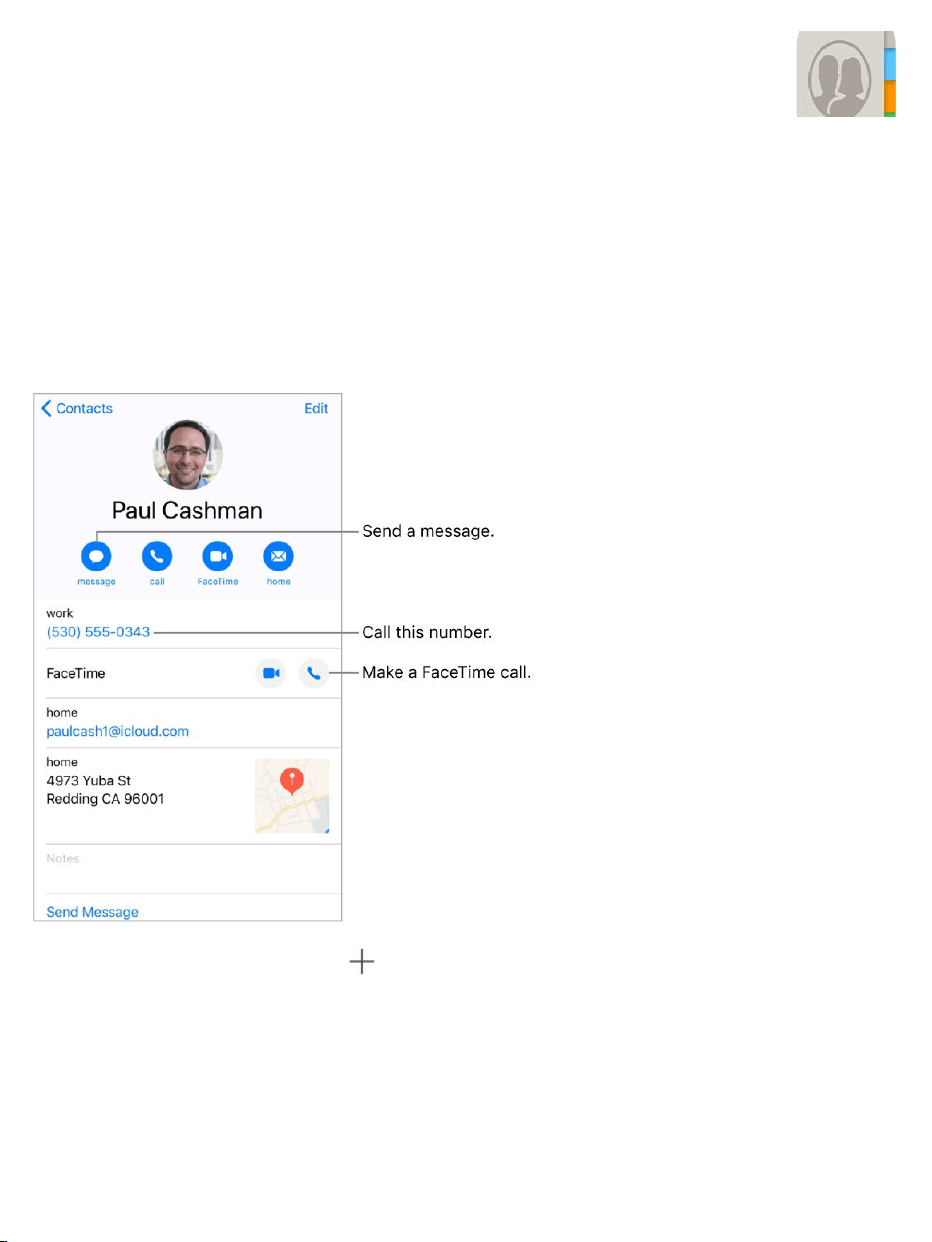
Managecontacts
TheContactsappislocatedintheExtrasfolder.WithContacts,youcanview
andedityourcontactslistsfrompersonal,business,andotheraccounts.You
canalsocreatecontactsandsetupacontactcardwithyourowninformation.
Createanewcontact.Tap .
iPhoneautomaticallysuggestsnewcontactsfrommessagesyoureceivein
MailandinvitationsinCalendar,andfromotherapps.Toturnthisfeatureoff,
gotoSettings>Contacts>Siri&Search,thenturnoffFindContactsinOther
Apps.
Contacts

AllowincomingtextsorcallsfromaspecificcontactevenifDoNotDisturbis
on.Tapthecontact,tapEdit,tapRingtoneorTextTone,thenturnon
EmergencyBypass.
3DTouch.TocreateacontactfromtheHomescreen,tapExtras,press
Contacts,thenchoosetheCreateNewContactquickaction.See .
AskSiri.Saysomethinglike:
“What’smybrother’sworkaddress?”
“SarahCastelblancoismysister”
“Sendamessagetomysister”
Findacontact.Tapthesearchfieldatthetopofthecontactslist,thenenter
yoursearch.YoucanalsosearchyourcontactsusingSearch(see ).
Quicklyreachacontact.Taponeofthebuttonsunderthecontact’snameto
startamessage,call,videocall,oremail.Tochangethedefaultcontact
method(foracall,forexample),touchandholdthecallbutton,thentapa
phonenumber.
Ifyouuseathird-partyapptomakevideooraudiocalls,sendmessages,or
sendemail,youmaybeabletosetthatappasthedefault.
Changehowyourcontactsaresortedanddisplayed.GotoSettings>
Contacts.
Shareacontact.Tapacontact,thentapShareContact.See
.Sharingacontactsharesalltheinfofromthecontact’scard.
Assignaphototoacontact.Tapacontact,tapEdit,thentap“addphoto.”
YoucantakeaphotooraddonefromthePhotosapp.
3DTouch
Search
Sharefrom
apps

Changealabel.Ifafieldhasthewronglabel,suchasHomeinsteadofWork,
tapEdit.Thentapthelabelandchooseonefromthelist,ortapAddCustom
Labeltocreateoneofyourown.
Addyourfriends’socialprofiles.Whileviewingacontact,tapEdit,thentap
“addsocialprofile.”
Deleteacontact.Gotothecontact’scard,thentapEdit.Scrolldown,thentap
DeleteContact.
Addyourcontactinfo
iPhoneusesyourAppleIDtocreateyourMyCard,butyoumayneedto
provideyourcontactinformationtocompleteit.
CompleteyourMyCard.OpenContacts,tapMyCardatthetopofyour
contactslist,thentapEdit.Contactssuggestsaddressesandphonenumbers
tohelpyousetupyourMyCard.
IfthereisnoMyCard,tap ,thenenteryourinformation.TocreateaMyCard
withthisinformation,gotoSettings>Contacts,tapMyInfo,thentapyourname
intheContactslist.
EdityourMyCard.InContacts,tapMyCardatthetopofyourcontactslist,
thentapEdit.
CreateoredityourMedicalID.GotoyourMyCard,tapEdit,thenscroll
downandtapCreateMedicalIDorEditMedicalID.
Addcontactaccounts
Besidesaddingcontactsindividually,youcan:

UseyouriCloudcontacts:GotoSettings>[yourname]>iCloud,then
turnonContacts.
UseyourGooglecontacts:GotoSettings>Accounts&Passwords.Tap
Google,signintoyouraccount,thenturnonContacts.
Addcontactsfromanotheraccount:GotoSettings>Accounts&
Passwords>AddAccount.Chooseanaccount,signintoit,thenturnon
Contacts.
AccessaMicrosoftExchangeGlobalAddressList:GotoSettings>
Accounts&Passwords.TapExchange,signintoyourExchangeaccount,
thenturnonContacts.
SetupanLDAPorCardDAVaccounttoaccessbusinessorschool
directories:GotoSettings>Accounts&Passwords>AddAccount>
Other.TapAddLDAPaccountorAddCardDAVaccount,thenenterthe
accountinformation.
Synccontactsfromyourcomputer:IniTunesonyourcomputer,tapInfoin
thedeviceinfopane,thenselectSyncContacts.Forinformation,see
iTunesHelp.
ImportcontactsfromaSIMcard(GSM):GotoSettings>Contacts>
ImportSIMContacts.
ImportcontactsfromavCard:Tapa.vcfattachmentinanemailor
message.
Searchadirectory.TapGroups,thentaptheGAL,CardDAV,orLDAP
directoryyouwanttosearch.TapDone,thenenteryoursearch.Tosavea
person’sinfotoyourcontacts,taptheperson’sname.
Showorhideagroup.TapGroups,thenselectthegroupsyouwanttosee.
Thisbuttonappearsonlyifyouhavemorethanonesourceofcontacts.

UseContactsfromwithinthePhoneapp
AddaFavorite.PutVIPcontactsinyourFavoriteslistforquickdialing.Tapa
Contact,thenscrolldownandtapAddtoFavorites.Callsfromthesecontacts
bypassDoNotDisturb(see ).
3DTouch.Toquicklyviewfavoritecontacts,tapExtras,thenpressContacts.
See .
Savethenumberyoujustdialed.InPhone,tapKeypad,enteranumber,
thentap .TapCreateNewContact,ortapAddtoExistingContact,then
chooseacontact.
AddarecentcallertoContacts.InPhone,tapRecents,thentap nextto
thenumber.TapCreateNewContact,ortapAddtoExistingContact,then
chooseacontact.
Automatedialinganextensionorpasscode.Ifthenumberyou’recalling
requiresdialinganextension,iPhonecanenteritforyou.Wheneditinga
contact’sphonenumber,tap toenterpausesinthedialingsequence.
TapPausetoenteratwo-secondpause,whichisrepresentedbyacomma.
TapWaittostopdialinguntilyoutapDialagain,whichisrepresentedbya
semicolon.
Hideduplicatecontacts
Whenyouhavecontactsfrommultiplesources,youmighthavemultipleentries
forthesameperson.TokeepredundantcontactsfromappearinginyourAll
Contactslist,contactsfromdifferentsourceswiththesamenamearelinked
DoNotDisturb
3DTouch

anddisplayedasasingleunifiedcontact.Whenyouviewaunifiedcontact,the
titleUnifiedInfoappears.
Linkcontacts.Iftwoentriesforthesamepersonaren’tlinkedautomatically,
youcanunifythemmanually.Taponeofthecontacts,tapEdit,tapLink
Contacts,choosetheothercontactentrytolinkto,thentapLink.
Whenyoulinkcontactswithdifferentfirstorlastnames,thenamesonthe
individualcardsdon’tchange,butonlyonenameappearsontheunifiedcard.
Tochoosewhichnameappearsontheunifiedcard,taponeofthelinked
cards,tapthecontact’snameonthatcard,thentapUseThisNameFor
UnifiedCard.
Note:Whenyoulinkcontacts,thosecontactsaren’tmerged.Ifyouchangeor
addinformationinaunifiedcontact,thechangesarecopiedtoeachsource
accountwherethatinformationalreadyexists.
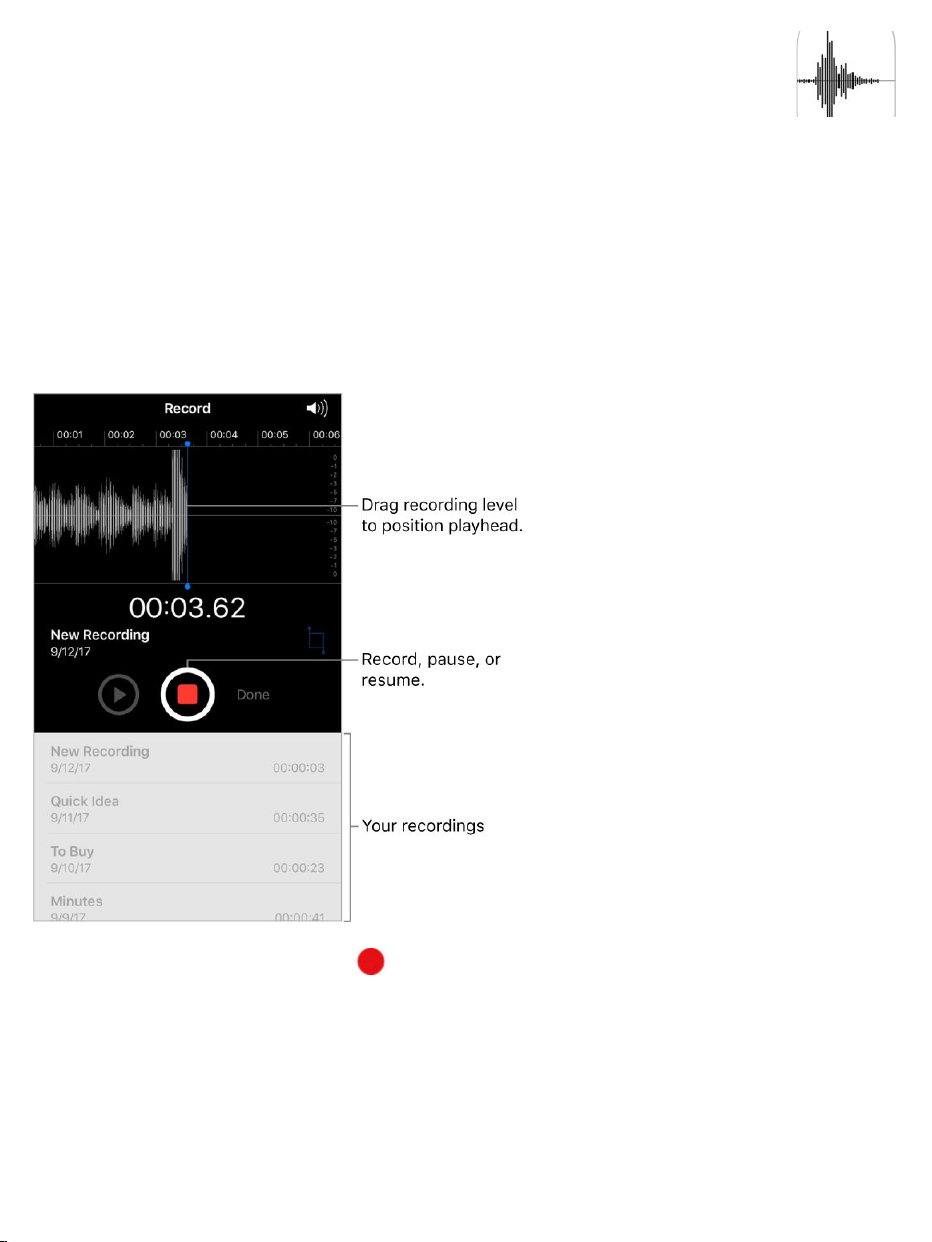
Record
WithVoiceMemosyoucanuseiPhoneasaportablerecordingdevice.Useit
withthebuilt-inmicrophone,aniPhoneorBluetoothheadsetmic,ora
supportedexternalmicrophone.
Recordavoicememo.Tap orpressthecenterbuttononyourheadset.
Tapagaintopauseorresume.
Recordingsusingthebuilt-inmicrophonearemono,butyoucanrecordstereo
usinganexternalstereomicrophonethatworkswithiPhone.Lookfor
accessoriesmarkedwiththeApple“MadeforiPhone”or“WorkswithiPhone”
logo.
VoiceMemos

3DTouch.TostartrecordingavoicememofromtheHomescreen,press
VoiceMemos,thenchoosetheNewRecordingquickaction.See .
Adjusttherecordinglevel.Movethemicrophoneclosertowhatyou’re
recording.Forbetterrecordingquality,theloudestlevelshouldbebetween
–3dBand0dB.
Previewbeforesaving.Tap totheleftoftheRecordbutton.Topositionthe
playhead,dragtherecordingleveldisplayleftorright.
Recordoverasection.Dragtherecordingleveldisplaytopositionthe
playhead,thentap .
Trimtheexcess.Tap ,thendragtheredtrimhandles.Tap tocheckyour
edit.Adjustthetrimhandlesifnecessary,thentapTrimtoremoveeverything
outsidethetrimhandles.
Toremovethesoundbetweenthetrimhandles,tapDelete.
Savetherecording.TapDone.
Mutethestartandstoptones.UsetheiPhonevolumebuttonstoturnthe
volumeallthewaydown.
Multitask.Touseanotherappwhileyou’rerecording,presstheHomebutton,
thenopentheotherapp.ToreturntoVoiceMemos,taptheredbaratthetop
ofthescreen.
Playitback
3DTouch

Renamearecording.Tapthenameoftherecording.
Shareandsyncrecordings
Youcanshareindividualvoicememosandsyncallyourvoicememoswiththe
iTuneslibraryonyourcomputer.
Shareavoicememo.Tapasavedvoicememo,tap ,thenchoosea
sharingoption,orsavethememotoiCloudDrive.
SyncvoicememoswithiTunes.ConnectiPhonetoyourcomputer.Open
iTunesonyourcomputer,thenselectiPhonenearthetop-leftcorner.Select
Musicinthesidebar,selectSyncMusic,select“Includevoicememos,”then
clickApply.Or,ifiCloudMusicLibraryisenabledoniPhone,select“Sync
voicememos,”thenclickApply.
WhenyoudeleteasyncedvoicememofromiTunes,itstaysonthedevice
whereitwasrecorded,butit’sdeletedfromanyotheriPhoneoriPodtouch
yousynced.IfyoudeleteasyncedvoicememooniPhone,it’scopiedbackto

iPhonethenexttimeyousyncwithiTunes,butyoucan’tsyncthatcopybackto
iTunesasecondtime.
VoicememossyncedfromiPhonetoyourcomputerappearintheMusiclist
andintheVoiceMemosplaylistiniTunes.Voicememossyncedfromyour
computerappearintheVoiceMemosapponiPhone,butnotintheMusicapp.

RestartanapporiPhone
Ifsomethingisn’tworkingright,tryrestartingtheproblemapporiPhone.
Restartanapp.Ifanappisn’tworkingproperly,youcanforceittoquit,then
trytoreopenit.(Typically,thereisnoreasontoquitanapp;quittingitdoesn’t
savebatterypower,forexample.)Toquittheapp,double-clicktheHome
button,thendragtheappupfromtheappswitcher.Openingitagainmay
resolvetheproblem.
RestartiPhone.PressandholdthesidebuttonorSleep/Wakebutton
(dependingonyourmodel)untilthesliderappears.Dragtheslidertoturnoff
iPhone.ToturniPhonebackon,pressandholdthesidebuttonorSleep/Wake
button(dependingonyourmodel)untiltheApplelogoappears.
ForcerestartiPhone.IfiPhoneisn’tresponding:
iPhone8andiPhone8Plus:PressandholdthesideandVolumedown
buttonsatthesametimeuntiltheApplelogoappears.
iPhone7andiPhone7Plus:PressandholdtheSleep/WakeandVolume
downbuttonsatthesametimeuntiltheApplelogoappears.
Othermodels:PressandholdtheSleep/WakeandHomebuttonsatthe
sametimeuntiltheApplelogoappears.
IfiPhonestilldoesn’trespondorturnon,seetheAppleSupportarticle
.
Restart,update,reset,andrestore
Ifyour
devicedoesn’trespondorwon’tturnon

UpdateiOSsoftware
YoucanupdatetheiOSsoftwareinSettingsorbyusingiTunes.Yourdataand
settingsremainunchanged.
Beforeyouupdate,makeabackupofiPhoneusing or .
UpdatewirelesslyoniPhone.Ifamessagesaysthatanupdateisavailable,
tapInstallNow.OrgotoSettings>General>SoftwareUpdatetocheckfor
availablesoftwareupdates.
UpdatesoftwareusingiTunes.iTuneschecksforavailablesoftware
updateseachtimeyou .
Formoreinformation,seetheAppleSupportarticles
and
.
ResetiPhonesettings
Withouterasingyourcontent,youcanreturniPhonesettingstotheirdefaults.If
youwanttosaveyoursettings, or
beforeresettingthem.
IfyouwanttouseiTunestodeleteyourcontentalongwithyoursettings,and
thenrestoreiPhonetofactorysettings,see .Ifyouwantto
completelyeraseallcontentandsettings,see .
Returnsettingstotheirdefaults.GotoSettings>General>Reset,then
chooseanoption:
WARNING:IfyouchoosetheEraseAllContentandSettingsoption,allofyour
contentisremoved.See .
iCloud iTunes
syncyourdeviceusingiTunes
UpdatetheiOSsoftware
onyouriPhone,iPad,oriPodtouch Ifyoucan’tupdateorrestoreyour
iPhone,iPad,oriPodtouch
backthemupiniCloud backthemupusing
iTunes
RestoreiPhone
EraseiPhone
EraseiPhone

ResetAllSettings:Allsettingsarereset.
ResetNetworkSettings:Onlynetworksettingsareremoved.
Whenyouresetnetworksettings,previouslyusednetworksandVPN
settingsthatweren’tinstalledbyaconfigurationprofileormobiledevice
management(MDM)areremoved.Wi-Fiisturnedoffandthenbackon,
disconnectingyoufromanynetworkyou’reon.TheWi-FiandAsktoJoin
Networkssettingsremainturnedon.
ToremoveVPNsettingsinstalledbyaconfigurationprofile,goto
Settings>General>Profiles&DeviceManagement,selectthe
configurationprofile,thentapDeleteProfile.Thisalsoremovesother
settingsandaccountsprovidedbytheprofile.Formoreinformation,see
inthisguide.Toremovenetworksettingsinstalledby
MDM,gotoSettings>General>Profiles&DeviceManagement,select
themanagement,thentapRemoveManagement.Thisalsoremovesother
settingsandcertificatesprovidedbyMDM.Formoreinformation,see
“Mobiledevicemanagement(MDM)”inthe .
ResetKeyboardDictionary:Youaddwordstothekeyboarddictionaryby
rejectingwordsiPhonesuggestsasyoutype.Resettingthekeyboard
dictionaryerasesonlythewordsyou’veadded.
ResetHomeScreenLayout:Returnsthebuilt-inappstotheiroriginal
layoutontheHomescreen.
ResetLocation&Privacy:Resetsthelocationservicesandprivacy
settingstotheirdefaults.
RestoreiPhone
Profilessettings
iOSDeploymentReference

TorestorecopiesofyourcontentandsettingstoiPhone,youmustfirstcreate
abackupofyouriPhone.See and
.
Ifyou’reaskedtoenteryourpasscodeorAppleIDpasswordandyou’ve
forgotteneither,see
ErasethenrestoreiPhonefromabackup.GotoSettings>General>
Reset,thentapEraseAllContentandSettings.AfteriPhonerestarts,
torestoreiPhonefromaniCloudoriTunesbackup.
RestoreiPhonefromaniTunesbackup.
younormallysyncwith,theniniTuneschooseFile>Devices>
RestorefromBackup.
RestoreiPhonetofactorysettingsusingiTunes.
,openiTunesonthecomputer,clicktheiPhonebuttonnearthetopof
theiTuneswindow,thenclickRestoreiPhoneintheSummarypane.Allofthe
contentandsettingsoniPhonearedeleted,andthelatestiOSsoftwareis
installed.
Important:RestoringiPhonetofactorysettingsusingiTunesdeletesallyour
contentandsettings,butdoesn’teraseit.Deletedinformationcan’tbe
accessedthroughtheiPhoneinterface,butitremainsonyourdevice.For
informationabouterasingallcontentandsettings,see .
Formoreinformation,seetheAppleSupportarticles
and
.FormoreinformationaboutiTunes,refertotheHelpintheapp.
Restorepurchaseditems
BackupwithiCloudBackup Backup
iPhonewithiTunes
ForgotyourAppleID,iPhonepasscode,oriCloud
SecurityCode?
follow
thesetupassistant
Connectyourdevicetothe
computer
Connectyourdevicetoa
computer
EraseiPhone
RestoreyouriPhone,
iPad,oriPodtouchfromabackup Ifyoucan’tupdateorrestoreyour
device

YoucandownloaditemspurchasedfromtheiTunesStore,AppStore,and
iBooksStoreagain,freeofcharge.Ifyourfamily ,you
candownloaditemspurchasedbyotherfamilymembers,too.
Ifyousee nexttoanitem,it’salreadybeenpurchased,andyoucan
downloaditagain.Tofindpurchasesthataren’tonyouriPhone,dothe
following:
iTunesStore:TapMore,tapPurchased,tapacategory(Music,Movies,or
TVShows)inyourpurchasedlist(orafamilymember’slist),thentapNot
onthisiPhone.
AppStore:TapUpdates,tapPurchased(swipedownifyoudon’tsee
Purchased),tapMyPurchases(orafamilymember’spurchases),thentap
NotonthisiPhone.
iBooksStore:TapPurchased,tapacategoryinyourpurchasedlist(ora
familymember’slist),thentapNotonthisiPhone.
EraseiPhone
Whenyoudeletedata,it’snolongeraccessiblethroughtheiPhoneinterface,
butitisn’terasedfromiPhone.Toremoveallofyourcontentandsettings,
eraseiPhone.Ifyouwanttosaveyourcontentandsettings,
or beforeerasingiPhone.
Important:EraseiPhonebeforeyousellorgiveitaway.Ifyoupreviously
FindMyiPhone,ActivationLockisremovedwhenyoueraseiPhone,
makingitreadyforanewowner.Formoreinformation,seetheAppleSupport
article
.
setsupFamilySharing
backthemupto
iCloud backthemupusingiTunes
turnedon
WhattodobeforesellingorgivingawayyouriPhone,iPad,or
iPodtouch

EraseallcontentandsettingsfromiPhone.GotoSettings>General>
Reset,thentapEraseAllContentandSettings.(Ifyou’reaskedtoenteryour
passcodeorAppleIDpasswordandyou’veforgotteneither,see
)
AfteriPhonerestarts, toeithersetupiPhoneasnew
orrestoreitfromaniCloudoriTunesbackup.
Forgotyour
AppleID,iPhonepasscode,oriCloudSecurityCode?
followthesetupassistant

Accessibilityfeatures
iPhoneprovidesmanyaccessibilityfeaturestosupportyourvision,interaction,
hearing,andlearningneeds.
Vision
Interaction
Accessibility
VoiceOver
Zoom
Magnifier
Displayaccommodations
SpeakSelection,SpeakScreen,andTypingFeedback
Large,bold,andhigh-contrasttext
ButtonShapes
Reducemotion
On/offswitchlabels
Assignableringtonesandvibrations
AudioDescriptions
SwitchControl
AssistiveTouch
TouchAccommodations

Hearing
Learning
Turnonaccessibilityfeatures.GotoSettings>General>Accessibilityto
setupandconfigurefeatures.Then,youcanquicklyturnfeaturesonoroffwith
thefollowingmethods:
AskSiri.Saysomethinglike:“TurnonVoiceOver.”See
.
.
UseaccessibilityfeatureswithSiri
Reachability
VoiceControl
3DTouch
Widescreenkeyboards
Softwareandhardwarekeyboards
MadeforiPhonehearingaids
SupportforTTY
Callaudiorouting
Phonenoisecancelation
LEDFlashforAlerts
Monoaudioandbalance
Subtitlesandclosedcaptions
GuidedAccess
Useaccessibility
featureswithSiri
Useaccessibilityshortcuts

UseiTunesonyourcomputertoconfigureaccessibilityoniPhone.In
iTunes,youcanenablealimitednumberofaccessibilityfeatures,including
VoiceOver,Zoom,InvertColors,SpeakAuto-text,monoaudio,and“Show
closedcaptionswhenavailable.”ClickSummary,thenclickConfigure
AccessibilityatthebottomoftheSummaryscreen.Formoreinformation,see
iTunesHelponyourcomputer.
Seealso
Useaccessibilityshortcuts
YoucanquicklyturnonoroffmanyaccessibilityfeaturesusingtheHome
buttonorControlCenter.
UsetheHomebutton:
SetupAccessibilityShortcut:GotoSettings>General>
Accessibility>AccessibilityShortcut,thenselectthefeaturesyouuse
themost.
UseAccessibilityShortcut:Triple-clicktheHomebutton.
Slowdownthedouble-clickortriple-clickspeedfortheHomebutton:
GotoSettings>General>Accessibility>HomeButton.
UseControlCenter:
CustomizeControlCenter:GotoSettings>ControlCenter>
CustomizeControls,thentap nexttoaccessibilityfeaturessuchas
AccessibilityShortcuts,Magnifier,HearingAids,Touch
Accommodations,andGuidedAccess.
AppleAccessibilitywebsite

ActivateanaccessibilityfeaturefromControlCenter:
,thentaptheaccessibilityfeature.
Vision
VoiceOver
VoiceOveroverview
VoiceOverisagesture-basedscreenreaderthatletsyouuseiPhoneevenif
youdon’tseethescreen.WithVoiceOverenabled,justtriple-clicktheHome
buttontoaccessitwhereveryouareiniOS.Hearadescriptionofwhat’son
yourscreen,frombatterylevel,towho’scalling,towhichappyourfingerison.
Youcanalsoadjustthespeakingrateandpitchtosuityou.
VoiceOvertellsyouabouteachitemyouselect.TheVoiceOvercursor(ablack
outline)enclosestheitemandVoiceOverspeaksitsnameordescribesit.
Whenyoutouchthescreenordragyourfingeroverit,VoiceOverspeaksthe
itemyourfingerison,includingiconsandtext.Tointeractwithanitem,suchas
abuttonorlink,ortonavigatetoanotheritem, .
Whenyougotoanewscreen,VoiceOverplaysasound,thenselectsand
speaksthefirstitemonthescreen(typicallyintheupper-leftcorner).Ittellsyou
whenthedisplaychangestolandscapeorportraitorientation,whenthescreen
becomesdimmedorlocked,andwhat’sactiveontheLockscreenwhenyou
wakeiPhone.
Note:VoiceOverisavailableinmanylanguages.GotoSettings>General>
Language&Regiontochoosealanguage.
OpenControl
Center
useVoiceOvergestures

UseiPhonewithVoiceOver
TurnVoiceOveronoroff. andsay“turnonVoiceOver”or“turn
offVoiceOver.”YoucanalsogotoSettings>General>Accessibility>
VoiceOver,or .
UnlockiPhone.PressthesidebuttonorSleep/Wakebutton(dependingon
yourmodel)orHomebutton,thendouble-tapthescreen.
Enteryourpasscodesilently.Toavoidhavingyourpasscodespokenas
youenterit, or .
UnlockiPhonewithTouchID.YoucanunlockiPhonebypressingyour
fingerontheHomebuttonifyou .TouseTouchIDbytouching
insteadofpressingtheHomebutton,gotoSettings>General>
Accessibility>HomeButton,thenturnonRestFingertoOpen.
Openanapp,toggleaswitch,ortapanitem.Taptheitem,thendouble-tap
thescreen.
Double-taptheselecteditem.Toinvokeacommandnormallyexecutedby
tappingtwiceonthescreen—selectingawordorzoominganimage,for
example—tapthreetimes.
Adjustaslider.Taptheslider,thenswipeupordownwithonefinger.
Useastandardgesture.Double-tapandholdyourfingeronthescreenuntil
youhearthreerisingtones,thenmakethegesture.Whenyouliftyourfinger,
VoiceOvergesturesresume.Forexample,todragavolumesliderwithyour
fingerinsteadofswipingupanddown,selecttheslider,double-tapandhold,
waitforthethreetones,thenslideleftorright.
Scrollalistorareaofthescreen.Swipeupordownwiththreefingers.
SummonSiri
useaccessibilityshortcuts
enablehandwritingmode typeonscreenbraille
setupTouchID

Usethelistindex:Somelistshaveanalphabeticaltableindexalongthe
rightside.Selecttheindex,thenswipeupordowntomovethroughthe
index.Youcanalsodouble-tap,hold,thenslideyourfingerupordown.
Reorderalist:Youcanchangetheorderofitemsinsomelists,suchas
theRotoritemsinAccessibilitysettings.Tap totherightofanitem,
double-tapandholduntilyouhearthreerisingtones,thendragupordown.
Openthenotificationsscreen.Tapanyiteminthestatusbar,thenswipe
downwiththreefingers.Or,touchandholdthetopofthescreenuntilyouhear
asound,thenswipedown.Toreturntowhereyouwere,doatwo-fingerscrub
(movetwofingersbackandforththreetimesquickly,makinga“z”)orpressthe
Homebutton.
OpenControlCenter.Tapanyiteminthestatusbar,thenswipeupwiththree
fingers.Or,touchandholdthebottomofthescreenuntilyouhearasound,then
dragup.TodismissControlCenter,doatwo-fingerscruborpresstheHome
button.
SearchfromtheHomescreen.TapanywhereontheHomescreenoutside
thestatusbar,thenswipedownwiththreefingers.
Switchapps.Double-clicktheHomebuttontodisplayopenapps,swipeleft
orrightwithonefingertoselectanapp,thendouble-taptoswitchtoit.Or,set
therotortoActionswhileviewingopenapps,thenswipeupordowntocycle
throughtheapps.
RearrangeappsonyourHomescreen.Useoneofthefollowingmethods:
Draganddrop:TapaniconontheHomescreen,thendouble-tapandhold
yourfingeronthescreenuntilyouhearthreerisingtones.Theitem’s
relativelocationisdescribedasyoudrag.Liftyourfingerwhentheiconis

initsnewlocation.Draganicontotheedgeofthescreentomoveitto
anotherHomescreen.Youcancontinuetoselectandmoveitemsuntilyou
presstheHomebutton.
Moveactions:Tapanappandswipedowntohearavailableactions.
Whenyouhear“ArrangeApps,"double-taptostartarrangingapps.Find
theappyouwishtomove,thenswipedowntothe"Move"actionand
double-tap.MovetheVoiceOvertothenewdestinationforthisapp,and
choosefromtheavailableactions:CancelMove,CreateNewFolder,Add
toFolder,MoveBefore,orMoveAfter.Youcancontinuetoselectand
moveitemsuntilyoupresstheHomebutton.
SpeakiPhonestatusinformation.Tapthestatusbaratthetopofthe
screen,thenswipeleftorrighttohearinformationaboutthetime,batterystate,
Wi-Fisignalstrength,andmore.
Speaknotifications.GotoSettings>General>Accessibility>VoiceOver,
thenturnonAlwaysSpeakNotifications.Notifications,includingthetextof
incomingtextmessages,arespokenastheyoccur,evenifiPhoneislocked.
UnacknowledgednotificationsarerepeatedwhenyouunlockiPhone.
Turnthescreencurtainonoroff.Triple-tapwiththreefingers.Whenthe
screencurtainison,thescreencontentsareactiveeventhoughthedisplayis
turnedoff.
Setaudioroutingoptions.GotoSettings>General>Accessibility>
VoiceOver>Audio.Device-specificoptionsareshownifyouconnect
additionaldevices,suchasaninstrumentamplifierorDJmixer.
LearnVoiceOvergestures

Important:VoiceOverchangesthegesturesyouusetocontroliPhone.When
VoiceOverison,youmustuseVoiceOvergesturestooperateiPhone—even
toturnVoiceOveroff.
WhenVoiceOverison,standardtouchscreengestureshavedifferenteffects,
andadditionalgesturesletyoumovearoundthescreenandcontrolindividual
items.VoiceOvergesturesincludetwo-,three-,andfour-fingertapsand
swipes.Forbestresultsusingmultifingergestures,letyourfingerstouchthe
screenwithsomespacebetweenthem.
YoucanusedifferenttechniquestoperformVoiceOvergestures.Forexample,
youcanperformatwo-fingertapusingtwofingersononehand,oronefinger
oneachhand.Youcanevenuseyourthumbs.Somepeopleuseasplit-tap
gesture:insteadofselectinganitemanddouble-tapping,touchandholdan
itemwithonefinger,thentapthescreenwithanotherfinger.
3DTouch.Youcanalsouse3DTouchtoperformgestures.See .
Trydifferenttechniquestodiscoverwhichworksbestforyou.Ifagesture
doesn’twork,tryaquickermovement,especiallyforadouble-taporswipe
gesture.Toswipe,trybrushingthescreenquicklywithyourfingerorfingers.
InVoiceOversettings,youcanenteraspecialareawhereyoucanpractice
VoiceOvergestureswithoutaffectingiPhoneoritssettings.
PracticeVoiceOvergestures.GotoSettings>General>Accessibility>
VoiceOver,thentapVoiceOverPractice.Whenyoufinishpracticing,tapDone.
Ifyoudon’tseetheVoiceOverPracticebutton,makesureVoiceOveristurned
on.
HerearesomekeyVoiceOvergestures:
Navigateandread
3DTouch

Tap:Selectandspeaktheitem.
Swiperightorleft:Selectthenextorpreviousitem.
Swipeupordown:Dependsontherotorsetting.See
.
Two-fingerswipeup:Readallfromthetopofthescreen.
Two-fingerswipedown:Readallfromthecurrentposition.
Two-fingertap:Stoporresumespeaking.
Two-fingerscrub:Movetwofingersbackandforththreetimesquickly
(makinga“z”)todismissanalertorgobacktothepreviousscreen.
Three-fingerswipeupordown:Scrollonepageatatime.
Three-fingerswiperightorleft:Gotothenextorpreviouspage(onthe
Homescreen,forexample).
Three-fingertap:Speakadditionalinformation,suchaspositionwithina
listorwhethertextisselected.
Four-fingertapattopofscreen:Selectthefirstitemonthepage.
Four-fingertapatbottomofscreen:Selectthelastitemonthepage.
Activate
Double-tap:Activatetheselecteditem.
Triple-tap:Double-tapsanitem.
Split-tap:Analternativetoselectinganitemanddouble-tappingtoactivate
it,touchanitemwithonefinger,thentapthescreenwithanother.
Double-tapandhold(1second)+standardgesture:Useastandard
gesture.Thedouble-tapandholdgesturetellsiPhonetointerpretthenext
gestureasstandard.Forexample,youcandouble-tapandholdyourfinger
UsetheVoiceOver
rotor

onthescreenuntilyouhearthreerisingtones,andthenwithoutliftingyour
finger,dragyourfingeronaslider.
Two-fingerdouble-tap:Initiateanactionorhaltsorpauseanactionin
progress.Forexample,youcan:
Answerorendacall.
PlayorpauseinMusic,Videos,VoiceMemos,orPhotos(slideshows).
TakeaphotoinCamera.
StartorpauserecordinginCameraorVoiceMemos.
Startorstopthestopwatch.
Two-fingerdouble-tapandhold:Changeanitem’slabeltomakeiteasier
tofind.
Two-fingertriple-tap:OpentheItemChooser.
Three-fingerdouble-tap:MuteorunmuteVoiceOver.IfbothVoiceOver
andZoomareenabled,usethethree-fingertriple-tapgesture.
Three-fingertriple-tap:Turnthescreencurtainonoroff.IfbothVoiceOver
andZoomareenabled,usethethree-fingerquadruple-tapgesture.
UsetheVoiceOverrotor
Usetherotortochoosewhathappenswhenyouswipeupordownwith
VoiceOverturnedon,ortoselectspecialinputmethodssuchasBrailleScreen
InputorHandwriting.
Operatetherotor.Rotatetwofingersonthescreenaroundapointbetween
them.Ifyouprefertouseonefingeroneachhand,simultaneouslyflickupwith
onefingerandflickdownwiththeother.

Chooseyourrotoroptions.GotoSettings>General>Accessibility>
VoiceOver>Rotor,thenselecttheoptionsyouwanttoincludeintherotor.
Theavailablerotoroptionsandtheireffectsdependonwhatyou’redoing.For
example,ifyou’rereadinganemail,youcanusetherotortoswitchbetween
hearingtextspokenword-by-wordorcharacter-by-characterwhenyouswipe
upordown.Ifyou’rebrowsingawebpage,youcansettherotortospeakall
thetext(eitherword-by-wordorcharacter-by-character),ortojumpfromone
itemtoanotherofacertaintype,suchasheadingsorlinks.
Whenyou ,therotorlets
youadjustsettingssuchasvolume,speechrate,useofpitchorphonetics,
typingecho,andreadingofpunctuation.
VoiceOverbasics
Explore.Dragyourfingeroverthescreen.VoiceOverspeakseachitemyou
touch.Liftyourfingertoleaveanitemselected.
Activateanitem:Taponcetoselectanitem,thendouble-taptoactivateit.
Selectthenextorpreviousitem:Swiperightorleftwithonefinger.Item
orderisleft-to-right,top-to-bottom.
Selectthefirstorlastitemonthescreen:Tapwithfourfingersatthetop
orbottomofthescreen.
Selectanitembyname:Triple-tapwithtwofingersanywhereonthe
screentoopentheItemChooser.Thentypeanameinthesearchfield,or
swiperightorlefttomovethroughthelistalphabetically,ortapthetable
useanAppleWirelessKeyboardtocontrolVoiceOver

indextotherightofthelistandswipeupordowntomovequicklythrough
thelistofitems.Youcanalsousehandwritingtoselectanitembywriting
itsname;see .TodismisstheItemChooserwithout
makingaselection,double-tap.
Changeanitem’snamesoit’seasiertofind:Selecttheitem,thendouble-
tapandholdwithtwofingersanywhereonthescreen.
Speakthetextoftheselecteditem:Settherotortocharactersorwords,
thenswipedownorupwithonefinger.See .
Hearadditionaldetailaboutusingabuttonorfeature:GotoSettings>
General>Accessibility>VoiceOver,thenturnSpeakHintsonoroff.
Usephoneticspelling:GotoSettings>General>Accessibility>
VoiceOver>PhoneticFeedback.
Speaktheentirescreen,fromthetop:Swipeupwithtwofingers.
Speakfromthecurrentitemtothebottomofthescreen:Swipedownwith
twofingers.
Pausespeaking:Taponcewithtwofingers.Tapagainwithtwofingersto
resume,orselectanotheritem.
MuteVoiceOver:Double-tapwiththreefingers;repeattounmute.Ifboth
VoiceOverandZoomareenabled,triple-tapwiththree-fingers.Ifyou’re
usinganexternalkeyboard,presstheControlkey.
Silencesoundeffects:GotoSettings>General>Accessibility>
VoiceOver>Audio,thenturnoffUseSoundEffects.
UsealargerVoiceOvercursor.GotoSettings>General>Accessibility>
VoiceOver,thenturnonLargeCursor.
Adjustthespeakingvoice.YoucanadjusttheVoiceOverspeakingvoice:
Writewithyourfinger
UsetheVoiceOverrotor

Adjustthevolume:UsethevolumebuttonsoniPhone.Youcanalsoadd
volumetotherotor,thenswipeupordowntoadjustit.See
.
Changethespeakingrate:GotoSettings>General>Accessibility>
VoiceOver,thendragtheSpeakingRateslider.Youcanalsosettherotor
toSpeakingRate,thenswipeupordowntoadjust.
Adjustthepitchofthespeakingvoice:GotoSettings>General>
Accessibility>VoiceOver>Speech,thendragthePitchslider.
Usepitchchange:VoiceOvercanuseahigherpitchwhenspeakingthe
firstitemofagroup(suchasalistortable)andalowerpitchwhen
speakingthelastitemofagroup.GotoSettings>General>
Accessibility>VoiceOver>Speech,thenturnonUsePitchChange.
Controlaudioducking:Tochoosewhetheraudiothat’splayingisturned
downwhileVoiceOverspeaks,settherotortoAudioDucking,thenswipe
upordown.
ChangethelanguageforiPhone:GotoSettings>General>Language&
Region.VoiceOverpronunciationofsomelanguagesisaffectedbythe
RegionFormatyouchoosethere.
Changepronunciation:SettherotortoLanguage,thenswipeupordown.
Languageisavailableintherotoronlyifyouselectmorethanone
pronunciationinSettings>General>Accessibility>VoiceOver>
Speech>RotorLanguages.
Choosewhichdialectsareavailableintherotor:GotoSettings>
General>Accessibility>VoiceOver>Speech>RotorLanguages.To
adjustvoicequalityorspeakingrate,tapalanguage.Toremove
languagesfromtherotororchangetheirorder,tapEdit,taptheDelete
buttonordrag upordown,thentapDone.
Usethe
VoiceOverrotor

SetthedefaultvoiceforthecurrentiPhonelanguage:GotoSettings>
General>Accessibility>VoiceOver>Speech>Voice.
Downloadanenhancedqualityreadingvoice:GotoSettings>General>
Accessibility>VoiceOver>Speech,tapalanguage,thenchoosean
enhancedvoice.Ifyou’reusingEnglish,youcanchoosetodownloadAlex
(869MB),thesamehigh-qualityU.S.EnglishvoiceusedforVoiceOveron
Maccomputers.
Specifythepronunciationofcertainwords:GotoSettings>General>
Accessibility>Speech>Pronunciations.Tap ,enteraphrase,then
dictateorspellouthowyouwantthephrasetobepronounced.
Controlverbosity.TocontrolhowmuchVoiceOvertellsyou,gotoSettings>
General>Accessibility>VoiceOver>Verbosity.Youcancontrolwhether
VoiceOverspeakshints,punctuation,uppercaseletters,embeddedlinks,and
more.YoucanevenhaveVoiceOversay“emoji”afteritreadsanemojiintext.
Usetheonscreenkeyboard
Whenyouactivateaneditabletextfield,theonscreenkeyboardappears
(unlessyouhaveanAppleWirelessKeyboardattached).
Activateatextfield.Selectthetextfield,thendouble-tap.Theinsertionpoint
andtheonscreenkeyboardappear.
Chooseatypingstyle.GotoSettings>General>Accessibility>
VoiceOver>TypingStyle.Or,settherotortoTypingMode,thenswipeupor
down.
Entertext.Typecharactersusingtheonscreenkeyboard:

Standardtyping:Selectakeyonthekeyboardbyswipingleftorright,then
double-taptoenterthecharacter.Ormoveyourfingeraroundthekeyboard
toselectakeyand,whilecontinuingtotouchthekeywithonefinger,tap
thescreenwithanotherfinger.VoiceOverspeaksthekeywhenit’s
selected,andagainwhenthecharacterisentered.
Touchtyping:Touchakeyonthekeyboardtoselectit,thenliftyourfinger
toenterthecharacter.Ifyoutouchthewrongkey,slideyourfingertothe
keyyouwant.VoiceOverspeaksthecharacterforeachkeyasyoutouchit,
butdoesn’tenteracharacteruntilyouliftyourfinger.
DirectTouchtyping:VoiceOverisdisabledforthekeyboardonly,soyou
cantypejustasyoudowhenVoiceOverisoff.
Movetheinsertionpoint.Swipeupordowntomovetheinsertionpoint
forwardorbackwardinthetext.Usetherotortochoosewhetheryouwantto
movetheinsertionpointbycharacter,byword,orbyline.Tojumptothe
beginningorend,double-tapthetext.
VoiceOvermakesasoundwhentheinsertionpointmoves,andspeaksthe
character,word,orlinethattheinsertionpointmovesacross.Whenmoving
forwardbywords,theinsertionpointisplacedattheendofeachword,before
thespaceorpunctuationthatfollows.Whenmovingbackward,theinsertion
pointisplacedattheendoftheprecedingword,beforethespaceor
punctuationthatfollowsit.
Movetheinsertionpointpastthepunctuationattheendofawordor
sentence.Usetherotortoswitchbacktocharactermode.
Whenmovingtheinsertionpointbyline,VoiceOverspeakseachlineasyou
moveacrossit.Whenmovingforward,theinsertionpointisplacedatthe
beginningofthenextline(exceptwhenyoureachthelastlineofaparagraph,

whentheinsertionpointismovedtotheendofthelinejustspoken).When
movingbackward,theinsertionpointisplacedatthebeginningoftheline
that’sspoken.
Changetypingfeedback.Bydefault,VoiceOverspeakscharactersaswell
aswordswhenyoutype.Tohearnofeedback,hearcharactersonly,orhear
wordsonly,gotoSettings>General>Accessibility>VoiceOver>Typing
Feedback,thenchooseanoption.
Usephoneticsintypingfeedback.GotoSettings>General>
Accessibility>VoiceOver>PhoneticFeedback.Textisreadcharacterby
character.VoiceOverfirstspeaksthecharacter,thenitsphoneticequivalent—
forexample,“f”andthen“foxtrot.”
Deleteacharacter.Use withanyoftheVoiceOvertypingstyles.Tocontrol
whetherVoiceOverspeakseachcharacterasit’sdeleted,gotoSettings>
General>Accessibility>VoiceOver>Verbosity>DeletingText.Ifyouchoose
ChangePitch,VoiceOverspeaksdeletedcharactersinalowerpitch.
Selecttext.SettherotortoEdit,swipeupordowntochooseSelectorSelect
All,thendouble-tap.IfyouchooseSelect,thewordclosesttotheinsertion
pointisselectedwhenyoudouble-tap.Toincreaseordecreasetheselection,
doatwo-fingerscrubtodismissthepop-upmenu,thenpinch.
Cut,copy,orpaste.SettherotortoEdit,selectthetext,swipeupordownto
chooseCut,Copy,orPaste,thendouble-tap.
Undo.ShakeiPhone,swipeleftorrighttochoosetheactiontoundo,then
double-tap.
Enteranaccentedcharacter.Instandardtypingstyle,selecttheplain
character,thendouble-tapandholduntilyouhearasoundindicatingalternate
charactershaveappeared.Dragleftorrighttoselectandhearthechoices.

Releaseyourfingertoenterthecurrentselection.Intouchtypingstyle,touch
andholdacharacteruntilthealternatecharactersappear.
Changethekeyboardlanguage.SettherotortoLanguage,thenswipeup
ordown.Choose“defaultlanguage”tousethelanguagespecifiedin
Language&Regionsettings.TheLanguagerotoritemappearsonlyifyou
selectmorethanonelanguageinSettings>General>Accessibility>
VoiceOver>Speech.
Writewithyourfinger
Handwritingmodeletsyouentertextbywritingcharactersonthescreenwith
yourfinger.Inadditiontonormaltextentry,usehandwritingmodetoenteryour
iPhonepasscodesilentlyoropenappsfromtheHomescreen.
Enterhandwritingmode.UsetherotortoselectHandwriting.IfHandwriting
isn’tintherotor,gotoSettings>General>Accessibility>VoiceOver>Rotor,
thenaddit.
Chooseacharactertype.Swipeupordownwiththreefingerstochoose
lowercase,numbers,uppercase,orpunctuation.
Heartheselectedcharactertype.Tapwiththreefingers.
Enteracharacter.Tracethecharacteronthescreenwithyourfinger.
Enteranalternatecharacter.Touseanalternatecharacter(acharacterwith
anaccentorumlaut,forexample),writethecharacter,thenswipeupordown
withtwofingersuntilyouhearthetypeofcharacteryouwant.
Enteraspace.Swiperightwithtwofingers.
Gotoanewline.Swiperightwiththreefingers.

Deletethecharacterbeforetheinsertionpoint.Swipeleftwithtwofingers.
SelectanitemontheHomescreen.Startwritingthenameoftheitem.If
therearemultiplematches,continuetospellthenameuntilit’sunique,or
swipeupordownwithtwofingerstochoosefromthecurrentmatches.
Enteryourpasscodesilently.SettherotortoHandwritingonthepasscode
screen,thenwritethecharactersofyourpasscode.
Useatableindextoskipthroughalonglist.Selectthetableindextothe
rightofthetable(forexample,nexttoyourContactslistorintheVoiceOver
ItemChooser),thenwritetheletter.
Settherotortoawebbrowsingelementtype.Writethefirstletterofa
pageelementtype.Forexample,write“l”tohaveupordownswipesskipto
links,or“h”toskiptoheadings.
Exithandwritingmode.Doatwo-fingerscrub,orsettherotortoadifferent
selection.
Typeonscreenbraille
IfyouturnonBrailleScreenInput,youcanuseyourfingerstoenter6-dotor
contractedbrailledirectlyontheiPhonescreen.EnterbraillewithiPhone
layingflatinfrontofyou(tabletopmode),orholdiPhonewiththescreenfacing
awaysoyourfingerscurlbacktotapthescreen(screenawaymode).
TurnonBrailleScreenInput.UsetherotortoselectBrailleScreenInput.If
youdon’tfinditintherotor,gotoSettings>General>Accessibility>
VoiceOver>Rotor,thenaddit.
Enterbraille.PlaceiPhoneflatinfrontofyouorholditwiththescreenfacing
away,thentapthescreenwithoneorseveralfingersatthesametime.

Adjustentrydotpositions.Tomovetheentrydotstomatchyournatural
fingerpositions,tapandliftyourrightthreefingersallatoncetopositiondots
4,5,and6,followedimmediatelybyyourleftthreefingersfordots1,2,and3.
Switchbetween6-dotandcontractedbraille.Swipetotherightwiththree
fingers.Tosetthedefault,gotoSettings>General>Accessibility>
VoiceOver>Braille>BrailleScreenInput.
Enteraspace.Swiperightwithonefinger.(Inscreenawaymode,swipeto
yourright.)
Deletethepreviouscharacter.Swipeleftwithonefinger.
Movetoanewline(typing).Swiperightwithtwofingers.
Cyclethroughspellingsuggestions.Swipeupordownwithonefinger.
SelectanitemontheHomescreen.Startenteringthenameoftheitem.If
therearemultiplematches,continuetospellthenameuntilitisunique,or
swipeupordownwithonefingertocyclethroughmatchsuggestions.
Opentheselectedapp.Swiperightwithtwofingers.
Lockthescreenorientation.Swipeupordownwiththreefingers.
UseExploringMode.TohaveiPhonereaddotsaloudastheyaretapped
andreleased,tapandholddots,thenwaitforthetimertonesand
announcement.
Turnbraillecontractionsonoroff.Swipetotherightwiththreefingers.
Translateimmediately(whencontractionsareenabled).Swipedownwith
twofingers.

Switchtothenextkeyboard.Swipeupwithtwofingers.
TurnoffBrailleScreenInput.Doatwo-fingerscrub,orsettherotorto
anothersetting.
UseVoiceOverwithanAppleWirelessKeyboard
YoucancontrolVoiceOverusinganAppleWirelessKeyboardpairedwith
iPhone.See .YouactivateVoiceOvercommandson
theAppleWirelessKeyboardwithkeyboardshortcuts.
YoucanuseVoiceOverHelptolearnthekeyboardlayoutandtheactions
associatedwithvariouskeycombinations.VoiceOverHelpspeakskeysand
keyboardcommandsasyoutypethem,withoutperformingtheassociated
action.
Choosethemodifierkeys.GotoSettings>General>Accessibility>
VoiceOver>ModifierKeys.YoucanchoosetheControl-Optionkey
combinationortheCapsLockkey,abbreviatedas“VO”inthefollowinglist.
VoiceOverkeyboardcommands
VO=modifierkeys
TurnonVoiceOverHelp:VO-K
TurnoffVoiceOverHelp:Esc(Escape)
Selectthenextorpreviousitem:VO-RightArroworVO-LeftArrow
Double-taptoactivatetheselecteditem:VO-Spacebar
PresstheHomebutton:VO-H
Touchandholdtheselecteditem:VO-Shift-M
Movetothestatusbar:VO-M
AppleWirelessKeyboard

Readfromthecurrentposition:VO-A
Readfromthetop:VO-B
Pauseorresumereading:Control
Copythelastspokentexttotheclipboard:VO-Shift-C
Searchfortext:VO-F
MuteorunmuteVoiceOver:VO-S
Openthenotificationsscreen:Fn-VO-UpArrow
OpenControlCenter:Fn-VO-DownArrow
OpentheItemChooser:VO-I
Changethelabeloftheselecteditem:VO-/
Double-tapwithtwofingers:VO-Hyphen
Swipeupordown:VO-UpArroworVO-DownArrow
Adjusttherotor:VO-Command-LeftArroworVO-Command-RightArrow
Adjustthesettingspecifiedbytherotor:VO-Command-UpArroworVO-
Command-DownArrow
Turnthescreencurtainonoroff:VO-Shift-S
Returntothepreviousscreen:Esc
Switchapps:Command-TaborCommand-Shift-Tab
QuickNav
TurnonQuickNavtocontrolVoiceOverusingthearrowkeys.
TurnQuickNavonoroff:LeftArrow-RightArrow
Selectthenextorpreviousitem:RightArroworLeftArrow

Selectthenextorpreviousitemspecifiedbytherotor:UpArroworDown
Arrow
Selectthefirstorlastitem:Control-UpArroworControl-DownArrow
Tapanitem:UpArrow-DownArrow
Scrollup,down,left,orright:Option-UpArrow,Option-DownArrow,
Option-LeftArrow,orOption-RightArrow
Adjusttherotor:UpArrow-LeftArroworUpArrow-RightArrow
YoucanalsousethenumberkeysonanAppleWirelessKeyboardtodiala
phonenumberinPhoneorenternumbersinCalculator.
Single-keyQuickNavforwebbrowsing
WhenyouviewawebpagewithQuickNavon,youcanusethefollowingkeys
onthekeyboardtonavigatethepagequickly.Typingthekeymovestothenext
itemoftheindicatedtype.Tomovetothepreviousitem,holdtheShiftkeyas
youtypetheletter.
TurnonSingle-keyQuickNav:VO-Q
Heading:H
Link:L
Textfield:R
Button:B
Formcontrol:C
Image:I
Table:T
Statictext:S

ARIAlandmark:W
List:X
Itemofthesametype:M
Level1heading:1
Level2heading:2
Level3heading:3
Level4heading:4
Level5heading:5
Level6heading:6
Textediting
Usethesecommands(withQuickNavturnedoff)toworkwithtext.VoiceOver
readsthetextasyoumovetheinsertionpoint.
Goforwardorbackonecharacter:RightArroworLeftArrow
Goforwardorbackoneword:Option-RightArroworOption-LeftArrow
Goupordownoneline:UpArroworDownArrow
Gotothebeginningorendoftheline:Command-LeftArrowor
Command-DownArrow
Gotothebeginningorendoftheparagraph:Option-UpArroworOption-
DownArrow
Gotothepreviousornextparagraph:Option-UpArroworOption-Down
Arrow
Gotothetoporbottomofthetextfield:Command-UpArrowor
Command-DownArrow

Selecttextasyoumove:Shift+anyoftheinsertionpointmovement
commandsabove
Selectalltext:Command-A
Copy,cut,orpastetheselectedtext:Command-C,Command-X,or
Command-V
Undoorredolastchange:Command-ZorShift-Command-Z
Supportforbrailledisplays
YoucanuseaBluetoothbrailledisplaytoreadVoiceOveroutput,andabraille
displaywithinputkeysandothercontrolstocontroliPhonewhenVoiceOveris
turnedon.Foralistofsupportedbrailledisplays,gotothe
.
Connectabrailledisplay.Turnonthedisplay,thengotoSettings>Bluetooth
andturnonBluetooth.Then,gotoSettings>General>Accessibility>
VoiceOver>Brailleandchoosethedisplay.
AdjustBraillesettings.GotoSettings>General>Accessibility>
VoiceOver>Braille,whereyoucan:
Choosecontracted,uncontracted8-dot,oruncontracted6-dotbrailleinput
oroutput
Turnonthestatuscellandchooseitslocation
TurnonNemethcodeformathematicalequations
Displaytheonscreenkeyboard
Choosetohavethepageturnedautomaticallywhenpanning
ChangethebrailletranslationfromUnifiedEnglish
BrailleDisplaysfor
iOSwebsite

Changethealertdisplayduration
OutputclosedcaptionsinBrailleduringmediaplayback.Goto
Settings>General>Accessibility>VoiceOver>Verbosity,thenchoose
BrailleorSpeechandBraille.
ForinformationaboutcommonbraillecommandsforVoiceOvernavigation,
andforinformationspecifictocertaindisplays,seetheAppleSupportarticle
.
SetthelanguageforVoiceOver.GotoSettings>General>Language&
Region.
IfyouchangethelanguageforiPhone,youmayneedtoresetthelanguagefor
VoiceOverandyourbrailledisplay.
Youcansettheleftmostorrightmostcellofyourbrailledisplaytoprovide
systemstatusandotherinformation.Forexample:
AnnouncementHistorycontainsanunreadmessage
ThecurrentAnnouncementHistorymessagehasn’tbeenread
VoiceOverspeechismuted
TheiPhonebatteryislow(lessthan20%charge)
iPhoneisinlandscapeorientation
Thescreendisplayisturnedoff
Thecurrentlinecontainsadditionaltexttotheleft
Thecurrentlinecontainsadditionaltexttotheright
CommonbraillecommandsforVoiceOvernavigationusingiPhone,iPad,and
iPodtouch

Settheleftmostorrightmostcelltodisplaystatusinformation.Goto
Settings>General>Accessibility>VoiceOver>Braille>StatusCell,thentap
LeftorRight.
Seeanexpandeddescriptionofthestatuscell.Onyourbrailledisplay,
pressthestatuscell’srouterbutton.
MakephonecallswithVoiceOver
AskSiri.Saysomethinglike:
“CallJohnAppleseed”
“Call555-555-1212”
Answerorendacall.Double-tapthescreenwithtwofingers.
WhenaphonecallisestablishedwithVoiceOveron,thescreendisplaysthe
numerickeypadbydefault,insteadofshowingcalloptions.
Displaycalloptions.SelecttheHideKeypadbuttoninthelower-rightcorner,
thendouble-tap.
Displaythenumerickeypadagain.SelecttheKeypadbuttonnearthe
centerofthescreen,thendouble-tap.
ReadPDFs
VoiceOvercanreaddetailedinformation—suchasforms,tables,andlists—in
PDFdocumentsintheFilesandiBooksapps.
Readmathequations
VoiceOvercanreadmathequationsencodedusing:

MathMLontheweb
MathMLorLaTeXiniBooksAuthor
Hearanequation.HaveVoiceOverreadthetextasusual.VoiceOversays
“math”beforeitstartsreadinganequation.
Exploretheequation.Double-taptheselectedequationtodisplayitfull
screenandmovethroughitoneelementatatime.Swipeleftorrighttoread
elementsoftheequation.UsetherotortoselectSymbols,SmallExpressions,
MediumExpressions,orLargeExpressions,thenswipeupordowntohear
thenextelementofthatsize.Youcancontinuetodouble-taptheselected
elementto“drilldown”intotheequationtofocusontheselectedelement,then
swipeleftorright,upordowntoreadonepartatatime.
EquationsspokenbyVoiceOvercanalsobeoutputtoabrailledeviceusing
Nemethcode,aswellasthecodesusedbyUnifiedEnglishBraille,British
English,French,andGreek.See .
UseVoiceOverwithSafari
Searchtheweb.Selectthesearchfield,double-taptoinvokethekeyboard,
enteryoursearch,thenswiperightorlefttomovedownorupthelistof
suggestedsearchphrases.Thendouble-tapthescreentosearchtheweb
usingtheselectedphrase.
Skiptothenextpageelementofaparticulartype.Settherotortothe
elementtype—suchasheadings,links,andformcontrols—thenswipeupor
down.
Settherotoroptionsforwebbrowsing.GotoSettings>General>
Accessibility>VoiceOver>Rotor.Taptoselectordeselectoptions,ordrag
upordowntorepositionanitem.
Supportforbrailledisplays

Skipimageswhilenavigating.GotoSettings>General>Accessibility>
VoiceOver>NavigateImages.Youcanchoosetoskipallimagesoronlythose
withoutdescriptions.
Reducepageclutterforeasierreadingandnavigation.SelecttheReader
itemintheSafariaddressfield(notavailableforallpages).
IfyoupairanAppleWirelessKeyboardwithiPhone,youcanusesingle-key
QuickNavcommandstonavigatewebpages.See
.
UseVoiceOverwithMaps
IntheMapsapp,youcanuseVoiceOvertoexplorearegion,browsepointsof
interest,followroads,zoominorout,selectapin,orgetinformationabouta
location.
Controlhowthemaptracksyourcurrentlocation.Double-tap untilyou
hearthetrackingoptionyouwant:
Trackingon:Themapautomaticallycentersonyourcurrentlocation.
Trackingonwithheading:Themapautomaticallycentersonyourcurrent
locationandrotatessothattheheadingyou’refacingisatthetopofthe
screen.Inthismode,iPhonespeaksstreetnamesandpointsofinterest
asyouapproachthem.
Trackingoff:Themapdoesn’tautomaticallycenteronyourcurrent
location.
Explorethemap.Dragyourfingeraroundthescreen,orswipeleftorrightto
movetoanotheritem.
UseVoiceOverwithan
AppleWirelessKeyboard

Zoominorout.Selectthemap,settherotortoZoom,thenswipedownorup
withonefinger.
Panthemap.Swipewiththreefingers.
Browsevisiblepointsofinterest.SettherotortoPointsofInterest,then
swipeupordownwithonefinger.
Followaroad.Holdyourfingerdownontheroad,waituntilyouhear“pause
tofollow,”thenmoveyourfingeralongtheroadwhilelisteningtotheguide
tone.Thepitchincreaseswhenyoustrayfromtheroad.
Selectapin.Touchapin,orswipeleftorrighttoselectthepin.
Getinformationaboutalocation.Withapinselected,double-taptodisplay
theinformationflag.SwipeleftorrighttoselecttheMoreInfobutton,then
double-taptodisplaytheinformationpage.
EditvideosandvoicememoswithVoiceOver
YoucanuseVoiceOvergesturestotrimCameravideosandVoiceMemo
recordings.
Trimavideo.WhileviewingavideoinPhotos,double-tapthescreento
displaythevideocontrols,thenselectthebeginningorendofthetrimtool.
Thenswipeuptodragtotheright,orswipedowntodragtotheleft.VoiceOver
announcestheamountoftimethecurrentpositionwilltrimfromtherecording.
Tocompletethetrim,selectTrim,thendouble-tap.
Trimavoicememo.SelectthememoinVoiceMemos,tapEdit,thentap
StartTrimming.Selectthebeginningorendoftheselection,double-tapand
hold,thendragtoadjust.VoiceOverannouncestheamountoftimethecurrent

positionwilltrimfromtherecording.TapPlaytopreviewthetrimmed
recording.Whenyou’vegotitthewayyouwantit,tapTrim.
Zoom
Manyappsletyouzoominoroutonspecificitems.Forexample,youcan
double-taporpinchtolookcloserinPhotosorexpandwebpagecolumnsin
Safari.There’salsoageneralZoomfeaturethatletsyoumagnifythescreenno
matterwhatyou’redoing.Youcanzoomtheentirescreen(FullScreenZoom)
orzoompartofthescreeninaresizablewindowandleavetherestofthe
screenunmagnified(WindowZoom).And,youcanuseZoomtogetherwith
VoiceOver.
TurnZoomonoroff.GotoSettings>General>Accessibility,thenturn
Zoomonoroff.Or, .
Zoominorout.WithZoomturnedon,double-tapthescreenwiththree
fingers.
Adjustthemagnification.Double-tapwiththreefingers,thendragupor
down.Thisgestureissimilartoadouble-tap,exceptyoudon’tliftyourfingers
afterthesecondtap—instead,dragyourfingersonthescreen.Youcanalso
triple-tapwiththreefingers,thendragtheZoomLevelsliderinthezoom
controlsthatappear.Tolimitthemaximummagnification,gotoSettings>
General>Accessibility>Zoom,thendragtheMaximumZoomLevelsliderall
thewaytotheleft.
Pantoseemore.Dragthescreenwiththreefingers.Or,holdyourfingernear
theedgeofthescreentopantothatside.Moveyourfingerclosertotheedge
topanmorequickly.
useaccessibilityshortcuts

SwitchbetweenFullScreenZoomandWindowZoom.Triple-tapwith
threefingers,thentapWindowZoomorFullScreenZoominthezoomcontrols
thatappear.Tochoosethemodethat’susedwhenyouturnonZoom,goto
Settings>General>Accessibility>Zoom>ZoomRegion.
Resizethezoomwindow(WindowZoom).Triple-tapwiththreefingers,tap
ResizeLens,thendraganyoftheroundhandlesthatappear.
Movethezoomwindow(WindowZoom).Dragthehandleatthebottomof
thezoomwindow.
Showthezoomcontroller.GotoSettings>General>Accessibility>Zoom,
thenturnonShowController,ortriple-tapwiththreefingers,thenchooseShow
Controller.Thenyoucandouble-tapthefloatingZoomControlsbuttontozoom
inorout,single-tapthebuttontodisplaythezoomcontrols,ordragittopan.To
movetheZoomControlsbutton,touchandholdthebutton,thendragittoa
newlocation.Toadjustthetransparencyofthezoomcontroller,gotoSettings>
General>Accessibility>Zoom>IdleVisibility.
HaveZoomtrackyourselectionsorthetextinsertionpoint.Goto
Settings>General>Accessibility>Zoom,thenturnonFollowFocus.Then,
forexample,ifyouuseVoiceOver,thezoomwindowmagnifieseachelement
onthescreenasyouselectit.
Zoominonyourtypingwithoutmagnifyingthekeyboard.Goto
Settings>General>Accessibility>Zoom,thenturnonFollowFocus.When
youzoominwhiletyping(inMessagesorNotes,forexample),thearea
immediatelyaroundthetextyoutypeismagnifiedwhileallofthekeyboard
remainsvisible.TurnonSmartTyping,andtheentirewindow(exceptthe
keyboard)ismagnified.

Displaythemagnifiedpartofthescreeningrayscaleorinvertedcolor.
GotoSettings>General>Accessibility>Zoom>ZoomFilter,thenchoosean
option.Ortriple-tapwiththreefingers,thentapChooseFilterinthezoom
controlsthatappear.
WhileusingZoomwithanAppleWirelessKeyboard,thescreenimagefollows
theinsertionpoint,keepingitinthecenterofthedisplay.See
.
On ,youcanturnonDisplayZoomtoseelargeronscreen
controls.GotoSettings>Display&Brightness>View.
Magnifier
TurnyouriPhoneintoamagnifyingglasstozoominonobjectsnearyou.
SetupMagnifier.GotoSettings>General>Accessibility>Magnifier,then
turnonMagnifier.ThisaddsMagnifiertoaccessibilityshortcuts.
TurnonMagnifier. .
Adjustthemagnificationlevel.DragtheZoomLevelslider.
Addmorelight.Tap toturntheflashlightonoroff.
Lockthefocus.Tap .Tapagaintounlockthefocus.
Freezetheframe.Tap .Toadjustthemagnification,dragtheZoomLevel
slider.osavetheimage,touchandholdtheimage,thentapSaveImage.To
unfreezetheframe,tap again.
Applycolorfilters.Tap .Tapthedifferentcolorfilterstopreviewtheir
effects.Toadjustthebrightnessandcontrast,dragthesliders.Toinvertthe
colors,tap .ToapplytheselectedfilterandreturntoMagnifierscreen,tap
AppleWireless
Keyboard
supportedmodels
Useaccessibilityshortcuts

again.
TurnoffMagnifier.ClicktheHomebutton.
Displayaccommodations
Ifyouhavecolorblindnessorothervisionchallenges,youcancustomizethe
displaysettingstomakethescreeneasiertosee.
Automaticallyadjustthescreenbrightness.GotoSettings>General>
Accessibility>DisplayAccommodations,thenturnonAuto-Brightness.
iPhoneadjuststhescreenbrightnessforcurrentlightconditionsusingthebuilt-
inambientlightsensor.
Invertthescreencolors.GotoSettings>General>Accessibility>Display
Accommodations>InvertColors,thenchooseSmartInvertorClassicInvert.
Or, .
Applycolorfilters.GotoSettings>General>Accessibility>Display
Accommodations>ColorFilters,thenturnonColorFilters.Or,
.Tapafiltertoapplyit.Toadjusttheintensityorhue,
dragthesliders.
Reducetheintensityofbrightcolors.GotoSettings>General>
Accessibility>DisplayAccommodations,thenturnonReduceWhitePoint.
Youcanalsoapplytheseeffectstoonlythecontentsofthezoomwindow.See
.
SpeakSelection,SpeakScreen,andTyping
Feedback
useaccessibilityshortcuts
use
accessibilityshortcuts
Zoom

EvenifVoiceOveristurnedoff,youcanhaveiPhonespeakselectedtextorthe
entirescreen.iPhonecanalsoprovidefeedbackandspeaktextcorrections
andsuggestionsasyoutype.
GotoSettings>General>Accessibility>Speech,whereyoucan:
TurnonSpeakSelection.
TurnonSpeakScreen.
Choosetounderlineorhighlightcontentasit’sspoken.
TurnonandconfigureTypingFeedback;youcanconfiguretyping
feedbackforsoftwareandhardwarekeyboardsandchoosetohave
iPhonespeakeachcharacter,entirewords,auto-corrections,auto-
capitalizations,andtypingpredictions.
Adjustthespeakingrate.
Hearselectedtext.Selectthetext,thentapSpeak.
Hearscreencontent.Swipedownwithtwofingersfromthetopofthescreen.
Usethecontrolsthatappeartopausespeakingoradjusttherate.
AskSiri.Say“speakscreen.”
Heartypingfeedback.Starttyping.
Heartypingpredictions.GotoSettings>General>Keyboards,andturnon
Predictive.Then,gotoSettings>General>Accessibility>Speech>Typing
Feedback,andturnonHoldtoSpeakPredictions.Touchandholdaprediction
tohearitspoken.
Large,bold,andhigh-contrasttext

DisplaylargertextinappssuchasSettings,Calendar,Contacts,Mail,
Messages,andNotes.GotoSettings>General>Accessibility>Larger
Text,thenturnonLargerAccessibilitySizes.Or, .
DisplayboldertextoniPhone.GotoSettings>General>Accessibility,
thenturnonBoldText.
Increasetextcontrastwherepossible.GotoSettings>General>
Accessibility>IncreaseContrast.Youcanchoosetoreducetransparencyand
darkencolors.
ButtonShapes
iPhonecanaddacoloredbackgroundshapeoranunderlinetobuttonsso
they’reeasiertosee.
Emphasizebuttons.GotoSettings>General>Accessibility,thenturnon
ButtonShapes.
Reducemotion
IfyouhavesensitivitytomotioneffectsorscreenmovementonyouriPhone,
youcanstoporreducethemovementofsomescreenelements,suchas:
Parallaxeffectofwallpaper,apps,andalerts
Screentransitions
Sirianimations
Typingautocompletion
AnimatedeffectsinWeatherandMessages
useaccessibilityshortcuts

Reducemotion.GotoSettings>General>Accessibility>ReduceMotion,
thenturnonReduceMotion.Ifyoudon’twanttoautomaticallyplaybubbleand
full-screeneffectsinMessages,turnoffAuto-playMessageEffects.To
manuallyplayeffectsinMessages,tapReplayunderthemessagebubble.
On/offswitchlabels
Tomakeiteasiertodistinguishwhetherasettingisonoroff,youcanhave
iPhoneshowanadditionallabelonon/offswitches.
Addswitch-settinglabels.GotoSettings>General>Accessibility,thenturn
ontheOn/OffLabelsswitch.
Assignableringtonesandvibrations
Youcanassigndistinctiveringtonestopeopleinyourcontactslistforaudible
callerID.Youcanalsoassignvibrationpatternsfornotificationsfromspecific
apps,forphonecalls,forFaceTimecallsormessagesfromspecialcontacts,
andtoalertyouofavarietyofotherevents,includingnewvoicemail,newmail,
sentmail,andreminders.Choosefromexistingpatterns,orcreatenewones.
See .
YoucanpurchaseringtonesfromtheiTunesStoreoniPhone.See
.
AudioDescriptions
AudioDescriptionsprovidesanaudibledescriptionofvideoscenes.Ifyou
haveavideothatincludesaudiodescriptions,iPhonecanplaythemforyou.
Hearaudiodescriptions.GotoSettings>General>Accessibility>Audio
Descriptions,thenturnonPreferAudioDescriptions.
Soundsandhaptics
Findmusic,
movies,TVshows,andmore

Interaction
SwitchControl
SwitchControloverview
Ifyouhaveamotorimpairment,SwitchControlletsyoucontroliPhoneusing
oneormoreconnectedphysicalswitches.Useanyofseveralmethodsto
performactionssuchasselecting,tapping,pressing,dragging,typing,and
evenfree-handdrawing.Youuseaswitchtoselectanitemorlocationonthe
screen,andthenusethesame(ordifferent)switchtochooseanactionto
performonthatitemorlocation.Threebasicmethodsare:
Itemscanning(default),whichhighlightsdifferentitemsonthescreenuntil
youselectone.
Pointscanning,whichletsyouusescanningcrosshairstopickascreen
location.
Manualselection,whichletsyoumovefromitemtoitemondemand
(requiresmultipleswitches).
Whichevermethodyouuse,whenyouselectanindividualitem(ratherthana
group),amenuappearssoyoucanchoosehowtoactontheselecteditem
(tap,press,drag,orpinch,forexample).
Ifyouusemultipleswitches,youcansetupeachswitchtoperformaspecific
actionandcustomizeyouritemselectionmethod.Forexample,insteadof
automaticallyscanningscreenitems,youcansetupswitchestomovetothe
nextorpreviousitemondemand.
YoucanadjustthebehaviorofSwitchControlinavarietyofways,tosuityour
specificneedsandstyle.

AddaswitchandturnonSwitchControl
Youcanusethefollowingasaswitch:
Anexternaladaptiveswitch:ChooseaBluetoothswitchoraMadeFor
iPhoneswitchthatplugsintothelightningport.
TheiPhonescreen:Tapthescreentotriggertheswitch.(Or,on
,pressthescreen.)
TheiPhonefront-facingcamera:Useheadmovementswhilefacingthe
cameratotriggertheswitch.
Addaswitchandchooseitsaction.GotoSettings>General>
Accessibility>SwitchControl>Switches.Ifyouuseonlyoneswitch,itisyour
SelectItemswitchbydefault.
Ifyou’readdinganexternalswitch,youneedtoconnectittoiPhonebeforeit
willappearinthelistofavailableswitches.Followtheinstructionsthatcame
withtheswitch.IfitconnectsusingBluetooth,youneedtopairitwithiPhone—
turnontheswitch,gotoSettings>Bluetooth,taptheswitch,thenfollowthe
onscreeninstructions.Formoreinformation,see .
TurnonSwitchControl.GotoSettings>General>Accessibility>Switch
Control.Or, .
Scanthekeyboard.VoiceOverscanstheonscreenkeyboardrowbyrow,
includingthesuggestionsabovethekeyboard.Tocontrolhowthekeyboardis
navigated,gotoSettings>General>Accessibility>SwitchControl,thenturn
thesettingsbelowKeyboardonoroff.
TurnoffSwitchControl.Useanyscanningmethodtoselectandtap
Settings>General>Accessibility>SwitchControl,thenturnoffSwitch
Control.Or, .
models
thatsupport3DTouch
Bluetoothdevices
useaccessibilityshortcuts
useaccessibilityshortcuts

Basictechniques
Whetheryouuseitemscanningorpointscanning,theSwitchControlbasics
arethesame.
Selectanitem.Whiletheitemishighlighted,triggertheswitchyou’vesetup
asyourSelectItemswitch.Ifyouareusingasingleswitch,itisyourSelectItem
switchbydefault.
Performanactionontheselecteditem.Chooseacommandfromthe
controlmenuthatappearswhenyouselecttheitem.Thelayoutofthemenu
dependsonhowyouconfiguretapbehavior.(Tochooseanoption,goto
Settings>General>Accessibility>SwitchControl>TapBehavior.)
WithDefaulton:ThecontrolmenuusuallyincludesonlytheTapbuttonand
theMorebutton(twodotsatthebottom).Ifyou’reinascrollableareaofthe
screen,aScrollbuttonalsoappears.Totapthehighlighteditem,trigger
yourSelectItembuttonwhenTapishighlighted.Toseeadditionalaction
buttons,chooseMoreatthebottomofthemenu.Ifyouhavemultiple
switches,youcansetoneupspecificallyfortapping.
WithAutoTapon:Totaptheitem,donothing—theitemisautomatically
tappedwhentheAutoTapintervalexpires(0.75secondsifyouhaven’t
changedit).Toseethecontrolmenu,triggeryourSelectItembuttonbefore
theAutoTapintervalexpires.ThecontrolmenuskipstheTapbuttonand
goesrighttothefullsetofactionbuttons.
WithAlwaysTapon:Taptoselectthehighlighteditemratherthandisplay
thecontrolmenu.Waituntiltheendofthescancycle,thentapabuttonto
displaythecontrolmenu.
Note:AlwaysTapappliesonlywhenyouchooseitemscanning.When
pointscanning,thedefaultbehaviorapplies.

Workwithrecipes.Arecipeletsyoutemporarilyassignaspecialactiontoa
switch.Forexample,youcanchoosearecipetoturnpagesiniBooksor
controlagame.Tocreate,edit,orlauncharecipe,gotoSettings>General>
Accessibility>SwitchControl>Recipes.
DismisstheScannermenuwithoutchoosinganaction.Tapwhilethe
originalitemishighlightedandalltheiconsinthecontrolmenuaredimmed.
Themenugoesawayaftercyclingthenumberoftimesyouspecifyin
Settings>General>Accessibility>SwitchControl>Loops.
Performscreengestures.ChooseGesturesfromtheScannermenu.
Scrollthescreen.Selectaniteminascrollablepartofthescreen,then:
WithAutoTapoff:ChoosetheScrollDownbutton(nexttotheTapbutton)
intheScannermenu.Or,foradditionalscrollingoptions,chooseMore,
thenchooseScroll.
WithAutoTapon:ChooseScrollfromthecontrolmenu.Ifmanyactions
areavailable,youmighthavetochooseMorefirst.
TaptheHomebutton.ChooseHomefromtheScannermenu.
Performotherhardwareactions.Selectanyitem,thenchooseDevicefrom
themenuthatappears.Usethemenutomimictheseactions:
Double-clicktheHomebuttonformultitasking
OpenthenotificationsscreenorControlCenter
PressthesidebuttonorSleep/Wakebutton(dependingonyourmodel)to
lockiPhone
RotateiPhonetolandscapeorportraitorientation
FliptheRing/Silentswitch

Pressthevolumebuttons
PressandholdtheHomebuttontosummonSiri
Triple-clicktheHomebutton
ShakeiPhone
PresstheHomebuttonandsidebuttonorSleep/Wakebutton(depending
onyourmodel)simultaneouslytotakeascreenshot
Swipedownfromthetopwithtwofingerstospeakthescreen(ifyouhave
SpeakScreenturnedon)
On ,replicate3DTouchtopreviewthe
contentsofanemailmessage
Controlmediaplayback.ChooseMediaControlsfromtheScannermenuto
play,pause,orgobackwardorforward.
UseSwitchControlonanotheriOSdevice.Ensurethatyousigninto
iCloudwiththesame ontheotheriOSdevice,thenchoosetheother
devicefromthemenu.
Itemscanning
Itemscanningalternatelyhighlightseachitemorgroupofitemsontheentire
screenuntilyoutriggeryourSelectItemswitch.Iftherearemanyitems,Switch
Controlhighlightsthemingroups.Whenyouselectagroup,highlighting
continueswiththeitemsinthegroup.Whenyouselectauniqueitem,scanning
stopsandthecontrolmenuappears.Itemscanningisthedefaultwhenyoufirst
turnonSwitchControl.
modelsthatsupport3DTouch
AppleID

Youcanchoosefromthreescanningstyles—autoscanning,manualscanning,
andsingle-switchstepscanning.Autoscanningautomaticallyhighlightsitems,
oneaftertheother.Withmanualscanning,youuseoneswitchtohighlightan
itemandanothertoactivateit.Single-switchstepscanningusesaswitchto
movethehighlightfromitemtoitem.Ifyoutakenoactionafteraperiodoftime,
thehighlighteditemactivates.
Selectanitemorenteragroup.Watch(orlisten)asitemsarehighlighted.
Whentheitemyouwanttocontrol(orthegroupcontainingtheitem)is
highlighted,triggeryourSelectItemswitch.Workyourwaydownthehierarchy
ofitemsuntilyouselecttheindividualitemyouwanttocontrol.
Backoutofagroup.TriggeryourSelectItemswitchwhenthedashed
highlightaroundthegrouporitemappears.
Dismissthecontrolmenuwithoutperforminganaction.Triggeryour
SelectItemswitchwhentheitemitselfishighlighted.OrchooseEscapefrom
thecontrolmenu.
Hearthenamesofitemsastheyarehighlighted.GotoSettings>
General>Accessibility>SwitchControl,thenturnonSpeech.Orchoose
Settingsfromthecontrolmenu,thenchooseSpeechOn.
Slowdownorspeedupthescanning.GotoSettings>General>
Accessibility>SwitchControl>AutoScanningTime.
Pointscanning
Pointscanningletsyouselectanitemonthescreenbypinpointingitwith
scanningcrosshairs.
Switchtopointscanning.UseitemscanningtochoosePointModefrom
thecontrolmenu.Theverticalcrosshairappearswhenyouclosethemenu.

Selectanitem.TriggeryourSelectItemswitchwhentheitemyouwantis
withinthebroad,horizontalscanningband,thentriggeragainwhenthefine
scanninglineisontheitem.Repeatforverticalscanning.
Refineyourselectionpoint.ChooseRefineSelectionfromthecontrol
menu.
Returntoitemscanning.ChooseItemModefromthecontrolmenu.
Settingsandadjustments
Adjustbasicsettings.GotoSettings>General>Accessibility>Switch
Control,whereyoucan:
Addswitchesandspecifytheirfunction
Choose,create,andeditrecipes
Chooseascanningstyle
Adjusthowrapidlyitemsarescanned
Turnoffautoscanning(onlyifyou’veaddedaMovetoNextItemswitch)
Setscanningtopauseonthefirstiteminagroup
ChoosehowmanytimestocyclethroughthescreenbeforehidingSwitch
Control
Chooseatapbehaviorandsettheintervalforperformingasecondswitch
actiontoshowthecontrolmenu
ChoosewhetherSwitchControlresumesscanningatanitemyoutapor
fromthebeginning
Setwhetheramovementactionisrepeatedwhenyoupressandholda
switch,andhowlongtowaitbeforerepeating

Addanotheractiontoaswitchbypressingandholdingtheswitchfora
longduration
Choosewhichitemsappearinmenusandtheorderinwhichtheyappear
Setwhetherandhowlongyouneedtoholdaswitchdownbeforeit’s
acceptedasaswitchaction
HaveSwitchControlignoreaccidentalrepeatedswitchtriggers
Adjustthepointscanningspeed
Turnonsoundeffectsorhaveitemsreadaloudastheyarescanned
ChoosewhattoincludeintheSwitchControlmenu
Setwhetheritemsshouldbegroupedwhileitemscanning
Maketheselectioncursorlargeroradifferentcolor
Savecustomgesturestothecontrolmenu(inGestures>Saved)
Fine-tuneSwitchControl.ChooseSettingsfromthecontrolmenuto:
Adjustscanningspeed
Changethelocationofthecontrolmenu
Turnsoundorspeechaccompanimentonoroff
Turnoffgroupstoscanitemsoneatatime
AssistiveTouch
AssistiveTouchhelpsyouuseiPhoneifyouhavedifficultytouchingthescreen
orpressingthebuttons.YoucanuseAssistiveTouchwithoutanyaccessoryto
performgesturesthataredifficultforyou.Youcanalsouseacompatible

adaptiveaccessory(suchasajoystick)togetherwithAssistiveTouchtocontrol
iPhone.ToconfiguretheAssistiveTouchmenu,gotoSettings>General>
Accessibility>AssistiveTouch.
TheAssistiveTouchmenuletsyouperformactionssuchasthesebyjust
tapping(ortheequivalentonyouraccessory):
PresstheHomebutton
Double-tap
Performmultifingergestures
SummonSiri
AccessControlCenterorthenotificationsscreen
AdjustvolumeoniPhone
ShakeiPhone
Captureascreenshot
Use3DTouchtopeekatpreviewsandpopopenitems(on
)
UseApplePay(on )
MakeanemergencySOScall
ControlAnalytics
RestartiPhone
TurnonAssistiveTouch.TellSiri“turnonAssistiveTouch,”gotoSettings>
General>Accessibility>AssistiveTouch,or .When
AssistiveTouchison,thefloatingmenubuttonappearsonthescreen.
modelswith
3DTouch
modelsthatsupportApplePay
useAccessibilityShortcut

AddmoreactionstotheAssistiveTouchmenu.GotoSettings>
General>Accessibility>AssistiveTouch>CustomizeTopLevelMenu.You
canaddatotalofeightactions.
ShoworhidetheAssistiveTouchmenu.Tapthefloatingmenubutton,or
clickthesecondarybuttononyouraccessory.
SimulatepressingtheHomebutton.Tapthemenubutton,thentapHome.
Lockorrotatethescreen,adjustiPhonevolume,orsimulateshaking
iPhone.Tapthemenubutton,thentapDevice.
Performaswipeordragthatuses2,3,4,or5fingers.Tapthemenu
button,tapDevice>More>Gestures,thentapthenumberofdigitsneededfor
thegesture.Whenthecorrespondingcirclesappearonthescreen,swipeor
draginthedirectionrequiredbythegesture.Whenyoufinish,tapthemenu
button.
Performapinchgesture.Tapthemenubutton,tapCustom,thentapPinch.
Whenthepinchcirclesappear,touchanywhereonthescreentomovethe
pinchcircles,thendragtheminorouttoperformapinchgesture.Whenyou
finish,tapthemenubutton.
Createyourowngesture.Youcanaddyourownfavoritegesturestothe
controlmenu(forexample,touchandholdortwo-fingerrotation).Tapthemenu
button,tapCustom,thentapanemptygestureplaceholder.OrgotoSettings>
General>Accessibility>AssistiveTouch>CreateNewGesture.
Example1:Tocreatetherotationgesture,gotoSettings>General>
Accessibility>AssistiveTouch>CreateNewGesture.Onthegesture
recordingscreenthatasksyoutotouchtocreateagesture,rotatetwofingers
ontheiPhonescreenaroundapointbetweenthem.(Youcandothiswitha
singlefingerorstylus—justcreateeacharcseparately,oneaftertheother.)Ifit

doesn’tturnoutquiteright,tapCancel,thentryagain.Whenitlooksright,tap
Save,thengivethegestureaname—maybe“Rotate90.”Then,torotatethe
viewinMaps,forexample,openMaps,taptheAssistiveTouchmenubutton,
andchooseRotate90fromCustom.Whenthebluecirclesrepresentingthe
startingfingerpositionsappear,dragthemtothepointaroundwhichyouwant
torotatethemap,thenrelease.Youmightwanttocreateseveralgestureswith
differentdegreesofrotation.
Example2:Let’screatethetouch-and-holdgesturethatyouusetostart
rearrangingiconsonyourHomescreen.Thistime,onthegesturerecording
screen,touchandholdyourfingerinonespotuntiltherecordingprogressbar
reacheshalfway,thenliftyourfinger.Becarefulnottomoveyourfingerwhile
recording,orthegesturewillberecordedasadrag.TapSave,thennamethe
gesture.Tousethegesture,taptheAssistiveTouchmenubutton,thenchoose
yourgesturefromCustom.Whenthebluecirclerepresentingyourtouch
appears,dragitoveraHomescreeniconandrelease.
Ifyourecordasequenceoftapsordrags,they’reallplayedbackatthesame
time.Forexample,usingonefingerorastylustorecordfourseparate,
sequentialtapsatfourlocationsonthescreencreatesasimultaneousfour-
fingertap.
Exitamenuwithoutperformingagesture.Tapanywhereoutsidethe
menu.Toreturntothepreviousmenu,tapthearrowinthemiddleofthemenu.
Movethemenubutton.Dragitanywherealongtheedgeofthescreen.
TouchAccommodations
IfyouhavetroubleusingthetouchscreenorHomebutton,useTouch
Accommodationstochangehowyourdevicerespondstoyourtouch.

Choosehowlongyoumusttouchthescreenbeforeatouchis
recognized.YoucanconfigureiPhonetorespondonlytotouchesofacertain
duration.GotoSettings>General>Accessibility>TouchAccommodations,
turnonHoldDuration,thenusetheGestureDelayplusandminusbuttonsto
chooseaduration(thedefaultis0.10seconds).
Choosethedurationinwhichmultipletouchesaretreatedasasingle
touch.Ifyouhavetroubletouchingthescreenjustonce,turnonIgnoreRepeat.
Then,ifyoutouchthescreenseveraltimesquickly,iPhonetreatsthetouches
asone.TochangetheamountoftimebetweentouchesbeforeiPhonetreats
themasone,gotoSettings>General>Accessibility>Touch
Accommodations,turnonIgnoreRepeat,thenusetheGestureDelayplusand
minusbuttonstoadjustthetiming.
ChoosethelocationwhereiPhonerespondstothefirstorthelast
placeyoutouch.GotoSettings>General>Accessibility>Touch
Accommodations,thenchooseaTapAssistanceoption(UseInitialTouch
LocationorUseFinalTouchLocation).
WhenyouchooseUseInitialTouchLocation,iPhoneusesthelocationofyour
firsttap—whenyoutapanappontheHomescreen,forexample.ChooseUse
FinalTouchLocation,andiPhoneregistersthetapwhereyouliftyourfinger.
iPhonerespondstoatapwhenyouliftyourfingerwithinacertainperiodof
time.UsetheGestureDelayplusandminusbuttonstoadjustthetiming.Your
devicecanrespondtoothergestures,suchasdrags,ifyouwaitlongerthan
thegesturedelay.
ChoosehowiPhonerespondswhenyoupressandholdtheHome
button.GotoSettings>General>Accessibility>HomeButton,thenchoose
Siri,VoiceControl,orOff.

UseaccessibilityfeatureswithSiri
SiriisoftentheeasiestwaytostartusingaccessibilityfeatureswithiPhone.
WithSiri,youcanopenapps,turnmanysettingsonoroff(forexample,
VoiceOver),oruseSiriforwhatitdoesbest—actingasyourintelligent
personalassistant.SiriknowswhenVoiceOverison,sowilloftenreadmore
informationbacktoyouthanappearsonthescreen.Youcanalsouse
VoiceOvertoreadwhatSirishowsonthescreen.
TypetoSiri.TotypeinsteadofspeakingtoSiri,gotoGeneral>
Accessibility>Siri,thenturnonTypetoSiri.AfteryousummonSiri,interact
withSiribyusingthekeyboardandtextfield.
Seealso
VoiceControl
VoiceControlletsyoumakephonecallsandcontrolMusicplaybackusing
voicecommands.See ,and .
Reachability
On ,Reachabilitybringsitemsatthetopofthescreendown
tothelowerhalfofthescreen.
Makerequests
Makeacall SiriandVoiceControl
supportedmodels
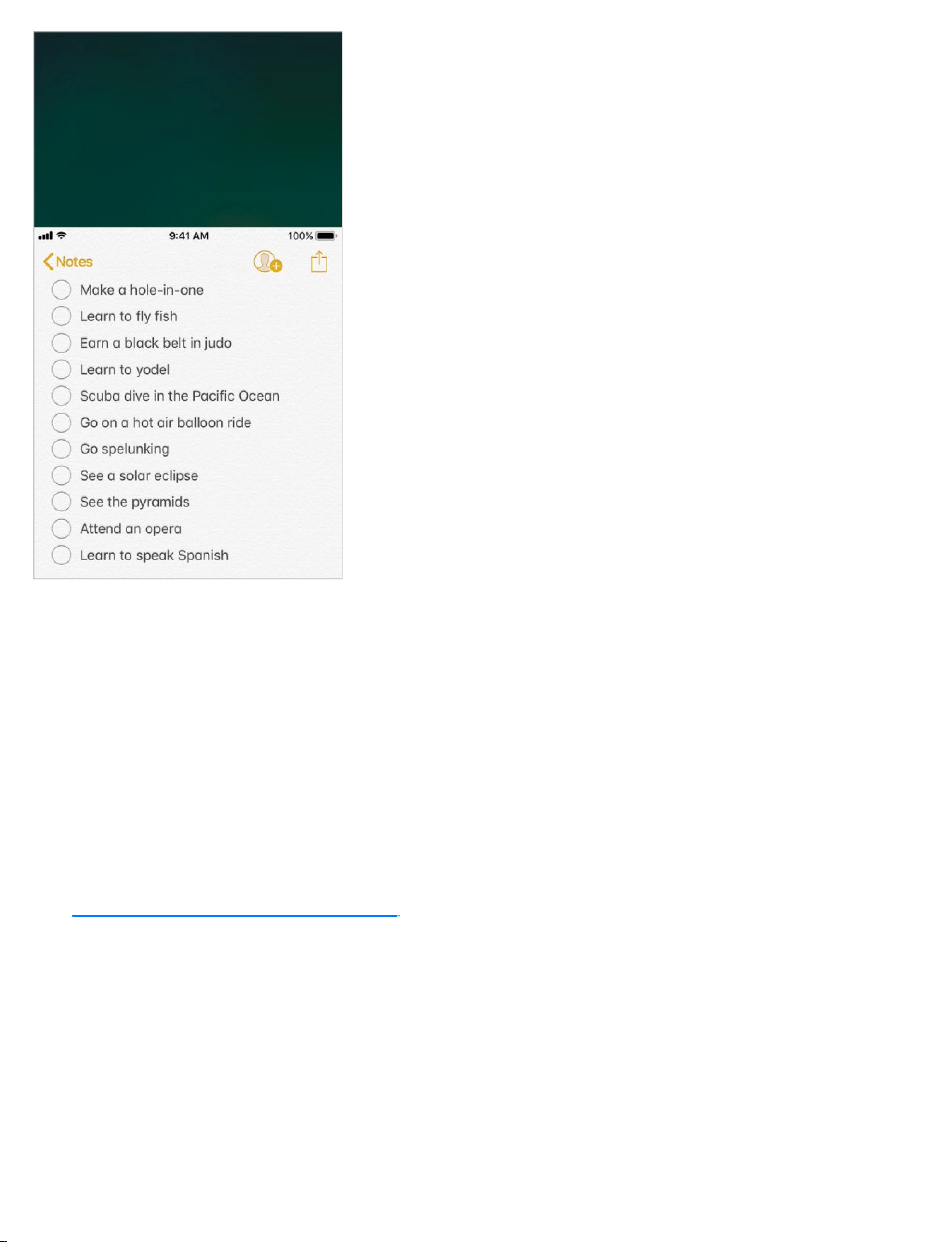
Bringthetopofthescreenintoreach.WhileusingiPhoneinportrait
orientation,lightlydouble-taptheHomebutton.
TurnoffReachability.GotoSettings>General>Accessibility>
Reachability.
3DTouch
On ,youcancontrolthesensitivityof3DTouchor
turnitoff.
Adjust3DTouchsensitivity.GotoSettings>General>Accessibility>
3DTouch,thenchooseLight,Medium,orFirmsensitivitytoadjusttheamount
ofpressureneededtoactivate3DTouch.Lightsensitivityreducestheamount
ofpressurerequired;firmsensitivityincreasesit.
Turnoff3DTouch.GotoSettings>General>Accessibility>3DTouch.
modelsthatsupport3DTouch

Widescreenkeyboards
Manyapps,includingMail,Safari,Messages,Notes,andContacts,letyou
rotateiPhonewhenyou’retyping,soyoucanusealargerkeyboard.
Largephonekeypad
Makephonecallssimplybytappingentriesinyourcontactsandfavoriteslists.
Whenyouneedtodialanumber,thelargenumerickeypadoniPhonemakesit
easy.See .
Softwareandhardwarekeyboards
IfyouhavedifficultydistinguishingcharactersontheiPhonekeyboardor
manipulatingahardwarekeyboard,findhelpbygoingtoSettings>General>
Accessibility>Keyboard.Youcanadjustsettingsto:
ShowonlyuppercasekeysontheiPhonekeyboard.
Adjustthekeyrepeatrateonhardwarekeyboards.
UseStickyKeystopressandholdmodifierkeys,suchasCommandand
Option,asyoupressanotherkey.
UseSlowKeystoadjustthetimebetweenwhenakeyispressedand
whenit’sactivated.
Hearing
MadeforiPhonehearingaids
IfyouhaveMadeforiPhonehearingaids,youcanuseiPhonetoadjusttheir
settings,streamaudio,oruseiPhoneasaremotemic.
Makeacall

PairwithiPhone.Ifyourhearingaidsaren’tlistedinSettings>General>
Accessibility>MFiHearingAids,youneedtopairthemwithiPhone.Tostart,
openthebatterydooroneachhearingaid.Next,oniPhone,gotoSettings>
Bluetooth,andmakesureBluetoothisturnedon.Then,gotoSettings>
General>Accessibility>MFiHearingAids.Closethebatterydoorsonyour
hearingaidsandwaituntiltheirnameappearsinthelistofdevices(thiscould
takeaminute).Whenthenameappears,tapitandrespondtothepairing
request.
Whenpairingisfinished,youhearaseriesofbeepsandatone,anda
checkmarkappearsnexttothehearingaidsintheDeviceslist.Pairingcan
takeaslongas60seconds—don’ttrytostreamaudioorotherwiseusethe
hearingaidsuntilpairingisfinished.
Youshouldonlyneedtopaironce(andyouraudiologistmightdoitforyou).
Afterthat,eachtimeyouturnyourhearingaidsbackon,theyreconnectto
iPhone.
TurnonHearingAidCompatibility.HearingAidCompatibilitymayreduce
interferenceandimproveaudioqualitywithsomehearingaidmodels.Toturnit
on,gotoSettings>General>Accessibility>HearingAidCompatibility.
Adjusthearingaidsettingsandviewstatus.GotoSettings>General>
Accessibility>MFiHearingAids,or .Hearingaid
settingsappearonlyafteryoupairyourhearingaidswithiPhone.
ToaccessshortcutsforhearingaidsfromtheLockscreen,gotoSettings>
General>Accessibility>MFiHearingAids,thenturnonControlonLock
Screen.FromtheLockscreen,youcan:
Checkhearingaidbatterystatus.
Adjustambientmicrophonevolumeandequalization.
useaccessibilityshortcuts

Choosewhichhearingaids(left,right,orboth)receivestreamingaudio.
ControlLiveListen.
Choosewhethercallaudioandmediaaudioareroutedtothehearingaid.
Choosetoplayringtonesthroughthehearingaid.(Notallhearingaids
supportthisfeature.)
Streamaudiotoyourhearingaids.TostreamaudiofromPhone,Siri,
Music,Videos,andmore,see .
UseiPhoneasaremotemicrophone.YoucanuseLiveListentostream
soundfromthemicrophoneiniPhonetoyourhearingaids.Thiscanhelpyou
hearbetterinsomesituations—forexample,whenhavingaconversationina
noisyenvironment.Triple-clicktheHomebutton,chooseHearingAids,tap
StartLiveListen,thenpositioniPhonenearthesoundsource.
UseyourhearingaidswithmorethanoneiOSdevice.Ifyoupairyour
hearingaidswithmorethanoneiOSdevice(bothiPhoneandiPodtouch,for
example),theconnectionforyourhearingaidsautomaticallyswitchesfromone
totheotherwhenyoudosomethingthatgeneratesaudioontheotherdevice,
orwhenyoureceiveaphonecalloniPhone.Changesyoumaketohearingaid
settingsononedeviceareautomaticallysenttoyourotheriOSdevices.To
enablethisfeature,signintoiCloudusingthesameAppleIDonallthe
devices,andconnectallthedevicestothesameWi-Finetwork.
Hearingaidcompatibility
TheFCChearingaidcompatibilityrulesrequirethatcertainphonesbetested
andratedundertheAmericanNationalStandardInstitute(ANSI)C63.19
hearingaidcompatibilitystandards.
TheANSIstandardforhearingaidcompatibilitycontainstwotypesofratings:
Bluetoothdevices

M:Forreducedradio-frequencyinterferencetoenableacousticcoupling
withhearingaidsthatdon’toperateintelecoilmode
T:Forinductivecouplingwithhearingaidsoperatingintelecoilmode
Theseratingsaregivenonascalefromonetofour,wherefouristhemost
compatible.AphoneisconsideredhearingaidcompatibleundertheFCC
requirementsifit’sratedM3orM4foracousticcouplingandT3orT4for
inductivecoupling.
ForiPhonehearingaidcompatibilityratings,seetheAppleSupportarticle
.
Hearingaidcompatibilityratingsaren’taguaranteethataparticularhearing
aidworkswellwithaparticularphone.Somehearingaidsmightworkwellwith
phonesthatdonotmeettheFCCrequirementsforhearingaidcompatibility.
Toensurethataparticularhearingaidworkswellwithaparticularphone,use
themtogetherbeforepurchasing.
Thisphonehasbeentestedandratedforusewithhearingaidsforsomeofthe
wirelesstechnologiesituses.However,theremaybesomenewerwireless
technologiesusedinthisphonethathavenotbeentestedyetforusewith
hearingaids.Itisimportanttotrythedifferentfeaturesofthisphonethoroughly
andindifferentlocations,usingyourhearingaidorcochlearimplant,to
determineifyouhearanyinterferingnoise.Consultyourserviceproviderorthe
manufacturerofthisphoneforinformationonhearingaidcompatibility.Ifyou
havequestionsaboutreturnorexchangepolicies,consultyourservice
providerorphoneretailer.
Monoaudioandbalance
AboutHearingAidCompatibility(HAC)requirementsforiPhone

MonoAudiocombinesthesoundfromtheleftandrightchannelsintoamono
signalplayedonbothchannels.Thiswayyoucanheareverythingwitheither
ear,orthroughbothearswithonechannelsetlouder.
TurnonMonoAudio.GotoSettings>General>Accessibility>Mono
Audio.
Adjustthebalance.GotoSettings>General>Accessibility,thendragthe
LeftRightStereoBalanceslider.
Subtitlesandclosedcaptions
TheVideosappincludesanAlternateTrackbutton youcantaptochoose
subtitlesandcaptionsofferedbythevideoyou’rewatching.Standardsubtitles
andcaptionsareusuallylisted,butifyoupreferspecialaccessiblecaptions,
suchassubtitlesforthedeafandhardofhearing(SDH),youcansetiPhoneto
listtheminstead,ifthey’reavailable.
PreferaccessiblesubtitlesandclosedcaptionsforSDH.Goto
Settings>General>Accessibility>Subtitles&Captioning,thenturnon
ClosedCaptions+SDH.Thisalsoturnsonsubtitlesandcaptionsinthe
Videosapp.
Choosefromavailablesubtitlesandcaptions.Tap whilewatchinga
videoinVideos.
Customizeyoursubtitlesandcaptions.GotoSettings>General>
Accessibility>Subtitles&Captioning>Style,whereyoucanchoosean
existingcaptionstyleorcreateanewstylebasedonyourchoiceof:
Font,size,andcolor
Backgroundcolorandopacity

Textopacity,edgestyle,andhighlight
Note:Notallvideosincludesubtitlesorclosedcaptions.
LEDFlashforAlerts
Ifyoucan’thearthesoundsthatannounceincomingcallsandotheralerts,
iPhonecanflashitsLED(nexttothecameralensonthebackofiPhone).The
LEDflashesonlyifiPhoneislocked.
Tip:LEDFlashforAlertsisausefulfeatureforanyonewhomightmissthe
tonesassociatedwithcallsandotheralertsinanoisyenvironment.
TurnonLEDFlashforAlerts.GotoSettings>General>Accessibility>
LEDFlashforAlerts.Bydefault,theLEDflashesevenifiPhoneisinsilent
mode.
PreventLEDflasheswheniPhoneisinsilentmode.TurnoffFlashon
Silent.
Callaudiorouting
Youcanhavetheaudioofincomingoroutgoingcallsautomaticallyrouted
throughaheadsetorspeakerphoneinsteadofiPhone.
Rerouteaudioforcalls.GotoSettings>General>Accessibility>Call
AudioRouting,thenchoosehowyouwanttohearandspeakyourcalls.
Switchaudioroutingfromyourhearingaidtoaspeaker.Ifacallisrouted
toyourhearingaid,automaticallyswitchtoaspeakerbyremovingthehearing
aidfromyourear.See .
Phonenoisecancelation
MadeforiPhonehearingaids

iPhoneusesambientnoisecancelationtoreducebackgroundnoise.
Turnnoisecancelationonoroff.GotoSettings>General>Accessibility>
PhoneNoiseCancelation.
SupportforTTY
YoucanuseSoftwareandHardwareTTYoniPhonetomakeandreceiveTTY
phonecalls.Youcanaccessbuilt-inSoftwareTTY(maynotbeavailableinall
areas)fromthePhoneapp—itrequiresnoadditionaldevices.HardwareTTY
enablesiPhonetoconnecttoanexternalTTYdevicewiththeiPhoneTTY
Adapter(soldseparatelyinmanyareas).
SetupTTY.GotoSettings>General>Accessibility>TTY,whereyoucan:
TurnonSoftwareTTY,HardwareTTY,orboth.Ifyouturnonbothand
connectanexternalTTYdevice,incomingcallsdefaulttoHardwareTTY.
SpecifythephonenumbertouseforrelaycallswithSoftwareTTY.
Choosetosendeachcharacterasyoutypeorenterthewholemessage
beforeyousend.
ChoosetoanswerallcallsasTTY.
WhenTTYisturnedon, appearsinthestatusbaratthetopofthescreen.
ConnectiPhonetoanexternalTTYdevice.IfyouturnedonHardwareTTY
inSettings,connectiPhonetoyourTTYdeviceusingtheiPhoneTTYAdapter.
ForinformationaboutusingaparticularTTYdevice,seethedocumentation
thatcamewithit.
StartaTTYcall.InthePhoneapp,chooseacontact,thentapthephone
number.TapTTYCallorTTYRelayCall,waitforthecalltoconnect,thentap
TTY.

WhenmakinganemergencycallintheU.S.,iPhonesendsoutaseriesof
TDDtonestoalerttheoperator.Theoperator’sabilitytoreceiveorrespondto
TDDcanvarydependingonyourlocation.Appledoesnotguaranteethatthe
operatorwillbeabletoreceiveorrespondtoaTTYcall.
TypetextduringaTTYcall.Enteryourmessageinthetextfield.Ifyouturned
onSendImmediatelyinSettings,yourrecipientseeseachcharacterasyou
type.Otherwise,tap tosendthemessage.
ReviewthetranscriptofaSoftwareTTYcall.InthePhoneapp,tap
Recents,thentap nexttothecallyouwanttosee.TTYcallshave nextto
them.
Note:ContinuityfeaturesarenotavailableforTTYsupport.Standardvoice
callratesapplyforbothSoftwareandHardwareTTYcalls.
Formoreinformation,seetheAppleSupportarticle
.
Visualvoicemail
AskSiri.Saysomethinglike:
“Playmyvoicemail”
“Playthemessageagain”
“Callbackthatnumber”
Theplayandpausecontrolsinvisualvoicemailletyoucontroltheplaybackof
messages.Dragtheplayheadonthescrubberbartorepeataportionofthe
messagethat’shardtounderstand.See .
AnswerormakeTTYcalls
fromyouriPhone
Visualvoicemail

GuidedAccess
GuidedAccesshelpsaniPhoneuserstayfocusedonatask.GuidedAccess
dedicatesiPhonetoasingleapp,andletsyoucontrolwhichappfeaturesare
available.UseGuidedAccessto:
TemporarilyrestrictiPhonetoaparticularapp
Disableareasofthescreenthataren’trelevanttoatask,orareaswhere
anaccidentalgesturemightcauseadistraction
Limithowlongsomeonecanuseanapp
DisabletheiPhonehardwarebuttons
UseGuidedAccess.Whileusinganapp,tellSiri“turnonGuidedAccess”or
gotoSettings>General>Accessibility>GuidedAccess,thenturnon
GuidedAccess.WithintheGuidedAccessscreenyoucan:
TurnGuidedAccessonoroff
TapPasscodeSettingstosetapasscodethatcontrolstheuseof
GuidedAccess(preventingsomeonefromleavingasession),andturnon
TouchID(asawaytoendGuidedAccess)
TapTimeLimitstosetasoundorhavetheremainingGuidedAccesstime
spokenbeforetimeends
Setwhetherotheraccessibilityshortcutsareavailableduringasession
SetwhethertheAccessibilityShortcutmenuisavailableduringasession
whenyoutriple-clicktheHomebutton
StartaGuidedAccesssession.AfterturningonGuidedAccess,openthe
app,then .Adjustsettingsforthesession,thentap
Start.
useaccessibilityshortcuts

Disableappcontrolsandareasoftheappscreen:Drawacircleor
rectanglearoundanypartofthescreenyouwanttodisable.Dragthe
maskintopositionorusethehandlestoadjustitssize.
EnablethesidebuttonorSleep/Wakebutton(dependingonyourmodel)
orvolumebuttons:TapOptionsbelowHardwareButtons.
PreventiPhonefromswitchingfromportraittolandscapeorfrom
respondingtoothermotions:TapOptions,thenturnoffMotion.
Preventtyping:TapOptions,thenturnoffKeyboards.
Ignoreallscreentouches:TurnoffTouchatthebottomofthescreen.
Setasessiontimelimit:TapTimeLimitOptionsatthebottomofthe
screen.
Endthesession.Triple-clicktheHomebutton,thenentertheGuidedAccess
passcode,oruseTouchID(ifenabled).
AccessibilityinmacOS
TakeadvantageoftheaccessibilityfeaturesinmacOSwhenyouuseiTunesto
syncinformationandcontentfromyouriTuneslibrarytoiPhone.Formore
information,seeiTunesHelponyourcomputer.
Seealso
AppleAccessibilitywebsite

Importantsafetyinformation
WARNING:Failuretofollowthesesafetyinstructionscouldresultinfire,
electricshock,injury,ordamagetoiPhoneorotherproperty.Readallthe
safetyinformationbelowbeforeusingiPhone.
HandlingHandleiPhonewithcare.Itismadeofmetal,glass,andplasticand
hassensitiveelectroniccomponentsinside.iPhoneoritsbatterycanbe
damagedifdropped,burned,punctured,orcrushed,orifitcomesincontact
withliquid.IfyoususpectdamagetoiPhoneorthebattery,discontinueuseof
iPhone,asitmaycauseoverheatingorinjury.Don’tuseiPhonewithcracked
glass,asitmaycauseinjury.Ifyou’reconcernedaboutscratchingthesurface
ofiPhone,considerusingacaseorcover.
RepairingDon’topeniPhoneanddon’tattempttorepairiPhoneyourself.
DisassemblingiPhonemaydamageit,resultinlossofsplashandwater
resistance( ),orcauseinjurytoyou.Forexample,iPhone7,
iPhone7Plus,orlater,containsalaserthatcouldbedamagedduringrepair
ordisassembly,whichcouldresultinhazardousexposuretoinfraredlaser
emissionsthatarenotvisible.IfiPhoneisdamagedormalfunctions,contact
AppleoranAppleAuthorizedServiceProvider.Repairsbyserviceproviders
otherthanAppleoranAppleAuthorizedServiceProvidermaynotinvolvethe
useofApplegenuinepartsandmayaffectthesafetyandfunctionalityofthe
device.Youcanfindmoreinformationaboutgettingserviceatthe
.
Safety,handling,andsupport
supportedmodels
iPhone
Repairwebsite

BatteryDon’tattempttoreplacetheiPhonebatteryyourself.Thelithium-ion
batteryiniPhoneshouldbereplacedbyAppleoranauthorizedservice
provider.Improperreplacementorrepaircoulddamagethebattery,cause
overheating,orresultininjury.Thebatterymustberecycledordisposedof
separatelyfromhouseholdwaste.Don’tincineratethebattery.Forinformation
aboutbatteryserviceandrecycling,gotothe
.
DistractionUsingiPhoneinsomecircumstancesmaydistractyouandmight
causeadangeroussituation(forexample,avoidusingheadphoneswhile
ridingabicycleandavoidtypingatextmessagewhiledrivingacar).Observe
rulesthatprohibitorrestricttheuseofmobiledevicesorheadphones.For
moreaboutsafetywhiledriving,see .
NavigationMapsdependsondataservices.Thesedataservicesaresubject
tochangeandmaynotbeavailableinallareas,resultinginmapsand
location-basedinformationthatmaybeunavailable,inaccurate,orincomplete.
ComparetheinformationprovidedinMapstoyoursurroundings.Usecommon
sensewhennavigating.Alwaysobservecurrentroadconditionsandposted
signstoresolveanydiscrepancies.SomeMapsfeaturesrequireLocation
Services.
ChargingChargeiPhonewiththeincludedUSBcableandpoweradapter,or
(on )byplacingiPhonefaceuponaQiwirelesscharger,or
withotherthird-party“MadeforiPhone”cablesandpoweradaptersthatare
compatiblewithUSB2.0orlater,orpoweradapterscompliantwithapplicable
countryregulationsandwithoneormoreofthefollowingstandards:EN
301489-34,IEC62684,YD/T1591-2009,CNS15285,ITUL.1000,oranother
applicablemobilephonepoweradapterinteroperabilitystandard.Onlycharge
withanadapterthatiscompliantwiththeapplicableinternationalandregional
BatteryServiceandRecycling
website
DoNotDisturbwhiledriving
supportedmodels

safetystandards,includingIEC60950.Otheradaptersmaynotmeet
applicablesafetystandards,andchargingwithsuchadapterscouldposea
riskofdeathorinjury.
Usingdamagedcablesorchargers,orchargingwhenmoistureispresent,can
causefire,electricshock,injury,ordamagetoiPhoneorotherproperty.When
youusetheAppleUSBPowerAdaptertochargeiPhone,makesuretheUSB
cableisfullyinsertedintothepoweradapterbeforeyouplugtheadapterintoa
poweroutlet.Whenusingawirelesscharger,removemetalliccasesandavoid
placingmetallicforeignobjectsonthemat(forexample,keys,coins,or
jewelry),astheymaybecomewarmorinterferewithcharging.
LightningcableandconnectorAvoidprolongedskincontactwiththe
connectorwhentheLightningtoUSBCableisconnectedtoapowersource
becauseitmaycausediscomfortorinjury.SleepingorsittingontheLightning
connectorshouldbeavoided.
ProlongedheatexposureiPhoneanditspoweradaptercomplywith
applicablesurfacetemperaturestandardsandlimits.However,evenwithin
theselimits,sustainedcontactwithwarmsurfacesforlongperiodsoftimemay
causediscomfortorinjury.Usecommonsensetoavoidsituationswhereyour
skinisincontactwithadevice,itspoweradapter,orawirelesschargerwhen
it’soperatingorconnectedtoapowersourceforlongperiodsoftime.For
example,don’tsleeponadevice,poweradapter,orwirelesscharger,orplace
themunderablanket,pillow,oryourbody,whenit’sconnectedtoapower
source.It’simportanttokeepiPhoneanditspoweradapterorwireless
chargerinawell-ventilatedareawheninuseorcharging.Takespecialcareif
youhaveaphysicalconditionthataffectsyourabilitytodetectheatagainstthe
body.
HearinglossListeningtosoundathighvolumesmaydamageyourhearing.
Backgroundnoise,aswellascontinuedexposuretohighvolumelevels,can

makesoundsseemquieterthantheyactuallyare.Turnonaudioplaybackand
checkthevolumebeforeinsertinganythinginyourear.Forinformationabout
howtosetamaximumvolumelimit,see .Formoreinformation
abouthearingloss,gotothe .
Toavoidhearingdamage,useonlycompatiblereceivers,earbuds,
headphones,speakerphones,orearpieceswithiPhone.Theheadsetssold
withiPhone4sorlaterinChina(identifiablebydarkinsulatingringsonthe
plug)aredesignedtocomplywithChinesestandardsandareonlycompatible
withiPhone4sandlater,iPad2andlater,iPadPro,iPadminiandlater,and
iPodtouch5thgenerationandlater.
WARNING:Topreventpossiblehearingdamage,donotlistenathigh
volumelevelsforlongperiods.
RadiofrequencyexposureiPhoneusesradiosignalstoconnectto
wirelessnetworks.Forinformationaboutradiofrequency(RF)energyresulting
fromradiosignals,andstepsyoucantaketominimizeexposure,goto
Settings>General>About>Legal>RFExposure,orgotothe
.
RadiofrequencyinterferenceObservesignsandnoticesthatprohibitor
restricttheuseofelectronicdevices(forexample,inhealthcarefacilitiesor
blastingareas).AlthoughiPhoneisdesigned,tested,andmanufacturedto
complywithregulationsgoverningradiofrequencyemissions,suchemissions
fromiPhonecannegativelyaffecttheoperationofotherelectronicequipment,
causingthemtomalfunction.Whenuseisprohibited,suchaswhiletravelingin
aircraft,orwhenaskedtodosobyauthorities,turnoffiPhone,or
orSettings>Wi-FiandSettings>BluetoothtoturnofftheiPhone
wirelesstransmitters.
Playmusic
SoundandHearingwebsite
RFExposure
website
useairplane
mode

MedicaldeviceinterferenceiPhonecontainscomponentsandradiosthat
emitelectromagneticfields.iPhonealsocontainsmagnetsandtheincluded
headphonesalsohavemagnetsintheearbuds.Theseelectromagneticfields
andmagnetsmayinterferewithpacemakers,defibrillators,orothermedical
devices.Maintainasafedistanceofseparationbetweenyourmedicaldevice
andiPhoneandtheearbuds.Consultyourphysicianandmedicaldevice
manufacturerforinformationspecifictoyourmedicaldevice.Ifyoususpect
iPhoneisinterferingwithyourpacemaker,defibrillator,oranyothermedical
device,stopusingiPhone.
NotamedicaldeviceiPhoneandtheHealthapparenotdesignedor
intendedforuseinthediagnosisofdiseaseorotherconditions,orinthecure,
mitigation,treatment,orpreventionofdisease.
MedicalconditionsIfyouhaveanymedicalconditionorexperience
symptomsthatyoubelievecouldbeaffectedbyiPhoneorflashinglights(for
example,seizures,blackouts,eyestrain,orheadaches),consultwithyour
physicianpriortousingiPhone.
ExplosiveatmospheresChargingorusingiPhoneinanyareawitha
potentiallyexplosiveatmosphere,suchasareaswheretheaircontainshigh
levelsofflammablechemicals,vapors,orparticles(suchasgrain,dust,or
metalpowders),maybehazardous.Obeyallsignsandinstructions.
RepetitivemotionWhenyouperformrepetitiveactivitiessuchastyping,
swiping,orplayinggamesoniPhone,youmayexperiencediscomfortinyour
hands,arms,wrists,shoulders,neck,orotherpartsofyourbody.Ifyou
experiencediscomfort,stopusingiPhoneandconsultaphysician.
High-consequenceactivitiesThisdeviceisnotintendedforusewherethe
failureofthedevicecouldleadtodeath,personalinjury,orsevere
environmentaldamage.

ChokinghazardSomeiPhoneaccessoriesmaypresentachokinghazard
tosmallchildren.Keeptheseaccessoriesawayfromsmallchildren.
Importanthandlinginformation
CleaningCleaniPhoneimmediatelyifitcomesincontactwithanythingthat
maycausestains,orotherdamage—forexample,dirtorsand,ink,makeup,
soap,detergent,acidsoracidicfoods,orlotions.Toclean:
DisconnectallcablesandturnoffiPhonebypressingandholdingtheside
buttonorSleep/Wakebutton(dependingonyourmodel),thendraggingthe
slider.
Useasoft,lint-freecloth—forexample,alenscloth.
Avoidgettingmoistureinopenings.
Don’tusecleaningproductsorcompressedair.
iPhonehasafingerprint-resistantoleophobic(oil-repellant)coating.This
coatingwearsovertimewithnormalusage.Cleaningproductsandabrasive
materialswillfurtherdiminishthecoatingandmayscratchiPhone.
ExposuretoliquidanddustIfliquidsplashesoniPhoneordustgetsonit,
wipeitoffwithasoft,lint-freecloth(forexample,alenscloth)andensurethat
youriPhoneisdryandfreeofdustbeforeopeningtheSIMtray.Minimize
exposingiPhonetosoap,detergent,acidsoracidicfoods,andanyliquids—
forexample,saltwater,soapywater,poolwater,perfume,insectrepellent,
lotion,sunscreen,oil,adhesiveremover,hairdye,andsolvents.IfiPhone
comesintocontactwithanyofthesesubstances,followtheinstructionsabove
intheCleaningsection.

aresplash,water,anddustresistantandweretestedunder
controlledlaboratoryconditionswitharatingofIP67underIECstandard
60529.Splash,water,anddustresistancearenotpermanentconditionsand
resistancemightdecreaseasaresultofnormalwear.Liquiddamagenot
coveredunderwarranty.TopreventliquiddamageoniPhone,avoidthe
following:
SwimmingorbathingwithiPhone
ExposingiPhonetopressurizedwaterorhighvelocitywater,suchaswhen
showering,waterskiing,wakeboarding,surfing,jetskiing,andsoon
UsingiPhoneinasaunaorsteamroom
IntentionallysubmergingiPhoneinwater
OperatingiPhoneoutsidethesuggestedtemperaturerangesorin
extremelyhumidconditions
DroppingiPhoneorsubjectingittootherimpacts
DisassemblingiPhone,includingremovingscrews
IfyouriPhonehasbeenexposedtoliquid,unplugallcablesanddonotcharge
yourdeviceuntilit’scompletelydry.Usingaccessoriesorchargingwhenwet
maydamageyouriPhone.Allowatleast5hoursbeforechargingor
connectingaLightningaccessory.
TodryiPhone,tapitgentlyagainstyourhandwiththeLightningconnector
facingdowntoremoveexcessliquid.Leavethedeviceinadryareawith
sufficientairflow.Placingthedeviceinfrontofafanblowingcoolairdirectly
intotheLightningconnectormayhelpthedryingprocess.
DonotdryyouriPhoneusinganexternalheatsourceorinsertaforeignobject
intotheLightningconnectorsuchasacottonswaborapapertowel.
Supportedmodels

Usingconnectors,ports,andbuttonsNeverforceaconnectorintoaport
orapplyexcessivepressuretoabutton,becausethismaycausedamagethat
isnotcoveredunderthewarranty.Iftheconnectorandportdon’tjoinwith
reasonableease,theyprobablydon’tmatch.Checkforobstructionsandmake
surethattheconnectormatchestheportandthatyouhavepositionedthe
connectorcorrectlyinrelationtotheport.
LightningtoUSBCableDiscolorationoftheLightningconnectorafter
regularuseisnormal.Dirt,debris,andexposuretomoisturemaycause
discoloration.IfyourLightningcableorconnectorbecomewarmduringuseor
iPhonewon’tchargeorsync,disconnectitfromyourcomputerorpower
adapterandcleantheLightningconnectorwithasoft,dry,lint-freecloth.Donot
useliquidsorcleaningproductswhencleaningtheLightningconnector.
Certainusagepatternscancontributetothefrayingorbreakingofcables.The
LightningtoUSBCable,likeanyothermetalwireorcable,issubjectto
becomingweakorbrittleifrepeatedlybentinthesamespot.Aimforgentle
curvesinsteadofanglesinthecable.Regularlyinspectthecableand
connectorforanykinks,breaks,bends,orotherdamage.Shouldyoufindany
suchdamage,discontinueuseoftheLightningtoUSBCable.
OperatingtemperatureiPhoneisdesignedtoworkinambienttemperatures
between32°and95°F(0°and35°C)andstoredintemperaturesbetween-4°
and113°F(-20°and45°C).iPhonecanbedamagedandbatterylife
shortenedifstoredoroperatedoutsideofthesetemperatureranges.Avoid
exposingiPhonetodramaticchangesintemperatureorhumidity.Whenyou’re
usingiPhoneorchargingthebattery,itisnormalforiPhonetogetwarm.
IftheinteriortemperatureofiPhoneexceedsnormaloperatingtemperatures
(forexample,inahotcarorindirectsunlightforextendedperiodsoftime),you
mayexperiencethefollowingasitattemptstoregulateitstemperature:

iPhonestopscharging.
Thescreendims.
Atemperaturewarningscreenappears.
Someappsmayclose.
Important:YoumaynotbeabletouseiPhonewhilethetemperaturewarning
screenisdisplayed.IfiPhonecan’tregulateitsinternaltemperature,itgoes
intodeepsleepmodeuntilitcools.MoveiPhonetoacoolerlocationoutof
directsunlightandwaitafewminutesbeforetryingtouseiPhoneagain.
Formoreinformation,seetheAppleSupportarticle
.
ForgotyourAppleID,iPhonepasscode,or
iCloudSecurityCode?
RecoveryourAppleIDorresetyourAppleIDpassword.GotoApple’s
.
ResettheiPhonepasscode.Ifyouenterthewrongpasscodesixtimesina
row,you'llbelockedout,andamessagewillsaythatiPhoneisdisabled.Ifyou
can’trememberyourpasscode,youcan ,thensetanew
passcode.(IfyoumadeaniCloudoriTunesbackupbeforeyouforgotyour
passcode,youcanrestoreyourdataandsettingsfromthebackup.)Formore
information,seetheAppleSupportarticle
.
ResetorcreateanewiCloudSecurityCode.IfyouenterthewrongiCloud
SecurityCodetoomanytimeswhenusingiCloudKeychain,your
iCloudKeychainwillbedisabledonthatdevice,andyourkeychaininiCloud
KeepingiPhone,iPad,
andiPodtouchwithinacceptableoperatingtemperatures
I
Forgotwebsite
eraseyourdevice
Ifyouforgotthepasscodeforyour
iPhone,iPad,oriPodtouchoryourdeviceisdisabled

willbedeleted.GototheAppleSupportarticle
.
iPhoneSupportsite
Comprehensivesupportinformationisavailableonlineatthe
.TocontactAppleforpersonalizedsupport(notavailableinallareas),
gotothe .
GetinformationaboutyouriPhone
Viewoverallstorageavailabilityandstorageusedperapp.Goto
Settings>General>iPhoneStorage.Formoreinformation,seetheApple
Supportarticles and
.
SeeBatteryUsage.GotoSettings>Batterytoseetheelapsedtimesince
iPhonehasbeenchargedandusagebyapp.Youcanalsodisplaybatterylevel
asapercentage,andturnLowPowerModeonoroff.Seealso
and inthisguide.
Viewcalltimeandcellularusage.GotoSettings>Cellular.See
inthisguide.
SeemoreinformationaboutiPhone.GotoSettings>General>About.The
itemsyoucanviewinclude:
Name
Networkaddresses
Numberofsongs,videos,photos,andapps
Capacityandavailablestoragespace
IfyouenteryouriCloudSecurity
Codeincorrectlytoomanytimes
iPhoneSupport
website
AppleSupportwebsite
CheckyourstorageonyouriPhone,iPad,andiPodtouch
ManageyouriCloudstorage
Chargeand
monitorthebattery LowPowerMode
Cellular
datasettings

iOSversion
Carrier
Modelnumber
Serialnumber
Wi-FiandBluetoothaddresses
IMEI(InternationalMobileEquipmentIdentity)
ICCID(IntegratedCircuitCardIdentifier,orSmartCard)forGSMnetworks
MEID(MobileEquipmentIdentifier)forCDMAnetworks
Modemfirmware
Legal(includinglegalnoticesandlicense,warranty,andRFexposure
information)
Tocopytheserialnumberandotheridentifiers,touchandholdtheidentifier
untilCopyappears.
Toseeregulatorymarks,gotoSettings>General>Regulatory.
On ,youcanalsofindtheIMEIontheSIMcardtrayandthe
modelnumberintheSIMtrayopening.
Vieworturnoffdiagnosticinformation.GotoSettings>Privacy>
Diagnostics&Usage.
TohelpAppleimproveproductsandservices,iPhonesendsdiagnosticand
usagedata.Thisdatadoesn’tpersonallyidentifyyou,butmayincludelocation
information.
Cellulardatasettings
supportedmodels

Toturncellulardataandroamingonoroff,setwhichappsandservicesuse
cellulardata,seecalltimeandcellulardatausage,andsetothercellular
options,gotoSettings>Cellular.
Note:Forhelpwithcellularnetworkservices,voicemail,andbilling,contact
yourwirelessserviceprovider.
IfiPhoneisconnectedtotheInternetviathecellulardatanetwork,theLTE,4G,
3G,E,orGPRSiconappearsinthestatusbar.
LTE,4G,and3GserviceonGSMcellularnetworkssupportsimultaneous
voiceanddatacommunications.Forallothercellularconnections,youcan’t
useInternetserviceswhileyou’retalkingonthephoneunlessiPhonealsohas
aWi-FiconnectiontotheInternet.Dependingonyournetworkconnection,you
maynotbeabletoreceivecallswhileiPhonetransfersdataoverthecellular
network—whendownloadingawebpage,forexample.
GSMnetworks:OnanEDGEorGPRSconnection,incomingcallsmaygo
directlytovoicemailduringdatatransfers.Forincomingcallsthatyou
answer,datatransfersarepaused.
CDMAnetworks:OnEV-DOconnections,datatransfersarepausedwhen
youanswerincomingcalls.On1xRTTconnections,incomingcallsmaygo
directlytovoicemailduringdatatransfers.Forincomingcallsthatyou
answer,datatransfersarepaused.
Datatransferresumeswhenyouendthecall.
IfCellularDataisoff,alldataservicesuseonlyWi-Fi—includingemail,web
browsing,pushnotifications,andotherservices.IfCellularDataison,carrier
chargesmayapply.Forexample,usingcertainfeaturesandservicesthat
transferdata,suchasSiriandMessages,couldresultinchargestoyourdata
plan.

TurnCellularDataonoroff.GotoSettings>Cellular,thentapCellularData.
Thefollowingoptionsmayalsobeavailable:
TurnVoiceRoamingonoroff(CDMA):TurnVoiceRoamingofftoavoid
chargesfromusingothercarrier’snetworks.Whenyourcarrier’snetwork
isn’tavailable,iPhonewon’thavecellular(dataorvoice)service.
TurnDataRoamingonoroff:DataRoamingpermitsInternetaccessover
acellulardatanetworkwhenyou’reinanareanotcoveredbyyour
carrier’snetwork.Whenyou’retraveling,youcanturnoffDataRoamingto
avoidroamingcharges.
Enableordisable4G/LTE(variesbycarrier):Using4GorLTEloads
Internetdatafasterinsomecasesbutmaydecreasebatteryperformance.
Thisoptionisnotavailableinallareas.OniPhoneSE,iPhone6,
iPhone6Plus,andlater,thereareoptionsforturningoff4G/LTEorfor
selectingVoice&Data(VoLTE)orDataOnly.
Voice&Data(somecarriers):ChooseLTEtoloaddatafaster.(Thisalso
turnsonVoLTE.)Chooseslowerspeedstoincreasebatterylife.
SetupPersonalHotspot:PersonalHotspotsharestheInternetconnection
oniPhonewithyourcomputerandotheriOSdevices.See
inthisguide.
TurnWi-FiAssistonoroff:IfWi-Ficonnectivityispoor,Wi-FiAssistuses
cellulardatatoboostthesignal.
Note:Usingdataoveracellularnetworkmayincuradditionalfees.
Setwhethercellulardataisusedforappsandservices.GotoSettings>
Cellular,thenturncellulardataonoroffforanyappthatcanusecellulardata.If
asettingisoff,iPhoneusesonlyWi-Fiforthatservice.TheiTunessetting
includesbothiTunesMatchandautomaticdownloadsfromtheiTunesStore
andtheAppStore.
Personal
Hotspot

FormoreinformationaboutGSM,CDMA,andLTEcellulardatanetworks,see
theAppleSupportarticle .
VPNsettings
AVPN(virtualprivatenetwork)providessecureaccessovertheInternetto
privatenetworks,suchasthenetworkatyourorganization.Youmayneedto
installaVPNappfromtheAppStorethatconfiguresyouriPhonetoaccessa
network.Contactyoursystemadministratorforinformationabouttheappand
settingsyouneed.
Profilessettings
ConfigurationprofilesdefinesettingsforusingiPhonewithcorporateorschool
networksoraccounts.Youmightbeaskedtoinstallaconfigurationprofilethat
wassenttoyouinanemail,oronethatisdownloadedfromawebpage.
iPhoneasksforyourpermissiontoinstalltheprofile,anddisplaysinformation
aboutwhatitcontains,whenyouopenthefile.Youcanseetheprofilesyou
haveinstalledinSettings>General>Profiles&DeviceManagement.Ifyou
deleteaprofile,allofthesettings,apps,anddataassociatedwiththeprofile
arealsodeleted.
SellorgiveawayiPhone
BeforeyousellorgiveawayyouriPhone,seetheAppleSupportarticle
,andbe
suretoperformthefollowingtasks:
IfyoupairedanAppleWatchwithyouriPhone,unpairyourAppleWatch.
(SeetheAppleSupportarticle .)
Aboutcellulardatanetworks
What
todobeforesellingorgivingawayyouriPhone,iPad,oriPodtouch
UnpairyourAppleWatchandiPhone

BackupiPhonewith orbackupiPhonewith .Ifyou
replaceoneiPhonewithanother,youcan to
restorethebackuptoyournewiPhone.
,whichincludesyourpersonalinformation.
Learnmore,service,andsupport
RefertothefollowingresourcestogetmoreiPhone-relatedsafety,software,
andserviceinformation.
Tolearnabout Dothis
UsingiPhonesafely
See .
iPhoneserviceandsupport,tips,forums,and
Applesoftwaredownloads
Gotothe .
Serviceandsupportfromyourcarrier
Contactyourcarrierorgotoyourcarrier’s
website.
ThelatestinformationaboutiPhone
Gotothe .
ManagingyourAppleIDaccount
Signintoyour .
UsingiCloud
See .
UsingiTunes
OpeniTunes,thenchooseHelp>iTunesHelp.
ForanonlineiTunestutorial(maynotbe
availableinallareas),gotothe
.
UsingotherAppleiOSapps
Gotothe .
FindingyouriPhoneserialnumber,IMEI,
ICCID,orMEID
YoucanfindyouriPhoneserialnumber,
InternationalMobileEquipmentIdentity(IMEI),
ICCD,orMobileEquipmentIdentifier(MEID)on
theiPhonepackaging.Or,oniPhone,choose
Settings>General>About.Formore
iCloudbackup iTunes
usethesetupassistant
Eraseallcontentandsettings
Importantsafetyinformation
iPhoneSupportwebsite
iPhonewebsite
AppleIDaccountpage
iCloudHelp
iTunesSupport
website
iOSAppsSupportwebsite

information,gototheAppleSupportarticle
.
Obtainingwarrantyservice
Firstfollowtheadviceinthisguide.Thengoto
the .
ViewingiPhoneregulatoryinformation
OniPhone,gotoSettings>General>
Regulatory.
Batteryservice
Gotothe
.
UsingiPhoneinanenterpriseenvironment
Gotothe .
FCCcompliancestatement
Thisdevicecomplieswithpart15oftheFCCrules.Operationissubjecttothe
followingtwoconditions:(1)Thisdevicemaynotcauseharmfulinterference,
and(2)thisdevicemustacceptanyinterferencereceived,including
interferencethatmaycauseundesiredoperation.
Note:Thisequipmenthasbeentestedandfoundtocomplywiththelimitsfora
ClassBdigitaldevice,pursuanttopart15oftheFCCRules.Theselimitsare
designedtoprovidereasonableprotectionagainstharmfulinterferenceina
residentialinstallation.
Thisequipmentgenerates,uses,andcanradiateradiofrequencyenergyand,
ifnotinstalledandusedinaccordancewiththeinstructions,maycauseharmful
interferencetoradiocommunications.However,thereisnoguaranteethat
interferencewillnotoccurinaparticularinstallation.
FindtheserialnumberorIMEIonyouriPhone,
iPad,oriPodtouch
iPhoneSupportwebsite
BatteryServiceandRecycling
website
Businesswebsite

Ifthisequipmentdoescauseharmfulinterferencetoradioortelevision
reception,whichcanbedeterminedbyturningtheequipmentoffandon,the
userisencouragedtotrytocorrecttheinterferencebyoneormoreofthe
followingmeasures:
Reorientorrelocatethereceivingantenna.
Increasetheseparationbetweentheequipmentandreceiver.
Connecttheequipmenttoanoutletonacircuitdifferentfromthattowhich
thereceiverisconnected.
Consultthedealeroranexperiencedradio/TVtechnicianforhelp.
Important:ChangesormodificationstothisproductnotauthorizedbyApple
couldvoidtheelectromagneticcompatibility(EMC)andwirelesscompliance
andnegateyourauthoritytooperatetheproduct.
ThisproducthasdemonstratedEMCcomplianceunderconditionsthat
includedtheuseofcompliantperipheraldevicesandshieldedcablesbetween
systemcomponents.Itisimportantthatyouusecompliantperipheraldevices
andshieldedcablesbetweensystemcomponentstoreducethepossibilityof
causinginterferencetoradios,televisions,andotherelectronicdevices.
Responsibleparty(contactforFCCmattersonly):
AppleInc.CorporateCompliance
1InfiniteLoop,MS91-1EMC
Cupertino,CA95014
Canadianregulatorystatement

ThisdevicecomplieswithInnovation,Science,andEconomicDevelopment
Canadalicence-exemptRSSstandard(s).Operationissubjecttothefollowing
twoconditions:(1)thisdevicemaynotcauseinterference,and(2)thisdevice
mustacceptanyinterference,includinginterferencethatmaycauseundesired
operationofthedevice.
Operationintheband5150–5250MHzisonlyforindoorusetoreducethe
potentialforharmfulinterferencetoco-channelmobilesatellitesystems.
LeprésentappareilestconformeauxCNRd’Innovation,Scienceset
DéveloppementéconomiqueCanadaapplicablesauxappareilsradio
exemptsdelicence.L’exploitationestautoriséeauxdeuxconditionssuivantes
:(1)l’appareilnedoitpasproduiredebrouillage,et(2)l’utilisateurde
l’appareildoitacceptertoutbrouillageradioélectriquesubi,mêmesile
brouillageestsusceptibled’encompromettrelefonctionnement.
Labande5150–5250MHzestréservéeuniquementpouruneutilisationà
l’intérieurafinderéduirelesrisquesdebrouillagepréjudiciableauxsystèmes
desatellitesmobilesutilisantlesmêmescanaux.
CANICES-3(B)/NMB-3(B)
Class1LaserInformation
iPhone8,iPhone8Plus,iPhone7,andiPhone7PlusareclassifiedasClass
1LaserproductsperIEC60825-1:2007andIEC60825-1:2014.These
devicescomplywith21CFR1040.10and1040.11exceptfordeviations
pursuanttoLaserNoticeNo.50,datedJune24,2007.Thesedevicescontain
alaserthatcouldbedamagedduringrepairordisassembly,whichcouldresult
inhazardousexposuretoinfraredlaseremissionsthatarenotvisible.This
equipmentshouldbeservicedbyAppleoranauthorizedserviceprovider.

Appleandtheenvironment
AtApple,werecognizeourresponsibilitytominimizetheenvironmental
impactsofouroperationsandproducts.Formoreinformation,gotothe
.
Disposalandrecyclinginformation
AppleRecyclingProgram(availableinsomeareas)
Forfreerecyclingofyourolddevice,aprepaidshippinglabel,andinstructions,
gotothe .
Thissymbolindicatesthatthisproductand/orbatteryshouldnotbedisposed
ofwithhouseholdwaste.YoumustdisposeofiPhoneproperlyaccordingto
locallawsandregulations.WheniPhonereachesitsendoflife,contactlocal
authoritiestolearnaboutdisposalandrecyclingoptions,orsimplydropitoffat
yourlocalAppleRetailStoreorreturnittoApple.Thebatterywillberemoved
andrecycledinanenvironmentallyfriendlymanner.Formoreinformation,goto
the .
EuropeanUnion—DisposalInformation
Thesymbolabovemeansthataccordingtolocallawsandregulationsyour
productand/oritsbatteryshallbedisposedofseparatelyfromhousehold
waste.Whenthisproductreachesitsendoflife,takeittoacollectionpoint
Apple
andtheEnvironmentwebsite
Recyclingwebsite
Recyclingwebsite

designatedbylocalauthorities.Theseparatecollectionandrecyclingofyour
productand/oritsbatteryatthetimeofdisposalwillhelpconservenatural
resourcesandensurethatitisrecycledinamannerthatprotectshumanhealth
andtheenvironment.
Brasil—Informacõessobredescarteereciclagem
Osímboloacimaindicaqueesteprodutoe/ousuabaterianãodevemser
descartadosnolixodoméstico.Quandodecidirdescartaresteprodutoe/ou
suabateria,faça-odeacordocomasleisediretrizesambientaislocais.Para
informaçõessobresubstânciasdeusorestrito,oprogramadereciclagemda
Apple,pontosdecoletaetelefonedeinformações,visite
www.apple.com/br/environment.
Informaciónsobreeliminaciónderesiduosyreciclaje
Elsímbolodearribaindicaqueesteproductoy/osubateríanodebe
desecharseconlosresiduosdomésticos.Cuandodecidadesechareste
productoy/osubatería,hágalodeconformidadconlasleyesydirectrices
ambientaleslocales.Paraobtenerinformaciónsobreelprogramadereciclaje
deApple,puntosderecolecciónparareciclaje,sustanciasrestringidasyotras
iniciativasambientales,visitewww.apple.com/la/environmento
www.apple.com/mx/environment.
Turkeyenvironmentalinformation
TürkiyeCumhuriyeti:AEEEYönetmeligineUygundur.
Batteryservice
Thelithium-ionbatteryiniPhoneshouldbeservicedbyAppleoranauthorized
serviceprovider,andmustberecycledordisposedofseparatelyfrom
householdwaste.Formoreinformationaboutbatteryserviceandrecycling,go


AppleInc.
©2017AppleInc.Allrightsreserved.
Apple,theApplelogo,AirDrop,AirPlay,AirPort,AirPrint,AppleMusic,ApplePay,AppleTV,
AppleWatch,CarPlay,EarPods,FaceTime,Finder,Flyover,GuidedAccess,Handoff,iBooks,
iMessage,iPad,iPadPro,iPhone,iPod,iPodtouch,iTunes,iTunesPass,iTunesU,Keychain,
Keynote,Lightning,Mac,macOS,theMadeforiPhonelogo,Numbers,OSX,Pages,PodcastLogo,
Retina,Safari,Siri,Spotlight,TouchID,TrueTone,watchOS,andtheWorkswithiPhonelogoare
trademarksofAppleInc.,registeredintheU.S.andothercountries.
3DTouch,AirPods,HomeKit,iPadmini,LivePhotos,andMulti-ToucharetrademarksofAppleInc.
AppleStore,AppStore,iBooksStore,iCloud,iCloudDrive,iCloudKeychain,iTunesMatch,and
iTunesStoreareservicemarksofAppleInc.,registeredintheU.S.andothercountries.
Apple
1InfiniteLoop
Cupertino,CA95014-2084
408-996-1010
AdobeandAdobePhotoshopElementsaretrademarksorregisteredtrademarksofAdobe
SystemsIncorporatedintheU.S.and/orothercountries.
Beats1isaservicemarkofBeatsElectronics,LLC,registeredintheU.S.andothercountries.
IOSisatrademarkorregisteredtrademarkofCiscointheU.S.andothercountriesandisused
underlicense.
TheBluetooth®wordmarkandlogosareregisteredtrademarksownedbyBluetoothSIG,Inc.and
anyuseofsuchmarksbyAppleInc.isunderlicense.
Othercompanyandproductnamesmentionedhereinmaybetrademarksoftheirrespective
companies.
Everyefforthasbeenmadetoensurethattheinformationinthismanualisaccurate.Appleisnot
responsibleforprintingorclericalerrors.
Someappsarenotavailableinallareas.Appavailabilityissubjecttochange.
EN019-00377/2017-09
www.apple.com

TheaccountyouuseforjustabouteverythingyoudowithApple—
includingstoringyourcontentiniCloud;downloadingappsfromthe
AppStore;streamingAppleMusiccontent;buyingmusic,movies,
andTVshowsfromtheiTunesStore;andpurchasingbooksfrom
theiBooksStore.
AppleID

ThesubscriptionmusicserviceavailablethroughtheMusicappand
iTunesthatletsyoulistentomillionsoftracks,recommendedby
musicexperts.Membershipisrequired.
AppleMusic

iPhone8
iPhone8Plus
Modelsthatsupportwirelesscharging

iPhone8
iPhone8Plus
ModelswithinformationlabelsontheSIM
cardtrayandintheSIMtrayopening

iPhone8
iPhone8Plus
iPhone7
iPhone7Plus
Modelsthataresplash,water,anddust
resistant

iPhone8
iPhone8Plus
iPhone7
iPhone7Plus
iPhone6s
iPhone6sPlus
iPhone6
iPhone6Plus
iPhoneSE
iPhone5s
ModelswithTouchID

iPhone8
iPhone8Plus
iPhone7
iPhone7Plus
Modelswithcapacitivesensingtechnology
ontheHomebutton

iPhone8
iPhone8Plus
iPhone7
iPhone7Plus
Modelswithhapticfeedback

iPhone8
iPhone8Plus
iPhone7
iPhone7Plus
iPhone6s
iPhone6sPlus
Modelswith3DTouch

iPhone6
iPhone6Plus
iPhoneSE
iPhone5s
Modelswithout3DTouch

iPhone8
iPhone8Plus
ModelswithTrueToneDisplay

iPhone8Plus
iPhone7Plus
iPhone6sPlus
iPhone6Plus
Modelswitha5.5-inchdisplay

iPhone8
iPhone8Plus
iPhone7
iPhone7Plus
iPhone6s
iPhone6sPlus
iPhoneSE
Modelsthatsupportmovingthescreento
useFlyover

iPhone8
iPhone8Plus
iPhone7
iPhone7Plus
iPhone6s
iPhone6sPlus
iPhoneSE
ModelsthatsupportLivePhotos

iPhone8
iPhone8Plus
iPhone7
iPhone7Plus
iPhone6s
iPhone6sPlus
iPhoneSE
ModelswithRetinaFlash

iPhone8
iPhone8Plus
iPhone7
iPhone7Plus
iPhone6s
iPhone6sPlus
iPhone6
iPhone6Plus
iPhoneSE
ModelsthatsupportApplePay

iPhone8
iPhone8Plus
iPhone7(purchasedinJapan)
iPhone7Plus(purchasedinJapan)
ModelsthatsupportApplePayinJapan

iPhone8
iPhone8Plus
iPhone7
iPhone7Plus
iPhone6s
iPhone6sPlus
iPhone6
iPhone6Plus
ModelsthatsupportDisplayZoom

iPhone8
iPhone8Plus
iPhone7
iPhone7Plus
iPhone6s
iPhone6sPlus
iPhone6
iPhone6Plus
ModelsthatsupportReachability

iPhone6
iPhone6Plus
iPhone5s
ModelsthatsupportHeySirionlywhen
iPhoneisconnectedtoapowersource

iPhone8
iPhone8Plus
iPhone7
iPhone7Plus
iPhone6s
iPhone6sPlus
iPhoneSE
Modelsthatsupportdictationevenwhen
you’renotconnectedtotheInternet

PresstheHomebutton,thenenterthepasscodeifrequired.
UnlockiPhone

PressthesidebuttonorSleep/Wakebutton(dependingonyour
model).iPhonealsolocksautomaticallyifyoudon’ttouchthe
screenforaminuteorso.
LockiPhone

PresstheHomebutton.
GototheHomescreen

Dragupfromthebottomedgeofthescreen.
OpenControlCenter

Double-clicktheHomebutton.
Seetheappswitcher

PressandholdtheHomebutton.Or,justsay“HeySiri”ifyou’ve
turnediton.
SummonSiri

Triple-clicktheHomebutton.
UseAccessibilityShortcut