
1
USE & CARE MANUAL
Electric Wall Oven
750162

2
BlueStar® Electric Wall Oven
Use & Care Manual
THIS APPLIANCE WAS DESIGNED FOR EASE OF INSTALLATION AND OPERATION. HOWEVER,
WE RECOMMEND THAT YOU READ ALL SECTIONS OF THIS MANUAL BEFORE YOU BEGIN
INSTALLATION AND USE.
DO NOT REMOVE PERMANENTLY AFFIXED LABELS, WARNINGS OR DATA PLATES FROM
YOUR APPLIANCE. THIS MAY VOID THE MANUFACTURER’S WARRANTY AND/OR HINDER
EFFECTIVE SERVICING AND MAINTENANCE.
THESE INSTRUCTIONS ARE TO REMAIN WITH THE APPLIANCE AND THE CONSUMER IS TO
RETAIN THEM FOR FUTURE REFERENCE.
WARNING!
If the information in this manual is not followed
exactly, a fire or explosion and or shock may result
causing property damage, personal injury or death.
FOLLOW ALL NATIONAL ELECTRICAL CODES,
STATE AND OR LOCAL CODES THAT DO APPLY TO
ELECTRICAL APPLIANCE.
Do not store or use gasoline or other flammable vapors and liquids in the vicinity of this or
any other appliance.
WHAT TO DO IF YOU SMELL WIRE BURNING
Do not try to activate any appliance.
Do not touch or activate any electrical switch.
Please disconnect the unit by turning off the circuit breaker or fuse.
If smell continues or increases, please contact the fire department.
Installation and service must be performed by a qualified installer or service agency.
DANGER
ELECTRICAL SHOCK HAZARD
To avoid risk of electrical shock, personal injury, verify the unit has been properly grounded in accordance with
local codes, with National Electric Code (NEC), ANSI/NFPA 70 or updated edition
NOTE: WARRANTY SERVICE MUST BE PERFORMED BY AN AUTHORIZED SERVICE AGENT.
YOU MAY REQUEST WARRANTY SERVICE BY CALLING 800-449-8691. YOU MAY ALSO
REQUEST SERVICE VIA THE INTERNET BY SUBMITTING THE SERVICE REQUEST FORM AT
WWW.BLUESTARCOOKING.COM
© Copyright 2019 Prizer –Painter Stove Works, Inc. All specifications are subject to change without prior notification

3
THANK YOU & WELCOME
Thank you for your purchase and welcome to the BlueStar® Family!
BlueStar® ovens and ranges are designed for discerning home chefs who demand restaurant-quality results in
their own kitchens. As the owner of a new BlueStar® electric wall oven you can look forward to years of
culinary excellence. You will prepare meals with the speed and accuracy of a professional chef right in your
own kitchen. All equipment is designed and manufactured to the highest quality standards in the industry
specifically to meet the needs of the world’s most demanding chef: you. From baking and broiling to stone
baking and dehydrating, the electric wall oven lets you explore a variety of methods. Please review and
familiarize yourself with this Use & Care Guide which includes operating and cleaning instructions as well as
tips for getting the most out of your electric wall oven.
Since 1880, we have been handcrafting the highest quality ovens and ranges at our Blandon, Pennsylvania
factory. If your electric wall oven ever needs attention, please be sure to use a BlueStar® certified service
provider recommended by our sales service team. Our service team can be reached at 1-800-449-8691 or
serviceteam@bluestarcooking.com. Please take a few moments now to fill in the Service Information on
PAGE 4 for your future reference. In the event you require parts or service, this information will be needed to
ensure you receive the highest quality service we can provide.
We hope you enjoy your new electric wall oven,
The BlueStar® Team
PLEASE NOTE: ALL ELECTRIC WALL OVENS SHOULD BE INSPECTED UPON ARRIVAL. PER THE
WARRANTY ANY COSMETIC ISSUES MUST BE REPORTED TO YOUR DEALER WITHIN 7 DAYS OF
DELIVERY. THE PERFROMANCE CHECKLIST MUST BE COMPLETED BY THE CERTIFIED INSTALLER
WITHIN 15 DAYS OF INSTALLATION, AND SENT TO BLUESTAR®.

4
SERVICE INFORMATION
Date of Purchase
Model Number
Serial Number
Dealer Name
Dealer Phone
Dealer Address
Date of Installation
Installer Name
Installer Phone
Installer Address
Your installer should complete the Performance Checklist, found in the Installation Manual or
on page 43 of this manual, before leaving your residence. Mail the completed checklist to:
Warranty Department Prizer-Painter Stove Works Inc. 318 June Avenue Blandon, PA 19510 or
email serviceteam@bluestarcooking.com, submit online at bluestarcooking.com.
NOTE: WARRANTY SERVICE MUST BE PERFORMED BY AN AUTHORIZED SERVICE
AGENT. YOU MAY REQUEST WARRANTY SERVICE BY CALLING 800-449-8691. YOU
MAY ALSO REQUEST SERVICE VIA THE INTERNET BY SUBMITTING THE SERVICE
REQUEST FORM AT WWW.BLUESTARCOOKING.COM

5
IMPORTANT SAFETY INSTRUCTIONS
SAVE THESE INSTRUCTIONS
Read all instructions before using your appliance. Follow these important safety precautions to reduce the risk of
fire, electric shock, personal injury or property damage.
Do not remove permanent labels, warnings or data plates including the serial number from your appliance.
Removal may void the manufacturer’s warranty and/or hinder effective servicing and maintenance.
If the information in this manual is not followed exactly, a fire or explosion may result causing property
damage, personal injury or death.
Your appliance should be installed by a qualified electrical installation technician. Ask the technician to
show you the exact location of the circuit breaker and / or fuse on the incoming electrical panel so you
know how to turn off the electricity if necessary.
Disconnect the appliance from the electric supply before any maintenance or repairs.
In the event of a power failure, the unit will shut off. Do not attempt to operate the appliance.
Do not attempt to repair or replace any part of this appliance unless specified in this manual. In-
warranty service must be completed by an authorized service agency.
Do not store flammable materials in, on, or near the appliance. Keep the appliance area clean and
free of combustible materials, gasoline and other flammable vapors and liquids, aerosol and sealed
containers like baby food jars. Check before each use to make sure that no hazardous materials are in
the area.
Keep the ventilation of this appliance unobstructed at all times.
All local and national codes and ordinances must be observed. Installation must conform to the local
codes.
In Canada: Installation must be in accordance with the current local code.
WARNING
This appliance requires two or more persons when lifting, handling, or moving.
Do not use the handle or oven door to lift the oven.
Drop down doors can be removed before installation to prevent damage to the oven while lifting and
installing if desired. Not recommended to remove French/swing doors.
WARNING

6
GENERAL SAFETY INSTRUCTION
SAVE THESE INSTRUCTIONS
Never use this appliance as a space heater to warm a room.
Do not touch the hot surfaces of the oven including the doors, door interior and oven interior.
Before any maintenance or repairs are performed, disconnect the appliance from the electric supply.
Only persons familiar with oven operation should use it.
Persons who lack physical, sensory or mental abilities, or experience with the appliance, should use
the appliance with supervision.
This appliance is designed for Residential Use Only.
This appliance is not approved for outdoor use.
Do not install if damaged.
Do not operate if not working properly or if damaged.
Disconnect from the power supply if there is an error display message.
Have a working smoke detector in or near the kitchen.
Do not allow children to touch or play in, on or near the oven when in operation.
Children should not use the unit without supervision unless its operation has been sufficiently
explained so they can safely operate it. Children must be able to recognize potential hazards or
improper operation.
Only use this appliance for the intended purposes described in this user manual.
Do not sit, stand, or climb on any part of the appliance including the oven door. Serious injury may
occur.
Do not store items of interest to children above the appliance.
Never wear loose fitting clothing or garments with loose sleeves or strings while using this appliance.
Do not use a steam cleaner to clean the oven since the steam could penetrate electrical components
and cause a short circuit.
Keep pet birds out of the kitchen or other rooms where kitchen fumes could reach them.
Keep operating instructions in a safe place and pass on to any future user.
WARNING
IN THE EVENT OF FIRE, TAKE THE FOLLOWING STEPS TO PREVENT INJURY AND FIRE SPREADING
Turn off the oven and keep the oven door closed to smother the flame and prevent it from spreading.
Turn off any ventilation units.
If attempting to control fire use baking soda, or a dry chemical or foam fire extinguisher.
Do NOT use water on grease fires.
It is recommended you purchase a multi-purpose dry chemical or foam-type fire extinguisher for your
home. Store it in close proximity to your appliance.
WARNING

7
IMPORTANT SAFETY INFORMATION
SAVE THESE INSTRUCTIONS
OVEN SAFETY INSTRUCTIONS
OVEN WILL GET HOT! Never touch the inside of the oven cavity or heating elements when in
operation. Personal injury or harm may occur.
Do NOT cover the bottom of the oven floor with aluminum foil or any oven liner.
Only use dry oven mitts or potholders. Moist or damp potholders on hot surfaces may result in steam
burns. Do not allow potholders to touch hot burner areas in the oven. Do not use a towel or other
bulky material as a potholder.
Do NOT heat unopened food containers or jarred products like baby food in the oven. The built-up
pressure may cause the container to explode.
Keep the oven door closed at all times when operating the oven and broiling. Open only to
insert or remove food.
Do NOT cover an entire oven rack with any material such as aluminum foil. It will block airflow
throughout the oven and may cause undesired results. Aluminum foil linings may trap heat, creating a
fire hazard.
Do NOT place any pot, pan or food directly on the oven floor when baking except when using the
baking stone.
Do NOT put your face near the infrared broiler.
Use care when opening the oven door. Let hot air or steam escape before adding or removing food.
Do NOT store food, pots or pans, cooking equipment or containers in the oven when not in use.
Sitting, stepping, leaning, or other misuse of the oven door can result in hazards or injuries and
damage to the appliance and or user.
Do not drape towels or other materials on the oven doors. These articles may ignite.
Avoid reaching into the oven cavity. Use the motion of the oven racks to slide dishes in and out of the
oven. Reaching into the oven cavity could result in burns or personal injury.
Make sure the oven is cool before changing the positon of the oven racks.
WARNING

8
Safe Minimum Internal Temperature Chart
Safe steps in food handling, cooking, and storage are essential in preventing foodborne illness. You can't see,
smell, or taste harmful bacteria that may cause illness. In every step of food preparation, follow the four guidelines
to keep food safe:
Clean—Wash hands and surfaces often.
Separate—Separate raw meat from other foods.
Cook—Cook to the right temperature.
Chill—Refrigerate food promptly.
Cook all food to these minimum internal temperatures as measured with a food thermometer before removing
food from the heat source. For reasons of personal preference, consumers may choose to cook food to higher
temperatures. A holding temperature of 140 degrees or higher is recommended for food safety.
Product
Minimum Internal Temperature & Rest Time
Beef, Pork, Veal & Lamb
Steaks, chops, roasts
145 °F (62.8 °C) and allow to rest for at least 3 minutes
Ground meats
160 °F (71.1 °C)
Ham, fresh or smoked (uncooked)
145 °F (60 °C) and allow to rest for at least 3 minutes
Fully Cooked Ham
(to reheat)
Reheat cooked hams packaged in USDA-inspected
plants to 140 °F (60 °C) and all others to 165 °F (73.9
°C).
Product
Minimum Internal Temperature
All Poultry (breasts, whole bird, legs, thighs, and
wings, ground poultry, and stuffing)
165 °F (73.9 °C)
Eggs
160 °F (71.1 °C)
Fish & Shellfish
145 °F (62.8 °C)
Leftovers
165 °F (73.9 °C)
Casseroles
165 °F (73.9 °C)
Source: USDA.gov, Food Safety and Inspection Service, updated May 19, 2014

9
GETTING STARTED
We know you are excited to start cooking and baking with your new BlueStar oven. Before you begin, it is
essential that you follow these steps for safe and optimal use.
Become familiar with all the parts of your electric wall oven.
Remove and properly discard all temporary labels and packaging material from the oven exterior, oven
interior, oven rack glides and oven racks. Remove all cardboard, zip ties, paper and plastic sheathing used as
packaging.
Wash oven racks, and oven rack glides in hot, soapy water. Rinse well and dry thoroughly. See the Care and
Cleaning section.
Do NOT wash the baking stone. Washing the stone will allow the stone to absorb moisture and damage the
stone. Do not ever submerge the baking stone in any liquid.
Register your appliance by completing the Performance Checklist completed by your installer, and mail to the
below address, email to serviceteam@bluestarcooking.com or submit online at bluestarcooking.com. The
Performance Checklist can be found in the Installation Manual or on page 43 of this manual.
Warranty Department
Prizer-Painter Stoveworks
318 June Avenue
Blandon, PA 19510
Perform the Oven Burn-Off Procedure before using your oven the first time to remove
all factory oils and residue. See page 14.
Perform the Pre-drying Procedure for the baking stone before first use. See page 15.
ATTENTION

10
GUIDE TO THE OVEN
8
9
13
2
4
5
6
7
14
10
1
3
11
11
12
1. Quick Start Control Knob
2. Display
3. Temperature Setting (5 increments)
4. French Doors/Standard Door
5. Infrared Broiler Element
6. Infrared Heating Element
7. Convection Fan
8. Roast Probe Socket
9. Light
10. Rack Guide
11. Standard Rack (2)
12. Full Extension Rack (1)
13. Baking Stone
14. Baking Stone Temperature Probe

11
GUIDE TO THE OVEN CONTROLS
2
1
3
Quick Start Control Knob
Use this knob to bypass the display screen and go directly to Bake mode.
Display
Shows and instructs the use of all the oven features.
Temperature Set
Set a temperature.

12
OVEN ACCESSORIES
OVEN RACKS AND OVEN RACK GUIDES
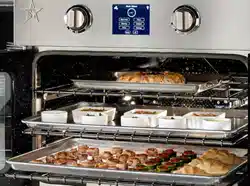
Your oven comes equipped with two standard racks, one extension rack and two five-position rack
guides. Follow your recipe guidelines to determine the best rack location for your dish.
TIP: For best results, center baking pans on the rack to allow maximum air circulation around the food.
Extension Rack
The electric wall oven comes with a rack that can be pulled out fully from the oven, making it easy to
handle heavy items. Although the full extension rack comes installed at the lowest position, it can be
moved to any position.
Extension Rack Operation
Make sure oven is cool and rack is fully inserted into oven cavity.
To Remove
Grasp the front of the rack and lift up slightly.
Pull the rack towards you, until completely removed from oven cavity.
To Insert
Grasp the slides of the rack, making sure that the slides are not extended. If extended, they can be
closed by standing the back end of the rack on the floor.
With the front end of the rack angled up, insert the top tab over the rack guide position you want to
use. Tilt the rack down slightly so the bottom tab slides under the guide bar.
Slide rack evenly into oven cavity.
Once almost completely in the oven, secure the two tabs at the front of the extension rack in place by
placing the rack guide in between
Oven Racks and Rack Guides Cleaning
Make sure oven is cool.
Remove oven racks and guides.
Wash in hot, soapy water. Rinse in clear water and dry thoroughly.
Oven racks and guides are dishwasher safe.
ROAST PROBE
The roast probe monitors the core temperature of meat and poultry in the Roast Probe mode.
Insert the long pointed end of the probe into the thickest portion of the meat and the short end of the
probe into the roast probe socket located on the right front of the interior oven wall.
The roast probe will monitor temperatures between 65F and 225F.
Be sure to remove the probe from the oven when not in use. The probe will be damaged
if the broiler is turned on with the probe in place.
ATTENTION
Always use an oven rack. Never place any food, pot, pan or tray directly on the oven
floor. You may place cooking vessels directly on the baking stone.
WARNING

13
Roast Probe Cleaning
When cool, wipe the probe clean with a mild soapy water solution. Rinse and dry thoroughly.
Do not put meat probe in the dishwasher.
BAKING STONE
The integrated baking stone lets you create perfectly bakes breads and pizzas. In StoneBake™ mode,
the baking stone temperature probe makes sure that the stone maintains the desired temperature.
The stone should be pre-dried before first use. If not pre-dried, the stone could be
damaged. See page 15 for pre-drying procedure.
TIP: It is recommended to use the rough side of the pizza stone but either side is acceptable, experiment
to see which you prefer.
Baking Stone Cleaning
When completely cool, the stone can be removed for cleaning.
Scrape baked-on food with a nylon spatula. Never immerse the stone in water.
The baking stone weighs approximately 35 pounds. Use extreme care when
removing from the oven.
Make sure the stone’s probe socket is seated on the stone temperature probe in the
oven.
The stone will darken in color with use. This is normal and improves the stone’s
performance. The stone may darken unevenly based on use, this is normal.
ATTENTION
ATTENTION
ATTENTION

14
OPERATING THE OVEN
BEFORE YOU BEGIN
Clean removable oven parts
Remove and properly discard all temporary labels and packaging material including cardboard, zip
ties, paper and wrapping from the oven, broiler pan, oven racks, oven rack glides and exterior
surfaces. Remove protective plastic wrap from any stainless steel surfaces.
BEFORE turning on your oven for the first time, remove and wash the oven racks and rack glides in
hot, soapy water. Rinse well and dry thoroughly. See the Care and Cleaning guide for more details.
Perform the Oven Burn-Off Procedure.
IF JUST DOING OVEN BURN OFF REMOVE BAKESTONE LOCATED ON THE OVEN
BOTTOM. IF PRE-DRYING THE BAKESTONE, THE OVEN BURN OFF PROCEDURE
IS NOT NEEDED. STONE CONDITIONING MUST BE COMPLETED BEFORE USING
THE BAKING STONE.
Oven Burn-Off Procedure
The entire Burn-Off Procedure takes about 100 minutes.
Remove the baking stone before performing the Oven Burn-Off Procedure. If not
removed, it could shatter. The stone drying procedure can be used in lieu of the burn-off
procedure.
New appliances are wiped clean with solvents at the factory prior to shipping. The Burn-
Off procedure burns off any remaining processing residue.
Failing to perform the Oven Burn-Off Procedure before first use of the oven may result in
undesirable odors, flavors, and excessive smoke when you use your oven the first time.
Make sure your appliance has been installed properly and all performance checks and adjustments
are completed.
Turn on ventilation hood and make sure entire room is well-ventilated.
Check that the oven cavity is empty. The baking stone, oven racks, oven guides, roast probe and any
other object should NOT be in the oven.
Initiate the Self-Clean cycle. See page 37.
The Oven Burn-Off Procedure can be completed by running the Self-Clean Cycle.
After the Self-Clean cycle is complete, allow oven to cool completely.
Insert oven rack guides and racks.
Your oven is now ready for use.
You may notice the following events during the Oven Burn-Off Procedure. All are normal.
Strong odor
Some smoke
Condensation on the front of the oven including the oven door, oven window, control
panel and side panel.
ATTENTION
CAUTION
ATTENTION
Your oven is not a storage compartment. Do NOT place food,
pots or pans, cooking equipment or storage containers in the
oven when not in use.
WARNING
WARNING
ATTENTION
ATTENTION

15
PRE-DRY THE BAKING STONE
Your baking stone must by pre-dried before using it to prevent warping
and maximize its life. If the stone is not properly dried before its first use,
it could warp, crack or shatter with explosive force.
Follow the pre-drying instructions and document the start time for each
step to keep track of your activity.
The entire pre-drying process will take six hours and
must be followed exactly as directed.
Keep the oven door closed throughout the entire
pre-drying process.
An odor and out-gassing may occur during the initial
heat-up. This is normal as the stone adjusts to its
environment.
1. Allow the baking stone to come to room temperature before starting.
2. Press Cook Modes on the Main Menu display. Figure 1
3. Press Bake on the Select Cook Mode screen. Figure 2
4. Press Set Temp on the Bake screen. Figure 3
5. Press Other on the Set Temperature screen. Figure 4
6. Enter 2-0-0 and press Start on the Bake screen. Maintain the 200
degrees F. setting for three hours. Figure 5
7. Do not open the oven door. After three hours at 200 degrees F., select
Back on the Bake screen.
8. Enter 3-0-0 and press Start. Maintain the 300 degrees F. setting for
one hour.
9. Do not open the oven door. After one hour at 300 degrees F., select
Back on the Bake screen.
10. Enter 4-0-0 and press Start. Maintain the 400 degrees F. setting for
one hour.
11. Do not open the oven door. After one hour at 400 degrees F., select
Back on the Bake screen.
12. Enter 5-0-0 and press Start. Maintain the 500 degrees F. setting for
one hour.
13. After one hour at 500 degrees F., your baking stone is ready for use.
Figure1
Figure 2
Figure 3
Figure 4
Figure 5
ATTENTION

16
TIPS
Sprinkle a light dusting of baking flour on the stone to help season it
before baking the first time. The flour allows air to flow between the
stone and the item to be baked. Never use any type of oil on the
stone.
It is recommended to cook doughs on the rough surface.
The stone can be used with either the rough or the smooth surface,
depending on your preference.
Do not allow any liquid to come in contact with the stone.
Accidental spillage of liquid onto the stone during cooking
procedures is acceptable, but liquid should not be applied directly to
the stone.
To clean, after the stone is cool, use a nylon scraper or dry cloth to
remove crumbs or baked on residue. Never use an abrasive sponge
or brush. Never immerse the stone in any liquid.
With each use, the stone becomes seasoned and
darkens, making it more effective. The stone may
darken unevenly based on use, this is normal.
ATTENTION
Failure to follow the installation instructions and warnings regarding liquids contacting the
stone and stone being immersed in liquid may result in the baking stone disintegrating with
explosive force.
Handle the baking stone carefully. If the stone knocks a hard surface, it may crack or
develop hairline fractures that may expand over time and lead to premature product failure.
The stone is still usable with hairline cracks.
Do not subject the stone to thermal shock. Foods cannot be thawed directly on the baking
stone.
Never place the baking stone over an open flame.
Only dough-based foods like pizza or bread should be baked directly on the stone surface.
Any other food that will be stone baked should be placed in a cooking vessel before
placing it on the stone.
WARNING

17
OPERATING THE OVEN
DISPLAY SCREEN
All the oven’s functions operate from the display screen. When the oven
is not in use, the screen displays the time and the BlueStar logo.
Press the BlueStar® logo to start any oven operation. Note: If
“Locked” is displayed, press the BlueStar® logo for five seconds
and release to unlock the display. Figure 1
The Welcome screen will appear briefly. Figure 2
Any time the display screen is in use, a fan will
automatically turn on to keep the electrical
components and computer hardware cool. The
display screen fan might stay on for several minutes
or hours after the oven is turned off.
The message Oven Cooling will be displayed until
cavity temperature goes below 200F.
LOCK
1. To lock the display screen to prevent accidental operation of the
oven, go to the Main Menu and press and hold Lock for five
seconds, then release. Figure 3
2. To unlock the display screen, press and hold BlueStar® logo for five
seconds, then release. Figure 1.
CLOCK
1. To set the oven clock, press the BlueStar logo. Figure 1
2. Press Other on the Main Menu screen. Figure 3
3. Press Clock on the Other screen. Figure 4
4. Use the keypad to enter the Hours and Minutes and AM or PM,
then press the Set button to confirm your entry. Figure 5
LIGHT
1. To turn on the oven light, press the light bulb icon that appears on
the lower right corner of the display. Press the light bulb icon again to
turn the light off.
CONVECTION FAN
1. Press the fan icon on the lower left side of the display screen to
begin convection cooking.
2. In all cooking modes there is a Conv. Fan on/off button that can be
selected when cooking.
Certain cooking modes require the convection fan to
be on or off and the fan icon will be inactive. See the
chart on page 19.
Figure 1
Figure 2
Figure 3
Figure 4
Figure 5
ATTENTION
ATTENTION

18
KITCHEN TIMER
The kitchen timer can be set by:
1. Select Time 1 or Timer 2 from Touch Screen. Figure 1
2. Use the buttons on the screen to select the desired time, and press
Start. Figure 2
3. The Kitchen Timer running time screen will appear briefly. Figure 3
The Kitchen Timer screen will move to the
background and the last screen displayed will
appear.
If you are not using the oven and only using the
Kitchen Timer, that screen will remain displayed.
To view the timer countdown, select Timer on
the display screen.
When the oven is in any cooking mode, the
kitchen timer can be operated by selecting
Timer on the Touch Screen.
4. When time has expired, an alarm sounds and the Kitchen Timer
screen appears.
5. Press Cancel to stop the timer and return to the last screen displayed.
6. Press Edit to stop the timer or change the timer setting. If no new time
is set, an alarm will sound, prompting you to select a new time.
Figure 1
Figure 2
Figure 3
ATTENTION

19
OPERATING THE OVEN
MODES
Your electric wall oven has 17 operating modes: Bake, Roast, Probe
Roast, Broil, StoneBake™, Proof, Dehydrate, Convection Bake,
Convection Roast, Convection Probe Roast, Convection Broil,
Convection StoneBake™, Convection Proof, Convection Dehydrate,
Sabbath, Convection Sabbath and Clean. Each mode has pre-set
minimum and maximum temperature ranges.
CONVECTION FAN
You have the option of using the convection fan for many modes. Using
the convection fan typically decreases cooking time while using a lower
temperature.
Mode
Convection Fan Status
Preheat for all modes
Auto On
Proof
Select On/Off
Dehydrate
Select On/Off
Hold & Keep Warm
Select On/Off
Bake
Select On/Off
Roast
Select On/Off
Probe Roast
Select On/Off
Broil
Select On/Off
StoneBake
Select On/Off
Sabbath
Select On/Off
Clean
Auto On
When the Convection Fan is in Auto On mode, the user
will not be able to change its status. The convection fan
will also run whenever the elements are energized.
DISPLAY SCREEN
All the oven’s functions operate from the display screen.
The Main Menu screen displays the time and the BlueStar logo and two
kitchen timers.
Press the BlueStar® logo to start any oven operation. Note: If
“Locked” is displayed, press the BlueStar® logo for five seconds
and release to unlock the display. Figure 1
The Welcome screen will appear briefly. Figure 2
The Main Menu screen appears
Figure 1
Figure 2
ATTENTION

20
OPERATING THE OVEN WITH LEFT KNOB
TOUCH SCREEN CONTROL PANEL
Regardless of the cooking mode you select, your oven preheats using a
combination of the infrared heating element, the broiling element and the
convection fan.
It is critical that you do not place food in the oven
until the preheating cycle is complete.
The Quick Start Control Knob lets you bypass the Welcome and Main
Menu screen scroll through available cook modes. Figure 1
QUICK START CONTROL KNOB
1. Turn the left control knob to enter individual cook modes. Move the
knob in either direction to scroll through Cook Modes. Figure 1
2. Once in the preferred cook mode. Turn right knob in either direction
to set temperature. Moving the knobs will increase/decrease the
temperature in 5 increments until you reach your desired
temperature. Hit Start. Figure 1
3. The oven will begin preheating. Figure 2
4. If desired, press the Fan icon or Conv Fan for convection baking,
then press Start. Convection Bake will be displayed. See the TIPS
section for Convection Baking recommendations.
5. When the oven is preheated, the controller alarm will sound and the
Oven Ready screen will appear. Figure 3
6. Place baking dish in oven and select Start.*
7. At the end of the selected bake time, the Cooking Complete screen
is displayed. An alarm will signal twice and then once every 10
seconds until one of the following actions is taken.
a. Select Off to turn off the oven and remove food.
b. Select Continue Cooking to return to the Bake screen.
c. Select Hold & Keep Warm to keep your food in the oven at
a specific temperature until you are ready to serve. Figure 5
8. If you select Hold & Keep Warm, press the Set Temp to display the
set temperature screen. Figure 6
Do not place food in the oven before or during the
preheating process. The oven uses a combination of
heating elements during the preheating process to
achieve the specified temperature.
Beware that the oven loses heat slowly and that
food will continue cooking in the Hold & Warm
mode.
Keeping the oven light on while baking will increase
the oven temperature approximately 15 degrees F.
*SET COOKING TIME
1. From the Bake screen, press Cook Time. Figure 7
2. Use the buttons on the touchpad to select desired cooking time, and
press Set.
3. Return to the last screen displayed.
Figure 1
Figure 2
Figure 3
Figure 4
Figure 5
Figure 6
Figure 7
ATTENTION
ATTENTION

21
OPERATING THE OVEN USING THE DISPLAY PANEL
BAKE
1. Press Cook Modes on the Main Menu display. Figure 1
2. Press Bake on the Select Cook Mode screen. Figure 2
3. Press Set Temp on the Bake screen. Figure 3
4. Select one of the preset Bake temperatures or press Other to enter
a different temperature. Figure 4
5. If desired, press the Fan icon or Conv Fan for convection baking,
then press Start. Convection Bake will be displayed. Figure 3 See
the TIPS section for Convection Baking recommendations.
6. If Other, enter your desired temperature, then Start. Figure 5
7. The oven will begin preheating. Figure 6
8. When the oven is preheated, the alarm will sound and the Oven
Ready screen will appear. Figure 7
9. Place baking dish in oven and select Start.*
10. At the end of the selected bake time, the Cooking Complete screen
is displayed. An alarm will signal three times and then once every 10
seconds until one of the following actions is taken.
a. Select Off to turn off the oven and remove food.
b. Select Continue Cooking to return to the Bake screen.
c. Select Hold & Keep Warm to keep your food in the oven at
a specific temperature until you are ready to serve. Figure 10
11. If you select Hold & Keep Warm, press the Set Temp to display the
set temperature screen.
Do not place food in the oven before or during the
preheating process. The oven uses a combination of
heating elements during the preheating process to
achieve the specified temperature.
Beware that the oven loses heat slowly and that
food will continue cooking in the Hold & Warm
mode.
Keeping the oven light on while baking will increase
the oven temperature approximately 15 degrees F.
*SET COOKING TIME
1. From the Bake screen, press Cook Time. Figure 3
2. Use the buttons on the touchpad to select desired cooking time, and
press Set. Figure 9
3. Return to the last screen displayed.
4. If the cooking timer is not populated, the oven will continue to
operate at the set temperature.
Figure1
Figure 2
Figure 3
Figure 4
Figure 5
Figure 6
Figure 7
Figure 8
Figure 9
Figure 10
ATTENTION

22
TIPS
TEMPERATURE RANGE
In Bake mode, the oven can operate at temperatures between 150 and
500 degrees F. Entering a temperature outside of this range will result in
an error message.
CONVECTION COOKING
Convection cooking uses a fan inside the oven to circulate the heated air
more evenly, resulting in better heat distribution and a more consistent
temperature.
In general, convection baking takes less time at lower temperatures than
traditional baking.
For best results:
Reduce the recommended recipe temperature 25°F to 50°F.
Reduce the recommended cooking time.
Closely monitor the first batch of each new recipe.
Keep a record of temperature, time and weight for each recipe.
Adjust accordingly for the next batch.
Center baking dishes on the racks for maximum air flow, allowing at
least 1” between pans.
Select a baking dish that has no or low sides like a broiler pan so
that the air can circulate freely around the food.

23
OPERATING THE OVEN
BROIL
1. Press Cook Modes on the Main Menu display. Figure 1
2. Press Broil on the Select Cook Mode screen. Figure 2
3. Press Set Temp on the Broil screen. Figure 3
4. Select a broil temperature of Low or High.
a. In Broil mode, the oven will operate at temperatures at either
Low (450 degrees F.) or High (550 degrees F).
5. If desired, press the Fan icon or Conv Fan for convection baking,
then press Start. Convection Broil will be displayed.
6. Oven Ready screen will appear, place baking dish in oven and
select Start.* Figure 4
Keep the oven door shut while broiling.
7. At the end of the selected cook time, the Cooking Complete screen
is displayed. An alarm will signal three times and then once every 10
seconds until one of the following actions is taken. Figure 5
a. Select Off to turn off the oven and remove food.
b. Select Continue Cooking to return to the Bake screen.
c. Select Hold & Keep Warm to keep your food in the
oven at a specific temperature until you are ready to
serve. Figure 7
8. If you select Hold & Keep Warm, press the Set Temp to display the
set temperature screen. Given the high temperature settings of the
Broil Mode, the oven will take longer to reduce to Hold & Keep Warm
Temperature. Figure 8
Beware that the oven loses heat slowly and that food will
continue cooking in the Hold & Warm mode.
Keeping the oven light on while baking will increase the
oven temperature approximately 15 degrees F.
*SET COOKING TIME
1. From the Broil screen, press Cook Time. Figure 3
2. Use the buttons on the touchpad to select desired cooking time, and
press Set. Figure 6
3. Return to the last screen displayed.
4. If the cooking timer is not populated, the oven will continue to
operate at the set temperature.
Figure1
Figure 2
Figure 3
Figure 4
Figure 5
Figure 6
Figure 7
Figure 8
ATTENTION

24
TIPS: CONVECTION COOKING
Convection cooking uses a fan inside the oven to circulate the heated air
more evenly, resulting in better heat distribution and a more consistent
temperature.
In general, convection baking takes less time at lower temperatures than
traditional baking.
For best results:
Reduce the recommended recipe temperature 25°F to 50°F.
Reduce the recommended cooking time.
Closely monitor the first batch of each new recipe.
Keep a record of temperature, time and weight for each recipe.
Adjust accordingly for the next batch.
Center baking dishes on the racks for maximum air flow, allowing at
least 1” between pans.
Select a baking dish that has no or low sides like a broiler pan so
that the air can circulate freely around the food.

25
OPERATING THE OVEN
ROAST WITHOUT THE ROAST PROBE
1. Press Cook Modes on the Main Menu display. Figure 1
2. Press Roast on the Select Cook Mode screen. Figure 2
3. Press No when asked if a meat probe will be used. Figure 3
4. Press Set Temp on the Roast screen. Figure 4
5. Select one of the preset Roast temperatures or press Other to enter
a different temperature. Figure 5
6. If Other, enter your desired temperature, then Start. Figure 6
7. If desired, press the Fan icon or Conv Fan for convection baking,
then press Start. Convection Roast will be displayed. See the TIPS
section for Convection Baking recommendations.
8. The oven will begin preheating. Figure 7
9. When the oven is preheated, the alarm will sound and the Oven
Ready screen will appear. Figure 8
10. Place baking dish in oven and select Start.*
11. At the end of the selected bake time, the Cooking Complete screen
is displayed. An alarm will signal twice and then once every 10
seconds until one of the following actions is taken. Figure 9
a. Select Off to turn off the oven and remove food.
b. Select Continue Cooking to return to the Roast screen.
c. Select Hold & Keep Warm to keep your food in the oven at
a specific temperature until you are ready to serve. Figure 11
12. If you select Hold & Keep Warm, press the Set Temp to display the
set temperature screen.
Do not place food in the oven before or during the
preheating process. The oven uses a combination of
heating elements during the preheating process to
achieve the specified temperature.
Beware that the oven loses heat slowly and that
food will continue cooking in the Hold & Warm
mode.
Keeping the oven light on while baking will increase
the oven temperature approximately 15 degrees F.
*SET COOKING TIME
1. From the Roast screen, press Cook Time. Figure 4
2. Use the buttons on the touchpad to select desired cooking time, and
press Set. Figure 10
3. Return to the last screen displayed.
4. If the cooking timer is not populated, the oven will continue to
operate at the set temperature.
Figure1
Figure 2
Figure 3
Figure 4
Figure 5
Figure 6
Figure 7
Figure 8
Figure 9
Figure 10
Figure 11
ATTENTION

26
TEMPERATURE RANGE
In Roast without the probe mode, the oven can operate at temperatures
between 150 and 500 degrees F. Entering a temperature outside of this
range will result in an error message.
CONVECTION COOKING
Convection cooking uses a fan inside the oven to circulate the heated air
more evenly, resulting in better heat distribution and a more consistent
temperature.
In general, convection baking takes less time at lower temperatures than
traditional baking.
For best results:
Reduce the recommended recipe temperature 25°F to 50°F.
Reduce the recommended cooking time.
Closely monitor the first batch of each new recipe.
Keep a record of temperature, time and weight for each recipe.
Adjust accordingly for the next batch.
Center baking dishes on the racks for maximum air flow, allowing at
least 1” between pans.
Select a baking dish that has no or low sides like a broiler pan so
that the air can circulate freely around the food.

27
OPERATING THE OVEN
ROAST WITH THE ROAST PROBE
1. Press Cook Modes on the Main Menu display. Figure 1
2. Press Roast on the Select Cook Mode screen. Figure 2
3. Press Yes when asked if a meat probe will be used. Figure 3
4. Insert the short end of the probe into the oven wall socket and the
long end into the thickest portion of the meat. Press Start. Figure 4
5. Press Set Temp on the Roast screen. Figure 5
6. Select one of the pre-set Roast with Probe temperatures or press
Other to enter a different oven temperature. Figure 6
7. If Other, enter your desired oven temperature, then Back. Figure 7
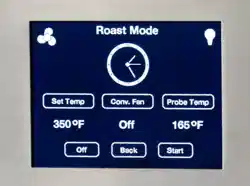
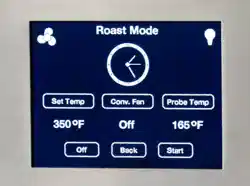
8. Press Probe Temp on the Roast Screen.
9. Select one of the preset internal meat temperatures or press Other
to enter a different meat temperature. Figure 6
10. If Other, enter your desired internal meat temperature, then Start.
Figure 7
See page 8 for the USDA’s recommendations on
safe minimum internal temperatures.
Do not place food in the oven before or during the
preheating process. The oven uses a combination of
heating elements during the preheating process to
achieve the specified temperature.
Roast Probe must be fully inserted into protein for
proper operation. If not fully inserted probe may
indicate inaccurate temperature.
11. If desired, press the Fan icon or Conv Fan for convection roasting,
then press Start. Convection Roast will be displayed. See the TIPS
section for Convection Baking recommendations.
12. Select Start from the Roast screen. Figure 5
- A temperature will be displayed under Probe Temp. It will
start around 60F and then increase as the product
temperature increases. Maximum display temperature is
225F.
13. When the product has reached the desired internal temperature, an
alarm will sound and the Cooking Complete screen is displayed. An
alarm will signal three times and then once every 10 seconds until
one of the following actions is taken. Figure 8
a. Select Off to turn off the oven and remove food.
b. Select Continue Cooking to return to the Roast screen.
c. Select Hold & Keep Warm to keep your food in the oven at
a specific temperature until you are ready to serve. Figure 9
14. If you select Hold & Keep Warm, press the Set Temp to display the
set temperature screen. Your food will continue cooking. Figure 6
Beware that the oven loses heat slowly and that
food will continue cooking in the Hold & Warm
mode.
Keeping the oven light on while baking will increase
the oven temperature approximately 15 degrees F.
The oven probe will be HOT! Use a dry pot holder to
remove the probe from the meat and from the oven
socket.
Figure1
Figure 2
Figure 3
Figure 4
Figure 5
Figure 6
Figure 7
Figure 8
Figure 9
ATTENTION
ATTENTION
WARNING

28
TEMPERATURE RANGE
The oven probe temperature can be set between 80 and 200 degrees F.,
ensuring your dish cooks to the precise internal temperature you want.
In Roast with Oven Probe mode, the oven can operate at temperatures
between 150 and 500 degrees F. Entering a temperature outside of this
range will result in an error message.
CONVECTION COOKING
Convection cooking uses a fan inside the oven to circulate the heated air
more evenly, resulting in better heat distribution and a more consistent
temperature.
In general, convection baking takes less time at lower temperatures than
traditional baking.
For best results:
Reduce the recommended recipe temperature 25°F to 50°F.
Reduce the recommended cooking time.
Closely monitor the first batch of each new recipe.
Keep a record of temperature, time and weight for each recipe.
Adjust accordingly for the next batch.
Center baking dishes on the racks for maximum air flow, allowing at
least 1” between pans.
Select a baking dish that has no or low sides like a broiler pan so
that the air can circulate freely around the food.

29
OPERATING THE OVEN
STONEBAKE™ MODE
Remove all racks before pre-heating the oven when
using StoneBake™.
1. Press Cook Modes on the Main Menu display. Figure 1
2. Press StoneBake™ on the Select Cook Mode screen. Figure 2
3. Press Set Temp on the StoneBake™ screen. Figure 3
4. Select one of the preset StoneBake™ temperatures or press Other
to enter a different temperature. Figure 4
5. If Other, enter your desired temperature, then Start. Figure 5
6. If desired, press the Fan icon or Conv Fan for convection stone
baking, then press Start. Convection StoneBake will be displayed.
See the TIPS section for Convection recommendations.
7. The stone will begin preheating. Figure 6
8. When the stone is preheated, the alarm will sound and the Oven
Ready screen will appear. Figure 7
9. Place the dough or oven safe dish directly on the stone and select
Start.*
10. At the end of the cooking time, the Cooking Complete screen is
displayed. An alarm will signal twice and then once every 10
seconds until one of the following actions is taken. Figure 8
a. Select Off to turn off the oven and remove food.
b. Select Continue Cooking to return to the Bake screen.
c. Select Hold & Keep Warm to keep your food in the oven at
a specific temperature until you are ready to serve. Due to
the higher degrees that StoneBake™ operates at, it will take
longer to reach the hold & keep warm temperature.
11. If you select Hold & Keep Warm, press the Set Temp to display the
set temperature screen. Figure 5
The oven uses a combination of heating elements
during the preheating process to achieve the
specified temperature.
Do not place food in the oven before or during the
preheating process.
Keeping the oven light on while baking will increase
the oven temperature approximately 15 degrees F.
Figure1
Figure 2
Figure 3
Figure 4
Figure 5
Figure 6
Figure 7
Figure 8
Figure 9
ATTENTION
ATTENTION
Your baking stone must be pre-dried before first use to prevent
damaging it. See page 15.
Failure to follow the installation instructions and warnings may result in
the baking stone disintegrating with explosive force.
The baking stone weighs approximately 35 pounds. Handle with care.
If the stone knocks a hard surface, it may crack or develop hairline
fractures that may expand over time and lead to premature product
failure. Stone may still be used with hairline cracks.
Do not subject the stone to thermal shock. Foods cannot be thawed
directly on the baking stone.
Never place the baking stone over an open flame.
Only dough-based foods like pizza or bread should be baked directly
on the stone surface. Any other food should be placed in a cooking
vessel.
WARNING

30
*SET COOKING TIME
1. From the StoneBake™ screen, press Cook Time. Figure 3
2. Use the buttons on the touchpad to select desired cooking time, and
press Set. Figure 9
3. Return to the last screen displayed.
4. If the cooking timer is not populated, the oven will continue to
operate at the set temperature.
TIPS
During StoneBake™ mode both the bottom bake element and the broiler turn on to maintain the
oven cavity temperature. If you are getting too much browning on the top of what you are
cooking, place a baking sheet on the second rack from the top. If you are baking bread you may
already have a broiler pan with water in this position.
The baking stone weighs about 35 pounds.
Make sure the stone is cool and use extremely caution when removing it from the
oven.
PRE-DRYING THE BAKING STONE
See page 15 for instructions on pre-drying the baking stone.
TEMPERATURE RANGE
In StoneBake mode, the stone temperature can be set between 250 and 500 degrees F. Entering a
temperature outside of this range will result in an error message.
FOOD PLACEMENT
1. Place a dough-based product like pizza or bread directly on the baking stone. Any other food should be
placed in an appropriate vessel on the baking stone.
2. Either the rough or the smooth side of the stone can be the baking surface. Experiment with your
recipes and take notes for future baking.
TIP: The rough side of the stone is better for doughs, as they do not easily stick to it.
CONVECTION COOKING
Convection cooking uses a fan inside the oven to circulate the heated air more evenly, resulting in better
heat distribution and a more consistent temperature.
In general, convection baking takes less time at lower temperatures than traditional baking.
For best results:
Reduce the recommended recipe temperature 25°F to 50°F.
Reduce the recommended cooking time.
Closely monitor the first batch of each new recipe.
Keep a record of temperature, time and weight for each recipe. Adjust accordingly for the next batch.
Center baking dishes on the racks for maximum air flow, allowing at least 1” between pans.
Select a baking dish that has no or low sides like a broiler pan so that the air can circulate freely
around the food.
ATTENTION

31
BAKING PIZZA AT HOME
Why cook pizza at high temperatures?
It's a little bit like popcorn. Popcorn needs extreme heat for the moisture inside the kernel to convert to
steam, expanding rapidly and exploding the outer hull. If you cooked popcorn at a low temp, it would dry
out and never pop.
With pizza, you don't have a hull containing this pressure, but the pressure of the expanding gases is still
vital to the volume achieved in the baked product. Without intense heat, the gases don't expand as rapidly
and you don't achieve the same volume/oven spring. Longer bakes produce denser crumbs. Dense
crumbs are perfectly fine for bagels, but, for pizza, you want puff.
As you get into more advanced home pizza making, you learn that temperature is relative. It becomes
less about high temps and more about high heat transfer and increased thermal mass. Certain materials
conduct heat faster, so a thin ceramic tile may give you a mediocre 12 minute bake at 550°, while a 3/4"
thick baking stone will give you phenomenal puffy pizza in 5 minutes.
The limits are raw dough. As you increase the heat transfer rate, you'll hit a point where the outside of the
crust is cooked but the inside is still raw. In fast baked Neapolitan pizza, this is called a gum line, and,
while some people like that little raw-ness, it is generally considered a defect.
Experimentation is the key to success. Try different temperatures, different times, and different dough
recipes until you find the combination that you like the best. It is a good idea to write down the different
combinations you experiment with so you can repeat them in the future.

32
OPERATING THE OVEN
PROOF
1. Press Cook Modes on the Main Menu display. Figure 1
2. Press Proof on the Select Cook Mode screen. Figure 2
3. Press Set Temp on the Proof screen. Figure 3
4. Select one of the preset Proof temperatures or press Other to enter
a different temperature. Figure 4
5. If Other, enter your desired temperature, then Start. Figure 5
6. The oven will begin preheating. Figure 6
7. When the oven is preheated, the alarm will sound and the Oven
Ready screen will appear. Figure 7
8. Place baking dish in the oven and select Start.*
9. At the end of the selected bake time, the Cooking Complete screen
is displayed. An alarm will signal twice and then once every 10
seconds until one of the following actions is taken. Figure 8
a. Select Off to turn off the oven and remove food.
b. Select Continue Cooking to return to the Proof screen.
c. Select Hold & Keep Warm to keep your food in the
oven at a specific temperature until you are ready to
serve. Figure 10
10. If you select Hold & Keep Warm, press the Set Temp to display the
set temperature screen. Figure 4
Do not place food in the oven before or during the
preheating process. The oven uses a combination of
heating elements during the preheating process to
achieve the specified temperature.
Beware that the oven loses heat slowly and that
food will continue cooking in the Hold & Warm
mode.
Keeping the oven light on while baking will increase
the oven temperature approximately 15 degrees F.
*SET COOKING TIME
1. From the Proof screen, press Cook Time. Figure 3
2. Use the buttons on the touchpad to select desired cooking time, and
press Set. Figure 9
3. Return to the last screen displayed.
4. If the cooking timer is not populated, the oven will continue to
operate at the set temperature.
Figure1
Figure 2
Figure 3
Figure 4
Figure 5
Figure 6
Figure 7
Figure 8
Figure 9
Figure 10
ATTENTION

33
TEMPERATURE RANGE
In Proof mode, the oven can operate at temperatures between 80 and
200 degrees F. Entering a temperature outside of this range will result in
an error message.

34
OPERATING THE OVEN
DEHYDRATE
Foods must be dried to below .60 water activity or dry to
the touch to be safely stored with no danger of mold,
yeasts or bacteria growing.
1. Press Cook Modes on the Main Menu display. Figure 1
2. Press Dehydrate on the Select Cook Mode screen. Figure 2
3. Press Set Temp on the Dehydrate screen. Figure 3
4. Select one of the preset Dehydrate temperatures or press Other to
enter a different temperature. Figure 4
5. If Other, enter your desired temperature, then Start. Figure 5
In Dehydrate mode, the oven can operate at temperatures
between 80 and 200 degrees F. Entering a temperature
outside of this range will result in an error message.
6. The oven will begin preheating. Figure 6
7. When the oven is preheated, the alarm will sound and the Oven
Ready screen will appear. Figure 7
8. Place your baking dish in the oven and press Start.*
9. At the end of the selected dehydrating time, the Cooking Complete
screen is displayed. An alarm will signal twice and then once every
10 seconds until one of the following actions is taken. Figure 8
a. Select Off to turn off the oven and remove food.
b. Select Continue Cooking to return to the Dehydrate
screen.
c. Select Hold & Keep Warm to keep your food in the
oven at a specific temperature until you are ready to
serve. Figure 10
10. If you select Hold & Keep Warm, press the Set Temp to display the
set temperature screen. Figure 4
Do not place food in the oven before or during the
preheating process. The oven uses a combination of
heating elements during the preheating process to
achieve the specified temperature.
Beware that the oven loses heat slowly and that
food will continue cooking in the Hold & Warm
mode.
Keeping the oven light on while baking will increase
the oven temperature approximately 15 degrees F.
.
*SET COOKING TIME
1. From the Dehydrate screen, press Cook Time. Figure 3
2. Use the buttons on the touchpad to select desired cooking time, and
press Set. Figure 9
3. Return to the last screen displayed.
4. If the cooking timer is not populated, the oven will continue to
operate at the set temperature.
Figure1
Figure 2
Figure 3
Figure 4
Figure 5
Figure 6
Figure 7
Figure 8
Figure 9
Figure 10
ATTENTION
ATTENTION

35
OPERATING THE OVEN
SABBATH
Sabbath mode is intended to allow the oven to be used (subject to
various constraints) by Shabbat-observant Jews on the Shabbat and
Jewish holidays.
The oven maintains a set cooking temperature for a period of up to 76
hours with the display screen dark and all alarms disabled.
1. Press Other on the Main Menu display. Figure 1
2. Press Sabbath on the Other screen. Figure 2
3. The oven goes into Bake mode. Press Set Temp on the Sabbath
screen. Figure 3
4. Select one of the preset Bake temperatures or press Other to enter
a different temperature. Figure 4
In Sabbath mode, the oven can operate at temperatures
between 150 and 500 degrees F. Entering a temperature
outside of this range will result in an error message.
5. If desired, press the Fan icon or Conv Fan for convection baking,
then press Start. Convection Sabbath will be displayed. See the
TIPS section for Convection Baking recommendations.
6. If Other, enter your desired temperature, then Start. Figure 5
7. The Sabbath screen appears. Press Start to activate Sabbath
mode.* Figure 6
When Start is pressed, the alarm and control knobs
will be disabled, the oven light’s On or Off status will
be maintained, and the oven will remain in Bake
mode for the duration of the Sabbath period.
Keeping the oven light on while baking will increase
the oven temperature approximately 15 degrees F.
Touching the screen will enable all functions. Select
Continue if you want to extend the Sabbath mode.
8. A black screen is displayed until the Sabbath timer ends. Figure 7
9. When the Sabbath timer expires, the Sabbath Complete screen is
displayed. Press Cancel to return to the Main Menu. Figure 8
SET SABBATH DURATION TIME
1. The default time for the Sabbath mode is 76 hours. To change the
time period, press Cook Time on the Sabbath screen. Figure 3
2. Use the buttons on the touchpad to select desired Sabbath time, and
press Set. Figure 9
3. Return to the last screen displayed.
4. If the cooking timer is not populated, the oven will continue to
operate at the set temperature.
Figure1
Figure 2
Figure 3
Figure 4
Figure 5
Figure 6
Figure 7
Figure 8
Figure 9
ATTENTION

36
CLEANING
The electric wall oven’s eco-friendly Continu Clean™ works every time
the oven is on, helping to keep your oven clean without extreme
temperatures or harsh cleaning chemicals.
When your oven interior becomes heavily soiled, use the self-cleaning
cycle to clean your oven.
Turn on ventilation to remove excess smoke or
fumes that might be produced.
Remove large built-up food particles and grease
before starting the Oven Cleaning Cycle.
Do not use water or other solvents on the Bake
Stone to clean.
Remove the roast probe from the oven.
Remove the oven racks and glides. Wash by hand
or in the dishwasher.
The Bake Stone can be left in the oven during the
Oven Cleaning Cycle.
The oven will get hot during the Oven Cleaning
Cycle, this includes oven doors.
Do not touch the oven or open the oven door during
the Oven Cleaning Cycle.
1. Press Clean on the Main Menu display. Figure 1
2. Press Start on the Oven Cleaning screen to start the cleaning cycle.
Figure 2
3. The Cleaning in Progress screen will be displayed during the entire
cleaning cycle with a countdown timer that starts at 1:30. Figure 3
4. When the cleaning cycle is complete, the Cleaning in Progress
screen will display Cancel. An alarm will signal twice and then once
every 10 seconds.
5. Press Cancel to return to the Main Menu. The oven will still be hot,
but is ready for use.
6. Press Cancel on the Cleaning in Progress screen to stop the
cleaning process.
The oven will be hot if the Oven Cleaning Cycle is
cancelled mid-cycle. Do not open or touch the oven
doors.
Figure1
Figure 2
Figure 3
Figure 4
TIPS
WARNING
ATTENTION
ATTENTION

37
Oven Cleaning
Make sure the area is well-ventilated when using a commercially available oven
cleaner.
Oven Window
When oven is cool, and after each use, use a cloth and warm soapy water to clean the interior oven
door window to reduce baked-on stains. Rinse with clear water and dry thoroughly.
For tougher stains, use a commercially available oven cleaning product. Follow cleaner
manufacturer’s instructions.
Interior Oven Walls
Your oven’s interior is coated with porcelain enamel and can be cleaned with commercially available
oven cleaners. Follow the cleaner manufacturer’s instructions. Do NOT use on door gasket or Bake
Stone.
Do NOT use soap or water on the Bake Stone.
Oven Fan Guard
Clean the oven fan guard periodically. Keep the fan guard clear of obstructions.
Apply a commercially available oven cleaner to a cloth to remove grease build-up and food particles.
Follow manufacturer’s cleaning instructions.
Oven Racks and Guides
Remove and clean racks and guides in hot, soapy water. Rinse well and dry thoroughly.
Racks and guides can be cleaned in the dishwasher.
Do NOT apply commercially available oven cleaners to the oven door gasket.
Do NOT rub or scrub the gasket since it may damage the oven door seal.
Make sure cleaning chemicals do not come in contact with any stainless steel, painted
surfaces.
Do NOT use steel wool or metal pads to clean the interior oven walls. They may damage
or scratch the enamel coating.
Do NOT apply commercially available oven cleaners, water or solvents to Bake Stone.
WARNING
ATTENTION

38
SETTINGS
The Settings screen is used by the technician during installation or service calls to optimize the oven’s
performance. If you reach this screen by accident, press Cancel to return to the previous screen.
CHANGING TEMPERATE SCALE FROM C TO F, OR F TO C
1. Press Other on the Main Menu display. Figure 1
2. Press Settings on the Other display. Figure 2
3. Press Enter Password. Figure 3
4. Enter 12345. Figure 4
5. Press F or C located in the top right of the screen.
6. Press SAVE & EXIT. Figure 3
Figure 1 Figure 2 Figure 3 Figure 4
HYSTERESIS & OFFSETS
The hysteresis setting determines how quickly the oven responds to a change in temperature sensed by
the probe. Increasing this number will make the oven react slower while decreasing the number will
make it react faster. The factory default and recommended setting is 2.
Oven probe offset allows you to calibrate the center of the oven temperature to the probe location. A
number followed by a + will decrease the center oven temperature while a number followed by a – will
increase the center oven temperature. The oven is factory calibrated and changes to this setting are not
recommended.
Product Probe offset allows you to calibrate the product probe. A number followed by a + will decrease
the probe temperature while a number followed by a – will increase the probe temperature. The probe is
factory calibrated and changes to this setting are not recommended.
Bottom Bake offset allows you to calibrate the baking stone temperature to the probe location. A number
followed by a + will decrease the stone temperature while a number followed by a – will increase the
stone temperature. The oven is factory calibrated and changes to this setting are not recommended.

39
CARE AND CLEANING
Make sure the oven is cool before cleaning.
PART/
MATERIAL
CLEANING
FREQUENCY
ATTENTION
Convection
Fan Guard /
Porcelain
Enamel
Remove obstructions like aluminum foil or
other particles.
Apply commercial oven cleaner to a cloth
and wipe the guard. Follow
manufacturer’s instructions.
Once a month;
more often
with frequent
use.
Turn on ventilation fan and
make sure room is well
vented.
Do NOT use steel wool,
metal pads or abrasive
cleaners. They may scratch
and damage the coating.
Line floor with newspaper to
catch drips.
Exterior Body
/ Standard
RAL Colors
Clean with hot, soapy water. Rinse well
and dry thoroughly.
For tough stains, apply a cloth soaked in
hot water for several minutes. Scrape
LIGHTLY with a nylon or rubber spatula.
As needed
Do NOT use steel wool,
metal pads or abrasive
cleaners.
Do NOT use any metal
objects to scrape the
surface.
Do NOT allow citrus or
tomato juices to sit and dry
on the surface. Citric acid
will discolor stainless steel.
Exterior Body
/ Stainless
Steel
Clean with hot, soapy water. Rinse well
and dry thoroughly.
For tough stains, use a commercial
stainless steel cleaner and follow the
cleaning manufacturer’s instructions.
As needed
Do NOT use steel wool,
metal pads or abrasive
cleaners.
Do NOT use any metal
objects to scrape the
surface.
Do NOT allow citrus or
tomato juices to sit and dry
on the surface. Citric acid
can discolor stainless steel.
Exterior Body
/ Textured
Paint
Clean with hot, soapy water. Rinse well
and dry thoroughly.
For tough stains, apply a cloth soaked in
hot water for several minutes. Scrape
LIGHTLY with a nylon or rubber spatula.
Repeat body stainless section – be gentle
when scrubbing textured paint
As needed
Do NOT use steel wool,
metal pads or abrasive
cleaners.
Do NOT use any metal
objects to scrape the
surface.
WARNING

40
Do NOT allow citrus or
tomato juices to sit and dry
on the surface. Citric acid
will discolor stainless steel.
Display
Screen
Use damp microfiber or soft cotton cloth;
wipe dry
Lock the display screen
before cleaning to prevent
the oven from operating.
Oven Interior /
Porcelain
Enamel
Use a commercially available oven
cleaner. Follow cleaner manufacturer’s
instructions.
Once a month;
more often
with frequent
use.
Turn on ventilation fan and
make sure room is well
vented.
Do NOT apply commercial
oven cleaners to the oven
door gasket.
Do NOT rub or scrub the
gasket. This may damage
the oven door seal.
Do NOT use steel wool,
metal pads or abrasive
cleaners. They may scratch
and damage the coating.
Do NOT use soap or water
on the Bake Stone.
Oven Racks
and Guides
Remove and wash in hot, soapy water.
Rinse well and dry thoroughly.
Dishwasher safe.
Once a month;
more often
with frequent
use.
Bake Stone
After the stone is cool, use a nylon
scraper or dry cloth to remove crumbs or
baked on residue.
After each
use.
Never use an abrasive
sponge or brush.
Never immerse the stone in
any liquid.
Do NOT use soap or water
on the Bake Stone.
Do NOT use commercially
available cleaning products
on the Bake Stone.
The stone will darken in
color with use. The stone
may darken unevenly based
on use. This is normal.

41
BEFORE CALLING FOR SERVICE
Check these helpful tips for any problems with your range. If you need additional help call BlueStar®
Customer Service at 800 449-8691.
PROBLEM
POSSIBLE CAUSE
SOLUTION
Display Screen not lit
Sabbath mode
No electrical power to the unit.
Cancel Sabbath mode
Check if the breaker/fuse is tripped. Reset
breaker. Call for service if it occurs more than
once during a backing cycle.
Convection fan does not turn
No electrical power to the unit.
Fan guard is obstructed or clogged.
Plug into a three-prong electrical outlet that is
properly grounded.
Check and re-set circuit breaker for the unit.
When oven is cool, remove any obstructions
like baked-on food or aluminum foil.
Call for service.
Unit is on, but no heat is being
produced.
Breaker may not be fully seated.
Make sure that the breaker is fully seated in
the on position. If issue continues, call for
service. Turn unit off at the breaker.
Oven light not on
No electrical power to the unit.
Oven light bulb burned out.
Check and re-set circuit breaker for the wall
outlet used for the unit.
Replace with 25 watt halogen G9 light bulb
only. See Replacing Oven Bulb instructions on
page 42.
Display screen text appears
blurry.
Software disruption
Cycle (turn on & off) the electrical breaker
connected to the electric wall oven.
Convection Fan making noise
Aluminum foil or other material stuck in fan
Mounting screws of fan cover are loose
Fan cover is bent
Make sure oven of cool and fan if off, then
remove debris.
Tighten screws
Call for replacement fan cover.
Fan (behind control panel) is
running when oven is turned
off
Oven has not cooled to 200 degrees F or
below.
Let oven cool down.
Oven is cool and Fan (behind
control panel) is running
Fan relay stuck in the on position.
Cycle (turn on & off) the electrical breaker
connected to the electric wall oven.

42
MAINTENANCE
Oven Light Bulb Replacement
Only use a 25 watt halogen G9 light bulb. Regular light bulbs cannot tolerate oven
temperatures.
To replace your oven light bulb:
1. Make sure appliance and lights are cool, and power has been turned off before replacing light
bulb.
2. Remove glass cover, pull out blub out, push new bulb in, replace and press glass cover back
in place
o Hold replacement light bulb with a dry cloth, do not let hands make contact with light
bulb. Oils from skin can shorten replacement light bulb life. If you do touch bulb,
clean with rubbing alcohol before use.
Oven Doors
The oven door hinges may require lubrication periodically to work smoothly. Whether this is necessary, or
how frequently, depends on how and how often the oven is used.
Open the oven door fully and apply a small amount of lubricant such as food-grade light oil or grease
to the ball visible in the hinge slot on your door.
Do NOT use sprays like WD-40 or CRC that may get onto the oven door surface. We
recommend a food-grade light oil or grease. Avoid using cooking oil or mineral oil.
ELECTRICAL REQUIREMENTS
The Electrical Appliance Rating:
240V/ 60 hertz, 24 amp, recommended 30 Amp circuit for single oven, 50 Amp circuit for stacked ovens
Effective January 1, 1996 the National Electrical Code requires that new, but not existing construction
utilize a four-conductor connection to an electric oven. For existing construction you must use a three-
wire, single phase A.C. electrical system. If you connect to aluminum wiring, properly installed
connectors approved for use with aluminum wiring must be used.
Oven will function properly on 208V power. Preheat will be slightly extended, but once preheat is
complete no other performance will be impacted.
ATTENTION
ATTENTION
ATTENTION

43
PERFORMANCE CHECKLIST
This checklist has been developed to assure proper installation of your appliance.
To validate your warranty you must mail or fax this form within 90 days of installation, with a copy of your
receipt to: Warranty Department, Prizer-Painter Stove Works Inc.,318 June Avenue Blandon, PA 19510
or email service serviceteam@bluestarcooking.com.
Customer Information (Please Print) Product Information (Please Print)
Name: ________________________________________ Model No: ________________________________
Address: ______________________________________ Serial No: _________________________________
City: _________________________________________ Purchase Date: _____________________________
State, Zip Code: ________________________________ Installation Date: ___________________________
E-mail: _______________________________________ Installer’s Name: ___________________________
Telephone: ____________________________________ Company: _________________________________
Dealer: _______________________________________ Telephone: ________________________________
CHECK ALL THAT APPLY
Appearance and Aesthetics Electrical Connection
Installation Heating Elements Function
Oven Door
afety instructions
Controls
Quick control knobs
operation
operation
screen

For further information about this warranty,
contact Prizer-Painter Customer Service at 1-800-449-8691
LIMITED WARRANTY
BlueStar
®
Cooking Appliances, BlueStar
®
Ventilation Hoods, Prizer Hoods
®
Ventilation Hoods and
Abbaka Ventilation hoods and remote blowers
Before using your Product, please read this Limited Warranty and Arbitration Clause carefully to understand
your rights.
This Warranty is provided to you by Prizer-Painter Stove Works, Inc. (“Prizer-Painter”), which warrants the
parts of your BlueStar
®
cooking appliance, BlueStar
®
ventilation hood, Prizer Hoods
®
ventilation hood, or
Abbaka ventilation hood or remote blower (“Product”), as described below.
This Warranty covers the owner of the residence in which the Product is installed, and his or her spouse
(“Owner” or “You”).
Products Covered
This Warranty applies only to BlueStar
®
cooking appliances, BlueStar
®
ventilation hoods, Prizer Hoods
®
ventilation hoods and Abbaka ventilation hoods and remote blowers purchased in the continental U.S. and
Canada on or after April 1, 2019. This Warranty applies only to Product sold by a BlueStar
®
authorized dealer
or Prizer-Painter directly for use in residential properties only. Products must be installed by a qualified,
licensed installer. Any service call deemed to be the result of improper installation shall be the responsibility of
the owner. This Warranty is also void if the original factory installed serial number is altered or removed from
the Product.
Products Not Covered
This Warranty does not apply to Products installed or used in any commercial or other non-residential property
such as, but not limited to, day care facilities, hotels, motels, firehouses and nursing homes. This Warranty does
not cover Products installed outside the U.S. or Canada. This Warranty does not apply to gas type conversions
on cooking appliances not completed by a certified gas technician, licensed plumber or certified BlueStar
®
servicers.
Full Two-Year Warranty
Product Registration is not required to obtain Warranty Coverage but is highly recommended for optimal
servicing and affects the length and certain remedies available under the warranty.
If the Product is properly registered within 90 days of Installation Date: For two (2) years from the date that the
Product is originally installed, this Warranty covers all parts and labor to repair or replace, at our discretion, any
functional component of the Product, that is defective in materials or workmanship. Replacement service will
only be provided if and when attempts to repair the Product have been exhausted. Such repair or replacement
service must be performed by a factory authorized service agent located within 100 miles roundtrip from the
location of the Product. Service will be provided during normal business hours. The Owner will be responsible
for any and all costs associated with additional mileage, non-standard service or overtime, and special
equipment required to remove the Product so that service may be performed. Prizer-Painter reserves the right to
deny warranty coverage for excessive installation delays.
For products not properly registered: For one (1) year from the date that the Product is originally installed, this
Warranty covers all parts and labor to repair or replace, at our discretion, any functional component of the
Product, that is defective in materials or workmanship. Replacement service will only be provided if and when
attempts to repair the Product have been exhausted. Such repair or replacement service must be performed by a

For further information about this warranty,
contact Prizer-Painter Customer Service at 1-800-449-8691
factory authorized service agent located within 100 miles roundtrip from the location of the Product. Service
will be provided during normal business hours. The Owner will be responsible for any and all costs associated
with additional mileage, non-standard service or overtime, and special equipment required to remove the
Product so that service may be performed. Prizer-Painter reserves the right to deny warranty coverage for
excessive installation delays.
Limited Cosmetic Component Warranty: This Warranty covers the repair or replacement of all cosmetic
component flaws for thirty (30) calendar days from the date of delivery of the Product to the owner’s home
from a BlueStar
®
authorized dealer. Cosmetic components include top grates, ring grates, plate rail, kick panel,
body sides, glass, control panel, door panel, back guards, oven seals), front sides of hoods, and hoods strapping.
Cosmetic components flaws include visible chips, scratches, dents, provided, however, that cosmetic flaws
caused by freight damage are excluded.
Limited Warranty on Floor Models Not Used For Demonstration: Floor Models are covered by a one (1)
year limited functional parts and related services warranty, with proof of date of installation. There is no
cosmetic warranty of any kind for floor models.
Limited Warranty on Floor Models Used For Demonstration: Floor Models used for demonstration are
covered by a ninety (90) day limited parts warranty only, with proof of date of installation. There is no service
or cosmetic warranty of any kind for floor models.
Limited Warranty on Product Refurbished
Refurbished Products are covered by a six (6) months limited functional parts and labor warranty, with proof of
installation, as well as an additional six (6) months limited parts warranty. There is no cosmetic warranty of
any kind on Refurbished Product.
Registration
Registration is strongly recommended. While not necessary to effectuate warranty coverage, it is the best way
for Prizer-Painter to communicate with you about important events and also provides additional warranty
coverage. TO REGISTER, please fill out the “Performance Checklist and Warranty Form” located online at
www.bluestarcooking.com/support/product-registration. Or mail the form located in the back of the Product
Use and Care Manual to: Warranty Department, Prizer-Painter Stove Works, 318 June Avenue, Blandon, PA
19510-9566.
Obtaining Warranty Service
If a Warranty claim is not submitted as required, such claim will be invalid and will not be honored.
To obtain Warranty service, where applicable, the Owner must call the Service Center (toll free: 1-800-449-
8691) or fill out the online form at www.bluestarcooking.com/service to report a warranty claim, and may be
required to, at the time, provide (1) the model number of the Product, (2) the serial number of the Product, (3)
proof of delivery, (4) a signed installation receipt, (5) a description of the claimed defect, and (6) proof of
purchase of the Product, including the original retail receipt or invoice to establish the Warranty Period. Prizer-
Painter must be given an opportunity to inspect any Product subject to a warranty claim. All warranty related
service repairs must be performed by a factory authorized service agent.
This Limited Warranty gives you specific legal rights, and you may also have other rights that may vary from
state to state or province to province.
Out of Warranty Product

For further information about this warranty,
contact Prizer-Painter Customer Service at 1-800-449-8691
Prizer-Painter is under no obligation, at law otherwise, to provide you with any concessions, including repairs,
pro-rates or Product replacement, once this warranty has expired.
What Is Not Covered
This Warranty does not cover, and specifically excludes:
Damages caused by shipping.
Damage or repairs to the porcelain igniters, calibrations and normal adjustments after installation and
setup, including burner adjustments.
Normal wear and tear, care, and maintenance of the Product as described in the installation and
operating manual, such as cleaning of parts, discoloration of the griddle, rust, gasket materials, ceramic
materials, and fuses.
Damage or repairs caused by alterations or modifications, abuse, excessive force, misuse, neglect, or
improper installation, instruction, handling, operation, maintenance or storage.
Accidental or intentional damage.
Damage or repairs caused by unauthorized or improper service or repairs.
Damages or repairs as a result of natural disasters, fires, floods, earthquakes, winds, lightning, corrosive
atmosphere, loss of electrical power to the Product for any reason, or other conditions beyond Prizer-
Painter’s control.
Damage or repairs caused by alteration for outdoor use.
Damage or repairs caused by the use of harsh chemicals or cleaning products improperly applied.
Discolorations to backguards from use of griddle or burners.
The replacement of a part or Product under this Warranty does not extend the Warranty period.
If the Product is removed from the property where it was originally installed .
Slight color variations may be noticed because of differences in painted parts, kitchen lighting, product
placement, and other factors; this warranty does not apply to color variations.
Service calls to educate the customer on proper use and care of the product.
Failure of the product when used for commercial, business, rental or any application other than for
residential consumer use.
Liability or responsibility for damage to surrounding property including cabinetry, floors, ceilings and
other structures or objects around the Product.
Consequential or incidental damage, including but not limited to food or medicine loss, time away from
work or restaurant meals.
This warranty is in lieu of all other express warranties. No employee or representative of Prizer-Painter is
authorized to make any modification, extension or addition to this Limited Warranty.
ALL IMPLIED WARRANTIES, INCLUDING BUT NOT LIMITED TO WARRANTIES OF
MERCHANTABILITY AND FITNESS FOR PARTICULAR PURPOSE ARE LIMITED TO THE
DURATION OF THIS WARRANTY. Some states and provinces do not allow limitations on implied
warranties, so the above limitation may not apply to you.
THE OWNER AND PRIZER-PAINTER AGREE THAT THE REMEDIES SET OUT HEREIN ARE
THE OWNER’S EXCLUSIVE REMEDIES FOR BREACH OF ALL WARRANTIES, EXPRESS OR
IMPLIED.
WHETHER ANY CLAIM IS BASED ON NEGLIGENCE OR OTHER TORT, BREACH OF
WARRANTY OR BREACH OF CONTRACT, OR ANY THEORY, PRIZER-PAINTER SHALL IN NO
EVENT BE LIABLE FOR INCIDENTAL, CONSEQUENTIAL OR SPECIAL DAMAGES,

For further information about this warranty,
contact Prizer-Painter Customer Service at 1-800-449-8691
INCLUDING BUT NOT LIMITED TO DAMAGES FOR EXPENSES, SUCH AS, EXTRA UTILITY
EXPENSES, SHIPPING COSTS RELATED TO REPAIR OR REPLACEMENT OF ANY PRODUCT
OR DAMAGES TO PROPERTY, RESULTING FROM BREACH OF THIS WARRANTY OR ANY
IMPLIED WARRANTY. Some states and provinces do not allow the exclusion or limitation of incidental or
consequential damages, so these provisions may not apply to you.
Where Can Any Legal Remedies Be Pursued
Please see the Arbitration Clause and Related Provisions, which affect your legal rights. Read this Arbitration
Clause and its related provisions carefully. The Arbitration Clause is also available on Prizer-Painter’s website.

For further information about this warranty,
contact Prizer-Painter Customer Service at [1-800-449-8691]
ARBITRATION CLAUSE
BlueStar® Cooking Appliances, BlueStar® Ventilation Hoods, Prizer Hoods® Ventilation Hoods and
Abbaka Ventilation Hoods and remote blowers
ARBITRATION CLAUSE. IMPORTANT. PLEASE REVIEW THIS ARBITRATION CLAUSE. IT
AFFECTS YOUR LEGAL RIGHTS. YOU SHOULD ALSO CONSIDER CONSULTING WITH
OTHERS ABOUT ARBITRATION BECAUSE THE INFORMATION PROVIDED IS NOT
INTENDED TO CONTAIN A COMPLETE EXPLANATION OF THE CONSEQUENCES OF
ARBITRATION.
1. Parties: This arbitration clause affects your rights against Prizer-Painter Stove Works, Inc. and any of its
affiliates or employees or agents, successors, or assigns, all of whom together are referred to as “we” or “us” for
ease of reference.
2. ARBITRATION REQUIREMENT: EXCEPT AS STATED BELOW, ANY DISPUTE
BETWEEN YOU AND ANY OF US SHALL BE DECIDED BY NEUTRAL, BINDING ARBITRATION
RATHER THAN IN COURT OR BY JURY TRIAL. “Dispute” will be given the broadest possible meaning
allowable by law. It includes any dispute, claim, or controversy arising from or relating to your purchase of a
Prizer-Painter Product, any warranty upon the unit, or the unit’s condition. The arbitrator(s) shall have the
exclusive power and jurisdiction to make all procedural and substantive decisions concerning the Dispute
including the power to determine the question of arbitrability including the scope or applicability of this
Arbitration Clause. The arbitration requirement applies to all claims including those arising out of contract and
tort, pursuant to statute, or otherwise.
3. CLASS-ARBITRATION WAIVER: ARBITRATION IS HANDLED ON AN INDIVIDUAL
BASIS. IF A DISPUTE IS ARBITRATED, YOU AND WE EXPRESSLY WAIVE ANY RIGHT TO
PARTICIPATE AS A CLASS REPRESENTATIVE OR CLASS MEMBER ON ANY CLASS CLAIM
YOU MAY HAVE AGAINST US, AND US AGAINST US, OR AS A PRIVATE ATTORNEY GENERAL
OR IN ANY OTHER REPRESENTATIVE CAPACITY. YOU AND WE ALSO WAIVE ANY RIGHT
TO CLASS ARBITRATION OR ANY CONSOLIDATION OF INDIVIDUAL ARBITRATIONS.
4. Discovery and Other Rights: Discovery and rights to appeal in arbitration are generally more limited
than in a lawsuit. This applies to both you and us. Other rights that you or we would have in court may not be
available in arbitration. Please read this Arbitration Clause and consult the rules of the arbitration organizations
listed below for more information.
5. SMALL CLAIMS COURT OPTION: YOU MAY CHOOSE TO LITIGATE ANY DISPUTE
BETWEEN YOU AND ANY OF US IN SMALL CLAIMS COURT, RATHER THAN IN ARBITRATION,
IF THE DISPUTE MEETS ALL REQUIREMENTS TO BE HEARD IN SMALL CLAIMS COURT.
6. OPTING OUT OF THIS ARBITRATION CLAUSE: YOU MAY OPT OUT OF THIS
ARBITRATION CLAUSE WITHIN 60 DAYS OF WHEN WARRANTY COVERAGE BEGINS, IF YOU
INFORM PRIZER-PAINTER IN WRITING, VIA REGISTERED MAIL (SENT TO PRIZER-PAINTER
CONSUMER AFFAIRS , Prizer-Painter Stoveworks, 318 June Avenue Blandon, PA 19510-9566. THAT YOU
ARE OPTING OUT. Please also provide your name, address, product model and serial number and proof of
purchase. There is no other procedure to opt out. Opting out of this Arbitration Clause will not affect your other
rights under this warranty.
7. Governing Law: The procedures and effect of the arbitration clause will be governed by the Federal

For further information about this warranty,
contact Prizer-Painter Customer Service at [1-800-449-8691]
Arbitration Act (9 U.S.C. § 1 et seq.) rather than by state law concerning arbitration. The law governing your
substantive warranty rights and other claims will be the law of the state in which you purchased your Prizer-
Painter Product. Any court having jurisdiction may enter judgment on the arbitration award.
8. Rules of the Arbitration: If the amount in controversy is less than $50,000, the arbitration will be
decided by a single arbitrator to be appointed according to the rules of the arbitration association that is chosen. If
the amount in controversy is greater than or equal to $50,000, the arbitration will be decided by a panel of three
arbitrators. The arbitrator(s) will be chosen pursuant to the rules of the administering arbitration organization.
You may choose either of the following arbitration organizations, and its applicable rules: the American
Arbitration Association, 1633 Broadway, 10th Floor, New York, NY 10019 (www.adr.org), JAMS, 1920 Main
Street, Ste. 300, Irvine, CA 92614 (www.jamsadr.com), or any other organization that you may choose subject to
our approval. These organizations’ rules can be obtained by contacting the organization or visiting its website. If
the chosen arbitration organization’s rules conflict with this Arbitration Clause, the provisions of this Arbitration
Clause control. The award of the arbitrator(s) shall be final and binding on all parties.
9. Location of the Arbitration Hearing: Unless applicable law provides otherwise, the arbitration hearing
will be conducted in the federal judicial district in which you reside.
10. Costs of the Arbitration: Each party is responsible for its own attorney, expert and other fees, unless
awarded by the arbitrator(s) under applicable law. Prizer-Painter will pay your share of the fees charged by the
arbitration organization and arbitrator(s) beyond the first $200. Where permissible by law, you may be required
to reimburse Prizer-Painter for the fees of the arbitration organization and arbitrator(s) in whole or in part by
decision of the arbitrator(s) at the discretion of the arbitrator(s).
11. Survival and Enforceability of this Arbitration Clause: This Arbitration Clause shall survive the
expiration or termination, or any transfer, of the warranty on your unit. If any part of this Arbitration Clause,
except waivers of class-action rights, is found to be unenforceable for any reason, the remainder shall remain
enforceable. If, in a case in which class-action allegations have been, a waiver of class-action rights is found to
be unenforceable with respect to all or some parts of a dispute, the remainder of this Arbitration Clause shall be
unenforceable as those parts. Instead, those parts will be severed and proceed in court, with the remaining parts
proceeding in arbitration.
12. Confidentiality. The arbitrator(s), Prizer-Painter and Owner will maintain confidentiality of the
proceedings including but not limited to all information gathered, prepared and presented for purposes of the
arbitration relate to the Dispute.
13. Informal Process to Resolve Disputes. Our goal is to resolve claims fairly and quickly. For any Dispute
that You have against Prizer-Painter, you agree to first contact Prizer-Painter and attempt to resolve the claim
informally by sending written notice of your claim by email to [email protected]. The notice must
include (a) your name, address, email address and mobile telephone number; (b) describe the nature and basis of
the Dispute; and (c) set forth the specific relief being sought. If You and Prizer-Painter cannot reach an
agreement within thirty (30) days after such notice is received, then either party may submit this Dispute to
binding arbitration as set forth above or where applicable to small claims court.