Operating Instructions
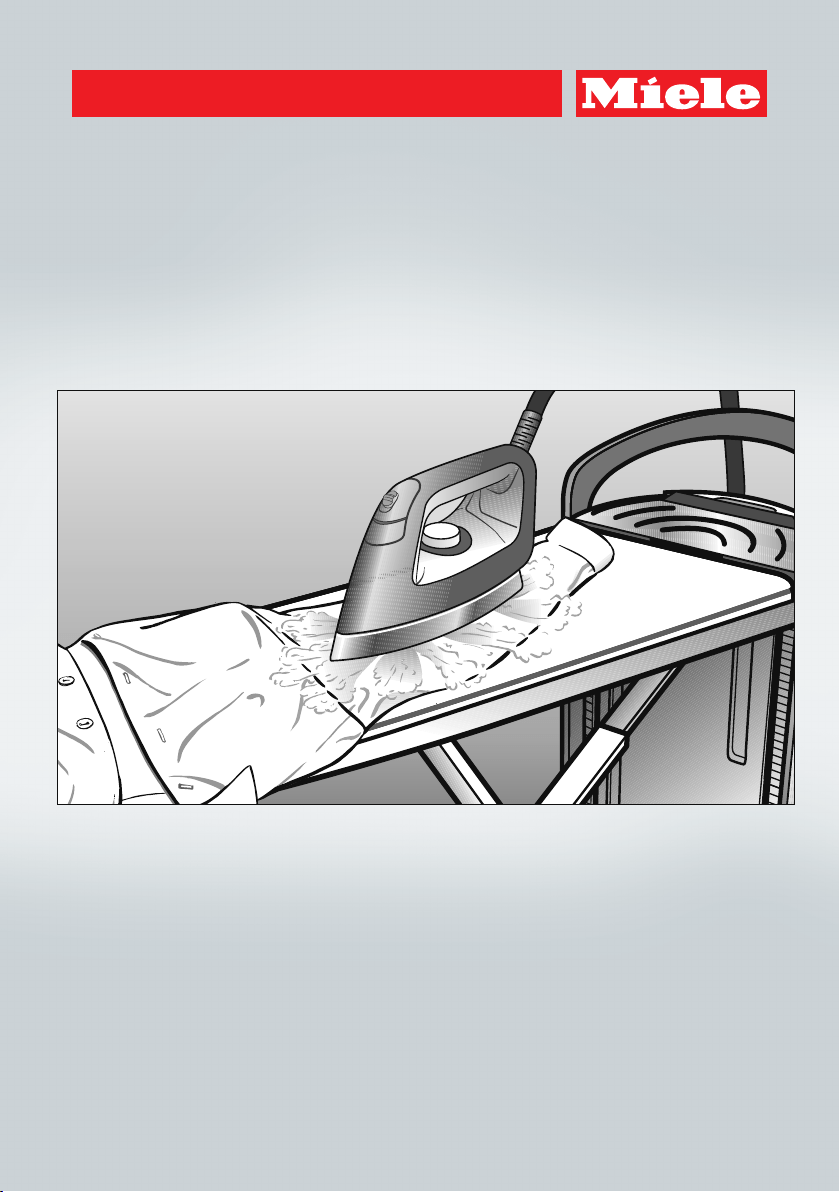
Steam Ironing System
To prevent accidents and appliance damage, read these instructions
before installation or use.
en-US,CA M.-Nr. 10 462 411
Caring for the environment
2
Disposal of the packing mate-
rial
The cardboard box and packing materi-
als protect the appliance during ship-
ping. They have been designed to be
biodegradable and recyclable.
Ensure that any plastic wrappings,
bags, etc. are disposed of safely and
kept out of the reach of children. Dan-
ger of suffocation!
Disposal of your old appliance
Electrical and electronic appliances
contain valuable materials. They also
contain certain substances, compounds
and components which were essential
for the proper functioning and safe use
of the equipment. Handling these mate-
rials improperly by disposing of them in
your household waste can be harmful to
your health and the environment. There-
fore, please do not dispose of your old
appliance with regular household waste
and follow local regulations on proper
disposal.
Consult with local authorities, dealers or
Miele in order to dispose of and recycle
electrical and electronic appliances.
Miele assumes no responsibility for
deleting any personal data left on the
appliance being disposed. Please en-
sure that your old appliance is kept
away from children until removal. Ob-
serve safety requirements for appli-
ances that may tip over or pose an en-
trapment hazard.

Contents
3
Caring for the environment .................................................................................. 2
IMPORTANT SAFETY INSTRUCTIONS ................................................................ 6
Product description............................................................................................. 13
Transport .............................................................................................................. 16
Assembly.............................................................................................................. 17
Adjusting the height .............................................................................................. 18
Connection........................................................................................................... 20
Plug in the power cord .......................................................................................... 20
Removing the iron and the steam hose holder ..................................................... 21
Connecting the steam hose .................................................................................. 21
Initial commissioning .......................................................................................... 23
Determining the water hardness ........................................................................... 23
Using the test strips to determine the water hardness ....................................23
Before using for the first time................................................................................ 24
Switch on the steam ironing system ................................................................ 24
Language setting..............................................................................................24
Setting the water hardness level ......................................................................25
The steam ironing system is now set up for use.............................................. 26
Switching on the appliance ................................................................................ 27
Switching on the steam ironing system ................................................................ 27
Filling the water container ..................................................................................... 28
Removing the water container ......................................................................... 28
Filling the water container ................................................................................ 28
Steam operation ............................................................................................... 29
Water quality .................................................................................................... 29
Selecting the ironing temperature ......................................................................... 30
CoolDown function................................................................................................ 32
Auto Off function ................................................................................................... 32
Ironing .................................................................................................................. 33
Iron ........................................................................................................................ 33
Ironing with steam ................................................................................................. 34
Ironing without steam............................................................................................ 35
Ironing with the non-stick soleplate ...................................................................... 35
Attaching the non-stick soleplate.....................................................................35
Removing the non-stick soleplate.................................................................... 36

Contents
4
Active iron board ................................................................................................... 36
Suction function ...............................................................................................36
Inflation function............................................................................................... 36
Automatic switch on/off ...................................................................................36
Memory function .............................................................................................. 37
Heated ironing surface ..................................................................................... 37
Steamer ................................................................................................................ 38
Connecting the steamer........................................................................................ 38
Using the steamer ................................................................................................. 40
Brush attachment.................................................................................................. 41
Connecting the brush attachment.................................................................... 41
Removing the brush attachment...................................................................... 41
Switching off ........................................................................................................ 42
Dismantling .......................................................................................................... 43
Set the ironing board at its lowest working height................................................ 43
Folding the ironing board ...................................................................................... 44
Disconnecting the steam hose.............................................................................. 45
Storing the iron...................................................................................................... 45
Storing the steamer ............................................................................................... 45
Emptying the water container ............................................................................... 46
Storing the steam ironing system.......................................................................... 46
Cleaning and care ............................................................................................... 47
Automatic rinsing .................................................................................................. 47
Preparing for the rinsing process ..................................................................... 47
Draining the residual water container............................................................... 47
Descaling............................................................................................................... 48
Descaling warning ............................................................................................ 49
Starting the descaling process early................................................................ 50
Descaling process............................................................................................50
Cleaning the housing............................................................................................. 57
Cleaning the soleplate of the iron.......................................................................... 57
Cleaning or replacing the ironing board cover ...................................................... 58

Contents
5
Cleaning the water filter......................................................................................... 59
Disconnect the power supply...........................................................................59
Removing the water container ......................................................................... 59
Removing the water filter cover........................................................................60
Removing the sealing ring................................................................................60
Pull out water filter............................................................................................61
Cleaning the water filter....................................................................................61
Inserting the water filter.................................................................................... 61
Inserting the water container............................................................................ 62
Optional accessories .......................................................................................... 63
Accessories ........................................................................................................... 63
Non-stick soleplate ..........................................................................................63
Ironing board cover .......................................................................................... 63
Steamer ............................................................................................................ 64
Care products........................................................................................................ 64
Descaling tablets for the steam ironing system ............................................... 64
Frequently asked questions ............................................................................... 65
Problem solving guide........................................................................................... 66
Display messages ................................................................................................. 71
Technical service ................................................................................................. 75
Warranty ................................................................................................................ 75
Electrical connection .......................................................................................... 76
Technical data...................................................................................................... 77
IMPORTANT SAFETY INSTRUCTIONS
6
READ ALL INSTRUCTIONS BEFORE USE
This steam ironing system complies with all specified safety re-
quirements. Inappropriate use can however lead to personal injury
and damage to property.
To avoid the risk of accidents and damage to the steam ironing
system, please read these instructions carefully before using it for
the first time. They contain important information on its safety, in-
stallation, use and maintenance.
Keep these operating instructions in a safe place and pass them
on to any future owner.
Intended use
This steam ironing system is intended for use in domestic house-
holds and similar residential environments.
The steam ironing system must be used only for ironing textiles
which are suitable for ironing according to the care label.
The steam ironing system is intended for domestic use only as de-
scribed in these operating instructions.
Any other use is not permitted. Miele cannot be held liable for dam-
age resulting from incorrect or improper use or operation.
Persons which lack physical, sensory or mental abilities or experi-
ence with the machine should not use it without supervision or in-
struction by a responsible person.
The steam ironing system is not intended for outdoor use.
To avoid the risk of electric shock, do not submerge the iron in
water or other liquids.

IMPORTANT SAFETY INSTRUCTIONS
7
Safety with children
Children must be kept away from the appliance unless they are
supervised.
Children must be supervised in the vicinity of the steam ironing
system. Do not allow children to play with it.
Make sure that children cannot access the steam hose or the
power cable, either during use or while the steam ironing system is
cooling down.
Danger of suffocation!
Keep children away from any packing material.
IMPORTANT SAFETY INSTRUCTIONS
8
Technical safety
Before setting up the steam ironing system, inspect it visually for
any external damage. Do not use a damaged appliance. A damaged
steam ironing system can be dangerous!
Check the iron of the steam ironing system for damage. Do not
use the iron if it has been dropped, if there is any visible damage or if
it is leaking.
Before connecting the power cable to the outlet, make sure that
the connection data on the data plate (voltage and frequency) of the
steam ironing system match the local power supply.
If in doubt about your local power supply contact a qualified electri-
cian. If it is connected to a supply that deviates from the data plate,
this may lead to malfunctions or failure of the steam ironing system.
Always remove and unwind the power cord of the steam ironing
system completely from its (lower) storage compartment.
If the power cord is damaged, it must be replaced by Miele Tech-
nical Service. For safety reasons this must only be fitted by a Miele
authorized service technician or the Miele service department.
Do not use the steam ironing system if the ironing board cover is
damaged.
A damaged ironing board cover could be dangerous!
Do not use the steam ironing system without an ironing board
cover.
The ironing board cover must be replaced with an original Miele
cover.

IMPORTANT SAFETY INSTRUCTIONS
9
The electrical safety of this steam ironing system can only be
guaranteed if it is grounded properly. It is essential that this standard
safety requirement is met. If in any doubt, please have building's
wiring system inspected by a qualified electrician. Miele cannot be
held liable for the consequences of an inadequate grounding system
(e.g. electric shock).
Do not use a power bar or an extension cord to connect the steam
ironing system to the power supply. These devices do not guarantee
the required safety of the appliance (e.g. danger of overheating).
This steam ironing system complies with all relevant safety re-
quirements. Unauthorized repairs could result in unforeseen dangers
for the user, for which Miele cannot accept liability. Repairs should
only be performed by a Miele authorized service technician, other-
wise any subsequent damage will not be covered by the warranty.
Faulty components must only be replaced by genuine Miele parts.
Only when these parts are fitted can Miele guarantee the safety stan-
dards of the appliance.
To avoid a circuit overload, do not operate an iron on the same
circuit with another high wattage appliance.
During repairs, installation and maintenance tasks, the steam iron-
ing system must be disconnected from the power supply. The steam
ironing system is only considered disconnected from the power sup-
ply if:
– the power plug of the steam ironing system is unplugged or
– the fuse is removed from the building wiring or
– the circuit breaker has been tripped.
Do not damage, remove or bypass the safety features and control
elements of the steam ironing system.
Only use the steam ironing system when all removable outer pan-
els are installed so that it is not possible to touch live components or
moving parts.
IMPORTANT SAFETY INSTRUCTIONS
10
The steam ironing system must not be used in a non-stationary lo-
cation (e.g. on a ship).
Correct use
Emitted steam, the iron soleplate and the areas surrounding it
on the iron and the steamer jets are very hot.
Danger of injury by burning!
Avoid direct contact with it.
The steam ironing system is intended for domestic use only and is
not designed for commercial purposes.
Do not use a power washer or water hose when cleaning the
steam ironing system.
Clean the appliance only after it has cooled down.
Danger of injury by crushing! Do not reach between moving parts
when assembling, dismantling or adjusting the height of the appli-
ance.
The steam ironing system must be set up on a level surface hav-
ing the appropriate load-bearing capacity. The appliance must only
be used in a horizontal position.
The steam ironing system must be assembled when ironing. How-
ever, the steamer can be used when the ironing board is in the up-
right position.
Ensure that the power cord does not present a trip hazard when
unwound.
Use caution when the appliance is heated, if you come in contact
with the soleplate of the iron or the steamer jets you could be
burned. The warning symbol "Hot surface"() on the iron indicates
that it is hot.

IMPORTANT SAFETY INSTRUCTIONS
11
Do not use solely demineralized water (e.g. distilled, battery wa-
ter) to fill the water container. This could cause the steam ironing
system to malfunction.
Always place the iron with its soleplate horizontally on the resting
surface of the steam ironing system. Ensure the steam function is
switched off and the soleplate does not protrude over the edges. Do
not place the iron anywhere else as this presents a fire hazard!
Risk of burning! If the iron remains on the resting surface for
longer period of time, the surface will become hot. Avoid direct con-
tact with the resting surface.
Danger of burning! Never direct the steam or the steam jets or the
steam nozzles of the iron or steamer at people, animals or electrical
appliances of any kind.
Risk of burning! Never point the steam jet at clothing while the
clothes are being worn! The clothing will intensify burning of skin.
Switch off the steam ironing system before disconnecting the
power cable.
Do not pull on the cord to withdraw the plug. Pull on the plug to
withdraw the plug from the socket.
Do not leave the appliance unattended when it is ready for use.
Before you leave it, ensure you switch the steam ironing system off
and then disconnect it from the power supply.
Do not touch the power cord or the steam hose with the soleplate
of the heated iron as this could result in damage.
While descaling the system, the iron or the steamer must not be
connected to the steam ironing system. The appliance can be left
unattended during this process.
The iron must not be stowed in its storage compartment when it is
connected. This could result in damage to the steam ironing system.

IMPORTANT SAFETY INSTRUCTIONS
12
Do not use the residual water container to store accessories or
similar items. The residual water container should be used only to
collect residual water.
Do not plug any objects into the apertures on the steam ironing
system. If an aperture is blocked, do not use the system.
Do not hang items of laundry on the folded steam iron system.
This may cause the steam ironing system to tip over.
Avoid ironing across hard or sharp-edged items. These can leave
marks on the soleplate.
Do not store the steam ironing system near gasoline, kerosene or
other highly flammable substances. Risk of fire and explosion!
Only use the appliance inside buildings where the ambient tem-
perature is between 50°F and 104°F.
Freezing temperatures, excessive heat and humidity will adversely
affect the functionality of the steam ironing system.
Do not store the appliance in a room where there is a risk of frost
occurring. Frozen water in the water container, steam generator and
steam hose will cause damage to the appliance.
Using accessories
Accessory parts may only be fitted when expressly approved by
Miele. If other parts are used or fitted, any claims from the warranty,
warranty and/or product liability will be invalidated.
SAVE THESE INSTRUCTIONS
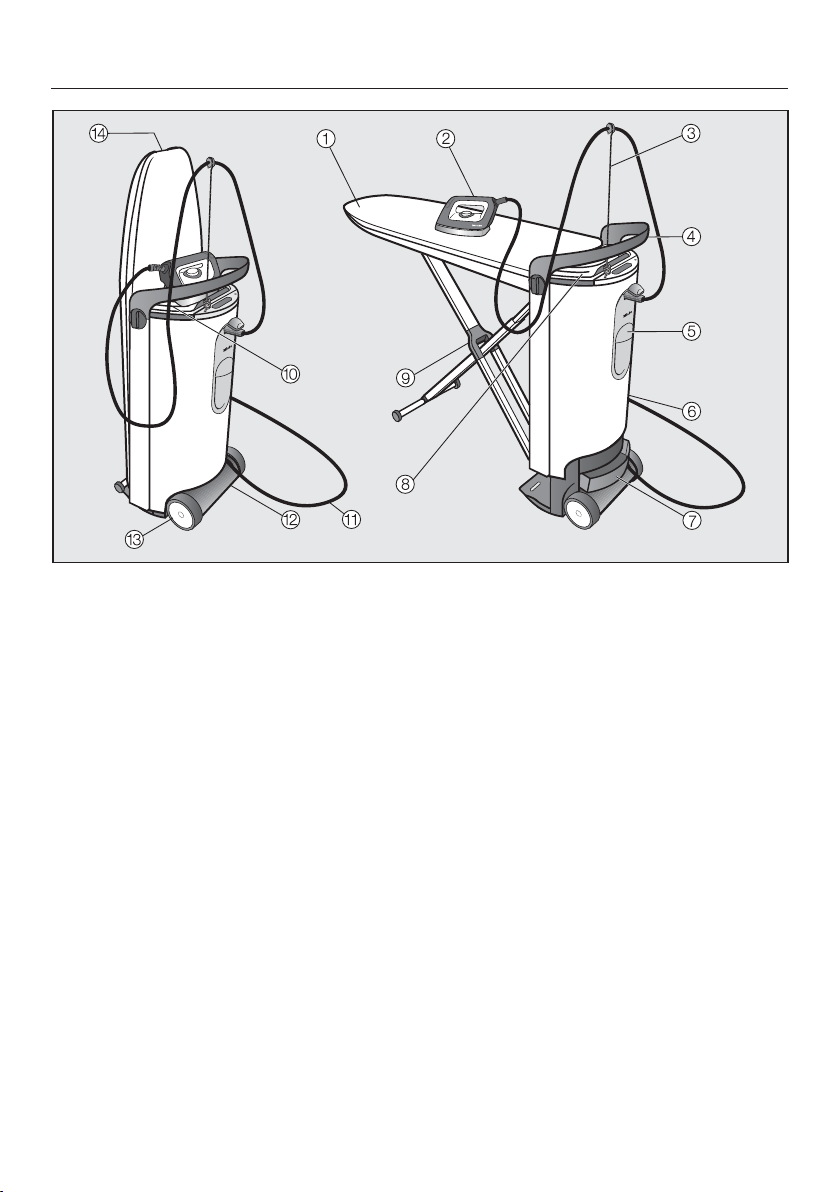
Product description
13
a
Ironing board
b
Iron with steam hose
c
Steam hose holder
d
Handle
e
Water container
f
Tower
g
Residual water container
h
Storage compartment (upper)
For the iron and the steam hose
holder.
i
X-frame for the ironing board
j
Iron resting surface
k
Power cord
l
Storage compartment (lower)
For the power cord, the steamer*, the
non-stick soleplate, and the holder
for the power cord.
m
Wheels
n
Release handle
To setup the steam ironing system.
* Standard equipment for steam ironing system B3847. Available as optional ac-
cessory for steam ironing system B3312.
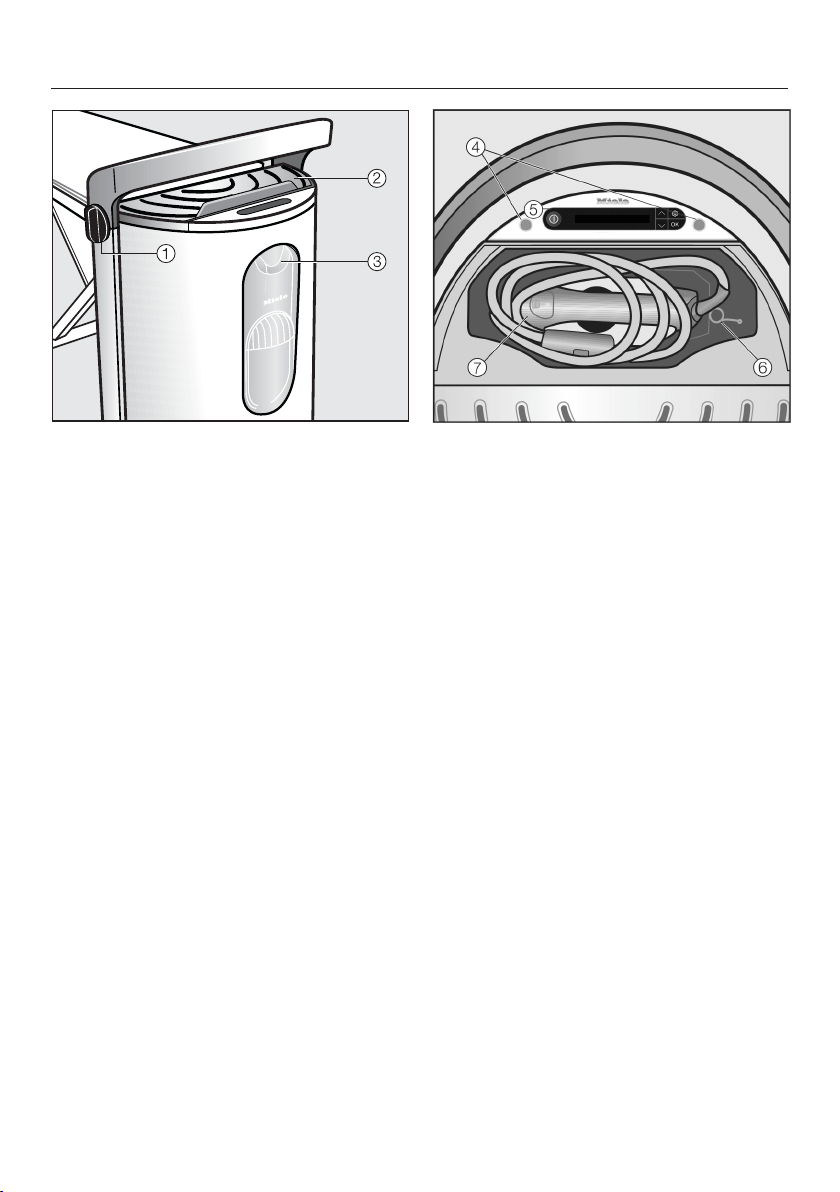
Product description
14
Tower
a
Rotary dial for height adjustment
and dismantling the appliance
b
Iron resting surface
c
Steam connection
Tower (top view) with open storage com-
partment (top)
d
Steam hose holders
e
Control panel
f
Steam hose holder
g
Iron with steam hose
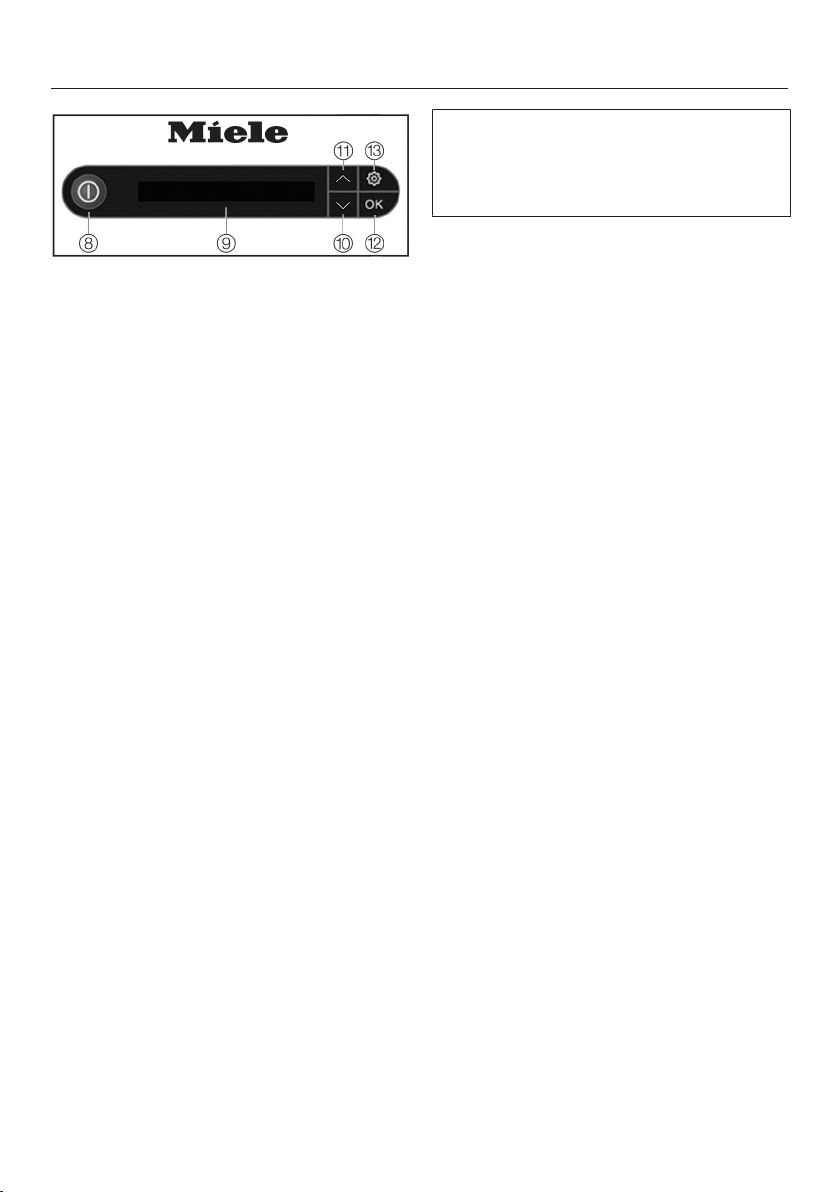
Product description
15
Control panel on tower
h
On/Off button
Switches the steam ironing system
on or off.
i
Display
Displays messages and instructions
for the user.
j
Arrow button
Lights up if additional options are
provided or the display text exceeds
the specified length of a line. Scrolls
down the selection list to the next
option or decreases a value.
k
Arrow button
Lights up if additional options are
provided or the display text exceeds
the specified length of a line. Scrolls
up the selection list to the next op-
tion or increases a value.
l
OKbutton
Confirms the selection or the infor-
mation in the display.
m
button
Opens the settings menu. In the set-
tings menu, the language and the
level of the water hardness can be
adjusted, or the descaling process
can be started.
Some of the messages in the display
are more than one line long. Touch the
or arrow button to read them in
full.
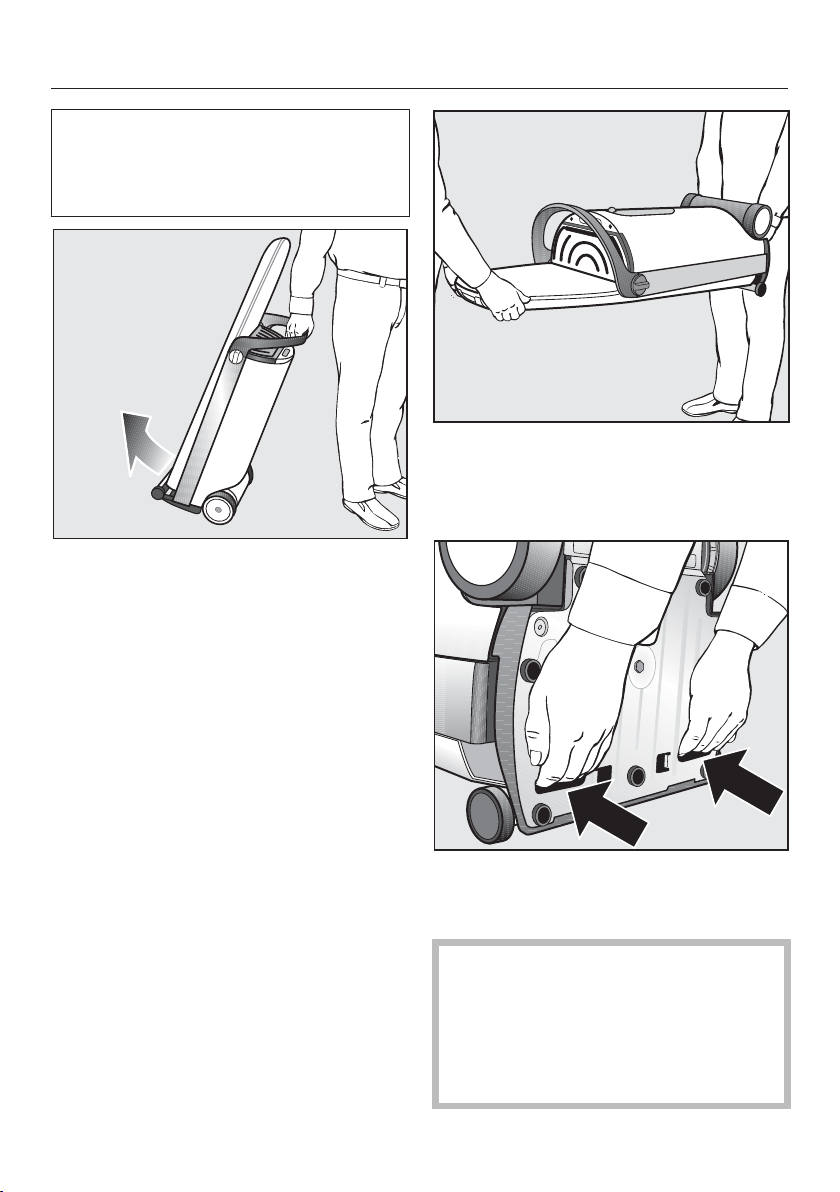
Transport
16
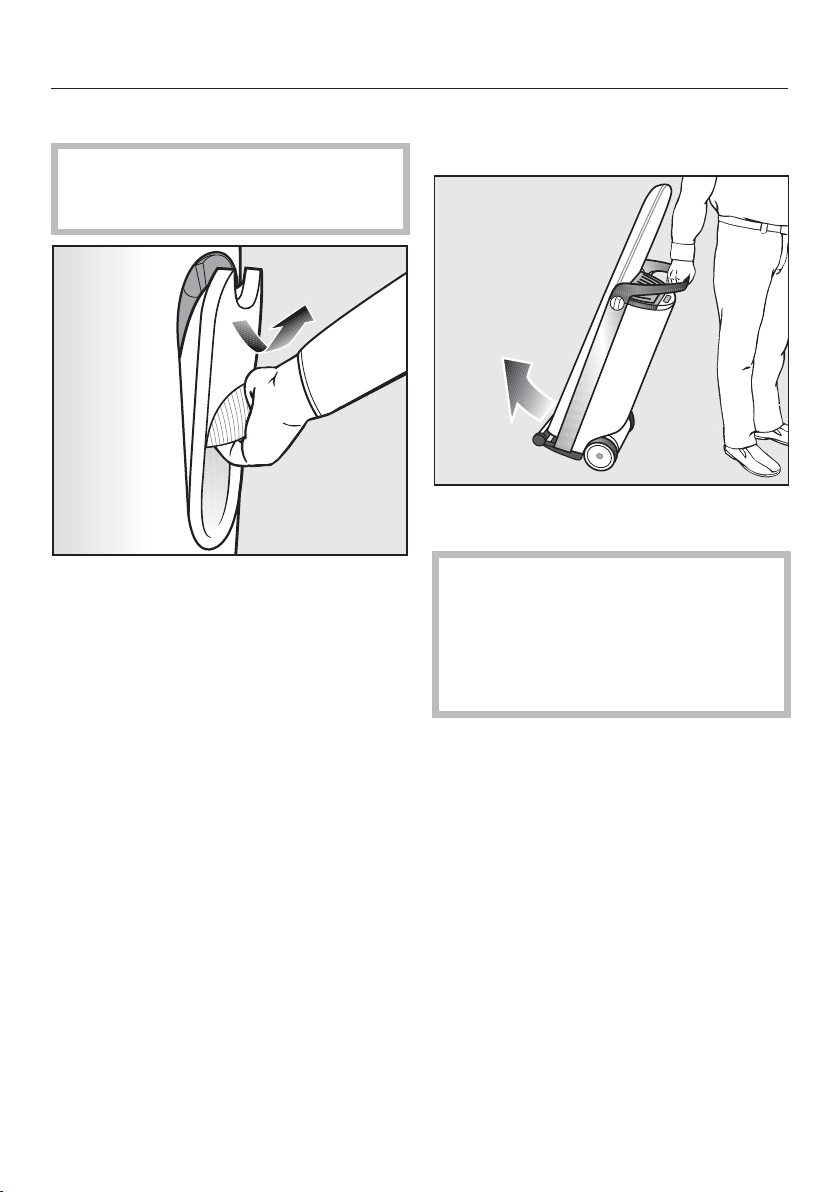
The steam ironing system is fitted with
two wheels. This allows the appliance
to be pulled across an even surface
when folded up.
Hold the steam ironing system by its
handle and tip it gently towards you
until the wheels are free to roll.
This allows you to navigate easily
across obstacles such as carpet edges,
door sills or single steps.
Two people are required for carrying
the steam ironing system up or down
stairs. When doing so, ensure the
ironing board is at the bottom.
When transporting the appliance, use
both handles on the underside of the
appliance.
The steam ironing system must
only be transported or lifted when
folded down!
Otherwise the locking mechanism of
the ironing board could release and
cause injury or damage.
Assembly
17
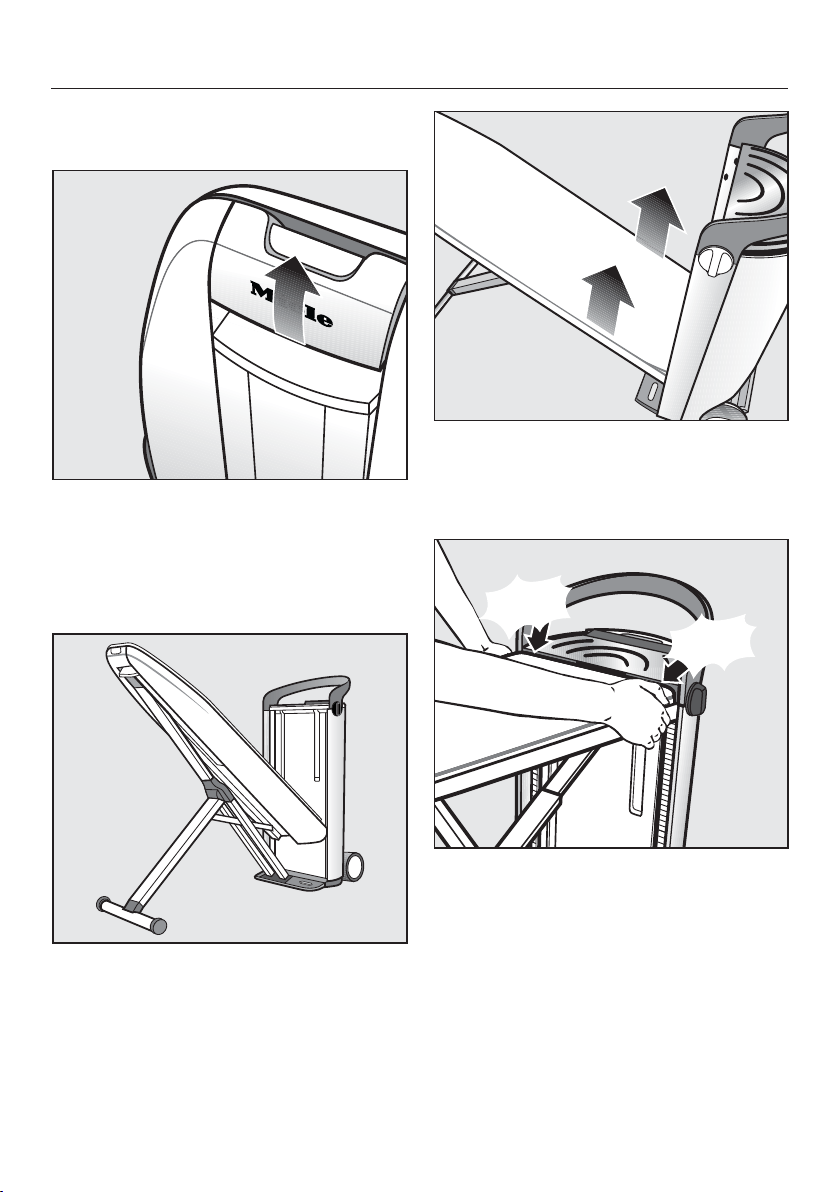
Take the steam ironing system to its
set up location.
Use one hand to pull the release
mechanism upwards.
This releases the locking mechanism of
the ironing board and the X-frame folds
down.
Hold onto the release mechanism
and guide the ironing board into a po-
sition of approx. 45°.
The ironing board remains in this posi-
tion by itself.
Use both hands to pull the ironing
board upwards into a horizontal posi-
tion until this audibly clicks into place
on both sides of the tower.
click!
click!
Ensure the ironing board has locked
into place on both sides of the tower.
The height adjustment only works if
both sides of the appliance have locked
into place.
Assembly
18
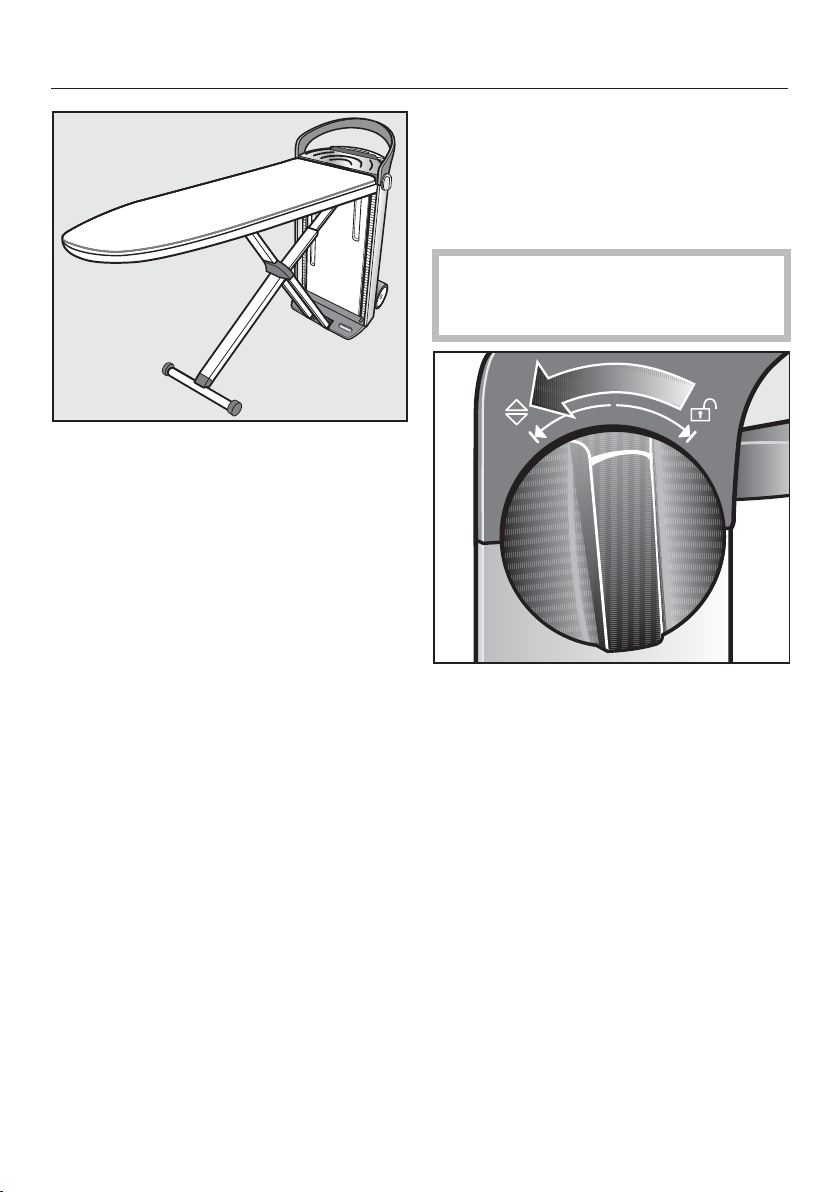
The steam ironing system is now as-
sembled. This is its lowest working po-
sition of approx. 32¾" (83cm) high.
Adjusting the height
The steam ironing system can be ad-
justed to suit your personal preference.
The maximum working height is
40¼" (102cm).
When adjusting the height, ensure
the power cord does not become
trapped in the mechanism.
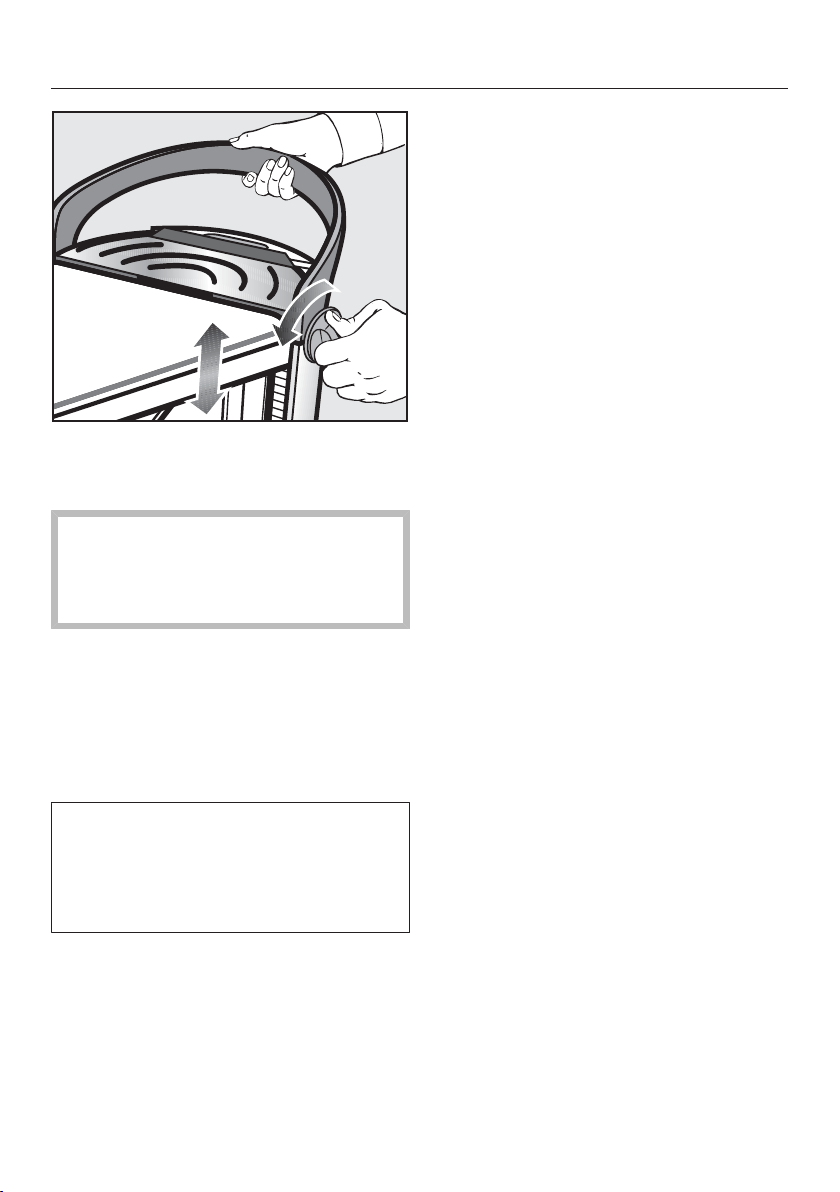
Use one of the rotary dials located on
the side of the tower handle. Turn the
dial in thedirection and hold the
dial in position.
Assembly
19
At the same time, pull the handle on
the tower upwards with the other
hand up or press the handle down.
Do not push down on the ironing
board while adjusting the height!
Always use the handle on the tower
to do this.
When you have reached your desired
working height, release the rotary
dial.
The rotary dial will spring back into the
center position. The ironing board will
remain at the adjusted height.
For additional stability, the ironing
board locks into place under extra
pressure with an audible click. Now
the working height you selected is
twice as secure.
Tip: Adjust your working position to ap-
prox. hip height for optimum comfort.
Connection
20
Plug in the power cord
The steam ironing system is designed
for the connection to a properly in-
stalled grounded socket for AC120V,
15A, 60Hz.
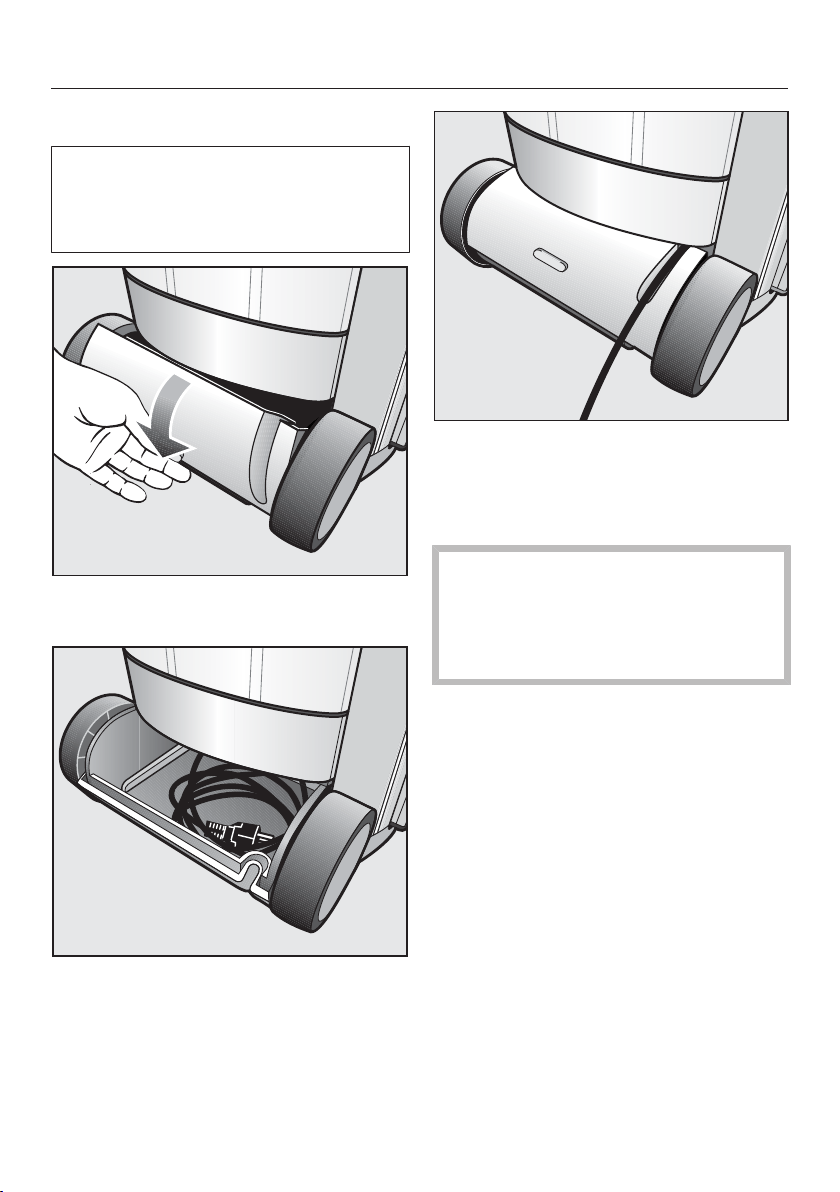
Open the (lower) storage compart-
ment by swinging the lid downwards.
Remove the power cord from the
(lower) compartment.
Insert the power plug into a suitable
grounded outlet (see chapter "Electri-
cal connection").
Guide the power cord through the
groove in the cover.
Close the (lower) storage compart-
ment.
When closing the compartment, en-
sure the power cord does not be-
come trapped between the lid and
the casing or between the wheels
and the tower.
Connection
21
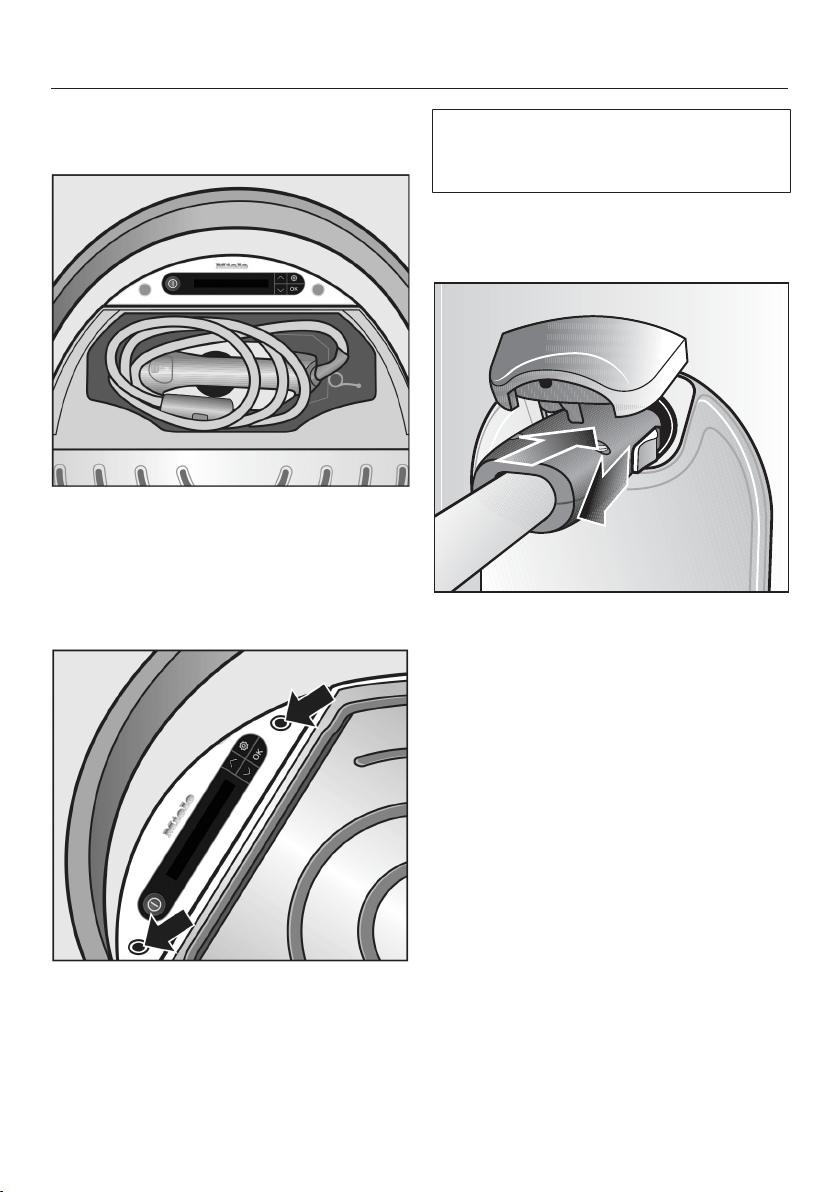
Removing the iron and the
steam hose holder
Open the lid of the storage compart-
ment (upper) on the tower.
Take out the iron and the steam hose
holder.
Close the storage compartment lid.
Plug the steam hose holder into one
of the sockets provided.
Tip: Use the socket on the side on
which you are ironing.
The steam ironing system is suitable
for right- or left-handed people. The
operation is optimized for both sides.
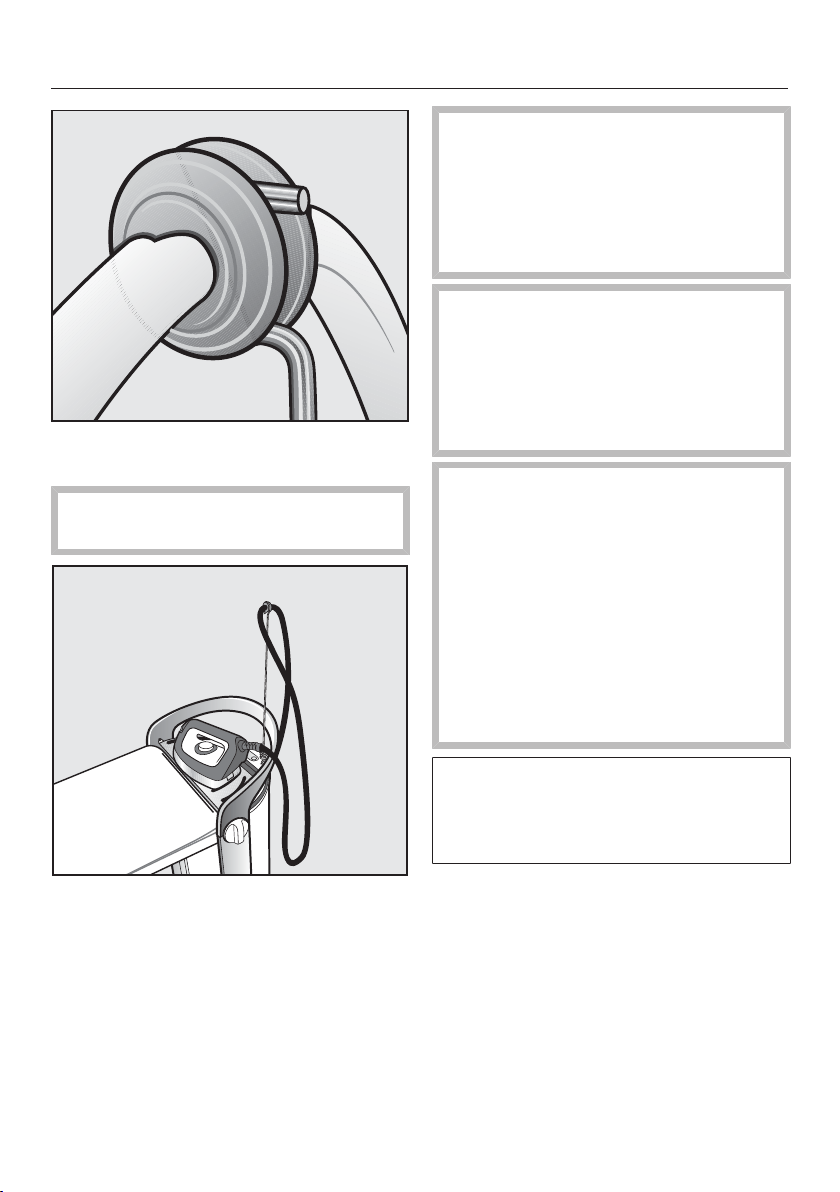
Connecting the steam hose
Lift the lid of the steam connection.
Pull back the slider on the steam
hose plug.
Insert the plug into the steam con-
nection.
Release slider on the plug when it is
locked into the steam connection.
The iron is now connected to the steam
connection.
Connection
22
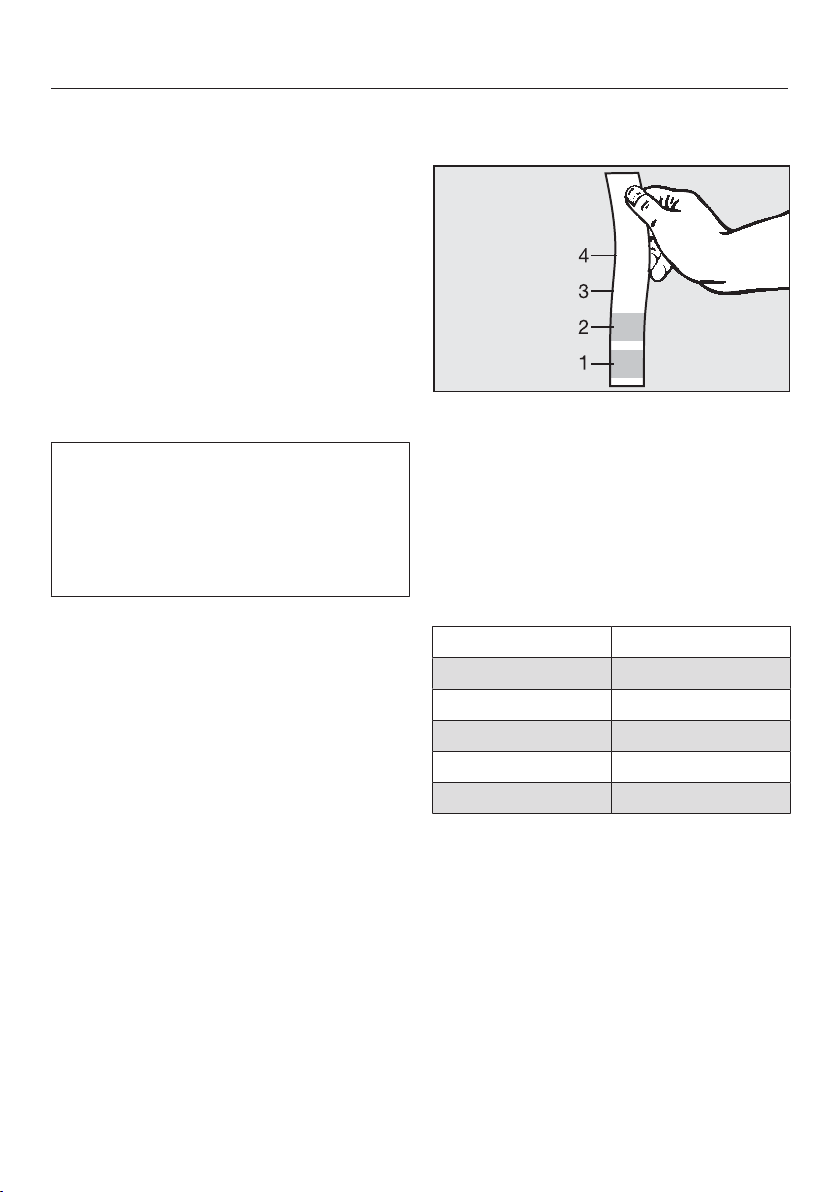
Guide the steam hose on the rubber
ring into the steam hose holder.
Ensure the steam hose fits tightly
and is not twisted.
Always place the iron on the resting
surface before you start ironing and
when you take a break from ironing.
This prevents damaging or discol-
oration of the ironing board cover.
Do not place the iron in its up-
right position!
It can easily tip over or fall to the
floor.
Always place the iron onto the rest-
ing surface with its soleplate down.
If the iron remains on the resting
surface for any length of time, the
surface will become hot.
Avoid direct contact with the resting
surface.
Only touch the handle.
Before turning off the iron, and be-
fore placing the iron down, make
sure you switch off the continuous
steam function.
If the continuous steam function is
not switched off, the following mes-
sage will appear in the display
Release stm. button.
To do this, unlock the button by
pushing the slider on the iron forward
(see "Ironing").
Condensation can form on the resting
surface. However, this does not affect
the functioning of the steam ironing
system.
Initial commissioning
23
Before using the steam ironing sys-
tem for the first time, remove all
packaging (e.g., the protective foil
from the tower).
Determining the water hard-
ness
To ensure the steam ironing system will
function properly and the descaling re-
minder appears at the appropriate time,
the appliance must be set to the water
hardness level of your local water sup-
ply.
The water hardness level indicates
how much calcium is dissolved in the
water. The higher the calcium content,
the harder the water. The harder the
water, the more often the appliance
must be descaled.
Your local water supplier can inform you
of the water hardness level in your area.
This information can also be found on
the internet and the home page of the
relevant utility company.
As an alternative, you may also deter-
mine the approximate water hardness
by using the test strips included in the
delivery.
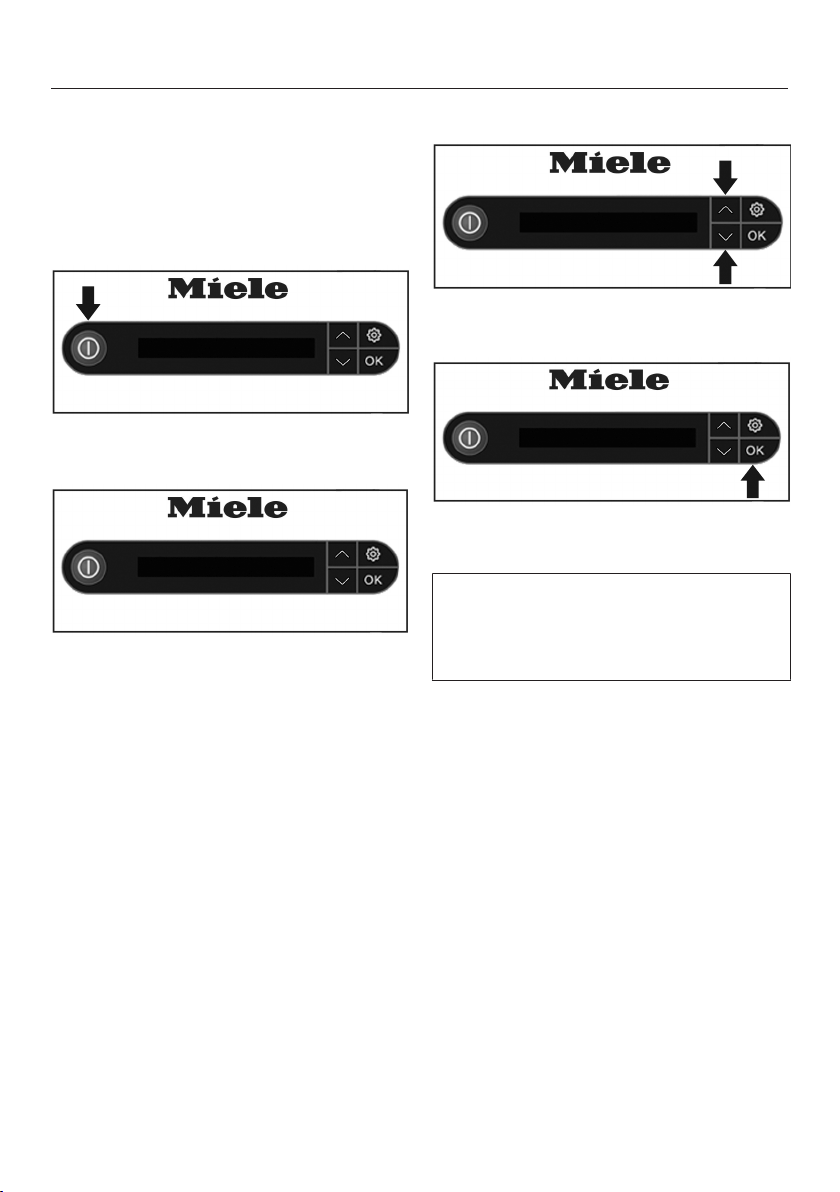
Using the test strips to determine the
water hardness
Dip the test strip for approx. 1second
into the water.
Remove the test strip from the water
and shake the water off the test strip.
After approx. 1 minute, and based on
the coloration, you will be able to read
the water hardness from the table be-
low:
Test strip Water hardness
4green areas < 3gpg (3°dH)
1 red area < 4gpg (4°dH)
2red areas < 7gpg (7°dH)
3red areas < 15gpg (14 °dH)
4red areas < 22gpg (21°dH)
Tip: It is useful to know your water
hardness so that you can provide the
service technician with this information
in the event of any service calls. Please
note your water hardness level here:
...................... gpg ( .......................°dH)
Initial commissioning
24
Before using for the first time
The following steps must be carried
out before using the appliance for the
first time:
Switch on the steam ironing system
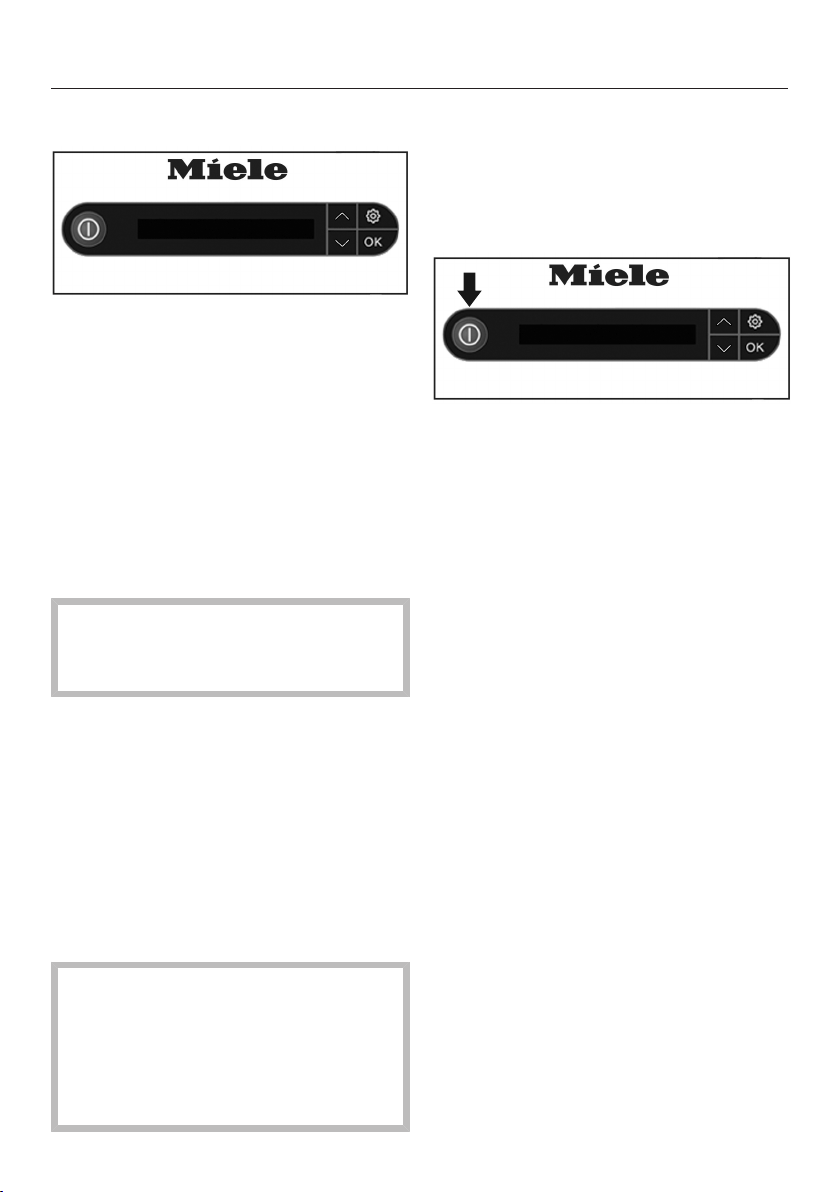
Press the button on the control
panel on the tower.
Willkommen
The Welcome screen appears for a few
seconds in the display. The display will
then guide you through the following
settings:
Language setting
english (GB)
Use the arrow buttons or to se-
lect your preferred language setting.
english (US)
To confirm your selection, press the
OK button.
The language settings can be
changed at any time via the settings
menu ( button, menu option Lan-
guage ).
Initial commissioning
25
Setting the water hardness level
Set water
hardness...
Before the water hardness can be set,
the display message Set water hard-
ness... must be acknowledged by press-
ing the OKbutton.
The steam ironing system gives you
the option to set the water hardness
level from 1-10.
Use the following table to determine the
water hardness level that must be set
for your steam ironing system:
°dH gpg Setting
1 - 4 1 - 4
Level 1
5 - 7 5 - 7
Level 2
8 - 11 8 - 11
Level 3
12 - 15 13 - 16
Level 4
16 - 20 17 - 21
Level 5
21 - 25 22 - 26
Level 6
26 - 30 27 - 31
Level 7
31 - 36 32 - 38
Level 8
37 - 45 39 - 47
Level 9
46 - 70 48 - 73
Level 10
Level 7
Use the arrow buttons or on the
control panel to set the water hard-
ness level for your household.
Tip: If the water hardness is fluctuating
(e.g., 39-52gpg/37-50°dH), always set
the highest value (in this example,
52gpg/50°dH = Level 10).
Make sure the correct water hard-
ness level is set.
An incorrect setting will invalidate all
warranty claims.
Level 10
Confirm your selection by pressing
the OK button.
The steam ironing system is now set for
the specified water hardness.
The water hardness level can be
changed at any time via the settings
menu (button, menu optionWater
hardness).

Initial commissioning
26
The steam ironing system is now set
up for use
This completes the settings for using
the appliance for the first time. The
message Initial set-up complete will ap-
pear in the display. Confirm this mes-
sage by pressing the OK button.
The steam ironing system will normally
run a rinse cycle automatically after it
has been set up for use.
The steam ironing system can then be
switched off or you can continue using
it.
When using the appliance for the first
time, a slight odor may be noticeable
during the heating-up phase. This will
dissipate with further use.
During operation of the steam ironing
system pumping, boiling and knocking
noises may be heard. These are nor-
mal noises and do not indicate a mal-
function.
Switching on the appliance
27
Switching on the steam ironing
system
Press the button on the control
panel of the tower to turn on the
steam ironing system.
The button is illuminated and the
Welcome screen appears for several
seconds in the display.
If the iron was not connected to the
steam connection before switching it
on, the message Attach hose is dis-
played. In this case, the steam hose
must be attached to the steam connec-
tion (see "Connection").
If the steam button on the iron is
locked when the steam ironing system
is switched on, Release stm. button
will appear in the display. If this is the
case, first unlock the steam button by
pushing the slider on the iron forwards
(see "Ironing").
The message PreHeating phase then
appears on the display. The steam iron-
ing system starts to heat up. During the
heat-up phase, some steam may be
discharged from the iron.
As soon as the steam ironing system is
ready and steam is available, the mes-
sage Ready will be displayed.
Depending on the operating duration,
immediately after switching the ap-
pliance on, the automatic rinse func-
tion can be started (see "Automatic
rinsing") or you may start the descal-
ing process (see "Descaling").
While the rinse and descaling pro-
cesses are running, the steam ironing
system is not available for ironing.
Switching on the appliance
28
Filling the water container
If the water container is empty or not
installed in the tower, the message
Insert or refill the water container is
displayed.
Removing the water container
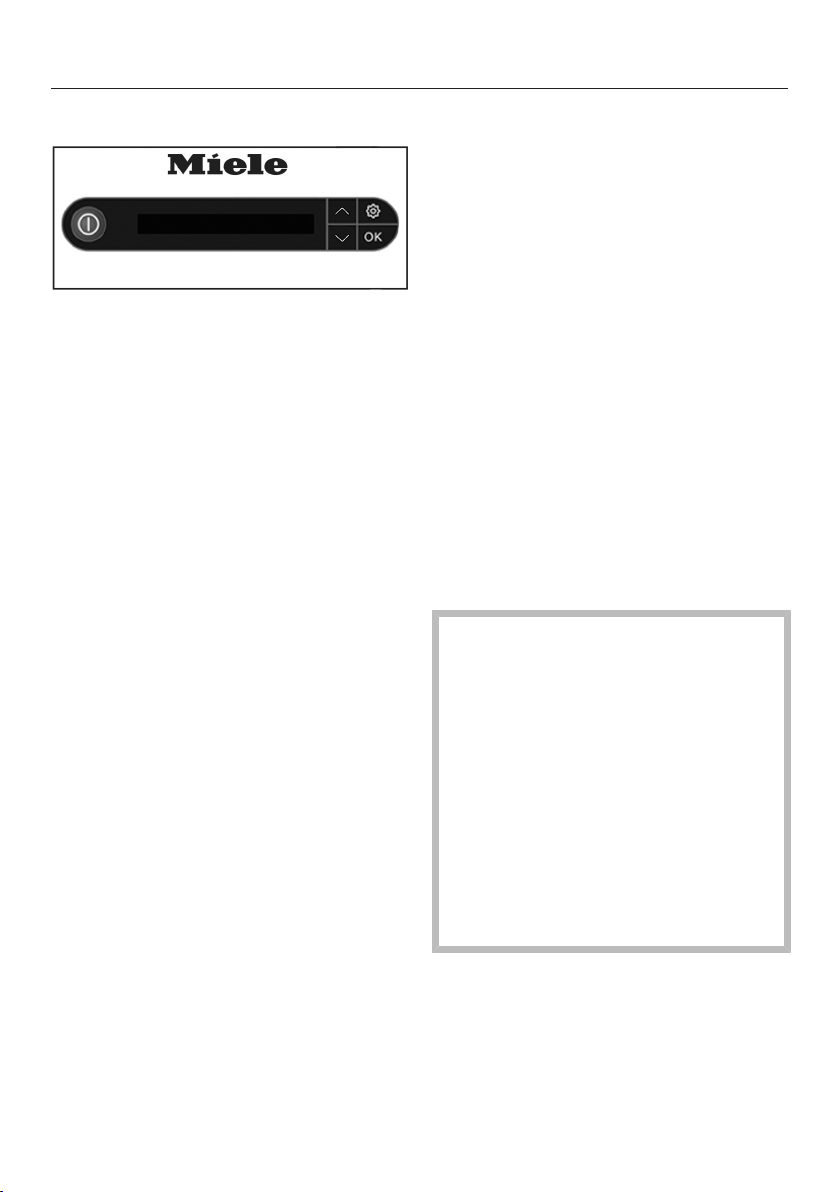
Hold the water container by its han-
dle.
Pull the handle down.
The water container is released from the
retainer.
Pull the water container upwards and
out.
You may notice some water dripping
when removing the water container
while the water container valves are
closing.
Tip: The dripping can be prevented by
removing the water container slowly.
Filling the water container
Open the twist lock at the rear of the
water container by turning the lock
counterclockwise.
Remove the twist lock.
Use fresh tap water to fill the con-
tainer (water temperature approx.
60to 95°F/15to 35°C).
Tip: When placing the water container
in the horizontal position, the water
container can also be filled if the faucet
is installed very low.
Replace the twist lock in the opening
of the water container.
Close the twist lock by turning it
clockwise as far as it will go.
Put the water container back into the
tower.
The water container can be removed
and refilled at any time (even during
the ironing process). The amount of
water required will depend on how
much steam is required.
Switching on the appliance
29
Steam operation
Ready
After inserting the water container, wait
until the steam ironing system is ready
to use steam. This is indicated by the
Ready message in the display.
If the water container is filled during the
ironing process, the steam generator
may have to be reheated.
Tip: If you fill the water container as
soon as the Fill water cont. message
is displayed and the container is in-
serted into the tower there is no delay.
As long as the message Fill water
cont. is shown in the display, the steam
ironing system is not active. However,
you may continue to use the iron.
Tip: You can save energy by ironing dry
and without steam. To do this, remove
the water container. In this case, the
steam generator will not be heated and
the inflation and suction function of the
ironing board is not available (see "Ac-
tive ironing board").
Water quality
Use only fresh tap water.
Water prepared using commercially
available water filters may also be
used.
For water hardness of more than 15gpg
(14°dH) you can use tap water mixed at
a 1:1 ratio with distilled water. This
halves the water hardness. Set the
halved water hardness to the corre-
sponding level of the steam ironing sys-
tem (see "Setting the water hardness").
If your tap water has a water hardness
of 63gpg (60°dH), the mixing ratio of
1:1 with distilled water results in a water
hardness of 31gpg (30°dH). The water
hardness level that must be set on your
steam ironing system must now be Level
7.
Never attempt to use solely distilled
water to fill the water container.
This can cause the steam ironing
system to malfunction.
Do not use water from a water soft-
ener system.
Do not use condensate (e.g. from
other appliances such as air condi-
tioning units, dryers).
Never use rainwater.
Do not use additives, (e.g. perfumes,
ironing water, starch, carbon diox-
ide).
Switching on the appliance
30
Selecting the ironing tempera-
ture
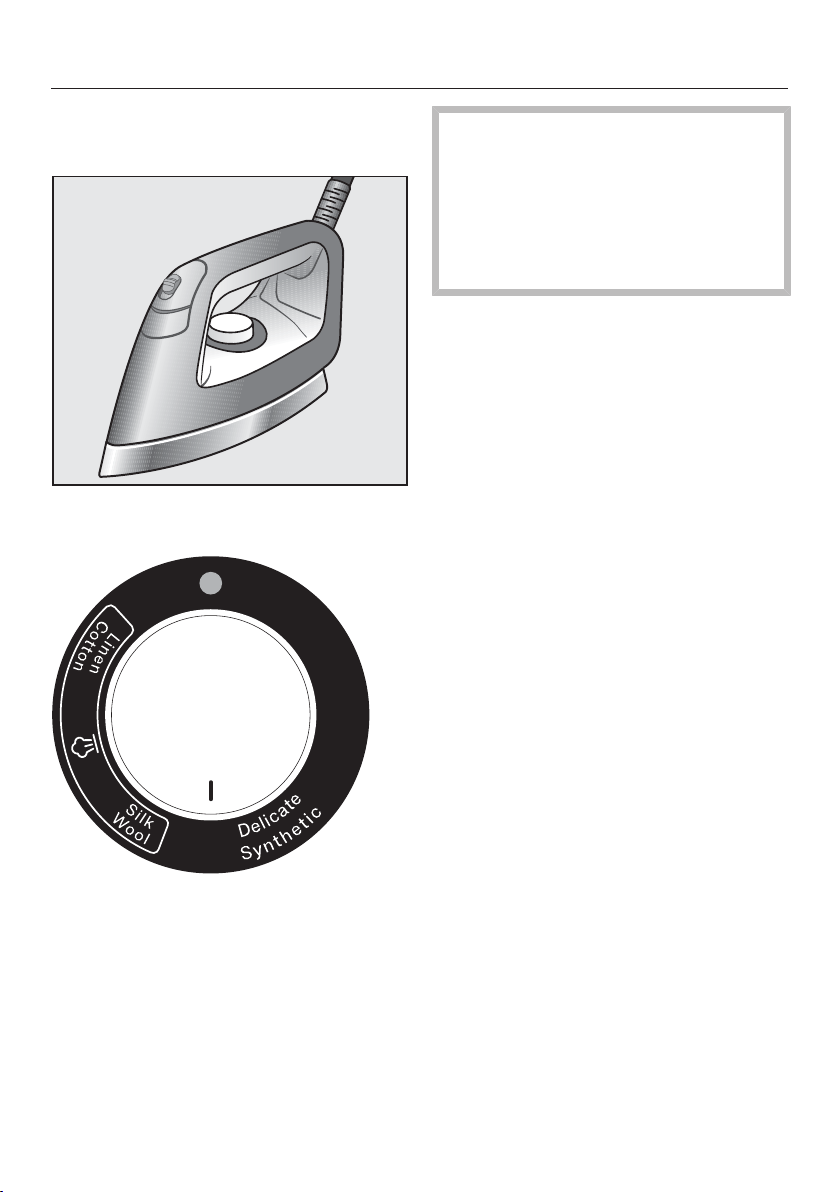
➨
Use the temperature selector on the
iron to set the ironing temperature.
When selecting the temperature levels
Silk/Wool and Linen/Cotton you can use
steam when ironing.
The temperature level Delicate/Syn-
thetic indicates a soleplate tempera-
ture that is too low to iron with
steam. If you use this temperature
level, do not use the steam button.
Otherwise, water will escape from
the steam nozzles.
Tip: Sort your laundry according to the
heat sensitivity of the fabric. This allows
you to iron faster: First, iron your laun-
dry that is made of heat-sensitive fabric
(e.g., synthetics) at temperature level
Delicate/Synthetic. Then, iron all laundry
made of wool or silk, using the temper-
ature level Silk/Wool. Finally, iron all
laundry made of cotton and linen, using
temperature level Linen/Cotton.
Set the temperature selector to the
required temperature setting.
The indicator light on the temperature
selector will light up yellow whilst the
iron is heating up. It will go out once the
set temperature has been reached.
The iron is then ready for use.
Switching on the appliance
31
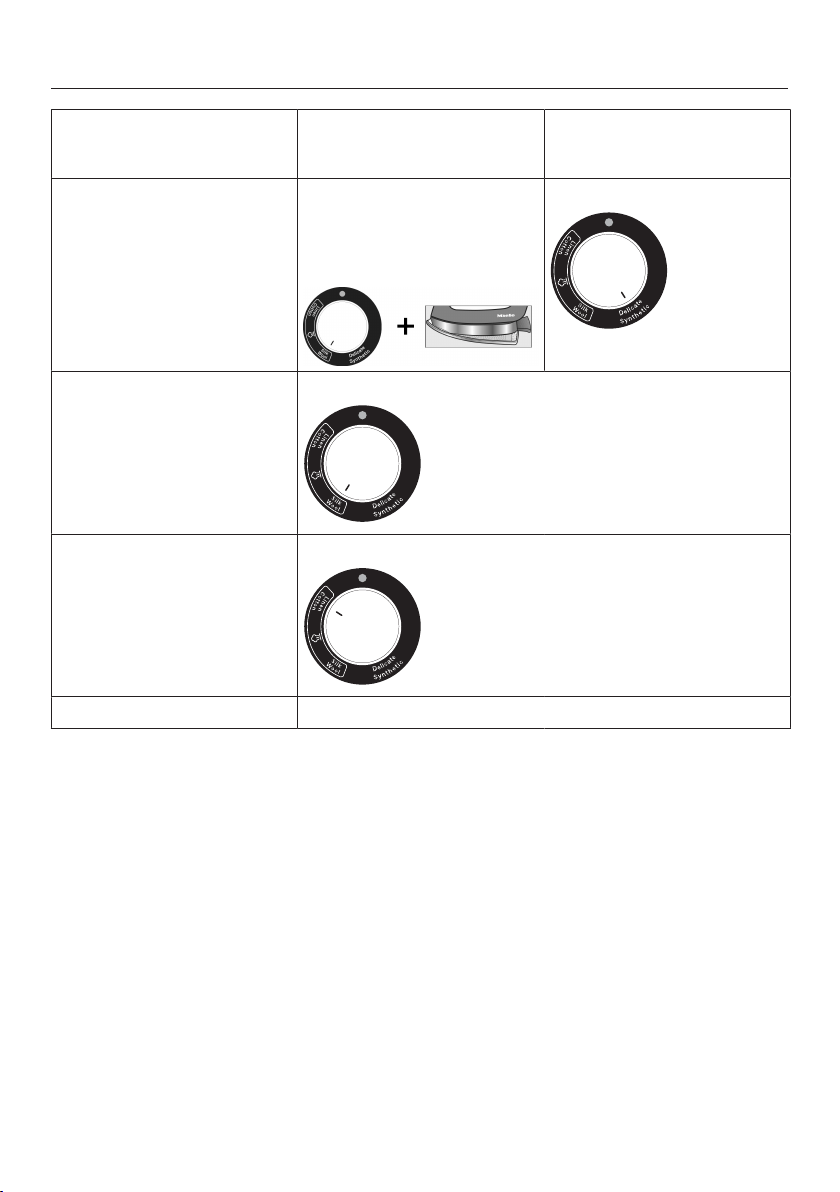
Care label
(on the garment)
Ironing with steam for best re-
sults
(Material / Temperature setting)
Ironing without steam
(Material / Temperature setting)
Low temperature
With non-stick soleplate
(see "Ironing with non-stick iron
soleplate")
Minimum iron, synthetics, ap-
pliqués, prints, flocking, etc.
+
Minimum iron, synthetics
Medium temperature
Wool, silk
High temperature
Linen, cotton
Do not iron
Switching on the appliance
32
CoolDown function
Iron switched off
The heating of the iron switches off au-
tomatically if the iron is not moved for
longer than 3minutes. The message
Iron switched off appears in the display
to indicate that the heating has
switched off. After a certain time, steam
is no longer available. The message
Release stm. button appears when
the steam button is locked. In this case,
unlock the steam button by pushing
the slider on the iron forwards (see
"Ironing").
The soleplate is still hot immedi-
ately after the heating is switched off!
Avoid direct contact.
As soon as the iron is moved, or the
steam button has been released, the
iron will start heating up again automati-
cally. The time taken for the steam to be
available again depends on the length
of time the heating was switched off.
When the steam ironing system is ready
and steam is available, the message
Ready will be shown in the display on
the tower.
Do not leave the steam ironing
system unattended with the iron or
steamer connected!
Always remove the plug from the
socket before leaving the steam iron-
ing system.
Auto Off function
If the iron or the steamer is not used for
approx. 25minutes, the entire steam
ironing system switches off automati-
cally.
The system is switched on again by
pressing the button on the control
panel.
Ironing
33
Iron
Depending on the model, your steam
ironing system has one of the following
irons:
Steam ironing system B3312:
a
"Steam" button
b
Slider for constant steam
c
"Suction" button
d
"Inflation function" button
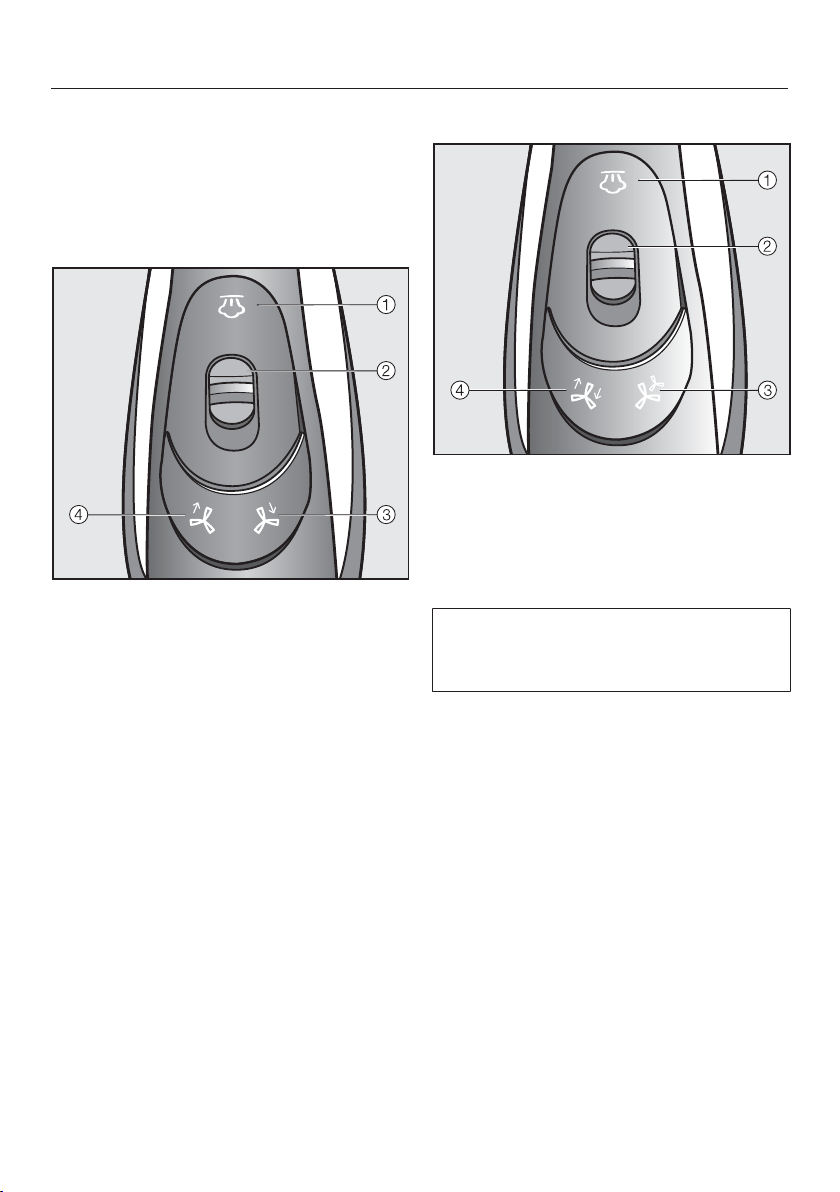
Steam ironing system B3847:
a
"Steam" button
b
Slider for constant steam
c
"Power output" button
d
"Inflation/suction button"
Irons supplied with previous Miele
steam ironing systems (B1xxx/B2xxx)
cannot be used with this appliance.
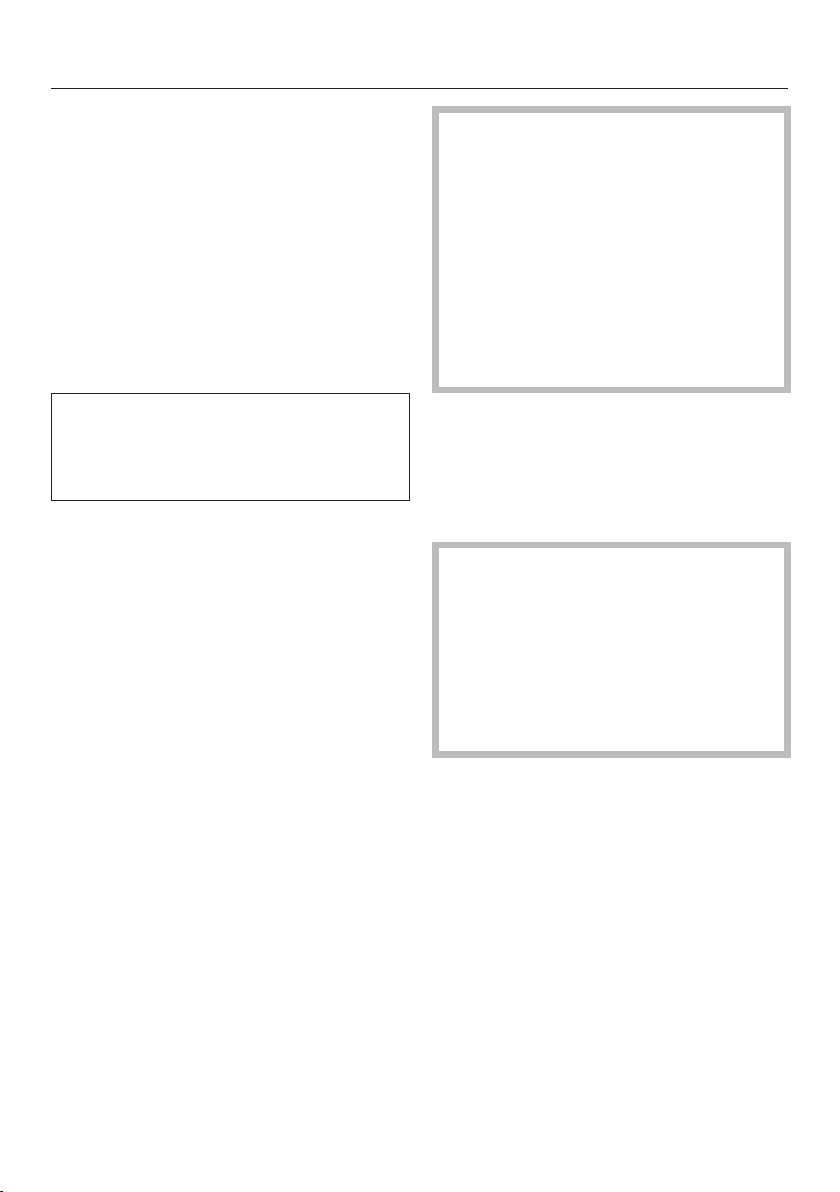
Ironing
34
Ironing with steam
The steam of your ironing system is
ready to be used if the Ready is
shown in the display. The burst of
steam is controlled by the button.
When pressing the button, the fan on
the underside of the ironing board starts
automatically.
When the button is released, the fan
will also stop after a brief time delay.
When using the steam function for a
long time, make sure the room is well
ventilated, as high air humidity can de-
velop.
Use short bursts of steam
Briefly press the button and re-
lease it again.
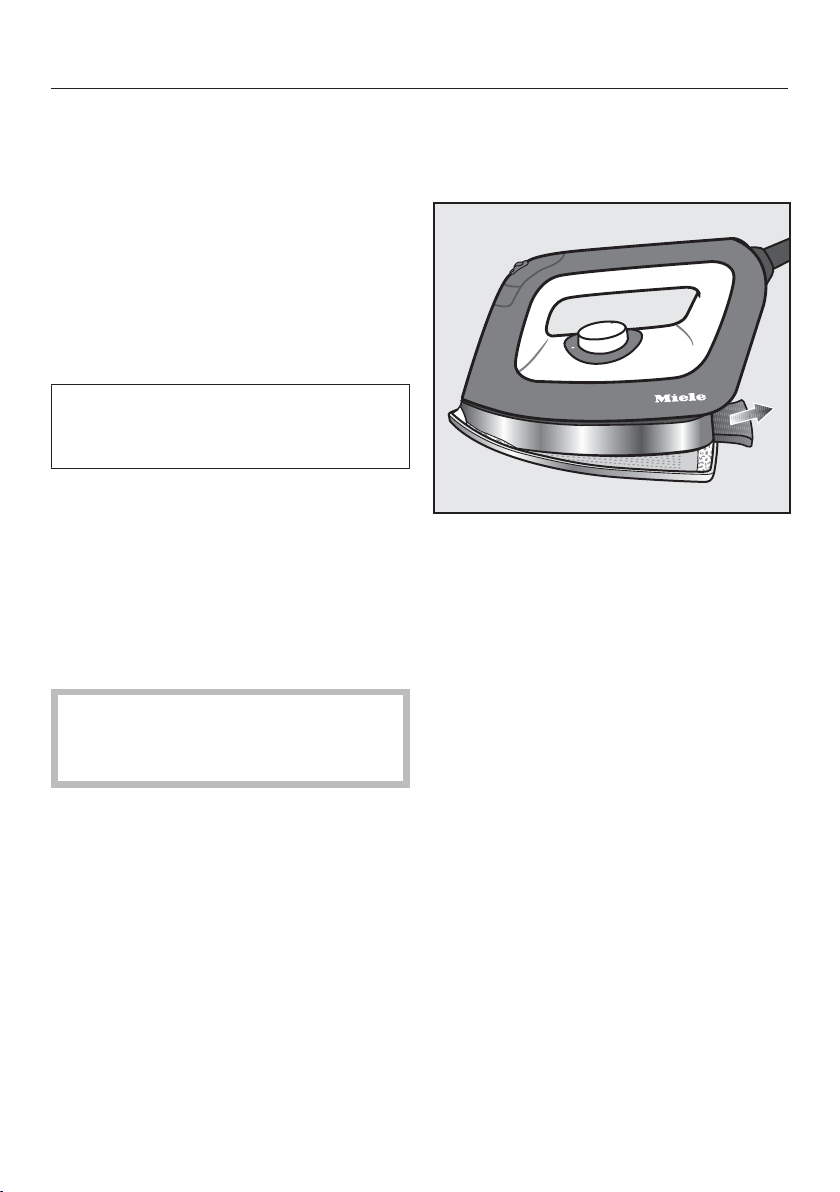
Using steam
Press the button and simultane-
ously pull the slide switch back.
Release the button again.
While the slide switch is pulled back,
the button remains in a locked posi-
tion.
Steam is now emitted continuously.
Stopping the continuous steam func-
tion
Push the button forwards.
This will unlock the button again and
the steam burst function is ended.
The continuous bursts of steam must
be finished before the iron is put
back on the resting surface!
If the steam button was not unlocked
before placing the iron down, steam
will stop being produced after ap-
prox. 3minutes and Release stm.
button will appear in the display.
When turning off the iron, unlock the
button by pushing the slide
switch forwards.
Filling the water container
Fill the water container when the
message Fill water cont. appears in
the display (see "Filling the water
container").
When using the steam function for a
long time during ironing, condensa-
tion can build up in the ironing board.
Sensitive floors can be damaged by
droplets of water.
If you notice condensate underneath
the ironing board, use a cloth to wipe
it off.
Tip: If you take a break from ironing,
condensate may collect in the steam
hose. When the button is pressed,
the condensate is expelled from the
hose. To avoid damp spots on your
clothes, do not direct the first burst of
steam onto the garment after a break
from ironing.
Ironing
35
Ironing without steam
Remove the water container from the
steam ironing system if you would
like to iron without steam.
This will not heat the steam generator,
which also saves energy at the same
time.
Ironing with the non-stick sole-
plate
There is a non-stick soleplate in the
(lower) compartment. Simply clip the
soleplate onto the iron.
With the non-stick soleplate you can
iron appliqués, printed or flocked tex-
tiles etc. No need to turn the garment
inside out. This soleplate also reduces
or eliminates the formation of shiny
patches on dark textiles.
Always try it first on an inconspicuous
part of the fabric.
The iron soleplate gets very hot
during use!
Avoid direct contact with it.
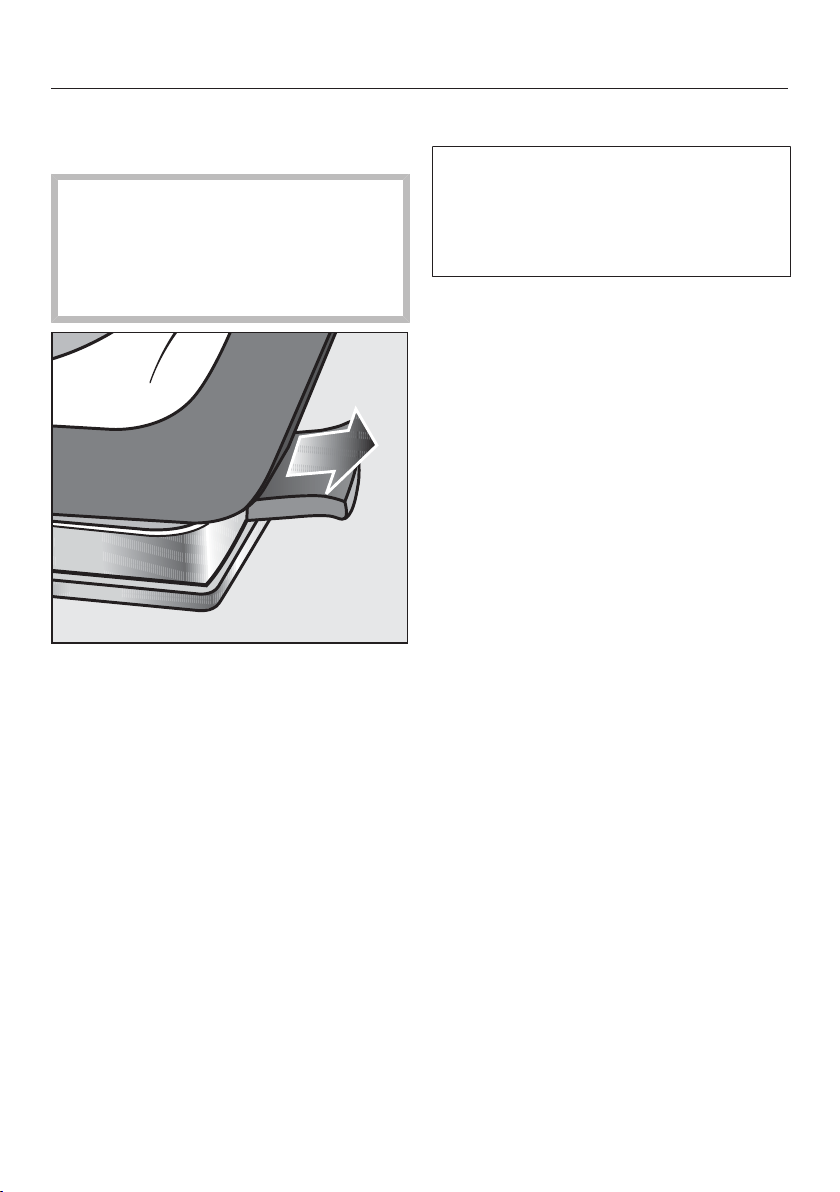
Attaching the non-stick soleplate
Place the tip of the iron inside the
non-stick soleplate.
Pull the tab, which is located at the
rear end of the non-stick soleplate, to
the back.
Hold the tab in this position.
Push the iron completely onto the
non-stick soleplate.
Release the tab again.
The non-stick soleplate is now secured
onto the iron.
Before you start ironing, let the non-
stick soleplate heat up for approx. 1
minute until it has reached the ironing
temperature.
The iron is now ready for use.
Ironing
36
Removing the non-stick soleplate
Hold the handle of the iron.
The non-stick soleplate is still
very hot after ironing!
Avoid direct contact with it.
Only touch the tab of the non-stick
soleplate.
Pull back the tab on the rear of the
non-stick soleplate.
Remove the iron from the non-stick
soleplate.
Only store the non-stick soleplate in
the storage compartment (lower) after
the soleplate has cooled down.
Active iron board
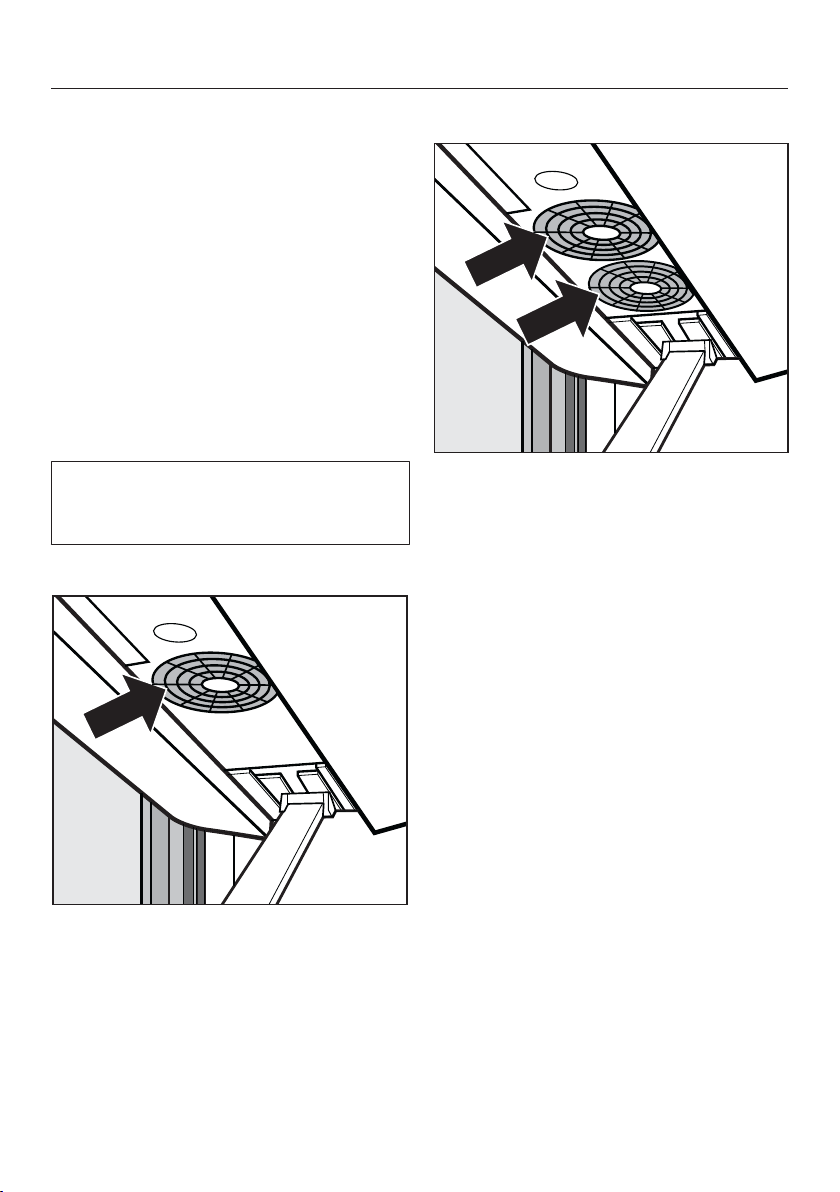
The steam ironing system uses a fan
that sucks away the steam or uses the
inflation function to inflate the ironing
board for optimum positioning while
ironing garments.
The , or , buttons on the
iron control the fan in the ironing board.
Suction function
The suction function ensures the steam
permeates the textiles in an optimal
way. At the same time, the suction
avoids the formation of condensation
on the ironing board. the suction func-
tion holds the garment in place and en-
sures it does not shift on the ironing
board.
Inflation function
The inflation function forms a cushion of
air between the fabric and the ironing
board. This helps prevent seams being
pressed into the garment. The inflation
function allows you to iron without flat-
tening the fabric.
Tip: The inflation function also assists
with ironing ruffles and sequins.
Automatic switch on/off
The automatic switch on/off feature en-
sures that the fan starts at exactly the
right moment. If the steam function is
being used, the fan starts automatically.
If steam is no longer needed, the fan
will stop after a short run-on time.
Ironing
37
Memory function
The memory function saves the fan di-
rection and the power setting used last
with your steam ironing system. When
you use the appliance the next time,
you do not need to set it again.
Heated ironing surface
When the iron is connected and the ap-
pliance is switched on, the surface of
the ironing board will heat up automati-
cally. This function reduces the forma-
tion of condensation on the ironing
board.
If the steamer is connected to the ap-
pliance, the surface of the ironing
board will not be heated.
Fan control for the B3312:
The button activates the inflation
function.
The button activates the suction
function.
Fan control for the B3847:
Activating the inflation and suction
function
Press the button to switch between
the inflation function and the suction
function. Use the button to activate
the function.
Setting the power output level
When using the button, you can
switch between both power output lev-
els of the fan. Each press of the
button switches between the following
power output levels:
– Power setting 1 = 1 fan active
– Power setting 2 = 2 fans active
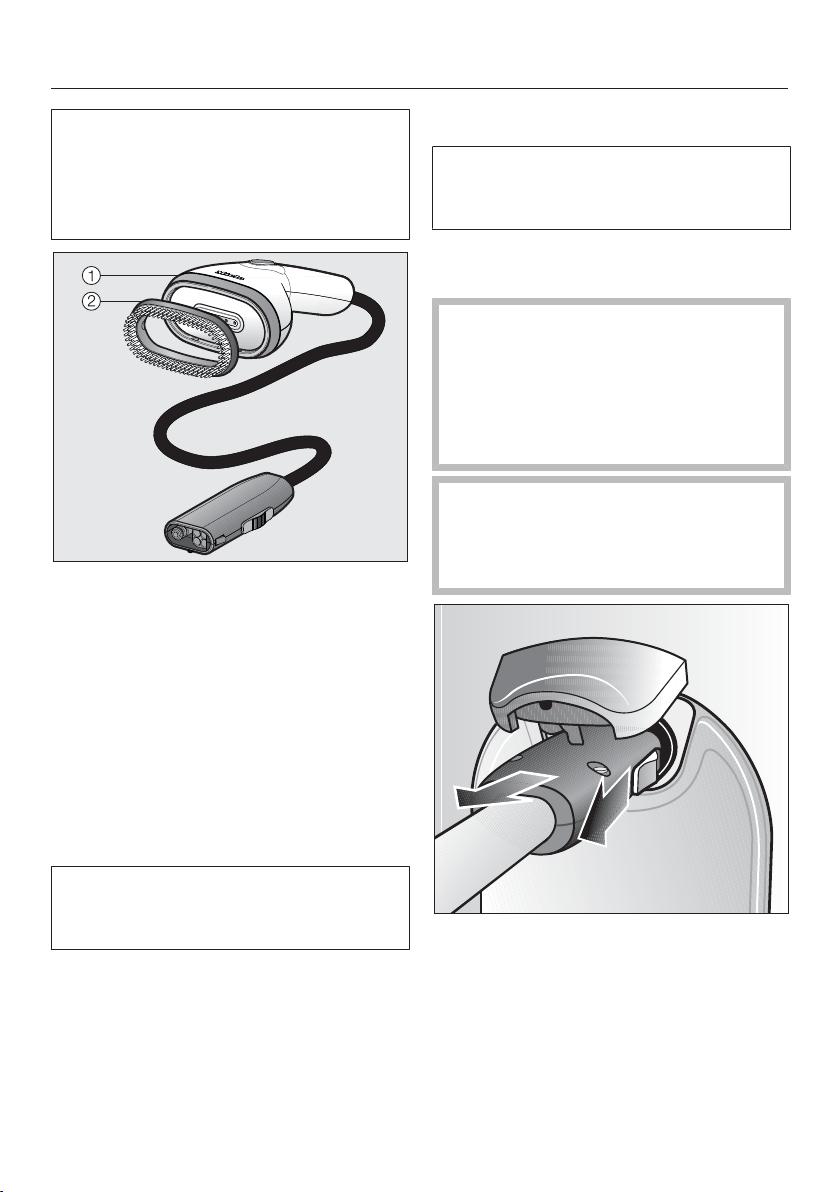
Steamer
38
The B 3847 steam ironing system is
equipped with a steamer in addition to
the iron. The steamer is available as
an optional accessory for the B3312
steam ironing system.
The steamer makes ironing hanging
textiles easier, e.g. dresses and jackets.
It comes with a removable brush at-
tachment for lifting the fibers.
The steamer weighs less than the iron
and also does not have a hot soleplate,
therefore eliminating the risk of shiny
patches if it accidentally comes into
contact with the fabric.
The steamer can also be used when the
appliance is folded up.
The steamer supplied with earlier
steam ironing systems (B1xxx/B2xxx)
cannot be used with this appliance.
Connecting the steamer
You can also plug the steamer into the
steam connection of the ironing sys-
tem as an alternative to the iron.
Disconnect the iron from the steam
connection
The iron soleplate is still very hot
after use!
Avoid direct contact with it.
Place the iron on its resting surface
and let it cool down completely be-
fore you store it away.
Do not pull on the steam hose!
Always pull on the plug at the end of
the steam hose when disconnecting
it from the steam hose connection.
Pull back the slider located on the
side of the steam hose plug.
Hold the slider back.
Withdraw the plug from the steam
connection.
Now you can connect the steamer to
the steam connection.
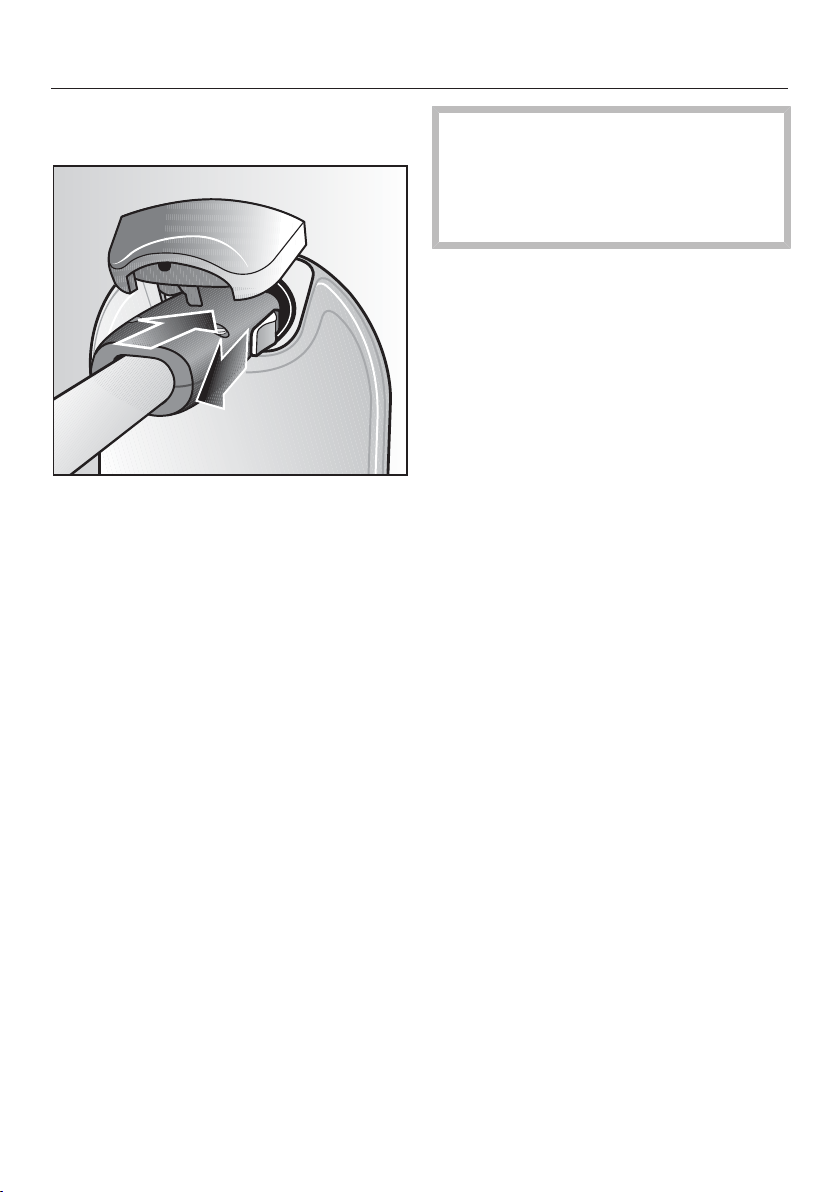
Steamer
39
Attaching the steamer to the steam
connection
Pull back the slider located on the
side of the steam hose plug.
Insert the steam hose plug into the
steam connection on the tower.
Release the slider when it has locked
into place in the steam connection.
The steamer is now attached to the
steam connection.
You can at any time plug the iron into
the steam connection as an alterna-
tive to the steamer.
You do not need to switch off the
steam ironing system to do this.
After switching between the iron and
the steamer, there is a short interval be-
fore the steam is ready. This ensures
that sufficient steam is available.
The steamer is ready when the mes-
sage Ready is shown in the display.
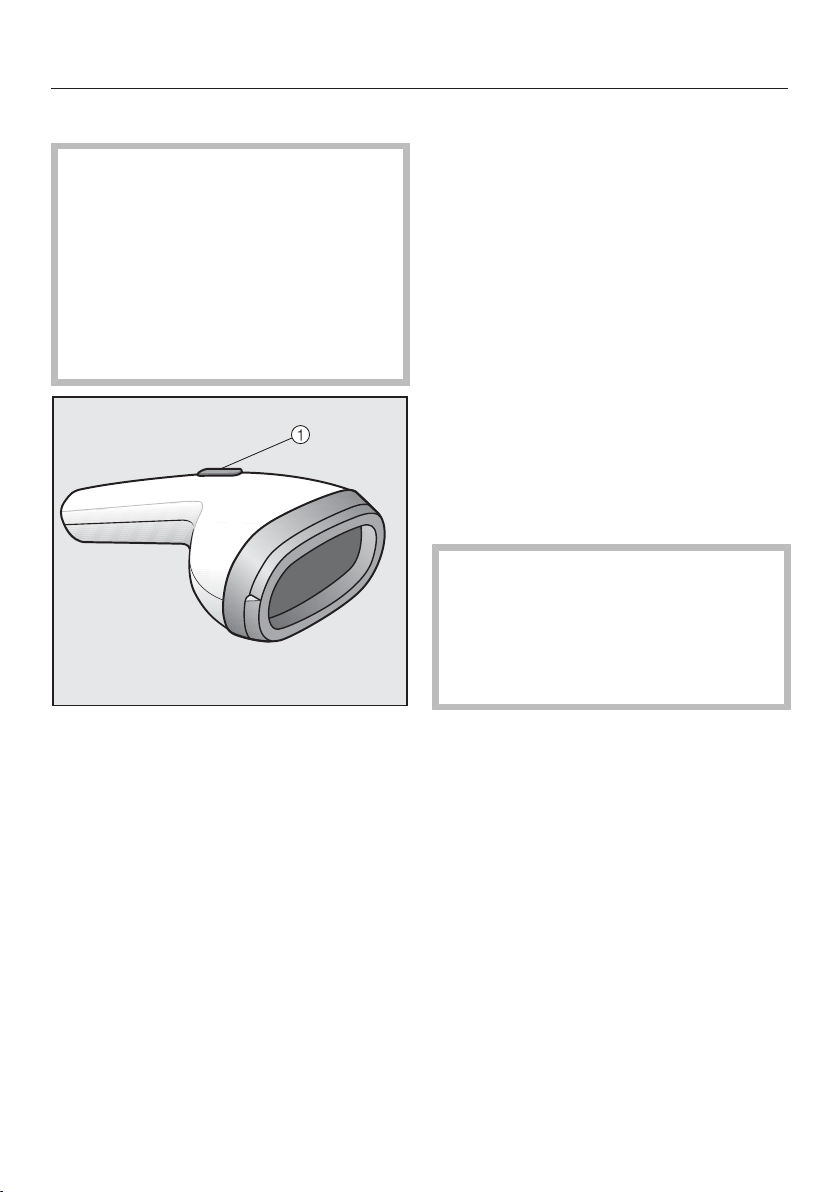
Steamer
40
Using the steamer
Danger of burning due to hot
steam!
Never direct the steam or the steam
jets at people, animals or electrical
appliances of any kind.
Never point the steam jet on clothing
while the clothes are being worn! The
clothing will cause intensified burn-
ing of the skin.
The burst of steam is controlled by the
button on the steamer.
Tip: Always steam the fabric in the di-
rection of the fibers.
Use short bursts of steam
Briefly press the button.
Then release the button again.
Using steam
Press the button.
Keep the button depressed.
Stopping the continuous steam func-
tion
Release the button again.
If you take a break from ironing, con-
densate may collect in the steam hose.
When pressing the button, the con-
densate is expelled from the hose as
well.
The optimum distance between the
steamer and the fabric depends on
the sensitivity of the fabric and can
vary from one fabric to another.
Always try it first on an inconspicu-
ous part of the fabric.
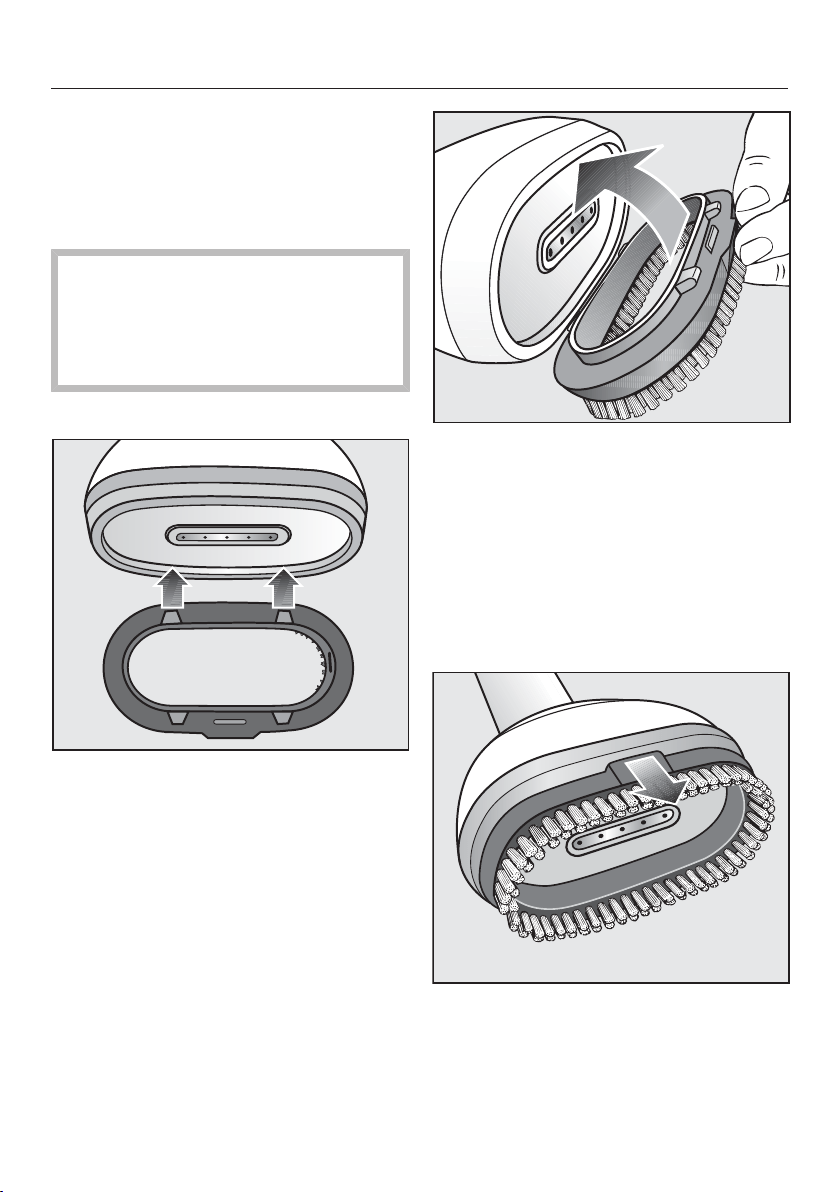
Steamer
41
Brush attachment
The steamer comes with a brush at-
tachment which can be clipped on. The
brush attachment helps to raise the
fibers.
You can hold the steamer directly
onto the fabric while the brush at-
tachment is in place.
Always try it first on an inconspicu-
ous part of the fabric.
Connecting the brush attachment
Hold the brush attachment in front of
the steamer so that the lugs on one
side fit into the notches on the
steamer.
Press the side of the brush attach-
ment against the steamer until the
lugs snap into place.
Guide the brush attachment into the
notches on the opposite side.
Press the brush attachment against
the steamer until the lugs snap into
the notches.
The brush attachment is now con-
nected to the steamer and can be used.
Removing the brush attachment
To remove the brush attachment, pull
it off the steamer by the raised sec-
tion.
Switching off
42
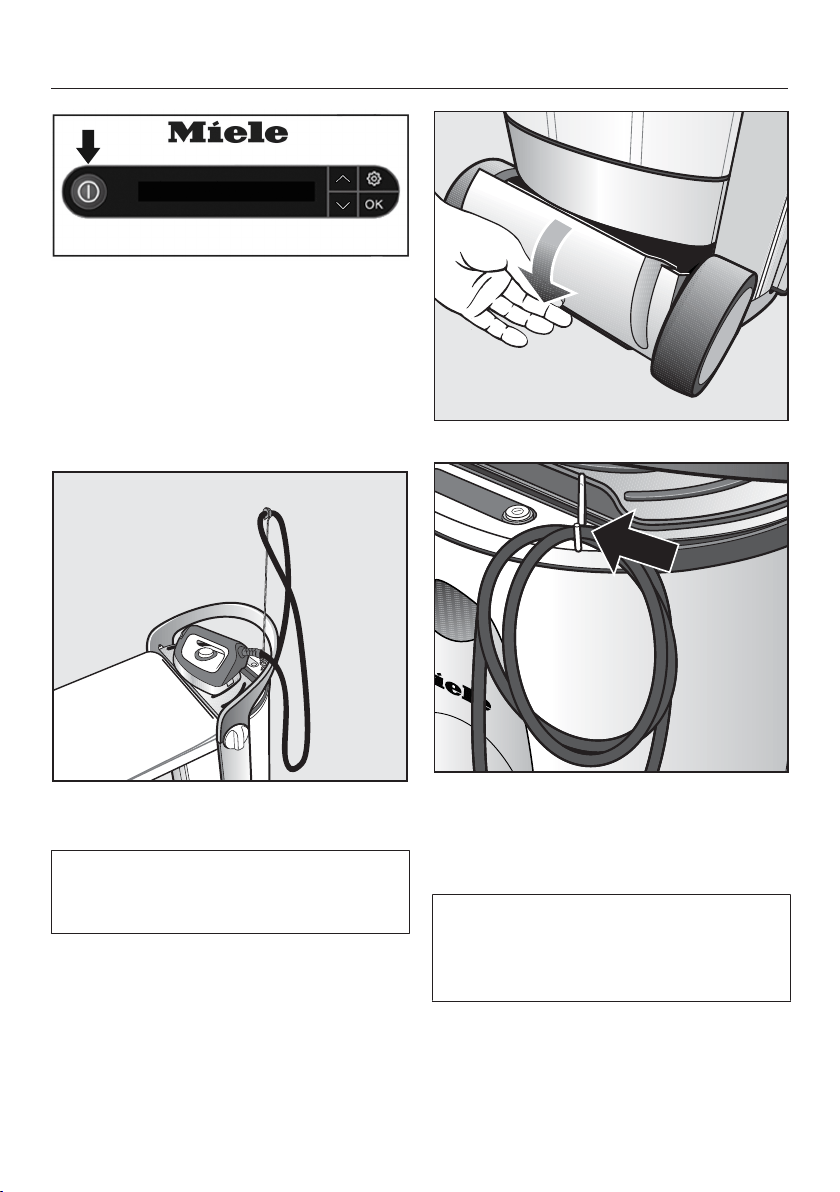
To switch off the steam system, press
the button on the control panel.
The illuminated button goes out.
The steam system is now switched off.
The last selected fan settings are saved
and are available for the next time you
switch on the steam ironing system.
Place the iron on the resting surface
until it is cooled down.
The steam ironing system can be dis-
mantled while the iron is cooling down
(see "Dismantling").
Unplug the power cord from the out-
let.
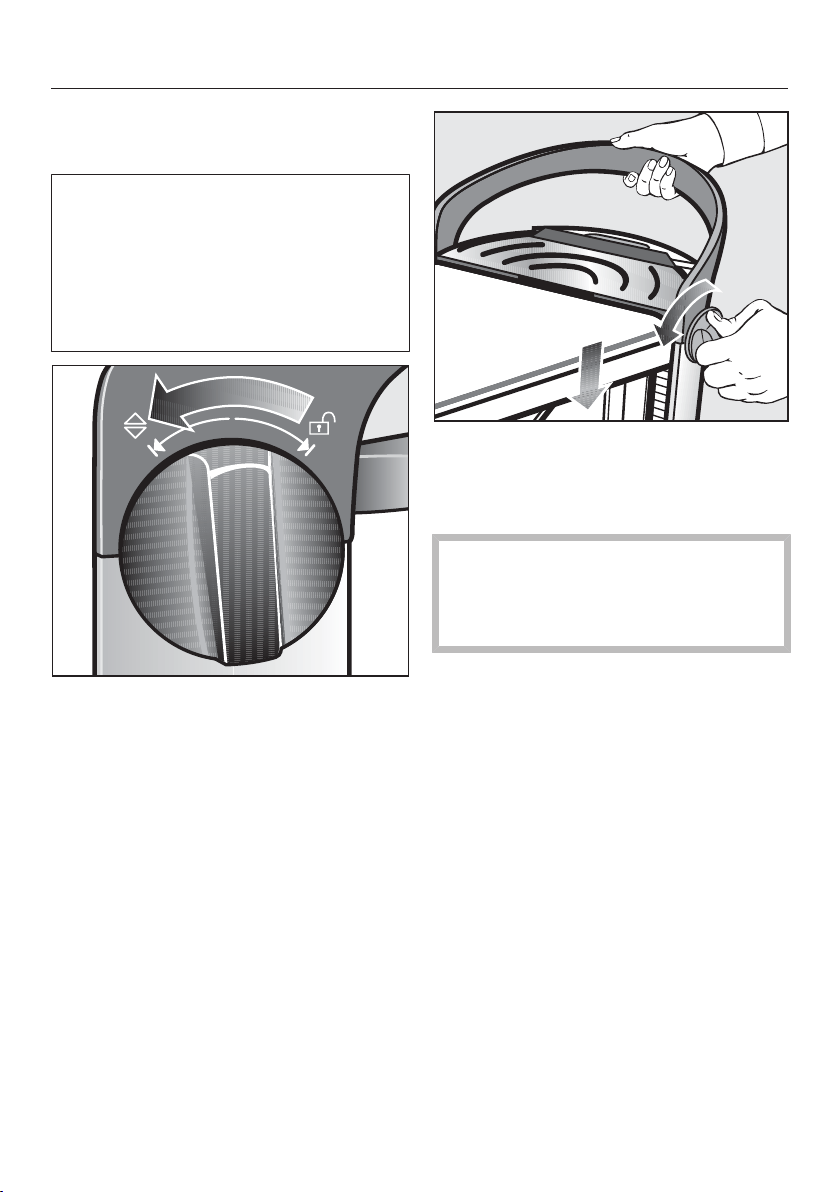
Storage compartment (lower)
Clip for the power cord
Store the power cord in the (lower)
compartment or hang it up on the
cord clip.
The cord clip can be found the (lower)
compartment and can be pushed into
one of the sockets for the steam hose
holder.
Dismantling
43
Set the ironing board at its
lowest working height
To dismantle the steam ironing sys-
tem, the ironing board must first be
placed at its lowest working height.
Make sure you do not trap the power
cord in the system. Ensure the residual
water container is completely emptied,
pushed in and locked in place.
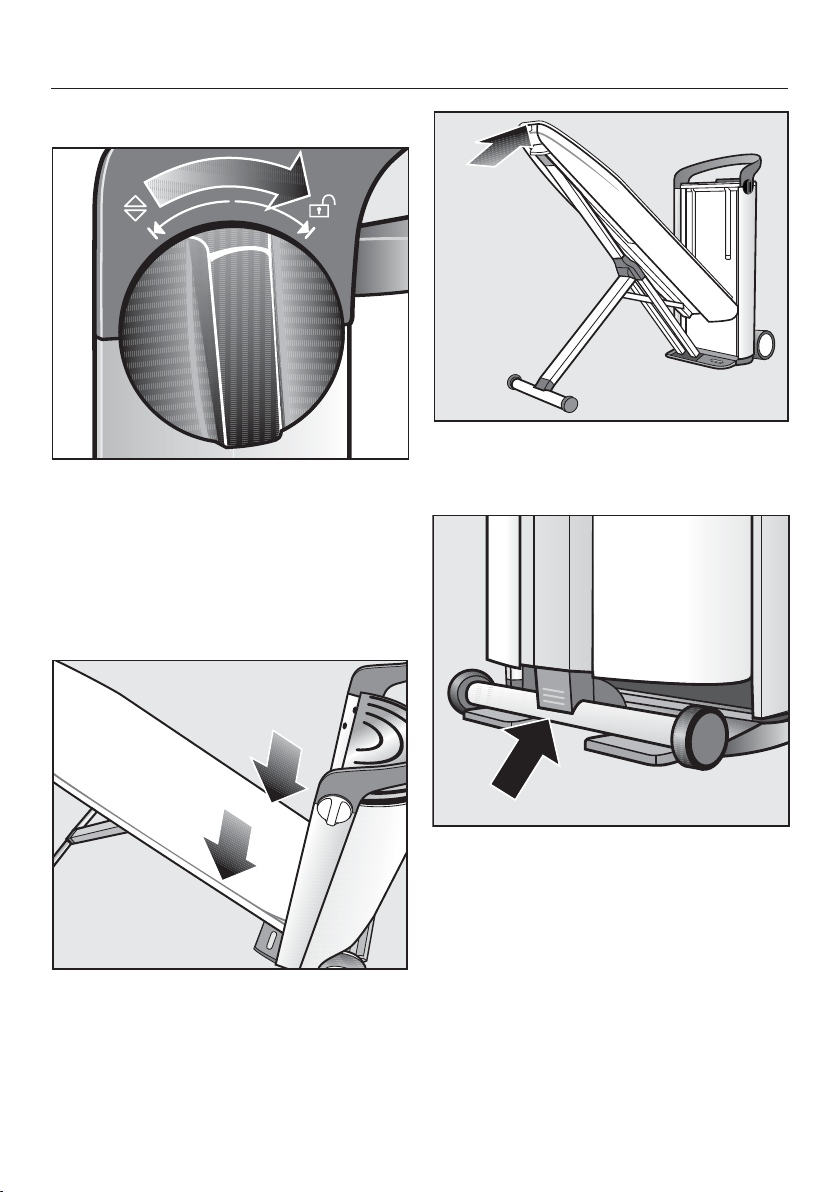
Turn one of the rotary dials on the
side of the tower handle as far as it
will go in the direction.
Hold the rotary dial in the position.
The height of the ironing board can now
be adjusted.
Keep holding the rotary dial in the
position and, simultaneously, use the
handle of the tower to push the iron-
ing board down as far as possible.
Never push on the ironing board to
push it down.
Use only the handle of the tower to
push the ironing board down.
Release the rotary dial.
The rotary dial will spring back into the
center position.
The ironing board is now at its lowest
working height and can be folded.
After withdrawing the plug, drops of
water can escape from the steam hose.
Dismantling
44
Folding the ironing board
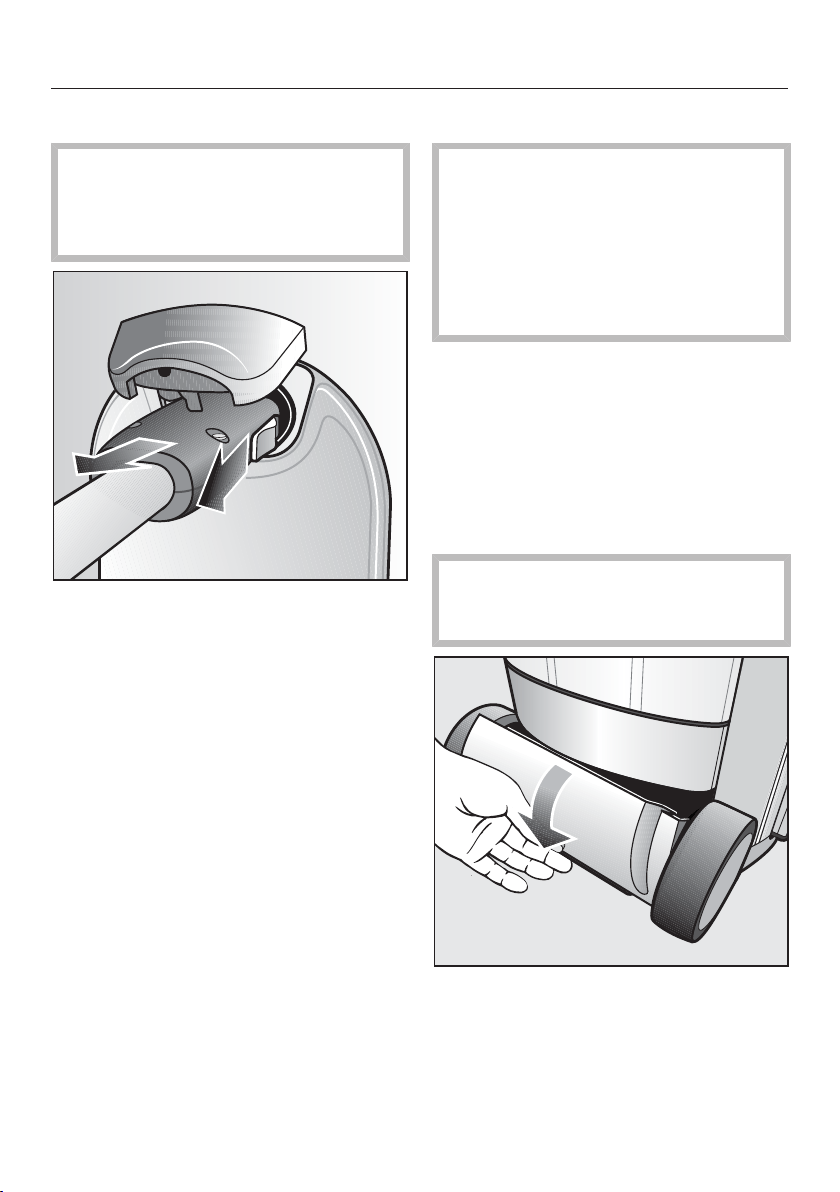
Turn one of the two rotary dials to the
position as far as it will go.
The ironing board is now unlocked.
Release the rotary dial.
The rotary dial will spring back into the
center position.
Guide the ironing board downwards
or allow it to slide down by itself.
The ironing board will remain in this po-
sition by itself.
Push the ironing board up by the ta-
pered end until it is upright and locks
into position on the tower.
Push the protruding end of the X-
frame onto the ironing board until the
frame locks into place.
Dismantling
45
Disconnecting the steam hose
Do not pull on the steam hose!
Hold the plug at the end of the steam
hose. The plug may still be warm im-
mediately after use.
Pull back the slider located on the
side of the steam hose plug.
Hold the slider back.
Withdraw the plug from the steam
connection.
After withdrawing the plug, drops of
water can escape from the steam hose.
Storing the iron
The iron soleplate is still very hot
after use!
Avoid direct contact with it.
Allow the iron to cool down after use.
Never stow the iron away while it is
still attached to the steam connec-
tion.
Place the iron on the resting surface
on the tower and let the iron cool
down.
Store the iron and the steam hose
holder in the (upper) storage com-
partment.
Storing the steamer
Never put the steamer away while it
is still connected to the steam sys-
tem.
Store the steamer in the (lower) stor-
age compartment.
Dismantling
46
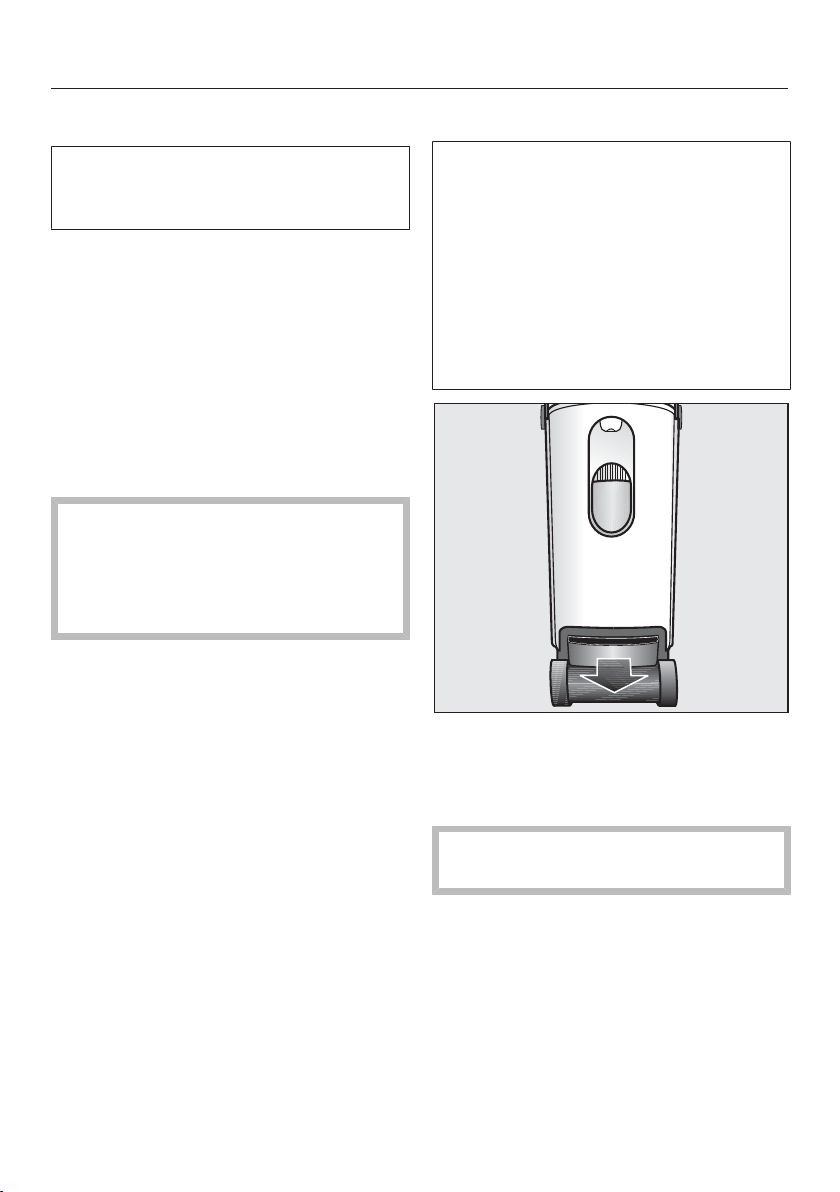
Emptying the water container
Empty the water container if the
steam ironing system will not be
used for a long period of time.
Remove the water container (see
"Filling the water container").
Make sure the water container is
completely emptied.
Storing the steam ironing sys-
tem
Take the appliance to its storage
place.
Do not store the appliance in a room
where temperatures below freezing
may occur.
Frozen water can cause damage to
the water container, steam generator
and steam hose.
Cleaning and care
47
Automatic rinsing
The automatic rinse function clears
the steam generator of mineral de-
posits from the evaporated water.
After approx. 0.8gal (3liters) of water
have been passed through the system,
and after the steam ironing system has
been turned on, the rinse process starts
automatically.
The rinsing process takes several min-
utes. Steam escapes and splashing
noises can be heard. At the same time,
the message Appliance rinsing will be
shown in the display on the tower.
The iron cannot be used while the
rinsing process is in progress.
The steam ironing system can only
be used again once the automatic
rinsing process is completed.
Preparing for the rinsing process
Set the appliance to its highest work-
ing position to allow the removal of
the residual water container later (see
"Height adjustment").
If the message Fill water cont. is
shown in the display, fill the water
container (see "Filling the water con-
tainer").
Draining the residual water container
After the rinsing process is completed,
the residual water container must be
emptied. The message Empty
drawer appears in the display on the
control panel when the residual water
container needs to be emptied. The
residual water container can be re-
moved from the tower when the steam
ironing system is set at its highest
working level.
Only remove the residual water con-
tainer from the tower when prompted
to do so by the message Empty
drawer in the display.
The residual water may still be warm
after the rinsing process.
Drain the residual water container.
As long as the residual water container
is not inserted into the tower, the dis-
play will show the following message
Insert drawer.
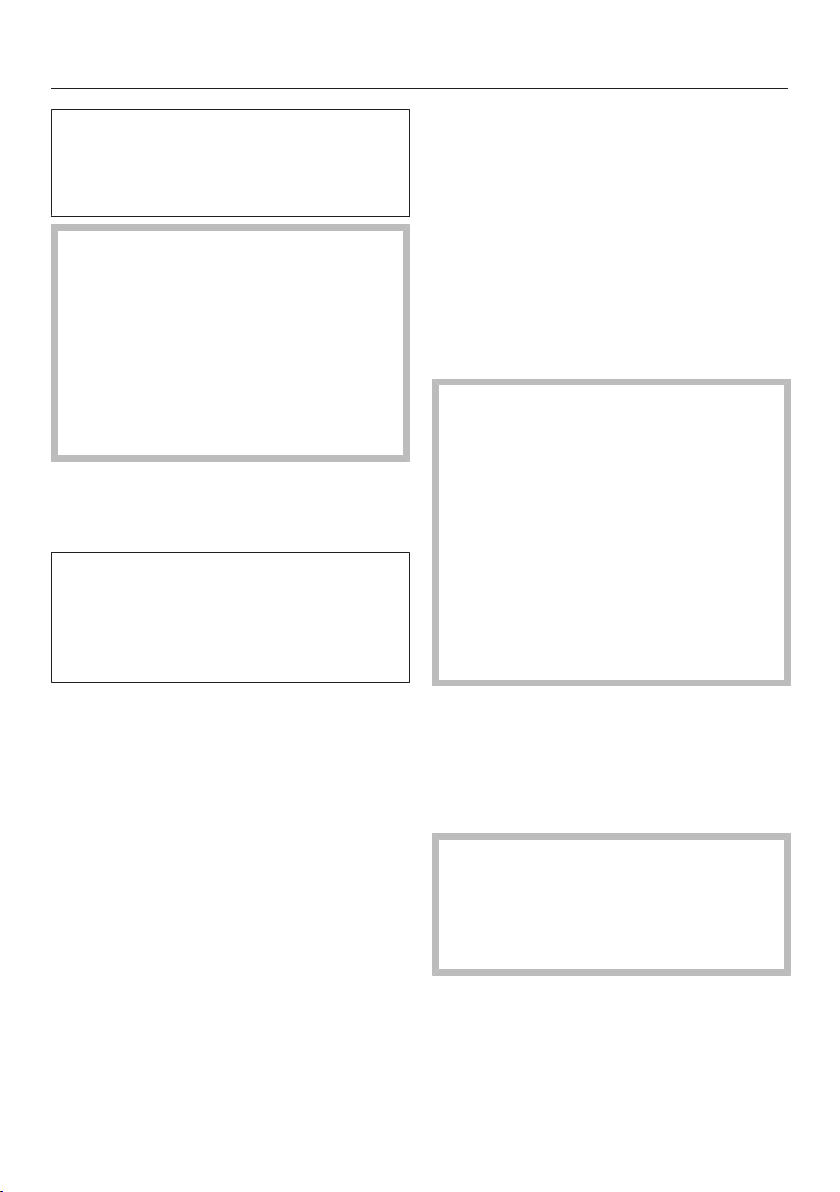
Cleaning and drying the residual wa-
ter container.
Cleaning and care
48
The residual water container is dish-
washer-safe or can be washed by
hand using warm water and a little
washing-up liquid.
Make sure the metal disks (contacts)
at the top of the residual water con-
tainer are clean and dry. These metal
disks send a signal to the steam
ironing system when the residual wa-
ter container is full or if it is inserted
into the tower.
The disks will not function correctly if
they are dirty or damp.
Slide the residual water container
back into the tower until the container
clicks into place.
Steam cannot be produced until the
empty residual water container is re-
placed in the tower. Steam is only
available again when the message
Ready appears in the display .
Descaling
The steam ironing system must be
descaled regularly to ensure that it
functions correctly. The appliance has
an automatic descaling function to as-
sist you.
The interval for descaling depends on
the water hardness level set. Descaling
is required more frequently with hard
water than with soft water.
We recommend to use the Miele
"FashionMaster descaling tablets".
These have been specially devel-
oped for use with Miele appliances
to optimize the descaling process.
Other descaling agents, which con-
tain other acids besides citric acid
and/or other undesirable substances,
such as chlorides for example, could
damage the steam ironing system.
Moreover, the descaling effect re-
quired could not be guaranteed.
You will need 1 descaling tablet for
each descaling process.
Miele descaling tablets are available to
order from Miele or the Miele website.
(see "Optional accessories").
The ironer or steamer must not be
connected during descaling.
The appliance can be left unattended
during descaling providing the iron or
steamer is not connected.

Cleaning and care
49
Descaling warning
Descale soon will appear in the dis-
play the next time you switch the steam
ironing system on if there are only about
2hours of ironing available before the
system needs descaling.
You can start the descaling process
whilst the system is cold via the set-
tings menu (see "Starting the descaling
process early") or you can press the
OKbutton to confirm the message in
the display and continue ironing as nor-
mal. The symbol will continue to
show in the display until descaling is
carried out.
After the remaining operating hours
have elapsed, the descaling process
must be carried out before the steam
ironing system can be used again.
The time to start the descaling
process can be set individually at any
time and started as required (see
"Starting the descaling process
early").
You can interrupt the descaling process
by switching the steam ironing system
off with the button. When you turn
the system back on, descaling will start
again from the point where the process
was interrupted.
The messages in the display will guide
you through the descaling process. The
entire descaling process takes approx.
90minutes.
Only proceed with the required action if
you are prompted to do so by the ap-
propriate message in the display. Once
the descaling process has started, your
presence is required after around
20minutes and again after a further
60minutes. For the rest of the descaling
process, you can leave the steam iron-
ing system unattended.
Tip: To optimize the descaling process,
start the procedure while the system is
still cold after switching the steam iron-
ing system on. This way, you avoid a
delay of up to 3hours that may be
caused by the cool-down phase.
Cleaning and care
50
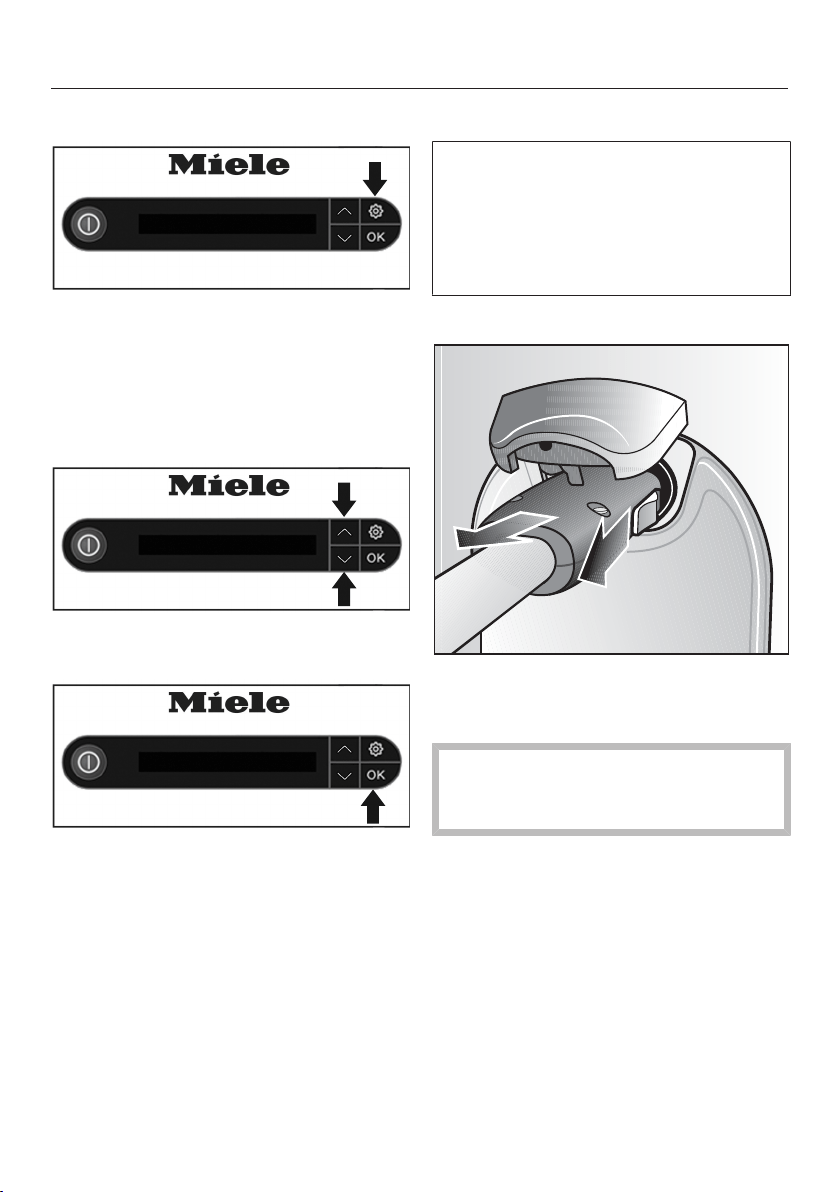
Starting the descaling process early
Ready
With the steam ironing system
switched on, press the button on
the control panel.
The settings menu will be displayed.
Use the arrow buttons to select individ-
ual settings.
Language
Use the arrow buttons or to se-
lect the Descale menu option.
Descale
Confirm the selection by pressing the
OK button.
Select the menu option Start descaling.
Confirm the selection by pressing the
OK button.
The descaling process starts.
Descaling process
The following display messages will
guide you through the entire descaling
process. Only proceed with the re-
quired action if you are prompted to
do so by the appropriate message in
the display.
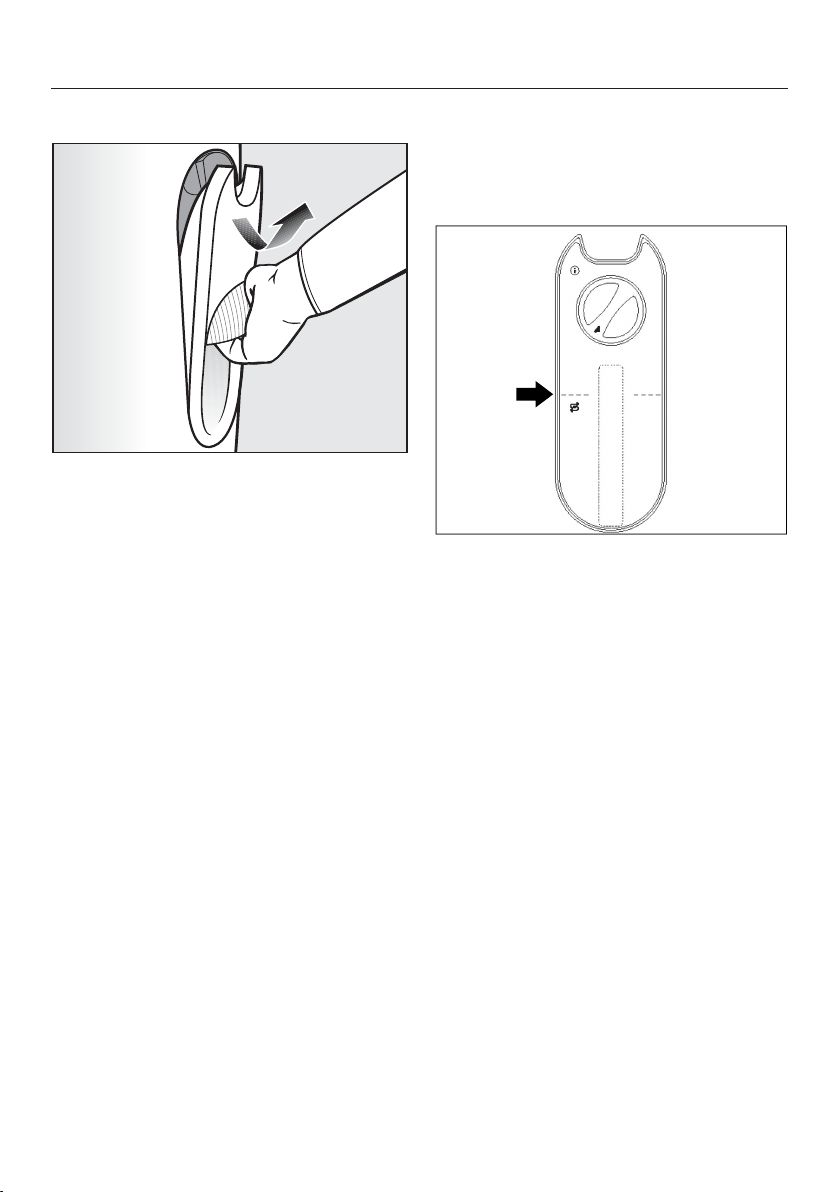
Detach hose
Remove the steam hose of the iron or
the steamer from the steam connec-
tion on the tower.
The iron or the steamer must not be
attached to the steam connection
during the entire descaling process.
Cleaning and care
51
Fill water container to mark
Hold the water container by its han-
dle.
Pull the handle down.
The water container is released from the
retainer.
Pull the water container upwards and
out.
You may notice some water dripping
when removing the water container
while the water container valves are
closing.
Tip: The dripping can be prevented by
removing the water container slowly.
After removing the water container, the
following message Add descaler will be
shown in the display.
Add descaler
Turn the twist lock on the rear of the
water container counterclockwise
and remove the twist lock.
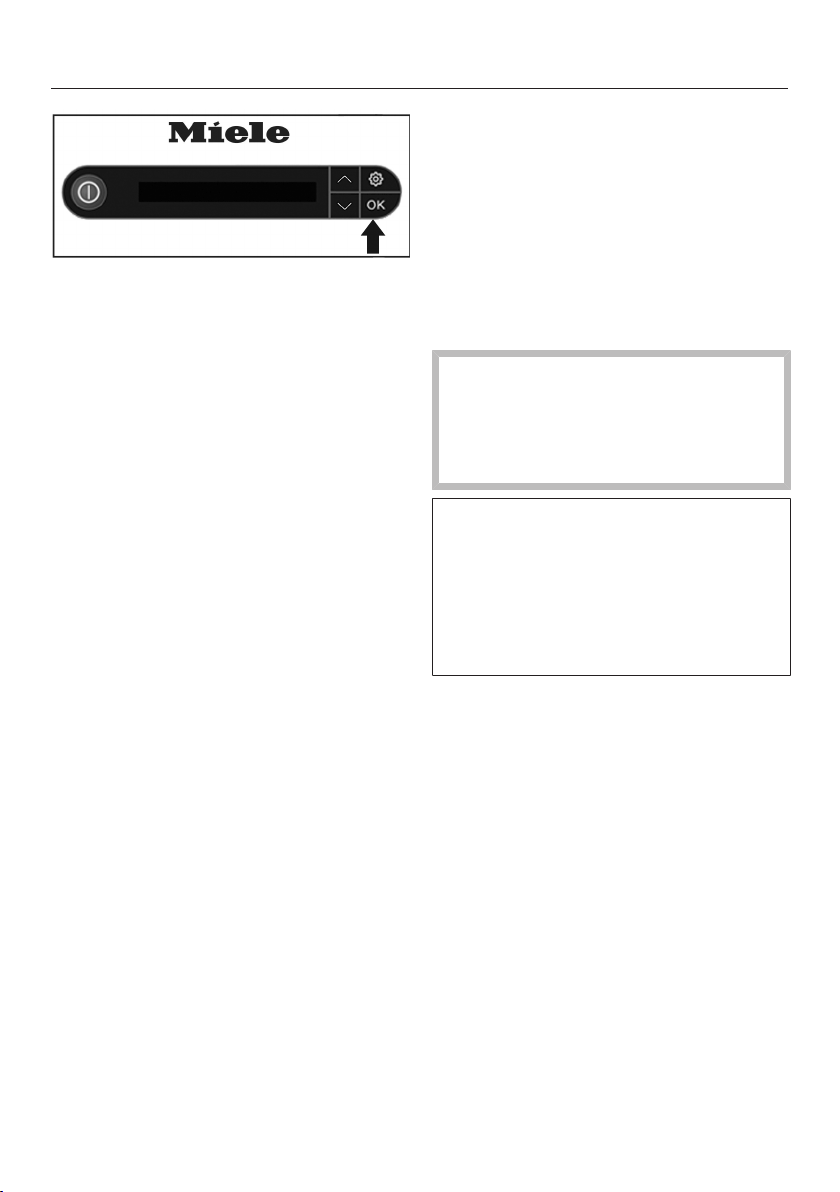
Level marking on the water container
Use fresh tap water to fill the water
container (water temperature approx.
60 to 95°F/15 to 35°C) to the level
marking line. It is important not to use
more or less water to fill the water
container.
Add 1descaling tablet to the water
container.
Replace the twist lock in the opening
of the water container.
Turn the twist lock clockwise until it
stops.
The twist lock is now closed.
Cleaning and care
52
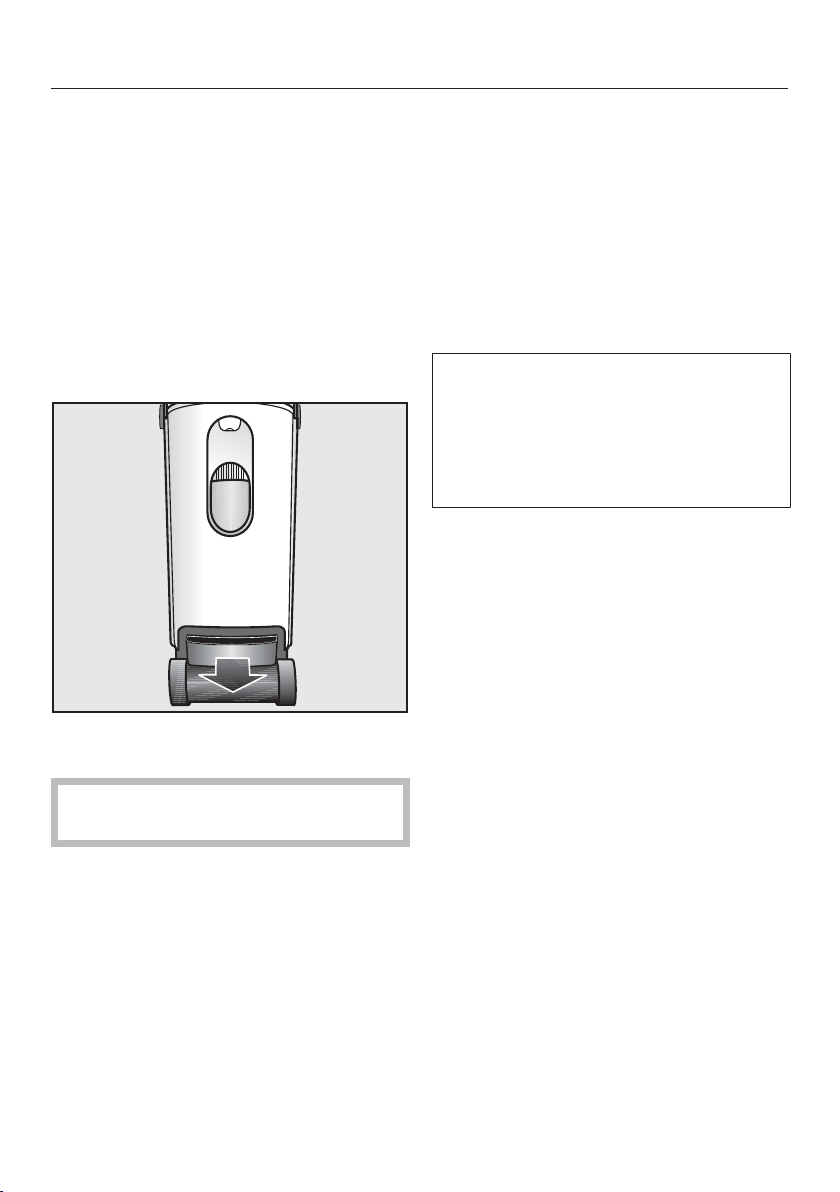
Add descaler
Press the OKbutton to display the
next process step.
The message Insert water cont. is
now shown in the display.
Insert water cont.
Put the water container back into the
tower.
After about 10minutes (the time it takes
for the descaling tablet to dissolve), the
descaling process begins automatically.
Messages in the display will tell you
when to empty the residual water con-
tainer or when to fill the water container.
If the water container becomes
empty during descaling or if it is re-
moved from the tower unprompted,
the messageInsert or refill the water
container will appear.
During the descaling process, water is
pumped into the steam generator at
various times and is drained back
again into the residual water container.
Some steam will escape and splash-
ing noises can be heard during this
process.
Cleaning and care
53
Empty drawer
This message may be displayed after
inserting the water container with the
descaling tablet. If you do not see this
message, you can skip the following
steps and continue as soon as you see
the Pre-rinse message in the display.
Set the steam ironing system to its
highest working position in order to
remove the residual water container
(see "Height adjustment").
Remove the residual water container
from the tower.
The residual water may still be warm
after the rinsing process.
Drain the residual water container.
As long as the residual water container
is not inserted into the tower, the dis-
play will show the messageInsert
drawer.
Insert drawer
Slide the residual water container
back into the tower until the container
clicks into place.
Pre-rinse
If the steam ironing system is still from
the previous use, the cool down phase
will start first. This may take up to
3hours.
The pre-rinse phase then follows (dura-
tion approx. 20minutes). During this
time, a portion of the descaling solution
is pumped into the steam generator.
After the pre-rinse phase you will be
prompted to carry out further actions.
This will be shown for a few seconds
before the pre-rinse phase starts and
will be indicated by the message In
20 min. .

Cleaning and care
54
Rinse water container and fill to
the mark
Pull the residual water container out
of the tower.
As long as the water container is not in-
serted into the tower, the display will
show the following message Insert
water cont..
Open the twist lock.
Rinse the water container thoroughly.
Make sure there are no residues of
the descaling tablets remaining in the
water container.
Fill the water container with fresh wa-
ter at least up to the level marking.
Close the twist lock.
Put the water container back into the
tower.
Empty drawer
Remove the residual water container
from the tower.
The message Insert drawer is shown
in the display.
Drain the residual water container.
Slide the residual water container
back into the tower until the container
clicks into place.
Cleaning and care
55
Descale
After an activation period of approx.
1hour, the descaling solution is drained
from the steam generator into the resid-
ual water container.
The steam generator is then rinsed with
water. This rinse cycle takes approx.
5minutes. During this time, the Rins-
ing (5 min) message is displayed.
During the rinse cycle the Rinsing
message is displayed.
As soon as the rinse cycle is com-
pleted, the water is drained completely
into the residual water container and
the message Empty drawer is dis-
played.
Empty drawer
Remove and empty the residual water
container.
The message Insert drawer is now
shown in the display.
Rinse the residual water container
thoroughly.
The residual water container is dish-
washer-safe or can be washed by
hand using warm water and liquid dish
soap.
Dry the residual water container.
Make sure that the metal disks (con-
tacts) at the top of the residual water
container are cleaned and dried prop-
erly.
Slide the residual water container
back into the tower until the container
clicks into place.
The message Descaling finished is
shown in the display.
Press the OK button.
The soleplate of the iron must then be
rinsed.
Cleaning and care
56
Rinsing the soleplate
The iron must not be warm from pre-
vious use.
Let the iron cool down for at least
60minutes before rinsing the sole-
plate.
Make sure that the non-stick sole-
plate has been removed from the
iron.
If the non-stick soleplate is still on the
iron, remove it now (see "Removing the
non-stick soleplate").
Fill the water container with fresh tap
water (see "Filling the water con-
tainer").
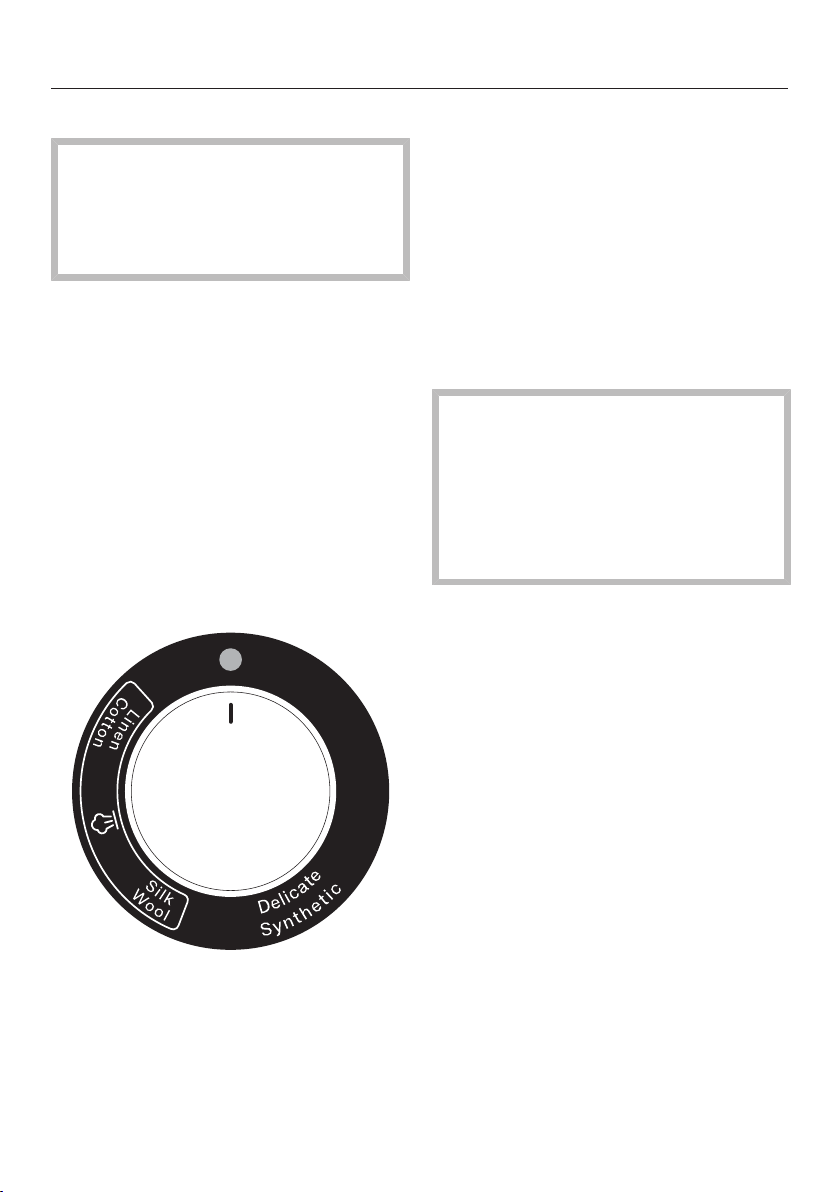
Set the temperature selector on the
iron to "cold" so that the line on the
selector is pointing to the indicator
light.
Plug the steam hose of the iron into
the steam connection on the tower
(see "Connecting the steam hose").
If the steam ironing system is switched
off, switch it on now by pressing the
button. When the steam ironing sys-
tem is ready and steam is available, the
message Ready will be shown in the
display.
Hold the iron over a sink or a heat-re-
sistant container. You can also use
the residual water container of the
steam ironing system. Be aware,
though, that the container can only
be taken out of the steam ironing sys-
tem once the appliance is switched
on.
During the rinsing process, hot
water and steam come out of the
iron.
Danger of injury by burning!
Never direct the iron at people, ani-
mals or electrical appliances of any
kind.
Press the button on the iron for
around a minute and tilt the iron with
the tip of the iron pointing downward
slightly.
Hot water and steam will come out of
the iron and dislodge any deposits that
have built up. As soon as there is only
steam coming out, you can release the
button.
Cleaning and care
57
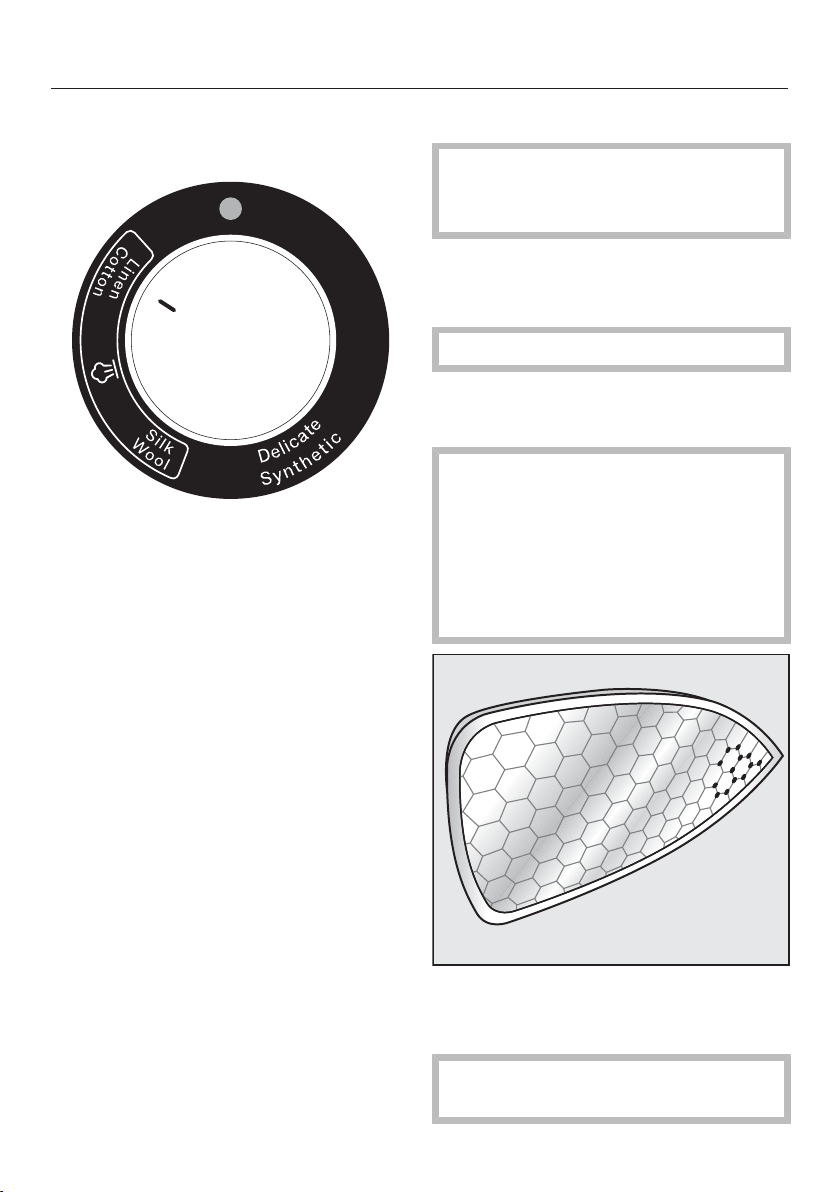
Now set the temperature selector on
the iron to the highest temperature
settingLinen/Cotton.
The indicator light on the temperature
selector will light up yellow while the
iron is heating up.
Tip: During the heat-up phase, you can
set down the iron on the designated
surface on the steam ironing system.
As soon as the indicator light goes out,
the rinsing process is complete.
Remove drops of water and deposits
from the soleplate by moving the iron
over a soft, absorbent cotton cloth
while it is still hot. Press the steam
button briefly 2-3times in the
process.
The descaling process is now com-
plete. The steam ironing system can
now be switched off or used.
Cleaning the housing
Before cleaning the housing, the
plug must be removed from the
socket.
Depending on the level of soiling, use a
dry or damp soft cloth to clean the
housing.
Do not use abrasive agents.
Cleaning the soleplate of the
iron
The soleplate of the iron remains
hot after ironing.
Danger of injury by burning!
Remove the plug from the socket
and let the soleplate of the iron cool
down before you start the cleaning
process.
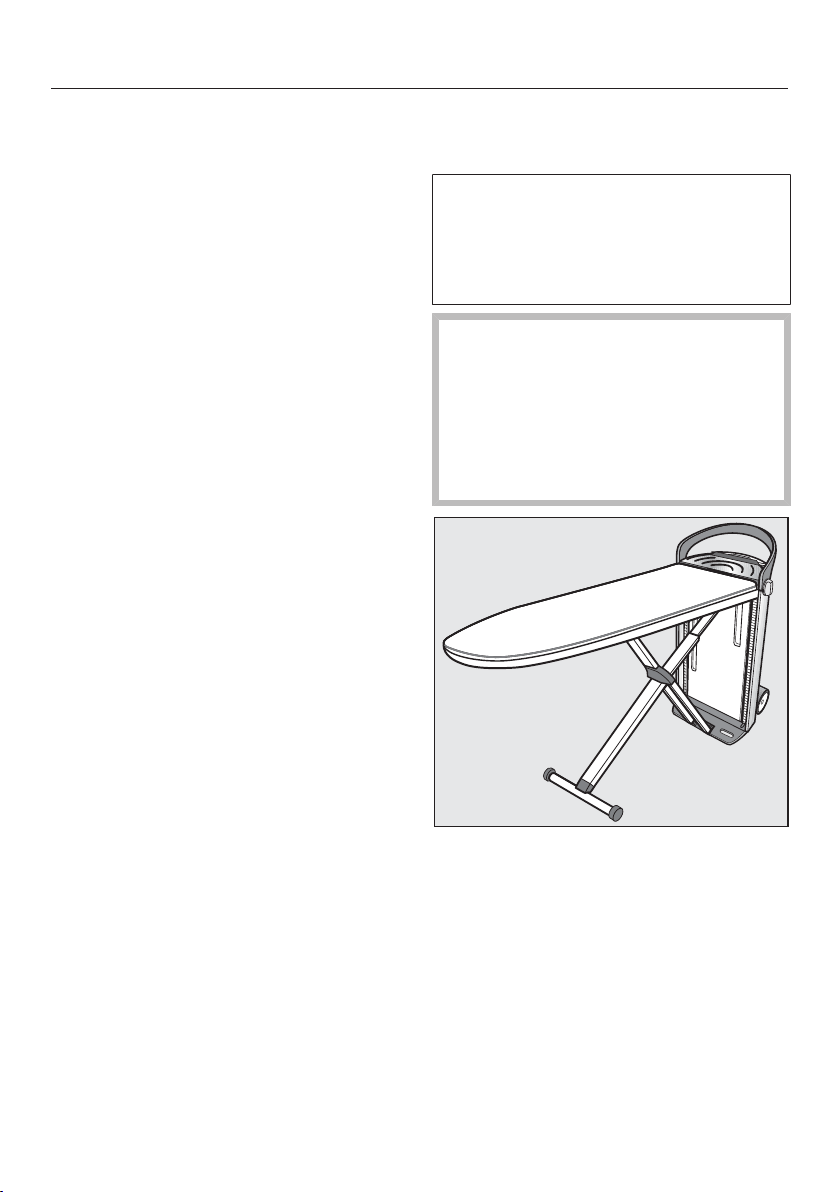
Depending on the level of soiling, use
a dry or damp microfiber cloth to
clean the iron soleplate.
Only use the microfiber cloth to clean
the iron soleplate.
Cleaning and care
58
To avoid damaging the surface of the
soleplate, do not use the following
for cleaning:
– abrasive cleaning agents (e.g., pow-
der cleaners and cream cleaners,
chrome polish, eraser sponges).
– hard, abrasive brushes or sponges
(e.g., pot scourers) or sponges which
have been previously used and still
contain abrasive cleaning agents.
– pointed objects.
Cleaning or replacing the iron-
ing board cover
If the ironing board cover is soiled, you
can wash and dry it. If the ironing
board cover is damaged, it must be
replaced before using the steam iron-
ing system again.
When removing the ironing board
cover, always ensure the steam iron-
ing system is switched off and the
power cord is removed from the wall
socket.
Wait until the ironing board has
cooled down.
➨
Pull the fastener of the ironing board
cover out of the cavity at the tapered
end of the ironing board.
Open the ironing board cover fas-
tener. To do this, push the small
grooved wheel at the center of the
fastener outwards.
Remove the cover in the direction of
the tower.
The felt pad remains on the ironing
board.
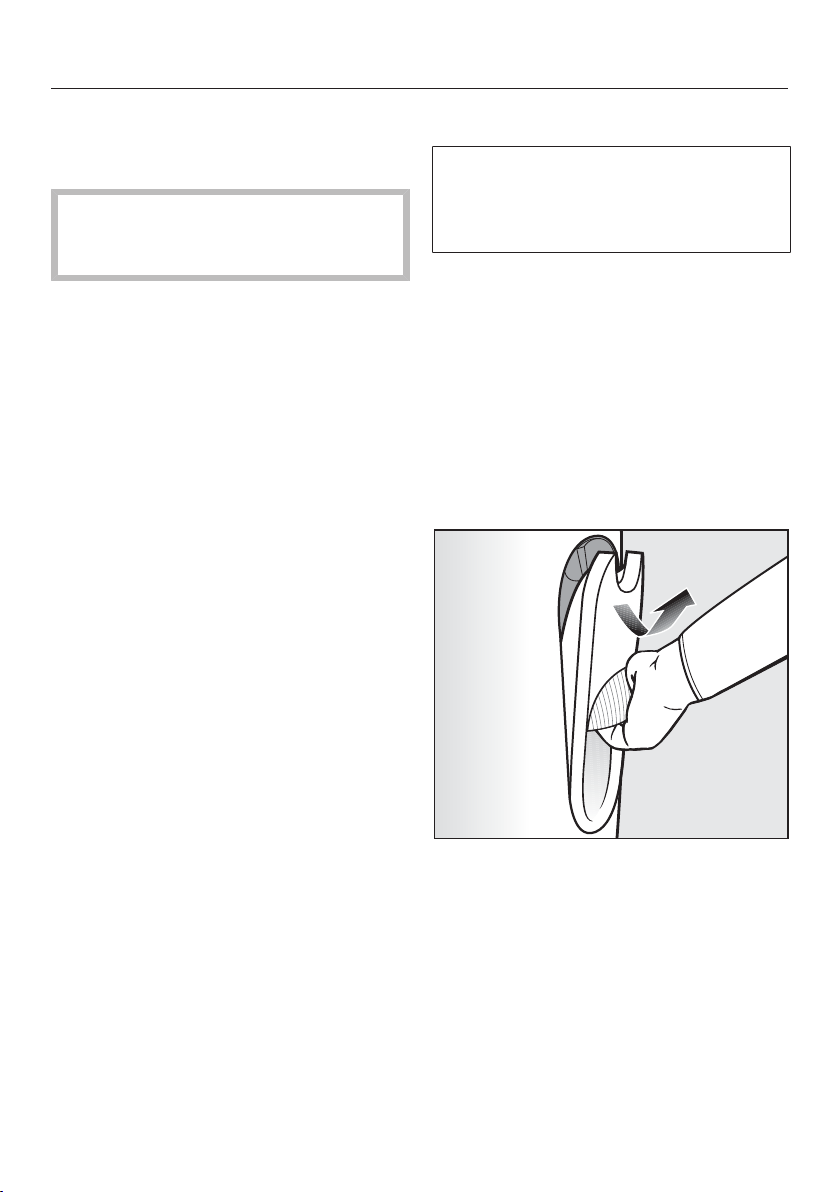
Cleaning and care
59
Wash and dry the ironing board cover
according to the care label or replace
the cover if it is damaged.
Never use the steam ironing system
without the ironing board cover in
place!
Put the dry or new cover onto the
ironing board from the tower end first
and draw it down toward the tapered
end of the ironing board.
Use the cord to pull the cover taut.
Ensure the cover is secure.
Close the fastener of the cover by
pushing the small grooved wheel of
the fastener to the middle.
Push the fastener back into the cavity
at the tip of the ironing board.
Cleaning the water filter
The water filter prevents foreign ob-
jects in the water from entering the
steam ironing system and causing
damage.
The water filter can be cleaned if it is
dirty or clogged. You will notice if the
water filter is dirty since this will cause
more frequent pumping noises from the
water feed pump.
Disconnect the power supply
Unplug the appliance from the outlet
before cleaning the water filter.
Removing the water container
Hold the water container by its han-
dle.
Pull the handle down.
The water container is released from the
retainer.
Pull the water container upwards and
out.
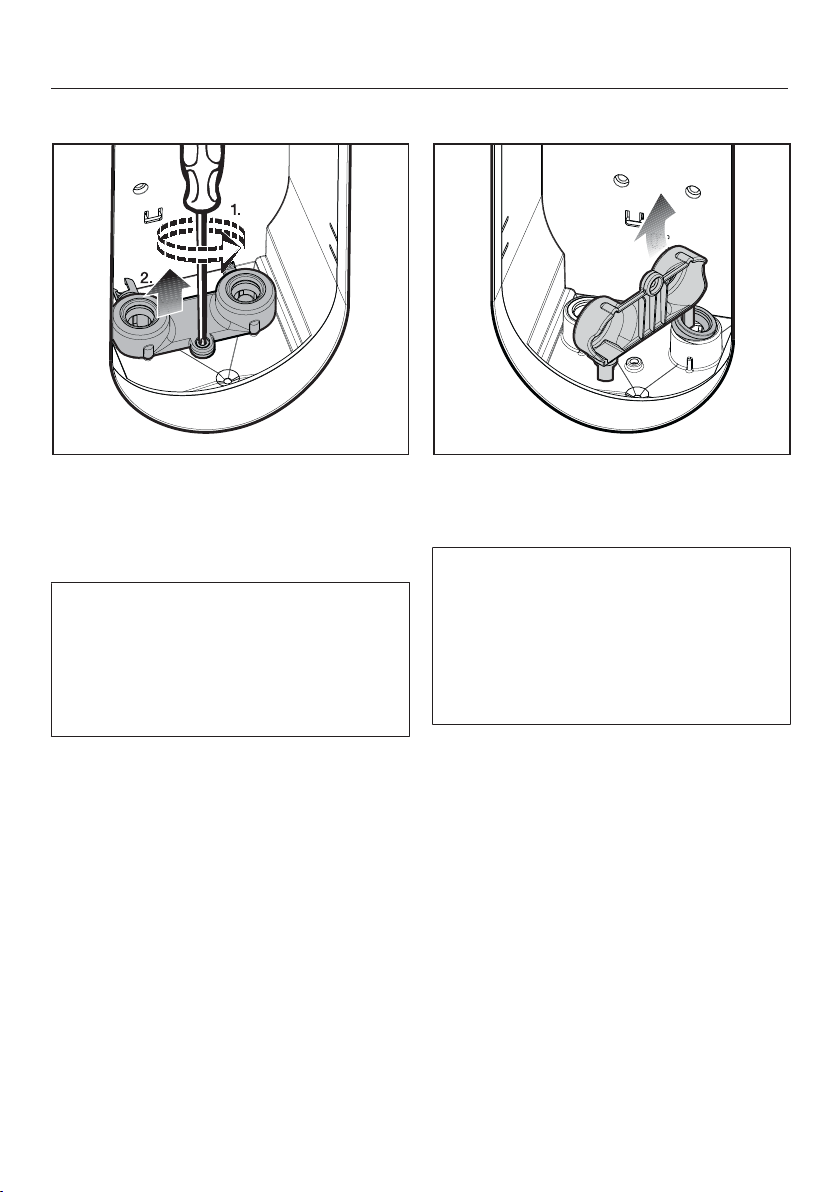
Cleaning and care
60
Removing the water filter cover
Use a Phillips-head screwdriver to re-
move the screw of the water filter
cover.
Pull the water filter cover upwards.
The water filter must be taken out of
the right hand socket for cleaning.
There is a hook and a round tool at the
sides of the water filter cover. Use
these to remove the sealing ring from
the socket and pull out the water filter.
Removing the sealing ring
Use the hook on the water filter cover
to pull the sealing ring up and out of
the right-hand socket.
Please note that the top of sealing ring
looks different to the bottom of it. The
top has a smooth surface all round
and the bottom has a narrow ridge
around it. After cleaning the water filter
make sure that the seal is replaced
with the ridge facing downwards.
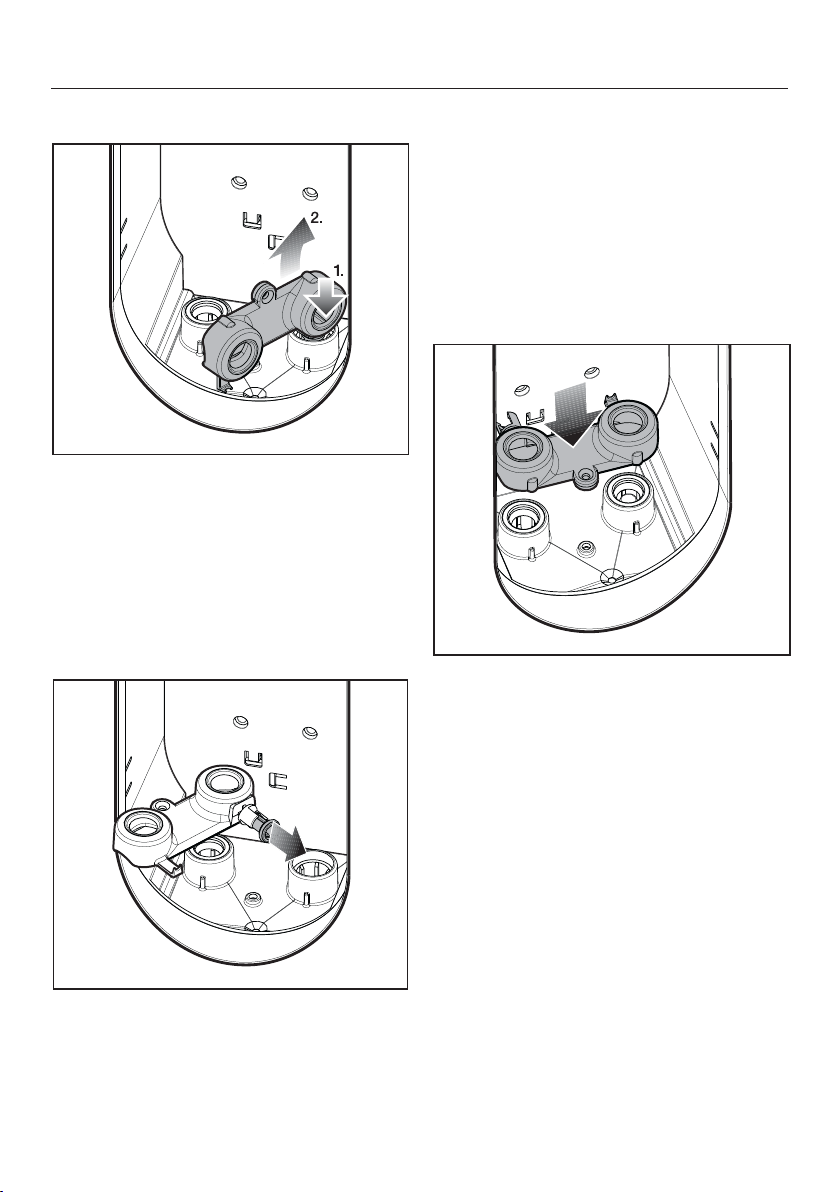
Cleaning and care
61
Pull out water filter
Push the round tool on the water filter
cover onto the water filter from
above.
The round retainer tool will clicks into
the water filter.
Pull the water filter out of the socket.
Cleaning the water filter
Detach the water filter from the round
retainer tool.
Clean the water filter thoroughly un-
der running water.
Inserting the water filter
Position the water filter with the small
seal facing downwards.
Press the water filter fully into the
right-hand socket.
Then replace the seal in the right-
hand socket. The side with the ridge
must face downwards.
Then replace the water filter cover
over both sockets.
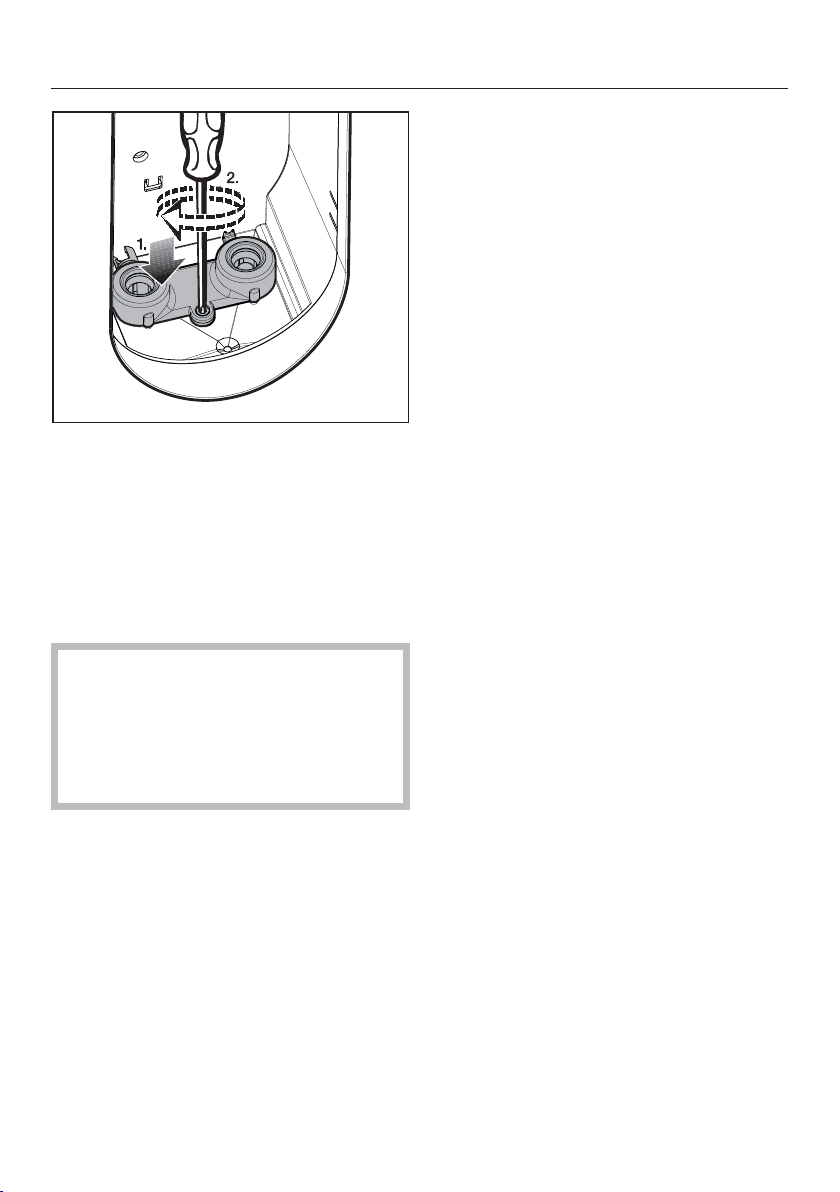
Cleaning and care
62
Use a Phillips-head screwdriver to
tighten the screw.
Inserting the water container
Replace the water container in the re-
tainer in the tower.
The steam ironing system is now ready
for use again.
If the water filter is not inserted, the
steam ironing system will not work.
The water filter must be replaced if it
is worn or damaged. Replacement
filters are available from your Miele
retailer or Miele Service.

Optional accessories
63
Miele appliances are designed to
achieve the best possible results and to
provide uncompromising satisfaction
for as long as possible. To achieve this,
all factors must interact perfectly with
one another. Therefore Miele offers a
comprehensive range of accessories
that harmonize with Miele appliances
for optimum performance.
The following items are just a few ex-
amples from our broad range of prod-
ucts which is available to order from our
Miele online store or Miele.
Accessories
Non-stick soleplate
With the non-stick soleplate you can
iron appliqués, printed or flocked tex-
tiles etc. No need to turn the garment
inside out. This soleplate also reduces
or eliminates the formation of shiny
patches on dark textiles.
The non-stick soleplate can be used
with all Miele steam ironing system
irons.
Ironing board cover
Miele ironing board covers are very
durable and highly water-absorbent.
The separate needle felt under the sep-
arate pad is steam-permeable and
pleasantly cushioned.
The ironing board covers can be used
for any Miele steam ironing system, re-
gardless of model.
Basic ironing board cover
The standard ironing board cover is
made of 100% cotton, and can be
washed if necessary at 105°F/40°C.
Color: Heather gray
Premium ironing board cover
The premium ironing board cover is
very heat-resistant and durable. It con-
sists of 100% cotton and can be
washed at 104°F if required.
Color: Charcoal gray

Optional accessories
64
Steamer
The steamer makes ironing hanging tex-
tiles easier, e.g. dresses and jackets. It
comes with a removable brush attach-
ment for lifting the fibers.
The steamer can be used with any
Miele steam ironing system, regard-
less of model.
Care products
The Miele care product range has been
developed specially to clean your appli-
ance thoroughly and gently.
Descaling tablets for the steam iron-
ing system
Miele descaling tablets guarantee the
best cleaning result when descaling
your Miele steam ironing system.
One tablet is required for each descal-
ing process.

Frequently asked questions
65
Most faults can be resolved by yourself. In many cases this will save you time and
money because you won't need to book a service technician. The following guide
should help you to find the reason for a fault, and to correct it. Please note:
Repair work to electrical appliances must only be carried out by an autho-
rized technician. Repairs by unqualified persons can cause considerable danger
to users.
Some of the messages in the display are more than one line long. Touch the or
arrow button to read them in full.
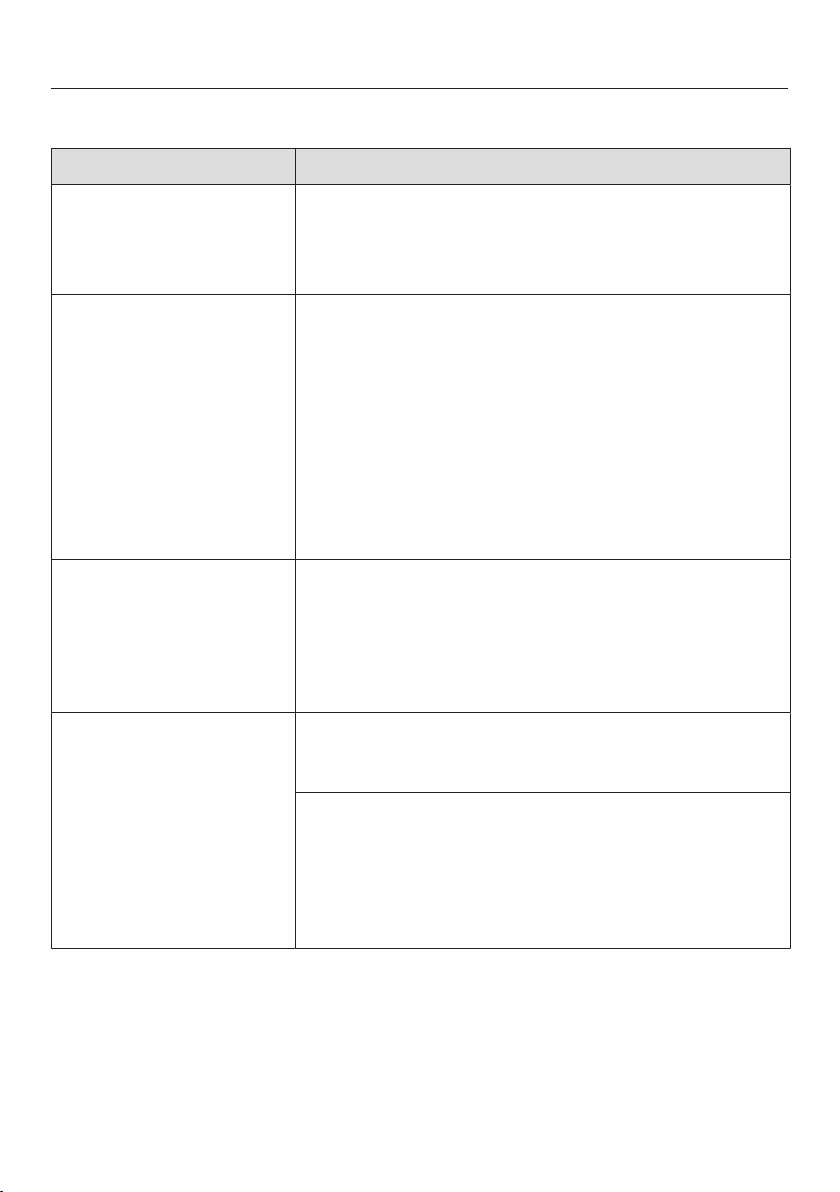
Frequently asked questions
66
Problem solving guide
Problem Possible cause and solution
The steam ironing sys-
tem cannot be switched
on.
The appliance does not have any power.
Check whether
– the plug is inserted into the wall socket.
– the fuse in your fuse panel is OK.
After a power outage,
the steam ironing sys-
tem does not work any-
more.
The steam ironing system is switched off
Use the button on the control panel to switch
the steam ironing system on.
If a power outage occurred during the automatic
rinse, the process will be repeated when the appli-
ance is switched on again.
If the power outage occurred during descaling, the
process will be resumed from the stage at which it
was interrupted when the appliance is switched on
again.
The height of the iron-
ing board cannot be ad-
justed.
The ironing board is not locked into place on both
sides of the tower.
Use both hands to pull the ironing board up and
into the horizontal position until the locking mech-
anism audibly clicks into place on both sides of
the tower (see "Assembly").
The steam ironing sys-
tem cannot be disman-
tled.
The appliance is not in its lowest working position.
Adjust the appliance to its lowest working height
(see "Dismantling").
The residual water container is not inserted com-
pletely and is not locked in place.
Push the residual water container back into the
tower until the container locks into place.
Then adjust the steam ironing system to its lowest
working height (see "Dismantling").
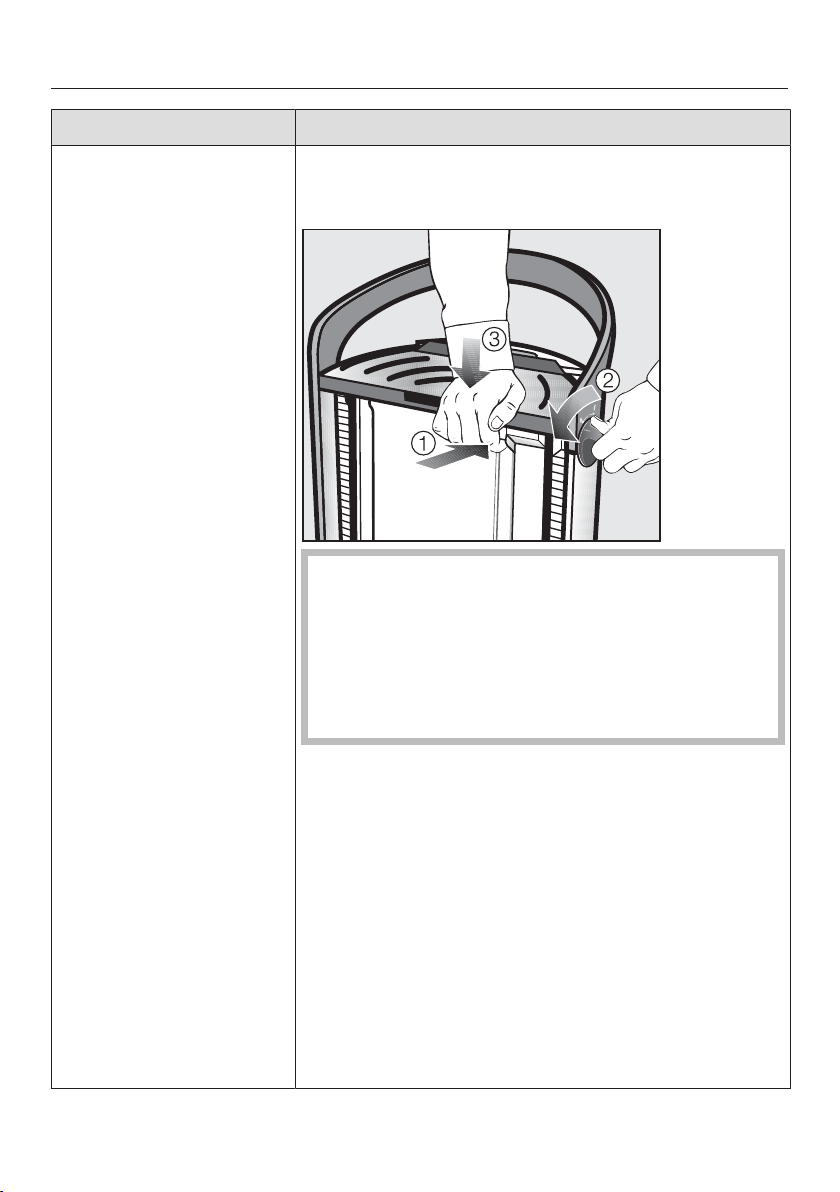
Frequently asked questions
67
Problem Possible cause and solution
The ironing board can-
not be set in the final
position during assem-
bly or dismantling.
The ironing board became dislodged from the latch-
ing mechanism when the board was not in its lowest
position.
The resting surface of the iron remains hot af-
ter ironing.
Danger of injury by burning!
Unplug the power cord from the outlet. Let the iron
and the resting surface cool down before removing
the iron from the resting surface and proceed with
the following steps.
Press and hold the release button on the tower
().
At the same time, turn one of the rotary dials on
the side of the tower as far as it will go in the di-
rection of and hold the dial in this position ().
Push the tower down as far as possible ().
Then let go of the rotary dial on the side and sub-
sequently release the unlocking button on the
tower.
Now the ironing board can either be folded away or
brought into its working position.
If the ironing board still will not lock into place,
contact Miele service.
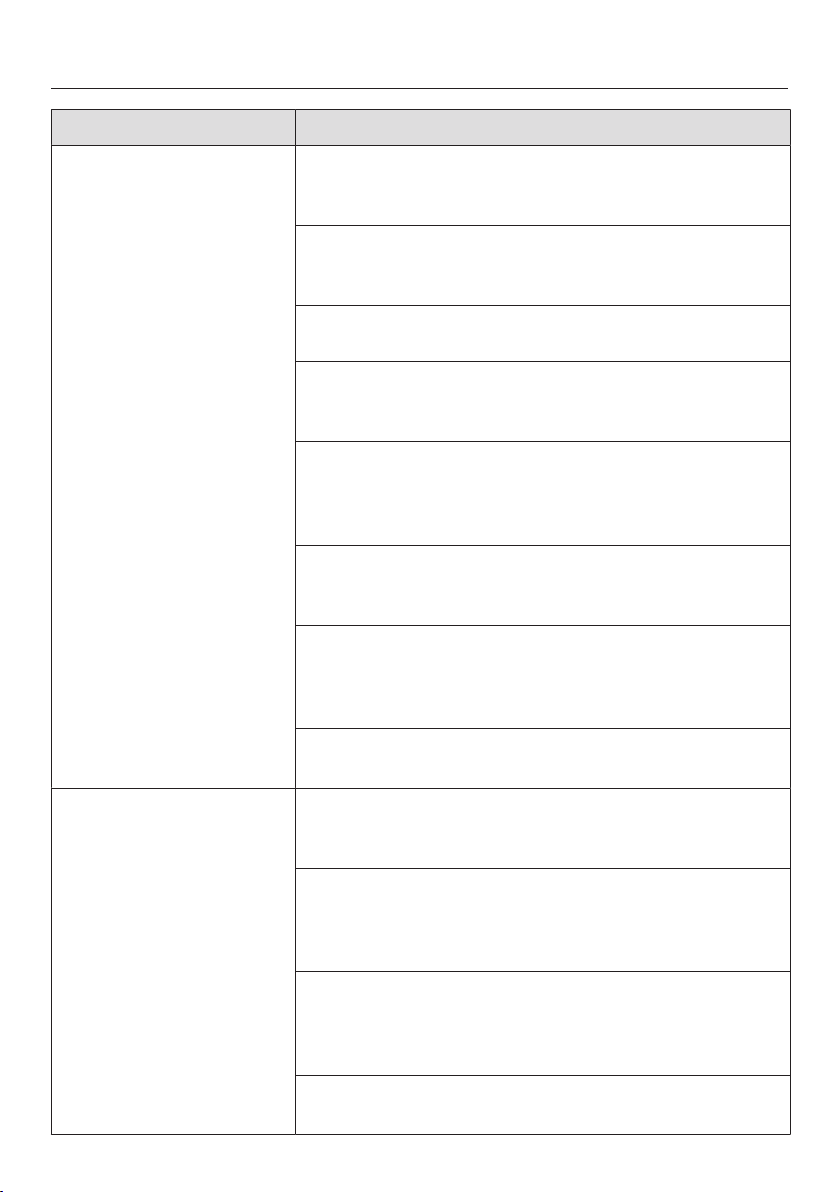
Frequently asked questions
68
Problem Possible cause and solution
The iron does not heat
up.
The appliance is switched off.
Use the button on the control panel to switch
the steam ironing system on.
The steam hose is not plugged in properly.
Plug the steam hose into the steam connection on
the tower again (see "Connection").
The iron has not been used for some time.
Move the iron or activate the steam button .
The steam button is locked.
Unlock the steam button by pushing the slider on
the iron forward.
The temperature set on the temperature controller has
already been reached.
Set the temperature controller to a higher tempera-
ture, if necessary.
The appliance is rinsing.
Wait until the rinsing process has been completed
(see "Automatic rinsing").
The display is indicating a malfunction.
Rectify the indicated malfunction and proceed as
described in the following pages (see "Display
messages").
The steam ironing system is damaged.
Contact Miele Service.
The ironing board does
not heat up.
Steam has not been used for a while.
Press the steam button. This will activate the
ironing board's heating system.
The steamer is attached to the steam connection on
the tower.
The ironing board does not heat up when the
steamer is connected.
The ironing board is not locked into place on both
sides of the tower.
Ensure the ironing board locks into place on both
sides of the tower (see "Assembly")
The steam ironing system is damaged.
Contact Miele Service.
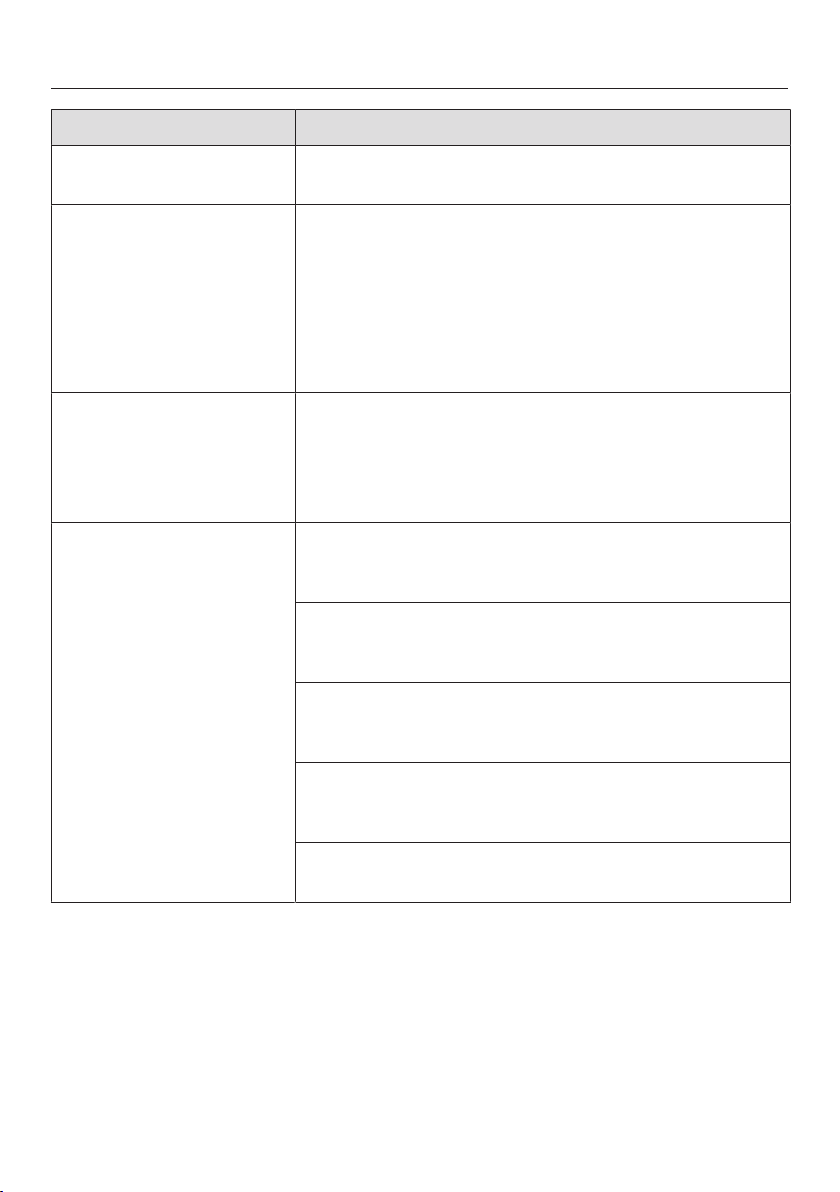
Frequently asked questions
69
Problem Possible cause and solution
The temperature of the
iron is always high.
There is a fault.
Contact Miele.
The cover of the ironing
board is damp.
There is a fault.
Remove the ironing board cover and allow it to
dry.
Put the dry ironing board cover back on (see
"Cleaning or replacing the ironing board cover").
If the ironing cover gets damp again, contact Miele
Service.
Water is leaking from
the steam ironing sys-
tem at the height of the
water container when it
is being moved.
The frequent removal and replacement of the water
container may cause water droplets to collect in the
area under the water container.
Use a cloth to dry the area underneath the water
container.
The fan on the ironing
board is not running.
Steam was not used.
The fan only runs when the steam function on the
iron is activated.
The steam is not ready yet.
Wait until the message Ready is displayed to in-
dicate that steam is ready.
The water container is empty or missing.
Fill the water container with fresh tap water and in-
sert it into the appliance.
The steamer is connected.
The fan only runs when the iron is connected.
Connect the iron.
There is a fault.
Contact Miele Service.
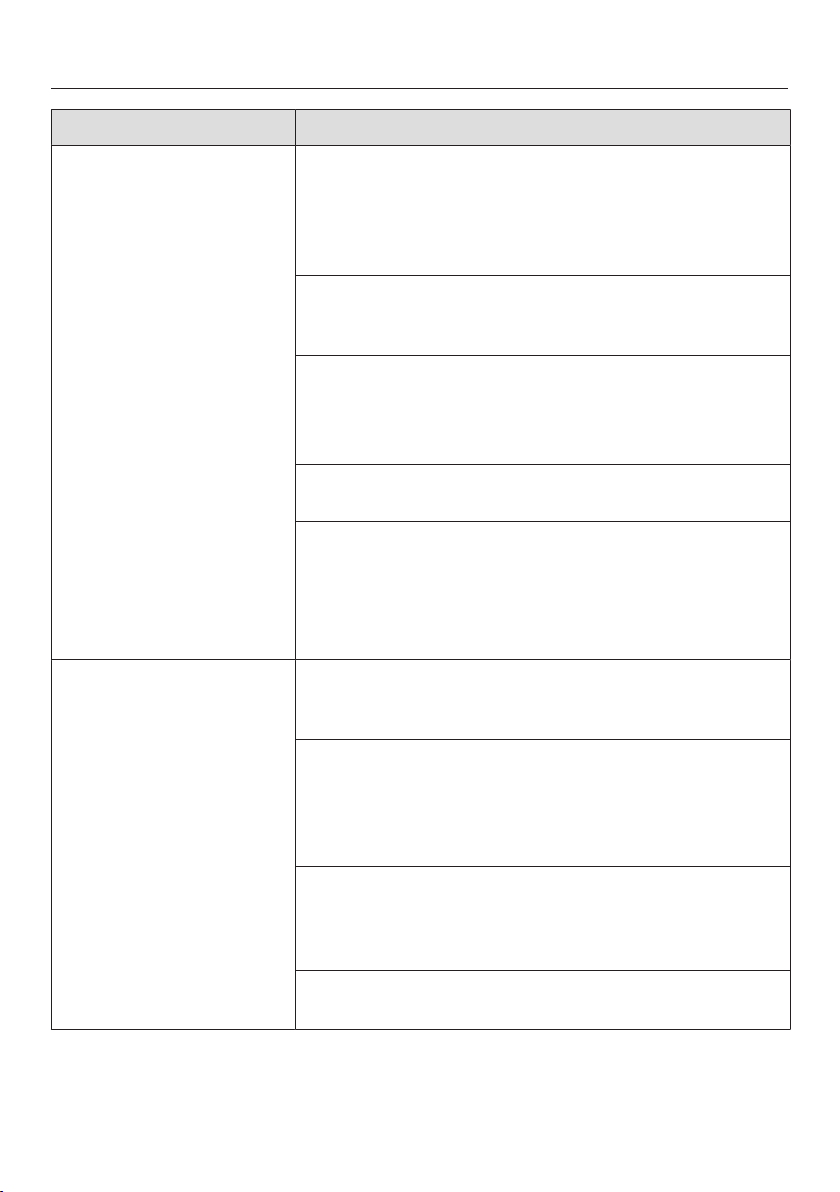
Frequently asked questions
70
Problem Possible cause and solution
The steam function on
the iron or the steamer
is not working.
The steam ironing system is not connected to the wall
socket.
Insert the plug into the electrical socket.
Use the button on the control panel to switch
the steam ironing system on.
The iron or the steamer is not connected.
Attach the steam hose of the iron or the steamer to
the steam connection of the tower.
The water container is empty or missing.
Fill the water container with fresh water.
Insert the water container into the tower.
Wait until the message Ready is displayed.
The steam is not ready yet.
Wait until the message Ready is displayed.
The display is indicating a malfunction.
Rectify the indicated malfunction and proceed as
described in the following pages (see "Display
messages").
If there is still no steam, contact Miele service.
When using the steam
button on the iron,
drops of water or de-
posits escape from the
steam nozzles.
The temperature selected on the iron is too low.
Set the temperature selector to at least Silk/Wool
(see "Selecting the ironing temperature").
The iron has not yet reached the selected tempera-
ture.
Wait until the selected ironing temperature has
been reached (see "Selecting the ironing tempera-
ture").
During a longer ironing break, condensation has ac-
cumulated in the steam hose.
After a break in ironing, do not direct the first burst
of steam onto the garment.
Deposits have formed in the soleplate.
Rinse the soleplate (see "Descaling process").
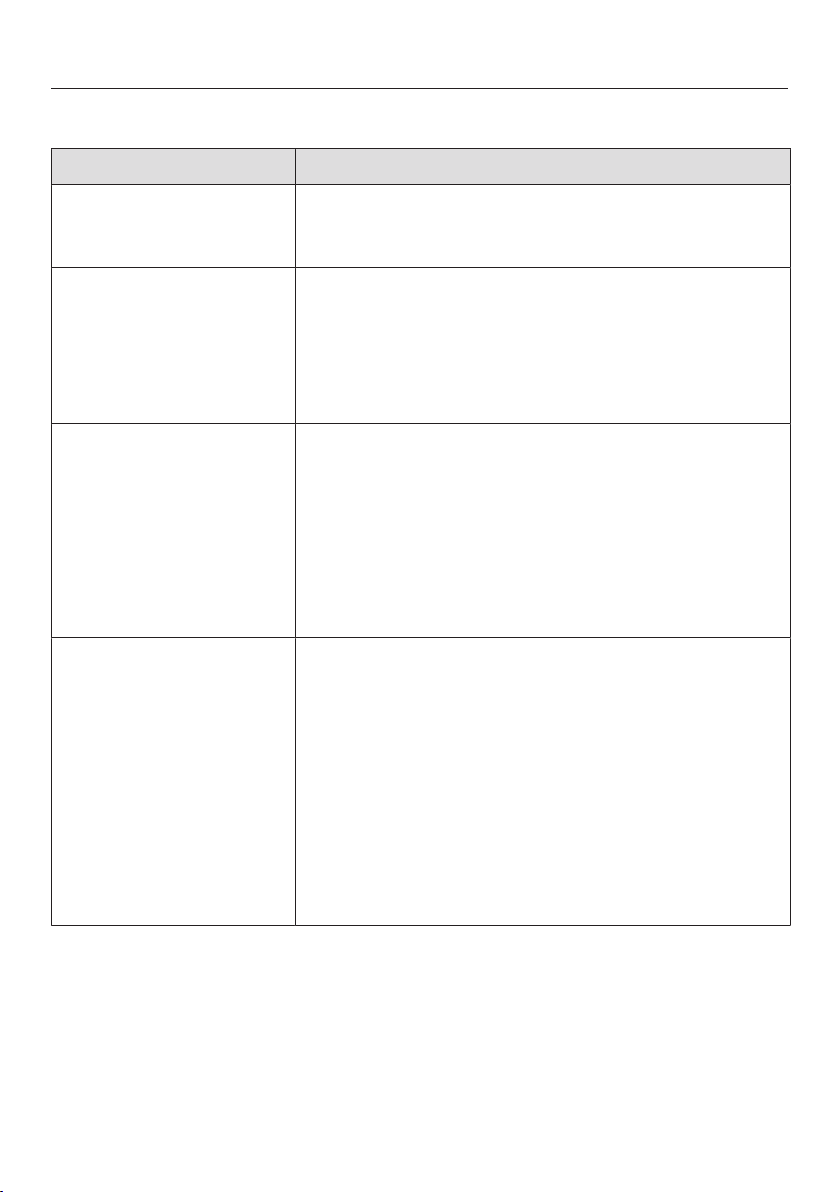
Frequently asked questions
71
Display messages
Message Possible cause and solution
Drain valve closing When the steam ironing system was switched on, the
steam generator drain was open. The drain is closed
automatically during this message.
Drain valve fault
Switch Off/On
The descaling or rinsing processes have not been
carried out properly.
Press the button to switch the steam ironing
system off and then back on again.
If the fault message continues to be displayed,
contact Miele Service.
Memory fault
Switch Off/On
There is a fault with the steam ironing system.
Press the button to switch the steam ironing
system off and then back on again.
The steam ironing system must now be reset.
Complete the steps required before using for the
first time (see "Before using for the first time").
If the fault message continues to be displayed,
contact Miele Service.
Unplug the machine
There is an electronics fault.
Remove the plug from the socket.
Wait a while and then insert the plug back into the
socket.
Press the button to switch the steam ironing
system back on again.
The steam ironing system will try and rectify the fault
itself.
If the fault message continues to be displayed,
switch off at the socket and remove the plug. Con-
tact Miele Service.
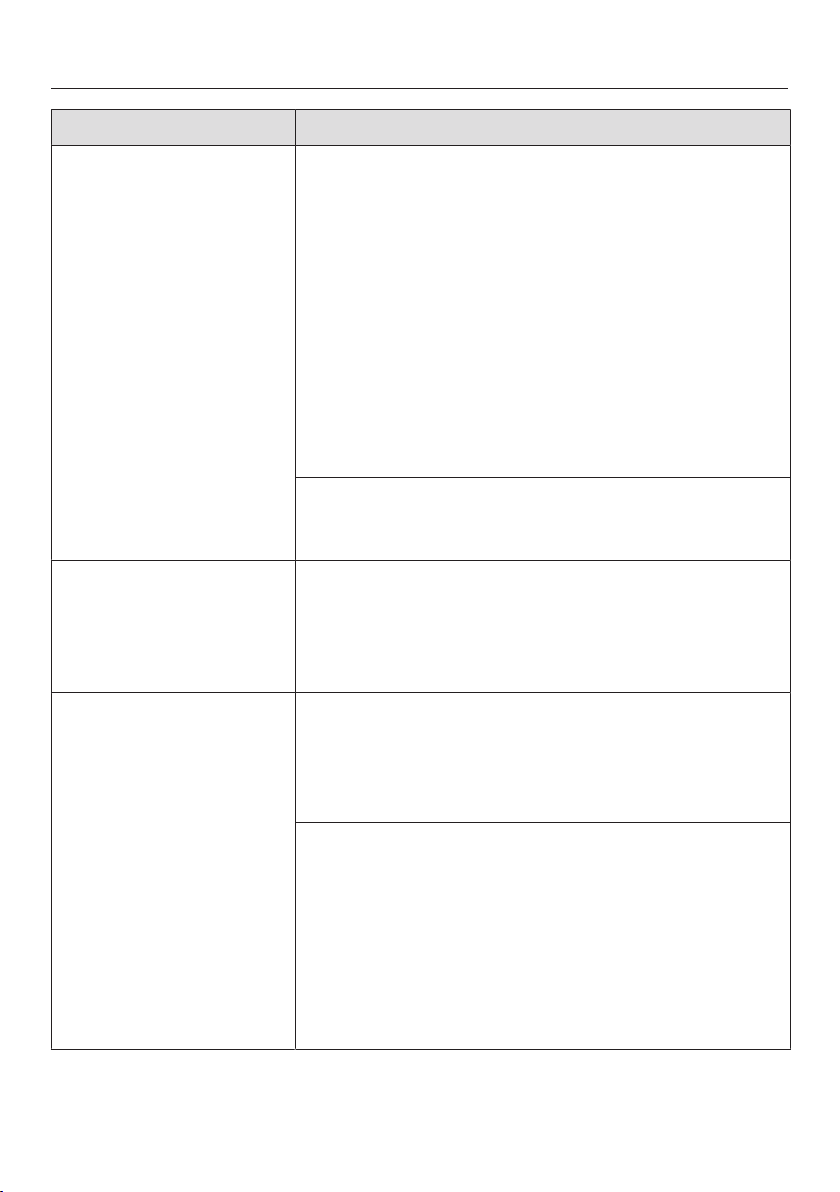
Frequently asked questions
72
Message Possible cause and solution
Intake fault, Boiler
Switch Off/On
There is a fault with the steam system.
Press the button to switch the steam ironing
system off and then back on again.
After the cool-down phase, the steam ironing system
carries out a rinse function and attempts to correct
the fault itself. The cool-down phase can take up to
3hours.
Remove the residual water container if you are
prompted to do so by the appropriate message in
the display.
Empty and dry the residual water container.
Push the residual water container back in the
tower until it clicks into place.
There is a fault with the steam ironing system.
If the fault message continues to be displayed,
contact Miele Service.
Pressure switch
fault. Switch Off/On
There is a fault with the steam system.
Press the button to switch the steam ironing
system off and then back on again.
If the fault continues to be displayed, contact
Miele Service.
Boiler fault, warm
Switch Off/On
There is a fault with the steam ironing system.
Press the button to switch the steam ironing
system off and then back on again.
If the fault continues to be displayed, contact
Miele Service.
The steam generator is contaminated with water con-
taining too much limescale or salt.
Start a descaling process (see "Starting the
descaling process early"). To avoid this problem in
the future, the preset water hardness level can be
set one level higher (e.g., from Level 4 to Level 5,
see "Water hardness setting").
If the fault continues to be displayed, contact
Miele Service.
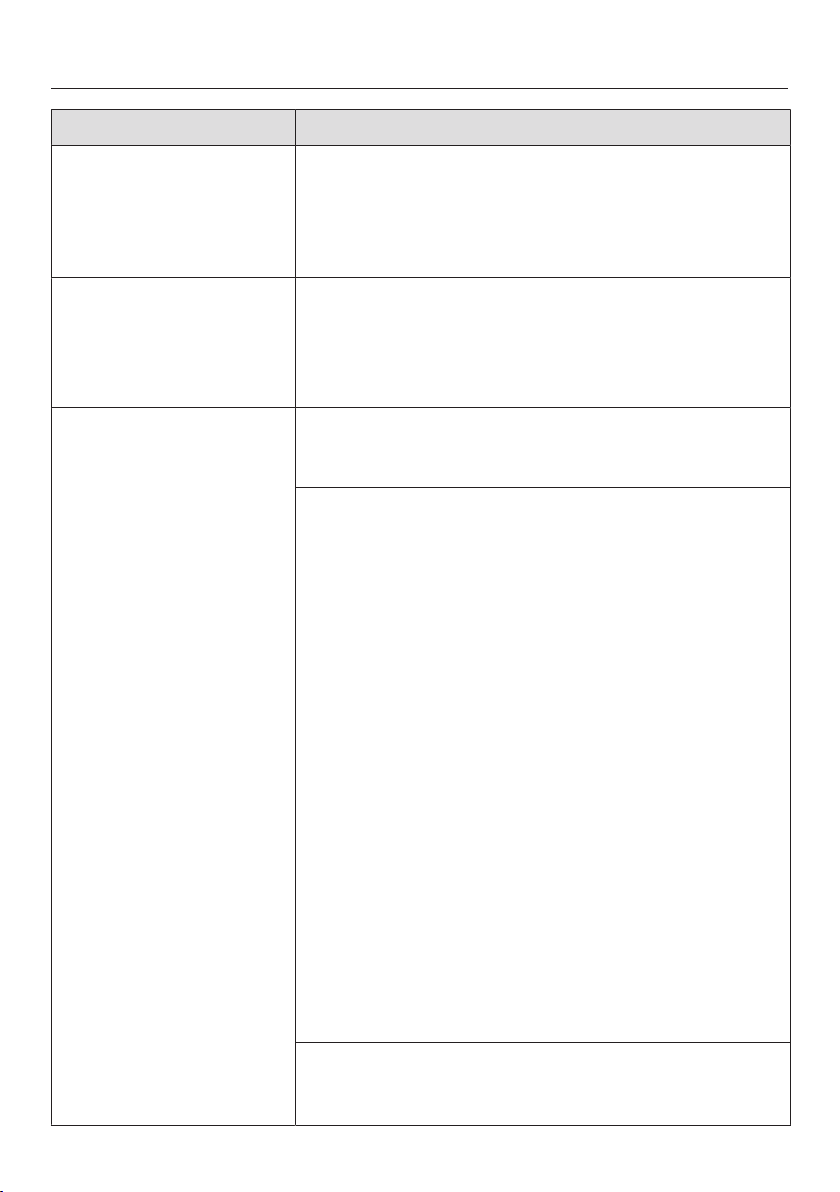
Frequently asked questions
73
Message Possible cause and solution
Boiler fault, cold
Switch Off/On
There is a fault with the steam ironing system.
Press the button to switch the steam ironing
system off and then back on again.
If the fault continues to be displayed, contact
Miele Service.
Release stm. button
The iron has switched itself off because it has not
been used for a period of time and the steam but-
ton has locked.
Unlock the steam button by pushing the slider
for continual steam on the iron forward.
Drain valve fault
Switch Off/On
The residual water container has not been detected.
Press the button to switch the steam ironing
system off and then back on again.
After switching the steam ironing system off and back
on, the residual water container has not been de-
tected.
Press the button to switch the appliance off.
Clean and dry the metal disks (contacts) on the
residual water container.
Use the button to switch the steam ironing sys-
tem back on and follow the instructions shown in
the display:
Remove the residual water container and fill it with
fresh tap water.
Put the filled residual water container back in the
tower.
Remove the residual water container again when
you are prompted to do so by the appropriate
message in the display.
Empty and dry the residual water container.
Put the empty residual water container back in the
tower.
The steam ironing system is ready for use again and
continues with the process that had been started
when the fault was detected.
There is a fault with the steam ironing system.
If the fault message continues to be displayed,
contact Miele Service.
Frequently asked questions
74
Message Possible cause and solution
Fault codes:
F38: ELP/EW/LNG
F44
F45: LNG
F47
There is an internal fault.
Press the button to switch the steam ironing
system off and then back on again.
The steam ironing system will try and rectify the fault
itself.
If the fault code continues to be displayed, contact
Miele Service.
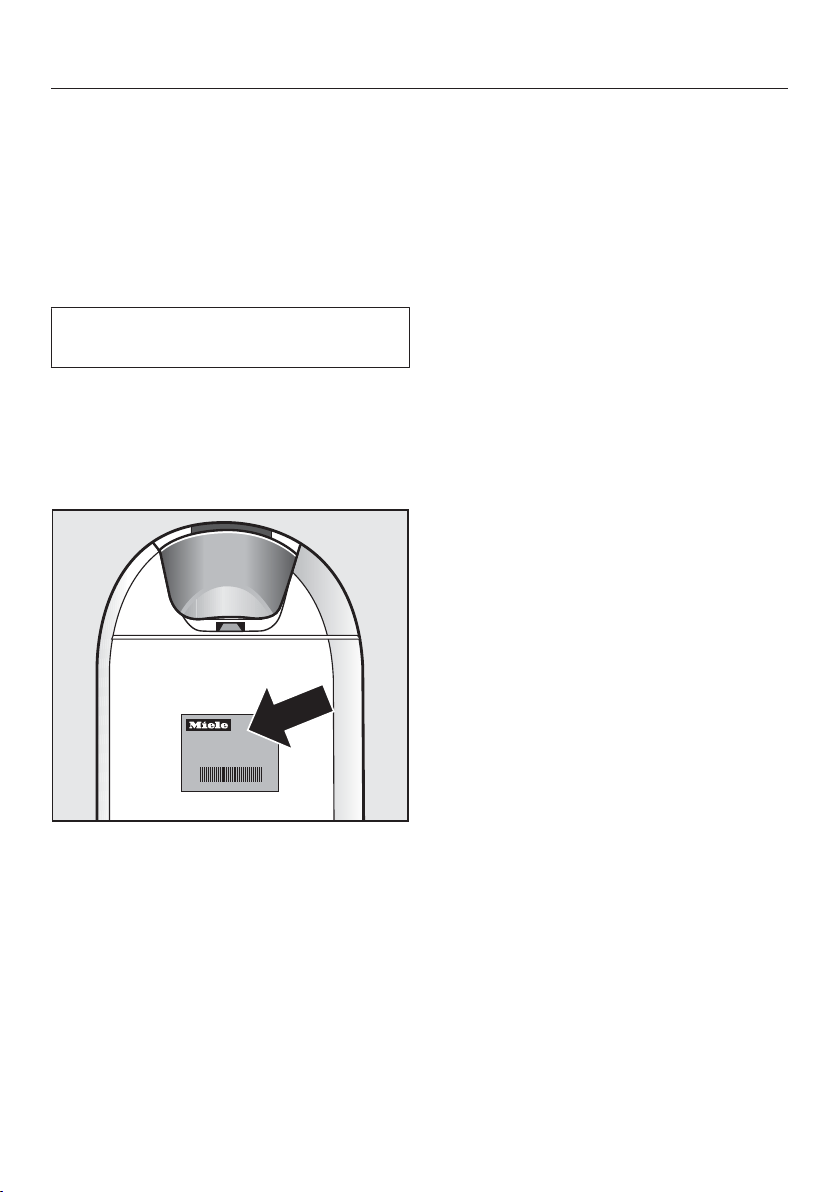
Technical service
75
After sales service
In the event of a fault that you cannot
correct yourself, please contact
– Your Miele dealer
or
– Miele Technical Service
The telephone number for Miele is
listed at the back of these instructions.
Technical service requires the model
and serial number of your appliance.
The information can be found on the
data plate which is located on the tower
behind the water container.
Warranty
For further information, please refer to
your warranty booklet.
Electrical connection
76
Verify that the voltage, load and cir-
cuit rating information found on the
data plate match the household elec-
trical supply. This data must match
to prevent damage to the steam iron-
ing system. If in doubt, consult a li-
censed electrician.
All electrical work should be per-
formed by a qualified electrician in
strict accordance with national and
local safety regulations. Installation,
repairs and other work by unqualified
persons could be dangerous.
You will find the necessary connection
data on the data plate, which is located
in the tower behind the water container.
The socket should be next to the appli-
ance and easily accessible.
The plug must be plugged into an outlet
that is properly installed and grounded.
If the power cord is defective, it must
only be replaced by a qualified electri-
cian.
Do not use a power bar or an exten-
sion cord to connect the steam iron-
ing system to the power supply.
Extension cords or power bars do
not guarantee the required safety of
the appliance (e.g. danger of over-
heating).
Do not connect the steam ironing
system to an off-grid inverter. These
devices are used for autonomous
power supply, e.g. a solar power
system.
Power surges could trigger a safety
shutdown. This could damage the
electronic system.
Do not use the appliance with what
is referred to as energy saving de-
vices.
These reduce the energy supply to
the appliance, which could generate
excessive heat.
WARNING: THIS APPLIANCE
MUST BE GROUNDED!
If there is any question concerning
the electrical connection of this ap-
pliance to your power supply, please
consult a licensed electrician or con-
tact Miele’s Technical Service De-
partment.

Technical data
77
Dimensions, folded (HxWxD) 50 ³/₈" x 18 ¹/₂" x 14 ⁹/₁₆" (1280 x 470 x 370 mm)
Assembled dimensions (HxWxD) 38 ³/₁₆" x 18 ¹/₂" x 58 ¹/₄" (970 x 470 x 1480 mm)
Weight 64 lb (29 kg)
Connection voltage See data plate
Power rating See data plate
Fuse rating ≥ 10 A
Steam pressure for B3312
Steam pressure for B3847
50.76 psi (3.5 bar)
58.01 psi (4 bar)
Steam output 100 g/min
Capacity of water container 42 oz (1.25 l)
Length of power cord 98 ⁷/₁₆" (2.5 m)
Length of steam hose 70 ⁷/₈" (1.8 m)
Height of ironing board 32 ⁷/₁₆" - 40 ³/₁₆" (830-1020 mm)
Length of ironing board 47 ¹/₄" (1200 mm)
Width of ironing board 15 ³/₄" (400 mm)
Test certificates awarded See data plate

78

9 Independence Way
Princeton, NJ 08540
Phone:
Fax:
www.mieleusa.com
U.S.A.
Miele, Inc.
National Headquarters
Please have the model and serial number
of your appliance available when
contacting Technical Service.
Canada
Importer
Miele Limited
Headquarters and Miele Centre
800-843-7231
609-419-4298
Technical Service & Support
Phone:
Fax:
161 Four Valley Drive
Vaughan, ON L4K 4V8
www.miele.ca
800-999-1360
888-586-8056
Customer Care Centre
Phone:
800-565-6435
905-532-2272
International Headquarters
Miele & Cie. KG
Carl-Miele-Straße 29
33332 Gütersloh
Germany

M.-Nr. 10 462 411 / 02en-US,CA
FashionMaster