

PRIUS_OM_OM47A29U_(U)
Pictorial index
Search by illustration
1
For safety
and security
Make sure to read through them
2
Instrument
cluster
How to read the gauges and meters, the variety of
warning lights and indicators, etc.
3
Operation of
each component
Opening and closing the doors and windows,
adjustment before driving, etc.
4
Driving
Operations and advice which are necessary for
driving
5
Audio system
Operating the audio system
6
Interior features
Usage of the interior features, etc.
7
Maintenance
and care
Caring for your vehicle and maintenance
procedures
8
When trouble
arises
What to do in case of malfunction or emergency
9
Vehicle
specifications
Vehicle specifications, customizable features, etc.
10
For owners
Reporting safety defects for U.S. owners, and seat
belt, SRS airbag and headlight aim instructions for
Canadian owners
Index
Search by symptom
Search alphabetically

TABLE OF CONTENTS
2
PRIUS_OM_OM47A29U_(U)
For your information....................... 8
Reading this manual.................... 14
How to search.............................. 15
Pictorial index .............................. 16
1-1. For safe use
Before driving...................... 26
For safety drive ................... 28
Seat belts ............................ 30
SRS airbags........................ 36
Front passenger occupant
classification system ......... 50
Exhaust gas precautions..... 56
1-2. Child safety
Riding with children............. 57
Child restraint systems........ 58
1-3. Hybrid system
Hybrid system features ....... 78
Hybrid system
precautions ....................... 82
1-4. Theft deterrent system
Immobilizer system ............. 89
2. Instrument cluster
Combination meter ..............92
Warning lights and
indicators .........................100
Main display.......................107
Multi-information
display .............................114
Head-up display.................146
Energy monitor/
consumption screen ........153
3-1. Key information
Keys...................................160
3-2. Opening, closing and
locking the doors
Side doors .........................165
Back door ..........................171
Smart key system..............176
3-3. Adjusting the seats
Front seats.........................184
Rear seats .........................186
Head restraints ..................189
1
For safety and security
2
Instrument cluster
3
Operation of each
component
3
1
9
8
7
6
4
3
2
PRIUS_OM_OM47A29U_(U)
10
5
3-4. Adjusting the steering
wheel and mirrors
Steering wheel .................. 192
Inside rear view mirror....... 194
Outside rear view
mirrors............................. 196
3-5. Opening and closing the
windows and moon roof
Power windows ................. 198
Moon roof.......................... 202
4-1. Before driving
Driving the vehicle............. 208
Cargo and luggage............ 219
Vehicle load limits ............. 222
Trailer towing..................... 223
Dinghy towing.................... 224
4-2. Driving procedures
Power (ignition) switch ...... 225
EV drive mode................... 231
Hybrid transmission........... 234
Turn signal lever................ 240
Parking brake.................... 241
4-3. Operating the lights
and wipers
Headlight switch................ 242
Automatic High Beam ....... 247
Fog light switch ................. 252
Windshield wipers and
washer ............................ 254
Rear window wiper and
washer ............................ 260
4-4. Refueling
Opening the fuel tank
cap...................................262
4-5. Using the driving support
systems
Toyota Safety Sense P......267
PCS (Pre-Collision
System) ...........................275
LDA (Lane Departure
Alert with steering
control) ............................289
Dynamic radar cruise
control with full-speed
range ...............................300
Cruise control ....................315
Driving mode select
switch ..............................320
BSM
(Blind Spot Monitor).........322
Intuitive parking assist .......335
Intelligent Clearance
Sonar...............................346
S-APGS (Simple
Advanced Parking
Guidance System)...........359
Rear view monitor
system .............................394
Driving assist systems.......404
4-6. Driving tips
Hybrid vehicle driving
tips...................................411
Winter driving tips..............414
4
Driving

TABLE OF CONTENTS
4
PRIUS_OM_OM47A29U_(U)
5-1. Basic Operations
Audio system types .......... 420
Audio system .................... 421
Using the steering wheel
audio switches................ 424
AUX Port/USB Port........... 425
Basic audio operations ..... 426
5-2. Setup
Setup menu ...................... 428
General settings ............... 429
Audio settings ................... 431
Display settings ................ 432
Voice settings ................... 433
5-3. Using the Multimedia
system
Selecting the audio
source............................. 434
List screen operation ........ 435
Optimal use of the audio
system ............................ 437
5-4. Using the radio
Radio operation.................438
5-5. Playing an audio CD and
MP3/WMA/AAC discs
CD player operation ..........440
5-6. Using an external device
iPod player operation........446
USB memory device
player operation ..............451
Using the AUX ..................456
5-7. Connecting Bluetooth
®
Preparations to
use wireless
communication................457
Registering a Bluetooth
®
audio player for the
first time ..........................460
Registering a Bluetooth
®
phone for the first time ....461
Registering a
Bluetooth
®
device ...........462
Connecting a
Bluetooth
®
device ...........464
Displaying a Bluetooth
®
device details ..................466
Detailed Bluetooth
®
settings ...........................467
5-8. Bluetooth
®
Audio
Listening to Bluetooth
®
Audio...............................468
5
Audio system
5
1
9
8
7
6
4
3
2
PRIUS_OM_OM47A29U_(U)
10
5
5-9. Bluetooth
®
phone
Using a Bluetooth
®
Phone ............................. 470
Making a call..................... 473
Receiving a call ................ 476
Speaking on the phone..... 477
Bluetooth
®
phone
message function ........... 480
Using the steering wheel
switches.......................... 484
Bluetooth
®
phone
settings ........................... 485
Contact/Call History
Settings .......................... 486
What to do if...
(Troubleshooting) ........... 495
5-10.Bluetooth
®
Bluetooth
®
........................ 499
5-11.Using the voice
command system
Voice command system ... 505
6-1. Using the air conditioning
system and defogger
Automatic air conditioning
system .............................512
Seat heaters ......................523
6-2. Using the interior lights
Interior lights list.................525
• Front interior light ..........526
• Front personal lights......526
• Rear interior light...........527
6-3. Using the storage features
List of storage features......528
• Glove box......................529
• Console box ..................529
• Cup holders/
bottle holders/
door pockets..................530
• Auxiliary boxes ..............532
Luggage compartment
features ...........................533
6
Interior features

TABLE OF CONTENTS
6
PRIUS_OM_OM47A29U_(U)
6-4. Using the other interior
features
Other interior features ....... 542
• Sun visors ..................... 542
• Vanity mirrors................ 542
• Power outlets ................ 543
• Wireless charger........... 544
• Armrest ......................... 552
• Coat hooks.................... 552
• Assist grips ................... 553
Garage door opener.......... 554
Safety Connect.................. 561
7-1. Maintenance and care
Cleaning and protecting
the vehicle exterior ..........568
Cleaning and protecting
the vehicle interior ...........574
7-2. Maintenance
Maintenance
requirements ...................578
General maintenance ........581
Emission inspection and
maintenance (I/M)
programs .........................584
7-3. Do-it-yourself maintenance
Do-it-yourself service
precautions......................585
Hood..................................588
Positioning a floor jack.......590
Engine compartment .........591
Tires...................................605
Tire inflation pressure ........615
Wheels...............................618
Air conditioning filter ..........621
Wiper rubber
replacement.....................624
Electronic key battery ........628
Checking and replacing
fuses................................631
Headlight aim.....................634
Light bulbs .........................636
7
Maintenance and care

7
1
9
8
7
6
4
3
2
PRIUS_OM_OM47A29U_(U)
10
5
8-1. Essential information
Emergency flashers .......... 646
If your vehicle has to
be stopped in an
emergency ...................... 647
8-2. Steps to take in an
emergency
If your vehicle needs to
be towed ......................... 648
If you think something is
wrong .............................. 654
If a warning light turns on
or a warning buzzer
sounds ............................ 655
If a warning message is
displayed......................... 665
If you have a flat tire
(vehicles with
spare tire)........................ 673
If you have a flat tire
(vehicles without
spare tire)........................ 687
If the hybrid system will
not start ........................... 706
If the electronic key does
not operate properly........ 708
If the 12-volt battery is
discharged ...................... 711
If your vehicle overheats ... 717
If the vehicle becomes
stuck................................ 722
9-1. Specifications
Maintenance data
(fuel, oil level, etc.) ..........726
Fuel information.................737
Tire information..................740
9-2. Customization
Customizable features.......752
9-3. Initialization
Items to initialize................760
Reporting safety defects
for U.S. owners ........................762
Seat belt instructions
for Canadian owners
(in French)................................763
SRS airbag instructions
for Canadian owners
(in French)................................765
Headlight aim instructions
for Canadian owners
(in French)................................774
What to do if...
(Troubleshooting).....................778
Alphabetical index......................782
8
When trouble arises
9
Vehicle specifications
10
For owners
Index
For vehicles with Entune Premium Audio with Navigation, refer to
the “NAVIGATION SYSTEM OWNER’S MANUAL” for information
regarding the equipment listed below.
• Navigation system
• Hands-free system
(for cellular phone)
• Audio/visual system

8
PRIUS_OM_OM47A29U_(U)
For your information
Please note that this manual applies to all models and explains all equipment,
including options. Therefore, you may find some explanations for equipment
not installed on your vehicle.
All specifications provided in this manual are current at the time of printing.
However, because of the Toyota policy of continual product improvement, we
reserve the right to make changes at any time without notice.
Depending on specifications, the vehicle shown in the illustrations may differ
from your vehicle in terms of color and equipment.
Approximately five hours after the hybrid system is turned off, you may hear
sound coming from under the vehicle for several minutes. This is the sound of
a fuel evaporation leakage check and, it does not indicate a malfunction.
A wide variety of non-genuine spare parts and accessories for Toyota vehi-
cles are currently available in the market. You should know that Toyota does
not warrant these products and is not responsible for their performance,
repair, or replacement, or for any damage they may cause to, or adverse
effect they may have on, your Toyota vehicle.
This vehicle should not be modified with non-genuine Toyota products. Modi-
fication with non-genuine Toyota products could affect its performance, safety
or durability, and may even violate governmental regulations. In addition,
damage or performance problems resulting from the modification may not be
covered under warranty.
Main Owner’s Manual
Noise from under vehicle after turning off the hybrid system
Accessories, spare parts and modification of your Toyota

PRIUS_OM_OM47A29U_(U)
9
The installation of a mobile two-way radio system in your vehicle could affect
electronic systems such as:
● Hybrid system
● Multiport fuel injection system/sequential multiport fuel injection system
● Dynamic radar cruise control with full-speed range
● Cruise control system
● Anti-lock brake system
● SRS airbag system
● Seat belt pretensioner system
Be sure to check with your Toyota dealer for precautionary measures or spe-
cial instructions regarding installation of a mobile two-way radio system.
High voltage parts and cables on the hybrid vehicles emit approximately the
same amount of electromagnetic waves as the conventional gasoline pow-
ered vehicles or home electronic appliances despite of their electromagnetic
shielding.
Unwanted noise may occur in the reception of the mobile two-way radio.
Installation of a mobile two-way radio system

10
PRIUS_OM_OM47A29U_(U)
Your Toyota is equipped with several sophisticated computers that will record
certain data, such as:
• Engine speed
• Electric motor speed (traction motor speed)
• Accelerator status
• Brake status
• Vehicle speed
• Shift position
• Hybrid battery (traction battery) status
The recorded data varies according to the vehicle grade level and options
with which it is equipped. Furthermore, these computers do not record con-
versations, sounds or images of the inside of the vehicle.
● Data usage
Toyota may use the data recorded in these computers to diagnose malfunc-
tions, conduct research and development, and improve quality.
Toyota will not disclose the recorded data to a third party except:
• With the consent of the vehicle owner or with the consent of the lessee if
the vehicle is leased
• In response to an official request by the police, a court of law or a govern-
ment agency
• For use by Toyota in a lawsuit
• For research purposes where the data is not tied to a specific vehicle or
vehicle owner
● Usage of data collected through Safety Connect (U.S. mainland only)
If your Toyota has Safety Connect and if you have subscribed to those ser-
vices, please refer to the Safety Connect Telematics Subscription Service
Agreement for information on data collected and its usage.
Vehicle data recordings

PRIUS_OM_OM47A29U_(U)
11
This vehicle is equipped with an event data recorder (EDR). The main pur-
pose of an EDR is to record, in certain crash or near crash-like situations,
such as an air bag deployment or hitting a road obstacle, data that will assist
in understanding how a vehicle’s systems performed. The EDR is designed to
record data related to vehicle dynamics and safety systems for a short period
of time, typically 30 seconds or less.
The EDR in this vehicle is designed to record such data as:
• How various systems in your vehicle were operating;
• Whether or not the driver and passenger safety belts were buckled/fas-
tened;
• How far (if at all) the driver was depressing the accelerator and/or brake
pedal; and,
• How fast the vehicle was traveling.
These data can help provide a better understanding of the circumstances in
which crashes and injuries occur.
NOTE: EDR data are recorded by your vehicle only if a nontrivial crash situa-
tion occurs; no data are recorded by the EDR under normal driving conditions
and no personal data (e.g., name, gender, age, and crash location) are
recorded. However, other parties, such as law enforcement, could combine
the EDR data with the type of personally identifying data routinely acquired
during a crash investigation.
To read data recorded by an EDR, special equipment is required, and access
to the vehicle or the EDR is needed. In addition to the vehicle manufacturer,
other parties, such as law enforcement, that have the special equipment, can
read the information if they have access to the vehicle or the EDR.
● Disclosure of the EDR data
Toyota will not disclose the data recorded in an EDR to a third party except
when:
• An agreement from the vehicle’s owner (or the lessee for a leased vehi-
cle) is obtained
• In response to an official request by the police, a court of law or a govern-
ment agency
• For use by Toyota in a lawsuit
However, if necessary, Toyota may:
• Use the data for research on vehicle safety performance
• Disclose the data to a third party for research purposes without disclosing
information about the specific vehicle or vehicle owner
Event data recorder

12
PRIUS_OM_OM47A29U_(U)
The SRS airbag and seat belt pretensioner devices in your Toyota contain
explosive chemicals. If the vehicle is scrapped with the airbags and seat belt
pretensioners left as they are, this may cause an accident such as fire. Be
sure to have the systems of the SRS airbag and seat belt pretensioner
removed and disposed of by a qualified service shop or by your Toyota dealer
before you scrap your vehicle.
Special handling may apply,
See www.dtsc.ca.gov/hazardouswaste/perchlorate.
Your vehicle has components that may contain perchlorate. These compo-
nents may include airbag, seat belt pretensioners, and wireless remote con-
trol batteries.
Scrapping of your Toyota
Perchlorate Material
WARNING
■ General precautions while driving
Driving under the influence: Never drive your vehicle when under the influ-
ence of alcohol or drugs that have impaired your ability to operate your vehi-
cle. Alcohol and certain drugs delay reaction time, impair judgment and
reduce coordination, which could lead to an accident that could result in
death or serious injury.
Defensive driving: Always drive defensively. Anticipate mistakes that other
drivers or pedestrians might make and be ready to avoid accidents.
Driver distraction: Always give your full attention to driving. Anything that
distracts the driver, such as adjusting controls, talking on a cellular phone or
reading can result in a collision with resulting death or serious injury to you,
your occupants or others.
■ General precaution regarding children’s safety
Never leave children unattended in the vehicle, and never allow children to
have or use the key.
Children may be able to start the vehicle or shift the vehicle into neutral.
There is also a danger that children may injure themselves by playing with
the windows, the moon roof, or other features of the vehicle. In addition,
heat build-up or extremely cold temperatures inside the vehicle can be fatal
to children.

PRIUS_OM_OM47A29U_(U)
13
14
PRIUS_OM_OM47A29U_(U)
Reading this manual
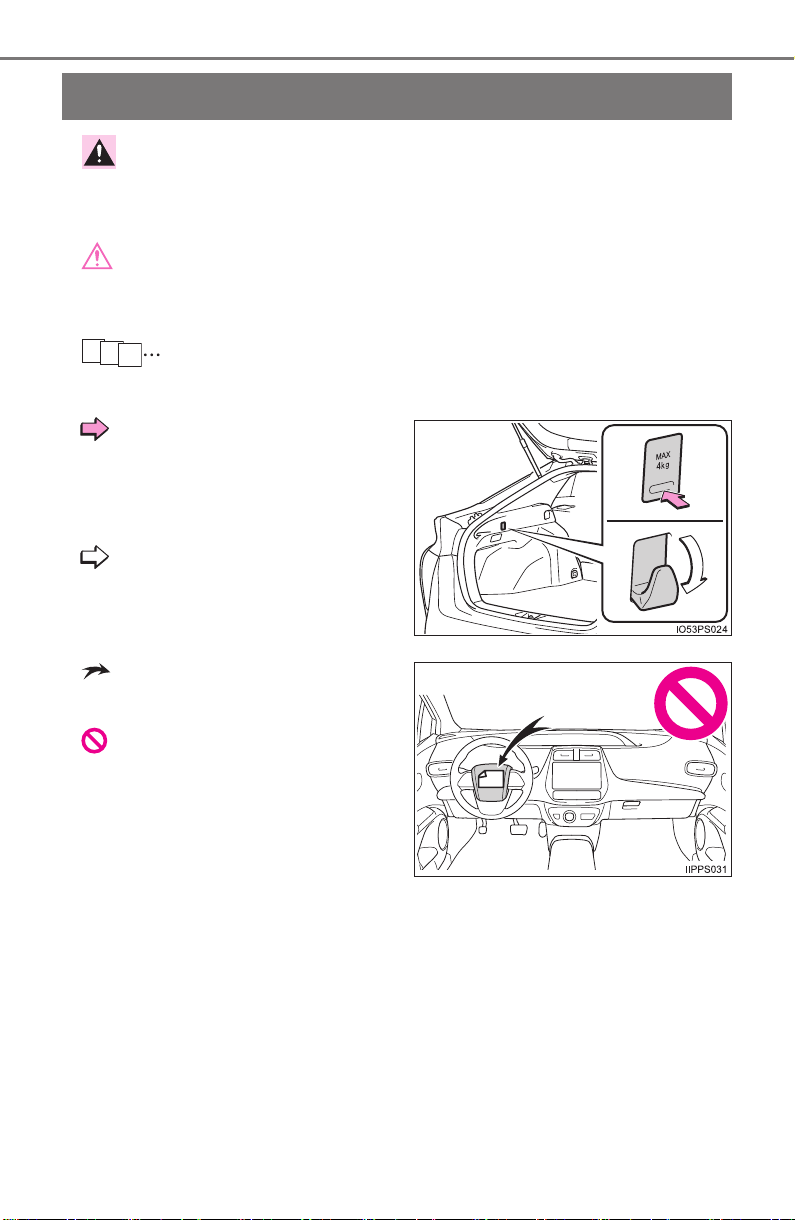
WARNING:
Explains something that, if not obeyed, could cause death or
serious injury to people.
NOTICE:
Explains something that, if not obeyed, could cause damage to
or a malfunction in the vehicle or its equipment.
Indicates operating or working procedures. Follow the steps
in numerical order.
Indicates the action (push-
ing, turning, etc.) used to
operate switches and other
devices.
Indicates the outcome of an
operation (e.g. a lid opens).
Indicates the component or
position being explained.
Means “Do not”, “Do not do
this”, or “Do not let this hap-
pen”.
1
2
3
15
PRIUS_OM_OM47A29U_(U)
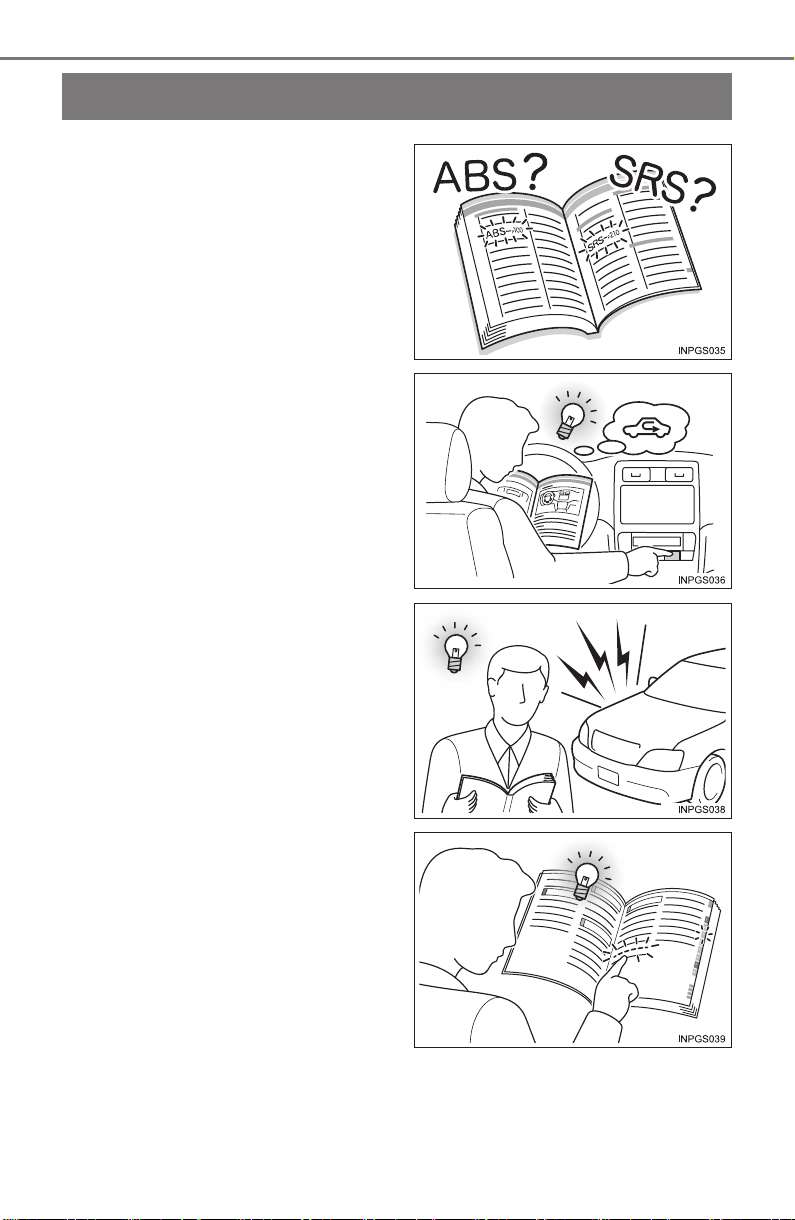
How to search
■ Searching by name
• Alphabetical index.......P. 782
■ Searching by installation
position
• Pictorial index................P. 16
■ Searching by symptom or
sound
• What to do if...
(Troubleshooting) ........P. 778
■ Searching by title
• Table of contents .............P. 2
16
Pictorial index
PRIUS_OM_OM47A29U_(U)
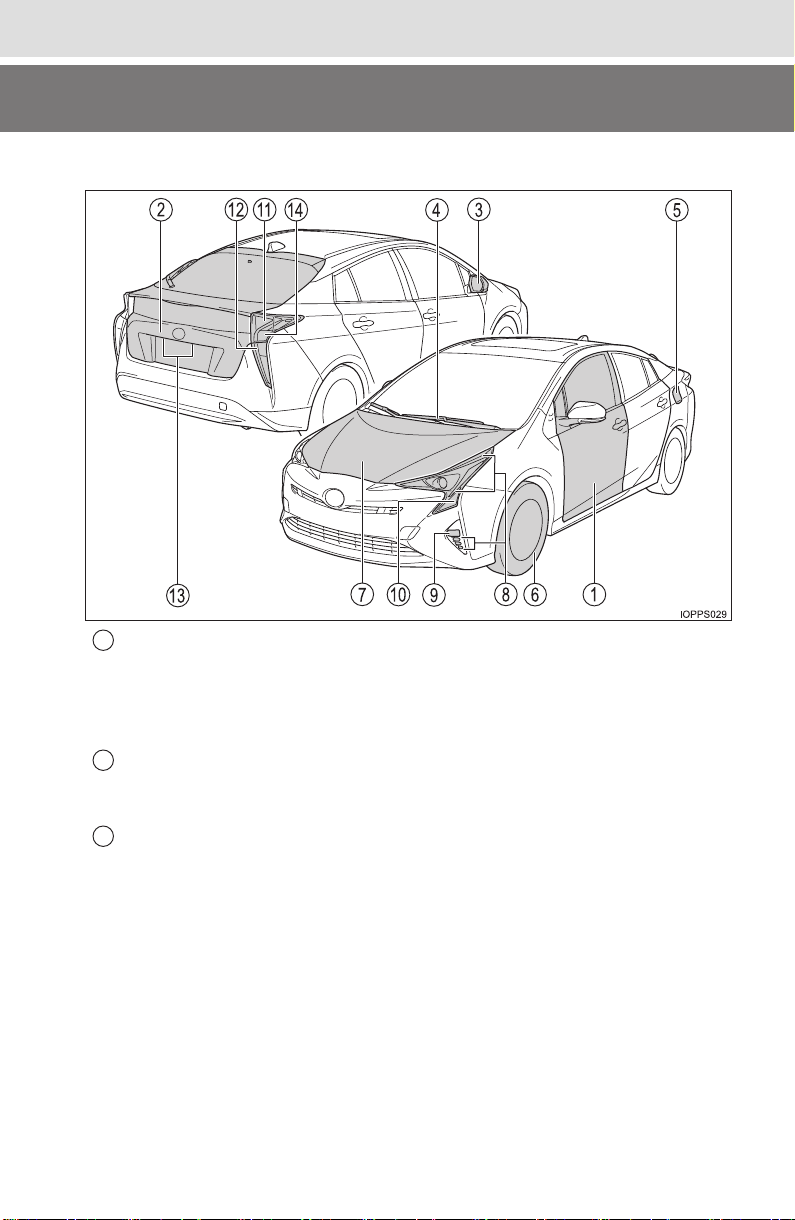
Pictorial index
■
Exterior
Side doors . . . . . . . . . . . . . . . . . . . . . . . . . . . . . . . . . . . . . . . P. 165
Locking/unlocking . . . . . . . . . . . . . . . . . . . . . . . . . . . . . . . . . . P. 165
Opening/closing the side windows. . . . . . . . . . . . . . . . . . . . . . P. 198
Locking/unlocking by using the mechanical key . . . . . . . . . . . P. 708
Warning lights/warning messages . . . . . . . . . . . . . . . . . . P. 657, 665
Back door . . . . . . . . . . . . . . . . . . . . . . . . . . . . . . . . . . . . . . . . P. 171
Opening from outside. . . . . . . . . . . . . . . . . . . . . . . . . . . . . . . . P. 171
Warning lights/warning messages . . . . . . . . . . . . . . . . . . P. 657, 665
Outside rear view mirrors . . . . . . . . . . . . . . . . . . . . . . . . . . . P. 196
Adjusting the mirror angle . . . . . . . . . . . . . . . . . . . . . . . . . . . . P. 196
Folding the mirrors. . . . . . . . . . . . . . . . . . . . . . . . . . . . . . . . . . P. 196
Defogging the mirrors . . . . . . . . . . . . . . . . . . . . . . . . . . . . . . . P. 517
1
2
3

17
Pictorial index
PRIUS_OM_OM47A29U_(U)
Windshield wipers . . . . . . . . . . . . . . . . . . . . . . . . . . . . . . . . . P. 254
Precautions against winter season . . . . . . . . . . . . . . . . . . . . . P. 414
Precautions against car wash (vehicles with rain-sensing
windshield wipers) . . . . . . . . . . . . . . . . . . . . . . . . . . . . . . . . . . P. 570
Fuel filler door . . . . . . . . . . . . . . . . . . . . . . . . . . . . . . . . . . . . P. 262
Refueling method. . . . . . . . . . . . . . . . . . . . . . . . . . . . . . . . . . . P. 262
Fuel type/fuel tank capacity . . . . . . . . . . . . . . . . . . . . . . . . . . . P. 729
Tires . . . . . . . . . . . . . . . . . . . . . . . . . . . . . . . . . . . . . . . . . . P. 605
Tire size/inflation pressure . . . . . . . . . . . . . . . . . . . . . . . . . P. 734
Winter tires/tire chain . . . . . . . . . . . . . . . . . . . . . . . . . . . . . P. 414
Checking/rotation/tire pressure warning system . . . . . . . . . P. 605
Coping with flat tires . . . . . . . . . . . . . . . . . . . . . . . . . . P. 673, 687
Hood . . . . . . . . . . . . . . . . . . . . . . . . . . . . . . . . . . . . . . . . . . . . P. 588
Opening . . . . . . . . . . . . . . . . . . . . . . . . . . . . . . . . . . . . . . . . . . P. 588
Engine oil . . . . . . . . . . . . . . . . . . . . . . . . . . . . . . . . . . . . . . . . . P. 730
Coping with overheat . . . . . . . . . . . . . . . . . . . . . . . . . . . . . . . . P. 717
Headlights/parking lights
*
1
/daytime running lights/
side marker lights . . . . . . . . . . . . . . . . . . . . . . . . . . . . . . . . . P. 242
Fog lights
*
2
. . . . . . . . . . . . . . . . . . . . . . . . . . . . . . . . . . . . . . P. 252
Turn signal lights/parking lights
*
1
. . . . . . . . . . . . . . . . P. 240, 242
Turn signal lights . . . . . . . . . . . . . . . . . . . . . . . . . . . . . . . . . . P. 240
Tail lights . . . . . . . . . . . . . . . . . . . . . . . . . . . . . . . . . . . . . . . . P. 242
License plate lights . . . . . . . . . . . . . . . . . . . . . . . . . . . . . . . . P. 242
Back-up lights
Shifting the shift lever to R . . . . . . . . . . . . . . . . . . . . . . . . . . . . P. 234
4
5
6
7
Light bulbs of the exterior lights for driving
(Replacing method: P. 636, Watts: P. 736)
*
1
: The location of the parking lights may differ depending on the grade, etc.
*
2
: If equipped
8
9
10
11
12
13
14
18
Pictorial index
PRIUS_OM_OM47A29U_(U)
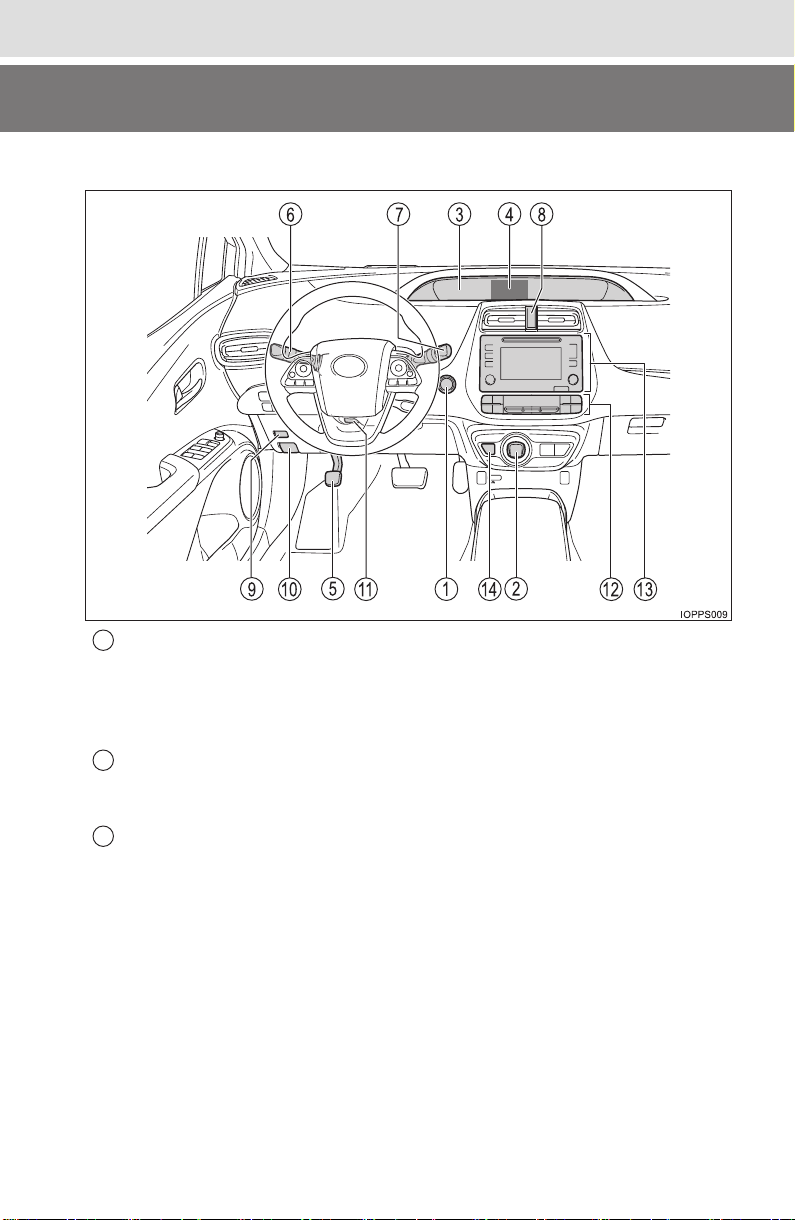
■Instrument panel
Power switch . . . . . . . . . . . . . . . . . . . . . . . . . . . . . . . . . . . . . P. 225
Starting the hybrid system/changing the modes . . . . . . . . . . . P. 225
Emergency stop of the hybrid system . . . . . . . . . . . . . . . . . . . P. 647
When the hybrid system will not start . . . . . . . . . . . . . . . . . . . P. 706
Warning messages . . . . . . . . . . . . . . . . . . . . . . . . . . . . . . . . . P. 665
Shift lever . . . . . . . . . . . . . . . . . . . . . . . . . . . . . . . . . . . . . . . . P. 234
Changing the shift position. . . . . . . . . . . . . . . . . . . . . . . . . . . . P. 234
Precautions against towing . . . . . . . . . . . . . . . . . . . . . . . . . . . P. 648
Meters . . . . . . . . . . . . . . . . . . . . . . . . . . . . . . . . . . . . . . . . . . . . P. 92
Reading the meters/adjusting the instrument
cluster light. . . . . . . . . . . . . . . . . . . . . . . . . . . . . . . . . . . . . . P. 92, 94
Warning lights/indicator lights . . . . . . . . . . . . . . . . . . . . . . . . . P. 100
When the warning lights come on . . . . . . . . . . . . . . . . . . . . . . P. 655
1
2
3

19
Pictorial index
PRIUS_OM_OM47A29U_(U)
Multi-information display . . . . . . . . . . . . . . . . . . . . . . . . . . . P. 114
Display . . . . . . . . . . . . . . . . . . . . . . . . . . . . . . . . . . . . . . . . . . . P. 114
Energy monitor . . . . . . . . . . . . . . . . . . . . . . . . . . . . . . . . . . . . P. 117
When the warning messages are displayed . . . . . . . . . . . . . . P. 665
Parking brake . . . . . . . . . . . . . . . . . . . . . . . . . . . . . . . . . . . . . P. 241
Applying/releasing . . . . . . . . . . . . . . . . . . . . . . . . . . . . . . . . . . P. 241
Precautions against winter season . . . . . . . . . . . . . . . . . . . . . P. 414
Warning buzzer . . . . . . . . . . . . . . . . . . . . . . . . . . . . . . . . . . . . P. 241
Turn signal lever . . . . . . . . . . . . . . . . . . . . . . . . . . . . . . . . . . P. 240
Headlight switch . . . . . . . . . . . . . . . . . . . . . . . . . . . . . . . . . . P. 242
Headlights/parking lights/tail lights/
daytime running lights . . . . . . . . . . . . . . . . . . . . . . . . . . . . . . . P. 242
Fog lights
*
1
. . . . . . . . . . . . . . . . . . . . . . . . . . . . . . . . . . . . . . . P. 252
Windshield wipers and washer switch . . . . . . . . . . . . . . . . P. 254
Rear window wiper and washer switch
*
1
. . . . . . . . . . . . . . P. 260
Usage . . . . . . . . . . . . . . . . . . . . . . . . . . . . . . . . . . . . . . . P. 254, 260
Adding washer fluid . . . . . . . . . . . . . . . . . . . . . . . . . . . . . . . . . P. 603
Emergency flasher switch . . . . . . . . . . . . . . . . . . . . . . . . . . P. 646
Fuel filler door opener . . . . . . . . . . . . . . . . . . . . . . . . . . . . . . P. 264
Hood lock release lever. . . . . . . . . . . . . . . . . . . . . . . . . . . . . P. 588
Tilt and telescopic steering lock release lever . . . . . . . . . . P. 192
Air conditioning system . . . . . . . . . . . . . . . . . . . . . . . . . . . . P. 512
Usage . . . . . . . . . . . . . . . . . . . . . . . . . . . . . . . . . . . . . . . . . . . P. 512
Rear window defogger. . . . . . . . . . . . . . . . . . . . . . . . . . . . . . . P. 517
Entune Audio
*
1
. . . . . . . . . . . . . . . . . . . . . . . . . . . . . . . . . . . P. 420
Audio system . . . . . . . . . . . . . . . . . . . . . . . . . . . . . . . . . . . . . . P. 421
Hands-free system. . . . . . . . . . . . . . . . . . . . . . . . . . . . . . . . . . P. 470
Entune Premium Audio with Navigation
*
1, 2
P position switch . . . . . . . . . . . . . . . . . . . . . . . . . . . . . . . . . . P. 235
*
1
: If equipped
*
2
: Refer to “NAVIGATION SYSTEM OWNER’S MANUAL”.
4
5
6
7
8
9
10
11
12
13
14
20
Pictorial index
PRIUS_OM_OM47A29U_(U)
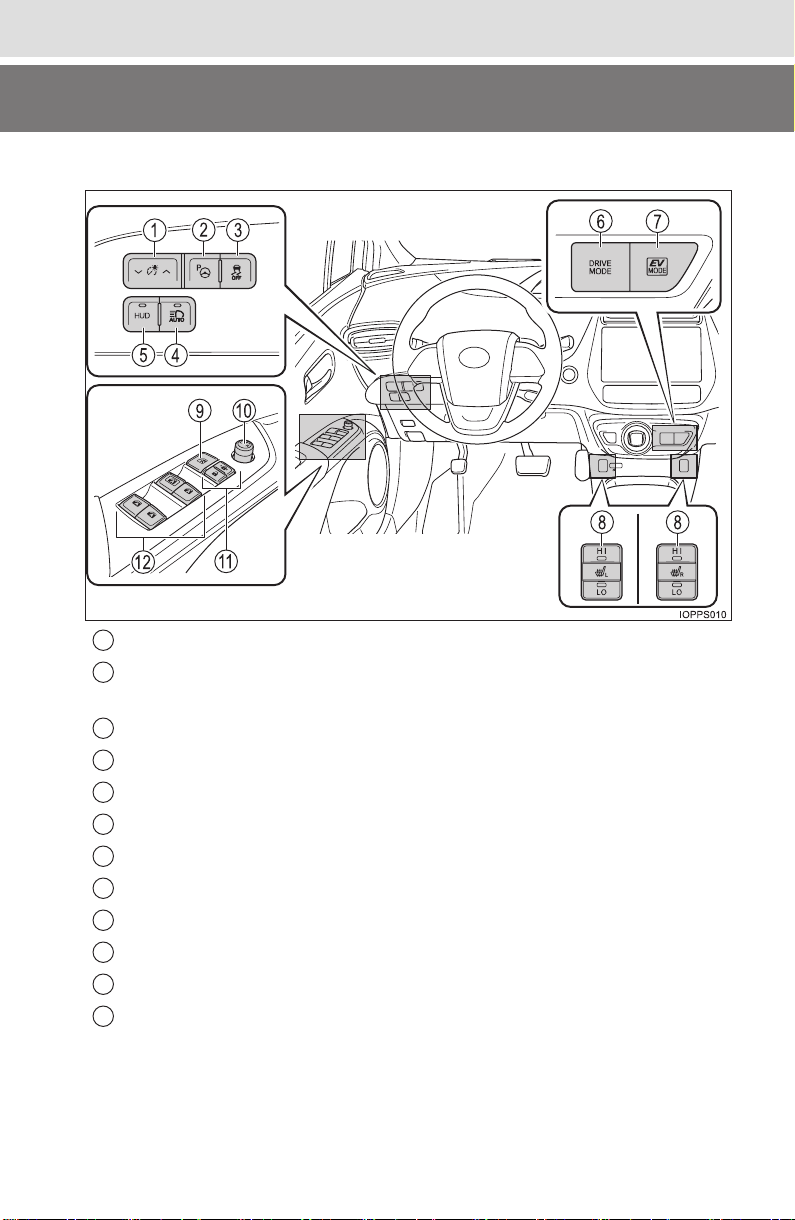
■Switches
Instrument cluster light control switch . . . . . . . . . . . . . . . . . P. 94
S-APGS (Simple Advanced Parking Guidance System)
switch
*
1
. . . . . . . . . . . . . . . . . . . . . . . . . . . . . . . . . . . . . . . . . P. 362
VSC OFF switch . . . . . . . . . . . . . . . . . . . . . . . . . . . . . . . . . . . P. 406
Automatic High Beam switch
*
1
. . . . . . . . . . . . . . . . . . . . . . P. 247
“HUD” (Head-up display) switch
*
1
. . . . . . . . . . . . . . . . . . . . P. 147
Driving mode select switch . . . . . . . . . . . . . . . . . . . . . . . . . P. 320
EV drive mode switch . . . . . . . . . . . . . . . . . . . . . . . . . . . . . . P. 231
Seat heater switches
*
1
. . . . . . . . . . . . . . . . . . . . . . . . . . . . . P. 524
Window lock switch. . . . . . . . . . . . . . . . . . . . . . . . . . . . . . . . P. 198
Outside rear view mirror switch . . . . . . . . . . . . . . . . . . . . . . P. 196
Door lock switches . . . . . . . . . . . . . . . . . . . . . . . . . . . . . . . . P. 167
Power window switches . . . . . . . . . . . . . . . . . . . . . . . . . . . . P. 198
1
2
3
4
5
6
7
8
9
10
11
12
21
Pictorial index
PRIUS_OM_OM47A29U_(U)
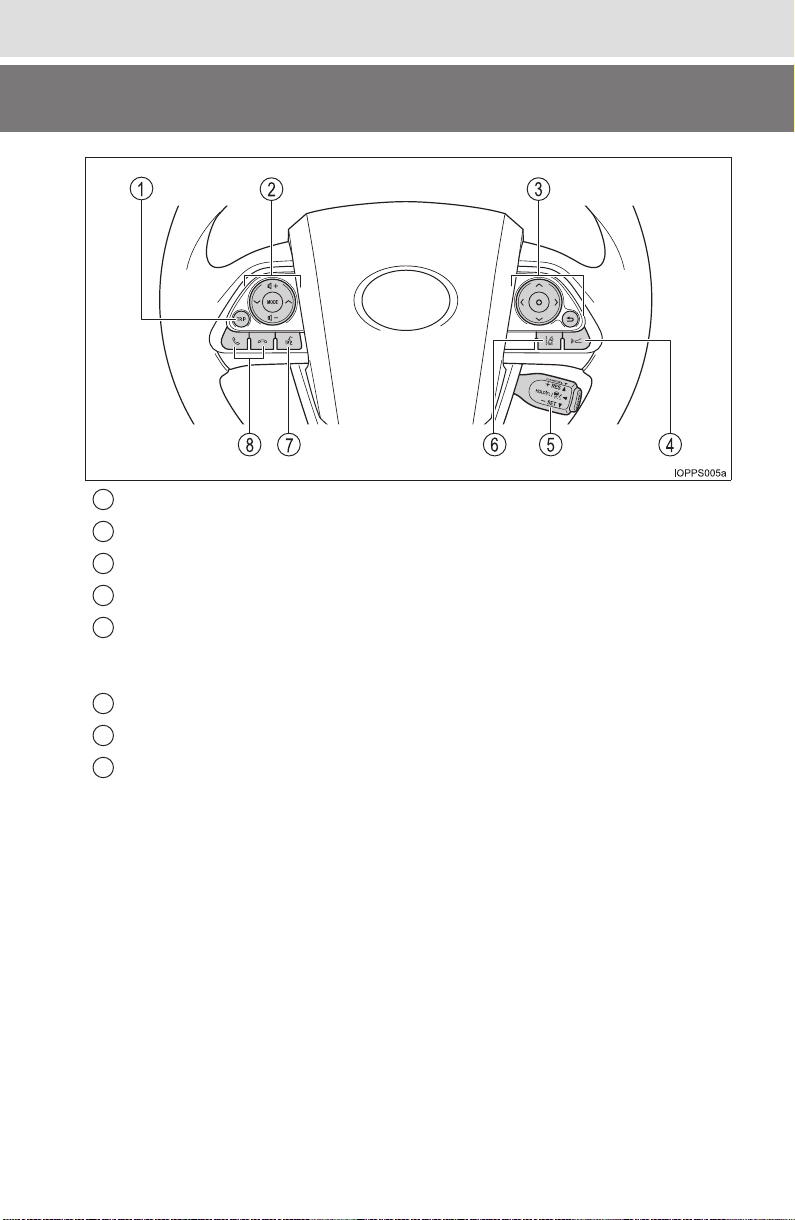
TRIP switch . . . . . . . . . . . . . . . . . . . . . . . . . . . . . . . . . . . . . . P. 109
Audio remote control switches
*
2
. . . . . . . . . . . . . . . . . P. 424, 484
Meter control switches . . . . . . . . . . . . . . . . . . . . . . . . . . . . . . P. 93
Vehicle-to-vehicle distance switch
*
1
. . . . . . . . . . . . . . . . . . P. 307
Cruise control switch
Dynamic radar cruise control with full-speed range
*
1
. . . . . . . P. 300
Cruise control
*
1
. . . . . . . . . . . . . . . . . . . . . . . . . . . . . . . . . . . . P. 315
LDA (Lane Departure Alert) switch
*
1
. . . . . . . . . . . . . . . . . . P. 293
Talk switch
*
2
. . . . . . . . . . . . . . . . . . . . . . . . . . . . . . . . . . . . . P. 505
Telephone switches
*
2
. . . . . . . . . . . . . . . . . . . . . . . . . . . . . . P. 484
*
1
: If equipped
*
2
: Vehicles with Entune Premium Audio with Navigation, refer to
“NAVIGATION SYSTEM OWNER’S MANUAL”.
1
2
3
4
5
6
7
8
22
Pictorial index
PRIUS_OM_OM47A29U_(U)
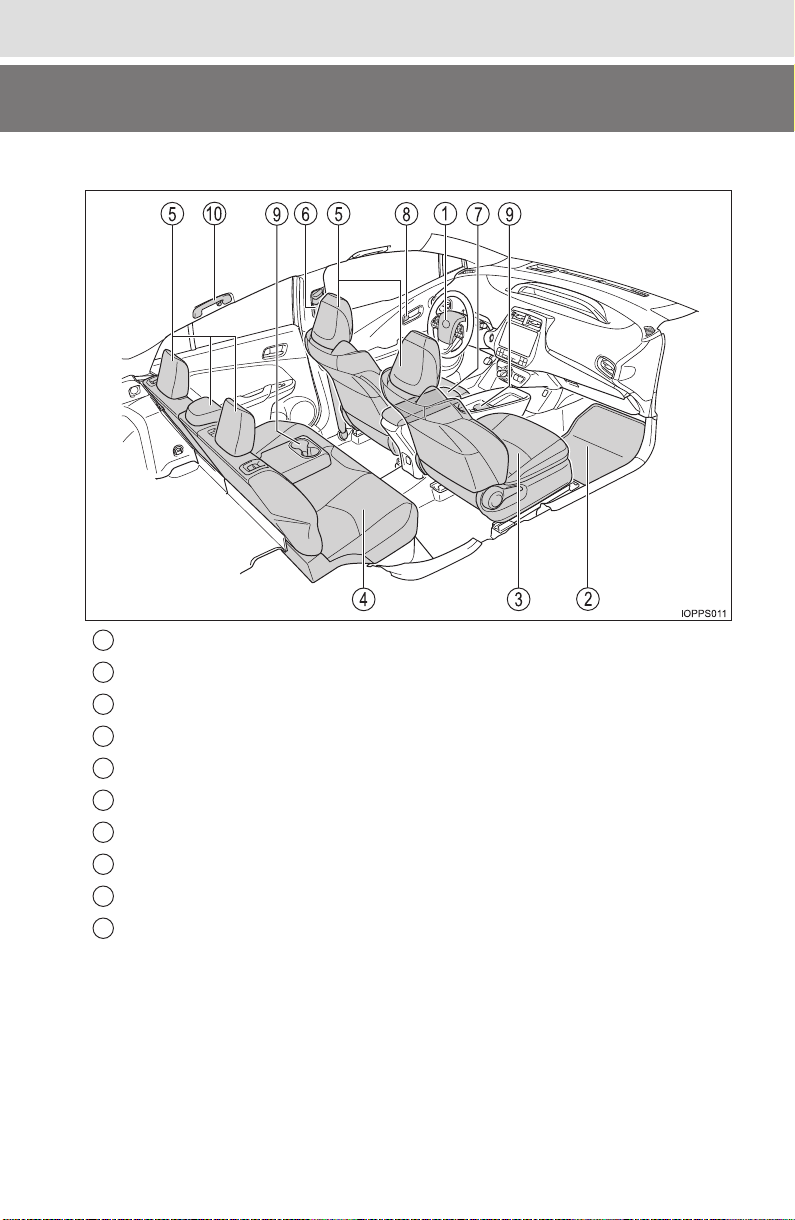
■Interior
SRS airbags . . . . . . . . . . . . . . . . . . . . . . . . . . . . . . . . . . . . . . . P. 36
Floor mats. . . . . . . . . . . . . . . . . . . . . . . . . . . . . . . . . . . . . . . . . P. 26
Front seats . . . . . . . . . . . . . . . . . . . . . . . . . . . . . . . . . . . . . . . P. 184
Rear seats. . . . . . . . . . . . . . . . . . . . . . . . . . . . . . . . . . . . . . . . P. 186
Head restraints. . . . . . . . . . . . . . . . . . . . . . . . . . . . . . . . . . . . P. 189
Seat belts . . . . . . . . . . . . . . . . . . . . . . . . . . . . . . . . . . . . . . . . . P. 30
Console box . . . . . . . . . . . . . . . . . . . . . . . . . . . . . . . . . . . . . . P. 529
Inside lock buttons . . . . . . . . . . . . . . . . . . . . . . . . . . . . . . . . P. 167
Cup holders . . . . . . . . . . . . . . . . . . . . . . . . . . . . . . . . . . . . . . P. 530
Assist grips . . . . . . . . . . . . . . . . . . . . . . . . . . . . . . . . . . . . . . P. 553
1
2
3
4
5
6
7
8
9
10
23
Pictorial index
PRIUS_OM_OM47A29U_(U)
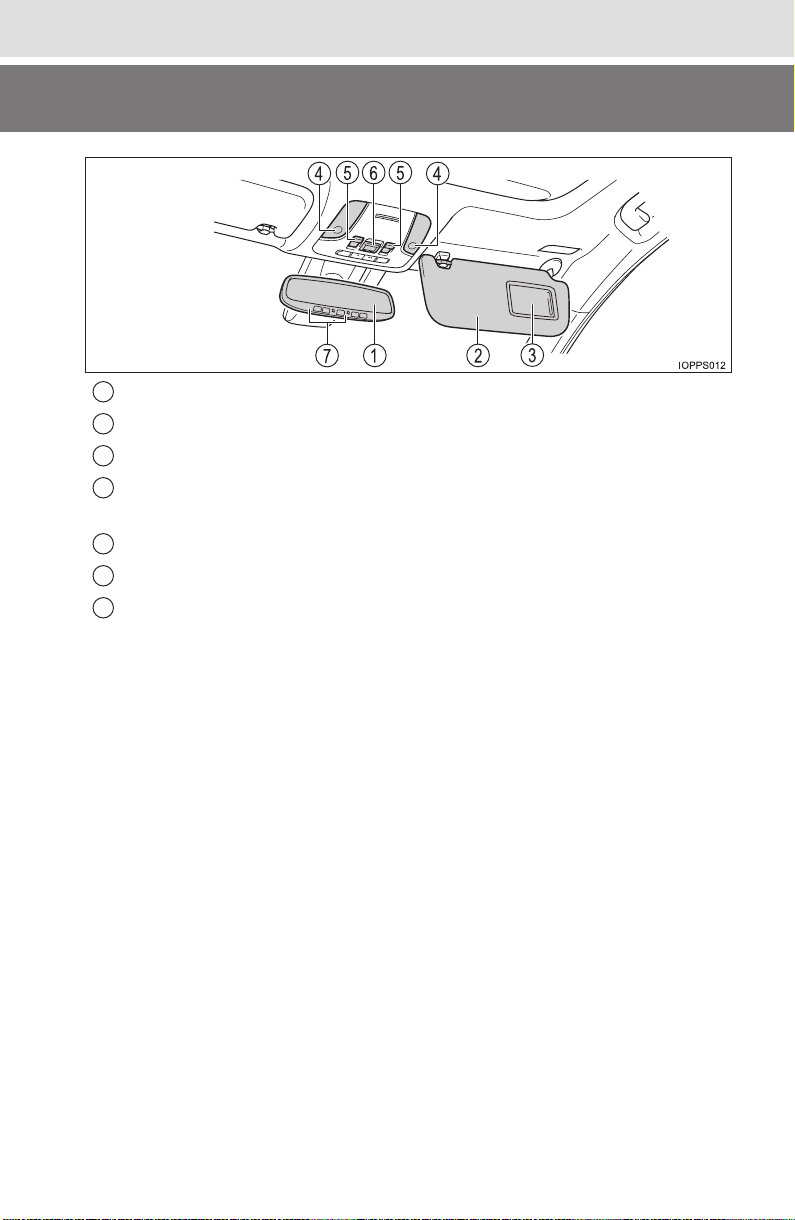
Inside rear view mirror . . . . . . . . . . . . . . . . . . . . . . . . . . . . . P. 194
Sun visors . . . . . . . . . . . . . . . . . . . . . . . . . . . . . . . . . . . . . . . P. 542
Vanity mirrors. . . . . . . . . . . . . . . . . . . . . . . . . . . . . . . . . . . . . P. 542
Interior lights
*
1, 2
. . . . . . . . . . . . . . . . . . . . . . . . . . . . . . P. 526, 527
Personal lights
*
2
. . . . . . . . . . . . . . . . . . . . . . . . . . . . . . . . . . P. 526
Moon roof switches
*
3
. . . . . . . . . . . . . . . . . . . . . . . . . . . . . . P. 202
“SOS” button
*
3
. . . . . . . . . . . . . . . . . . . . . . . . . . . . . . . . . . . P. 561
Garage door opener switches
*
3
. . . . . . . . . . . . . . . . . . . . . . P. 554
*
1
: The illustration shows the front, but they are also equipped in the rear.
*
2
: For vehicles without moon roof, the switch shape may differ.
*
3
: If equipped
1
2
3
4
5
6
7

24
Pictorial index
PRIUS_OM_OM47A29U_(U)

25
PRIUS_OM_OM47A29U_(U)
For safety and security
1
1-1. For safe use
Before driving...................... 26
For safety drive ................... 28
Seat belts............................ 30
SRS airbags........................ 36
Front passenger occupant
classification system ......... 50
Exhaust gas precautions..... 56
1-2. Child safety
Riding with children............. 57
Child restraint systems........ 58
1-3. Hybrid system
Hybrid system features ....... 78
Hybrid system
precautions ....................... 82
1-4. Theft deterrent system
Immobilizer system ............. 89
26
1-1. For safe use
PRIUS_OM_OM47A29U_(U)
Before driving
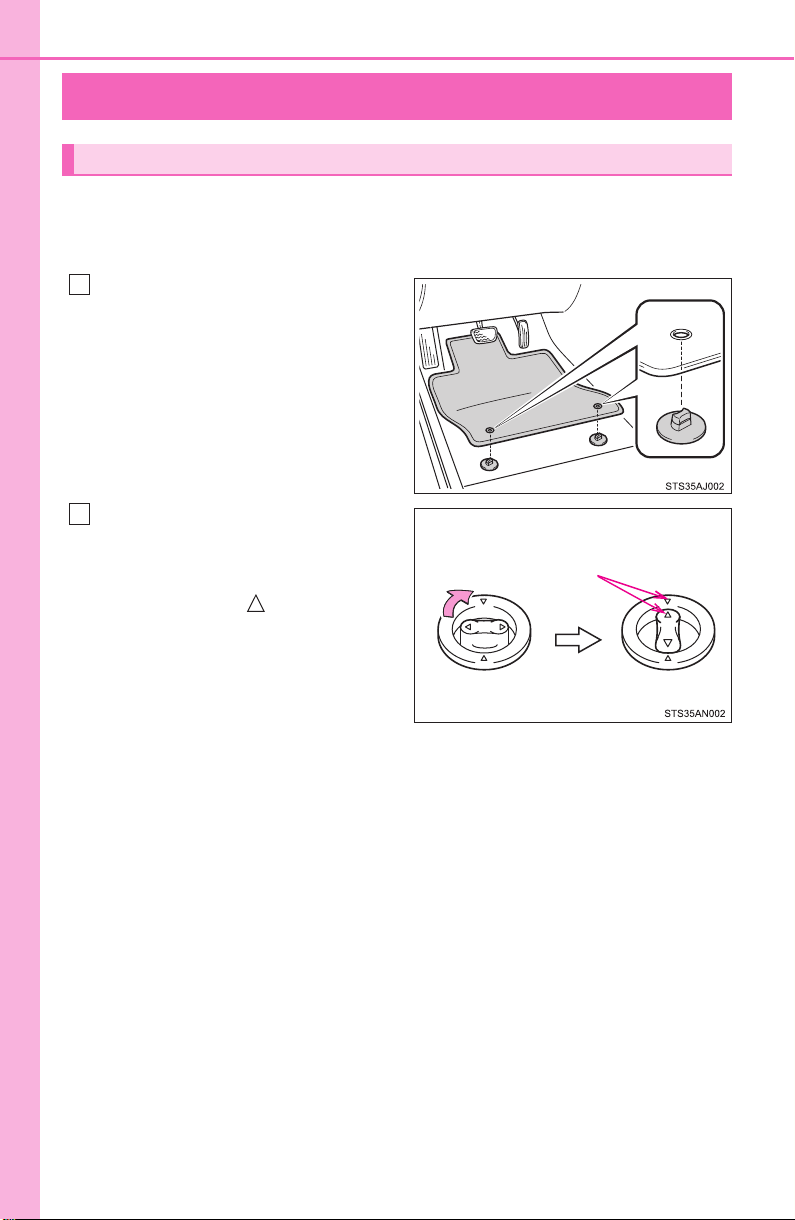
Use only floor mats designed specifically for vehicles of the same
model and model year as your vehicle. Fix them securely in place
onto the carpet.
Insert the retaining hooks (clips)
into the floor mat eyelets.
Turn the upper knob of each
retaining hook (clip) to secure
the floor mats in place.
*: Always align the marks.
The shape of the retaining hooks (clips) may differ from that shown in the
illustration.
Floor mat
1
*
2
27
1-1. For safe use
PRIUS_OM_OM47A29U_(U)
1
For safety and security
WARNING
Observe the following precautions.
Failure to do so may cause the driver’s floor mat to slip, possibly interfering
with the pedals while driving. An unexpectedly high speed may result or it may
become difficult to stop the vehicle. This could lead to an accident, resulting in
death or serious injury.
■ When installing the driver’s floor mat
● Do not use floor mats designed for other models or different model year
vehicles, even if they are Toyota Genuine floor mats.
● Only use floor mats designed for the driver’s seat.
● Always install the floor mat securely using the retaining hooks (clips) pro-
vided.
● Do not use two or more floor mats on top of each other.
● Do not place the floor mat bottom-side up or upside-down.
■ Before driving
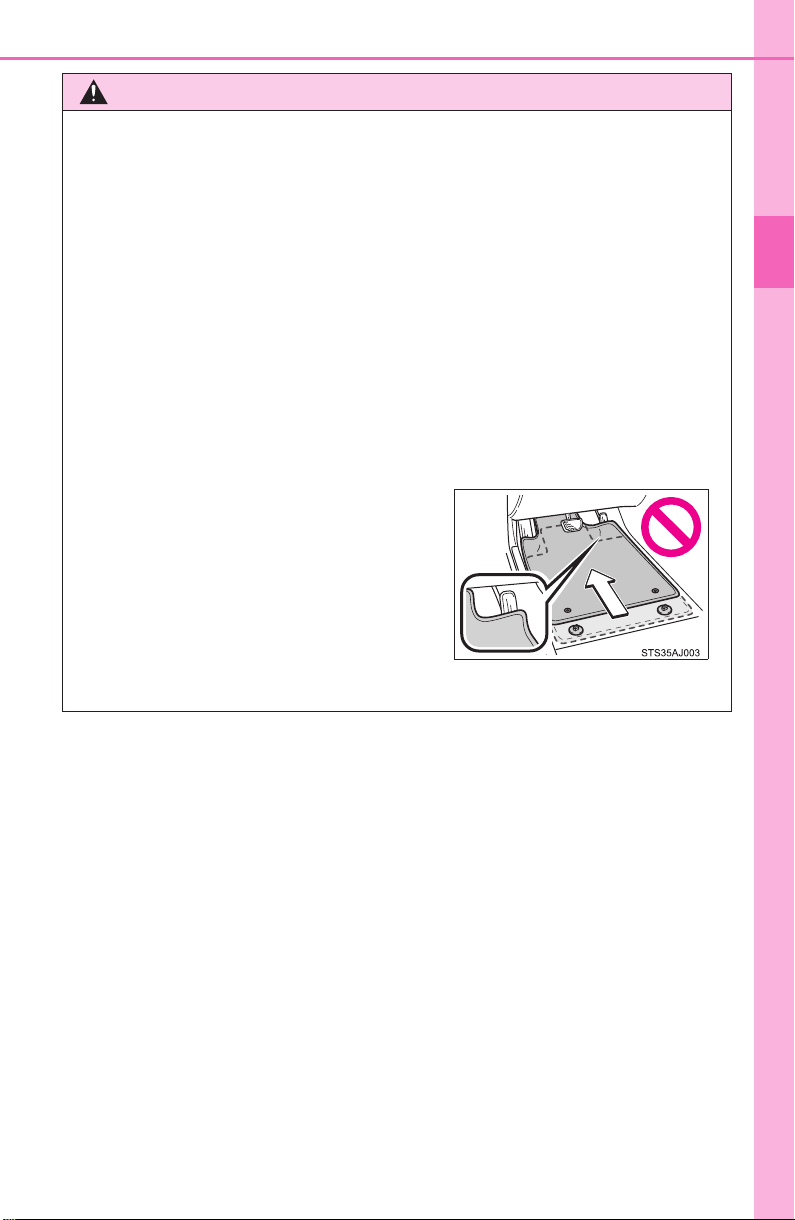
● Check that the floor mat is securely
fixed in the correct place with all the
provided retaining hooks (clips). Be
especially careful to perform this check
after cleaning the floor.
● With the hybrid system stopped and the
shift position in P, fully depress each
pedal to the floor to make sure it does
not interfere with the floor mat.
28
1-1. For safe use
PRIUS_OM_OM47A29U_(U)
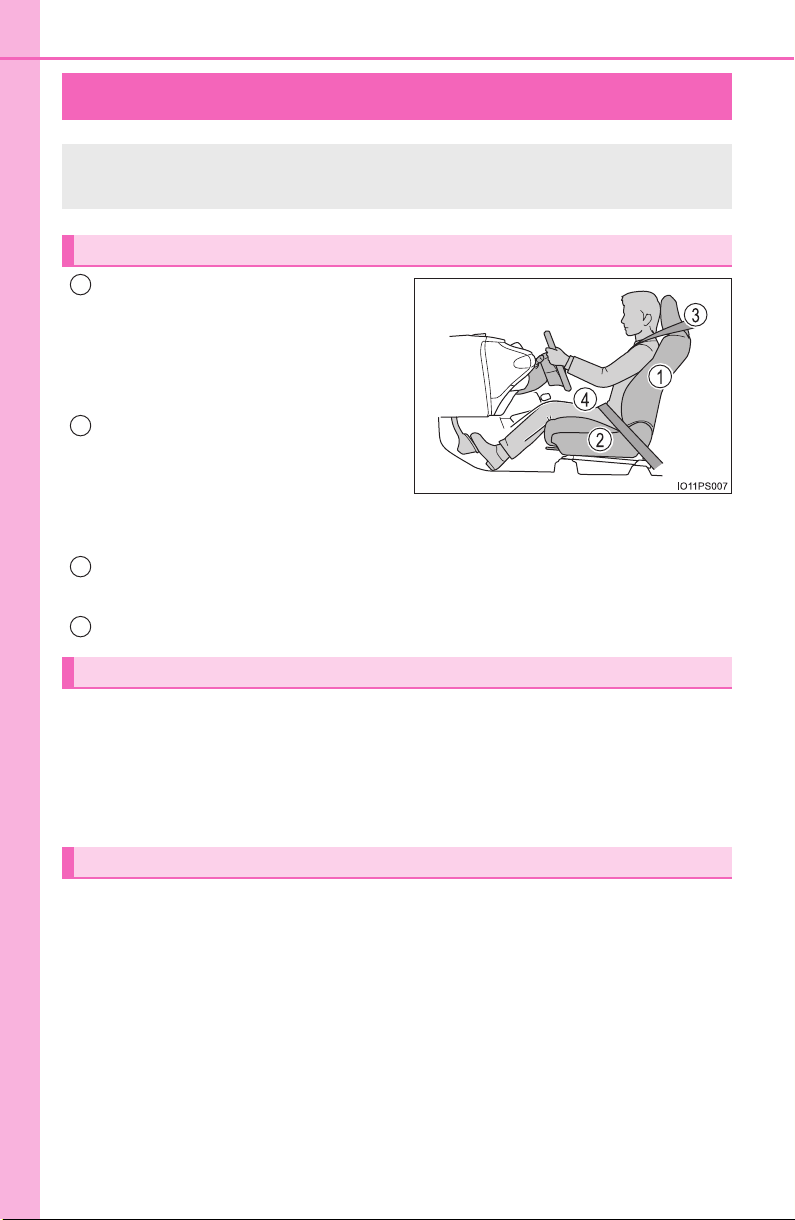
For safety drive
Adjust the angle of the seat-
back so that you are sitting
straight up and so that you do
not have to lean forward to
steer. (→P. 184)
Adjust the seat so that you can
depress the pedals fully and so
that your arms bend slightly at
the elbow when gripping the
steering wheel. (→P. 184)
Lock the head restraint in place with the center of the head restraint
closest to the top of your ears. (→P. 189)
Wear the seat belt correctly. (→P. 30 )
Make sure that all occupants are wearing their seat belts before driv-
ing the vehicle. (→P. 30 )
Use a child restraint system appropriate for the child until the child
becomes large enough to properly wear the vehicle’s seat belt.
(→P. 58)
Make sure that you can see backward clearly by adjusting the inside
and outside rear view mirrors properly. (→P. 194, 196)
For safe driving, adjust the seat and mirror to an appropriate
position before driving.
Correct driving posture
1
2
Correct use of the seat belts
Adjusting the mirrors
3
4

29
1-1. For safe use
PRIUS_OM_OM47A29U_(U)
1
For safety and security
WARNING
Observe the following precautions.
Failure to do so may result in death or serious injury.
● Do not adjust the position of the driver’s seat while driving.
Doing so could cause the driver to lose control of the vehicle.
● Do not place a cushion between the driver or passenger and the seatback.
A cushion may prevent correct posture from being achieved, and reduce
the effectiveness of the seat belt and head restraint.
● Do not place anything under the front seats.
Objects placed under the front seats may become jammed in the seat
tracks and stop the seat from locking in place. This may lead to an acci-
dent and the adjustment mechanism may also be damaged.
● Always observe the legal speed limit when driving on public roads.
● When driving over long distances, take regular breaks before you start to
feel tired.
Also, if you feel tired or sleepy while driving, do not force yourself to con-
tinue driving and take a break immediately.
30
1-1. For safe use
PRIUS_OM_OM47A29U_(U)
Seat belts
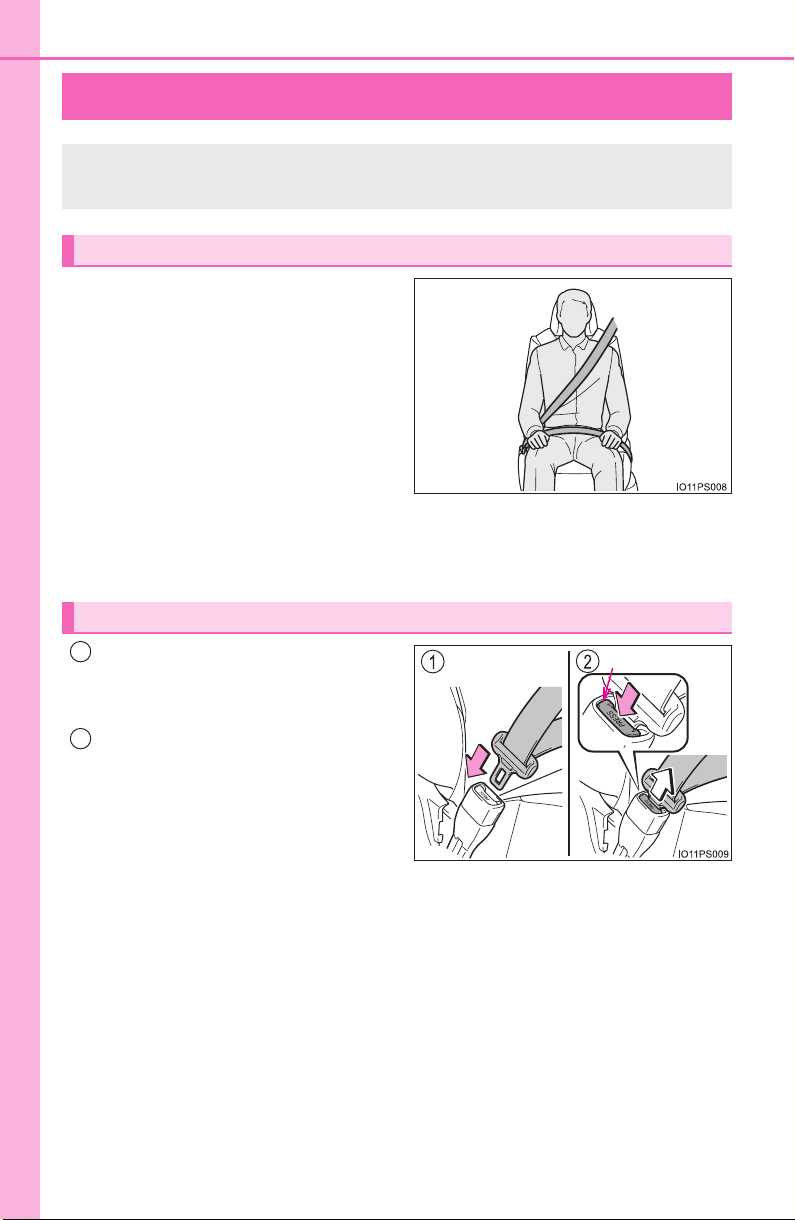
● Extend the shoulder belt so that
it comes fully over the shoulder,
but does not come into contact
with the neck or slide off the
shoulder.
● Position the lap belt as low as
possible over the hips.
● Adjust the position of the seat-
back. Sit up straight and well
back in the seat.
● Do not twist the seat belt.
To fasten the seat belt, push the
plate into the buckle until a click
sound is heard.
To release the seat belt, press
the release button with a hand
on the plate.
Make sure that all occupants are wearing their seat belts before
driving the vehicle.
Correct use of the seat belts
Fastening and releasing the seat belt
Release button
1
2
31
1-1. For safe use
PRIUS_OM_OM47A29U_(U)
1
For safety and security
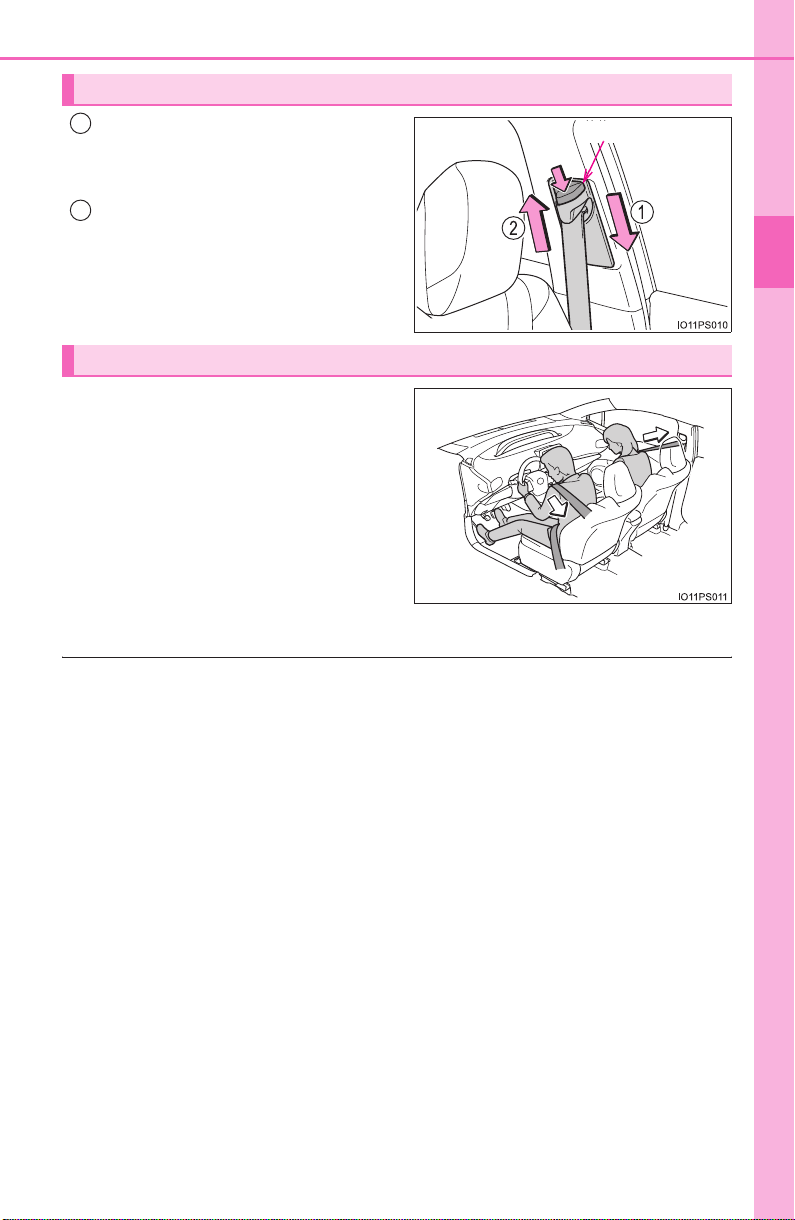
Push the seat belt shoulder
anchor down while pressing the
release button.
Push the seat belt shoulder
anchor up.
Move the height adjuster up and
down as needed until you hear a
click.
The pretensioners help the seat
belts to quickly restrain the occu-
pants by retracting the seat belts
when the vehicle is subjected to
certain types of severe frontal or
side collision or a vehicle rollover.
The pretensioners do not activate
in the event of a minor frontal
impact, a minor side impact or a
rear impact.
■ Emergency locking retractor (ELR)
The retractor will lock the belt during a sudden stop or on impact. It may also
lock if you lean forward too quickly. A slow, easy motion will allow the belt to
extend so that you can move around fully.
■ Automatic locking retractor (ALR)
When a passenger’s shoulder belt is completely extended and then retracted
even slightly, the belt is locked in that position and cannot be extended. This
feature is used to hold the child restraint system (CRS) firmly. To free the belt
again, fully retract the belt and then pull the belt out once more.
■ Child seat belt usage
The seat belts of your vehicle were principally designed for persons of adult
size.
● Use a child restraint system appropriate for the child, until the child
becomes large enough to properly wear the vehicle’s seat belt. (→P. 58)
● When the child becomes large enough to properly wear the vehicle’s seat
belt, follow the instructions regarding seat belt usage. (→P. 28)
■ Replacing the belt after the pretensioner has been activated
If the vehicle is involved in multiple collisions, the pretensioner will activate for
the first collision, but will not activate for the second or subsequent collisions.
Adjusting the seat belt shoulder anchor height (front seats)
Release button
1
2
Seat belt pretensioners (front seats)
32
1-1. For safe use
PRIUS_OM_OM47A29U_(U)
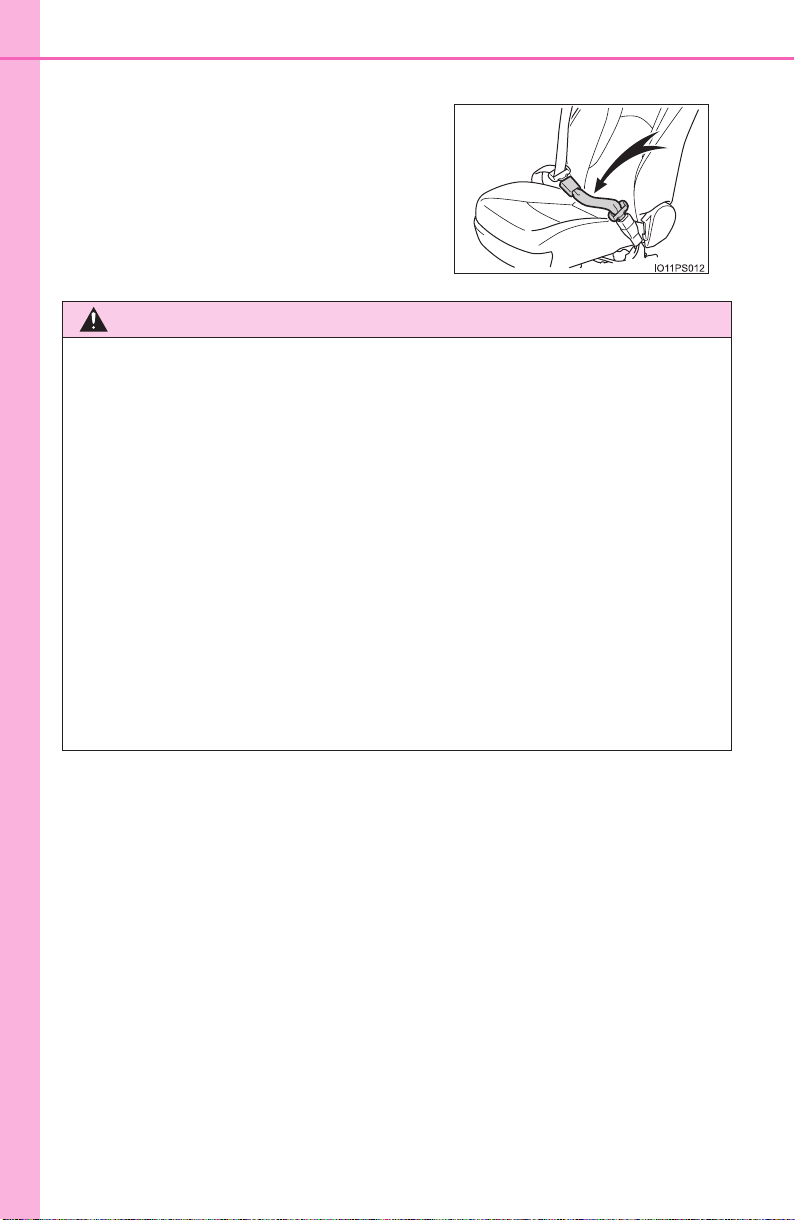
■ Seat belt extender
If your seat belts cannot be fastened
securely because they are not long
enough, a personalized seat belt extender
is available from your Toyota dealer free
of charge.
WARNING
Observe the following precautions to reduce the risk of injury in the event of
sudden braking, sudden swerving or an accident.
Failing to do so may cause death or serious injury.
■ Wearing a seat belt
● Ensure that all passengers wear a seat belt.
● Always wear a seat belt properly.
● Each seat belt should be used by one person only. Do not use a seat belt
for more than one person at once, including children.
● Toyota recommends that children be seated in the rear seat and always
use a seat belt and/or an appropriate child restraint system.
● To achieve a proper seating position, do not recline the seat more than
necessary. The seat belt is most effective when the occupants are sitting
up straight and well back in the seats.
● Do not wear the shoulder belt under your arm.
● Always wear your seat belt low and snug across your hips.
33
1-1. For safe use
PRIUS_OM_OM47A29U_(U)
1
For safety and security
WARNING
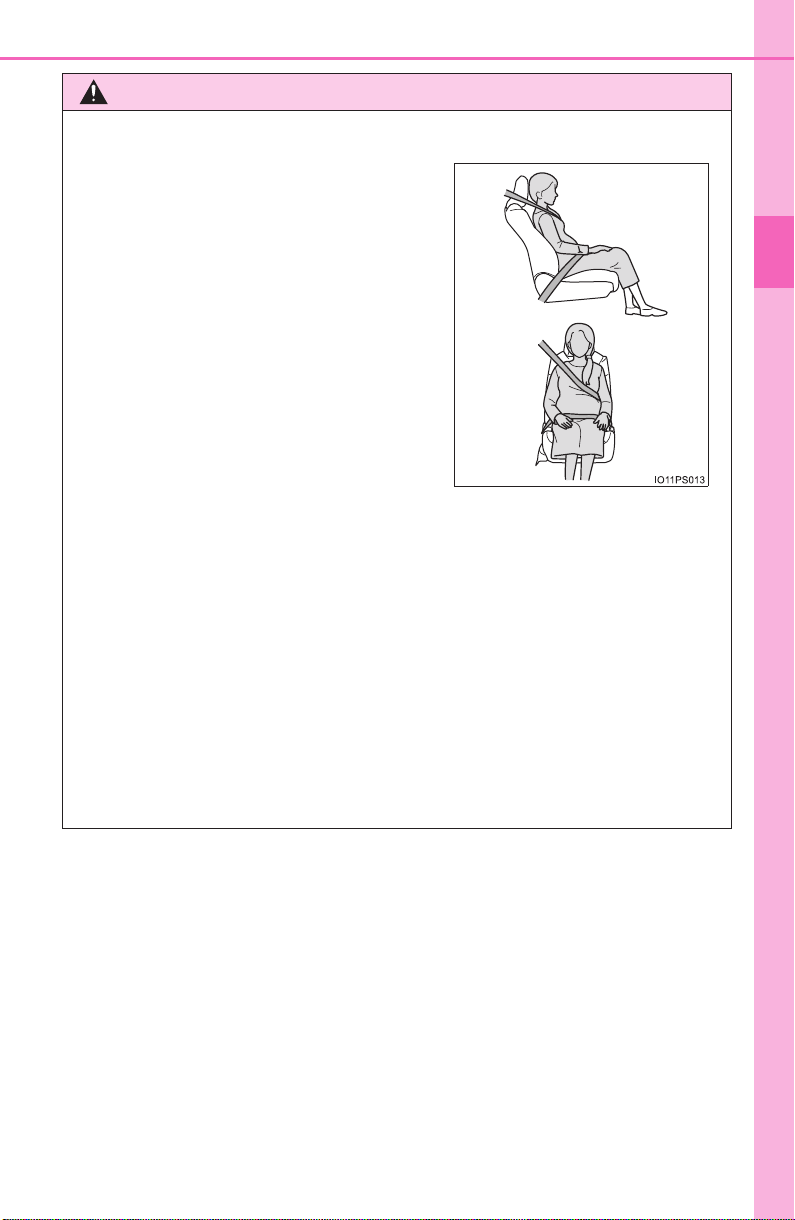
■ Pregnant women
■ People suffering illness
Obtain medical advice and wear the seat belt in the proper way. (→P. 30)
■ When children are in the vehicle
→P. 70
■ Seat belt pretensioners
● Do not place anything, such as a cushion, on the front passenger’s seat.
Doing so will disperse the passenger’s weight, which prevents the sensor
from detecting the passenger’s weight properly. As a result, the seat belt
pretensioner for the front passenger’s seat may not activate in the event of
a collision.
● If the pretensioner has activated, the SRS warning light will come on. In
that case, the seat belt cannot be used again and must be replaced at
your Toyota dealer.
Obtain medical advice and wear the seat
belt in the proper way. (→P. 30)
Women who are pregnant should posi-
tion the lap belt as low as possible over
the hips in the same manner as other
occupants, extending the shoulder belt
completely over the shoulder and avoid-
ing belt contact with the rounding of the
abdominal area.
If the seat belt is not worn properly, not
only the pregnant woman, but also the
fetus could suffer death or serious injury
as a result of sudden braking or a colli-
sion.

34
1-1. For safe use
PRIUS_OM_OM47A29U_(U)
WARNING
■ Adjustable shoulder anchor
Always make sure the shoulder belt is positioned across the center of your
shoulder. The belt should be kept away from your neck, but not falling off
your shoulder. Failure to do so could reduce the amount of protection in an
accident and cause death or serious injuries in the event of a sudden stop,
sudden swerve or accident. (→P. 31)
■ Seat belt damage and wear
● Do not damage the seat belts by allowing the belt, plate, or buckle to be
jammed in the door.
● Inspect the seat belt system periodically. Check for cuts, fraying, and loose
parts. Do not use a damaged seat belt until it is replaced. Damaged seat
belts cannot protect an occupant from death or serious injury.
● Ensure that the belt and plate are locked and the belt is not twisted.
If the seat belt does not function correctly, immediately contact your Toyota
dealer.
● Replace the seat assembly, including the belts, if your vehicle has been
involved in a serious accident, even if there’s no obvious damage.
● Do not attempt to install, remove, modify, disassemble or dispose of the
seat belts. Have any necessary repairs carried out by your Toyota dealer.
Inappropriate handling of the pretensioner may prevent it from operating
properly, resulting in death or serious injury.
35
1-1. For safe use
PRIUS_OM_OM47A29U_(U)
1
For safety and security
WARNING
■ Using a seat belt extender
● Do not wear the seat belt extender if you can fasten the seat belt without
the extender.
● Do not use the seat belt extender when installing a child restraint system
because the belt will not securely hold the child restraint system, increas-
ing the risk of death or serious injury in the event of an accident.
● The personalized extender may not be safe on another vehicle, when
used by another person, or at a different seating position other than the
one originally intended.
NOTICE
■ When using a seat belt extender
When releasing the seat belt, press on the buckle release button on the
extender, not on the seat belt.
This helps prevent damage to the vehicle interior and the extender itself.
36
1-1. For safe use
PRIUS_OM_OM47A29U_(U)
SRS airbags
The SRS airbags inflate when the vehicle is subjected to certain
types of severe impacts that may cause significant injury to the
occupants. They work together with the seat belts to help reduce
the risk of death or serious injury.

37
1-1. For safe use
PRIUS_OM_OM47A29U_(U)
1
For safety and security
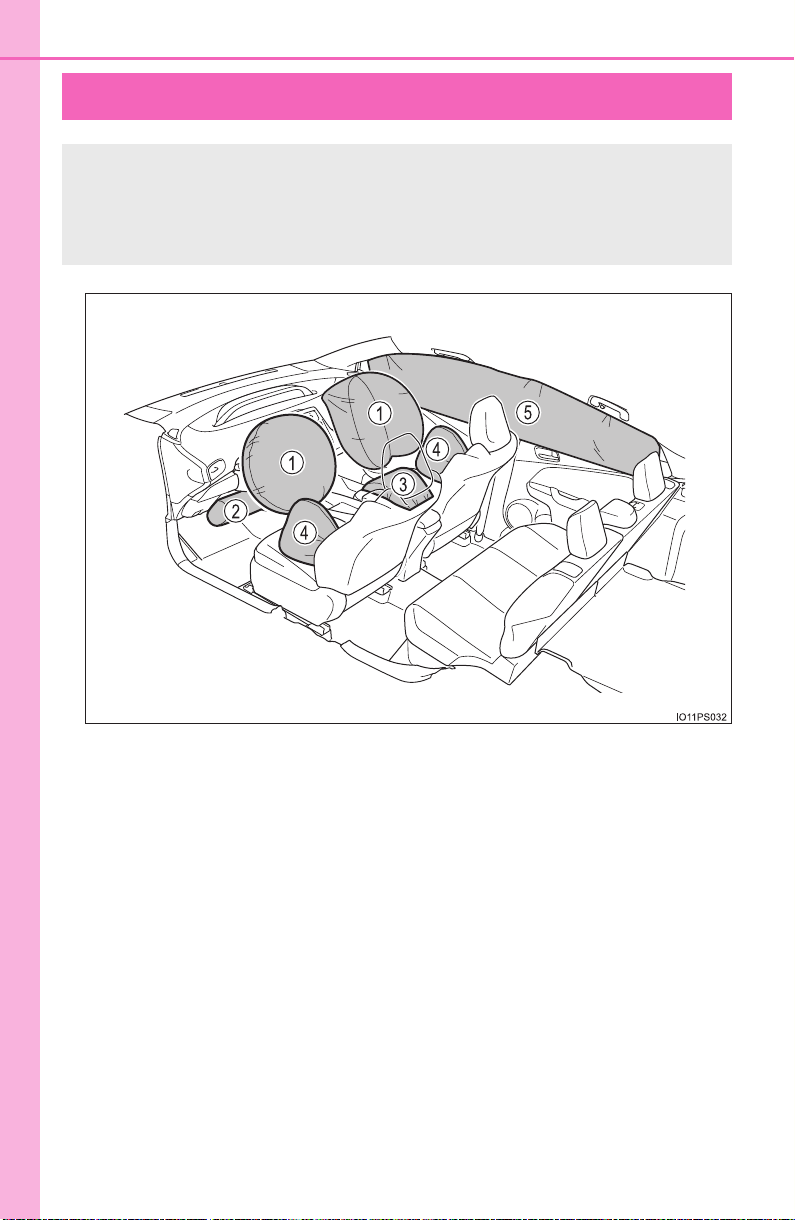
◆ SRS front airbags
SRS driver airbag/front passenger airbag
Can help protect the head and chest of the driver and front pas-
senger from impact with interior components
SRS knee airbag
Can help provide driver protection
SRS seat cushion airbag
Can help restrain the front passenger.
◆ SRS side and curtain shield airbags
SRS side airbags
Can help protect the torso of the front seat occupants
SRS curtain shield airbags
● Can help protect primarily the head of occupants in the outer
seats
● Can prevent the occupants from being thrown from the vehicle
in the event of vehicle rollover
1
2
3
4
5
38
1-1. For safe use
PRIUS_OM_OM47A29U_(U)
Your vehicle is equipped with ADVANCED AIRBAGS designed based
on the US motor vehicle safety standards (FMVSS208). The airbag
sensor assembly (ECU) controls airbag deployment based on infor-
mation obtained from the sensors etc. shown in the system compo-
nents diagram above. This information includes crash severity and
occupant information. As the airbags deploy, a chemical reaction in
the inflators quickly fills the airbags with non-toxic gas to help restrain
the motion of the occupants.
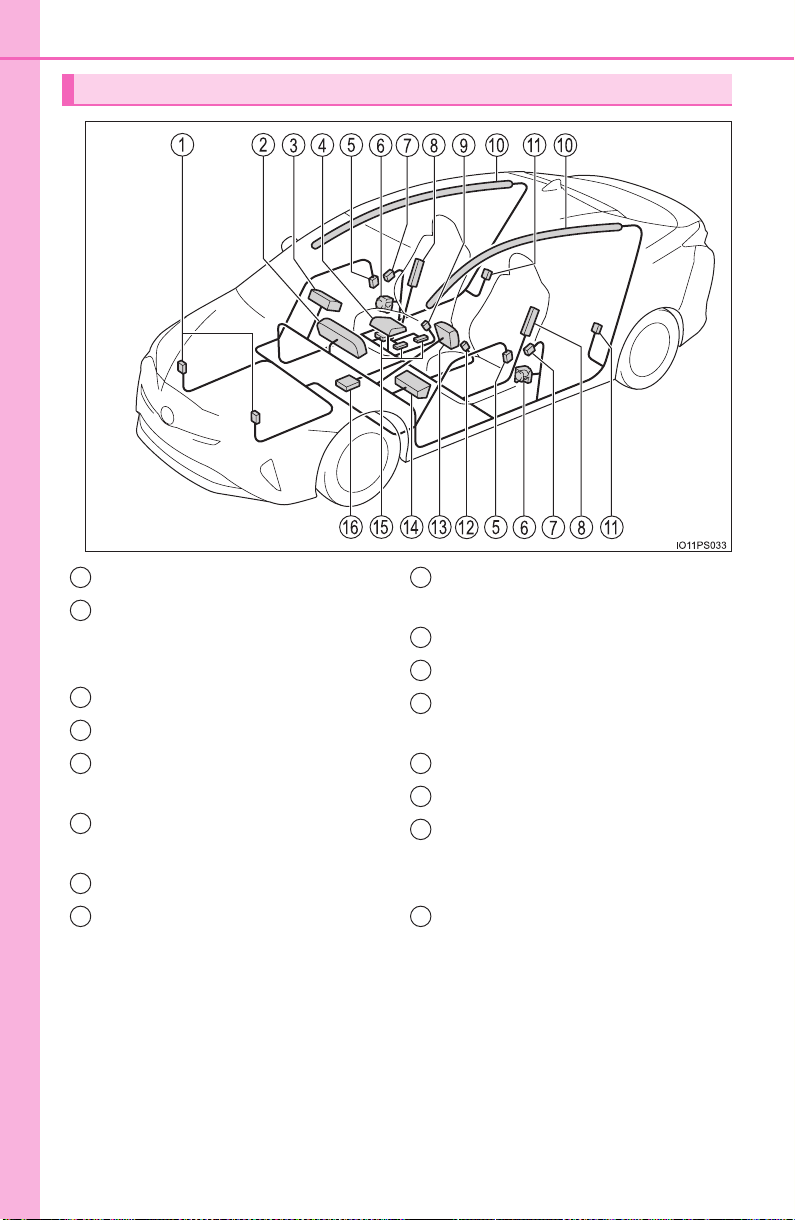
SRS airbag system components
Front impact sensors
SRS warning light and “AIR
BAG ON” and “AIR BAG OFF”
indicator lights
Front passenger airbag
Passenger seat cushion airbag
Side impact sensors (front
door)
Seat belt pretensioners and
force limiters
Side impact sensors (front)
Side airbags
Front passenger’s seat belt
buckle switch
Curtain shield airbags
Side impact sensors (rear)
Driver’s seat belt buckle
switch
Driver airbag
Driver’s knee airbag
Front passenger occupant
classification system (ECU
and sensors)
Airbag sensor assembly
1
2
3
4
5
6
7
8
9
10
11
12
13
14
15
16

39
1-1. For safe use
PRIUS_OM_OM47A29U_(U)
1
For safety and security
WARNING
■ SRS airbag precautions
Observe the following precautions regarding the SRS airbags.
Failure to do so may cause death or serious injury.
● The driver and all passengers in the vehicle must wear their seat belts
properly.
The SRS airbags are supplemental devices to be used with the seat belts.
● The SRS driver airbag deploys with considerable force, and can cause
death or serious injury especially if the driver is very close to the airbag.
The National Highway Traffic Safety Administration (NHTSA) advises:
Since the risk zone for the driver’s airbag is the first 2 - 3 in. (50 - 75 mm)
of inflation, placing yourself 10 in. (250 mm) from your driver airbag pro-
vides you with a clear margin of safety. This distance is measured from
the center of the steering wheel to your breastbone. If you sit less than 10
in. (250 mm) away now, you can change your driving position in several
ways:
• Move your seat to the rear as far as you can while still reaching the ped-
als comfortably.
• Slightly recline the back of the seat. Although vehicle designs vary,
many drivers can achieve the 10 in. (250 mm) distance, even with the
driver seat all the way forward, simply by reclining the back of the seat
somewhat. If reclining the back of your seat makes it hard to see the
road, raise yourself by using a firm, non-slippery cushion, or raise the
seat if your vehicle has that feature.
• If your steering wheel is adjustable, tilt it downward. This points the air-
bag toward your chest instead of your head and neck.
The seat should be adjusted as recommended by NHTSA above, while
still maintaining control of the foot pedals, steering wheel, and your view
of the instrument panel controls.
40
1-1. For safe use
PRIUS_OM_OM47A29U_(U)
WARNING
■ SRS airbag precautions
● The SRS front passenger airbag also deploys with considerable force, and
can cause death or serious injury especially if the front passenger is very
close to the airbag. The front passenger seat should be as far from the air-
bag as possible with the seatback adjusted, so the front passenger sits
upright.
● Improperly seated and/or restrained infants and children can be killed or
seriously injured by a deploying airbag. An infant or child who is too small
to use a seat belt should be properly secured using a child restraint sys-
tem. Toyota strongly recommends that all infants and children be placed in
the rear seats of the vehicle and properly restrained. The rear seats are
safer for infants and children than the front passenger seat. (→P. 58)
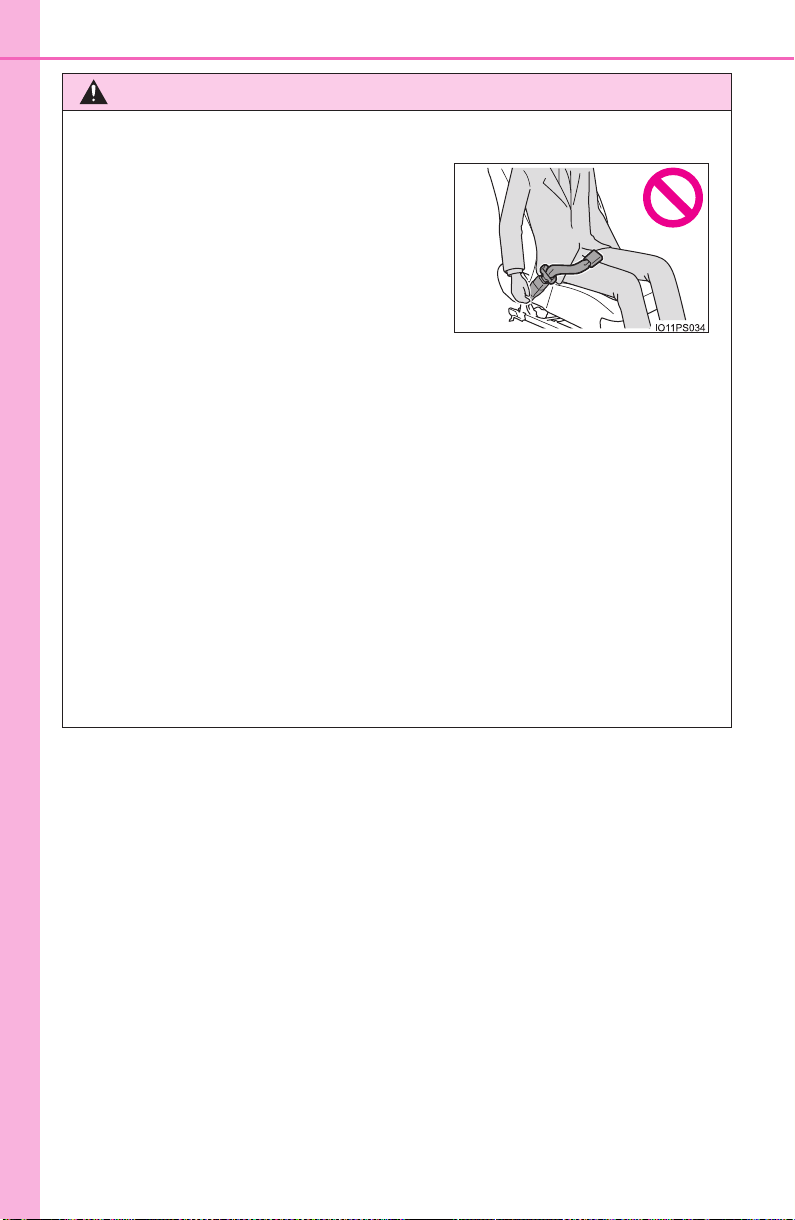
● If the seat belt extender has been con-
nected to the front seat belt buckles but
the seat belt extender has not also been
fastened to the latch plate of the seat
belt, the SRS front airbags will judge
that the driver and front passenger are
wearing the seat belt even though the
seat belt has not been connected. In
this case, the SRS front airbags may
not activate correctly in a collision,
resulting in death or serious injury in the
event of a collision. Be sure to wear the
seat belt with the seat belt extender.
41
1-1. For safe use
PRIUS_OM_OM47A29U_(U)
1
For safety and security
WARNING
■ SRS airbag precautions
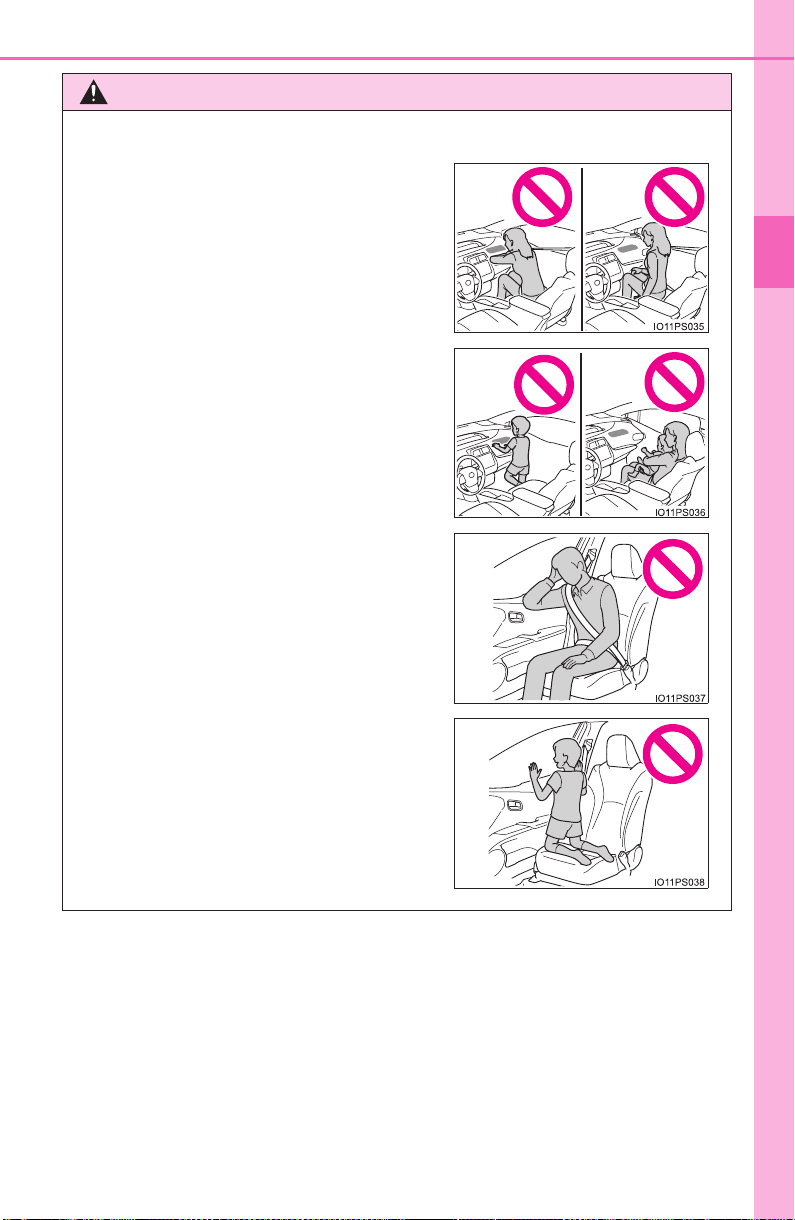
● Do not sit on the edge of the seat or
lean against the dashboard.
● Do not allow a child to stand in front of
the SRS front passenger airbag unit or
sit on the knees of a front passenger.
● Do not allow the front seat occupants to
hold items on their knees.
● Do not lean against the door, the roof
side rail or the front, side and rear pil-
lars.
● Do not allow anyone to kneel on the
passenger seat toward the door or put
their head or hands outside the vehicle.
42
1-1. For safe use
PRIUS_OM_OM47A29U_(U)
WARNING
■ SRS airbag precautions
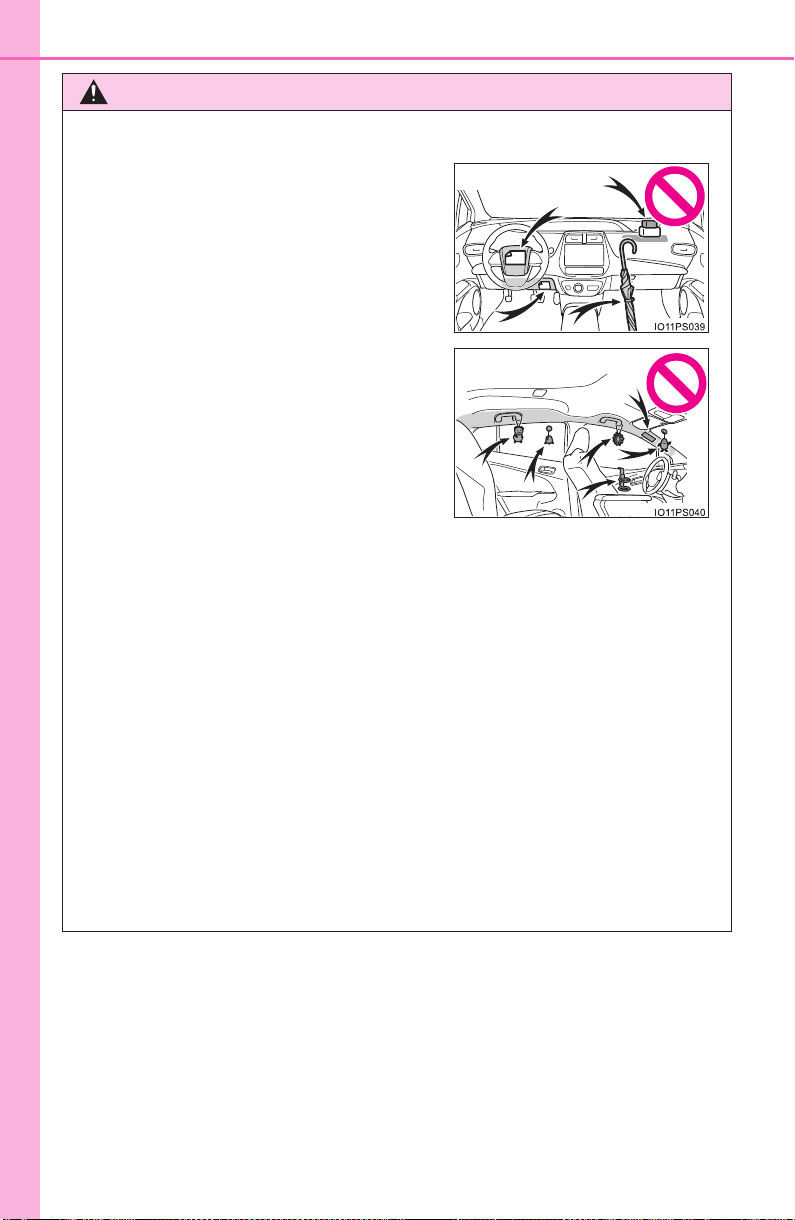
● Do not hang coat hangers or hard objects on the coat hooks. All of these
items could become projectiles and may cause death or serious injury,
should the SRS curtain shield airbags deploy.
● If a vinyl cover is put on the area where the SRS knee airbag will deploy,
be sure to remove it.
● Do not use seat accessories which cover the parts where the SRS side
airbags and SRS seat cushion airbag inflate as they may interfere with
inflation of the SRS airbags. Such accessories may prevent the side air-
bags and seat cushion airbag from activating correctly, disable the system
or cause the side airbags and seat cushion airbag to inflate accidentally,
resulting in death or serious injury.
● Do not strike or apply significant levels of force to the area of the SRS air-
bag components or the front doors.
Doing so can cause the SRS airbags to malfunction.
● Do not touch any of the component parts immediately after the SRS air-
bags have deployed (inflated) as they may be hot.
● Do not attach anything to or lean any-
thing against areas such as the dash-
board, steering wheel pad and lower
portion of the instrument panel.
These items can become projectiles
when the SRS driver, front passenger
and knee airbags deploy.
● Do not attach anything to areas such as
a door, windshield, side windows, front
or rear pillar, roof side rail and assist
grip.

43
1-1. For safe use
PRIUS_OM_OM47A29U_(U)
1
For safety and security
WARNING
■ SRS airbag precautions
● If breathing becomes difficult after the SRS airbags have deployed, open a
door or side window to allow fresh air in, or leave the vehicle if it is safe to
do so. Wash off any residue as soon as possible to prevent skin irritation.
● If the areas where the SRS airbags are stored, such as the steering wheel
pad and front and rear pillar garnishes, are damaged or cracked, have
them replaced by your Toyota dealer.
● Do not place anything, such as a cushion, on the front passenger’s seat.
Doing so will disperse the passenger’s weight, which prevents the sensor
from detecting the passenger’s weight properly. As a result, the SRS front
airbags for the front passenger may not deploy in the event of a collision.
■ Modification and disposal of SRS airbag system components
Do not dispose of your vehicle or perform any of the following modifications
without consulting your Toyota dealer. The SRS airbags may malfunction or
deploy (inflate) accidentally, causing death or serious injury.
● Installation, removal, disassembly and repair of the SRS airbags
● Repairs, modifications, removal or replacement of the steering wheel,
instrument panel, dashboard, seats or seat upholstery, front, side and rear
pillars, roof side rails, front door panels, front door trim, or front door
speakers
● Modifications to the front door panel (such as making a hole in it)
● Repairs or modifications of the front fender, front bumper, or side of the
occupant compartment
● Installation of a grille guard (bull bars, kangaroo bar, etc.), snow plows,
winches or roof luggage carrier
● Modifications to the vehicle’s suspension system
● Installation of electronic devices such as mobile two-way radios and CD
players
● Modifications to your vehicle for a person with a physical disability

44
1-1. For safe use
PRIUS_OM_OM47A29U_(U)
■ If the SRS airbags deploy (inflate)
● Slight abrasions, burns, bruising etc., may be sustained from SRS airbags,
due to the extremely high speed deployment (inflation) by hot gases.
● A loud noise and white powder will be emitted.
● Parts of the airbag module (steering wheel hub, airbag cover and inflator) as
well as the front seats, parts of the front and rear pillars, and roof side rails,
may be hot for several minutes. The airbag itself may also be hot.
● The windshield may crack.
● For Safety Connect subscribers, if the SRS airbags deploy or in the event of
a severe rear-end collision, the system is designed to send an emergency
call to the response center, notifying them of the vehicle’s location (without
needing to push the “SOS” button) and an agent will attempt to speak with
the occupants to ascertain the level of emergency and assistance required.
If the occupants are unable to communicate, the agent automatically treats
the call as an emergency and helps to dispatch the necessary emergency
services. (→P. 561)
■ SRS airbag deployment conditions (SRS front airbags)
● The SRS front airbags will deploy in the event of an impact that exceeds the
set threshold level (the level of force corresponding to an approximately 12 -
18 mph [20 - 30 km/h] frontal collision with a fixed wall that does not move or
deform).
However, this threshold velocity will be considerably higher in the following
situations:
• If the vehicle strikes an object, such as a parked vehicle or sign pole,
which can move or deform on impact
• If the vehicle is involved in an underride collision, such as a collision in
which the front of the vehicle “underrides”, or goes under, the bed of a
truck
● Depending on the type of collision, it is possible that only the seat belt pre-
tensioners will activate.
● The SRS front airbags for the front passenger will not activate if there is no
passenger sitting in the front passenger seat. However, the SRS front air-
bags for the front passenger may deploy if luggage is put in the seat, even if
the seat is unoccupied. (→P. 50)
● The SRS seat cushion airbag on the front passenger seat will not operate if
the occupant is not wearing a seat belt.
45
1-1. For safe use
PRIUS_OM_OM47A29U_(U)
1
For safety and security
■ SRS airbag deployment conditions (SRS side and curtain shield airbags)
● The SRS side and curtain shield airbags will deploy in the event of an
impact that exceeds the set threshold level (the level of force corresponding
to the impact force produced by an approximately 3300 lb. [1500 kg] vehicle
colliding with the vehicle cabin from a direction perpendicular to the vehicle
orientation at an approximate speed of 12 - 18 mph [20 - 30 km/h]).
● The SRS curtain shield airbags will deploy in the event of vehicle rollover.
● The SRS side and curtain shield airbags will deploy in the event of a severe
frontal collision.
■ Conditions under which the SRS airbags may deploy (inflate), other than
a collision
The SRS front airbags and SRS side and curtain shield airbags may also
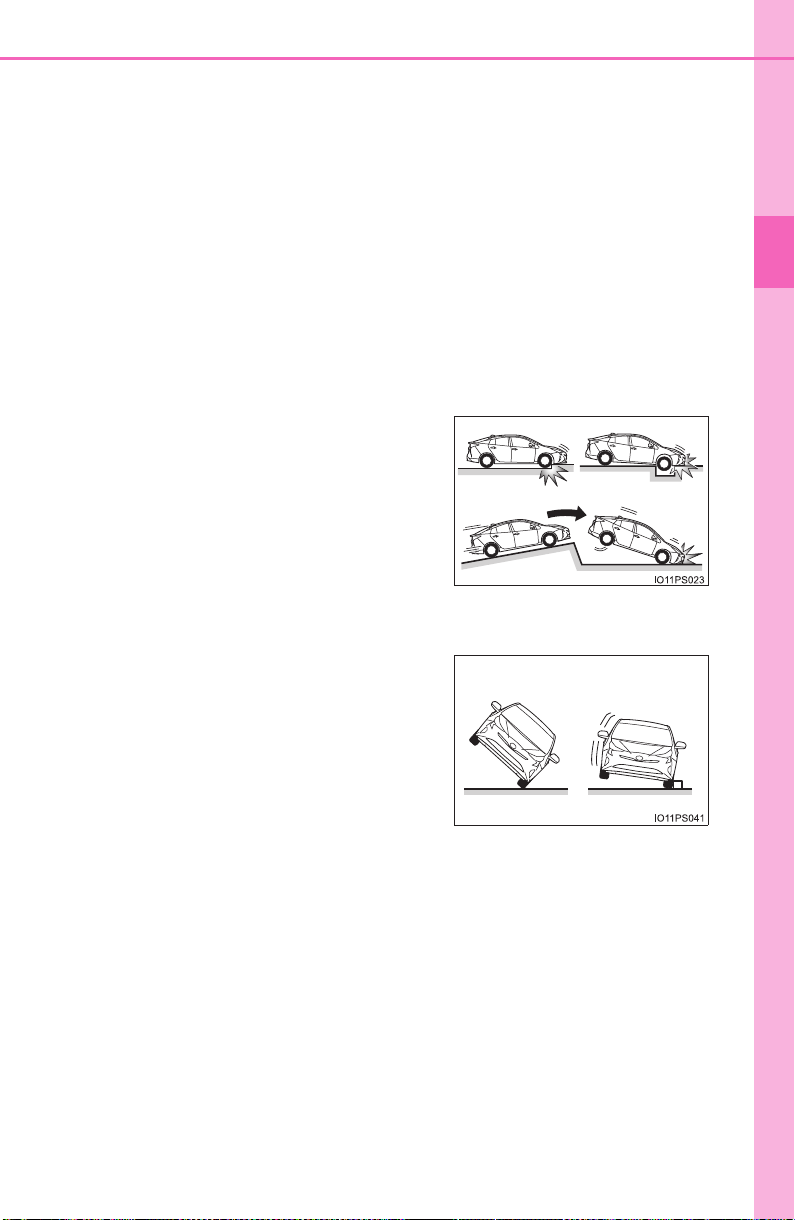
deploy if a serious impact occurs to the underside of your vehicle. Some
examples are shown in the illustration.
The SRS curtain shield airbags may also deploy under the situations shown
in the illustration.
● Hitting a curb, edge of pavement or hard
surface
● Falling into or jumping over a deep hole
● Landing hard or falling
● The angle of vehicle tip-up is marginal.
● The vehicle skids and hits a curb stone.
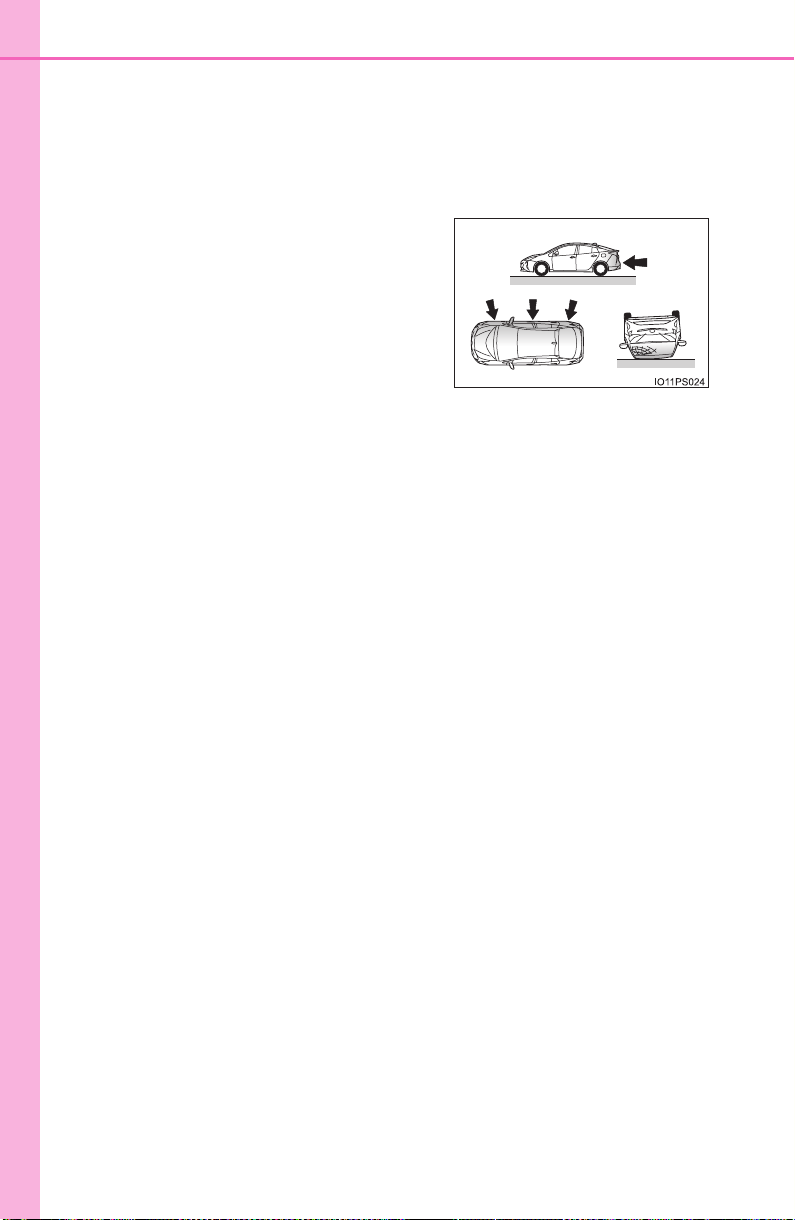
46
1-1. For safe use
PRIUS_OM_OM47A29U_(U)
■ Types of collisions that may not deploy the SRS airbags (SRS front air-
bags)
The SRS front airbags do not generally inflate if the vehicle is involved in a
side or rear collision, if it rolls over, or if it is involved in a low-speed frontal
collision. But, whenever a collision of any type causes sufficient forward
deceleration of the vehicle, deployment of the SRS front airbags may occur.
● Collision from the side
● Collision from the rear
● Vehicle rollover
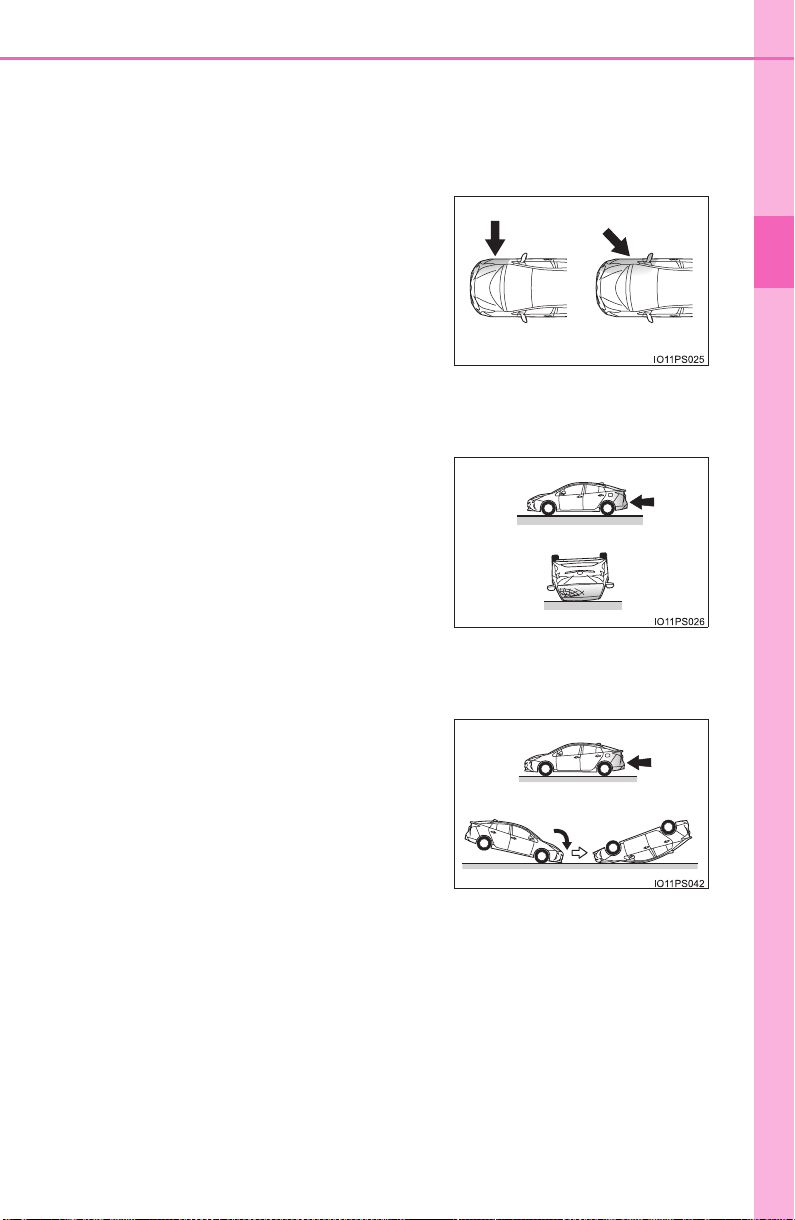
47
1-1. For safe use
PRIUS_OM_OM47A29U_(U)
1
For safety and security
■ Types of collisions that may not deploy the SRS airbags
(SRS side and curtain shield airbags)
The SRS side and curtain shield airbags may not activate if the vehicle is
subjected to a collision from the side at certain angles, or a collision to the
side of the vehicle body other than the passenger compartment.
The SRS side airbags do not generally inflate if the vehicle is involved in a
rear collision, if it rolls over, or if it is involved in a low-speed side or low-
speed frontal collision.
The SRS curtain shield airbags do not generally inflate if the vehicle is
involved in a rear collision, if it pitches end over end, or if it is involved in a
low-speed side or low-speed frontal collision.
● Collision from the side to the vehicle
body other than the passenger compart-
ment
● Collision from the side at an angle
● Collision from the rear
● Vehicle rollover
● Collision from the rear
● Pitching end over end
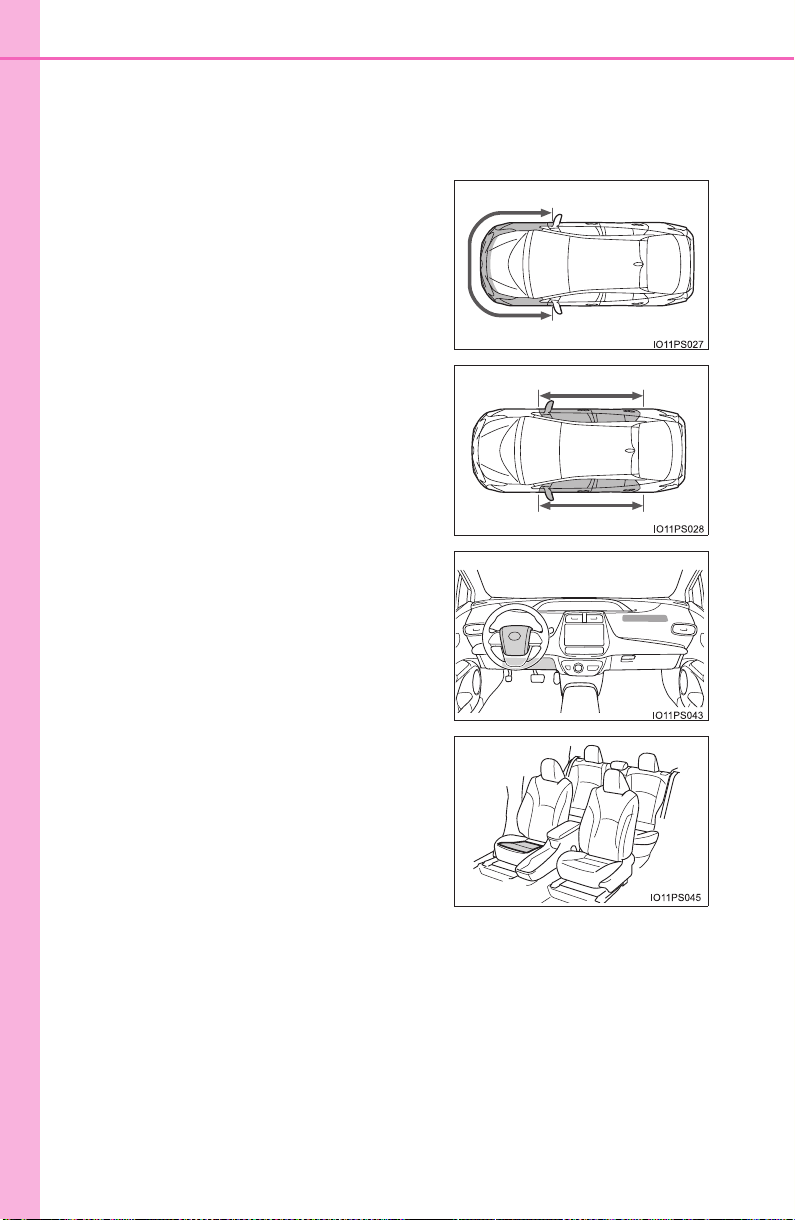
48
1-1. For safe use
PRIUS_OM_OM47A29U_(U)
■ When to contact your Toyota dealer
In the following cases, the vehicle will require inspection and/or repair. Con-
tact your Toyota dealer as soon as possible.
● Any of the SRS airbags have been inflated.
● The front of the vehicle is damaged or
deformed, or was involved in an acci-
dent that was not severe enough to
cause the SRS front airbags to inflate.
● A portion of a door or its surrounding
area is damaged, deformed or has had a
hole made in it, or the vehicle was
involved in an accident that was not
severe enough to cause the SRS side
and curtain shield airbags to inflate.
● The pad section of the steering wheel,
dashboard near the front passenger air-
bag or lower portion of the driver’s side
instrument panel is scratched, cracked,
or otherwise damaged.
● The front passenger’s seat cushion sur-
face is scratched, cracked, or otherwise
damaged.
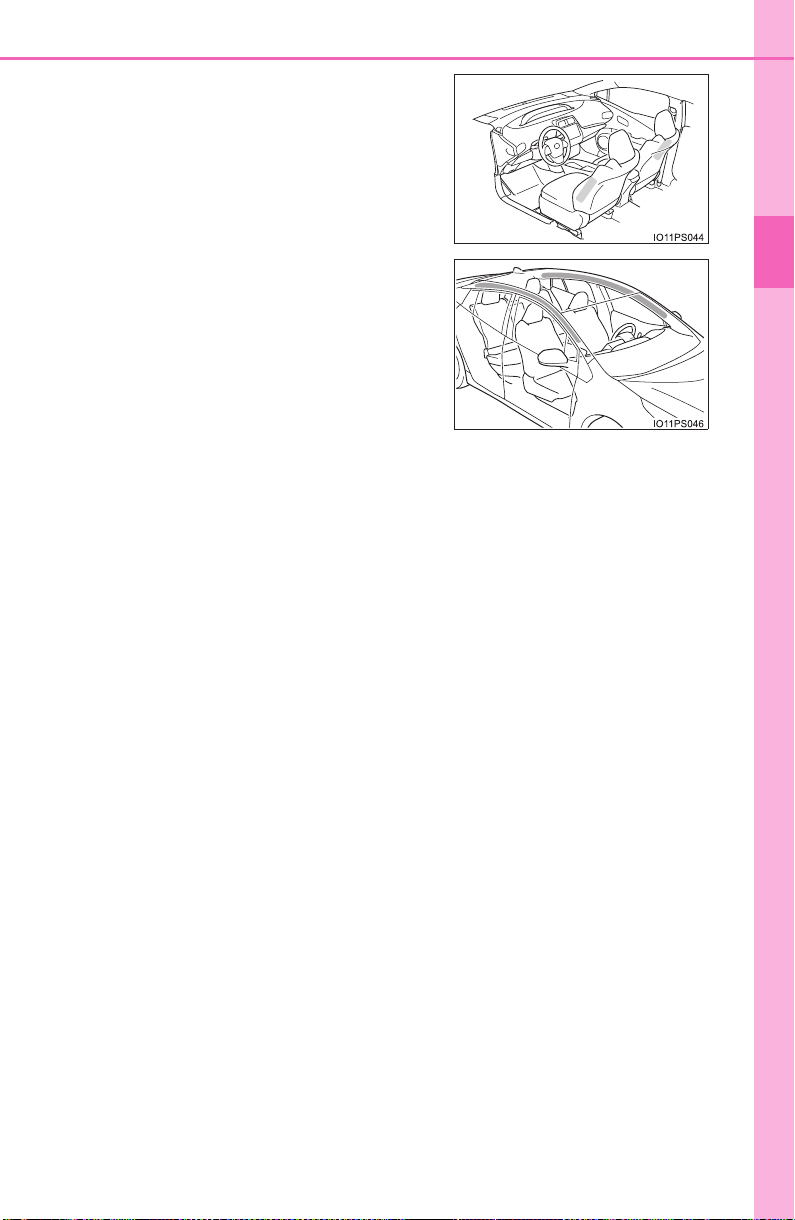
49
1-1. For safe use
PRIUS_OM_OM47A29U_(U)
1
For safety and security
● The surface of the seats with the side
airbag is scratched, cracked, or other-
wise damaged.
● The portion of the front pillars, rear pil-
lars or roof side rail garnishes (padding)
containing the curtain shield airbags
inside is scratched, cracked, or other-
wise damaged.
50
1-1. For safe use
PRIUS_OM_OM47A29U_(U)
Front passenger occupant classification
system
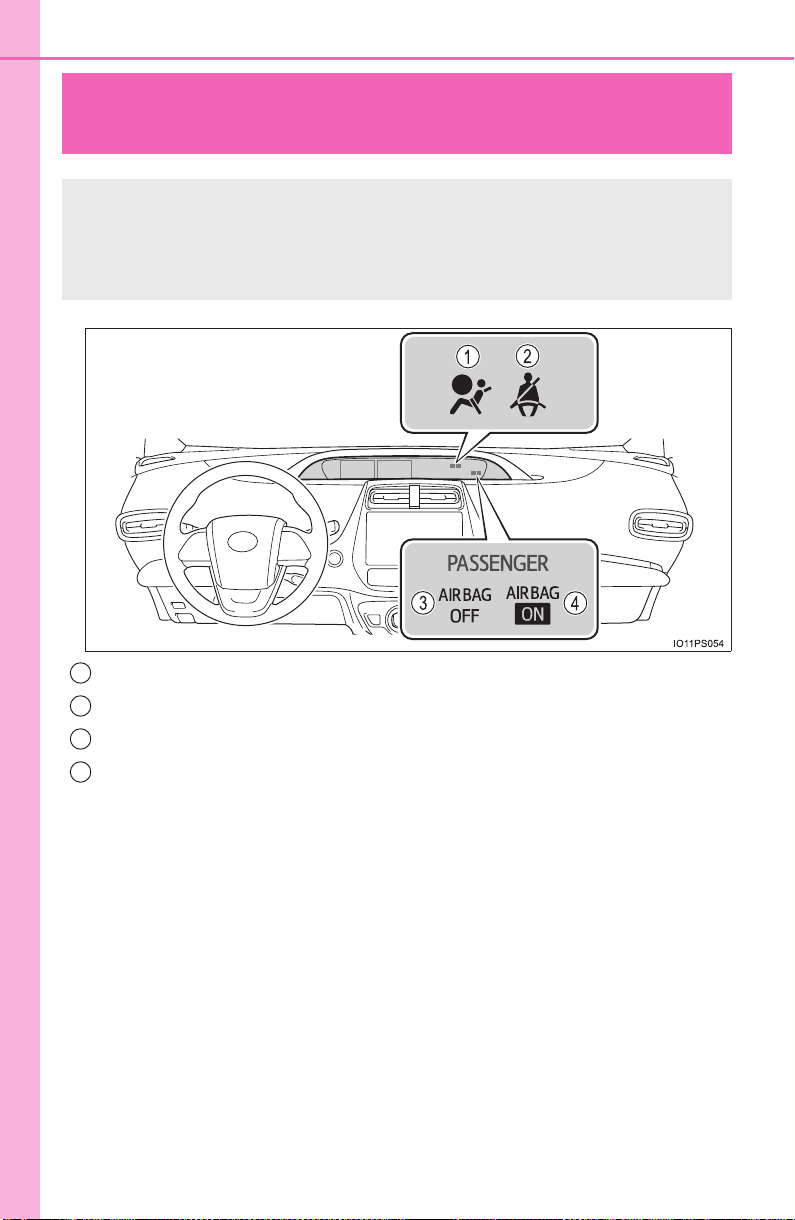
SRS warning light
Seat belt reminder light
“AIR BAG OFF” indicator light
“AIR BAG ON” indicator light
Your vehicle is equipped with a front passenger occupant classi-
fication system. This system detects the conditions of the front
passenger seat and activates or deactivates the devices for the
front passenger.
1
2
3
4

51
1-1. For safe use
PRIUS_OM_OM47A29U_(U)
1
For safety and security
■ Adult*
1
■ Child*
4
Condition and operation in the front passenger occupant classi-
fication system
Indicator/
warning light
“AIR BAG ON” and “AIR BAG OFF”
indicator lights
“AIR BAG ON”
SRS warning light Off
Seat belt reminder light
Off*
2
or
flashing
*
3
Devices
Front passenger airbag
Activated
Side airbag on the front passenger seat
Curtain shield airbag in the front
passenger side
Seat cushion airbag in the front passenger
side
Activated*
2
or
deactivated
*
3
Front passenger’s seat belt pretensioner Activated
Indicator/
warning light
“AIR BAG ON” and “AIR BAG OFF”
indicator lights
“AIR BAG OFF”
or
“AIR BAG ON”
*
4
SRS warning light Off
Seat belt reminder light
Off*
2
or
flashing
*
3
Devices
Front passenger airbag
Deactivated or
activated
*
4
Side airbag on the front passenger seat
Activated
Curtain shield airbag in the front
passenger side
Seat cushion airbag in the front passenger
side
Deactivated or
activated
*
4, 2
Front passenger’s seat belt pretensioner Activated

52
1-1. For safe use
PRIUS_OM_OM47A29U_(U)
■
Child restraint system with infant*
5
■ Unoccupied
Indicator/
warning light
“AIR BAG ON” and “AIR BAG OFF”
indicator lights
“AIR BAG
OFF”
*
6
SRS warning light Off
Seat belt reminder light
Off*
2
or
flashing
*
3
Devices
Front passenger airbag Deactivated
Side airbag on the front passenger seat
Activated
Curtain shield airbag in the front
passenger side
Seat cushion airbag in the front passenger
side
Deactivated
Front passenger’s seat belt pretensioner Activated
Indicator/
warning light
“AIR BAG ON” and “AIR BAG OFF”
indicator lights
“AIR BAG OFF”
SRS warning light
Off
Seat belt reminder light
Devices
Front passenger airbag Deactivated
Side airbag on the front passenger seat
Activated
Curtain shield airbag in the front
passenger side
Seat cushion airbag in the front passenger
side
Deactivated
Front passenger’s seat belt pretensioner Activated

53
1-1. For safe use
PRIUS_OM_OM47A29U_(U)
1
For safety and security
■ There is a malfunction in the system
*
1
: The system judges a person of adult size as an adult. When a smaller
adult sits in the front passenger seat, the system may not recognize him/
her as an adult depending on his/her physique and posture.
*
2
: In the event the front passenger is wearing a seat belt.
*
3
: In the event the front passenger does not wear a seat belt.
*
4
: For some children, child in seat, child in booster seat or child in convertible
seat, the system may not recognize him/her as a child. Factors which may
affect this can be the physique or posture.
*
5
: Never install a rear-facing child restraint system on the front passenger
seat. A forward-facing child restraint system should only be installed on the
front passenger seat when it is unavoidable. (→P. 62)
*
6
: In case the indicator light is not illuminated, consult this manual on how to
install the child restraint system properly. (→P. 58)
Indicator/
warning light
“AIR BAG ON” and “AIR BAG OFF”
indicator lights
“AIR BAG OFF”
SRS warning light
On
Seat belt reminder light
Devices
Front passenger airbag Deactivated
Side airbag on the front passenger seat
Activated
Curtain shield airbag in the front
passenger side
Seat cushion airbag in the front passenger
side
Deactivated
Front passenger’s seat belt pretensioner Activated

54
1-1. For safe use
PRIUS_OM_OM47A29U_(U)
WARNING
■ Front passenger occupant classification system precautions
Observe the following precautions regarding front passenger occupant clas-
sification system.
Failure to do so may cause death or serious injury.
● Wear the seat belt properly.
● Make sure the front passenger’s seat belt plate has not been left inserted
into the buckle before someone sits in the front passenger seat.
● Make sure the “AIR BAG OFF” indicator light is not illuminated when using
the seat belt extender for the front passenger seat. If the “AIR BAG OFF”
indicator light is illuminated, disconnect the extender tongue from the seat
belt buckle, and reconnect the seat belt. Reconnect the seat belt extender
after making sure the “AIR BAG ON” indicator light is illuminated. If you
use the seat belt extender while the “AIR BAG OFF” indicator light is illumi-
nated, the SRS airbags for the front passenger will not activate, which
could cause death or serious injury in the event of a collision.
● Do not apply a heavy load to the front passenger seat or equipment (e.g.
seatback pocket).
● Do not put weight on the front passenger seat by putting your hands or
feet on the front passenger seat seatback from the rear passenger seat.
● Do not let a rear passenger lift the front passenger seat with their feet or
press on the seatback with their legs.
● Do not put objects under the front passenger seat.
● Do not recline the front passenger seatback so far that it touches a rear
seat. This may cause the “AIR BAG OFF” indicator light to be illuminated,
which indicates that the SRS airbags for the front passenger will not acti-
vate in the event of a severe accident. If the seatback touches the rear
seat, return the seatback to a position where it does not touch the rear
seat. Keep the front passenger seatback as upright as possible when the
vehicle is moving. Reclining the seatback excessively may lessen the
effectiveness of the seat belt system.

55
1-1. For safe use
PRIUS_OM_OM47A29U_(U)
1
For safety and security
WARNING
■ Front passenger occupant classification system precautions
● If an adult sits in the front passenger seat, the “AIR BAG ON” indicator
light is illuminated. If the “AIR BAG OFF” indicator is illuminated, ask the
passenger to sit up straight, well back in the seat, feet on the floor, and
with the seat belt worn correctly. If the “AIR BAG OFF” indicator still
remains illuminated, either ask the passenger to move to the rear seat, or
if that is not possible, move the front passenger seat fully rearward.
● When it is unavoidable to install a forward-facing child restraint system on
the front passenger seat, install the child restraint system on the front pas-
senger seat in the proper order. (→P. 58)
● Do not modify or remove the front seats.
● Do not kick the front passenger seat or subject it to severe impact. Other-
wise, the SRS warning light may come on to indicate a malfunction of the
front passenger occupant classification system. In this case, contact your
Toyota dealer immediately.
● Child restraint systems installed on the rear seat should not contact the
front seatbacks.
● Do not use a seat accessory, such as a cushion and seat cover, that cov-
ers the seat cushion surface.
● Do not modify or replace the upholstery of the front seat.
● Adjust the front passenger seat so that the head restraint does not touch
the ceiling. If the head restraint is left in contact with the ceiling, the system
may not detect the front passenger properly, leading to improper operation
of the airbags.

56
1-1. For safe use
PRIUS_OM_OM47A29U_(U)
Exhaust gas precautions
Harmful substance to the human body is included in exhaust
gases if inhaled.
WARNING
Exhaust gases include harmful carbon monoxide (CO), which is colorless and
odorless. Observe the following precautions.
Failure to do so may cause exhaust gases enter the vehicle and may lead to
an accident caused by light-headedness, or may lead to death or a serious
health hazard.
■ Important points while driving
● Keep the back door closed.
● If you smell exhaust gases in the vehicle even when the back door is
closed, open the side windows and have the vehicle inspected at your
Toyota dealer as soon as possible.
■ When parking
● If the vehicle is in a poorly ventilated area or a closed area, such as a
garage, stop the hybrid system.
● Do not leave the vehicle with the hybrid system on for a long time.
If such a situation cannot be avoided, park the vehicle in an open space
and ensure that exhaust fumes do not enter the vehicle interior.
● Do not leave the hybrid system operating in an area with snow build-up, or
where it is snowing. If snowbanks build up around the vehicle while the
hybrid system is operating, exhaust gases may collect and enter the vehi-
cle.
■ Exhaust pipe
The exhaust system needs to be checked periodically. If there is a hole or
crack caused by corrosion, damage to a joint or abnormal exhaust noise, be
sure to have the vehicle inspected and repaired by your Toyota dealer.

57
1-2. Child safety
PRIUS_OM_OM47A29U_(U)
1
For safety and security
Riding with children
● It is recommended that children sit in the rear seats to avoid acci-
dental contact with the shift lever, wiper switch etc.
● Use the rear door child-protector lock or the window lock switch to
avoid children opening the door while driving or operating the
power window accidentally. (→P. 168, 198)
● Do not let small children operate equipment which may catch or
pinch body parts, such as the power window, hood, back door,
seats etc.
Observe the following precautions when children are in the vehi-
cle.
Use a child restraint system appropriate for the child, until the
child becomes large enough to properly wear the vehicle’s seat
belt.
WARNING
Never leave children unattended in the vehicle, and never allow children to
have or use the key.
Children may be able to start the vehicle or shift the vehicle into neutral.
There is also a danger that children may injure themselves by playing with
the side windows, the moon roof (if equipped) or other features of the vehi-
cle. In addition, heat build-up or extremely cold temperatures inside the
vehicle can be fatal to children.

58
1-2. Child safety
PRIUS_OM_OM47A29U_(U)
Child restraint systems
Points to remember...................................................................... P. 59
Child restraint system .................................................................. P. 61
When using a child restraint system ............................................ P. 62
Child restraint system installation method
• Fixed with a seat belt ...............................................................P. 65
• Fixed with a child restraint LATCH anchor............................... P. 71
• Using an anchor bracket (for top tether strap) ......................... P. 74
Before installing a child restraint system in the vehicle, there are
precautions that need to be observed, different types of child
restraint systems, as well as installation methods, etc., written in
this manual.
● Use a child restraint system when riding with a small child that
cannot properly use a seat belt. For the child’s safety, install the
child restraint system to a rear seat. Be sure to follow the installa-
tion method that is in the operation manual enclosed with the
restraint system.
Table of contents

59
1-2. Child safety
PRIUS_OM_OM47A29U_(U)
1
For safety and security
The laws of all 50 states of the U.S.A. as well as Canada now require
the use of child restraint systems.
● Prioritize and observe the warnings, as well as the laws and regula-
tions for child restraint systems.
● Use a child restraint system until the child becomes large enough to
properly wear the vehicle’s seat belt.
● Choose a child restraint system that suits your vehicle and is appro-
priate to the age and size of the child.
Points to remember

60
1-2. Child safety
PRIUS_OM_OM47A29U_(U)
WARNING
■ When a child is riding
Observe the following precautions.
Failure to do so may result in death or serious injury.
● For effective protection in automobile accidents and sudden stops, a child
must be properly restrained, using a seat belt or child restraint system
which is correctly installed. For installation details, refer to the operation
manual enclosed with the child restraint system. General installation
instruction is provided in this manual.
● Toyota strongly urges the use of a proper child restraint system that con-
forms to the weight and size of the child, installed on the rear seat. Accord-
ing to accident statistics, the child is safer when properly restrained in the
rear seat than in the front seat.
● Holding a child in your or someone else’s arms is not a substitute for a
child restraint system. In an accident, the child can be crushed against the
windshield or between the holder and the interior of the vehicle.
■ Handling the child restraint system
If the child restraint system is not properly fixed in place, the child or other
passengers may be seriously injured or even killed in the event of sudden
braking, sudden swerving, or an accident.
● If the vehicle were to receive a strong impact from an accident, etc., it is
possible that the child restraint system has damage that is not readily visi-
ble. In such cases, do not reuse the restraint system.
● Make sure you have complied with all installation instructions provided
with the child restraint system manufacturer and that the system is prop-
erly secured.
● Keep the child restraint system properly secured on the seat even if it is
not in use. Do not store the child restraint system unsecured in the pas-
senger compartment.
● If it is necessary to detach the child restraint system, remove it from the
vehicle or store it securely in the luggage compartment.
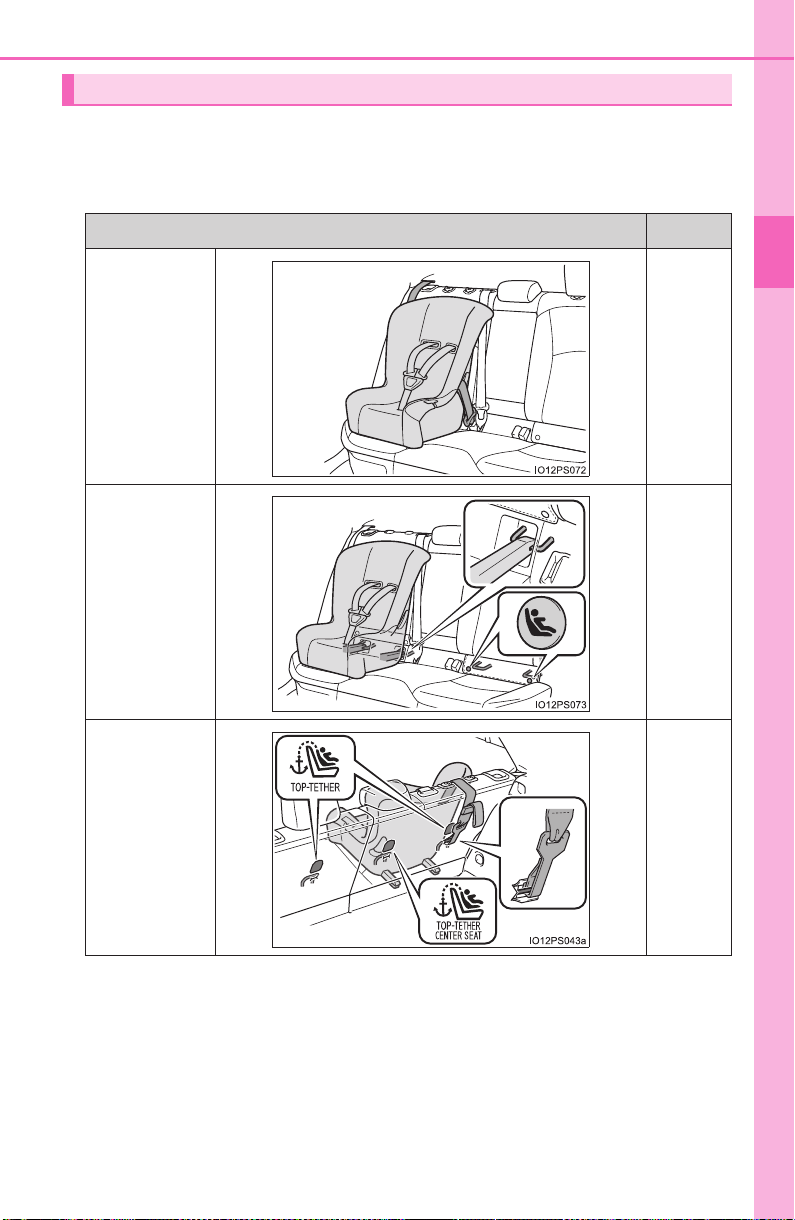
61
1-2. Child safety
PRIUS_OM_OM47A29U_(U)
1
For safety and security
■ Types of child restraint system installation methods
Confirm with the operation manual enclosed with the child restraint
system about the installation of the child restraint system.
Child restraint system
Installation method Page
Seat belt
attachment
P. 6 5
Child
restraint
LATCH
anchors
attachment
P. 7 1
Anchor
brackets (for
top tether
strap) attach-
ment
P. 7 4
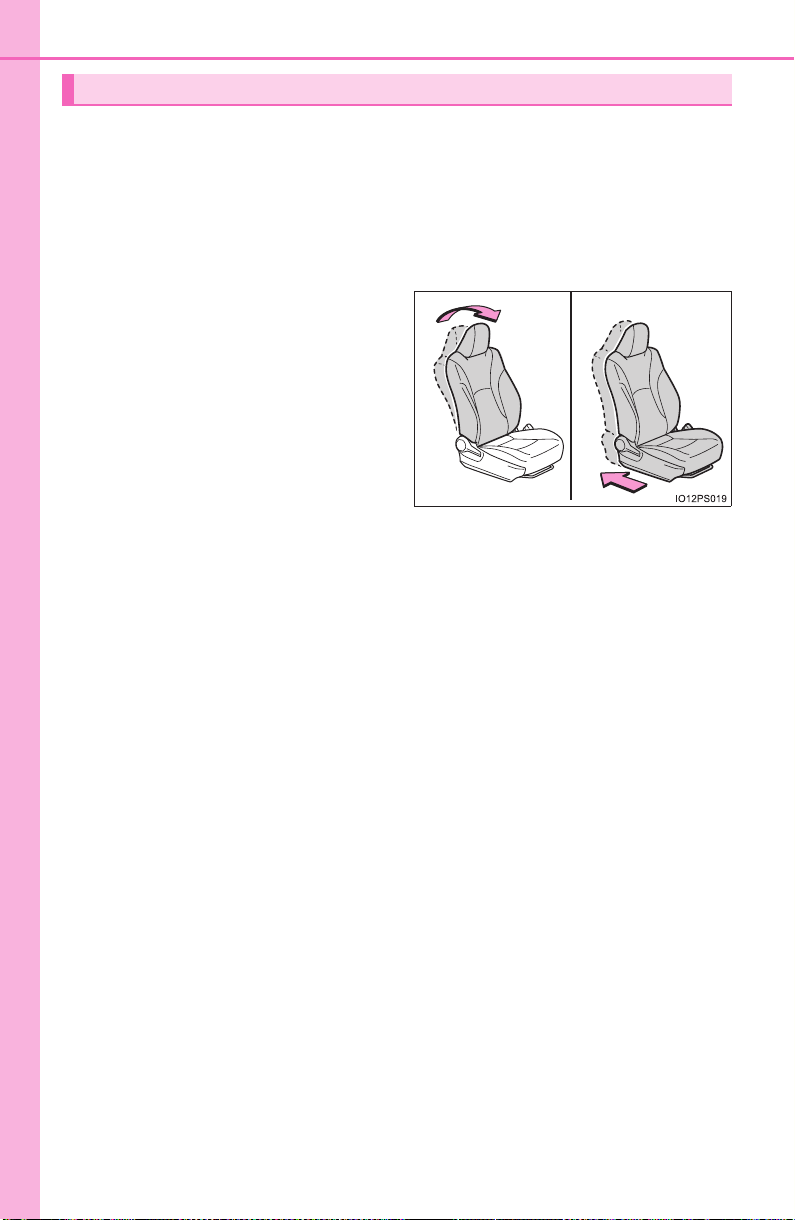
62
1-2. Child safety
PRIUS_OM_OM47A29U_(U)
■
When installing a child restraint system to a front passenger
seat
For the safety of a child, install a child restraint system to a rear
seat. When installing child restraint system to a front passenger
seat is unavoidable, adjust the seat as follows and install the child
restraint system.
● Raise the seatback as much
as possible
● Move the seat to the rear-
most position
● If the head restraint interferes
with the child restraint sys-
tem installation and the head
restraint can be removed,
remove the head restraint
When using a child restraint system
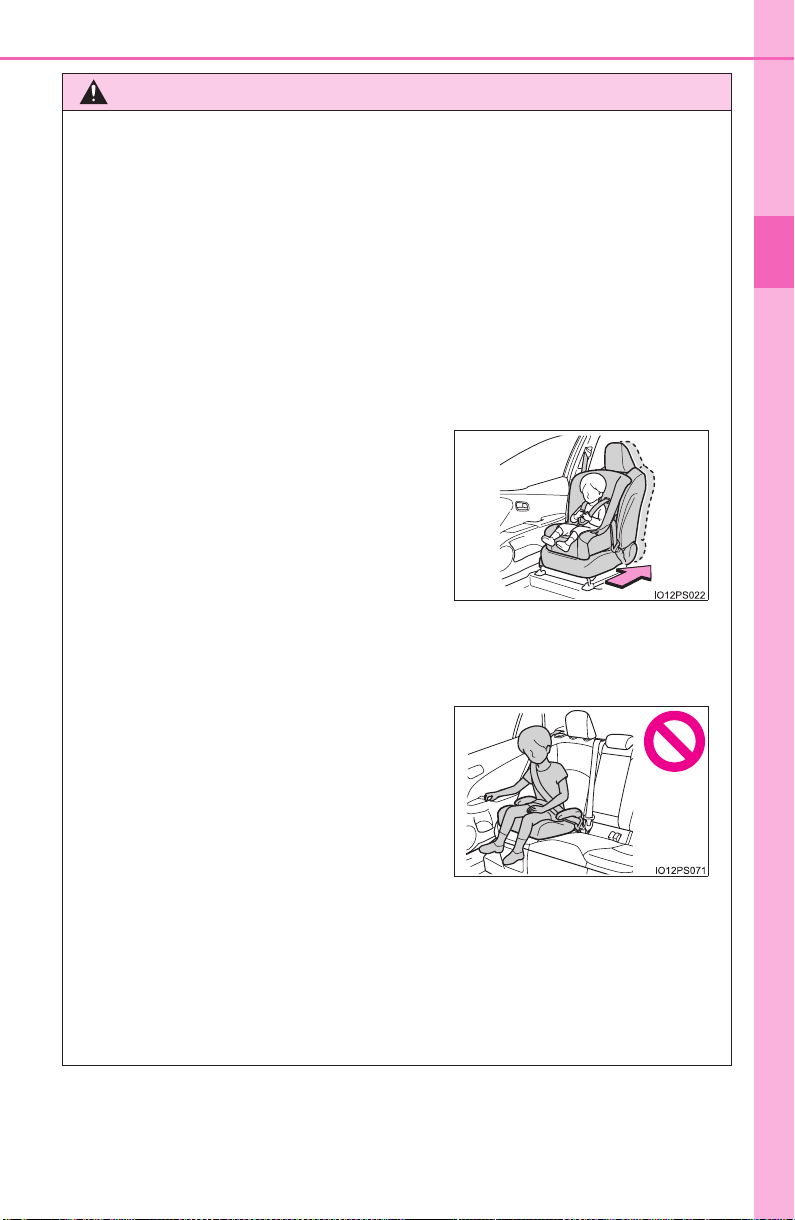
63
1-2. Child safety
PRIUS_OM_OM47A29U_(U)
1
For safety and security
WARNING
■ When using a child restraint system
Observe the following precautions.
Failure to do so may result in death or serious injury.
● Never install a rear-facing child restraint system on the front passenger
seat even if the “AIR BAG OFF” indicator light is illuminated. In the event
of an accident, the force of the rapid inflation of the front passenger airbag
can cause death or serious injury to the child if the rear-facing child
restraint system is installed on the front passenger seat.
● A forward-facing child restraint system may be installed on the front pas-
senger seat only when it is unavoidable. A child restraint system that
requires a top tether strap should not be used in the front passenger seat
since there is no top tether strap anchor for the front passenger seat.
● When a booster seat is installed, always ensure that the shoulder belt is
positioned across the center of the child’s shoulder. The belt should be
kept away from the child’s neck, but not so that it could fall off the child’s
shoulder.
● A forward-facing child restraint system
may be installed on the front passenger
seat only when it is unavoidable. When
installing a forward-facing child restraint
system on the front passenger seat,
move the seat as far back as possible,
even if the “AIR BAG OFF” indicator
light is illuminated.
If the head restraint interferes with the
child restraint system installation and
the head restraint can be removed,
remove the head restraint.
● Do not allow the child to lean his/her
head or any part of his/her body against
the door or the area of the seat, front or
rear pillars, or roof side rails from which
the SRS side airbags or SRS curtain
shield airbags deploy even if the child is
seated in the child restraint system. It is
dangerous if the SRS side airbags and
curtain shield airbags inflate, and the
impact could cause death or serious
injury to the child.

64
1-2. Child safety
PRIUS_OM_OM47A29U_(U)
WARNING
■ When using a child restraint system
● Use child restraint system suitable to the age and size of the child and
install it to the rear seat.
● If the driver’s seat interferes with the
child restraint system and prevents it
from being attached correctly, attach the
child restraint system to the right-hand
rear seat.
● Adjust the front passenger seat so that
it does not interfere with the child
restraint system.
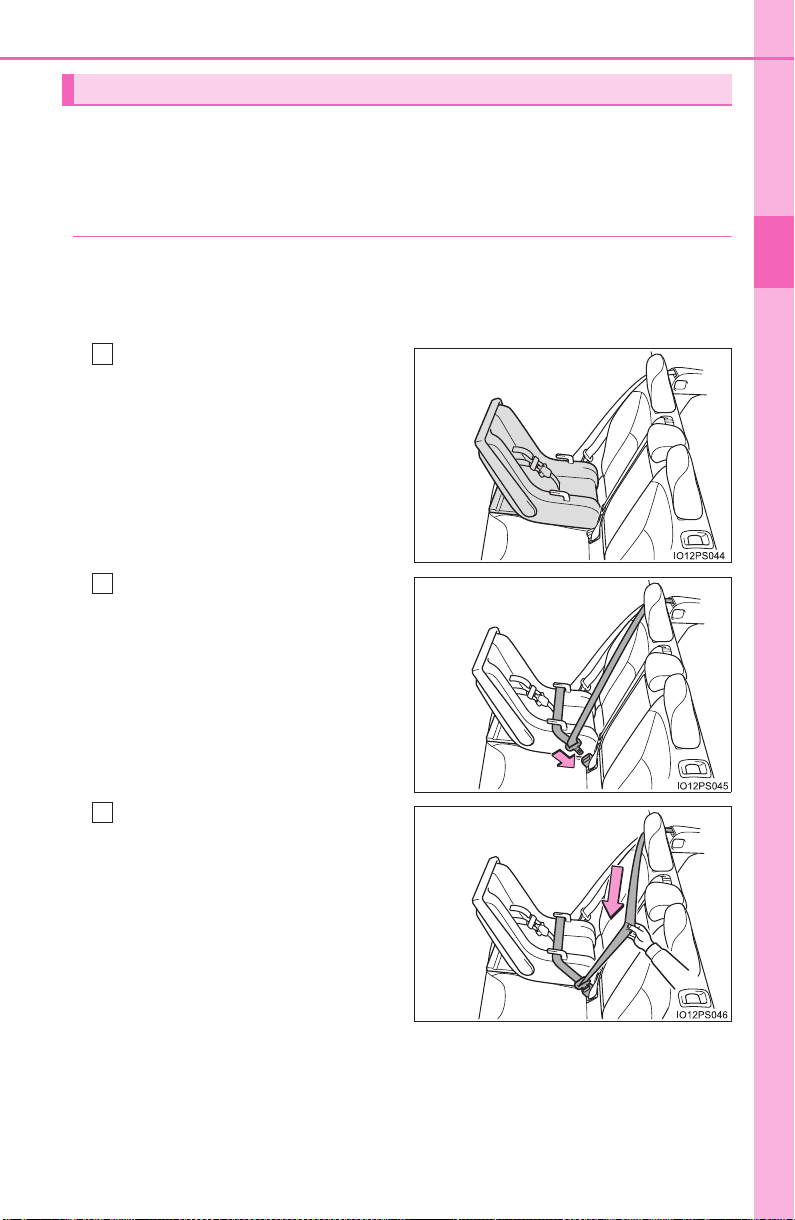
65
1-2. Child safety
PRIUS_OM_OM47A29U_(U)
1
For safety and security
A child restraint system for a small child or baby must itself be prop-
erly restrained on the seat with the lap portion of the lap/shoulder belt.
◆ Installing child restraint system using a seat belt (child
restraint lock function belt)
Install the child restraint system in accordance to the operation
manual enclosed with the child restraint system.
■ Rear-facing — Infant seat/convertible seat
Place the child restraint sys-
tem on the rear seat facing
the rear of the vehicle.
Run the seat belt through the
child restraint system and
insert the plate into the
buckle. Make sure that the
belt is not twisted.
Fully extend the shoulder belt
and allow it to retract to put it
in lock mode. In lock mode,
the belt cannot be extended.
Child restraint system fixed with a seat belt
1
2
3

66
1-2. Child safety
PRIUS_OM_OM47A29U_(U)
While pushing the child
restraint system down into
the rear seat, allow the
shoulder belt to retract until
the child restraint system is
securely in place.
After the shoulder belt has
retracted to a point where there
is no slack in the belt, pull the
belt to check that it cannot be
extended.
After installing the child restraint system, rock it back and forth to
ensure that it is installed securely. (→P. 7 0)
■ Forward-facing — Convertible seat
If installing the child restraint system to the front passenger seat
is unavoidable, refer to P. 62 for front passenger seat adjustment.
If the head restraint interferes
with the child restraint sys-
tem installation and the head
restraint can be removed,
remove the head restraint.
(→P. 189)
Place the child restraint sys-
tem on the seat facing the
front of the vehicle.
4
5
1
2
3

67
1-2. Child safety
PRIUS_OM_OM47A29U_(U)
1
For safety and security
Run the seat belt through the
child restraint system and
insert the plate into the
buckle. Make sure that the
belt is not twisted.
Fully extend the shoulder belt
and allow it to retract to put it
in lock mode. In lock mode,
the belt cannot be extended.
While pushing the child
restraint system into the rear
seat, allow the shoulder belt
to retract until the child
restraint system is securely
in place.
After the shoulder belt has
retracted to a point where there
is no slack in the belt, pull the
belt to check that it cannot be
extended.
If the child restraint has a top tether strap, follow the child
restraint manufacturer’s operation manual regarding the installa-
tion, using the top tether strap to latch onto the top tether strap
anchor. (→P. 7 4 )
After installing the child restraint system, rock it back and forth to
ensure that it is installed securely. (→P. 7 0)
4
5
6
7
8
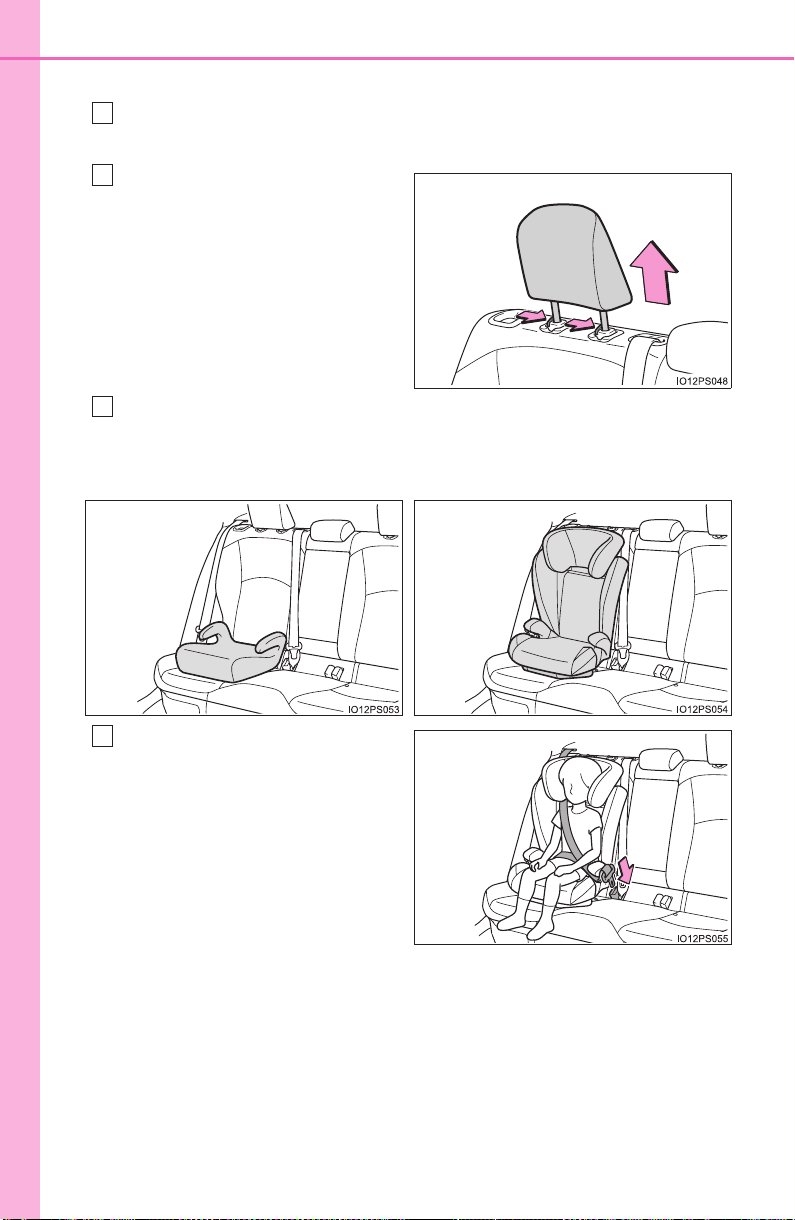
68
1-2. Child safety
PRIUS_OM_OM47A29U_(U)
■
Booster seat
If installing the child restraint system to the front passenger seat
is unavoidable, refer to P. 62 for front passenger seat adjustment.
High back type: If the head
restraint interferes with your
child restraint system, and
the head restraint can be
removed, remove the head
restraint. (→P. 189)
Place the child restraint system on the seat facing the front of the
vehicle.
Sit the child in the child
restraint system. Fit the seat
belt to the child restraint sys-
tem according to the manu-
facturer’s instructions and
insert the plate into the
buckle. Make sure that the
belt is not twisted.
Check that the shoulder belt is correctly positioned over the child’s
shoulder and that the lap belt is as low as possible. (→P. 30)
1
2
3
X Booster type X High back type
4
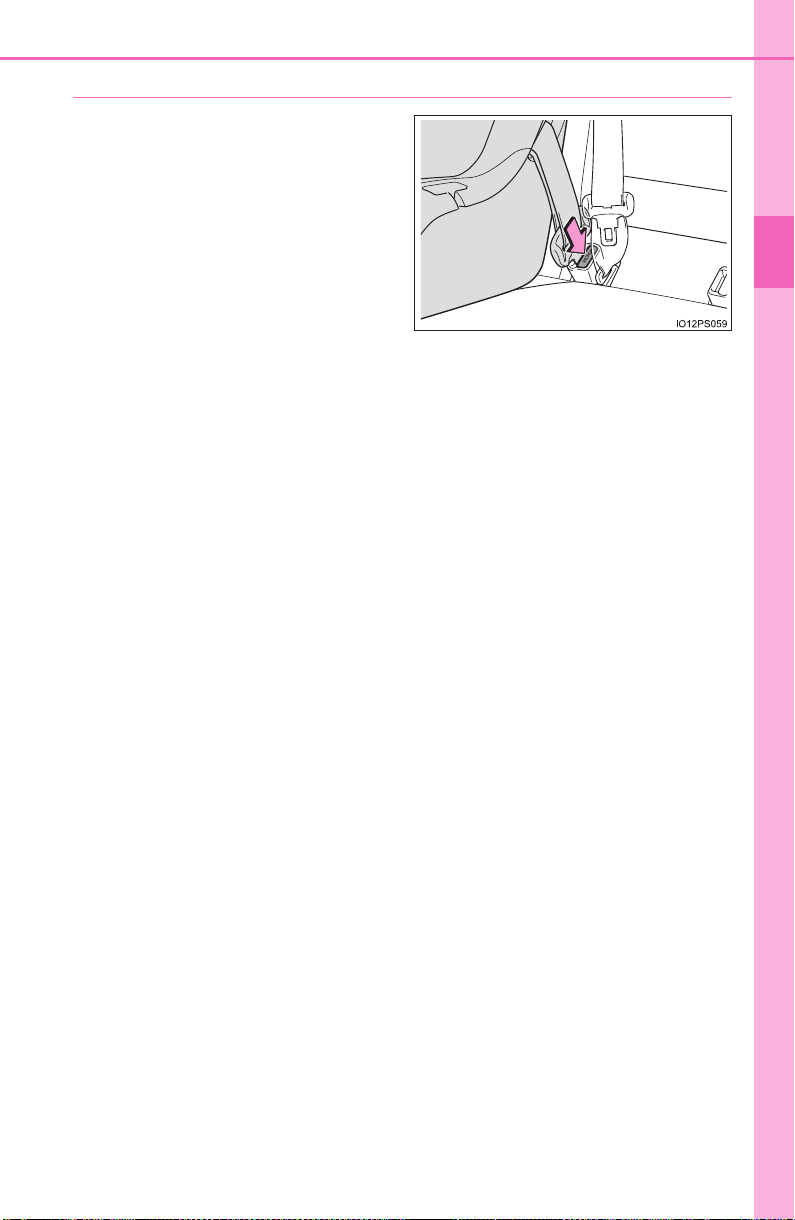
69
1-2. Child safety
PRIUS_OM_OM47A29U_(U)
1
For safety and security
◆ Removing a child restraint system installed with a seat belt
Press the buckle release button
and fully retract the seat belt.
When releasing the buckle, the
child restraint system may
spring up due to the rebound of
the seat cushion. Release the
buckle while holding down the
child restraint system.
Since the seat belt automatically
reels itself, slowly return it to the
stowing position.

70
1-2. Child safety
PRIUS_OM_OM47A29U_(U)
WARNING
■ When installing a child restraint system
Observe the following precautions.
Failure to do so may result in death or serious injury.
● Do not allow children to play with the seat belt. If the seat belt becomes
twisted around a child’s neck, it may lead to choking or other serious inju-
ries that could result in death.
If this occurs and the buckle cannot be unfastened, scissors should be
used to cut the belt.
● Ensure that the belt and plate are securely locked and the seat belt is not
twisted.
● Shake the child restraint system left and right, and forward and backward
to ensure that it has been securely installed.
● After securing a child restraint system, never adjust the seat.
● When a booster seat is installed, always ensure that the shoulder belt is
positioned across the center of the child’s shoulder. The belt should be
kept away from the child’s neck, but not so that it could fall off the child’s
shoulder.
● Follow all installation instructions provided by the child restraint system
manufacturer.
● When securing some types of child restraint systems in rear seats, it may
not be possible to properly use the seat belts in positions next to the child
restraint without interfering with it or affecting seat belt effectiveness. Be
sure your seat belt fits snugly across your shoulder and low on your hips. If
it does not, or if it interferes with the child restraint, move to a different
position. Failure to do so may result in death or serious injury.
■ When installing a booster seat
To prevent the belt from going into ALR lock mode, do not fully extend the
shoulder belt. ALR mode causes the belt to tighten only. This could cause
injury or discomfort to the child. (→P. 31)
■ Do not use a seat belt extender
If a seat belt extender is used when installing a child restraint system, the
seat belt will not securely hold the child restraint system, which could cause
death or serious injury to the child or other passengers in the event of sud-
den braking, sudden swerving or an accident.
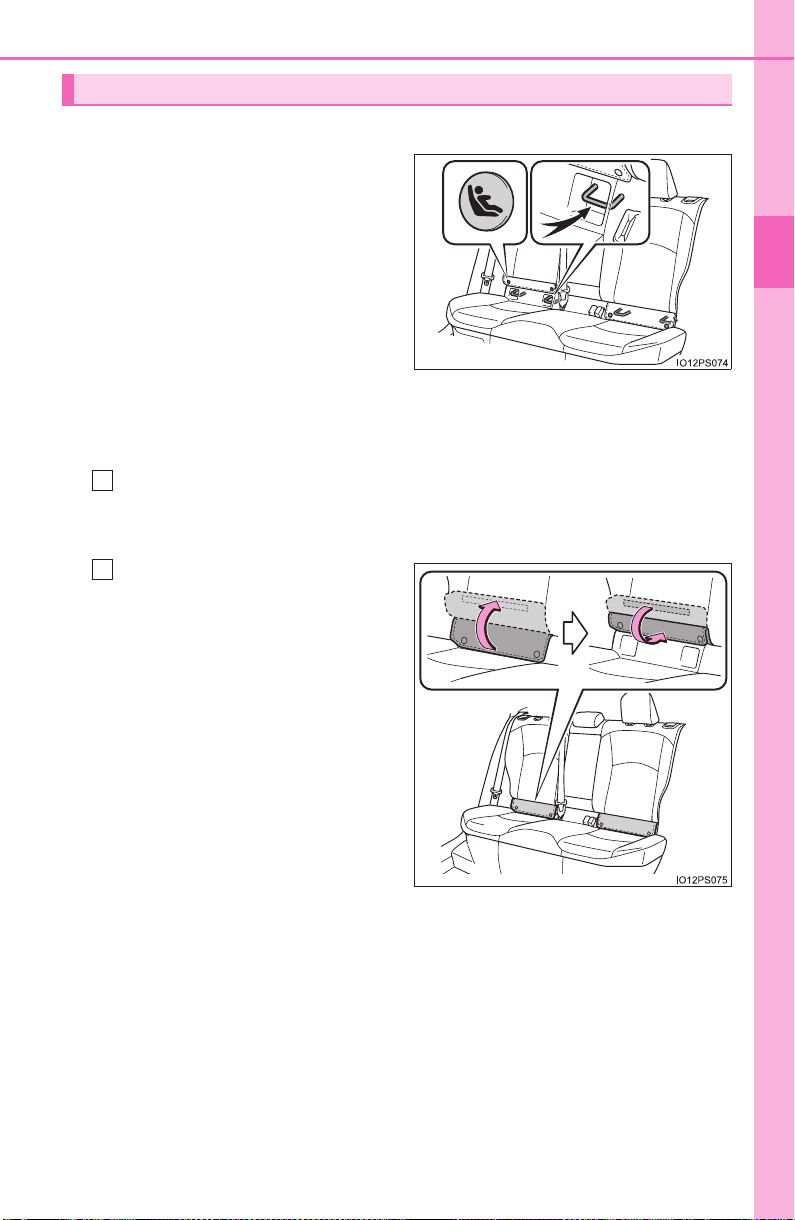
71
1-2. Child safety
PRIUS_OM_OM47A29U_(U)
1
For safety and security
■ Child restraint LATCH anchors
LATCH anchors are provided
for the rear outboard seats.
(Buttons displaying the location
of the anchors are attached to
the seats.)
■ When installing in the rear outboard seats
Install the child restraint system in accordance to the operation
manual enclosed with the child restraint system.
If the head restraint interferes with the child restraint system
installation and the head restraint can be removed, remove the
head restraint. (→P. 189)
Flip up and fold the cover,
and fix it with the hook-and-
loop fastener.
Child restraint system fixed with a child restraint LATCH anchor
1
2
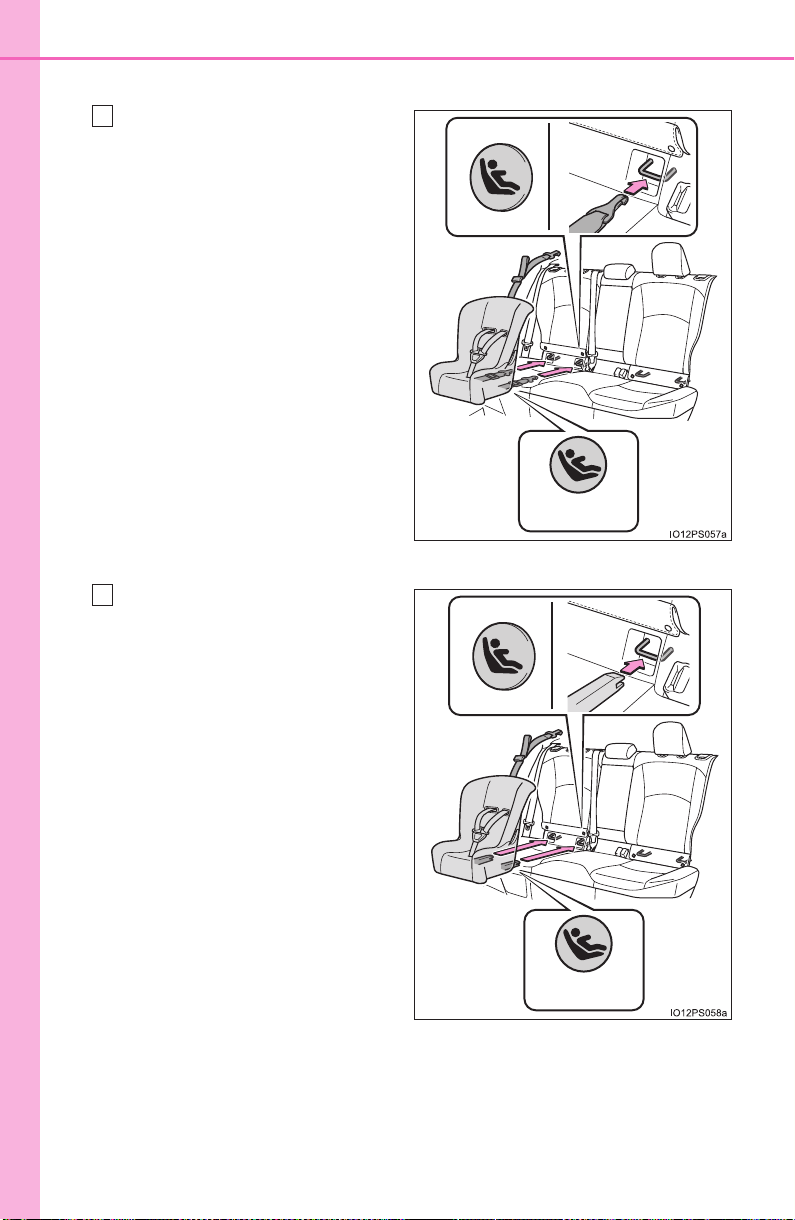
72
1-2. Child safety
PRIUS_OM_OM47A29U_(U)
X With flexible lower attachments
Latch the hooks of the lower
straps onto the LATCH
anchors.
For owners in Canada:
The symbol on a child
restraint system indicates the
presence of a lower connec-
tor system.
X With rigid lower attachments
Latch the buckles onto the
LATCH anchors.
For owners in Canada:
The symbol on a child
restraint system indicates the
presence of a lower connec-
tor system.
Canada only
3
Canada only
3

73
1-2. Child safety
PRIUS_OM_OM47A29U_(U)
1
For safety and security
If the child restraint has a top tether strap, follow the child
restraint manufacturer’s operation manual regarding the installa-
tion, using the top tether strap to latch onto the top tether strap
anchor. (→P. 7 4 )
After installing the child restraint system, rock it back and forth to
ensure that it is installed securely. (→P. 7 0)
■ When installing in the rear center seat
There are no LATCH anchors behind the rear center seat. How-
ever, the inboard LATCH anchors of the outboard seats, which are
16.1 in. (410 mm) apart, can be used if the child restraint system
manufacturer’s instructions permit use of those anchors with the
anchor spacing stated.
Child restraint systems with rigid lower attachments cannot be
installed in the center seat. This type of child restraint system can
only be installed in the outboard seat.
■ Laws and regulations pertaining to anchors
The LATCH system conforms to FMVSS225 or CMVSS210.2.
Child restraint systems conforming to FMVSS213 or CMVSS213 specifica-
tions can be used.
This vehicle is designed to conform to SAE J1819.
4
5
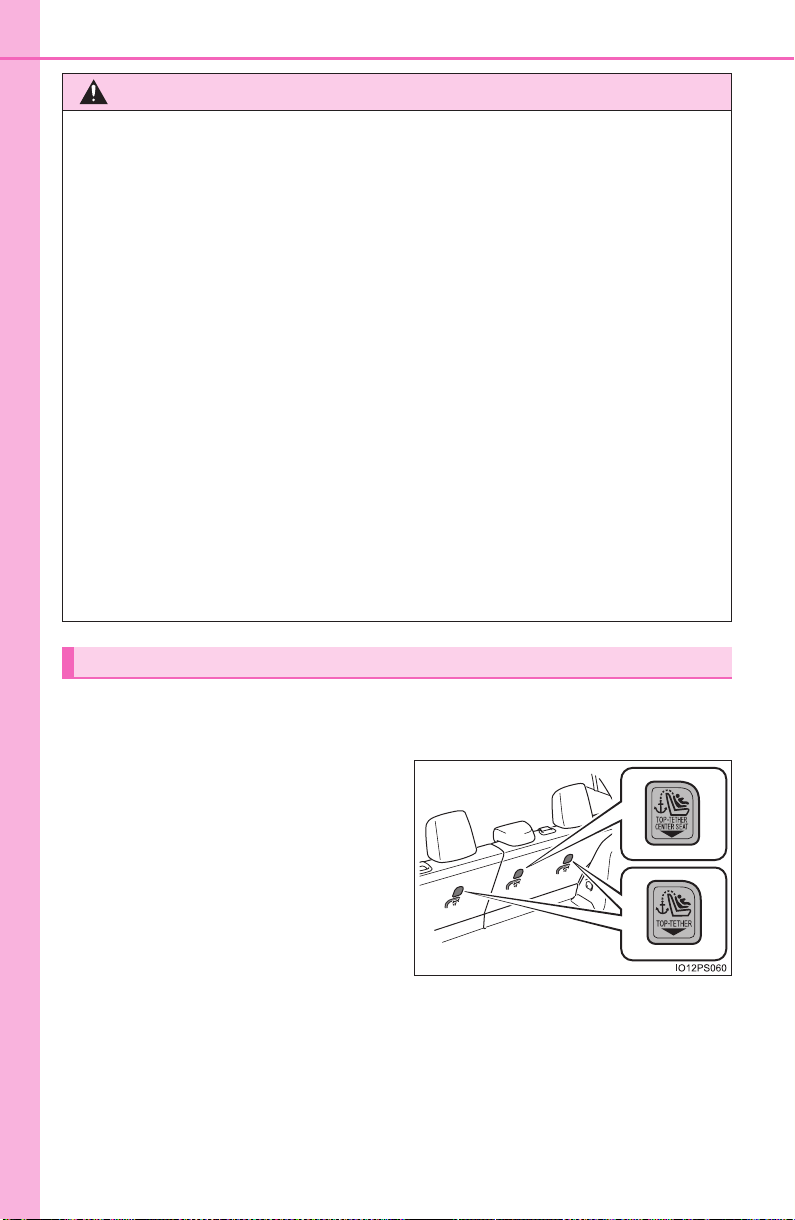
74
1-2. Child safety
PRIUS_OM_OM47A29U_(U)
■
Anchor brackets (for top tether strap)
Anchor brackets are provided for each rear seat.
Use anchor brackets when fix-
ing the top tether strap.
WARNING
■ When installing a child restraint system
Observe the following precautions.
Failure to do so may result in death or serious injury.
● When using the LATCH anchors, be sure that there are no foreign objects
around the anchors and that the seat belt is not caught behind the child
restraint system.
● Follow all installation instructions provided by the child restraint system
manufacturer.
● Never attach two child restraint system attachments to the same anchor. In
a collision, one anchor may not be strong enough to hold two child
restraint system attachments and may break.
If the LATCH anchors are already in use, use the seat belt to install a child
restraint system in the center seat.
● When securing some types of child restraint systems in rear seats, it may
not be possible to properly use the seat belts in positions next to the child
restraint without interfering with it or affecting seat belt effectiveness. Be
sure your seat belt fits snugly across your shoulder and low on your hips. If
it does not, or if it interferes with the child restraint, move to a different
position. Failure to do so may result in death or serious injury.
● If the seat is adjusted, reconfirm the security of the child restraint system.
Using an anchor bracket (for top tether strap)
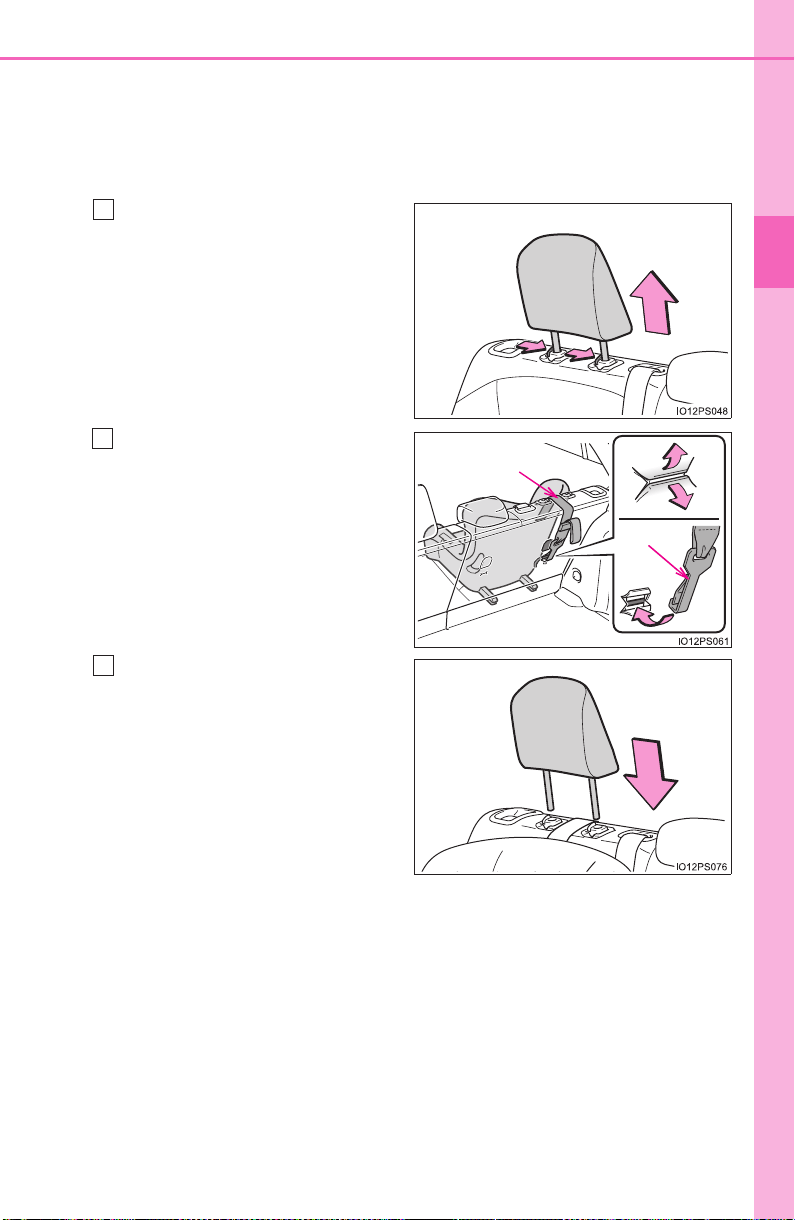
75
1-2. Child safety
PRIUS_OM_OM47A29U_(U)
1
For safety and security
■ Fixing the top tether strap to the anchor bracket
Install the child restraint system in accordance to the operation
manual enclosed with the child restraint system.
X Rear outboard seats
Remove the head restraint.
(→P. 189)
Latch the hook onto the
anchor bracket and tighten
the top tether strap.
Make sure the top tether strap is
securely latched. (→P. 70)
If the head restraint does not
interfere with the child
restraint system installation,
install the head restraint.
1
Hook
Top tether strap
2
3
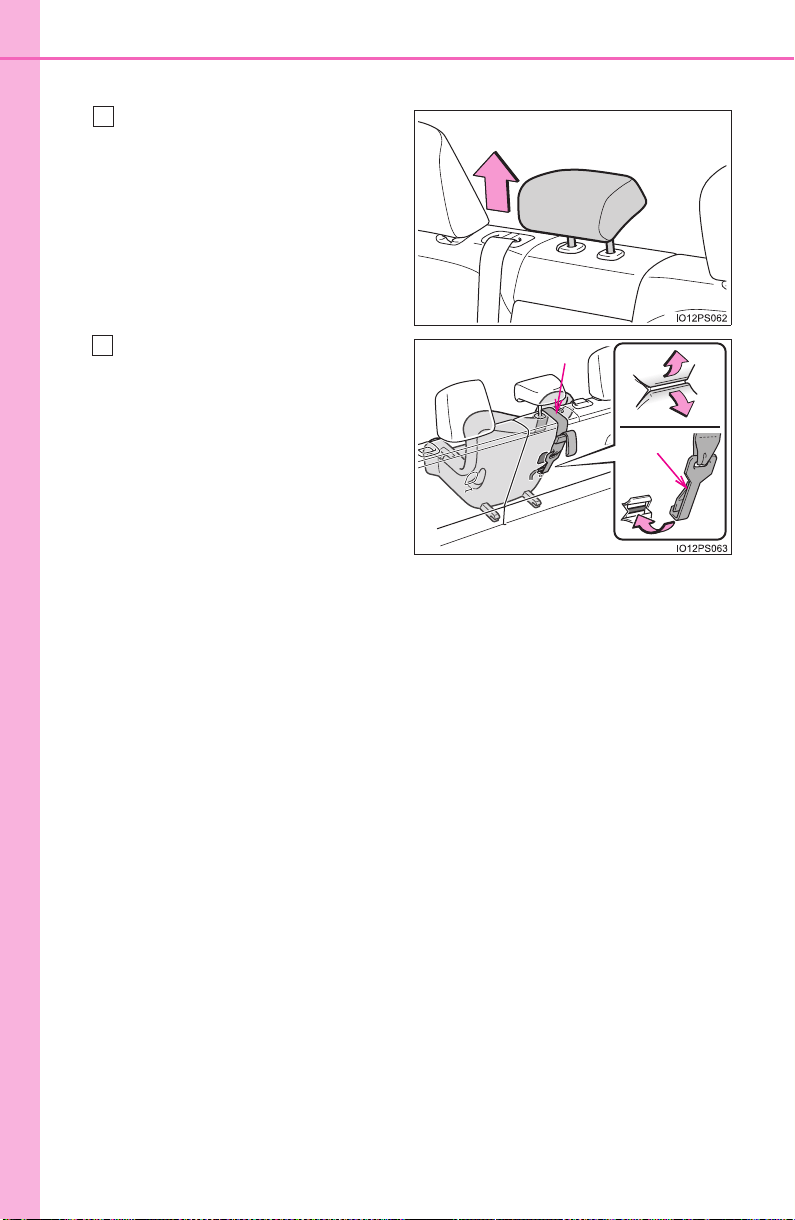
76
1-2. Child safety
PRIUS_OM_OM47A29U_(U)
X Rear center seat
Adjust the head restraint to
the upmost position.
If the head restraint interferes
with your child restraint system,
and the head restraint can be
removed, remove the head
restraint. (→P. 189)
Latch the hook onto the
anchor bracket and tighten
the top tether strap.
Make sure the top tether strap is
securely latched.
When installing the child
restraint system with the head
restraint being raised, be sure to
have the top tether strap pass
underneath the head restraint.
1
Hook
Top tether strap
2

77
1-2. Child safety
PRIUS_OM_OM47A29U_(U)
1
For safety and security
■ Laws and regulations pertaining to anchors
The LATCH system conforms to FMVSS225 or CMVSS210.2.
Child restraint systems conforming to FMVSS213 or CMVSS213 specifica-
tions can be used.
This vehicle is designed to conform to SAE J1819.
WARNING
■ When installing a child restraint system
Observe the following precautions.
Failure to do so may result in death or serious injury.
● Firmly attach the top tether strap and make sure that the belt is not twisted.
● Do not attach the top tether strap to anything other than the anchor
bracket.
● After securing a child restraint system, never adjust the seat.
● Follow all installation instructions provided by the child restraint system
manufacturer.
● Rear center seat: When installing the child restraint system with the head
restraint being raised, after the head restraint has been raised and then
the anchor bracket has been fixed, do not lower the head restraint.
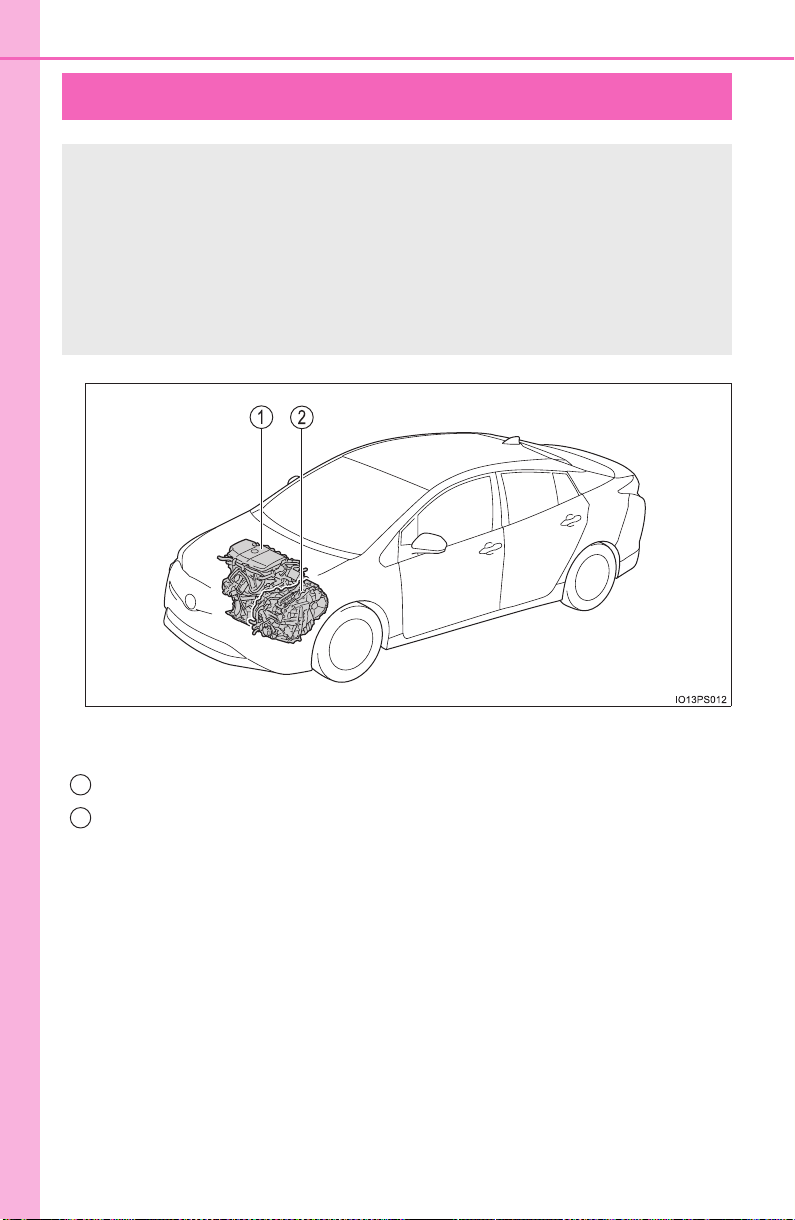
78
1-3. Hybrid system
PRIUS_OM_OM47A29U_(U)
Hybrid system features
The illustration is an example for explanation and may differ from the
actual item.
Gasoline engine
Electric motor (traction motor)
Your vehicle is a hybrid vehicle. It has characteristics different
from conventional vehicles. Be sure you are closely familiar with
the characteristics of your vehicle, and operate it with care.
The hybrid system combines the use of a gasoline engine and
an electric motor (traction motor) according to driving condi-
tions, improving fuel efficiency and reducing exhaust emis-
sions.
1
2

79
1-3. Hybrid system
PRIUS_OM_OM47A29U_(U)
1
For safety and security
◆ When stopped/during start off
The gasoline engine stops
* when the vehicle is stopped. During
start off, the electric motor (traction motor) drives the vehicle. At
slow speeds or when traveling down a gentle slope, the engine is
stopped
* and the electric motor (traction motor) is used.
When shift position is in N, the hybrid battery (traction battery) is not
being charged.
*: When the hybrid battery (traction battery) requires charging or the engine
is warming up, etc., the gasoline engine will not automatically stop.
(→P. 80)
◆ During normal driving
The gasoline engine is predominantly used. The electric motor
(traction motor) charges the hybrid battery (traction battery) as nec-
essary.
◆ When accelerating sharply
When the accelerator pedal is depressed heavily, the power of the
hybrid battery (traction battery) is added to that of the gasoline
engine via the electric motor (traction motor).
◆ When braking (regenerative braking)
The wheels operate the electric motor (traction motor) as a power
generator, and the hybrid battery (traction battery) is charged.
When driving with the gasoline engine stopped, a sound, which
changes in accordance with the driving speed, will be played in order
to warn people nearby of the vehicle’s approach. The sound will stop
when the vehicle speed exceeds approximately 15 mph (25 km/h).
Vehicle proximity notification system
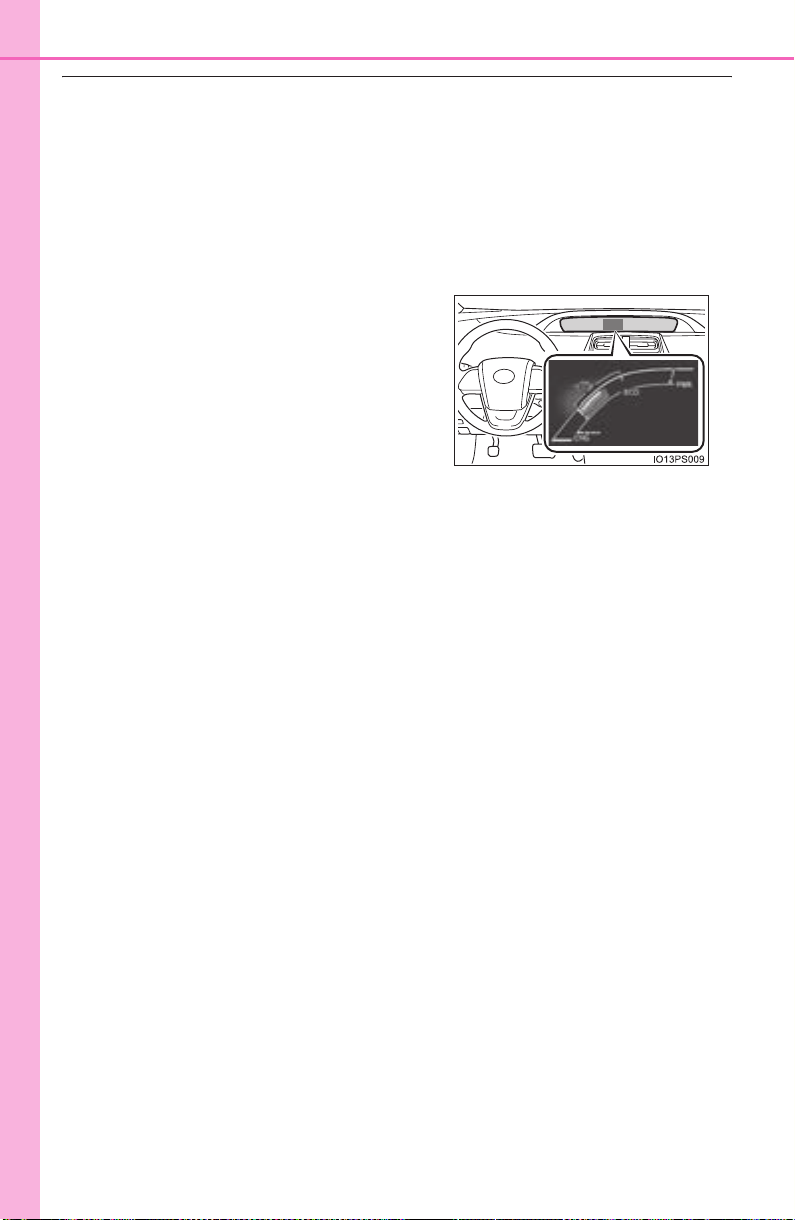
80
1-3. Hybrid system
PRIUS_OM_OM47A29U_(U)
■ Regenerative braking
In the following situations, kinetic energy is converted to electric energy and
deceleration force can be obtained in conjunction with the recharging of the
hybrid battery (traction battery).
● The accelerator pedal is released while driving with the shift position in D or
B.
● The brake pedal is depressed while driving with the shift position in D or B.
■ Hybrid System Indicator
■ Conditions in which the gasoline engine may not stop
The gasoline engine starts and stops automatically. However, it may not stop
automatically in the following conditions
*:
● During gasoline engine warm-up
● During hybrid battery (traction battery) charging
● When the temperature of the hybrid battery (traction battery) is high or low
● When the heater is switched on
*: Depending on the circumstances, the gasoline engine may also not stop
automatically in situations other than those above.
■ Charging the hybrid battery (traction battery)
As the gasoline engine charges the hybrid battery (traction battery), the bat-
tery does not need to be charged from an outside source. However, if the
vehicle is left parked for a long time the hybrid battery (traction battery) will
slowly discharge. For this reason, be sure to drive the vehicle at least once
every few months for at least 30 minutes or 10 miles (16 km). If the hybrid
battery (traction battery) becomes fully discharged and you are unable to start
the hybrid system, contact your Toyota dealer.
■ Charging the 12-volt battery
→P. 713
■ After the 12-volt battery has discharged or when the terminal has been
removed and installed during exchange, etc.
The gasoline engine may not stop even if the vehicle is being driven by the
hybrid battery (traction battery). If this continues for a few days, contact your
Toyota dealer.
Hybrid System Indicator represents the
hybrid system power output and regener-
ative charging. (→P. 119)

81
1-3. Hybrid system
PRIUS_OM_OM47A29U_(U)
1
For safety and security
■ Sounds and vibrations specific to a hybrid vehicle
There may be no engine sound or vibration even though the vehicle is able to
move with the “READY” indicator is illuminated. For safety, apply the parking
brake and make sure to shift the shift position to P when parked.
The following sounds or vibrations may occur when the hybrid system is
operating and are not a malfunction:
● Motor sounds may be heard from the engine compartment.
● Sounds may be heard from the hybrid battery (traction battery) when the
hybrid system starts or stops.
● Relay operating sounds such as a snap or soft clank will be emitted from the
hybrid battery (traction battery), behind the rear seats, when the hybrid sys-
tem is started or stopped.
● Sounds from the hybrid system may be heard when the back door is open.
● Sounds may be heard from the transmission when the gasoline engine
starts or stops, when driving at low speeds, or during idling.
● Engine sounds may be heard when accelerating sharply.
● Sounds may be heard due to regenerative braking when the brake pedal is
depressed or as the accelerator pedal is released.
● Vibration may be felt when the gasoline engine starts or stops.
● Cooling fan sounds may be heard from the air intake vent. (→P. 83)
■ Vehicle proximity notification system
In the following cases, the vehicle proximity notification system may be diffi-
cult for surrounding people to hear.
● In very noisy areas
● In the wind or the rain
Also, as the vehicle proximity notification system is installed on the front of
the vehicle, it may be more difficult to hear from the rear of the vehicle com-
pared to the front.
■ Maintenance, repair, recycling, and disposal
Contact your Toyota dealer regarding maintenance, repair, recycling and dis-
posal. Do not dispose of the vehicle yourself.
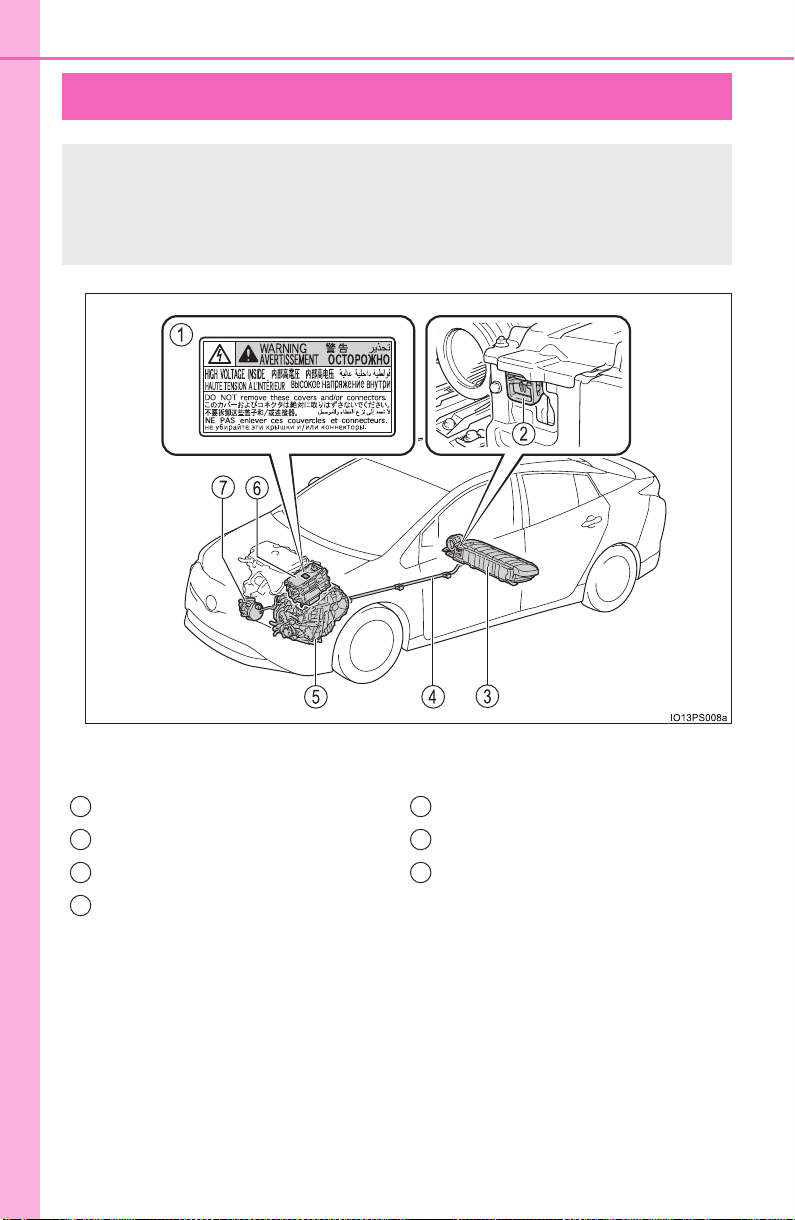
82
1-3. Hybrid system
PRIUS_OM_OM47A29U_(U)
Hybrid system precautions
The illustration is an example for explanation and may differ from the
actual item.
Take care when handling the hybrid system, as it is a high volt-
age system (about 600 V at maximum) as well as contains parts
that become extremely hot when the hybrid system is operating.
Obey the warning labels attached to the vehicle.
Warning label
Service plug
Hybrid battery (traction battery)
High voltage cables (orange)
Electric motor (traction motor)
Power control unit
Air conditioning compressor
1
2
3
4
5
6
7
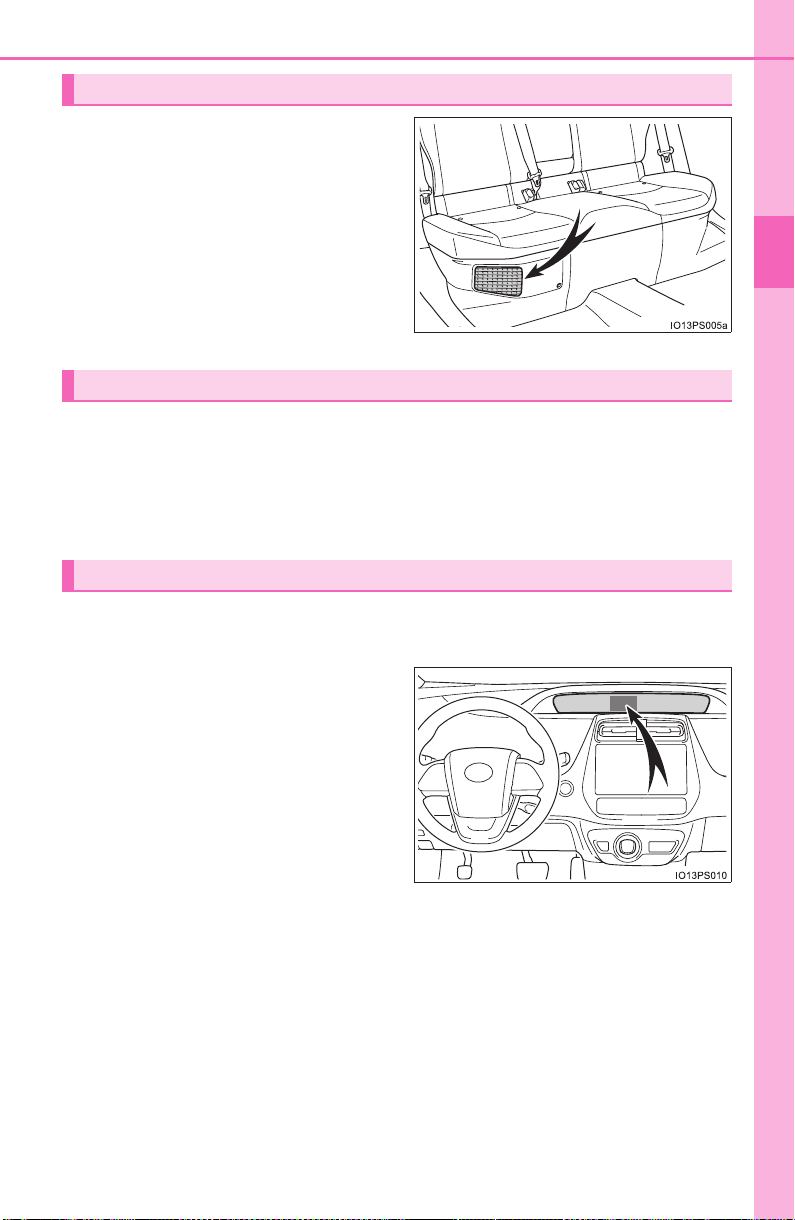
83
1-3. Hybrid system
PRIUS_OM_OM47A29U_(U)
1
For safety and security
There is an air intake vent under
the right side of the rear seat for
the purpose of cooling the hybrid
battery (traction battery). If the
vent becomes blocked, the hybrid
battery (traction battery) may
overheat, leading to a reduction in
hybrid battery (traction battery)
output.
When a certain level of impact is detected by the impact sensor, the
emergency shut off system blocks the high voltage current and stops
the fuel pump to minimize the risk of electrocution and fuel leakage. If
the emergency shut off system activates, your vehicle will not restart.
To restart the hybrid system, contact your Toyota dealer.
A message is automatically displayed when a malfunction occurs in
the hybrid system or an improper operation is attempted.
If a warning message is shown on
the multi-information display, read
the message and follow the
instructions.
Hybrid battery (traction battery) air intake vent
Emergency shut off system
Hybrid warning message

84
1-3. Hybrid system
PRIUS_OM_OM47A29U_(U)
■ If a warning light comes on, a warning message is displayed, or the
12-volt battery is disconnected
The hybrid system may not start. In this case, try to start the system again. If
the “READY” indicator does not come on, contact your Toyota dealer.
■ Running out of fuel
When the vehicle has run out of fuel and the hybrid system cannot be started,
refuel the vehicle with at least enough gasoline to make the low fuel level
warning light (→P. 657) go off. If there is only a small amount of fuel, the
hybrid system may not be able to start. (The standard amount of fuel is about
2.0 gal. [7.5 L, 1.7 Imp.gal.], when the vehicle is on a level surface. This value
may vary when the vehicle is on a slope. Add extra fuel when the vehicle is
inclined.)
■ Electromagnetic waves
● High voltage parts and cables on hybrid vehicles incorporate electromag-
netic shielding, and therefore emit approximately the same amount of elec-
tromagnetic waves as conventional gasoline powered vehicles or home
electronic appliances.
● Your vehicle may cause sound interference in some third party-produced
radio parts.
■ Hybrid battery (traction battery)
The hybrid battery (traction battery) has a limited service life. The lifespan of
the hybrid battery (traction battery) can change in accordance with driving
style and driving conditions.
■ Starting the hybrid system in an extremely cold environment
When the hybrid battery (traction battery) is extremely cold (below approxi-
mately -22°F [-30°C]) under the influence of the outside temperature, it may
not be possible to start the hybrid system. In this case, try to start the hybrid
system again after the temperature of the hybrid battery increases due to the
outside temperature increase etc.
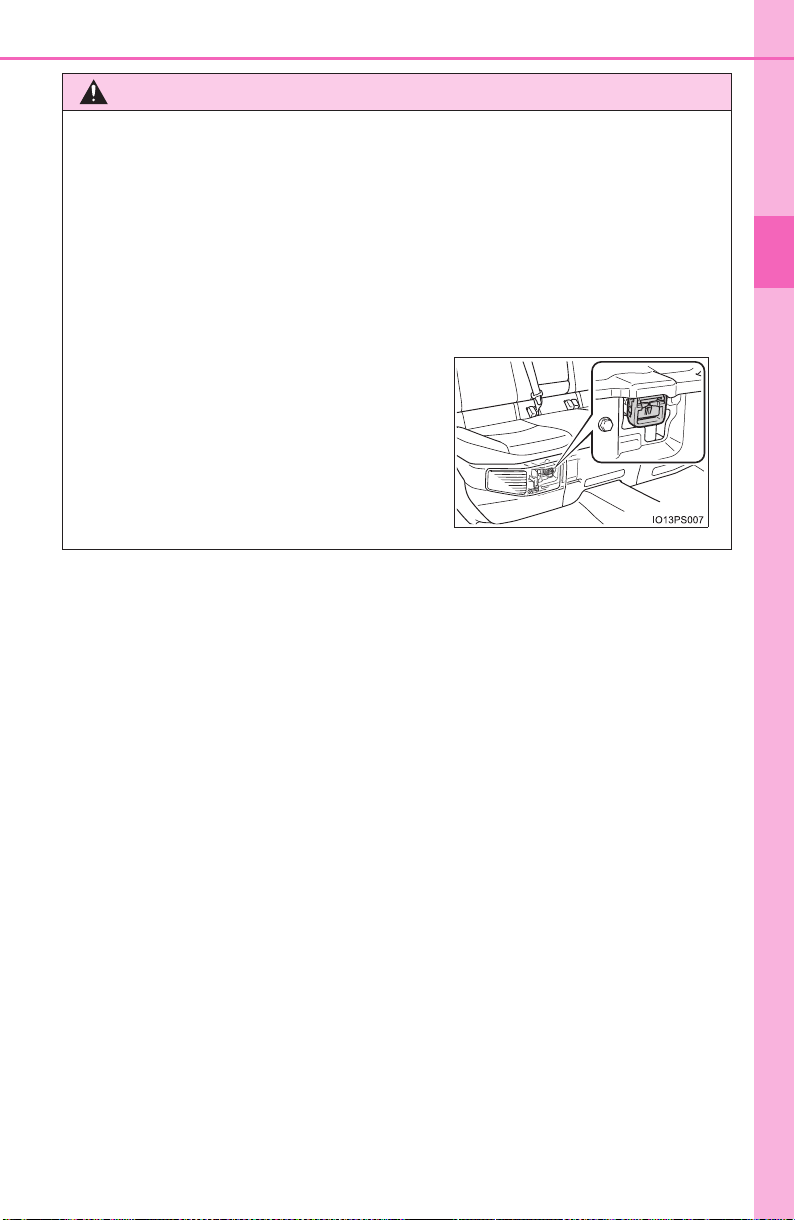
85
1-3. Hybrid system
PRIUS_OM_OM47A29U_(U)
1
For safety and security
WARNING
■ High voltage precautions
This vehicle has high voltage DC and AC systems as well as a 12-volt sys-
tem. DC and AC high voltage is very dangerous and can cause severe
burns and electric shock that may result in death or serious injury.
● Never touch, disassemble, remove or replace the high voltage parts,
cables or their connectors.
● The hybrid system will become hot after starting as the system uses high
voltage. Be careful of both the high voltage and the high temperature, and
always obey the warning labels attached to the vehicle.
● Never try to open the service plug
access hole located under the right side
of the rear seat. The service plug is
used only when the vehicle is serviced
and is subject to high voltage.

86
1-3. Hybrid system
PRIUS_OM_OM47A29U_(U)
WARNING
■ Road accident cautions
Observe the following precautions to reduce the risk of death or serious
injury:
● Pull your vehicle off the road, apply the parking brake, shift the shift posi-
tion to P, and turn the hybrid system off.
● Do not touch the high voltage parts, cables and connectors.
● If electric wires are exposed inside or outside your vehicle, an electric
shock may occur. Never touch exposed electric wires.
● If a fire occurs in the hybrid vehicle, leave the vehicle as soon as possible.
Never use a fire extinguisher that is not meant for electric fires. Using even
a small amount of water may be dangerous.
● If your vehicle needs to be towed, do so with front wheels raised. If the
wheels connected to the electric motor (traction motor) are on the ground
when towing, the motor may continue to generate electricity. This may
cause a fire. (→P. 648)
● Carefully inspect the ground under the vehicle. If you find that liquid has
leaked onto the ground, the fuel system may have been damaged. Leave
the vehicle as soon as possible.
X ZVW50 model*
● If a fluid leak occurs, do not touch the fluid as it may be strong alkaline
electrolyte from the hybrid battery (traction battery). If it comes into contact
with your skin or eyes, wash it off immediately with a large amount of water
or, if possible, boric acid solution. Seek immediate medical attention.
*: The model code is indicated on the Certification Label. (→P. 727)
X ZVW51 models*
● Do not touch the battery if liquid is leaking from or adhering to it.
If electrolyte (carbonic-based organic electrolyte) from the hybrid battery
(traction battery) comes into contact with the eyes or skin, it could cause
blindness or skin wounds. In the unlikely event that it comes into contact
with the eyes or skin, wash it off immediately with a large amount of water,
and seek immediate medical attention.
● If electrolyte is leaking from the hybrid battery (traction battery), do not
approach the vehicle.
Even in the unlikely event that the hybrid battery (traction battery) is dam-
aged, the internal construction of the battery will prevent a large amount of
electrolyte from leaking out. However, any electrolyte that does leak out
will give off a vapor. This vapor is an irritant to skin and eyes and could
cause acute poisoning if inhaled.
● Do not bring burning or high-temperature items close to the electrolyte.
The electrolyte may ignite and cause a fire.
*: The model code is indicated on the Certification Label. (→P. 727)

87
1-3. Hybrid system
PRIUS_OM_OM47A29U_(U)
1
For safety and security
WARNING
■ Hybrid battery (traction battery)
● ZVW51 models
*: Your vehicle contains a sealed lithium-ion battery.
● Never resell, hand over or modify the hybrid battery. To prevent accidents,
hybrid batteries that have been removed from a disposed vehicle are col-
lected through Toyota dealer. Do not dispose of the battery yourself.
Unless the battery is properly collected, the following may occur, resulting
in death or serious injury:
• The hybrid battery may be illegally disposed of or dumped, and it is haz-
ardous to the environment or someone may touch a high voltage part,
resulting in an electric shock.
• The hybrid battery is intended to be used exclusively with your hybrid
vehicle. If the hybrid battery is used outside of your vehicle or modified
in any way, accidents such as electric shock, heat generation, smoke
generation, an explosion and electrolyte leakage may occur.
When reselling or handing over your vehicle, the possibility of an accident
is extremely high because the person receiving the vehicle may not be
aware of these dangers.
● If your vehicle is disposed of without the hybrid battery having been
removed, there is a danger of serious electric shock if high voltage parts,
cables and their connectors are touched. In the event that your vehicle
must be disposed of, the hybrid battery must be disposed of by your
Toyota dealer or a qualified service shop. If the hybrid battery is not dis-
posed of properly, it may cause electric shock that can result in death or
serious injury.
*: The model code is indicated on the Certification Label. (→P. 727)

88
1-3. Hybrid system
PRIUS_OM_OM47A29U_(U)
NOTICE
■ Hybrid battery (traction battery) air intake vent
● Make sure not to block the air intake vent with anything, such as a seat
cover, plastic cover, or luggage. The hybrid battery (traction battery) may
overheat and be damaged.
● When dust etc. has accumulated in the air intake vent, clean it with a vac-
uum cleaner to prevent the vent from clogging.
● Do not get water or foreign materials in the air intake vent as this may
cause a short circuit and damage the hybrid battery (traction battery).
● Do not carry large amounts of water such as water cooler bottles in the
vehicle. If water spills onto the hybrid battery (traction battery), the battery
may be damaged. Have the vehicle inspected by your Toyota dealer.
● A filter is installed to the air intake vent. When the filter remains noticeably
dirty even after cleaning the air intake vent, filter cleaning or replacement
is recommended. When cleaning or replacing the filter, contact your
Toyota dealer.
When “Maintenance Required for Hybrid Battery Cooling Parts at Your
Dealer” is shown on the multi-information display, the filter may be
clogged. Have the filter cleaned or replaced at your Toyota dealer.

89
1-4. Theft deterrent system
PRIUS_OM_OM47A29U_(U)
1
For safety and security
Immobilizer system
The indicator light flashes after
the power switch has been turned
off to indicate that the system is
operating.
The indicator light stops flashing
after the power switch has been
turned to ACCESSORY or ON
mode to indicate that the system
has been canceled.
■ System maintenance
The vehicle has a maintenance-free type immobilizer system.
■ Conditions that may cause the system to malfunction
● If the grip portion of the key is in contact with a metallic object
● If the key is in close proximity to or touching a key registered to the security
system (key with a built-in transponder chip) of another vehicle
The vehicle’s keys have built-in transponder chips that prevent
the hybrid system from starting if a key has not been previously
registered in the vehicle’s on-board computer.
Never leave the keys inside the vehicle when you leave the vehi-
cle.
This system is designed to help prevent vehicle theft but does not
guarantee absolute security against all vehicle thefts.
90
1-4. Theft deterrent system
PRIUS_OM_OM47A29U_(U)
■ Certification for the immobilizer system
X For vehicles sold in the U.S.A., Hawaii, American Samoa, Guam, Saipan
and Puerto Rico
X For vehicles sold in Canada
NOTICE
■ To ensure the system operates correctly
Do not modify or remove the system. If modified or removed, the proper
operation of the system cannot be guaranteed.

91
PRIUS_OM_OM47A29U_(U)
Instrument cluster
2
2. Instrument cluster
Combination meter.............. 92
Warning lights and
indicators ........................ 100
Main display ...................... 107
Multi-information
display............................. 114
Head-up display ................ 146
Energy monitor/
consumption screen........ 153
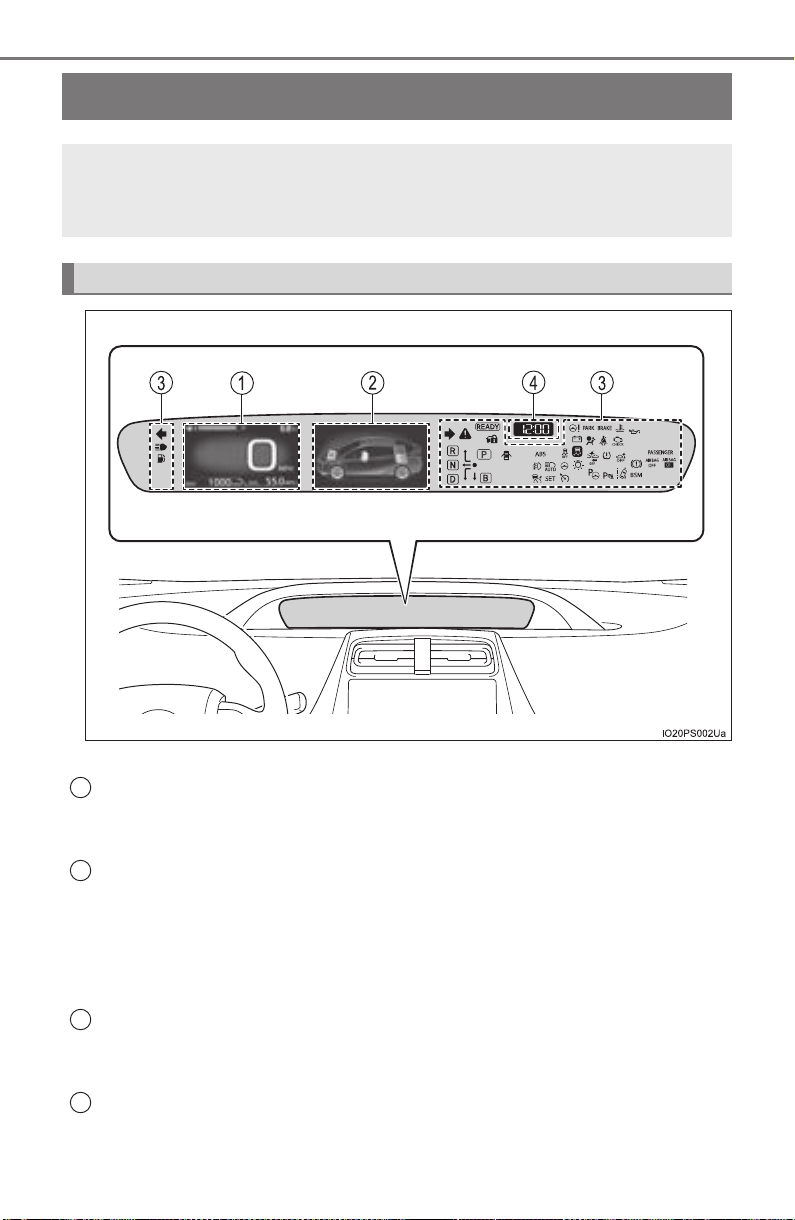
92
PRIUS_OM_OM47A29U_(U)
2. Instrument cluster
Combination meter
The units used on the display may differ depending on the target region.
Main display (→P. 107)
The main display shows basic information related to driving, such as the
vehicle speed and remaining fuel amount.
Multi-information display (→P. 114 )
The multi-information display shows information which makes the vehicle
convenient-to-use, such as the hybrid system operation condition and fuel
consumption history. Also, the operation contents of the driving support
systems and the combination meter display settings can be changed by
switching to the settings screen.
Warning lights and indicators (→P. 100)
The warning lights and indicators comes on or flashes to indicate problems
with the vehicle or to show the operation status of the vehicle’s systems.
Clock (→P. 97)
The large meter uses 2 liquid crystal displays to display informa-
tion such as the vehicle condition, driving status and fuel con-
sumption.
Combination meter layout
1
2
3
4
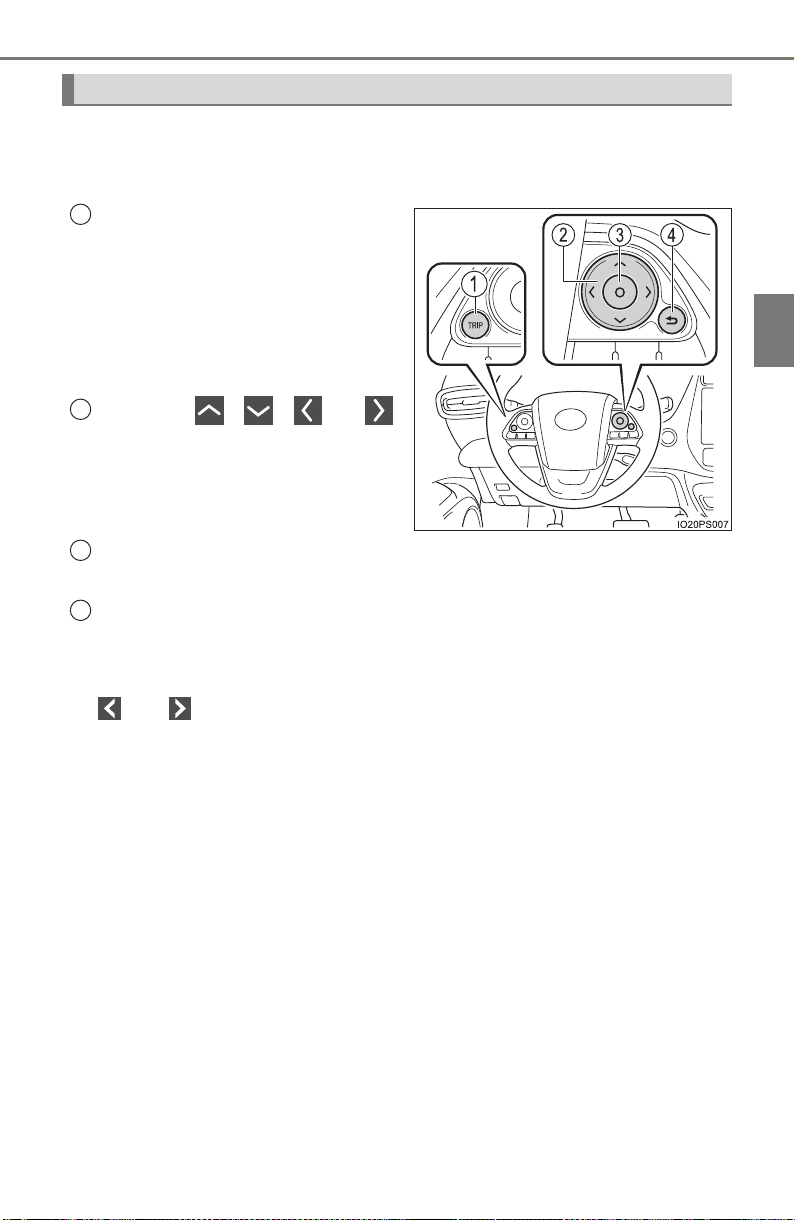
PRIUS_OM_OM47A29U_(U)
93
2. Instrument cluster
2
Instrument cluster
The meter control switches equipped on the steering wheel can be
used to switch the screen display and change settings related to func-
tions displayed on the screen.
Each time the button is
pressed, the mileage display
switches among odometer, trip
meters, etc., and the fuel con-
sumption information for each
distance switches as well.
(→ P. 109)
Pressing , , or
performs such operations as
scrolling the screen
*, switching
the contents of the display
* and
moving the cursor.
This button is used to perform such operations as selecting the cur-
rent item or switching between on and off.
When pressed, the display returns to the previous screen.
*: On screens where the screen can be scrolled and the display can be
switched, marks are displayed to indicate the method of operation (such as
and ).
Operations related to the combination meter
1
2
3
4
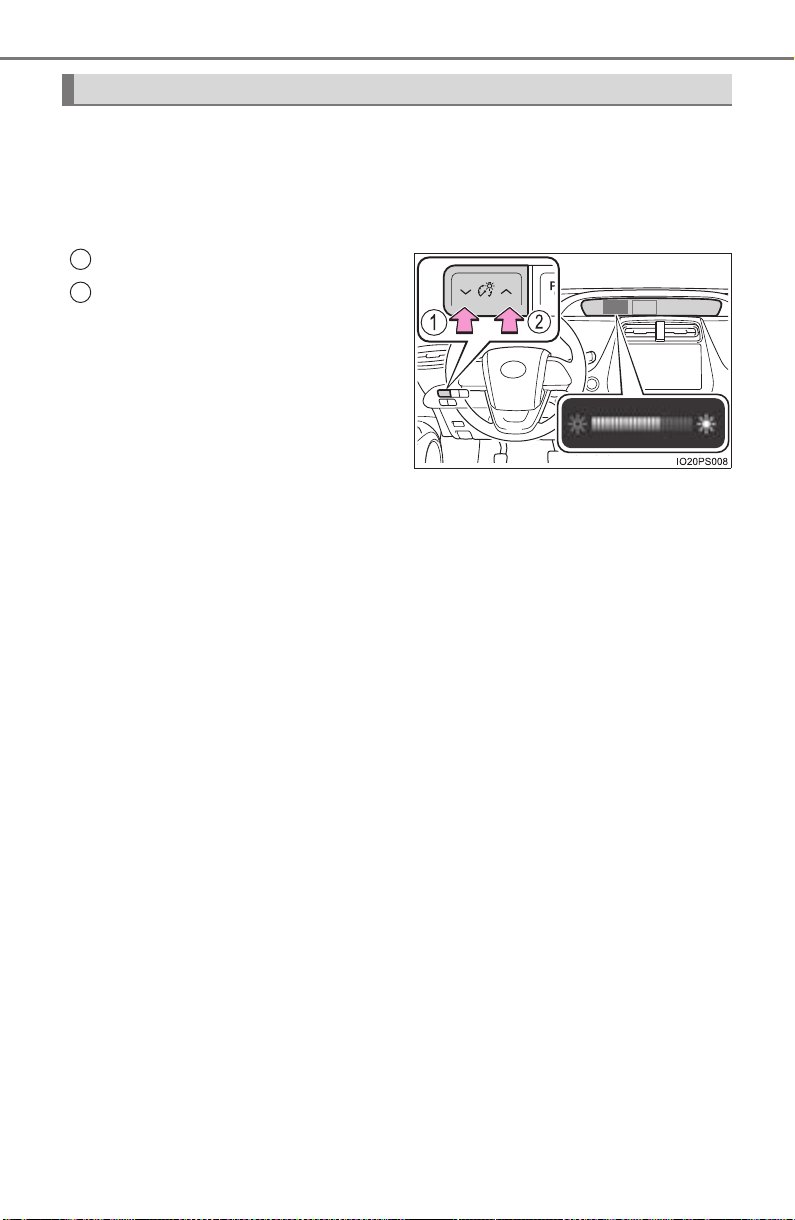
94
PRIUS_OM_OM47A29U_(U)
2. Instrument cluster
When the switches are pressed, the instrument cluster light changes
as follows.
The instrument cluster brightness levels that can be selected differ
depending on whether the tail lights are on and surrounding brightness lev-
els. (→P. 98)
Darker
Brighter
When the switches are pressed,
the adjustment level check screen
(pop-up display
*) is displayed on
the main display.
When the instrument cluster light is
adjusted, the brightness of the
instrument panel light also
changes.
*: A short time after the operation is completed, the pop-up display turns off.
Furthermore, the pop-up display can be turned on and off in the “Meter
Customize” settings. (→P. 142)
Instrument cluster light control
1
2
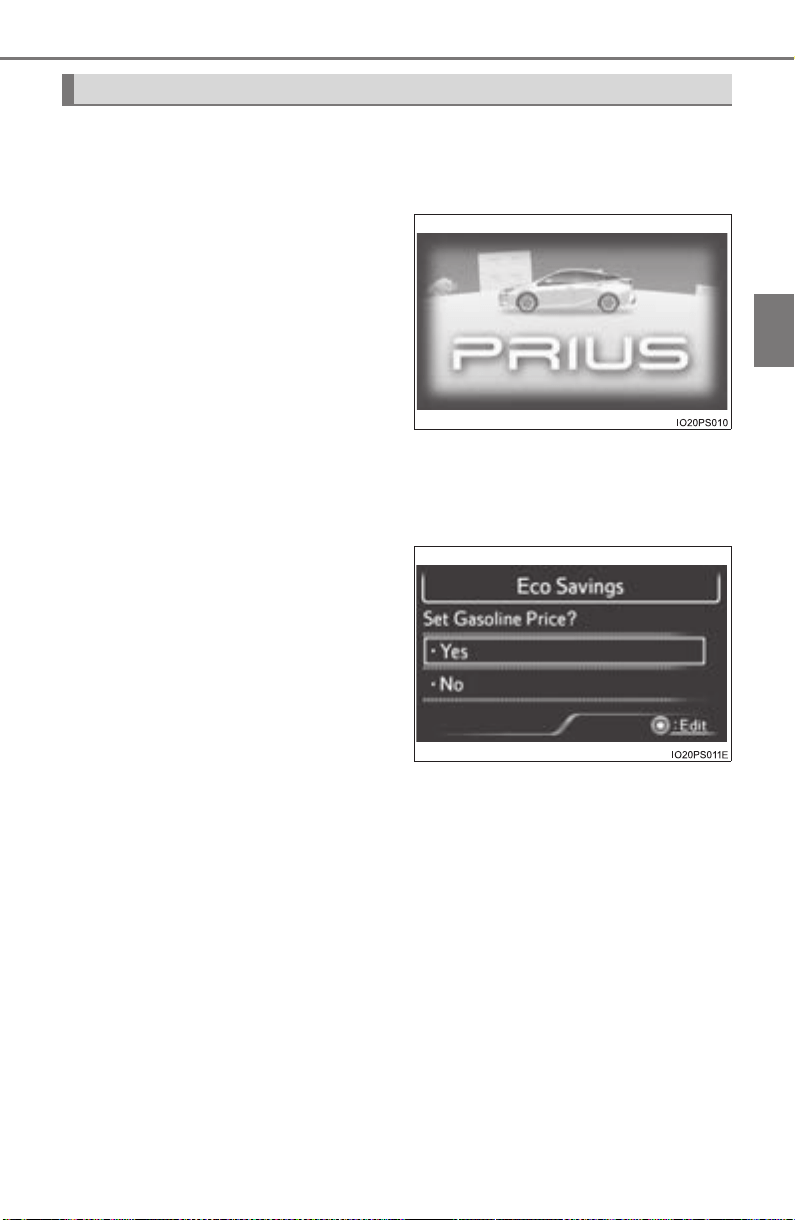
PRIUS_OM_OM47A29U_(U)
95
2. Instrument cluster
2
Instrument cluster
Some information will be displayed automatically according to power
switch operation, vehicle condition, etc.
■ When starting the hybrid system
When the hybrid system starts,
an opening animation is dis-
played on the 2 displays.
After the animation ends, the
screens switch to the normal
screen.
The opening animation will be
stopped in any of the following
situations.
• When the shift position is changed to other than P
• When the Simple Advanced Parking Guidance System (if equipped)
is turned on
■
After refueling
When the power switch is
turned to ON mode after refuel-
ing, the gasoline price setting
screen* is displayed on the
multi-information display.
After refueling, always set the
gasoline price so that the “Eco
Savings” function (→P. 128) may
operate properly.
Settings related to the “Eco Savings” function can be changed in the
“Meter Customize” settings. (→P. 142)
*: If the amount of fuel that the vehicle is refueled with is too small, this
screen may not be displayed. (→P. 113)
■
When the driving assist systems are operating
When using driving assist systems such as the dynamic radar
cruise control with full-speed range
* (→P. 300) and LDA system*
(→P. 289), information related to each system is automatically dis-
played on the multi-information display depending on the situation.
For details regarding the displayed information and the contents of the
display, refer to the explanation page of each system.
*: If equipped
Information automatically displayed
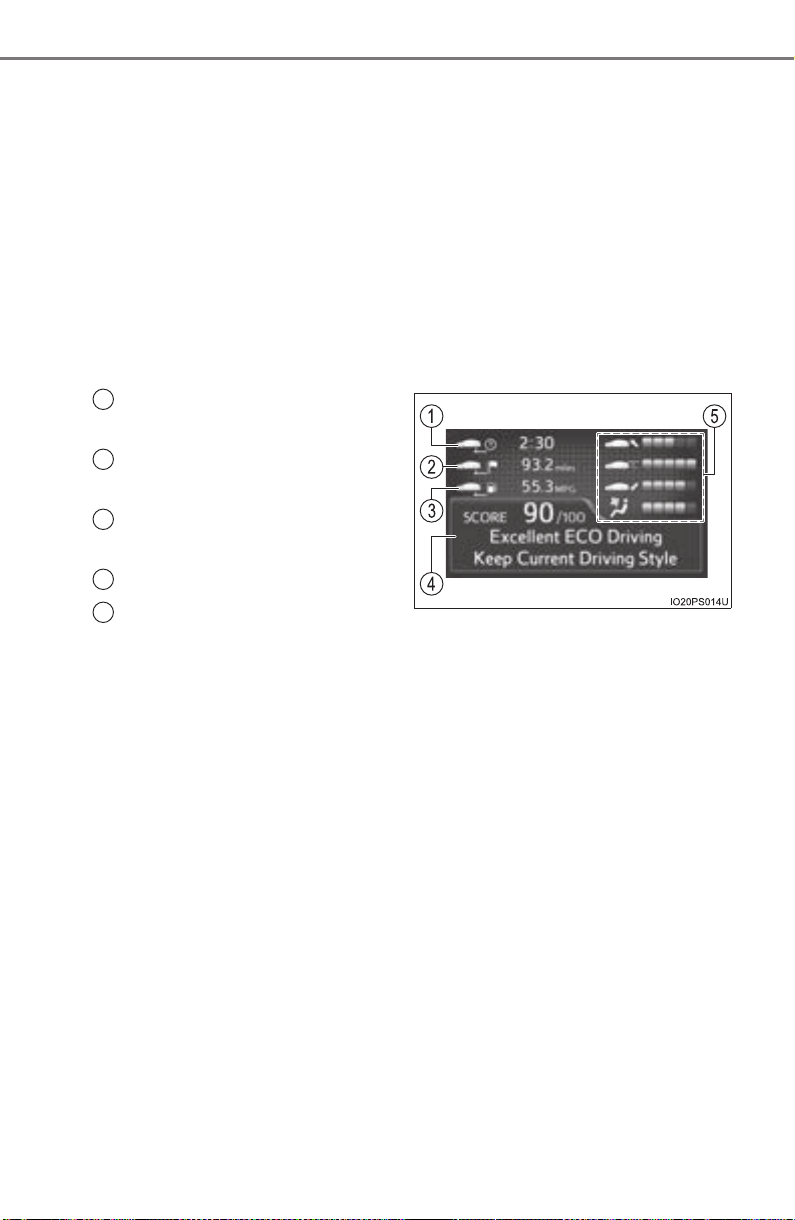
96
PRIUS_OM_OM47A29U_(U)
2. Instrument cluster
■ When there is information to be notified about the vehicle
When a shift position is mistakenly selected or a problem occurs in
a vehicle system, a warning message (or image) is displayed on
the multi-information display.
When a warning message is displayed, follow the instructions displayed
on the display. (→P. 665)
■
When stopping the hybrid system
From the time the hybrid system is started until it is turned off, the
driving time, distance traveled, average fuel consumption and Eco
score (→P. 121, 136) result are displayed on the multi-information
display approximately every 30 seconds.
Driving time since hybrid sys-
tem started
Distance traveled since
hybrid system started
Average fuel consumption
after hybrid system started
Eco score result and advice
Score display for each Eco
score item (→P. 121, 136)
1
2
3
4
5
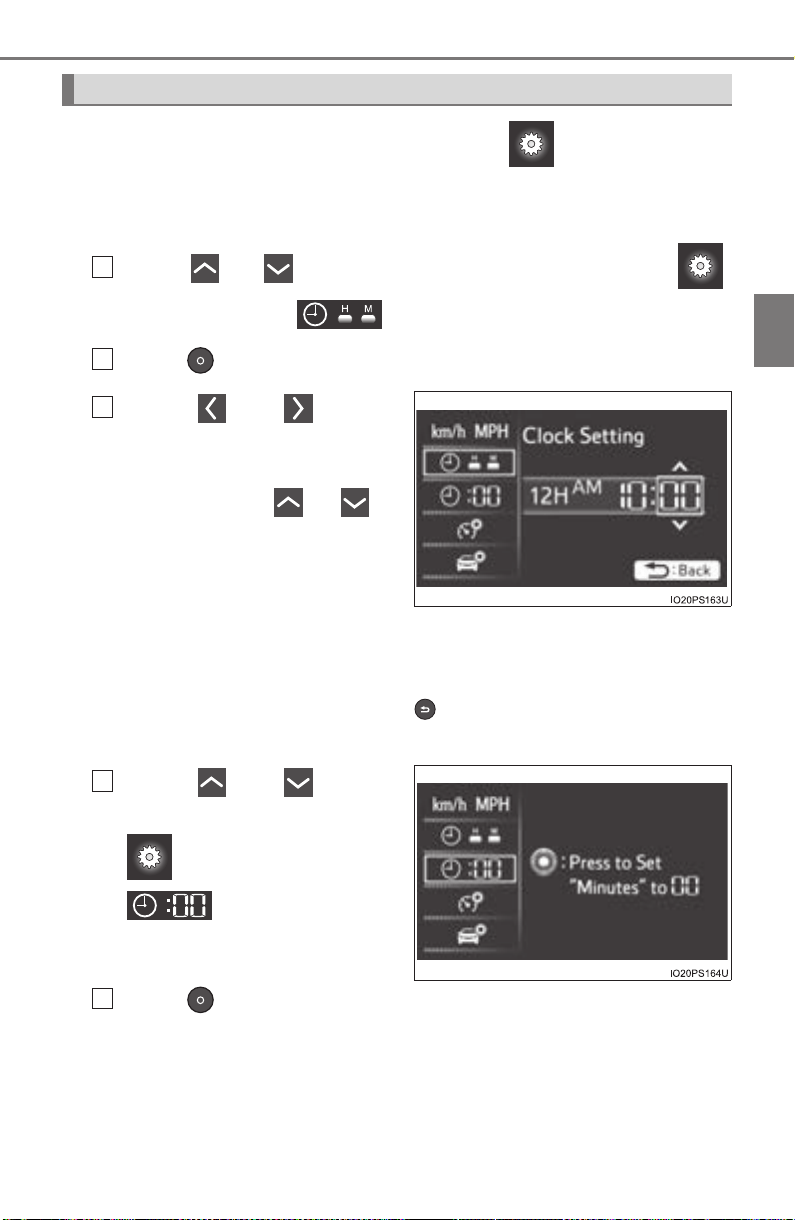
PRIUS_OM_OM47A29U_(U)
97
2. Instrument cluster
2
Instrument cluster
To adjust the time, perform operations on the screen (→P. 139)
of the multi-information display.
■ Adjusting the time
Press or of the meter control switches on the
screen and select .
Press to display the cursor.
Press or of the
meter control switches to
adjust the cursor position,
and then press or to
change the setting.
When the 12-hour display is
selected, “12H” is displayed,
and when the 24-hour display is
selected, “24H” is displayed.
When adjusting minutes, operation automatically starts from 00 sec-
onds.
After changing the settings, press to return to the previous screen.
■
Resetting the minutes display
Press or of the
meter control switches on the
screen and select
.
Press .
The minutes display switches to “00”.*
*
: e.g. 1:00 to 1:29 → 1:00
1:30 to 1:59 → 2:00
Clock adjustment
1
2
3
1
2
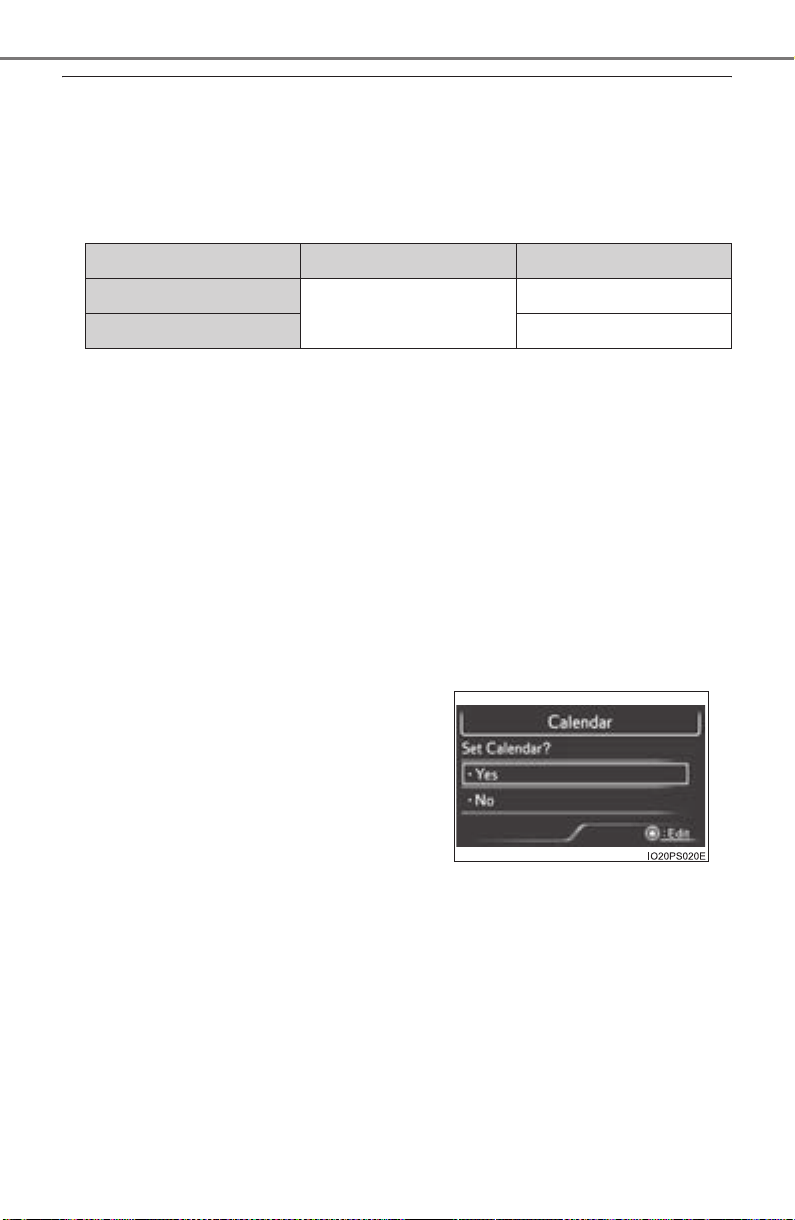
98
PRIUS_OM_OM47A29U_(U)
2. Instrument cluster
■ The meters and display illuminate when
The power switch is in ON mode.
■ Adjusting the instrument cluster brightness (→P. 94)
● The brightness levels that can be selected differ depending on whether the
tail lights are on and surrounding brightness levels, as shown in the table
below.
*: 22 levels of the brightness are displayed on the setting screen. However,
the brightness setting will be the brightest when other than 1st level (the
darkest) is selected. If other than 1st or 22nd level is selected, when the
tail lights are turned on in a dark place, the instrument cluster brightness
setting will be the selected level.
● If the taillights are illuminated in a dark environment, the instrument cluster
light dims. However, when the brightness of the instrument cluster is set to
minimum or maximum (1st or 22nd level of the instrument cluster bright-
ness), even if the taillights are illuminated, the instrument cluster light will
not dim.
■ When disconnecting and reconnecting 12-volt battery terminals
The settings of the calendar, clock, etc. will be reset.
■ Calendar settings
● Until the calendar settings are set, the check screen is displayed every time
the power switch is turned to ON mode.
● After the calendar information is set, it can be changed in the “Meter Cus-
tomize” settings. (→P. 142)
The tail lights are off The tail lights are on
In a bright place
2 levels*
2 levels*
In a dark place 22 levels
If calendar information is deleted due to
replacement of the 12-volt battery or bat-
tery discharge, etc., when the power
switch is turned to ON mode, the calendar
settings check screen is automatically dis-
played on the multi-information display.
● If date information is not set, the fuel
consumption record cannot be stored
correctly. When the calendar settings
check screen is displayed, make sure to
always set the settings. (→P. 139)

PRIUS_OM_OM47A29U_(U)
99
2. Instrument cluster
2
Instrument cluster
■ Liquid crystal display
Small spots or light spots may appear on the display. This phenomenon is
characteristic of liquid crystal displays, and there is no problem continuing to
use the display.
■ Pop-up display
Some functions, such as the driving mode select switch and air conditioning
system, are operation-linked and display pop-up screens on the multi-infor-
mation display. If the pop-up screens of these functions are not desired, they
can be turned off in the “Meter Customize” settings. (→P. 142)
WARNING
■ To prevent an accident
■ Caution for use while driving
For safety, avoid operating the meter control switch while driving as much
as possible, and do not look continuously at the multi-information display
while driving. Stop the vehicle and operate the meter control switch. Failure
to do so may cause a steering wheel operation error, resulting in an unex-
pected accident.
NOTICE
■ The information display at low temperatures
Allow the interior of the vehicle to warm up before using the liquid crystal
information display. At extremely low temperatures, the information display
monitor may respond slowly, and display changes may be delayed.
Do not place anything or attach a sticker
in front of the instrument cluster. The item
may obscure or obstruct the display, or
could reflect off the display, possibly
causing an accident.
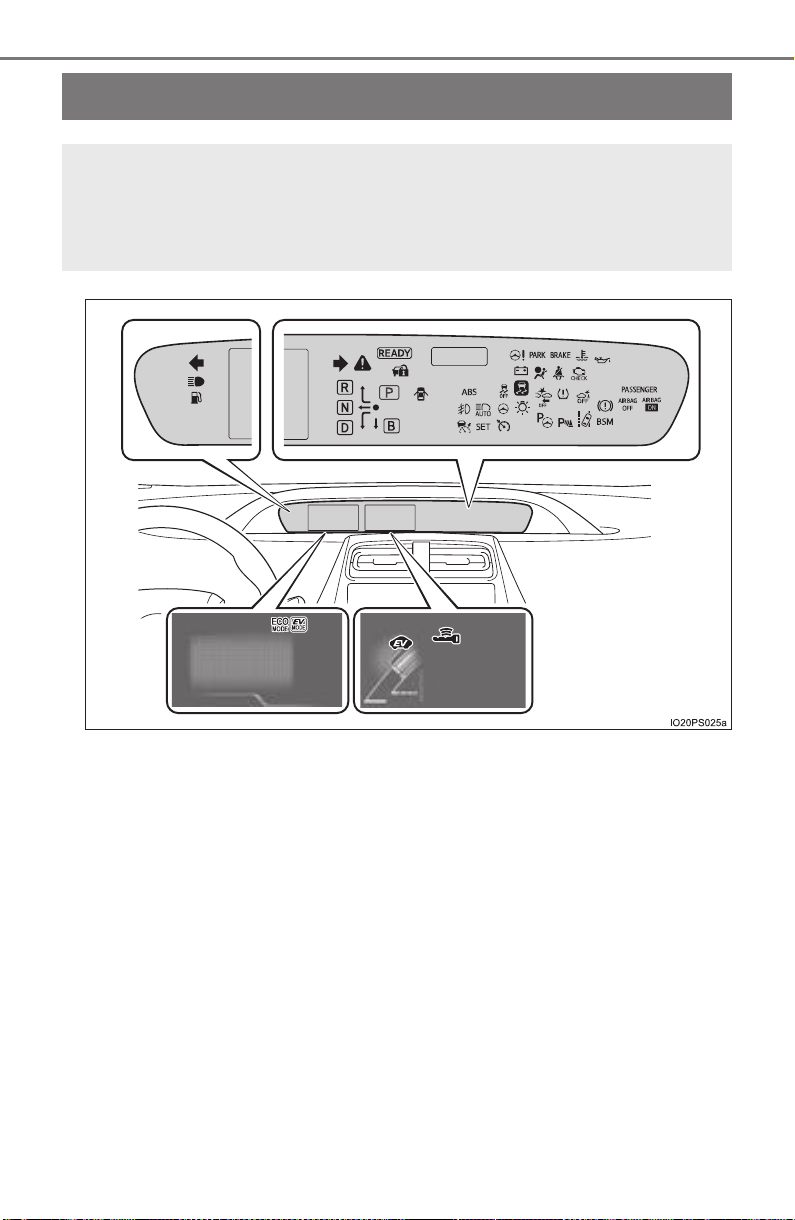
100
PRIUS_OM_OM47A29U_(U)
2. Instrument cluster
Warning lights and indicators
The warning lights and indicators inform the driver of the status
of the vehicle’s various systems.
For the purpose of explanation, the following illustration dis-
plays all indicators and warning lights illuminated.
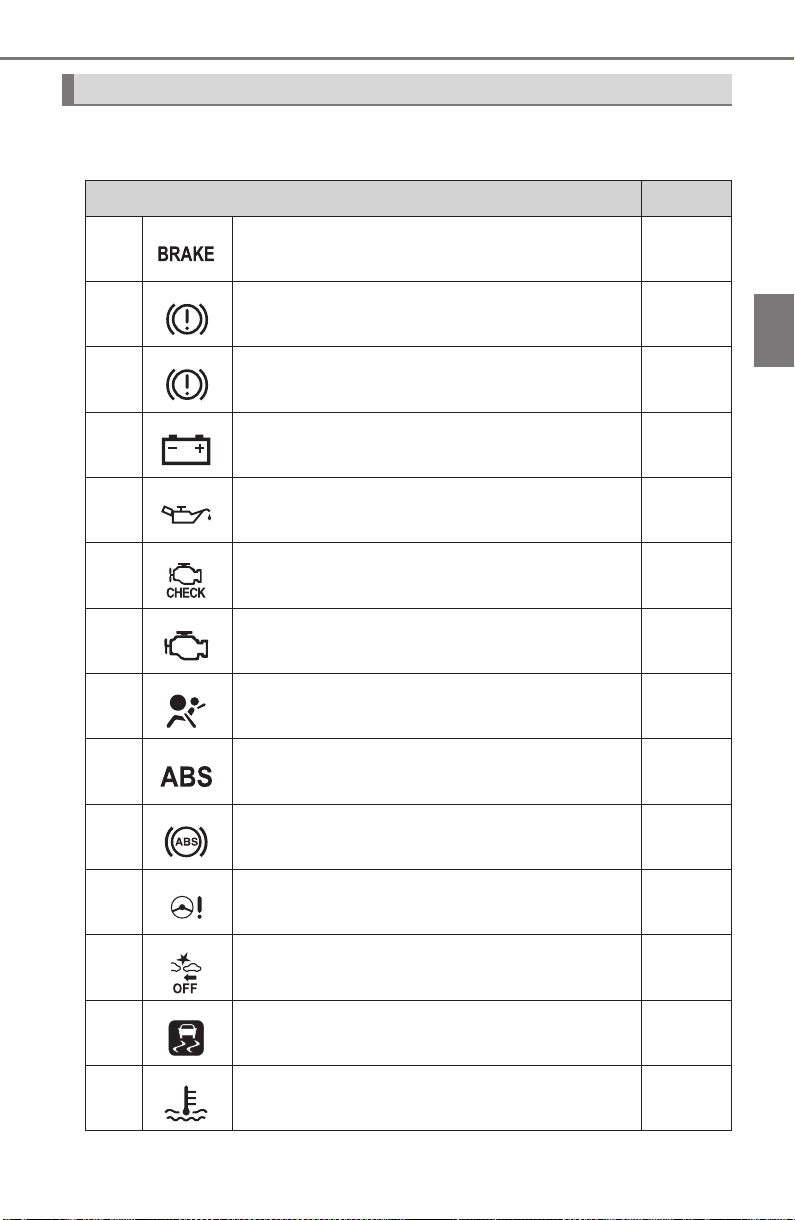
PRIUS_OM_OM47A29U_(U)
101
2. Instrument cluster
2
Instrument cluster
Warning lights inform the driver of malfunctions in any of the vehicle’s
systems.
Warning lights
Warning lights Pages
*
1
Brake system warning light (U.S.A.) P. 655
*
1
Brake system warning light (Canada)
(Red)
P. 655
*
1
Brake system warning light
(Yellow)
P. 655
*
1
Charging system warning light P. 655
*
1
Low engine oil pressure warning light P. 655
*
1
Malfunction indicator lamp (U.S.A.) P. 655
*
1
Malfunction indicator lamp (Canada) P. 655
*
1
SRS warning light P. 656
*
1
ABS warning light (U.S.A.) P. 656
*
1
ABS warning light (Canada) P. 656
*
1
Electric power steering system warning light
(Red/yellow)
P. 656
*
1, 2
PCS warning light (if equipped) P. 656
*
1
Slip indicator light P. 657
*
1
High coolant temperature warning light P. 657

102
PRIUS_OM_OM47A29U_(U)
2. Instrument cluster
*
1
: These lights turn on when the power switch is turned to ON mode to indi-
cate that a system check is being performed. They will turn off after the
hybrid system is on, or after a few seconds. There may be a malfunction in
a system if a light does not come on, or if the lights do not turn off. Have
the vehicle inspected by your Toyota dealer.
*
2
: The light flashes to indicate a malfunction.
*
1, 2
ICS OFF indicator (if equipped) P. 657
Open door warning light P. 657
Low fuel level warning light P. 657
Seat belt reminder light P. 658
*
1
Master warning light P. 658
*
1
Tire pressure warning light
P. 658
Warning lights Pages
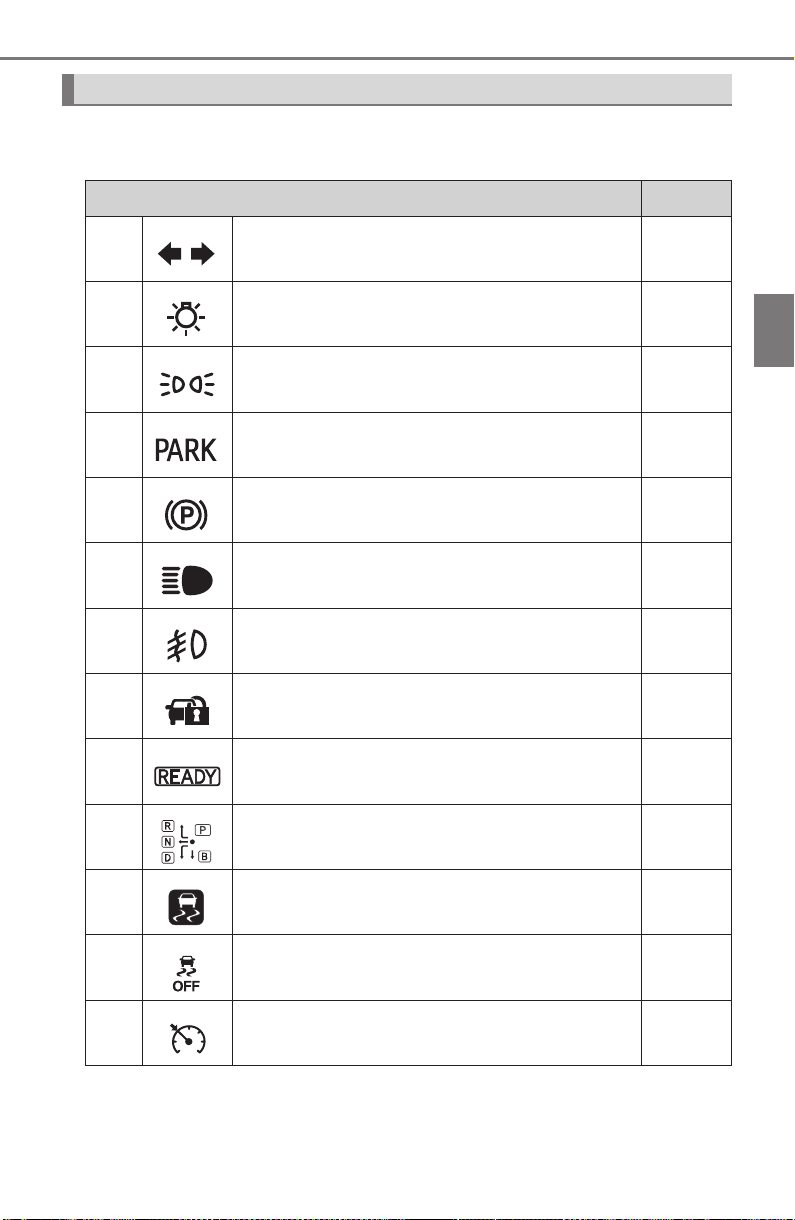
PRIUS_OM_OM47A29U_(U)
103
2. Instrument cluster
2
Instrument cluster
The indicators inform the driver of the operating state of the vehicle’s
various systems.
Indicators
Indicators Pages
Turn signal indicator P. 240
Headlight indicator (U.S.A.) P. 242
Tail light indicator (Canada) P. 244
Parking brake indicator (U.S.A.) P. 241
Parking brake indicator (Canada) P. 241
Headlight high beam indicator P. 244
Fog light indicator (if equipped) P. 252
Security indicator P. 89
“READY” indicator P. 225
Shift position indicators P. 234
*
1, 2
Slip indicator light P. 405
*
1, 3
VSC OFF indicator P. 406
Cruise control indicator
P. 310,
315
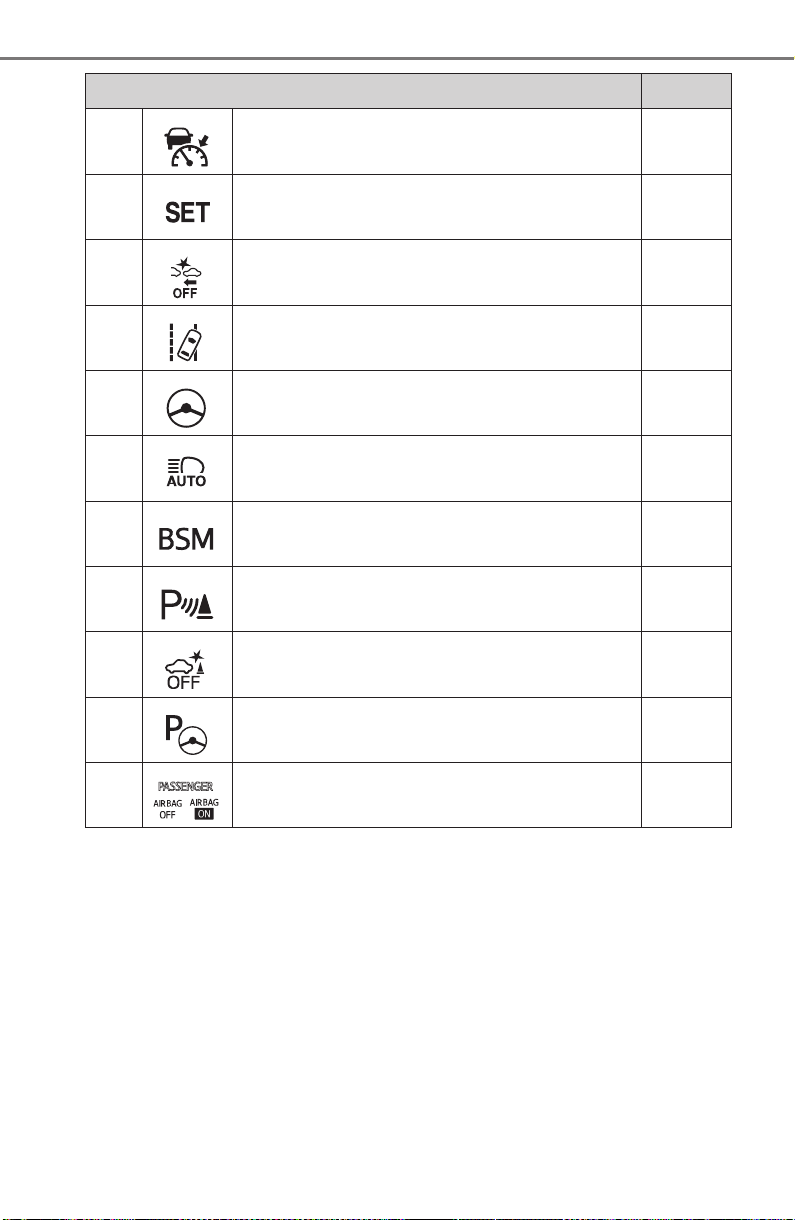
104
PRIUS_OM_OM47A29U_(U)
2. Instrument cluster
*
1
: These lights turn on when the power switch is turned to ON mode to indi-
cate that a system check is being performed. They will turn off after the
hybrid system is on, or after a few seconds. There may be a malfunction in
a system if a light does not come on, or if the lights do not turn off. Have
the vehicle inspected by your Toyota dealer.
*
2
: The light flashes to indicate that the system is operating.
*
3
: The light comes on when the system is turned off.
Radar cruise control indicator (if equipped) P. 300
Cruise control “SET” indicator
P. 300,
315
*
1, 3
PCS warning light (if equipped) P. 279
LDA indicator (if equipped) P. 293
Steering control indicator (if equipped) P. 294
*
1
Automatic High Beam indicator (if equipped) P. 247
“BSM” indicator (if equipped) P. 322
Intuitive parking assist indicator (if equipped) P. 335
*
1, 3
ICS OFF indicator (if equipped) P. 348
*
1
S-APGS indicator (if equipped) P. 364
“AIR BAG ON/OFF” indicator P. 50
Indicators Pages
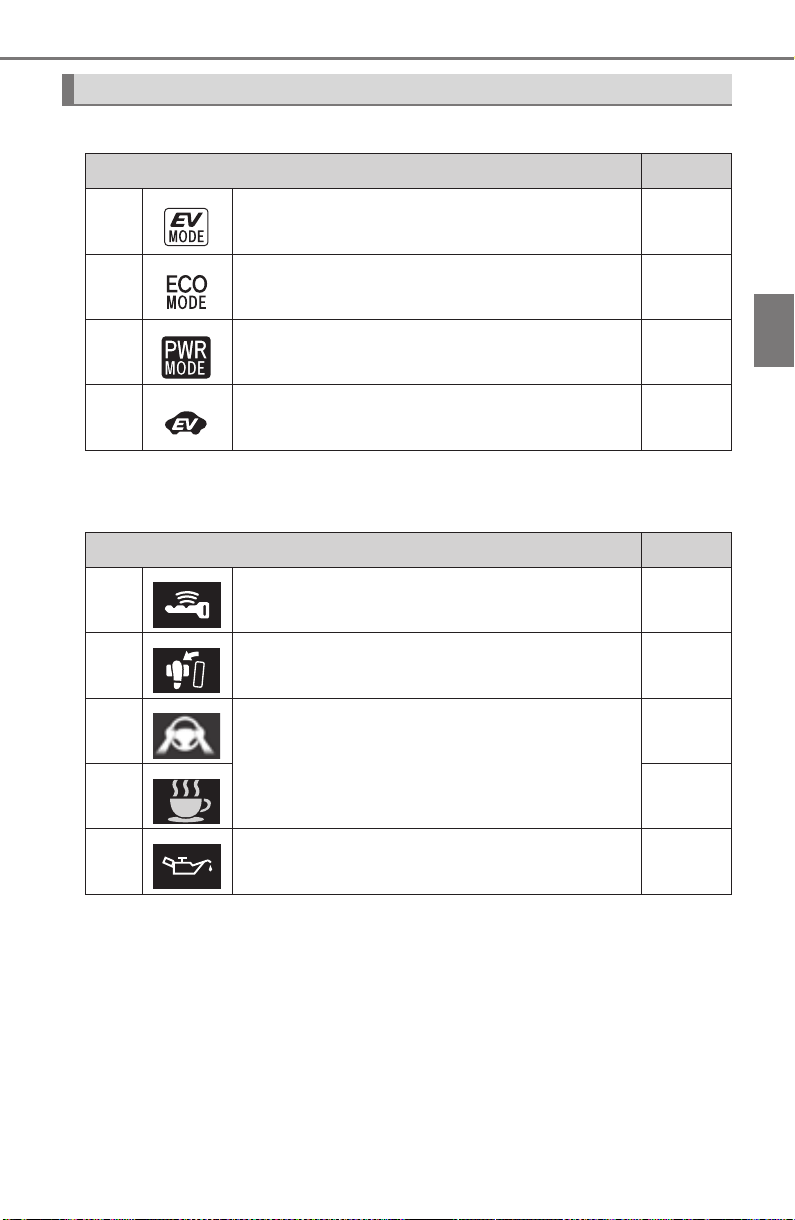
PRIUS_OM_OM47A29U_(U)
105
2. Instrument cluster
2
Instrument cluster
■ Main display
*: The displayed indicator changes according to the current driving mode.
■
Multi-information display (symbol display*)
*: These symbols are displayed along with a message. Also, the symbol dis-
plays listed here are only an example, and different symbols may be dis-
played according to the contents of the multi-information display.
Indicators and symbols displayed on the display
Indicators Pages
EV drive mode indicator P. 231
*
“ECO MODE” indicator P. 320
*
“PWR MODE” indicator P. 320
EV Indicator P. 120
Symbol display Pages
Smart key system P. 225
Brake Override System/Drive-Start Control/
Intelligent Clearance Sonar (if equipped)
P. 658
LDA (Lane Departure Alert with steering con-
trol) (if equipped)
P. 659
P. 289
Low engine oil pressure warning
(Canada only)
P. 659
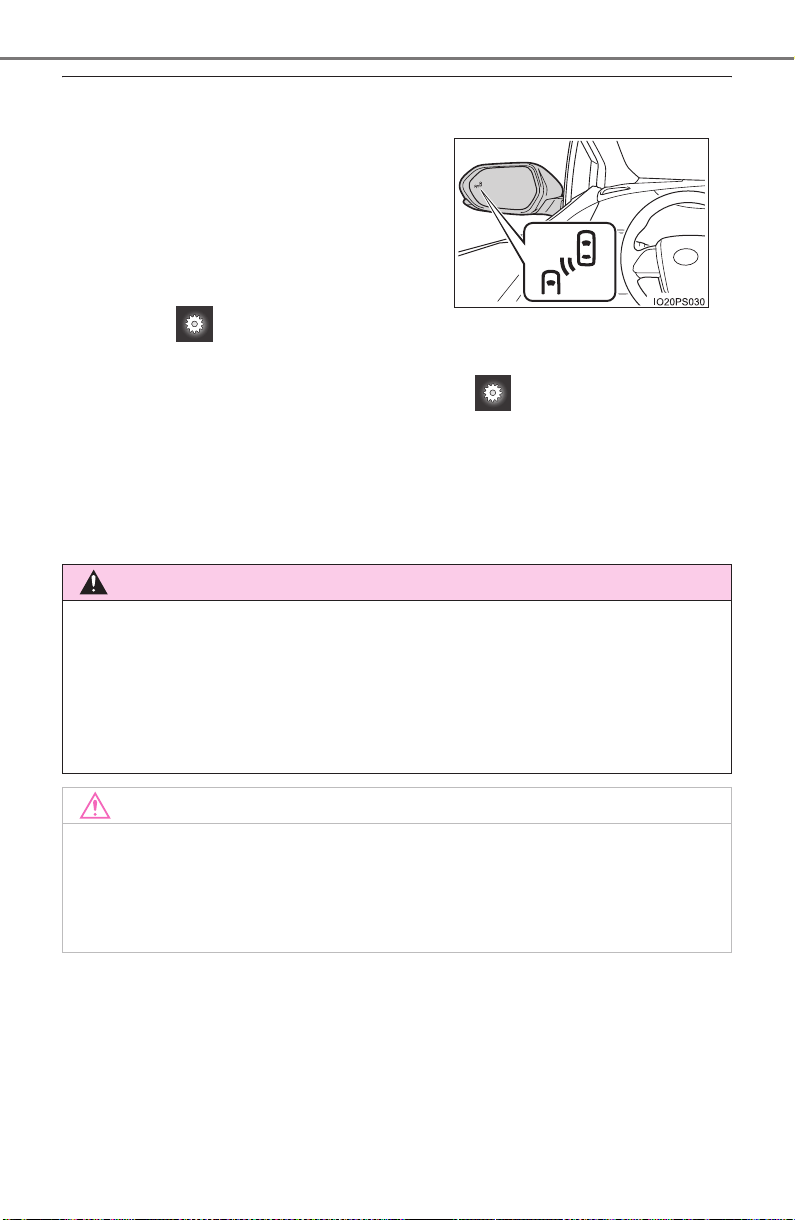
106
PRIUS_OM_OM47A29U_(U)
2. Instrument cluster
■ BSM (Blind Spot Monitor) outside rear view mirror indicators
(if equipped) (→P. 322)
• When the BSM function is enabled on the screen of the multi-infor-
mation display, the power switch is turned to ON mode.
If the system is functioning correctly, the BSM outside rear view mirror indi-
cators will turn off after a few seconds.
If the BSM outside rear view mirror indicators do not illuminate or do not
turn off, there may be a malfunction in the system.
If this occurs, have the vehicle inspected by your Toyota dealer.
● Indicators are also displayed on the out-
side rear view mirrors.
● In order to confirm operation, the BSM
outside rear view mirror indicators illumi-
nate in the following situations:
• When the power switch is in ON
mode, the BSM function is enabled
on the screen of the multi-infor-
mation display.
WARNING
■ If a safety system warning light does not come on
Should a safety system light such as the ABS and SRS warning light not
come on when you start the hybrid system, this could mean that these sys-
tems are not available to help protect you in an accident, which could result
in death or serious injury. Have the vehicle inspected by your Toyota dealer
immediately if this occurs.
NOTICE
■ To prevent damage to the engine and its components
The engine may be overheating if the high coolant temperature warning
light comes on or flashes. In this case, immediately stop the vehicle in a
safe place, and check the engine after it has cooled completely. (→P. 717)
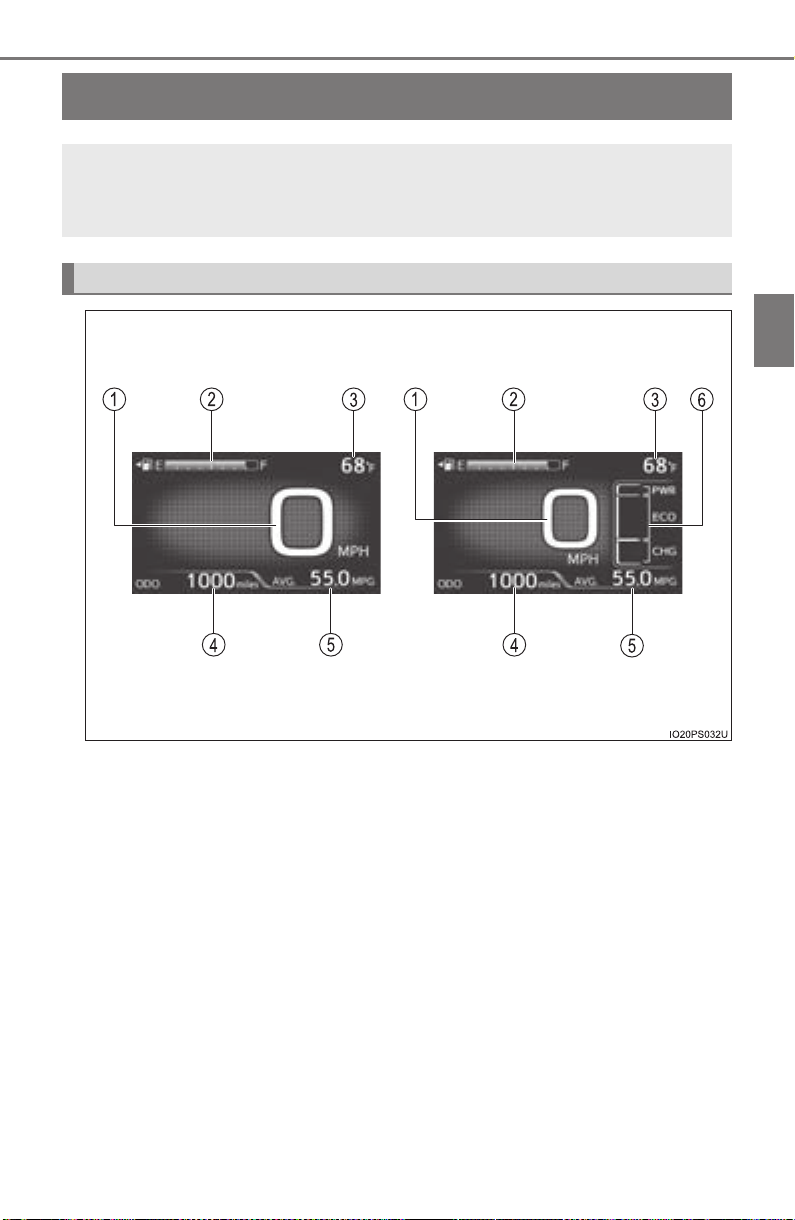
107
PRIUS_OM_OM47A29U_(U)
2. Instrument cluster
2
Instrument cluster
Main display
The units used on the display may differ depending on the target region.
The main display shows basic information, such as the vehicle
speed and remaining fuel amount. Also, the displayed informa-
tion can be switched according to user preference.
Display contents
Simple screen* Split screen*
*
: Refer to P. 111 for details on how to change the screen display.

108
PRIUS_OM_OM47A29U_(U)
2. Instrument cluster
Speedometer
Displays the vehicle speed
Fuel gauge
Displays the quantity of fuel remaining in the tank
Outside temperature
Displays the outside temperature within the range of -40°F (-40°C) to
122°F (50°C).
The temperature display flashes for approximately 10 seconds when the
outside temperature drops to approximately 3°C (37°F) or less, and then
stops flashing.
Mileage display (odometer/trip meters/driving range)
The possible driving range estimated from the mileage and current remain-
ing fuel amount can be displayed. (→P. 109)
Average fuel consumption display
The average fuel consumption that is linked with the contents of the mile-
age display can be displayed. (→P. 109)
Sub-screen
When split screen is selected for the main display, information such as the
hybrid system indicator and current fuel consumption can be displayed.
(→P. 111)
1
2
3
4
5
6
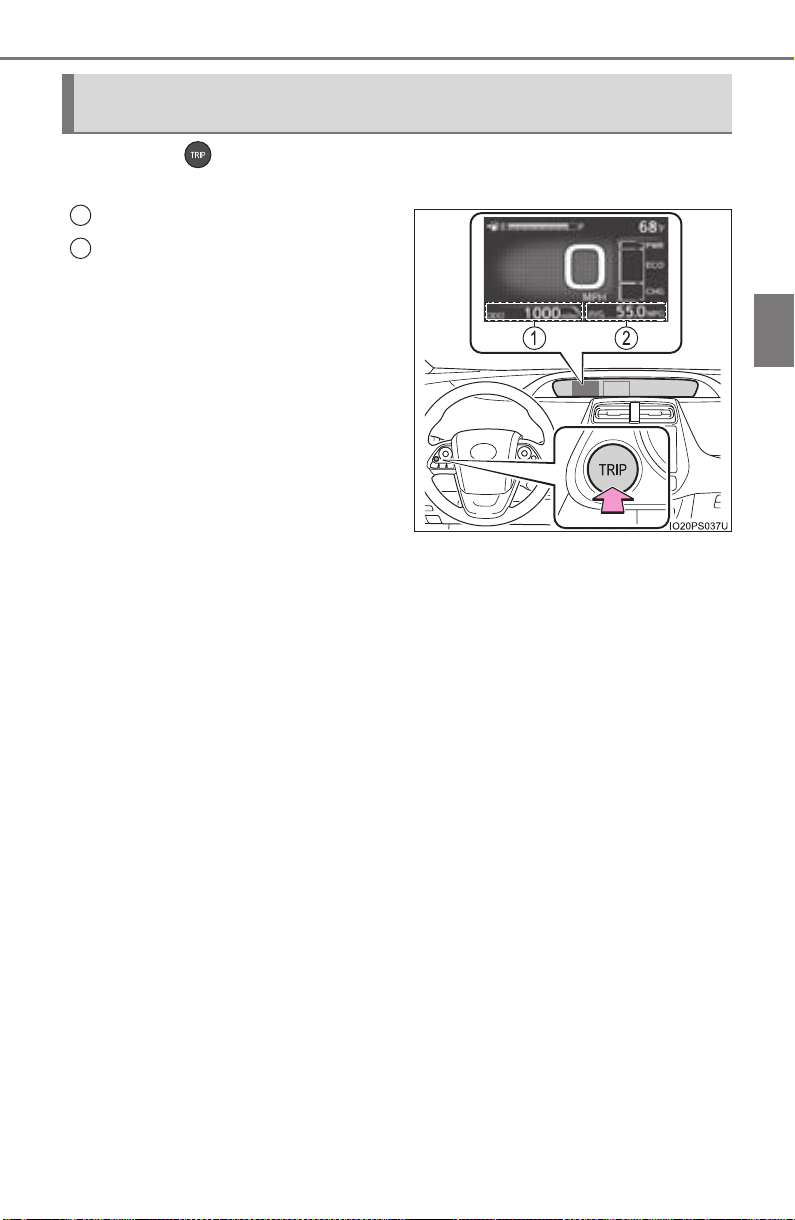
PRIUS_OM_OM47A29U_(U)
109
2. Instrument cluster
2
Instrument cluster
Each time is pressed, the mileage display and fuel consumption
display change in the following order from 1 to 6.
Mileage display
Average fuel consumption dis-
play
After 1 to 6 are displayed, the dis-
plays return to 1.
Use the displayed average fuel
consumption as a reference.
Switching the mileage display and average fuel consumption
display
1
2
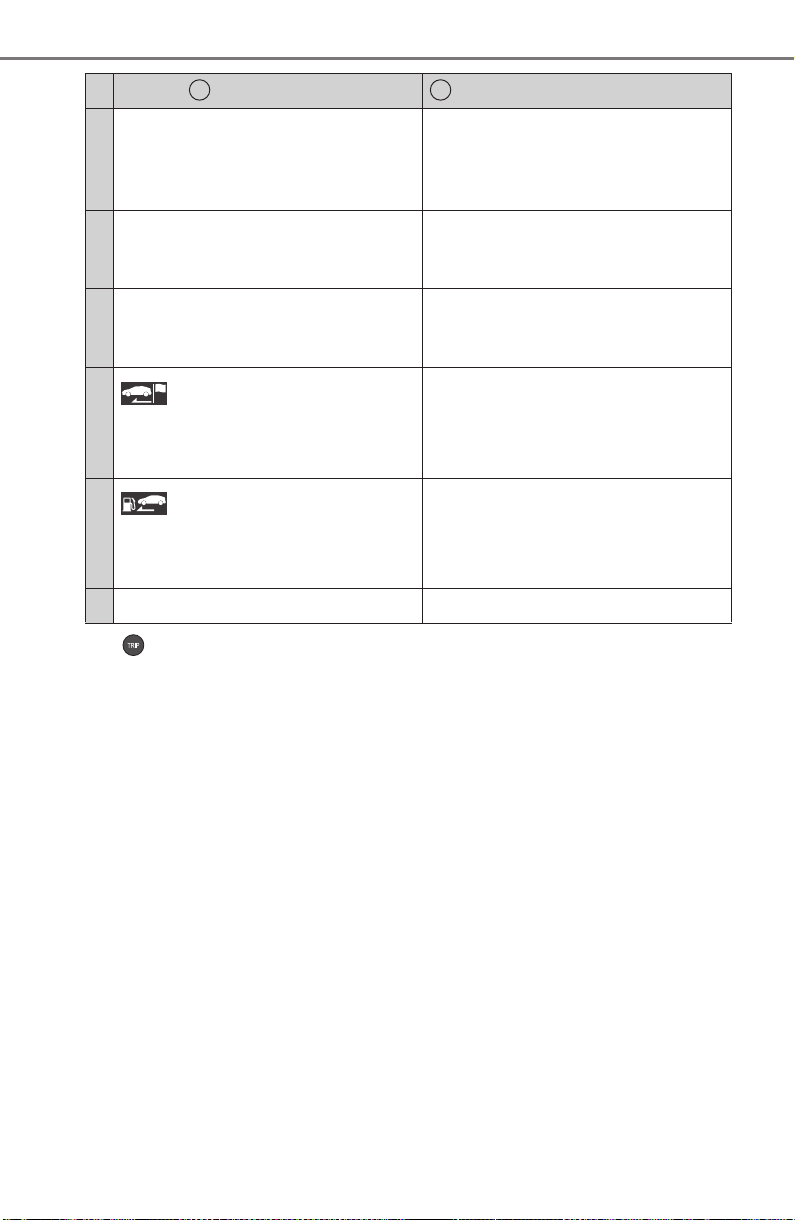
110
PRIUS_OM_OM47A29U_(U)
2. Instrument cluster
*
1
: If is pressed and held while this item is displayed, the information is
reset.
*
2
: This item is reset each time the hybrid system starts.
Mileage display
Average fuel consumption display
1
ODO (Odometer)
Total mileage
Average fuel consumption since
last reset
Average fuel consumption since
last reset
*
1
2
TRIP A (Trip meter A)
Mileage since last reset
*
1
TRIP A average fuel consumption
Average fuel consumption since
TRIP A was reset
*
1
3
TRIP B (Trip meter B)
Mileage since last reset
*
1
TRIP B average fuel consumption
Average fuel consumption since
TRIP B was reset
*
1
4
(Mileage since hybrid sys-
tem was started)
Mileage since hybrid system
started
*
2
Average fuel consumption after
hybrid system started
Average fuel consumption since
hybrid system was started
*
2
5
(Distance to empty)
Approximate distance vehicle
can travel based on current
remaining fuel amount
Blank screen
6 Blank screen Blank screen
1 2
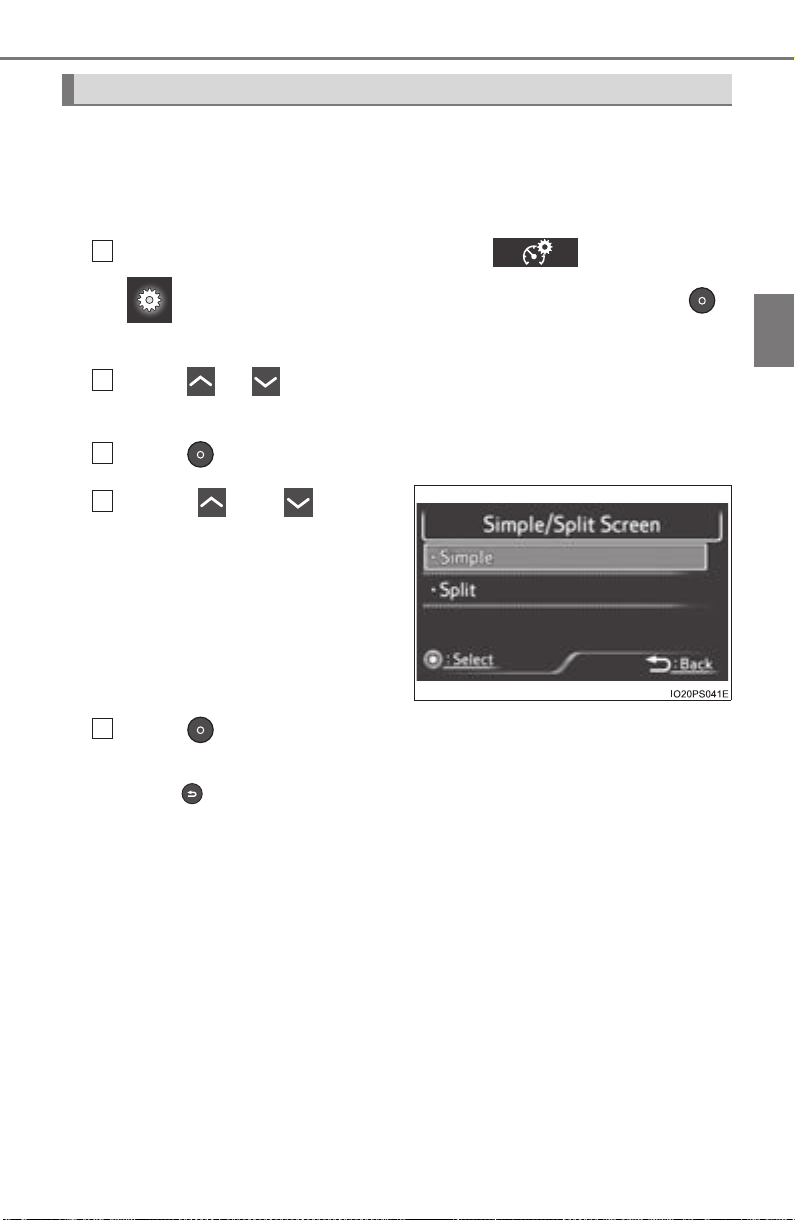
PRIUS_OM_OM47A29U_(U)
111
2. Instrument cluster
2
Instrument cluster
Simple screen or split screen can be selected for the main display.
When split screen is selected, a variety of information can be displayed on
a sub-screen in addition to the contents of the simple screen.
■
Setting procedure
Select the “Meter Customize” settings ( ) screen on the
screen of the multi-information display, and then press .
(→P. 139)
Press or of the meter control switches to select “Simple/
Split Screen”.
Press to display the setting screen.
Press or of the
meter control switches to
select a display mode.
Press .
The contents of the main display switch to the selected display mode.
Press to return to the previous screen.
Switching the display mode
1
2
3
4
5
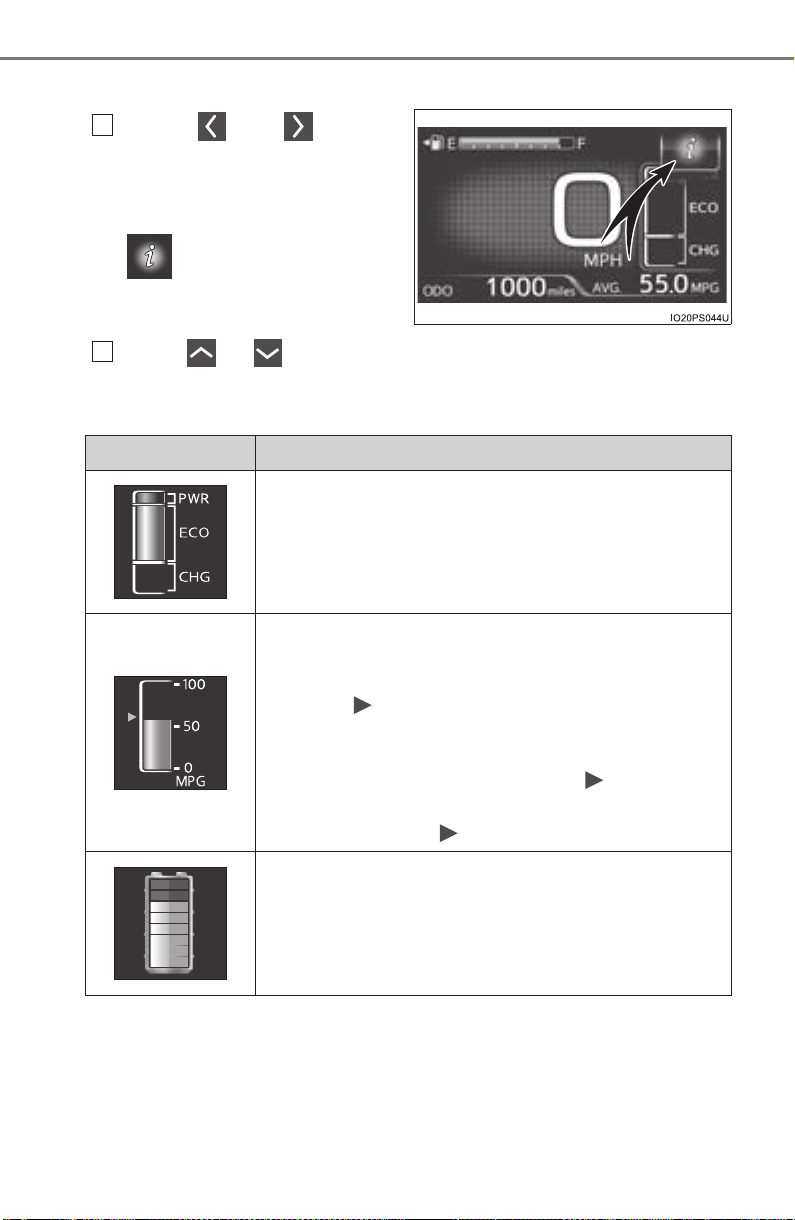
112
PRIUS_OM_OM47A29U_(U)
2. Instrument cluster
■ Switching contents displayed on the sub-screen
Press or of the
meter control switches and
select the sub-screen.
When the sub-screen is selected,
is displayed on the sub-
screen.
Press or of the meter control switches to select the dis-
play item.
One of the following 3 items can be displayed.
1
2
Display contents Detail
Hybrid System Indicator
A convenient Hybrid System Indicator is displayed.
Refer to P. 119 for details on how to read the Hybrid
System Indicator.
Current fuel consumption
The current fuel consumption during driving is dis-
played.
• The mark indicates the value displayed in the
average fuel consumption display (→P. 1 09 ).
Switching the average fuel consumption display
also changes the position of the mark.
• When the average fuel consumption is reset, the
position of the mark is reset to 0.
Hybrid battery (traction battery) status
The same contents as the hybrid battery (traction
battery) status on the energy monitor are displayed.
(→P. 118)
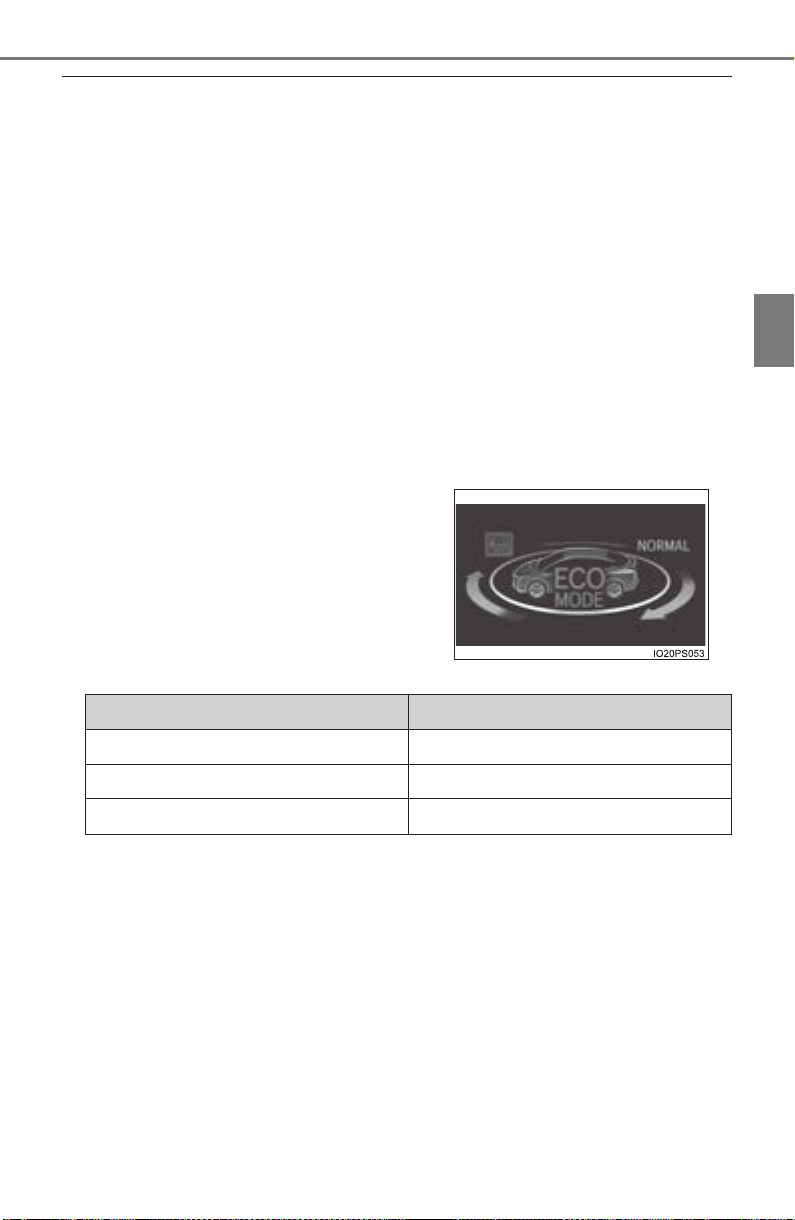
PRIUS_OM_OM47A29U_(U)
113
2. Instrument cluster
2
Instrument cluster
■ Outside temperature display
● In the following situations, the correct outside temperature may not be dis-
played, or the display may take longer than normal to change.
• When stopped, or driving at low speeds (less than 12 mph [20 km/h])
• When the outside temperature has changed suddenly (at the entrance/
exit of a garage, tunnel, etc.)
● When “-” or “E” is displayed, the system may be malfunctioning.
Take your vehicle to your Toyota dealer.
■ Distance to empty
● This distance is computed based on your average fuel consumption. As a
result, the actual distance that can be driven may differ from that displayed.
● When only a small amount of fuel is added to the tank, the display may not
be updated.
When refueling, turn the power switch off. If the vehicle is refueled without
turning the power switch off, the display may not be updated.
■ Switching the driving mode (→P. 320)
*: The animation displayed when the driving mode is switched can be turned
off in the “Meter Customize” settings. (→P. 142)
When the driving mode is switched, the
driving mode indicator changes and an
animation
* is displayed on the multi-infor-
mation display.
Also, the background color of the main
display, energy monitor (→P. 117) and
Hybrid System Indicator (→P. 119)
change as follows.
Driving modes Background color
Normal mode Green
Power mode Red
Eco drive mode Blue
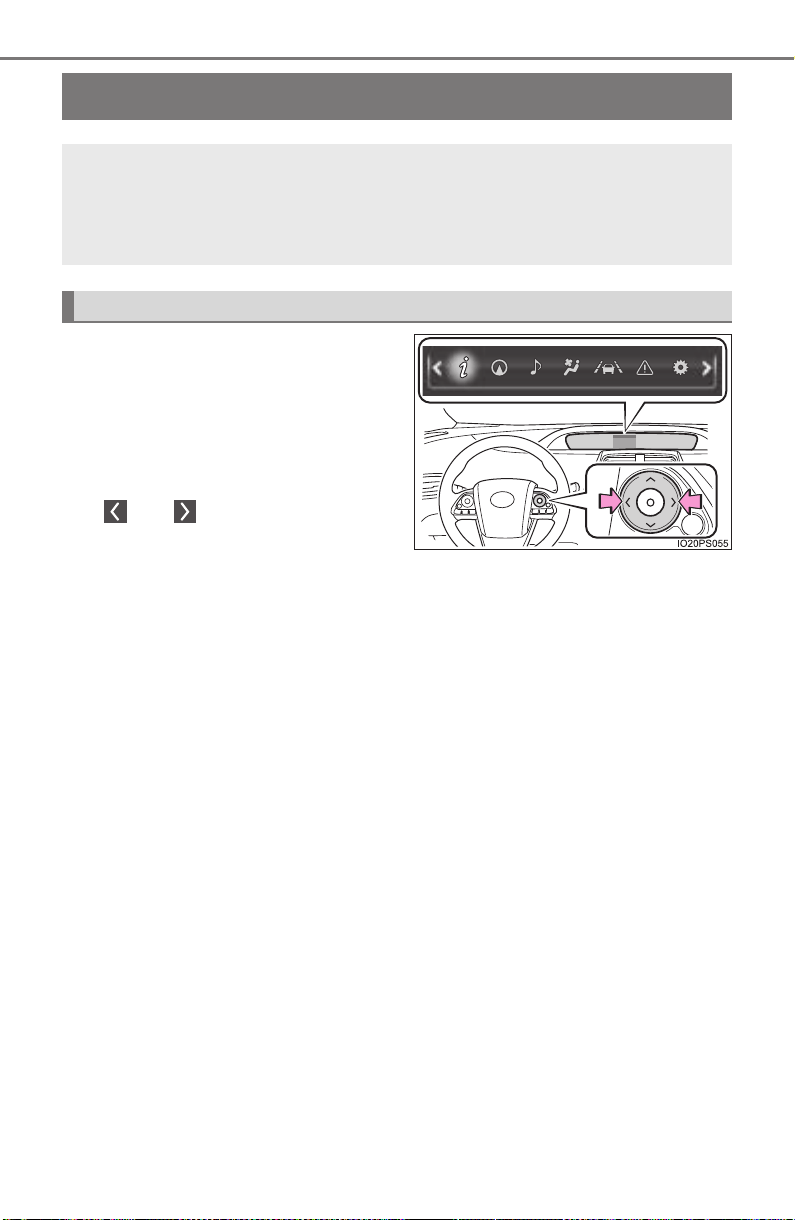
114
PRIUS_OM_OM47A29U_(U)
2. Instrument cluster
Multi-information display
Information related to each icon
on the upper portion of the multi-
information display can be dis-
played by operating the meter
control switches to select the icon.
Icons are displayed when pressing
or of the meter control
switches and turn off shortly after
pressing the switch.
Screens linked with vehicle functions may be automatically displayed
according to the operation status of the corresponding functions.
A variety of information related to the vehicle can be displayed,
including the operation status of each system and data related
to Eco driving, and the settings of each system can be changed
according to user preference.
Display contents
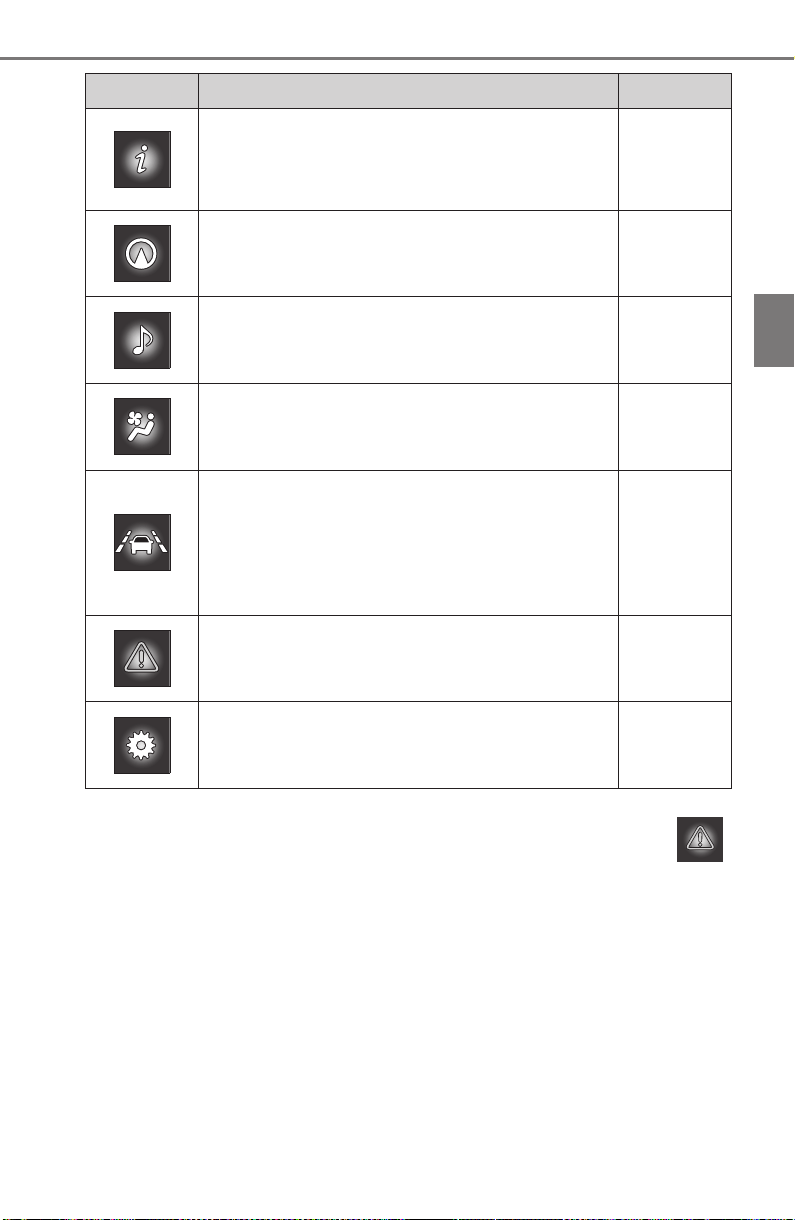
PRIUS_OM_OM47A29U_(U)
115
2. Instrument cluster
2
Instrument cluster
*
1
: If equipped
*
2
: When there is a warning message that can be displayed, the color of
changes to amber.
Menu icons Contents Pages
Drive information
The energy monitor that shows the operation
status of the hybrid system, or other informa-
tion such as fuel consumption is displayed.
P. 11 6
Navigation system-linked display*
1
The information related to the navigation sys-
tem is displayed.
P. 133
Audio system-linked display*
1
The audio system settings can be changed.
P. 133
Air conditioning system settings screen
The air conditioning system settings can be
changed.
P. 134
Driving assist system information
The information related to driving assist sys-
tems such as the LDA (Lane Departure Alert
with steering control)
*
1
and dynamic radar
cruise control with full-speed range
*
1
is dis-
played.
P. 138
Warning message display*
2
The warning messages are displayed.
P. 138
Settings display
The settings of the vehicle functions, meter
display, etc. can be changed.
P. 139
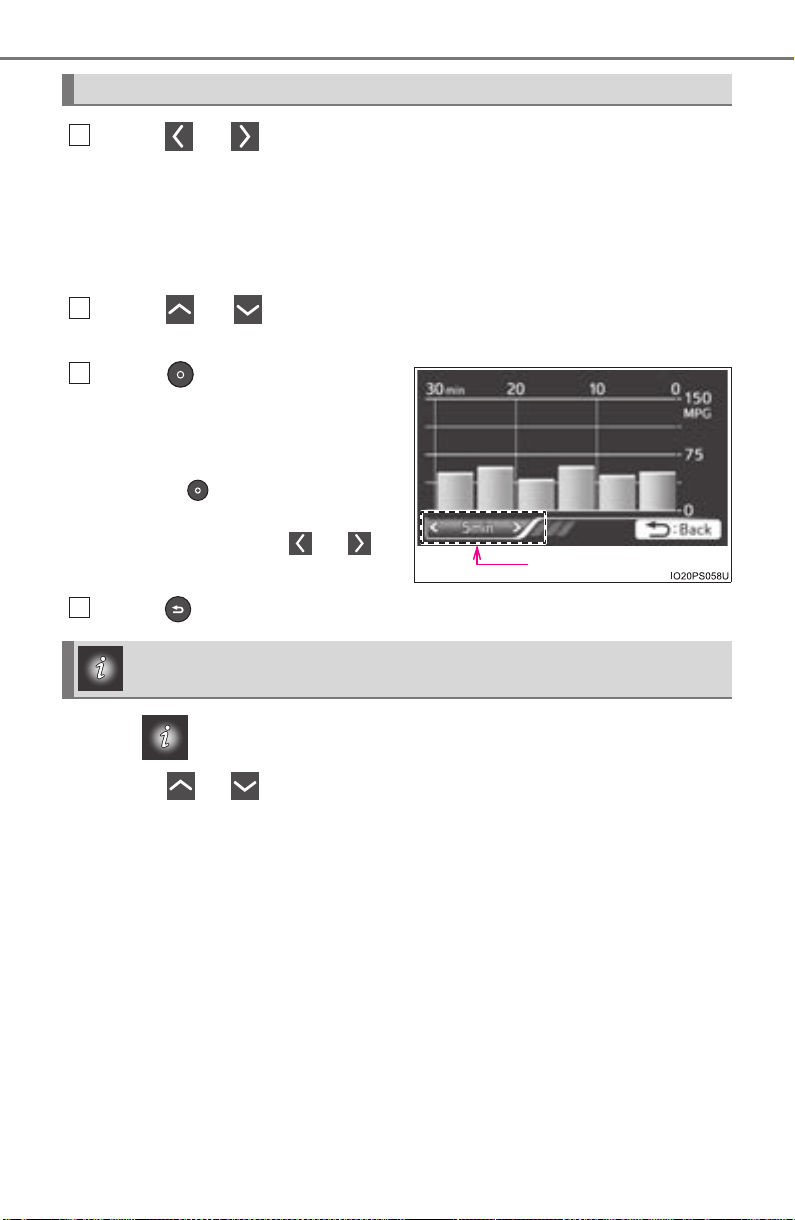
116
PRIUS_OM_OM47A29U_(U)
2. Instrument cluster
Press or of the meter control switches and select the icon
of the desired item.
The selected icon is highlighted and the display switches to the information
screen.
When split screen display is selected for the main display, the sub-screen
of the main display can also be selected. (→P. 112)
Press or of the meter control switches to switch the con-
tents of the display.
Press on screens where it
is necessary to select or con-
firm an item.
On screens with tab displays,
pressing selects the tab dis-
play, and the screen display can be
changed by pressing or of
the meter control switches.
Press to return to the previous screen.
When is selected, the following information can be displayed by
pressing or of the meter control switches.
● Energy monitor (→P. 117)
● Hybrid System Indicator (→P. 119)
● “Fuel Consumption Record” (→P. 123)
● “Drive Monitor” (→P. 127)
● “Eco Savings” (→P. 128)
● “Eco-Diary” (→P. 131)
Basic Operations
1
2
Tab display
3
Drive information
4
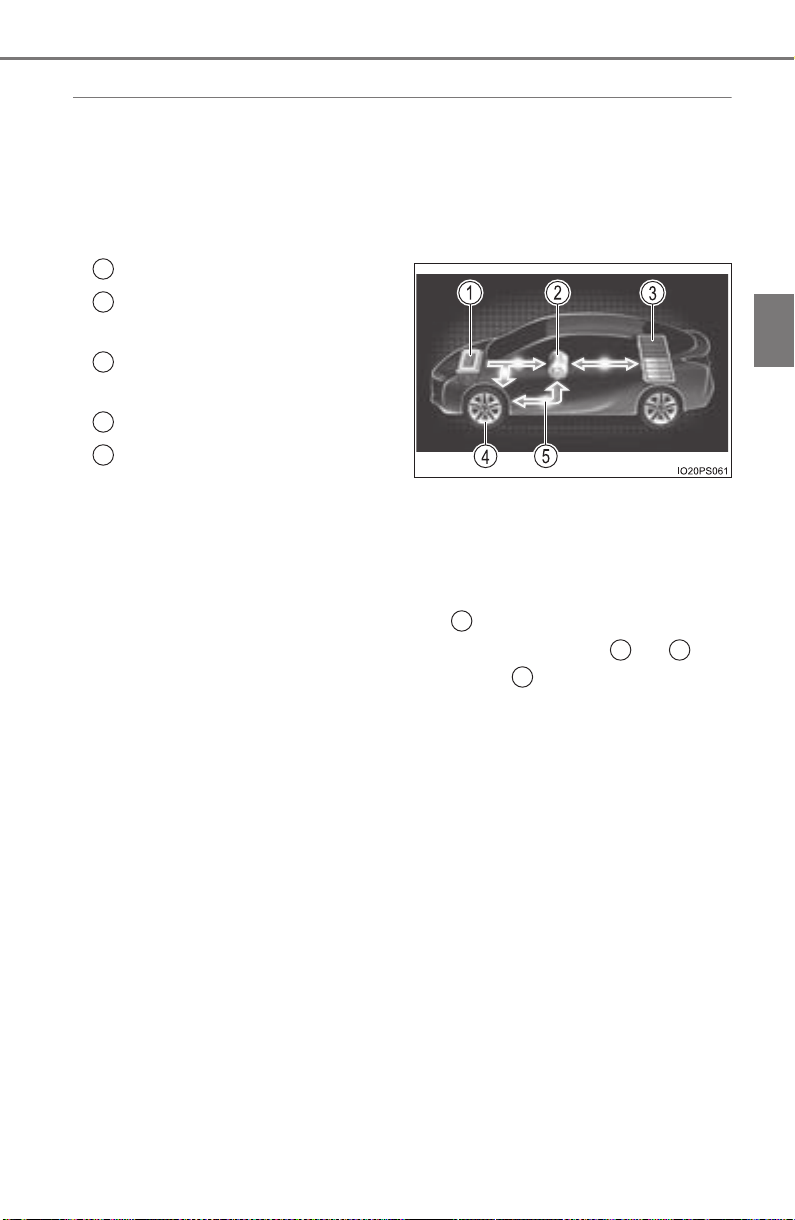
PRIUS_OM_OM47A29U_(U)
117
2. Instrument cluster
2
Instrument cluster
◆ Energy monitor
The energy monitor can be used to check the vehicle drive status,
hybrid system operation status and energy regeneration status.
When energy is flowing, an arrow appears and a bright point of light
moves to show the direction of the flow of energy. When energy is
not flowing, the bright point of light are not displayed.
Gasoline engine
Electric motor
(traction motor)
Hybrid battery
(traction battery)
Tire
Bright point of light showing
the flow of energy
As an example, all arrows are shown in the illustration, but the actual con-
tents of the display will differ.
(Display example)
● When the hybrid battery (traction battery) is being charged, the
bright point of light moves towards .
● During driving, the bright point of light moves from or (or
both depending on the situation) towards .
*
● During driving, the image of the tires rotates.
*: The display may differ depending on the driving status.
1
2
3
4
5
3
1 2
4
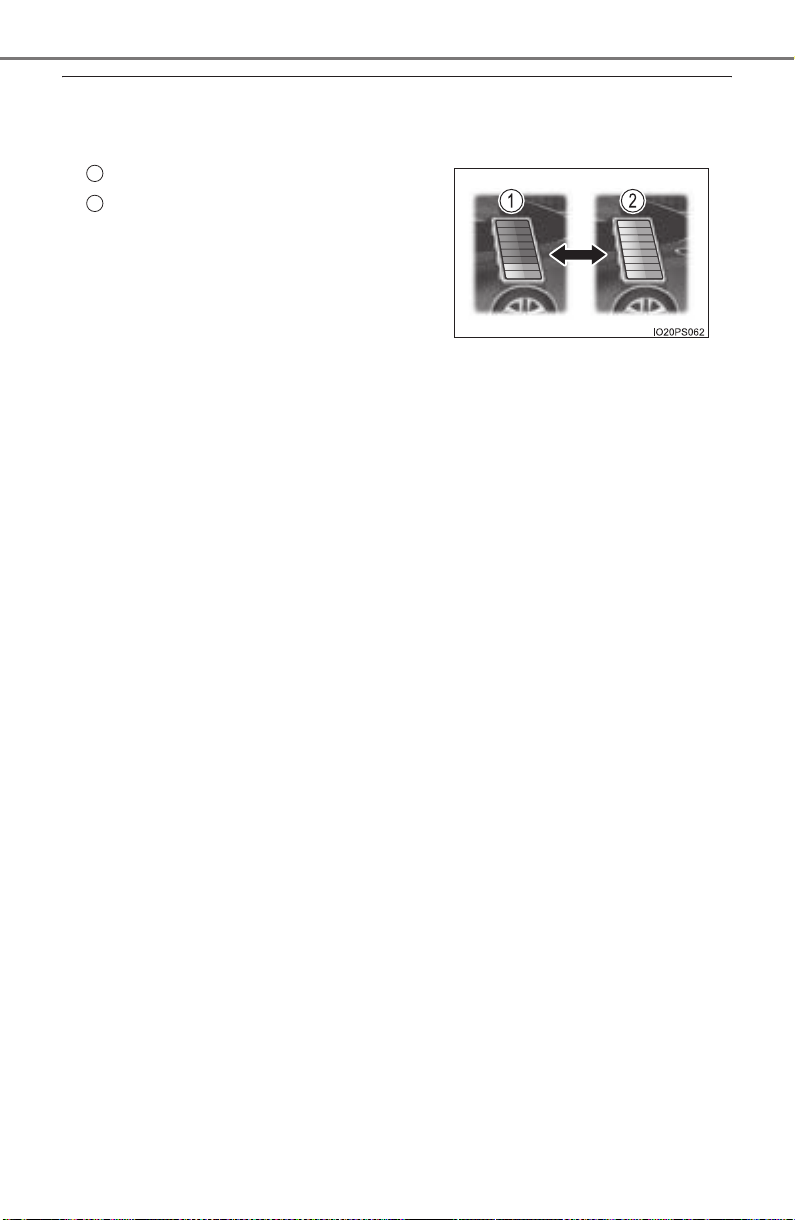
118
PRIUS_OM_OM47A29U_(U)
2. Instrument cluster
■ Hybrid battery (traction battery) status
● The display changes in 8 levels according to the remaining charge amount
of the hybrid battery (traction battery).
● The hybrid battery (traction battery) status is also displayed on the following
screen, but the contents of the display are the same.
• Sub-screen of the main display (→P. 112)
• Hybrid System Indicator (→P. 119)
• Head-up display (if equipped) (→P. 146)
● The charge amount of the hybrid battery (traction battery) is automatically
controlled by the hybrid system. For this reason, even if electricity is recov-
ered via the regenerative braking, or electricity is generated via the gasoline
engine, the displayed hybrid battery (traction battery) charge amount may
not reach the highest level (level 8). However, this does not indicate a mal-
function.
■ Remaining charge amount warning of hybrid battery (traction battery)
● While driving, when the remaining charge amount of the hybrid battery (trac-
tion battery) drops below a fixed amount, the buzzer sounds intermittently. If
the remaining charge amount drops further, the buzzer sounds continuously.
● When a warning message is shown on the multi-information display and the
buzzer sounds, follow the instructions displayed on the screen to perform
troubleshooting.
Low
High
1
2
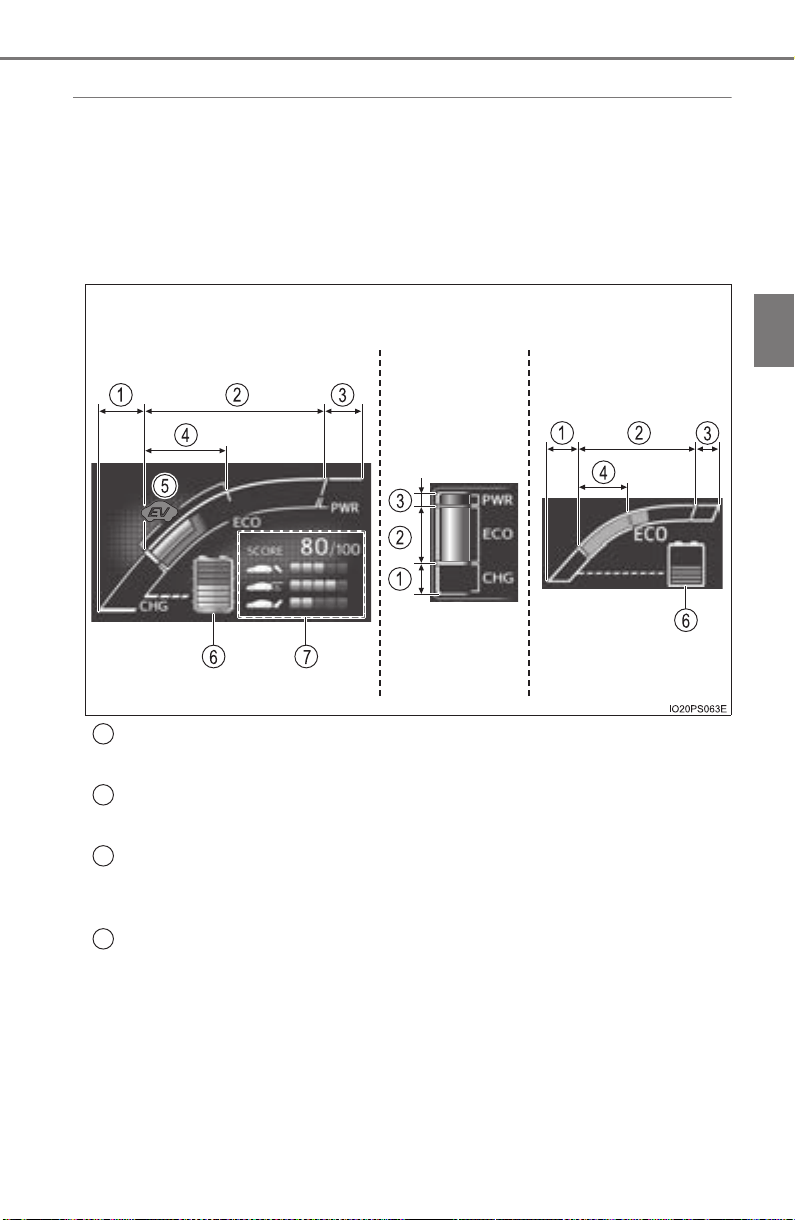
PRIUS_OM_OM47A29U_(U)
119
2. Instrument cluster
2
Instrument cluster
◆ Hybrid System Indicator
The display changes according to accelerator pedal operation and
displays the current driving status and energy regeneration status.
The Hybrid System Indicator can be displayed on the sub-screen of the
main display (→P. 112) and the head-up display (if equipped)
(→P. 146).
■
How to read the display
Charge area
Shows that energy is being recovered via the regenerative charging.
Eco area
Shows that the vehicle is being driven in an Eco-friendly manner.
Power area
Shows that an Eco-friendly driving range is being exceeded (during full
power driving etc.)
Hybrid Eco area*
1
Shows that gasoline engine power is not being used very often.
The gasoline engine will automatically stop and restart under various
conditions.
Head-up display
(if equipped)
Sub-screenMulti-information
display
1
2
3
4
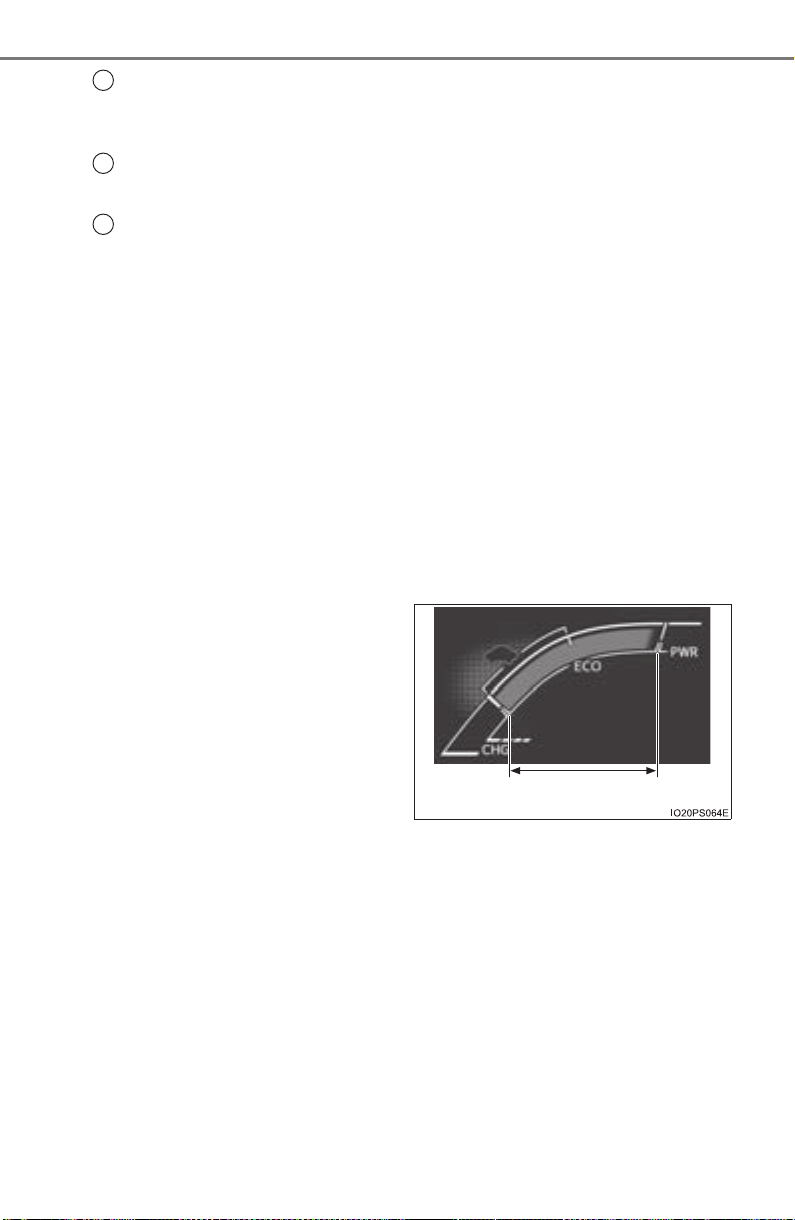
120
PRIUS_OM_OM47A29U_(U)
2. Instrument cluster
EV indicator*
2, 3
The EV indicator comes on when the vehicle is driven using only the
electric motor (traction motor) or the gasoline engine is stopped.
Hybrid battery (traction battery) status
→P. 11 8
Eco score
→P. 121
● By keeping the indicator within Eco area, more Eco-friendly driv-
ing can be achieved.
● Charge area indicates regeneration
*
4
status. Regenerated
energy will be used to charge the hybrid battery (traction battery).
*
1
: Not displayed on the sub-screen.
*
2
: Not displayed on the sub-screen or head-up display.
*
3
: The EV indicator function can be turned off in the “Meter Customize”
settings. (→P. 142)
*
4
: When used in this manual, “regeneration” refers to the conversion of
energy created by the movement of the vehicle into electrical energy.
■
“ECO Accelerator Guidance”
A blue zone is displayed in the
Eco area which can be used as
a reference operation range for
using the accelerator pedal
according to driving conditions
such as starting off and cruis-
ing.
The “ECO Accelerator Guid-
ance” display changes accord-
ing to the driving status, such as
when starting off or cruising.
It is easier to drive in an Eco-friendly manner by driving according to the
display showing the accelerator pedal operations and staying within the
“ECO Accelerator Guidance” range. (→P. 209)
The “ECO Accelerator Guidance” function can be turned off in the
“Meter Customize” settings. (→P. 142)
5
6
7
“ECO Accelerator Guidance”
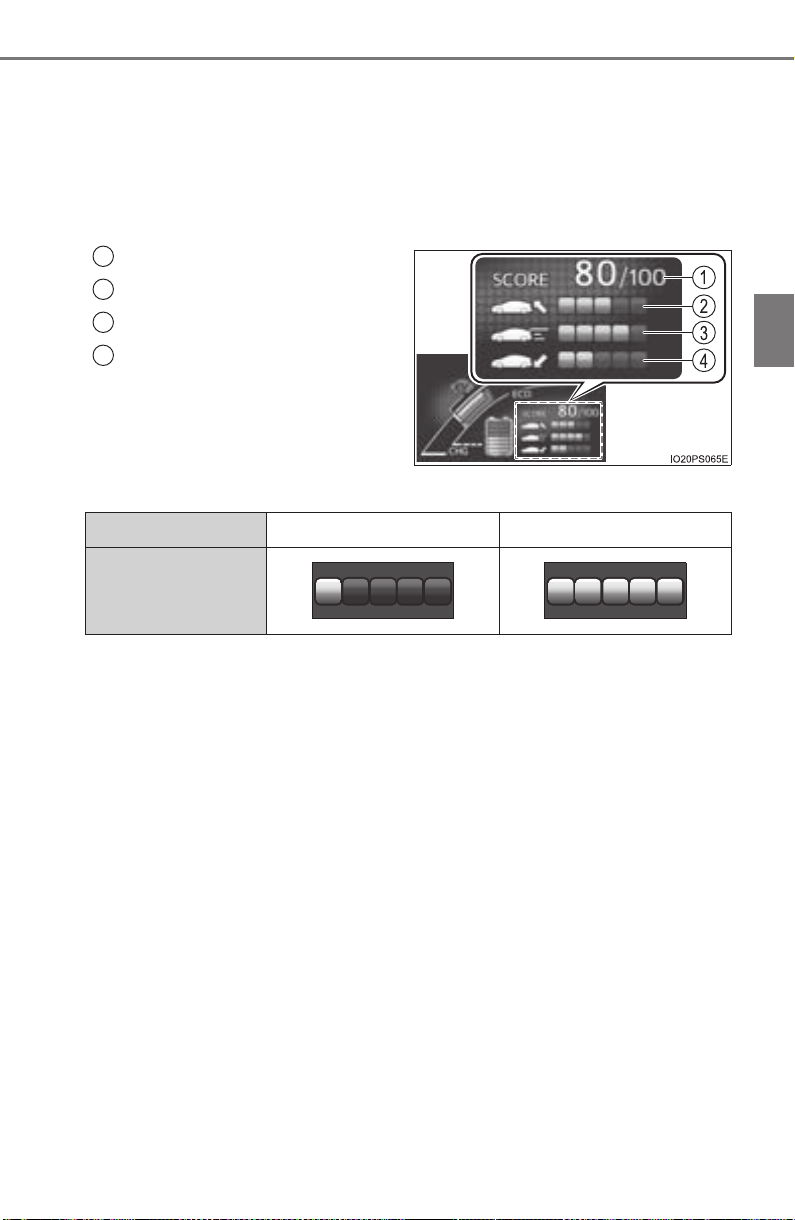
PRIUS_OM_OM47A29U_(U)
121
2. Instrument cluster
2
Instrument cluster
■ Eco score
The driving status for the following 3 situations are evaluated in 5
levels: Smooth start-off acceleration (“Eco-Start”), driving without
sudden acceleration (“Eco-Cruise”) and smooth stopping (“Eco-
Stop”). Each time the vehicle is stopped, a score result is displayed
out of a perfect score of 100 points.
Score result
“Eco-Start” status
“Eco-Cruise” status
“Eco-Stop” status
How to read the bar display:
*: For items not currently evaluated, the display reads 0.
● The Eco score is reset each time the vehicle starts off to start a new
evaluation.
● When the shift position is P, only the Eco score display area is
enlarged and displayed. When the shift position is shifted from P,
the display returns to normal.
● When the hybrid system stops, the current total score result and
advice on how to increase the score are displayed. (→P. 96)
1
2
3
4
Score Low* High
Bar display

122
PRIUS_OM_OM47A29U_(U)
2. Instrument cluster
■ When operation of each function stops
● The Hybrid System Indicator stops operating in the following situations.
• The “READY” indicator is not illuminated.
• The shift position is not D or B.
● The Eco score and “ECO Accelerator Guidance” stop operating in the fol-
lowing situations.
• The Hybrid System Indicator is not operating.
• Cruise control (if equipped) or dynamic radar cruise control with full-
speed range (if equipped) is being used.
■ About the Eco score
● After starting off, Eco score display does not start until the vehicle speed
exceeds approximately 12 mph (20 km/h).
● In addition to the vehicle driving status, the Eco score also evaluates the air
conditioning system usage condition (→P. 136). The score displayed when
the hybrid system stops is the total result of the driving status after the
hybrid system starts and the air conditioning usage condition.
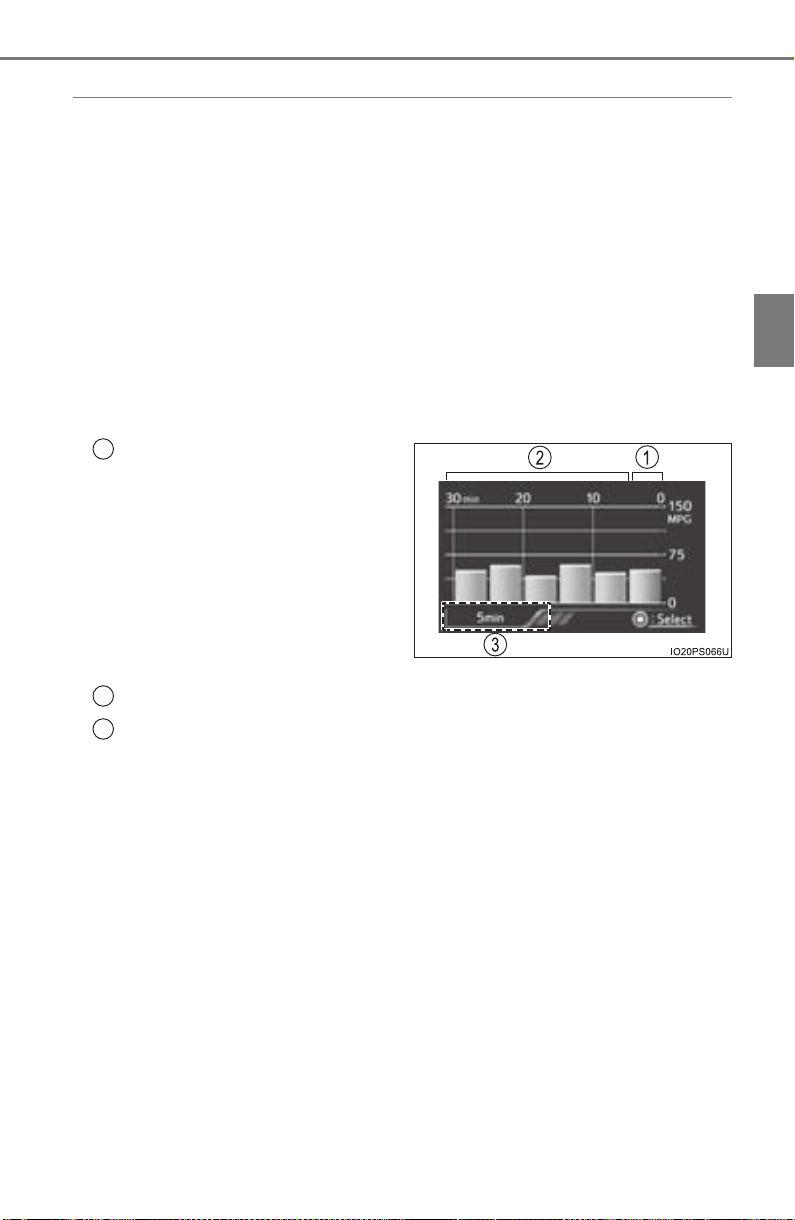
PRIUS_OM_OM47A29U_(U)
123
2. Instrument cluster
2
Instrument cluster
◆ “Fuel Consumption Record”
The transitions of the average fuel consumption after the hybrid
system starts can be checked in such a unit as every 5 minutes or
every 1 mile (1.6 km)
*
1
or 1 km (0.6 mile)*
2
of driving. Also, it is
possible to check the average fuel consumption history for each
month by switching to the “Monthly” display.
*
1
: When the unit is set to “MPH”
*
2
: When the unit is set to “km/h”
■
How to read the screen
The “5 min” display is shown as an example. However, the basic
method for how to read the screen is the same for each fuel con-
sumption history screen.
Current average fuel con-
sumption record (yellow dis-
play)
*
1
When the recorded unit is
exceeded (every 5 min., every
1 mile [1.6 km]
*
2
or 1 km
[0.6 mile]
*
3
, etc.) the currently
displayed history moves
towards the left side and the old-
est record is deleted.
Past average fuel consumption record (green display)
Tab display
Displays types of “Fuel Consumption Record”.
*
1
: When displayed by “Monthly”, the average fuel consumption for the cur-
rent month is displayed.
*
2
: When the unit is set to “MPH”
*
3
: When the unit is set to “km/h”
1
2
3
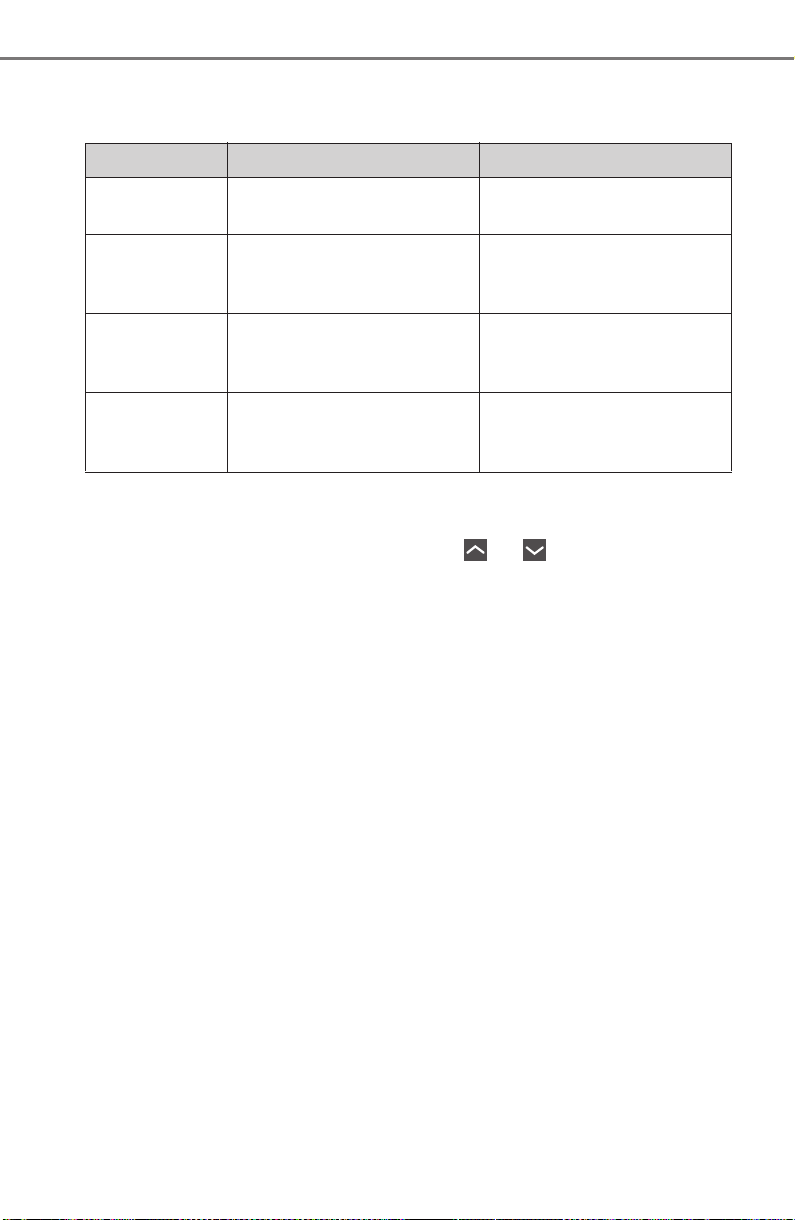
124
PRIUS_OM_OM47A29U_(U)
2. Instrument cluster
■ Types of “Fuel Consumption Record”
X When the unit is set to “MPH”
*
1
: This record is reset each time the hybrid system stops.
*
2
: The maximum value of the graph can be switched in 3 levels (150 MPG,
100 MPG and 50 MPG) by operating the or of the meter control
switches while the “Monthly” tab display is selected.
*
3
: The “Monthly” record can be reset on the “Meter Customize” settings
screen. (→P. 142)
Tab display Recorded contents Recorded range
“5 min”
Average fuel consumption
of every 5 minutes
*
1
The past 30 minutes
“1 miles”
Average fuel consumption
of every 1 mile (1.6 km)
driven
*
1
The last 15 miles (24.1 km)
driven
“5 miles”
Average fuel consumption
of every 5 miles (8 km)
driven
*
1
The last 30 miles (48.3 km)
driven
“Monthly”
Average fuel consumption
of this month
*
2, 3
Record of last 4 months and
the same month of the pre-
vious year
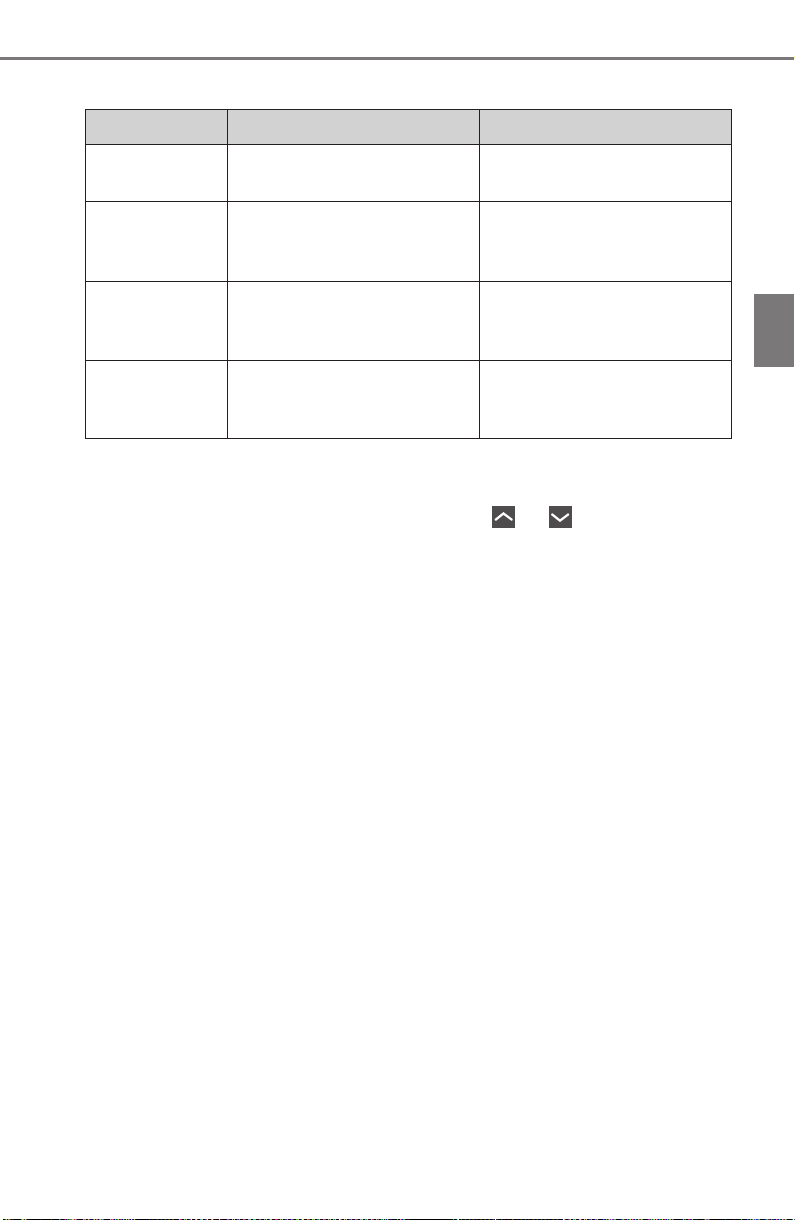
PRIUS_OM_OM47A29U_(U)
125
2. Instrument cluster
2
Instrument cluster
X When the unit is set to “km/h”
*
1
: This record is reset each time the hybrid system stops.
*
2
: The maximum value of the graph can be switched in 3 levels (10 L/100 km,
6 L/100 km and 3 L/100 km) by operating the or of the meter con-
trol switches while the “Monthly” tab display is selected.
*
3
: The “Monthly” record can be reset on the “Meter Customize” settings
screen. (→P. 142)
Tab display Recorded contents Recorded range
“5 min”
Average fuel consumption
of every 5 minutes
*
1
The past 30 minutes
“1 km”
Average fuel consumption
of every 1 km (0.6 mile)
driven
*
1
The last 15 km (9.3 miles)
driven
“5 km”
Average fuel consumption
of every 5 km (3.1 miles)
driven
*
1
The last 30 km (18.6 miles)
driven
“Monthly”
Average fuel consumption
of this month
*
2, 3
Record of last 4 months and
the same month of the pre-
vious year

126
PRIUS_OM_OM47A29U_(U)
2. Instrument cluster
■ Switching the fuel consumption history screen
While the “Fuel Consumption Record” screen is displayed, press
.
The tab display is selected and it is possible to switch the contents of
the display.
Press or of the meter control switches to switch the con-
tents of the display.
Each time is pressed, the display switches in the following order:
X When the unit is set to “MPH”
“5 min”, “1 miles”, “5 miles” and “Monthly”*. When is pressed, it
switches in the reverse order.
X When the unit is set to “km/h”
“5 min”, “1 km”, “5 km” and “Monthly”*. When is pressed, it switches
in the reverse order.
*: After “Monthly”, the display returns to “5 min”.
■ Calendar settings
→P. 144
1
2
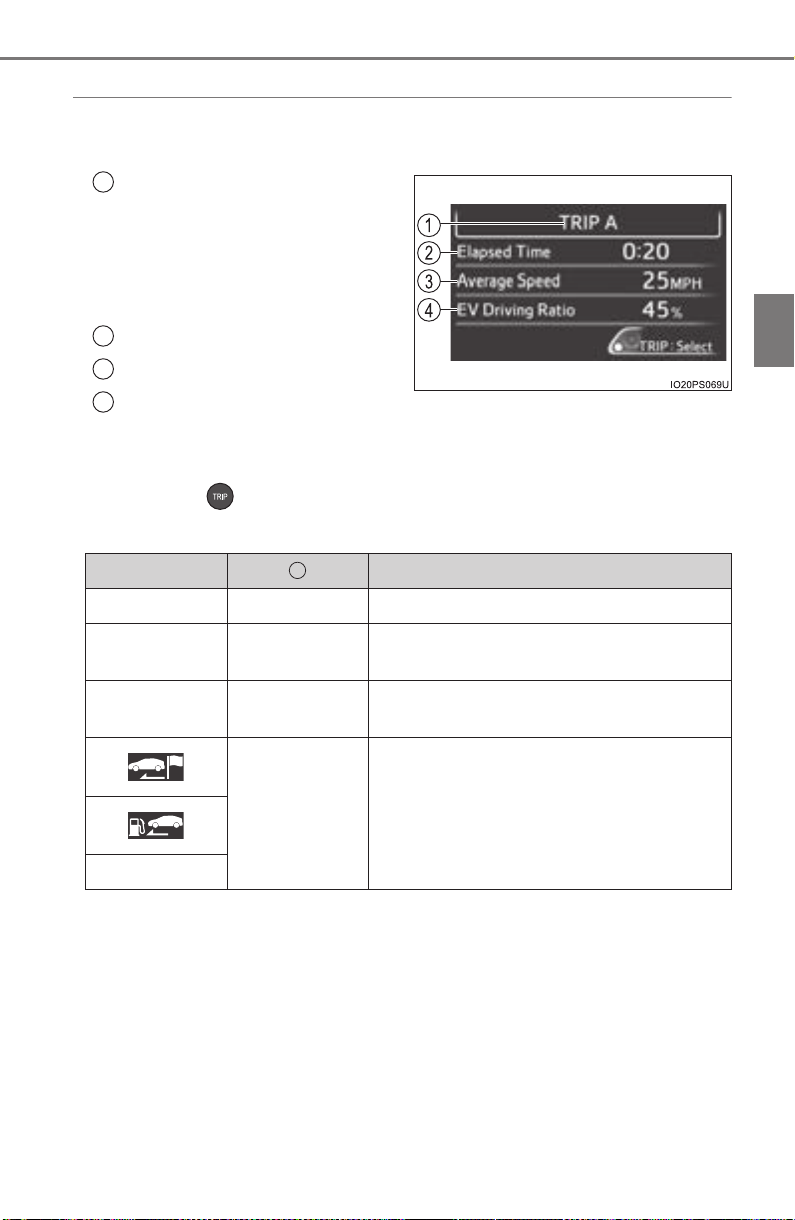
PRIUS_OM_OM47A29U_(U)
127
2. Instrument cluster
2
Instrument cluster
◆ “Drive Monitor”
Displays information such as the driving time and average vehicle
speed, which are linked with the current mileage display. (→P. 109)
Current contents of the dis-
play
Displayed information shows
which driving record the cur-
rently displayed contents are
based on.
“Elapsed Time”
“Average Speed”
“EV Driving Ratio”
For the displayed distance of the mileage display, the percent traveled
using only electric motor power is displayed.
Each time is pressed, the mileage display (→P. 109) switches
and the contents of the “Drive monitor” change as follows.
*
1
: When the average fuel consumption is reset (→P. 110), the “Drive monitor”
display is also reset.
*
2
: When the trip meter is reset (→P. 110), the “Drive monitor” display is also
reset.
*
3
: This item is reset each time the hybrid system starts.
1
2
3
4
Mileage display Contents of the “Drive monitor”
ODO After Reset Information since last reset*
1
TRIP A TRIP A
Information based on driving record of
TRIP A
*
2
TRIP B TRIP B
Information based on driving record of
TRIP B
*
2
After Start
Information since hybrid system was
started
*
3
Blank screen
1

128
PRIUS_OM_OM47A29U_(U)
2. Instrument cluster
◆ “Eco Savings”
“Gasoline Price”
*
1
and “COMP. Consumption” information is regis-
tered in the “Meter Customize” settings (→P. 142), making it possi-
ble to display 2 types of information related to gasoline fuel
consumption.
X “SAVINGS”
If information about the vehicle used to compare fuel consumption
(“COMP. Consumption”) is entered, when the fuel consumption of
this vehicle according to the mileage of the trip meter
*
2
is greater
than that of the comparison vehicle, an estimation
*
3
of the amount
of the fuel cost savings is displayed.
X “FUEL COST”
If information about the vehicle used to compare fuel consumption
(“COMP. Consumption”) is not entered, an estimation
*
3
of the
amount of fuel cost savings is displayed according to the mileage of
the trip meter
*
2
.
*
1
: “Gasoline Price” is information necessary to display the “SAVINGS”
and “FUEL COST” records.
*
2
: The display can be switched from the mileage history to the history by
month. (→P. 130)
*
3
: The displayed amount is only an estimate, and may differ from the
actual amount.
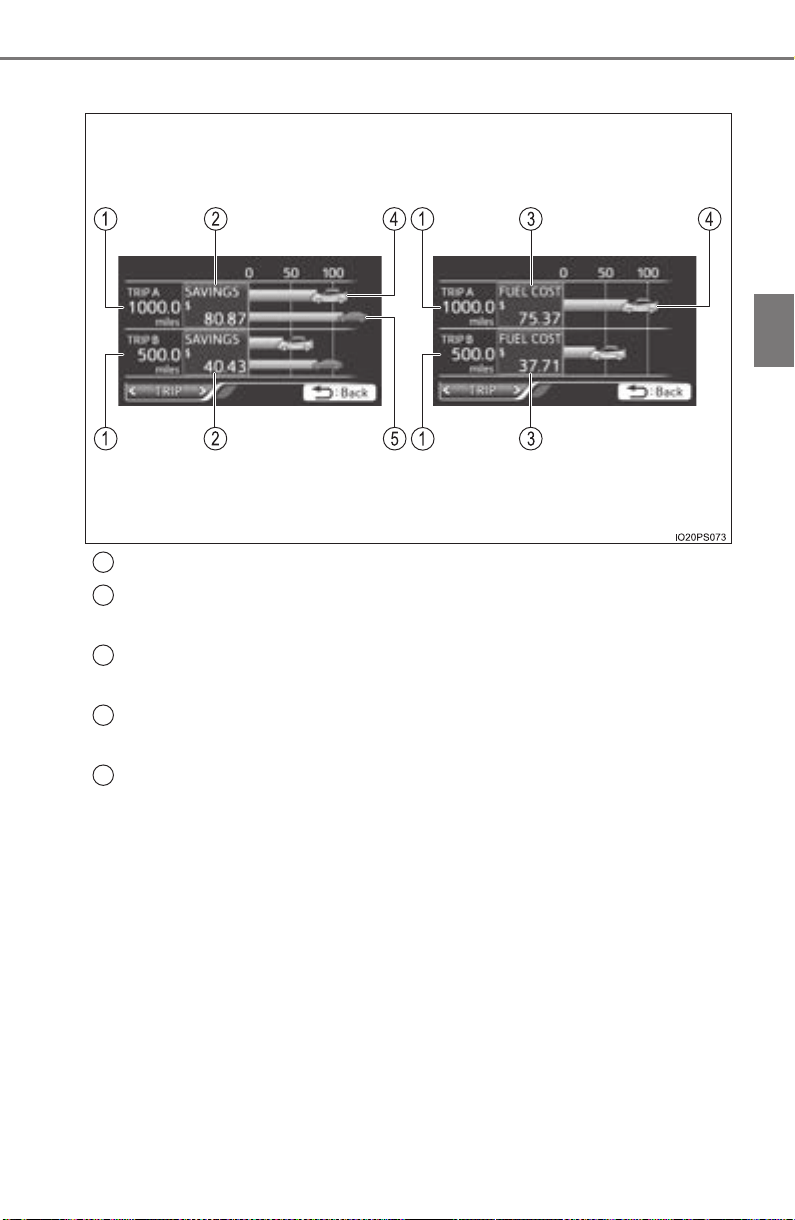
PRIUS_OM_OM47A29U_(U)
129
2. Instrument cluster
2
Instrument cluster
■ How to read the display
Trip meter distance traveled
*
Estimate of fuel consumption saved for displayed distance trav-
eled
*
Estimate of fuel expenses necessary to drive currently displayed
distance
*
Estimate of fuel expenses to drive currently displayed distance
(your vehicle)
*
Estimate of fuel expenses to drive currently displayed distance
(comparison vehicle)
*
*
: When the trip meter is reset (→P. 110), the “Eco Savings” record is also
reset.
“FUEL COST” display“SAVINGS” display
1
2
3
4
5
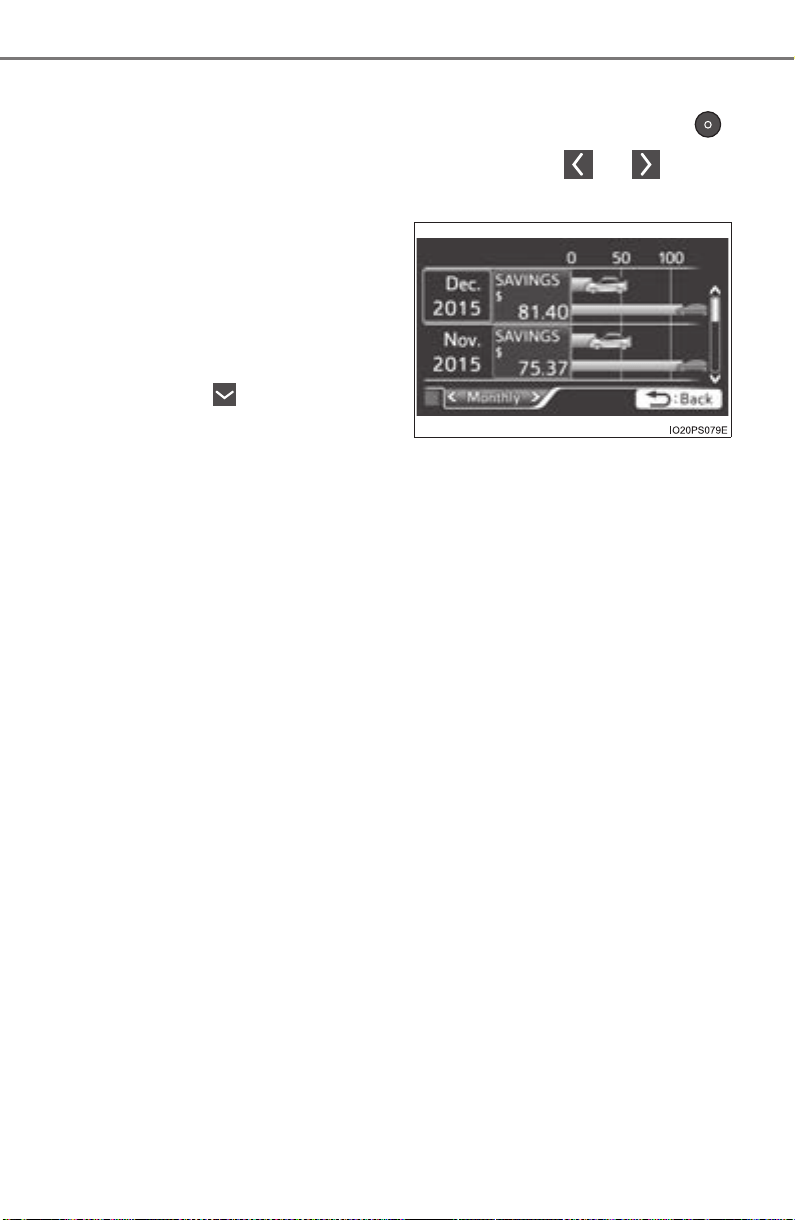
130
PRIUS_OM_OM47A29U_(U)
2. Instrument cluster
■ Checking monthly record
The display can be switched to “TRIP” or “Monthly” by pressing
with the tab display selected, and then pressing or of the
meter control switches.
Using the “Monthly” display, the
monthly records for “SAVINGS”
and “FUEL COST” can be
checked.
The records for the past 5
months can be displayed by
operating of the meter con-
trol switches with the “Monthly”
tab display selected.
To reset the “Monthly” contents, perform “History Reset” in the “Meter
Customize” settings (→P. 142).
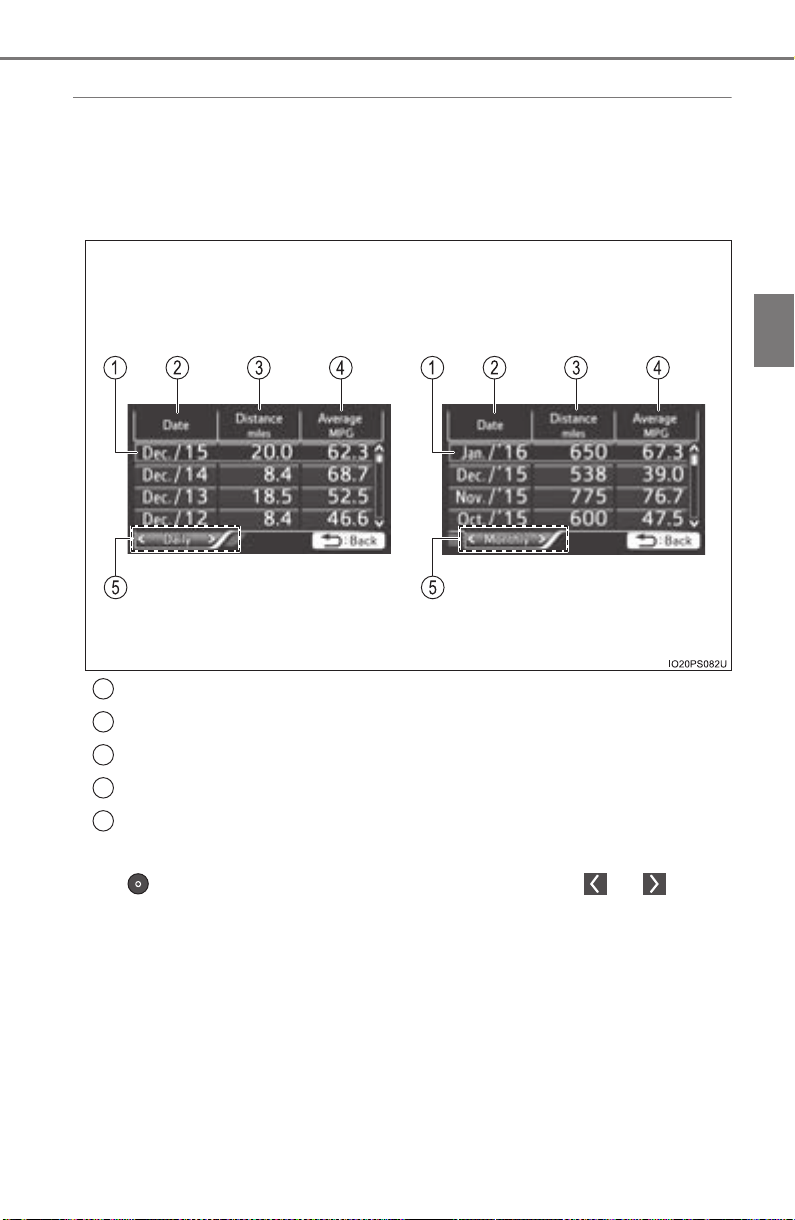
PRIUS_OM_OM47A29U_(U)
131
2. Instrument cluster
2
Instrument cluster
◆ “Eco-Diary”
The distance traveled and average fuel consumption history can be
displayed in a table according to day (“Daily”) or month (“Monthly”)
units.
■ How to read the display
Record of the day/month
Date/month of stored information
Total distance traveled for the day/month
Average fuel consumption of the day/month
Tab display
The display can be switched between “Daily” and “Monthly” by pressing
to enter the select condition, and then operating or of the
meter control switches.
“Monthly” display“Daily” display
1
2
3
4
5

132
PRIUS_OM_OM47A29U_(U)
2. Instrument cluster
■ Checking history
When each screen is selected, past records from the following
ranges can be displayed by pressing or of the meter con-
trol switches.
● If the above number of records is exceeded, the oldest informa-
tion is deleted.
● To reset the history, perform “History Reset” in the “Meter Cus-
tomize” settings (→P. 142). (“Daily” and “Monthly” information
can be reset independently.)
■ Calendar settings
→P. 144
Displayed screen Displayed information Stored information
“Daily”
4 reports
Up to 32 reports
(8 screens)
“Monthly”
Up to 24 reports
(6 screens)
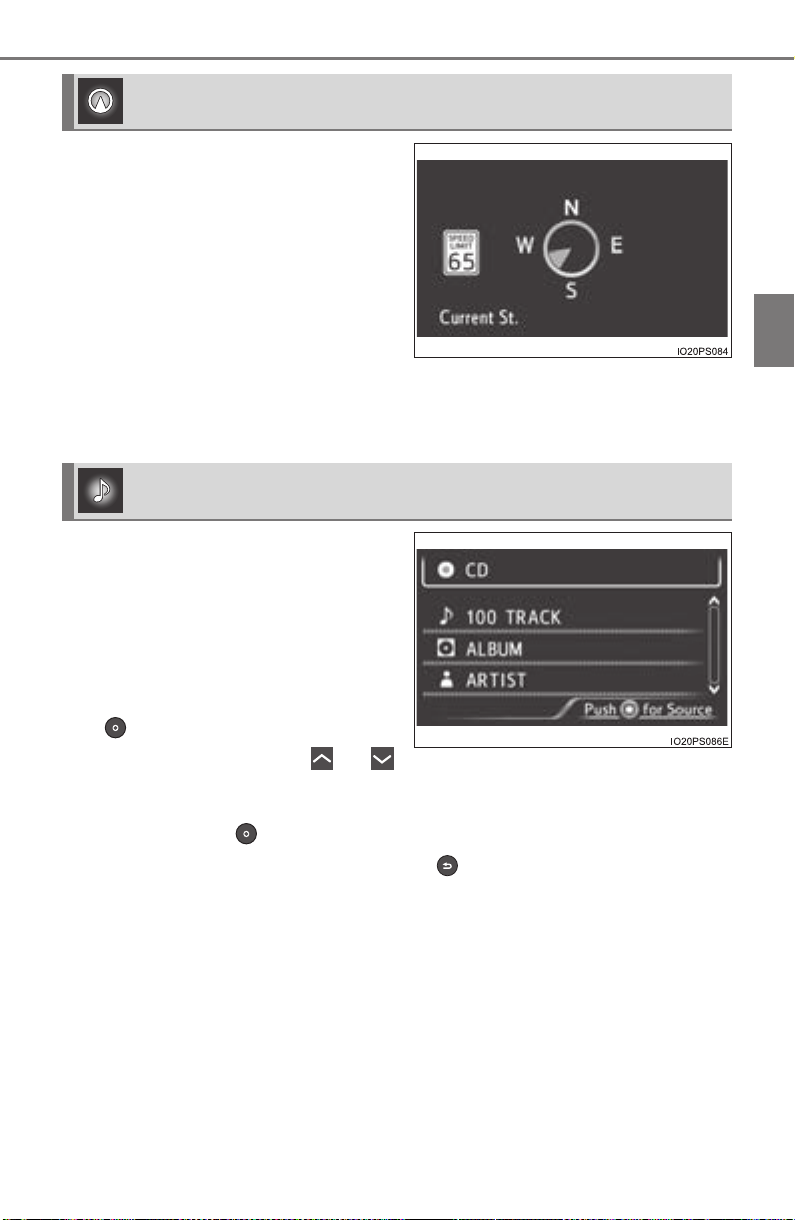
PRIUS_OM_OM47A29U_(U)
133
2. Instrument cluster
2
Instrument cluster
Displays a compass linked with
the navigation system. Also, when
the navigation system is perform-
ing intersection guidance during
destination guidance, the inter-
section guidance is also displayed
on the multi-information display.
The illustration is only an example
and may differ from the actual
screen.
For details on how to set the destination and switch the map direction,
refer to the “NAVIGATION SYSTEM OWNER’S MANUAL”.
The information about the cur-
rently selected audio source is
displayed.
The illustration is only an example
and may differ from the actual
screen.
To switch the audio source, press
to display the audio source
selection screen, press or
of the meter control switches and
select the desired audio source,
and then press .
To stop audio source selection, press on the audio source selection
screen.
Navigation system-linked display (if equipped)
Audio system-linked display (if equipped)
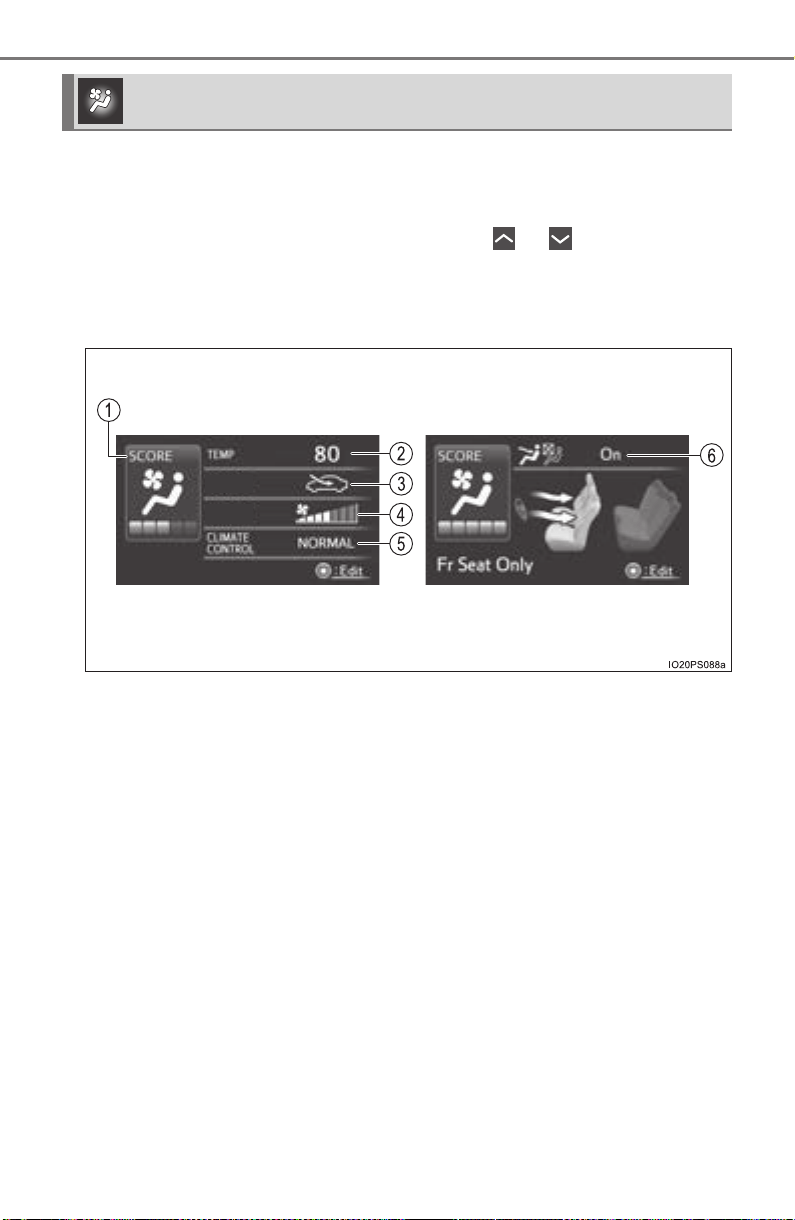
134
PRIUS_OM_OM47A29U_(U)
2. Instrument cluster
The condition of the air conditioning system settings can be checked
on the screen and the air conditioning system settings can be
changed using the meter control switches.
On the air conditioning settings screen, press or of the meter con-
trol switches to switch the contents of the display.
For details regarding the air conditioning system function, refer to P. 512.
■
Screen display and setting items that can be changed
Air conditioning system settings screen
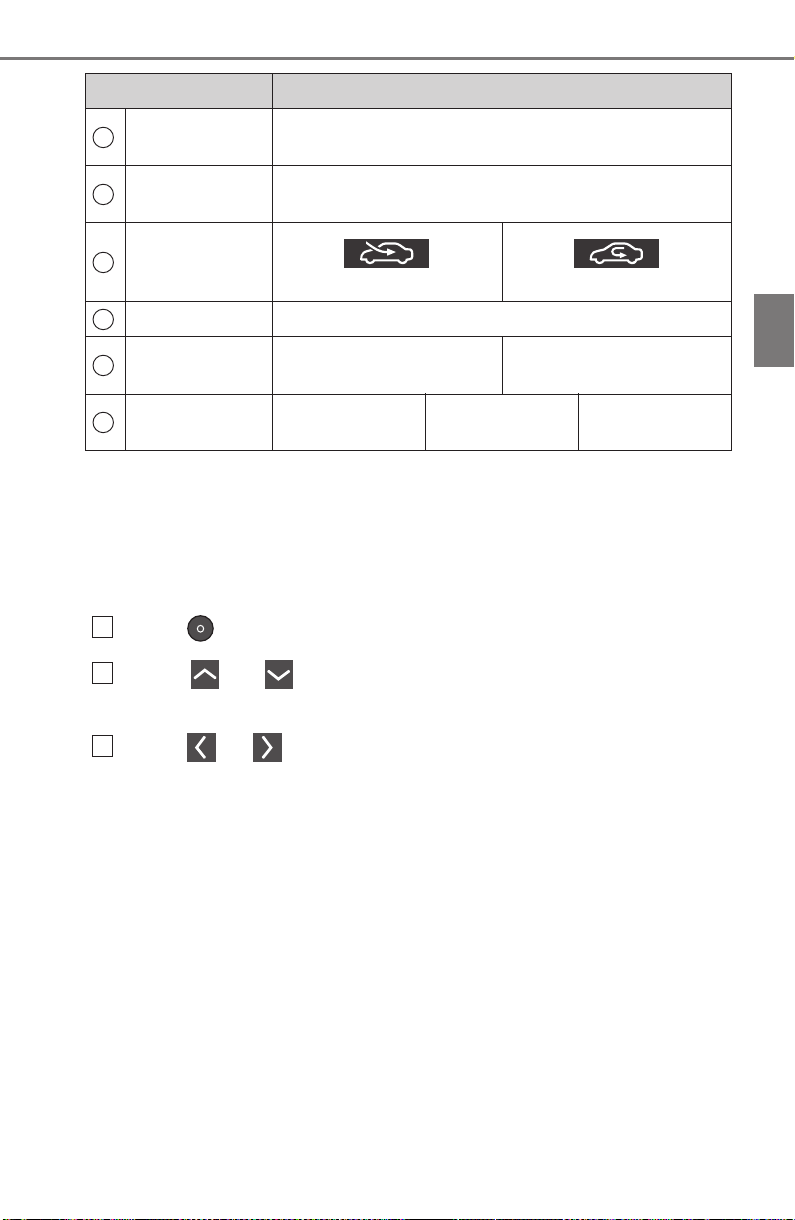
PRIUS_OM_OM47A29U_(U)
135
2. Instrument cluster
2
Instrument cluster
*
1
: “LO” is displayed if the temperature is adjusted to the lowest setting, and
“HI” is displayed if the temperature is adjusted to the highest setting.
*
2
: The selectable modes differ depending on whether a passenger is present.
(→P. 514)
■
Adjusting the settings
Press to display the cursor.
Press or of the meter control switches to select the
desired item to set.
Press or of the meter control switches to select the set-
ting item or setting value.
Item Settings
Eco score
(A/C score)
→P. 136
Temperature
setting
Changes according to operation of the meter control
switches
*
1
Outside air and
recirculated air
modes
(Outside air mode)
(Recirculated air mode)
Fan speed 1 to 7
“CLIMATE
CONTROL”
“NORMAL” “ECO”
S-FLOW mode
“On (Driver
Priority)”
*
2
“On (Fr Seat
Only)”
*
2
“Off (All seat)”
1
2
3
4
5
6
1
2
3
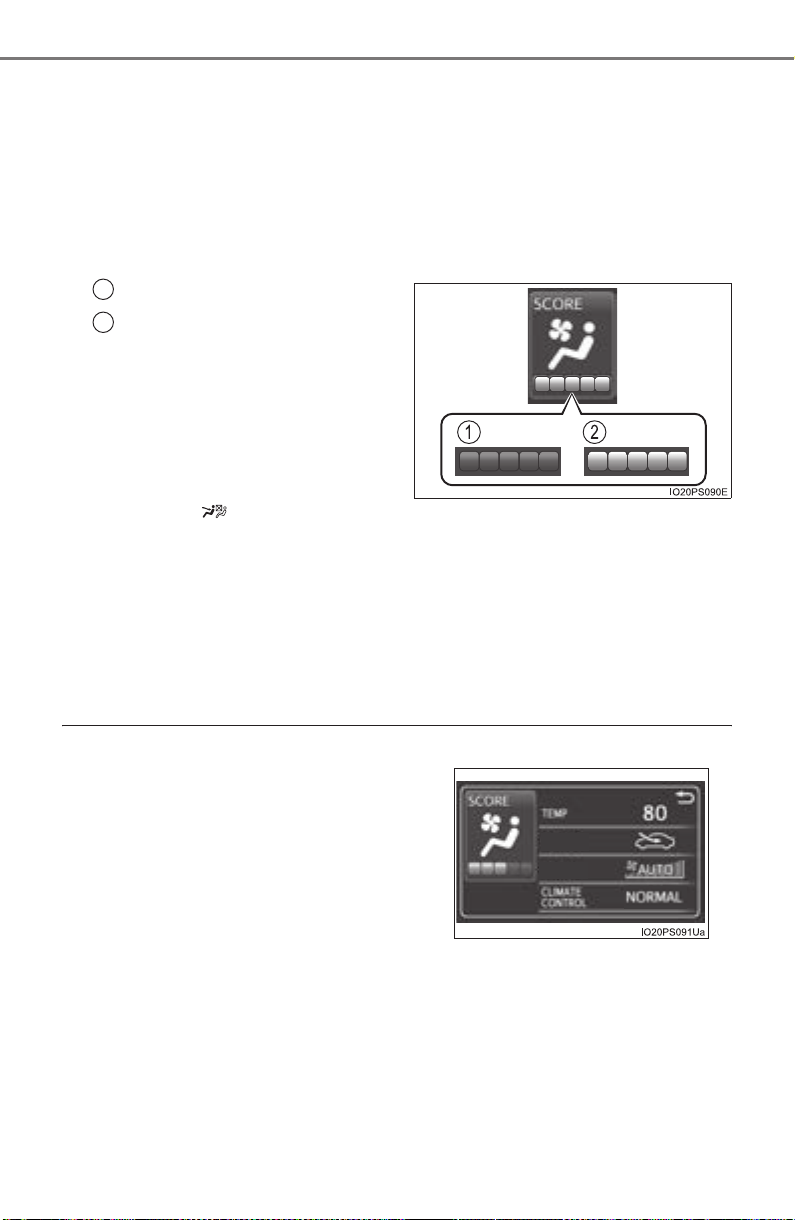
136
PRIUS_OM_OM47A29U_(U)
2. Instrument cluster
■ Eco score (A/C score)
The current air conditioning system usage status is evaluated in 5
levels to determine whether it is Eco-friendly.
The evaluation changes according to the air conditioning system
usage status. When the power switch is turned off, the current total
driving score
*
1
and advice*
2
related to using the air conditioning
system are displayed. (→P. 96)
Low score
*
3
High score
Avoiding excessive use of the
air conditioning system and
using the air conditioning sys-
tem at the appropriate setting
according to the ambient tem-
perature and number of passen-
gers and with the S-FLOW
mode ( ) and “CLIMATE
CONTROL” will result in a high
evaluation.
*
1
: The Eco score (A/C score) is not evaluated for approximately 1 minute
after the power switch is turned to ON mode.
*
2
: This advice may not be displayed depending on the situation.
*
3
: For items not evaluated with an Eco score (A/C score), the display
reads 0.
■ Operating switches of the air conditioning system operation panel
● The pop-up display function that displays when the air conditioning settings
are changed using the air conditioning system switches can be turned off in
the “Meter Customize” settings. (→P. 142)
1
2
● When the air conditioning system
switches are operated to change the air
conditioning settings while a screen
other than the air conditioning system
settings screen is displayed on the multi-
information display, a pop-up display for
the air conditioning settings contents is
displayed. However, air conditioning
system settings cannot be changed on
the pop-up display.

PRIUS_OM_OM47A29U_(U)
137
2. Instrument cluster
2
Instrument cluster
■ Eco score (A/C score)
● The setting status of the following air conditioning system functions are
reflected in the score.
• Temperature setting
• Fan speed setting
• Outside air and recirculated air modes
• “A/C” button
• S-FLOW mode
• “CLIMATE CONTROL”
● The Eco score (A/C score) is evaluated according to the ambient tempera-
ture and cabin temperature. Accordingly, even if the same settings are
always used for the air conditioning system, the evaluation will change
according to such factors as the season and weather.
● When the air conditioning system is not being used or the airflow mode is
set to or , the Eco score (A/C score) is not evaluated. (While the
air conditioning system is not evaluated, its usage status is not reflected in
the total Eco score result.)
● The Eco score (A/C score) is a function that helps select an air conditioning
system setting which reduces fuel consumption, not a function that satisfies
both comfortability and low fuel consumption.
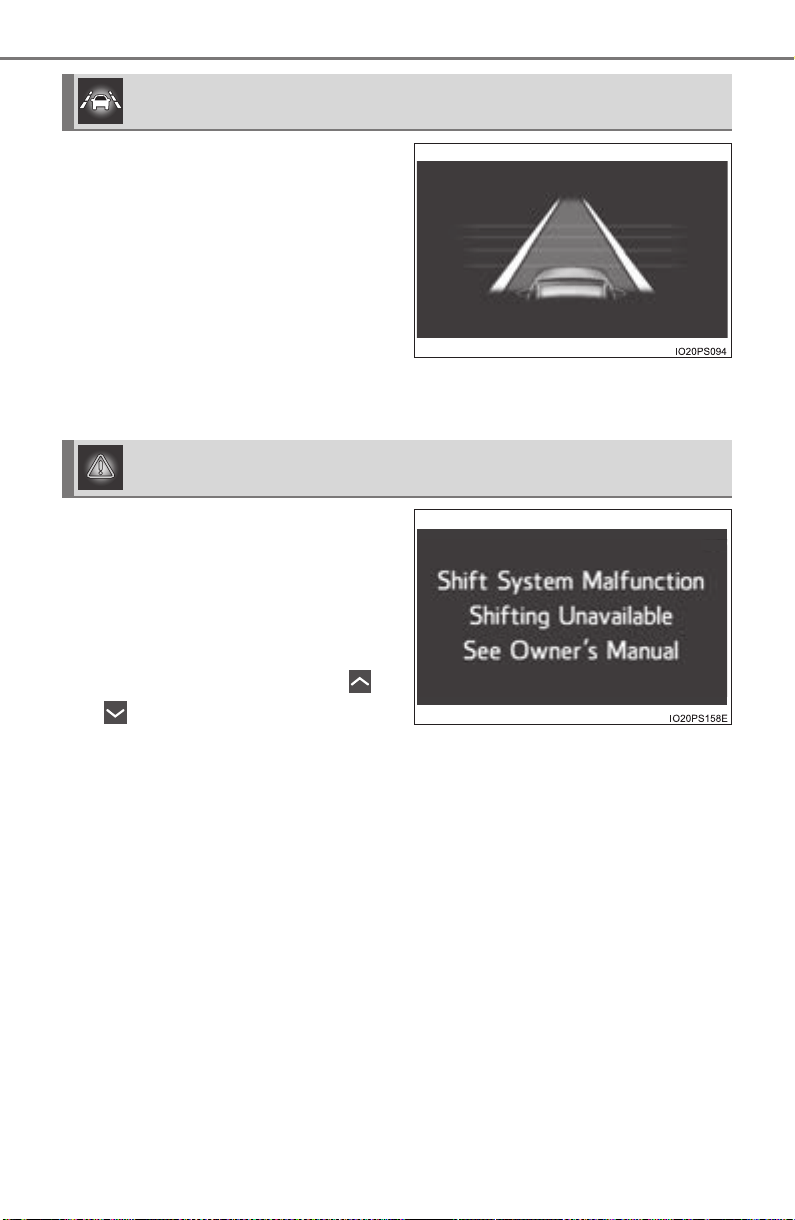
138
PRIUS_OM_OM47A29U_(U)
2. Instrument cluster
The operation status of driving
support system such as the LDA
(Lane Departure Alert with steer-
ing control) (if equipped) and
dynamic radar cruise control with
full-speed range (if equipped) and
warning information are dis-
played.
For details regarding the driving
support functions, refer to the page
for the corresponding function.
The warning messages that have
been displayed since the power
switch was turned to ON mode
can be checked.
When multiple warning messages
have been displayed, the display
can be switched by pressing or
of the meter control switches.
Warning messages that have been currently cleared and some warning
messages are not displayed. Also, when there are no warning messages
that can be checked, the display indicates that there are no messages.
Driving assist system information
Warning message display
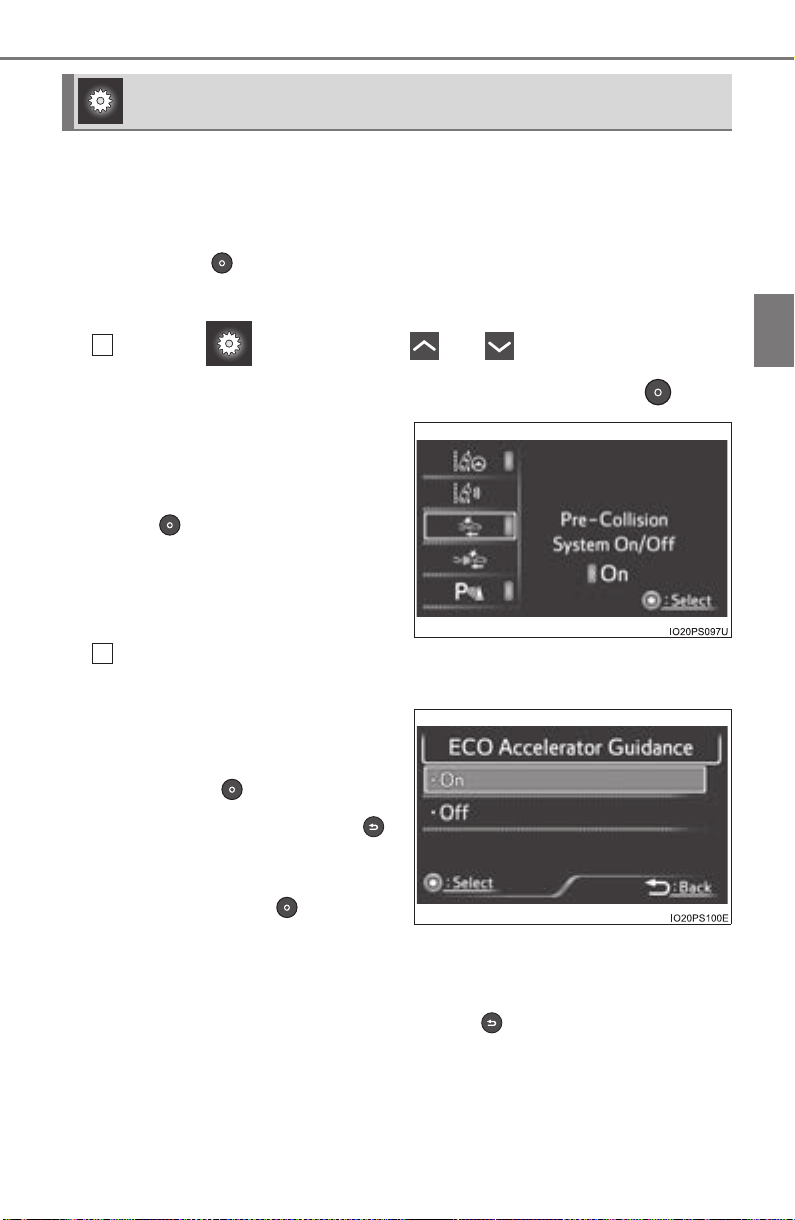
PRIUS_OM_OM47A29U_(U)
139
2. Instrument cluster
2
Instrument cluster
The operation contents of the driving support systems and settings
related to the combination meter display can be changed.
Driving support systems such as the PCS (Pre-Collision System) (if
equipped) and Blind Spot Monitor (if equipped) is turned on and off by sim-
ply pressing . Make sure not to cancel the systems accidentally.
■
Setting procedure
On the screen, press or of the meter control
switches and select the item to change, and then press .
If the function is turned on and
off or the sensitivity, etc. is
changed on the setting screen,
the setting is changed each time
the is pressed.
For functions that allow opera-
tion contents, display contents,
etc., of a function to be selected,
the setting screen is displayed.
When the setting screen is displayed, select the setting or
desired value (time, etc.) with the meter control switches.
*
1, 2
For selectable operation con-
tents and setting values, select
the desired setting or value, and
then press .
To stop the selection, press .
When the setting check screen
is displayed, select proceed or
cancel and press .
*
1
: Depending on the items, a subsequent setting screen may be displayed
after selecting an item.
*
2
: For items which set the adjustment level or time, after the item is set,
the setting screen remains displayed until is pressed.
Settings display
1
2
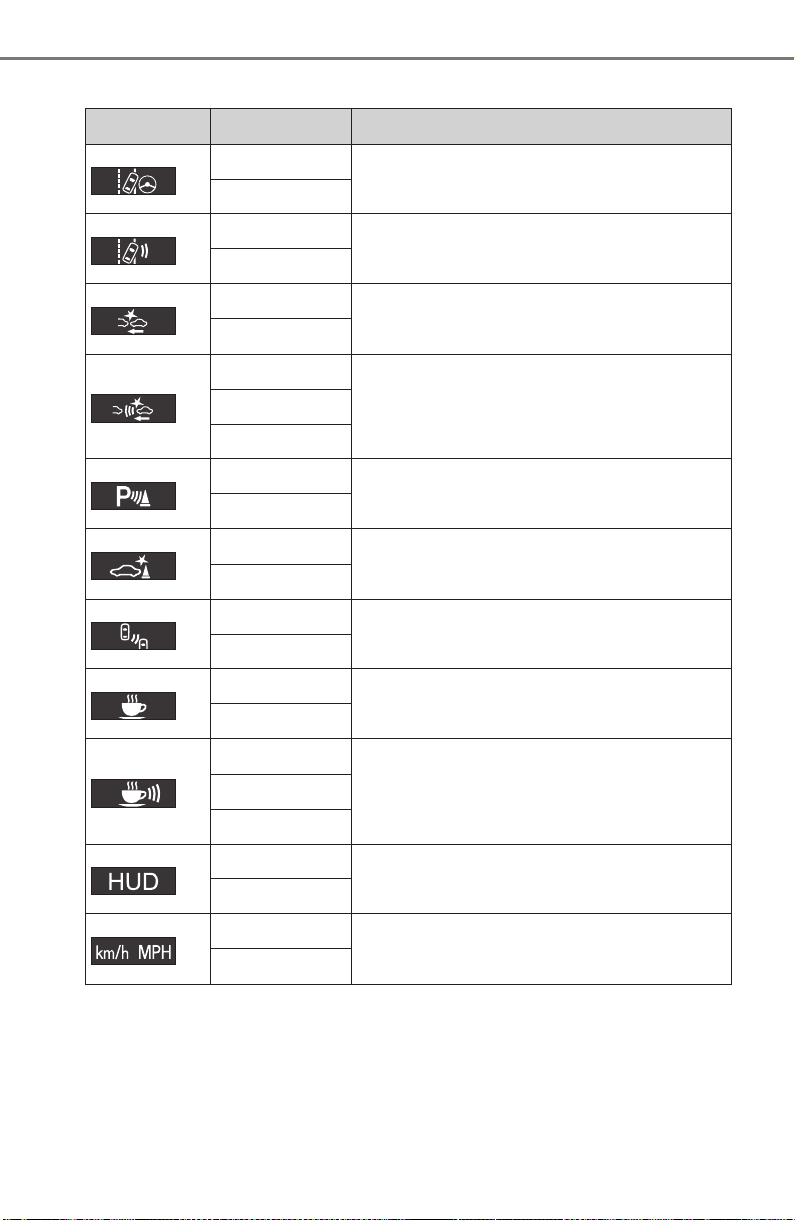
140
PRIUS_OM_OM47A29U_(U)
2. Instrument cluster
■ Settings table
Item Settings Setting result
*
“On”
Turns the LDA system steering control
function on and off. (→P. 299)
“Off”
*
“High”
Switches the LDA system lane deviation
sensitivity. (→P. 299)
“Standard”
*
“On”
Turns the PCS (Pre-Collision System) on
and off. (→P. 279)
“Off”
*
Far
Switches the PCS (Pre-Collision System)
warning timing. (→P. 279)
Middle
Near
*
“On”
Turns the Intuitive parking assist on and off.
(→P. 335)
“Off”
*
“On”
Turns the Intelligent Clearance Sonar on
and off. (→P. 348)
“Off”
*
“On”
Turns the Blind Spot Monitor on and off.
(→P. 323)
“Off”
*
“On”
Turns the LDA system vehicle sway warn-
ing on and off. (→P. 299)
“Off”
*
“High”
Switches the LDA system vehicle sway
warning sensitivity. (→P. 299)
“Standard”
“Low”
*
Height
Changes the display position and bright-
ness of the head-up display. (→P. 148)
Brightness
*
“km/h”
Switches the speed unit used by the screen
display.
“MPH”

PRIUS_OM_OM47A29U_(U)
141
2. Instrument cluster
2
Instrument cluster
*: If equipped
Clock setting
Adjusts the clock. (→P. 97)
Sets the minutes to “00”. (→P. 97)
“Meter Customize” settings: →P. 142
“Vehicle Settings” settings: →P. 752
Item Settings Setting result

142
PRIUS_OM_OM47A29U_(U)
2. Instrument cluster
■ “Meter Customize” settings ( )
Item Settings Setting result
“Simple/Split
Screen”
“Simple”
Switches the display mode of
the main display. (→P. 111)
“Split”
“Screen
OFF”
*
1
“Yes”
Turns the multi-information dis-
play off.
“No”
“HV System
Indicator”
(→P. 119)
“ECO Acceler-
ator Guidance”
“On”
Turns the “ECO Accelerator
Guidance” on and off.
“Off”
“EV Indicator
Light On/Off”
“On”
Turns the EV indicator on and
off.
“Off”
“Pop-up Display
On/Off”
“Navigation”*
2
“On”
Turns the pop-up display of the
selected item on the multi-
information display on and off.
“Off”
“Instrument
Panel Light”
“On”
“Off”
“Gasoline
Price”
“On”
“Off”
“Climate
Settings”
“On”
“Off”
“Cruise
Control
Operation
Display”
“On”
“Off”
“HUD
Settings”
*
2
“On”
“Off”
“Driving Mode
Select”
“On”
“Off”
“Speed
Limit”
*
2, 3
(→P. 150)
“Off”
Switches the operation con-
tents of the speed limit func-
tion.
“Only Display”
“With Caution”
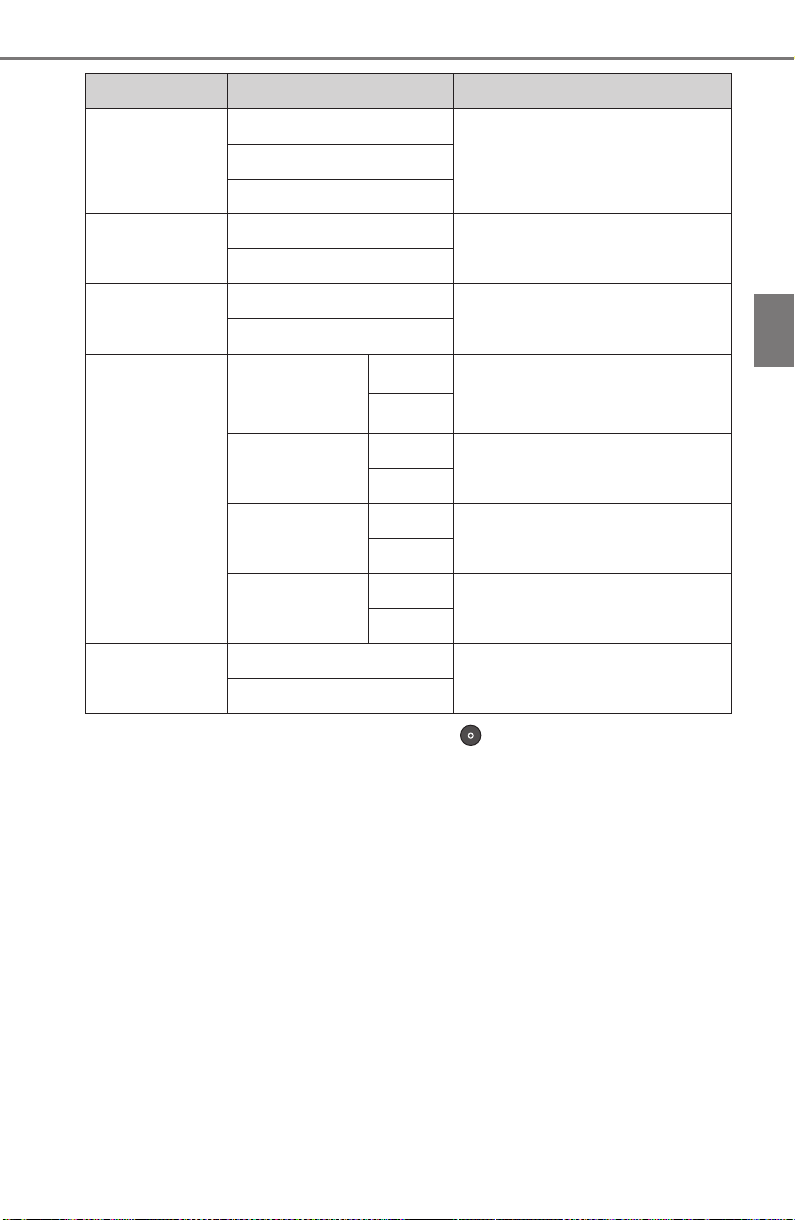
PRIUS_OM_OM47A29U_(U)
143
2. Instrument cluster
2
Instrument cluster
*
1
: When the screen is turned off, pressing displays the setting screen
again.
*
2
: If equipped
*
3
: U.S.A. only
*
4
: Except for Canada
*
5
: For Canada
“Language”
“English” (English)
Switches the language dis-
played on the screen.
“Français” (French)
“Español” (Spanish)
“Calendar”
Month/Day/Year*
4
Changes the date used to
record fuel consumption data.
Day/Month/Year*
5
“Eco Savings”
(→P. 128)
“Gasoline Price”
Registers data used to calcu-
late and record “Eco Savings”.
“COMP. Consumption”
“History
Reset”
“Monthly Fuel
Consumption”
“Yes”
Deletes data of “Fuel Con-
sumption Record (Monthly)”.
(→P. 123)
“No”
“Eco Savings
(Monthly)”
“Yes”
Deletes data of “Eco Savings
(Monthly)”. (→P. 128)
“No”
“Eco-Diary
(Daily)”
“Yes”
Deletes data of “Eco-Diary
(Daily)”. (→P. 131)
“No”
“Eco-Diary
(Monthly)”
“Yes”
Deletes data of “Eco-Diary
(Monthly)”. (→P. 131)
“No”
“Initialization”
“Yes”
Returns the combination meter
settings to their initial settings.
“No”
Item Settings Setting result

144
PRIUS_OM_OM47A29U_(U)
2. Instrument cluster
■ Setting items
● “Meter Customize” and “Vehicle Settings” setting items are not selectable
during driving and cannot be operated.
Also, the settings screen is temporarily canceled in the following situations.
• A warning message is displayed.
• The vehicle starts off.
● Settings for functions not equipped to the vehicle are not displayed.
● When a function is turned off, the related settings for that function are not
selectable.
■ Calendar settings
● Calendar settings contents are linked to the recorded information of “Fuel
Consumption Record (Monthly)” (→P. 123) and “Eco-Diary” (→P. 131).
When the calendar date is changed, each record is processed as follows:
*: Month/date information not recorded is set to “0” or “0.0”.
● When the recorded contents of “Fuel Consumption Record (Monthly)” are
changed due to changing the calendar settings, the “Monthly” information of
“Eco Savings” (→P. 128) is also changed.
Contents of date
change
“Fuel Consumption
Record (Monthly)”
record
“Eco-Diary” record
Date changed to future
date
Not cleared* Not cleared*
Date changed to before
last month
Cleared All cleared
Date changed to earlier
date within current
month
Not cleared
Only “Daily” data
cleared
PRIUS_OM_OM47A29U_(U)
145
2. Instrument cluster
2
Instrument cluster
WARNING
■ Cautions while setting up the display
As the hybrid system needs to be operating during setting up the display,
ensure that the vehicle is parked in a place with adequate ventilation. In a
closed area such as a garage, exhaust gases including harmful carbon
monoxide (CO) may collect and enter the vehicle. This may lead to death or
a serious health hazard.
NOTICE
■ While setting up the display
To prevent 12-volt battery discharge, ensure that the hybrid system is oper-
ating while setting up the display features.
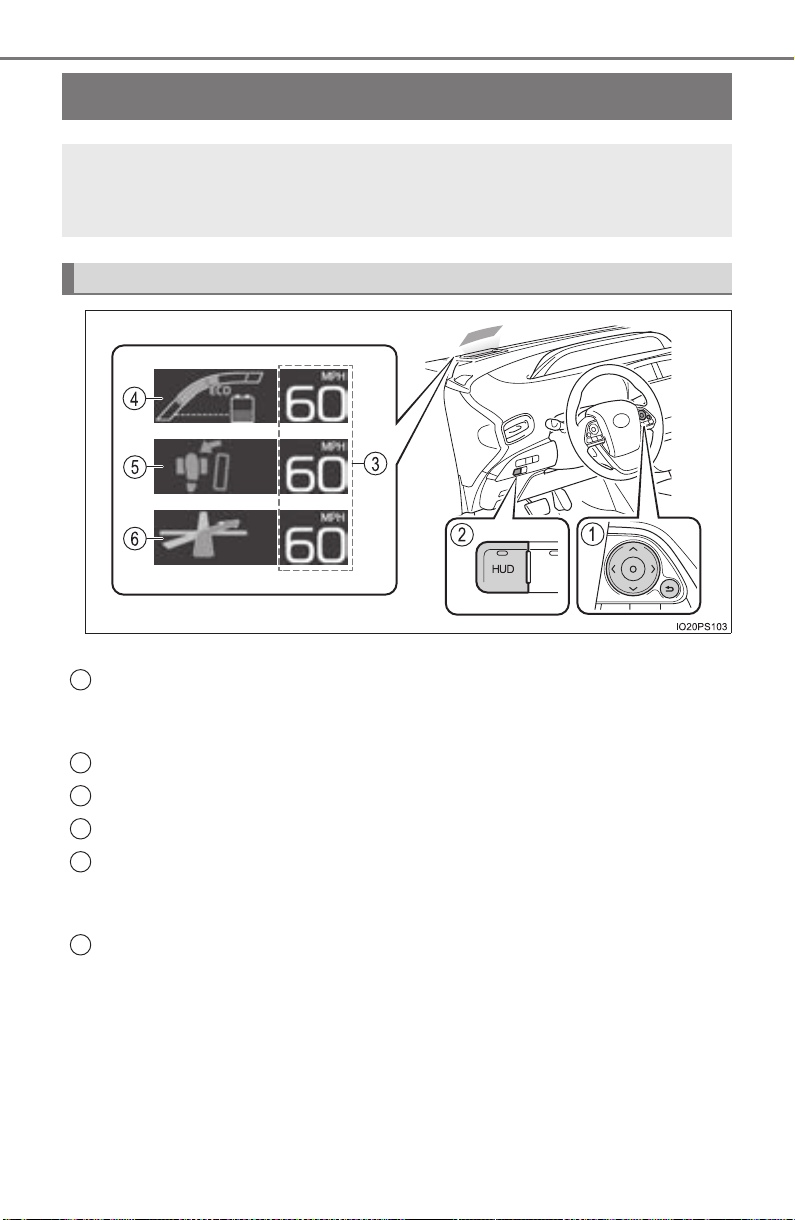
146
PRIUS_OM_OM47A29U_(U)
2. Instrument cluster
Head-up display
∗
The units used on the display may differ depending on the target region.
Meter control switches
These switches are used when adjusting the display position and bright-
ness of the head-up display. (→P. 148)
“HUD” (Head-up display) switch (→P. 1 47)
Vehicle speed display
Hybrid System Indicator (→P. 119)
Insert display
(→P. 149)
This display inserts information from each driving support system accord-
ing to driving conditions.
Route guidance display (vehicles with navigation system)
(→P. 150)
This display is automatically shown when the navigation system is per-
forming route guidance.
∗: If equipped
The head-up display can display the current vehicle speed and
hybrid system indicator in front of the driver. Also, it can display
various types of information to assist the driver.
Operation switches and display contents
1
2
3
4
5
6
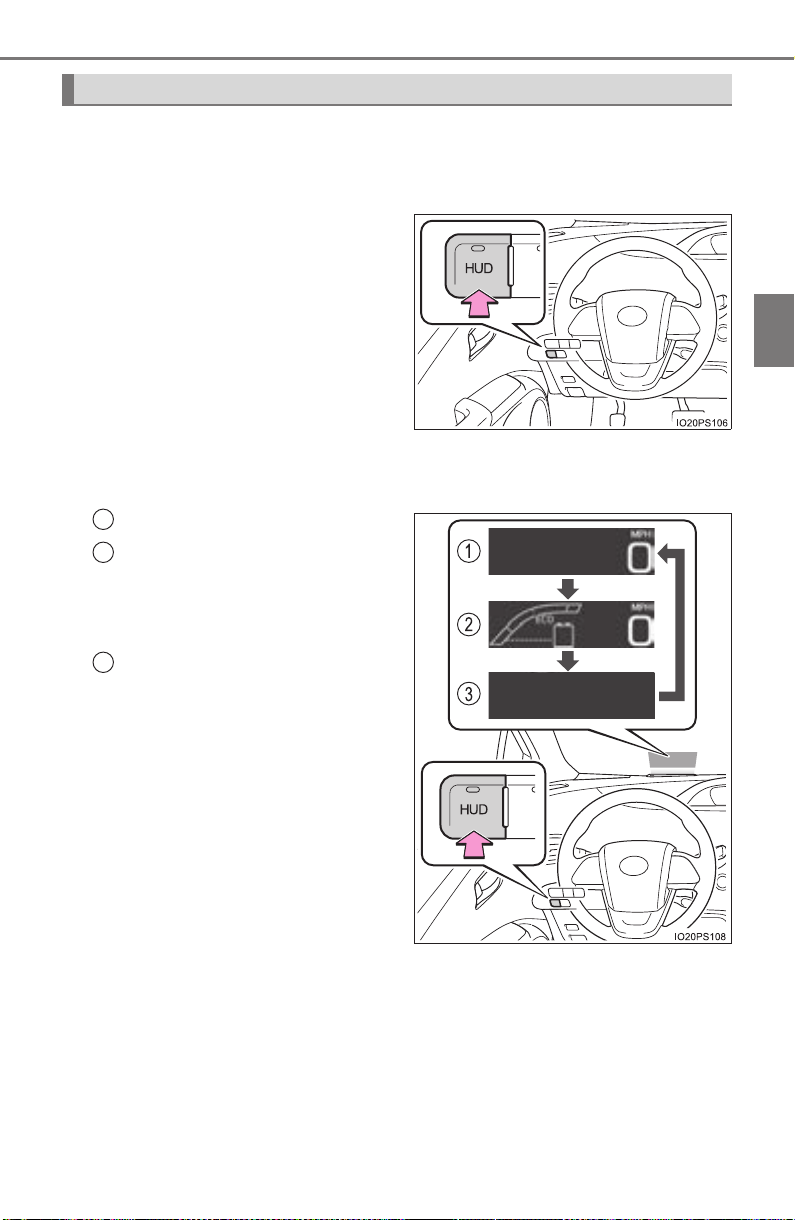
PRIUS_OM_OM47A29U_(U)
147
2. Instrument cluster
2
Instrument cluster
The “HUD” switch can be used to turn the head-up display on and off,
or switch the display contents.
■ When the head-up display is off
Pressing the “HUD” switch
turns the head-up display on
and starts the display.
The indicator light on the “HUD”
switch comes on.
The display position and bright-
ness adjustment screen is auto-
matically displayed on the multi-
information display. (→P. 148)
■
When the head-up display is on
Display items can be switched by pressing the “HUD” switch.
Vehicle speed display
Vehicle speed display and
Hybrid System Indicator
*
Refer to P. 119 for details of the
Hybrid System Indicator.
No display (head-up display
is off)
The indicator light on the “HUD”
switch turns off.
*: When the insert display of each
driving support system is dis-
played, the hybrid system indi-
cator is temporarily turned off.
“HUD” (Head-up display) switch
1
2
3
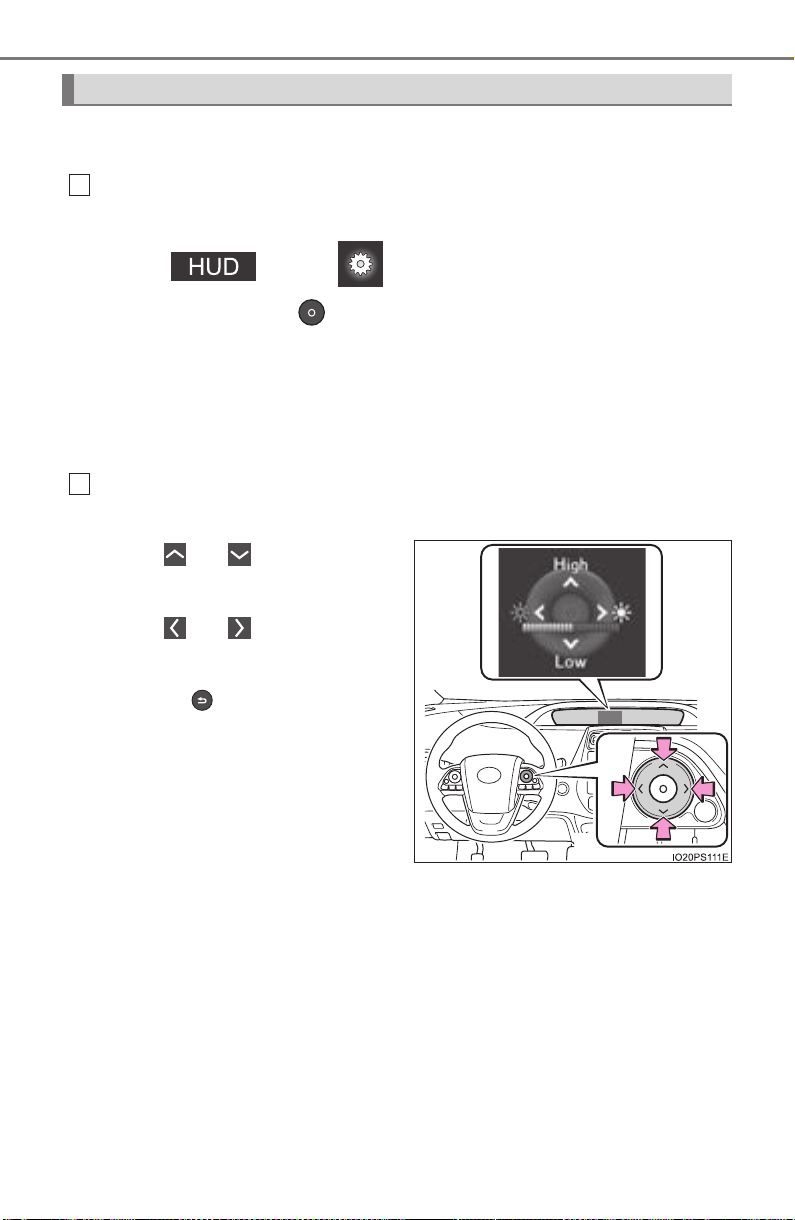
148
PRIUS_OM_OM47A29U_(U)
2. Instrument cluster
In order to improve the visibility of the head-up display, the display
position and brightness can be adjusted.
Displaying the adjustment screen on the multi-information display.
When the head-up display is on:
Select on the screen of the multi-information dis-
play, and then press . (→P. 139)
When the head-up display is off:
When the “HUD” switch is pressed, the adjustment screen for the
head-up display automatically displays.
*
1
If an adjustment operation is not performed for approximately 6 seconds*
2
,
the multi-information display automatically returns to the previous screen.
Adjusting the display position and brightness by operating the
meter control switches.
When or is pressed, the
position of the head-up display
changes.
When or is pressed, the
brightness of the head-up display
changes.
When the is pressed, the multi-
information display returns to the
previous screen.
*
1
: This function can be turned off. (→P. 142)
*
2
: The adjustment screen may suddenly be canceled if it is interrupted by a
warning message shown on the display.
Display position and brightness adjustment
1
2
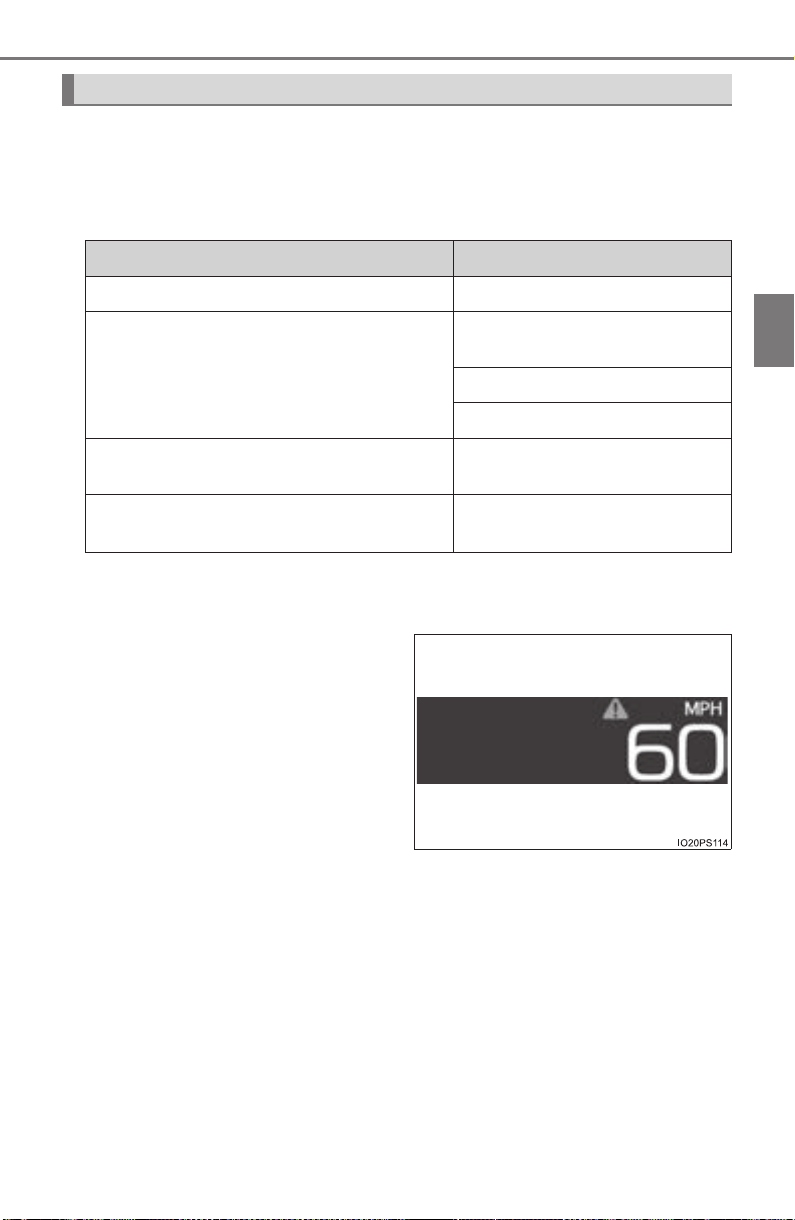
PRIUS_OM_OM47A29U_(U)
149
2. Instrument cluster
2
Instrument cluster
■ Insert displays of the driving support systems
Insert displays are linked with the operation of the following sys-
tems and used to show some of the information shown on the multi-
information display on the head-up display.
*: If equipped
■
Master warning light insert display
When the master warning light
(→P. 658) is illuminated or
flashing, an insert display is
shown on the head-up display
to inform the driver.
When the master warning light
is illuminated or flashing, check
the message displayed on the
multi-information display and
perform the corresponding trou-
bleshooting procedure.
(→P. 665)
Insert display
System Displayed information
PCS (Pre-Collision System)* (→P. 275) Pre-collision warning
LDA (Lane Departure Alert with steering
control)
* (→P. 289)
Lane departure alert function
display
Hands off steering wheel alert
Sway warning
Dynamic radar cruise control with full-
speed range
* (→P. 300)
Approach warning display
Intelligent Clearance Sonar* (→P. 346)
Operation display
(symbol display)
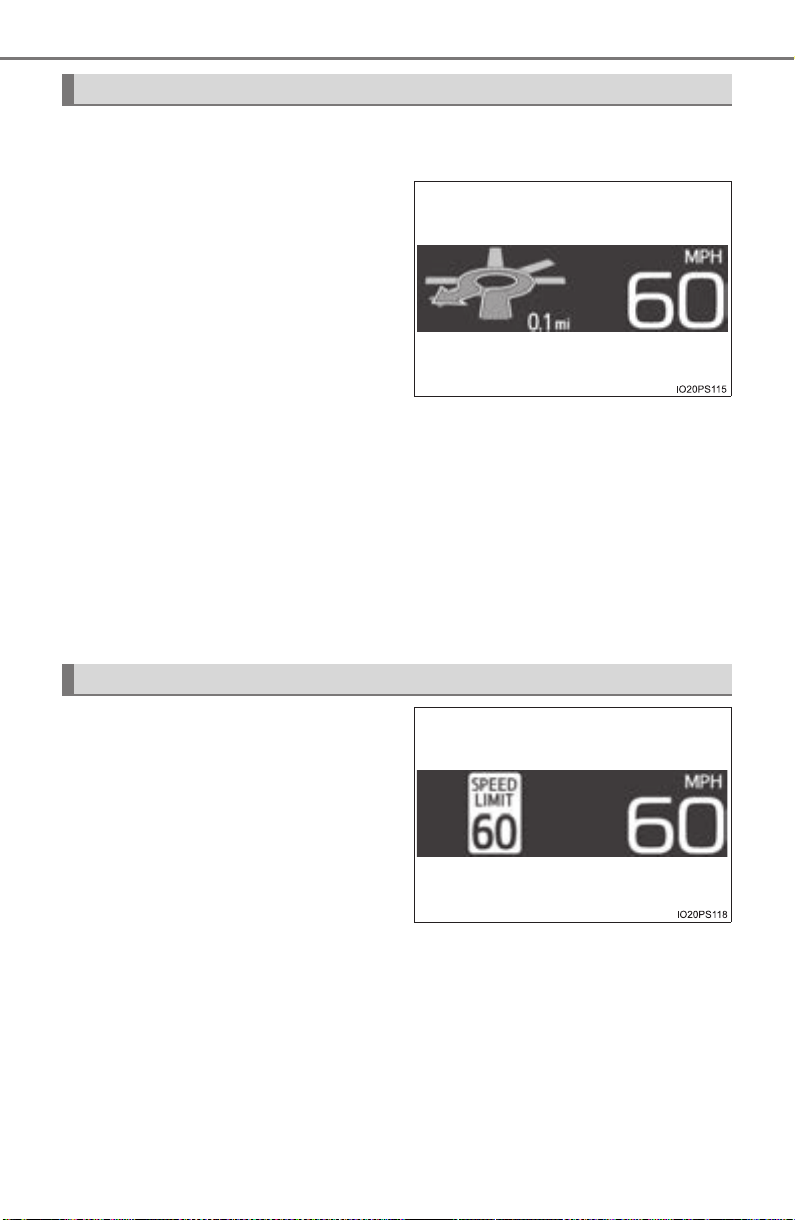
150
PRIUS_OM_OM47A29U_(U)
2. Instrument cluster
When the navigation system route guidance is set, convenient route
guidance is displayed.
When approaching an intersec-
tion, the shape of the intersection
and the remaining distance to the
intersection
*
1
are displayed.
Once the vehicle is within a fixed
distance from the intersection, an
arrow animation
*
2, 3
is displayed
to inform the driver of which direc-
tion to proceed in.
*
1
: While the animation is displayed, the remaining distance to the intersec-
tion is hidden.
*
2
: When the distance unit of the navigation system is “km” or “mile”, the ani-
mation does not display.
*
3
: If the vehicle is stopped while the animation is displayed, the arrow
begins flashing.
The route guidance display can be switched on and off as necessary.
(→P. 752)
Displays the speed limit for the
current road.
The speed limit display settings can be changed. (→P. 142)
Route guidance display (vehicles with navigation system)
Speed limit display (if equipped) (U.S.A. only)

PRIUS_OM_OM47A29U_(U)
151
2. Instrument cluster
2
Instrument cluster
■ Enabling/disabling of the head-up display
When the head-up display is turned off with the “HUD” switch, it is not dis-
played until the “HUD” switch is used to turn the head-up display on again.
(Operation of the head-up display is not linked with the power switch.)
■ Display brightness
● The brightness of the head-up display is automatically adjusted according to
the operation status of the headlights (on/off) and the brightness of the sur-
roundings.
● When the brightness of the head-up display is adjusted to a certain level or
higher, the display automatically dims when the vehicle is stopped. Once the
vehicle starts off and the vehicle speed reaches approximately 3.1 mph
(5 km/h) or more, the display automatically returns to its previous bright-
ness.
■ Vehicle speed display
In extremely cold environments, the display of the speedometer and the vehi-
cle speed of the head-up display may slightly differ.
■ Head-up display
The head-up display may seem dark and hard to see when viewed through
sunglasses, especially polarized sunglasses.
■ When the 12-volt battery is disconnected
The customize settings of the head-up display will be reset.
■ Route guidance display (vehicles with navigation system)
The route guidance is not displayed on both the head-up display and multi-
information display simultaneously. When the route guidance is displayed on
the head-up display, the multi-information display does not display the route
guidance even if the navigation system-linked display (→P. 133) is selected
on the multi-information display.
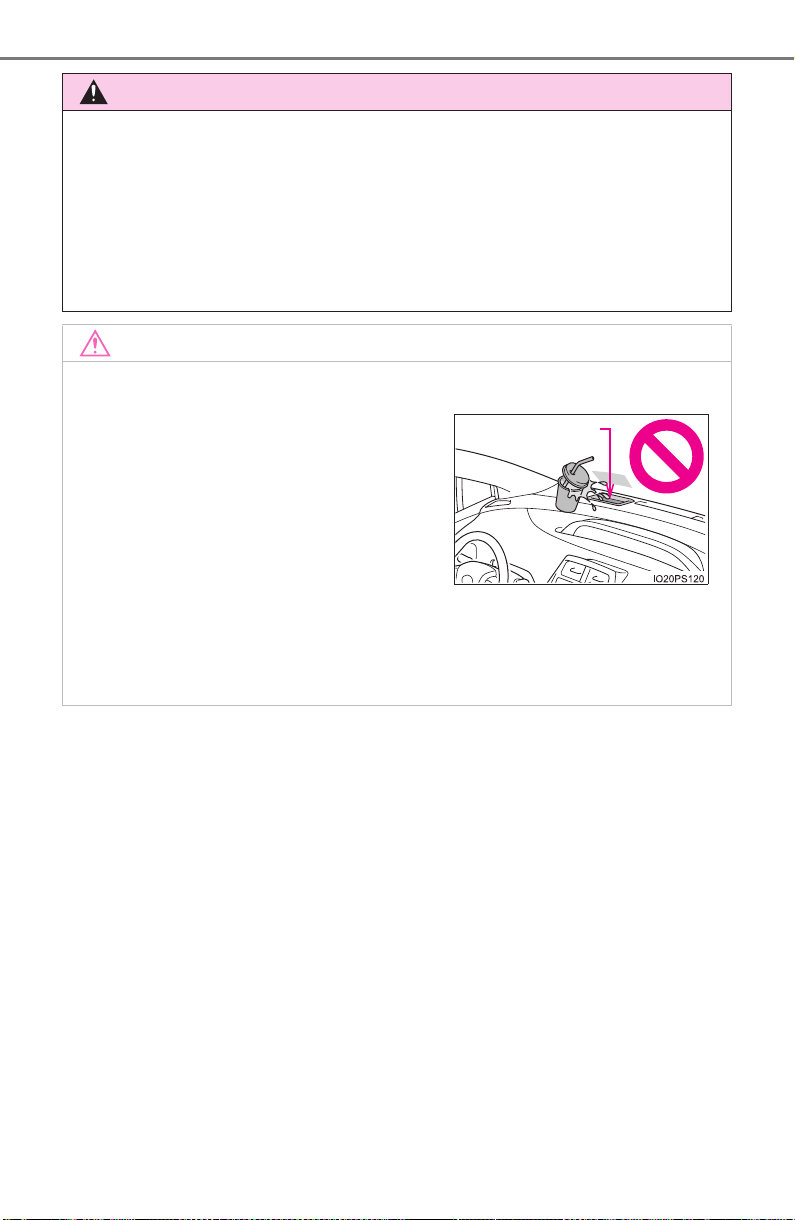
152
PRIUS_OM_OM47A29U_(U)
2. Instrument cluster
WARNING
■ Before using the head-up display
● Check that the position and brightness of the head-up display image does
not interfere with safe driving. Incorrect adjustment of the image’s position
or brightness may obstruct the driver’s view and lead to an accident,
resulting in death or serious injury.
● Do not continuously look at the head-up display while driving as you may
fail to see pedestrians, objects on the road, etc. ahead of the vehicle.
NOTICE
■ To prevent damage to components
● Do not place any drinks near the head-
up display projector. If the projector gets
wet, electrical malfunctions may result.
● Do not place anything on or put stickers
onto the head-up display projector.
Doing so could interrupt head-up dis-
play indications.
● Do not touch the inside of the head-up
display projector or thrust sharp edges
or the like into the projector.
Doing so could cause mechanical mal-
functions.
Display projector

153
PRIUS_OM_OM47A29U_(U)
2. Instrument cluster
2
Instrument cluster
Energy monitor/consumption screen
◆ Multi-information display
→P. 114
◆ Audio system screen
Display the energy monitor, trip information or past record screen.
X Vehicles with Entune Audio
Press the “CAR” button.
X Vehicles with Entune Premium Audio with Navigation
Press the “APPS” button.
Select “Eco”.
You can view the status of your vehicle on the multi-information
display and the audio system screen
*.
*: For navigation system or multimedia system
1
2
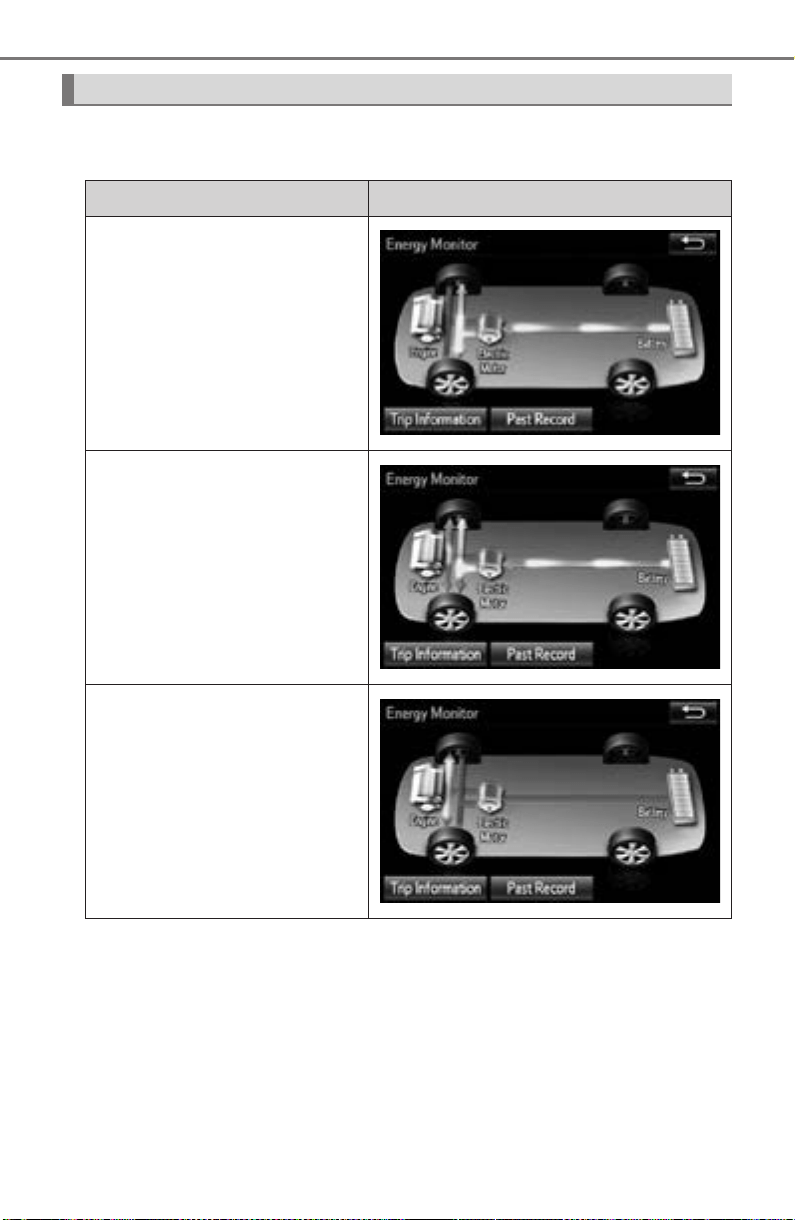
154
PRIUS_OM_OM47A29U_(U)
2. Instrument cluster
If the “Trip Information” or “Past Record” screen is displayed, select
“Energy”.
Energy monitor
Audio system screen
When the vehicle is powered by
the electric motor (traction
motor)
When the vehicle is powered by
both the gasoline engine and
the electric motor (traction
motor)
When the vehicle is powered by
the gasoline engine
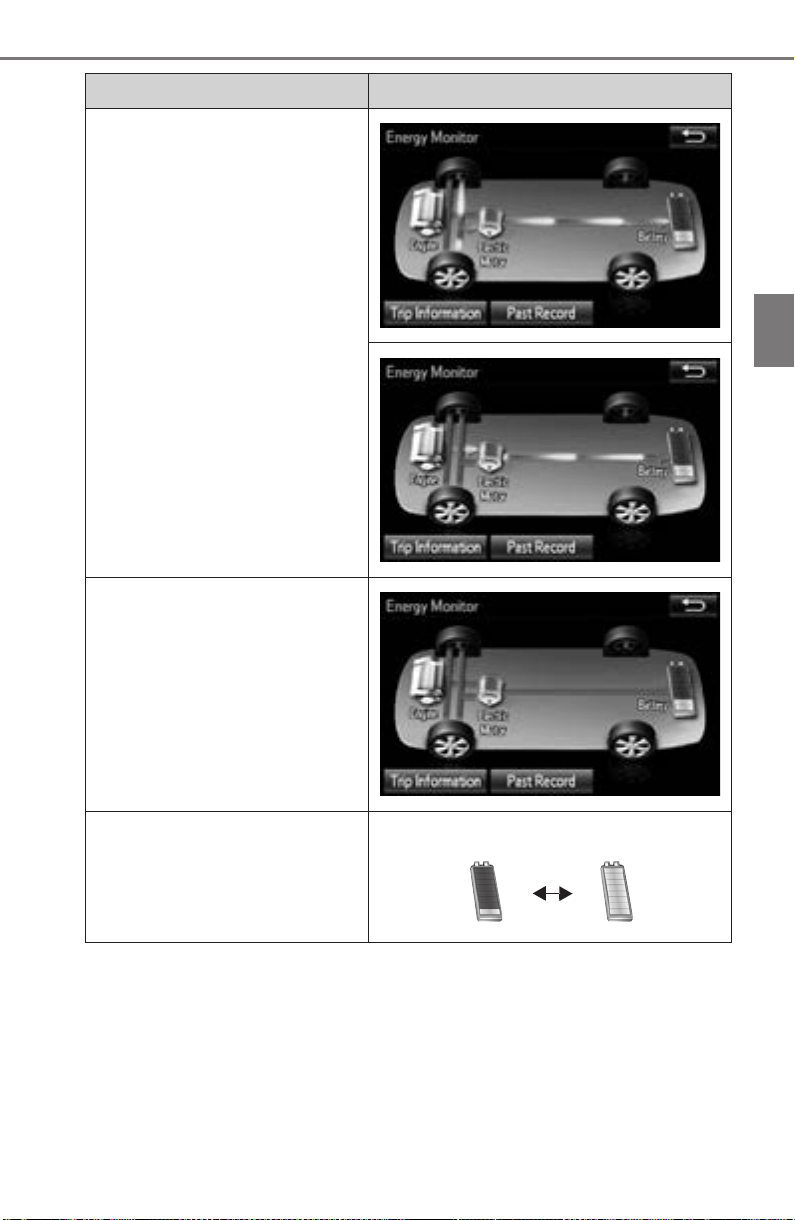
PRIUS_OM_OM47A29U_(U)
155
2. Instrument cluster
2
Instrument cluster
These images are examples only, and may vary slightly from actual
conditions.
When the vehicle is charging
the hybrid battery (traction bat-
tery)
When there is no energy flow
Hybrid battery (traction battery)
status
Audio system screen
Low Full
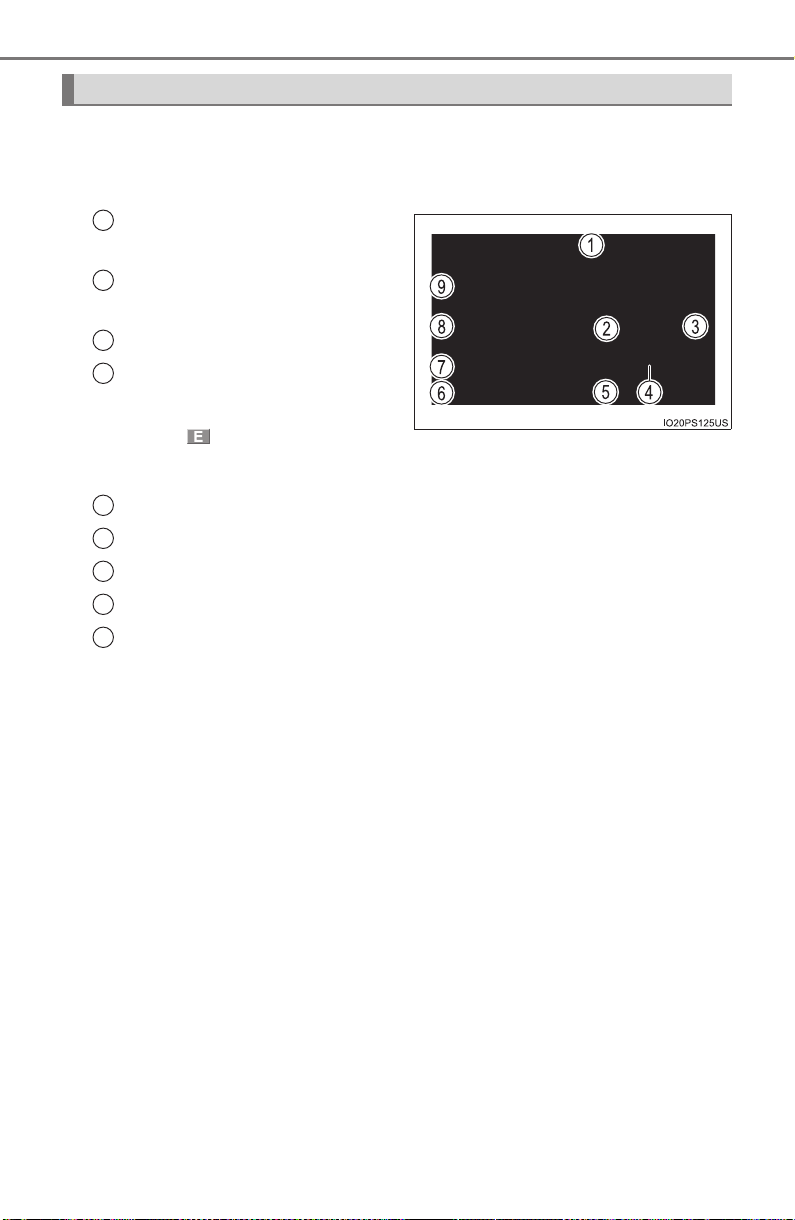
156
PRIUS_OM_OM47A29U_(U)
2. Instrument cluster
■ Trip information
If the “Trip Information” screen does not appear, select “Trip Infor-
mation”.
Reset the trip information
data
Previous fuel consumption
per minute
Current fuel consumption
Regenerated energy in the
past 15 minutes
One symbol indicates
30 Wh.
Up to 5 symbols are shown.
“Energy Monitor” screen appears
“Past Record” screen appears
Cruising range
Elapsed time
Average vehicle speed
Average fuel consumption for the past 15 minutes is divided by
color into past averages and averages attained since the power
switch was last turned to ON mode. Use the displayed average fuel
consumption as a reference.
The image is an example only, and may vary slightly from actual
conditions.
Fuel consumption
1
2
3
4
5
6
7
8
9
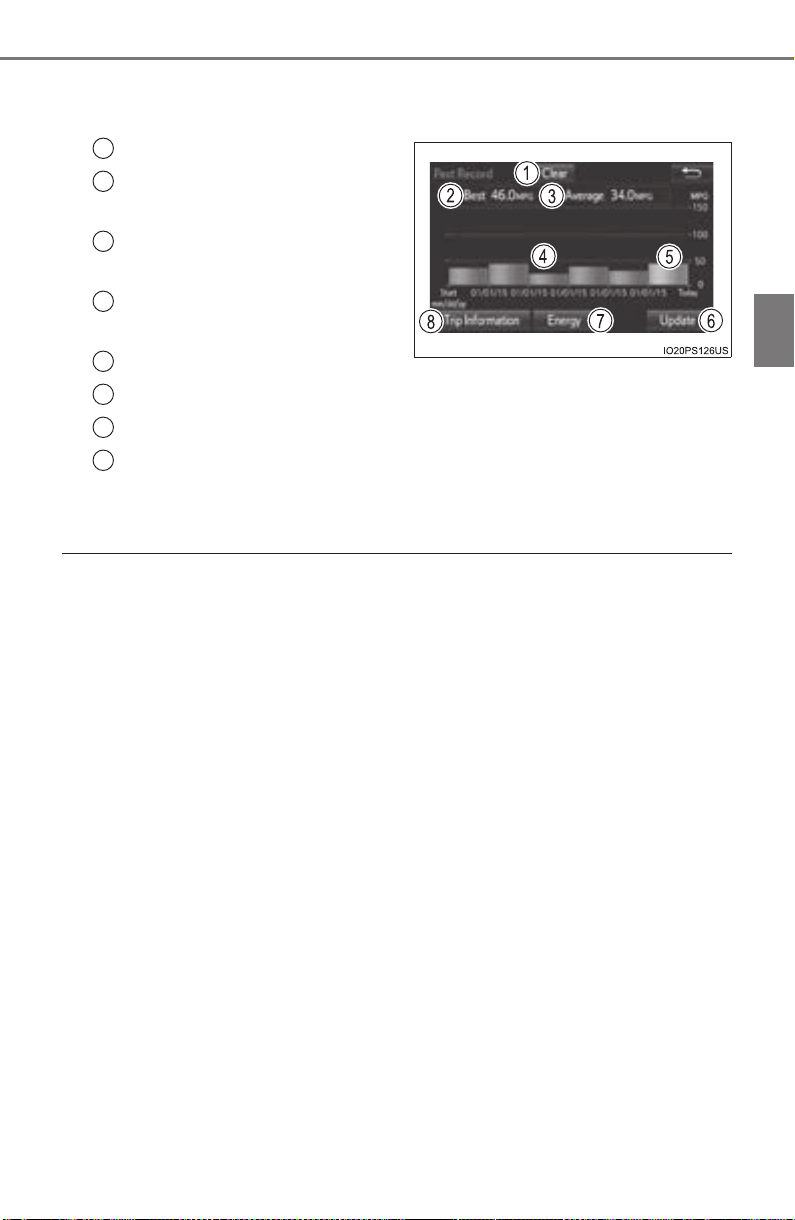
PRIUS_OM_OM47A29U_(U)
157
2. Instrument cluster
2
Instrument cluster
■ Past record
If the “Past Record” screen does not appear, select “Past Record”.
Reset the past record data
Best recorded fuel consump-
tion
Average fuel consumption (if
equipped)
Previous fuel consumption
record
Current fuel consumption
Update the past record data
“Energy Monitor” screen appears
“Trip Information” screen appears
The image is an example only, and may vary slightly from actual
conditions.
■ Resetting the data
● Selecting “Clear” on the “Trip Information” screen will reset the trip informa-
tion data.
● Selecting “Clear” on the “Past Record” screen will reset the past record
data.
■ Updating the past record data
Selecting “Update” on the “Past Record” screen will update the past record
data.
Also, the average fuel consumption displayed in the multi-information display
will be reset at the same time.
■ Cruising range
Displays the estimated maximum distance that can be driven with the quan-
tity of fuel remaining.
This distance is computed based on your average fuel consumption. As a
result, the actual distance that can be driven may differ from that displayed.
1
2
3
4
5
6
7
8

158
PRIUS_OM_OM47A29U_(U)
2. Instrument cluster

159
PRIUS_OM_OM47A29U_(U)
3
Operation of
each component
3-1. Key information
Keys.................................. 160
3-2. Opening, closing and
locking the doors
Side doors......................... 165
Back door.......................... 171
Smart key system ............. 176
3-3. Adjusting the seats
Front seats ........................ 184
Rear seats......................... 186
Head restraints.................. 189
3-4. Adjusting the steering
wheel and mirrors
Steering wheel .................. 192
Inside rear view mirror ...... 194
Outside rear view
mirrors............................. 196
3-5. Opening and closing the
windows and moon roof
Power windows ................. 198
Moon roof.......................... 202
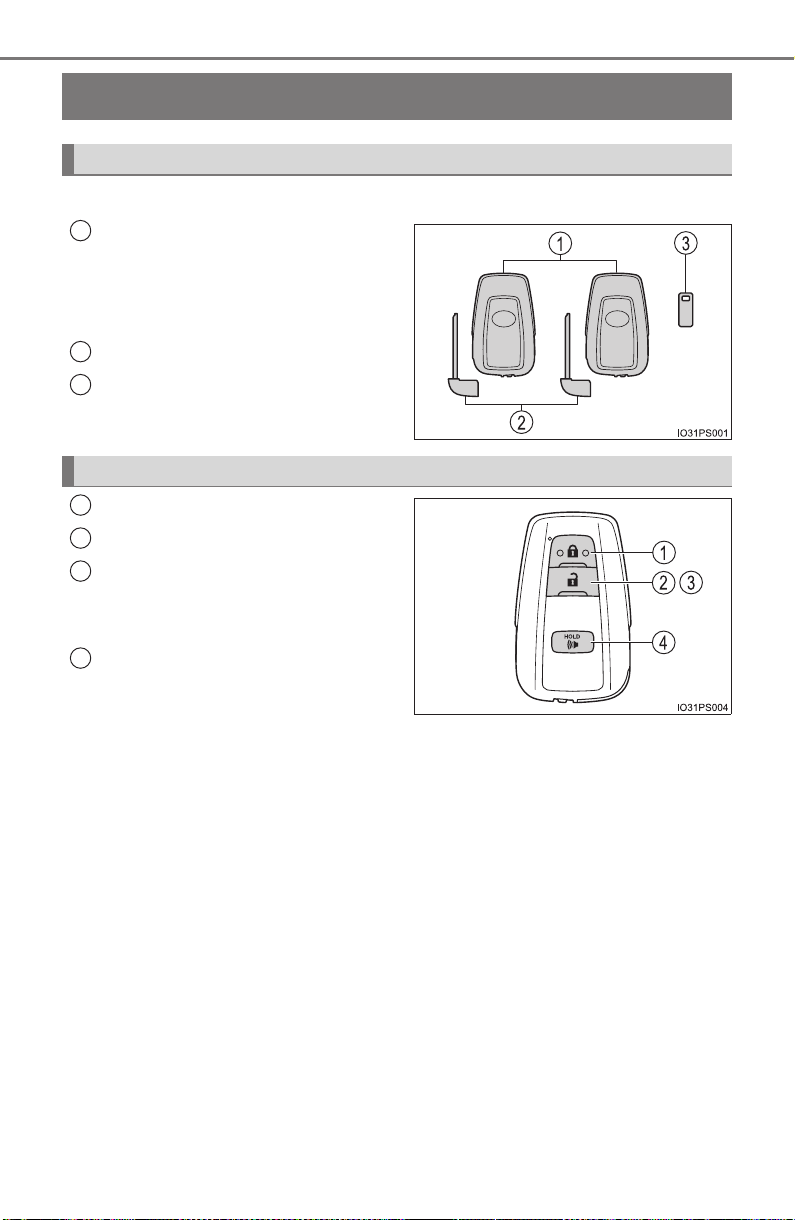
160
PRIUS_OM_OM47A29U_(U)
3-1. Key information
Keys
The following keys are provided with the vehicle.
Electronic keys
• Operating the smart key system
(→P. 176)
• Operating the wireless remote
control function
Mechanical keys
Key number plate
Locks all the doors (→P. 166)
Unlocks all the doors (→P. 166)
Opens the side windows and
moon roof (if equipped)
*
(→P. 166)
Sounds the alarm (→P. 161)
*: This setting must be customized at your Toyota dealer.
The keys
1
2
3
Wireless remote control
1
2
3
4

PRIUS_OM_OM47A29U_(U)
161
3-1. Key information
3
Operation of each component
To take out the mechanical key,
slide the release lever and take
the key out.
The mechanical key can only be
inserted in one direction, as the
key only has grooves on one side.
If the key cannot be inserted in a
lock cylinder, turn it over and re-
attempt to insert it.
After using the mechanical key, store it in the electronic key. Carry the
mechanical key together with the electronic key. If the electronic key bat-
tery is depleted or the entry function does not operate properly, you will
need the mechanical key. (→P. 708)
■ Panic mode
■ If you lose your mechanical keys
New genuine mechanical keys can be made by your Toyota dealer using
another mechanical key and the key number stamped on your key number
plate. Keep the plate in a safe place such as your wallet, not in the vehicle.
■ When riding in an aircraft
When bringing an electronic key onto an aircraft, make sure you do not press
any buttons on the electronic key while inside the aircraft cabin. If you are
carrying an electronic key in your bag etc., ensure that the buttons are not
likely to be pressed accidentally. Pressing a button may cause the electronic
key to emit radio waves that could interfere with the operation of the aircraft.
Using the mechanical key
Release
lever
When is pressed for longer than
about one second, an alarm will sound
intermittently and the vehicle lights will
flash to deter any person from trying to
break into or damage your vehicle.
To stop the alarm, press any button on the
electronic key.

162
PRIUS_OM_OM47A29U_(U)
3-1. Key information
■ Electronic key battery depletion
● The standard battery life is 1 to 2 years.
● If the battery becomes low, an alarm will sound in the cabin and a message
will be displayed on the multi-information display when the hybrid system
stops.
● As the electronic key always receives radio waves, the battery will become
depleted even if the electronic key is not used. The following symptoms indi-
cate that the electronic key battery may be depleted. Replace the battery
when necessary. (→P. 628)
• The smart key system or the wireless remote control does not operate.
• The detection area becomes smaller.
• The LED indicator on the key surface does not turn on.
● To avoid serious deterioration, do not leave the electronic key within 3 ft.
(1 m) of the following electrical appliances that produce a magnetic field:
•TVs
• Personal computers
• Cellular phones, cordless phones and battery chargers
• Table lamps
• Induction cookers

PRIUS_OM_OM47A29U_(U)
163
3-1. Key information
3
Operation of each component
■ If a message regarding the state of the electronic key or power switch
mode, etc. is shown
To prevent trapping the electronic key inside the vehicle, leaving the vehicle
without turning off the power switch or other passengers from unintentionally
taking the key out of the vehicle, etc., a message that prompts the user to
confirm the state of the electronic key or power switch mode may be shown
on the multi-information display. In those cases, follow the instructions on the
display immediately.
■ If “Key Battery Low Replace Key Battery” is displayed on the multi-infor-
mation display
The electronic key has a low battery. Replace the electronic key battery.
(→P. 628)
■ Replacing the battery
→P. 628
■ Confirmation of the registered key number
The number of keys already registered to the vehicle can be confirmed. Ask
your Toyota dealer.
■ If “A New Key has been Registered Contact Your Dealer for Details” is
displayed on the multi-information display
This message will be displayed each time the driver’s door is opened when
the doors are unlocked from the outside for approximately 10 days after a
new electronic key has been registered.
If this message is displayed but you have not had a new electronic key regis-
tered, ask your Toyota dealer to check if an unknown electronic key (other
than those in your possession) has been registered.
■ If a wrong key is used
The key cylinder rotates freely to isolate inside mechanism.

164
PRIUS_OM_OM47A29U_(U)
3-1. Key information
NOTICE
■ To prevent key damage
● Do not drop the keys, subject them to strong shocks or bend them.
● Do not expose the keys to high temperatures for long periods of time.
● Do not get the keys wet or wash them in an ultrasonic washer etc.
● Do not attach metallic or magnetic materials to the keys or place the keys
close to such materials.
● Do not disassemble the keys.
● Do not attach a sticker or anything else to the surface of the electronic key.
● Do not place the keys near objects that produce magnetic fields, such as
TVs, audio systems and induction cookers, or medical electrical equip-
ment, such as low-frequency therapy equipment.
● Do not place the keys near medical electrical equipment such as low-fre-
quency therapy equipment or microwave therapy equipment, and do not
receive medical attention with the keys on your person.
■ Carrying the electronic key on your person
Carry the electronic key 3.9 in. (10 cm) or more away from electric appli-
ances that are turned on. Radio waves emitted from electric appliances
within 3.9 in. (10 cm) of the electronic key may interfere with the key, caus-
ing the key to not function properly.
■ In case of a smart key system malfunction or other key-related prob-
lems
Take your vehicle with all the electronic keys provided with your vehicle to
your Toyota dealer.
■ When an electronic key is lost
If the electronic key remains lost, the risk of vehicle theft increases signifi-
cantly. Visit your Toyota dealer immediately with all remaining electronic
keys that were provided with your vehicle.
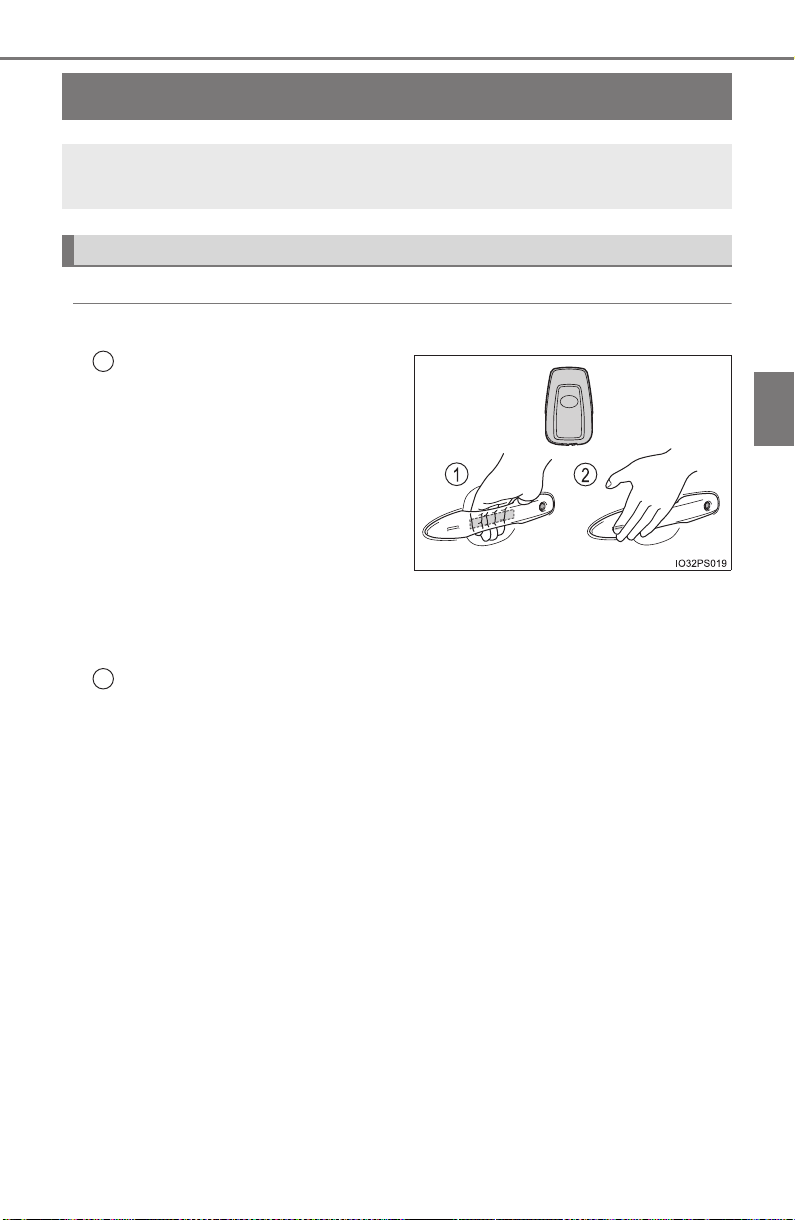
165
PRIUS_OM_OM47A29U_(U)
3-2. Opening, closing and locking the doors
3
Operation of each component
Side doors
◆ Smart key system
Carry the electronic key to enable this function.
Grip the driver’s door handle
to unlock the door. Holding
the driver’s door handle for
approximately 2 seconds
unlocks all the doors.
Some models, grip the front
passenger’s door handle to
unlock all the doors
*.
Make sure to touch the sensor on the back of the handle.
The doors cannot be unlocked for 3 seconds after the doors are locked.
*: The door unlock settings can be changed. (→P. 169)
Touch the lock sensor (the indentation on the surface of the front
door handle) to lock the doors.
Check that the door is securely locked.
The vehicle can be locked and unlocked using the entry func-
tion, wireless remote control or door lock switches.
Unlocking and locking the doors from the outside
1
2
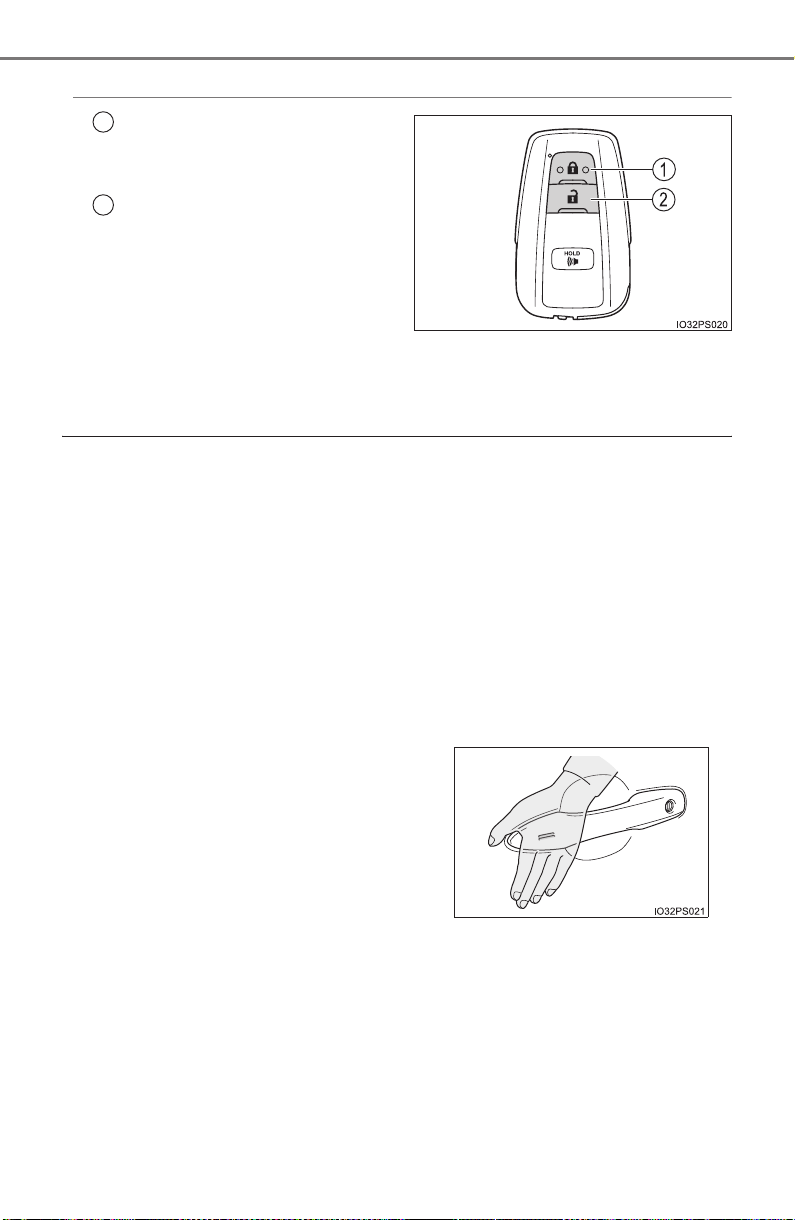
166
PRIUS_OM_OM47A29U_(U)
3-2. Opening, closing and locking the doors
◆ Wireless remote control
Locks all the doors
Check that the door is securely
locked.
Unlocks all the doors
Pressing the button unlocks the
driver’s door. Pressing the but-
ton again within 3 seconds
unlocks the other doors.
Press and hold to open the side
windows and moon roof (if
equipped).
*
*
: This setting must be customized at your Toyota dealer.
■ Operation signals
Doors:
A buzzer sounds and the emergency flashers flash to indicate that the doors
have been locked/unlocked. (Locked: Once; Unlocked: Twice)
Side windows and moon roof (if equipped):
A buzzer sounds to indicate that the side windows and moon roof are operat-
ing.
■ Security feature
If a door is not opened within approximately 60 seconds after the vehicle is
unlocked, the security feature automatically locks the vehicle again.
■ When the door cannot be locked by the lock sensor on the surface of the
door handle
■ Door lock buzzer
If an attempt to lock the doors is made when a door is not fully closed, a
buzzer sounds continuously for 5 seconds. Fully close the door to stop the
buzzer, and lock the vehicle once more.
■ If the smart key system or the wireless remote control does not operate
properly
● Use the mechanical key to lock and unlock the doors. (→P. 708)
● Replace the key battery with a new one if it is depleted. (→P. 628)
1
2
When the door cannot be locked even if
the lock sensor on the surface of the door
handle is touched by a finger, touch the
lock sensor with the palm.
When gloves are being worn, remove the
gloves.
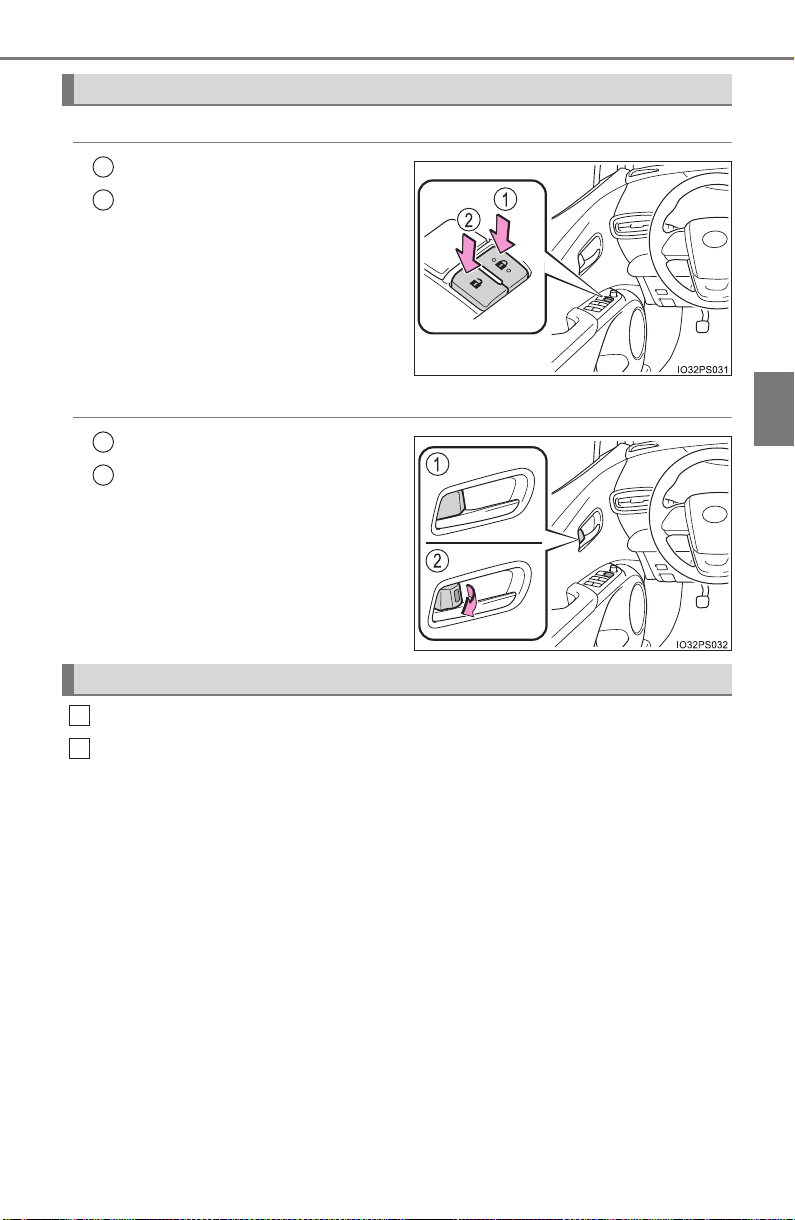
PRIUS_OM_OM47A29U_(U)
167
3-2. Opening, closing and locking the doors
3
Operation of each component
◆ Door lock switches
Locks all the doors
Unlocks all the doors
◆ Inside lock buttons
Locks the door
Unlocks the door
The front doors can be opened
by pulling the inside handle
even if the lock buttons are in
the lock position.
Move the inside lock button to the lock position.
Close the door.
The door cannot be locked if the power switch is in ACCESSORY or
ON mode, or the electronic key is left inside the vehicle.
The key may not be detected correctly and the door may be locked.
Locking and unlocking the doors from the inside
1
2
1
2
Locking the front doors from the outside without a key
1
2
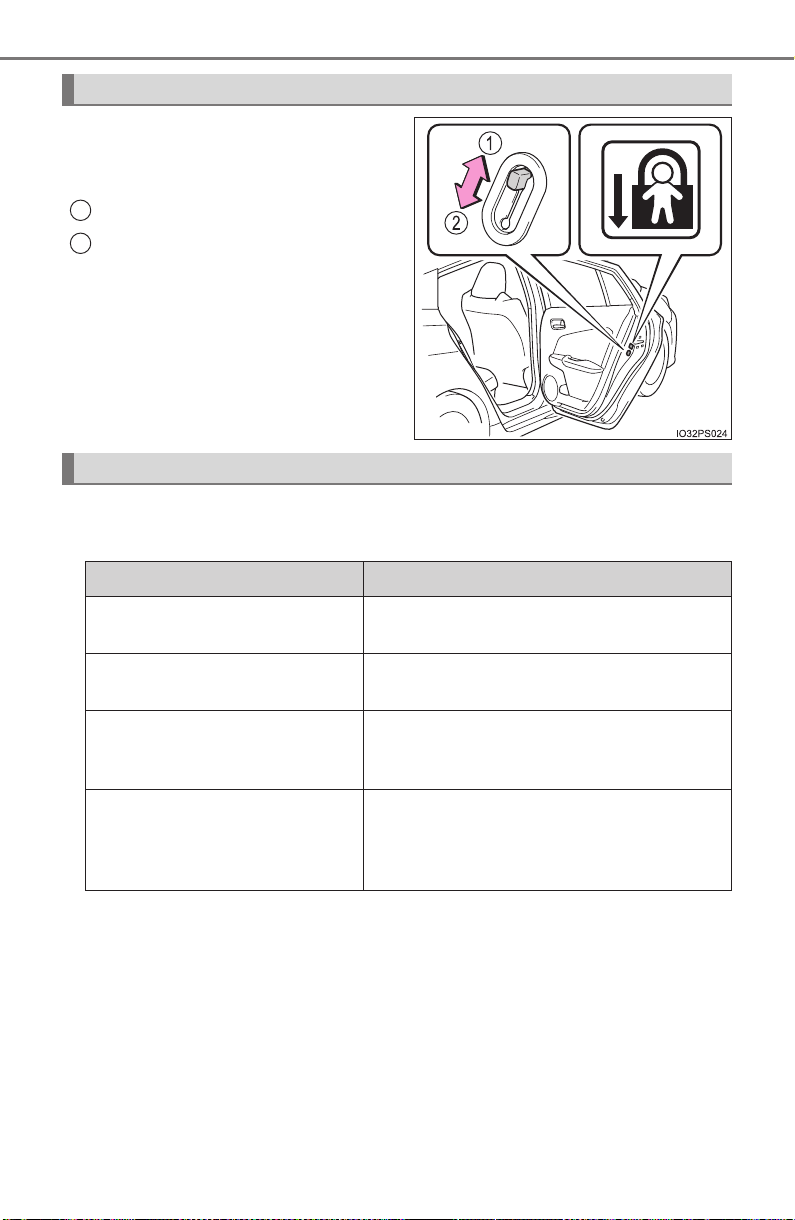
168
PRIUS_OM_OM47A29U_(U)
3-2. Opening, closing and locking the doors
The door cannot be opened from
inside the vehicle when the lock is
set.
Unlock
Lock
These locks can be set to prevent
children from opening the rear
doors. Push down on each rear
door switch to lock both rear doors.
The following functions can be set or canceled:
For instructions on customizing, refer to P. 752.
Rear door child-protector lock
1
2
Automatic door locking and unlocking systems
Function Operation
Shift position linked door lock-
ing function
Shifting the shift position to any positions
other than P locks all the doors.
Shift position linked door
unlocking function
Shifting the shift position to P unlocks all
the doors.
Speed linked door locking
function
All the doors are locked when the vehicle
speed is approximately 12 mph (20 km/h)
or higher.
Driver’s door linked door
unlocking function
All the doors are unlocked when the
driver’s door is opened within approxi-
mately 45 seconds after turning the power
switch off.
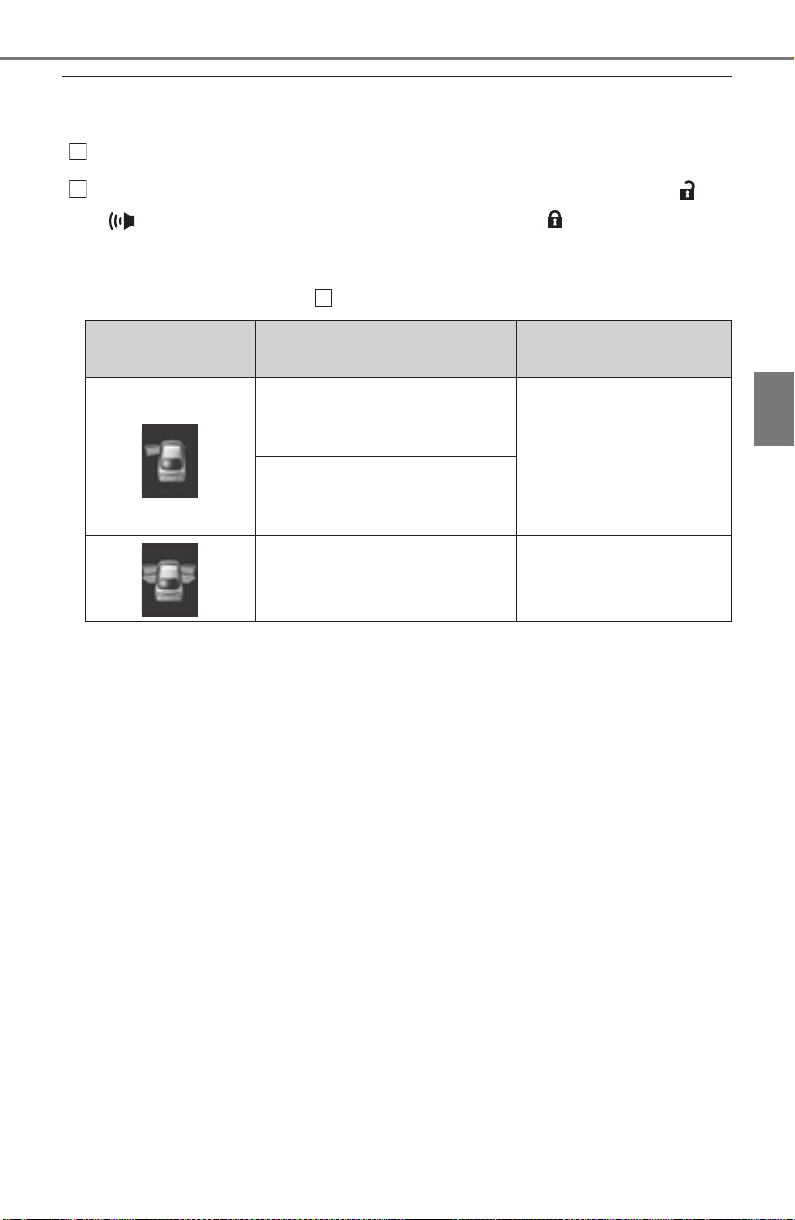
PRIUS_OM_OM47A29U_(U)
169
3-2. Opening, closing and locking the doors
3
Operation of each component
■ Switching the door unlock function
It is possible to set which doors the entry function unlocks.
Turn the power switch off.
When the indicator on the key surface is turned off, push and hold or
for approximately 5 seconds while pushing the button on the key.
The setting changes each time an operation is performed, as shown below.
(When changing the setting continuously, release the buttons, wait for at least
5 seconds, and repeat step .)
■ Using the mechanical key
The doors can also be locked and unlocked with the mechanical key.
(→P. 708)
■ Open door warning buzzer
If the vehicle speed reaches 3 mph (5 km/h), the master warning light flashes
and a buzzer sounds to indicate that the door(s) is not fully closed.
The open door(s) is displayed on the multi-information display.
■ Conditions affecting the operation of the smart key system or wireless
remote control
→P. 178
■ Customization
Settings (e.g. unlocking function using a key) can be changed.
(Customizable features: →P. 752)
Multi-information
display
Unlocking doors Beep
Hold the driver’s door handle
to unlock only the driver’s
door.
Exterior: Beeps three
times
Interior: Pings once
Hold the passenger’s door
handle or back door opener
to unlock all the doors.
Hold the front door handle or
back door opener to unlock
all the doors.
Exterior: Beeps twice
Interior: Pings once
1
2
2

170
PRIUS_OM_OM47A29U_(U)
3-2. Opening, closing and locking the doors
WARNING
■ To prevent an accident
Observe the following precautions while driving the vehicle.
Failure to do so may result in a door opening and an occupant throwing out
of the vehicle, resulting in death or serious injury.
● Ensure that all doors are properly closed and locked.
● Do not pull the inside handle of the doors while driving.
Be especially careful for the front doors, as the doors may be opened even
if the inside lock buttons are in locked position.
● Set the rear door child-protector locks when children are seated in the rear
seats.
■ When opening or closing a door
Check the surroundings of the vehicle such as whether the vehicle is on an
incline, whether there is enough space for a door to open and whether a
strong wind is blowing. When opening or closing the door, hold the door
handle tightly to prepare for any unpredictable movement.
■ When using the wireless remote control and operating the power win-
dows or moon roof (if equipped)
Operate the power window or moon roof after checking to make sure that
there is no possibility of any passenger having any of their body parts
caught in the side window or moon roof. Also, do not allow children to oper-
ate the wireless remote control. It is possible for children and other passen-
gers to get caught in the power window or moon roof.

171
PRIUS_OM_OM47A29U_(U)
3-2. Opening, closing and locking the doors
3
Operation of each component
Back door
◆ Smart key system (if equipped)
Carry the electronic key to enable this function.
Locks all the doors
Check that the door is securely
locked.
Unlocks all the doors
The doors cannot be unlocked
for 3 seconds after the doors are
locked.
◆ Wireless remote control
→P. 1 66
◆ Door lock switches
→P. 1 67
Raise the back door while pushing
up the back door opener switch.
The back door can be unlocked/locked and opened/closed by
the following procedures.
1
2
Opening the back door from outside the vehicle
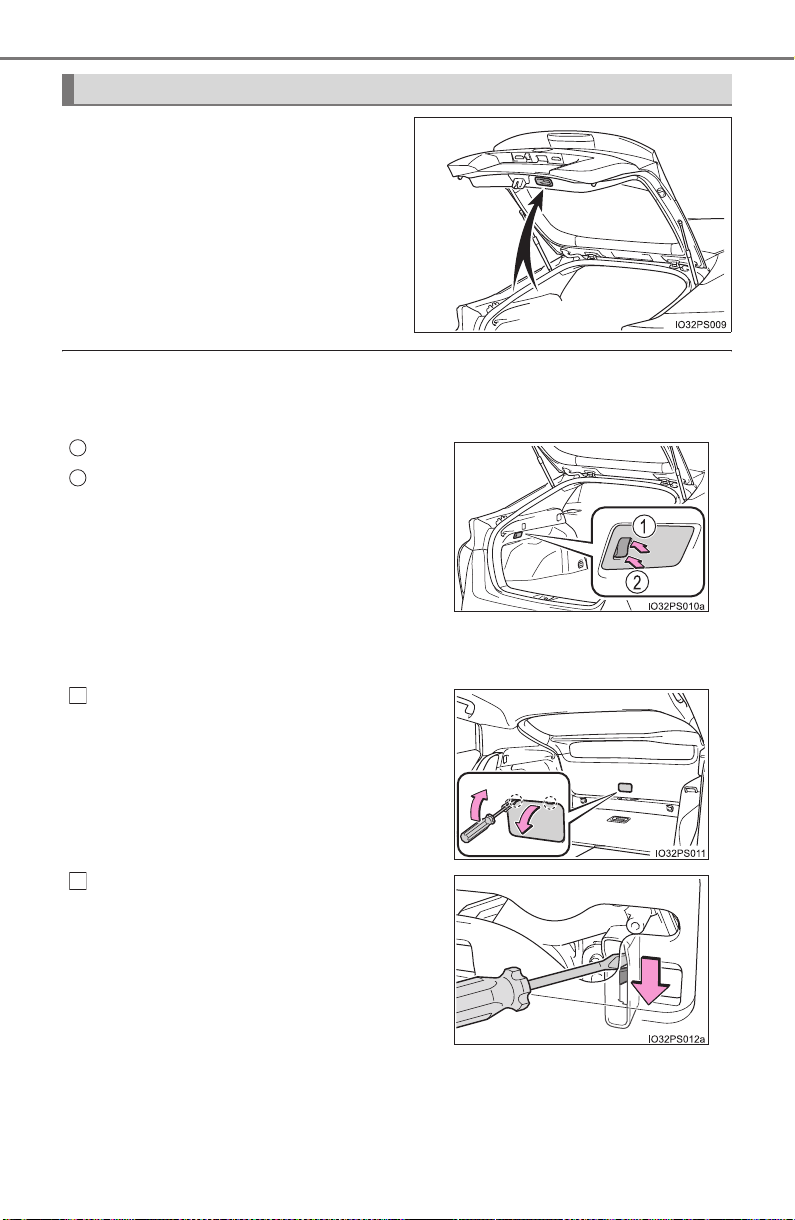
172
PRIUS_OM_OM47A29U_(U)
3-2. Opening, closing and locking the doors
Lower the back door using the
back door handle, and make sure
to push the back door down from
the outside to close it.
Be careful not to pull the back door
sideways when closing the back
door with the handle.
■ Luggage compartment light
The luggage compartment light turns on when the back door is opened with
the luggage compartment light switch on.
■ If the back door opener is inoperative
The back door can be unlocked from the inside.
When closing the back door
Off
On
When the power switch is turned off, the
light will go off automatically after 20
minutes.
Remove the cover.
To prevent damage, cover the tip of the
screwdriver with a rag.
Move the lever.
1
2
1
2

PRIUS_OM_OM47A29U_(U)
173
3-2. Opening, closing and locking the doors
3
Operation of each component
WARNING
Observe the following precautions.
Failure to do so may result in death or serious injury.
■ Before driving
● Make sure that the back door is fully closed. If the back door is not fully
closed, it may open unexpectedly while driving and hit near-by objects or
luggage in the luggage compartment may be thrown out, causing an acci-
dent.
● Do not allow children to play in the luggage compartment.
If a child is accidentally locked in the luggage compartment, they could
have heat exhaustion or other injuries.
● Do not allow a child to open or close the back door.
Doing so may cause the back door to open unexpectedly, or cause the
child’s hands, head, or neck to be caught by the closing back door.
■ Important points while driving
● Keep the back door closed while driving.
If the back door is left open, it may hit near-by objects or luggage in the
luggage compartment may be thrown out, causing an accident.
● Never let anyone sit in the luggage compartment. In the event of sudden
braking, sudden swerving or a collision, they are susceptible to death or
serious injury.
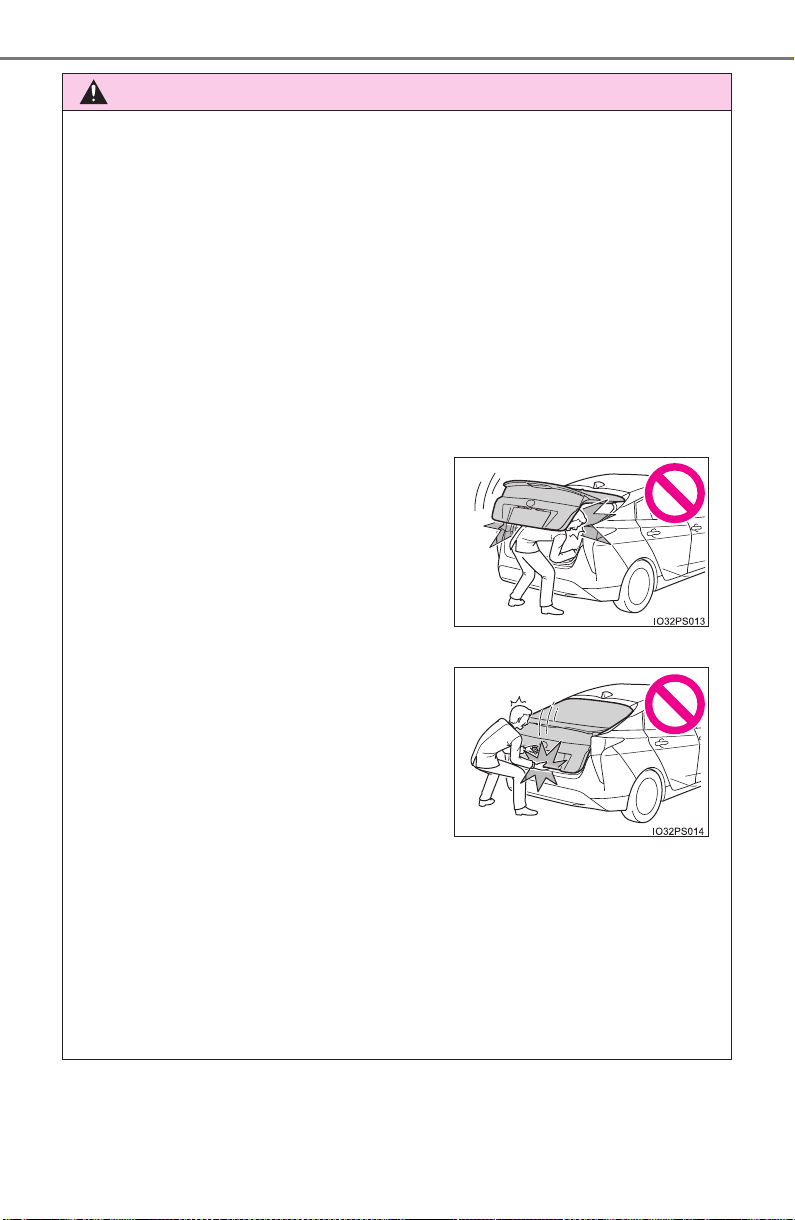
174
PRIUS_OM_OM47A29U_(U)
3-2. Opening, closing and locking the doors
WARNING
■ Operating the back door
Observe the following precautions.
Failure to do so may cause parts of the body to be caught, resulting in death
or serious injury.
● Remove any heavy loads, such as snow and ice, from the back door
before opening it. Failure to do so may cause the back door to suddenly
shut again after it is opened.
● When opening or closing the back door, thoroughly check to make sure
the surrounding area is safe.
● If anyone is in the vicinity, make sure they are safe and let them know that
the back door is about to open or close.
● Use caution when opening or closing the back door in windy weather as it
may move abruptly in strong wind.
● Do not pull on the back door damper stay to close the back door, and do
not hang on the back door damper stay.
Doing so may cause hands to be caught or the back door damper stay to
break, causing an accident.
● If a bicycle carrier or similar heavy object is attached to the back door, it
may suddenly shut again after being opened, causing someone’s hands,
head or neck to be caught and injured. When installing an accessory part
to the back door, using a genuine Toyota part is recommended.
● The back door may suddenly shut if it is
not opened fully. It is more difficult to
open or close the back door on an
incline than on a level surface, so
beware of the back door unexpectedly
opening or closing by itself. Make sure
that the back door is fully open and
secure before using the luggage com-
partment.
● When closing the back door, take extra
care to prevent your fingers etc. from
being caught.
● When closing the back door, make sure
to press it lightly on its outer surface. If
the back door handle is used to fully
close the back door, it may result in
hands or arms being caught.
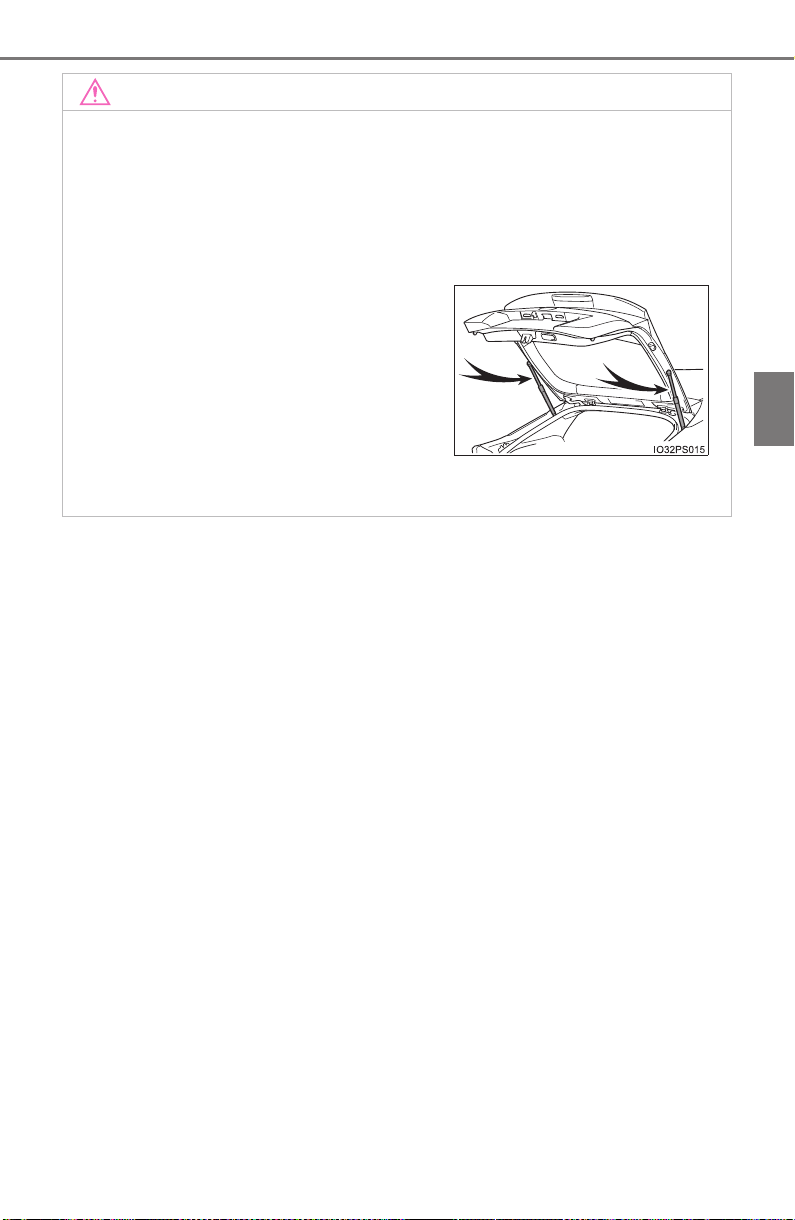
PRIUS_OM_OM47A29U_(U)
175
3-2. Opening, closing and locking the doors
3
Operation of each component
NOTICE
■ Back door damper stays
The back door is equipped with damper stays that hold the back door in
place.
Observe the following precautions.
Failure to do so may cause damage to the back door damper stay, resulting
in malfunction.
● Do not place your hand on the damper stay or apply lateral forces to it.
● Do not attach any foreign objects, such
as stickers, plastic sheets, or adhesives
to the damper stay rod.
● Do not touch the damper stay rod with
gloves or other fabric items.
● Do not attach any accessories other
than genuine Toyota parts to the back
door.
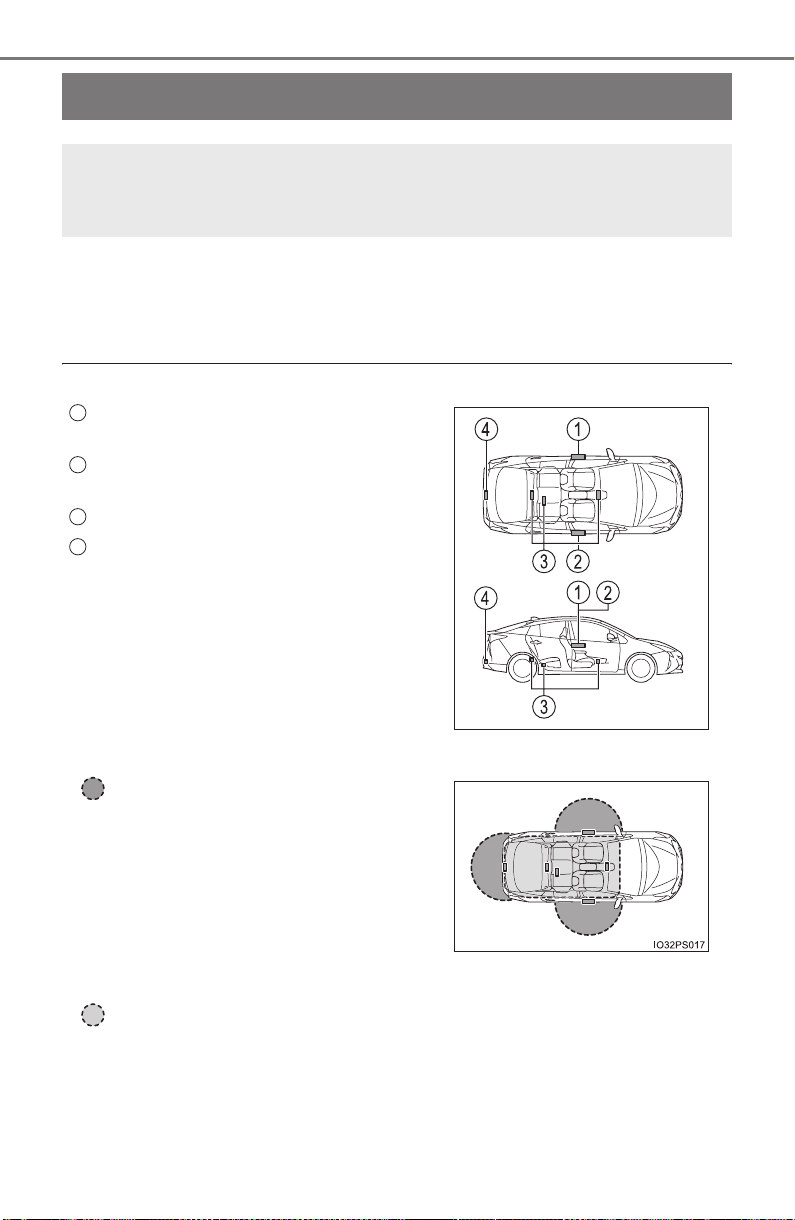
176
PRIUS_OM_OM47A29U_(U)
3-2. Opening, closing and locking the doors
Smart key system
● Unlocks and locks the doors (→P. 165)
● Unlocks and locks the back door (if equipped) (→P. 171)
● Starts the hybrid system (→P. 225)
■ Antenna location
■ Effective range (areas within which the electronic key is detected)
When starting the hybrid system or changing power switch modes
The system can be operated when the electronic key is inside the vehi-
cle.
The following operations can be performed simply by carrying
the electronic key on your person, for example in your pocket.
The driver should always carry the electronic key.
Antenna outside the cabin (driver’s
side)
Antenna outside the cabin (front pas-
senger’s side)
*
Antennas inside the cabin
Antenna outside the luggage compart-
ment
*
*
: If equipped
When locking or unlocking the doors
The system can be operated when
the electronic key is within about 2.3
ft. (0.7 m) of driver’s door handle,
front passenger’s door handle
* and
back door opener switch
*. (Only the
doors detecting the key can be oper-
ated.)
*: If equipped
1
2
3
4
IO32PS028

PRIUS_OM_OM47A29U_(U)
177
3-2. Opening, closing and locking the doors
3
Operation of each component
■ Alarms and warning messages
An alarm sounds and warning message displays shown on the multi-informa-
tion display are used to protect against unexpected accidents or theft of the
vehicle resulting from erroneous operation. When a warning message is dis-
played, take appropriate measures based on the displayed message.
When only an alarm sounds, circumstances and correction procedures are as
follows.
■ When “Smart Key System malfunction See owner’s manual” is dis-
played on the multi-information display
The system may be malfunctioning. Have the vehicle inspected by your
Toyota dealer immediately.
■ Battery-saving function
The battery-saving function will be activated in order to prevent the electronic
key battery and the 12-volt battery from being discharged while the vehicle is
not in operation for a long time.
● In the following situations, the smart key system may take some time to
unlock the doors.
• The electronic key has been left in an area of approximately 6 ft. (2 m) of
the outside of the vehicle for 10 minutes or longer.
• The smart key system has not been used for 5 days or longer.
● If the smart key system has not been used for 14 days or longer, the doors
cannot be unlocked at any doors except the driver’s door. In this case, take
hold of the driver’s door handle, or use the wireless remote control or the
mechanical key, to unlock the doors.
Alarm Situation Correction procedure
Exterior alarm
sounds once for 5
seconds
An attempt was made to
lock the vehicle while a door
was open.
Close all of the doors
and lock the doors
again.
Interior alarm
pings repeatedly
The power switch was
turned to ACCESSORY
mode while the driver’s door
was open (The driver’s door
was opened when the
power switch was in
ACCESSORY mode).
Turn the power switch
off and close the
driver’s door.
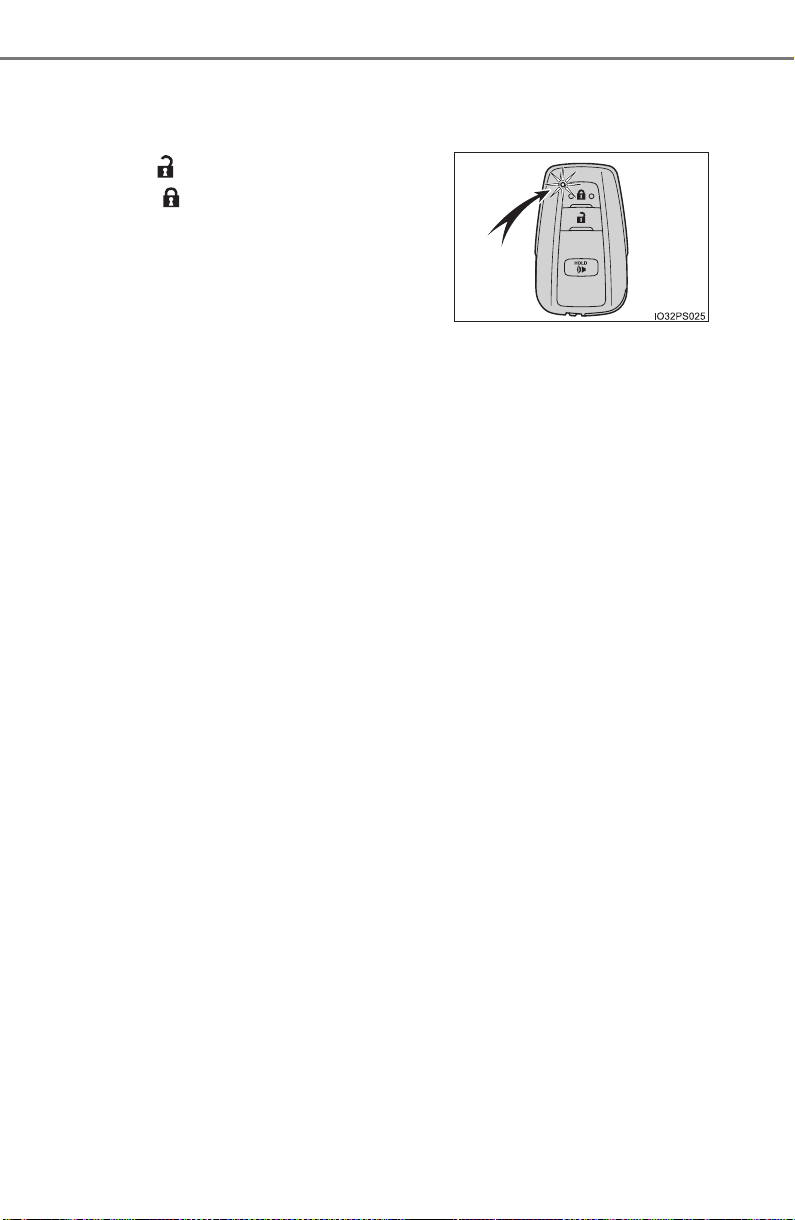
178
PRIUS_OM_OM47A29U_(U)
3-2. Opening, closing and locking the doors
■ Electronic Key Battery-Saving Function
When battery-saving mode is set, battery depletion is minimized by stopping
the electronic key from receiving radio waves.
■ Conditions affecting operation
The smart key system, wireless remote control and immobilizer system use
weak radio waves. In the following situations, the communication between
the electronic key and the vehicle may be affected, preventing the smart key
system, wireless remote control and immobilizer system from operating prop-
erly. (Ways of coping: →P. 708)
● When the electronic key battery is depleted
● Near a TV tower, electric power plant, gas station, radio station, large dis-
play, airport or other facility that generates strong radio waves or electrical
noise
● When the electronic key is in contact with, or is covered by the following
metallic objects
• Cards to which aluminum foil is attached
• Cigarette boxes that have aluminum foil inside
• Metallic wallets or bags
• Coins
• Hand warmers made of metal
• Media such as CDs and DVDs
● When other wireless key (that emit radio waves) is being used nearby
● When carrying the electronic key together with the following devices that
emit radio waves
• Portable radio, cellular phone, cordless phone or other wireless commu-
nication devices
• Another vehicle’s electronic key or a wireless key that emits radio waves
• Personal computers or personal digital assistants (PDAs)
• Digital audio players
• Portable game systems
● If window tint with a metallic content or metallic objects are attached to the
rear window
● When the electronic key is placed near a battery charger or electronic
devices
Press twice while pressing and
holding . Confirm that the electronic
key indicator flashes 4 times.
While the battery-saving mode is set, the
smart key system cannot be used. To
cancel the function, press any of the elec-
tronic key buttons.

PRIUS_OM_OM47A29U_(U)
179
3-2. Opening, closing and locking the doors
3
Operation of each component
■ Note for the entry function
● Even when the electronic key is within the effective range (detection areas),
the system may not operate properly in the following cases:
• The electronic key is too close to the window or outside door handle, near
the ground, or in a high place when the doors are locked or unlocked.
• The electronic key is on the instrument panel, floor, or in the door pockets
or glove box when the hybrid system is started or power switch modes
are changed.
● Do not leave the electronic key on top of the instrument panel or near the
door pockets when exiting the vehicle. Depending on the radio wave recep-
tion conditions, it may be detected by the antenna outside the cabin and the
door will become lockable from the outside, possibly trapping the electronic
key inside the vehicle.
● As long as the electronic key is within the effective range, the doors may be
unlocked or locked by anyone.
● Even if the electronic key is not inside the vehicle, it may be possible to start
the hybrid system if the electronic key is near the window.
● The doors may unlock if a large amount of water splashes on the door han-
dle, such as in the rain or in a car wash when the electronic key is within the
effective range. (The door will automatically be locked after approximately
60 seconds if the doors are not opened and closed.)
● If the wireless remote control is used to lock the doors when the electronic
key is near the vehicle, there is a possibility that the door may not be
unlocked by the entry function. (Use the wireless remote control to unlock
the doors.)
● Touching the door lock sensor while wearing gloves may delay or prevent
lock operation. Remove the gloves and touch the lock sensor again.
● When the lock operation is performed using the lock sensor, recognition sig-
nals will be shown up to two consecutive times. After this, no recognition
signals will be given.
● If the door handle becomes wet while the electronic key is within the effec-
tive range, the door may lock and unlock repeatedly. In this case, follow the
following correction procedures to wash the vehicle.
• Place the electronic key in a location 6 ft. (2 m) or more away from the
vehicle. (Take care to ensure that the key is not stolen.)
• Set electronic key to battery-saving mode to disable the smart key sys-
tem. (→P. 178)
● If the electronic key is inside the vehicle and a door handle becomes wet
during a car wash, a message may be shown on the multi-information dis-
play and a buzzer will sound outside the vehicle. To turn off the alarm, lock
all the doors.

180
PRIUS_OM_OM47A29U_(U)
3-2. Opening, closing and locking the doors
● The lock sensor may not work properly if it comes into contact with ice,
snow, mud, etc. Clean the lock sensor and attempt to operate it again.
● A sudden approach to the effective range or door handle may prevent the
doors from being unlocked. In this case, return the door handle to the origi-
nal position and check that the doors unlock before pulling the door handle
again.
● If there is another electronic key in the detection area, it may take slightly
longer to unlock the doors after the door handle is gripped.
■ When the vehicle is not driven for extended periods
● To prevent theft of the vehicle, do not leave the electronic key within 6 ft.
(2 m) of the vehicle.
● The smart key system can be deactivated in advance. (→P. 752)
■ To operate the system properly
Make sure to carry the electronic key when operating the system. Do not get
the electronic key too close to the vehicle when operating the system from the
outside of the vehicle.
Depending on the position and holding condition of the electronic key, the key
may not be detected correctly and the system may not operate properly. (The
alarm may go off accidentally, or the door lock prevention may not operate.)
■ If the smart key system does not operate properly
● Locking and unlocking the doors: Use the mechanical key. (→P. 708)
● Starting the hybrid system: →P. 709
■ Customization
Settings (e.g. smart key system) can be changed.
(Customizable features: →P. 752)
■ If the smart key system has been deactivated in a customized setting
● Unlocking and locking the doors:
Use the wireless remote control or mechanical key. (→P. 166, 708)
● Starting the hybrid system and changing power switch modes: →P. 709
● Stopping the hybrid system: →P. 226
PRIUS_OM_OM47A29U_(U)
181
3-2. Opening, closing and locking the doors
3
Operation of each component
■ Certification for the smart key system
X For vehicles sold in the U.S.A., Hawaii, American Samoa, Guam, Saipan
and Puerto Rico

182
PRIUS_OM_OM47A29U_(U)
3-2. Opening, closing and locking the doors
X For vehicles sold in Canada

PRIUS_OM_OM47A29U_(U)
183
3-2. Opening, closing and locking the doors
3
Operation of each component
WARNING
■ Caution regarding interference with electronic devices
● People with implantable cardiac pacemakers, cardiac resynchronization
therapy-pacemakers or implantable cardioverter defibrillators should keep
away from the smart key system antennas. (→P. 176)
The radio waves may affect the operation of such devices. If necessary,
the entry function can be disabled. Ask your Toyota dealer for details, such
as the frequency of radio waves and timing of the emitted radio waves.
Then, consult your doctor to see if you should disable the entry function.
● Users of any electrical medical device other than implantable cardiac
pacemakers, cardiac resynchronization therapy-pacemakers or implant-
able cardioverter defibrillators should consult the manufacturer of the
device for information about its operation under the influence of radio
waves.
Radio waves could have unexpected effects on the operation of such
medical devices.
Ask your Toyota dealer for details on disabling the entry function.
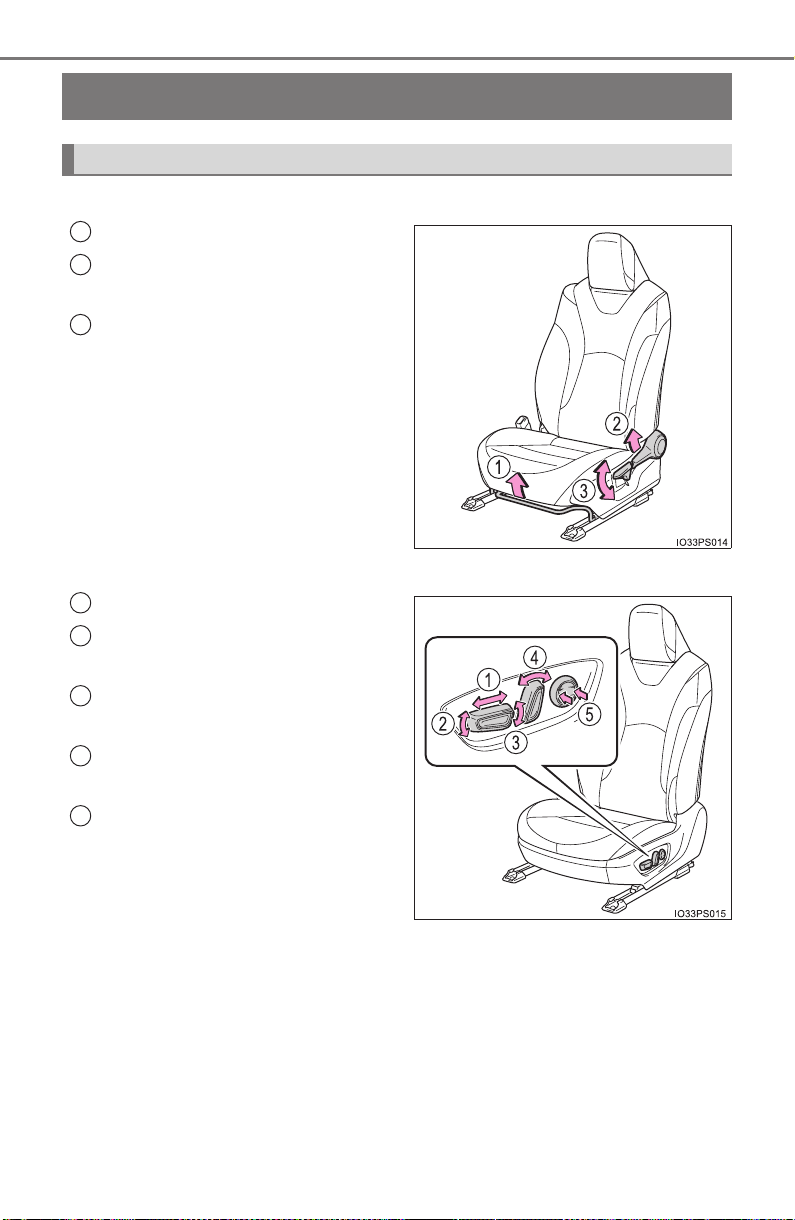
184
PRIUS_OM_OM47A29U_(U)
3-3. Adjusting the seats
Front seats
X Manual seat
Seat position adjustment lever
Seatback angle adjustment
lever
Vertical height adjustment lever
(for driver’s side)
X Power seat (if equipped for driver’s side)
Seat position adjustment switch
Seat cushion (front) angle
adjustment switch
Vertical height adjustment
switch
Seatback angle adjustment
switch
Lumbar support adjustment
switch
Adjustment procedure
1
2
3
1
2
3
4
5

PRIUS_OM_OM47A29U_(U)
185
3-3. Adjusting the seats
3
Operation of each component
■ When adjusting the seat
Take care when adjusting the seat so that the head restraint does not touch
the ceiling.
WARNING
■ When adjusting the seat position
● Take care when adjusting the seat position to ensure that other passen-
gers are not injured by the moving seat.
● Do not put your hands under the seat or near the moving parts to avoid
injury.
Fingers or hands may become jammed in the seat mechanism.
■ Seat adjustment
● To reduce the risk of sliding under the lap belt during a collision, do not
recline the seat more than necessary.
If the seat is too reclined, the lap belt may slide past the hips and apply
restraint forces directly to the abdomen, or your neck may contact the
shoulder belt, increasing the risk of death or serious injury in the event of
an accident.
Adjustments should not be made while driving as the seat may unexpect-
edly move and cause the driver to lose control of the vehicle.
● Manual seats: After adjusting the seat, make sure that the seat is locked in
position.

186
PRIUS_OM_OM47A29U_(U)
3-3. Adjusting the seats
Rear seats
Park the vehicle in a safe place.
Apply the parking brake firmly and shift the shift position to P. (→P. 235)
Adjust the position of the front seat and the angle of the seatback.
(
→P. 184)
Depending on the position of the front seat, if the seatback is folded back-
ward, it may interfere with the operation of the rear seat.
Lift up and push down the head restraints of the rear outboard
seats, and lower the head restraint of the rear center seat.
(
→P. 189)
Stow the armrest of the rear seat if it is pulled out. (→P. 552)
This step is not necessary when operating the left side seat only.
The seatbacks can be folded down.
Before folding down the seatbacks
1
2
3
4
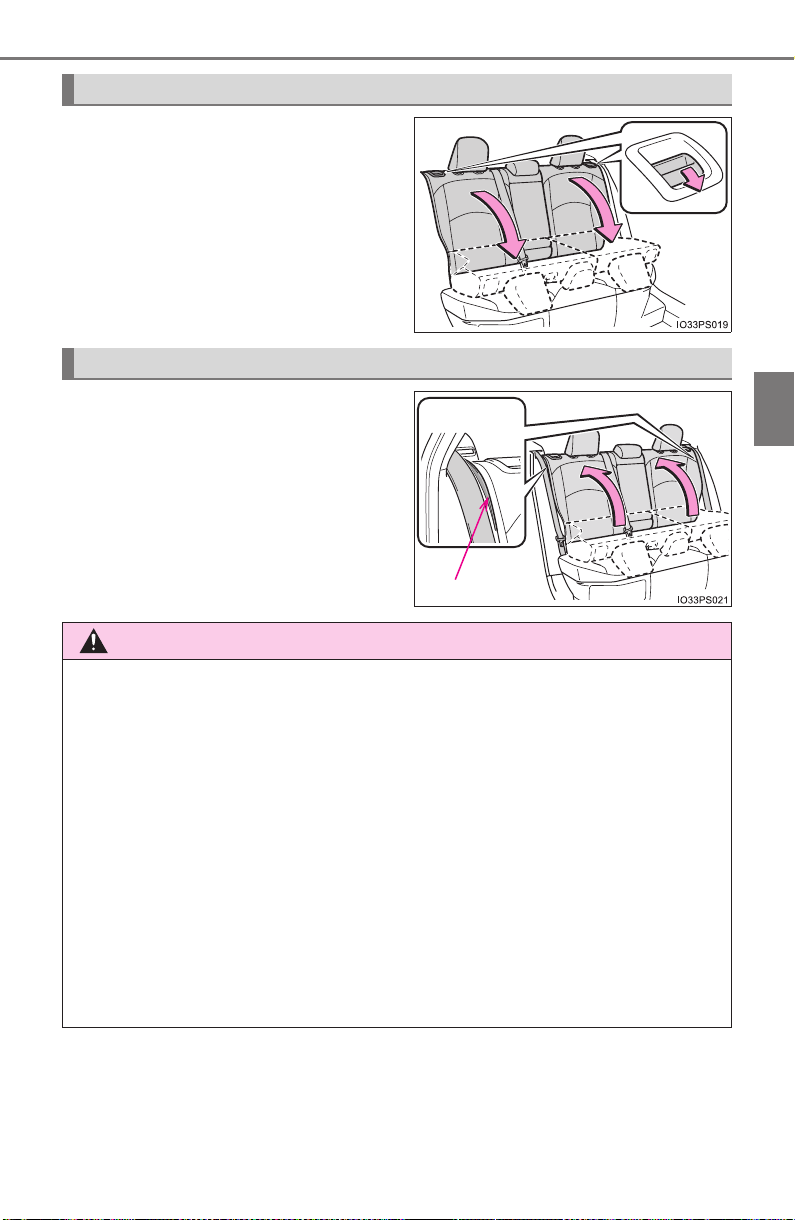
PRIUS_OM_OM47A29U_(U)
187
3-3. Adjusting the seats
3
Operation of each component
Pull the seatback lock release
lever and fold the seatback down.
To avoid trapping the seat belt
between the seat and the inside of
the vehicle, pass the seat belt
inside the seat belt guide and then
return the seatback securely to
the locked position.
Folding down the seatbacks
Returning the rear seatbacks
Seat belt guide
WARNING
■ When folding the seatbacks down
Observe the following precautions. Failure to do so may result in death or
serious injury.
● Do not fold the seatbacks down while driving.
● Stop the vehicle on level ground, apply the parking brake firmly and shift
the shift position to P.
● Do not allow anyone to sit on a folded seatback or in the luggage compart-
ment while driving.
● Do not allow children to enter the luggage compartment.
● Do not operate the rear seat if it is occupied.
● Be careful not to get feet or hands caught in the moving parts or joints of
the seats during operation.
● Do not allow children to operate the seat.
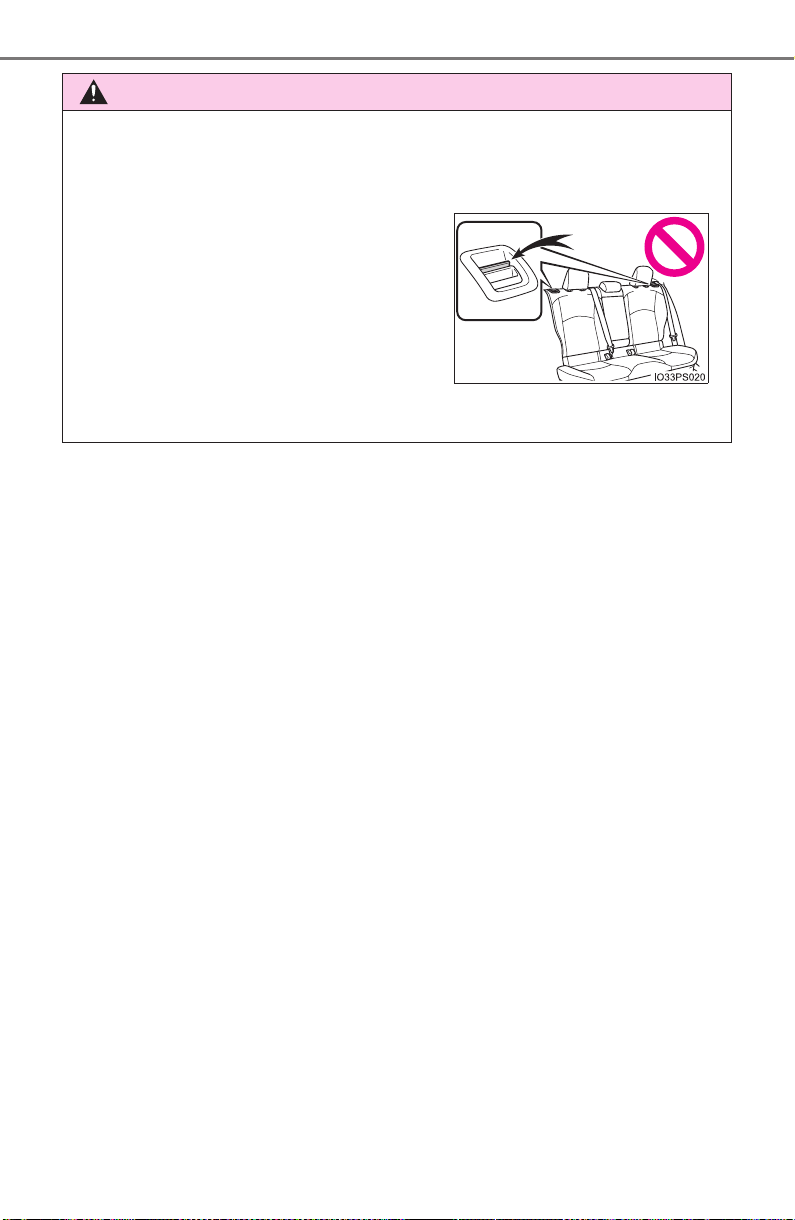
188
PRIUS_OM_OM47A29U_(U)
3-3. Adjusting the seats
WARNING
■ After returning the seatback to the upright position
Observe the following precautions. Failure to do so may result in death or
serious injury.
● Check that the seat belts are not twisted or caught in the seatback.
● Make sure that the seatback is securely
locked in position by lightly pushing it
back and forth.
If the seatbacks is not securely locked,
the red marking will be visible on the
seatback lock release lever. Make sure
that the red marking is not visible.
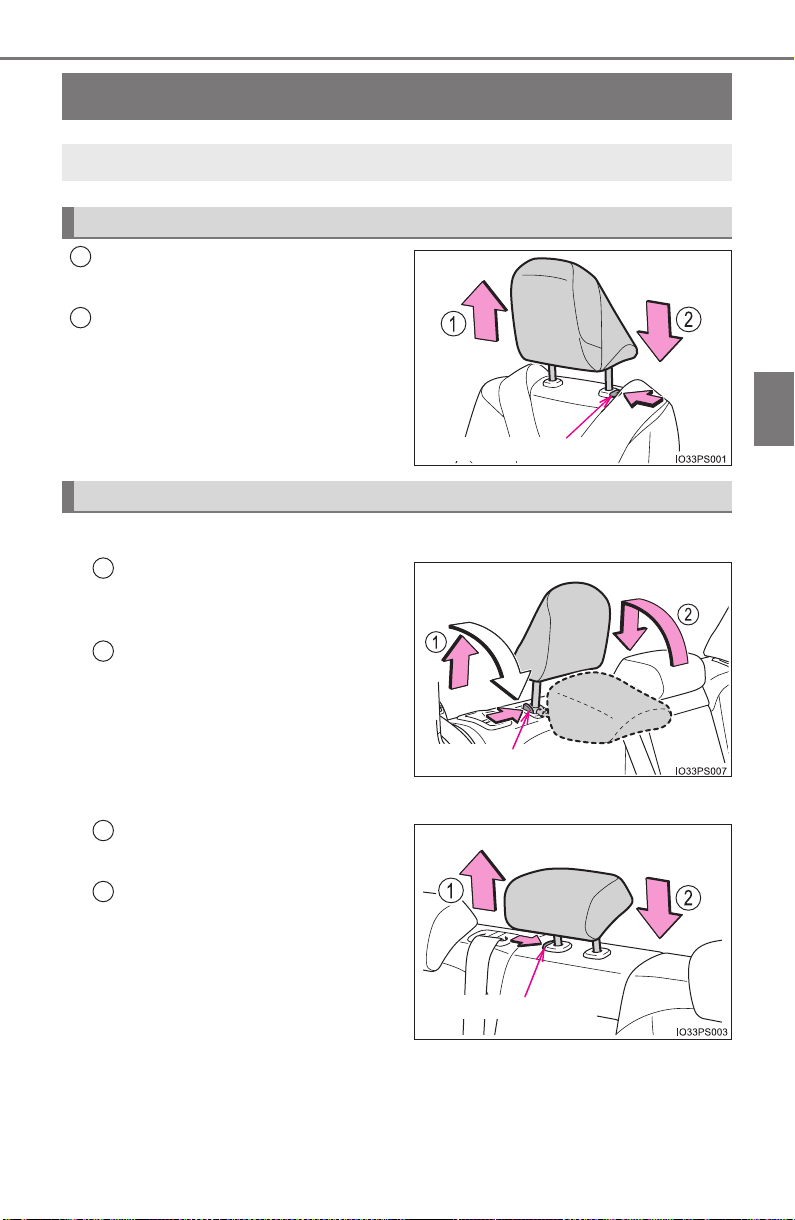
189
PRIUS_OM_OM47A29U_(U)
3-3. Adjusting the seats
3
Operation of each component
Head restraints
Up
Pull the head restraints up.
Down
Push the head restraint down while
pressing the lock release button.
■
Rear outboard seats
To fold
Pull the head restraint up while
pressing the lock release button.
To use
Lift up and push down the head
restraint to the lowest lock posi-
tion.
■
Rear center seat
Up
Pull the head restraints up.
Down
Push the head restraint down
while pressing the lock release
button.
Head restraints are provided for all seats.
Front seats
Lock release button
1
2
Rear seats
Lock release button
1
2
Lock release button
1
2
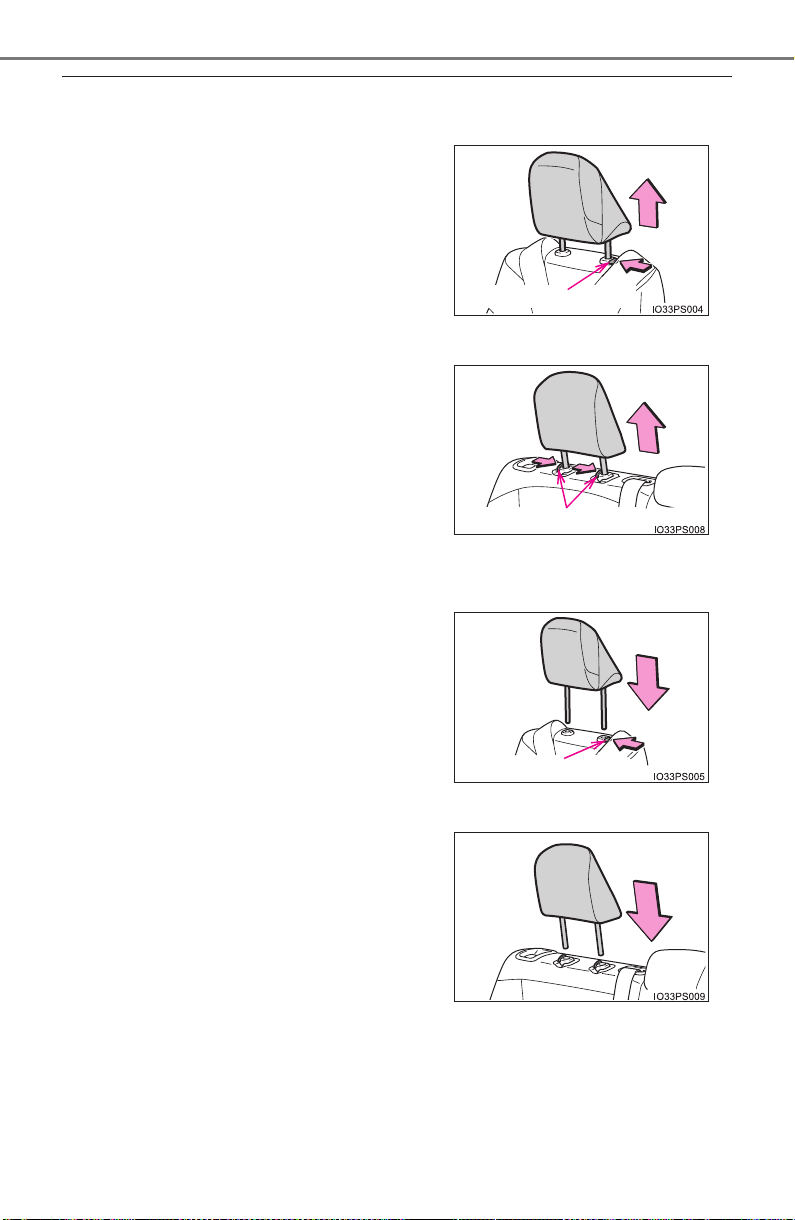
190
PRIUS_OM_OM47A29U_(U)
3-3. Adjusting the seats
■ Removing the head restraints
X Front and rear center seats
X Rear outboard seats
■ Installing the head restraints
X Front and rear center seats
X Rear outboard seats
Pull the head restraint up while pressing
the lock release button.
Pull the head restraint up while pressing
the lock release buttons.
Align the head restraint with the installa-
tion holes and push it down to the lock
position.
Press and hold the lock release button
when lowering the head restraint.
Align the head restraint with the installa-
tion holes and push it down to the lowest
lock position.
Lock release button
Lock release buttons
Lock release button
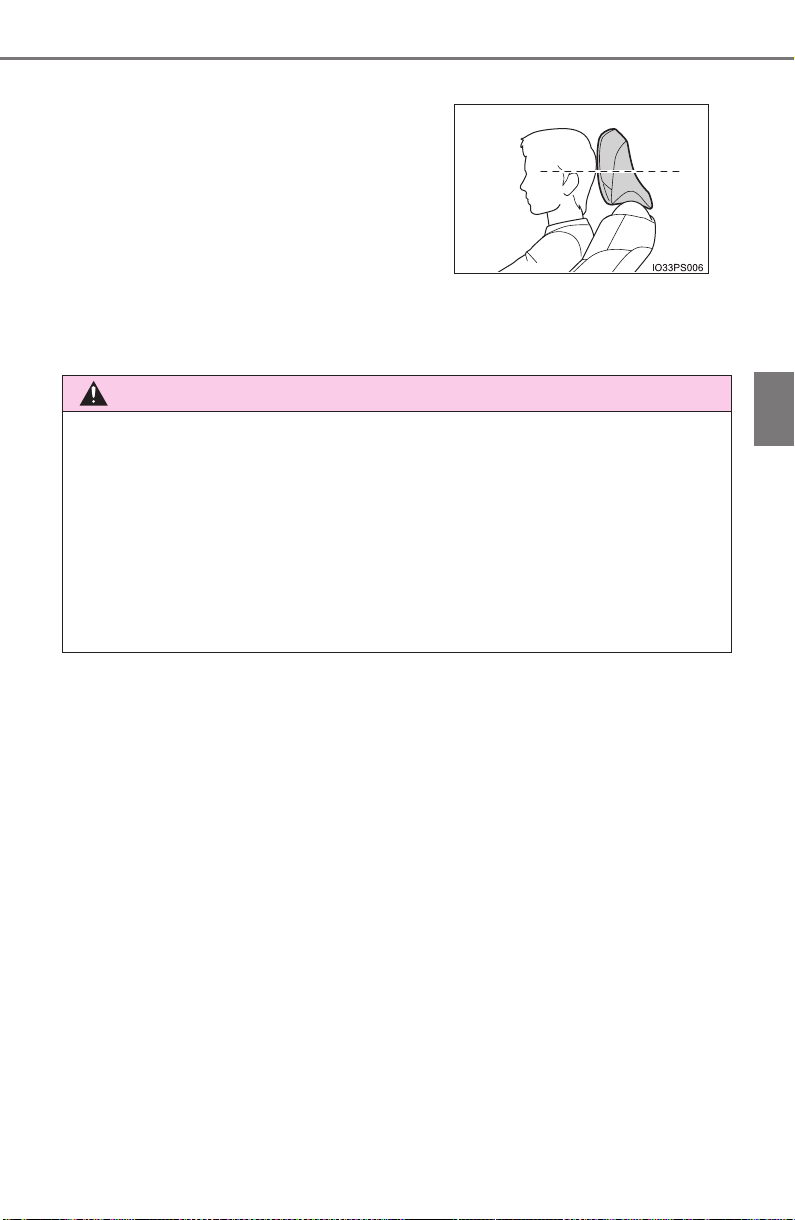
PRIUS_OM_OM47A29U_(U)
191
3-3. Adjusting the seats
3
Operation of each component
■ Adjusting the height of the head restraints (front seats)
■ Adjusting the rear center seat head restraint
Always raise the head restraint one level from the stowed position when
using.
Make sure that the head restraints are
adjusted so that the center of the head
restraint is closest to the top of your ears.
WARNING
■ Head restraint precautions
Observe the following precautions regarding the head restraints. Failure to
do so may result in death or serious injury.
● Use the head restraints designed for each respective seat.
● Adjust the head restraints to the correct position at all times.
● After adjusting the head restraints, push down on them and make sure
they are locked in position.
● Do not drive with the head restraints removed.
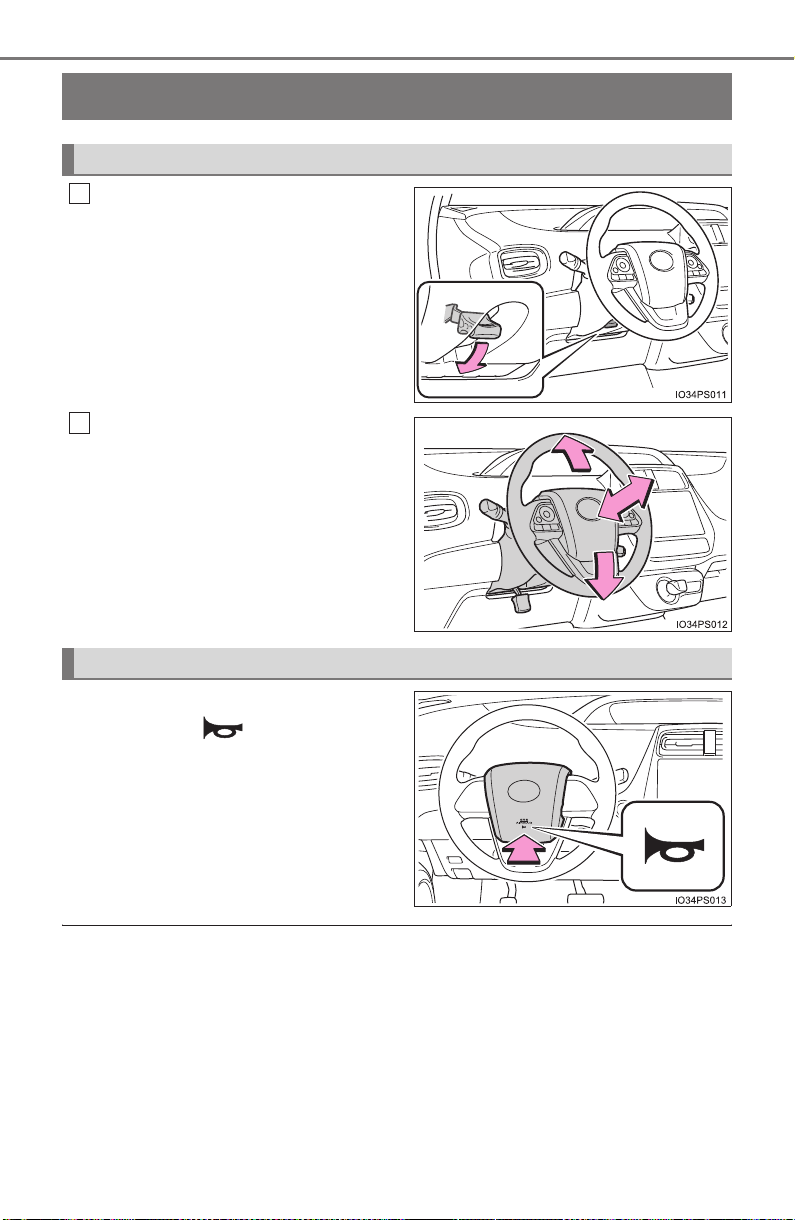
192
3-4. Adjusting the steering wheel and mirrors
PRIUS_OM_OM47A29U_(U)
Steering wheel
Hold the steering wheel and
push the lever down.
Adjust to the ideal position by
moving the steering wheel hori-
zontally and vertically.
After adjustment, pull the lever up
to secure the steering wheel.
To sound the horn, press on or
close to the mark.
■ After adjusting the steering wheel
Make sure that the steering wheel is securely locked.
The horn may not sound if the steering wheel is not securely locked.
Adjustment procedure
1
2
Horn

193
3-4. Adjusting the steering wheel and mirrors
3
Operation of each component
PRIUS_OM_OM47A29U_(U)
WARNING
■ Caution while driving
Do not adjust the steering wheel while driving.
Doing so may cause the driver to mishandle the vehicle and cause an acci-
dent, resulting in death or serious injury.
■ After adjusting the steering wheel
Make sure that the steering wheel is securely locked.
Otherwise, the steering wheel may move suddenly, possibly causing an
accident, and resulting in death or serious injury.
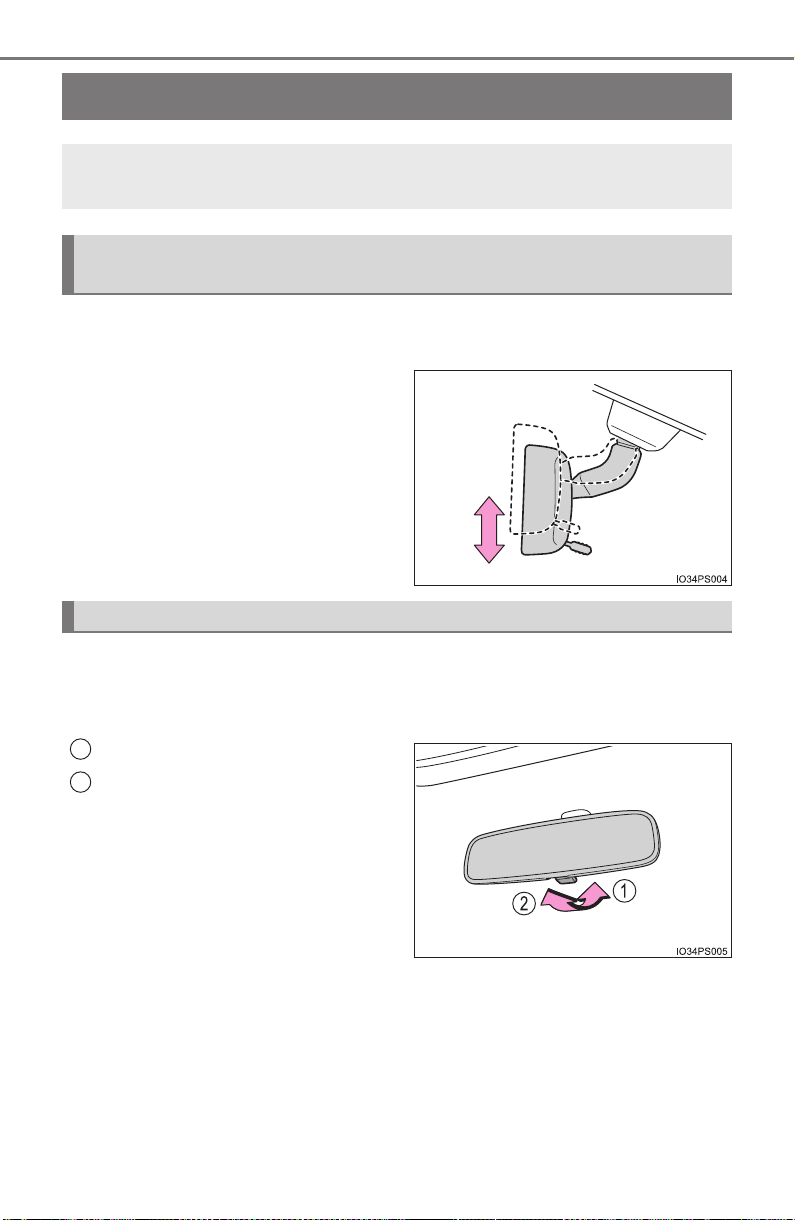
194
3-4. Adjusting the steering wheel and mirrors
PRIUS_OM_OM47A29U_(U)
Inside rear view mirror
The height of the rear view mirror can be adjusted to suit your driving
posture.
Adjust the height of the rear view
mirror by moving it up and down.
X Manual anti-glare inside rear view mirror
Reflected light from the headlights of vehicles behind can be reduced
by operating the lever.
Normal position
Anti-glare position
The rear view mirror’s position can be adjusted to enable suffi-
cient confirmation of the rear view.
Adjusting the height of rear view mirror (vehicles with manual
anti-glare inside rear view mirror)
Anti-glare function
1
2
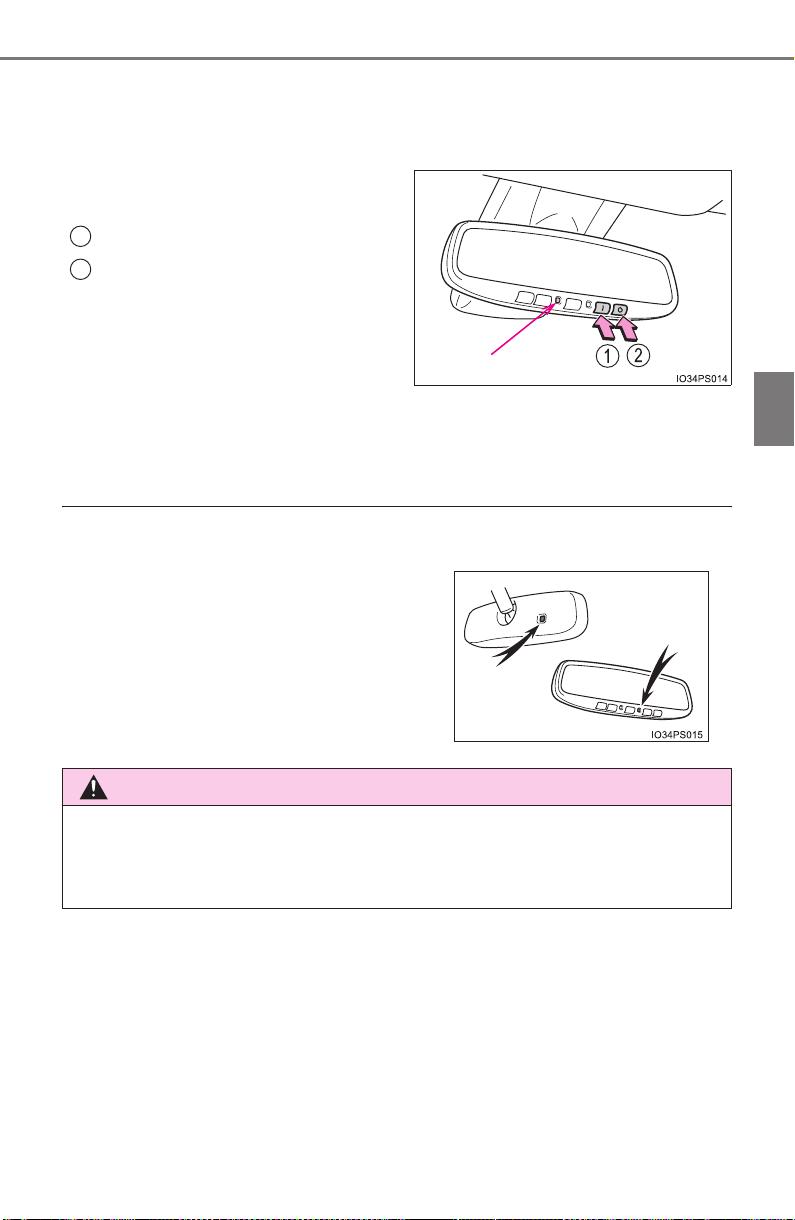
195
3-4. Adjusting the steering wheel and mirrors
3
Operation of each component
PRIUS_OM_OM47A29U_(U)
X Auto anti-glare inside rear view mirror
Responding to the level of brightness of the headlights of vehicles
behind, the reflected light is automatically reduced.
Changing automatic anti-glare
function mode
On
Off
When the automatic anti-glare
function is in ON mode, the indica-
tor illuminates.
The function will set to ON mode
each time the power switch is
turned to ON mode.
Pressing the button turns the func-
tion to OFF mode. (The indicator
also turns off.)
■ To prevent sensor error (vehicles with auto anti-glare inside rear view
mirror)
Indicator
1
2
To ensure that the sensors operate prop-
erly, do not touch or cover them.
WARNING
Do not adjust the position of the mirror while driving.
Doing so may lead to mishandling of the vehicle and cause an accident,
resulting in death or serious injury.
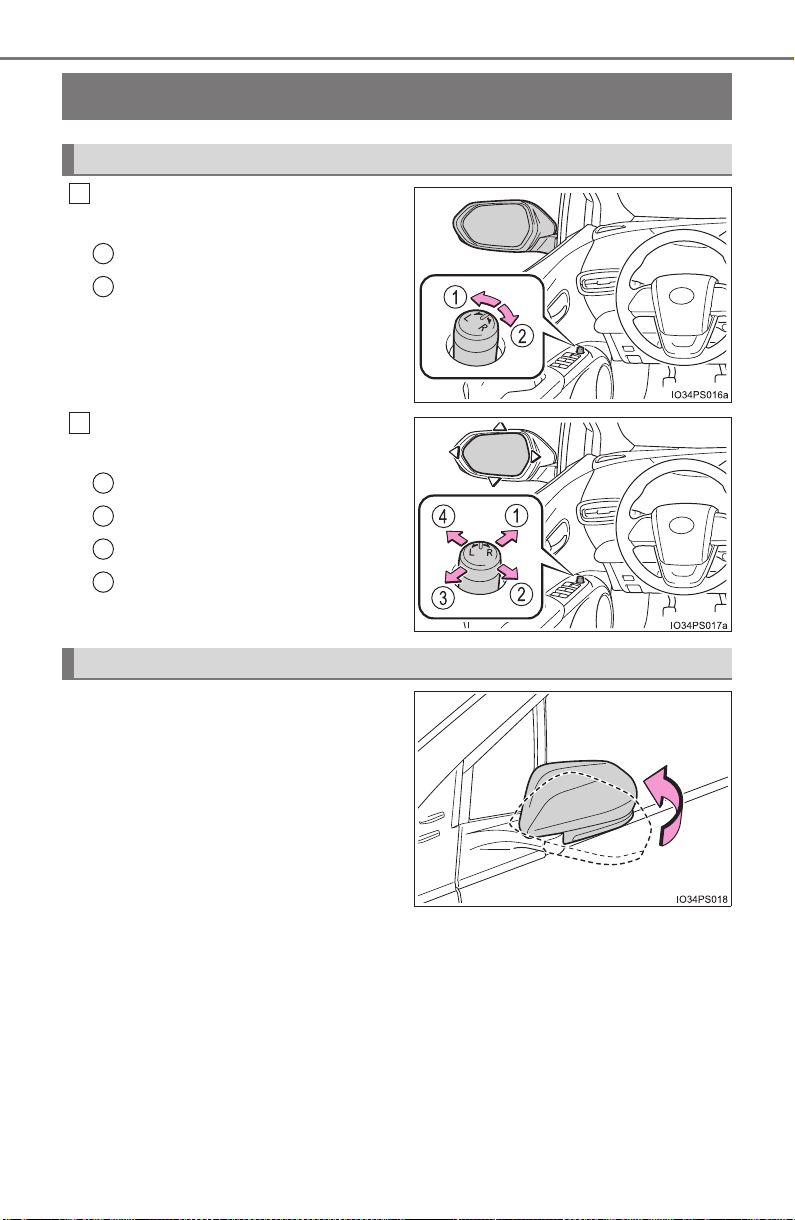
196
3-4. Adjusting the steering wheel and mirrors
PRIUS_OM_OM47A29U_(U)
Outside rear view mirrors
To select a mirror to adjust, turn
the switch.
Left
Right
To adjust the mirror, operate the
switch.
Up
Right
Down
Left
Push the mirror back in the direc-
tion of the vehicle’s rear.
Adjustment procedure
1
1
2
2
1
2
3
4
Folding the mirrors

197
3-4. Adjusting the steering wheel and mirrors
3
Operation of each component
PRIUS_OM_OM47A29U_(U)
■ Mirror angle can be adjusted when
The power switch is in ACCESSORY or ON mode.
■ When the mirrors are fogged up
The outside rear view mirrors can be cleared using the mirror defoggers. Turn
on the rear window defogger to turn on the outside rear view mirror defog-
gers. (→P. 517)
WARNING
■ Important points while driving
Observe the following precautions while driving.
Failing to do so may result in loss of control of the vehicle and cause an
accident, resulting in death or serious injury.
● Do not adjust the mirrors while driving.
● Do not drive with the mirrors folded.
● Both the driver and passenger side mirrors must be extended and properly
adjusted before driving.
■ When a mirror is moving
To avoid personal injury and mirror malfunction, be careful not to get your
hand caught by the moving mirror.
■ When the mirror defoggers are operating
Do not touch the rear view mirror surfaces, as they can become very hot
and burn you.
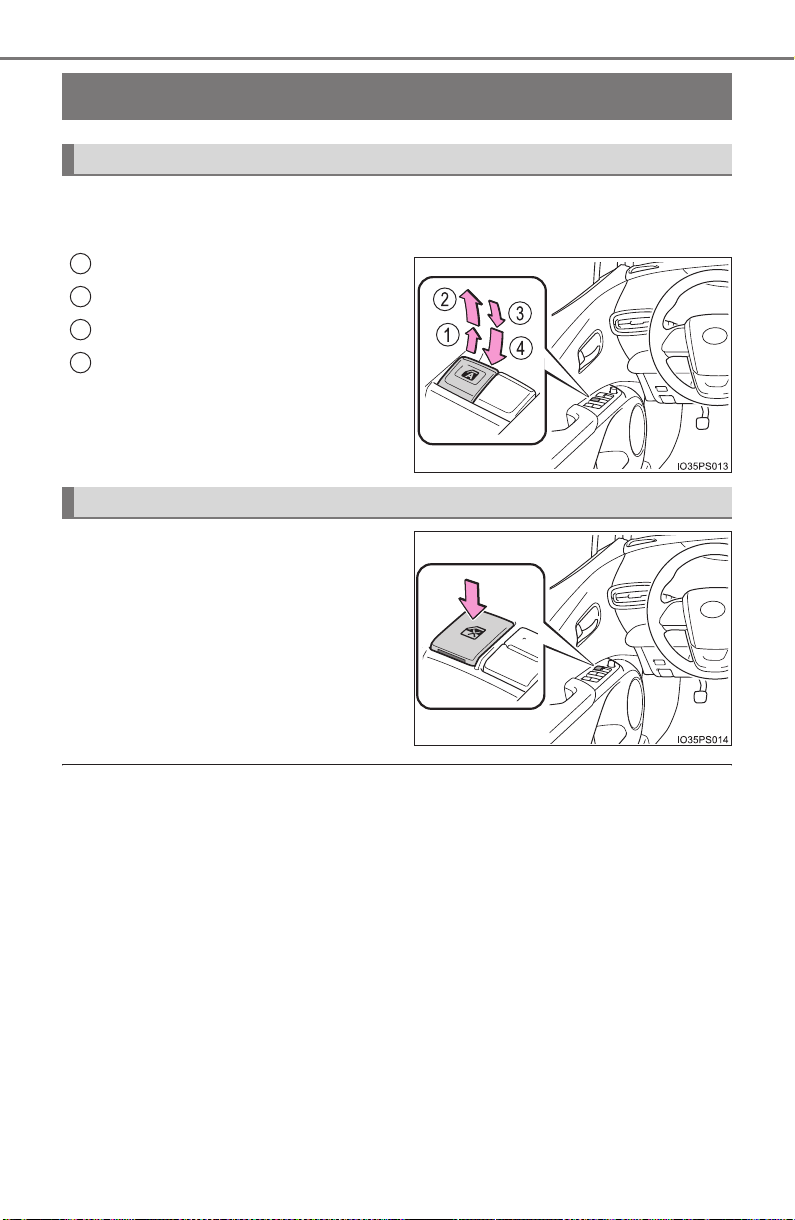
198
PRIUS_OM_OM47A29U_(U)
3-5. Opening and closing the windows and moon roof
Power windows
The power windows can be opened and closed using the switches.
Operating the switch moves the side windows as follows:
Closing
One-touch closing
*
Opening
One-touch opening
*
*
: To stop the side window partway,
operate the switch in the opposite
direction.
Press the switch down to lock the
passenger windows.
Use this switch to prevent children
from accidentally opening or clos-
ing a passenger window.
Press the switch again to unlock
the passenger windows.
■ The power windows can be operated when
The power switch is in ON mode.
■ Operating the power windows after turning the hybrid system off
The power windows can be operated for approximately 45 seconds even
after the power switch is turned to ACCESSORY mode or turned off. They
cannot, however, be operated once either front door is opened.
Opening and closing procedures
1
2
3
4
Window lock switch

PRIUS_OM_OM47A29U_(U)
199
3-5. Opening and closing the windows and moon roof
3
Operation of each component
■ Jam protection function
If an object becomes jammed between the side window and the window
frame while the side window is closing, side window movement is stopped
and the side window is opened slightly.
■ Catch protection function
If an object becomes caught between the door and side window while the
side window is opening, side window movement is stopped.
■ When opening and closing the power window cannot be done
When the jam protection function or catch protection function operates
unusually or the side window cannot be fully opened and closed, perform the
following operations with the power window switch of that door.
● Stop the vehicle, with the power switch in ON mode, continually operate the
power window switch in the one-touch closing position within 4 seconds
after the jam protection function or catch protection function was activated.
Otherwise, by continually operating the power window switch in the one-
touch opening position, the side window can be opened and closed.
● If the side window cannot be opened and closed even when performing the
above operations, implement the following procedure for function initializa-
tion.
Turn the power switch to ON mode.
Pull and hold the power window switch in the one-touch closing position
and completely close the side window.
Release the power window switch for a moment and then resume pulling
and holding the switch in the one-touch closing position for approximately
6 seconds.
Release the power window switch for a moment, press and hold the
power window switch in the one-touch opening position and after the side
window is completely opened, continue holding the switch for a further 1
second or more.
Release the power window switch for a moment and then resume press-
ing and holding the switch in the one-touch opening position for approxi-
mately 4 seconds.
Release the power window switch for a moment, pull and hold the power
window switch in the one-touch closing position, once more, and after the
side window is completely closed, continue holding the switch for a fur-
ther 1 second or more.
If you release the switch while the side window is moving, start again from
the beginning.
If the side window reverses and cannot be closed or completely open, have
the vehicle inspected by your Toyota dealer.
1
2
3
4
5
6
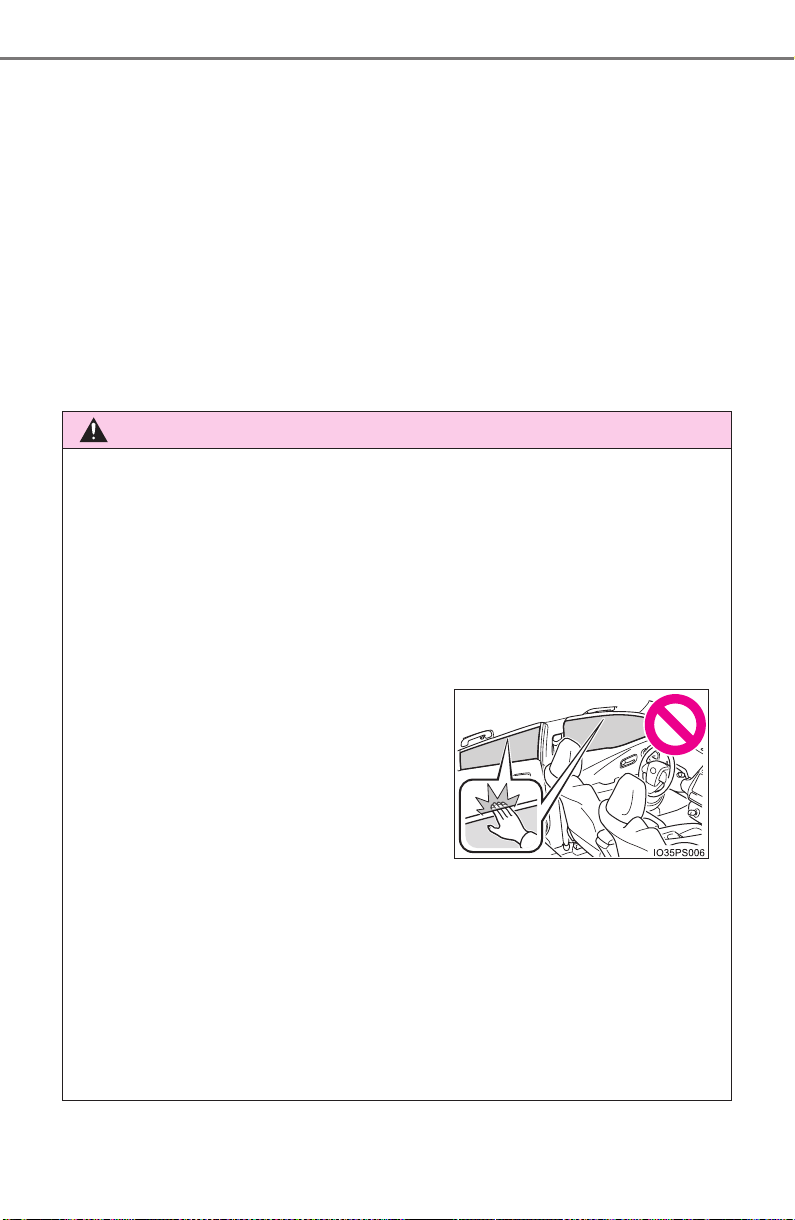
200
PRIUS_OM_OM47A29U_(U)
3-5. Opening and closing the windows and moon roof
■ Door lock linked window operation
● The power windows can be opened and closed using the mechanical key.
*
(→P. 708)
● The power windows can be opened using the wireless remote control.
*
(→P. 166)
*: These settings must be customized at your Toyota dealer.
■ Power window open reminder function
The buzzer sounds and a message is shown on the multi-information display
in the instrument cluster when the power switch is turned off and the driver’s
door is opened with the power windows open.
■ Customization
Settings (e.g. linked door lock operation) can be changed.
(Customizable features: →P. 752)
WARNING
Observe the following precautions.
Failing to do so may result in death or serious injury.
■ Closing the windows
● The driver is responsible for all the power window operations, including the
operation for the passengers. In order to prevent accidental operation,
especially by a child, do not let a child operate the power windows. It is
possible for children and other passengers to have body parts caught in
the power window. Also, when riding with a child, it is recommended to use
the window lock switch. (→P. 198)
● When using the wireless remote control or mechanical key and operating
the power windows, operate the power window after checking to make
sure that there is no possibility of any passenger having any of their body
parts caught in the side window. Also do not let a child operate side win-
dow by the wireless remote control or mechanical key. It is possible for
children and other passengers to get caught in the power window.
● When exiting the vehicle, turn the power switch off, carry the key and exit
the vehicle along with the child. There may be accidental operation, due to
mischief, etc., that may possibly lead to an accident.
● Check to make sure that all passengers
do not have any part of their body in a
position where it could be caught when
a side window is being operated.

PRIUS_OM_OM47A29U_(U)
201
3-5. Opening and closing the windows and moon roof
3
Operation of each component
WARNING
■ Jam protection function
● Never use any part of your body to intentionally activate the jam protection
function.
● The jam protection function may not work if something gets jammed just
before the side window is fully closed.
■ Catch protection function
● Never use hands, arms, clothing, etc., to intentionally activate the catch
protection function.
● The catch protection function may not work if something gets caught just
before the side window is fully opened. Be careful not to get hands, arms,
clothing, etc., caught in the side window.
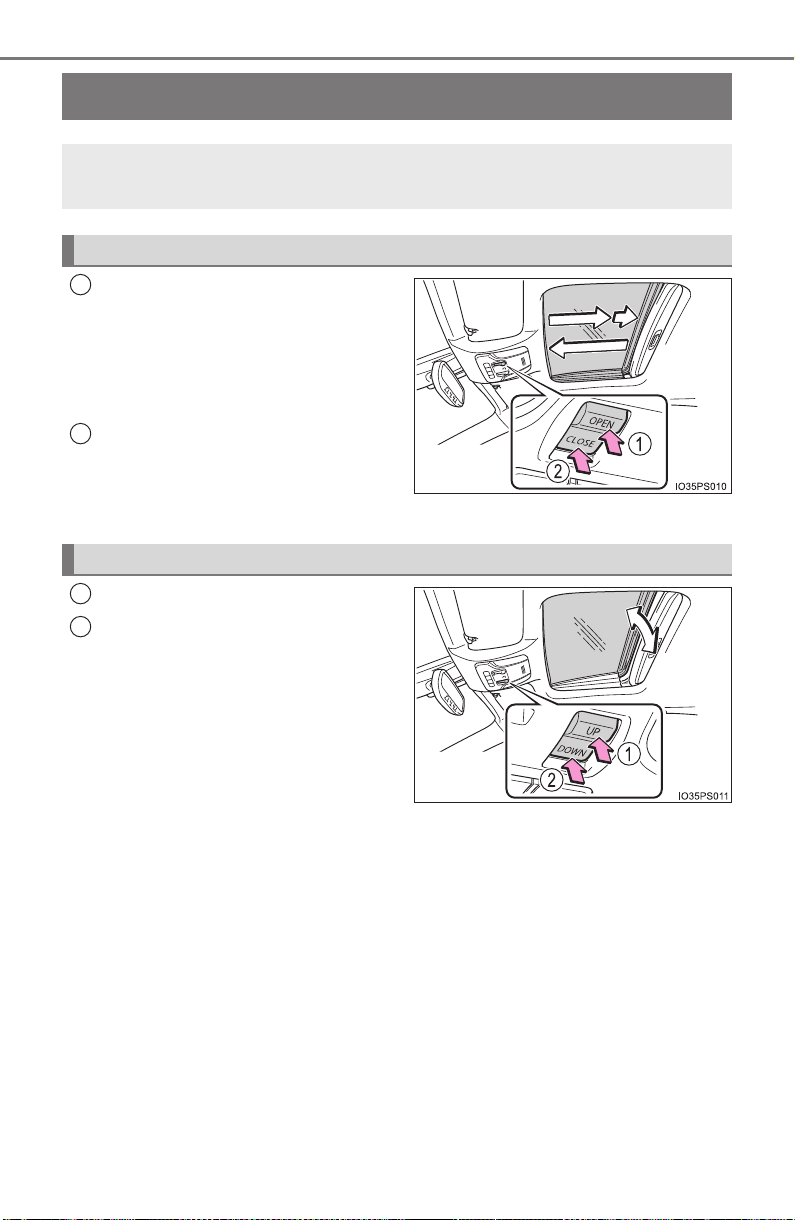
202
PRIUS_OM_OM47A29U_(U)
3-5. Opening and closing the windows and moon roof
Moon roof
∗
Opens the moon roof*
The moon roof stops slightly before
the fully open position to reduce
wind noise.
Press the switch again to fully open
the moon roof.
Closes the moon roof*
*
: Lightly press either end of the
moon roof switch to stop the moon
roof partway.
Tilts the moon roof up*
Tilts the moon roof down*
*
: Lightly press either end of the
moon roof switch to stop the moon
roof partway.
∗: If equipped
Use the overhead switches to open and close the moon roof and
tilt it up and down.
Opening and closing
1
2
Tilting up and down
1
2

PRIUS_OM_OM47A29U_(U)
203
3-5. Opening and closing the windows and moon roof
3
Operation of each component
■ The moon roof can be operated when
The power switch is in ON mode.
■ Operating the moon roof after turning the hybrid system off
The moon roof can be operated for approximately 45 seconds even after the
power switch is turned to ACCESSORY mode or turned off. It cannot, how-
ever, be operated once either front door is opened.
■ Jam protection function
If an object is detected between the moon roof and the frame while the moon
roof is closing or tilting down, travel is stopped and the moon roof opens
slightly.
■ Sunshade
The sunshade can be opened and closed manually. However, the sunshade
will open automatically to slightly before the fully open position when the
moon roof is opened.
■ Door lock linked moon roof operation
● The moon roof can be opened and closed using the mechanical key.
*
(→P. 708)
● The moon roof can be opened using the wireless remote control.
*
(→P. 166)
*: These settings must be customized at your Toyota dealer.

204
PRIUS_OM_OM47A29U_(U)
3-5. Opening and closing the windows and moon roof
■ When the moon roof does not close normally
Perform the following procedure:
Stop the vehicle.
Press and hold the “CLOSE” or “UP” switch.
*
The moon roof will tilt up, stop a little time and tilt down. Then it will open
fully and close again, and then stop.
Check to make sure that the moon roof has completely stopped and then
release the switch.
*: If the switch is released at the incorrect time, the procedure will have to be
performed again from the beginning.
If the moon roof does not fully close even after performing the above proce-
dure correctly, have the vehicle inspected by your Toyota dealer.
■ Moon roof open reminder function
The buzzer sounds and a message is shown on the multi-information display
in the instrument cluster when the power switch is turned off and the driver’s
door is opened with the moon roof open.
■ Customization
Settings (e.g. linked door lock operation) can be changed.
(Customizable features: →P. 752)
1
2
3
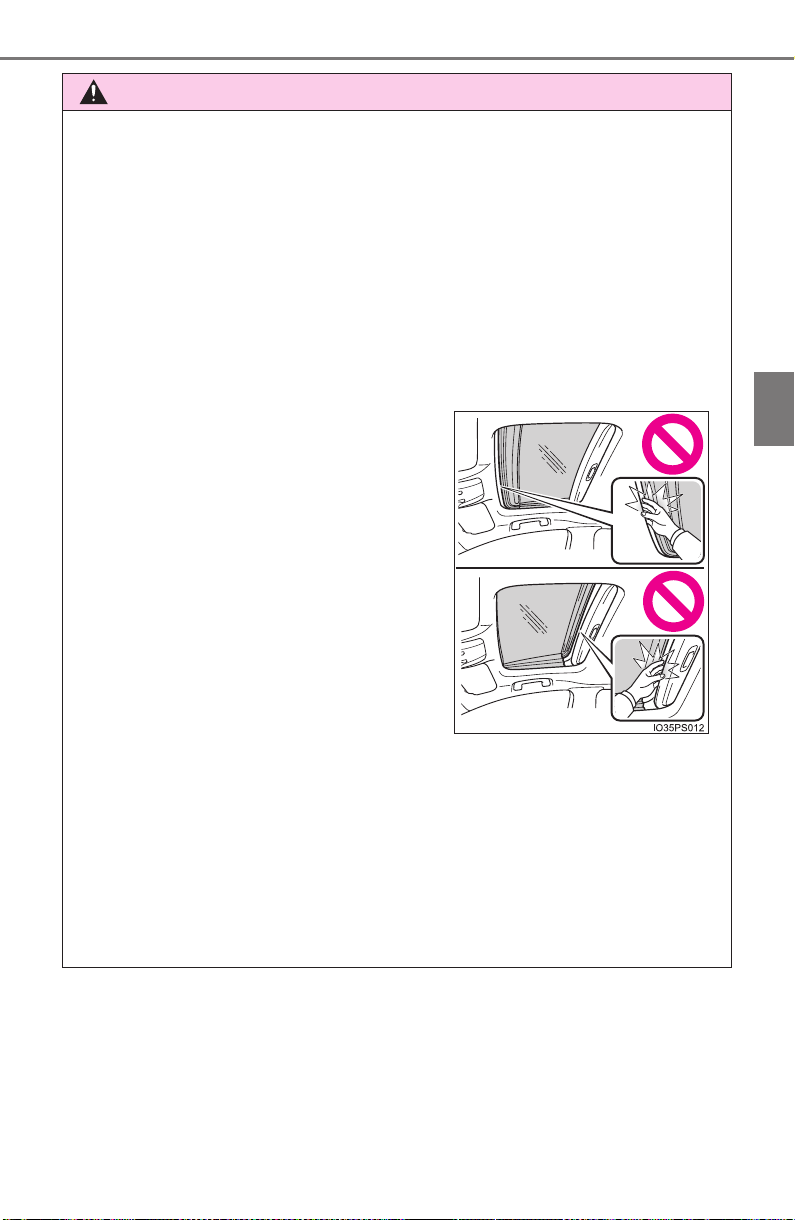
PRIUS_OM_OM47A29U_(U)
205
3-5. Opening and closing the windows and moon roof
3
Operation of each component
WARNING
Observe the following precautions.
Failing to do so may cause death or serious injury.
■ Opening the moon roof
● Do not allow any passengers to put their hands or heads outside the vehi-
cle while it is moving.
● Do not sit on top of the moon roof.
■ Closing the moon roof
● The driver is responsible for moon roof opening and closing operations. In
order to prevent accidental operation, especially by a child, do not let a
child operate the moon roof. It is possible for children and other passen-
gers to have body parts caught in the moon roof.
● When exiting the vehicle, turn the power switch off, carry the key and exit
the vehicle along with the child. There may be accidental operation, due to
mischief, etc., that may possibly lead to an accident.
■ Jam protection function
● Never use any part of your body to intentionally activate the jam protection
function.
● The jam protection function may not work if something gets caught just
before the moon roof fully closes.
● Check to make sure that all passengers
do not have any part of their body in a
position where it could be caught when
the moon roof is being operated.
● When using the wireless remote control
or mechanical key and operating the
moon roof, operate the moon roof after
checking to make sure that there is no
possibility of any passenger having any
of their body parts caught in the moon
roof. Also, do not let a child operate
moon roof by the wireless remote con-
trol or mechanical key. It is possible for
children and other passengers to get
caught in the moon roof.

206
PRIUS_OM_OM47A29U_(U)
3-5. Opening and closing the windows and moon roof

207
PRIUS_OM_OM47A29U_(U)
4
Driving
4-1. Before driving
Driving the vehicle............. 208
Cargo and luggage ........... 219
Vehicle load limits ............. 222
Trailer towing..................... 223
Dinghy towing ................... 224
4-2. Driving procedures
Power (ignition) switch ...... 225
EV drive mode .................. 231
Hybrid transmission........... 234
Turn signal lever................ 240
Parking brake.................... 241
4-3. Operating the lights
and wipers
Headlight switch................ 242
Automatic High Beam ....... 247
Fog light switch ................. 252
Windshield wipers and
washer ............................ 254
Rear window wiper and
washer ............................ 260
4-4. Refueling
Opening the fuel tank
cap .................................. 262
4-5. Using the driving support
systems
Toyota Safety Sense P ..... 267
PCS (Pre-Collision
System)........................... 275
LDA (Lane Departure
Alert with steering
control)............................ 289
Dynamic radar cruise
control with full-speed
range............................... 300
Cruise control.................... 315
Driving mode select
switch.............................. 320
BSM
(Blind Spot Monitor) ........ 322
Intuitive parking assist....... 335
Intelligent Clearance
Sonar .............................. 346
S-APGS (Simple
Advanced Parking
Guidance System) .......... 359
Rear view monitor
system ............................ 394
Driving assist systems ...... 404
4-6. Driving tips
Hybrid vehicle driving
tips .................................. 411
Winter driving tips ............. 414

208
PRIUS_OM_OM47A29U_(U)
4-1. Before driving
Driving the vehicle
→P. 22 5
With the brake pedal depressed, shift the shift position to D.
(→P. 234)
Check that the shift position indicator shows D.
Release the parking brake. (→P. 241)
Gradually release the brake pedal and gently depress the accelera-
tor pedal to accelerate the vehicle.
With the shift position in D, depress the brake pedal.
If necessary, set the parking brake.
If the vehicle is to be stopped for an extended period of time, shift the shift
position to P. (
→P. 235)
Stop the vehicle completely.
Set the parking brake. (→P. 241)
Shift the shift position to P. (→P. 235)
Check that the shift position indicator shows P.
Press the power switch to stop the hybrid system.
Slowly release the brake pedal.
Lock the door, making sure that you have the electronic key on your
person.
If parking on a hill, block the wheels as needed.
The following procedures should be observed to ensure safe
driving:
Starting the hybrid system
Driving
Stopping
Parking the vehicle
1
2
3
1
2
1
2
3
4
5
6

PRIUS_OM_OM47A29U_(U)
209
4-1. Before driving
4
Driving
Firmly set the parking brake with the brake pedal depressed, and
then shift the shift position to D.
Release the brake pedal and gently depress the accelerator pedal.
Release the parking brake.
■ When starting off on a uphill
The hill-start assist control will activate. (→P. 405)
■ For fuel-efficient driving
Keep in mind that hybrid vehicles are similar to conventional vehicles, and it
is necessary to refrain from activities such as sudden acceleration. (→P. 411)
■ Driving in the rain
● Drive carefully when it is raining, because visibility will be reduced, the win-
dows may become fogged-up, and the road will be slippery.
● Drive carefully when it starts to rain, because the road surface will be espe-
cially slippery.
● Refrain from high speeds when driving on an expressway in the rain,
because there may be a layer of water between the tires and the road sur-
face, preventing the steering and brakes from operating properly.
■ Restraining hybrid system output (Brake Override System)
● When the accelerator and brake pedals are depressed at the same time, the
hybrid system output may be restrained.
● A warning message is displayed on the multi-information display while the
system is operating. If a warning message is shown on the multi-information
display, read the message and follow the instructions.
■ “ECO Accelerator Guidance” (→P. 120)
It is easier to drive in an Eco-friendly manner by driving while referring to the
“ECO Accelerator Guidance” display. Also, by using the “ECO Accelerator
Guidance”, it is easier to increase the Eco score evaluation.
● When starting off:
While staying within the “ECO Accelerator Guidance” range, gradually
depress the accelerator pedal and accelerate to the desired speed. If exces-
sive acceleration is avoided, the “Eco-Start” score will increase.
● When driving:
After accelerating to the desired speed, release the accelerator pedal and
drive at a stable speed within the “ECO Accelerator Guidance” range. By
keeping the vehicle within the “ECO Accelerator Guidance” range, the “Eco-
Cruise” score will increase.
● When stopping:
When stopping the vehicle, early releasing the accelerator pedal will cause
the “Eco-Stop” score to increase.
Starting off on a steep uphill
1
2
3

210
PRIUS_OM_OM47A29U_(U)
4-1. Before driving
■ Restraining sudden start (Drive-Start Control)
● When the following unusual operation is performed, the hybrid system out-
put may be restrained.
• When the shift position is shifted from R to D, D/B to R, N to R, P to D, P
to R with the accelerator pedal depressed, a warning message appears
on the multi-information display. If a warning message is shown on the
multi-information display, read the message and follow the instructions.
• When the accelerator pedal is depressed too much while the vehicle is in
reverse.
● While Drive-Start Control is being activated, your vehicle may have trou-
ble escaping from the mud or fresh snow. In such case, deactivate TRAC
(→P. 406) to cancel Drive Start Control so that the vehicle may become
able to escape from the mud or fresh snow.
■ Breaking in your new Toyota
To extend the life of the vehicle, observing the following precautions is recom-
mended:
● For the first 200 miles (300 km):
Avoid sudden stops.
● For the first 1000 miles (1600 km):
• Do not drive at extremely high speeds.
• Avoid sudden acceleration.
• Do not drive at a constant speed for extended periods.
■ Operating your vehicle in a foreign country
Comply with the relevant vehicle registration laws and confirm the availability
of the correct fuel. (→P. 729)

PRIUS_OM_OM47A29U_(U)
211
4-1. Before driving
4
Driving
WARNING
Observe the following precautions.
Failure to do so may result in death or serious injury.
■ When starting the vehicle
Always keep your foot on the brake pedal while stopped with the “READY”
indicator is illuminated. This prevents the vehicle from creeping.
■ When driving the vehicle
● Do not drive if you are unfamiliar with the location of the brake and accel-
erator pedals to avoid depressing the wrong pedal.
• Accidentally depressing the accelerator pedal instead of the brake
pedal will result in sudden acceleration that may lead to an accident.
• When backing up, you may twist your body around, leading to a diffi-
culty in operating the pedals. Make sure to operate the pedals properly.
• Make sure to keep a correct driving posture even when moving the
vehicle only slightly. This allows you to depress the brake and accelera-
tor pedals properly.
• Depress the brake pedal using your right foot. Depressing the brake
pedal using your left foot may delay response in an emergency, result-
ing in an accident.
● The driver should pay extra attention to pedestrians when the vehicle is
powered only by the electric motor (traction motor). As there is no engine
noise, the pedestrians may misjudge the vehicle’s movement. Even
though the vehicle is equipped with the vehicle proximity notification sys-
tem, drive with care as pedestrians in the vicinity may still not notice the
vehicle if the surrounding area is noisy.
● Do not drive the vehicle over or stop the vehicle near flammable materials.
The exhaust system and exhaust gases can be extremely hot. These hot
parts may cause a fire if there is any flammable material nearby.
● During normal driving, do not turn off the hybrid system. Turning the hybrid
system off while driving will not cause loss of steering or braking control,
however, power assist to the steering will be lost. This will make it more
difficult to steer smoothly, so you should pull over and stop the vehicle as
soon as it is safe to do so.
In the event of an emergency, such as if it becomes impossible to stop the
vehicle in the normal way: →P. 647

212
PRIUS_OM_OM47A29U_(U)
4-1. Before driving
WARNING
Observe the following precautions.
Failure to do so may result in death or serious injury.
■ When driving the vehicle
● Use engine braking (shift position B instead of shift position D) to maintain
a safe speed when driving down a steep hill.
Using the brakes continuously may cause the brakes to overheat and lose
effectiveness. (→P. 235)
● Do not adjust the positions of the steering wheel, the seat, or the inside or
outside rear view mirrors while driving.
Doing so may result in a loss of vehicle control.
● Always check that all passengers’ arms, heads or other parts of their body
are not outside the vehicle.
● Do not drive in excess of the speed limit. Even if the legal speed limit per-
mits it, do not drive over 85 mph (140 km/h) unless your vehicle has high-
speed capability tires. Driving over 85 mph (140 km/h) may result in tire
failure, loss of control and possible injury. Be sure to consult a tire dealer
to determine whether the tires on your vehicle are high-speed capability
tires or not before driving at such speeds.
■ When driving on slippery road surfaces
● Sudden braking, acceleration and steering may cause tire slippage and
reduce your ability to control the vehicle.
● Sudden acceleration, engine braking due to shifting, or changes in engine
speed could cause the vehicle to skid, resulting in an accident.
● After driving through a puddle, depress the brake pedal to make sure that
the brakes are functioning properly. Wet brake pads may prevent the
brakes from functioning properly. If the brakes on only one side are wet
and not functioning properly, steering control may be affected.

PRIUS_OM_OM47A29U_(U)
213
4-1. Before driving
4
Driving
WARNING
Observe the following precautions.
Failure to do so may result in death or serious injury.
■ When shifting the shift position
● Do not let the vehicle roll backward while a forward driving position is
selected, or roll forward while the shift position is in R.
Doing so may result in an accident or damage to the vehicle.
● Do not shift the shift position to P while the vehicle is moving.
Doing so can damage the transmission and may result in a loss of vehicle
control.
● Do not shift the shift position to R while the vehicle is moving forward.
Doing so can damage the transmission and may result in a loss of vehicle
control.
● Do not shift the shift position to a driving position while the vehicle is mov-
ing backward.
Doing so can damage the transmission and may result in a loss of vehicle
control.
● Moving the shift position to N while the vehicle is moving will disengage
the hybrid system. Engine braking is not available with the hybrid system
disengaged.
● Be careful not to change the shift position with the accelerator pedal
depressed.
Changing the shift position to any position other than P or N may lead to
unexpected rapid acceleration of the vehicle that may cause an accident
and result in death or serious injury.
After changing the shift position, make sure to confirm the current shift
position displayed on the shift position indicator inside the meter.

214
PRIUS_OM_OM47A29U_(U)
4-1. Before driving
WARNING
Observe the following precautions.
Failure to do so may result in death or serious injury.
■ If you hear a squealing or scraping noise (brake pad wear limit indica-
tors)
Have the brake pads checked and replaced by your Toyota dealer as soon
as possible.
Rotor damage may result if the pads are not replaced when needed.
It is dangerous to drive the vehicle when the wear limits of the brake pads
and/or those of the brake discs are exceeded.
■ When the vehicle is stopped
● Do not depress the accelerator pedal unnecessarily.
If the shift position is in any position other than P or N, the vehicle may
accelerate suddenly and unexpectedly, causing an accident.
● In order to prevent accidents due to the vehicle rolling away, always keep
depressing the brake pedal while stopped with the “READY” indicator is
illuminated, and apply the parking brake as necessary.
● If the vehicle is stopped on an incline, in order to prevent accidents caused
by the vehicle rolling forward or backward, always depress the brake pedal
and securely apply the parking brake as needed.
● Avoid revving or racing the engine.
Running the engine at high speed while the vehicle is stopped may cause
the exhaust system to overheat, which could result in a fire if combustible
material is nearby.

PRIUS_OM_OM47A29U_(U)
215
4-1. Before driving
4
Driving
WARNING
Observe the following precautions.
Failure to do so may result in death or serious injury.
■ When the vehicle is parked
● Do not leave glasses, cigarette lighters, spray cans, or soft drink cans in
the vehicle when it is in the sun.
Doing so may result in the following:
• Gas may leak from a cigarette lighter or spray can, and may lead to a fire.
• The temperature inside the vehicle may cause the plastic lenses and
plastic material of glasses to deform or crack.
• Soft drink cans may fracture, causing the contents to spray over the
interior of the vehicle, and may also cause a short circuit in the vehicle’s
electrical components.
● Do not leave cigarette lighters in the vehicle. If a cigarette lighter is in a
place such as the glove box or on the floor, it may be lit accidentally when
luggage is loaded or the seat is adjusted, causing a fire.
● Do not attach adhesive discs to the windshield or windows. Do not place con-
tainers such as air fresheners on the instrument panel or dashboard. Adhe-
sive discs or containers may act as lenses, causing a fire in the vehicle.
● Do not leave a door or window open if the curved glass is coated with a
metallized film such as a silver-colored one. Reflected sunlight may cause
the glass to act as a lens, causing a fire.
● Always apply the parking brake, shift the shift position to P, stop the hybrid
system and lock the vehicle.
Do not leave the vehicle unattended while the “READY” indicator is illumi-
nated.
● Do not touch the exhaust pipe while the “READY” indicator is illuminated
or immediately after turning the hybrid system off.
Doing so may cause burns.

216
PRIUS_OM_OM47A29U_(U)
4-1. Before driving
WARNING
Observe the following precautions.
Failure to do so may result in death or serious injury.
■ When taking a nap in the vehicle
Always turn the hybrid system off. Otherwise, if you accidentally move the
shift lever or depress the accelerator pedal, this could cause an accident or
fire due to hybrid system overheating. Additionally, if the vehicle is parked in
a poorly ventilated area, exhaust gases may collect and enter the vehicle,
leading to death or a serious health hazard.
■ When braking
● When the brakes are wet, drive more cautiously.
Braking distance increases when the brakes are wet, and this may cause
one side of the vehicle to brake differently than the other side. Also, the
parking brake may not securely hold the vehicle.
● If the electronically controlled assist function does not operate, do not fol-
low other vehicles closely and avoid downhill or sharp turns that require
braking.
In this case, braking is still possible, but the brake pedal should be
depressed more firmly than usual. Also, the braking distance will increase.
Have your brakes fixed immediately.
● The brake system consists of 2 or more individual hydraulic systems; if
one of the systems fails, the other(s) will still operate. In this case, the
brake pedal should be depressed more firmly than usual and the braking
distance will increase. Have your brakes fixed immediately.

PRIUS_OM_OM47A29U_(U)
217
4-1. Before driving
4
Driving
NOTICE
■ When driving the vehicle
● Do not depress the accelerator and brake pedals at the same time during
driving, as this may restrain driving torque.
● Do not use the accelerator pedal or depress the accelerator and brake
pedals at the same time to hold the vehicle on a hill.
■ When parking the vehicle
Always shift the shift position to P. Failure to do so may cause the vehicle to
move or the vehicle may accelerate suddenly if the accelerator pedal is
accidentally depressed.
■ Avoiding damage to vehicle parts
● Do not turn the steering wheel fully in either direction and hold it there for
an extended period of time.
Doing so may damage the power steering motor.
● When driving over bumps in the road, drive as slowly as possible to avoid
damaging the wheels, underside of the vehicle, etc.
■ If you get a flat tire while driving
A flat or damaged tire may cause the following situations. Hold the steering
wheel firmly and gradually depress the brake pedal to slow down the vehi-
cle.
● It may be difficult to control your vehicle.
● The vehicle will make abnormal sounds or vibrations.
● The vehicle will lean abnormally.
Information on what to do in case of a flat tire: →P. 673

218
PRIUS_OM_OM47A29U_(U)
4-1. Before driving
NOTICE
■ When encountering flooded roads
Do not drive on a road that has flooded after heavy rain etc. Doing so may
cause the following serious damage to the vehicle:
● Engine stalling
● Short in electrical components
● Engine damage caused by water immersion
In the event that you drive on a flooded road and the vehicle is flooded, be
sure to have your Toyota dealer check the following:
● Brake function
● Changes in quantity and quality of oil and fluid used for the engine, hybrid
transmission, etc.
● Lubricant condition for the bearings and suspension joints (where possi-
ble), and the function of all joints, bearings, etc.
If the shift control system is damaged by flooding, it may not be possible to
shift the shift position to P, or from P to other positions. When the shift posi-
tion cannot be changed from P to any other position, the front wheels will
lock, and you will be unable to tow the vehicle with the front wheels on the
ground, as the front wheels may be locked. In this case, transport the vehi-
cle with both front wheels or all four wheels lifted.

219
PRIUS_OM_OM47A29U_(U)
4-1. Before driving
4
Driving
Cargo and luggage
Cargo capacity depends on the total weight of the occupants.
(Cargo capacity) = (Total load capacity) — (Total weight of occupants)
Steps for Determining Correct Load Limit
(1) Locate the statement “The combined weight of occupants and
cargo should never exceed XXX kg or XXX lbs.” on your vehicle’s
placard.
(2) Determine the combined weight of the driver and passengers that
will be riding in your vehicle.
(3) Subtract the combined weight of the driver and passengers from
XXX kg or XXX lbs.
(4) The resulting figure equals the available amount of cargo and lug-
gage load capacity.
For example, if the “XXX” amount equals 1400 lbs. and there will be
five 150 lb passengers in your vehicle, the amount of available
cargo and luggage load capacity is 650 lbs. (1400 − 750 (5 × 150) =
650 lbs.)
(5) Determine the combined weight of luggage and cargo being loaded
on the vehicle. That weight may not safely exceed the available
cargo and luggage load capacity calculated in Step 4.
(6) If your vehicle will be towing a trailer, load from your trailer will be
transferred to your vehicle. Consult this manual to determine how
this reduces the available cargo and luggage load capacity of your
vehicle. (→P. 222)
Toyota does not recommend towing a trailer with your vehicle. Your
vehicle is not designed for trailer towing.
Take notice of the following information about storage precau-
tions, cargo capacity and load.
Capacity and distribution
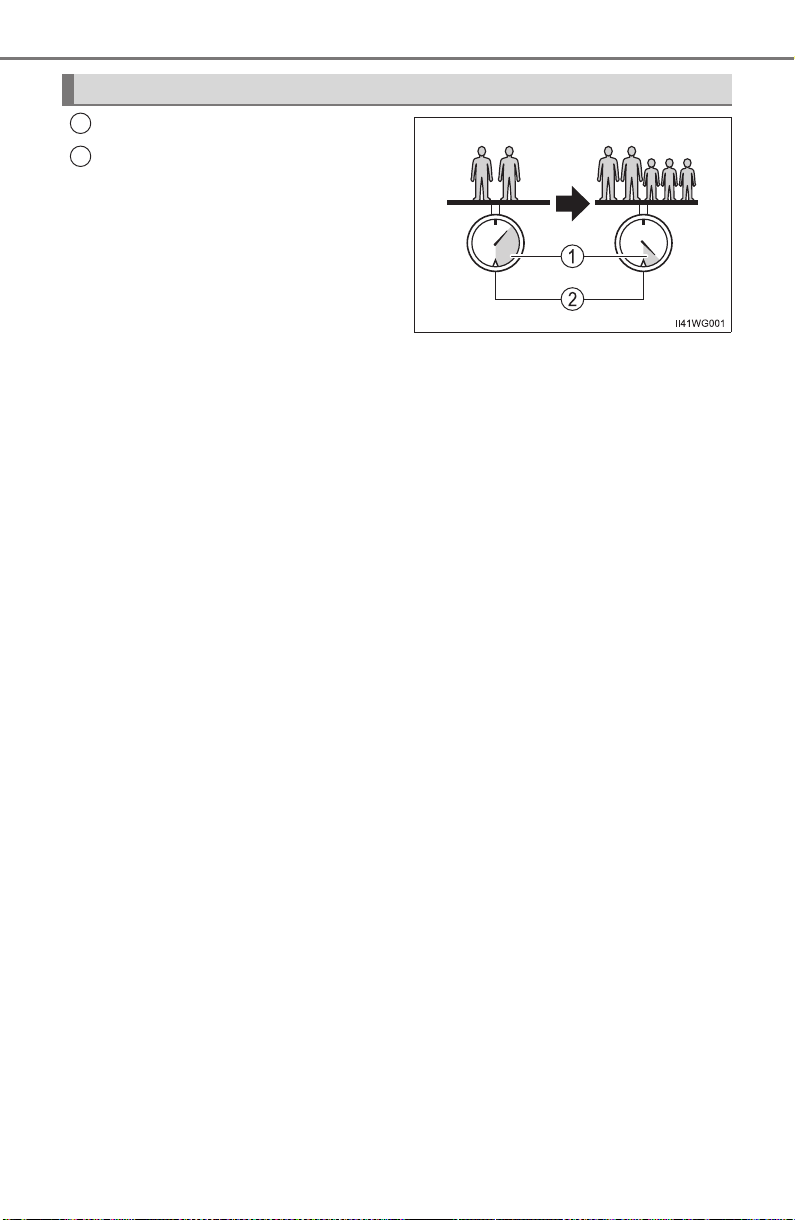
220
PRIUS_OM_OM47A29U_(U)
4-1. Before driving
Cargo capacity
Total load capacity (vehicle
capacity weight) (→P. 726)
When 2 people with the combined weight of A lb. (kg) are riding in
your vehicle, which has a total load capacity (vehicle capacity weight)
of B lb. (kg), the available amount of cargo and luggage load capacity
will be C lb. (kg) as follows:
B
*
2
lb. (kg) − A*
1
lb. (kg) = C*
3
lb. (kg)
*
1
: A = Weight of people
*
2
: B = Total load capacity
*
3
: C = Available cargo and luggage load
In this condition, if 3 more passengers with the combined weight of
D lb. (kg) get on, the available cargo and luggage load will be reduced
E lb. (kg) as follows:
C lb. (kg) − D*
4
lb. (kg) = E*
5
lb. (kg)
*
4
: D = Additional weight of people
*
5
: E = Available cargo and luggage load
As shown in the example above, if the number of occupants
increases, the cargo and luggage load will be reduced by an amount
that equals the increased weight due to the additional occupants. In
other words, if an increase in the number of occupants causes an
excess of the total load capacity (combined weight of occupants plus
cargo and luggage load), you must reduce the cargo and luggage on
your vehicle.
Calculation formula for your vehicle
1
2

PRIUS_OM_OM47A29U_(U)
221
4-1. Before driving
4
Driving
WARNING
■ Things that must not be carried in the luggage compartment
The following things may cause a fire if loaded in the luggage compart-
ment:
● Receptacles containing gasoline
● Aerosol cans
■ Storage precautions
Observe the following precautions.
Failure to do so may prevent the pedals from being depressed properly,
may block the driver’s vision, or may result in items hitting the driver or
passengers, possibly causing an accident.
● Stow cargo and luggage in the luggage compartment whenever possi-
ble.
● Do not stack cargo and luggage in the luggage compartment higher
than the seatbacks.
● When you fold down the rear seats, long items should not be placed
directly behind the front seats.
● Never allow anyone to ride in the luggage compartment. It is not
designed for passengers. They should ride in their seats with their seat
belts properly fastened.
● Do not place cargo or luggage in or on the following locations.
• At the feet of the driver
• On the front passenger or rear seats (when stacking items)
• On the luggage cover
• On the instrument panel
• On the dashboard
● Secure all items in the occupant compartment.
■ Capacity and distribution
● Do not exceed the maximum axle weight rating or the total vehicle
weight rating.
● Even if the total load of occupant’s weight and the cargo load is less
than the total load capacity, do not apply the load unevenly. Improper
loading may cause deterioration of steering or braking control which
may cause death or serious injury.

222
PRIUS_OM_OM47A29U_(U)
4-1. Before driving
Vehicle load limits
◆ Total load capacity (vehicle capacity weight): →P. 726
Total load capacity means the combined weight of occupants, cargo
and luggage.
◆ Seating capacity: 5 occupants (Front 2, Rear 3)
Seating capacity means the maximum number of occupants whose
estimated average weight is 150 lb. (68 kg) per person.
◆ Towing capacity
Toyota does not recommend towing a trailer with your vehicle.
◆ Cargo capacity
Cargo capacity may increase or decrease depending on the weight
and the number of occupants.
■ Total load capacity and seating capacity
These details are also described on the tire and loading information label.
(→P. 615)
Vehicle load limits include total load capacity, seating capacity,
towing capacity and cargo capacity.
WARNING
■ Overloading the vehicle
Do not overload the vehicle.
It may not only cause damage to the tires, but also degrade steering
and braking ability, resulting in an accident.
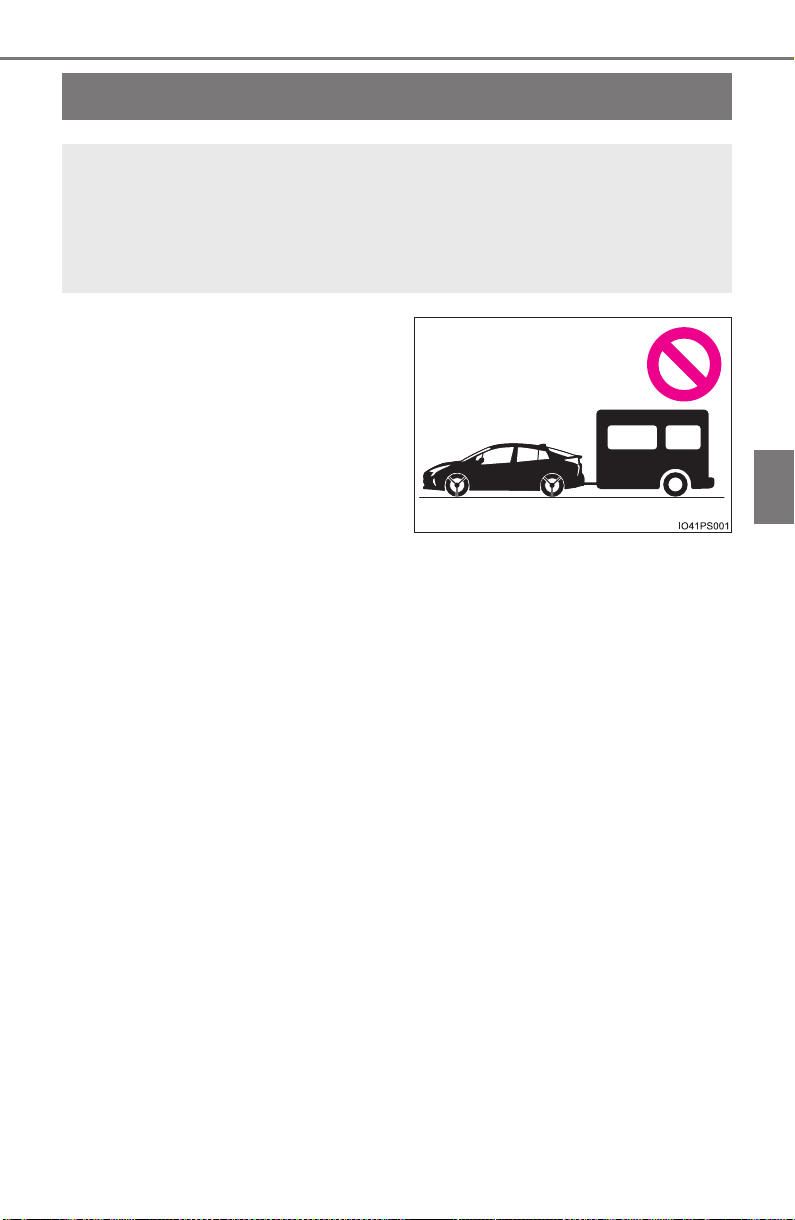
223
PRIUS_OM_OM47A29U_(U)
4-1. Before driving
4
Driving
Trailer towing
Toyota does not recommend towing a trailer with your vehicle.
Toyota also does not recommend the installation of a tow hitch
or the use of a tow hitch carrier for a wheelchair, scooter, bicy-
cle, etc. Your vehicle is not designed for trailer towing or for the
use of tow hitch mounted carriers.
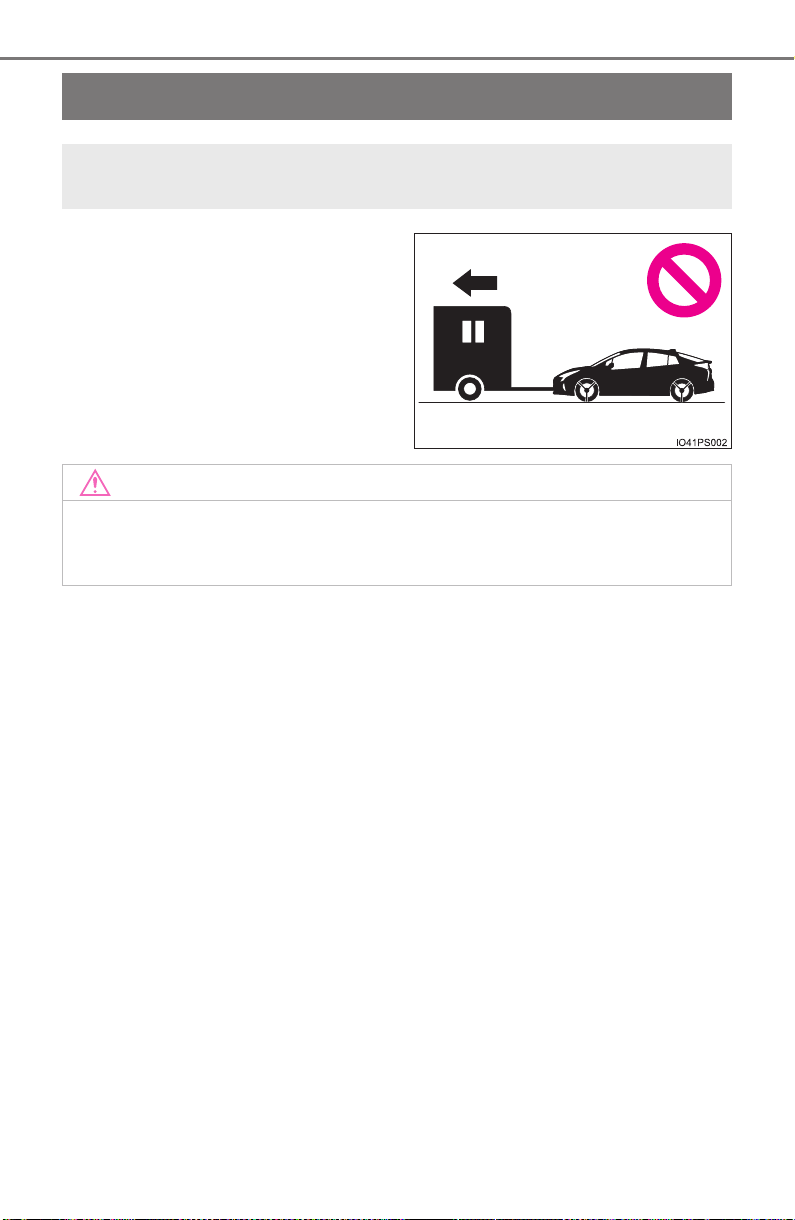
224
PRIUS_OM_OM47A29U_(U)
4-1. Before driving
Dinghy towing
Your vehicle is not designed to be dinghy towed (with 4 wheels
on the ground) behind a motor home.
NOTICE
■ To avoid serious damage to your vehicle
Do not tow your vehicle with the four wheels on the ground.
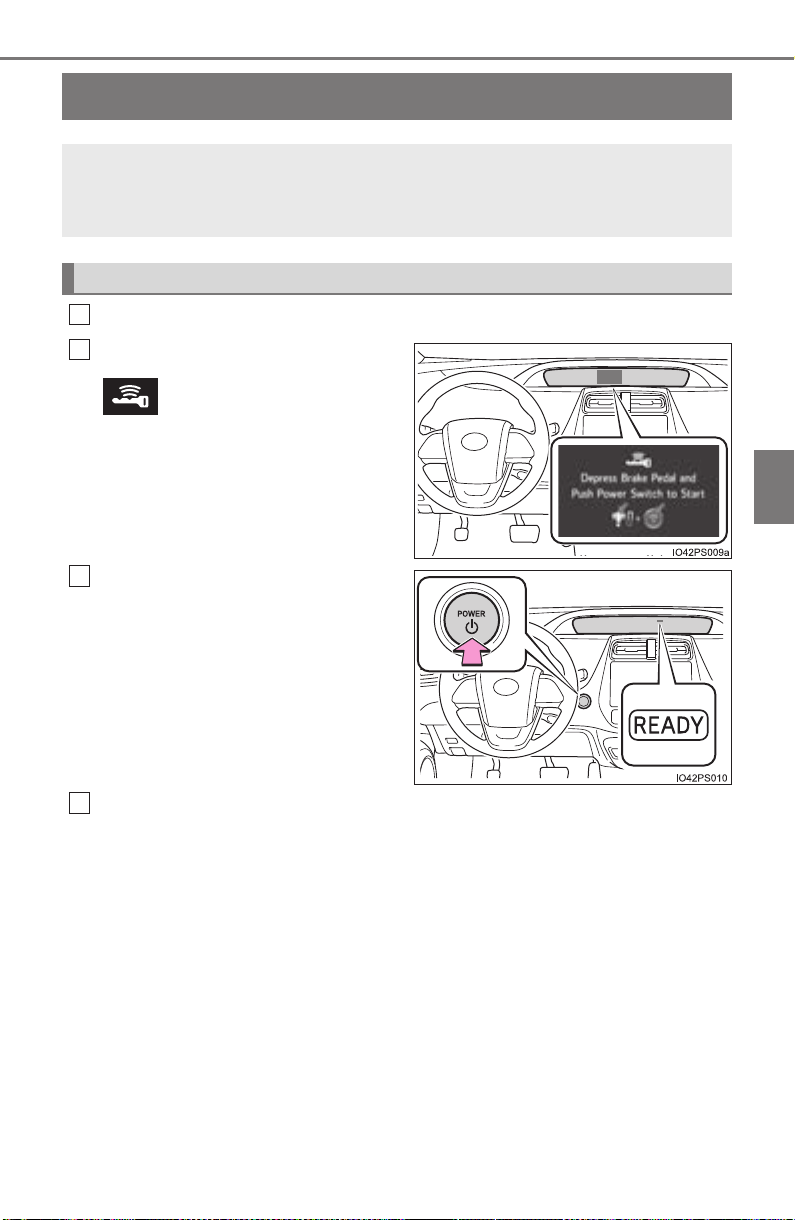
225
PRIUS_OM_OM47A29U_(U)
4-2. Driving procedures
4
Driving
Power (ignition) switch
Check that the parking brake is set.
Firmly depress the brake pedal.
and a message will be dis-
played on the multi-information dis-
play.
When the shift position is N, the
hybrid system cannot start. Shift
the shift position to P when starting
the hybrid system. (→P. 235)
Press the power switch.
If the “READY” indicator turns on,
the hybrid system will operate nor-
mally.
Continue depressing the brake
pedal until the “READY” indicator
is illuminated.
The hybrid system can be started
from any power switch mode.
Check that the “READY” indicator is illuminated.
If the “READY” indicator changes from a flashing light to a solid light and
the buzzer sounds, the hybrid system is starting normally.
The vehicle will not move when the “READY” indicator is off.
The vehicle can move when the “READY” indicator is on even if the engine
is stopped. (The gasoline engine starts or stops automatically in accor-
dance with the state of the vehicle.)
Performing the following operations when carrying the elec-
tronic key on your person starts the hybrid system or changes
power switch modes.
Starting the hybrid system
1
2
3
4
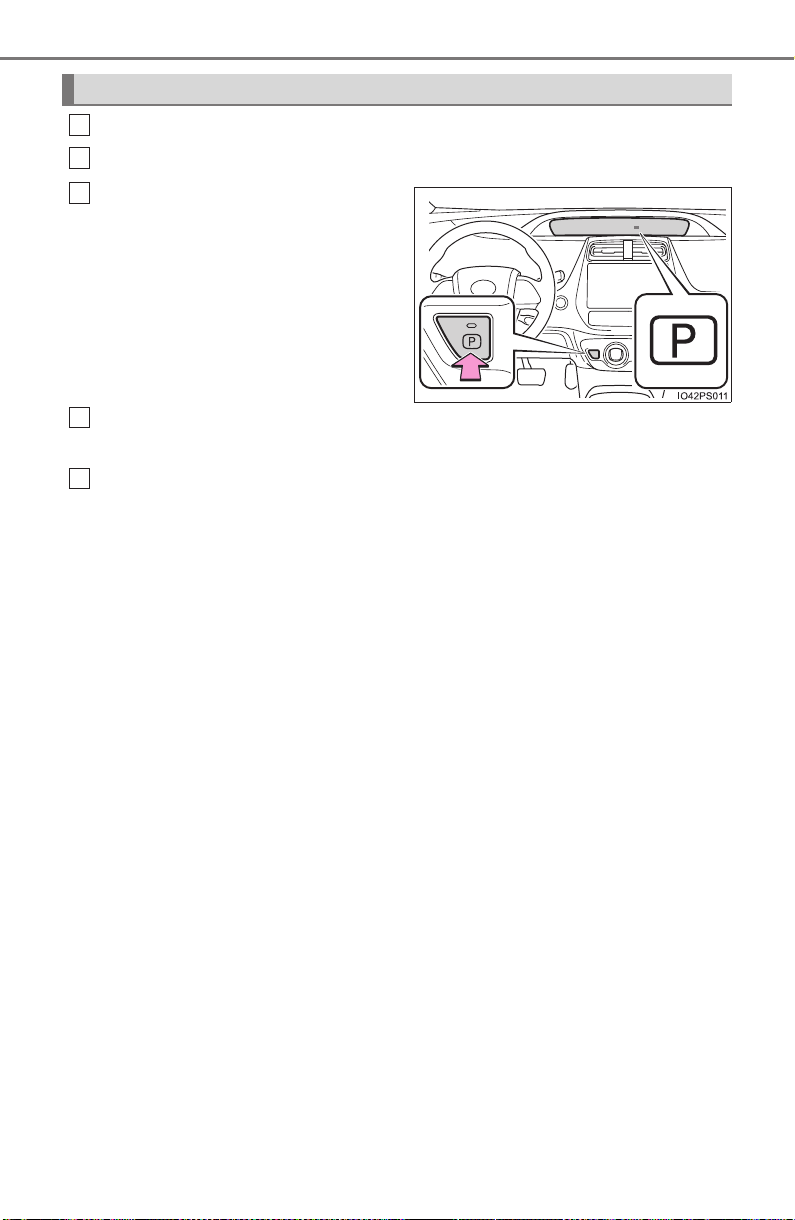
226
PRIUS_OM_OM47A29U_(U)
4-2. Driving procedures
Stop the vehicle completely.
Set the parking brake. (→P. 241)
Shift the shift position to P.
(→P. 235)
Check that the shift position indica-
tor shows P. (→P. 234)
Press the power switch.
The hybrid system will stop.
Slowly release the brake pedal and check that the display on the
instrument cluster is off.
The meter display sequentially turns off after the hybrid system stops.
(→P. 229)
Stopping the hybrid system
1
2
3
4
5
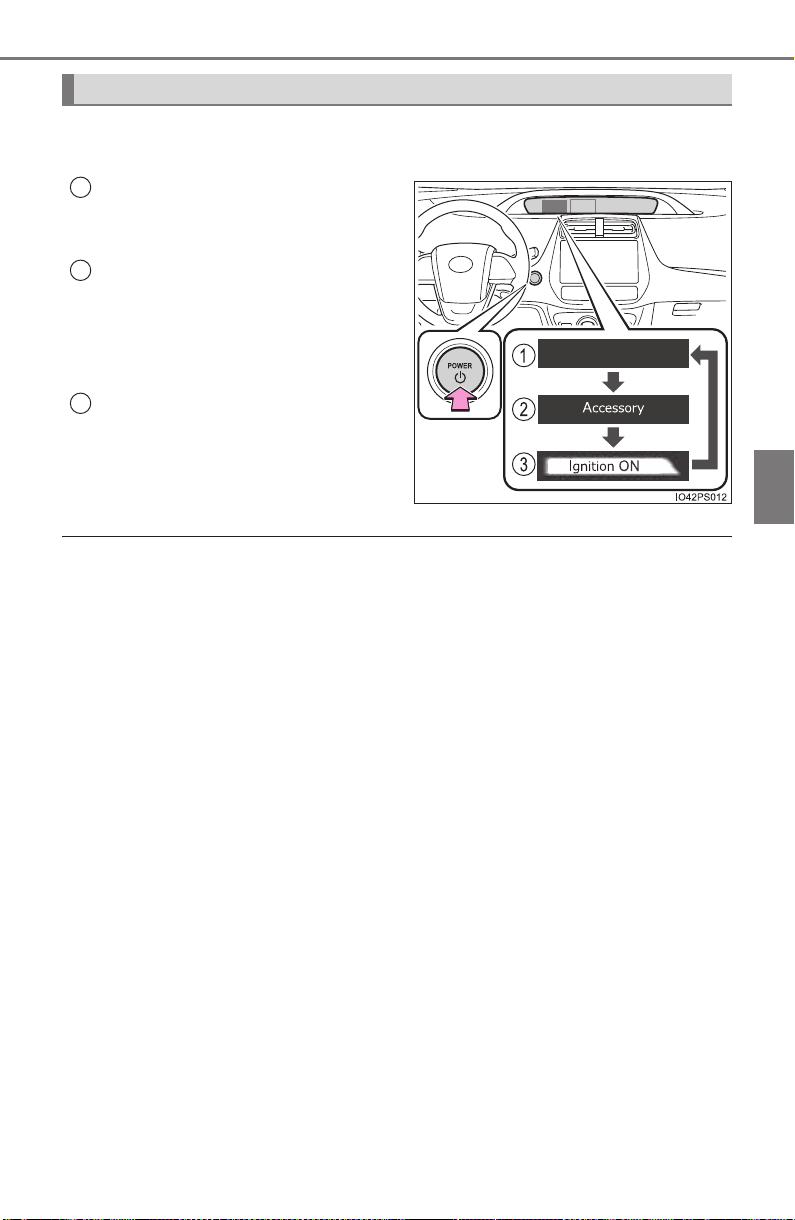
PRIUS_OM_OM47A29U_(U)
227
4-2. Driving procedures
4
Driving
Modes can be changed by pressing the power switch with the brake
pedal released. (The mode changes each time the switch is pressed.)
Off
The emergency flashers can be
used.
ACCESSORY mode
Some electrical components such
as the audio system can be used.
“Accessory” is displayed on the
main display.
ON mode
All electrical components can be
used.
“Ignition ON” is displayed on the
main display.
■ Auto power off function
If the vehicle is left in ACCESSORY mode for more than 20 minutes or ON
mode (the hybrid system is not operating) for more than an hour with the shift
position in P, the power switch will automatically turn off. However, this func-
tion cannot entirely prevent the 12-volt battery discharge. Do not leave the
vehicle with the power switch in ACCESSORY or ON mode for long periods
of time when the hybrid system is not operating.
■ Sounds and vibrations specific to a hybrid vehicle
→P. 8 1
■ Electronic key battery depletion
→P. 162
Changing power switch modes
1
2
3

228
PRIUS_OM_OM47A29U_(U)
4-2. Driving procedures
■ When the ambient temperature is low, such as during winter driving con-
ditions
● When starting the hybrid system, the flashing time of the “READY” indicator
may be long. Leave the vehicle as it is until the “READY” indicator is steady
on, as steady means the vehicle is able to move.
● When the hybrid battery (traction battery) is extremely cold (below approxi-
mately -22°F [-30°C]) under the influence of the outside temperature, it may
not be possible to start the hybrid system. In this case, try to start the hybrid
system again after the temperature of the hybrid battery increases due to
the outside temperature increase etc.
■ Conditions affecting operation
→P. 178
■ Note for the entry function
→P. 179
■ If the hybrid system does not start
● The immobilizer system may not have been deactivated. (→P. 89)
Contact your Toyota dealer.
● If a message related to start-up is shown on the multi-information display,
read the message and follow the instructions.
■ If the “READY” indicator does not come on
In the event that the “READY” indicator does not come on even after perform-
ing the proper procedures for starting the vehicle, contact your Toyota dealer
immediately.
■ If the hybrid system is malfunctioning
→P. 665
■ If the electronic key battery is depleted
→P. 628
■ Operation of the power switch
● When operating the power switch, one short, firm press is enough. If the
switch is pressed improperly, the hybrid system may not start or the power
switch mode may not change. It is not necessary to press and hold the
switch.
● If attempting to restart the hybrid system immediately after turning the power
switch off, the hybrid system may not start in some cases. After turning the
power switch off, please wait a few seconds before restarting the hybrid sys-
tem.
■ Automatic P position selection function
→P. 237
■ When the shift control system malfunctions
When attempting to turn the power switch off while there is a malfunction in
the shift control system, the power mode may change to ACCESSORY
mode. In this case, ACCESSORY mode may be turned off by applying the
parking brake and pressing the power switch again. If there is a malfunction
in the system, have the vehicle inspected by your Toyota dealer immediately.

PRIUS_OM_OM47A29U_(U)
229
4-2. Driving procedures
4
Driving
■ Meter display
When the power switch is turned off, each display will turn off as follows.
● The shift position indicator will turn off after approximately 2 seconds.
● The multi-information display, clock, etc. will turn off after approximately 30
seconds.
(Each display will also turn off immediately if a door is locked before 30 sec-
onds has elapsed.)
■ If the smart key system has been deactivated in a customized setting
→P. 708
WARNING
■ When starting the hybrid system
Always start the hybrid system while sitting in the driver’s seat. Do not
depress the accelerator pedal while starting the hybrid system under any
circumstances.
Doing so may cause an accident resulting in death or serious injury.
■ Stopping the hybrid system in an emergency
● If you want to stop the hybrid system in an emergency while driving the
vehicle, press and hold the power switch for more than 2 seconds, or
press it briefly 3 times or more in succession. (→P. 647)
However, do not touch the power switch while driving except in an emer-
gency. Turning the hybrid system off while driving will not cause loss of
steering or braking control, however, power assist to the steering will be
lost. This will make it more difficult to steer smoothly, so you should pull
over and stop the vehicle as soon as it is safe to do so.
● If the power switch is operated while the vehicle is running, a warning
message will be shown on the multi-information display and a buzzer
sounds.
● When restarting the hybrid system after an emergency shutdown while
driving, press the power switch. When restarting the hybrid system after
stopping the vehicle, change the shift position to P and then press the
power switch.

230
PRIUS_OM_OM47A29U_(U)
4-2. Driving procedures
NOTICE
■ To prevent 12-volt battery discharge
● Do not leave the power switch in ACCESSORY or ON mode for long peri-
ods of time without the hybrid system on.
● If “Accessory”, “Ignition ON” or mileage display (→P. 139) is displayed on
the multi-information display while the hybrid system is not operating, the
power switch is not off. Exit the vehicle after turning the power switch off.
■ When starting the hybrid system
If the hybrid system becomes difficult to start, have your vehicle checked by
your Toyota dealer immediately.
■ Symptoms indicating a malfunction with the power switch
If the power switch seems to be operating somewhat differently than usual,
such as the switch sticking slightly, there may be a malfunction. Contact
your Toyota dealer immediately.
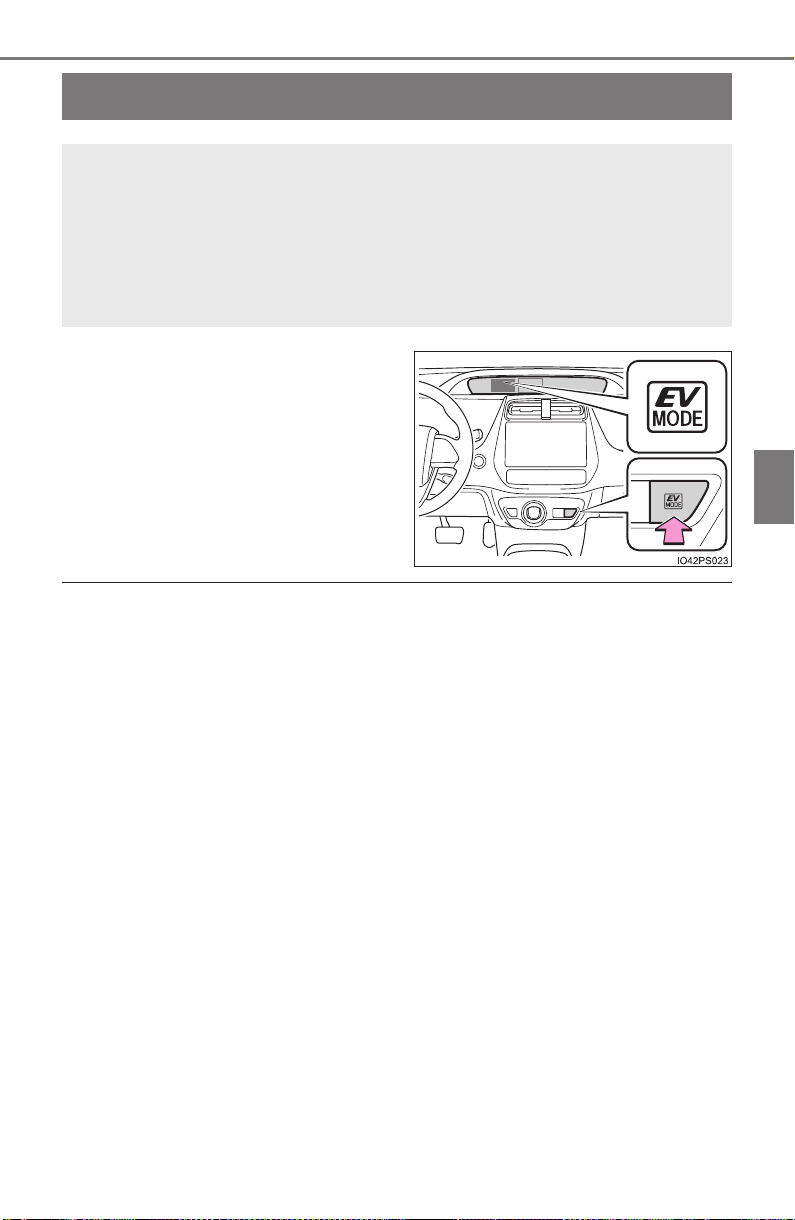
231
PRIUS_OM_OM47A29U_(U)
4-2. Driving procedures
4
Driving
EV drive mode
Turns EV drive mode on/off
When EV drive mode is turned on,
the EV drive mode indicator will
come on.
Pressing the switch when in EV
drive mode will return the vehicle to
normal driving (using the gasoline
engine and electric motor [traction
motor]).
■ Situations in which EV drive mode cannot be turned on
It may not be possible to turn EV drive mode on in the following situations. If it
cannot be turned on, a buzzer will sound and a message will be shown on the
multi-information display.
● Vehicle speed is high.
● The accelerator pedal is depressed firmly or the vehicle is on a hill etc.
● The temperature of the hybrid system is high.
The vehicle has been left in the sun, driven on a hill, driven at high speeds,
etc.
● The temperature of the hybrid system is low.
The vehicle has been left in temperatures lower than about 68°F (20°C) for
a long period of time etc.
● The gasoline engine is warming up.
● The hybrid battery (traction battery) is low.
The remaining battery level indicated in the energy monitor display is low.
(→P. 118, 154)
● The windshield defogger is in use.
In EV drive mode, electric power is supplied by the hybrid bat-
tery (traction battery), and only the electric motor (traction
motor) is used to drive the vehicle.
This mode allows you to drive in residential areas late at night,
or in indoor parking lots etc. without concern for noises and
exhaust gas emissions.

232
PRIUS_OM_OM47A29U_(U)
4-2. Driving procedures
■ Switching to EV drive mode when the gasoline engine is cold
If the hybrid system is started while the gasoline engine is cold, the gasoline
engine will start automatically after a short period of time in order to warm up.
In this case, you will become unable to switch to EV drive mode.
After the hybrid system has started and the “READY” indicator has illumi-
nated, press the EV drive mode switch before the gasoline engine starts to
switch to EV drive mode.
■ Automatic cancelation of EV drive mode
When driving in EV drive mode, the gasoline engine may automatically restart
in the following situations. When EV drive mode is canceled, a buzzer will
sound and the EV drive mode indicator will flash and go off.
● The hybrid battery (traction battery) becomes low.
The remaining battery level indicated in the energy monitor display is low.
(→P. 118, 154)
● Vehicle speed is high.
● The accelerator pedal is depressed firmly or the vehicle is on a hill etc.
When it is possible to inform the driver of automatic cancelation in advance, a
prior notice screen will appear on the multi-information display.
■ Possible driving distance when driving in EV drive mode
EV drive mode’s possible driving distance ranges from a few hundred meters
to approximately 0.6 mile (1 km). However, depending on vehicle conditions,
there are situations when EV drive mode cannot be used. (The distance that
is possible depends on the hybrid battery [traction battery] level and driving
conditions.)
■ Changing a driving mode when in EV drive mode
EV drive mode can be used in conjunction with Eco drive mode and power
mode.
However, EV drive mode may be automatically canceled when used in con-
junction with power mode.
■ Fuel economy
The hybrid system is designed to achieve the best possible fuel economy
during normal driving (using the gasoline engine and electric motor [traction
motor]). Driving in EV drive mode more than necessary may lower fuel econ-
omy.

PRIUS_OM_OM47A29U_(U)
233
4-2. Driving procedures
4
Driving
WARNING
■ Caution while driving
When driving in EV drive mode, pay special attention to the area around the
vehicle. Because there is no engine noise, pedestrians, people riding bicy-
cles or other people and vehicles in the area may not be aware of the vehi-
cle starting off or approaching them, so take extra care while driving.
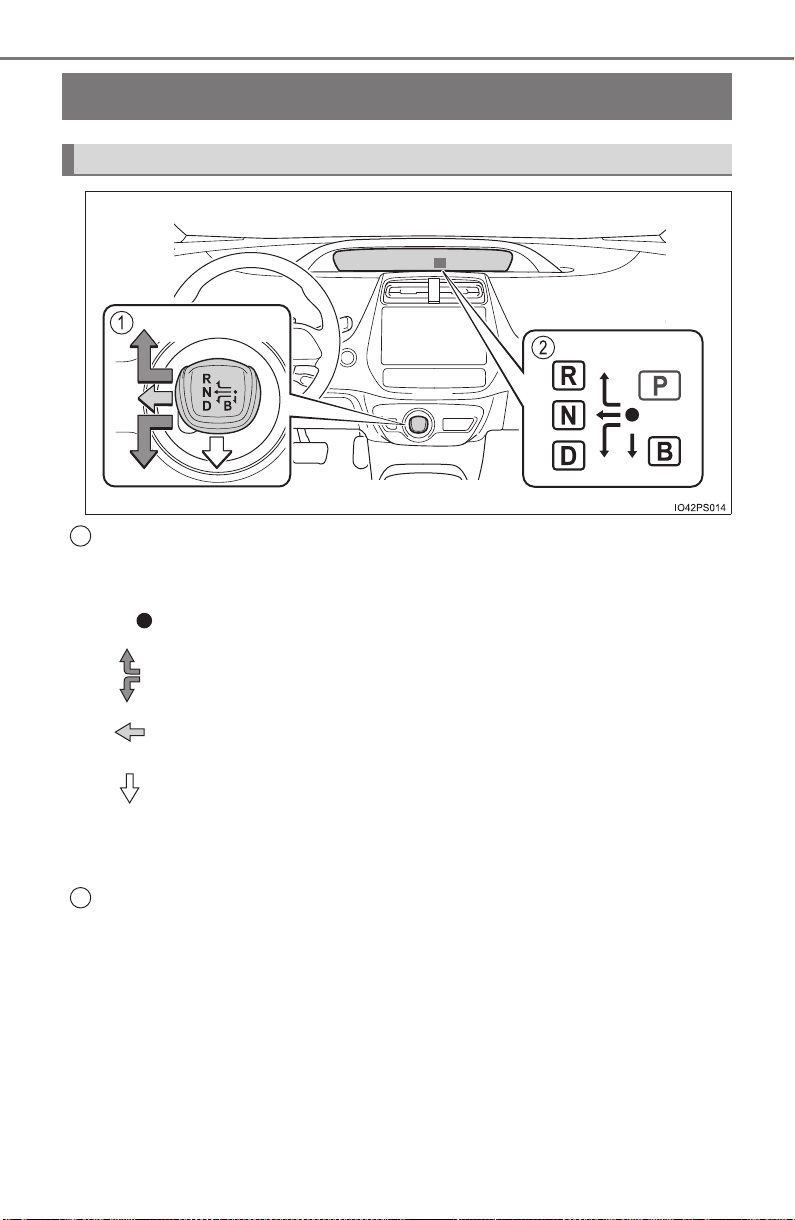
234
PRIUS_OM_OM47A29U_(U)
4-2. Driving procedures
Hybrid transmission
Shift lever
Operate the shift lever gently and ensure correct shifting operation.
Release the shift lever after each shifting operation to allow it to return to
the position.
When shifting from P to N, D or R, from D to R, or from R to D, ensure that
the brake pedal is being depressed and the vehicle is stationary.
Shift position indicator
The current shift position is highlighted.
When any shift position other than D or B is selected, the arrow toward B
and B position indicator disappear from the shift position indicator.
When selecting the shift position, make sure that the shift position has
been changed to the desired position by checking the shift position
indicator provided on the instrument cluster.
Shifting the shift lever
1
When shifting to the D or R, move the shift lever along the shift
gate.
To shift to the N, slide the shift lever to the left and hold it. The shift
position will change to N.
To shift to the B, pull the shift lever down. Shifting to B is only pos-
sible when shift position D is selected.
2
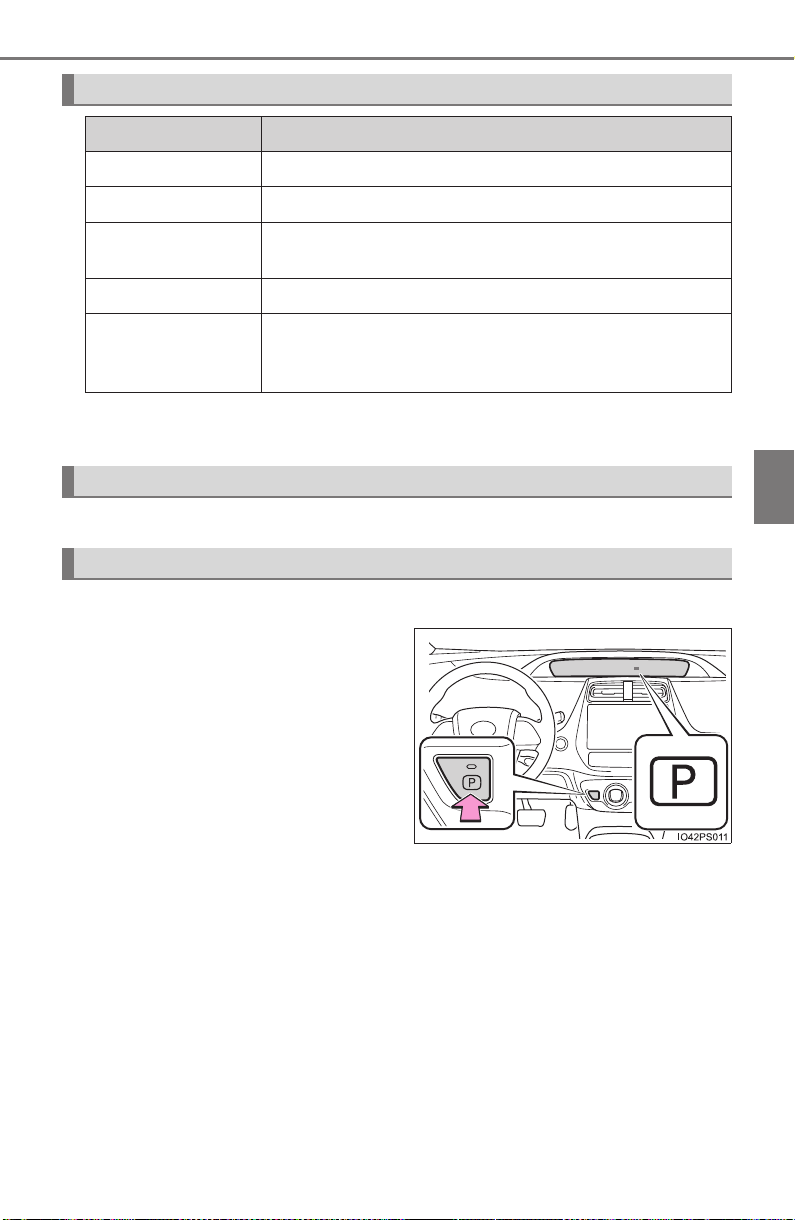
PRIUS_OM_OM47A29U_(U)
235
4-2. Driving procedures
4
Driving
*: For good fuel economy and noise reduction, the D position should usually
be used.
→P. 32 0
■ When shifting the shift position to P
Fully stop the vehicle and set
the parking brake, and then
press the P position switch.
When the shift position is
changed to P, the switch indica-
tor comes on.
Check that the P position is illu-
minated on the shift position
indicator.
■
Shifting the shift position from P to other positions
● While depressing the brake pedal firmly, operate the shift lever. If
the shift lever is operated without depressing the brake pedal, the
buzzer will sound and the shifting operation will be disabled.
● When selecting the shift position, make sure that the shift posi-
tion has been changed to the desired position by checking the
shift position indicator provided on the instrument cluster.
● The shift position cannot be changed from P to B directly.
Shift position purpose
Shift position Objective or function
P Parking the vehicle/starting the hybrid system
R Reversing
N
Neutral
(Condition in which the power is not transmitted)
D Normal driving*
B
Applying engine braking or strong braking when the
accelerator pedal has been released on steep down-
ward slopes etc.
Selecting a driving mode
P position switch

236
PRIUS_OM_OM47A29U_(U)
4-2. Driving procedures
■ For the shift positions
● When the power switch is off, the shift position cannot be changed.
● When the power switch is in ON mode (the hybrid system is not operating),
the shift position can only be changed to N. The shift position will be
changed to N even if the shift lever is shifted to D or R and held in that posi-
tion.
● When the “READY” indicator is on, the shift position can be changed from P
to D, N or R.
● When the “READY” indicator is flashing, the shift position cannot be
changed from P to another position even if the shift lever is operated. Wait
until the “READY” indicator changes from a flashing to a solid light, and then
operate the shift lever again.
● The shift position can only be changed to B directly from D.
In addition, if an attempt is made to change the shift position by moving the
shift lever or by pressing the P position switch in any of the following situa-
tions, the buzzer will sound and the shifting operation will be disabled or the
shift position will automatically change to N. When this happens, select an
appropriate shift position.
● Situations where the shifting operation will be disabled:
• When an attempt is made to change the shift position from P to another
position by moving the shift lever without depressing the brake pedal.
• When an attempt is made to change the shift position from P or N to B by
moving the shift lever.
● Situations where the shift position will automatically change to N:
• When the P position switch is pressed while the vehicle is running.
*
1
• When an attempt is made to select the R position by moving the shift
lever when the vehicle is moving forward.
*
2
• When an attempt is made to select the D position by moving the shift
lever when the vehicle is moving in reverse.
*
3
• When an attempt is made to change the shift position from R to B by
moving the shift lever.
*
1
: Shift position may be changed to P when driving at extremely low
speeds.
*
2
: Shift position may be changed to R when driving at low speeds.
*
3
: Shift position may be changed to D when driving at low speeds.
● If N is selected while driving at a certain speed, even if the shift lever is not
held in the N position, the shift position changes to N. In this situation, the
buzzer sounds and a confirmation message is displayed on the multi-infor-
mation display to inform the driver that the shift position has changed to N.
■ Reverse warning buzzer
When shifting into R, a buzzer will sound to inform the driver that the shift
position is in R.

PRIUS_OM_OM47A29U_(U)
237
4-2. Driving procedures
4
Driving
■ Restraining sudden start (Drive-Start Control)
When the following unusual operation is performed, the hybrid system output
may be restrained.
● When the shift position is shifted from R to D, D/B to R, N to R, P to D, P to
R with the accelerator pedal depressed, a warning message appears on the
multi-information display. If a warning message is shown on the multi-infor-
mation display, read the message and follow the instructions.
● When the accelerator pedal is depressed too while the vehicle is in reverse.
■ Automatic P position selection function
● If the power switch is on and the shift position is not already P, completely
stopping the vehicle and pressing the power switch causes the shift position
to automatically switch to P and the power switch to turn off.
● The shift position may also automatically switch to P if one of the following
conditions is detected while the vehicle is stopped by dynamic radar cruise
control with full-speed range.
• Driver’s seat belt is not fastened
• Driver’s door is opened
• Approximately 3 minutes elapse after the vehicle stopped
■ If the shift position cannot be shifted from P
There is a possibility that the 12-volt battery is discharged. Check the 12-volt
battery in this situation. (→P. 711)
■ About engine braking
When shift position B is selected, releasing the accelerator pedal will apply
engine braking.
● When the vehicle is driven at high speeds, compared to ordinary gasoline-
fueled vehicles, the engine braking deceleration is felt less than that of other
vehicles.
● The vehicle can be accelerated even when shift position B is selected.
If the vehicle is driven continuously in the B position, fuel efficiency will
become low. Usually, select the D position.
■ After recharging/reconnecting the 12-volt battery
→P. 598

238
PRIUS_OM_OM47A29U_(U)
4-2. Driving procedures
■ When a message related to shift operations is displayed on the multi-
information display
When the shift position does not switch due to a mistaken operation, system
conditions, etc., or when the attempted shift operation is invalid, a message
indicating the correct operation or the reason why switching cannot be per-
formed is shown on the multi-information display. In these cases, follow the
instructions and retry the operation.
■ Customization
Settings (e.g. Reverse warning buzzer) can be changed.
(Customizable features: →P. 752)
WARNING
■ When driving on slippery road surfaces
Do not accelerate or shift the shift position suddenly.
Sudden changes in engine braking may cause the vehicle to spin or skid,
resulting in an accident.
■ Shift lever and P position switch
● Do not remove the shift lever knob or use anything but a genuine Toyota
shift lever knob. Also, do not hang anything on the shift lever.
Doing so could prevent the shift lever from returning to position, causing
unexpected accidents to occur when the vehicle is in motion.
● Do not press the P position switch while the vehicle is moving.
If the P position switch is pressed when driving at very low speeds (for
example, directly before stopping the vehicle), the vehicle may stop sud-
denly when the shift position switches to P, which could lead to an acci-
dent.
● In order to prevent the shift position from accidentally being changed, do
not touch the P position switch or shift lever when not using them.

PRIUS_OM_OM47A29U_(U)
239
4-2. Driving procedures
4
Driving
NOTICE
■ Hybrid battery (traction battery) charge
If the shift position is in N, the hybrid battery (traction battery) will not be
charged. To help prevent the battery from discharging, avoid leaving the N
position selected for an extended period of time.
■ Situations where shift control system malfunctions are possible
If any of the following situations occurs, shift control system malfunctions
are possible.
Immediately stop the vehicle in a safe place on level ground, apply the park-
ing brake, and then contact your Toyota dealer.
● When the warning message indicating the shift control system appears on
the multi-information display. (→P. 666)
● The display indicates that no shift position is selected for more than a few
seconds.
■ Notes regarding shift lever and P position switch operation
Avoid repeatedly operating the shift lever and P position switch in quick suc-
cession.
The system protection function may activate and it will not be temporarily
possible to shift the shift position other than P. If this happens, please wait
for approximately 20 seconds before attempting to change the shift position
again.

240
PRIUS_OM_OM47A29U_(U)
4-2. Driving procedures
Turn signal lever
Right turn
Lane change to the right (move
the lever partway and release
it)
The right hand signals will flash 3
times.
Lane change to the left (move
the lever partway and release
it)
The left hand signals will flash 3
times.
Left turn
■ Turn signals can be operated when
The power switch is in ON mode.
■ If the indicator flashes faster than usual
Check that a light bulb in the front or rear turn signal lights has not burned
out.
■ If the turn signals stop flashing before a lane change has been per-
formed
Operate the lever again.
■ Customization
The number of times the turn signals flash during a lane change can be
changed. (Customizable features: →P. 752)
Operating instructions
1
2
3
4
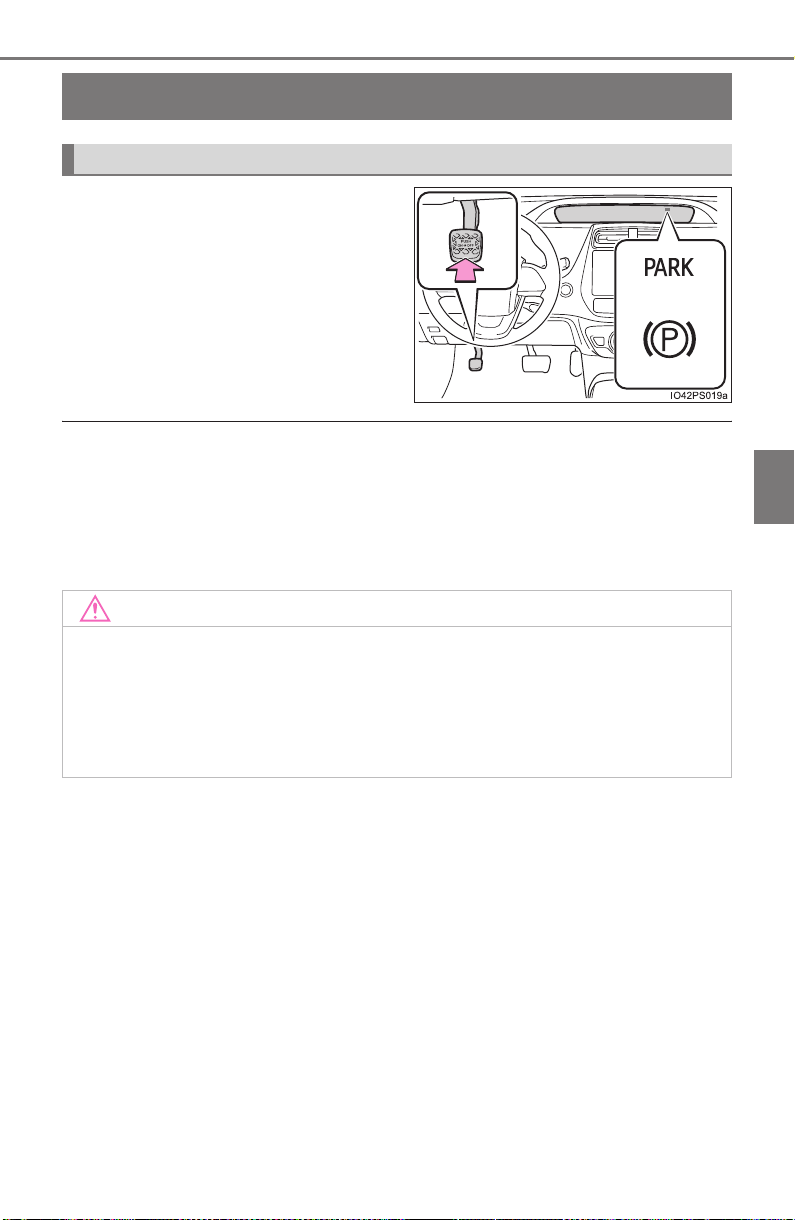
241
PRIUS_OM_OM47A29U_(U)
4-2. Driving procedures
4
Driving
Parking brake
To set the parking brake, fully
depress the parking brake pedal
with your left foot while depress-
ing the brake pedal with your right
foot.
(Depressing the pedal again
releases the parking brake.)
■ Parking brake engaged warning buzzer
A buzzer will sound if the vehicle is driven with the parking brake engaged.
“Release Parking Brake” is displayed on the multi-information display (with
the vehicle reached a speed of 3 mph [5 km/h]).
■ Usage in winter time
→P. 414
Operating instructions
(U.S.A.)
(Canada)
NOTICE
■ Before driving
Fully release the parking brake.
Driving the vehicle with the parking brake set will lead to brake components
overheating, which may affect braking performance and increase brake
wear.
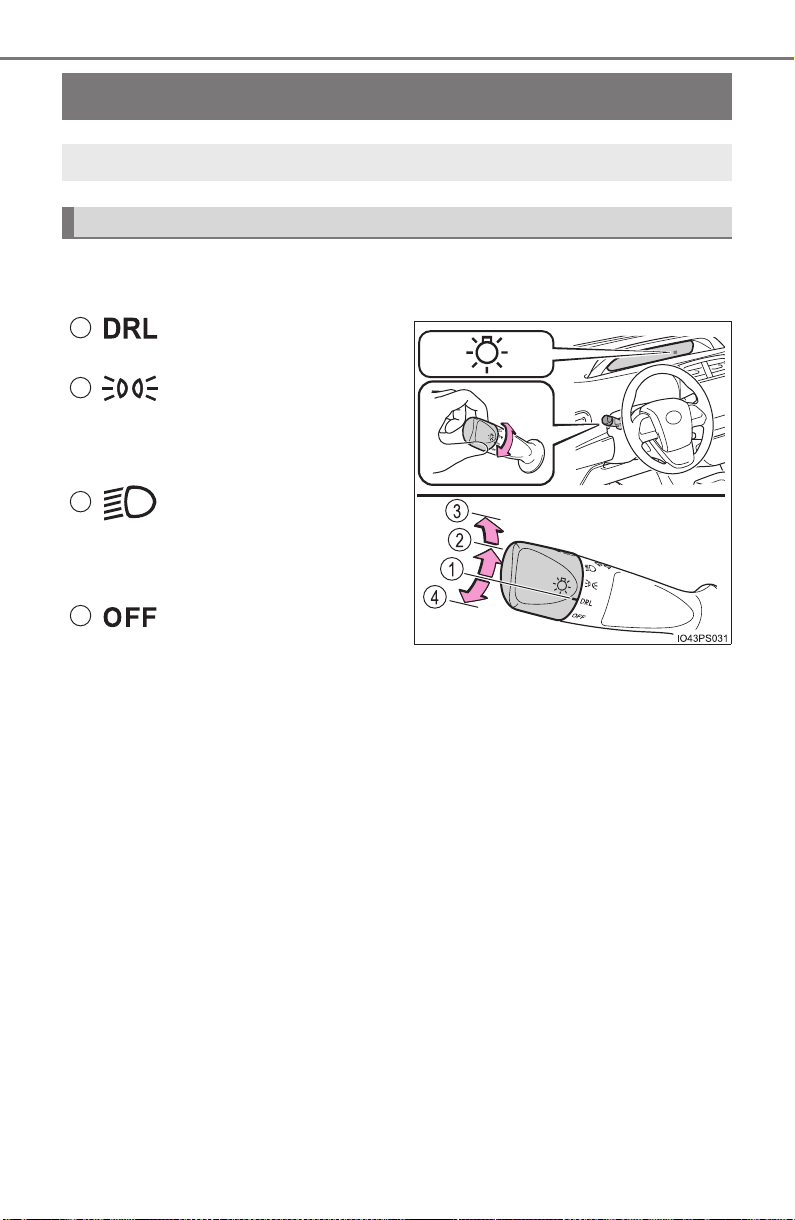
242
PRIUS_OM_OM47A29U_(U)
4-3. Operating the lights and wipers
Headlight switch
Turning the end of the lever turns on the lights as follows:
X U.S.A. (type A)
The daytime running
lights turn on. (→P. 245)
The side marker, park-
ing, tail, license plate
and instrument panel
lights turn on.
The headlights and all
the lights listed above
(except daytime running
lights) turn on.
The daytime running
lights turn off.
The headlights can be operated manually or automatically.
Operating instructions
1
2
3
4
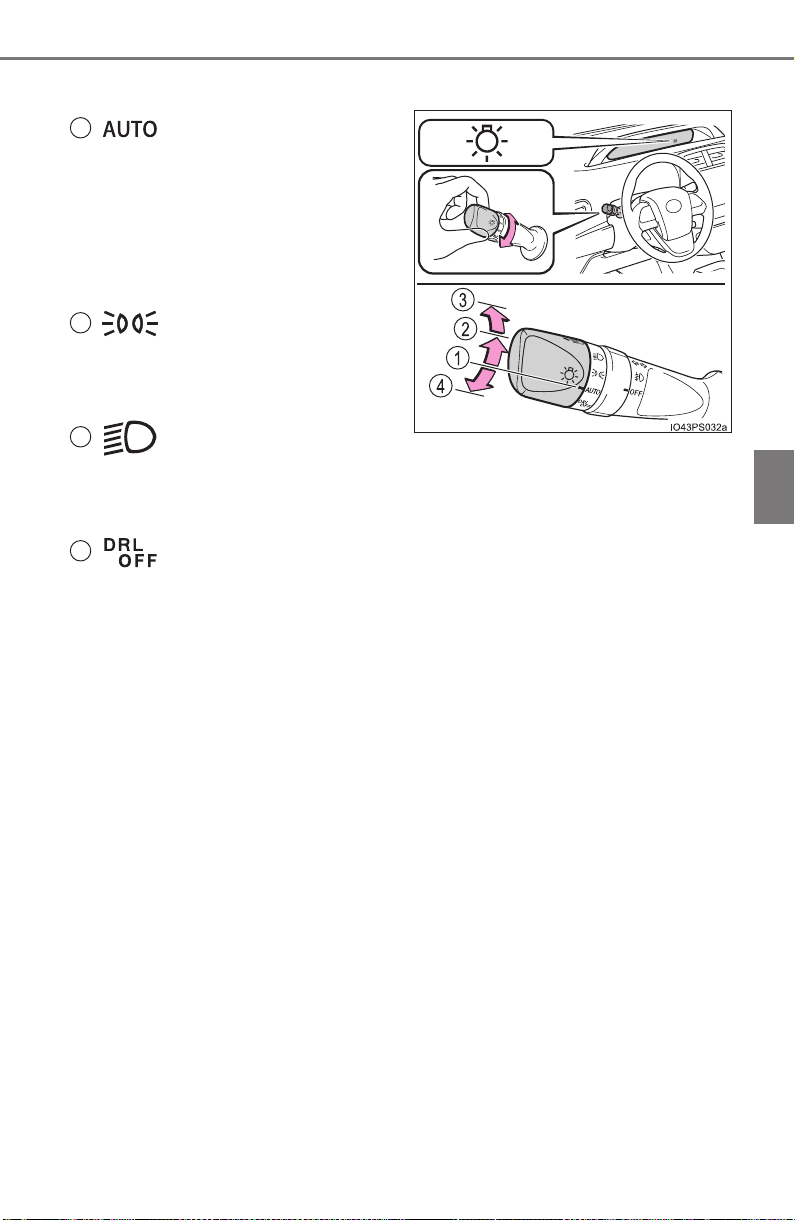
PRIUS_OM_OM47A29U_(U)
243
4-3. Operating the lights and wipers
4
Driving
X U.S.A. (type B)
The headlights, front
position, daytime run-
ning lights (→P. 245)
and so on turn on and
off automatically (when
the power switch is in
ON mode).
The side marker, park-
ing, tail, license plate
and instrument panel
lights turn on.
The headlights and all
the lights listed above
(except daytime run-
ning lights) turn on.
The daytime running
lights turn off.
1
2
3
4
(if equipped)
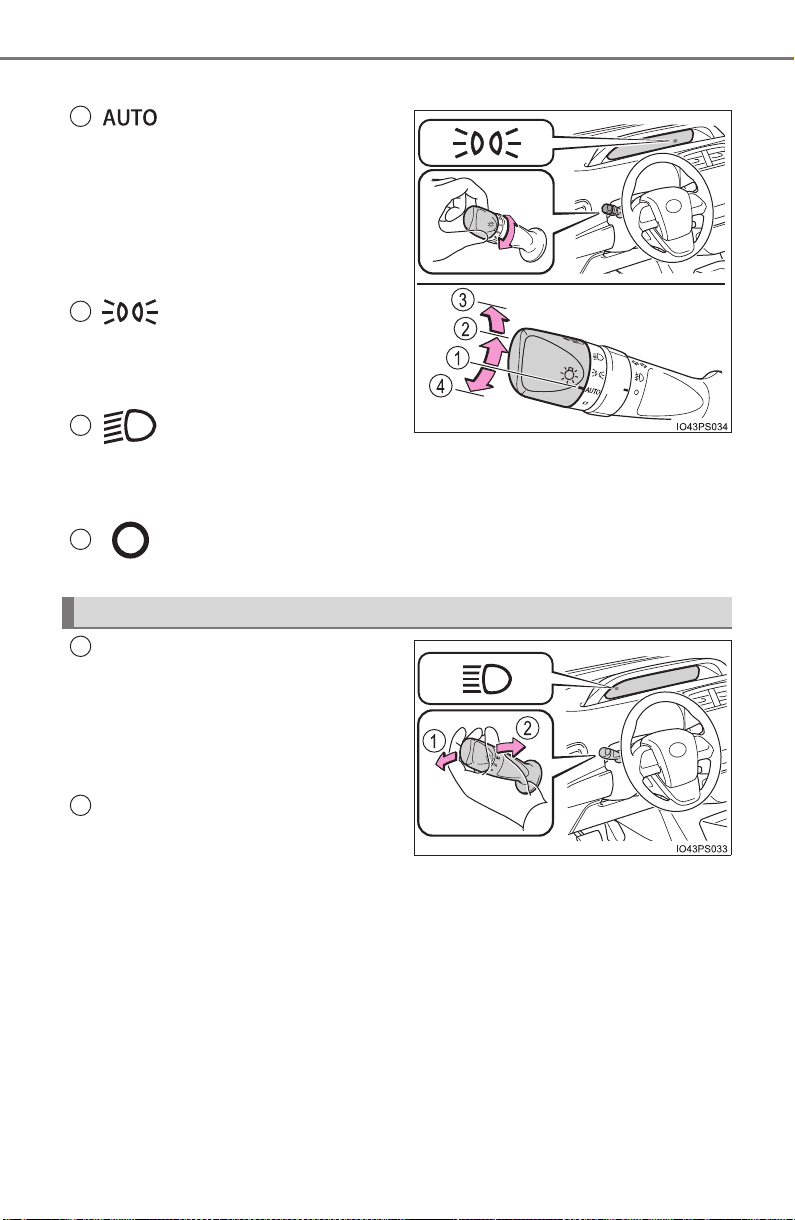
244
PRIUS_OM_OM47A29U_(U)
4-3. Operating the lights and wipers
X Canada
The headlights, front
position, daytime run-
ning lights (→P. 245)
and so on turn on and
off automatically (when
the power switch is in
ON mode).
The side marker, park-
ing, tail, license plate
and instrument panel
lights turn on.
The headlights and all
the lights listed above
(except daytime running
lights) turn on.
The daytime running
lights turn on. (→P. 245)
With the headlights on, push
the lever away from you to turn
on the high beams.
Pull the lever toward you to the
center position to turn the high
beams off.
Pull the lever toward you and
release it to flash the high
beams once.
You can flash the high beams with the headlights on or off.
1
2
3
4
Turning on the high beam headlights
1
2
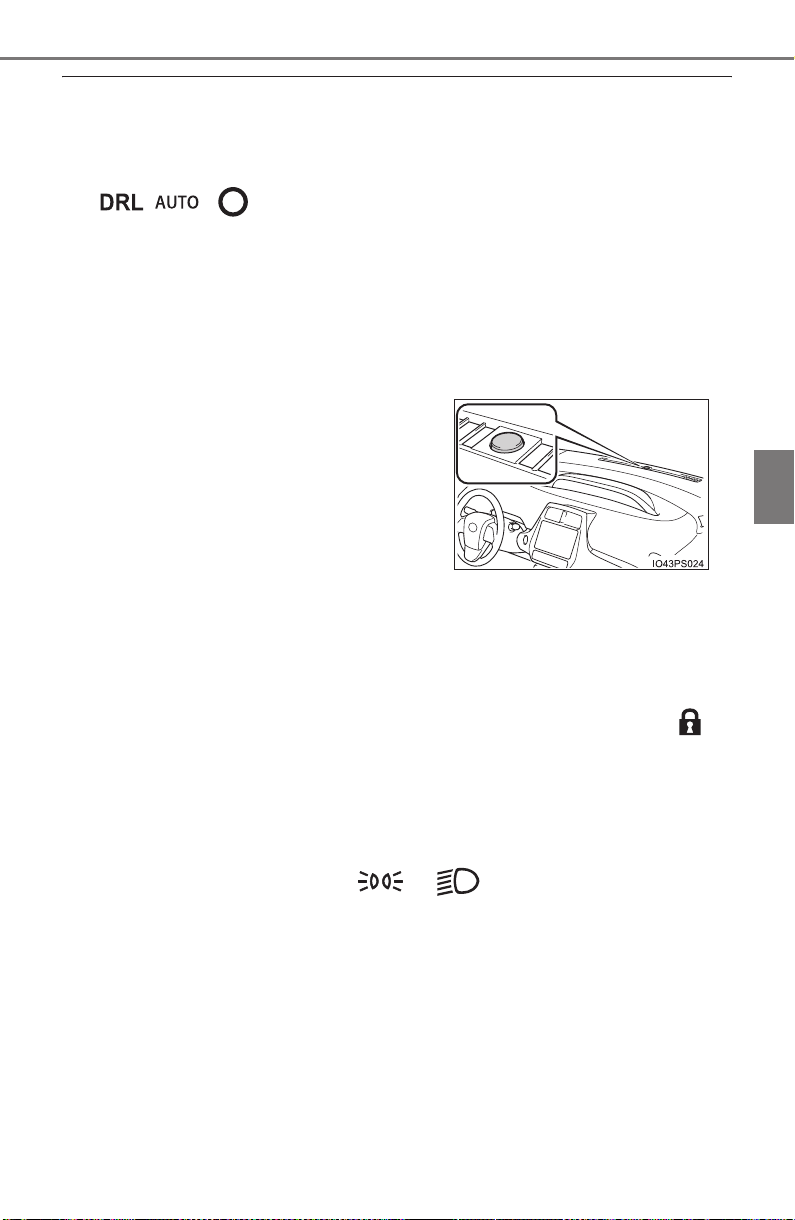
PRIUS_OM_OM47A29U_(U)
245
4-3. Operating the lights and wipers
4
Driving
■ Daytime running light system
● To make your vehicle more visible to other drivers during daytime driving,
the daytime running lights turn on automatically whenever the hybrid system
is started and the parking brake is released with the headlight switch in the
/ / position. (Illuminate dimmer than the headlight lights.)
Daytime running lights are not designed for use at night.
For the U.S.A.: Daytime running lights can be turned off by operating the
headlight switch.
● Compared to turning on the headlights, the daytime running light system
offers greater durability and consumes less electricity, so it can help improve
fuel economy.
■ Headlight control sensor (if equipped)
■ Automatic light off system
● When the headlights come on: The headlights and tail lights turn off 30 sec-
onds after a door is opened and closed if the power switch is turned to
ACCESSORY mode or turned off. (The lights turn off immediately if on
the key is pressed after all the doors are locked.)
● When only the tail lights come on: The tail lights turn off automatically if the
power switch is turned to ACCESSORY mode or turned off and the driver’s
door is opened.
To turn the lights on again, turn the power switch to ON mode, or turn the light
switch off once and then back to or .
The sensor may not function properly if an
object is placed on the sensor, or anything
that blocks the sensor is affixed to the
windshield.
Doing so interferes with the sensor
detecting the level of ambient light and
may cause the automatic headlight sys-
tem to malfunction.
Air conditioning operation may also be
interrupted.

246
PRIUS_OM_OM47A29U_(U)
4-3. Operating the lights and wipers
■ 12-volt battery-saving function
In order to prevent the 12-volt battery of the vehicle from discharging, if the
headlights and/or tail lights are on when the power switch is turned off, the
12-volt battery saving function will operate and automatically turn off all the
lights after approximately 20 minutes.
When any of the following are performed, the 12-volt battery-saving function
is canceled once and then reactivated. All the lights will turn off automatically
20 minutes after the 12-volt battery-saving function has been reactivated:
● When the headlight switch is operated
● When a door is opened or closed
■ If “Headlight System Malfunction Visit Your Dealer” is displayed on the
multi-information display
The system may be malfunctioning. Have the vehicle inspected by your
Toyota dealer.
■ Customization
Settings (e.g. light sensor sensitivity) can be changed.
(Customizable features: →P. 752)
NOTICE
■ To prevent 12-volt battery discharge
Do not leave the lights on longer than necessary when the hybrid system is
off.
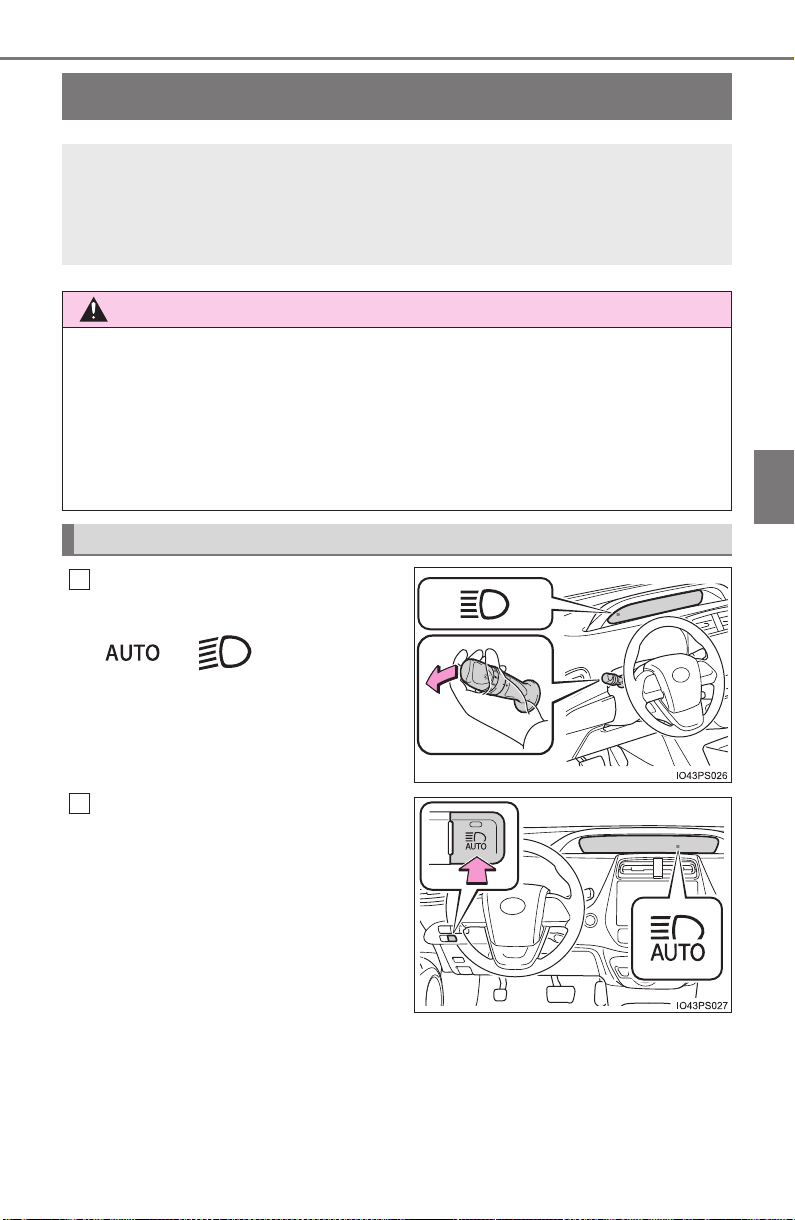
247
PRIUS_OM_OM47A29U_(U)
4-3. Operating the lights and wipers
4
Driving
Automatic High Beam
∗
Push the lever away from you
with the headlight switch in the
or position.
Press the Automatic High
Beam switch.
The Automatic High Beam indica-
tor will come on when the head-
lights are turned on automatically
to indicate that the system is
active.
∗: If equipped
The Automatic High Beam uses an in-vehicle camera sensor to
assess the brightness of streetlights, the lights of vehicles
ahead etc., and automatically turns the high beam on or off as
necessary.
WARNING
■ Limitations of the Automatic High Beam
Do not rely on the Automatic High Beam. Always drive safely, taking care to
observe your surroundings and turning the high beam on or off manually if
necessary.
■ To prevent incorrect operation of the Automatic High Beam system
Do not overload the vehicle.
Activating the Automatic High Beam system
1
2
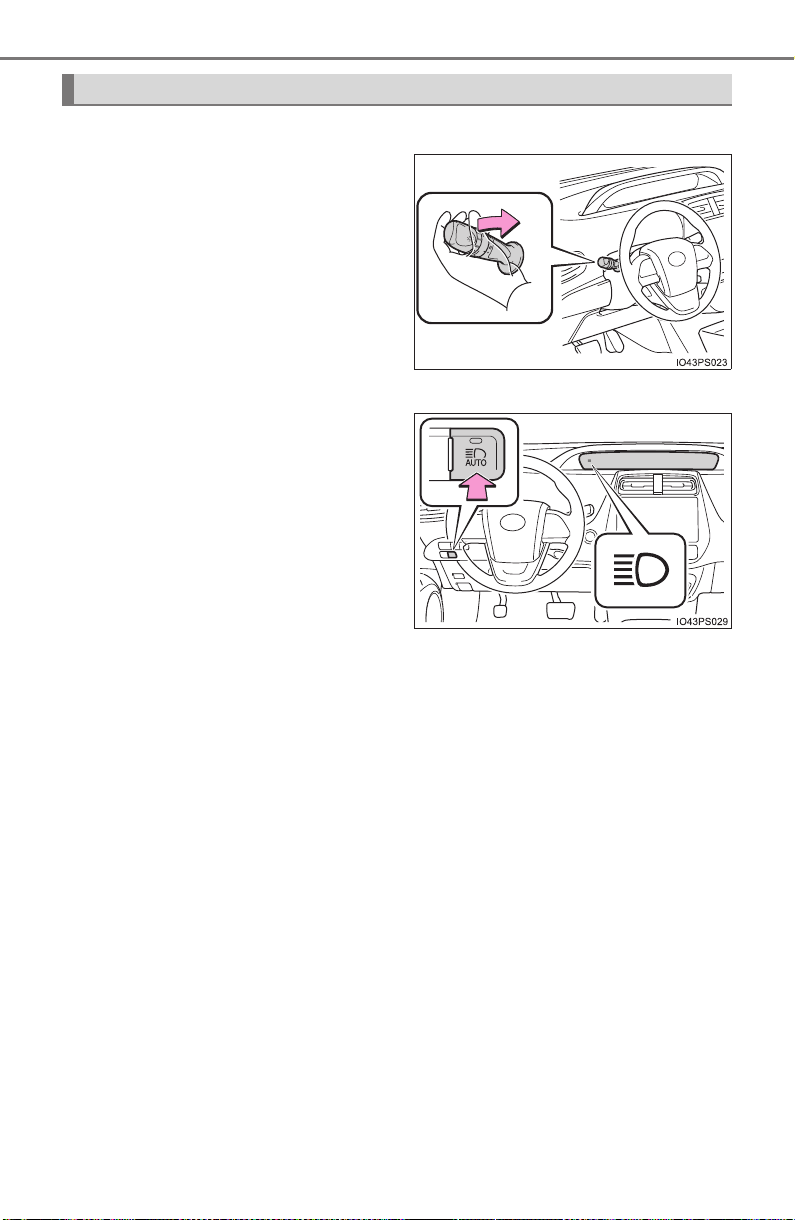
248
PRIUS_OM_OM47A29U_(U)
4-3. Operating the lights and wipers
■ Switching to low beam
Pull the lever to the original
position.
The Automatic High Beam indi-
cator will turn off.
Push the lever away from you to
activate the Automatic High
Beam system again.
■
Switching to high beam
Press the Automatic High
Beam switch.
The Automatic High Beam indi-
cator will turn off and the high
beam indicator will turn on.
Press the switch to activate the
Automatic High Beam system
again.
Turning the high beam on/off manually

PRIUS_OM_OM47A29U_(U)
249
4-3. Operating the lights and wipers
4
Driving
■ High beam automatic turning on or off conditions
● When all of the following conditions are fulfilled, the high beam will be auto-
matically turned on (after approximately 1 second):
• Vehicle speed is above approximately 21 mph (34 km/h).
• The area ahead of the vehicle is dark.
• There are no vehicles ahead with headlights or tail lights turned on.
• There are few streetlights on the road ahead.
● If any of the following conditions are fulfilled, the high beam will be automat-
ically turned off:
• Vehicle speed drops below approximately 17 mph (27 km/h).
• The area ahead of the vehicle is not dark.
• Vehicles ahead have headlights or tail lights turned on.
• There are many streetlights on the road ahead.
■ Camera sensor detection information
● The high beam may not be automatically turned off in the following situa-
tions:
• When oncoming vehicles suddenly appear from a curve
• When the vehicle is cut in front of by another vehicle
• When vehicles ahead are hidden from sight due to repeated curves, road
dividers or roadside trees
• When vehicles ahead appear from the faraway lane on wide road
• When vehicles ahead vehicles have no lights
● The high beam may be turned off if a vehicle ahead that is using fog lights
without using the headlights is detected.
● House lights, street lights, traffic signals, and illuminated billboards or signs
may cause the high beam to switch to the low beams, or the low beams to
remain on.
● The following factors may affect the amount of time taken to turn the high
beam on or off:
• The brightness of headlights, fog lights, and tail lights of vehicles ahead
• The movement and direction of vehicles ahead
• When a vehicle ahead only has operational lights on one side
• When a vehicle ahead is a two-wheeled vehicle
• The condition of the road (gradient, curve, condition of the road surface
etc.)
• The number of passengers and amount of luggage
● The high beam may be turned on or off when the driver does not expect it.
● Bicycles or similar objects may not be detected.

250
PRIUS_OM_OM47A29U_(U)
4-3. Operating the lights and wipers
● In the situations shown below, the system may not be able to accurately
detect surrounding brightness levels. This may cause the low beams to
remain on or the high beams to cause problems for pedestrians, vehicles
ahead or other parties. In these cases, manually switch between the high
and low beams.
• In bad weather (rain, snow, fog, sandstorms etc.)
• The windshield is obscured by fog, mist, ice, dirt etc.
• The windshield is cracked or damaged.
• The camera sensor is deformed or dirty.
• The camera sensor temperature is extremely high.
• Surrounding brightness levels are equal to those of headlights, tail lights
or fog lights.
• Vehicles ahead have headlights that are either switched off, dirty, are
changing color, or are not aimed properly.
• When driving through an area of intermittently changing brightness and
darkness.
• When frequently and repeatedly driving ascending/descending roads, or
roads with rough, bumpy or uneven surfaces (such as stone-paved
roads, gravel tracks etc.).
• When frequently and repeatedly taking curves or driving on a winding
road.
• There is a highly reflective object ahead of the vehicle, such as a sign or
a mirror.
• The back of a vehicle ahead is highly reflective, such as a container on a
truck.
• The vehicle’s headlights are damaged or dirty.
• The vehicle is listing or tilting, due to a flat tire, a trailer being towed etc.
• The high beam and low beam are repeatedly being switched between in
an abnormal manner.
• The driver believes that the high beam may be causing problems or dis-
tress to other drivers or pedestrians nearby.

PRIUS_OM_OM47A29U_(U)
251
4-3. Operating the lights and wipers
4
Driving
■ Temporarily lowering sensor sensitivity
The sensitivity of the sensor can be temporarily lowered.
Turn the power switch off while the following conditions are met.
• The headlight switch is in or .
• The headlight switch lever is in high beam position.
• Automatic High Beam switch is on.
Turn the power switch to ON mode.
Within 30 seconds after , repeat pulling the headlight switch lever to the
original position then pushing it to the high beam position quickly 10 times,
then leave the lever in high beam position.
If the sensitivity is changed, the Automatic High Beam indicator is turn on
and off 3 times.
Automatic High Beam (headlights) may turn on even the vehicle is stopped.
■ If “Headlight System Malfunction Visit Your Dealer” is displayed on the
multi-information display
The system may be malfunctioning. Have the vehicle inspected by your
Toyota dealer.
1
2
3 2
4
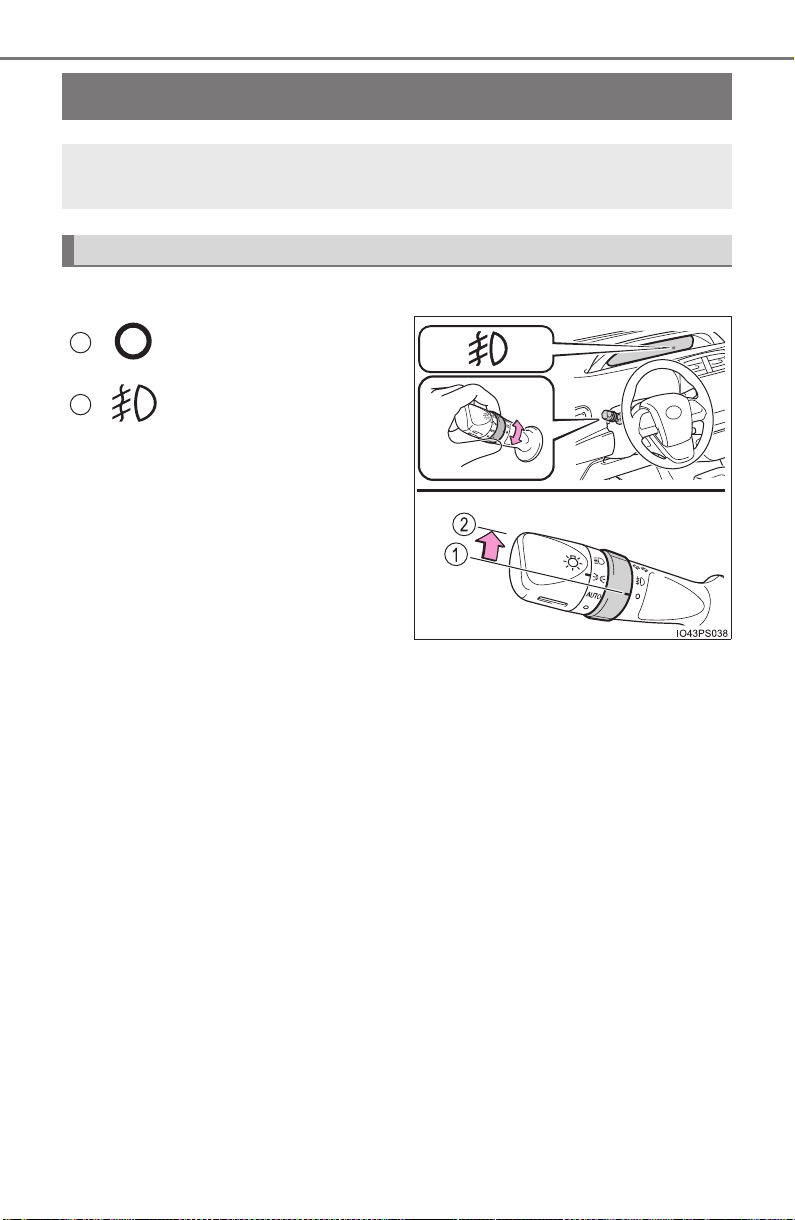
252
PRIUS_OM_OM47A29U_(U)
4-3. Operating the lights and wipers
Fog light switch
∗
X Type A
Turns the fog lights off
Turns the fog lights on
∗: If equipped
The fog lights secure excellent visibility in difficult driving con-
ditions, such as in rain and fog.
Operating instructions
1
2
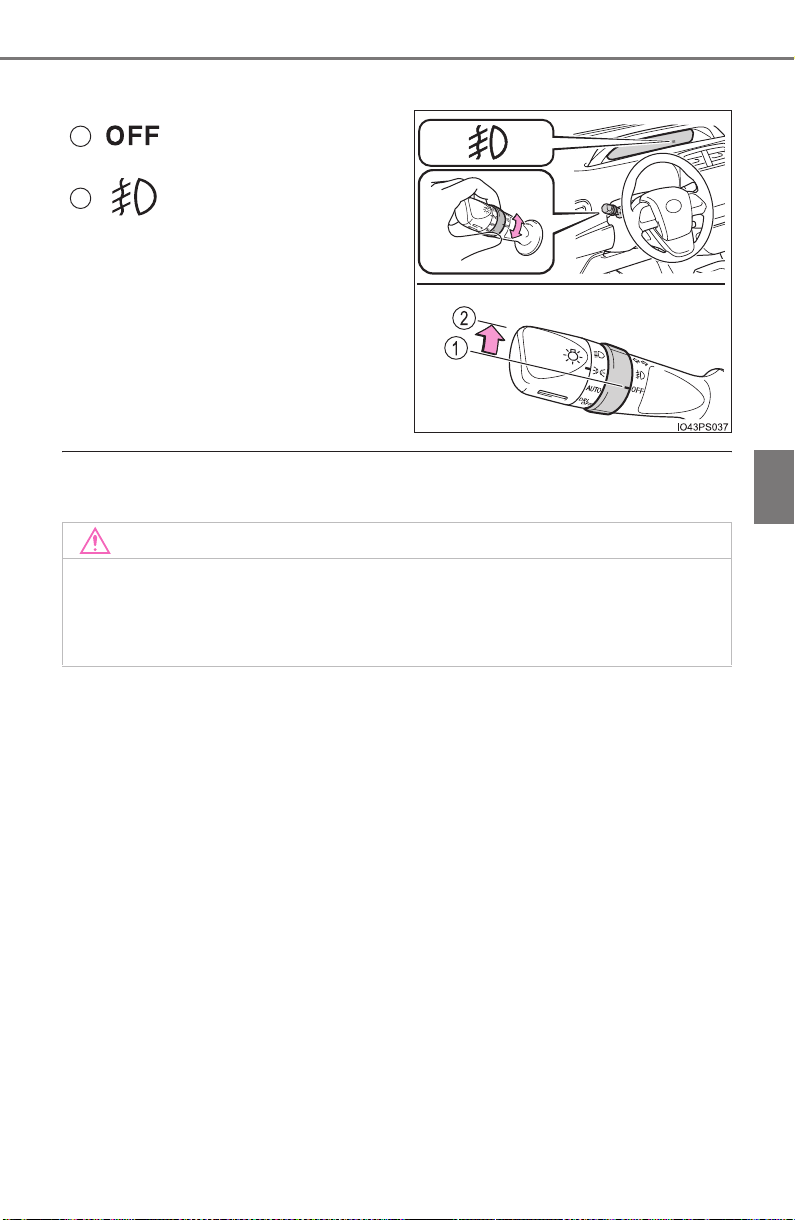
PRIUS_OM_OM47A29U_(U)
253
4-3. Operating the lights and wipers
4
Driving
X Type B
Turns the fog lights off
Turns the fog lights on
■ Fog lights can be used when
The headlights are on in low beam.
1
2
NOTICE
■ To prevent 12-volt battery discharge
Do not leave the lights on longer than necessary when the hybrid system is
off.
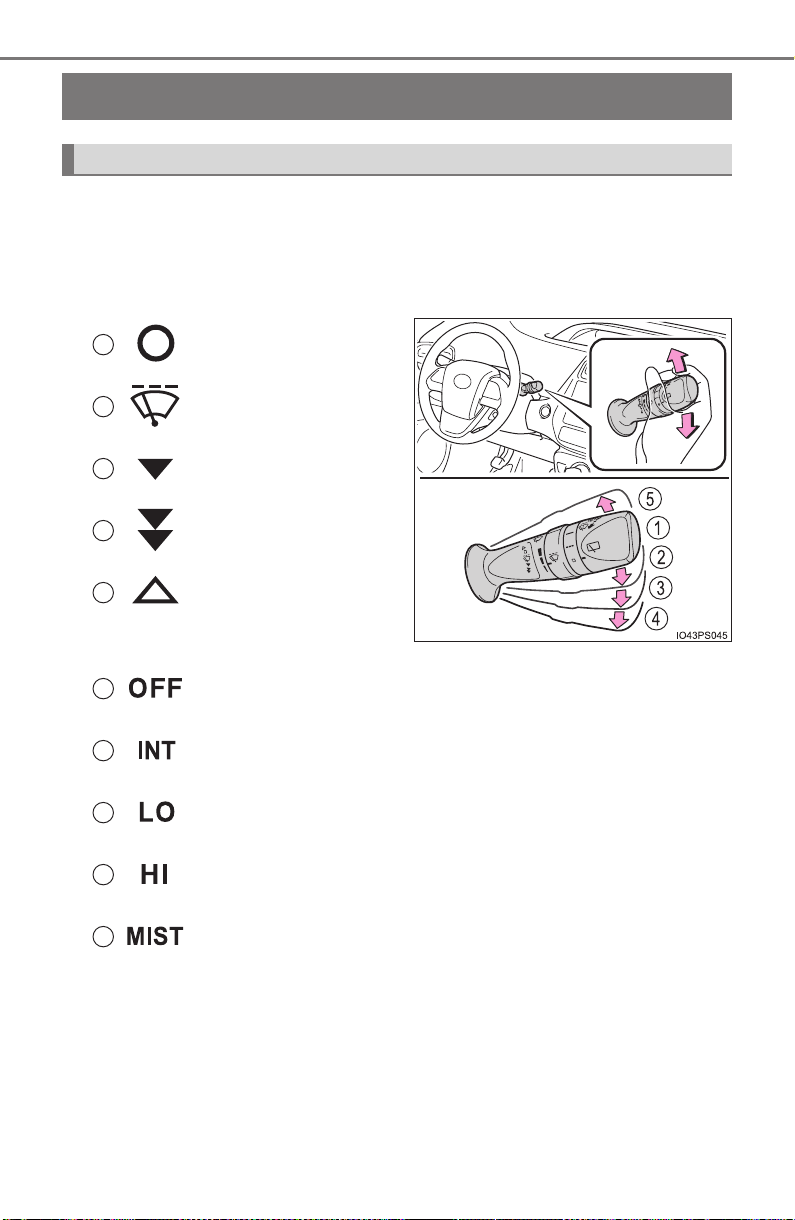
254
PRIUS_OM_OM47A29U_(U)
4-3. Operating the lights and wipers
Windshield wipers and washer
The wiper operation is selected by moving the lever as follows.
■ Intermittent windshield wipers with interval adjuster (if
equipped)
X Type A
Off
Intermittent operation
Low speed operation
High speed operation
Temporary operation
X Type B
Off
Intermittent operation
Low speed operation
High speed operation
Temporary operation
Wiper intervals can be adjusted when intermittent operation is
selected.
Operating the wiper lever
1
2
3
4
5
1
2
3
4
5
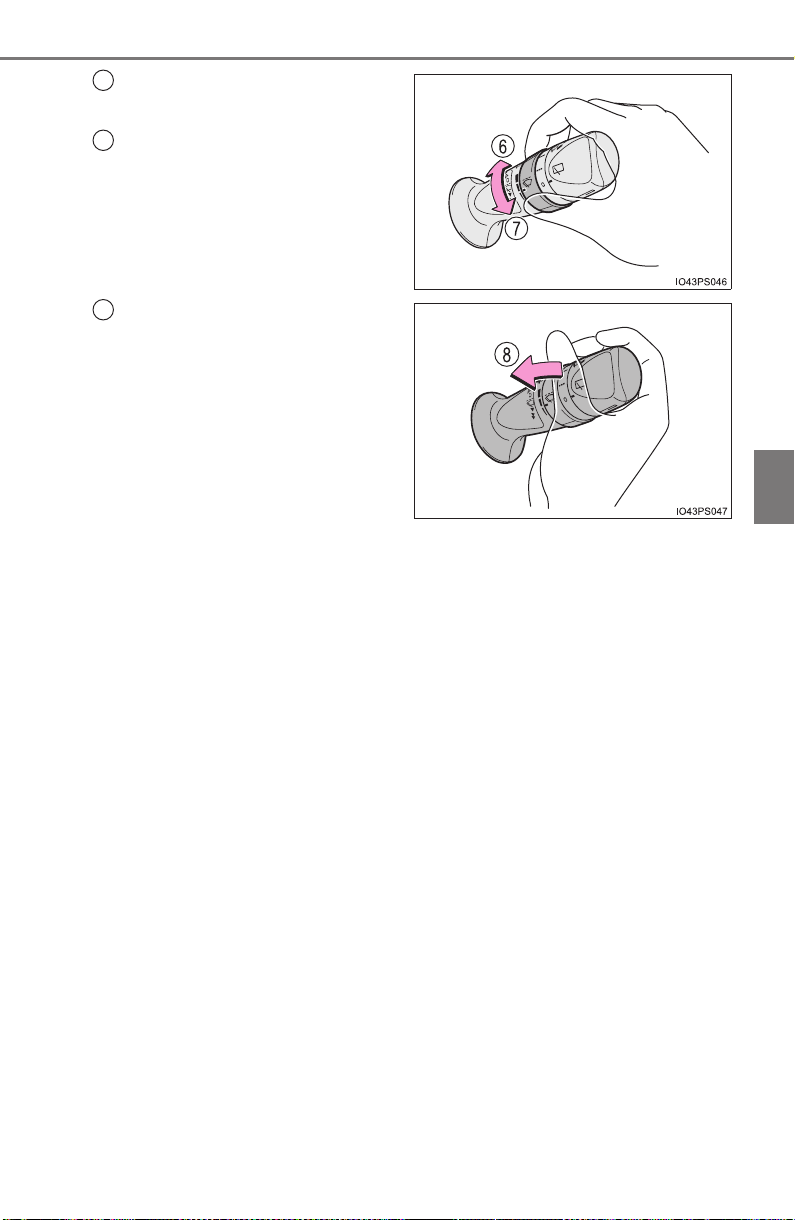
PRIUS_OM_OM47A29U_(U)
255
4-3. Operating the lights and wipers
4
Driving
Increases the intermittent
windshield wiper frequency
Decreases the intermittent
windshield wiper frequency
Washer/wiper dual operation
The wipers will automatically
operate a couple of times after
the washer squirts.
6
7
8
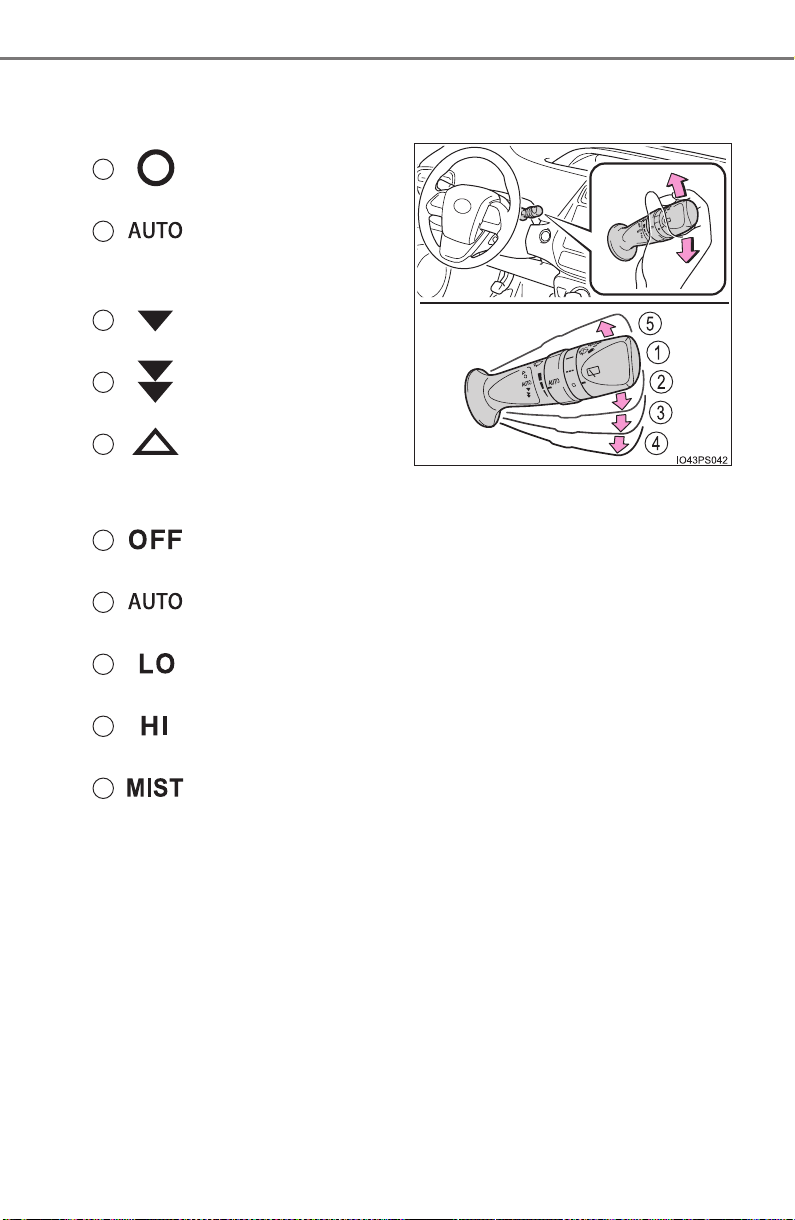
256
PRIUS_OM_OM47A29U_(U)
4-3. Operating the lights and wipers
■ Rain-sensing windshield wipers (if equipped)
X Type A
Off
Rain-sensing opera-
tion
Low speed operation
High speed operation
Temporary operation
X Type B
Off
Rain-sensing operation
Low speed operation
High speed operation
Temporary operation
When “AUTO” is selected, the wipers will operate automatically when
the sensor detects falling rain. The system automatically adjusts wiper
timing in accordance with rain volume and vehicle speed.
The sensor sensitivity can be adjusted when “AUTO” is selected.
1
2
3
4
5
1
2
3
4
5
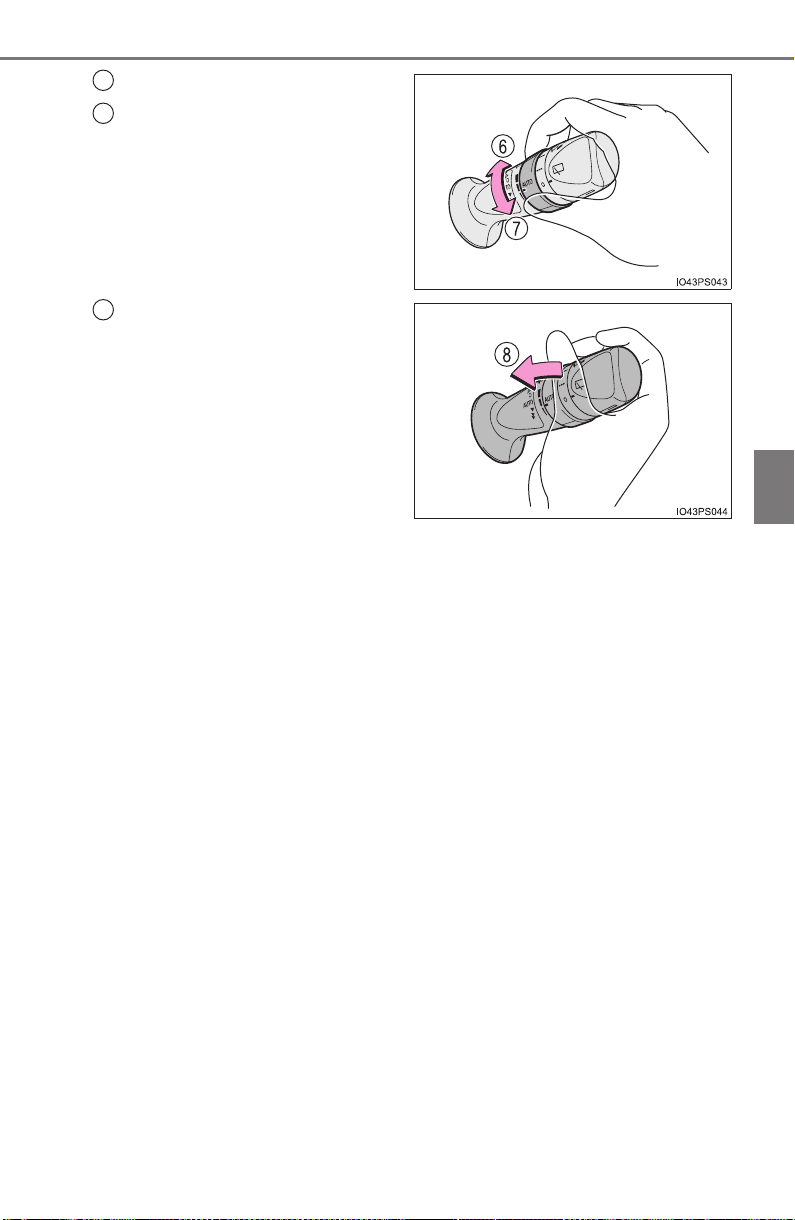
PRIUS_OM_OM47A29U_(U)
257
4-3. Operating the lights and wipers
4
Driving
Increases the sensitivity
Decreases the sensitivity
Washer/wiper dual operation
The wipers will automatically
operate a couple of times after
the washer squirts.
6
7
8
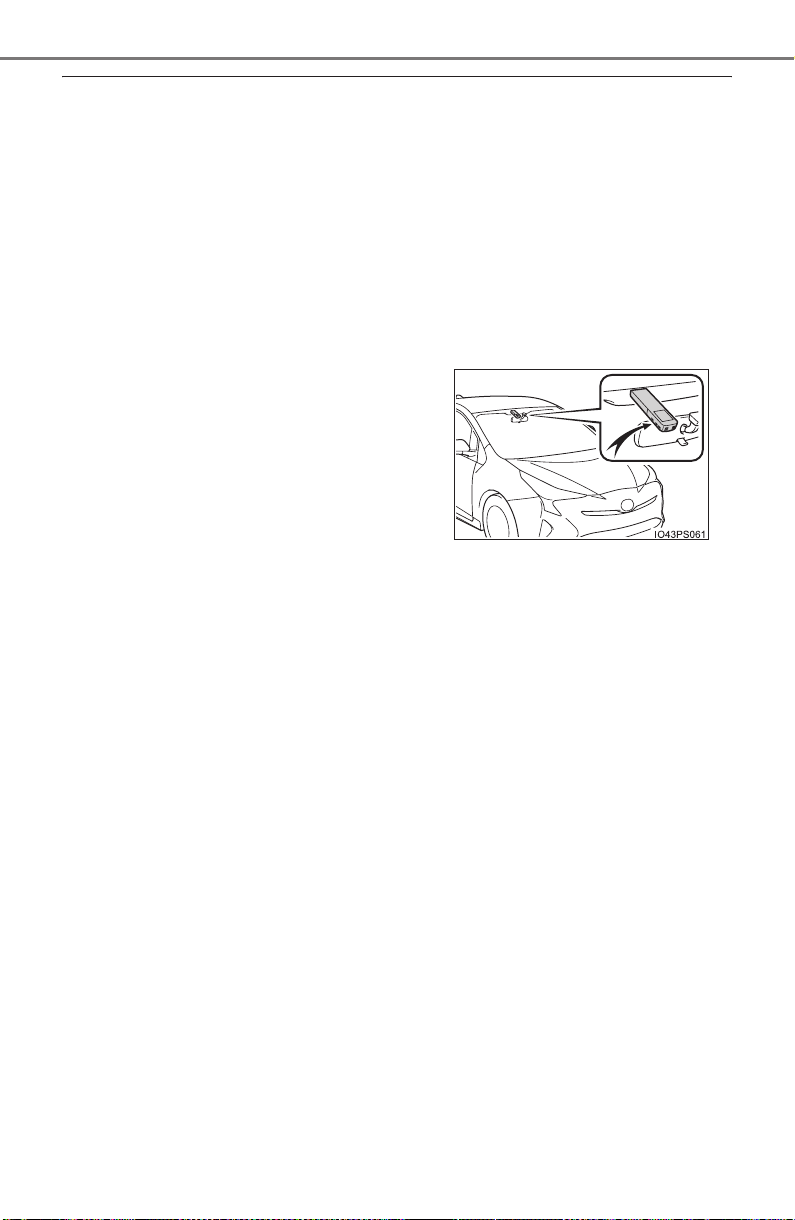
258
PRIUS_OM_OM47A29U_(U)
4-3. Operating the lights and wipers
■ The windshield wipers and washer can be operated when
The power switch is in ON mode.
■ Dripping prevention wiper sweep (vehicles with rain-sensing windshield
wipers)
After washing and wiping operation several times, the wipers operate one
more time after a short delay to prevent dripping. However, this function will
not operate while driving.
■ Effects of vehicle speed on wiper operation (vehicles with rain-sensing
windshield wipers)
Vehicle speed affects the Intermittent wiper interval.
■ Raindrop sensor (vehicles with rain-sensing windshield wipers)
● If the wiper switch is turned to the “AUTO” position while the power switch is
in ON mode, the wipers will operate once to show that AUTO mode is acti-
vated.
● If the wiper sensitivity is adjusted to higher, the wiper may operate once to
indicate the change of sensitivity.
● If the temperature of the raindrop sensor is 185°F (85°C) or higher, or 14°F
(-10°C) or lower, automatic operation may not occur. In this case, operate
the wipers in any mode other than AUTO mode.
■ If no windshield washer fluid sprays
Check that the washer nozzles are not blocked, if there is washer fluid in the
washer fluid tank.
■ Customization
Settings of AUTO mode operation can be changed.
(Customizable features: →P. 757)
● The raindrop sensor judges the amount
of raindrops.
An optical sensor is adopted. It may not
operate properly when sunlight from the
rising or setting of the sun intermittently
strikes the windshield, or if bugs, etc.
are present on the windshield.

PRIUS_OM_OM47A29U_(U)
259
4-3. Operating the lights and wipers
4
Driving
WARNING
■ Caution regarding the use of windshield wipers in AUTO mode (vehi-
cles with rain-sensing windshield wipers)
The windshield wipers may operate unexpectedly if the sensor is touched or
the windshield is subject to vibration in AUTO mode. Take care that your fin-
gers, etc. do not become caught in the windshield wipers.
■ Caution regarding the use of washer fluid
When it is cold, do not use the washer fluid until the windshield becomes
warm. The fluid may freeze on the windshield and cause low visibility. This
may lead to an accident, resulting in death or serious injury.
NOTICE
■ When the windshield is dry
Do not use the wipers, as they may damage the windshield.
■ When the washer fluid tank is empty
Do not operate the switch continually as the washer fluid pump may over-
heat.
■ When a nozzle becomes blocked
In this case, contact your Toyota dealer.
Do not try to clear it with a pin or other object. The nozzle will be damaged.
■ To prevent 12-volt battery discharge
Do not leave the wipers on longer than necessary when the hybrid system
is off.
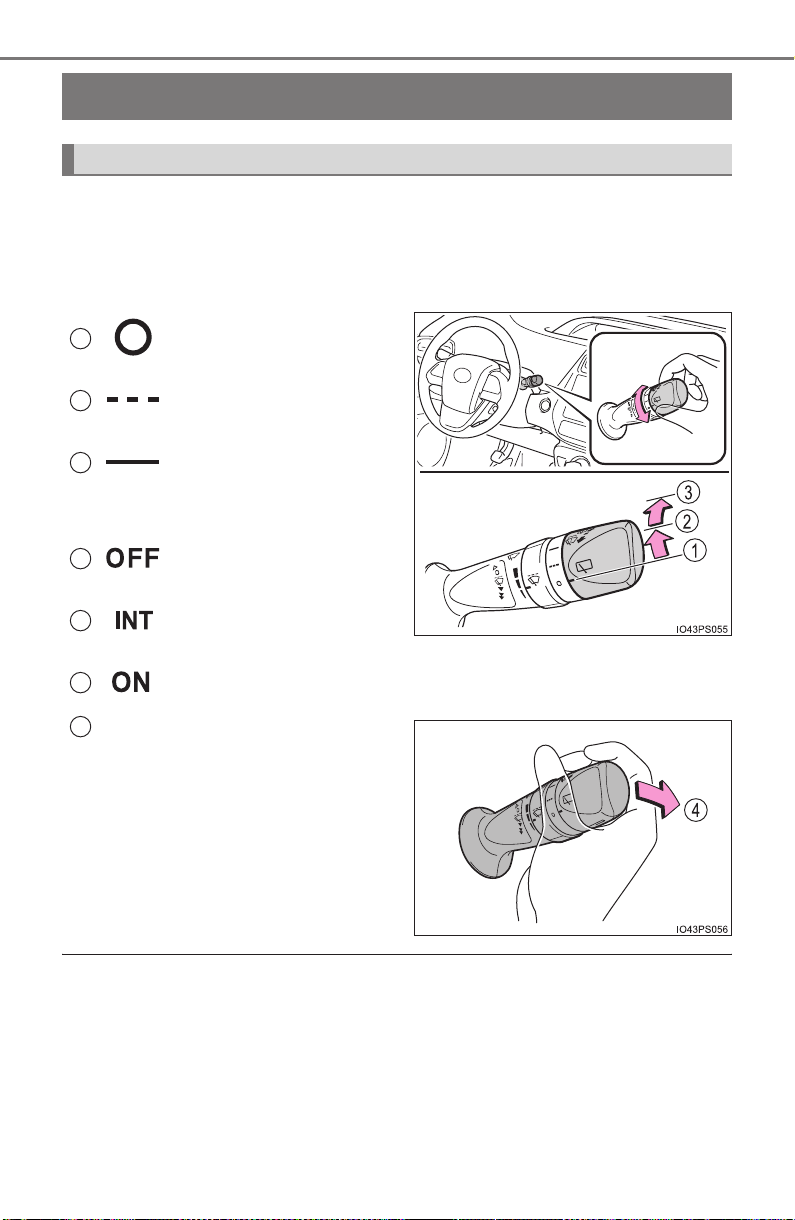
260
PRIUS_OM_OM47A29U_(U)
4-3. Operating the lights and wipers
Rear window wiper and washer
∗
Turning the end of the lever turns on the rear window wiper, and push-
ing the lever away from you turns on the rear window wiper and
washer.
X Type A
Off
Intermittent operation
Normal operation
X Type B
Off
Intermittent operation
Normal operation
Washer/wiper dual operation
■ The rear window wiper and washer can be operated when
The power switch is in ON mode.
■ If no washer fluid sprays
Check that the washer nozzle is not blocked if there is washer fluid in the
washer fluid tank.
∗: If equipped
Operating the wiper lever
1
2
3
1
2
3
4

PRIUS_OM_OM47A29U_(U)
261
4-3. Operating the lights and wipers
4
Driving
NOTICE
■ When the rear window is dry
Do not use the wiper, as it may damage the rear window.
■ When the washer fluid tank is empty
Do not operate the switch continually as the washer fluid pump may over-
heat.
■ When a nozzle becomes blocked
In this case, contact your Toyota dealer.
Do not try to clear it with a pin or other object. The nozzle will be damaged.
■ To prevent 12-volt battery discharge
Do not leave the wiper on longer than necessary when the hybrid system is
off.

262
PRIUS_OM_OM47A29U_(U)
4-4. Refueling
Opening the fuel tank cap
● Close all the doors and windows, and turn the power switch off.
● Confirm the type of fuel.
■ Fuel types
→P. 737
■ Fuel tank opening for unleaded gasoline
To help prevent incorrect fueling, your vehicle has a fuel tank opening that
only accommodates the special nozzle on unleaded fuel pumps.
■ Gasoline price setting screen
After refueling more than approximately 1.3 gal. (5 L, 1.1 Imp.gal.) and turn-
ing the power switch to ON mode, the gasoline price setting screen will be
automatically displayed on the multi-information display. (→P. 128)
The fuel tank of your vehicle has a special structure, which
requires a reduction in fuel tank pressure before refueling. After
the opener switch has been pressed, it will take several seconds
until the vehicle is ready for refueling.
Before refueling the vehicle

PRIUS_OM_OM47A29U_(U)
263
4-4. Refueling
4
Driving
WARNING
■ When refueling the vehicle
Observe the following precautions while refueling the vehicle. Failure to do
so may result in death or serious injury.
● After exiting the vehicle and before opening the fuel door, touch an
unpainted metal surface to discharge any static electricity. It is important to
discharge static electricity before refueling because sparks resulting from
static electricity can cause fuel vapors to ignite while refueling.
● Always hold the grips on the fuel tank cap and turn it slowly to remove it.
A whooshing sound may be heard when the fuel tank cap is loosened.
Wait until the sound cannot be heard before fully removing the cap. In hot
weather, pressurized fuel may spray out of the filler neck and cause injury.
● Do not allow anyone that has not discharged static electricity from their
body to come close to an open fuel tank.
● Do not inhale vaporized fuel.
Fuel contains substances that are harmful if inhaled.
● Do not smoke while refueling the vehicle.
Doing so may cause the fuel to ignite and cause a fire.
● Do not return to the vehicle or touch any person or object that is statically
charged.
This may cause static electricity to build up, resulting in a possible ignition
hazard.
■ When refueling
Observe the following precautions to prevent fuel overflowing from the fuel
tank:
● Securely insert the fuel nozzle into the fuel filler neck.
● Stop filling the tank after the fuel nozzle automatically clicks off.
● Do not top off the fuel tank.
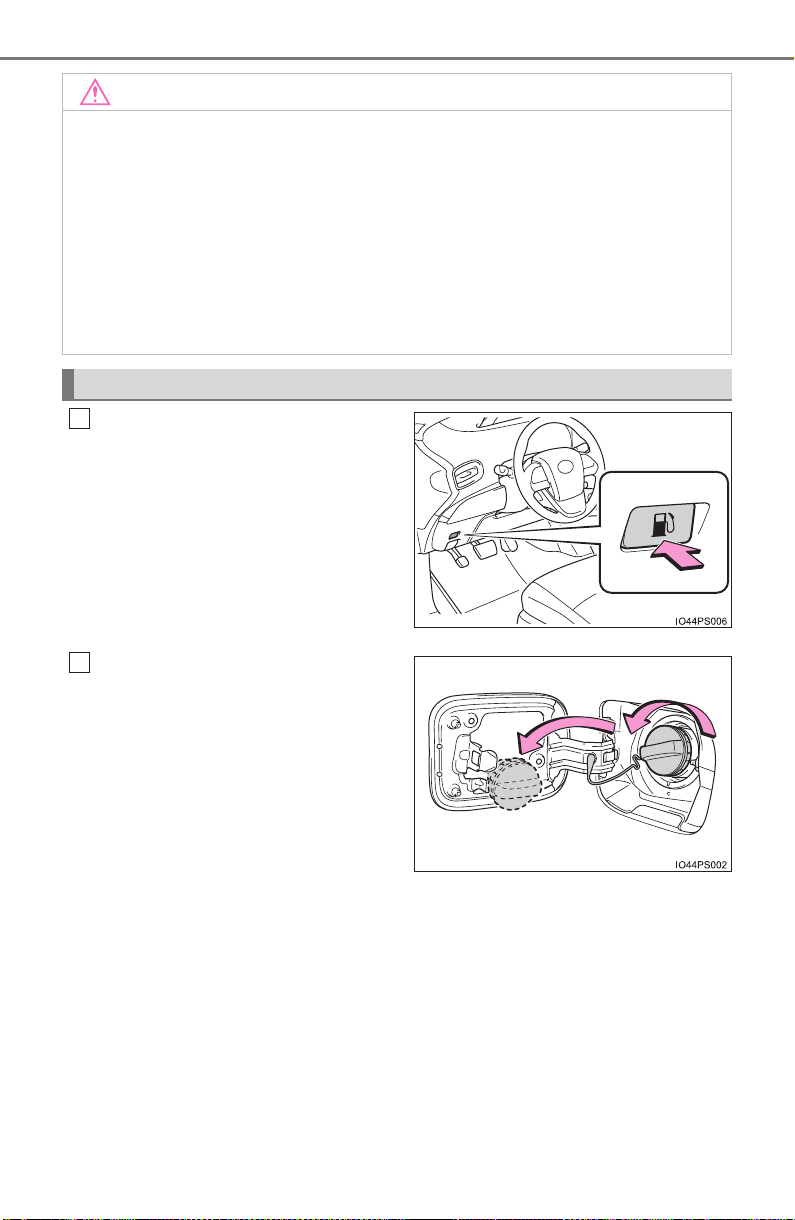
264
PRIUS_OM_OM47A29U_(U)
4-4. Refueling
Press the opener to open the
fuel filler door.
The fuel filler door will open within
about 10 seconds of the switch
being pressed. Before refueling is
possible, a message will be shown
on the multi-information display in
the instrument cluster to indicate
the progress of the fuel filler door
opener.
Turn the fuel tank cap slowly to
open and hang it on the back of
the fuel filler door.
NOTICE
■ Refueling
● Finish refueling within 30 minutes. If more than 30 minutes passes, the
internal valve closes. In this condition, fuel may overflow during the refuel-
ing process.
Press the fuel filler door opener switch again.
● Do not spill fuel during refueling.
Doing so may damage the vehicle, such as causing the emission control
system to operate abnormally or damaging fuel system components or the
vehicle’s painted surface.
Opening the fuel tank cap
1
2
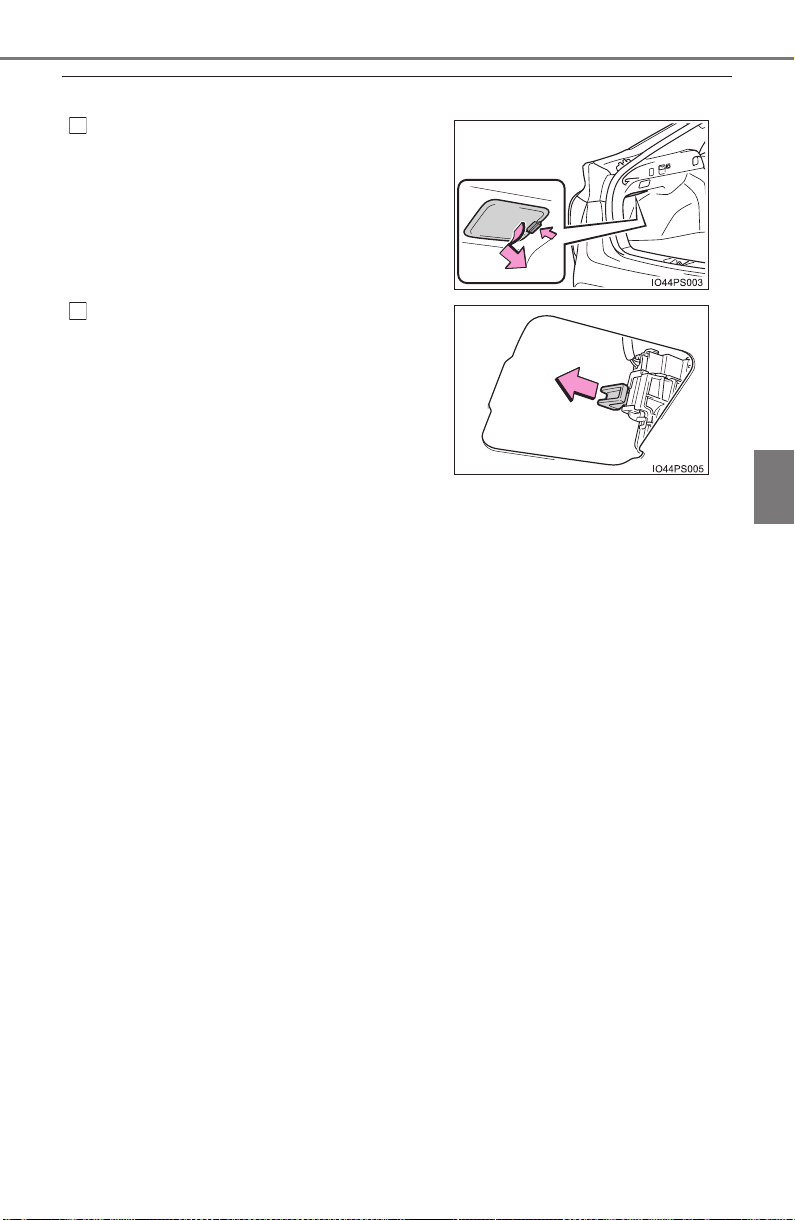
PRIUS_OM_OM47A29U_(U)
265
4-4. Refueling
4
Driving
■ When the fuel filler door cannot be opened by pressing the inside switch
Using the lever to open the fuel filler door may not allow for an adequate
reduction in fuel tank pressure before refueling. To prevent fuel from spilling
out, turn the cap slowly when removing it.
During refueling, fuel may spill out from the filler opening due to air being dis-
charged from inside the fuel tank. Therefore, fill the fuel tank carefully and
slowly.
Open the back door and remove the
cover underneath the luggage compart-
ment light.
Pull the lever backward and check that
the fuel lid opens.
1
2

266
PRIUS_OM_OM47A29U_(U)
4-4. Refueling
After refueling, turn the fuel tank
cap until you hear a click. Once
the cap is released, it will turn
slightly in the opposite direction.
Closing the fuel tank cap
WARNING
■ When replacing the fuel tank cap
Do not use anything but a genuine Toyota fuel tank cap designed for your
vehicle. Doing so may cause a fire or other incident which may result in
death or serious injury.
267
PRIUS_OM_OM47A29U_(U)
4-5. Using the driving support systems
4
Driving
Toyota Safety Sense P
∗
◆ PCS (Pre-Collision System)
→P. 2 75
◆ LDA (Lane Departure Alert with steering control)
∗
→P. 2 89
◆ Automatic High Beam
∗
→P. 2 47
◆ Dynamic radar cruise control with full-speed range
∗
→P. 3 00
∗: If equipped
The Toyota Safety Sense P consists of the following drive assist
systems and contributes to a safe and comfortable driving expe-
rience:
WARNING
■ Toyota Safety Sense P
The Toyota Safety Sense P is designed to operate under the assumption
that the driver will drive safely, and is designed to help reduce the impact to
the occupants and the vehicle in the case of a collision or assist the driver in
normal driving conditions.
As there is a limit to the degree of recognition accuracy and control perfor-
mance that this system can provide, do not overly rely on this system. The
driver is always responsible for paying attention to the vehicle’s surround-
ings and driving safely.

268
PRIUS_OM_OM47A29U_(U)
4-5. Using the driving support systems
The pre-collision system is equipped with a sophisticated computer
that will record certain data, such as:
• Accelerator status
• Brake status
• Vehicle speed
• Operation status of the pre-collision system functions
• Information (such as the distance and relative speed between your
vehicle and the vehicle ahead or other objects)
• Image information from the camera sensor (available only when the
pre-collision braking function was operating)
The pre-collision system does not record conversations or other
sounds and does not record images of the inside of the vehicle.
● Data usage
Toyota may use the data recorded in this computer to diagnose
malfunctions, conduct research and development, and improve
quality.
Toyota will not disclose the recorded data to a third party except:
• With the consent of the vehicle owner or with the consent of the
lessee if the vehicle is leased
• In response to an official request by the police, a court of law or a
government agency
• For use by Toyota in a lawsuit
• For research purposes where the data is not tied to a specific
vehicle or vehicle owner
● Recorded image information can be erased using a specialized
device.
The image information recording function can be disabled. How-
ever, if the function is disabled, data from when the pre-collision
system operates will not be available.
Vehicle data recording

PRIUS_OM_OM47A29U_(U)
269
4-5. Using the driving support systems
4
Driving
Two types of sensors, located behind the front grille and windshield,
detect information necessary to operate the drive assist systems.
Sensors
Radar sensor Camera sensor
1 2
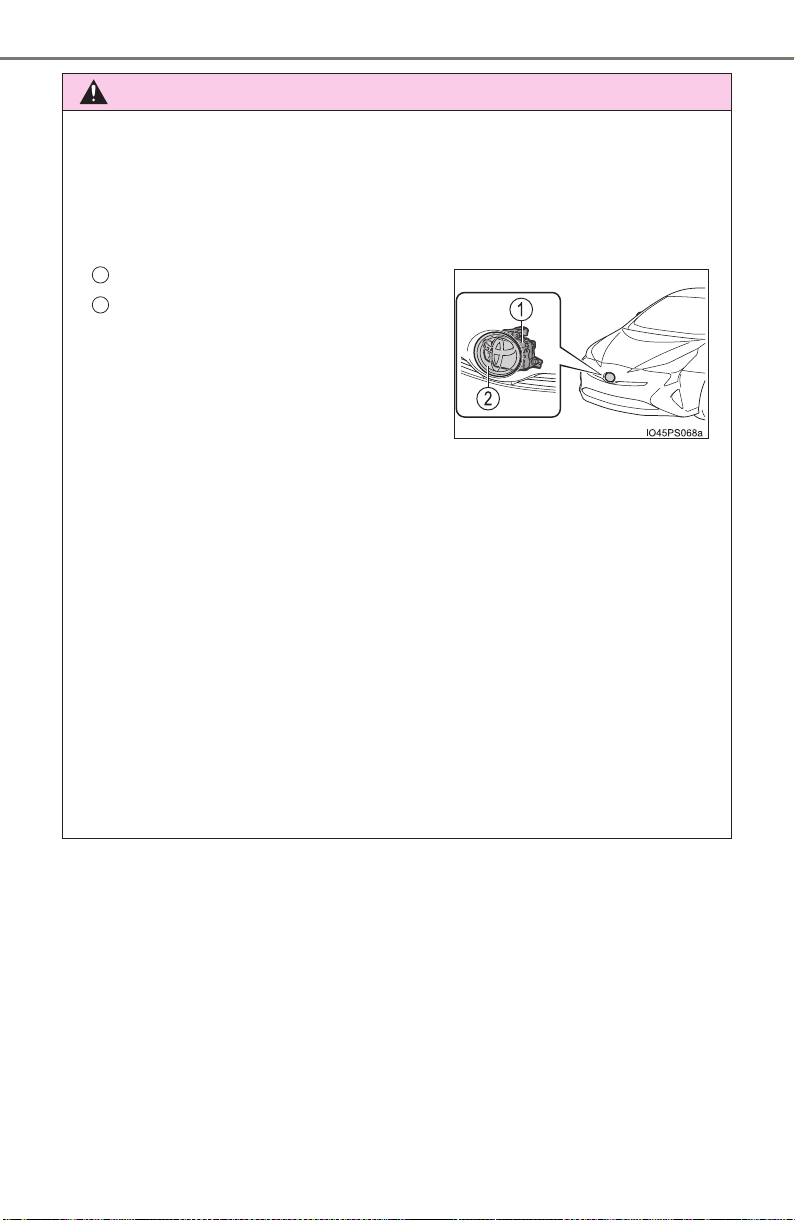
270
PRIUS_OM_OM47A29U_(U)
4-5. Using the driving support systems
WARNING
■ To avoid malfunction of the radar sensor
Observe the following precautions.
Otherwise, the radar sensor may not operate properly, possibly leading to
an accident resulting in death or serious injury.
● Keep the radar sensor and front grille emblem clean at all times.
● Do not attach accessories, stickers (including transparent stickers) or
other items to the radar sensor, front grille emblem or surrounding area.
● Do not subject the radar sensor or surrounding area to a strong impact.
If the radar sensor, front grille, or front bumper has been subjected to a
strong impact, have the vehicle inspected by your Toyota dealer.
● Do not disassemble the radar sensor.
● Do not modify or paint the radar sensor, front grille emblem or surrounding
area.
● If the radar sensor, front grille, or front bumper needs to be removed and
installed, or replaced, contact your Toyota dealer.
● The radar sensor complies with relevant radio wave regulations, as shown
by the label attached to the sensor. Do not remove the label. Additionally,
disassembly or modification of the radar sensor may be prohibited by law.
Radar sensor
Front grille emblem
If the front of the radar sensor or the
front or back of the front grille emblem
is dirty or covered with water droplets,
snow, etc., clean it.
Clean the radar sensor and front grille
emblem with a soft cloth so you do not
mark or damage them.
1
2
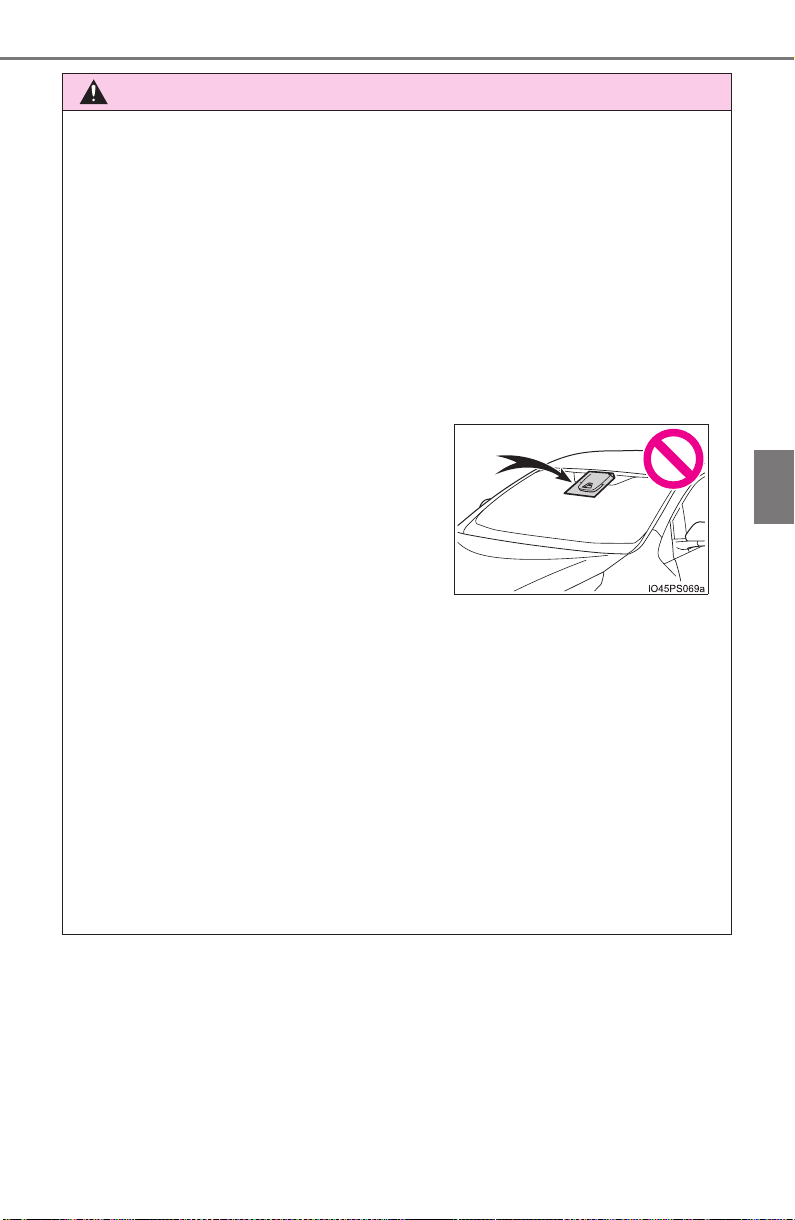
PRIUS_OM_OM47A29U_(U)
271
4-5. Using the driving support systems
4
Driving
WARNING
■ To avoid malfunction of the camera sensor
Observe the following precautions.
Otherwise, the camera sensor may not operate properly, possibly leading to
an accident resulting in death or serious injury.
● Keep the windshield clean at all times.
• If the windshield is dirty or covered with an oily film, water droplets,
snow, etc., clear the windshield.
• If a glass coating agent is applied to the windshield, it will still be neces-
sary to use the windshield wipers to remove water droplets, etc. from
the area of the windshield in front of the camera sensor.
• If the inner side of the windshield where the camera sensor is installed
is dirty, contact your Toyota dealer.
● If the part of the windshield in front of the camera sensor is fogged up or
covered with condensation or ice, use the windshield defogger to remove
the fog, condensation or ice. (→P. 517)
● If water droplets cannot be properly removed from the area of the wind-
shield in front of the camera sensor by the windshield wipers, replace the
wiper insert or wiper blade.
• To replace the wiper insert: →P. 624
• If the wiper blades need to be replaced, contact your Toyota dealer.
● Do not attach window tinting to the windshield.
● Replace the windshield if it is damaged or cracked.
If the windshield needs to be replaced, contact your Toyota dealer.
● Do not get the camera sensor wet.
● Do not allow bright lights to shine into the camera sensor.
● Do not install an antenna or attach stick-
ers (including transparent stickers) or
other items to the area of the windshield
in front of the camera sensor (shaded
area in the illustration).

272
PRIUS_OM_OM47A29U_(U)
4-5. Using the driving support systems
WARNING
● Do not dirty or damage the camera sensor.
When cleaning the inside of the windshield, do not allow glass cleaner to
contact the lens. Also, do not touch the lens.
If the lens is dirty or damaged, contact your Toyota dealer.
● Do not subject the camera sensor to a strong impact.
● Do not change the installation position or direction of the camera sensor or
remove it.
● Do not disassemble the camera sensor.
● Do not install an electronic device or device that emits strong electric
waves near the camera sensor.
● Do not modify any components of the vehicle around the camera sensor
(inside rear view mirror, etc.) or ceiling.
● Do not attach any accessories that may obstruct the camera sensor to the
hood, front grille or front bumper. Contact your Toyota dealer for details.
● If a surfboard or other long object is to be mounted on the roof, make sure
that it will not obstruct the camera sensor.
● Do not modify the headlights or other lights.
PRIUS_OM_OM47A29U_(U)
273
4-5. Using the driving support systems
4
Driving
■ Certification
274
PRIUS_OM_OM47A29U_(U)
4-5. Using the driving support systems
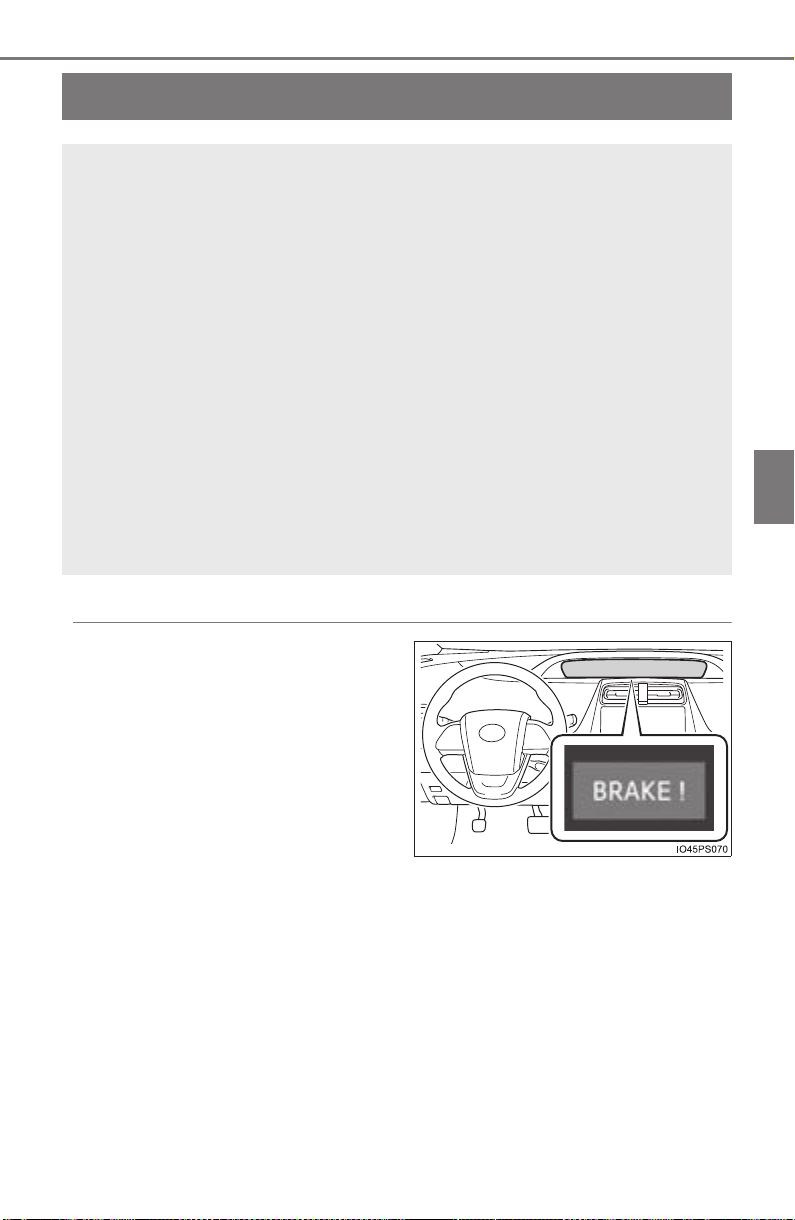
275
PRIUS_OM_OM47A29U_(U)
4-5. Using the driving support systems
4
Driving
PCS (Pre-Collision System)
∗
◆ Pre-collision warning
When the system determines
that the possibility of a frontal
collision is high, a buzzer will
sound and a warning message
will be displayed on the multi-
information display to urge the
driver to take evasive action.
∗: If equipped
The pre-collision system uses a radar sensor and camera sen-
sor to detect vehicles and pedestrians
*
1
in front of your vehicle.
When the system determines that the possibility of a frontal col-
lision with a vehicle or pedestrian is high, a warning operates to
urge the driver to take evasive action and the potential brake
pressure is increased to help the driver avoid the collision. If the
system determines that the possibility of a frontal collision with
a vehicle or pedestrian is extremely high, the brakes are auto-
matically applied to help avoid the collision or help reduce the
impact of the collision.
The pre-collision system can be disabled/enabled and the warning
timing can be changed. (→P. 279)
*
1
: Depending on the region in which the vehicle was sold, the pedestrian
detection function may not be available. Contact your Toyota dealer for
details.

276
PRIUS_OM_OM47A29U_(U)
4-5. Using the driving support systems
◆ Pre-collision brake assist
When the system determines that the possibility of a frontal colli-
sion is high, the system applies greater braking force in relation to
how strongly the brake pedal is depressed.
◆ Pre-collision braking
When the system determines that the possibility of a frontal colli-
sion is high, the system warns the driver. If the system determines
that the possibility of a frontal collision is extremely high, the brakes
are automatically applied to help avoid the collision or reduce the
collision speed.

PRIUS_OM_OM47A29U_(U)
277
4-5. Using the driving support systems
4
Driving
WARNING
■ Limitations of the pre-collision system
● The driver is solely responsible for safe driving. Always drive safely, taking
care to observe your surroundings.
Do not use the pre-collision system instead of normal braking operations
under any circumstances. This system will not prevent collisions or lessen
collision damage or injury in every situation. Do not overly rely on this sys-
tem. Failure to do so may lead to an accident, resulting in death or serious
injury.
● Although this system is designed to help avoid a collision or help reduce
the impact of the collision, its effectiveness may change according to vari-
ous conditions, therefore the system may not always be able to achieve
the same level of performance.
Read the following conditions carefully. Do not overly rely on this system
and always drive carefully.
• Conditions under which the system may operate even if there is no pos-
sibility of a collision: →P. 283
• Conditions under which the system may not operate properly: →P. 285
● Do not attempt to test the operation of the pre-collision system yourself, as
the system may not operate properly, possibly leading to an accident.
■ Pre-collision braking
● The pre-collision braking function may not operate if certain operations are
performed by the driver. If the accelerator pedal is being depressed
strongly or the steering wheel is being turned, the system may determine
that the driver is taking evasive action and possibly prevent the pre-colli-
sion braking function from operating.
● In some situations, while the pre-collision braking function is operating,
operation of the function may be canceled if the accelerator pedal is
depressed strongly or the steering wheel is turned and the system deter-
mines that the driver is taking evasive action.
● A large amount of braking force is applied while the pre-collision braking
function is operating. As the pre-collision braking function will be canceled
after the vehicle has been stopped for approximately 2 seconds, the driver
should depress the brake pedal as necessary.
● If the brake pedal is being depressed, the system may determine that the
driver is taking evasive action and possibly delay the operation timing of
the pre-collision braking function.

278
PRIUS_OM_OM47A29U_(U)
4-5. Using the driving support systems
WARNING
■ When to disable the pre-collision system
In the following situations, disable the system, as it may not operate prop-
erly, possibly leading to an accident resulting in death or serious injury:
● When the vehicle is being towed
● When your vehicle is towing another vehicle
● When transporting the vehicle via truck, boat, train or similar means of
transportation
● When the vehicle is raised on a lift with the hybrid system operating and
the tires are allowed to rotate freely
● When inspecting the vehicle using a drum tester such as a chassis dyna-
mometer or speedometer tester, or when using an on vehicle wheel bal-
ancer
● When a strong impact is applied to the front bumper or front grille, due to
an accident or other reasons
● If the vehicle cannot be driven in a stable manner, such as when the vehi-
cle has been in an accident or is malfunctioning
● When the vehicle is driven in a sporty manner or off-road
● When the tires are not properly inflated
● When the tires are very worn
● When tires of a size other than specified are installed
● When tire chains are installed
● When a compact spare tire or an emergency tire puncture repair kit is used
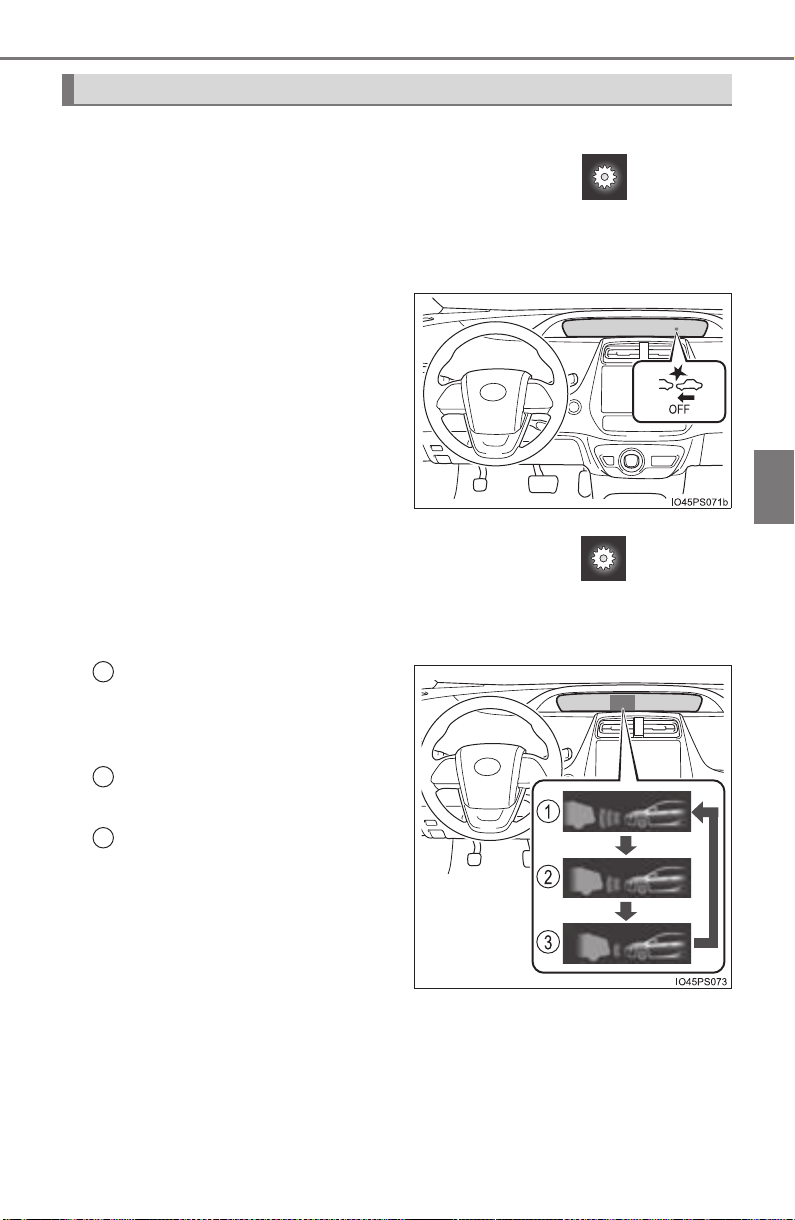
PRIUS_OM_OM47A29U_(U)
279
4-5. Using the driving support systems
4
Driving
■ Enabling/disabling the pre-collision system
The pre-collision system can be enabled/disabled on (→P. 139)
of the multi-information display.
The system is automatically enabled each time the power switch is
turned to ON mode.
If the system is disabled, the
PCS warning light will turn on.
■ Changing the pre-collision warning timing
The pre-collision warning timing can be changed on (→P. 139)
of the multi-information display.
The operation timing setting is retained when the power switch is turned
off.
Far
The warning will begin to oper-
ate earlier than with the default
timing.
Middle
This is the default setting.
Near
The warning will begin to oper-
ate later than with the default
timing.
Changing settings of the pre-collision system
1
2
3

280
PRIUS_OM_OM47A29U_(U)
4-5. Using the driving support systems
■ Operational conditions
Availability of the pedestrian detection function depends on the region in
which the vehicle was sold.
Read the following for details:
X Region A
(The pedestrian detection function is available)
The pre-collision system is enabled and the system determines that the pos-
sibility of a frontal collision with a vehicle or pedestrian is high.
Each function is operational at the following speeds:
● Pre-collision warning:
• Vehicle speed is between approximately 7 and 110 mph (10 and 180 km/h).
(For detecting a pedestrian, vehicle speed is between approximately 7 and
50 mph [10 and 80 km/h].)
• The relative speed between your vehicle and the vehicle or pedestrian
ahead is approximately 7 mph (10 km/h) or more.
● Pre-collision brake assist:
• Vehicle speed is between approximately 19 and 110 mph (30 and 180 km/h).
(For detecting a pedestrian, vehicle speed is between approximately 19 and
50 mph [30 and 80 km/h].)
• The relative speed between your vehicle and the vehicle or pedestrian
ahead is approximately 19 mph (30 km/h) or more.
● Pre-collision braking:
• Vehicle speed is between approximately 7 and 110 mph (10 and 180 km/h).
(For detecting a pedestrian, vehicle speed is between approximately 7 and
50 mph [10 and 80 km/h].)
• The relative speed between your vehicle and the vehicle or pedestrian
ahead is approximately 7 mph (10 km/h) or more.
The system may not operate in the following situations:
● If a 12-volt battery terminal has been disconnected and reconnected and
then the vehicle has not been driven for a certain amount of time
● If the shift position is in R
● If VSC is disabled (only the pre-collision warning function will be opera-
tional)
● If the PCS warning light is flashing or illuminated
Regions Function availability
Region A The pedestrian detection function is available
Region B The pedestrian detection function is not available

PRIUS_OM_OM47A29U_(U)
281
4-5. Using the driving support systems
4
Driving
X Region B
(The pedestrian detection function is not available)
The pre-collision system is enabled and the system determines that the pos-
sibility of a frontal collision with a vehicle is high.
Each function is operational at the following speeds:
● Pre-collision warning:
• Vehicle speed is between approximately 10 and 110 mph (15 and 180 km/h).
• The relative speed between your vehicle and the vehicle ahead is
approximately 7 mph (10 km/h) or more.
● Pre-collision brake assist:
• Vehicle speed is between approximately 19 and 110 mph (30 and 180 km/h).
• The relative speed between your vehicle and the vehicle ahead is
approximately 19 mph (30 km/h) or more.
● Pre-collision braking:
• Vehicle speed is between approximately 10 and 110 mph (15 and 180 km/h).
• The relative speed between your vehicle and the vehicle ahead is
approximately 7 mph (10 km/h) or more.
The system may not operate in the following situations:
● If a 12-volt battery terminal has been disconnected and reconnected and
then the vehicle has not been driven for a certain amount of time
● If the shift position is in R
● If VSC is disabled (only the pre-collision warning function will be opera-
tional)
● If the PCS warning light is flashing or illuminated

282
PRIUS_OM_OM47A29U_(U)
4-5. Using the driving support systems
■ Pedestrian detection function*
2
*
2
: Depending on the region in which the vehicle was sold, the pedestrian
detection function may not be available.
■ Cancelation of the pre-collision braking
● If either of the following occur while the pre-collision braking function is
operating, it will be canceled:
• The accelerator pedal is depressed strongly.
• The steering wheel is turned sharply or abruptly.
● If the vehicle is stopped by the operation of the pre-collision braking func-
tion, the operation of the pre-collision braking function will be canceled after
the vehicle has been stopped for approximately 2 seconds.
The pre-collision system detects pedestri-
ans based on the size, profile, and motion
of a detected object. However, a pedes-
trian may not be detected depending on
the surrounding brightness and the
motion, posture, and angle of the
detected object, preventing the system
from operating properly. (→P. 287)
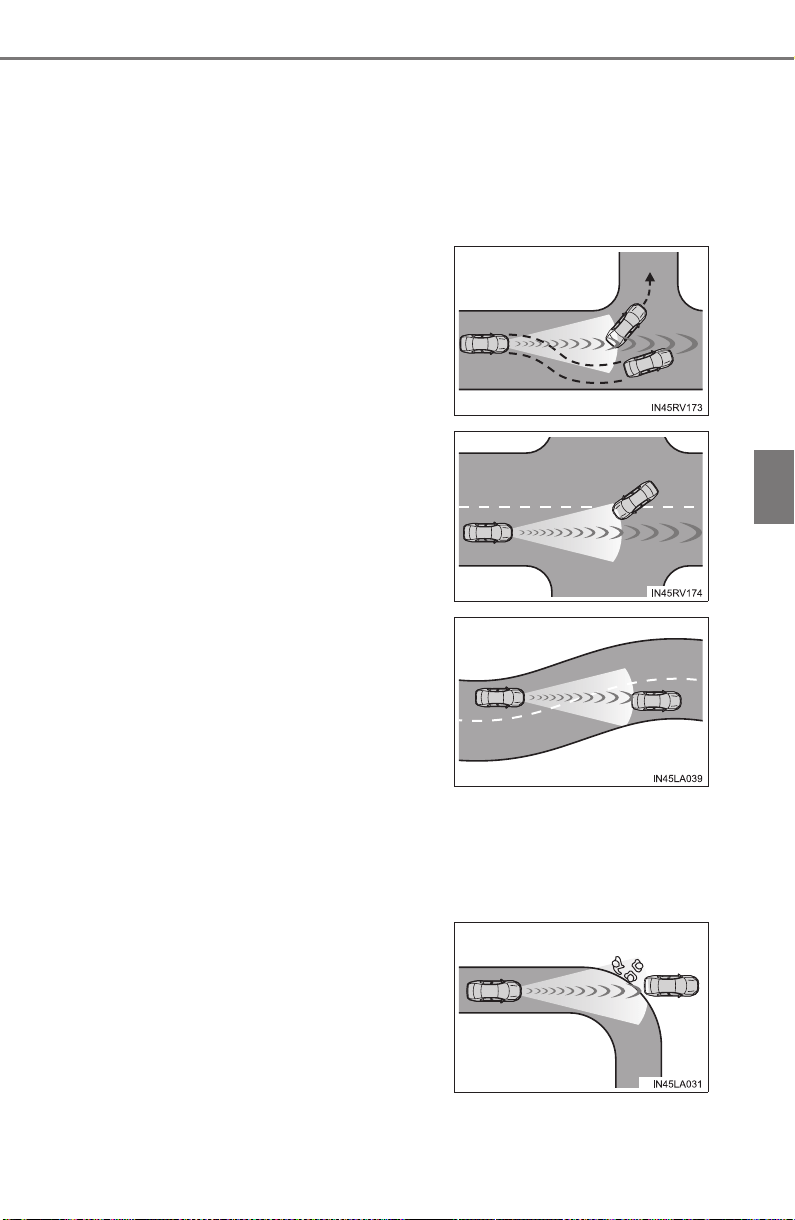
PRIUS_OM_OM47A29U_(U)
283
4-5. Using the driving support systems
4
Driving
■ Conditions under which the system may operate even if there is no pos-
sibility of a collision
● In some situations such as the following, the system may determine that
there is a possibility of a frontal collision and operate.
• When passing a vehicle or pedestrian
*
2
• When changing lanes while overtaking a preceding vehicle
• When overtaking a preceding vehicle that is changing lanes
• When a preceding vehicle suddenly decelerates
• If the front of the vehicle is raised or lowered, such as when the road sur-
face is uneven or undulating
• When approaching objects on the roadside, such as guardrails, utility
poles, trees, or walls
• When overtaking a preceding vehicle
that is making a left/right turn
• When passing a vehicle in an oncom-
ing lane that is stopped to make a
right/left turn
• When driving on a road where relative
location to vehicle ahead in an adja-
cent lane may change, such as on a
winding road
• When there is a vehicle, pedes-
trian
*
2
, or object by the roadside at
the entrance of a curve
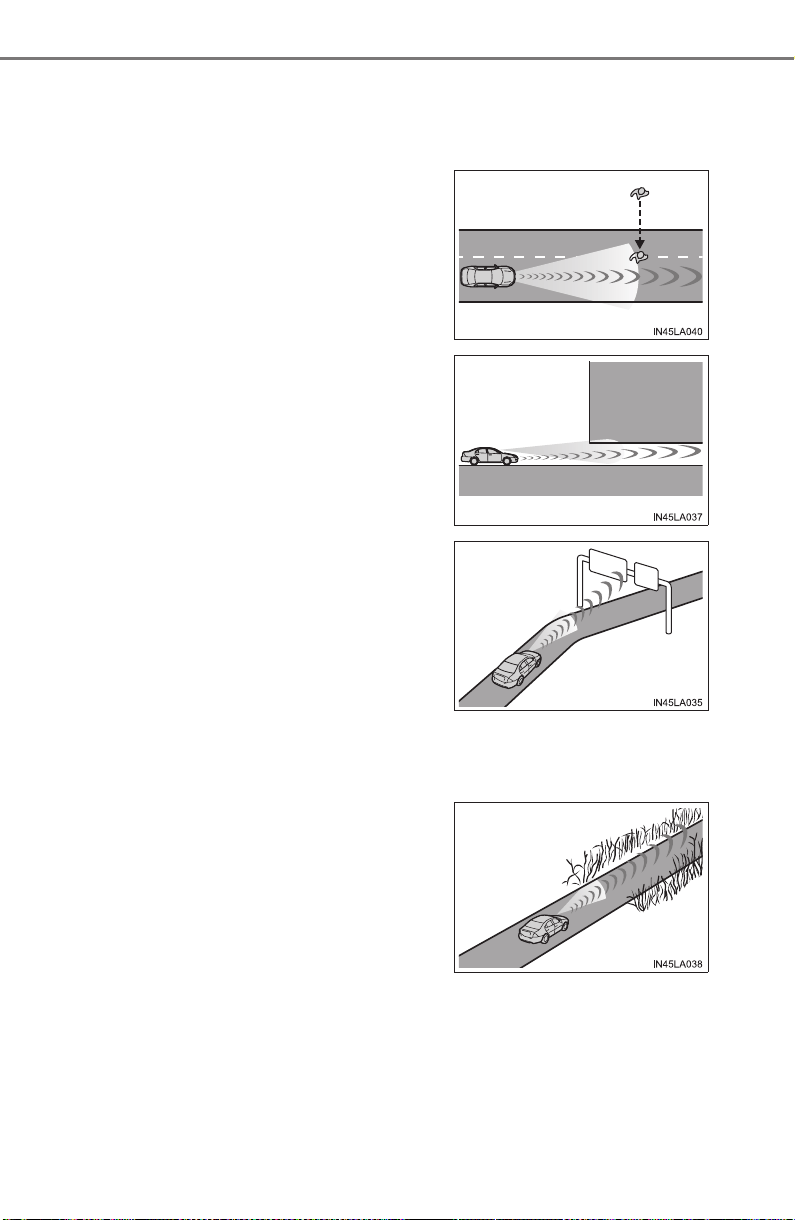
284
PRIUS_OM_OM47A29U_(U)
4-5. Using the driving support systems
• When driving on a narrow path surrounded by a structure, such as in a
tunnel or on an iron bridge
• When there is a metal object (manhole cover, steel plate, etc.), steps, or a
protrusion on the road surface or roadside
• When rapidly closing on an electric toll gate barrier, parking area barrier,
or other barrier that opens and closes
• When using an automatic car wash
• When the vehicle is hit by water, snow, dust, etc. from a vehicle ahead
• When driving through steam or smoke
• When there are patterns or paint on the road or a wall that may be mis-
taken for a vehicle or pedestrian
*
2
• When driving near an object that reflects radio waves, such as a large
truck or guardrail
• When a crossing pedestrian
approaches very close to the vehi-
cle
*
2
• When passing through a place with a
low structure above the road (low ceil-
ing, traffic sign, etc.)
• When passing under an object (bill-
board, etc.) at the top of an uphill road
• When driving through or under
objects that may contact the vehicle,
such as thick grass, tree branches, or
a banner
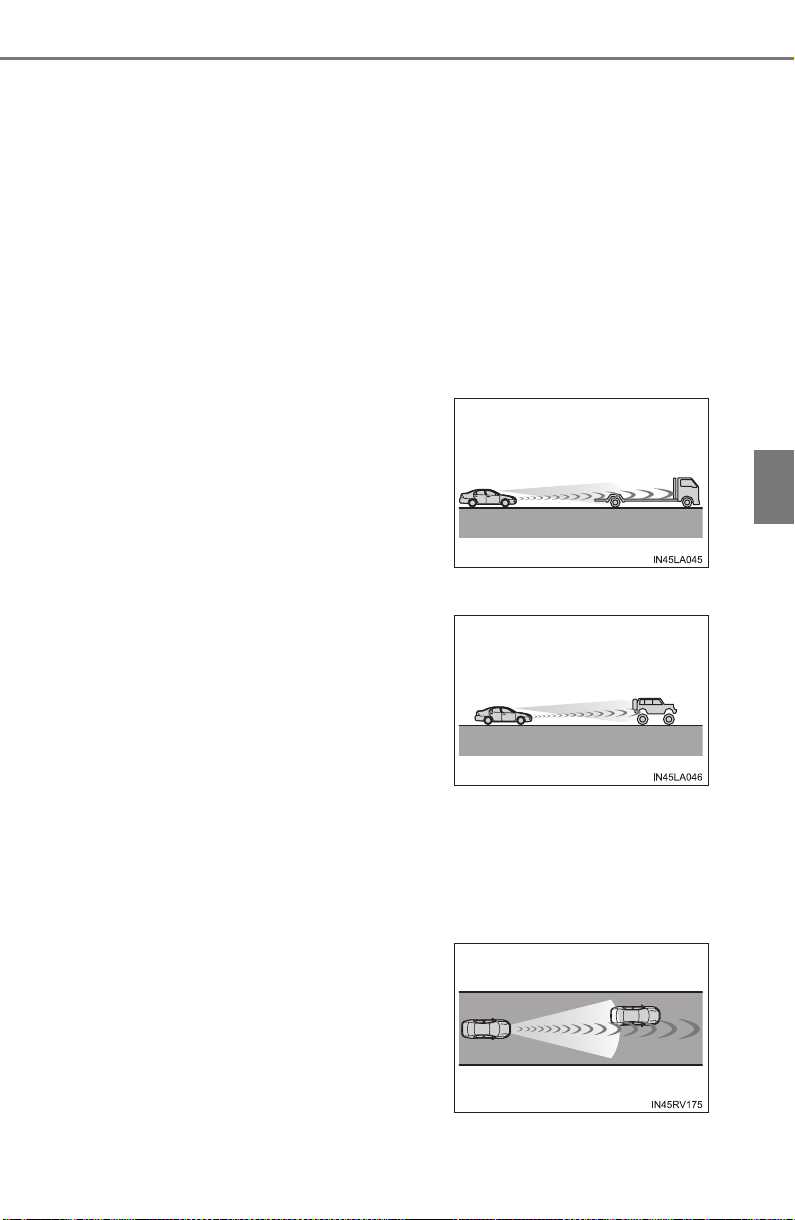
PRIUS_OM_OM47A29U_(U)
285
4-5. Using the driving support systems
4
Driving
• When driving near a TV tower, broadcasting station, electric power plant,
or other location where strong radio waves or electrical noise may be
present
*
2
: Depending on the region in which the vehicle was sold, the pedestrian
detection function may not be available.
■ Situations in which the system may not operate properly
● In some situations such as the following, a vehicle may not be detected by
the radar sensor and camera sensor, preventing the system from operating
properly:
• If an oncoming vehicle is approaching your vehicle
• If a vehicle ahead is a motorcycle or bicycle
• When approaching the side or front of a vehicle
• If a preceding vehicle has a small rear end, such as an unloaded truck
• If a vehicle ahead is carrying a load which protrudes past its rear bumper
• If a vehicle ahead is irregularly shaped, such as a tractor or side car
• If the sun or other light is shining directly on a vehicle ahead
• If a vehicle cuts in front of your vehicle or emerges from beside a vehicle
• If a vehicle ahead makes an abrupt maneuver (such as sudden swerving,
acceleration or deceleration)
• When suddenly cutting behind a preceding vehicle
• If a preceding vehicle has a low rear
end, such as a low bed trailer
• If a vehicle ahead has extremely high
ground clearance
• When a vehicle ahead is not directly
in front of your vehicle
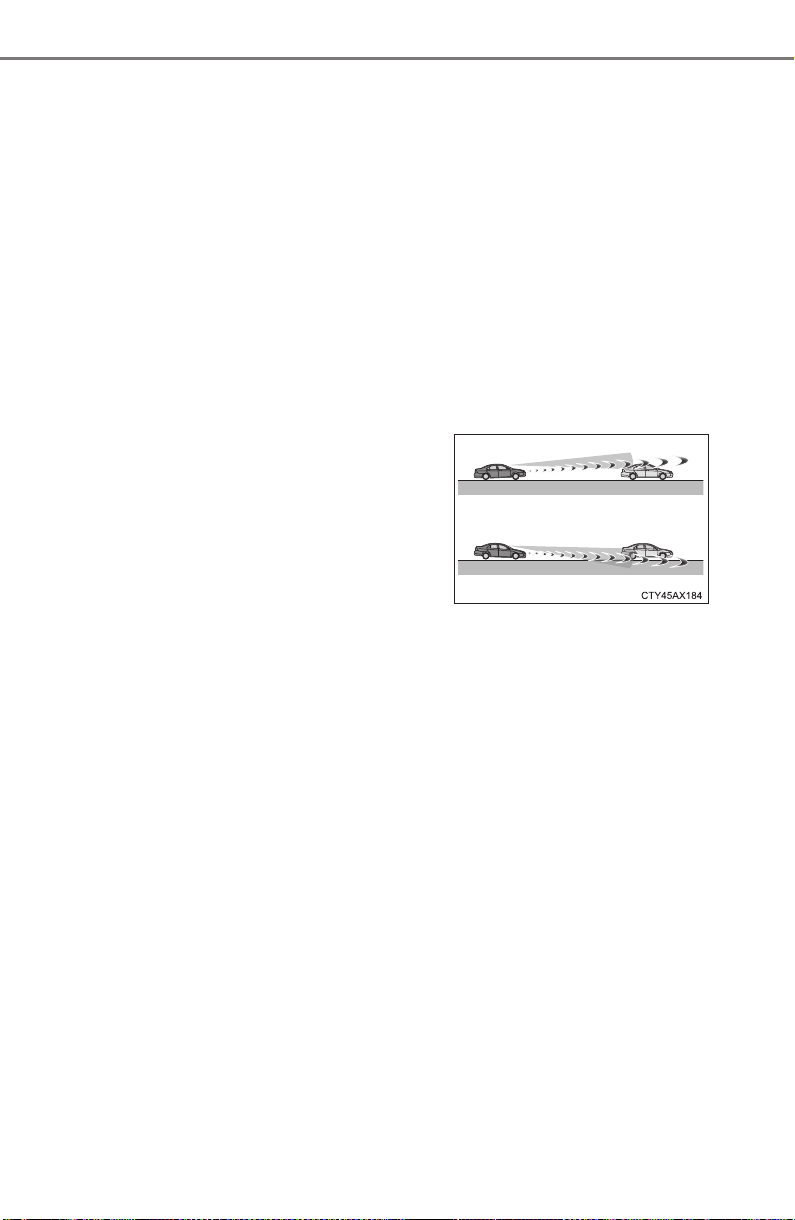
286
PRIUS_OM_OM47A29U_(U)
4-5. Using the driving support systems
• When driving in inclement weather such as heavy rain, fog, snow or a
sandstorm
• When the vehicle is hit by water, snow, dust, etc. from a vehicle ahead
• When driving through steam or smoke
• When driving in a place where the surrounding brightness changes sud-
denly, such as at the entrance or exit of a tunnel
• When a very bright light, such as the sun or the headlights of oncoming
traffic, shines directly into the camera sensor
• When the surrounding area is dim, such as at dawn or dusk, or while at
night or in a tunnel
• After the hybrid system has started the vehicle has not been driven for a
certain amount of time
• While making a left/right turn and for a few seconds after making a left/
right turn
• While driving on a curve and for a few seconds after driving on a curve
• If your vehicle is skidding
• If the wheels are misaligned
• If a wiper blade is blocking the camera sensor
• The vehicle is wobbling.
• The vehicle is being driven at extremely high speeds.
• When driving on a hill
• If the radar sensor or camera sensor is misaligned
● In some situations such as the following, sufficient braking force may not be
obtained, preventing the system from performing properly:
• If the braking functions cannot operate to their full extent, such as when
the brake parts are extremely cold, extremely hot, or wet
• If the vehicle is not properly maintained (brakes or tires are excessively
worn, improper tire inflation pressure, etc.)
• When the vehicle is being driven on a gravel road or other slippery sur-
face
• If the front of the vehicle is raised or
lowered

PRIUS_OM_OM47A29U_(U)
287
4-5. Using the driving support systems
4
Driving
● Some pedestrians such as the following may not be detected by the radar
sensor and camera sensor, preventing the system from operating prop-
erly
*
2
:
• Pedestrians shorter than approximately 3.2 ft. (1 m) or taller than approx-
imately 6.5 ft. (2 m)
• Pedestrians wearing oversized clothing (a rain coat, long skirt, etc.), mak-
ing their silhouette obscure
• Pedestrians who are carrying large baggage, holding an umbrella, etc.,
hiding part of their body
• Pedestrians who are bending forward or squatting
• Pedestrians who are pushing a stroller, wheelchair, bicycle or other vehi-
cle
• Groups of pedestrians which are close together
• Pedestrians who are wearing white and look extremely bright
• Pedestrians in the dark, such as at night or while in a tunnel
• Pedestrians whose clothing appears to be nearly the same color or
brightness as their surroundings
• Pedestrians near walls, fences, guardrails, or large objects
• Pedestrians who are on a metal object (manhole cover, steel plate, etc.)
on the road
• Pedestrians who are walking fast
• Pedestrians who are changing speed abruptly
• Pedestrians running out from behind a vehicle or a large object
• Pedestrians who are extremely close to the side of the vehicle (outside
rear view mirror, etc.)
*
2
: Depending on the region in which the vehicle was sold, the pedestrian
detection function may not be available.

288
PRIUS_OM_OM47A29U_(U)
4-5. Using the driving support systems
■ If the PCS warning light flashes and a warning message is displayed on
the multi-information display
The pre-collision system may be temporarily unavailable or there may be a
malfunction in the system.
● In the following situations, the warning light will turn off, the message will
disappear and the system will become operational when normal operating
conditions return:
• When the radar sensor or camera sensor or the area around either sen-
sor is hot, such as in the sun
• When the radar sensor or camera sensor or the area around either sen-
sor is cold, such as in an extremely cold environment
• When the radar sensor or front grille emblem is dirty or covered with
snow, etc.
• If the camera sensor is obstructed, such as when the hood is open or a
sticker is attached to the windshield near the camera sensor
● If the PCS warning light continues to flash or the warning message does not
disappear, the system may be malfunctioning. Have the vehicle inspected
by your Toyota dealer immediately.
■ If VSC is disabled
● If VSC is disabled (→P. 406), the pre-collision brake assist and pre-collision
braking functions are also disabled.
● The PCS warning light will turn on and “VSC Turned Off Pre-Collision Brake
System Unavailable” will be displayed on the multi-information display.
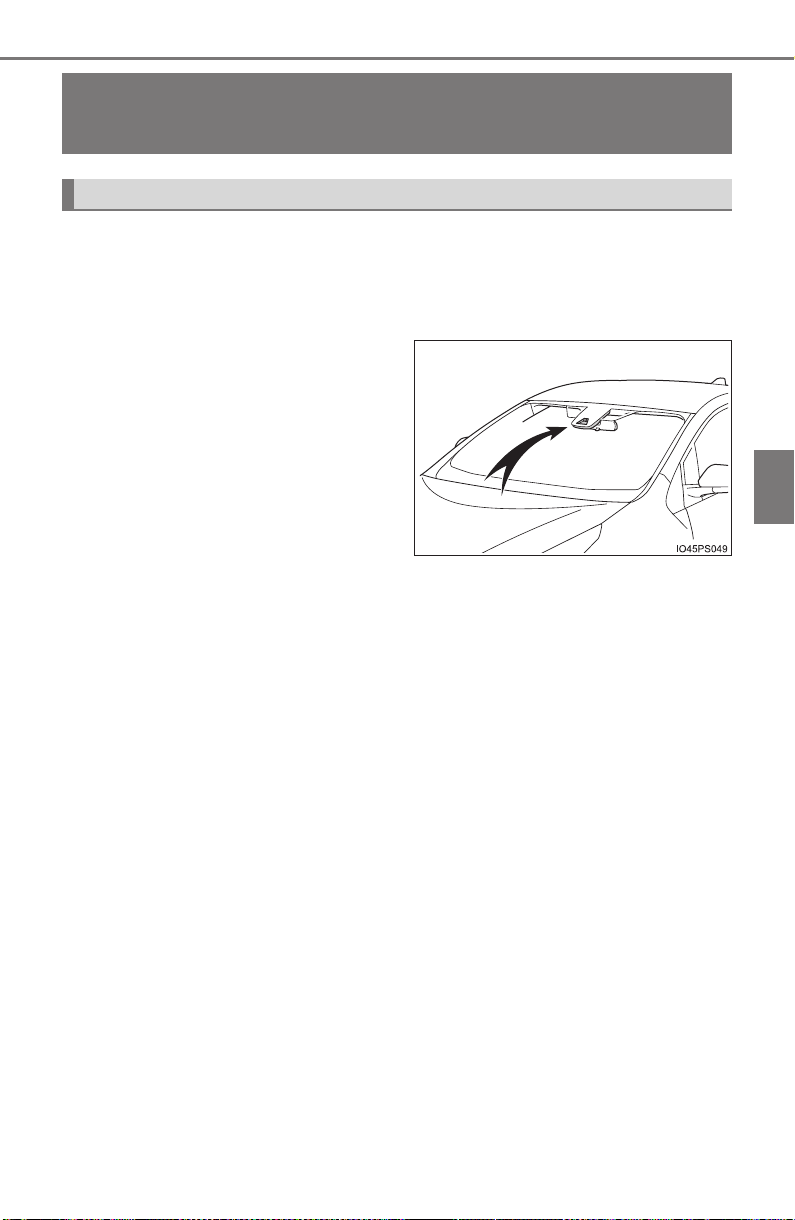
289
PRIUS_OM_OM47A29U_(U)
4-5. Using the driving support systems
4
Driving
LDA (Lane Departure Alert with steering
control)
∗
When driving on highways and freeways with white (yellow) lines, this
function alerts the driver when the vehicle might depart from its lane
and provides assistance by operating the steering wheel to keep the
vehicle in its lane.
The LDA system recognizes visi-
ble white (yellow) lines with the
camera sensor on the upper por-
tion of the front windshield.
∗: If equipped
Summary of functions
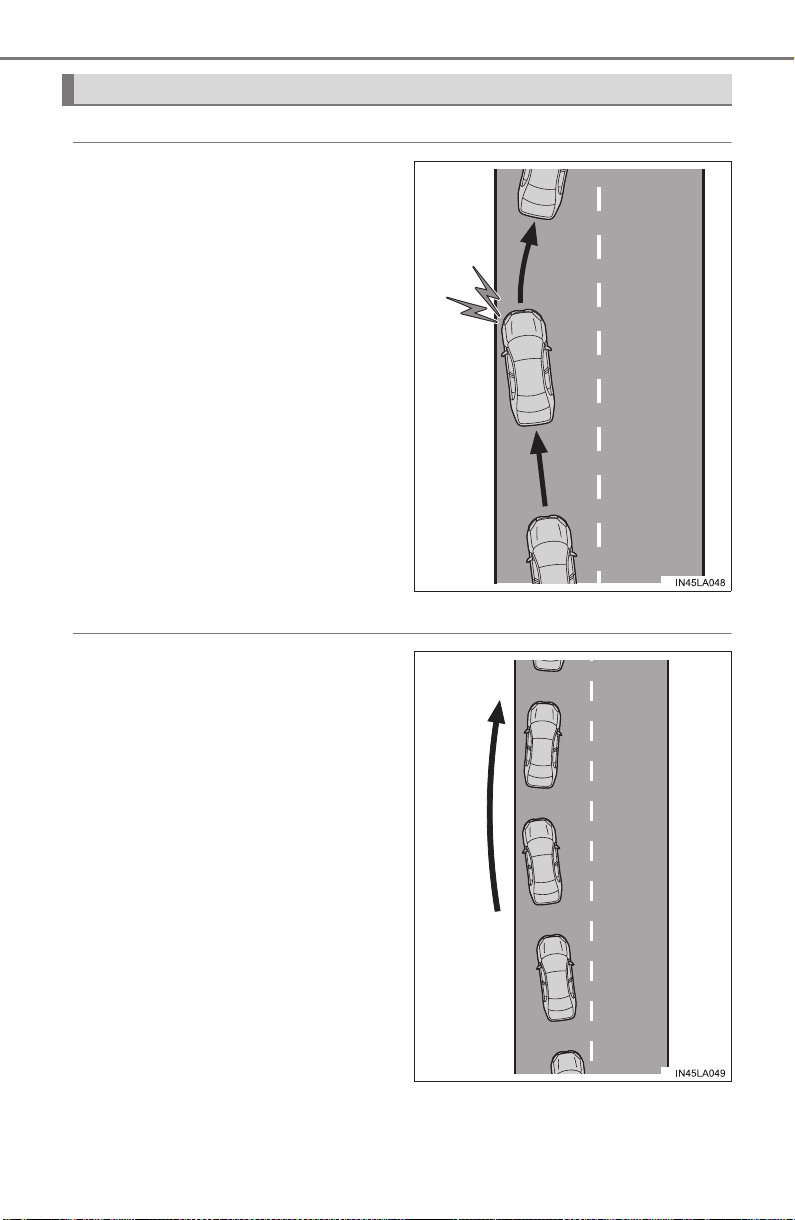
290
PRIUS_OM_OM47A29U_(U)
4-5. Using the driving support systems
◆ Lane departure alert function
When the system determines
that the vehicle might depart
from its lane, a warning is dis-
played on the multi-information
display and the warning buzzer
sounds to alert the driver.
When the warning buzzer
sounds, check the surrounding
road situation and carefully
operate the steering wheel to
move the vehicle back to the
center within the white (yellow)
lines.
◆ Steering control function
When the system determines
that the vehicle might depart
from its lane, the system pro-
vides assistance as necessary
by operating the steering wheel
in small amounts for a short
period of time to keep the vehi-
cle in its lane.
If the system detects that the
steering wheel has not been
operated for a fixed amount of
time or the steering wheel is not
being firmly gripped, a warning
is displayed on the multi-infor-
mation display and the warning
buzzer sounds.
Functions included in LDA system
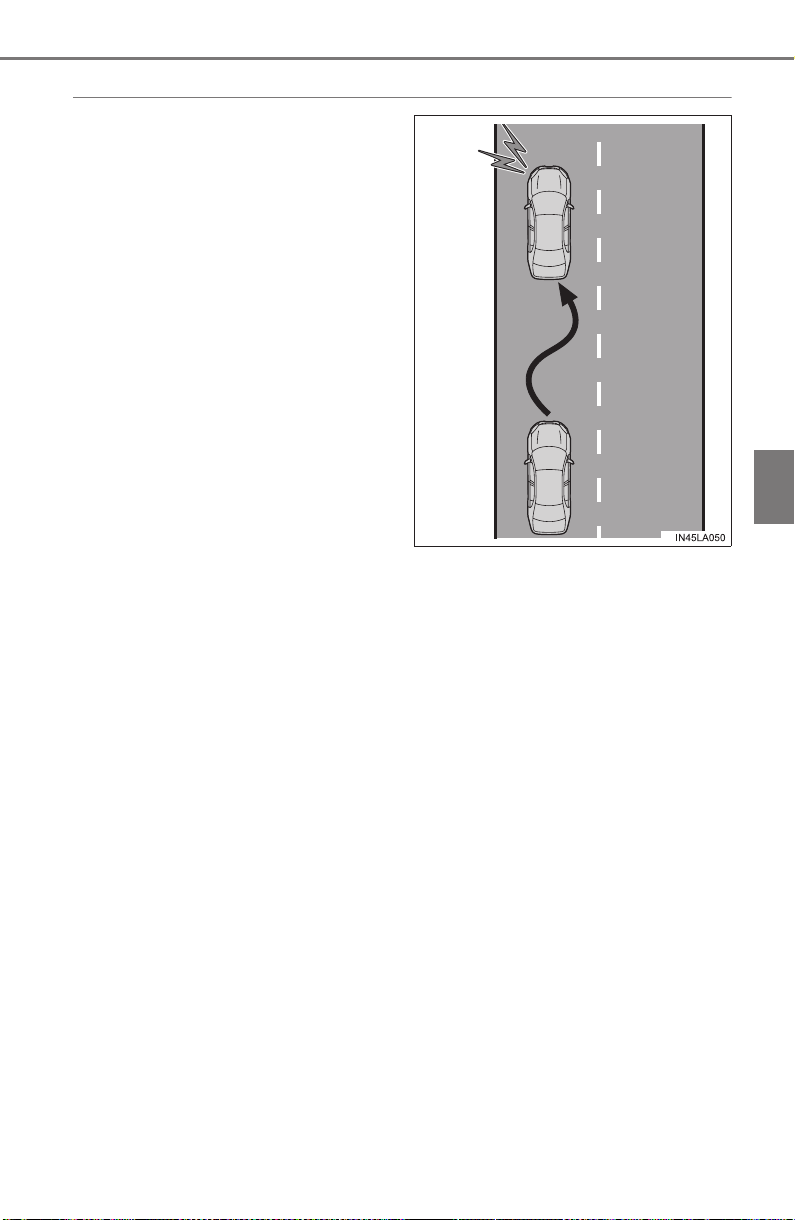
PRIUS_OM_OM47A29U_(U)
291
4-5. Using the driving support systems
4
Driving
◆ Vehicle sway warning
When the vehicle is swaying or
appears as if it may depart from
its lane multiple times, the
warning buzzer sounds and a
message is displayed on the
multi-information display to alert
the driver.

292
PRIUS_OM_OM47A29U_(U)
4-5. Using the driving support systems
WARNING
■ Before using LDA system
Do not rely solely upon the LDA system. LDA is not a system which auto-
matically drives the vehicle or reduces the amount of attention that must be
paid to the area in front of the vehicle. The driver must always assume full
responsibility for driving safely by always paying careful attention to the sur-
rounding conditions and operate the steering wheel to correct the path of
the vehicle. Also, make sure to take adequate breaks when fatigued, such
as from driving for a long period of time.
Failure to perform appropriate driving operations and pay careful attention
may lead to an accident, resulting in death or serious injury.
■ To avoid operating LDA by mistake
When not using the LDA system, use the LDA switch to turn the system off.
■ Situations unsuitable for LDA
Do not use the LDA system in the following situations.
The system may not operate properly and lead to an accident, resulting in
death or serious injury.
● A spare tire, tire chains, etc., are equipped.
● When the tires have been excessively worn, or when the tire inflation pres-
sure is low.
● Tires which differ by structure, manufacturer, brand or tread pattern are
used.
● Objects or patterns that could be mistaken for white (yellow) lines are
present on the side of the road (guardrails, curbs, reflective poles etc.).
● Vehicle is driven on a snow-covered road.
● White (yellow) lines are difficult to see due to rain, snow, fog, dust, etc.
● Asphalt repair marks, white (yellow) line marks, etc., are present due to
road repair.
● Vehicle is driven in a temporary lane or restricted lane due to construction
work.
● Vehicle is driven on a road surface which is slippery due to rainy weather,
fallen snow, freezing, etc.
● Vehicle is driven in traffic lanes other than on highways and freeways.
● Vehicle is driven in a construction zone.
● Vehicle is towing a trailer or another vehicle.
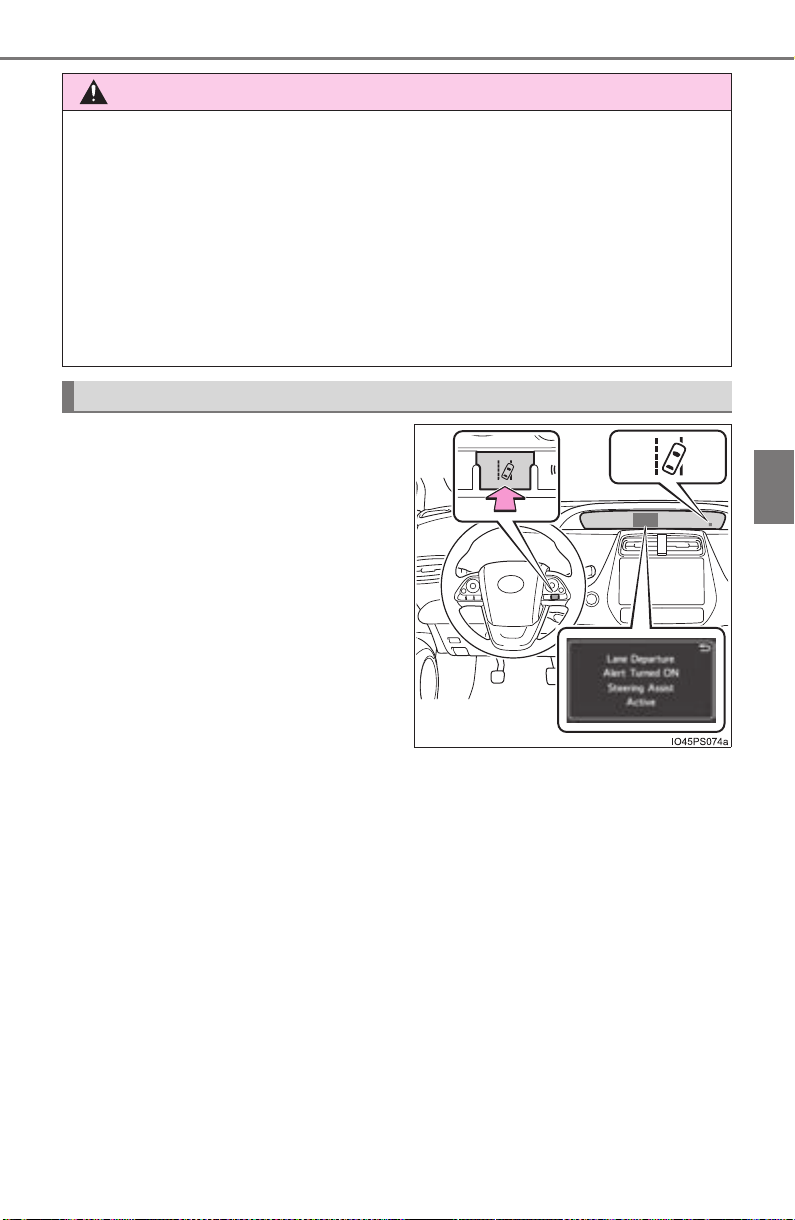
PRIUS_OM_OM47A29U_(U)
293
4-5. Using the driving support systems
4
Driving
Press the LDA switch to turn the
LDA system on.
The LDA indicator illuminates and
a message is displayed on the
multi-information display.
Press the LDA switch again to turn
the LDA system off.
When the LDA system is turned on
or off, operation of the LDA system
continues in the same condition
the next time the hybrid system is
started.
WARNING
■ Preventing LDA system malfunctions and operations performed by
mistake
● Do not modify the headlights or place stickers, etc., on the surface of the
lights.
● Do not modify the suspension etc. If the suspension etc. needs to be
replaced, contact your Toyota dealer.
● Do not install or place anything on the hood or grille. Also, do not install a
grille guard (bull bars, kangaroo bar, etc.).
● If your windshield needs repairs, contact your Toyota dealer.
Turning LDA system on
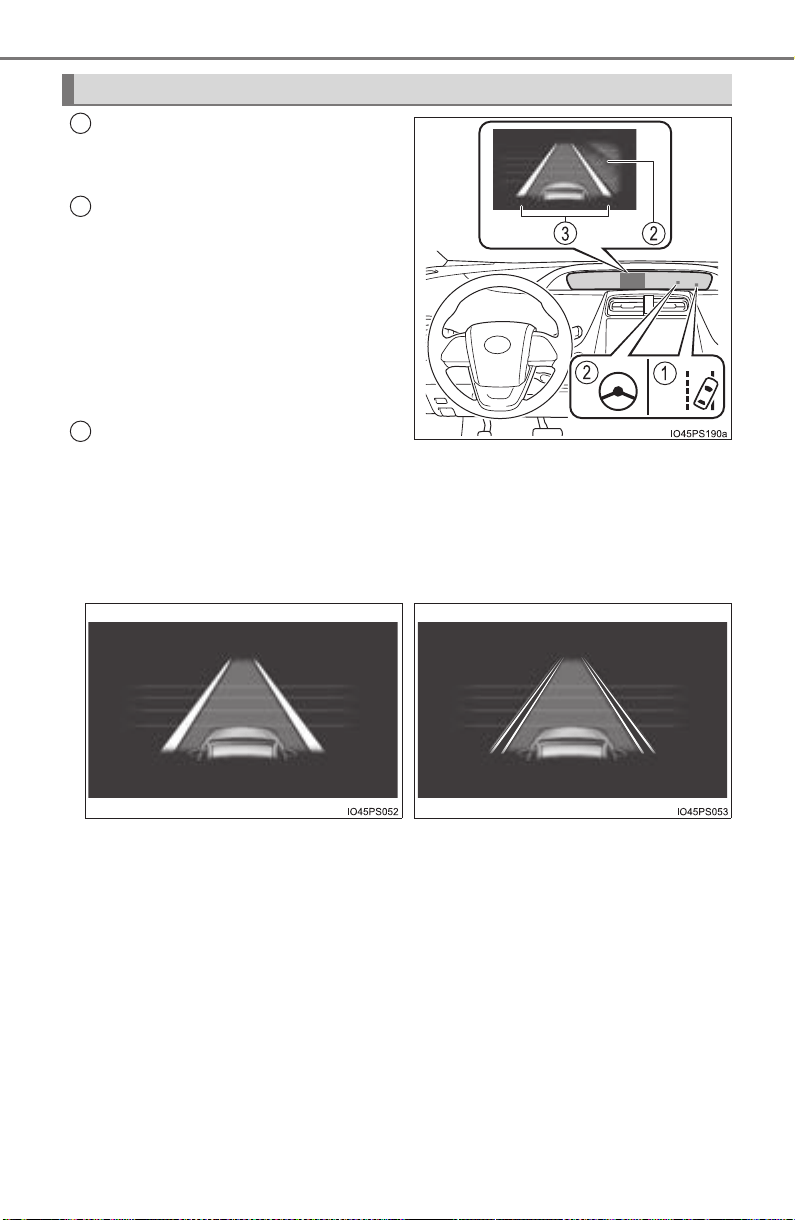
294
PRIUS_OM_OM47A29U_(U)
4-5. Using the driving support systems
LDA indicator
Illuminates when the LDA system
is on.
Steering control indicator and
operation display of steering
wheel operation support
When that steering wheel assis-
tance of the steering control func-
tion is operating, the indicator
illuminates and the operation dis-
play on the multi-information dis-
play is turned on.
Lane departure alert function
display
Displayed when the multi-information display is switched to the driving
assist system information screen.
Indications on combination meter
1
2
3
X Inside of displayed white lines
is white
X Inside of displayed white lines
is black
Indicates that the system is recog-
nizing white (yellow) lines. When
the vehicle departs from its lane,
the white line displayed on the
side the vehicle departs from
flashes orange.
Indicates that the system is not
able to recognize white (yellow)
lines or is temporarily canceled.

PRIUS_OM_OM47A29U_(U)
295
4-5. Using the driving support systems
4
Driving
■ Operation conditions of each function
● Lane departure alert function
This function operates when all of the following conditions are met.
• LDA is turned on.
• Vehicle speed is approximately 32 mph (50 km/h) or more.
• System recognizes white (yellow) lines.
• Width of traffic lane is approximately 9.8 ft. (3 m) or more.
• Turn signal lever is not operated.
• Vehicle is driven on a straight road or around a gentle curve with a radius
of more than approximately 492 ft. (150 m).
• No system malfunctions are detected. (→P. 298)
● Steering control function
This function operates when all of the following conditions are met in addi-
tion to the operation conditions for the lane departure alert function.
• Setting for “LDA Steering Assist Mode” in screen of the multi-infor-
mation display is set to “On”. (→P. 139)
• Vehicle is not accelerated or decelerated by a fixed amount or more.
• Steering wheel is not operated with a steering force level suitable for
changing lanes.
• ABS, VSC, TRAC and PCS are not operating.
• TRAC or VSC is not turned off.
● Vehicle sway warning
This function operates when all of the following conditions are met.
• Setting for “Lane Sway Warning Status” in screen of the multi-infor-
mation display is set to “On”. (→P. 139)
• Vehicle speed is approximately 32 mph (50 km/h) or more.
• Width of traffic lane is approximately 9.8 ft. (3 m) or more.
• No system malfunctions are detected. (→P. 298)

296
PRIUS_OM_OM47A29U_(U)
4-5. Using the driving support systems
■ Temporary cancellation of functions
When operation conditions are no longer met, a function may be temporarily
canceled. However, when the operation conditions are met again, operation
of the function is automatically restored. (→P. 295)
■ Steering control function
Depending on the vehicle speed, lane departure situation, road conditions,
etc., the operation of the functions may not be recognized or the functions
may not operate.
■ Lane departure alert function
The warning buzzer may be difficult to hear due to external noise, audio play-
back, etc.
■ Hands off steering wheel alert
When the system determines that the driver has removed their hands from
the steering wheel while the steering control function is operating, a warning
message is displayed on the multi-information display and the buzzer
sounds.
■ White (yellow) lines are only on one side of road
The LDA system will not operate for the side on which white (yellow) lines
could not be recognized.

PRIUS_OM_OM47A29U_(U)
297
4-5. Using the driving support systems
4
Driving
■ Conditions in which functions may not operate properly
In the following situations, the camera sensor may not detect white (yellow)
lines and various functions may not operate normally.
● There are shadows on the road that run parallel with, or cover, the white
(yellow) lines.
● The vehicle is driven in an area without white (yellow) lines, such as in front
of a tollgate or checkpoint, or at an intersection, etc.
● The white (yellow) lines are cracked, “Botts’ dots”, “Raised pavement
marker” or stones are present.
● The white (yellow) lines cannot be seen or are difficult to see due to sand,
etc.
● The vehicle is driven on a road surface that is wet due to rain, puddles, etc.
● The traffic lines are yellow (which may be more difficult to recognize than
lines that are white).
● The white (yellow) lines cross over a curb, etc.
● The vehicle is driven on a bright surface, such as concrete.
● The vehicle is driven on a surface that is bright due to reflected light, etc.
● The vehicle is driven in an area where the brightness changes suddenly,
such as at the entrances and exits of tunnels, etc.
● Light from the headlights of an oncoming vehicle, the sun, etc., enters the
camera.
● The vehicle is driven where the road diverges, merges, etc.
● The vehicle is driven on a slope.
● The vehicle is driven on a road which tilts left or right, or a winding road.
● The vehicle is driven on an unpaved or rough road.
● The vehicle is driven around a sharp curve.
● The traffic lane is excessively narrow or wide.
● The vehicle is extremely tilted due to carrying heavy luggage or having
improper tire pressure.
● The distance to the preceding vehicle is extremely short.
● The vehicle is moving up and down a large amount due to road conditions
during driving (poor roads or road seams).
● The headlight lenses are dirty and emit a faint amount of light at night, or the
beam axis has deviated.
● The vehicle is struck by a crosswind.
● The vehicle has just changed lanes or crossed an intersection.
● Snow tires, etc., are equipped.

298
PRIUS_OM_OM47A29U_(U)
4-5. Using the driving support systems
■ Warning message
If the following warning message is displayed on the multi-information dis-
play, follow the appropriate troubleshooting procedure.
If a different warning message is displayed, follow the instructions displayed
on the screen.
Warning message Details/Actions
“Lane Departure
Alert
Malfunction
Visit Your Dealer”
The system may not be operating
properly.
→ Have the vehicle inspected at your
Toyota dealer.
“Forward Camera
System
Unavailable
Clean Windshield”
Dirt, rain, condensation, ice, snow,
etc., are present on the windshield in
front of the camera sensor.
→ Turn the LDA system off, remove
any dirt, rain, condensation, ice,
snow, etc., from the windshield, and
then turn the LDA system back on.
“Forward Camera
System
Unavailable”
The operation conditions of the cam-
era sensor (temperature, etc.) are not
met.
→ When the operation conditions of
the camera sensor (temperature,
etc.) are met, the LDA system will
become available. Turn the LDA
system off, wait for a little while,
and then turn the LDA system back
on.
“Lane Departure Alert Unavail-
able”
The LDA system is temporarily can-
celed due to a malfunction in a sensor
other than the camera sensor.
→ Turn the LDA system off and follow
the appropriate troubleshooting
procedures for warning messages.
Afterward, drive the vehicle for a
short time, and then turn the LDA
system back on.
“Lane Departure
Alert
Unavailable
Below Approx
32 mph”
The LDA system cannot be used as
the vehicle speed is approximately 32
mph (50 km/h) or less.
→ Drive the vehicle at approximately
32 mph (50 km/h) or more.

PRIUS_OM_OM47A29U_(U)
299
4-5. Using the driving support systems
4
Driving
■ Customization
The following settings can be changed.
For how to change settings, refer to P. 139.
Function Setting details
Lane departure alert Adjust alert sensitivity
Steering control function Turn steering wheel assistance on and off
Vehicle sway warning
Turn function on and off
Adjust alert sensitivity
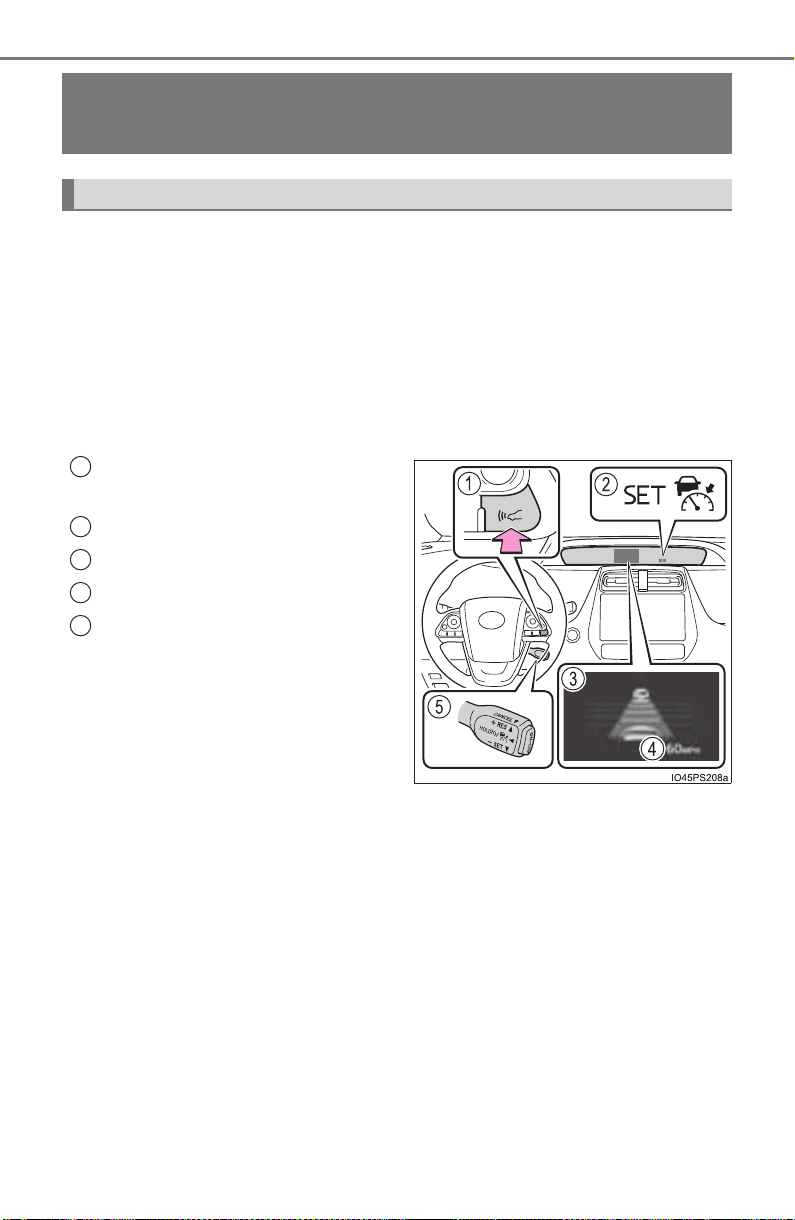
300
PRIUS_OM_OM47A29U_(U)
4-5. Using the driving support systems
Dynamic radar cruise control
with full-speed
range
∗
In vehicle-to-vehicle distance control mode, the vehicle automatically
accelerates, decelerates and stops to match the speed changes of the
preceding vehicle even if the accelerator pedal is not depressed. In
constant speed control mode, the vehicle runs at a fixed speed.
Use the dynamic radar cruise control with full-speed range on free-
ways and highways.
● Vehicle-to-vehicle distance control mode (→P. 303)
● Constant speed control mode (→P. 310)
Vehicle-to-vehicle distance but-
ton
Indicators
Display
Set speed
Cruise control switch
∗: If equipped
Summary of functions
1
2
3
4
5

PRIUS_OM_OM47A29U_(U)
301
4-5. Using the driving support systems
4
Driving
WARNING
■ Before using dynamic radar cruise control with full-speed range
Driving safely is the sole responsibility of the driver. Do not rely solely on the
system, and drive safely by always paying careful attention to your sur-
roundings.
The dynamic radar cruise control with full-speed range provides driving
assistance to reduce the driver’s burden. However, there are limitations to
the assistance provided.
Even when the system is functioning normally, the condition of the preced-
ing vehicle as detected by the system may differ from the condition
observed by the driver. Therefore, the driver must always remain alert,
assess the danger of each situation and drive safely. Relying on this system
or assuming the system ensures safety while driving can lead to an acci-
dent, resulting in death or serious injury.
■ Cautions regarding the driving assist systems
Observe the following precautions, as there are limitations to the assistance
provided by the system.
Failure to do so may cause an accident resulting in death or serious injury.
● Assisting the driver to measure following distance
The dynamic radar cruise control with full-speed range is only intended to
help the driver in determining the following distance between the driver’s
own vehicle and a designated vehicle traveling ahead. It is not a mecha-
nism that allows careless or inattentive driving, and it is not a system that
can assist the driver in low-visibility conditions. It is still necessary for
driver to pay close attention to the vehicle’s surroundings.
● Assisting the driver to judge proper following distance
The dynamic radar cruise control with full-speed range determines
whether the following distance between the driver’s own vehicle and a
designated vehicle traveling ahead is appropriate or not. It is not capable
of making any other type of judgement. Therefore, it is absolutely neces-
sary for the driver to remain vigilant and to determine whether or not there
is a possibility of danger in any given situation.
● Assisting the driver to operate the vehicle
The dynamic radar cruise control with full-speed range has no capability to
prevent or avoid a collision with a vehicle traveling ahead. Therefore, if
there is ever any danger, the driver must take immediate and direct control
of the vehicle and act appropriately in order to ensure the safety of all
involved.

302
PRIUS_OM_OM47A29U_(U)
4-5. Using the driving support systems
WARNING
■ To avoid inadvertent dynamic radar cruise control with full-speed
range activation
Switch the dynamic radar cruise control with full-speed range off using the
“ON-OFF” button when not in use.
■ Situations unsuitable for dynamic radar cruise control with full-speed
range
Do not use dynamic radar cruise control with full-speed range in any of the
following situations.
Doing so may result in inappropriate speed control and could cause an acci-
dent resulting in death or serious injury.
● Roads where there are pedestrians, cyclers, etc.
● In heavy traffic
● On roads with sharp bends
● On winding roads
● On slippery roads, such as those covered with rain, ice or snow
● On steep downhills, or where there are sudden changes between sharp up
and down gradients
Vehicle speed may exceed the set speed when driving down a steep hill.
● At entrances to freeways and highways
● When weather conditions are bad enough that they may prevent the sen-
sors from detecting correctly (fog, snow, sandstorm, heavy rain, etc.)
● When there is rain, snow, etc. on the front surface of the radar sensor or
camera sensor
● In traffic conditions that require frequent repeated acceleration and decel-
eration
● When your vehicle is towing a trailer or during emergency towing
● When an approach warning buzzer is heard often
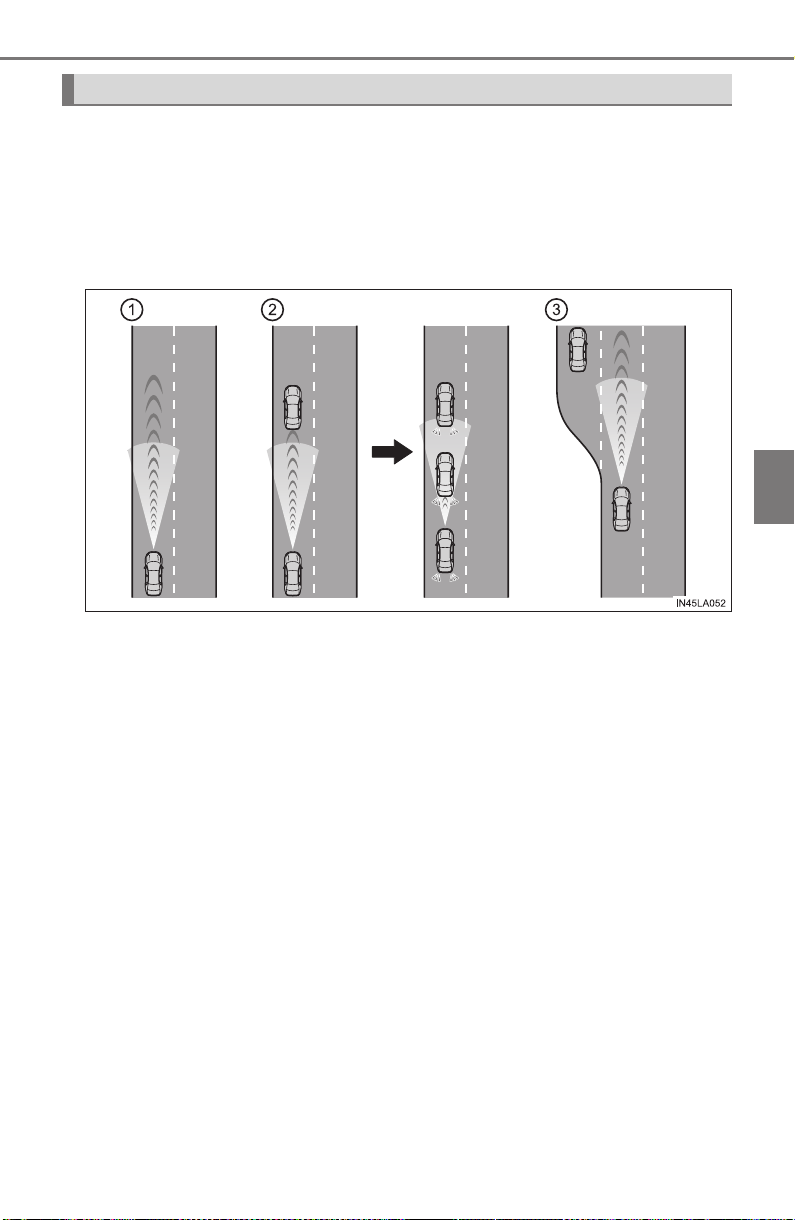
PRIUS_OM_OM47A29U_(U)
303
4-5. Using the driving support systems
4
Driving
This mode employs a radar sensor to detect the presence of vehicles
up to approximately 400 ft. (120 m) ahead, determines the current
vehicle-to-vehicle following distance, and operates to maintain a suit-
able following distance from the vehicle ahead.
Note that vehicle-to-vehicle distance will close in when traveling on long
downhill slopes.
Driving in vehicle-to-vehicle distance control mode

304
PRIUS_OM_OM47A29U_(U)
4-5. Using the driving support systems
Example of constant speed cruising
When there are no vehicles ahead
The vehicle travels at the speed set by the driver. The desired vehicle-to-
vehicle distance can also be set by operating the vehicle-to-vehicle dis-
tance button.
Example of deceleration cruising and follow-up cruising
When a preceding vehicle driving slower than the set speed
appears
When a vehicle is detected running ahead of you, the system automatically
decelerates your vehicle. When a greater reduction in vehicle speed is
necessary, the system applies the brakes (the stop lights will come on at
this time). The system will respond to changes in the speed of the vehicle
ahead in order to maintain the vehicle-to-vehicle distance set by the driver.
Approach warning warns you when the system cannot decelerate suffi-
ciently to prevent your vehicle from closing in on the vehicle ahead.
When the vehicle ahead of you stops, your vehicle will also stop (vehicle is
stopped by system control). After the vehicle ahead starts off, pushing the
cruise control lever up or depressing the accelerator pedal will resume fol-
low-up cruising.
Example of acceleration
When there are no longer any preceding vehicles driving slower
than the set speed
The system accelerates until the set speed is reached. The system then
returns to constant speed cruising.
1
2
3
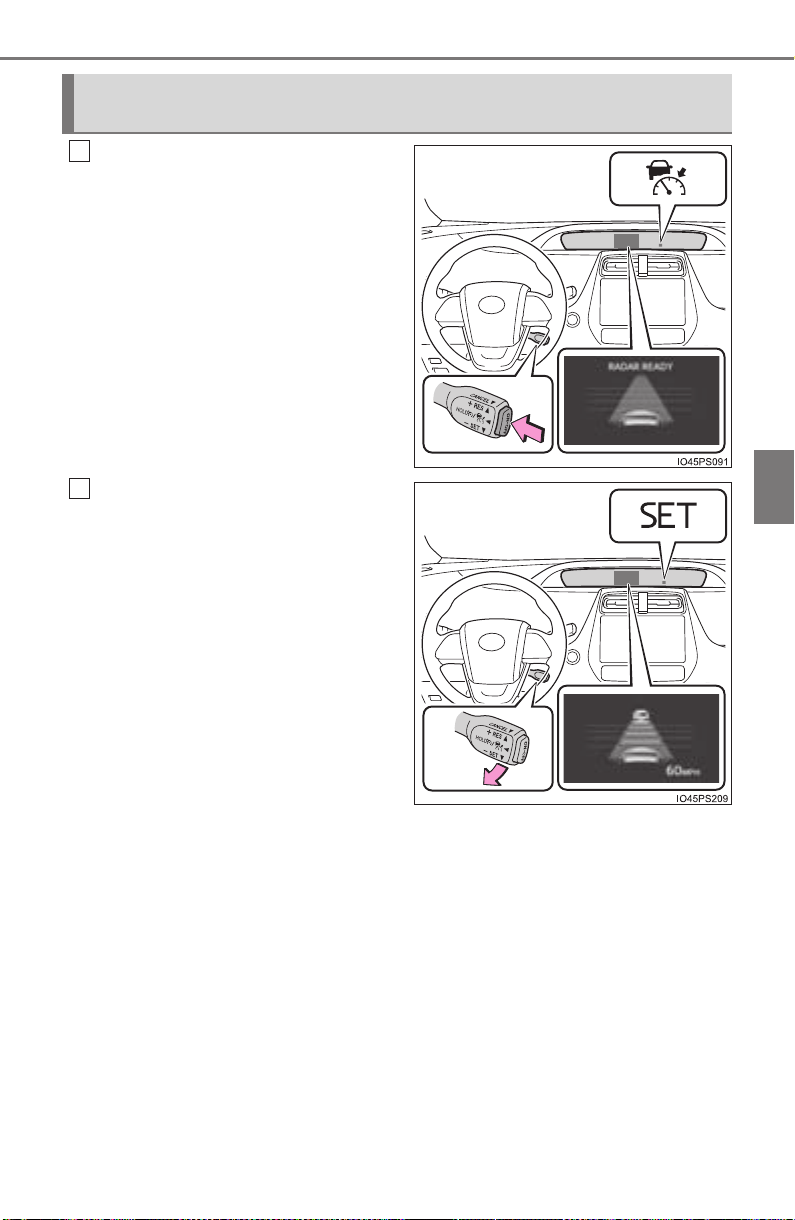
PRIUS_OM_OM47A29U_(U)
305
4-5. Using the driving support systems
4
Driving
Press the “ON-OFF” button to
activate the cruise control.
Radar cruise control indicator will
come on and a message will be
displayed on the multi-information
display.
Press the button again to deacti-
vate the cruise control.
If the “ON-OFF” button is pressed
and held for 1.5 seconds or more,
the system turns on in constant
speed control mode. (→P. 310)
Accelerate or decelerate, with
accelerator pedal operation, to
the desired vehicle speed
(above approximately 30 mph
[50 km/h]) and push the lever
down to set the speed.
Cruise control “SET” indicator will
come on.
The vehicle speed at the moment
the lever is released becomes the
set speed.
If the lever is operated while the
vehicle speed is below approxi-
mately 30 mph (50 km/h) and a
preceding vehicle is present, the
set speed will be adjusted to
approximately 30 mph (50 km/h).
Setting the vehicle speed (vehicle-to-vehicle distance control
mode)
1
2
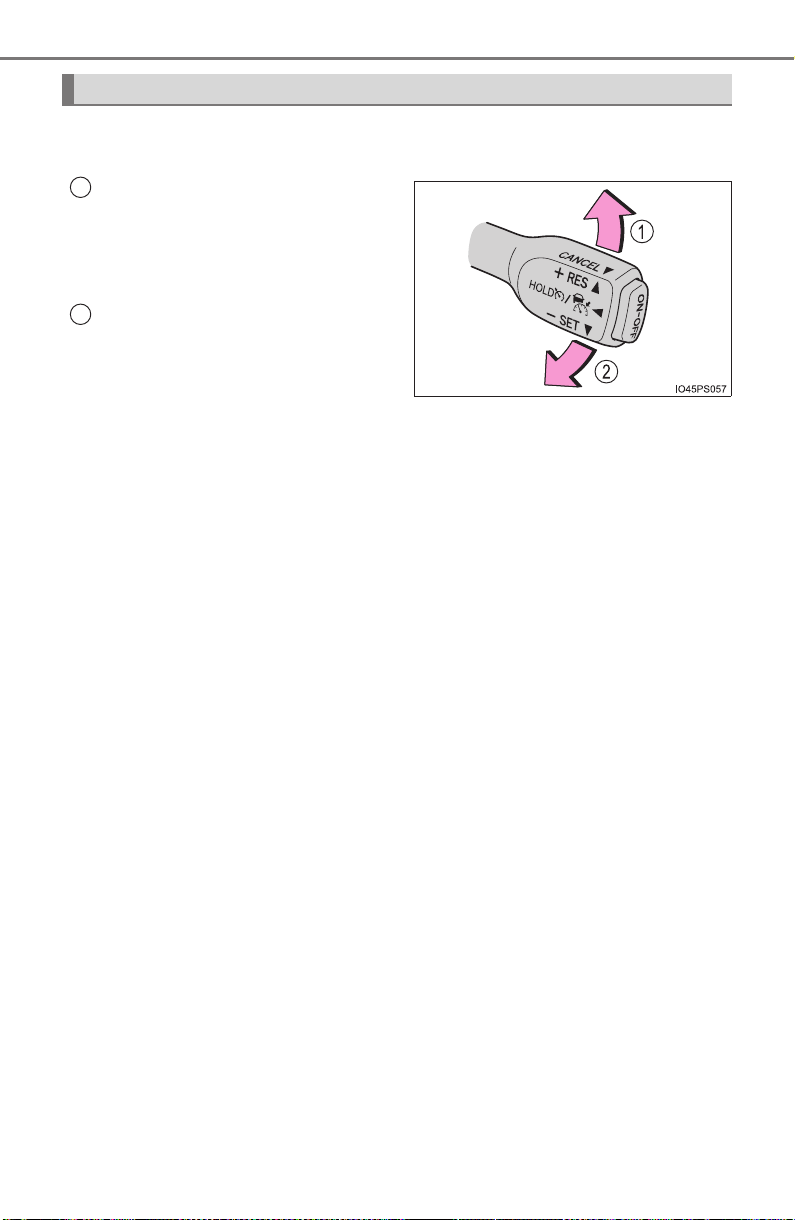
306
PRIUS_OM_OM47A29U_(U)
4-5. Using the driving support systems
To change the set speed, operate the lever until the desired set speed
is displayed.
Increases the speed
(Except when the vehicle has been
stopped by system control in vehi-
cle-to-vehicle distance control
mode)
Decreases the speed
Fine adjustment: Momentarily
move the lever in the desired
direction.
Large adjustment: Hold the lever in the desired direction.
In the vehicle-to-vehicle distance control mode, the set speed will be
increased or decreased as follows:
Fine adjustment: By 1 mph (1.6 km/h)*
1
or 1 km/h (0.6 mph)*
2
each time
the lever is operated
X For the U.S. mainland, Hawaii
Large adjustment: Increases or decreases in 1 mph (1.6 km/h)*
1
or 1 km/h
(0.6 mph)
*
2
increments for as long as the lever is held
X For Canada, Guam, Saipan and Puerto Rico
Large adjustment: Increases or decreases in 5 mph (8 km/h)*
1
or 5 km/h
(3.1 mph)
*
2
increments for as long as the lever is held
In the constant speed control mode (→P. 310), the set speed will be
increased or decreased as follows:
Fine adjustment: By 1 mph (1.6 km/h)*
1
or 1 km/h (0.6 mph)*
2
each time
the lever is operated
Large adjustment: The speed will continue to change while the lever is
held.
*
1
: When the set speed is shown in “MPH”
*
2
: When the set speed is shown in “km/h”
Adjusting the set speed
1
2
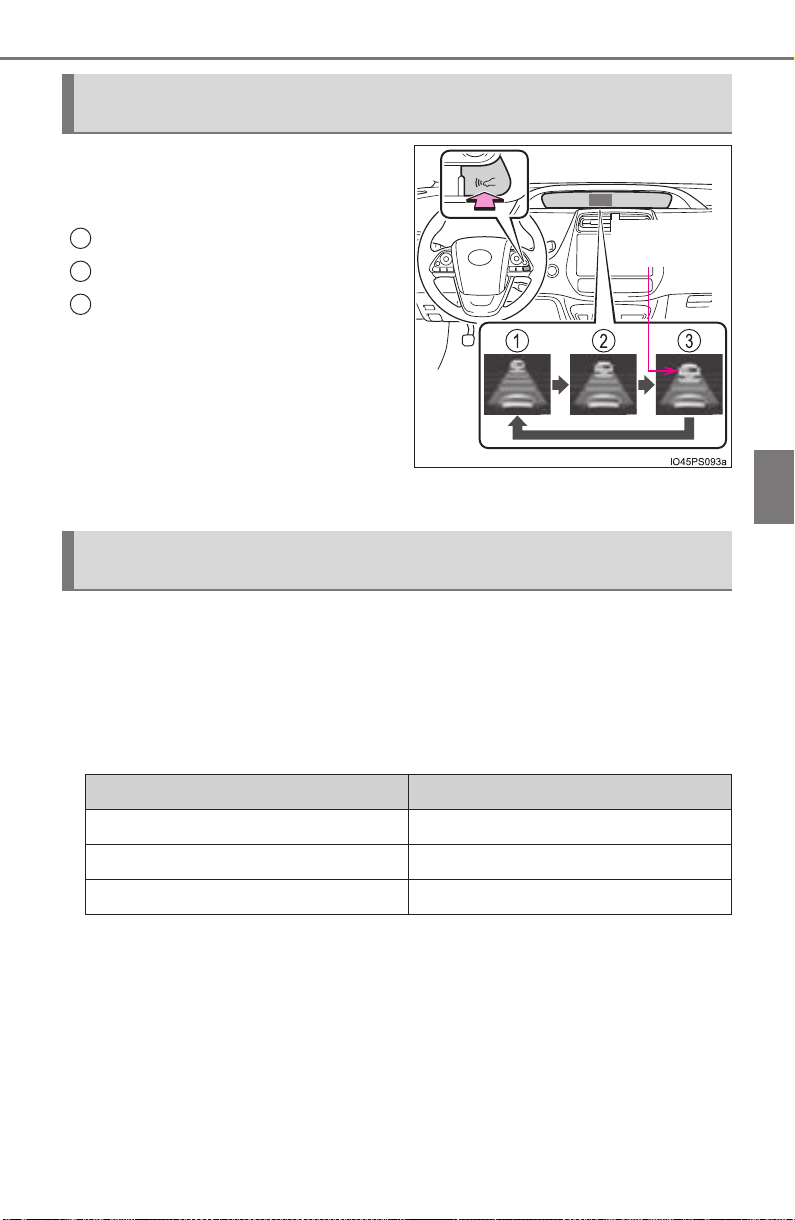
PRIUS_OM_OM47A29U_(U)
307
4-5. Using the driving support systems
4
Driving
Pressing the button changes the
vehicle-to-vehicle distance as fol-
lows:
Long
Medium
Short
The vehicle-to-vehicle distance is
set automatically to long mode
when the power switch is turned to
ON mode.
If a vehicle is running ahead of you, the preceding vehicle mark will also be
displayed.
Select a distance from the table below. Note that the distances shown
correspond to a vehicle speed of 50 mph (80 km/h). Vehicle-to-vehicle
distance increases/decreases in accordance with vehicle speed.
When the vehicle is stopped by system control, the vehicle-to-vehicle
distance will be about 16 ft. (5 m) to 23 ft. (7 m) regardless of the vehi-
cle-to-vehicle distance setting.
Changing the vehicle-to-vehicle distance (vehicle-to-vehicle dis-
tance control mode)
Preceding
vehicle mark
1
2
3
Vehicle-to-vehicle distance settings (vehicle-to-vehicle distance
control mode)
Distance options Vehicle-to-vehicle distance
Long Approximately 160 ft. (50 m)
Medium Approximately 130 ft. (40 m)
Short Approximately 100 ft. (30 m)
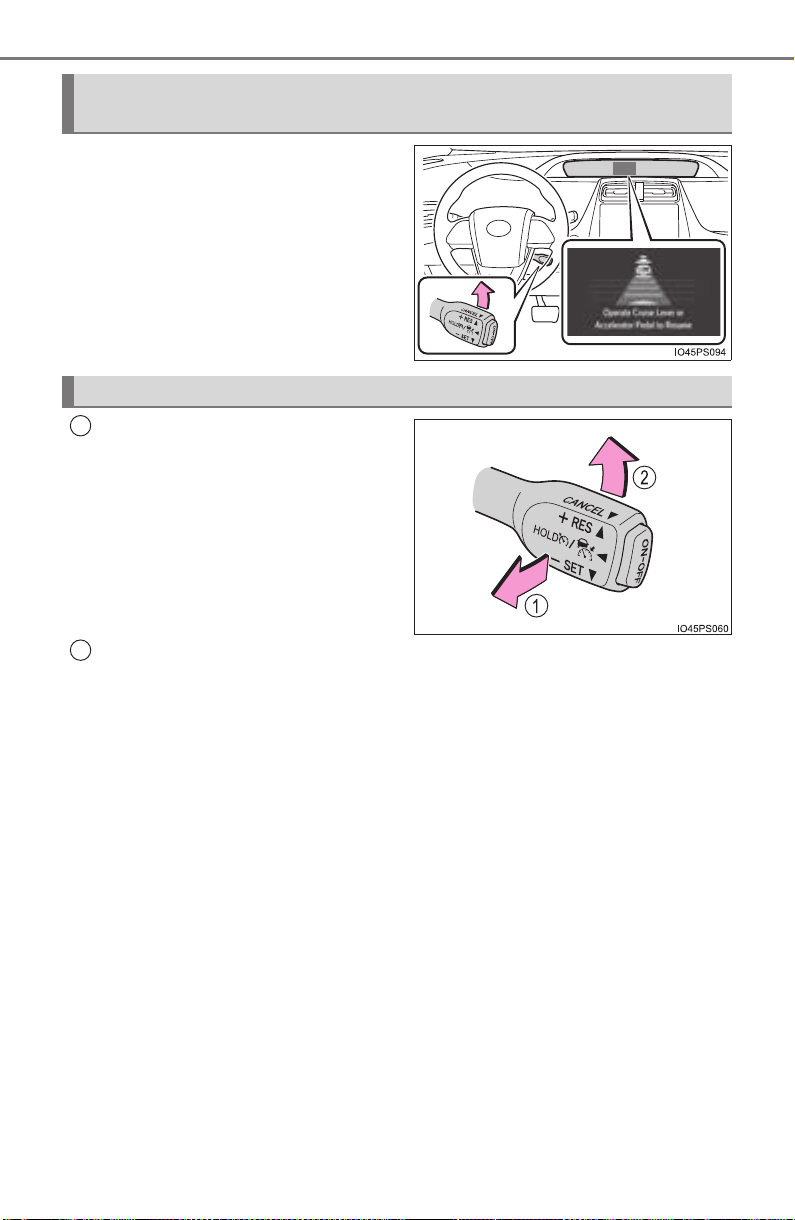
308
PRIUS_OM_OM47A29U_(U)
4-5. Using the driving support systems
After the vehicle ahead of you
starts off, push the lever up.
Your vehicle will also resume fol-
low-up cruising if the accelerator
pedal is depressed after the vehi-
cle ahead of you starts off.
Pulling the lever toward you
cancels the speed control.
The speed control is also canceled
when the brake pedal is
depressed.
(When the vehicle has been
stopped by system control,
depressing the brake pedal does
not cancel the setting.)
Pushing the lever up resumes the cruise control and returns vehicle
speed to the set speed.
However, when a vehicle ahead is not detected, cruise control does not
resume when the vehicle speed is approximately 25 mph (40 km/h) or less.
Resuming follow-up cruising when the vehicle has been stopped
by system control (vehicle-to-vehicle distance control mode)
Canceling and resuming the speed control
1
2
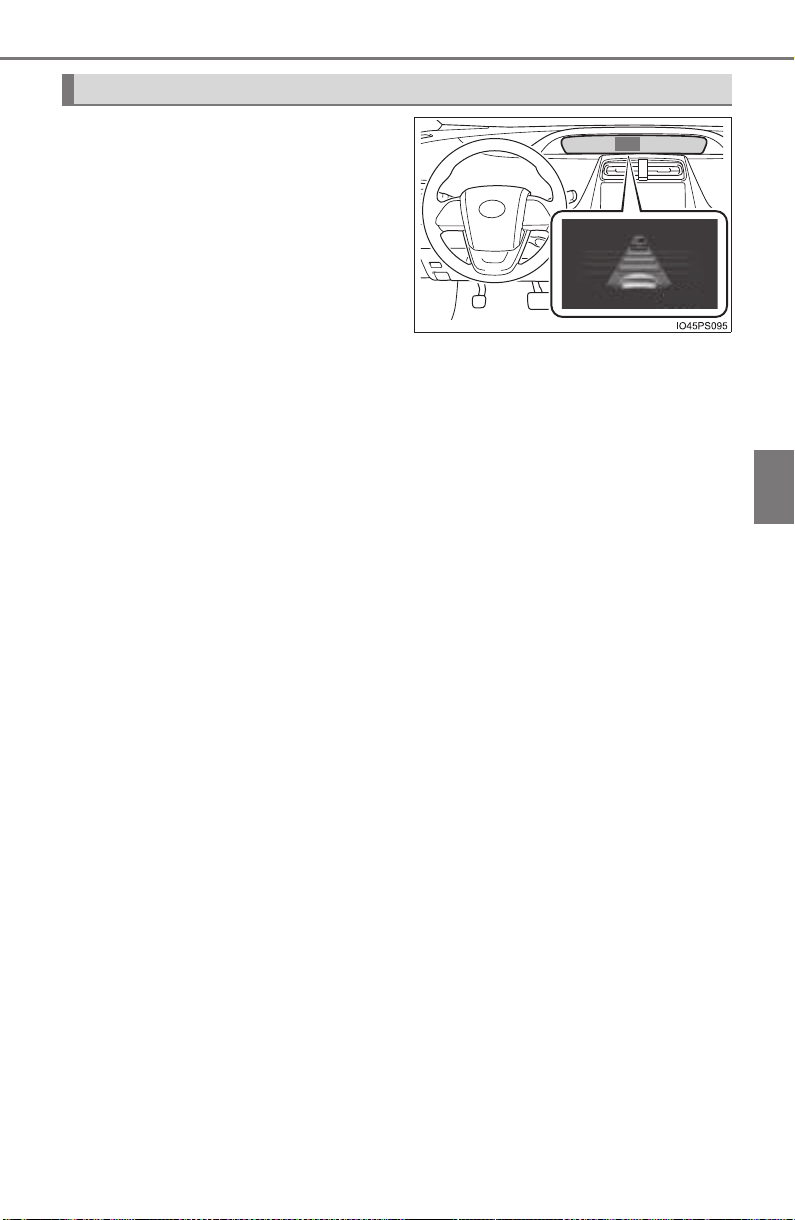
PRIUS_OM_OM47A29U_(U)
309
4-5. Using the driving support systems
4
Driving
When your vehicle is too close to
a vehicle ahead, and sufficient
automatic deceleration via the
cruise control is not possible, the
display will flash and the buzzer
will sound to alert the driver. An
example of this would be if
another driver cuts in front of you
while you are following a vehicle.
Depress the brake pedal to
ensure an appropriate vehicle-to-
vehicle distance.
■ Warnings may not occur when
In the following instances, there is a possibility that the warnings will
not occur:
● When the speed of the preceding vehicle matches or exceeds
your vehicle speed
● When the preceding vehicle is traveling at an extremely slow
speed
● Immediately after the cruise control speed was set
● When depressing the accelerator pedal
Approach warning (vehicle-to-vehicle distance control mode)
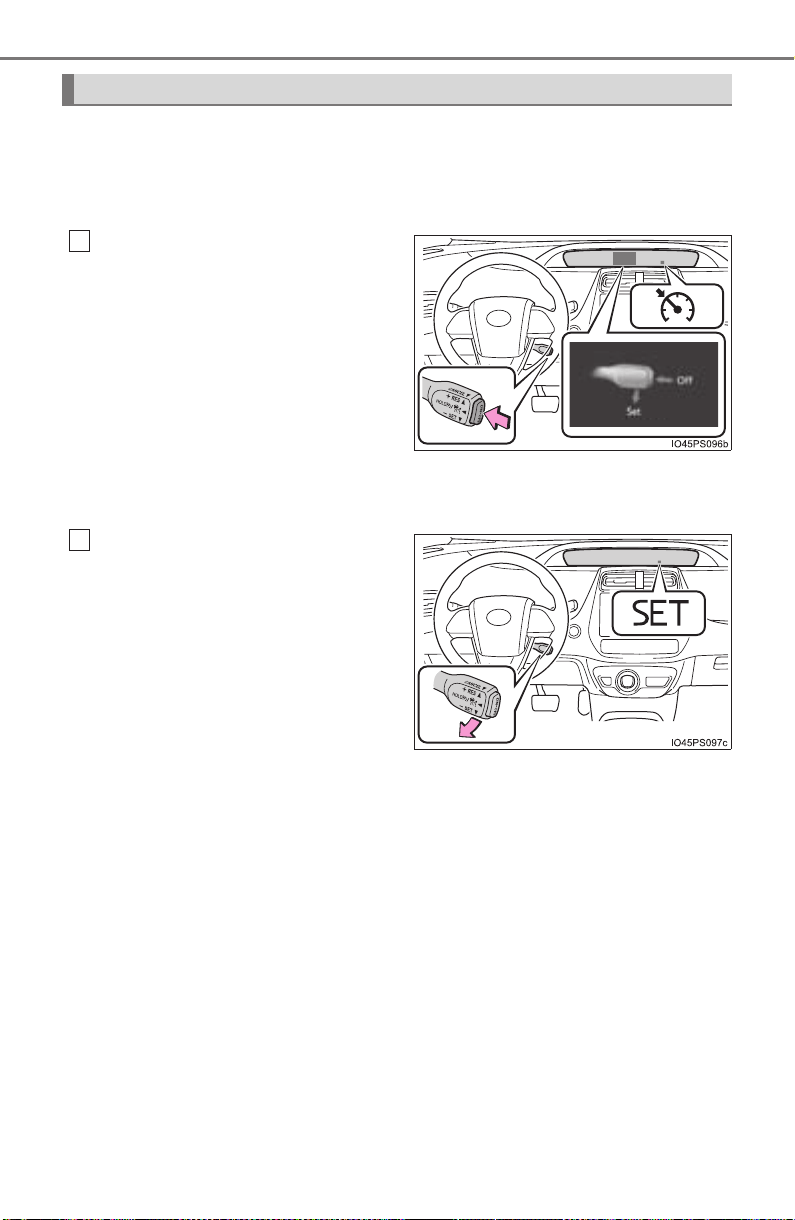
310
PRIUS_OM_OM47A29U_(U)
4-5. Using the driving support systems
When constant speed control mode is selected, your vehicle will main-
tain a set speed without controlling the vehicle-to-vehicle distance.
Select this mode only when vehicle-to-vehicle distance control mode
does not function correctly due to a dirty radar sensor.
With the cruise control off,
press and hold the “ON-OFF”
button for 1.5 seconds or more.
Immediately after the “ON-OFF”
button is pressed, the radar cruise
control indicator will come on.
Afterwards, it switches to the cruise
control indicator.
Switching to constant speed con-
trol mode is only possible when
operating the lever with the cruise
control off.
Accelerate or decelerate, with
accelerator pedal operation, to
the desired vehicle speed
(above approximately 30 mph
[50 km/h]) and push the lever
down to set the speed.
Cruise control “SET” indicator will
come on.
The vehicle speed at the moment
the lever is released becomes the
set speed.
Adjusting the speed setting: →P. 306
Canceling and resuming the speed setting: →P. 308
Selecting constant speed control mode
1
2

PRIUS_OM_OM47A29U_(U)
311
4-5. Using the driving support systems
4
Driving
■ Dynamic radar cruise control with full-speed range can be set when
● The shift position is in D.
● Vehicle speed is above approximately 30 mph (50 km/h).
However, when a preceding vehicle is detected, the dynamic radar cruise
control with full-speed range can be set even if the vehicle speed is at or
below approximately 30 mph (50 km/h).
■ Accelerating after setting the vehicle speed
The vehicle can accelerate by operating the accelerator pedal. After acceler-
ating, the set speed resumes. However, during vehicle-to-vehicle distance
control mode, the vehicle speed may decrease below the set speed in order
to maintain the distance to the preceding vehicle.
■ Automatic cancelation of vehicle-to-vehicle distance control mode
Vehicle-to-vehicle distance control mode is automatically canceled in the fol-
lowing situations.
● Actual vehicle speed falls below approximately 25 mph (40 km/h) when
there are no vehicles ahead.
● The preceding vehicle leaves the lane when your vehicle is following at a
vehicle speed below approximately 25 mph (40 km/h). Otherwise, the sen-
sor can not properly detect the vehicle.
● VSC is activated.
● TRAC is activated for a period of time.
● When the VSC or TRAC system is turned off by pressing the VSC OFF
switch.
● The sensor cannot detect correctly because it is covered in some way.
● Pre-collision braking is activated.
● The parking brake is operated.
● Intelligent Clearance Sonar is operated. (if equipped)
● The vehicle is stopped by system control on a steep incline.
● The following are detected when the vehicle has been stopped by system
control:
• The driver is not wearing a seat belt.
• The driver’s door is opened.
• The vehicle has been stopped for about 3 minutes.
In this situation, the shift position may automatically switch to P. (→P. 237)
If vehicle-to-vehicle distance control mode is automatically canceled for any
other reason, there may be a malfunction in the system. Contact your Toyota
dealer.

312
PRIUS_OM_OM47A29U_(U)
4-5. Using the driving support systems
■ Automatic cancelation of constant speed control mode
Constant speed control mode is automatically canceled in the following situa-
tions:
● Actual vehicle speed is more than approximately 10 mph (16 km/h) below
the set vehicle speed.
● Actual vehicle speed falls below approximately 25 mph (40 km/h).
● VSC is activated.
● TRAC is activated for a period of time.
● When the VSC or TRAC system is turned off by pressing the VSC OFF
switch.
● Pre-collision braking is activated.
● Intelligent Clearance Sonar is operated. (if equipped)
If vehicle-to-vehicle distance control mode is automatically canceled for any
other reason, there may be a malfunction in the system. Contact your Toyota
dealer.
■ Warning messages and buzzers for dynamic radar cruise control with
full-speed range
Warning messages and buzzers are used to indicate a system malfunction or
to inform the driver of the need for caution while driving. If a warning message
is shown on the multi-information display, read the message and follow the
instructions.
■ When the sensor may not be correctly detecting the vehicle ahead
In the case of the following and depending on the conditions, operate the
brake pedal when deceleration of the system is insufficient or operate the
accelerator pedal when acceleration is required.
As the sensor may not be able to correctly detect these types of vehicles, the
approach warning (→P. 309) will not be activated, which may lead to an acci-
dent resulting in death or serious injury.
● Vehicles that cut in suddenly
● Vehicles traveling at low speeds
● Vehicles that are not moving in the same lane
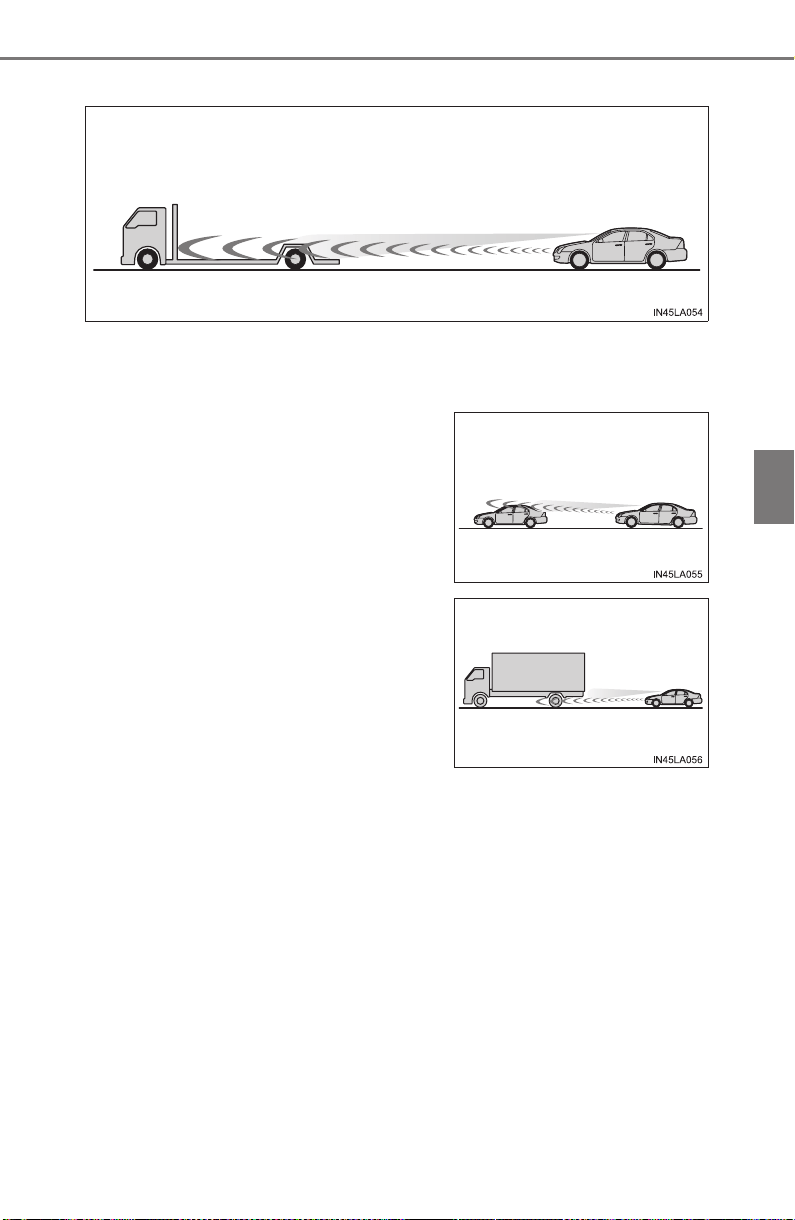
PRIUS_OM_OM47A29U_(U)
313
4-5. Using the driving support systems
4
Driving
● Vehicles with small rear ends (trailers with no load on board, etc.)
● Motorcycles traveling in the same lane
● When water or snow thrown up by the surrounding vehicles hinders the
detecting of the sensor
● When your vehicle is pointing upwards
(caused by a heavy load in the luggage
compartment, etc.)
● Preceding vehicle has an extremely high
ground clearance
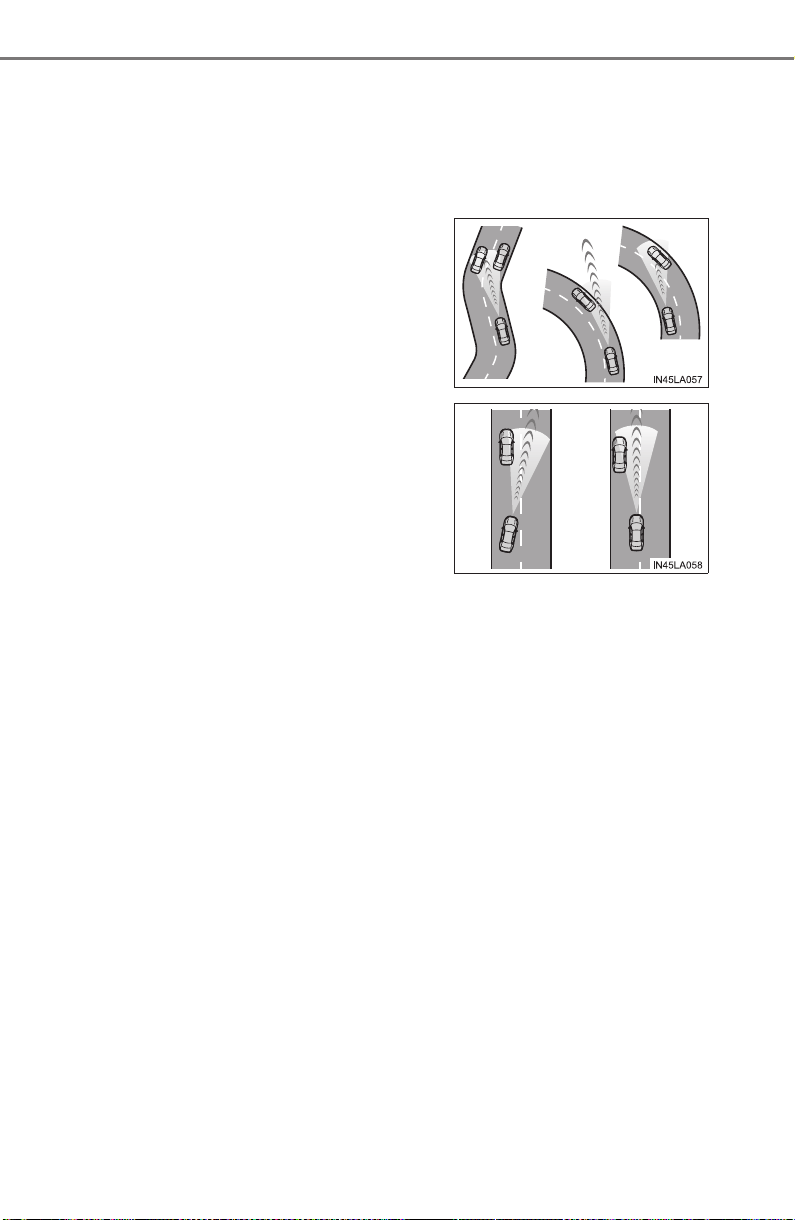
314
PRIUS_OM_OM47A29U_(U)
4-5. Using the driving support systems
■ Conditions under which the vehicle-to-vehicle distance control mode
may not function correctly
Operate the brake pedal (or accelerator pedal operation depending on the sit-
uation) as necessary in the following conditions as the radar sensor may not
be able to correctly detect vehicles ahead, which may lead to an accident
resulting in death or serious injury.
● When the vehicle ahead of you decelerates suddenly
● When the road curves or when the lanes
are narrow
● When steering wheel operation or your
position in the lane is unstable
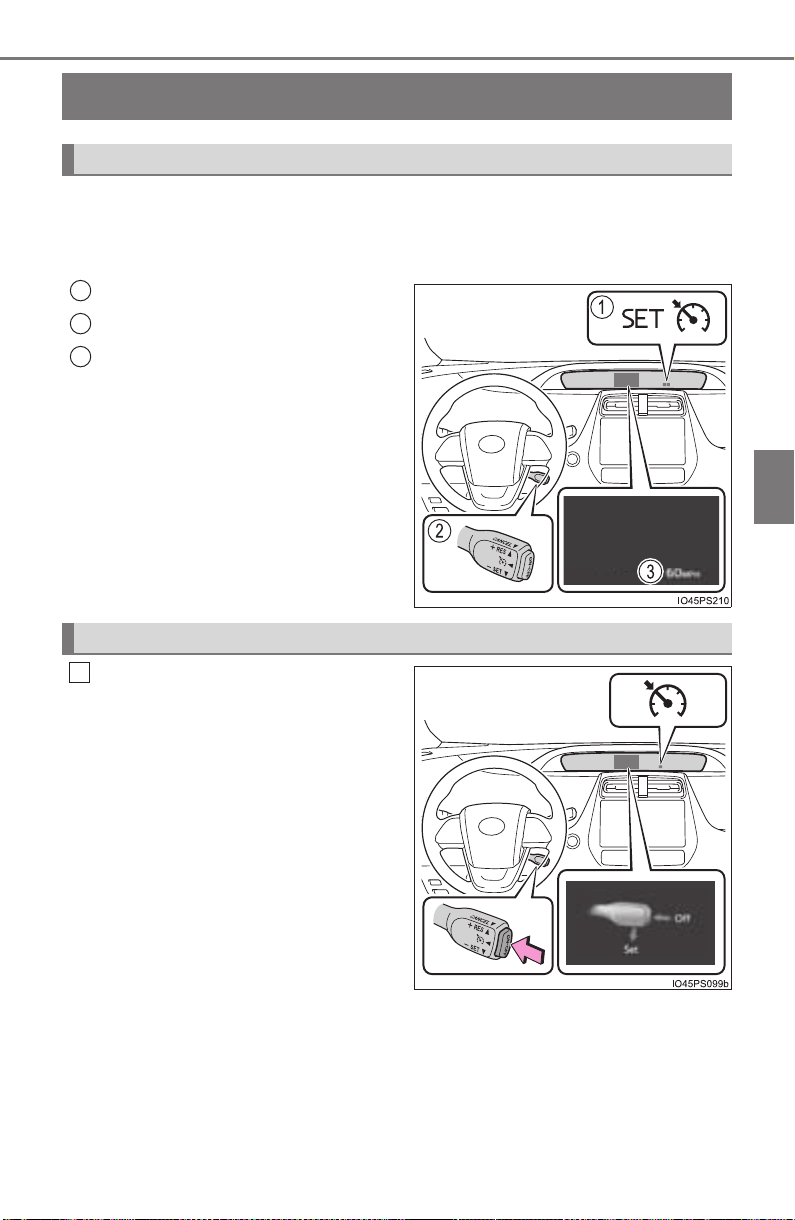
315
PRIUS_OM_OM47A29U_(U)
4-5. Using the driving support systems
4
Driving
Cruise control
∗
Use the cruise control to maintain a set speed without depressing the
accelerator pedal.
Use the cruise control on freeways and highways.
Indicators
Cruise control switch
Set speed
Press the “ON-OFF” button to
activate the cruise control.
Cruise control indicator will come
on.
Press the button again to deacti-
vate the cruise control.
∗: If equipped
Summary of functions
1
2
3
Setting the vehicle speed
1
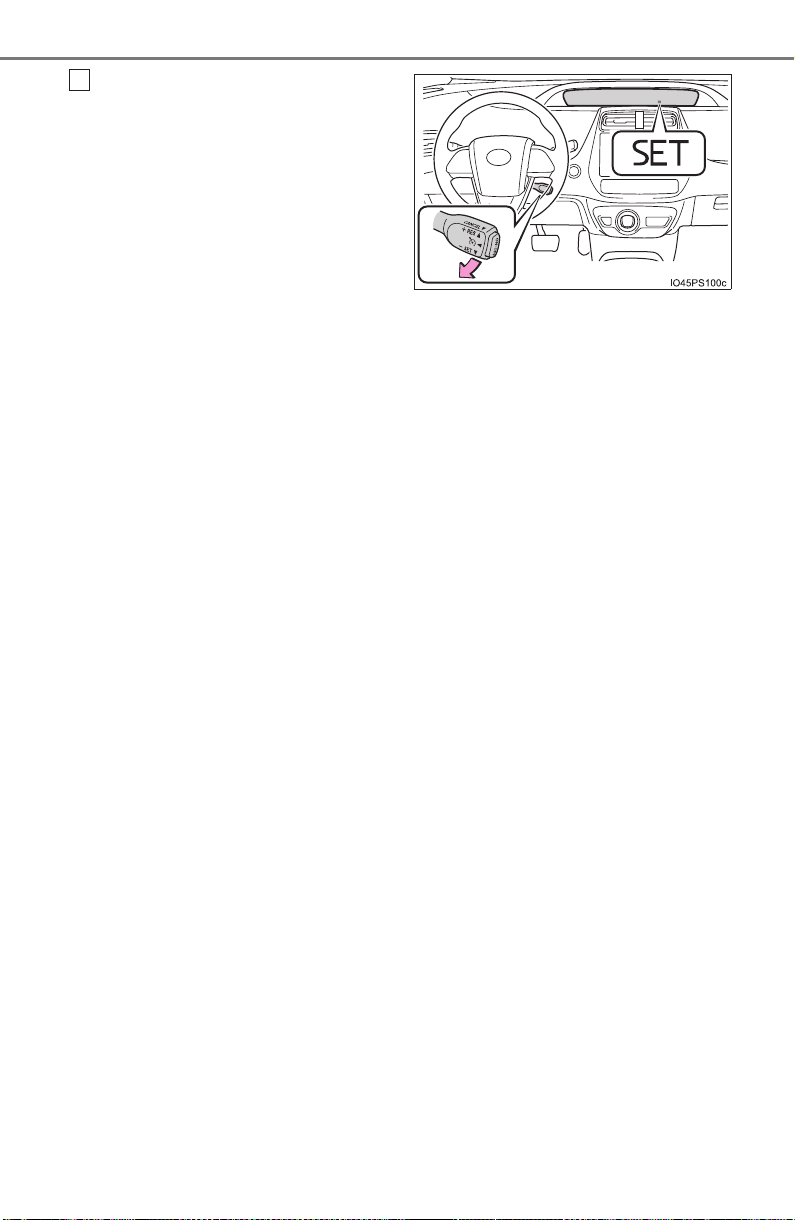
316
PRIUS_OM_OM47A29U_(U)
4-5. Using the driving support systems
Accelerate or decelerate the
vehicle to the desired speed
(above approximately 25 mph
[40 km/h]) and push the lever
down to set the speed.
Cruise control “SET” indicator will
come on.
The vehicle speed at the moment
the lever is released becomes the
set speed.
2
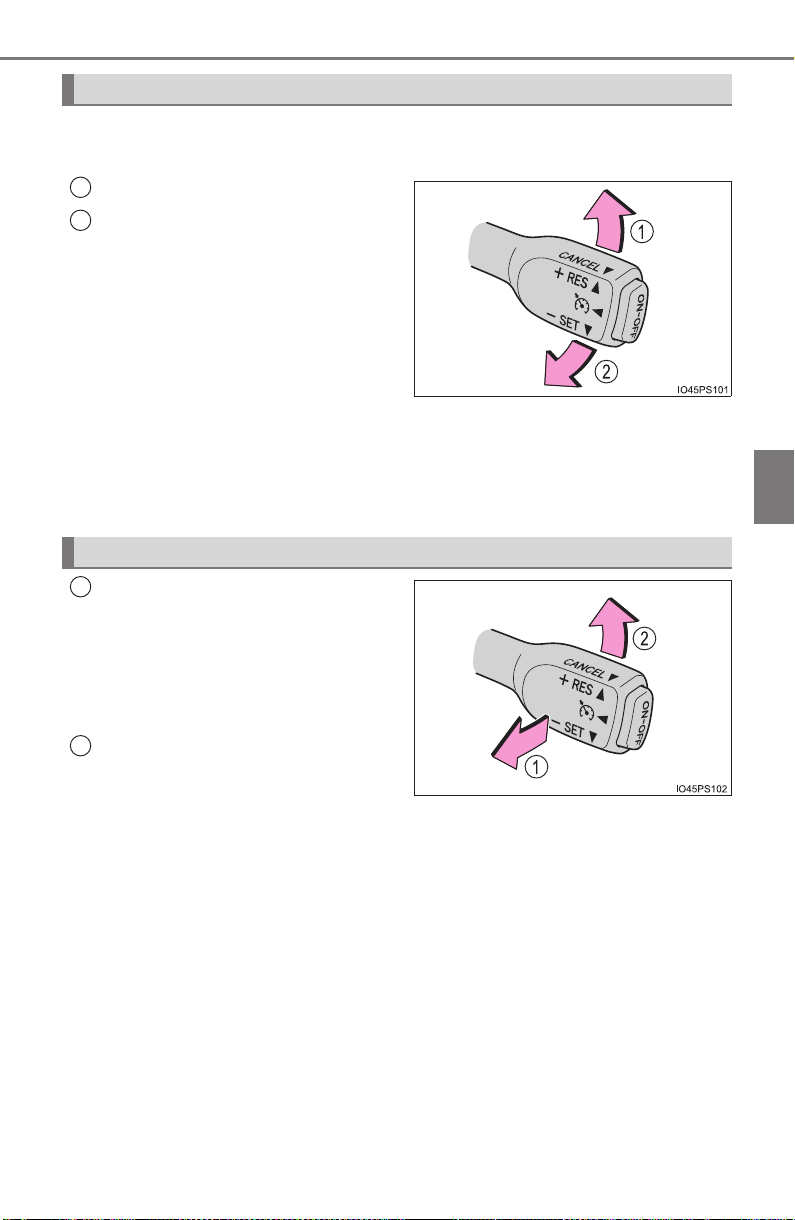
PRIUS_OM_OM47A29U_(U)
317
4-5. Using the driving support systems
4
Driving
To change the set speed, operate the lever until the desired set speed
is obtained.
Increases the speed
Decreases the speed
Fine adjustment: Momentarily
move the lever in the desired direc-
tion.
Large adjustment: Hold the lever in
the desired direction.
The set speed will be increased or decreased as follows:
Fine adjustment: By approximately 1 mph (1.6 km/h) or 1 km/h (0.6 mph)
each time the lever is operated.
Large adjustment: The set speed can be increased or decreased continu-
ally until the lever is released.
Pulling the lever toward you
cancels the constant speed
control.
The speed setting is also canceled
when the brake pedal is
depressed.
Pushing the lever up resumes
the constant speed control.
However, resuming is available
when the vehicle speed is more
than approximately 25 mph
(40 km/h).
Adjusting the set speed
1
2
Canceling and resuming the constant speed control
1
2

318
PRIUS_OM_OM47A29U_(U)
4-5. Using the driving support systems
■ Cruise control can be set when
● The shift position is in D.
● Vehicle speed is above approximately 25 mph (40 km/h).
■ Accelerating after setting the vehicle speed
● The vehicle can be accelerated by operating accelerator pedal. After accel-
erating, the set speed resumes.
● Even without canceling the cruise control, the set speed can be increased
by first accelerating the vehicle to the desired speed and then pushing the
lever down to set the new speed.
■ Automatic cancelation of cruise control
Cruise control is automatically canceled in any of the following situations.
● Actual vehicle speed falls more than approximately 10 mph (16 km/h) below
the set speed.
At this time, the memorized set speed is not retained.
● Actual vehicle speed is below approximately 25 mph (40km/h).
● VSC is activated.
● TRAC is activated for a period of time.
● When the VSC or TRAC system is turned off by pressing the VSC OFF
switch.
● Intelligent Clearance Sonar is operated. (if equipped)
■ If “Check Cruise Control System Visit Your Dealer” is displayed on the
multi-information display
Press the “ON-OFF” button once to deactivate the system, and then press
the button again to reactivate the system.
If the cruise control speed cannot be set or if the cruise control cancels imme-
diately after being activated, there may be a malfunction in the cruise control
system. Have the vehicle inspected by your Toyota dealer.

PRIUS_OM_OM47A29U_(U)
319
4-5. Using the driving support systems
4
Driving
WARNING
■ To avoid operating the cruise control by mistake
Switch the cruise control off using the “ON-OFF” button when not in use.
■ Situations unsuitable for cruise control
Do not use cruise control in any of the following situations.
Doing so may result in loss of control and could cause an accident resulting
in death or serious injury.
● Roads where there are pedestrians, cyclers, etc.
● In heavy traffic
● On roads with sharp bends
● On winding roads
● On slippery roads, such as those covered with rain, ice or snow
● On sharp inclines or declines
Vehicle speed may exceed the set speed when driving down a steep hill.
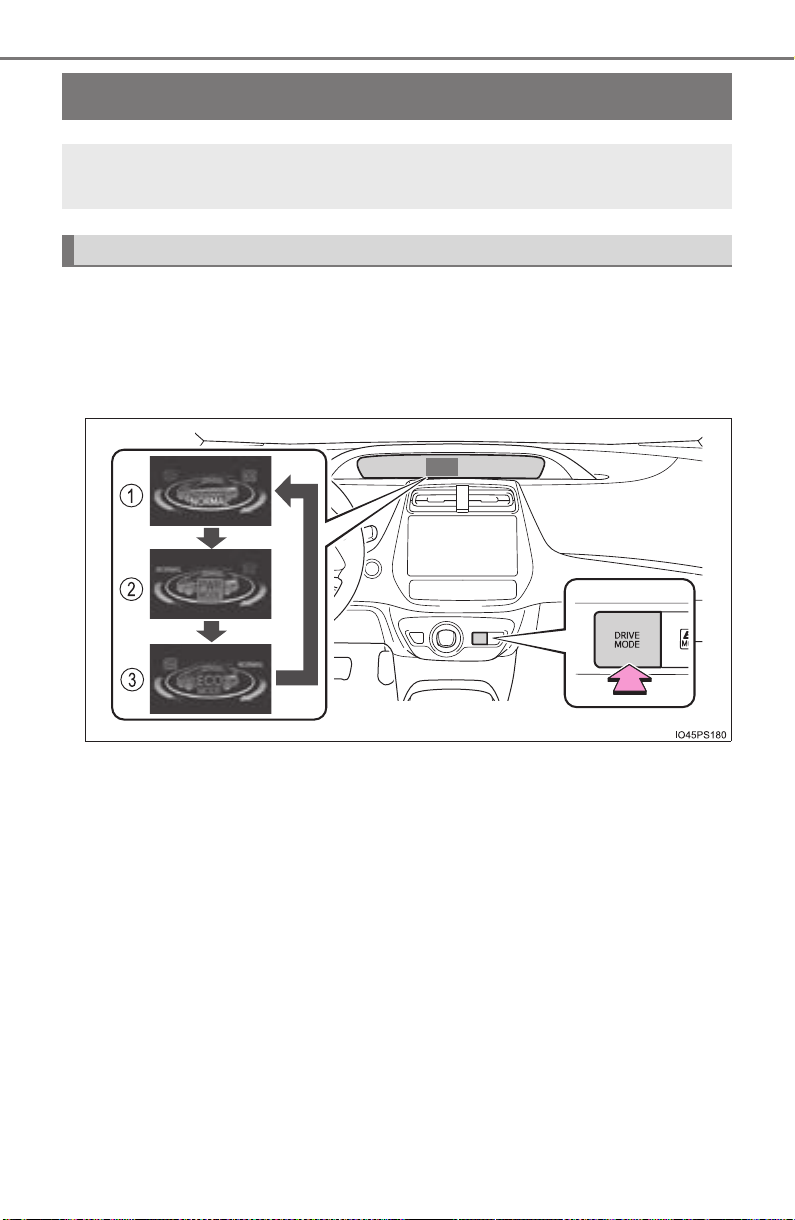
320
PRIUS_OM_OM47A29U_(U)
4-5. Using the driving support systems
Driving mode select switch
Repeatedly press the switch until the system changes to the intended
drive mode.
Each time the switch is pressed, the drive mode changes in the following order
and the
“ECO MODE” and “PWR MODE” indicators turn on or off accord-
ingly.
In response to driving conditions, one of 3 drive modes can be
selected.
Driving modes

PRIUS_OM_OM47A29U_(U)
321
4-5. Using the driving support systems
4
Driving
Normal mode
Suitable for normal driving.
When normal mode is selected, the “ECO MODE” and “PWR MODE”
indicators turn off.
Power mode
Suitable for when crisp handling and enhanced accelerator
response are desired, such as when driving on mountainous roads.
When power mode is selected, the “PWR MODE” indicator will illuminate
on the main display.
Eco drive mode
Suitable for driving that improves fuel economy by generating
torque in response to accelerator pedal operations more smoothly
than in normal mode.
When Eco drive mode is selected, the “ECO MODE” indicator will illumi-
nate on the main display.
While the air conditioning is being used, the system automatically
switches to air conditioning eco mode (→P. 516), allowing for driving
that leads to even better fuel economy.
■ When canceling Eco drive mode/power mode
● Press the switch again. Also, power mode will be canceled automatically
when the power switch is turned off.
● However, Normal mode and Eco drive mode will not be canceled automati-
cally until the switch is pressed, even if the power switch is turned off.
■ Switching the drive mode when in EV drive mode
→P. 232
1
2
3
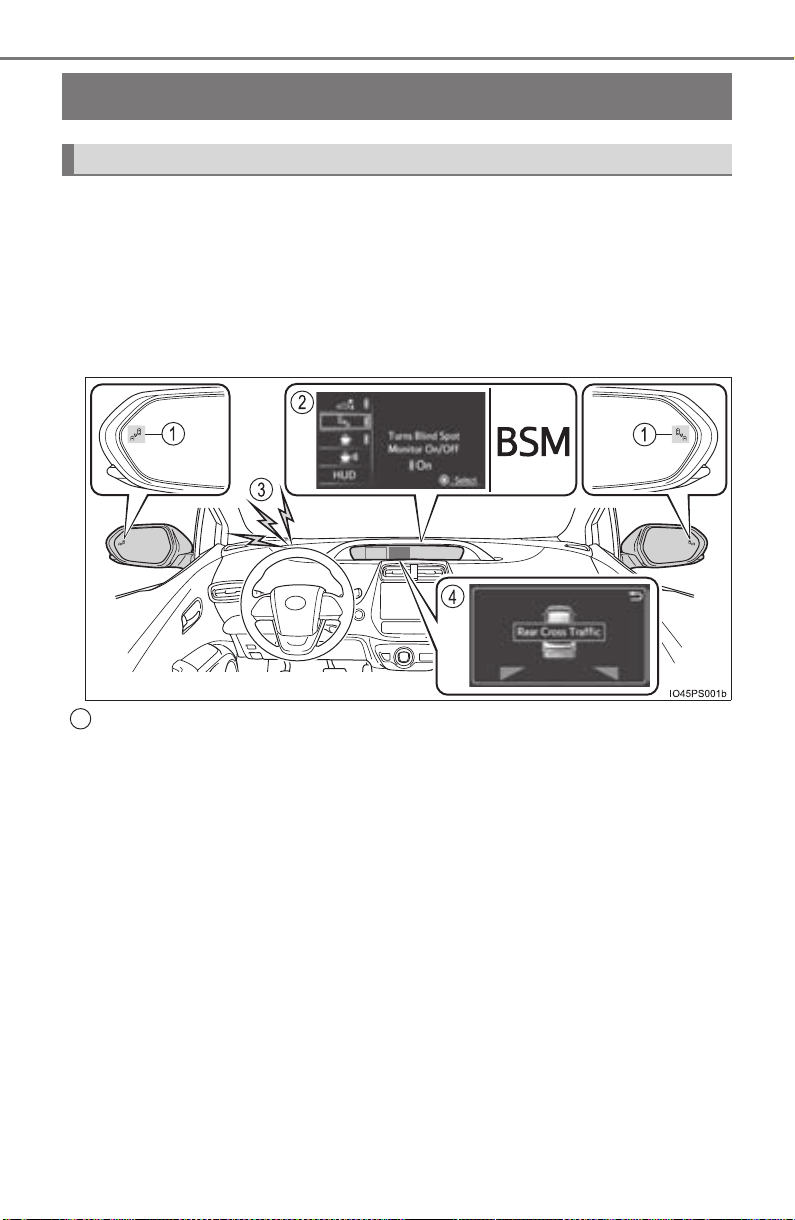
322
PRIUS_OM_OM47A29U_(U)
4-5. Using the driving support systems
BSM (Blind Spot Monitor)
∗
The Blind Spot Monitor is a system that has 2 functions;
● The Blind Spot Monitor function
Assists the driver in making the decision when changing lanes
● The Rear Cross Traffic Alert function (if equipped)
Assists the driver when backing up
These functions use same sensors.
Outside rear view mirror indicators
Blind Spot Monitor function:
When a vehicle is detected in the blind spot, the outside rear view mirror
indicator comes on while the turn signal lever is not operated and the out-
side rear view mirror indicator flashes while the turn signal lever is oper-
ated.
Rear Cross Traffic Alert function:
When a vehicle approaching from the right or left rear of the vehicle is
detected, the outside rear view mirror indicators flash.
∗: If equipped
Summary of the Blind Spot Monitor
1
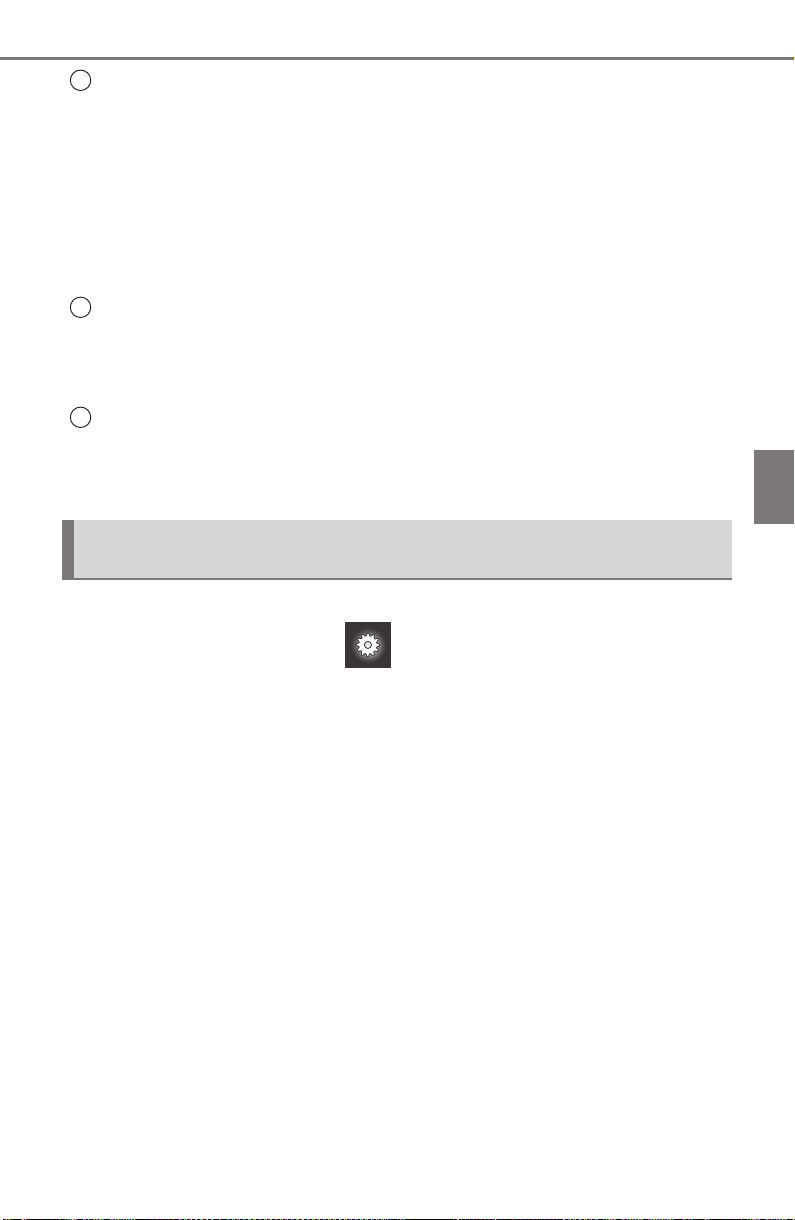
PRIUS_OM_OM47A29U_(U)
323
4-5. Using the driving support systems
4
Driving
The Blind Spot Monitor on/off screen and indicator
The Blind Spot Monitor function and Rear Cross Traffic Alert function (if
equipped) can be switched on and off using the multi-information display.
(→P. 139)
Vehicles without Rear Cross Traffic Alert function:
When switched on, the BSM indicator illuminates on the meter.
Vehicles with Rear Cross Traffic Alert function:
When switched on, the BSM indicator illuminates on the meter and the
buzzer sounds.
Rear Cross Traffic Alert buzzer (Rear Cross Traffic Alert function
only)
When a vehicle approaching from the right or left rear of the vehicle is
detected, a buzzer sounds from the driver’s side instrument panel.
RCTA detection display (RCTA function only)
If a vehicle approaching from the right or left at the rear of the vehicle is
detected, the RCTA detection display will be displayed on the multi-infor-
mation display.
The Blind Spot Monitor function and Rear Cross Traffic Alert function
can be enabled/disabled on screen (→P. 139) of the multi-infor-
mation display.
Once OFF is selected, the Blind Spot Monitor and Rear Cross Traffic Alert
function (if equipped) will not return to ON until it is turned to ON by the set-
tings display of multi-information display again. (The system does not auto-
matically return to ON even when the hybrid system is restarted.)
Changing settings of the Blind Spot Monitor function and Rear
Cross Traffic Alert function
2
3
4

324
PRIUS_OM_OM47A29U_(U)
4-5. Using the driving support systems
■ The BSM outside rear view mirror indicators visibility
When under strong sunlight, the outside rear view mirror indicator may be dif-
ficult to see.
■ Rear Cross Traffic Alert buzzer hearing (if equipped)
Rear Cross Traffic Alert function may be difficult to hear over loud noises
such as high audio volume.
■ When “Blind Spot Monitor Unavailable” is shown on the multi-informa-
tion display
The sensor voltage has become abnormal, water, snow mud, etc., may be
built up in the vicinity of the sensor area of bumper (→P. 326). Removing the
water, snow, mud, etc., from the vicinity of the sensor area bumper should
return it to normal. Also, the sensor may not function normally when used in
extremely hot or cold weather.

PRIUS_OM_OM47A29U_(U)
325
4-5. Using the driving support systems
4
Driving
■ When “Blind Spot Monitor System Malfunction Visit Your Dealer” is
shown on the multi-information display
There may be a sensor malfunction or misaligned. Have the vehicle
inspected by your Toyota dealer.
■ Certification for the Blind Spot Monitor
X For vehicles sold in U.S.A.
X For vehicles sold in Canada
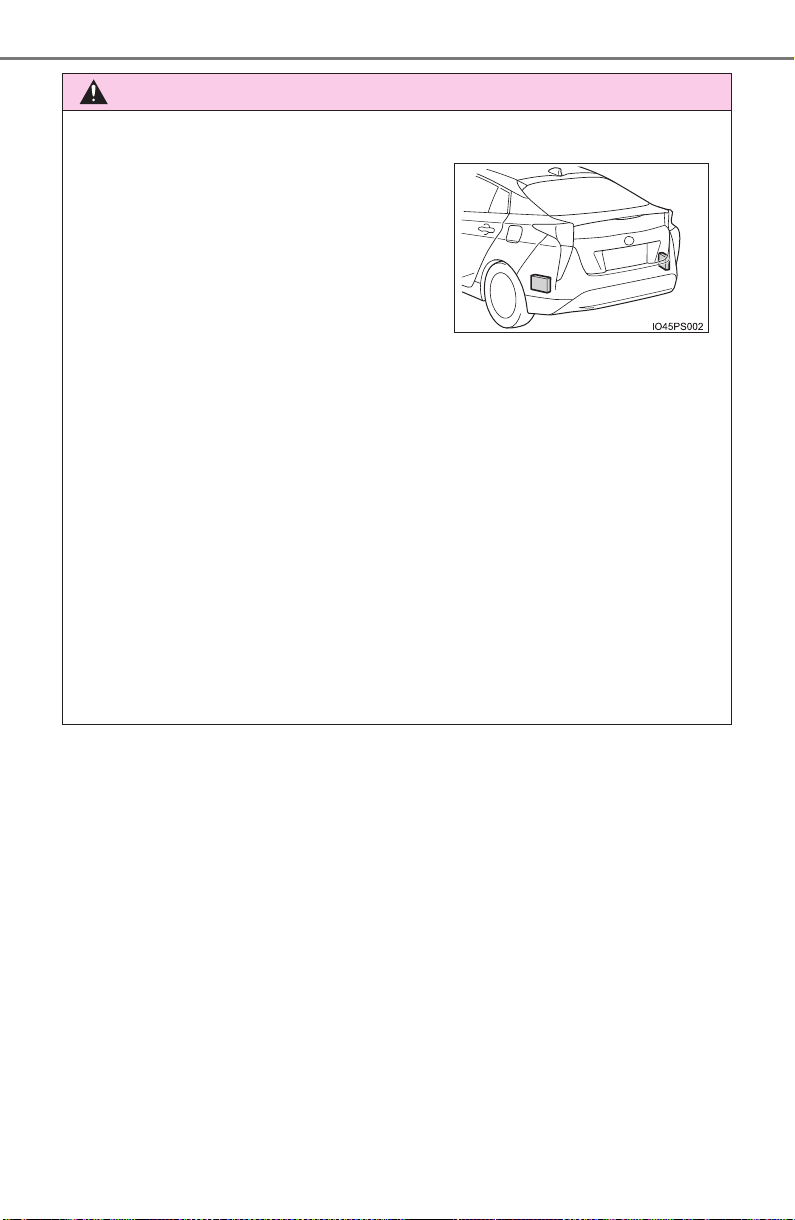
326
PRIUS_OM_OM47A29U_(U)
4-5. Using the driving support systems
WARNING
■ Handling the radar sensor
● Keep the sensor and its surrounding area on the bumper clean at all times.
● Do not subject a sensor or its surrounding area on the rear bumper to a
strong impact.
If a sensor is moved even slightly off position, the system may malfunction
and vehicles may not be detected correctly.
In the following situations, have your vehicle inspected by your Toyota
dealer.
• A sensor or its surrounding area is subject to a strong impact.
• If the surrounding area of a sensor is scratched or dented, or part of
them has become disconnected.
● Do not disassemble the sensor.
● Do not attach accessories or stickers to the sensor or surrounding area on
the bumper.
● Do not modify the sensor or surrounding area on the bumper.
● Do not paint the sensor or surrounding area on the bumper.
One Blind Spot Monitor sensor is
installed inside the left and right side of
the vehicle rear bumper respectively.
Observe the following to ensure the Blind
Spot Monitor can function correctly.
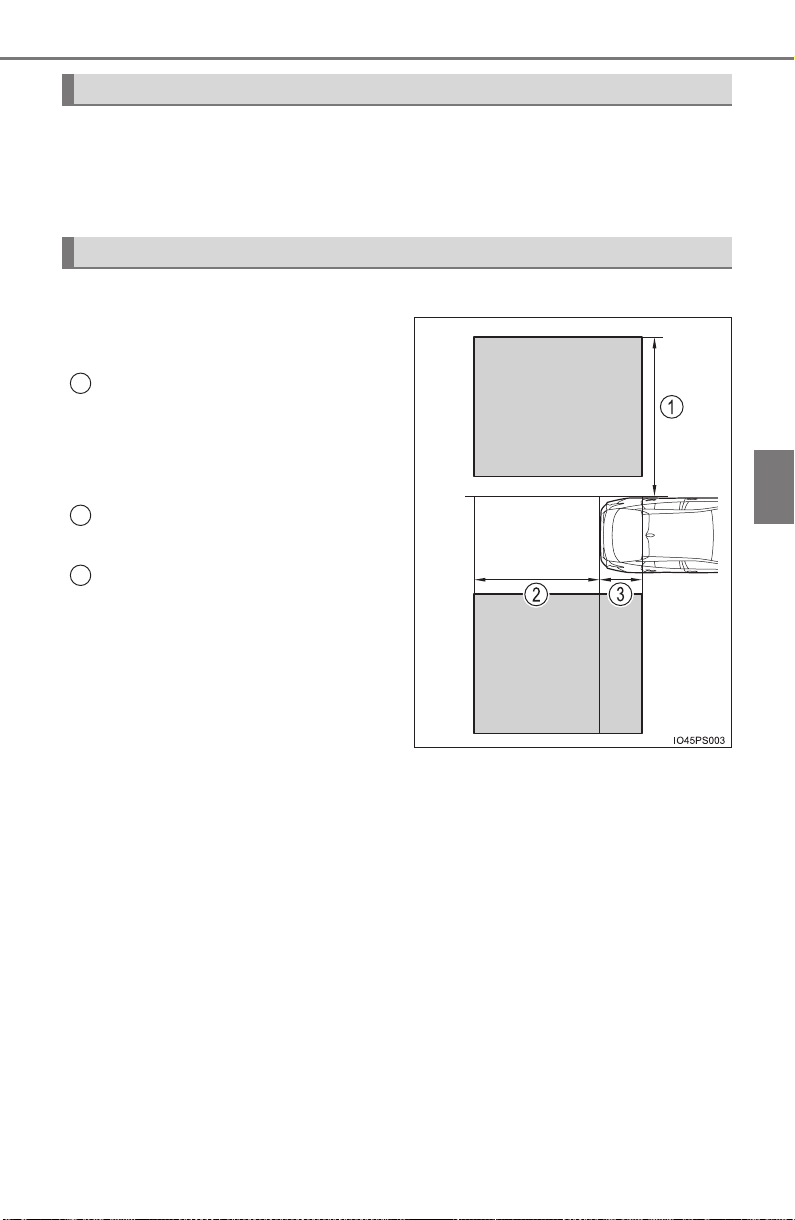
PRIUS_OM_OM47A29U_(U)
327
4-5. Using the driving support systems
4
Driving
The Blind Spot Monitor function uses radar sensors to detect vehicles
that are traveling in an adjacent lane in the area that is not reflected in
the outside rear view mirror (the blind spot), and advises the driver of
the vehicle’s existence via the outside rear view mirror indicator.
The areas that vehicles can be detected in are outlined below.
The range of the detection area
extends to:
Approximately 11.5 ft. (3.5 m)
from the side of the vehicle
The first 1.6 ft. (0.5 m) from the
side of the vehicle is not in the
detection area
Approximately 9.8 ft. (3 m) from
the rear bumper
Approximately 3.3 ft. (1 m) for-
ward of the rear bumper
The Blind Spot Monitor function
The Blind Spot Monitor function detection areas
1
2
3

328
PRIUS_OM_OM47A29U_(U)
4-5. Using the driving support systems
■ The Blind Spot Monitor function is operational when
● The BSM system is set to on (→P. 139)
● Vehicle speed is greater than approximately 10 mph (16 km/h)
■ The Blind Spot Monitor function will detect a vehicle when
● A vehicle in an adjacent lane overtakes your vehicle.
● Another vehicle enters the detection area when it changes lanes.
■ Conditions under which the Blind Spot Monitor function will not detect a
vehicle
The Blind Spot Monitor function is not designed to detect the following types
of vehicles and/or objects:
● Small motorcycles, bicycles, pedestrians etc.
*
● Vehicles traveling in the opposite direction
● Guardrails, walls, signs, parked vehicles and similar stationary objects
*
● Following vehicles that are in the same lane*
● Vehicles driving 2 lanes across from your vehicle*
*
: Depending on conditions, detection of a vehicle and/or object may occur.
WARNING
■ Cautions regarding the use of the system
The driver is solely responsible for safe driving. Always drive safely, taking
care to observe your surroundings.
The Blind Spot Monitor function is a supplementary function which alerts the
driver that a vehicle is present in the blind spot. Do not overly rely on the
Blind Spot Monitor function. The function cannot judge if it is safe to change
lanes, therefore over reliance could cause an accident resulting in death or
serious injury.
According to conditions, the system may not function correctly. Therefore
the driver’s own visual confirmation of safety is necessary.

PRIUS_OM_OM47A29U_(U)
329
4-5. Using the driving support systems
4
Driving
■ Conditions under which the Blind Spot Monitor function may not func-
tion correctly
● The Blind Spot Monitor function may not detect vehicles correctly in the fol-
lowing situations:
• When the sensor is misaligned due to a strong impact to the sensor or its
surrounding area
• When mud, snow, ice, a sticker, etc. is covering the sensor or surround-
ing area on the rear bumper
• When driving on a road surface that is wet with standing water during bad
weather, such as heavy rain, snow, or fog
• When multiple vehicles are approaching with only a small gap between
each vehicle
• When the distance between your vehicle and a following vehicle is short
• When there is a significant difference in speed between your vehicle and
the vehicle that enters the detection area
• When the difference in speed between your vehicle and another vehicle
is changing
• When a vehicle enters a detection area traveling at about the same
speed as your vehicle
• As your vehicle starts from a stop, a vehicle remains in the detection area
• When driving up and down consecutive steep inclines, such as hills, dips
in the road, etc.
• When driving on roads with sharp bends, consecutive curves, or uneven
surfaces
• When vehicle lanes are wide, or when driving on the edge of a lane, and
the vehicle in an adjacent lane is far away from your vehicle
• When a bicycle carrier or other accessory is installed to the rear of the
vehicle
• When there is a significant difference in height between your vehicle and
the vehicle that enters the detection area
• Immediately after the Blind Spot Monitor main switch is turned on
● Instances of the Blind Spot Monitor function unnecessarily detecting a vehi-
cle and/or object may increase in the following situations:
• When the sensor is misaligned due to a strong impact to the sensor or its
surrounding area
• When the distance between your vehicle and a guardrail, wall, etc. that
enters the detection area is short
• When driving up and down consecutive steep inclines, such as hills, dips
in the road, etc.
• When vehicle lanes are narrow, or when driving on the edge of a lane,
and a vehicle traveling in a lane other than the adjacent lanes enters the
detection area
• When driving on roads with sharp bends, consecutive curves, or uneven
surfaces
• When the tires are slipping or spinning
• When the distance between your vehicle and a following vehicle is short
• When a bicycle carrier or other accessory is installed to the rear of the
vehicle
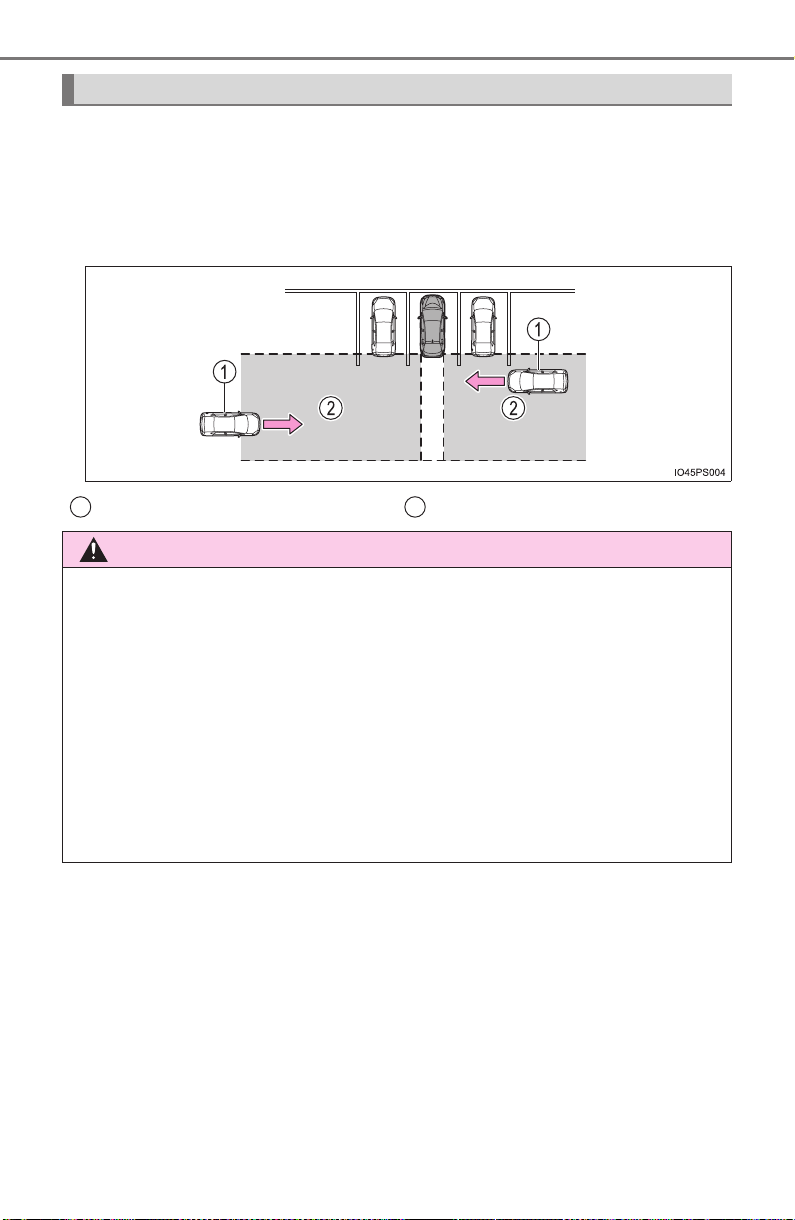
330
PRIUS_OM_OM47A29U_(U)
4-5. Using the driving support systems
The Rear Cross Traffic Alert functions when your vehicle is in reverse.
It can detect other vehicles approaching from the right or left rear of
the vehicle. It uses radar sensors to alert the driver of the other vehi-
cle’s existence through flashing the outside rear view mirror indicators
and sounding a buzzer.
The Rear Cross Traffic Alert function (if equipped)
Approaching vehicles Detection areas
WARNING
■ Cautions regarding the use of the system
The driver is solely responsible for safe driving. Always drive safely, taking
care to observe your surroundings.
The Rear Cross Traffic Alert function is only an assist and is not a replace-
ment for careful driving. The driver must be careful when backing up, even
when using the Rear Cross Traffic Alert function. The driver’s own visual
confirmation of behind you and your vehicle is necessary and be sure there
are no pedestrians, other vehicles etc. before backing up. Failure to do so
could cause death or serious injury.
According to conditions, the system may not function correctly. Therefore
the driver’s own visual confirmation of safety is necessary.
1 2
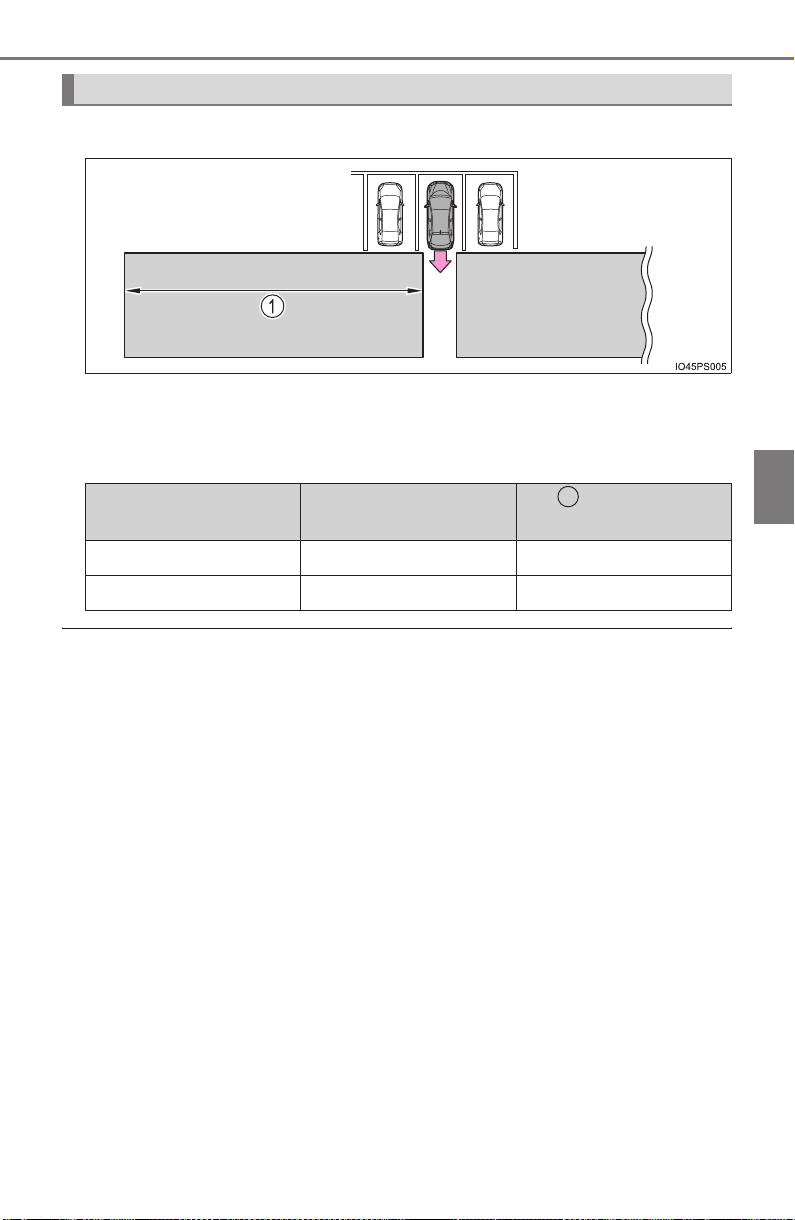
PRIUS_OM_OM47A29U_(U)
331
4-5. Using the driving support systems
4
Driving
The areas that vehicles can be detected in are outlined below.
To give the driver a more consistent time to react, the buzzer can alert
for faster vehicles from farther away.
Example:
■ The Rear Cross Traffic Alert function is operational when
● The BSM system is set to on. (→P. 139)
● The shift position is in R.
● Vehicle speed is less than approximately 5 mph (8 km/h).
● Approaching vehicle speed is between approximately 5 mph (8 km/h) and
18 mph (28 km/h).
The Rear Cross Traffic Alert function detection areas
Approaching vehicle Speed
Approximate
alert distance
Fast 18 mph (28 km/h) 65 ft. (20 m)
Slow 5 mph (8 km/h) 18 ft. (5.5 m)
1

332
PRIUS_OM_OM47A29U_(U)
4-5. Using the driving support systems
■ Conditions under which the Rear Cross Traffic Alert function will not
detect a vehicle
The Rear Cross Traffic Alert function is not designed to detect the following
types of vehicles and/or objects:
● Vehicles approaching from directly behind
● Vehicles backing up in a parking space next to your vehicle
● Guardrails, walls, signs, parked vehicles and similar stationary objects
*
● Small motorcycles, bicycles, pedestrians, etc.*
● Vehicles moving away from your vehicle
● Vehicles approaching from the parking spaces next to your vehicle
*
*
: Depending on the conditions, detection of a vehicle and/or object may
occur.
■ Conditions under which the Rear Cross Traffic Alert function may not
function correctly
● The Rear Cross Traffic Alert function may not detect vehicles correctly in the
following situations:
• When the sensor is misaligned due to a strong impact to the sensor or its
surrounding area
• When mud, snow, ice, a sticker, etc. is covering the sensor or surround-
ing area on the rear bumper
• When driving on a road surface that is wet with standing water during bad
weather, such as heavy rain, snow, or fog
• When multiple vehicles are approaching with only a small gap between
each vehicle
• When a vehicle is approaching at high speed
● Vehicles that the sensors cannot detect
due to obstructions
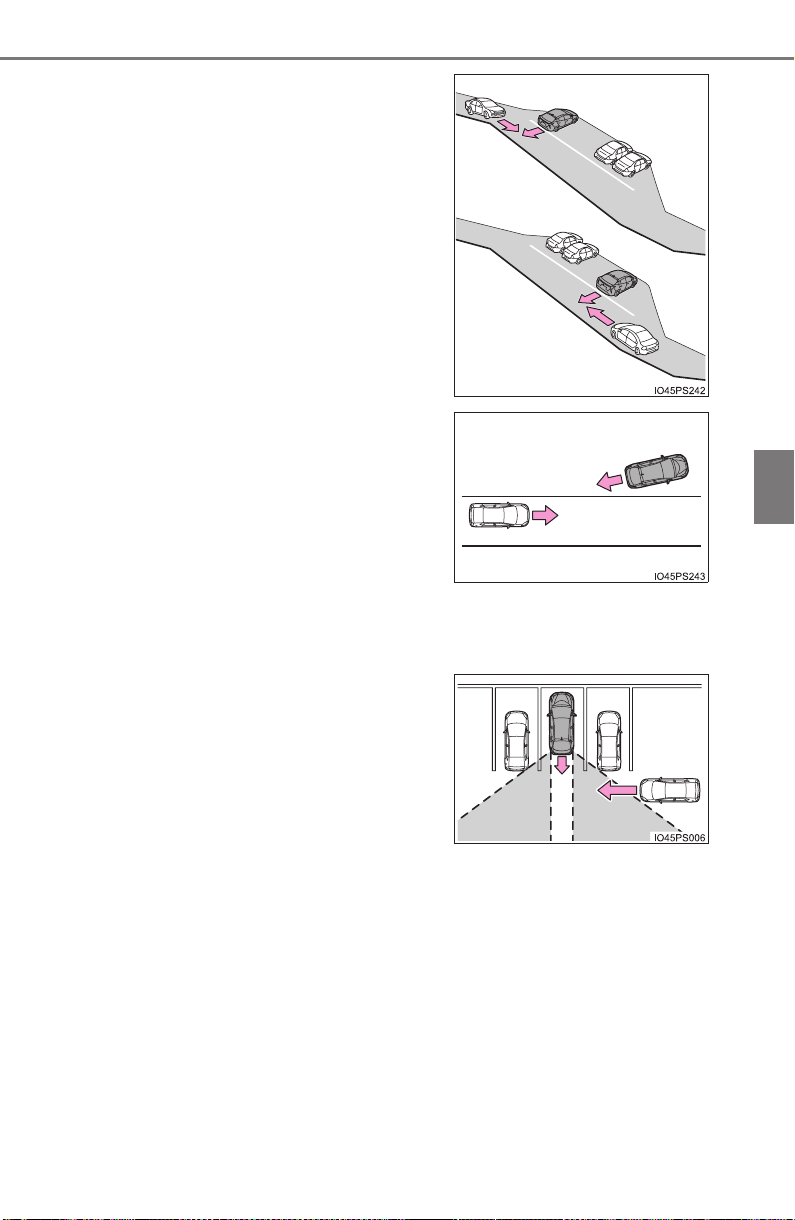
PRIUS_OM_OM47A29U_(U)
333
4-5. Using the driving support systems
4
Driving
• Immediately after the Blind Spot Monitor main switch is turned on
• Immediately after the hybrid system is started with the Blind Spot Monitor
main switch on
• When backing up on a slope with a
sharp change in grade
• When backing out of a shallow angle
parking spot
• When the sensors cannot detect a
vehicle due to obstructions
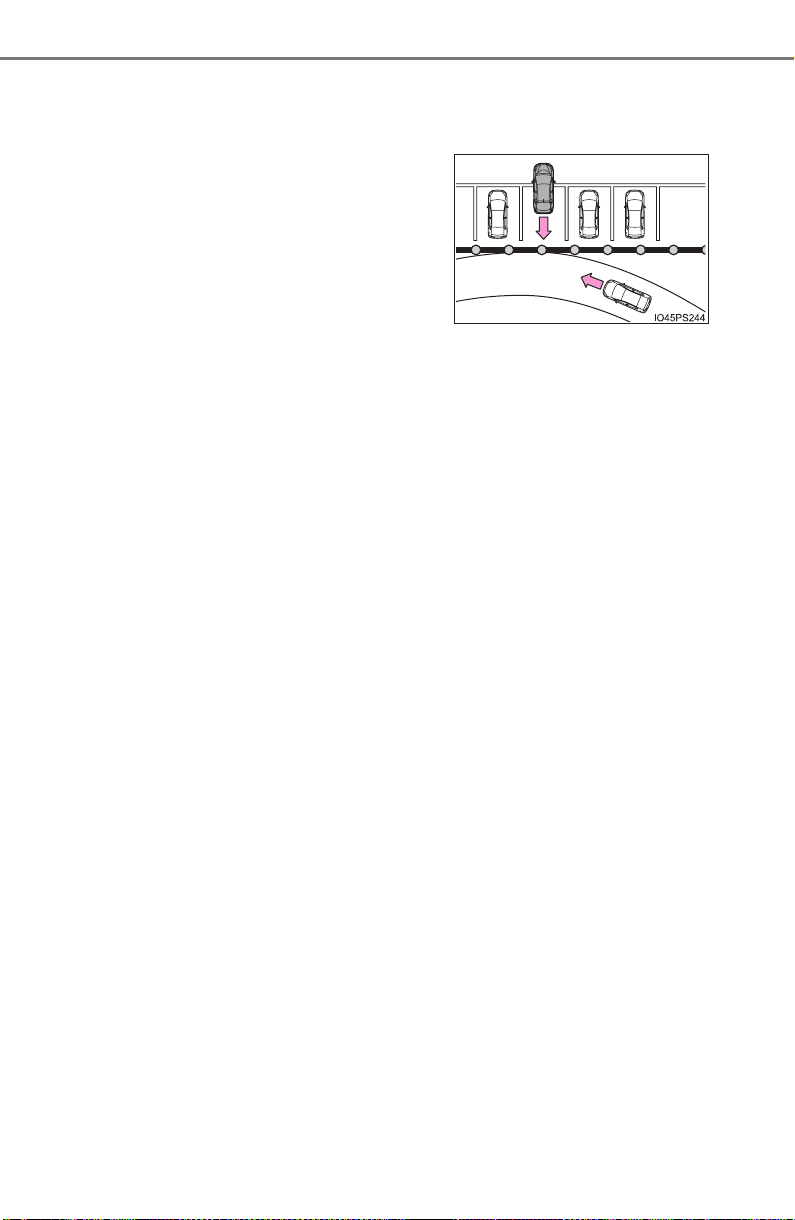
334
PRIUS_OM_OM47A29U_(U)
4-5. Using the driving support systems
● Instances of the Rear Cross Traffic Alert function unnecessarily detecting a
vehicle and/or object may increase in the following situations:
• When a vehicle passes by the side of your vehicle
• When the distance between your vehicle and metal objects, such as a
guardrail, wall, sign, or parked vehicle, which may reflect electrical waves
toward the rear of the vehicle, is short
• When the parking space faces a
street and vehicles are being driven
on the street
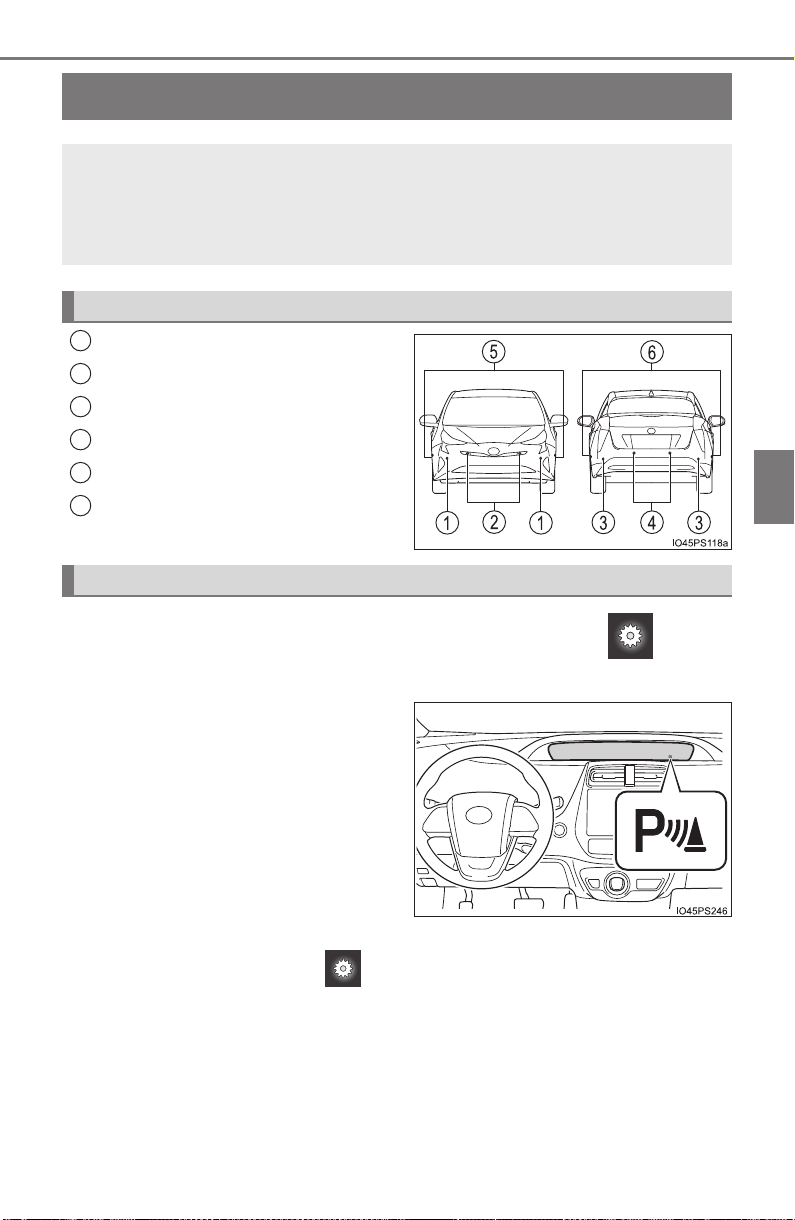
335
PRIUS_OM_OM47A29U_(U)
4-5. Using the driving support systems
4
Driving
Intuitive parking assist
∗
Front corner sensors
Front center sensors
Rear corner sensors
Rear center sensors
Front side sensors
Rear side sensors
The Intuitive parking assist can be enabled/disabled on screen
(→P. 139) of the multi-information display.
When ON is selected, Intuitive
parking assist indicator will come
on.
Once OFF is selected, the Intuitive parking assist will not return to ON until
it is turned to ON by the screen of multi-information display again.
(The system does not automatically return to ON even when the hybrid
system is restarted.)
∗: If equipped
The distance from your vehicle to nearby obstacles when paral-
lel parking or maneuvering into a garage is measured by the
sensors and communicated via the displays and a buzzer.
Always check the surrounding area when using this system.
Types of sensors
1
2
3
4
5
6
Changing settings of the Intuitive parking assist
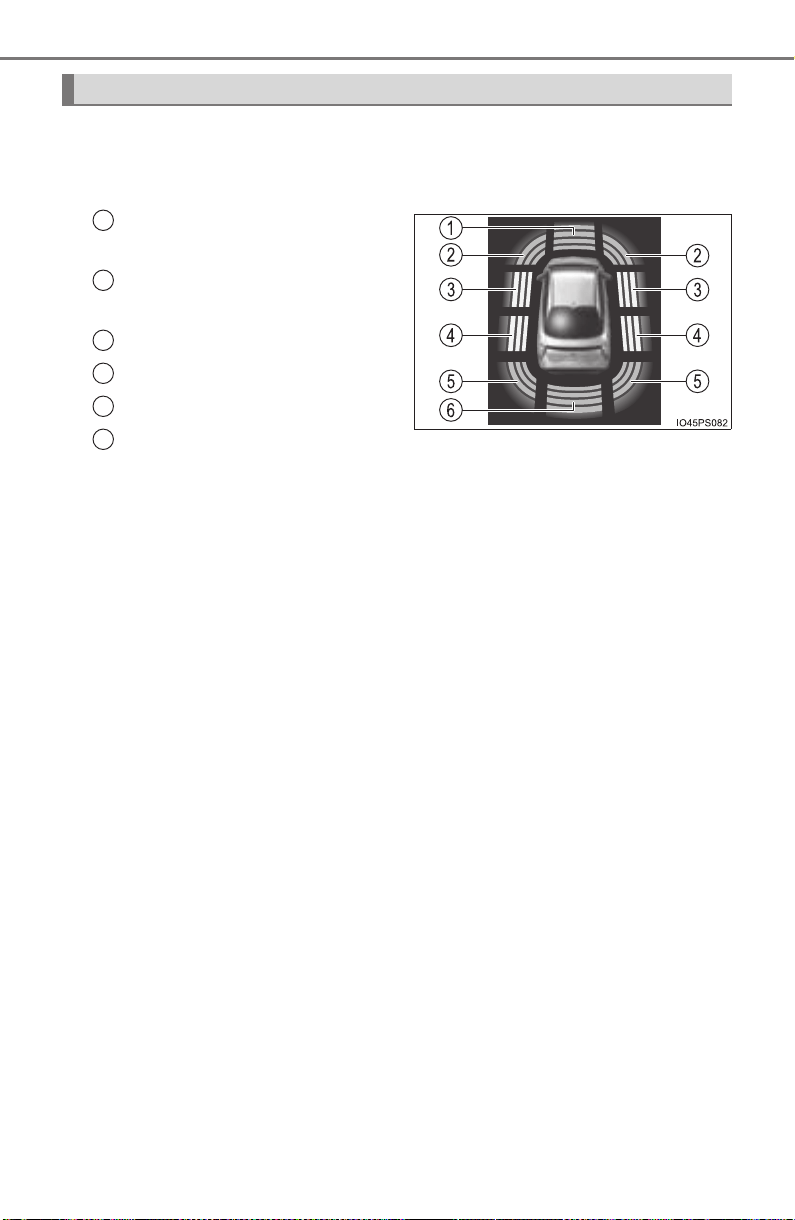
336
PRIUS_OM_OM47A29U_(U)
4-5. Using the driving support systems
When the sensors detect an obstacle, the following displays inform
the driver of the position and distance to the obstacle.
■ Multi-information display
Front center sensor opera-
tion
Front corner sensor opera-
tion
Front side sensor operation
Rear side sensor operation
Rear corner sensor operation
Rear center sensor operation
• The operation display is gray when the sensors are operating.
• The front side sensor operation displays and rear side sensor opera-
tion displays are not shown until a scan of the side areas is com-
pleted.
Display
1
2
3
4
5
6
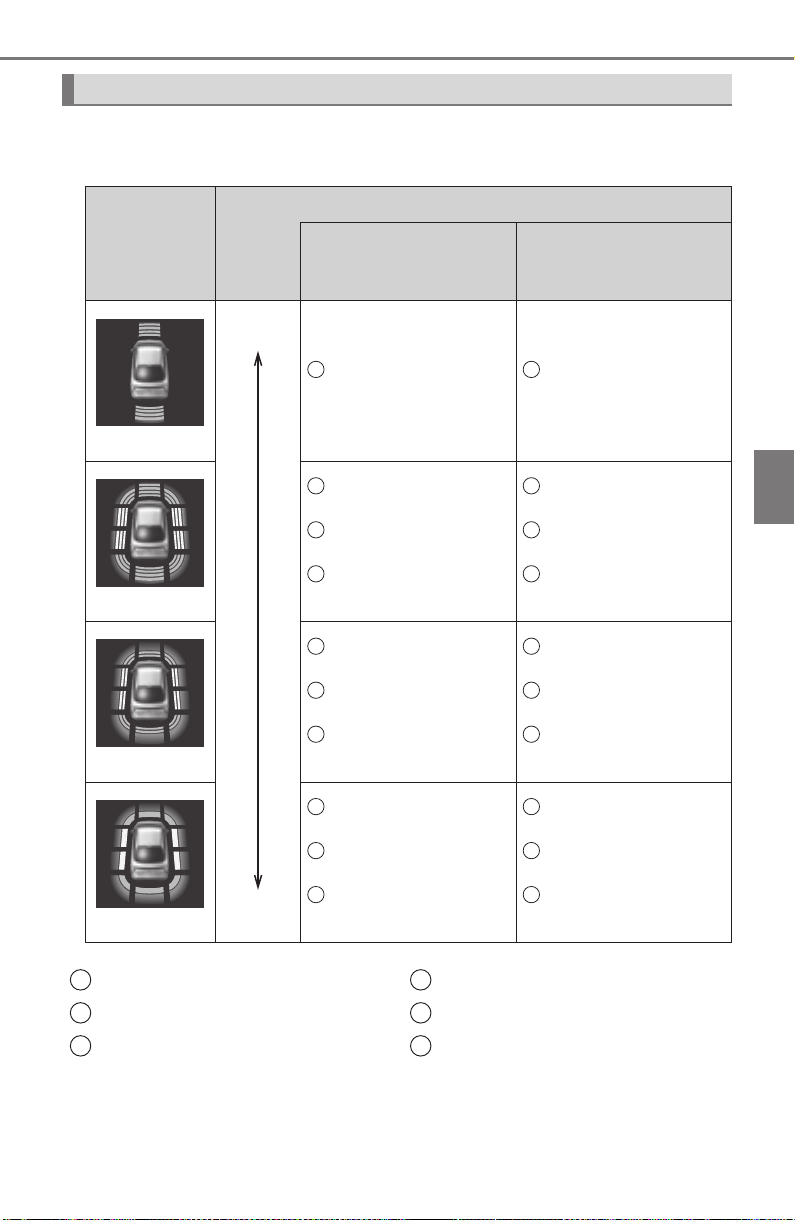
PRIUS_OM_OM47A29U_(U)
337
4-5. Using the driving support systems
4
Driving
■ Distance display
Sensors that detect an obstacle will illuminate continuously or blink.
*: The images may differ from those shown in the illustrations depending on
the detection status. (→P. 336)
Sensor detection display, obstacle distance
Display*
Approximate distance to obstacle
Front corner,
front center and
front side sensors
Rear corner,
rear center and
rear side sensors
(continuous)
3.3 ft. (100 cm) to
2.0 ft (60 cm)
4.9 ft. (150 cm) to
2.0 ft. (60 cm)
(continuous)
2.0 ft. (60 cm) to
1.5 ft (45 cm)
2.0 ft. (60 cm) to
1.5 ft. (45 cm)
3.3 ft. (100 cm) to
2.3 ft. (70 cm)
3.3 ft. (100 cm) to
2.3 ft. (70 cm)
2.0 ft. (60 cm) to
1.5 ft (45 cm)
2.0 ft. (60 cm) to
1.5 ft. (45 cm)
(continuous)
1.5 ft. (45 cm) to
1.2 ft. (35 cm)
1.5 ft. (45 cm) to
1.2 ft. (35 cm)
2.3 ft. (70 cm) to
1.0 ft. (30 cm)
2.3 ft. (70 cm) to
1.0 ft. (30 cm)
1.5 ft. (45 cm) to
1.2 ft. (35 cm)
1.5 ft. (45 cm) to
1.2 ft. (35 cm)
(blinking)
Less than
1.2 ft. (35 cm)
Less than
1.2 ft. (35 cm)
Less than
1.0 ft. (30 cm)
Less than
1.0 ft. (30 cm)
Less than
1.2 ft. (35 cm)
Less than
1.2 ft. (35 cm)
Far
Near
1 6
1
2
3
4
5
6
1
2
3
4
5
6
1
2
3
4
5
6
Front center sensors
Front corner sensors
Front side sensors
Rear side sensors
Rear corner sensors
Rear center sensors
1
2
3
4
5
6

338
PRIUS_OM_OM47A29U_(U)
4-5. Using the driving support systems
When an obstacle is detected, the buzzer sounds.
● As the obstacle is approached, the buzzer sounds more rapidly.
When the obstacle is extremely close, the buzzer switches from
sounding intermittently (short beeps) to continuously (a long beep).
• Distance to obstacle detected by front corner sensor is approxi-
mately 1.2 ft. (35 cm) or less
• Distance to obstacle detected by front side sensor or rear side
sensor is approximately 1.0 ft. (30 cm) or less
• Distance to obstacle detected by front sensor is approximately
1.2ft. (35cm) or less
• Distance to obstacle detected by rear corner sensor is approxi-
mately 1.2 ft. (35 cm) or less
• Distance to obstacle detected by back sensor is approximately
1.2ft. (35cm) or less
● When an obstacle is detected by multiple sensors simultaneously,
the buzzer sounds according to the distance to the closest obsta-
cle.
● When obstacles are simultaneously detected to the front and rear
of the vehicle, separate buzzers sound patterns according to the
distance to each obstacle.
The volume and timing of the buzzer can be changed. (→P. 752)
Buzzer
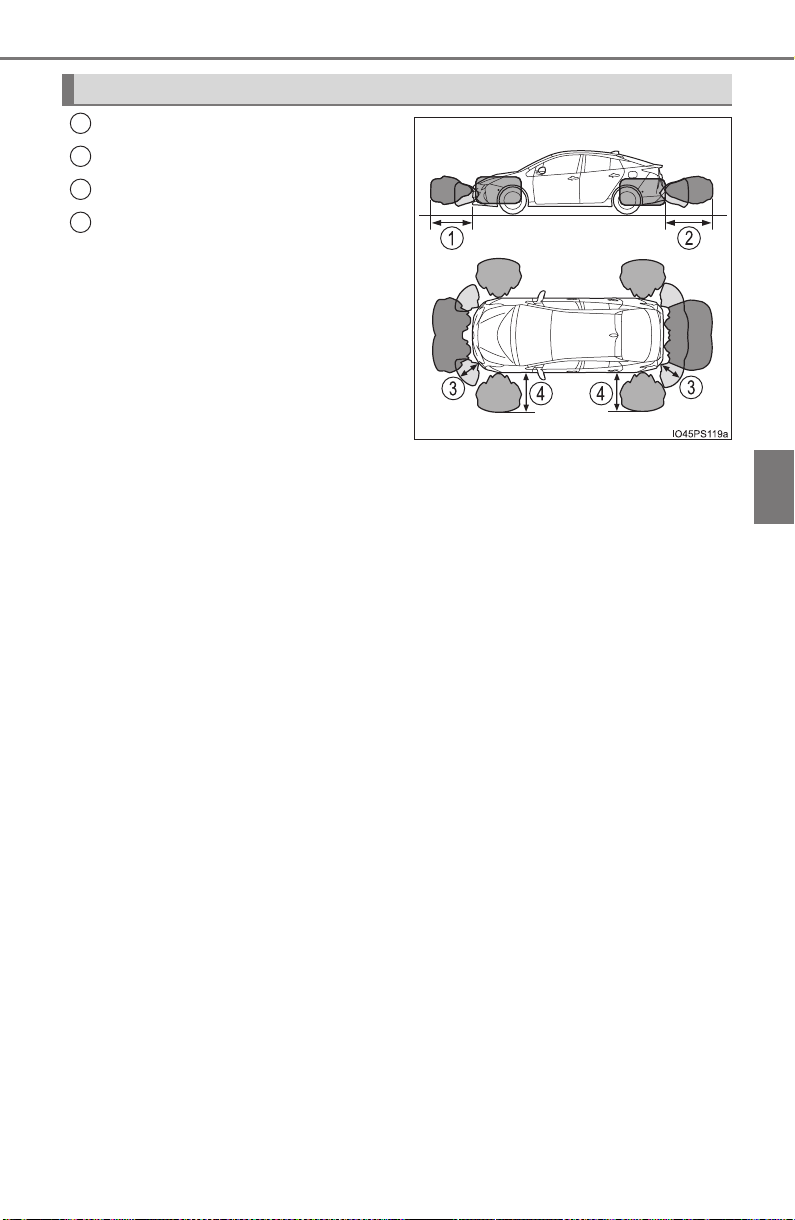
PRIUS_OM_OM47A29U_(U)
339
4-5. Using the driving support systems
4
Driving
Approximately 3.3 ft. (100 cm)
Approximately 4.9 ft. (150 cm)
Approximately 2.0 ft. (60 cm)
Approximately 3.3 ft. (100 cm)
• The detection range is shown in
the illustration to the right. How-
ever, the sensor will not detect
the obstacle if it is too close.
• For details regarding obstacle
detection in the side areas.
(→P. 341)
• The distance at which an obsta-
cle can be detected and whether
it can be detected depends on
the shape and condition of the
obstacle.
The obstacle detection range can be changed. (→P. 752)
Detection range of the sensors
1
2
3
4

340
PRIUS_OM_OM47A29U_(U)
4-5. Using the driving support systems
■ Operation conditions
The power switch is turned on.
● Front corner sensors:
• Shift position is not in P
• Vehicle speed is approximately 6 mph (10 km/h) or less
● Front side sensors/rear side sensors:
• Shift position is not in P
• Vehicle speed is approximately 6 mph (10 km/h) or less
• Steering wheel is turned approximately 90° or more
● Front center sensors:
• Shift position is not in P or R
• Vehicle speed is approximately 6 mph (10 km/h) or less
● Rear corner sensors/rear center sensors:
Shift position is in R
■ Clearance sonar pop-up display
→P. 364
■ Sensor detection information
● The sensor’s detection areas are limited to the areas around the vehicle’s
bumper.
● Depending on the shape of the obstacle and other factors, the detection dis-
tance may shorten, or detection may be impossible.
● Obstacles may not be detected if they are too close to the sensor.
● There will be a short delay between obstacle detection and display. Even
when traveling at a low speed, if you come too close to an obstacle before
the display and buzzer activate, the display and buzzer may not activate at
all.
● Thin posts or objects lower than the sensor may not be detected when
approached, even if they have been detected once.
● It might be difficult to hear beeps due to the volume of audio system or air
flow noise of the air conditioning system.
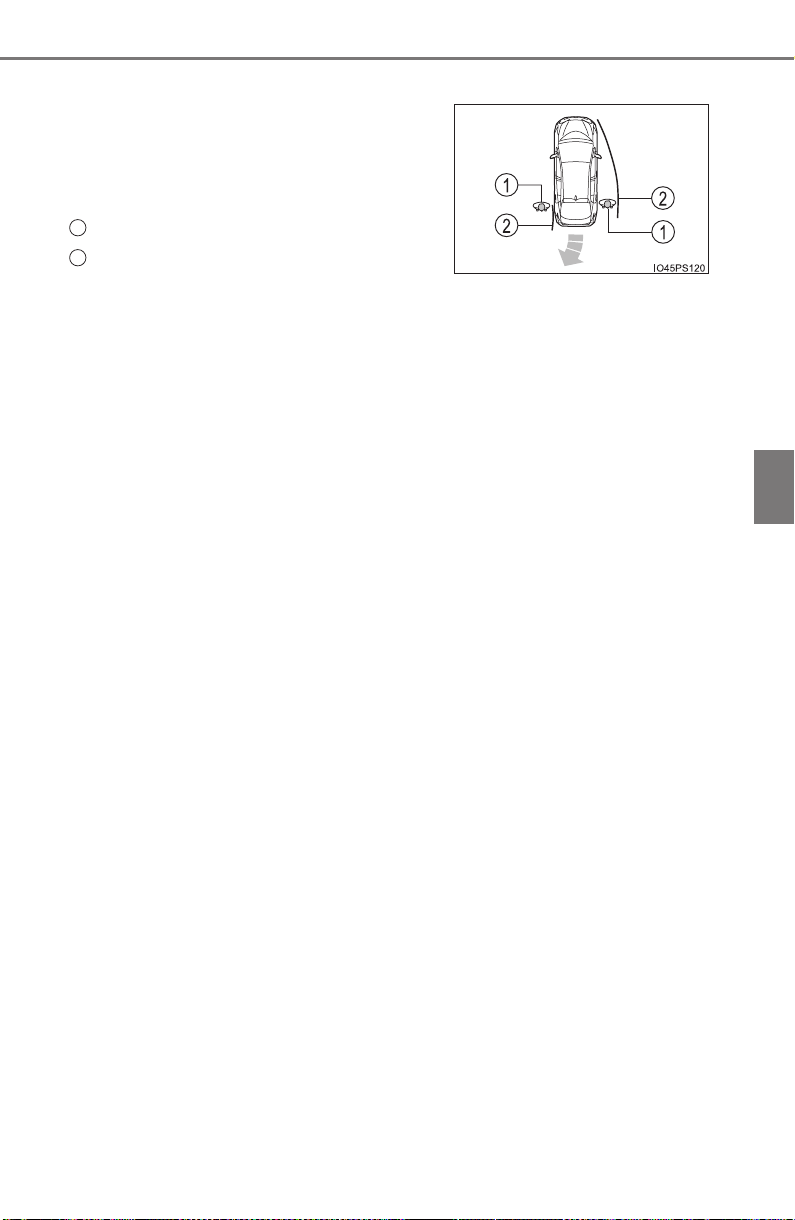
PRIUS_OM_OM47A29U_(U)
341
4-5. Using the driving support systems
4
Driving
■ Obstacle warning function
■ Obstacle detection in side areas
● Obstacles in the side areas are detected while driving by scanning the side
areas with the side sensors. Recognized obstacles are retained in memory
for up to approximately 2 minutes.
● Obstacles may not be detected in the side areas until the scan completes.
After the power switch is turned on, scanning completes after driving the
vehicle for a short period of time.
● When an obstacle such as another vehicle, pedestrian or animal is detected
by the side sensors, the obstacle may continue to be detected even after it
has left the side sensor detection area.
■ If “Clean Parking Assist Sensor” is displayed on the multi-information
display
A sensor may be dirty or covered with snow or ice. In such cases, if it is
removed from the sensor, the system should return to normal.
Also, due to the sensor being frozen at low temperatures, a malfunction dis-
play may appear or an obstacle may not be detected. If the sensor thaws out,
the system should return to normal.
■ If “Parking Assist Malfunction” is displayed on the multi-information dis-
play
Depending on the malfunction of the sensor, the device may not be working
normally. Have the vehicle inspected by your Toyota dealer.
■ Certification (Canada only)
This ISM device complies with Canadian ICES-001.
■ Customization
Setting of buzzer volume can be changed.
(Customizable features: →P. 752)
When an obstacle in the side areas is
within the vehicle course while the vehicle
is moving forward or backward, this func-
tion inform the driver by the display and
the buzzer.
Obstacle
Calculated vehicle course
1
2

342
PRIUS_OM_OM47A29U_(U)
4-5. Using the driving support systems
WARNING
■ When using Intuitive parking assist
Observe the following precautions to avoid an unexpected accident.
● Do not exceed the speed limit of 6 mph (10 km/h).
● The sensors’ detection areas and reaction times are limited. When moving
forward or reversing, check the areas surrounding the vehicle (especially
the sides of the vehicle) for safety, and drive slowly, using the brake to
control the vehicle’s speed.
● Do not install accessories within the sensors’ detection areas.

PRIUS_OM_OM47A29U_(U)
343
4-5. Using the driving support systems
4
Driving
WARNING
■ Sensors
Certain vehicle conditions and the surrounding environment may affect the
ability of the sensor to correctly detect obstacles. Particular instances where
this may occur are listed below.
● There is dirt, snow or ice on the sensor. (Wiping the sensors will resolve
this problem.)
● The sensor is frozen. (Thawing the area will resolve this problem.)
In especially cold weather, if a sensor is frozen, the screen may show an
abnormal display, or obstacles may not be detected.
● The sensor is covered in any way.
● In harsh sunlight or intense cold weather
● On an extremely bumpy road, on an incline, on gravel, or on grass
● The vicinity of the vehicle is noisy due to vehicle horns, motorcycle
engines, air brakes of large vehicles, or other loud noises producing ultra-
sonic waves.
● The sensor is splashed with water or drenched with heavy rain.
● The sensor is drenched with water on a flooded road.
● The vehicle is leaning considerably to one side.
● The vehicle is equipped with a fender pole or wireless antenna.
● The vehicle is approaching a tall or curved curb.
● The detection range is reduced due to an object such as a sign.
● The area directly under the bumpers is not detected.
● If obstacles draw too close to the sensor.
● The bumper or sensor receives a strong impact.
● A non-genuine Toyota suspension (lowered suspension etc.) is installed.
● There is another vehicle equipped with parking assist sensors in the vicin-
ity.
● Towing eyelets are installed.
● A backlit license plate is installed.
In addition to the examples above, depending on the shape and condition of
obstacles, detection may not be possible, or the detection range may be
shortened.

344
PRIUS_OM_OM47A29U_(U)
4-5. Using the driving support systems
WARNING
■ Side sensors
In the following situations, the clearance sonar may not operate normally
and may result in an unexpected accident. Drive carefully.
● Obstacles may not be detected in the side areas until the vehicle is driven
for a short time and a scan of the side areas is completed (→P. 341).
● Even after the scan of the side areas is completed, obstacles such as
other vehicles, people or animals that approach from the sides cannot be
detected.
● Even after the scan of the side areas is completed, obstacles may not be
detected depending on the surrounding situation of the vehicle.
At that time, the side sensor operation displays (→P. 336) temporary turn
off.
■ Obstacles which may not be properly detected
● The shape of the obstacle may prevent the sensor from detecting it. Pay
particular attention to the following obstacles:
• Wires, fences, ropes, etc.
• Cotton, snow and other materials that absorb sound waves
• Sharply-angled objects
• Low obstacles
• Tall obstacles with upper sections projecting outwards in the direction of
your vehicle
• People may not be detected if they are wearing certain types of cloth-
ing.
• Moving objects such as people or animals

PRIUS_OM_OM47A29U_(U)
345
4-5. Using the driving support systems
4
Driving
NOTICE
■ When using Intuitive parking assist
In the following situations, the system may not function correctly due to a
sensor malfunction etc. Have the vehicle checked by your Toyota dealer.
● Intuitive parking assist operation display flashes, and a beep sounds when
no obstacles are detected.
● If the area around a sensor collides with something, or is subjected to
strong impact.
● If the bumper collides with something.
● If the display shows up and remains on without a beep.
● If a display error occurs, first check the sensor.
If the error occurs even when there is no ice, snow or mud on the sensor, it
is likely that the sensor is malfunctioning.
■ Notes when washing the vehicle
Do not apply intensive bursts of water or steam to the sensor area.
Doing so may result in the sensor malfunctioning.
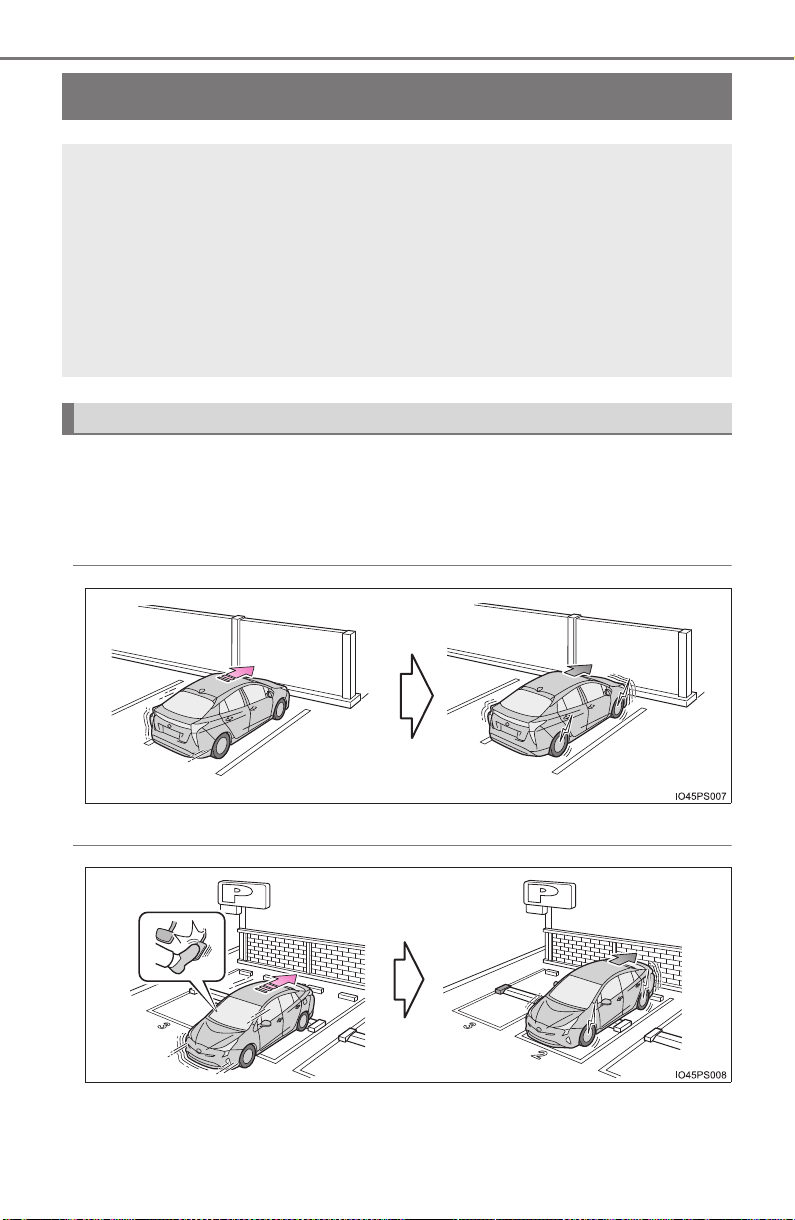
346
PRIUS_OM_OM47A29U_(U)
4-5. Using the driving support systems
Intelligent Clearance Sonar
∗
The system operates in the following situations when an obstacle is
detected in the traveling direction of the vehicle.
◆ The vehicle is driven at low speeds and the brake pedal is not
depressed, or is depressed too late
◆ The accelerator pedal is depressed too far
∗: If equipped
When a collision may occur with an obstacle while parking or
traveling at low speeds, when the vehicle suddenly moves for-
ward due to mistaken accelerator pedal operation, or when the
vehicle moves due to the wrong shift position being selected,
the sensors detect obstacles to the front or rear in the traveling
direction of the vehicle, and the system operates to lessen
impact with obstacles such as walls, and reduce resulting dam-
age.
Examples of system operation
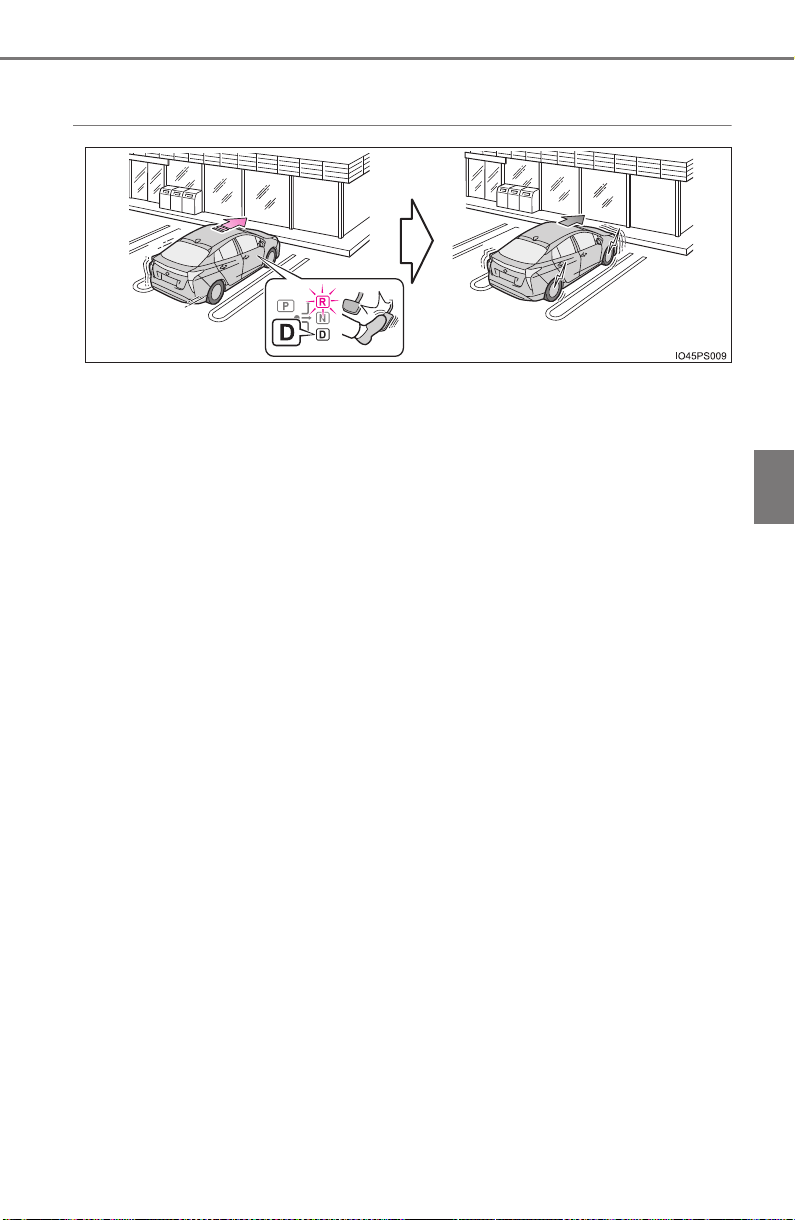
PRIUS_OM_OM47A29U_(U)
347
4-5. Using the driving support systems
4
Driving
◆ The vehicle moves due to the wrong shift position being
selected
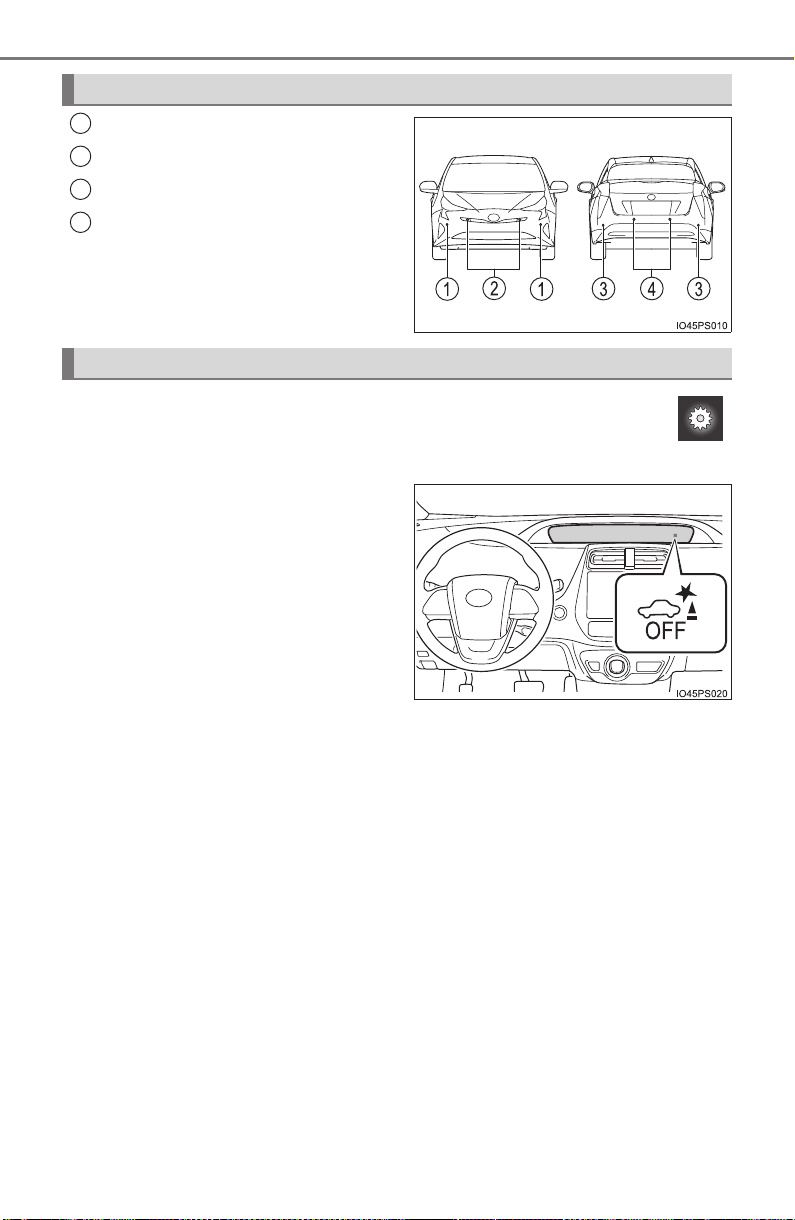
348
PRIUS_OM_OM47A29U_(U)
4-5. Using the driving support systems
Front corner sensors
Front center sensors
Rear corner sensors
Rear center sensors
The Intelligent Clearance Sonar can be enabled/disabled on
screen (→P. 139) of the multi-information display.
When the Intelligent Clearance
Sonar function is OFF, the ICS
OFF indicator illuminates.
When the Intelligent Clearance Sonar function is switched OFF, system
operation does not resume until the function is switched back ON through
the settings screen on the multi-information display. (System operation
does not resume by operating the power switch.)
Types of sensors
1
2
3
4
Changing settings of the Intelligent Clearance Sonar
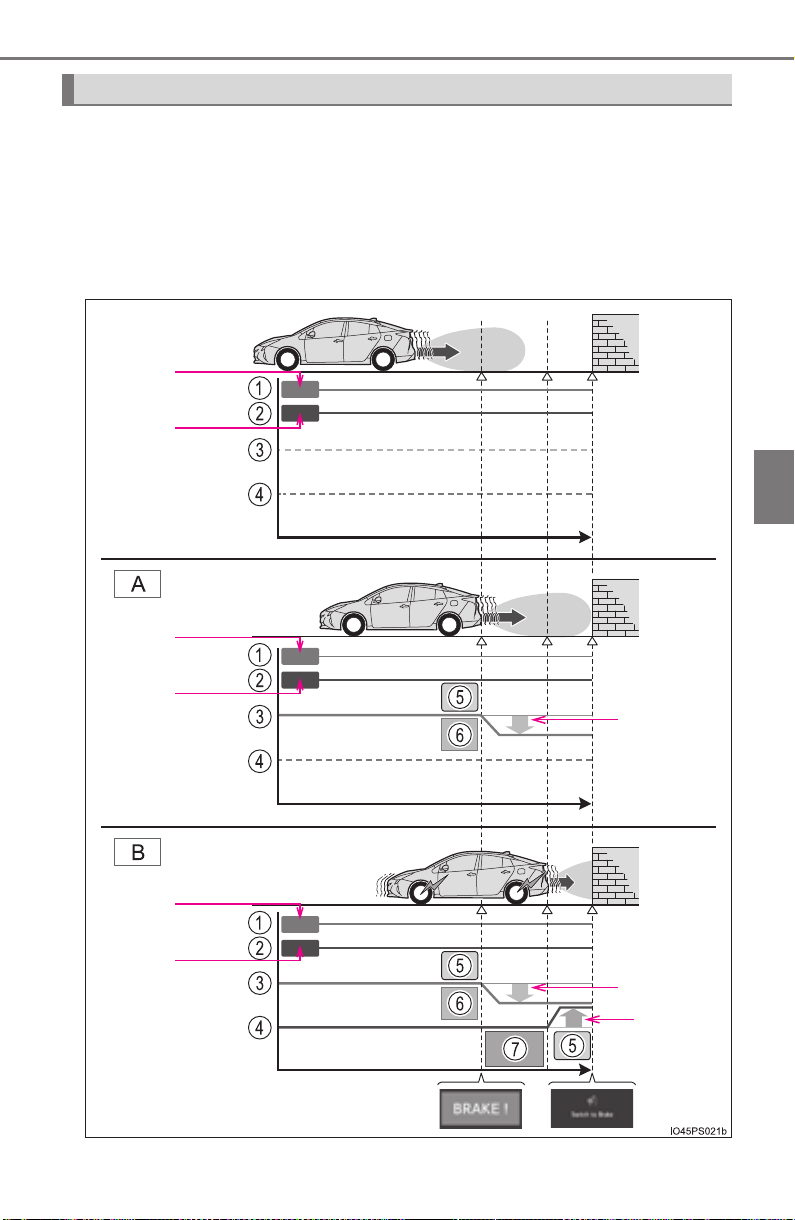
PRIUS_OM_OM47A29U_(U)
349
4-5. Using the driving support systems
4
Driving
When the Intelligent Clearance Sonar function detects an obstacle
with a probability of collision, hybrid system output is restricted to
restrain an increase in vehicle speed. (Hybrid system output restric-
tion control: A)
Furthermore, when the accelerator pedal continues to be depressed,
the brakes are applied to reduce the vehicle speed. (Brake control: B)
Operation
DOWN
DOWN
UP
ON
OFF
ON
OFF
ON
OFF

350
PRIUS_OM_OM47A29U_(U)
4-5. Using the driving support systems
Accelerator pedal
Brake pedal
Hybrid system output
Braking force
Control starts
Collision is possible
Collision is likely
1
2
3
4
5
6
7

PRIUS_OM_OM47A29U_(U)
351
4-5. Using the driving support systems
4
Driving
■ Operation starting conditions
When the ICS OFF indicator is not illuminated or flashing (→P. 356,
665) and all of the following conditions are met, the system operates.
X Hybrid system output restriction control
● The Intelligent Clearance Sonar is on.
● The vehicle speed is 10 mph (15 km/h) or less.
● There is an obstacle in the traveling direction of the vehicle (6
to 13 ft. [2 to 4 m ahead]).
● The system determined that a stronger-than-normal brake
operation was necessary to avoid a collision.
X Brake control
● Hybrid system output restriction control is being performed.
● The system determined that an emergency brake operation
was necessary to avoid a collision.
■ Operation ending conditions
In any of the following situations, the system stops operating.
X Hybrid system output restriction control
● The Intelligent Clearance Sonar function has been turned off
(stopped).
● The collision became avoidable with normal brake operation.
● The obstacle is no longer in the traveling direction of the vehi-
cle (6 to 13 ft. [2 to 4 m ahead]).
X Brake control
● The Intelligent Clearance Sonar function has been turned off
(stopped).
● Approximately 2 seconds elapsed after the vehicle was
stopped by brake control.
● The brake pedal was depressed after the vehicle was stopped
by brake control.
● The obstacle is no longer in the traveling direction of the vehi-
cle (6 to 13 ft. [2 to 4 m ahead]).
Operation conditions
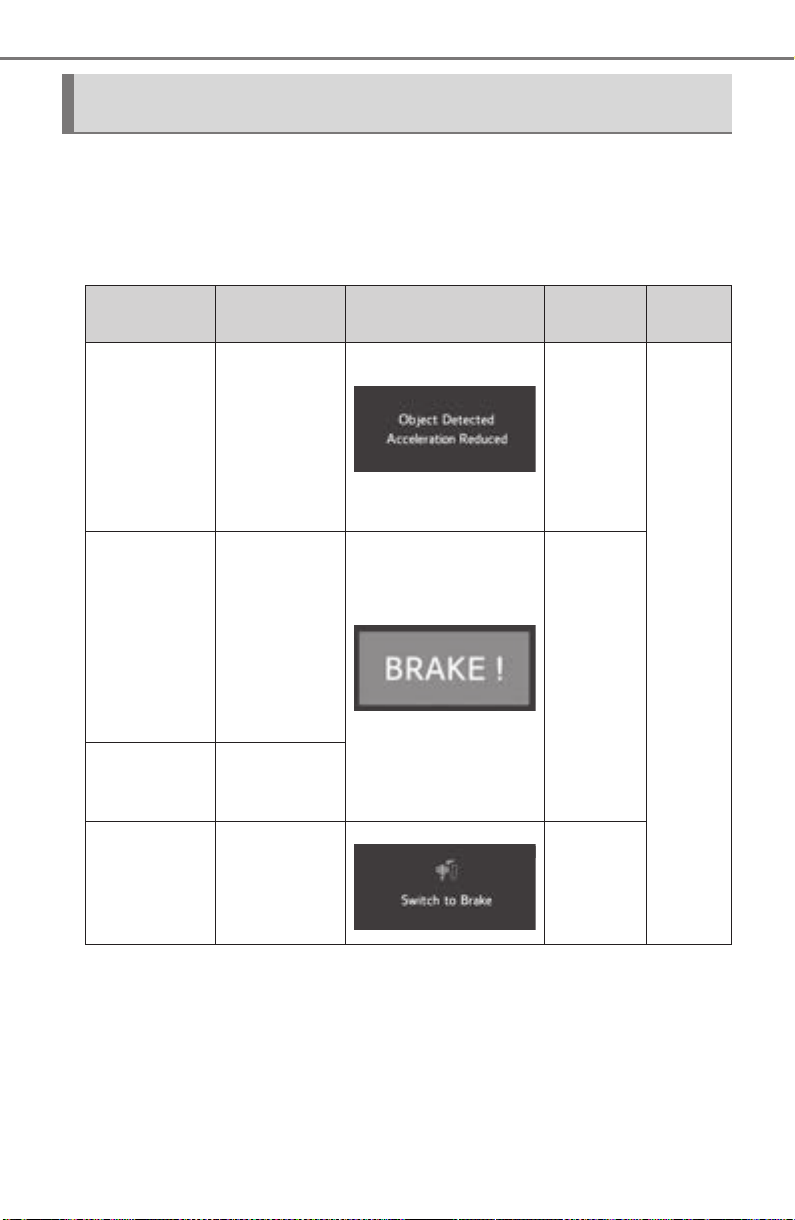
352
PRIUS_OM_OM47A29U_(U)
4-5. Using the driving support systems
When the hybrid system output restriction control or brake control
operates, the buzzer sounds and a message is displayed on the multi-
information display to alert the driver.
Depending on the situation, output restriction control operates to either
limit acceleration or restrict output as much as possible.
Display and buzzer for hybrid system output restriction control
and brake control
Control Situation
Multi-information
display
ICS OFF
Indicator
Buzzer
Hybrid sys-
tem output
restriction
control is
operating
(accelera-
tion limita-
tion control)
Acceleration
at a certain
speed or
higher is not
possible.
Not illumi-
nated
Short
beep
Hybrid sys-
tem output
restriction
control is
operating
(control to
restrict out-
put as much
as possible)
A stronger-
than-normal
brake opera-
tion is neces-
sary
Not illumi-
nated
Brake con-
trol is operat-
ing
Emergency
braking is
necessary
The vehicle
is stopped by
system oper-
ation
The vehicle
is stopped
after brake
control oper-
ation
Illumi-
nated

PRIUS_OM_OM47A29U_(U)
353
4-5. Using the driving support systems
4
Driving
■ Sensor detection range
The detection range of the Intelligent Clearance Sonar function differs from
the detection range of the clearance sonar (→P. 339).
Therefore, even if the clearance sonar detects an obstacle and provides a
warning, the Intelligent Clearance Sonar may not start operating.
■ System operation
When the vehicle is stopped by system operation, the Intelligent Clearance
Sonar function stops and the ICS OFF indicator illuminates.
■ System recovery
When the Intelligent Clearance Sonar function is stopped by system opera-
tion and you would like to resume operation, either turn the Intelligent Clear-
ance Sonar ON again (→P. 335), or turn the power switch off and then back
on. Furthermore, when the vehicle moves with an obstacle no longer in the
traveling direction of the vehicle, or when the traveling direction of the vehicle
changes (such as when switching from moving forward to backing up, and
vice versa), system operation automatically resumes.
■ Obstacles not detected by the sensors
The following obstacles may not be detected by the sensors.
● Objects such as people, cloth and snow, that are difficult for sonic waves to
reflect off of. (In particular, people may also not be detected depending on
the type of clothing they are wearing.)
● Objects not perpendicular with the ground, objects not at a right angle to the
traveling direction of the vehicle, uneven objects or waving objects
● Low objects
● Thin objects such as wires, fences, ropes and signposts
● Objects that are extremely close to the bumper
■ Clearance sonar buzzer
Regardless of whether the clearance sonar is ON or OFF (→P. 335), if the
Intelligent Clearance Sonar function is not stopped (→P. 348), when the front
or rear sensors detect an obstacle and brake control is performed, the clear-
ance sonar buzzer also sounds and a notification of the approximate distance
to the obstacle is provided.
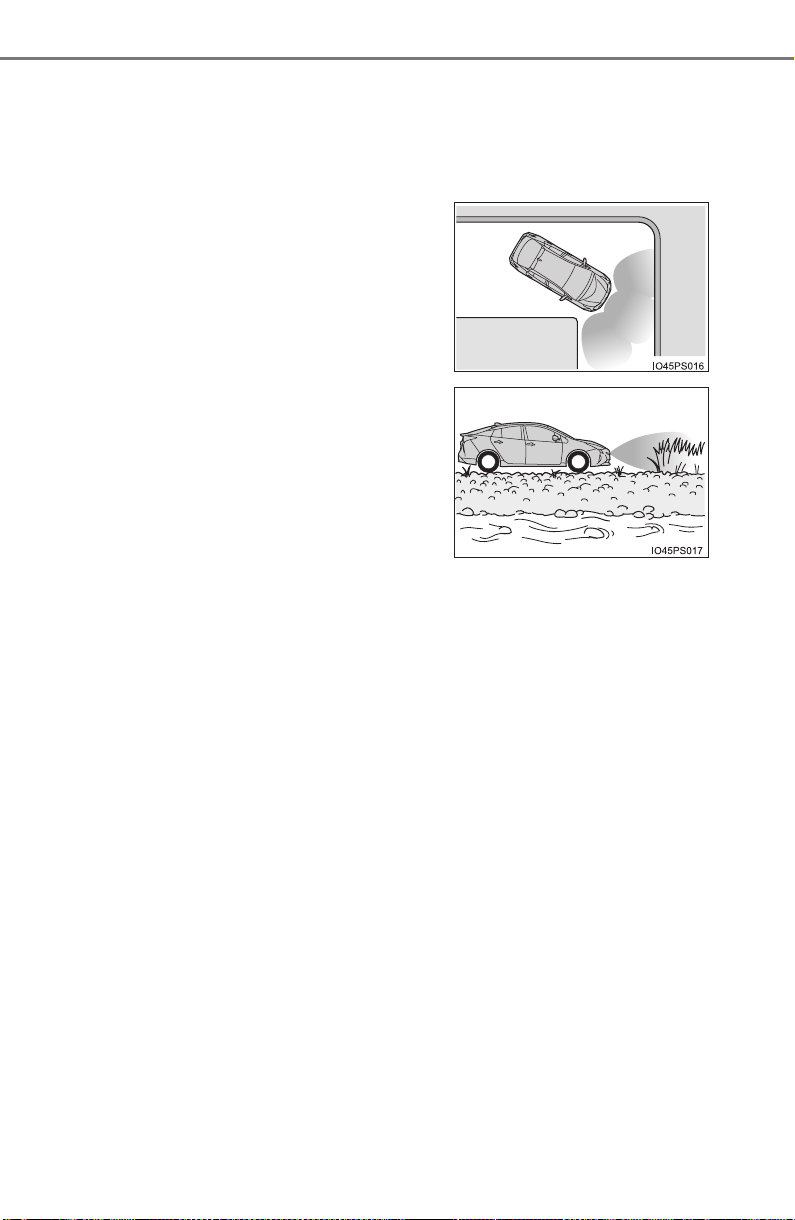
354
PRIUS_OM_OM47A29U_(U)
4-5. Using the driving support systems
■ Situations when the system may operate even though there is no possi-
bility of a collision
In the following situations, the system may operate even though there is no
possibility of a collision.
● Environmental influence
• The vehicle is driven toward a banner or flag, a low-hanging branch or a
boom barrier (such as those used at railroad crossings, toll gates and
parking lots).
• There is an obstacle on the shoulder of the road (when the vehicle is
driven in a narrow tunnel, on a narrow bridge or on a narrow road)
• The vehicle is being parallel parked
• There is a rut or hole in the surface of the road
• When the vehicle is driven on a metal cover (grating), such as those used
for drainage ditches
• The vehicle is driven on a steep slope
• The sensor is covered by water on a flooded road
● Influence from the weather
• Ice, snow, dirt, etc., has adhered to the sensor (if removed, the system
returns to normal)
• Heavy rain or water strikes the vehicle
• In severe weather such as fog, snow or a sand storm
● Influence from other sonic waves
• An ultrasonic wave source is nearby, such as the horn or clearance sonar
of another vehicle, a vehicle detector, a motorcycle engine or the air
brake of a large vehicle
• Electronic components (such as a backlit license plate (especially fluo-
rescent types), fog lights, a fender pole or a wireless antenna) are
installed near the sensors
• The vehicle is driven on a narrow
road
• The vehicle is driven on a gravel road
or in an area with tall grass
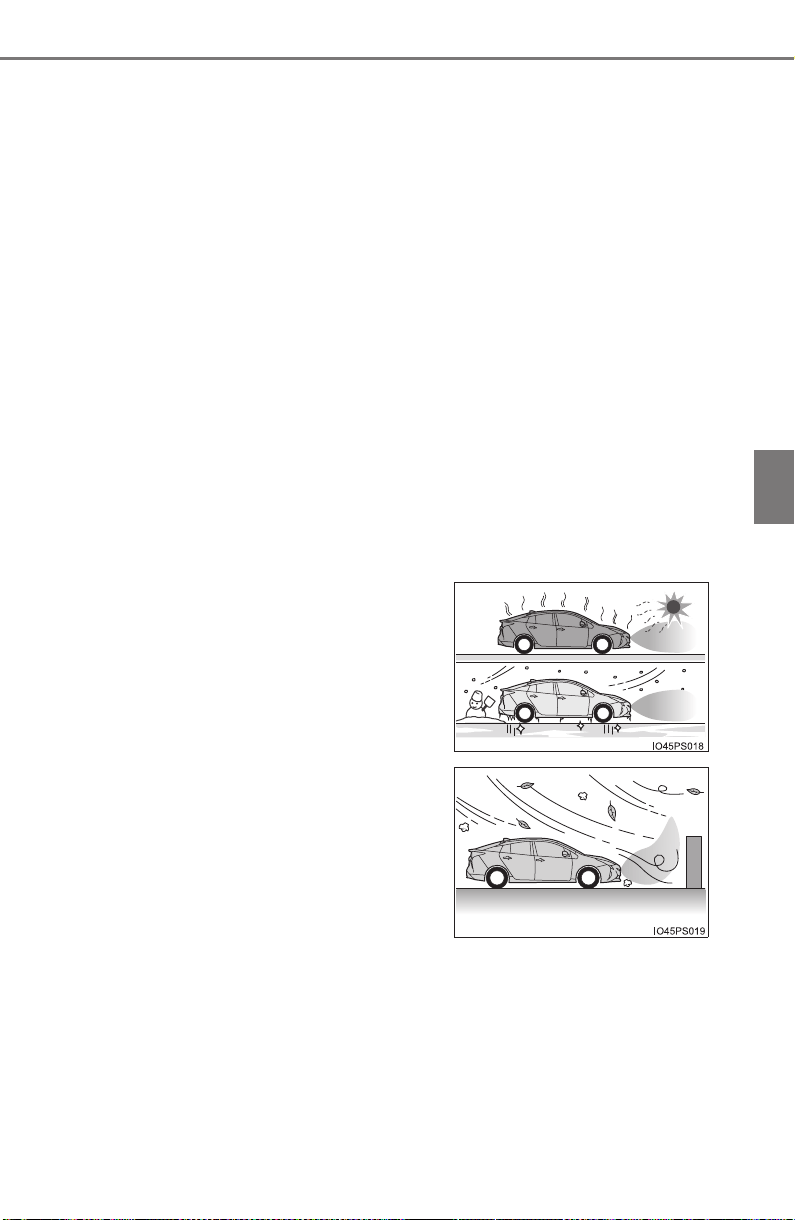
PRIUS_OM_OM47A29U_(U)
355
4-5. Using the driving support systems
4
Driving
● Changes in the vehicle
• The vehicle is tilted a large amount
• The height of the vehicle has drastically changed due to the carried load
(the nose tilts up or down)
• The direction of the sensor has deviated due to a collision or other impact
■ In the unlikely event that the Intelligent Clearance Sonar function mistak-
enly operates at a crossing or elsewhere
Even in the unlikely event that the Intelligent Clearance Sonar function mis-
takenly operates at a crossing or elsewhere, brake control is canceled after
approximately 2 seconds, allowing you to proceed forward and leave the
area. Furthermore, brake control is also canceled when the brake pedal is
depressed. Depressing the accelerator pedal again allows you to proceed
forward and leave the area.
■ Situations in which the system may not operate normally
In the following situations, the system may not operate normally.
● Environmental influence
• There is an obstacle that cannot be detected between the vehicle and
another obstacle that can be detected
• An obstacle such as another vehicle, a motorcycle, a bicycle or a pedes-
trian cuts in front of the vehicle or jumps out from the side.
● Influence from the weather
• Ice, snow, dirt, etc., has adhered to the sensor (if removed, the system
returns to normal)
• Heavy rain or water strikes the vehicle
• In severe weather such as fog, snow or a sand storm
• The area around the sensor is
extremely hot or cold
• The wind is strong

356
PRIUS_OM_OM47A29U_(U)
4-5. Using the driving support systems
● Influence from other sonic waves
• An ultrasonic wave source is nearby, such as the horn or clearance sonar
of another vehicle, a vehicle detector, a motorcycle engine or the air
brake of a large vehicle
• Electronic components (such as a backlit license plate (especially fluo-
rescent types), fog lights, a fender pole or a wireless antenna) are
installed near the sensors
● Changes in the vehicle
• The vehicle is tilted a large amount
• The height of the vehicle has drastically changed due to the carried load
(the nose tilts up or down)
• The direction of the sensor has deviated due to a collision or other impact
■ Intelligent Clearance Sonar function while the Simple Advanced Parking
Guidance System is operating
→P. 361
■ When removing and installing the 12-volt battery
The system needs to be initialized.
The system can be initialized by driving the vehicle straight ahead for 5 sec-
onds or more at a speed of approximately 22 mph (35 km/h) or higher.
■ When “ICS Unavailable” is displayed on the multi-information display
and the ICS OFF indicator flashes
● Ice, snow, dirt, etc., may have adhered to the sensor. If this occurs, remove
the ice, snow, dirt, etc., from the sensor to return the system to normal.
Also, a warning message may be displayed at low temperatures due to ice
forming on the sensor, and the sensor may not detect obstacles. Once the
ice melts, the system will return to normal.
● If this message is shown even after removing dirt from the sensor, or shown
when the sensor was not dirty to begin with, have the vehicle inspected at
your Toyota dealer.
● System initialization may not have been performed after removal and instal-
lation of the 12-volt battery. Perform system initialization.
■ When “ICS Malfunction Visit Your Dealer” is displayed on the multi-infor-
mation display, the ICS OFF indicator flashes and the buzzer sounds
The system may not be operating properly. Have the vehicle inspected at
your Toyota dealer.

PRIUS_OM_OM47A29U_(U)
357
4-5. Using the driving support systems
4
Driving
WARNING
■ For safe use
Do not rely solely upon the system. Relying solely upon the system may
lead to an unexpected accident.
● Driving safely is the sole responsibility of the driver. Pay careful attention
to the surrounding conditions in order to ensure safe driving. The Intelli-
gent Clearance Sonar function can provide support to lessen the severity
of collisions. However, it may not operate depending on the situation.
● The Intelligent Clearance Sonar function is not a system designed to com-
pletely stop the vehicle. Furthermore, even if the Intelligent Clearance
Sonar function is able to stop the vehicle, brake control is canceled after
approximately 2 seconds, so depress the brake pedal immediately.
■ In order for the system to operate properly
Make sure to observe the following precautions regarding the sensors
(→P. 348). Failure to observe these precautions may cause the sensors
not to operate properly, and may result in an unexpected accident.
● Do not perform work such as modification, disassembly or painting
● Only perform replacements using genuine parts
● Do not subject the area around the sensors to any impacts
● Do not damage the sensors, and always keep them clean
■ Handling the suspension
Do not modify the suspension, as changes to the height or incline of the
vehicle may prevent the sensors from correctly detecting obstacles, may
cause the system not operate, or may cause the system to operate unnec-
essarily.

358
PRIUS_OM_OM47A29U_(U)
4-5. Using the driving support systems
NOTICE
■ Preventing sensor malfunctions
● If the area around a sensor is subjected to an impact, equipment may not
operate properly due to a sensor malfunction. Have the vehicle inspected
at your Toyota dealer.
● When using a high-pressure washer to wash the vehicle, do not spray
water directly on the sensors. The sensors may not function properly if
subjected to an impact from strong water pressure.
● When using steam to wash the vehicle, do not direct steam too close to
the sensors. The sensors may not function properly if subjected to steam.
■ Preventing unnecessary operation
In the following situations, turn the Intelligent Clearance Sonar function
OFF. The system may operate even though there is no possibility of a colli-
sion.
● A chassis roller, chassis dynamo, free roller or similar equipment is being
used for an inspection, etc.
● The vehicle is being loaded onto a ship, truck or other transport vessel
● The suspension has been lowered or tires that have a different size than
the genuine tires are equipped
● The height of the vehicle has drastically changed due to the carried load
(the nose tilts up or down).
● A towing hook is installed

359
PRIUS_OM_OM47A29U_(U)
4-5. Using the driving support systems
4
Driving
S-APGS (Simple Advanced Parking Guidance
System)
∗
■ Function summary
The Simple Advanced Parking Guidance System automatically
operates the steering wheel to provide support when backing into
an area near a target parking spot, and when departing from a par-
allel parking spot. (Shift lever operations and speed adjustment
when moving forward or backing up are not performed automati-
cally.)
● The Simple Advanced Parking Guidance System does not park
the vehicle automatically. It is a system that provides support
when pulling out of a perpendicular or parallel parking spot.
● The Simple Advanced Parking Guidance System provides steer-
ing wheel operation assistance to guide the vehicle toward the
selected intended parking spot. The selected intended parking
spot may not always be reachable, depending on road and vehi-
cle conditions at the time of parking, and the distance to the
intended parking spot.
■ Linking with the Intelligent Clearance Sonar function
While the Simple Advanced Parking Guidance System is operating,
if the system detects an obstacle that could result in a collision, the
emergency brakes operate, regardless of whether the Intelligent
Clearance Sonar function is ON or OFF. (→P. 361)
∗: If equipped
Simple Advanced Parking Guidance System
WARNING
● When backing up or proceeding forward, be sure to directly confirm the
safety of the area to the front or rear, and the area around the vehicle, and
slowly back up or proceed forward while adjusting the vehicle speed by
depressing the brake pedal.
● If it seems the vehicle may make contact with a pedestrian, another vehi-
cle or any other obstacles, stop the vehicle by depressing the brake pedal,
and then press the S-APGS switch (→P. 362) to turn the system OFF.

360
PRIUS_OM_OM47A29U_(U)
4-5. Using the driving support systems
Chart of Simple Advanced Parking Guidance System Assist
Modes and Functions
Assist Mode
Type of
Parking
Function Summary See Page
Back-in parking
assist mode
(with forward guid-
ance function)
Back-in park-
ing
Assistance starts after
stopping the vehicle in
front of the intended
parking spot, and is pro-
vided for backing into a
parking space, including
guidance to reach a
position to begin back-
ing up from.
P. 365
Parallel parking
assist mode
Parallel park-
ing
Guidance is provided to
detect the intended
parking spot and reach a
position to begin back-
ing up from. Assistance
is provided from when
the vehicle begins back-
ing up until it reaches
the intended parking
spot.
P. 372
Exit parallel park-
ing assist mode
Exit parallel
parking
Assistance starts after
the vehicle has been
parallel parked. Assis-
tance is provided to
guide the vehicle from
the parking space to a
position from which it
can take off.
P. 379

PRIUS_OM_OM47A29U_(U)
361
4-5. Using the driving support systems
4
Driving
■ Intelligent Clearance Sonar function while the Simple Advanced Parking
Guidance System is operating
While the Simple Advanced Parking Guidance System is operating, if the sys-
tem detects an obstacle that could result in a collision, hybrid system output
suppression control and brake control of the Intelligent Clearance Sonar func-
tion are operated, regardless of whether the Intelligent Clearance Sonar func-
tion is ON or OFF. (→P. 348)
● After the Intelligent Clearance Sonar function operates, operation of the
Simple Advanced Parking Guidance System is temporarily stopped, and
operation of the Intelligent Clearance Sonar function is indicated on the
multi-information display. (→P. 352)
● When operation of the Simple Advanced Parking Guidance System is
stopped 3 times by operation of the Intelligent Clearance Sonar function, the
Simple Advanced Parking Guidance System is canceled.
● Once the Simple Advanced Parking Guidance System becomes available
after the Intelligent Clearance Sonar function is operated, a message
prompting you to shift is displayed on the multi-information display. Opera-
tion of the Simple Advanced Parking Guidance System can be resumed by
shifting according to the prompt on the multi-information display and press-
ing the S-APGS switch (→P. 362) again.
■ Shifting while the Simple Advanced Parking Guidance System is operat-
ing
If the system determines that the drivers intends to move forward or in
reverse, assistance continues even if the drivers shifted before being
prompted to do so by the system. However, because driver operation differs
from the guidance provided by the system, the number of turning maneuvers
may increase.
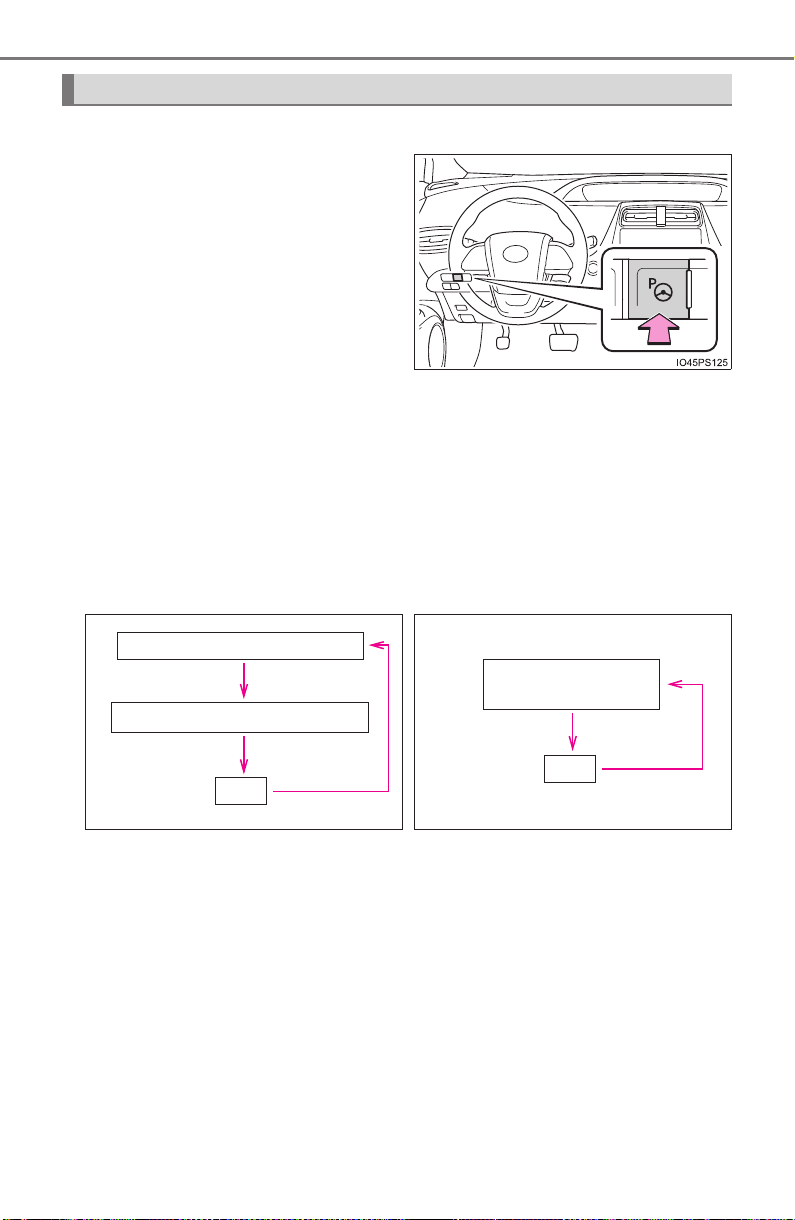
362
PRIUS_OM_OM47A29U_(U)
4-5. Using the driving support systems
■ Switching using the S-APGS switch
Press the switch
This allows you to switch func-
tions and cancel or restart assist
modes.
While the power switch is on, the vehicle speed is approximately
19 mph (30 km/h) or less, each time the S-APGS switch is pressed
the function switches as follows.
The selected function is indicated on the operation display area of the
multi-information display (→P. 363).
*: The back-in parking assist mode can be switched to when its operating
conditions are met (→P. 370). When the operating conditions are not met,
it switches to OFF.
Switching assist mode
X When the S-APGS switch is
pressed with the shift position
not in P:
X When the S-APGS switch is
pressed with the shift position
in P:
Back-in parking assist mode*
Parallel parking assist mode
OFF
Exit parallel parking
assist mode
OFF
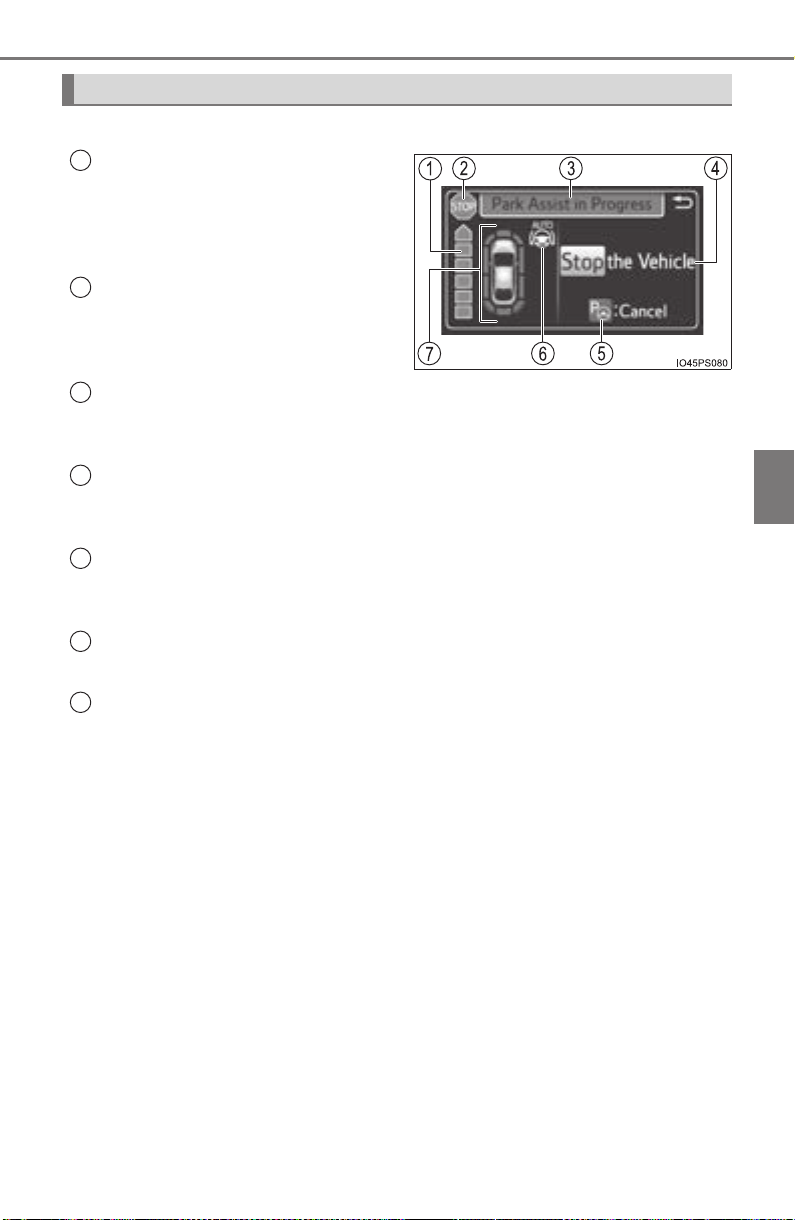
PRIUS_OM_OM47A29U_(U)
363
4-5. Using the driving support systems
4
Driving
The guidance screen is displayed on the multi-information display.
Assistance level indicator
Displays a gauge indicating the
level until the vehicle’s stopping
position/the position at which assist
control ends.
Stop display
When illuminated, depress the
brake pedal and stop the vehicle at
once.
Operation display area
Displays the operating condition of the Simple Advanced Parking Guidance
System.
Advice display
Follow the instructions on the display and perform any indicated opera-
tions.
S-APGS switch icon
Displayed when the assist mode can be changed and the system can be
turned off or on using the S-APGS switch.
Steering wheel auto operation display
Displays when the steering wheel auto operation is being performed.
Clearance sonar display/door position (open/close) display
→P. 336
Guidance screen
1
2
3
4
5
6
7

364
PRIUS_OM_OM47A29U_(U)
4-5. Using the driving support systems
■ S-APGS indicator inside the meter (→P. 104)
This indicator illuminates when the steering wheel auto operation is being
performed by the Simple Advanced Parking Guidance System. After control
ends, the indicator blinks for a short period of time and then turns off.
■ Clearance sonar pop-up display
While the Simple Advanced Parking Guidance System is operating, if the
clearance sonar function detects an obstacle, the clearance sonar display
automatically pops up on the guidance screen (→P. 336), regardless of
whether the clearance sonar function is ON or OFF (→P. 335).
Assist mode will be canceled or stopped in the following cases.
■ Assist control is canceled when
● The system temperature preservation function operates
● There is a system malfunction
● System determined that the parking environment is not suitable
for assist to continue
When assist control is canceled, firmly grasp the steering wheel,
depress the brake pedal and stop the vehicle.
Start again from the beginning, as the system will already be can-
celed. When continuing to park manually, operate the steering
wheel as you normally would.
■ Assist control is stopped when
● The steering wheel is operated
● The vehicle speed is too high
● The Intelligent Clearance Sonar function operates
When assist control is stopped, it can be resumed by following the
guidance shown on the screen.
Canceling or stopping assist mode
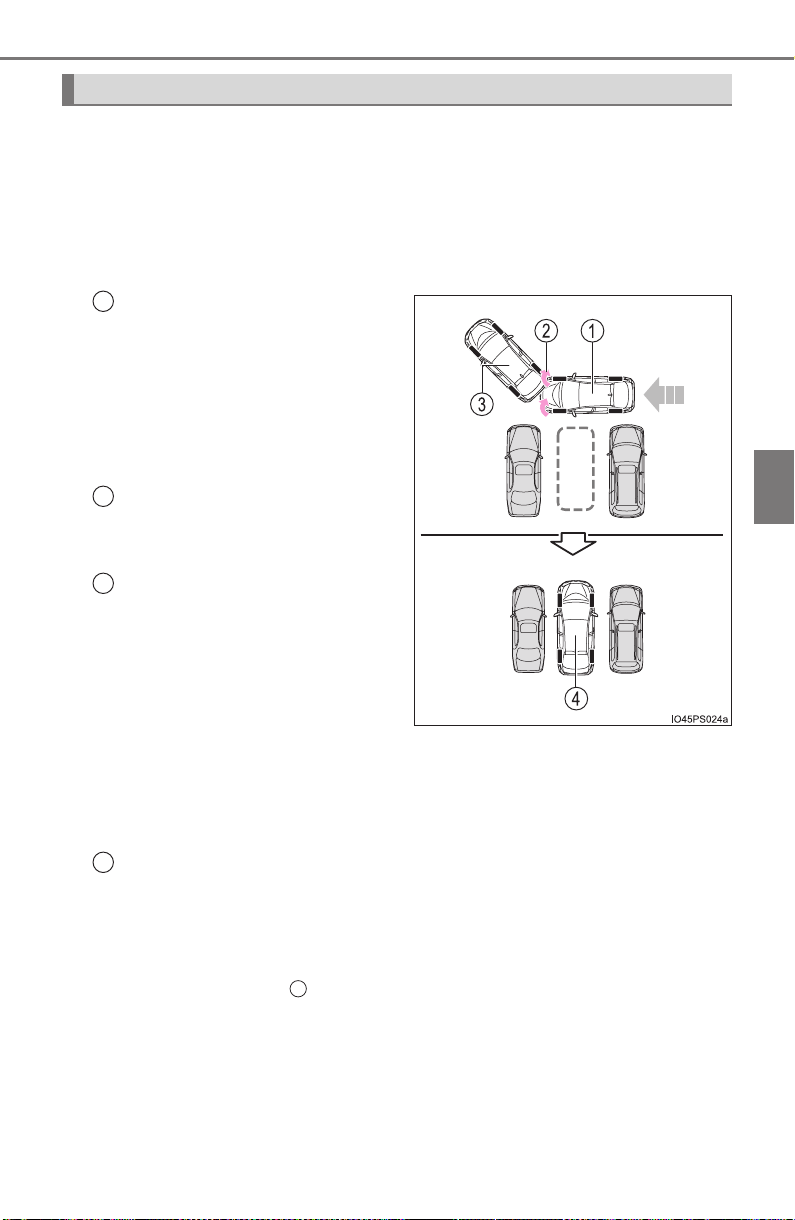
PRIUS_OM_OM47A29U_(U)
365
4-5. Using the driving support systems
4
Driving
■ Function summary
Stop so that the center of the target parking spot appears nearly
perpendicular to the vehicle. If the space is detectable, the forward
guidance function can be used. Furthermore, depending on the
parking space and other conditions, multi-turn maneuvering assist
control is also provided if necessary.
Stop so that the center of the
target parking spot appears
nearly perpendicular to the
vehicle. Then press the
S-APGS switch 2 times to
select back-in parking assist
mode.
Steering wheel auto opera-
tion starts when the vehicle
begins to move.
A sound is issued and a dis-
play is shown to notify you
when the vehicle reaches the
position to start backing up
from.
If the detected parking space or
road width (distance to the side
of the road across from the park-
ing space) is narrow, or if there
are obstacles in front of the vehi-
cle, guidance will not be issued.
Parking is complete
This completes the assist mode.
Depending on the condition of the parking space, guidance to starting
points for moving forward and backing up, as well as the steering wheel
auto operation, are repeated any time multi-turn maneuvering is neces-
sary following step from the time the vehicle begins backing up until
parking completes.
How to park next to other vehicles (back-in parking assist mode)
1
2
3
4
3
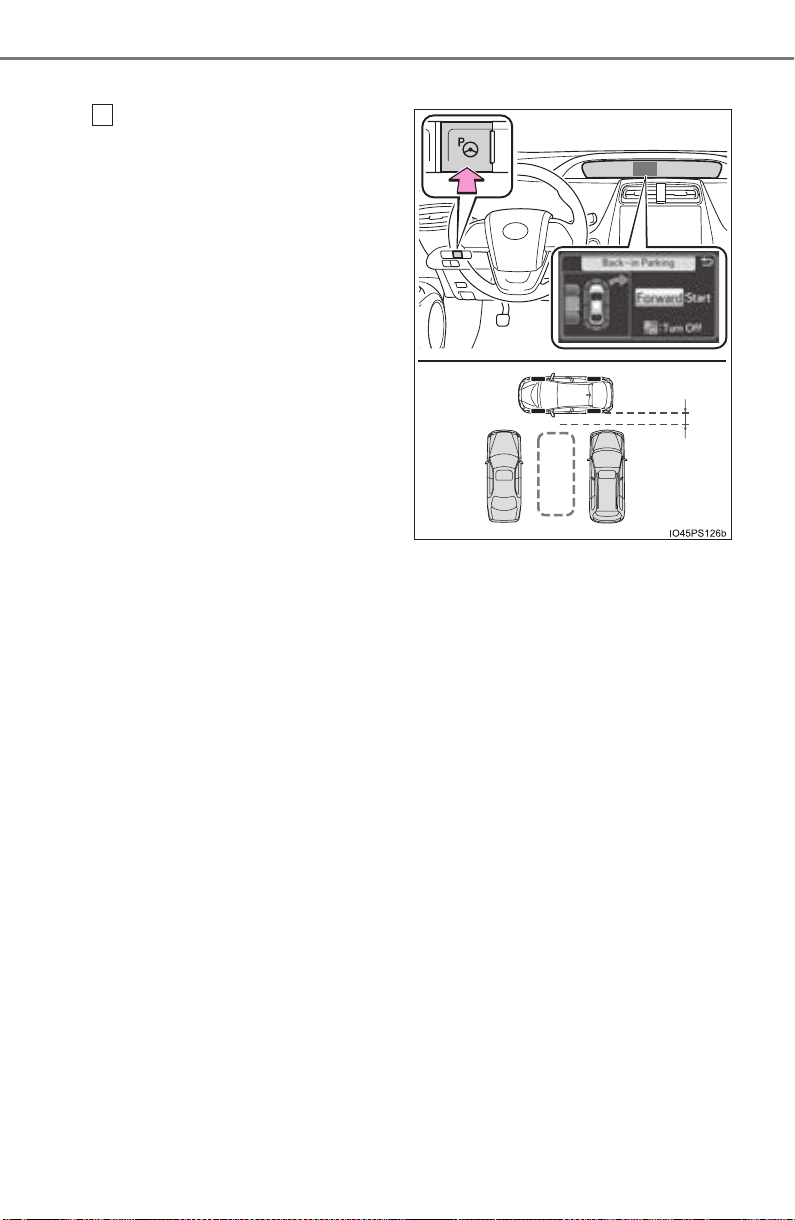
366
PRIUS_OM_OM47A29U_(U)
4-5. Using the driving support systems
■ Parking
Stop so that the center of the
target parking spot appears
nearly perpendicular to vehi-
cle. Then press the S-APGS
switch 2 times and check that
the display on the multi-infor-
mation display switches to
“Back-in Parking”.
● Visually check the area in
the direction of the arrow
indicating the direction of
the steering wheel auto
operation and the target
parking spot on the dis-
play.
● The mode switches each
time the S-APGS switch is
pressed. (→P. 362)
● When the shift position is not in D or B, or when the vehicle
speed has been detected, pressing the S-APGS switch will not
cause the screen to switch to the “Back-in parking” display.
● The turn signal lever (→P. 240) can be operated to select
whether you would like to park to the left or right.
● The system cannot be used when the parking space is narrow
or there is not a sufficient enough area for assist control to
operate. Please refer to the information shown on the multi-
information display to use a different parking space.
1
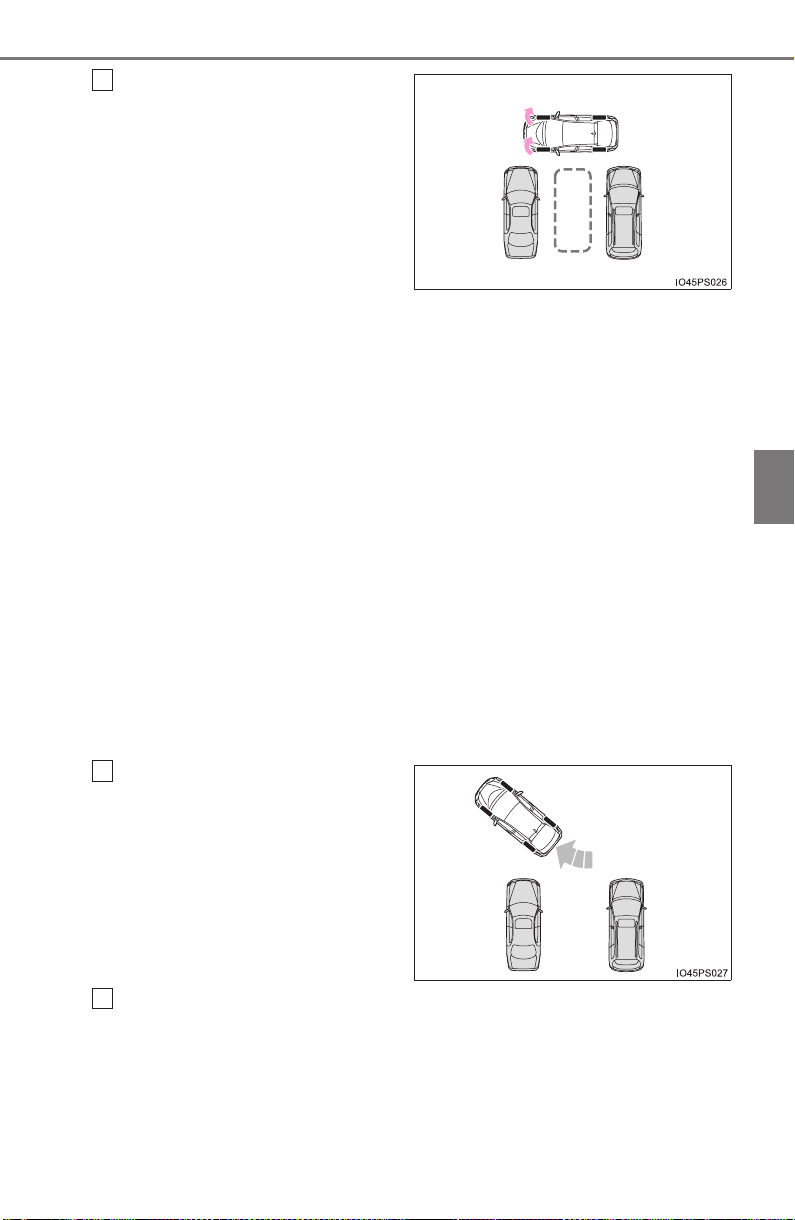
PRIUS_OM_OM47A29U_(U)
367
4-5. Using the driving support systems
4
Driving
Assume an ordinary driving
posture, rest your hands
lightly on the steering wheel
without applying any force,
directly confirm the safety of
the area to the front and
around the vehicle and
slowly proceed forward while
adjusting your speed by
depressing the brake pedal.
When this is done, a high-
pitched beep is emitted and
an indicator on the meter illu-
minates at the same time,
after which assist control will
start.
● When the steering wheel auto operation starts, the steering
wheel auto operation display (→P. 363) and assistance level
indicator (→P. 363) will be shown in the display area.
● To stop assist control, press the S-APGS switch.
● When the vehicle speed is too high, a sharp beeping sound is
emitted and assist control is stopped.
● If the space turns out to be too narrow after assist control
starts, a sharp beeping sound is emitted and assist control is
stopped.
When a level beep is emit-
ted and the stop indicator
(→P. 363) is shown on the
display, stop the vehicle.
Change the shift position to R.
2
3
4
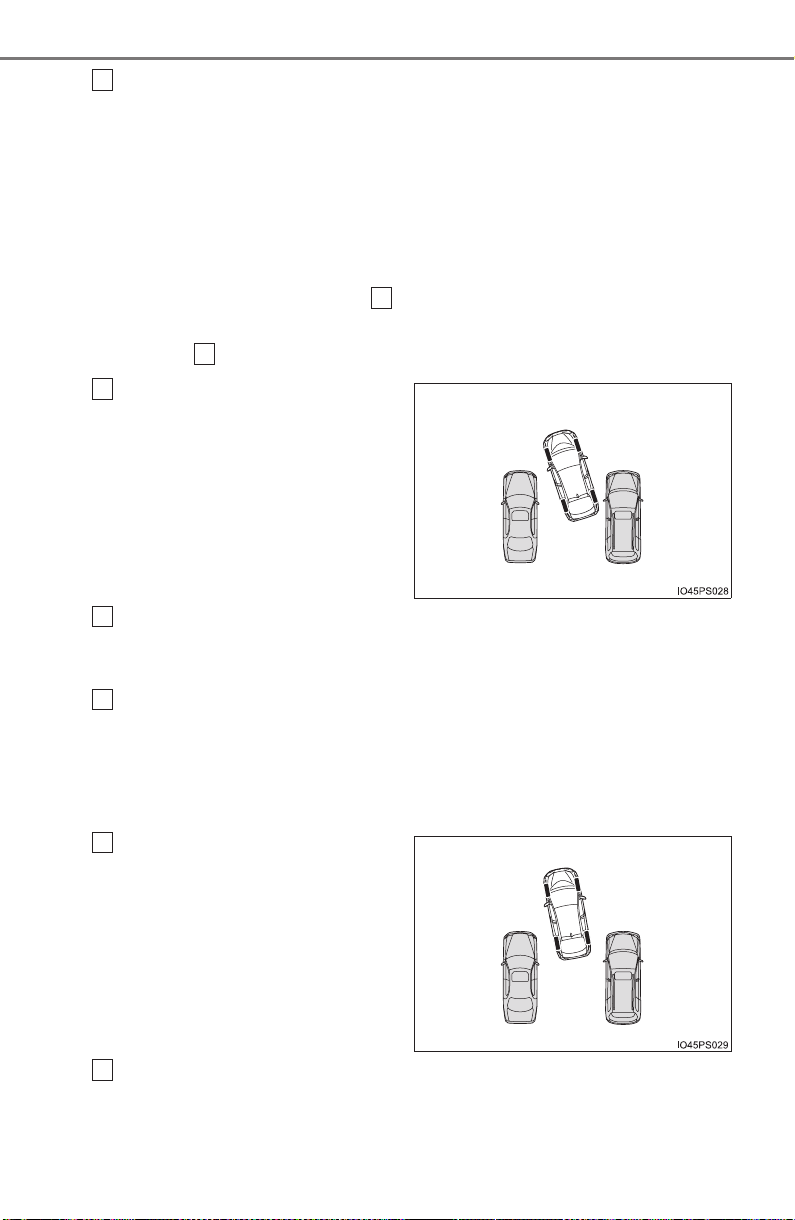
368
PRIUS_OM_OM47A29U_(U)
4-5. Using the driving support systems
Assume an ordinary posture for backing up, rest your hands
lightly on the steering wheel without applying any force, directly
confirm the safety of the area to the rear and around the vehicle,
confirm that there are no obstacles in the parking space, and
slowly back up while adjusting your speed by depressing the
brake pedal.
● When the vehicle cannot be cleanly entered within the target
parking spot on the first try and multi-turn maneuvering is nec-
essary, proceed to step .
● When multi-turn maneuvering is not necessary, proceed to
step (→P. 369).
When a level beep is emit-
ted and the stop indicator
(→P. 363) is shown on the
display, stop the vehicle.
Change the shift position to D.
When you would like to end assist control at your current position,
change the shift position to P.
Assume an ordinary driving posture, rest your hands lightly on
the steering wheel without applying any force, directly confirm
the safety of the area to the front and around the vehicle and
slowly proceed forward while adjusting your speed by depressing
the brake pedal.
When a level beep is emit-
ted and the stop indicator
(→P. 363) is shown on the
display, stop the vehicle.
Change the shift position to R.
5
6
12
6
7
8
9
10

PRIUS_OM_OM47A29U_(U)
369
4-5. Using the driving support systems
4
Driving
Assume an ordinary posture for backing up, rest your hands
lightly on the steering wheel without applying any force, directly
confirm the safety of the area to the rear and around the vehicle
slowly back up while adjusting your speed by depressing the
brake pedal.
Depending on the condition of the parking space, steps to may
need to be repeated.
When the vehicle is almost entirely within the target parking spot,
a high-pitched beep is emitted and the stop indicator is shown on
the display (→P. 363), stop the vehicle.
This completes the back-in parking assist mode.
● For safety, the buzzer sounds slightly before the vehicle is
completely entered within the target parking spot. Further-
more, at that point, system operation will also finish. Firmly
hold the steering wheel and slowly back up while adjusting
your speed by depressing the brake pedal to reach the desired
parking spot.
● Be sure to back up while checking the area to the front and
rear of the vehicle directly and by using the mirrors.
11
6 11
12
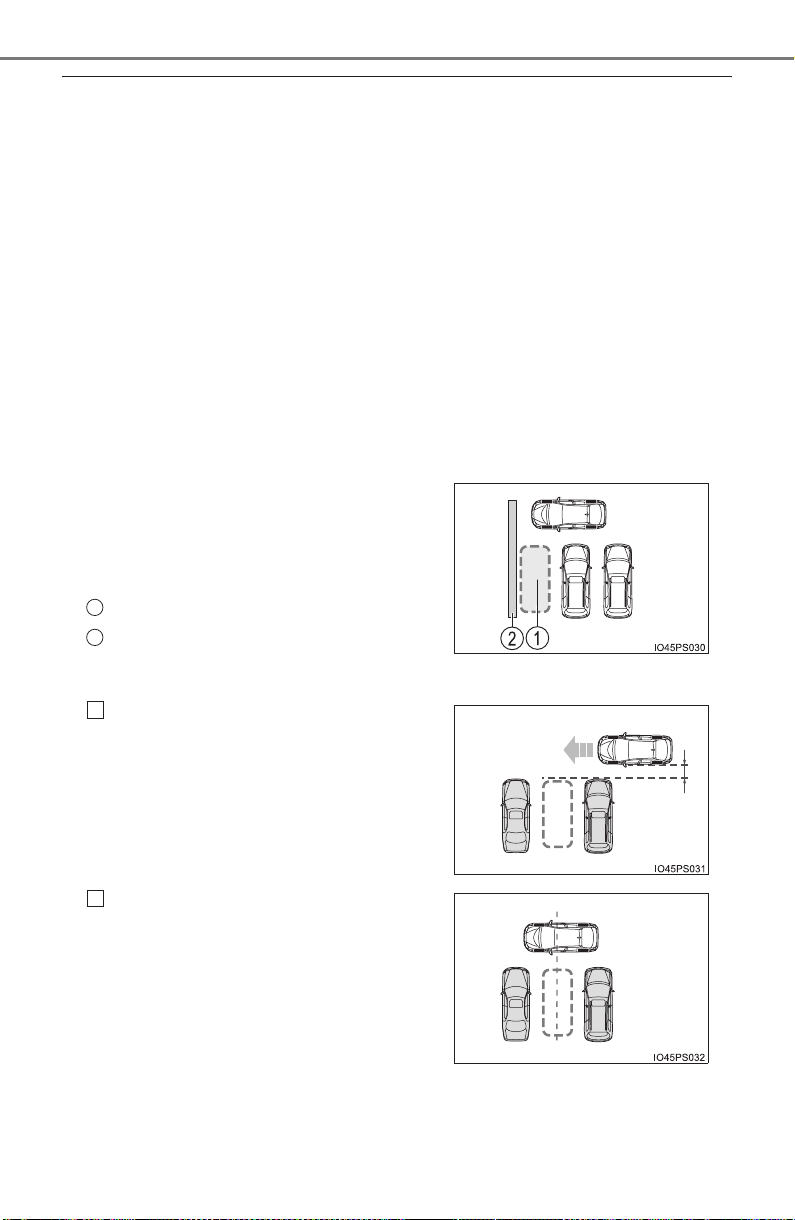
370
PRIUS_OM_OM47A29U_(U)
4-5. Using the driving support systems
■ Back-in parking assist mode operating conditions
● In order to operate the function correctly, drive slowly (at a speed at which
the vehicle can be quickly stopped).
● In order to operate the function correctly, drive slowly (at a speed at which
the vehicle can be quickly stopped). Come to a full stop so that the center of
the parking space is nearly perpendicular to the vehicle, and then operate
the S-APGS switch.
● The function cannot be used when the vehicle speed is approximately
19 mph (30 km/h) or higher.
● The front side sensors and rear side sensors are used to detect parked
vehicles and determine the parking spot. Therefore, when detection is not
possible (→P. 393), guidance is not issued.
● If there are no parked vehicles, the parking spot cannot be determined.
Therefore, the back-in parking assist mode cannot be operated.
● If unable to detect the environment surrounding the parking space, the
back-in parking assist mode may not be able to operate.
■ Tips for using the back-in parking assist mode
● Depending on the condition of the park-
ing space, if there is not enough space
in front of the vehicle required to perform
the parking operation, the target parking
spot may not be reachable.
Intended parking spot
Wall
Leave a gap of approximately 3.3 ft.
(1 m) from any parked vehicles and
approach the target parking spot. If
the gap between your vehicle and any
parked vehicles is too large, the front
side sensors and rear side sensors
may not be able to detect the parked
vehicles.
Stop so that the center of the target
parking spot is perpendicular to the
vehicle. Furthermore, only push the
S-APGS switch when the vehicle is at
a complete stop.
1
2
1
3.3 ft.
(1 m)
2

PRIUS_OM_OM47A29U_(U)
371
4-5. Using the driving support systems
4
Driving
NOTICE
● If the road surface has any dips or inclines, the target parking spot cannot
be correctly set. Therefore, the vehicle may be parked at an angle or may
deviate from the parking spot. In these cases, do not use the back-in park-
ing assist mode.
● When parking in a narrow space, the vehicle will come close to adjacent
vehicles. If it seems the vehicle may make contact, stop the vehicle by
depressing the brake pedal.
● It may not be possible to detect objects that are low to the ground. Directly
confirm the safety of your surroundings and, if it seems the vehicle may
make contact with an obstacle, stop the vehicle by depressing the brake
pedal.
● Depending on the surrounding environment, such as other parked vehi-
cles, the vehicle may be parked at an angle or may deviate from the park-
ing spot. Manually adjust vehicle alignment as necessary.
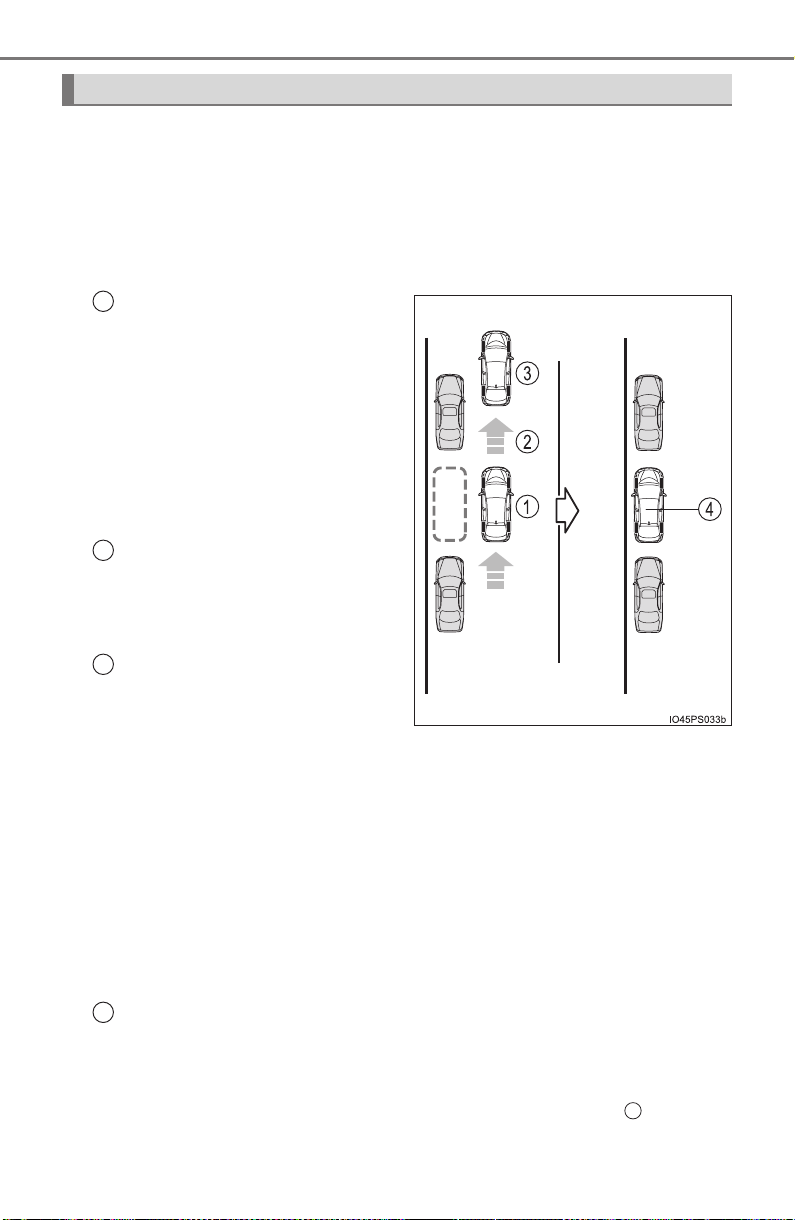
372
PRIUS_OM_OM47A29U_(U)
4-5. Using the driving support systems
■ Function summary
If a parking space can be detected, you will be guided forward until
you reach the assist control starting position, and then the parallel
parking assist mode can be used. Furthermore, depending on the
parking space and other conditions, multi-turn maneuvering assist
control is also provided if necessary.
Continue moving forward
with the vehicle parallel to
the curb or road, and stop so
that the center of the target
parking spot appears nearly
perpendicular to the vehicle.
Then press the S-APGS
switch 1 time to select the
parallel parking assist mode.
Travel straight ahead paral-
lel with the road or curb so
that the parking space is
detected.
A sound is issued and a dis-
play is shown to notify you
when the vehicle reaches a
position where assist control
can be used to begin backing
up from, and then when the
shift position is changed
according to guidance pro-
vided by the system, steering
wheel auto operation begins.
If the detected parking space or road width (distance to the side of the
road across from the parking space) is narrow, or if there are obstacles
in front of the vehicle, guidance will not be issued.
Parking is complete
This completes the assist mode. Depending on the condition of the
parking space, guidance to starting points for moving forward and back-
ing up, as well as the steering wheel auto operation, are repeated any
time multi-turn maneuvering is necessary following step from the
time the vehicle begins backing up until parking completes.
How to parallel park (parallel parking assist mode)
1
2
3
4
3
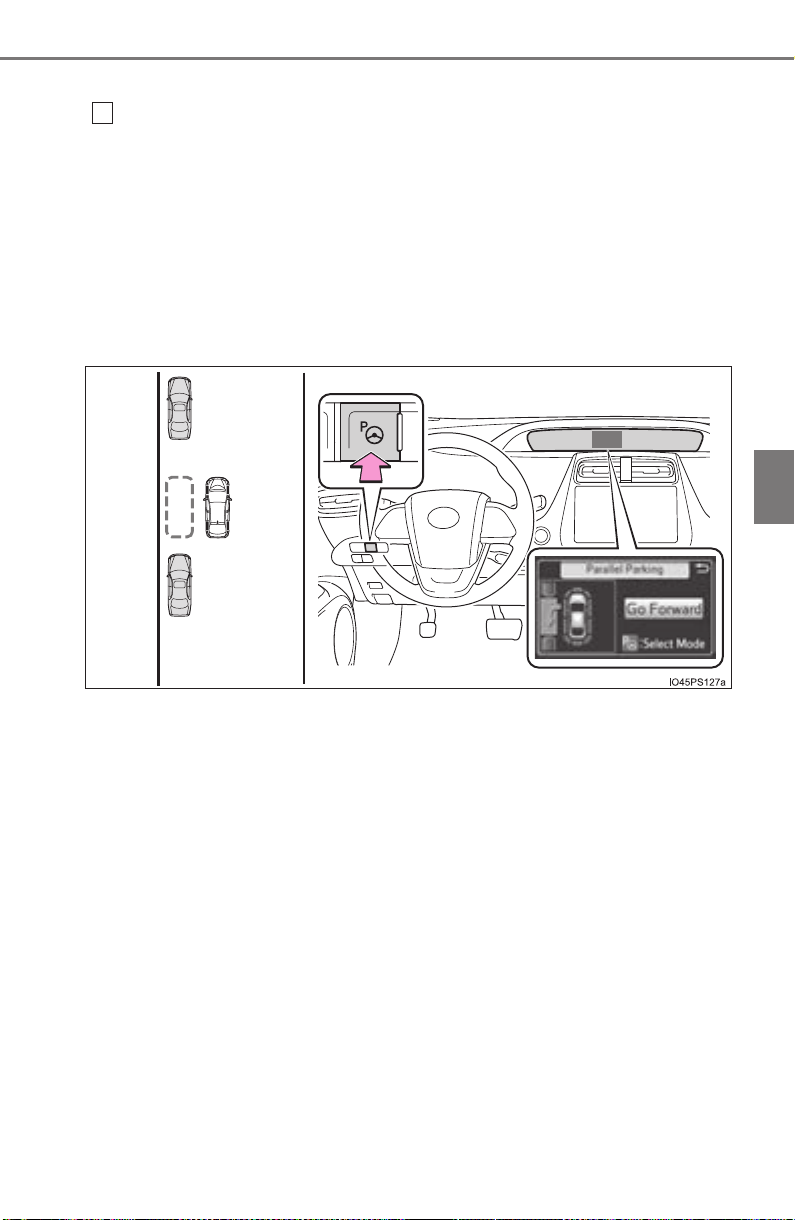
PRIUS_OM_OM47A29U_(U)
373
4-5. Using the driving support systems
4
Driving
■ Parking
Stop so that the center of the target parking spot appears nearly
perpendicular to vehicle. Then press the S-APGS switch 1 time
and check that the display on the multi-information display
switches to “Parallel Parking”.
● The mode switches each time the S-APGS switch is pressed.
(→P. 362)
● When the vehicle speed is approximately 19mph (30 km/h) or
higher, pressing the S-APGS switch will not cause the screen
to switch to the “Parallel Parking” display.
1
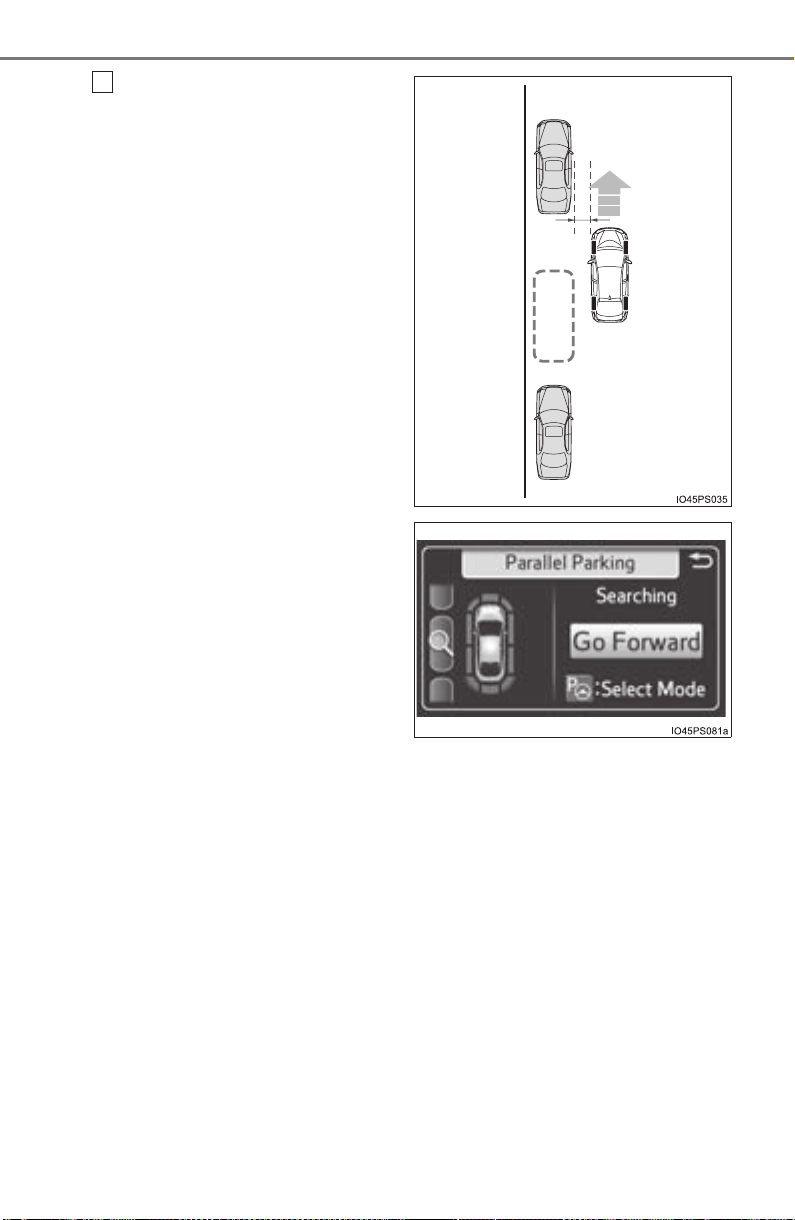
374
PRIUS_OM_OM47A29U_(U)
4-5. Using the driving support systems
Travel straight ahead paral-
lel with the road (or curb),
and maintain a gap of
approximately 3.3 ft. (1 m)
from any parked vehicles.
● Proceed slowly.
● The system will begin
searching for a parking
space.
● While searching for a
space, the turn signal lever
(→P. 240) can be operated
to select a parking space
on the left or right.
● When stopping the func-
tion, press the S-APGS
switch once to turn the
function OFF.
● When a parking space is
detected, the screen will
change.
2
3.3 ft.
(1 m)
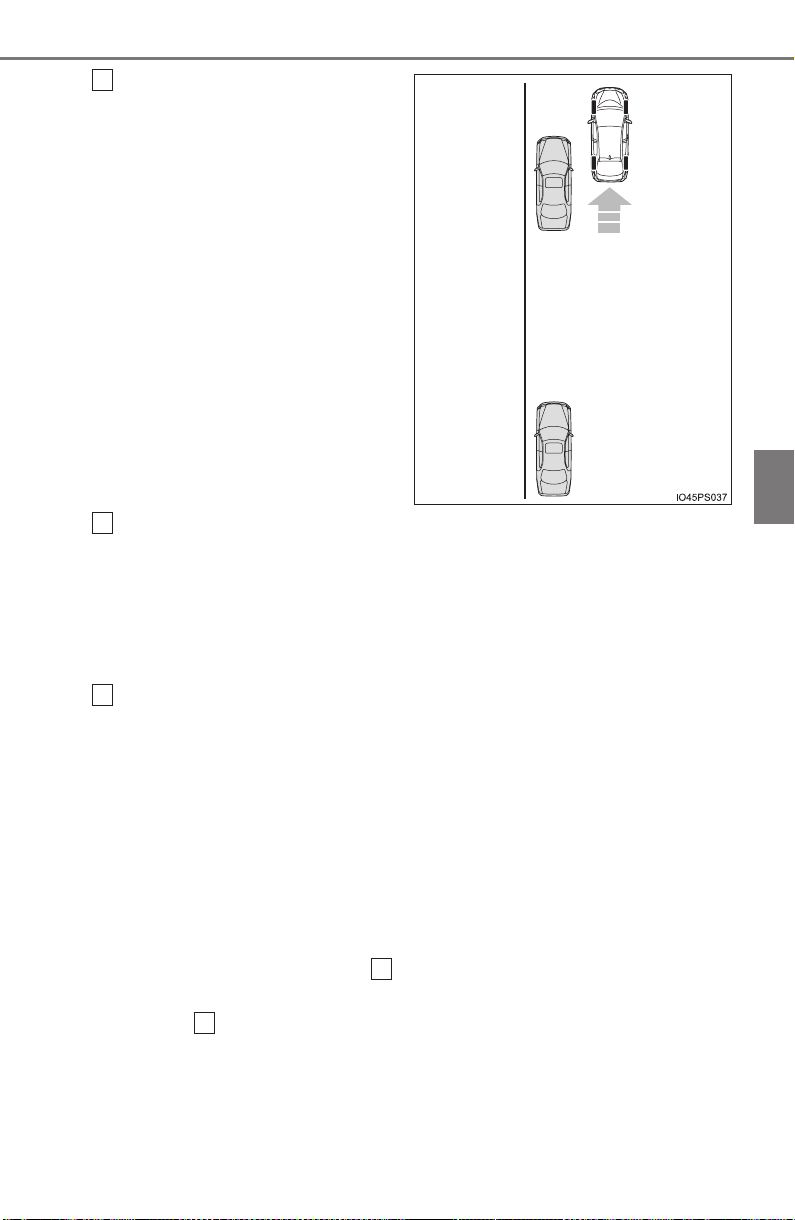
PRIUS_OM_OM47A29U_(U)
375
4-5. Using the driving support systems
4
Driving
When a level beep is emit-
ted and the stop indicator
(→P. 363) is shown on the
display, stop the vehicle.
When the shift position is changed to R, a high-pitched beep is
emitted and assist control will start.
● When the steering wheel auto operation starts, the steering
wheel auto operation display (→P. 363) and assistance level
indicator (→P. 363) will be shown in the display area.
● To stop assist control, press the S-APGS switch.
Assume an ordinary posture for backing up, rest your hands
lightly on the steering wheel without applying any force, directly
confirm the safety of the area to the rear and around the vehicle,
confirm that there are no obstacles in the parking space, and
slowly back up while adjusting your speed by depressing the
brake pedal.
● When backing up too quickly, a sharp beeping sound is emit-
ted and assist control is stopped.
● When the vehicle cannot be cleanly entered within the target
parking spot on the first try and multi-turn maneuvering is nec-
essary, proceed to step .
When multi-turn maneuvering is not necessary, proceed to
step .
3
4
5
6
12
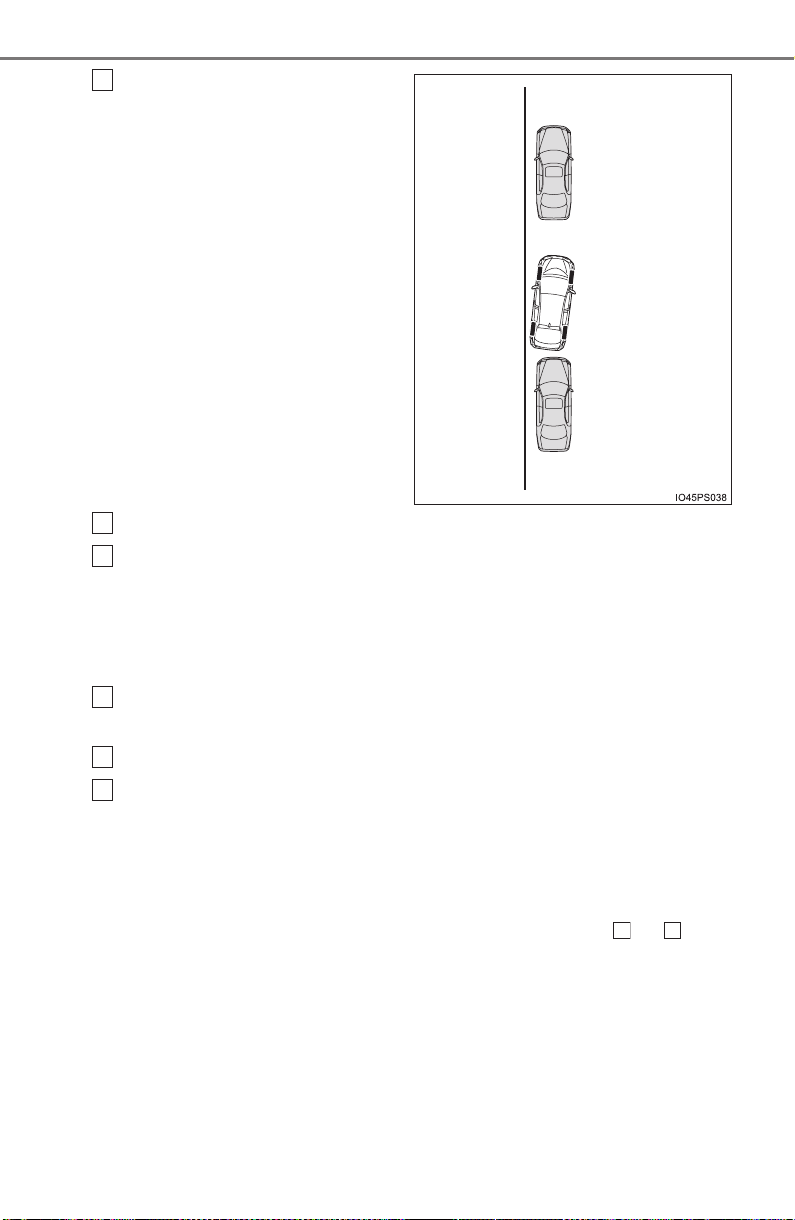
376
PRIUS_OM_OM47A29U_(U)
4-5. Using the driving support systems
When a level beep is emit-
ted and the stop indicator
(→P. 363) is shown on the
display, stop the vehicle.
Change the shift position to D.
Assume an ordinary driving posture, rest your hands lightly on
the steering wheel without applying any force, directly confirm
the safety of the area to the front and around the vehicle and
slowly proceed forward while adjusting your speed by depressing
the brake pedal.
When a level beep is emitted and the stop indicator (→P. 363) is
shown on the display, stop the vehicle.
Change the shift position to R.
Assume an ordinary posture for backing up, rest your hands
lightly on the steering wheel without applying any force, directly
confirm the safety of the area to the rear and around the vehicle
and slowly back up while adjusting your speed by depressing the
brake pedal.
Depending on the condition of the parking space, steps to may
need to be repeated.
6
7
8
9
10
11
6 11

PRIUS_OM_OM47A29U_(U)
377
4-5. Using the driving support systems
4
Driving
When the vehicle is almost entirely within the target parking spot,
a high-pitched beep is emitted and the stop indicator is shown on
the display, stop the vehicle.
This completes the parallel parking assist mode.
● After stopping, feel free to maneuver the vehicle to reach the
desired parking spot.
● Be sure to back up while checking the area to the front and
rear of the vehicle directly and by using the mirrors.
■ Parallel parking assist mode operating conditions
● In order to operate the parallel parking assist mode correctly, drive slowly (at
a speed at which the vehicle can be quickly stopped) parallel to the road (or
shoulder) while maintaining a distance of approximately 3 ft. (1 m) to any
parked vehicles.
● The function cannot be used when the vehicle speed is approximately
19 mph (30 km/h) or higher.
● The front side sensors and rear side sensors are used to detect parked
vehicles and determine the parking spot. Therefore, when detection is not
possible (→P. 393), guidance is not issued.
● If there are no parked vehicles, the parking spot cannot be determined.
Therefore, the parallel parking assist mode cannot be operated.
● If unable to detect the environment surrounding the parking space, the par-
allel parking assist mode may not be able to operate.
● Guidance will continue until the vehicle speed meets or exceeds approxi-
mately 19 mph (30 km/h) or the function is turned OFF using the S-APGS
switch.
■ Timing for pressing the S-APGS switch
In the following cases, the assist mode may also operate during the steps
taken to park using the parallel parking assist mode. However, in these
cases, conduct parking procedures according to the information on the multi-
information display.
● In step the S-APGS switch is pressed after already passing over the tar-
get parking spot.
● If the vehicle is not stopped in step , pressing the S-APGS switch 1 time
while the vehicle is in motion allows you to select “Parallel Parking” and pro-
ceed directly to step .
● The vehicle is moved up to the position in step without the S-APGS
switch being pressed. Then the S-APGS switch is pressed after having
changed the shift position to R.
12
1
1
2
3
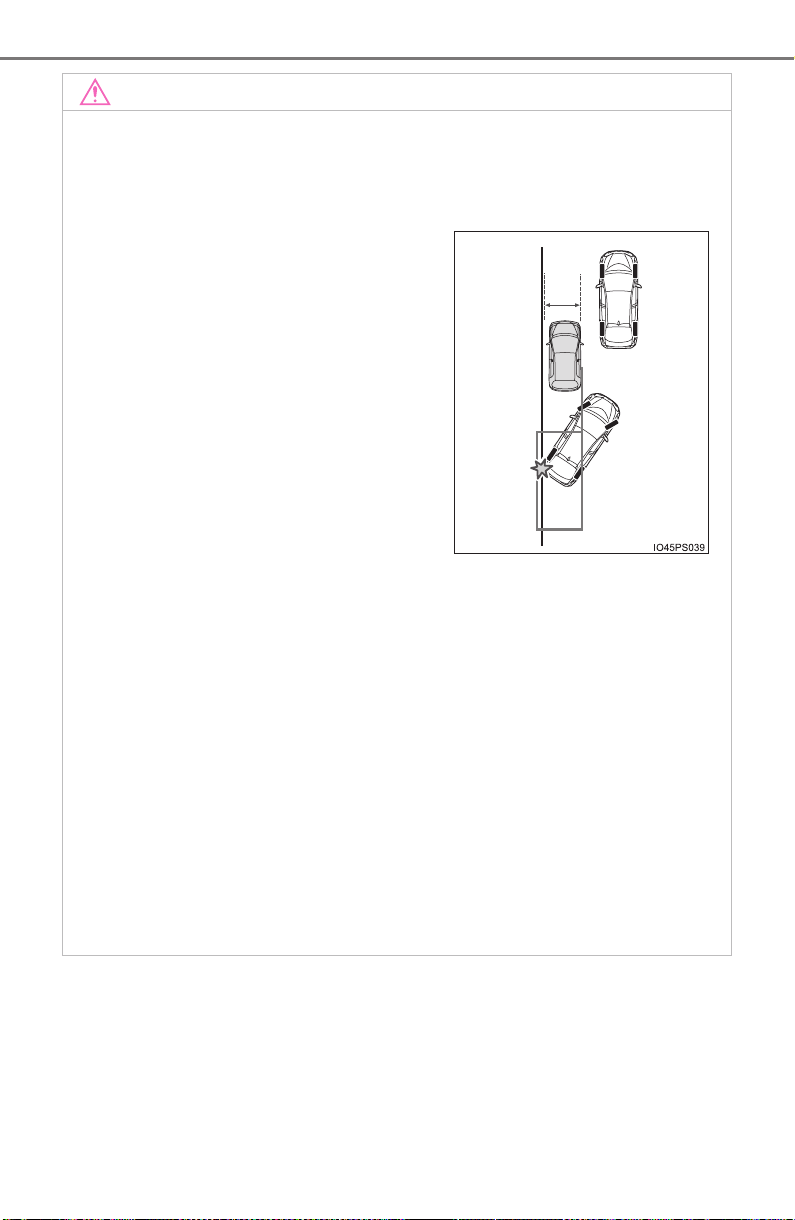
378
PRIUS_OM_OM47A29U_(U)
4-5. Using the driving support systems
NOTICE
● If the road surface has any dips or inclines, the target parking spot cannot
be correctly set. Therefore, the vehicle may be parked at an angle or may
deviate from the parking spot. In these cases, do not use the parallel park-
ing assist mode.
● When there is a wall or other obstacle on the inner side of the parking
space, or when another parked vehicle extends into the road from its park-
ing spot, the target parking spot may be set in a position that juts out
slightly into the road.
● Depending on the surrounding environment, such as other parked vehi-
cles, the vehicle may be parked at an angle or may deviate from the park-
ing spot. Manually adjust vehicle alignment as necessary.
● The system provides assistance to guide the vehicle based on position of
adjacent vehicles, even if there are obstacles, bumps, drops or curb
stones in the parking space.
If it seems the vehicle may make contact, stop the vehicle by depressing
the brake pedal, and then press the S-APGS switch to turn off the system.
● It may not be possible to detect objects that are low to the ground. Directly
confirm the safety of your surroundings and, if it seems the vehicle may
make contact with an obstacle, stop the vehicle by depressing the brake
pedal.
● When the other parked vehicle is nar-
row or parked extremely close to the
curb, assist control will also guide the
vehicle to a position close to the curb.
If it seems the vehicle may make con-
tact with the curb or any other obsta-
cles, or if it seems the tire position will
deviate from the intended parking spot,
stop the vehicle by depressing the
brake pedal, and then press the
S-APGS switch to turn OFF the system.
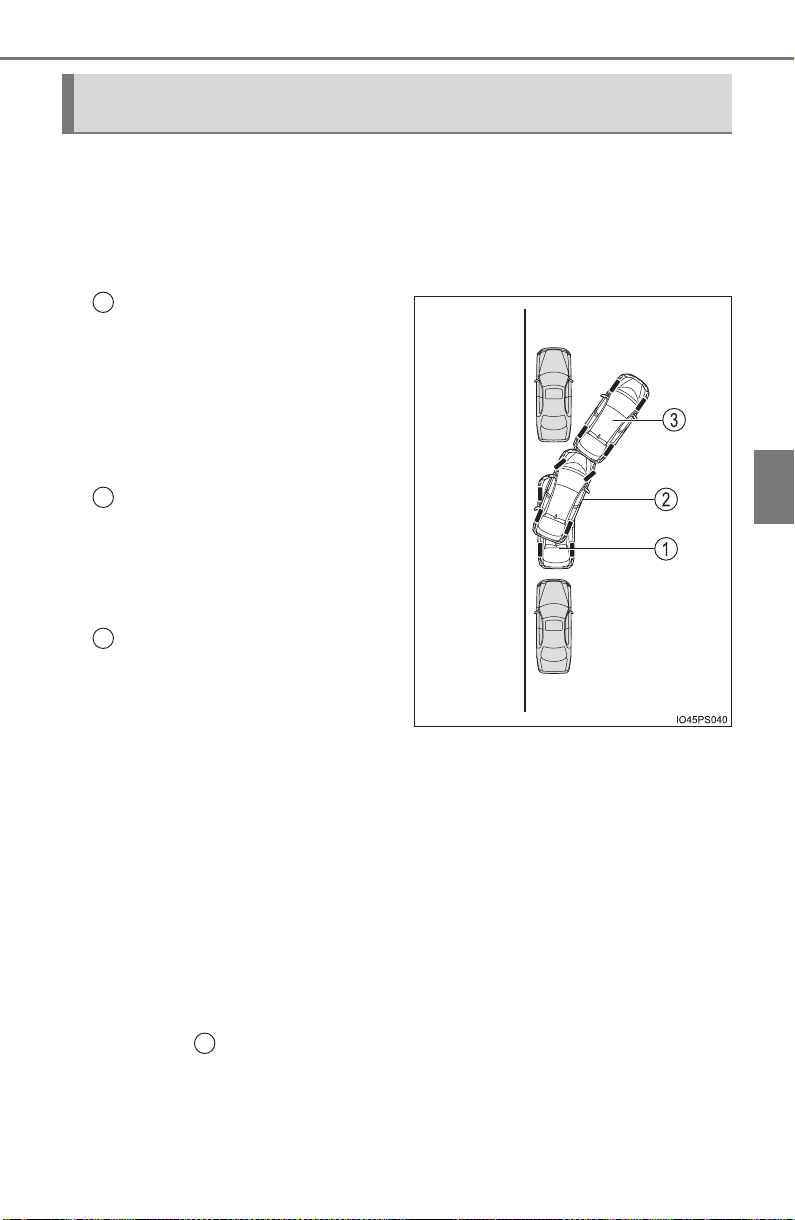
PRIUS_OM_OM47A29U_(U)
379
4-5. Using the driving support systems
4
Driving
■ Function summary
When departing from a parallel parking position, select the direction
you would like to depart in, and steering wheel operation assist con-
trol will be provided to guide the vehicle to a position from which
you can take off.
With the shift position in P,
press the S-APGS switch,
select exit parallel parking
assist mode, and then oper-
ate the turn signal lever to
select the desired departure
direction.
Steering wheel auto opera-
tion starts when the shift
position is changed accord-
ing to guidance provided by
the system.
A sound is issued and a dis-
play is shown to notify you
when the vehicle reaches a
position from which you can
take off.
Depending on the condition
of the parking space, guid-
ance to starting points for
moving forward and backing
up, as well as the steering
wheel auto operation, are
repeated any time multi-turn
maneuvering is necessary
from the time the steering
wheel auto operation begins
in step up until the vehicle
reaches a position from
which it can take off.
How to depart from a parallel parking position (exit parallel park-
ing assist mode)
1
2
3
2
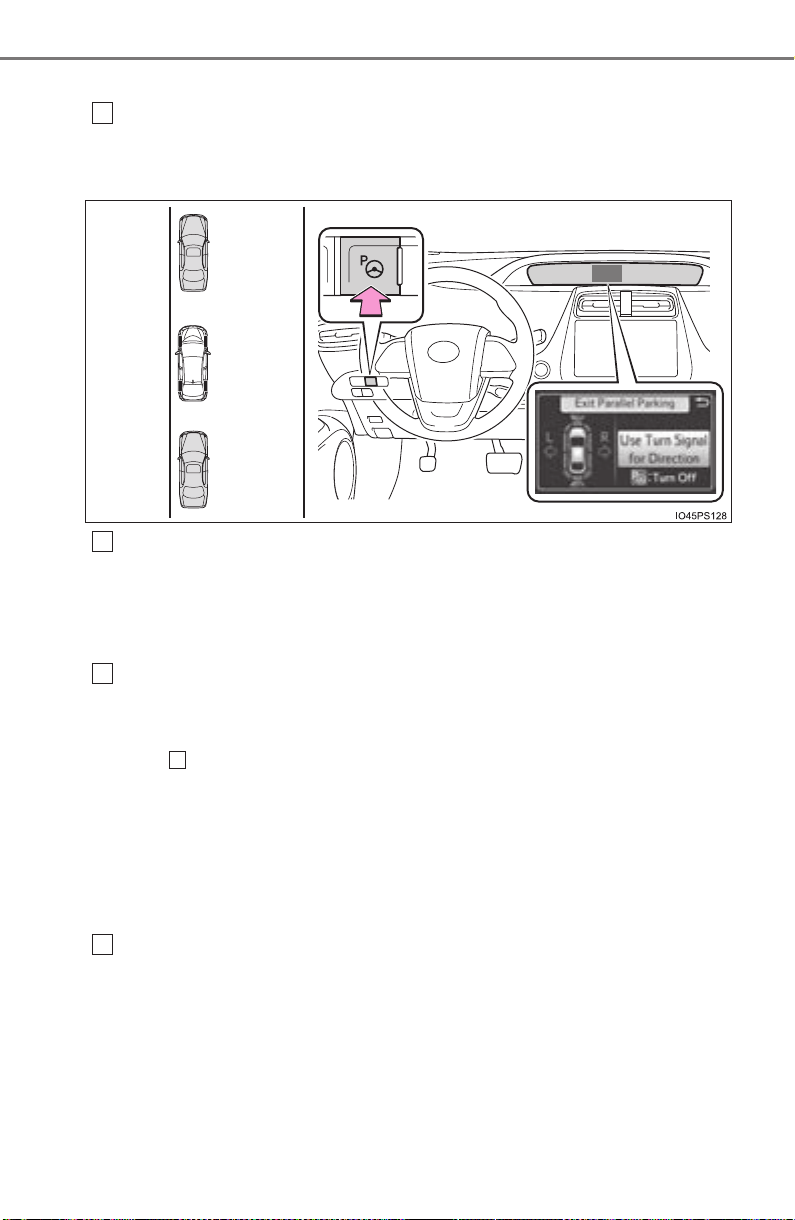
380
PRIUS_OM_OM47A29U_(U)
4-5. Using the driving support systems
■ Using the exit parallel parking assist mode to depart
With the shift position in P, press the S-APGS switch and check
that the display on the multi-information display switches to “Exit
Parallel Parking”.
Operate the turn signal lever (→P. 240) to select whether you
would like to depart to the left or right.
If there are any obstacles in the direction the vehicle is departing in, the
system determines that it is not possible to depart, and assist control is
stopped.
When the shift position is changed to R (or D) according to the
advice display on the screen (→P. 363), a high-pitched beep is
emitted and assist control will start.
Step and onward is for cases in which the advice display shows “Shift
to [R]” after operating the turn signal lever to select a departure direc-
tion.
● When the steering wheel auto operation starts, the steering
wheel auto operation display (→P. 363) and assistance level
indicator (→P. 363) will be shown in the display area.
● To stop assist control, press the S-APGS switch.
Assume an ordinary posture for backing up, rest your hands
lightly on the steering wheel without applying any force, directly
confirm the safety of the area to the rear and around the vehicle
and slowly back up while adjusting your speed by depressing the
brake pedal.
● When backing up too quickly, a sharp beeping sound is emit-
ted and assist control is stopped.
1
2
3
4
4
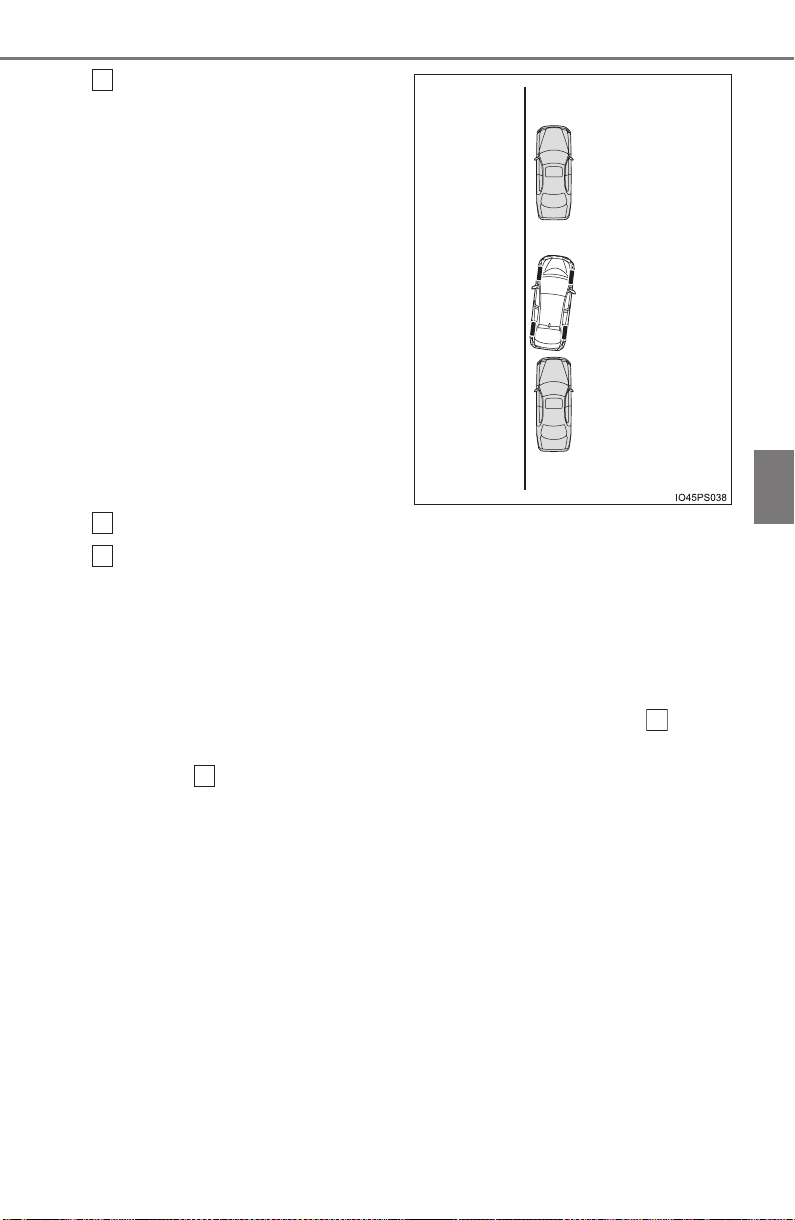
PRIUS_OM_OM47A29U_(U)
381
4-5. Using the driving support systems
4
Driving
When a level beep is emit-
ted and the stop indicator
(→P. 363) is shown on the
display, stop the vehicle.
Change the shift position to D
Assume an ordinary driving posture, rest your hands lightly on
the steering wheel without applying any force, directly confirm
the safety of the area to the front and around the vehicle and
slowly proceed forward while adjusting your speed by depressing
the brake pedal.
● When departure cannot be accomplished on the first try and
multi-turn maneuvering is necessary, proceed to step .
● When multi-turn maneuvering is not necessary, proceed to
step (→P. 384).
5
6
7
8
14
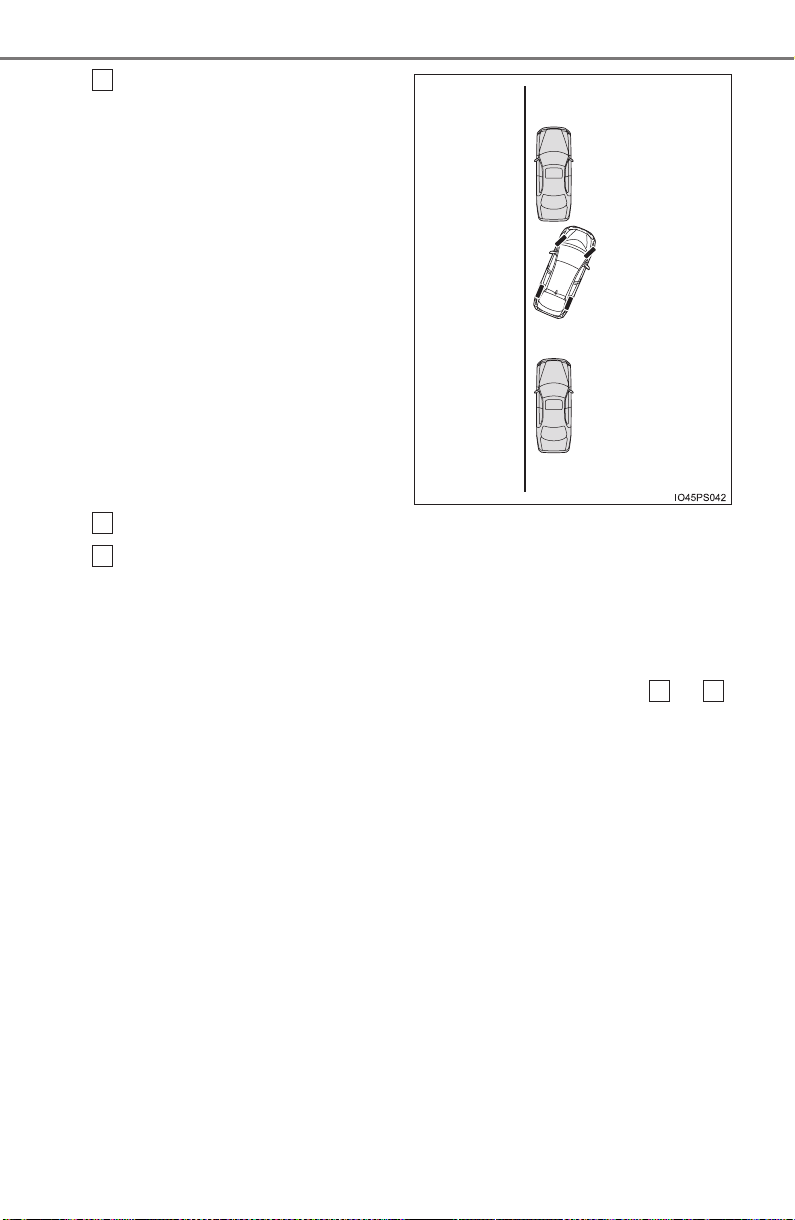
382
PRIUS_OM_OM47A29U_(U)
4-5. Using the driving support systems
When a level beep is emit-
ted and the stop indicator
(→P. 363) is shown on the
display, stop the vehicle.
Change the shift position to R.
Assume an ordinary posture for backing up, rest your hands
lightly on the steering wheel without applying any force, directly
confirm the safety of the area to the rear and around the vehicle
and slowly back up while adjusting your speed by depressing the
brake pedal.
Depending on the condition of the parking space, steps to
may need to be repeated.
8
9
10
5 10
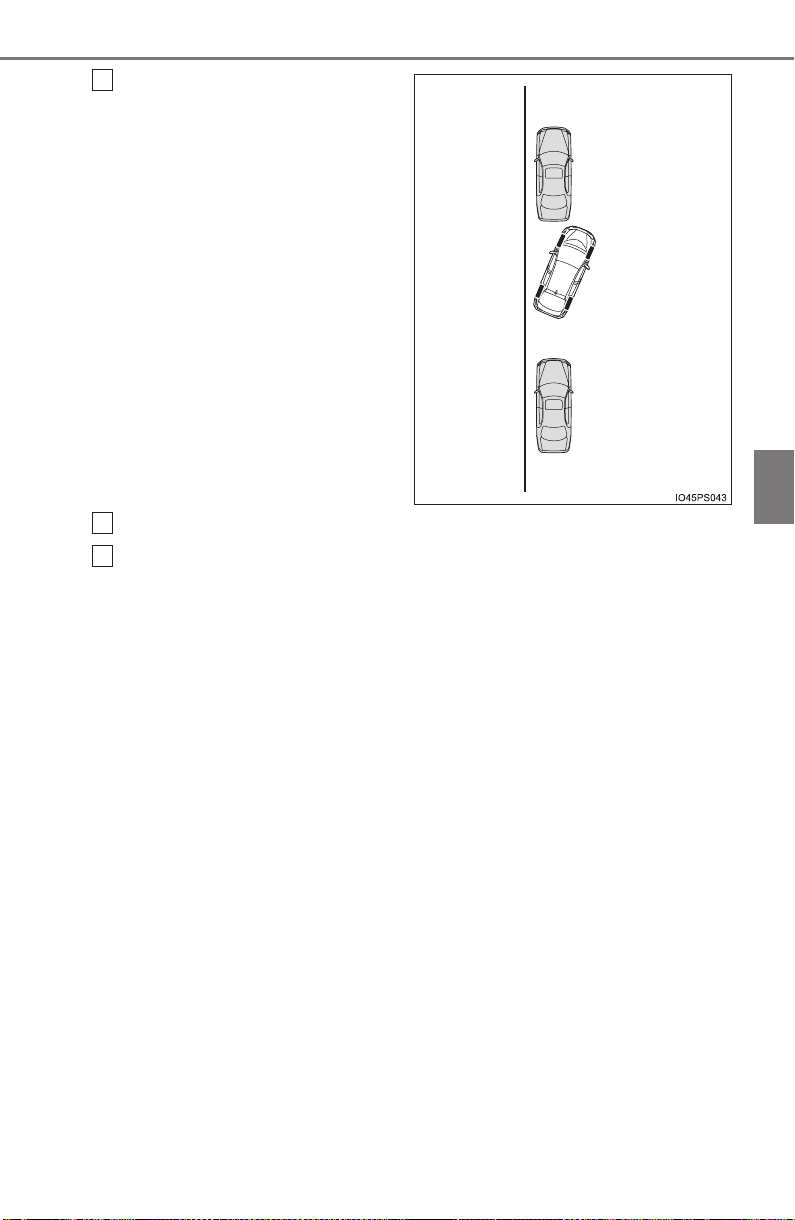
PRIUS_OM_OM47A29U_(U)
383
4-5. Using the driving support systems
4
Driving
When a level beep is emit-
ted and the stop indicator
(→P. 363) is shown on the
display, stop the vehicle.
Change the shift position to D
Assume an ordinary driving posture, rest your hands lightly on
the steering wheel without applying any force, directly confirm
the safety of the area to the front and around the vehicle and
slowly proceed forward while adjusting your speed by depressing
the brake pedal.
11
12
13
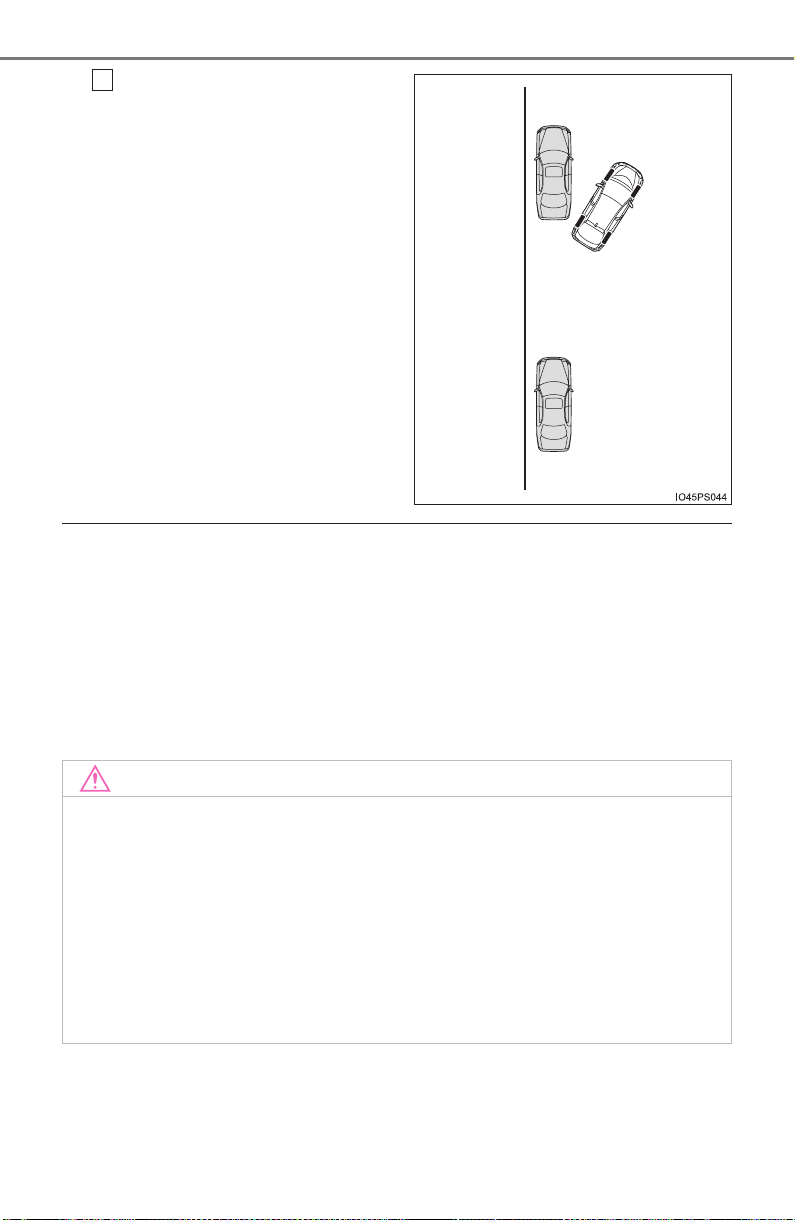
384
PRIUS_OM_OM47A29U_(U)
4-5. Using the driving support systems
When the vehicle has nearly
reached the take-off point, a
high-pitched beep is emitted
and assist control finishes.
From there, grasp the steer-
ing wheel and proceed for-
ward.
■ Exit parallel parking assist mode
● During assist control, if the driver determines that they are at a position
where take-off is possible and operates the steering wheel, assist control is
stopped at that position.
● Assist control cannot be used if there are no parked vehicles ahead, or if the
gap between the front of your vehicle and the vehicle parked ahead is too
large.
● When using the exit parallel parking assist mode, the assist mode may be
not be able to operate depending on the surrounding environment.
14
NOTICE
● The detection range of the sensors (→P. 339) is limited. Directly confirm
the safety of your surroundings, and if there is a possibility of a contact
accident, stop the vehicle by depressing the brake pedal.
● It may not be possible to detect objects that are low to the ground. Directly
confirm the safety of your surroundings and, if it seems the vehicle may
make contact with an obstacle, stop the vehicle by depressing the brake
pedal.
● When departing for a position from which you can take off, directly confirm
the safety of your surroundings.
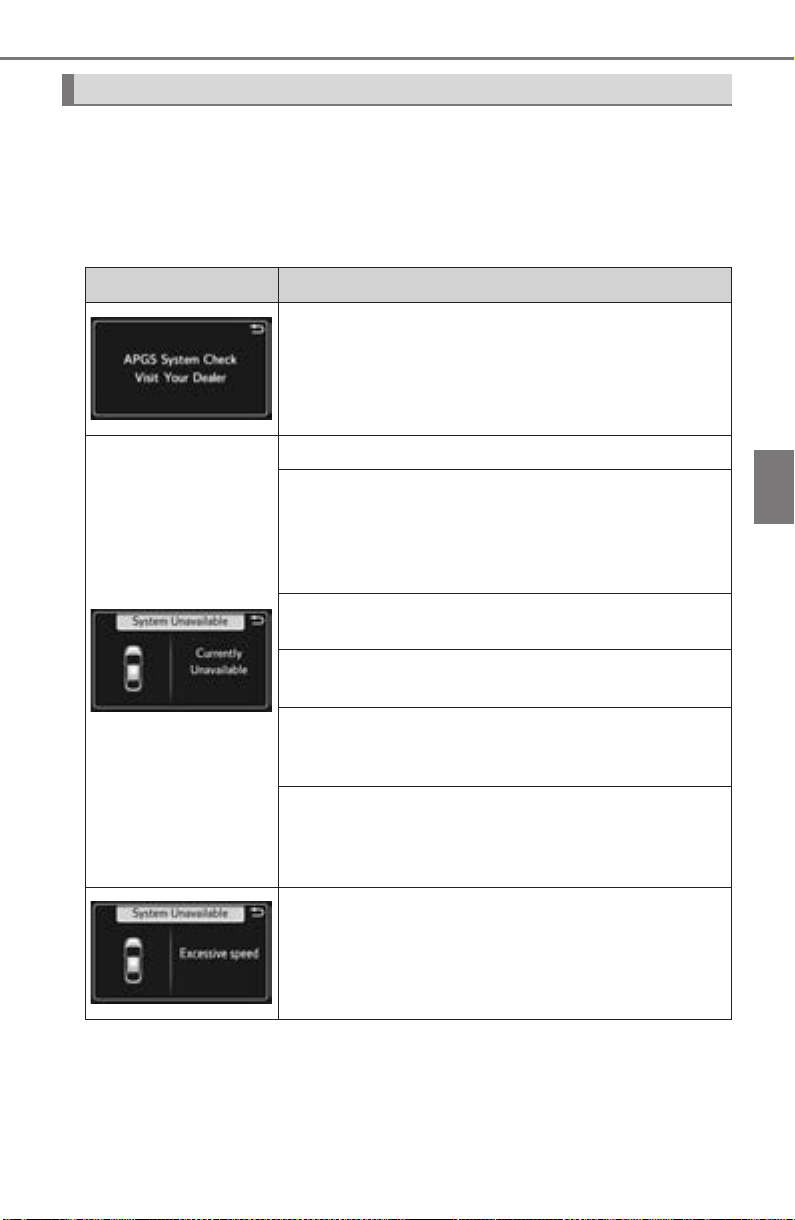
PRIUS_OM_OM47A29U_(U)
385
4-5. Using the driving support systems
4
Driving
When the Simple Advanced Parking Guidance System cannot be
operated, or when operation is stopped, canceled, etc., the one of the
following message is displayed on the multi-information display. Take
appropriate action according to the display.
■ When it is not possible to operate
Multi-information display messages
Message Situation•Handling method
The system may be malfunctioning.
→ Turn the power switch off and then to ON
mode.
Have the vehicle inspected by your Toyota
dealer if the message is displayed again.
There may be a system failure.
Power steering equipment is temporarily overheat-
ing.
→ Turn the power switch off, wait for a little
while, and then turn the power switch back to
ON mode.
The power switch is not in ON mode.
→ Turn the power switch to ON mode.
Ice, snow, dirt, etc., has adhered to the sensor.
→ Remove any ice, snow, dirt, etc.
The sensor is frozen.
→ Once the sensor thaws, the system will return
to normal.
The battery has been removed and reinstalled.
→ Drive the vehicle straight ahead for 5 seconds
or more at a speed of approximately 22 mph
(35 km/h) or higher.
The S-APGS switch is operated when the vehicle
speed exceeds 16 mph (30 km/h).
→ Operate the switch when the vehicle speed is
approximately 16 mph (30 km/h) or less.
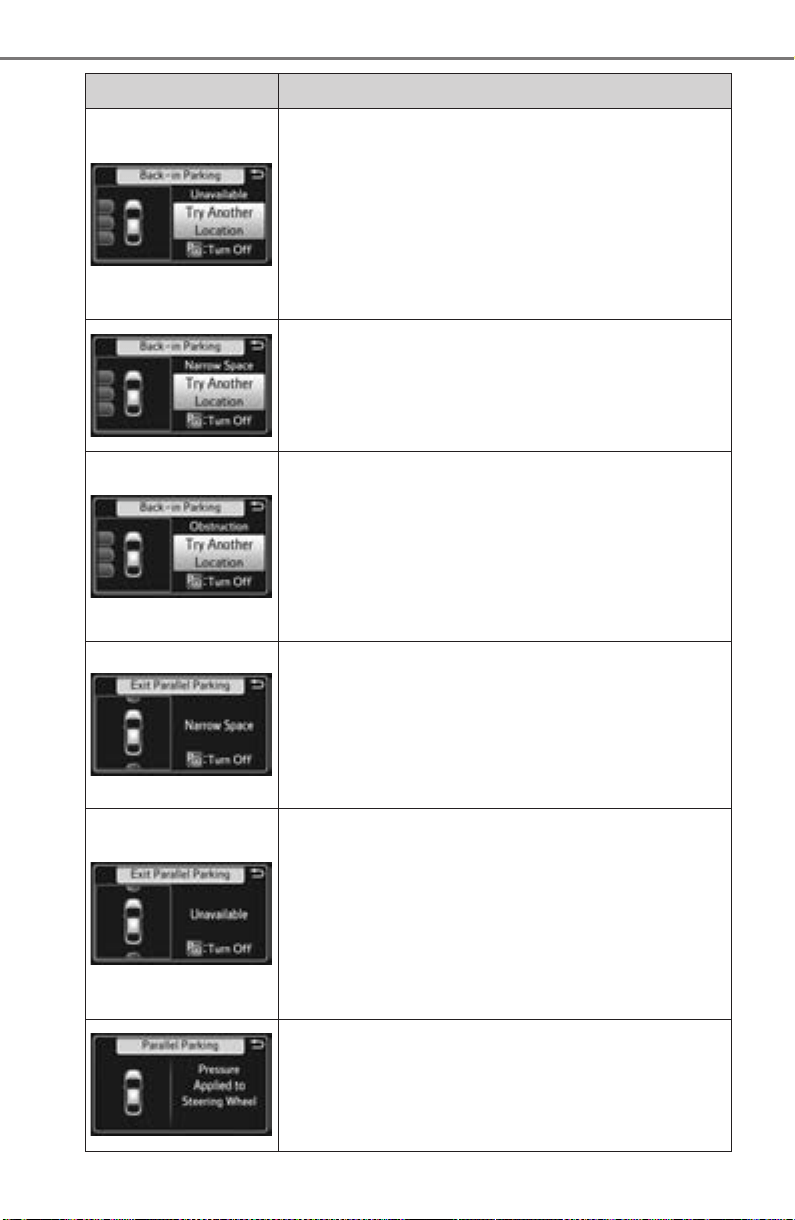
386
PRIUS_OM_OM47A29U_(U)
4-5. Using the driving support systems
The S-APGS switch is operated in an area with no
parking spaces, or operated in an area where the
road width for parking is narrow.
• Assist control cannot be used, as there is no park-
ing space. Proceed to a parking space which
width is approximately 8.5 ft. (2.6 m) or larger.
• Assist control cannot be used, as the road width is
narrow. Proceed to a parking space where the
road width is approximately 15 ft. (4.5 m) or larger.
The S-APGS switch is operated at a space that is
too narrow for the vehicle to park in.
→ Assist control cannot be used, as there is no
parking space. Proceed to a parking space
that is approximately 8.5 ft. (2.6 m) or larger.
The S-APGS switch is operated in an area where
there are obstacles to the front, and the vehicle can-
not move forward to the starting point for backing
up.
→ Assist control cannot be used, as there are
obstacles in front of the vehicle. Use parking
spaces that have no obstacles in front of
them.
The S-APGS switch is operated when there is not
enough space to the front and rear of the vehicle
when departing from a parallel parking spot.
→ The vehicle cannot depart using assist con-
trol as there is not enough space to the front
and rear of the vehicle. Confirm the safety of
your surroundings before departing.
The S-APGS switch is operated in an area where
there are no obstacles to the front of the vehicle, or
there are obstacles to the sides and the vehicle can-
not depart from the parallel parking spot.
→ Assist control cannot be used for departure,
as there are obstacles to the sides of the vehi-
cle or departure can easily be performed man-
ually. Confirm the safety of your surroundings
before departing.
Assist control is started while the steering wheel is
held.
→ Rest your hands on the steering wheel with-
out applying any force. Assist control will
start.
Message Situation•Handling method

PRIUS_OM_OM47A29U_(U)
387
4-5. Using the driving support systems
4
Driving
■ When the operation is canceled
The vehicle is moved and assist control is started
while the steering wheel is held.
→ Stop the vehicle and follow the guidance pro-
vided by the system to start assist control.
Message Situation•Handling method
Message Situation•Handling method
While assist control is operating, the driver changes
the shift position to P or operates the S-APGS
switch.
The vehicle speed exceeds 16 mph (30 km/h) when
searching for a parallel parking assist mode space.
Assist control is started in an area with narrow park-
ing spaces.
The shift position is changed without having used
the turn signal lever to select a departure direction
when using the exit parallel parking assist mode.
→ Follow the guidance provided by the system.
When assist control starts, the vehicle proceeds in a
direction opposite to the guidance.
→ Follow the guidance provided by the system
to proceed forward.
The maximum number of movements for multi-turn
maneuvering is reached during assist control, or the
target parking spot cannot be reached due to the
control being used on a road with steep grade.
→ Follow the assist control guidance and use
the system in a wide space that does not have
a steep grade.
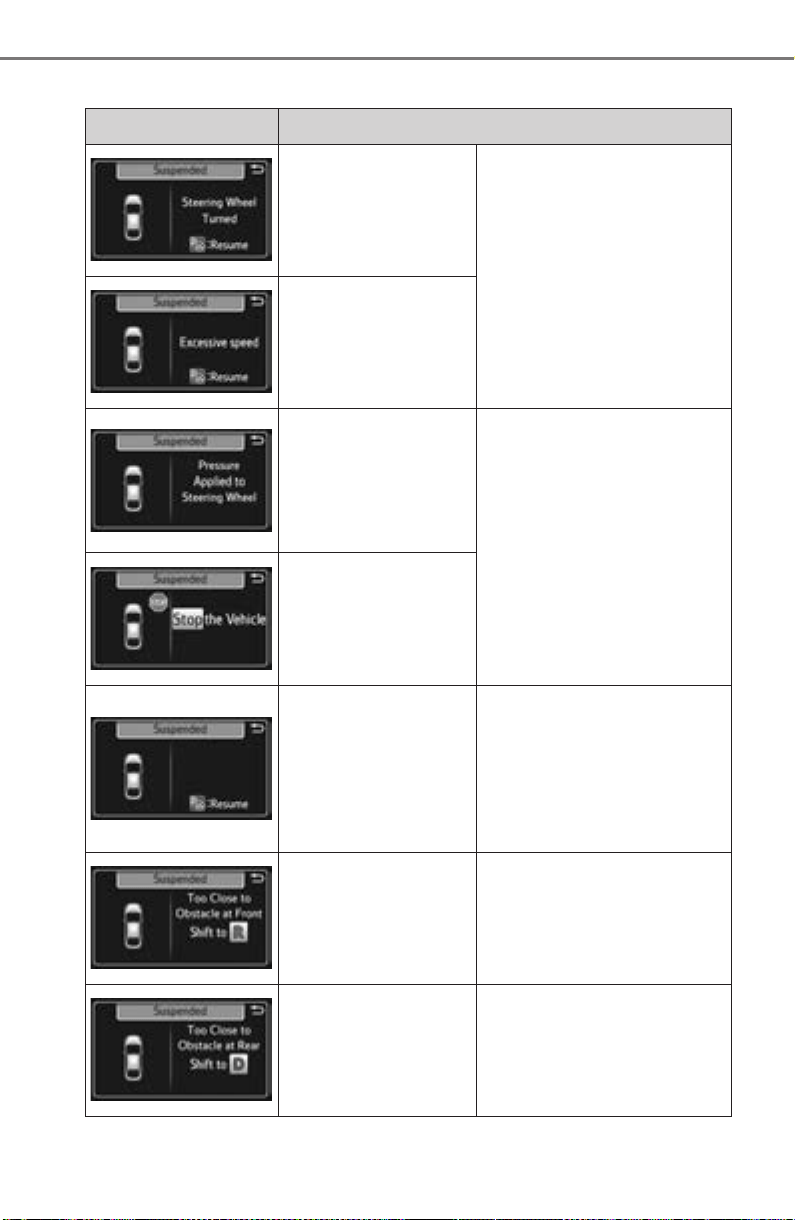
388
PRIUS_OM_OM47A29U_(U)
4-5. Using the driving support systems
■ When the operation is canceled
Message Situation•Handling method
The driver holds the
steering wheel during
assist control.
→ Stop the vehicle and
rest your hands on the
steering wheel without
applying any force.
Then press the S-APGS
switch to restart assist
control.
The vehicle speed
exceeds 4 mph
(7 km/h) during assist
control.
The S-APGS switch
is pressed while
assist control is tem-
porarily stopped and
the steering wheel is
firmly held.
→ Rest your hands on the
steering wheel without
applying any force.
Then stop the vehicle to
restart assist control.
The S-APGS switch
is pressed while
assist control is tem-
porarily stopped and
the vehicle is moving.
Assist control is tem-
porarily stopped
(able to be restarted)
→ Stop the vehicle and
rest your hands on the
steering wheel without
applying any force.
Then press the S-APGS
switch to restart assist
control.
The vehicle moved
too close to an obsta-
cle in front of the
vehicle.
→ Press the S-APGS
switch after changing
the shift position to R to
restart assist control.
The vehicle moved
too close to an obsta-
cle to the rear of the
vehicle.
→ Press the S-APGS
switch after changing
the shift position to D to
restart assist control.
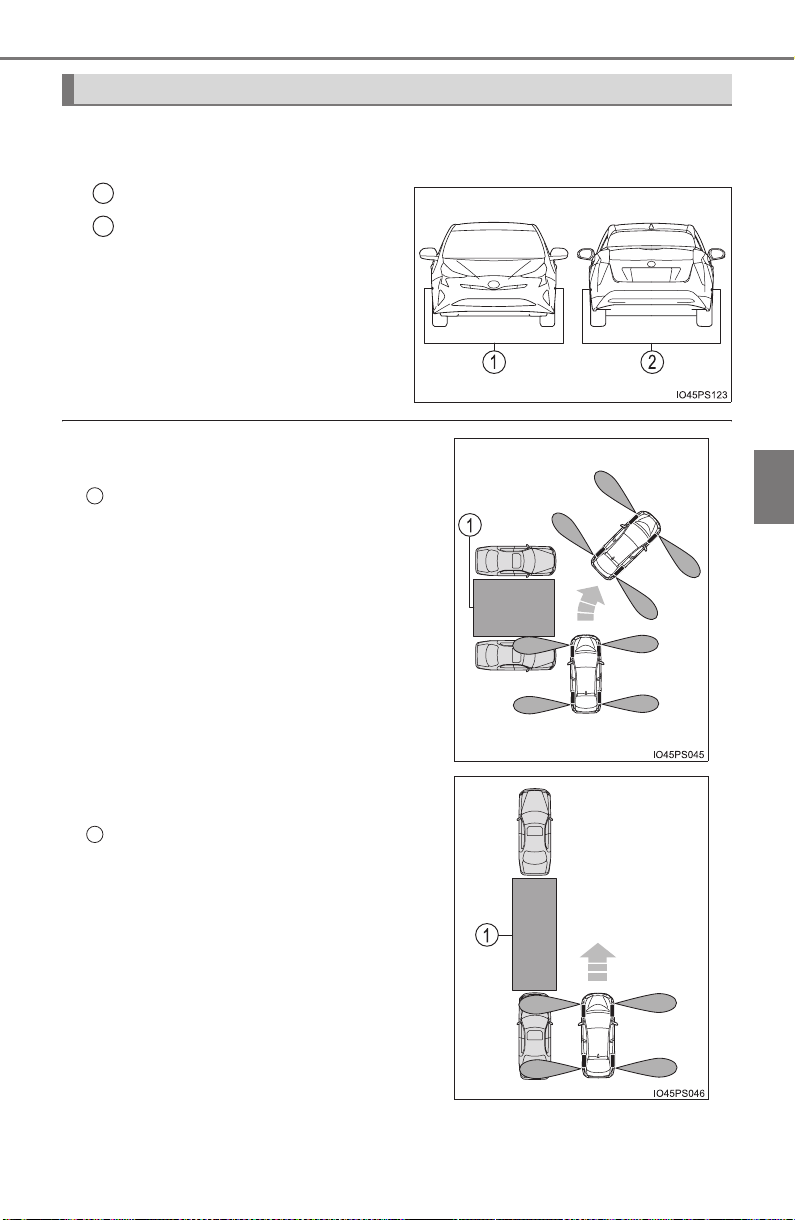
PRIUS_OM_OM47A29U_(U)
389
4-5. Using the driving support systems
4
Driving
■ Sensors
Detect the vehicle to help determine the parking spot.
Front side sensors
Rear side sensors
Precautions during use
1
2
● The sensor detection range when using
back-in parking assist mode
Intended parking spot
● The sensor detection range when using
parallel parking assist mode
Intended parking spot
1
1
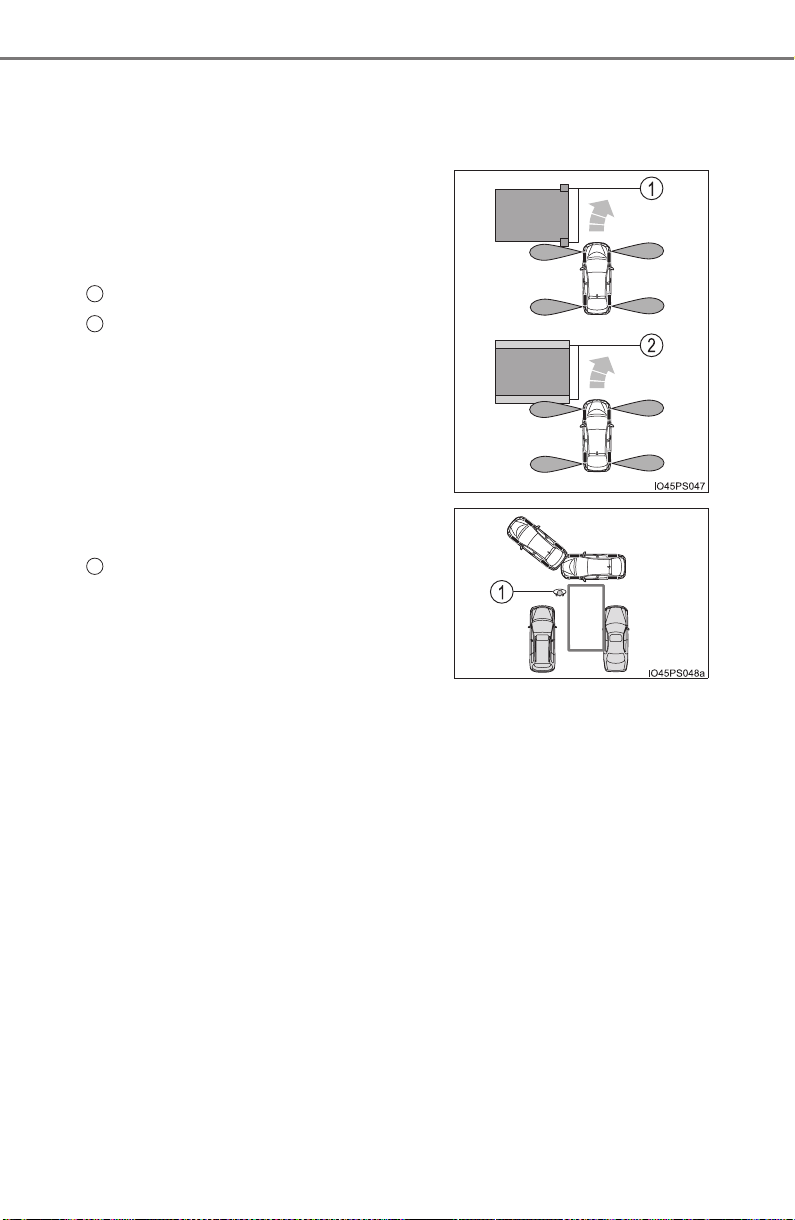
390
PRIUS_OM_OM47A29U_(U)
4-5. Using the driving support systems
● When there is a parked vehicle behind the target parking spot, it may not be
detected due to the distance. Also, depending on the shape of the vehicle
and other conditions, the detectable range may shorten or detection may
not be possible.
● The Simple Advanced Parking Guidance System may not operate if grating,
diamond plates or similar materials are detected on the surface of the park-
ing space.
● Objects other than parked vehicles, such
as poles and walls, may not be detected.
Also, even if these objects can be
detected, the target parking spot may
deviate.
Poles
Wall
● Also, the target parking spot may devi-
ate when a pedestrian, etc. is detected.
Pedestrian
1
2
1

PRIUS_OM_OM47A29U_(U)
391
4-5. Using the driving support systems
4
Driving
WARNING
● Do not rely solely upon the Simple Advanced Parking Guidance System.
As with unequipped vehicles, move forward and back up carefully while
directly confirming the safety of your surroundings and the area to the rear
of the vehicle.
● Do not back up while viewing the multi-information display. Backing up
while only viewing the monitor screen may cause a collision or lead to an
accident, as the image displayed on the monitor screen may differ from
actual conditions. Make sure to visually check the surrounding areas and
the area to the rear of the vehicle with and without the mirror while backing
up.
● Drive slowly while adjusting your speed by depressing the brake pedal
when backing up or moving forward.
● If it seems the vehicle may make contact with a pedestrian, another vehi-
cle or any other obstacles, stop the vehicle by depressing the brake pedal,
and then press the S-APGS switch to turn OFF the system.
● Use the system in a parking lot with a flat surface.
● Observe the following precautions, as the steering wheel automatically
turns during use.
• There is risk of a necktie, scarf, your arm, etc. being caught on the
steering wheel. Please do not allow your upper body to be close to the
steering wheel. Also, do not allow children close to the steering wheel.
• There is a possibility of injury when the steering wheel turns if you have
long fingernails.
• In case of an emergency, stop the vehicle by depressing the brake
pedal, and then press the S-APGS switch to turn OFF the system.
● Always confirm that there is appropriate space before attempting to park
the vehicle and operate the system.

392
PRIUS_OM_OM47A29U_(U)
4-5. Using the driving support systems
WARNING
● Do not use the system in the following situations, as the system may be
unable to correctly assist you in reaching the target parking spot and may
lead to an unexpected accident.
• In an area that is not a parking lot
• A parking lot that is not paved and has no parking space lines, such as
a sand or gravel parking lot
• A parking lot that has a slope or undulations in the road
• A frozen, snow-covered or slippery road
• The asphalt is melting due to hot weather
• There is an obstacle between the vehicle and the target parking spot
• Using tire chains or emergency tire
● Do not use tire other than that provided by the manufacturer. The system
may not operate properly. When replacing tires, contact your Toyota
dealer.
● The system may not be able position the vehicle in the set location in the
following situations.
• The tires are extremely worn or the tire pressure is low
• The vehicle is carrying very heavy load
• The vehicle is tilted due to having luggage, etc. located on one side of
the vehicle
• There are road heaters installed in the parking lot to prevent the road
surface from freezing.
In any other situations when the set position and vehicle position greatly
differ, have the vehicle inspected by your Toyota dealer.
● Make sure to observe the following precautions regarding the exit parallel
parking assist mode.
Exit parallel parking assist mode is a function used when departing from a
parallel parking spot. However, this function may not be usable if obsta-
cles or people are detected in front of the vehicle. Only use this function
when departing from a parallel parking spot. In the event that the steering
control operates, either turn the system off using the S-APGS switch or
operate the steering wheel to stop the control.
● If exit parallel parking assist mode is mistakenly used in the following situ-
ations, the vehicle may make contact with an obstacle.
The departure function is operated in a direction where an obstacle is
present, but the obstacle is not detected by the side sensors (situations
such as when the vehicle is directly beside a pole)

PRIUS_OM_OM47A29U_(U)
393
4-5. Using the driving support systems
4
Driving
WARNING
● Observe the following precautions, as the sensors may stop functioning
properly which may lead to an accident.
• Do not subject the sensor to strong shocks by hitting it, etc. The sen-
sors may not function properly.
• When using a high-pressure washer to wash the vehicle, do not spray
water directly on the sensors. Equipment may not function properly if
subjected to an impact from strong water pressure. If the vehicle
bumper strikes something, equipment may not operate properly due to
a sensor malfunction. Have the vehicle inspected at your Toyota dealer.
● In the following situations, the sensors may not operate normally and may
lead to an accident. Drive carefully.
• Obstacles cannot be detected in the side areas until a scan of the side
areas is completed (→P. 341).
• Even after the scan of the side areas is completed, obstacles such as
other vehicles, people or animals that approach from the sides cannot
be detected.
• The sensor is frozen (if it thaws, the system returns to normal). A warn-
ing message may display at particularly low temperatures due to the
sensor freezing and it may not detect parked vehicles.
• The sensor is blocked by someone’s hand.
• The vehicle is tilted a large amount.
• The temperature is extremely hot or cold.
• The vehicle is driven on undulating roads, slopes, gravel roads, in areas
with tall grass, etc.
• An ultrasonic wave source is nearby, such as the horn or sensors of
another vehicle, a motorcycle engine or the air brake of a large vehicle.
• Heavy rain or a water strikes the vehicle.
• The angle of the sensor may be deviated when assist control starts
even if there is a parked vehicle next to the target parking spot. Have
the vehicle inspected at your Toyota dealer.
• Do not install any accessories within the sensor detection range.
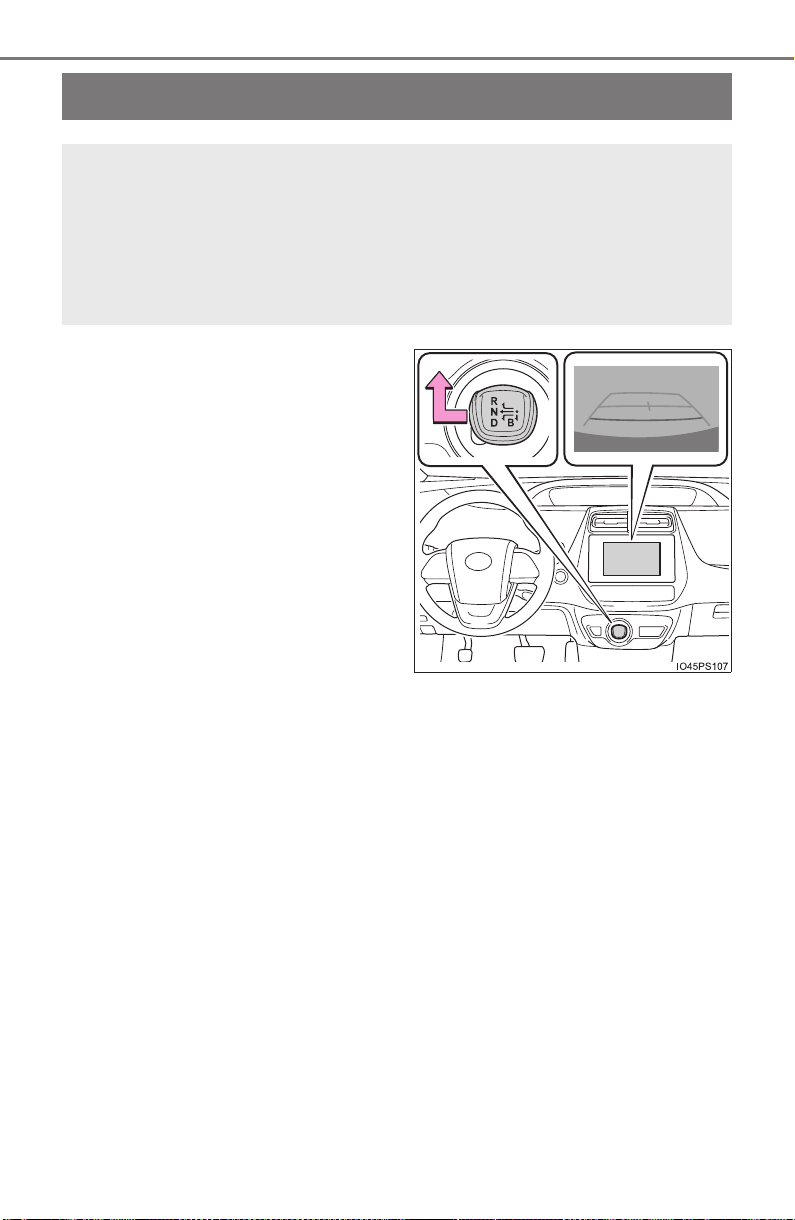
394
PRIUS_OM_OM47A29U_(U)
4-5. Using the driving support systems
Rear view monitor system
The rear view image is displayed
when the shift lever is in R and the
power switch is in ON mode.
The rear view monitor system will
be deactivated when the shift lever
is in any position other than R.
The rear view monitor system assists the driver by displaying an
image of the view behind the vehicle with fixed guide lines on
the screen while backing up, for example while parking.
The screen illustrations used in this text are intended as examples,
and may differ from the image that is actually displayed on the
screen.
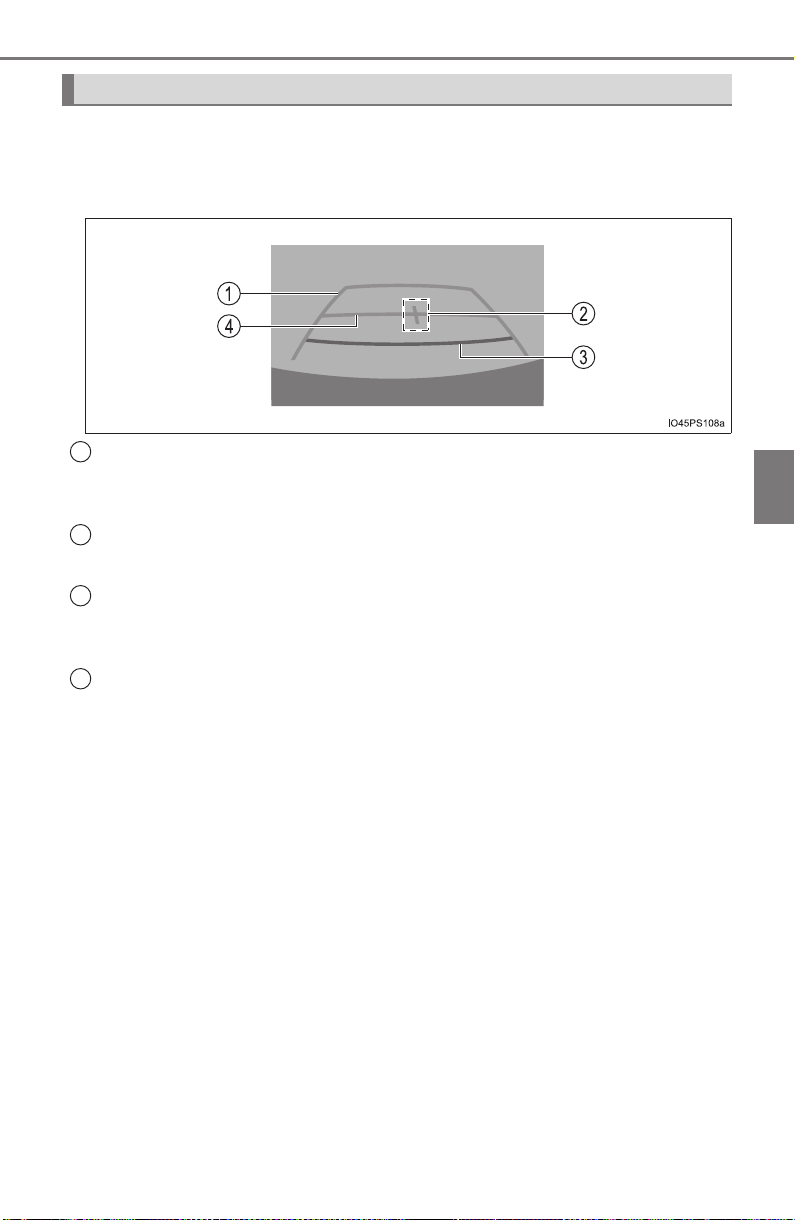
PRIUS_OM_OM47A29U_(U)
395
4-5. Using the driving support systems
4
Driving
■ Screen description
The rear view monitor system screen will be displayed if the shift
lever is shifted to R while the power switch is in ON mode.
Vehicle width extension guide line
Displays a guide path when the vehicle is being backed straight up.
The displayed width is wider than the actual vehicle width.
Vehicle center guide line
This line indicates the estimated vehicle center on the ground.
Distance guide line
Displays a point approximately 1.5 ft. (0.5 m) (red) from the edge of the
bumper.
Distance guide line
Displays a point approximately 3 ft. (1 m) (blue) from the edge of the
bumper.
Using the rear view monitor system
1
2
3
4
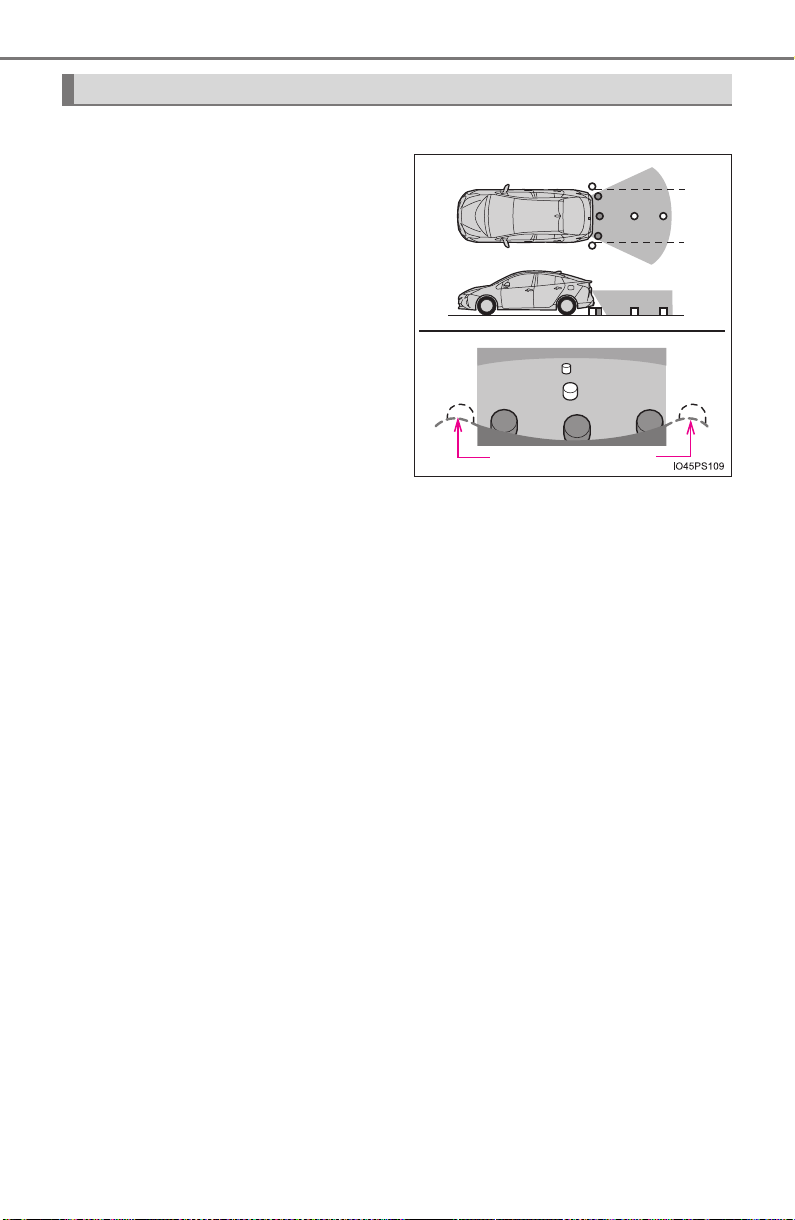
396
PRIUS_OM_OM47A29U_(U)
4-5. Using the driving support systems
■ Area displayed on screen
The rear view monitor system
displays an image of the view
from the bumper of the rear
area of the vehicle.
The image adjustment proce-
dure for the rear view monitor
system screen is the same as
the procedure for adjusting the
screen. (→P. 432)
• The area displayed on the
screen may vary according to
vehicle orientation conditions.
• Objects which are close to either
corner of the bumper or under
the bumper cannot be dis-
played.
• The camera uses a special lens. The distance of the image that appears
on the screen differs from the actual distance.
• Items which are located higher than the camera may not be displayed
on the monitor.
Rear view monitor system precautions
Corners of bumper
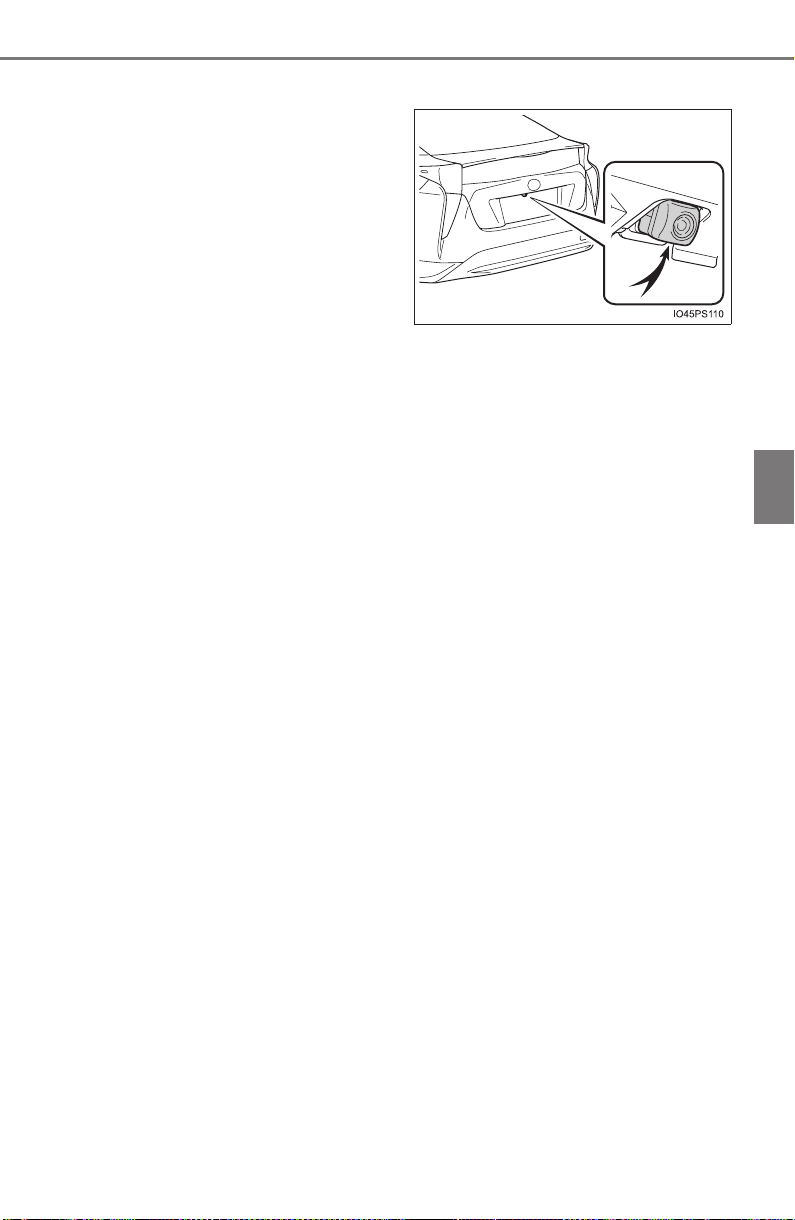
PRIUS_OM_OM47A29U_(U)
397
4-5. Using the driving support systems
4
Driving
■ Rear view monitor system camera
The camera for the rear view
monitor system is located as
shown in the illustration.
● Using the camera
If dirt or foreign matter (such as water droplets, snow, mud etc.)
is adhering to the camera, it cannot transmit a clear image. In
this case, flush it with a large quantity of water and wipe the cam-
era lens clean with a soft and wet cloth.
■ Differences between the screen and the actual road
The distance guide lines and the vehicle width guide lines may not
actually be parallel with the dividing lines of the parking space, even
when they appear to be so. Be sure to check visually.
The distances between the vehicle width guide lines and the left
and right dividing lines of the parking space may not be equal, even
when they appear to be so. Be sure to check visually.
The distance guide lines give a distance guide for flat road sur-
faces. In any of the following situations, there is a margin of error
between the fixed guide lines on the screen and the actual dis-
tance/course on the road.
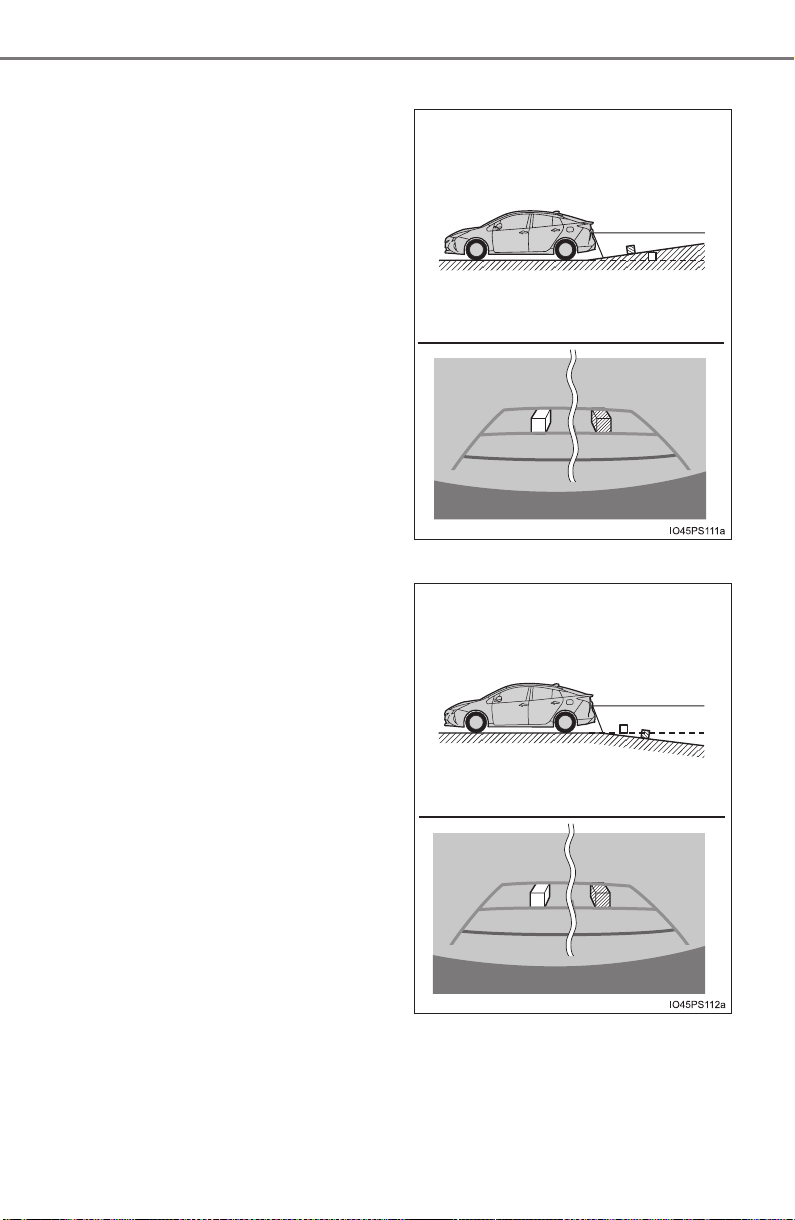
398
PRIUS_OM_OM47A29U_(U)
4-5. Using the driving support systems
● When the ground behind the vehicle slopes up sharply
The distance guide lines will
appear to be closer to the
vehicle than the actual dis-
tance. Because of this,
objects will appear to be far-
ther away than they actually
are. In the same way, there
will be a margin of error
between the guide lines and
the actual distance/course on
the road.
● When the ground behind the vehicle slopes down sharply
The distance guide lines will
appear to be farther from the
vehicle than the actual dis-
tance. Because of this,
objects will appear to be
closer than they actually are.
In the same way, there will be
a margin of error between
the guide lines and the actual
distance/course on the road.
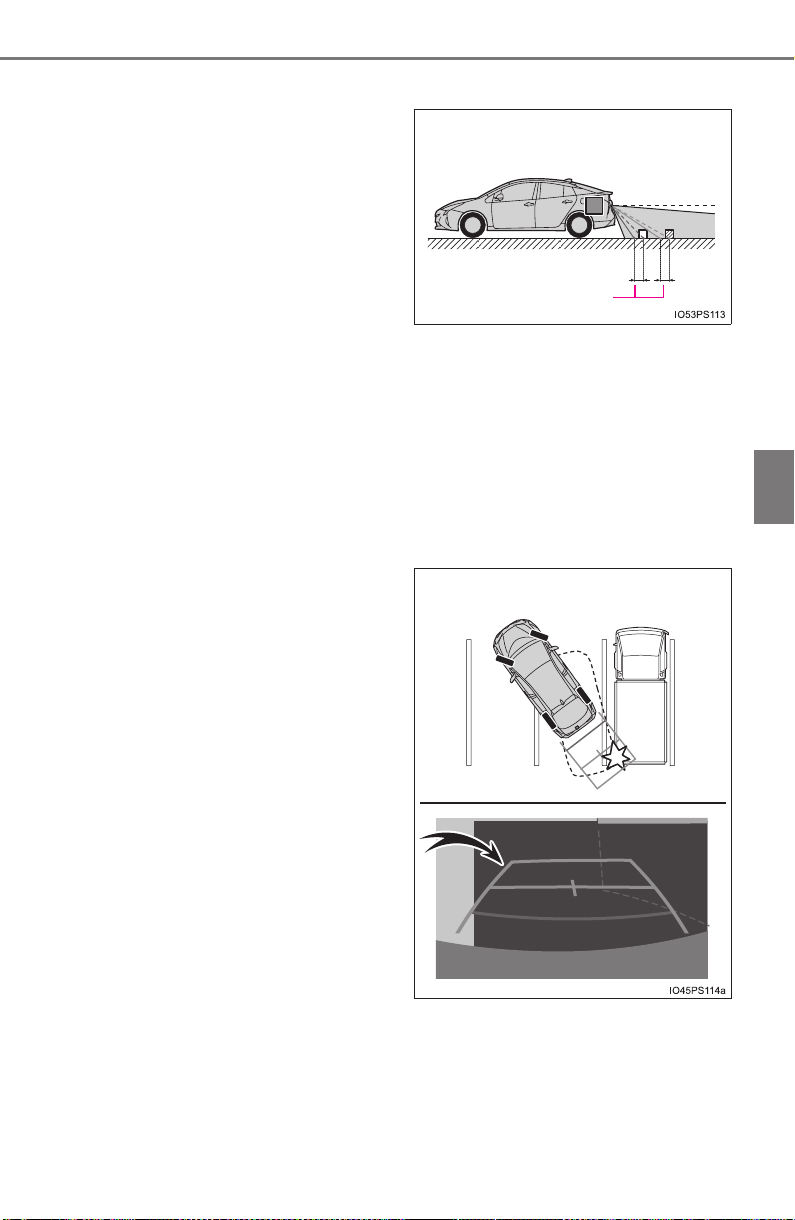
PRIUS_OM_OM47A29U_(U)
399
4-5. Using the driving support systems
4
Driving
● When any part of the vehicle sags
When any part of the vehicle
sags due to the number of
passengers or the distribu-
tion of the load, there is a
margin of error between the
fixed guide lines on the
screen and the actual dis-
tance/course on the road.
■ When approaching three-dimensional objects
The distance guide lines are displayed according to flat surfaced
objects (such as the road). It is not possible to determine the posi-
tion of three-dimensional objects (such as vehicles) using the vehi-
cle width guide lines and distance guide lines. When approaching a
three-dimensional object that extends outward (such as the flatbed
of a truck), be careful of the following.
● Vehicle width guide lines
Visually check the surround-
ings and the area behind the
vehicle. In the case shown
below, the truck appears to
be outside of the vehicle
width guide lines and the
vehicle does not look as if it
hits the truck. However, the
rear body of the truck may
actually cross over the vehi-
cle width guide lines. In real-
ity if you back up as guided
by the vehicle width guide
lines, the vehicle may hit the
truck.
A margin of error
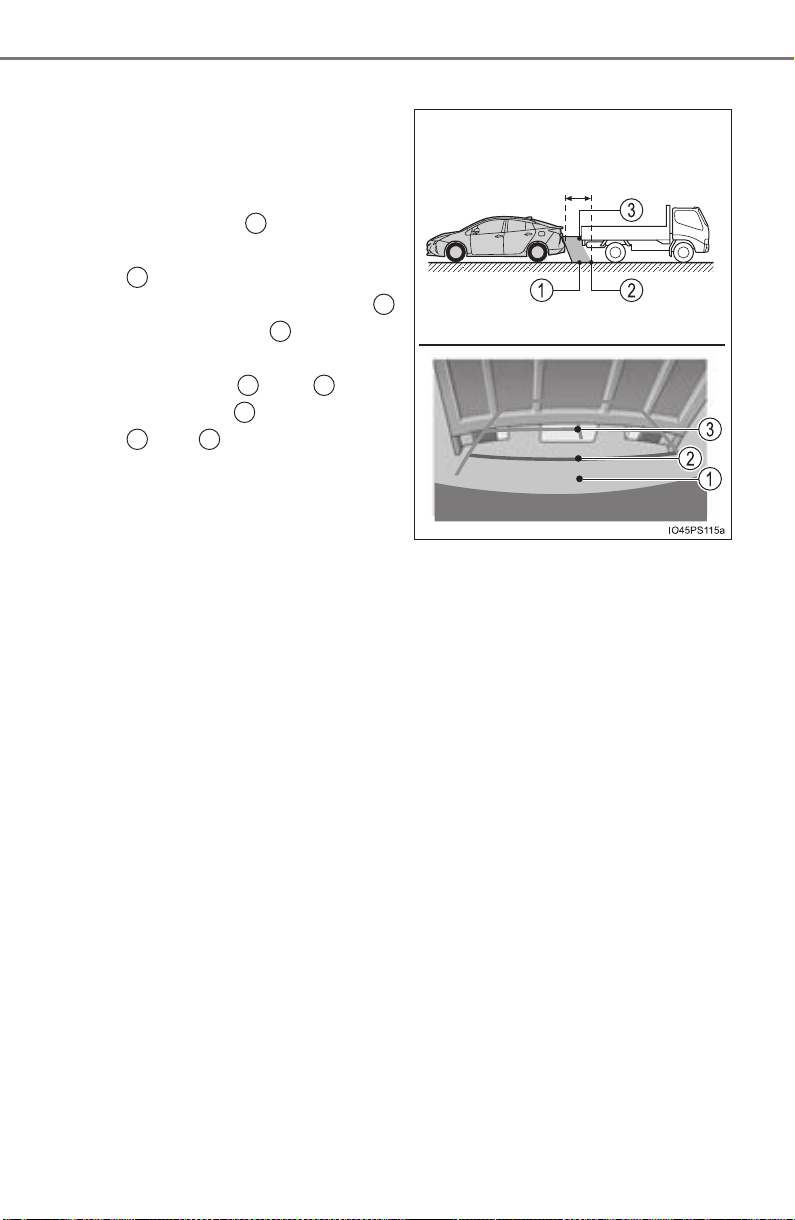
400
PRIUS_OM_OM47A29U_(U)
4-5. Using the driving support systems
● Distance guide lines
Visually check the surround-
ings and the area behind the
vehicle. On the screen, it
appears that a truck is park-
ing at point . However, in
reality if you back up to point
, you will hit the truck. On
the screen, it appears that
is closest and is farthest
away. However, in reality, the
distance to and is the
same, and is farther than
and .
2
1
1
3
1 3
2
1 3

PRIUS_OM_OM47A29U_(U)
401
4-5. Using the driving support systems
4
Driving
■ If you notice any symptoms
If you notice any of the following symptoms, refer to the likely cause
and the solution, and re-check.
If the symptom is not resolved by the solution, have the vehicle
inspected by your Toyota dealer.
Things you should know
Likely cause Solution
The image is difficult to see
• The vehicle is in a dark area
• The temperature around the lens
is either high or low
• The outside temperature is low
• There are water droplets on the
camera
• It is raining or humid
• Foreign matter (mud, etc.) is
adhering to the camera
• Sunlight or headlights are shining
directly into the camera
• The vehicle is under fluorescent
lights, sodium lights, mercury
lights etc.
If this happens due to these causes,
it does not indicate a malfunction.
Back up while visually checking the
vehicle’s surroundings. (Use the
monitor again once conditions have
been improved.)
The procedure for adjusting the pic-
ture quality of the rear view monitor
system is the same as the proce-
dure for adjusting the screen.
The image is blurry
Dirt or foreign matter (such as water
droplets, snow, mud, etc.) is adher-
ing to the camera.
Flush the camera with a large quan-
tity of water and wipe the camera
lens clean with a soft and wet cloth.
The image is out of alignment
The camera or surrounding area has
received a strong impact.
Have the vehicle inspected by your
Toyota dealer.
The fixed guide lines are very far out of alignment
The camera position is out of align-
ment.
Have the vehicle inspected by your
Toyota dealer.
• The vehicle is tilted (there is a
heavy load on the vehicle, tire
pressure is low due to a tire punc-
ture, etc.)
• The vehicle is used on an incline.
If this happens due to these causes,
it does not indicate a malfunction.
Back up while visually checking the
vehicle’s surroundings.

402
PRIUS_OM_OM47A29U_(U)
4-5. Using the driving support systems
WARNING
■ When using the rear view monitor system
The rear view monitor system is a supplemental device intended to assist
the driver when backing up. When backing up, be sure to visually check all
around the vehicle both directly and using the mirrors before proceeding.
Observe the following precautions to avoid an accident that could result in
death or serious injuries.
● Never depend on the rear view monitor system entirely when backing up.
The image and the position of the guide lines displayed on the screen may
differ from the actual state.
Use caution, just as you would when backing up any vehicle.
● Be sure to back up slowly, depressing the brake pedal to control vehicle
speed.
● The instructions given are only guide lines.
When and how much to turn the steering wheel will vary according to traf-
fic conditions, road surface conditions, vehicle condition, etc. when park-
ing. It is necessary to be fully aware of this before using the rear view
monitor system.
● When parking, be sure to check that the parking space will accommodate
your vehicle before maneuvering into it.
● Do not use the rear view monitor system in the following cases:
• On icy or slick road surfaces, or in snow
• When using tire chains or emergency tires
• When the back door is not closed completely
• On roads that are not flat or straight, such as curves or slopes
● In low temperatures, the screen may darken or the image may become
faint. The image could distort when the vehicle is moving, or you may
become unable to see the image on the screen. Be sure to visually check
all around the vehicle both directly and using the mirrors before proceed-
ing.
● If the tire sizes are changed, the position of the fixed guide lines displayed
on the screen may change.
● The camera uses a special lens. The distances between objects and
pedestrians that appear in the image displayed on the screen will differ
from the actual distances. (→P. 397)

PRIUS_OM_OM47A29U_(U)
403
4-5. Using the driving support systems
4
Driving
NOTICE
■ How to use the camera
● The rear view monitor system may not operate properly in the following
cases.
• If the back of the vehicle is hit, the position and mounting angle of the
camera may change.
• As the camera has a water proof construction, do not detach, disassem-
ble or modify it. This may cause incorrect operation.
• When cleaning the camera lens, flush the camera with a large quantity
of water and wipe it with a soft and wet cloth. Strongly rubbing the cam-
era lens may cause the camera lens to be scratched and unable to
transmit a clear image.
• Do not allow organic solvent, car wax, window cleaner or a glass coat-
ing to adhere to the camera. If this happens, wipe it off as soon as pos-
sible.
• If the temperature changes rapidly, such as when hot water is poured
on the vehicle in cold weather, the system may not operate normally.
• When washing the vehicle, do not apply intensive bursts of water to the
camera or camera area. Doing so may result in the camera malfunc-
tioning.
● Do not expose the camera to strong impact as this could cause a malfunc-
tion. If this happens, have the vehicle inspected by your Toyota dealer as
soon as possible.

404
PRIUS_OM_OM47A29U_(U)
4-5. Using the driving support systems
Driving assist systems
◆ ECB (Electronically Controlled Brake System)
The electronically controlled system generates braking force corre-
sponding to the brake operation
◆ ABS (Anti-lock Brake System)
Helps to prevent wheel lock when the brakes are applied suddenly,
or if the brakes are applied while driving on a slippery road surface
◆ Brake assist
Generates an increased level of braking force after the brake pedal
is depressed when the system detects a panic stop situation
◆ VSC (Vehicle Stability Control)
Helps the driver to control skidding when swerving suddenly or
turning on slippery road surfaces
◆ TRAC (Traction Control)
Helps to maintain drive power and prevent the drive wheels from
spinning when starting the vehicle or accelerating on slippery roads
◆ EPS (Electric Power Steering)
Employs an electric motor to reduce the amount of effort needed to
turn the steering wheel
To help enhance driving safety and performance, the following
systems operate automatically in response to various driving
situations. Be aware, however, that these systems are supple-
mentary and should not be relied upon too heavily when operat-
ing the vehicle.
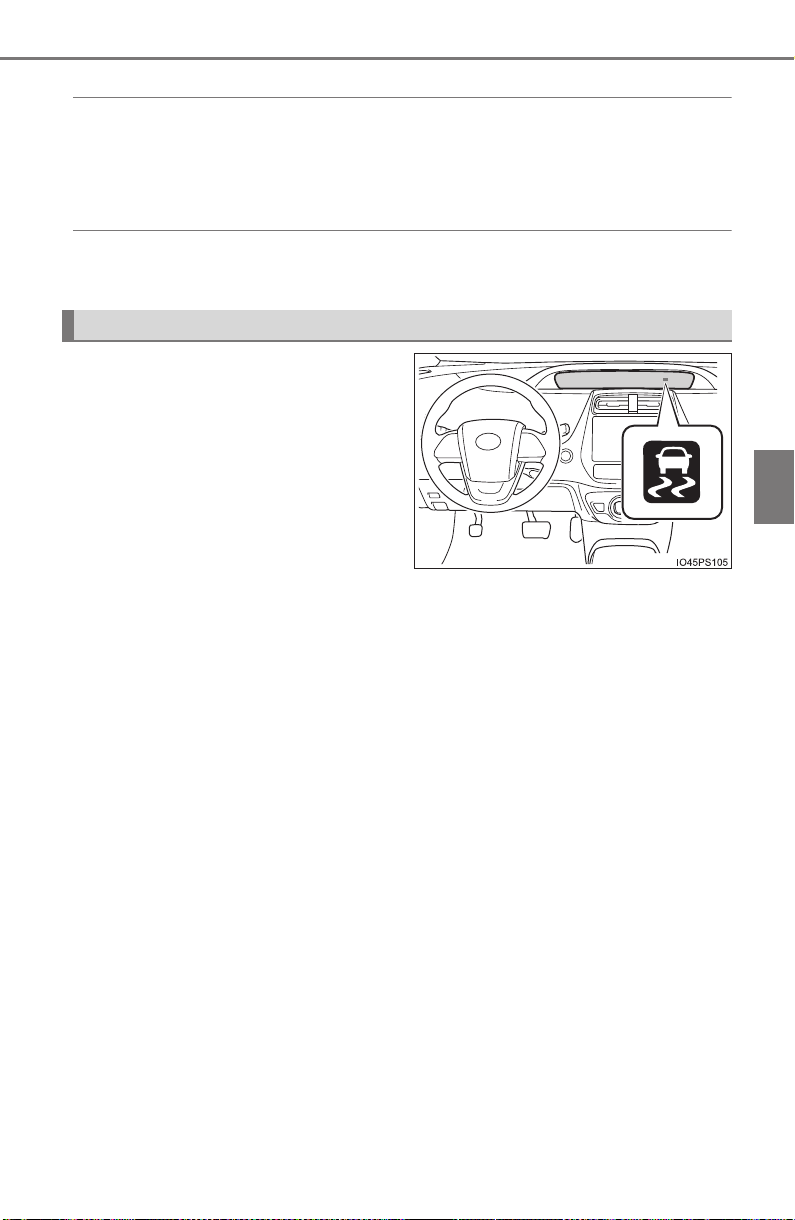
PRIUS_OM_OM47A29U_(U)
405
4-5. Using the driving support systems
4
Driving
◆ Enhanced VSC (Enhanced Vehicle Stability Control)
Provides cooperative control of the ABS, TRAC, VSC and EPS.
Helps to maintain directional stability when swerving on slippery
road surfaces by controlling steering performance.
◆ Hill-start assist control
Helps to reduce the vehicle from rolling backward when starting on
a uphill
The slip indicator light will flash
while the VSC/TRAC/ABS sys-
tems are operating.
When the VSC/TRAC/ABS systems are operating
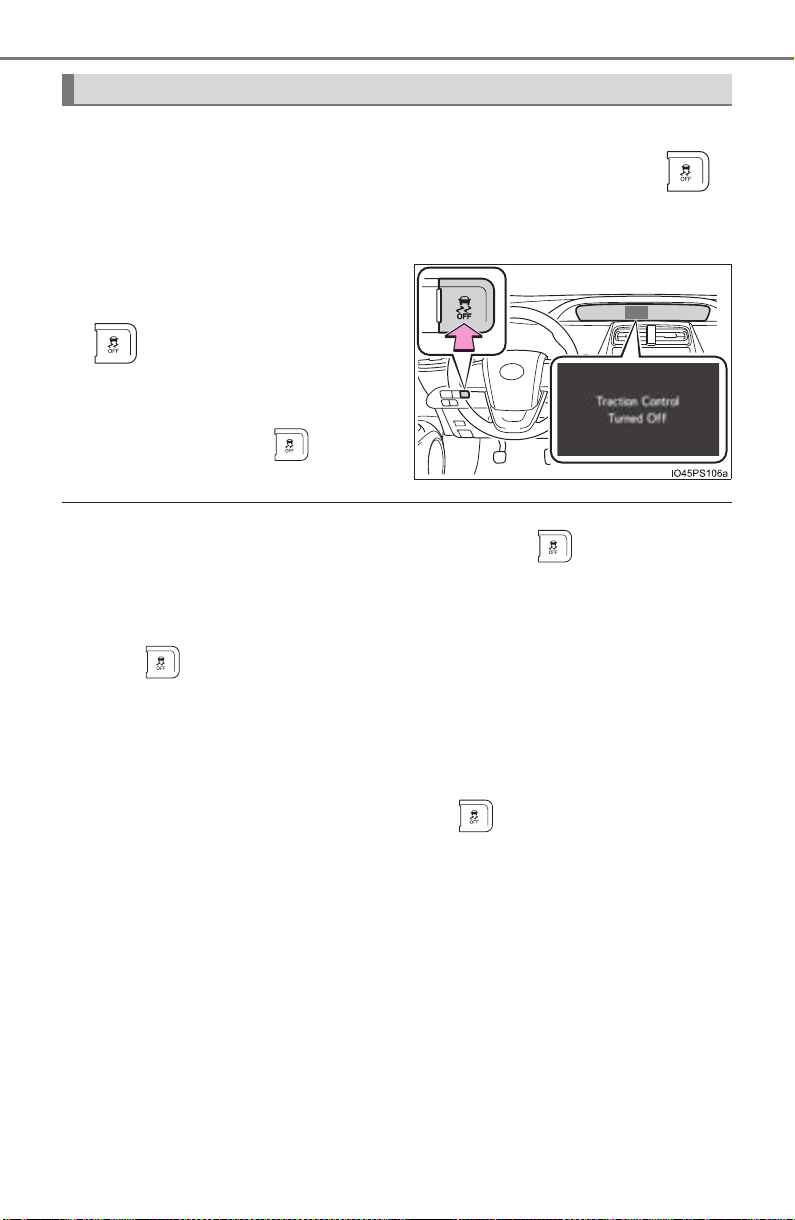
406
PRIUS_OM_OM47A29U_(U)
4-5. Using the driving support systems
If the vehicle gets stuck in mud, dirt or snow, the TRAC system may
reduce power from the hybrid system to the wheels. Pressing
to turn the system off may make it easier for you to rock the vehicle in
order to free it.
To turn the TRAC system off,
quickly press and release
.
The “Traction Control Turned Off”
will be shown on the multi-informa-
tion display. Press
again to
turn the system back on.
■ Turning off both TRAC/VSC systems
To turn the TRAC/VSC systems off, press and hold for more than 3
seconds while the vehicle is stopped.
The VSC OFF indicator light will come on and the “Traction Control Turned
Off” will be shown on the multi-information display.
*
Press again to turn the systems back on.
*: On vehicles with pre-collision system, pre-collision brake assist and pre-
collision braking will also be disabled. The PCS warning light will come on
and the message will be shown on the multi-information display. (→P. 656)
■ When the message is displayed on the multi-information display show-
ing that TRAC has been disabled even if has not been pressed
TRAC cannot be operated. Contact your Toyota dealer.
Disabling the TRAC system

PRIUS_OM_OM47A29U_(U)
407
4-5. Using the driving support systems
4
Driving
■ Sounds and vibrations caused by the ABS, brake assist, VSC, TRAC and
hill-start assist control systems
Any of the following conditions may occur when the above systems are oper-
ating. None of these indicates that a malfunction has occurred.
● Vibrations may be felt through the vehicle body and steering.
● A motor sound may be heard also after the vehicle comes to a stop.
● The brake pedal may pulsate slightly after the ABS is activated.
● The brake pedal may move down slightly after the ABS is activated.
■ ECB operating sound
ECB operating sound may be heard in the following cases, but it does not
indicate that a malfunction has occurred.
● Operating sound heard from the engine compartment when the brake pedal
is operated.
● Motor sound of the brake system heard from the front part of the vehicle
when the driver’s door is opened.
● Operating sound heard from the engine compartment when 1 or 2 minutes
passed after the stop of the hybrid system.
■ EPS operation sound
When the steering wheel is operated, a motor sound (whirring sound) may be
heard. This does not indicate a malfunction.

408
PRIUS_OM_OM47A29U_(U)
4-5. Using the driving support systems
■ Reduced effectiveness of the EPS system
The effectiveness of the EPS system is reduced to prevent the system from
overheating when there is frequent steering input over an extended period of
time. The steering wheel may feel heavy as a result. Should this occur, refrain
from excessive steering input or stop the vehicle and turn the hybrid system
off. The EPS system should return to normal within 10 minutes.
■ Automatic reactivation of TRAC and VSC systems
After turning the TRAC and VSC systems off, the systems will be automati-
cally re-enabled in the following situations:
● When the power switch is turned off
● If only the TRAC system is turned off, the TRAC will turn on when vehicle
speed increases
If both the TRAC and VSC systems are turned off, automatic re-enabling will
not occur when vehicle speed increases.
■ Electric power steering system warning light (warning buzzer)
→P. 656
■ Operating conditions of hill-start assist control
When the following four conditions are met, the hill-start assist control will
operate:
● The shift position is in a position other than P or N (when starting off forward/
backward on an upward incline)
● The vehicle is stopped
● The accelerator pedal is not depressed
● The parking brake is not engaged
■ Automatic system cancelation of hill-start assist control
The hill-start assist control will turn off in any of the following situations:
● Shift the shift position to P or N
● The accelerator pedal is depressed
● The parking brake is engaged
● Approximately 2 seconds elapse after the brake pedal is released

PRIUS_OM_OM47A29U_(U)
409
4-5. Using the driving support systems
4
Driving
WARNING
■ The ABS does not operate effectively when
● The limits of tire gripping performance have been exceeded (such as
excessively worn tires on a snow covered road).
● The vehicle hydroplanes while driving at high speed on wet or slick road.
■ Stopping distance when the ABS is operating may exceed that of nor-
mal conditions
The ABS is not designed to shorten the vehicle’s stopping distance. Always
maintain a safe distance from the vehicle in front of you, especially in the
following situations:
● When driving on dirt, gravel or snow-covered roads
● When driving with tire chains
● When driving over bumps in the road
● When driving over roads with potholes or uneven surfaces
■ TRAC/VSC may not operate effectively when
Directional control and power may not be achievable while driving on slip-
pery road surfaces, even if the TRAC/VSC systems are operating.
Drive the vehicle carefully in conditions where stability and power may be
lost.
■ Hill-start assist control does not operate effectively when
● Do not overly rely on the hill-start assist control. The hill-start assist control
may not operate effectively on steep inclines and roads covered with ice.
● Unlike the parking brake, hill-start assist control is not intended to hold the
vehicle stationary for an extended period of time. Do not attempt to use
hill-start assist control to hold the vehicle on an incline, as doing so may
lead to an accident.
■ When the TRAC, VSC and/or ABS is activated
The slip indicator light flashes. Always drive carefully. Reckless driving may
cause an accident. Exercise particular care when the indicator light flashes.

410
PRIUS_OM_OM47A29U_(U)
4-5. Using the driving support systems
WARNING
■ When the TRAC/VSC systems are turned off
Be especially careful and drive at a speed appropriate to the road condi-
tions. As these are systems to help ensure vehicle stability and driving
force, do not turn the TRAC/VSC systems off unless necessary.
■ Replacing tires
Make sure that all tires are of the specified size and of the same brand,
tread pattern and total load capacity. In addition, make sure that the tires are
inflated to the recommended tire inflation pressure level.
The ABS, VSC and TRAC and other driving assist systems will not function
correctly if different tires are installed on the vehicle.
Contact your Toyota dealer for further information when replacing tires or
wheels.
■ Handling of tires and the suspension
Using tires with any kind of problem or modifying the suspension will affect
the driving assist systems, and may cause a system to malfunction.

411
PRIUS_OM_OM47A29U_(U)
4-6. Driving tips
4
Driving
Hybrid vehicle driving tips
◆ Using Eco drive mode
When using Eco drive mode, the torque corresponding to the accel-
erator pedal depression amount can be generated more smoothly
than it is in normal conditions. In addition, the operation of the air
conditioning system (heating/cooling) will be minimized, improving
the fuel economy. (→P. 320)
◆ Use of Hybrid System Indicator
The Eco-friendly driving is possible by keeping the Hybrid System
Indicator within Eco area. (→P. 119 )
◆ Shift position operation
Shift the shift position to D when stopped at a traffic light, or driving
in heavy traffic etc. Shift the shift position to P when parking. When
using the N, there is no positive effect on fuel consumption. In the
N, the gasoline engine operates but electricity cannot be gener-
ated. Also, when using the air conditioning system, etc., the hybrid
battery (traction battery) power is consumed.
◆ Accelerator pedal/brake pedal operation
● Drive your vehicle smoothly. Avoid abrupt acceleration and
deceleration. Gradual acceleration and deceleration will make
more effective use of the electric motor (traction motor) without
having to use gasoline engine power.
● Avoid repeated acceleration. Repeated acceleration consumes
hybrid battery (traction battery) power, resulting in poor fuel con-
sumption. Battery power can be restored by driving with the
accelerator pedal slightly released.
For economical and ecological driving, pay attention to the fol-
lowing points:

412
PRIUS_OM_OM47A29U_(U)
4-6. Driving tips
◆ When braking
Make sure to operate the brakes gently and in a timely manner. A
greater amount of electrical energy can be regenerated when slow-
ing down.
◆ Delays
Repeated acceleration and deceleration, as well as long waits at
traffic lights, will lead to bad fuel economy. Check traffic reports
before leaving and avoid delays as much as possible. When driving
in a traffic jam, gently release the brake pedal to allow the vehicle to
move forward slightly while avoiding overuse of the accelerator
pedal. Doing so can help control excessive gasoline consumption.
◆ Highway driving
Control and maintain the vehicle at a constant speed. Before stop-
ping at a toll booth or similar, allow plenty of time to release the
accelerator and gently apply the brakes. A greater amount of elec-
trical energy can be regenerated when slowing down.
◆ Air conditioning
Use the air conditioning only when necessary. Doing so can help
reduce excessive gasoline consumption.
In summer: When the ambient temperature is high, use the recircu-
lated air mode. Doing so will help to reduce the burden on the air
conditioning system and reduce fuel consumption as well.
In winter: Because the gasoline engine will not automatically cut out
until it and the interior of the vehicle are warm, it will consume fuel.
Fuel consumption can be improved by avoiding overuse of the
heater.

PRIUS_OM_OM47A29U_(U)
413
4-6. Driving tips
4
Driving
◆ Checking tire inflation pressure
Make sure to check the tire inflation pressure frequently. Improper
tire inflation pressure can cause poor fuel economy.
Also, as snow tires can cause large amounts of friction, their use on
dry roads can lead to poor fuel economy. Use tires that are appro-
priate for the season.
◆ Luggage
Carrying heavy luggage will lead to poor fuel economy. Avoid carry-
ing unnecessary luggage. Installing a large roof rack will also cause
poor fuel economy.
◆ Warming up before driving
Since the gasoline engine starts up and cuts out automatically
when cold, warming up the engine is unnecessary. Moreover, fre-
quently driving short distances will cause the engine to repeatedly
warm up, which can lead to excess fuel consumption.

414
PRIUS_OM_OM47A29U_(U)
4-6. Driving tips
Winter driving tips
● Use fluids that are appropriate to the prevailing outside tempera-
tures.
• Engine oil
• Engine/power control unit coolant
• Washer fluid
● Have a service technician inspect the condition of the 12-volt bat-
tery.
● Have the vehicle fitted with four snow tires or purchase a set of tire
chains for the front tires.
Ensure that all tires are the same size and brand, and that chains match
the size of the tires.
Perform the following according to the driving conditions:
● Do not try to forcibly open a window or move a wiper that is frozen.
Pour warm water over the frozen area to melt the ice. Wipe away
the water immediately to prevent it from freezing.
● To ensure proper operation of the climate control system fan,
remove any snow that has accumulated on the air inlet vents in
front of the windshield.
● Check for and remove any excess ice or snow that may have accu-
mulated on the exterior lights, vehicle’s roof, chassis, around the
tires or on the brakes.
● Remove any snow or mud from the bottom of your shoes before
getting in the vehicle.
Carry out the necessary preparations and inspections before
driving the vehicle in winter. Always drive the vehicle in a man-
ner appropriate to the prevailing weather conditions.
Preparation for winter
Before driving the vehicle
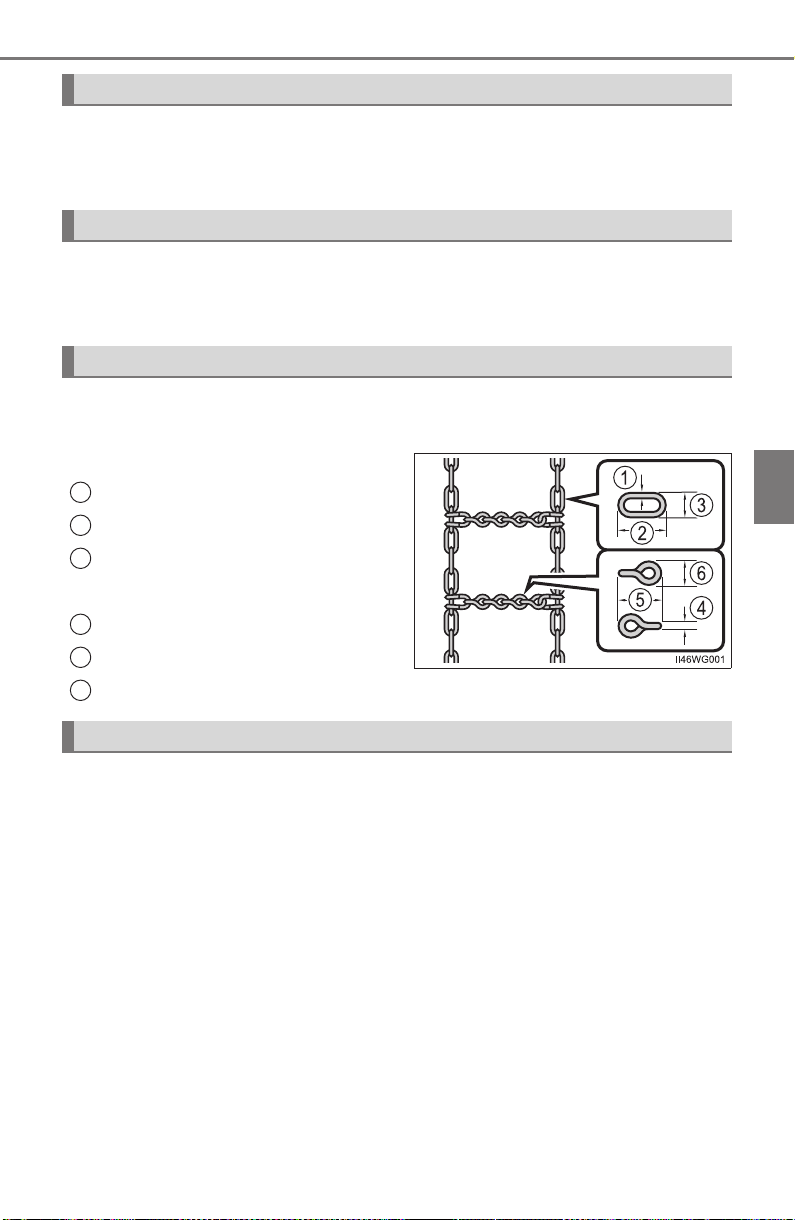
PRIUS_OM_OM47A29U_(U)
415
4-6. Driving tips
4
Driving
Accelerate the vehicle slowly, keep a safe distance between you and
the vehicle ahead, and drive at a reduced speed suitable to road con-
ditions.
Park the vehicle and shift the shift position to P and block the wheel
under the vehicle without setting the parking brake. The parking brake
may freeze up, preventing it from being released.
Use the correct tire chain size when mounting the tire chains. Chain
size is regulated for each tire size.
Side chain
0.12 in. (3.0 mm)
1.18 in. (30.0 mm)
0.39 in. (10.0 mm)
Cross chain
0.16 in. (4.0 mm)
0.98 in. (25.0 mm)
0.55 in. (14.0 mm)
Regulations regarding the use of tire chains vary depending on loca-
tion and type of road. Always check local regulations before installing
chains.
When driving the vehicle
When parking the vehicle
Selecting tire chains
1
2
3
4
5
6
Regulations on the use of tire chains

416
PRIUS_OM_OM47A29U_(U)
4-6. Driving tips
■ Tire chain installation
Observe the following precautions when installing and removing chains:
● Install and remove tire chains in a safe location.
● Install tire chains on the front tires only. Do not install tire chains on the rear
tires.
● Install tire chains on front tires as tightly as possible. Retighten chains after
driving 1/4 - 1/2 mile (0.5 - 1.0 km).
● Install tire chains following the instructions provided with the tire chains.
WARNING
■ Driving with snow tires
Observe the following precautions to reduce the risk of accidents.
Failure to do so may result in a loss of vehicle control and cause death or
serious injury.
● Use tires of the specified size.
● Maintain the recommended level of air pressure.
● Do not drive in excess of 75 mph (120 km/h), regardless of the type of
snow tires being used.
● Use snow tires on all, not just some wheels.
■ Driving with tire chains
Observe the following precautions to reduce the risk of accidents.
Failure to do so may result in the vehicle being unable to be driven safely,
and may cause death or serious injury.
● Do not drive in excess of the speed limit specified for the tire chains being
used, or 30 mph (50 km/h), whichever is lower.
● Avoid driving on bumpy road surfaces or over potholes.
● Avoid sudden acceleration, abrupt steering, sudden braking and shifting
operations that cause sudden engine braking.
● Slow down sufficiently before entering a curve to ensure that vehicle con-
trol is maintained.
■ When parking the vehicle
When parking the vehicle without applying the parking brake, make sure to
chock the wheels. If you do not chock the wheels, the vehicle may move
unexpectedly, possibly resulting in an accident.

PRIUS_OM_OM47A29U_(U)
417
4-6. Driving tips
4
Driving
NOTICE
■ Repairing or replacing snow tires
Request repairs or replacement of snow tires from Toyota dealers or legiti-
mate tire retailers.
This is because the removal and attachment of snow tires affects the opera-
tion of the tire pressure warning valves and transmitters.
■ Fitting tire chains
The tire pressure warning valves and transmitters may not function correctly
when tire chains are fitted.

418
PRIUS_OM_OM47A29U_(U)
5-1. Basic Operations
Audio system types .......... 420
Audio system.................... 421
Using the steering wheel
audio switches................ 424
AUX Port/USB Port .......... 425
Basic audio operations ..... 426
5-2. Setup
Setup menu ...................... 428
General settings ............... 429
Audio settings................... 431
Display settings ................ 432
Voice settings ................... 433
5-3. Using the Multimedia
system
Selecting the audio
source............................. 434
List screen operation ........ 435
Optimal use of the audio
system............................ 437
5-4. Using the radio
Radio operation ................ 438

419
PRIUS_OM_OM47A29U_(U)
5
Audio system
5-5. Playing an audio CD and
MP3/WMA/AAC discs
CD player operation.......... 440
5-6. Using an external device
iPod player operation........ 446
USB memory device
player operation.............. 451
Using the AUX.................. 456
5-7. Connecting Bluetooth
®
Preparations to
use wireless
communication ............... 457
Registering a Bluetooth
®
audio player for the
first time.......................... 460
Registering a Bluetooth
®
phone for the first time.... 461
Registering a
Bluetooth
®
device........... 462
Connecting a
Bluetooth
®
device........... 464
Displaying a Bluetooth
®
device details.................. 466
Detailed Bluetooth
®
settings ........................... 467
5-8. Bluetooth
®
Audio
Listening to Bluetooth
®
Audio .............................. 468
5-9. Bluetooth
®
phone
Using a Bluetooth
®
Phone............................. 470
Making a call .................... 473
Receiving a call ................ 476
Speaking on the phone .... 477
Bluetooth
®
phone
message function ........... 480
Using the steering wheel
switches.......................... 484
Bluetooth
®
phone
settings........................... 485
Contact/Call History
Settings .......................... 486
What to do if...
(Troubleshooting) ........... 495
5-10.Bluetooth
®
Bluetooth
®
........................ 499
5-11.Using the voice
command system
Voice command system ... 505

420
PRIUS_OM_OM47A29U_(U)
5-1. Basic Operations
Audio system types
X Entune Audio
→P. 42 1
X Entune Premium Audio with Navigation
Owners of models equipped with a navigation system should refer to
the “NAVIGATION SYSTEM OWNER’S MANUAL”.
■ Using cellular phones
Interference may be heard through the audio system’s speakers if a cellular
phone is being used inside or close to the vehicle while the audio system is
operating.
NOTICE
■ To prevent 12-volt battery discharge
Do not leave the audio system on longer than necessary when the hybrid
system is off.
■ To avoid damaging the audio system
Take care not to spill drinks or other fluids on the audio system.
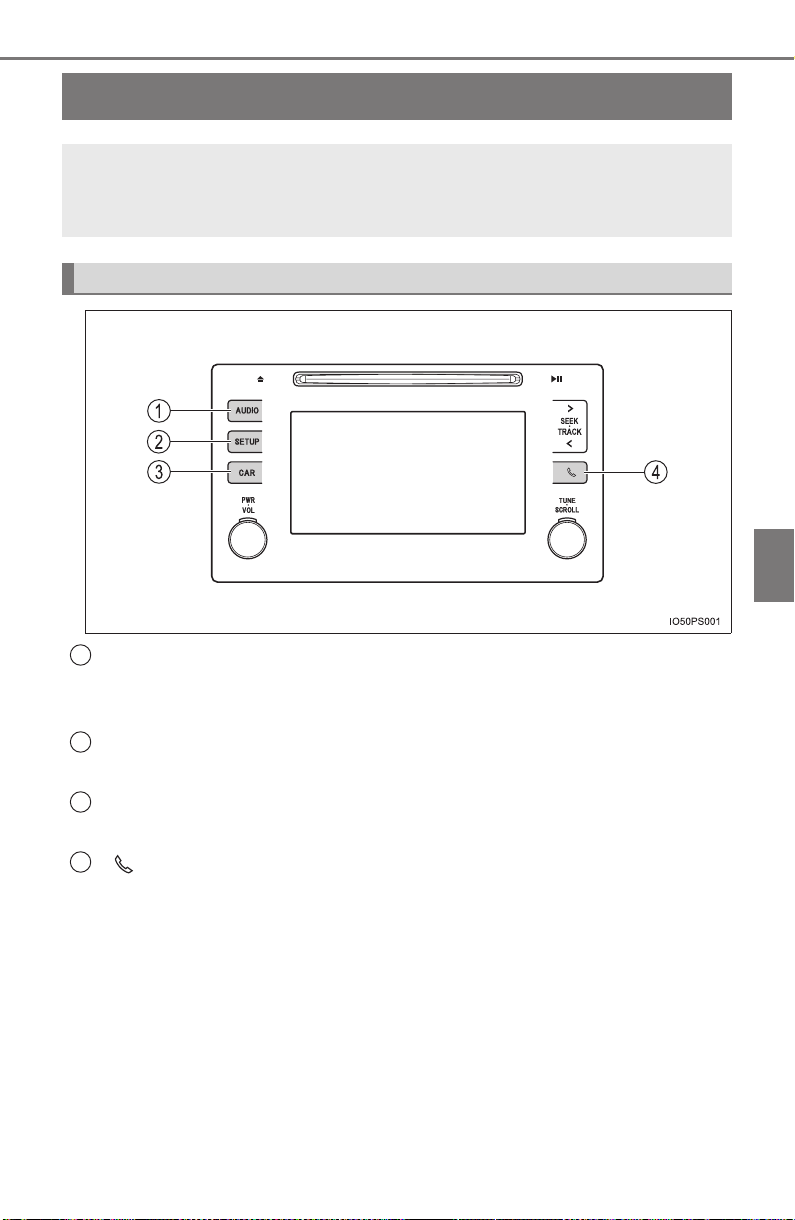
421
PRIUS_OM_OM47A29U_(U)
5-1. Basic Operations
5
Audio system
Audio system
∗
“AUDIO” button
Display the “Select Audio Source” screen or audio top screen.
(→P. 434)
“SETUP” button
Press this button to customize the function settings. (→P. 428)
“CAR” button
Press this button to access the vehicle information. (→P. 153)
button
Press this button to access the Bluetooth
®
hands-free system.
(→P. 470)
∗: If equipped
Operations such as listening to audio, using the hands-free
phone, confirming vehicle information and changing audio sys-
tem settings are started by using the following buttons.
Audio system operation buttons
1
2
3
4

422
5-1. Basic Operations
PRIUS_OM_OM47A29U_(U)
By touching the screen with your finger, you can control the audio sys-
tem, etc.
■ Touch
Quickly touch and release once.
● Changing and selecting various settings
■ Drag*
Touch the screen with your finger, and move the screen to the
desired position.
● Scrolling the lists
● Using scroll bar in lists
■ Flick*
Touch the screen with your finger and quickly move the screen by
flicking your finger.
● Scrolling the main screen page
● Returning to the menu screen from the sub-menu screen (screen
one level below)
*: The above operations may not be performed on all screens.
■ Capacitive touch switches
The control panel uses capacitive touch sensors.
In the following cases, incorrect operation or non-response may occur.
● If the operating section is dirty or has liquid attached to it, incorrect operation
or non-response may occur.
● If the operating section receives electromagnetic waves, incorrect operation
or non-response may occur.
● If wearing gloves during operation, non-response may occur.
● If fingernails are used to operate the system, non-response may occur.
● If a touch pen is used to operate the system, non-response may occur.
● If the palm of your hand touches the operating section during operation,
incorrect operation may occur.
● If the palm of your hand touches the operating section, incorrect operation
may occur.
● If operations are performed quickly, non-response may occur.
Operating the touch screen

PRIUS_OM_OM47A29U_(U)
423
5-1. Basic Operations
5
Audio system
■ When using the touch screen
● If the screen is cold, the display may be dark, or the system may seem to be
operating slightly slower than normal.
● The screen may seem dark and hard to see when viewed through sun-
glasses. Change your angle of viewing, adjust the display on the “Display
Settings” screen (→P. 432) or remove your sunglasses.
● Flick operations may not be performed smoothly in high altitudes.
NOTICE
■ To avoid damaging the touch screen
● To prevent damaging the screen, lightly touch the screen buttons with your
finger.
● Do not use objects other than your finger to touch the screen.
● Wipe off fingerprints using a glass cleaning cloth. Do not use chemical
cleaners to clean the screen, as they may damage the touch screen.
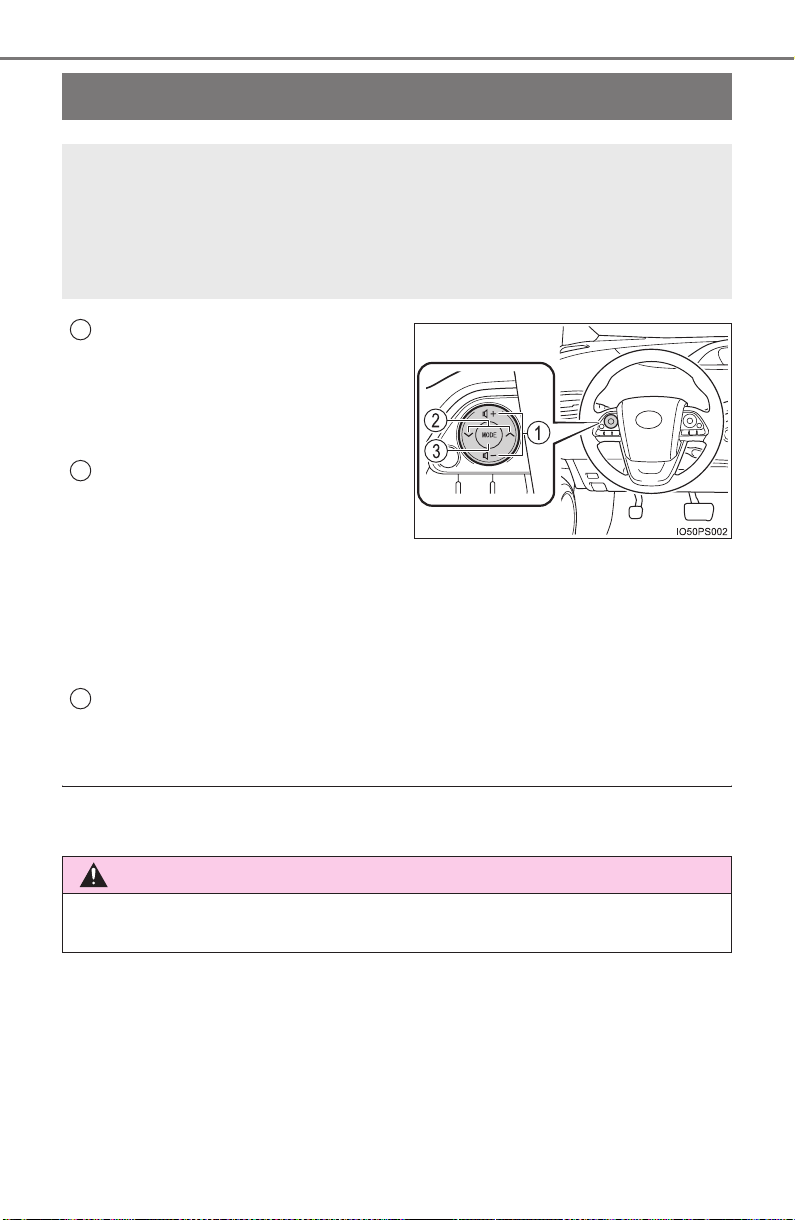
424
PRIUS_OM_OM47A29U_(U)
5-1. Basic Operations
Using the steering wheel audio switches
Volume switch
• Press: Increases/decreases
volume
• Press and hold: Continuously
increases/decreases volume
Cursor switch (Radio mode)
• Press: Selects a radio station
• Press and hold: Seeks up/
down
Cursor switch (CD, MP3/WMA disc, Bluetooth
®
, iPod or USB
mode)
• Press: Selects a track/file/song
• Press and hold: Fast up/down
“MODE” switch
• Press: Turns the power on, selects an audio source
• Press and hold: Turns the power off
■ Canceling automatic selection of a radio station
Press the “∧” or “∨” again.
Some audio features can be controlled using the switches on
the steering wheel.
Operation may differ depending on the type of audio system or
navigation system. For details, refer to the manual provided with
the audio system or navigation system.
1
2
WARNING
Exercise care when operating the audio switches on the steering wheel.
3
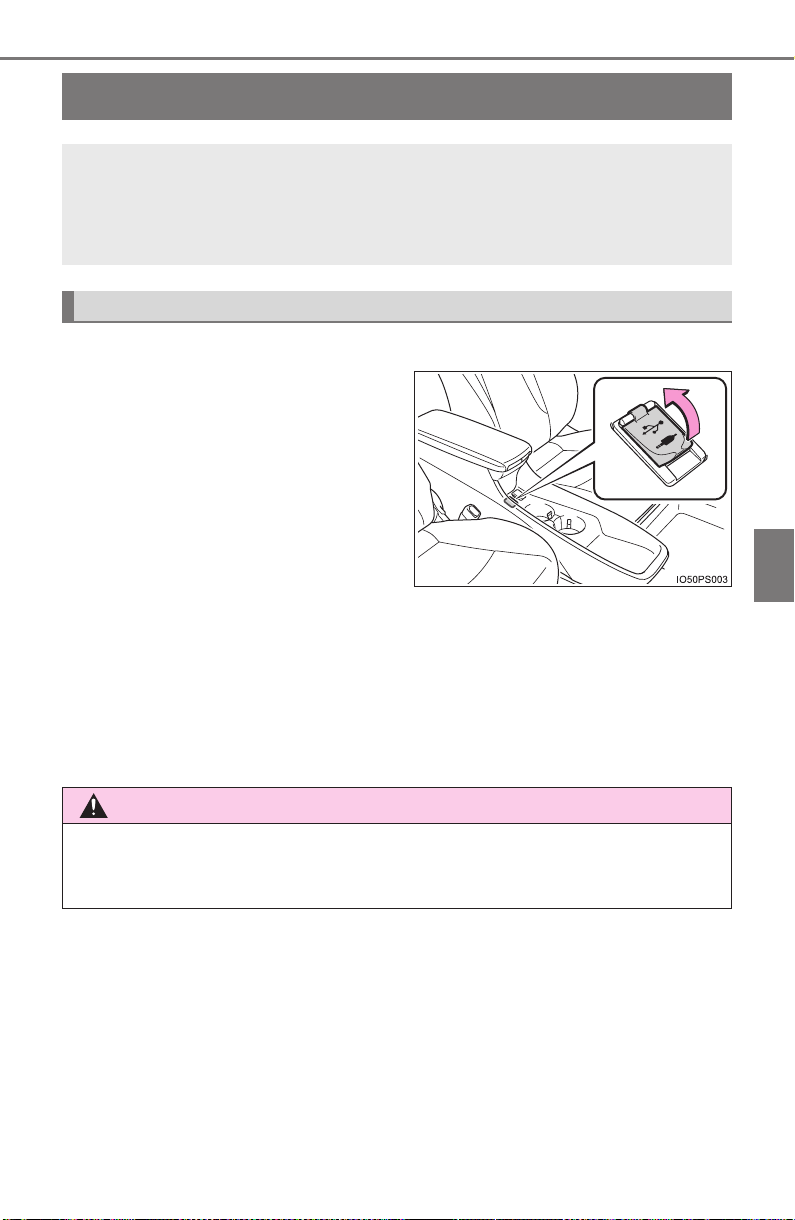
425
PRIUS_OM_OM47A29U_(U)
5-1. Basic Operations
5
Audio system
AUX Port/USB Port
■ iPod
Open the cover and connect an
iPod using an iPod cable.
Turn on the power of the iPod if
it is not turned on.
■
USB memory
Open the cover and connect the USB memory device.
Turn on the power of the USB memory device if it is not turned on.
■
Portable audio player
Open the cover and connect the portable audio player.
Turn on the power of the portable audio player if it is not turned on.
Connect an iPod, USB memory device or portable audio player
to the AUX port/USB port as indicated below. Select “iPod”,
“USB” or “AUX” on the audio source selection screen and the
device can be operated via audio system.
Connecting the AUX port/USB port
WARNING
■ While driving
Do not connect a device or operate the device controls.
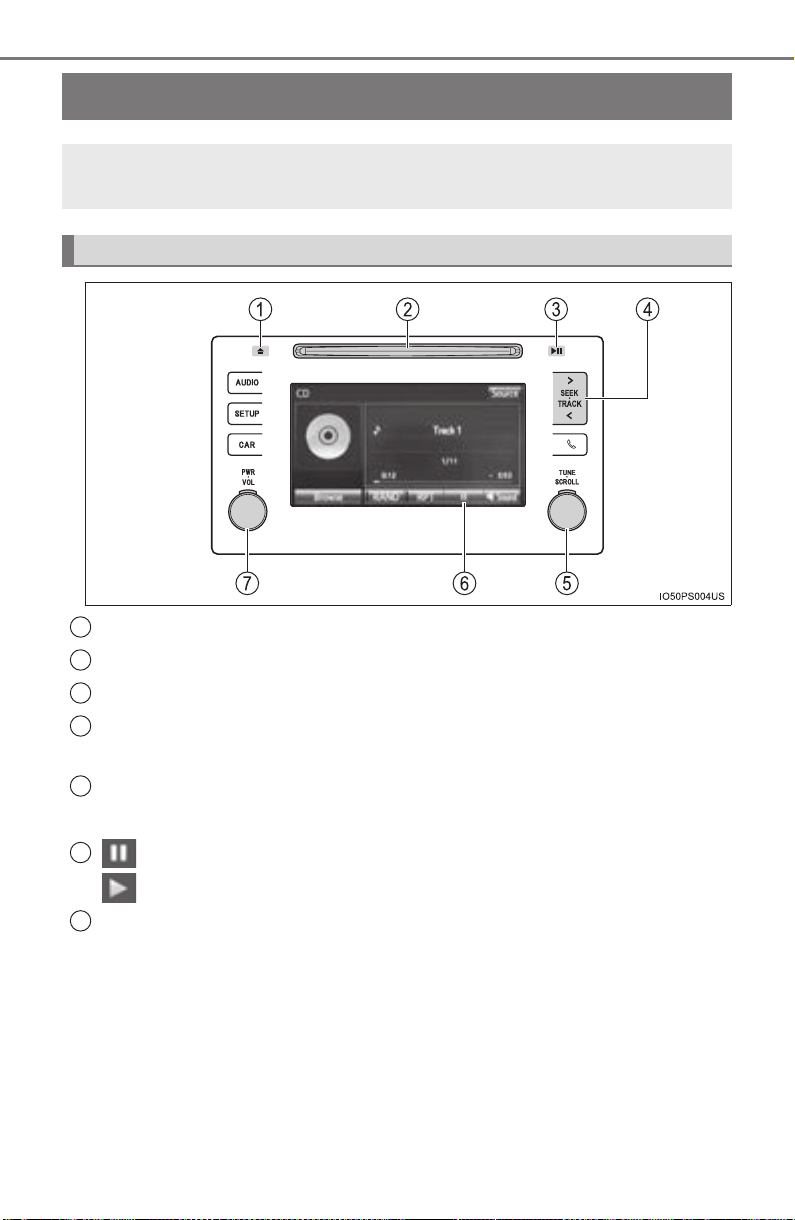
426
PRIUS_OM_OM47A29U_(U)
5-1. Basic Operations
Basic audio operations
Press this button to eject a disc.
Insert a disc into the disc slot.
Press to mute/unmute or pause/resume the current operation.
Press the “>” or “<” button to seek up or down for a radio station, or
to access a desired track or file.
Turn this knob to select radio station bands, tracks and files. Also
the knob can be used to select items in the list display.
: Select to pause music.
: Select to resume playing music.
Press this knob to turn the audio system on and off, and turn it to
adjust the volume.
Basic audio operations and functions common to each mode are
explained in this section.
Operating the audio system
1
2
3
4
5
6
7
PRIUS_OM_OM47A29U_(U)
427
5-1. Basic Operations
5
Audio system
Select to change on/off.
Select to change on/off.
■ Certification
CAUTION:
THIS PRODUCT IS A CLASS Ι LASER PRODUCT. USE OF CONTROLS
OR ADJUSTMENTS OR PERFORMANCE OF PROCEDURES OTHER
THAN THOSE SPECIFIED HEREIN MAY RESULT IN HAZARDOUS RADIA-
TION EXPOSURE. DO NOT OPEN COVERS AND DO NOT REPAIR BY
YOURSELF. REFER SERVICING TO QUALIFIED PERSONNEL.
Random playback
Repeat play
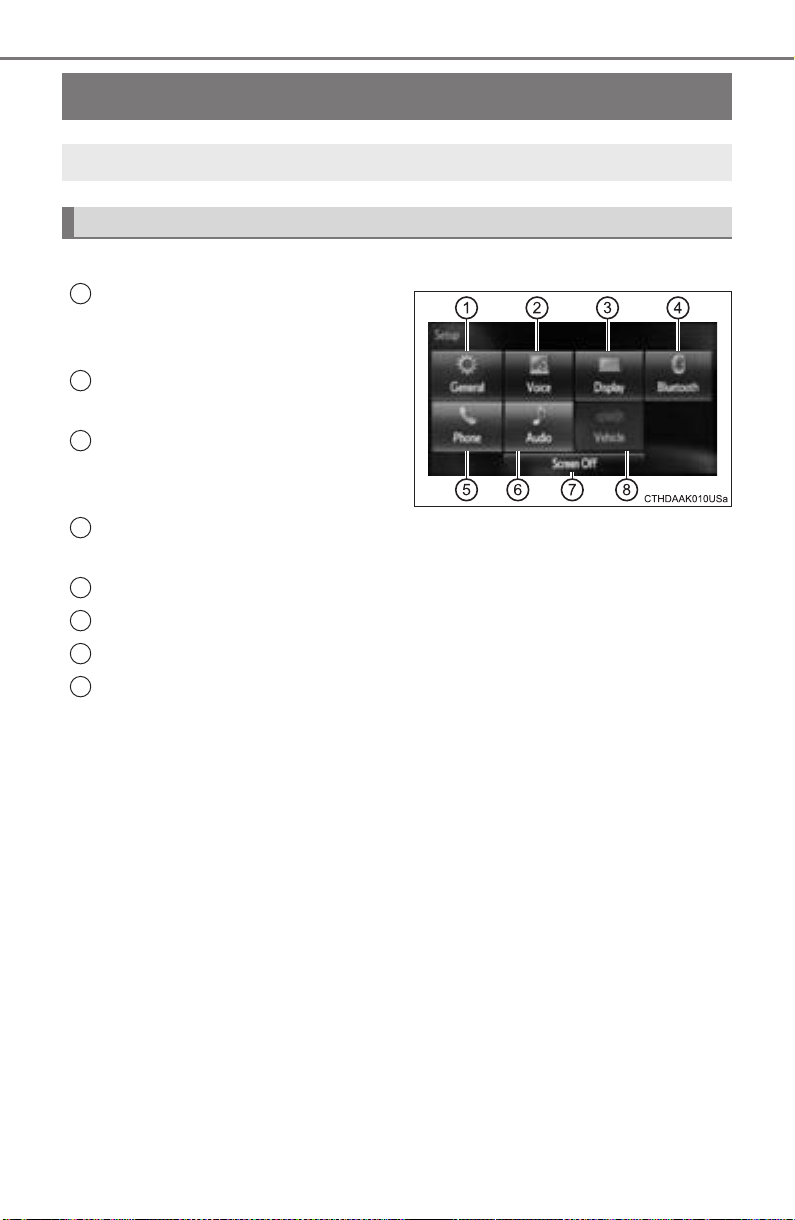
428
PRIUS_OM_OM47A29U_(U)
5-2. Setup
Setup menu
Press the “SETUP” button to display the “Setup” screen.
Select to adjust the settings for
operation sounds, screen ani-
mation, etc. (→P. 429)
Select to set the voice settings.
(→P. 433)
Select to adjust the settings for
contrast and brightness of the
screen. (→P. 432)
Select to adjust the settings for registering, removing, connecting
and disconnecting Bluetooth
®
devices. (→P. 459)
Select to adjust the settings for contact, message, etc. (→P. 485)
Select to set audio settings. (→P. 431)
Select to turn the screen off.
Select to set the vehicle customization. (→P. 752)
You can adjust the audio system to your desired settings.
Display “Setup” screen
1
2
3
4
5
6
7
8
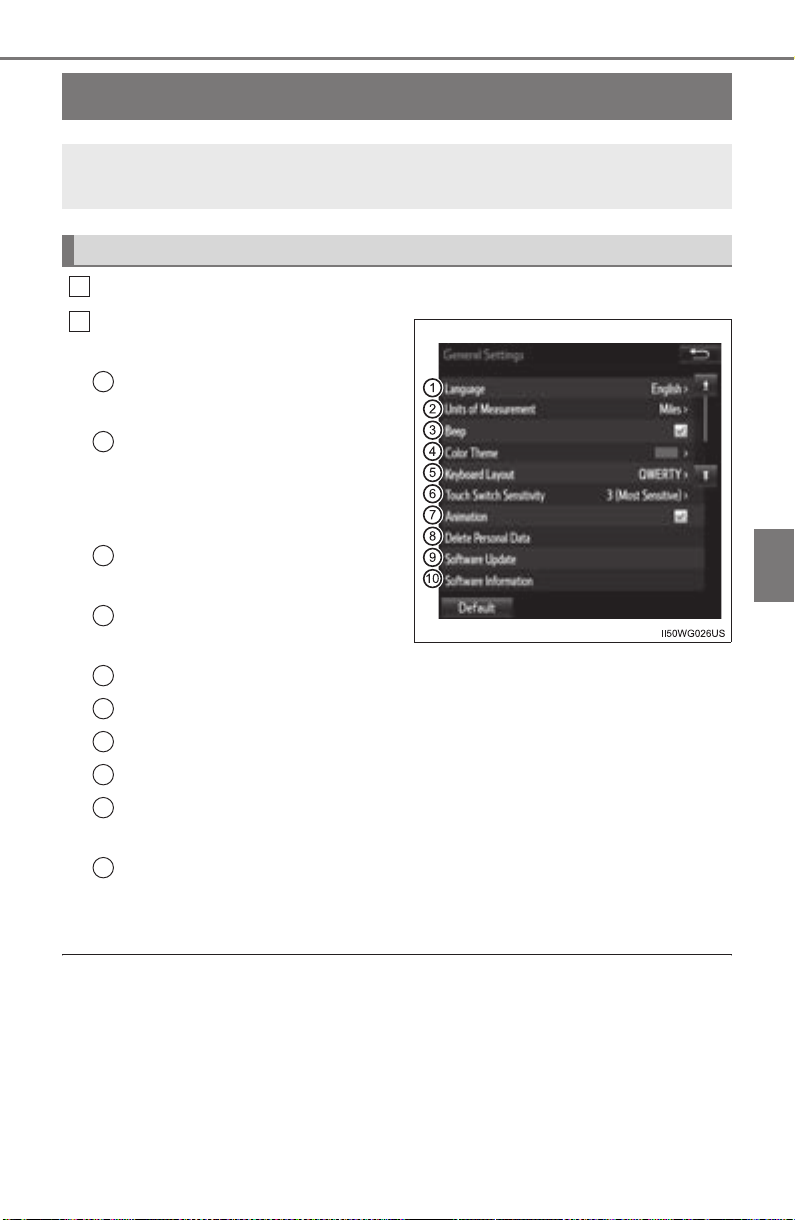
429
PRIUS_OM_OM47A29U_(U)
5-2. Setup
5
Audio system
General settings
Press the “SETUP” button.
Select “General” on the “Setup”
screen.
“English”, “Français” or
“Español” can be selected.
Select to change the unit of
measure for distance dis-
tance/fuel consumption. (If
equipped)
On/off can be selected to
sound beeps.
Select to change the screen
color.
Select to change the keyboard layout.
Select to change the capacitive touch button sensor sensitivity.
The animation effect for the screen can be set to on/off.
Select to delete personal data. (→P. 430)
Select to update program versions. For details, contact your
Toyota dealer.
Select to display the software information. Notices related to third
party software used in this product are enlisted. (This includes
instructions for obtaining such software, where applicable.)
■ To return to the default settings
Select “Default”, and then “Yes”.
Settings are available for adjusting the operation sounds,
screen animation, etc.
Screen for general settings
1
2
1
2
3
4
5
6
7
8
9
10

430
5-2. Setup
PRIUS_OM_OM47A29U_(U)
Select “Delete Personal Data” on the “General Settings” screen.
Select “Delete”.
Check carefully beforehand, as data cannot be retrieved once deleted.
A confirmation screen will be displayed. Select “Yes”.
The following personal data will be deleted or changed to its default
settings.
• Audio settings
• Phone settings
Delete personal data
1
2
3
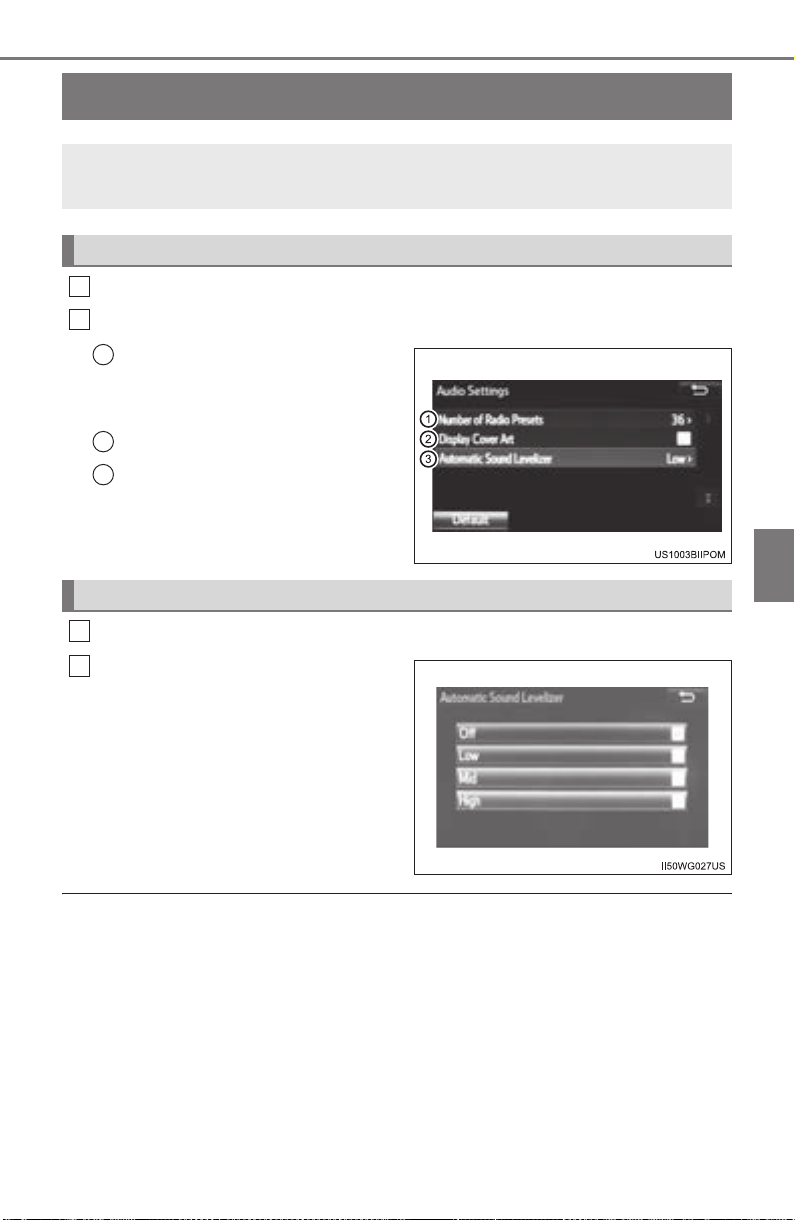
431
PRIUS_OM_OM47A29U_(U)
5-2. Setup
5
Audio system
Audio settings
Press the “SETUP” button.
Select “Audio” on the “Setup” screen.
Number of Radio Presets
Select the number of radio
preset stations.
Display Cover Art on/off.
Automatic Sound Levelizer
Select “Automatic Sound Levelizer” on the “Audio Settings” screen.
Select a screen button for the
desired setting.
■ About Automatic Sound Leveliser (ASL)
ASL automatically adjusts the volume and tone quality according to the vehi-
cle speed.
Settings are available for adjusting the radio operation, cover
art, etc.
Screen for audio settings
1
2
1
2
3
Automatic Sound Leveliser (ASL)
1
2
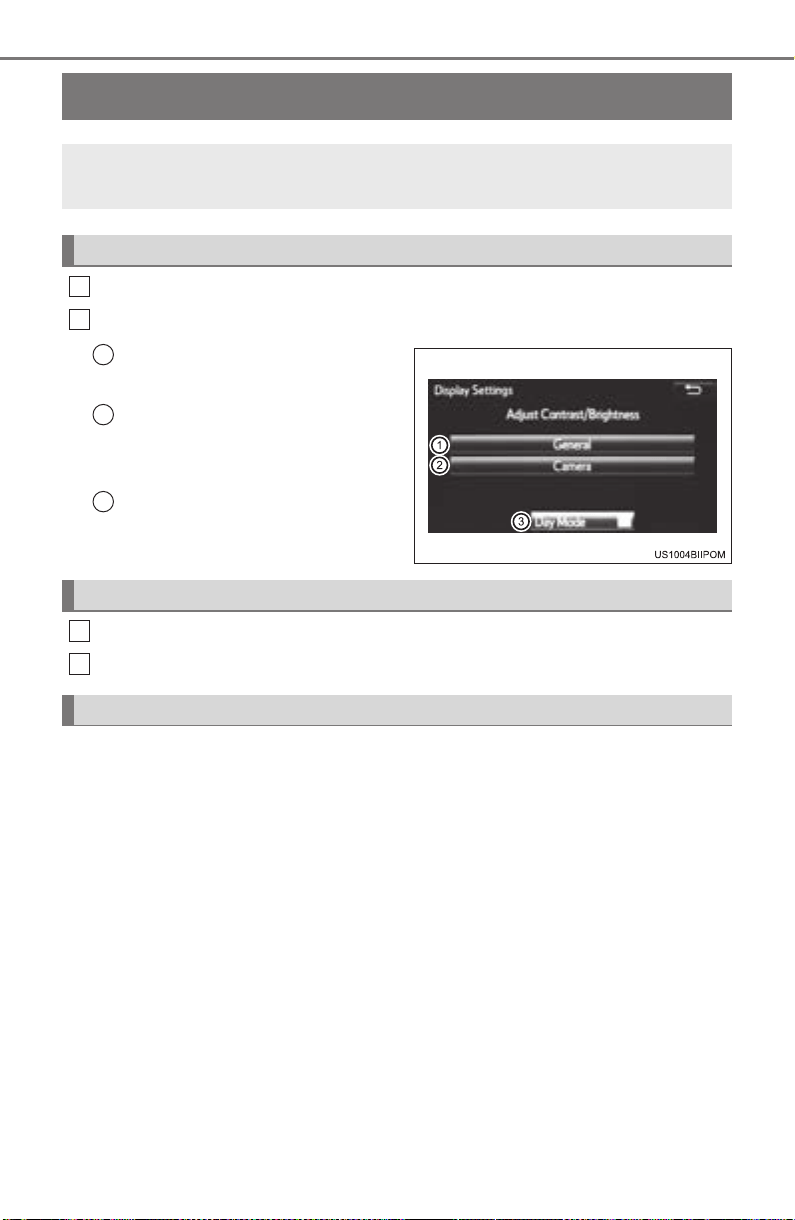
432
PRIUS_OM_OM47A29U_(U)
5-2. Setup
Display settings
Press the “SETUP” button.
Select “Display” on the “Setup” screen.
Adjust screen contrast/bright-
ness.
Adjust screen contrast/bright-
ness of the rear view monitor
camera.
Changes to day mode.
Select “General” or “Camera” on the “Display Settings” screen.
Adjust the display as desired by selecting “+” or “-”.
When the headlights are turned on, the screen dims.
However, the screen can be switched to day mode by selecting “Day
Mode”.
The screen will stay in day mode when the headlights are turned on until
“Day Mode” is selected again.
Settings are available for adjusting the contrast and brightness
of the screen.
Screen for display settings
1
2
1
2
3
Adjusting the screen contrast/brightness
Day mode
1
2
433
PRIUS_OM_OM47A29U_(U)
5-2. Setup
5
Audio system
Voice settings
Adjust the voice guidance vol-
ume setting.
Set the voice recognition
prompts “High”, “Low” or “Off”.
Set the train voice recognition.
The user will be asked to say 10
sample phrases. This will help the
voice command system adapt to
the user’s accent.
Set the voice prompt interrupt on/off.
Voice recognition tutorial.
■ To return to the default settings
Select “Default”, and then “Yes”.
This screen is used for guidance for voice command systems
setting.
1
2
3
4
5
434
PRIUS_OM_OM47A29U_(U)
5-3. Using the Multimedia system
Selecting the audio source
Press the “AUDIO” button to display the audio source selection
screen.
If the audio source selection screen is not displayed, press the “AUDIO”
button again.
Select the desired audio
source.
Select the desired audio
source then or to
reorder.
The audio source changes each time the “MODE” switch is pressed.
Switching between audio sources such as radio and CD are
explained in this section.
Changing audio source
1
2
1
Using the steering wheel switches to change audio source
435
PRIUS_OM_OM47A29U_(U)
5-3. Using the Multimedia system
5
Audio system
List screen operation
: Select to scroll to the next
or previous page.
: If appears to the right of
titles, the complete titles are
too long for the display. Select
this button to scroll the title.
Turn the “TUNE•SCROLL” knob
to move the cursor box to select a
desired item from the list, and
press the “TUNE•SCROLL” knob
to play it. The track that is being
played is highlighted.
To return to the top screen, select “Now Playing” on the list screen.
When a list screen is displayed, use the appropriate buttons to
scroll through the list.
How to scroll
436
5-3. Using the Multimedia system
PRIUS_OM_OM47A29U_(U)
■
Selecting a track/file/song
Press the “>” or “<” button on “SEEK•TRACK” or turn the
“TUNE•SCROLL” knob to select the desired track/file/song number.
To fast-forward or reverse, press and hold the “>” or “<” button on
“SEEK•TRACK”.
■ Selecting a track/file/song from the track/file/song list
Select “Browse” or cover art.
Select the desired play mode. (USB and iPod)
Select the desired track/file/
song.
When an MP3/WMA/AAC disc or USB memory device is being used,
the folder can be selected. When a Bluetooth
®
device or iPod is being
used, the album can be selected.
According to the audio device, the following is displayed.
Selecting, fast-forwarding and reversing tracks/files/songs
1
2
3
Audio source List name
Audio CD Track
MP3/WMA/AAC disc Folder, File
Bluetooth
®
Album, Track
USB
Artists, Albums, Songs, Genres,
Composers
iPod
Artists, Albums, Songs, Genres,
Composers, Audiobooks, Videos
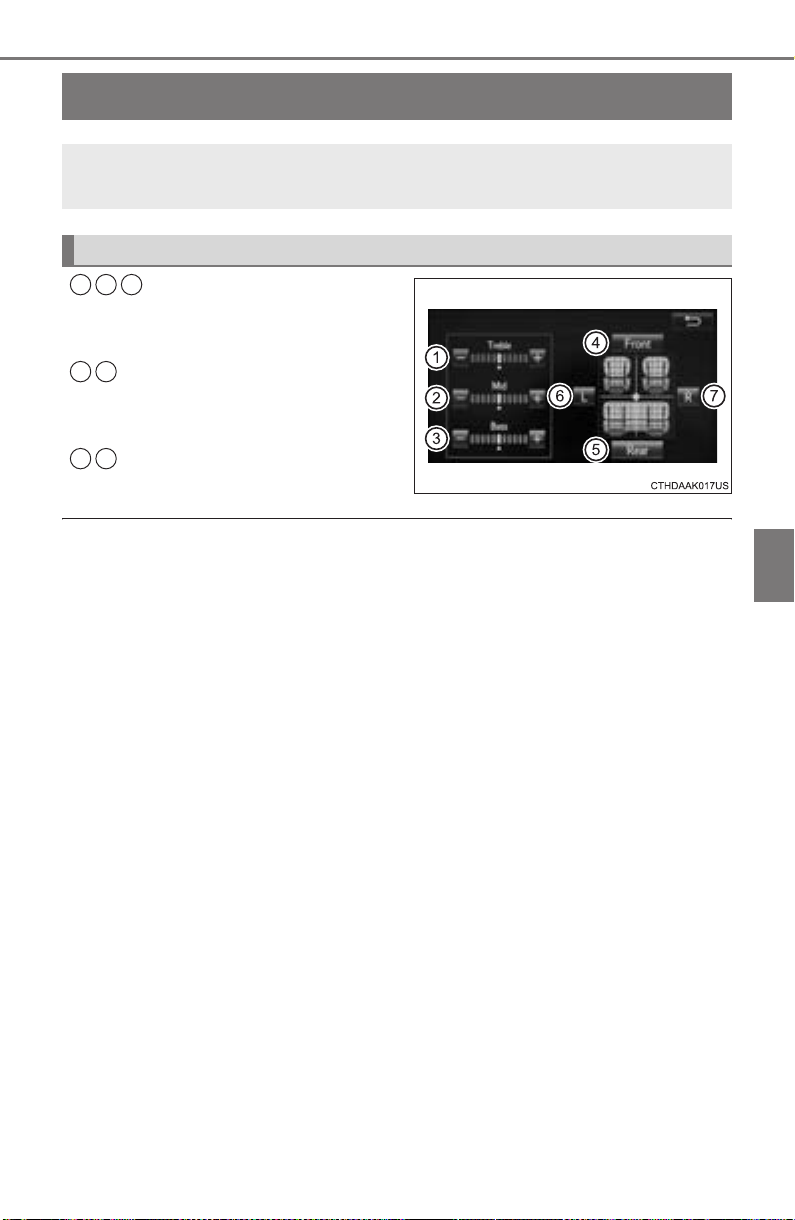
437
PRIUS_OM_OM47A29U_(U)
5-3. Using the Multimedia system
5
Audio system
Optimal use of the audio system
Select “-” or “+” to adjust
the treble, mid or bass to
a level between -5 and 5.
Select “Front” or “Rear” to
adjust the front/rear audio
balance.
Select “L” or “R” to adjust the
left/right audio balance.
■ The sound quality level is adjusted individually
The treble, mid and bass levels can be adjusted for each audio mode sepa-
rately.
On the “Sound Settings” screen, sound quality (Treble/Mid/
Bass), volume balance can be adjusted.
How to adjust the sound settings and sound quality
1 2 3
4 5
6 7
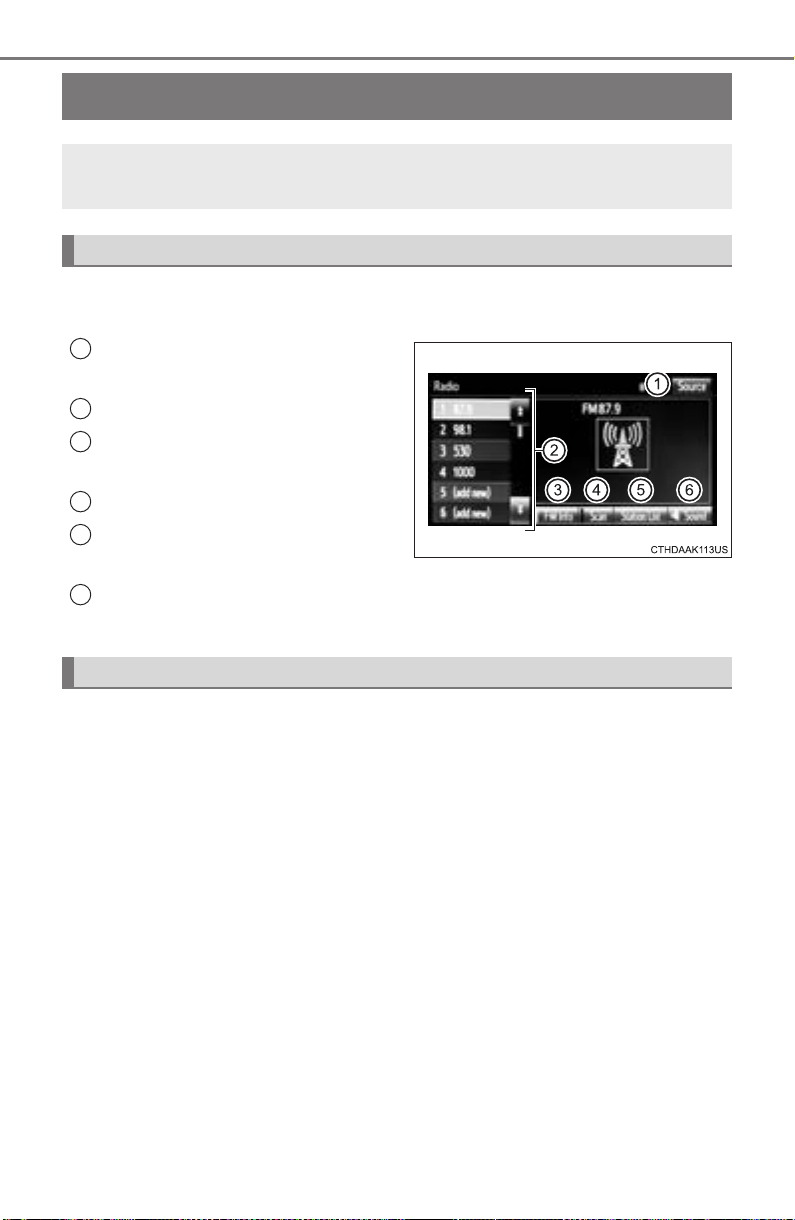
438
PRIUS_OM_OM47A29U_(U)
5-4. Using the radio
Radio operation
Pressing the “AUDIO” button displays the audio control screen from
any screens of the selected source.
Audio source selection screen
appears
Preset stations
Select to display RBDS text
messages
*
Scanning for receivable station
Select to display a list of receiv-
able stations
Setting the sound (→P. 437)
*: FM only
Tune in to the desired station using one of the following methods.
■ Seek tuning
Press the “>” or “<” button on “SEEK•TRACK”.
The radio will begin seeking up or down for a station of the nearest
frequency and will stop when a station is found.
■ Manual tuning
Turn the “TUNE•SCROLL” knob.
■ Preset stations
Select the desired preset station.
Select “AM” or “FM” on the audio source selection screen to
begin listening to the radio.
Audio control screen
1
2
3
4
5
6
Selecting a station

PRIUS_OM_OM47A29U_(U)
439
5-4. Using the radio
5
Audio system
Search for desired stations by turning the “TUNE•SCROLL” knob or
pressing the “>” or “<” button on “SEEK•TRACK”.
Select “(add new)”.
To change the preset station to a different one, select and hold the preset
station.
Select “Yes”.
Select “OK” after setting the new preset station.
■ Refreshing the station list
Select “Refresh” on the “Station List” screen.
To cancel the refresh, select “Cancel Refresh”.
■ Reception sensitivity
● Maintaining perfect radio reception at all times is difficult due to the continu-
ally changing position of the antenna, differences in signal strength and sur-
rounding objects, such as trains, transmitters, etc.
● The radio antenna is mounted on the roof. The antenna can be removed
from the base by turning it.
Setting station presets
1
2
3
4
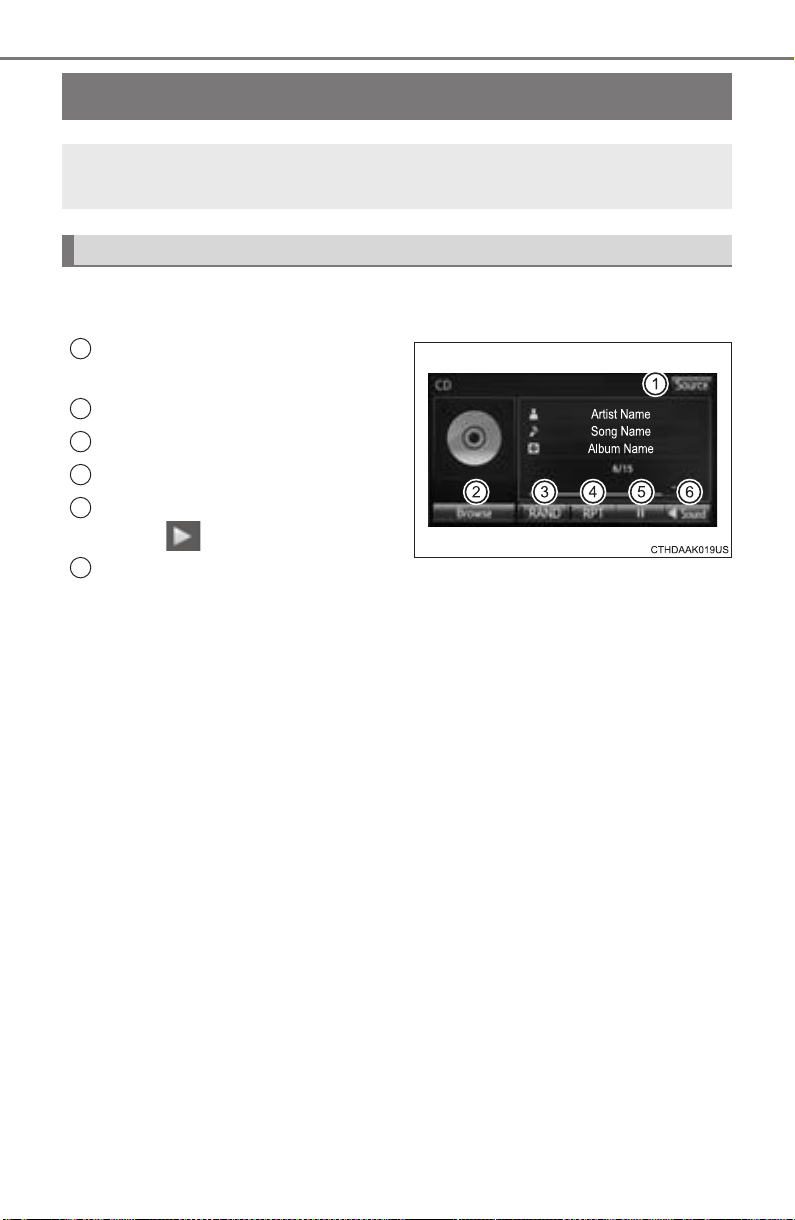
440
PRIUS_OM_OM47A29U_(U)
5-5. Playing an audio CD and MP3/WMA/AAC discs
CD player operation
Pressing the “AUDIO” button displays the audio control screen from
any screens of the selected source.
Audio source selection screen
appears
Displaying the track/file list
Random playback (
→P. 427)
Repeat play (
→P. 427)
Pause
Select to resume play.
Setting the sound (
→P. 437)
Insert disc or select “CD” on the audio source selection screen
with a disc inserted to begin listening to a CD.
Audio control screen
1
2
3
4
5
6
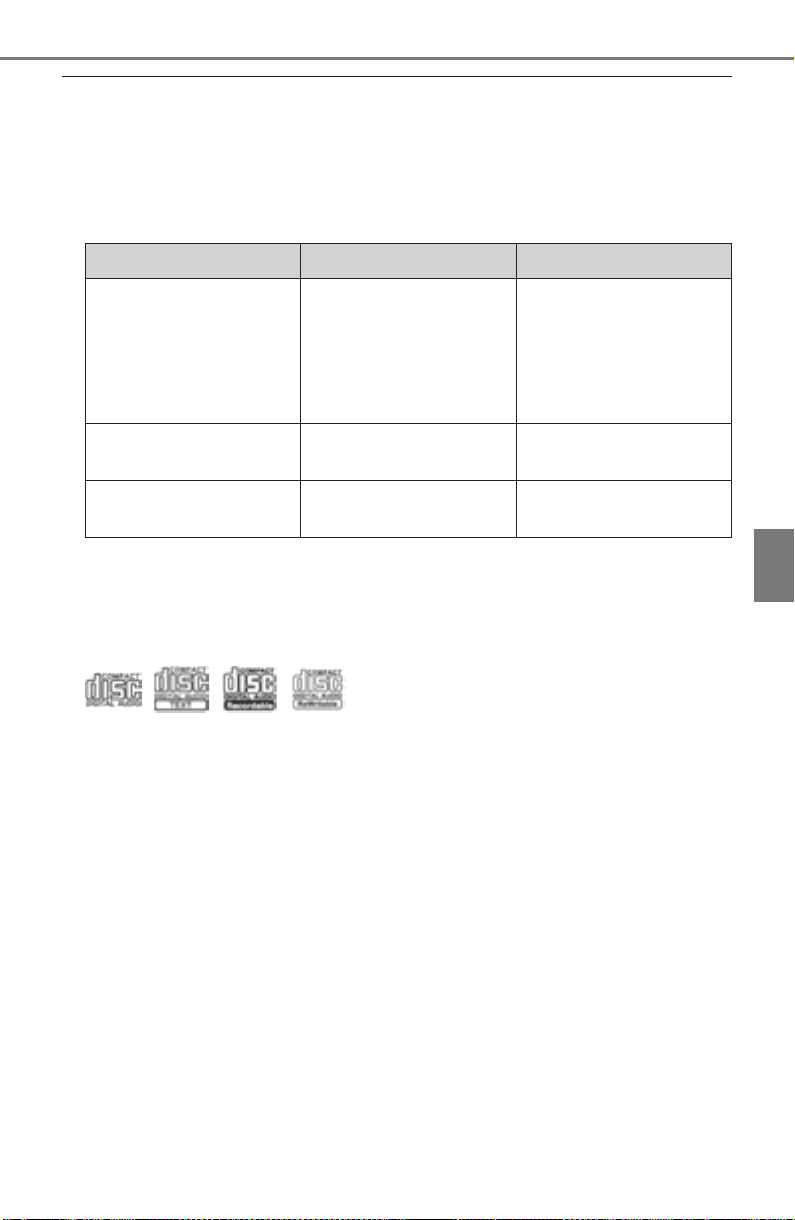
PRIUS_OM_OM47A29U_(U)
441
5-5. Playing an audio CD and MP3/WMA/AAC discs
5
Audio system
■ Displaying the title and artist name
If a CD-TEXT disc is inserted, the title of the disc and track will be displayed.
■ Error messages
If an error message is displayed, refer to the following table and take the
appropriate measures. If the problem is not rectified, take the vehicle to your
Toyota dealer.
■ Discs that can be used
Discs with the marks shown below can be used.
Playback may not be possible depending on recording format or disc fea-
tures, or due to scratches, dirt or deterioration.
CDs with copy-protection features may not play correctly.
■ CD player protection feature
To protect the internal components, playback is automatically stopped when a
problem is detected.
■ If a disc is left inside the CD player or in the ejected position for
extended periods
Disc may be damaged and may not play properly.
■ Lens cleaners
Do not use lens cleaners. Doing so may damage the CD player.
Message Cause Correction procedures
“Check DISC”
• The disc is dirty or
damaged.
• The disc is inserted
upside down.
• The disc is not play-
able with the player.
• Clean the disc.
• Insert the disc cor-
rectly.
• Confirm the disc is
playable with the
player.
“Disc Error”
There is a malfunction
within the system.
Eject the disc.
“No music files found.”
No playable data is
included on the disc.
Eject the disc.

442
5-5. Playing an audio CD and MP3/WMA/AAC discs
PRIUS_OM_OM47A29U_(U)
■ MP3, WMA and AAC files
MP3 (MPEG Audio LAYER3) is a standard audio compression format.
Files can be compressed to approximately 1/10 of their original size by using
MP3 compression.
WMA (Windows Media Audio) is a Microsoft audio compression format.
This format compresses audio data to a size smaller than that of the MP3 for-
mat.
AAC is short for Advanced Audio Coding and refers to an audio compression
technology standard used with MPEG2 and MPEG4.
MP3, WMA and AAC file and media/formats compatibility are limited.
● MP3 file compatibility
• Compatible standards
MP3 (MPEG1 LAYER3, MPEG2 LSF LAYER3)
• Compatible sampling frequencies
MPEG1 LAYER3: 32, 44.1, 48 (kHz)
MPEG2 LSF LAYER3: 16, 22.05, 24 (kHz)
• Compatible bit rates (compatible with VBR)
MPEG1 LAYER3: 32-320 (kbps)
MPEG2 LSF LAYER3: 8-160 (kbps)
• Compatible channel modes: stereo, joint stereo, dual channel and mon-
aural
● WMA file compatibility
• Compatible standards
WMA Ver. 7, 8, 9 (only compatible with Windows Media Audio Standard)
• Compatible sampling frequencies
32, 44.1, 48 (kHz)
• Compatible bit rates (only compatible with 2-channel playback)
Ver. 7, 8: CBR 48-192 (kbps)
Ver. 9: CBR 48-320 (kbps)

PRIUS_OM_OM47A29U_(U)
443
5-5. Playing an audio CD and MP3/WMA/AAC discs
5
Audio system
● AAC file compatibility
• Compatible standards
MPEG4/AAC-LC
• Compatible sampling frequencies
11.025/12/16/22.05/24/32/44.1/48 (kHz)
• Compatible bit rates
16-320 (kbps)
Compatible channel modes: 1ch and 2ch
● Compatible media
Media that can be used for MP3, WMA and AAC playback are CD-Rs and
CD-RWs.
Playback in some instances may not be possible if the CD-R or CD-RW is
not finalized. Playback may not be possible or the audio may jump if the
disc is scratched or marked with fingerprints.
● Compatible disc formats
The following disc formats can be used.
• Disc formats: CD-ROM Mode 1 and Mode 2
CD-ROM XA Mode 2, Form 1 and Form 2
• File formats: ISO9660 Level 1, Level 2, (Romeo, Joliet)
UDF (2.01 or lower)
MP3, WMA and AAC files written in any format other than those listed
above may not play correctly, and their file names and folder names may
not be displayed correctly.
Items related to standards and limitations are as follows.
• Maximum directory hierarchy: 8 levels (including the root)
• Maximum length of folder names/file names: 32 characters
• Maximum number of folders: 192 (including the root)
• Maximum number of files per disc: 255
● File names
The only files that can be recognized as MP3/WMA/AAC and played are
those with the extension .mp3, .wma or .m4a.
● Discs containing multi-session recordings
As the audio system is compatible with multi session discs, it is possible to
play discs that contain MP3, WMA and AAC files. However, only the first
session can be played.

444
5-5. Playing an audio CD and MP3/WMA/AAC discs
PRIUS_OM_OM47A29U_(U)
● ID3, WMA and AAC tags
ID3 tags can be added to MP3 files, making it possible to record the track
title, artist name, etc.
The system is compatible with ID3 Ver. 1.0, 1.1, and Ver. 2.2, 2.3 ID3 tags.
(The number of characters is based on ID3 Ver. 1.0 and 1.1.)
WMA tags can be added to WMA files, making it possible to record the
track title and artist name in the same way as with ID3 tags.
AAC tags can be added to AAC files, making it possible to record the track
title and artist name in the same way as with ID3 tags.
● MP3, WMA and AAC playback
When a disc containing MP3, WMA or AAC files is inserted, all files on the
disc are first checked. Once the file check is finished, the first MP3, WMA or
AAC file is played. To make the file check finish more quickly, we recom-
mend you do not write any files to the disc other than MP3, WMA or AAC
files or create any unnecessary folders.
Discs that contain a mixture of music data and MP3, WMA or AAC format
data cannot be played.
● Extensions
If the file extensions .mp3, .wma and .m4a are used for files other than
MP3, WMA and AAC files, they may be mistakenly recognized and played
as MP3, WMA and AAC files. This may result in large amounts of interfer-
ence and damage to the speakers.
● Playback
• To play MP3 files with steady sound quality, we recommend a fixed bit
rate of at least 128 kbps and a sampling frequency of 44.1 kHz.
• CD-R or CD-RW playback may not be possible in some instances,
depending on the characteristics of the disc.
• There is a wide variety of freeware and other encoding software for MP3,
WMA and AAC files on the market, and depending on the status of the
encoding and the file format, poor sound quality or noise at the start of
playback may result. In some cases, playback may not be possible at all.
• When files other than MP3, WMA or AAC files are recorded on a disc, it
may take more time to recognize the disc and in some cases, playback
may not be possible at all.
• Microsoft, Windows, and Windows Media are the registered trademarks
of Microsoft Corporation in the U.S.A. and other countries.
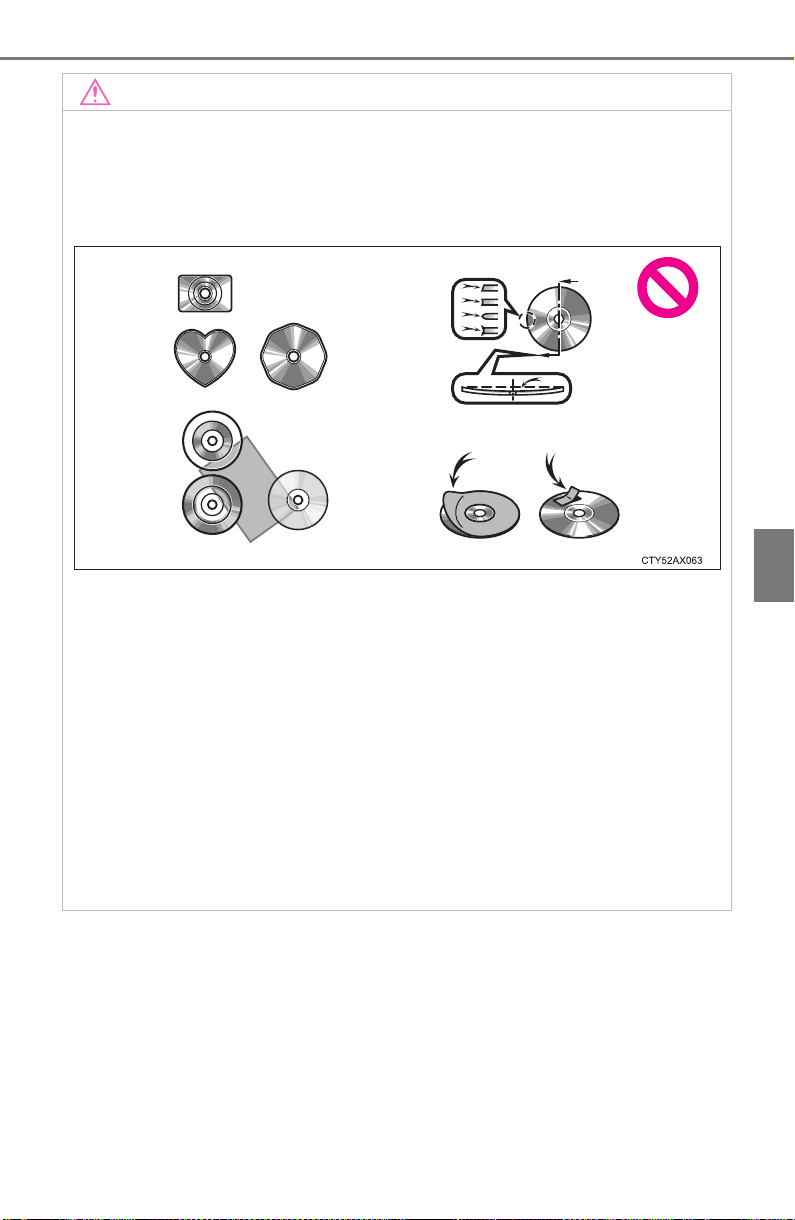
PRIUS_OM_OM47A29U_(U)
445
5-5. Playing an audio CD and MP3/WMA/AAC discs
5
Audio system
NOTICE
■ Discs and adapters that cannot be used
Do not use the following types of CDs.
Also, do not use 3 in. (8 cm) CD adapters, DualDiscs or printable discs.
Doing so may damage the CD player and/or the CD insert/eject function.
● Discs that have a diameter that is not 4.7 in. (12 cm).
● Low-quality or deformed discs.
● Discs with a transparent or translucent recording area.
● Discs that have tape, stickers or CD-R labels attached to them, or that
have had the label peeled off.
■ Player precautions
Failure to follow the precautions below may result in damage to the discs or
the player itself.
● Do not insert anything other than discs into the disc slot.
● Do not apply oil to the player.
● Store discs away from direct sunlight.
● Never try to disassemble any part of the player.
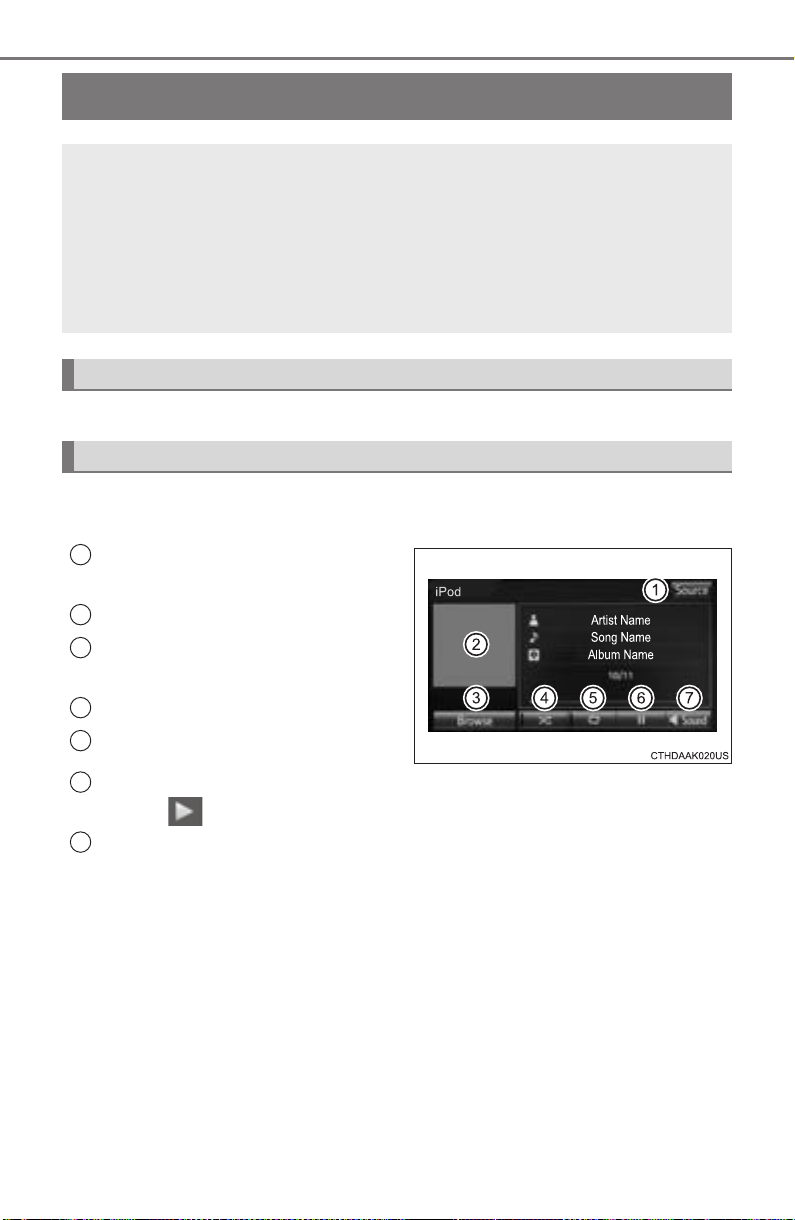
446
PRIUS_OM_OM47A29U_(U)
5-6. Using an external device
iPod player operation
→P. 42 5
Pressing the “AUDIO” button displays the audio control screen from
any screens of the selected source.
Audio source selection screen
appears
Displaying cover art
Selecting the play mode
(→P. 447)
Shuffle play (→P. 447)
Repeat play (→P. 447)
Pause
Select to resume playback.
Setting the sound (→P. 437)
Connecting an iPod enables you to enjoy music from the vehicle
speakers.
Select “iPod” on the audio source selection screen.
When the iPod connected to the system includes iPod video, the
system can only output the sound by selecting the browse
screen.
Connecting an iPod
Control screen
1
2
3
4
5
6
7
PRIUS_OM_OM47A29U_(U)
447
5-6. Using an external device
5
Audio system
Select “Browse” on the screen.
Select the desired play mode. Then select a song to begin using
the selected play mode.
Select to change on/off.
Select to change on/off.
Selecting a play mode
Shuffle play
Repeat play
1
2

448
5-6. Using an external device
PRIUS_OM_OM47A29U_(U)
■ About iPod
● “Made for iPod” and “Made for iPhone” mean that an electronic accessory
has been designed to connect specifically to iPod or iPhone, respectively,
and has been certified by the developer to meet Apple performance stan-
dards.
● Apple is not responsible for the operation of this device or its compliance
with safety and regulatory standards. Please note that the use of this acces-
sory with iPod or iPhone may affect wireless performance.
● iPhone, iPod, iPod classic, iPod nano, and iPod touch are trademarks of
Apple Inc., registered in the U.S. and other countries. Lightning is a trade-
mark of Apple Inc.
■ iPod cover art
● Depending on the iPod and songs in the iPod, iPod cover art may be dis-
played.
● This function can be changed to on/off. (→P. 431)
● It may take time to display iPod cover art, and the iPod may not be operated
while the cover art display is in process.
● Only iPod cover art that is saved in JPEG format can be displayed.
■ iPod functions
● When an iPod is connected and the audio source is changed to iPod mode,
the iPod will resume play from the same point in which it was last used.
● Depending on the iPod that is connected to the system, certain functions
may not be available. If a function is unavailable due to a malfunction (as
opposed to a system specification), disconnecting the device and recon-
necting it may resolve the problem.
● While connected to the system, the iPod cannot be operated with its own
controls. It is necessary to use the controls of the vehicle’s audio system
instead.
● When the battery level of an iPod is very low, the iPod may not operate. If
so, charge the iPod before use.
● Compatible models (→P. 450)

PRIUS_OM_OM47A29U_(U)
449
5-6. Using an external device
5
Audio system
■ iPod problems
To resolve most problems encountered when using your iPod, disconnect
your iPod from the vehicle iPod connection and reset it. For instructions on
how to reset your iPod, refer to your iPod Owner’s Manual.
■ Error messages
If an error message is displayed, refer to the following table and take the
appropriate measures. If the problem is not rectified, take the vehicle to your
Toyota dealer.
Message Cause/Correction procedures
“Connection error. Please
consult your Owner’s
Manual for instructions on
how to connect the iPod.”
This indicates a problem in the iPod or its con-
nection.
“There are no songs avail-
able for playback. Please
add compatible files to
your iPod.”
This indicates that there is no music data in
the iPod.
“Please check the iPod
firmware version.”
This indicates that the software version is not
compatible.
Please check the compatible models.
(→P. 450)
“iPod authorization
unsuccessful.”
This indicates that the display audio system
failed to authorize the iPod.
Please check your iPod.
450
5-6. Using an external device
PRIUS_OM_OM47A29U_(U)
■ Compatible models
The following iPod
®
, iPod nano
®
, iPod classic
®
, iPod touch
®
and iPhone
®
devices can be used with this system.
● Made for
• iPod touch (5th generation)
*
• iPod touch (4th generation)
• iPod touch (3rd generation)
• iPod touch (2nd generation)
• iPod touch (1st generation)
• iPod classic
• iPod with video
• iPod nano (7th generation)
*
• iPod nano (6th generation)*
• iPod nano (5th generation)
• iPod nano (4th generation)
• iPod nano (3rd generation)
• iPhone 6 Plus
*
• iPhone 6 *
• iPhone 5s*
• iPhone 5c*
• iPhone 5*
• iPhone 4S
• iPhone 4
• iPhone 3GS
• iPhone 3G
•iPhone
*: iPod video not supported
Depending on differences between models or software versions etc., some
models might be incompatible with this system.
WARNING
■ While driving
Do not connect an iPod or operate the controls.
NOTICE
■ To prevent damage to the iPod or its terminals
● Do not leave the iPod in the vehicle. The temperature inside the vehicle
may become high.
● Do not push down on or apply unnecessary pressure to the iPod while it is
connected.
● Do not insert foreign objects into the port.
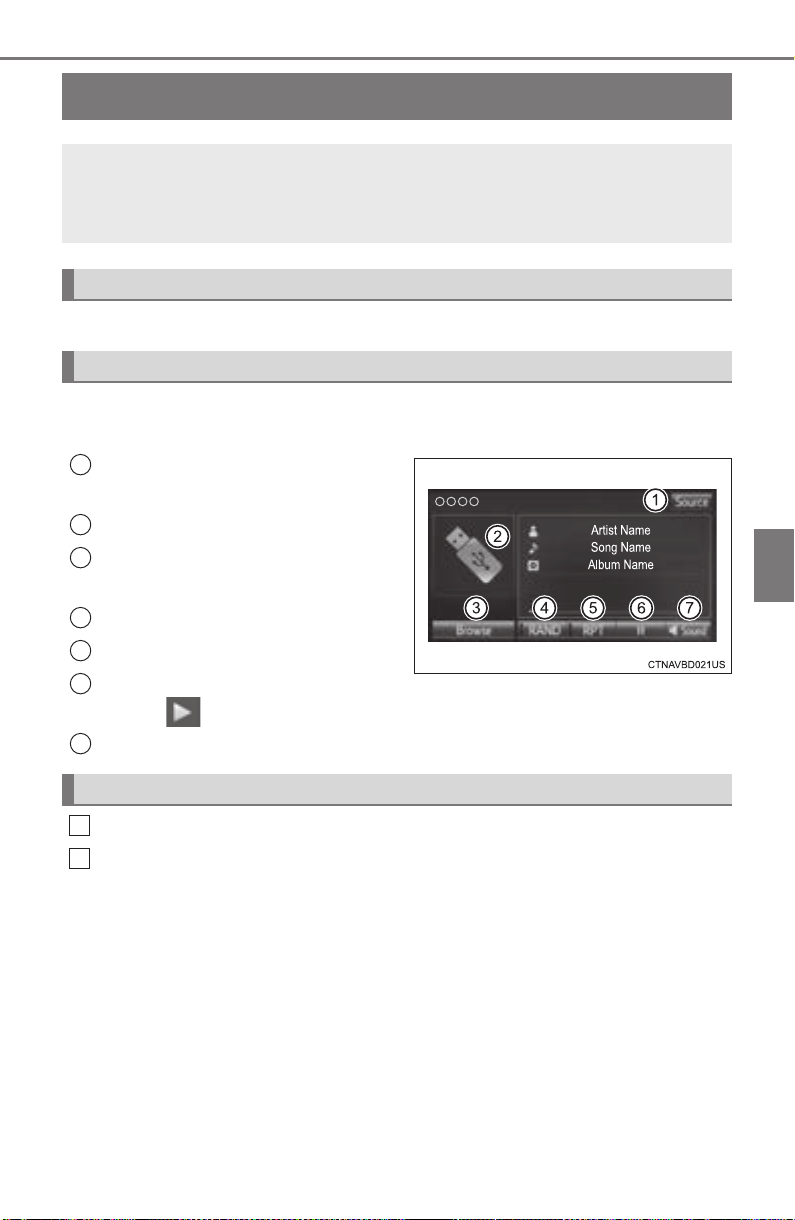
451
PRIUS_OM_OM47A29U_(U)
5-6. Using an external device
5
Audio system
USB memory device player operation
→P. 42 5
Pressing the “AUDIO” button displays the audio control screen from
any screens of the selected source.
Audio source selection screen
appears
Displays cover art
Selecting the play mode
(→P. 451)
Random playback (→P. 427)
Repeat play (→P. 427)
Pause
Select to resume playback.
Setting the sound (→P. 437)
Select “Browse” on the screen.
Select the desired play mode. Then select a song to begin using
the selected play mode.
■ Displaying the now playing list
Touch the cover art display.
Connecting a USB memory device enables you to enjoy music
from the vehicle speakers.
Touch “USB” on the audio source selection screen.
Connecting a USB memory device
Audio control screen
1
2
3
4
5
6
Selecting a play mode
7
1
2

452
5-6. Using an external device
PRIUS_OM_OM47A29U_(U)
■ USB memory functions
● Depending on the USB memory device that is connected to the system, the
device itself may not be operable and certain functions may not be avail-
able. If the device is inoperable or a function is unavailable due to a mal-
function (as opposed to a system specification), disconnecting the device
and reconnecting it may resolve the problem.
● If the USB memory device still does not begin operation after being discon-
nected and reconnected, format the memory.
■ Error messages for USB memory
If an error message is displayed, refer to the following table and take the
appropriate measures. If the problem is not rectified, take the vehicle to your
Toyota dealer.
■ USB memory
● Compatible devices
USB memory device that can be used for MP3, WMA and AAC playback.
● Compatible device formats
The following device format can be used:
• USB communication format: USB2.0 HS (480Mbps) and FS (12 Mbps)
• File system format: FAT16/32 (Windows)
• Correspondence class: Mass storage class
MP3, WMA and AAC files written to a device with any format other than
those listed above may not play correctly, and their file names and folder
names may not be displayed correctly.
Items related to standards and limitations are as follows:
• Maximum directory hierarchy: 8 levels
• Maximum number of folders in a device: 3000 (including the root)
• Maximum number of files in a device: 9999
• Maximum number of files per folder: 255
Message Cause/Correction procedures
“Connection error. Please
consult your Owner’s
Manual for instructions on
how to connect the USB
device.”
This indicates a problem with the USB mem-
ory device or its connection.
“There are no files available
for playback. Please add
compatible files to your USB
device.”
This indicates that no MP3/WMA/AAC files
are included on the USB memory device.

PRIUS_OM_OM47A29U_(U)
453
5-6. Using an external device
5
Audio system
● MP3, WMA and AAC files
MP3 (MPEG Audio LAYER 3) is a standard audio compression format.
Files can be compressed to approximately 1/10 of their original size using
MP3 compression.
WMA (Windows Media Audio) is a Microsoft audio compression format.
This format compresses audio data to a size smaller than that of the MP3
format.
This product is protected by certain intellectual property rights of Microsoft
Corporation and third parties. Use or distribution of such technology outside
of this product is prohibited without a license from Microsoft or an autho-
rized Microsoft subsidiary and third parties.
AAC is short for Advanced Audio Coding and refers to an audio compres-
sion technology standard used with MPEG2 and MPEG4.
MP3, WMA and AAC file and media/formats compatibility are limited.
● MP3 file compatibility
• Compatible standards
MP3 (MPEG1 AUDIO LAYERII, III, MPEG2 AUDIO LAYERII, III,
MPEG2.5)
• Compatible sampling frequencies
MPEG1 AUDIO LAYERII, III: 32, 44.1, 48 (kHz)
MPEG2 AUDIO LAYERII, III: 16, 22.05, 24 (kHz)
• Compatible bit rates (compatible with VBR)
MPEG1 AUDIO LAYERII, III: 32-320 (kbps)
MPEG2 AUDIO LAYERII, III: 8-160 (kbps)
• Compatible channel modes: stereo, joint stereo, dual channel and mon-
aural
● WMA file compatibility
• Compatible standards
WMA Ver. 7, 8, 9
• Compatible sampling frequencies
HIGH PROFILE 32, 44.1, 48 (kHz)
• Compatible bit rates
HIGH PROFILE 48-320 (kbps, VBR)
● AAC file compatibility
• Compatible standards
MPEG4/AAC-LC
• Compatible sampling frequencies
11.025/12/16/22.05/24/32/44.1/48 (kHz)
• Compatible bit rates
16-320 (kbps)
• Compatible channel modes: 1 ch and 2 ch
● File names
The only files that can be recognized as MP3/WMA/AAC and played are
those with the extension .mp3, .wma or .m4a.

454
5-6. Using an external device
PRIUS_OM_OM47A29U_(U)
● ID3, WMA and AAC tags
ID3 tags can be added to MP3 files, making it possible to record the track
title, artist name, etc.
The system is compatible with ID3 Ver. 1.0, 1.1, and Ver. 2.2, 2.3, 2.4 ID3
tags. (The number of characters is based on ID3 Ver. 1.0 and 1.1.)
WMA tags can be added to WMA files, making it possible to record the
track title and artist name in the same way as with ID3 tags.
AAC tags can be added to AAC files, making it possible to record the track
title and artist name in the same way as with ID3 tags.
● MP3, WMA and AAC playback
• When a device containing MP3, WMA and AAC files is connected, all
files in the USB memory device are checked. Once the file check is fin-
ished, the first MP3, WMA and AAC file is played. To make the file check
finish more quickly, we recommend that you do not include any files other
than MP3, WMA and AAC files or create any unnecessary folders.
• When a USB memory device is connected and the audio source is
changed to USB memory mode, the USB memory device will start play-
ing the first file in the first folder. If the same device is removed and
reconnected (and the contents have not been changed), the USB mem-
ory device will resume play from the same point in which it was last used.
● Extensions
If the file extensions .mp3, .wma and .m4a are used for files other than
MP3, WMA and AAC files, they will be skipped (not played).
● Playback
• To play MP3 files with steady sound quality, we recommend a fixed bit
rate of at least 128 kbps and a sampling frequency of 44.1 kHz.
• There is a wide variety of freeware and other encoding software for MP3,
WMA and AAC files on the market, and depending on the status of the
encoding and the file format, poor sound quality or noise at the start of
playback may result. In some cases, playback may not be possible at all.
• Microsoft, Windows, and Windows Media are the registered trademarks
of Microsoft Corporation in the U.S.A. and other countries.
WARNING
■ While driving
Do not connect a USB memory device or operate the device controls.

PRIUS_OM_OM47A29U_(U)
455
5-6. Using an external device
5
Audio system
NOTICE
■ To prevent damage to the USB memory device or its terminals
● Do not leave the USB memory device in the vehicle. The temperature
inside the vehicle may become high.
● Do not push down on or apply unnecessary pressure to the USB memory
device while it is connected.
● Do not insert foreign objects into the port.
456
PRIUS_OM_OM47A29U_(U)
5-6. Using an external device
Using the AUX
→P. 42 5
■ Operating portable audio players connected to the audio system
The volume can be adjusted using the vehicle’s audio controls. All other
adjustments must be made on the portable audio player itself.
■ When using a portable audio player connected to the power outlet
Noise may occur during playback. Use the power source of the portable
audio player.
To use the AUX port, connect a portable player, press the
“AUDIO” button, then select “AUX” to display the audio control
screen.
Connecting a portable audio player
WARNING
■ While driving
Do not connect a portable audio player or operate the device controls.

457
PRIUS_OM_OM47A29U_(U)
5-7. Connecting Bluetooth
®
5
Audio system
Preparations to use wireless communication
The following can be performed using Bluetooth
®
wireless com-
munication:
■ A portable audio player can be operated and listened to via
audio system
■ Hands-free phone calls can be made via a cellular phone
In order to use wireless communication, register and connect a
Bluetooth
®
device by performing the following procedures.
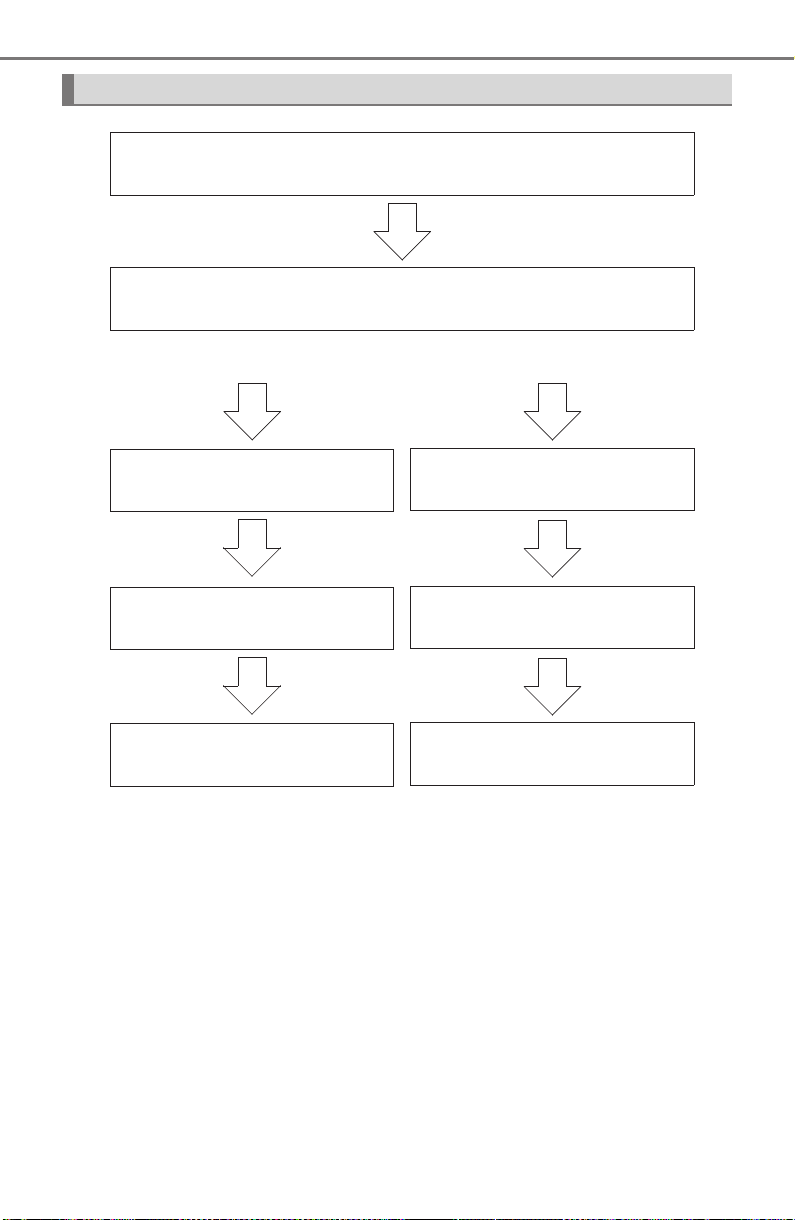
458
5-7. Connecting Bluetooth
®
PRIUS_OM_OM47A29U_(U)
Device registration/connection flow
1. Register the Bluetooth
®
device to be used with audio sys-
tem (→P. 460, 461, 462)
2. Connect the Bluetooth
®
device to be used
(→P. 464)
To be used for audio To be used for hands-free
phone
3. Start Bluetooth
®
connec-
tion (→P. 464)
3. Start Bluetooth
®
connec-
tion (→P. 464)
4. Check connection status
(→P. 468)
4. Check connection status
(→P. 472)
5. Use Bluetooth
®
audio
(→P. 469)
5. Use Bluetooth
®
phone
(→P. 470)
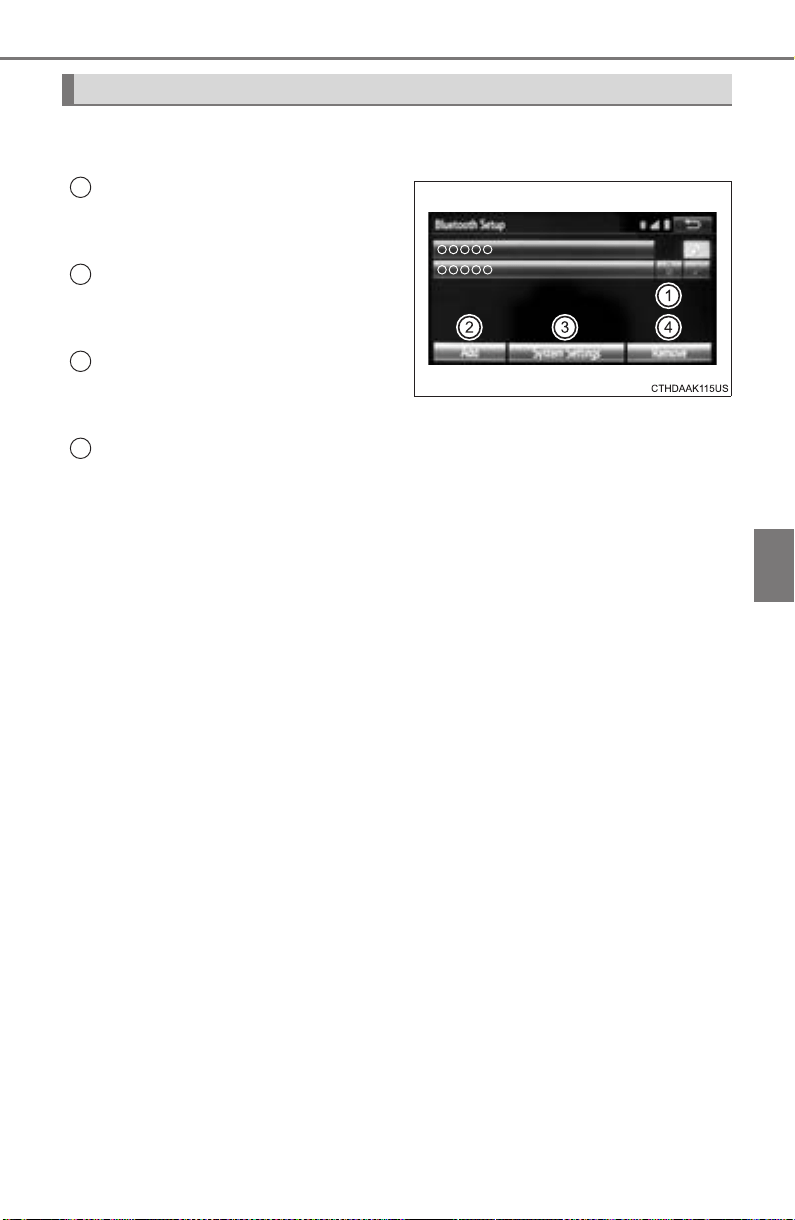
PRIUS_OM_OM47A29U_(U)
459
5-7. Connecting Bluetooth
®
5
Audio system
To display the screen shown below, press the “SETUP” button and
select “Bluetooth
*” on the “Setup” screen.
Select to connect the device to
be used with audio system.
(→P. 464)
Select to register a Bluetooth
®
device to be used with audio
system. (→P. 462)
Select to set detailed
Bluetooth
®
system settings.
(→P. 467)
Select to delete registered devices. (→P. 463)
*: Bluetooth is a registered trademark of Bluetooth SIG, Inc.
Registering and connecting from the “Bluetooth* Setup” screen
1
2
3
4
460
PRIUS_OM_OM47A29U_(U)
5-7. Connecting Bluetooth
®
Registering a Bluetooth
®
audio player for
the first time
Turn the Bluetooth
®
connection setting of your audio player on.
Press the “AUDIO” button.
Select “ Audio”.
Follow the steps in “How to register a Bluetooth
®
device” from .
(→P. 462)
To use the Bluetooth
®
Audio, it is necessary to register an audio
player with the system.
Once the player has been registered, it is possible to use the
Bluetooth
®
Audio.
For details about registering a Bluetooth
®
device (→P. 462)
1
2
3
4 2

461
PRIUS_OM_OM47A29U_(U)
5-7. Connecting Bluetooth
®
5
Audio system
Registering a Bluetooth
®
phone for the first
time
Turn the Bluetooth
®
connection setting of your cellular phone on.
Press the “ ” button.
Select “Yes” to register a phone.
Follow the steps in “How to register a Bluetooth
®
device” from .
(→P. 462)
To use the hands-free system, it is necessary to register a
Bluetooth
®
phone with the system.
Once the phone has been registered, it is possible to use the
hands-free system.
For details about registering a Bluetooth
®
device (→P. 462)
1
2
3
4 3
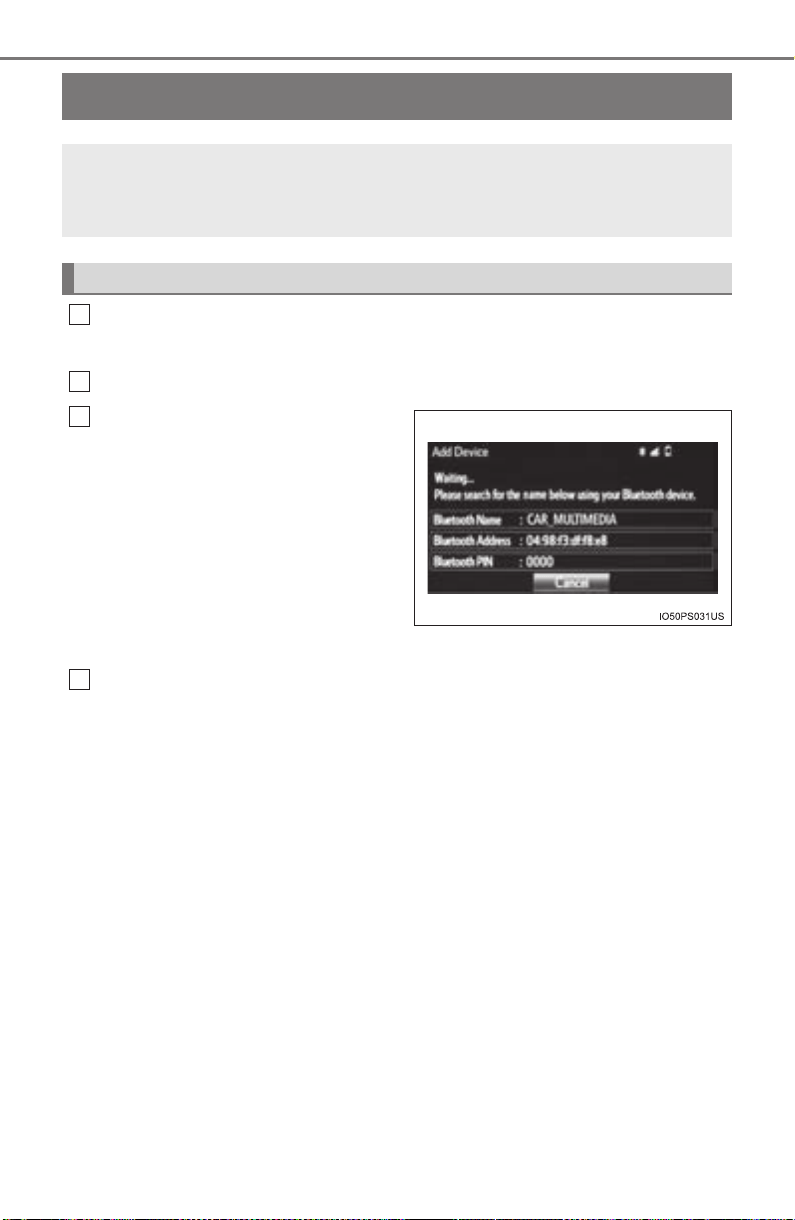
462
PRIUS_OM_OM47A29U_(U)
5-7. Connecting Bluetooth
®
Registering a Bluetooth
®
device
Display the “Bluetooth* Setup” screen. (→P. 459)
*: Bluetooth is a registered trademark of Bluetooth SIG, Inc.
Select “Add”.
When this screen is displayed,
search for the device name dis-
played on this screen on the
screen of your Bluetooth
®
device.
For details about operating the
Bluetooth
®
device, see the manual
that comes with it.
To cancel the registration, select
“Cancel”.
Register the Bluetooth
®
device using your Bluetooth
®
device.
A PIN-code is not required for SSP (Secure Simple Pairing) compatible
Bluetooth
®
devices. Depending on the type of Bluetooth
®
device being
connected, a message confirming registration may be displayed on the
Bluetooth
®
device’s screen. Respond and operate the Bluetooth
®
device
according to the confirmation message.
Bluetooth
®
compatible phones (HFP) and portable audio players
(AVP) can be registered simultaneously. You can register up to 5
Bluetooth
®
devices.
How to register a Bluetooth
®
device
1
2
3
4
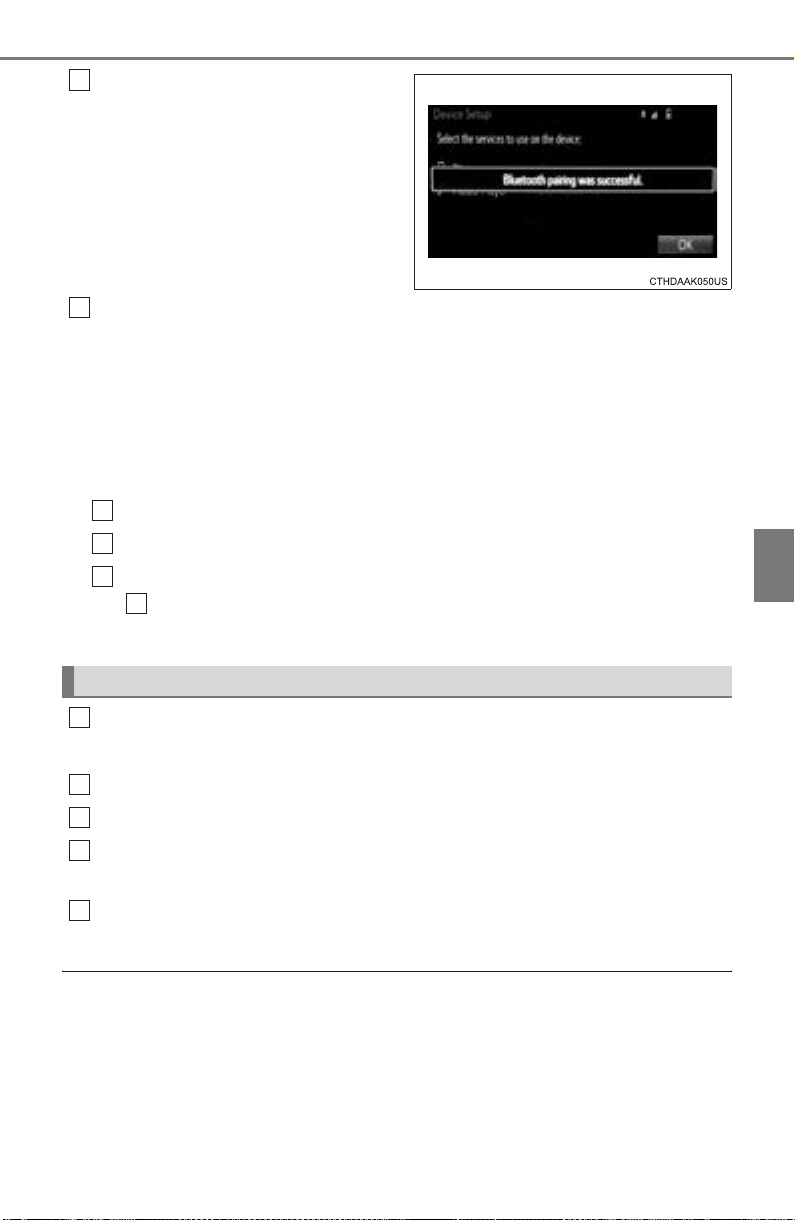
PRIUS_OM_OM47A29U_(U)
463
5-7. Connecting Bluetooth
®
5
Audio system
Check that this screen is dis-
played when registration is
complete.
Select “OK” when the connection status changes from
“Connecting...” to “Connected”.
If an error message is displayed, follow the guidance on the screen to try
again.
Registration can be performed from screens other than the
“Bluetooth* Setup” screen.
■ When registering from the “Bluetooth* Audio” screen
Display the “Bluetooth
* Audio” screen. (→P. 434)
Select “Select Device”.
Follow the steps in “How to register a Bluetooth
®
device” from
. (→P. 462)
*: Bluetooth is a registered trademark of Bluetooth SIG, Inc.
Display the “Bluetooth* Setup” screen. (→P. 459)
*: Bluetooth is a registered trademark of Bluetooth SIG, Inc.
Select “Remove”.
Select the desired device.
A confirmation message will be displayed, select “Yes” to delete the
device.
Check that a confirmation screen is displayed when the operation is
complete.
■ When deleting a Bluetooth
®
phone
The contact data will be deleted at the same time.
5
Deleting a Bluetooth
®
device
6
1
2
3
2
1
2
3
4
5
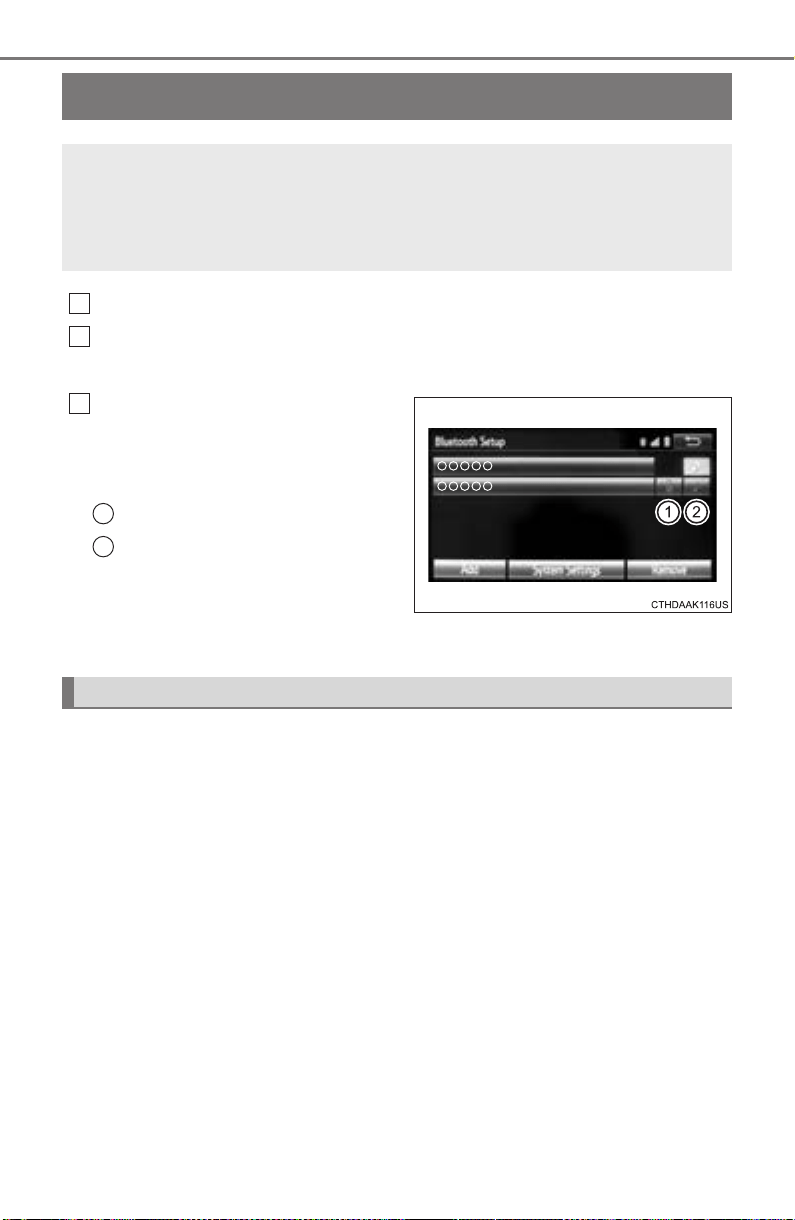
464
PRIUS_OM_OM47A29U_(U)
5-7. Connecting Bluetooth
®
Connecting a Bluetooth
®
device
Press the “SETUP” button.
Select “Bluetooth
*”.
*: Bluetooth is a registered trademark of Bluetooth SIG, Inc.
Select the device to be con-
nected.
Supported profile icons will be dis-
played.
Phone
Audio player
Supported profile icons for cur-
rently connected devices will illumi-
nate.
Dimmed icons can be selected to connect to the function directly.
To turn auto connection mode on, set “Bluetooth* Power” to on.
(→P. 467)
When you register a phone, auto connection will be activated. Always
set it to this mode and leave the Bluetooth
®
phone in a place where a
connection can be established.
When the audio system is turned to on, the system will search for a nearby
cellular phone you have registered.
Next, the system automatically connects with the most recent of the
phones connected to in the past. Then, the connection result is displayed.
*: Bluetooth is a registered trademark of Bluetooth SIG, Inc.
Up to 5 Bluetooth
®
devices (Phones [HFP] and audio players
[AVP]) can be registered.
If more than 1 Bluetooth
®
device has been registered, select
which device to connect to.
1
2
3
1
2
Auto connection

PRIUS_OM_OM47A29U_(U)
465
5-7. Connecting Bluetooth
®
5
Audio system
When auto connection has failed or “Bluetooth* Power” is turned off,
you must connect the Bluetooth
®
device manually.
*: Bluetooth is a registered trademark of Bluetooth SIG, Inc.
Follow the steps in “Connecting a Bluetooth
®
device” from .
(→P. 464)
■ When connecting from the Bluetooth
®
audio control screen
X Registering an additional device
Select “Select Device” on the Bluetooth
®
audio control screen.
For more information: →P. 46 2
X Selecting a registered device
Select “Select Device” on the Bluetooth
®
audio control screen.
For more information: →P. 46 4
■ Reconnecting a Bluetooth
®
phone
If the system cannot connect due to poor signal strength, the system will
automatically attempt to reconnect.
If the phone is turned off, the system will not attempt to reconnect. In this
case, the connection must be made manually, or the phone must be rese-
lected.
Manual connection
1
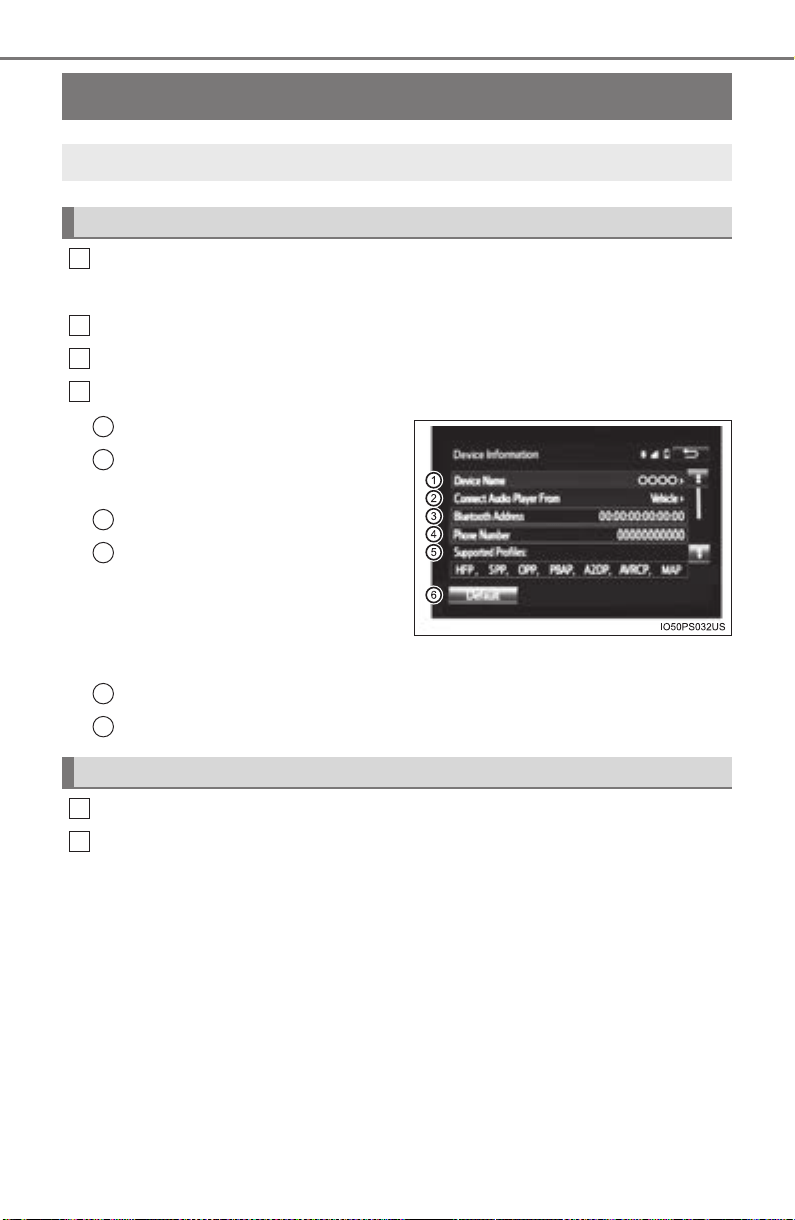
466
PRIUS_OM_OM47A29U_(U)
5-7. Connecting Bluetooth
®
Displaying a Bluetooth
®
device details
Display the “Bluetooth* Setup” screen. (→P. 459)
*: Bluetooth is a registered trademark of Bluetooth SIG, Inc.
Select the device.
Select “Device Info”.
Following screen is displayed:
Change device Name
Change connection method
(→P. 466)
Bluetooth
®
Address
Display your telephone num-
ber
The number may not be dis-
played depending on the
model of phone.
Compatibility profile of the device
Restore default settings
Select “Connect Audio Player From”.
Select “Vehicle” or “Device”.
“Vehicle”: Connect the audio system to the portable audio player.
“Device”: Connect the portable audio player to the audio system.
You can confirm and change the registered device details.
Bluetooth
®
device registration status
1
2
3
4
1
2
3
4
Changing connection method
5
6
1
2
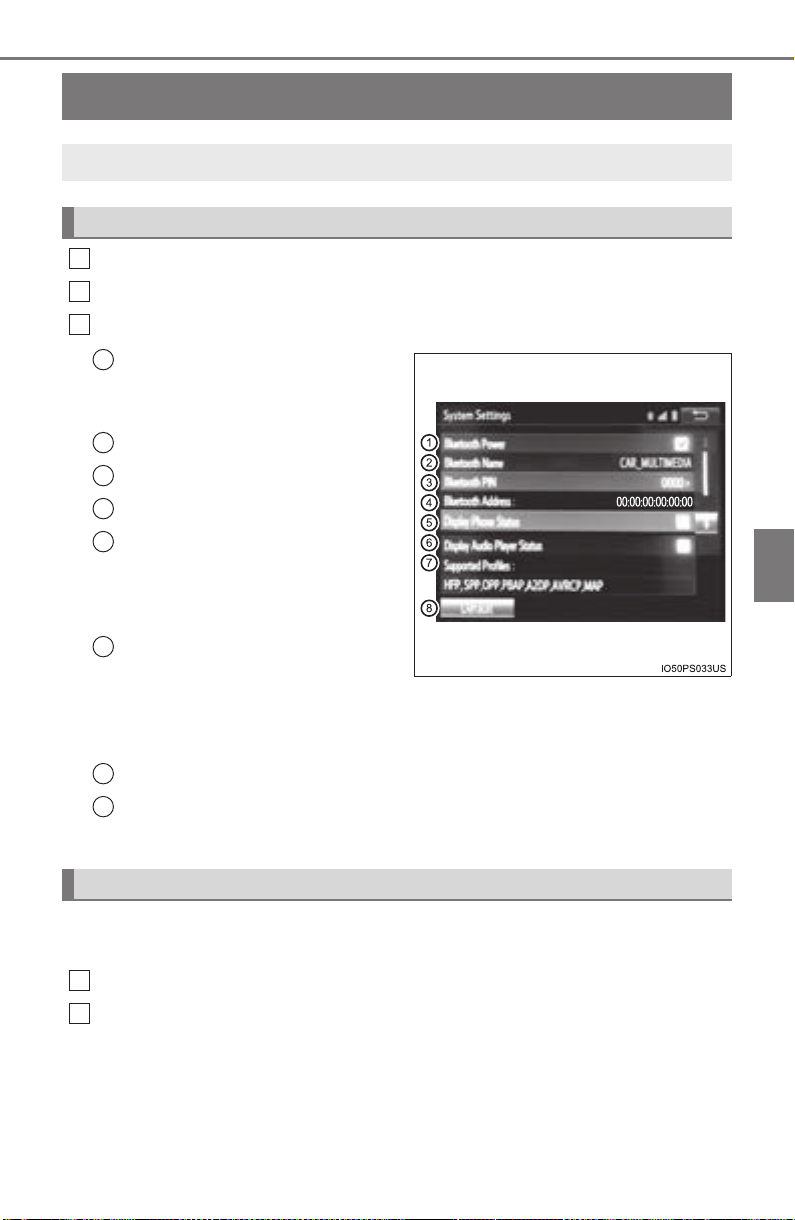
467
PRIUS_OM_OM47A29U_(U)
5-7. Connecting Bluetooth
®
5
Audio system
Detailed Bluetooth
®
settings
Display the “Bluetooth* Setup” screen. (→P. 459)
Select “System Settings”.
The following screen is displayed:
Bluetooth
®
Power on/off
You can change Bluetooth
®
function on/off.
Change Bluetooth
®
Name
Change PIN-code (→P. 467)
Bluetooth
®
Address
Display Phone Status
You can set the system to show
the status confirmation display
when connecting a telephone.
Display Audio Player Status
You can set the system to show
the status confirmation display
when connecting an audio
player.
Compatibility profile of the system
Restore default settings
*: Bluetooth is a registered trademark of Bluetooth SIG, Inc.
You can change the PIN-code that is used to register your Bluetooth
®
devices in the system.
Select “Bluetooth
* PIN”.
Input a PIN-code, and select “OK”.
*: Bluetooth is a registered trademark of Bluetooth SIG, Inc.
You can confirm and change the detailed Bluetooth
®
settings.
How to check and change detailed Bluetooth
®
settings
1
2
3
1
2
3
4
5
6
Editing the Bluetooth* PIN
7
8
1
2
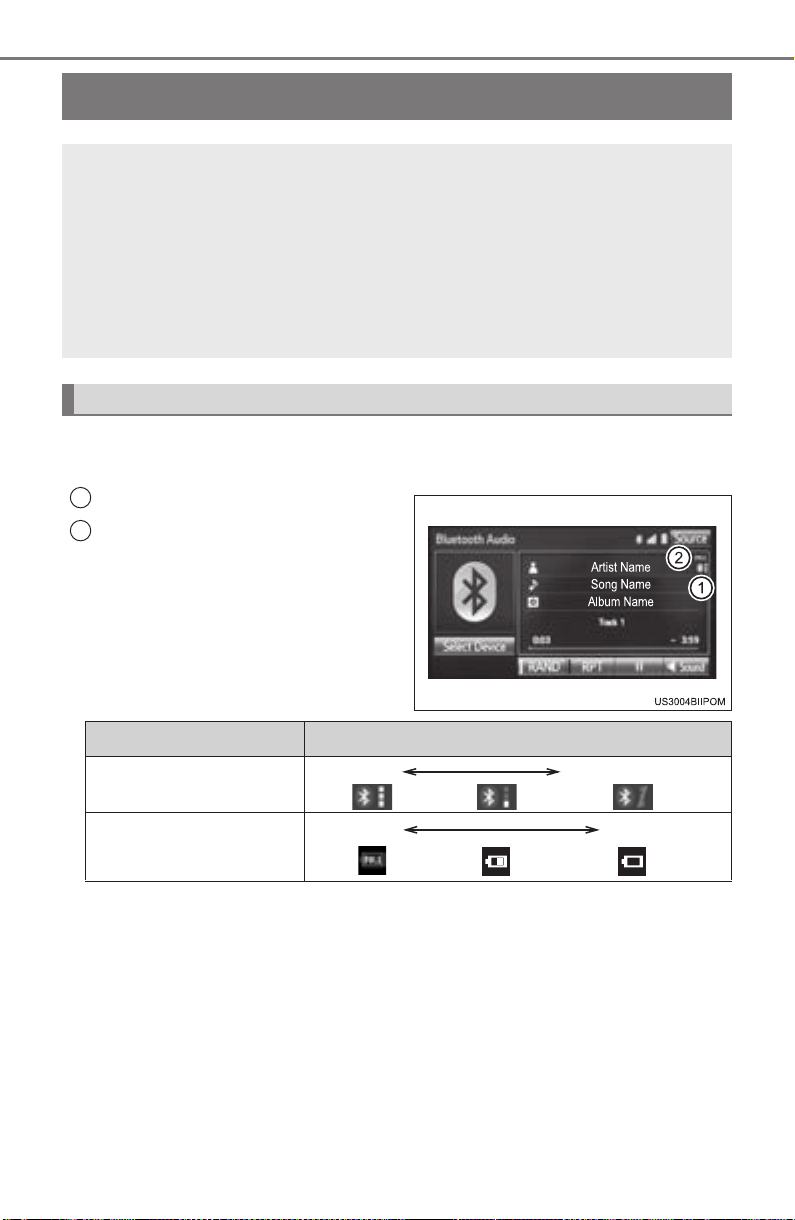
468
PRIUS_OM_OM47A29U_(U)
5-8. Bluetooth
®
Audio
Listening to Bluetooth
®
Audio
You can check such indicators as signal strength and battery charge
on the screen.
Connection status
Battery charge
The battery charge indicator may
not be displayed depending on the
connected device.
The screen may look different from the illustrations shown in this manual.
The Bluetooth
®
audio system enables the user to enjoy music
played on a portable player from the vehicle speakers via wire-
less communication.
When a Bluetooth
®
device cannot be connected, check the connec-
tion status on the “Bluetooth
* Audio” screen. If the device is not con-
nected, either register or reconnect the device. (→P. 464)
*: Bluetooth is a registered trademark of Bluetooth SIG, Inc.
Status display
1
2
Indicators Conditions
Connection status
Good Not connected
Battery charge
Full Empty

PRIUS_OM_OM47A29U_(U)
469
5-8. Bluetooth
®
Audio
5
Audio system
Select or to Play/Pause.
For details on “Bluetooth
* Audio” screen operation methods, refer to
Basic Audio Operations. (→P. 426)
For details on how to select a track or album, refer to selecting, fast-
forwarding and reversing tracks/files/songs. (→P. 436)
*: Bluetooth is a registered trademark of Bluetooth SIG, Inc.
Playing Bluetooth
®
audio
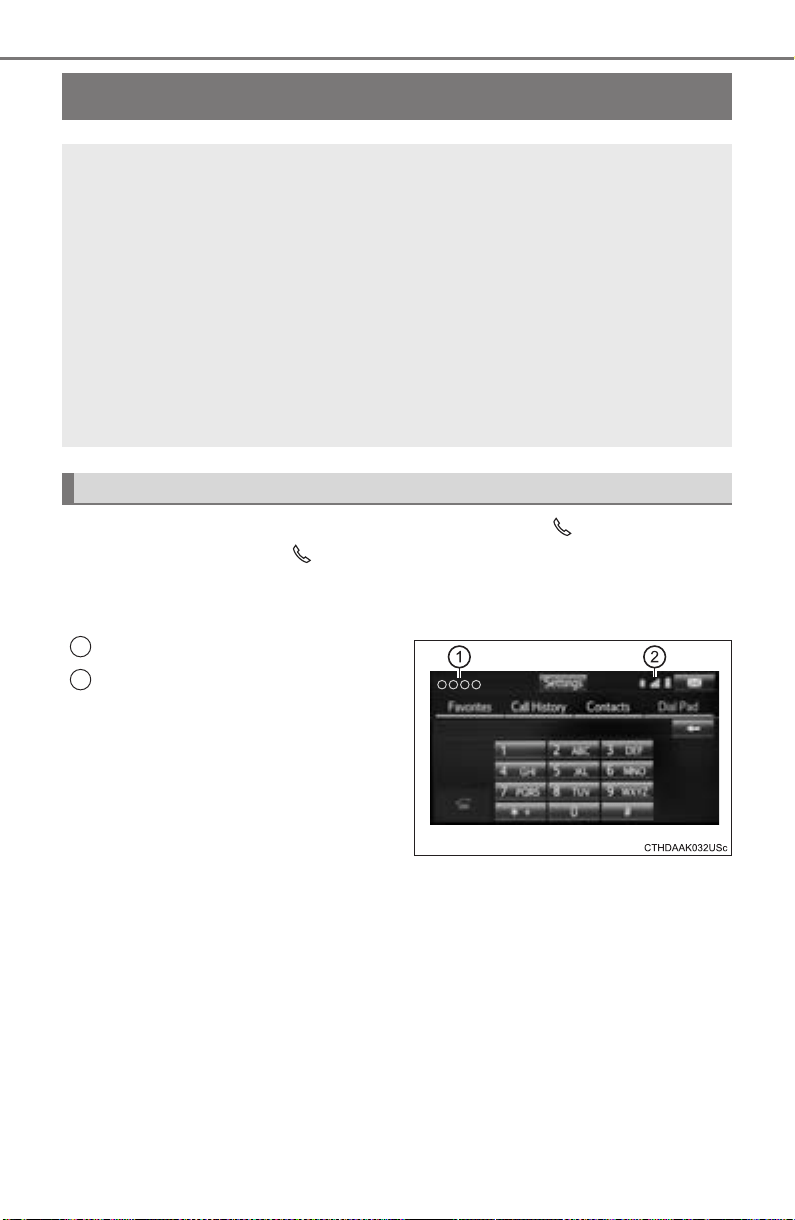
470
PRIUS_OM_OM47A29U_(U)
5-9. Bluetooth
®
phone
Using a Bluetooth
®
Phone
To display the screen shown below, press the switch on the
steering wheel or the button.
Several functions are available to operate on each screen that is dis-
played by selecting the 4 tabs.
Device name
Bluetooth
®
connection status
The hands-free system is a function that allows you to use your
cellular phone without touching it.
This system supports Bluetooth
®
. Bluetooth
®
is a wireless data
system that allows the cellular phone to wirelessly connect to
the hands-free system and make/receive calls.
Before making a phone call, check the connection status, battery
charge, call area and signal strength. (→P. 472)
If a Bluetooth
®
device cannot be connected, check the connection
status on the phone screen. If the device is not connected, either
register or reconnect it. (→P. 464)
Phone screen
1
2
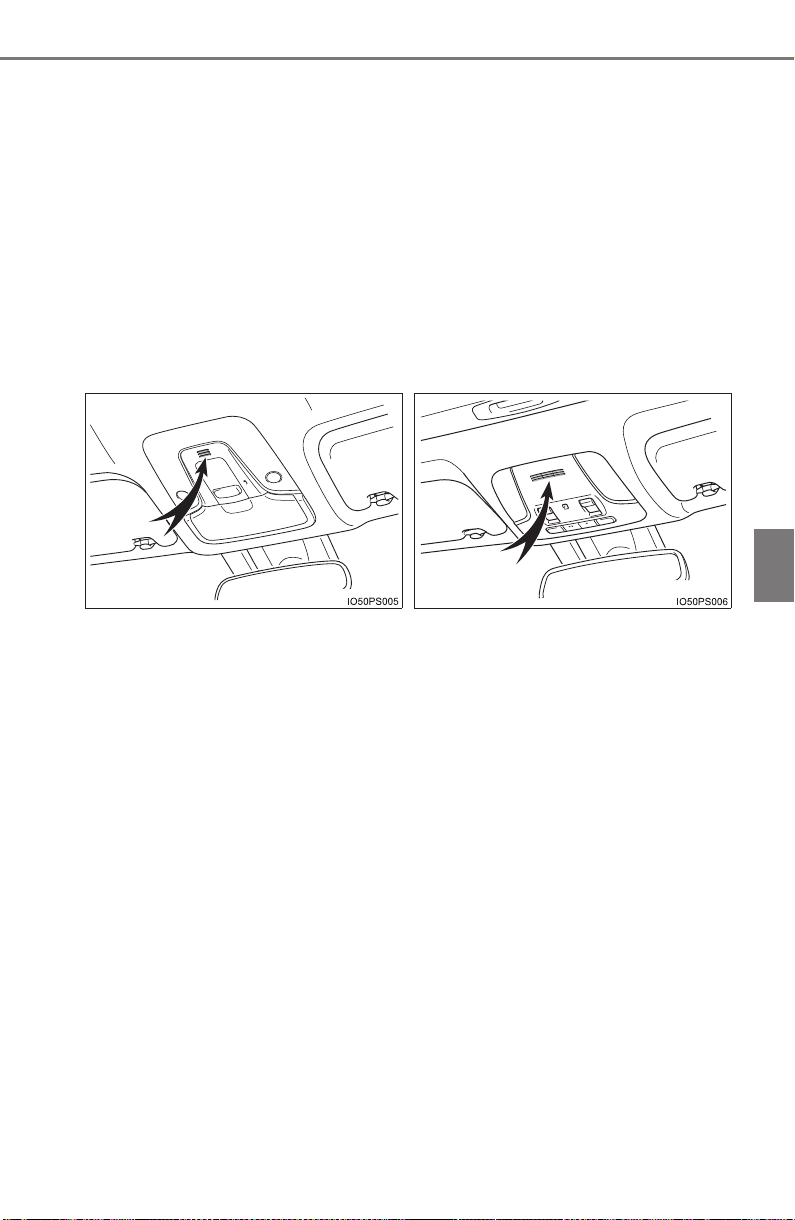
PRIUS_OM_OM47A29U_(U)
471
5-9. Bluetooth
®
phone
5
Audio system
■ Telephone switch
→P. 4 84
■ Microphone
The vehicle’s built in microphone is used when talking on the
phone.
The person you are speaking to can be heard from the front speak-
ers.
To use the hands-free system, you must register your Bluetooth
®
phone in the system. (→P. 462)
X Vehicles without moon roof X Vehicles with moon roof
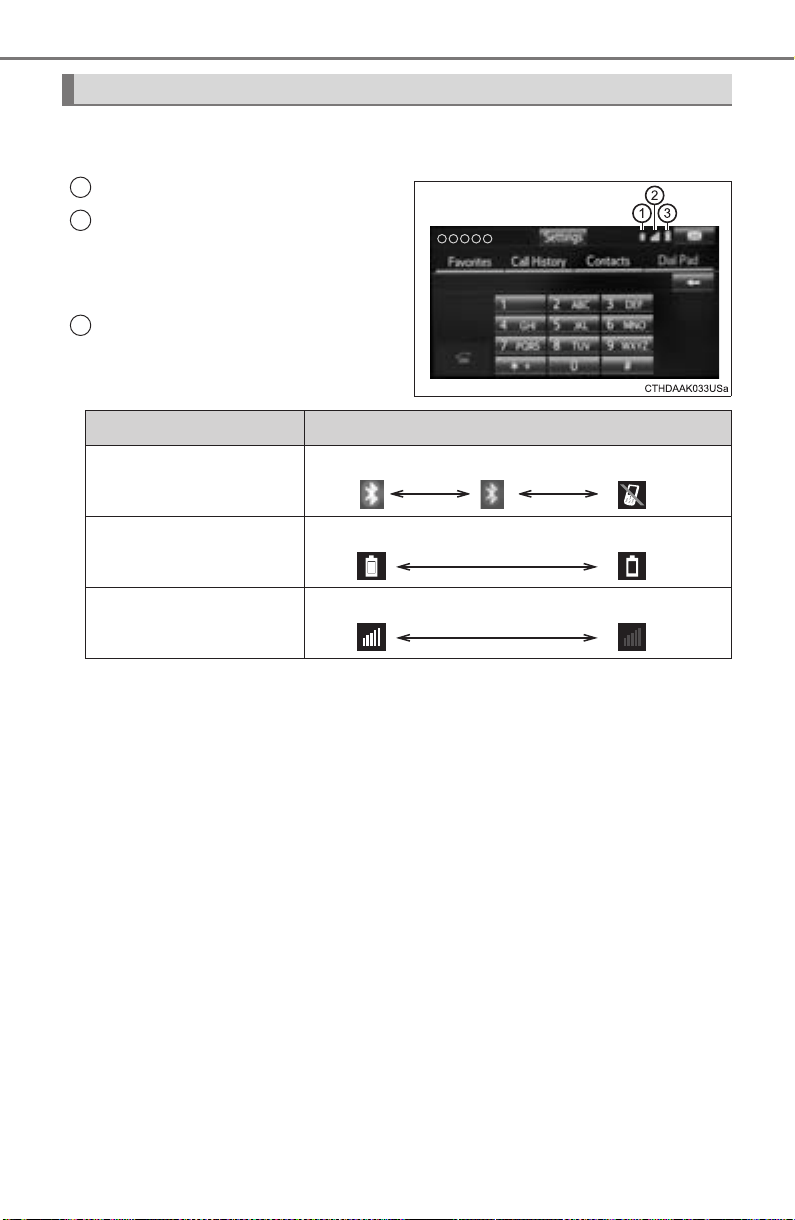
472
5-9. Bluetooth
®
phone
PRIUS_OM_OM47A29U_(U)
You can check indicators such as signal strength and battery charge
on the phone screen.
Connection status
Signal strength
“Rm” is displayed when receiving
in a roaming area. While roaming,
display “Rm” top-left on the icon.
Battery charge
Status display
1
2
3
Indicators Conditions
Connection status
Good Poor Not connected
Battery charge
Full Empty
Signal strength
Excellent Poor
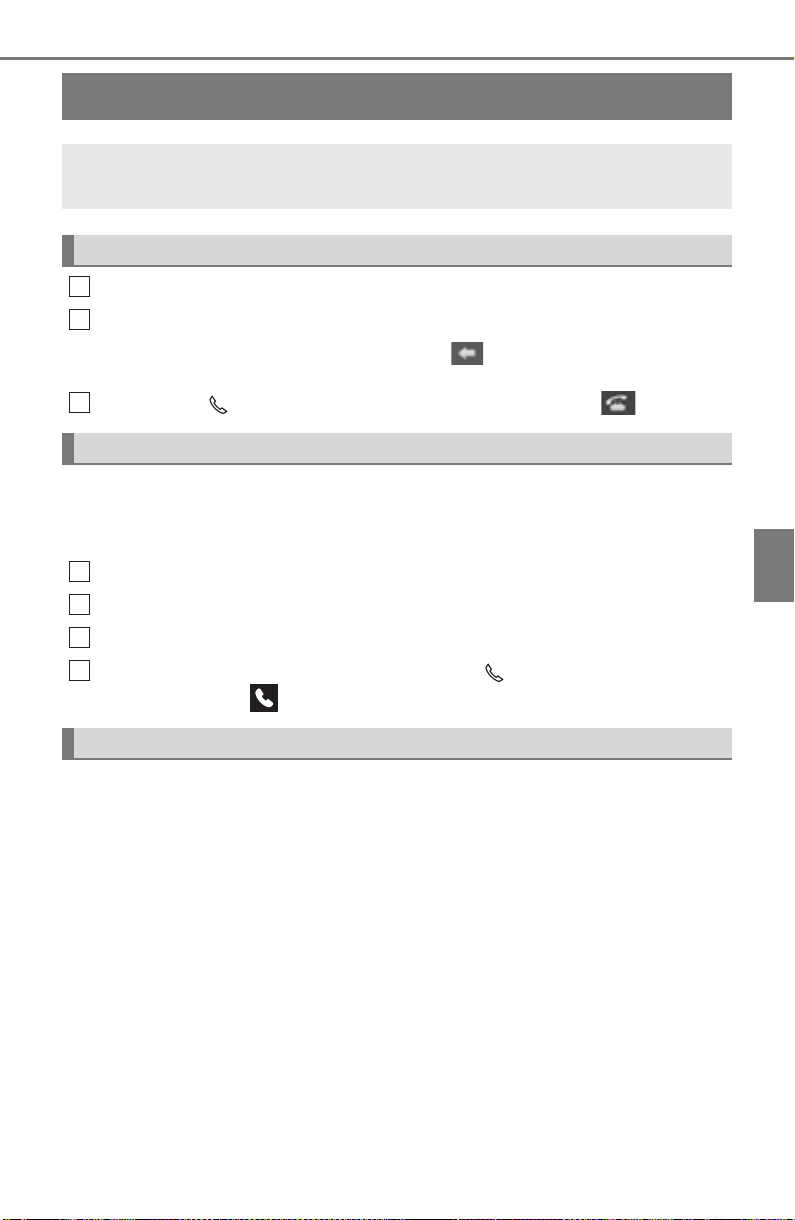
473
PRIUS_OM_OM47A29U_(U)
5-9. Bluetooth
®
phone
5
Audio system
Making a call
Display the phone screen. (→P. 470)
Select the “Dial Pad” tab and enter a phone number.
To delete the input phone number, select .
For the first digit, you can enter “+” by selecting “∗” for a while.
Press the switch on the steering wheel or select .
You can dial a number from the contact data imported from your cellu-
lar phone. The system has one contact list for each registered phone.
Up to 2500 contacts may be stored for each contact list. (→P. 473)
Display the phone screen. (→P. 470)
Select “Contacts” tab.
Choose the desired contact to call from the list.
Choose the number and then press the switch on the steering
wheel or select .
You can transfer the phone numbers in a Bluetooth
®
phone to the sys-
tem.
Operation methods differ between PBAP (Phone Book Access Profile)
compatible and PBAP incompatible Bluetooth
®
phones. If the cellular
phone does not support either PBAP or OPP (Object Push Profile)
service, you cannot transfer contacts.
Once a Bluetooth
®
phone is registered, you can make a call
using the following procedure:
Dialing
Dialing from the contacts list
When the contact is empty
1
2
3
1
2
3
4
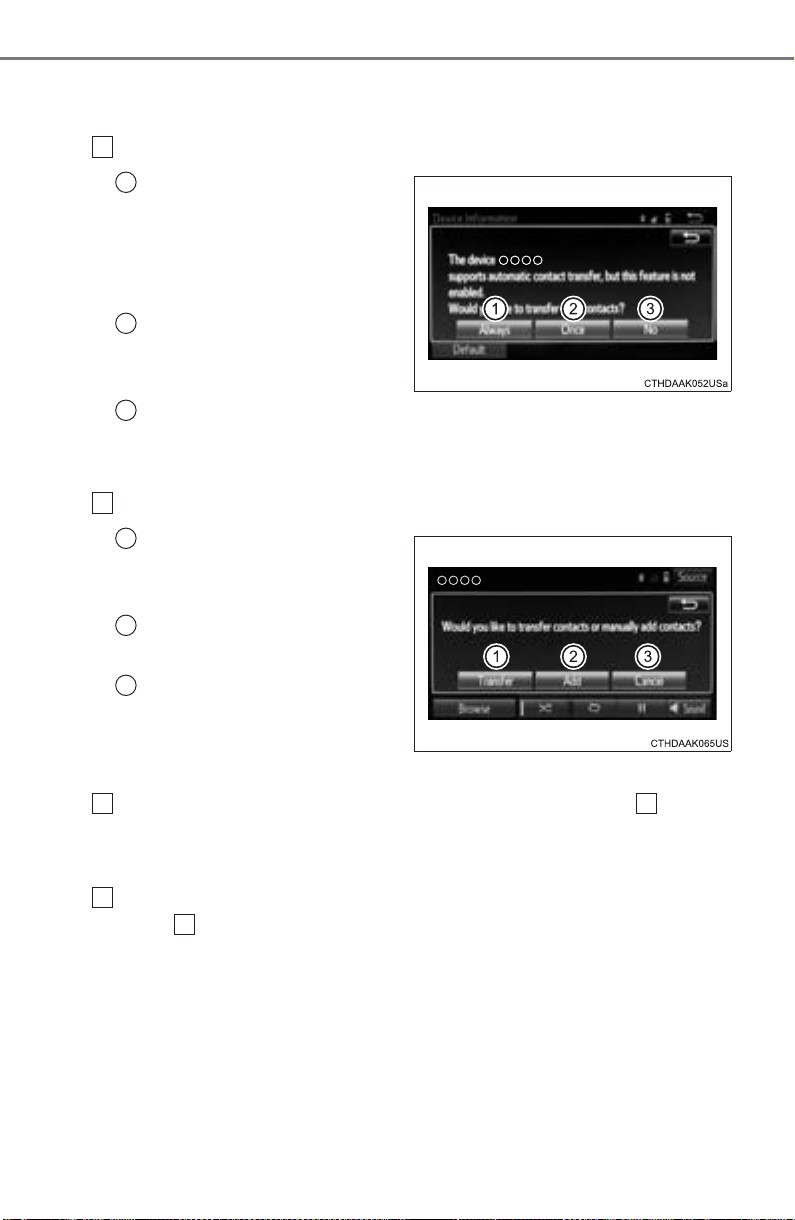
474
5-9. Bluetooth
®
phone
PRIUS_OM_OM47A29U_(U)
■
For PBAP compatible Bluetooth
®
phones
X When “Automatic Transfer” is set to off
Select the desired item.
Select to transfer new con-
tacts from a cellular phone,
select “Always” and then
enable “Automatic Trans-
fer”.
Select to transfer all the
contacts from a connected
cellular phone only once.
Select to cancel transferring.
■ For a PBAP incompatible but OPP compatible Bluetooth
®
phone
Select the desired item.
Select to transfer the con-
tacts from the connected
cellular phone.
Select to add a new con-
tact manually.
Select to cancel transfer-
ring.
X When “Transfer” is selected
Follow the steps in “Update contacts from phone” from .
(→P. 487)
X When “Add” is selected
Follow the steps in “Registering a new contact to the contact list”
from . (→P. 488)
1
1
2
3
1
1
2
3
2 2
2
2
PRIUS_OM_OM47A29U_(U)
475
5-9. Bluetooth
®
phone
5
Audio system
You can make a call using numbers registered in the contact.
Display the phone screen. (→P. 470)
Select “Favorites” tab.
Select the desired number to make a call.
You can make a call using the call history, which has the 3 functions
below.
: calls which you missed
: calls which you received
: calls which you made
Display the phone screen. (→P. 470)
Select “Call History” tab.
Select or the desired entry from the list.
X When is selected
Check that the “Call” screen is displayed.
X When the desired contact is selected
Select the desired number.
Check that the “Call” screen is displayed.
■ Call history list
● If you make a call to or receive a call from a number registered in the con-
tact, the name is displayed in the call history.
● If you make multiple calls to the same number, only the last call made is dis-
played in the call history.
■ International calls
You may not be able to make international calls, depending on the mobile
phone in use.
Calling using favorites list
Dialing from call history
1
2
3
1
2
3
4
4
5
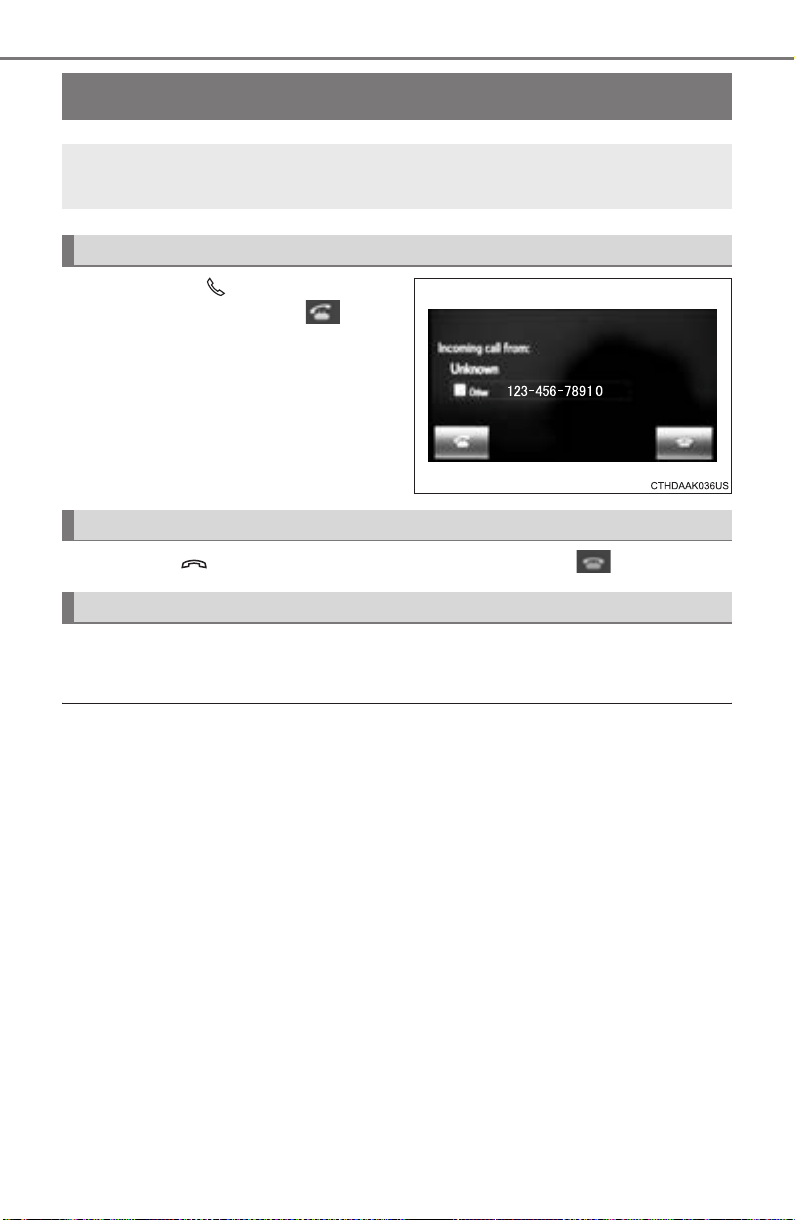
476
PRIUS_OM_OM47A29U_(U)
5-9. Bluetooth
®
phone
Receiving a call
Press the switch on the
steering wheel or select .
Press the switch on the steering wheel or select .
Turn the “PWR•VOL” knob. You can also adjust the volume using the
steering switches.
■ International calls
Received international calls may not be displayed correctly depending on the
cellular phone in use.
When a call is received, the following screen is displayed
together with a sound.
To answer the phone
To refuse a call
To adjust the incoming call volume
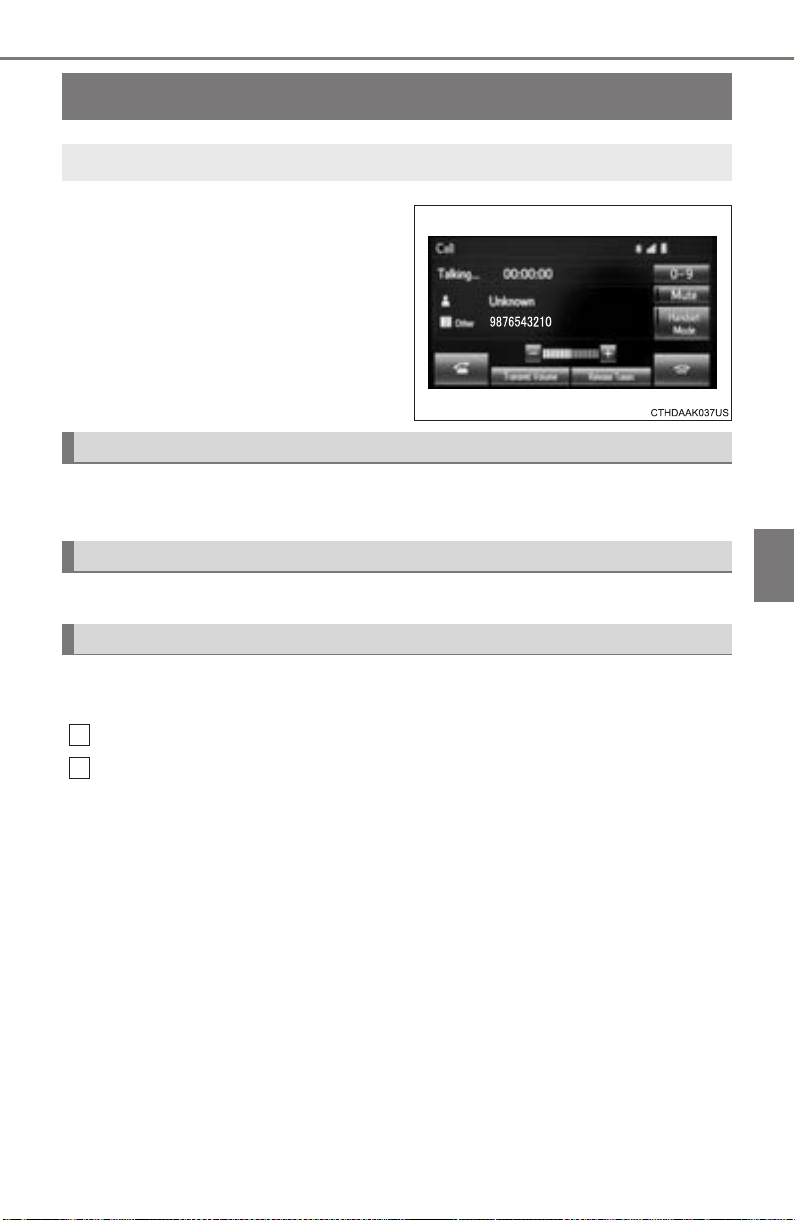
477
PRIUS_OM_OM47A29U_(U)
5-9. Bluetooth
®
phone
5
Audio system
Speaking on the phone
Select “-” or “+”. You can also adjust the volume using the steering
switches or the volume knob.
Select “Mute”.
When using phone services such as an answering service or a bank,
you can store phone numbers and code numbers in the contact.
Select “0-9”.
Input the number.
■ Release Tones
“Release Tones” appear when a continuous tone signal(s) contain-
ing a (w) is registered in the contact list.
Select “Release Tones”.
The following screen is displayed when speaking on the phone.
To adjust the call volume
To prevent the other party from hearing your voice
Inputting tones
1
2

478
5-9. Bluetooth
®
phone
PRIUS_OM_OM47A29U_(U)
■ Release Tones
● A continuous tone signal is a character string that consists of numbers and
the characters p or w. (e.g.056133w0123p#1∗)
● When the “p” pause tone is used, the tone data up until the next pause tone
will be automatically sent after 2 seconds have elapsed. When the “w”
pause tone is used, the tone data up until the next pause tone will be auto-
matically sent after a user operation is performed.
● Release tones can be used when automated operation of a phone based
service such as an answering machine or bank phone service is desired. A
phone number with continuous tone signals can be registered in the contact
list.
● Tone data after a “w” pause tone can be operated on voice command during
a call.
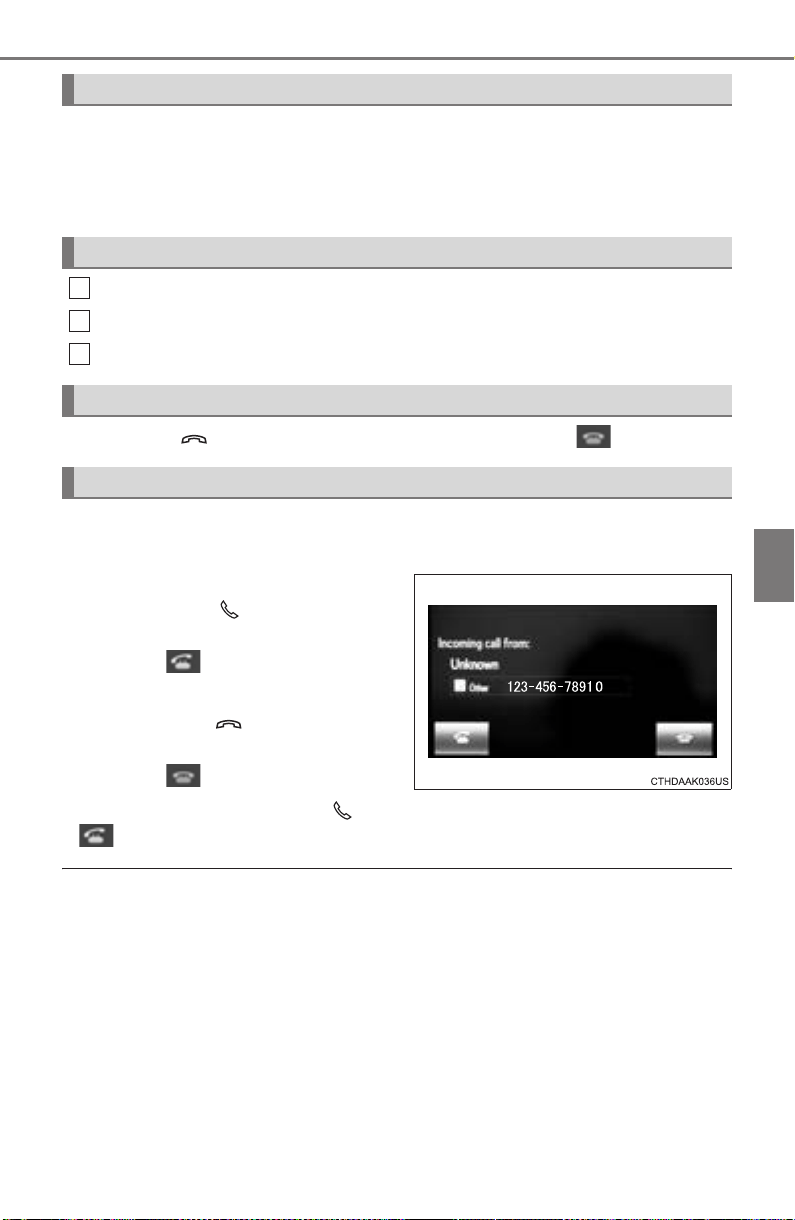
PRIUS_OM_OM47A29U_(U)
479
5-9. Bluetooth
®
phone
5
Audio system
Select “Handset Mode” to on from a hands-free call to a cellular
phone call.
Select “Handset Mode” to off from a cellular phone call to a hands-free
call.
Select “Transmit Volume”.
Select the desired level for the transmit volume.
Select “OK”.
Press the switch on the steering wheel or select .
When a call is interrupted by a third party while talking, an incoming
call message will be displayed.
To talk with the other party:
• Press the switch on the
steering wheel.
• Select .
To refuse the call:
• Press the switch on the
steering wheel.
• Select .
Every time you press the switch on the steering wheel or select
during call waiting, you will be switched to the other party.
■ Transferring calls
● If you transfer from the cellular phone to hands-free, the hands-free screen
will be displayed, and you can operate the system using the screen.
● Transfer method and operation may vary according to the cellular phone
used.
● For operation of the cellular phone in use, see the phone’s manual.
■ Call waiting operation
Call waiting operation may differ depending on your phone company and cel-
lular phone.
To transfer a call
Transmit volume setting
To hang up
Call waiting
1
2
3
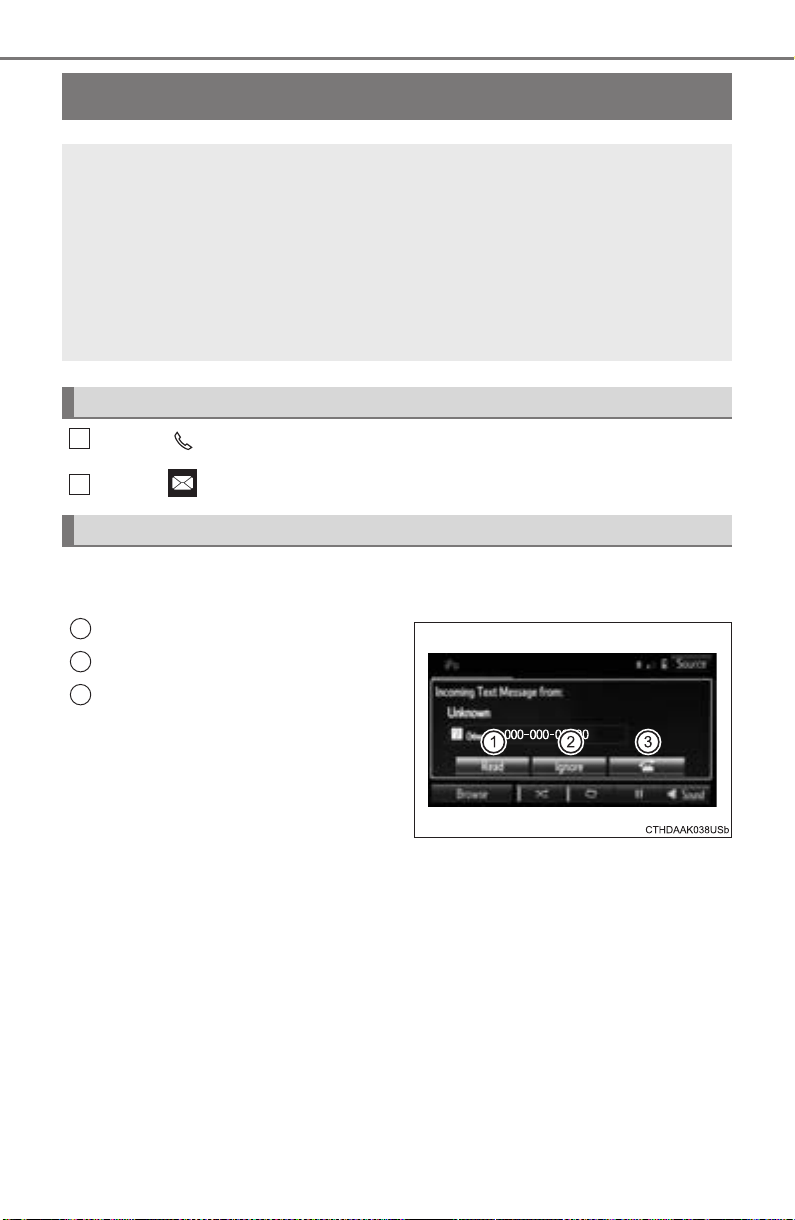
480
PRIUS_OM_OM47A29U_(U)
5-9. Bluetooth
®
phone
Bluetooth
®
phone message function
Press button.
Select .
When an e-mail/SMS/MMS is received, the incoming message screen
pops up with sound and is ready to be operated on the screen.
Select to check the message.
Select to refuse the message.
Select to call the message
sender.
Received messages can be forwarded from the connected
Bluetooth
®
phone, enabling checking and replying using the
audio system.
Depending on the type of Bluetooth
®
phone connected, received
messages may not be transferred to the message inbox.
If the phone does not support the message function, this func-
tion cannot be used.
Displaying message inbox screen
Receiving a message
1
2
1
2
3

PRIUS_OM_OM47A29U_(U)
481
5-9. Bluetooth
®
phone
5
Audio system
■ Receiving a message
● Depending on the cellular phone used for receiving messages, or its regis-
tration status with the audio system, some information may not be dis-
played.
● The pop up screen is separately available for incoming e-mail and SMS/
MMS messages under the following conditions:
E-mail:
• “Incoming E-mail Display” is set to “Full Screen”. (→P. 493)
• “E-mail Notification Popup” is set to on. (→P. 493)
SMS/MMS:
• “Incoming SMS/MMS Display” is set to “Full Screen”. (→P. 493)
• “SMS/MMS Notification Popup” is set to on. (→P. 493)
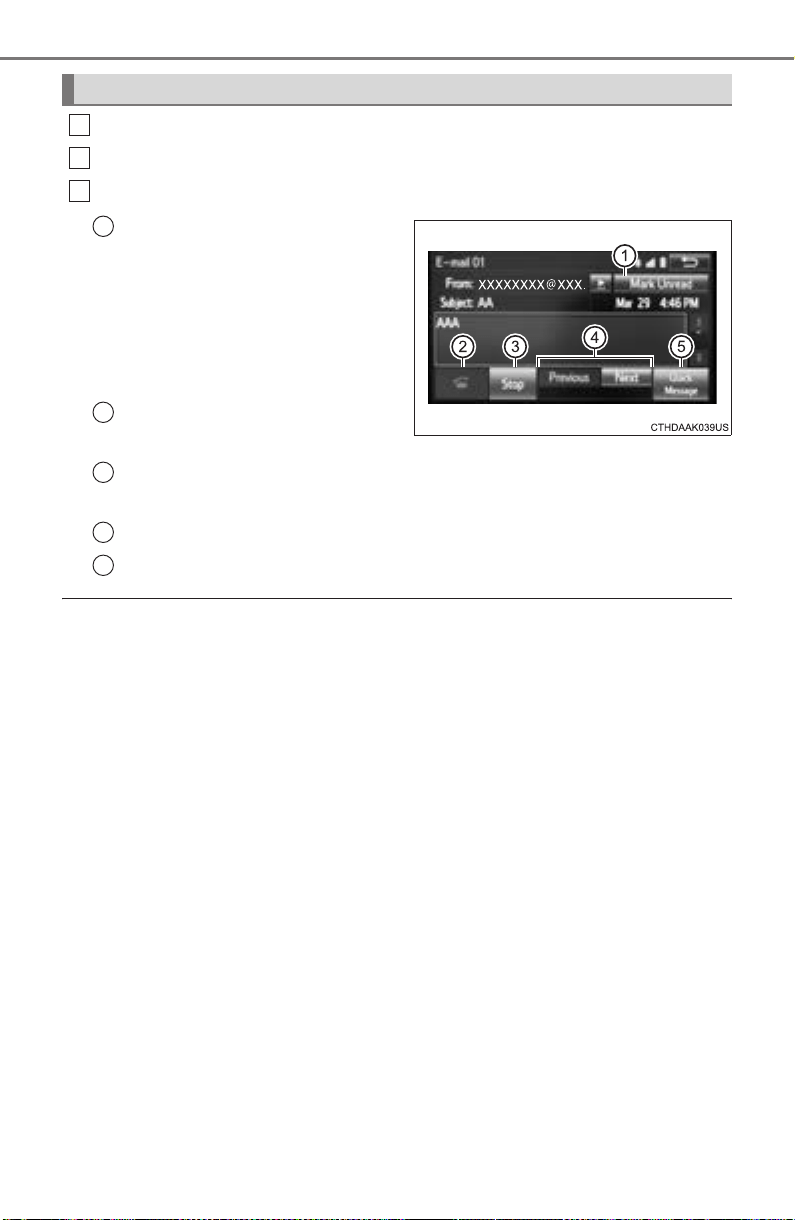
482
5-9. Bluetooth
®
phone
PRIUS_OM_OM47A29U_(U)
Display the message inbox screen. (→P. 480)
Select the desired message from the list.
Check that the message is displayed.
E-mails: Select “Mark
Unread” or “Mark Read” to
mark mail unread or read on
the message inbox screen.
This function is available when
“Update Read Status on Phone”
is set to on. (→P. 493)
Select to make a call to the
sender.
Select to have messages read out. To cancel this function, select
“Stop”.
Select to display the previous or next message.
Select to reply the message.
■ Check the messages
● Depending on the type of Bluetooth
®
phone being connected, it may be nec-
essary to perform additional steps on the phone.
● Messages are displayed in the appropriate connected Bluetooth
®
phone’s
registered mail address folder.
Select the tab of the desired folder to be displayed.
● Only received messages on the connected Bluetooth
®
phone can be dis-
played.
● The text of the message is not displayed while driving.
● When “Automatic Message Readout” is set to on, messages will be auto-
matically read out. (→P. 493)
● Turn the “PWR•VOL” knob, or use the volume switch on the steering wheel
to adjust the message read out volume.
● The message read out function is available even while driving.
Checking the messages
1
2
3
1
2
3
4
5
PRIUS_OM_OM47A29U_(U)
483
5-9. Bluetooth
®
phone
5
Audio system
Display the message inbox screen. (→P. 480)
Select the desired message from the list.
Select “Quick Message”.
Select the desired message.
Select “Send”.
If an error message is displayed, follow the guidance on the screen to try
again.
■
Editing quick reply message
Select “Quick Message”.
Select corresponding to the desired message to edit.
Select “OK” when editing is completed.
Calls can be made to an e-mail/SMS/MMS message sender’s phone
number.
Display the message inbox screen. (→P. 480)
Select the desired message.
Select .
Check that the “Call” screen is displayed.
■ Calling from a number within a message
Calls can be made to a number identified in a message’s text area.
This operation cannot be performed while driving.
Display the Message Inbox screen. (→P. 480)
Select the desired message.
Select the text area.
Select corresponding to the desired number.
Check that the “Call” screen is displayed.
■ Calling from the incoming message screen
→P. 4 79
Replying to a message
Calling the message sender
1
2
3
4
5
1
2
3
1
2
3
4
1
2
3
4
5
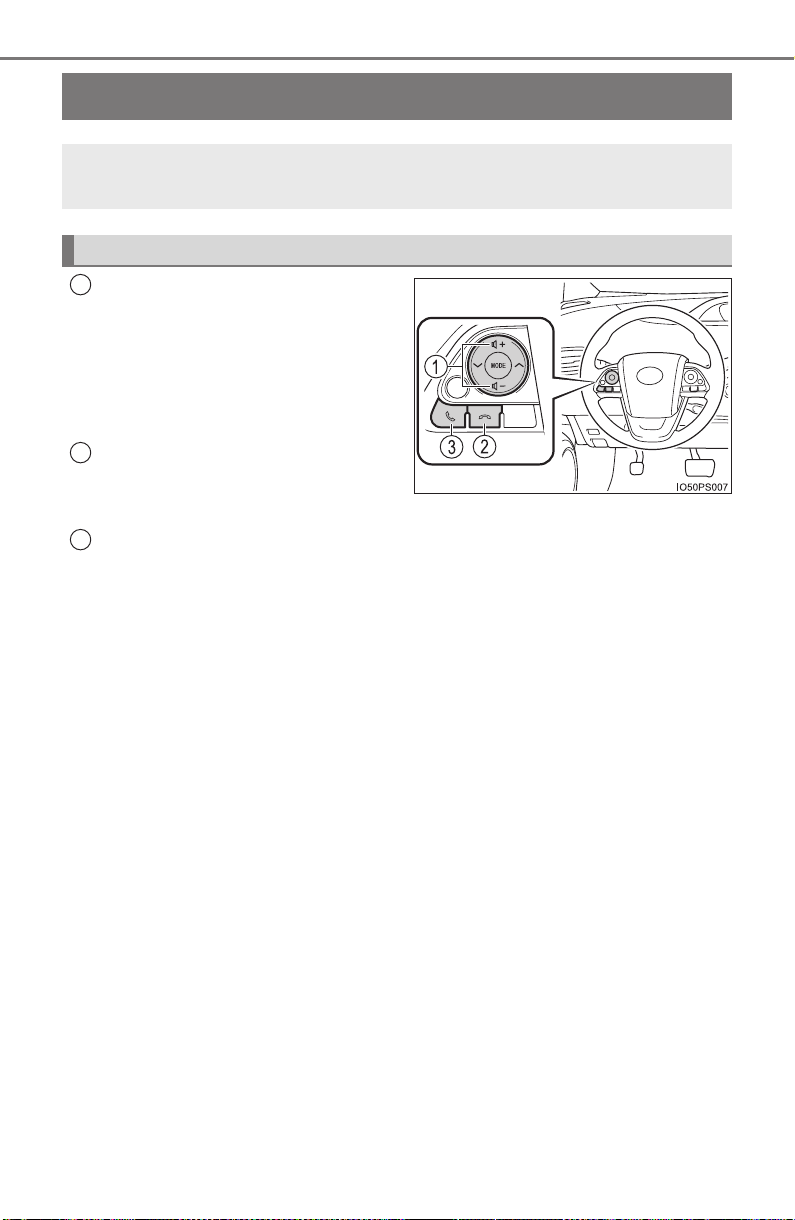
484
PRIUS_OM_OM47A29U_(U)
5-9. Bluetooth
®
phone
Using the steering wheel switches
Volume switch
• Increase/Decrease the vol-
ume
• Press and hold:
Continuously increase/
decrease the volume
On hook switch
•End a call
• Refuse a call
Off hook switch
• Make a call
• Receive a call
• Display “Phone” screen
The steering wheel switches can be used to operate a connected
cellular phone.
Operating a telephone using the steering wheel switches
1
2
3
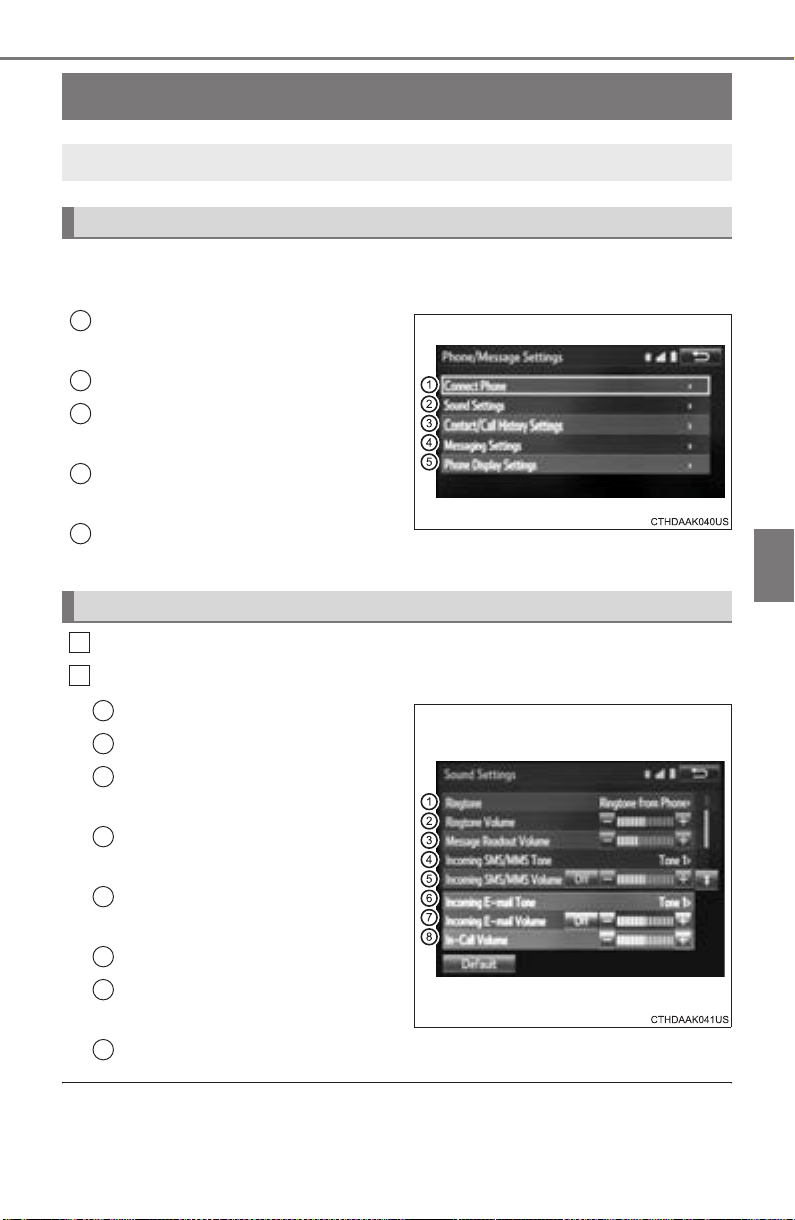
485
PRIUS_OM_OM47A29U_(U)
5-9. Bluetooth
®
phone
5
Audio system
Bluetooth
®
phone settings
To display the screen shown below, press the “SETUP” button, and
select “Phone” on the “Setup” screen.
Set the phone connection
(→P. 462)
Setting the sound (→P. 485)
Contact/Call History Settings
(→P. 486)
Set the message settings
(→P. 493)
Set the phone display
(→P. 494)
Display the “Phone/Message Settings” screen. (→P. 485)
Select “Sound Settings” on the “Phone/Message Settings” screen.
Set the desired ringtone.
Adjust the ringtone volume.
Adjust the message readout
volume.
Set the desired incoming
SMS/MMS tone.
Adjust the incoming SMS/
MMS tone volume.
Set the incoming e-mail tone.
Adjust the incoming e-mail
tone volume.
Adjust the default volume of the other party’s voice.
■ To return to the default settings
Select “Default”, and then “Yes”.
You can adjust the hands-free system to your desired settings.
“Phone/Message Settings” screen
1
2
3
4
5
Sound setting
1
2
1
2
3
4
5
6
7
8
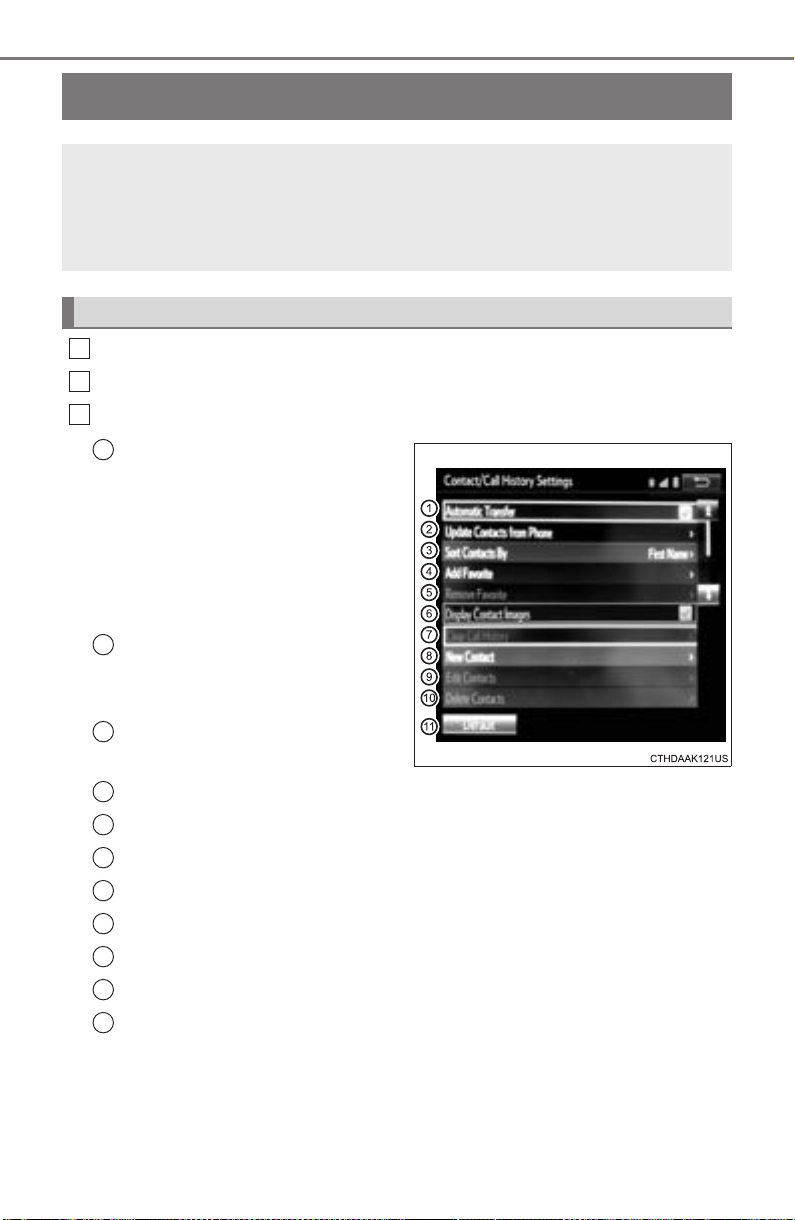
486
PRIUS_OM_OM47A29U_(U)
5-9. Bluetooth
®
phone
Contact/Call History Settings
Display the “Phone/Message Settings” screen. (→P. 485)
Select “Contact/Call History Settings”.
Select the desired item to be set.
For PBAP compatible
Bluetooth
®
phones, select to
set “Automatic Transfer” on/
off. When set to on, the
phone’s contact data and his-
tory are automatically trans-
ferred.
Select to update contacts
from the connected phone.
(→P. 487)
Select to sort contacts by the
first name or last name field.
Select to add contacts to the favorites list. (→P. 490)
Select to delete contacts from the favorites list. (→P. 492)
Select to display contact images.
Select to clear contacts from the call history.
*
Select to add new contacts to the contact list.* (→P. 488)
Select to edit contacts in the contact list.
* (→P. 489)
Select to delete contacts from the contact list.
* (→P. 490)
Select to reset all setup items.
*: For PBAP compatible Bluetooth
®
phones only, this function is available
when “Automatic Transfer” is set to off.
(→P. 486)
The contact can be transferred from a Bluetooth
®
phone to the
system. The contact also can be added, edited and deleted.
The call history can be deleted and contact and favorites can be
changed.
“Contact/Call History Settings” screen
1
2
3
1
2
3
4
5
6
7
8
9
10
11

PRIUS_OM_OM47A29U_(U)
487
5-9. Bluetooth
®
phone
5
Audio system
Operation methods differ between PBAP compatible and PBAP
incompatible but OPP compatible Bluetooth
®
phones.
If your cellular phone is neither PBAP nor OPP compatible, the con-
tacts cannot be transferred.
■ For PBAP Compatible Bluetooth
®
Phones
Select “Update Contacts from Phone”.
Check that a confirmation screen is displayed when the opera-
tion is complete.
This operation may be unnecessary depending on the type of cellular
phone.
Depending on the type of cellular phone, OBEX authentication may be
required when transferring contact data. Enter “1234” into the
Bluetooth
®
phone.
If another Bluetooth
®
device is connected when transferring contact
data, depending on the phone, the connected Bluetooth
®
device may
need to be disconnected.
Depending on the type of Bluetooth
®
phone being connected, it may be
necessary to perform additional steps on the phone.
■
For PBAP Incompatible but OPP compatible Bluetooth
®
Phones
Select “Update Contacts from Phone”.
Transfer the contact data to the system using a Bluetooth
®
phone.
This operation may be unnecessary depending on the type of cellular
phone.
Depending on the type of cellular phone, OBEX authentication may be
required when transferring contact data. Enter “1234” into the
Bluetooth
®
phone.
To cancel this function, select “Cancel”.
Check that a confirmation screen is displayed when the opera-
tion is complete.
Update contacts from phone
1
2
1
2
3

488
5-9. Bluetooth
®
phone
PRIUS_OM_OM47A29U_(U)
■
Updating the contacts in a different way (From the “Call
History” screen)
For PBAP compatible Bluetooth
®
phones, this function is available
when “Automatic Transfer” is set to off. (→P. 486)
Display the phone screen. (→P. 470)
Select the “Call History” tab and select a contact not yet regis-
tered in the contact list.
Select “Update Contact”.
Select the desired contact.
Select a phone type for the phone number.
New contact data can be registered. Up to 4 numbers per person can
be registered. For PBAP compatible Bluetooth
®
phones, this function
is available when “Automatic Transfer” is set to off. (→P. 486)
Select “New Contact”.
Enter the name and select “OK”.
Enter the phone number and select “OK”.
Select the phone type for the phone number.
To add another number to this contact, select “Yes”.
■ Registering a new contact in a different way (From the “Call
History” screen)
Display the phone screen. (→P. 470)
Select the “Call History” tab and select a contact not yet regis-
tered in the contact list.
Select “Add to Contacts”.
Follow the steps in “Registering a new contact to the contact list”
from . (→P. 488)
Registering a new contact to the contact list
1
2
3
4
5
1
2
3
4
5
1
2
3
4
2

PRIUS_OM_OM47A29U_(U)
489
5-9. Bluetooth
®
phone
5
Audio system
For PBAP compatible Bluetooth
®
phones, this function is available
when “Automatic Transfer” is set to off. (→P. 486)
Select “Edit Contacts”.
Select the desired contact.
Select corresponding to the desired name or number.
X For editing the name
Follow the steps in “Registering a new contact to the contact list”
from . (→P. 488)
X For editing the number
Follow the steps in “Registering a new contact to the contact list”
from . (→P. 488)
■ Editing the contacts in a different way (From the “Contact
Details” screen)
Display the phone screen. (→P. 470)
Select the “Contacts”, “Call History” tab or the “Favorites” tab and
select the desired contact.
Select “Edit Contacts”.
“E-mail Addresses”: Select to display all registered e-mail addresses for
the contact.
Follow the steps in “Editing the contact data” from .
(→P. 489)
Editing the contact data
1
2
3
4
2
4
3
1
2
3
4 3

490
5-9. Bluetooth
®
phone
PRIUS_OM_OM47A29U_(U)
For PBAP compatible Bluetooth
®
phones, this function is available
when “Automatic Transfer” is set to off. (→P. 486)
Select “Delete Contacts”.
Select the desired contact and select “Delete”.
Select “Yes” when the confirmation screen appears.
■ Deleting the contact in a different way (From the “Contact
Details” screen)
Display the phone screen. (→P. 470)
Select the “Contacts”, “Call History” tab or the “Favorites” tab and
select the desired contact.
Select “Delete Contacts”.
Select “Yes” when the confirmation screen appears.
Up to 15 contacts (maximum of 4 numbers per contact) can be regis-
tered in the favorites list.
■ Registering the contacts in the favorites list
Select “Add Favorite”.
Select the desired contact to add to the favorites list.
Dimmed contacts are already stored as a favorite.
Check that a confirmation screen is displayed when the opera-
tion is complete.
Deleting the contact data
Favorites list setting
1
2
3
1
2
3
4
1
2
3

PRIUS_OM_OM47A29U_(U)
491
5-9. Bluetooth
®
phone
5
Audio system
X When 15 contacts have already been registered to the favorites
list
When 15 contacts have already been registered to the favorites
list, a registered contact needs to be replaced.
Select “Yes” when the confirmation screen appears to replace a
contact.
Select the contact to be replaced.
Check that a confirmation screen is displayed when the opera-
tion is complete.
X Registering contacts in the favorites list in a different way (from
the “Contacts” screen)
Display the phone screen. (→P. 470)
Select the “Contacts” tab.
Select at the beginning of the desired contact list name to be
registered in the favorites list.
When selected, is changed to , and the contact is registered in
the favorites list.
X Registering contacts in the favorites list in a different way (from
the “Contact Details” screen)
Display the phone screen. (→P. 470)
Select the “Contacts” tab or the “Call History” tab and select the
desired contact.
Select “Add Favorite”.
Check that a confirmation screen is displayed when the opera-
tion is complete.
1
2
3
1
2
3
1
2
3
4

492
5-9. Bluetooth
®
phone
PRIUS_OM_OM47A29U_(U)
■
Deleting the contacts in the favorites list
Select “Remove Favorite”.
Select the desired contacts and select “Remove”.
Select “Yes” when the confirmation screen appears.
Check that a confirmation screen is displayed when the opera-
tion is complete.
X Deleting contacts in the favorites list in a different way (from the
“Contacts” screen)
Display the phone screen. (→P. 470)
Select the “Contacts” tab.
Select at the beginning of the contact list name to be deleted
from the favorites list.
When selected, is changed to , and the data is deleted from the
list.
X Deleting contacts in the favorites list in a different way (from the
“Contact Details” screen)
Display the phone screen. (→P. 470)
Select the “Contacts”, “Call History” tab or the “Favorites” tab and
select the desired contact to delete.
Select “Remove Favorite”.
Select “Yes” when the confirmation screen appears.
Check that a confirmation screen is displayed when the opera-
tion is complete.
1
2
3
4
1
2
3
1
2
3
4
5
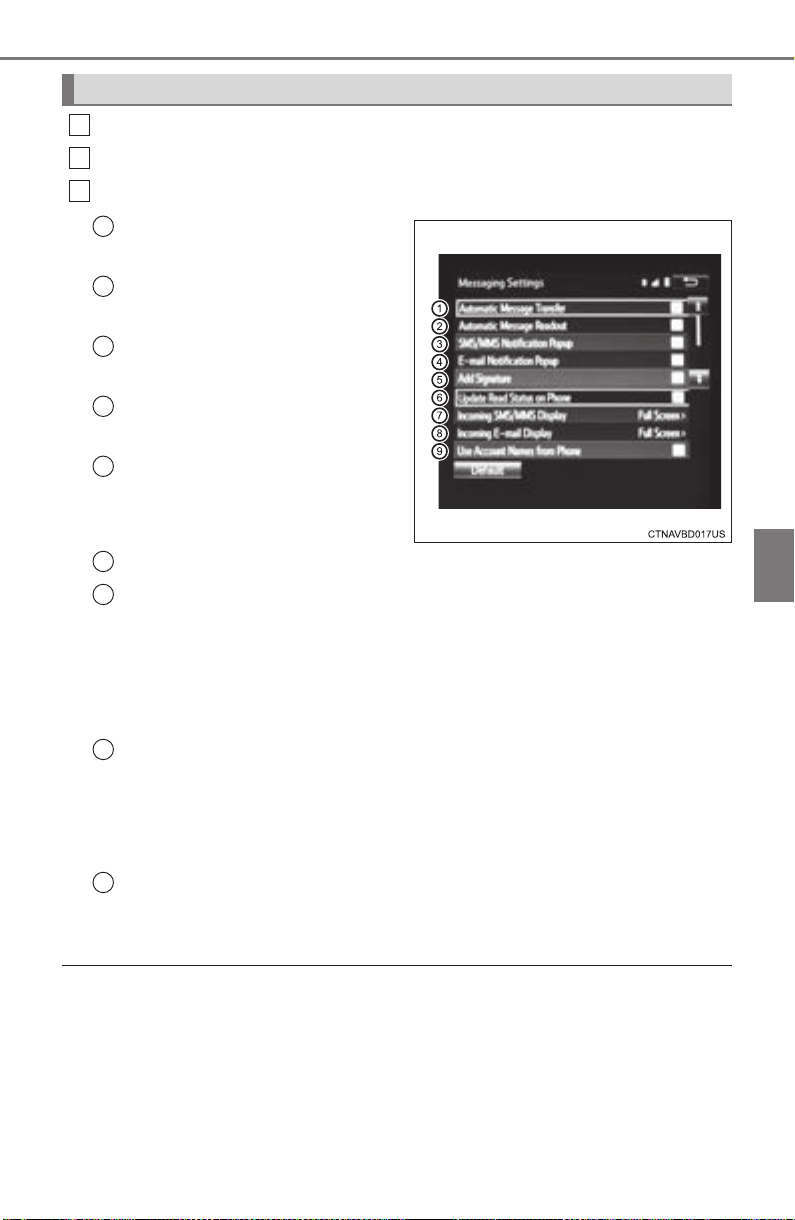
PRIUS_OM_OM47A29U_(U)
493
5-9. Bluetooth
®
phone
5
Audio system
Display the “Phone/Message Settings” screen. (→P. 485)
Select “Messaging Settings”.
Select the desired item to be set.
Set automatic message
transfer on/off.
Set automatic message
readout on/off.
Set the SMS/MMS notifica-
tion popup on/off.
Set the e-mail notification
popup on/off.
Set adding the vehicle signa-
ture to outgoing messages
on/off.
Set updating message read status on phone on/off.
Change the incoming SMS/MMS display.
“Full Screen”: When an SMS/MMS message is received, the incoming
SMS/MMS display screen is displayed and can be operated on the
screen.
“Drop-Down”: When an SMS/MMS message is received, a message is
displayed on the upper side of the screen.
Change the incoming e-mail display.
“Full Screen”: When an e-mail is received, the incoming e-mail display
screen is the displayed and can be operated on the screen.
“Drop-Down”: When an e-mail is received, a message is displayed on
the upper side of the screen.
Set display of messaging account names on the inbox tab on/off.
When set to on, messaging account names used on the cellular phone
will be displayed.
■ To return to the default settings
Select “Default”, and then “Yes”.
Message Settings
1
2
3
1
2
3
4
5
6
7
8
9
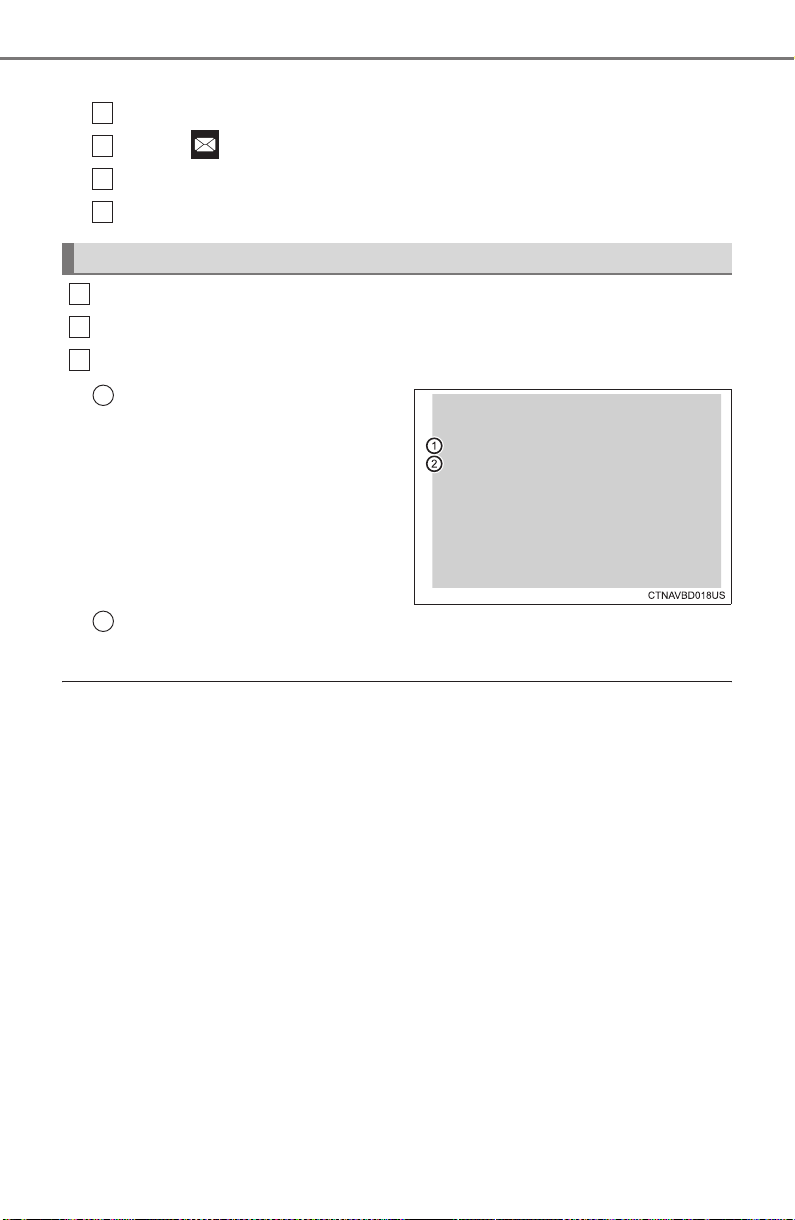
494
5-9. Bluetooth
®
phone
PRIUS_OM_OM47A29U_(U)
■
Displaying the “Messaging Settings” screen in a different way
Display the phone screen. (→P. 470)
Select .
Select “Settings”.
Select “Messaging Settings”.
Display the “Phone/Message Settings” screen. (→P. 485)
Select “Phone Display Settings”.
Select the desired item to be set.
Change the incoming call
display.
“Full Screen”: When a call is
received, the hands-free screen
is displayed and can be oper-
ated on the screen.
“Drop-Down”: A message is dis-
played on the upper side of the
screen.
Set display of the contact/ history transfer completion message
on/off.
■ To return to the default settings
Select “Default”, and then “Yes”.
Phone Display Settings
1
2
3
4
1
2
3
1
2

495
PRIUS_OM_OM47A29U_(U)
5-9. Bluetooth
®
phone
5
Audio system
What to do if... (Troubleshooting)
If there is a problem with the hands-free system or a Bluetooth
®
device, first check the table below.
X When using the hands-free system with a Bluetooth
®
device
The hands-free system or Bluetooth
®
device does not work.
The connected device may not be a compatible Bluetooth
®
cellular phone.
→ For a list of specific devices which operation has been confirmed
on this system, check with your Toyota dealer or the following web-
site: http://www.toyota.com/entune/
The Bluetooth version of the connected cellular phone may be older than
the specified version.
→ Use a cellular phone with Bluetooth version 2.0 or higher (recom-
mended: Ver. 3.0 with EDR or higher). (→P. 501)

496
5-9. Bluetooth
®
phone
PRIUS_OM_OM47A29U_(U)
X When registering/connecting a cellular phone
X When making/receiving a call
A cellular phone cannot be registered.
An incorrect passcode was entered on the cellular phone.
→ Enter the correct passcode on the cellular phone.
The registration operation has not been completed on the cellular phone
side.
→ Complete the registration operation on the cellular phone (approve
registration on the phone).
Old registration information remains on either this system or the cellular
phone.
→ Delete the existing registration information from both this system
and the cellular phone, then register the cellular phone you wish to
connect to this system. (→P. 463)
A Bluetooth
®
connection cannot be made.
Another Bluetooth
®
device is already connected.
→ Manually connect the cellular phone you wish to use to this sys-
tem. (→P. 464)
Bluetooth
®
function is not enabled on the cellular phone.
→ Enable the Bluetooth
®
function on the cellular phone.
Automatic Bluetooth
®
connection on this system is set to off.
→ Set automatic Bluetooth
®
connection on this system to on when
the audio system is turned to on. (→P. 464)
“Please check your device settings.” message is displayed.
Bluetooth
®
function is not enabled on the cellular phone.
→ Enable the Bluetooth
®
function on the cellular phone.
Old registration information remains on either this system or the cellular
phone.
→ Delete the existing registration information from both this system
and the cellular phone, then register the cellular phone you wish to
connect to this system. (→P. 463)
A call cannot be made/received.
Your vehicle is in a “Out of cellular service area. Please try again later.”
area.
→ Move to where “Out of cellular service area. Please try again later.”
no longer appears on the display.

PRIUS_OM_OM47A29U_(U)
497
5-9. Bluetooth
®
phone
5
Audio system
X When using the phonebook
X When using the Bluetooth
®
message function
Phonebook data cannot be transferred manually/automatically.
The profile version of the connected cellular phone may not be compatible
with transferring phonebook data.
→ For a list of specific devices which operation has been confirmed
on this system, check with your Toyota dealer or the following web-
site: http://www.toyota.com/entune/
Automatic phonebook transfer function on this system is set to off.
→ Set automatic phonebook transfer function on this system to on.
(→P. 486)
Passcode has not been entered on the cellular phone.
→ Enter the passcode on the cellular phone if requested (default pass-
code: 1234).
Transfer operation on the cellular phone has not completed.
→ Complete transfer operation on the cellular phone (approve trans-
fer operation on the phone).
Phonebook data cannot be edited.
Automatic phonebook transfer function on this system is set to on.
→ Set automatic phonebook transfer function on this system to off.
(→P. 486)
Messages cannot be viewed.
Message transfer is not enabled on the cellular phone.
→ Enable message transfer on the cellular phone (approve message
transfer on the phone).
Automatic transfer function on this system is set to off.
→ Set automatic transfer function on this system to on. (→P. 493)
New message notifications are not displayed.
Notification of SMS/MMS/E-mail reception on this system is set to off.
→ Set notification of SMS/MMS/E-mail reception on this system to on.
(→P. 493)
Automatic message transfer function is not enabled on the cellular phone.
→ Enable automatic transfer function on the cellular phone. (→P. 493)

498
5-9. Bluetooth
®
phone
PRIUS_OM_OM47A29U_(U)
X In other situations
The Bluetooth
®
connection status is displayed at the top of the screen each
time the power switch is turned to the ACCESSORY or ON mode.
Connection confirmation display on this system is set to on.
→ To turn off the display, set connection confirmation display on this
system to off. (→P. 467)
Even though all conceivable measures have been taken, the symptom sta-
tus does not change.
The cellular phone is not close enough to this system.
→ Bring the cellular phone closer to this system.
The cellular phone is the most likely cause of the symptom.
→ Turn the cellular phone off, remove and reinstall the battery pack,
and then restart the cellular phone.
→ Enable the cellular phone’s Bluetooth
®
connection.
→ Stop the cellular phone’s security software and close all applica-
tions.
→ Before using an application installed on the cellular phone, care-
fully check its source and how its operation might affect this sys-
tem.

499
PRIUS_OM_OM47A29U_(U)
5-10. Bluetooth
®
5
Audio system
Bluetooth
®
■ When using the Bluetooth
®
audio system
● In the following conditions, the system may not function.
• If the portable audio player is turned off
• If the portable audio player is not connected
• If the portable audio player’s battery is low
● There may be a delay if a cellular phone connection is made during
Bluetooth
®
audio play.
● Depending on the type of portable audio player that is connected to the sys-
tem, operation may differ slightly and certain functions may not be available.
■ When using the hands-free system
● The audio system is muted when making a call.
● If both parties speak at the same time, it may be difficult to hear.
● If the received call volume is overly loud, an echo may be heard.
If the Bluetooth
®
phone is too close to the system, quality of the sound may
deteriorate and connection status may deteriorate.
● In the following circumstances, it may be difficult to hear the other party:
• When driving on unpaved roads
• When driving at high speeds
• If a window is open
• If the air conditioning is blowing directly on the microphone
• If there is interference from the network of the cellular phone
■ Conditions under which the system will not operate
● If using a cellular phone that does not support Bluetooth
®
● If the cellular phone is turned off
● If you are outside of cellular phone service coverage
● If the cellular phone is not connected
● If the cellular phone’s battery is low
● When outgoing calls are controlled, due to heavy traffic on telephone lines,
etc.
● When the cellular phone itself cannot be used
● When transferring contact data from the cellular phone

500
5-10. Bluetooth
®
PRIUS_OM_OM47A29U_(U)
■ Bluetooth
®
antenna
The antenna is built into the display.
If the Bluetooth
®
device is behind the seat or in the glove box or console box,
or is touching or covered by metal objects, the connection status may deterio-
rate.
■ Battery charge/signal status
● This display may not correspond exactly with the portable audio player or
cellular phone itself.
● This system does not have a charging function.
● The portable audio player or cellular phone battery will be depleted quickly
when the device is connected to Bluetooth
®
.
■ When using the Bluetooth
®
audio and hands-free system at the same
time
The following problems may occur.
● The Bluetooth
®
audio connection may be interrupted.
● Noise may be heard during Bluetooth
®
audio playback.
■ About the contact in this system
The following data is stored for every registered cellular phone. When
another phone is connecting, you cannot read the registered data.
● Contact data
● Call history
● Favorite
● Message
When removing a Bluetooth
®
phone from the system, the above-mentioned
data is also deleted.
■ About Bluetooth
®
The Bluetooth
®
word mark and logos are
registered trademarks owned by
Bluetooth SIG, Inc. and any use of such
marks by Panasonic Corporation is under
license. Other trademarks and trade
names are those of their respective own-
ers.

PRIUS_OM_OM47A29U_(U)
501
5-10. Bluetooth
®
5
Audio system
■ Compatible models
The Bluetooth
®
audio system supports portable audio players with the follow-
ing specifications.
● Bluetooth
®
specifications:
Ver. 2.0, or higher (Recommended: Ver. 3.0+EDR or higher)
● Profiles:
• A2DP (Advanced Audio Distribution Profile) Ver. 1.0, or higher
(Recommended: Ver. 1.2 or higher)
This is a profile to transmit stereo audio or high quality sound to the audio
system.
• AVRCP (Audio/Video Remote Control Profile) Ver. 1.0 or higher
(Recommended: Ver. 1.4 or higher)
This is a profile to allow remote control the A/V equipment.
However, please note that some functions may be limited depending on the
type of portable audio player connected.
The hands-free system supports cellular phones with the following specifica-
tions.
● Bluetooth
®
specification:
Ver. 2.0 or higher (Recommended: Ver. 3.0+EDR or higher)
● Profiles:
• HFP (Hands Free Profile) Ver. 1.0 or higher (Recommended: Ver. 1.6 or
higher)
This is a profile to allow hands-free phone calls using a cellular phone or
head set. It has outgoing and incoming call functions.
• OPP (Object Push Profile) Ver. 1.1 or higher (Recommended: Ver. 1.2)
This is a profile to transfer contact data. When a Bluetooth
®
compatible
cellular phone has both PBAP and OPP, OPP cannot be used.
• PBAP (Phone Book Access Profile) Ver. 1.0 or higher (Recommended:
Ver. 1.1)
This is a profile to transfer contact data.
• MAP (Message Access Profile) Ver.1.0 or higher
This is a profile to using phone message.
If the cellular phone does not support HFP, you cannot register it with the
hands-free system. OPP, PBAP or MAP services must be selected individu-
ally.
502
5-10. Bluetooth
®
PRIUS_OM_OM47A29U_(U)
■ Certifications for the Bluetooth
X For vehicles sold in the U.S.A., Hawaii, American Samoa, Guam, Saipan
and Puerto Rico
PRIUS_OM_OM47A29U_(U)
503
5-10. Bluetooth
®
5
Audio system
X For vehicles sold in Canada
504
5-10. Bluetooth
®
PRIUS_OM_OM47A29U_(U)
■ Reconnecting the portable audio player
If the portable audio player is disconnected due to poor reception, the system
automatically reconnects the portable audio player.
If you have switched off the portable audio player yourself, follow the instruc-
tions below to reconnect:
● Select the portable audio player again
● Enter the portable audio player
■ When you sell your car
Be sure to delete your personal data. (→P. 430)
WARNING
■ While driving
Do not operate the portable audio player, cellular phone or connect a device
to the Bluetooth
®
system.
■ Caution regarding interference with electronic devices
● Your audio unit is fitted with Bluetooth
®
antennas. People with implantable
cardiac pacemakers, cardiac resynchronization therapy-pacemakers or
implantable cardioverter defibrillators should maintain a reasonable dis-
tance between themselves and the Bluetooth
®
antennas. The radio waves
may affect the operation of such devices.
● Before using Bluetooth
®
devices, users of any electrical medical device
other than implantable cardiac pacemakers, cardiac resynchronization
therapy-pacemakers or implantable cardioverter defibrillators should con-
sult the manufacturer of the device for information about its operation
under the influence of radio waves. Radio waves could have unexpected
effects on the operation of such medical devices.
NOTICE
■ When leaving the vehicle
Do not leave your portable audio player or cellular phone in the vehicle. The
inside of the vehicle may become hot, causing damage to the portable
audio player or cellular phone.
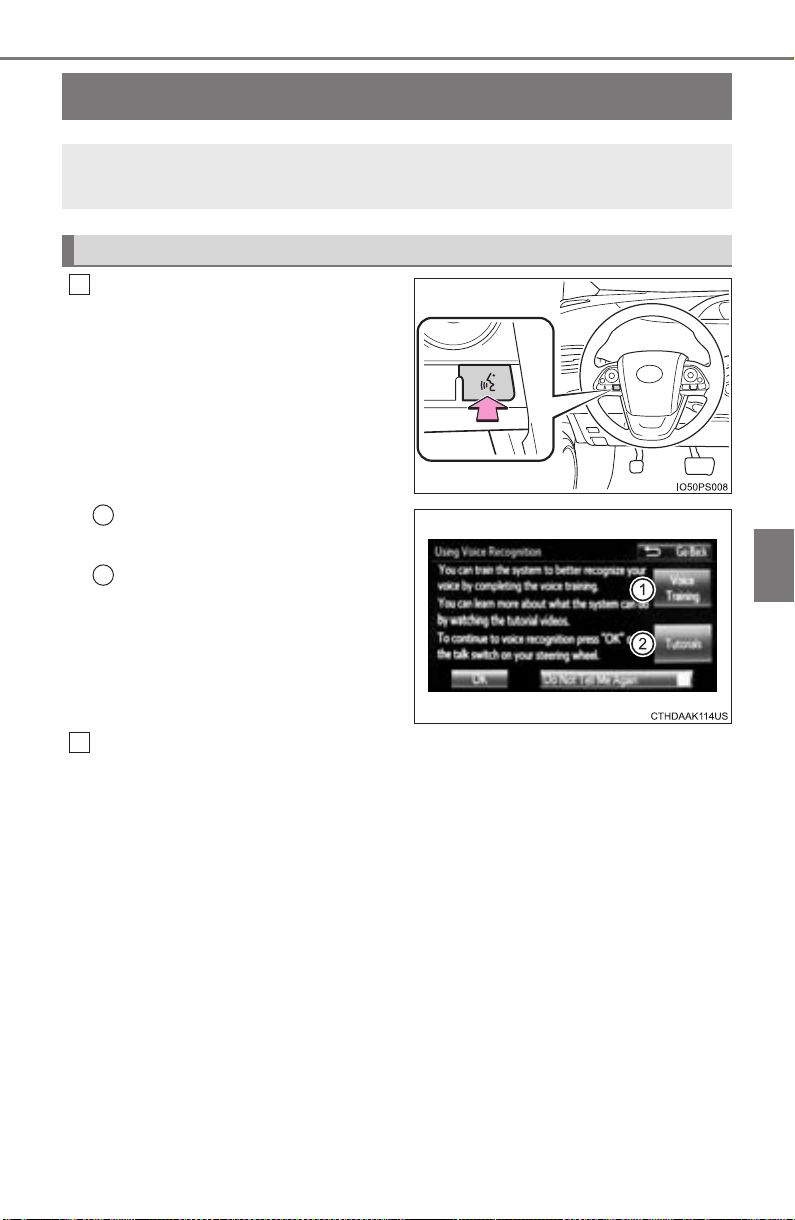
505
PRIUS_OM_OM47A29U_(U)
5-11. Using the voice command system
5
Audio system
Voice command system
Press the talk switch.
To cancel the voice command sys-
tem, press and hold the talk switch.
Select to train voice recogni-
tion.
Select to start the voice rec-
ognition tutorial.
Select “OK” and say the desired command.
On the list screen, you can select the desired command.
To cancel the voice command system, press and hold the talk switch.
The voice command system enables the hands-free system to
be operated using voice commands.
Using the voice command system
1
1
2
2

506
5-11. Using the voice command system
PRIUS_OM_OM47A29U_(U)
■ Microphone
→P. 471
■ When using the microphone
● It is unnecessary to speak directly into the microphone when giving a com-
mand.
● When “Voice Prompt Interrupt” set to on, it is not necessary to wait for the
confirmation beep before speaking a command. (→P. 433)
● Voice commands may not be recognized if:
• Spoken too quickly.
• Spoken at a low or high volume.
• The windows are open.
• Passengers are talking while voice commands are spoken.
• The air conditioning speed is set high.
• The air conditioning vents are turned towards the microphone.
● In the following conditions, the system may not recognize the command
properly and using voice commands may not be possible:
• The command is incorrect or unclear. Note that certain words, accents or
speech patterns may be difficult for the system to recognize.
• There is excessive background noise, such as wind noise.

PRIUS_OM_OM47A29U_(U)
507
5-11. Using the voice command system
5
Audio system
Due to natural language speech recognition technology, this system
enables recognition of a command when spoken naturally. However,
the system cannot recognize every variation of each command.
In some situations, it is possible to omit the command for the proce-
dure and directly state the desired operation.
Not all voice commands are displayed in the short cut menu.
This function is available in English, Spanish and French.
■ Expression examples for each function
Casual speech recognization
Command Expression examples
“Call <name>
<type>”
Get me <Robert Brown>.
Call <contacts> <phonetypes>.
“Dial <number>” Call <3334445555>.

508
5-11. Using the voice command system
PRIUS_OM_OM47A29U_(U)
Some recognizable voice commands and their actions are shown
below as examples.
X Basic
X Phone
Command list
Command Action
“Help”
Prompts voice guidance to offer examples of com-
mands or operation methods
“Go Back” Returns to the previous screen
Command Action
“Redial”
Places a call to the phone number of the latest outgo-
ing call
“Call Back”
Places a call to the phone number of latest incoming
call
“Show Recent
Calls”
Displays the call history screen
“Dial <phone num-
ber>”
Places a call to the said phone number
“Call <contacts>
<phonetypes>”
Place a call to the said phone type of the contact from
the phone book
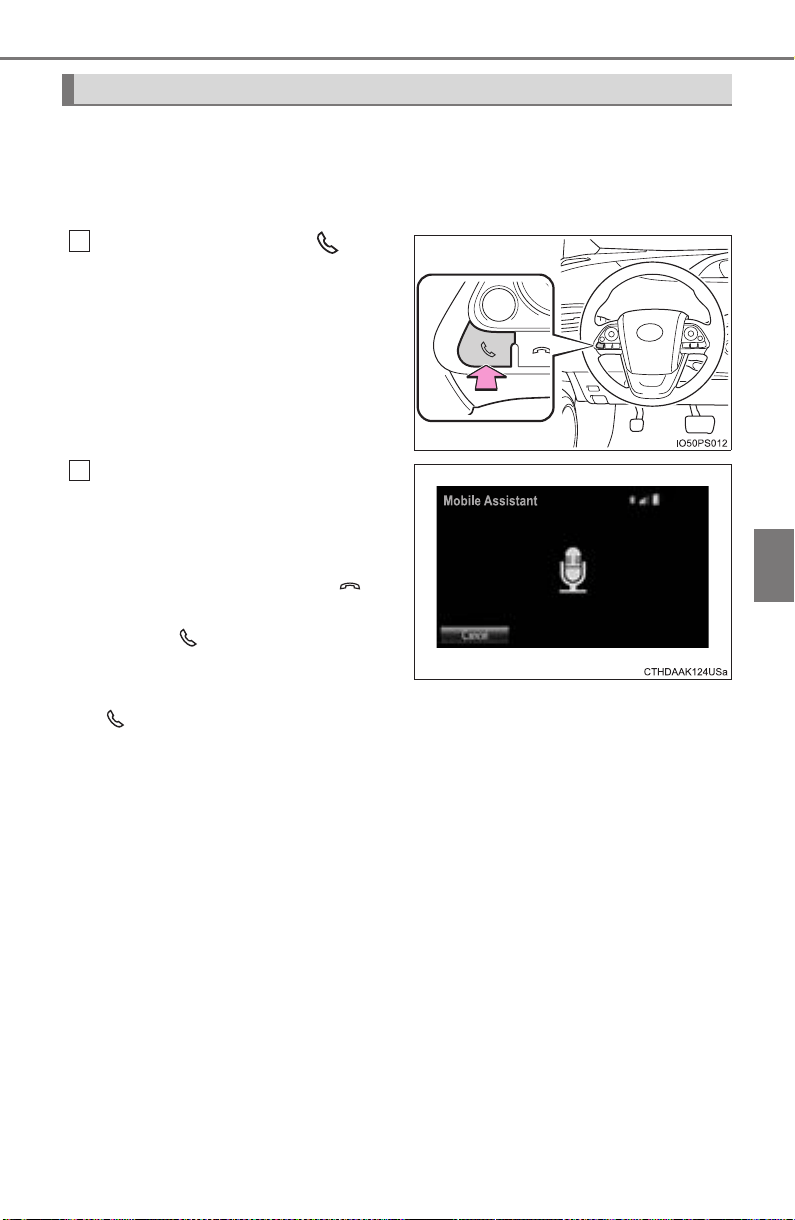
PRIUS_OM_OM47A29U_(U)
509
5-11. Using the voice command system
5
Audio system
The Mobile Assistant feature will activate Apple’s Siri
®
Eyes Free
mode via the steering wheel switches. To operate the Mobile Assis-
tant, a compatible cellular phone must be registered and connected to
this system via Bluetooth
®
. (→P. 458)
Press and hold the until
you hear the beeps.
The Mobile Assistant can be
used only when the following
screen is displayed.
To cancel the Mobile Assistant,
select “Cancel”, press the on
the steering wheel, or press and
hold the on the steering wheel.
To restart the Mobile Assistant for
additional commands, press the
on the steering wheel.
• Mobile Assistant can only be restarted after the system responds to a
voice command.
• After some phone and music commands, the Mobile Assistant feature will
automatically end to complete the requested action.
■
Adjusting the Mobile Assistant volume
The volume of the Mobile Assistant can be adjusted using the
“PWR•VOL” knob or steering wheel volume control switches. The
Mobile Assistant and phone call volumes are synchronized.
Mobile Assistant
1
2

510
5-11. Using the voice command system
PRIUS_OM_OM47A29U_(U)
■ Notes about Mobile Assistant
● The available features and functions may vary based on the iOS version
installed on the connected device.
● Some Siri
®
features are limited in Eyes Free mode. If you attempt to use an
unavailable function, Siri
®
will inform you that the function is not available.
● If Siri
®
is not enabled on the cellular phone connected via Bluetooth
®
, an
error message will be displayed on the screen.
● While a phone call is active, the Mobile Assistant cannot be used.
● If using the navigation feature of the cellular phone, ensure the active audio
source is Bluetooth
®
audio or iPod in order to hear turn by turn direction
prompts.

511
PRIUS_OM_OM47A29U_(U)
6
Interior features
6-1. Using the air conditioning
system and defogger
Automatic air conditioning
system ............................ 512
Seat heaters...................... 523
6-2. Using the interior lights
Interior lights list ................ 525
• Front interior light.......... 526
• Front personal lights ..... 526
• Rear interior light .......... 527
6-3. Using the storage features
List of storage features ..... 528
• Glove box...................... 529
• Console box.................. 529
• Cup holders/
bottle holders/
door pockets ................. 530
• Auxiliary boxes.............. 532
Luggage compartment
features........................... 533
6-4. Using the other interior
features
Other interior features ....... 542
• Sun visors..................... 542
• Vanity mirrors................ 542
• Power outlets................ 543
• Wireless charger........... 544
• Armrest ......................... 552
• Coat hooks.................... 552
• Assist grips ................... 553
Garage door opener.......... 554
Safety Connect ................. 561
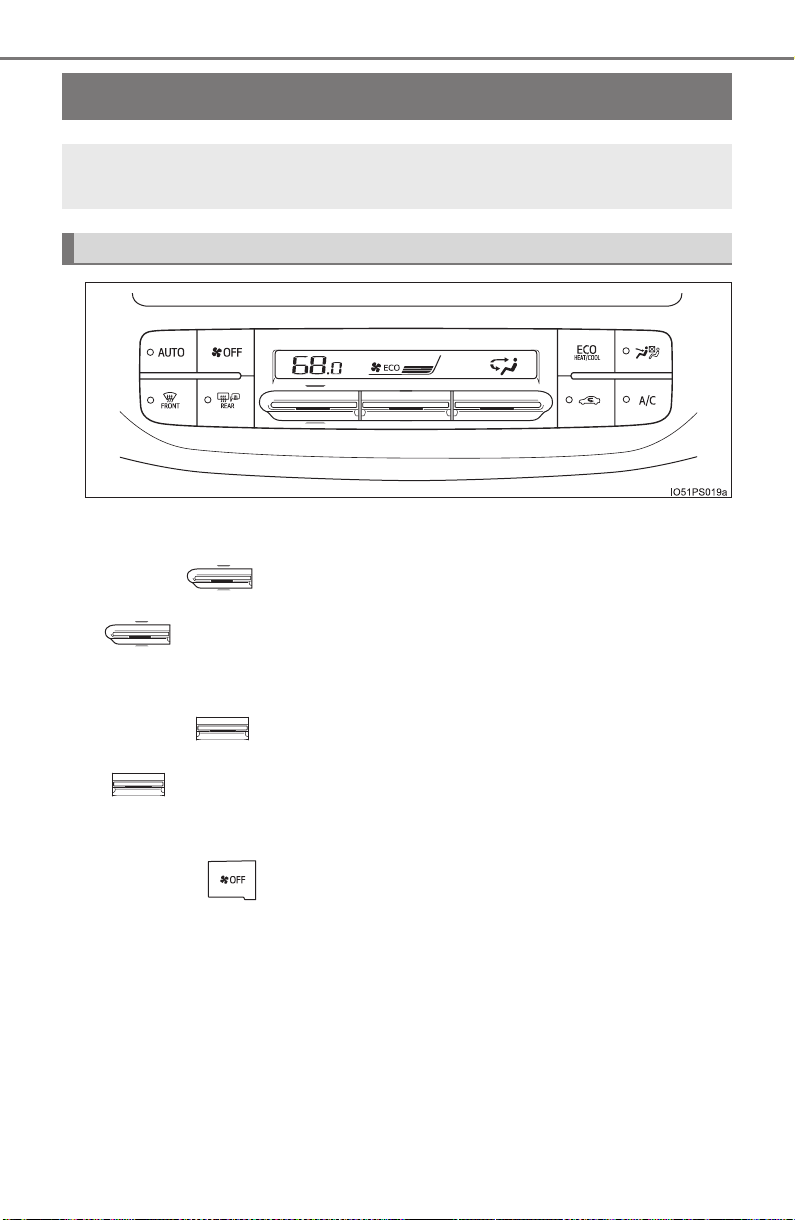
512
PRIUS_OM_OM47A29U_(U)
6-1. Using the air conditioning system and defogger
Automatic air conditioning system
■ Adjusting the temperature setting
Operate upwards to increase the temperature and operate
downwards to decreases the temperature.
■ Fan speed setting
Operate upwards to increase the fan speed and operate
downwards to decrease the fan speed.
The fan speed is shown on the display. (7 levels)
Press the to turn the fan off.
Air outlets and fan speed are automatically adjusted according
to the temperature setting.
Air conditioning controls
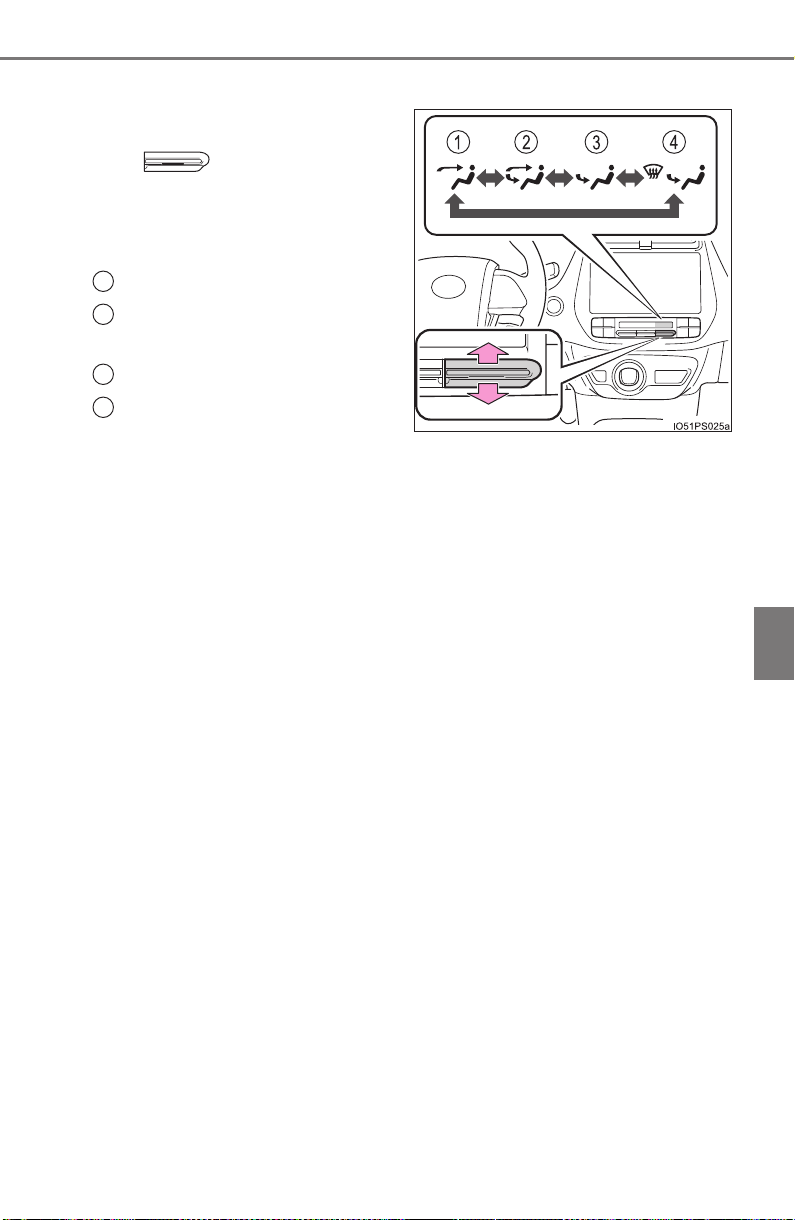
PRIUS_OM_OM47A29U_(U)
513
6-1. Using the air conditioning system and defogger
6
Interior features
■ Change the airflow mode
To change the air outlets, oper-
ate upwards or down-
wards.
The air outlets used are switched
each time the knob is operated.
Air flows to the upper body
Air flows to the upper body
and feet
Air flows to the feet
Air flows to the feet and the
windshield defogger oper-
ates
1
2
3
4

514
6-1. Using the air conditioning system and defogger
PRIUS_OM_OM47A29U_(U)
■
S-FLOW mode
In S-FLOW mode, priority for the airflow is given to the front seats,
reducing the airflow and air conditioning effect on the rear seats.
If a passenger is not detected in the front passenger seat, priority
for the airflow will be given to the driver’s seat only.
However, air will always be blown from the side outlet of the front pas-
senger seat.
In S-FLOW mode, the system automatically operates according to
the set temperature and outside temperature. (→P. 519)
The indicator comes on when S-FLOW mode is on.
■
Other functions
● Switching between outside air and recirculated air modes
(→P. 516)
● Fresh air intake system while parking (→P. 516)
● Defogging the windshield (→P. 517)
● Defogging the rear window and outside rear view mirrors
(→P. 517)

PRIUS_OM_OM47A29U_(U)
515
6-1. Using the air conditioning system and defogger
6
Interior features
Press the .
Adjust the temperature setting.
To stop the operation, press the .
■ Automatic mode indicator
If the fan speed setting or air flow modes are operated, the auto-
matic mode indicator goes off. However, automatic mode for func-
tions other than that operated is maintained.
When changing the settings of the
air conditioning system, the set-
ting confirmation screen is shown
as a pop-up on the multi-informa-
tion display.
Press to go back to the pre-
vious screen.
Using automatic mode
Multi-information display air conditioning settings screen
1
2
3

516
6-1. Using the air conditioning system and defogger
PRIUS_OM_OM47A29U_(U)
■
Switching between outside air and recirculated air modes
Press .
The mode switches between outside air mode (indicator off) and recir-
culated air mode (indicator on) each time is pressed.
■
Fresh air intake system while parking
When parking, the system automatically switches to fresh air intake
mode to encourage better air circulation throughout the vehicle,
helping to reduce odors that occur when starting the vehicle.
■ Using the Climate control
Press the .
When “ECO” is displayed on the air conditioning screen, the air
conditioning is controlled with low fuel consumption prioritized such
as reducing fan speed, etc.
The Climate control is turned on when the power switch is turned to ON
mode while the driving mode is Eco drive mode.
Pressing again will cancel climate control.
Other functions

PRIUS_OM_OM47A29U_(U)
517
6-1. Using the air conditioning system and defogger
6
Interior features
■ Defogging the windshield
Defoggers are used to defog the windshield and front side win-
dows.
Press .
Set to outside air mode if the recirculated air mode is used. (It
may switch automatically.)
To defog the windshield and the side windows early, turn the air flow and
temperature up.
To return to the previous mode, press again when the wind-
shield is defogged.
■
Defogging the rear window and outside rear view mirrors
Defoggers are used to defog the rear window and to remove rain-
drops, dew and frost from the outside rear view mirrors.
Press .
The defoggers will automatically turn off after a period of time.
■
Eco score (A/C score)
→P. 1 21
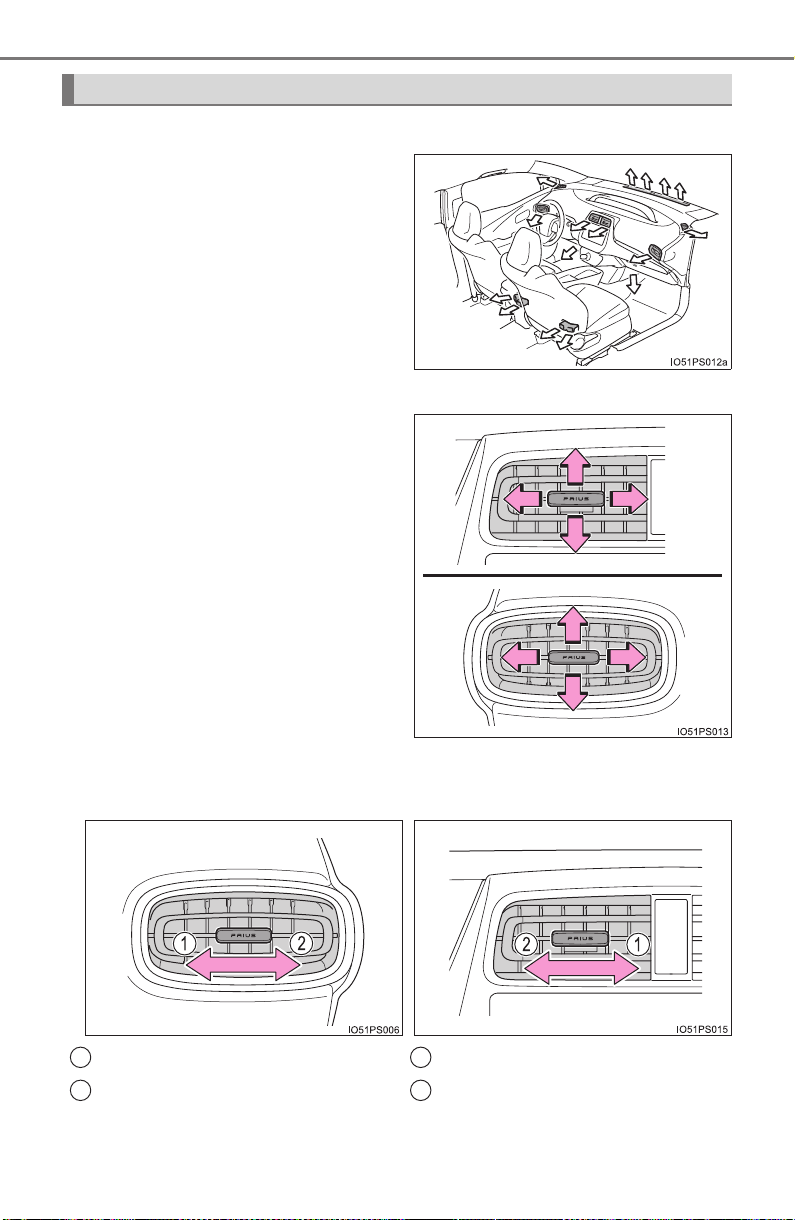
518
6-1. Using the air conditioning system and defogger
PRIUS_OM_OM47A29U_(U)
■
Location of air outlets
The air outlets and air volume
changes according to the
selected airflow mode.
■ Adjusting the position of the air outlets
Direct air flow to the left or right,
up or down
■ Opening and closing the air outlets
Air outlets
X Right side outlet X Center outlet/left side outlet
Open the vent
Close the vent
Open the vent
Close the vent
1
2
1
2
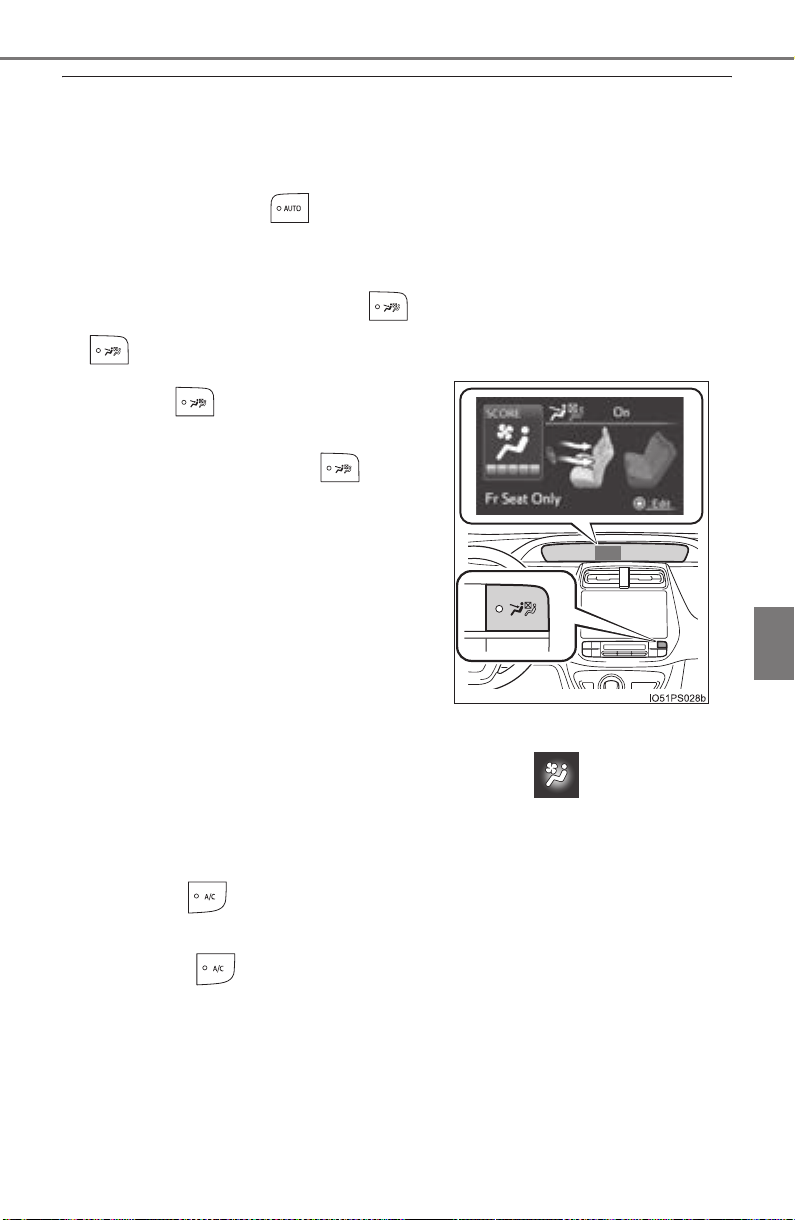
PRIUS_OM_OM47A29U_(U)
519
6-1. Using the air conditioning system and defogger
6
Interior features
■ Using automatic mode
Fan speed is adjusted automatically according to the temperature setting and
the ambient conditions.
Therefore, the fan may stop for a while until warm or cool air is ready to flow
immediately after the button is pressed.
■ S-FLOW mode operation
In automatic mode, when the rear seat doors are opened or closed, S-FLOW
mode will not operate and the indicator light turns off. When the
is pressed, the system returns to S-FLOW mode.
■ Changing settings of the Automatic air conditioning system
The air conditioning system settings can be changed on screen (→P. 135)
of the multi-information display.
■ Fogging up of the windows
● The windows will easily fog up when the humidity in the vehicle is high.
Pressing on will dehumidify the air from the outlets and defog the
windshield effectively.
● If you turn off, the windows may fog up more easily.
● The windows may fog up if the recirculated air mode is used.
■ Windshield fog detection function
When automatic mode is set, the humidity sensor (→P. 522) detects fog on
the windshield and controls the air conditioning system to prevent fog.
When the is pressed, the S-FLOW
mode status is displayed on the multi-
information display and the indica-
tor light illuminates.

520
6-1. Using the air conditioning system and defogger
PRIUS_OM_OM47A29U_(U)
■ Outside/recirculated air mode
● When driving on dusty roads such as tunnels or in heavy traffic, set
to the recirculated air mode. This is effective in preventing outside air from
entering the vehicle interior. During cooling operation, setting the recircu-
lated air mode will also cool the vehicle interior effectively.
● Outside/recirculated air mode may automatically switch depending on the
temperature setting or the inside temperature.
■ Operation of the air conditioning system in Eco drive mode
● In Eco drive mode, the air conditioning system is controlled as follows to pri-
oritize fuel efficiency:
• Engine speed and compressor operation controlled to restrict heating/
cooling capacity
• Fan speed restricted when automatic mode is selected
● To improve air conditioning performance, perform the following operations:
• Adjust the fan speed
• Adjust the temperature setting
• Turn off Eco drive mode
● Even when the drive mode is set to Eco drive mode, the air conditioning eco
mode can be turned off by pressing the .
■ When the outside temperature falls to nearly 32°F (0°C)
The dehumidification function may not operate even when button is
pressed.
■ Ventilation and air conditioning odors
● To let the flesh air in, set the air conditioning system to the outside air mode.
● During use, various odors from inside and outside the vehicle may enter into
and accumulate in the air conditioning system. This may then cause odor to
be emitted from the vents.
● In order to suppress odors that occur when the air conditioning system
starts, fresh air is automatically taken in when parked.
● To reduce potential odors from occurring:
The start timing of the blower may be delayed for a short period of time
immediately after the air conditioning system is started in automatic mode.
■ Air conditioning filter
→P. 621
■ Customization
Settings (e.g. A/C Auto switch operation) can be changed.
(Customizable features: →P. 752)
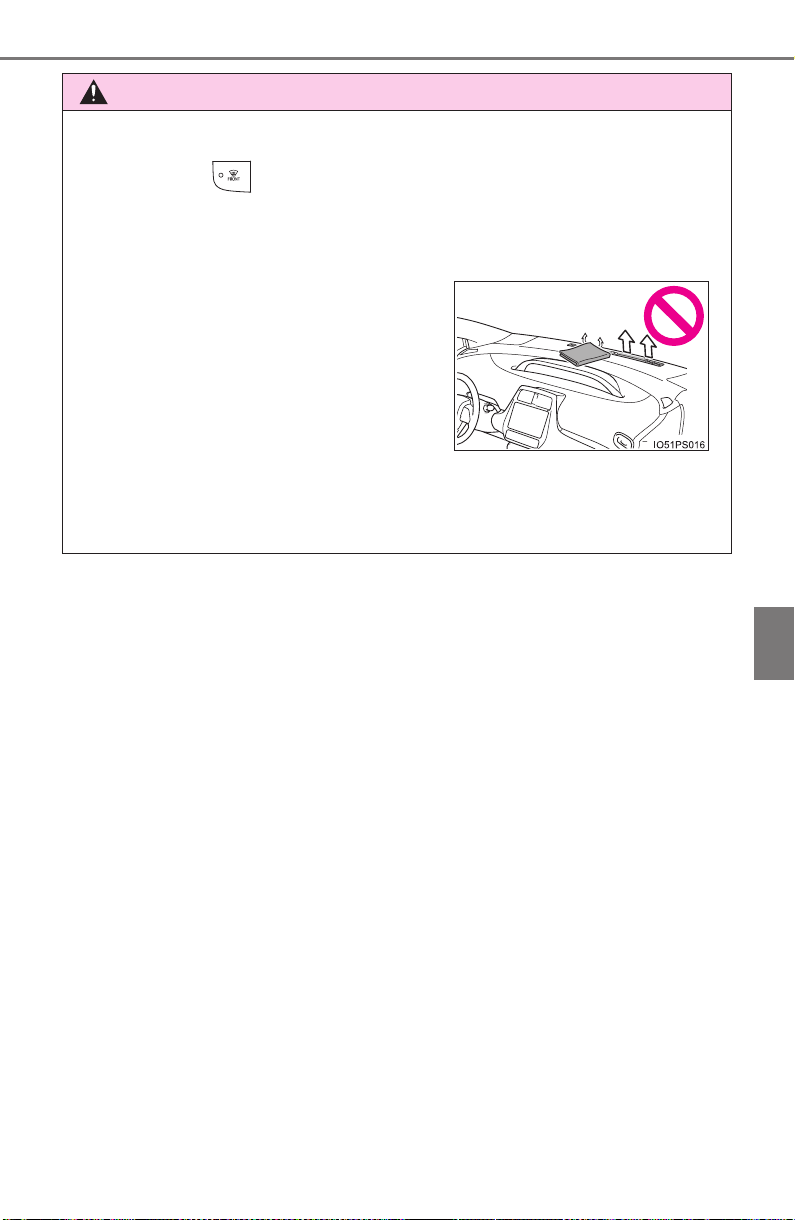
PRIUS_OM_OM47A29U_(U)
521
6-1. Using the air conditioning system and defogger
6
Interior features
WARNING
■ To prevent the windshield from fogging up
● Do not use
during cool air operation in extremely humid weather.
The difference between the temperature of the outside air and that of the
windshield can cause the outer surface of the windshield to fog up, block-
ing your vision.
■ To prevent burns
Do not touch the rear view mirror surfaces when the outside rear view mirror
defoggers are on.
● Do not place anything on the instrument
panel which may cover the air outlets.
Otherwise, air flow may be obstructed,
preventing the windshield defoggers
from defogging.
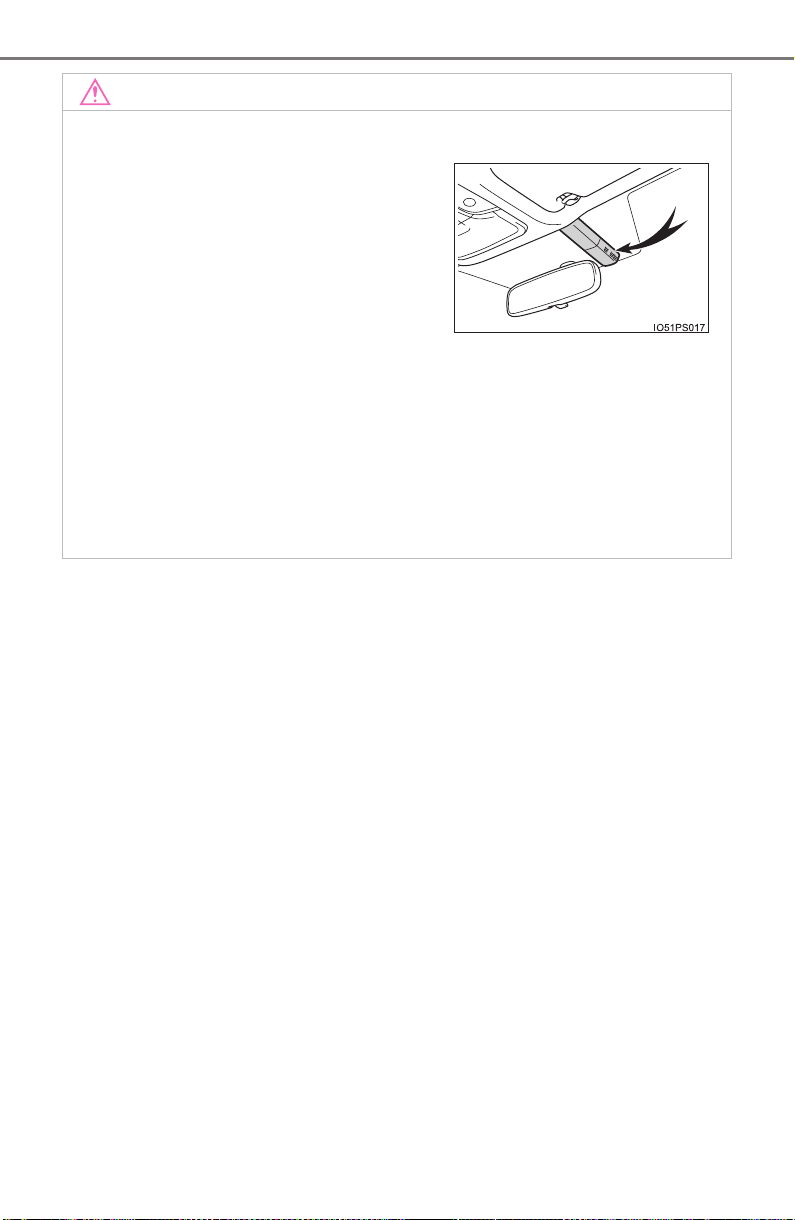
522
6-1. Using the air conditioning system and defogger
PRIUS_OM_OM47A29U_(U)
NOTICE
■ Humidity sensor (if equipped)
● Do not spray the glass cleaner on the sensor or subject it to strong impacts
● Do not stick anything on the sensor
■ To prevent 12-volt battery discharge
Do not leave the air conditioning system on longer than necessary when the
hybrid system is off.
■ Air outlets
The air outlets become hot when used for heating. Therefore, use caution
and adjust the air outlets accordingly.
In order to detect fog on the windshield, a
sensor which monitors the temperature
of the windshield, the surround humidity,
etc. is installed. (→P. 519)
Follow these points to avoid damaging
the sensor:
● Do not disassemble the sensor
523
PRIUS_OM_OM47A29U_(U)
6-1. Using the air conditioning system and defogger
6
Interior features
Seat heaters
∗
∗: If equipped
Seat heaters heat the front seats.
WARNING
● Care should be taken to prevent injury if anyone in the following categories
comes in contact with the seats when the heater is on:
• Babies, small children, the elderly, the sick and the physically chal-
lenged
• Persons with sensitive skin
• Persons who are fatigued
• Persons who have taken alcohol or drugs that induce sleep (sleeping
drugs, cold remedies, etc.)
● Observe the following precautions to prevent minor burns or overheating:
• Do not cover the seat with a blanket or cushion when using the seat
heater.
• Do not use seat heater more than necessary.
NOTICE
● Do not put heavy objects that have an uneven surface on the seat and do
not stick sharp objects (needles, nails, etc.) into the seat.
● To prevent 12-volt battery discharge, do not use the functions when the
hybrid system is off.

524
6-1. Using the air conditioning system and defogger
PRIUS_OM_OM47A29U_(U)
Heats the seat at high tempera-
ture (HI)
Heats the seat at low tempera-
ture (LO)
The indicator light comes on when
one side of the switch is pressed.
To stop the operation, gently press
the other side of the switch.
● The seat heaters can be used when the power switch is in ON mode.
● When not in use, turn off the switch. The indicator light goes off.
● Passenger side operation indicator:
Operating instructions
1
2
Illuminates while the passenger side
seat heater is operating, allowing the
operating condition of the passenger
side seat heater to be checked from the
driver side as well.
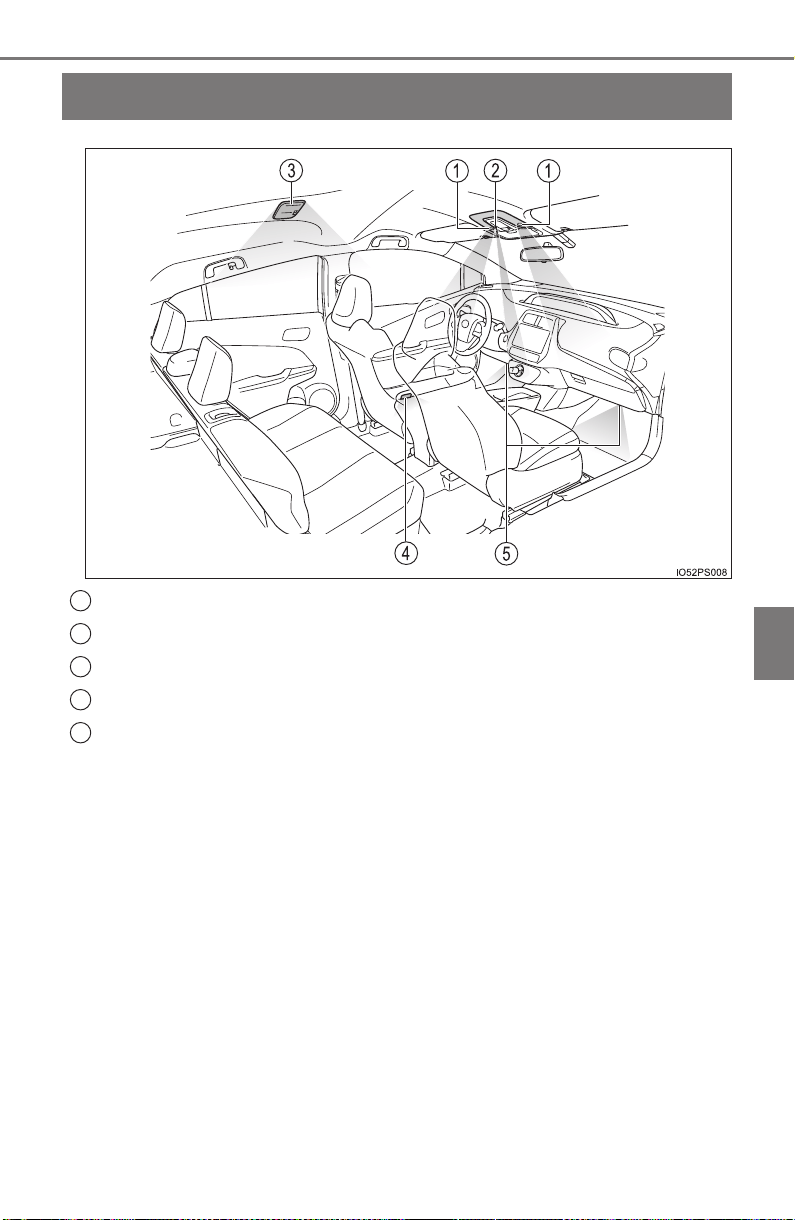
525
PRIUS_OM_OM47A29U_(U)
6-2. Using the interior lights
6
Interior features
Interior lights list
Front personal/interior lights (→P. 526)
Shift lever lighting
Rear interior light (→P. 527)
Front door courtesy lights
Footwell lights (if equipped)
1
2
3
4
5
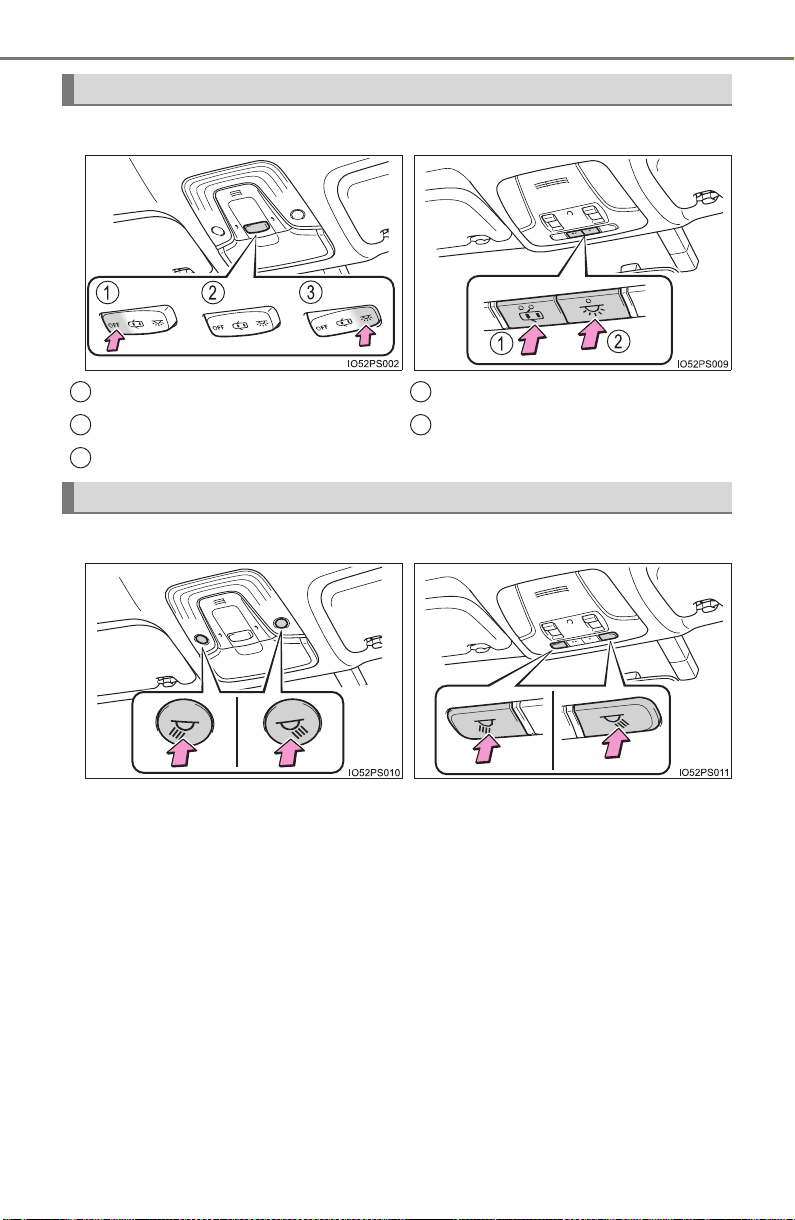
526
PRIUS_OM_OM47A29U_(U)
6-2. Using the interior lights
Front interior light
X Vehicles without moon roof X Vehicles with moon roof
Turns the lights off
Turns the door position on
Turns the lights on
Turns the door position on/off
Turns the lights on/off
Front personal lights
1
2
3
1
2
X Vehicles without moon roof X Vehicles with moon roof
Turns the lights on/off Turns the lights on/off
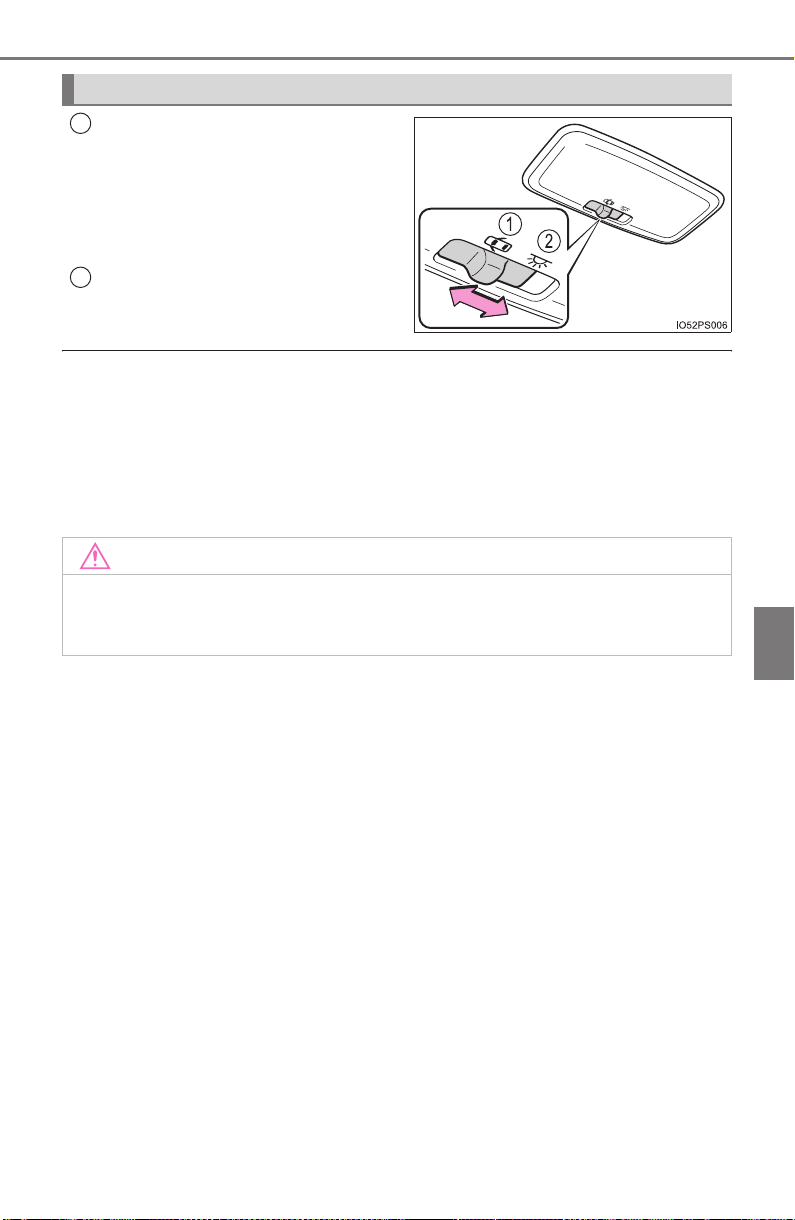
PRIUS_OM_OM47A29U_(U)
527
6-2. Using the interior lights
6
Interior features
Turns the switch to the door
position (door linked)
Operation is linked with the front
interior light main switch. When the
switch is off, the light does not illu-
minate.
Turns the light on
● Illuminated entry system: The lights automatically turn on/off according to
power switch mode, the presence of the electronic key, whether the doors
are locked/unlocked, and whether the doors are opened/closed.
● If the interior lights remain on when the power switch is turned off, the light
will go off automatically after 20 minutes.
● Settings (e.g. the time elapsed before the lights turn off) can be changed.
(Customizable features: →P. 752)
Rear interior light
1
2
NOTICE
To prevent 12-volt battery discharge, do not leave the lights on longer than
necessary when the hybrid system is off.
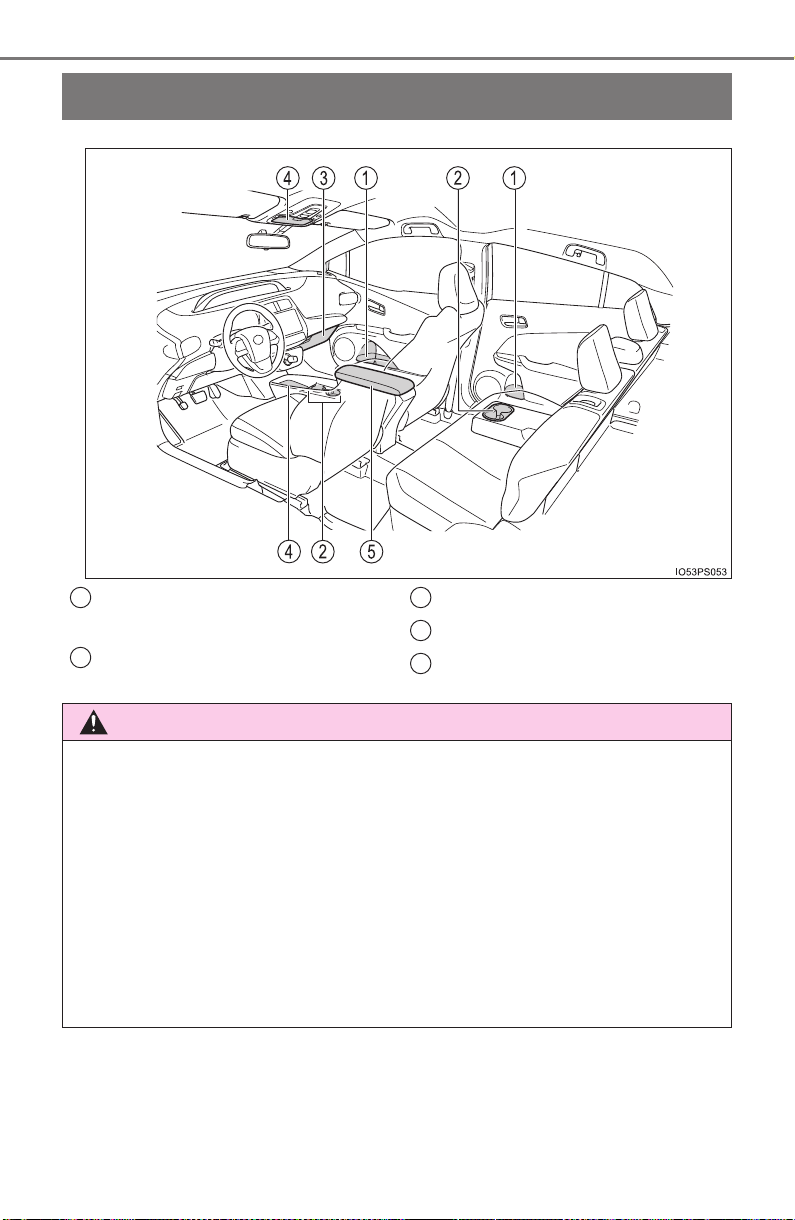
528
PRIUS_OM_OM47A29U_(U)
6-3. Using the storage features
List of storage features
Bottle holders/door pockets
(→P. 530)
Cup holders (→P. 530)
Glove box (→P. 529)
Auxiliary boxes (→P. 532)
Console box (→P. 529)
1
2
3
4
5
WARNING
● Do not leave glasses, lighters or spray cans in the storage spaces, as this
may cause the following when cabin temperature becomes high:
• Glasses may be deformed by heat or cracked if they come into contact
with other stored items.
• Lighters or spray cans may explode. If they come into contact with other
stored items, the lighter may catch fire or the spray can may release
gas, causing a fire hazard.
● When driving or when the storage compartments are not in use, keep the
lids closed.
In the event of sudden braking or sudden swerving, an accident may occur
due to an occupant being struck by an open lid or the items stored inside.
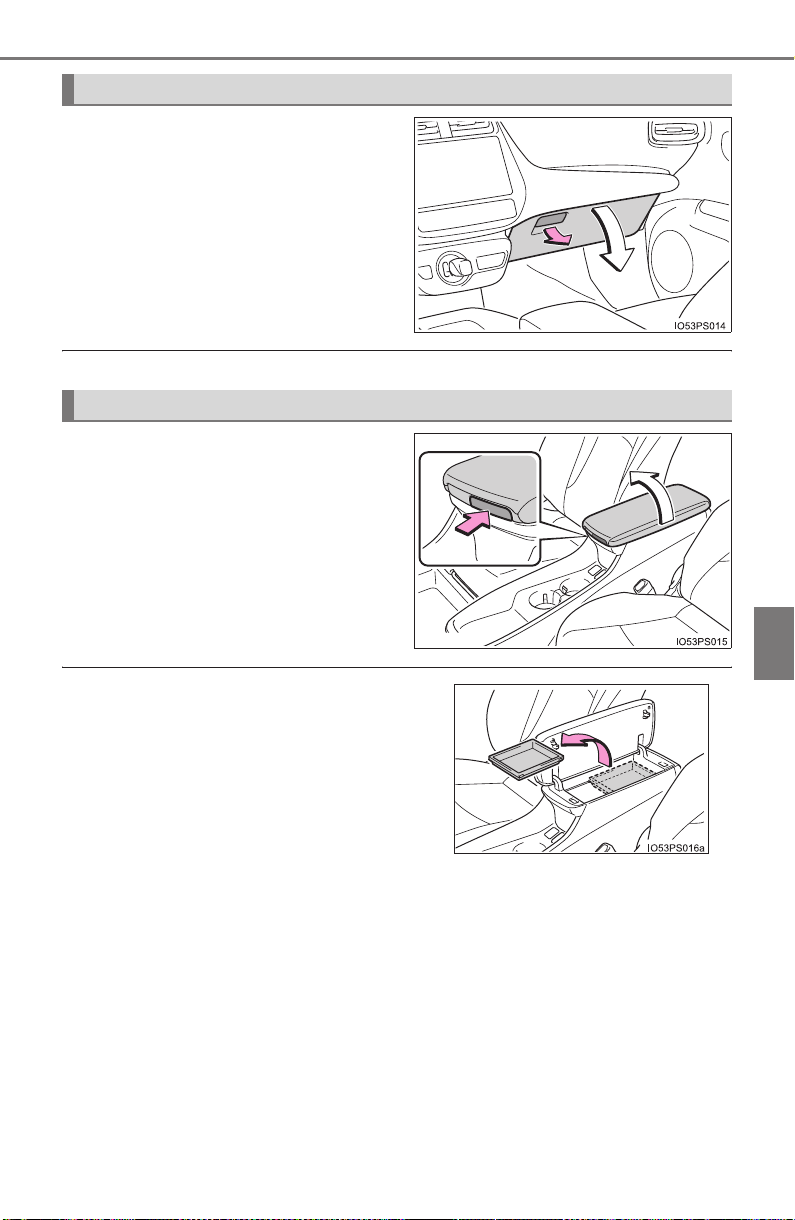
PRIUS_OM_OM47A29U_(U)
529
6-3. Using the storage features
6
Interior features
Pull up the lever.
The glove box light turns on when the tail lights are on.
Lift the lid.
Glove box
Console box
The tray slides forward/backward and can
be removed.
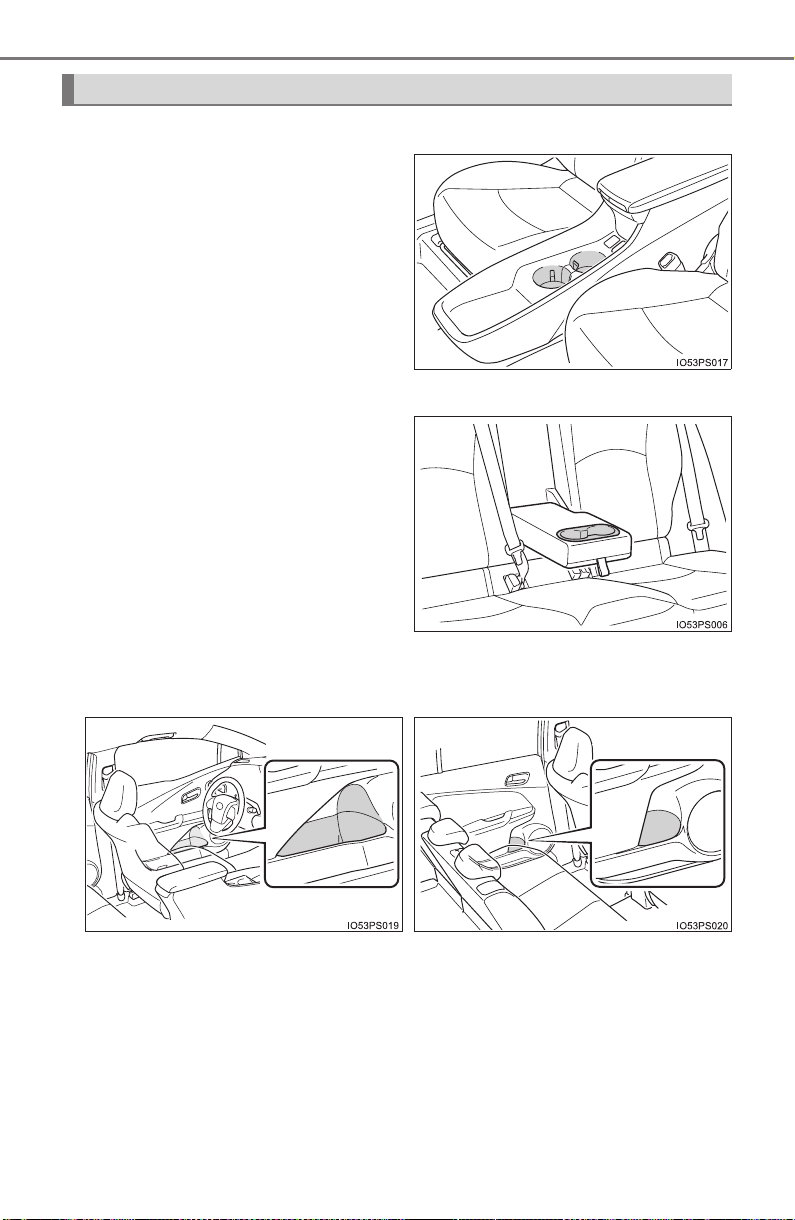
530
PRIUS_OM_OM47A29U_(U)
6-3. Using the storage features
■ Front cup holders
When placing a mug, push the
partition down.
When placing cans, bottles, etc.,
push the partition once more to
return it to its original position.
■
Rear cup holders
Pull down the armrest.
■ Bottle holders/door pockets
Cup holders/bottle holders/door pockets
X Front doors X Rear doors
PRIUS_OM_OM47A29U_(U)
531
6-3. Using the storage features
6
Interior features
● When storing a bottle, close the cap.
● The bottle may not be stored depending on its size or shape.
WARNING
Do not place anything other than cups or aluminum cans in the cup holders.
Other items may be thrown out of the holders in the event of an accident or
sudden braking, causing injury. If possible, cover hot drinks to prevent
burns.
NOTICE
Put the cap on before stowing a bottle. Do not place open bottles or glass
and paper cups containing liquid in the bottle holders.
The contents may spill and glasses may break.
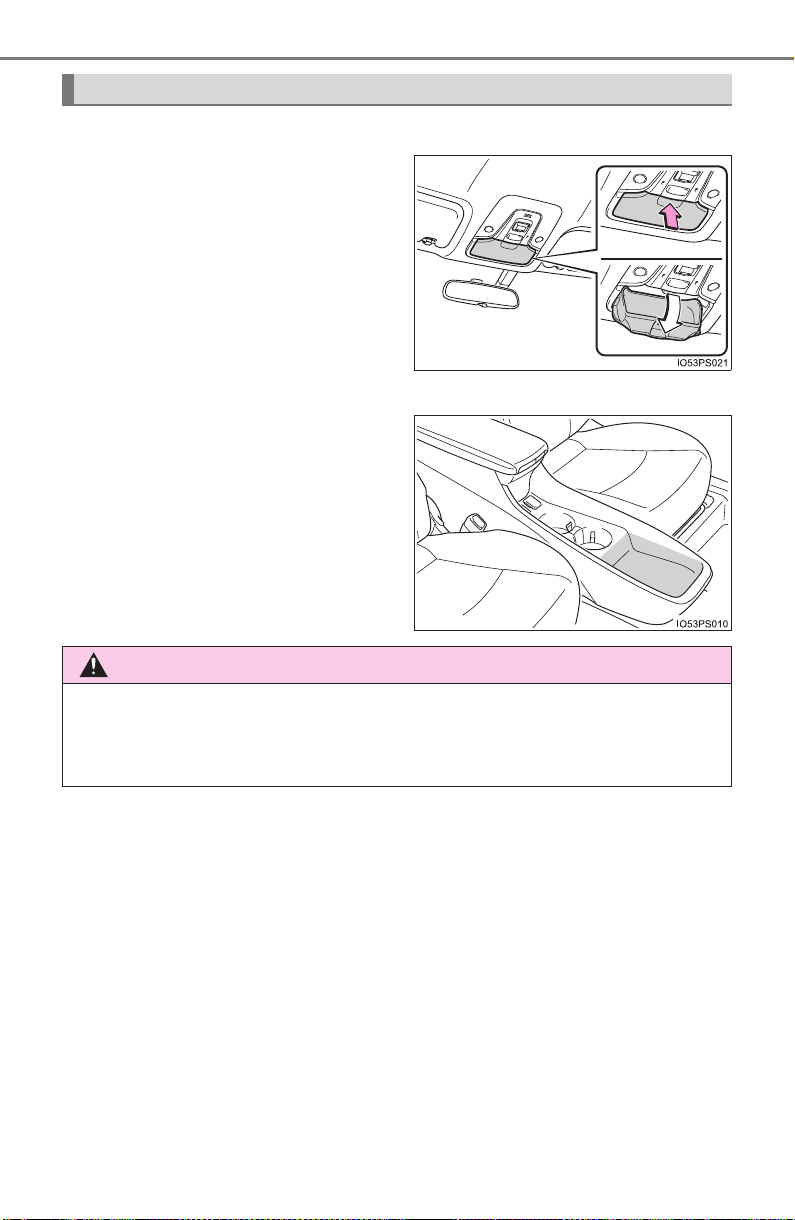
532
PRIUS_OM_OM47A29U_(U)
6-3. Using the storage features
X Type A (if equipped)
Press in the lid.
The overhead console is useful for
temporarily storing small items.
X Type B
Vehicles with the wireless
charger: →P. 54 4
Auxiliary boxes
WARNING
Do not store items heavier than 0.44 lb. (200 g).
Doing so may cause the auxiliary box to open and the items inside may fall
out, resulting in an accident. (type A)
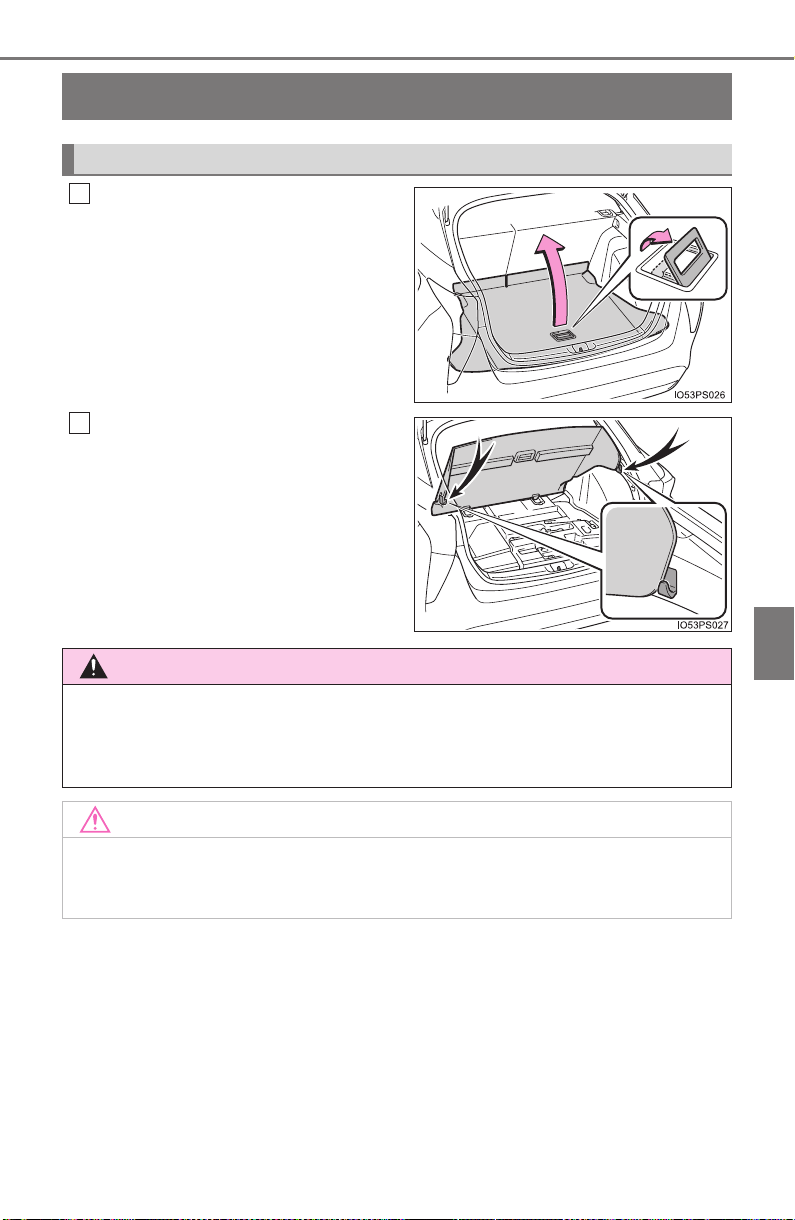
533
PRIUS_OM_OM47A29U_(U)
6-3. Using the storage features
6
Interior features
Luggage compartment features
Pull the lever upwards.
Secure it with the grocery bag
hooks.
Deck Board
1
2
WARNING
If the deck board is removed, return it to its original positions before driving.
In the event of sudden braking, an accident may occur due to an occupant
being struck by the deck board or the items stored in the auxiliary box.
NOTICE
To prevent damage to the deck board, do not apply too much load on the
deck board.
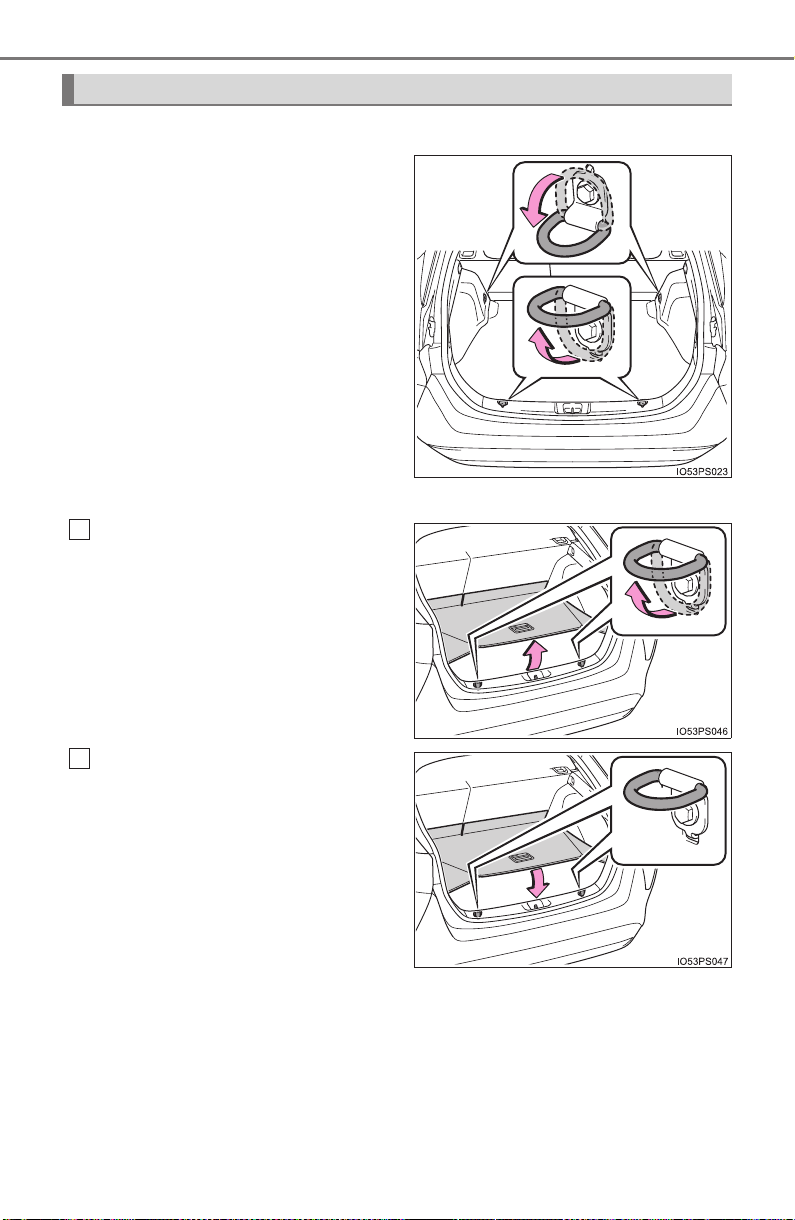
534
PRIUS_OM_OM47A29U_(U)
6-3. Using the storage features
X Vehicles with emergency tire puncture repair kit
Raise the hook to use.
The cargo hooks are provided for
securing loose items.
X Vehicles with compact spare tire or full-size spare tire
Open the deck board, then
raise the hook to use.
Return the deck board to its
original position and close it.
Cargo hooks
1
2
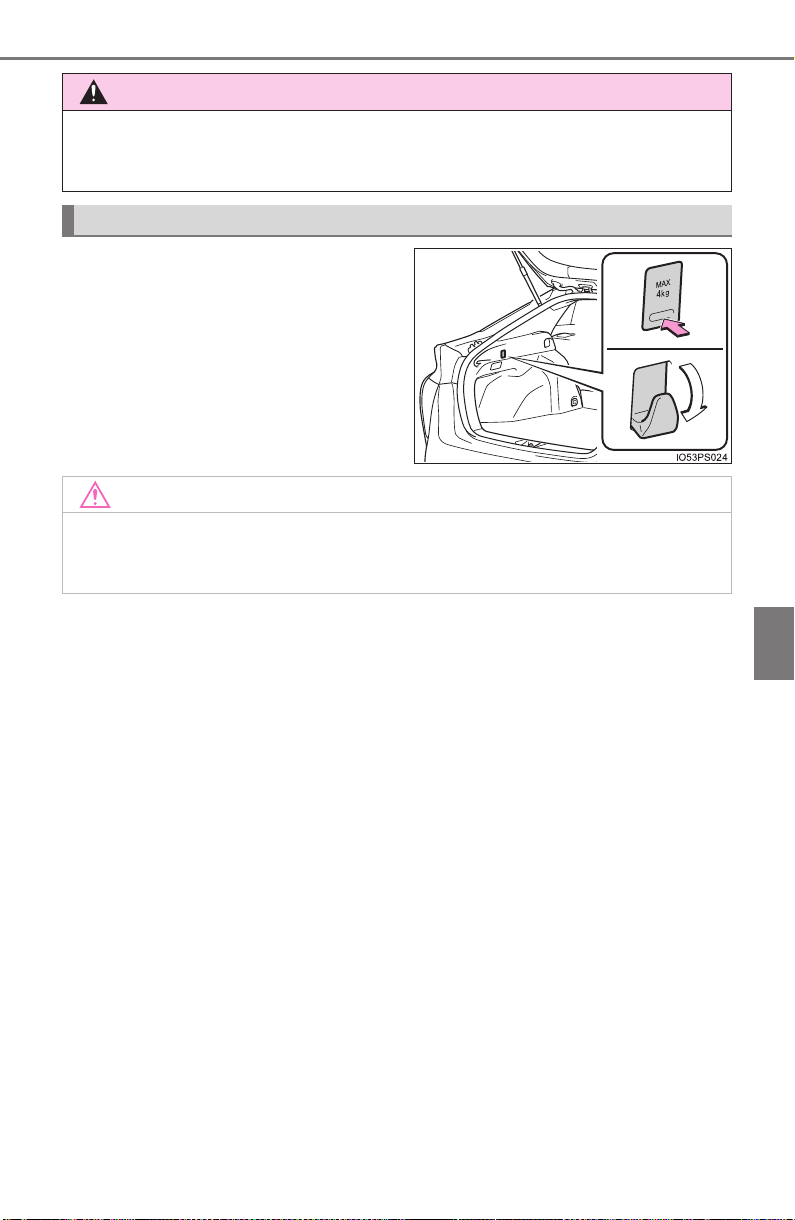
PRIUS_OM_OM47A29U_(U)
535
6-3. Using the storage features
6
Interior features
When using the hooks, press the
bottom side to lift it up.
There also is a hook on the other
side.
WARNING
To avoid injury, always return the cargo hooks to their stowed positions
when not in use.
Grocery bag hooks
NOTICE
In order to prevent damage to the grocery bag hooks, do not place large
objects or objects that weight more than 8.8 lb. (4 kg) onto the hooks.
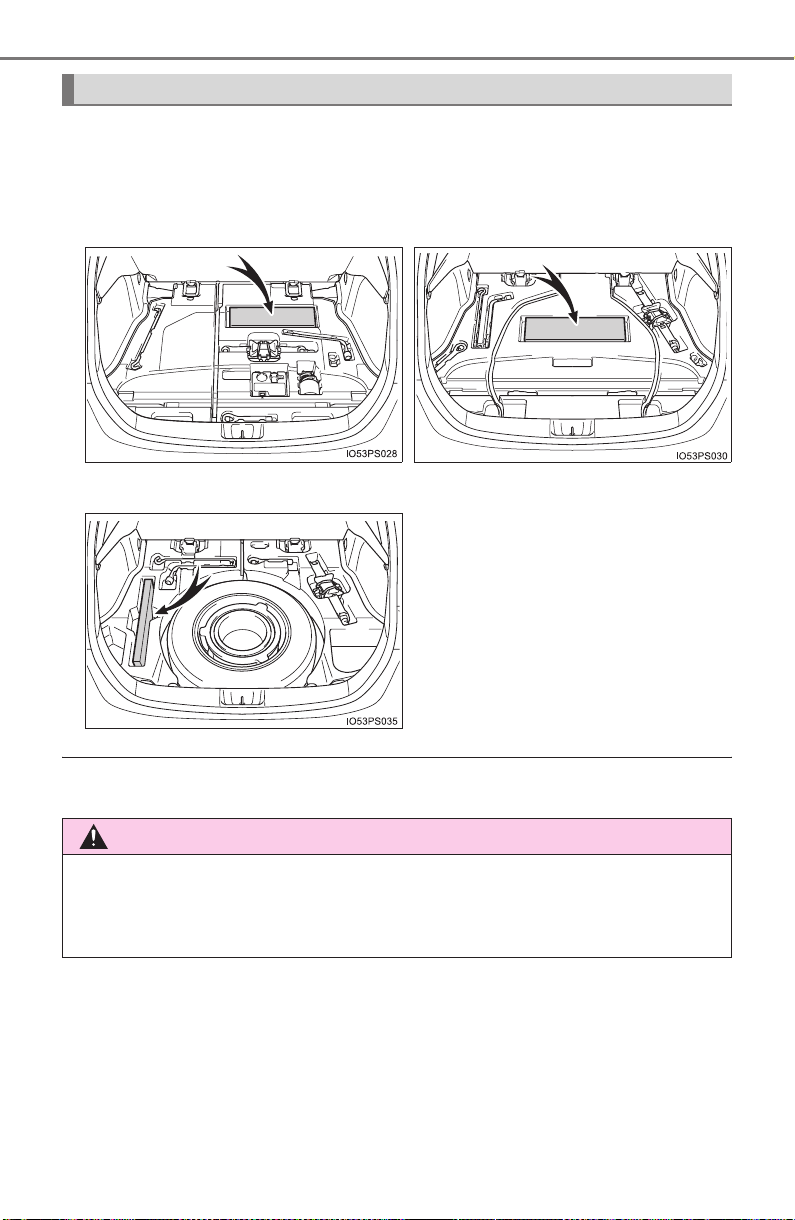
536
PRIUS_OM_OM47A29U_(U)
6-3. Using the storage features
The warning reflector can be stowed on the center auxiliary box.
(The warning reflector itself is not included as an original equipment)
Depending on the size and shape of the warning reflector case, etc., you may
not be able to store it.
Warning reflector storage space
X Vehicles with emergency tire
puncture repair kit
X Vehicles with compact spare
tire
X Vehicles with full-size spare tire
WARNING
When storing the warning reflector, etc., make sure that it is properly stored.
If the warning reflector is not properly stored, it may fly out during emer-
gency braking and lead to an accident.
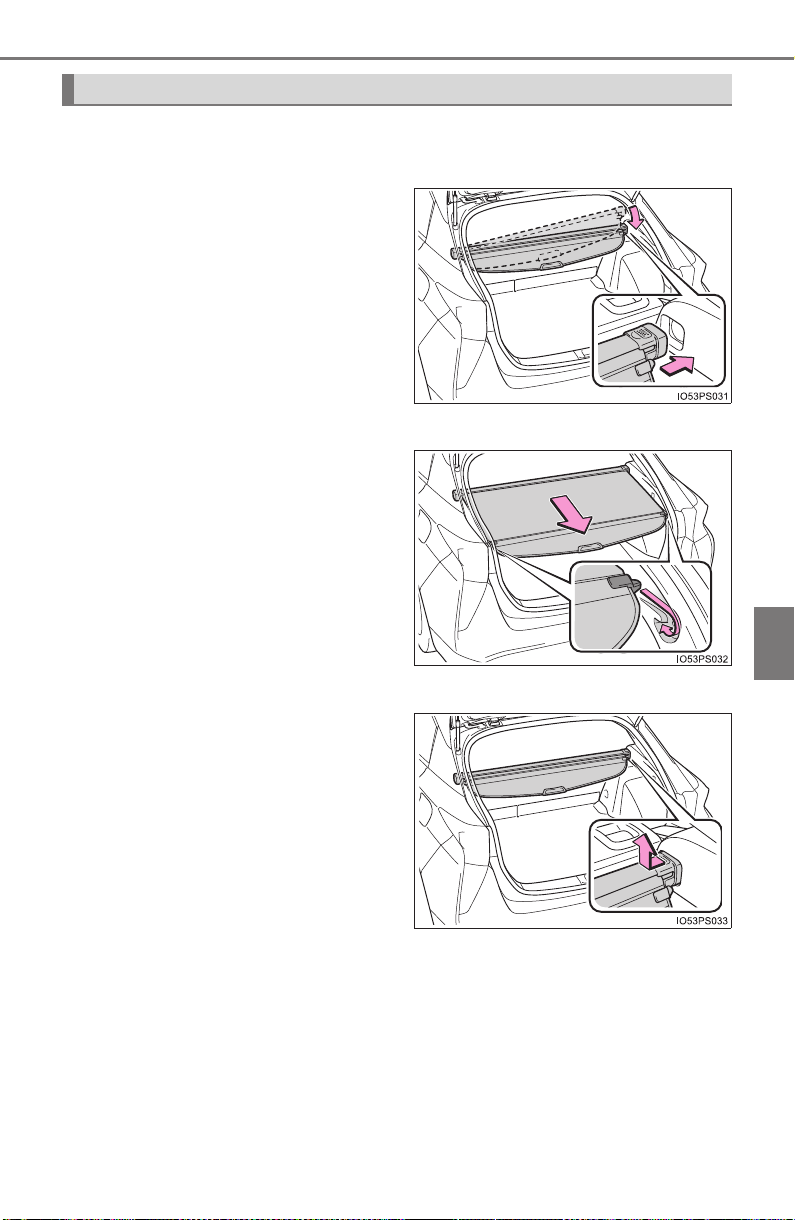
PRIUS_OM_OM47A29U_(U)
537
6-3. Using the storage features
6
Interior features
X Type A
■ Installing the luggage cover
Install one side of the luggage
cover to the holder. While push-
ing that side in, install the other
side to the opposite holder.
■ Using the luggage cover
Pull out the luggage cover and
secure it to the hook brackets.
■ Removing the luggage cover
Push one end of the luggage
cover inward and remove it
from the holder.
Luggage cover
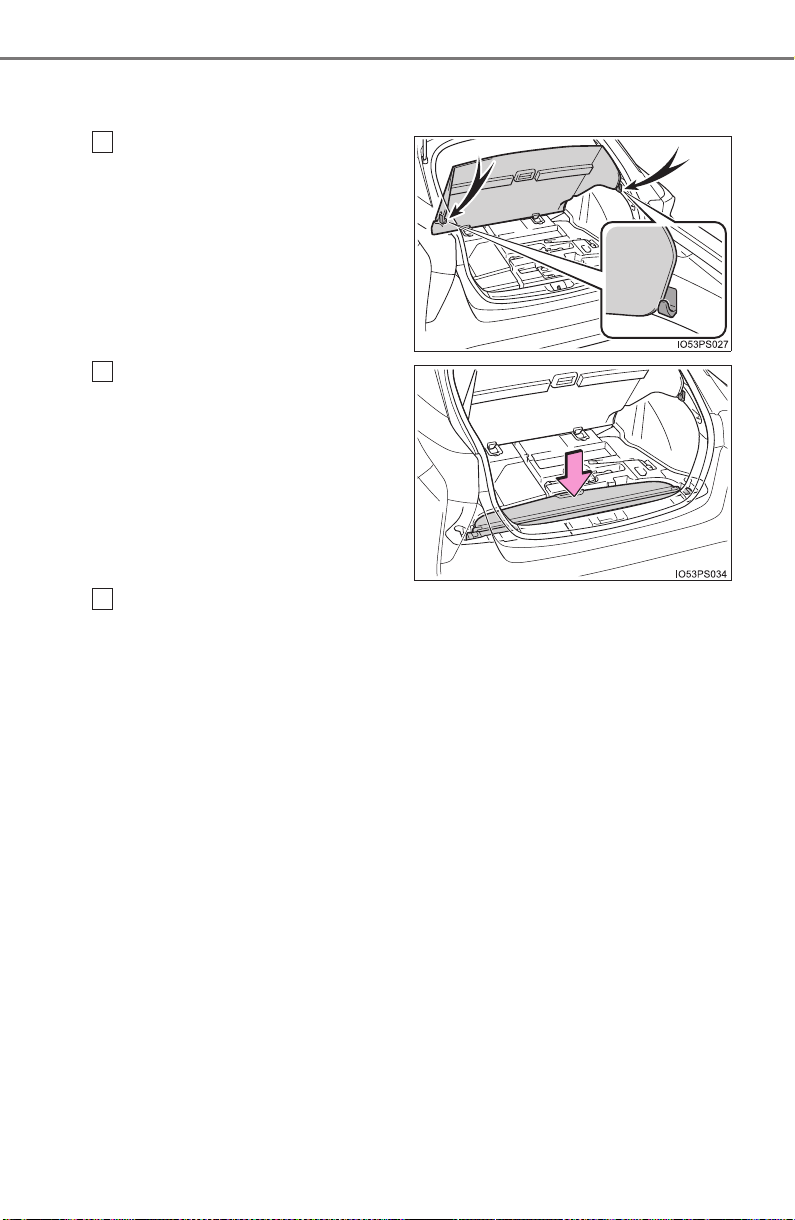
538
PRIUS_OM_OM47A29U_(U)
6-3. Using the storage features
■ Stowing the luggage cover (except vehicles with full-size spare
tire)
Open the deck board and
secure it with the grocery bag
hooks.
Store cover in the deck under
box.
Return the deck board to its original position and close it.
1
2
3
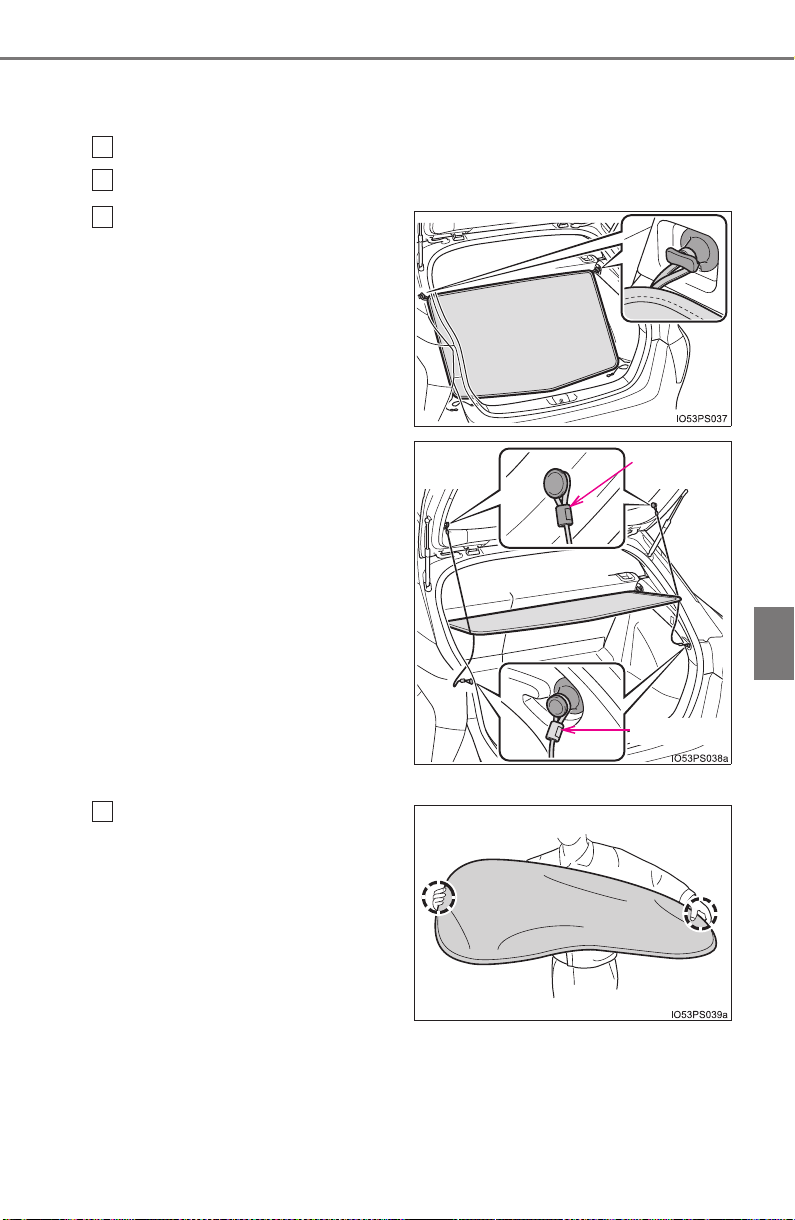
PRIUS_OM_OM47A29U_(U)
539
6-3. Using the storage features
6
Interior features
X Type B
■ Installing the luggage cover
Remove the luggage cover from the bag.
Slowly unfold the luggage cover.
■ Stowing the luggage cover
Hold the luggage cover with
both hands. Point your
thumbs in opposite direc-
tions.
1
2
Attach the hook to the hook
brackets.
3
Black cap
Gray cap
1
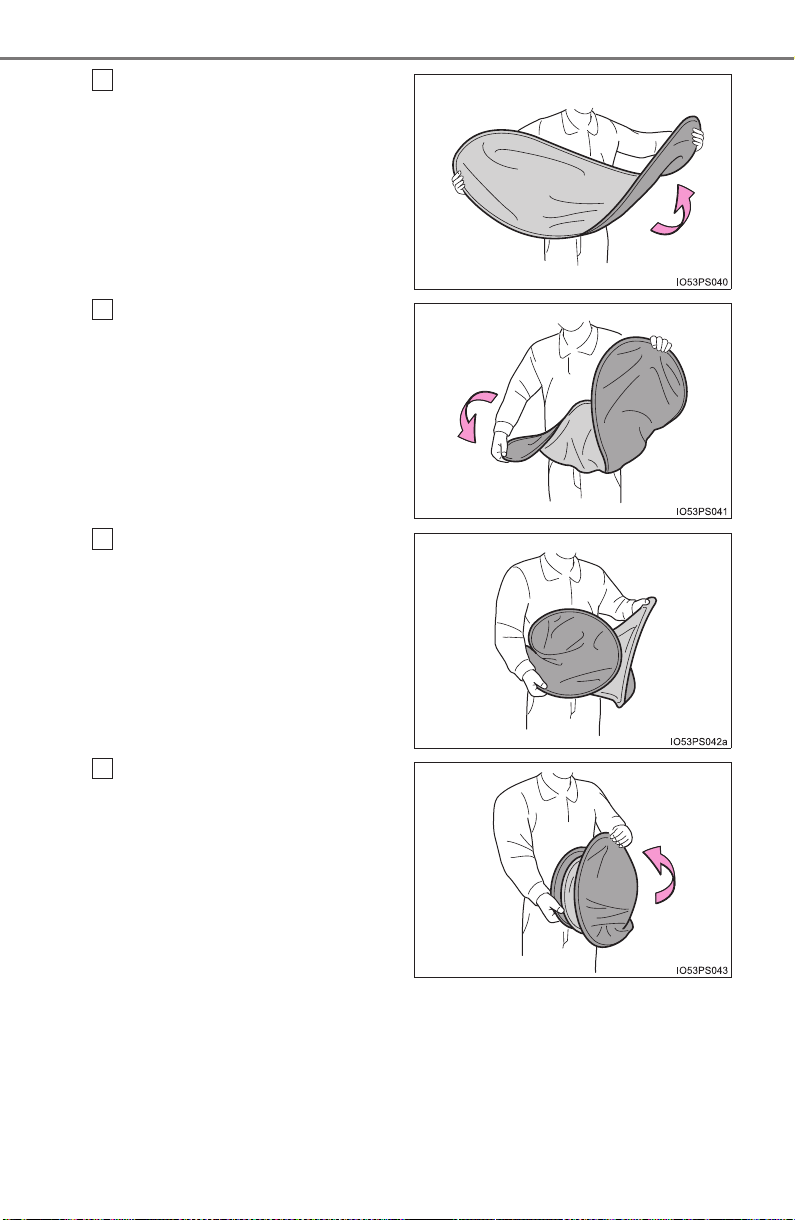
540
PRIUS_OM_OM47A29U_(U)
6-3. Using the storage features
Bend one side of the cover
towards you.
Twist the other side in the
opposite direction, as shown
in the illustration.
Make a small circle, then fold
it inward.
Make sure the three circles
are side by side.
2
3
4
5
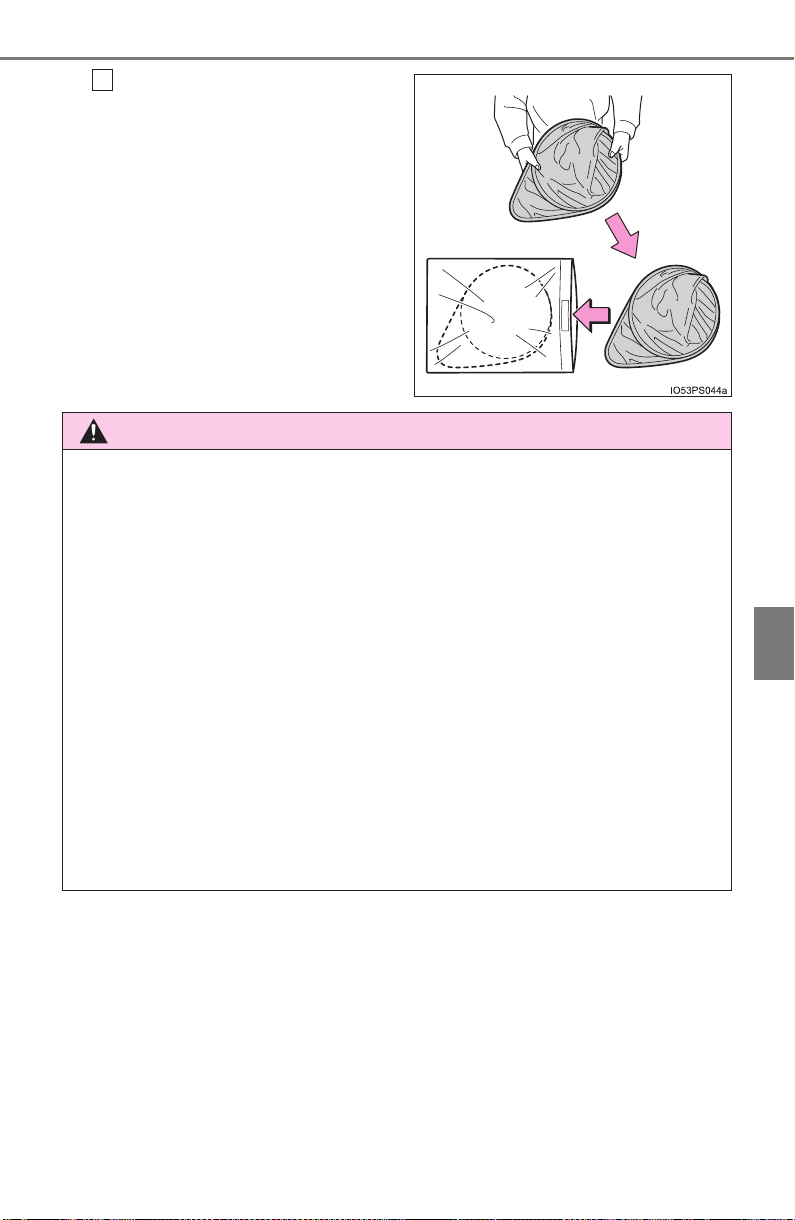
PRIUS_OM_OM47A29U_(U)
541
6-3. Using the storage features
6
Interior features
Put it in the bag.
6
WARNING
● Do not place anything on the luggage cover. In the event of sudden brak-
ing or turning, the item may go flying and strike an occupant. This could
lead to an unexpected accident, resulting in death or serious injury.
● Do not allow children to climb on the luggage cover. Climbing on the lug-
gage cover could result in damage to the luggage cover, possibly causing
death or serious injury to the child.
● Make sure that the rear edge of the cover is laying flat. If the cover is
installed with the rear edge raised, the view from the rear window may be
obstructed, which could cause an accident.
● Make sure that seat belts are not caught up in the luggage cover. If a seat
belt is caught up in the cover, it may not be able to restrain passengers
properly.
● Type B only: Forcefully opening the luggage cover is dangerous. When
removing the luggage cover from the bag and expanding it, be sure to hold
the luggage cover with both hands. Also, confirm that there are no people
nearby before expanding the luggage cover.
● Type B only: Be sure to attach the cord correctly.
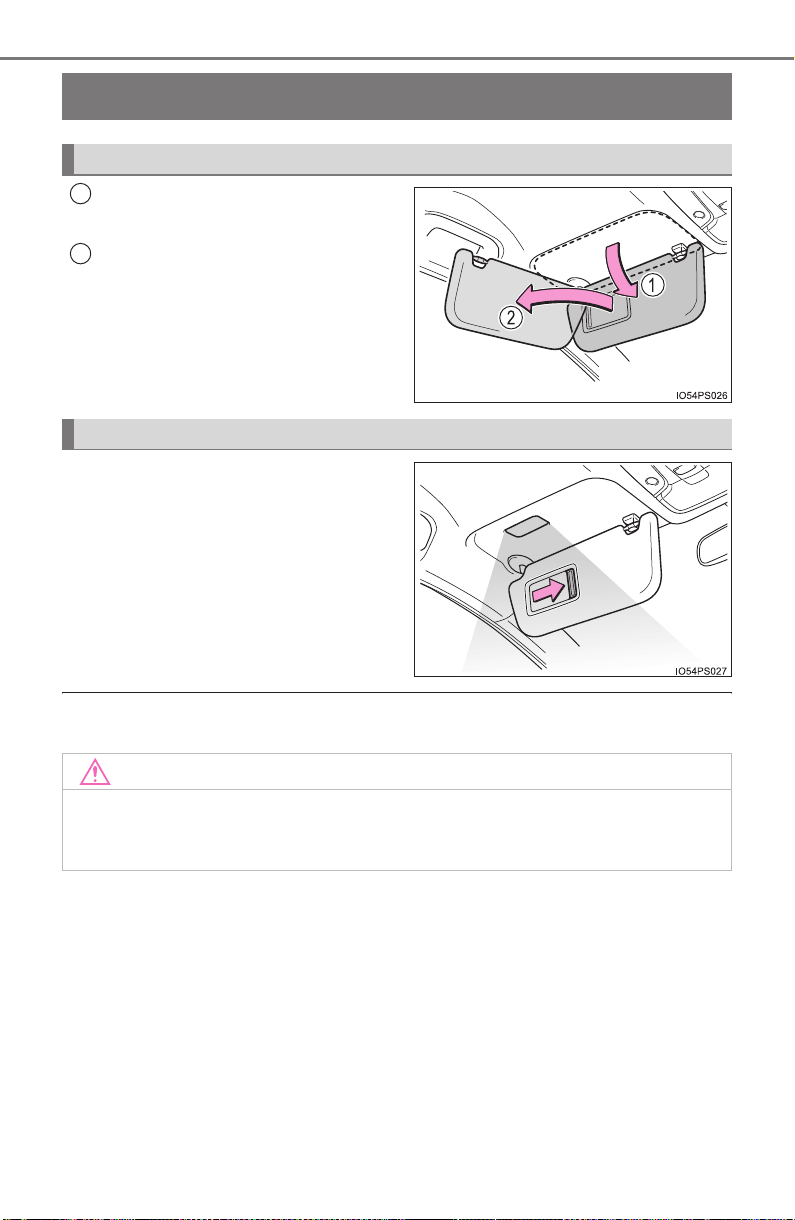
542
PRIUS_OM_OM47A29U_(U)
6-4. Using the other interior features
Other interior features
To set the visor in the forward
position, flip it down.
To set the visor in the side posi-
tion, flip down, unhook, and
swing it to the side.
Slide the cover to open.
The light turns on when the cover
is opened.
If the vanity light remain on when the power switch is turned off, the light will
go off automatically after 20 minutes.
Sun visors
1
2
Vanity mirrors
NOTICE
To prevent 12-volt battery discharge, do not leave the vanity lights on for
extended periods while the hybrid system is off.

PRIUS_OM_OM47A29U_(U)
543
6-4. Using the other interior features
6
Interior features
Please use as a power supply for electronic goods that use less than
12 V DC/10 A (power consumption of 120 W).
The power outlets can be used when the power switch is in ACCESSORY or
ON mode.
Power outlets
X Front X Rear
Open the cover. Open the cover.
NOTICE
● To avoid damaging the power outlets, close the power outlets lid when the
power outlet is not in use.
Foreign objects or liquids that enter the power outlets may cause a short
circuit.
● To prevent 12-volt battery discharge, do not use the power outlet longer
than necessary when the hybrid system is off.
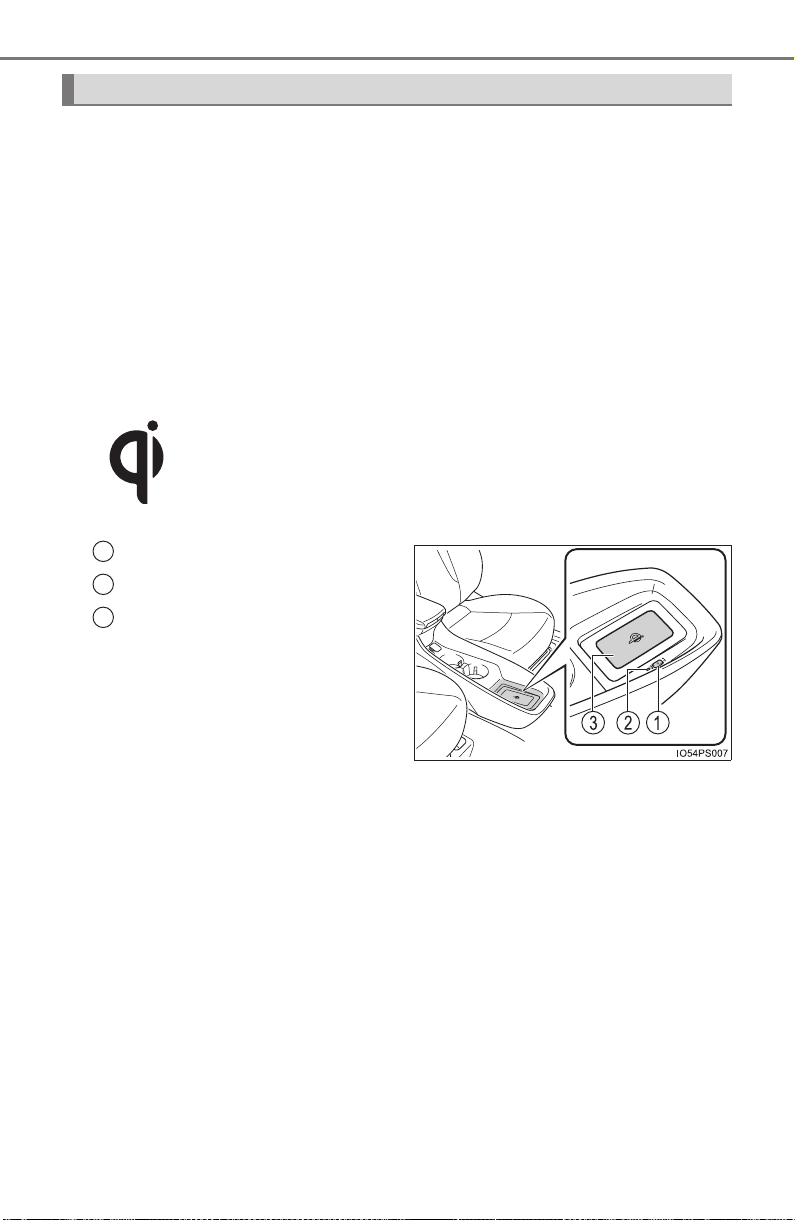
544
PRIUS_OM_OM47A29U_(U)
6-4. Using the other interior features
A portable device can be charged by just placing Qi standard wireless
charge compatible portable devices according to the Wireless Power
Consortium, such as smart phones and mobile batteries, etc., on the
charge area.
This function cannot be used with portable devices that are larger
than the charging area. Also, depending on the portable device, it may
not operate as normal. Please read the operation manual for portable
devices to be used.
■ The “Qi” symbol
The “Qi” symbol is a trademark of the Wireless Power Consortium.
■ Name for all parts
Power supply switch
Operation indicator light
Charge area
Wireless charger (if equipped)
1
2
3
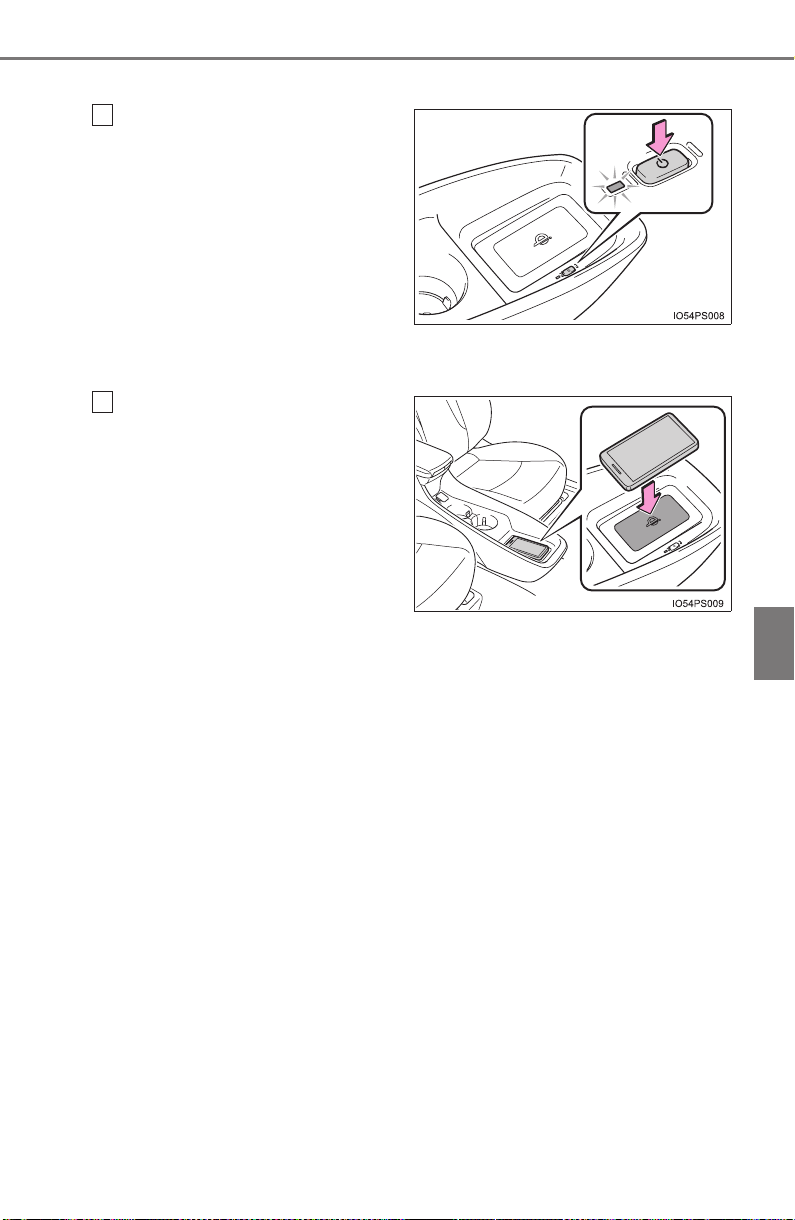
PRIUS_OM_OM47A29U_(U)
545
6-4. Using the other interior features
6
Interior features
■ Using the wireless charger
Press the power supply
switch of the wireless
charger.
Switches on and off with each
press of the power supply
switch.
When turned on, the operation
indicator light (green) comes on.
Even with the hybrid system off,
the on/off state of the power
supply switch is memorized.
Place the charging side of
the portable device down.
When charging, the operation
indicator light (orange) comes
on.
If charging is not occurring, try
placing the portable device as
close to the center of the charg-
ing area as possible.
When charging is complete, the operation indicator light (green) comes
on.
● Recharging function
• When charging is complete and after a fixed time in the charge
suspension state, charging restarts.
• When the portable device is moved, charging is stopped for a
moment and then it restarts.
1
2

546
PRIUS_OM_OM47A29U_(U)
6-4. Using the other interior features
■ Lighting conditions of operation indicator light
*: Depending on the portable device, there are cases where the operation
indicator light will continue being lit up orange even after the charging is
complete.
● When the operation indicator light flashes
When an error occurs, the operation indicator light flashes an
orange color. Handle the error based on the following table.
Operation indicator light Conditions
Turning off
When the Wireless charger power supply is
off
Green (comes on)
On Standby (charging possible state)
When charging is complete*
Orange (comes on)
When placing the portable device on the
charging area (detecting the portable device)
Charging
Operation indicator
light
Suspected causes Handling method
Flashing repeatedly
once every second
(Orange)
Vehicle to charger com-
munication failure.
Contact your Toyota
dealer.
Repeatedly flashes
3 times continuously
(Orange)
A foreign substance is
between the portable
device and charge area.
Remove the foreign
substance from
between portable
device and the charge
area.
The portable device is
out of sync due to the
device being shifted from
its position.
Place the portable
device near the center
of the charge area.
Repeatedly flashes
4 times continuously
(Orange)
Temperature rising
within the wireless
charger.
Stop charging at once
and start charging
again after for a while.

PRIUS_OM_OM47A29U_(U)
547
6-4. Using the other interior features
6
Interior features
■ The wireless charger can be operated when
The power switch is in ACCESSORY or ON mode.
■ Usable portable devices
Qi standard wireless charge standard can be used on compatible devices.
However, not all Qi standard devices and compatibility are guaranteed.
Starting with mobile phones and smart phones, it is aimed for low power elec-
trically supplied portable devices of no more than 5W.
■ When covers and accessories are attached to portable devices
Do not charge in situations where cover and accessories not able to handle
Qi are attached to the portable device. Depending on the type of cover and
accessory, it may not be possible to charge. When charging is not performed
even with the portable device placed on the charge area, remove the cover
and accessories.
■ While charging, noise enters the AM radio
Turn off the wireless charger and confirm that the noise has decreased. If the
noise decreases, continuously pushing the power supply switch of the wire-
less charger for 2 seconds, the frequency of the charger can be changed and
the noise can be reduced.
Also, on that occasion, the operation indicator light will flash orange 2 times.
■ Important points of the wireless charger
● If the electronic key cannot be detected within the vehicle interior, charging
cannot be done. When the door is opened and closed, charging may be
temporarily suspended.
● When charging, the wireless charging device and portable device will get
warmer, however this is not a malfunction.
When a portable device gets warm while charging, charging may stop due
to the protection function on the portable device side. In this case, when the
temperature of the portable device drops significantly, charge again.
■ Operation sounds
When the power supply is turned on, while searching for the portable device a
sound will be produced, however this is not a malfunction.

548
PRIUS_OM_OM47A29U_(U)
6-4. Using the other interior features
■ Certification for the wireless charger
PRIUS_OM_OM47A29U_(U)
549
6-4. Using the other interior features
6
Interior features

550
PRIUS_OM_OM47A29U_(U)
6-4. Using the other interior features
WARNING
■ Caution while driving
When charging a portable device, for safety reasons, the driver should not
operate the main part of the portable device while driving.
■ Caution regarding interference with electronic devices
People with implantable cardiac pacemakers, cardiac resynchronization
therapy-pacemakers or implantable cardioverter defibrillators, as well as
any other electrical medical device, should consult their physician about the
usage of the wireless charger. The operations of the wireless charger may
have an affect on medical devices.
■ To prevent damage or burns
Observe the following precautions.
Failure to do so may result in a possibility of equipment failure and damage,
catch fire, burns due to overheat.
● Do not insert any metallic objects between the charging area and the por-
table device while charging
● Do not attach stickers, metallic objects, etc., to the charger area or porta-
ble device
● Do not cover with cloth, etc., and charge
● Do not charge portable devices other than designated
● Do not attempt to dismantle for disassembly or modifications
● Do not hit or apply a strong force

PRIUS_OM_OM47A29U_(U)
551
6-4. Using the other interior features
6
Interior features
WARNING
■ Conditions in which the function may not operate correctly
In the following conditions, it may not operate correctly
● The portable device is fully charged
● There is foreign matter between the charge area and portable device
● The temperature of the portable device gets higher from charging
● The charging surface of the portable device is facing up
● The placement of the portable device is out of alignment with the charge
area
● Near a TV tower, electric power plant, gas station, radio station, large dis-
play, airport or other facility that generates strong radio waves or electrical
noise
● When the electronic key is in contact with, or is covered by the following
metallic objects
• Cards to which aluminum foil is attached
• Cigarette boxes that have aluminum foil inside
• Metallic wallets or bags
• Coins
• Hand warmers made of metal
• Media such as CDs and DVDs
● When other wireless keys (that emit radio waves) are being used nearby
In addition, excluding the above-mentioned, when the charger does not per-
form normally or the operation display lamp is flashing continuously, it is
considered that the wireless charger is malfunctioning. Contact your Toyota
dealer.
■ To prevent failure or damage to data
● Do not bring magnetic cards, such as credit cards, or magnetic recording
media, etc., close to the charger while charging, otherwise, data may dis-
appear under the influence of magnetism. Also, do not bring precision
instruments such as wrist watches, etc., close to the charger, as such
objects may break.
● Do not leave portable devices in the cabin. The temperature inside the
cabin may become high, when under the sun, and cause damage to the
device.
■ To prevent 12-volt battery discharge
When the hybrid system is stopped, do not use the wireless charger for a
long time.
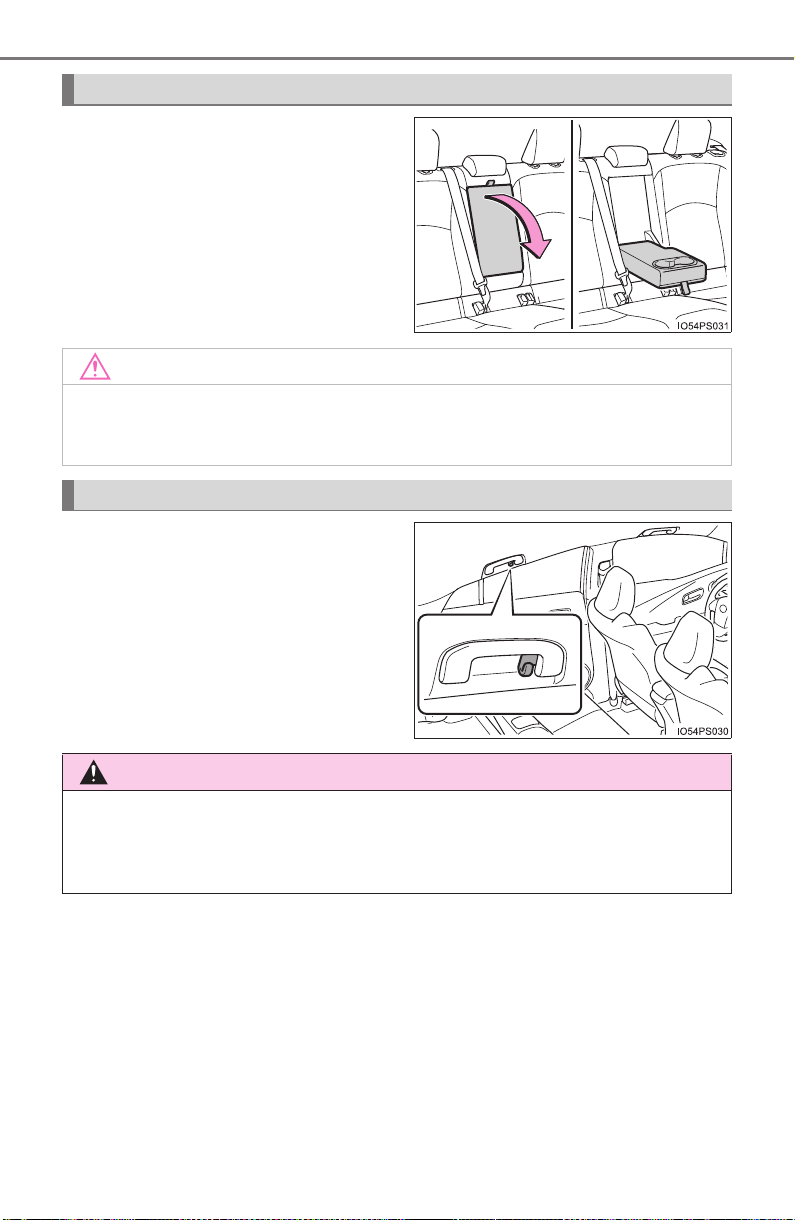
552
PRIUS_OM_OM47A29U_(U)
6-4. Using the other interior features
Pull the armrest down for use.
The coat hooks are provided with
the rear assist grips.
Armrest
NOTICE
To prevent damage to the armrest, do not place too much strain on the arm-
rest.
Coat hooks
WARNING
Do not hang coat hangers or other hard or sharp objects on the hook. If the
SRS curtain shield airbags deploy, these items may become projectiles,
causing death or serious injury.
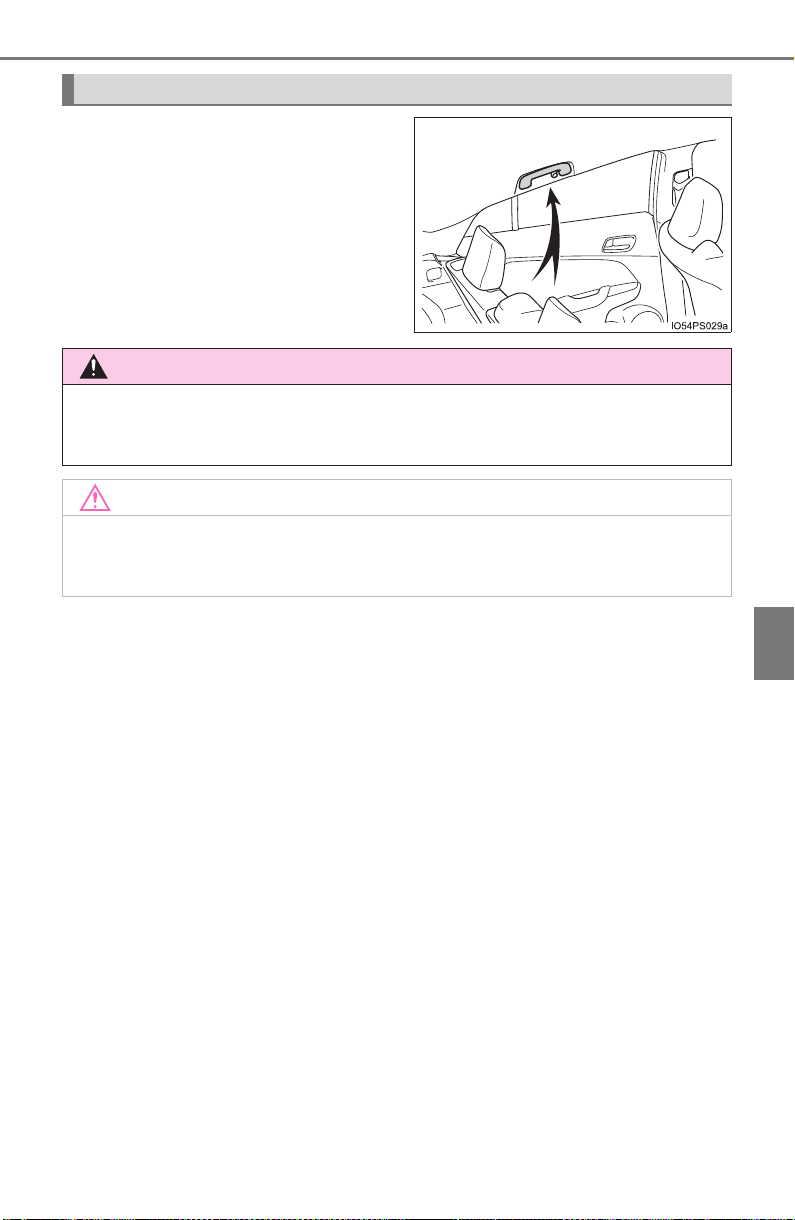
PRIUS_OM_OM47A29U_(U)
553
6-4. Using the other interior features
6
Interior features
An assist grip installed on the ceil-
ing can be used to support your
body while sitting on the seat.
Assist grips
WARNING
Do not use the assist grip when getting in or out of the vehicle or rising from
your seat.
NOTICE
To prevent damage to the assist grip, do not hang any heavy object or put a
heavy load on the assist grip.
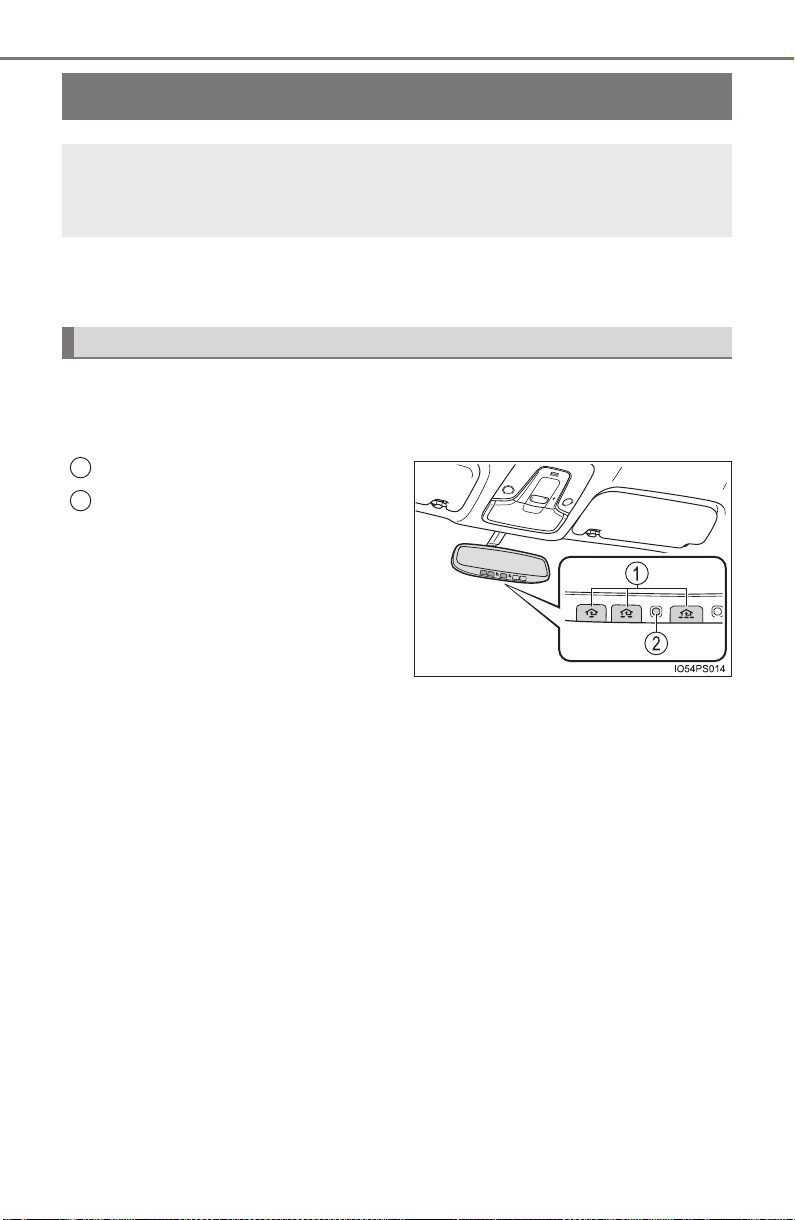
554
PRIUS_OM_OM47A29U_(U)
6-4. Using the other interior features
Garage door opener
∗
The garage door opener (HomeLink
®
Universal Transceiver) is manu-
factured under license from HomeLink
®
.
The HomeLink
®
compatible transceiver in your vehicle has 3 buttons
which can be programmed to operate 3 different devices. Refer to the
programming method below appropriate for the device.
Buttons
Indicator light
∗: If equipped
The garage door opener can be programmed to operate garage
doors, gates, entry doors, door locks, home lighting systems,
security systems, and other devices.
Programming the HomeLink
®
(for U.S.A. owners)
1
2
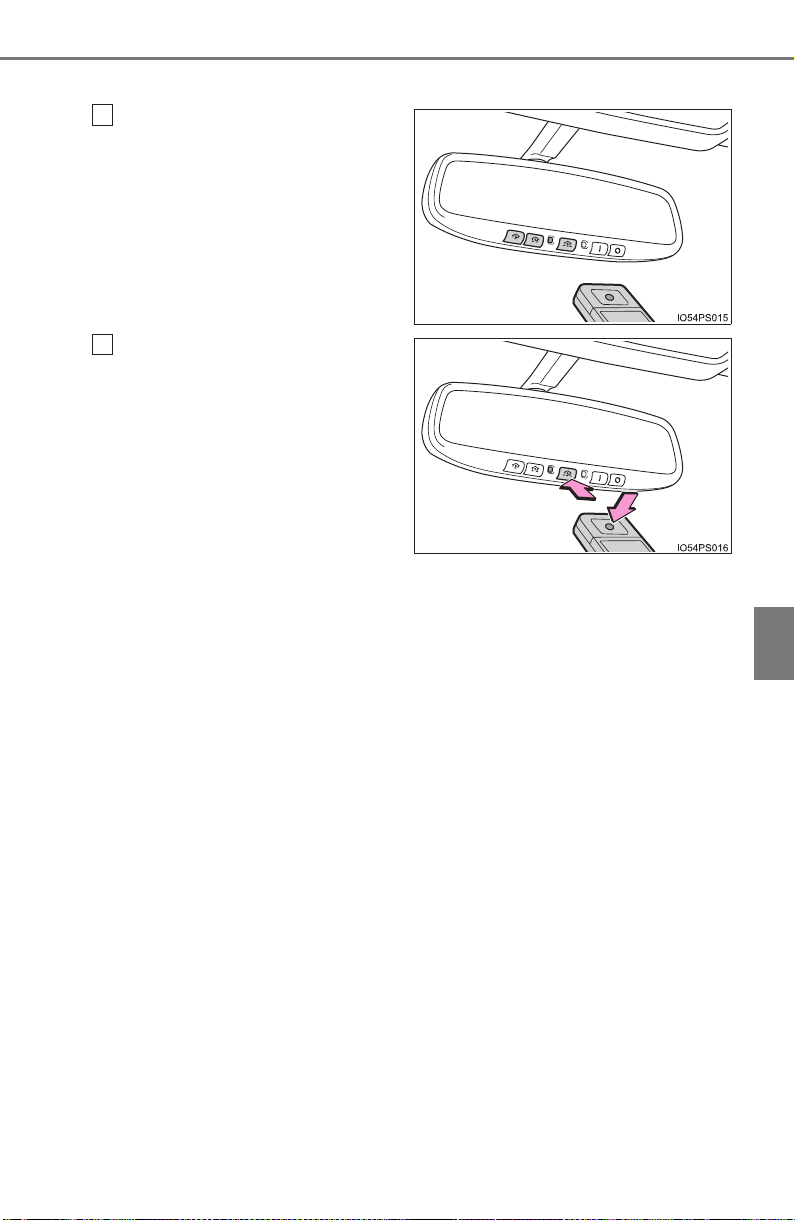
PRIUS_OM_OM47A29U_(U)
555
6-4. Using the other interior features
6
Interior features
■ Programming HomeLink
®
Point the remote control
transmitter for the device 1 to
3 in. (25 to 75 mm) from the
HomeLink
®
buttons.
Keep the HomeLink
®
indicator
light in view while programming.
Press and hold one of the
HomeLink
®
buttons and the
transmitter button. When the
HomeLink
®
indicator light
changes from a slow to a
rapid flash, you can release
both buttons.
If the HomeLink
®
indicator light
comes on but does not flash, or
flashes rapidly for 2 seconds
and remains lit, the HomeLink
®
button is already programmed.
Use the other buttons or follow
the “Reprogramming a
HomeLink
®
button” instructions.
(→P. 559)
1
2
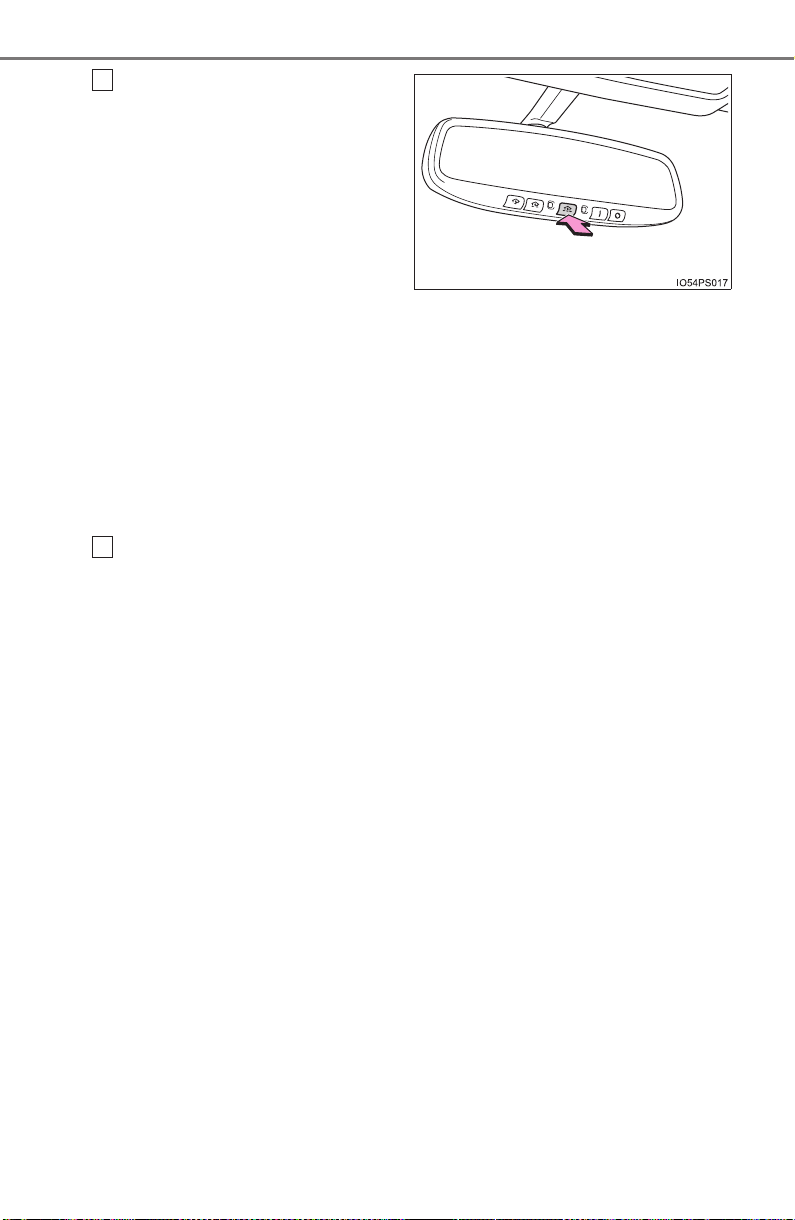
556
PRIUS_OM_OM47A29U_(U)
6-4. Using the other interior features
Test the HomeLink
®
opera-
tion by pressing the newly
programmed button.
If a HomeLink
®
button has been
programmed for a garage door,
check to see if the garage door
opens and closes. If the garage
door does not operate, see if
your garage transmitter is of the
rolling code type. Press and
hold the programmed
HomeLink
®
button. The remote
control transmitter is of the roll-
ing code type if the HomeLink
®
indicator light flashes rapidly for
2 seconds and then remains lit.
If your transmitter is the rolling
code type, proceed to the head-
ing “Programming a rolling code
system”.
Repeat the steps above to program another device for any of the
remaining HomeLink
®
buttons.
3
4

PRIUS_OM_OM47A29U_(U)
557
6-4. Using the other interior features
6
Interior features
■ Programming a rolling code system (for U.S.A. owners)
If your device is rolling code equipped, follow the steps under the
heading “Programming HomeLink
®
” before proceeding with the
steps listed below.
Locate the training button on the ceiling mounted garage door
opener motor. The exact location and color of the button may
vary by brand of garage door opener motor.
Refer to the operation manual supplied with the garage door opener for
the location of the training button.
Press the training button.
Following this step, you have 30 seconds in which to initiate step 3
below.
Press and hold the vehicle’s programmed HomeLink
®
button for
2 seconds and release it. Repeat this step once again. The
garage door may open.
If the garage door opens, the programming process is complete. If the
door does not open, press and hold the button a third time, and release
after 2 seconds. This third press and release will complete the program-
ming process by opening the garage door.
The ceiling mounted garage door opener motor should now recognize
the HomeLink
®
signal and operate the garage door.
Repeat the steps above to program another rolling code system
for any of the remaining HomeLink
®
buttons.
1
2
3
4

558
PRIUS_OM_OM47A29U_(U)
6-4. Using the other interior features
■ Programming an entry gate (for U.S.A. owners)/Programming a
devices in the Canadian market
Place the remote control transmitter 1 to 3 in. (25 to 75 mm)
away from the HomeLink
®
buttons.
Keep the HomeLink
®
indicator light in view while programming.
Press and hold the selected HomeLink
®
button.
Repeatedly press and release (cycle) the remote control trans-
mitter for 2 seconds each until step 4 is completed.
When the HomeLink
®
indicator light starts to flash rapidly,
release the buttons.
Test the HomeLink
®
operation by pressing the newly pro-
grammed button. Check to see if the gate/device operates cor-
rectly.
Repeat the steps above to program another device for any of the
remaining HomeLink
®
buttons.
■ Programming other devices
To program other devices such as home security systems, home
door locks and lighting, contact your Toyota dealer for assistance.
■ Reprogramming a button
The individual HomeLink
®
buttons cannot be erased but can be
reprogrammed. To reprogram a button, follow the “Reprogramming
a HomeLink
®
button” instructions.
Press the appropriate HomeLink
®
button. The HomeLink
®
indicator
light should come on.
The HomeLink
®
compatible transceiver in your vehicle continues to send a
signal for up to 20 seconds as long as the button is pressed.
Operating HomeLink
®
1
2
3
4
5
6
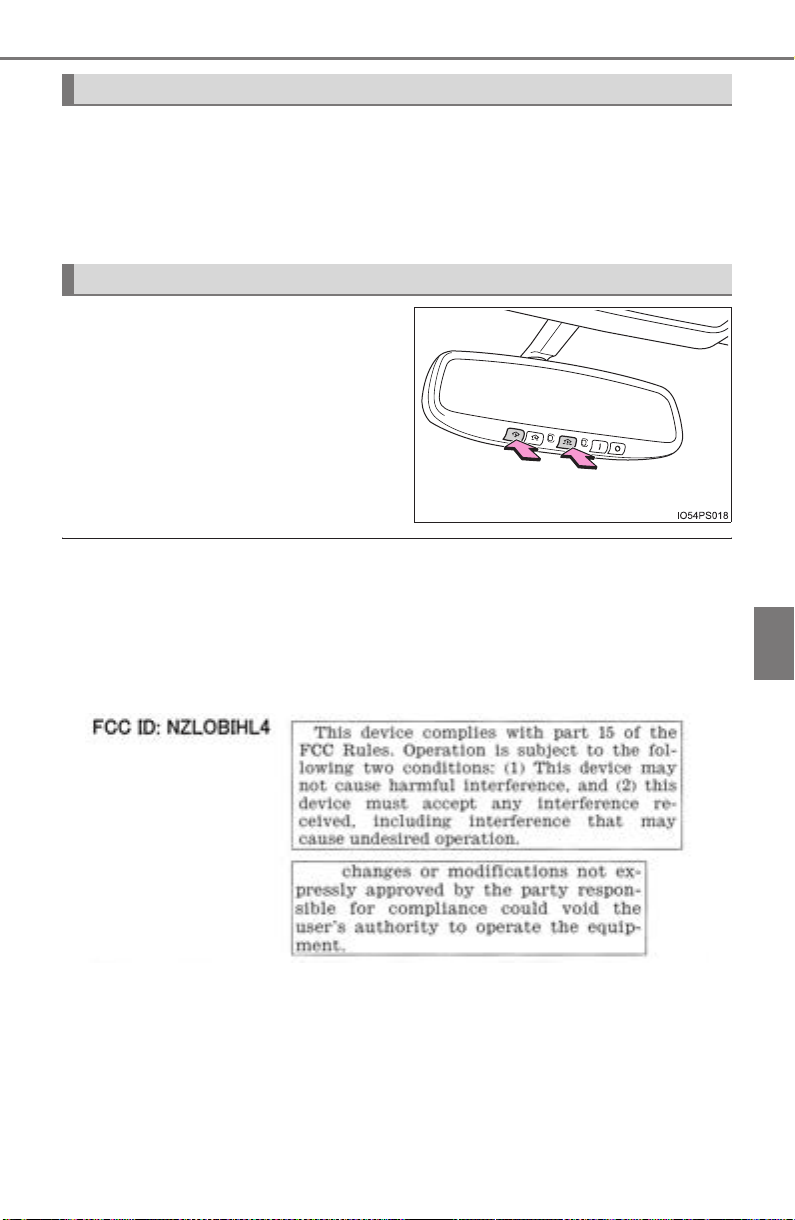
PRIUS_OM_OM47A29U_(U)
559
6-4. Using the other interior features
6
Interior features
Press and hold the desired HomeLink
®
button. After 20 seconds, the
HomeLink
®
indicator light will start flashing slowly. Keep pressing the
HomeLink
®
button and press and hold the transmitter button until the
HomeLink
®
indicator light changes from a slow to a rapid flash.
Release the buttons.
Press and hold the 2 outside but-
tons for 10 seconds until the indi-
cator light flashes.
If you sell your vehicle, be sure to
erase the programs stored in the
HomeLink
®
memory.
■ Before programming
● Install a new battery in the remote control transmitter.
● The battery side of the remote control transmitter must be pointed away
from the HomeLink
®
button.
■ Certification for the garage door opener
X For vehicles sold in the U.S.A.
Reprogramming a HomeLink
®
button
Erasing the entire HomeLink
®
memory (all three programs)
560
PRIUS_OM_OM47A29U_(U)
6-4. Using the other interior features
X For vehicles sold in Canada
■ When support is necessary
Visit on the web at www.homelink.com
or call 1-800-355-3515.
WARNING
■ When programming a garage door or other remote control device
The garage door or other device may operate, so ensure people and
objects are out of danger to prevent potential harm.
■ Conforming to federal safety standards
Do not use the HomeLink
®
compatible transceiver with any garage door
opener or device that lacks safety stop and reverse features as required by
federal safety standards.
This includes any garage door that cannot detect an interfering object. A
door or device without these features increases the risk of death or serious
injury.
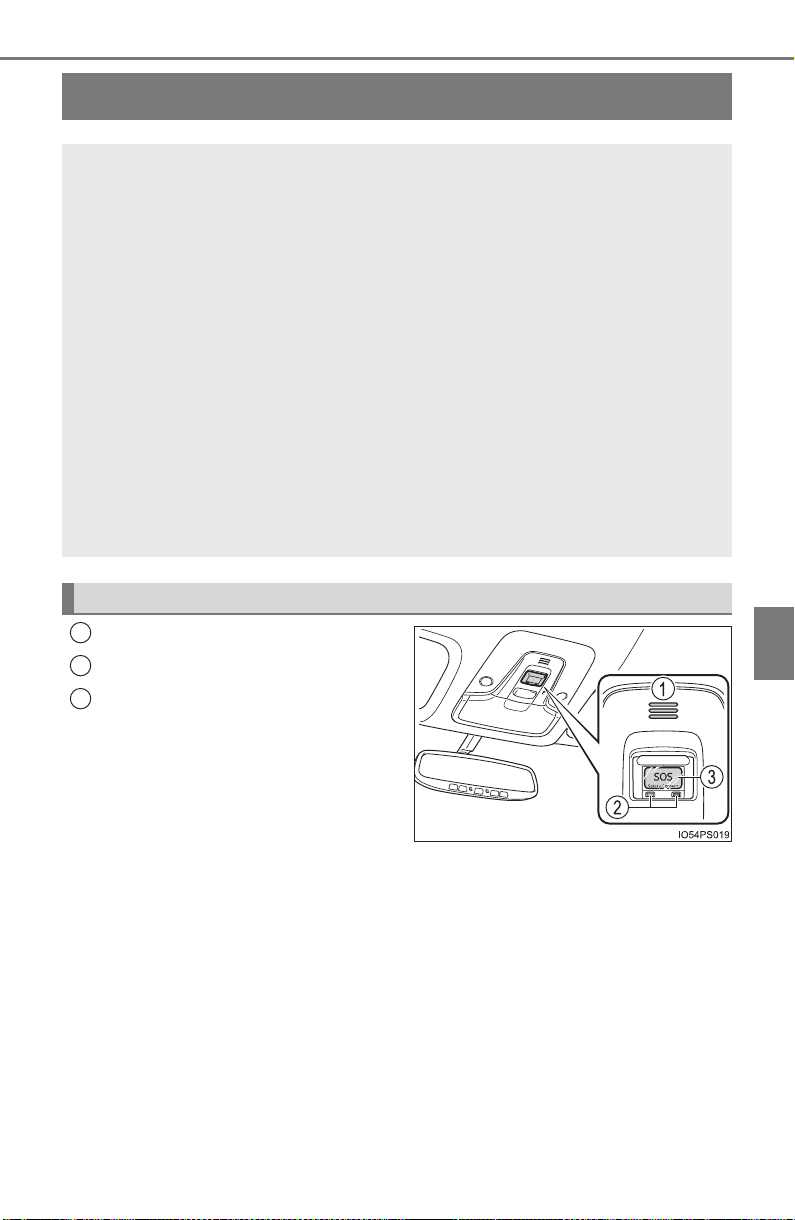
561
PRIUS_OM_OM47A29U_(U)
6-4. Using the other interior features
6
Interior features
Safety Connect
∗
Microphone
LED light indicators
“SOS” button
∗: If equipped
Safety Connect is a subscription-based telematics service that
uses Global Positioning System (GPS) data and embedded cel-
lular technology to provide safety and security features to sub-
scribers. Safety Connect is supported by Toyota’s designated
response center, which operates 24 hours per day, 7 days per
week.
Safety Connect service is available by subscription on select,
telematics hardware-equipped vehicles.
By using the Safety Connect service, you are agreeing to be
bound by the Telematics Subscription Service Agreement and
its Terms and Conditions, as in effect and amended from time to
time, a current copy of which is available at Toyota.com. All use
of the Safety Connect service is subject to such then-applicable
Terms and Conditions.
System components
1
2
3

562
PRIUS_OM_OM47A29U_(U)
6-4. Using the other interior features
Subscribers have the following Safety Connect services available:
● Automatic Collision Notification
*
Helps drivers receive necessary response from emergency service
providers. (→P. 564)
*: U.S. Patent No. 7,508,298 B2
● Stolen Vehicle Location
Helps drivers in the event of vehicle theft. (→P. 564)
● Emergency Assistance Button (SOS)
Connects drivers to response-center support. (→P. 564)
● Enhanced Roadside Assistance
Provides drivers various on-road assistance. (→P. 565)
After you have signed the Telematics Subscription Service Agreement
and are enrolled, you can begin receiving services.
A variety of subscription terms is available for purchase. Contact your
Toyota dealer, call 1-800-25-TOYOTA (1-800-255-3987) or push the
“SOS” button in your vehicle for further subscription details.
Services
Subscription

PRIUS_OM_OM47A29U_(U)
563
6-4. Using the other interior features
6
Interior features
■ Safety Connect Services Information
● Phone calls using the vehicles Bluetooth
®
technology will not be possible
during Safety Connect.
● Safety Connect is available beginning Fall 2009 on select Toyota models.
Contact with the Safety Connect response center is dependent upon the
telematics device being in operative condition, cellular connection availabil-
ity, and GPS satellite signal reception, which can limit the ability to reach the
response center or receive emergency service support. Enrollment and
Telematics Subscription Service Agreement required. A variety of subscrip-
tion terms is available; charges vary by subscription term selected.
● Automatic Collision Notification, Emergency Assistance, Stolen Vehicle
Location, and Enhanced Roadside Assistance will function in the United
States, including Hawaii and Alaska, and in Canada. No Safety Connect
services will function outside of the United States in countries other than
Canada.
● Safety Connect services are not subject to section 255 of the Telecommuni-
cations Act and the device is not TTY compatible.
■ Languages
The Safety Connect response center will offer support in multiple languages.
The Safety Connect system will offer voice prompts in English and Spanish.
Please indicate your language of choice when enrolling.
■ When contacting the response center
You may be unable to contact the response center if the network is busy.
When the power switch is turned to ON mode, the red indicator light
comes on for 2 seconds then turns off. Afterward, the green indicator
light comes on, indicating that the service is active.
The following indicator light patterns indicate specific system usage
conditions:
● Green indicator light on = Active service
● Green indicator light flashing = Safety Connect call in process
● Red indicator light (except at vehicle start-up) = System malfunction
(contact your Toyota dealer)
● No indicator light (off) = Safety Connect service not active
Safety Connect LED light Indicators

564
PRIUS_OM_OM47A29U_(U)
6-4. Using the other interior features
■ Automatic Collision Notification
In case of either airbag deployment or severe rear-end collision, the
system is designed to automatically call the response center. The
responding agent receives the vehicle’s location and attempts to
speak with the vehicle occupants to assess the level of emergency.
If the occupants are unable to communicate, the agent automati-
cally treats the call as an emergency, contacts the nearest emer-
gency services provider to describe the situation, and requests that
assistance be sent to the location.
■ Stolen Vehicle Location
If your vehicle is stolen, Safety Connect can work with local author-
ities to assist them in locating and recovering the vehicle.
After filing a police report, call the Safety Connect response center
at 1-800-25-TOYOTA (1-800-255-3987) and follow the prompts for
Safety Connect to initiate this service.
In addition to assisting law enforcement with recovery of a stolen
vehicle, Safety-Connect-equipped vehicle location data may, under
certain circumstances, be shared with third parties to locate your
vehicle. Further information is available at Toyota.com.
■ Emergency Assistance Button (“SOS”)
In the event of an emergency on the road, push the “SOS” button to
reach the Safety Connect response center. The answering agent
will determine your vehicle’s location, assess the emergency, and
dispatch the necessary assistance required.
If you accidentally press the “SOS” button, tell the response-center
agent that you are not experiencing an emergency.
Safety Connect services

PRIUS_OM_OM47A29U_(U)
565
6-4. Using the other interior features
6
Interior features
■ Enhanced Roadside Assistance
Enhanced Roadside Assistance adds GPS data to the already
included warranty-based Toyota roadside service.
Subscribers can press the “SOS” button to reach a Safety Connect
response-center agent, who can help with a wide range of needs,
such as: towing, flat tire, fuel delivery, etc. For a description of the
Roadside Assistance services and their limitations, please see the
Safety Connect Terms and Conditions, which are available at
Toyota.com.
Important! Read this information before using Safety Connect.
■ Exposure to radio frequency signals
The Safety Connect system installed in your vehicle is a low-power
radio transmitter and receiver. It receives and also sends out radio
frequency (RF) signals.
In August 1996, the Federal Communications Commission (FCC)
adopted RF exposure guidelines with safety levels for mobile wire-
less phones. Those guidelines are consistent with the safety stan-
dards previously set by the following U.S. and international
standards bodies.
● ANSI (American National Standards Institute) C95.1 [1992]
● NCRP (National Council on Radiation Protection and Measure-
ment) Report 86 [1986]
● ICNIRP (International Commission on Non-Ionizing Radiation
Protection) [1996]
Those standards were based on comprehensive and periodic eval-
uations of the relevant scientific literature. Over 120 scientists, engi-
neers, and physicians from universities, and government health
agencies and industries reviewed the available body of research to
develop the ANSI Standard (C95.1).
The design of Safety Connect complies with the FCC guidelines in
addition to those standards.
Safety information for Safety Connect

566
PRIUS_OM_OM47A29U_(U)
6-4. Using the other interior features
■ Certification for the Safety Connect
FCC ID: O6Y-CDMRF101
FCC ID: XOECDMRF101B
FCC ID: N7NGTM2
FCC WARNING:
This equipment complies with FCC radiation exposure limits set forth for an
uncontrolled environment and meets the FCC radio frequency (RF) Exposure
Guidelines in Supplement C to OET65. This equipment should be installed
and operated keeping the radiator at least 20cm or more away from person’s
body (excluding extremities: hands, wrists, feet and ankles).

567
PRIUS_OM_OM47A29U_(U)
7
Maintenance and care
7-1. Maintenance and care
Cleaning and protecting
the vehicle exterior.......... 568
Cleaning and protecting
the vehicle interior........... 574
7-2. Maintenance
Maintenance
requirements................... 578
General maintenance........ 581
Emission inspection and
maintenance (I/M)
programs......................... 584
7-3. Do-it-yourself maintenance
Do-it-yourself service
precautions ..................... 585
Hood ................................. 588
Positioning a floor jack ...... 590
Engine compartment......... 591
Tires .................................. 605
Tire inflation pressure ....... 615
Wheels.............................. 618
Air conditioning filter.......... 621
Wiper rubber
replacement .................... 624
Electronic key battery........ 628
Checking and replacing
fuses ............................... 631
Headlight aim .................... 634
Light bulbs......................... 636

568
PRIUS_OM_OM47A29U_(U)
7-1. Maintenance and care
Cleaning and protecting the vehicle exterior
● Working from top to bottom, liberally apply water to the vehicle
body, wheel wells and underside of the vehicle to remove any dirt
and dust.
● Wash the vehicle body using a sponge or soft cloth, such as a
chamois.
● For hard-to-remove marks, use car wash soap and rinse thoroughly
with water.
● Wipe away any water.
● Wax the vehicle when the waterproof coating deteriorates.
If water does not bead on a clean surface, apply wax when the vehicle
body is cool.
■ Automatic car washes
● Fold the mirrors before washing the vehicle. Start washing from the front of
the vehicle. Make sure to extend the mirrors before driving.
● Brushes used in automatic car washes may scratch the vehicle surface and
harm your vehicle’s paint.
● Rear spoiler may not be washable in some automatic car washes. There
may also be an increased risk of damage to vehicle.
■ High pressure car washes
● Do not allow the nozzles of the car wash to come within close proximity of
the windows.
● Before using the car wash, check that the fuel filler door on your vehicle is
closed properly.
Perform the following to protect the vehicle and maintain it in
prime condition:

PRIUS_OM_OM47A29U_(U)
569
7-1. Maintenance and care
7
Maintenance and care
■ Note for a smart key system
If the door handle becomes wet while the electronic key is within the effective
range, the door may lock and unlock repeatedly. In that case, follow the fol-
lowing correction procedures to wash the vehicle:
● Place the key in a position 6 ft. (2 m) or more separate from the vehicle
while the vehicle is being washed. (Take care to ensure that the key is not
stolen.)
● Set the electronic key to battery-saving mode to disable the smart key sys-
tem. (→P. 178)
■ Aluminum wheels
● Remove any dirt immediately by using a neutral detergent. Do not use hard
brushes or abrasive cleaners. Do not use strong or harsh chemical clean-
ers.
Use the same mild detergent and wax as used on the paint.
● Do not use detergent on the wheels when they are hot, for example after
driving for long distance in the hot weather.
● Wash detergent from the wheels immediately after use.
■ Bumpers
Do not scrub with abrasive cleaners.
■ Front side windows water-repellent coating (if equipped)
● The following precautions can extend the effectiveness of the water-repel-
lent coating.
• Remove any dirt, etc. from the front side windows regularly.
• Do not allow dirt and dust to accumulate on the windows for a long
period.
Clean the windows with a soft, damp cloth as soon as possible.
• Do not use wax or glass cleaners that contain abrasives when cleaning
the windows.
• Do not use any metallic objects to remove condensation build up.
● When the water-repellent performance has become insufficient, the coating
can be repaired. Contact your Toyota dealer.
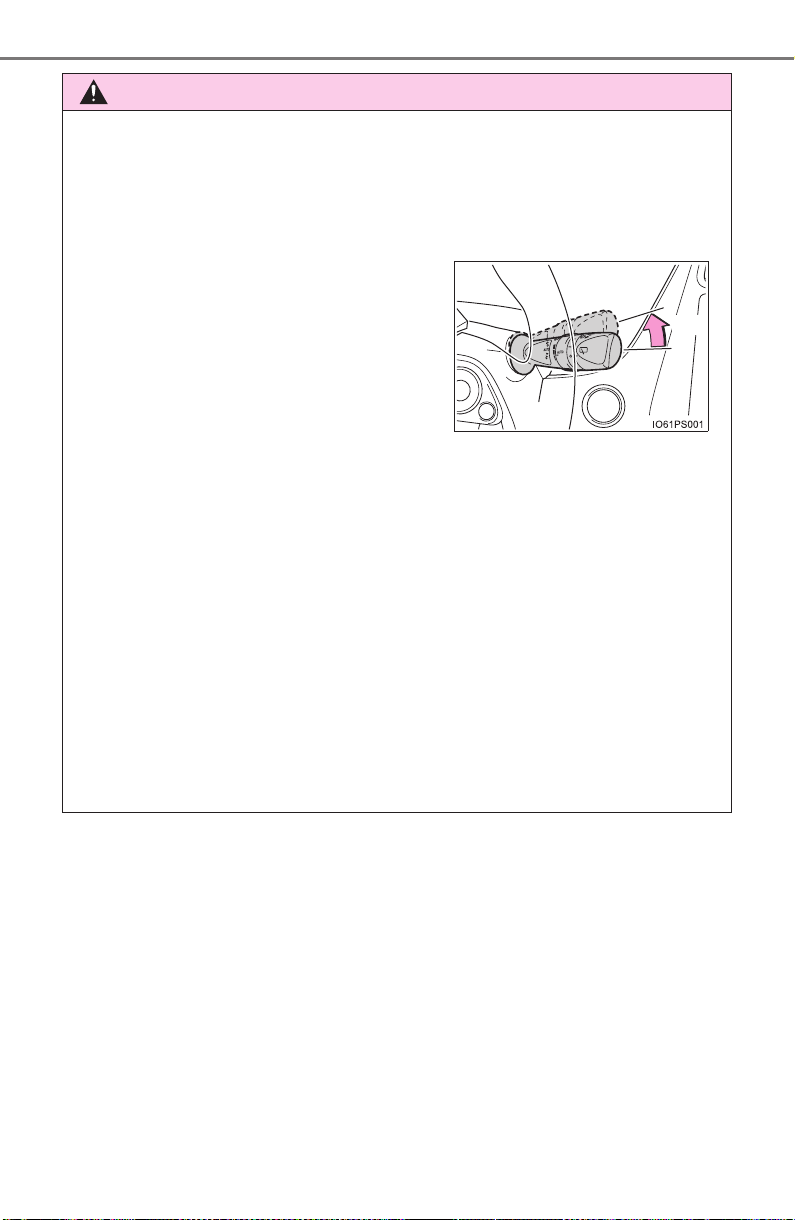
570
PRIUS_OM_OM47A29U_(U)
7-1. Maintenance and care
WARNING
■ When washing the vehicle
Do not apply water to the inside of the engine compartment. Doing so may
cause the electrical components etc. to catch fire.
■ When cleaning the windshield (vehicles with rain-sensing windshield
wipers)
● When a wet rag or similar is held close to the raindrop sensor
● If something bumps against the windshield
● If you directly touch the raindrop sensor body or if something bumps into
the raindrop sensor
■ Precautions regarding the exhaust pipe
Exhaust gasses cause the exhaust pipe to become quite hot.
When washing the vehicle, be careful not to touch the pipe until it has
cooled sufficiently, as touching a hot exhaust pipe can cause burns.
■ Precaution regarding the rear bumper with Blind Spot Monitor (if
equipped)
If the paint of the rear bumper is chipped or scratched, the system may mal-
function. If this occurs, consult your Toyota dealer.
Set the wiper switch to off.
If the wiper switch is in “AUTO”, the wip-
ers may operate unexpectedly in the fol-
lowing situations, and may result in
hands being caught or other serious inju-
ries and cause damage to the wiper
blades.
● When the upper part of the windshield
where the raindrop sensor is located is
touched by hand
Off

PRIUS_OM_OM47A29U_(U)
571
7-1. Maintenance and care
7
Maintenance and care
NOTICE
■ To prevent paint deterioration and corrosion on the body and compo-
nents (aluminum wheels etc.)
● Wash the vehicle immediately in the following cases:
• After driving near the sea coast
• After driving on salted roads
• If coal tar or tree sap is present on the paint surface
• If dead insects, insect droppings or bird droppings are present on the
paint surface
• After driving in an area contaminated with soot, oily smoke, mine dust,
iron powder or chemical substances
• If the vehicle becomes heavily soiled with dust or mud
• If liquids such as benzene and gasoline are spilled on the paint surface
● If the paint is chipped or scratched, have it repaired immediately.
● To prevent the wheels from corroding, remove any dirt and store in a place
with low humidity when storing the wheels.
■ To prevent damage to the windshield wiper arms
When lifting the wiper arms away from the windshield pull the driver side
wiper arm upward first, and repeat for the passenger’s side. When returning
the wipers to their original position, do so from the passenger’s side first.
■ Cleaning the exterior lights
● Wash carefully. Do not use organic substances or scrub with a hard brush.
This may damage the surfaces of the lights.
● Do not apply wax to the surfaces of the lights.
Wax may cause damage to the lenses.
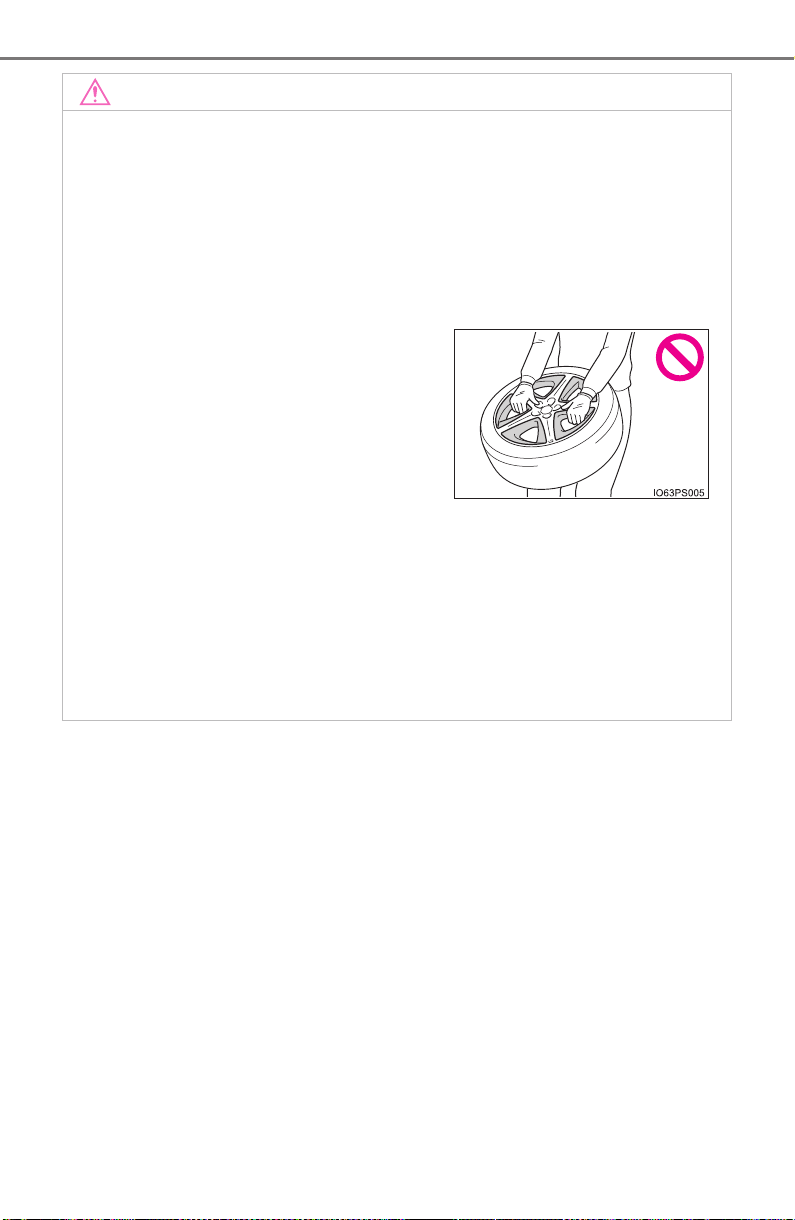
572
PRIUS_OM_OM47A29U_(U)
7-1. Maintenance and care
NOTICE
■ Handling the decorative resin parts (for vehicles equipped with 17-
inch tires)
● Make sure to observe the following when handling wheels equipped
with decorative resin parts. Failure to observe these precautions may
result in damage to the decorative resin parts or wheels.
• Do not remove the decorative resin parts
When decorative resin parts removal is necessary, contact your Toyota
dealer.
●
If there is rattling in the decorative resin parts, or strange sounds from
the wheel area when driving, have your wheels inspected at your
Toyota dealer.
■ When using an automatic car wash (vehicles with rain-sensing wind-
shield wipers)
Set the wiper switch to the off position.
If the wiper switch is in “AUTO” the wipers may operate and the wiper
blades may be damaged.
• Do not hold the tire by the decora-
tive resin parts.
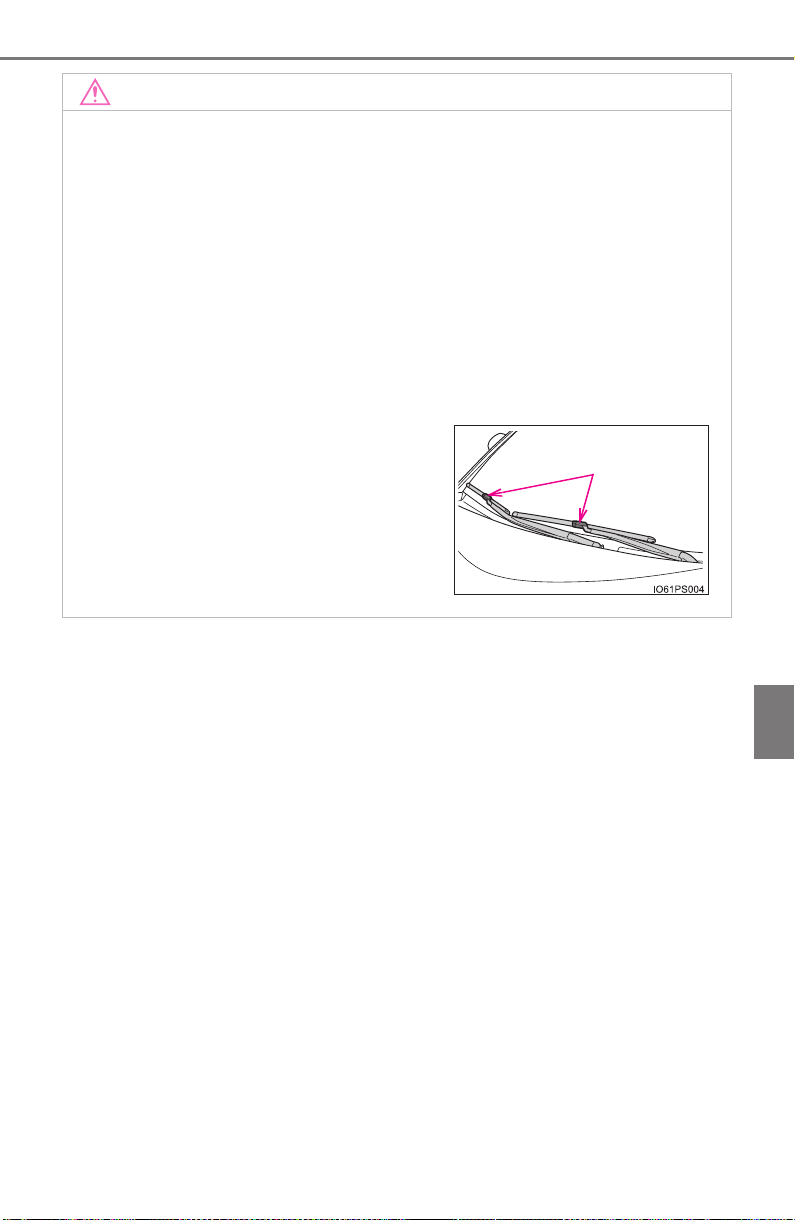
PRIUS_OM_OM47A29U_(U)
573
7-1. Maintenance and care
7
Maintenance and care
NOTICE
■ When using a high pressure car wash
● When washing the vehicle, do not let water of the high pressure washer hit
directly or the vicinity of the camera. Due to the shock from the high pres-
sure water, it is possible the device may not operate as normal.
● Do not bring the nozzle tip close to boots (rubber or resin manufactured
cover), connectors or the following parts. The parts may be damaged if
they come into contact with high-pressure water.
• Traction related parts
• Steering parts
• Suspension parts
•Brake parts
■ When raising the windshield wiper arms
Make sure to hold the hook parts of the
wiper arms to raise them.
Do not hold only the wiper blades when
raising them, or it may cause deformation
of the wiper blades.
Hook parts

574
PRIUS_OM_OM47A29U_(U)
7-1. Maintenance and care
Cleaning and protecting the vehicle interior
Remove dirt and dust using a vacuum cleaner. Wipe dirty surfaces
with a cloth dampened with lukewarm water.
For surfaces that are still dirty, use a diluted water solution of approxi-
mately 1% neutral detergent. Afterward, firmly wring out any excess water
from a cloth dampened with water, and then wipe off all remaining traces of
detergent.
● Remove dirt and dust using a vacuum cleaner.
● Wipe off any excess dirt and dust with a soft cloth dampened with
diluted detergent.
Use a diluted water solution of approximately 5% neutral wool detergent.
● Wring out any excess water from the cloth and thoroughly wipe off
all remaining traces of detergent.
● Wipe the surface with a dry, soft cloth to remove any remaining
moisture. Allow the leather to dry in a shaded and ventilated area.
● Remove loose dirt using a vacuum cleaner.
● Apply a mild soap solution to the synthetic leather using a sponge
or soft cloth.
● Allow the solution to soak in for a few minutes. Remove the dirt and
wipe off the solution with a clean, damp cloth.
The following procedures will help protect your vehicle’s interior
and keep it in top condition:
Protecting the vehicle interior
Cleaning the leather areas
Cleaning the synthetic leather areas

PRIUS_OM_OM47A29U_(U)
575
7-1. Maintenance and care
7
Maintenance and care
■ Caring for leather areas
Toyota recommends cleaning the interior of the vehicle at least twice a year to
maintain the quality of the vehicle’s interior.
■ Shampooing the carpets
There are several commercial foaming-type cleaners available. Use a sponge
or brush to apply the foam. Rub in overlapping circles. Do not use water.
Wipe dirty surfaces and let them dry. Excellent results are obtained by keep-
ing the carpet as dry as possible.
■ Seat belts
Clean with mild soap and lukewarm water using a cloth or sponge. Also
check the belts periodically for excessive wear, fraying or cuts.
WARNING
■ Water in the vehicle
● Do not splash or spill liquid in the vehicle, such as on the floor, in the
hybrid battery (traction battery) air intake vent, and in the luggage com-
partment.
Doing so may cause the hybrid battery (traction battery), electrical compo-
nents, etc. to malfunction or catch fire.
● Do not get any of the SRS components or wiring in the vehicle interior wet.
(→P. 38)
An electrical malfunction may cause the airbags to deploy or not function
properly, resulting in death or serious injury.
● Vehicles with wireless charger:
Do not let the wireless charger (→P. 544) get wet. Failure to do so may
cause the charger to become hot and cause burns or could cause electric
shock resulting in death or serious injury.
■ Cleaning the interior (especially instrument panel)
Do not use polish wax or polish cleaner. The instrument panel may reflect
off the windshield, obstructing the driver’s view and leading to an accident,
resulting in death or serious injury.

576
PRIUS_OM_OM47A29U_(U)
7-1. Maintenance and care
NOTICE
■ Cleaning detergents
● Do not use the following types of detergent, as they may discolor the vehi-
cle interior or cause streaks or damage to painted surfaces:
• Non-seat portions: Organic substances such as benzene or gasoline,
alkaline or acidic solutions, dye, and bleach
• Seats: Alkaline or acidic solutions, such as thinner, benzene, and alco-
hol
● Do not use polish wax or polish cleaner. The instrument panel’s or other
interior part’s painted surface may be damaged.
■ Preventing damage to leather surfaces
Observe the following precautions to avoid damage to and deterioration of
leather surfaces:
● Remove any dust or dirt from leather surfaces immediately.
● Do not expose the vehicle to direct sunlight for extended periods of time.
Park the vehicle in the shade, especially during summer.
● Do not place items made of vinyl, plastic, or containing wax on the uphol-
stery, as they may stick to the leather surface if the vehicle interior heats
up significantly.
■ Water on the floor
Do not wash the vehicle floor with water.
Vehicle systems such as the audio system may be damaged if water comes
into contact with electrical components such as the audio system above or
under the floor of the vehicle. Water may also cause the body to rust.

PRIUS_OM_OM47A29U_(U)
577
7-1. Maintenance and care
7
Maintenance and care
NOTICE
■ When cleaning the inside of the windshield (vehicles with Toyota
Safety Sense P)
Do not allow glass cleaner to contact the lens. Also, do not touch the lens.
(→P. 269).
■ Cleaning the inside of the rear window
● Do not use glass cleaner to clean the rear window, as this may cause
damage to the rear window defogger heater wires. Use a cloth dampened
with lukewarm water to gently wipe the window clean. Wipe the window in
strokes running parallel to the heater wires.
● Be careful not to scratch or damage the heater wires.

578
PRIUS_OM_OM47A29U_(U)
7-2. Maintenance
Maintenance requirements
General maintenance should be performed on a daily basis. This can
be done by yourself or by a Toyota dealer.
Scheduled maintenance should be performed at specified intervals
according to the maintenance schedule.
For details about maintenance items and schedules, refer to the “Sched-
uled Maintenance Guide” or “Owner’s Manual Supplement”.
You can perform some maintenance procedures by yourself.
Please be aware that do-it-yourself maintenance may affect warranty
coverage.
The use of Toyota repair manuals is recommended.
For details about warranty coverage, refer to the separate “Owner’s War-
ranty Information Booklet” or “Owner’s Manual Supplement”.
To ensure safe and economical driving, day-to-day care and reg-
ular maintenance are essential. It is the owner’s responsibility to
perform regular checks. Toyota recommends the following main-
tenance:
General maintenance
Scheduled maintenance
Do-it-yourself maintenance
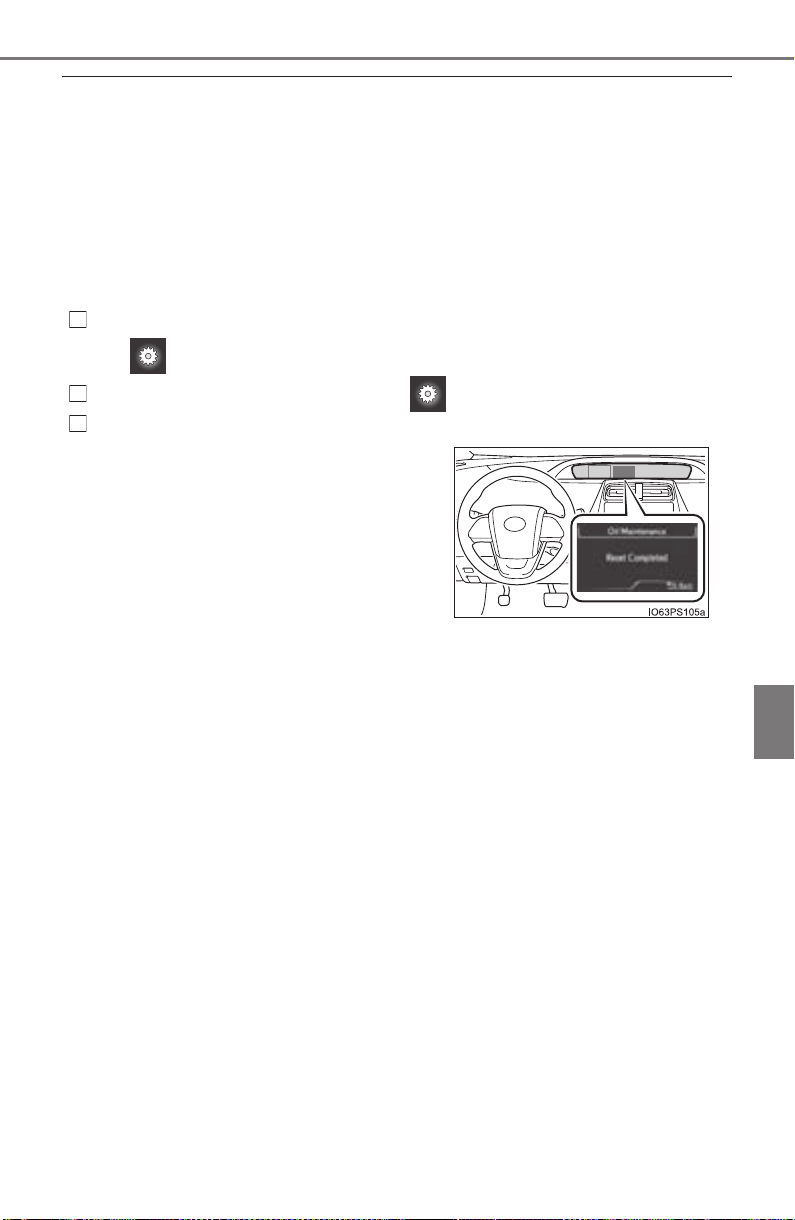
PRIUS_OM_OM47A29U_(U)
579
7-2. Maintenance
7
Maintenance and care
■ Repair and replacement
It is recommended that genuine Toyota parts be used for repairs to ensure
performance of each system. If non-Toyota parts are used in replacement or if
a repair shop other than a Toyota dealer performs repairs, confirm the war-
ranty coverage.
■ Resetting the message indicating maintenance is required (U.S.A. only)
After the required maintenance is preformed according to the maintenance
schedule, please reset the message.
To reset the message, follow the procedures described below:
While the hybrid system is operating, switch the multi-information display to
the screen. (→P. 139)
Select “Maintenance System” on the screen.
Select “Yes” on the “Oil Maintenance” screen.
■ Allow inspection and repairs to be performed by a Toyota dealer
● Toyota technicians are well-trained specialists and are kept up to date with
the latest service information. They are well informed about the operation of
all systems on your vehicle.
● Keep a copy of the repair order. It proves that the maintenance that has
been performed is under warranty coverage. If any problem should arise
while your vehicle is under warranty, your Toyota dealer will promptly take
care of it.
A message will be displayed when the
reset procedure has been completed.
1
2
3

580
PRIUS_OM_OM47A29U_(U)
7-2. Maintenance
WARNING
■ If your vehicle is not properly maintained
Improper maintenance could result in serious damage to the vehicle and
possible serious injury or death.
■ Handling of the 12-volt battery
● Engine exhaust, some of its constituents, and a wide variety of automobile
components contain or emit chemicals known to the State of California to
cause cancer and birth defects and other reproductive harm. Work in a
well ventilated area.
● Oils, fuels and fluids contained in vehicles as well as waste produced by
component wear contain or emit chemicals known to the State of Califor-
nia to cause cancer and birth defects or other reproductive harm. Avoid
exposure and wash any affected area immediately.
● 12-volt battery posts, terminals and related accessories contain lead and
lead compounds which are known to cause brain damage. Wash your
hands after handling. (→P. 598)
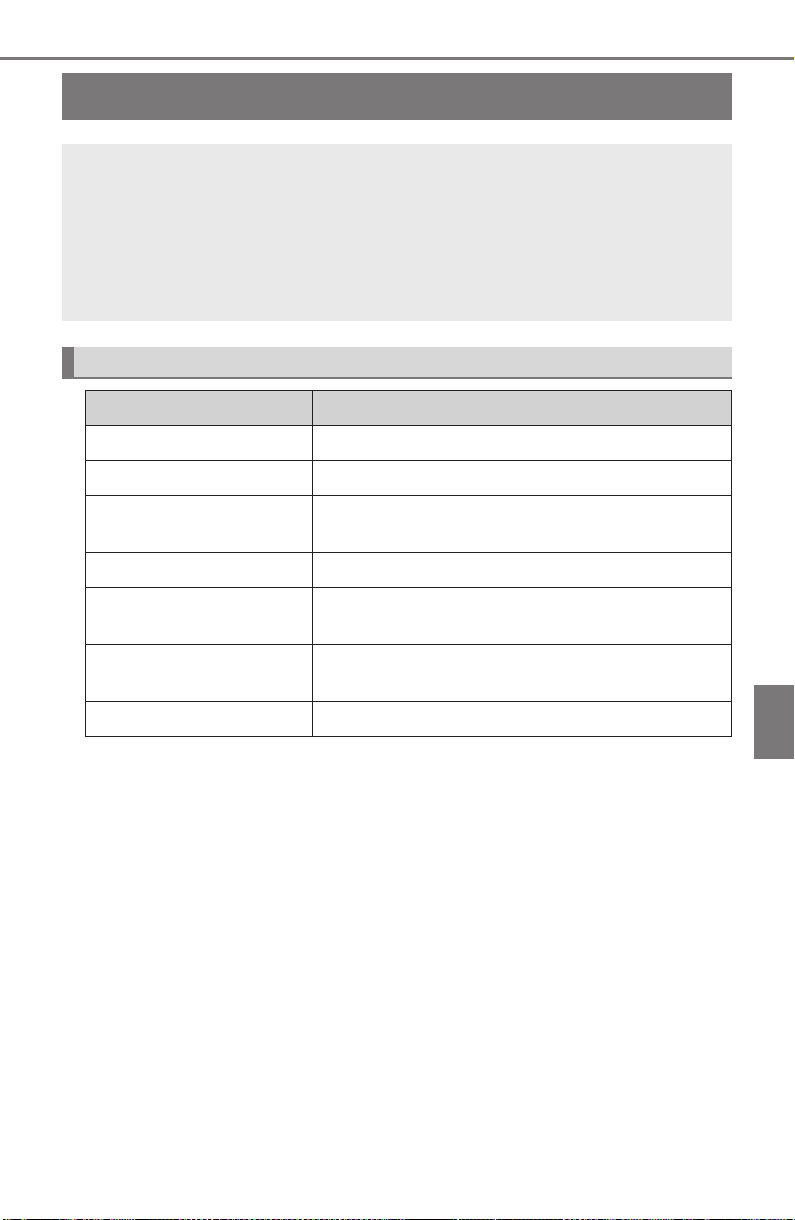
581
PRIUS_OM_OM47A29U_(U)
7-2. Maintenance
7
Maintenance and care
General maintenance
Listed below are the general maintenance items that should be
performed at the intervals specified in the “Owner’s Warranty
Information Booklet” or “Owner’s Manual Supplement/Sched-
uled Maintenance Guide”. It is recommended that any problem
you notice should be brought to the attention of your Toyota
dealer or qualified service shop for advice.
Engine compartment
Items Check points
12-volt battery Check the connections. (→P. 598)
Brake fluid Is the brake fluid at the correct level? (→P. 601)
Engine/power control
unit coolant
Is the engine/power control unit coolant at the
correct level? (→P. 595)
Engine oil Is the engine oil at the correct level? (→P. 592)
Exhaust system
There should not be any fumes or strange
sounds.
Radiator/condenser
The radiator and condenser should be free from
foreign objects. (→P. 597)
Washer fluid Is there sufficient washer fluid? (→P. 603)

582
PRIUS_OM_OM47A29U_(U)
7-2. Maintenance
Vehicle interior
Items Check points
Accelerator pedal
• The accelerator pedal should move smoothly
(without uneven pedal effort or catching).
Hybrid transmission
“Park” mechanism
• When parked on a slope and the shift position
is in P, is the vehicle securely stopped?
Brake pedal
• Does the brake pedal move smoothly?
• Does the brake pedal have appropriate clear-
ance from the floor? (→P. 733)
• Does the brake pedal have the correct
amount of free play? (→P. 733)
Brakes
• The vehicle should not pull to one side when
the brakes are applied.
• The brakes should work effectively.
• The brake pedal should not feel spongy.
• The brake pedal should not get too close to
the floor when the brakes are applied.
Head restraints
• Do the head restraints move smoothly and
lock securely?
Indicators/buzzers
• Do the indicators and buzzers function prop-
erly?
Lights • Do all the lights come on?
Parking brake
• Does the parking brake pedal move
smoothly?
• When parked on a slope and the parking
brake is on, is the vehicle securely stopped?
Seat belts
• Do the seat belts operate smoothly?
• The seat belts should not be damaged.
Seats • Do the seat controls operate properly?
Steering wheel
• Does the steering wheel rotate smoothly?
• Does the steering wheel have the correct
amount of free play?
• There should not be any strange sounds com-
ing from the steering wheel.
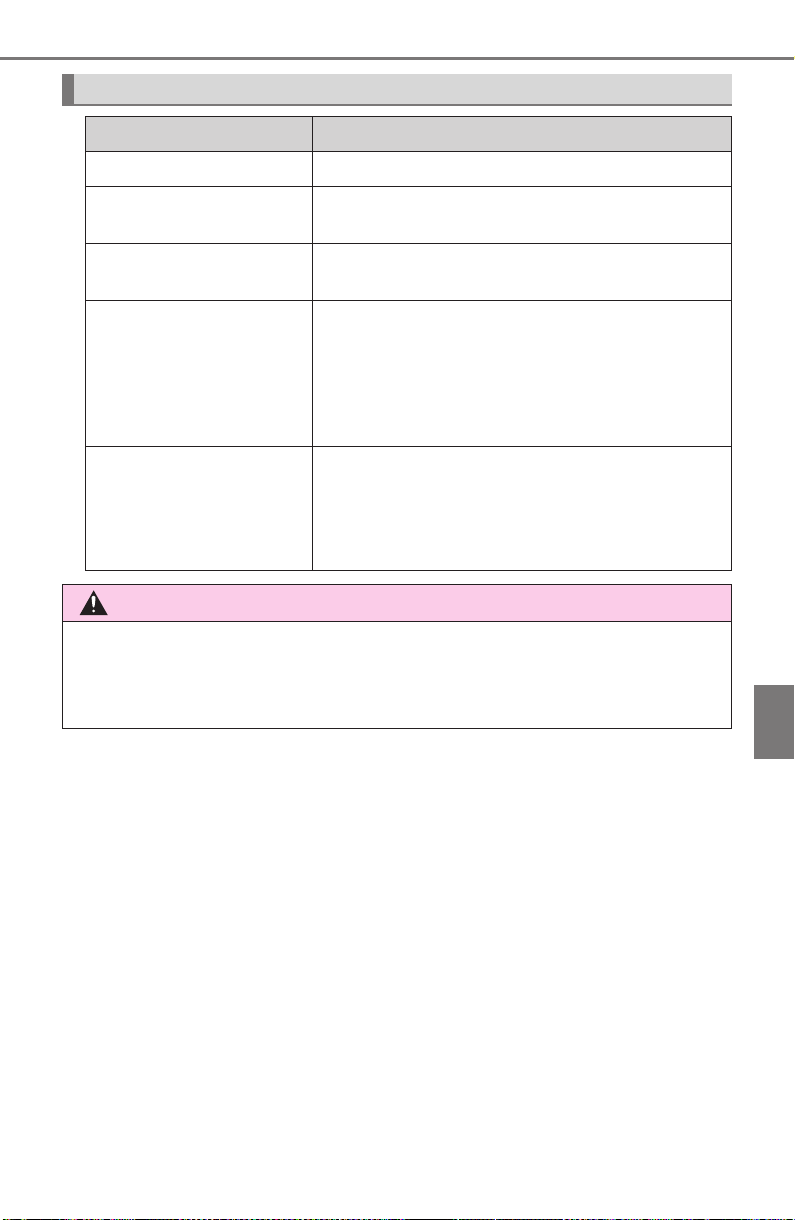
PRIUS_OM_OM47A29U_(U)
583
7-2. Maintenance
7
Maintenance and care
Vehicle exterior
Items Check points
Doors • Do the doors operate smoothly?
Engine hood
• Does the engine hood lock system work prop-
erly?
Fluid leaks
• There should not be any signs of fluid leakage
after the vehicle has been parked.
Tires
• Is the tire inflation pressure correct?
• The tires should not be damaged or exces-
sively worn.
• Have the tires been rotated according to the
maintenance schedule?
• The wheel nuts should not be loose.
Windshield wipers/
rear window wiper
• The wiper blades should not show any signs
of cracking, splitting, wear, contamination or
deformation.
• The wiper blades should clear the windshield/
rear window without streaking or skipping.
WARNING
■ If the hybrid system is operating
Turn the hybrid system off and ensure that there is adequate ventilation
before performing maintenance checks.

584
PRIUS_OM_OM47A29U_(U)
7-2. Maintenance
Emission inspection and maintenance (I/M)
programs
The OBD system determines that a problem exists somewhere in the
emission control system. Your vehicle may not pass the I/M test and
may need to be repaired. Contact your Toyota dealer to service the
vehicle.
● When the 12-volt battery is disconnected or discharged
Readiness codes that are set during ordinary driving are erased.
Also, depending on your driving habits, the readiness codes may
not be completely set.
● When the fuel tank cap is loose
The malfunction indicator lamp comes on indicating a temporary
malfunction and your vehicle may not pass the I/M test.
The error code in the OBD system will not be cleared unless the vehi-
cle is driven 40 or more times.
Contact your Toyota dealer to prepare the vehicle for re-testing.
Some states have vehicle emission inspection programs which
include OBD (On Board Diagnostics) checks. The OBD system
monitors the operation of the emission control system.
If the malfunction indicator lamp comes on
Your vehicle may not pass the I/M test in the following situations:
When the malfunction indicator lamp still remains on after sev-
eral driving trips
If your vehicle does not pass the I/M test

585
PRIUS_OM_OM47A29U_(U)
7-3. Do-it-yourself maintenance
7
Maintenance and care
Do-it-yourself service precautions
If you perform maintenance by yourself, be sure to follow the
correct procedure as given in these sections.
Items Parts and tools
12-volt battery
condition
(→P. 598)
• Grease
• Conventional wrench (for terminal clamp bolts)
Brake fluid level
(→P. 601)
• FMVSS No.116 DOT 3 or SAE J1703 brake fluid
• Rag or paper towel
• Funnel (used only for adding brake fluid)
Engine/power
control unit cool-
ant level
(→P. 595)
• “Toyota Super Long Life Coolant” or a similar high
quality ethylene glycol-based non-silicate, non-
amine, non-nitrite and non-borate coolant with long-
life hybrid organic acid technology
For the U.S.A.:
“Toyota Super Long Life Coolant” is pre-mixed with
50% coolant and 50% deionized water.
For Canada:
“Toyota Super Long Life Coolant” is pre-mixed with
55% coolant and 45% deionized water.
• Funnel (used only for adding coolant)
Engine oil level
(→P. 592)
• “Toyota Genuine Motor Oil” or equivalent
• Rag or paper towel
• Funnel (used only for adding engine oil)
Fuses (→P. 631) • Fuse with same amperage rating as original
Light bulbs
(→P. 636)
• Bulb with same number and wattage rating as origi-
nal
• Phillips-head screwdriver
• Flathead screwdriver • Wrench
Radiator and con-
denser (→P. 597)

586
PRIUS_OM_OM47A29U_(U)
7-3. Do-it-yourself maintenance
Tire inflation
pressure
(→P. 615)
• Tire pressure gauge
• Compressed air source
Washer fluid
(→P. 603)
• Water or washer fluid containing antifreeze (for win-
ter use)
• Funnel (used only for adding water or washer fluid)
WARNING
The engine compartment contains many mechanisms and fluids that may
move suddenly, become hot, or become electrically energized. To avoid death
or serious injury, observe the following precautions.
■ When working on the engine compartment
● Make sure that the indicator on the power switch and the “READY” indica-
tor are both off.
● Keep hands, clothing and tools away from the moving fan.
● Be careful not to touch the engine, power control unit, radiator, exhaust
manifold, etc. right after driving as they may be hot. Oil and other fluids
may also be hot.
● Do not leave anything that may burn easily, such as paper and rags, in the
engine compartment.
● Do not smoke, cause sparks or expose an open flame to fuel. Fuel fumes
are flammable.
■ When working near the electric cooling fans or radiator grille
Be sure the power switch is off.
With the power switch in ON mode, the electric cooling fans may automati-
cally start to run if the air conditioning is on and/or the coolant temperature
is high. (→P. 597)
■ Safety glasses
Wear safety glasses to prevent flying or falling material, fluid spray, etc.
from getting in your eyes.
Items Parts and tools

PRIUS_OM_OM47A29U_(U)
587
7-3. Do-it-yourself maintenance
7
Maintenance and care
NOTICE
■ If you remove the air cleaner filter
Driving with the air cleaner filter removed may cause excessive engine wear
due to dirt in the air.
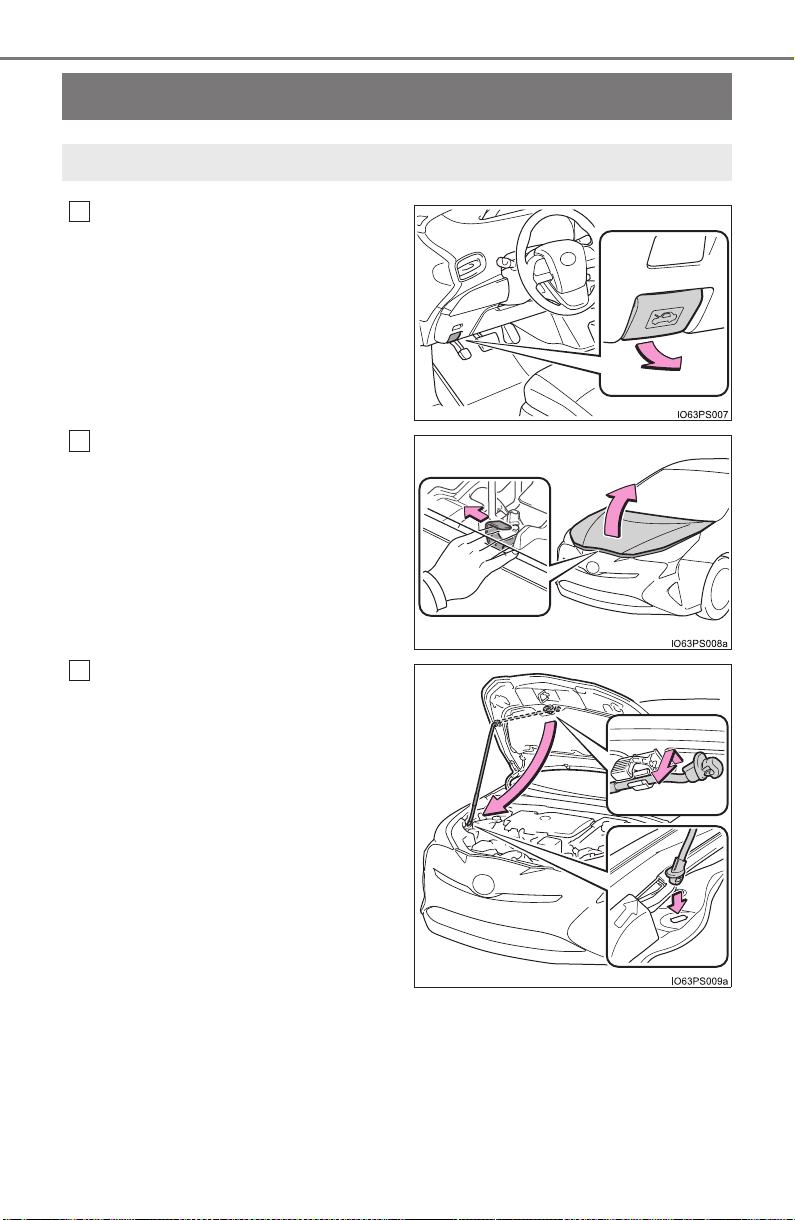
588
PRIUS_OM_OM47A29U_(U)
7-3. Do-it-yourself maintenance
Hood
Pull the hood lock release lever.
The hood will pop up slightly.
Pull the auxiliary catch lever to
the left and lift the hood.
Hold the hood open by inserting
the supporting rod into the slot.
Release the lock from the inside of the vehicle to open the hood.
1
2
3
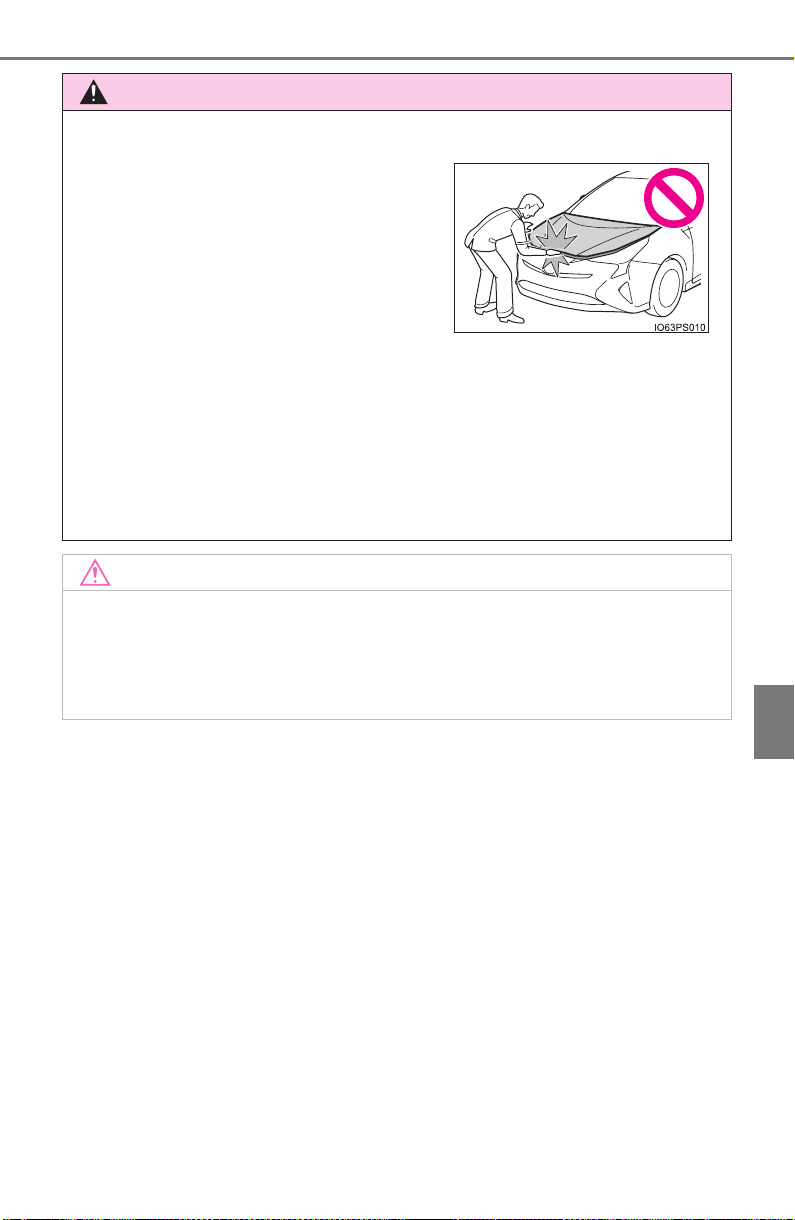
PRIUS_OM_OM47A29U_(U)
589
7-3. Do-it-yourself maintenance
7
Maintenance and care
WARNING
■ When closing the hood
■ Pre-driving check
Check that the hood is fully closed and locked.
If the hood is not locked properly, it may open while the vehicle is in motion
and cause an accident, which may result in death or serious injury.
■ After installing the support rod into the slot
Make sure the rod supports the hood securely from falling down on to your
head or body.
NOTICE
■ When closing the hood
Be sure to return the support rod to its clip before closing the hood. Closing
the hood without returning the support rod properly could cause the hood to
bend.
When closing the hood, take extra care
to prevent your fingers etc. from being
caught.
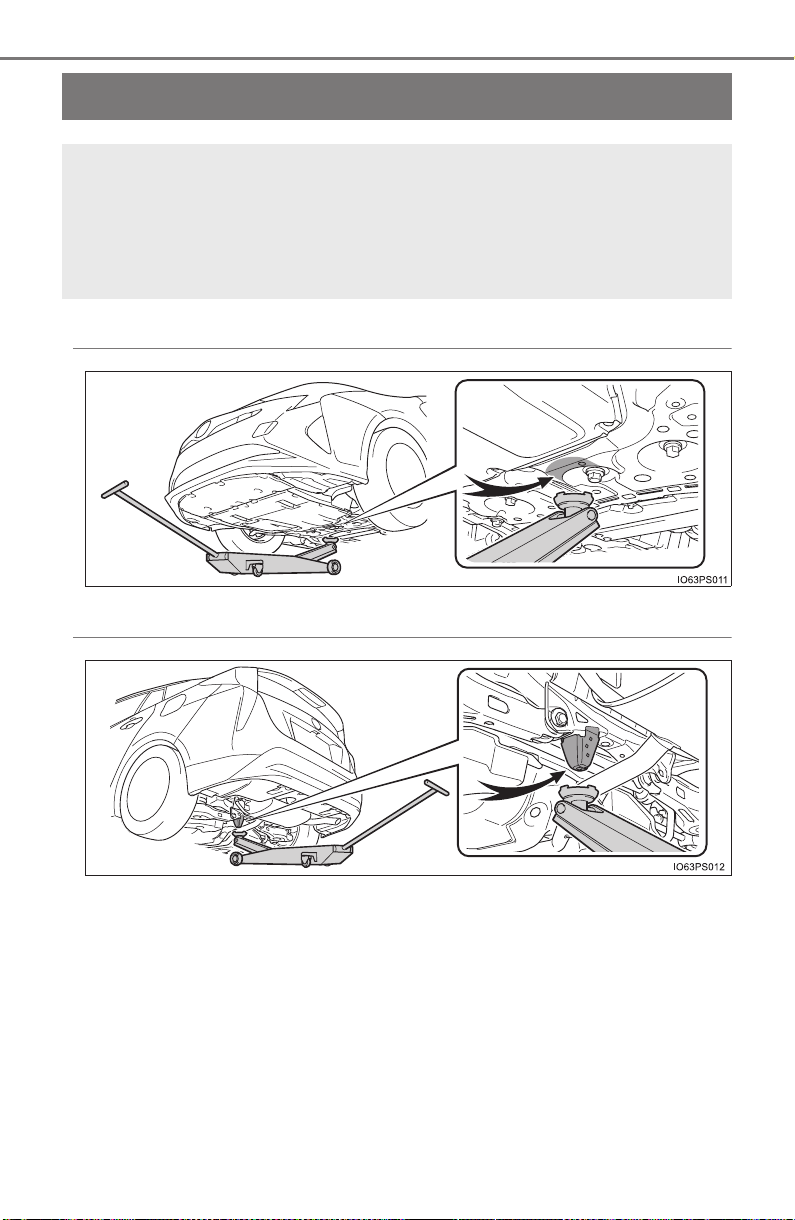
590
PRIUS_OM_OM47A29U_(U)
7-3. Do-it-yourself maintenance
Positioning a floor jack
◆ Front
◆ Rear
When using a floor jack, follow the instructions in the manual
provided with the jack and perform the operation safely.
When raising your vehicle with a floor jack, position the jack cor-
rectly. Improper placement may damage your vehicle or cause
injury.
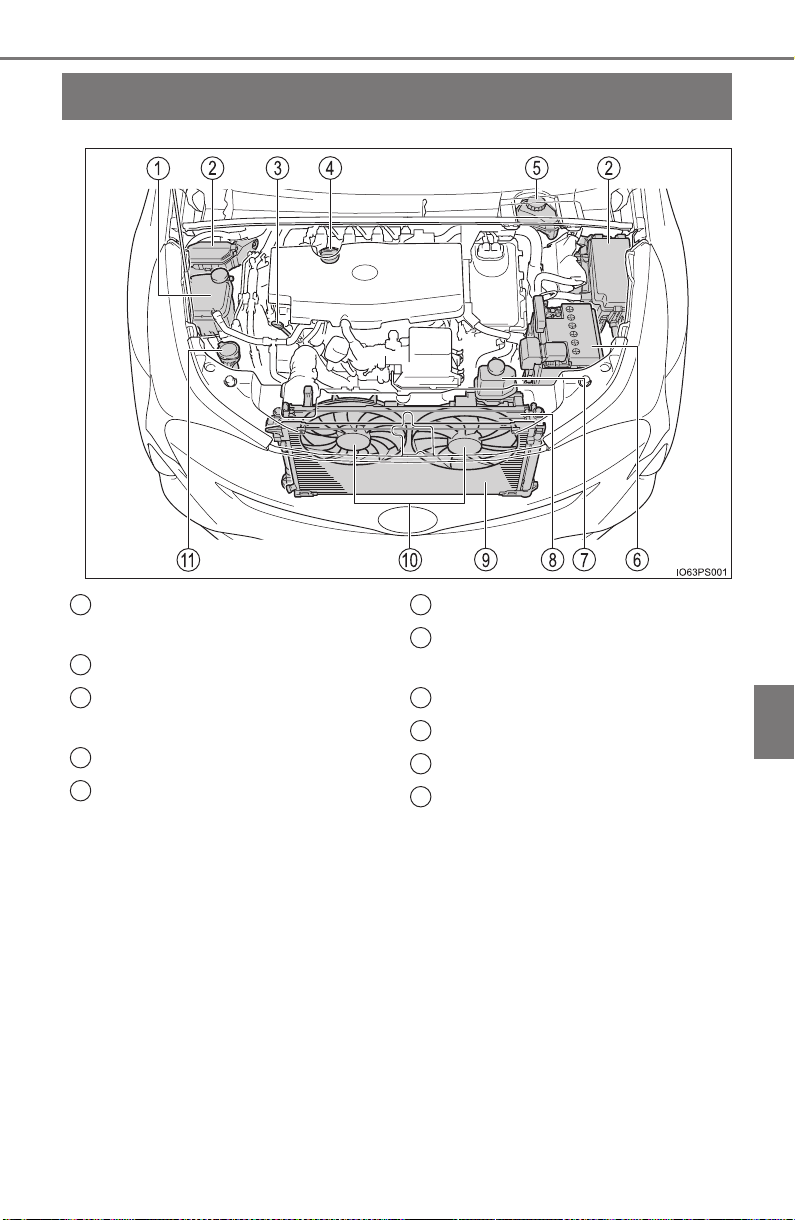
591
PRIUS_OM_OM47A29U_(U)
7-3. Do-it-yourself maintenance
7
Maintenance and care
Engine compartment
Engine coolant reservoir
(→P. 595)
Fuse boxes (→P. 631)
Engine oil level dipstick
(→P. 592)
Engine oil filler cap (→P. 593)
Brake fluid reservoir
(→P. 601)
12-volt battery (→P. 598)
Power control unit coolant
reservoir (→P. 595)
Radiator (→P. 597)
Condenser (→P. 597)
Electric cooling fans
Washer fluid tank (→P. 603)
1
2
3
4
5
6
7
8
9
10
11
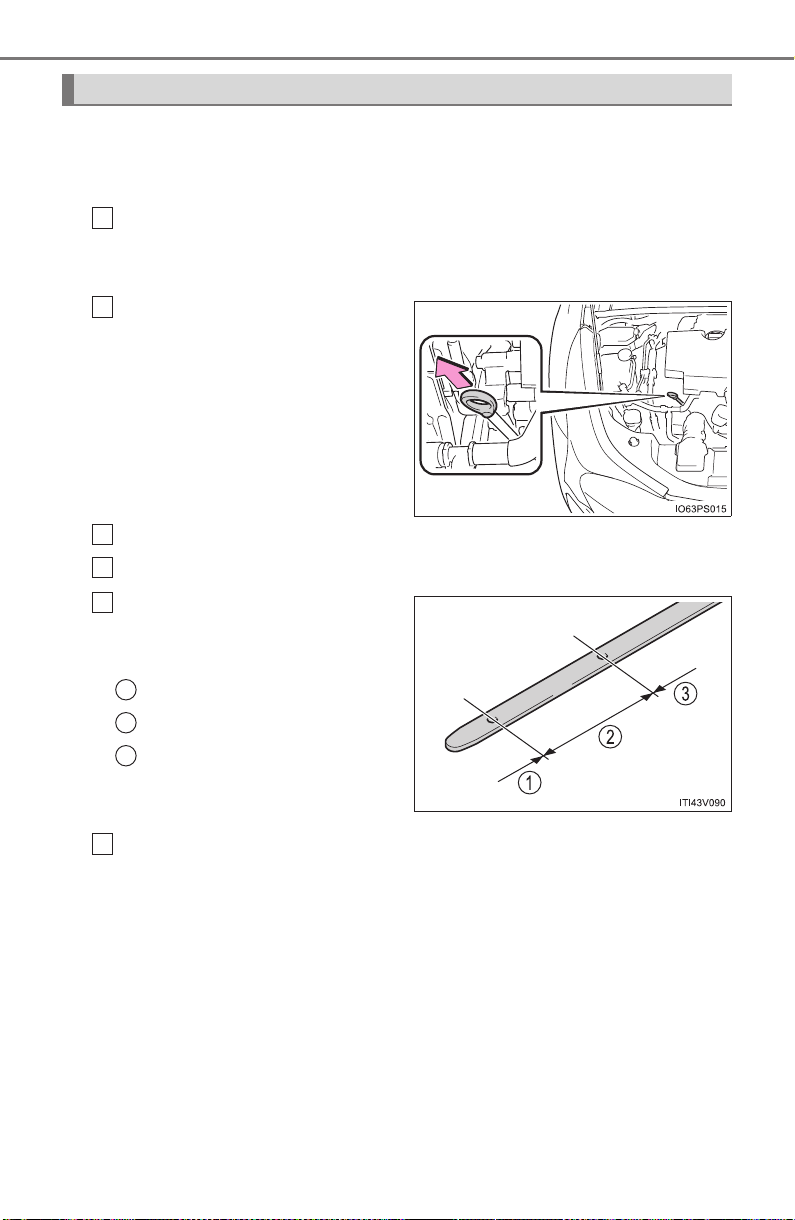
592
PRIUS_OM_OM47A29U_(U)
7-3. Do-it-yourself maintenance
With the engine at operating temperature and turned off, check the oil
level on the dipstick.
■ Checking the engine oil
Park the vehicle on level ground. After warming up the engine
and turning off the hybrid system, wait more than 5 minutes for
the oil to drain back into the bottom of the engine.
Holding a rag under the end,
pull the dipstick out.
Wipe the dipstick clean.
Reinsert the dipstick fully.
Holding a rag under the end,
pull the dipstick out and
check the oil level.
Low
Normal
Excessive
Wipe the dipstick and reinsert it fully.
Engine oil
1
2
3
4
5
1
2
3
6
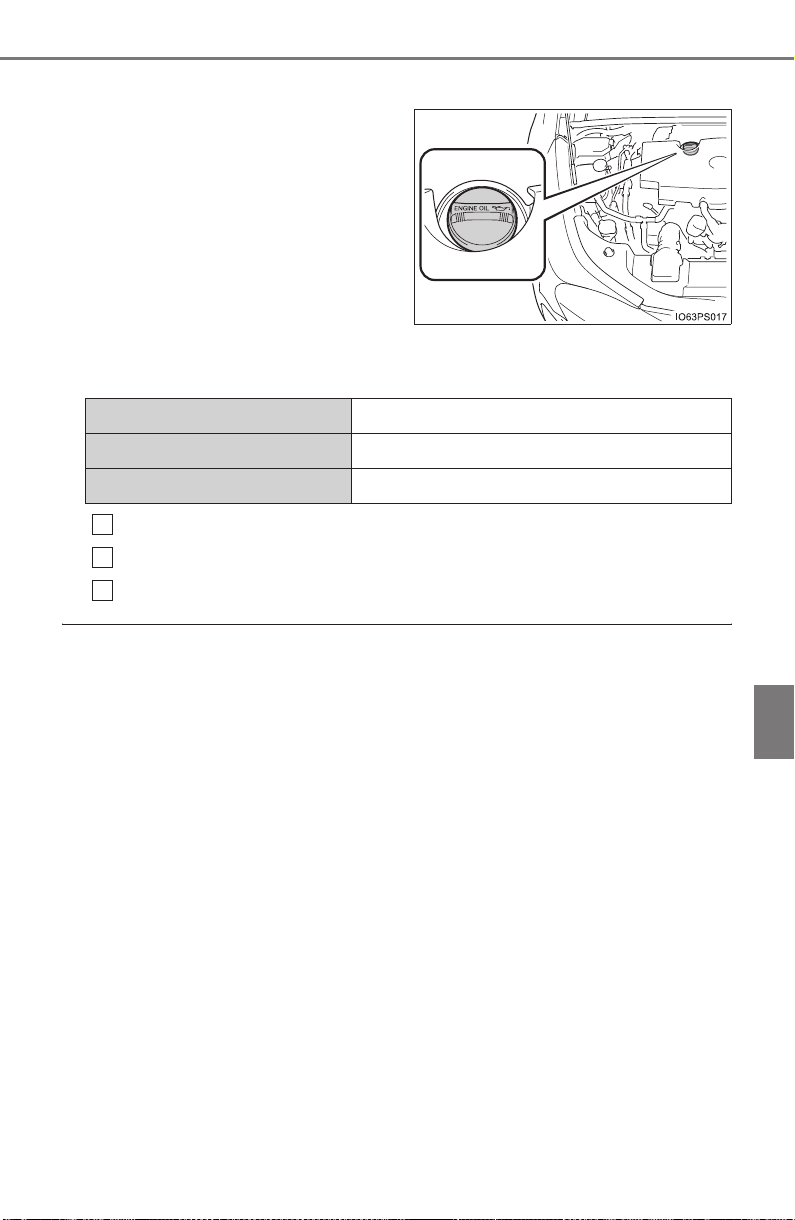
PRIUS_OM_OM47A29U_(U)
593
7-3. Do-it-yourself maintenance
7
Maintenance and care
■ Adding engine oil
If the oil level is below or near
the low level mark, add engine
oil of the same type as that
already in the engine.
Make sure to check the oil type and prepare the items needed
before adding oil.
Remove the oil filler cap by turning it counterclockwise.
Add engine oil slowly, checking the dipstick.
Install the oil filler cap by turning it clockwise.
■ Engine oil consumption
A certain amount of engine oil will be consumed while driving. In the following
situations, oil consumption may increase, and engine oil may need to be
refilled in between oil maintenance intervals.
● When the engine is new, for example directly after purchasing the vehicle or
after replacing the engine
● If low quality oil or oil of an inappropriate viscosity is used
● When driving at high engine speeds or with a heavy load, or when driving
while accelerating or decelerating frequently
● When leaving the engine idling for a long time, or when driving frequently
through heavy traffic
Engine oil selection →P. 730
Oil quantity (Low → Full) 1.6 qt. (1.5 L, 1.3 Imp.qt.)
Items Clean funnel
1
2
3

594
PRIUS_OM_OM47A29U_(U)
7-3. Do-it-yourself maintenance
WARNING
■ Used engine oil
● Used engine oil contains potentially harmful contaminants which may
cause skin disorders such as inflammation and skin cancer, so care
should be taken to avoid prolonged and repeated contact. To remove used
engine oil from your skin, wash thoroughly with soap and water.
● Dispose of used oil and filters only in a safe and acceptable manner. Do
not dispose of used oil and filters in household trash, in sewers or onto the
ground. Call your Toyota dealer, service station or auto parts store for
information concerning recycling or disposal.
● Do not leave used engine oil within the reach of children.
NOTICE
■ To prevent serious engine damage
Check the oil level on a regular basis.
■ When replacing the engine oil
● Be careful not to spill engine oil on the vehicle components.
● Avoid overfilling, or the engine could be damaged.
● Check the oil level on the dipstick every time you refill the vehicle.
● Be sure the engine oil filler cap is properly tightened.
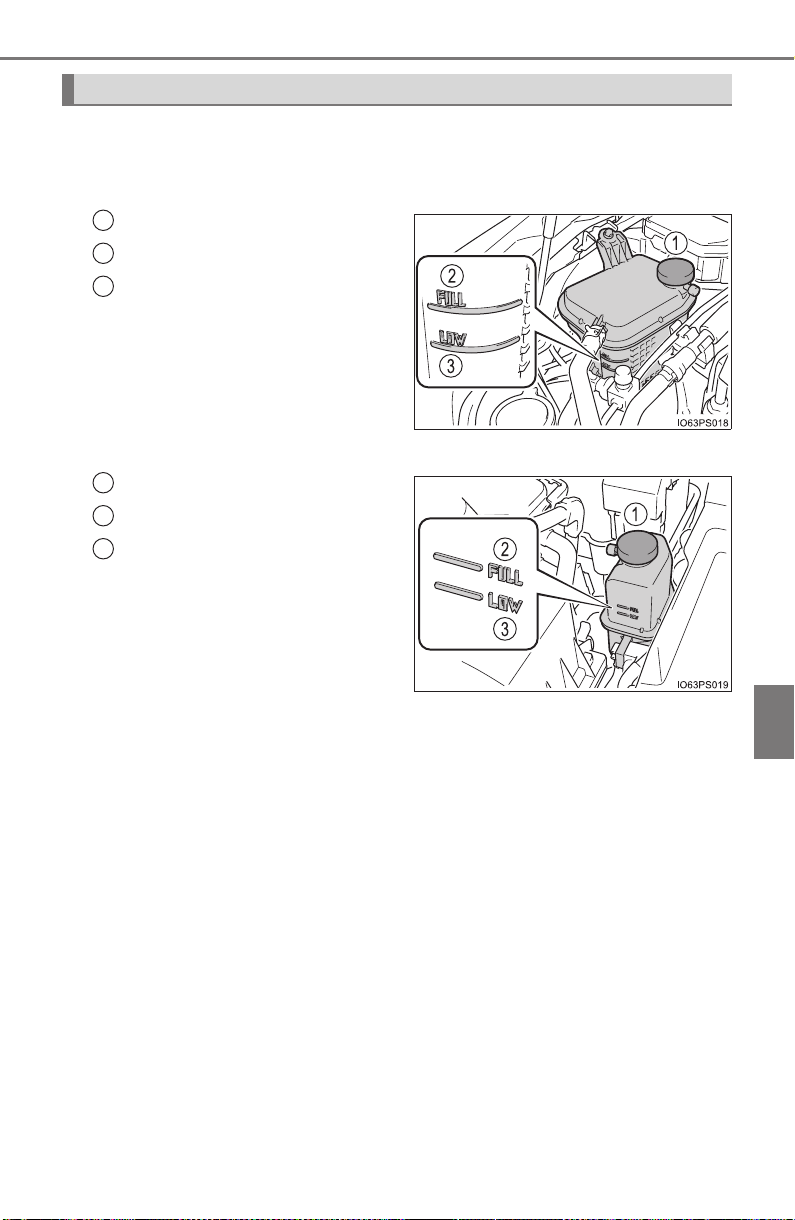
PRIUS_OM_OM47A29U_(U)
595
7-3. Do-it-yourself maintenance
7
Maintenance and care
The coolant level is satisfactory if it is between the “FULL” and “LOW”
lines on the reservoir when the hybrid system is cold.
■ Engine coolant reservoir
Reservoir cap
“FULL” line
“LOW” line
If the level is on or below the
“LOW” line, add coolant up to
the “FULL” line. (→P. 717)
■
Power control unit coolant reservoir
Reservoir cap
“FULL” line
“LOW” line
If the level is on or below the
“LOW” line, add coolant up to
the “FULL” line. (→P. 717)
Coolant
1
2
3
1
2
3
596
PRIUS_OM_OM47A29U_(U)
7-3. Do-it-yourself maintenance
■ Coolant selection
Only use “Toyota Super Long Life Coolant” or a similar high quality ethylene
glycol based non-silicate, non-amine, non-nitrite, and non-borate coolant with
long-life hybrid organic acid technology.
U.S.A.:
“Toyota Super Long Life Coolant” is a mixture of 50% coolant and 50% deion-
ized water. (Minimum temperature: -31°F [-35°C])
Canada:
“Toyota Super Long Life Coolant” is a mixture of 55% coolant and 45% deion-
ized water. (Minimum temperature: -44°F [-42°C])
For more details about coolant, contact your Toyota dealer.
■ If the coolant level drops within a short time of replenishing
Visually check the radiator, hoses, engine/power control unit coolant reservoir
caps, drain cock and water pump.
If you cannot find a leak, have your Toyota dealer test the cap and check for
leaks in the cooling system.
WARNING
■ When the hybrid system is hot
Do not remove the engine/power control unit coolant reservoir caps.
The cooling system may be under pressure and may spray hot coolant if the
cap is removed, causing serious injuries, such as burns.
NOTICE
■ When adding coolant
Coolant is neither plain water nor straight antifreeze. The correct mixture of
water and antifreeze must be used to provide proper lubrication, corrosion
protection and cooling. Be sure to read the antifreeze or coolant label.
■ If you spill coolant
Be sure to wash it off with water to prevent it from damaging parts or paint.
PRIUS_OM_OM47A29U_(U)
597
7-3. Do-it-yourself maintenance
7
Maintenance and care
Check the radiator and condenser and clear away any foreign objects.
If either of the above parts is extremely dirty or you are not sure of
their condition, have your vehicle inspected by your Toyota dealer.
Radiator and condenser
WARNING
■ When the hybrid system is hot
Do not touch the radiator or condenser as they may be hot and cause seri-
ous injuries, such as burns.
■ When the electric cooling fans are operating
Do not touch the engine compartment.
With the power switch in ON mode, the electric cooling fans may automati-
cally start to run if the air conditioning is on and/or the coolant temperature
is high. Be sure the power switch is off when working near the electric cool-
ing fans or radiator grille.
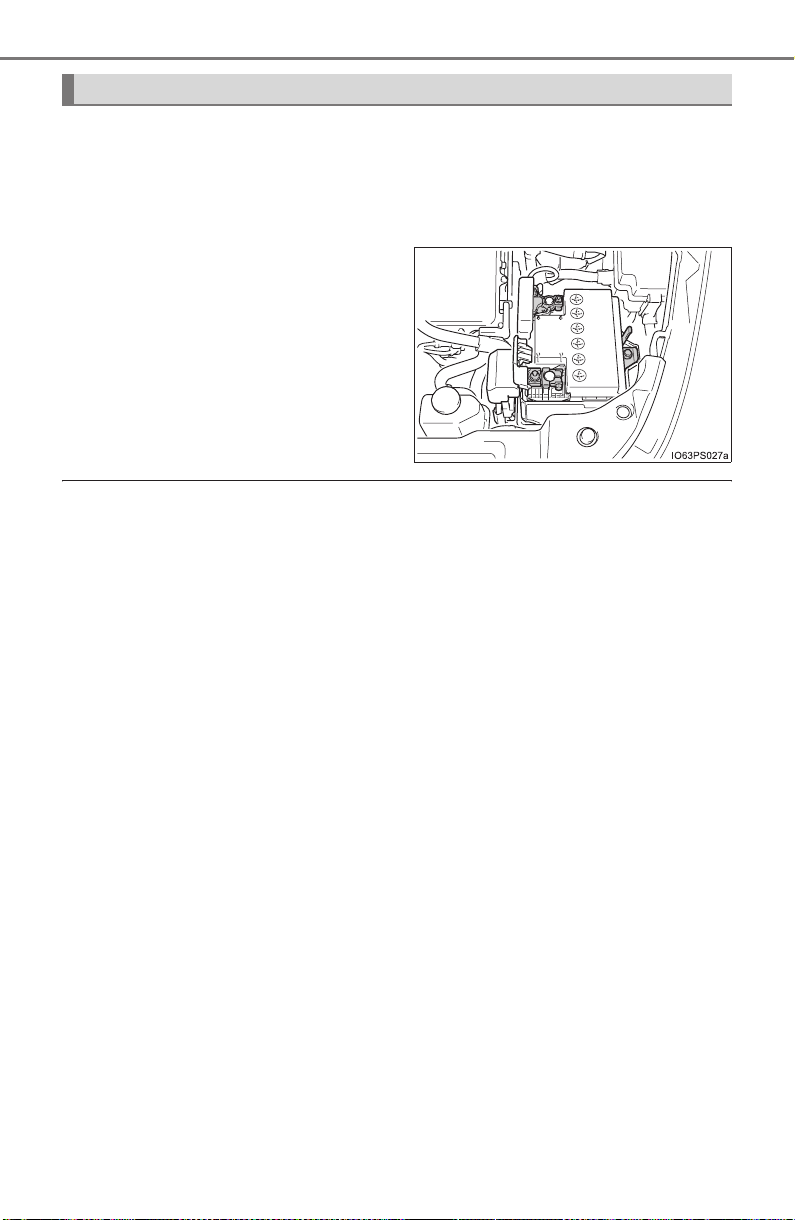
598
PRIUS_OM_OM47A29U_(U)
7-3. Do-it-yourself maintenance
Check the 12-volt battery as follows:
■ 12-volt battery exterior
Make sure that the 12-volt battery terminals are not corroded and
that there are no loose connections, cracks, or loose clamps.
Terminals
■ Before recharging
When recharging, the 12-volt battery produces hydrogen gas which is flam-
mable and explosive. Therefore, observe the following precautions before
recharging:
● If recharging with the 12-volt battery installed on the vehicle, be sure to dis-
connect the ground cable.
● Make sure the power switch on the charger is off when connecting and dis-
connecting the charger cables to the 12-volt battery.
■ After recharging/reconnecting the 12-volt battery
● Unlocking the doors using the smart key system may not be possible imme-
diately after reconnecting the 12-volt battery. If this happens, use the wire-
less remote control or the mechanical key to lock/unlock the doors.
● Start the hybrid system with the power switch in ACCESSORY mode. The
hybrid system may not start with the power switch turned off. However, the
hybrid system will operate normally from the second attempt.
● The power switch mode is recorded by the vehicle. If the 12-volt battery is
reconnected, the vehicle will return the power switch mode to the status it
was in before the 12-volt battery was disconnected. Make sure to turn off
the power before disconnect the 12-volt battery. Take extra care when con-
necting the 12-volt battery if the power switch mode prior to discharge is
unknown.
● Restart the hybrid system, depress the brake pedal, and confirm that it is
possible to shift into each shift position.
If the system will not start even after multiple attempts at all methods above,
contact your Toyota dealer.
12-volt battery

PRIUS_OM_OM47A29U_(U)
599
7-3. Do-it-yourself maintenance
7
Maintenance and care
WARNING
■ Chemicals in the 12-volt battery
The 12-volt battery contains poisonous and corrosive sulfuric acid and may
produce hydrogen gas which is flammable and explosive. To reduce the risk
of death or serious injury, take the following precautions while working on or
near the 12-volt battery:
● Do not cause sparks by touching the 12-volt battery terminals with tools.
● Do not smoke or light a match near the 12-volt battery.
● Avoid contact with eyes, skin and clothes.
● Never inhale or swallow electrolyte.
● Wear protective safety glasses when working near the 12-volt battery.
● Keep children away from the 12-volt battery.
■ Where to safely charge the 12-volt battery
Always charge the 12-volt battery in an open area. Do not charge the
12-volt battery in a garage or closed room where there is insufficient ventila-
tion.
■ How to recharge the 12-volt battery
Only perform a slow charge (5 A or less). The 12-volt battery may explode if
charged at a quicker rate.
■ Emergency measures regarding electrolyte
● If electrolyte gets in your eyes
Flush your eyes with clean water for at least 15 minutes and get immedi-
ate medical attention. If possible, continue to apply water with a sponge or
cloth while traveling to the nearest medical facility.
● If electrolyte gets on your skin
Wash the affected area thoroughly. If you feel pain or burning, get medical
attention immediately.
● If electrolyte gets on your clothes
It can soak through clothing on to your skin. Immediately take off the cloth-
ing and follow the procedure above if necessary.
● If you accidentally swallow electrolyte
Drink a large quantity of water or milk. Get emergency medical attention
immediately.

600
PRIUS_OM_OM47A29U_(U)
7-3. Do-it-yourself maintenance
WARNING
■ When disconnecting the 12-volt battery
Do not disconnect the negative (-) terminal on the body side. The discon-
nected negative (-) terminal may touch the positive (+) terminal, which may
cause a short and result in death or serious injury.
NOTICE
■ When recharging the 12-volt battery
Never recharge the 12-volt battery while the hybrid system is operating.
Also, be sure all accessories are turned off.
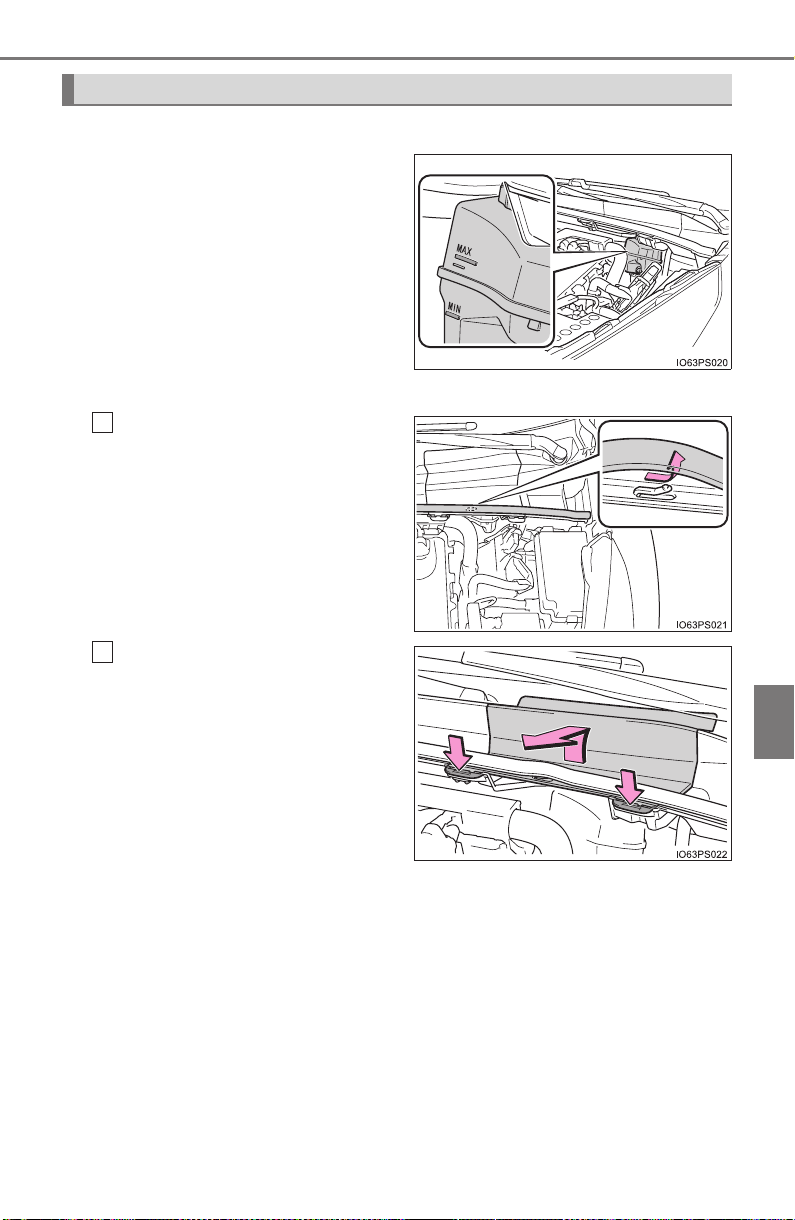
PRIUS_OM_OM47A29U_(U)
601
7-3. Do-it-yourself maintenance
7
Maintenance and care
■ Checking fluid level
The brake fluid level should be
between the “MAX” and “MIN”
lines on the tank.
■ Adding fluid
Slide and lift up the rubber
strip to partly remove it as
shown.
Disconnect the claws and
remove the service cover.
Brake fluid
1
2
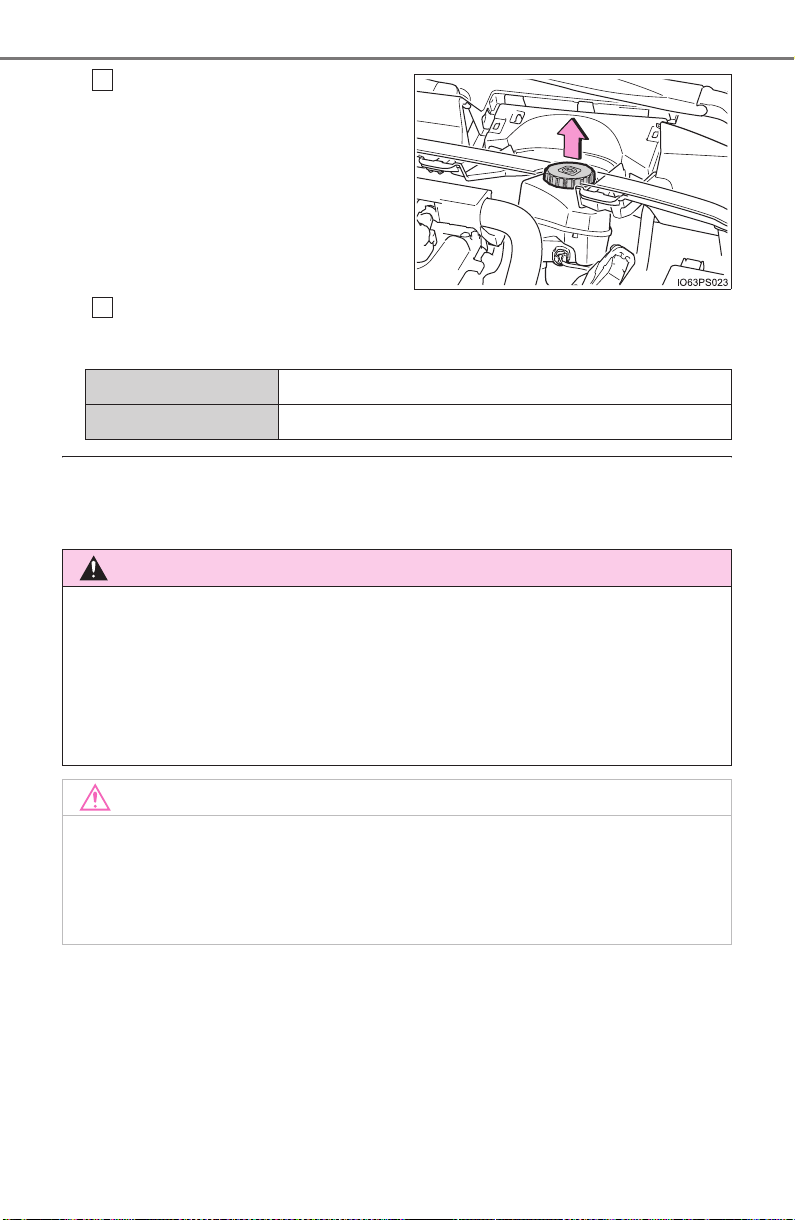
602
PRIUS_OM_OM47A29U_(U)
7-3. Do-it-yourself maintenance
Remove the reservoir cap.
Add brake fluid slowly while checking the fluid level.
Make sure to check the fluid type and prepare the necessary item.
■ Brake fluid can absorb moisture from the air
Excess moisture in the brake fluid can cause a dangerous loss of braking effi-
ciency. Use only newly opened brake fluid.
3
4
Fluid type FMVSS No.116 DOT 3 or SAE J1703 brake fluid
Items Clean funnel
WARNING
■ When filling the reservoir
Take care as brake fluid can harm your hands and eyes and damage
painted surfaces.
If fluid gets on your hands or in your eyes, flush the affected area with clean
water immediately.
If you still experience discomfort, see a doctor.
NOTICE
■ If the brake fluid level is low or high
It is normal for the brake fluid level to go down slightly as the brake pads
wear out or when the fluid level in the accumulator is high.
If the reservoir needs frequent refilling, there may be a serious problem.
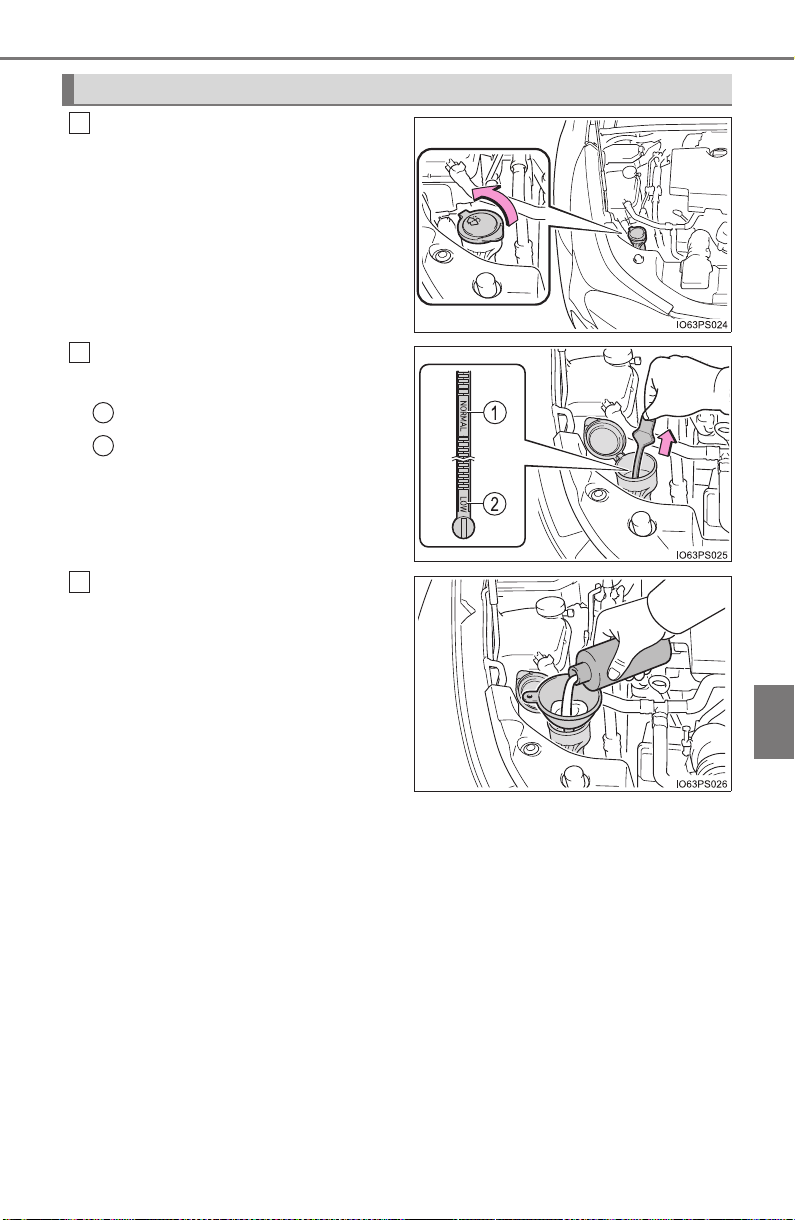
PRIUS_OM_OM47A29U_(U)
603
7-3. Do-it-yourself maintenance
7
Maintenance and care
Open the lid.
Check the washer fluid level on
the level gauge.
“NORMAL”
“LOW”
If the washer fluid level is at
“LOW”, add washer fluid.
Washer fluid
1
2
1
2
3
604
PRIUS_OM_OM47A29U_(U)
7-3. Do-it-yourself maintenance
WARNING
■ When adding washer fluid
Do not add washer fluid when the hybrid system is hot or operating as
washer fluid contains alcohol and may catch fire if spilled on the engine etc.
NOTICE
■ Do not use any fluid other than washer fluid
Do not use soapy water or engine antifreeze instead of washer fluid.
Doing so may cause streaking on the vehicle’s painted surfaces.
■ Diluting washer fluid
Dilute washer fluid with water as necessary.
Refer to the freezing temperatures listed on the label of the washer fluid bot-
tle.

605
PRIUS_OM_OM47A29U_(U)
7-3. Do-it-yourself maintenance
7
Maintenance and care
Tires
Check if the treadwear indicators are showing on the tires. Also check
the tires for uneven wear, such as excessive wear on one side of the
tread.
Check the spare tire condition and pressure if not rotated.
New tread
Worn tread
Treadwear indicator
The location of treadwear indicators is shown by a “TWI” or “∆” mark,
etc., molded into the sidewall of each tire.
Replace the tires if the treadwear indicators are showing on a tire.
Replace or rotate tires in accordance with maintenance sched-
ules and treadwear.
Checking tires
1
2
3
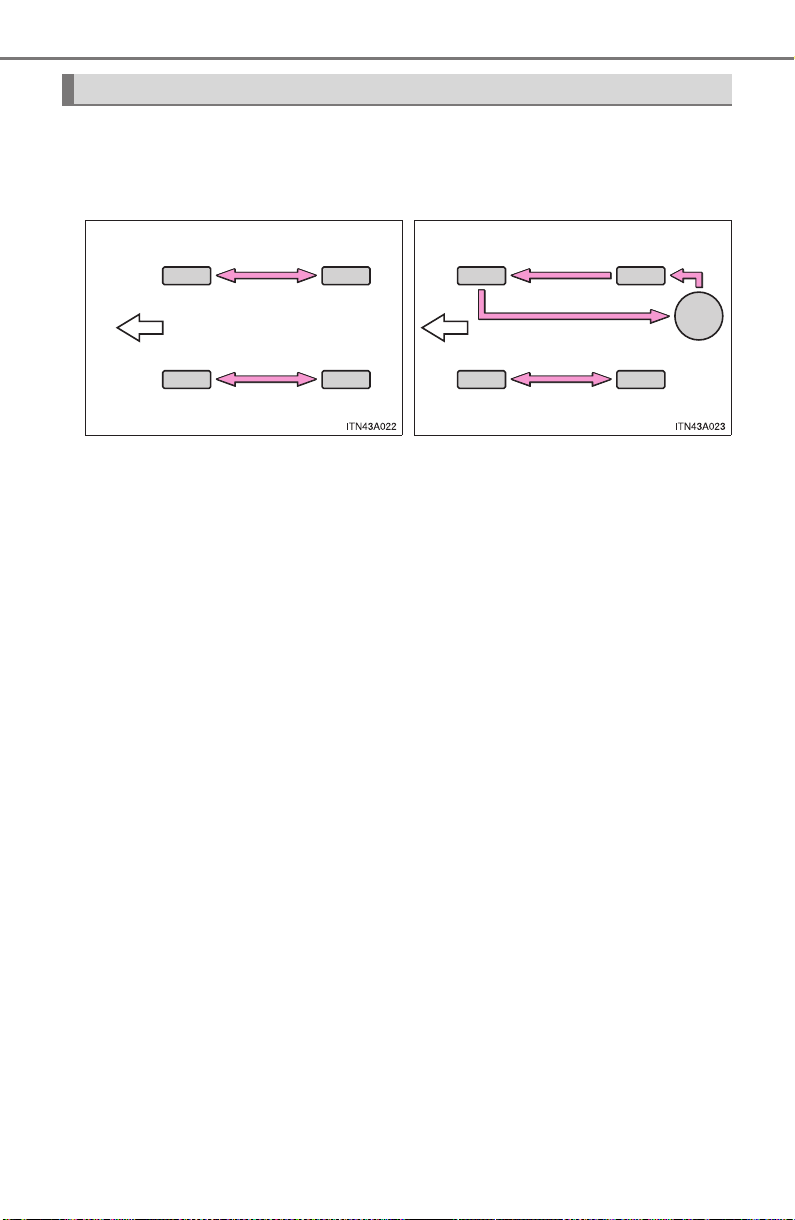
606
PRIUS_OM_OM47A29U_(U)
7-3. Do-it-yourself maintenance
Rotate the tires in the order shown.
To equalize tire wear and extend tire life, Toyota recommends that tire
rotation is carried out at the same interval as tire inspection.
Do not fail to initialize the tire pressure warning system after tire rota-
tion.
Tire rotation
X Vehicles without full-size spare
tire
X Vehicles with full-size spare
tire
Front
Front

PRIUS_OM_OM47A29U_(U)
607
7-3. Do-it-yourself maintenance
7
Maintenance and care
Your vehicle is equipped with a tire pressure warning system that uses
tire pressure warning valves and transmitters to detect low tire infla-
tion pressure before serious problems arise.
If the tire pressure drops below a predetermined level, the driver is
warned by a warning light. (→P. 658)
The compact spare tire is not equipped with a tire pressure warning
valve and transmitter.
◆ Installing tire pressure warning valves and transmitters
When replacing tires or wheels, tire pressure warning valves and
transmitters must also be installed.
When new tire pressure warning valves and transmitters are
installed, new ID codes must be registered in the tire pressure
warning computer and the tire pressure warning system must be
initialized. Have tire pressure warning valve and transmitter ID
codes registered by your Toyota dealer. (→P. 608)
◆ Initializing the tire pressure warning system
■ The tire pressure warning system must be initialized when the
tire inflation pressure is changed such as when changing trav-
elling speed or load weight.
When the tire pressure warning system is initialized, the current tire
inflation pressure is set as the benchmark pressure.
Tire pressure warning system
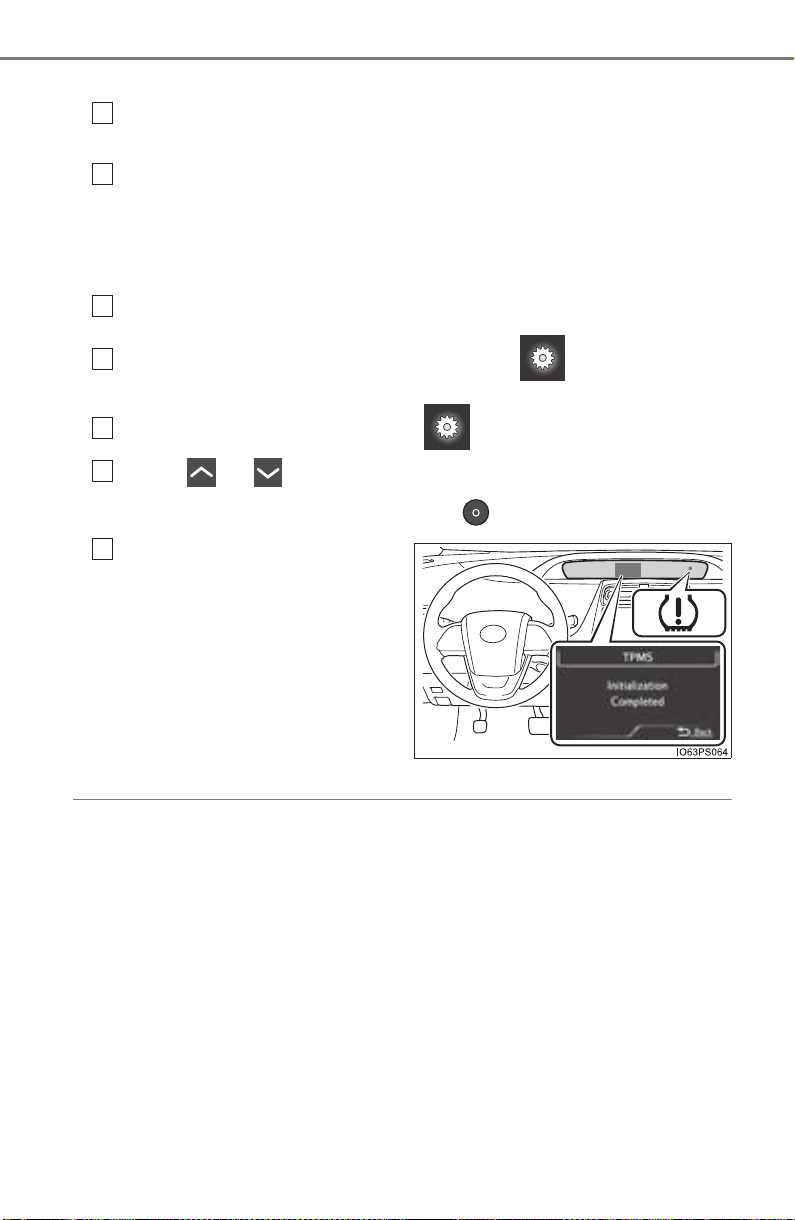
608
PRIUS_OM_OM47A29U_(U)
7-3. Do-it-yourself maintenance
■ How to initialize the tire pressure warning system
Park the vehicle in a safe place and turn the power switch off.
Initialization cannot be performed while the vehicle is moving.
Adjust the tire inflation pressure to the specified cold tire inflation
pressure level. (→P. 734)
Make sure to adjust the tire pressure to the specified cold tire infla-
tion pressure level. The tire pressure warning system will operate
based on this pressure level.
Turn the power switch to ON mode.
Switch the multi-information display to the screen.
(→P. 139)
Select “Vehicle Settings” on the screen.
Press or of the meter control switch, select the “TPMS”
screen and then press and hold the .
When initialization com-
pletes, a message is dis-
played on the multi-
information display and the
tire pressure warning light
illuminates.
◆ Registering ID codes
The tire pressure warning valve and transmitter is equipped with a
unique ID code. When replacing a tire pressure warning valve and
transmitter, it is necessary to register the ID code. Have the ID code
registered by your Toyota dealer.
1
2
3
4
5
6
Until Complete
7
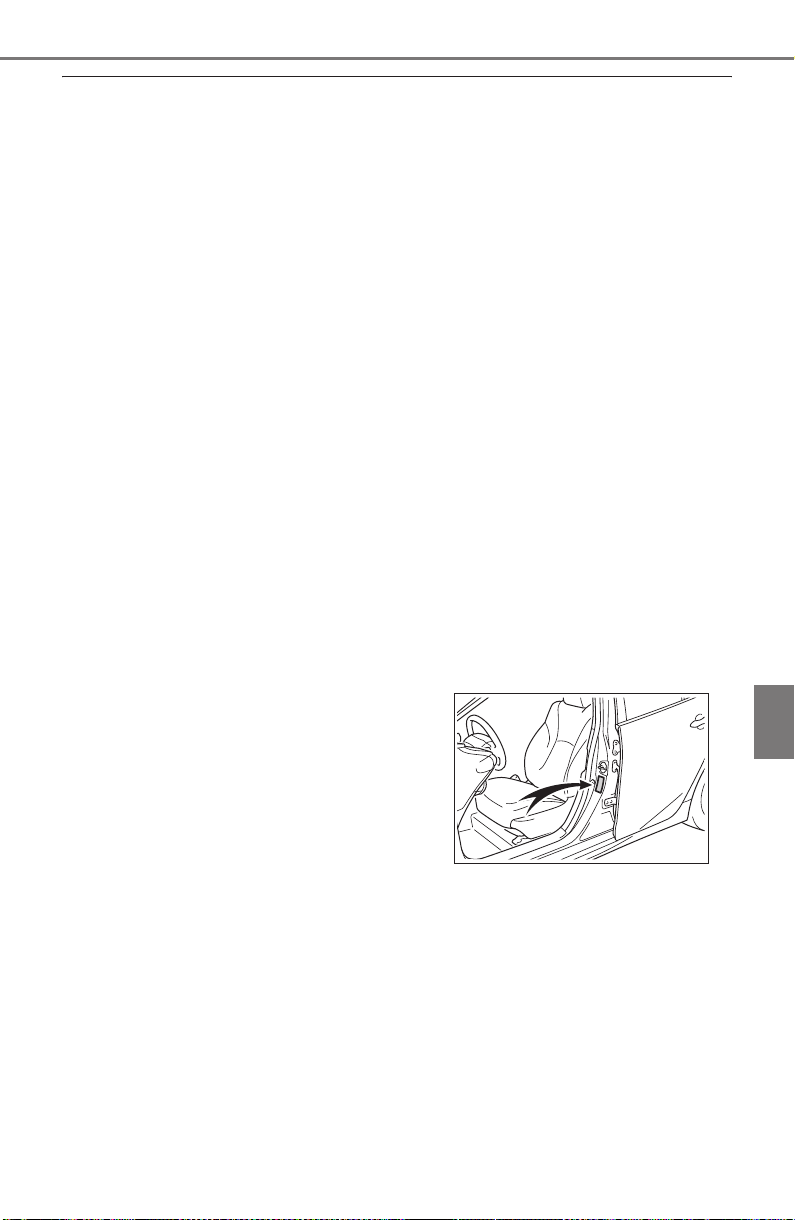
PRIUS_OM_OM47A29U_(U)
609
7-3. Do-it-yourself maintenance
7
Maintenance and care
■ When to replace your vehicle’s tires
Tires should be replaced if:
● The treadwear indicators are showing on a tire.
● You have tire damage such as cuts, splits, cracks deep enough to
expose the fabric, and bulges indicating internal damage.
● A tire goes flat repeatedly or cannot be properly repaired due to the size
or location of a cut or other damage.
If you are not sure, consult with your Toyota dealer.
■ Replacing tires and wheels
If the ID code of the tire pressure warning valve and transmitter is not reg-
istered, the tire pressure warning system will not work properly. After driv-
ing for about 20 minutes, the tire pressure warning light blinks for 1
minute and stays on to indicate a system malfunction.
■ Tire life
Any tire over 6 years old must be checked by a qualified technician even
if it has seldom or never been used or damage is not obvious.
■ Routine tire inflation pressure checks
The tire pressure warning system does not replace routine tire inflation
pressure checks. Make sure to check tire inflation pressure as part of
your routine of daily vehicle checks.
■ Maximum load of tire
Check that the maximum load of the replacement tire is greater than 1/2
of the Gross Axle Weight Ratings (GAWR) of either the front axle or the
rear axle, whichever is greater.
For the GAWR, see the Certification
Label. For the maximum load of the tire,
see the load limit at maximum cold tire
inflation pressure mentioned on the
sidewall of the tire. (→P. 740)
BTO62EP049

610
PRIUS_OM_OM47A29U_(U)
7-3. Do-it-yourself maintenance
■ Tire types
● Summer tires
Summer tires are high-speed performance tires best suited to highway
driving under dry conditions. Since summer tires do not have the same
traction performance as snow tires, summer tires are inadequate for
driving on snow-covered or icy roads. For driving on snow-covered
roads or icy roads, the use of snow tires is recommended. When install-
ing snow tires, be sure to replace all four tires.
● All season tires
All season tires are designed to provide better traction in snow and to
be adequate for driving in most winter conditions as well as for use
year-round. All season tires, however, do not have adequate traction
performance compared with snow tires in heavy or loose snow. Also, all
season tires fall short in acceleration and handling performance com-
pared with summer tires in highway driving.
● Snow tires
For driving on snow-covered roads or icy roads, we recommend using
snow tires. If you need snow tires, select tires of the same size, con-
struction and load capacity as the originally installed tires. Since your
vehicle has radial tires as original equipment, make sure your snow
tires also have radial construction. Do not install studded tires without
first checking local regulations for possible restrictions. Snow tires
should be installed on all wheels. (→P. 414)
■ If the tread on snow tires wears down below 0.16 in. (4 mm)
The effectiveness of the tires as snow tires is lost.
■ Low profile tires (vehicles with 17-inch tires)
Generally, low profile tires will wear more rapidly and tire grip perfor-
mance will be reduced on snowy and/or icy roads when compared to
standard tires.
Be sure to use snow tires or tire chains on snowy and/or icy roads and
drive carefully at a speed appropriate for road and weather conditions.

PRIUS_OM_OM47A29U_(U)
611
7-3. Do-it-yourself maintenance
7
Maintenance and care
■ Situations in which the tire pressure warning system may not oper-
ate properly
● In the following cases, the tire pressure warning system may not operate
properly.
• If non-genuine Toyota wheels are used.
• When a replacement tire is used, the system may not operate cor-
rectly due to the structure of the replacement tire.
• A tire has been replaced with a tire that is not of the specified size.
• Tire chains etc. are equipped.
• An auxiliary-supported run-flat tire is equipped.
• If a window tint that affects the radio wave signals is installed.
• If there is a lot of snow or ice on the vehicle, particularly around the
wheels or wheel housings.
• If the tire inflation pressure is extremely higher than the specified
level.
• If wheel without the tire pressure warning valve and transmitter is
used.
• If the ID code on the tire pressure warning valves and transmitters is
not registered in the tire pressure warning computer.
● Performance may be affected in the following situations.
• Near a TV tower, electric power plant, gas station, radio station, large
display, airport or other facility that generates strong radio waves or
electrical noise
• When carrying a portable radio, cellular phone, cordless phone or
other wireless communication device
● When the vehicle is parked, the time taken for the warning to start or go
off could be extended.
● When tire inflation pressure declines rapidly for example when a tire has
burst, the warning may not function.
■ The initialization operation
● Make sure to carry out initialization after adjusting the tire inflation pres-
sure.
Also, make sure the tires are cold before carrying out initialization or tire
inflation pressure adjustment.
● If you have accidentally turned the power switch off during initialization,
it is not necessary to press the reset switch again as initialization will
restart automatically when the power switch has been turned to ON
mode for the next time.
● If you accidentally press the reset switch when initialization is not neces-
sary, adjust the tire inflation pressure to the specified level when the
tires are cold, and conduct initialization again.

612
PRIUS_OM_OM47A29U_(U)
7-3. Do-it-yourself maintenance
■ When initialization of the tire pressure warning system has failed
Initialization can be completed in a few minutes. However, in the following
cases, the settings have not been recorded and the system will not oper-
ate properly. If repeated attempts to record tire inflation pressure settings
are unsuccessful, have the vehicle inspected by your Toyota dealer.
● When operating the tire pressure warning reset switch, the tire pressure
warning light does not flash 3 times and the setting message does not
appear on the multi-information display.
● After driving for a certain period of time since the initialization has been
completed, the warning light comes on after blinking for 1 minutes.
■ Certification for the tire pressure warning system
X For vehicles sold in the U.S.A.
FCC ID: PAXPMVC010
NOTE
This device complies with part 15 of the FCC Rules. Operation is subject
to the following two conditions: (1) This device may not cause harmful
interference, and (2) this device must accept any interference received,
including interference that may cause undesired operation.
FCC WARNING
Changes or modifications not expressly approved by the party responsi-
ble for compliance could void the user’s authority to operate the equip-
ment.
X For vehicles sold in Canada
NOTE
Operation is subject to the following two conditions: (1) this device may
not cause interference, and (2) this device must accept any interference,
including interference that may cause undesired operation of the device.

PRIUS_OM_OM47A29U_(U)
613
7-3. Do-it-yourself maintenance
7
Maintenance and care
WARNING
■ When inspecting or replacing tires
Observe the following precautions to prevent accidents.
Failure to do so may cause damage to parts of the drive train as well as
dangerous handling characteristics, which may lead to an accident
resulting in death or serious injury.
● Do not mix tires of different makes, models or tread patterns.
Also, do not mix tires of remarkably different treadwear.
● Do not use tire sizes other than those recommended by Toyota.
● Do not mix differently constructed tires (radial, bias-belted or bias-ply
tires).
● Do not mix summer, all season and snow tires.
● Do not use tires that have been used on another vehicle.
Do not use tires if you do not know how they were used previously.
■ When initializing the tire pressure warning system
Do not operate the tire pressure warning reset switch without first
adjusting the tire inflation pressure to the specified level. Otherwise, the
tire pressure warning light may not come on even if the tire inflation
pressure is low, or it may come on when the tire inflation pressure is
actually normal.

614
PRIUS_OM_OM47A29U_(U)
7-3. Do-it-yourself maintenance
NOTICE
■ Repairing or replacing tires, wheels, tire pressure warning valves,
transmitters and tire valve caps
● When removing or fitting the wheels, tires or the tire pressure warning
valves and transmitters, contact your Toyota dealer as the tire pres-
sure warning valves and transmitters may be damaged if not handled
correctly.
● Make sure to install the tire valve caps. If the tire valve caps are not
installed, water could enter the tire pressure warning valves and the
tire pressure warning valves could be bound.
● When replacing tire valve caps, do not use tire valve caps other than
those specified. The cap may become stuck.
■ To avoid damage to the tire pressure warning valves and transmit-
ters
When a tire is repaired with liquid sealants, the tire pressure warning
valve and transmitter may not operate properly. If a liquid sealant is
used, contact your Toyota dealer or other qualified service shop as soon
as possible. After use of liquid sealant, make sure to replace the tire
pressure warning valve and transmitter when repairing or replacing the
tire. (→P. 607)
■ Driving on rough roads
Take particular care when driving on roads with loose surfaces or pot-
holes.
These conditions may cause losses in tire inflation pressure, reducing
the cushioning ability of the tires. In addition, driving on rough roads
may cause damage to the tires themselves, as well as the vehicle’s
wheels and body.
■ Low profile tires (vehicles with 17-inch tires)
Low profile tires may cause greater damage than usual to the wheel
when receiving impact from the road surface. Therefore pay attention to
the following:
● Be sure to use proper tire inflation pressure. If tires are under-inflated,
they may be damaged more severely.
● Avoid pot holes, uneven pavement, curbs and other road hazards.
Failure to do so can lead to severe tire and wheel damage.
■ If tire inflation pressure of each tire becomes low while driving
Do not continue driving, or your tires and/or wheels may be ruined.
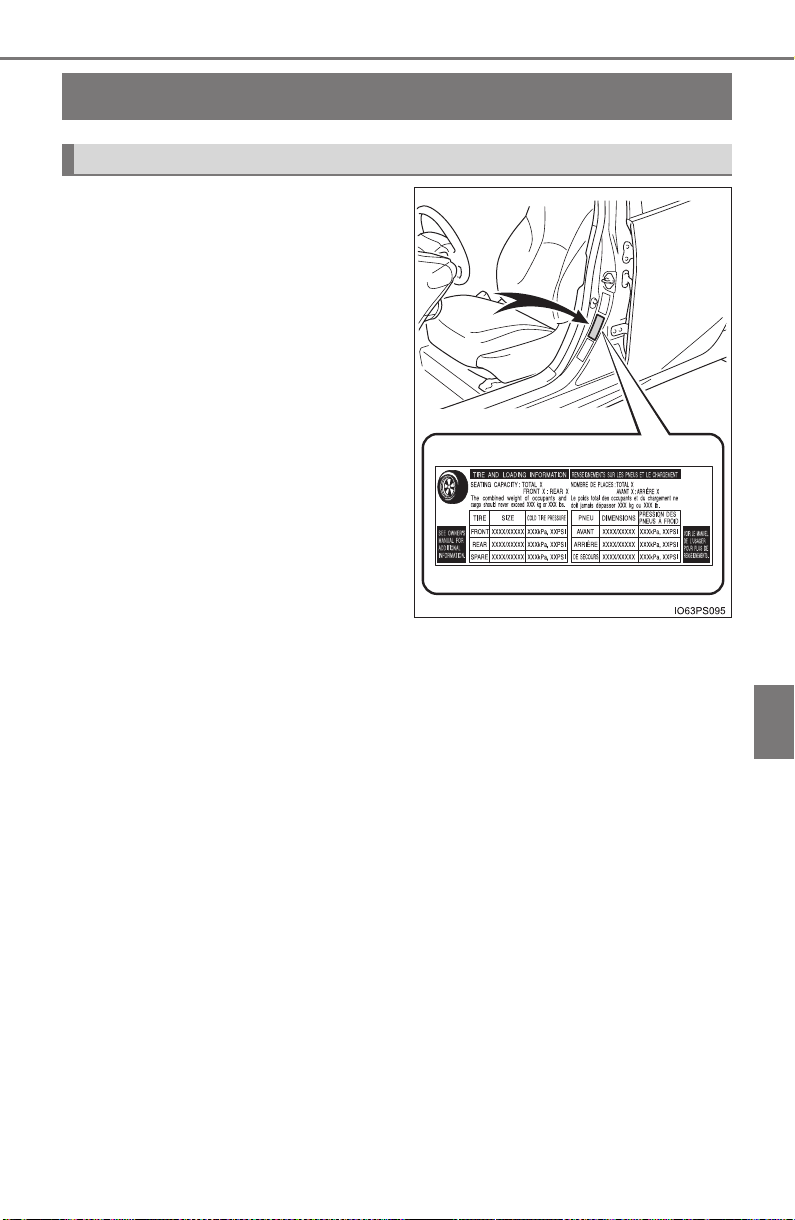
615
PRIUS_OM_OM47A29U_(U)
7-3. Do-it-yourself maintenance
7
Maintenance and care
Tire inflation pressure
The recommended cold tire infla-
tion pressure and tire size are dis-
played on the tire and loading
information label. (→P. 734)
Tire inflation pressure
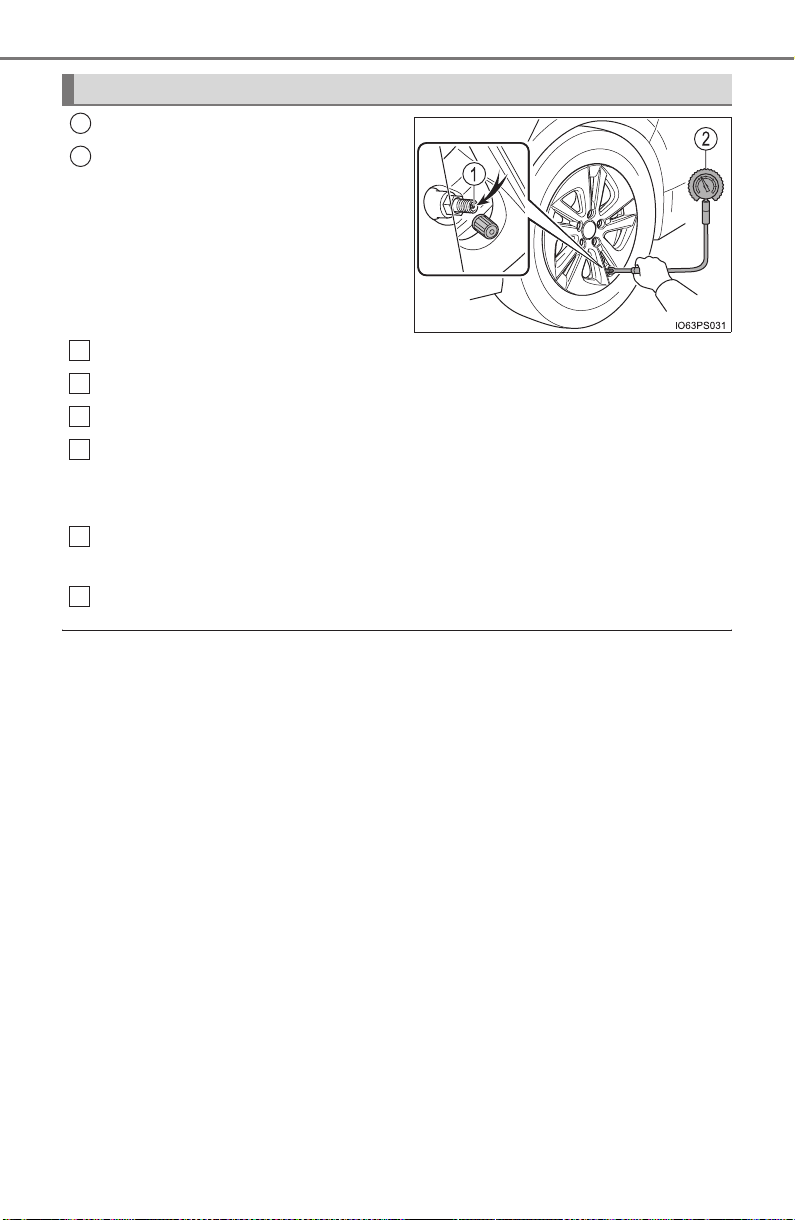
616
PRIUS_OM_OM47A29U_(U)
7-3. Do-it-yourself maintenance
Tire valve
Tire pressure gauge
Remove the tire valve cap.
Press the tip of the tire pressure gauge onto the tire valve.
Read the pressure using the gauge gradations.
If the tire inflation pressure is not at the recommended level, adjust
the pressure.
If you add too much air, press the center of the valve to deflate.
After completing the tire inflation pressure measurement and
adjustment, apply soapy water to the valve and check for leakage.
Put the tire valve cap back on.
■ Tire inflation pressure check interval
You should check tire inflation pressure every two weeks, or at least once
a month.
Do not forget to check the spare.
■ Effects of incorrect tire inflation pressure
Driving with incorrect tire inflation pressure may result in the following:
● Reduced fuel economy
● Reduced driving comfort and poor handling
● Reduced tire life due to wear
● Reduced safety
● Damage to the drive train
If a tire needs frequent inflating, have it checked by your Toyota dealer.
Inspection and adjustment procedure
1
2
1
2
3
4
5
6
PRIUS_OM_OM47A29U_(U)
617
7-3. Do-it-yourself maintenance
7
Maintenance and care
■ Instructions for checking tire inflation pressure
When checking tire inflation pressure, observe the following:
● Check only when the tires are cold.
If your vehicle has been parked for at least 3 hours or has not been
driven for more than 1 mile or 1.5 km, you will get an accurate cold tire
inflation pressure reading.
● Always use a tire pressure gauge.
It is difficult to judge if a tire is properly inflated based only on its appear-
ance.
● It is normal for the tire inflation pressure to be higher after driving as
heat is generated in the tire. Do not reduce tire inflation pressure after
driving.
● Never exceed the vehicle capacity weight.
Passengers and luggage weight should be placed so that the vehicle is
balanced.
WARNING
■ Proper inflation is critical to save tire performance
Keep your tires properly inflated.
If the tires are not properly inflated, the following conditions may occur
which could lead to an accident resulting in death or serious injury:
● Excessive wear
● Uneven wear
● Poor handling
● Possibility of blowouts resulting from overheated tires
● Air leaking from between tire and wheel
● Wheel deformation and/or tire damage
● Greater possibility of tire damage while driving (due to road hazards,
expansion joints, sharp edges in the road, etc.)
NOTICE
■ When inspecting and adjusting tire inflation pressure
Be sure to put the tire valve caps back on.
If a valve cap is not installed, dirt or moisture may get into the valve and
cause an air leak, resulting in decreased tire inflation pressure.

618
PRIUS_OM_OM47A29U_(U)
7-3. Do-it-yourself maintenance
Wheels
When replacing wheels, care should be taken to ensure that they are
equivalent to those removed in load capacity, diameter, rim width and
inset
*.
Replacement wheels are available at your Toyota dealer.
*: Conventionally referred to as “offset”.
Toyota does not recommend using the following:
● Wheels of different sizes or types
● Used wheels
● Bent wheels that have been straightened
● Use only Toyota wheel nuts and wrenches designed for use with
your aluminum wheels.
● When rotating, repairing or changing your tires, check that the
wheel nuts are still tight after driving 1000 miles (1600 km).
● Be careful not to damage the aluminum wheels when using tire
chains.
● Use only Toyota genuine balance weights or equivalent and a plas-
tic or rubber hammer when balancing your wheels.
If a wheel is bent, cracked or heavily corroded, it should be
replaced. Otherwise, the tire may separate from the wheel or
cause a loss of handling control.
Wheel selection
Aluminum wheel precautions
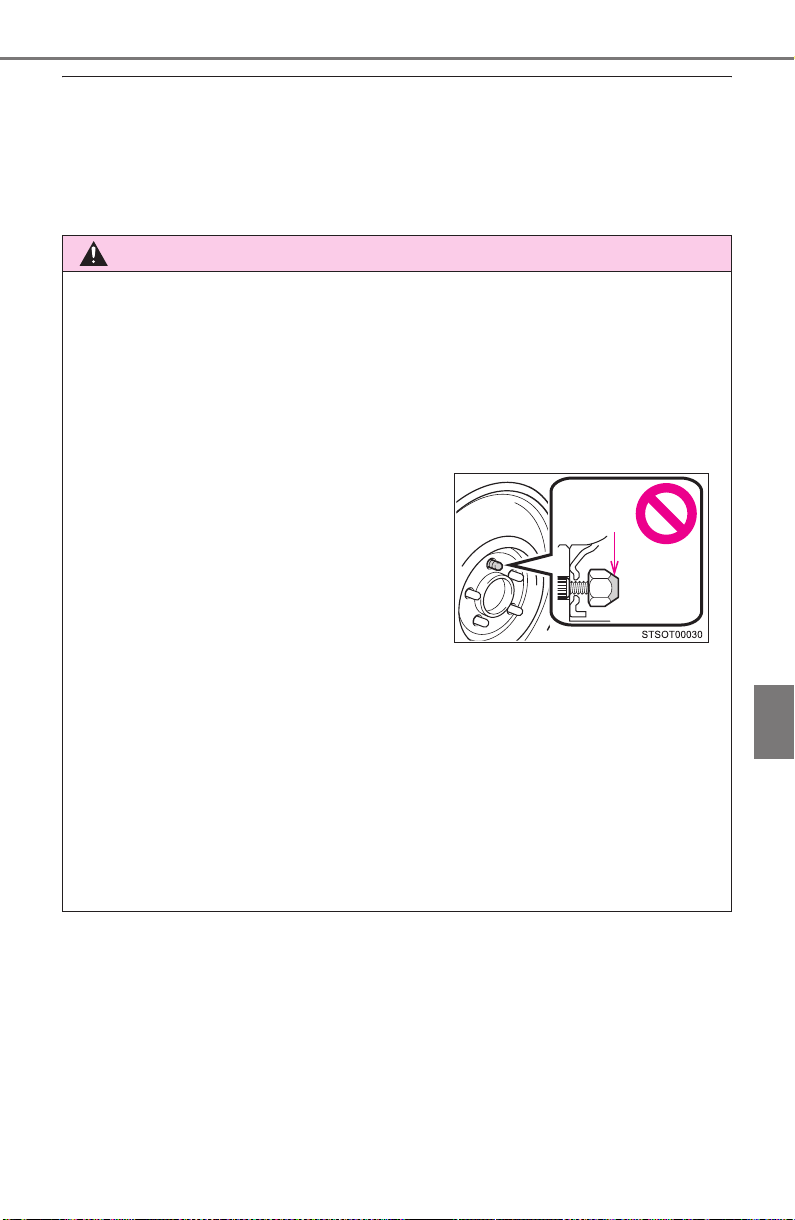
PRIUS_OM_OM47A29U_(U)
619
7-3. Do-it-yourself maintenance
7
Maintenance and care
■ When replacing wheels
The wheels of your vehicle are equipped with tire pressure warning
valves and transmitters that allow the tire pressure warning system to
provide advance warning in the event of a loss in tire inflation pressure.
Whenever wheels are replaced, tire pressure warning valves and trans-
mitters must be installed. (→P. 607)
WARNING
■ When replacing wheels
● Do not use wheels that are a different size from those recommended in
the Owner’s Manual, as this may result in a loss of handling control.
● Never use an inner tube in a leaking wheel which is designed for a
tubeless tire. Doing so may result in an accident, causing death or seri-
ous injury.
■ When installing the wheel nuts
● Never use oil or grease on the wheel bolts or wheel nuts.
Oil and grease may cause the wheel nuts to be excessively tightened,
leading to bolt or disc wheel damage. In addition, the oil or grease can
cause the wheel nuts to loosen and the wheel may fall off, causing an
accident and resulting in death or serious injury. Remove any oil or
grease from the wheel bolts or wheel nuts.
■ Use of defective wheels prohibited
Do not use cracked or deformed wheels.
Doing so could cause the tire to leak air during driving, possibly causing
an accident.
● Be sure to install the wheel nuts with
the tapered ends facing inward.
Installing the nuts with the tapered
ends facing outward can cause the
wheel to break and eventually cause
the wheel to come off while driving,
which could lead to an accident
resulting in death or serious injury.
Tapered
portion

620
PRIUS_OM_OM47A29U_(U)
7-3. Do-it-yourself maintenance
NOTICE
■ Replacing tire pressure warning valves and transmitters
● Because tire repair or replacement may affect the tire pressure warn-
ing valves and transmitters, make sure to have tires serviced by your
Toyota dealer or other qualified service shop. In addition, make sure to
purchase your tire pressure warning valves and transmitters at your
Toyota dealer.
● Ensure that only genuine Toyota wheels are used on your vehicle.
Tire pressure warning valves and transmitters may not work properly
with non-genuine wheels.
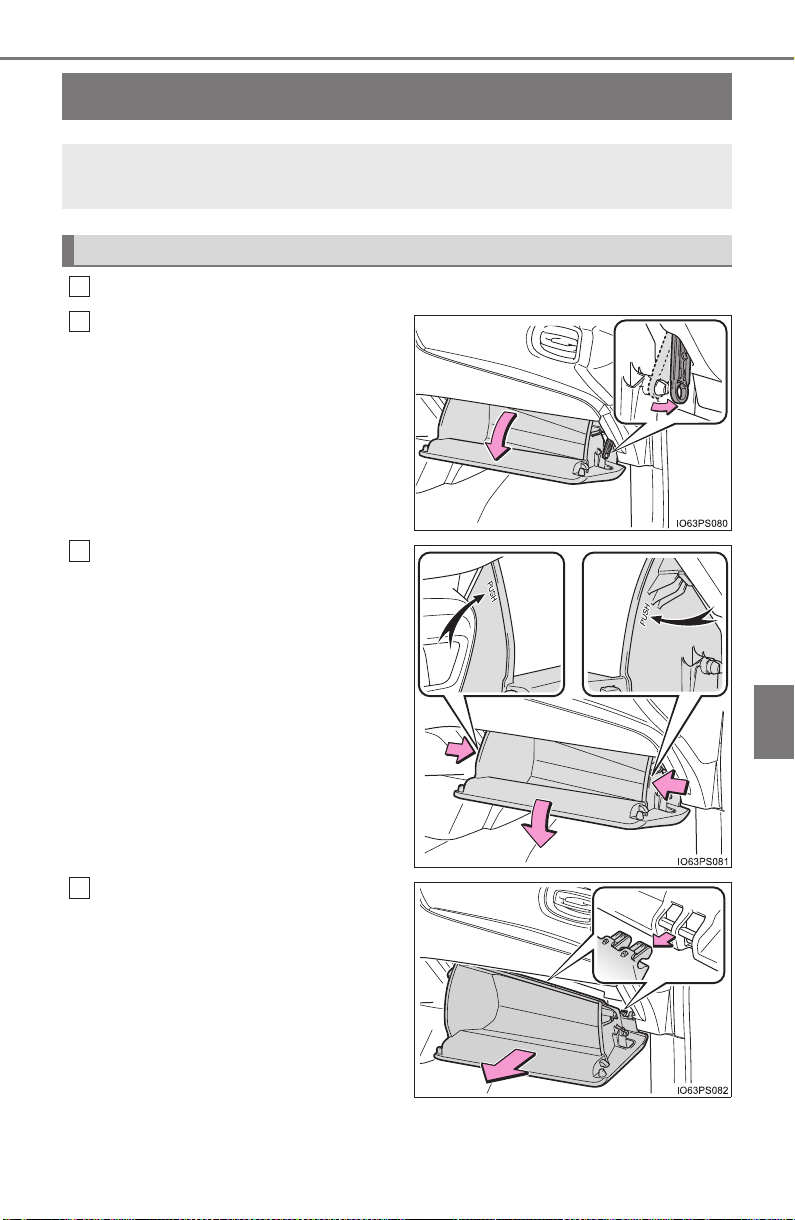
621
PRIUS_OM_OM47A29U_(U)
7-3. Do-it-yourself maintenance
7
Maintenance and care
Air conditioning filter
Turn the power switch off.
Open the glove box and slide
off the damper.
Push in each side of the glove
box to disconnect the claws,
and then slowly and fully open
the glove box while supporting
it.
With the glove box fully open,
slightly lift up the glove box and
pull toward the seat to detach
the bottom of the glove box.
Do not use excessive force if the
glove box does not detach when
lightly pulled. Instead, pull toward
the seat while slightly adjusting the
height of the glove box.
The air conditioning filter must be changed regularly to maintain
air conditioning efficiency.
Replacing the air conditioning filter
1
2
3
4
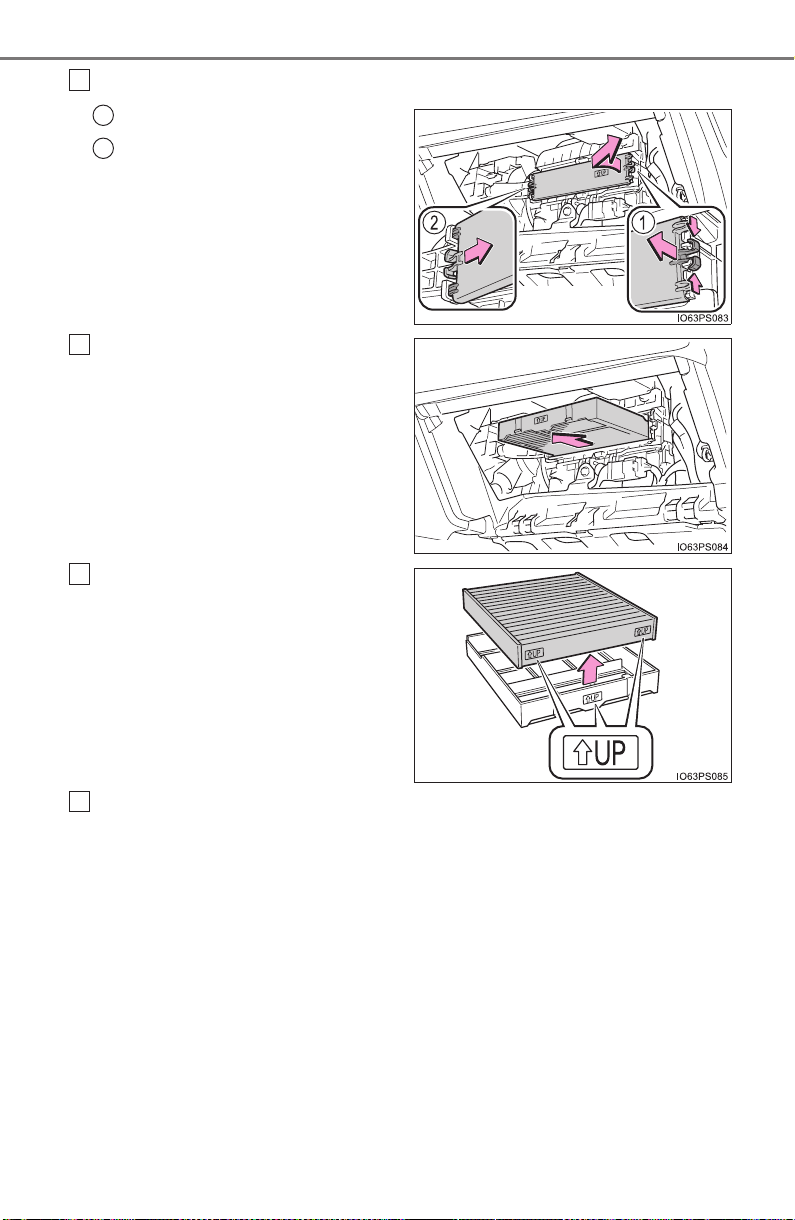
622
PRIUS_OM_OM47A29U_(U)
7-3. Do-it-yourself maintenance
Remove the filter cover.
Unlock the filter cover.
Move the filter cover in the
direction of the arrow, and then
pull it out of the claws.
Remove the filter case.
Remove the air conditioning fil-
ter from the filter case and
replace it with a new one.
The “↑UP” marks shown on the fil-
ter should be pointing up.
When installing, reverse the steps listed.
5
1
2
6
7
8
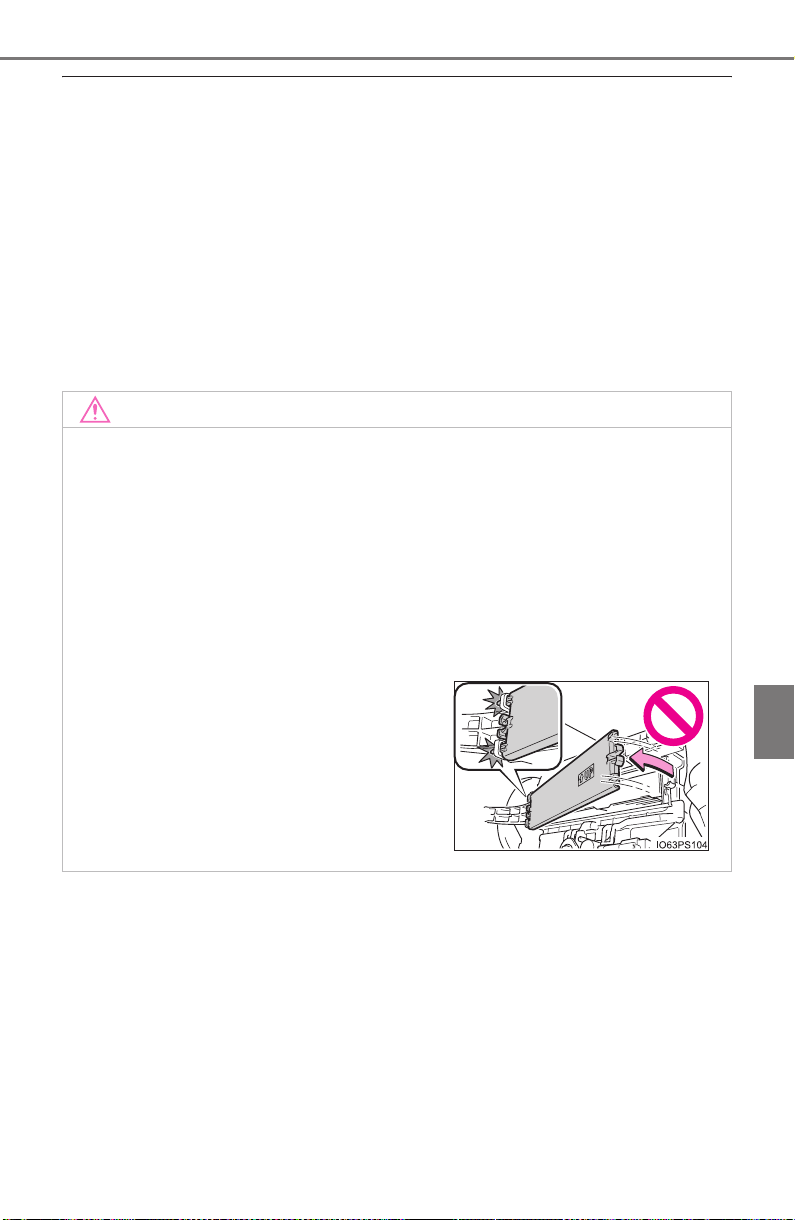
PRIUS_OM_OM47A29U_(U)
623
7-3. Do-it-yourself maintenance
7
Maintenance and care
■ Checking interval
Inspect and replace the air conditioning filter according to the maintenance
schedule. In dusty areas or areas with heavy traffic flow, early replacement
may be required. (For scheduled maintenance information, please refer to the
“Scheduled Maintenance Guide” or “Owner’s Manual Supplement”.)
■ If air flow from the vents decreases dramatically
The filter may be clogged. Check the filter and replace if necessary.
■ Air conditioning filter with deodorizing function
When fragrances are placed in your vehicle, the deodorizing effect may
become significantly weakened in a short period.
When an air conditioning odor comes out continuously, replace the air condi-
tioning filter.
NOTICE
■ When using the air conditioning system
Make sure that a filter is always installed.
Using the air conditioning system without a filter may cause damage to the
system.
■ When removing the glove box
Always follow the specified procedure to remove the glove box (→P. 621). If
the glove box is removed without following the specified procedure, the
hinge of the glove box may become damaged.
■ To prevent damage to the filter cover
When moving the filter cover in the direc-
tion of arrow to release the fitting, pay
attention not to apply excessive force to
the claws. Otherwise, the claws may be
damaged.
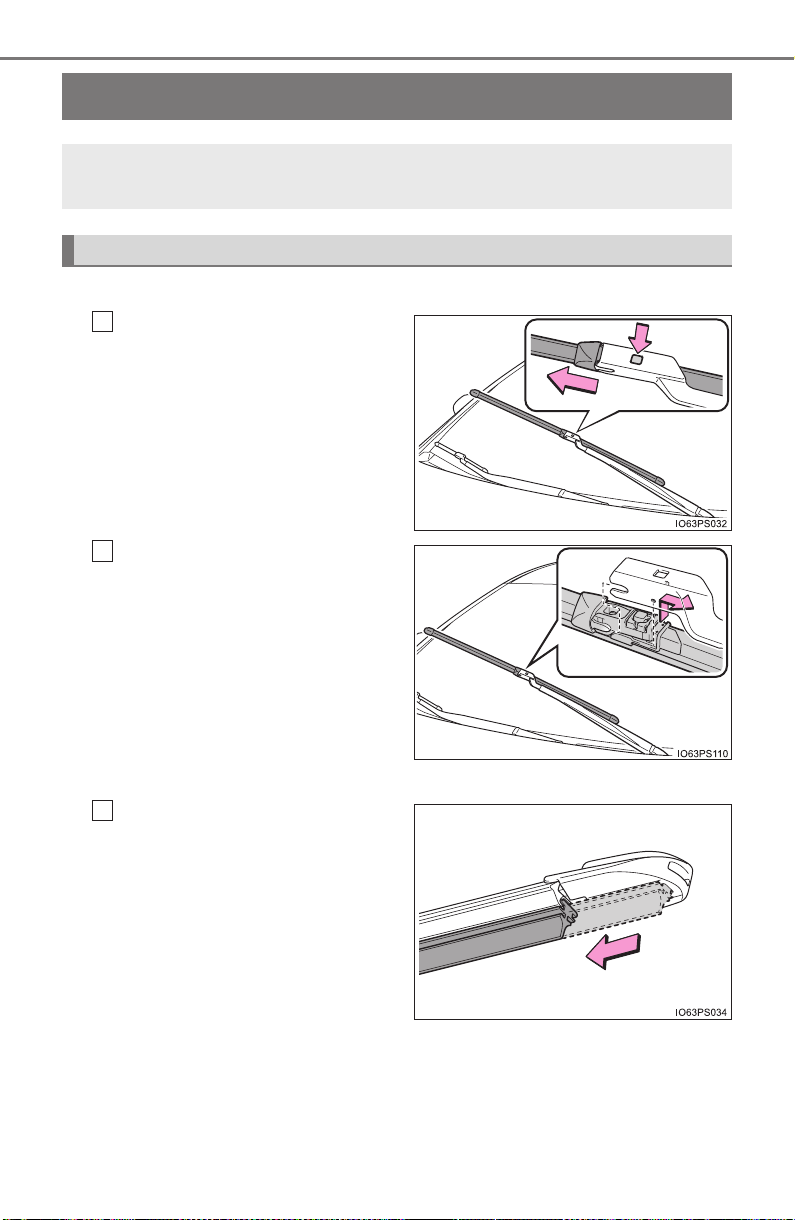
624
PRIUS_OM_OM47A29U_(U)
7-3. Do-it-yourself maintenance
Wiper rubber replacement
■ Windshield wiper blade removal and installation
While securely supporting
the wiper blade connection
by hand, press the lock knob
to release the lock, and then
pull out the wiper blade.
Align the wiper blade with the
connecting portion of the
wiper arm, and then slide it in
the direction it was removed
from.
After installing the wiper blade,
check that the connection is
locked.
■
Wiper rubber replacement
Pull the wiper rubber until it
protrudes from the slit on the
back of the wiper blade.
When replacing the wiper rubber, perform the following proce-
dure to operate each wiper.
Windshield wipers
1
2
1
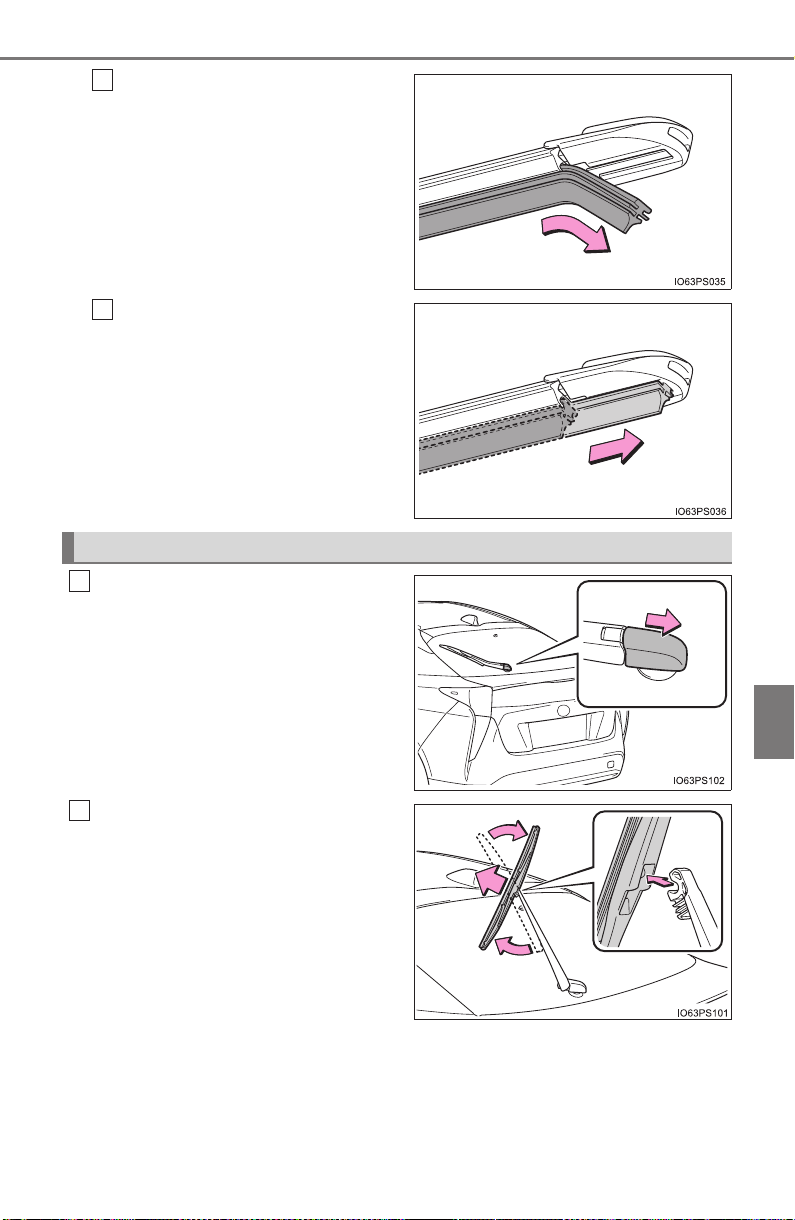
PRIUS_OM_OM47A29U_(U)
625
7-3. Do-it-yourself maintenance
7
Maintenance and care
Pull out the end of the wiper
rubber from the slit, and then
pull out the rest of the wiper
rubber.
When installing a new wiper
rubber, perform the proce-
dure in reverse.
After installation, check that the
end of the wiper rubber is
installed all the way to the end of
the cap.
Slide the rear window wiper
arm head cap.
Move the wiper blade until a
click sound can be heard and
the claw detaches, and then
remove the wiper blade from
the wiper arm.
2
3
Rear window wiper (if equipped)
1
2
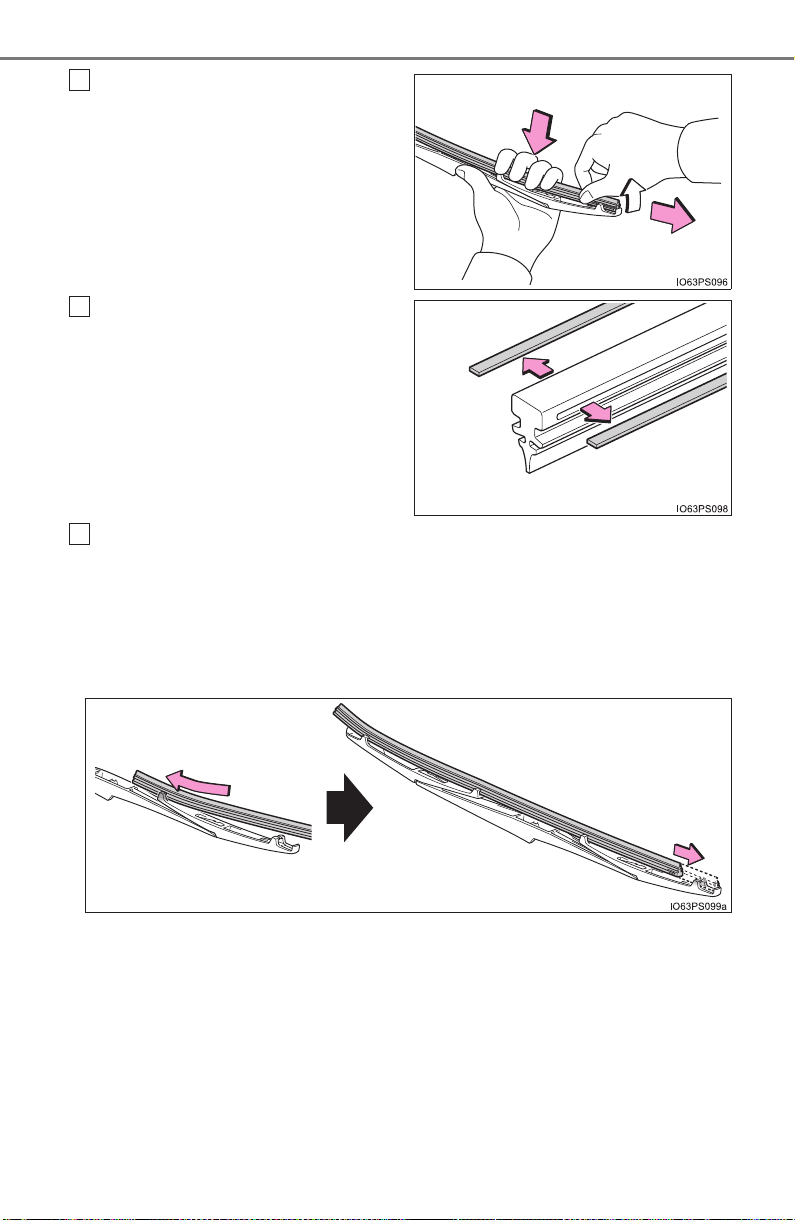
626
PRIUS_OM_OM47A29U_(U)
7-3. Do-it-yourself maintenance
Pull the wiper rubber out past
the stopper on the wiper blade,
and then continue to pull until it
is completely removed.
Lightly grasp between the claws of
the wiper blade to allow the wiper
rubber to lift up, making it easier to
remove.
Remove the 2 metal plates from
the old wiper rubber and install
them to the replacement wiper
rubber.
Insert the wiper rubber starting from the claw at the center of the
wiper blade. Pass the wiper rubber through the 3 claws so that it
sticks out from the stopper, and then pass the wiper rubber through
the final remaining claw.
Applying a small amount of washer fluid to the wiper rubber can make it
easier to insert the claws into the grooves.
3
4
5
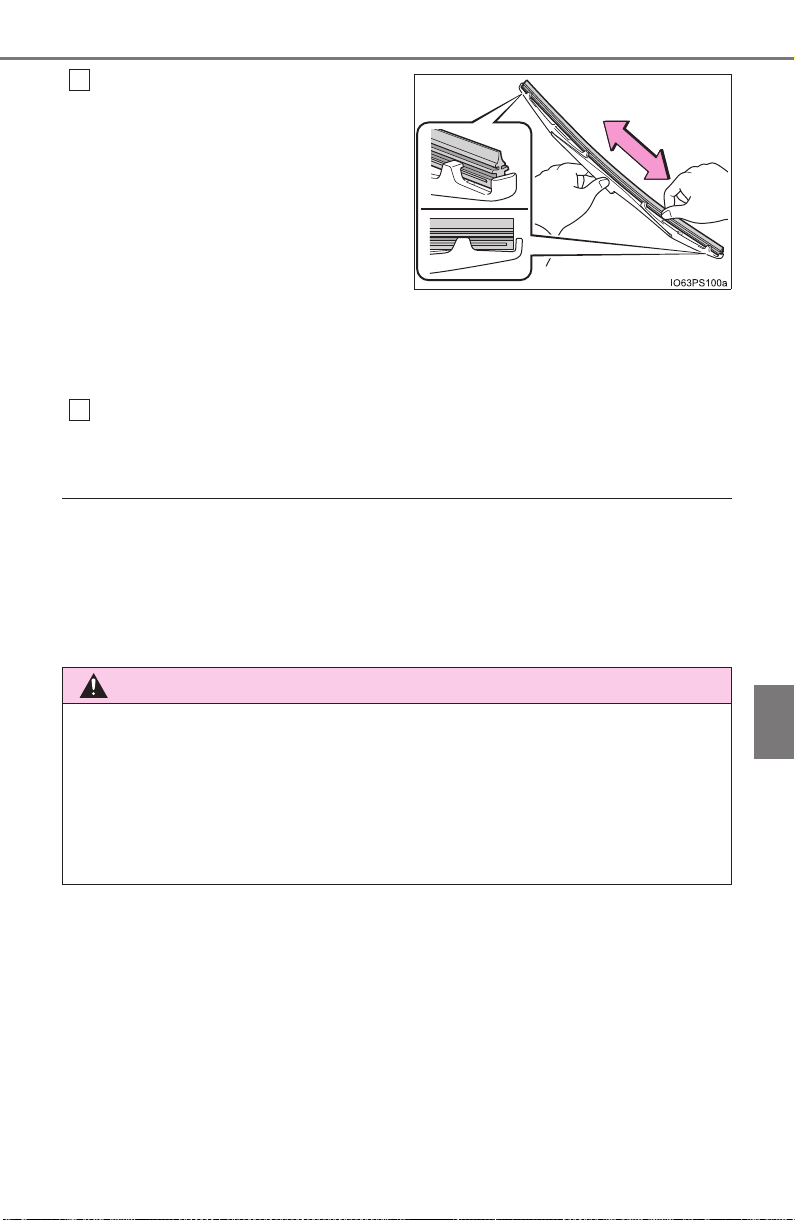
PRIUS_OM_OM47A29U_(U)
627
7-3. Do-it-yourself maintenance
7
Maintenance and care
Check that the wiper blade
claws are fitted in the grooves
of the wiper rubber.
• If the wiper blade claws are
not fitted in the grooves of
the wiper rubber, grasp the
wiper rubber and slide it back
and forth multiple times to
insert the claws into the
grooves.
• Lightly lift up the center of the wiper rubber to make the rubber
easier to slide.
When installing a wiper blade, reverse the procedure in step 1 and
2.
After installing the wiper blade, check that the connection is locked.
■ Wiper blade and wiper rubber handling
Improper handling may result in damage to the wiper blades or wiper rubber.
If you have any concerns about replacing the wiper blades or wiper rubber
yourself, contact your Toyota dealer.
■ Front wiper blade cap
The cap cannot be removed, as it is integrated with the front wiper blade.
6
WARNING
● Be careful not to damage the claws when replacing the wipers.
● After the wiper blade is removed from the wiper arm, place a cloth, etc.,
between the back door glass and wiper arm to prevent damage to the
back door glass.
● Be sure not to pull excessively on the wiper rubber or deform its metal
plates.
7
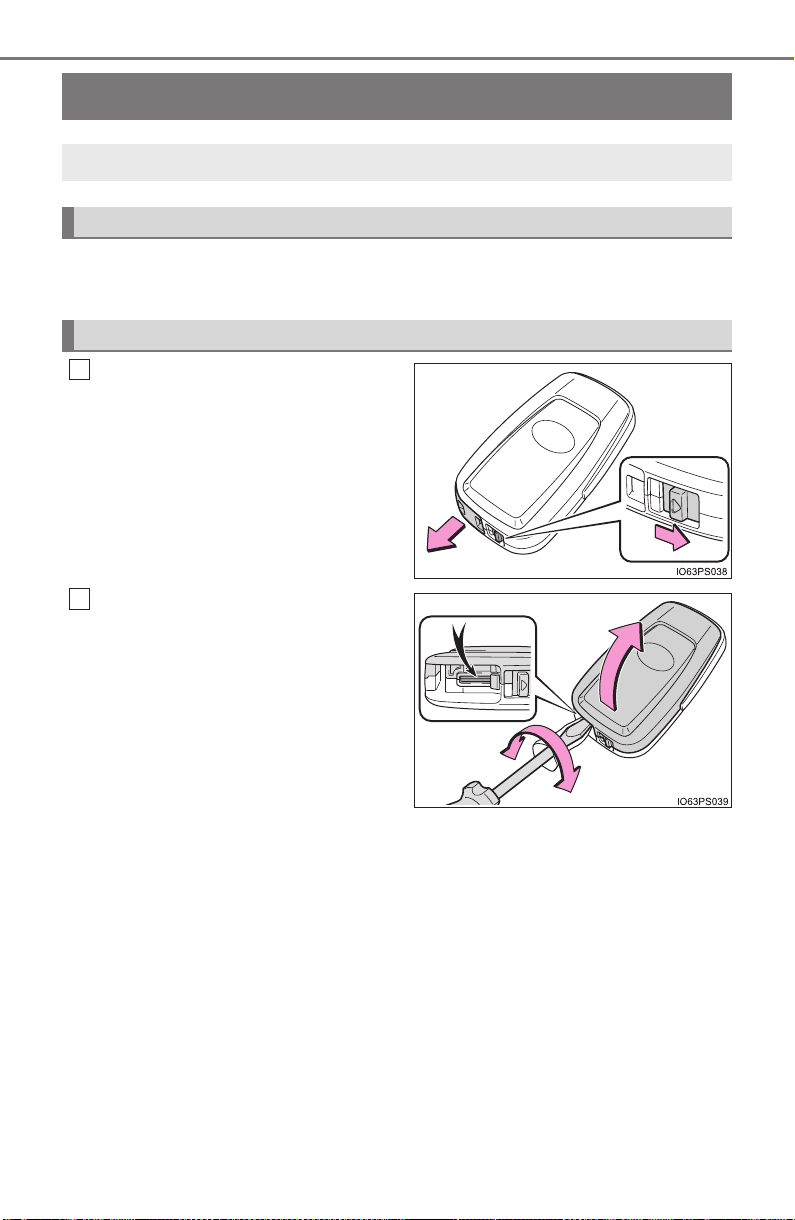
628
PRIUS_OM_OM47A29U_(U)
7-3. Do-it-yourself maintenance
Electronic key battery
● Flathead screwdriver
● Lithium battery CR2032
Release the lock and take out
the mechanical key.
Remove the cover.
To prevent damage to the key,
cover the tip of the screwdriver with
a rag.
Replace the battery with a new one if it is depleted.
You will need the following items:
Replacing the battery
1
2
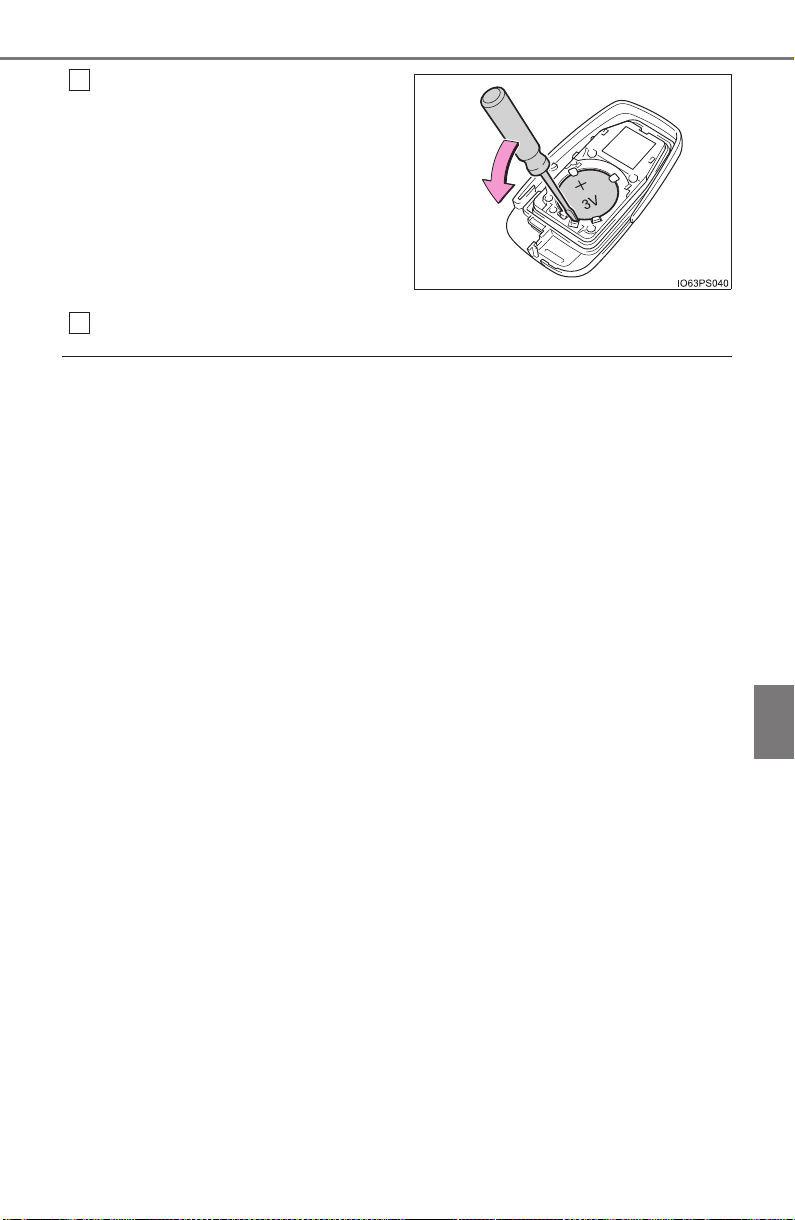
PRIUS_OM_OM47A29U_(U)
629
7-3. Do-it-yourself maintenance
7
Maintenance and care
Remove the depleted battery.
When removing the cover, if the
battery cannot be seen due to the
electronic key module attaching to
the upper cover, remove the elec-
tronic key module from the cover
so that the battery is visible as
shown in the illustration.
Insert a new battery with the “+”
terminal facing up.
When installing, reverse the steps listed.
■ Use a CR2032 lithium battery
● Batteries can be purchased at your Toyota dealer, local electrical appliance
shops or camera stores.
● Replace only with the same or equivalent type recommended by the manu-
facturer.
● Dispose of used batteries according to the local laws.
■ If the electronic key battery is depleted
The following symptoms may occur:
● The smart key system and wireless remote control will not function properly.
● The operational range will be reduced.
3
4
630
PRIUS_OM_OM47A29U_(U)
7-3. Do-it-yourself maintenance
WARNING
■ Removed battery and other parts
These parts are small and if swallowed by a child, they can cause choking.
Keep away from children. Failure to do so could result in death or serious
injury.
NOTICE
■ For normal operation after replacing the battery
Observe the following precautions to prevent accidents:
● Always work with dry hands.
Moisture may cause the battery to rust.
● Do not touch or move any other component inside the remote control.
● Do not bend either of the battery terminals.
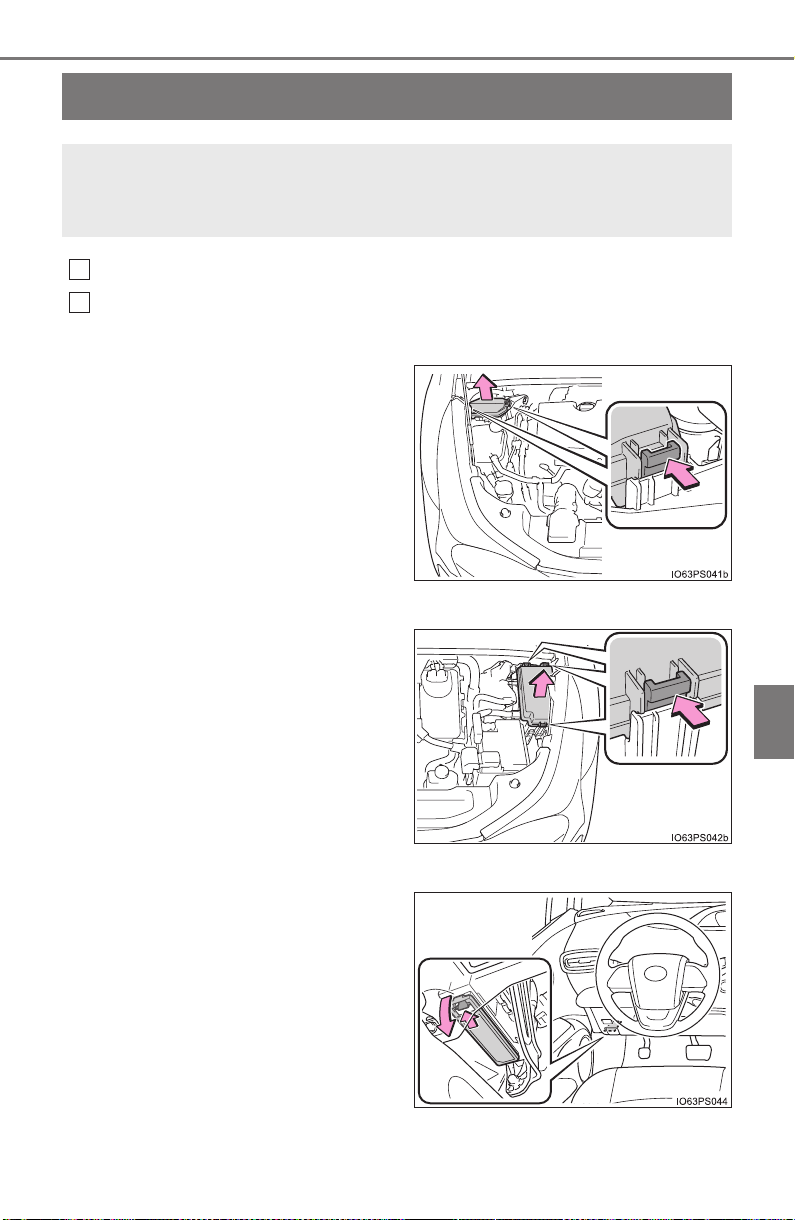
631
PRIUS_OM_OM47A29U_(U)
7-3. Do-it-yourself maintenance
7
Maintenance and care
Checking and replacing fuses
Turn the power switch off.
Open the fuse box cover.
X Engine compartment type A fuse box
While pushing the 2 claws, lift up
the cover.
When closing the cover, make sure
to attach the 2 claws.
X Engine compartment type B fuse box
While pushing the 3 claws, lift up
the cover.
When closing the cover, make sure
to attach the 3 claws.
X Left side instrument panel
Remove the lid.
Make sure to press the claw during
removal or installation.
If any of the electrical components do not operate, a fuse may
have blown. If this happens, check and replace the fuses as nec-
essary.
1
2
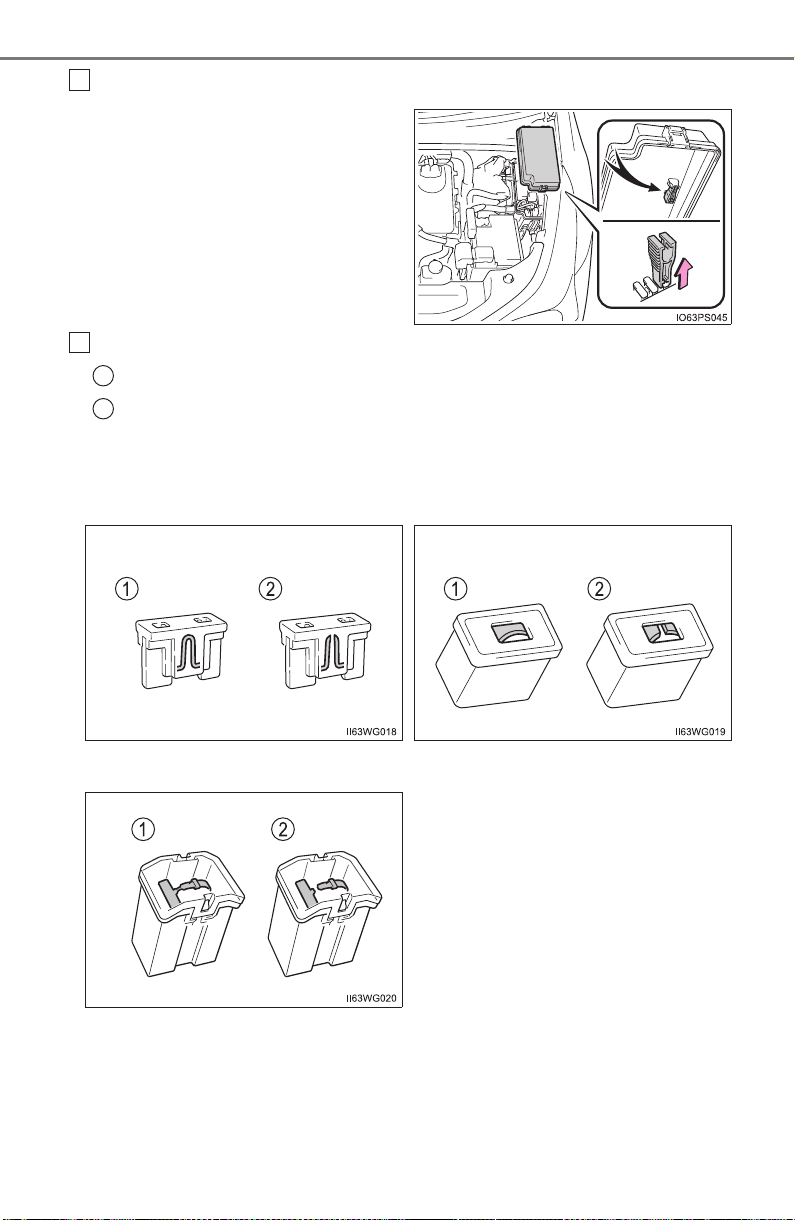
632
PRIUS_OM_OM47A29U_(U)
7-3. Do-it-yourself maintenance
Remove the fuse.
Only type A fuse can be
removed using the pullout tool.
Check if the fuse is blown.
Normal fuse
Blown fuse
Replace the blown fuse with a new fuse of an appropriate amperage rat-
ing. The amperage rating can be found on the fuse box lid.
3
4
1
2
X Type A X Type B
X Type C
PRIUS_OM_OM47A29U_(U)
633
7-3. Do-it-yourself maintenance
7
Maintenance and care
■ After a fuse is replaced
● If the lights do not turn on even after the fuse has been replaced, a bulb may
need replacement. (→P. 636)
● If the replaced fuse blows again, have the vehicle inspected by your Toyota
dealer.
■ If there is an overload in a circuit
The fuses are designed to blow, protecting the wiring harness from damage.
■ When replacing light bulbs
Toyota recommends that you use genuine Toyota products designed for this
vehicle. Because certain bulbs are connected to circuits designed to prevent
overload, nongenuine parts or parts not designed for this vehicle may be
unusable.
WARNING
■ To prevent system breakdowns and vehicle fire
Observe the following precautions.
Failure to do so may cause damage to the vehicle, and possibly a fire or
injury.
● Never use a fuse of a higher amperage rating than that indicated, or use
any other object in place of a fuse.
● Always use a genuine Toyota fuse or equivalent.
Never replace a fuse with a wire, even as a temporary fix.
● Do not modify the fuses or fuse boxes.
NOTICE
■ Before replacing fuses
Have the cause of electrical overload determined and repaired by your
Toyota dealer as soon as possible.
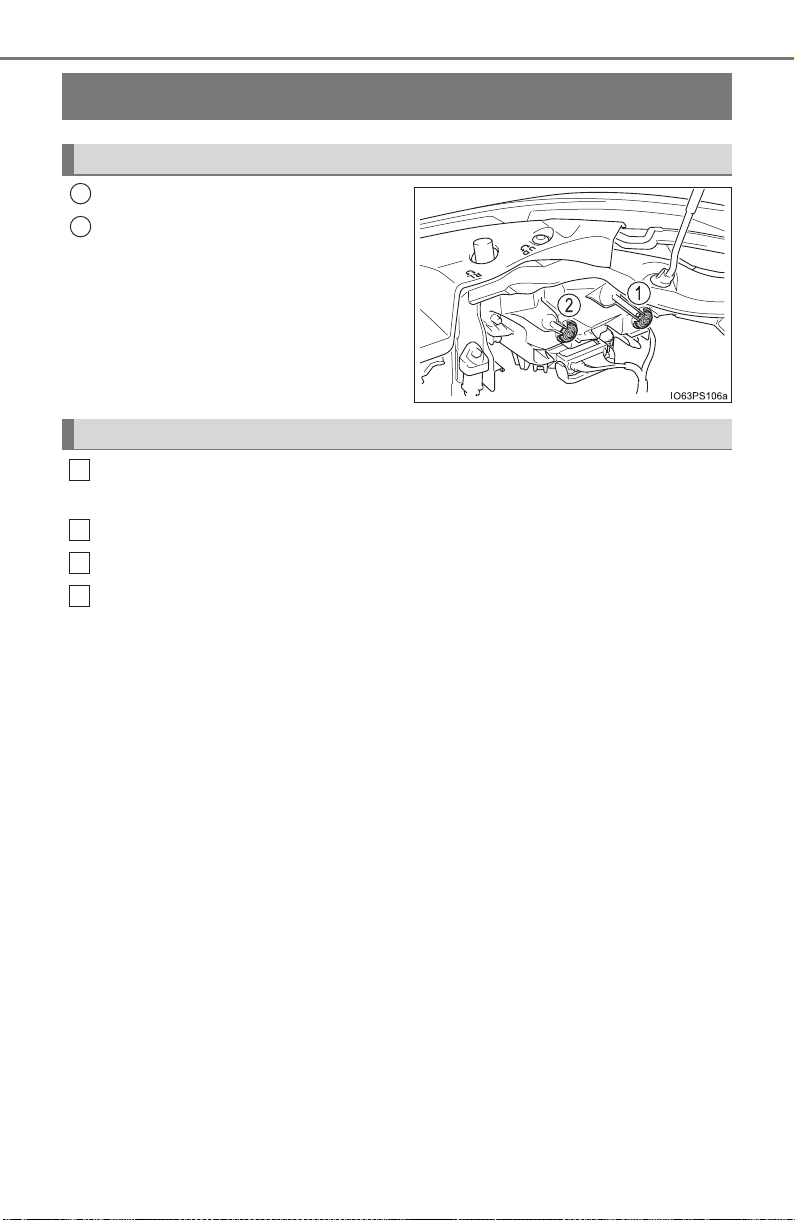
634
PRIUS_OM_OM47A29U_(U)
7-3. Do-it-yourself maintenance
Headlight aim
Adjustment bolt A
Adjustment bolt B
Make sure the vehicle has a full tank of gasoline and the area
around the headlight is not deformed.
Park the vehicle on level ground.
Sit in the driver’s seat.
Bounce the vehicle several times.
Vertical movement adjusting bolts
1
2
Before checking the headlight aim
1
2
3
4
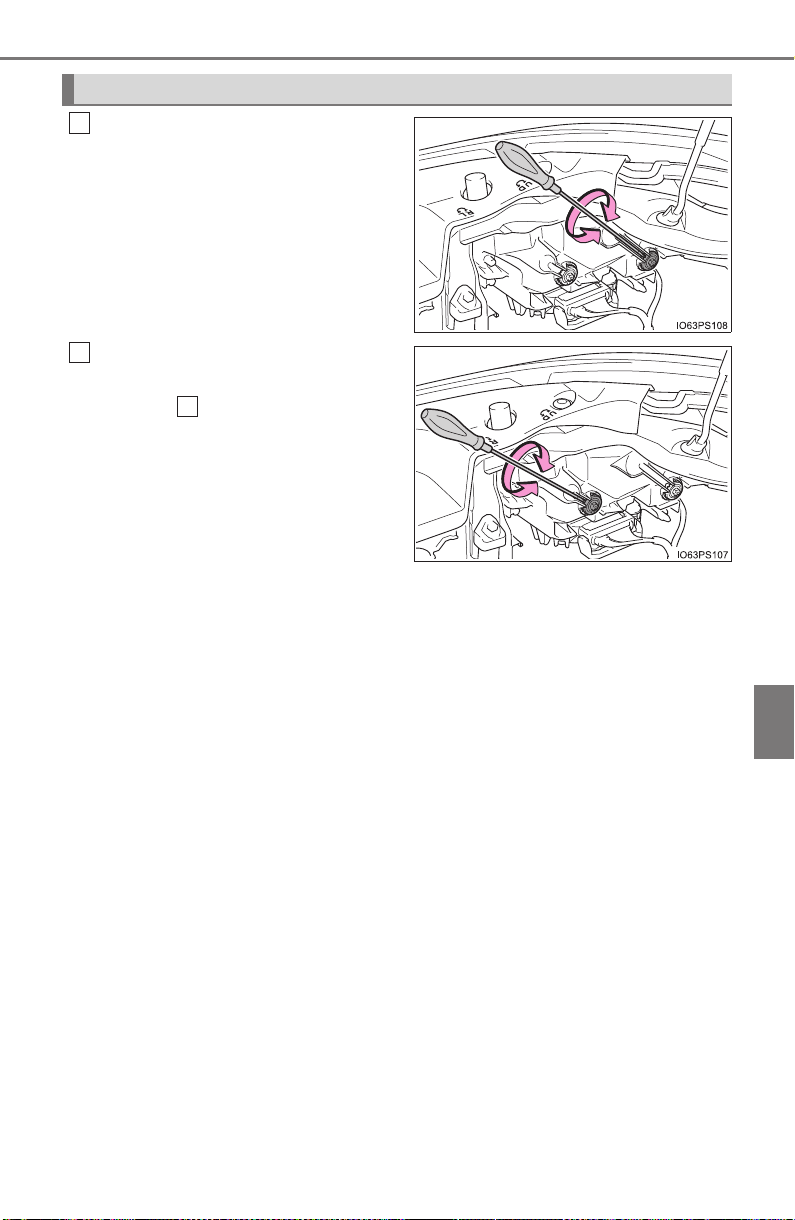
PRIUS_OM_OM47A29U_(U)
635
7-3. Do-it-yourself maintenance
7
Maintenance and care
Using a Phillips-head screw-
driver, turn bolt A in either direc-
tion.
Remember the turning direction
and the number of turns.
Turn bolt B the same number of
turns and in the same direction
as step .
If the headlight cannot be adjusted
using this procedure, take the vehi-
cle to your Toyota dealer to adjust
the headlight aim.
Adjusting the headlight aim
1
2
1

636
PRIUS_OM_OM47A29U_(U)
7-3. Do-it-yourself maintenance
Light bulbs
Check the wattage of the light bulb to be replaced. (→P. 736)
You may replace the following bulbs by yourself. The difficulty
level of replacement varies depending on the bulb. If necessary
bulb replacement seems difficult to perform, contact your
Toyota dealer.
For more information about replacing other light bulbs, contact
your Toyota dealer.
Preparing for light bulb replacement
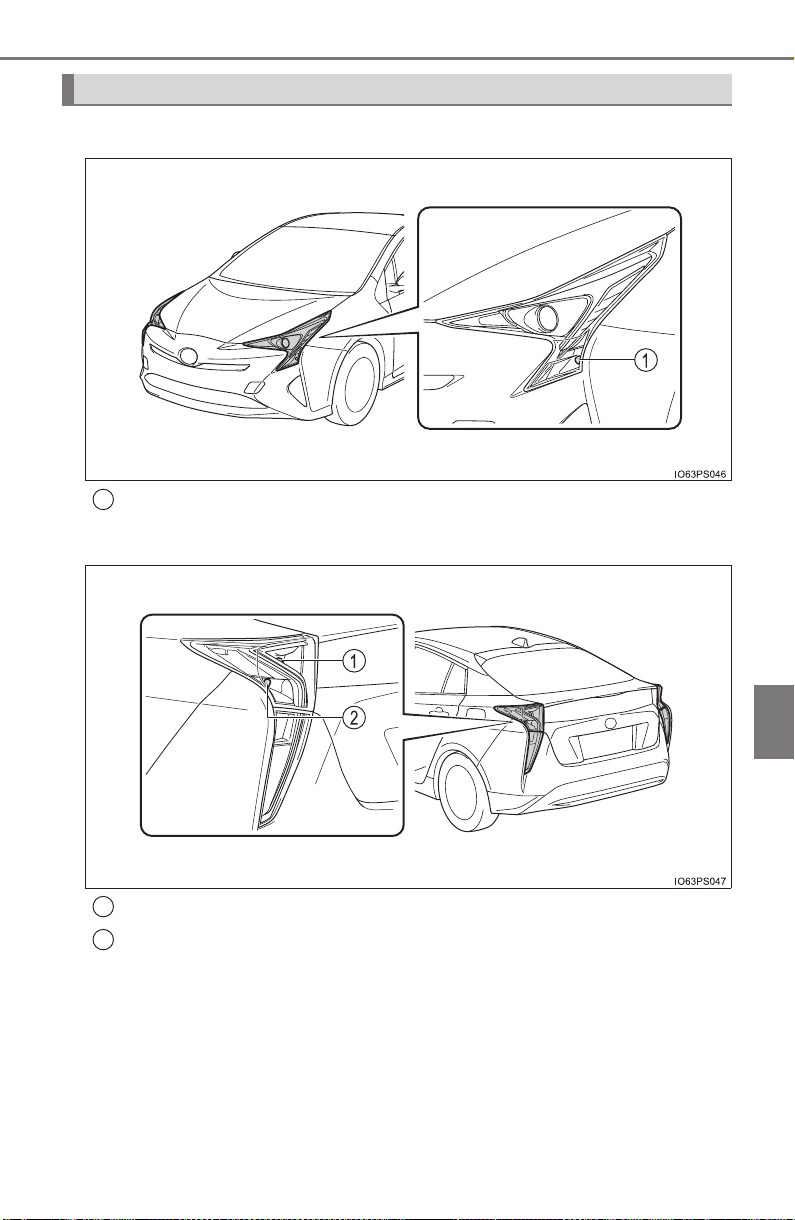
PRIUS_OM_OM47A29U_(U)
637
7-3. Do-it-yourself maintenance
7
Maintenance and care
■ Front
Front turn signal light/Parking light (bulb type)
■ Rear
Rear turn signal light
Back-up light
Bulb locations
1
1
2
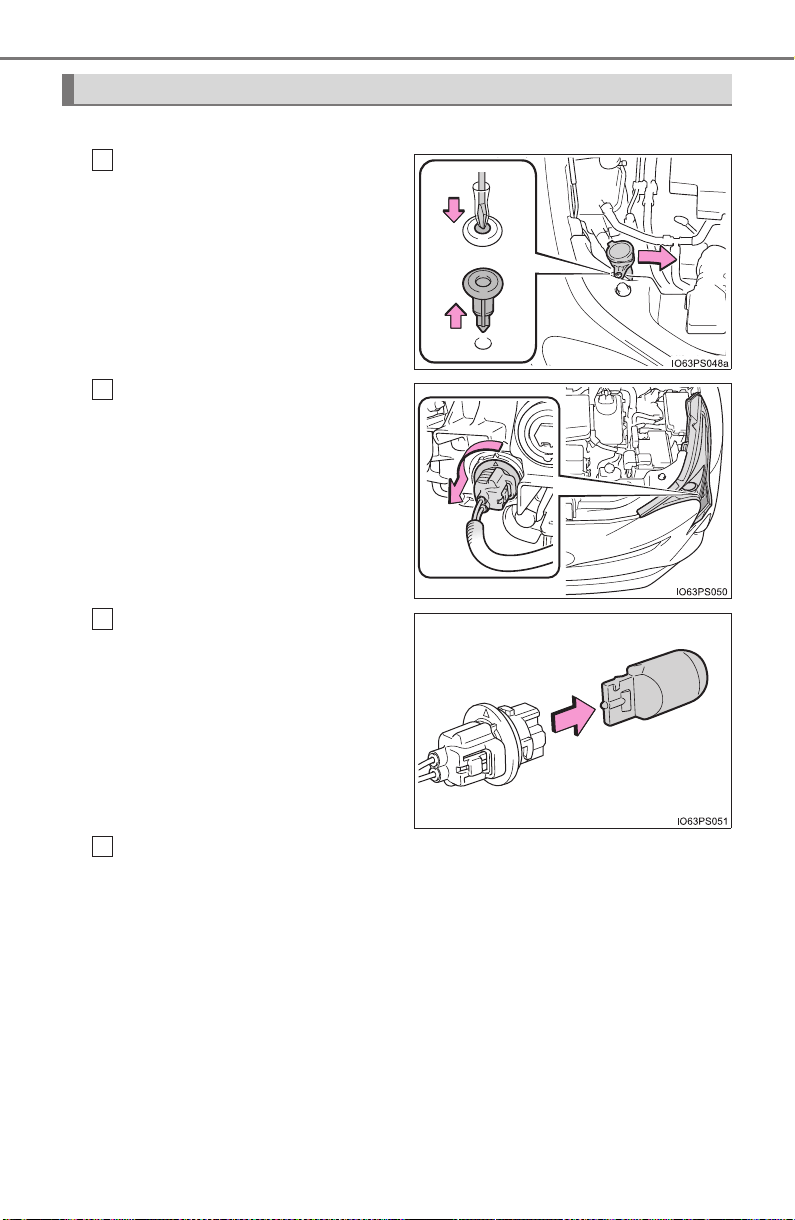
638
PRIUS_OM_OM47A29U_(U)
7-3. Do-it-yourself maintenance
■ Front turn signal lights/Parking lights (bulb type)
For the right side only:
Using a screwdriver, press
down on the center portion of
the clip to remove it. After
removing the clip, slide the
washer tank inlet pipe to the
right.
Turn the bulb base counter-
clockwise.
Remove the light bulb.
When installing, reverse the steps listed.
Replacing light bulbs
1
2
3
4
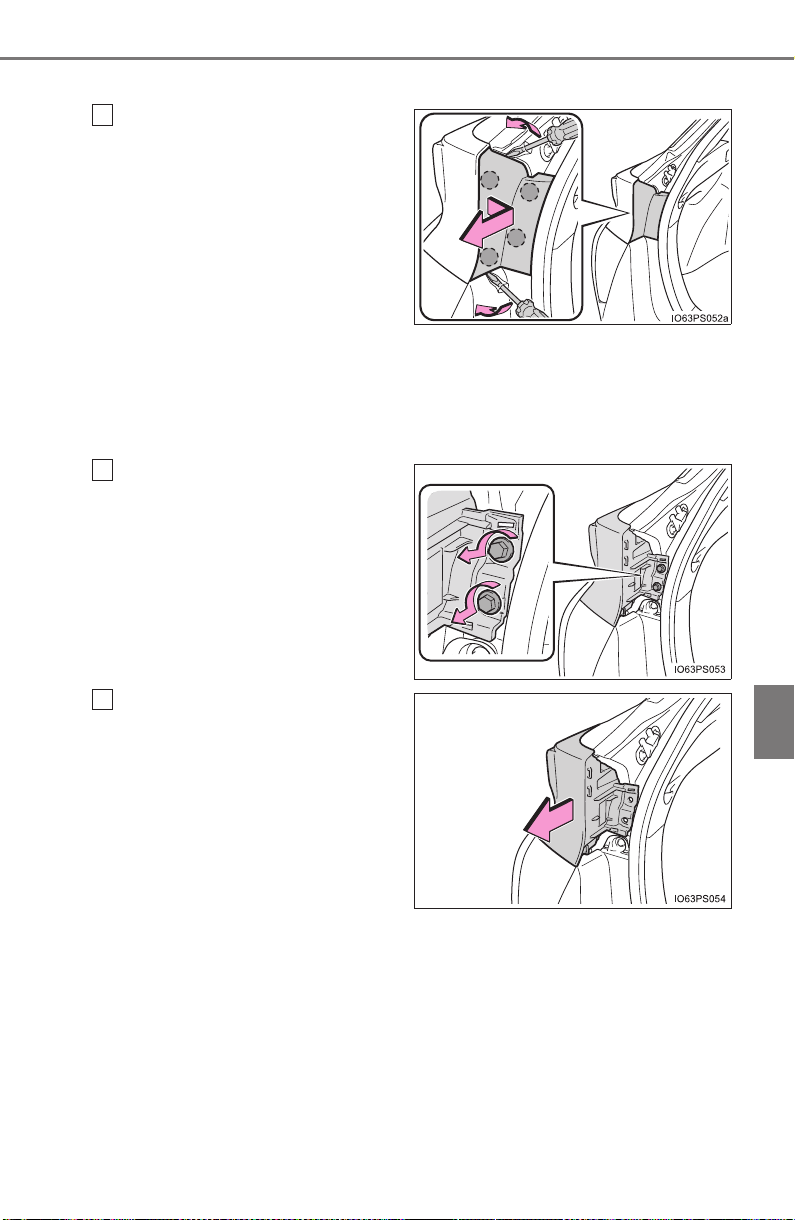
PRIUS_OM_OM47A29U_(U)
639
7-3. Do-it-yourself maintenance
7
Maintenance and care
■ Rear turn signal lights and back-up lights
Open the back door. Insert a
screwdriver into the cover on
the side of the light and
detach the claws indicated by
the dotted lines near the
exterior of the vehicle. Then,
pry the cover and pull it
toward the rear of the vehicle
to detach the claws indi-
cated by the dotted lines
near the vehicle interior.
To prevent damage to the cover, protect the tip of the screwdriver with a
rag.
Remove the 2 screws.
Pull the light unit toward the
rear of the vehicle to remove
it.
1
2
3
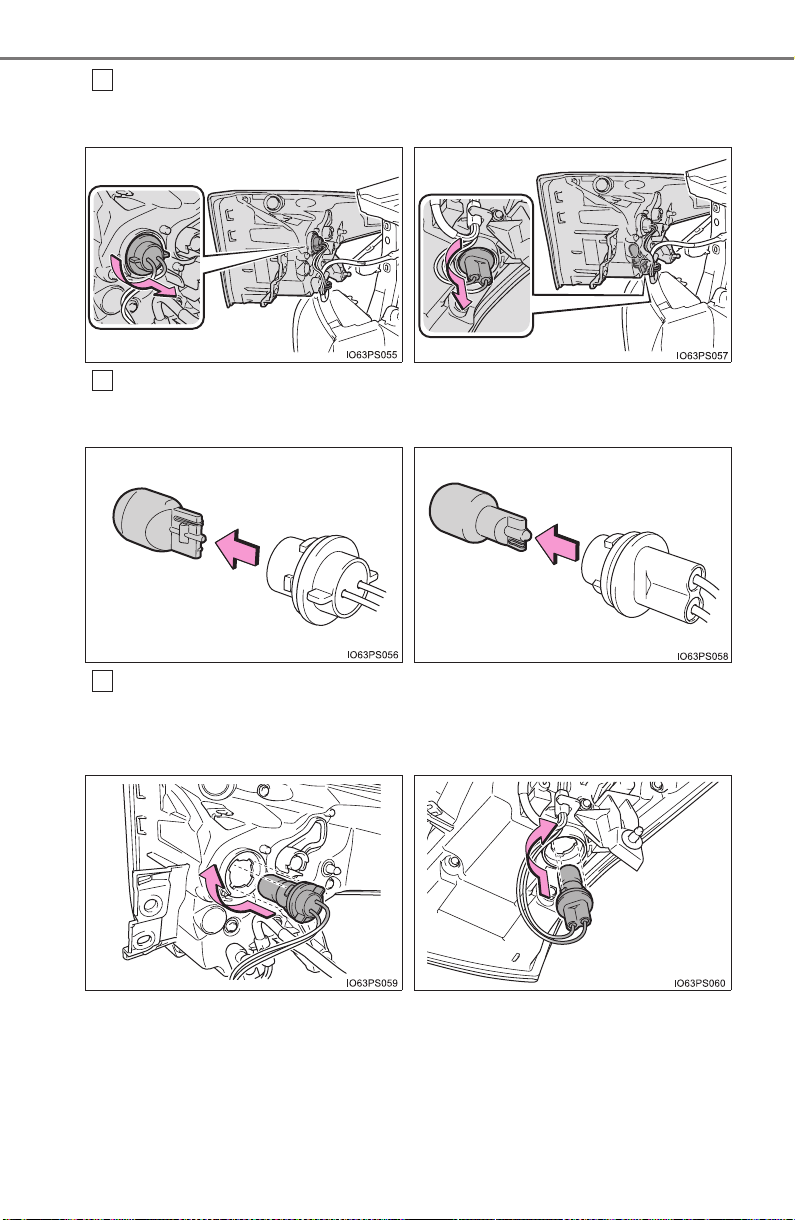
640
PRIUS_OM_OM47A29U_(U)
7-3. Do-it-yourself maintenance
Turn the bulb base counterclockwise.
Remove the light bulb.
Install a new light bulb then install the bulb base to the light unit
by inserting it and turning the bulb base clockwise.
4
X Rear turn signal light X Back-up light
5
X Rear turn signal light X Back-up light
6
X Rear turn signal light X Back-up light
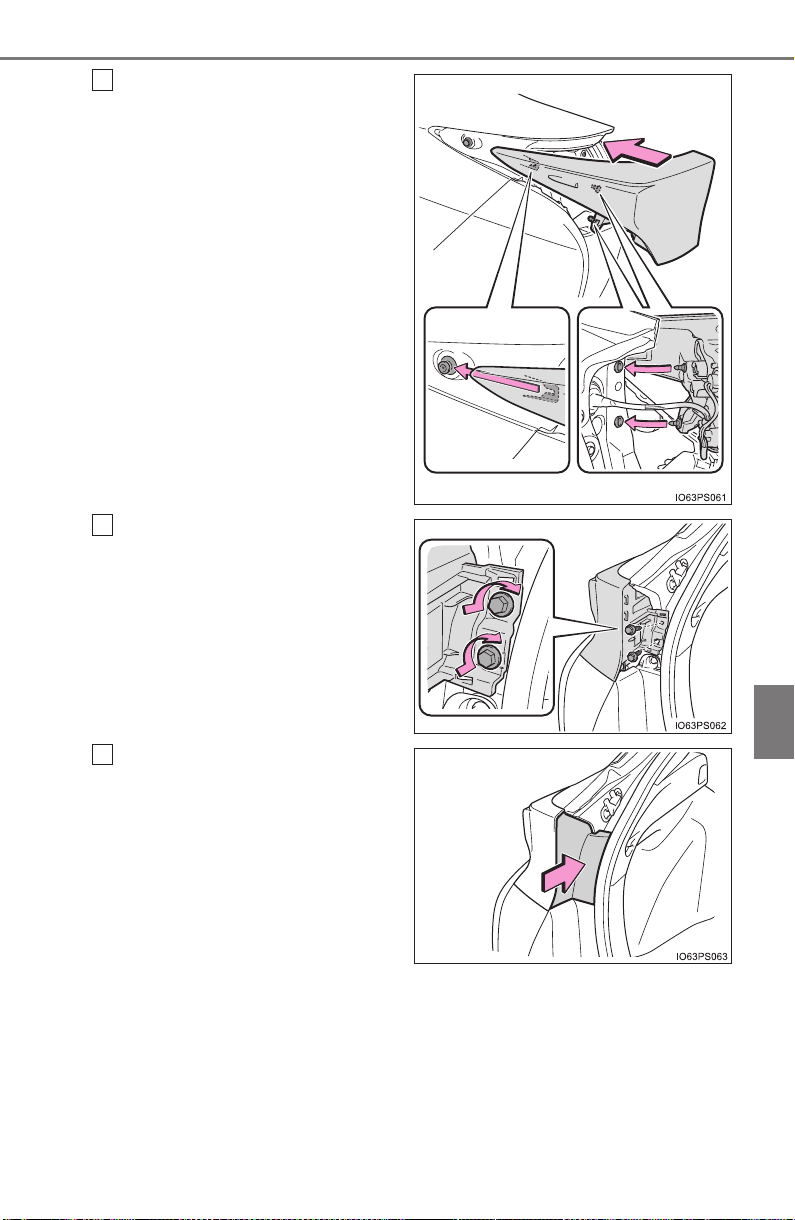
PRIUS_OM_OM47A29U_(U)
641
7-3. Do-it-yourself maintenance
7
Maintenance and care
Align the grooves on the light
unit with the claws, and insert
the light unit straight so that
the 2 pins on the light unit fit
into the holes. Confirm that
the light unit is completely
secured.
Install the 2 screws.
Install the cover.
7
8
9

642
PRIUS_OM_OM47A29U_(U)
7-3. Do-it-yourself maintenance
■ Replacing the following bulbs
If any of the lights listed below has burnt out, have it replaced by
your Toyota dealer.
● Headlights and daytime running lights
● Front side marker lights
● Parking lights (LED type: if equipped)
● Fog lights
● Rear side marker/tail lights
● Stop lights
● High mounted stoplight
● License plate lights
■ LED lights
The lights other than the parking lights (bulb type: if equipped), front turn sig-
nal lights, rear turn signal lights and back-up lights each consist of a number
of LEDs. If any of the LEDs burn out, take your vehicle to your Toyota dealer
to have the light replaced.
■ Condensation build-up on the inside of the lens
Temporary condensation build-up on the inside of the headlight lens does not
indicate a malfunction. Contact your Toyota dealer for more information in the
following situations:
● Large drops of water have built up on the inside of the lens.
● Water has built up inside the headlight.
■ When replacing light bulbs
→P. 633

PRIUS_OM_OM47A29U_(U)
643
7-3. Do-it-yourself maintenance
7
Maintenance and care
WARNING
■ Replacing light bulbs
● Be sure to stop the hybrid system and turn off the lights. Do not attempt to
replace the bulb immediately after turning off the lights.
The bulbs become very hot and may cause burns.
● Do not touch the glass portion of the light bulb with bare hands. When it is
unavoidable to hold the glass portion, use and hold with a clean dry cloth
to avoid getting moisture and oils on the bulb.
Also, if the bulb is scratched or dropped, it may blow out or crack.
● Fully install light bulbs and any parts used to secure them. Failure to do so
may result in heat damage, fire, or water entering the headlight unit. This
may damage the headlights or cause condensation to build up on the lens.
● Do not attempt to repair or disassemble light bulbs, connectors, electric
circuits or component parts.
Doing so may result in death or serious injury due to electric shock.
■ To prevent damage or fire
● Make sure bulbs are fully seated and locked.
● Check the wattage of the bulb before installing to prevent heat damage.

644
PRIUS_OM_OM47A29U_(U)
7-3. Do-it-yourself maintenance

645
PRIUS_OM_OM47A29U_(U)
8
When trouble arises
8-1. Essential information
Emergency flashers .......... 646
If your vehicle has to
be stopped in an
emergency ...................... 647
8-2. Steps to take in an
emergency
If your vehicle needs to
be towed ......................... 648
If you think something is
wrong .............................. 654
If a warning light turns on
or a warning buzzer
sounds ............................ 655
If a warning message is
displayed......................... 665
If you have a flat tire
(vehicles with
spare tire)........................ 673
If you have a flat tire
(vehicles without
spare tire)........................ 687
If the hybrid system will
not start........................... 706
If the electronic key does
not operate properly........ 708
If the 12-volt battery is
discharged ...................... 711
If your vehicle overheats ... 717
If the vehicle becomes
stuck ............................... 722
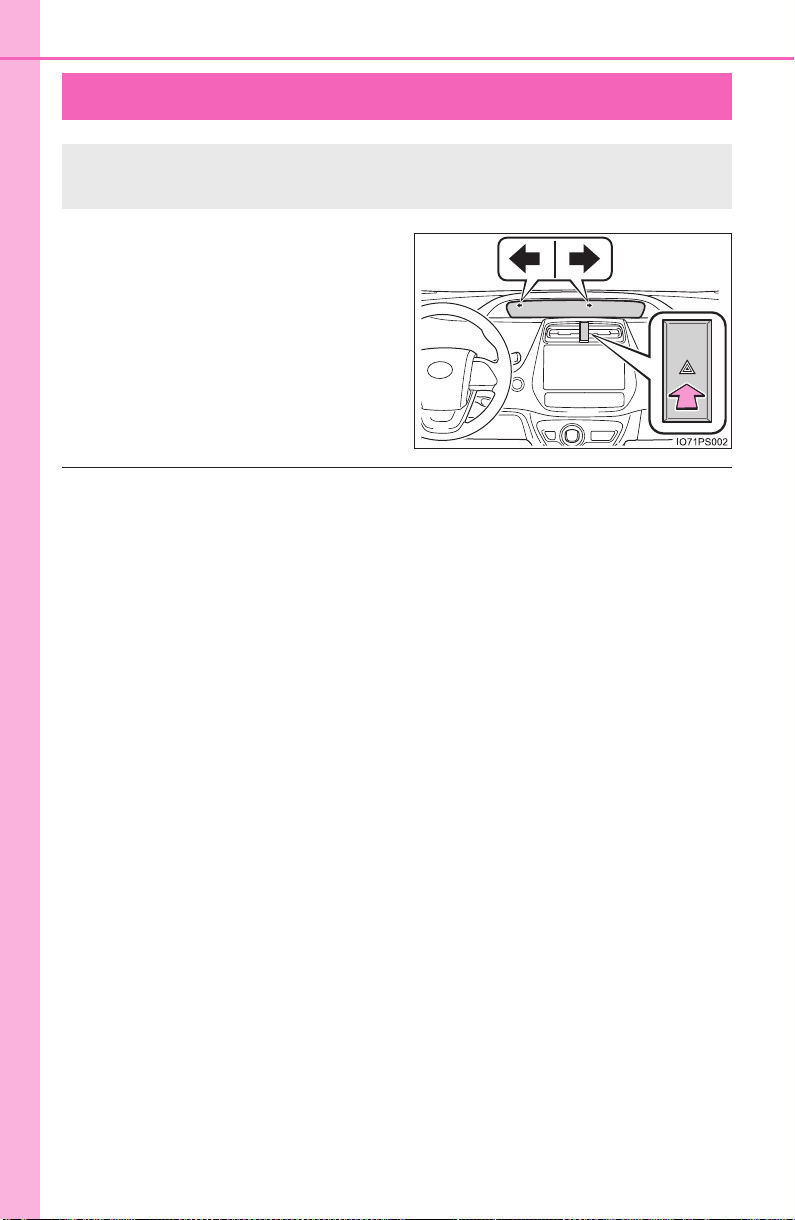
646
PRIUS_OM_OM47A29U_(U)
8-1. Essential information
Emergency flashers
Press the switch.
All the turn signal lights will flash.
To turn them off, press the switch
once again.
■ Emergency flashers
If the emergency flashers are used for a long time while the hybrid system is
not operating (while the “READY” indicator is not illuminated), the 12-volt bat-
tery may discharge.
The emergency flashers are used to warn other drivers when the
vehicle has to be stopped in the road due to a breakdown, etc.
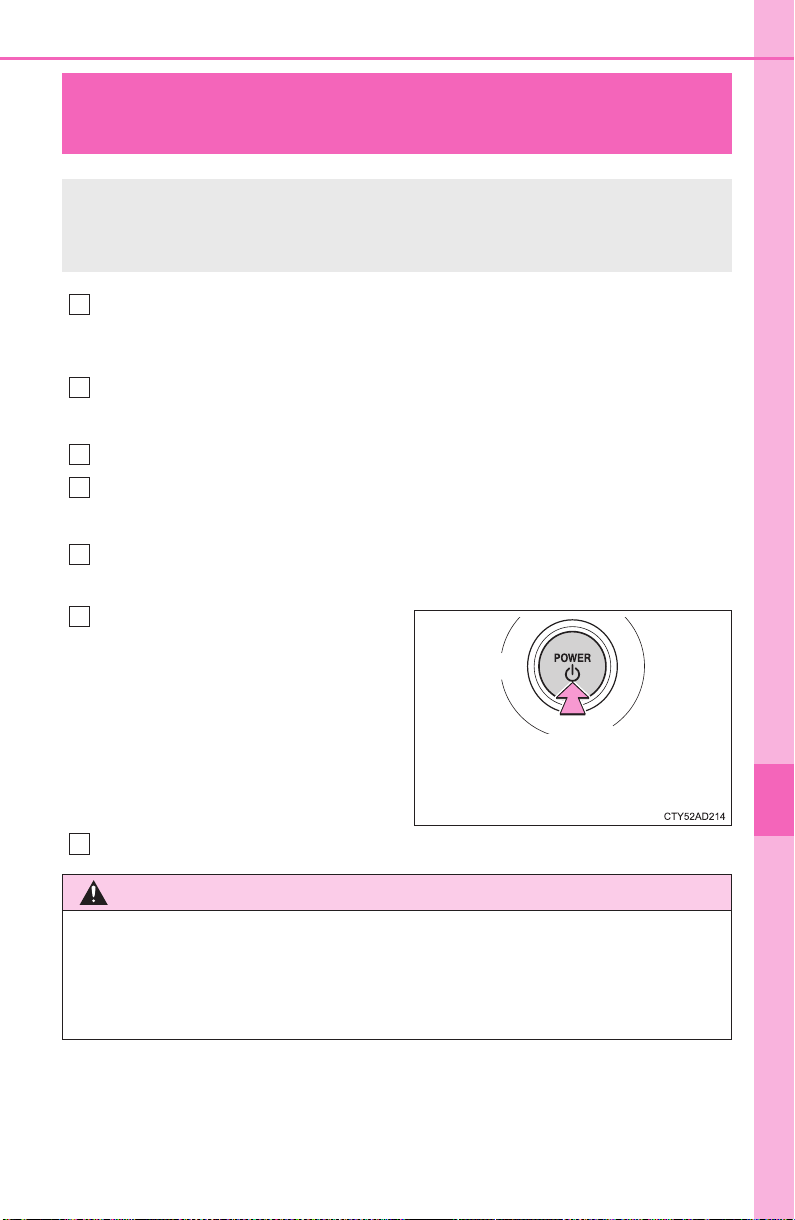
647
PRIUS_OM_OM47A29U_(U)
8
When trouble arises
8-1. Essential information
If your vehicle has to be stopped in an
emergency
Steadily step on the brake pedal with both feet and firmly depress it.
Do not pump the brake pedal repeatedly as this will increase the effort
required to slow the vehicle.
Shift the shift position to N.
X If the shift position is shifted to N
After slowing down, stop the vehicle in a safe place by the road.
Stop the hybrid system.
X If the shift position cannot be shifted to N
Keep depressing the brake pedal with both feet to reduce vehicle
speed as much as possible.
To stop the hybrid system,
press and hold the power
switch for 2 consecutive sec-
onds or more, or press it briefly
3 times or more in succession.
Stop the vehicle in a safe place by the road.
Only in an emergency, such as if it becomes impossible to stop
the vehicle in the normal way, stop the vehicle using the follow-
ing procedure:
1
2
3
4
3
Press and hold for 2 seconds or
more, or press briefly 3 times or
more
4
WARNING
■ If the hybrid system has to be turned off while driving
Power assist for the steering wheel will be lost, making the steering wheel
heavier to turn. Decelerate as much as possible before turning off the hybrid
system.
5

648
PRIUS_OM_OM47A29U_(U)
8-2. Steps to take in an emergency
If your vehicle needs to be towed
In the following situations, it is not possible to be towed by another
vehicle using cables or chains, as the front wheels may be locked due
to the parking lock. Contact your Toyota dealer or commercial towing
service.
● There is a malfunction in the shift control system. (→P. 228, 671)
● There is a malfunction in the immobilizer system. (→P. 89 )
● There is a malfunction in the smart key system. (→P. 708)
● The 12-volt battery is discharged. (→P. 7 11)
The following may indicate a problem with your hybrid transmission.
Contact your Toyota dealer or commercial towing service before tow-
ing.
● The hybrid system warning message is displayed and the vehicle
does not move.
● The vehicle makes an abnormal sound.
If towing is necessary, we recommend having your vehicle
towed by your Toyota dealer or commercial towing service,
using a wheel-lift type truck or flatbed truck.
Use a safety chain system for all towing, and abide by all state/
provincial and local laws.
Situations when it is not possible to be towed by another vehicle
Situations when it is necessary to contact dealers before towing
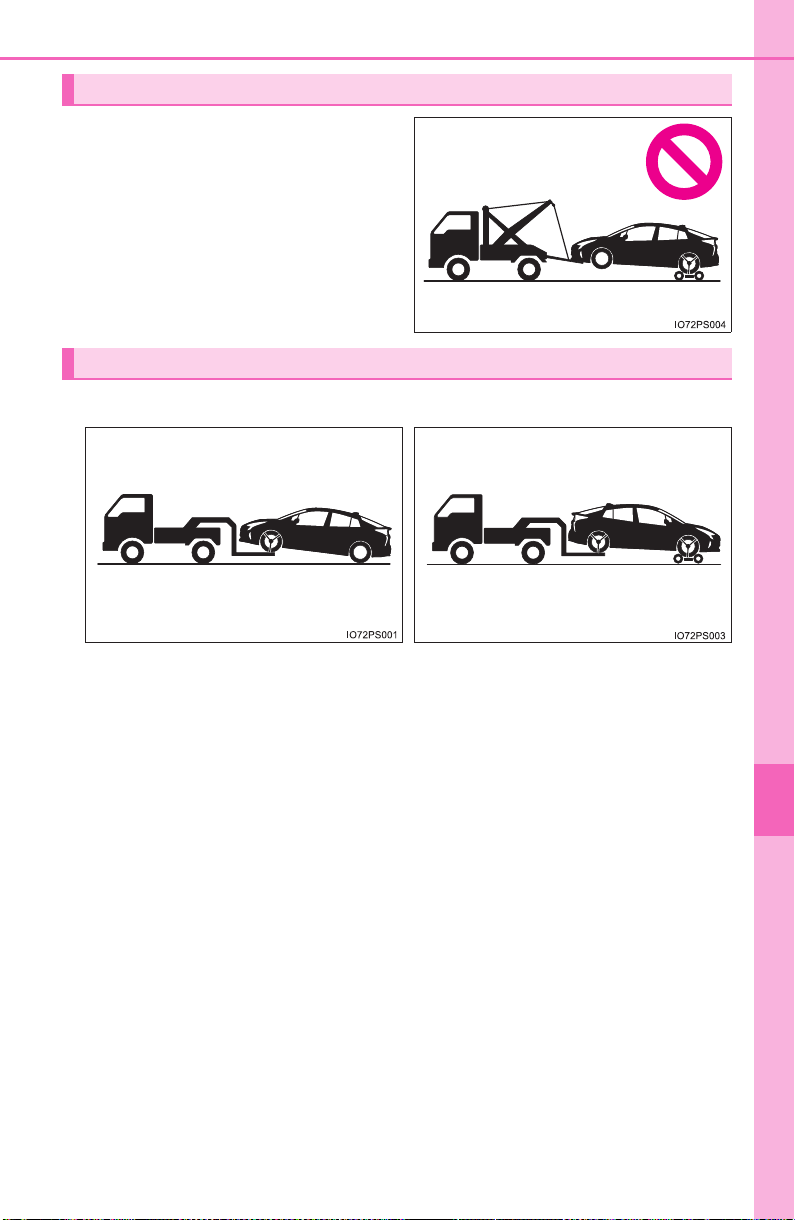
649
8-2. Steps to take in an emergency
PRIUS_OM_OM47A29U_(U)
8
When trouble arises
Do not tow with a sling-type truck
to prevent body damage.
Towing with a sling-type truck
Towing with a wheel-lift type truck
X From the front X From the rear
Release the parking brake. Use a towing dolly under the
front wheels.
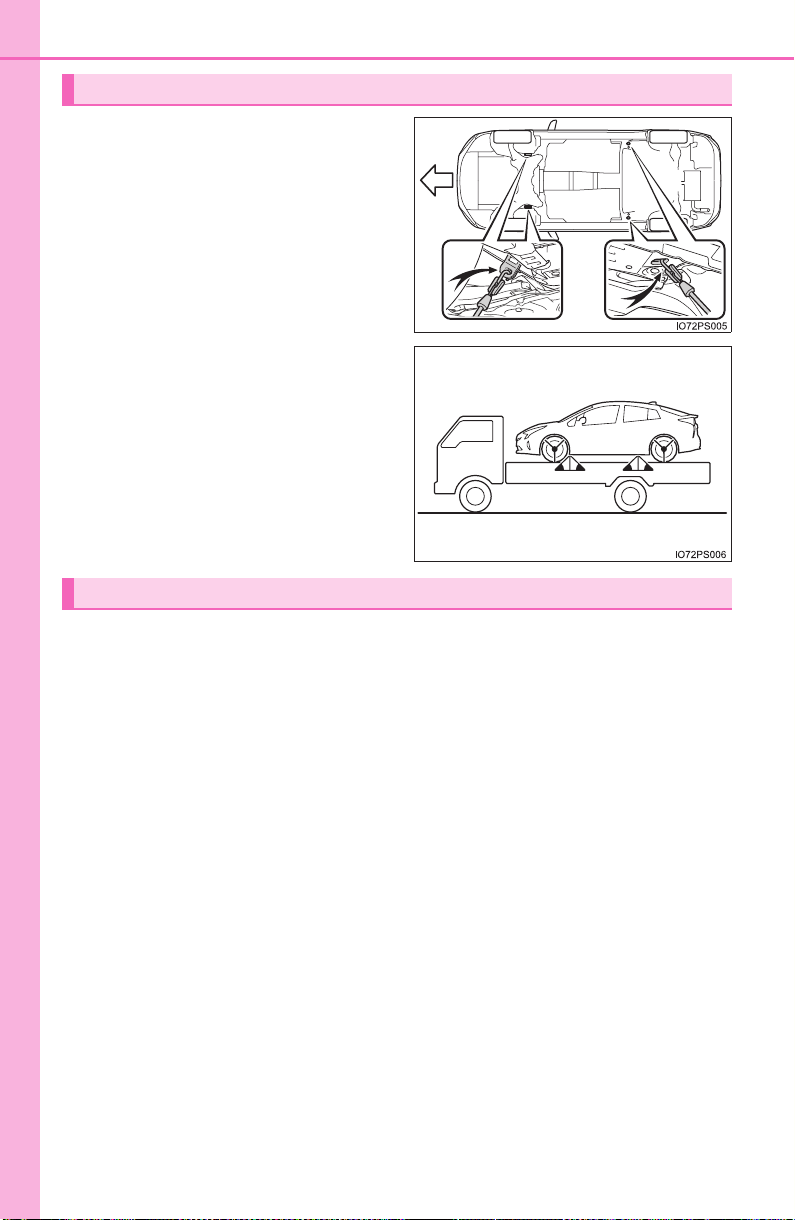
650
8-2. Steps to take in an emergency
PRIUS_OM_OM47A29U_(U)
If your vehicle is transported by a
flatbed truck, it should be tied
down at the locations shown in the
illustration.
If you use chains or cables to tie
down your vehicle, the angles
shaded in black must be 45°.
Do not overly tighten the tie
downs or the vehicle may be dam-
aged.
If a tow truck is not available in an emergency, your vehicle may be
temporarily towed using cables or chains secured to the emergency
towing eyelets. This should only be attempted on hard surfaced roads
for short distances at under 3 mph (5 km/h).
A driver must be in the vehicle to steer and operate the brakes. The
vehicle’s wheels, drive train, axles, steering and brakes must be in
good condition.
Using a flatbed truck
Front
Emergency towing
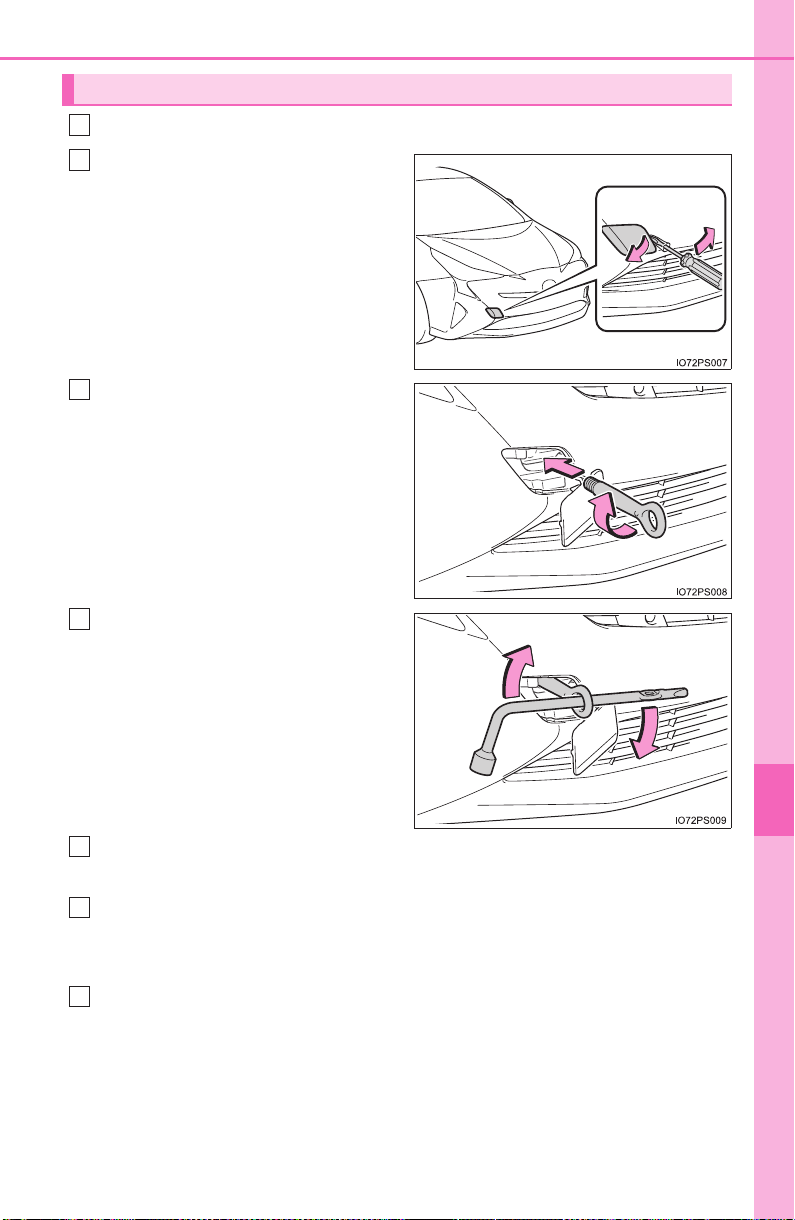
651
8-2. Steps to take in an emergency
PRIUS_OM_OM47A29U_(U)
8
When trouble arises
Take out the towing eyelet. (→P. 674, 689)
Remove the eyelet cover using
a flathead screwdriver.
To protect the bodywork, place a
rag between the screwdriver and
the vehicle body as shown in the
illustration.
Insert the towing eyelet into the
hole and tighten partially by
hand.
Tighten down the towing eyelet
securely using a wheel nut
wrench or hard metal bar.
When tightening with a wheel nut
wrench or hard metal bar, make
sure not to damage the vehicle
body.
Securely attach cables or chains to the towing eyelet.
Take care not to damage the vehicle body.
Enter the vehicle being towed and start the hybrid system.
If the hybrid system does not start, turn the power switch to ON mode.
Turn off the Intelligent Clearance Sonar. (if equipped): →P. 348
Shift the shift position to N and release the parking brake.
Emergency towing procedure
1
2
3
4
5
6
7
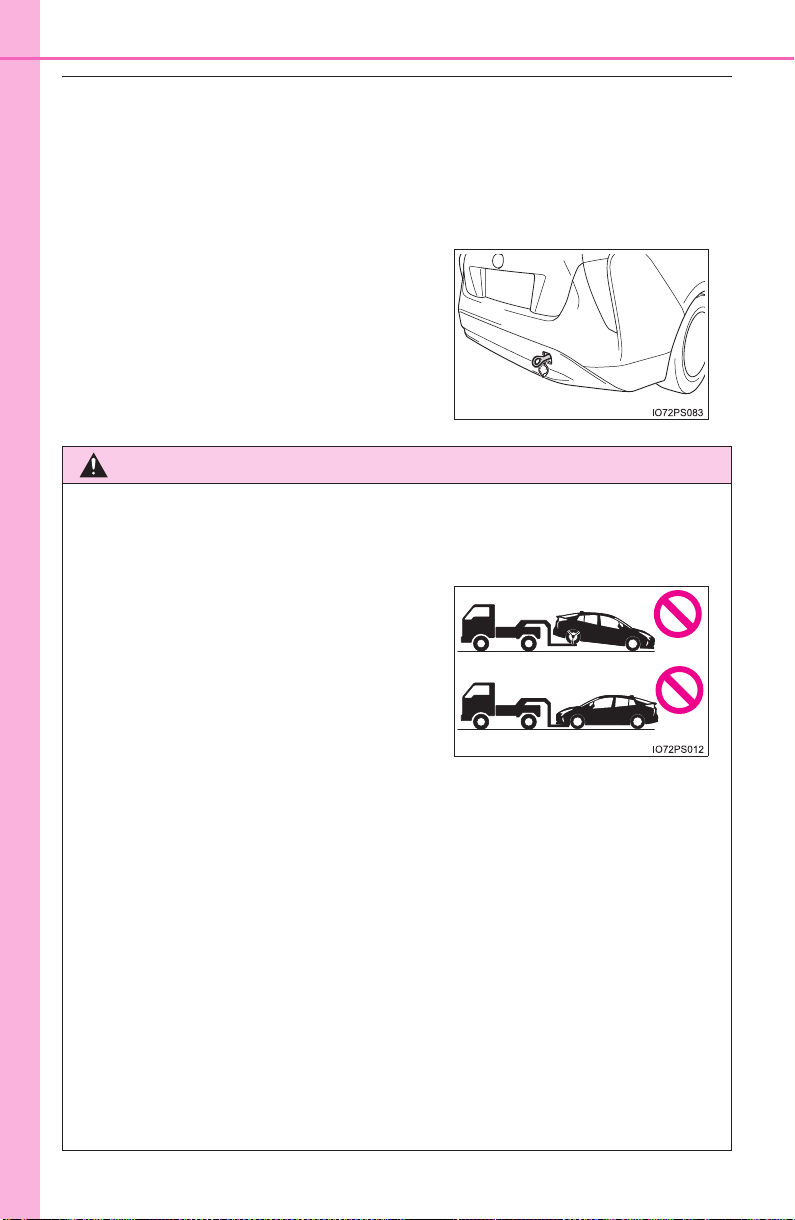
652
8-2. Steps to take in an emergency
PRIUS_OM_OM47A29U_(U)
■ While towing
If the hybrid system is off, the power assist for the brakes and steering will not
function, making steering and braking more difficult.
■ Wheel nut wrench
Wheel nut wrench is installed in luggage compartment. (→P. 674, 689)
■ Towing eyelet installation hole on the rear of the vehicle
The hole is equipped for fastening the
vehicle while shipping. Your vehicle can-
not tow another vehicle.
WARNING
Observe the following precautions.
Failure to do so may result in death or serious injury.
■ When towing the vehicle
■ While towing
● When towing using cables or chains, avoid sudden starts, etc. which place
excessive stress on the towing eyelets, cables or chains. The towing eye-
lets, cables or chains may become damaged, broken debris may hit peo-
ple, and cause serious damage.
● Do not turn the power switch off.
This may lead to an accident as the front wheels will be locked by the
parking lock.
■ Installing towing eyelets to the vehicle
● The towing eyelets are only for the vehicle equipped with them. Do not use
the towing eyelets for another vehicle, and do not use the towing eyelets
for this vehicle on another vehicle.
● Make sure that towing eyelets are installed securely.
If not securely installed, towing eyelets may come loose during towing.
Be sure to transport the vehicle with the
front wheels raised or with all four wheels
raised off the ground. If the vehicle is
towed with the front wheels contacting
the ground, the drivetrain and related
parts may be damaged or electricity gen-
erated by the operation of the motor may
cause a fire to occur depending on the
nature of the damage or malfunction.

653
8-2. Steps to take in an emergency
PRIUS_OM_OM47A29U_(U)
8
When trouble arises
NOTICE
■ To prevent damage to the vehicle when towing using a wheel-lift type
truck
When raising the vehicle, ensure adequate ground clearance for towing at
the opposite end of the raised vehicle. Without adequate clearance, the
vehicle could be damaged while being towed.
■ To prevent damage to the vehicle when towing with a sling-type truck
Do not tow with a sling-type truck, either from the front or rear.
■ To prevent damage to the vehicle during emergency towing
Do not secure cables or chains to the suspension components.

654
PRIUS_OM_OM47A29U_(U)
8-2. Steps to take in an emergency
If you think something is wrong
● Fluid leaks under the vehicle
(Water dripping from the air conditioning after use is normal.)
● Flat-looking tires or uneven tire wear
● High coolant temperature warning light flashes or comes on
● Changes in exhaust sound
● Excessive tire squeal when cornering
● Strange noises related to the suspension system
● Pinging or other noises related to the hybrid system
● Engine missing, stumbling or running roughly
● Appreciable loss of power
● Vehicle pulls heavily to one side when braking
● Vehicle pulls heavily to one side when driving on a level road
● Loss of brake effectiveness, spongy feeling, pedal almost touches
the floor
If you notice any of the following symptoms, your vehicle proba-
bly needs adjustment or repair. Contact your Toyota dealer as
soon as possible.
Visible symptoms
Audible symptoms
Operational symptoms
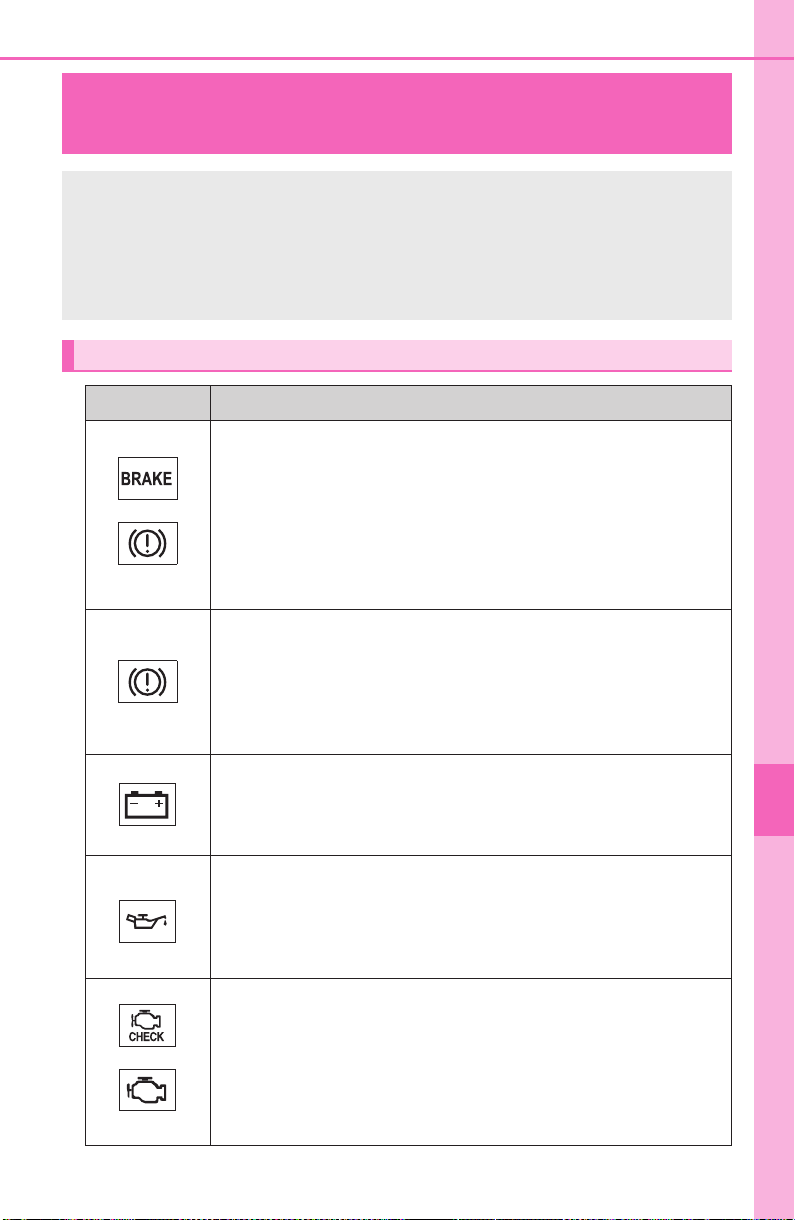
655
PRIUS_OM_OM47A29U_(U)
8
When trouble arises
8-2. Steps to take in an emergency
If a warning light turns on or a warning
buzzer sounds
Calmly perform the following actions if any of the warning lights
comes on or flashes. If a light comes on or flashes, but then
goes off, this does not necessarily indicate a malfunction in the
system. However, if this continues to occur, have the vehicle
inspected by your Toyota dealer.
Warning light and warning buzzer list
Warning light Warning light/Details/Actions
(U.S.A.)
(Canada)
Brake system warning light and warning buzzer (red
indicator)
*
1
Indicates that:
• The brake fluid level is low; or
• The brake system is malfunctioning
→ Immediately stop the vehicle in a safe place and con-
tact your Toyota dealer. Continuing to drive the vehi-
cle may be dangerous.
Brake system warning light (yellow indicator)
Indicates a malfunction in:
• The regenerative braking system; or
• The electronically controlled brake system
→ Have the vehicle inspected by your Toyota dealer
immediately.
Charging system warning light
Indicates a malfunction in the vehicle’s charging system
→ Immediately stop the vehicle in a safe place and con-
tact your Toyota dealer.
Low engine oil pressure warning light
(warning buzzer)
*
2
Indicates that the engine oil pressure is too low
→ Immediately stop the vehicle in a safe place and con-
tact your Toyota dealer.
(U.S.A.)
(Canada)
Malfunction indicator lamp
Indicates a malfunction in:
• The hybrid system;
• The electronic engine control system; or
• The electronic throttle control system
→ Have the vehicle inspected by your Toyota dealer
immediately.
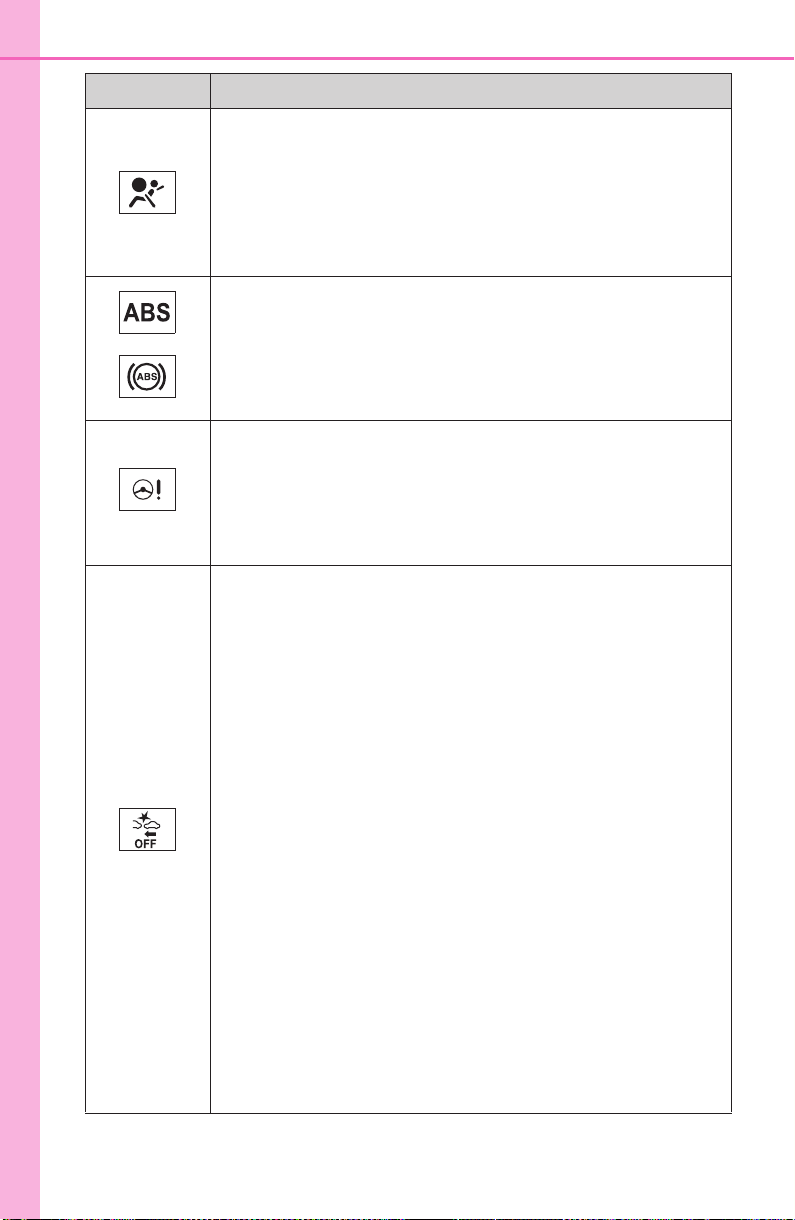
656
8-2. Steps to take in an emergency
PRIUS_OM_OM47A29U_(U)
SRS warning light
Indicates a malfunction in:
• The SRS airbag system;
• The front passenger occupant classification system; or
• The seat belt pretensioner system
→ Have the vehicle inspected by your Toyota dealer
immediately.
(U.S.A.)
(Canada)
ABS warning light
Indicates a malfunction in:
• The ABS; or
• The brake assist system
→ Have the vehicle inspected by your Toyota dealer
immediately.
(Red/yellow)
Electric power steering system warning light (warning
buzzer)
Indicates a malfunction in the EPS (Electric Power Steer-
ing) system
→ Have the vehicle inspected by your Toyota dealer
immediately.
(Flashes)
(If equipped)
PCS warning light
When the warning light flashes (and a buzzer sounds):
Indicates a malfunction in the PCS
(Pre-Collision System)
→ Have the vehicle inspected by your Toyota dealer
immediately.
When the warning light flashes (and a buzzer does not
sound):
Indicates that the PCS (Pre-Collision System) is tempo-
rarily unavailable, possibly due to either of the following:
• An area around the radar sensor or camera sensor
being dirty or covered with condensation, ice, stickers,
etc.
→ Clear the dirt, condensation, ice, stickers, etc.
(→P. 270)
• Radar sensor or camera sensor being outside of its
operational condition range. (temperature etc.)
→ If operational condition (temperature etc.) is satisfied,
PCS (Pre-Collision System) become to be available.
When the warning light is illuminated:
Either the VSC (Vehicle Stability Control) system or PCS
(Pre-Collision System) is disabled or both are disabled.
→ To enable the PCS, enable both the VSC system and
PCS. (→P. 279, 406)
Warning light Warning light/Details/Actions
657
8-2. Steps to take in an emergency
PRIUS_OM_OM47A29U_(U)
8
When trouble arises
Slip indicator light
Indicates a malfunction in:
• The VSC system;
• The TRAC system; or
• The hill-start assist control system
→ Have the vehicle inspected by your Toyota dealer
immediately.
The light will flash when the ABS, VSC or TRAC system is
operating.
High coolant temperature warning light
• When the light flashes:
Indicates that the engine coolant temperature is too high
The light changes from a flashing to a solid light when
the temperature further increases
→ Immediately stop the vehicle in a safe place. (→P. 717)
• When the light comes on without flashing:
Indicates a malfunction in the exhaust heat recirculator
system
→ Have the vehicle inspected by your Toyota dealer
immediately.
(Flashes)
(If equipped)
ICS OFF indicator
Indicates a malfunction in the Intelligent Clearance Sonar
function
→ Have the vehicle inspected by your Toyota dealer.
The warning light will operate as follows, even when the
system is not malfunctioning:
• The light will come on when the Intelligent Clearance
Sonar function is turned off (→P. 348)
• The light will come on when the Intelligent Clearance
Sonar function is operating (→P. 352)
• The light will flash when the system cannot be tempo-
rarily used (→P. 356)
Open door warning light (warning buzzer)*
3
Indicates that a door is not fully closed
→ Check that all the doors are closed.
Low fuel level warning light
Indicates that remaining fuel is approximately 1.7 gal.
(6.4 L, 1.4 Imp.gal.) or less
→ Refuel the vehicle.
Warning light Warning light/Details/Actions
658
8-2. Steps to take in an emergency
PRIUS_OM_OM47A29U_(U)
Seat belt reminder light (warning buzzer)*
4
Warns the driver and/or front passenger to fasten their
seat belts
→ Fasten the seat belt.
If the front passenger’s seat is occupied, the front
passenger’s seat belt also needs to be fastened to
make the warning light (warning buzzer) turn off.
Master warning light
A buzzer sounds and the warning light comes on and
flashes to indicate that the master warning system has
detected a malfunction.
→ P. 665
Tire pressure warning light
When the light comes on:
Low tire inflation pressure such as
• Natural causes (→P. 661)
• Flat tire (→P. 673, 687)
→ Adjust the tire inflation pressure to the specified
level.
The light will turn off after a few minutes. In case
the light does not turn off even if the tire inflation
pressure is adjusted, have the system checked by
your Toyota dealer.
When the light comes on after blinking for 1 minute:
Malfunction in the tire pressure warning system
(→P. 661)
→ Have the system checked by your Toyota dealer.
Brake Override System/Drive-Start Control/
Intelligent Clearance Sonar (symbol display)
*
5
Indicates that:
• The Brake Override System is operating;
• The Brake Override System is malfunctioning;
• The Drive-Start Control is operating;
• The Drive-Start Control is malfunctioning; or
• The Intelligent Clearance Sonar (if equipped) is operat-
ing (→P. 352)
→ Follow the instruction that are displayed on the multi-
information display.
Warning light Warning light/Details/Actions

659
8-2. Steps to take in an emergency
PRIUS_OM_OM47A29U_(U)
8
When trouble arises
*
1
: Brake system warning buzzer:
When there is a possible problem that could affect braking performance,
the warning light will come on and a warning buzzer will sound.
*
2
: Low engine oil pressure warning buzzer:
A buzzer also sounds continuously for approximately 30 seconds at maxi-
mum in addition to the low engine oil pressure warning light when the
“READY” indicator is illuminated.
*
3
: Open door warning buzzer:
The open door warning buzzer sounds to alert one or more of the doors is
not fully closed (with the vehicle having reached a speed of 3 mph [5 km/h]).
*
4
: Driver’s and front passenger’s seat belt warning buzzer:
The driver’s seat belt warning buzzer sounds to alert the driver that his or
her seat belt is not fastened. Once the power switch is turned to ON mode,
the buzzer sounds for 6 seconds. If the vehicle reaches a speed of 12 mph
(20 km/h), the buzzer sounds once. If the seat belt is still unfastened after
24 seconds, the buzzer will sound intermittently for 10 seconds. Then, if
the seat belt is still unfastened, the buzzer will sound in a different tone for
20 more seconds.
The front passenger’s seat belt warning buzzer sounds to alert the front
passenger that his or her seat belt is not fastened. The buzzer sounds
once if the vehicle reaches a speed of 12 mph (20 km/h). If the seat belt is
still unfastened after 24 seconds, the buzzer will sound intermittently for 10
seconds. Then, if the seat belt is still unfastened, the buzzer will sound in a
different tone for 20 more seconds.
*
5
: This symbol is displayed on the multi-information display.
(If equipped)
LDA (Lane Departure Alert with steering control) system
(symbol display)
*
5
Indicates that the LDA (Lane Departure Alert with steering
control) system has determined that the driver does not
have their hands on the steering wheel while the steering
control function is on
→ Firmly hold the steering wheel.
(Canada only)
Low engine oil pressure warning (symbol display)*
5
Indicates that the engine oil pressure is too low
→ Immediately stop the vehicle in a safe place and con-
tact your Toyota dealer.
Warning light Warning light/Details/Actions

660
8-2. Steps to take in an emergency
PRIUS_OM_OM47A29U_(U)
■ SRS warning light
This warning light system monitors the airbag sensor assembly, front impact
sensors, side impact sensors (front), side impact sensors (front door), side
impact sensors (rear), driver’s seat belt buckle switch, front passenger occu-
pant classification system (ECU and sensors), “AIR BAG ON” indicator light,
“AIR BAG OFF” indicator light, front passenger’s seat belt buckle switch, seat
belt pretensioner assemblies, airbags, interconnecting wiring and power
sources. (→P. 36)
■ Front passenger detection sensor, seat belt reminder and warning
buzzer
● If luggage is placed on the front passenger seat, the front passenger detec-
tion sensor may cause the warning light to flash and the warning buzzer to
sound even if a passenger is not sitting in the seat.
● If a cushion is placed on the seat, the sensor may not detect a passenger,
and the warning light may not operate properly.
■ Electric power steering system warning light (warning buzzer)
When the 12-volt battery charge becomes insufficient or the voltage tempo-
rarily drops, the electric power steering system warning light may come on
and the warning buzzer may sound.
■ If the malfunction indicator lamp comes on while driving
First check the following:
● Is the fuel tank empty?
If it is, fill the fuel tank immediately.
● Is the fuel tank cap loose?
If it is, tighten it securely.
The malfunction indicator lamp will go off after several driving trips.
If the malfunction indicator lamp does not go off even after several trips, con-
tact your Toyota dealer as soon as possible.

661
8-2. Steps to take in an emergency
PRIUS_OM_OM47A29U_(U)
8
When trouble arises
■ When the tire pressure warning light comes on
Inspect the appearance of the tire to check that the tire is not punctured.
If the tire is punctured: →P. 673, 687
If the tire is not punctured:
Check the tire inflation pressure and adjust to the appropriate level. Push-
ing the tire pressure warning reset switch will not turn off the tire pressure
warning light.
■ The tire pressure warning light may come on due to natural causes
The tire pressure warning light may come on due to natural causes such
as natural air leaks and tire inflation pressure changes caused by temper-
ature. In this case, adjusting the tire inflation pressure will turn off the
warning light (after a few minutes).
■ When a tire is replaced with a spare tire
Vehicles with compact spare tire: The compact spare tire is not equipped
with a tire pressure warning valve and transmitter. If a tire goes flat, the
tire pressure warning light will not turn off even though the flat tire has
been replaced with the spare tire. Replace the spare tire with the repaired
tire and adjust the tire inflation pressure. The tire pressure warning light
will go off after a few minutes.
Vehicles with full-size spare tire: The spare tire is also equipped with a tire
pressure warning valve and transmitter. The tire pressure warning light
will turn on if the tire inflation pressure of the spare tire is low. If a tire goes
flat, the tire pressure warning light will not turn off even though the flat tire
has been replaced with the spare tire. Replace the spare tire with the
repaired tire and adjust the tire inflation pressure. The tire pressure warn-
ing light will go off after a few minutes.
■ Conditions that the tire pressure warning system may not function
properly
→P. 6 11
■ If the tire pressure warning light frequently comes on after blinking
for 1 minute
If the tire pressure warning light frequently comes on after blinking for
1 minute when the power switch is turned to ON mode, have it checked
by your Toyota dealer.
■ Warning buzzer
In some cases, the buzzer may not be heard due to being in a noisy location
or audio sound.

662
8-2. Steps to take in an emergency
PRIUS_OM_OM47A29U_(U)
WARNING
■ When the electric power steering system warning light comes on
When the light comes on yellow, the assist to the power steering is
restricted. When the light comes on red, the assist to the power steering is
lost and handling operations of the steering wheel become extremely
heavy. When steering wheel operations are heavier than usual, grip the
steering wheel firmly and operate it using more force than usual.
■
If the tire pressure warning light comes on
Be sure to observe the following precautions. Failure to do so could
cause a loss of vehicle control and result in death or serious injury.
● Stop your vehicle in a safe place as soon as possible. Adjust the tire
inflation pressure immediately.
● Vehicles with spare tire: If the tire pressure warning light comes on
even after tire inflation pressure adjustment, it is probable that you
have a flat tire. Check the tires. If a tire is flat, change it with the spare
tire and have the flat tire repaired by the nearest Toyota dealer.
● Vehicles with emergency tire puncture repair kit: If the tire pressure
warning light comes on even after tire inflation pressure adjustment, it
is probable that you have a flat tire. Check the tires. If a tire is flat,
repair the flat tire by using emergency tire puncture repair kit.
● Avoid abrupt maneuvering and braking. If the vehicle tires deteriorate,
you could lose control of the steering wheel or the brakes.
■ If a blowout or sudden air leakage should occur
The tire pressure warning system may not activate immediately.

663
8-2. Steps to take in an emergency
PRIUS_OM_OM47A29U_(U)
8
When trouble arises
WARNING
■ Maintenance of the tires
Each tire, including the spare (if provided), should be checked monthly
when cold and inflated to the inflation pressure recommended by the
vehicle manufacturer on the vehicle placard or tire inflation pressure
label (tire and load information label). (If your vehicle has tires of a dif-
ferent size than the size indicated on the vehicle placard or tire inflation
pressure label [tire and load information label], you should determine
the proper tire inflation pressure for those tires.)
As an added safety feature, your vehicle has been equipped with a tire
pressure monitoring system (TPMS-tire pressure warning system) that
illuminates a low tire pressure telltale (tire pressure warning light) when
one or more of your tires is significantly under-inflated. Accordingly,
when the low tire pressure telltale (tire pressure warning light) illumi-
nates, you should stop and check your tires as soon as possible, and
inflate them to the proper pressure. Driving on a significantly under-
inflated tire causes the tire to overheat and can lead to tire failure.
Under-inflation also reduces fuel efficiency and tire tread life, and may
affect the vehicle’s handling and stopping ability.
Please note that the TPMS (tire pressure warning system) is not a sub-
stitute for proper tire maintenance, and it is the driver’s responsibility to
maintain correct tire pressure, even if under-inflation has not reached
the level to trigger illumination of the TPMS low tire pressure telltale (tire
pressure warning light).
Your vehicle has also been equipped with a TPMS (tire pressure warn-
ing system) malfunction indicator to indicate when the system is not
operating properly. The TPMS (tire pressure warning system) malfunc-
tion indicator is combined with the low tire pressure telltale (tire pressure
warning light). When the system detects a malfunction, the telltale will
flash for approximately one minute and then remain continuously illumi-
nated. This sequence will continue upon subsequent vehicle start-ups
as long as the malfunction exists. When the malfunction indicator is illu-
minated, the system may not be able to detect or signal low tire pres-
sure as intended.
TPMS (tire pressure warning system) malfunctions may occur for a vari-
ety of reasons, including the installation of replacement or alternate tires
or wheels on the vehicle that prevent the TPMS (tire pressure warning
system) from functioning properly. Always check the TPMS (tire pres-
sure warning system) malfunction telltale after replacing one or more
tires or wheels on your vehicle to ensure that the replacement or alter-
nate tires and wheels allow the TPMS (tire pressure warning system) to
continue to function properly.

664
8-2. Steps to take in an emergency
PRIUS_OM_OM47A29U_(U)
NOTICE
■ To ensure the tire pressure warning system operates properly
Do not install tires with different specifications or makers, as the tire
pressure warning system may not operate properly.
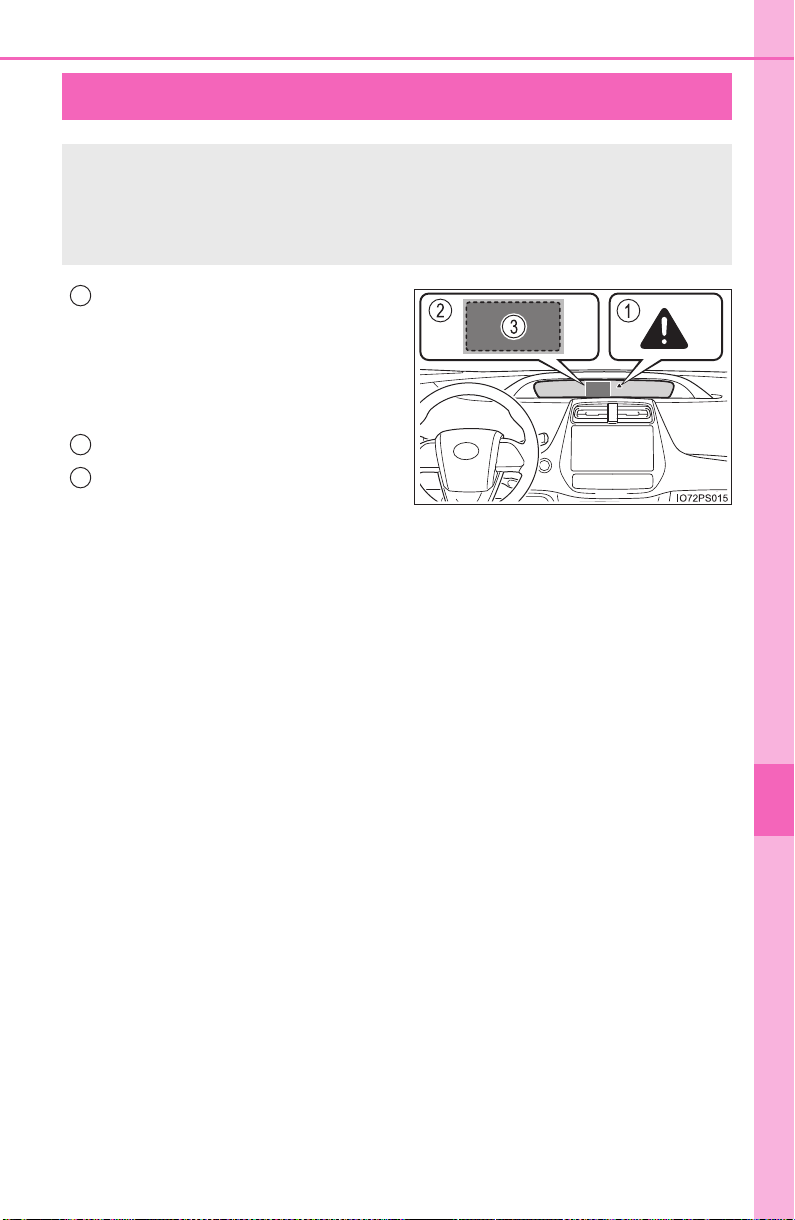
665
PRIUS_OM_OM47A29U_(U)
8
When trouble arises
8-2. Steps to take in an emergency
If a warning message is displayed
Master warning light
The master warning light also
comes on or flashes in order to
indicate that a message is cur-
rently being displayed on the multi-
information display.
*
Multi-information display
Handling method
Follow the instructions of the mes-
sage on the multi-information dis-
play.
If any of the warning messages are shown again after the following
actions have been performed, contact your Toyota dealer.
*: The master warning light may not come on or flash when a warning mes-
sage is displayed.
The multi-information display shows warnings of system mal-
functions, incorrectly performed operations, and messages that
indicate a need for maintenance. When a message is shown,
perform the correction procedure appropriate to the message.
1
2
3

666
8-2. Steps to take in an emergency
PRIUS_OM_OM47A29U_(U)
The warning lights and warning buzzers operate as follows depending
on the content of the message. If a message indicates the need for
inspection by a dealer, have the vehicle inspected by your Toyota
dealer immediately.
*: A buzzer sounds the first time a message is shown on the multi-informa-
tion display.
Messages and warnings
System
warning
light
Warning
buzzer
*
Warning
Comes on Sounds
Indicates an important situation, such
as when a system related to driving is
malfunctioning or that danger may
result if the correction procedure is not
performed
Comes on
or flashes
Sounds
Indicates an important situation, such
as when the systems shown on the
multi-information display may be mal-
functioning
Flashes Sounds
Indicates a situation, such as when
damage to the vehicle or danger may
result
Comes on
Does not
sound
Indicates a condition, such as mal-
function of electrical components, their
condition, or indicates the need for
maintenance
Flashes
Does not
sound
Indicates a situation, such as when an
operation has been performed incor-
rectly, or indicates how to perform an
operation correctly

667
8-2. Steps to take in an emergency
PRIUS_OM_OM47A29U_(U)
8
When trouble arises
■ Warning messages
The warning messages explained below may differ from the actual messages
according to operation conditions and vehicle specifications.
■ System warning lights
The master warning light does not come on or flash in the following cases.
Instead, a separate system warning light will come on along with a message
shown on the multi-information display.
● “Antilock Brake System Malfunction Visit Your Dealer”:
The ABS warning light comes on. (→P. 656)
● “Braking Power Low Visit Your Dealer”:
The brake system warning light (yellow) will come on. (→P. 655)
● Indicates that a door is not fully closed while the vehicle is stopped.:
The Open door warning light comes on. (→P. 657)
■ If “Visit Your Dealer” is shown
The system or part shown on the multi-information display is malfunctioning.
Have the vehicle inspected by your Toyota dealer.
■ If a message about an operation is shown
● If a message about an operation of the accelerator pedal or brake pedal is
shown
A warning message about an operation of the brake pedal may be shown
while the driving assist systems such as PCS (Pre-Collision System) (if
equipped) or the dynamic radar cruise control with full-speed range (if
equipped) is operating. If a warning message is shown, be sure to deceler-
ate the vehicle or follow an instruction shown on the multi-information dis-
play.
● A warning message is shown when Drive-Start Control, Brake Override Sys-
tem or Intelligent Clearance Sonar (if equipped) operates (→P. 209, 210,
352). Follow the instructions on the multi-information display.
● If a message about an operation of the power switch is shown
An instruction for operation of the power switch is shown when the incorrect
procedure for starting the hybrid system is performed or the power switch is
operated incorrectly. Follow the instructions shown on the multi-information
display to operate the power switch again.
● If a message about a shift operation is shown
To prevent the shift position from being selected incorrectly or the vehicle
from moving unexpectedly, the shift position may be changed automatically
(→P. 236) or operating the shift lever may be required. In this case, change
the shift position following the instructions on the multi-information display.
● If a message or image about an open/close state of a part or replenishment
of a consumable is shown
Confirm the part indicated by the multi-information display or a warning light,
and then perform the coping method such as closing the open door or
replenishing a consumable.

668
8-2. Steps to take in an emergency
PRIUS_OM_OM47A29U_(U)
■ If “See Owner’s Manual” is shown
● If “Braking Power Low Stop in a Safe Place See Owner’s Manual” is shown,
this may be a malfunction. Immediately stop the vehicle in a safe place and
contact your Toyota dealer. Continuing to drive the vehicle may be danger-
ous.
● If “Engine Oil Pressure Low” is shown, this may be a malfunction. Immedi-
ately stop the vehicle in a safe place and contact your Toyota dealer.
● If the following messages are shown, there may be a malfunction. Immedi-
ately have the vehicle inspected by your Toyota dealer.
• “Hybrid System Malfunction”
• “Check Engine”
• “Hybrid Battery System Malfunction”
• “Accelerator System Malfunction”
• “Smart Key System Malfunction See Owner’s Manual”
■ If “Shift System Not Active Apply Parking Brake Securely While Parking
See Owner’s Manual” is shown
Indicates a malfunction in the shift control system. Immediately have the vehi-
cle inspected by your Toyota dealer.
When the message is shown, the hybrid system may not be started or the
shift position may not be changed normally. (Coping method: →P. 671)
■ If “Shift System Malfunction Apply Parking Brake Securely While Park-
ing See Owner’s Manual” is shown
Indicates a malfunction in the shift control system. Immediately have the vehi-
cle inspected by your Toyota dealer.
When the message is shown, the hybrid system may not be started or the
shift position may not be changed normally. (Coping method: →P. 671)
■ If “ Switch Malfunction Apply Parking Brake Securely While Parking
See Owner’s Manual” is shown
The P position switch may not operate. Immediately have the vehicle
inspected by your Toyota dealer.
When parking the vehicle, stop the vehicle on level ground and apply the
parking brake firmly.
■ If “Shift System Malfunction Shifting Unavailable See Owner’s Manual”
is shown
Indicates a malfunction in the shift control system. Immediately have the vehi-
cle inspected by your Toyota dealer.
The shift position may not be shifted from P to other than P.
■ If “Shift System Malfunction Stop in a Safe Place See Owner’s Manual”
is shown
Indicates a malfunction in the shift control system. Immediately have the vehi-
cle inspected by your Toyota dealer.
The shift position may not be changed. Stop the vehicle in a safe place.

669
8-2. Steps to take in an emergency
PRIUS_OM_OM47A29U_(U)
8
When trouble arises
■ If “Shift System Malfunction See Owner’s Manual” is shown
Indicates a malfunction in the shift control system. Immediately have the sys-
tem inspected by your Toyota dealer.
The system may not operate properly.
■ If “Low 12-Volt Battery Apply Parking Brake Securely While Parking See
Owner’s Manual” is shown
Indicates that the 12-volt battery charge is insufficient. Charge or replace the
12-volt battery.
● When the message is shown, the hybrid system may not start or the shift
position may not be changed normally. (Coping method: →P. 671)
● After charging the 12-volt battery, the message may not go off until the shift
position is changed from P.
■ If “Shifting Unavailable Low 12-Volt Battery See Owner’s Manual” is
shown
Indicates that the shift position cannot be changed because the voltage of the
12-volt battery drops. Charge or replace the 12-volt battery.
(Coping method in the case the 12-volt battery is discharged: →P. 711)
■ If “Hybrid System Overheated. Reduced Output Power.” is shown
The message may be shown when driving under severe operating conditions.
(For example, when driving up a long steep hill or driving up a steep hill in
reverse.)
Coping method: →P. 717
■ If “Maintenance Required for Hybrid Battery Cooling Parts at Your
Dealer” is shown
There is a possibility that the filter may be clogged, the air intake vent may be
blocked, or there may be a gap in the duct. Have maintenance performed on
the hybrid battery (traction battery) cooling component at your Toyota dealer.
■ If “Hybrid Battery Low. Shift Out of to Recharge.” is shown
Message is displayed when the remaining charge for the hybrid battery (trac-
tion battery) is low.
As the hybrid battery (traction battery) can not be charged when the shift
position is in N, when stopped for long periods of time shift the shift position to
P.
■ If “Hybrid Battery Low Hybrid System Stopped Shift to and Restart”
is shown
Message is displayed when the remaining charge for the hybrid battery (trac-
tion battery) is low, because vehicle has been shifted to N for a long period of
time.
When operating the vehicle, shift to P and restart the hybrid system.
■ If “Shift to Position When Parked” is shown
Message is displayed when the driver’s door is opened without turning the
power switch to off with the shift position in any position other than P.
Shift the shift position to P.

670
8-2. Steps to take in an emergency
PRIUS_OM_OM47A29U_(U)
■ If “Shift is in Release Accelerator Before Shifting” is shown
Message is displayed when the accelerator pedal has been depressed and
the shift position is in N.
Release the accelerator pedal and shift the shift position to D or R.
■ If “Depress Brake When Vehicle is Stopped. Hybrid System may Over-
heat.” is shown
The message may be shown when the accelerator pedal is depressed to hold
the vehicle while the vehicle is stopped on an uphill, etc.
The hybrid system may overheat. Release the accelerator pedal and depress
the brake pedal.
■ If “Shifted to Stop Vehicle to Shift to ” is shown
● If the P position switch is pressed while driving, the shift position is changed
to N and the message is shown. (→P. 236)
● If the voltage of the 12-volt battery drops and the shift position cannot be
shown
*, the message may be shown when starting the hybrid system. In
this case, check the voltage of the 12-volt battery.
(Coping method in the case the 12-volt battery is discharged: →P. 711)
*: When the voltage of the 12-volt battery drops while the shift position in P,
the front wheels may be locked by the parking lock even if the message is
shown.
■ If “Auto Power OFF to Conserve Battery” is shown
The power switch has been turned off by the automatic power off function.
When starting the hybrid system next time, operate the hybrid system for
approximately 5 minutes to recharge the 12-volt battery.
■ If “Forward Camera System Unavailable” or “Forward Camera System
Unavailable Clean Windshield” is displayed. *
The following systems may be suspended until the problem shown in the
message is resolved.
● PCS (Pre-Collision System)
*
● LDA (Lane Departure Alert with steering control)*
● Dynamic radar cruise control with full-speed range*
● AHB (Automatic High Beam)*
*
: If equipped

671
8-2. Steps to take in an emergency
PRIUS_OM_OM47A29U_(U)
8
When trouble arises
■ If “Maintenance Required Soon” is displayed (U.S.A. only)
Indicates that all maintenance according to the driven distance on the mainte-
nance schedule
* should be performed soon.
Comes on approximately 4500 miles (7200 km) after the message has been
reset.
If necessary, perform maintenance. Please reset the message after the main-
tenance is performed. (→P. 579)
*: Refer to the separate “Scheduled Maintenance Guide” or “Owner’s Manual
Supplement” for the maintenance interval applicable to your vehicle.
■ If “Maintenance Required Visit Your Dealer” is displayed (U.S.A. only)
Indicates that all maintenance is required to correspond to the driven distance
on the maintenance schedule
*.
Comes on approximately 5000 miles (8000 km) after the message has been
reset. (The indicator will not work properly unless the message has been
reset.)
Perform the necessary maintenance. Please reset the message after the
maintenance is performed. (→P. 579)
*: Refer to the separate “Scheduled Maintenance Guide” or “Owner’s Manual
Supplement” for the maintenance interval applicable to your vehicle.
■ If the shift position cannot be changed or the power switch is turned to
ACCESSORY mode even if trying to turn the power switch off when a
warning message is shown
If the 12-volt battery is discharged or the shift control system is malfunction-
ing, the followings may occur.
● The shift position may not be changed to P.
When parking, stop the vehicle on level ground and apply the parking brake
firmly.
● The hybrid system may not start.
● The power switch may be turned to ACCESSORY mode even if trying to
turn the power switch off.
In this case, the power switch may be turned off after applying the parking
brake.
● The automatic P position selection function (→P. 237) may not operate.
Before turning the power switch off, be sure to press the P position switch
and check that the shift position is in P by the shift position indicator or P
position switch indicator.
■ Warning buzzer
→P. 661

672
8-2. Steps to take in an emergency
PRIUS_OM_OM47A29U_(U)
NOTICE
■ If “Have Traction Battery Inspected” is shown
The hybrid battery (traction battery) is scheduled to be inspected or
replaced. Have the vehicle inspected by your Toyota dealer immediately.
● Continuing to drive the vehicle without having the hybrid battery (traction
battery) inspected will cause the hybrid system not to start.
● If the hybrid system does not start, contact your Toyota dealer immedi-
ately.
673
PRIUS_OM_OM47A29U_(U)
8
When trouble arises
8-2. Steps to take in an emergency
If you have a flat tire (vehicles with spare
tire)
● Stop the vehicle in a safe place on a hard, flat surface.
● Set the parking brake.
● Shift the shift position to P.
● Stop the hybrid system.
● Turn on the emergency flashers. (→P. 646)
Your vehicle is equipped with a spare tire. The flat tire can be
replaced with the spare tire.
For details about tires: →P. 6 0 5
WARNING
■ If you have a flat tire
Do not continue driving with a flat tire.
Driving even a short distance with a flat tire can damage the tire and the
wheel beyond repair, which could result in an accident.
Before jacking up the vehicle
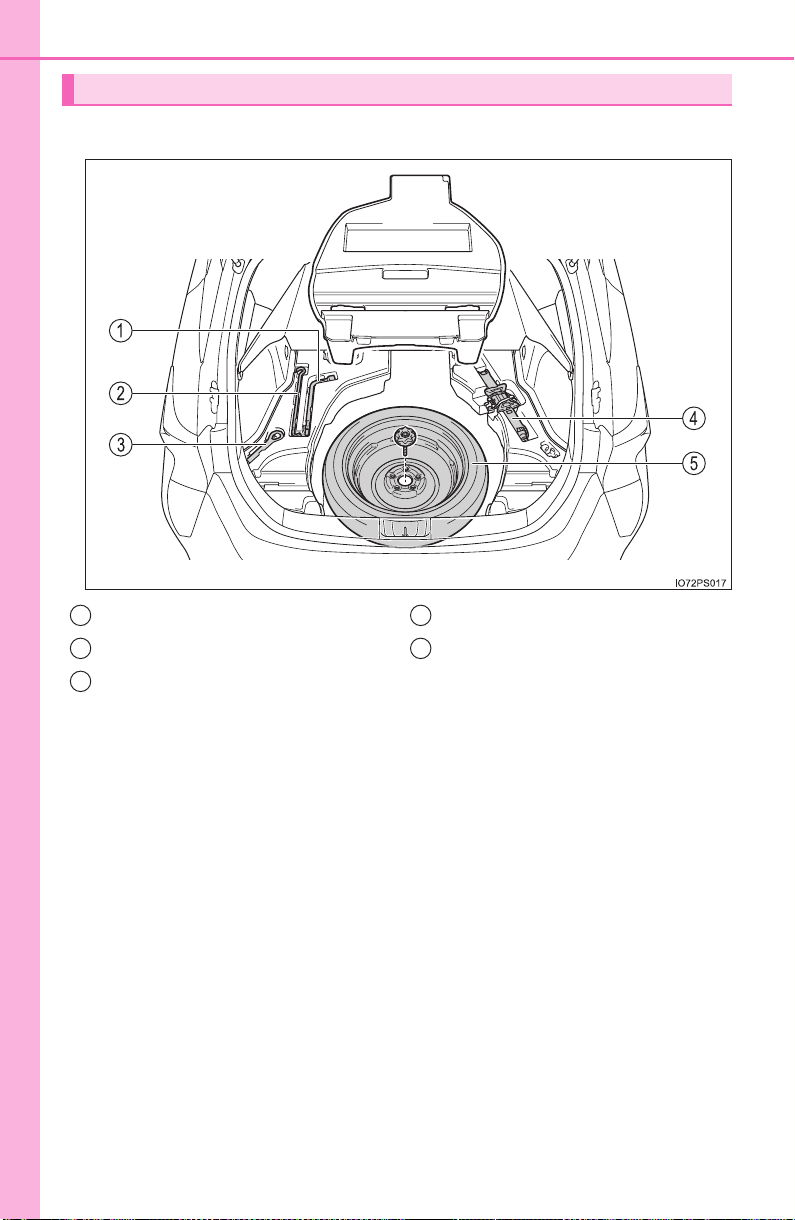
674
8-2. Steps to take in an emergency
PRIUS_OM_OM47A29U_(U)
X Vehicles with compact spare tire
Location of the spare tire, jack and tools
Wheel nut wrench
Jack handle
Towing eyelet
Jack
Spare tire
1
2
3
4
5
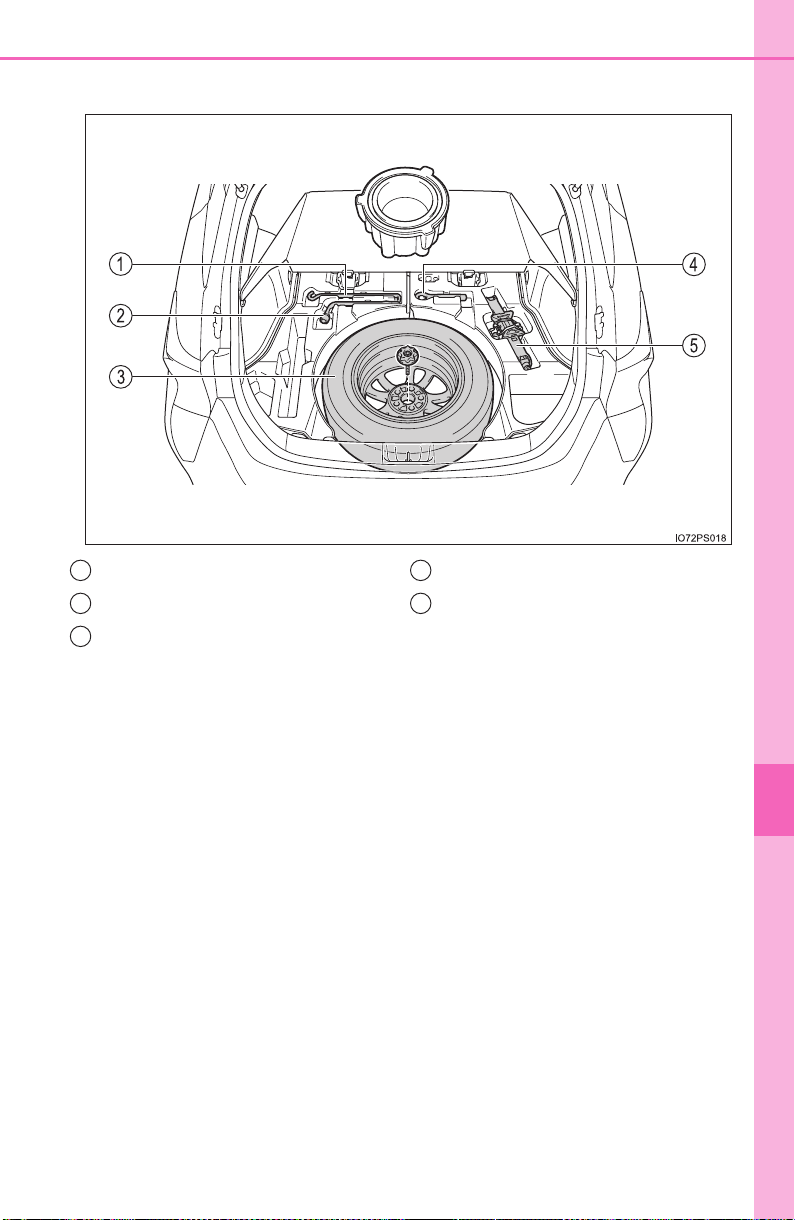
675
8-2. Steps to take in an emergency
PRIUS_OM_OM47A29U_(U)
8
When trouble arises
X Vehicles with full-size spare tire
Jack handle
Wheel nut wrench
Spare tire
Towing eyelet
Jack
1
2
3
4
5
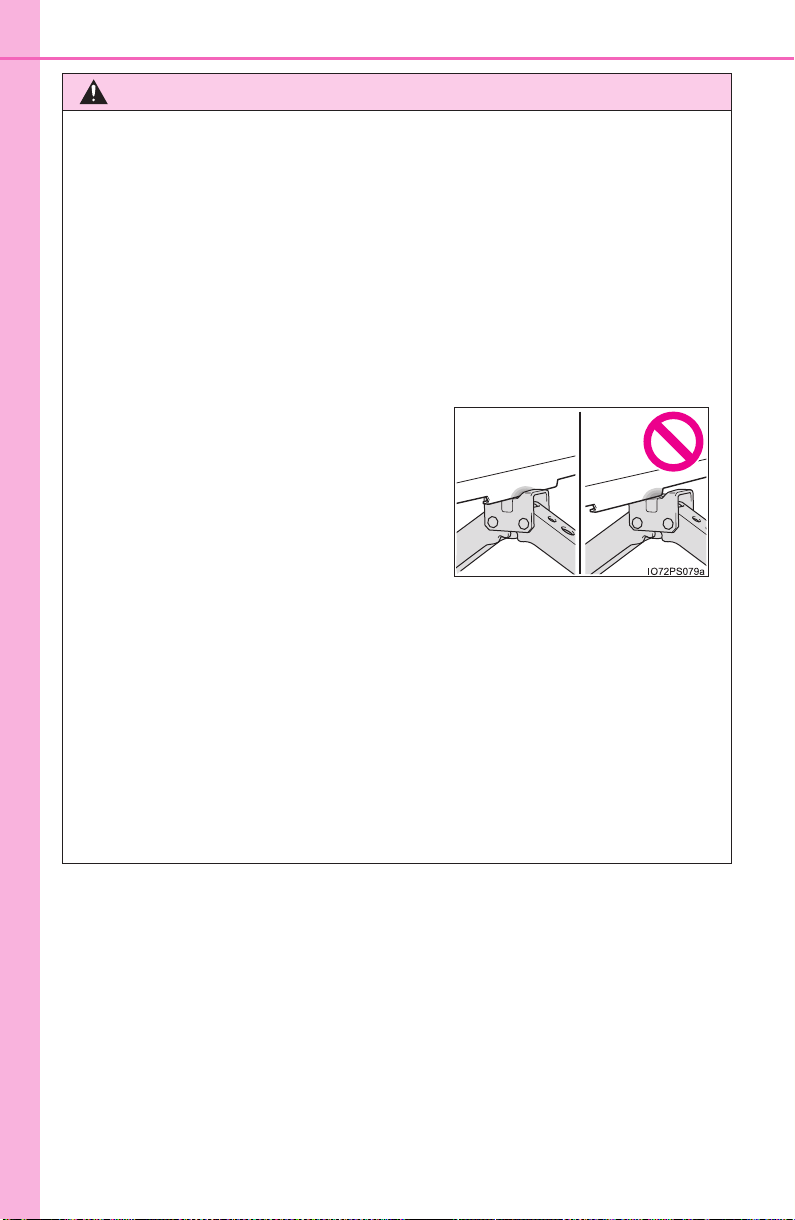
676
8-2. Steps to take in an emergency
PRIUS_OM_OM47A29U_(U)
WARNING
■ Using the tire jack
Observe the following precautions.
Improper use of the tire jack may cause the vehicle to suddenly fall off
the jack, leading to death or serious injury.
● Only use the tire jack that comes with this vehicle for replacing a flat
tire.
Do not use it on other vehicles, and do not use other tire jacks for
replacing tires on this vehicle.
● Do not raise the vehicle while someone is inside.
● Do not use the tire jack for any purpose other than replacing tires or
installing and removing tire chains.
● Do not put any part of your body under the vehicle while it is supported
by the jack.
● Do not start the hybrid system or drive the vehicle while the vehicle is
supported by the jack.
● When raising the vehicle, do not put an object on or under the jack.
● Do not raise the vehicle to a height greater than that required to
replace the tire.
● Use a jack stand if it is necessary to get under the vehicle.
● When lowering the vehicle, make sure that there is no-one near the
vehicle. If there are people nearby, warn them vocally before lowering.
● Put the jack properly in its jack point.
(→P. 680)
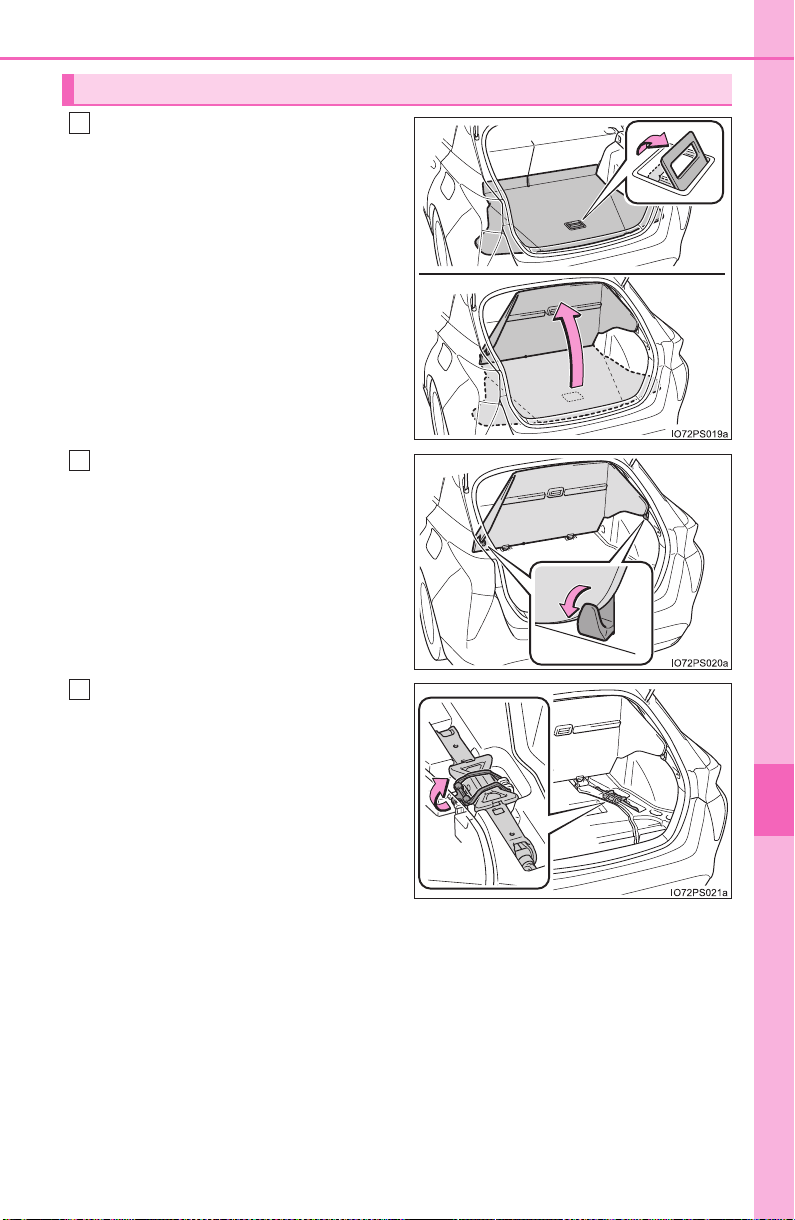
677
8-2. Steps to take in an emergency
PRIUS_OM_OM47A29U_(U)
8
When trouble arises
Pull up the handle to open the
deck board.
Secure the deck board using
the grocery bag hooks.
(→P. 535)
Unhook the tightening strap
and take out the jack.
Taking out the jack
1
2
3
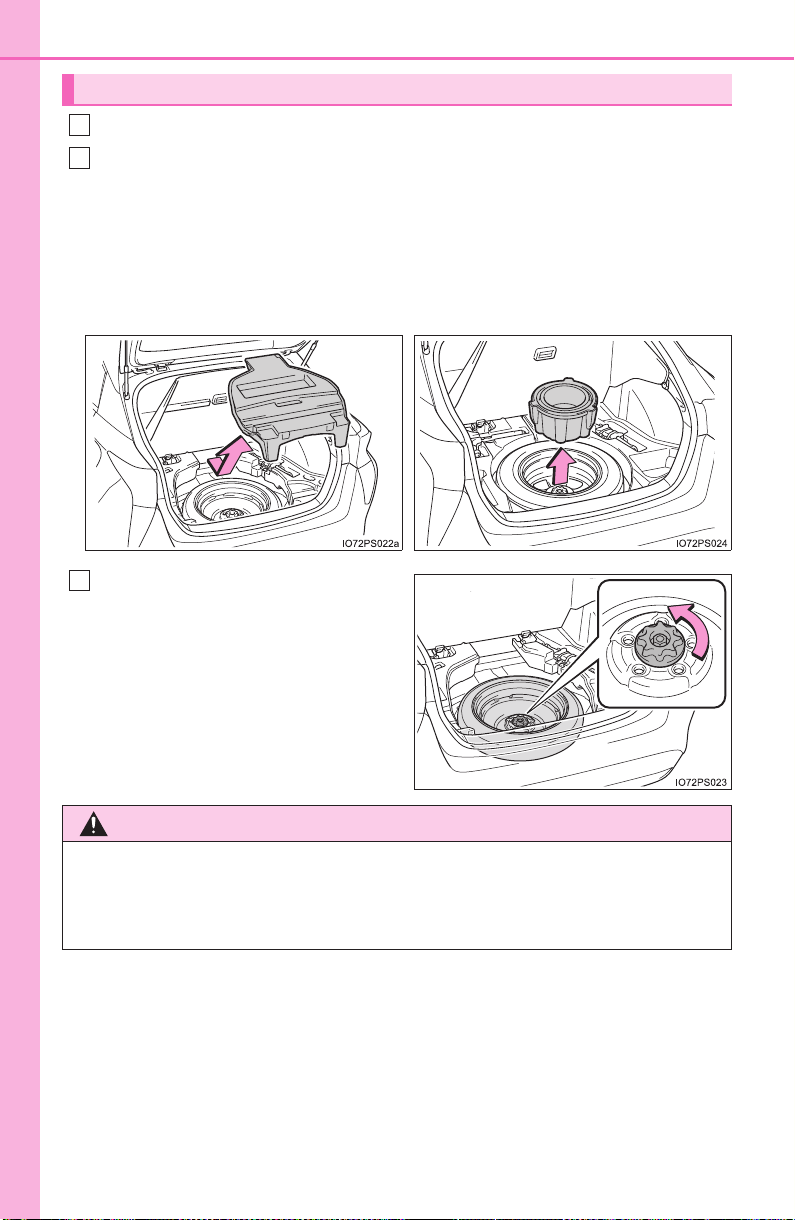
678
8-2. Steps to take in an emergency
PRIUS_OM_OM47A29U_(U)
Open and secure the deck board. (→P. 677)
Remove the tray.
Vehicles with compact spare tire: If the luggage cover* is stowed,
remove both the tray and luggage cover.
*: Type A only (→P. 537)
Loosen the center fastener that
secures the spare tire.
Taking out the spare tire
1
2
X Vehicles with compact spare
tire
X Vehicles with full-size spare
tire
3
WARNING
■ When storing the spare tire
Be careful not to catch fingers or other body parts between the spare
tire and the body of the vehicle.
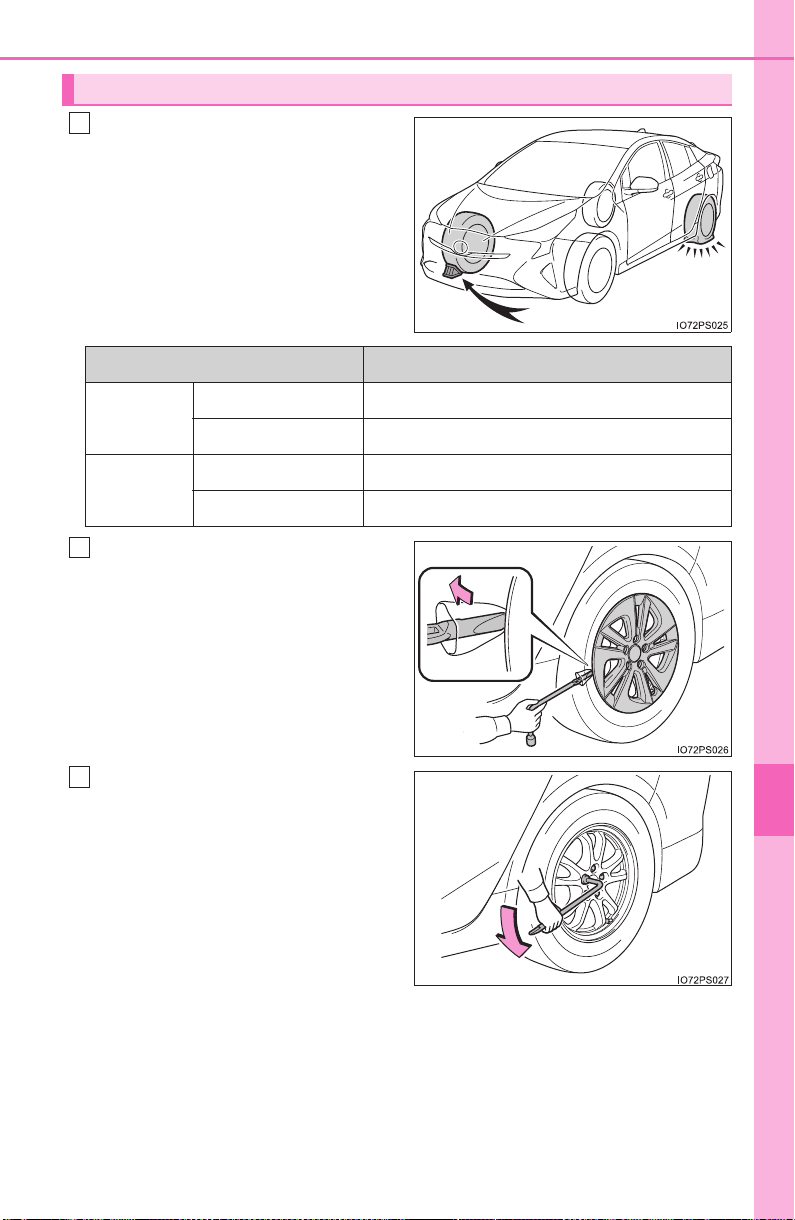
679
8-2. Steps to take in an emergency
PRIUS_OM_OM47A29U_(U)
8
When trouble arises
Chock the tires.
For vehicles with 15-inch
wheels, remove the wheel
ornament using the wrench.
To prevent damage, cover the
tip of the wrench with a rag.
Slightly loosen the wheel nuts
(one turn).
Replacing a flat tire
1
Flat tire Wheel chock positions
Front
Left-hand side Behind the rear right-hand side tire
Right-hand side Behind the rear left-hand side tire
Rear
Left-hand side In front of the front right-hand side tire
Right-hand side In front of the front left-hand side tire
2
3
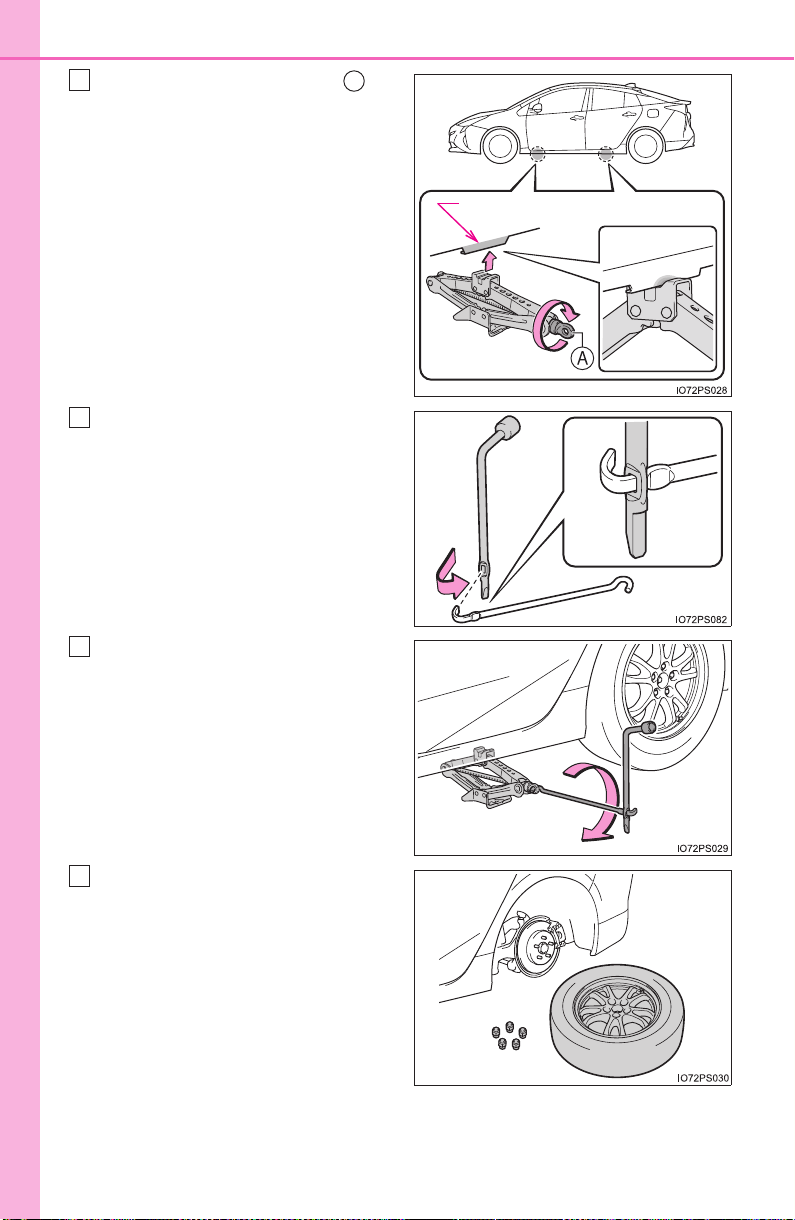
680
8-2. Steps to take in an emergency
PRIUS_OM_OM47A29U_(U)
Turn the tire jack portion by
hand until the center of the
recessed portion of the jack is
in contact with the center of the
jack point.
Assemble the jack handle and
the wheel nut wrench as shown
in the illustration.
Raise the vehicle until the tire is
slightly raised off the ground.
Remove all the wheel nuts and
the tire.
When resting the tire on the
ground, place the tire so that the
wheel design faces up to avoid
scratching the wheel surface.
Jack point
4
A
5
6
7

681
8-2. Steps to take in an emergency
PRIUS_OM_OM47A29U_(U)
8
When trouble arises
WARNING
■ Replacing a flat tire
● Do not touch the disc wheels or the area around the brakes immedi-
ately after the vehicle has been driven.
After the vehicle has been driven the disc wheels and the area around
the brakes will be extremely hot. Touching these areas with hands, feet
or other body parts while changing a tire, etc. may result in burns.
● Failure to follow these precautions could cause the wheel nuts to
loosen and the tire to fall off, resulting in death or serious injury.
• Have the wheel nuts tightened with a torque wrench to 76 ft•lbf
(103 N•m, 10.5 kgf•m) as soon as possible after changing wheels.
• When installing a tire, only use wheel nuts that have been specifi-
cally designed for that wheel.
• If there are any cracks or deformations in the bolt screws, nut
threads or bolt holes of the wheel, have the vehicle inspected by
your Toyota dealer.
• When installing the wheel nuts, be sure to install the wheel nuts with
the tapered ends facing inward. (→P. 619)
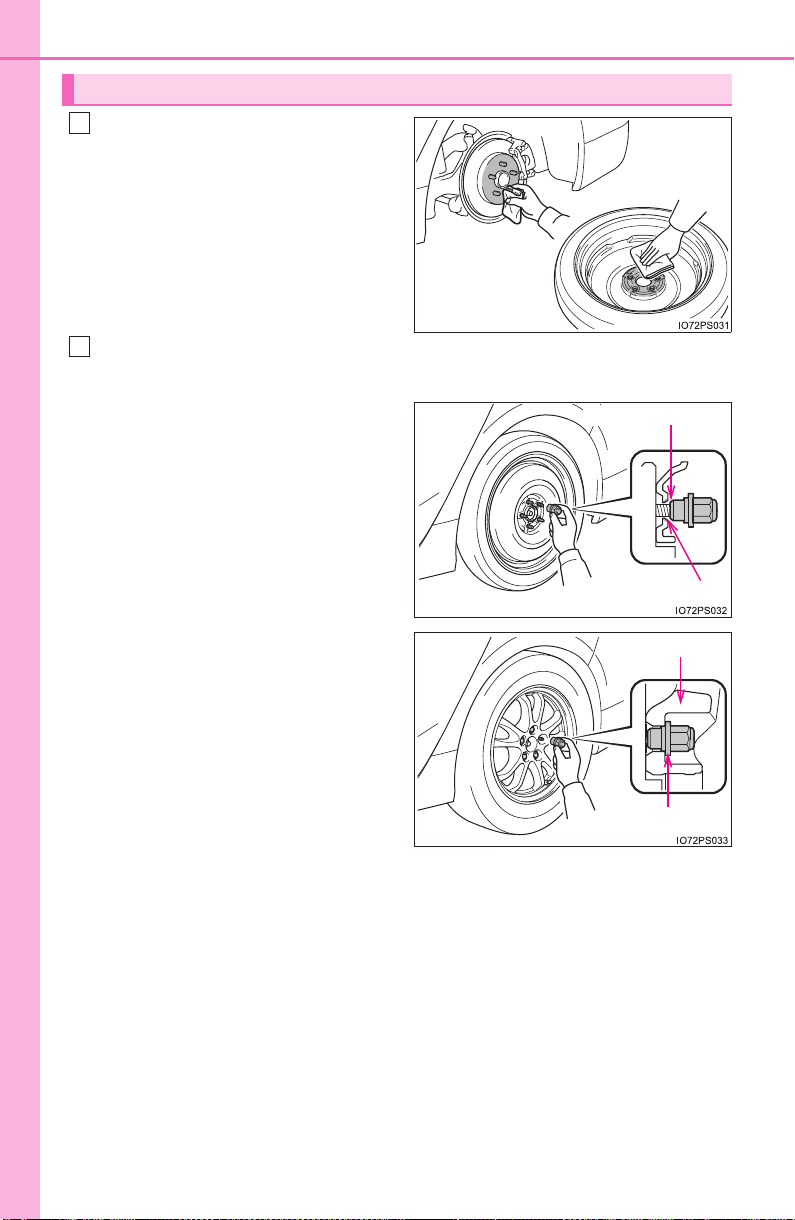
682
8-2. Steps to take in an emergency
PRIUS_OM_OM47A29U_(U)
Remove any dirt or foreign mat-
ter from the wheel contact sur-
face.
If foreign matter is on the wheel
contact surface, the wheel nuts
may loosen while the vehicle is in
motion, causing the tire to come
off.
Install the spare tire and loosely tighten each wheel nut by hand by
approximately the same amount.
When replacing an aluminum
wheel with a steel wheel
(including a compact spare
tire), tighten the wheel nuts until
the tapered portion comes into
loose contact with the disc
wheel seat.
When replacing an aluminum
wheel with an aluminum wheel,
turn the wheel nuts until the
washers come into contact with
the disc wheel.
Installing the spare tire
1
2
Tapered portion
Disc wheel seat
Washer
Disc wheel
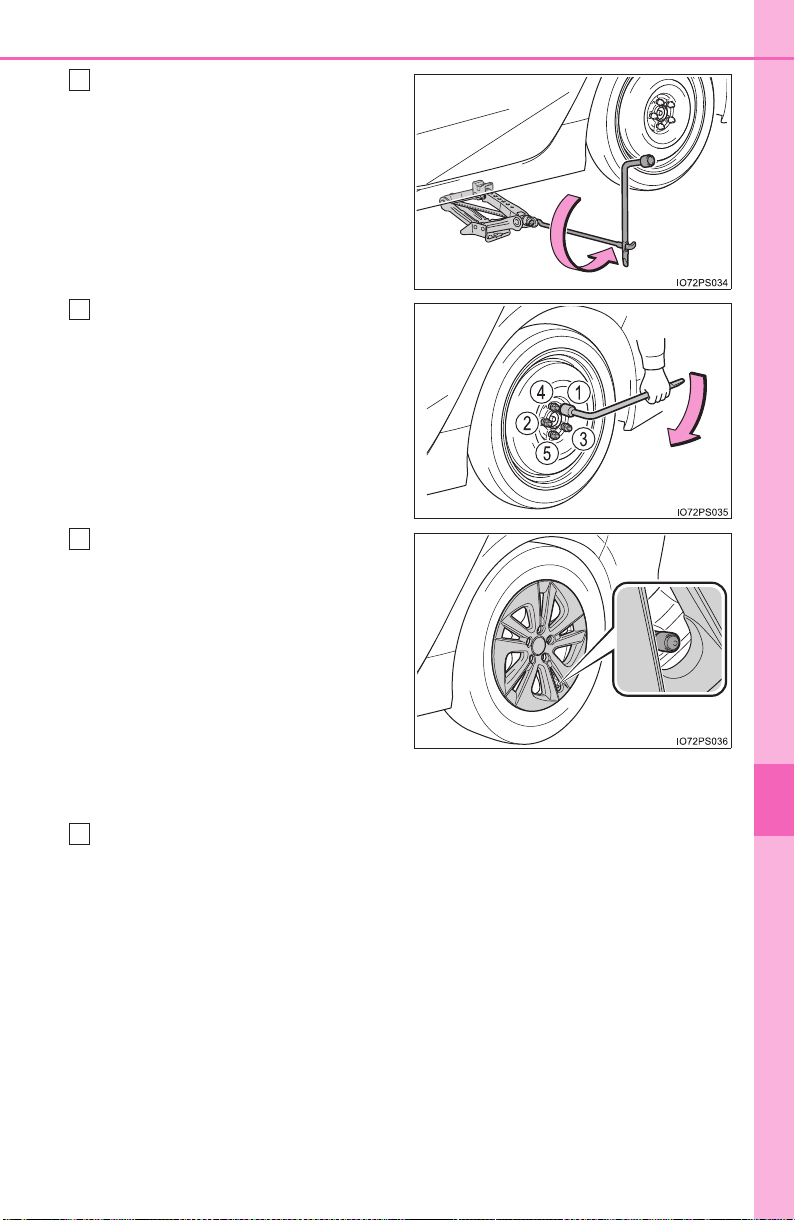
683
8-2. Steps to take in an emergency
PRIUS_OM_OM47A29U_(U)
8
When trouble arises
Lower the vehicle.
Firmly tighten each wheel nut
two or three times in the order
shown in the illustration.
Tightening torque:
76 ft•lbf (103 N•m, 10.5 kgf•m)
For vehicles with 15-inch
wheels: When reinstalling an
original wheel or installing a full-
size spare tire, reinstall the
wheel ornament.
*
Align the cutout of the wheel
ornament with the valve stem as
shown.
*: The wheel ornament cannot be
installed on the compact spare
tire.
Stow the flat tire, tire jack and all tools.
3
4
5
6
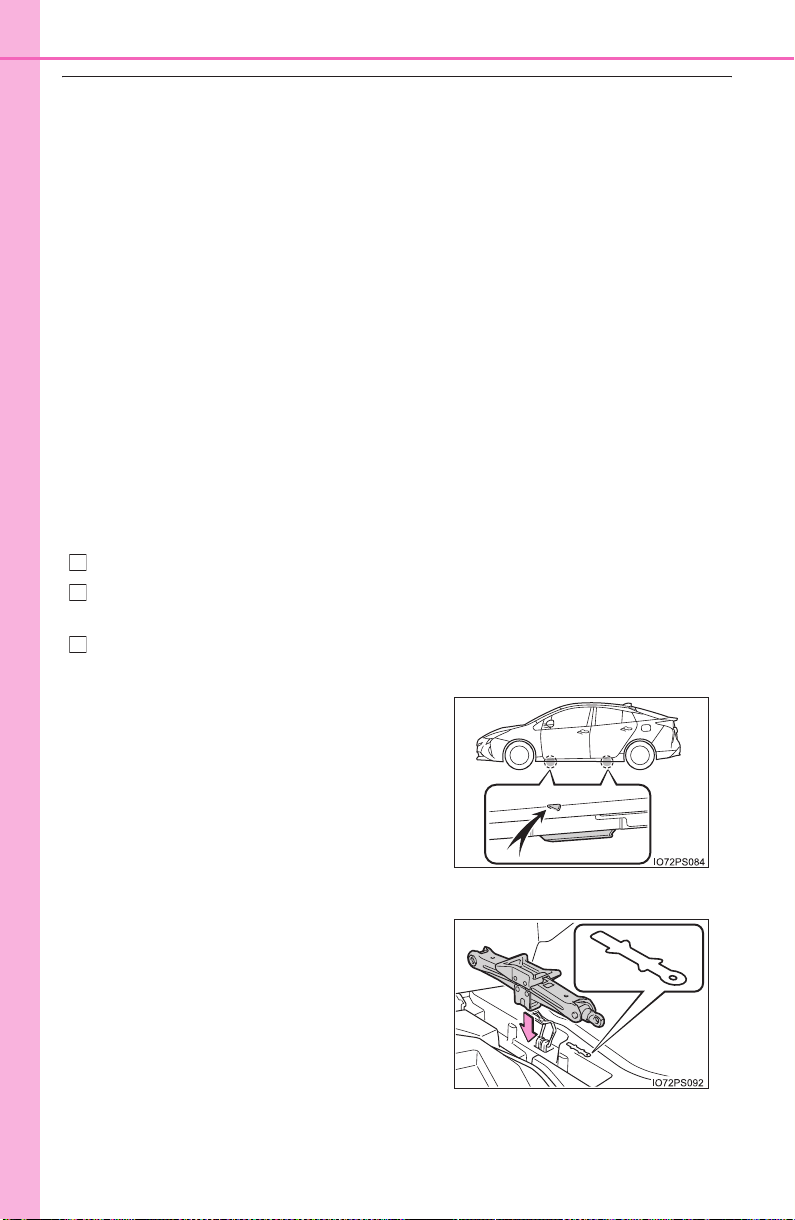
684
8-2. Steps to take in an emergency
PRIUS_OM_OM47A29U_(U)
■ The compact spare tire (if equipped)
● The compact spare tire is identified by the label “TEMPORARY USE
ONLY” on the tire sidewall.
Use the compact spare tire temporarily, and only in an emergency.
● Make sure to check the tire inflation pressure of the compact spare tire.
(→P. 734)
■ When using the compact spare tire (if equipped)
As the compact spare tire is not equipped with a tire pressure warning
valve and transmitter, low inflation pressure of the spare tire will not be
indicated by the tire pressure warning system. Also, if you replace the
compact spare tire after the tire pressure warning light comes on, the light
remains on.
■ When the compact spare tire is equipped (if equipped)
The vehicle height may become lower when driving with the compact
spare tire compared to when driving with standard tires.
■ If you have a flat front tire on a road covered with snow or ice (vehi-
cles with compact spare tire)
Install the compact spare tire on one of the rear wheels of the vehicle.
Perform the following steps and fit tire chains to the front tires:
Replace a rear tire with the compact spare tire.
Replace the flat front tire with the tire removed from the rear of the vehi-
cle.
Fit tire chains to the front tires.
■ Jack point
■ Storing the jack
The mark indicating the jack point is
stamped on the underside of the vehi-
cle.
Place the jack in the same direction as
the mark next to the storage space.
1
2
3

685
8-2. Steps to take in an emergency
PRIUS_OM_OM47A29U_(U)
8
When trouble arises
WARNING
■ When using the compact spare tire
● Remember that the spare tire provided is specifically designed for use
with your vehicle. Do not use your spare tire on another vehicle.
● Do not use more than one compact spare tire simultaneously.
● Replace the spare tire with a standard tire as soon as possible.
● Avoid sudden acceleration, abrupt steering, sudden braking and shift-
ing operations that cause sudden engine braking.
■ When the compact spare tire is attached
The vehicle speed may not be correctly detected, and the following sys-
tems may not operate correctly:
*: If equipped
■ Speed limit when using the compact spare tire
Do not drive at speeds in excess of 50 mph (80 km/h) when a compact
spare tire is installed on the vehicle.
The compact spare tire is not designed for driving at high speeds. Fail-
ure to observe this precaution may lead to an accident causing death or
serious injury.
■ After using the tools and jack
Before driving, make sure all the tools and jack are securely in place in
their storage location to reduce the possibility of personal injury during a
collision or sudden braking.
• ABS & Brake assist
• VSC
•TRAC
• EPS
• Automatic High Beam
*
• PCS (Pre-Collision System)*
• LDA (Lane Departure Alert with
steering control)
*
• Dynamic radar cruise control
with full-speed range
*
• Cruise control*
• BSM (Blind Spot Monitor)*
• Intuitive parking assist*
• Intelligent Clearance Sonar*
• S-APGS (Simple Advanced
Parking Guidance System)
*
• Rear view monitor system
• Navigation system
*

686
8-2. Steps to take in an emergency
PRIUS_OM_OM47A29U_(U)
NOTICE
■ Be careful when driving over bumps with the compact spare tire
installed on the vehicle. (if equipped)
The vehicle height may become lower when driving with the compact
spare tire, compared to when driving with standard tires. Be careful
when driving over uneven road surfaces.
■ Driving with tire chains and the compact spare tire (if equipped)
Do not fit tire chains to the compact spare tire.
Tire chains may damage the vehicle body and adversely affect driving
performance.
■ When replacing the tires
When removing or fitting the wheels, tires or the tire pressure warning
valve and transmitter, contact your Toyota dealer as the tire pressure
warning valve and transmitter may be damaged if not handled correctly.
■ Handling the decorative resin parts (for vehicles equipped with
17-inch tires)
→P. 5 7 2
687
PRIUS_OM_OM47A29U_(U)
8
When trouble arises
8-2. Steps to take in an emergency
If you have a flat tire (vehicles without
spare tire)
Your vehicle is not equipped with a spare tire, but instead is
equipped with an emergency tire puncture repair kit.
A puncture caused by a nail or screw passing through the tire
tread can be repaired temporarily using the emergency tire
puncture repair kit. (The kit contains a bottle of sealant. The
sealant can be used only once to temporarily repair one tire
without removing the nail or screw from the tire.) After tempo-
rarily repairing the tire with the kit, have the tire repaired or
replaced by your Toyota dealer.
WARNING
■ If you have a flat tire
Do not continue driving with a flat tire.
Driving even a short distance with a flat tire can damage the tire and the
wheel beyond repair, which could result in an accident.
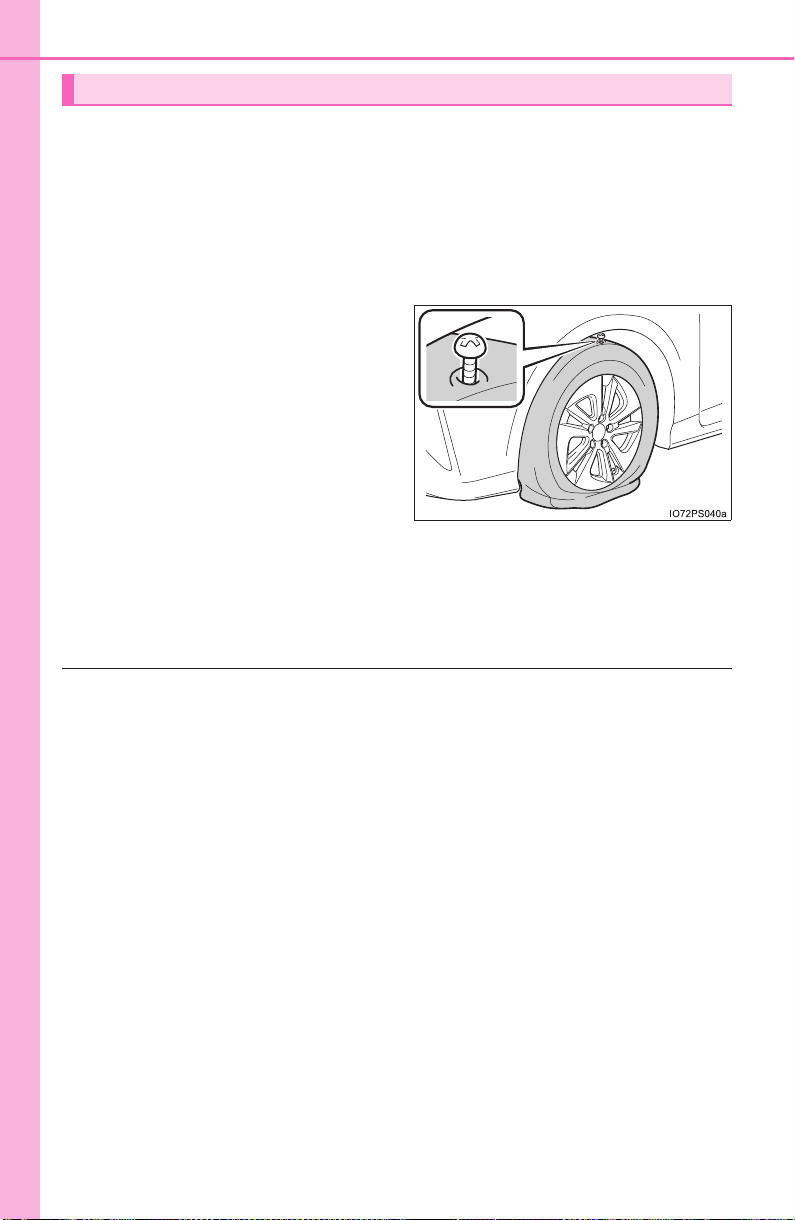
688
8-2. Steps to take in an emergency
PRIUS_OM_OM47A29U_(U)
● Stop the vehicle in a safe place on a hard, flat surface.
● Set the parking brake.
● Shift the shift position to P.
● Stop the hybrid system.
● Turn on the emergency flashers.
● Check the degree of the tire damage.
A tire should only be repaired
with the emergency tire punc-
ture repair kit if the damage is
caused by a nail or screw pass-
ing through the tire tread.
• Do not remove the nail or
screw from the tire. Remov-
ing the object may widen the
opening and make emer-
gency repair with the repair
kit impossible.
• To avoid sealant leakage, move the vehicle until the area of the
puncture, if known, is positioned at the top of the tire.
■ A flat tire that cannot be repaired with the emergency tire puncture
repair kit
In the following cases, the tire cannot be repaired with the emergency tire
puncture repair kit. Contact your Toyota dealer.
● When the tire is damaged due to driving without sufficient air pressure
● When there are any cracks or damage at any location on the tire, such
as on the side wall, except the tread
● When the tire is visibly separated from the wheel
● When the cut or damage to the tread is 0.16 in. (4 mm) long or more
● When the wheel is damaged
● When two or more tires have been punctured
● When more than 2 sharp objects such as nails or screws have passed
through the tread on a single tire
● When the sealant has expired
Before repairing the tire
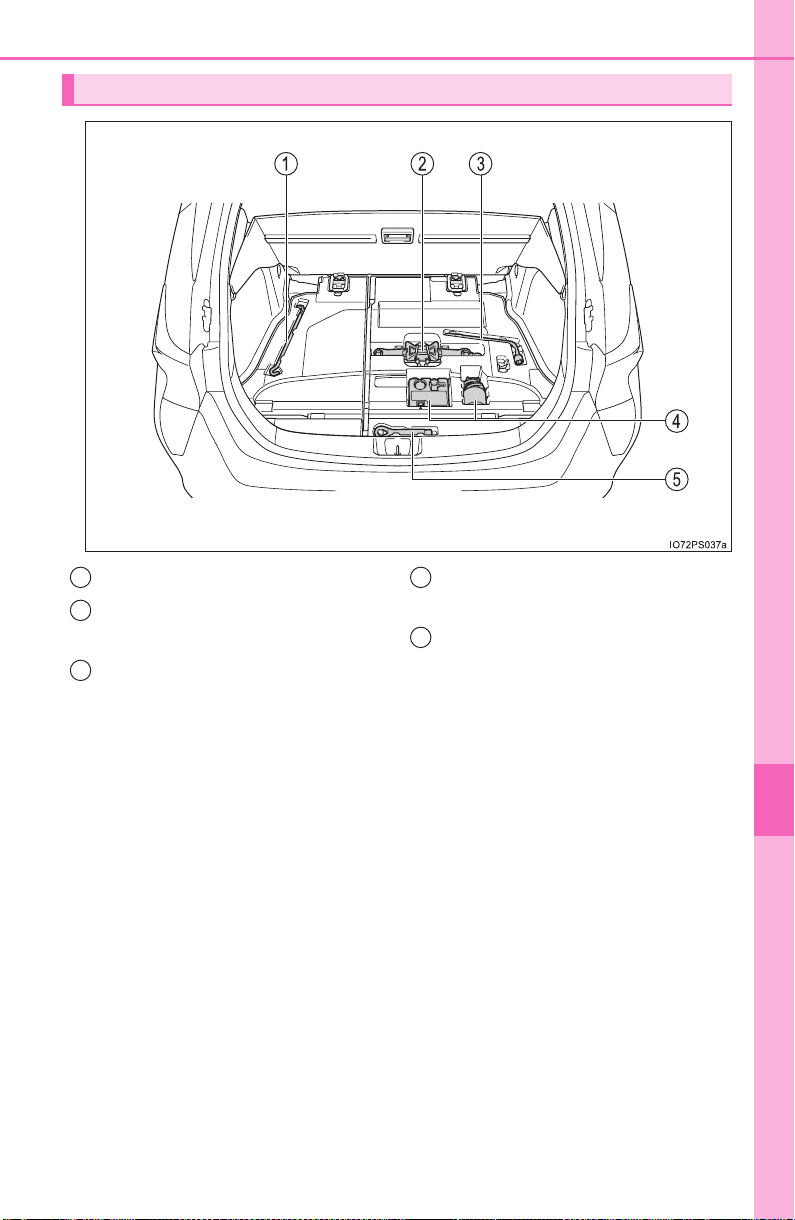
689
8-2. Steps to take in an emergency
PRIUS_OM_OM47A29U_(U)
8
When trouble arises
Location of the emergency tire puncture repair kit and tools
Jack handle
Jack
(Use of the jack: →P. 692)
Wheel nut wrench
Emergency tire puncture
repair kit
Towing eyelet
1
2
3
4
5
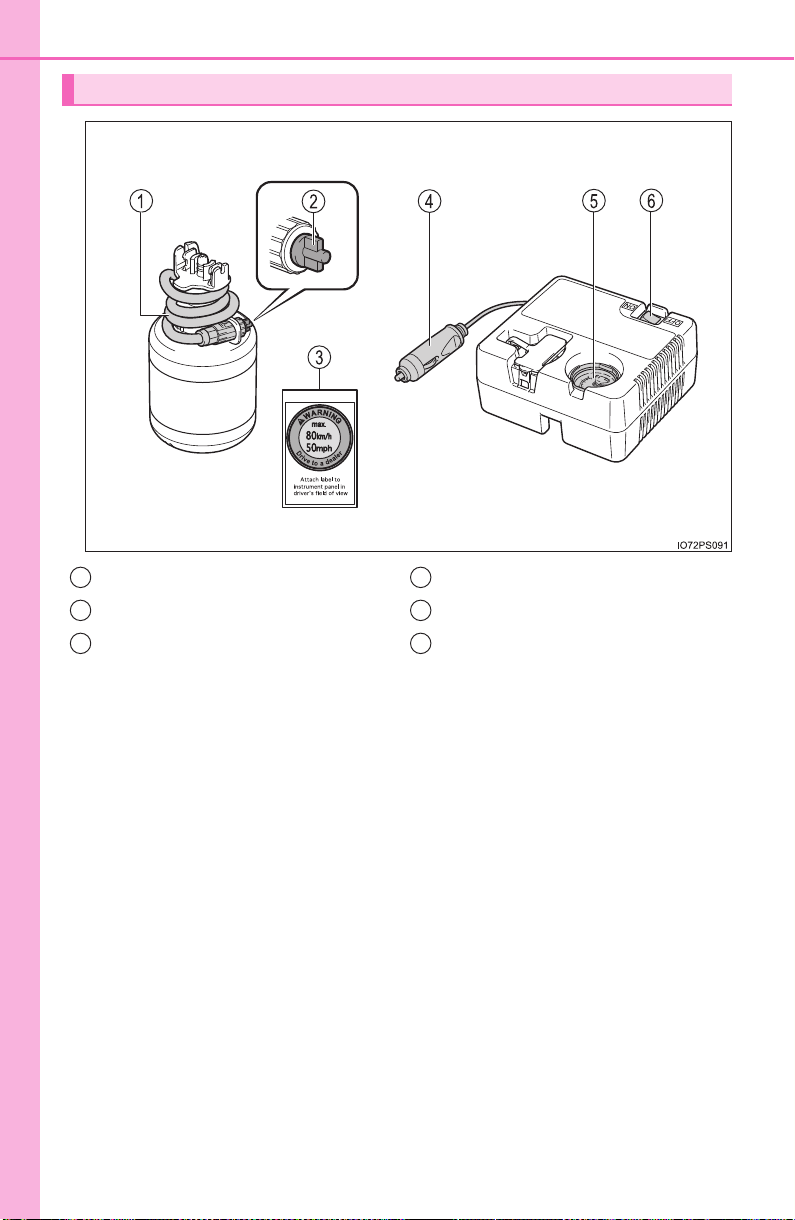
690
8-2. Steps to take in an emergency
PRIUS_OM_OM47A29U_(U)
Emergency tire puncture repair kit components
Hose
Air release cap
Sticker
Power plug
Air pressure gauge
Compressor switch
1
2
3
4
5
6
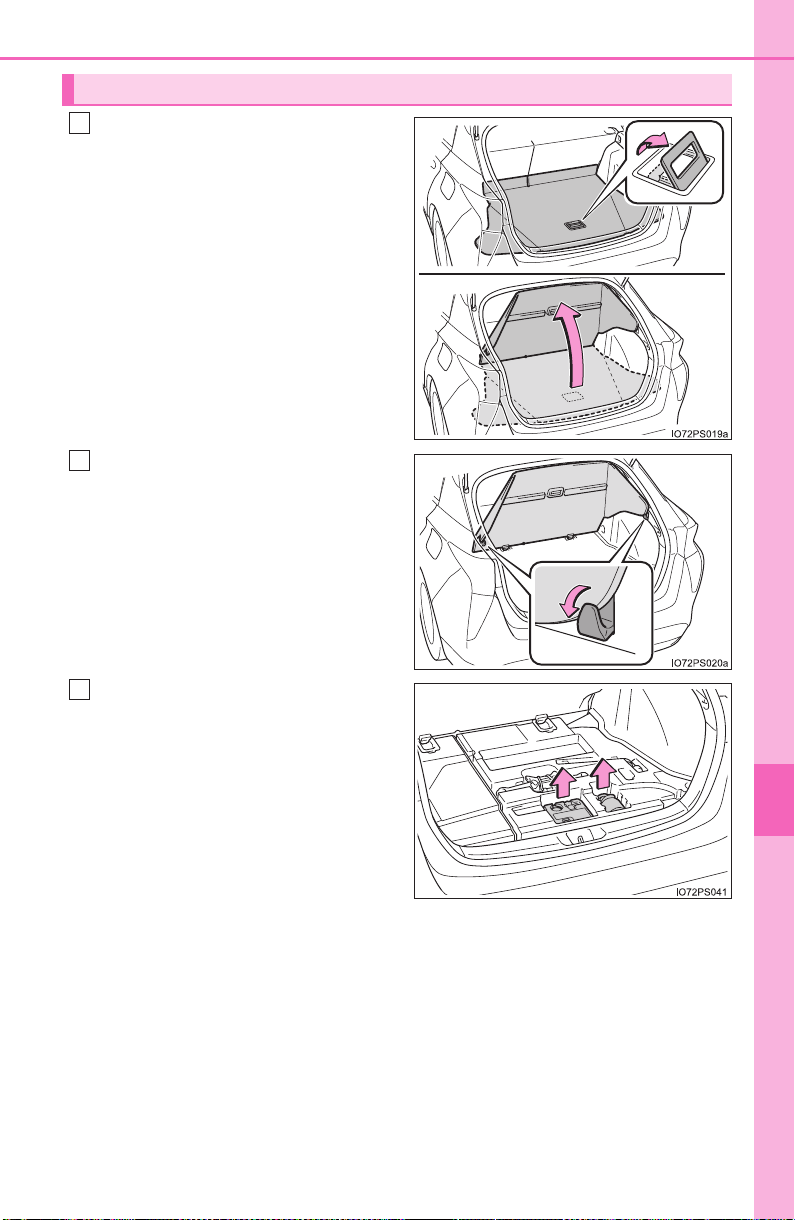
691
8-2. Steps to take in an emergency
PRIUS_OM_OM47A29U_(U)
8
When trouble arises
Pull up the handle to open the
deck board.
Secure the deck board using
the grocery bag hooks.
(→P. 535)
Take out the emergency tire
puncture repair kit.
If the luggage cover* is stowed,
turn over the tonneau cover to
take out the emergency tire punc-
ture repair kit.
*: Type A only (→P. 537)
Taking out the emergency tire puncture repair kit
1
2
3
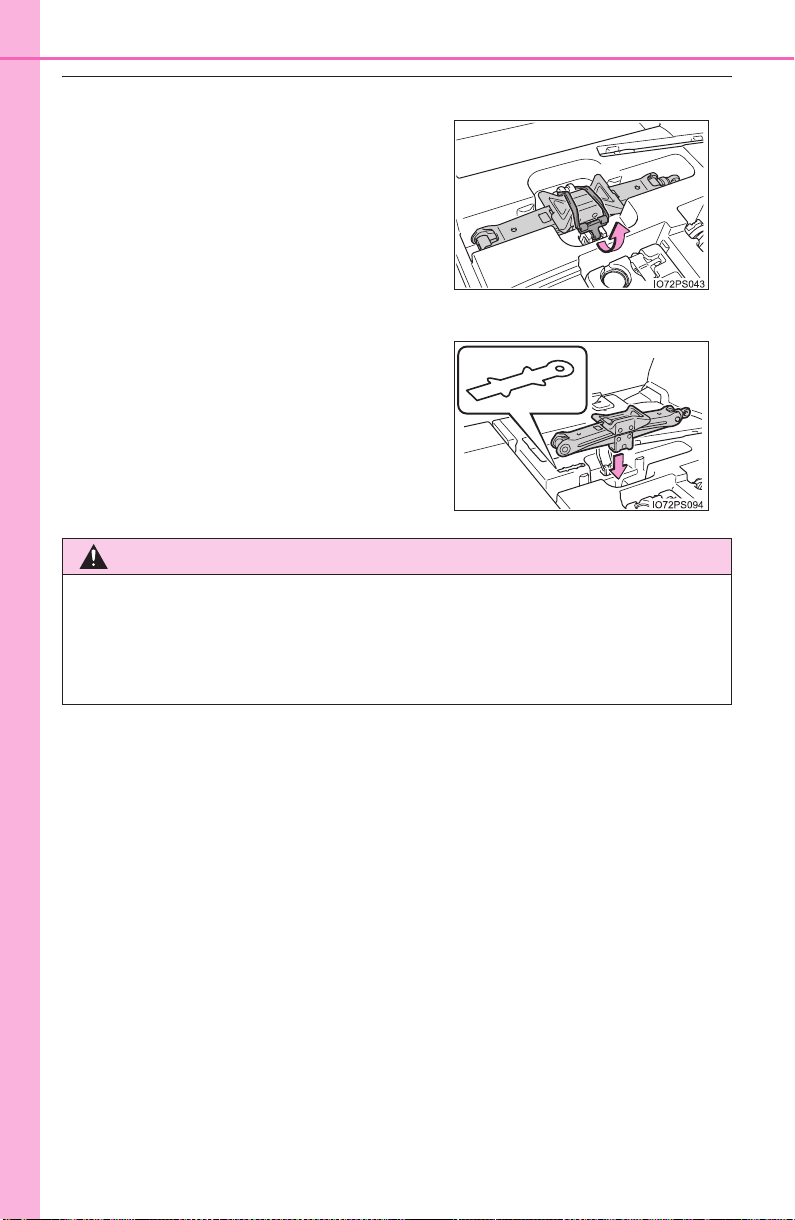
692
8-2. Steps to take in an emergency
PRIUS_OM_OM47A29U_(U)
■ Taking out the jack
■ Storing the jack
Unhook the tightening strap and take
out the jack.
Place the jack in the same direction as
the mark next to the storage space.
WARNING
■ After using the tools and jack
Before driving, make sure all the tools and jack are securely in place in
their storage location to reduce the possibility of personal injury during a
collision or sudden braking.
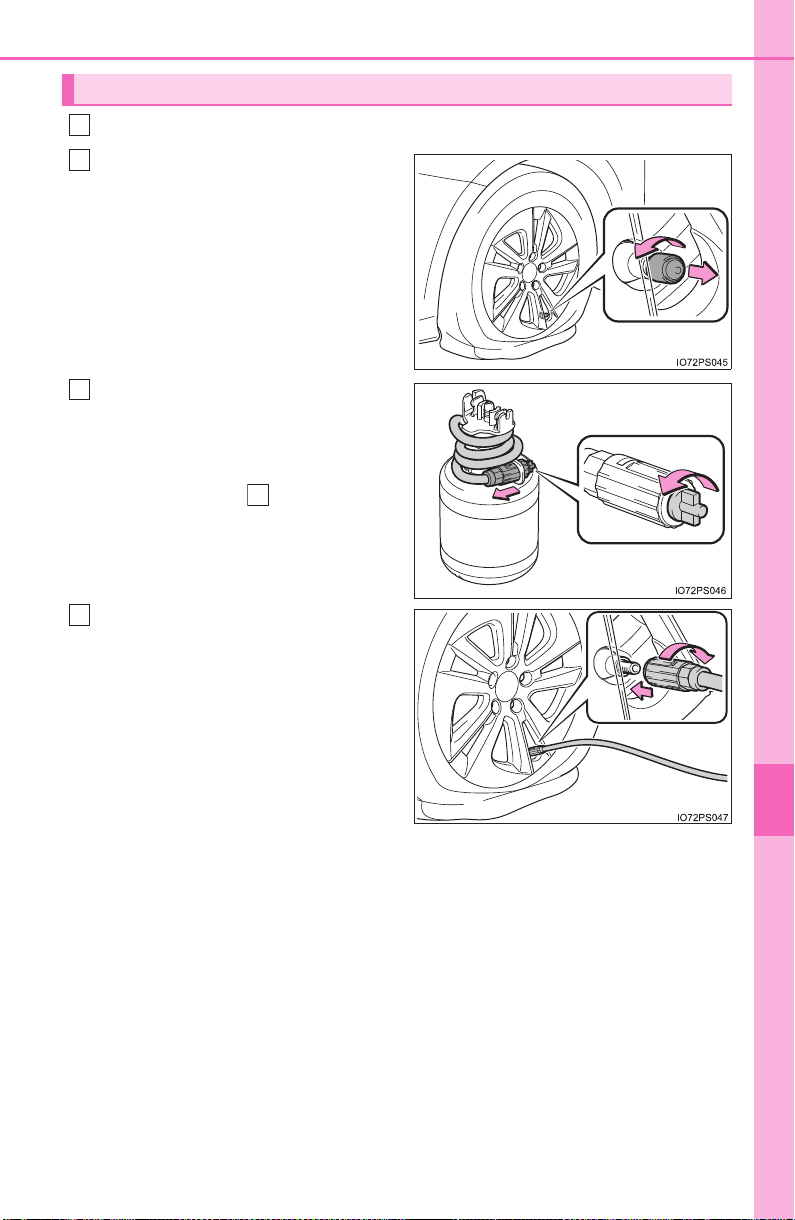
693
8-2. Steps to take in an emergency
PRIUS_OM_OM47A29U_(U)
8
When trouble arises
Take out the repair kit from the plastic bag.
Remove the valve cap from the
valve of the punctured tire.
Extend the hose. Remove the
air release cap from the hose.
Attach the sticker enclosed with
the bottle on the specified loca-
tions. (See step .)
You will use the air release cap
again. Therefore keep it in a safe
place.
Connect the hose to the valve.
Screw the end of the hose clock-
wise as far as possible.
Emergency repair method
1
2
3
10
4
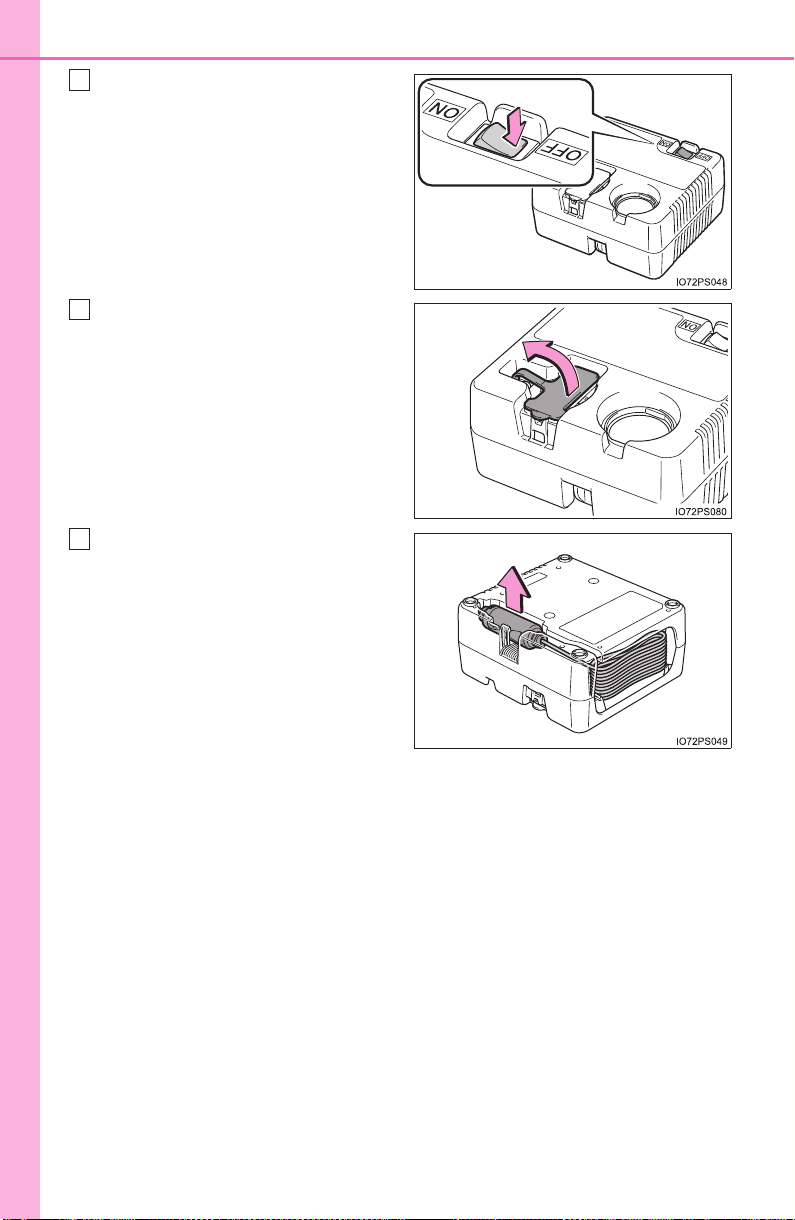
694
8-2. Steps to take in an emergency
PRIUS_OM_OM47A29U_(U)
Make sure that the compressor
switch is off.
Lift the rubber stopper on the
compressor.
Remove the power plug from
the compressor.
5
6
7
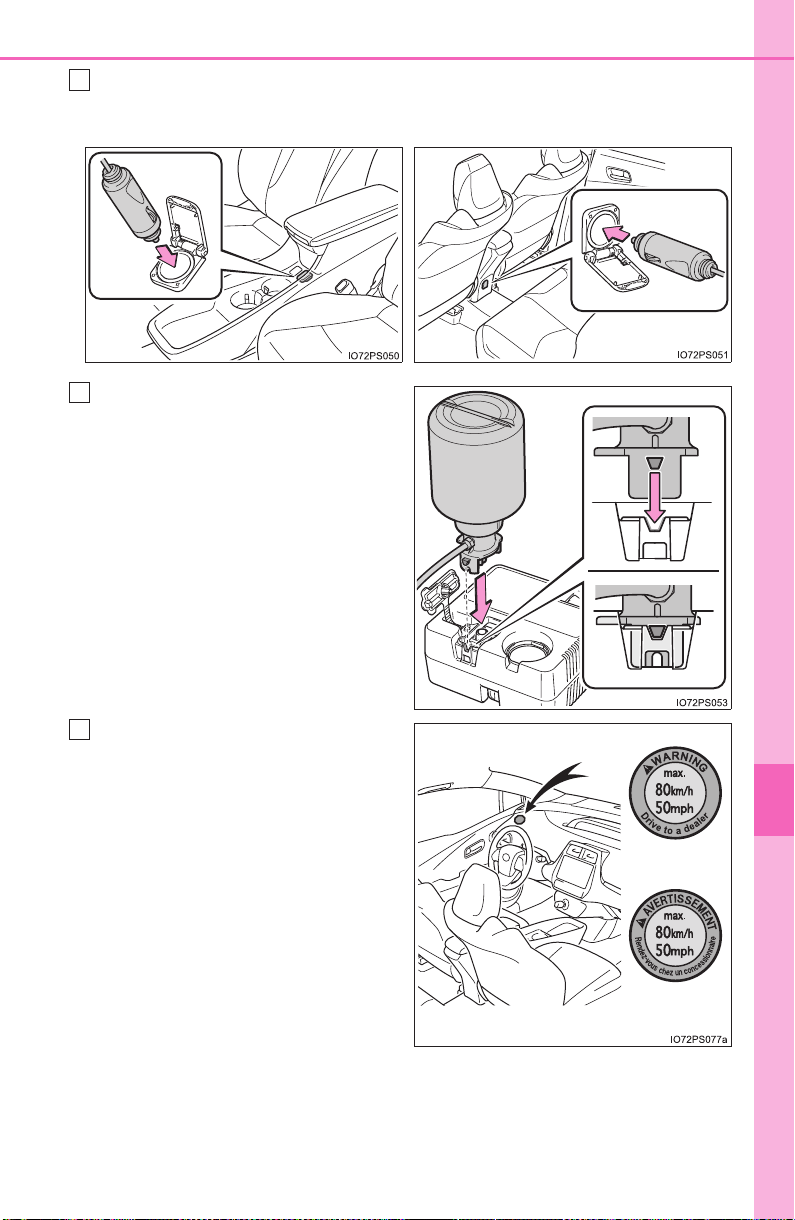
695
8-2. Steps to take in an emergency
PRIUS_OM_OM47A29U_(U)
8
When trouble arises
Connect the power plug to the power outlet socket. (→P. 543)
Connect the bottle to the com-
pressor.
As shown in the illustration, insert
the bottle securely into the com-
pressor until the upper side of the
mark on the bottle is aligned with
the upper end of the notch.
Attach the sticker provided with
the tire puncture repair kit to a
position easily seen from the
driver’s seat.
8
X Front X Rear
9
(U.S.A.)
(Canada)
10
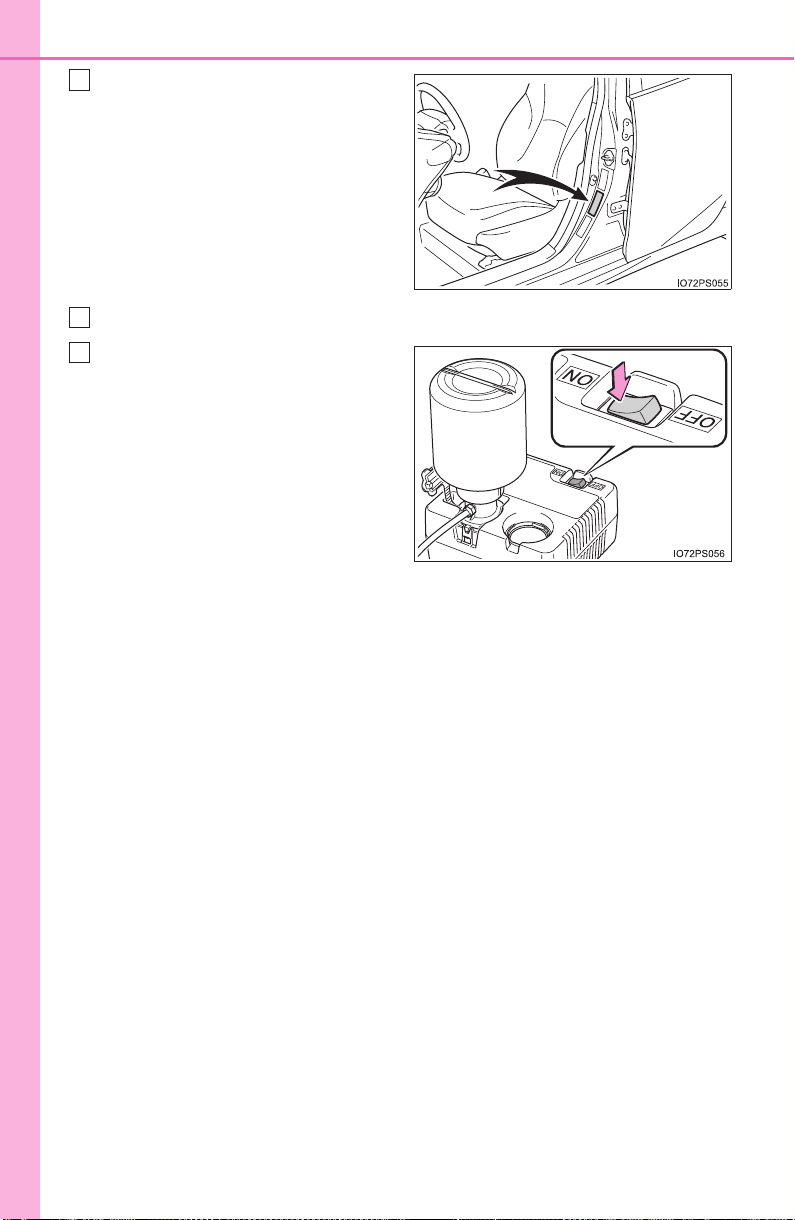
696
8-2. Steps to take in an emergency
PRIUS_OM_OM47A29U_(U)
Check the specified tire inflation
pressure.
Tire inflation pressure is specified
on the label on the driver’s side
pillar as shown. (→P. 734)
Start the hybrid system. (→P. 225)
To inject the sealant and inflate
the tire, turn the compressor
switch on.
11
12
13
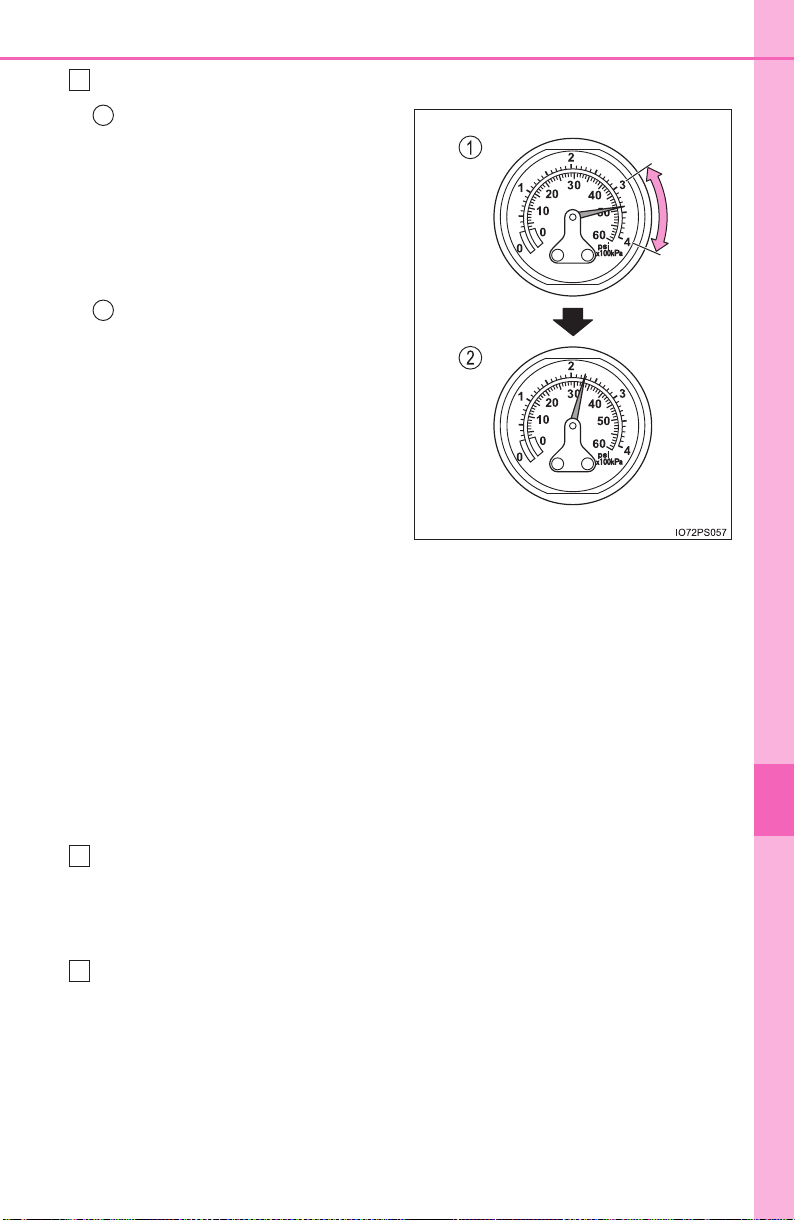
697
8-2. Steps to take in an emergency
PRIUS_OM_OM47A29U_(U)
8
When trouble arises
Inflate the tire until the specified air pressure is reached.
The sealant will be injected
and the pressure will spike to
between 44 psi (300 kPa,
3.0 kgf/cm
2
or bar) and
58 psi (400 kPa, 4.0 kgf/cm
2
or bar), then gradually
decrease.
The air pressure gauge will
display the actual tire infla-
tion pressure about 1 to 5
minutes after the switch is
turned on.
• Turn the compressor switch
off and then check the tire
inflation pressure. Being
careful not to over inflate,
check and repeat the inflation
procedure until the specified
tire inflation pressure is
reached.
• The tire can be inflated for about 5 to 20 minutes (depending on
the outside temperature). If the tire inflation pressure is still lower
than the specified point after inflation for 25 minutes, the tire is
too damaged to be repaired. Turn the compressor switch off and
contact your Toyota dealer.
• If the tire inflation pressure exceeds the specified air pressure, let
out some air to adjust the tire inflation pressure. (→P. 700, 734)
With the compressor switch off, disconnect the hose from the valve
on the tire and then pull out the power plug from the power outlet
socket.
Some sealant may leak when the hose is removed.
Install the valve cap onto the valve of the emergency repaired tire.
14
1
2
15
16
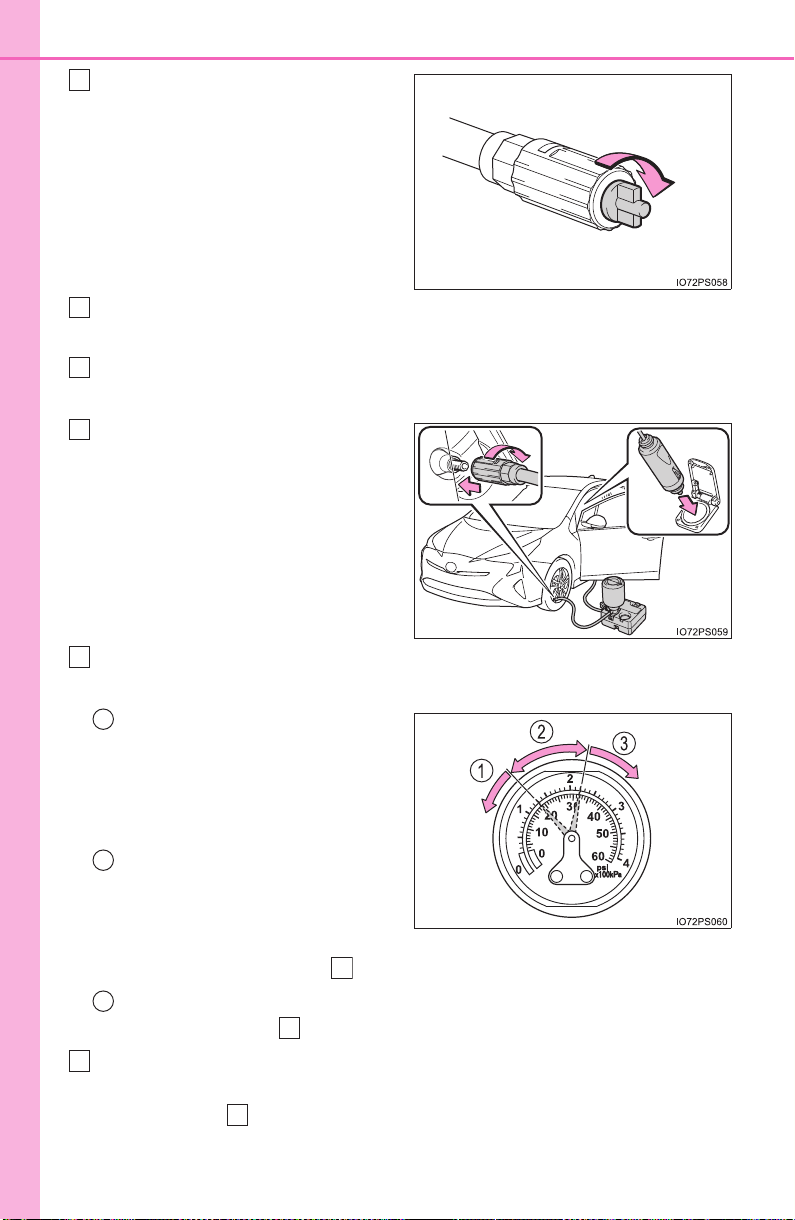
698
8-2. Steps to take in an emergency
PRIUS_OM_OM47A29U_(U)
Attach the air release cap to the
end of the hose.
If the air release cap is not
attached, the sealant may leak
and the vehicle may get dirty.
Temporarily store the bottle in the luggage compartment while it is
connected to the compressor.
To spread the liquid sealant evenly within the tire, immediately drive
safely for about 3 miles (5 km) below 50 mph (80 km/h).
After driving, stop your vehicle
in a safe place on a hard, flat
surface and reconnect the
repair kit.
Remove the air release cap from
the hose before reconnecting the
hose.
Turn the compressor switch on and wait for several seconds, then
turn it off. Check the tire inflation pressure.
If the tire inflation pressure is
under 19 psi (130 kPa,
1.3 kgf/cm
2
or bar): The
puncture cannot be repaired.
Contact your Toyota dealer.
If the tire inflation pressure is
19 psi (130 kPa, 1.3 kgf/cm
2
or bar) or higher, but less
than the specified air pres-
sure: Proceed to step .
If the tire inflation pressure is the specified air pressure (→P. 734):
Proceed to step .
Turn the compressor switch on to inflate the tire until the specified
air pressure is reached. Drive for about 3 miles (5 km) and then
perform step .
17
18
19
20
21
1
2
22
3
23
22
20
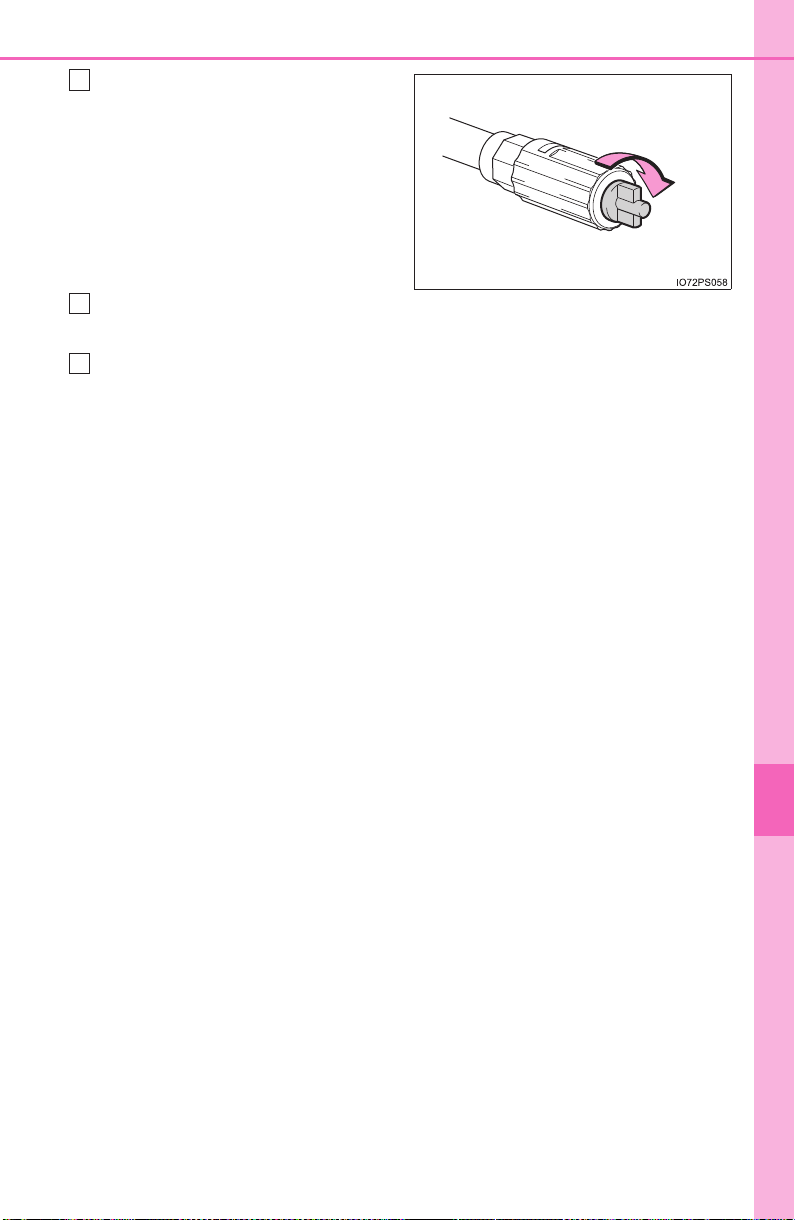
699
8-2. Steps to take in an emergency
PRIUS_OM_OM47A29U_(U)
8
When trouble arises
Attach the air release cap to the
end of the hose.
If the air release cap is not
attached, the sealant may leak
and the vehicle may get dirty.
Store the bottle in the luggage compartment while it is connected to
the compressor.
Taking precautions to avoid sudden braking, sudden acceleration
and sharp turns, drive carefully at under 50 mph (80 km/h) to the
nearest Toyota dealer that is less than 62 miles (100 km) away for
tire repair or replacement.
When having the tire repaired or replaced, make sure to tell the Toyota
dealer that the sealant is injected.
23
24
25

700
8-2. Steps to take in an emergency
PRIUS_OM_OM47A29U_(U)
■ If the tire is inflated to more than the specified air pressure
Disconnect the hose from the valve.
Disconnect the hose from the valve, remove the air release cap from
the hose and then reconnect the hose.
Turn the compressor switch on and wait for several seconds, and then
turn it off. Check that the air pressure indicator shows the specified air
pressure. (→P. 734)
If the air pressure is under the designated pressure, turn the compres-
sor switch on again and repeat the inflation procedure until the speci-
fied air pressure is reached.
■ The valve of a tire that has been repaired
After a tire is repaired with the emergency tire puncture repair kit, the
valve should be replaced.
■ After a tire is repaired with the emergency tire puncture repair kit
● The tire pressure warning valve and transmitter should be replaced.
● Even if the tire inflation pressure is at the recommended level, the tire
pressure warning light may come on/flash.
■ Note for checking the emergency tire puncture repair kit
Check the sealant expiry date occasionally.
The expiry date is shown on the bottle. Do not use sealant whose expiry
date has already passed. Otherwise, repairs conducted using the emer-
gency tire puncture repair kit may not be performed properly.
Install the air release cap to the end of
the hose and push the protrusion on
the air release cap into the tire valve
to let some air out.
1
2
3
4

701
8-2. Steps to take in an emergency
PRIUS_OM_OM47A29U_(U)
8
When trouble arises
■ Emergency tire puncture repair kit
● The emergency tire puncture repair kit is for filling the car tire with air.
● The sealant has a limited life span. The expiry date is marked on the
bottle. The sealant should be replaced before the expiry date. Contact
your Toyota dealer. for replacement.
● The sealant stored in the emergency tire puncture repair kit can be used
only once to temporarily repair a single tire. If the sealant in the bottle
and other parts of the kit have been used and need to be replaced, con-
tact your Toyota dealer.
● The compressor can be used repeatedly.
● The sealant can be used when the outside temperature is from -40°F
(-40°C) to 140°F (60°C).
● The kit is exclusively designed for size and type of tires originally
installed on your vehicle. Do not use it for tires that a different size than
the original ones, or for any other purposes.
● If the sealant gets on your clothes, it may stain.
● If the sealant adheres to a wheel or the surface of the vehicle body, the
stain may not be removable if it is not cleaned at once. Immediately wipe
away the sealant with a wet cloth.
● During operation of the repair kit, a loud operation noise is produced.
This does not indicate a malfunction.
● Do not use to check or to adjust the tire pressure.

702
8-2. Steps to take in an emergency
PRIUS_OM_OM47A29U_(U)
WARNING
■ Do not drive the vehicle with a flat tire
Do not continue driving with a flat tire.
Driving even a short distance with a flat tire can damage the tire and the
wheel beyond repair.
Driving with a flat tire may cause a circumferential groove on the side
wall. In such a case, the tire may explode when using a repair kit.
■ Caution while driving
● Store the repair kit in the luggage compartment.
Injuries may result in the event of an accident or sudden braking.
● The repair kit is exclusively only for your vehicle.
Do not use repair kit on other vehicles, which could lead to an accident
causing death or serious injury.
● Do not use repair kit for tires that are different size than the original
ones, or for any other purpose. If the tires have not been completely
repaired, it could lead to an accident causing death or serious injury.
■ Precautions for use of the sealant
● Ingesting the sealant is hazardous to your health. If you ingest sealant,
consume as much water as possible, and then immediately consult a
doctor.
● If sealant gets in eyes or adheres to skin, immediately wash it off with
water. If discomfort persists, consult a doctor.

703
8-2. Steps to take in an emergency
PRIUS_OM_OM47A29U_(U)
8
When trouble arises
WARNING
■ When fixing the flat tire
● Stop your vehicle in a safe and flat area.
● Do not touch the wheels or the area around the brakes immediately
after the vehicle has been driven.
After the vehicle has been driven, the wheels and the area around the
brakes may be extremely hot. Touching these areas with hands, feet or
other body parts may result in burns.
● Connect the valve and hose securely with the tire installed on the vehi-
cle. If the hose is not properly connected to the valve, air leakage may
occur as sealant may be sprayed out.
● If the hose comes off the valve while inflating the tire, there is a risk
that the hose will move abruptly due to air pressure.
● After inflation of the tire has completed, the sealant may splatter when
the hose is disconnected or some air is let out of the tire.
● Follow the operation procedure to repair the tire. If the procedures not
followed, the sealant may spray out.
● Keep back from the tire while it is being repaired, as there is a chance
of it bursting while the repair operation is being performed. If you
notice any cracks or deformation of the tire, turn off the compressor
switch and stop the repair operation immediately.
● The repair kit may overheat if operated for a long period of time. Do not
operate the repair kit continuously for more than 40 minutes.
● Parts of the repair kit become hot during operation. Be careful handling
the repair kit during and after operation. Do not touch the metal part
connecting the bottle and the compressor. It will be extremely hot.
● Do not attach the vehicle speed warning sticker to an area other than
the one indicated. If the sticker is attached to an area where an SRS
airbag is located, such as the pad of the steering wheel, it may prevent
the SRS airbag from operating properly.
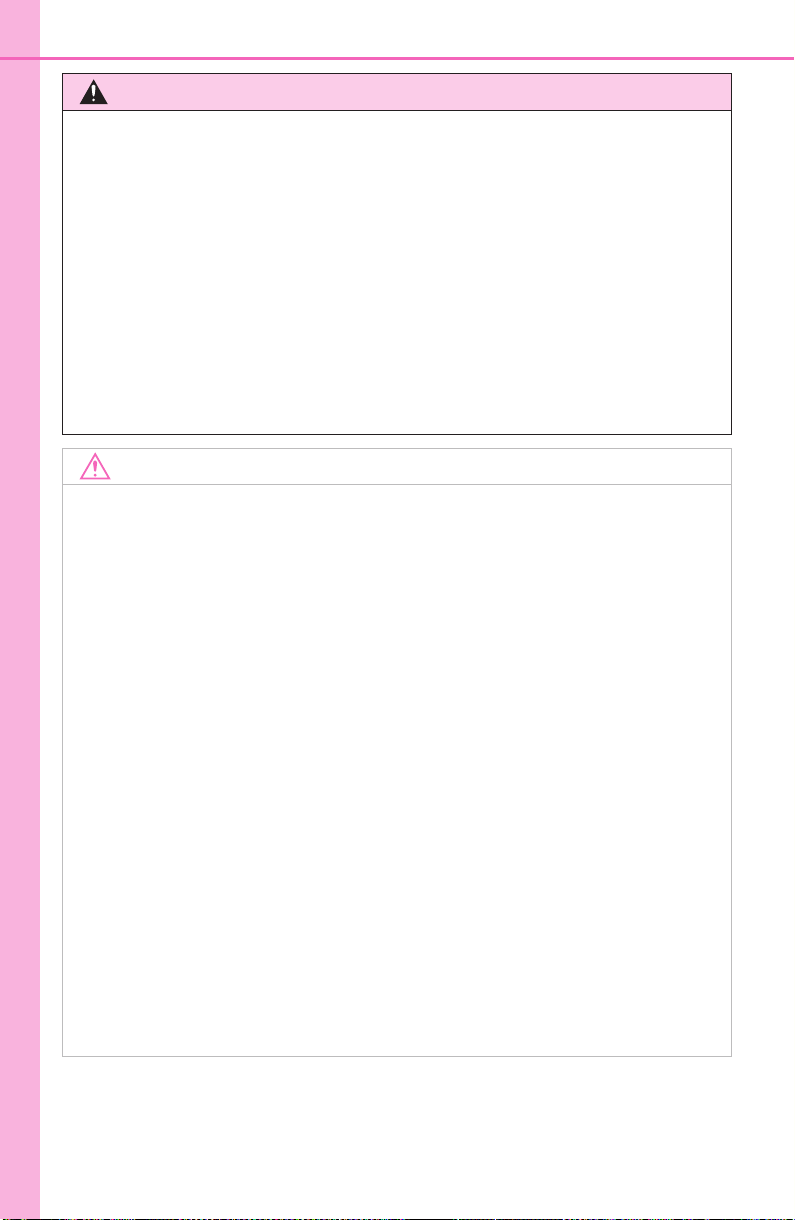
704
8-2. Steps to take in an emergency
PRIUS_OM_OM47A29U_(U)
WARNING
■ Driving to spread the liquid sealant evenly
Observe the following precautions to reduce the risk of accidents.
Failing to do so may result in a loss of vehicle control and cause death
or serious injury.
● Drive the vehicle carefully at a low speed. Be especially careful when
turning and cornering.
● If the vehicle does not drive straight or you feel a pull through the
steering wheel, stop the vehicle and check the following.
• Tire condition. The tire may have separated from the wheel.
• Tire inflation pressure. If the tire inflation pressure is 19 psi
(130 kPa, 1.3 kgf/cm
2
or bar) or less, the tire may be severely dam-
aged.
NOTICE
■ When performing an emergency repair
● A tire should only be repaired with the emergency tire puncture repair
kit if the damage is caused by a sharp object such as nail or screw
passing through the tire tread.
Do not remove the sharp object from the tire. Removing the object may
widen the opening and disenable emergency repair with the repair kit.
● The repair kit is not waterproof. Make sure that the repair kit is not
exposed to water, such as when it is being used in the rain.
● Do not put the repair kit directly onto dusty ground such as sand at the
side of the road. If the repair kit vacuums up dust etc., a malfunction
may occur.
■ Precautions for the emergency tire puncture repair kit
● The repair kit power source should be 12 V DC suitable for vehicle
use. Do not connect the repair kit to any other source.
● If fuel splatters on the repair kit, the repair kit may deteriorate. Take
care not to allow fuel to contact it.
● Place the repair kit in a storage to prevent it from being exposed to dirt
or water.
● Store the repair kit in the luggage compartment out of reach of chil-
dren.
● Do not disassemble or modify the repair kit. Do not subject parts such
as the air pressure indicator to impacts. This may cause a malfunction.

705
8-2. Steps to take in an emergency
PRIUS_OM_OM47A29U_(U)
8
When trouble arises
NOTICE
■ To avoid damage to the tire pressure warning valves and transmit-
ters
When a tire is repaired with liquid sealants, the tire pressure warning
valve and transmitter may not operate properly. If a liquid sealant is
used, contact your Toyota dealer or other qualified service shop as soon
as possible. After use of liquid sealant, make sure to replace the tire
pressure warning valve and transmitter when repairing or replacing the
tire. (→P. 607)

706
PRIUS_OM_OM47A29U_(U)
8-2. Steps to take in an emergency
If the hybrid system will not start
One of the following may be the cause of the problem:
● The electronic key may not be functioning properly.
* (→P. 708)
● There may not be sufficient fuel in the vehicle’s tank.
Refuel the vehicle. (→P. 8 4)
● There may be a malfunction in the immobilizer system.
* (→P. 89)
● There may be a malfunction in the shift control system.
*
(→P. 228, 671)
● The hybrid system may be malfunctioning due to an electrical prob-
lem such as electronic key battery depletion or a blown fuse. How-
ever, depending on the type of malfunction, an interim measure is
available to start the hybrid system. (→P. 707)
● There is a possibility that the temperature of the hybrid battery
(traction battery) is extremely low (approximately below -22°F
[-30°C]). (→P. 84, 228)
*: It may not be possible to shift the shift position other than P.
One of the following may be the cause of the problem:
● The 12-volt battery may be discharged. (→P. 711 )
● The 12-volt battery terminal connections may be loose or corroded.
(→P. 598)
Reasons for the hybrid system not starting vary depending on
the situation. Check the following and perform the appropriate
procedure:
The hybrid system will not start even though the correct starting
procedure is being followed. (→P. 225)
The interior lights and headlights are dim, or the horn does not
sound or sounds at a low volume.

707
8-2. Steps to take in an emergency
PRIUS_OM_OM47A29U_(U)
8
When trouble arises
One of the following may be the cause of the problem:
● The 12-volt battery may be discharged. (→P. 711 )
● One or both of the 12-volt battery terminals may be disconnected.
(→P. 598)
Contact your Toyota dealer if the problem cannot be repaired, or if repair
procedures are unknown.
When the hybrid system does not start, the following steps can be
used as an interim measure to start the hybrid system if the power
switch is functioning normally.
Do not use this starting procedure except in cases of emergency.
Set the parking brake.
Turn the power switch to ACCESSORY mode.
Press and hold the power switch for about 15 seconds while
depressing the brake pedal firmly.
Even if the hybrid system can be started using the above steps, the
system may be malfunctioning. Have the vehicle inspected by your
Toyota dealer.
The interior lights and headlights do not turn on, or the horn
does not sound.
Emergency start function
1
2
3
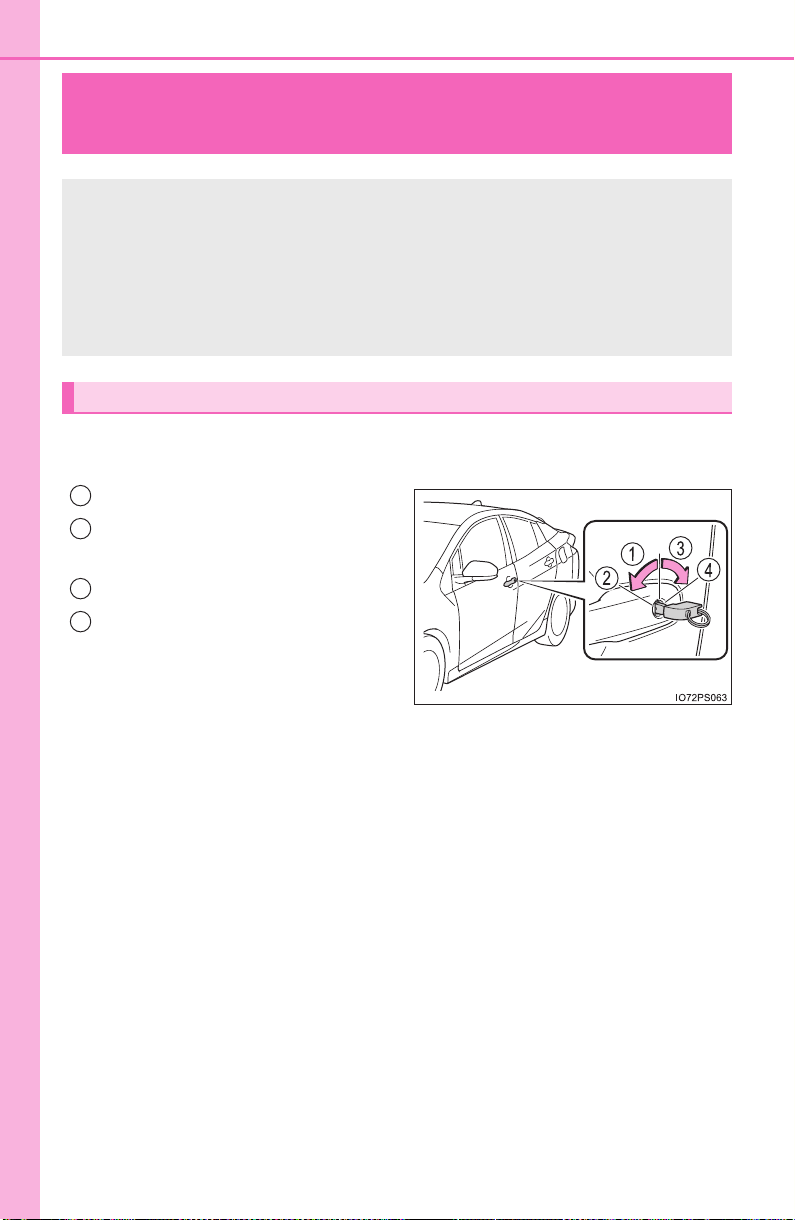
708
PRIUS_OM_OM47A29U_(U)
8-2. Steps to take in an emergency
If the electronic key does not operate
properly
Use the mechanical key (→P. 161) in order to perform the following
operations:
Locks all the doors
Closes the windows and moon
roof
*
1
(turn and hold)*
2
Unlocks the door
Opens the windows and moon
roof
*
1
(turn and hold)*
2
Turning the key rearward unlocks
the driver’s door. Turning the key
once again within 3 seconds
unlocks the other doors.
*
1
: If equipped
*
2
: These settings must be customized at your Toyota dealer. (→P. 752)
If communication between the electronic key and vehicle is
interrupted (→P. 178) or the electronic key cannot be used
because the battery is depleted, the smart key system and
wireless remote control cannot be used. In such cases, the
doors can be opened and the hybrid system can be started by
following the procedure below.
Locking and unlocking the doors
1
2
3
4
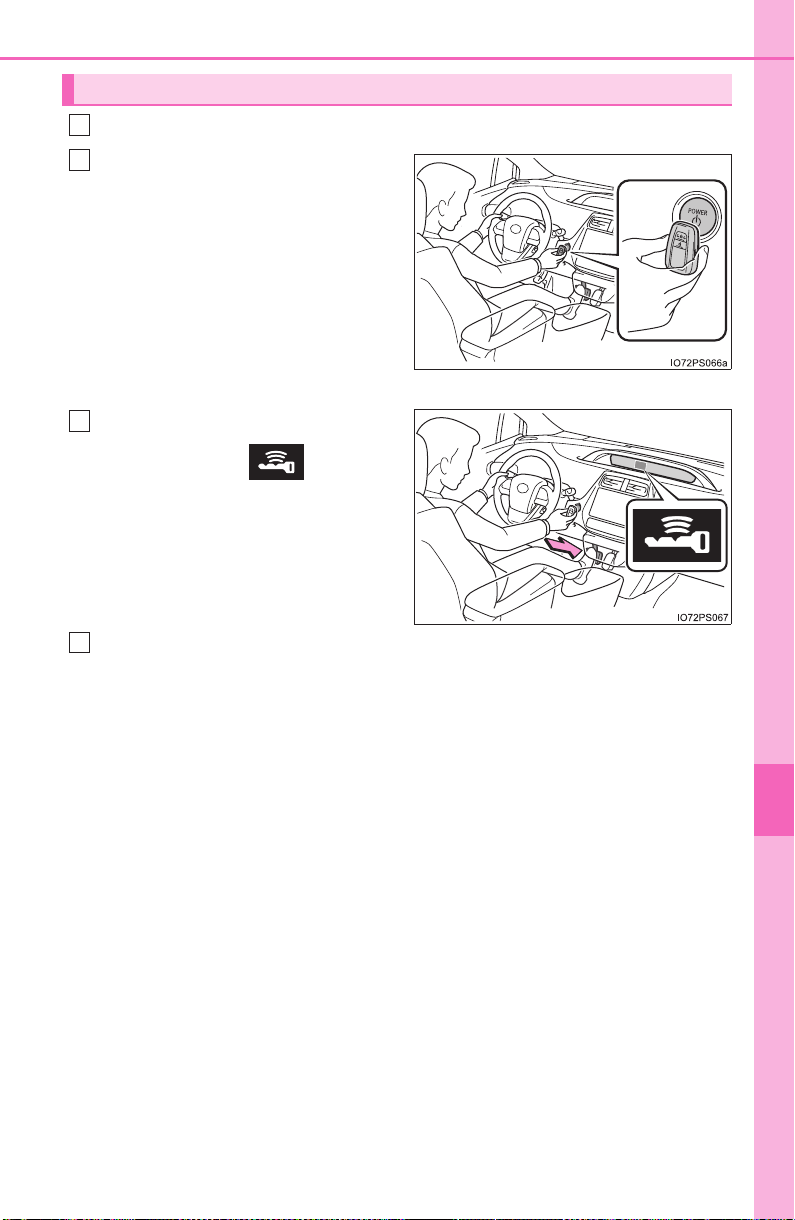
709
8-2. Steps to take in an emergency
PRIUS_OM_OM47A29U_(U)
8
When trouble arises
Depress the brake pedal.
Touch the Toyota emblem side
of the electronic key to the
power switch.
When the electronic key is
detected, a buzzer sounds and the
power switch will turn to ON mode.
When the smart key system is
deactivated in customization set-
ting, the power switch will turn to
ACCESSORY mode.
Firmly depress the brake pedal
and check that is shown
on the multi-information display.
Press the power switch.
In the event that the hybrid system still cannot be operated, contact
your Toyota dealer.
Starting the hybrid system
1
2
3
4

710
8-2. Steps to take in an emergency
PRIUS_OM_OM47A29U_(U)
■ Stopping the hybrid system
Set the parking brake, shift the shift position to P and press the power switch
as you normally do when stopping the hybrid system.
■ Replacing the key battery
As the above procedure is a temporary measure, it is recommended that the
electronic key battery be replaced immediately when the battery is depleted.
(→P. 628)
■ Changing power switch modes
Release the brake pedal and press the power switch in step above. The
hybrid system does not start and modes will be changed each time the switch
is pressed. (→P. 227)
■ When the electronic key does not work properly
● Make sure that the smart key system has not been deactivated in the cus-
tomization setting. If it is off, turn the function on.
(Customizable features: →P. 752)
● Check if battery-saving mode is set. If it is set, cancel the function.
(→P. 178)
WARNING
■ When using the mechanical key and operating the power windows or
moon roof (if equipped)
Operate the power window or moon roof after checking to make sure that
there is no possibility of any passenger having any of their body parts
caught in the window or moon roof.
Also, do not allow children to operate the mechanical key. It is possible for
children and other passengers to get caught in the power window or moon
roof.
3
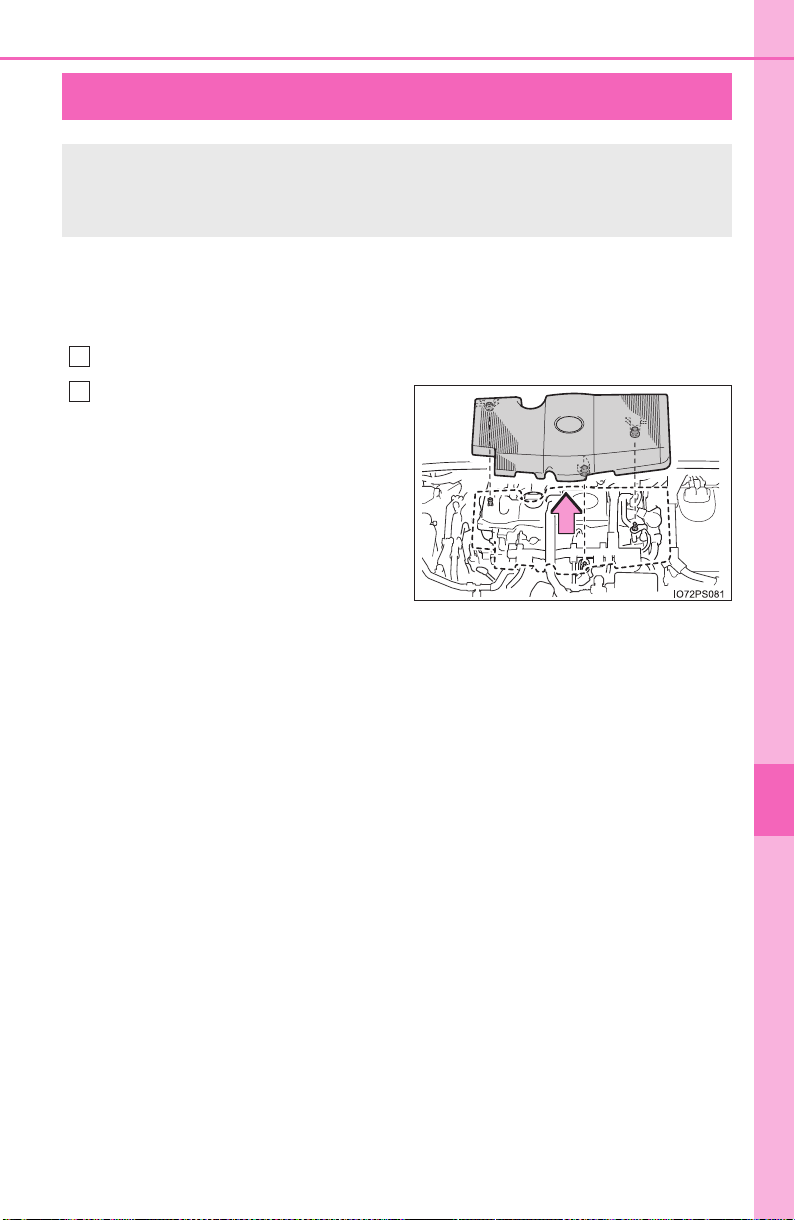
711
PRIUS_OM_OM47A29U_(U)
8
When trouble arises
8-2. Steps to take in an emergency
If the 12-volt battery is discharged
If you have a set of jumper (or booster) cables and a second vehicle
with a 12-volt battery, you can jump start your vehicle by following the
steps below.
Open the hood. (→P. 588)
Remove the engine cover.
Pull up the both ends of the cover
vertically.
The following procedures may be used to start the hybrid sys-
tem if the vehicle’s 12-volt battery is discharged.
You can also call your Toyota dealer or a qualified repair shop.
1
2
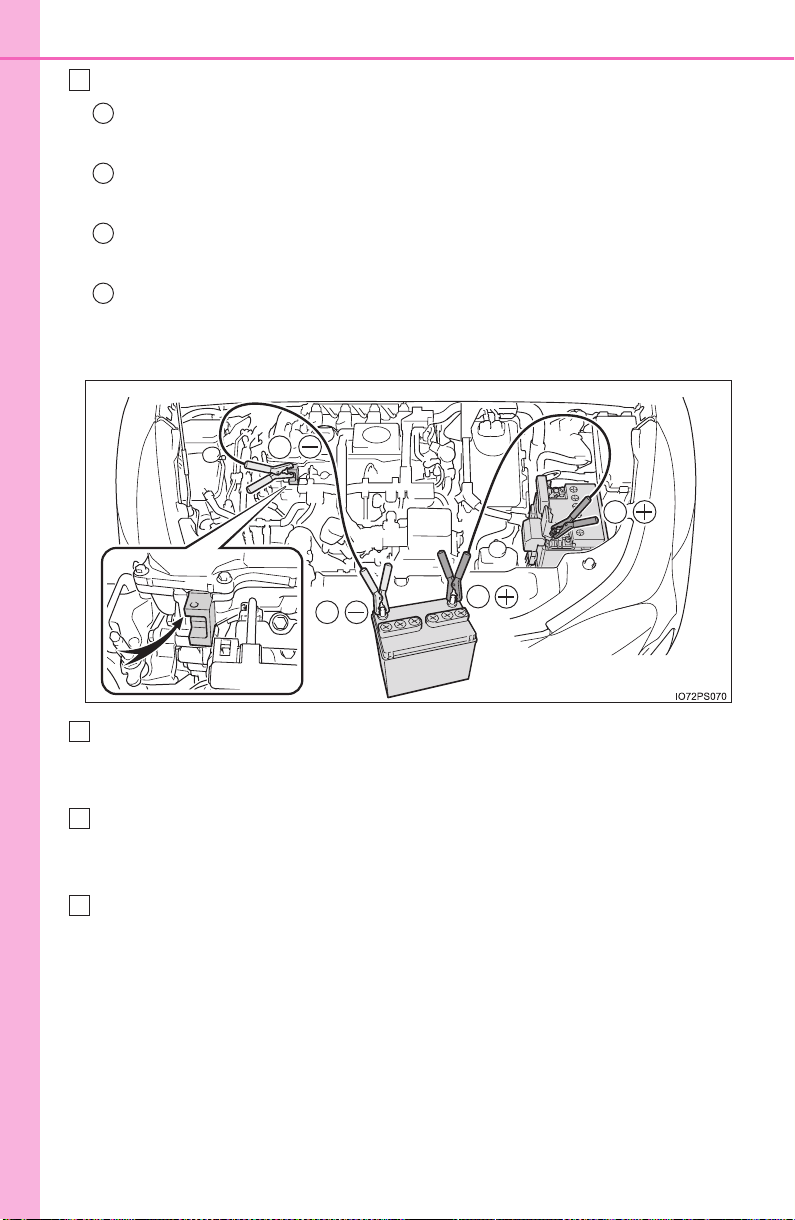
712
8-2. Steps to take in an emergency
PRIUS_OM_OM47A29U_(U)
Connect the jumper cables according to the following procedure:
Connect a positive jumper cable clamp to the positive (+) battery
terminal on your vehicle.
Connect the clamp on the other end of the positive cable to the
positive (+) battery terminal on the second vehicle.
Connect a negative cable clamp to the negative (-) battery termi-
nal on the second vehicle.
Connect the clamp at the other end of the negative cable to a
solid, stationary, unpainted metallic point away from the 12-volt
battery and any moving parts, as shown in the illustration.
Start the engine of the second vehicle. Increase the engine speed
slightly and maintain at that level for approximately 5 minutes to
recharge the 12-volt battery of your vehicle.
Maintain the engine speed of the second vehicle and start the
hybrid system of your vehicle by turning the power switch to ON
mode.
Make sure the “READY” indicator comes on. If the indicator light
does not come on, contact your Toyota dealer.
3
1
2
3
4
3
2
4
1
4
5
6

713
8-2. Steps to take in an emergency
PRIUS_OM_OM47A29U_(U)
8
When trouble arises
Once the hybrid system has started, remove the jumper cables in
the exact reverse order from which they were connected.
To install the engine cover, conduct the removal procedure in
reverse. After installing, check that the fixed pins are inserted
securely.
Once the hybrid system starts, have the vehicle inspected at your
Toyota dealer as soon as possible.
■ Starting the hybrid system when the 12-volt battery is discharged
The hybrid system cannot be started by push-starting.
■ To prevent 12-volt battery discharge
● Turn off the headlights and the audio system while the hybrid system is off.
● Turn off any unnecessary electrical components when the vehicle is running
at a low speed for an extended period, such as in heavy traffic.
■ When the 12-volt battery is removed or discharged
● Information stored in the ECU is cleared. When the 12-volt battery is
depleted, have the vehicle inspected at your Toyota dealer.
● Some systems may require initialization. (→P. 760)
■ When removing the 12-volt battery terminals
When the 12-volt battery terminals are removed, the information stored in the
ECU is cleared. Before removing the 12-volt battery terminals, contact your
Toyota dealer.
■ Charging the 12-volt battery
The electricity stored in the 12-volt battery will discharge gradually even when
the vehicle is not in use, due to natural discharge and the draining effects of
certain electrical appliances. If the vehicle is left for a long time, the 12-volt
battery may discharge, and the hybrid system may be unable to start. (The
12-volt battery recharges automatically while the hybrid system is operating.)
7
8

714
8-2. Steps to take in an emergency
PRIUS_OM_OM47A29U_(U)
■ When recharging or replacing the 12-volt battery
● In some cases, it may not be possible to unlock the doors using the smart
key system when the 12-volt battery is discharged. Use the wireless remote
control or the mechanical key to lock or unlock the doors.
● The hybrid system may not start on the first attempt after the 12-volt battery
has recharged but will start normally after the second attempt. This is not a
malfunction.
● The power switch mode is memorized by the vehicle. When the 12-volt bat-
tery is reconnected, the system will return to the mode it was in before the
12-volt battery was discharged. Before disconnecting the 12-volt battery,
turn the power switch off.
If you are unsure what mode the power switch was in before the 12-volt bat-
tery discharged, be especially careful when reconnecting the 12-volt battery.
● If the 12-volt battery discharges while the shift position is in P, it may not be
possible to shift the shift position to other positions. In this case, the vehicle
cannot be towed without lifting both front wheels because the front wheels
will be locked. (→P. 648)
■ When exchanging the 12-volt battery
● Use a 12-volt battery that conforms to European regulations.
● Use a 12-volt battery with the same case size as the previous 12-volt battery
and an equivalent 20 hour rate capacity (20HR) or greater.
• If the sizes differ, the 12-volt battery cannot be properly secured.
• If the 20 hour rate capacity is low, even if the time period where the vehi-
cle is not used is a short time, the 12-volt battery may discharge and the
hybrid system may not be able to start.
● For details, consult your Toyota dealer.

715
8-2. Steps to take in an emergency
PRIUS_OM_OM47A29U_(U)
8
When trouble arises
WARNING
■ When removing the 12-volt battery terminals
Always remove the negative (-) terminal first. If the positive (+) terminal con-
tacts any metal in the surrounding area when the positive (+) terminal is
removed, a spark may occur, leading to a fire in addition to electrical shocks
and death or serious injury.
■ Avoiding 12-volt battery fires or explosions
Observe the following precautions to prevent accidentally igniting the flam-
mable gas that may be emitted from the 12-volt battery:
● Make sure each jumper cable is connected to the correct terminal and that
it is not unintentionally in contact with any other than the intended terminal.
● Do not allow the other end of the jumper cable connected to the “+” termi-
nal to come into contact with any other parts or metal surfaces in the area,
such as brackets or unpainted metal.
● Do not allow the + and - clamps of the jumper cables to come into contact
with each other.
● Do not smoke, use matches, cigarette lighters or allow open flame near
the 12-volt battery.
■ 12-volt battery precautions
The 12-volt battery contains poisonous and corrosive acidic electrolyte,
while related parts contain lead and lead compounds. Observe the following
precautions when handling the 12-volt battery:
● When working with the 12-volt battery, always wear safety glasses and
take care not to allow any battery fluids (acid) to come into contact with
skin, clothing or the vehicle body.
● Do not lean over the 12-volt battery.
● In the event that battery fluid comes into contact with the skin or eyes,
immediately wash the affected area with water and seek medical attention.
Place a wet sponge or cloth over the affected area until medical attention
can be received.
● Always wash your hands after handling the 12-volt battery support, termi-
nals, and other battery-related parts.
● Do not allow children near the 12-volt battery.

716
8-2. Steps to take in an emergency
PRIUS_OM_OM47A29U_(U)
NOTICE
■ When handling jumper cables
When connecting the jumper cables, ensure that they do not become entan-
gled in the cooling fans, etc.

717
PRIUS_OM_OM47A29U_(U)
8
When trouble arises
8-2. Steps to take in an emergency
If your vehicle overheats
■ If the high coolant temperature warning light comes on or
flashes
Stop the vehicle in a safe place and turn off the air conditioning
system, and then stop the hybrid system.
If you see steam:
Carefully lift the hood after the steam subsides.
If you do not see steam:
Carefully lift the hood.
After the hybrid system has cooled down sufficiently, inspect the
hoses and radiator core (radiator) for any leaks.
Radiator
Cooling fans
If a large amount of coolant
leaks, immediately contact
your Toyota dealer.
The following may indicate that your vehicle is overheating.
● The high coolant temperature warning light (→P. 657) comes on
or flashes, or a loss of hybrid system power is experienced. (For
example, the vehicle speed does not increase.)
● “Hybrid System Overheated” is shown on the multi-information
display.
● Steam comes out from under the hood.
Correction procedures
1
2
3
1
2
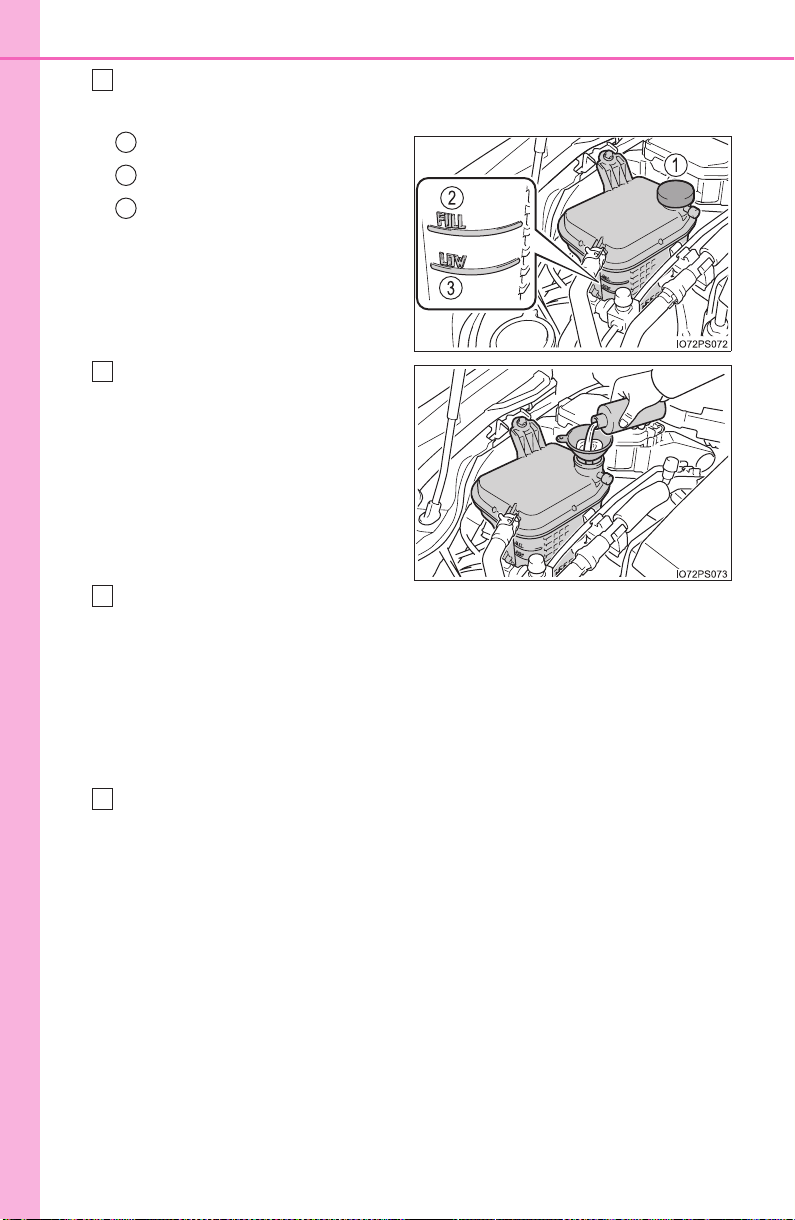
718
8-2. Steps to take in an emergency
PRIUS_OM_OM47A29U_(U)
The coolant level is satisfactory if it is between the “FULL” and
“LOW” lines on the reservoir.
Reservoir
“FULL” line
“LOW” line
Add coolant if necessary.
Water can be used in an emer-
gency if coolant is unavailable.
Start the hybrid system and turn the air conditioning system on to
check that the radiator cooling fans operate and to check for
coolant leaks from the radiator or hoses.
The fans operate when the air conditioning system is turned on immedi-
ately after a cold start. Confirm that the fans are operating by checking
the fan sound and air flow. If it is difficult to check these, turn the air con-
ditioning system on and off repeatedly. (The fans may not operate in
freezing temperatures.)
If the fans are not operating:
Stop the hybrid system immediately and contact your Toyota
dealer.
If the fans are operating:
Have the vehicle inspected at the nearest Toyota dealer.
4
1
2
3
5
6
7
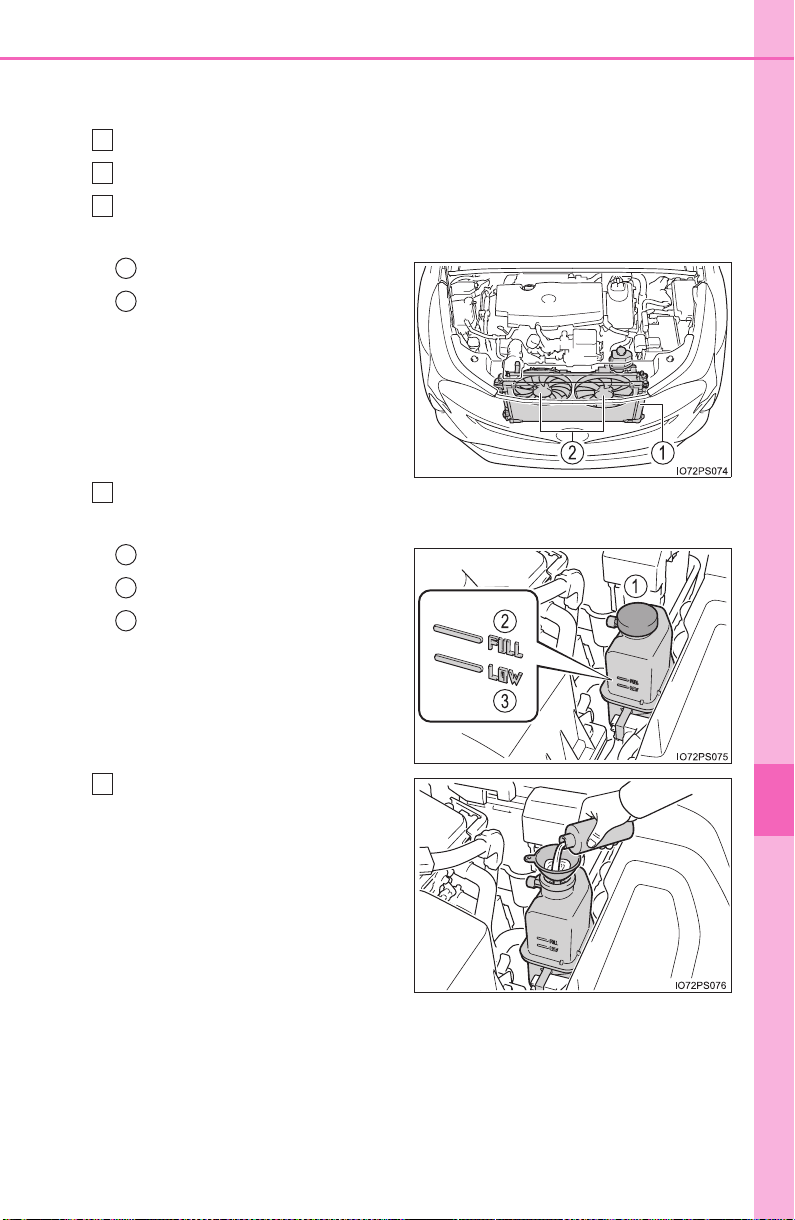
719
8-2. Steps to take in an emergency
PRIUS_OM_OM47A29U_(U)
8
When trouble arises
■ If “Hybrid System Overheated” is shown on the multi-informa-
tion display
Stop the vehicle in a safe place.
Stop the hybrid system and carefully lift the hood.
After the hybrid system has cooled down, inspect the hoses and
radiator core (radiator) for any leaks.
Radiator
Cooling fans
If a large amount of coolant
leaks, immediately contact
your Toyota dealer.
The coolant level is satisfactory if it is between the “FULL” and
“LOW” lines on the reservoir.
Reservoir
“FULL” line
“LOW” line
Add coolant if necessary.
Water can be used in an emer-
gency if coolant is unavailable.
If water was added in an emer-
gency, have the vehicle inspected
at your Toyota dealer as soon as
possible.
1
2
3
1
2
4
1
2
3
5

720
8-2. Steps to take in an emergency
PRIUS_OM_OM47A29U_(U)
After stopping the hybrid system and waiting for 5 minutes or
more, start the hybrid system again and check if “Hybrid System
Overheated” is shown on the multi-information display.
If the message does not disappear:
Stop the hybrid system and contact your Toyota dealer.
If the message is not displayed:
The hybrid system temperature has dropped and the vehicle may
be driven normally.
However, if the message appears again frequently, contact your Toyota
dealer.
WARNING
■ To prevent an accident or injury when inspecting under the hood of
your vehicle
Observe the following precautions.
Failure to do so may result in serious injury such as burns.
● If steam is seen coming from under the hood, do not open the hood until
the steam has subsided. The engine compartment may be very hot.
● After the hybrid system has been turned off, check that the “Accessory”,
“Ignition ON” or mileage display (→P. 108) on the multi-information display
and the “READY” indicator are off.
When the hybrid system is operating, the gasoline engine may automati-
cally start, or the cooling fans may suddenly operate even if the gasoline
engine stops. Do not touch or approach rotating parts such as the fan,
which may lead to fingers or clothing (especially a tie, a scarf or a muffler)
getting caught, resulting in serious injury.
● Do not loosen the coolant reservoir caps while the hybrid system and radi-
ator are hot.
High temperature steam or coolant could spray out.
6

721
8-2. Steps to take in an emergency
PRIUS_OM_OM47A29U_(U)
8
When trouble arises
NOTICE
■ When adding engine/power control unit coolant
Add coolant slowly after the hybrid system has cooled down sufficiently.
Adding cool coolant to a hot hybrid system too quickly can cause damage to
the hybrid system.
■ To prevent damage to the cooling system
Observe the following precautions:
● Avoid contaminating the coolant with foreign matter (such as sand or dust
etc.).
● Do not use any coolant additive.
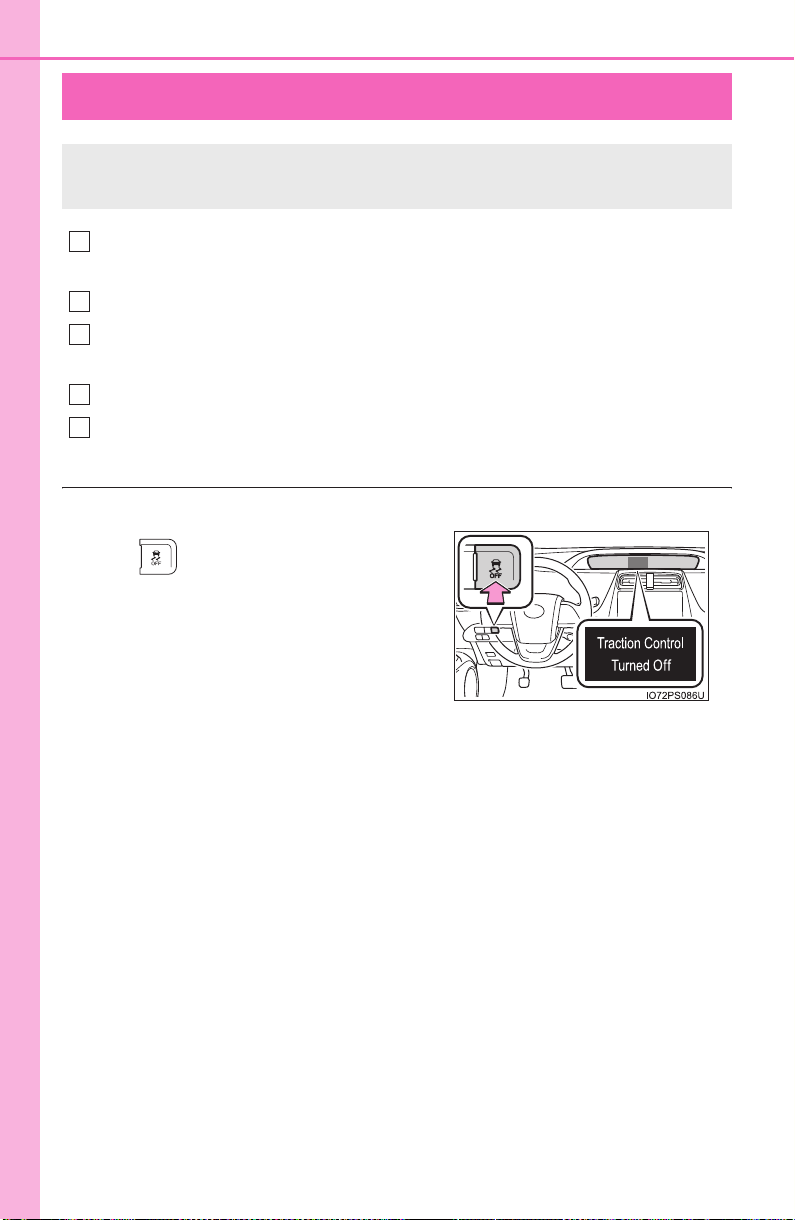
722
PRIUS_OM_OM47A29U_(U)
8-2. Steps to take in an emergency
If the vehicle becomes stuck
Set the parking brake and shift the shift position to P. Stop the
hybrid system.
Remove the mud, snow or sand from around the front wheels.
Place wood, stones or some other material under the front wheels
to help provide traction.
Restart the hybrid system.
Shift the shift position to D or R and release the parking brake.
Then, while exercising caution, depress the accelerator pedal.
■ When it is difficult to free the vehicle
Carry out the following procedures if the tires spin or the vehicle
becomes stuck in mud, dirt or snow:
Press to turn off TRAC. (→P. 406)
1
2
3
4
5
723
8-2. Steps to take in an emergency
PRIUS_OM_OM47A29U_(U)
8
When trouble arises
WARNING
■ When attempting to free a stuck vehicle
If you choose to push the vehicle back and forth to free it, make sure the
surrounding area is clear to avoid striking other vehicles, objects or people.
The vehicle may also lunge forward or lunge back suddenly as it becomes
free. Use extreme caution.
■ When changing the shift position
Be careful not to change the shift position with the accelerator pedal
depressed.
This may lead to unexpected rapid acceleration of the vehicle that may
cause an accident resulting in death or serious injury.
NOTICE
■ To avoid damage to the hybrid transmission and other components
● Avoid spinning the front wheels and depressing the accelerator pedal
more than necessary.
● If the vehicle remains stuck even after these procedures are performed,
the vehicle may require towing to be freed.

724
8-2. Steps to take in an emergency
PRIUS_OM_OM47A29U_(U)

725
PRIUS_OM_OM47A29U_(U)
9
Vehicle specifications
9-1. Specifications
Maintenance data
(fuel, oil level, etc.).......... 726
Fuel information ................ 737
Tire information ................. 740
9-2. Customization
Customizable features ...... 752
9-3. Initialization
Items to initialize ............... 760
726
PRIUS_OM_OM47A29U_(U)
9-1. Specifications
Maintenance data (fuel, oil level, etc.)
*
1
: Unladen vehicle
*
2
: Vehicles with 15-inch tires
*
3
: Vehicles with 17-inch tires
Dimensions and weight
Overall length 178.7 in. (4540 mm)
Overall width 69.3 in. (1760 mm)
Overall height*
1
58.1 in. (1475 mm)
Wheelbase 106.3 in. (2700 mm)
Tread*
1
Front
60.2 in. (1530 mm)*
2
59.4 in. (1510 mm)*
3
Rear
60.8 in. (1545 mm)*
2
60.0 in. (1525 mm)*
3
Vehicle capacity weight
(Occupants + luggage)
825 lb. (375 kg)

PRIUS_OM_OM47A29U_(U)
727
9-1. Specifications
9
Vehicle specifications
■ Vehicle identification number
The vehicle identification number (VIN) is the legal identifier for
your vehicle. This is the primary identification number for your
Toyota. It is used in registering the ownership of your vehicle.
This number is stamped on the
top left of the instrument panel.
This number is also stamped
under the right-hand front seat.
This number is also on the Cer-
tification label.
Vehicle identification
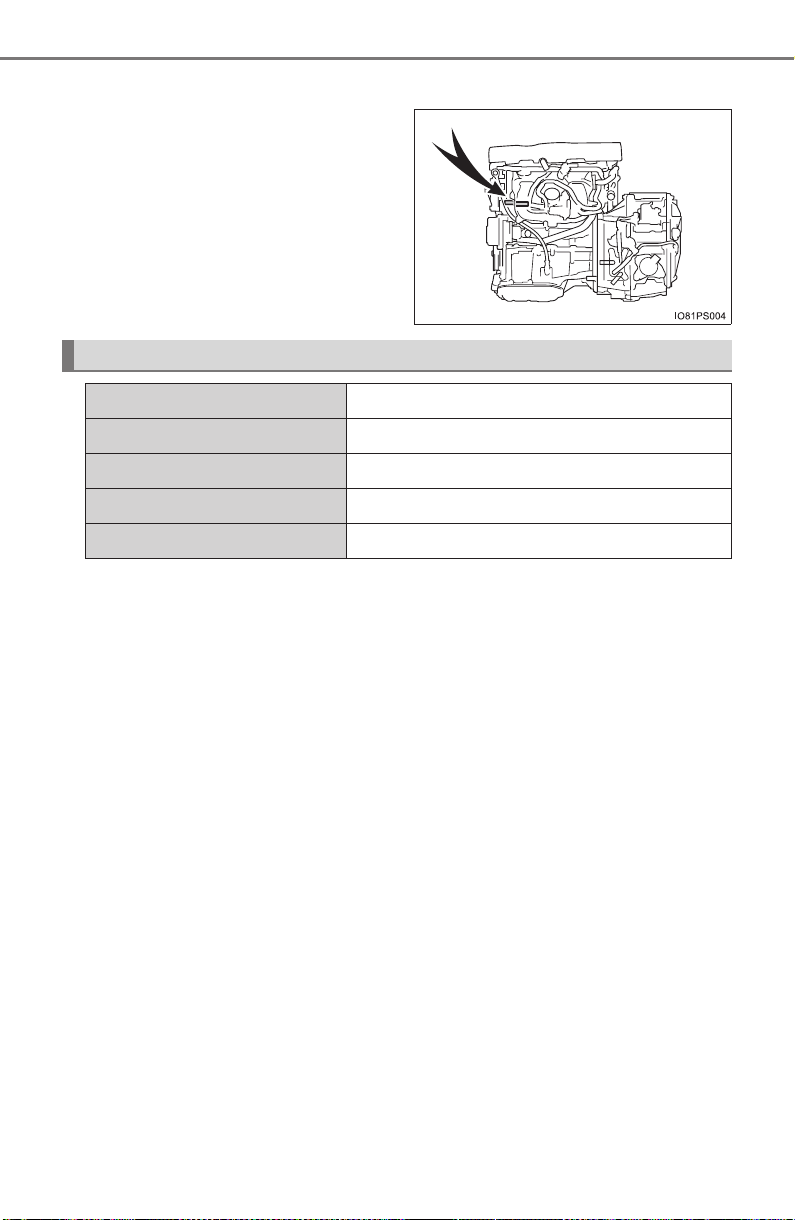
728
PRIUS_OM_OM47A29U_(U)
9-1. Specifications
■ Engine number
The engine number is stamped
on the engine block as shown.
Engine
Model 1.8 L 4-cylinder (2ZR-FXE)
Type 4-cylinder in line, 4-cycle, gasoline
Bore and stroke 3.17 × 3.48 in. (80.5 × 88.3 mm)
Displacement 109.7 cu.in. (1798 cm
3
)
Valve clearance Automatic adjustment
PRIUS_OM_OM47A29U_(U)
729
9-1. Specifications
9
Vehicle specifications
*: Checking your vehicle’s model: →P. 727
Fuel
Fuel type Unleaded gasoline only
Octane Rating 87 (Research Octane Number 91) or higher
Fuel tank capacity
(Reference)
11.4 gal. (43 L, 9.5 Imp.gal.)
Electric motor (traction motor)
Type Permanent magnet synchronous motor
Maximum output 53 kW
Maximum torque 120.2 ft•lbf (163 N•m, 16.6 kgf•m)
Hybrid battery (traction battery)
ZVW50 model* ZVW51 models*
Type
Nickel-Metal hydride
battery
Lithium-ion battery
Voltage 7.2 V/module 3.7 V/cell
Capacity 6.5 Ah (3HR) 3.6 Ah
Quantity 28 modules 56 cells
Overall voltage 201.6 V 207.2 V

730
PRIUS_OM_OM47A29U_(U)
9-1. Specifications
■ Oil capacity (Drain and refill [Reference*])
*: The engine oil capacity is a reference quantity to be used when changing
the engine oil. Park the vehicle on level ground. After warming up the
engine and turning off the hybrid system, wait more than 5 minutes, and
check the oil level on the dipstick.
■
Engine oil selection
“Toyota Genuine Motor Oil” is used in your Toyota vehicle. Use
Toyota approved “Toyota Genuine Motor Oil” or equivalent to satisfy
the following grade and viscosity.
Oil grade: ILSAC GF-5 multigrade engine oil
Recommended viscosity: SAE 0W-20
SAE 0W-20 is the best choice
for good fuel economy and
good starting in cold weather.
If SAE 0W-20 is not available,
SAE 5W-20 oil may be used.
However, it must be replaced
with SAE 0W-20 at the next oil
change.
Oil viscosity (0W-20 is explained here as an example):
• The 0W in 0W-20 indicates the characteristic of the oil which
allows cold startability. Oils with a lower value before the W allow
for easier starting of the engine in cold weather.
• The 20 in 0W-20 indicates the viscosity characteristic of the oil
when the oil is at high temperature. An oil with a higher viscosity
(one with a higher value) may be better suited if the vehicle is
operated at high speeds, or under extreme load conditions.
Lubrication system
With filter 4.4 qt. (4.2 L, 3.7 Imp.qt.)
Without filter 4.1 qt. (3.9 L, 3.4 Imp.qt.)
Outside temperature
PRIUS_OM_OM47A29U_(U)
731
9-1. Specifications
9
Vehicle specifications
How to read oil container label:
The International Lubricant
Specification Advisory Commit-
tee (ILSAC) Certification Mark
is added to some oil containers
to help you select the oil you
should use.
732
PRIUS_OM_OM47A29U_(U)
9-1. Specifications
*: The coolant capacity is a reference quantity.
If replacement is necessary, contact your Toyota dealer.
Cooling system
Capacity*
Gasoline
engine
6.2 qt. (5.9 L, 5.2 Imp.qt.)
Power
control unit
1.5 qt. (1.4 L, 1.2 Imp.qt.)
Coolant type
Use either of the following:
• “Toyota Super Long Life Coolant”
• Similar high-quality ethylene glycol-
based non-silicate, non-amine, non-
nitrite, and non-borate coolant with
long-life hybrid organic acid technology
Do not use plain water alone.
Ignition system (spark plug)
Make DENSO FC16HR-C9
Gap 0.035 in. (0.9 mm)
NOTICE
■ Iridium-tipped spark plugs
Use only iridium-tipped spark plugs. Do not adjust the spark plug gap.
Electrical system (12-volt battery)
Open voltage at 68°F (20°C):
12.5 V or higher: Fully charged
11.0 — 12.4 V: Half charged
10.9 V or lower: Discharged
(Voltage is checked 30 seconds after the
hybrid system and all lights are turned off.)
Charging rates 5 A max.
PRIUS_OM_OM47A29U_(U)
733
9-1. Specifications
9
Vehicle specifications
*: The fluid capacity is the quantity of reference.
If replacement is necessary, contact your Toyota dealer.
*
1
: Minimum pedal clearance when depressed with a force of 67.4 lbf (300 N,
30.6 kgf) while the hybrid system is operating.
*
2
: Parking brake pedal travel when depressed with a force of 67.4 lbf (300 N,
30.6 kgf).
Transmission
Fluid capacity* 3.8 qt. (3.6 L, 3.2 Imp.qt.)
Fluid type Toyota Genuine ATF WS
NOTICE
■ Transmission fluid type
Using transmission fluid other than “Toyota Genuine ATF WS” may cause
deterioration in shift quality, locking up of your transmission accompanied
by vibration, and ultimately damage the transmission of your vehicle.
Brakes
Pedal clearance*
1
4.53 in. (115 mm) Min.
Pedal free play 0.04 — 0.24 in. (1.0 — 6.0 mm)
Brake pad wear limit 0.04 in. (1.0 mm)
Parking brake pedal travel*
2
8 — 11 clicks
Fluid type FMVSS No. 116 DOT 3 or SAE J1703
Steering
Free play Less than 1.2 in. (30 mm)

734
PRIUS_OM_OM47A29U_(U)
9-1. Specifications
■ Vehicles without spare tire
X 15-inch tires (except ZVW51L-AHXBBA model*)
*: Checking your vehicle’s model: →P. 727
X 15-inch tires (for ZVW51L-AHXBBA model*)
*: Checking your vehicle’s model: →P. 727
X 17-inch tires
Tires and wheels
Tire size P195/65R15 89S
Tire inflation pressure
(Recommended cold
tire inflation pressure)
Front 36 psi (250 kPa, 2.5 kgf/cm
2
or bar)
Rear 35 psi (240 kPa, 2.4 kgf/cm
2
or bar)
Spare None
Wheel size 15 × 6 1/2J
Wheel nut torque 76 ft•lbf (103 N•m, 10.5 kgf•m)
Tire size P195/65R15 89S
Tire inflation pressure
(Recommended cold
tire inflation pressure)
Front 39 psi (270 kPa, 2.7 kgf/cm
2
or bar)
Rear 36 psi (250 kPa, 2.5 kgf/cm
2
or bar)
Spare None
Wheel size 15 × 6 1/2J
Wheel nut torque 76 ft•lbf (103 N•m, 10.5 kgf•m)
Tire size P215/45R17 87V
Tire inflation pressure
(Recommended cold
tire inflation pressure)
Front 33 psi (230 kPa, 2.3 kgf/cm
2
or bar)
Rear 32 psi (220 kPa, 2.2 kgf/cm
2
or bar)
Spare None
Wheel size 17 × 7J
Wheel nut torque 76 ft•lbf (103 N•m, 10.5 kgf•m)

PRIUS_OM_OM47A29U_(U)
735
9-1. Specifications
9
Vehicle specifications
■ Vehicles with spare tire
X 15-inch tires (Type A)
X 15-inch tires (Type B)
X 17-inch tires
Tire size
P195/65R15 89S,
T125/70D17 98M (spare)
Tire inflation pressure
(Recommended cold
tire inflation pressure)
Front 36 psi (250 kPa, 2.5 kgf/cm
2
or bar)
Rear 35 psi (240 kPa, 2.4 kgf/cm
2
or bar)
Spare 60 psi (420 kPa, 4.2 kgf/cm
2
or bar)
Wheel size 15 × 6 1/2J, 17 × 4T(spare)
Wheel nut torque 76 ft•lbf (103 N•m, 10.5 kgf•m)
Tire size 195/65R15 91H
Tire inflation pressure
(Recommended cold
tire inflation pressure)
Front 32 psi (220 kPa, 2.2 kgf/cm
2
or bar)
Rear 32 psi (220 kPa, 2.2 kgf/cm
2
or bar)
Spare 32 psi (220 kPa, 2.2 kgf/cm
2
or bar)
Wheel size 15 × 6 1/2J
Wheel nut torque 76 ft•lbf (103 N•m, 10.5 kgf•m)
Tire size
P215/45R17 87V,
T125/70D17 98M (spare)
Tire inflation pressure
(Recommended cold
tire inflation pressure)
Front 33 psi (230 kPa, 2.3 kgf/cm
2
or bar)
Rear 32 psi (220 kPa, 2.2 kgf/cm
2
or bar)
Spare 60 psi (420 kPa, 4.2 kgf/cm
2
or bar)
Wheel size 17 × 7J, 17 × 4T(spare)
Wheel nut torque 76 ft•lbf (103 N•m, 10.5 kgf•m)
736
PRIUS_OM_OM47A29U_(U)
9-1. Specifications
*
1
: Vehicles with bulb type parking lights
*
2
: Vehicles with LED type parking lights
Light bulbs
Light bulbs Bulb No. W Type
Exterior
Front turn signal lights/park-
ing lights
*
1
7444NA 28/8 A
Front turn signal lights*
2
WY21W 21 A
Rear turn signal lights WY21W 21 A
Back-up lights 921 16 B
Interior
Vanity lights 8 B
Front interior/personal lights 5 B
Rear interior light 8 C
Door courtesy lights 5 B
Luggage compartment light 5 B
A: Wedge base bulbs (amber)
B: Wedge base bulbs (clear)
C: Double end bulbs

737
PRIUS_OM_OM47A29U_(U)
9-1. Specifications
9
Vehicle specifications
Fuel information
■ Gasoline quality
In very few cases, driveability problems may be caused by the brand of gaso-
line you are using. If driveability problems persist, try changing the brand of
gasoline. If this does not correct the problem, consult your Toyota dealer.
■ Gasoline quality standards
● Automotive manufacturers in the U.S.A., Europe and Japan have developed
a specification for fuel quality called the World-Wide Fuel Charter (WWFC),
which is expected to be applied worldwide.
● The WWFC consists of four categories that are based on required emission
levels. In the U.S., category 4 has been adopted.
● The WWFC improves air quality by lowering emissions in vehicle fleets, and
improves customer satisfaction through better performance.
■ Recommendation of the use of gasoline containing detergent additives
● Toyota recommends the use of gasoline that contains detergent additives to
avoid the build-up of engine deposits.
● All gasoline sold in the U.S.A. contains minimum detergent additives to
clean and/or keep clean intake systems, per EPA’s lowest additives concen-
tration program.
● Toyota strongly recommends the use of Top Tier Detergent Gasoline. For
more information on Top Tier Detergent Gasoline and a list of marketers,
please go to the official website www.toptiergas.com.
You must only use unleaded gasoline.
Select octane rating 87 (Research Octane Number 91) or higher.
Use of unleaded gasoline with an octane rating lower than 87
may result in engine knocking. Persistent knocking can lead to
engine damage.
At minimum, the gasoline you use should meet the specifications of
ASTM D4814 in the U.S.A..
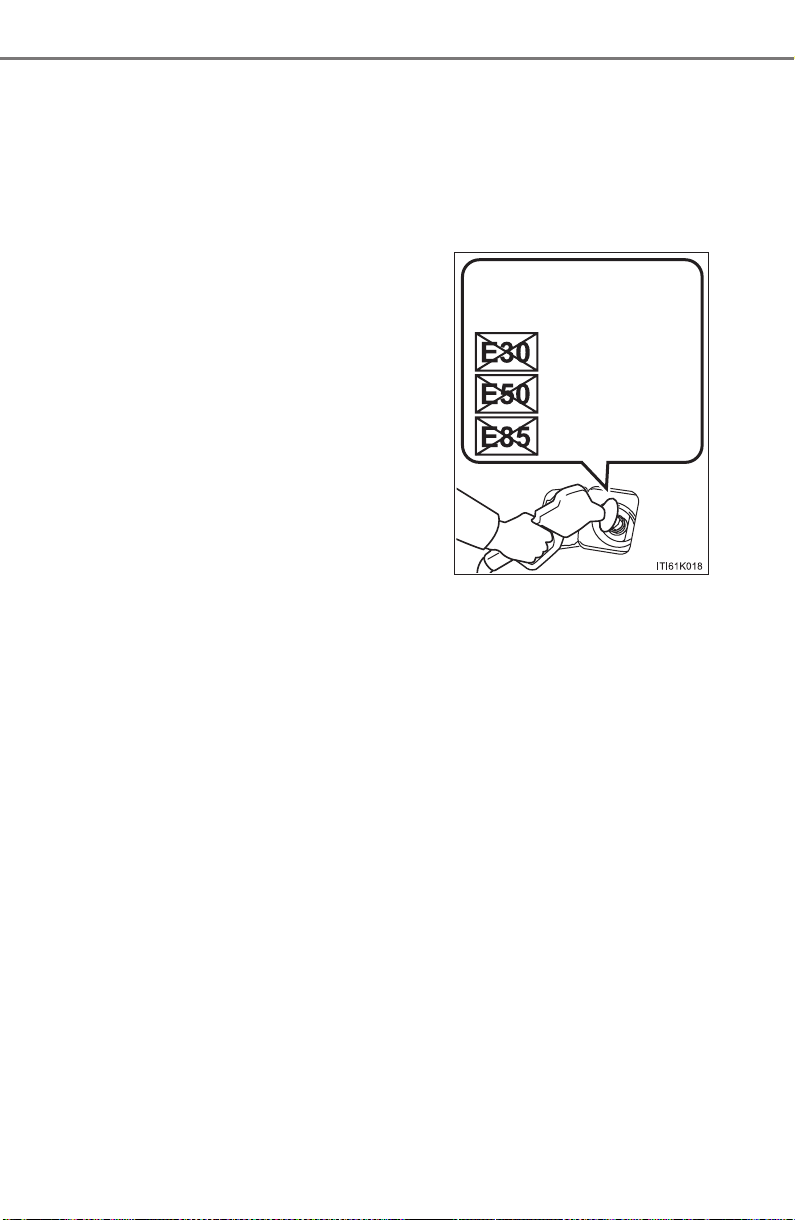
738
PRIUS_OM_OM47A29U_(U)
9-1. Specifications
■ Recommendation of the use of low emissions gasoline
Gasolines containing oxygenates such as ethers and ethanol, as well as
reformulated gasolines, are available in some cities. These fuels are typically
acceptable for use, providing they meet other fuel requirements.
Toyota recommends these fuels, since the formulations allow for reduced
vehicle emissions.
■ Non-recommendation of the use of blended gasoline
● If you use gasohol in your vehicle, be sure that it has an octane rating no
lower than 87.
● Toyota does not recommend the use of gasoline containing methanol.
■ Non-recommendation of the use of gasoline containing MMT
Some gasoline contains an octane enhancing additive called MMT
(Methylcyclopentadienyl Manganese Tricarbonyl).
Toyota does not recommend the use of gasoline that contains MMT. If fuel
containing MMT is used, your emission control system may be adversely
affected.
The malfunction indicator lamp on the instrument cluster may come on. If this
happens, contact your Toyota dealer for service.
■ If your engine knocks
● Consult your Toyota dealer.
● You may occasionally notice light knocking for a short time while accelerat-
ing or driving uphill. This is normal and there is no need for concern.
● Use only gasoline containing up to 15%
ethanol.
DO NOT use any flex-fuel or gasoline
that could contain more than 15% etha-
nol, including from any pump labeled
E30, E50, E85 (which are only some
examples of fuel containing more than
15% ethanol).
DO NOT use gasoline
containing more than
15% ethanol.
(30% ethanol)
(50% ethanol)
(85% ethanol)

PRIUS_OM_OM47A29U_(U)
739
9-1. Specifications
9
Vehicle specifications
NOTICE
■ Notice on fuel quality
● Do not use improper fuels. If improper fuels are used, the engine will be
damaged.
● Do not use leaded gasoline.
Leaded gasoline can cause damage to your vehicle’s three-way catalytic
converters causing the emission control system to malfunction.
● Do not use gasohol other than the type previously stated.
Other gasohol may cause fuel system damage or vehicle performance
problems.
● Using unleaded gasoline with an octane number or rating lower than the
level previously stated will cause persistent heavy knocking.
At worst, this will lead to engine damage.
■ Fuel-related poor driveability
If poor driveability (poor hot starting, vaporization, engine knocking, etc.) is
encountered after using a different type of fuel, discontinue the use of that
type of fuel.
■ When refueling with gasohol
Take care not to spill gasohol. It can damage your vehicle’s paint.
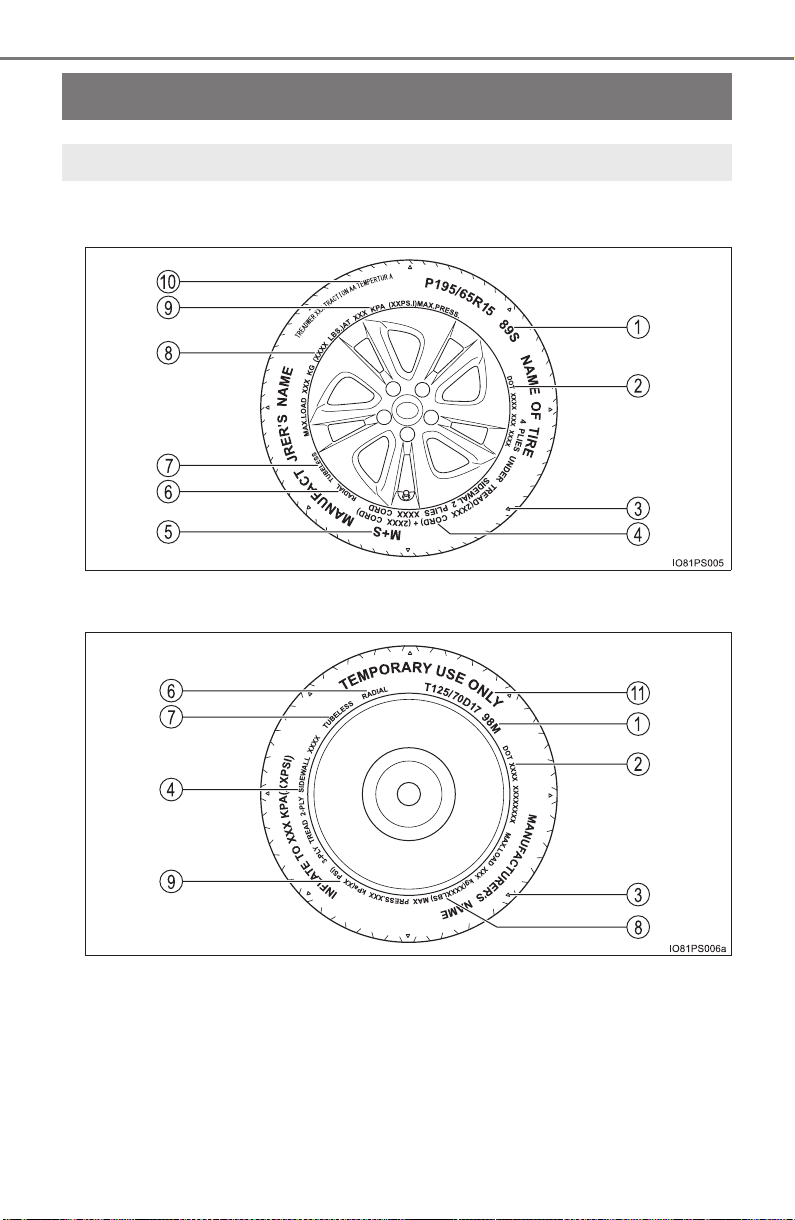
740
PRIUS_OM_OM47A29U_(U)
9-1. Specifications
Tire information
X Full-size tire
X Compact spare tire
Typical tire symbols

PRIUS_OM_OM47A29U_(U)
741
9-1. Specifications
9
Vehicle specifications
Tire size (→P. 742)
DOT and Tire Identification Number (TIN) (→P. 742)
Location of treadwear indicators (→P. 605)
Tire ply composition and materials
Plies are layers of rubber-coated parallel cords. Cords are the strands
which form the plies in a tire.
Summer tires or all season tires (→P. 610)
An all season tire has “M+S” on the sidewall. A tire not marked “M+S”
is a summer tire.
Radial tires or bias-ply tires
A radial tire has “RADIAL” on the sidewall. A tire not marked “RADIAL”
is a bias-ply tire.
TUBELESS or TUBE TYPE
A tubeless tire does not have a tube and air is directly put into the tire.
A tube type tire has a tube inside the tire and the tube maintains the air
pressure.
Load limit at maximum cold tire inflation pressure (→P. 609)
Maximum cold tire inflation pressure (→P. 734)
This means the pressure to which a tire may be inflated.
Uniform tire quality grading
For details, see “Uniform Tire Quality Grading” that follows.
“TEMPORARY USE ONLY”
A compact spare tire is identified by the phrase “TEMPORARY USE
ONLY” molded on its sidewall. This tire is designed for temporary
emergency use only.
1
2
3
4
5
6
7
8
9
10
11
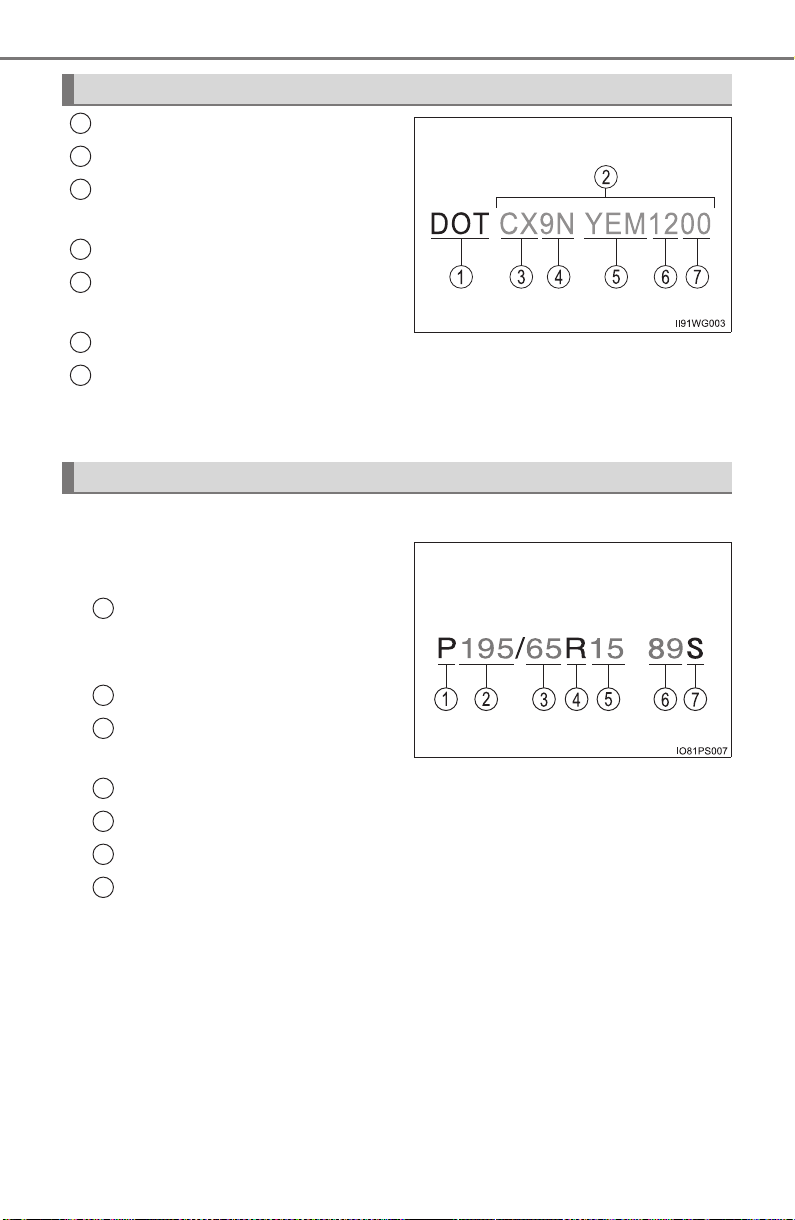
742
PRIUS_OM_OM47A29U_(U)
9-1. Specifications
DOT symbol*
Tire Identification Number (TIN)
Tire manufacturer’s identifica-
tion mark
Tire size code
Manufacturer’s optional tire
type code (3 or 4 letters)
Manufacturing week
Manufacturing year
*: The DOT symbol certifies that the tire conforms to applicable Federal
Motor Vehicle Safety Standards.
■
Typical tire size information
The illustration indicates typical
tire size.
Tire use
(P = Passenger car,
T = Temporary use)
Section width (millimeters)
Aspect ratio
(tire height to section width)
Tire construction code (R = Radial, D = Diagonal)
Wheel diameter (inches)
Load index (2 digits or 3 digits)
Speed symbol (alphabet with one letter)
Typical DOT and Tire Identification Number (TIN)
1
2
3
4
5
6
Tire size
7
1
2
3
4
5
6
7
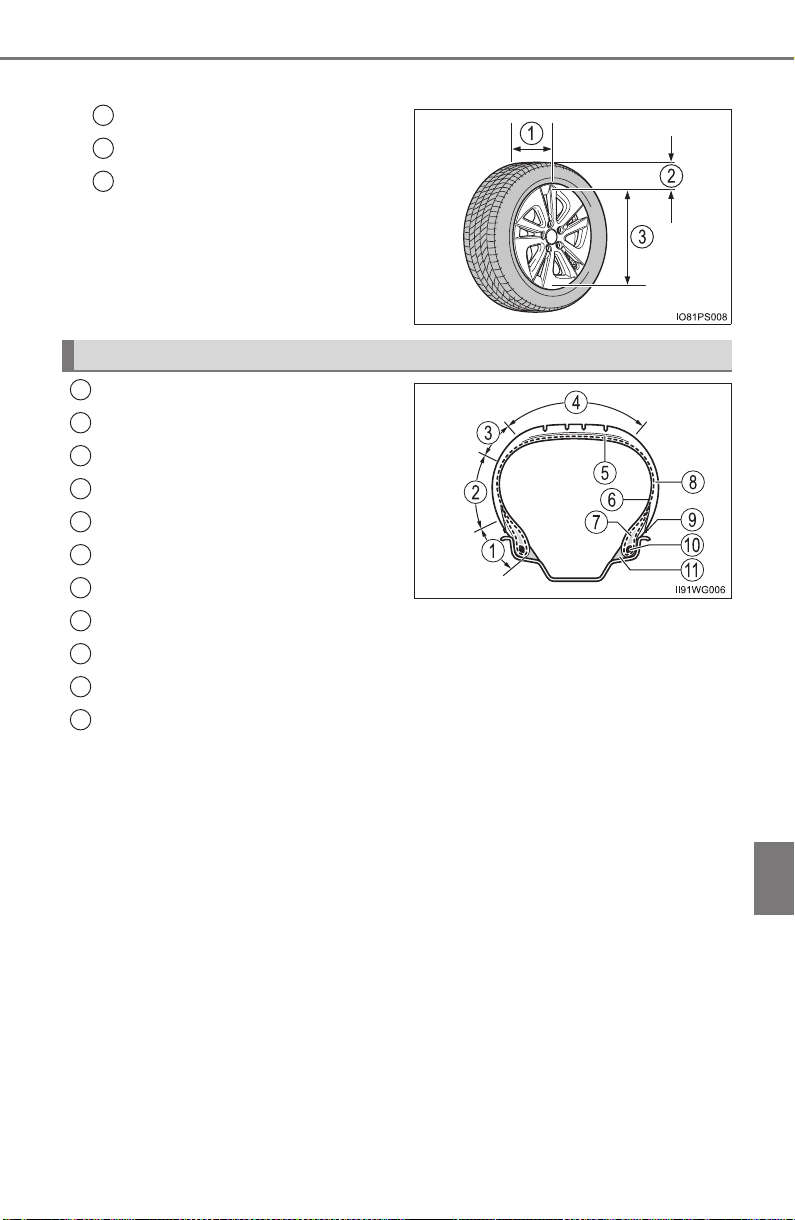
PRIUS_OM_OM47A29U_(U)
743
9-1. Specifications
9
Vehicle specifications
■ Tire dimensions
Section width
Tire height
Wheel diameter
Bead
Sidewall
Shoulder
Tread
Belt
Inner liner
Reinforcing rubber
Carcass
Rim lines
Bead wires
Chafer
1
2
3
Tire section names
1
2
3
4
5
6
7
8
9
10
11

744
PRIUS_OM_OM47A29U_(U)
9-1. Specifications
This information has been prepared in accordance with regulations
issued by the National Highway Traffic Safety Administration of the
U.S. Department of Transportation.
It provides the purchasers and/or prospective purchasers of Toyota
vehicles with information on uniform tire quality grading.
Your Toyota dealer will help answer any questions you may have as
you read this information.
■ DOT quality grades
All passenger vehicle tires must conform to Federal Safety Require-
ments in addition to these grades. Quality grades can be found
where applicable on the tire sidewall between tread shoulder and
maximum section width.
For example: Treadwear 200 Traction AA Temperature A
■ Treadwear
The treadwear grade is a comparative rating based on the wear
rate of the tire when tested under controlled conditions on a speci-
fied government test course.
For example, a tire graded 150 would wear one and a half (1 - 1/2)
times as well on the government course as a tire graded 100.
The relative performance of tires depends upon the actual condi-
tions of their use. Performance may differ significantly from the norm
due to variations in driving habits, service practices and differences
in road characteristics and climate.
■ Traction AA, A, B, C
The traction grades, from highest to lowest, are AA, A, B and C,
and they represent the tire’s ability to stop on wet pavement as
measured under controlled conditions on specified government test
surfaces of asphalt and concrete.
A tire marked C may have poor traction performance.
Warning: The traction grade assigned to this tire is based on braking
(straight ahead) traction tests and does not include cornering (turn-
ing) traction.
Uniform Tire Quality Grading

PRIUS_OM_OM47A29U_(U)
745
9-1. Specifications
9
Vehicle specifications
■ Temperature A, B, C
The temperature grades are A (the highest), B, and C, representing
the tire’s resistance to the generation of heat and its ability to dissi-
pate heat when tested under controlled conditions on a specified
indoor laboratory test wheel.
Sustained high temperature can cause the material of the tire to
degenerate and reduce tire life, and excessive temperature can lead
to sudden tire failure.
Grade C corresponds to a level of performance which all passenger
car tires must meet under the Federal Motor Vehicle Safety Stan-
dard No. 109.
Grades B and A represent higher levels of performance on the labo-
ratory test wheel than the minimum required by law.
Warning: The temperature grades of a tire assume that it is properly
inflated and not overloaded.
Excessive speed, underinflation, or excessive loading, either sepa-
rately or in combination, can cause heat buildup and possible tire
failure.

746
PRIUS_OM_OM47A29U_(U)
9-1. Specifications
Glossary of tire terminology
Tire related term Meaning
Cold tire inflation
pressure
Tire pressure when the vehicle has been
parked for three hours or more, or has not
been driven more than 1 mile or 1.5 km under
that condition
Maximum inflation
pressure
The maximum cold inflated pressure to which
a tire may be inflated, shown on the sidewall
of the tire
Recommended
inflation pressure
Cold tire inflation pressure recommended by a
manufacturer
Accessory weight
The combined weight (in excess of those stan-
dard items which may be replaced) of auto-
matic transmission, power steering, power
brakes, power windows, power seats, radio
and heater, to the extent that these items are
available as factory-installed equipment
(whether installed or not)
Curb weight
The weight of a motor vehicle with standard
equipment, including the maximum capacity of
fuel, oil and coolant, and if so equipped, air
conditioning and additional weight optional
engine
Maximum loaded
vehicle weight
The sum of:
(a) Curb weight
(b) Accessory weight
(c) Vehicle capacity weight
(d) Production options weight
Normal occupant
weight
150 lb. (68 kg) times the number of occupants
specified in the second column of Table 1
*
that follows
Occupant distribution
Distribution of occupants in a vehicle as speci-
fied in the third column of Table 1
* below

PRIUS_OM_OM47A29U_(U)
747
9-1. Specifications
9
Vehicle specifications
Production options
weight
The combined weight of installed regular pro-
duction options weighing over 5 lb. (2.3 kg) in
excess of the standard items which they
replace, not previously considered in curb
weight or accessory weight, including heavy
duty brakes, ride levelers, roof rack, heavy
duty 12-volt battery, and special trim
Rim
A metal support for a tire or a tire and tube
assembly upon which the tire beads are
seated
Rim diameter
(Wheel diameter)
Nominal diameter of the bead seat
Rim size designation Rim diameter and width
Rim type designation
The industry manufacturer’s designation for a
rim by style or code
Rim width Nominal distance between rim flanges
Vehicle capacity
weight
(Total load capacity)
The rated cargo and luggage load plus 150 lb.
(68 kg) times the vehicle’s designated seating
capacity
Vehicle maximum load
on the tire
The load on an individual tire that is deter-
mined by distributing to each axle its share of
the maximum loaded vehicle weight, and
dividing by two
Vehicle normal load on
the tire
The load on an individual tire that is deter-
mined by distributing to each axle its share of
curb weight, accessory weight, and normal
occupant weight (distributed in accordance
with Table 1
* below), and dividing by two
Weather side
The surface area of the rim not covered by the
inflated tire
Bead
The part of the tire that is made of steel wires,
wrapped or reinforced by ply cords and that is
shaped to fit the rim
Tire related term Meaning

748
PRIUS_OM_OM47A29U_(U)
9-1. Specifications
Bead separation
A breakdown of the bond between compo-
nents in the bead
Bias ply tire
A pneumatic tire in which the ply cords that
extend to the beads are laid at alternate
angles substantially less than 90 degrees to
the centerline of the tread
Carcass
The tire structure, except tread and sidewall
rubber which, when inflated, bears the load
Chunking
The breaking away of pieces of the tread or
sidewall
Cord The strands forming the plies in the tire
Cord separation
The parting of cords from adjacent rubber
compounds
Cracking
Any parting within the tread, sidewall, or inner-
liner of the tire extending to cord material
CT
A pneumatic tire with an inverted flange tire
and rim system in which the rim is designed
with rim flanges pointed radially inward and
the tire is designed to fit on the underside of
the rim in a manner that encloses the rim
flanges inside the air cavity of the tire
Extra load tire
A tire designed to operate at higher loads and
at higher inflation pressures than the corre-
sponding standard tire
Groove The space between two adjacent tread ribs
Innerliner
The layer(s) forming the inside surface of a
tubeless tire that contains the inflating medium
within the tire
Innerliner separation
The parting of the innerliner from cord material
in the carcass
Tire related term Meaning

PRIUS_OM_OM47A29U_(U)
749
9-1. Specifications
9
Vehicle specifications
Intended outboard
sidewall
(a) The sidewall that contains a whitewall,
bears white lettering, or bears manufac-
turer, brand, and/or model name molding
that is higher or deeper than the same
molding on the other sidewall of the tire, or
(b) The outward facing sidewall of an asym-
metrical tire that has a particular side that
must always face outward when mounted
on a vehicle
Light truck (LT) tire
A tire designated by its manufacturer as pri-
marily intended for use on lightweight trucks
or multipurpose passenger vehicles
Load rating
The maximum load that a tire is rated to carry
for a given inflation pressure
Maximum load rating
The load rating for a tire at the maximum per-
missible inflation pressure for that tire
Maximum permissible
inflation pressure
The maximum cold inflation pressure to which
a tire may be inflated
Measuring rim
The rim on which a tire is fitted for physical
dimension requirements
Open splice
Any parting at any junction of tread, sidewall,
or innerliner that extends to cord material
Outer diameter The overall diameter of an inflated new tire
Overall width
The linear distance between the exteriors of
the sidewalls of an inflated tire, including ele-
vations due to labeling, decorations, or protec-
tive bands or ribs
Passenger car tire
A tire intended for use on passenger cars,
multipurpose passenger vehicles, and trucks,
that have a gross vehicle weight rating
(GVWR) of 10,000 lb. or less.
Ply A layer of rubber-coated parallel cords
Ply separation
A parting of rubber compound between adja-
cent plies
Tire related term Meaning

750
PRIUS_OM_OM47A29U_(U)
9-1. Specifications
Pneumatic tire
A mechanical device made of rubber, chemi-
cals, fabric and steel or other materials, that,
when mounted on an automotive wheel, pro-
vides the traction and contains the gas or fluid
that sustains the load
Radial ply tire
A pneumatic tire in which the ply cords that
extend to the beads are laid at substantially 90
degrees to the centerline of the tread
Reinforced tire
A tire designed to operate at higher loads and
at higher inflation pressures than the corre-
sponding standard tire
Section width
The linear distance between the exteriors of
the sidewalls of an inflated tire, excluding ele-
vations due to labeling, decoration, or protec-
tive bands
Sidewall
That portion of a tire between the tread and
bead
Sidewall separation
The parting of the rubber compound from the
cord material in the sidewall
Snow tire
A tire that attains a traction index equal to or
greater than 110, compared to the ASTM E-
1136 Standard Reference Test Tire, when
using the snow traction test as described in
ASTM F-1805-00, Standard Test Method for
Single Wheel Driving Traction in a Straight
Line on Snow-and Ice-Covered Surfaces, and
which is marked with an Alpine Symbol ( )
on at least one sidewall
Test rim
The rim on which a tire is fitted for testing, and
may be any rim listed as appropriate for use
with that tire
Tread
That portion of a tire that comes into contact
with the road
Tread rib
A tread section running circumferentially
around a tire
Tire related term Meaning

PRIUS_OM_OM47A29U_(U)
751
9-1. Specifications
9
Vehicle specifications
*: Table 1 Occupant loading and distribution for vehicle normal load for
various designated seating capacities
Tread separation Pulling away of the tread from the tire carcass
Treadwear indicators
(TWI)
The projections within the principal grooves
designed to give a visual indication of the
degrees of wear of the tread
Wheel-holding fixture
The fixture used to hold the wheel and tire
assembly securely during testing
Tire related term Meaning
Designated seating
capacity, Number of
occupants
Vehicle normal load,
Number of occupants
Occupant distribution
in a normally loaded
vehicle
2 through 4 2 2 in front
5 through 10 3
2 in front, 1 in second
seat
11 through 15 5
2 in front, 1 in second
seat, 1 in third seat, 1
in fourth seat
16 through 20 7
2 in front, 2 in second
seat, 2 in third seat, 1
in fourth seat
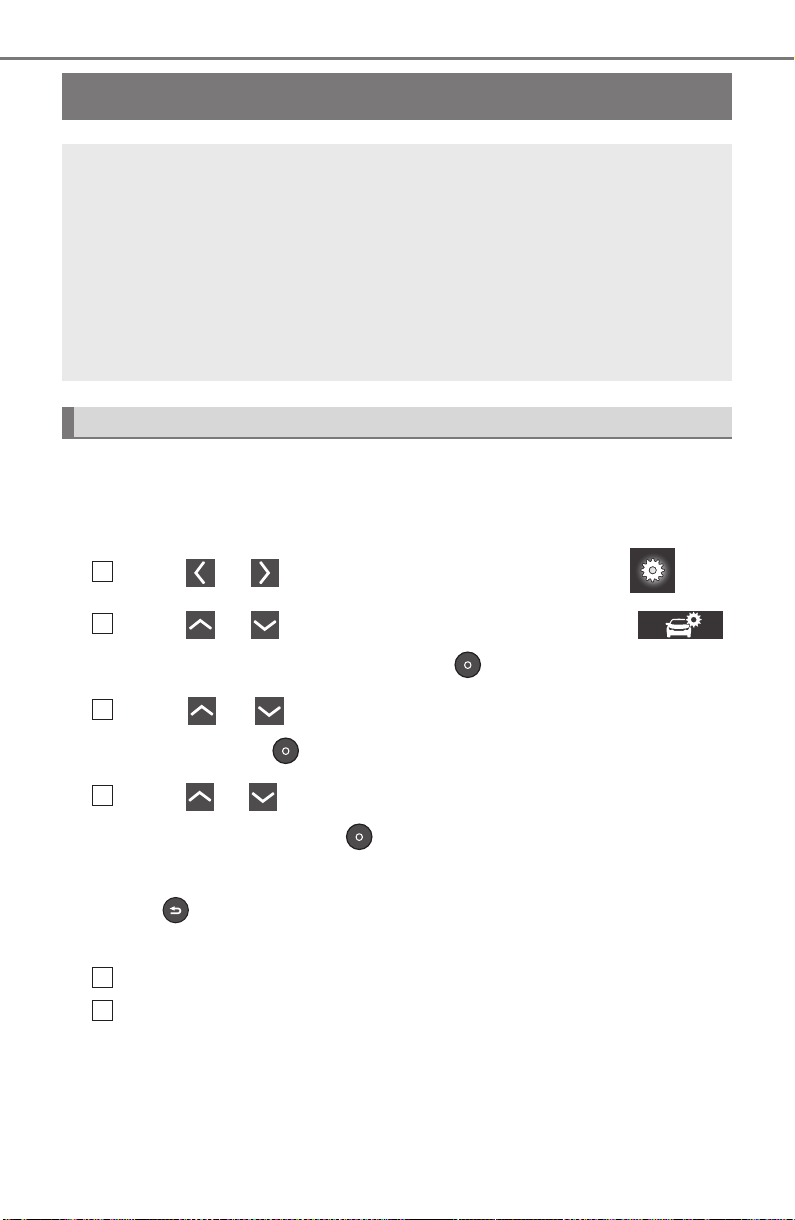
752
PRIUS_OM_OM47A29U_(U)
9-2. Customization
Customizable features
When customizing vehicle features, ensure that the vehicle is parked
in a safe place with the parking brake set and the shift position in P.
■ Changing using the multi-information display
Press or of the meter control switches, select .
Press or of the meter control switches, select “
(Vehicle Settings)”, and then press .
Press or of the meter control switches, select the item,
and then press .
Press or of the meter control switches, select the desired
setting, and then press .
To go back to the previous screen or exit the customize mode,
press .
■ Changing using the Entune Audio (if equipped)
Press the “SETUP” button on the Entune Audio.
Select “Vehicle” on the “Setup” screen and select “Vehicle Cus-
tomization”.
Various settings can be changed. Refer to the list of settings that
can be changed for details.
Your vehicle includes a variety of electronic features that can be
personalized to suit your preferences. The settings of these fea-
tures can be changed using the multi-information display,
Entune Audio or Entune Premium Audio with Navigation, or at
your Toyota dealer.
Some function settings are changed simultaneously with other func-
tions being customized. Contact your Toyota dealer for further
details.
Customizing vehicle features
1
2
3
4
1
2
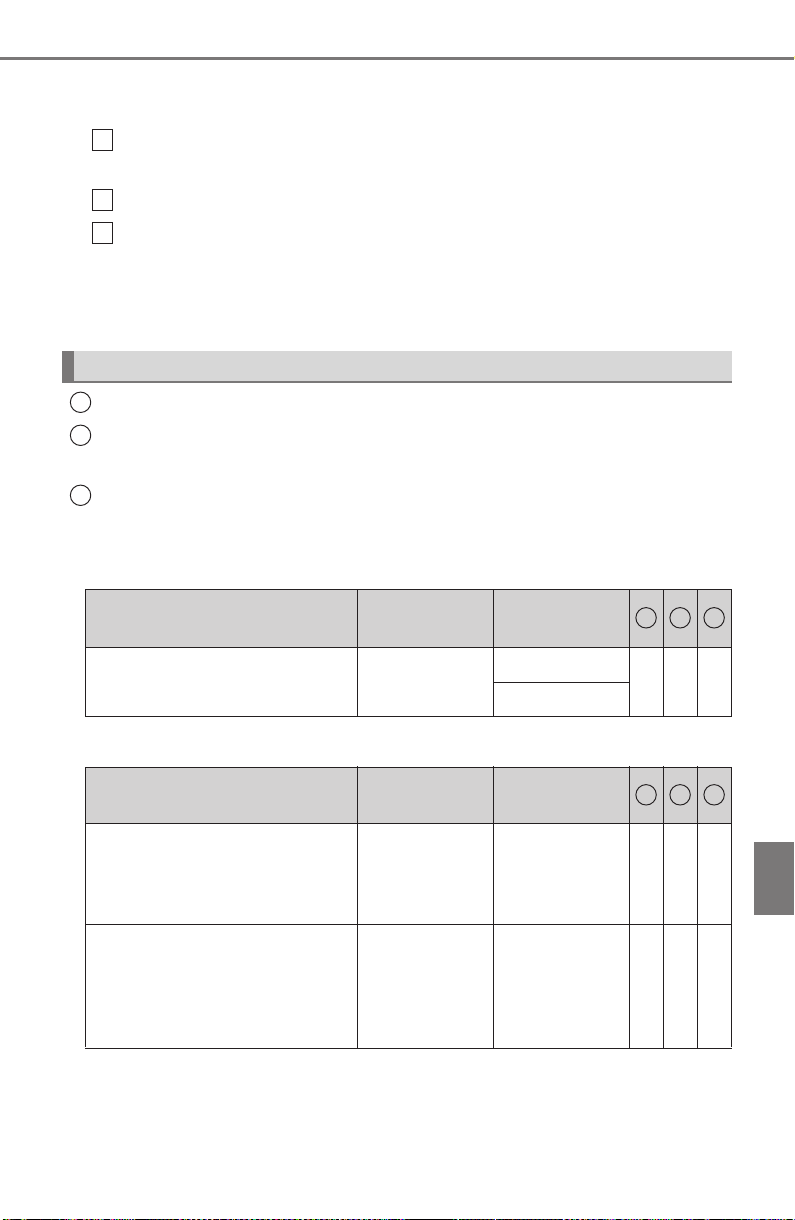
PRIUS_OM_OM47A29U_(U)
753
9-2. Customization
9
Vehicle specifications
■ Changing using the Entune Premium Audio with Navigation (if
equipped)
Press the “APPS” button on the Entune Premium Audio with
Navigation.
Select “Setup” on the “Apps” screen.
Select “Vehicle” on the “Setup” screen and select “Vehicle Cus-
tomization”.
Various settings can be changed. Refer to the list of settings that
can be changed for details.
Settings that can be changed using the multi-information display
Settings that can be changed using the Entune Audio or Entune
Premium Audio with Navigation
Settings that can be changed by your Toyota dealer
Definition of symbols: O = Available, – = Not available
■ Hybrid system (→P. 78)
■ Instrument cluster (→P. 9 2 )
Customizable features
1
2
3
1
2
3
Function
Default
setting
Customized
setting
Vehicle Proximity Notification
System (volume of sound)
Level 1
Level 2
– – O
Level 3
1 2 3
Function
Default
setting
Customized
setting
Sensor sensitivity for darken-
ing the brightness of the
instrument cluster depending
on the outside brightness
Standard -2 to 2 – – O
Sensor sensitivity for returning
the brightness of the instru-
ment cluster to the original
level depending on the outside
brightness
Standard -2 to 2 – – O
1 2 3
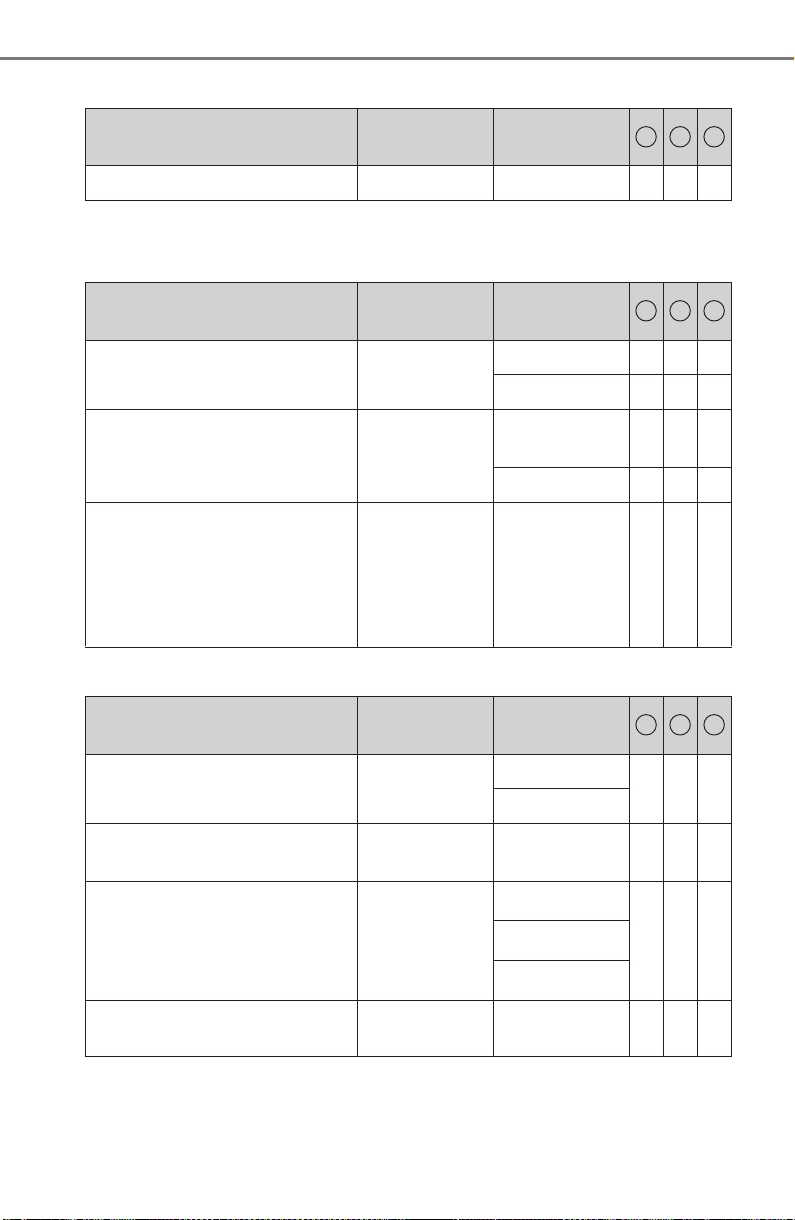
754
PRIUS_OM_OM47A29U_(U)
9-2. Customization
■ HUD (Head-up display)* (→P. 146)
*: If equipped
■
Door lock (→P. 165, 708)
■ Smart key system and wireless remote control (→P. 166, 176)
Function
Default
setting
Customized
setting
Route guidance* On Off O – –
1 2 3
Function
Default
setting
Customized
setting
Automatic door locking
Shift position
linked
Speed linked – O O
Off – O O
Automatic door unlocking
Shift position
linked
Driver’s door
linked
– O O
Off – O O
Unlocking using a mechanical
key
Driver’s door
unlocked in
first step, all
doors
unlocked in
second step
All doors
unlocked in
first step
– – O
1 2 3
Function
Default
setting
Customized
setting
Operation signal (buzzer) 5
Off
–OO
1 to 7
Operation signal (emergency
flashers)
On Off – O O
Time elapsed before the auto-
matic door lock function is
activated if a door is not
opened after being unlocked
60 seconds
Off
– O O30 seconds
120 seconds
Open door reminder buzzer
(when locking the vehicle)
On Off – – O
1 2 3
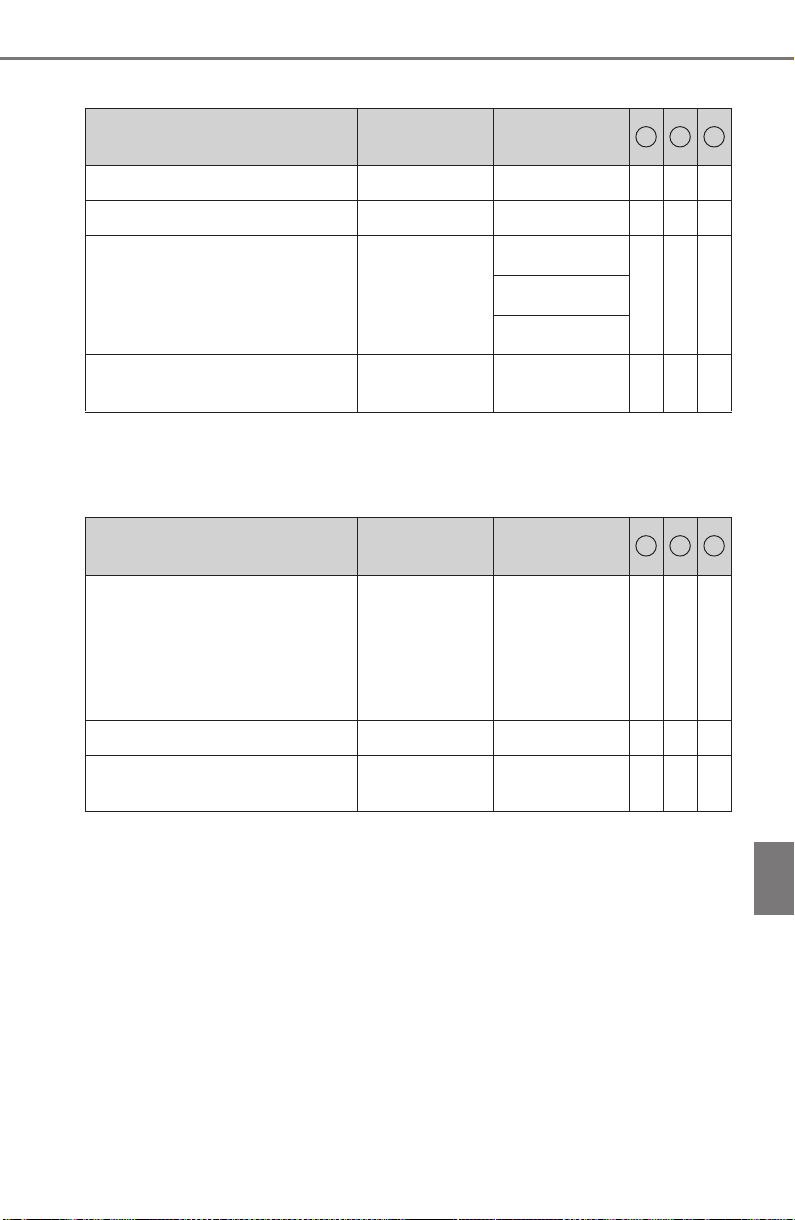
PRIUS_OM_OM47A29U_(U)
755
9-2. Customization
9
Vehicle specifications
■ Smart key system (→P. 176)
*: This function can also be changed using the wireless remote control.
(→P. 169)
■
Wireless remote control (→P. 166)
Function
Default
setting
Customized
setting
Smart key system On Off – O O
Smart door unlocking* Driver’s door All the doors – O O
Time elapsed before unlock-
ing all the door when gripping
and holding the driver’s door
handle
2 seconds
Off
– – O1.5 seconds
2.5 seconds
Number of consecutive door
lock operations
2 times
As many as
desired
– – O
1 2 3
Function
Default
setting
Customized
setting
Unlocking operation
Driver’s door
unlocked in
first step, all
doors
unlocked in
second step
All doors
unlocked in
first step
– O O
Wireless remote control On Off – – O
Locking operation when door
opened
On Off – – O
1 2 3
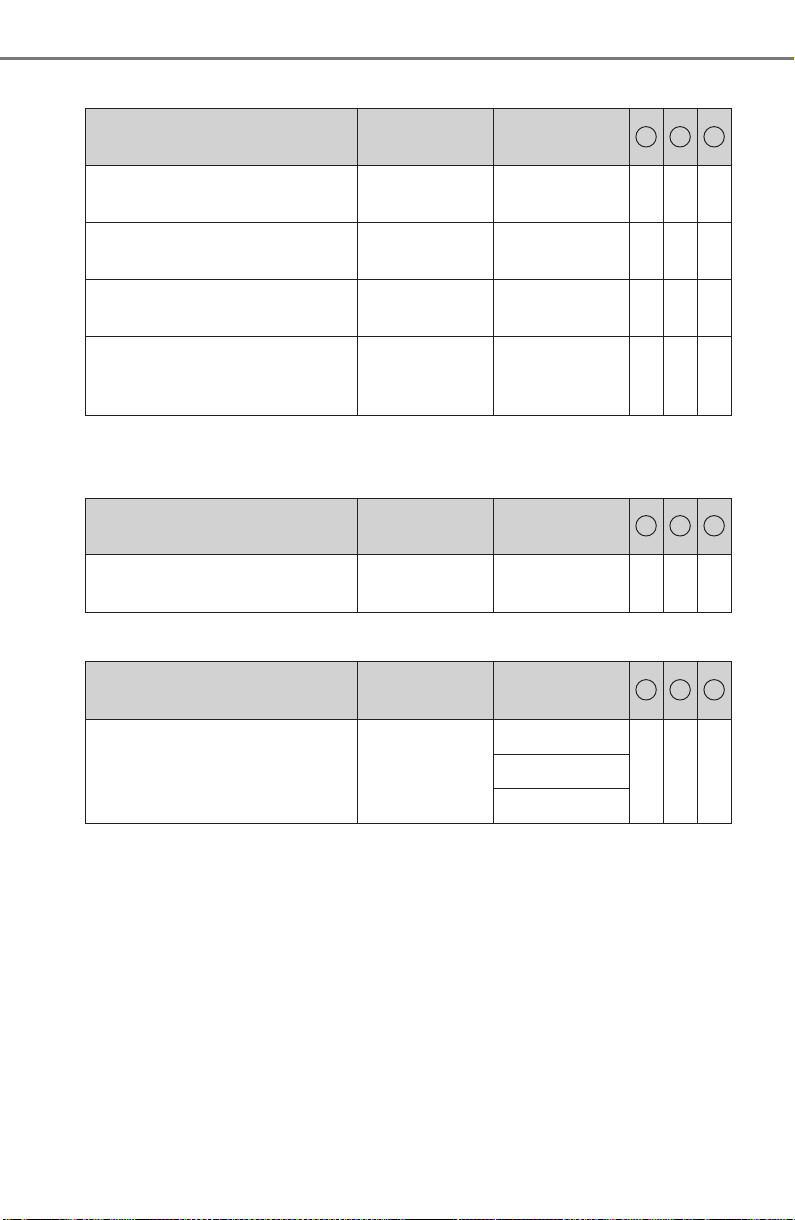
756
PRIUS_OM_OM47A29U_(U)
9-2. Customization
■ Power windows and moon roof* (→P. 198, 202)
*: If equipped
■
Reverse warning buzzer (→P. 236)
■ Turn signal lever (→P. 240)
Function
Default
setting
Customized
setting
Mechanical key linked opera-
tion (open)
Off On – – O
Mechanical key linked opera-
tion (close)
Off On – – O
Wireless remote control linked
operation (open only)
Off On – – O
Mechanical key, wireless
remote control linked opera-
tion signal (buzzer)
On Off – – O
1 2 3
Function
Default
setting
Customized
setting
Signal (buzzer) when the shift
position is in R
Intermittent Single – – O
1 2 3
Function
Default
setting
Customized
setting
Times of flashing of the lane
change signal flashers
3
Off
– – O5
7
1 2 3
PRIUS_OM_OM47A29U_(U)
757
9-2. Customization
9
Vehicle specifications
■ Automatic light control system (→P. 242)
*: This function cannot be customized for vehicles sold in Canada.
■
Rain-sensing windshield wipers* (→P. 256)
*: If equipped
■
Intuitive parking assist* (→P. 335)
*: If equipped
Function
Default
setting
Customized
setting
Time elapsed before the
headlights turn off
30 seconds
Off
–OO60 seconds
90 seconds
Light sensor sensitivity Level 0 Level -2 to 2 – O O
Daytime running lights* On Off – O O
1 2 3
Function
Default
setting
Customized
setting
Wiper operation when the
wiper switch is in the “AUTO”
position
Rain-sensing
operation
Intermittent
operation
linked to vehi-
cle speed
(with interval
adjuster)
– – O
1 2 3
Function
Default
setting
Customized
setting
Detection distance of the front
center sensors
Far Near – – O
Detection distance of the rear
center sensors
Far Near – – O
Buzzer volume 3 1 to 5 – – O
1 2 3
758
PRIUS_OM_OM47A29U_(U)
9-2. Customization
■ Automatic air conditioning system (→P. 512)
■ Illumination (→P. 525)
*: If equipped
■
Seat belt reminder (→P. 659)
Function
Default
setting
Customized
setting
A/C auto switching operation Off On – – O
Switching between outside air
and recirculated air mode
linked to A/C auto switch oper-
ation
On Off – O O
1 2 3
Function
Default
setting
Customized
setting
Time elapsed before the inte-
rior lights turn off
15 seconds
Off
–OO7.5 seconds
30 seconds
Operation after the power
switch is turned off
On Off – – O
Operation when the doors are
unlocked
On Off – – O
Operation when you approach
the vehicle with the electronic
key on your person
On Off – – O
Footwell lighting* On Off – – O
Interior lights illumination con-
trol
On Off – – O
1 2 3
Function
Default
setting
Customized
setting
Vehicle speed linked seat belt
reminder buzzer
On Off – – O
1 2 3
PRIUS_OM_OM47A29U_(U)
759
9-2. Customization
9
Vehicle specifications
■ Vehicle customization
● When the Speed linked door locking function and the Shift position linked
door locking function are both on, the door lock operates as follows.
• When shifting the shift position to any position other than P, all the doors
will be locked.
• If the vehicle is started with all the doors locked, the Speed linked door
locking function would not operate.
• If the vehicle is started with any door unlocked, the Speed linked door
locking function will operate.
● When the smart key system is off, Smart door unlocking cannot be custom-
ized.
● When the doors remain closed after unlocking the doors and the automatic
door lock function is activated, the signals will be generated in accordance
with the operation signal (buzzer) and the operation signal (emergency
flashers) settings.
■ In the following situations, customize mode will automatically be turned
off.
● A warning message appears after the customize mode screen is displayed.
● The power switch is turned off.
● The vehicle begins to move while the customize mode screen is displayed.
■
Maintenance system
WARNING
■ Cautions during customization
As the hybrid system needs to be operating during customization, ensure
that the vehicle is parked in a place with adequate ventilation. In a closed
area such as a garage, exhaust gases including harmful carbon monoxide
(CO) may collect and enter the vehicle. This may lead to death or a serious
health hazard.
NOTICE
■ During customization
To prevent 12-volt battery discharge, ensure that the hybrid system is oper-
ating while customizing features.
Oil Maintenance
(U.S.A. only)
Resetting the message indicating maintenance
is required: →P. 579
Tire pressure warning
system
Initializing the tire pressure warning system:
→P. 6 0 7

760
PRIUS_OM_OM47A29U_(U)
9-3. Initialization
Items to initialize
The following items must be initialized for normal system opera-
tion after such cases as the 12-volt battery being reconnected,
or maintenance being performed on the vehicle.
Item When to initialize Reference
Power window • When functioning abnormally P. 199
Moon roof (if
equipped)
• When functioning abnormally P. 204
Intelligent Clearance
Sonar (if equipped)
• After reconnecting or changing
the 12-volt battery
P. 356
S-APGS (Simple
Advanced Parking
Guidance System) (if
equipped)
• After reconnecting or changing
the 12-volt battery
P. 385
Message indicating
maintenance is
required (U.S.A. only)
• After the maintenance is per-
formed
P. 579
Tire pressure warn-
ing system
• When rotating the tires on vehi-
cles with differing front and rear
tire inflation pressures
• When changing the tire size
P. 6 0 7

761
PRIUS_OM_OM47A29U_(U)
10
For owners
Reporting safety defects
for U.S. owners........................ 762
Seat belt instructions
for Canadian owners
(in French) ............................... 763
SRS airbag instructions
for Canadian owners
(in French) ............................... 765
Headlight aim instructions
for Canadian owners
(in French) ............................... 774

762
PRIUS_OM_OM47A29U_(U)
Reporting safety defects for U.S. owners
If you believe that your vehicle has a defect which could cause a
crash or could cause injury or death, you should immediately
inform the National Highway Traffic Safety Administration
(NHTSA) in addition to notifying Toyota Motor Sales, U.S.A., Inc.
(Toll-free: 1-800-331-4331).
If NHTSA receives similar complaints, it may open an investiga-
tion, and if it finds that a safety defect exists in a group of vehicles,
it may order a recall and remedy campaign. However, NHTSA can-
not become involved in individual problems between you, your
dealer, or Toyota Motor Sales, U.S.A., Inc.
To contact NHTSA, you may call the Vehicle Safety Hotline toll-free at
1-888-327-4236 (TTY: 1-800-424-9153); go to
http:/ /ww w.saferca r.gov ;
or write to: Administrator, NHTSA, 1200 New Jersey Ave, S.E.,
Washington, DC 20590. You can also obtain other information about
motor vehicle safety from
http://w ww.safercar .gov.
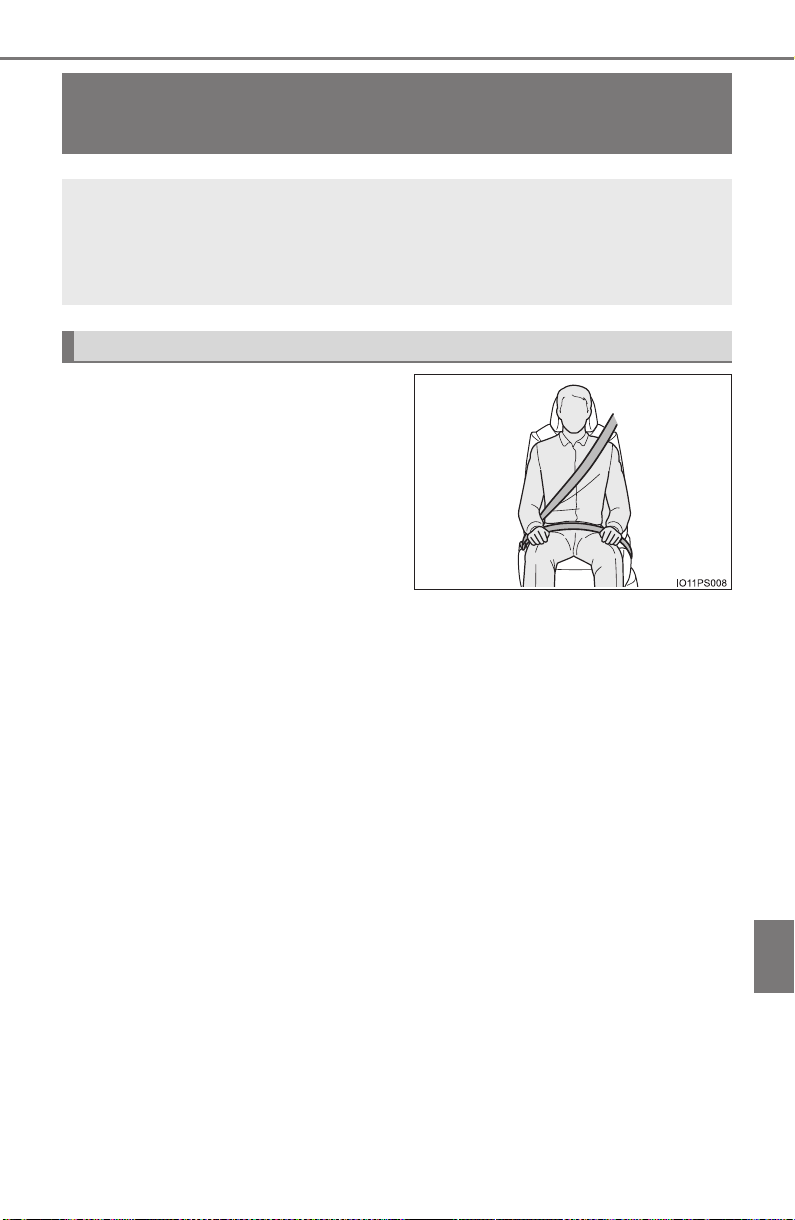
763
PRIUS_OM_OM47A29U_(U)
10
For owners
Seat belt instructions for Canadian owners
(in French)
● Tirez sur la ceinture épaulière
jusqu’à ce qu’elle recouvre
entièrement l’épaule; elle ne
doit cependant pas toucher le
cou ni glisser de l’épaule.
● Placez la ceinture abdominale
le plus bas possible sur les
hanches.
● Réglez la position du dossier. Tenez-vous assis bien au fond du
siège, le dos droit.
● Ne vrillez pas la ceinture de sécurité.
The following is a French explanation of seat belt instructions
extracted from the seat belt section in this manual.
See the seat belt section for more detailed seat belt instructions in
English.
Utilisation adéquate des ceintures de sécurité

764
PRIUS_OM_OM47A29U_(U)
■
Ceintures de sécurité
Avec un chiffon ou une éponge, nettoyez à l’aide d’un savon doux
et de l’eau tiède. Vérifiez aussi les ceintures régulièrement pour
vous assurer qu’elles ne présentent pas d’usure excessive, d’effilo-
chage ou de coupures.
Entretien et nettoyage
AVERTISSEMENT
■ Dommages et usure de la ceinture de sécurité
Vérifiez périodiquement le système de ceintures de sécurité. Vérifiez qu’il
n’y a pas de coupures, d’effilochures ni de pièces desserrées. N’utilisez pas
une ceinture de sécurité endommagée avant qu’elle ne soit remplacée. Les
ceintures de sécurité endommagées ne peuvent pas protéger les occu-
pants contre les blessures graves, voire mortelles.
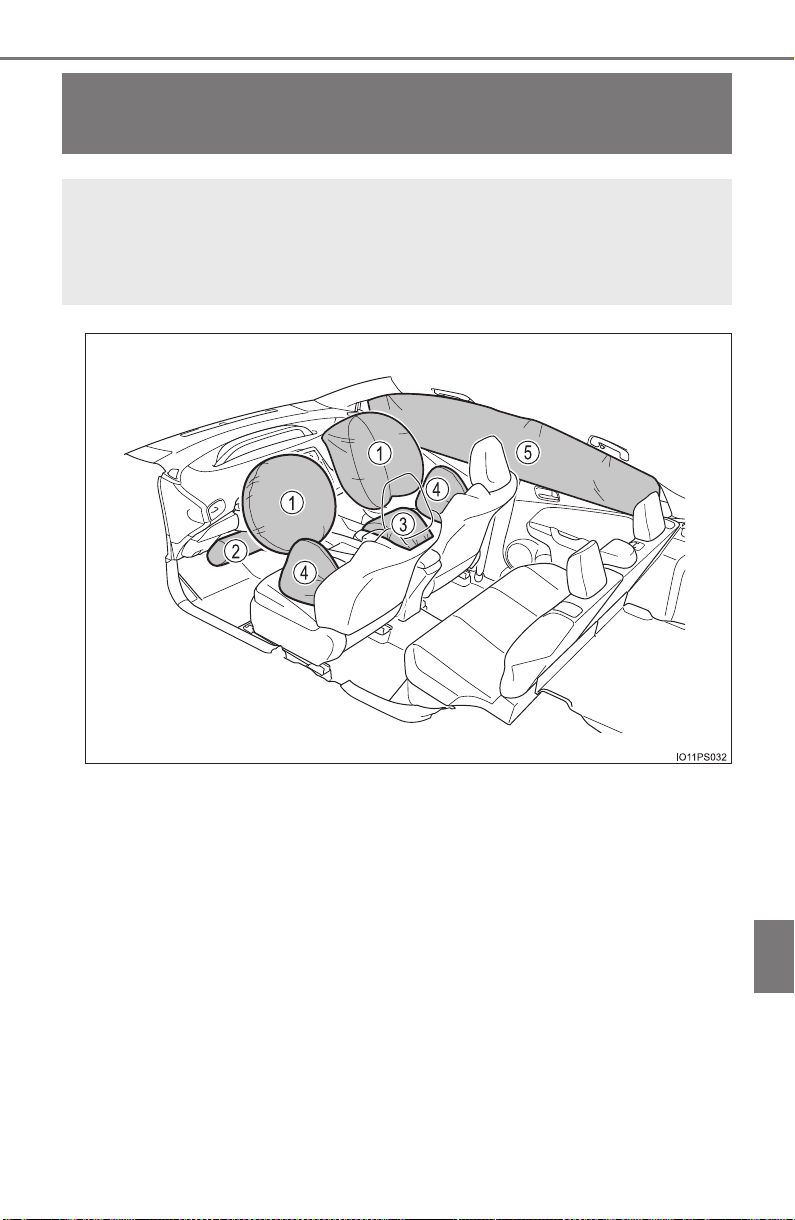
765
PRIUS_OM_OM47A29U_(U)
10
For owners
SRS airbag instructions for Canadian own-
ers (in French)
The following is a French explanation of SRS airbag instructions
extracted from the SRS airbag section in this manual.
See the SRS airbag section for more detailed SRS airbag instruc-
tions in English.

766
PRIUS_OM_OM47A29U_(U)
◆ Coussins gonflables SRS avant
Coussin gonflable SRS du conducteur/coussin gonflable SRS du
passager avant
Peuvent aider à protéger la tête et la poitrine du conducteur et du
passager avant contre les impacts avec des composants intéri-
eurs
Coussin gonflable SRS de protection des genoux
Peut aider à protéger le conducteur
Coussin gonflable SRS du coussin de siège
Peut aider à retenir le passager avant.
◆ Coussins gonflables SRS latéraux et en rideau
Coussins gonflables SRS latéraux
Peuvent aider à protéger le torse des occupants des sièges
avant
Coussins gonflables SRS en rideau
● Peuvent aider à protéger principalement la tête des occupants
des sièges latéraux
● Peuvent empêcher les occupants d’être éjectés du véhicule en
cas de tonneaux
1
2
3
4
5
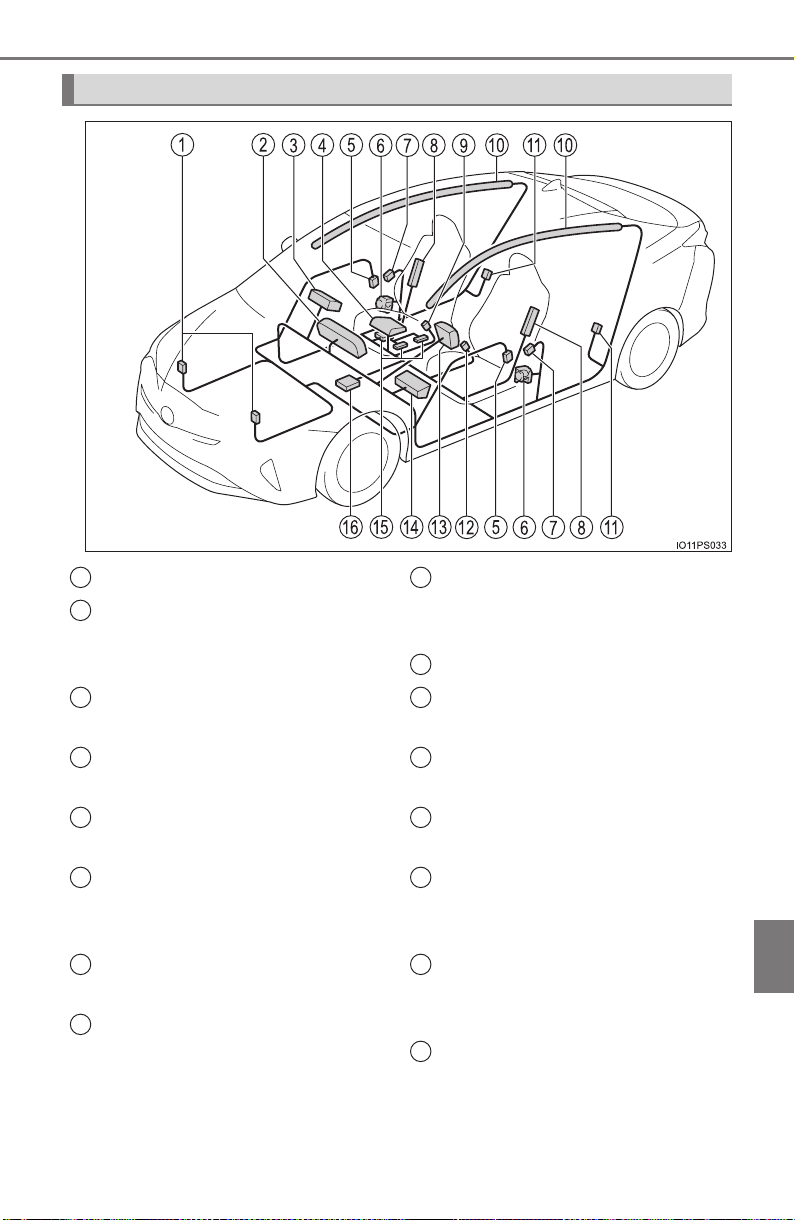
PRIUS_OM_OM47A29U_(U)
767
10
For owners
Composants du système de coussins gonflables SRS
Capteurs d’impact avant
Lampe témoin SRS, et voyants
“AIR BAG ON” et “AIR BAG
OFF”
Coussin gonflable du passager
avant
Coussin gonflable du coussin
de siège du passager
Capteurs d’impact latéral (por-
tière avant)
Limiteurs de force et dispositifs
de tension des ceintures de
sécurité
Capteurs d’impact latéral
(avant)
Coussins gonflables latéraux
Contacteur de boucle de cein-
ture de sécurité du passager
avant
Coussins gonflables en rideau
Capteurs d’impact latéral
(arrière)
Contacteur de boucle de cein-
ture de sécurité du conducteur
Coussin gonflable du conduc-
teur
Coussin gonflable de protec-
tion des genoux du conduc-
teur
Système de classification de
l’occupant du siège du passa-
ger avant (ECU et capteurs)
Module de capteur de coussin
gonflable
1
2
3
4
5
6
7
8
9
10
11
12
13
14
15
16

768
PRIUS_OM_OM47A29U_(U)
Votre véhicule est doté de COUSSINS GONFLABLES ÉVOLUÉS
dont la conception s’appuie sur les normes de sécurité des véhicules
à moteur américains (FMVSS208). Le module de capteur de coussin
gonflable (ECU) contrôle le déploiement des coussins gonflables en
fonction des informations obtenues des capteurs et d’autres éléments
affichés dans le diagramme des composants du système ci-dessus.
Ces informations comprennent des données relatives à la gravité de
l’accident et aux occupants. Au moment du déploiement des coussins
gonflables, une réaction chimique se produit dans les gonfleurs de
coussin gonflable et les coussins gonflables se remplissent rapide-
ment d’un gaz non toxique pour aider à limiter le mouvement des
occupants.

PRIUS_OM_OM47A29U_(U)
769
10
For owners
AVERTISSEMENT
■ Précautions relatives aux coussins gonflables SRS
Observez les précautions suivantes en ce qui concerne les coussins gonfla-
bles SRS.
Les négliger pourrait occasionner des blessures graves, voire mortelles.
● Le conducteur et tous les passagers du véhicule doivent porter leur cein-
ture de sécurité de la manière appropriée.
Les coussins gonflables SRS sont des dispositifs supplémentaires qui doi-
vent être utilisés avec les ceintures de sécurité.
● Le coussin gonflable SRS du conducteur se déploie avec une force consi-
dérable et peut occasionner des blessures graves, voire mortelles, notam-
ment lorsque le conducteur se trouve très près du coussin gonflable. La
National Highway Traffic Safety Administration (NHTSA), aux États-Unis,
fait les recommandations suivantes :
La zone à risque du coussin gonflable du conducteur couvre 2 à 3 in.
(50 à 75 mm) de la zone de déploiement du coussin gonflable. Pour assu-
rer une marge de sécurité suffisante, restez à 10 in. (250 mm) du coussin
gonflable. Cette distance est mesurée depuis le centre du volant jusqu’à
votre sternum. Si maintenant vous vous tenez assis à moins de 10 in.
(250 mm), vous pouvez changer votre position de conduite de plusieurs
manières :
• Reculez votre siège à la position maximale vous permettant d’atteindre
encore aisément les pédales.
• Inclinez légèrement le dossier du siège. Bien que les véhicules soient
conçus différemment, la plupart des conducteurs peuvent maintenir une
distance de 10 in. (250 mm), même si leur siège se trouve complète-
ment vers l’avant, simplement en inclinant un peu le dossier du siège
vers l’arrière. Si la visibilité avant est moindre après avoir incliné le dos-
sier de votre siège, utilisez un coussin ferme et non glissant pour être
assis plus haut ou relevez le siège si cette option est disponible sur
votre véhicule.
• Si votre volant est réglable en hauteur, inclinez-le vers le bas. Cela
vous permet d’orienter le coussin gonflable vers votre buste plutôt que
vers votre tête et vers votre cou.
Le siège doit être réglé de la manière recommandée ci-dessus par la
NHTSA, tout en gardant le contrôle des pédales et du volant, ainsi que la
vue sur les commandes du tableau de bord.
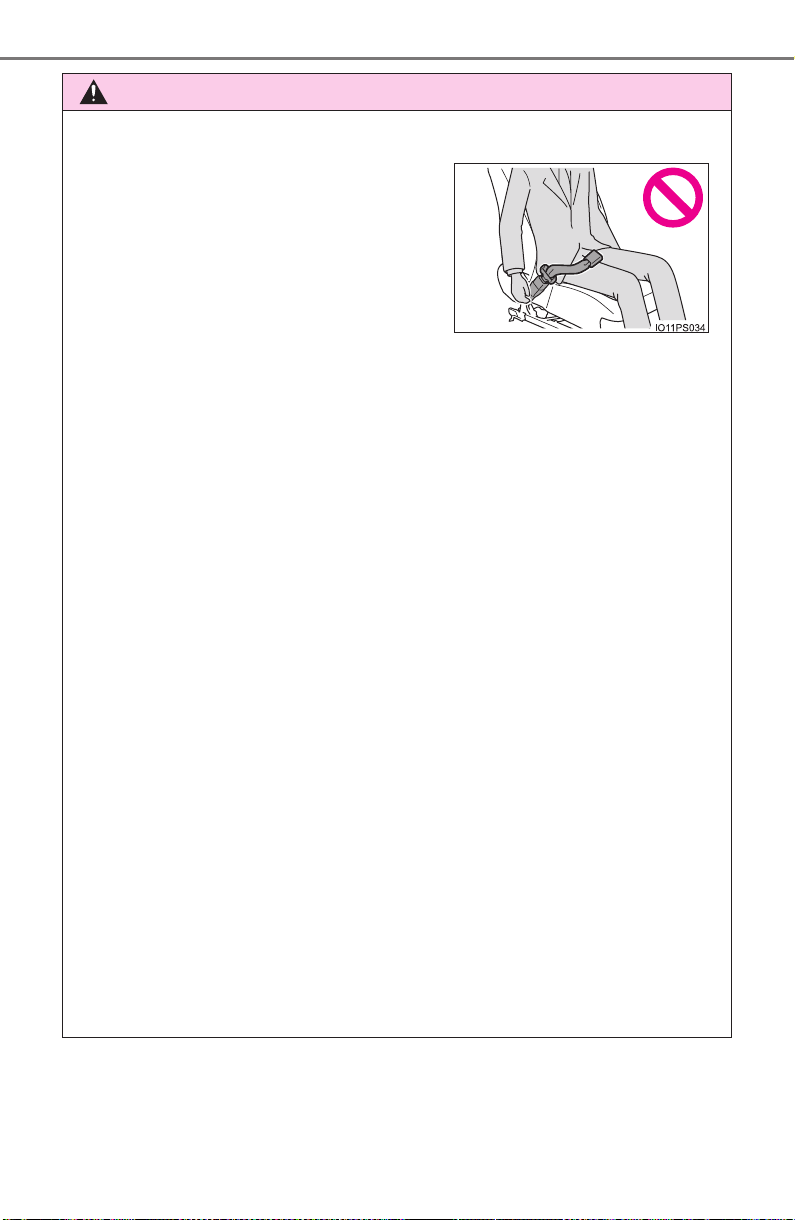
770
PRIUS_OM_OM47A29U_(U)
AVERTISSEMENT
■ Précautions relatives aux coussins gonflables SRS
● Le coussin gonflable SRS du passager avant se déploie également avec
une force considérable et peut occasionner des blessures graves, voire
mortelles, notamment lorsque le passager avant se trouve très près du
coussin gonflable. Le siège du passager avant doit se trouver le plus loin
possible du coussin gonflable et le dossier doit être réglé de manière à ce
que le passager avant soit assis bien droit.
● Le déploiement d’un coussin gonflable risque d’infliger des blessures gra-
ves, voire mortelles, aux bébés et aux enfants mal assis et/ou mal atta-
chés. Un bébé ou un enfant trop petit pour utiliser une ceinture de sécurité
doit être correctement retenu à l’aide d’un dispositif de retenue pour
enfants. Toyota recommande vivement de placer et d’attacher correcte-
ment tous les bébés et tous les enfants sur les sièges arrière du véhicule à
l’aide de dispositifs de retenue adaptés. Les sièges arrière sont plus sécu-
ritaires pour les bébés et les enfants que le siège du passager avant.
● N’installez jamais un dispositif de retenue pour enfants de type dos à la
route sur le siège du passager avant, même si le voyant “AIR BAG OFF”
est allumé. En cas d’accident, la force et la vitesse de déploiement du
coussin gonflable du passager avant pourraient infliger à l’enfant des bles-
sures graves, voire mortelles, si le dispositif de retenue pour enfants de
type dos à la route était installé sur le siège du passager avant.
● Si la rallonge de ceinture de sécurité a
été reliée à la boucle des ceintures de
sécurité des sièges avant sans avoir
aussi été attachée à la plaque de blo-
cage des ceintures de sécurité, les
coussins gonflables SRS avant consi-
déreront que le conducteur et le passa-
ger avant portent tout de même leur
ceinture de sécurité même si les ceintu-
res de sécurité ne sont pas attachées.
Les coussins gonflables SRS avant
peuvent alors ne pas s’activer correcte-
ment lors d’une collision, ce qui pourrait
occasionner des blessures graves,
voire mortelles, en cas de collision.
Assurez-vous de toujours porter la cein-
ture de sécurité avec la rallonge de
ceinture de sécurité.
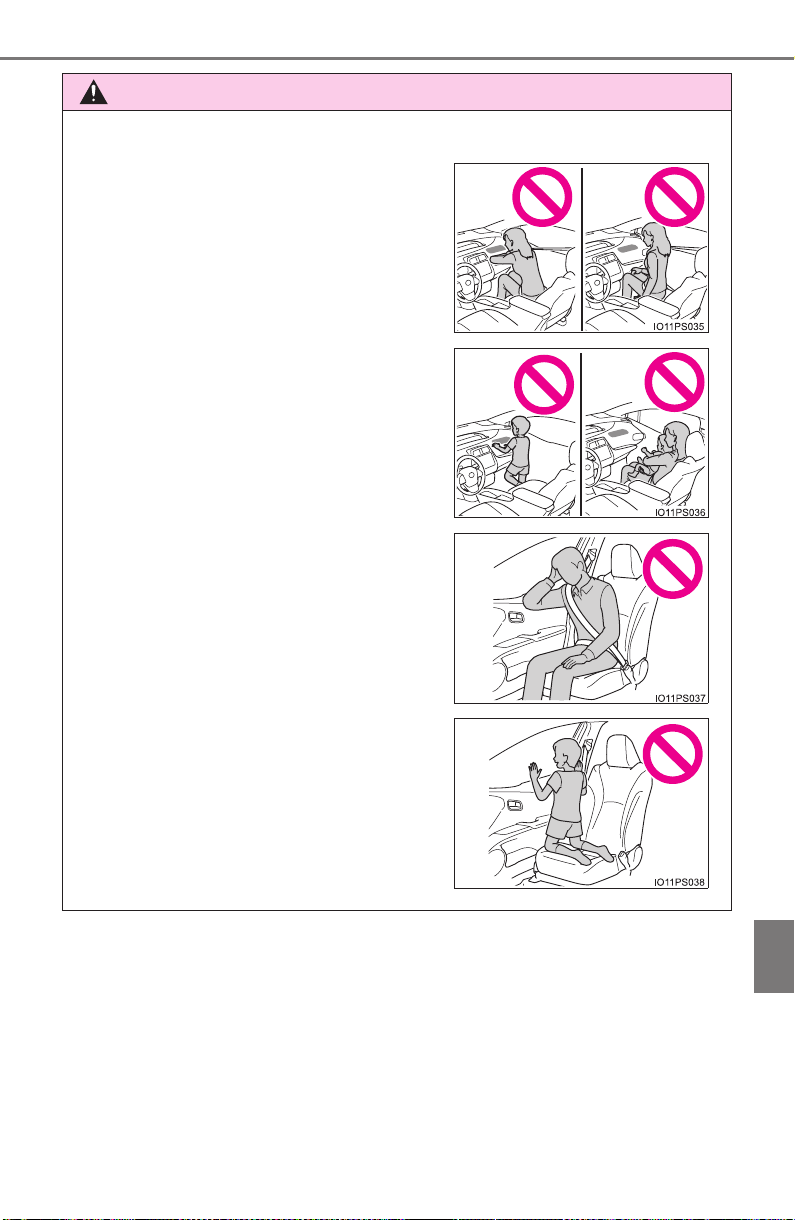
PRIUS_OM_OM47A29U_(U)
771
10
For owners
AVERTISSEMENT
■ Précautions relatives aux coussins gonflables SRS
● Ne vous asseyez pas sur le bord du
siège et ne vous appuyez pas sur la
planche de bord.
● Ne laissez pas un enfant se tenir face
au coussin gonflable SRS du passager
avant ni s’asseoir sur les genoux d’un
passager avant.
● Ne laissez pas les occupants des siè-
ges avant tenir des objets sur leurs
genoux.
● Ne vous appuyez pas sur la portière ou
sur le brancard de pavillon, ni sur les
montants avant, latéraux ou arrière.
● Ne laissez personne s’agenouiller face
à la portière sur le siège du passager ni
sortir la tête ou les mains à l’extérieur
du véhicule.
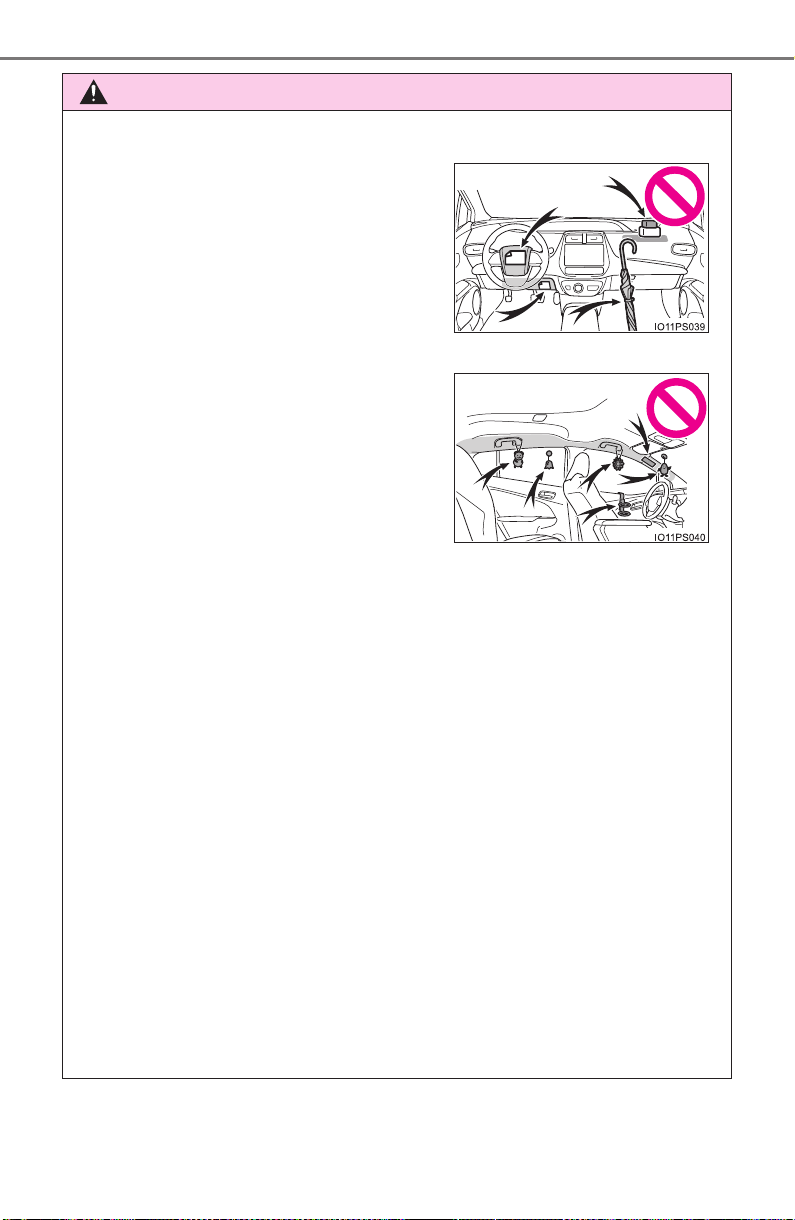
772
PRIUS_OM_OM47A29U_(U)
AVERTISSEMENT
■ Précautions relatives aux coussins gonflables SRS
● N’accrochez pas de cintres ni d’objets rigides sur les crochets porte-vête-
ments. Tous ces objets pourraient se transformer en projectiles et vous
occasionner des blessures graves, voire mortelles, en cas de déploiement
des coussins gonflables SRS en rideau.
● Si un recouvrement de vinyle est placé sur la zone de déploiement du
coussin gonflable SRS de protection des genoux, veillez à le retirer.
● N’utilisez pas d’accessoires recouvrant les parties du siège où les cous-
sins gonflables SRS latéraux et le coussin gonflable SRS du coussin de
siège se déploient, car ces accessoires pourraient entraver le déploiement
des coussins SRS. De tels accessoires peuvent empêcher les coussins
gonflables latéraux et le coussin gonflable du coussin de siège de se
déployer correctement, rendre le système inopérant ou provoquer acci-
dentellement le déploiement des coussins gonflables latéraux et du cous-
sin gonflable du coussin de siège, occasionnant des blessures graves,
voire mortelles.
● Ne frappez pas et n’appliquez pas une pression importante à l’emplace-
ment des portières avant ou des composants des coussins gonflables
SRS.
Cela peut provoquer un mauvais fonctionnement des coussins gonflables
SRS.
● Ne touchez à aucun composant des coussins gonflables SRS immédiate-
ment après leur déploiement (gonflage), car ils pourraient être chauds.
● Ne fixez et n’appuyez rien sur des
zones telles que la planche de bord, le
tampon de volant ou encore la partie
inférieure du tableau de bord.
Ces objets peuvent se transformer en
projectiles lorsque les coussins gonfla-
bles SRS du conducteur, du passager
avant et de protection des genoux se
déploient.
● Ne fixez rien sur des zones telles que
les portières, le pare-brise, les glaces
latérales, les montants avant ou arrière,
le brancard de pavillon et la poignée de
maintien.

PRIUS_OM_OM47A29U_(U)
773
10
For owners
AVERTISSEMENT
■ Précautions relatives aux coussins gonflables SRS
● Si vous avez de la difficulté à respirer après le déploiement des coussins
gonflables SRS, ouvrez une portière ou une glace latérale pour laisser
entrer l’air frais, ou quittez le véhicule si vous pouvez le faire en toute
sécurité. Dès que possible, nettoyez tous les résidus afin d’éviter les irrita-
tions cutanées.
● Si les emplacements de stockage des coussins gonflables SRS, tels que
le tampon de volant et les garnitures des montants avant et arrière, sont
endommagés ou fissurés, faites-les remplacer par votre concessionnaire
Toyota.
● Ne placez aucun objet, par exemple un coussin, sur le siège du passager
avant. Cela disperserait le poids du passager, ce qui empêcherait le cap-
teur de le détecter correctement. Cela pourrait empêcher le déploiement
des coussins gonflables SRS du passager avant en cas de collision.
■ Modification et mise au rebut des composants du système de coussins
gonflables SRS
Ne mettez pas votre véhicule au rebut et n’effectuez aucune des modifica-
tions suivantes sans d’abord consulter votre concessionnaire Toyota. Les
coussins gonflables SRS pourraient fonctionner de manière incorrecte ou
se déployer (gonfler) accidentellement, ce qui serait susceptible d’occasion-
ner des blessures graves, voire mortelles.
● Installation, retrait, démontage et réparation des coussins gonflables SRS
● Réparations, modifications, retrait ou remplacement du volant, du tableau
de bord, de la planche de bord, des sièges ou du capitonnage des sièges,
des montants avant, latéraux et arrière, des brancards de pavillon, des
panneaux des portières avant, de la garniture des portières avant ou des
haut-parleurs des portières avant
● Modifications du panneau de la portière avant (comme le perforer)
● Réparations ou modifications de l’aile avant, du pare-chocs avant ou du
côté de l’habitacle
● Installation d’une protection de calandre (barre safari, barre kangourou,
etc.), de lames de déneigement, de treuils ou d’un porte-bagages de toit
● Modifications du système de suspension du véhicule
● Installation d’appareils électroniques tels qu’un émetteur-récepteur radio
ou un lecteur de CD
● Modifications à votre véhicule pour une personne aux capacités physiques
réduites
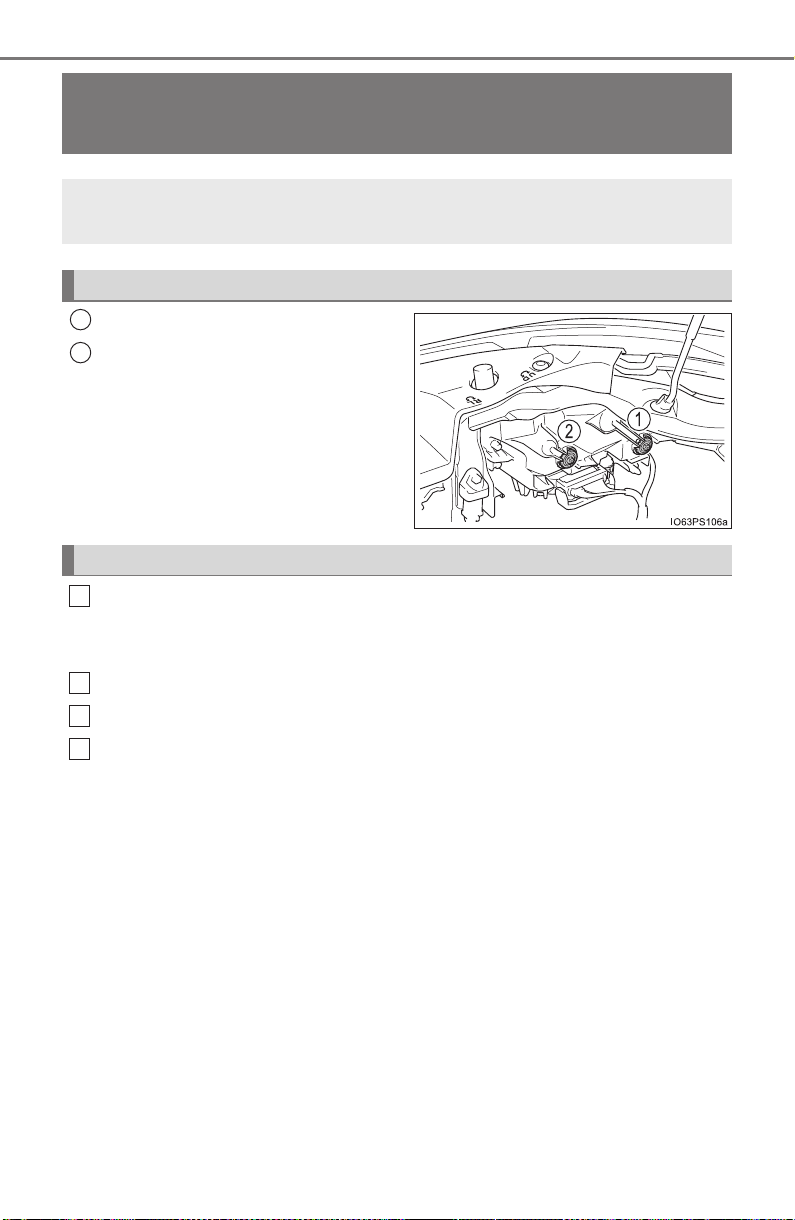
774
PRIUS_OM_OM47A29U_(U)
Headlight aim instructions for Canadian own-
ers (in French)
Boulon de réglage A
Boulon de réglage B
Assurez-vous que le réservoir de carburant du véhicule est plein et
que la partie de carrosserie située autour des phares n’est pas
déformée.
Garez le véhicule sur un sol parfaitement horizontal.
Asseyez-vous sur le siège du conducteur.
Faites rebondir le véhicule à plusieurs reprises.
The following is a French explanation of headlight aim instruc-
tions from the headlight aim section in this manual.
Boulons de réglage vertical
1
2
Avant de vérifier la portée des phares
1
2
3
4
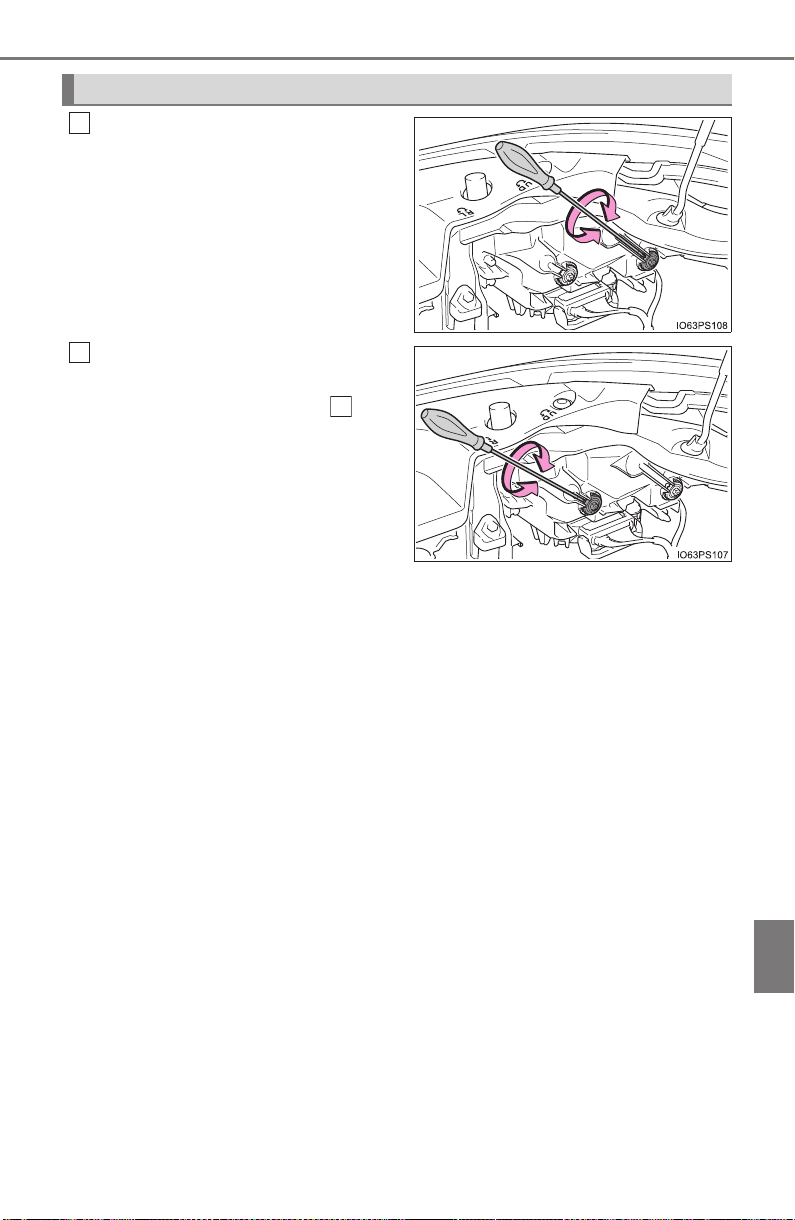
PRIUS_OM_OM47A29U_(U)
775
10
For owners
Tournez le boulon A vers la
droite ou vers la gauche à l’aide
d’un tournevis cruciforme.
Retenez le sens de rotation et le
nombre de tours.
Tournez le boulon B du même
nombre de tours et dans le
même sens qu’à l’étape .
Si vous n’arrivez pas à régler vos
phares en suivant cette procé-
dure, apportez le véhicule chez
votre concessionnaire Toyota afin
qu’il règle la portée des phares.
Réglage de la portée des phares
1
2
1

776
PRIUS_OM_OM47A29U_(U)

777
PRIUS_OM_OM47A29U_(U)
Index
What to do if...
(Troubleshooting) .................... 778
Alphabetical index ..................... 782
For vehicles with Entune Premium Audio with Navigation,
refer to the “NAVIGATION SYSTEM OWNER’S MANUAL” for
information regarding the equipment listed below.
• Navigation system
• Hands-free system (for cellular phone)
• Audio/visual system
778
What to do if... (Troubleshooting)
PRIUS_OM_OM47A29U_(U)
What to do if... (Troubleshooting)
● If you lose your mechanical keys, new genuine mechanical keys can be
made by your Toyota dealer. (→P. 161)
● If you lose your electronic keys, the risk of vehicle theft increases signifi-
cantly. Contact your Toyota dealer immediately. (→P. 164)
● Is the electronic key battery weak or depleted? (→P. 628)
● Is the power switch in ON mode?
When locking the doors, turn the power switch off. (→P. 227)
● Is the electronic key left inside the vehicle?
When locking the doors, make sure that you have the electronic key on
your person.
● The function may not operate properly due to the condition of the radio
wave. (→P. 178)
● Is the child-protector lock set?
The rear door cannot be opened from inside the vehicle when the lock is
set. Open the rear door from outside and then unlock the child-protector
lock. (→P. 168)
If you have a problem, check the following before contacting
your Toyota dealer.
The doors cannot be locked, unlocked, opened or closed
You lose your keys
The doors cannot be locked or unlocked
The rear door cannot be opened
779
What to do if... (Troubleshooting)
PRIUS_OM_OM47A29U_(U)
● Did you press the power switch while firmly depressing the brake pedal?
(→P. 225)
● Is the shift position in P? (→P. 235)
● Is the electronic key anywhere detectable inside the vehicle? (→P. 176)
● Is the electronic key battery weak or depleted?
In this case, the hybrid system can be started in a temporary way.
(→P. 709)
● Is the 12-volt battery discharged? (→P. 711)
● Is the window lock switch pressed?
The power windows except for the one at the driver’s seat cannot be oper-
ated if the window lock switch is pressed. (→P. 198)
● The auto power off function will be operated if the vehicle is left in
ACCESSORY or ON mode (the hybrid system is not operating) for a
period of time. (→P. 227)
If you think something is wrong
The hybrid system does not start
The windows do not open or close by operating the power
window switches
The power switch is turned off automatically

780
What to do if... (Troubleshooting)
PRIUS_OM_OM47A29U_(U)
● The seat belt reminder light is flashing
Are the driver and the front passenger wearing the seat belts? (→P. 659)
● The parking brake indicator is on
Is the parking brake released? (→P. 241)
Depending on the situation, other types of warning buzzer may also sound.
(→P. 655, 665)
● Is the electronic key left inside the vehicle?
Check the message on the multi-information display. (→P. 665)
● When a warning light turns on or a warning message is displayed, refer to
P. 655, 665.
A warning buzzer sounds during driving
A warning buzzer sounds when leaving the vehicle
A warning light turns on or a warning message is displayed
781
What to do if... (Troubleshooting)
PRIUS_OM_OM47A29U_(U)
● Vehicles with spare tire
Stop the vehicle in a safe place and replace the flat tire with the spare tire.
(→P. 673)
● Vehicles without spare tire
Stop the vehicle in a safe place and repair the flat tire temporarily with the
emergency tire puncture repair kit. (→P. 687)
● Try the procedure for when the vehicle becomes stuck in mud, dirt, or
snow. (→P. 722)
When a problem has occurred
If you have a flat tire
The vehicle becomes stuck

782
Alphabetical index
PRIUS_OM_OM47A29U_(U)
Alphabetical index
A/C ............................................ 512
Air conditioning filter ............. 621
Automatic air conditioning
system................................512
Climate control...................... 516
Eco score (A/C score)........... 136
Fresh air intake system.........516
Humidity sensor.................... 519
Settings screen ..................... 515
S-FLOW mode...................... 514
ABS
(Anti-lock Brake System)...... 404
Function................................ 404
Warning light......................... 656
Air conditioning filter .............. 621
Air conditioning system.......... 512
Air conditioning filter ............. 621
Automatic air conditioning
system................................512
Climate control...................... 516
Eco score (A/C score)........... 136
Fresh air intake system.........516
Humidity sensor.................... 519
Settings screen ..................... 515
S-FLOW mode...................... 514
Air intake vent............................ 83
Airbags....................................... 36
Airbag operating conditions .... 44
Airbag precautions for
your child.............................. 39
Airbag warning light.............. 656
Correct driving posture ........... 28
Curtain shield airbag
operating conditions............. 45
Curtain shield airbag
precautions........................... 42
Front passenger occupant
classification system ............ 50
General airbag precautions .... 39
Locations of airbags ............... 36
Modification and disposal
of airbags ............................. 43
Side airbag operating
conditions............................. 45
Side airbag precautions.......... 41
Side and curtain shield
airbags operating
conditions............................. 45
Side and curtain shield
airbags precautions.............. 42
SRS airbag instructions for
Canadian owners............... 765
SRS airbags ........................... 36
Anchor brackets........................ 74
A

783
Alphabetical index
PRIUS_OM_OM47A29U_(U)
Antenna
Smart key system ................. 176
Radio .................................... 439
Anti-lock brake system
(ABS) ...................................... 404
Function................................ 404
Warning light......................... 656
Approach warning ................... 309
Armrest..................................... 552
Assist grips.............................. 553
Audio input............................... 425
Audio system
(Entune Audio) ...................... 421
Antenna ................................ 439
Audio input............................ 425
AUX port ...............................456
Basic operations ................... 426
Bluetooth
®
audio................... 468
CD player.............................. 440
iPod....................................... 446
MP3/WMA disc .....................440
Optimal use........................... 437
Portable music player ........... 425
Radio .................................... 438
Steering wheel audio
switches.............................. 424
USB memory ........................ 451
Audio system (Entune Premium
Audio with Navigation)
*
Automatic air conditioning
system
Air conditioning filter ............. 621
Automatic air conditioning
system................................512
Climate control...................... 516
Eco score (A/C score)........... 136
Fresh air intake system.........516
Humidity sensor.................... 519
Settings screen ..................... 515
S-FLOW mode...................... 514
Automatic door locking
and unlocking systems ........ 168
Automatic High Beam............. 247
Automatic light control
system.................................... 245
AUX port................................... 425
Auxiliary boxes........................ 532
Back door................................. 171
Back-up lights
Replacing light bulbs ............ 639
Wattage ................................ 736
Battery (12-volt battery)
Battery checking................... 598
If the 12-volt battery is
discharged.......................... 711
Preparing and checking
before winter ...................... 414
Warning light......................... 655
Battery (traction battery) .......... 82
Blind Spot Monitor (BSM)....... 322
Bluetooth
®
............................... 499
Audio system ........................ 468
Hands-free system
(for cellular phone) ............. 470
Registering/removing
a Bluetooth
®
device ........... 462
Selecting a Bluetooth
®
device................................. 464
Wireless communication....... 457
B
*: Refer to the “NAVIGATION SYSTEM OWNER’S MANUAL”.

784
Alphabetical index
PRIUS_OM_OM47A29U_(U)
Bluetooth
®
audio ..................... 468
Bluetooth
®
phone.................... 470
Deleting the call history......... 490
Making a call.........................473
Managing the contacts.......... 486
Message function.................. 480
Phone settings ......................485
Receiving a call..................... 476
Speaking on the phone......... 477
Bottle holders .......................... 530
Brake
Fluid...................................... 733
Parking brake........................ 241
Regenerative braking.............. 80
Warning light......................... 655
Brake assist ............................. 404
Brake Override System ........... 209
Break-in tips............................. 210
Brightness control
Instrument cluster
light control........................... 94
BSM (Blind Spot Monitor)....... 322
Care
Aluminum wheels.................. 569
Camera sensor .....................271
Exterior ................................. 568
Interior...................................574
Radar sensor ........................ 270
Seat belts.............................. 575
Water-repellent coating......... 569
Cargo capacity......................... 222
Catch protection function....... 199
Cargo hooks............................. 534
CD player.................................. 440
Chains ...................................... 415
Child restraint system............... 58
Fixed with a LATCH
system.................................. 71
Fixed with a seat belt.............. 65
Front passenger occupant
classification system ............ 50
Points to remember ................ 59
Riding with children ................ 57
Types of child restraint
system installation
method ................................. 61
Using an anchor
bracket ................................. 74
Child safety................................ 57
12-volt battery precautions ... 599
Airbag precautions.................. 39
Back door precautions.......... 173
Child restraint system............. 58
How your child should
wear the seat belt................. 31
Installing child restraints ......... 61
Moon roof precautions.......... 205
Power window lock switch .... 198
Power window precautions... 200
Rear door child-protectors .... 168
Removed key battery
precautions......................... 630
Riding with children ................ 57
Seat belt extender
precautions........................... 35
Seat belt precautions.............. 70
Seat heater precautions ....... 523
C

785
Alphabetical index
PRIUS_OM_OM47A29U_(U)
Child-protectors....................... 168
Cleaning
Aluminum wheels.................. 569
Camera sensor .....................271
Exterior ................................. 568
Interior...................................574
Radar sensor ........................ 270
Seat belts.............................. 575
Water-repellent coating......... 569
Coat hooks ............................... 552
Combination meter.................... 92
Clock adjustment .................... 97
Main display.......................... 107
Multi-information display....... 114
Warning lights and
indicators............................100
Condenser................................ 597
Console box ............................. 529
Coolant
Capacity................................732
Checking............................... 595
Preparing and checking
before winter....................... 414
Cooling system........................ 595
Hybrid system overheating ... 717
Consumption screen............... 153
Cruise control
Cruise control........................ 315
Dynamic radar cruise
control with full-speed
range .................................. 300
Cup holders.............................. 530
Curtain shield airbags............... 36
Customizable features ............ 752
Daytime running light
system.................................... 245
Deck board............................... 533
Defogger
Outside rear view mirrors ..... 517
Rear window......................... 517
Windshield............................ 517
Dimension................................ 726
Dinghy towing.......................... 224
Display
BSM (Blind Spot Monitor)..... 322
Drive information .................. 116
Dynamic radar cruise control
with full-speed range.......... 300
Energy monitor ............. 117, 153
Head-up display.................... 146
LDA (Lane Departure Alert
with steering control).......... 294
Multi-information display....... 114
Parking assist
system........................ 336, 363
Pre-Collision warning............ 275
Trip information..................... 109
Warning messages............... 665
Do-it-yourself maintenance .... 585
Door courtesy lights ............... 525
Location................................ 525
Wattage ................................ 736
D

786
Alphabetical index
PRIUS_OM_OM47A29U_(U)
Doors
Automatic door locking
and unlocking system......... 168
Back door.............................. 171
Door glasses......................... 198
Door lock............................... 165
Open door warning buzzer ... 657
Open door warning light........657
Outside rear view mirrors...... 196
Rear door child-protectors .... 168
Side doors............................. 165
Drive information..................... 116
Drive-Start Control .................. 210
Driver’s seat belt reminder
light......................................... 658
Driving
Break-in tips.......................... 210
Correct posture....................... 28
Driving in the rain.................. 209
Driving mode select switch ... 320
Hybrid vehicle driving tips..... 411
Procedures ...........................208
Winter drive tips.................... 414
Dynamic radar cruise control
with full-speed range ............ 300
ECB (Electronically
Controlled Brake System) .... 404
Eco drive mode........................ 320
EDR
(Event data recorder).............. 11
Electric motor
Location.................................. 78
Specification ......................... 729
Electric Power Steering (EPS)
Function................................ 404
Warning light......................... 656
Electronic key
If the electronic key does
not operate properly........... 708
Replacing the battery............ 628
Electronically Controlled
Brake System (ECB) ............. 404
Emergency flashers ................ 646
Emergency, in case of
If a warning buzzer sounds... 655
If a warning light turns on ..... 655
If a warning message is
displayed............................ 665
If the 12-volt battery is
discharged.......................... 711
If the electronic key does
not operate properly........... 708
If the hybrid system will
not start .............................. 706
E

787
Alphabetical index
PRIUS_OM_OM47A29U_(U)
If you have a flat tire ............. 673
If you lose your keys ..... 161, 164
If you think something
is wrong.............................. 654
If your vehicle becomes
stuck................................... 722
If your vehicle has to be
stopped in an emergency... 647
If your vehicle needs to be
towed.................................. 648
If your vehicle overheats....... 717
Energy monitor ................ 117, 153
Engine
Accessory mode ................... 227
Compartment........................591
Engine switch........................ 225
Exhaust gas precautions ........56
Hood ..................................... 588
How to start the hybrid
system................................225
Identification number ............ 728
If the hybrid system will
not start .............................. 706
If your vehicle has to be
stopped in an emergency... 647
Ignition switch
(power switch) .................... 225
Overheating .......................... 717
Power switch......................... 225
Engine coolant
Capacity................................ 732
Checking............................... 595
Preparing and checking
before winter ...................... 414
Engine oil
Capacity................................ 730
Checking............................... 592
Oil pressure warning light..... 655
Preparing and checking
before winter ...................... 414
Engine switch .......................... 225
Auto power off function......... 227
Changing the power
switch modes ..................... 227
If your vehicle has to be
stopped in an emergency... 647
Starting the hybrid system .... 225
EPS
(Electronic Power Steering)
Function................................ 404
Warning light......................... 656
EV indicator ............................. 119
EV drive mode ......................... 231
Event data recorder
(EDR)........................................ 11
Exhaust gas precautions.......... 56

788
Alphabetical index
PRIUS_OM_OM47A29U_(U)
Flat tire...................................... 673
Floor mats .................................. 26
Fluid
Brake .................................... 733
Transmission ........................ 733
Washer ................................. 603
Fog lights
Replacing light bulbs............. 642
Switch ................................... 252
Footwell lights ......................... 525
Front doors .............................. 165
Front fog lights
Replacing light bulbs............. 642
Switch ................................... 252
Front passenger occupant
classification system.............. 50
Front passenger’s seat
belt reminder light................. 658
Front seats ............................... 184
Adjustment............................ 184
Cleaning................................ 574
Correct driving posture ........... 28
Head restraints ..................... 189
Seat heaters ......................... 523
Front side marker lights
Light switch........................... 242
Replacing light bulbs............. 642
Front turn signal lights
Replacing light bulbs............. 638
Turn signal lever ................... 240
Wattage ................................ 736
Fuel
Capacity................................ 729
Fuel gauge............................ 108
Gas station information......... 800
Information............................ 737
Refueling .............................. 262
Type...................................... 729
Warning light......................... 657
Fuel filler door ......................... 262
Opener.................................. 264
Refueling .............................. 262
When the fuel filler door
cannot be opened .............. 265
Fuses ........................................ 631
Gas station information .......... 800
Garage door opener ................ 554
Glove box ................................. 529
Hands-free system
(for cellular phone) ............... 470
Head restraints ........................ 189
Head-up display....................... 146
Headlights................................ 242
Automatic High Beam
system................................ 247
Headlight aim................ 634, 774
Light switch........................... 242
Replacing light bulbs ............ 642
Heaters
Automatic air conditioning
system................................ 512
Outside rear view mirrors ..... 517
Seat heaters ......................... 523
F
G
H

789
Alphabetical index
PRIUS_OM_OM47A29U_(U)
High coolant temperature
warning light.......................... 657
High mounted stoplight
Replacing.............................. 642
Hill-start assist control............ 405
Hood ......................................... 588
Hooks
Cargo hooks ......................... 534
Coat hooks............................ 552
Grocery bag hook ................. 535
Retaining hooks (floor mat)..... 26
Horn .......................................... 192
Hybrid battery (traction battery)
Location .................................. 82
Specification .........................729
Hybrid battery
(traction battery)
air intake vent.......................... 83
Hybrid system............................ 78
Brake Override System......... 209
Drive-Start Control................ 210
Emergency shut off
system.................................. 83
Energy
monitor/consumption
screen......................... 117, 153
EV drive mode ...................... 231
High voltage components ....... 82
Hybrid System Indicator........ 119
Hybrid system precautions ..... 82
Hybrid vehicle driving tips..... 411
If the hybrid system will
not start .............................. 706
Overheating .......................... 717
Power switch......................... 225
Regenerative braking.............. 80
Starting the hybrid system .... 225
Vehicle proximity
notification system................ 79
Hybrid System Indicator ......... 119
Hybrid transmission................ 234
I/M test...................................... 584
Identification
Engine .................................. 728
Vehicle.................................. 727
Ignition switch
(Power switch)....................... 225
Auto power off function......... 227
Changing the power
switch modes ..................... 227
If your vehicle has to be
stopped in an emergency... 647
Starting the hybrid system .... 225
Illuminated entry system ........ 527
Immobilizer system................... 89
Indicators ................................. 100
Initialization
Intelligent Clearance
Sonar.................................. 356
Items to initialize................... 760
Maintenance data................. 579
Moon roof ............................. 204
Power windows..................... 199
S-APGS (Simple Advanced
Parking Guidance
System).............................. 385
Tire pressure warning
system................................ 608
Inside rear view mirror............ 194
Instrument cluster light
control...................................... 94
Intelligent Clearance Sonar .... 346
Interior lights ........................... 525
Switch........................... 526, 527
Wattage ................................ 736
Intuitive parking assist ........... 335
I

790
Alphabetical index
PRIUS_OM_OM47A29U_(U)
Jack
Positioning a floor jack.......... 590
Vehicle-equipped jack... 674, 689
Jack handle...................... 674, 689
Jam protection function
Moon roof.............................. 203
Power windows..................... 199
Keyless entry
Smart key system ................. 176
Wireless remote control........ 160
Keys.......................................... 160
Electronic key ....................... 160
Engine switch........................ 225
If the electronic key does
not operate properly ........... 708
If you lose your keys ..... 161, 164
Key number plate.................. 160
Keyless entry ........................ 160
Keys...................................... 160
Mechanical key..................... 160
Power switch......................... 225
Replacing the battery............ 628
Warning buzzer..................... 177
Wireless remote control
key...................................... 160
Knee airbags.............................. 36
Language
(multi-information display)... 142
LATCH system........................... 61
LDA (Lane Departure Alert
with steering control) ........... 289
Lever
Auxiliary catch lever.............. 588
Hood lock release lever........ 588
Shift lever.............................. 234
Turn signal lever................... 240
Wiper lever ........................... 254
License plate lights
Light switch........................... 242
Replacing light bulbs ............ 642
Light
Automatic High Beam
system................................ 247
Door courtesy lights.............. 525
Fog light switch..................... 252
Headlight switch ................... 242
Illuminated entry system....... 527
Interior lights................. 526, 527
Interior light list ..................... 525
Luggage compartment
light..................................... 172
Personal lights...................... 526
Replacing light bulbs ............ 636
Shift lever light...................... 525
Turn signal lever................... 240
Vanity lights .......................... 542
Wattage ................................ 736
Light bulbs
Replacing.............................. 636
Wattage ................................ 736
Luggage cover......................... 537
J
K
L

791
Alphabetical index
PRIUS_OM_OM47A29U_(U)
Maintenance
Do-it-yourself maintenance... 585
General maintenance ........... 581
Maintenance data ................. 726
Maintenance requirements ... 578
Malfunction indicator lamp..... 655
Meter
Clock adjustment .................... 97
Combination meter ................. 92
Main display.......................... 107
Multi-information display....... 114
Warning lights and
indicators............................100
Microphone .............................. 471
Mirrors
Inside rear view mirror .......... 194
Outside rear view mirror
defoggers ........................... 517
Outside rear view mirrors...... 196
Vanity mirrors........................ 542
Moon roof
Door lock linked moon roof
operation ............................ 200
Jam protection function......... 203
Operation.............................. 202
MP3 disc................................... 440
Multi-information display
Air conditioning system
settings screen................... 134
Audio system-linked
display................................ 133
BSM (Blind Spot Monitor)..... 322
Display contents ................... 114
Drive information .................. 116
Driving assist system
information ......................... 138
Dynamic radar cruise control
with full-speed range.......... 300
Energy monitor ..................... 117
Language.............................. 142
LDA (Lane Departure Alert
with steering control).......... 294
Navigation system-linked
display................................ 133
Parking assist system... 336, 363
Pre-Collision warning............ 275
Settings display .................... 139
Warning message display .... 138
M

792
Alphabetical index
PRIUS_OM_OM47A29U_(U)
Navigation system*
Noise from under vehicle............ 8
Odometer.................................. 109
Oil
Engine oil.............................. 730
Opener
Fuel filler door....................... 264
Hood ..................................... 588
Outside rear view mirrors....... 196
Adjustment............................ 196
Blind Spot Monitor ................ 322
Folding.................................. 196
Outside rear view mirror
defoggers ........................... 517
Outside temperature
display.................................... 108
Overhead console ................... 532
Overheating.............................. 717
Overheating, Engine................ 717
P position switch..................... 235
Panic mode .............................. 161
Parking assist sensors
Intelligent Clearance
Sonar.................................. 346
Intuitive parking assist .......... 335
S-APGS (Simple Advanced
Parking Guidance
System).............................. 359
Parking brake
Operation.............................. 241
Parking brake engaged
warning buzzer................... 241
Parking lights
Light switch........................... 242
Replacing light bulbs .... 638, 642
Wattage ................................ 736
Parking lock............................. 235
PCS (Pre-Collision System)
Enabling/disabling the
system................................ 279
Function................................ 275
Warning light......................... 656
Personal lights......................... 525
Switch................................... 526
Wattage ................................ 736
Power control unit coolant
Capacity................................ 732
Checking............................... 595
Preparing and checking
before winter ...................... 414
Radiator................................ 597
Power outlets........................... 543
Power steering (Electric
Power Steering system) ....... 404
Warning light......................... 656
N
O
P

793
Alphabetical index
PRIUS_OM_OM47A29U_(U)
Power switch............................ 225
Auto power off function......... 227
Changing the power
switch modes...................... 227
If your vehicle has to be
stopped in an emergency... 647
Starting the hybrid system .... 225
Power windows
Catch protection function...... 199
Door lock linked window
operation ............................ 200
Jam protection function......... 199
Operation.............................. 198
Window lock switch............... 198
Pre-Collision System (PCS)
Enabling/disabling the
system................................279
Function................................ 275
Warning light......................... 656
Radar cruise control
(dynamic radar cruise
control with full-speed
range) ..................................... 300
Radiator.................................... 597
Radio......................................... 438
Rear seat .................................. 186
Rear side marker lights
Light switch........................... 242
Rear turn signal lights
Replacing light bulbs ............ 639
Turn signal lever................... 240
Wattage ................................ 736
Rear view mirror
Inside rear view mirror .......... 194
Outside rear view mirrors ..... 196
Rear view monitor system...... 394
Rear window defogger............ 517
Rear window wiper.................. 260
Refueling.................................. 262
Capacity................................ 729
Fuel types............................. 729
Opening the fuel tank cap..... 264
When the fuel filler door
cannot be opened .............. 265
Regenerative braking................ 80
Replacing
Electronic key battery ........... 628
Fuses.................................... 631
Light bulbs ............................ 636
Tires.............................. 673, 687
Resetting the message
indicating maintenance is
required.................................. 579
Reporting safety defects
for U.S. owners...................... 762
Road accident cautions............ 86
R
*: Refer to the “NAVIGATION SYSTEM OWNER’S MANUAL”.

794
Alphabetical index
PRIUS_OM_OM47A29U_(U)
S-APGS (Simple Advanced
Parking Guidance System)... 359
Safety Connect ........................ 561
Seat belts.................................... 30
Adjusting the seat belt ............ 31
Automatic Locking Retractor... 31
Child restraint system
installation ............................ 61
Cleaning and maintaining
the seat belt........................575
Emergency Locking
Retractor............................... 31
How to wear your seat belt ..... 30
How your child should wear
the seat belt.......................... 31
Pregnant women, proper
seat belt use......................... 33
Reminder light and buzzer.... 658
Seat belt extender................... 32
Seat belt instructions for
Canadian owners ............... 763
Seat belt pretensioners........... 31
SRS warning light ................. 656
Seat heaters ............................. 523
Seating capacity ...................... 222
Seats
Adjustment............................ 184
Adjustment precautions ........ 185
Child seats/child restraint
system installation................ 61
Cleaning................................ 574
Front seats............................ 184
Head restraint ....................... 189
Properly sitting in the seat ...... 28
Seat heaters ......................... 523
Sensor
Automatic headlight
system................................ 245
Automatic High Beam
system................................ 247
Camera sensor..................... 269
Inside rear view mirror .......... 195
LDA (Lane Departure Alert
with steering control).......... 289
Parking assist
sensors............... 335, 348, 389
Radar sensor........................ 269
Rain-sensing windshield
wipers................................. 258
Service reminder
indicators............................... 100
Shift lever................................. 234
Shift lever light ........................ 525
Side airbags ............................... 36
Side doors................................ 165
Side marker lights
Light switch........................... 242
Replacing light bulbs ............ 642
Side mirrors ............................. 196
Adjustment............................ 196
Blind Spot Monitor ................ 322
Folding.................................. 196
Heaters................................. 517
Side windows
Water-repellent coating ........ 569
Simple Advanced Parking
Guidance System.................. 359
S

795
Alphabetical index
PRIUS_OM_OM47A29U_(U)
Smart key system .................... 176
Antenna location................... 176
Entry functions...................... 165
Starting the hybrid system .... 225
Snow tires ................................ 414
“SOS” button ........................... 561
Spare tire
Inflation pressure .................. 734
Storage location.................... 674
Spark plug................................ 732
Specifications .......................... 726
Speedometer............................ 108
SRS airbags ............................... 36
Steering wheel
Adjustment............................ 192
Audio switches...................... 424
Meter control switches............ 93
Telephone switches.............. 484
TRIP switch............................. 93
Stop/tail lights.......................... 642
Storage feature ........................ 528
Storage precautions................ 528
Stuck
If the vehicle becomes
stuck................................... 722
Sun visors ................................ 542
Sunshade
Moon roof.............................. 203
Switch
Audio remote control
switches ............................. 424
Automatic High Beam
switch ................................. 247
Cruise control switch .... 300, 315
Door lock switches................ 167
Driving mode select switch... 320
Emergency flashers switch... 646
Engine switch ....................... 225
EV drive mode switch ........... 231
Fog light switch..................... 252
Garage door opener
switches ............................. 554
“HUD” (Head-up display)
switch ................................. 146
Ignition switch....................... 225
LDA (Lane Departure Alert
with steering control))......... 293
Light switch........................... 242
Moon roof switches............... 202
Meter control switches............ 93
Outside rear view mirror
switches ............................. 196

796
Alphabetical index
PRIUS_OM_OM47A29U_(U)
Power door lock switches ..... 167
Power switch......................... 225
Power window switch............ 198
Rear window wiper and
washer switch..................... 260
Rear window and outside
rear view mirror
defoggers switch ................ 517
Seat heater switches ............ 524
“SOS” button......................... 561
S-APGS switch .....................362
Talk switch............................ 484
Telephone switches.............. 484
TRIP switch............................. 93
Vehicle-to-vehicle
distance switch................... 307
VSC OFF switch ................... 406
Window lock switch............... 198
Windshield wipers and
washer switch..................... 254
Wireless charger power
supply switch......................544
Tail lights
Light switch........................... 242
Replacing light bulbs ............ 642
Talk switch............................... 484
Telephone switch .................... 484
Theft deterrent system
Immobilizer system................. 89
Tire inflation pressure
Maintenance data................. 734
Warning light......................... 658
Tire pressure warning system
Function................................ 607
Initializing.............................. 607
Initializing procedures........... 608
Installing tire pressure
warning valves and
transmitters ........................ 607
Registering ID codes ............ 608
Warning light......................... 658
Tire information....................... 740
T

797
Alphabetical index
PRIUS_OM_OM47A29U_(U)
Tires.......................................... 605
Chains................................... 415
Checking............................... 605
Glossary................................ 746
If you have a flat tire ..... 673, 687
Inflation pressure .................. 615
Replacing.............................. 673
Rotating tires......................... 606
Size....................................... 734
Snow tires............................. 414
Spare tire ...................... 673, 734
Tire identification number ..... 742
Tire pressure warning
system................................607
Uniform Tire Quality
Grading............................... 744
Warning light......................... 658
Tools ................................. 674, 689
Top tether strap ......................... 74
Total load capacity .................. 726
Towing
Dinghy towing ....................... 224
Emergency towing ................648
Towing eyelet........................ 651
Trailer towing ........................ 223
Toyota Safety Sense P............ 267
Traction control ....................... 404
Trailer towing........................... 223
Transmission
Driving mode select switch ... 320
Hybrid transmission .............. 234
P position switch................... 235
TRAC (Traction Control)
Function................................ 404
VSC OFF switch................... 406
Trip meters............................... 109
Troubleshooting...................... 778
Turn signal lights
Replacing light bulbs .... 638, 639
Turn signal lever................... 240
Wattage ................................ 736
USB memory............................ 451
USB port................................... 425
Vanity lights
Vanity lights .......................... 542
Wattage ................................ 736
Vanity mirrors.......................... 542
Vanity lights .......................... 542
Vehicle data recordings............ 10
Vehicle identification
number................................... 727
Vehicle proximity
notification system ................. 79
Vehicle Stability Control
(VSC) ...................................... 404
Voice command system ......... 505
Microphone........................... 471
Switches ............................... 505
VSC
(Vehicle Stability Control) .... 404
U
V

798
Alphabetical index
PRIUS_OM_OM47A29U_(U)
Warning buzzers
Blind Spot Monitor (BSM) ..... 322
Brake system........................ 655
Downshifting ......................... 236
Lane departure alert ............. 290
Open door..................... 169, 657
Open moon roof.................... 204
Parking assist
sensors............... 335, 346, 359
Pre-Collision warning............ 275
Radar cruise control..............309
Seat belt reminder ................ 658
Warning lights
ABS....................................... 656
Brake Override System......... 658
Brake system........................ 655
Charging system................... 655
Drive-Start Control................ 658
Driver’s seat belt
reminder ............................. 658
Electronic engine control
system................................655
Electric power steering ......... 656
Front passenger’s seat
belt reminder ...................... 658
High coolant temperature ..... 657
ICS OFF indicator................. 657
Intelligent Clearance
Sonar.................................. 658
LDA system .......................... 659
Low engine oil pressure........ 655
Low fuel level........................657
Malfunction indicator lamp.... 655
Master warning light.............. 658
Open door............................. 657
PCS ...................................... 656
Seat belt reminder light......... 658
Slip indicator ......................... 657
SRS ...................................... 656
Tire pressure......................... 658
Warning messages.................. 665
Warning reflector..................... 536
Washer
Checking............................... 603
Preparing and checking
before winter ...................... 414
Switch........................... 254, 260
Washing and waxing............... 568
Water-repellent coating .......... 569
Weights
Cargo capacity...................... 222
Load limits ............................ 726
What to do if...
(Troubleshooting) ................. 778
Wheels...................................... 618
Replacing wheels ................. 673
Size....................................... 734
Window glasses ...................... 198
Window lock switch ................ 198
Windows
Power windows..................... 198
Rear window defogger.......... 517
Washer ......................... 254, 260
Windshield wipers................... 254
Handling the wiper arms....... 573
Winter driving tips................... 414
Wiper rubber replacement...... 624
Wireless charger ..................... 544
Wireless communication ........ 457
Wireless remote control
key .......................................... 160
Locking/Unlocking ................ 160
Panic mode........................... 161
Replacing the battery............ 628
WMA disc ................................. 440
W

799
Alphabetical index
PRIUS_OM_OM47A29U_(U)
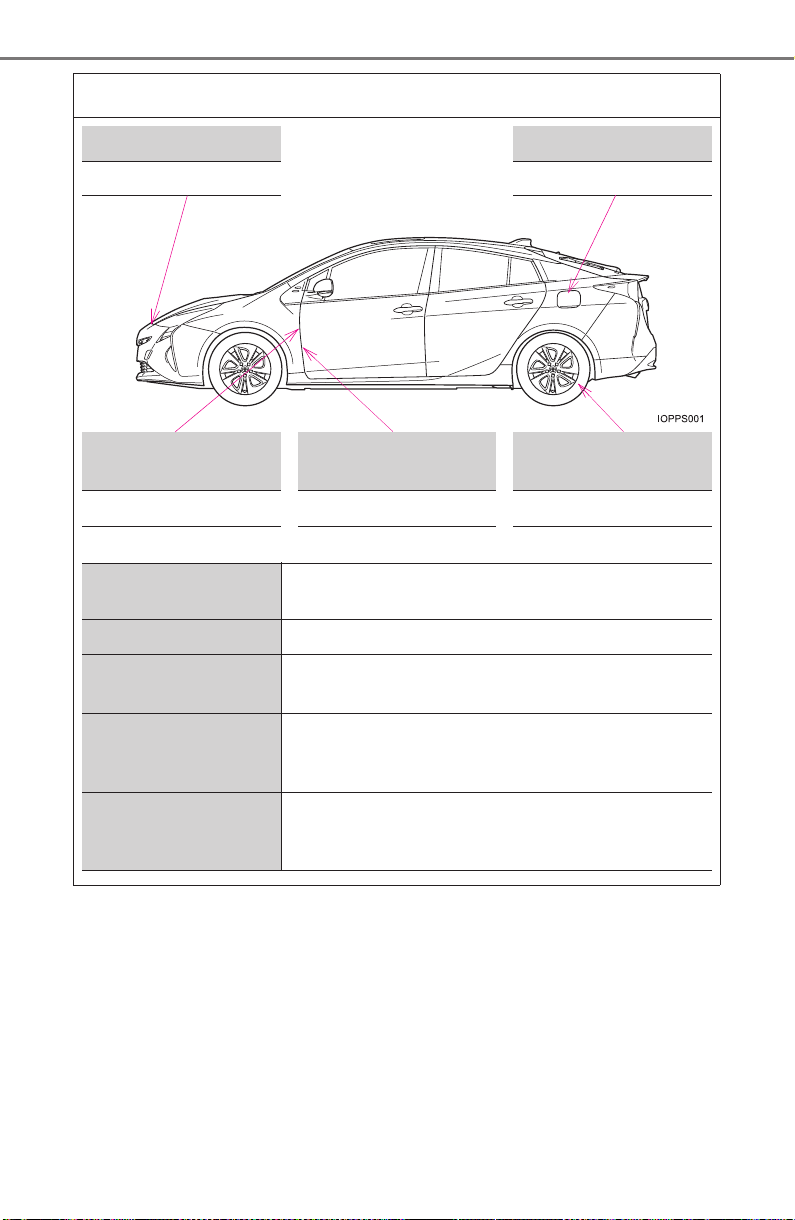
800
PRIUS_OM_OM47A29U_(U)
GAS STATION INFORMATION
Auxiliary catch lever Fuel filler door
P. 588 P. 264
Fuel filler door opener
Hood lock release
lever
Tire inflation
pressure
P. 264 P. 588
P. 7 3 4
Fuel tank capacity
(Reference)
11.4 gal. (43 L, 9.5 Imp.gal.)
Fuel type Unleaded gasoline only P. 729
Cold tire inflation
pressure
P. 7 3 4
Engine oil capacity
(Drain and refill —
reference)
With filter
Without filter
4.4 qt. (4.2 L, 3.7 Imp.qt.)
4.1 qt. (3.9 L, 3.4 Imp.qt.)
Engine oil type
“Toyota Genuine Motor Oil” or equivalent
Oil grade: ILSAC GF-5 multigrade engine oil
P. 730