Introduction .................................... 2
In brief ............................................ 6
Keys, doors and windows ............ 19
Seats, restraints ........................... 34
Storage ........................................ 57
Instruments and controls ............. 77
Lighting ...................................... 107
Climate control ........................... 116
Driving and operating ................. 124
Vehicle care ............................... 146
Service and maintenance .......... 185
Technical data ........................... 188
Customer information ................ 203
Index .......................................... 206
Contents

Introduction 3
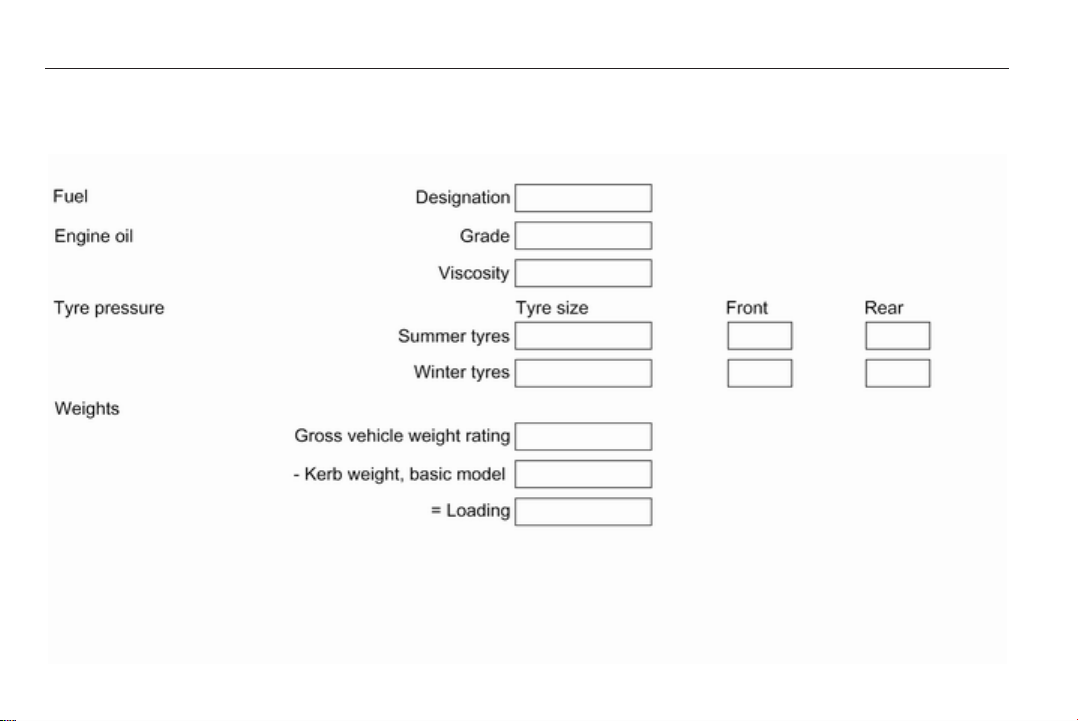
Vehicle specific data
Please enter your vehicle's data on
the previous page to keep it easily
accessible. This information is
available in the sections "Service and
maintenance" and "Technical data"
as well as on the identification plate.
Introduction
Your vehicle is a designed
combination of advanced technology,
safety, environmental friendliness
and economy.
This Owner's Manual provides you
with all the necessary information to
enable you to drive your vehicle
safely and efficiently.
Make sure your passengers are
aware of the possible risk of accident
and injury which may result from
improper use of the vehicle.
You must always comply with the
specific laws and regulations of the
country that you are in. These laws
may differ from the information in this
Owner's Manual.
When this Owner's Manual refers to
a workshop visit, we recommend your
Opel Service Partner.
All Opel Service Partners provide
first-class service at reasonable
prices. Experienced mechanics
trained by Opel work according to
specific Opel instructions.
The customer literature pack should
always be kept ready to hand in the
vehicle.
Using this manual
■ This manual describes all options
and features available for this
model. Certain descriptions,
including those for display and
menu functions, may not apply to
your vehicle due to model variant,
country specifications, special
equipment or accessories.
■ The "In brief" section will give you
an initial overview.
■ The table of contents at the
beginning of this manual and within
each section shows where the
information is located.
■ The index will enable you to search
for specific information.
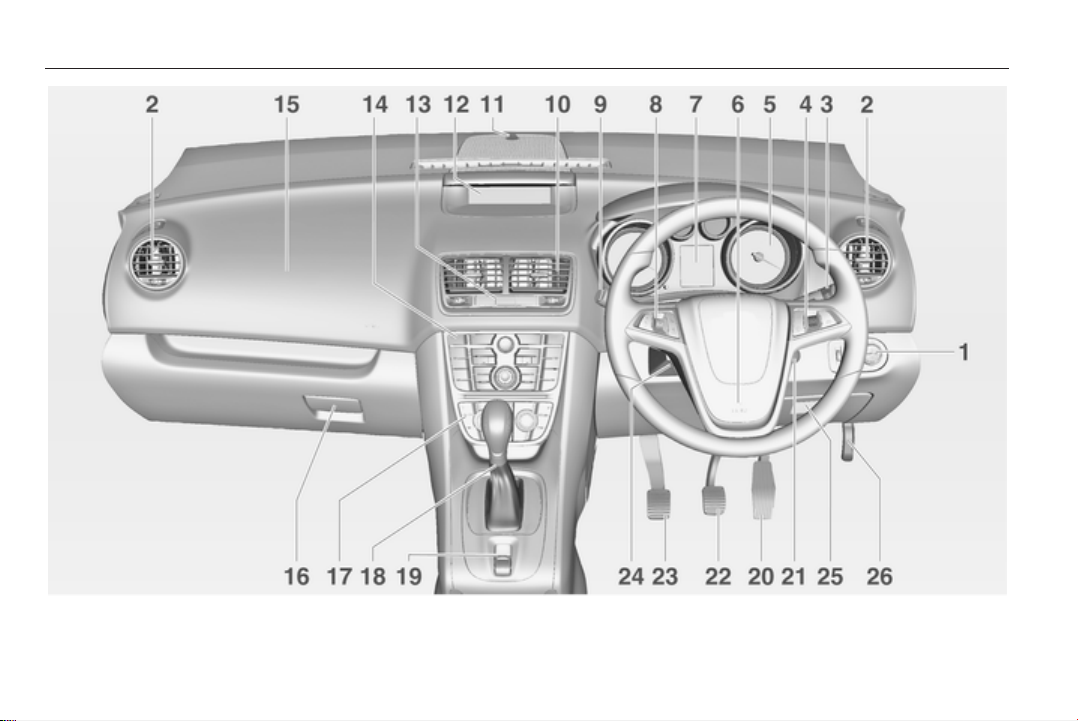
■ This Owner's Manual depicts left-
hand drive vehicles. Operation is
similar for right-hand drive vehicles.
■ The Owner's Manual uses the
factory engine designations. The
corresponding sales designations
can be found in the section
"Technical data".
■ Directional data, e.g. left or right, or
front or back, always relate to the
direction of travel.
■ The vehicle display screens may
not support your specific language.
■ Display messages and interior
labelling are written in bold letters.
Danger, Warnings and
Cautions
9 Danger
Text marked 9 Danger provides
information on risk of fatal injury.
Disregarding this information may
endanger life.

4 Introduction
9 Warning
Text marked 9 Warning provides
information on risk of accident or
injury. Disregarding this
information may lead to injury.
Caution
Text marked Caution provides
information on possible damage to
the vehicle. Disregarding this
information may lead to vehicle
damage.
Symbols
Page references are indicated with 3.
3 means "see page".
We wish you many hours of
pleasurable driving.
Adam Opel AG

6 In brief
In brief
Initial drive information
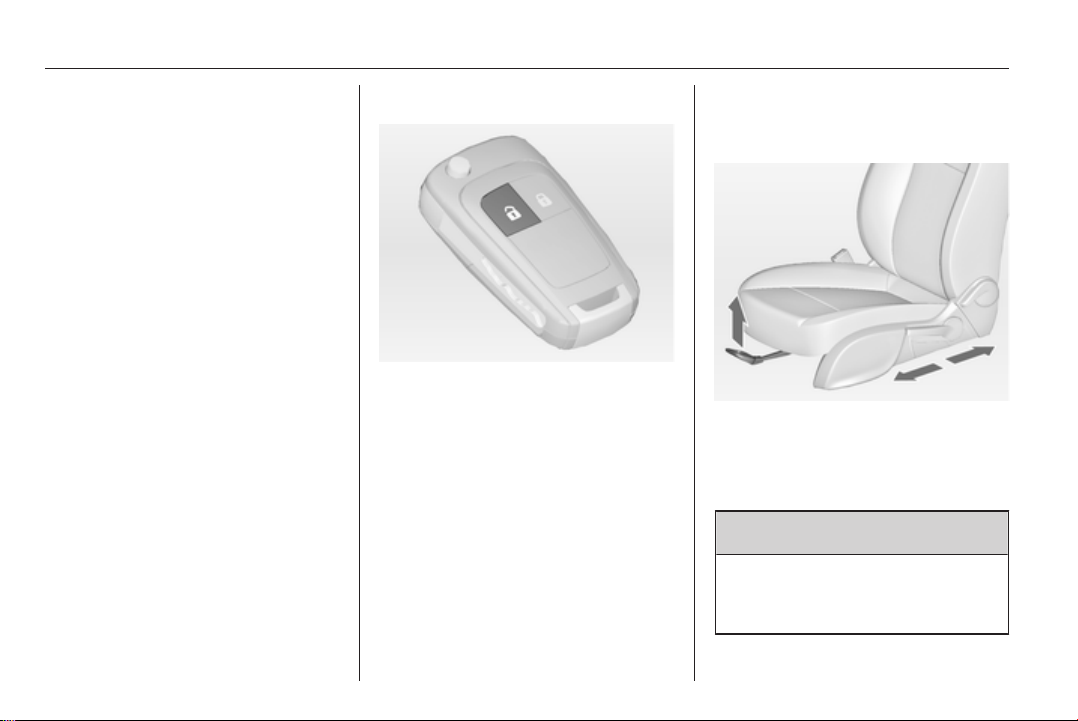
Vehicle unlocking
Press button c to unlock the doors
and load compartment. Open the
doors by pulling the handles. To open
the tailgate, push the touchpad switch
under the tailgate moulding.
Radio remote control 3 19, Central
locking system 3 21, Load
compartment 3 25.
Seat adjustment
Seat positioning
Pull handle, slide seat, release
handle.
Seat position 3 36, Seat adjustment
3 36.
9 Danger
Do not sit nearer than 25 cm from
the steering wheel, to permit safe
airbag deployment.
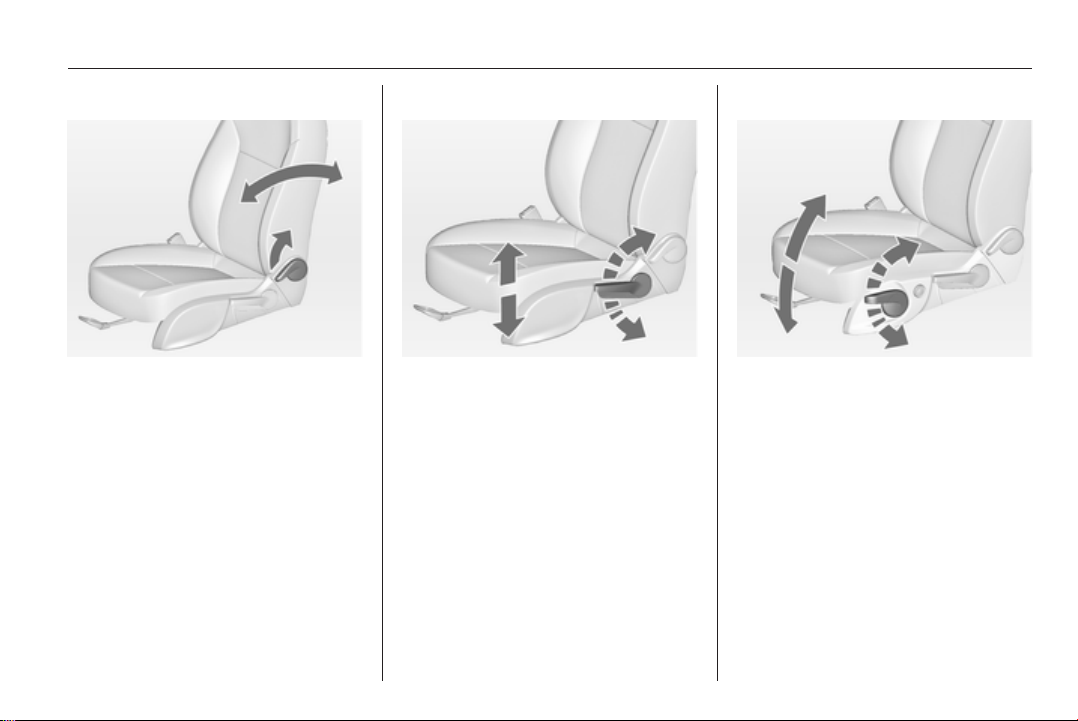
In brief 7
Seat backrests
Pull lever, adjust inclination and
release lever. Allow the seat to
engage audibly.
Seat position 3 36, Seat adjustment
3 36.
Seat height
Lever pumping motion
up = seat higher
down = seat lower
Seat position 3 36, Seat adjustment
3 36.
Seat inclination
Lever pumping motion
up = front end higher
down = front end lower
Seat position 3 36, Seat adjustment
3 36.
8 In brief
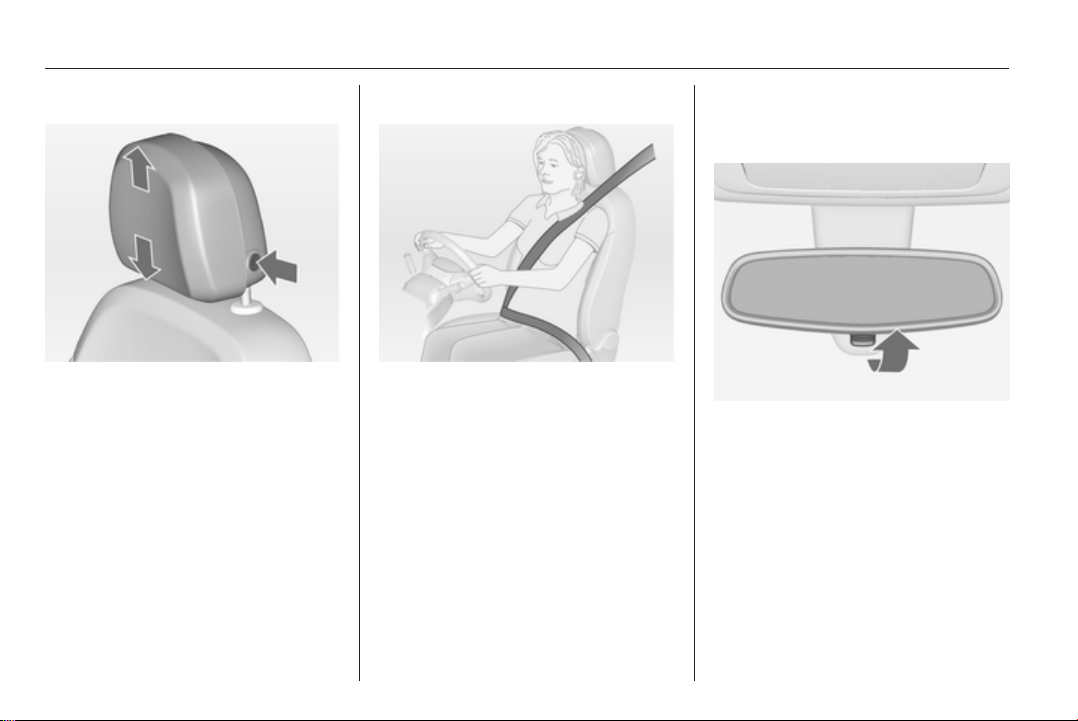
Head restraint adjustment
Press the button, adjust height and
engage.
To adjust horizontally, pull the head
restraint forwards. It engages in
several positions. To return to its
rearmost position, pull fully forwards
and release.
Head restraints 3 34.
Seat belt
Pull out the seat belt and engage in
belt buckle. The seat belt must not be
twisted and must fit close against the
body. The backrest must not be tilted
back too far (maximum approx. 25°).
To release belt, press red button on
belt buckle.
Seat position 3 36, Seat belts
3 43, Airbag system 3 47.
Mirror adjustment
Interior mirror
To reduce dazzle, adjust the lever on
the underside of the mirror housing.
Interior mirror 3 29, Automatic anti-
dazzle interior mirror 3 29.
In brief 9
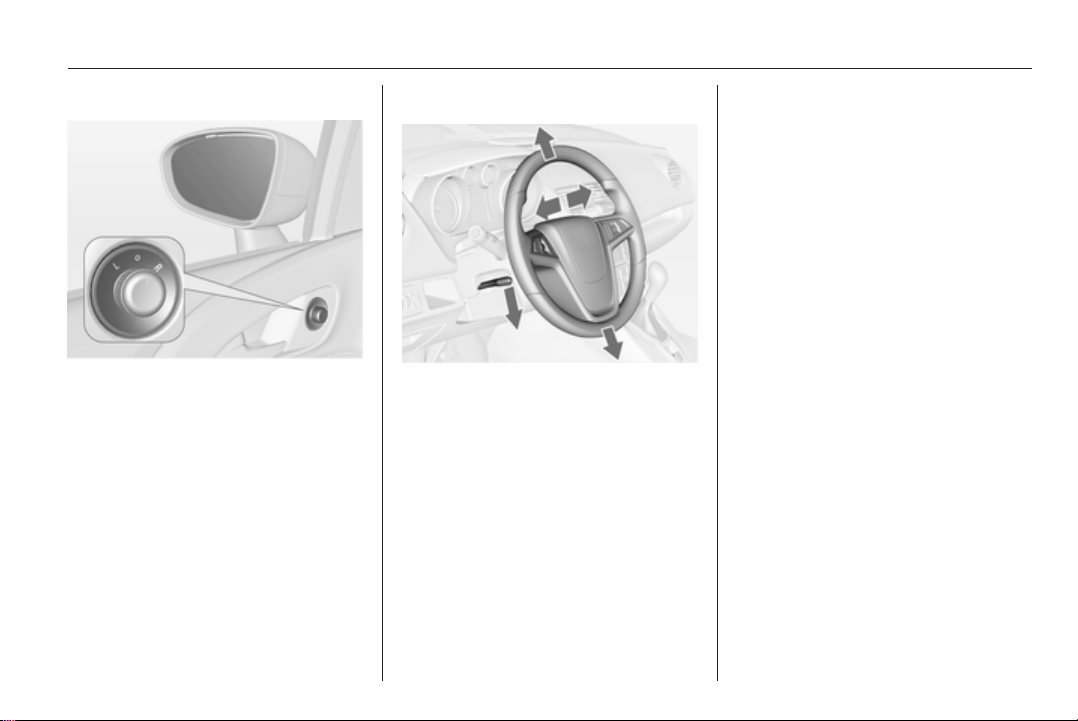
Exterior mirrors
Select the relevant exterior mirror and
adjust it.
Convex exterior mirrors 3 28,
Electric adjustment 3 28, Folding
exterior mirrors 3 28, Heated
exterior mirrors 3 29.
Steering wheel adjustment
Unlock the lever, adjust the steering
wheel, then engage the lever and
ensure it is fully locked.
Do not adjust the steering wheel
unless the vehicle is stationary and
the steering wheel lock has been
released.
Airbag system 3 47, Ignition
positions 3 125.
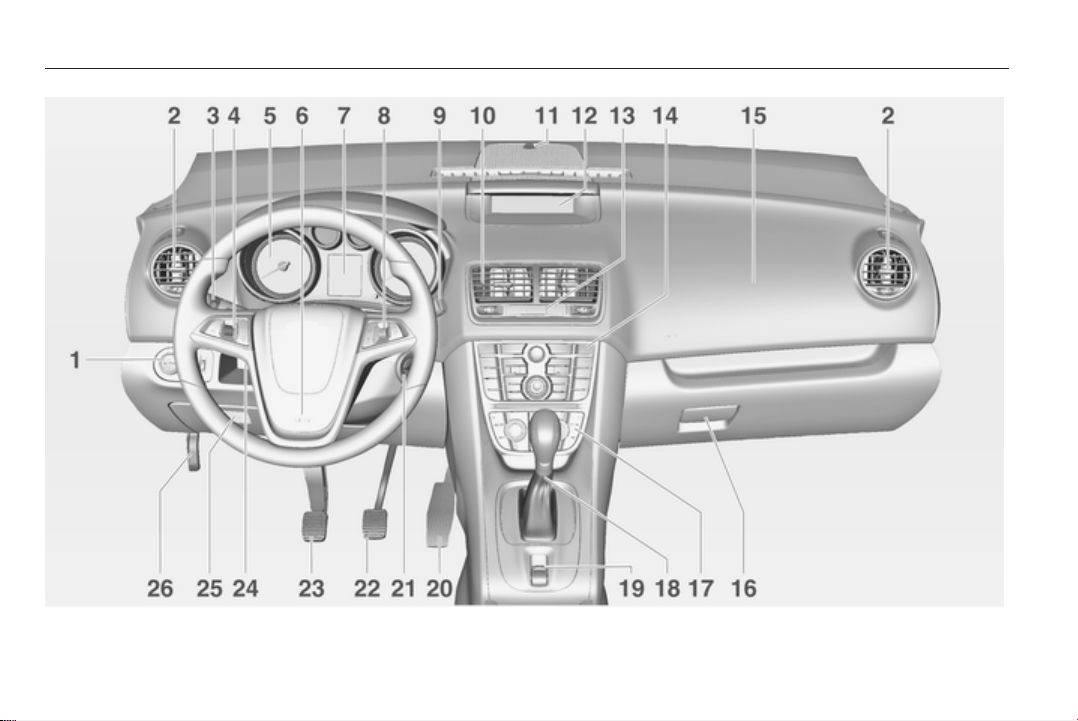

In brief 11
Instrument panel overview
1 Light switch ........................ 107
Headlight range
adjustment ......................... 108
Front fog lights ................... 111
Rear fog light ...................... 111
Instrument illumination ....... 112
2 Side air vents ...................... 121
3 Turn and lane-change
signals, headlight flash,
low beam and high beam ... 111
Exit lighting ......................... 114
Parking lights ...................... 112
Driver Information Center ...... 94
4 Cruise control ..................... 136
5 Instruments .......................... 84
6 Horn ..................................... 78
Driver airbag ........................ 47
7 Driver Information Center ...... 94
8 Steering wheel controls ....... 77
9 Windscreen wiper,
windscreen washer
system, rear wiper, rear
washer system ..................... 79
10 Centre air vents .................. 121
11 Sensor for electronic
climate control system ....... 118
12 Info-Display ........................... 96
13 Central locking system .......... 21
Hazard warning flashers .... 110
Control indicator for airbag
deactivation .......................... 89
14 Traction Control system ..... 134
Electronic Stability Control . 135
Deflation detection system . 169
Ultrasonic parking assist .... 137
15 Front passenger airbag ........ 47
16 Glovebox .............................. 57
17 Climate control system ........ 116
18 Selector lever, manual
transmission ....................... 131
Automatic transmission ...... 128
19 Electrical parking brake ...... 133
20 Accelerator pedal ............... 124
21 Ignition switch with
steering wheel lock ............ 125
22 Brake pedal ........................ 132
23 Clutch pedal ....................... 124
24 Steering wheel adjustment ..77
25 Storage compartment ........... 57
Fuse box ............................ 164
26 Bonnet release lever .......... 147
In brief 13
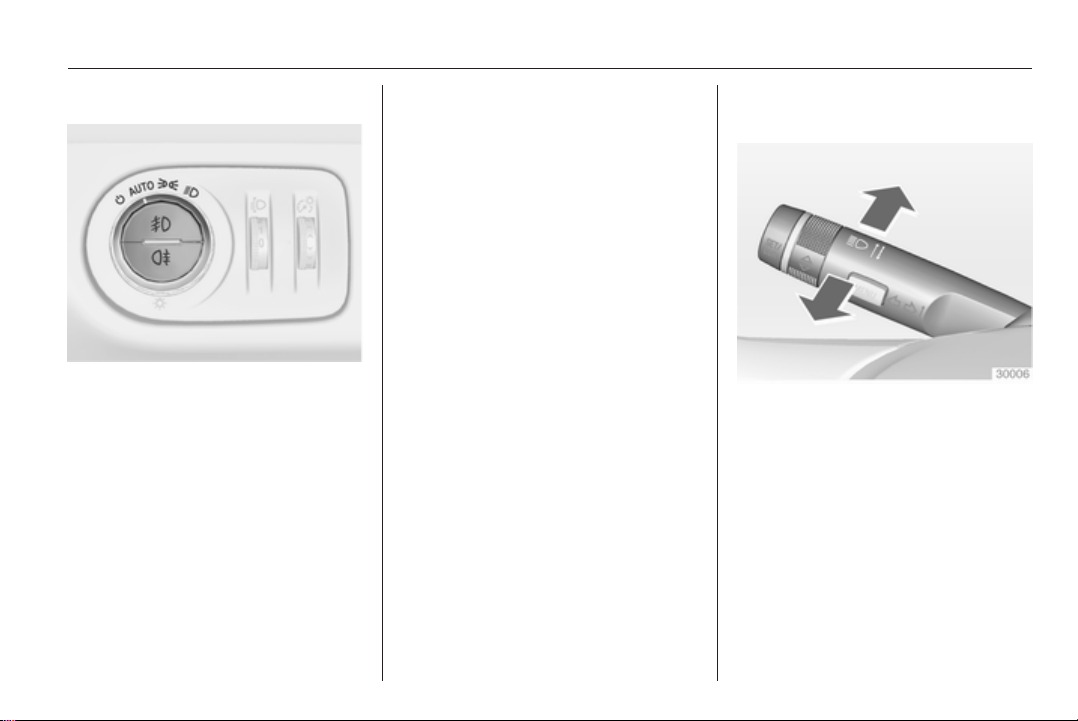
Exterior lighting
Turn light switch
Auto = Automatic light control:
Headlights are switched on
and off automatically
m
= activation or deactivation of
the automatic light control
8
= sidelights
9
= headlights
Vehicles without automatic light
control:
7
= off
Press light switch
>
= front fog lights
r
= rear fog light
Lighting 3 107.
Headlight flash, high beam and
low beam
headlight flash = pull lever
high beam = push lever
low beam = push or pull lever
Automatic light control 3 108, High
beam 3 108, Headlight flash 3 108.
In brief 15
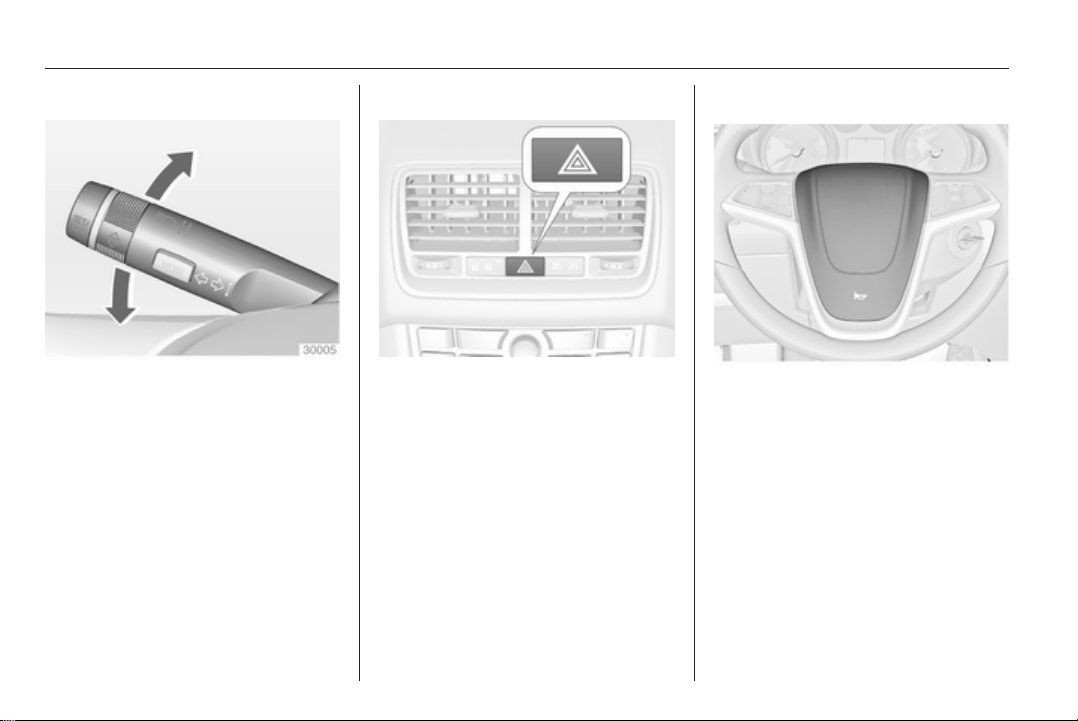
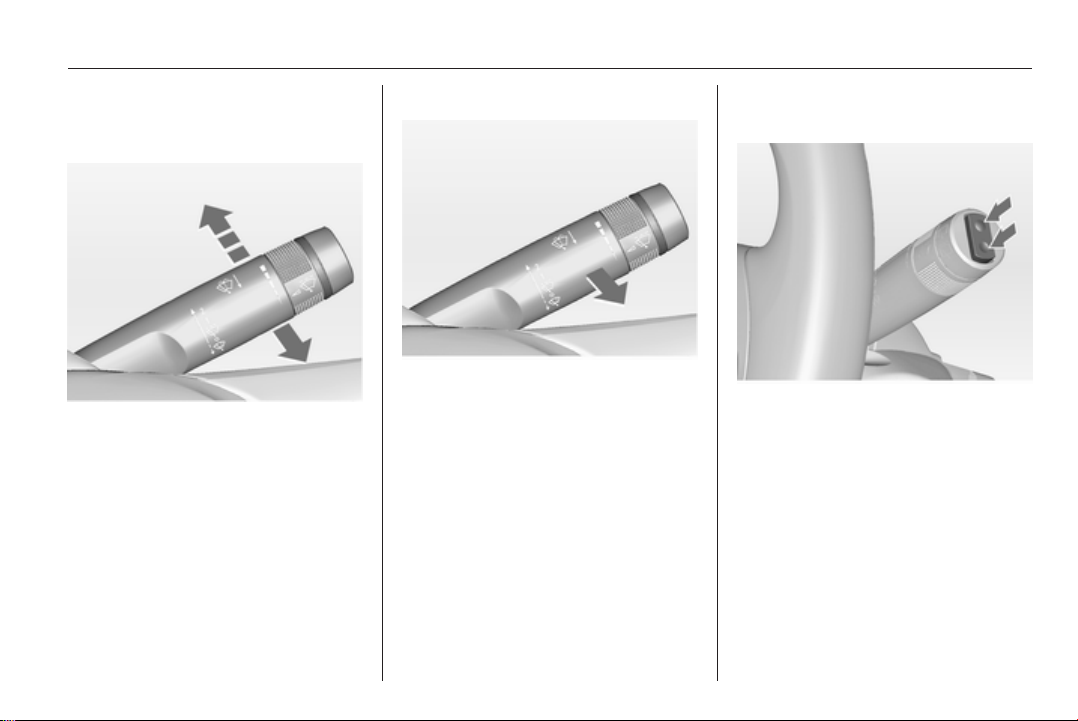
Washer and wiper systems
Windscreen wiper
2 = fast
1 = slow
P
= interval wiping or automatic
wiping with rain sensor
§
= off
For a single wipe when the
windscreen wiper is off, press the
lever down.
Windscreen wiper 3 79, Wiper
blade replacement 3 151.
Windscreen washer system
Pull lever.
Windscreen washer system 3 79,
Washer fluid 3 150.
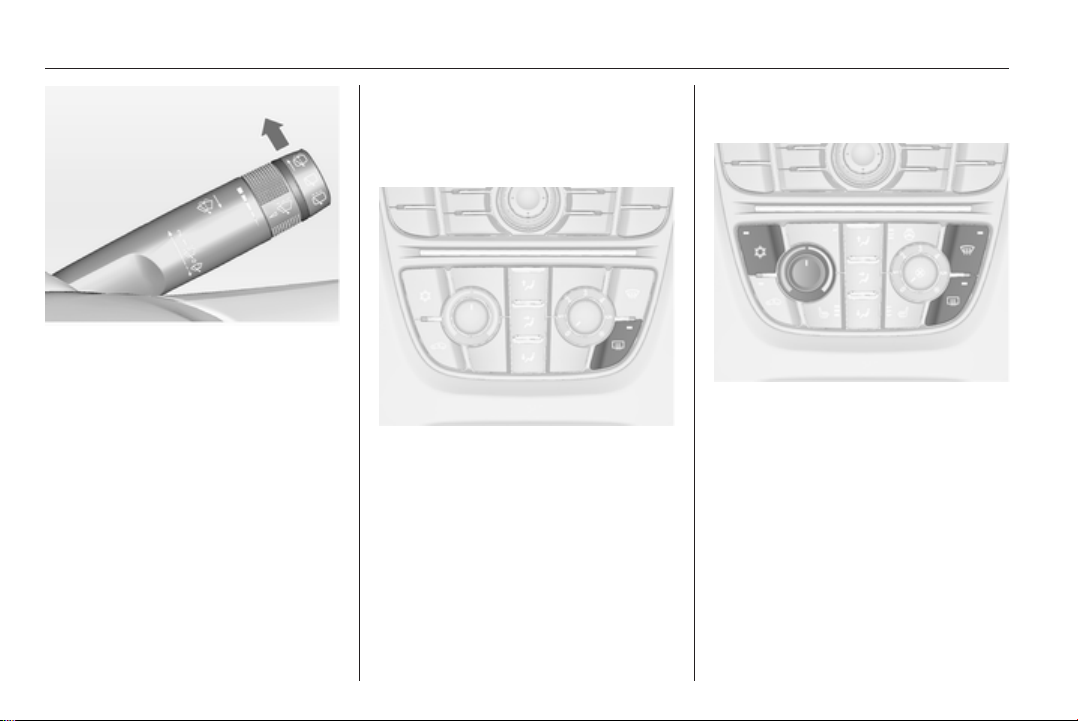
Rear window wiper and washer
systems
Press the rocker switch to activate the
rear window wiper:
upper position = short interval
lower position = long interval
middle position = off
16 In brief
Push lever.
Washer fluid is sprayed on the rear
window and the wiper wipes a few
times.
Rear window wiper/washer 3 80.
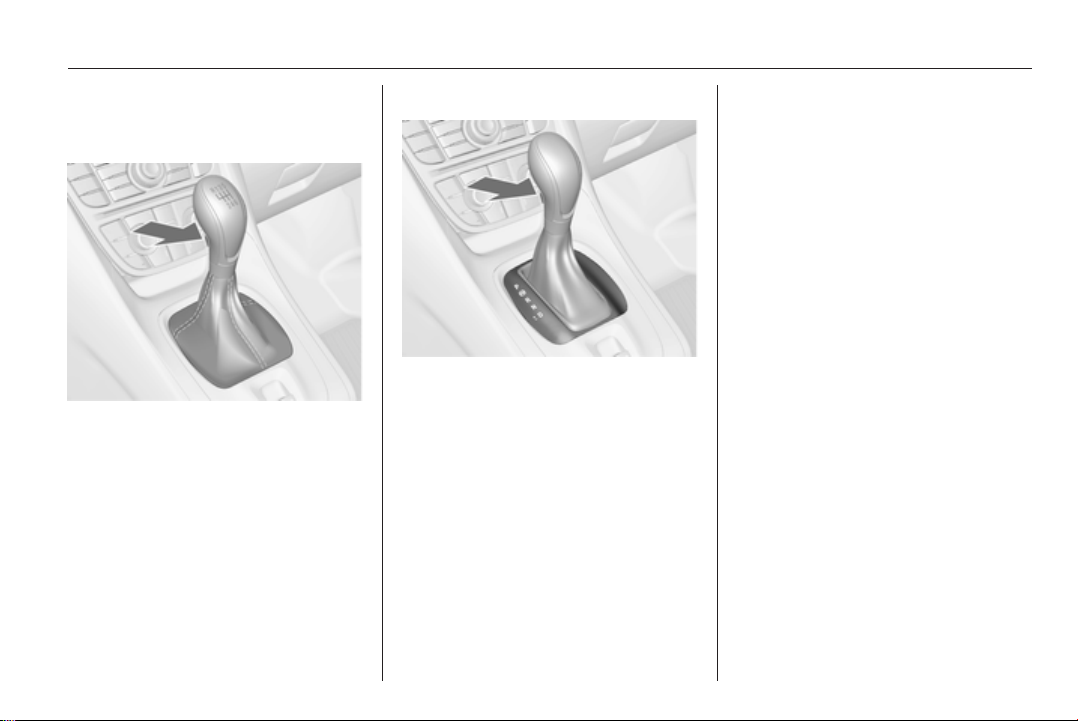
Climate control
Heated rear window, heated
exterior mirrors
The heating is operated by pressing
the Ü button.
Heated rear window 3 32.
Demisting and defrosting the
windows
Press button V.
Set the temperature control to the
highest level.
Cooling n on.
Heated rear window Ü on.
Climate control system 3 116.
In brief 17
Transmission
Manual transmission
Reverse: with the vehicle stationary,
depress the clutch pedal, press the
release button on the selector lever
and engage the gear.
If the gear does not engage, set the
lever to neutral, release the clutch
pedal and depress again; then repeat
gear selection.
Manual transmission 3 131.
Automatic transmission
P = park
R = reverse
N = neutral
D = drive
Manual mode: move selector lever
from D to the left.
<
= higher gear
]
= lower gear
The selector lever can only be moved
out of P when the ignition is on and
the brake pedal is applied. To engage
P or R, press the release button.
Automatic transmission 3 128.
Starting off
Check before starting off
■ Tyre pressure and condition 3 168,
3 199.
■ Engine oil level and fluid levels
3 148.
■ All windows, mirrors, exterior
lighting and number plates are free
from dirt, snow and ice and are
operational.
■ Proper position of mirrors, seats,
and seat belts 3 28, 3 36,
3 44.
■ Brake function at low speed,
particularly if the brakes are wet.
18 In brief
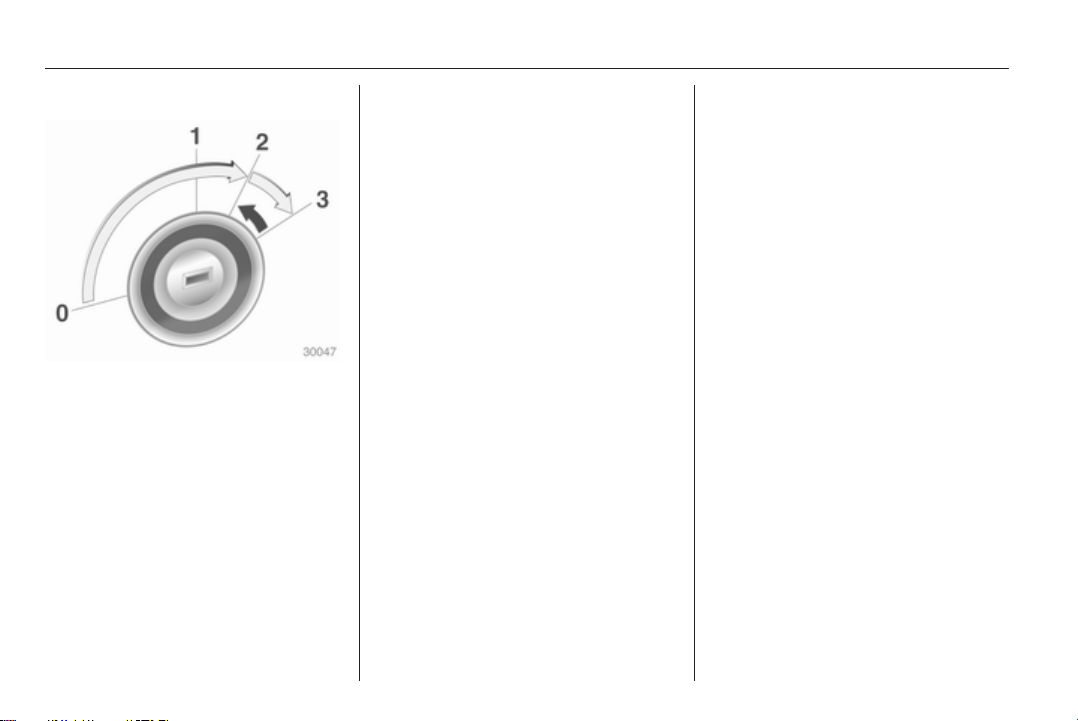
Starting the engine
■ Turn key to position 1
■ move the steering wheel slightly to
release the steering wheel lock
■ operate clutch and brake
■ automatic transmission in P or N
■ do not operate accelerator pedal
■ diesel engines: turn the key to
position 2 for preheating and wait
until control indicator ! goes out
■ turn key to position 3 and release
Starting the engine 3 125.
Parking
■ Always apply the parking brake.
Pull switch m.
■ Switch off the engine. Turn the
ignition key to position 0 and
remove it. Turn the steering wheel
until the steering wheel lock is felt
to engage.
For vehicles with automatic
transmission, the key can only be
removed when the selector lever is
in the P position.
■ If the vehicle is on a level surface or
uphill slope, engage first gear or set
the selector lever to P before
switching off the ignition. On an
uphill slope, turn the front wheels
away from the kerb.
If the vehicle is on a downhill slope,
engage reverse gear or set the
selector lever to P before switching
off the ignition. Turn the front
wheels towards the kerb.
■
Lock the vehicle with button e on
the radio remote control.
Activate the anti-theft alarm system
3 27.
■ Do not park the vehicle on an easily
ignitable surface. The high
temperature of the exhaust system
could ignite the surface.
■ Close the windows.
■ The engine cooling fans may run
after the engine has been switched
off 3 147.
■ After running at high engine speeds
or with high engine loads, operate
the engine briefly at a low load or
run in neutral for approx.
30 seconds before switching off, in
order to protect the turbocharger.
Keys, locks 3 19, Laying the vehicle
up for a long period of time 3 146.
Keys, doors and windows 19
Keys, doors and
windows
Keys, locks ................................... 19
Doors ........................................... 25
Vehicle security ............................ 26
Exterior mirrors ............................ 28
Interior mirrors ............................. 29
Windows ...................................... 30
Roof ............................................. 32
Keys, locks
Keys
Replacement keys
The key number is specified in the
Car Pass or on a detachable tag.
The key number must be quoted
when ordering replacement keys as it
is a component of the immobiliser
system.
Locks 3 182.
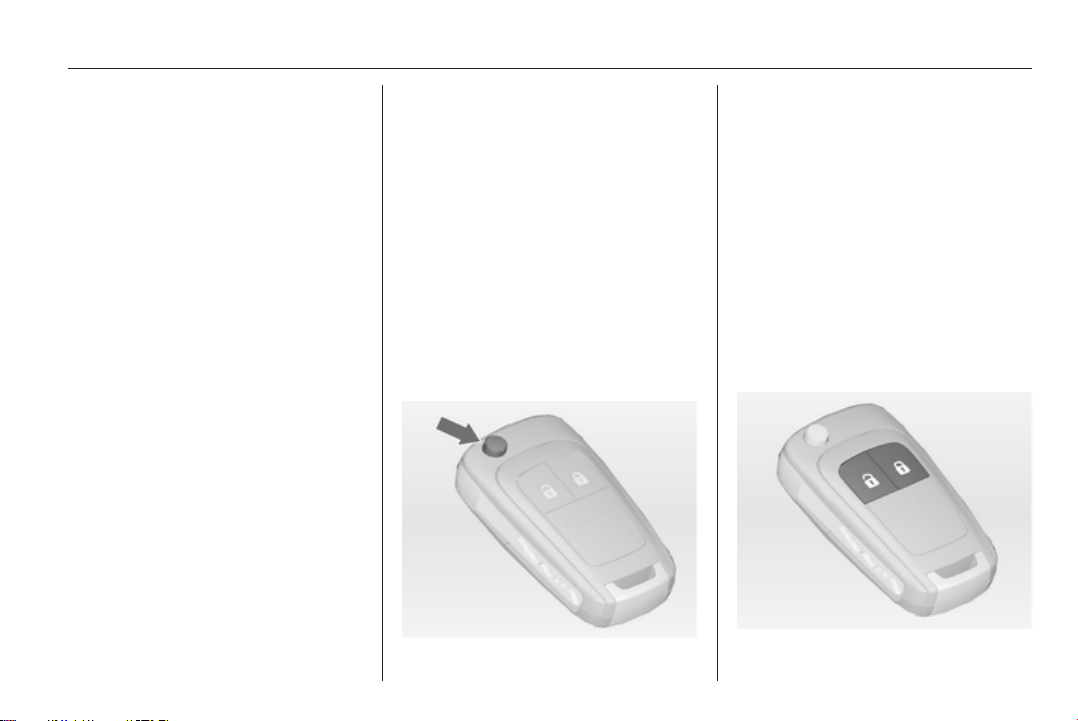
Key with foldaway key section
Press button to extend. To fold the
key, first press the button.
Car Pass
The Car Pass contains security
related vehicle data and should
therefore be kept in a safe place.
When the vehicle is taken to
a workshop, this vehicle data is
needed in order to perform certain
operations.
Radio remote control
20 Keys, doors and windows
Used to operate:
■ Central locking system
■ Anti-theft locking system
■ Anti-theft alarm system
■ Power windows
The radio remote control has an
approximate range of up to 5 metres.
It can be restricted by external
influences. The hazard warning
flashers confirm operation.
Handle with care, protect from
moisture and high temperatures and
avoid unnecessary operation.
Fault
If the central locking system cannot
be operated with the radio remote
control, it may be due to the following:
■ Range exceeded
■ Battery voltage too low
■ Frequent, repeated operation of the
radio remote control while not in
range, which will require re-
synchronisation
■ Overload of the central locking
system by operating at frequent
intervals, the power supply is
interrupted for a short time
■ Interference from higher-power
radio waves from other sources
Unlocking 3 21.
Basic settings
Some settings can be changed in the
menu Settings in the Info-Display.
Vehicle personalisation 3 103.
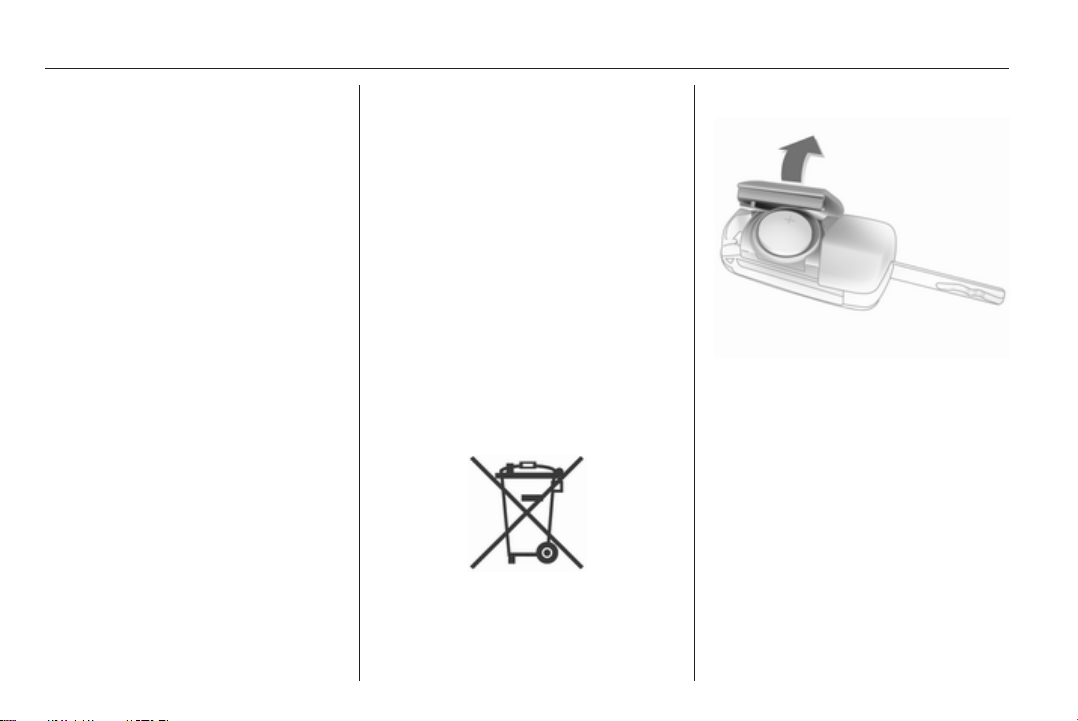
Radio remote control battery
replacement
Replace the battery as soon as the
range reduces.
Batteries do not belong in household
waste. They must be disposed of at
an appropriate recycling collection
point.
Key with foldaway key section
Extend the key and open the unit.
Replace the battery (battery type
CR 2032), paying attention to the
installation position. Close the unit
and synchronise.
Key with fixed key section
Have the battery replaced by
a workshop.
Keys, doors and windows 21
Radio remote control
synchronisation
After replacing the battery, unlock the
door with the key in the driver's door
lock. The radio remote control will be
synchronised when the ignition is
switched on.
Memorised settings
Whenever the key is removed from
the ignition switch, the following
settings are automatically memorised
by the key:
■ Lighting
■ Infotainment system (only CD 400)
■ Central locking system
■ Comfort settings
The saved settings are automatically
used the next time the memorised key
is inserted into the ignition switch and
turned to position 1 3 125.
A precondition is that Personalization
by driver is activated in the personal
settings of the Graphic-Info-Display.
This must be set for each key used.
On vehicles equipped with
Colour-Info-Display, the
personalisation is permanently
activated.
Vehicle personalisation 3 103.
Central locking system
Unlocks and locks doors, load
compartment and fuel filler flap.
A pull on an interior door handle
unlocks the respective door. Pulling
the handle once more opens the door.
Note
In the event of an accident in which
airbags or belt pretensioners are
deployed, the vehicle is
automatically unlocked.
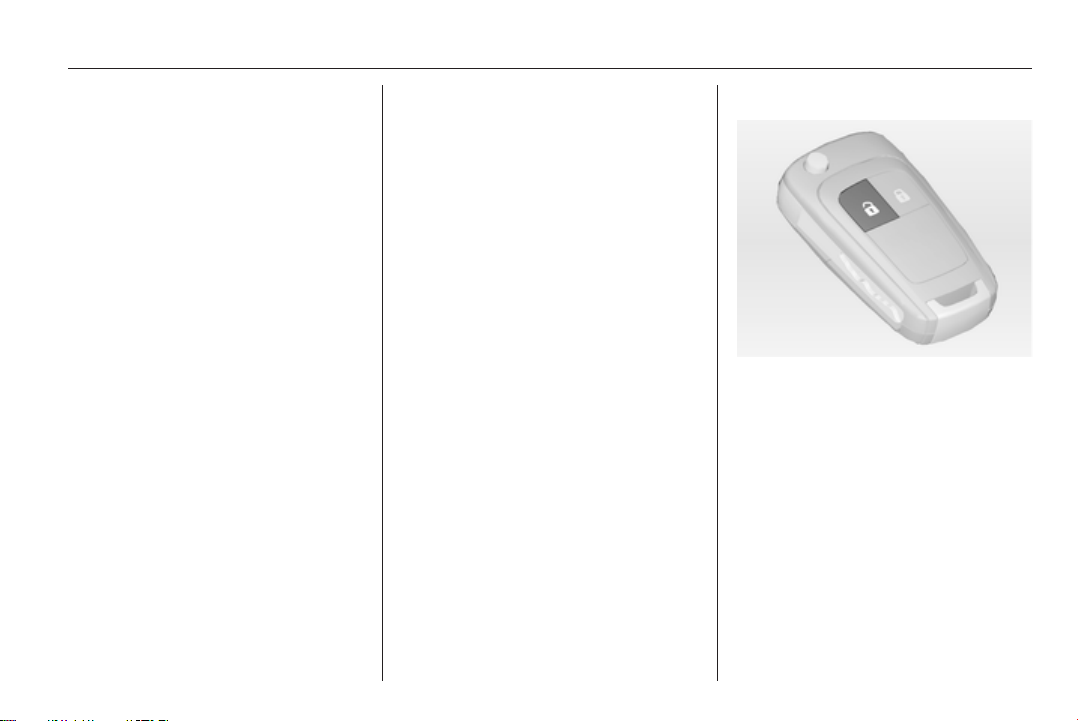
Unlocking
Press button c.
Two settings are selectable:
■ To unlock only the driver's door and
the fuel filler flap, press button c
once. To unlock all doors and the
load compartment, press button c
twice,
or
■
press button c once to unlock all
doors, load compartment and fuel
filler flap.
22 Keys, doors and windows
The setting can be changed in the
menu Settings in the Info-Display.
Vehicle personalisation 3 103.
The setting can be saved for the key
being used.
Memorised settings 3 21.
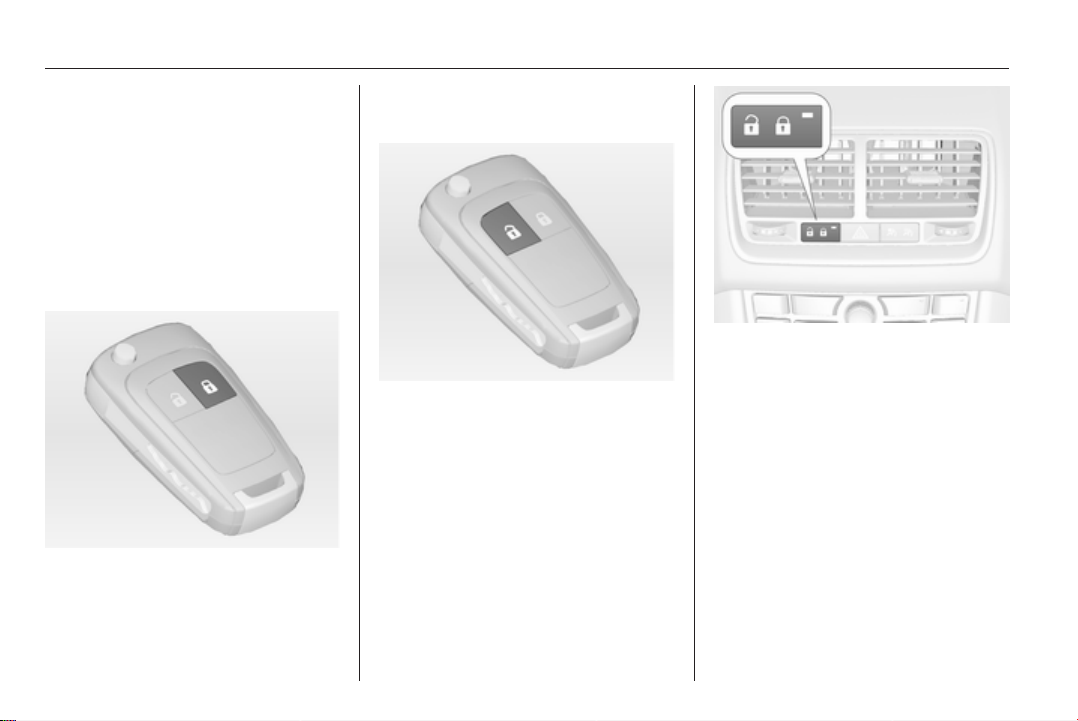
Locking
Close doors, load compartment and
fuel filler flap.
Press button e.
If the driver's door is not closed
properly, the central locking system
will not work.
Unlocking and opening the
tailgate
Press button c when the ignition is off
to unlock all doors. The tailgate is
released and is unlocked and opened
by pushing the touchpad switch under
the tailgate moulding.
Central locking button
Locks or unlocks all doors, the load
compartment and fuel filler flap from
the passenger compartment.
Press central locking button: the
doors are locked or unlocked. If the
doors are locked the LED in the
button illuminates.
After locking with the radio remote
control the LED in the button
illuminates for approx. 2 minutes.
Keys, doors and windows 23
Fault in radio remote control
system
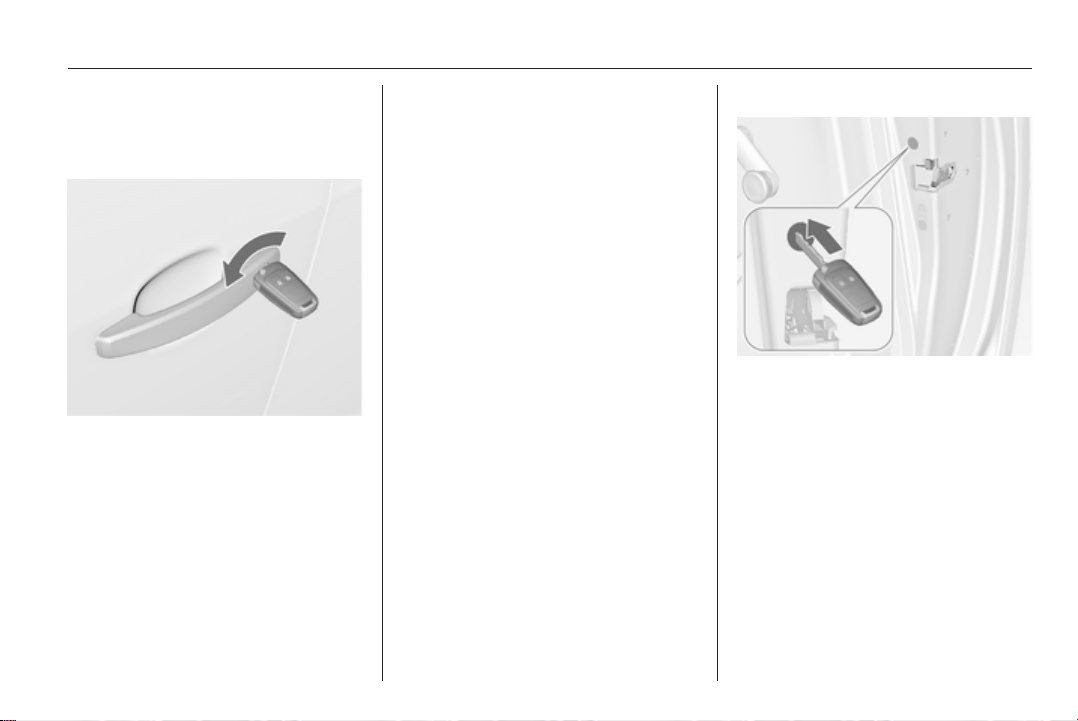
Unlocking
Manually unlock the driver's door by
turning the key in the lock. Switch on
the ignition and press the central
locking button to unlock all doors,
load compartment and fuel filler flap.
By switching on the ignition, the anti-
theft locking system is deactivated
3 27.
Locking
Close the driver's door, open the
passenger door, press central locking
button. The vehicle is locked. Close
the passenger door.
Fault in central locking system
Unlocking
Manually unlock the driver's door by
turning the key in the lock. The other
doors can be opened by pulling the
interior handle twice. The load
compartment and fuel filler flap
cannot be opened. To deactivate the
anti-theft locking system, switch on
the ignition 3 27.
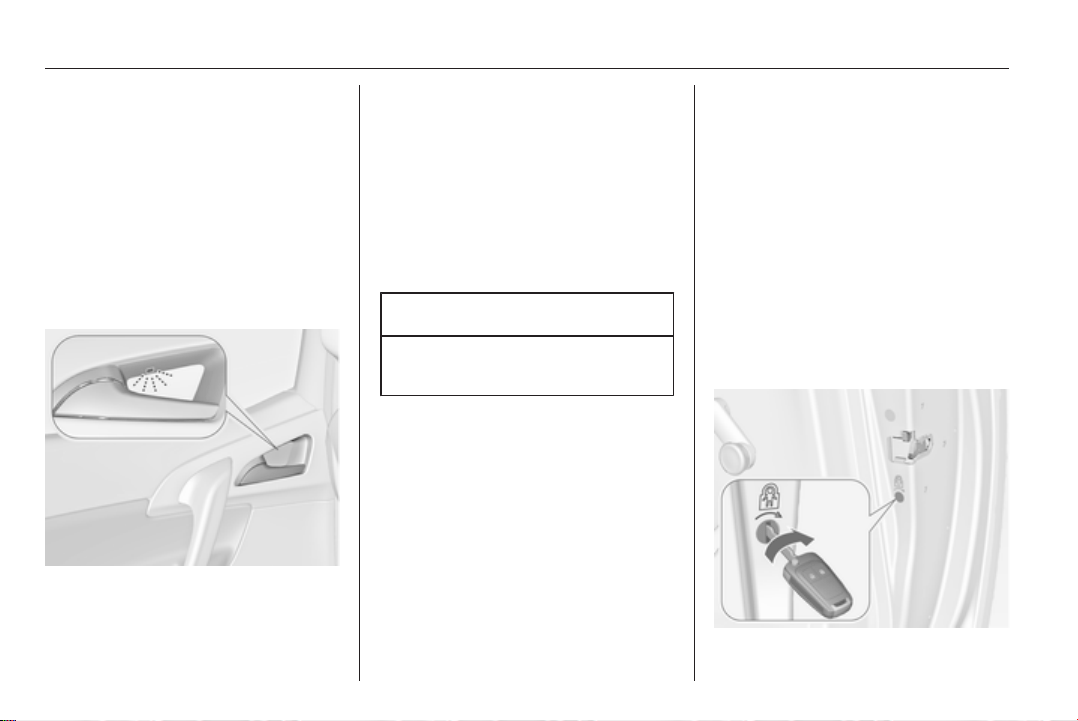
Locking
Insert key into the opening above the
lock on inside of the door and operate
the lock by pressing until it clicks.
Then close the door. The procedure
must be carried out for each door. The
driver's door can also be locked from
the outside with the key. The fuel filler
flap and the tailgate cannot be locked.
24 Keys, doors and windows
Automatic locking
Automatic locking after driving
off
The vehicle is locked automatically
when exceeding a speed of 4 km/h.
Opening from outside is not possible.
Additionally, opening of the rear
doors from inside is not possible
when the vehicle speed is above
4 km/h.
Green LEDs indicate that opening
from inside is possible:
Grasp the inner rear door handle to
activate the proximity sensor and pull
the handle.
When the vehicle speed is below
4 km/h, opening of the doors from
outside is possible after:
■ opening any door from inside
■ pressing the central locking button
c
Caution
Automatic locking is only active
with ignition on.
Fault in the automatic locking system
In case of a system fault ^
illuminates in the instrument cluster
and a warning chime sounds to
indicate that the rear doors are not
secured against opening. Inform
passengers to keep clear of the door
handles.
Stop immediately and activate the
child lock in both rear doors. If the
child lock is already activated, first
deactivate and then activate again.
The green LEDs will go out and the
warning chime will stop as soon as
both child locks are activated. Pull the
inner rear door handles to check if the
doors are locked from inside. Consult
a workshop.
Automatic relock after unlocking
A short time after unlocking with the
remote control, all doors, load
compartment and fuel filler flap are
locked automatically provided no
door has been opened.
Child locks
Keys, doors and windows 25
9 Warning
Use the child locks whenever
children are occupying the rear
seats.
Using a key or suitable screwdriver,
turn the child lock in the rear door to
the horizontal position. The green
LED will go out. The door cannot be
opened from the inside. For
deactivation turn the child lock to the
vertical position.
Doors
Rear doors
9 Warning
Take care of other persons when
getting in or out at the front and
rear simultaneously.
Only use the grab handle
provided.
The rear doors have an automatic
locking feature 3 24.
Load compartment
Tailgate
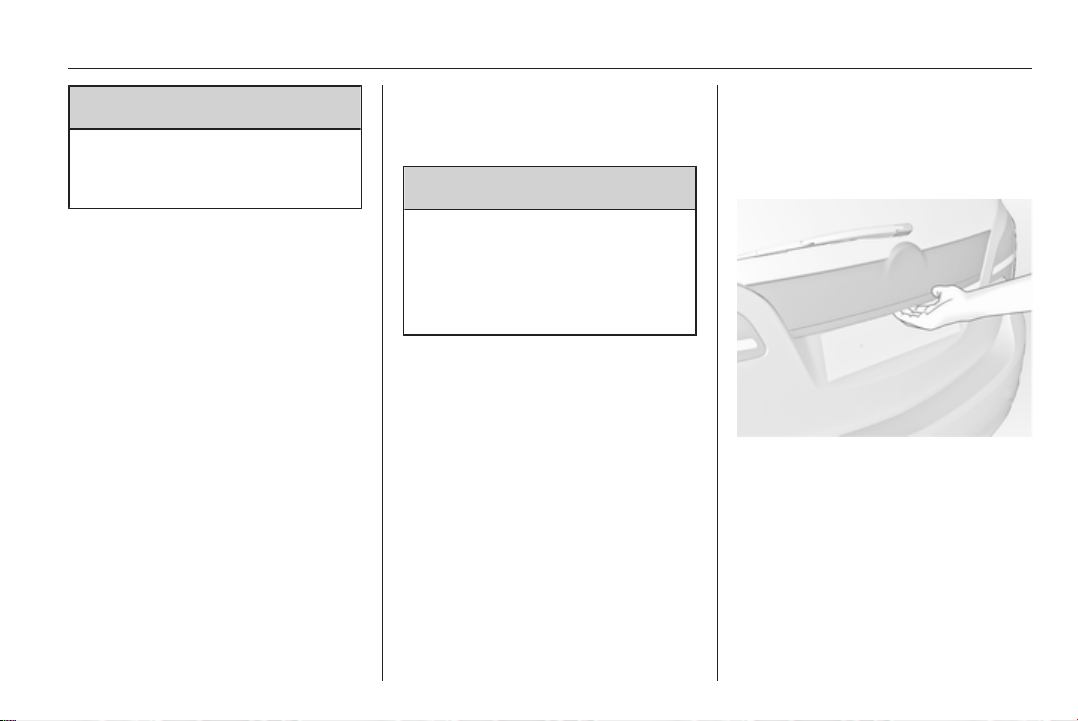
Opening
After unlocking push the touchpad
switch under the tailgate moulding
and open the tailgate.
Central locking system 3 21.
26 Keys, doors and windows
Closing
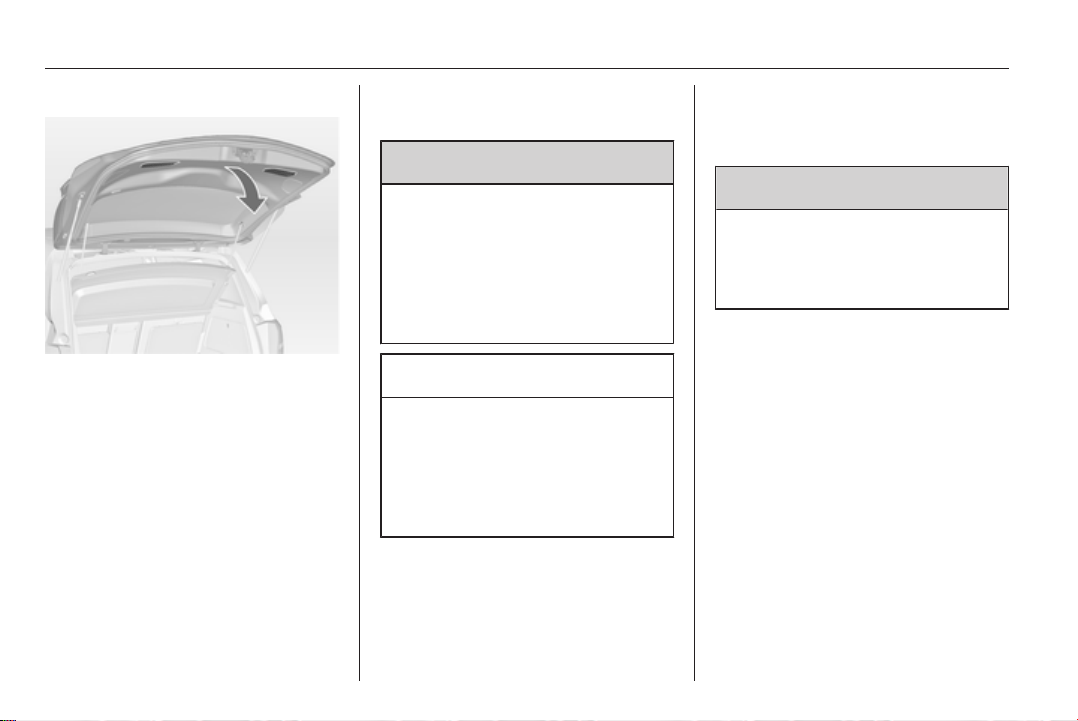
Use one of the interior handles.
Do not push the touchpad switch
under the moulding whilst closing as
this will unlock the tailgate again.
Central locking system 3 21.
General hints for operating
tailgate
9 Warning
Do not drive with the tailgate open
or ajar, e.g. when transporting
bulky objects, since toxic exhaust
gases, which can not be seen or
smelled, could enter the vehicle.
This can cause unconsciousness
and even death.
Caution
Before opening the tailgate check
overhead obstructions, such as
a garage door, to avoid damage to
the tailgate. Always check the
moving area above and behind the
tailgate.
Note
The installation of certain heavy
accessories onto the tailgate may
affect its ability to remain open.
Vehicle security
Anti-theft locking system
9 Warning
Do not use the system if there are
people in the vehicle! The doors
cannot be unlocked from the
inside.
The system deadlocks all the doors.
All doors must be closed otherwise
the system cannot be activated.
If the ignition was on, the driver's door
must be opened and closed once so
that the vehicle can be secured.
Unlocking the vehicle disables the
mechanical anti-theft locking system.
This is not possible with the central
locking button.
Keys, doors and windows 27
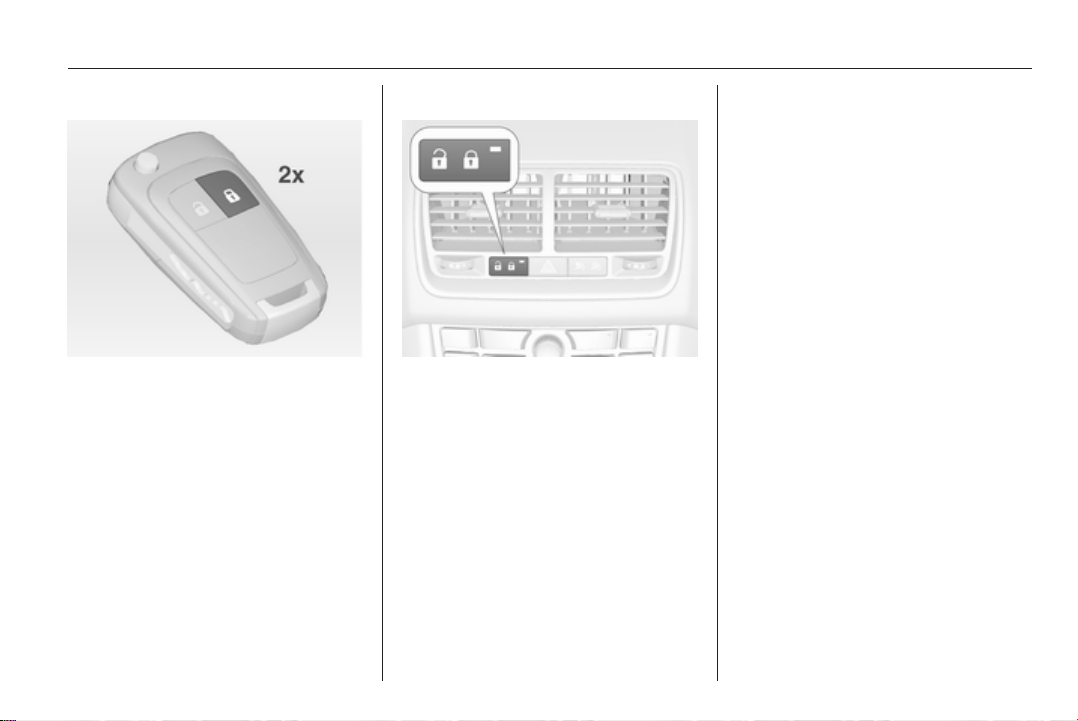
Activating
Press e on the radio remote control
twice within 10 seconds.
Anti-theft alarm system
The anti-theft alarm system
incorporates and is operated in
conjunction with the anti-theft locking
system.
It monitors:
■ Doors, tailgate, bonnet
■ Ignition
Unlocking the vehicle deactivates
both systems simultaneously.
Status LED
Status LED is integrated in the central
locking button.
Status during the first 10 seconds of
anti-theft alarm system activation:
LED
illuminates
= test, arming delay.
LED flashes
quickly
= doors, tailgate or
bonnet not
completely closed,
or system fault.
Status after system is armed:
LED flashes
slowly
= system is armed.
Seek the assistance of a workshop in
the event of faults.
Alarm
When triggered, the horn sounds, and
the hazard warning lights flash
simultaneously. The number and
duration of alarm signals are
stipulated by legislation.
The alarm can be silenced by
pressing any button of the radio
remote control or by switching on the
ignition.
The anti-theft alarm system can be
deactivated only by pressing button
c or by switching on the ignition.
Immobiliser
The system is part of the ignition
switch and checks whether the
vehicle is allowed to be started with
the key being used.
The immobiliser is activated
automatically after the key has been
removed from the ignition switch.

28 Keys, doors and windows
If the control indicator d flashes when
the ignition is on, there is a fault in the
system; the engine cannot be started.
Switch off the ignition and then repeat
the start attempt.
If the control indicator continues
flashing, attempt to start the engine
using the spare key and seek the
assistance of a workshop.
Note
The immobiliser does not lock the
doors. You should always lock the
vehicle after leaving it and switch on
the anti-theft alarm system 3 21,
3 27.
Control indicator d 3 92.
Exterior mirrors
Convex shape
The convex exterior mirror reduces
blind spots. The shape of the mirror
makes objects appear smaller, which
will affect the ability to estimate
distances.
Electric adjustment
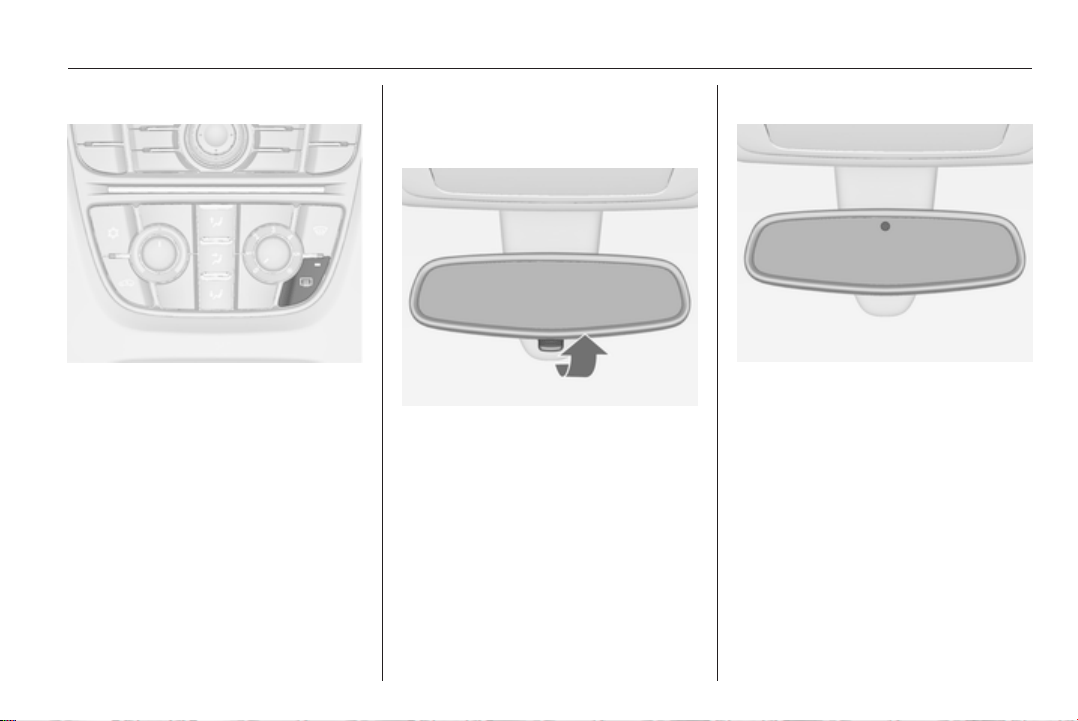
Select the relevant exterior mirror by
turning the control to left (L) or right
(R). Then swivel the control to adjust
the mirror.
In position 0 no mirror is selected.
Folding
For pedestrian safety, the exterior
mirrors will swing out of their normal
mounting position if they are struck
with sufficient force. Reposition the
mirror by applying slight pressure to
the mirror housing.
Keys, doors and windows 29
Heated
Operated by pressing the Ü button.
Heating works with the engine
running and is switched off
automatically after a short time.
Interior mirrors
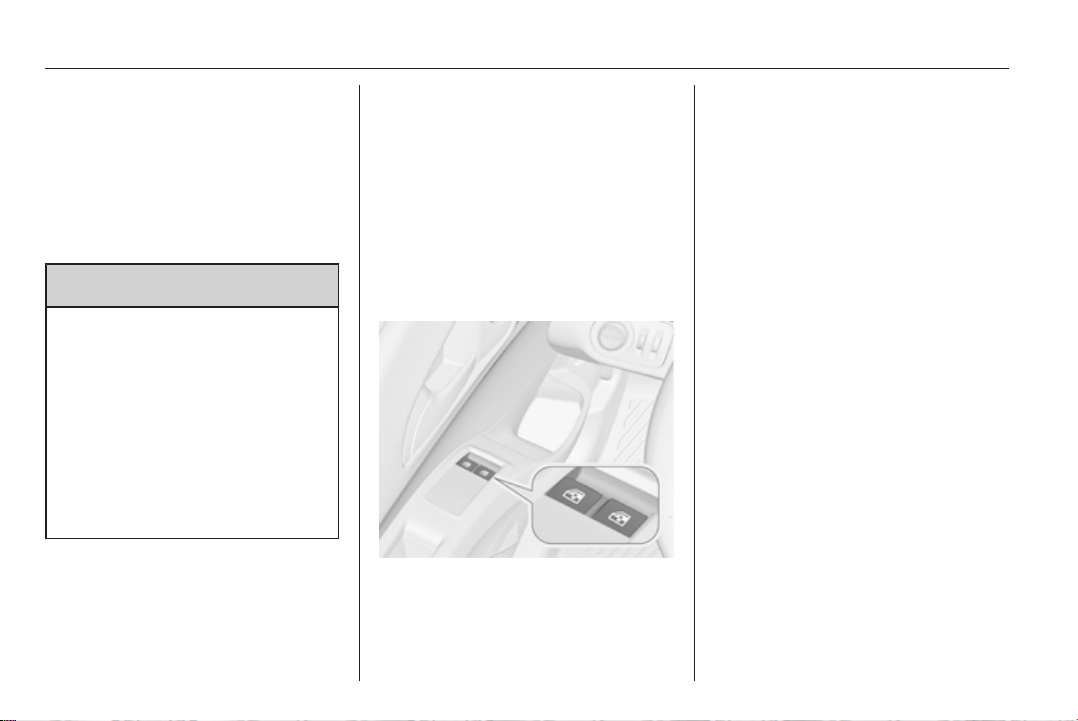
Manual anti-dazzle
To reduce dazzle, adjust the lever on
the underside of the mirror housing.
Automatic anti-dazzle
Dazzle from following vehicles at
night is automatically reduced.
30 Keys, doors and windows
Windows
Manual windows
The door windows can be opened or
closed with the window winders.
Power windows
9 Warning
Take care when operating the
power windows. Risk of injury,
particularly to children.
If there are children on the rear
seats, switch on the child safety
system for the power windows.
Keep a close watch on the
windows when closing them.
Ensure that nothing becomes
trapped in them as they move.
Power windows can be operated:
■ with ignition on
■ within 10 minutes of switching
ignition off
■ within 5 minutes of opening or
closing a door
After switching off the ignition,
window operation is disabled as soon
as the vehicle is locked with the radio
remote control.
Operate the switch for the respective
window by pushing to open or pulling
to close.
Pushing or pulling gently to the first
detent: window moves up or down as
long as switch is operated.
Pushing or pulling firmly to the second
detent and then releasing: window
moves up or down automatically with
safety function enabled. To stop
movement, operate the switch once
more in the same direction.
Safety function
If the window glass encounters
resistance above the middle of the
window during automatic closing, it is
immediately stopped and opened
again.
Override safety function
In the event of closing difficulties due
to frost or the like, pull and hold the
switch. The window moves up without
safety function enabled. To stop
movement, release and pull the
switch once more.
Keys, doors and windows 31
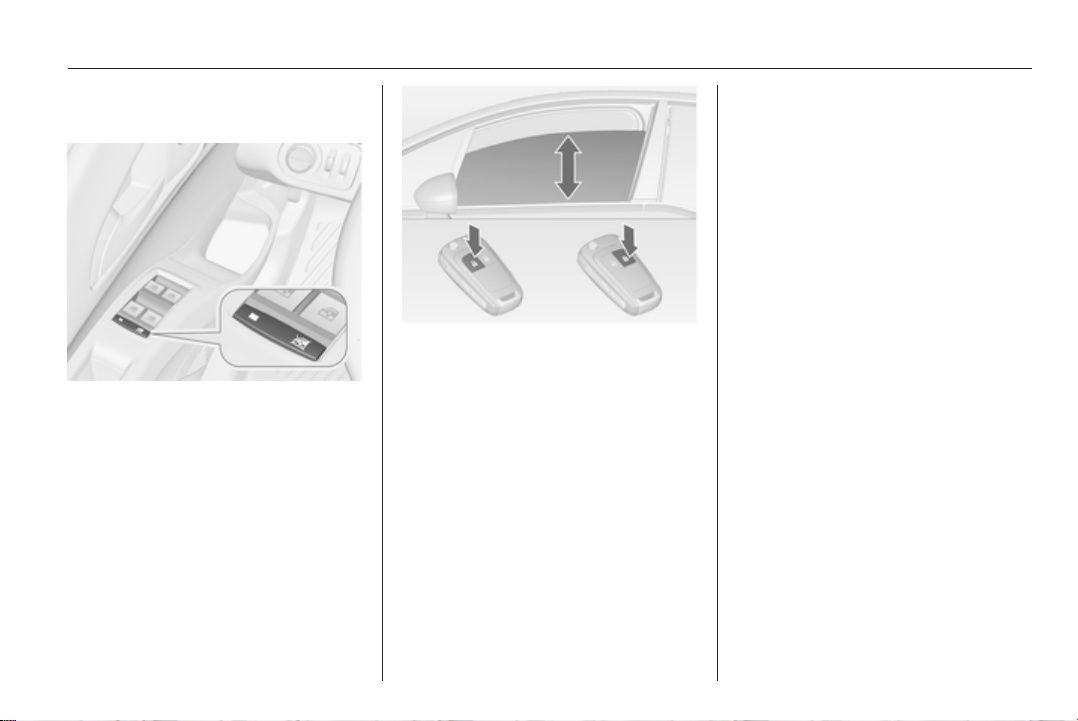
Child safety system for rear
windows
Press switch z to deactivate rear
door power windows, the LED
illuminates. To activate, press z
again.
Operating windows from outside
The windows can be operated
remotely from outside the vehicle.
Press and hold c button to open
windows.
Press and hold e button to close
windows.
Release button to stop window
movement.
Overload
If the windows are repeatedly
operated within short intervals, the
window operation is disabled for
some time.
Initialising the power windows
If the windows cannot be closed
automatically (e.g. after
disconnecting the vehicle battery),
a warning message or a warning code
is displayed in the Driver Information
Center.
Vehicle messages 3 98.
Activate the window electronics as
follows:
1. Close doors.
2. Switch on ignition.
3. Pull switch until the window is
closed and keep pulling for
additional 2 seconds.
4. Repeat for each window.
32 Keys, doors and windows
Heated rear window
Operated by pressing the Ü button.
Heating works with the engine
running and is switched off
automatically after a short time.
Depending on the engine type, the
heated rear window comes on
automatically when the diesel particle
filter is being cleaned.
Sun visors
The sun visors can be folded down or
swivelled to the side to prevent
dazzling.
If the sun visors have integral mirrors,
the mirror covers should be closed
when driving.
A ticket holder is located on the back
of the sun visor.
Roof
Moonroof
Do not affix any stickers to the roof.
Do not cover the vehicle using
a tarpaulin.
Sunblind
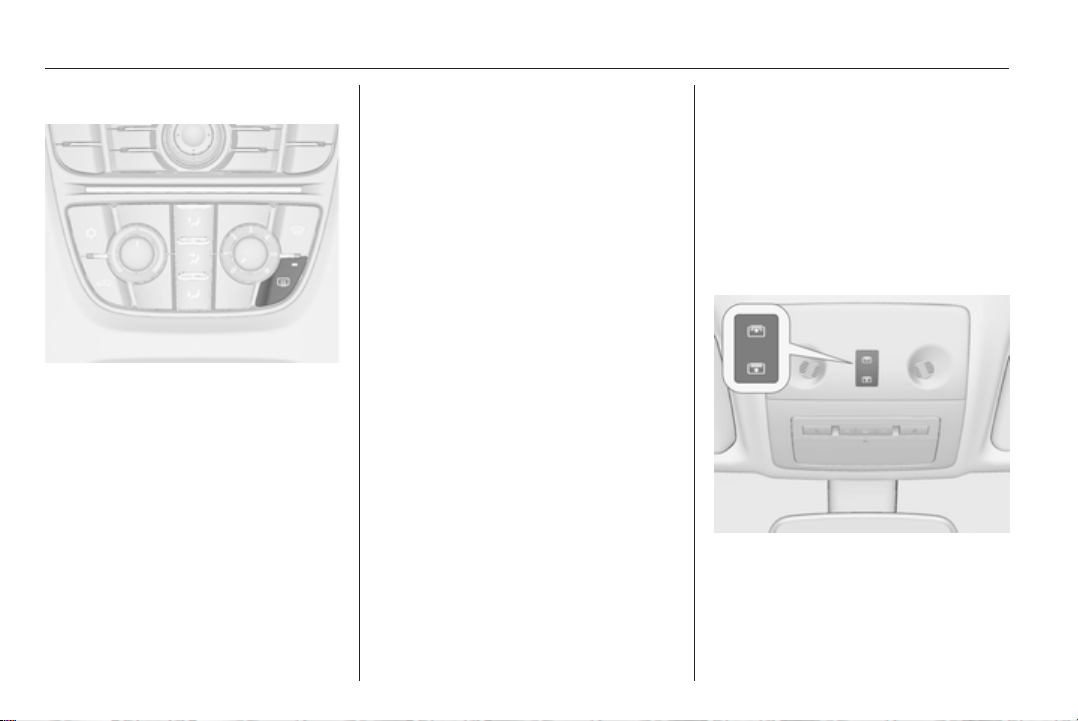
The sunblind is electrically operated.
Press button G or H gently to the first
detent: the sunblind is opened or
closed as long as the switch is
operated.

Keys, doors and windows 33
Press button G or H firmly to the
second detent and then release: the
sunblind is opened or closed
automatically. To stop movement,
operate the switch once more.
Safety function
If the sunblind encounters resistance
during automatic closing, it is
immediately stopped and opened
again.
Function standby
In ignition switch position 1 the
sunblind is operable 3 125.
Initialising of the sunblind
If the sunblind cannot be operated
(e.g. after disconnecting the vehicle
battery), activate the electronics as
follows:
■ If sunblind is closed, keep the
switch H pressed gently to the first
detent for 10 seconds.
■ If sunblind is open, keep the switch
H pressed until sunblind is fully
closed. Then release switch briefly
and press it again gently to the first
detent for 10 seconds.
Relearning of safety function
If the sunblind does not operate
correctly after initialising:
1. Open sunblind fully by pressing
switch G.
2. Release switch and then press
switch G again gently to the first
detent for approx. 30 seconds.
Then close sunblind by pressing
switch H until the sunblind is
closed.

34 Seats, restraints
Seats, restraints
Head restraints ............................ 34
Front seats ................................... 36
Rear seats ................................... 41
Seat belts ..................................... 43
Airbag system .............................. 47
Child restraints ............................. 51
Head restraints
Position
9 Warning
Only drive with the head restraint
set to the proper position.
The upper edge of the head restraint
should be at upper head level. If this
is not possible for extremely tall
people, set to highest position, and
set to lowest position for small people.
Adjustment
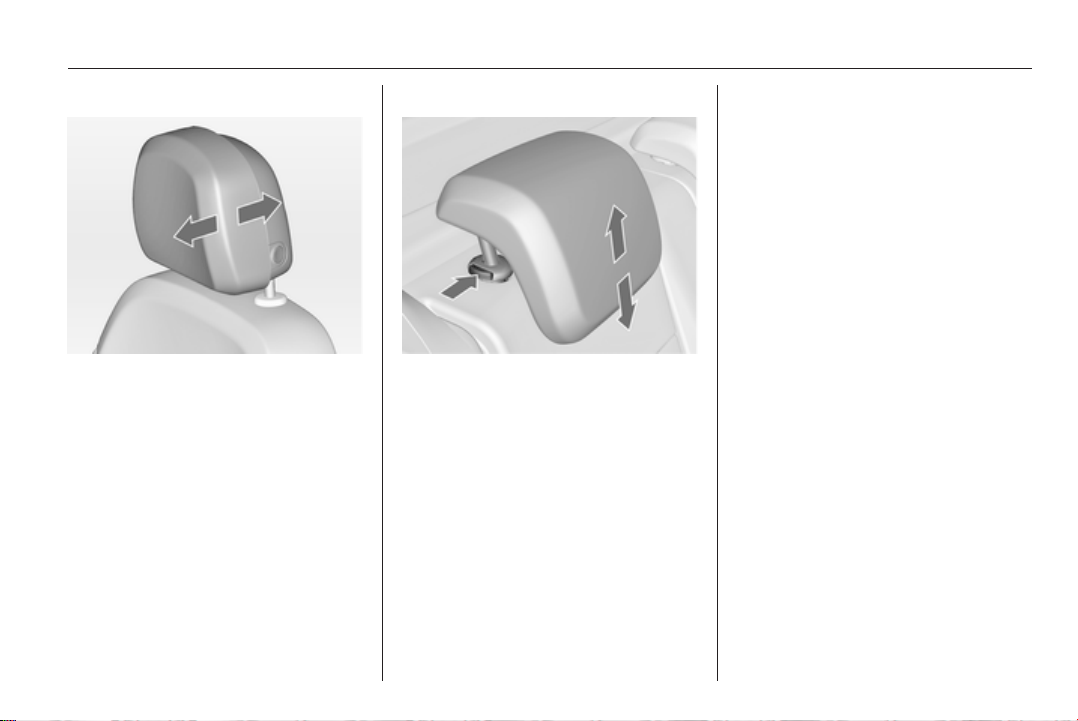
Head restraints on front seats
Height adjustment
Press the button, adjust height and
engage.
Seats, restraints 35
Horizontal adjustment
To adjust horizontally, pull the head
restraint forwards. It engages in
several positions.
To return to its rearmost position, pull
fully forwards and release.
Head restraints on rear seats
Height adjustment
Pull the head restraint upwards or
press both catches to release and
push the head restraint downwards.
Active head restraints
In the event of a rear-end impact, the
front parts of the active head
restraints are moved slightly
forwards. Thus the head is supported
so that the risk of whiplash injury is
reduced.
Note
Approved accessories may only be
attached if the seat is not in use.

36 Seats, restraints
Front seats
Seat position
9 Warning
Only drive with the seat correctly
adjusted.
■
Sit with buttocks as far back against
the backrest as possible. Adjust the
distance between the seat and the
pedals so that legs are slightly
angled when pressing the pedals.
Slide the front passenger seat as
far back as possible.
■ Sit with shoulders as far back
against the backrest as possible.
Set the backrest rake so that it is
possible to easily reach the
steering wheel with arms slightly
bent. Maintain contact between
shoulders and the backrest when
turning the steering wheel. Do not
angle the backrest too far back. We
recommend a maximum rake of
approx. 25°.
■ Adjust the steering wheel 3 77.
■ Set seat height high enough to
have a clear field of vision on all
sides and of all display instruments.
There should be at least one hand
of clearance between head and the
roof frame. Your thighs should rest
lightly on the seat without pressing
into it.
■ Adjust the head restraint 3 34.
■ Adjust the height of the seat belt
3 44.
■ Adjust the thigh support so that
there is a space approx. two fingers
wide between the edge of the seat
and the hollow of the knee.
■ Adjust the lumbar support so that it
supports the natural shape of the
spine.
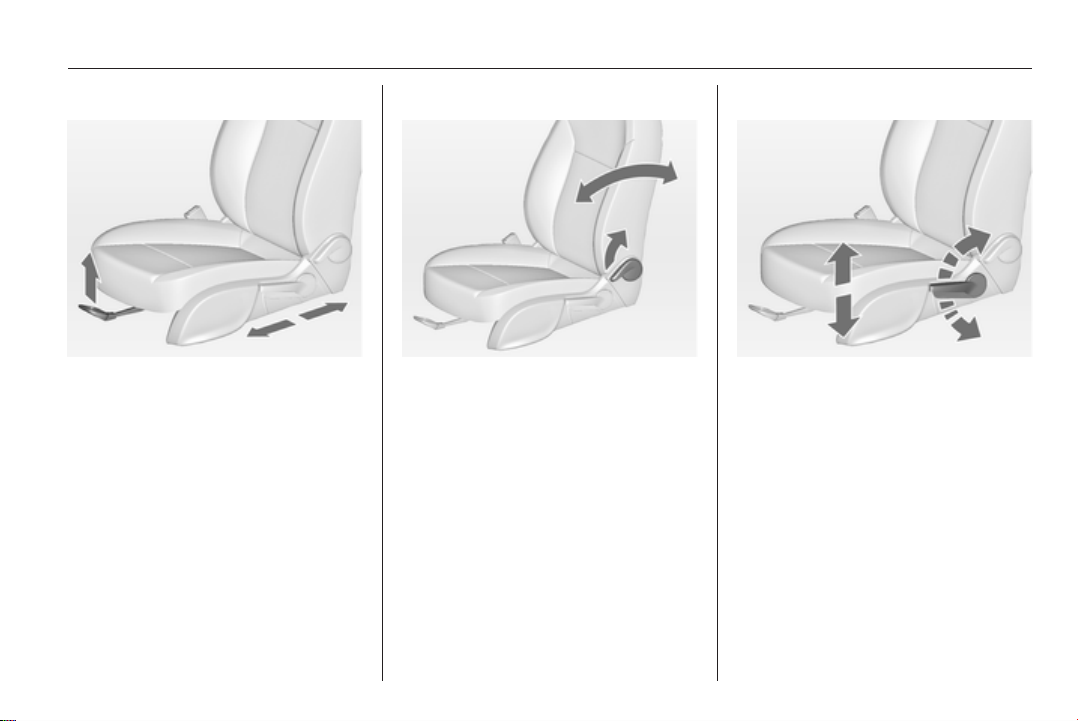
Seat adjustment
9 Danger
Do not sit nearer than 25 cm from
the steering wheel, to permit safe
airbag deployment.
9 Warning
Never adjust seats while driving as
they could move uncontrollably.
38 Seats, restraints
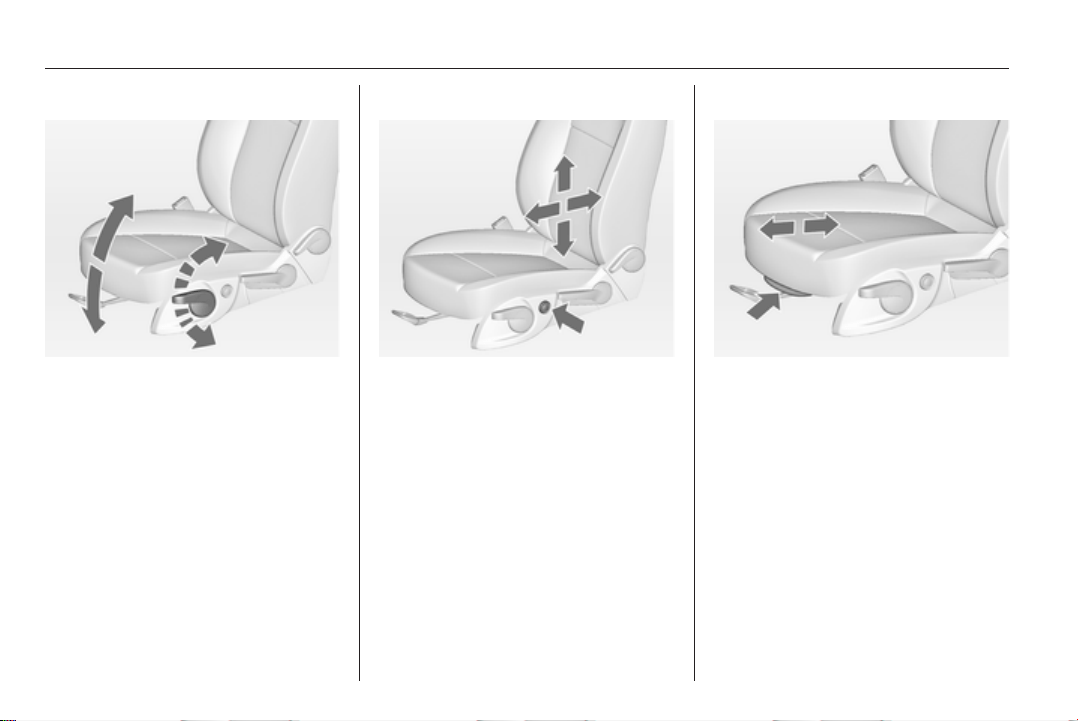
Seat inclination
Lever pumping motion
up = front end higher
down = front end lower
Lumbar support
Adjust lumbar support using the four-
way switch to suit personal
requirements.
Moving support up and down: push
switch up or down.
Increasing and decreasing support:
push switch forwards or backwards.
Adjustable thigh support
Pull the lever and slide the thigh
support.
Seats, restraints 39
Armrest
Detachable armrest
The armrest contains a storage
compartment.
Storage compartment 3 60.
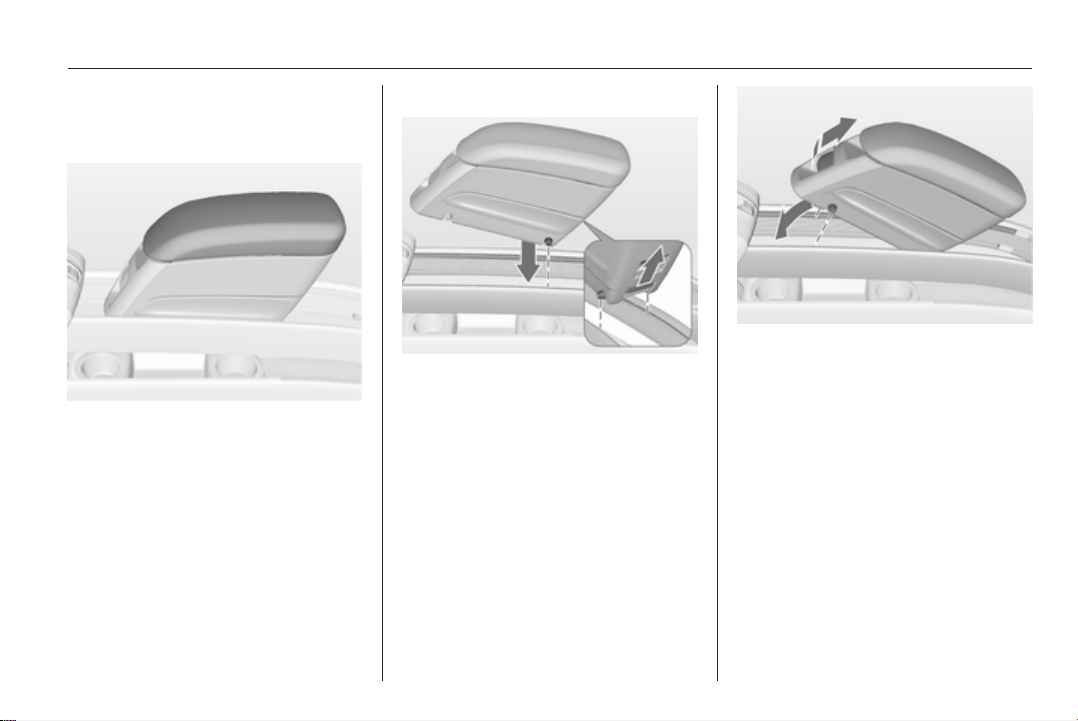
Installing armrest
Press the rear button and insert the
rear guide pins into the upper guide
rails. Release the button.
Lower the armrest at the front. Pull the
front handle firmly and insert the front
guide pins into the upper guide rails.
Release the handle. Move the
armrest until it engages audibly.
Note
Install the armrest in the direction as
shown in the illustration. Otherwise
the armrest may not engage
properly.
40 Seats, restraints
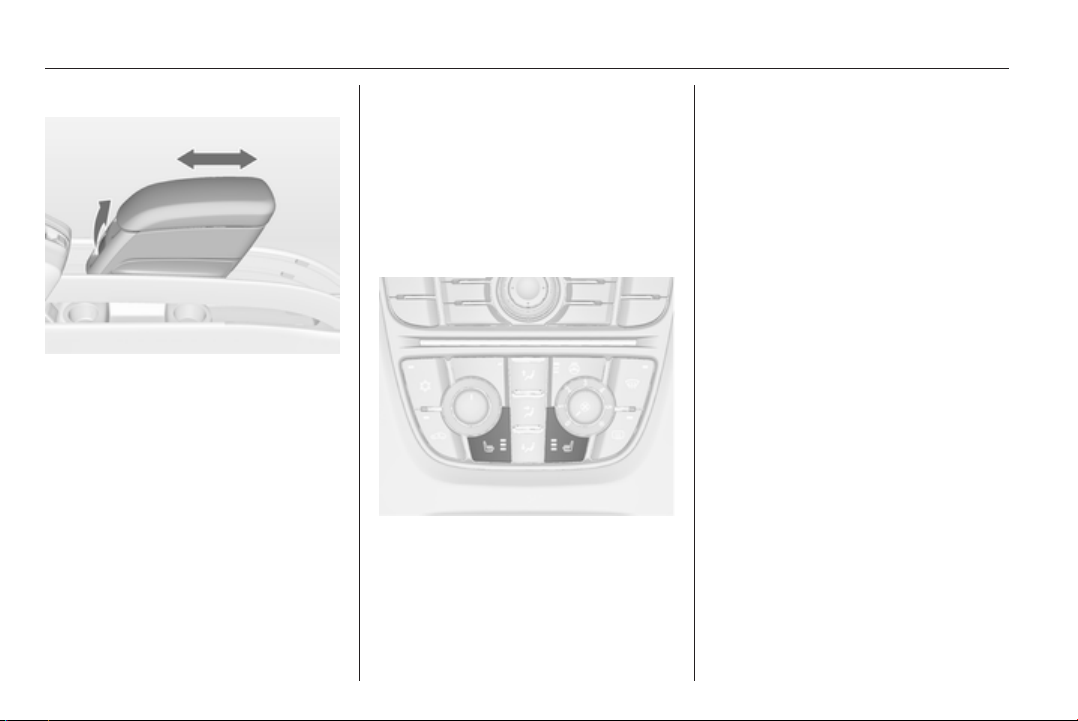
Moving armrest
Pull the front handle slightly and move
the armrest to the desired position.
Release the handle. Move the
armrest until it engages audibly.
If a cupholder is installed in the lower
guide rail, make sure that the frame of
the cupholder is in the initial position.
Note
If too much weight is put on the
armrest, it might unlatch. Ease of
movement might be restricted. Lift
the armrest slightly to latch again.
Armrest storage 3 60.
Cupholders 3 57.
Removing armrest
Pull the front handle firmly and raise
the armrest at the front. Press the rear
button and remove the armrest.
The armrest can also be installed on
the folded centre rear seat 3 42.
Heating
Adjust heating to the desired setting
by pressing the ß button for the
respective seat one or more times.
The control indicator in the button
indicates the setting.
Prolonged use of the highest setting
for people with sensitive skin is not
recommended.
Seat heating is operational when
engine is running.
Seats, restraints 41
Rear seats
Seat adjustment
9 Warning
Only drive with the outer seats
engaged in the guide rails.
9 Warning
Never adjust seats while driving as
they could move uncontrollably.
The rear outboard seats can be
individually moved forward or
backward. The seats are movable in
longitudinal and transversal direction.
In longitudinal direction the seats can
be engaged in intermediate positions.
Pull handle, slide seat, release
handle and allow seat to engage.
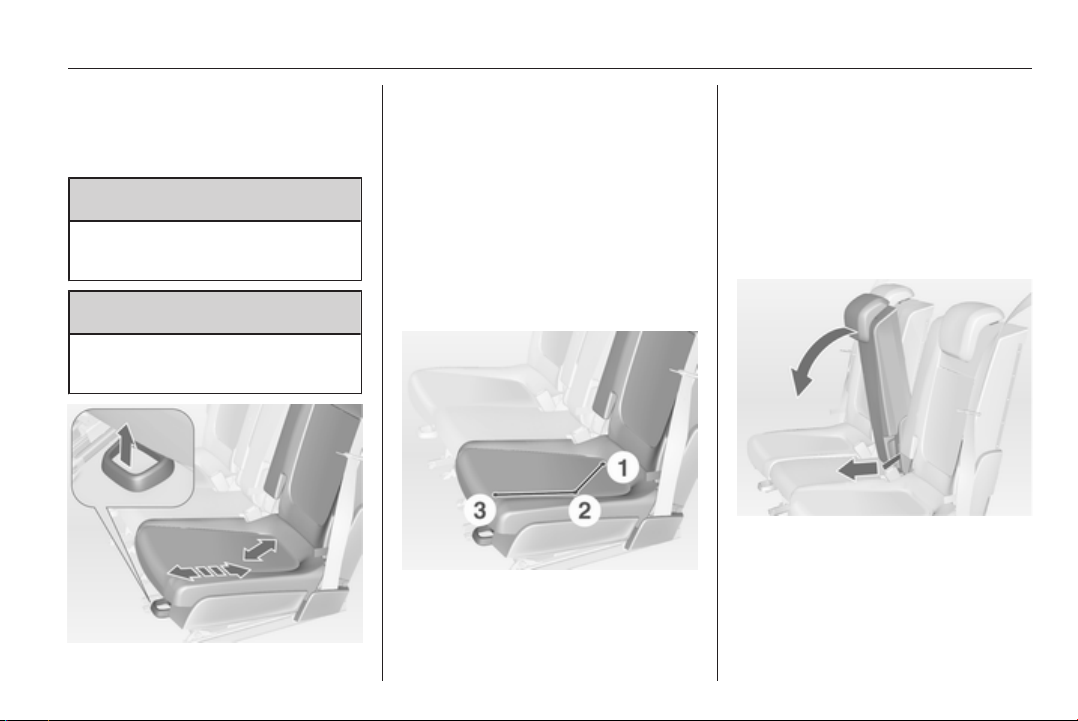
Flexible Seat System
(FlexSpace)
The rear seat row can be adjusted
with two seats providing maximum
seating space in position 1, or with
three seats in position 2. In position
1 the centre seat is lowered.
The outboard seats can be moved
forward into position 3.
Moving seats to position 1
Pull the strap and fold down the
centre seat.
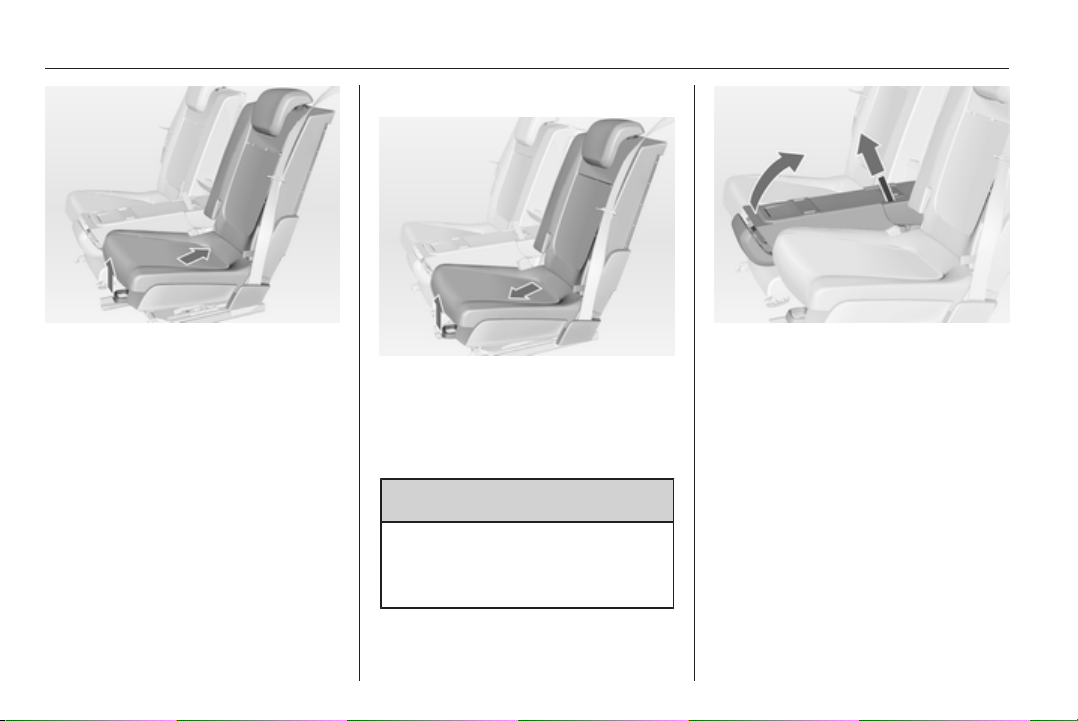
42 Seats, restraints
Pull handle and slide the seat
transversely backward into position
1. The seat is automatically guided
inward. Release handle and allow
seat to engage in position.
Moving seats to position 2
Pull handle and slide the seat
transversely forwards into position 2.
The seat is automatically guided
outward. Release handle and allow
seat to engage in position.
9 Warning
Detach the armrest before raising
the rear centre backrest.
Armrest 3 39.
Pull the strap and raise the centre
seat.
The centre seat is not usable if the
outer seats are moved forward in
position 3.
Armrest
An armrest adapter can be installed
on the seatback of the centre seat.
A detachable armrest or a cupholder
can be attached to the adapter.
Installing the adapter
Pull the strap and fold down the
centre seat 3 41.

Seats, restraints 43
Insert the hooks of the adapter into
the recesses of the seatback and
push the adapter forwards.
Lock the adapter by turning the
ignition key clockwise in the lock. The
adapter is locked properly when the
green mark is visible.
Mount the armrest or the cupholder
on the adapter.
Armrest 3 39, Cupholder 3 57.
Removing the adapter
Detach the armrest or the cupholder
from the adapter.
Armrest 3 39, Cupholder 3 57.
Unlock the adapter by turning the
ignition key anticlockwise in the lock.
The adapter is unlocked when the red
mark is visible.
Push the adapter rearward and
remove.
Seat belts
The seat belts are locked during
heavy acceleration or deceleration of
the vehicle holding the occupants in
the sitting position. Therefore the risk
of injury is considerably reduced.
9 Warning
Fasten seat belt before each trip.
In the event of an accident, people
not wearing seat belts endanger
their fellow occupants and
themselves.
44 Seats, restraints
Seat belts are designed to be used by
only one person at a time. They are
not suitable for people smaller than
150 cm. Child restraint system
3 51.
Periodically check all parts of the belt
system for damage and proper
functionality.
Have damaged components
replaced. After an accident, have the
belts and triggered belt pretensioners
replaced by a workshop.
Note
Make sure that the belts are not
damaged by shoes or sharp-edged
objects or trapped. Prevent dirt from
getting into the belt retractors.
Seat belt reminder X 3 88.
Belt force limiters
Stress on the body is reduced by the
gradual release of the belt during
a collision.
Belt pretensioners
In the event of a head-on or rear-end
collision of a certain severity, the front
seat belts are tightened.
9 Warning
Incorrect handling (e.g. removal or
fitting of belts) can trigger the belt
pretensioners.
Deployment of the belt pretensioners
is indicated by continuous illumination
of control indicator v 3 88.
Triggered belt pretensioners must be
replaced by a workshop. Belt
pretensioners can only be triggered
once.
Note
Do not affix or install accessories or
other objects that may interfere with
the operation of the belt
pretensioners. Do not make any
modifications to belt pretensioner
components as this will invalidate
the vehicle type approval.
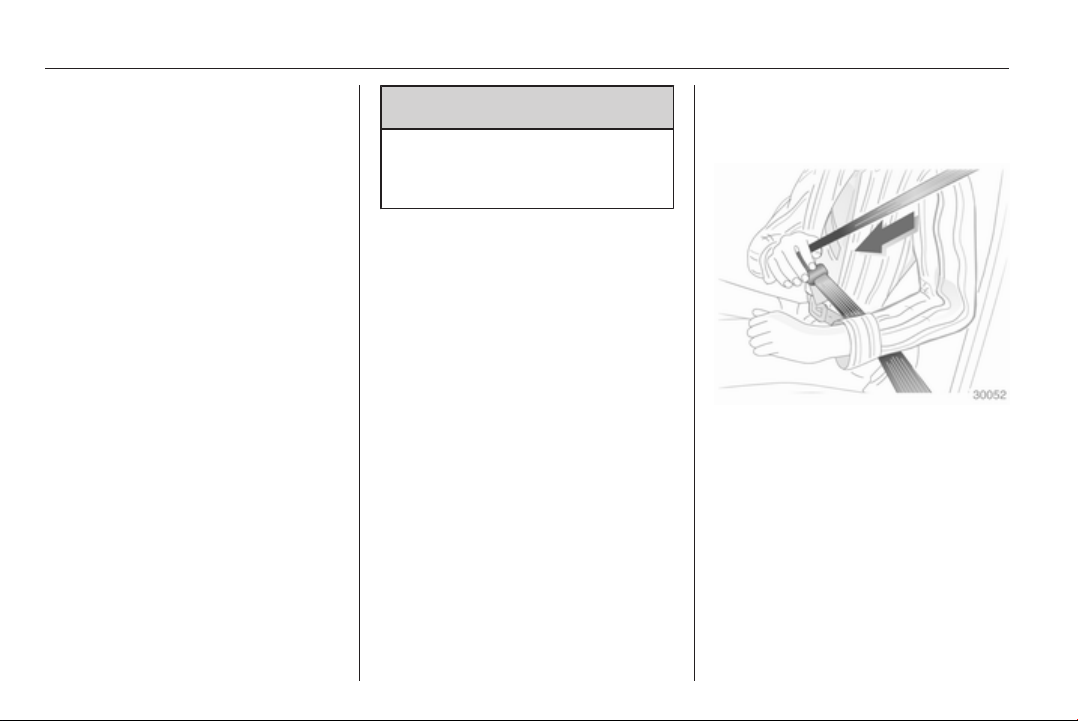
Three-point seat belt
Fastening seat belt
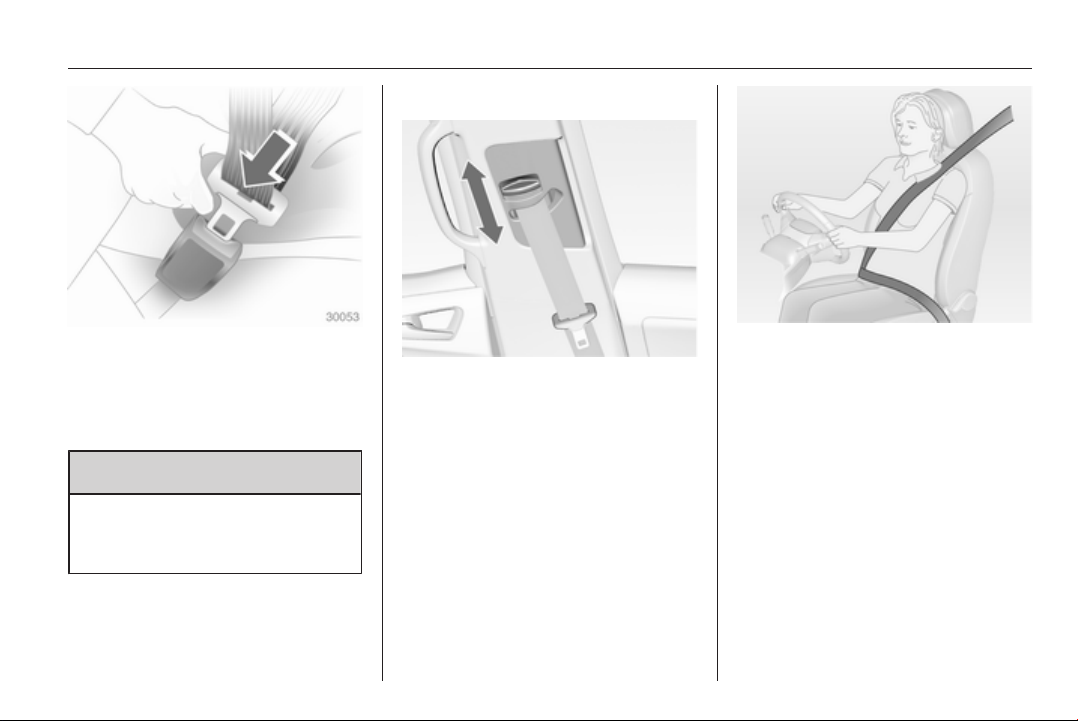
Withdraw the belt from the retractor,
guide it untwisted across the body
and insert the latch plate into the
buckle. Tighten the lap belt regularly
whilst driving by pulling the shoulder
belt.
Seat belt reminder 3 88.
Seats, restraints 45
Loose or bulky clothing prevents the
belt from fitting snugly. Do not place
objects such as handbags or mobile
phones between the belt and your
body.
9 Warning
The belt must not rest against hard
or fragile objects in the pockets of
your clothing.
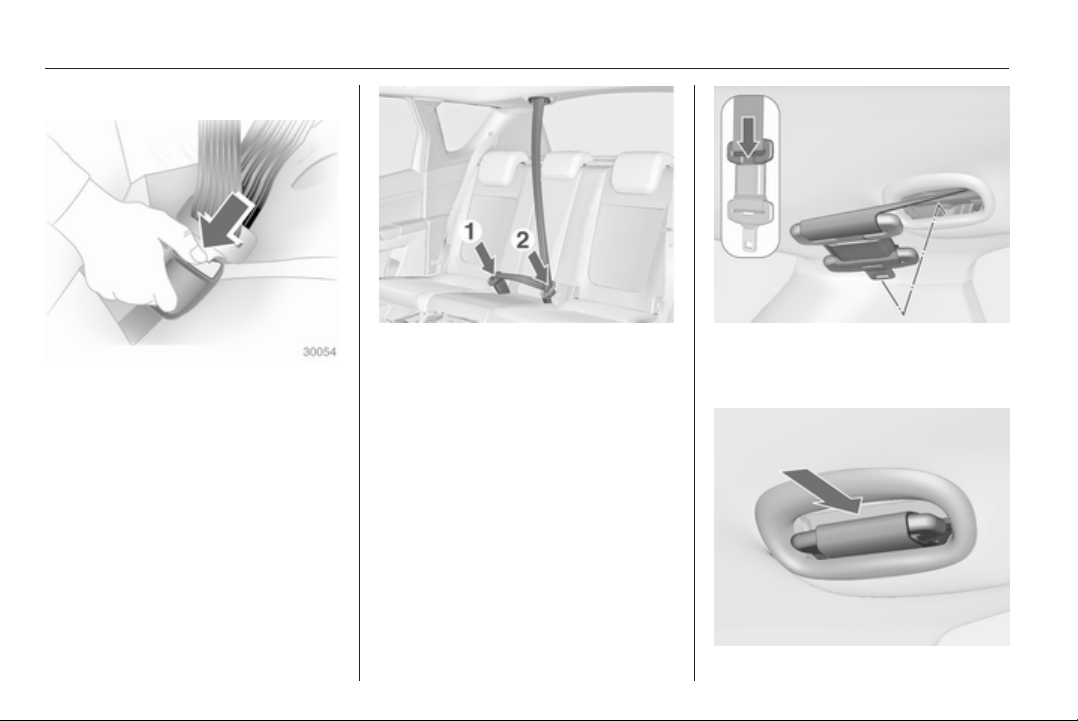
Height adjustment
1. Pull belt out slightly.
2. Press button.
3. Adjust height and engage.
Adjust the height so that the belt lies
across the shoulder. It must not lie
across the throat or upper arm.
Do not adjust while driving.
46 Seats, restraints
Removing seat belt
To release belt, press red button on
belt buckle.
Seat belts on the rear seats
The centre rear seat is equipped with
a particular three-point seat belt.
Pull latch plates out of belt retainer in
roof.
Click bottom latch plate into right-
hand buckle (1) at centre seat.
Remove top latch plate from retainer,
guide over shoulder and lap area with
belt (do not twist) and click into left-
hand buckle (2) at centre seat.
To remove the seat belt, first press
the button on the left-hand buckle (2)
and remove top latch plate. Then
press the button on the right-hand
buckle (1) and remove bottom latch
plate. The seat belt retracts
automatically.
Push the top latch plate into the
retainer. Fold over locked together
latch plates against the seat belt.
Seats, restraints 47
Insert in the seat belt holder in the roof
with the lower latch plate pointing
forward.
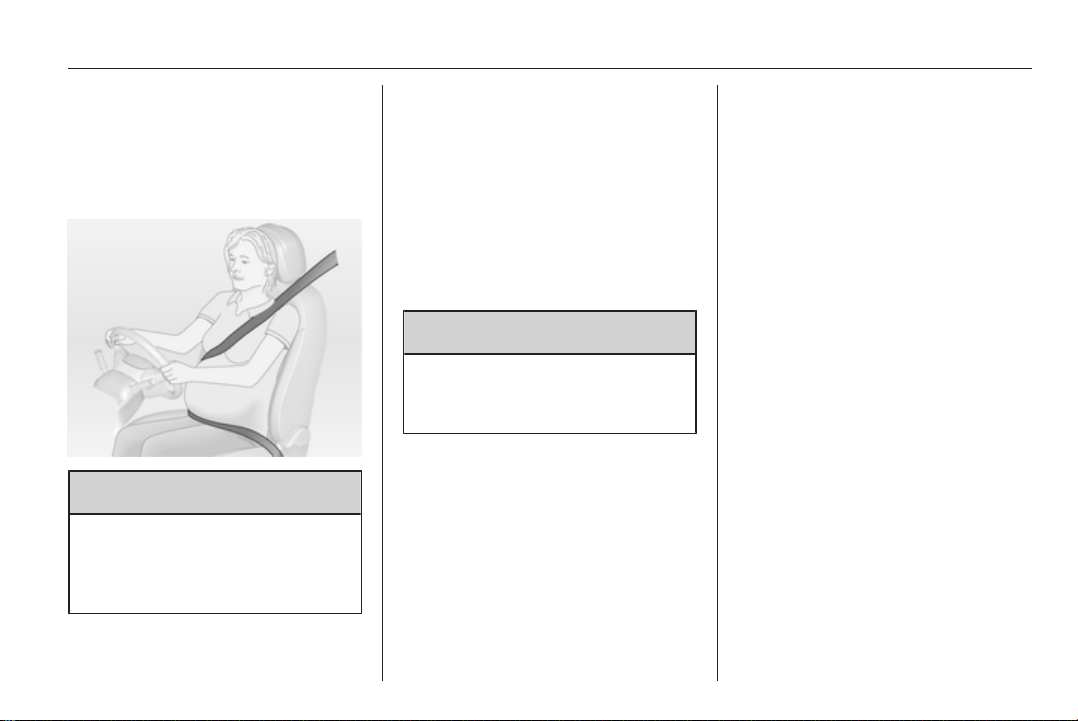
Using the seat belt while
pregnant
9 Warning
The lap belt must be positioned as
low as possible across the pelvis
to prevent pressure on the
abdomen.
Airbag system
The airbag system consists of
a number of individual systems
depending on the scope of
equipment.
When triggered the airbags inflate
within milliseconds. They also deflate
so quickly that it is often unnoticeable
during the collision.
9 Warning
If handled improperly the airbag
systems can be triggered in an
explosive manner.
Note
The airbag systems and belt
pretensioner control electronics are
located in the centre console area.
Do not put any magnetic objects in
this area.
Do not stick anything on the airbag
covers and do not cover them with
other materials.
Each airbag is triggered only once.
Have deployed airbags replaced by
a workshop. Furthermore, it might be
necessary to have the steering
wheel, the instrument panel, parts of
the panelling, the door seals,
handles and the seats replaced.
Do not make any modifications to
the airbag system as this will
invalidate the vehicle type approval.
When the airbags inflate, escaping
hot gases may cause burns.
Control indicator v for airbag systems
3 88.
Front airbag system
The front airbag system consists of
one airbag in the steering wheel and
one in the instrument panel on the
front passenger side. These can be
identified by the word AIRBAG.
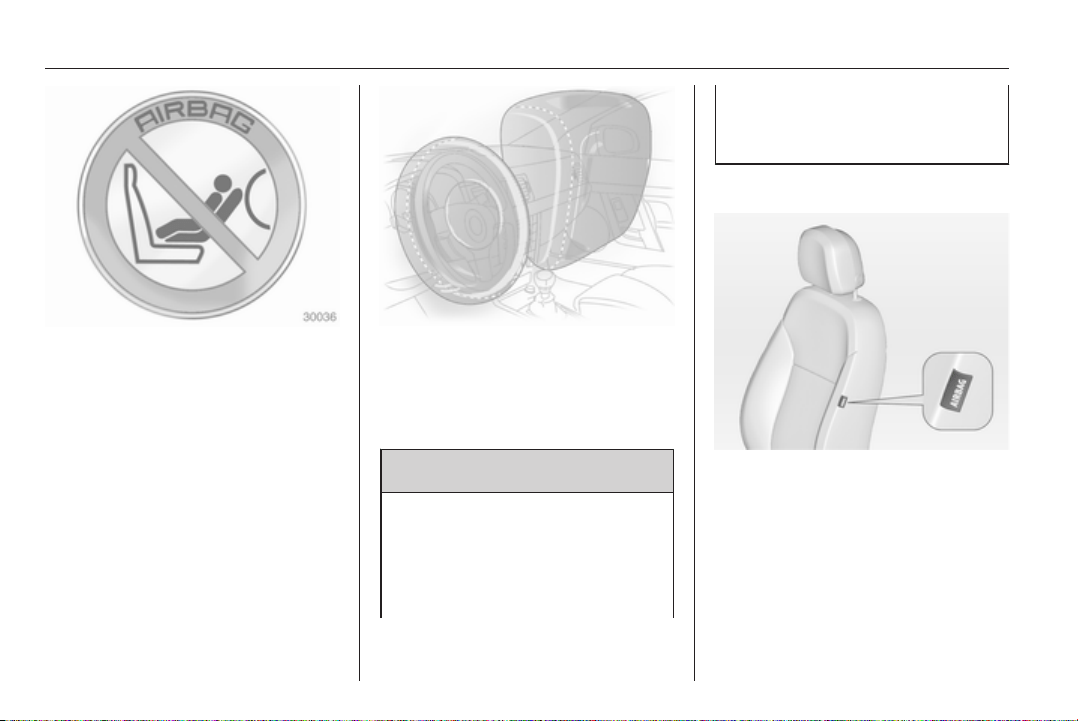
48 Seats, restraints
There are also warning labels on both
sides of the sunblind on the front
passenger side.
The front airbag system is triggered in
the event of a front-end impact of
a certain severity. The ignition must
be switched on.
The inflated airbags cushion the
impact, thereby reducing the risk of
injury to the upper body and head of
the front seat occupants
considerably.
9 Warning
Optimum protection is only
provided when the seat is in the
proper position 3 36.
Keep the area in which the airbag
inflates clear of obstructions.
Fit the seat belt correctly and
engage securely. Only then the
airbag is able to protect.
Side airbag system
The side airbag system consists of an
airbag in each front seat backrest.
This can be identified by the word
AIRBAG.
The side airbag system is triggered in
the event of a side impact of a certain
severity. The ignition must be
switched on.
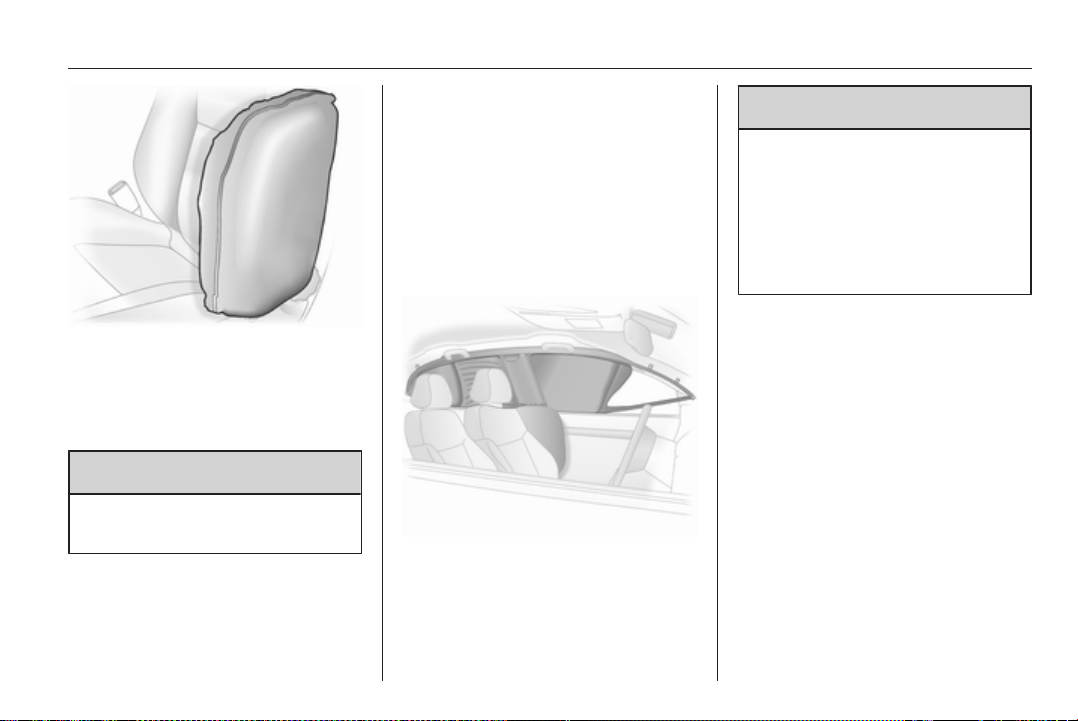
Seats, restraints 49
The inflated airbags cushion the
impact, thereby reducing the risk of
injury to the upper body and pelvis in
the event of a side-on collision
considerably.
9 Warning
Keep the area in which the airbag
inflates clear of obstructions.
Note
Only use protective seat covers that
have been approved for the vehicle.
Be careful not to cover the airbags.
Curtain airbag system
The curtain airbag system consists of
an airbag in the roof frame on each
side. This can be identified by the
word AIRBAG on the roof pillars.
The curtain airbag system is triggered
in the event of a side-on impact of
a certain severity. The ignition must
be switched on.
The inflated airbags cushion the
impact, thereby reducing the risk of
injury to the head in the event of
a side-on impact considerably.
9 Warning
Keep the area in which the airbag
inflates clear of obstructions.
The hooks in the roof frame are
only suitable for hanging up light
articles of clothing, without coat
hangers. Do not keep any items in
these clothes.
Airbag deactivation
The front passenger airbag system
has to be deactivated if a child
restraint system is to be fitted on this
seat. The side airbag and curtain
airbag systems, the belt
pretensioners and all driver airbag
systems will remain active.
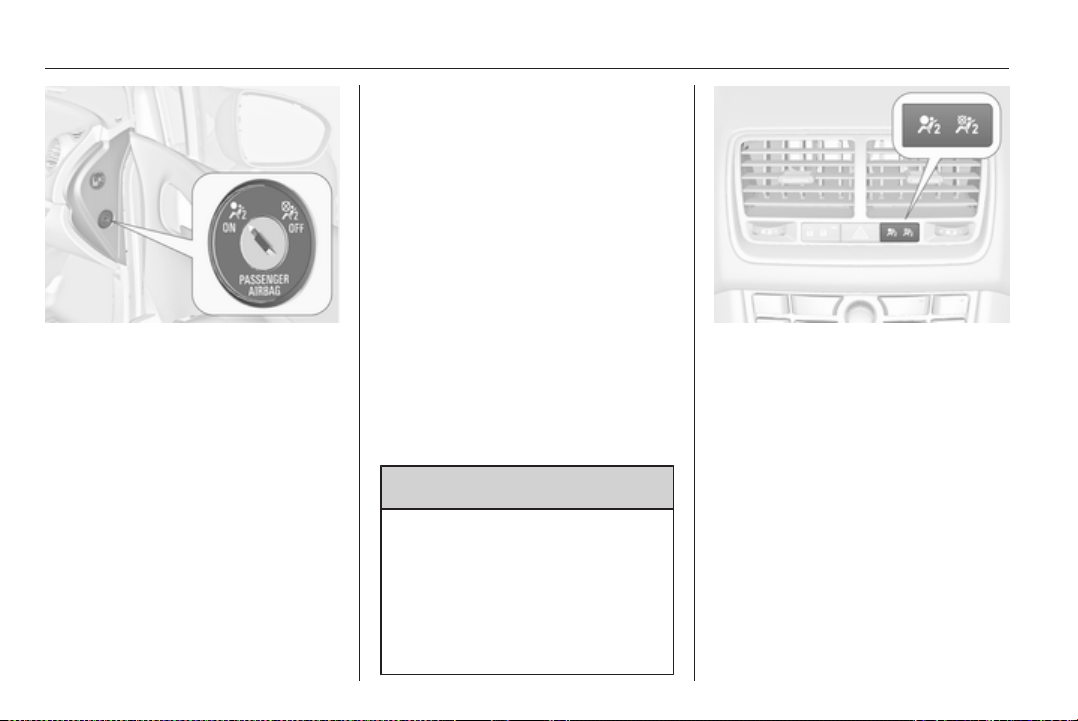
50 Seats, restraints
The front passenger airbag system
can be deactivated via a key-
operated switch on the right side of
the instrument panel.
Use the ignition key to choose the
position:
*
= front passenger airbag is
deactivated and will not inflate
in the event of a collision.
Control indicator * illuminates
continuously in the centre
console. A child restraint
system can be installed in
accordance with the
chart Child restraint
installation locations 3 53.
No adult person is allowed to
occupy the front passenger
seat.
V
= front passenger airbag is
active. A child restraint system
must not be installed.
9 Danger
Risk of fatal injury for a child using
a child restraint system on a seat
with activated front passenger
airbag.
Risk of fatal injury for an adult
person on a seat with deactivated
front passenger airbag.
As long as the control indicator V is
illuminated, the front passenger
airbag system will inflate in the event
of a collision.
If both control indicators are
illuminated at the same time, there is
a system failure. The status of the
system is not discernible, therefore
no person is allowed to occupy the
front passenger seat. Contact
a workshop immediately.
Consult a workshop immediately if
neither of the two control indicators is
illuminated.
Change status only when the vehicle
is stopped with the ignition off.
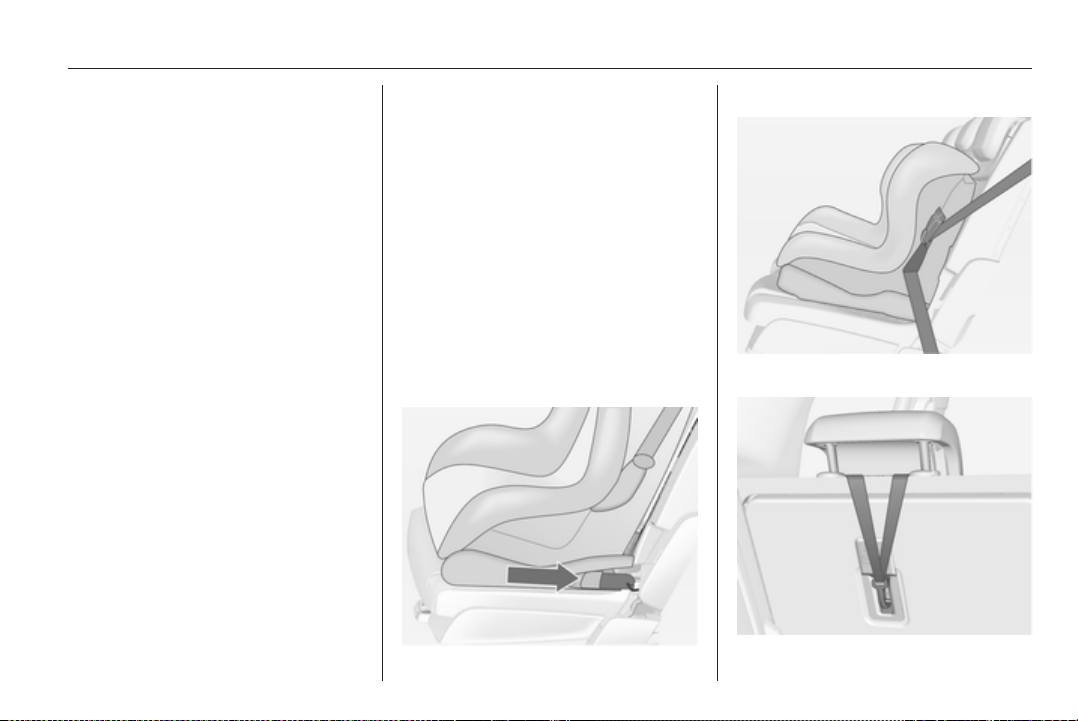
Seats, restraints 51
Status remains until the next change.
Control indicator for airbag
deactivation 3 89.
Child restraints
Child restraint systems
We recommend the Opel child
restraint system DUO which is
tailored specifically to the vehicle.
When using the Opel child restraint
system DUO, move the rear outboard
seats into position 2 3 41. We
recommend fastening the Opel child
restraint system DUO by using the
following securing systems in
combination:
ISOFIX
Three-point seat belt
Top-Tether

52 Seats, restraints
When a child restraint system is being
used, pay attention to the following
usage and installation instructions
and also those supplied with the child
restraint system.
Always comply with local or national
regulations. In some countries, the
use of child restraint systems is
forbidden on certain seats.
9 Warning
When using a child restraint
system on the front passenger
seat, the airbag systems for the
front passenger seat must be
deactivated; if not, the triggering of
the airbags poses a risk of fatal
injury to the child.
This is especially the case if rear-
facing child restraint systems are
used on the front passenger seat.
Selecting the right system
The rear seats are the most
convenient location to fasten a child
restraint system.
Children should travel facing
rearwards in the vehicle as long as
possible. This makes sure that the
child's backbone, which is still very
weak, is under less strain in the event
of an accident.
Children under the age of 12 years
that are smaller than 150 cm are only
allowed to travel in a restraint system
that is suitable for the child. Suitable
are restraint systems that comply with
ECE 44-03 or ECE 44-04. Since
a proper position of the belt is rarely
possible with a child that is smaller
than 150 cm, we strongly advise the
use of an appropriate child restraint
system, even though this might, due
to the age of the child, no longer be
legally binding.
Ensure that the child restraint system
to be installed is compatible with the
vehicle type.
Ensure that the mounting location of
the child restraint system within the
vehicle is correct.
Allow children to enter and exit the
vehicle only on the side facing away
from the traffic.
When the child restraint system is not
in use, secure the seat with a seat belt
or remove it from the vehicle.
Note
Do not stick anything on the child
restraint systems and do not cover
them with any other materials.
A child restraint system which has
been subjected to stress in an
accident must be replaced.

Seats, restraints 53
Child restraint installation locations
Permissible options for fitting a child restraint system
Weight and age class
On front passenger seat
On rear outboard seats On rear centre seatactivated airbag deactivated airbag
Group 0: up to 10 kg
or approx. 10 months
X
U
1
U
2
,
4
U
3
Group 0+: up to 13 kg
or approx. 2 years
X
U
1
U
2
,
4
U
3
Group I: 9 to 18 kg
or approx. 8 months to 4 years
X
U
1
U
2
,
4
U
3
Group II: 15 to 25 kg
or approx. 3 to 7 years
X X
U
4
U
3
Group III: 22 to 36 kg
or approx. 6 to 12 years
X X
U
4
U
3

54 Seats, restraints
1
= Only if front passenger seat airbag system is deactivated. If the child restraint system is being secured using a three-
point seat belt, move seat height adjustment to uppermost position and ensure that vehicle seat belt runs forwards
from the upper anchorage point.
2
= Seat available with ISOFIX and Top-Tether mounting brackets.
3
= Only if outboard seats are flush with the centre seat (position 2, 3 41).
4
= Only if outboard seats are in position 1 or 2, 3 41.
U = Universal suitability in conjunction with three-point seat belt.
X = No child restraint system permitted in this weight and age class.
Permissible options for fitting an ISOFIX child restraint system
Weight class Size class Fixture On front passenger seat On rear outboard seats
1, 2
On rear centre seat
Group 0: up to 10 kg E ISO/R1 X IL X
Group 0+: up to 13 kg E ISO/R1 X IL X
D ISO/R2 X IL X
C ISO/R3 X IL X
Group I: 9 to 18 kg D ISO/R2 X IL X
C ISO/R3 X IL X
B ISO/F2 X IL, IUF X
B1 ISO/F2X X IL, IUF X
A ISO/F3 X IL, IUF X

Seats, restraints 55
IL = Suitable for particular ISOFIX restraint systems of the 'specific-vehicle', 'restricted' or 'semi-universal' categories.
The ISOFIX restraint system must be approved for the specific vehicle type.
IUF = Suitable for ISOFIX forward-facing child restraint systems of universal category approved for use in this weight class.
X = No ISOFIX child restraint system approved in this weight class.
1
= Only if outboard seats are in position 1 or 2, 3 41.
2
= Only Opel child restraint system DUO: If the seat is secured as recommended 3 51, the outboard seats must be in
position 2 3 41.
ISOFIX size class and seat device
A – ISO/F3 = Forward-facing child restraint system for children of maximum size in the weight class 9 to 18 kg.
B – ISO/F2 = Forward-facing child restraint system for smaller children in the weight class 9 to 18 kg.
B1 – ISO/F2X = Forward-facing child restraint system for smaller children in the weight class 9 to 18 kg.
C – ISO/R3 = Rear-facing child restraint system for children of maximum size in the weight class up to 13 kg.
D – ISO/R2 = Rear-facing child restraint system for smaller children in the weight class up to 13 kg.
E – ISO/R1 = Rear-facing child restraint system for young children in the weight class up to 13 kg.
56 Seats, restraints
ISOFIX child restraint
systems
Fasten vehicle-approved ISOFIX
child restraint systems to the ISOFIX
mounting brackets. Specific vehicle
ISOFIX child restraint system
positions are marked in the table by
IL.
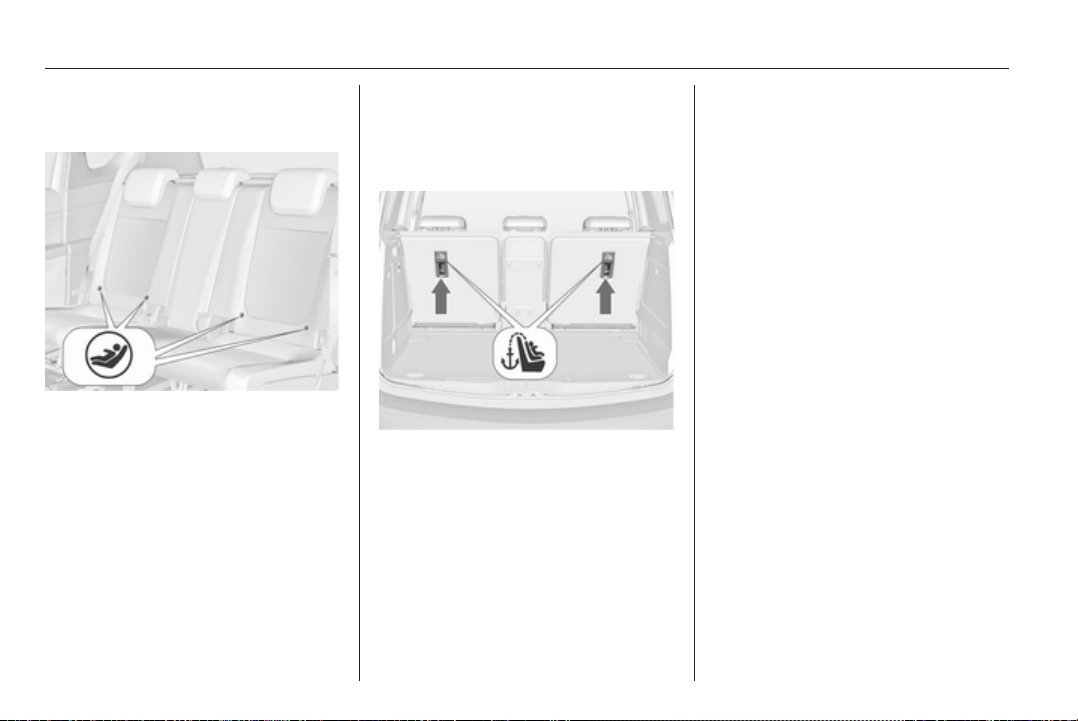
ISOFIX mounting brackets are
indicated by a label on the backrest.
Top-tether fastening eyes
Top-Tether fastening eyes are
marked with the symbol : for a child
seat.
In addition to the ISOFIX mounting,
fasten the Top-Tether strap to the
Top-Tether fastening eyes. The strap
must run between the two guide rods
of the head restraint.
ISOFIX child restraint systems of
universal category positions are
marked in the table by IUF.
Storage 57
Storage
Storage compartments ................ 57
Load compartment ....................... 69
Roof rack system ......................... 75
Loading information ..................... 75
Storage compartments
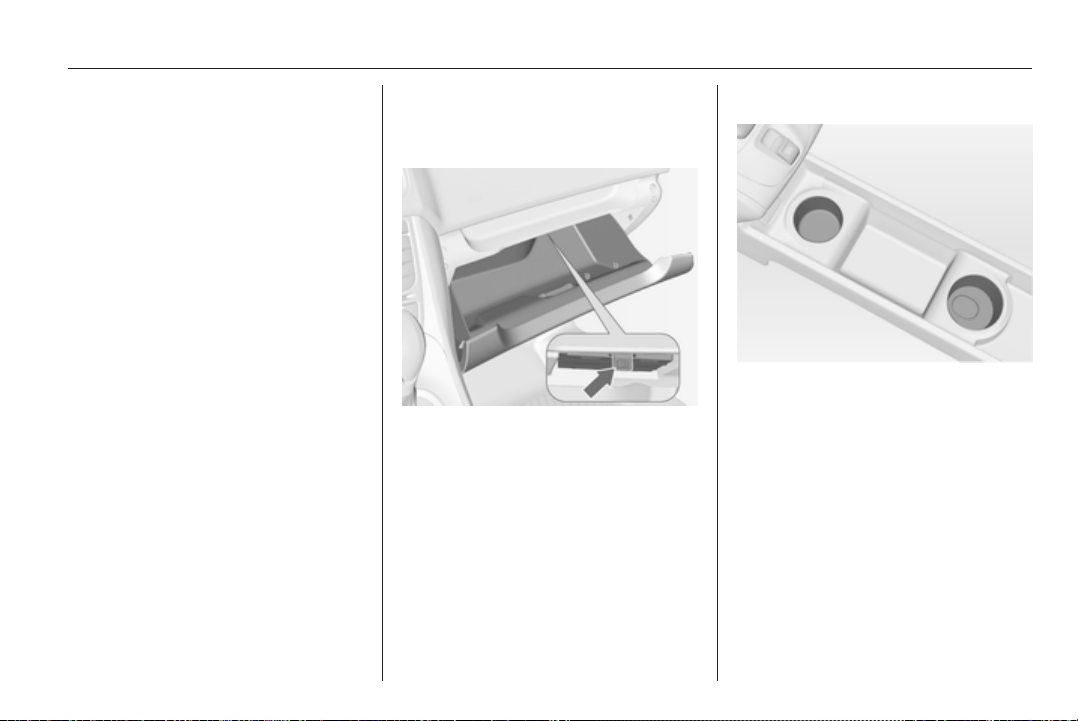
Glovebox
The glovebox features a pen holder
and a coin holder.
Inside the glovebox there is
a compartment for the Owner's
Manual. Pull the lug to open the
compartment.
The glovebox should be closed whilst
driving.
Cupholders
Cupholders are located in the centre
console.
Detachable cupholder
A cupholder can be attached either to
the upper or lower guide rails in the
front console.
58 Storage
Fold the frame out of initial position
before using.
Note
If the cupholder is installed in the
lower guide rail and the detachable
armrest in the upper guide rail, make
sure that the frame is folded back
into the initial position before moving
one of the parts. Otherwise the
armrest and the cupholder might be
damaged while moving them one
above the other.
Armrest 3 39.
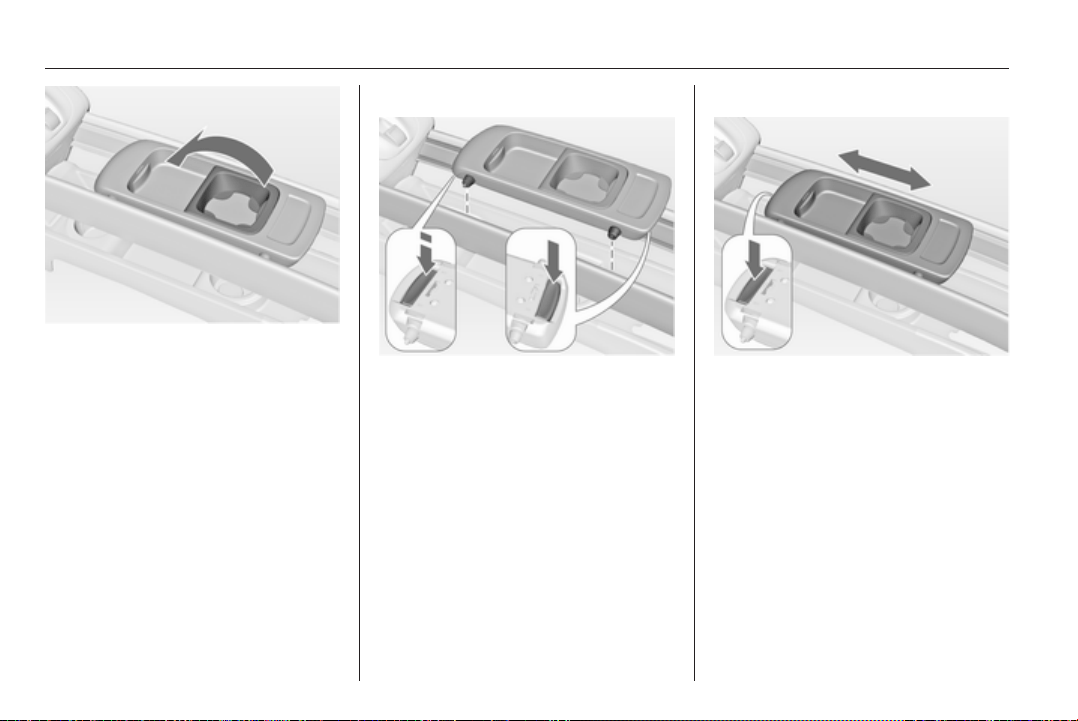
Installing cupholder
Press the buttons at the front and the
rear and insert the guide pins into the
upper or lower guide rails. The front
button has to be pressed firmly.
Release the buttons and move the
cupholder until it engages audibly.
Note
Install the cupholder in the direction
as shown in the illustration.
Otherwise the cupholder may not
engage properly.
Moving cupholder
Press the front button slightly and
move the cupholder to the desired
position. Release the button and
move the cupholder until it engages
audibly.
Removing cupholder
Press the buttons at the front and the
rear and remove the cupholder. The
front button has to be pressed firmly.
The cupholder can also be installed
on the folded centre rear seat 3 42.

60 Storage
Armrest storage
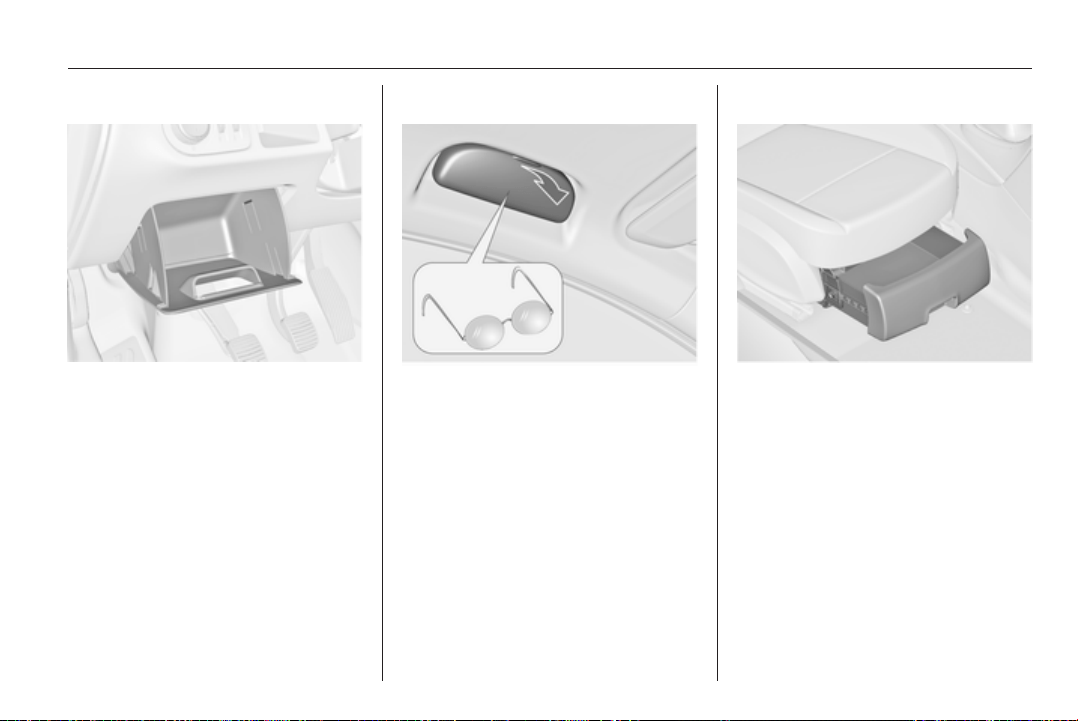
Storage in the detachable
armrest
Push button and fold the armrest lid
upwards. The armrest contains
a storage compartment.
The armrest can also be installed on
the folded centre rear seat 3 42.
Rear carrier system
The rear carrier system (Flex-Fix
system) allows bicycles to be
attached to a pull-out carrier
integrated into the vehicle floor. The
transportation of other objects is not
permitted.
The maximum load of the rear carrier
system is 40 kg. The maximum load
per bicycle is 20 kg.
If not in use, the carrier system can be
slid back into the vehicle floor.
There must not be any objects on the
bicycles that could become loose
during transportation.
Caution
Do not attach bicycles with carbon
pedal cranks to bicycle carriers.
The bicycles might get damaged.
Extending
Open the tailgate.
9 Warning
No persons may remain in the
extension zone of the rear carrier
system, risk of injury.
Storage 61
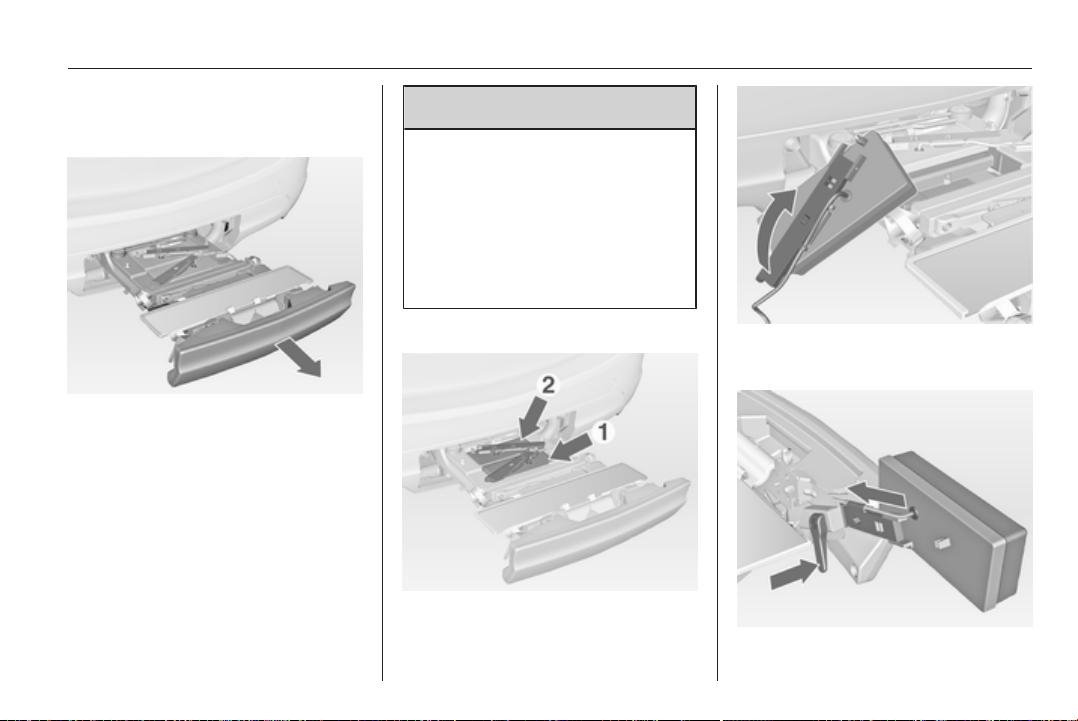
Pull release lever up. The system
disengages and travels quickly out of
the bumper.
Completely pull out the rear carrier
system until you hear it engage.
Ensure that it is not possible to push
in the rear carrier system without
pulling the release lever again
9 Warning
It is only permissible to fit objects
to the rear carrier system if the
system has been correctly
engaged. If the rear carrier system
will not engage correctly, do not fit
objects to the system and slide the
system back. Seek the assistance
of a workshop.
Install the tail lamps
First remove the rear (1), then the
front (2) tail lamp from the recesses.
Open out the lamp support on the
back of the tail lamp completely.
62 Storage
Push the clamping lever down and
push the lamp support into the
retainer until it engages.
Perform this procedure for both tail
lamps.
Check the cable and lamp position to
make sure these are correctly
installed and are securely located.
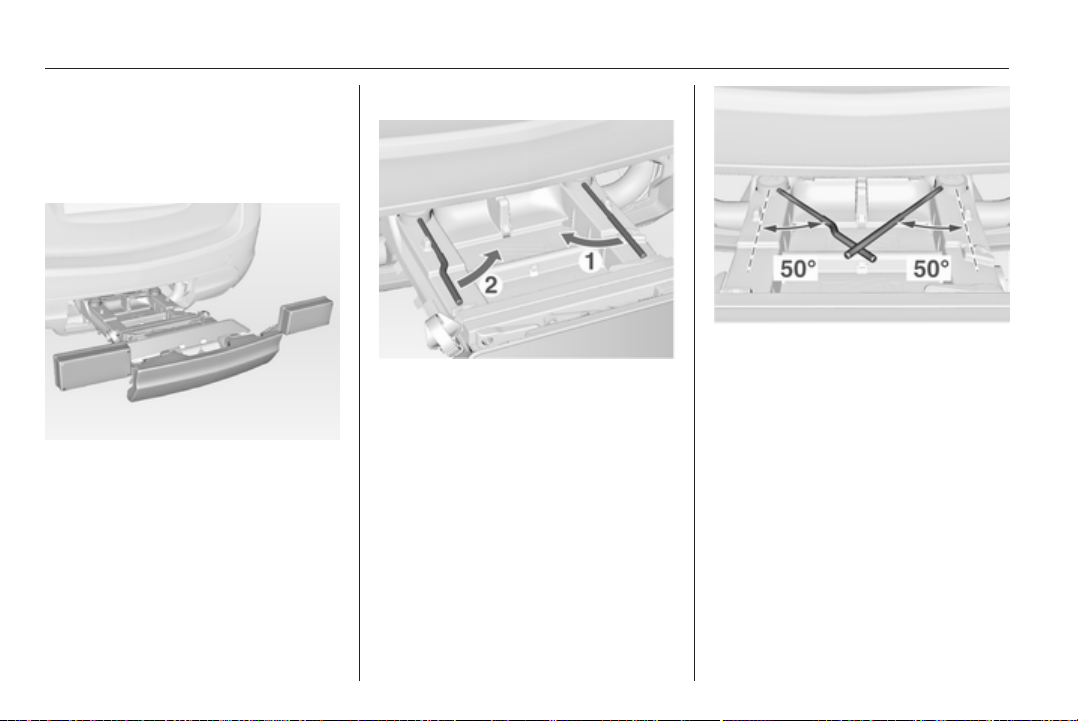
Lock the rear carrier system
Swivel the right clamping lever (1)
first, followed by the left clamping
lever (2), until a resistance is
noticeable.
The rear carrier system is locked
when the clamping levers are
swivelled by approx. 50°. Otherwise
safe functionality is not guaranteed.
Note
Close the tailgate.
Storage 63
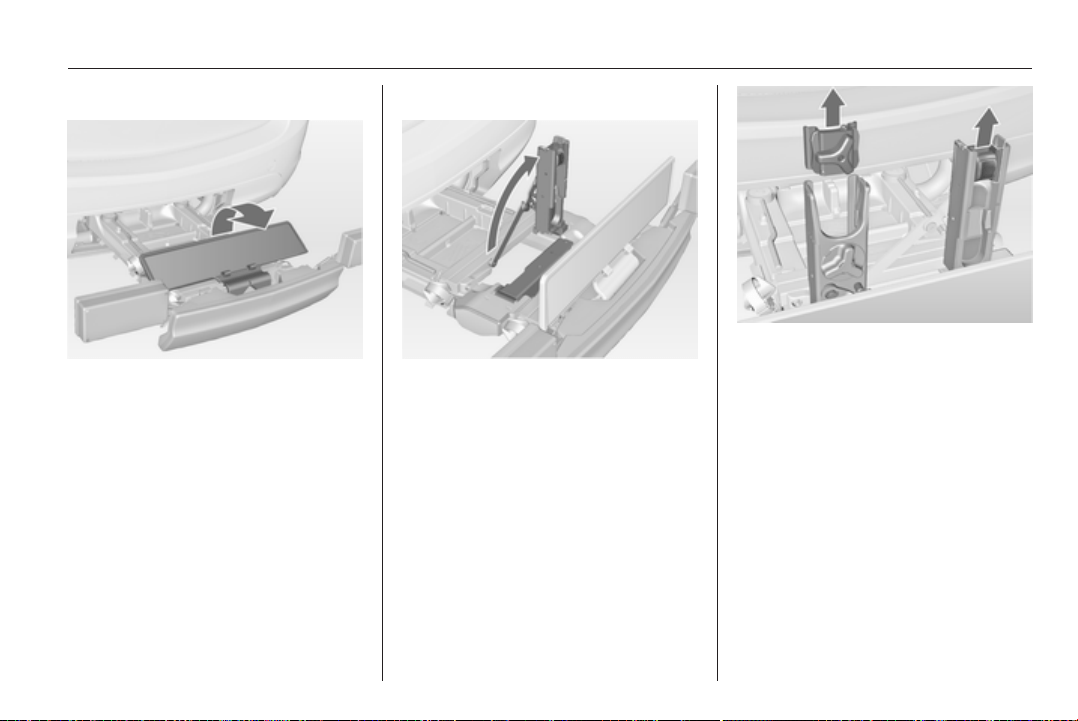
Unfold the number plate holder
Unfold the holder for the number
plate.
Affix the number plate once before
first usage of the rear carrier system.
Unfold pedal crank recesses
Fold one or both pedal crank
recesses upwards until the diagonal
support engages.
Remove the pedal crank mounts from
the pedal crank recesses.
64 Storage
Adapting the rear carrier system
to a bicycle
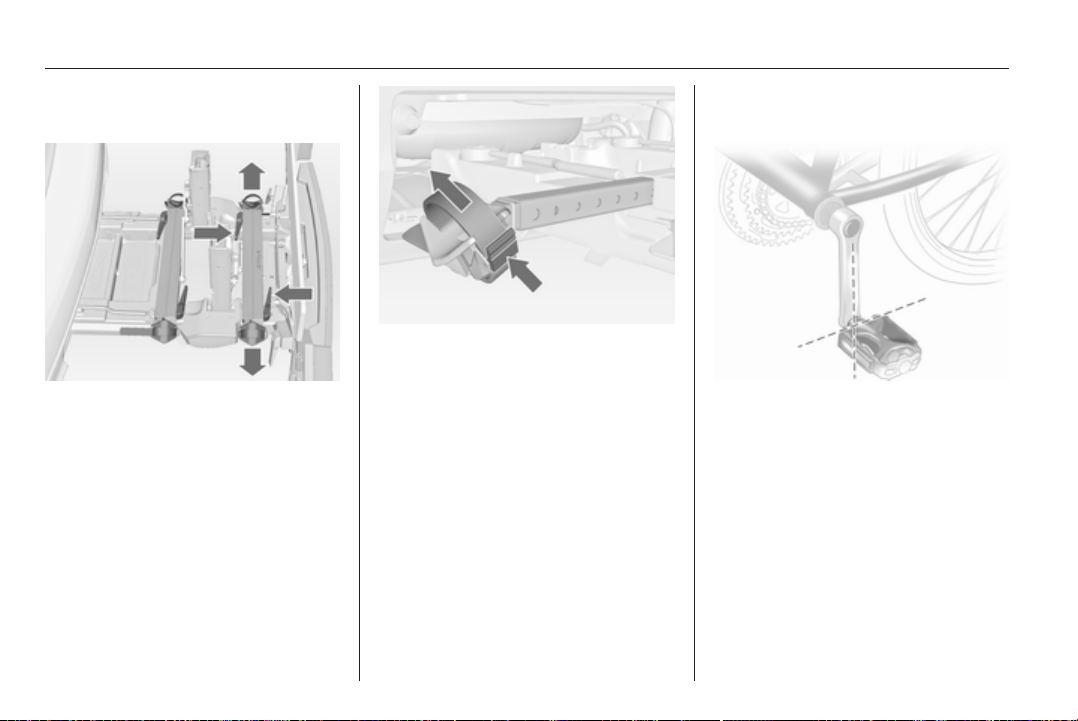
Press the release lever and withdraw
the wheel recesses.
Push the release lever on the strap
retainer and remove the strap
retainer.
Prepare the bicycle for
attachment
Note
The maximum width for the pedal
crank is 38.3 mm and the maximum
depth is 14.4 mm.
Rotate the left pedal (without a chain
cog) vertically downwards. The pedal
on the left pedal crank must be
horizontal.
The front bicycle must have its front
wheel facing left.
The rear bicycle must have its front
wheel facing right.
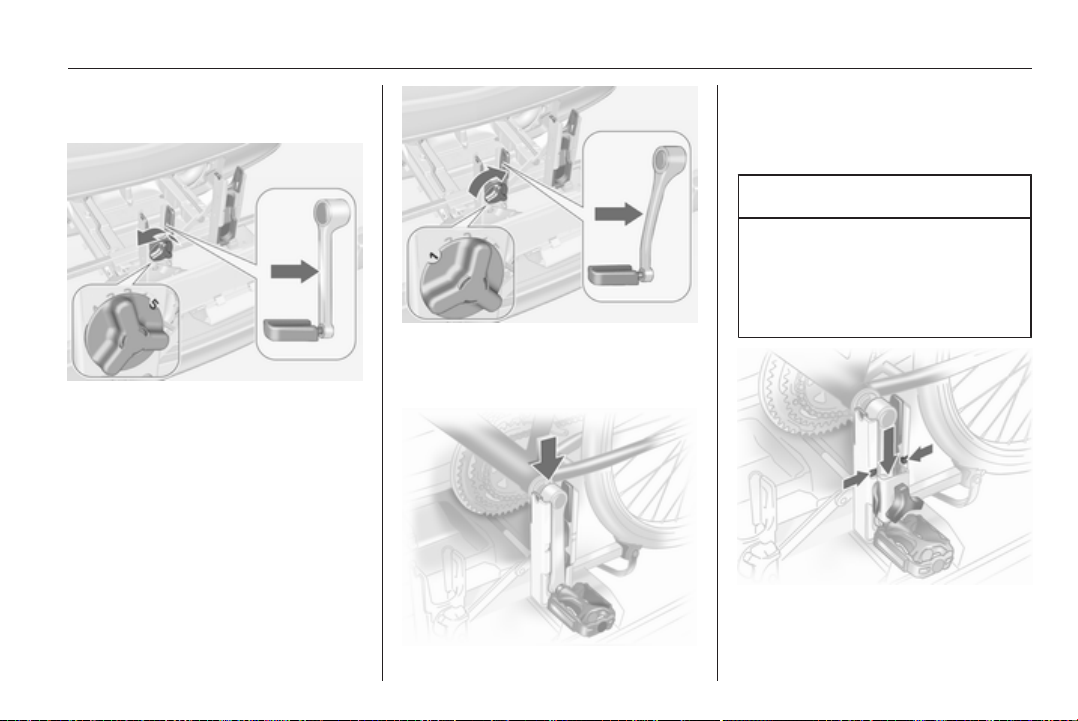
Storage 65
Attaching a bicycle to the rear
carrier system
With the rotary lever on the pedal
crank recess, roughly adapt the
adjustable pedal crank unit to the
protrusion of the pedal crank.
If the bicycle has straight pedal
cranks, unscrew the pedal crank unit
completely (position 5).
If the bicycle has curved pedal
cranks, screw in the pedal crank unit
all the way (position 1).
Put on the bicycle. The pedal crank
here must be placed in the pedal
crank recess opening as shown in the
illustration.
Caution
Make sure that the pedal does not
touch the surface of the rear end
carrier. Otherwise the crankset
might be damaged during the
transport.
Insert pedal crank mount into outer
rail of each pedal crank recess from
above and slide downwards until at
least underneath the notching.
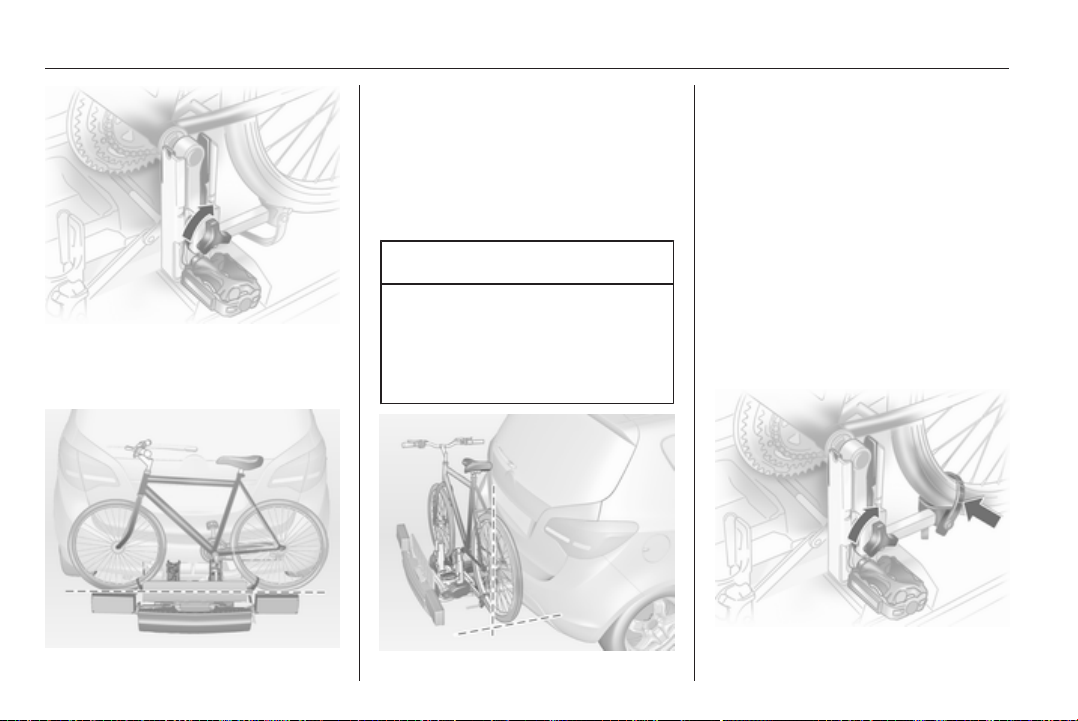
66 Storage
Attach the pedal crank by rotating the
attachment screw on the pedal crank
mount.
Place the wheel recesses such that
the bicycle is more or less horizontal.
Here, the distance between the
pedals and the tailgate should be at
least 5 cm.
Both bicycle tyres must be in the
wheel recesses.
Caution
Make sure that the pedal does not
touch the surface of the rear end
carrier. Otherwise the crankset
might be damaged during the
transport.
Align the bicycle in the longitudinal
direction of the vehicle: Slightly
loosen the pedal mount.
Place the bicycle upright using the
rotary lever on the pedal crank
recess.
If the two bicycles obstruct one
another, the relative positions of the
bicycles can be adapted by adjusting
the wheel recesses and the rotary
lever on the pedal crank recess until
the bicycles no longer touch one
another. Make sure there is sufficient
clearance from the vehicle.
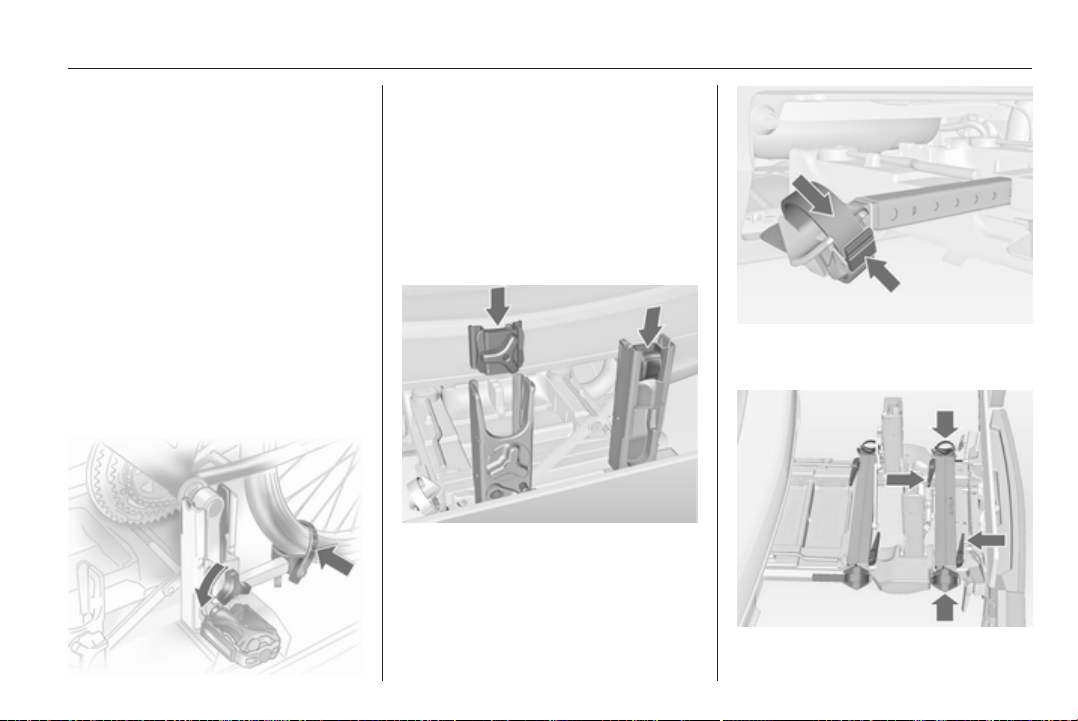
Storage 67
Tighten the attachment screw for the
pedal bearing mount to its maximum
point by hand.
Secure both bicycle wheels to wheel
recesses using strap retainers.
Check the bicycle to make sure it is
secure.
The settings for the wheel recesses
and on the rotary lever on the pedal
crank recess should be noted and
saved for each bicycle. Correct
presetting will facilitate refitting of the
bicycle.
Removing a bicycle from the
rear carrier system
Undo strap retainers on both bicycle
tyres.
Hold on to the bicycle, loosen the
attachment screw for the pedal
bearing mount, then lift the pedal
bearing mount to remove it.
Retracting the rear carrier
system
Push the pedal crank mounts into the
pedal crank recess like shown in the
illustration.
Insert the strap retainer and pull
tightly downwards as far as possible.
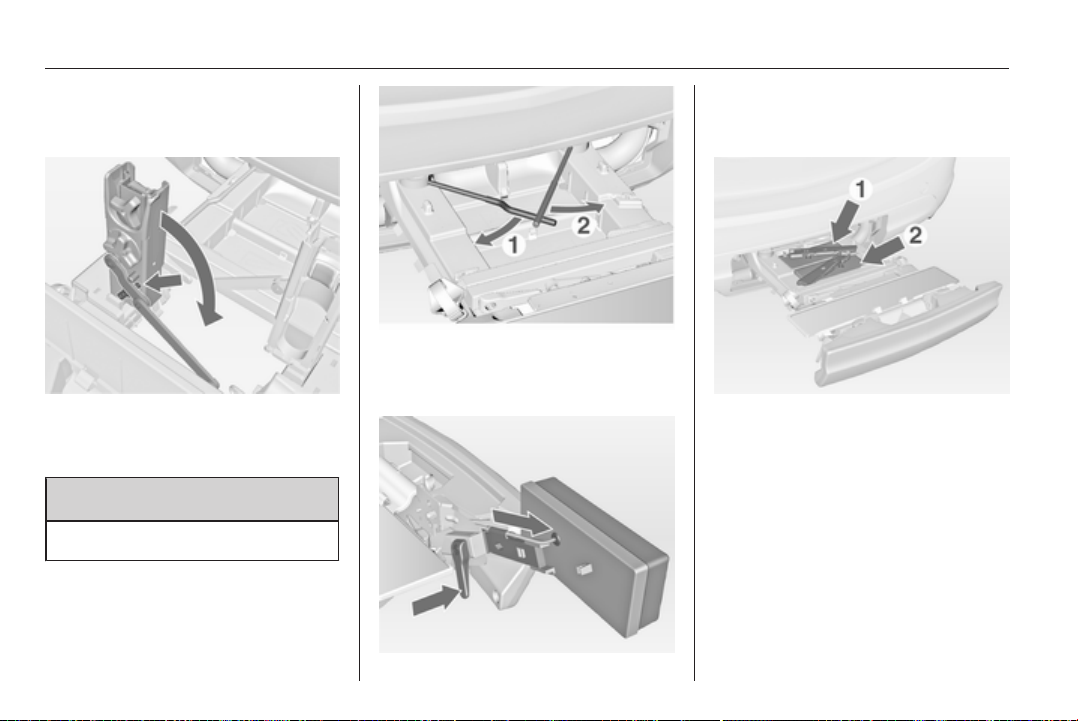
68 Storage
Press release lever and slide in wheel
recesses all the way as far as they will
go.
Disengage the locking lever on the
diagonal support and fold both pedal
crank recesses down.
9 Warning
Risk of pinching.
Remove number plate and fold down
the number plate holder.
Swivel first the left clamping lever (1),
followed by the right clamping lever
(2), until they stop.
Push the clamping lever down and
pull both lamp supports out of the
recesses.
Fold in the lamp supports on the
backs of the tail lamps.
First place the front (1) tail lamp, then
the rear (2) tail lamp in the recesses
and push down as far as possible.
Push cables all the way into all guides
in order to prevent damage.
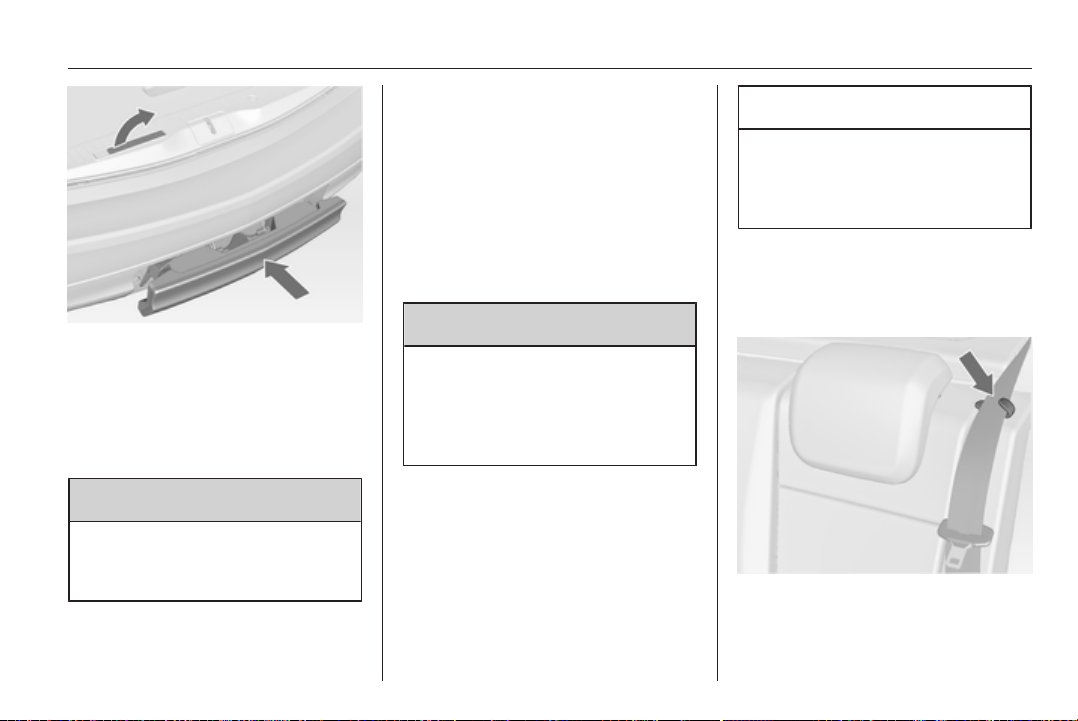
Storage 69
Open the tailgate.
Push the release lever up and push
the system into the bumper until it
engages.
Release lever must return to original
position.
9 Warning
If the system cannot be correctly
engaged, please seek the
assistance of a workshop.
Load compartment
Folding down rear seat
backrests
The rear seat backrest is divided into
three parts. All parts can be folded
down and lowered individually to
increase the size of the load
compartment.
9 Warning
Do not stow objects under or
behind the seats. The objects
might be damaged and prevent
the guide rails from locking
properly.
A completely flat load bay is created
if the rear seat backrests are folded
down.
Caution
Do not fold the outer seatbacks
while the seats are in the inner
position. The seats could be
damaged.
Remove the load compartment cover
if necessary 3 70.
Push head restraints down by
pressing both catches.
Take the seat belt out of the retaining
clip on the backrest.
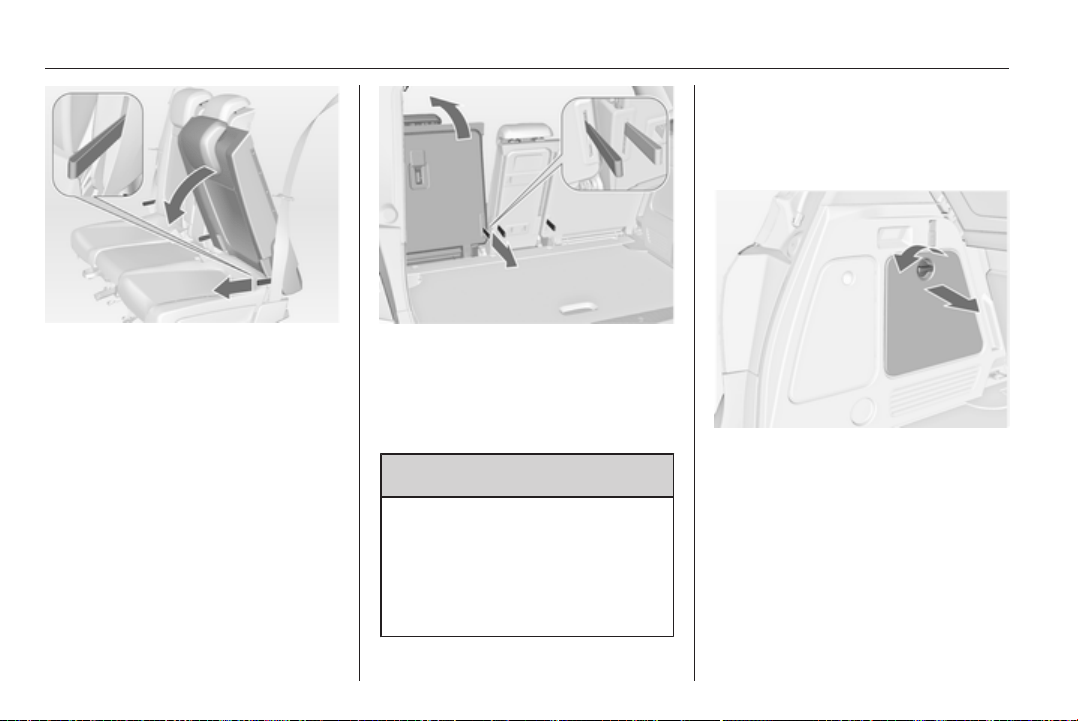
70 Storage
Pull the handle on the front side of the
backrest and fold down the backrest
onto the seat cushion. The seat is
lowered automatically.
The backrests can also be folded
from the load compartment.
Pull the handle on the back side of the
backrest and fold down the backrest.
To fold up, pull the handle and raise
the backrests into an upright position
until they engage audibly.
9 Warning
Only drive the vehicle if the
backrests are securely locked into
position. Otherwise there is a risk
of personal injury or damage to the
load or vehicle in the event of
heavy braking or a collision.
Rear storage
On the left side of the load
compartment there is a stowage
compartment.
Turn the fastener anticlockwise and
fold down the cover.
Load compartment cover
Do not place any objects on the cover.
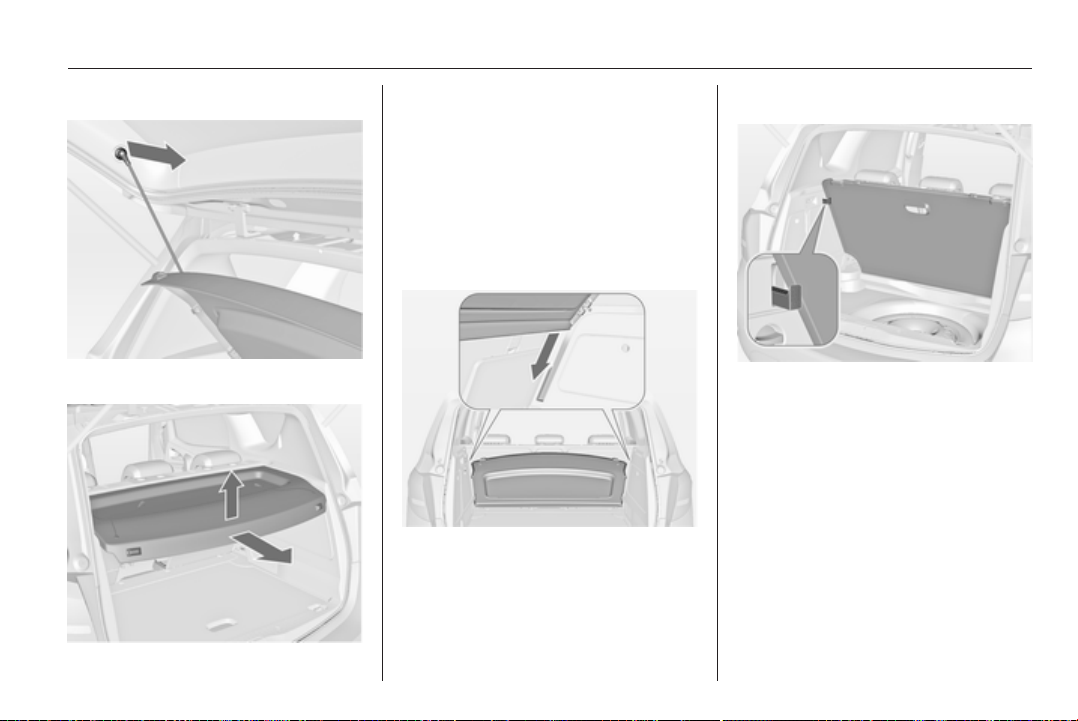
Storage 71
Removing the cover
Unhook retaining straps from tailgate.
Lift cover at the rear and push it
upwards at the front.
Remove the cover.
Stowing the cover
Unhook retaining straps from tailgate.
Lift cover at the rear and push it
upwards out of the side guides at the
front.
Stow the cover behind the rear seats.
Fitting the cover
Engage cover in side guides and fold
downwards. Attach retaining straps to
tailgate.
Rear floor storage cover
The rear floor cover can be lifted.
Fold it up and lift the load
compartment cover slightly.
Pull out the hook at the left sidewall of
the load compartment to hold the rear
floor cover upright.
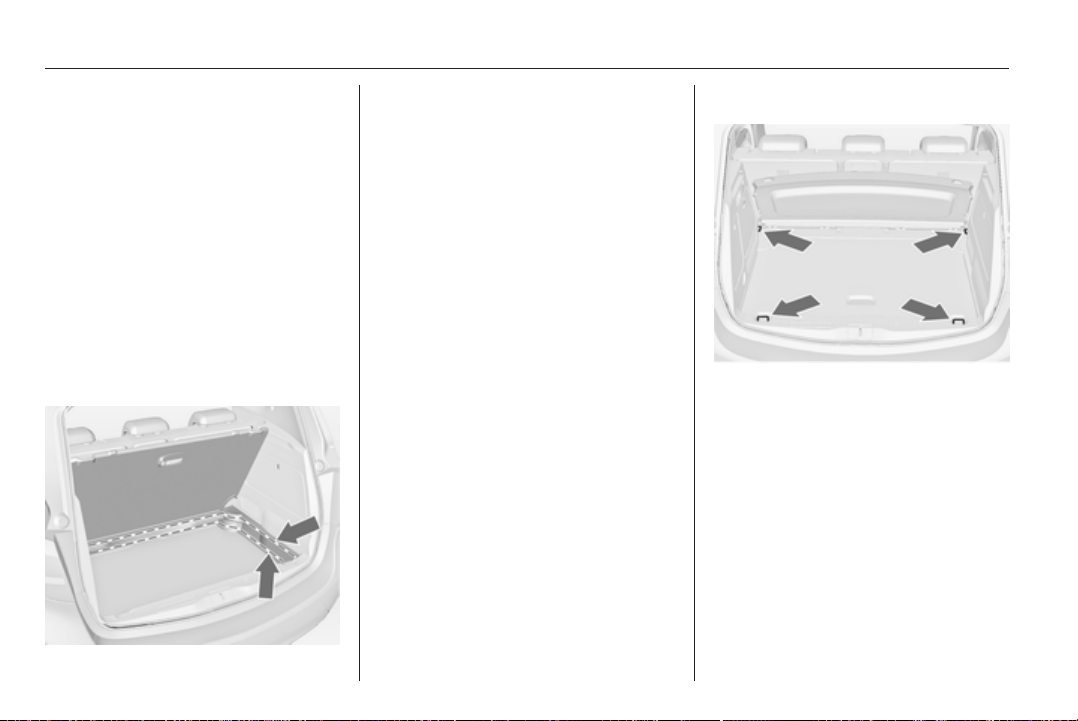
72 Storage
Double load-bay floor
The double load-bay floor can be
inserted in the load compartment in
two positions:
■ directly above the cover for the
spare wheel well or the rear floor
cover,
■ in the upper openings in the load
compartment.
To remove, lift the load-bay floor
using the recess and pull backwards.
To insert, push the load-bay floor
forwards in the corresponding guide,
then lower.
If mounted in the upper position, the
space between the load-bay floor and
the spare wheel well cover can be
used as a stowage compartment.
In this position, if the rear seat
backrests are folded forwards, an
almost completely flat load bay is
created.
In the upper position, the double load-
bay floor is able to withstand
a maximum load of 100 kg. In the
lower position, the double load-bay
floor is able to withstand the
maximum permissible load.
In models with a tyre repair kit, the
spare wheel recess may be used as
an additional stowage compartment.
Tyre repair kit 3 171.
Lashing eyes
The lashing eyes are designed to
secure items against slippage, e.g.
using lashing straps or luggage net.
Safety net
The safety net can be installed behind
the front seats.
Passengers must not be transported
behind the safety net.
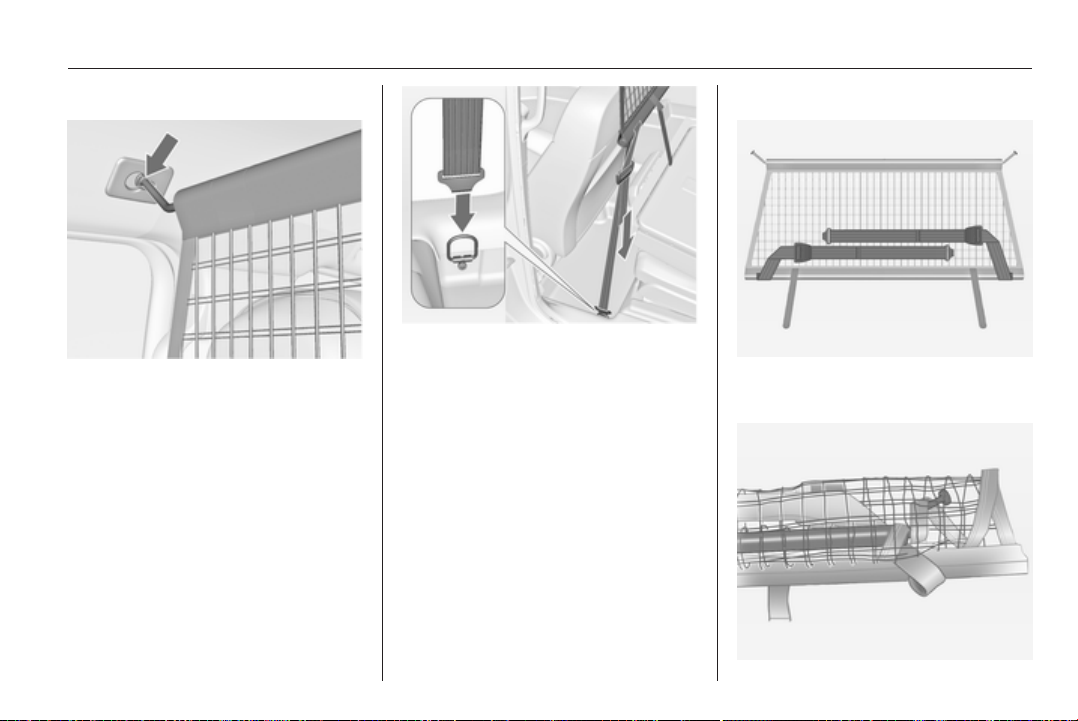
Storage 73
Installation
There are two installation openings in
the roof frame: suspend rod of net at
one side, push to the front and
engage. Extend rod, suspend at other
side, push to the front and engage.
Suspend hooks of net tensioning
belts in lashing eyes in the floor
behind the front seats. Tension the
net by pulling the loose end of the belt.
Suspend and tighten on both sides.
Removal
Tilt length adjuster of the net
tensioning belts upwards and detach
the belts on both sides. Disengage
the upper rod on one side, disengage
other side and remove from the
openings.
Stowage
Place tensioning straps as shown in
figure and align to net.
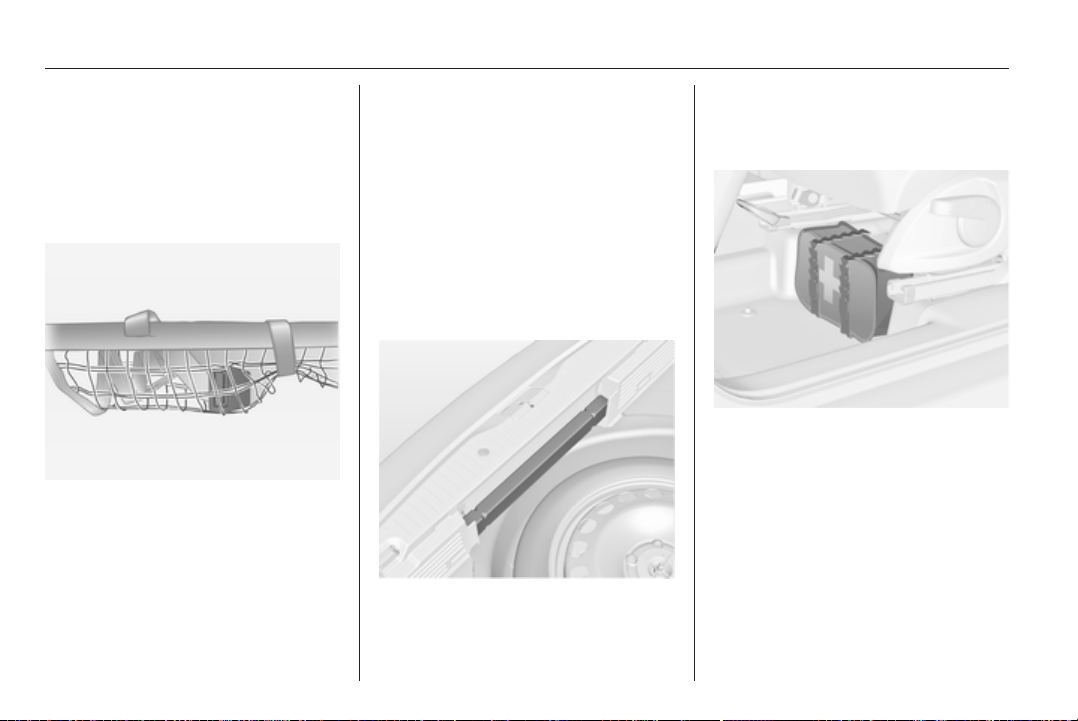
74 Storage
Roll the upper net rod down to
approximately over the middle.
Place the upper net rod over the
tensioning straps next to the lower net
rod. The hooks on the upper net rod
must point away from the lower net
rod.
Fasten Velcro tape tightly about the
net next to the length adjusters. The
length adjusters and net rods must lie
flat next to each other.
Stow safety net in the space between
the double load-bay floor in the load
compartment. Rear floor storage
cover 3 71.
Folding tray
Located in the front seat backrests.
Open by pulling upwards until it
engages.
Fold away by pressing down past the
resistance point.
Do not place any heavy objects on the
folding tray.
Warning triangle
Stow the warning triangle in the space
at the rear side of the load
compartment.
First aid kit
Stow the first aid kit and the high
visibility vest under the driver's seat.
Use the straps.
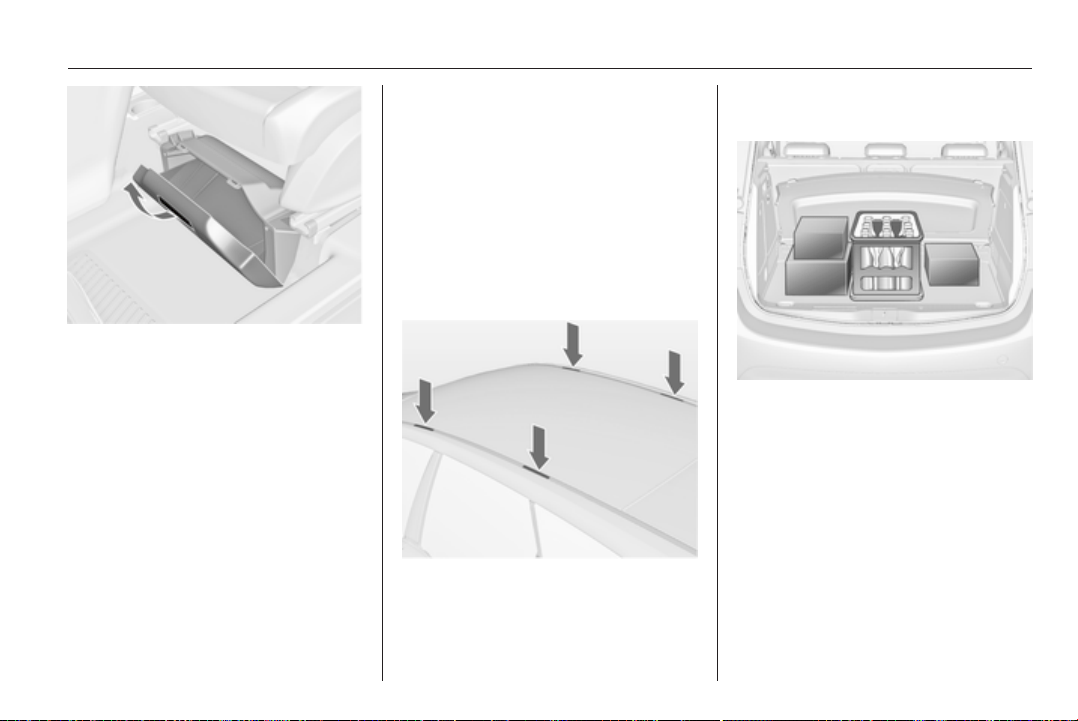
Storage 75
Depending on the vehicle, a box is
located under the driver's seat. Pull
handle and fold down the cover.
Maximum load: 1.5 kg.
Roof rack system
Roof rack
For safety reasons and to avoid
damage to the roof, the vehicle
approved roof rack system is
recommended.
Follow the installation instructions
and remove the roof rack when not in
use.
Detach the cover from each mounting
point.
Loading information
■ Heavy objects in the load
compartment should be placed
against the seat backrests. Ensure
that the backrests are securely
engaged. If objects can be stacked,
heavier objects should be placed at
the bottom.
■ Secure objects with lashing straps
attached to the lashing eyes 3 72.
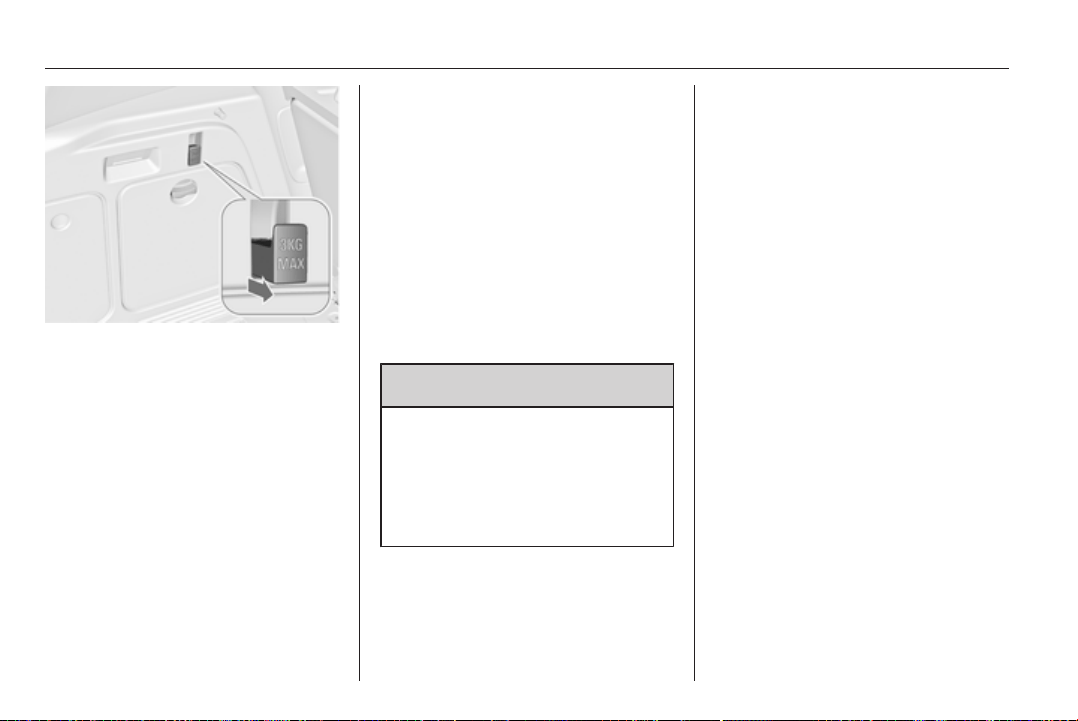
76 Storage
■ Use the hook at the left sidewall of
the load compartment for hanging
up carrier bags. Pull out the hook.
Maximum load: 3 kg.
■ Secure loose objects in the load
compartment to prevent them from
sliding.
■ When transporting objects in the
load compartment, the backrests of
the rear seats must not be angled
forward.
■ Do not allow the load to protrude
above the upper edge of the
backrests.
■ Do not place any objects on the
load compartment cover or the
instrument panel, and do not cover
the sensor on top of the instrument
panel.
■ The load must not obstruct the
operation of the pedals, parking
brake and gear selector, or hinder
the freedom of movement of the
driver. Do not place any unsecured
objects in the interior.
■ Do not drive with an open load
compartment.
9 Warning
Always make sure that the load in
the vehicle is securely stowed.
Otherwise objects can be thrown
around inside the vehicle and
cause personal injury or damage
to the load or car.
■ The payload is the difference
between the permitted gross
vehicle weight (see identification
plate 3 189) and the EC kerb
weight.
To calculate the payload, enter the
data for your vehicle in the Weights
table at the front of this manual.
The EC kerb weight includes
weights for the driver (68 kg),
luggage (7 kg) and all fluids (tank
90 % full).
Optional equipment and
accessories increase the kerb
weight.
■ Driving with a roof load increases
the sensitivity of the vehicle to
cross-winds and has a detrimental
effect on vehicle handling due to
the vehicle's higher centre of
gravity. Distribute the load evenly
and secure it properly with retaining
straps. Adjust the tyre pressure and
vehicle speed according to the load
conditions. Check and retighten the
straps frequently.
The permissible roof load is 60 kg.
The roof load is the combined
weight of the roof rack and the load.
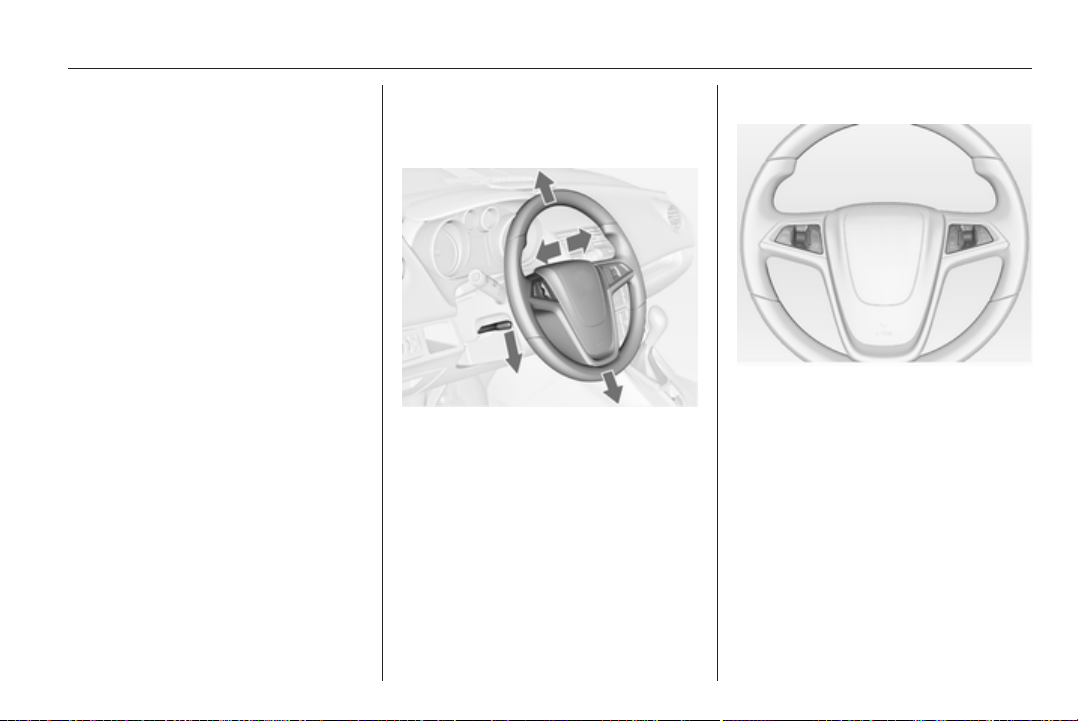
Instruments and controls 77
Instruments and
controls
Controls ....................................... 77
Warning lights, gauges and
indicators ..................................... 84
Information displays ..................... 94
Vehicle messages ........................ 98
Trip computer ............................. 101
Vehicle personalisation .............. 103
Controls
Steering wheel adjustment
Unlock lever, adjust steering wheel,
then engage lever and ensure it is
fully locked.
Do not adjust steering wheel unless
vehicle is stationary and steering
wheel lock has been released.
Steering wheel controls
The Infotainment system, the cruise
control and a connected mobile
phone can be operated via the
controls on the steering wheel.
Further information is available in the
Infotainment system manual.
Cruise control 3 136.
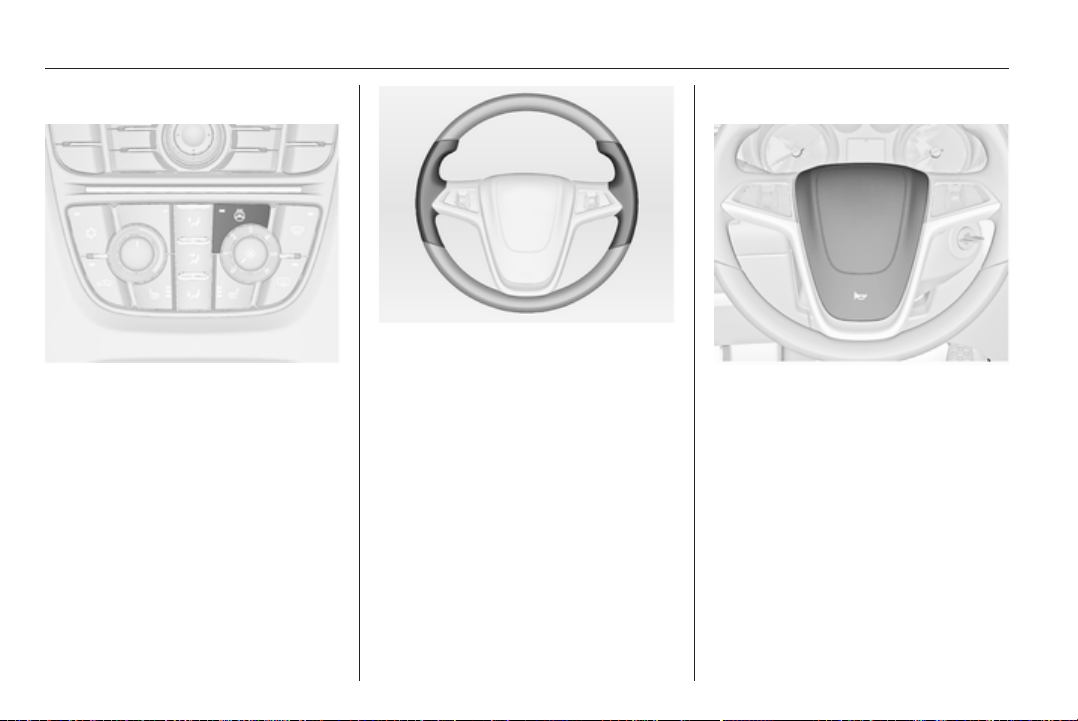
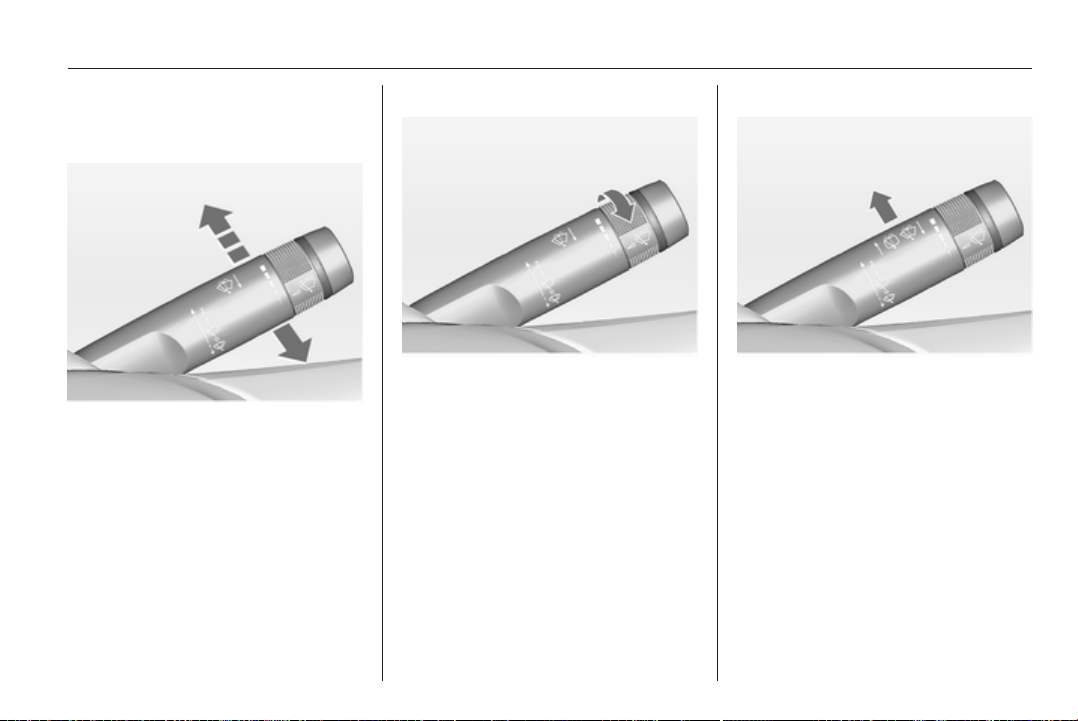
Instruments and controls 79
Windscreen wiper/washer
Windscreen wiper
2 = fast
1 = slow
P
= interval wiping
§
= off
For a single wipe when the
windscreen wiper is off, press the
lever down.
Do not use if the windscreen is frozen.
Switch off in car washes.
Adjustable wiper interval
Wiper lever in position P.
Turn the adjuster wheel to adjust the
desired wipe interval:
short
interval
= turn adjuster wheel
upwards
long
interval
= turn adjuster wheel
downwards
Automatic wiping with rain sensor
P
= automatic wiping with rain
sensor
The rain sensor detects the amount of
water on the windscreen and
automatically regulates the frequency
of the windscreen wiper.
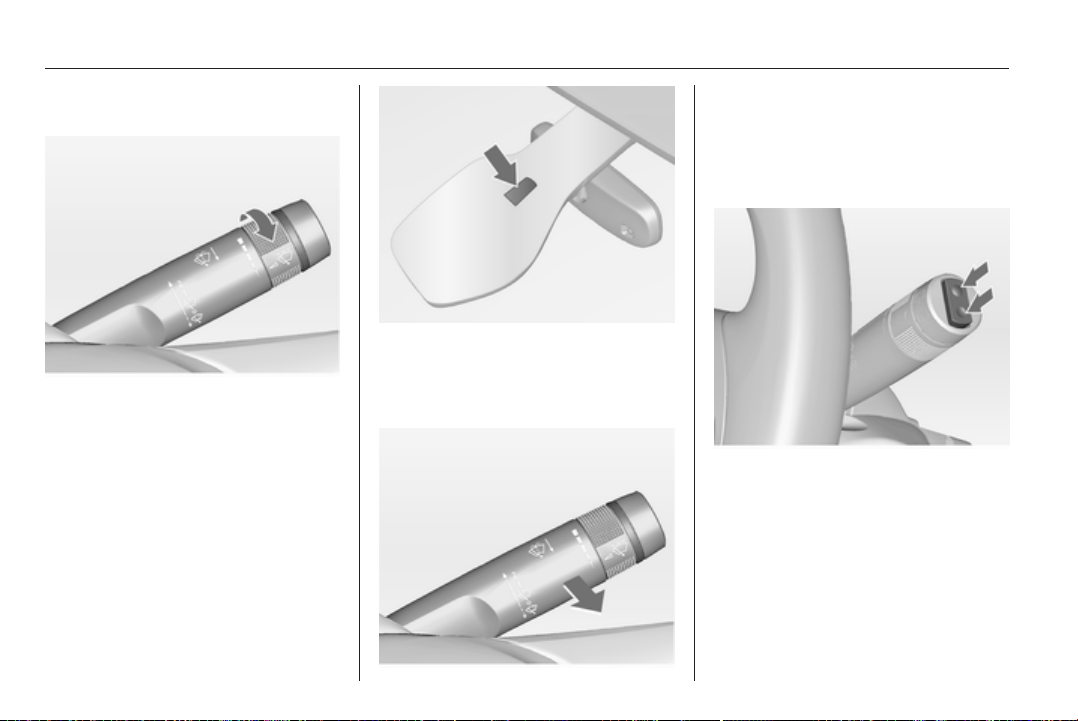
80 Instruments and controls
Adjustable sensitivity of the rain
sensor
Turn the adjuster wheel to adjust the
sensitivity:
low
sensitivity
= turn adjuster wheel
downwards
high
sensitivity
= turn adjuster wheel
upwards
Keep the sensor free from dust, dirt
and ice.
Windscreen washer
Pull lever. Washer fluid is sprayed
onto the windscreen and the wiper
wipes a few times.
Rear window wiper/washer
Press the rocker switch to activate the
rear window wiper:
upper position = short interval
lower position = long interval
middle position = off
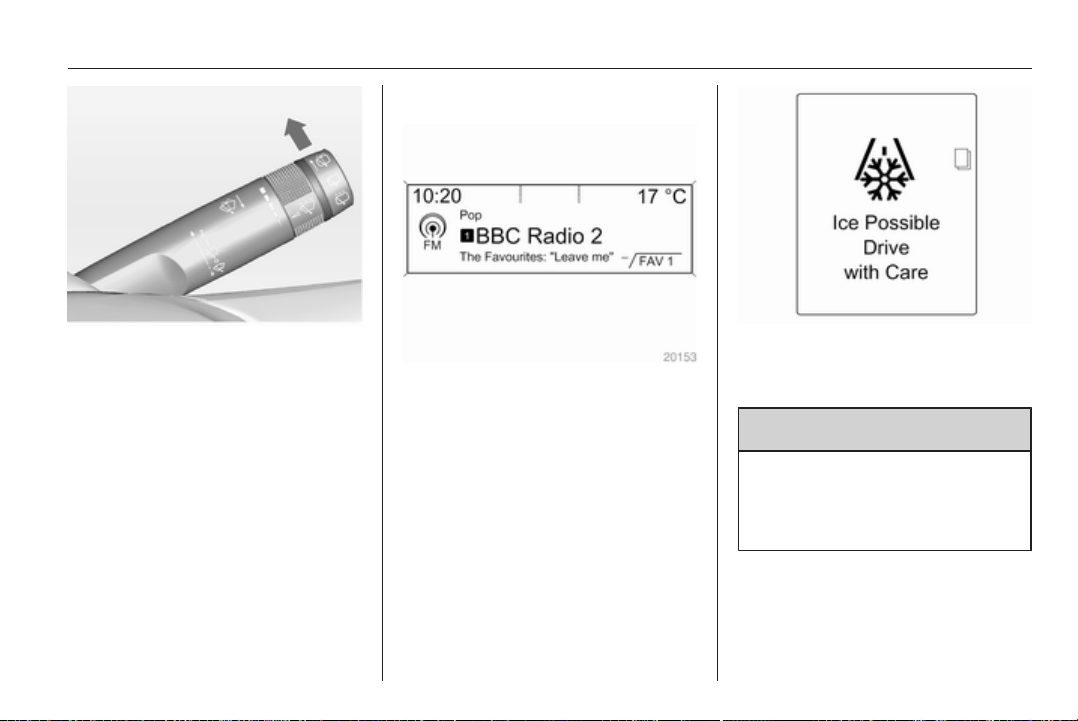
Instruments and controls 81
Push lever. Washer fluid is sprayed
onto the rear window and the wiper
wipes a few times.
Do not use if the windscreen is frozen.
Switch off in car washes.
The rear window wiper comes on
automatically when the windscreen
wiper is switched on and reverse gear
is engaged.
Activation or deactivation of this
function can be changed in the menu
Settings in the Info-Display.
Vehicle personalisation 3 103.
Outside temperature
A drop in temperature is indicated
immediately and a rise in temperature
after a time delay.
If outside temperature drops to 3 °C,
the symbol 4 illuminates in the Driver
Information Center with
Uplevel-Display or in the
Info-Display as a warning for icy road
conditions. 4 remains illuminated
until temperatures reach at least
5 °C.
Additionally a warning message is
displayed in the Driver Information
Center with Uplevel-Display.
9 Warning
The road surface may already be
icy even though the display
indicates a few degrees above
0 °C.
Clock
Date and time are shown in the
Info-Display.
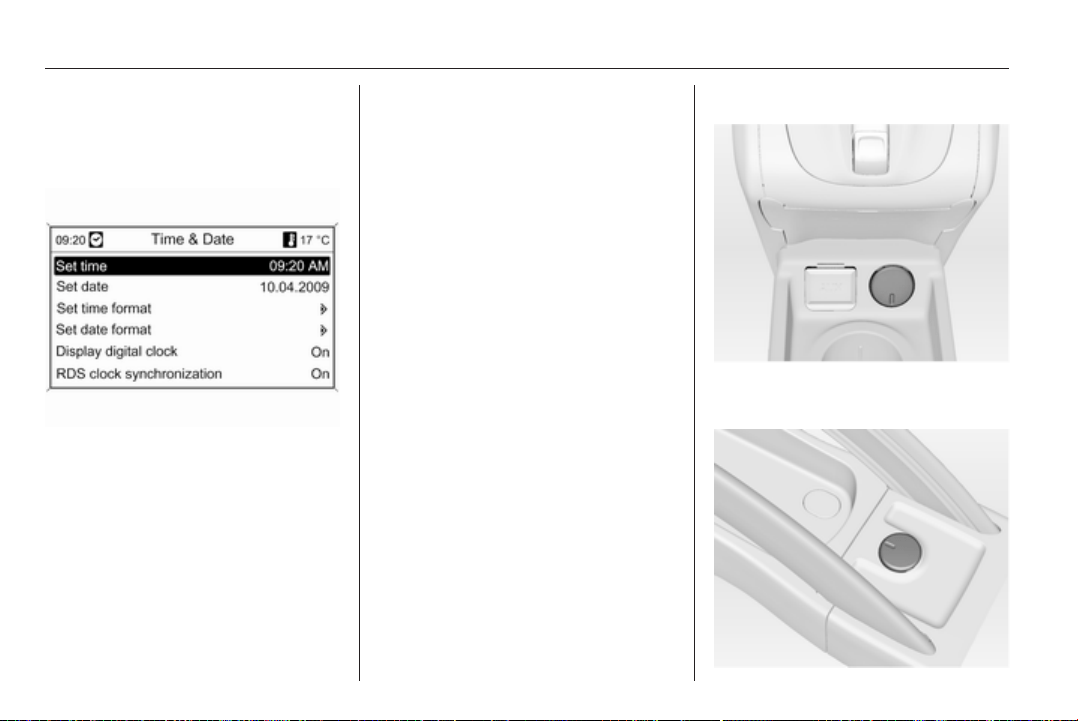
82 Instruments and controls
Set date and time
Press the CONFIG button. The menu
Settings is displayed.
Select Time & Date.
Selectable setting options:
■ Set time: Changes the time shown
on the display.
■ Set date: Changes the date shown
on the display.
■ Set time format: Changes
indication of hours between 12
hours and 24 hours.
■ Set date format: Changes
indication of date between MM/DD/
YYYY and DD.MM.YYYY.
■ Display digital clock: Switches on/
off indication of time on the display.
■ RDS clock synchronization: The
RDS signal of most VHF
transmitters automatically sets the
time. RDS time synchronisation
can take a few minutes. Some
transmitters do not send a correct
time signal. In such cases, it is
recommended to switch off
automatic time synchronisation.
Vehicle personalisation 3 103.
Power outlets
A 12 volt power outlet is located in the
front console.
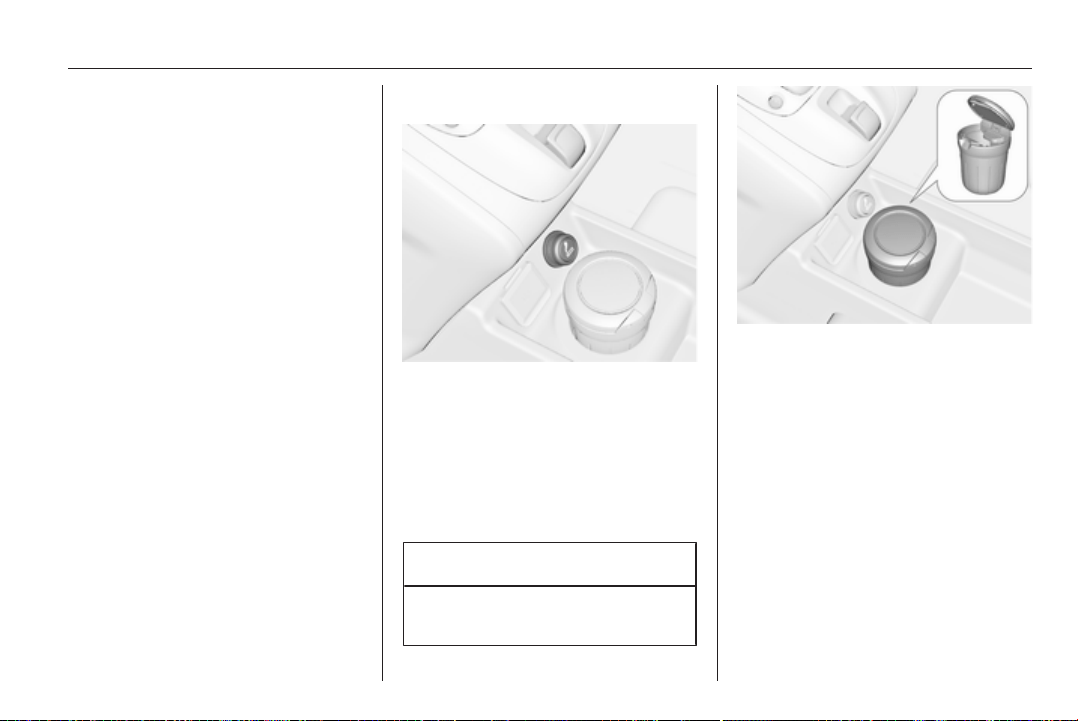
Instruments and controls 83
A further 12 volt power outlet is
located in the rear console.
Do not exceed the maximum power
consumption of 120 watts.
With ignition off, the power outlets are
deactivated. Additionally the power
outlets are deactivated in the event of
low battery voltage.
Electrical accessories that are
connected must comply with the
electromagnetic compatibility
requirements laid down in
DIN VDE 40 839.
Do not connect any current-delivering
accessories, e.g. electrical charging
devices or batteries.
Do not damage the outlet by using
unsuitable plugs.
Cigarette lighter
The cigarette lighter is located in the
front console.
Press in cigarette lighter. It switches
off automatically once the element is
glowing. Pull out lighter.
Ashtrays
Caution
To be used only for ash and not for
combustible rubbish.
The portable ashtray can be placed in
the cupholders.
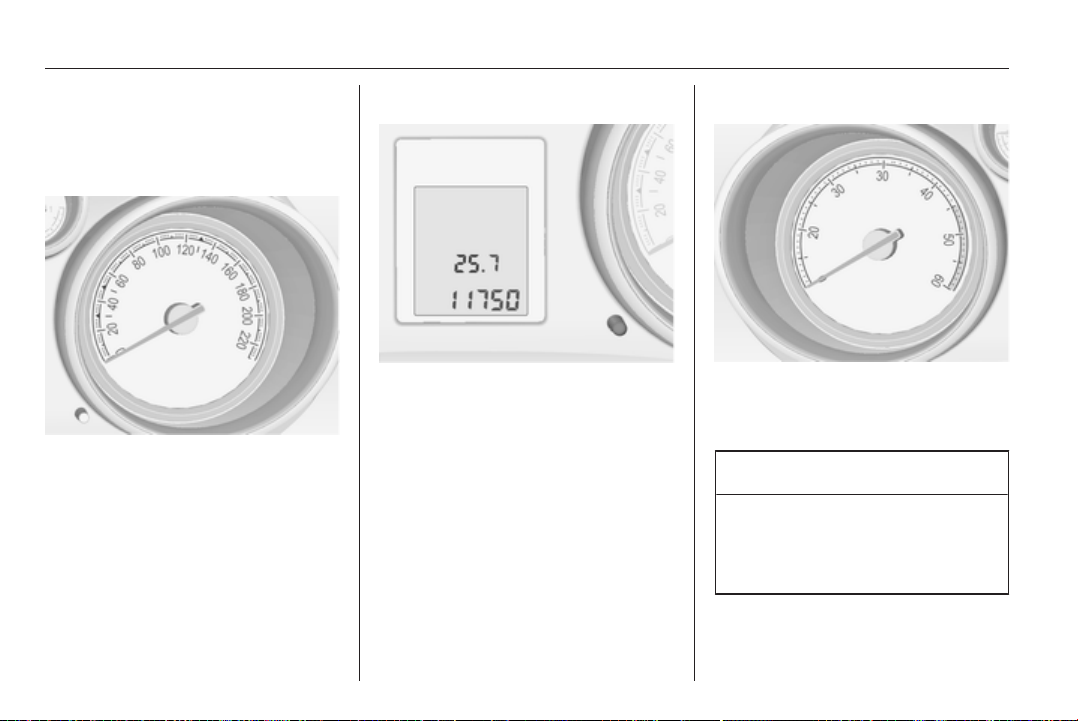
84 Instruments and controls
Warning lights, gauges
and indicators
Speedometer
Indicates vehicle speed.
Odometer
The bottom line displays the recorded
distance.
Trip odometer
The top line displays the recorded
distance since the last reset.
To reset, hold the reset knob
depressed for a few seconds with the
ignition on.
Tachometer
Displays the engine speed.
Drive in a low engine speed range for
each gear as much as possible.
Caution
If the needle is in the red warning
zone, the maximum permitted
engine speed is exceeded. Engine
at risk.

Instruments and controls 85
Fuel gauge
Displays the fuel level in the tank.
Control indicator i illuminates if the
level in the tank is low. Refuel
immediately if it flashes.
Never run the tank dry.
Because of the fuel remaining in the
tank, the top-up quantity may be less
than the specified tank capacity.
Engine coolant
temperature gauge
Displays the coolant temperature.
left area = engine operating
temperature not yet
reached
central
area
= normal operating
temperature
right area = temperature too high
Caution
If engine coolant temperature is
too high, stop vehicle, switch off
engine. Danger to engine. Check
coolant level.
Service display
The engine oil life system lets you
know when to change the engine oil
and filter. Based on driving
conditions, the interval at which an
engine oil and filter change will be
indicated can vary considerably.
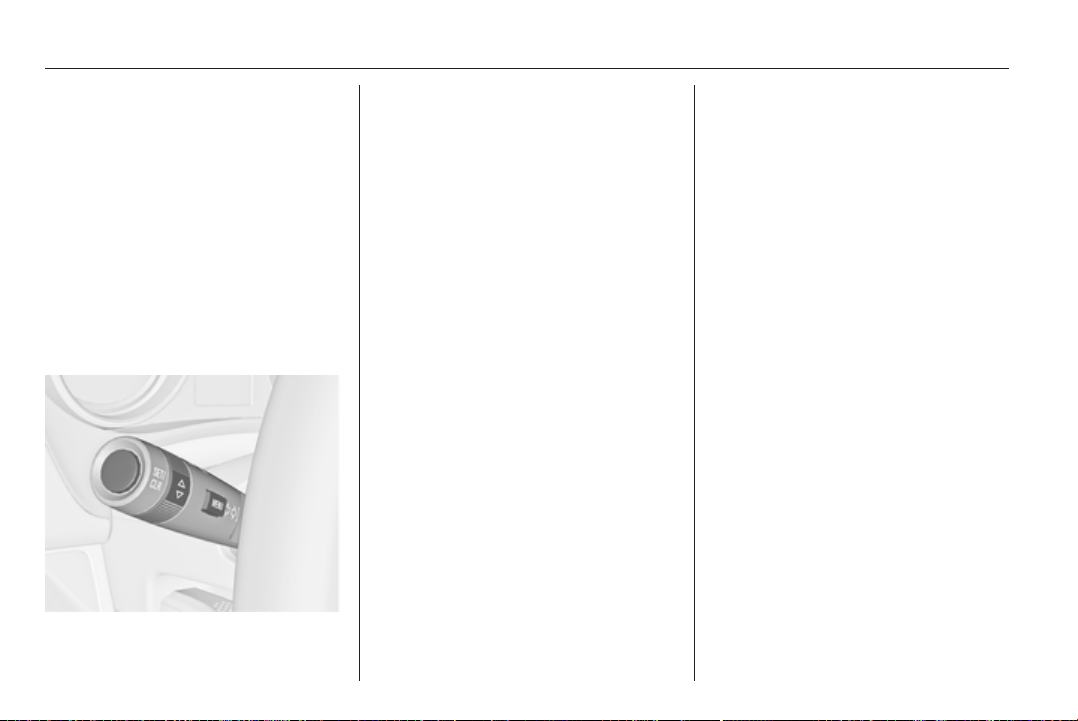
86 Instruments and controls
In the Uplevel-Display the remaining
oil life duration is displayed in the
Vehicle Information Menu.
In the Midlevel-Display the remaining
engine oil life duration is displayed by
the control indicator I. The ignition
must be switched on, with the engine
not running.
The menu and function can be
selected via the buttons on the turn
signal lever.
To display the remaining engine oil
life duration:
Press the MENU button to select the
Vehicle Information Menu.
Turn the adjuster wheel to select
Remaining Oil Life.
The system must be reset every time
the engine oil is changed to allow
proper functionality. Seek the
assistance of a workshop.
Press the SET/CLR button to reset.
The ignition must be switched on, with
the engine not running.
When the system has calculated that
engine oil life has been diminished,
Change Engine Oil Soon or a warning
code appears in the Driver
Information Center. Have engine oil
and filter changed by a workshop
within one week or 500 km
(whichever occurs first).
Driver Information Center 3 94.
Service information 3 185.
Control indicators
The control indicators described are
not present in all vehicles. The
description applies to all instrument
versions.
Depending on the equipment the
position of the control indicators may
vary.
When the ignition is switched on,
most control indicators will illuminate
briefly as a functionality test.
The control indicator colours mean:
red = danger, important
reminder
yellow = warning, information, fault
green = confirmation of activation
blue = confirmation of activation
white = confirmation of activation
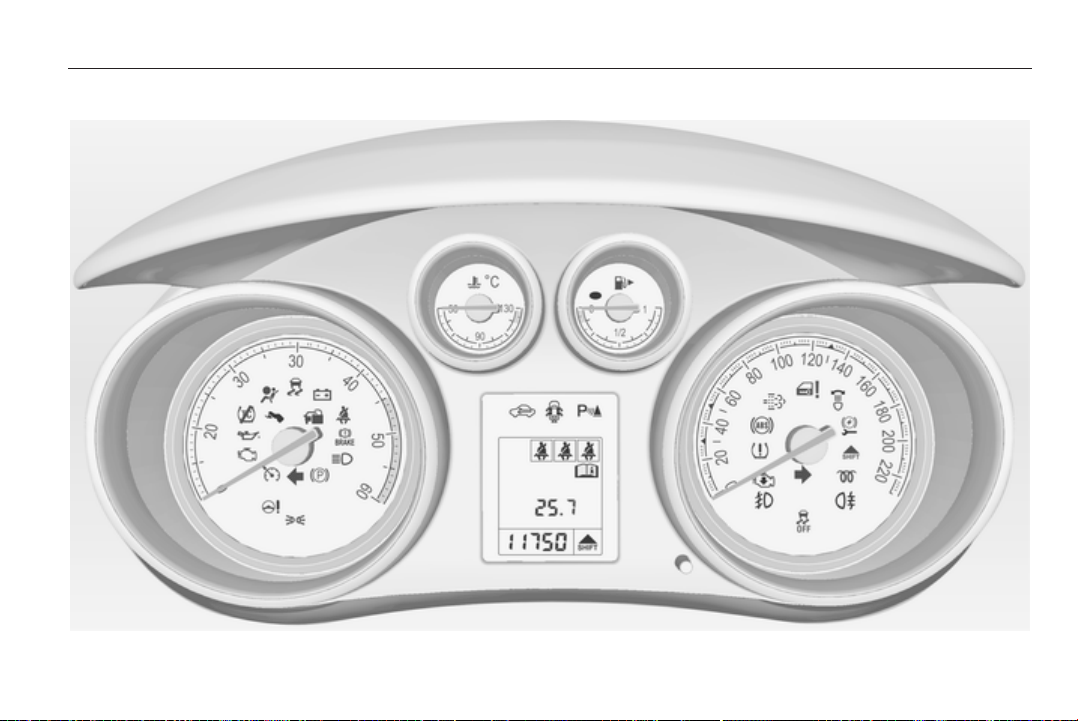
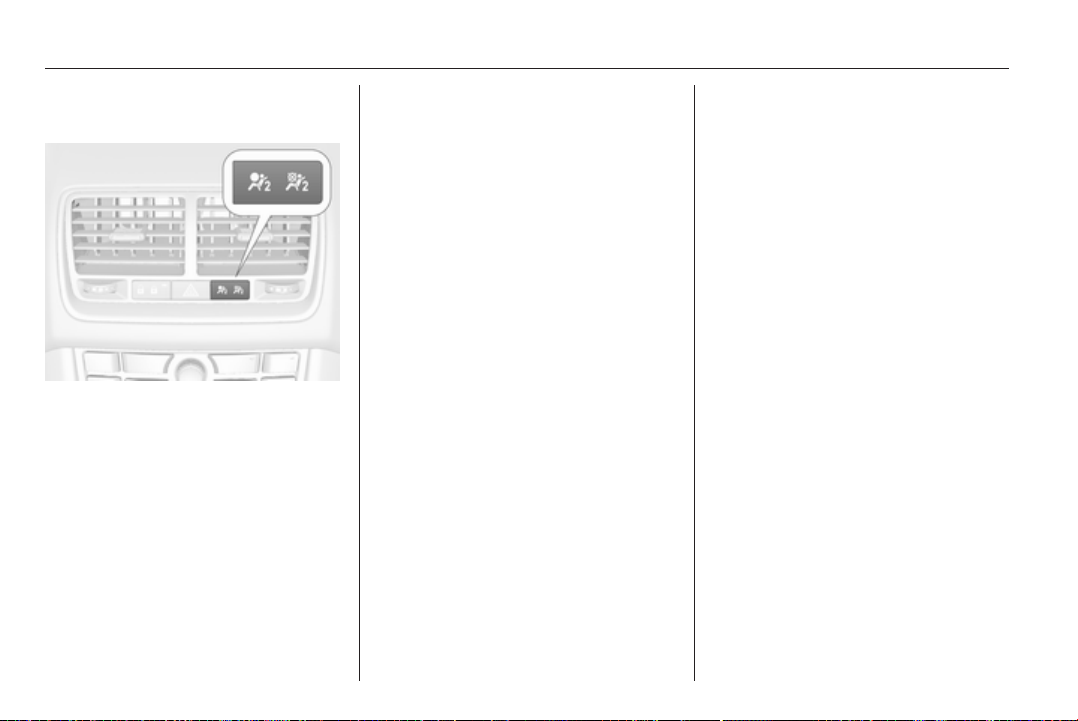
88 Instruments and controls
Control indicators in the centre
console
Turn signal
O illuminates or flashes green.
Illuminates briefly
The parking lights are switched on.
Flashes
A turn signal or the hazard warning
flashers are activated.
Rapid flashing: failure of a turn signal
light or associated fuse, failure of turn
signal light on trailer.
Bulb replacement 3 152, Fuses
3 161.
Turn signals 3 111.
Seat belt reminder
Seat belt reminder on front
seats
X illuminates or flashes red.
Illuminates
After the ignition has been switched
on until the seat belt has been
fastened.
Flashes
After having started the engine for
a maximum of 100 seconds until the
seat belt has been fastened.
Fastening the seat belt 3 44.
Seat belt status on rear seats
> or X in the Driver Information
Center flashes or illuminates.
Illuminates
After the ignition has been switched
on for a minimum of 35 seconds until
the seat belt has been fastened.
If an unfastened seat belt is fastened
whilst driving.
Flashes
After starting off when the seat belt is
unfastened.
Fastening the seat belt 3 44.
Airbag and belt tensioners
v illuminates red.
When the ignition is switched on, the
control indicator illuminates for
approx. 4 seconds. If it does not
illuminate, does not go out after
4 seconds or illuminates whilst
driving, there is a fault in the airbag
system. Seek the assistance of
a workshop. The airbags and belt
pretensioners may fail to trigger in the
event of an accident.
Deployment of the belt pretensioners
or airbags is indicated by continuous
illumination of v.

Instruments and controls 89
9 Warning
Have the cause of the fault
remedied immediately by
a workshop.
Belt pretensioners, airbag system
3 43, 3 47.
Airbag deactivation
V illuminates yellow.
The front passenger airbag is
activated.
* illuminates yellow.
The front passenger airbag is
deactivated 3 49.
9 Danger
Risk of fatal injury for a child using
a child restraint system together
with activated front passenger
airbag.
Risk of fatal injury for an adult
person with deactivated front
passenger airbag.
Charging system
p illuminates red.
Illuminates when the ignition is
switched on and goes out shortly after
the engine starts.
Illuminates when the engine is
running
Stop, switch off engine. Battery is not
charging. Engine cooling may be
interrupted. The brake servo unit may
cease to be effective. Seek the
assistance of a workshop.
Malfunction indicator light
Z illuminates or flashes yellow.
Illuminates when the ignition is
switched on and goes out shortly after
the engine starts.
Illuminates when the engine is
running
Fault in the emission control system.
The permitted emission limits may be
exceeded. Seek the assistance of
a workshop immediately.
Flashes when the engine is
running
Fault that could lead to catalytic
converter damage. Ease up on the
accelerator until the flashing stops.
Seek the assistance of a workshop
immediately.
Service vehicle soon
g illuminates yellow.
Additionally a warning message or
a warning code is displayed.
The vehicle needs a service.
Seek the assistance of a workshop.
Vehicle messages 3 98.
Brake and clutch system
Brake and clutch fluid level
& illuminates red.
The brake and clutch fluid level is too
low 3 150.
90 Instruments and controls
9 Warning
Stop. Do not continue your
journey. Consult a workshop.
Operate pedal
- illuminates or flashes yellow.
Illuminates
Brake pedal needs to be operated to
release the electrical parking brake
3 133.
Flashes
Clutch pedal needs to be operated to
start the engine 3 125.
Electrical parking brake
m illuminates or flashes red.
Illuminates
Electrical parking brake is applied
3 133.
Flashes
Electrical parking brake is not fully
applied or released. Switch on
ignition, depress brake pedal and
attempt to reset the system by first
releasing and then applying the
electrical parking brake. If m remains
flashing, do not drive and seek the
assistance of a workshop.
Electrical parking brake
fault
j illuminates or flashes yellow.
Illuminates
Electrical parking brake is operating
with degraded performance 3 133.
Flashes
Electrical parking brake is in service
mode. Stop vehicle, apply and
release the electrical parking brake to
reset.
9 Warning
Have the cause of the fault
remedied immediately by
a workshop.
Antilock brake system
(ABS)
u illuminates yellow.
Illuminates for a few seconds after the
ignition is switched on. The system is
ready for operation when the control
indicator goes out.
If the control indicator does not go out
after a few seconds, or if it illuminates
while driving, there is a fault in the
ABS. The brake system remains
operational but without ABS
regulation.
Antilock brake system 3 132.
Upshift
[ illuminates green or is shown as
a symbol in the Driver Information
Center with Uplevel-Display.

Instruments and controls 91
Upshifting is recommended for fuel
saving.
Variable effort steering
c illuminates yellow.
Fault in variable effort steering
system. This may lead to a higher or
lower steering effort. Consult
a workshop.
Ultrasonic parking assist
r illuminates yellow.
Fault in system
or
Fault due to sensors that are dirty or
covered by ice or snow
or
Interference due to external sources
of ultrasound. Once the source of
interference is removed, the system
will operate normally.
Have the cause of the fault in the
system remedied by a workshop.
Ultrasonic parking assist 3 137.
Electronic Stability Control
off
n illuminates yellow.
The system is deactivated.
Electronic Stability Control
and Traction Control
system
b illuminates or flashes yellow.
Illuminates
A fault in the system is present.
Continued driving is possible. Driving
stability, however, may deteriorate
depending on road surface
conditions.
Have the cause of the fault remedied
by a workshop.
Flashes
The system is actively engaged.
Engine output may be reduced and
the vehicle may be braked
automatically to a small degree.
Electronic Stability Control 3 135,
Traction Control system 3 134.
Traction Control system off
k illuminates yellow.
The system is deactivated.
Preheating
! illuminates yellow.
Preheating is activated. Only
activates when outside temperature
is low.
Diesel particle filter
% illuminates or flashes yellow.
The diesel particle filter requires
cleaning.
Continue driving until % goes out. If
possible do not allow engine speed to
drop below 2000 rpm.
Illuminates
The diesel particle filter is full. Start
cleaning process as soon as
possible.
92 Instruments and controls
Flashes
The maximum filling level of the filter
is reached. Start cleaning process
immediately to avoid damage to the
engine.
Diesel particle filter 3 127.
Deflation detection system
w illuminates or flashes yellow.
Illuminates
Deflation detected. Stop immediately
and check tyre pressure.
Flashes
Fault in system. Consult a workshop.
Deflation detection system 3 169.
Engine oil pressure
I illuminates red.
Illuminates when the ignition is
switched on and goes out shortly after
the engine starts.
Illuminates when the engine is
running
Caution
Engine lubrication may be
interrupted. This may result in
damage to the engine and/or
locking of the drive wheels.
1. Depress clutch.
2. Select neutral gear, set selector
lever to N.
3. Move out of the flow of traffic as
quickly as possible without
impeding other vehicles.
4. Switch off ignition.
9 Warning
When the engine is off,
considerably more force is needed
to brake and steer.
Do not remove key until vehicle is
stationary, otherwise the steering
wheel lock could engage
unexpectedly.
Check oil level before seeking
assistance of a workshop 3 148.
Low fuel
i illuminates or flashes yellow.
Illuminates
Level in fuel tank is too low.
Flashes
Fuel used up. Refuel immediately.
Never run the tank dry.
Catalytic converter 3 128.
Bleeding the diesel fuel system
3 151.
Immobiliser
d flashes yellow.
Fault in the immobiliser system. The
engine cannot be started.
Reduced engine power
# illuminates yellow.
The engine power is limited. Consult
a workshop.

Instruments and controls 93
Exterior light
8 illuminates green.
The exterior lights are on 3 107.
High beam
C illuminates blue.
Illuminated when high beam is on and
during headlight flash 3 108.
Adaptive forward lighting
f illuminates or flashes yellow.
Illuminates
Fault in system.
Seek the assistance of a workshop.
Flashes
System switched to symmetrical low
beam.
Control indicator f flashes for approx.
4 seconds after the ignition is
switched on as a reminder that the
system has been activated 3 109.
Automatic light control 3 108.
Fog light
> illuminates green.
The front fog lights are on 3 111.
Rear fog light
r illuminates yellow.
The rear fog light is on 3 111.
Cruise control
m illuminates white or green.
Illuminates white
The system is on.
Illuminates green
A certain speed is stored.
Cruise control 3 136.
Door open
h illuminates red.
A door or the tailgate is open.
Automatic locking
^ illuminates amber.
Fault in the automatic locking system.
The rear doors are possibly not
secured against opening.
9 Warning
Stop your journey immediately!
Follow the instructions as
described in paragraph "Fault in
the automatic locking system"
before continuing your journey
3 24.
Consult a workshop.
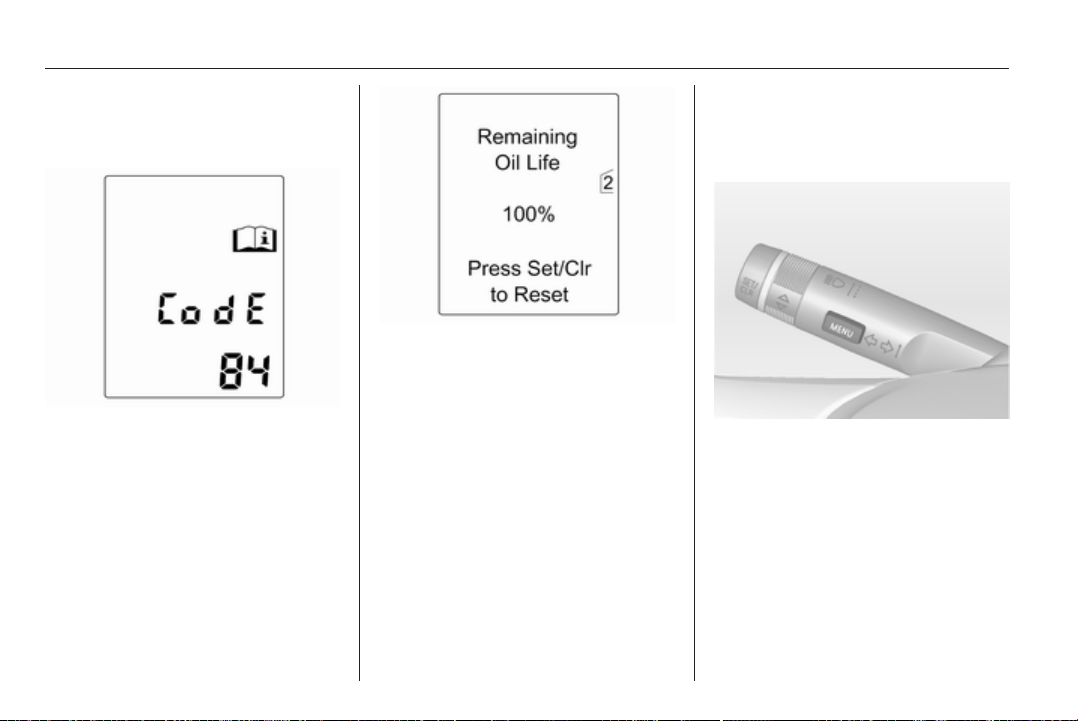
94 Instruments and controls
Information displays
Driver Information Center
The Driver Information Center (DIC)
is located in the instrument cluster
between speedometer and
tachometer. It is available as
Midlevel- or Uplevel-Display.
The following main menus,
depending on the vehicle
configuration, can be selected:
■ Vehicle Information Menu
■ Trip/Fuel Information Menu
Some of the displayed functions differ
between vehicle driving and standstill
and some functions are only active
when the vehicle is driving.
Vehicle personalisation 3 103,
Memorised settings 3 21.
Selecting menus and functions
The menus and functions can be
selected via the buttons on the turn
signal lever.
Press the MENU button to switch
between the menus or to return from
a submenu to the next higher menu
level.
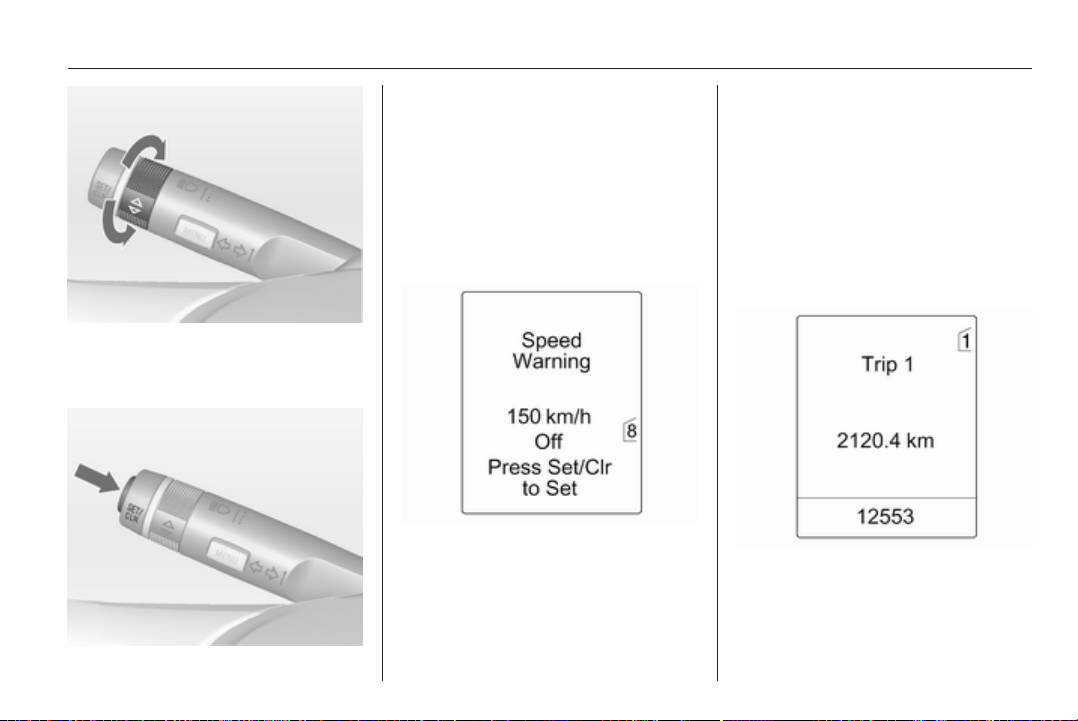
Instruments and controls 95
Turn the adjuster wheel to highlight
a menu option or to set a numeric
value.
Press the SET/CLR button to select
a function or to confirm a message.
Vehicle Information Menu
Press the MENU button to select the
Vehicle Information Menu.
Turn the adjuster wheel to select one
of the submenus. Press the SET/
CLR button to confirm.
Follow the instructions given in the
submenus.
Possible submenus:
■ Unit: Displayed units can be
changed.
■ Remaining Oil Life: 3 85
■ Speed Warning: If exceeding the
preset speed, a warning chime will
be activated.
■ Language: Displayed language can
be changed.
Selection and indication can be
different between Midlevel- and
Uplevel-Display.
Trip/Fuel Information Menu
Trip/Fuel Information Menu, Trip
Computer 3 101.
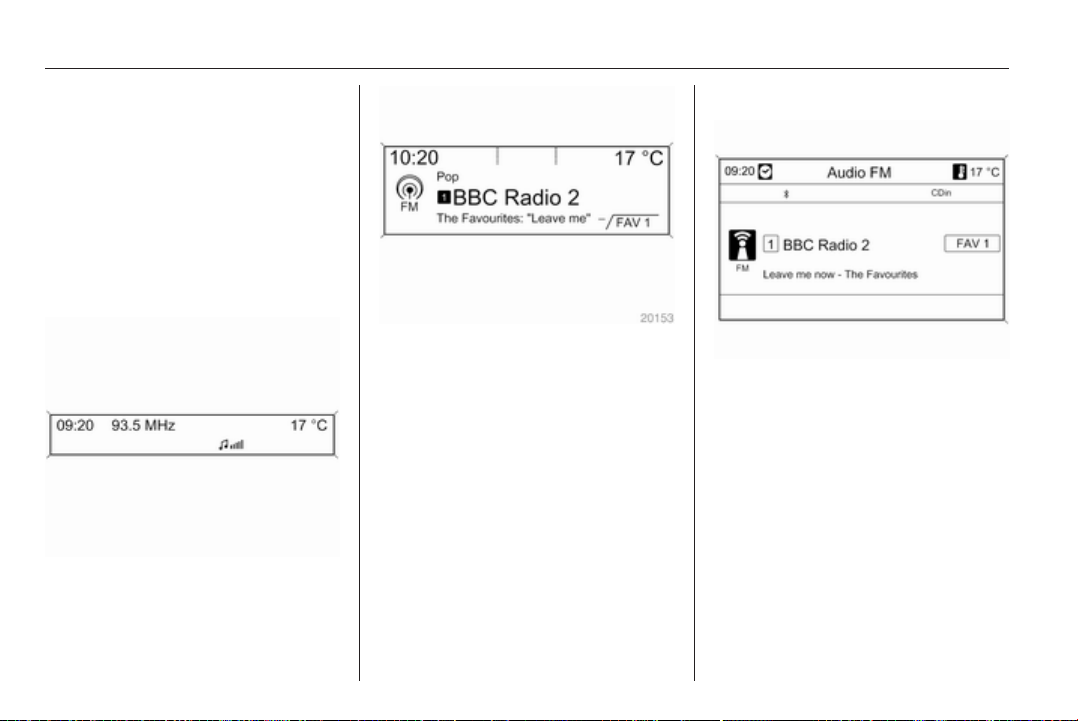
96 Instruments and controls
Graphic-Info-Display,
Colour-Info-Display
Depending on the vehicle
configuration the vehicle has
a Graphic- or Colour-Info-Display.
The Info-Display is located in the
instrument panel above the
Infotainment system.
Graphic-Info-Display
Depending on the Infotainment
system, the Graphic-Info-Display is
available in two versions.
Graphic-Info-Display indicates:
■ time 3 81
■ outside temperature 3 81
■ date 3 81
■ Infotainment system, see
description for Infotainment system
in the Infotainment system manual
■ settings for vehicle personalisation
3 103
Colour-Info-Display
The Colour-Info-Display indicates in
colour:
■ time 3 81
■ outside temperature 3 81
■ date 3 81
■ Infotainment system, see
description for Infotainment system
in the Infotainment system manual
■ navigation, see description for
Infotainment system in the
Infotainment system manual
■ system settings
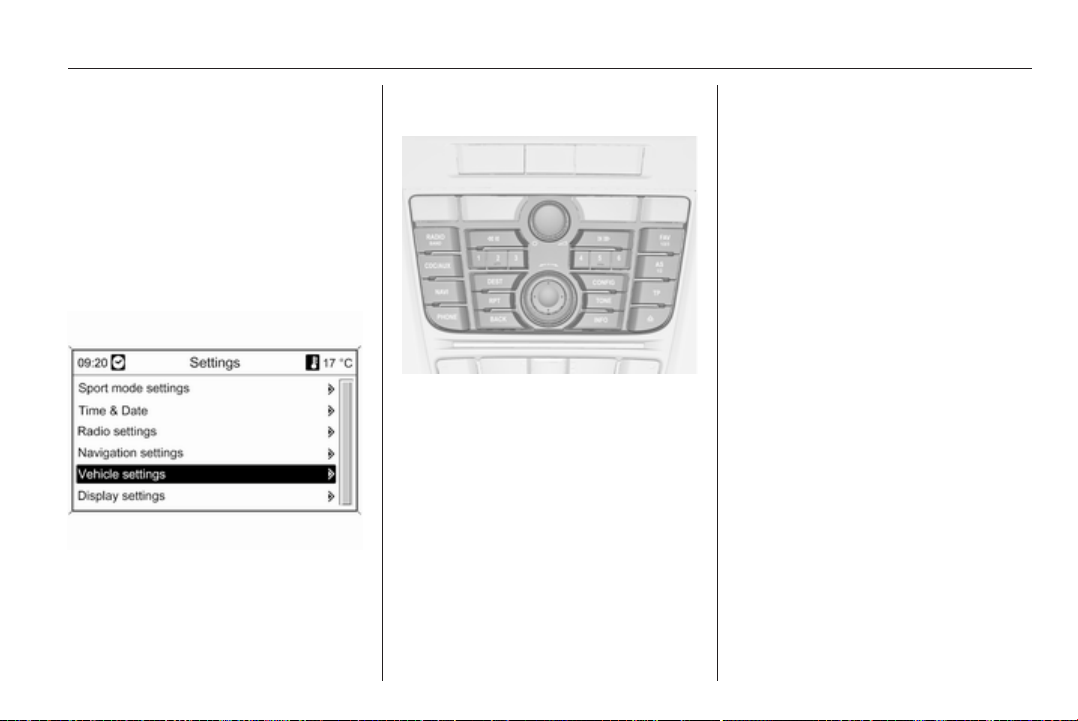
Instruments and controls 97
■ vehicle messages 3 98
■ settings for vehicle personalisation
3 103
The type of information and how it is
displayed depends on the equipment
of the vehicle and the settings made.
Selecting menus and settings
Menus and settings are accessed via
the display.
Selections are made via:
■ menus
■ function buttons and multifunction
knob of the Infotainment system
Selecting with the Infotainment
system
Select a function via the Infotainment
system buttons. The menu of the
selected function is displayed.
The multifunction knob is used to
select an item and to confirm.
Multifunction knob
The multifunction knob is the central
control element for the menus:
Turn
■ To mark a menu option
■ To set a numeric value or to display
a menu option
Press (the outer ring)
■ To select or activate the marked
option
■ To confirm a set value
■ To switch a system function on/off
BACK button
Press button to:
■ exit a menu without changing
settings
■ return from a submenu to a higher
menu level
■ delete the last character in
a character sequence
Press and hold the button for a few
seconds to delete the entire entry.
Vehicle personalisation 3 103,
Memorised settings 3 21.
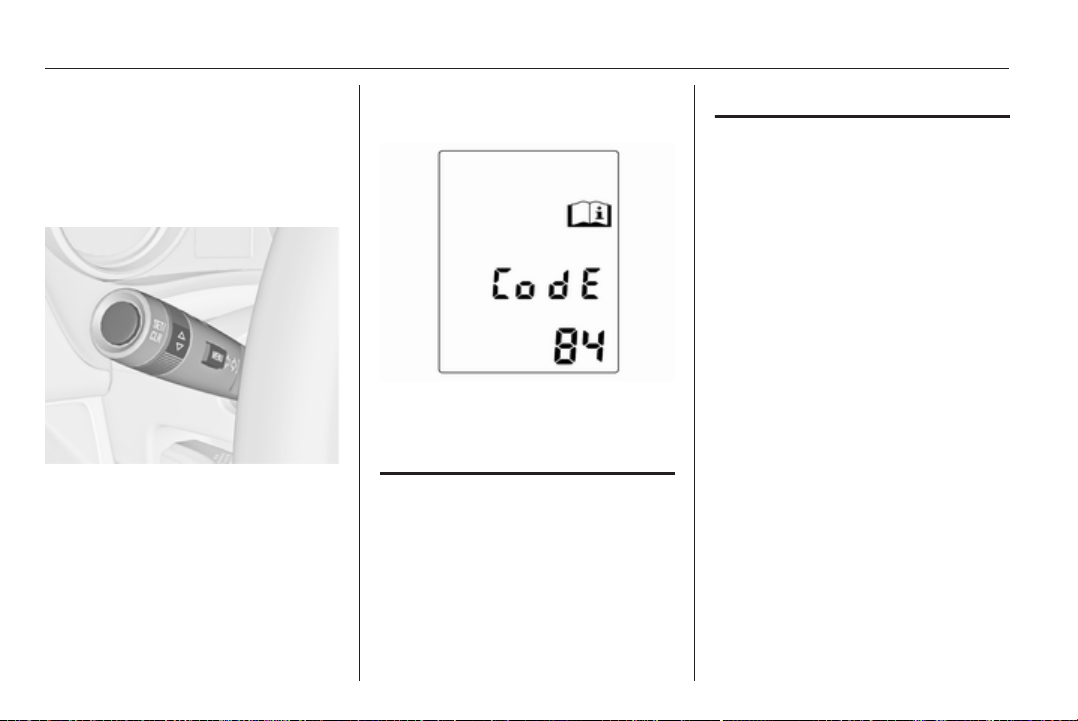
98 Instruments and controls
Vehicle messages
Messages are indicated mainly in the
Driver Information Center (DIC), in
some cases together with a warning
and signal buzzer.
Press the SET/CLR button, the
MENU button or turn the adjuster
wheel to confirm a message.
Vehicle messages on the
Midlevel-Display
The vehicle messages are displayed
as code numbers.
No. Vehicle message
2 No radio remote control
detected, depress clutch pedal
for a restart
3 Engine coolant level low
4 Air conditioning off
5 Steering wheel is locked
No. Vehicle message
6 Depress brake pedal to release
electrical parking brake
7 Turn steering wheel, switch
ignition off and then on
9 Turn steering wheel, start
engine again
12 Vehicle overloaded
13 Compressor overheated
15 Centre high-mounted brake
light failure
16 Brake light failure
17 Headlight levelling malfunction
18 Left low beam failure
19 Rear fog light failure
20 Right low beam failure
21 Left sidelight failure
22 Right sidelight failure
23 Reversing light failure

Instruments and controls 99
No. Vehicle message
24 Number plate light failure
25 Left front turn signal failure
26 Left rear turn signal failure
27 Right front turn signal failure
28 Right rear turn signal failure
29 Check trailer brake light
30 Check trailer reversing light
31 Check left trailer turn signal
32 Check right trailer turn signal
33 Check trailer rear fog light
34 Check trailer rear light
35 Replace battery in radio remote
control
48 Clean side blind zone alert
system
50 Activated pedestrian protection
system, reset bonnet
53 Tighten gas cap
No. Vehicle message
54 Water in diesel fuel filter
55 Diesel particle filter is full
3 127
59 Open and then close driver
window
60 Open and then close front
passenger window
61 Open and then close rear left
window
62 Open and then close rear right
window
65 Theft attempted
66 Service theft alarm system
67 Service steering wheel lock
68 Service power steering
69 Service suspension system
70 Service level control system
71 Service rear axle
No. Vehicle message
74 Service AFL
75 Service air conditioning
76 Service side blind zone alert
system
78 Service pedestrian protection
system
79 Top up engine oil
81 Service transmission
82 Change engine oil soon
83 Service adaptive cruise control
84 Engine power is reduced
94 Shift to park before exiting
95 Service airbag
128 Bonnet open
174 Low battery
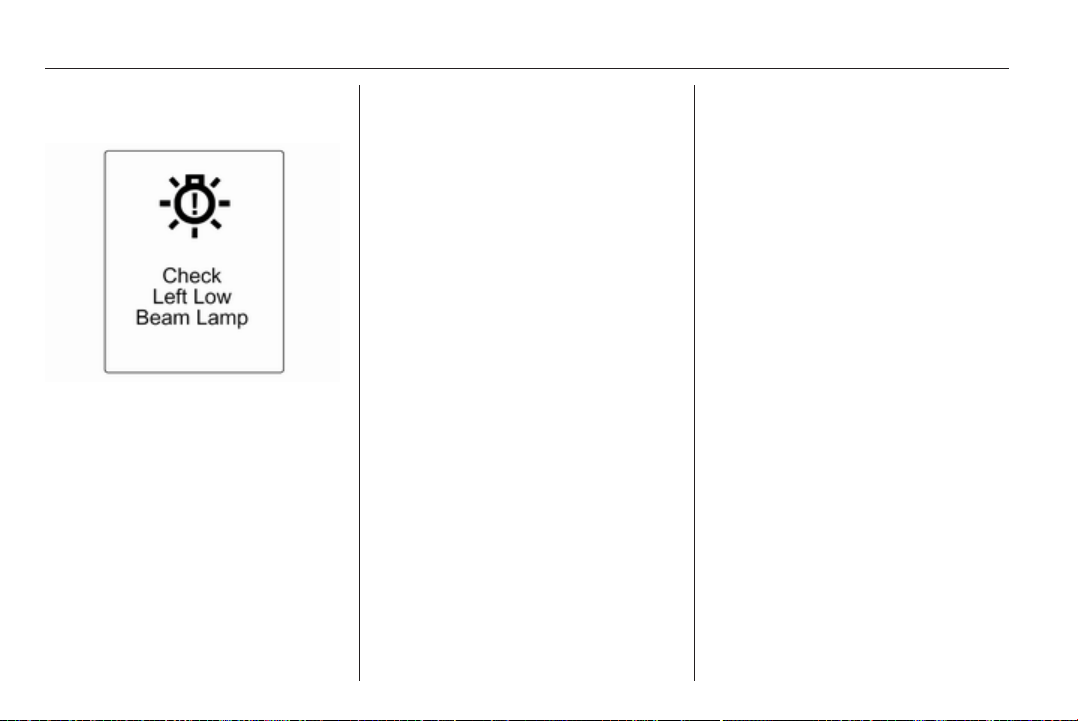
100 Instruments and controls
Vehicle messages on the
Uplevel-Display
The vehicle messages are displayed
as text. Follow the instructions given
in the messages.
The system displays messages
regarding the following topics:
■ Fluid levels
■ Anti-theft alarm system
■ Brakes
■ Drive systems
■ Ride control systems
■ Cruise control
■ Object detection systems
■ Lighting, bulb replacement
■ Wiper/washer system
■ Doors, windows
■ Radio remote control
■ Seat belts
■ Airbag systems
■ Engine and transmission
■ Tyre pressure
■ Diesel particle filter
Vehicle messages on the
Colour-Info-Display
Some important messages appear
additionally in the
Colour-Info-Display. Press the
multifunction knob to confirm
a message. Some messages only
pop up for a few seconds.
Warning chimes
When starting the engine or
whilst driving
■ If seat belt is not fastened.
■ If a door or the tailgate is not fully
closed when starting off.
■ If a certain speed is exceeded with
parking brake applied.
■ If a programmed speed is
exceeded.
■ If a warning message or a warning
code appears in the Driver
Information Center.
■ If the parking assist detects an
object.
■ If a fault in the automatic locking
system is detected.
■ If the diesel particle filter has
reached the maximum filling level.
When the vehicle is parked and/
or the driver's door is opened
■ When the key is in the ignition
switch.
■ With exterior lights on.
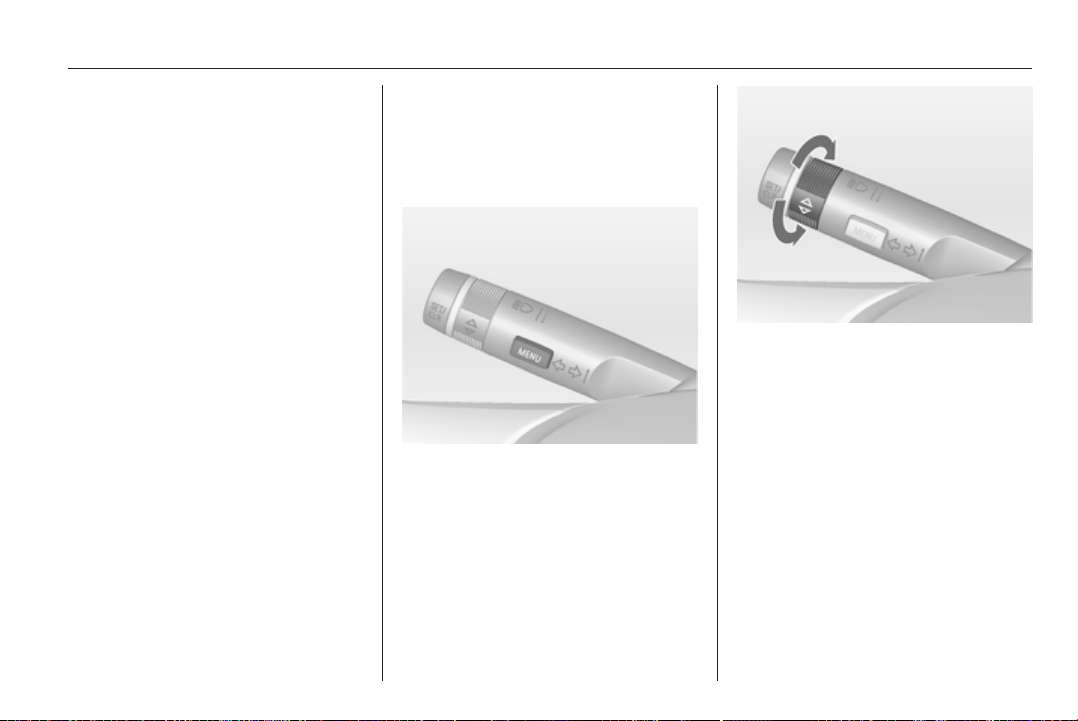
Instruments and controls 101
Battery voltage
When the battery voltage is running
low, a warning message or warning
code 174 will appear in the Driver
Information Center.
1. Switch off immediately electrical
consumers which are not required
for a safe ride, such as seat
heating, heated rear window or
other main consumers.
2. Charge the battery by driving
continuously for a while or by
using a charging device.
The warning message or warning
code will disappear after the engine
has been started two times running
without voltage drop.
If the battery cannot be recharged,
have the cause of the fault remedied
by a workshop.
Trip computer
The menus and functions can be
selected via the buttons on the turn
signal lever.
Press the MENU button to select the
Trip/Fuel Information Menu.
Turn the adjuster wheel to select one
of the submenus:
■ Trip odometer 1
■ Trip odometer 2
■ Range
■ Average consumption
■ Instantaneous consumption
■ Average speed
■ Digital speed
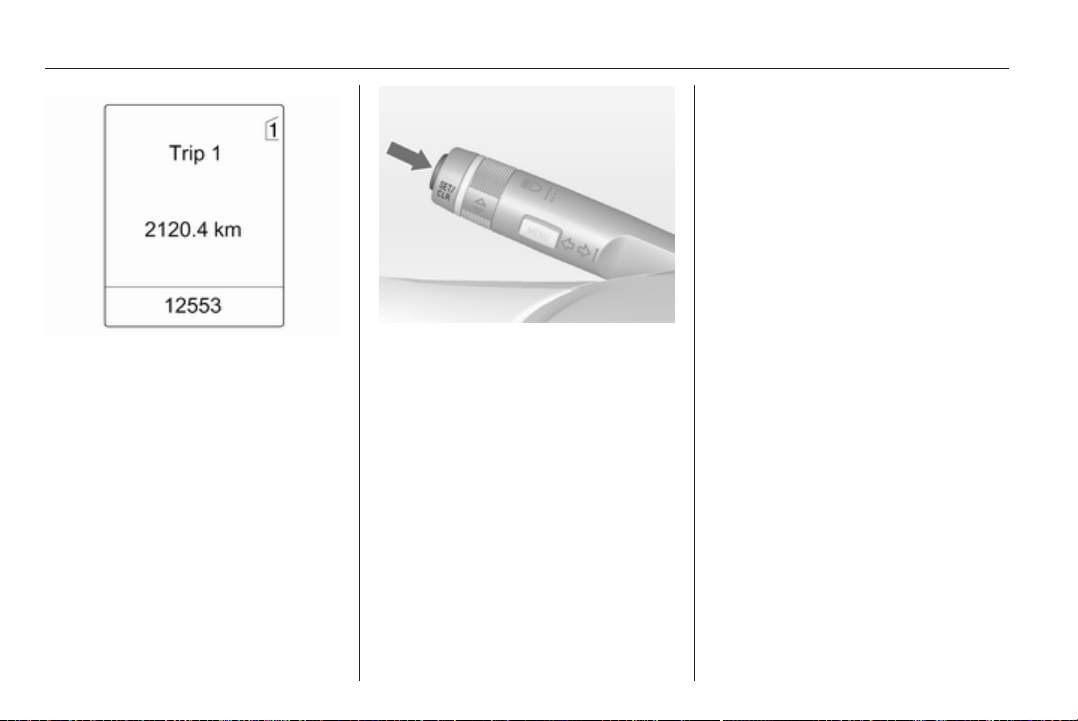
102 Instruments and controls
The information of the two trip
computers can be reset separately,
making it possible to display different
trip distances.
To reset, press the reset knob or
press the SET/CLR button for a few
seconds.
Range
Range is calculated from current fuel
tank content and current
consumption. The display shows
average values.
After refuelling, the range is updated
automatically after a brief delay.
When the fuel level in the tank is low,
a message appears in the Driver
Information Center and in the
Info-Display.
Additionally the control indicator i in
the fuel gauge illuminates.
Average consumption
Display of average consumption. The
measurement can be reset at any
time and starts with a default value.
To reset, press the SET/CLR button
for a few seconds.
Instantaneous consumption
Display of the instantaneous
consumption.
Average speed
Display of average speed. The
measurement can be reset at any
time.
To reset, press the SET/CLR button
for a few seconds.
Digital speed
Digital display of the instantaneous
speed.
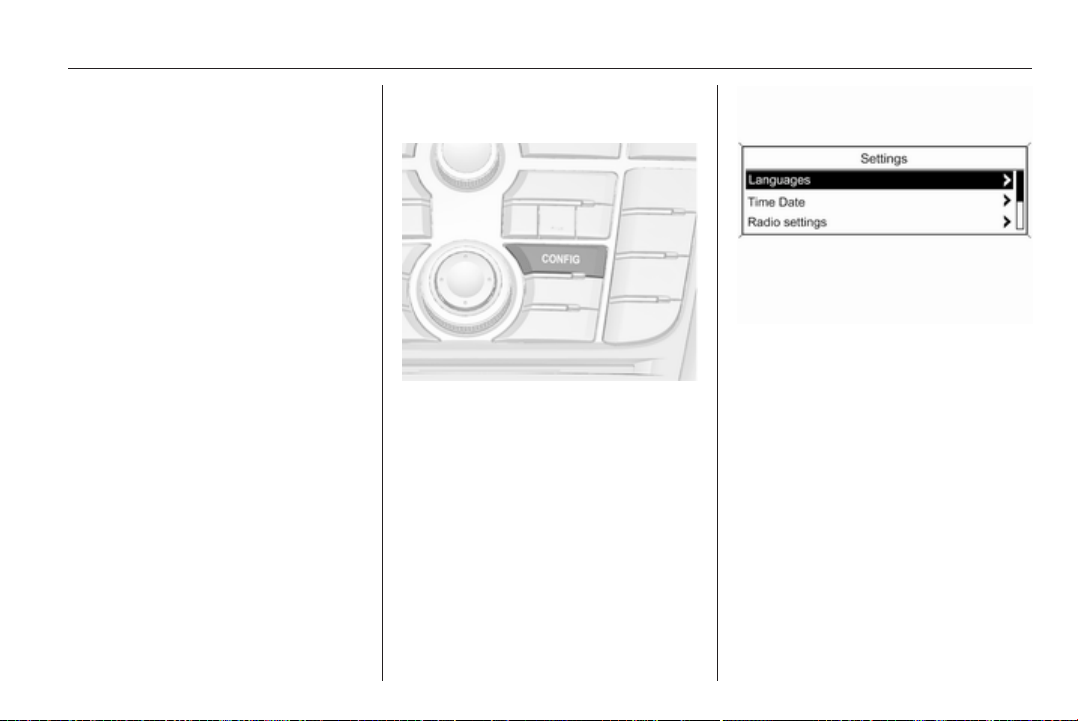
Instruments and controls 103
Vehicle personalisation
The vehicle's behaviour can be
personalised by changing the settings
in the Info-Display.
Some of the personal settings for
different drivers can be memorised
individually for each vehicle key.
Memorised settings 3 21.
Depending on vehicle equipment and
country-specific regulations some of
the functions described below might
not be available.
Some functions are only displayed or
active when the engine is running.
Personal settings in the
Graphic-Info-Display
Press the CONFIG button. The menu
Settings is displayed.
The following settings can be
selected by turning and pressing the
multifunction knob:
■ Languages
■ Time Date
■ Radio settings
■ Phone settings
■ Vehicle settings
In the corresponding submenus the
following settings can be changed:
Languages
Selection of the desired language.
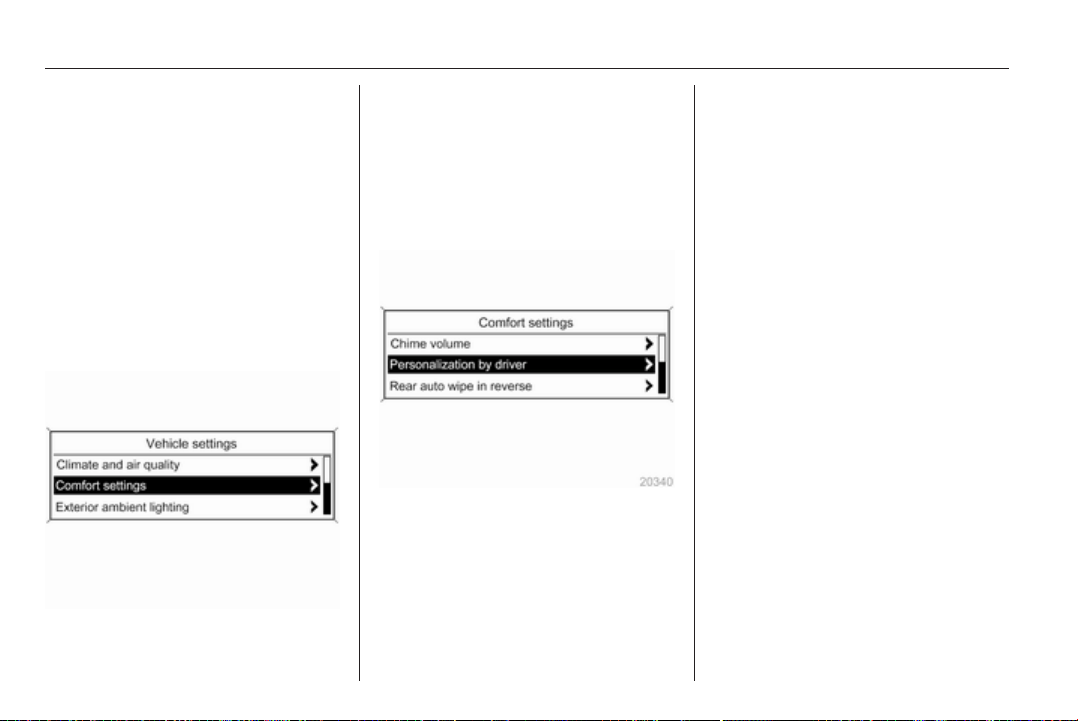
104 Instruments and controls
Time Date
See Clock 3 81.
Radio settings
See description for Infotainment
system in the Infotainment system
manual.
Phone settings
See description for Infotainment
system in the Infotainment system
manual.
Vehicle settings
■ Climate and air quality
Auto fan speed: Modifies the fan
regulation.
Climate control mode: Activate or
deactivate cooling.
Auto rear demist: Automatic
activation of rear heated window.
■ Comfort settings
Chime volume: Change the volume
of warning chimes.
Personalization by driver: Activate
or deactivate the personalisation
function.
Rear auto wipe in reverse: Activate
or deactivate automatic switching
on of the rear window wiper when
reverse gear is engaged.
■ Park assist / Collision detection
Park assist: Activate or deactivate
the ultrasonic parking assist .
■ Exterior ambient lighting
Duration upon exit of vehicle:
Activate or deactivate and change
the duration of exit lighting.
Exterior lighting by unlocking:
Activate or deactivate the welcome
lighting.
■ Remote locking, unlocking, starting
Remote door unlock: Change the
configuration to unlock only the
driver's door or the whole vehicle
whilst unlocking.
■ Restore factory settings
Restore factory settings: Reset all
settings to the default settings.
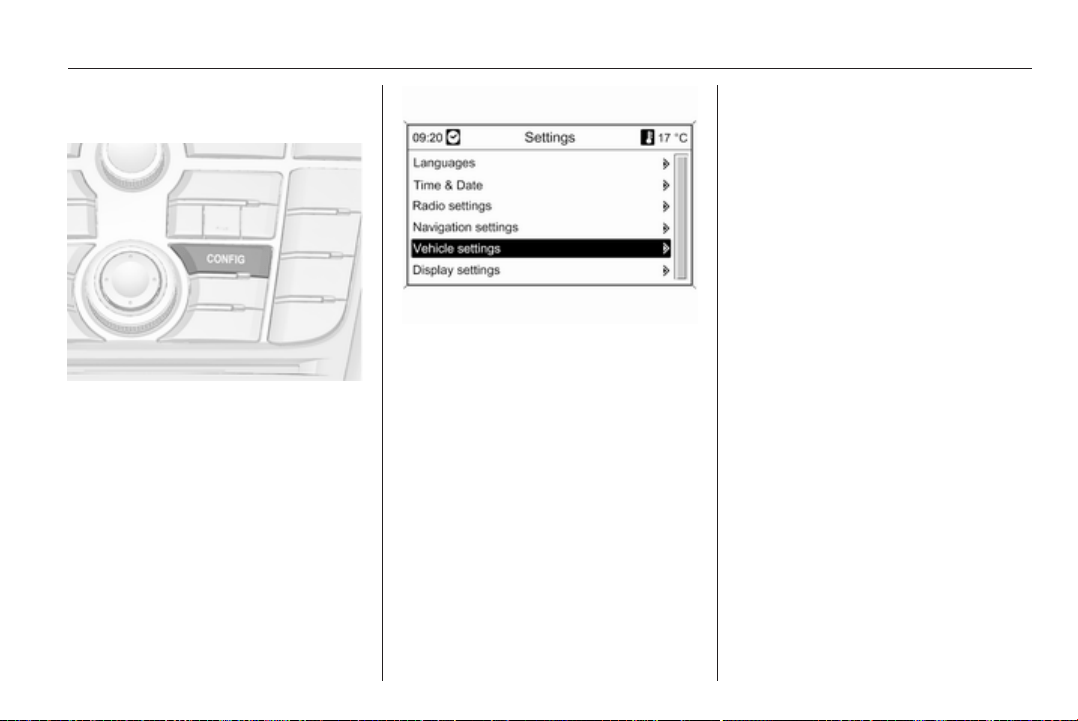
Instruments and controls 105
Personal settings in the
Colour-Info-Display
Press the CONFIG button. The menu
Settings is displayed.
The following settings can be
selected by turning and pressing the
multifunction knob:
■ Languages
■ Time & Date
■ Radio settings
■ Phone settings
■ Navigation settings
■ Vehicle settings
■ Display settings
In the corresponding submenus the
following settings can be changed:
Languages
Selection of the desired language.
Time & Date
See Clock 3 81.
Radio settings
See description for Infotainment
system in the Infotainment system
manual.
Phone settings
See description for Infotainment
system in the Infotainment system
manual.
Navigation settings
See description for Infotainment
system in the Infotainment system
manual.
Vehicle settings
■ Climate and air quality
Auto fan speed: Modifies the fan
regulation.
Climate control mode: Activate or
deactivate cooling.
Auto rear demist: Automatic
activation of rear heated window.
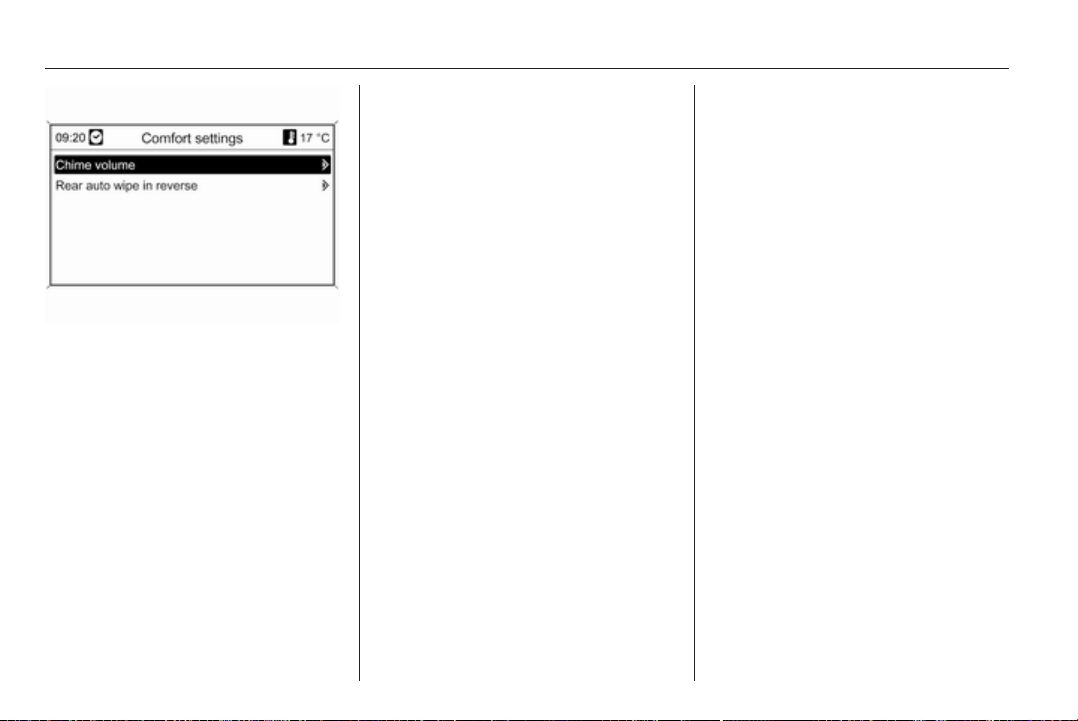
106 Instruments and controls
■ Comfort settings
Chime volume: Change the volume
of warning chimes.
Rear auto wipe in reverse: Activate
or deactivate automatic switching
on of the rear window wiper when
reverse gear is engaged.
■ Park assist / Collision detection
Park assist: Activate or deactivate
the ultrasonic parking assist.
■ Exterior ambient lighting
Duration upon exit of vehicle:
Activate or deactivate and change
the duration of exit lighting.
Exterior lighting by unlocking:
Activate or deactivate the welcome
lighting.
■ Restore factory settings
Restore factory settings: Reset all
settings to the default settings.
Display settings
Selectable display settings:
■ Day mode: Optimisation for
daylight conditions.
■ Night mode: Optimisation for
darkness.
■ Automatic mode:
Vehicles without light sensor:
The display changes the mode
when the vehicle lights are
switched on/off.
Vehicles with light sensor:
The display changes the mode due
to the exterior lighting conditions
independently from the vehicle
lights.
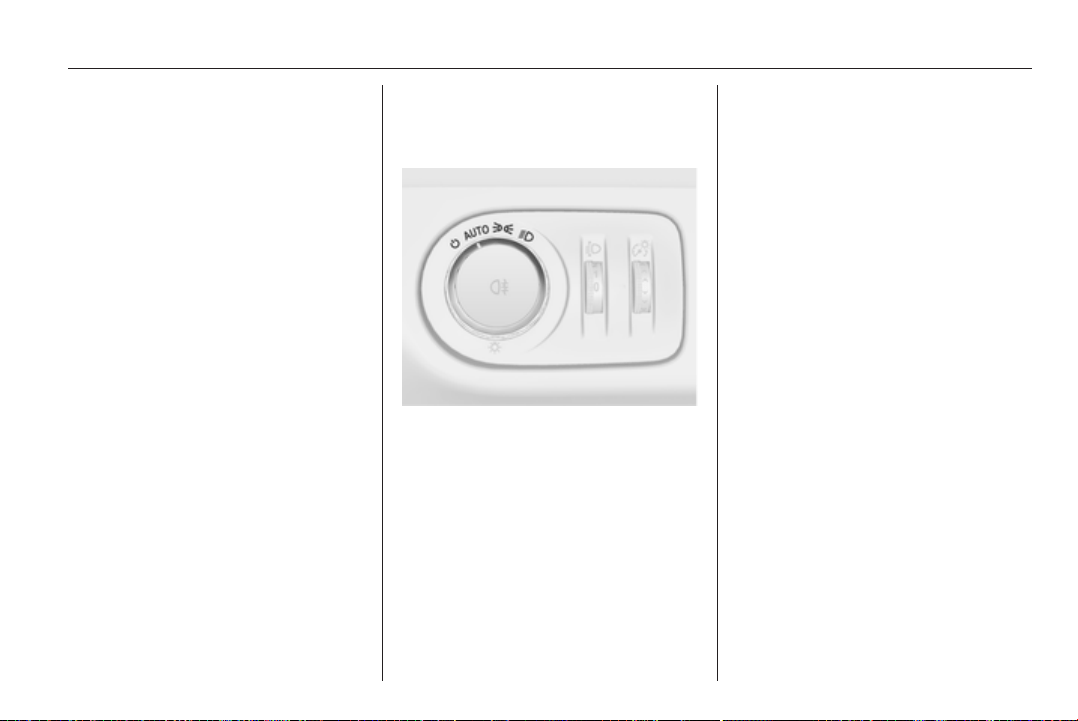
Lighting 107
Lighting
Exterior lighting .......................... 107
Interior lighting ........................... 112
Lighting features ........................ 114
Exterior lighting
Light switch
Turn light switch:
AUTO = automatic light control:
Headlights are switched
on and off automatically
depending on external
lighting conditions.
m
= activation or deactivation
of the automatic light
control. Switch turns back
to AUTO.
8
= sidelights
9
= headlights
Vehicles without automatic light
control:
7
= off
In the Driver Information Center with
Uplevel-Display, the current status of
the automatic light control is
displayed.
When switching on the ignition,
automatic light control is active.
Control indicator 8 3 93.
Tail lights
Tail lights are illuminated together
with headlights and sidelights.
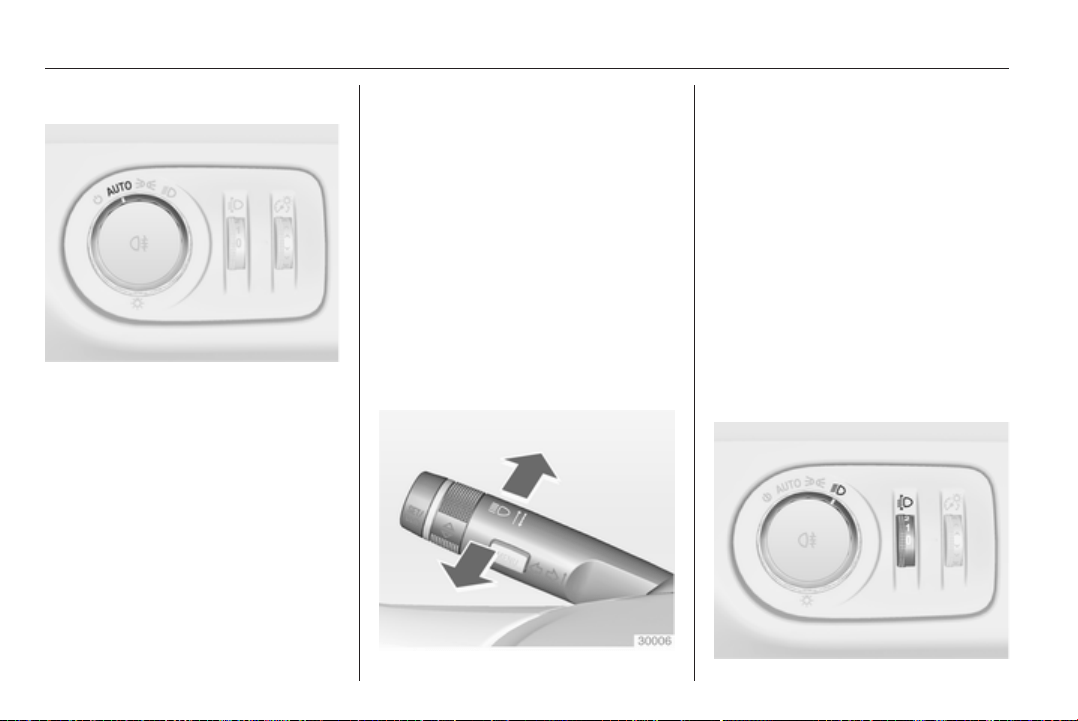
108 Lighting
Automatic light control
Automatic light control function
When the automatic light control
function is switched on and the
engine is running, the system
switches between daytime running
light and automatic headlight
depending on lighting conditions.
Daytime running light
Daytime running light increases
visibility of the vehicle during daylight.
While the daytime running light is
active, the tail lights are switched on
or off depending on country-specific
variant.
Automatic headlight activation
During poor lighting conditions the
headlights are switched on.
Tunnel detection
When a tunnel is entered the
headlights are switched on.
Adaptive forward lighting 3 110.
High beam
To switch from low to high beam,
push lever.
To switch to low beam, push lever
again or pull.
Headlight flash
To activate the headlight flash, pull
lever.
Headlight range
adjustment
Manual headlight range
adjustment
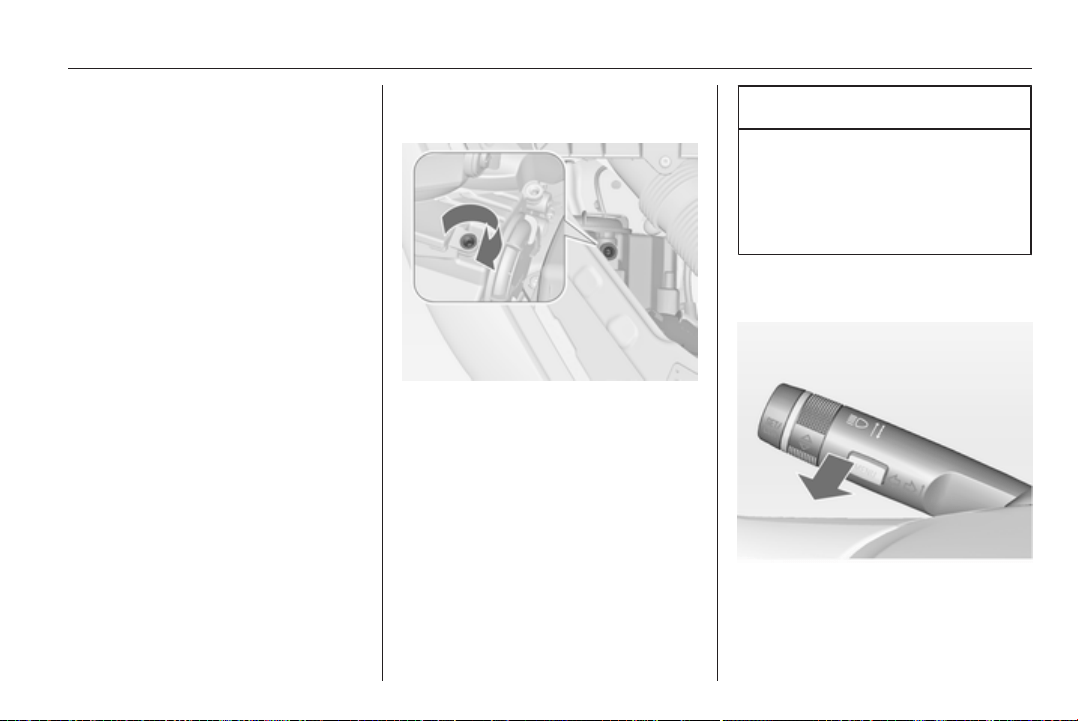
Lighting 109
To adapt headlight range to the
vehicle load to prevent dazzling: turn
thumb wheel ? to required position.
0 = front seats occupied
1 = all seats occupied
2 = all seats occupied and load
compartment laden
3 = driver's seat occupied and load
compartment laden.
Headlights when driving
abroad
The asymmetrical headlight beam
extends visibility at the edge of the
road at the passenger side.
However, when driving in countries
where traffic drives on the opposite
side of the road, adjust the headlights
to prevent dazzling of oncoming
traffic.
Vehicles without Adaptive
Forward Lighting
Turn the adjusting screws with the
screwdriver clockwise for half a turn.
The adjusting screws are located at
the headlights above the low beam
caps 3 152.
For deactivation turn the adjusting
screws anticlockwise for half a turn.
Caution
Have the adjustment of the
headlights checked after
deactivation.
We recommend consulting
a workshop.
Vehicles with Adaptive Forward
Lighting
1. Key in ignition switch.
2. Pull turn signal lever and hold
(headlight flash).

110 Lighting
3. Switch on ignition.
4. After approx. 5 seconds the
control indicator f starts flashing
and an acoustic signal sounds.
Control indicator f 3 93.
Every time the ignition is switched on,
f flashes as a reminder for approx.
4 seconds.
For deactivation operate the same
procedure as described above. f will
not flash when function is
deactivated.
Adaptive forward lighting
Adaptive forward lighting ensures
better illumination of bends, crossings
and narrow bends.
Curve lighting
The light beam pivots based on
steering wheel position and speed.
Corner lighting
On tight bends or when turning off,
depending on the steering angle or
the indicator light signal, an additional
left or right reflector is switched on
which illuminates the road in the
direction of travel. It is activated up to
a speed of 40 km/h.
Reversing function
If the headlights are on and reverse
gear is engaged, both corner lights
are switched on. They remain
illuminated for 20 seconds after
disengaging reverse gear or until
driving faster than 17 km/h forward.
Hazard warning flashers
Operated with the ¨ button.
In the event of an accident with airbag
deployment the hazard warning
flashers are activated automatically.
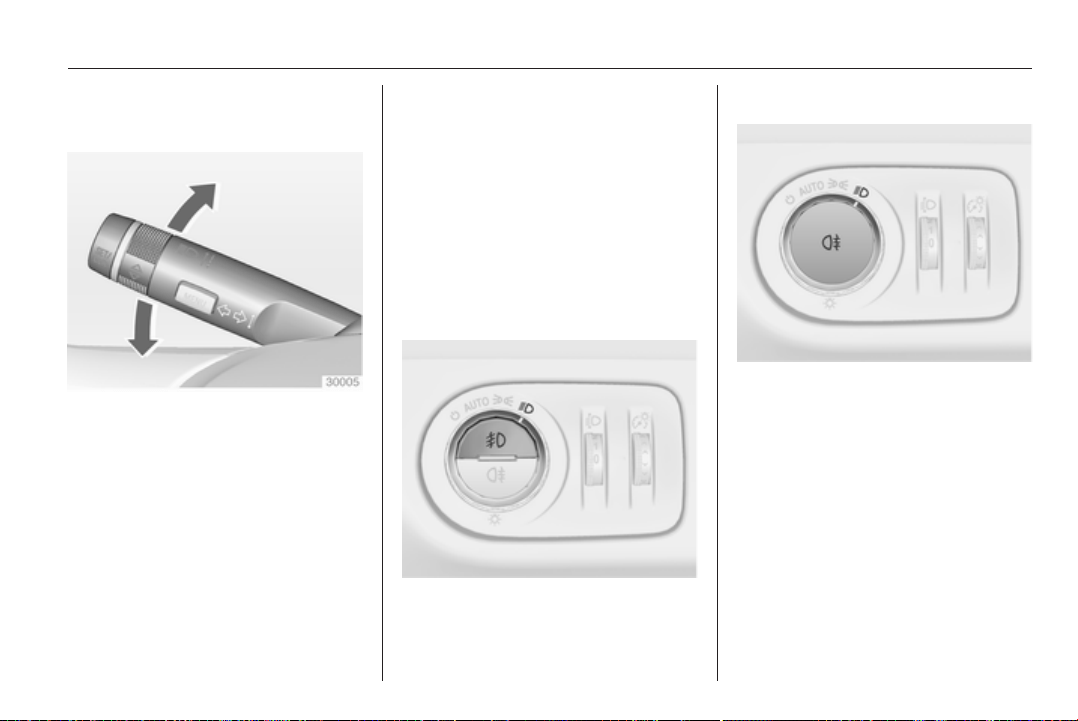
Lighting 111
Turn and lane-change
signals
lever up = right turn signal
lever down = left turn signal
If the lever is moved past the
resistance point, the turn signal is
switched on constantly. When the
steering wheel moves back, the turn
signal is automatically deactivated.
For three flashes, e.g. when changing
lanes, press the lever until resistance
is felt and then release.
With a trailer connected, turn signal
flashes six times when pressing the
lever until resistance is felt and then
releasing.
Move the lever to the resistance point
and hold for longer indication.
Switch the turn signal off manually by
moving the lever to its original
position.
Front fog lights
Operated with the > button.
Light switch in position AUTO:
switching on front fog lights will switch
headlights on automatically.
Rear fog lights
Operated with the r button.
Light switch in position AUTO:
switching on rear fog light will switch
headlights on automatically.
Light switch in position 8: rear fog
light can only be switched on with
front fog lights.
The vehicle rear fog light is
deactivated when towing.
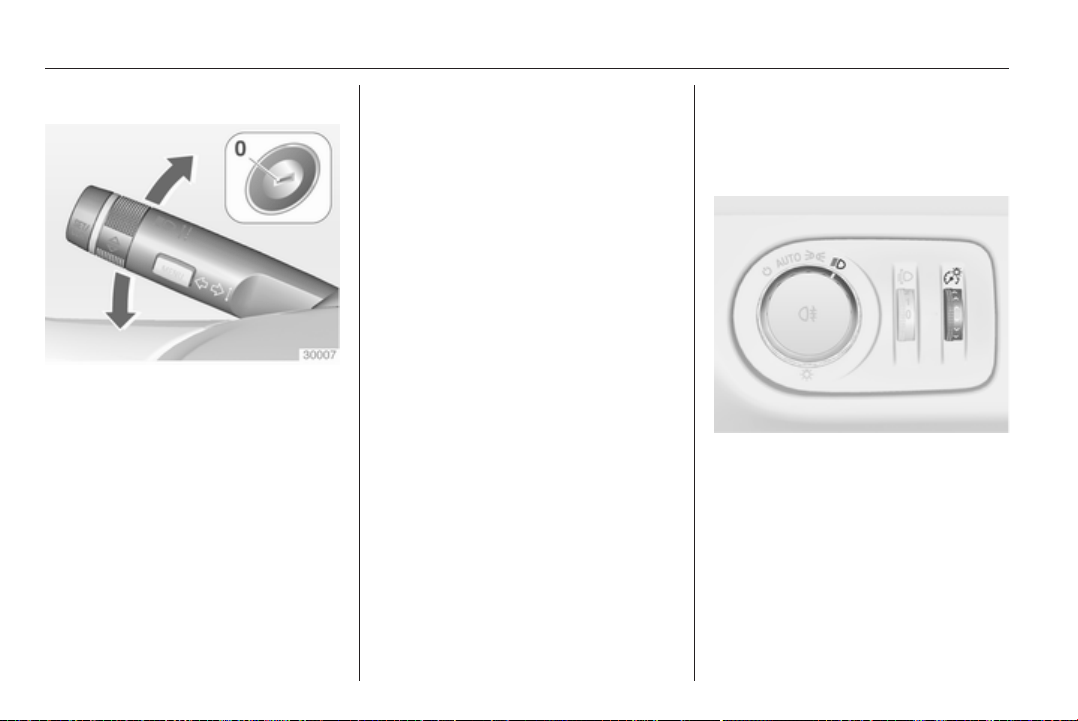
112 Lighting
Parking lights
When the vehicle is parked, the
parking lights on one side can be
activated:
1. Switch off ignition.
2. Move turn signal lever all the way
up (right parking lights) or down
(left parking lights).
Confirmed by a signal and the
corresponding turn signal control
indicator.
Reversing lights
The reversing light comes on when
the ignition is on and reverse gear is
selected.
Misted light covers
The inside of the light housing may
mist up briefly in poor, wet and cold
weather conditions, in heavy rain or
after washing. The mist disappears
quickly by itself; to help switch on the
headlights.
Interior lighting
Instrument panel
illumination control
Brightness of the following lights can
be adjusted when the exterior lights
are on:
■ Instrument panel illumination
■ Info-Display
■ Illuminated switches and operation
elements
Turn thumb wheel A until the required
brightness is obtained.
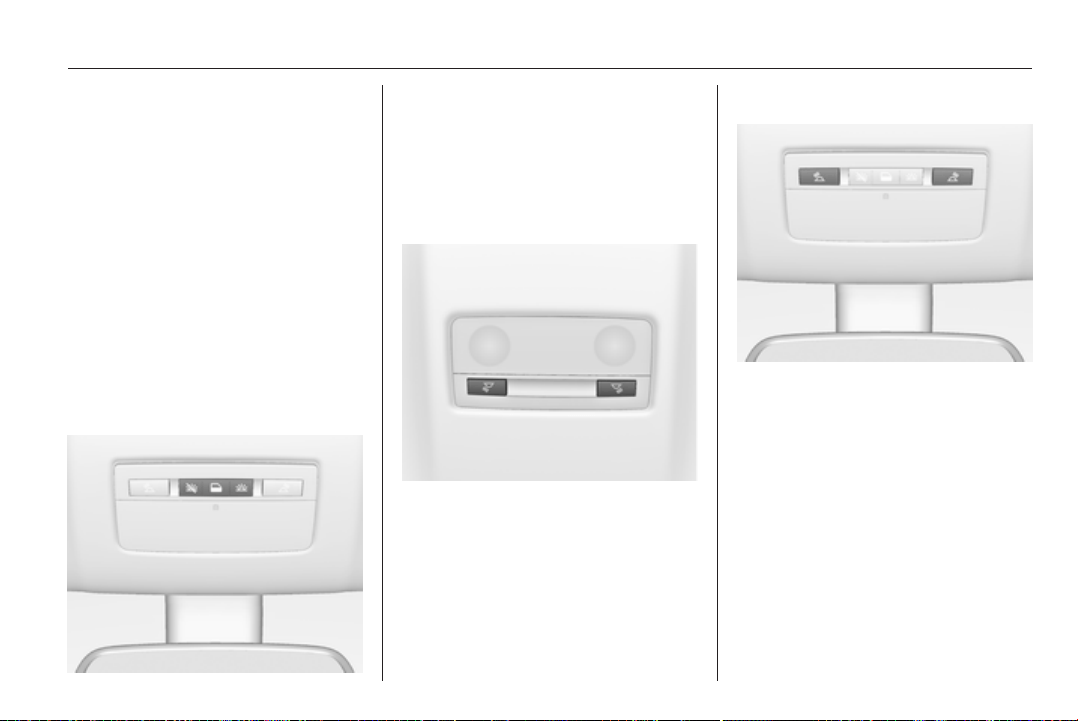
Lighting 113
On vehicles with light sensor the
brightness can only be adjusted when
the exterior lights are on and the light
sensor detects night conditions.
Interior lights
During entry and exit of the vehicle,
the front and rear courtesy lights
automatically switch on and then off
after a delay.
Note
In the event of an accident with
airbag deployment the courtesy
lights are turned on automatically.
Front courtesy light
Operate rocker switch:
w
= automatic switching on
and off.
press u = on.
press v = off.
Rear courtesy lights
Illuminate in conjunction with the front
courtesy light depending on rocker
switch position.
Reading lights
Operated with s and t buttons in
front and rear courtesy lights.
Sunvisor lights
Illuminate when the cover is opened.
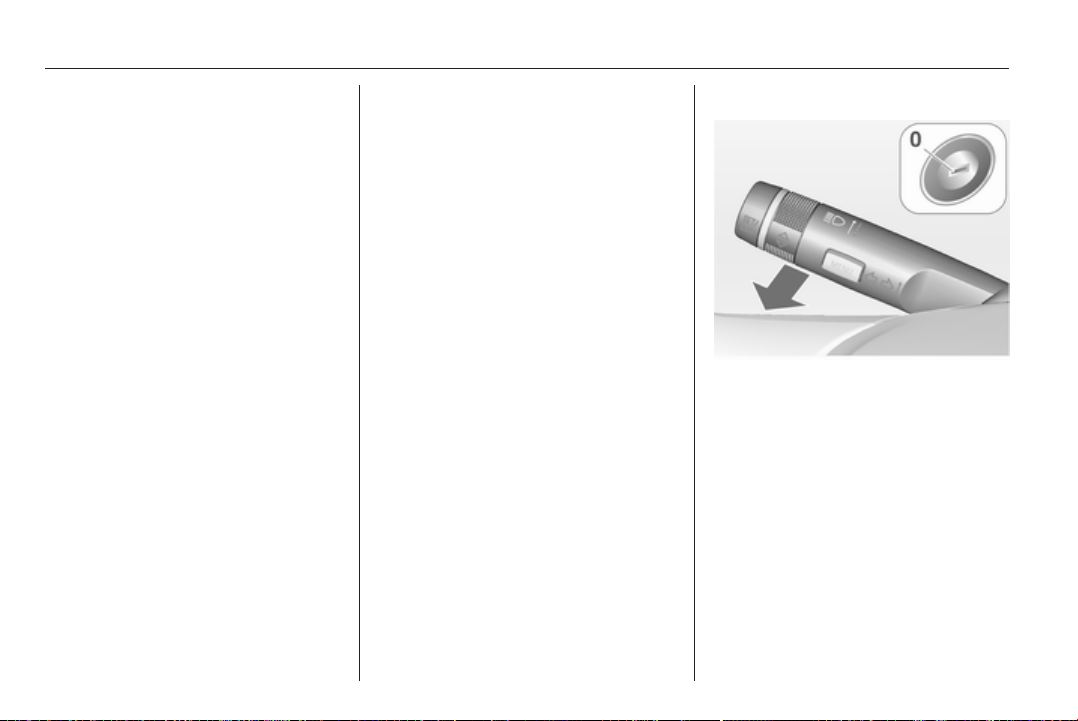
114 Lighting
Lighting features
Centre console lighting
Spotlight incorporated in the interior
lighting comes on when headlights
are switched on.
Entry lighting
Welcome lighting
Headlights, tail lights, reversing lights,
number plate lights, instrument panel
light and interior lights are switched
on for a short time by unlocking the
vehicle with the radio remote control.
This function works only in the dark
and facilitates locating the vehicle.
The lighting switches off immediately
when the ignition key is turned to
position 1 3 125.
Activation or deactivation of this
function can be changed in the menu
Settings in the Info-Display. Vehicle
personalisation 3 103.
The settings can be saved for the key
being used 3 21.
The following lights will additionally
switch on when the driver's door is
opened:
■ All switches
■ Driver Information Center
Exit lighting
The following lights switch on if the
key is removed from the ignition
switch:
■ Interior lights
■ Instrument panel light
They will switch off automatically after
a delay. This function works only in
the dark. Theatre lighting is activated
if the driver's door is opened during
this time.
The puddle light illuminates when the
according door is opened.
Headlights, tail lights, reversing lights
and number plate lights illuminate the
surrounding area for an adjustable
time after leaving the vehicle.
Switching on
1. Switch off ignition.
2. Remove ignition key.
3. Open driver's door.
4. Pull turn signal lever.
5. Close driver's door.
If the driver's door is not closed the
lights switch off after 2 minutes.
Exit lighting is switched off
immediately if the turn signal lever is
pulled while the driver's door is open.

Lighting 115
Activation, deactivation and duration
of this function can be changed in the
menu Settings in the Info-Display.
Vehicle personalisation 3 103.
The settings can be saved for the key
being used 3 21.
Battery discharge
protection
Switching off electric lights
To prevent discharge of the battery
when the ignition is switched off,
some interior lights are switched off
automatically after some time.
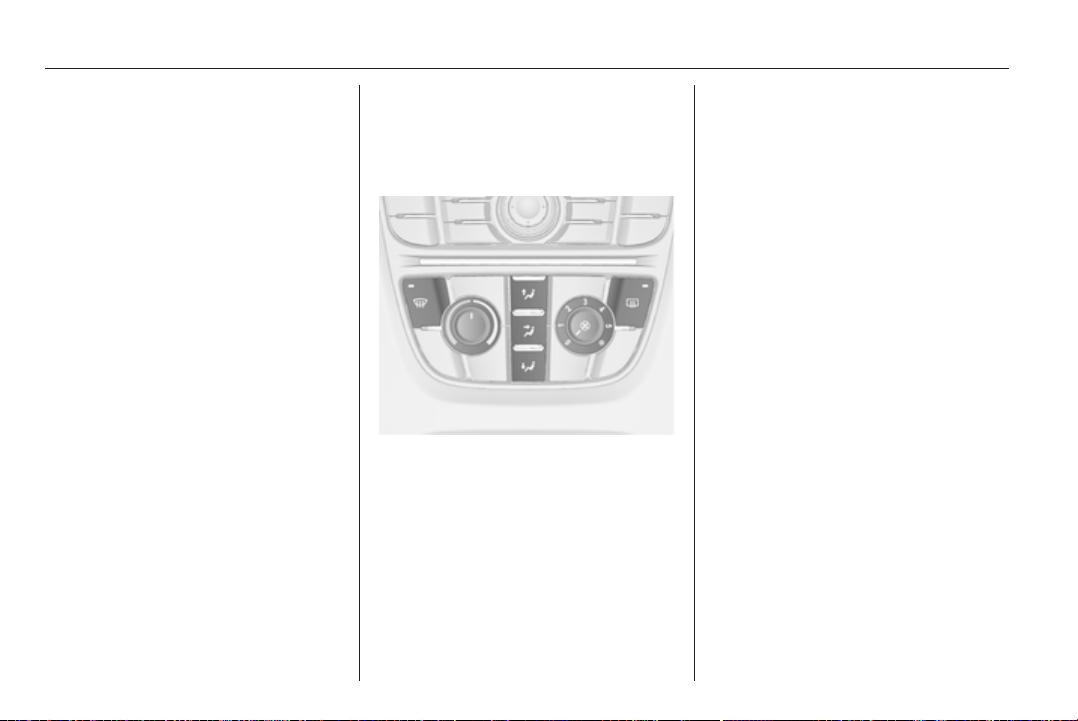
116 Climate control
Climate control
Climate control systems ............. 116
Air vents ..................................... 121
Maintenance .............................. 122
Climate control systems
Heating and ventilation
system
Controls for:
■ Temperature
■ Air distribution
■ Fan speed
■ Demisting and defrosting
Heated rear window Ü 3 32.
Temperature
red = warm
blue = cold
Heating will not be fully effective until
the engine has reached normal
operating temperature.
Air distribution
s
= to windscreen and front door
windows
M
= to head area via adjustable air
vents
K
= to foot well
All combinations are possible.
Fan speed
Adjust the air flow by switching the fan
to the desired speed.
Demisting and defrosting
■
Press button V: fan automatically
switches to higher speed, the air
distribution is directed towards the
windscreen.
■ Set temperature control to warmest
level.
■
Switch on heated rear window Ü.
■ Open side air vents as required and
direct them towards the door
windows.
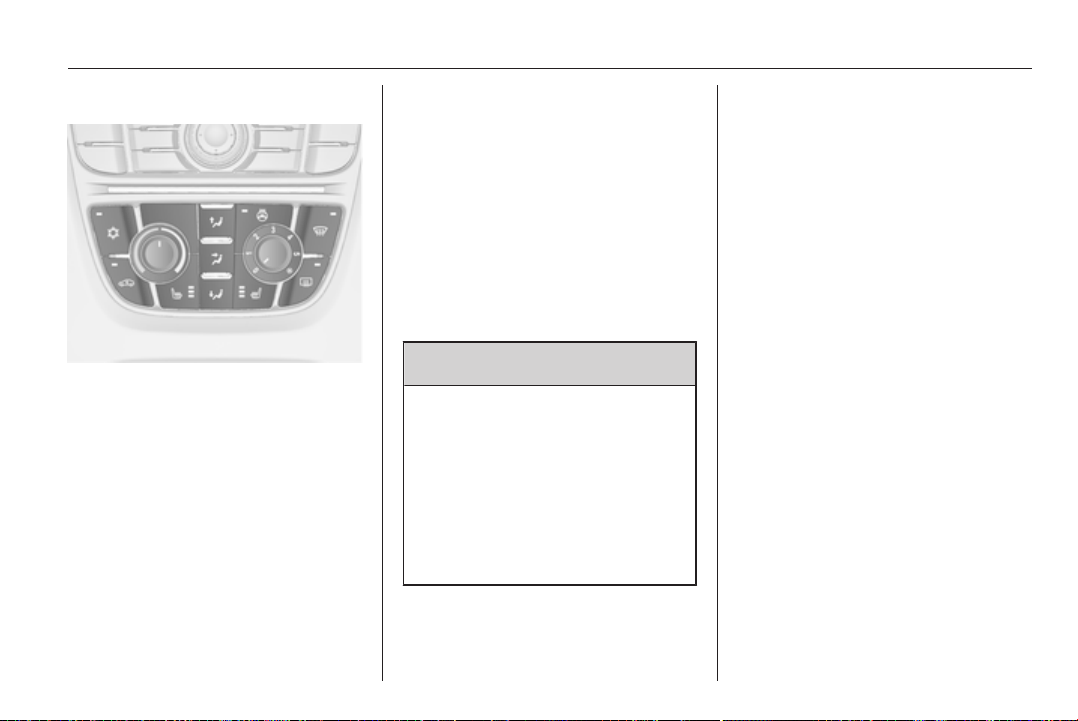
Climate control 117
Air conditioning system
In addition to the heating and
ventilation system, the air
conditioning system has:
n
= cooling
4
= air recirculation
Heated seats ß 3 40, Heated
steering wheel * 3 78.
Cooling n
Operated with the n button and is
functional only when the engine and
fan are running.
The air conditioning system cools and
dehumidifies (dries) as soon as the
outside temperature is slightly above
the freezing point. Therefore
condensation may form and drip from
under the vehicle.
If no cooling or drying is required,
switch the cooling system off to save
fuel.
Air recirculation system 4
Operated with the 4 button.
9 Warning
The exchange of fresh air is
reduced in air recirculation mode.
In operation without cooling the air
humidity increases, so the
windows may mist up from inside.
The quality of the passenger
compartment air deteriorates,
which may cause the vehicle
occupants to feel drowsy.
In warm and very humid ambient air
conditions, the windscreen might mist
up from outside, when cold air is
directed to it. If windscreen mists up
from outside, activate windscreen
wiper and deactivate s.
Maximum cooling
Briefly open the windows so that hot
air can disperse quickly.
■
Cooling n on.
■
Air circulation system 4 on.
■
Press air distribution switch M.
■ Set temperature control to coldest
level.
■ Set fan speed to highest level.
■ Open all vents.
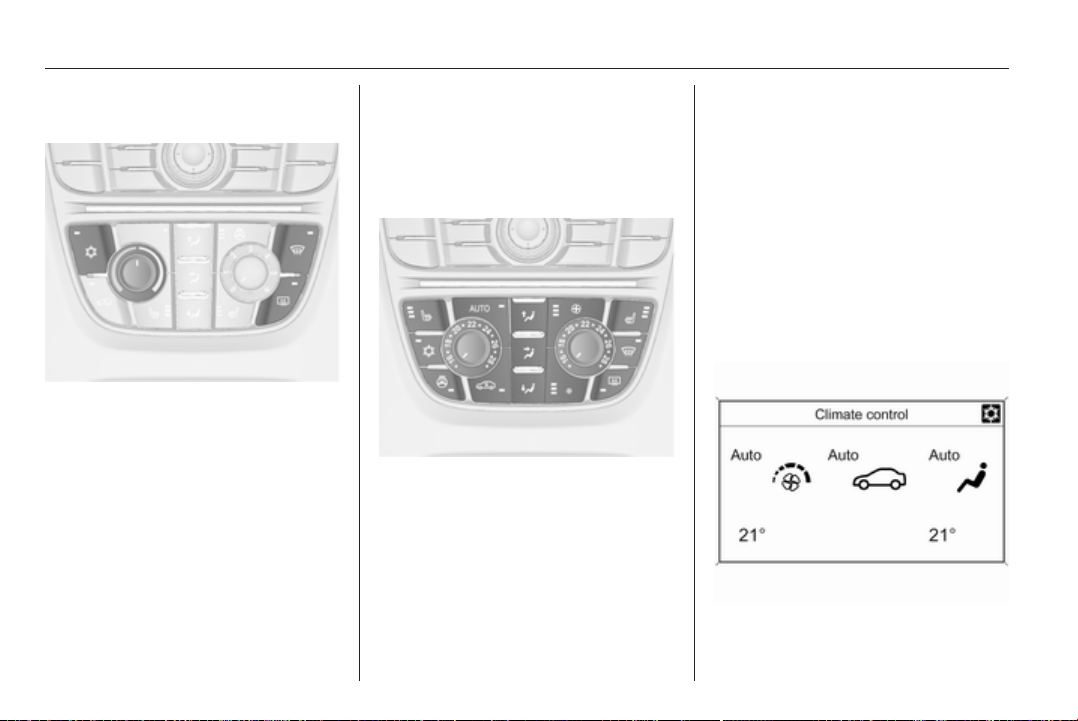
118 Climate control
Demisting and defrosting the
windows V
■
Press button V: fan automatically
switches to higher speed, the air
distribution is directed towards the
windscreen.
■
Switch cooling n on.
■ Set temperature control to warmest
level.
■
Switch on heated rear window Ü.
■ Open side air vents as required and
direct them towards the door
windows.
Electronic climate control
system
The dual zone climate control allows
different climatisation temperatures
for driver and front passenger side.
Controls for:
■ Temperature on driver side
■ Air distribution
■ Fan speed
■ Temperature on front passenger
side
AUTO = automatic mode
4
= manual air recirculation
V
= demisting and defrosting
Heated rear window Ü 3 32.
The preselected temperature is
automatically regulated. In the
automatic mode the fan speed and air
distribution automatically regulate the
air flow.
The system can be manually adapted
via the use of air distribution and air
flow controls.
Each change of settings is shown in
the Info-Display for a few seconds.
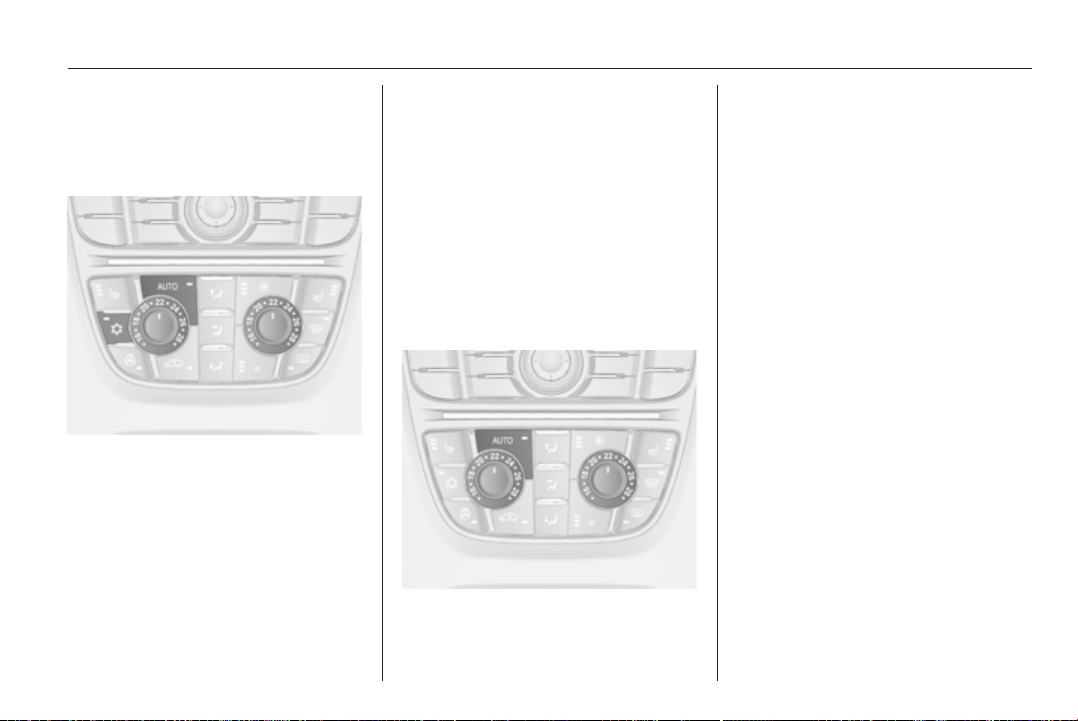
Climate control 119
The electronic climate control system
is only fully operational when the
engine is running.
Automatic mode AUTO
Basic setting for maximum comfort:
■ Press AUTO button, the air
conditioning is activated
automatically.
■ Open all air vents.
■ Set the preselected temperatures
for driver and front passenger using
the left and right rotary knob.
■ Recommended comfort setting is
22 °C.
The fan speed regulation in automatic
mode can be changed in the menu
Settings.
Vehicle personalisation 3 103.
All air vents are actuated
automatically in automatic mode. The
air vents should therefore always be
open.
Temperature preselection
Temperatures can be set to the
desired value.
If the minimum temperature is set, the
climate control system runs at
maximum cooling.
If the maximum temperature is set,
the climate control system runs at
maximum heating.
Demisting and defrosting the
windows V
■
Press button V.
■
Press cooling button n.
■ Temperature and air distribution
are set automatically and the fan
runs at high speed.
■
Switch on heated rear window Ü.
■ To return to previous mode: press
button V.
Manual settings
Climate control system settings can
be changed by activating the buttons
and rotary knobs as follows.
Changing a setting will deactivate the
automatic mode.

120 Climate control
Press lower button x to decrease or
upper button x to increase fan speed.
The fan speed is indicated by the
number of segments in the display.
Pressing the lower button longer, fan
and cooling are switched off.
Pressing the upper button longer, the
fan runs at maximum speed.
To return to automatic mode: Press
AUTO button.
Air distribution
Press s, M or K for desired
adjustment. Activation is indicated by
the LED in the button.
s
= to windscreen and front door
windows
M
= to head area via adjustable air
vents
K
= to foot well
All combinations are possible.
Return to automatic air distribution:
Deactivate corresponding setting or
press button AUTO.
Cooling
Activate or deactivate with the n
button.
The air conditioning system cools and
dehumidifies (dries) when outside
temperature is above a specific level.
Therefore condensation may form
and drip from under the vehicle.
If no cooling or drying is required,
switch the cooling system off to save
fuel.
Air recirculation mode
9 Warning
The exchange of fresh air is
reduced in air recirculation mode.
In operation without cooling the air
humidity increases, so the
windows may mist up from inside.
The quality of the passenger
compartment air deteriorates,
which may cause the vehicle
occupants to feel drowsy.
In warm and very humid ambient air
conditions, the windscreen might mist
up from outside, when cold air is
directed to it. If windscreen mists up
from outside, activate windscreen
wiper and deactivate s.
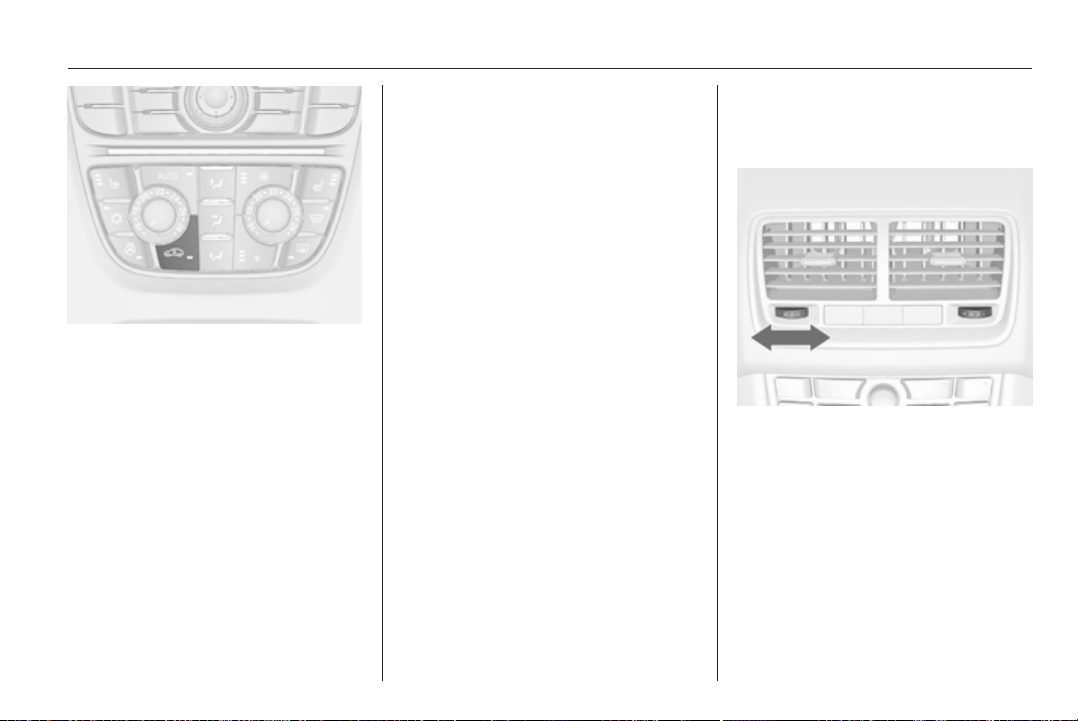
Climate control 121
Press button 4 once to activate the
manual air recirculation mode.
Activation is indicated by the LED in
the button.
Basic settings
Some settings can be changed in the
menu Settings in the Info-Display.
Vehicle personalisation 3 103.
Auxiliary heater
Air heater
Quickheat is an electric auxiliary air
heater which automatically warms up
the passenger compartment more
quickly.
Air vents
Adjustable air vents
To open the vent, turn the adjuster
wheel to the right. Adjust the air
amount at the vent outlet by turning
the adjuster wheel.
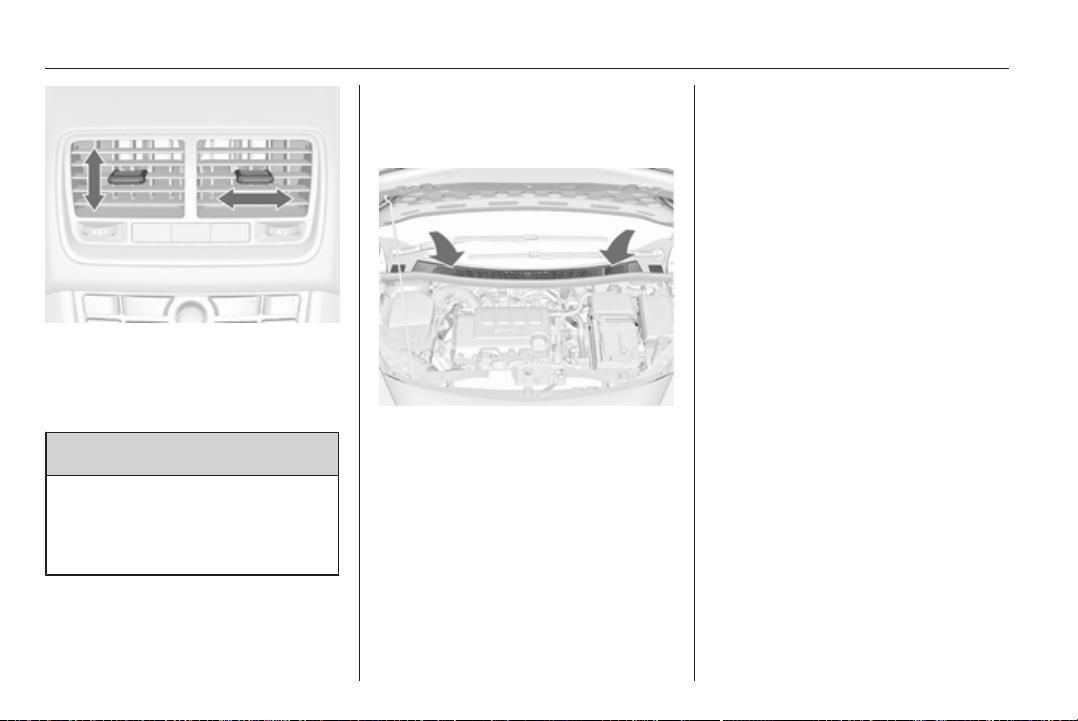
122 Climate control
Direct the flow of air by tilting and
swivelling the slats.
To close the vent, turn the adjuster
wheel to the left.
9 Warning
Do not attach any objects to the
slats of the air vents. Risk of
damage and injury in case of an
accident.
Fixed air vents
Additional air vents are located
beneath the windscreen and door
windows and in the foot wells.
Maintenance
Air intake
The air intake in front of the
windscreen in the engine
compartment must be kept clear to
allow air intake. Remove any leaves,
dirt or snow.
Pollen filter
Cabin air filtration
A particle filter cleans the cabin air
from dust, soot, pollen and spores.
Active carbon filter
In addition to the particle filter the
active carbon filter reduces odours.
Air conditioning regular
operation
In order to ensure continuously
efficient performance, cooling must
be operated for a few minutes once
a month, irrespective of the weather
and time of year. Operation with
cooling is not possible when the
outside temperature is too low.
Service
For optimal cooling performance, it is
recommended to annually check the
climate control system, starting
3 years after initial vehicle
registration, including:
■ Functionality and pressure test
■ Heating functionality
■ Leakage check
■ Check of drive belts


124 Driving and operating
Driving and operating
Driving hints ............................... 124
Starting and operating ............... 124
Engine exhaust .......................... 127
Automatic transmission .............. 128
Manual transmission .................. 131
Brakes ........................................ 132
Ride control systems ................. 134
Cruise control ............................. 136
Object detection systems ........... 137
Fuel ............................................ 139
Towing ....................................... 142
Driving hints
Control of the vehicle
Never coast with engine not
running
Many systems will not function in this
situation (e.g. brake servo unit, power
steering). Driving in this manner is
a danger to yourself and others.
Idle boost
If charging of the battery is required
due to battery condition, the power
output of the generator has to be
increased. This will be achieved by an
idle boost which may be audible.
On vehicles with Uplevel-Display,
a message appears in the Driver
Information Center.
Pedals
To ensure the pedal travel is
uninhibited, there must be no mats in
the area of the pedals.
Starting and operating
New vehicle running-in
Do not brake unnecessarily hard for
the first few journeys.
During the first drive, smoke may
occur because of wax and oil
evaporating off the exhaust system.
Park the vehicle in the open for
a while after the first drive and avoid
inhaling the fumes.
During the running-in period fuel and
engine oil consumption may be
higher and the cleaning process of
the diesel particle filter may take
place more often.
Diesel particle filter 3 127.
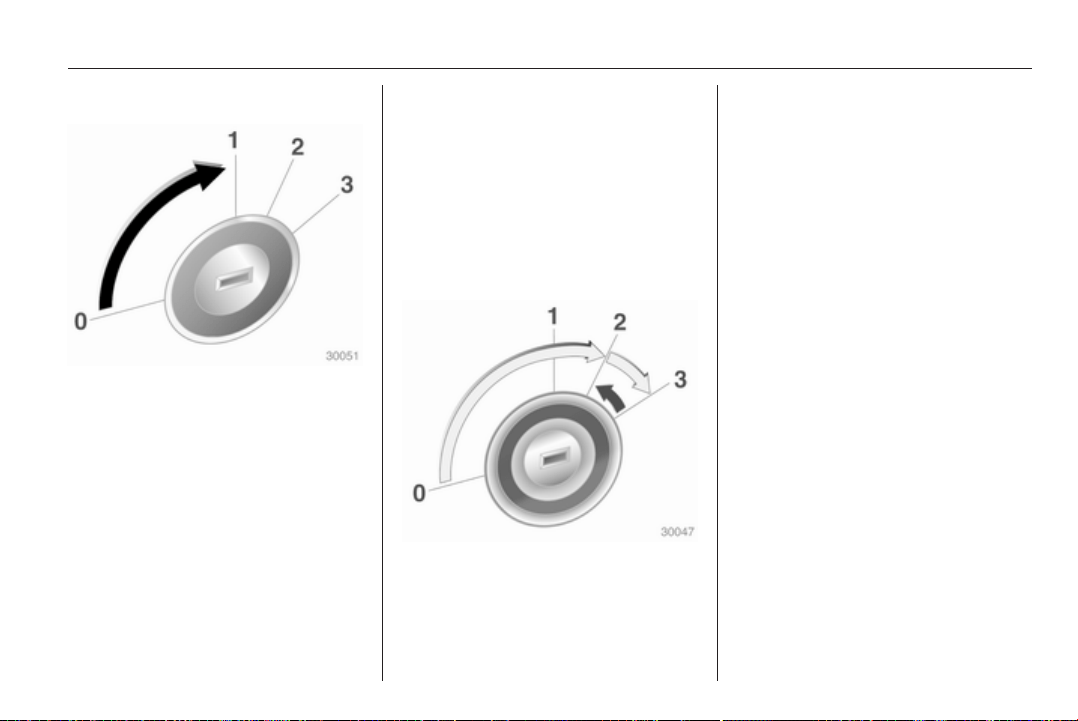
Driving and operating 125
Ignition switch positions
0 = Ignition off
1 = Steering wheel lock released,
ignition off
2 = Ignition on, for diesel engine:
preheating
3 = Starting
Retained power off
The following electronic systems can
work until the driver's door is opened
or at the latest for 10 minutes after the
ignition is switched off:
■ Power windows
■ Power outlets
Power to the Infotainment system will
continue to operate for 30 minutes or
until the key is removed from the
ignition, regardless of whether any
door will be opened.
Starting the engine
Manual transmission: operate clutch.
Automatic transmission: operate
brake and move the selector lever to
P or N.
Do not operate accelerator pedal.
Diesel engine: turn the key to position
2 for preheating until control
indicator ! goes out.
Turn the key briefly to position 3 and
release: an automatic procedure
operates the starter with a short delay
as long as the engine is running, see
Automatic Starter Control.
Before restarting or to switch off the
engine, turn the key back to position
0.
Starting the vehicle at low
temperatures
The start of the engine without
additional heaters is possible down to
-25 °С for diesel engines and -30 °C
for petrol engines. Required is an
engine oil with the correct viscosity,
the correct fuel, performed services
and a sufficiently charged battery.
With temperatures below -30 °C the
automatic transmission need
a warming phase of approx.
5 minutes. The selector lever must be
in position P.

126 Driving and operating
Automatic Starter Control
This function controls the engine
starting procedure. The driver does
not have to hold the key in position
3. Once applied, the system will go on
starting automatically until the engine
is running. Because of the checking
procedure, the engine starts running
after a short delay.
Possible reasons for a non-starting
engine:
■ Clutch pedal not operated (manual
transmission)
■ Brake pedal not operated or
selector lever not in P or N
(automatic transmission)
■ Timeout occurred
Turbo engine warm-up
Upon start-up, engine available
torque may be limited for a short time,
especially when the engine
temperature is cold. The limitation is
to allow the lubrication system to fully
protect the engine.
Overrun cut-off
The fuel supply is automatically cut off
during overrun, i.e. when the vehicle
is driven with a gear engaged but
accelerator is released.
Parking
■ Do not park the vehicle on an easily
ignitable surface. The high
temperature of the exhaust system
could ignite the surface.
■ Always apply parking brake.
Pull switch m.
■ Switch off the engine and ignition.
Turn the steering wheel until the
steering wheel lock engages.
■ If the vehicle is on a level surface or
uphill slope, engage first gear or set
the selector lever to P before
switching off the ignition. On an
uphill slope, turn the front wheels
away from the kerb.
If the vehicle is on a downhill slope,
engage reverse gear or set the
selector lever to P before switching
off the ignition. Turn the front
wheels towards the kerb.
■ Lock the vehicle and activate the
anti-theft alarm system.
Note
In the event of an accident with
airbag deployment, the engine is
turned off automatically if the vehicle
comes to a standstill within a certain
time.
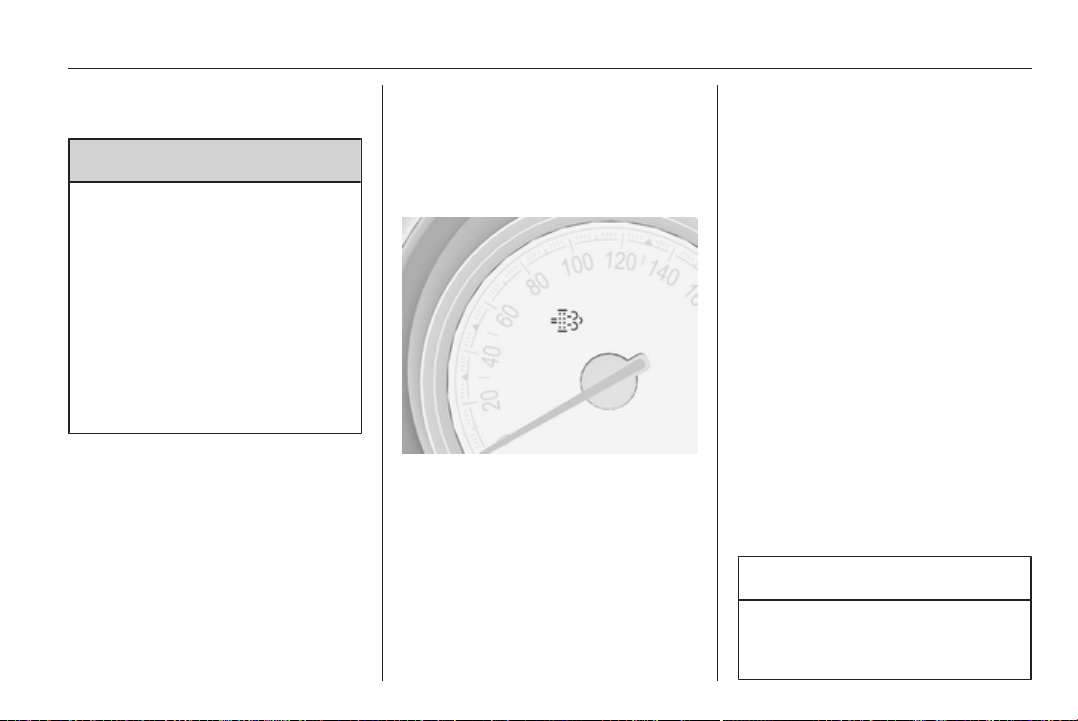
Driving and operating 127
Engine exhaust
9 Danger
Engine exhaust gases contain
poisonous carbon monoxide,
which is colourless and odourless
and could be fatal if inhaled.
If exhaust gases enter the interior
of the vehicle, open the windows.
Have the cause of the fault
rectified by a workshop.
Avoid driving with an open load
compartment, otherwise exhaust
gases could enter the vehicle.
Diesel particle filter
The diesel particle filter system filters
harmful soot particles out of the
exhaust gases. The system includes
a self-cleaning function that runs
automatically during driving without
any notification. The filter is cleaned
by periodically burning off the soot
particles at high temperature. This
process takes place automatically
under set driving conditions and may
take up to 25 minutes. Typically it
needs between 7 and 12 minutes.
Fuel consumption may be higher
during this period. The emission of
smells and smoke during this process
is normal.
Under certain driving conditions, e.g.
short distances, the system cannot
clean itself automatically.
If the cleaning of the filter is required
and if previous driving conditions did
not enable automatic cleaning, it will
be indicated by the control indicator
%. Simultaneously Diesel partic. filter
is full continue driving or warning
code 55 appears in the Driver
Information Center.
% illuminates when diesel particle
filter is full. Start cleaning process as
soon as possible.
% flashes when diesel particle filter
has reached the maximum filling
level. Start cleaning process
immediately to avoid damage to the
engine.
Cleaning process
To activate cleaning process,
continue driving, keeping engine
speed above 2000 revolutions per
minute. Shift down if necessary.
Diesel particle filter cleaning is then
started.
If g illuminates additionally,
cleaning is not possible, seek the
assistance of a workshop.
Caution
If the cleaning process is
interrupted, there is a risk of
provoking severe engine damage.
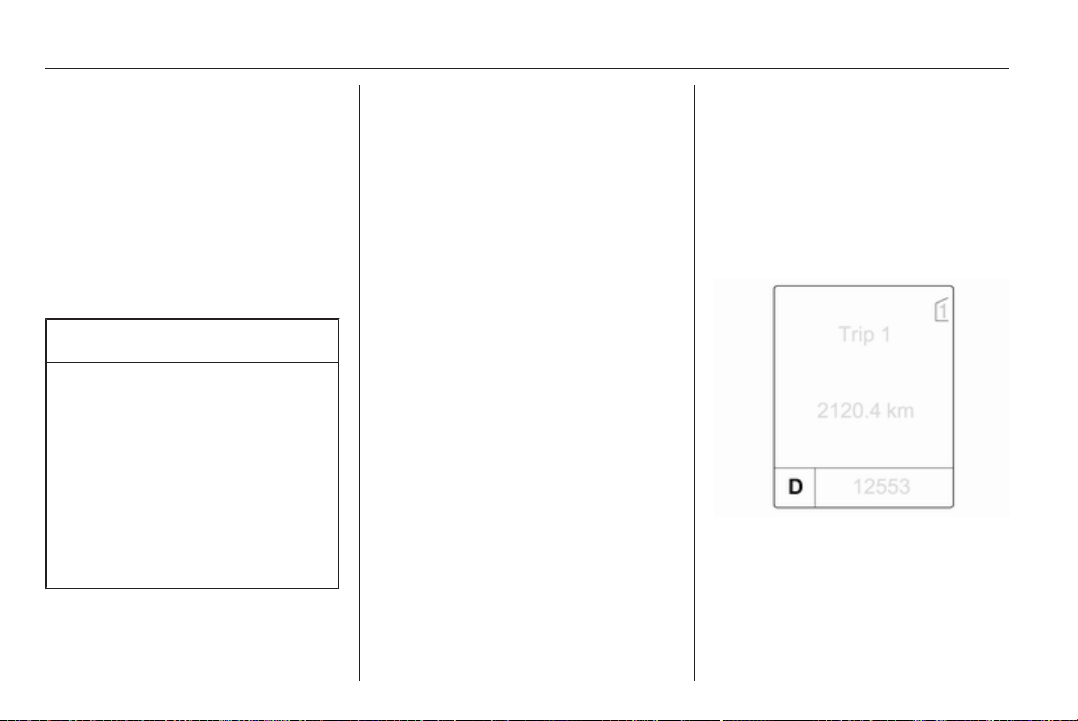
128 Driving and operating
Cleaning takes place quickest at high
engine speeds and loads.
The control indicator % extinguishes
as soon as the self-cleaning
operation is complete.
Catalytic converter
The catalytic converter reduces the
amount of harmful substances in the
exhaust gases.
Caution
Fuel grades other than those listed
on pages 3 139, 3 193 could
damage the catalytic converter or
electronic components.
Unburnt petrol will overheat and
damage the catalytic converter.
Therefore avoid excessive use of
the starter, running the fuel tank
dry and starting the engine by
pushing or towing.
In the event of misfiring, uneven
engine running, a reduction in engine
performance or other unusual
problems, have the cause of the fault
rectified by a workshop as soon as
possible. In an emergency, driving
can be continued for a short period,
keeping vehicle speed and engine
speed low.
Automatic transmission
The automatic transmission permits
automatic gearshifting (automatic
mode) or manual gearshifting
(manual mode).
Transmission display
The mode or selected gear is shown
in the transmission display.
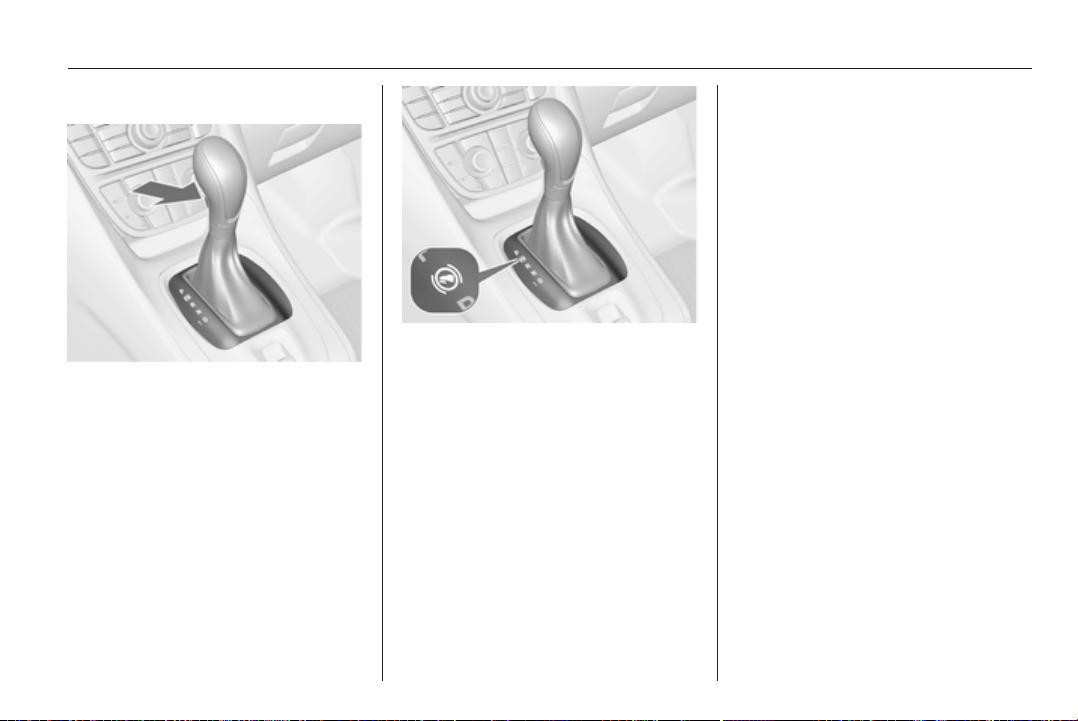
Driving and operating 129
Selector lever
P = park position, wheels are
locked, engage only when the
vehicle is stationary and the
parking brake is applied
R = reverse gear, engage only
when the vehicle is stationary
N = neutral
D = automatic mode with all gears
The selector lever is locked in P and
can only be moved when the ignition
is on and the brake pedal is applied.
Without brake pedal applied, the
control indicator j illuminates.
If the selector lever is not in P when
the ignition is switched off, the control
indicator j and P flash.
To engage P or R, press the release
button.
The engine can only be started with
the lever in position P or N. When
position N is selected, press the brake
pedal or apply the parking brake
before starting.
Do not accelerate while engaging
a gear. Never depress the accelerator
pedal and brake pedal at the same
time.
When a gear is engaged, the vehicle
slowly begins to creep when the
brake is released.
Engine braking
To utilise the engine braking effect,
select a lower gear in good time when
driving downhill, see manual mode.
Rocking the vehicle
Rocking the vehicle is only
permissible if the vehicle is stuck in
sand, mud or snow. Move the selector
lever between D and R in a repeat
pattern. Do not race the engine and
avoid sudden acceleration.
Parking
Apply the parking brake and engage
P.
The ignition key can only be removed
when the selector lever is in position
P.
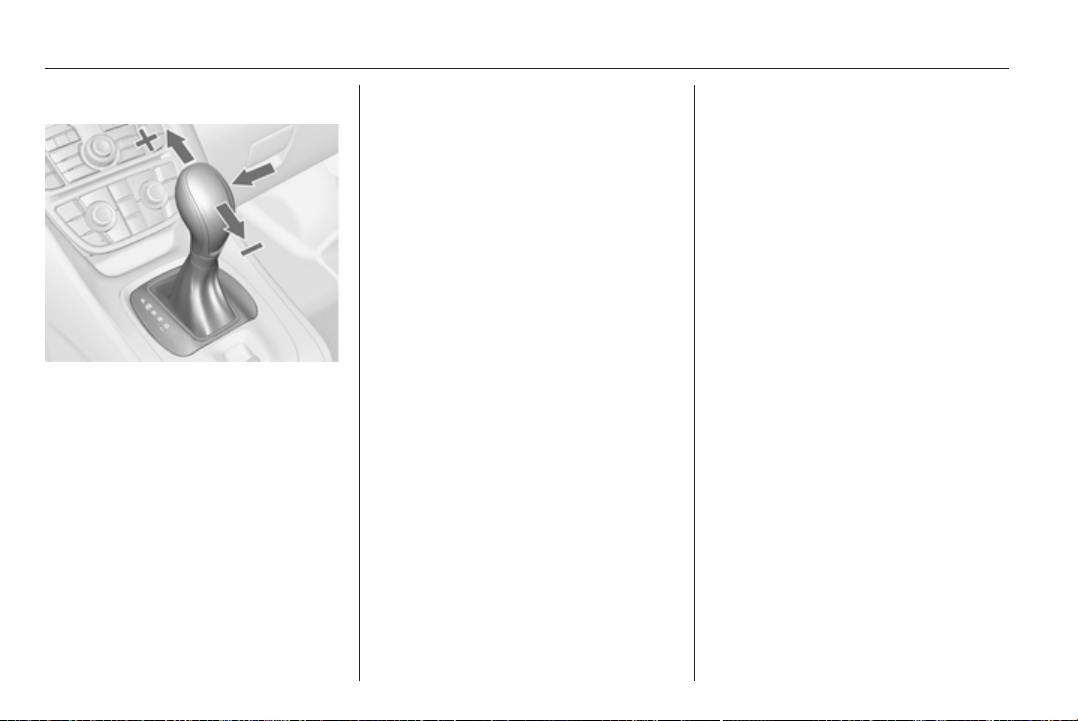
130 Driving and operating
Manual mode
Move selector lever out of position D
towards the left and then forwards or
backwards.
<
= Shift to a higher gear.
]
= Shift to a lower gear.
If a higher gear is selected when
vehicle speed is too low, or a lower
gear when vehicle speed is too high,
the shift is not executed. This can
cause a message in the Driver
Information Center.
In manual mode no automatic shifting
to a higher gear takes place at high
engine revolutions.
Electronic driving
programmes
■ Following a cold start, the operating
temperature programme increases
engine speed to quickly bring the
catalytic converter to the required
temperature.
■ The automatic neutral shift function
automatically shifts to idling when
the vehicle is stopped with
a forward gear engaged and the
brake pedal is pressed.
■ Special programmes automatically
adapt the shifting points when
driving up inclines or down hills.
Kickdown
If the accelerator pedal is pressed
down completely in automatic mode,
the transmission shifts to a lower gear
depending on engine speed.
Fault
In the event of a fault, g illuminates.
Additionally a code number or
a vehicle message is displayed in the
Driver Information Center. Vehicle
messages 3 98.
The transmission no longer shifts
automatically. Continued travel is
possible with manual shifting.
Only the highest gear is available.
Depending on the fault, second gear
may also be available in manual
mode. Shift only when vehicle is at
a standstill.
Have the cause of the fault remedied
by a workshop.
Interruption of power
supply
In the event of an interruption of
power supply, the selector lever
cannot be moved out of the P
position. The ignition key cannot be
removed from the ignition switch.
If the battery is discharged, start the
vehicle using jump leads 3 178.
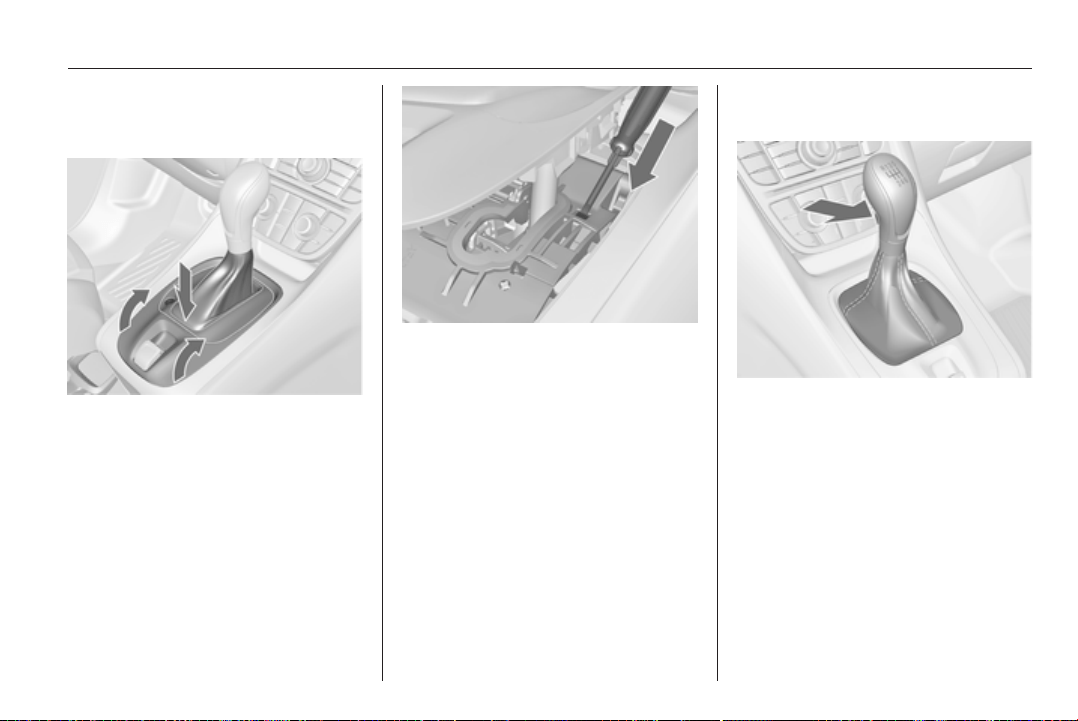
Driving and operating 131
If the battery is not the cause of the
fault, release the selector lever.
1. Apply the parking brake.
2. Grasp the selector lever trim at the
marked position and pull to
unlatch at the back.
3. Fold the selector lever trim
upwards. Pull to unlatch at the
front.
4. Move the selector lever trim to the
left. Take care that the plug and
the wiring harness at the bottom
are not damaged
5. Insert a screwdriver into the
opening as far as it will go and
move the selector lever out of P or
N. If P or N is engaged again, the
selector lever will be locked in
position again. Have the cause of
the power supply interruption
remedied by a workshop.
6. Mount the selector lever trim onto
the centre console and refit.
Manual transmission
To engage reverse, with the vehicle
stationary press the release button on
the selector lever and engage the
gear.
If the gear does not engage, set the
lever to neutral, release the clutch
pedal and depress again; then repeat
gear selection.
Do not grind the clutch unnecessarily.
When operating, depress the clutch
pedal completely. Do not use the
pedal as a foot rest.

132 Driving and operating
Caution
It is not advisable to drive with the
hand resting on the selector lever.
Brakes
The brake system comprises two
independent brake circuits.
If a brake circuit fails, the vehicle can
still be braked using the other brake
circuit. However, braking effect is
achieved only when the brake pedal
is depressed firmly. Considerably
more force is needed for this. The
braking distance is extended. Seek
the assistance of a workshop before
continuing your journey.
When the engine is not running, the
support of the brake servo unit
disappears once the brake pedal has
been depressed once or twice.
Braking effect is not reduced, but
braking requires significantly greater
force. It is especially important to bear
this in mind when being towed.
Control indicator R 3 89.
Antilock brake system
Antilock brake system (ABS)
prevents the wheels from locking.
ABS starts to regulate brake pressure
as soon as a wheel shows a tendency
to lock. The vehicle remains
steerable, even during hard braking.
ABS control is made apparent
through a pulse in the brake pedal
and the noise of the regulation
process.
For optimum braking, keep the brake
pedal fully depressed throughout the
braking process, despite the fact that
the pedal is pulsating. Do not reduce
the pressure on the pedal.
After starting off, the system performs
a self-test which may be audible.
Control indicator u 3 90.
Adaptive brake light
During full braking, all three brake
lights flash for the duration of ABS
control.
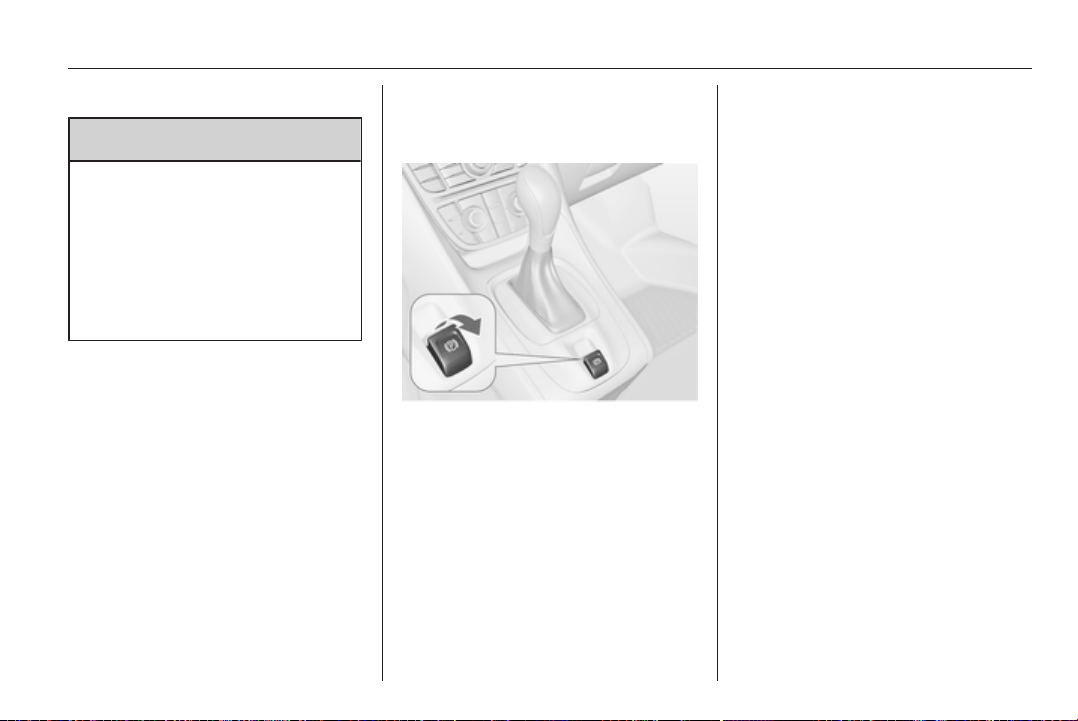
Driving and operating 133
Fault
9 Warning
If there is a fault in the ABS, the
wheels may be liable to lock due
to braking that is heavier than
normal. The advantages of ABS
are no longer available. During
hard braking, the vehicle can no
longer be steered and may
swerve.
Have the cause of the fault remedied
by a workshop.
Parking brake
Electrical parking brake
Applying when vehicle is stationary
Pull switch m, the electrical parking
brake operates automatically with
adequate force. For maximum force,
e.g. parking with trailer or on inclines,
pull switch m twice.
The electrical parking brake can
always be activated, even if the
ignition is off.
Do not operate electrical parking
brake system too often without
engine running because this will
discharge the battery.
Before leaving the vehicle, check the
electrical parking brake status.
Control indicator m 3 89.
Releasing
Switch on ignition. Keep brake pedal
depressed and then push switch m.
Drive away function
Depressing clutch pedal (manual
transmission) or engaging D
(automatic transmission) and then
depressing the accelerator pedal
releases the electrical parking brake
automatically. This is not possible
when the switch is pulled at the same
time.
This function also helps driving away
on inclines.
Aggressive drive away may reduce
life time of wear parts.

134 Driving and operating
Dynamic braking when vehicle is
moving
When the vehicle is moving and the
switch m is kept pulled, the electrical
parking brake system will decelerate
the vehicle, but will not apply
statically.
As soon as the switch m is released,
dynamic braking will be stopped.
Fault
Failure mode of electrical parking
brake is indicated by control indicator
j and by a code number or a vehicle
message which is displayed in the
Driver Information Center. Vehicle
messages 3 98.
Apply electrical parking brake: pull
and hold the switch m for more than
5 seconds. If control indicator m
illuminates, electrical parking brake is
applied.
Release electrical parking brake:
push and hold the switch m for more
than 2 seconds. If control indicator
m goes out, electrical parking brake
is released.
Control indicator m flashes: electrical
parking brake is not fully applied or
released. When continuously
flashing, release electrical parking
brake and retry applying.
Brake assist
If the brake pedal is depressed
quickly and forcefully, maximum
brake force is automatically applied
(full braking).
Maintain steady pressure on the
brake pedal for as long as full braking
is required. Maximum brake force is
automatically reduced when the
brake pedal is released.
Hill start assist
The system helps prevent unintended
movement when driving away on
inclines.
When releasing the foot brake after
stopping on an incline, the brakes
remain on for a further two seconds.
The brakes release automatically as
soon as the vehicle begins to
accelerate.
Ride control systems
Traction Control system
The Traction Control system (TC) is
a component of the Electronic
Stability Control system.
TC improves driving stability when
necessary, regardless of the type of
road surface or tyre grip, by
preventing the drive wheels from
spinning.
As soon as the drive wheels starts to
spin, engine output is reduced and
the wheel spinning the most is braked
individually. This considerably
improves the driving stability of the
vehicle on slippery road surfaces.
TC is operational as soon as the
control indicator b extinguishes.
When TC is active b flashes.
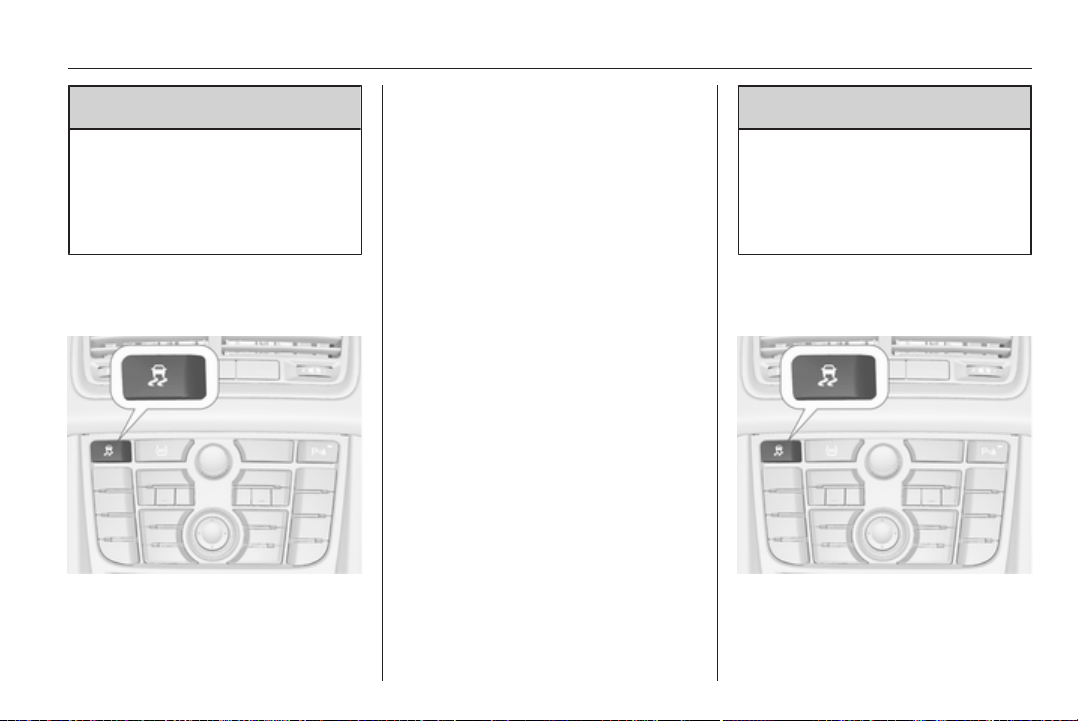
Driving and operating 135
9 Warning
Do not let this special safety
feature tempt you into taking risks
when driving.
Adapt speed to the road
conditions.
Control indicator b 3 91.
Deactivation
TC can be switched off when spinning
of drive wheels is required: press
button b briefly.
Control indicator k illuminates.
TC is reactivated by pressing the b
button again.
TC is also reactivated the next time
the ignition is switched on.
Electronic Stability Control
Electronic Stability Control (ESC)
improves driving stability when
necessary, regardless of the type of
road surface or tyre grip. It also
prevents the drive wheels from
spinning.
As soon as the vehicle starts to
swerve (understeer/oversteer),
engine output is reduced and the
wheels are braked individually. This
considerably improves the driving
stability of the vehicle on slippery road
surfaces.
ESC is operational as soon as the
control indicator b extinguishes.
When ESC is active b flashes.
9 Warning
Do not let this special safety
feature tempt you into taking risks
when driving.
Adapt speed to the road
conditions.
Control indicator b 3 91.
Deactivation
For very high-performance driving
ESC can be deactivated: hold button
b depressed for approx. 7 seconds.
Control indicator n illuminates.
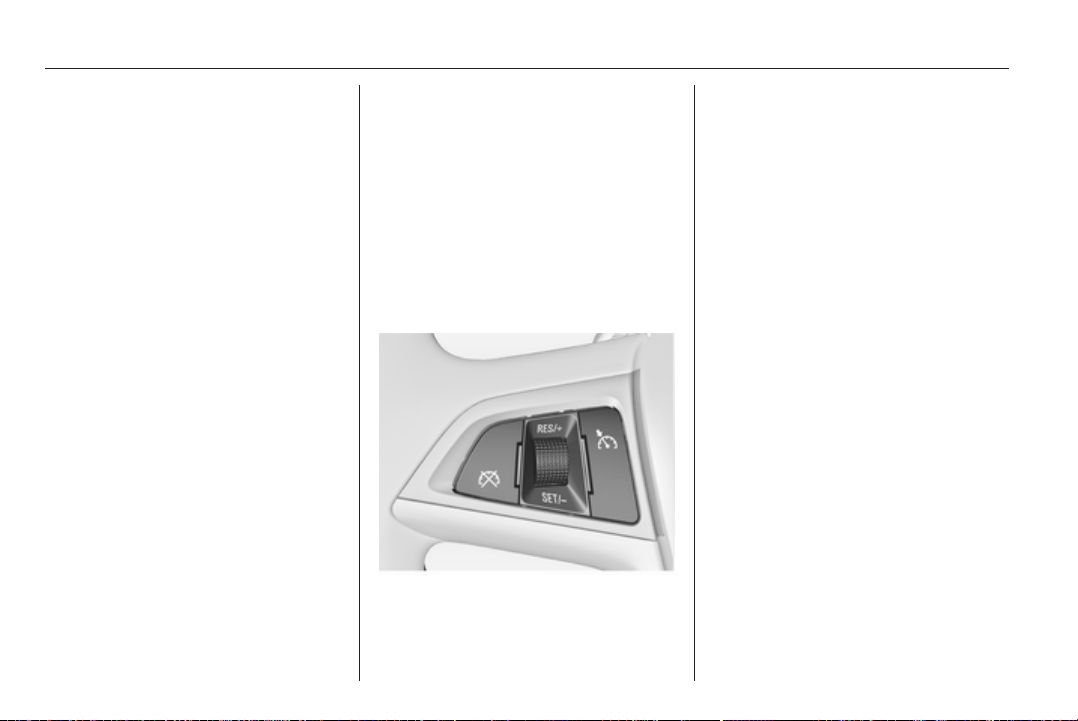
136 Driving and operating
ESC is reactivated by pressing the
b button again. If the TC system was
previously disabled, both TC and
ESC are reactivated.
ESC is also reactivated the next time
the ignition is switched on.
Cruise control
The cruise control can store and
maintain speeds of approx. 30 to
200 km/h. Deviations from the stored
speeds may occur when driving uphill
or downhill.
For safety reasons the cruise control
cannot be activated until the foot
brake has been operated once.
Activating in first gear is not possible.
Do not use the cruise control if it is not
advisable to maintain a constant
speed.
With automatic transmission, only
activate cruise control in automatic
mode.
Control indicator m 3 93.
Switching on
Press rocker switch m at the upper
end, control indicator m illuminates
white.
Activation
Accelerate to the desired speed and
turn thumb wheel to SET/-, the
current speed is stored and
maintained. Control indicator m
illuminates green. Accelerator pedal
can be released.
Vehicle speed can be increased by
depressing the accelerator pedal.
When the accelerator pedal is
released, the previously stored speed
is resumed.
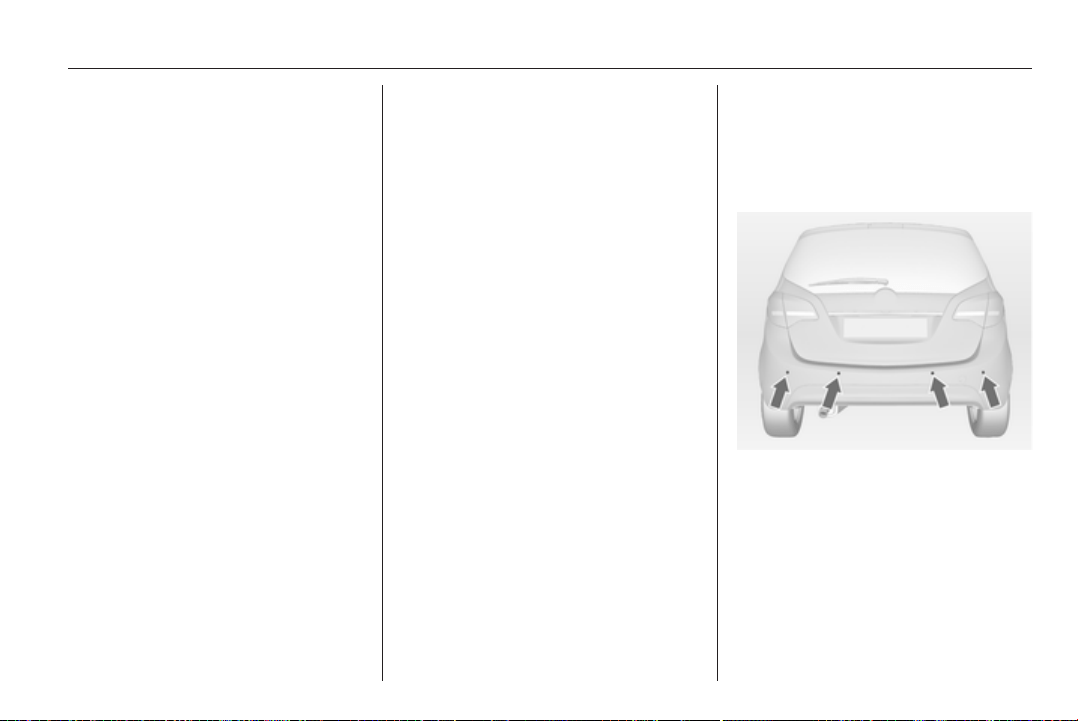
Driving and operating 137
Increase speed
With cruise control active, hold thumb
wheel turned to RES/+ or briefly turn
to RES/+ repeatedly: speed
increases continuously or in small
increments.
Alternatively accelerate to the desired
speed and store by turning to RES/+.
Reduce speed
With cruise control active, hold thumb
wheel turned to SET/- or briefly turn
to SET/- repeatedly: speed
decreases continuously or in small
increments.
Deactivation
Press button y, control indicator m
illuminates white. Cruise control is
deactivated. The stored speed is
memorised.
Automatic deactivation:
■ vehicle speed below approx.
30 km/h,
■ the brake pedal is depressed,
■ the clutch pedal is depressed,
■ selector lever in N,
■ engine speed in a very low range,
■ the Traction Control system or
Electronic Stability Control is
operating.
Resume stored speed
Turn thumb wheel to RES/+ at
a speed above 30 km/h. The stored
speed will be obtained.
Switching off
Press rocker switch m at the lower
end, control indicator m extinguishes.
The stored speed is deleted.
Switching off the ignition also deletes
the stored speed.
Object detection
systems
Parking assist
The parking assist makes parking
easier by measuring the distance
between the vehicle and obstacles,
and giving acoustic signals. It is the
driver, however, who bears full
responsibility for the parking
manoeuvre.
The system consists of four ultrasonic
parking sensors in the rear bumper. If
the vehicle is equipped with a front
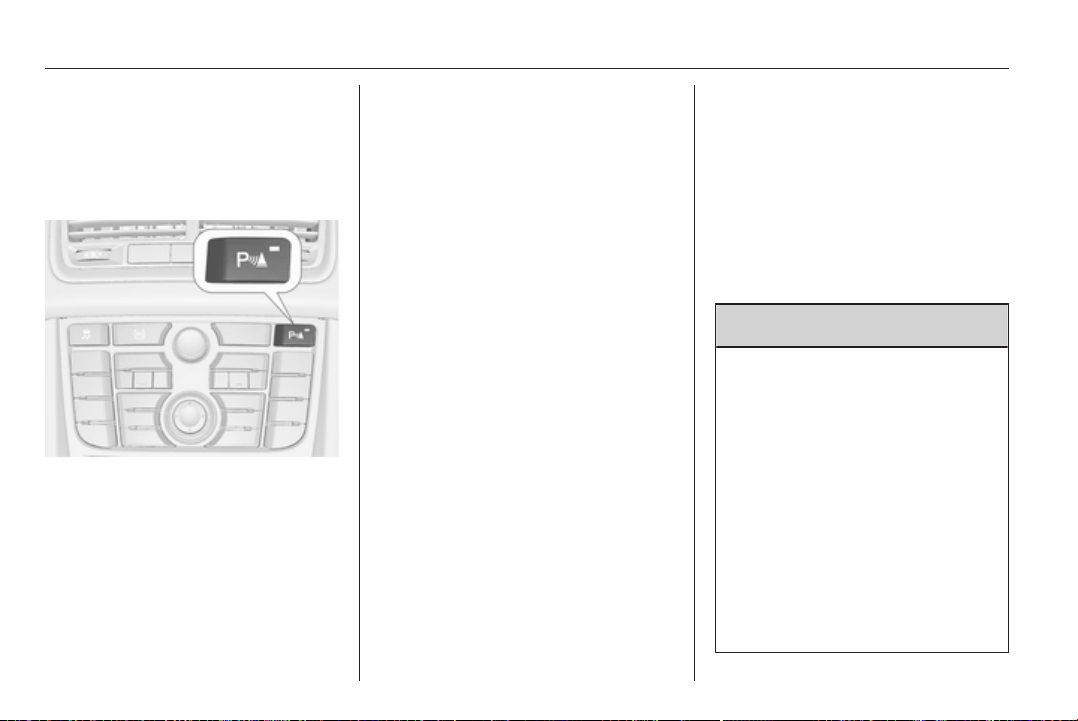
138 Driving and operating
parking assist the system consists of
four additional ultrasonic parking
sensors in the front bumper.
Control indicator r 3 91.
Activation
When reverse gear is engaged, the
system is activated automatically.
The front parking assist can also be
activated at a low speed by pressing
the r button.
An illuminated LED in the parking
assist button indicates that the
system is ready to operate.
An obstacle is indicated by a buzzing
sound. The interval between the
sounds becomes shorter as the
vehicle gets closer to the obstacle.
When the distance is less than
30 cm, the buzzing is continuous.
If the r button is pressed once
within an ignition cycle, the front
parking assist is always reactivated
when the vehicle speed goes below
a certain value.
Deactivation
Deactivate the system by pressing
the r button.
The LED in the button will go out and
Park Assist Off will be displayed in the
Driver Information Center.
The system is deactivated
automatically at a certain speed.
Fault
In the event of a fault in the system,
r illuminates or a vehicle message
is displayed in the Driver Information
Center.
Additionally, r illuminates or
a vehicle message is displayed in the
Driver Information Center if
a malfunction of the system due to
temporary conditions like snow
covered sensors is detected.
Vehicle messages 3 98.
Important hints for using the
parking assist systems
9 Warning
Under certain circumstances,
various reflective surfaces on
objects or clothing as well as
external noise sources may cause
the system to fail to detect
obstacles.
Special attention has to be paid to
low obstacles which can damage
the lower part of the bumper. If
such obstacles leave the detection
area of the sensors during
approach of the vehicle,
a continuous warning tone will
sound.

Driving and operating 139
Caution
Performance of the sensor can be
reduced when sensors are
covered, e.g. by ice or snow.
Performance of the parking assist
systems can be reduced due to
heavy loading.
Special conditions apply if there
are taller vehicles involved (e.g.
off-road vehicles, mini vans,
vans). Object identification in the
upper part of these vehicles
cannot be guaranteed.
Objects with a very small reflection
cross section, like objects of
narrow size or soft materials, may
not be detected by the system.
Parking assist will not avoid
a collision with objects which are
out of the detection range of the
sensors.
Note
The parking assist system
automatically detects factory-fitted
towing equipment. It is deactivated
when the connector is plugged in.
The sensor may detect a non-
existent object (echo disturbance)
caused by external acoustic or
mechanical disturbances.
Fuel
Fuel for petrol engines
Only use unleaded fuel that complies
with DIN EN 228
1)
.
Equivalent standardised fuels with an
ethanol content of max. 10 % by
volume may be used. In this case only
use fuel that complies with
DIN 51625.
Use fuel with the recommended
octane rating 3 193. Use of fuel with
too low an octane rating can reduce
engine power and torque and slightly
increases fuel consumption.
Caution
Use of fuel with too low an octane
rating could lead to uncontrolled
combustion and engine damage.
1)
Russia only: Usage of fuel with quality, not complying to the Technical Regulations in effect (Decree № 118 of 27.02.2008
with amendments of 30.12.2008 № 1076) can lead to engine damage and loss of all warranty obligations.
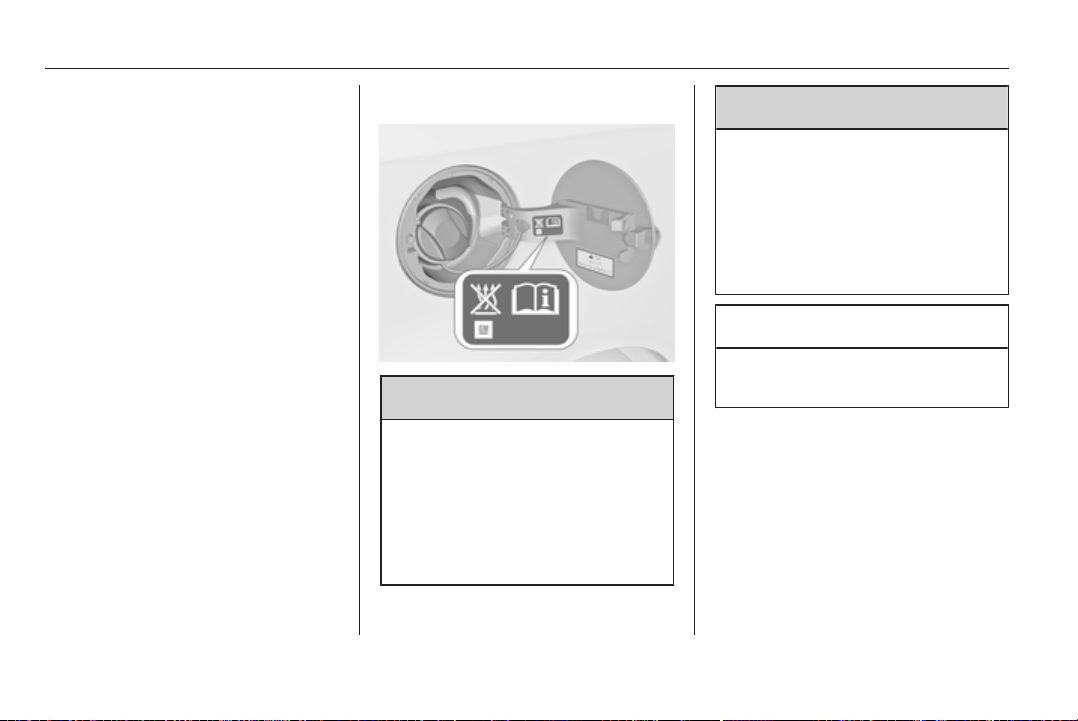
140 Driving and operating
Fuel for diesel engines
Only use diesel fuel that complies
with DIN EN 590
2)
. The fuel must
have low sulphur content (max.
10 ppm). Equivalent standardised
fuels with a biodiesel (= FAME
according to EN 14214) content of
max. 7 % by volume (like DIN 51628
or equivalent standards) may be
used.
Do not use marine diesel oils, heating
oils or entirely or partially plant-based
diesel fuels, such as rape seed oil or
bio diesel, Aquazole and similar
diesel-water emulsions. Diesel fuels
must not be diluted with fuels for
petrol engines.
Refuelling
9 Danger
Before refuelling, switch off engine
and any external heaters with
combustion chambers. Switch off
any mobile phones.
Follow the operating and safety
instructions of the filling station
when refuelling.
9 Danger
Fuel is flammable and explosive.
No smoking. No naked flames or
sparks.
If you can smell fuel in your
vehicle, have the cause of this
remedied immediately by
a workshop.
Caution
In case of misfuelling, do not
switch on ignition.
Fuel filler flap is located at right rear
side of vehicle.
2)
Russia only: Usage of fuel with quality, not complying to the Technical Regulations in effect (Decree № 118 of 27.02.2008
with amendments of 30.12.2008 № 1076) can lead to engine damage and loss of all warranty obligations.
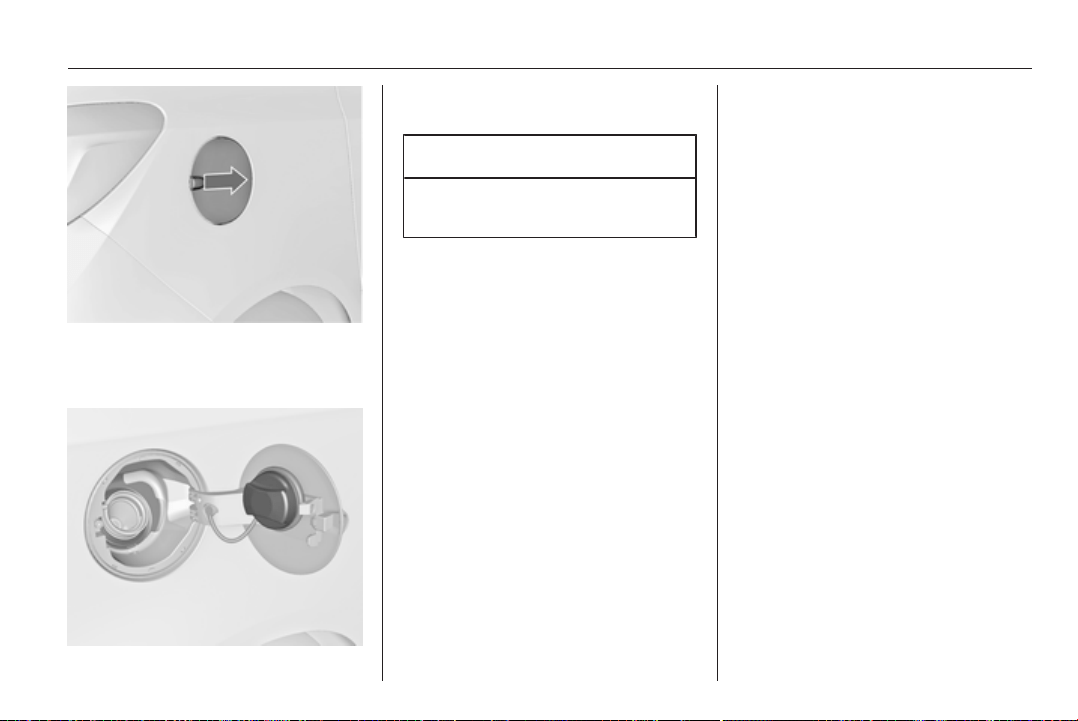
Driving and operating 141
The fuel filler flap can only be opened
if the vehicle is unlocked. Pull flap at
the recess and open.
The fuel filler cap can be retained in
the bracket on the fuel filler flap.
Caution
Wipe off any overflowing fuel
immediately.
Fuel filler cap
Only use genuine fuel filler caps.
Diesel-engined vehicles have special
fuel filler caps.
Fuel consumption - CO
2
-
Emissions
The determination of fuel
consumption is regulated by
European directive
715/2007 692/2008 A.
The directive is oriented to actual
driving practices: Urban driving is
rated at approx.
1
/
3
and extra urban
driving with approx.
2
/
3
. Cold starts
and acceleration phases are also
taken into consideration.
The specification of CO
2
emission is
also a constituent of the directive.
The figures given must not be taken
as a guarantee for the actual fuel
consumption of a particular vehicle.
Furthermore, fuel consumption is
dependent on personal driving style
as well as road and traffic conditions.
All values are based on the EU base
model with standard equipment.
The calculation of fuel consumption
takes into account the vehicle’s kerb
weight, ascertained in accordance
with the regulations. Optional
equipment may result in slightly
higher fuel consumption and
CO
2
emission levels and a lower
maximum speed.
Fuel consumption, CO
2
emissions
3 195.

142 Driving and operating
Towing
General information
Only use towing equipment that has
been approved for your vehicle.
Entrust retrofitting of towing
equipment to a workshop. It may be
necessary to make changes that
affect the cooling system, heat
shields or other equipment.
Fitting of towing equipment could
cover the opening of the towing eye.
If this is the case use the coupling ball
bar for towing. Always keep the
coupling ball bar in the vehicle.
Installation dimensions of factory-
fitted towing equipment 3 202.
Driving characteristics and
towing tips
Before attaching a trailer, lubricate
the coupling ball. However, do not do
so if a stabiliser, which acts on the
coupling ball, is being used to reduce
snaking movements.
For trailers with low driving stability
and caravan trailers with a permitted
gross vehicle weight of more than
1100 kg the use of a stabiliser is
strongly recommended when driving
above 80 km/h.
If the trailer starts snaking, drive more
slowly, do not attempt to correct the
steering and brake sharply if
necessary.
When driving downhill, drive in the
same gear as if driving uphill and
drive at a similar speed.
Adjust tyre pressure to the value
specified for full load 3 199.
Trailer towing
Trailer loads
The permissible trailer loads are
vehicle and engine-dependent
maximum values which must not be
exceeded. The actual trailer load is
the difference between the actual
gross weight of the trailer and the
actual coupling socket load with the
trailer coupled.
The permissible trailer loads are
specified in the vehicle documents. In
general, they are valid for gradients
up to max. 12 %.
The permitted trailer load applies up
to the specified incline and up to an
altitude of 1000 metres above sea
level. Since engine power decreases
as altitude increases due to the air
becoming thinner, therefore reducing
climbing ability, the permissible gross
train weight also decreases by 10 %
for every 1000 metres of additional
altitude. The gross train weight does
not have to be reduced when driving
on roads with slight inclines (less than
8 %, e.g. motorways).
The permissible gross train weight
must not be exceeded. This weight is
specified on the identification plate
3 189.
Vertical coupling load
The vertical coupling load is the load
exerted by the trailer on the coupling
ball. It can be varied by changing the
weight distribution when loading the
trailer.
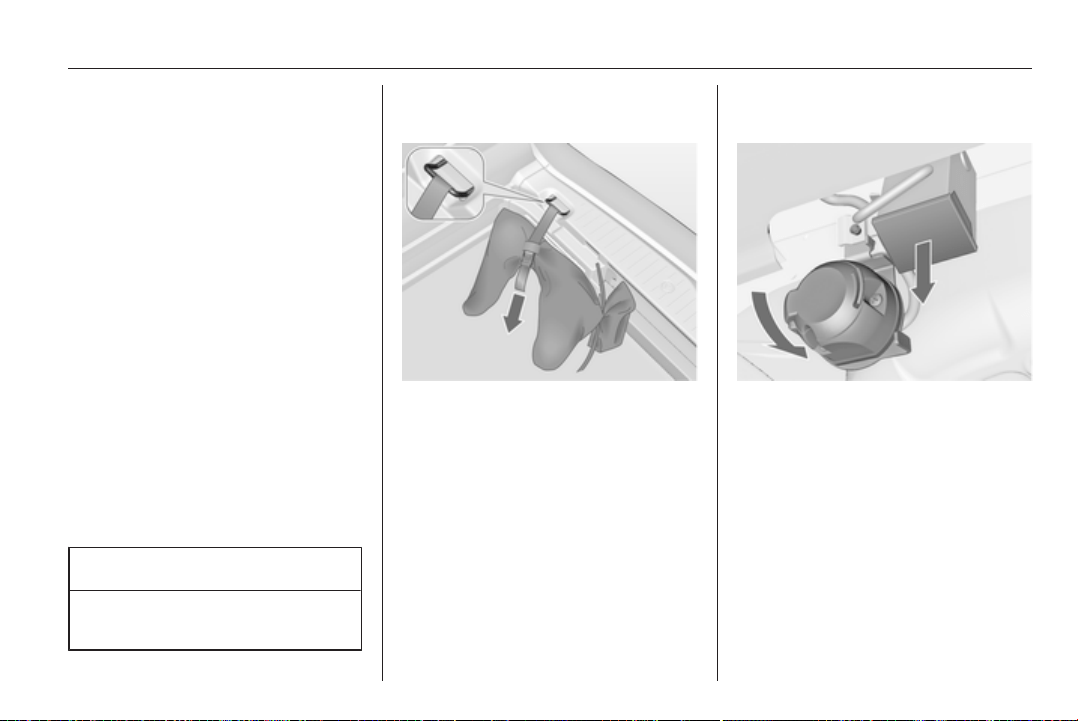
Driving and operating 143
The maximum permissible vertical
coupling load (75 kg) is specified on
the towing equipment identification
plate and in the vehicle documents
Always aim for the maximum load,
especially in the case of heavy
trailers. The vertical coupling load
should never fall below 25 kg.
Rear axle load
When the trailer is coupled and the
towing vehicle fully loaded, the
permissible rear axle load (see
identification plate or vehicle
documents) may be exceeded by
60 kg, the gross vehicle weight rating
may be exceeded by 70 kg. If the
permissible rear axle load is
exceeded, a maximum speed of
100 km/h applies.
Towing equipment
Caution
When operating without a trailer,
remove the coupling ball bar.
Stowage of the detachable
coupling ball bar
The bag with the coupling ball bar is
stowed in the rear stowage
compartment on the floor.
Stick the strap through the lashing
eye and tighten the strap to secure
the bag.
Fitting the detachable coupling
ball bar
Disengage and fold down the socket.
Remove the sealing plug from the
opening for the coupling ball bar and
stow it.
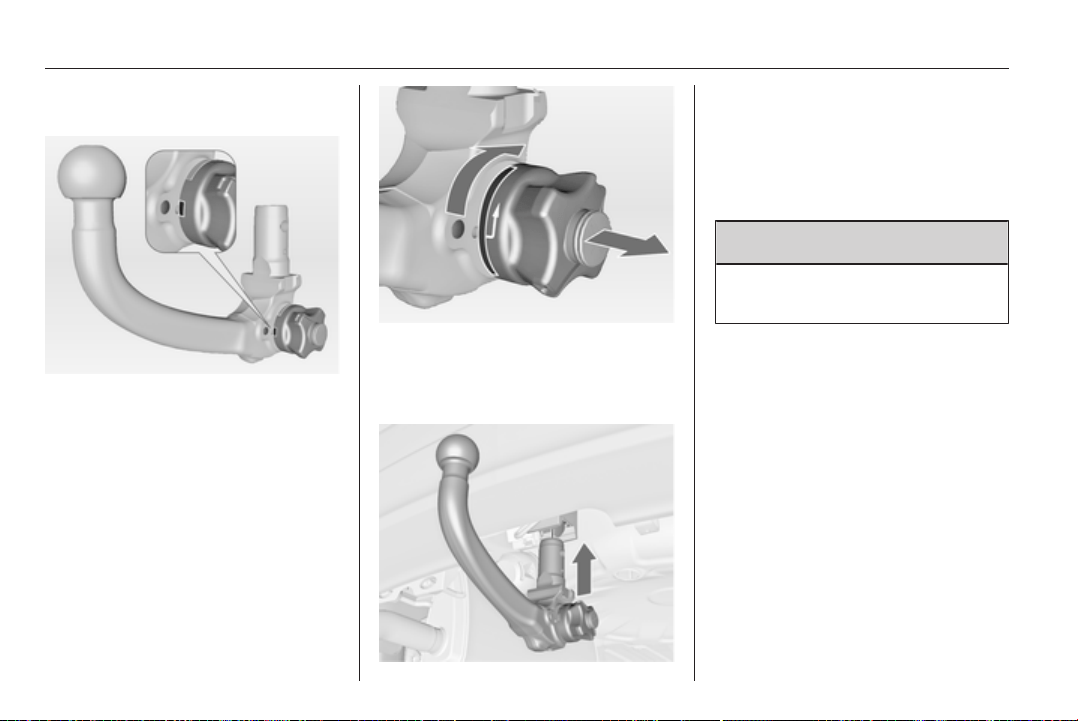
144 Driving and operating
Checking the tensioning of the
coupling ball bar
■ Red marking on rotary knob must
point towards green marking on
coupling ball bar.
■ The gap between the rotary knob
and the coupling ball bar must be
approx. 5 millimetres.
Otherwise, the coupling ball bar must
be tensioned before being inserted:
Pull out rotary knob and turn
clockwise as far as it will go.
Inserting the coupling ball bar
Insert the tensioned coupling ball bar
in the opening and push firmly
upwards until it audibly engages.
The rotary handle snaps back into its
original position resting against the
coupling ball bar without a gap.
9 Warning
Do not touch rotary handle during
insertion.
Lock the coupling ball bar by turning
the key clockwise. Remove the key
and close the protective flap.
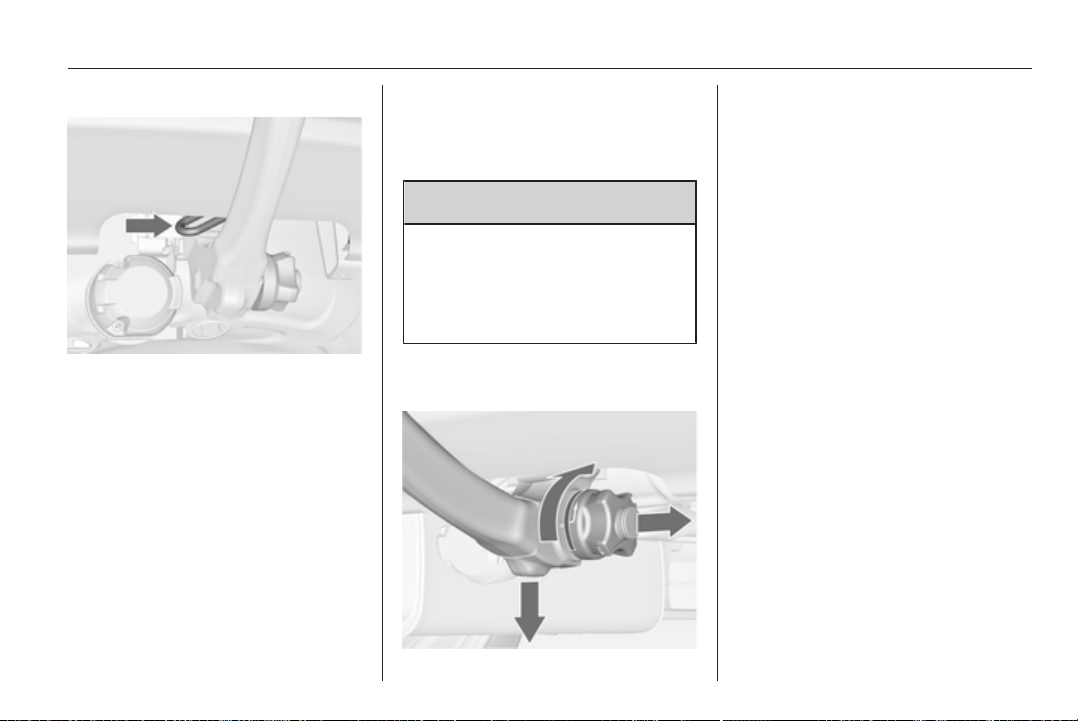
Driving and operating 145
Eye for break-away stopping cable
Attach breakaway stopping cable to
eye.
Check that the coupling ball bar is
correctly installed
■ Green marking on rotary knob must
point towards green marking on
coupling ball bar.
■ There must be no gap between the
rotary handle and the coupling ball
bar.
■ The coupling ball bar must be firmly
engaged in the opening.
■ The coupling ball bar must be
locked and the key removed.
9 Warning
Towing a trailer is permitted only
when a coupling ball bar is fitted
correctly. If the coupling ball bar
does not engage correctly, seek
the assistance of a workshop.
Dismounting the detachable
coupling ball bar
Open the protective flap and turn the
key clockwise to unlock the coupling
ball bar.
Pull out rotary handle and turn
clockwise as far as it will go. Pull out
coupling ball bar downwards.
Insert sealing plug in opening. Fold
away socket.

146 Vehicle care
Vehicle care
General Information ................... 146
Vehicle checks ........................... 147
Bulb replacement ....................... 152
Electrical system ........................ 161
Vehicle tools .............................. 167
Wheels and tyres ....................... 168
Jump starting ............................. 178
Towing ....................................... 180
Appearance care ....................... 182
General Information
Accessories and vehicle
modifications
We recommend the use of genuine
parts and accessories and factory
approved parts specific for your
vehicle type. We cannot assess or
guarantee reliability of other products
- even if they have a regulatory or
otherwise granted approval.
Do not make any modifications to the
electrical system, e.g. changes of
electronic control units (chip tuning).
Caution
When transporting the vehicle on
a train or on a recovery vehicle, the
mud flaps might be damaged.
Vehicle storage
Storage for a long period of time
If the vehicle is to be stored for several
months:
■ Wash and wax the vehicle.
■ Have the wax in the engine
compartment and underbody
checked.
■ Clean and preserve the rubber
seals.
■ Change the engine oil.
■ Drain the washer fluid reservoir.
■ Check the coolant antifreeze and
corrosion protection.
■ Adjust tyre pressure to the value
specified for full load.
■ Park the vehicle in a dry, well
ventilated place. Engage first or
reverse gear or set selector lever to
P. Prevent the vehicle from rolling.
■ Do not apply the parking brake.
■ Open the bonnet, close all doors
and lock the vehicle.
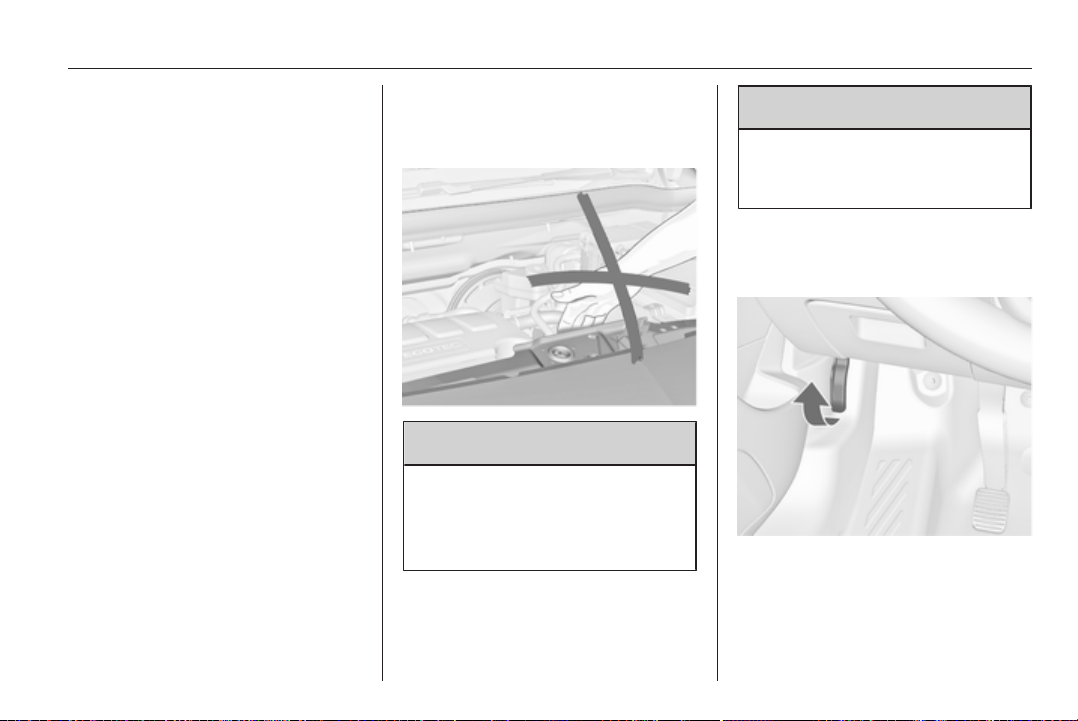
Vehicle care 147
■ Disconnect the clamp from the
negative terminal of the vehicle
battery. Beware that all systems are
not functional, e.g. anti-theft alarm
system.
Putting back into operation
When the vehicle is to be put back into
operation:
■ Connect the clamp to the negative
terminal of the vehicle battery.
Activate the electronics of the
power windows.
■ Check tyre pressure.
■ Fill up the washer fluid reservoir.
■ Check the engine oil level.
■ Check the coolant level.
■ Fit the number plate if necessary.
End-of-life vehicle
recovery
Information on end-of-life vehicle
recovery centres and the recycling of
end-of-life vehicles is available on our
website. Only entrust this work to an
authorised recycling centre.
Vehicle checks
Performing work
9 Warning
Only perform engine compartment
checks when the ignition is off.
The cooling fan may start
operating even if the ignition is off.
9 Danger
The ignition system uses
extremely high voltage. Do not
touch.
Bonnet
Opening
Pull the release lever and return it to
its original position.
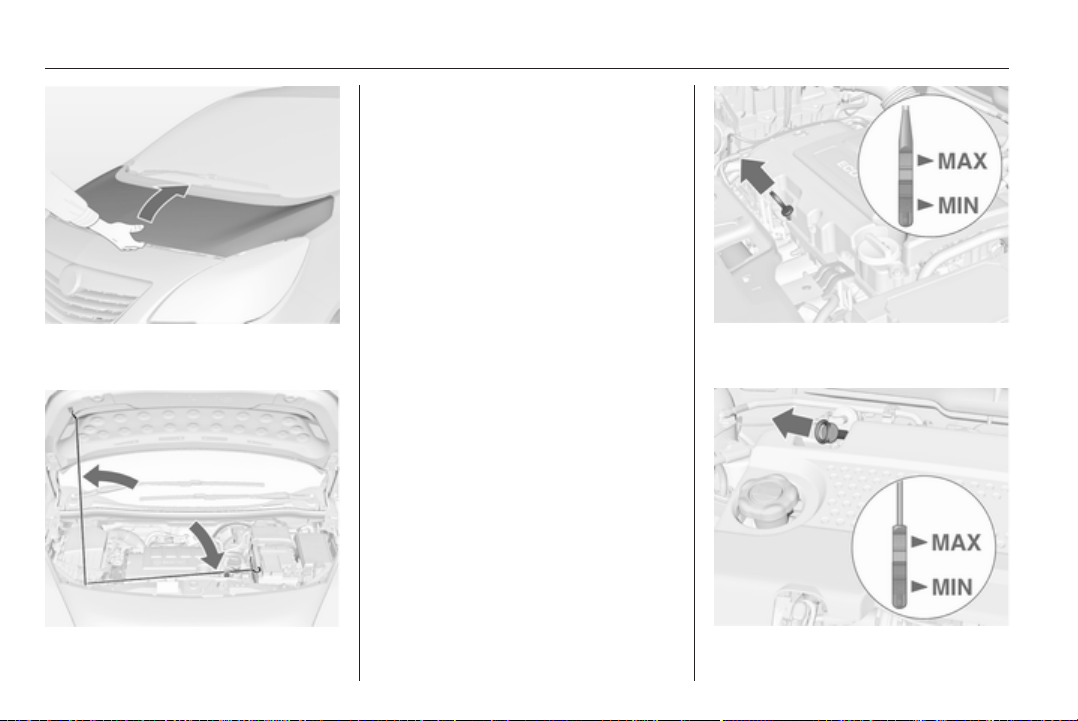
148 Vehicle care
Press the safety catch and open the
bonnet.
Secure the bonnet support.
Closing
Before closing the bonnet, press the
support into the holder.
Lower the bonnet and allow it to drop
into the catch. Check that the bonnet
is engaged.
Engine oil
Check the engine oil level manually
on a regular basis to prevent damage
to the engine.
Ensure that the correct specification
of oil is used. Recommended fluids
and lubricants 3 186.
Check with the vehicle on a level
surface. The engine must be at
operating temperature and switched
off for at least 5 minutes.
Pull out the dipstick, wipe it clean,
insert it to the stop on the handle, pull
out and read the engine oil level.
Insert dipstick to the stop on the
handle and make half a turn.
Different dipsticks are used
depending on engine variant.
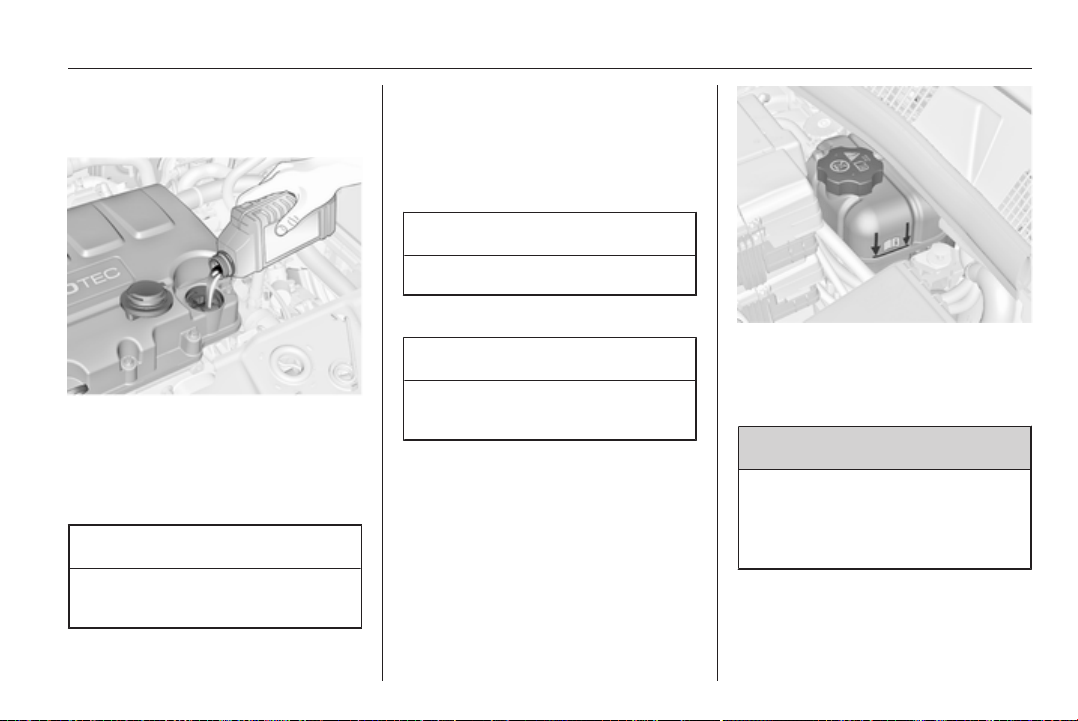
Vehicle care 149
When the engine oil level has
dropped to the MIN mark, top up
engine oil.
We recommend the use of the same
grade of engine oil that was used at
last change.
The engine oil level must not exceed
the MAX mark on the dipstick.
Caution
Overfilled engine oil must be
drained or suctioned out.
Capacities 3 198.
Fit the cap on straight and tighten it.
Engine coolant
The coolant provides freeze
protection down to approx. -28 °C.
Caution
Only use approved antifreeze.
Coolant level
Caution
Too low a coolant level can cause
engine damage.
If the cooling system is cold, the
coolant level should be above the
filling line mark. Top up if the level is
low.
9 Warning
Allow the engine to cool before
opening the cap. Carefully open
the cap, relieving the pressure
slowly.
To top up use a 1:1 mixture of
approved coolant concentrate mixed
with clean tap water. If no coolant
concentrate is available, use clean
tap water. Install the cap tightly. Have
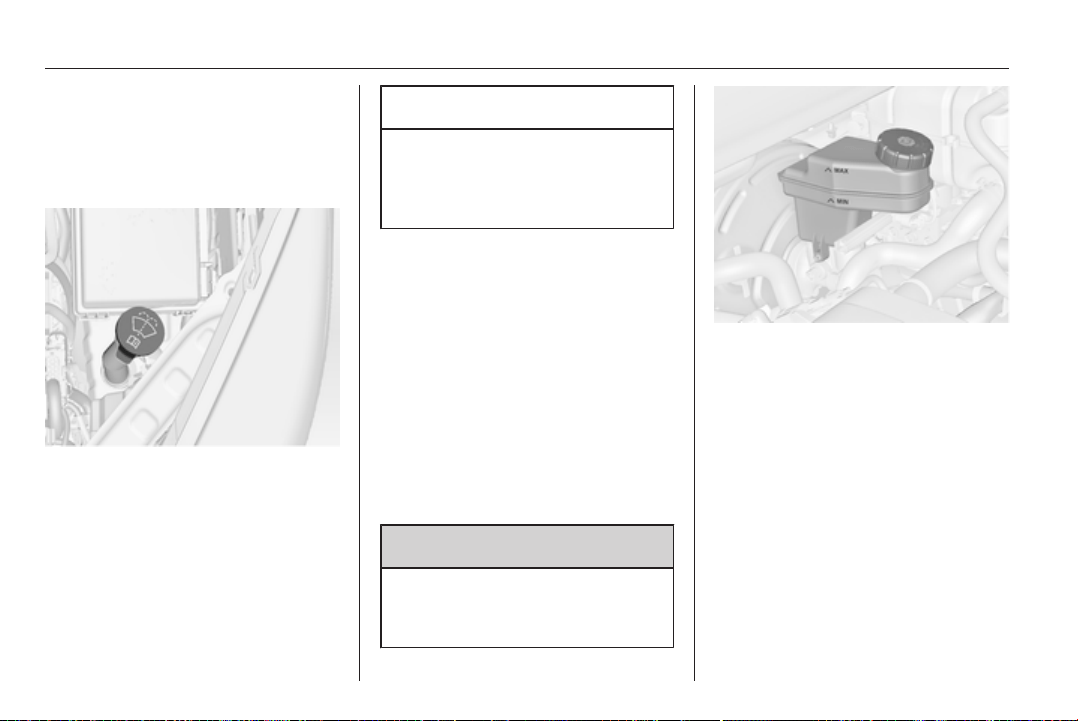
150 Vehicle care
the coolant concentration checked
and have the cause of the coolant
loss remedied by a workshop.
Washer fluid
Fill with clean water mixed with
a suitable quantity of washer fluid
which contains antifreeze. For the
correct mixing ratio refer to the
washer fluid container.
Caution
Only washer fluid with a sufficient
antifreeze concentration provides
protection at low temperatures or
a sudden drop in temperature.
Brakes
In the event of minimum thickness of
the brake lining, a squealing noise
sounds during braking.
Continued driving is possible but
have the brake lining replaced as
soon as possible.
Once new brake linings are installed,
do not brake unnecessarily hard for
the first few journeys.
Brake fluid
9 Warning
Brake fluid is poisonous and
corrosive. Avoid contact with eyes,
skin, fabrics and painted surfaces.
The brake fluid level must be between
the MIN and the MAX marks.
When topping up, ensure maximum
cleanliness as contamination of the
brake fluid can lead to brake system
malfunctions. Have the cause of the
loss of brake fluid remedied by
a workshop.
Only use high-performance brake
fluid approved for the vehicle.
Brake and clutch fluid 3 186.
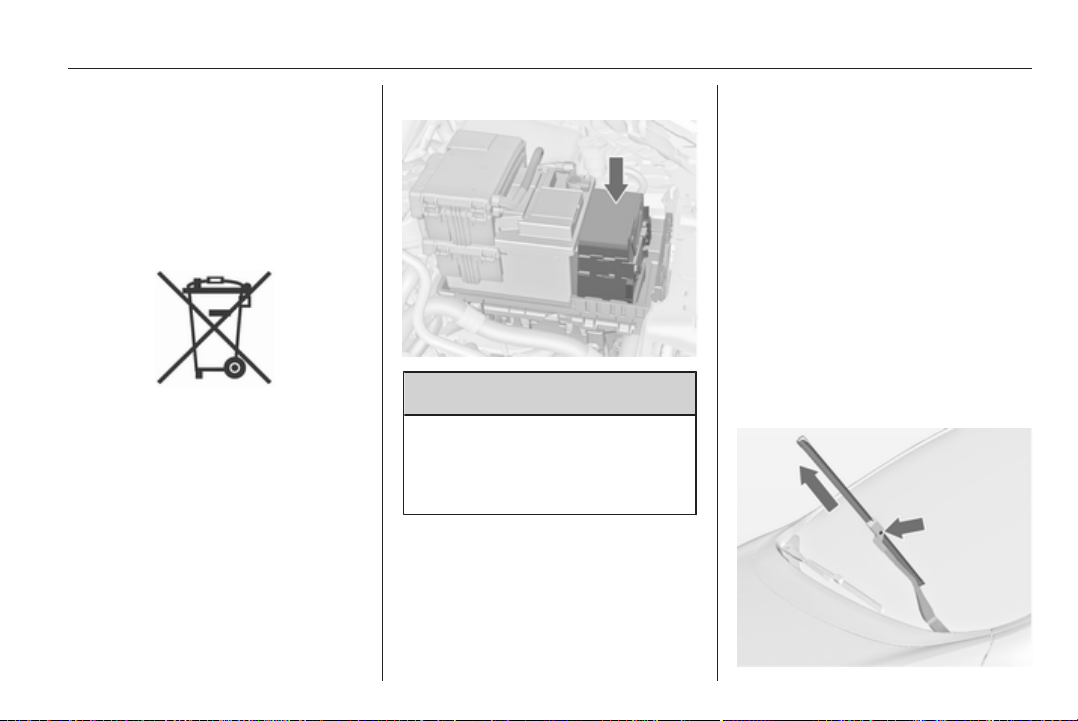
Vehicle care 151
Battery
The vehicle battery is maintenance-
free provided that the driving profile
allows sufficient charging of the
battery. Short-distance-driving and
frequent engine starts can discharge
the battery. Avoid the use of
unnecessary electrical consumers.
Batteries do not belong in household
waste. They must be disposed of at
an appropriate recycling collection
point.
Laying up the vehicle for more than
4 weeks can lead to battery
discharge. Disconnect the clamp from
the negative terminal of the vehicle
battery.
Ensure the ignition is switched off
before connecting or disconnecting
the vehicle battery.
Battery discharge protection 3 115.
Exchanging a battery
9 Warning
When fitting a battery with a length
deviating from the original one, it
is essential to ensure a proper
fitting of the buffer element.
We recommend consulting
a workshop.
Diesel fuel system
bleeding
If the tank has been run dry, the diesel
fuel system must be bled. Switch on
the ignition three times for
15 seconds at a time. Then start the
engine for a maximum of
40 seconds. Repeat this process after
no less than 5 seconds. If the engine
fails to start, seek the assistance of
a workshop.
Wiper blade replacement
Wiper blades on the windscreen
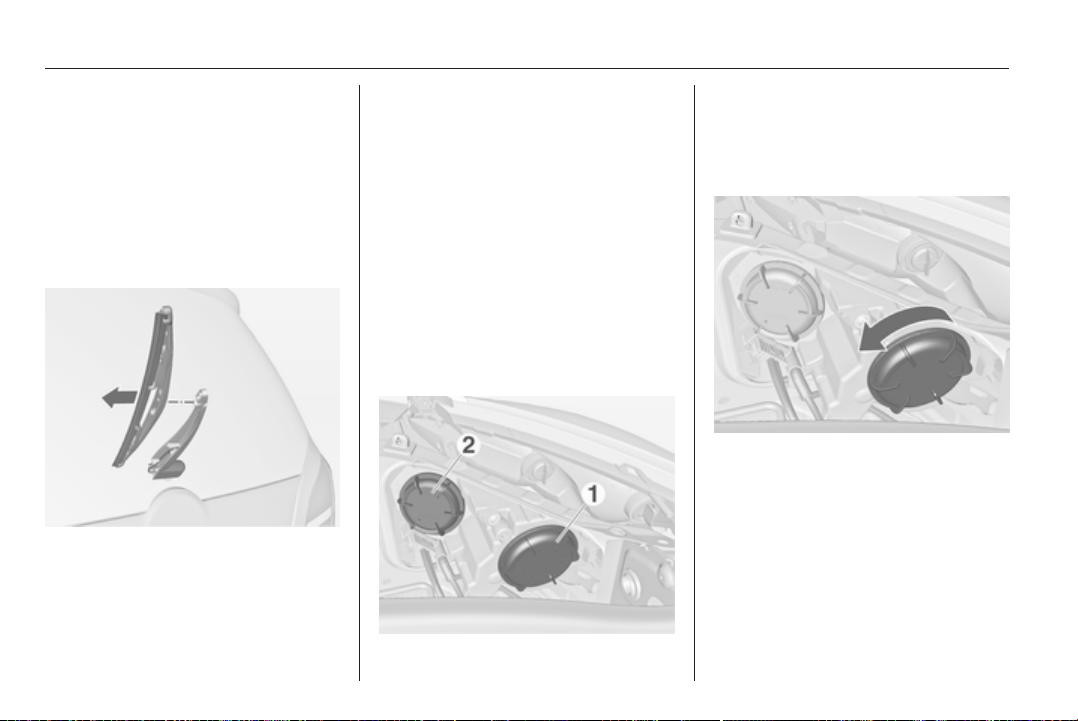
152 Vehicle care
Lift the wiper arm, press button to
disengage the wiper blade and
remove.
Attach the wiper blade slightly angled
to the wiper arm and push until it
engages.
Lower wiper arm carefully.
Wiper blade on the rear window
Lift wiper arm. Disengage wiper blade
as shown in illustration and remove.
Attach the wiper blade slightly angled
to the wiper arm and push until it
engages.
Lower wiper arm carefully.
Bulb replacement
Switch off the ignition and switch off
the relevant switch or close the doors.
Only hold a new bulb at the base! Do
not touch the bulb glass with bare
hands.
Use only the same bulb type for
replacement.
Replace headlight bulbs from within
the engine compartment.
Halogen headlights
Headlights have separate systems for
low beam 1 (outer bulbs) and high
beam 2 (inner bulbs).
Low beam
1. Rotate the cap 1 anticlockwise
and remove it.
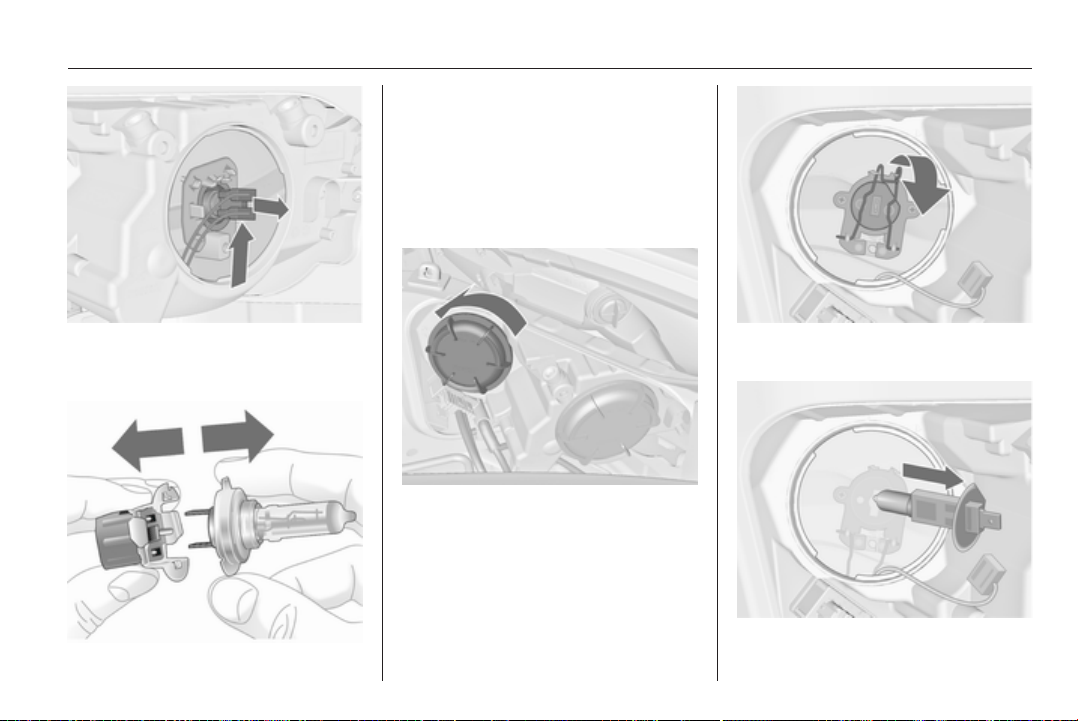
Vehicle care 153
2. Push the bulb holder upwards and
withdraw the bulb holder from the
reflector.
3. Detach the bulb from the bulb
holder and replace the bulb.
4. Insert the bulb holder into the
reflector.
5. Fit the cap and rotate clockwise.
High beam
1. Rotate the cap 2 anticlockwise
and remove it.
2. Detach the plug from the bulb.
3. Disengage the spring clip and
then swivel it backwards.
4. Remove and replace the bulb.
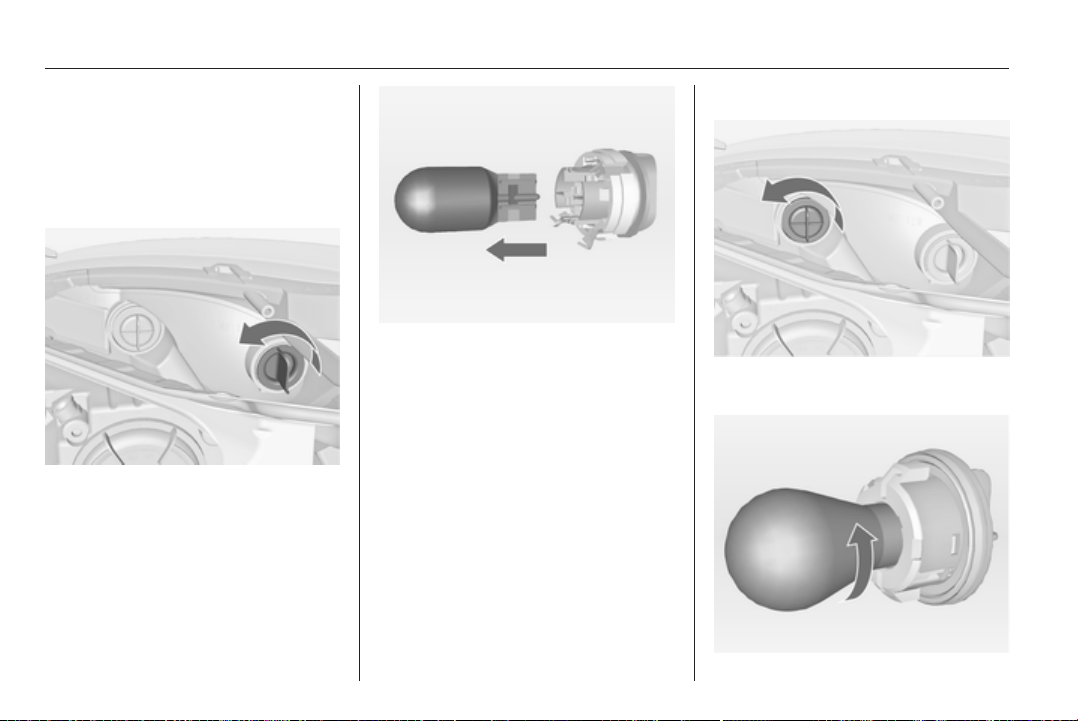
154 Vehicle care
5. Swivel the spring clip forwards
and engage.
6. Attach the plug to the bulb.
7. Fit the cap and rotate clockwise.
Sidelight/Daytime running light
1. Rotate the bulb holder
anticlockwise and remove it.
2. Detach bulb from the bulb holder
and replace it.
3. Insert the bulb holder into the
reflector and rotate clockwise.
Front turn signal
1. Rotate the bulb holder
anticlockwise and remove it.
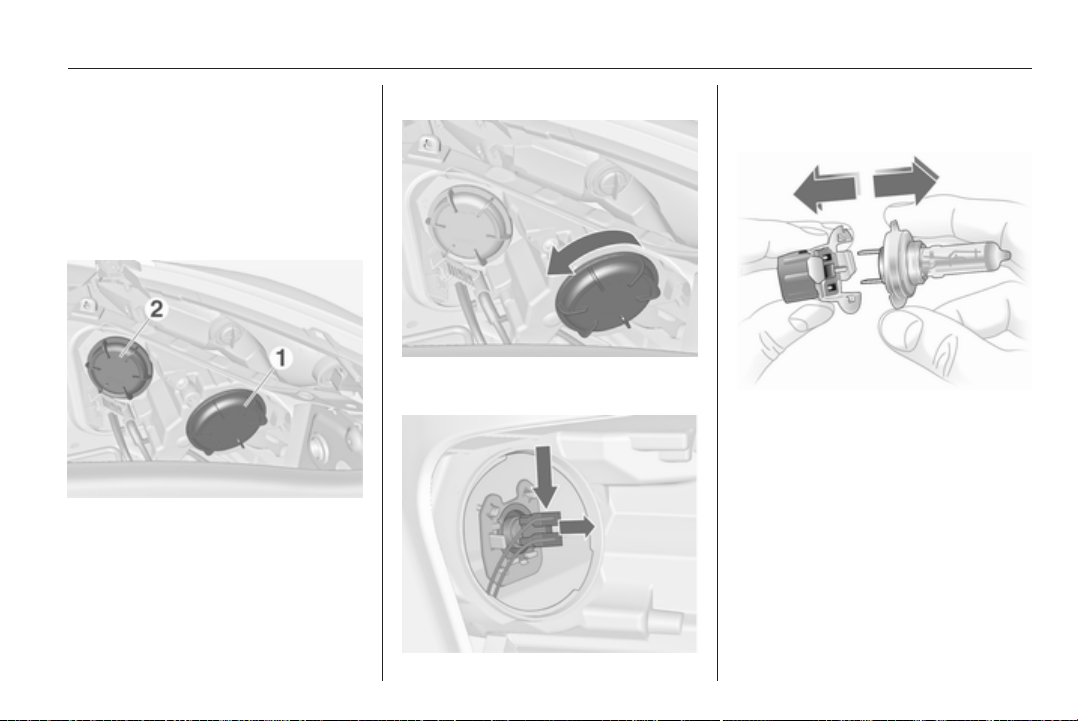
Vehicle care 155
2. Rotate bulb anticlockwise and
remove from bulb holder.
3. Replace bulb.
4. Insert the bulb holder into the
reflector and rotate clockwise.
Adaptive forward lighting
Headlights have separate systems for
low beam and high beam 1 (outer
bulbs) and additional high beam 2
(inner bulbs). The cornering light is
also located behind the cover for the
additional high beam.
Low beam/High beam
1. Rotate the cap 1 anticlockwise
and remove it.
2. Push the bulb holder downwards
and withdraw the bulb holder from
the reflector.
3. Detach the bulb from the bulb
holder and replace the bulb.
4. Insert the bulb holder into the
reflector.
5. Fit the cap and rotate clockwise.
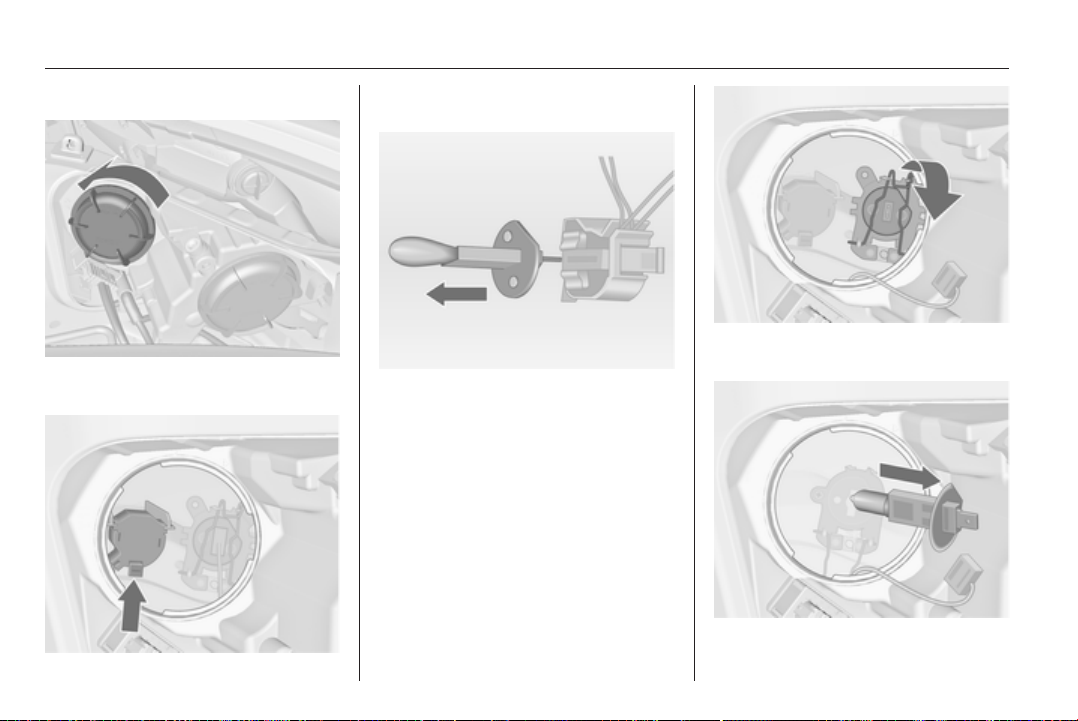
156 Vehicle care
Additional high beam
1. Rotate protective cover 2
anticlockwise and remove.
2. Press catch and withdraw the bulb
holder from the reflector.
3. Remove and replace the bulb.
4. Press catch and insert the bulb
holder into the reflector.
5. Fit the cap and rotate clockwise.
Cornering light
1. Rotate protective cover 2
anticlockwise and remove.
2. Detach the plug from the bulb.
3. Disengage the spring clip and
then swivel it backwards.
4. Remove and replace the bulb.
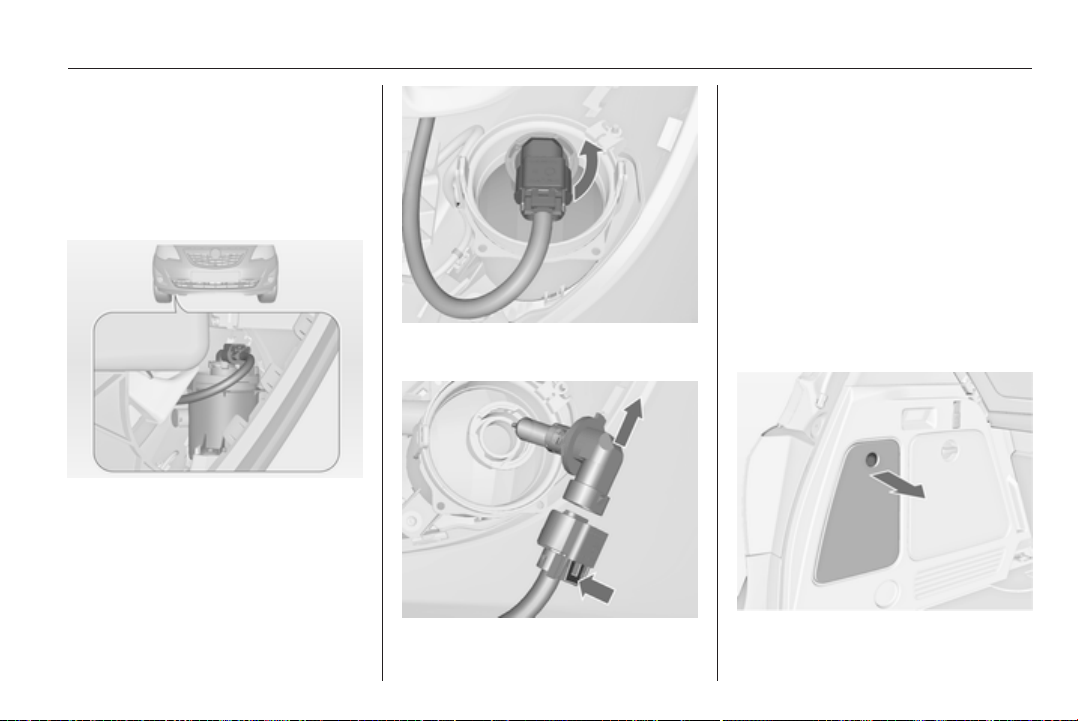
Vehicle care 157
5. Swivel the spring clip forwards
and engage.
6. Attach the plug to the bulb.
7. Fit the cap and rotate clockwise.
Fog lights
The bulbs are accessible from the
underside of the vehicle.
1. Turn the bulb holder anticlockwise
and remove it from the reflector.
2. Disengage the bulb holder from
the plug connector by pressing
the retaining lug.
3. Remove and replace the bulb
holder with bulb.
4. Attach the plug connector.
5. Insert the bulb holder into the
reflector.
6. Turn the bulb holder clockwise
and engage.
Tail lights
1. Release the cover and remove it.
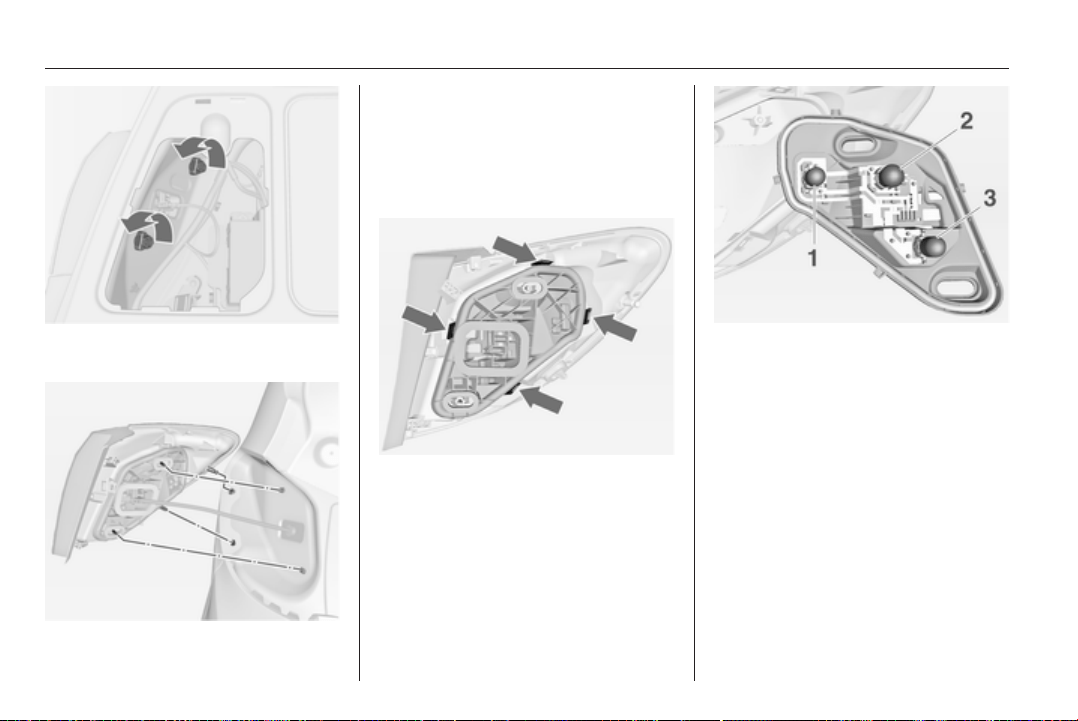
158 Vehicle care
2. Unscrew the two plastic securing
nuts from the inside by hand.
3. Carefully withdraw the light
assembly from retaining pins and
remove. Make sure that the cable
duct remains in position.
4. Detach the wiring plug from the
bulb carrier.
5. Unlatch the four retaining lugs and
remove the bulb carrier.
6. Remove and replace the bulb.
Tail light and brake light (1)
Tail light (2)
Turn signal light (3)
7. Insert the bulb carrier into the tail
light assembly. Connect the
wiring plug. Fit light assembly
onto retaining pins and tighten the
securing nuts. Close the cover
and engage.
8. Switch on the ignition, operate
and check all lights.
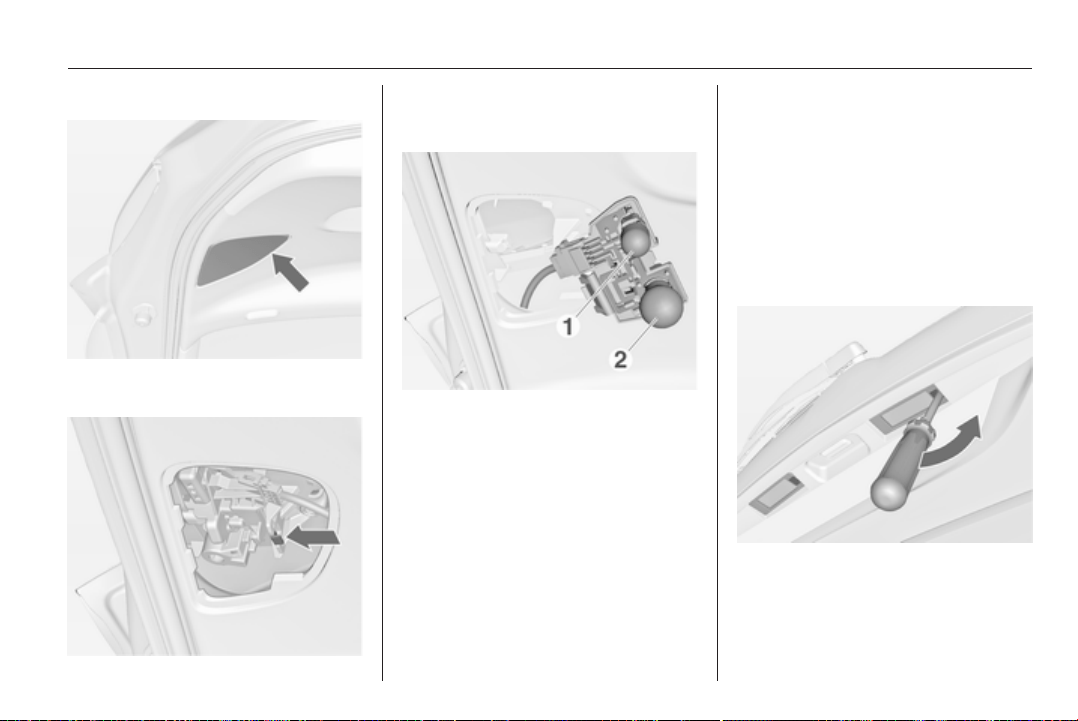
Vehicle care 159
Tail lights in the tailgate frame
1. Open the tailgate and remove the
cover with a screwdriver.
2. Press the retaining lug and
remove the bulb carrier
downwards.
3. To replace the reverse light bulb
(1), remove and replace the bulb
To replace the tail light bulb (2),
push the bulb slightly into the
socket, rotate anticlockwise,
remove and replace the bulb.
4. Insert the bulb carrier into the
retainer.
5. Attach the cover.
6. Switch on the ignition, operate
and check all lights.
For replacing the tail light bulb and
rear fog light bulb on the right side of
the tailgate frame, proceed in the
same way.
Side turn signal lights
Have bulbs replaced by a workshop.
Number plate light
1. Insert screwdriver in recess of the
cover, press to the side and
release spring.
Remove cover.
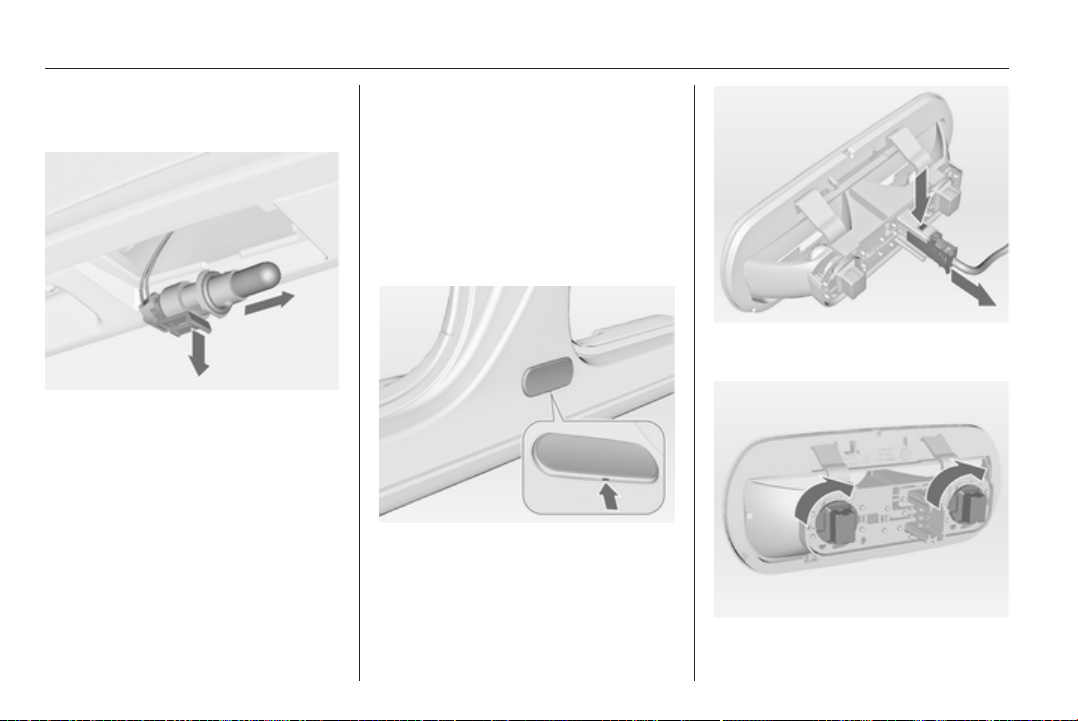
160 Vehicle care
2. Remove the bulb holder
downwards, taking care not to pull
on the cable.
3. Disengage the retaining lug and
remove the bulb holder from the
wiring plug.
4. Remove and replace the bulb
holder with bulb.
5. Connect the wiring plug to the
bulb holder.
6. Push the bulb holder into the
housing and close the cover.
Interior lights
Courtesy light, reading lights
Have bulbs replaced by a workshop.
Load compartment light
Have bulbs replaced by a workshop.
Puddle lights
1. Disengage the housing at the
bottom and remove it.
2. Press the retaining lug and
withdraw the connector.
3. Rotate the bulb holder clockwise
and remove.
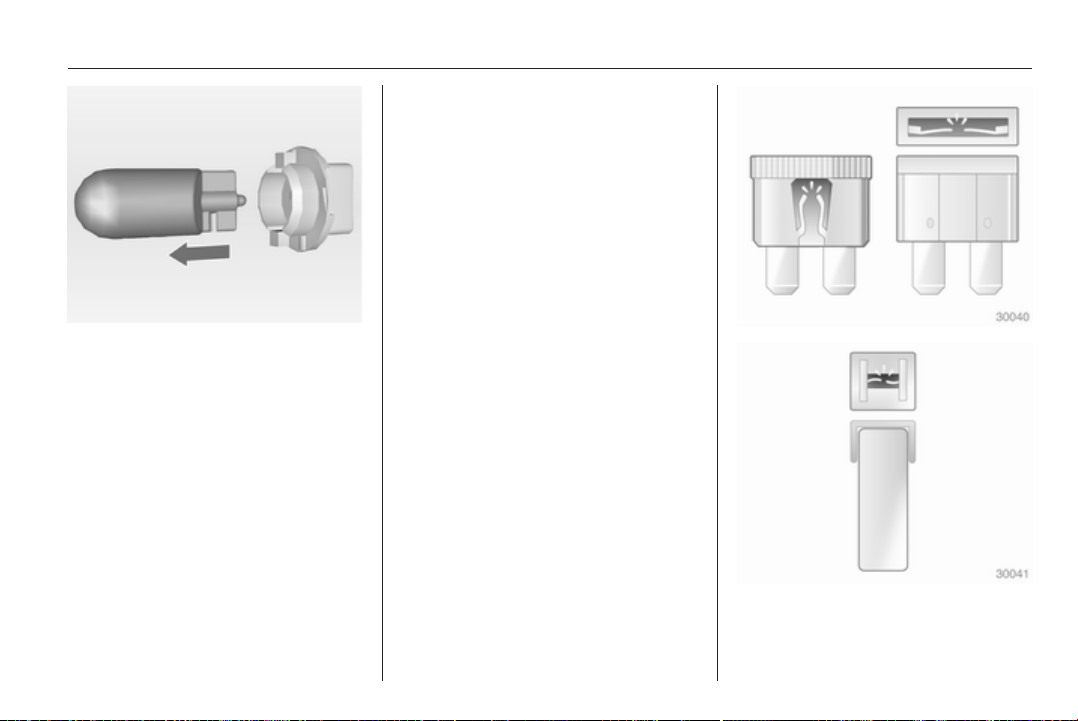
Vehicle care 161
4. Pull the bulb out of the bulb holder
and replace it.
5. Insert the bulb holder into the
housing and turn it anticlockwise.
6. Plug in the connector.
7. Attach the housing.
Instrument panel
illumination
Have bulbs replaced by a workshop.
Electrical system
Fuses
Data on the replacement fuse must
match the data on the defective fuse.
There are three fuse boxes in the
vehicle:
■ in the front left of the engine
compartment,
■ In left-hand drive vehicles, in the
interior behind the storage
compartment, or, in right-hand
drive vehicles, behind the
glovebox,
■ behind a cover on the left side of the
load compartment.
Before replacing a fuse, turn off the
respective switch and the ignition.
A blown fuse can be recognized by its
melted wire. Do not replace the fuse
until the cause of the fault has been
remedied.
Some functions are protected by
several fuses.
Fuses may also be inserted without
existence of a function.
Fuse extractor
A fuse extractor may be located in the
fuse box in the engine compartment.
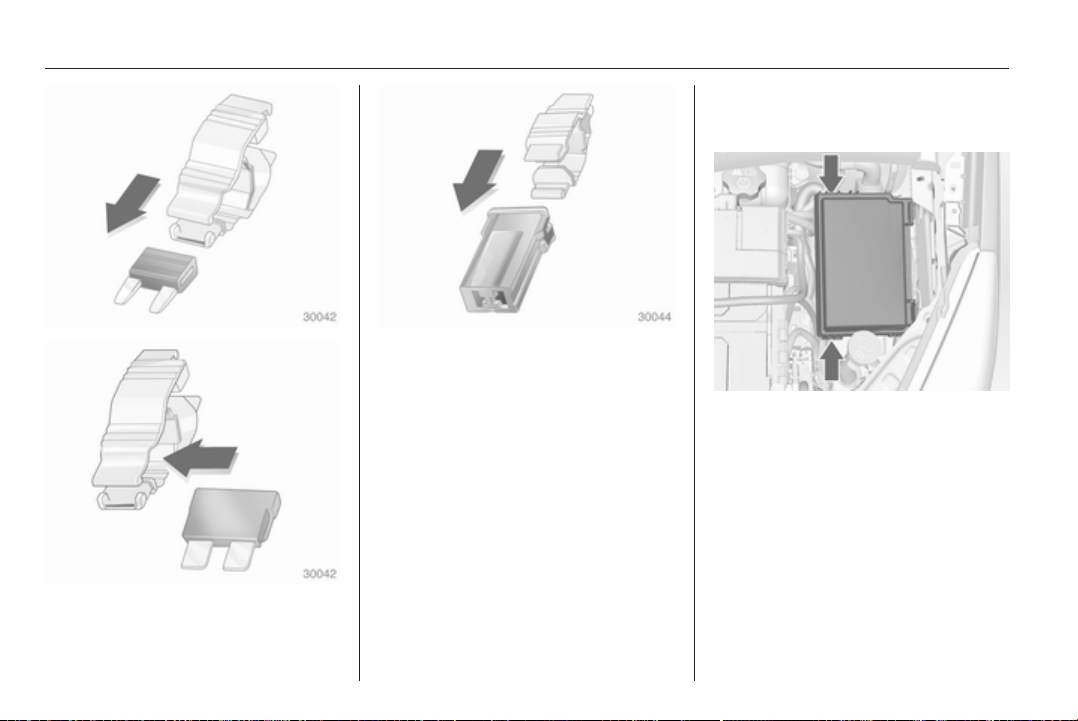
162 Vehicle care
Place the fuse extractor on the
various types of fuse from the top or
side, and withdraw fuse.
Engine compartment fuse
box
The fuse box is in the front left of the
engine compartment.
Disengage the cover, lift it upwards
and remove.
After having changed defective fuses
close the fuse box cover and press
until it engages.
If the fuse box cover is not closed
correctly, malfunctions may occur.
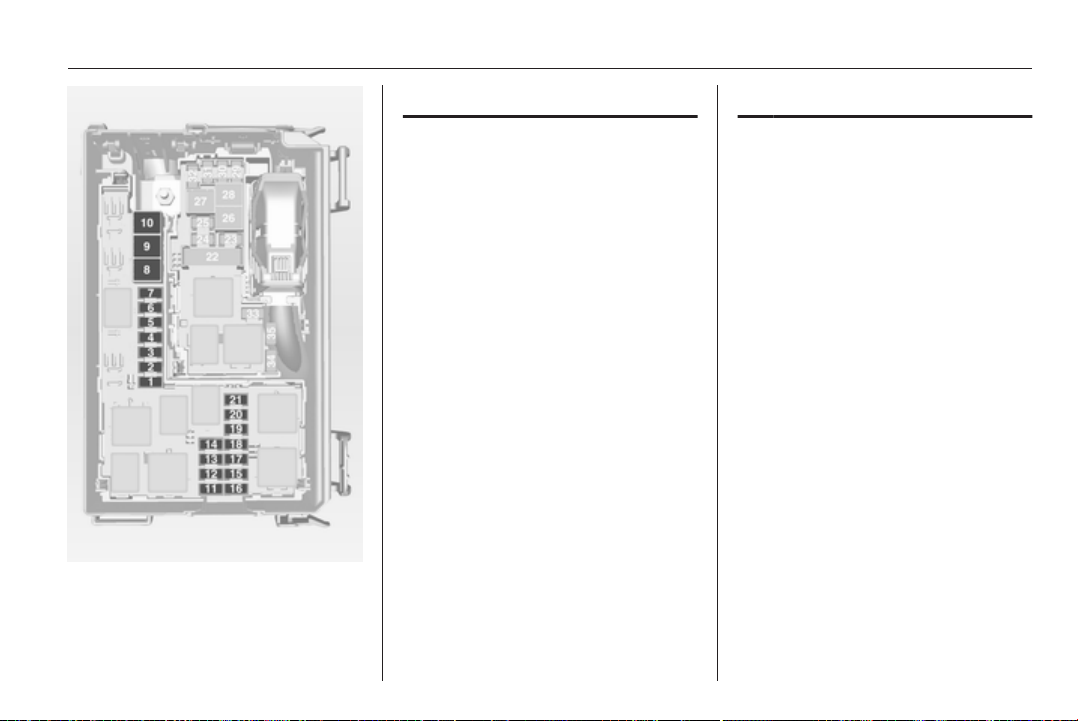
Vehicle care 163
No. Circuit
1 Starter
2 –
3 Fuel filter, cooling
4 Horn
5 Terminal 30
6 Engine control module,
transmission control unit
7 Fog light
8 Engine cooling
9 Engine cooling
10 Vacuum pump
11 Ignition, preheating
12 Headlamp levelling
13 Air conditioning system,
terminal 15
14 Transmission control unit
15 High beam right
No. Circuit
16 High beam left
17 Engine control module
18 Engine control module,
terminal 15
19 Airbag
20 Engine control module
21 Engine control module,
terminal 87
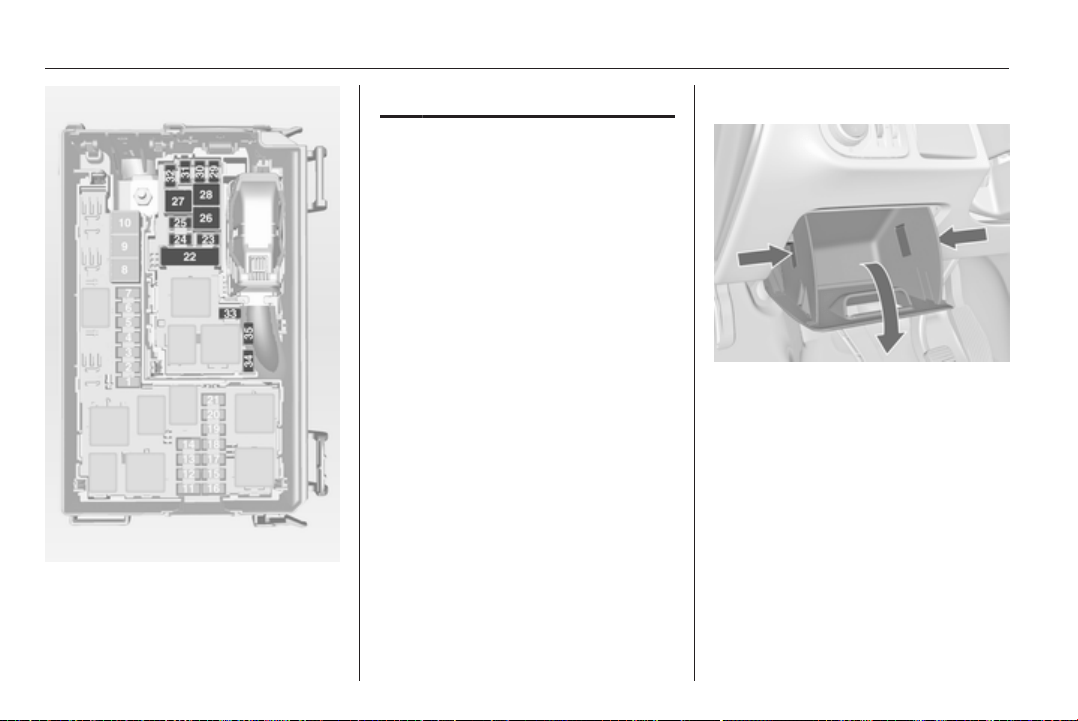
164 Vehicle care
No. Circuit
22 Electrical parking brake
23 Tyre repair kit
24 Fuel pump
25 ABS
26 Heated rear window
27 ABS
28 Interior fan
29 Cigarette lighter
30 Air conditioning system
31 Front power window, left
32 Front power window, right
33 Mirror heating
34 ABS
35 Airbag
Instrument panel fuse box
In left-hand drive vehicles, the fuse
box is behind the storage
compartment in the instrument panel.
Open compartment, compress the
locking tabs, fold compartment down
and remove.
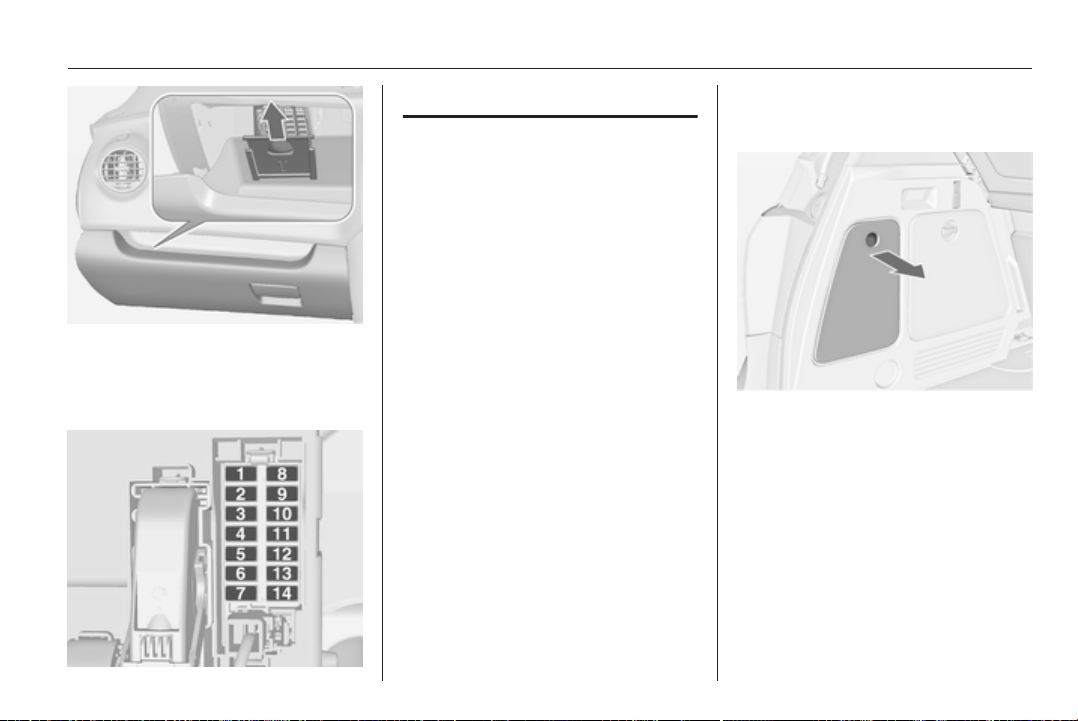
Vehicle care 165
In right-hand drive vehicles, the fuse
box is located behind a cover in the
glovebox. Open the glovebox, pull
cover upwards and remove.
No. Circuit
1 Rear left door unlocking
2 Display, instrument, telephone
3 Radio
4 Ignition switch, immobiliser
5 Windscreen washer, rear
screen washer
6 Central locking system, tailgate
7 Central locking system
8 Rear right door unlocking
9 Courtesy light
10 Heated steering wheel
11 –
12 –
13 Rain sensor, interior mirror,
outside mirrors
14 –
Load compartment fuse
box
The fuse box is on the left side of the
load compartment behind a cover.
Remove the cover.
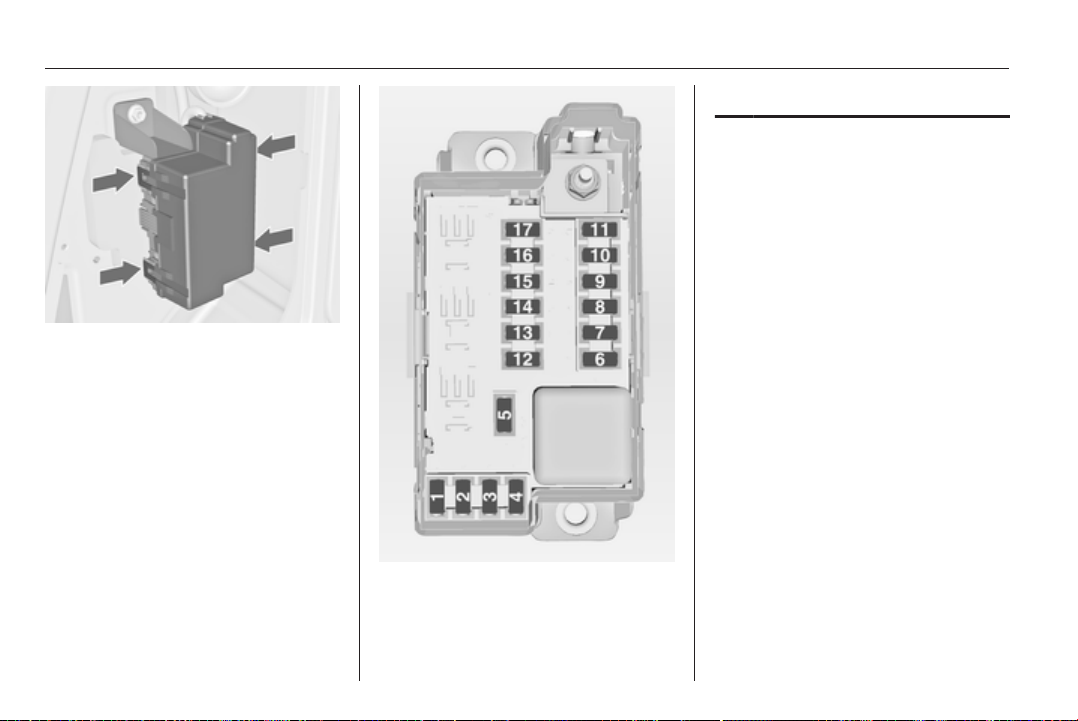
166 Vehicle care
Disengage the four retaining lugs and
remove the cover.
No. Circuit
1 Adaptive forward lighting
2 –
3 –
4 –
5 –
6 Rear power window, right
7 Adaptive forward lighting
8 Trailer module, Trailer socket
9 Seat, lumbar support, left
10 Rear power window, left
11 Park assist
12 Electrical sunblind
13 –
14 Heated front seats
15 Trailer module
16 Seat, lumbar support, right
17 –
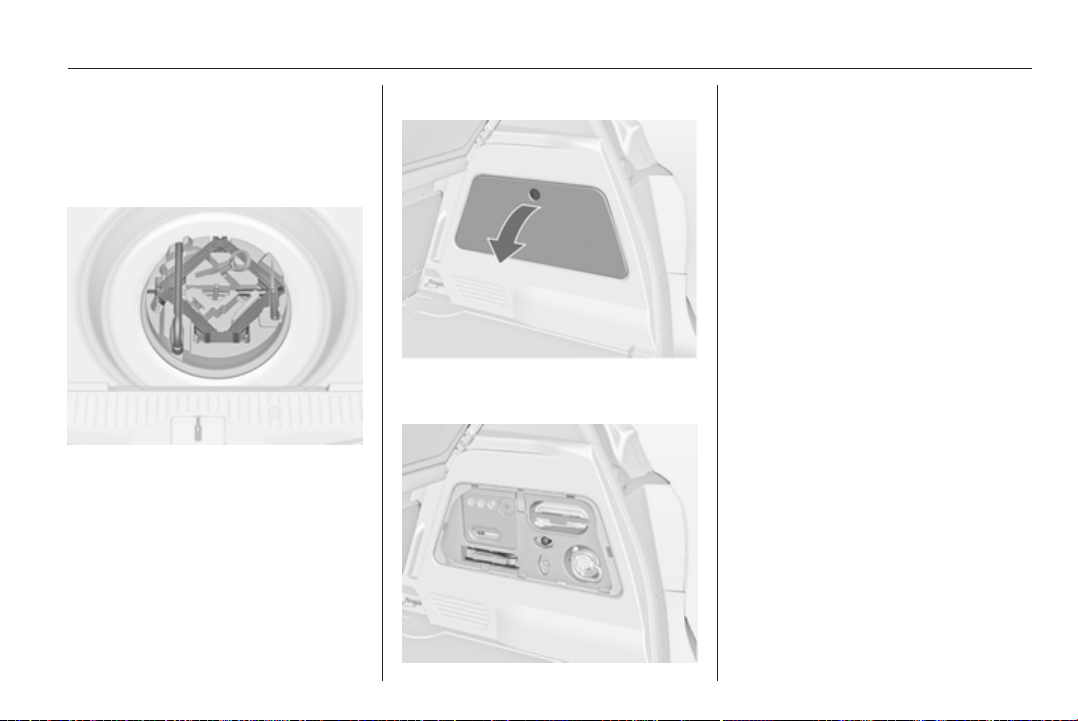
Vehicle care 167
Vehicle tools
Tools
Vehicles with spare wheel
The jack and the vehicle tools are in
the spare wheel well in the load
compartment.
Vehicles with tyre repair kit
To open the compartment, disengage
the cover and open it.
The vehicle tools are in the right-hand
compartment in the load
compartment, together with the tyre
repair kit.
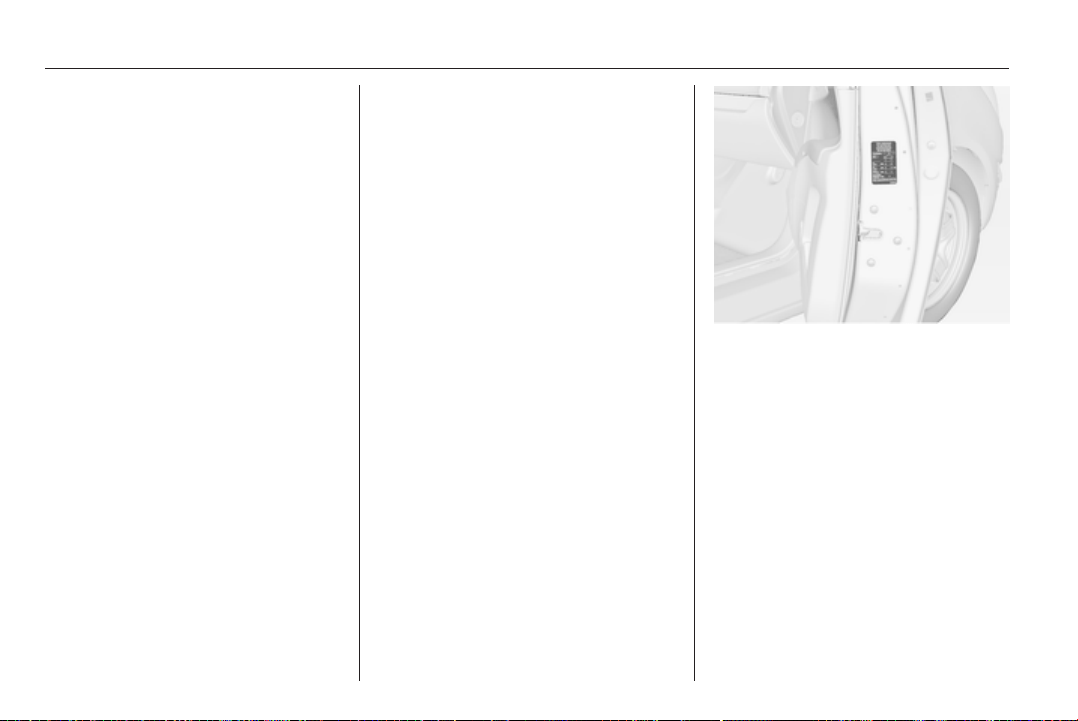
168 Vehicle care
Wheels and tyres
Tyre condition, wheel condition
Drive over edges slowly and at right
angles if possible. Driving over sharp
edges can cause tyre and wheel
damage. Do not trap tyres on the kerb
when parking.
Regularly check the wheels for
damage. Seek the assistance of
a workshop in the event of damage or
unusual wear.
Winter tyres
Winter tyres improve driving safety at
temperatures below 7 °C and should
therefore be fitted on all wheels.
In accordance with country-specific
regulations, affix the speed sticker in
the driver's field of view.
Tyre designations
E.g. 195/65 R 15 91 H
195 = Tyre width, mm
65 = Cross-section ratio (tyre
height to tyre width), %
R = Belt type: Radial
RF = Type: RunFlat
15 = Wheel diameter, inches
91 = Load index e.g. 91 is
equivalent to 615 kg
H = Speed code letter
Speed code letter:
Q = up to 160 km/h
S = up to 180 km/h
T = up to 190 km/h
H = up to 210 km/h
V = up to 240 km/h
W = up to 270 km/h
Tyre pressure
Check the pressure of cold tyres at
least every 14 days and before any
long journey. Do not forget the spare
wheel. This also applies to vehicles
with tyre pressure monitoring system.
Unscrew the valve cap.
Tyre pressure 3 199 and on the label
at the front passenger door.
The tyre pressure data refers to cold
tyres. It applies to summer and winter
tyres.
Always inflate the spare tyre to the
pressure specified for full load.
The ECO tyre pressure serves to
achieve the smallest amount of fuel
consumption possible.
Incorrect tyre pressures will impair
safety, vehicle handling, comfort and
fuel economy and will increase tyre
wear.
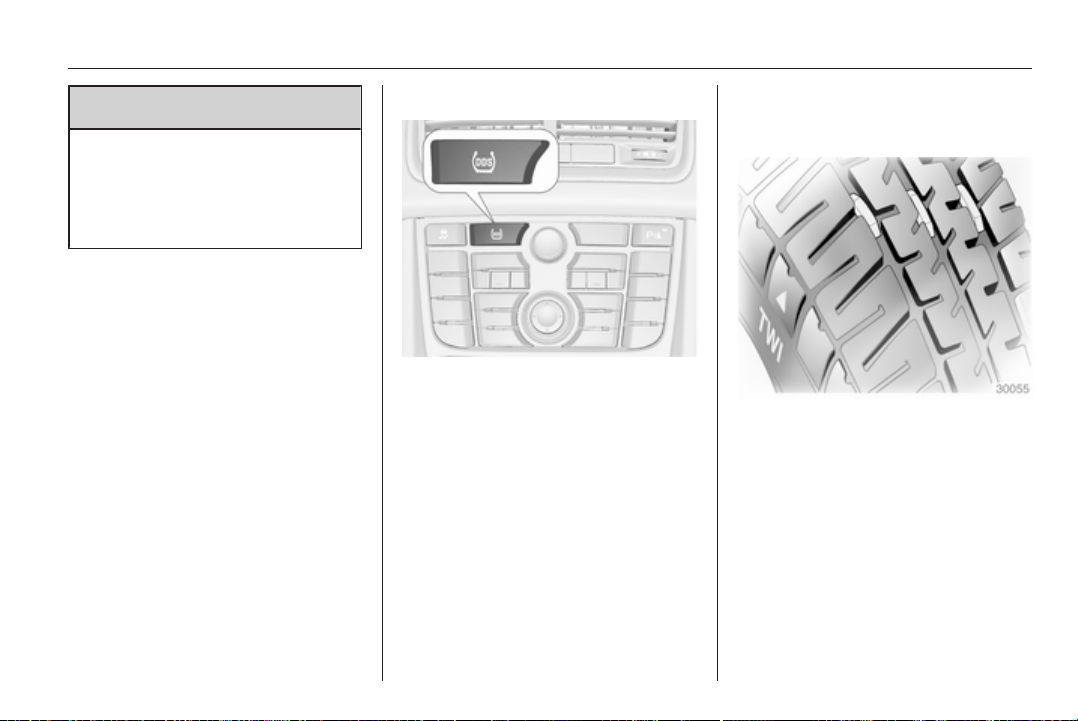
Vehicle care 169
9 Warning
If the pressure is too low, this can
result in considerable tyre warm-
up and internal damage, leading to
tread separation and even to tyre
blow-out at high speeds.
If the tyre pressure must be reduced
or increased on a vehicle with tyre
pressure monitoring system, switch
off ignition.
Tyre deflation detection
system
The tyre deflation detection system
continually checks the rotation speed
of all four tyres.
If a tyre loses pressure the control
indicator w illuminates yellow and
a warning message is displayed in the
Driver Information Center with
Uplevel-Display. Stop immediately
and check tyre pressure.
Control indicator w 3 92.
System initialisation
After tyre pressure correction or
wheel change, the system must be
initiated: Switch on the ignition, press
and hold the DDS button for approx.
4 seconds.
If the system is ready again,
a message is displayed in the Driver
Information Center with
Uplevel-Display.
Tread depth
Check tread depth at regular
intervals.
Tyres should be replaced for safety
reasons at a tread depth of 2-3 mm
(4 mm for winter tyres).
The legally permissible minimum
tread depth (1.6 mm) has been
reached when the tread has worn
down as far as one of the tread wear
indicators (TWI). Their position is
indicated by markings on the
sidewall.
If there is more wear at the front than
the rear, swap round front wheels and
rear wheels periodically. Ensure that
the direction of rotation of the wheels
is the same as before.
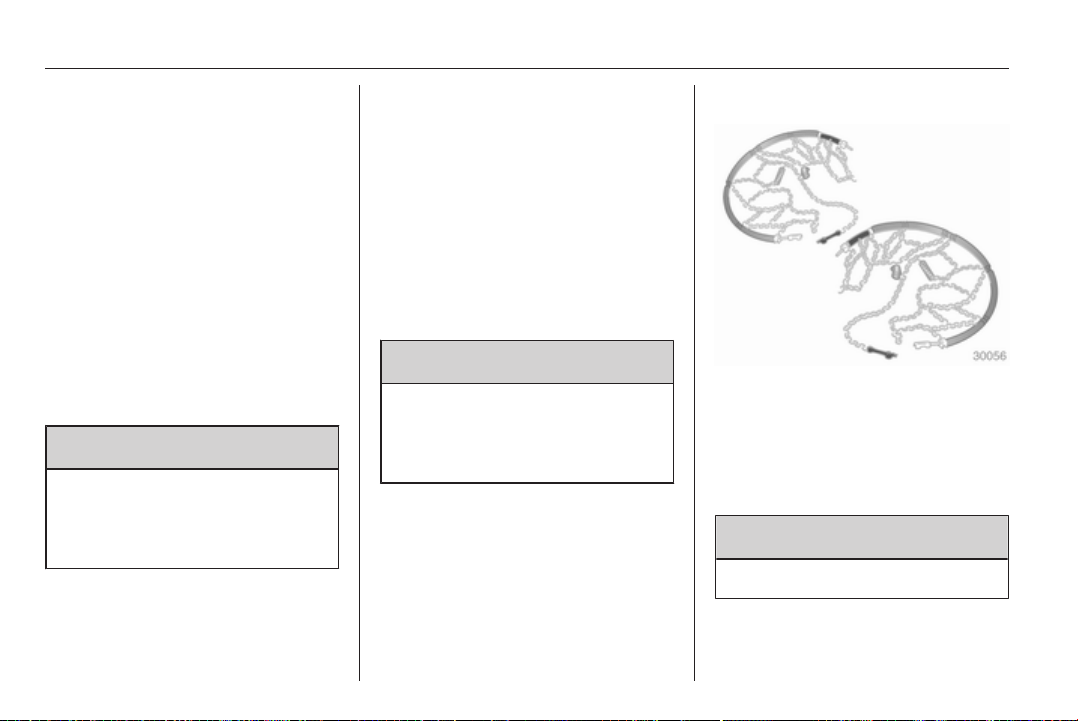
170 Vehicle care
Tyres age, even if they are not used.
We recommend tyre replacement
every 6 years.
Changing tyre and wheel
size
If tyres of a different size than those
fitted at the factory are used, it may be
necessary to reprogramme the
speedometer as well as the nominal
tyre pressure and make other vehicle
modifications.
After converting to a different tyre
size, have the label with tyre
pressures replaced.
9 Warning
Use of unsuitable tyres or wheels
may lead to accidents and will
invalidate the vehicle type
approval.
Wheel covers
Wheel covers and tyres that are
factory approved for the respective
vehicle and comply with all of the
relevant wheel and tyre combination
requirements must be used.
If the wheel covers and tyres used are
not factory approved, the tyres must
not have a rim protection ridge.
Wheel covers must not impair brake
cooling.
9 Warning
Use of unsuitable tyres or wheel
covers could lead to sudden
pressure loss and thereby
accidents.
Tyre chains
Tyre chains are only permitted on the
front wheels.
Always use fine mesh chains that add
no more than 10 mm to the tyre tread
and the inboard sides (including chain
lock).
9 Warning
Damage may lead to tyre blowout.
Tyre chains are only permitted on
tyres of size 195/65 R 15,
205/55 R 16 and 225/45 R 17.
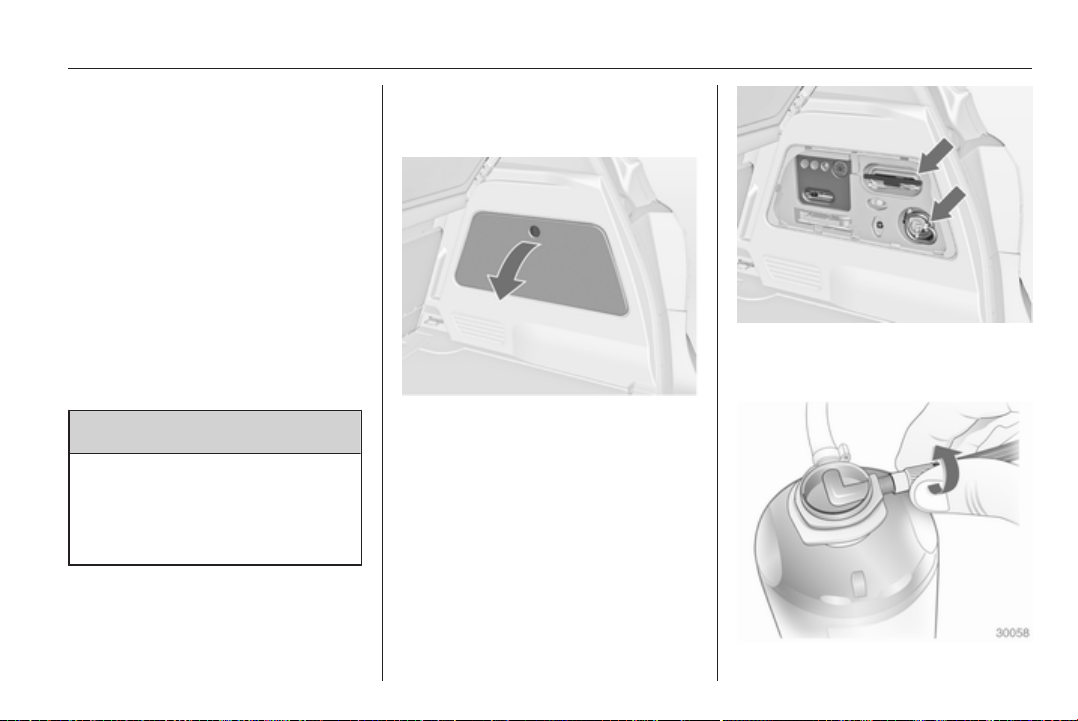
Vehicle care 171
Tyre chains are not permitted on tyres
of size 225/40 R 18.
The use of tyre chains is not permitted
on the temporary spare wheel.
Tyre repair kit
Minor damage to the tyre tread can be
repaired with the tyre repair kit.
Do not remove foreign bodies from
the tyres.
Tyre damage exceeding 4 mm or that
is at the tyre's sidewall near the rim
cannot be repaired with the tyre repair
kit.
9 Warning
Do not drive faster than 80 km/h.
Do not use for a lengthy period.
Steering and handling may be
affected.
If you have a flat tyre:
Apply the parking brake and engage
first gear, reverse gear or P.
The tyre repair kit is in the stowage
compartment in the load
compartment.
To open the compartment, disengage
the cover and open it.
1. Take the sealant bottle and
bracket with air hose from the
insert.
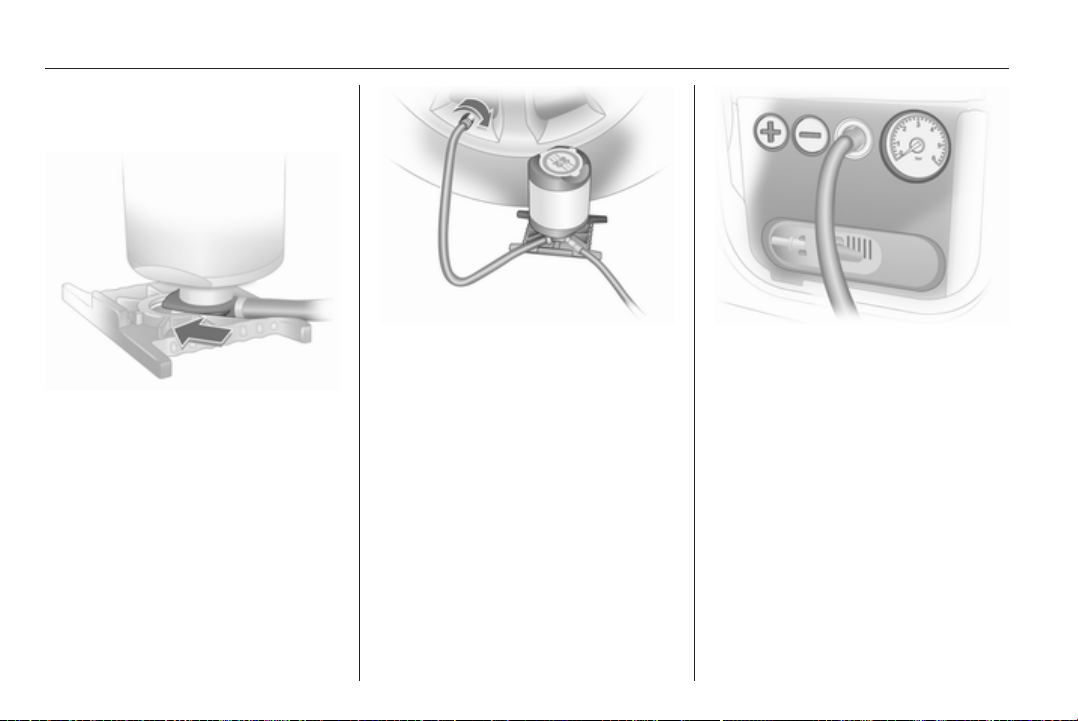
172 Vehicle care
2. Detach air hose from bracket and
screw onto sealant bottle
connection.
3. Position the sealant bottle on the
bracket. Make sure that the bottle
does not fall.
4. Unscrew valve cap from defective
tyre.
5. Screw tyre inflation hose to valve.
6. Screw air hose onto compressor
connection.
7. Switch on ignition.
To avoid discharging the battery,
we recommend running the
engine.
8.
Press < button on the
compressor. The tyre is filled with
sealant.
9. The compressor pressure gauge
briefly indicates up to 6 bar whilst
the sealant bottle is emptying
(approx. 30 seconds). Then the
pressure starts to drop.
10. All of the sealant is pumped into
the tyre. Then the tyre is inflated.
11. The prescribed tyre pressure
should be obtained within
10 minutes. Tyre pressure
3 199. When the correct pressure
is obtained, switch off the

Vehicle care 173
compressor by pressing the <
button again.
If the prescribed tyre pressure is
not obtained within 10 minutes,
remove the tyre repair kit. Move
the vehicle one tyre rotation.
Reattach the tyre repair kit and
continue the filling procedure for
10 minutes. If the prescribed tyre
pressure is still not obtained, the
tyre is too badly damaged. Seek
the assistance of a workshop.
Release excess tyre pressure
using the ] button.
Do not run the compressor longer
than 10 minutes.
12. Push catch on bracket to remove
sealant bottle from bracket. Screw
the tyre inflation hose to the free
connection of the sealant bottle.
This prevents sealant from
escaping. Stow tyre repair kit in
load compartment.
13. Remove any excess sealant
using a cloth.
14. Take the label indicating
maximum permitted speed from
the sealant bottle and affix in the
driver's field of view.
15. Continue driving immediately so
that sealant is evenly distributed
in the tyre. After driving approx.
10 km (but no more than
10 minutes), stop and check tyre
pressure. Screw compressor air
hose directly onto tyre valve and
compressor when doing this.
If tyre pressure is more than
1.3 bar, set it to the correct value.
Repeat the procedure until there
is no more loss of pressure.
If the tyre pressure has fallen
below 1.3 bar, the vehicle must
not be used. Seek the assistance
of a workshop.
16. Stow away tyre repair kit in load
compartment.
Note
The driving characteristics of the
repaired tyre is severely affected,
therefore have this tyre replaced.
If unusual noise is heard or the
compressor becomes hot, turn
compressor off for at least
30 minutes.
The built-in safety valve opens at
a pressure of 7 bar.
Note the expiry date of the kit. After
this date its sealing capability is no
longer guaranteed. Pay attention to
storage information on sealant
bottle.
Replace the used sealant bottle.
Dispose of the bottle as prescribed
by applicable laws.
The compressor and sealant can be
used from approx. -30 °C.
The adapters supplied can be used
to pump up other items e.g.
footballs, air mattresses, inflatable
dinghies etc. They are located on the
underside of the compressor. To
remove, screw on compressor air
hose and withdraw adapter.
Wheel changing
Some vehicles are equipped with
a tyre repair kit instead of a spare
wheel 3 171.
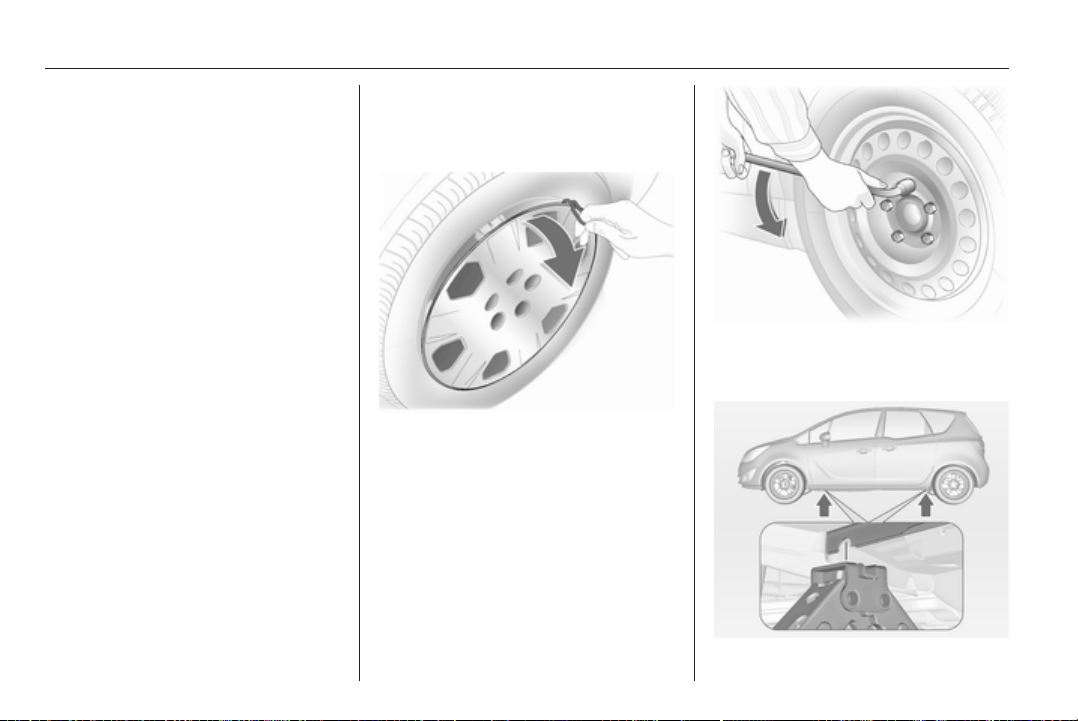
174 Vehicle care
Make the following preparations and
observe the following information:
■ Park the vehicle on a level, firm and
non-skid surface. The front wheels
must be in the straight-ahead
position.
■ Apply the parking brake and
engage first gear, reverse gear or
P.
■ Remove the spare wheel 3 176.
■ Never change more than one wheel
at once.
■ Use the jack only to change wheels
in case of puncture, not for
seasonal winter or summer tyre
change.
■ If the ground on which the vehicle
is standing is soft, a solid board
(max. 1 cm thick) should be placed
under the jack.
■ No people or animals may be in the
vehicle when it is jacked-up.
■ Never crawl under a jacked-up
vehicle.
■ Do not start the vehicle when it is
raised on the jack.
■ Before screwing in the wheel bolts,
clean them and lightly coat the
taper of each wheel bolt with
commercially available grease.
1. Pull off the wheel cover with the
hook. Vehicle tools 3 167.
For wheel covers with visible
wheel bolts: The cover can remain
on the wheel. Do not remove the
retaining rings on the wheel bolts.
Alloy wheels: Disengage wheel
bolt caps with a screwdriver and
remove. To protect the wheel,
place a soft cloth between the
screwdriver and the alloy wheel.
2. Install the wheel wrench ensuring
that it locates securely and loosen
each wheel bolt by half a turn.
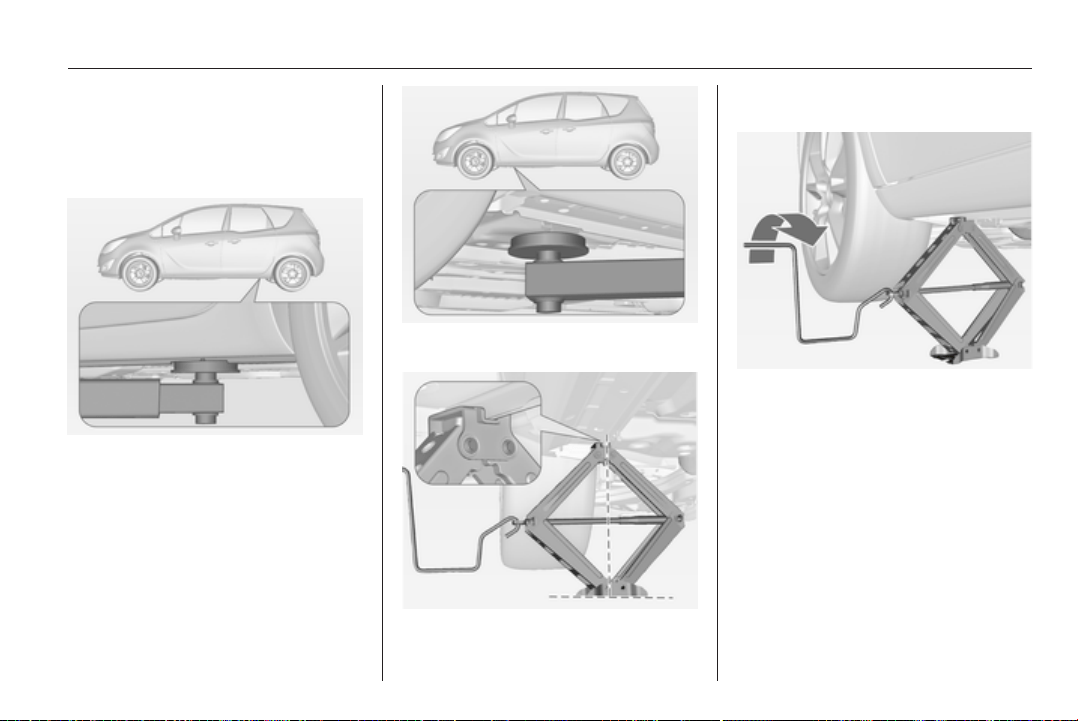
Vehicle care 175
3. Ensure the jack is positioned
correctly with the vehicle jacking
points.
Lifting the vehicle onto a lifting
platform:
Position the rear arm of the lifting
platform at the underbody.
Position the front arm of the lifting
platform at the underbody.
4. Set the jack to the necessary
height. Position it directly below
the jacking point in a manner that
prevents it from slipping.
Attach jack handle and with the
jack correctly aligned rotate
handle until wheel is clear of the
ground.
5. Unscrew the wheel bolts.
6. Change the wheel.
7. Screw on the wheel bolts.
8. Lower vehicle.
9. Install the wheel wrench ensuring
that it locates securely and tighten
each bolt in a crosswise
sequence. Tightening torque is
110 Nm.
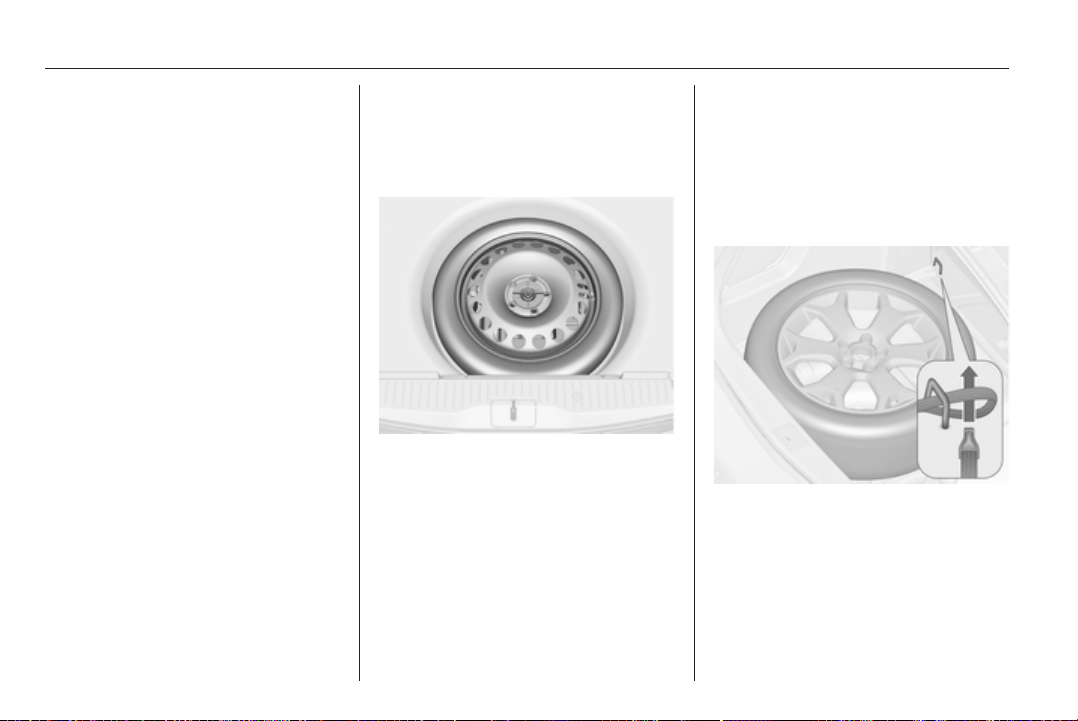
176 Vehicle care
10. Align the valve hole in the wheel
cover with the tyre valve before
installing.
Install wheel bolt caps.
11. Stow the replaced wheel 3 176
and the vehicle tools 3 167.
12. Check the tyre pressure of the
installed tyre and also the wheel
bolt torque as soon as possible.
Have the defective tyre renewed or
repaired.
Spare wheel
Some vehicles are equipped with
a tyre repair kit instead of a spare
wheel.
The spare wheel can be classified as
a temporary spare wheel depending
on the size compared to the other
mounted wheels and country
regulations.
The spare wheel has a steel rim.
The use of a spare wheel that is
smaller than the other wheels or in
combination with winter tyres could
affect driveability. Have the defective
tyre replaced as soon as possible.
The spare wheel is located in the load
compartment beneath the floor
covering. It is secured with a wing nut.
The spare wheel well is not designed
for all permissible tyre sizes. If
a wheel wider than the spare wheel
has to be stowed in the load
compartment, it needs to be secured
with a strap or, depending on the
version, with an extension bar.
Storing a replaced wheel in the
load compartment using a strap
Use the strap placed in the tool box.
Vehicle tools 3 167.
■ Position the wheel on the load
compartment floor close to one
sidewall of the load compartment.
■ Place the loop end of the strap
through the front lashing eye of the
according side.
■ Place the hook end of the strap
through the loop and pull it until the
strap is fastened securely to the
lashing eye.
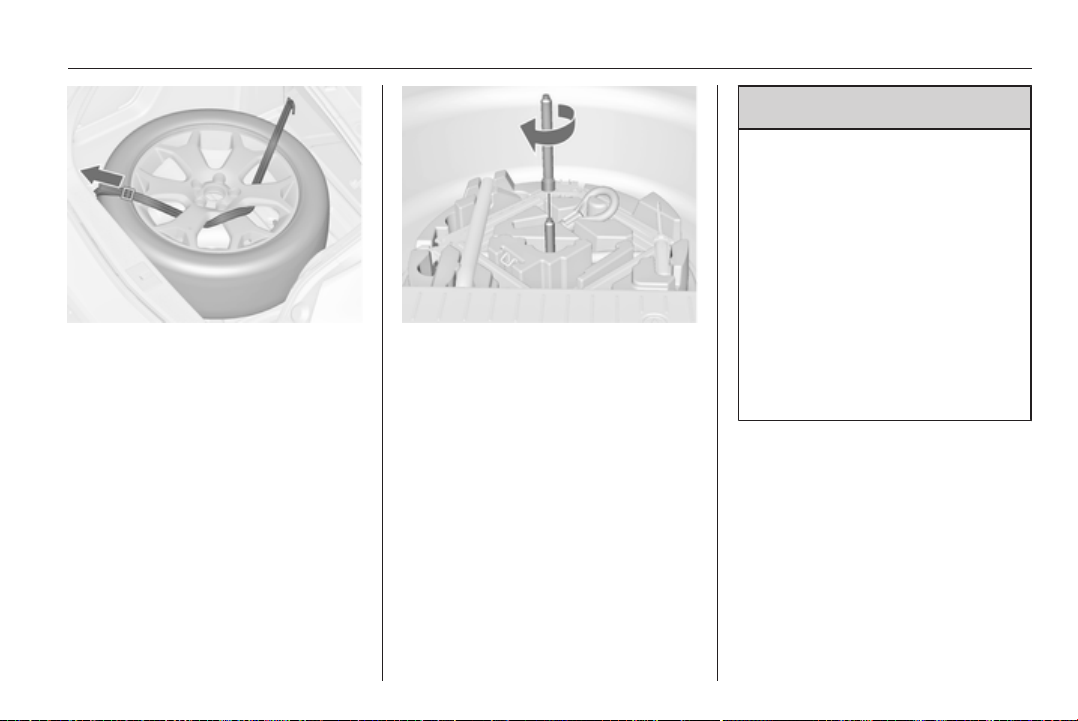
Vehicle care 177
■ Insert the strap through the spokes
of the wheel as shown in the
illustration.
■ Mount the hook to the rear lashing
eye.
■ Tighten the strap and secure it
using the buckle.
Storing a replaced wheel in the
spare wheel well using an
extension bar
Use the extension bar placed in the
tool box. Vehicle tools 3 167.
■ Turn the wing nut anticlockwise and
remove temporary spare wheel.
■ Take the extension bar from the
tool box and screw it on the bolt.
■ Store the damaged wheel and
secure it by turning the wing nut
clockwise.
The floor cover can be placed on the
projecting wheel.
Remove the extension bar before
fitting the spare wheel in the well after
renewing or repairing the defective
wheel.
9 Warning
Storing a jack, a wheel or other
equipment in the load
compartment could cause injury if
they are not fixed properly. During
a sudden stop or a collision, loose
equipment could strike someone.
Store jack and tools always in the
respective storage compartments
and secure them by fixing.
Place the damaged wheel always
in the load compartment secured
by the strap or in the spare wheel
well secured by the wing nut.
Temporary spare wheel
The use of the temporary spare wheel
could affect driveability. Have the
defective tyre renewed or repaired as
soon as possible.
Only mount one temporary spare
wheel. Do not drive faster than
80 km/h. Take curves slowly. Do not
use for a long period of time.
178 Vehicle care
If your vehicle gets a flat tyre in the
rear while towing another vehicle,
mount the temporary spare wheel in
the front and the full tyre in the rear.
Tyre chains 3 170.
Directional tyres
Fit directional tyres such that they roll
in the direction of travel. The rolling
direction is indicated by a symbol
(e.g. an arrow) on the sidewall.
The following applies to tyres fitted
opposing the rolling direction:
■ Driveability may be affected. Have
the defective tyre renewed or
repaired as soon as possible.
■ Drive particularly carefully on wet
and snow-covered road surfaces.
Jump starting
Do not start with quick charger.
A vehicle with a discharged battery
can be started using jump leads and
the battery of another vehicle.
9 Warning
Be extremely careful when starting
with jump leads. Any deviation
from the following instructions can
lead to injuries or damage caused
by battery explosion or damage to
the electrical systems of both
vehicles.
9 Warning
Avoid contact of the battery with
eyes, skin, fabrics and painted
surfaces. The fluid contains
sulphuric acid which can cause
injuries and damage in the event
of direct contact.
■ Never expose the battery to naked
flames or sparks.
■ A discharged battery can already
freeze at a temperature of 0 °C.
Defrost the frozen battery before
connecting jump leads.
■ Wear eye protection and protective
clothing when handling a battery.
■ Use a booster battery with the
same voltage (12 volts). Its capacity
(Ah) must not be much less than
that of the discharged battery.
■ Use jump leads with insulated
terminals and a cross section of at
least 16 mm
2
(25 mm
2
for diesel
engines).
■ Do not disconnect the discharged
battery from the vehicle.
■ Switch off all unnecessary electrical
consumers.
■ Do not lean over the battery during
jump starting.
■ Do not allow the terminals of one
lead to touch those of the other
lead.
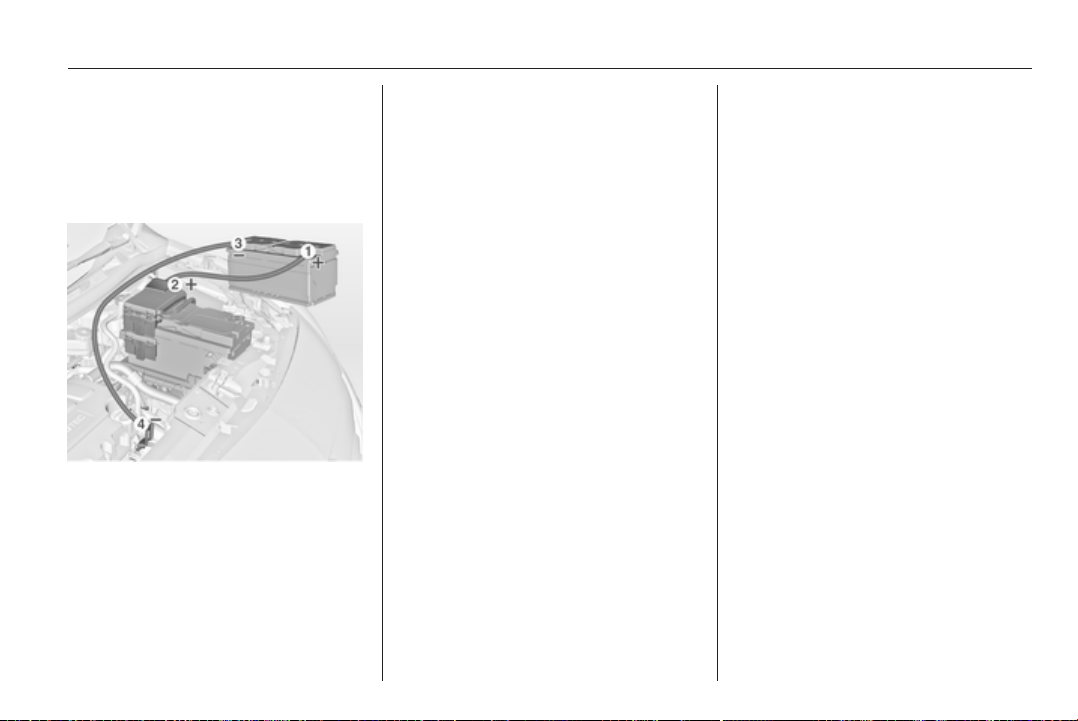
Vehicle care 179
■ The vehicles must not come into
contact with each other during the
jump starting process.
■ Apply the parking brake,
transmission in neutral, automatic
transmission in P.
Lead connection order:
1. Connect the red lead to the
positive terminal of the booster
battery.
2. Connect the other end of the red
lead to the positive terminal of the
discharged battery.
3. Connect the black lead to the
negative terminal of the booster
battery.
4. Connect the other end of the black
lead to a vehicle grounding point,
such as the engine block or an
engine mounting bolt. Connect as
far away from the discharged
battery as possible, however at
least 60 cm.
Route the leads so that they cannot
catch on rotating parts in the engine
compartment.
To start the engine:
1. Start the engine of the vehicle
providing the jump.
2. After 5 minutes, start the other
engine. Start attempts should be
made for no longer than
15 seconds at an interval of
1 minute.
3. Allow both engines to idle for
approx. 3 minutes with the leads
connected.
4. Switch on electrical consumers
(e.g. headlights, heated rear
window) of the vehicle receiving
the jump start.
5. Reverse above sequence exactly
when removing leads.
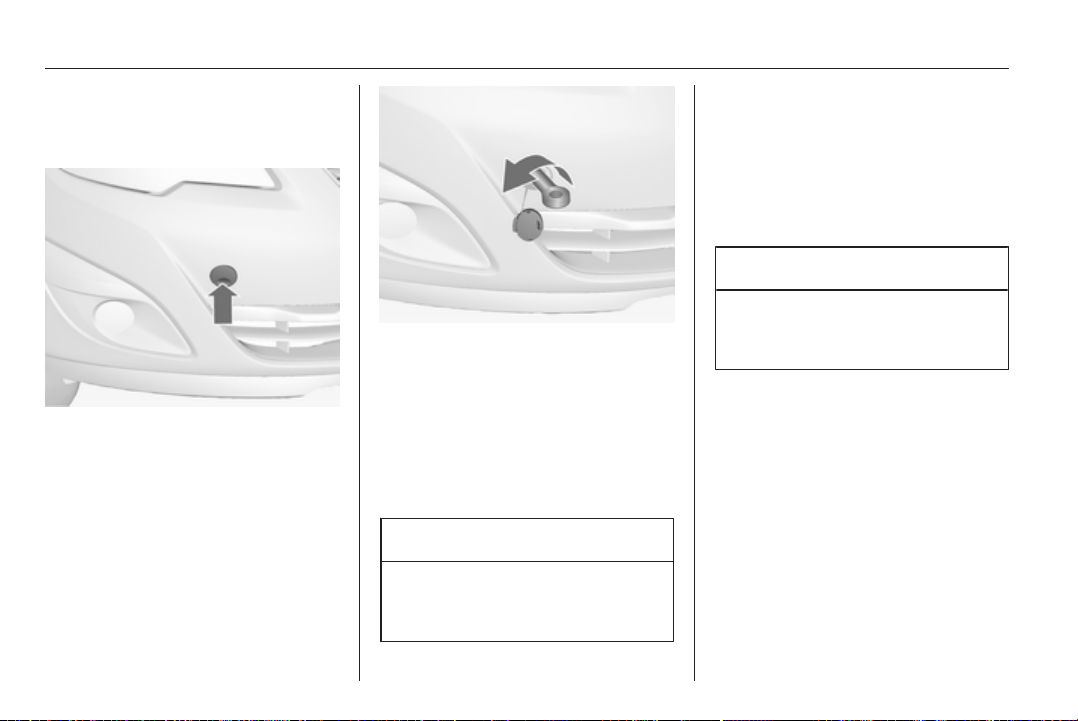
180 Vehicle care
Towing
Towing the vehicle
Disengage cap at bottom and remove
downwards.
The towing eye is stowed with the
vehicle tools 3 167.
Screw in the towing eye as far as it will
go until it stops in a horizontal
position.
Attach a tow rope – or better still a tow
rod – to the towing eye.
The towing eye must only be used for
towing and not for recovering the
vehicle.
Caution
Activate the child lock in both rear
doors if the rear seats are
occupied. Child locks 3 24.
Switch on ignition to release steering
wheel lock and to permit operation of
brake lights, horn and windscreen
wiper.
Transmission in neutral.
Switch on the hazard warning
flashers on both vehicles.
Caution
Drive slowly. Do not drive jerkily.
Excessive tractive force can
damage the vehicle.
When the engine is not running,
considerably more force is needed to
brake and steer.
To prevent the entry of exhaust gases
from the towing vehicle, switch on the
air recirculation and close the
windows.
Vehicles with automatic transmission:
The vehicle must be towed facing
forwards, not faster than 80 km/h nor
further than 100 km. In all other cases
and when the transmission is
defective, the front axle must be
raised off the ground.
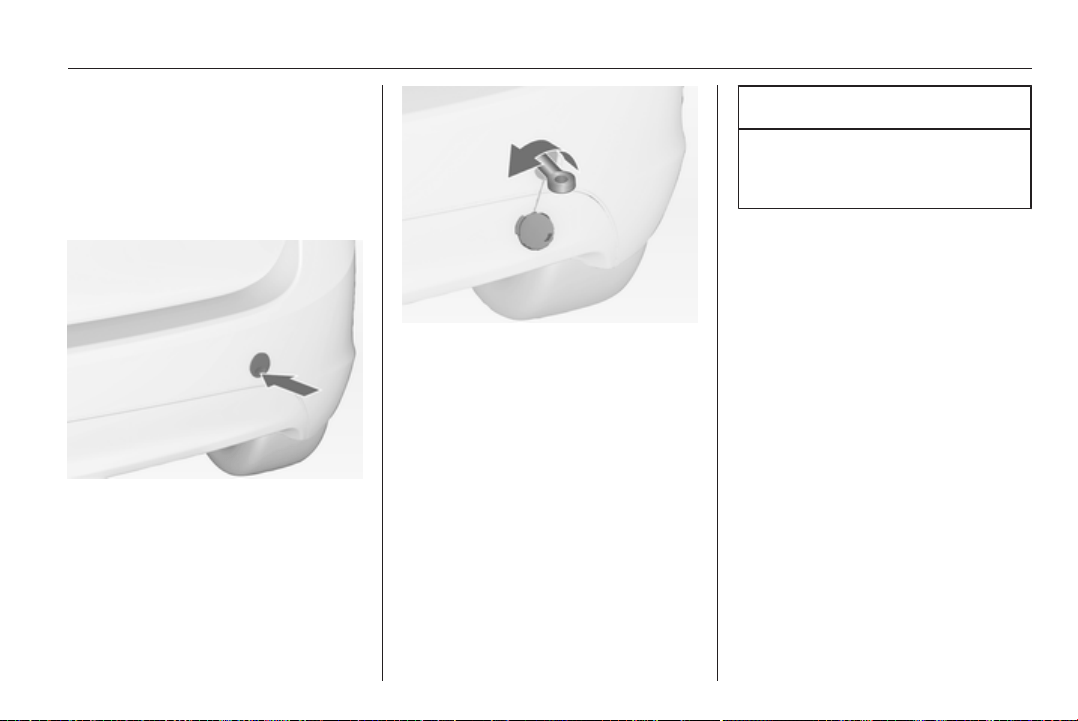
Vehicle care 181
Seek the assistance of a workshop.
After towing, unscrew the towing eye.
Insert cap at the bottom and close
cap.
Towing another vehicle
Disengage the cap at the bottom and
remove downwards.
The towing eye is stowed with the
vehicle tools 3 167.
Screw in the towing eye as far as it will
go until it stops in a horizontal
position.
The lashing eye at the rear
underneath the vehicle must never be
used as a towing eye.
Attach a tow rope – or even better
a tow bar – to the towing eye.
The towing eye must only be used for
towing and not for recovering
a vehicle.
Switch on the hazard warning
flashers on both vehicles.
Caution
Drive slowly. Do not drive jerkily.
Excessive tractive force can
damage the vehicle.
After towing, unscrew the towing eye.
Insert cap at the bottom and engage
cap.

182 Vehicle care
Appearance care
Exterior care
Locks
The locks are lubricated at the factory
using a high quality lock cylinder
grease. Use de-icing agent only when
absolutely necessary, as this has
a degreasing effect and impairs lock
function. After using de-icing agent,
have the locks regreased by
a workshop.
Washing
The paintwork of your vehicle is
exposed to environmental influences.
Wash and wax your vehicle regularly.
When using automatic vehicle
washes, select a programme that
includes waxing.
Bird droppings, dead insects, resin,
pollen and the like should be cleaned
off immediately, as they contain
aggressive constituents which can
cause paint damage.
If using a vehicle wash, comply with
the vehicle wash manufacturer's
instructions. The windscreen wiper
and rear window wiper must be
switched off. Remove antenna and
external accessories such as roof
racks etc.
If you wash your vehicle by hand,
make sure that the insides of the
wheel housings are also thoroughly
rinsed out.
Clean edges and folds on opened
doors and the bonnet as well as the
areas they cover.
Have the door hinges of all doors
greased by a workshop.
Do not clean the engine compartment
with a steam-jet or high-pressure jet
cleaner.
Thoroughly rinse and leather-off the
vehicle. Rinse leather frequently. Use
separate leathers for painted and
glass surfaces: remnants of wax on
the windows will impair vision.
Do not use hard objects to remove
spots of tar. Use tar removal spray on
painted surfaces.
Exterior lights
Headlight and other light covers are
made of plastic. Do not use any
abrasive or caustic agents, do not use
an ice scraper, and do not clean them
dry.
Polishing and waxing
Wax the vehicle regularly (at the
latest when water no longer beads).
Otherwise, the paintwork will dry out.
Polishing is necessary only if the paint
has become dull or if solid deposits
have become attached to it.
Paintwork polish with silicone forms
a protective film, making waxing
unnecessary.
Plastic body parts must not be treated
with wax or polishing agents.
Windows and windscreen wiper
blades
Use a soft lint-free cloth or chamois
leather together with window cleaner
and insect remover.
When cleaning the rear window,
make sure the heating element inside
is not damaged.

Vehicle care 183
For mechanical removal of ice, use
a sharp-edged ice scraper. Press the
scraper firmly against the glass so
that no dirt can get under it and
scratch the glass.
Clean smearing wiper blades with
a soft cloth and window cleaner.
Moonroof
Never clean with solvents or abrasive
agents, fuels, aggressive media (e.g.
paint cleaner, acetone-containing
solutions etc.), acidic or highly
alkaline media or abrasive pads. Do
not apply wax or polishing agents to
the middle part of the moonroof.
Wheels and tyres
Do not use high-pressure jet
cleaners.
Clean rims with a pH-neutral wheel
cleaner.
Rims are painted and can be treated
with the same agents as the body.
Paintwork damage
Rectify minor paintwork damage with
a touch-up pen before rust forms.
Have more extensive damage or rust
areas repaired by a workshop.
Underbody
Some areas of the vehicle underbody
have a PVC undercoating while other
critical areas have a durable
protective wax coating.
After the underbody is washed, check
the underbody and have it waxed if
necessary.
Bitumen/rubber materials could
damage the PVC coating. Have
underbody work carried out by
a workshop.
Before and after winter, wash the
underbody and have the protective
wax coating checked.
Towing equipment
Do not clean the coupling ball bar with
a steam-jet or high-pressure jet
cleaner.
Rear carrier system
Clean the rear carrier system with
a steam-jet or high-pressure jet
cleaner at least once a year.
Operate the rear carrier system
periodically if not in regular use, in
particular during winter.
Interior care
Interior and upholstery
Only clean the vehicle interior,
including the instrument panel fascia
and panelling, with a dry cloth or
interior cleaner.
Clean the leather upholstery with
clear water and a soft cloth. In case of
heavy soiling, use leather care.
The instrument panel should only be
cleaned using a soft damp cloth.
Clean fabric upholstery with
a vacuum cleaner and brush.
Remove stains with an upholstery
cleaner.
Clean seat belts with lukewarm water
or interior cleaner.

184 Vehicle care
Caution
Close Velcro fasteners as open
Velcro fasteners on clothing could
damage seat upholstery.
The same applies to clothing with
sharp-edged objects, like zips or
belts or studded jeans.
Plastic and rubber parts
Plastic and rubber parts can be
cleaned with the same cleaner as
used to clean the body. Use interior
cleaner if necessary. Do not use any
other agent. Avoid solvents and petrol
in particular. Do not use high-
pressure jet cleaners.

Service and maintenance 185
Service and
maintenance
General information ................... 185
Recommended fluids, lubricants
and parts .................................... 186
General information
Service information
In order to ensure economical and
safe vehicle operation and to
maintain the value of your vehicle, it
is of vital importance that all
maintenance work is carried out at the
proper intervals as specified.
The detailed, up-to-date service
schedule for your vehicle is available
at the workshop.
Service display 3 85.
European service intervals
Maintenance of your vehicle is
required every 30,000 km or after
1 year, whichever occurs first, unless
otherwise indicated in the service
display.
The European service intervals are
valid for the following countries:
Andorra, Austria, Belgium, Bosnia-
Herzegovina, Bulgaria, Croatia,
Cyprus, Czech Republic, Denmark,
Estonia, Finland, France, Germany,
Greece, Greenland, Hungary,
Iceland, Ireland, Israel, Italy, Latvia,
Lithuania, Luxembourg, Macedonia,
Malta, Montenegro, Netherlands,
Norway, Poland, Portugal, Romania,
Slovakia, Slovenia, Spain, Sweden,
Switzerland, United Kingdom.
Service display 3 85.
International service intervals
Maintenance of your vehicle is
required every 15,000 km or after
1 year, whichever occurs first, unless
otherwise indicated in the service
display.
The international service intervals are
valid for the countries which are not
listed in the European service
intervals.
Service display 3 85.
Confirmations
Confirmation of service is recorded in
the Service and Warranty Booklet.
The date and mileage is completed
with the stamp and signature of the
servicing workshop.

186 Service and maintenance
Make sure that the Service and
Warranty Booklet is completed
correctly as continuous proof of
service is essential if any warranty or
goodwill claims are to be met, and is
also a benefit when selling the
vehicle.
Service interval with remaining
engine oil life duration
The service interval is based on
several parameters depending on
usage.
The service display lets you know
when to change the engine oil.
Service display 3 85.
Recommended fluids,
lubricants and parts
Recommended fluids and
lubricants
Only use products that have been
tested and approved. Damage
resulting from the use of non-
approved materials will not be
covered by the warranty.
9 Warning
Operating materials are
hazardous and could be
poisonous. Handle with care. Pay
attention to information given on
the containers.
Engine oil
Engine oil is identified by its quality
and its viscosity. Quality is more
important than viscosity when
selecting which engine oil to use. The
oil quality ensures e.g. engine
cleanliness, wear protection and oil
aging control, whereas viscosity
grade gives information on the oil's
thickness over a temperature range.
Dexos is the newest engine oil quality
that provides optimum protection for
gasoline and diesel engines. If it is
unavailable, engine oils of other listed
qualities have to be used.
Recommendations for gasoline
engines are also valid for
Compressed Natural Gas (CNG),
Liquified Petroleum Gas (LPG) and
Ethanol (E85) fuelled engines.
Select the appropriate engine oil
based on its quality and on the
minimum ambient temperature
3 190.
Topping up engine oil
Engine oils of different manufacturers
and brands can be mixed as long as
they comply with the required engine
oil quality and viscosity.
Use of engine oil with only
ACEA A1/B1 or only A5/B5 quality is
prohibited, since it can cause long-
term engine damage under certain
operating conditions.

Service and maintenance 187
Select the appropriate engine oil
based on its quality and on the
minimum ambient temperature
3 190.
Additional engine oil additives
The use of additional engine oil
additives could cause damage and
invalidate the warranty.
Engine oil viscosity grades
The SAE viscosity grade gives
information of the thickness of the oil.
Multigrade oil is indicated by two
figures, e.g. SAE 5W-30. The first
figure, followed by a W, indicates the
low temperature viscosity and the
second figure the high temperature
viscosity.
Select the appropriate viscosity grade
depending on the minimum ambient
temperature 3 190.
All of the recommended viscosity
grades are suitable for high ambient
temperatures.
Coolant and antifreeze
Use only silicate-free long life coolant
(LLC) antifreeze.
The system is factory filled with
coolant designed for excellent
corrosion protection and frost
protection down to approx. -28 °C.
This concentration should be
maintained all year round. The use of
additional coolant additives that
intend to give additional corrosion
protection or seal against minor leaks
can cause function problems. Liability
for consequences resulting from the
use of additional coolant additives will
be rejected.
Brake and clutch fluid
Only use high-performance brake
fluid approved for the vehicle, consult
a workshop.
Over time, brake fluid absorbs
moisture which will reduce braking
effectiveness. The brake fluid should
therefore be replaced at the specified
interval.
Brake fluid should be stored in
a sealed container to avoid water
absorption.
Ensure brake fluid does not become
contaminated.
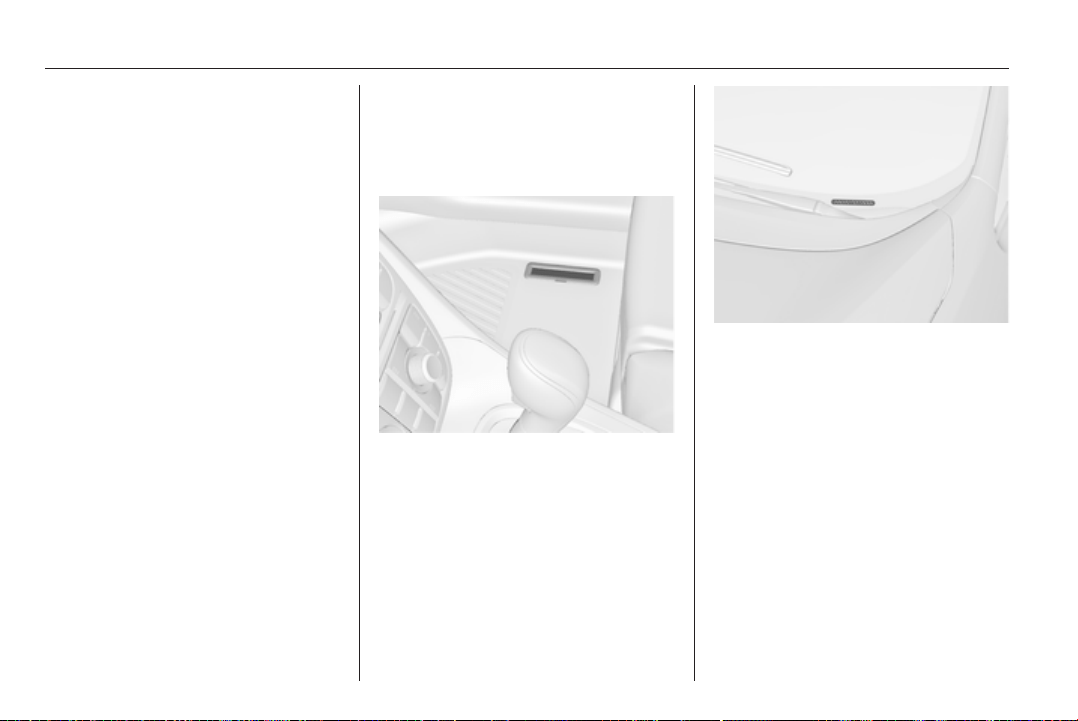
188 Technical data
Technical data
Vehicle identification .................. 188
Vehicle data ............................... 190
Vehicle identification
Vehicle Identification
Number
The Vehicle Identification Number is
stamped on the identification plate
and on the floor pan, under the floor
covering, visible under a cover.
The Vehicle Identification Number
may be embossed on the instrument
panel visible through the windscreen.
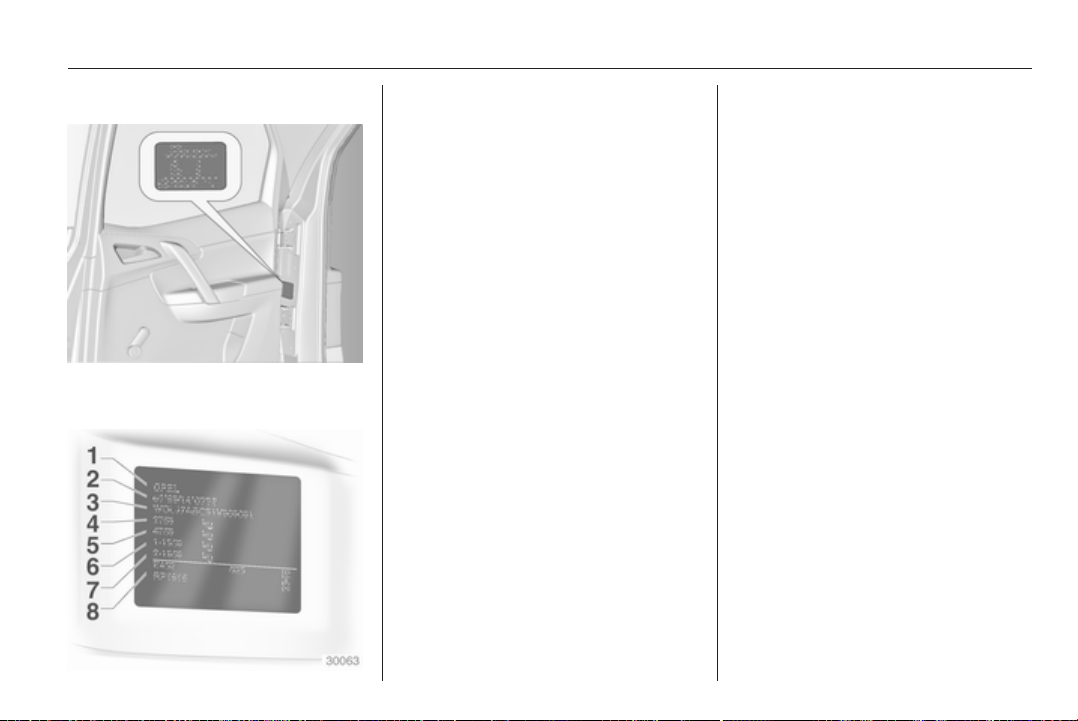
Technical data 189
Identification plate
The identification plate is located on
the rear right-hand door frame.
Information on identification label:
1 = Manufacturer
2 = Type approval number
3 = Vehicle Identification Number
4 = Permissible gross vehicle
weight rating in kg
5 = Permissible gross train weight
in kg
6 = Maximum permissible front axle
load in kg
7 = Maximum permissible rear axle
load in kg
8 = Vehicle-specific or country-
specific data
The combined total of front and rear
axle loads must not exceed the
permissible gross vehicle weight. For
example, if the front axle is bearing its
maximum permissible load, the rear
axle can only bear a load that is equal
to the gross vehicle weight minus the
front axle load.
The technical data is determined in
accordance with European
Community standards. We reserve
the right to make modifications.
Specifications in the vehicle
documents always have priority over
those given in this manual.

190 Technical data
Vehicle data
Recommended fluids and lubricants
European service schedule
Required engine oil quality
All European countries
(except Belarus, Moldova, Russia, Serbia, Turkey) Only Israel
Engine oil quality Petrol engines
(including CNG, LPG, E85)
Diesel engines Petrol engines
(including CNG, LPG, E85)
Diesel engines
dexos 1 – – ✔ –
dexos 2 ✔ ✔ – ✔
In case dexos quality is unavailable you may use max. 1 litre engine oil quality ACEA C3 once between each oil change.
Engine oil viscosity grades
All European countries and Israel
(except Belarus, Moldova, Russia, Serbia, Turkey)
Ambient temperature Petrol and diesel engines
down to -25 °C SAE 5W-30 or SAE 5W-40
below -25 °C SAE 0W-30 or SAE 0W-40

Technical data 191
International service schedule
Required engine oil quality
All countries outside Europe
except Israel Only Belarus, Moldova, Russia, Serbia, Turkey
Engine oil quality Petrol engines
(including CNG, LPG, E85)
Diesel engines Petrol engines
(including CNG, LPG, E85)
Diesel engines
dexos 1 ✔ – – –
dexos 2 – ✔ ✔ ✔
In case dexos quality is unavailable you may use the oil qualities listed below:
All countries outside Europe
except Israel Only Belarus, Moldova, Russia, Serbia, Turkey
Engine oil quality Petrol engines
(including CNG, LPG, E85)
Diesel engines Petrol engines
(including CNG, LPG, E85)
Diesel engines
GM-LL-A-025 ✔ – ✔ –
GM-LL-B-025 – ✔ – ✔

192 Technical data
All countries outside Europe
except Israel Only Belarus, Moldova, Russia, Serbia, Turkey
Engine oil quality Petrol engines
(including CNG, LPG, E85)
Diesel engines Petrol engines
(including CNG, LPG, E85)
Diesel engines
ACEA A3/B3 ✔ – ✔ –
ACEA A3/B4 ✔ ✔ ✔ ✔
ACEA C3 ✔ ✔ ✔ ✔
API SM ✔ – ✔ –
API SN ✔ – ✔ –
Engine oil viscosity grades
All countries outside Europe (except Israel),
including Belarus, Moldova, Russia, Serbia, Turkey
Ambient temperature Petrol and diesel engines
down to -25 °C SAE 5W-30 or SAE 5W-40
below -25 °C SAE 0W-30 or SAE 0W-40
down to -20 °C
SAE 10W-30
1)
or SAE 10W-40
1)
1)
Permitted, but usage of SAE 5W-30 or SAE 5W-40 with dexos quality is recommended.

Technical data 193
Engine data
Sales designation 1.4 1.4 1.4 1.3
Engine identifier code A14XER A14NEL A14NET A13DTC
Number of cylinders 4 4 4 4
Piston displacement [cm
3
]
1398 1364 1364 1248
Engine power [kW] 74 88 103 55
at rpm 6000 4800-6000 4900-6000 4000
Torque [Nm] 130 175 200 180
at rpm 4000 1750-4800 1850-4900 1750-2500
Fuel type Petrol Petrol Petrol Diesel
Octane rating RON
recommended 95 95 95
possible 98 98 98
possible 91 91 91
Oil consumption [l/1000 km] 0.6 0.6 0.6 0.6

194 Technical data
Sales designation 1.3 1.7 1.7 1.7
Engine identifier code A13DTE A17DT A17DTC A17DTS
Number of cylinders 4 4 4 4
Piston displacement [cm
3
]
1248 1686 1686 1686
Engine power [kW] 70 74 81 96
at rpm 4000 4000 4000 4000
Torque [Nm] 180 260 280 300
at rpm 1750-3500 1700-2550 1700-2500 2000-2500
Fuel type Diesel Diesel Diesel Diesel
Oil consumption [l/1000 km] 0.6 0.6 0.6 0.6
Performance
Engine A14XER A14NEL A14NET A13DTC
Maximum speed
2)
[km/h]
Manual transmission 177 188 196 160
Automatic transmission – – – –
2)
The maximum speed indicated is achievable at kerb weight (without driver) plus 200 kg payload. Optional equipment
could reduce the specified maximum speed of the vehicle.

Technical data 195
Engine A13DTE A17DT A17DTC A17DTS
Maximum speed
3)
[km/h]
Manual transmission 168 – 182 196
Automatic transmission – 172 – –
Fuel consumption - CO
2
-emissions
Manual transmission / automatic transmission.
Engine A14XER A14NEL A14NET A13DTC
urban [l/100 km] 7.9/– 8.0/– 8.8/– 5.9/–
extra-urban [l/100 km] 5.1/– 5.0/– 5.4/– 4.3/–
total [l/100 km] 6.1/– 6.1/– 6.7/– 4.9/–
CO
2
[g/km]
144/– 143/– 156/– 129/–
3)
The maximum speed indicated is achievable at kerb weight (without driver) plus 200 kg payload. Optional equipment
could reduce the specified maximum speed of the vehicle.

196 Technical data
Engine A13DTE A17DT A17DTC A17DTS
urban [l/100 km] 5.6/– –/8.6 6.7/– 6.7/–
extra-urban [l/100 km] 3.9/– –/5.1 4.6/– 4.6/–
total [l/100 km] 4.5/– –/6.4 5.4/– 5.4/–
CO
2
[g/km]
119/– –/168 142/– 142/–
Vehicle weight
Kerb weight, basic model without any optional equipment
Engine Manual transmission Automatic transmission
without/with air conditioning
[kg]
A14XER 1360/1375 –
A14NEL 1393/1408 –
A14NET 1393/1408 –
A13DTC 1437/1452 –
A13DTE 1393/1408 –
A17DT – 1503/1518
A17DTC 1503/1518 1503/1518
A17DTS 1503/1518 –

Technical data 197
Kerb weight, basic model with all optional equipment
Engine Manual transmission Automatic transmission
without/with air conditioning
[kg]
A14XER –/1571 –
A14NEL –/1613 –
A14NET –/1613 –
A13DTC –/1613 –
A13DTE –/1471 –
A17DT – –/1701
A17DTC –/1664 –/1701
A17DTS –/1664 –
Vehicle dimensions
Length [mm] 4288
Width without exterior mirrors [mm] 1812
Width with two exterior mirrors [mm] 1994
Height (without antenna) [mm] 1615
Length of load compartment floor [mm] 815

198 Technical data
Length of load compartment with folded rear seats [mm] 1642
Load compartment width [mm] 1038
Load compartment height [mm] 803
Height of load compartment opening 791
Wheelbase [mm] 2644
Turning circle diameter [m] 11.1
Capacities
Engine oil
Engine A14XER A14NEL A14NET A13DTC
including Filter [l] 4.0 4.0 4.0 3.2
between MIN and MAX [l] 1.0 1.0 1.0 1.0
Engine A13DTE A17DT A17DTC A17DTS
including Filter [l] 3.2 5.4 5.4 5.4
between MIN and MAX [l] 1.0 1.0 1.0 1.0

Technical data 199
Fuel tank
Petrol/diesel, nominal capacity [l] 54
Tyre pressures
Comfort with up to 3 people ECO with up to 3 people With full load
Engine Tyres front rear front rear front rear
[kPa/bar]
([psi])
[kPa/bar]
([psi])
[kPa/bar]
([psi])
[kPa/bar]
([psi])
[kPa/bar]
([psi])
[kPa/bar]
([psi])
A14XER 195/65 R15, 230/2.3 (33) 210/2.1 (30) 280/2.8 (41) 260/2.6 (38) 250/2.5 (36) 320/3.2 (46)
205/55 R16,
225/45 R17
225/40 R18
4)
230/2.3 (33) 210/2.1 (30) – – 250/2.5 (36) 320/3.2 (46)
A14NEL 195/65 R15, 230/2.3 (33) 210/2.1 (30) 280/2.8 (41) 260/2.6 (38) 250/2.5 (36) 320/3.2 (46)
205/55 R16,
225/45 R17
225/40 R18
4)
250/2.5 (36) 230/2.3 (33) – – 270/2.7 (39) 320/3.2 (46)
4)
With reduced steering angle.

200 Technical data
Comfort with up to 3 people ECO with up to 3 people With full load
Engine Tyres front rear front rear front rear
[kPa/bar]
([psi])
[kPa/bar]
([psi])
[kPa/bar]
([psi])
[kPa/bar]
([psi])
[kPa/bar]
([psi])
[kPa/bar]
([psi])
A14NET 205/55 R16, 230/2.3 (33) 210/2.1 (30) 280/2.8 (41) 260/2.6 (38) 250/2.5 (36) 320/3.2 (46)
225/45 R17
225/40 R18
4)
250/2.5 (36) 230/2.3 (33) – – 270/2.7 (39) 320/3.2 (46)
A13DTC 195/65 R15, 230/2.3 (33) 210/2.1 (30) 280/2.8 (41) 260/2.6 (38) 250/2.5 (36) 320/3.2 (46)
205/55 R16,
225/45 R17
225/40 R18
4)
230/2.3 (33) 210/2.1 (30) – – 250/2.5 (36) 320/3.2 (46)
A13DTE 195/65 R15, 230/2.3 (33) 210/2.1 (30) 280/2.8 (41) 260/2.6 (38) 250/2.5 (36) 320/3.2 (46)
205/55 R16,
225/45 R17
225/40 R18
4)
230/2.3 (33) 210/2.1 (30) – – 250/2.5 (36) 320/3.2 (46)
4)
With reduced steering angle.

Technical data 201
Comfort with up to 3 people ECO with up to 3 people With full load
Engine Tyres front rear front rear front rear
[kPa/bar]
([psi])
[kPa/bar]
([psi])
[kPa/bar]
([psi])
[kPa/bar]
([psi])
[kPa/bar]
([psi])
[kPa/bar]
([psi])
A17DT,
A17DTC,
A17DTS
195/65 R15
5)6)
,
250/2.5 (36) 230/2.3 (33) 300/3.0 (43) 280/2.8 (41) 270/2.7 (39) 320/3.2 (46)
205/55 R16,
225/45 R17
225/40 R18
4)
270/2.7 (39) 250/2.5 (36) – – 280/2.8 (41) 320/3.2 (46)
All Temporary spare wheel 420/4.2 (61) 420/4.2 (61) – – 420/4.2 (61) 420/4.2 (61)
5)
Only permitted in combination with weight reduction package.
6)
Only permitted with A17DT and A17DTC.
4)
With reduced steering angle.
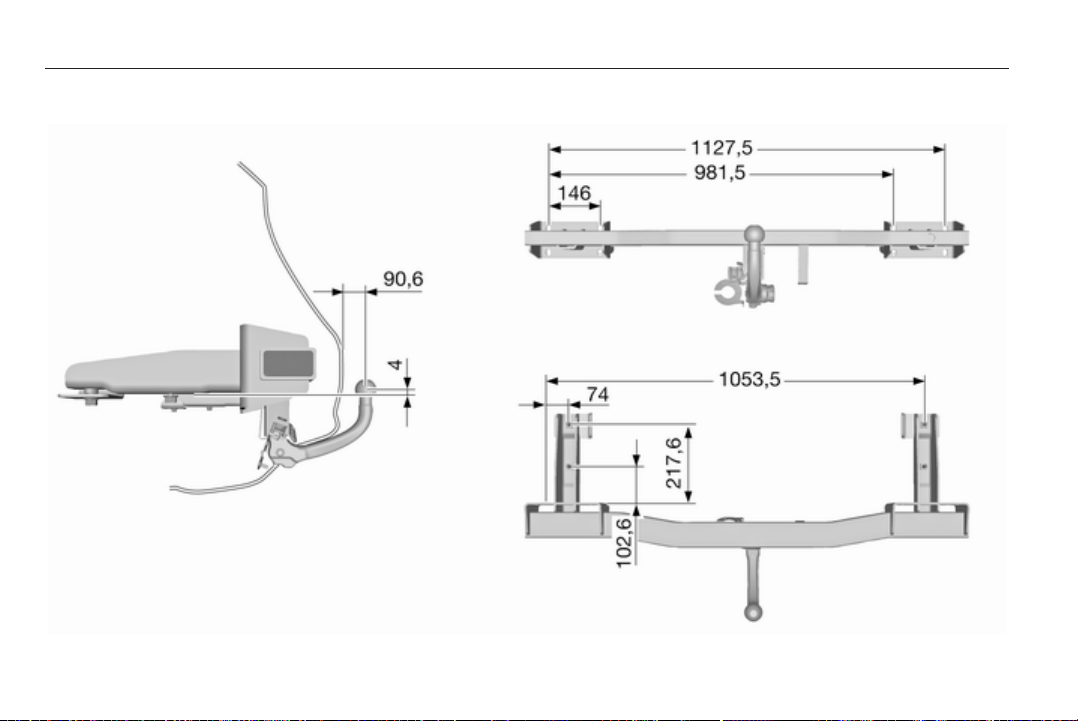

Customer information 203
Customer information
Vehicle data recording and
privacy ....................................... 203
Vehicle data recording
and privacy
Event data recorders
The vehicle has a number of
sophisticated systems that monitor
and control several vehicle data.
Some data may be stored during
regular operation to facilitate repair of
detected malfunctions, other data is
stored only in a crash or near crash
event by systems commonly called
event data recorders (EDR).
The systems may record data about
the condition of the vehicle and how it
was operated (e.g. engine speed,
brake application, seat belt usage).
To read this data special equipment
and access to the vehicle is required.
This will take place when the vehicle
is serviced in a workshop. Some data
is electronically fed into global
diagnostic systems. The
manufacturer will not access
information about a crash event or
share it with others except
■ with the consent of the vehicle
owner or, if the vehicle is leased,
with the consent of the lessee,
■ in response to an official request of
police or similar government office,
■ as part of the manufacturer’s
defense in case of legal
proceedings,
■ as required by law.
In addition, the manufacturer may use
the collected or received data
■ for the manufacturer's research
needs,
■ to make it available for research
needs where appropriate
confidentiality is maintained and
need is shown,
■ to share summary data which is not
tied to a specific vehicle with other
organisations for research
purposes.

204 Customer information
Radio Frequency
Identification (RFID)
RFID technology is used in some
vehicles for functions such as tyre
pressure monitoring and ignition
system security. It is also used in
connection with conveniences such
as radio remote controls for door
locking/unlocking and starting, and in-
vehicle transmitters for garage door
openers. RFID technology in Opel
vehicles does not use or record
personal information or link with any
other Opel system containing
personal information.


206
Index
A
Accessories and vehicle
modifications .......................... 146
Active head restraints................... 35
Adaptive brake light.................... 132
Adaptive forward lighting ..........
.................................. 93, 110, 155
Adjustable air vents ................... 121
Airbag and belt tensioners ........... 88
Airbag deactivation ................ 49, 89
Airbag system .............................. 47
Air conditioning regular
operation ................................ 122
Air conditioning system .............. 117
Air intake .................................... 122
Alert............................................ 100
Antifreeze................................... 149
Antilock brake system ................ 132
Antilock brake system (ABS) ....... 90
Anti-theft alarm system ................ 27
Anti-theft locking system .............. 26
Armrest................................... 39, 42
Armrest storage ........................... 60
Ashtrays ....................................... 83
Automatic anti-dazzle .................. 29
Automatic light control ............... 108
Automatic locking .................. 24, 93
Automatic transmission ............. 128
Auxiliary heater........................... 121
B
Battery ....................................... 151
Battery discharge protection ...... 115
Battery, jump starting.................. 178
Battery voltage ........................... 101
Belts.............................................. 43
Bicycle rack.................................. 60
Bonnet ....................................... 147
Brake and clutch fluid................. 186
Brake and clutch system ............. 89
Brake assist ............................... 134
Brake fluid .................................. 150
Brakes ............................... 132, 150
Bulb replacement ....................... 152
C
Capacities .................................. 198
Car Pass ...................................... 19
Catalytic converter ..................... 128
Central locking system ................ 21
Centre console lighting .............. 114
Changing tyre and wheel size ...170
Charging system .......................... 89
Child locks ................................... 24
Child restraint installation
locations ................................... 53
Child restraint systems ................ 51
Cigarette lighter ........................... 83
Cleaning the vehicle................... 182

207
Climate control ............................. 16
Climate control, service.............. 122
Clock............................................. 81
Code............................................. 98
Control indicators.......................... 86
Control of the vehicle ................. 124
Controls in steering wheel............ 77
Convex shape .............................. 28
Coolant....................................... 149
Coolant and antifreeze............... 186
Coolant temperature gauge.......... 85
Coupling ball bar........................ 143
Cruise control ...................... 93, 136
Cupholders .................................. 57
Curtain airbag system .................. 49
D
Danger, Warnings and Cautions ...3
Dashboard.................................... 11
Daytime running light.................. 108
Deflation detection system........... 92
Diesel fuel system bleeding ....... 151
Diesel particle filter............... 91, 127
Door open .................................... 93
Driver Information Center............. 94
Driving characteristics and
towing tips .............................. 142
E
Electric adjustment ...................... 28
Electrical parking brake................ 90
Electrical parking brake fault........ 90
Electronic climate control
system .................................... 118
Electronic driving programmes ..130
Electronic Stability Control.......... 135
Electronic Stability Control and
Traction Control system............ 91
Electronic Stability Control off....... 91
End-of-life vehicle recovery ....... 147
Engine compartment fuse box ... 162
Engine coolant ........................... 149
Engine coolant temperature
gauge ....................................... 85
Engine data ............................... 193
Engine exhaust .......................... 127
Engine oil ................... 148, 186, 190
Engine oil pressure ...................... 92
Entry lighting .............................. 114
Event data recorders.................. 203
Exhaust gases............................ 127
Exit lighting ................................ 114
Exterior care .............................. 182
Exterior light ................................. 93
Exterior lighting ............................ 13
Exterior mirrors............................. 28
F
Fault ........................................... 130
First aid kit ................................... 74
Fixed air vents ........................... 122
Flex-Fix system............................ 60
Fog light ....................................... 93
Fog lights............................ 111, 157
Folding ......................................... 28
Folding tray .................................. 74
Front airbag system ..................... 47
Front fog lights ........................... 111
Front storage................................ 59
Fuel consumption - CO
2
-
Emissions ....................... 141, 195
Fuel for diesel engines .............. 140
Fuel for petrol engines ............... 139
Fuel gauge ................................... 85
Fuse box..................................... 162
Fuses ......................................... 161
G
Gauges......................................... 84
General information ................... 142
Glovebox ..................................... 57
Graphic-Info-Display, Colour-
Info-Display .............................. 96
H
Halogen headlights .................... 152
Hand brake................................. 133

208
Hazard warning flashers ............ 110
Headlight flash ........................... 108
Headlight range adjustment ...... 108
Headlights................................... 108
Headlights when driving abroad 109
Head restraint adjustment ............. 8
Head restraints ............................ 34
Heated ......................................... 29
Heated rear window ..................... 32
Heated steering wheel ................. 78
Heating ........................................ 40
Heating and ventilation system . 116
High beam ........................... 93, 108
High beam assist........................ 110
Hill start assist ........................... 134
Horn ....................................... 14, 78
I
Identification plate ..................... 189
Ignition switch positions ............. 125
Immobiliser ............................ 27, 92
Instrument panel fuse box ......... 164
Instrument panel illumination ..... 161
Instrument panel illumination
control .................................... 112
Instrument panel overview ........... 11
Interior care ............................... 183
Interior lights ...................... 113, 160
Interior mirrors.............................. 29
Interruption of power supply ...... 130
Introduction .................................... 3
ISOFIX child restraint systems .... 56
J
Jump starting ............................. 178
K
Keys ............................................. 19
L
Lashing eyes ............................... 72
Light covers, misted.................... 112
Lighting....................................... 107
Lighting features......................... 114
Light switch ................................ 107
Load compartment ................ 25, 69
Load compartment cover ............. 70
Load compartment fuse box ...... 165
Loading information ..................... 75
Low fuel ....................................... 92
M
Malfunction indicator light ............ 89
Manual anti-dazzle ...................... 29
Manual mode ............................. 130
Manual transmission .................. 131
Manual windows .......................... 30
Memorised settings...................... 21
Messages..................................... 98
Mirror adjustment ........................... 8
Mirrors.................................... 28, 29
Misted light covers ..................... 112
Moonroof ..................................... 32
N
New vehicle running-in .............. 124
Number plate light ..................... 159
O
Octane rating.............................. 193
Odometer ..................................... 84
Oil............................................... 148
Oil, engine.......................... 186, 190
Oil pressure.................................. 92
Outside temperature .................... 81
Overrun cut-off ........................... 126
P
Parking ................................ 18, 126
Parking assist ............................ 137
Parking brake ............................ 133
Parking lights ............................. 112
Particulate filter........................... 127
Performance .............................. 194
Performing work ........................ 147
Personalisation........................... 103
Pollen filter ................................. 122
Power outlets ............................... 82
Power windows ............................ 30
Preheating ................................... 91

209
Q
Quickheat................................... 121
R
Radio Frequency Identification
(RFID)..................................... 204
Radio remote control ................... 19
Reading lights ............................ 113
Rear carrier system...................... 60
Rear doors ................................... 25
Rear floor storage cover .............. 71
Rear fog light ............................... 93
Rear fog lights ........................... 111
Rear seats ................................... 41
Rear storage................................. 70
Rear window wiper/washer .......... 80
Recommended fluids and
lubricants ........................ 186, 190
Reduced engine power................ 92
Refuelling ................................... 140
Remote control............................. 19
Retained power off..................... 125
Reversing lights ......................... 112
Roof rack ..................................... 75
S
Safety belts................................... 43
Safety net .................................... 72
Seat adjustment ....................... 6, 36
Seat belt ........................................ 8
Seat belt reminder ....................... 88
Seat belts ..................................... 43
Seat heating................................. 40
Seat position ................................ 36
Selector lever ............................. 129
Service ............................... 122, 185
Service display ............................ 85
Service information .................... 185
Service vehicle soon .................... 89
Side airbag system ...................... 48
Side turn signal lights ................ 159
Spare wheel ............................... 176
Speedometer ............................... 84
Starting off ................................... 17
Starting the engine .................... 125
Steering wheel adjustment ...... 9, 77
Steering wheel controls ............... 77
Steering wheel, heated................. 78
Sunglasses storage ..................... 59
Sunvisor lights ........................... 113
Sun visors .................................... 32
Symbols ......................................... 4
T
Tachometer ................................. 84
Tailgate......................................... 25
Tail lights ................................... 157
Technical data............................ 193
Three-point seat belt .................... 44
Tools .......................................... 167
Top-tether fastening eyes ............ 56
Towing........................................ 142
Towing another vehicle ............. 181
Towing a trailer........................... 142
Towing equipment ..................... 143
Towing eye................................. 180
Towing hitch installation
dimensions ............................. 202
Towing the vehicle ..................... 180
Traction Control system ............. 134
Traction Control system off........... 91
Trailer towing ............................. 142
Transmission ............................... 17
Transmission display ................. 128
Tread depth ............................... 169
Trip computer ............................ 101
Trip odometer .............................. 84
Tunnel detection......................... 108
Turn and lane-change signals ... 111
Turn signal ................................... 88
Tyre chains ................................ 170
Tyre changing............................. 173
Tyre deflation detection system . 169
Tyre designations ...................... 168
Tyre pressure ............................ 168
Tyre pressures ........................... 199
Tyre repair kit ............................. 171
Tyres and wheel size, changing. 170

210
U
Ultrasonic parking assist .............. 91
Underseat storage ....................... 59
Upholstery, cleaning................... 183
Upshift.......................................... 90
Using this manual .......................... 3
V
Variable effort steering................. 91
Vehicle dimensions .................... 197
Vehicle Identification Number .... 188
Vehicle messages ....................... 98
Vehicle personalisation ............. 103
Vehicle specific data ...................... 3
Vehicle storage........................... 146
Vehicle unlocking ........................... 6
Vehicle weight ........................... 196
Ventilation................................... 116
W
Warning chimes ......................... 100
Warning triangle .......................... 74
Washer and wiper systems ......... 15
Washer fluid ............................... 150
Washing the vehicle................... 182
Welcome lighting........................ 114
Wheel changing ......................... 173
Wheel covers ............................. 170
Wheels and tyres ....................... 168
Windows....................................... 30
Windscreen wiper/washer ........... 79
Winter tyres ............................... 168
Wiper blade replacement .......... 151