
1
Part 1
OPERATION OF
INSTRUMENTS
AND CONTROLS—
Chapter 1−1
Overview of instruments
and controls
D
Instrument panel overview
D Instrument cluster overview
D Indicator symbols on the
instrument panel
2
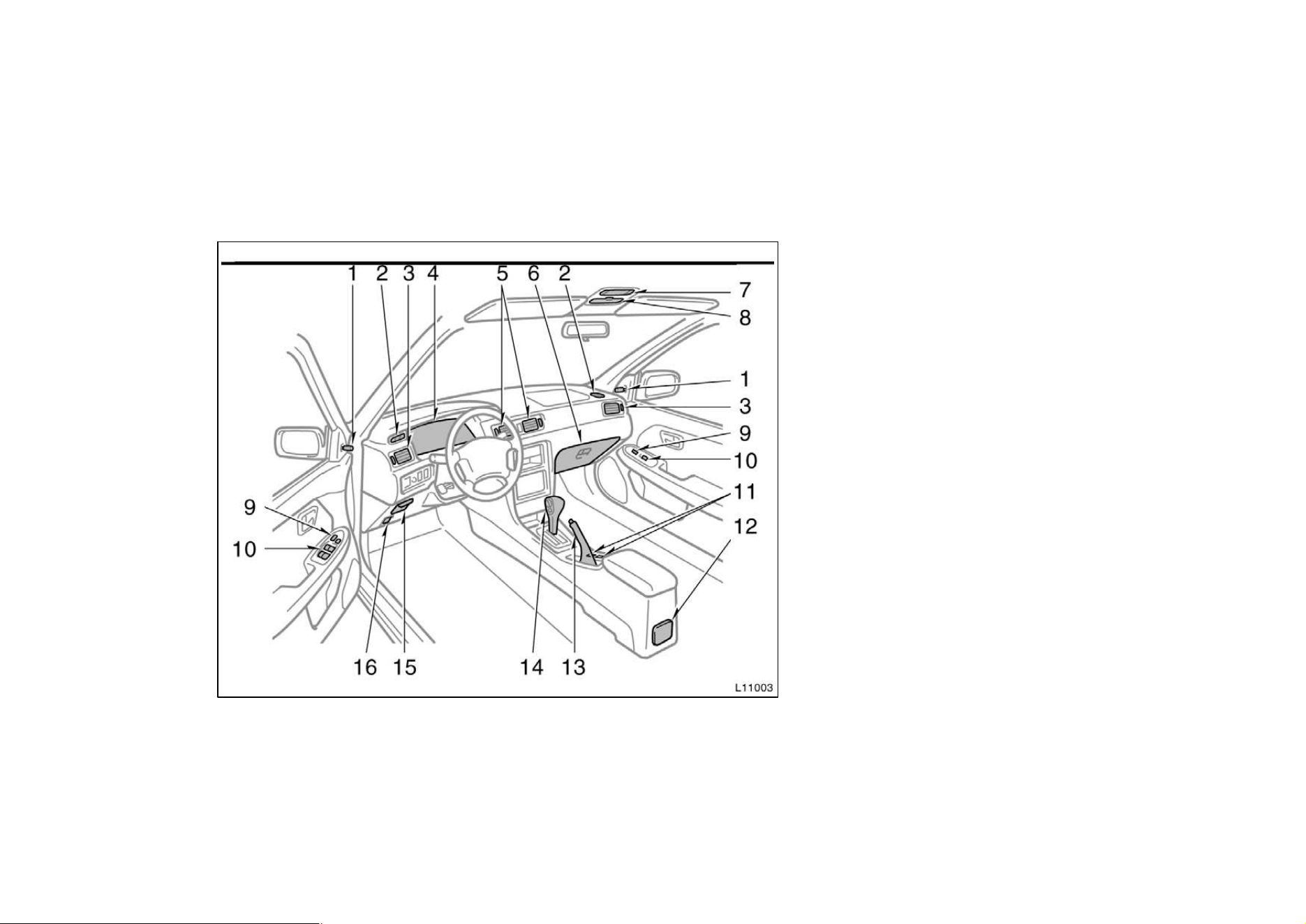
Instrument panel overview
1. Rear view mirror remote control lever
2. Side defroster outlet
3. Side vent
4. Instrument cluster
5. Center vents
6. Glovebox
7. Electric moon roof switch and
personal light
8. Garage door opener box or
miscellaneous box
9. Power door lock switch
10. Power window switches
11. Cup holders
12. Cup holder or rear ashtray
13. Parking brake lever
14. Automatic transmission selector lever or
manual transmission gear shift lever
15. Auxiliary box
16. Hood lock release lever
3
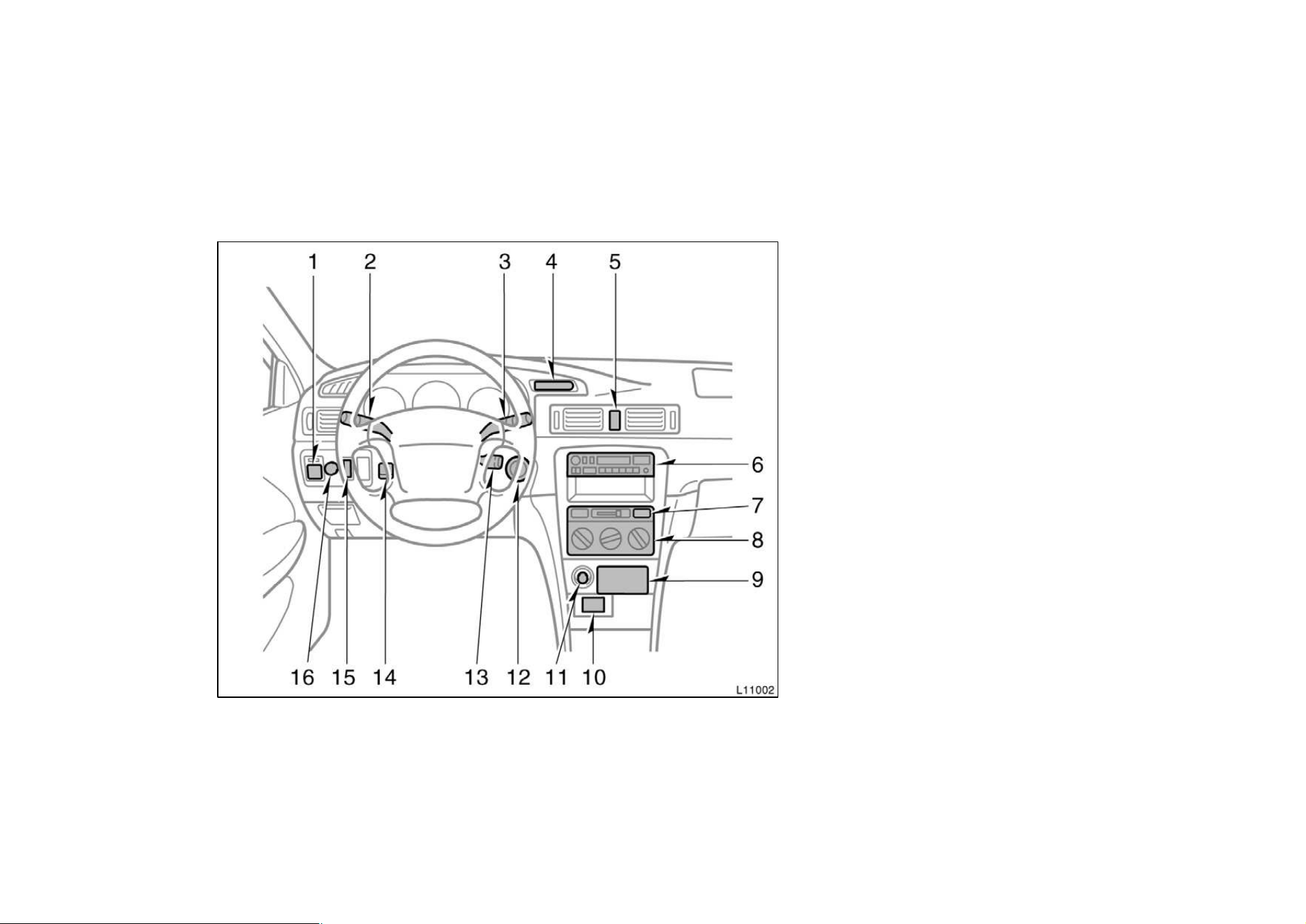
1. Power rear view mirror control switch
2. Headlight and turn signal switch
3. Wiper and washer switches
4. Clock
5. Emergency flasher switch
6. Car audio
7. Rear window and outside rear view
mirror defoggers switch
8. Air conditioning controls
9. Front ashtray
10. Power outlet
11. Cigarette lighter
12. Ignition switch
13. Cruise control switch
14. Tilt steering lock release lever
15. Traction control system off switch
16. Instrument panel light control knob
4
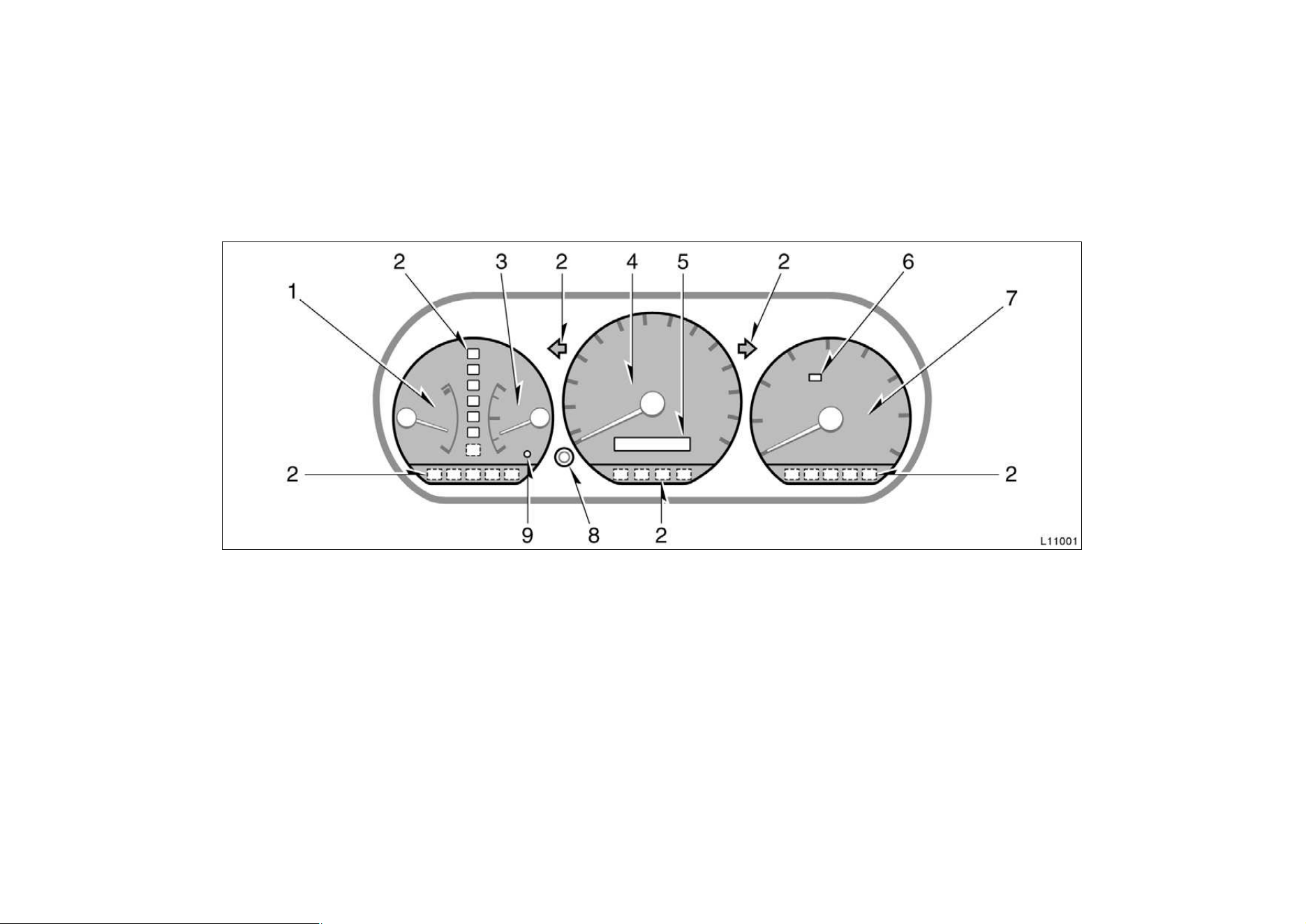
Instrument cluster overview
1. Engine coolant temperature gauge
2. Service reminder indicators or indicator
lights
3. Fuel gauge
4. Speedometer
5. Odometer and two trip meters
6. Theft deterrent system/Engine
immobiliser system indicator light
7. Tachometer
8. Trip meter reset knob
9. Low fuel level warning light
5
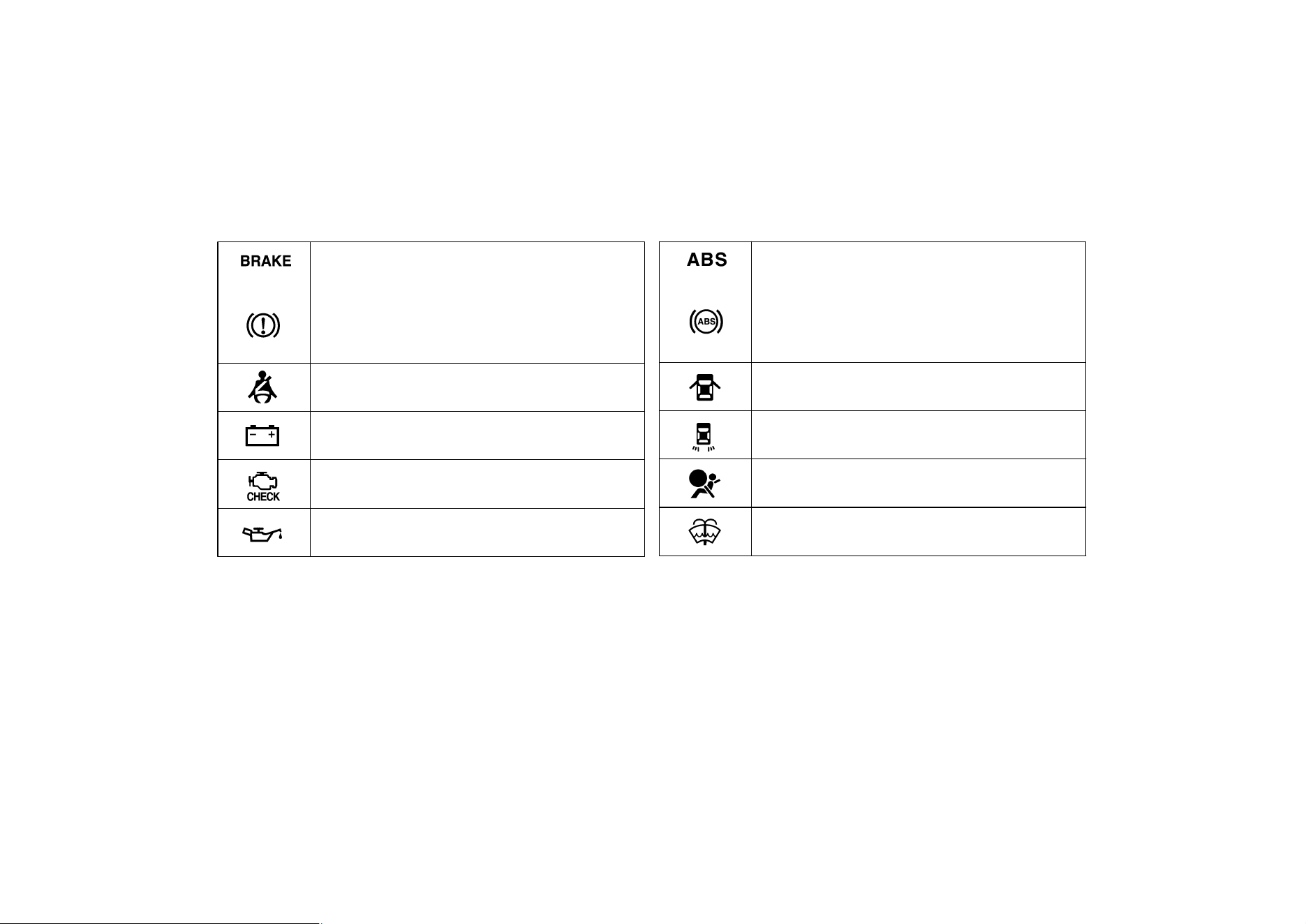
Indicator symbols on the instrument panel
Brake system warning light
∗
1
Seat belt reminder light
∗
1
Discharge warning light
∗
1
Malfunction indicator lamp
∗
1
Low oil pressure warning light
∗
1
Anti-lock brake system warning light
∗
1
(type A)
(type B)
Open door warning light
∗
1
Rear light failure warning light
∗
1
(type A)
(type B)
SRS airbag warning light
∗
1
Low windshield washer fluid level warning light
∗
1
6
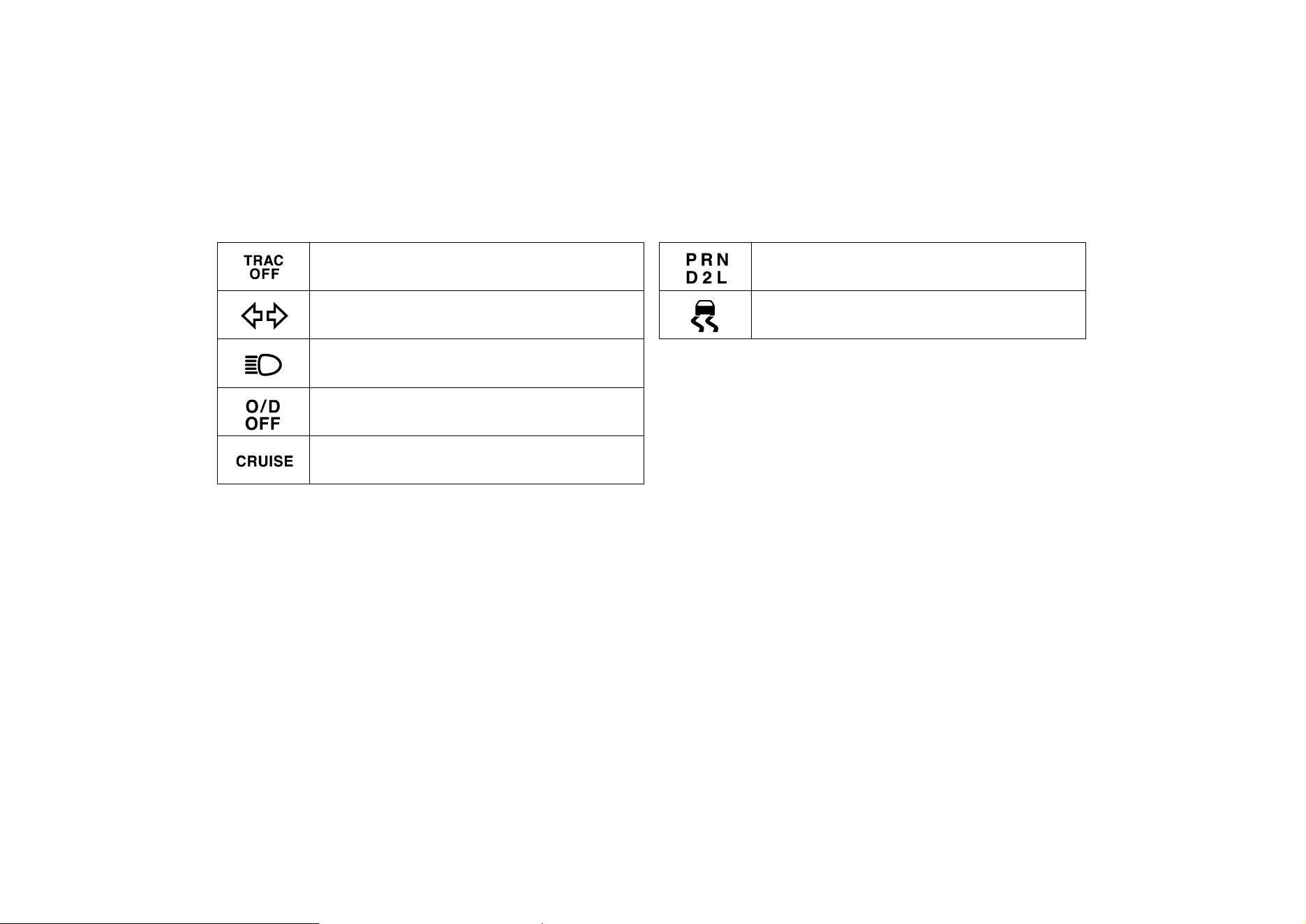
Overdrive−off indicator light
Cruise control indicator light
∗
2
Automatic transmission indicator light
∗
1
: For details, see ”Service reminder indicators and warning
buzzers” in Chapter 1−5.
∗
2
: If this light flashes, see ”Cruise control” in Chapter 1−6.
Headlight high beam indicator light
Turn signal indicator lights
Traction control system off indicator/warning light
∗
1
Slip indicator light

7
Part 1
OPERATION OF
INSTRUMENTS
AND CONTROLS—
Chapter 1−2
Keys and Doors
D
Keys D Engine immobiliser system

8
D Side doors D Power windows D Trunk lid

9
D Hood D Theft deterrent system D Fuel tank cap
10
D Electric moon roof
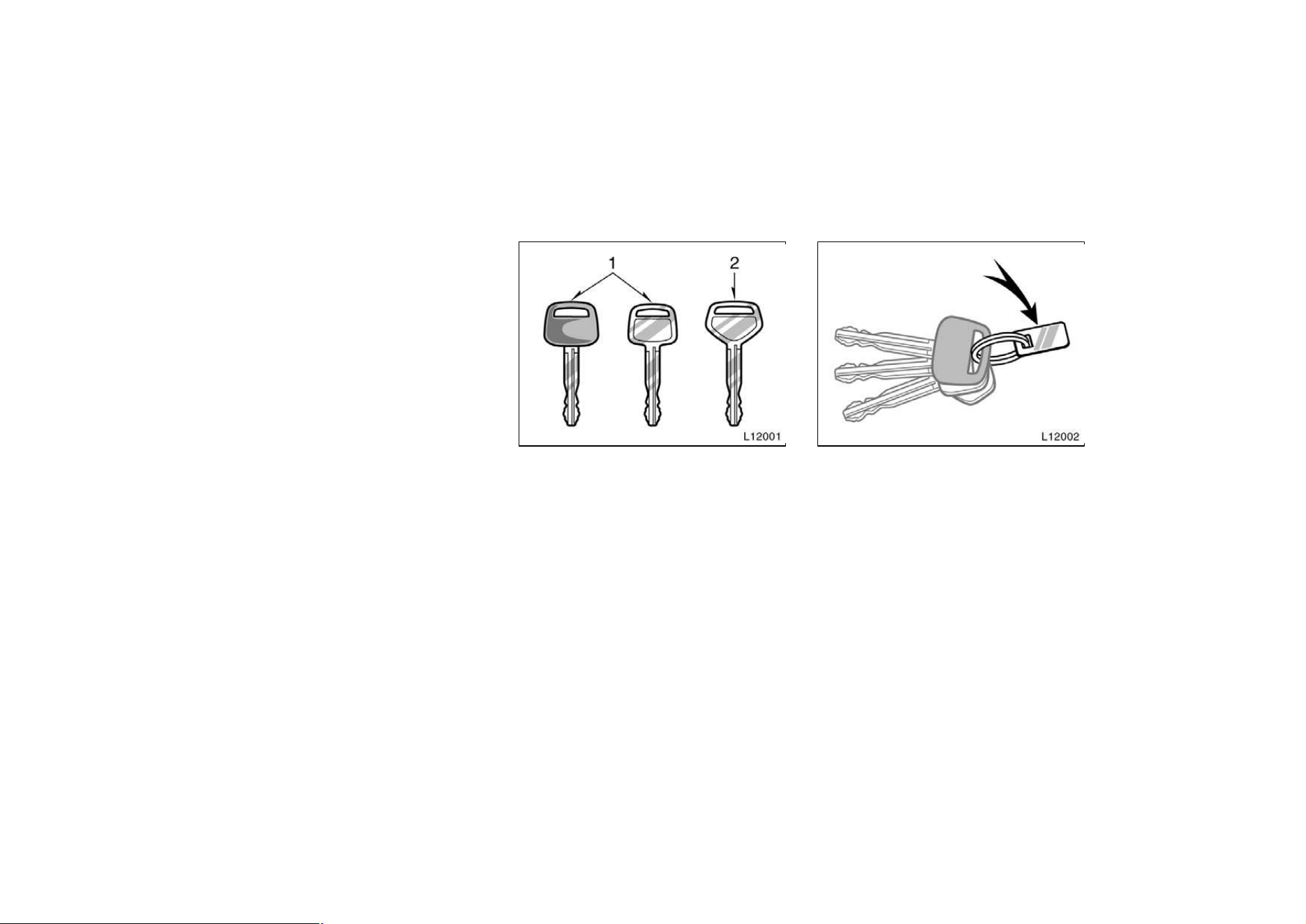
Your vehicle is supplied with two kinds
of key.
1. Master key—This key works in every
lock.
2. Subkey—This key will not work in the
glovebox and trunk.
To protect things locked in the glovebox
or trunk when you have your vehicle
parked, leave the subkey with the atten-
dant.
Since the doors and trunk lid can be
locked without a key, you should always
carry a spare master key in case you
accidentally lock your keys inside the ve-
hicle.
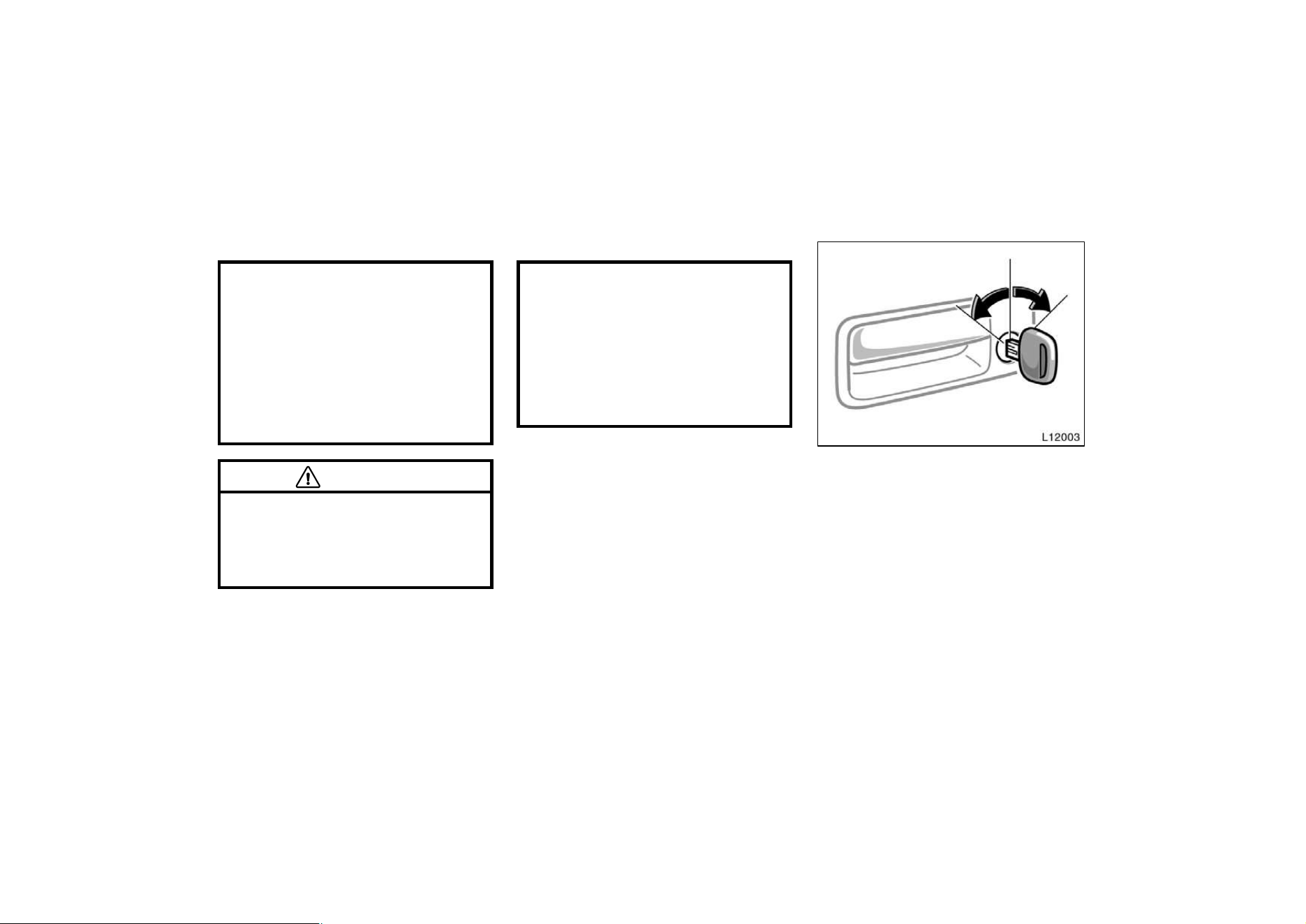
KEY NUMBER PLATE
Your key number is shown on the plate.
Keep the plate in a safe place such as
your wallet, not in the vehicle.
If you should lose your keys or if you
need additional keys, duplicates can be
made by a Toyota dealer using the key
number.
You should also put a copy of the key
number with your important papers.
Keys (without engine
immobiliser system)
11
Your vehicle is supplied with the two
kinds of key.
Master key (black)—This key works in ev-
ery lock. Your Toyota dealer will need it
to make you a new key with built−in
transponder chip.
Subkey (gray)—This key will not work in
the glovebox and trunk.
The master key and subkey each have a
transponder chip in their key head which
is very important for the system function,
so be careful not to lose these keys. If
you make your own duplicate key, you will
not be able to cancel the system or start
the engine.
To protect things locked in the trunk when
you have your vehicle parked, leave the
subkey with the attendant.
Since the side door can be locked without
a key, you should always carry a spare
master key in case you accidentally lock
your keys inside the vehicle.
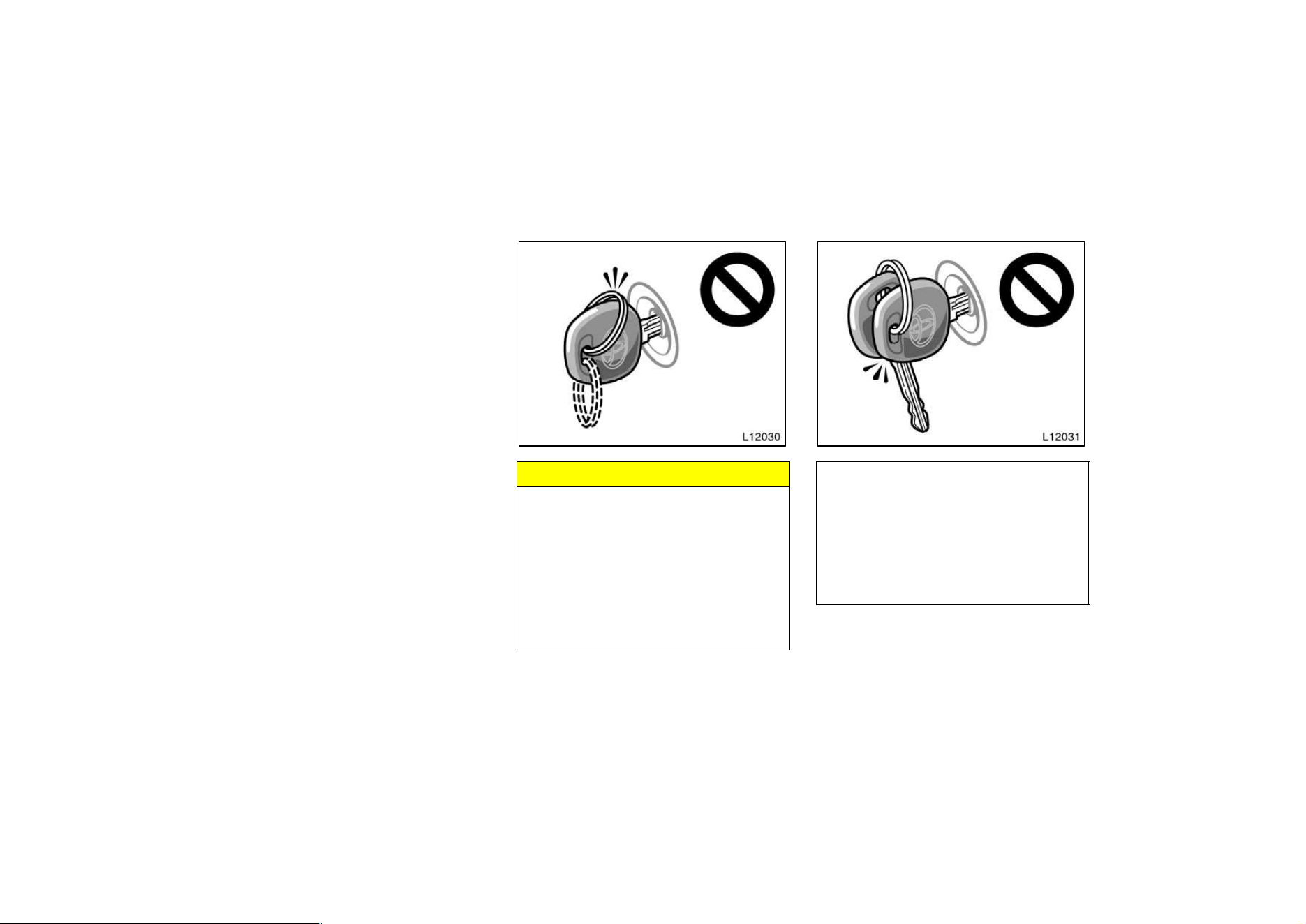
NOTICE
When using a key containing a trans-
ponder chip, observe the following
precautions:
z When starting the engine, do not
use the key with a key ring resting
on the key grip and do not press
the key ring against the key grip.
Otherwise the engine may not start,
or may stop soon after it starts.
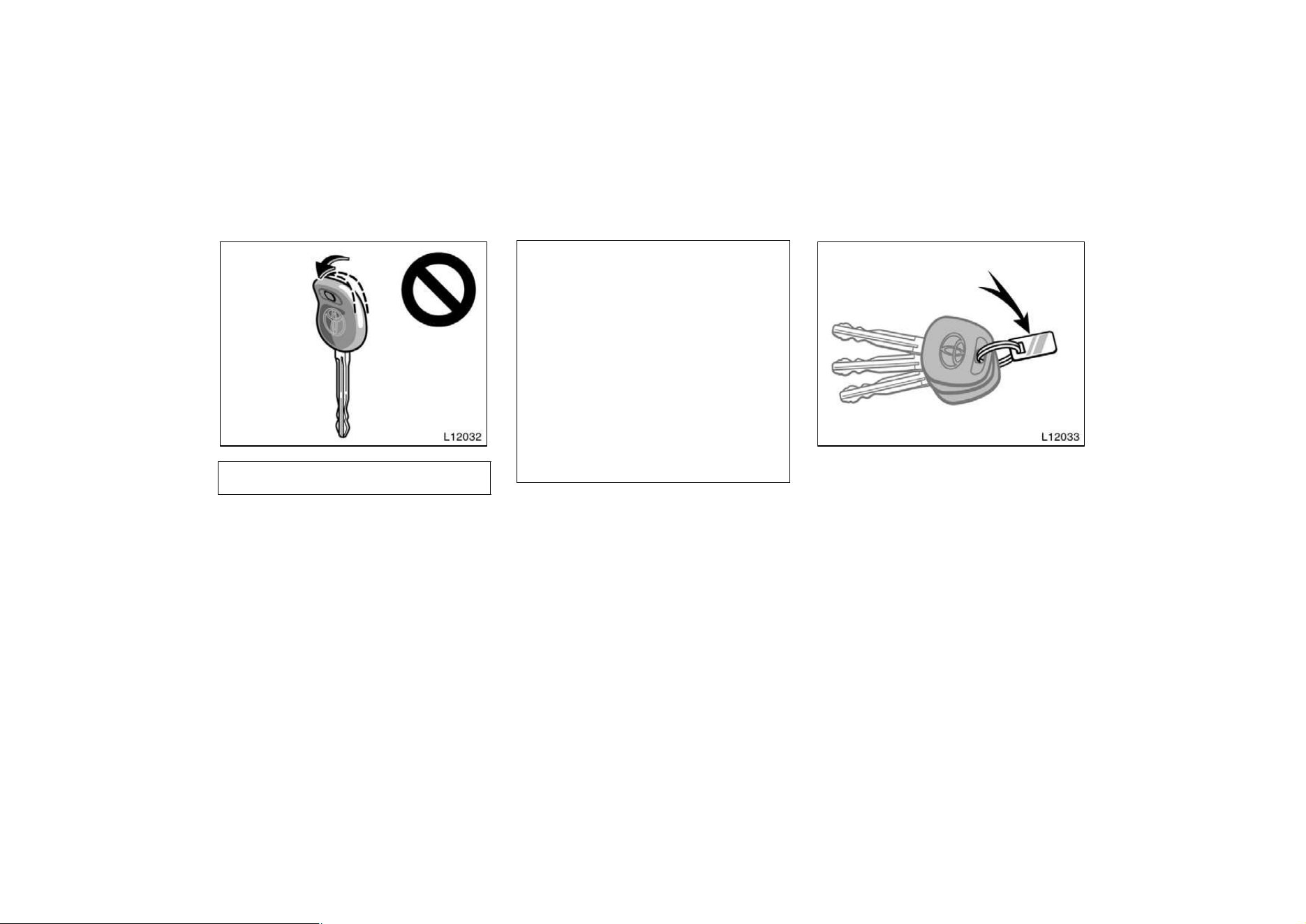
z When starting the engine, do not
use the key in contact with another
transponder key (including keys of
other vehicles) and do not press
another key plate against the key
grip. Otherwise the engine may not
start, or may stop soon after it
starts.
Keys (with engine
immobiliser system)
12
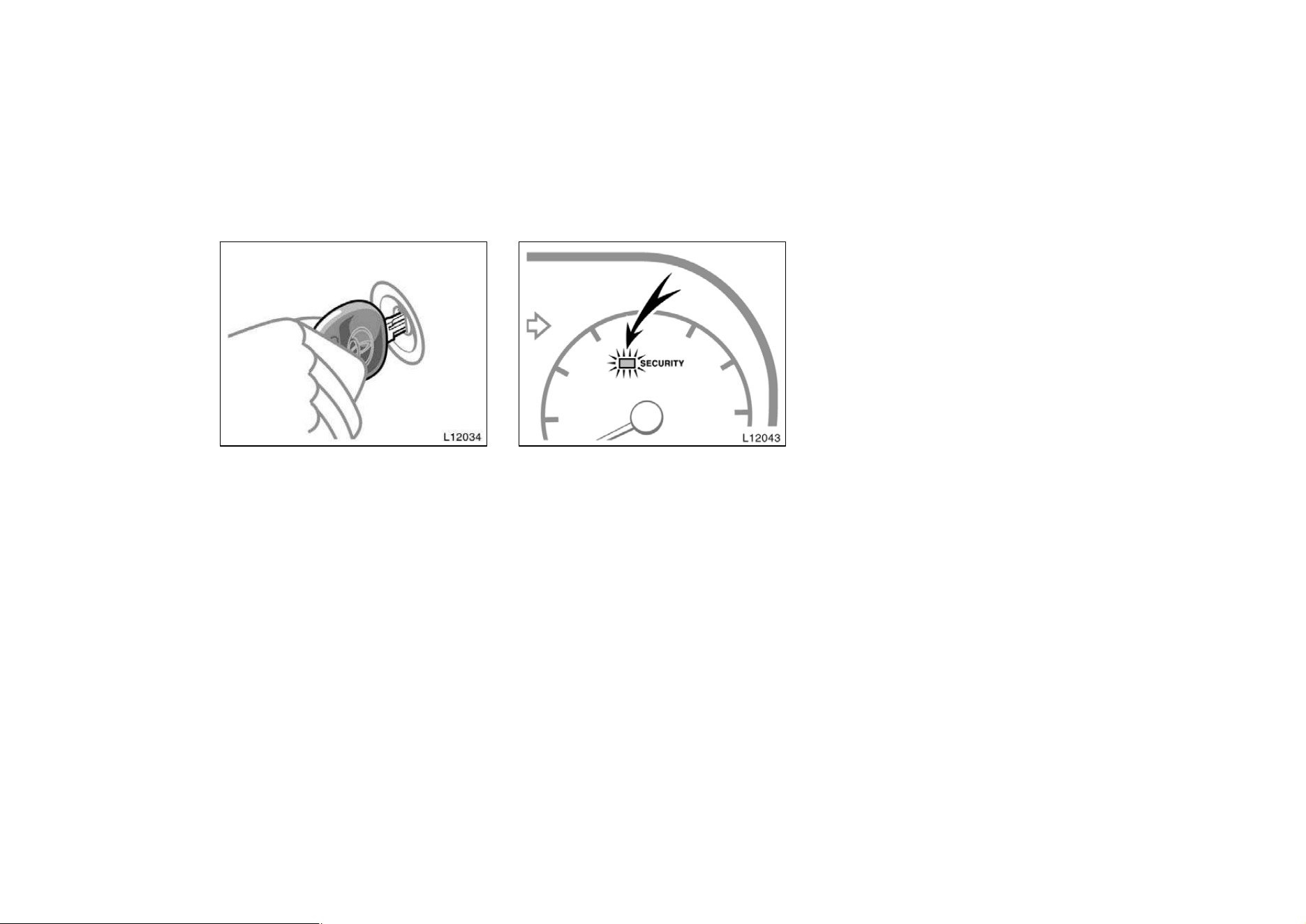
z Do not bend the key grip.
z Do not cover the key grip with any
material that cuts off electromagnet-
ic waves.
z Do not knock the key hard against
other objects.
z Do not leave the key exposed to
high temperatures for a long period,
such as on the dashboard and hood
under the direct sunlight.
z Do not put the key in water or
wash it in an ultrasonic washer.
z Do not use the key with electromag-
netic materials.
KEY NUMBER PLATE
Your key number is shown on the plate.
Keep the plate in a safe place such as
your wallet, not in the vehicle.
If you should lose your keys or if you
need additional keys, duplicates can be
made by a Toyota dealer using the key
number.
You should also put a copy of the key
number with your important papers.
13
Engine immobiliser system
The engine immobiliser system is a
theft prevention system. When you in-
sert the key in the ignition switch, the
transponder chip in the key’s head
transmits an electronic code to the ve-
hicle. The engine will start, only when
the electronic code in the chip corre-
sponds to the registered ID code for
the vehicle.
The system is automatically set when the
key is removed from the ignition switch.
The indicator light will start flashing every
1 second to show the system is set.
If either of the following indicator condi-
tions occurs, contact your Toyota dealer.
D The indicator light stays on except
when the theft deterrent system is set-
ting or activating. (See “Theft deterrent
system.)
D The indicator light does not start flash-
ing when the key is removed from the
ignition switch.
D The indicator light flashes unsteady.
Inserting the registered key in the ignition
switch automatically cancels the system,
which enables the engine to start. The
indicator light will go off.
For your Toyota dealer to make you a
new key with built−in transponder chip,
your dealer will need your key number
and master key. However, there is a limit
to the number of additional keys your
Toyota dealer can make for you.
If you make your own duplicate key,
you will not be able to cancel the sys-
tem or start the engine.
14
For vehicles sold in U.S.A.
FCC ID: MOZ RI−4ATY
MADE IN JAPAN
This device complies with Part 15 of the
FCC Rules. Operation is subject to the
following two conditions:
(1) This device may not cause harmful
interference, and (2) this device must
accept any interference received, includ-
ing interference that may cause unde-
sired operation.
CAUTION
Changes or modifications not ex-
pressly approved by the party respon-
sible for compliance could void the
user’s authority to operate the equip-
ment.
For vehicles sold in Canada
This device complies with RSS−210 of
insudtry and Science Canada. Operation
is subject to the following two condi-
tions:
(1) this device may not cause interfer-
ence, and (2) this device must accept
any interference, including interference
that may cause undesired operation of
the device.
Side doors
LOCKING AND UNLOCKING WITH KEY
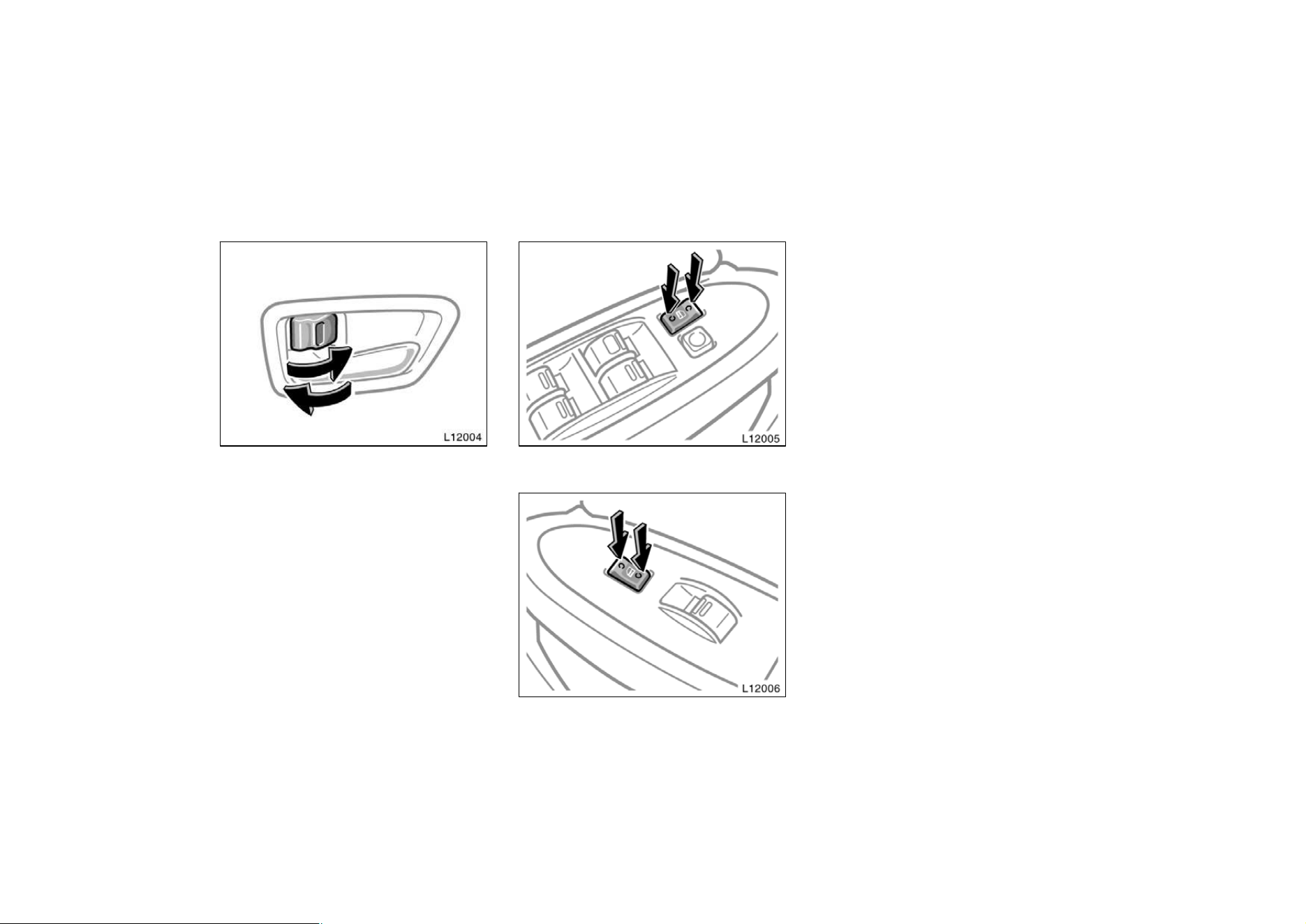
Insert the key into the keyhole and turn
it.
To lock: Turn the key forward.
To unlock: Turn the key backward.
Vehicles with power door lock system—All
the doors lock and unlock simultaneously
with either front door. In the driver’s door
lock, turning the key once will unlock the
driver’s door and twice in succession will
unlock all the doors simultaneously.
15
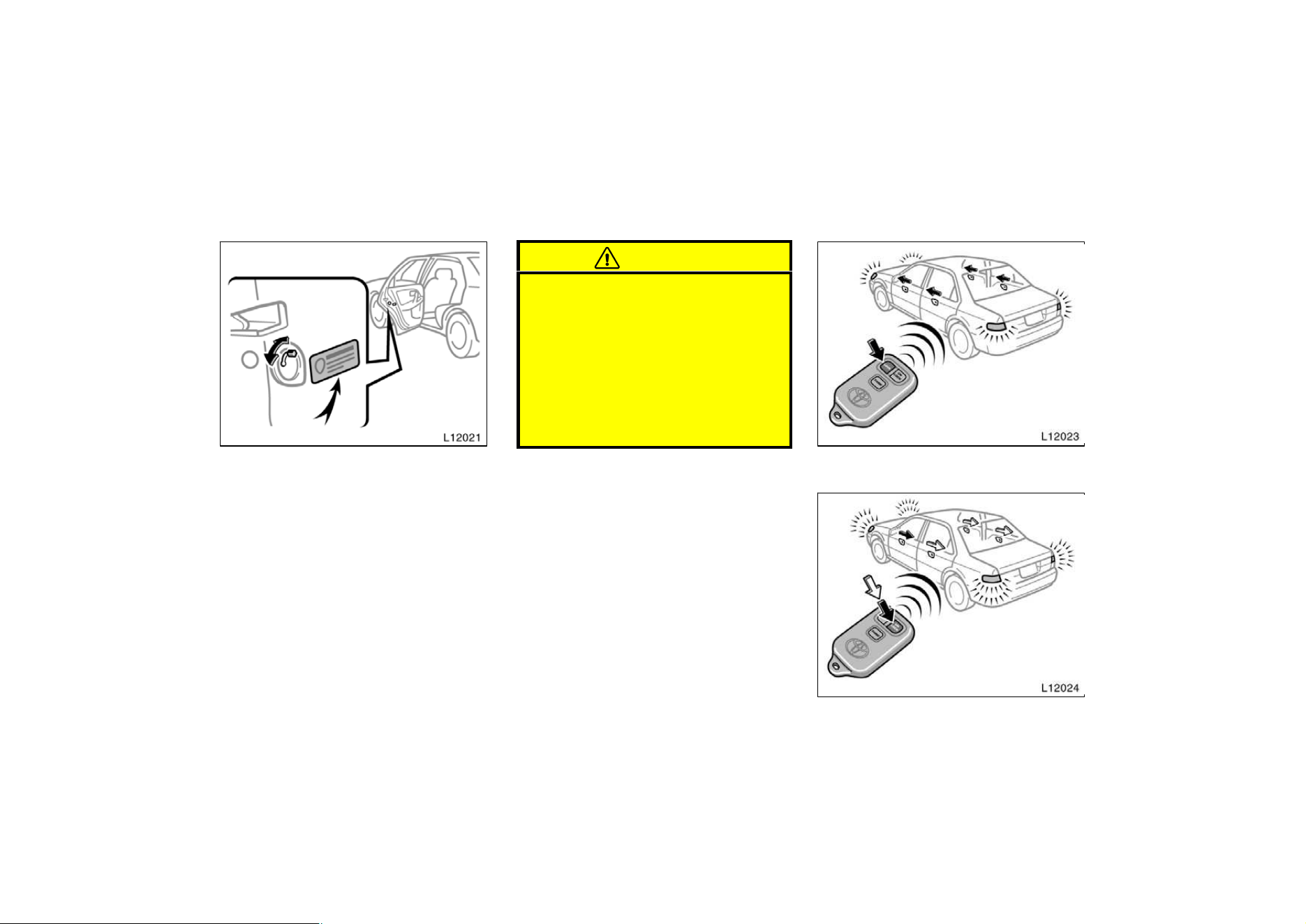
LOCKING AND UNLOCKING WITH IN-
SIDE LOCK BUTTON
Move the lock button.
To lock: Push the knob forward.
To unlock: Pull the knob backward.
Closing the door with the lock knob in the
lock position will also lock the door. Be
careful not to lock your keys in the ve-
hicle.
Vehicles with power door lock sys-
tem—The door cannot be locked if you
leave the key in the ignition switch.
Driver’s side
Passenger’s side
LOCKING AND UNLOCKING WITH POW-
ER DOOR LOCK SWITCH
Push the switch.
To lock: Push the switch on the front side.
To unlock: Push the switch on the rear
side.
All the doors lock or unlock simultaneous-
ly.
16
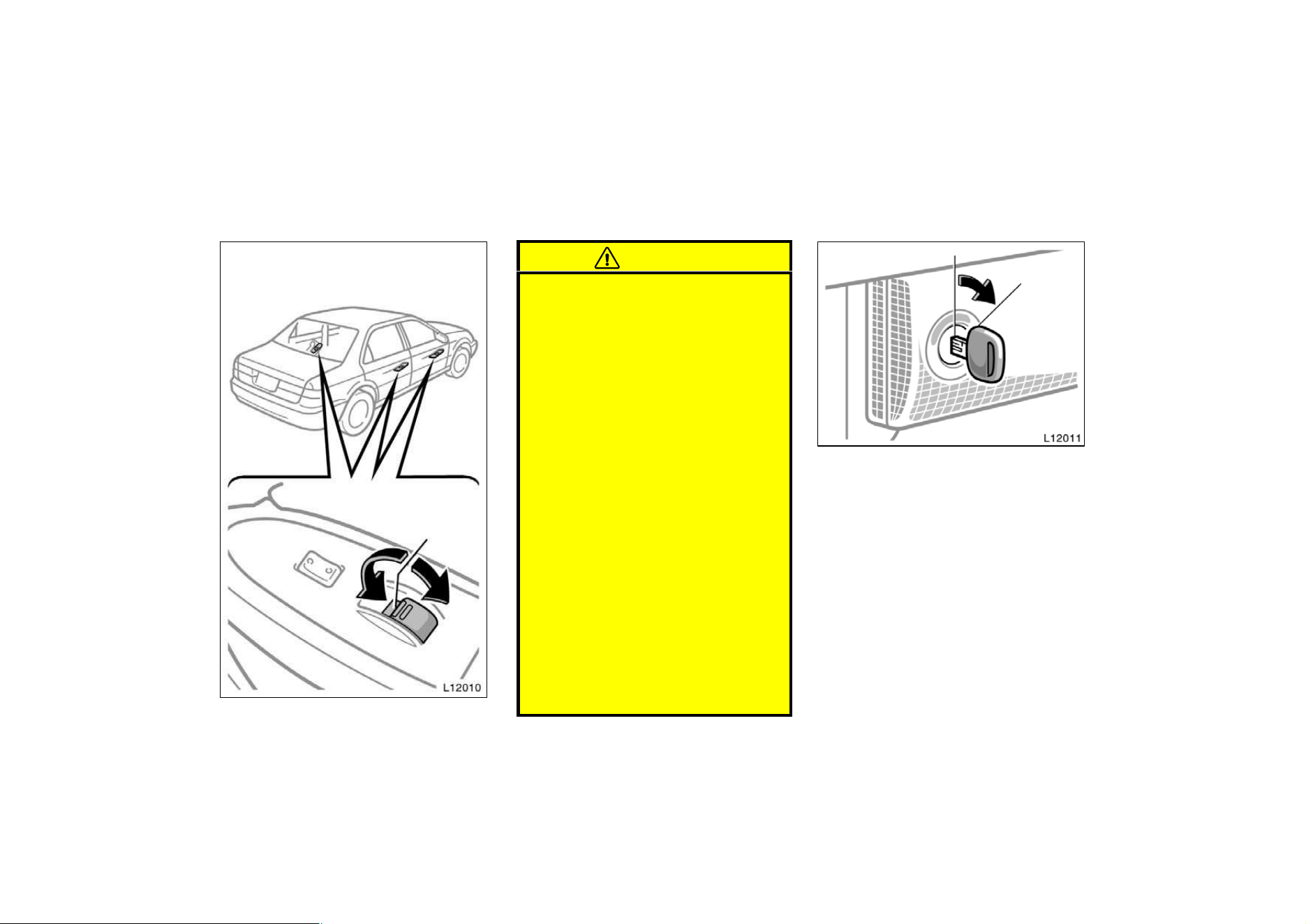
REAR DOOR CHILD−PROTECTORS
Move the lock lever to the ”LOCK”
position as shown on the label.
This feature allows you to lock a rear
door so it can be opened from the outside
only, not from inside. We recommend us-
ing this feature whenever small children
are in the vehicle.
CAUTION
Before driving, be sure that the doors
are closed and locked, especially
when small children are in the ve-
hicle. Along with the proper use of
seat belts, locking the doors helps
prevent the driver and passengers
from being thrown out from the ve-
hicle during an accident. It also helps
prevent the doors from being opened
unintentionally.
—Wireless remote control
Locking operation
Unlocking operation
17
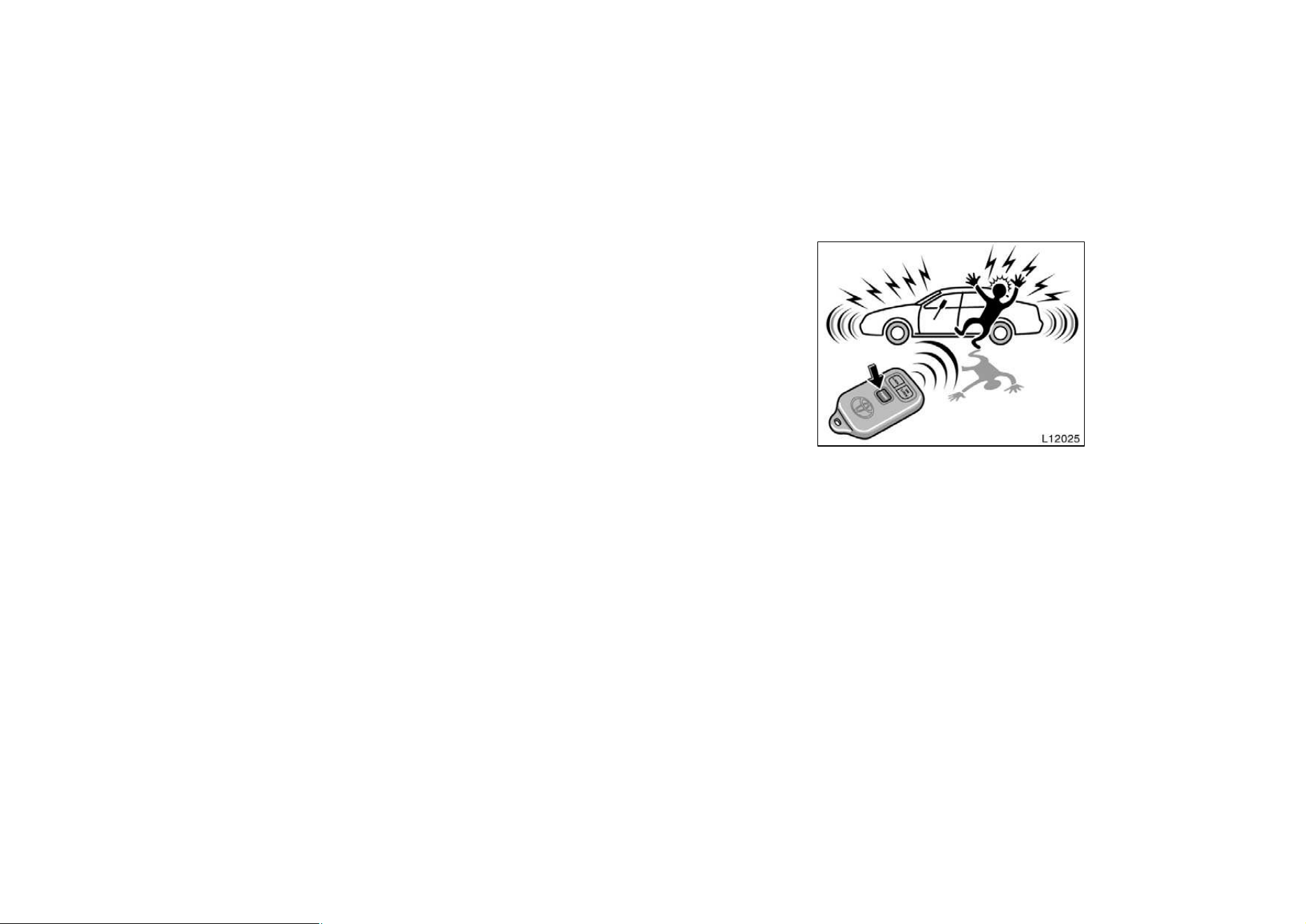
Your vehicle has a wireless remote
control system that can lock or unlock
all the doors, or activate the theft
deterrent system from a distance within
approximately 1 m (3 ft.) of the vehicle.
LOCKING AND UNLOCKING THE
DOORS
To lock and unlock all the doors, push
the switches of the transmitter slowly
and surely.
To lock: Push the ”LOCK” switch. All the
doors are locked simultaneously. At this
time, parking lights, side marker lights and
tail lights flash.
Check to see that the doors are securely
locked.
If any of the doors is not securely closed,
or if the key is in the ignition switch,
locking cannot be performed by the
”LOCK” switch.
To unlock: Push the ”UNLOCK” switch
once to unlock the driver’s door alone.
Pushing the switch twice within 3 seconds
unlocks all the doors simultaneously. At
this time, parking lights, side marker lights
and tail lights flash twice.
You have 30 seconds to open a door after
using the wireless remote unlock feature.
If a door is not opened by then, all the
doors will be automatically locked again.
If the ”LOCK” or ”UNLOCK” switch is kept
pressed in, the locking or unlocking opera-
tion is not repeated. Release the button
and then push again.
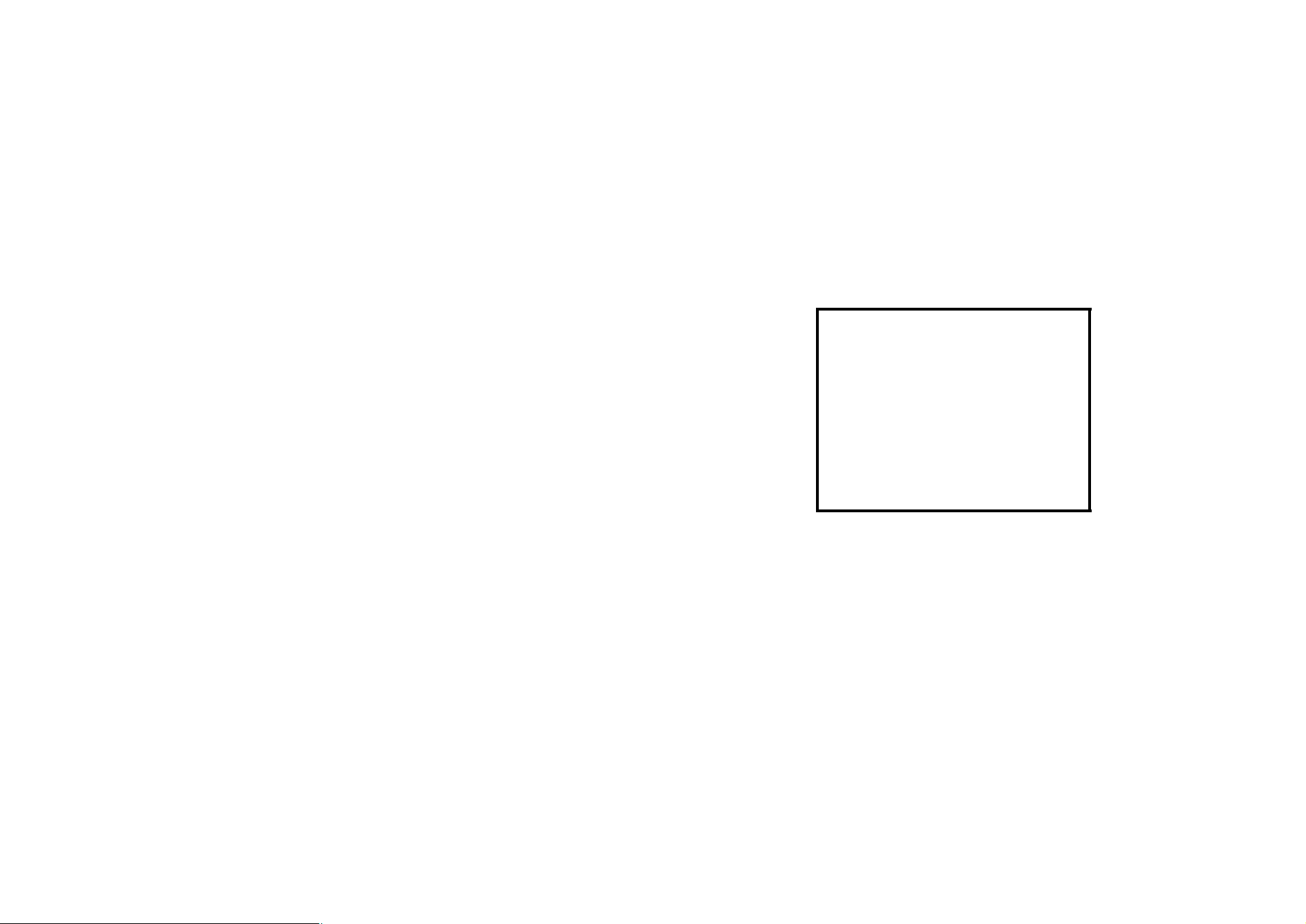
”PANIC” SWITCH
Pushing the ”PANIC” switch for 2 se-
conds blows the horn intermittently and
flashes the headlights and tail lights.
The ”PANIC” switch is used to deter the
vehicle theft when you witness anyone at-
tempting to brake into or damage your
vehicle.
The alarm will last for one minute. To stop
this in the midway, push the ”PANIC”
switch once again, unlock any door with
the key or transmitter, open the trunk with
the key or turn the ignition key from the
”LOCK” to ”ON” position.
18
To cancel the “PANIC” mode, unlock any
door with the key or wireless remote con-
trol transmitter, open the trunk with the
key or turn the ignition key from the
“LOCK” to “ON” podition.
The ”PANIC” mode does not work when
the key is inserted in the ignition switch.
WIRELESS REMOTE CONTROL TRANS-
MITTER
The wireless remote control transmitter is
an electronic component. Observe the fol-
lowing instructions in order not to cause
damage on the transmitter.
D Do not leave the transmitter on the
places where the temperature becomes
high such as on the dashboard.
D Do not disassemble it.
D Avoid knocking it hard against other
objects or dropping it.
D Avoid putting it in water.
You can use up to 2 wireless remote con-
trol transmitters for the same vehicle.
Contact your Toyota dealer for detailed
information.
If the wireless remote control transmitter
does not actuate the doors or alarm, or
operate from a normal distance:
D Check for closeness to a radio trans-
mitter such as a radio station or an
airport which can interfere with normal
operation of the transmitter.
D The batteries may have been con-
sumed. Check the batteries in the
transmitter. To replace the batteries,
see ”Replacing transmitter batteries”.
Replacing transmitter batteries
The expected life of your transmitter bat-
teries is about one year. For replacement,
use DURACELLr DL2016 or equivalent.
a. Using a screwdriver, separate the two
halves of the transmitter with the transmit-
ter buttons facing down.
b. Remove and replace the transmitter
batteries.
If you touch a new battery with your fin-
gers, clean it with rubbing alcohol. Skin
oils may shorten the batteries’ life.
c. Reassemble the transmitter case. Make
sure the gasket is properly installed.
After replacing batteries, check that the
transmitter operates properly. If the trans-
mitter still does not operate properly, con-
tact your Toyota dealer.
If you lose your transmitter, contact your
Toyota dealer as soon as possible to
avoid the possibility of theft, or an acci-
dent.
MODEL/FCC ID: GQ43VT7T
ISC: 1470 K1361
MADE IN U.S.A.
This complies with part 15 of the FCC
rules. Operation is subject to the follow-
ing two conditions:
(1) This device may not cause harmful
interference, and (2) This device must
accept any interference received, includ-
ing interference that may caused unde-
sired operation.
19
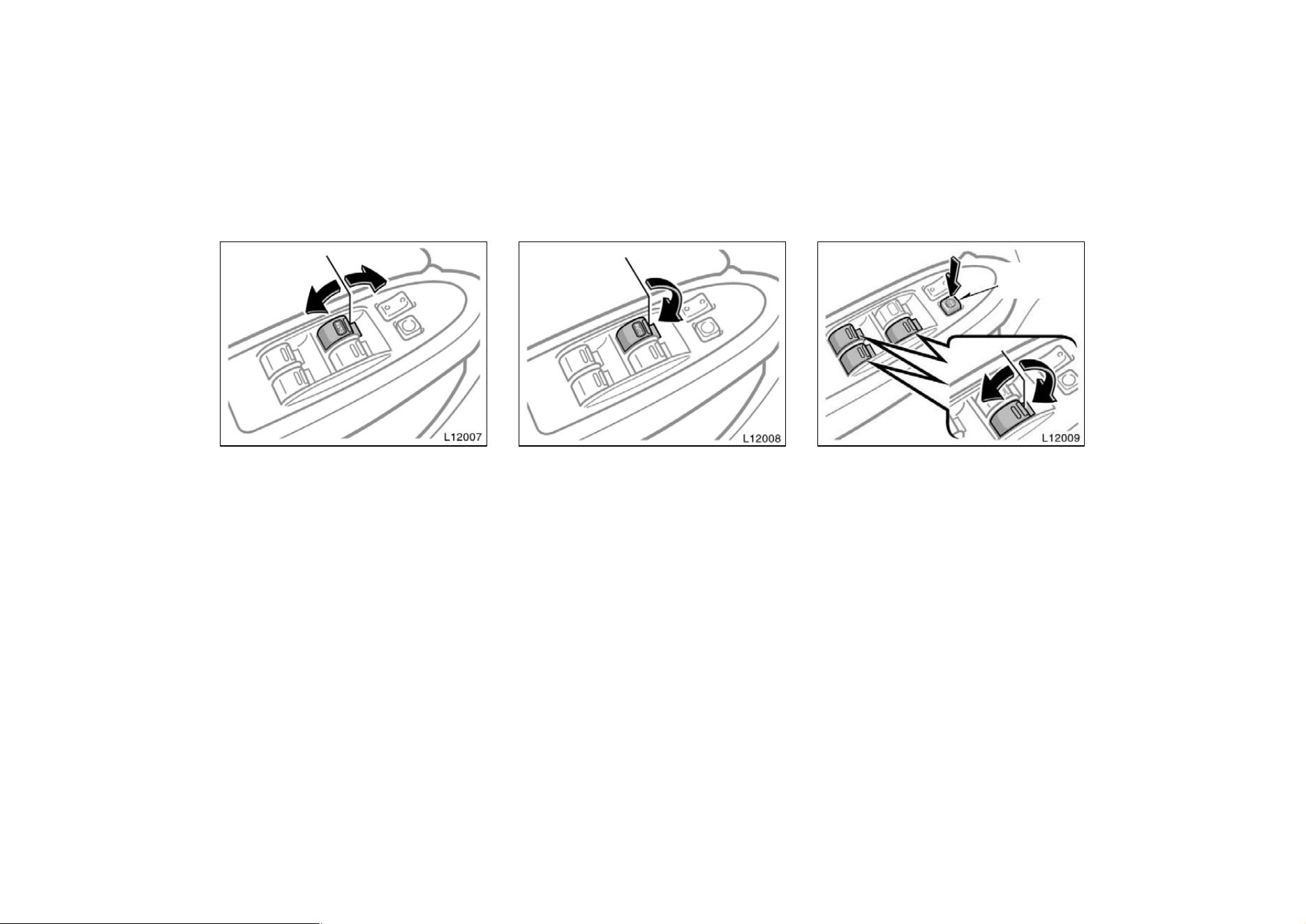
Power windows
The windows can be operated with the
switch on each door.
The power windows work when the ignition
switch is in the ”ON” position. However,
if both front doors are closed, they work
for 45 seconds even after the ignition
switch is turned off. They stop working
when either front door is opened.
OPERATING THE DRIVER’S WINDOW
Use the switch on the driver’s door.
Normal operation: The window moves as
long as you hold the switch.
To open: Lightly push down the switch.
To close: Pull up the switch.
Automatic operation (to open only):
Push the switch completely down and then
release it. The window will fully open. To
stop the window partway, lightly pull the
switch up and then release it.
Window lock
button
OPERATING THE PASSENGERS’ WIN-
DOWS
Use the switches on the passengers’
doors. The driver’s door also has
switches that control the passengers’
windows.
The window moves as long as you hold
the switch.
To open: Push down the switch.
To close: Pull up the switch.
If you push in the window lock button on
the driver’s door, the passengers’ windows
cannot be operated.
20
CAUTION
To avoid serious personal injury, you
must do the following.
D Always make sure the head, hands
and other parts of the body of all
occupants are kept completely in-
side the vehicle before you close
the power windows. If someone’s
neck, head or hands gets caught in
a closing window, it could result in
a serious injury. When anyone
closes the power windows, be sure
that they operate the windows safe-
ly.
D When small children are in the ve-
hicle, never let them use the power
window switches without supervi-
sion. Use the window lock button to
prevent them from making unex-
pected use of the switches.
D Never leave small children alone in
the vehicle, especially with the igni-
tion key still inserted. They could
use the power window switches and
get trapped in a window. Unat-
tended children can become in-
volved in serious accidents.
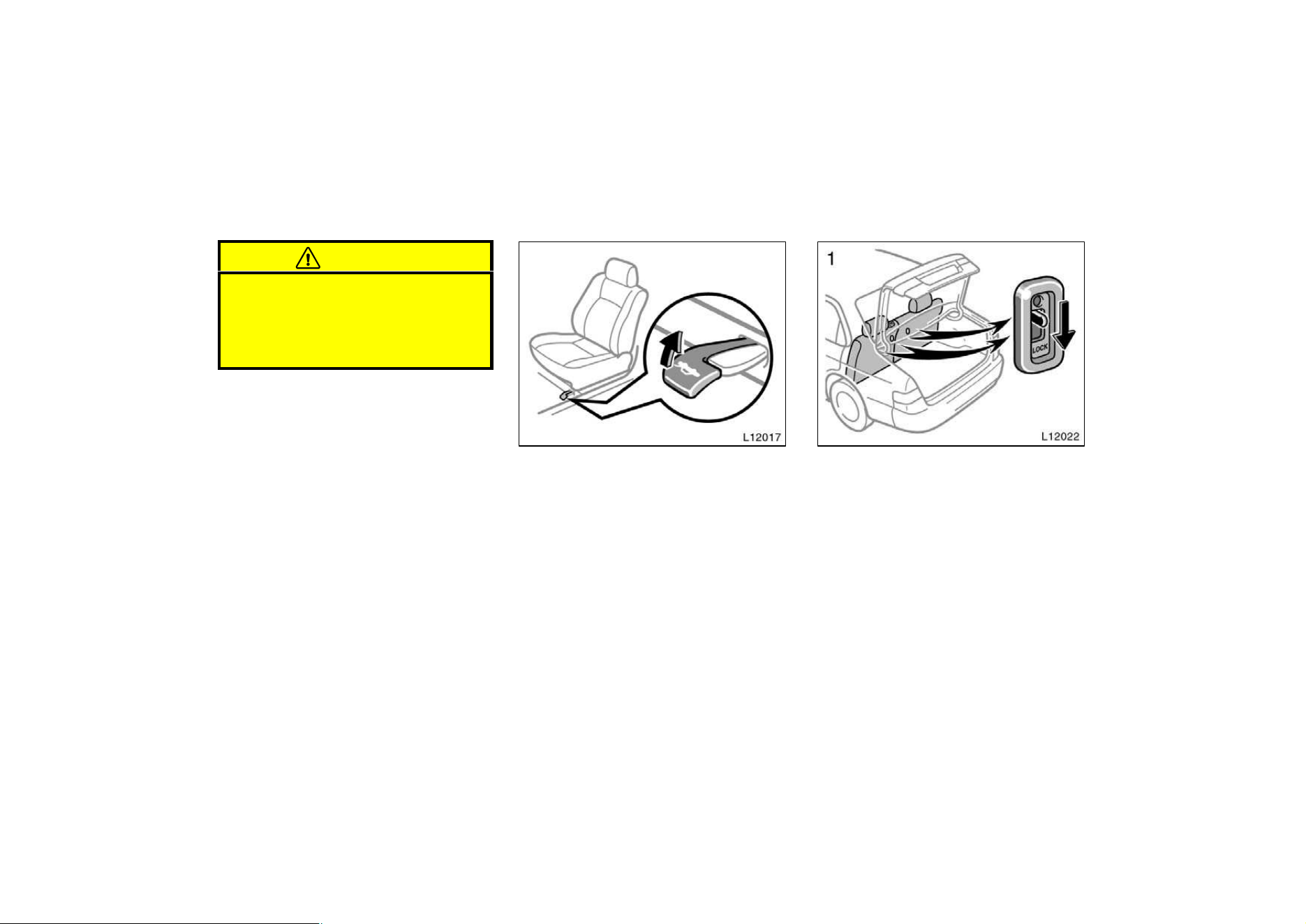
Trunk lid—
To open the trunk lid from the outside,
insert the master key and turn it clock-
wise.
See ”Luggage stowage precautions” in
Part 2 for precautions to observe in load-
ing luggage.
To close the trunk lid, lower it and press
down on it. After closing the trunk lid, try
pulling it up to make sure it is securely
closed.
21
CAUTION
Keep the trunk lid closed while driv-
ing. This not only keeps the luggage
from being thrown out but also pre-
vents exhaust gases from entering
the vehicle.
—Lock release lever
To open the trunk lid from the driver’s
seat, pull up on the lock release lever.
—Luggage security system
This system deactivates the lock re-
lease lever so that things locked in the
trunk can be protected.
1. Push down the security lock levers
to lock the rear seatbacks.
On vehicles with built−in child restraint,
only the left seatback has a lock lever
and can be lowered. The right seatback
cannot be folded down.
After locking the rear seatbacks, try fold-
ing them down to make sure they are
securely locked, otherwise someone could
get into the trunk by folding down a rear
seat.
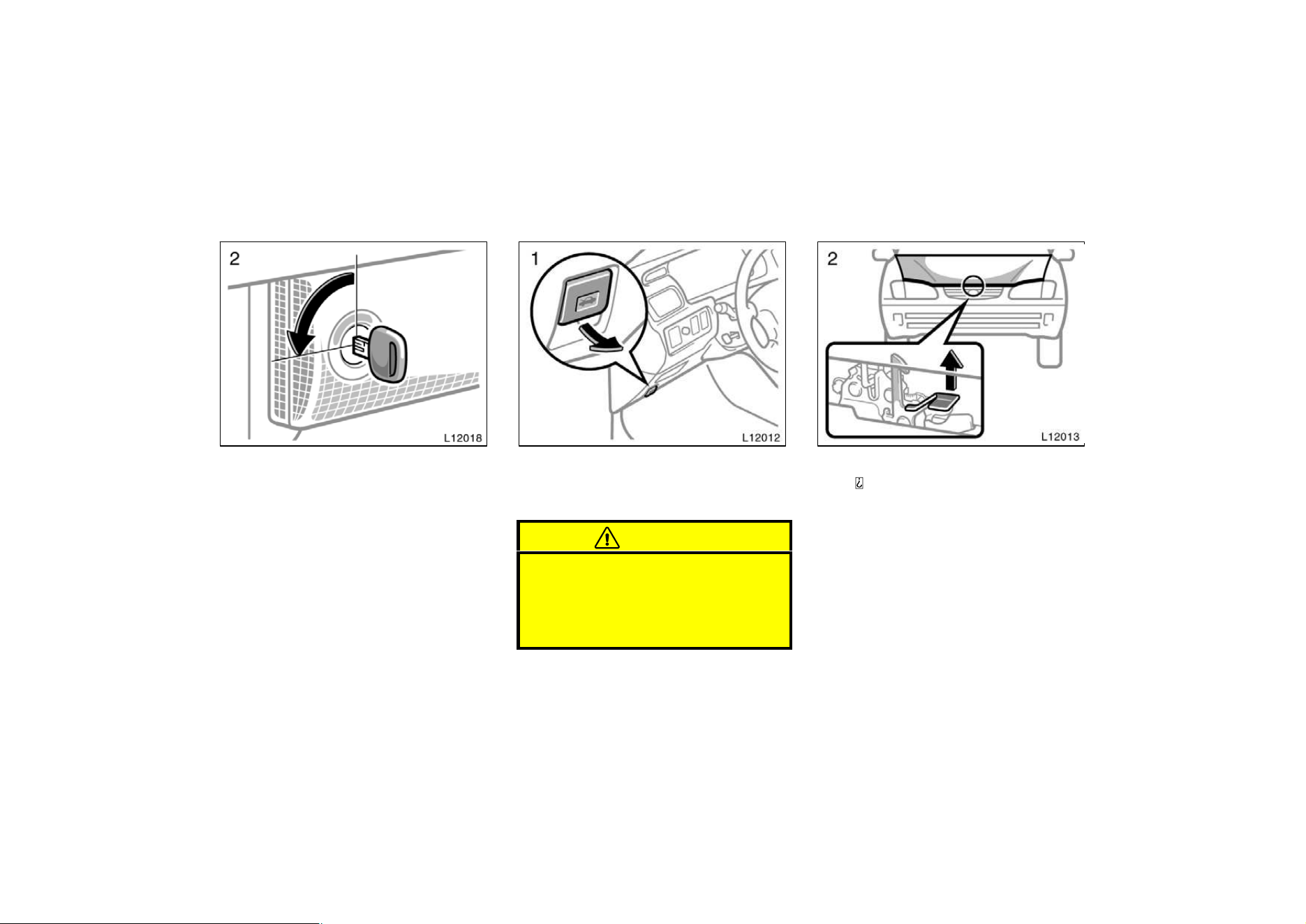
22
2. After closing the trunk lid, insert the
master key and turn it counterclock-
wise to deactivate the lock release
lever.
After closing the trunk lid, try pulling it up
to make sure it is securely locked.
Hood
To open the hood, do the following.
1. Pull the hood lock release lever. The
hood will spring up slightly.
CAUTION
Before driving, be sure that the hood
is closed and securely locked. Other-
wise, the hood may open unexpected-
ly while driving and an accident may
occur.
2. In front of the vehicle, pull up on
the
a uxiliary catch lever and lift the hood.
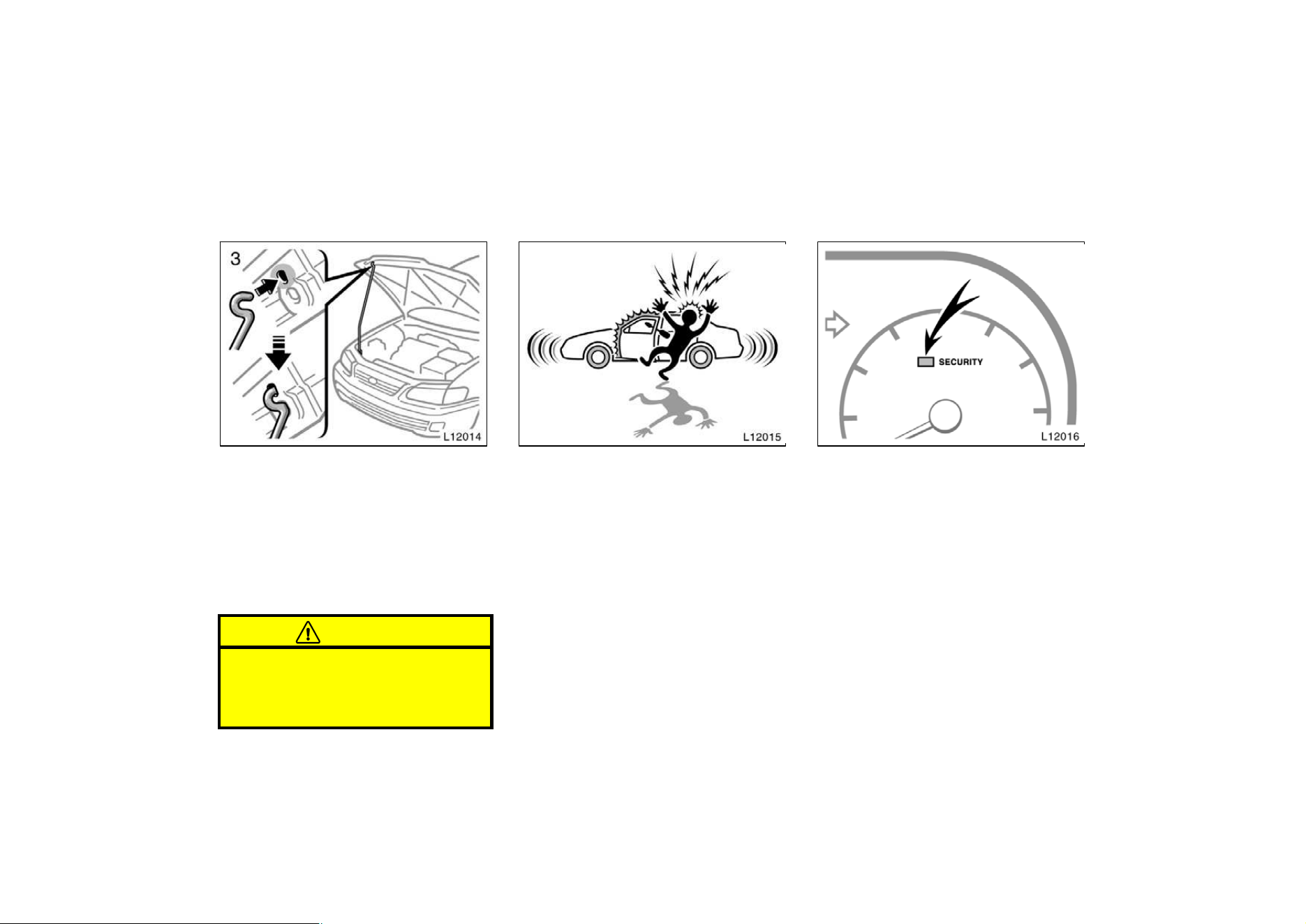
23
3. Hold the hood open by inserting the
support rod into the slot.
Before closing the hood, check to see that
you have not forgotten any tools, rags,
etc. and return the support rod to its clip−
this prevents rattles. Then lower the hood
make sure it locks into place. If neces-
sary, press down gently on the front edge
to lock it.
CAUTION
After inserting the support rod into
the slot, make sure the rod supports
the hood securely from falling down
on to your head or body.
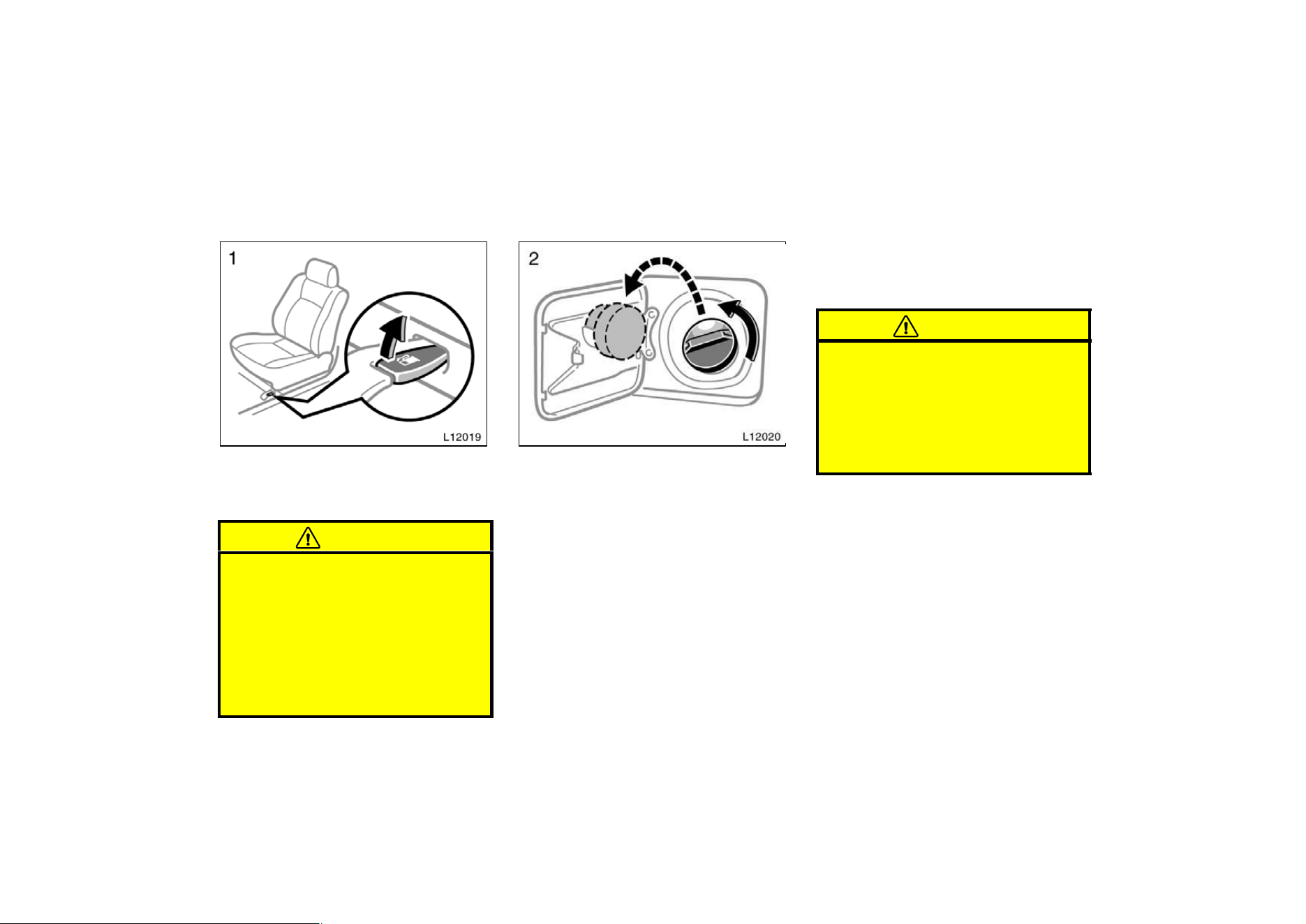
Theft deterrent system—
To deter the vehicle theft, The system
is designed to give an alarm if any of
the doors, trunk or hood is forcibly un-
locked or the battery terminal is discon-
nected and then reconnected when the
vehicle is locked.
The alarm blows the horn intermittently
and flashes the headlights and tail lights.
SETTING THE SYSTEM
1. Turn the ignition key to the ”LOCK”
position and remove it.
The indicator light will start flashing every
1 second when the key is removed from
the ignition switch. (See ”Engine
immobiliser system” for details.)
2. Have all passengers get out of the
vehicle.
3. Close and lock all the doors, trunk and
hood.
The indicator light will come on when all
the doors, trunk and hood are closed and
locked.

24
The system will automatically be set after
30 seconds. When the system is set, the
indicator light will start flashing again.
4. After making sure the indicator light
starts flashing, you may leave the ve-
hicle.
Never leave anyone in the vehicle when
you set the system, because unlocking
from the inside will activate the system.
WHEN THE SYSTEM IS SET
Activating the system
The system will give the alarm under the
following conditions:
D If any of the doors is unlocked or if
the trunk or hood is forcibly opened
without the key or wireless remote con-
trol transmitter
D If the battery terminal is disconnected
and then reconnected
The indicator light will come on when the
system is activating.
If any of the door is unlocked without the
key or wireless remote control transmitter
and the key is not in the ignition switch,
all the doors will be automatically locked
again.
After one minute, the alarm will automati-
cally stop and the indicator light will starts
flashing again.
Reactivating the alarm
Once set, the system automatically resets
the alarm after the alarm stops.
The alarm will activate again under the
same circumstances described in
“Activating the system”.
Stopping the alarm
The alarm will be stopped by the following
three ways:
D Turn the ignition key from the ”LOCk”
to ”ON” position.
D Unlock any of the doors with the key
or wireless remote control transmitter.
D Open the trunk with the key.
These ways cancel the system at the
same time.
TESTING THE SYSTEM
1. Open all the windows.
2. Set the system as described above.
The doors should be locked with the
key or wireless remote control transmit-
ter. Be sure to wait until the indicator
light goes off or starts flashing.
3. Unlock any door from the inside. The
system should activate the alarm.
4. Stopping the alarm as described above.
5. Repeat this operation for the other
doors, trunk and hood. When testing on
the hood, also check that the system
is activated when the battery terminal
is disconnected and then reconnected.
If the system does not work properly,
have it checked by your Toyota dealer.
25
Fuel tank cap
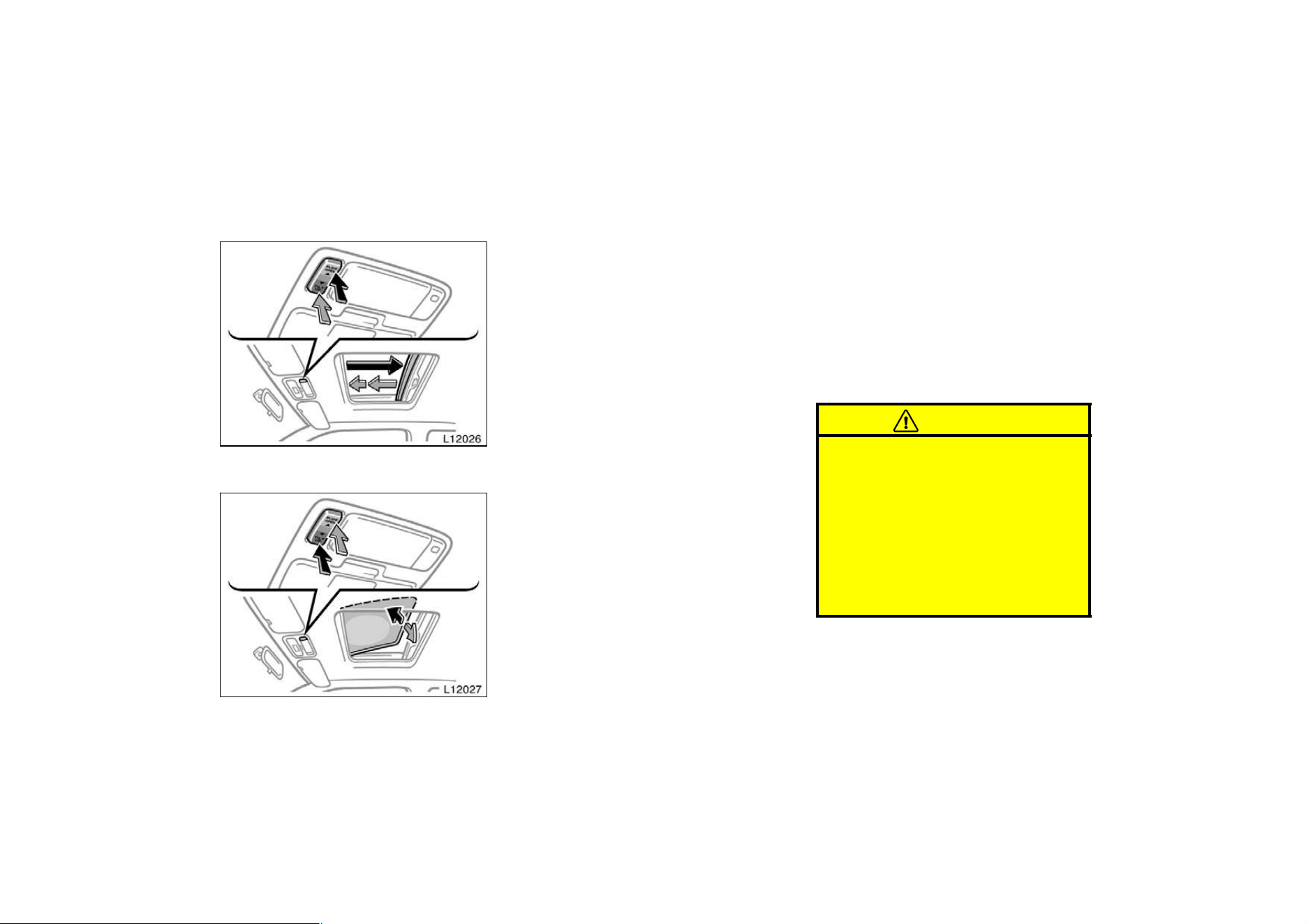
1. To open the fuel filler door, pull the
lever up.
When refueling, turn off the engine.
CAUTION
D Do not smoke, cause sparks or al-
low open flames when refueling.
The fumes are flammable.
D When opening the cap, do not re-
move the cap quickly. In hot weath-
er, fuel under pressure could cause
injury by spraying out of the filler
neck if the cap is suddenly re-
moved.
2. To remove the fuel tank cap, turn
the cap slowly counterclockwise,
then pause slightly before removing
it. After removing the cap, hang it
on the cap hanger.
It is not unusual to hear a slight swoosh
when the cap is opened. When installing,
turn the cap clockwise till you hear a
click.
If the cap is not tightened securely, the
malfunction indicator lamp comes on.
Make sure the cap is tightened securely.
The indicator lamp goes off after driving
several times. If the indicator lamp does
not go off, contact your Toyota dealer as
soon as possible.
CAUTION
D Make sure the cap is tightened se-
curely to prevent fuel spillage in
case of an accident.
D Use only a genuine Toyota fuel tank
cap for replacement. It has a built−
in check valve to reduce fuel tank
vacuum.
26
Electric moon roof
Sliding operation
Tilting operation
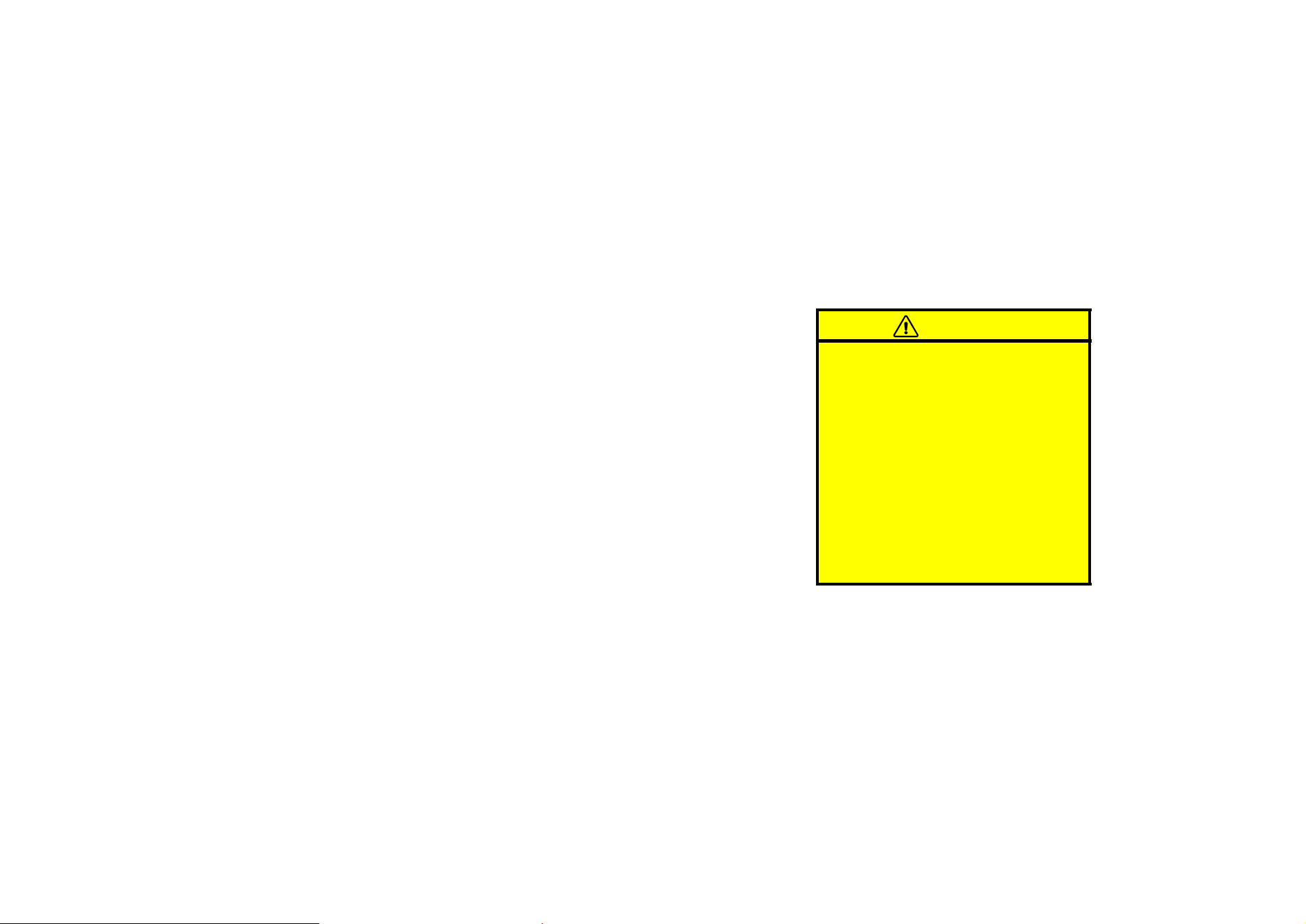
To operate the moon roof, use the
switches beside the personal light.
The moon roof works when the ignition
switch is in the ”ON” position. However,
if all the doors are closed, it works for 45
seconds even after the ignition switch is
turned off. It stops working when any of
the doors is opened.
Sun shade operation—
The sun shade can be opened or closed
by hand.
Sliding operation—
To open: Push the switch on the ”SLIDE
OPEN”’ side.
The roof will fully open. To stop the roof
partway, push the switch on either the
”SLIDE OPEN” or ”TILT UP” side briefly.
The sun shade will be opened together
with the roof.
To close: Push the switch on the ”TILT
UP” side.
As a precaution when closing, the roof
stops at the three−quarters closed position
before fully closing. Therefore, release the
switch and then push it again to close it
completely.
Tilting operation—
To tilt up: Push the switch on the ”TILT
UP” side.
To lower: Push the switch on the ”SLIDE
OPEN” side.
You may stop the moon roof at any de-
sired position. The roof will move while
the switch is being pushed and stop when
released except to slide open.
CAUTION
To avoid serious personal injury, you
must do the following.
D While the vehicle is moving, always
keep the head, hands and other
parts of the body of all occupants
away from the roof opening. Other-
wise, you could be seriously injured
if the vehicle stops suddenly or if
the vehicle is involved in an acci-
dent.

27
D Always make sure nobody places
his/her head, hands and other parts
of the body in the roof opening be-
fore you close the roof. If some-
one’s neck, head or hands gets
caught in the closing roof, it could
result in a serious injury. When
anyone closes the roof, first make
sure it is safe to do so.
D Never leave small children alone in
the vehicle,e specially with the igni-
tion key still inserted. They could
use the moon roof switches and get
trapped in the roof opening. Unat-
tended children can become in-
volved in serious accidents.
D Never sit on top of the vehicle
around the roof opening.
28
Part 1
OPERATION OF
INSTRUMENTS
AND CONTROLS—
Chapter 1−3
Seats, Seat belts,
Steering wheel and
Mirrors
D
Seats
D Front seats
D Fold−down rear seat
D Head restraints
D Seat belts
D SRS driver and front passenger
airbags
D SRS side airbags
D Child restraint
D Tilt steering wheel
D Outside rear view mirrors
D Anti−glare inside rear view
mirror
D Sun visors
Seats
While the vehicle is being driven, all ve-
hicle occupants should have the seatback
upright, sit well back in the seat and prop-
erly wear the seat belts provided.
CAUTION
D Do not drive the vehicle unless the
occupants are not properly seated.
Do not allow sitting on top of a
folded−down seatback, or in the
luggage compartment. Persons not
properly seated and not properly re-
strained by seat belts can be se-
verely injured in the event of emer-
gency braking or a collision.
D During driving, do not allow pas-
sengers to stand up or move
around between seats. Severe inju-
ries can occur in the event of emer-
gency braking or a collision.
29
CAUTION
The SRS side airbags are installed in
the driver and front passenger seats.
Observe the following precautions.
D Do not lean against the front door
when the vehicle is in use. The side
airbag inflates with considerable
speed and force; you may be killed
or seriously injured.
D Do not modify or replace the seats
or surface of the front seats with
the side airbags. Such changes may
disable the system or cause the
side airbags to inflate, resulting in
death or serious injury. Consult
your Toyota dealer.
D Do not use accessories for the
seats which cover the parts where
the side airbags should inflate.
Such accessories may prevent the
side airbags from activating correct-
ly, causing death or serious injury.
Adjust the driver’s seat so that the foot
pedals, steering wheel and instrument
panel controls are within easy reach of
the driver.
CAUTION
D Adjustments should not be made
while the vehicle is moving, as the
seat may unexpectedly move and
cause the driver to lose control of
the vehicle.
D When adjusting the seat, be careful
not to hit the seat against a pas-
senger or luggage.
D After adjusting the seat position,
try sliding it forward and backward
to make sure it is locked in posi-
tion.
D After adjusting the seatback, exert
body pressure to make sure it is
locked in position.
D Do not put objects under the seats.
The objects may interfere with the
seat− lock mechanism or unexpect-
edly push up the seat position ad-
justing lever; the seat may suddenly
move, causing the driver to lose
control of the vehicle.
D While adjusting the seat, do not put
your hands under the seat or near
the moving parts. You may catch
and injure your hands or fingers.
Front seats—
—Front seat precautions
(with SRS side airbags)
—Seat adjustment
precautions
30
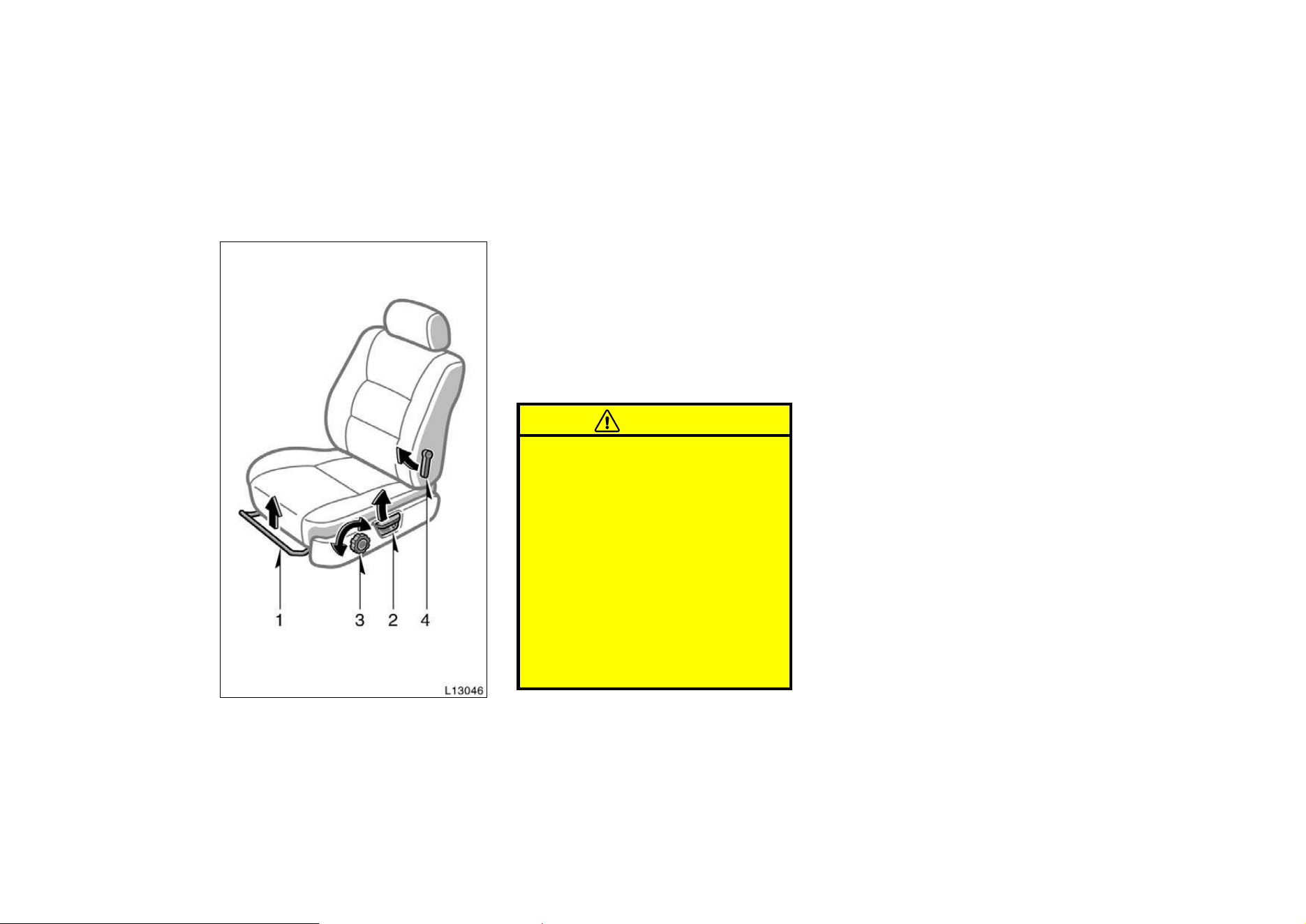
1. SEAT POSITION ADJUSTING LEVER
Pull the lever up. Then slide the seat
to the desired position with slight body
pressure and release the lever.
2. SEATBACK ANGLE ADJUSTING
LEVER
Lean forward and pull the lever up.
Then lean back to the desired angle
and release the lever.
CAUTION
To reduce the risk of sliding under
the lap belt during a collision, avoid
reclining the seatback any more than
needed. The seat belts provide maxi-
mum protection in a frontal or rear
collision when the driver and the pas-
senger are sitting up straight and
well back in the seats. If you are
reclined, the lap belt may slide past
your hips and apply restraint forces
directly to the abdomen. Therefore, in
the event of a frontal collision, the
risk of personal injury may increase
with increasing recline of the seat-
back.
3. SEAT CUSHION HEIGHT ADJUSTING
KNOB
Turn the knob either way.
4. SEAT LUMBAR SUPPORT ADJUST-
ING LEVER
Pull the lever upward or downward.
—Adjusting front seats
(manual seat)
31
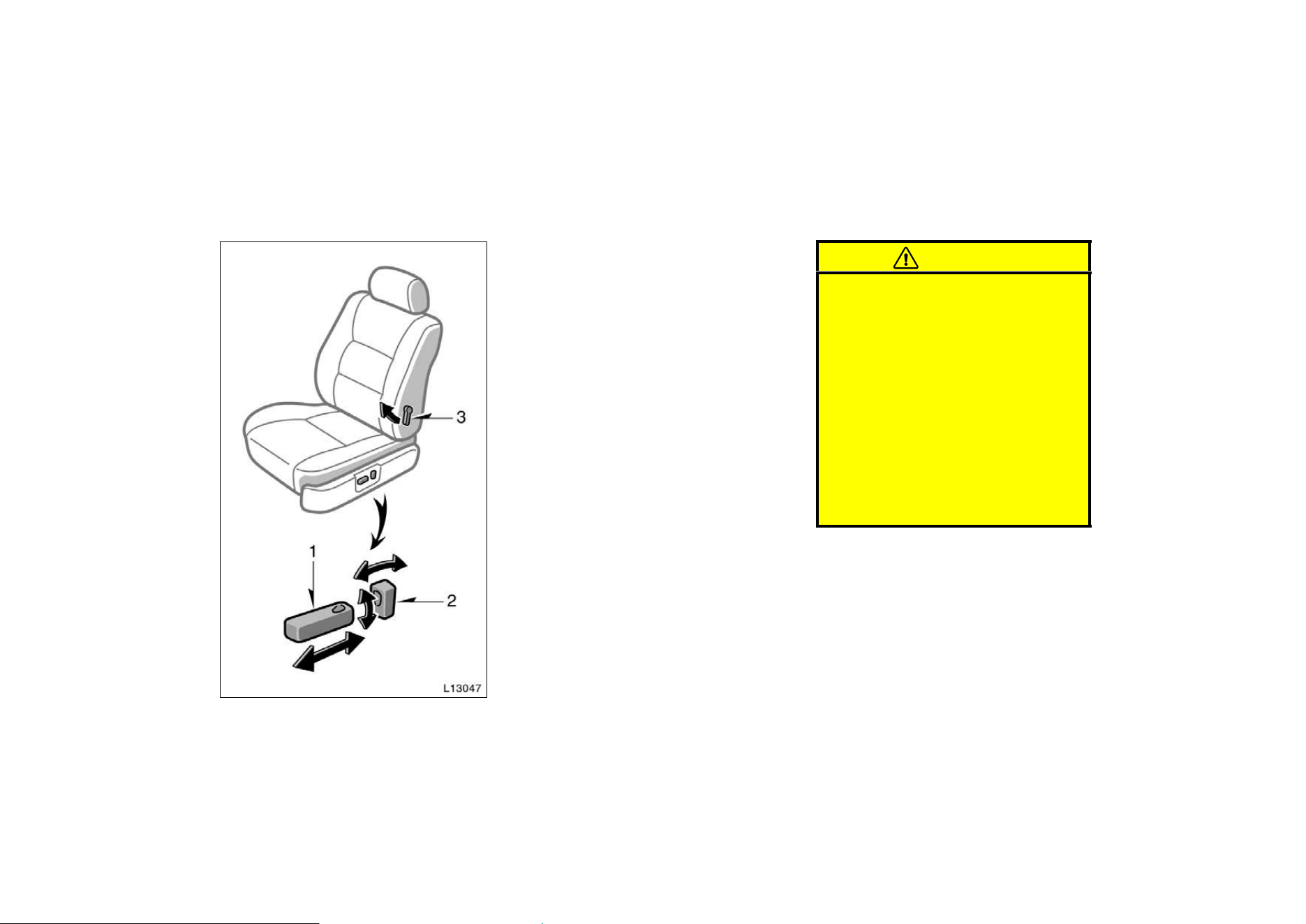
1. SEAT POSITION AND SEAT CUSHION
HEIGHT ADJUSTING SWITCH
Move the control switch in the desired
direction.
Releasing the switch will stop the seat at
that position.
Do not place anything under the front
seats. It might interfere with the seat−lock
mechanism.
2. SEATBACK ANGLE ADJUSTING
SWITCH
Move the control switch in the desired
direction.
Releasing the switch will stop the seat-
back at that position.
CAUTION
To reduce the risk of sliding under
the lap belt during a collision, avoid
reclining the seatback any more than
needed. The seat belts provide maxi-
mum protection in a frontal or rear
collision when the driver and the pas-
senger are sitting up straight and
well back in the seats. If you are
reclined, the lap belt may slide past
your hips and apply restraint forces
directly to the abdomen. Therefore, in
the event of a formal collision, the
risk of personal injury may increase
with increasing recline of the seat-
back.
3. SEAT LUMBAR SUPPORT ADJUST-
ING LEVER
Pull the lever upward or downward
—Adjusting front seats
(power seat)
32
Fold−down rear seat
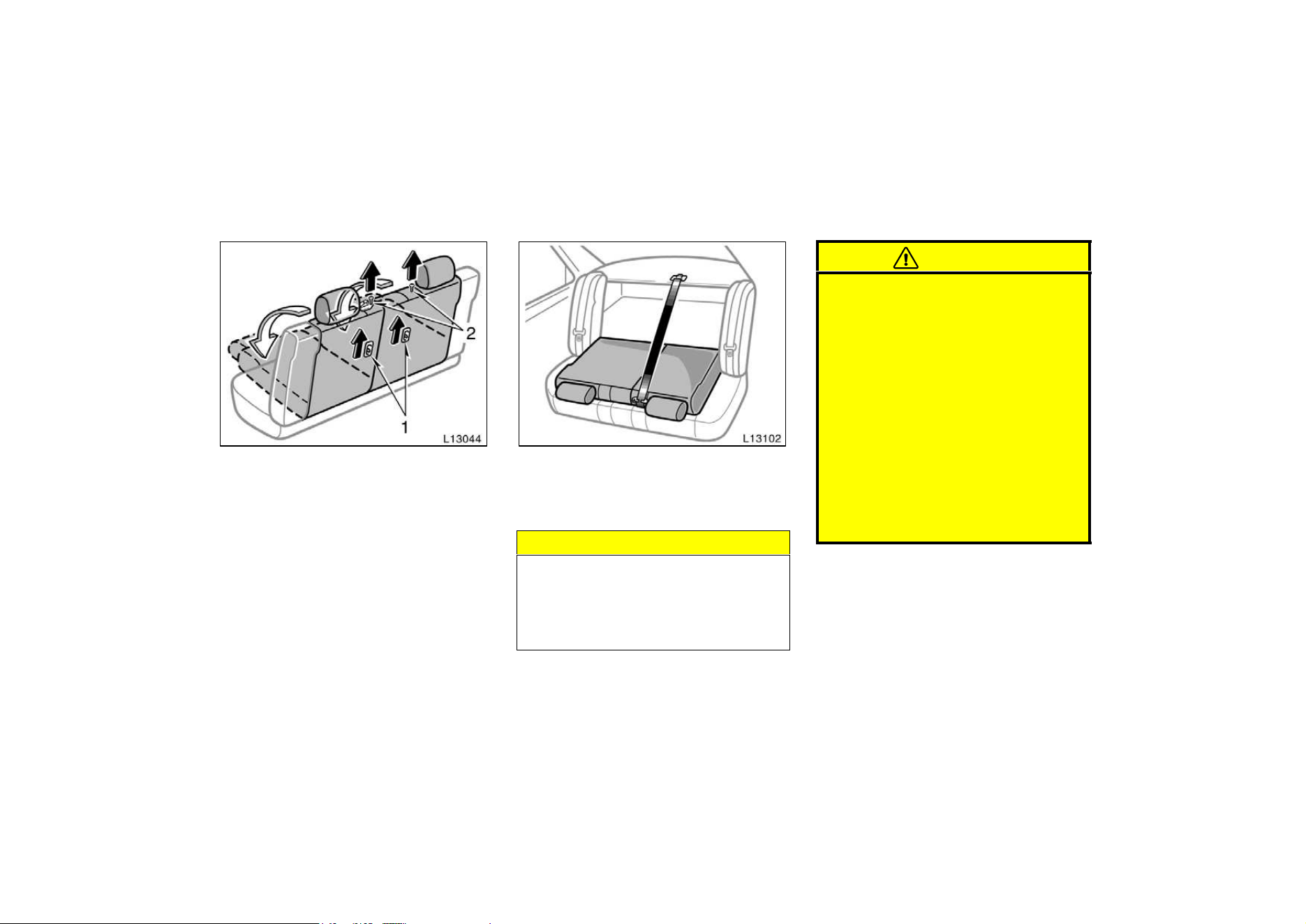
1. Pull up the seatback security lock
lever 1 to the unlock position.
2. Pull up the lock release button 2.
3. Fold down the seatback.
Each seatback may be folded separately.
On vehicles with built−in child restraint,
only the left seatback can be folded down.
This will enlarge the trunk room as far as
the seatbacks. See ”Luggage stowage pre-
cautions” in Part 2 for precautions to ob-
serve in loading luggage.
NOTICE
Make sure the luggage loaded in the
enlarged trunk room will not damage
the webbing of the rear center seat
belt when the left seatback is folded
down.
CAUTION
When returning the seatback to the
upright position:
D Make sure the seat belts are not
twisted or caught in the seatback
and are arranged in the proper
position for ready to use.
D Make sure the rear center seat belt
can be pulled out of the retractor.
If it cannot, firmly pull the belt and
release it. You will then be able to
smoothly pull the belt out of the
retractor.
D Make sure the seatback is securely
locked by pushing forward and rear-
ward on the top of the seatback.
33
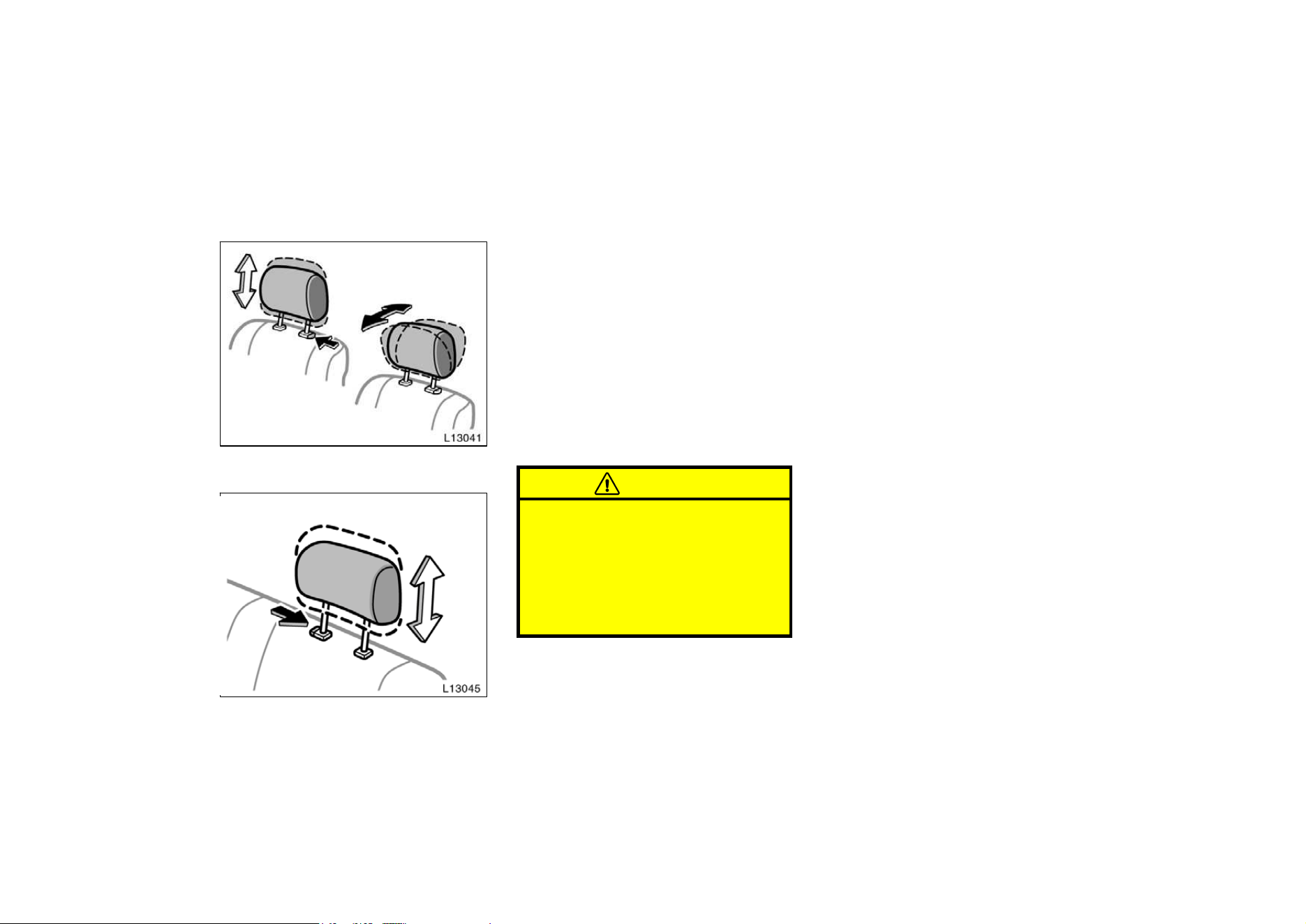
Head restraints
Front
Rear
For your safety, adjust the head re-
straint before driving.
To raise: Pull it up.
To lower: Push it down while pressing the
lock release button.
On some models, you can also move the
head restraint forward or backward. If
such adjustment is desired, pull or push
the head restraint.
The head restraint is most effective when
it is close to your head. Therefore, using
a cushion on the seatback is not recom-
mended.
CAUTION
D Adjust the center of the head re-
straint so that it is closest to the
top of your ears.
D After adjusting the head restraint,
make sure it is locked in position.
D Do not drive with the head re-
straints removed.
Toyota strongly urges that the driver and
passengers in the vehicle be properly re-
strained at all times with the seat belts
provided. Failure to do so could increase
the chance of injury and/or the severity of
injury in accidents.
Child. Use a child restraint system ap-
propriate for the child until the child be-
comes large enough to properly wear the
vehicle’s seat belts. See ”Child restraint”
for details.
If a child is too large for a child restraint
system, the child should sit in the rear
seat and must be restrained using the
vehicle’s seat belt. According to accident
statistics, the child is safer when properly
restrained in the rear seat than in the
front seat.
If a child must sit in the front seat, the
seat belts should be worn properly. If an
accident occurs and the seat belts are not
worn properly, the force of the rapid infla-
tion of the airbag may cause death or
serious injury to the child.
Seat belts—
—Seat belt precautions
34
Do not allow the child to stand up or
kneel on either rear or front seats. An
unrestrained child could suffer serious in-
jury or death during emergency braking or
a collision. Also, do not let the child sit
on your lap. It does not provide sufficient
restraint.
If the shoulder belt falls across the child’s
neck or face, have the child sit slightly
closer to the buckle side of the seat so
that the belt lays across the shoulder.
Pregnant woman. Toyota recommends the
use of a seat belt. Ask your doctor for
specific recommendations. The lap belt
should be worn securely and as low as
possible over the hips and not on the
waist.
Injured person. Toyota recommends the
use of a seat belt. Depending on the inju-
ry, first check with your doctor for specific
recommendations.
CAUTION
Persons should ride in their seats
properly wearing their seat belts
whenever the vehicle is moving.
Otherwise, they are much more likely
to suffer serious bodily injury or
death in the event of sudden braking
or a collision.
When using the seat belts, observe
the following:
D Use the belt for only one person at
a time. Do not use a single belt for
two or more people—even children.
D Avoid reclining the seatbacks too
much. The seat belts provide maxi-
mum protection when the seatbacks
are in the upright position. (Refer
to the seat adjustment instructions.)
D Be careful not to damage the belt
webbing or hardware. Take care that
they do not get caught or pinched
in the seat or doors.
D Inspect the belt system periodically.
Check for cuts, fraying, and loose
parts. Damaged parts should be re-
placed. Do not disassemble or
modify the system.
D Keep the belts clean and dry. If
they need cleaning, use a mild soap
solution or lukewarm water. Never
use bleach, dye, or abrasive clean-
ers—they may severely weaken the
belts.
D Replace the belt assembly (includ-
ing bolts) if it has been used in a
severe impact. The entire assembly
should be replaced even if damage
is not obvious.
35
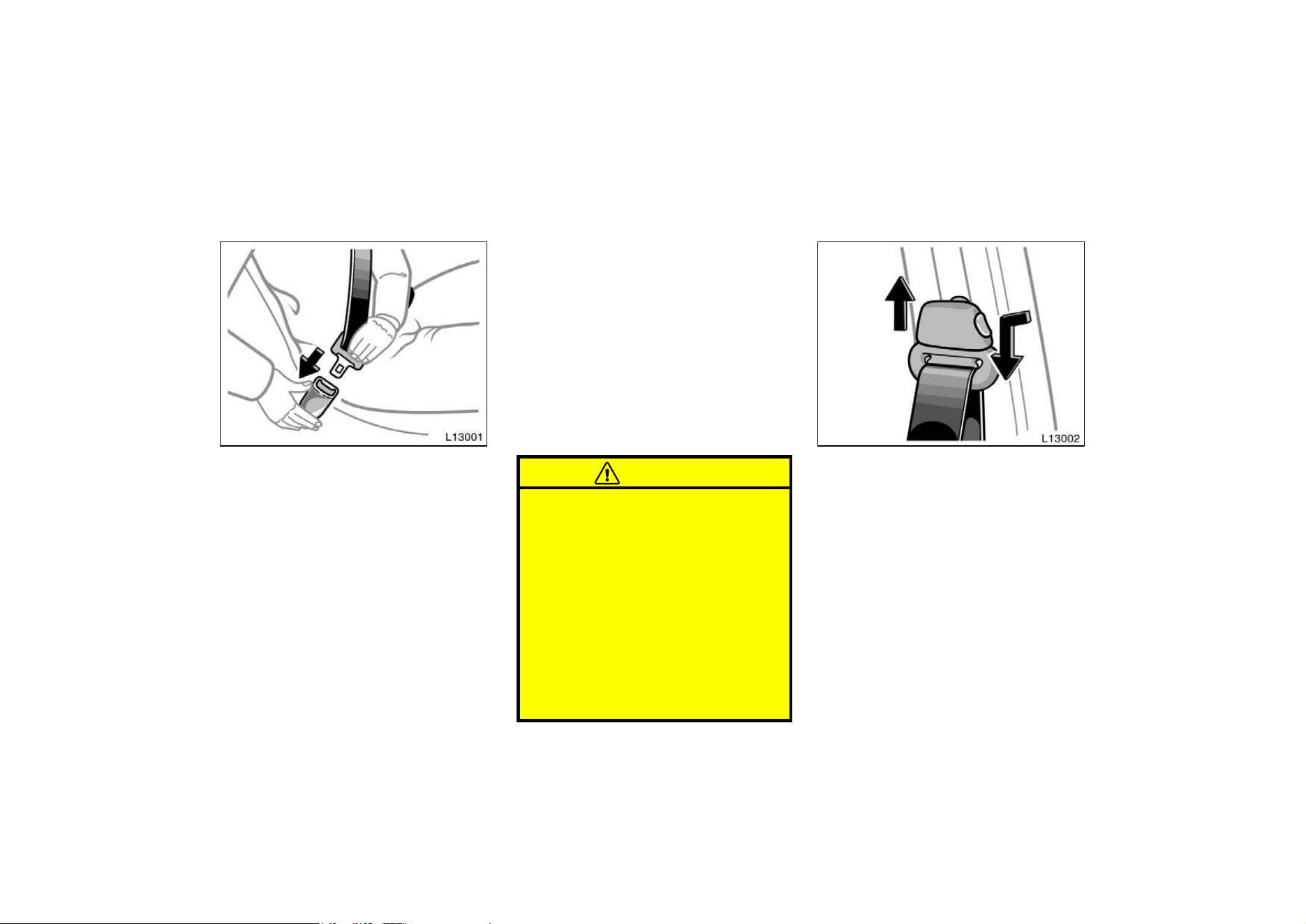
Adjust the seat as needed (front seats
only) and sit up straight and well back
in the seat. To fasten your belt, pull it
out of the retractor and insert the tab
into the buckle.
You will hear a click when the tab locks
into the buckle.
The seat belt length automatically adjusts
to your size and the seat position.
The retractor will lock the belt during a
sudden stop or on impact. It also may
lock if you lean forward too quickly. A
slow, easy motion will allow the belt to
extend, and you can move around freely.
If the seat belt cannot be pulled out of the
retractor, firmly pull the belt and release
it. You will then be able to smoothly pull
the belt out of the retractor.
When a passenger’s shoulder belt is com-
pletely extended and is then retracted
even slightly, the belt is locked in that
position and cannot be extended. This fea-
ture is used to hold the child restraint
system securely. (For details, see ”Child
restraint” in this chapter.) To free the belt
again, fully retract the belt and then pull
the belt out once more.
CAUTION
D After inserting the tab, make sure
the tab and buckle are locked and
that the belt is not twisted.
D Do not insert coins, clips, etc. in
the buckle as this may prevent you
from properly latching the tab and
buckle.
D If the seat belt does not function
normally, immediately contact your
Toyota dealer. Do not use the seat
until the seat belt is fixed. It cannot
protect an adult occupant or your
child from injury.
Seat belts with an adjustable shoulder
anchor—
Adjust the shoulder anchor position to
your size.
To raise: Slide the anchor up.
To lower: Push in the lock release button
and slide the anchor down.
After adjustment make sure the anchor is
locked in position.
—Front and rear seat belts
36
CAUTION
Always make sure the shoulder belt
is positioned across the center of
your shoulder. The belt should be
kept away from your neck, but not
falling off your shoulder. Failure to
do so could reduce the amount of
protection in an accident and cause
serious injures in a collision.
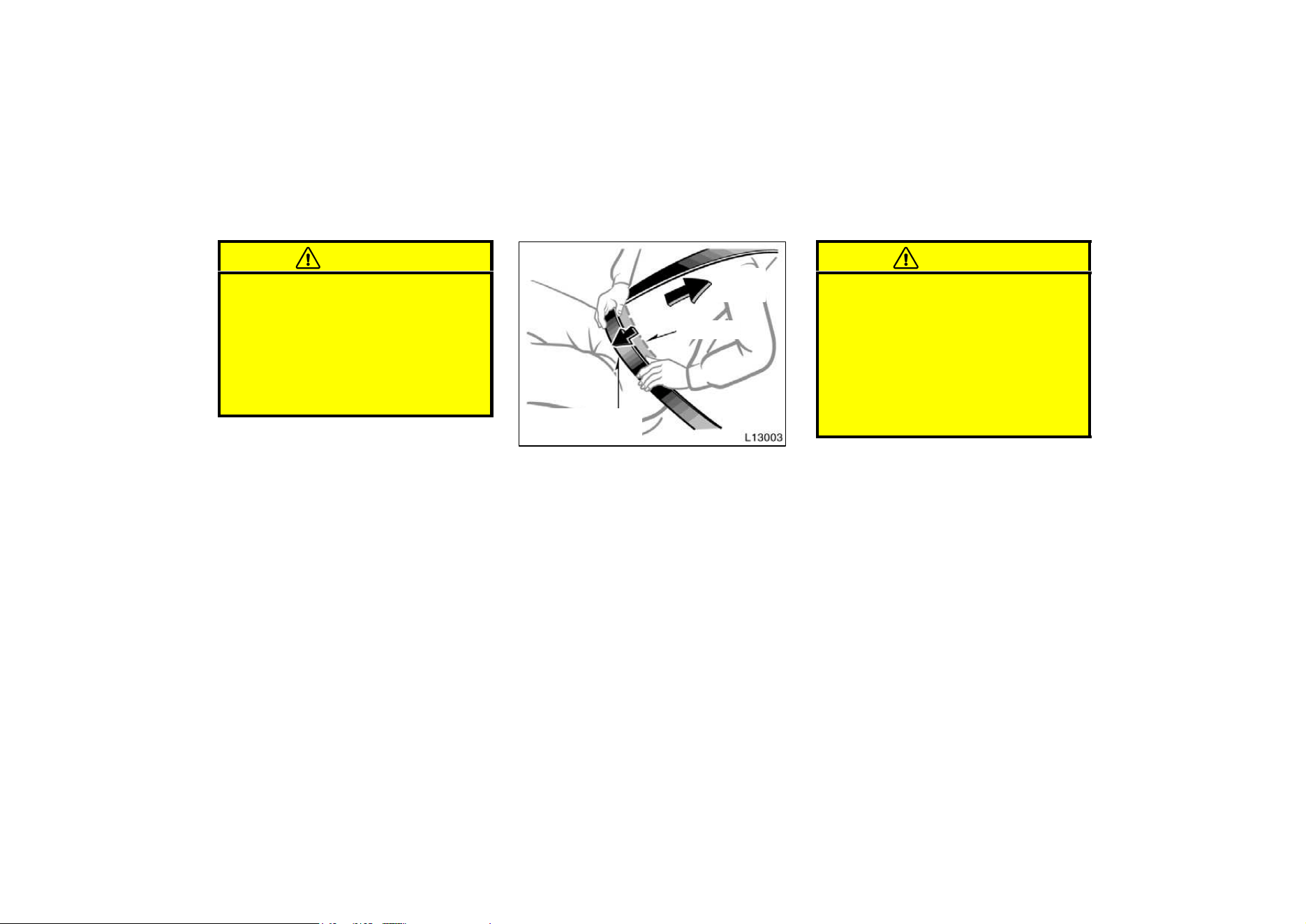
Take up
slack
Too high
Keep as low on
hips as possible
Adjust the position of the lap and
shoulder belts.
Position the lap belt as low as possible
on your hips—not on your waist, then ad-
just it to a snug fit by pulling the shoulder
portion upward through the latch plate.
CAUTION
D High−positioned lap belts and
loose−fitting belts both could cause
serious injuries due to sliding un-
der the lap belt during a collision
or other unintended result. Keep
the lap belt positioned as low on
hips as possible.
D For your safety, do not place the
shoulder belt under your arm.
37
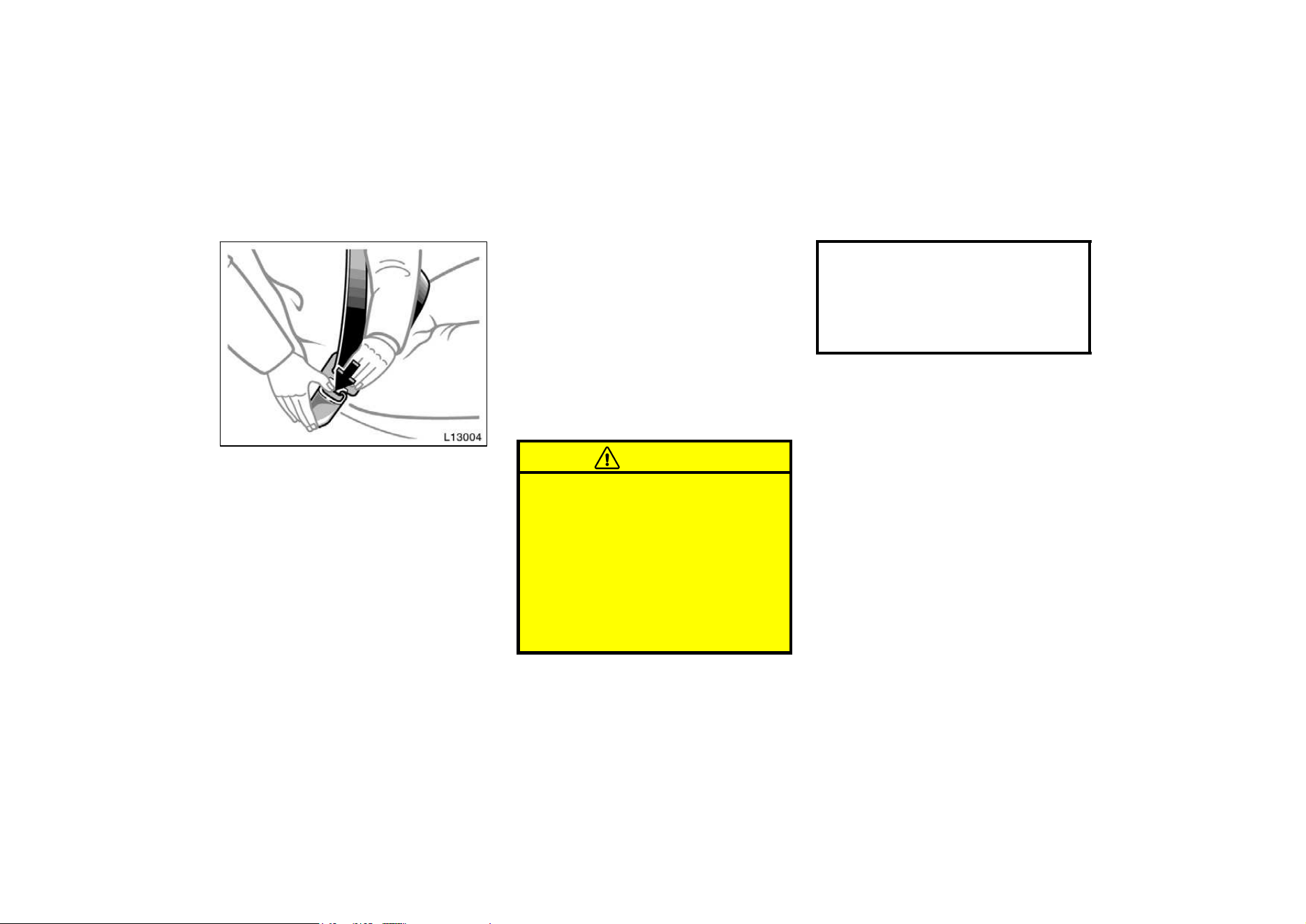
To release the belt, press the buckle−re-
lease button and allow the belt to re-
tract.
If the belt does not retract smoothly, pull
it out and check for kinks or twists. Then
make sure it remains untwisted as it re-
tracts.
—Seat belt extender
If your seat belt cannot be fastened se-
curely because it is not long enough, a
personalized seat belt extender is avail-
able from your Toyota dealer free of
charge.
Please contact your local Toyota dealer so
that the dealer can order the proper re-
quired length for the extender. Bring the
heaviest coat you expect to wear for prop-
er measurement and selection of length.
Additional ordering information is available
at your Toyota dealer.
CAUTION
When using the seat belt extender,
observe the following. Failure to fol-
low these instructions could result in
less effectiveness of the seat belt re-
straint system in case of vehicle acci-
dent, increasing the chance of per-
sonal injury.
D Never use the seat belt extender if
you can fasten the seat belt without
it.
D Remember that the extender pro-
vided for you may not be safe when
used on a different vehicle, or for
another person or at a different
seating position than the one origi-
nally intended for.
38
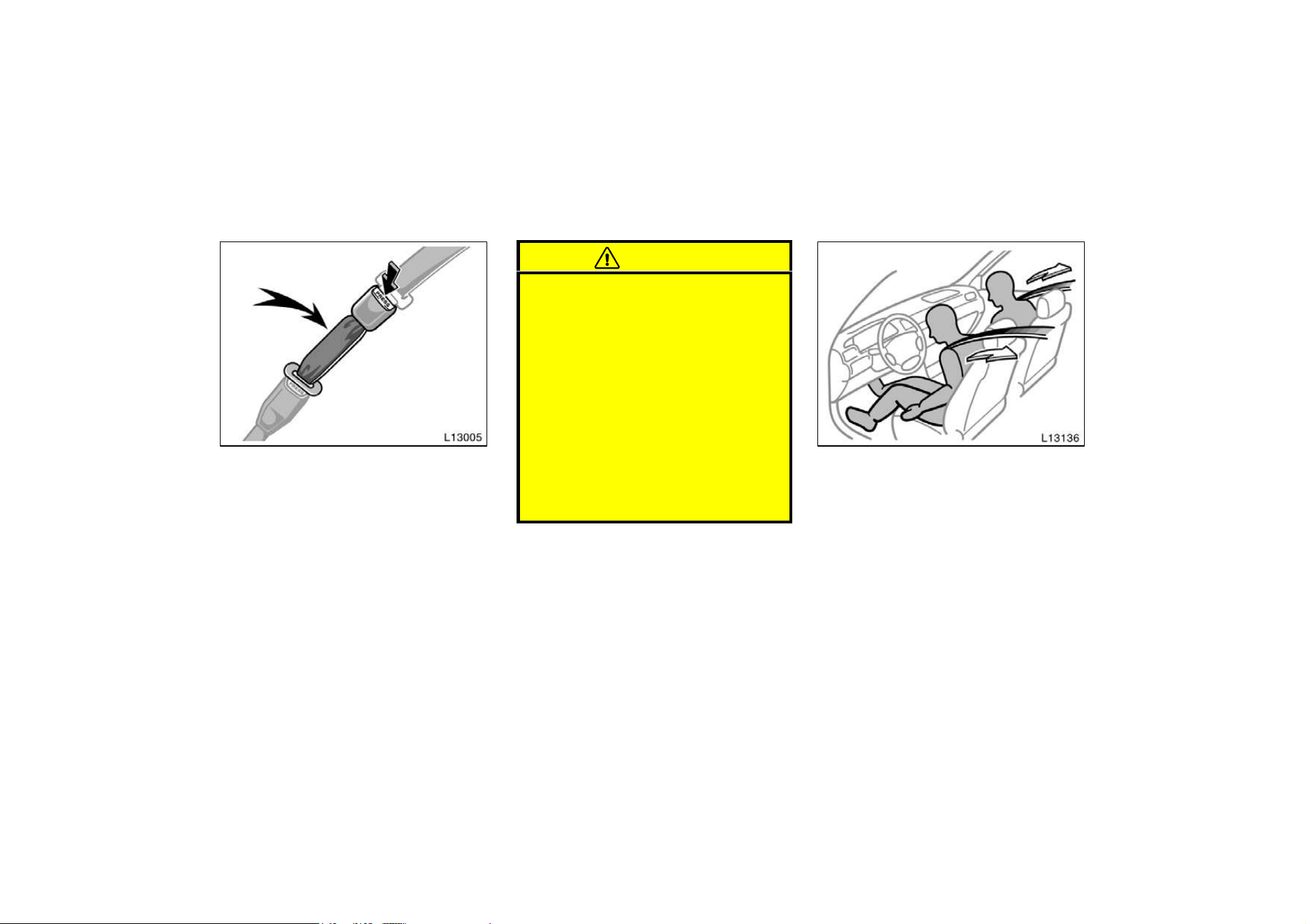
To connect the extender to the seat
belt, insert the tab into the seat belt
buckle so that the ”PRESS” signs on
the buckle−release buttons of the ex-
tender and the seat belt are both facing
outward as shown.
You will hear a click when the tab locks
into the buckle.
When releasing the seat belt, press on
the buckle−release button on the extender,
not on the seat belt. This helps prevent
damage to the vehicle interior and extend-
er itself.
When not in use, remove the extender
and store in the vehicle for future use.
CAUTION
D After inserting the tab, make sure
the tab and buckle are locked and
that the seat belt extender is not
twisted.
D Do not insert coins, clips, etc. in
the buckle as this may prevent you
from properly latching the tab and
buckle.
D If the seat belt does not function
normally, immediately contact your
Toyota dealer. Do not use the seat
until the seat belt is fixed. It cannot
protect an adult occupant or your
child from injury.
—Front seat belt pretensioners
The driver and front passenger’s seat
belts are equipped with a pretensioner
which is designed to be activated to-
gether with the front airbags in re-
sponse to a severe frontal impact.
When the airbag sensor detects the shock
of a severe frontal impact, the front seat
belt is quickly drawn back in by the re-
tractor so that the belt snugly restrains
the front seat occupants.
The seat belt pretensioners are activated
even with no passenger in the front seat.
39
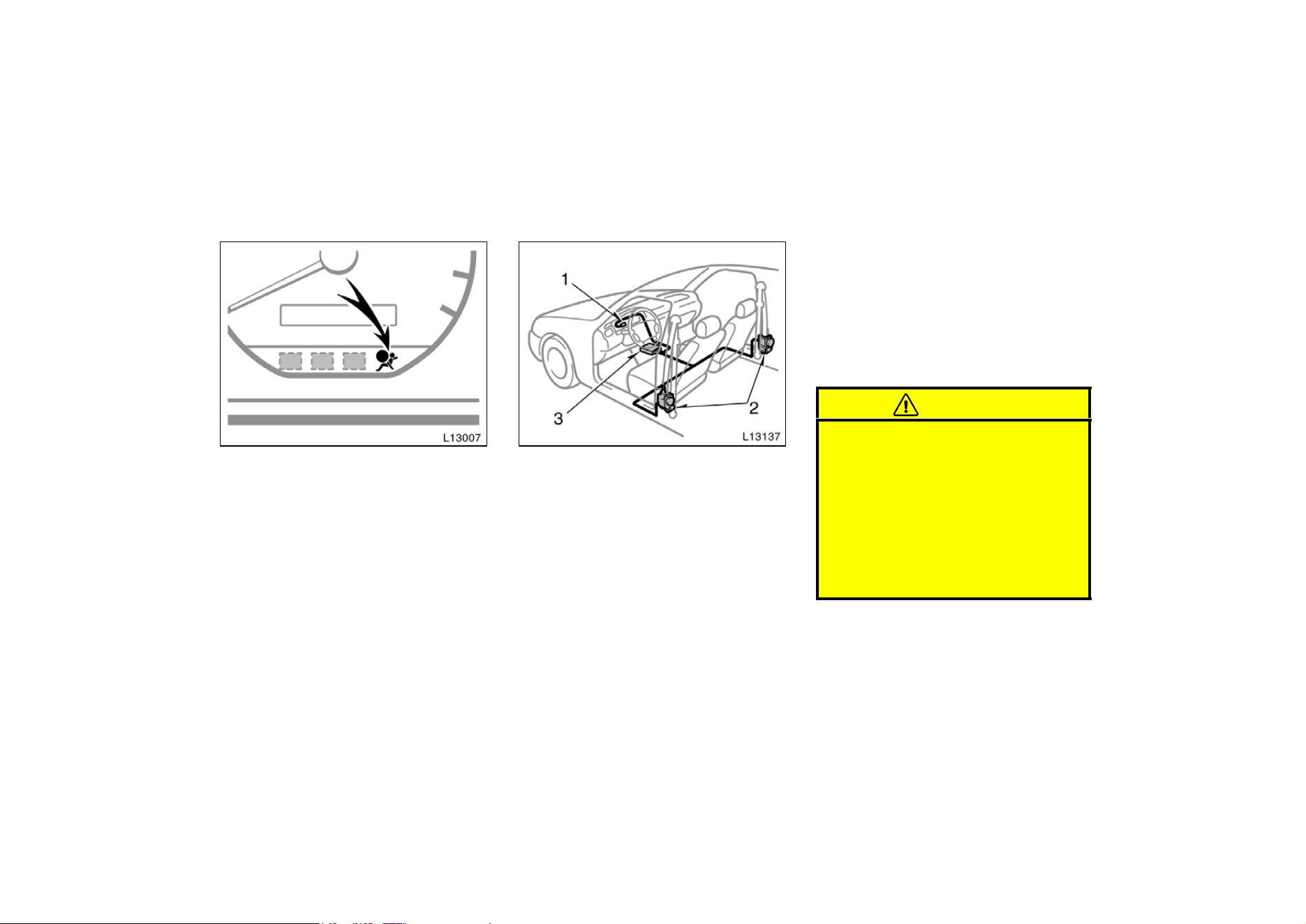
This indicator comes on when the igni-
tion key is turned to the “ACC” or
“ON” position. It goes off after about
6 seconds. This means the front seat
belt pretensioners are operating proper-
ly.
This warning light system monitors airbag
sensor assembly, seat belt pretensioner
assembly, warning light, interconnecting
wiring and power sources. (For details,
see “Service reminder indicators and
warning buzzers” in chapter 1−5.)
The seat belt pretensioner system mainly
consists of the following components and
their locations are shown in the illustra-
tion.
1. SRS airbag warning light
2. Seat belt pretensioner assembly
3. Airbag sensor assembly
The seat belt pretensioner is controlled by
the airbag sensor assembly. The airbag
sensor assembly consists of a safing sen-
sor and airbag sensor.
When a seat belt pretensioner is acti-
vated, an operating noise may be heard
and a small amount of smoke−like gas
may be released. This gas is harmless
and does not indicate that a fire is occur-
ring.
Once the seat belt pretensioner has been
activated, the seat belt retractor remains
locked.
CAUTION
Do not modify, remove, strike or open
the front seat belt pretensioner as-
semblies, airbag sensor or surround-
ing area or wiring. Doing any of
these may cause sudden operation of
the front seat belt pretensioners or
disable the system, which could re-
sult in serious injury.
Failure to follow these instructions
can result in serious injuries.
40
NOTICE
Do not perform any of the following
changes without consulting your
Toyota dealer. Such changes can
interfere with proper operation of the
seat belt pretensioners in some
cases.
z Installation of electronic items such
as a mobile two−way radio, cassette
tape player or compact disc player
z Repairs on or near the front seat
belt retractor assemblies
z Modification of the suspension sys-
tem
z Modification of the front end struc-
ture
z Attachment of a grille guard (bull
bar, kangaroo bar, etc.), snowplow,
winches or any other equipment to
the front end
This front seat belt pretensioner system
has a service reminder indicator to inform
the driver of operating problems. If either
of the following conditions occurs, this
indicates a malfunction of the airbags or
pretensioners. Contact your Toyota dealer
as soon as possible to service the
vehicle.
D The light does not come on when the
ignition key is turned to the “ACC” or
“ON” position, or remains on.
D The light comes on or flashes while
driving.
D If either front seat belt does not retract
or can not be pulled out due to a
malfunction or activation of the preten-
sioner.
D The front seat belt pretensioner assem-
bly or surrounding area has been dam-
aged.
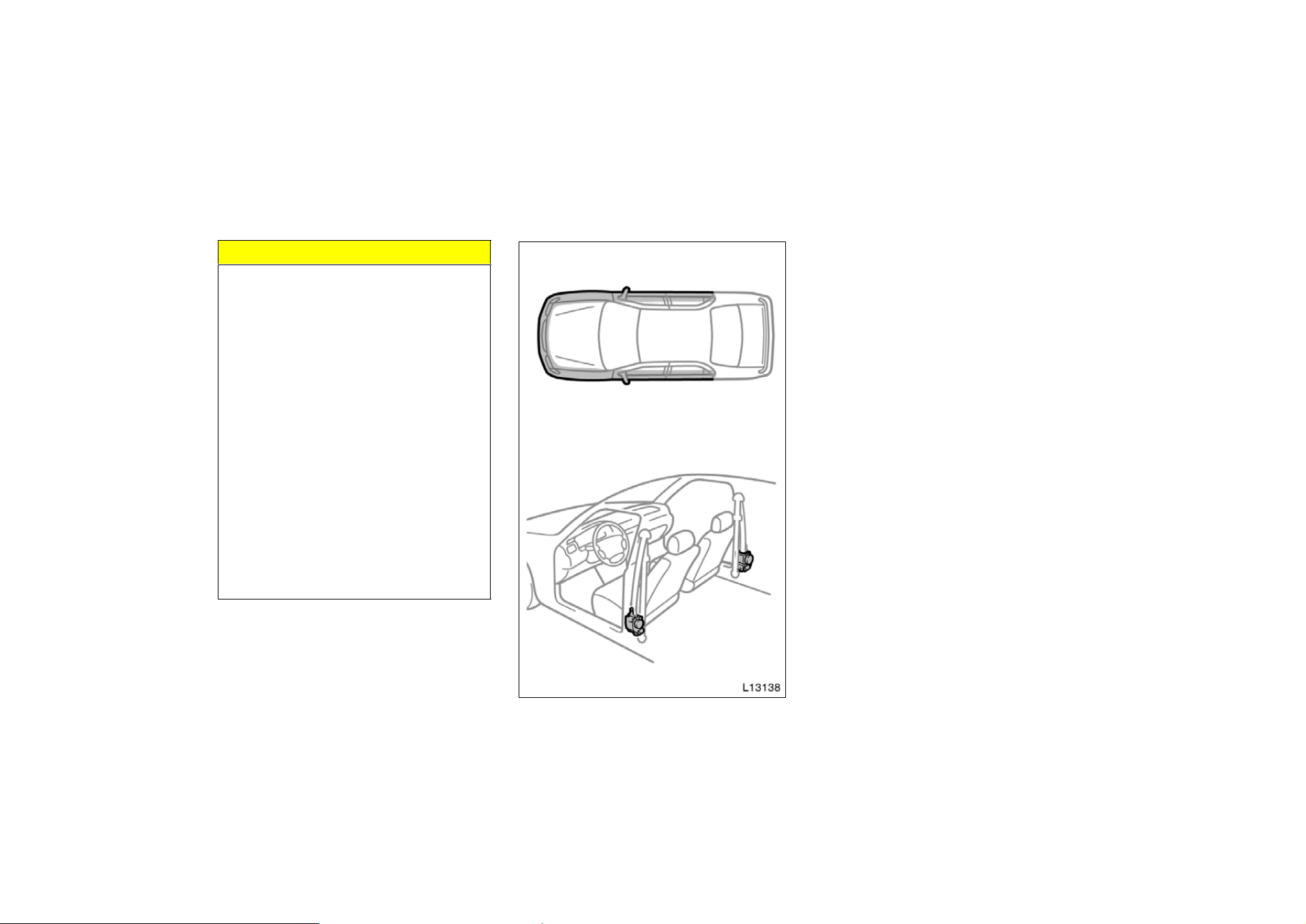
D The front and side parts of the vehicle
(shaded in the illustration) were in-
volved in an accident that did not
cause the seat belt pretensioners to
operate.
D The front seat belt pretensioner assem-
bly is scratched, cracked, or otherwise
damaged.
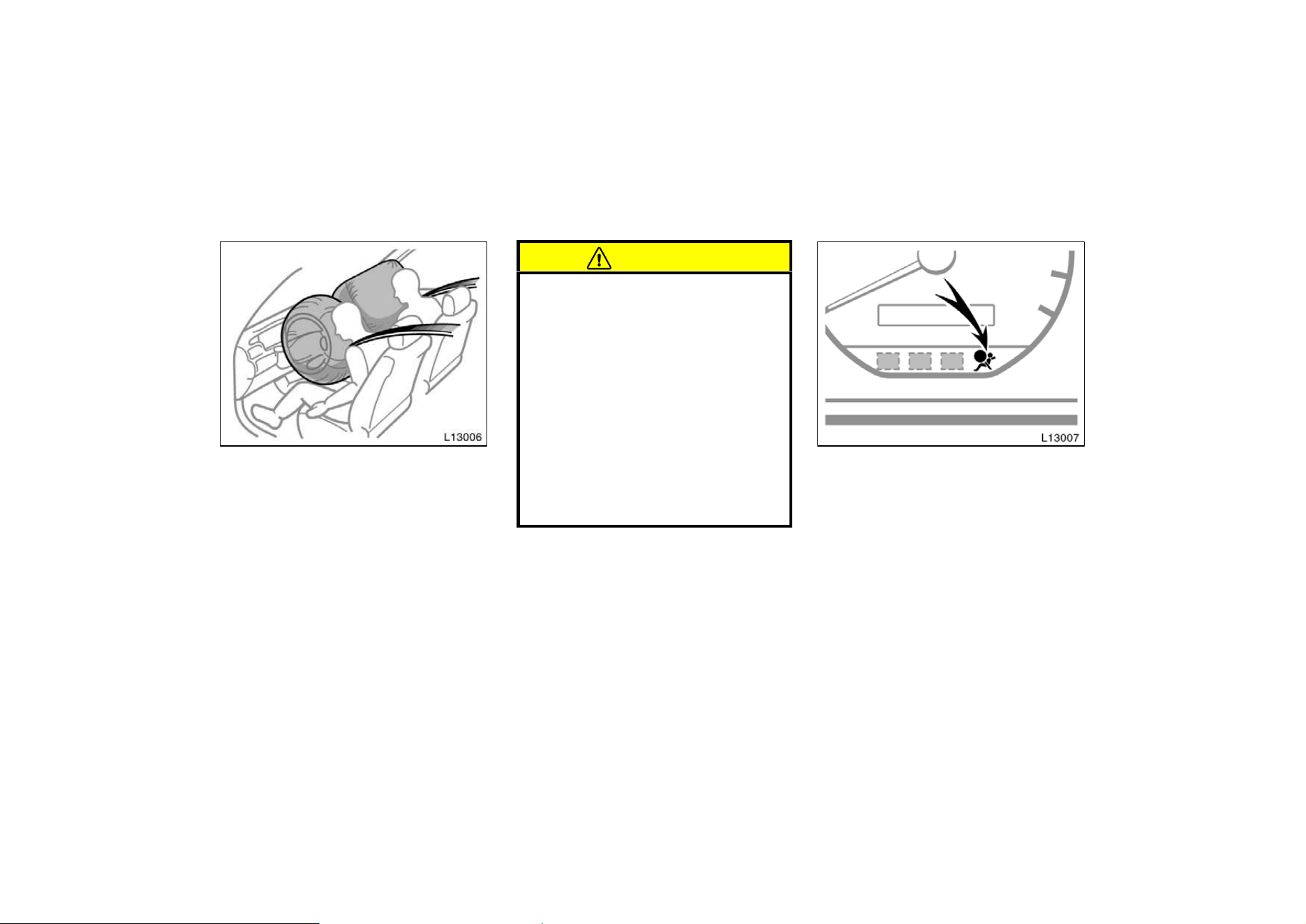
41
The SRS (Supplemental Restraint Sys-
tem) airbags are designed to provide
further protection for the driver and
front passenger when added to the pri-
mary protection provided by the seat
belts.
In response to a severe frontal impact,
the SRS airbags work together with the
seat belts to help prevent or reduce injury
by inflating, in order to decrease the likeli-
hood of the driver’s or front passenger’s
head or chest directly hitting the steering
wheel or dashboard. The passenger airbag
is activated even with no passenger in the
front seat.
Be sure to wear your seat belt.
CAUTION
A driver or front passenger too close
to the steering wheel or dashboard
during airbag deployment can be
killed or seriously injured. Toyota
strongly recommends that:
D The driver sit as far back as pos-
sible from the steering wheel while
still maintaining control of the ve-
hicle.
D The front passenger sit as far back
as possible from the dashboard.
D All vehicle occupants be properly
restrained using the available seat
belts.
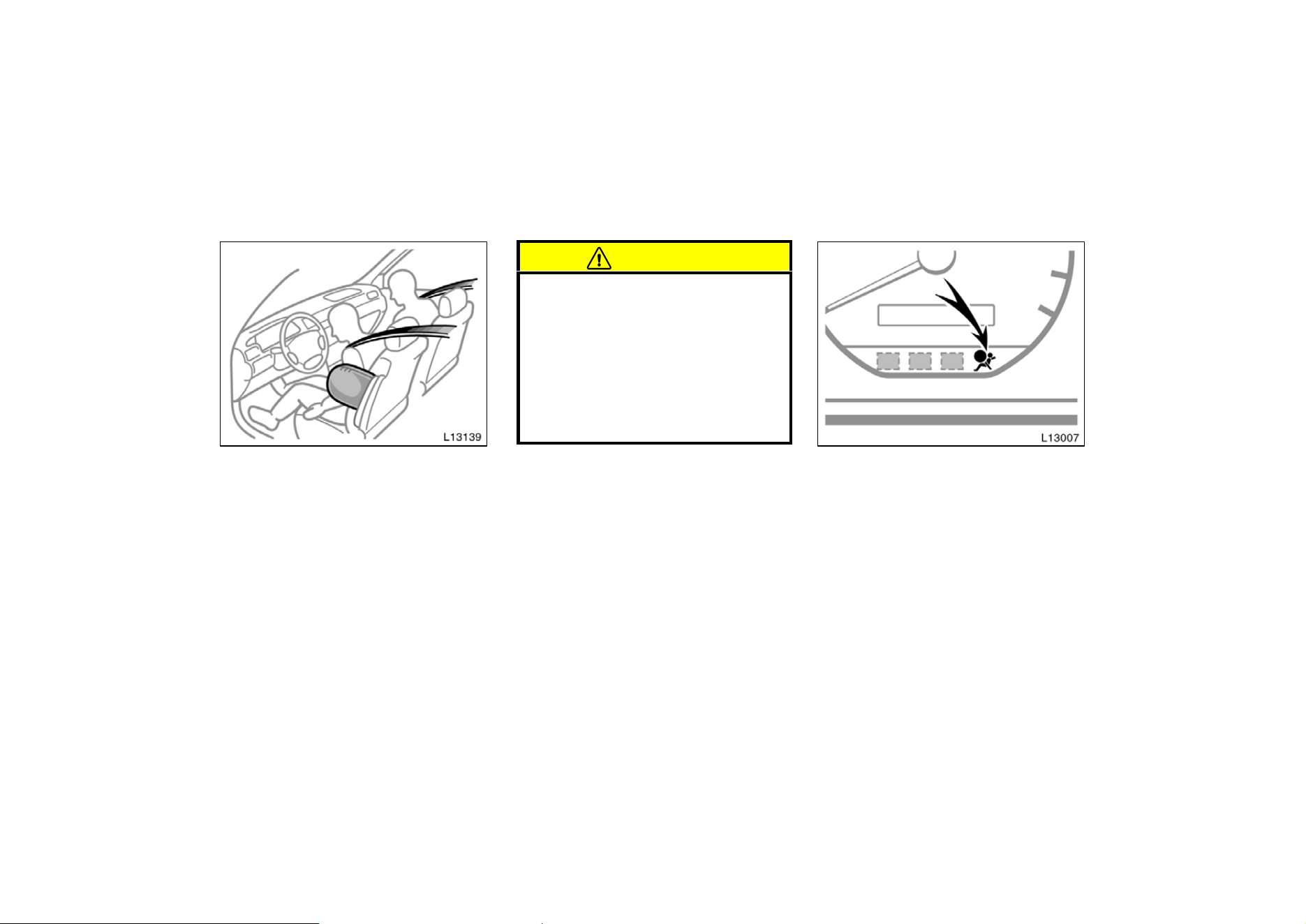
This indicator comes on when the igni-
tion key is turned to the ”ACC” or
”ON” position. It goes off after about
6 seconds. This means the SRS airbags
are operating properly.
The SRS airbag warning light system
monitors the airbag sensor assembly, in-
flators, warning light, interconnecting wir-
ing and power sources. (For details, see
“Service reminder indicators and warning
buzzers” in Chapter 1−5.)
SRS driver and front
passenger airbags
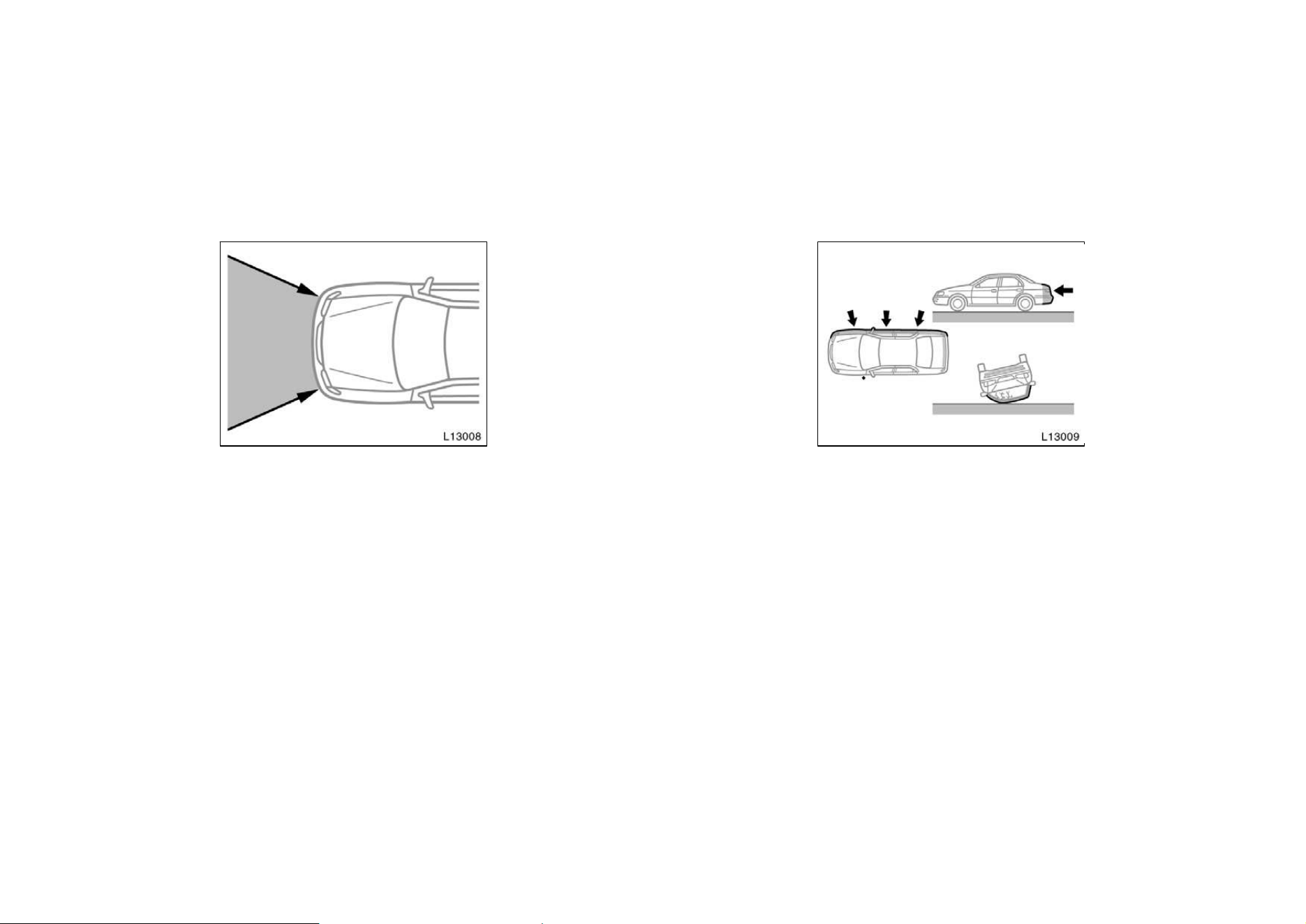
42
The SRS airbag system is designed to
activate in response to a severe frontal
impact within the shaded area between
the arrows in the illustration.
There may be the case that the SRS air-
bag will not activate with such an impact
in which the occupant wearing the seat
belt correctly would not get serious injury.
The SRS airbags will deploy if the severi-
ty of the impact is above the designed
threshold level, comparable to an approxi-
mate 20 km/h (14 mph) collision when
impacting straight into a fixed barrier that
does not move or deform.
If the severity of the impact is below the
above threshold level, the SRS airbags
may not deploy.
However, this threshold velocity will be
considerably higher if the vehicle strikes
an object, such as a parked vehicle or
sign pole, which can move or deform on
impact, or if it is involved in an underride
collision (e.g. a collision in which the nose
of the vehicle ”underrides”, or goes under,
the bed of a truck).
It is possible with collision severity at the
marginal level of airbag sensor detection
and activation that only one of your ve-
hicle’s two airbags will deploy.
For the safety of all occupants, be sure
to always wear seat belts.
Collision from the side
Collision from rear
Vehicle roll−over
The SRS airbags are not designed to
inflate if the vehicle is subjected to a
side or rear impact, if it rolls over, or
if it is involved in a low−speed frontal
collision.
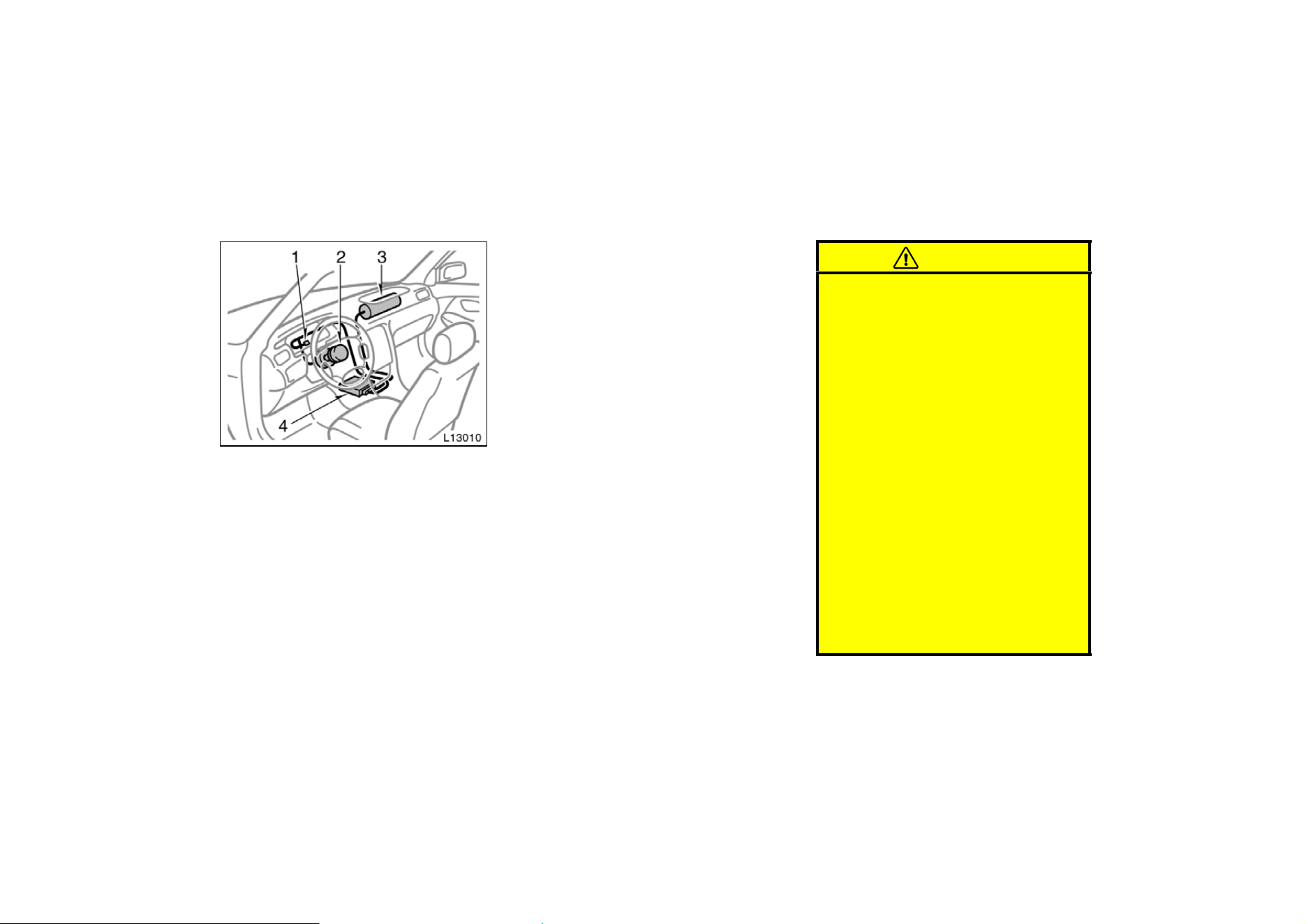
43
The SRS airbag system mainly consists of
the following components and their loca-
tions are shown in the illustration.
1. SRS airbag warning light
2. Airbag module for driver (airbag and
inflator)
3. Airbag module for passenger (airbag
and inflator)
4. Airbag sensor assembly
The airbag sensor assembly consists of a
safing sensor and airbag sensor.
In a severe frontal impact, sensors detect
deceleration and the system triggers the
airbag inflators. Then a chemical reaction
in the inflators momentarily fills the air-
bags with non−toxic gas to help restrain
the forward motion of the occupants.
When the airbags inflate, they produce a
fairly loud noise and release some smoke
along with the non−toxic gas. This does
not indicate a fire. Be sure to wash off
any residue as soon as possible to pre-
vent minor skin irritation.
Deployment of the airbags happen in a
fraction of a second, so the airbags must
inflate with considerable force. While the
system is designed to reduce serious inju-
ries, it may also cause minor burns or
abrasions and swellings.
Parts of the airbag module (steering wheel
hub, dashboard) may be hot for several
minutes, but the airbags themselves will
not be hot. The airbags are designed to
inflate only once.
A crash severe enough to inflate the air-
bags may break the windshield as the
vehicle buckles. In vehicles with a pas-
senger airbag the windshield may also be
damaged by absorbing some of the force
of the inflating airbag.
CAUTION
D The SRS airbag system is designed
only as a supplement to the prima-
ry protection of the driver side and
front passenger side seat belt sys-
tems. The front seat occupants can
be killed or seriously injured by an
inflating airbag if they do not wear
the available seat belts. During sud-
den braking just before a collision,
an unrestrained driver or front pas-
senger can move forward into direct
contact with or close proximity to
the airbag which may then deploy
during the collision. To obtain maxi-
mum protection in an accident, the
driver and all passengers in the ve-
hicle must wear their seat belts.
Wearing a seat belt during an acci-
dent reduces the chances of death
or serious injuries or being thrown
out of the vehicle. For instructions
and precautions concerning the seat
belt system, see “Seat belts” in this
chapter.
44
D Improperly seated and/or restrained
infants and children can be killed
or seriously injured by a deploying
airbag. An infant or child who is
too small to use a seat belt should
be properly secured using a child
restraint system. Toyota strongly
recommends that all infants and
children be placed in the rear seat
of the vehicle and properly re-
strained. The rear seat is the safest
for infants and children. For in-
structions concerning the installa-
tion of a child restraint system, see
“Child restraint” in this chapter.
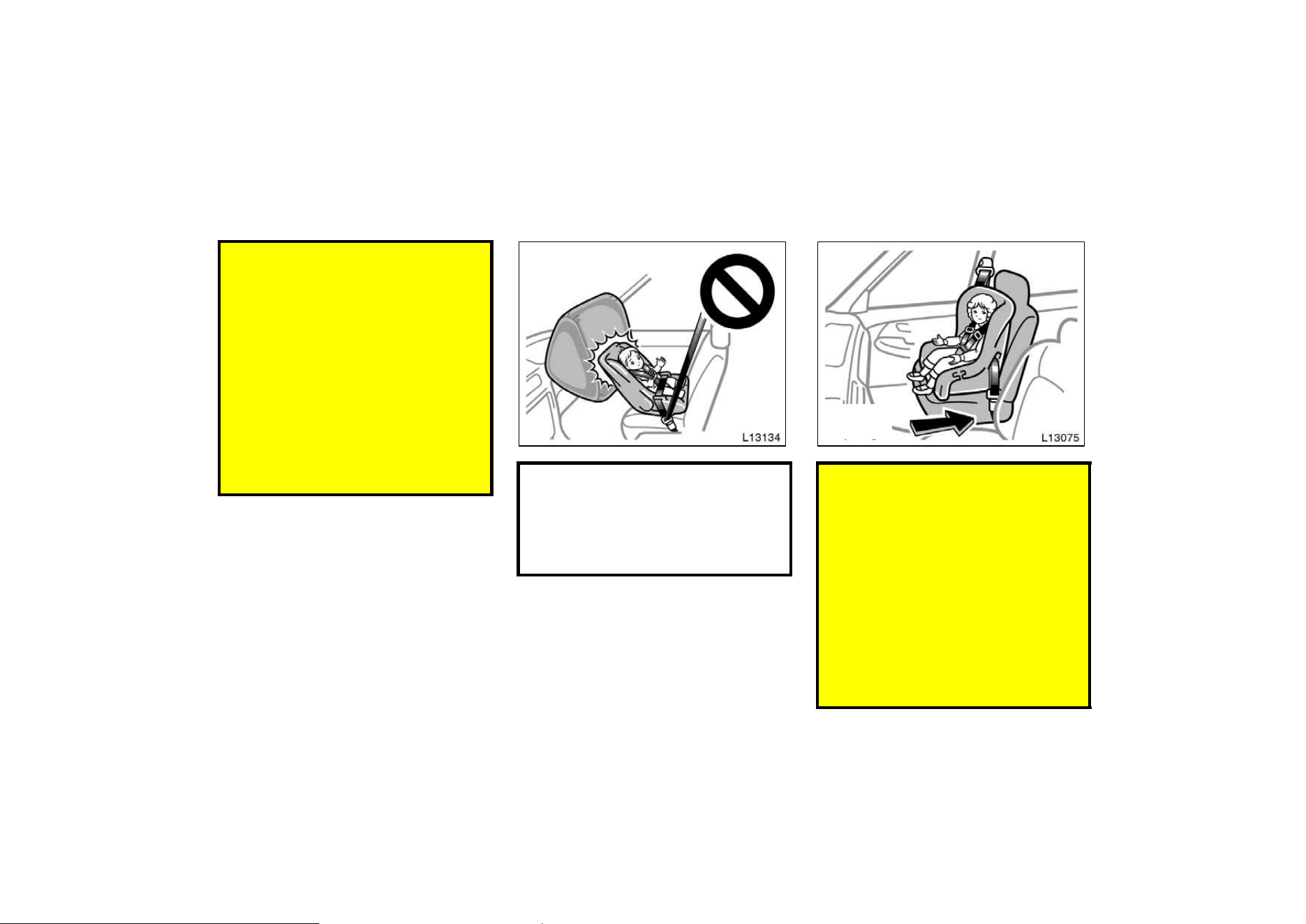
D Never put a rear−facing child re-
straint system on the front seat be-
cause the force of the rapid infla-
tion of the passenger airbag can
cause death or serious injury to the
child.
Move seat
fully back
D A forward−facing child restraint sys-
tem should be allowed to put on
the front seat only when it is un-
avoidable. Always move the seat as
far back as possible, because the
force of a deploying airbag could
cause death or serious injury to the
child. On vehicles with side airbags,
do not allow the child to lean
against the front door or around
the front door even if the child is
seated in the child restraint system.
It is dangerous if the side airbag
inflates, and the impact could cause
death or serious injury to the child.
45
D For instructions concerning the
installation of a child restraint sys-
tem, see “Child restraint” in this
chapter.
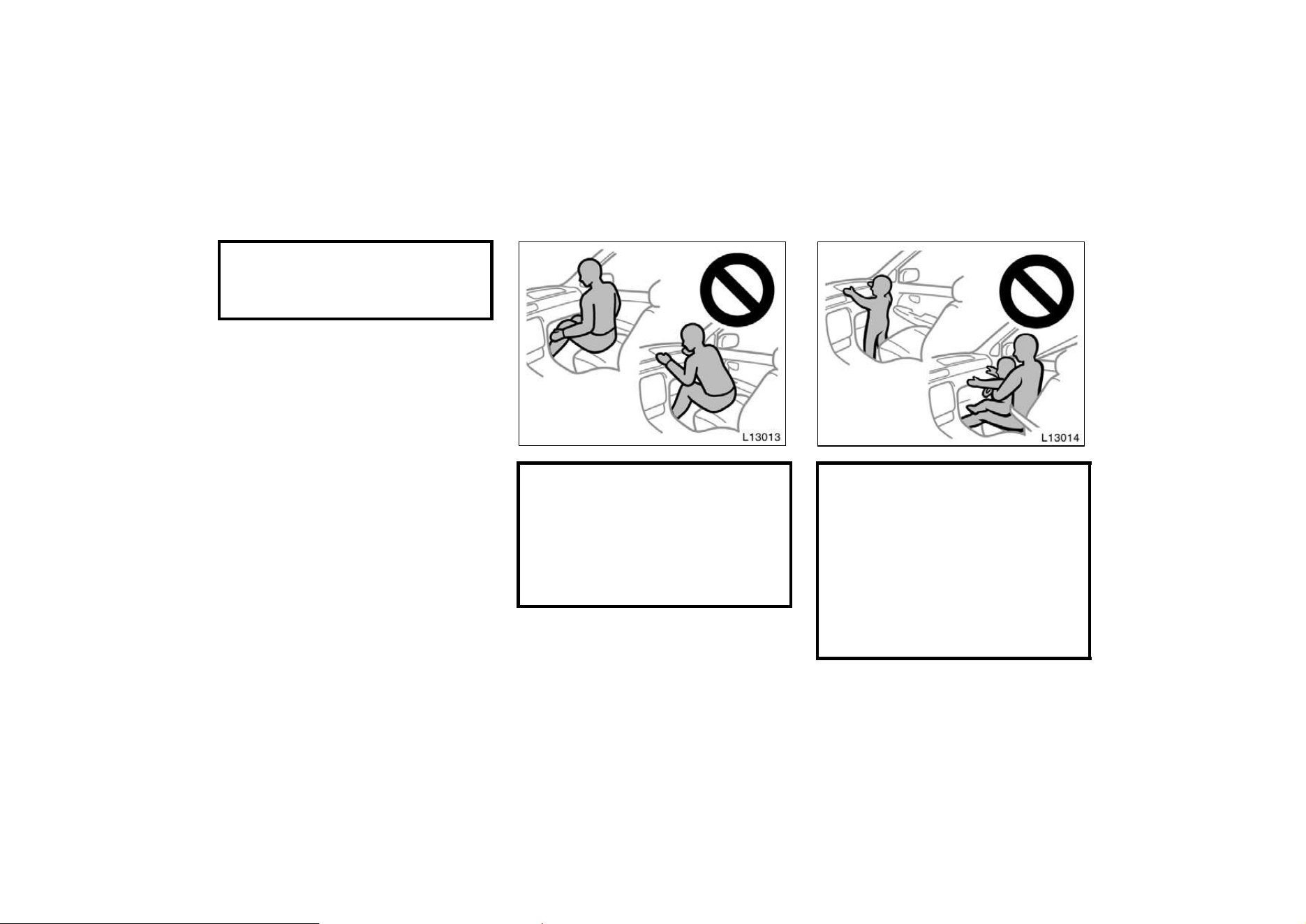
D Do not sit on the edge of the seat
or lean over the dashboard when
the vehicle is in use. The airbags
inflate with considerable speed and
force; you may be killed or serious-
ly injured. Sit up straight and well
back in the seat, and always use
your seat belt.
D Do not allow a child to stand up,
or to kneel on the front passenger
seat. The airbag inflates with con-
siderable speed and force; the child
may be killed or seriously injured.
D Do not hold a child on your lap or
in your arms. Use a child restraint
system in the rear seat. For instruc-
tions concerning the installation of
a child restraint system, see ”Child
restraint” in this chapter.
46
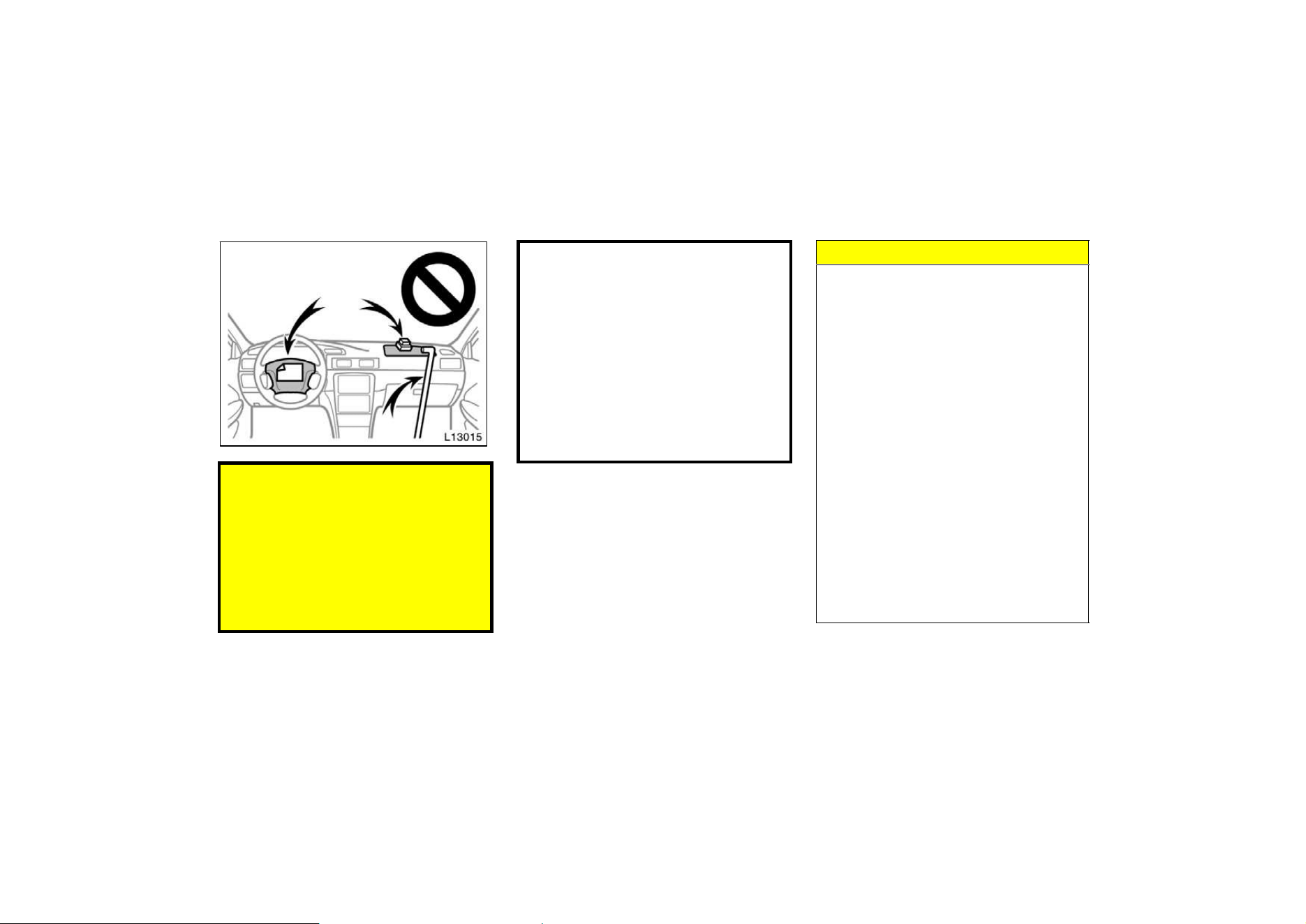
D Do not put objects or your pets on
or in front of the dashboard or
steering wheel pad that houses the
airbag system. They might restrict
inflation or cause death or serious
injury as they are projected rear-
ward by the force of deploying air-
bags. Likewise, the driver and front
passenger should not hold things in
their arms or on their knees.
D Do not modify or remove any wir-
ing. Do not modify, remove, strike
or open any components such as
the steering wheel column cover,
front passenger airbag cover, front
passenger airbag, airbag sensor as-
sembly. Doing any of these may
cause sudden SRS airbag inflation
or disable the system, which could
result in death or serious injury.
Failure to follow these instructions
can result in death or serious inju-
ries.
NOTICE
Do not perform any of the following
changes without consulting your
Toyota dealer. Such changes can
interfere with proper operation of the
SRS airbag system in some cases.
z Installation of electronic items such
as a mobile two−way radio, cassette
tape player or compact disc player
z Modification of the suspension sys-
tem
z Modification of the front end struc-
ture
z Attachment of a grille guard (bull
bar, kangaroo bar, etc.), snowplow,
winches or any other equipment to
the front end
z Repairs made on or near the front
end structure, console, steering col-
umn, steering wheel or dashboard
near the front passenger’s airbag
47
This SRS airbag system has a service
reminder indicator to inform the driver of
operating problems. If either of the
following conditions occurs, this indicates
a malfunction of the airbags. Contact your
Toyota dealer as soon as possible to
service the vehicle.
D The light does not come on when the
ignition key is turned to the ”ACC” or
”ON” position, or remains on.
D The light comes on while driving.
In the following cases, contact your Toyota
dealer as soon as possible:
D The SRS airbags have been inflated.
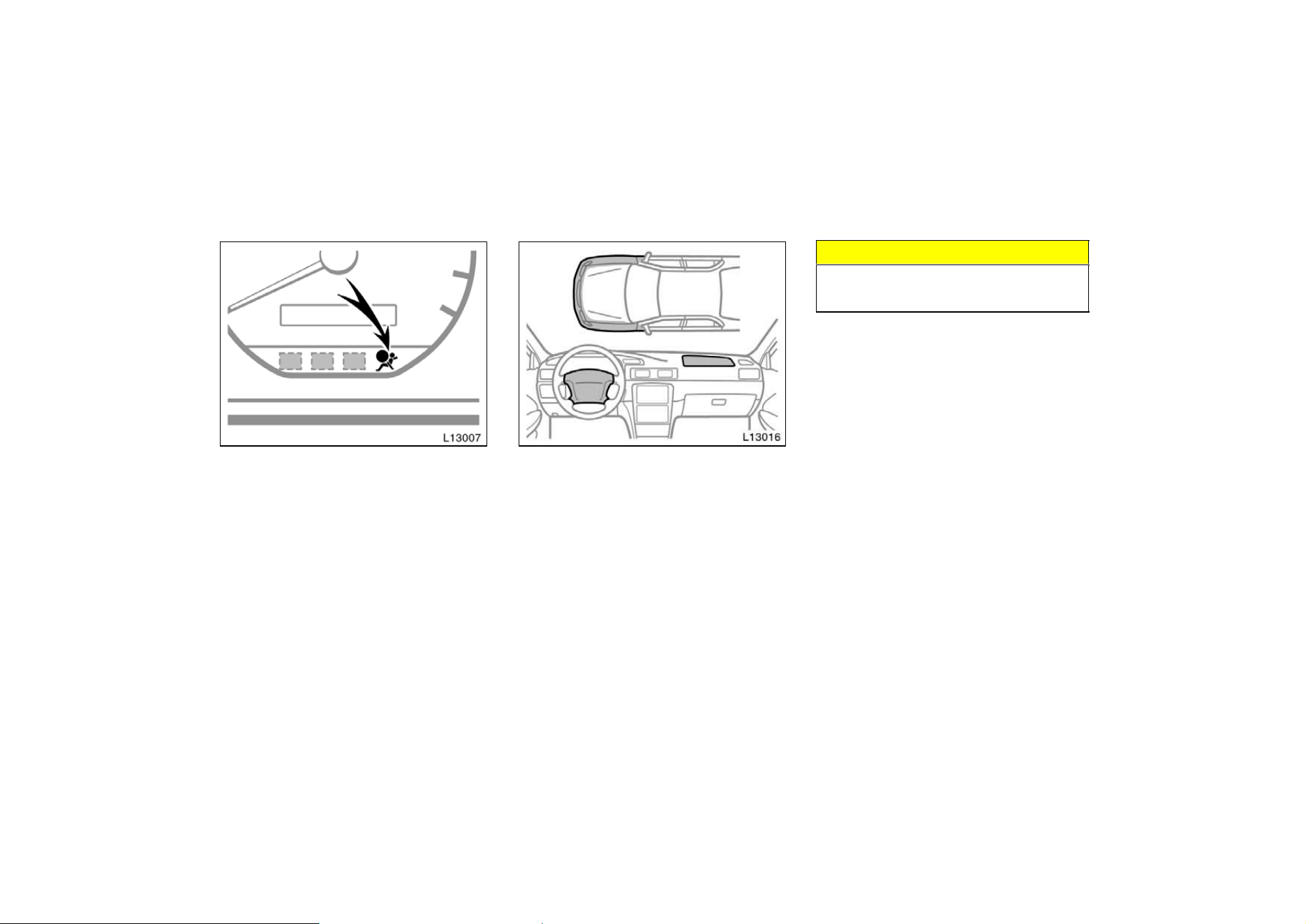
D The front part of the vehicle (shaded
in the illustration) were involved in an
accident that did not cause the SRS
airbags to inflate.
D The pad section of the steering wheel
or front passenger airbag cover
(shaded in the illustration) is scratched,
cracked, or otherwise damaged.
NOTICE
Do not disconnect the battery cables
before contacting your Toyota dealer.
48
SRS side airbags
The SRS (Supplemental Restraint Sys-
tem) side airbags are designed to pro-
vide further protection for the driver
and front passenger when added to the
primary protection provided by the seat
belts.
In response to a severe side impact, the
SRS side airbags work together with the
seat belt to help prevent or reduce injury
by inflating, in order to decrease the im-
pact mainly on the driver’s or front pas-
senger’s chest. The SRS side airbag on
the passenger seat is activated even with
no passenger in the front seat.
Be sure to wear your seat belt.
CAUTION
SRS side airbags inflate with consid-
erable force. To avoid potential death
or serious injury during inflation of a
side airbag, Toyota strongly recom-
mends that the driver and front pas-
senger;
D Wear their seat belt
D Remain properly seated with their
back against the seat at all times.
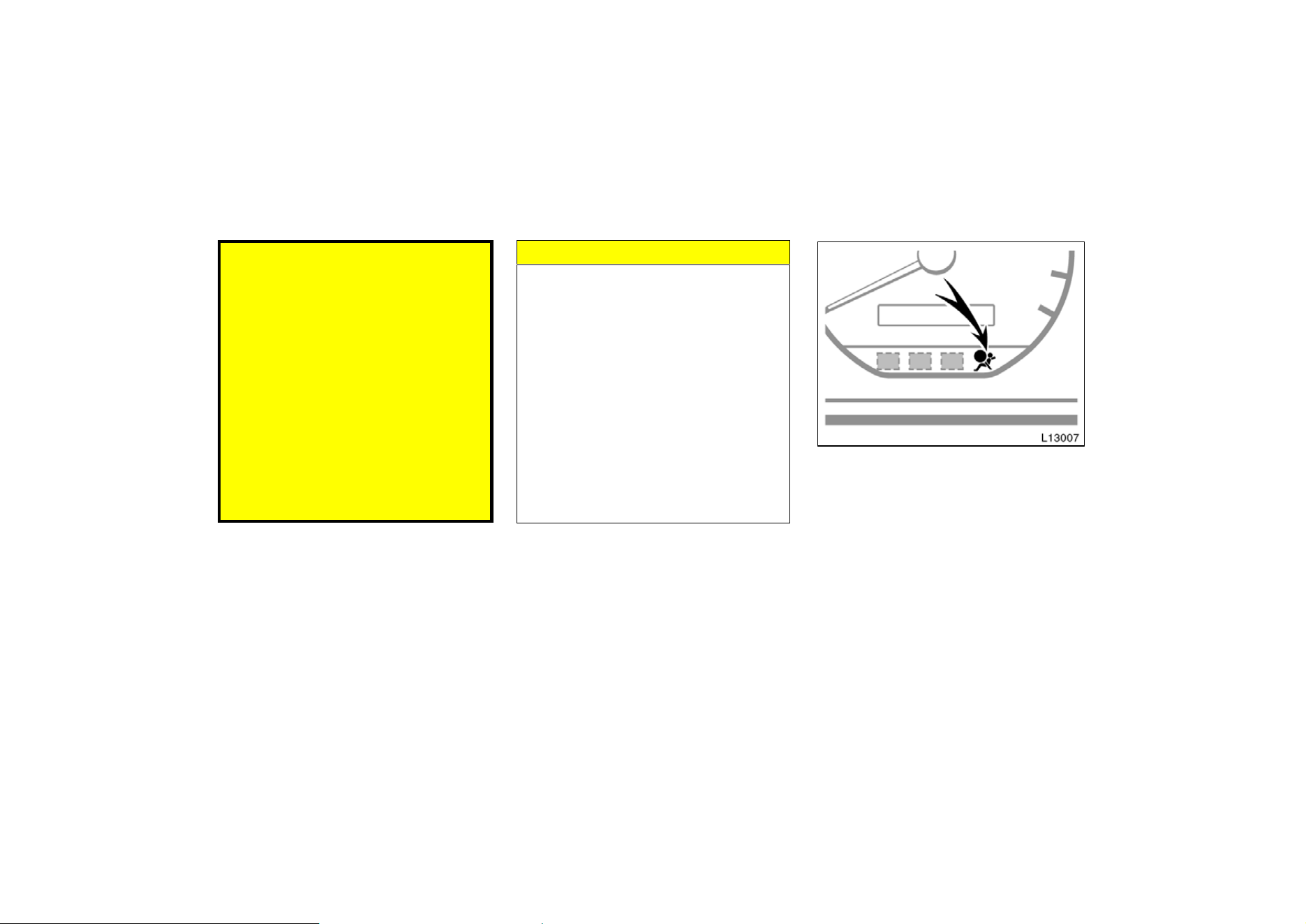
This indicator comes on when the igni-
tion key is turned to the “ACC” or
“ON” position. It goes off after about
6 seconds. This means the SRS side
airbags are operating properly.
The warning light system monitors the air-
bag sensor assembly, inflators, warning
light, interconnecting wiring and power
sources. (For details, see “Service remind-
er indicators and warning buzzers” in
chapter 1−5.)
49
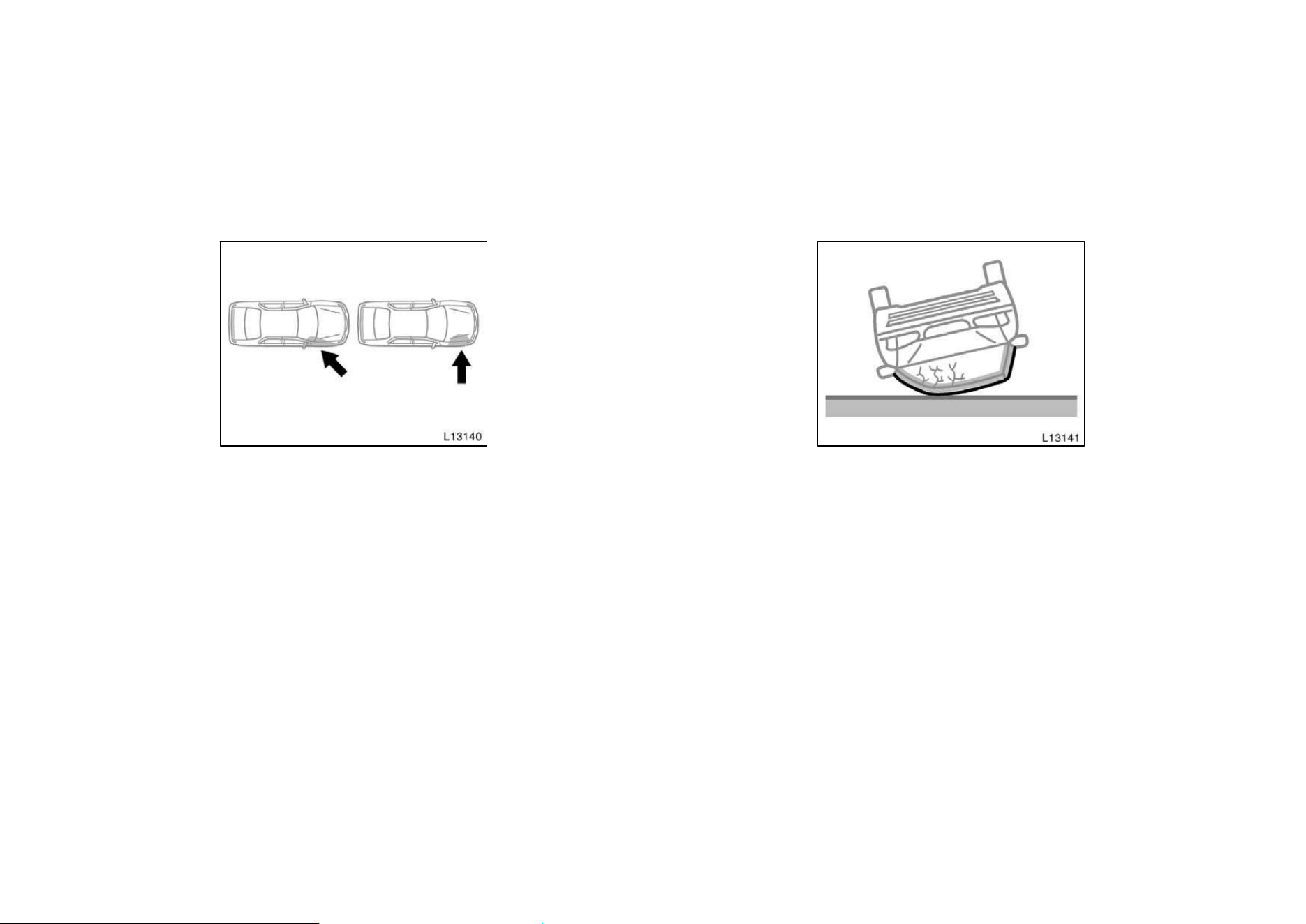
The SRS side airbag system may not
inflate if the vehicle is subjected to a
collision from the side at an angle, or
a collision to the side of the vehicle
body other than the passenger compart-
ment shown in the illustration, which
impact is not severe enough for the
passenger compartment.
There may be the case that the SRS side
airbags will not activate with such an im-
pact in which the occupant wearing the
seat belt correctly would not get serious
injury.
The SRS side airbags are designed to
inflate when the passenger compartment
gets a severe impact from the side.
For the safety of all occupants, be sure
to always wear seat belts.
The SRS side airbags are not designed
to inflate if the vehicle is rolled over.
If the impact on the body of the passen-
ger compartment is not strong as illus-
trated above, the relevant SRS side airbag
may not inflate.
50
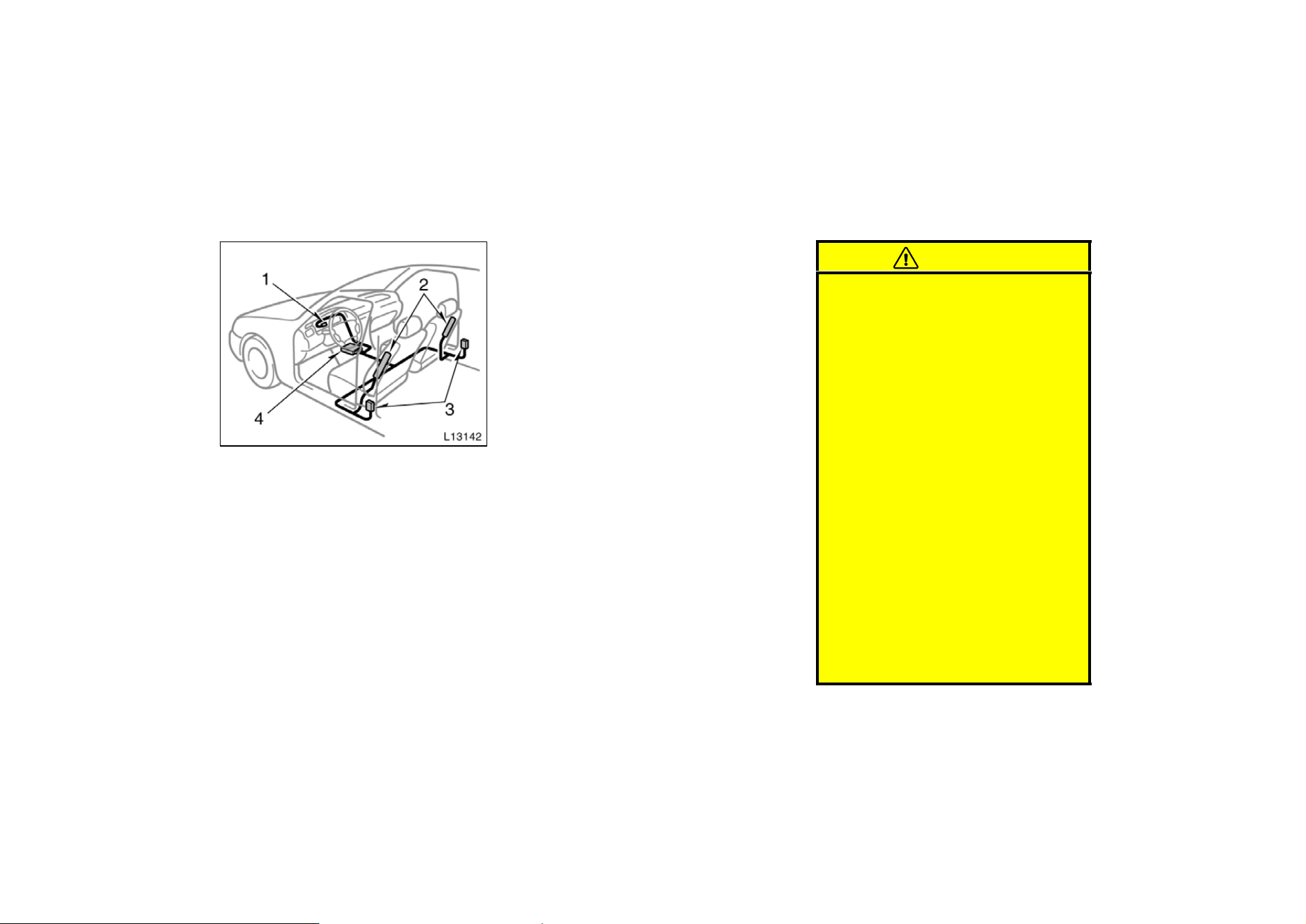
The SRS side airbag system mainly con-
sists of the following components and
their locations are shown in the illustra-
tion.
1. SRS airbag warning light
2. Side airbag module (airbag and inflator)
3. Side airbag sensor assembly
4. Airbag sensor assembly
The SRS side airbag system is controlled
by the airbag sensor. The airbag sensor
assembly consists of a safing sensor and
airbag sensor.
In a severe side impact, the side airbag
sensor triggers the side airbag inflators.
Then a chemical reaction in the inflators
momentarily fills the airbags with non−tox-
ic gas to help restrain the lateral motion
of the occupants.
When the airbags inflate, they produce a
fairly loud noise and release some smoke
along with non−toxic gas. This does not
indicate a fire. Be sure to wash off any
residue as soon as possible to prevent
minor skin irritation.
Deployment of the airbags happen in a
fraction of a second, so the airbags must
inflate with considerable force. While the
system is designed to reduce serious inju-
ries, it may also cause minor burns or
abrasions and swellings.
Front seats may be hot for several min-
utes, but the airbags themselves will not
be hot. The airbags are designed to inflate
only once.
CAUTION
D The SRS side airbag system is de-
signed only as a supplement to the
primary protection of the driver
side and front passenger side seat
belt systems. The front seat occu-
pants can be killed or seriously in-
jured by an inflating airbag if they
do not wear the available seat
belts. During sudden braking just
before a collision, an unrestrained
driver or front passenger can move
sideward into direct contact with or
close proximity to the airbag which
may then deploy during the colli-
sion. To obtain maximum protection
in an accident, the driver and all
passengers in the vehicle must
wear their seat belts. Wearing a
seat belt during an accident re-
duces the chances of death or seri-
ous injuries or being thrown out of
the vehicle. For instructions and
precautions concerning the seat
belt system, see “Seat belts” in this
chapter.
51
D Improperly seated and/or restrained
infants and children can be killed
or seriously injured by a deploying
airbag. An infant or child who is
too small to use a seat belt should
be properly secured using a child
restraint system. Toyota strongly
recommends that all infants and
children be placed in the rear seat
of the vehicle and properly re-
strained. The rear seat is the safest
for infants and children. For in-
structions concerning the installa-
tion of a child restraint system, see
“Child restraint” in this chapter.
D Do not allow the child to lean
against the front door or around
the front door even if the child is
seated in the child restraint system.
It is dangerous if the side airbag
inflates and the impact could cause
death or serious injury to the child.
For instructors concerning the
installation of a child restraint sys-
tem, see “Child restraint” in this
chapter.
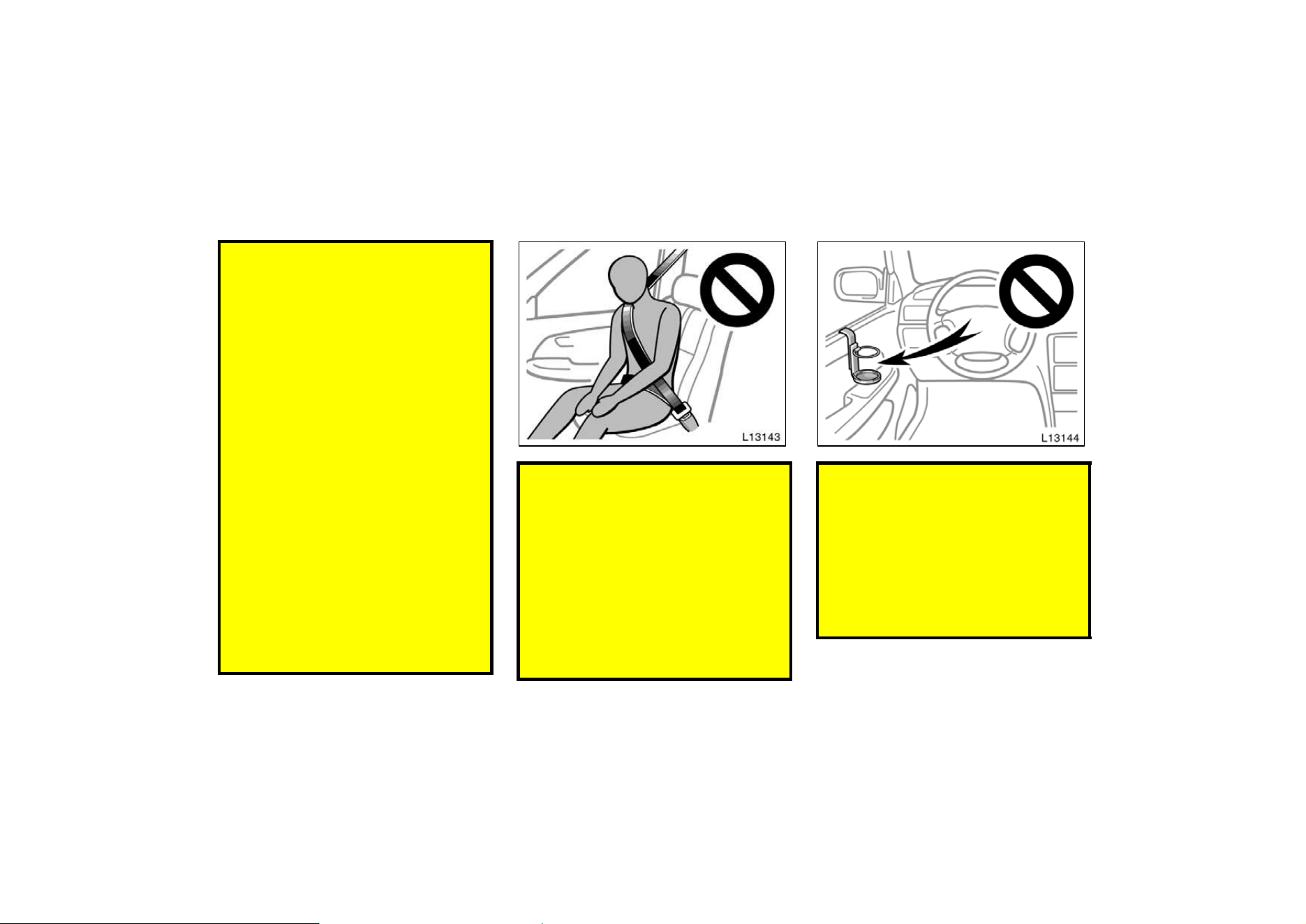
D Do not lean against the front door
when the vehicle is in use. The side
airbag inflates with considerable
speed and force; you may be killed
or seriously injured.
D Do not apply excessive weight to
the outer side of the front seats on
vehicles with side airbags.
D The child head should not be
leaned against the vicinity of the
part where the side airbag acti-
vates.
D Do not attach a cup holder or any
other device on or around the door.
When the side airbag inflates, the
cup holder or any other device will
be thrown with great force or the
side airbag may not activate cor-
rectly, resulting in death or serious
injury. Likewise, the driver and front
passenger should not hold things in
their arms or on their knees.
52
D Do not use accessories for the
seats which cover the parts where
the side airbags should inflate.
Such accessories may prevent the
side airbags from activating correct-
ly, causing death or serious injury.
D Do not modify or replace the seats
or surface of the front seats with
the side airbags. Such changes may
disable the system or cause the
side airbags to inflate, resulting in
death or serious injury. Consult
your Toyota dealer.
Failure to follow these instructions
can result in death or serious inju-
ries.
NOTICE
Do not perform any of the following
changes without consulting your
Toyota dealer. Such changes can
interfere with proper operation of the
SRS airbag system in some cases.
z Installation of electronic items such
as a mobile two−way radio, cassette
tape player or compact disc player
z Modification of the suspension sys-
tem
z Modification of the side structure of
the passenger compartment
z Repairs made on or near the con-
sole or front seat
This SRS side airbag system has a
service reminder indicator to inform the
driver of operating problems. If either of
the following conditions occurs, this
indicates a malfunction of the airbags.
Contact your Toyota dealer as soon as
possible to service the vehicle.
D The light does not come on when the
ignition key is turned to the “ACC” or
“ON” position, or remains on.
D The light comes on or flashes while
driving.
53
In the following cases, contact your Toyota
dealer as soon as possible:
D The SRS side airbags have been in-
flated.
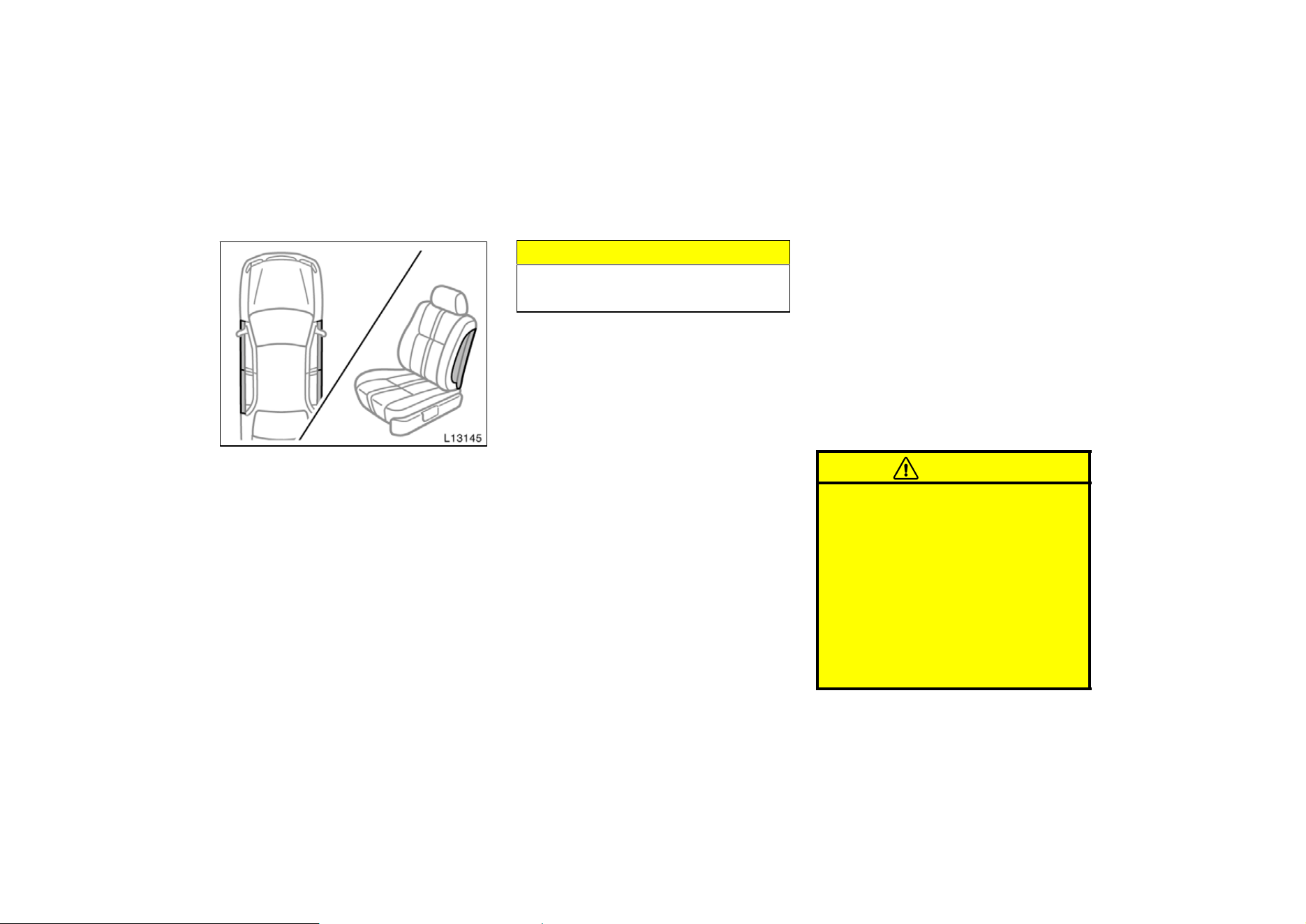
D The portion of the doors (shaded in the
illustration) were involved in an acci-
dent that did not cause the SRS side
airbags to inflate.
D The surface of the seats with the side
airbag (shaded in the illustration) is
scratched, cracked, or otherwise dam-
aged.
NOTICE
Do not disconnect the battery cables
before contacting your Toyota dealer.
Toyota strongly urges the use of child
restraint systems for children small
enough to use them.
The laws of all fifty states in the U.S.A.
and Canada now require the use of a
child restraint system.
Your vehicle conforms to SAEJ1819.
If a child is too large for a child restraint
system, the child should sit in the rear
seat and must be restrained using the
vehicle’s seat belt. See ”Seat belts” for
details.
CAUTION
D For effective protection in automo-
bile accidents and sudden stops,
children must be properly re-
strained using a seat belt or child
restraint system depending on the
age and size of the child. Holding
a child in your arms is not a sub-
stitute for a child restraint system.
In an accident, the child can be
crushed against the windshield, or
between you and the vehicle’s inte-
rior.
Child restraint—
—Child restraint precautions
54
D Toyota strongly urges use of a
proper child restraint system which
conforms to the size of the child,
and is put on the rear seat. Accord-
ing to accident statistics, the child
is safer when properly restrained in
the rear seat than in the front seat.
D Never put a rear−facing child re-
straint system on the front seat. In
the event of an accident, the force
of the rapid inflation of the airbag
can cause death or serious injury if
a rear−facing child restraint system
is put on the front seat.
D Unless it is unavoidable, do not put
a child restraint system on the
front seat.
D A forward−facing child restraint sys-
tem should be put on the front seat
only when it is unavoidable. Always
move the seat as far back as pos-
sible, because the force of a de-
ploying airbag could cause death or
serious injury to the child. Do not
allow the child to lean against the
front door or around the front door
even if the child is seated in the
child restraint system. It is danger-
ous if the side airbag inflates, and
the impact could cause death or
serious injury to the child.
D Make sure that you have complied
with all installation instructions pro-
vided by the child restraint
manufacturer and that the system is
properly secured.
—Child restraint system
A child restraint system for a small
child or baby must itself be properly
restrained on the seat with the lap por-
tion of the lap/shoulder belt. You must
carefully consult the manufacturer’s in-
structions which accompany your child
restraint system.
To provide proper restraint, use a child
restraint system following the manufactur-
er’s instructions about the appropriate age
and size of the child for the restraint sys-
tem.
Install the child restraint system correctly
following the instructions provided by its
manufacturer of the system. General di-
rections are also provided under the fol-
lowing illustrations.
The child restraint system should be
installed on the rear seat. According to
accident statistics, the child is safer when
properly restrained in the rear seat than
in the front seat.
55
CAUTION
D Never put a rear−facing child re-
straint system on the front seat. In
the event of an accident, the force
of the rapid inflation of the airbag
can cause death or serious injury if
a rear−facing child restraint system
is put on the front seat.
D Unless it is unavoidable, do not put
a child restraint system on the
front seat.
D A forward−facing child restraint sys-
tem should be put on the front seat
only when it is unavoidable. Always
move the seat as far back as pos-
sible, because the force of a de-
ploying airbag could cause death or
serious injury to the child. Do not
allow the child to lean against the
front door or around the front door
even if the child is seated in the
child restraint system. It is danger-
ous if the side airbag inflates, and
the impact could cause death or
serious injury to the child.
D After installing the child restraint
system, make sure it is secured in
place following the manufacturer’s
instructions. If it is not restrained
securely, it may cause death or se-
rious injury to the child in the
event of a sudden stop or accident.
When not using the child restraint system,
keep it secured with the seat belt or place
it in the trunk or somewhere other than
the passenger compartment. This will pre-
vent it from injuring passengers in the
event of a sudden stop or accident.
Your vehicle has anchors for securing the
top strap of a child restraint system. The
anchor nuts are welded beneath the sheet
metal to permit installation of an anchor
bracket for a child restraint system.
To install an anchor bracket, use an 8 mm
30 mm 1.25 mm coarse thread metric
bolt and 15 mm (0.6 in.) spacer. Note that
the bolts accompanying many child re-
straint systems are not metric. You can
damage the anchor nuts on your vehicle
if you force bolts with different thread into
the anchor nuts.
For instructions about how to install the
anchor bracket, see ”Top strap anchors
and locations”.
If your child restraint system does not
provide any of the necessary parts, you
can purchase the following items from
your Toyota dealer.
* CRS installation kit
(Part No. 04731−22012)—contains 1 bolt,
3 types of spacers and 1 locking clip.
* Bolt (Part No. 91511−60830)
56
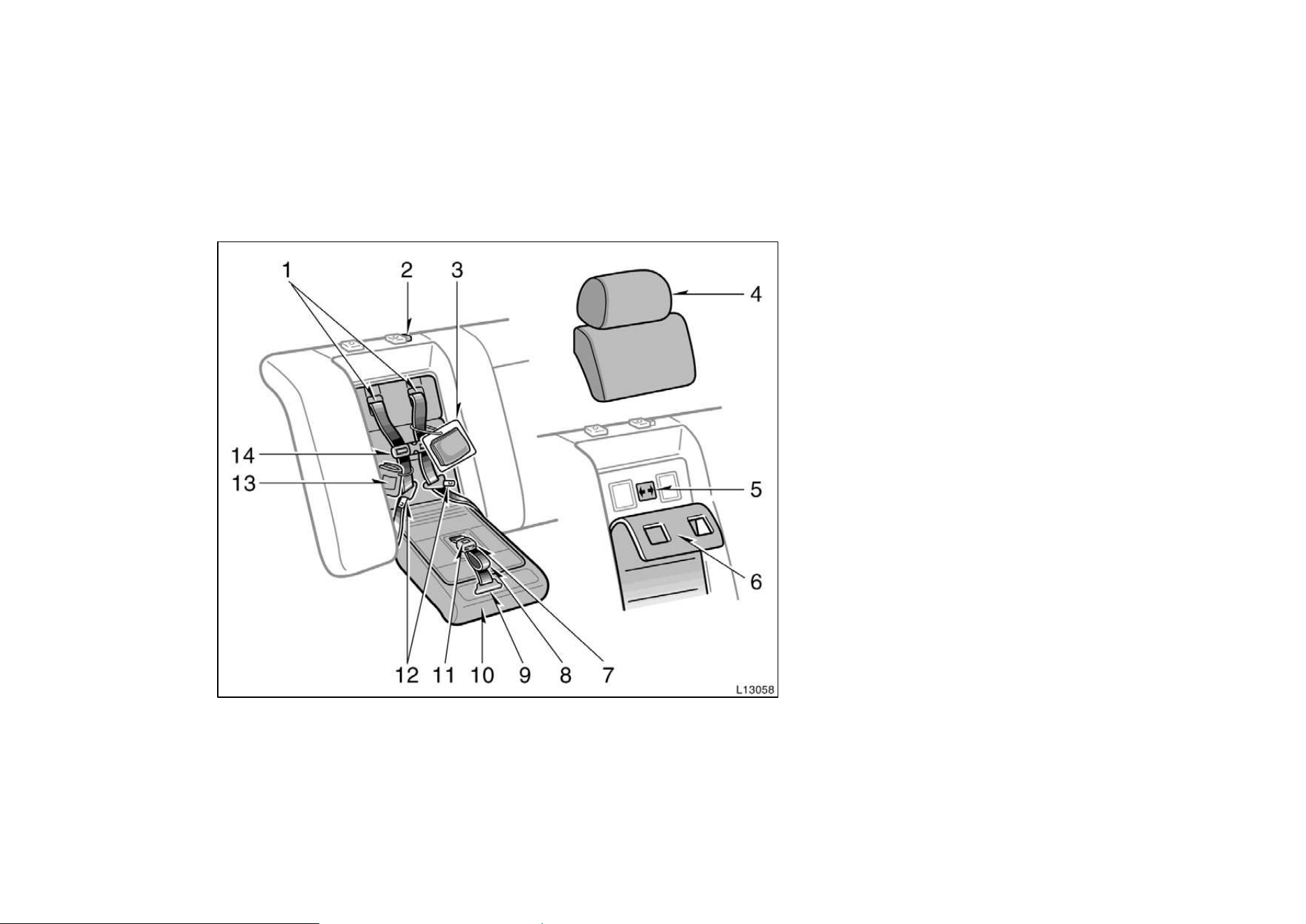
—Built−in child restraint
The built−in child restraint system mainly
consists of a child seat integrated in the
rear seat and 5−point seat belts. Refer to
the illustration to become familiar with the
parts of the system. This child restraint
system conforms to U.S. Motor Vehicle
Safety Standard No.213 and Canada Motor
Vehicle Safety Standard No.213.4.
1. Shoulder belts
2. Head restraint lock release button
3. Storage bag (for the head restraint and
upper pad)
4. Head restraint and upper pad
(for the rear seat)
5. Maximum shoulder height indicator
label
6. Removable pad
7. Seat belt buckle
8. Seat belt release strap (black)
9. Seat belt adjustment strap (gray tab)
10. Child seat cushion
11. Seat belt buckle release button
12. Seat belt tabs
13. Owner’s manual supplement
14. Shoulder belt clip
57
This child restraint is designed for use
only by children who weigh between 10
and 30 kg (22.1 and 66.1 pounds), and
whose height is between 85 and 127 cm
(33.5 and 50.0 inches).
The child should be at least one year
old and must be capable of sitting up-
right alone and whose shoulder height
is at or below the maximum shoulder
height indicator.
It is important to use a rear−facing
child restraint until the child is about
a year old. A rear−facing restraint gives
the child’s head, neck and body the
support they would need in a crash.
See ”—Child restraint system” for more
information.
If your child’s shoulders are above the
indicator position, do not use the built−
in child restraint. Your child should use
the vehicle’s seat belts.
According to accident statistics, children
are safer when properly restrained in the
rear seat than in the front seat.
CAUTION
Make sure the child is securely re-
strained with the built−in child re-
straint. Failure to follow the instruc-
tions provided here and also in the
owner’s manual supplement on the
use of this child restraint system can
result serious injuries when your
child strikes the vehicle’s interior dur-
ing a sudden stop or crash. Snugly
adjust the belts provided with this
child restraint around your child.
When using the built−in child re-
straint, observe the following:
D Use the belts for only one child at
a time. Do not use the belts for two
or more children.
D Be careful not to damage the belt
webbing or hardware. Take care that
they do not get caught or pinched
in the seatback.
D Inspect the belt system periodically.
Check for cuts, fraying, and loose
parts. Damaged parts should be re-
placed. Do not disassemble or
modify the child restraint belt sys-
tem.
D Keep the belts clean and dry. If
they need cleaning, use a mild soap
solution or lukewarm water. Never
use bleach, dye, or abrasive clean-
ers—they may severely weaken the
belts.
D Replace the built−in child restraint
assembly if it has been used in a
severe impact. The entire assembly
should be replaced even if damage
is not obvious.
D Do not use a separate child re-
straint system over the opened
built−in child restraint.
D When the built−in child restraint is
in use, do not use the adult lap and
shoulder belt instead of the built−in
child restraint seat belt as it can
cause severe injury to the child in
a sudden stop or crash.
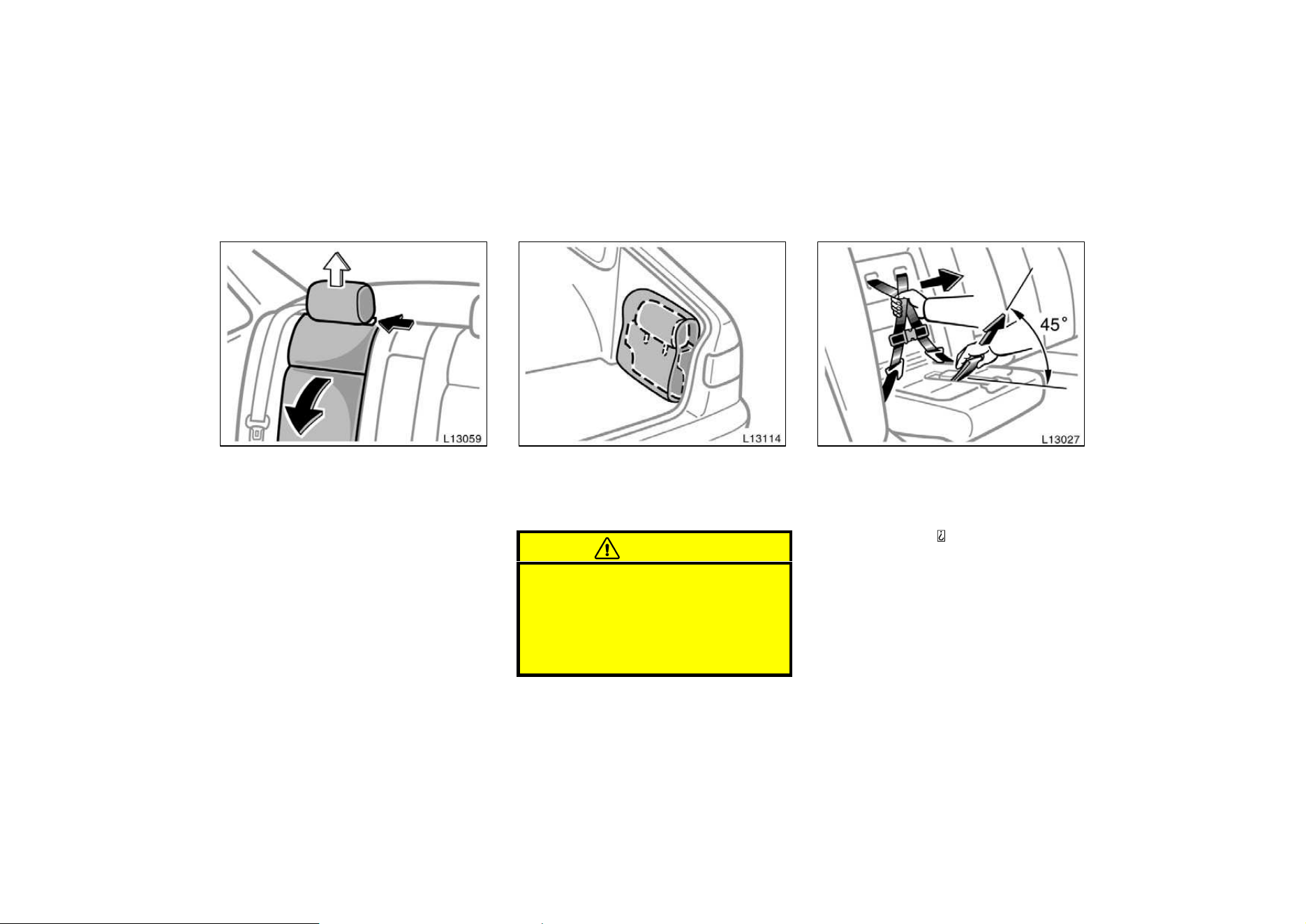
58
1. Remove the head restraint and upper
pad by pressing the head restraint
lock release button and pulling up
the head restraint and upper pad.
Lower the child seat cushion.
2. Insert the head restraint and upper
pad into the storage bag. Then place
the storage bag into the trunk by
attaching with velcro.
CAUTION
Do not use the built−in child restraint
with the head restraint and upper pad
installed. When using the built−in
child restraint, the head restraint and
upper pad should be stored in the
trunk.
3. While pulling the seat belt release
strap (black), pull both shoulder
belts together.
Pull the seat belt release strap from
above at about 45
angle to the child seat
cushion.
If the shoulder belts cannot be pulled out,
return the child seat cushion to an almost
closed position, firmly pull the seat belt
release strap and at the same time pull
both shoulder belts, then lower the child
seat cushion again.
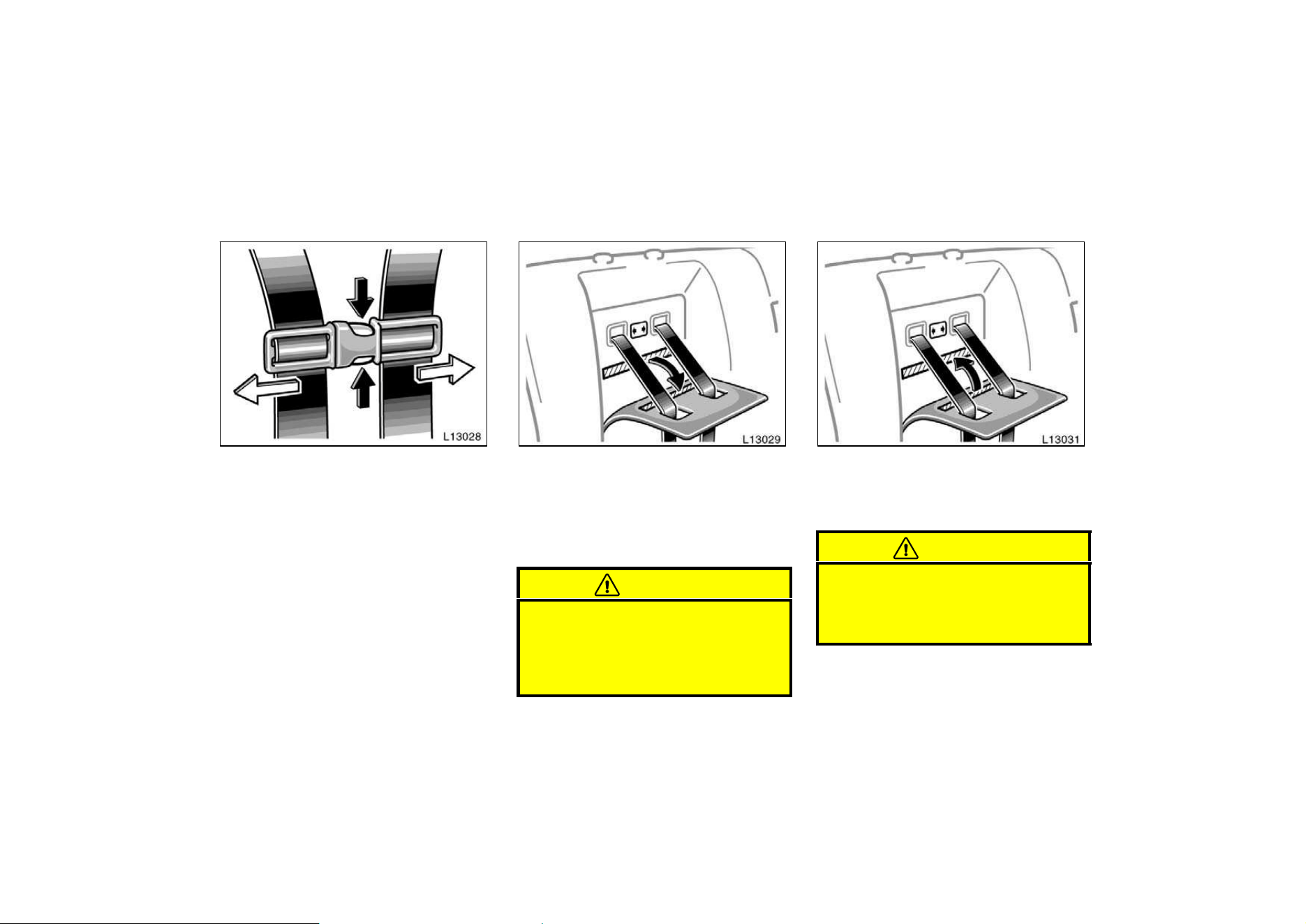
59
4. Compress the shoulder belt clip to
separate the right and left shoulder
belts.
5. Pull down the seatback part of the
removable pad. Make sure the child’s
shoulders are at or below the maxi-
mum shoulder height indicator label.
The removable pad is attached by fasten-
er tapes.
CAUTION
If your child’s shoulders are above
the maximum shoulder height indica-
tor label, do not use the built−in child
restraint. Your child should use the
adult lap and shoulder belt.
6. Press the removable pad against the
fastener tapes and install the pad to
the seatback. Make sure the belts go
through the slots in the pad.
CAUTION
If you have removed the removable
pad for cleaning etc., do not use the
built−in child restraint without the
pad.
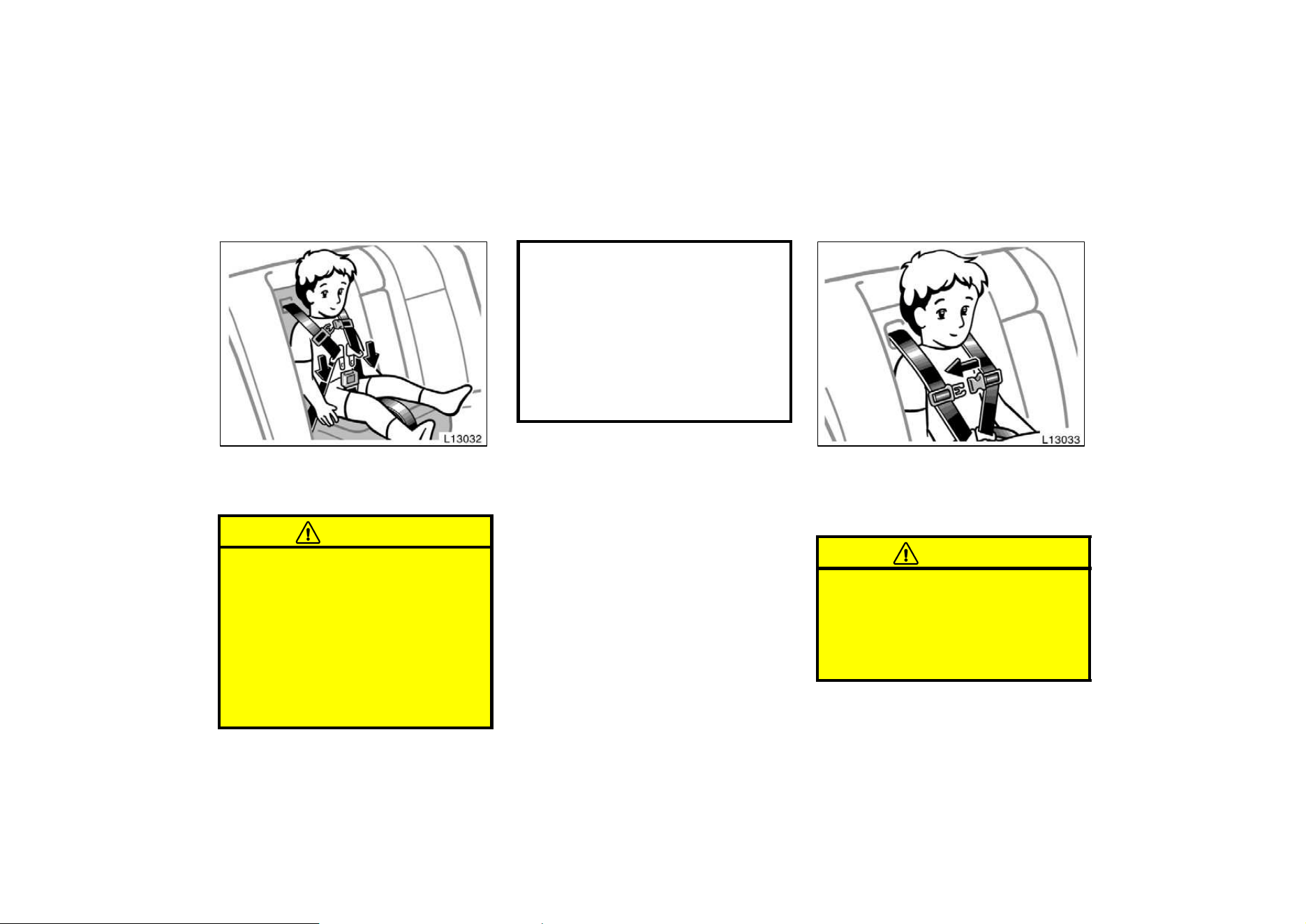
60
7. Sit the child on the child seat. Place
a shoulder belt over each shoulder.
Insert the tabs into the buckle.
CAUTION
D When the built−in child restraint is
in use, do not use the adult lap and
shoulder belt instead of the built−in
child restraint seat belt as it can
cause severe injury to the child in
a sudden stop or crash.
D After inserting the tabs, make sure
the tabs and buckle are locked and
that the shoulder belts and buckle
strap are not twisted.
D Do not insert coins, clips, etc. in
the buckle as this may prevent you
from properly latching the tabs and
buckle.
D If the seat belt does not function
normally, it cannot protect your
child from injury. Contact your
Toyota dealer immediately. Do not
use the built−in child restraint until
the seat belt is fixed.
8. Fasten the shoulder belt clip.
The purpose of the clip is to keep the
shoulder belts positioned correctly on the
shoulders.
CAUTION
An unfastened shoulder belt clip will
not help keep the belts on the child’s
shoulders. In a sudden stop or crash,
the child may go too far forward and
be seriously injured. Make sure the
belt clip is fastened at all times.
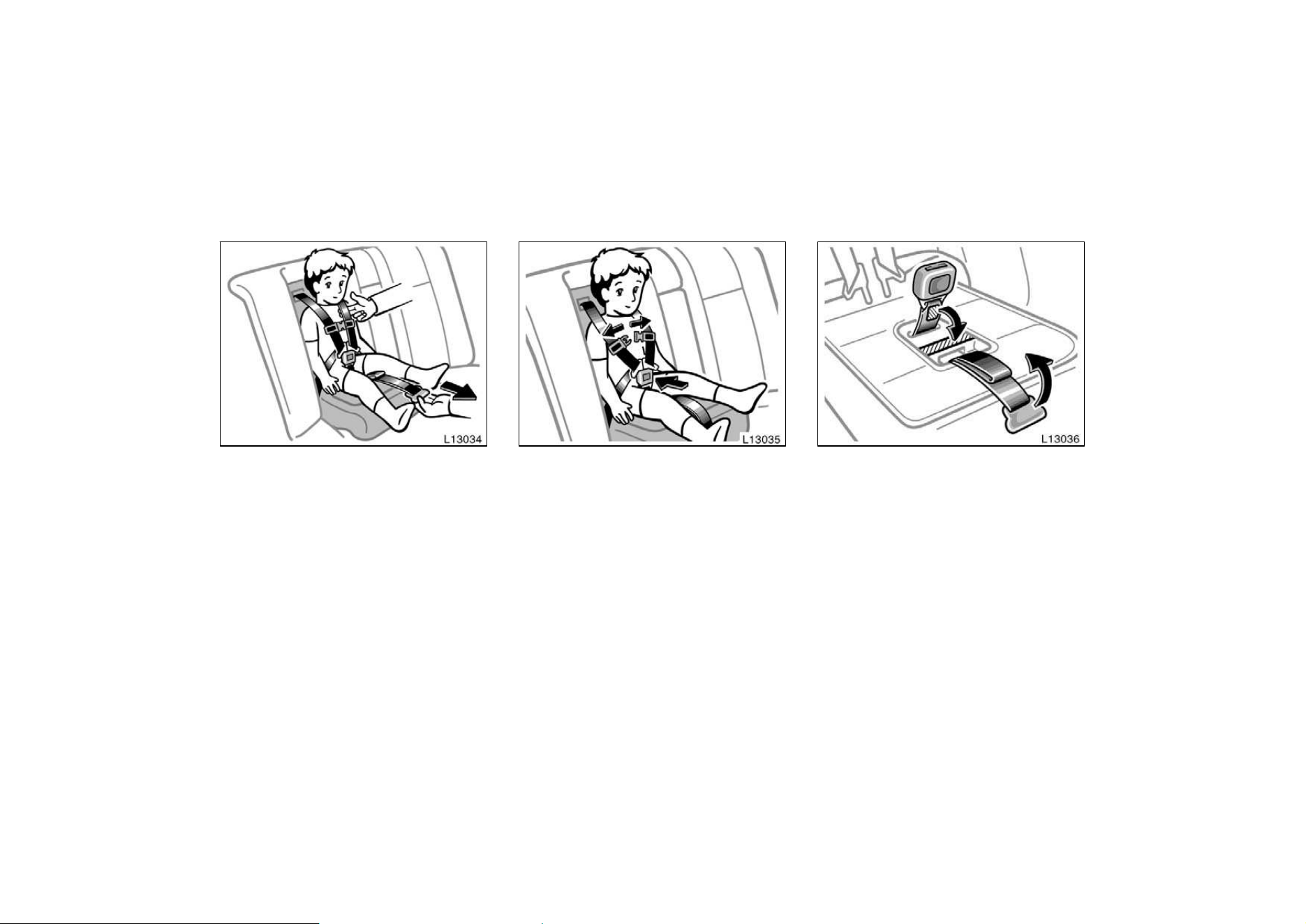
61
9. Pull the seat belt adjustment strap
(gray tab) firmly until the shoulder
belts are snugly adjusted around the
child’s shoulders.
You should not be able to put more than
two fingers between a shoulder belt and
the child’s chest.
After adjusting the shoulder belt tightness,
move the shoulder belt clip 5 to 8 cm (2
to 3 in.) below the child’s chin. On each
belt, the shoulder part should be centered
on the child’s shoulder. The belts should
be away from the child’s face and neck,
but not falling off the child’s shoulders.
10. To release the child from the seat
belts, separate the shoulder belts
then press the buckle release button.
Move both belts off the child’s shoulders.
11. To store the built−in child restraint,
fasten the shoulder belt clip and re-
turn the seat belt buckle using the
fastener tapes. Fold up the seat belt
adjustment strap (gray tab) in the
seat so that the edge of the strap
does not come out the raised seat
cushion. Raise the seat cushion and
reinstall the head restraint and upper
pad by inserting the posts into the
holes.
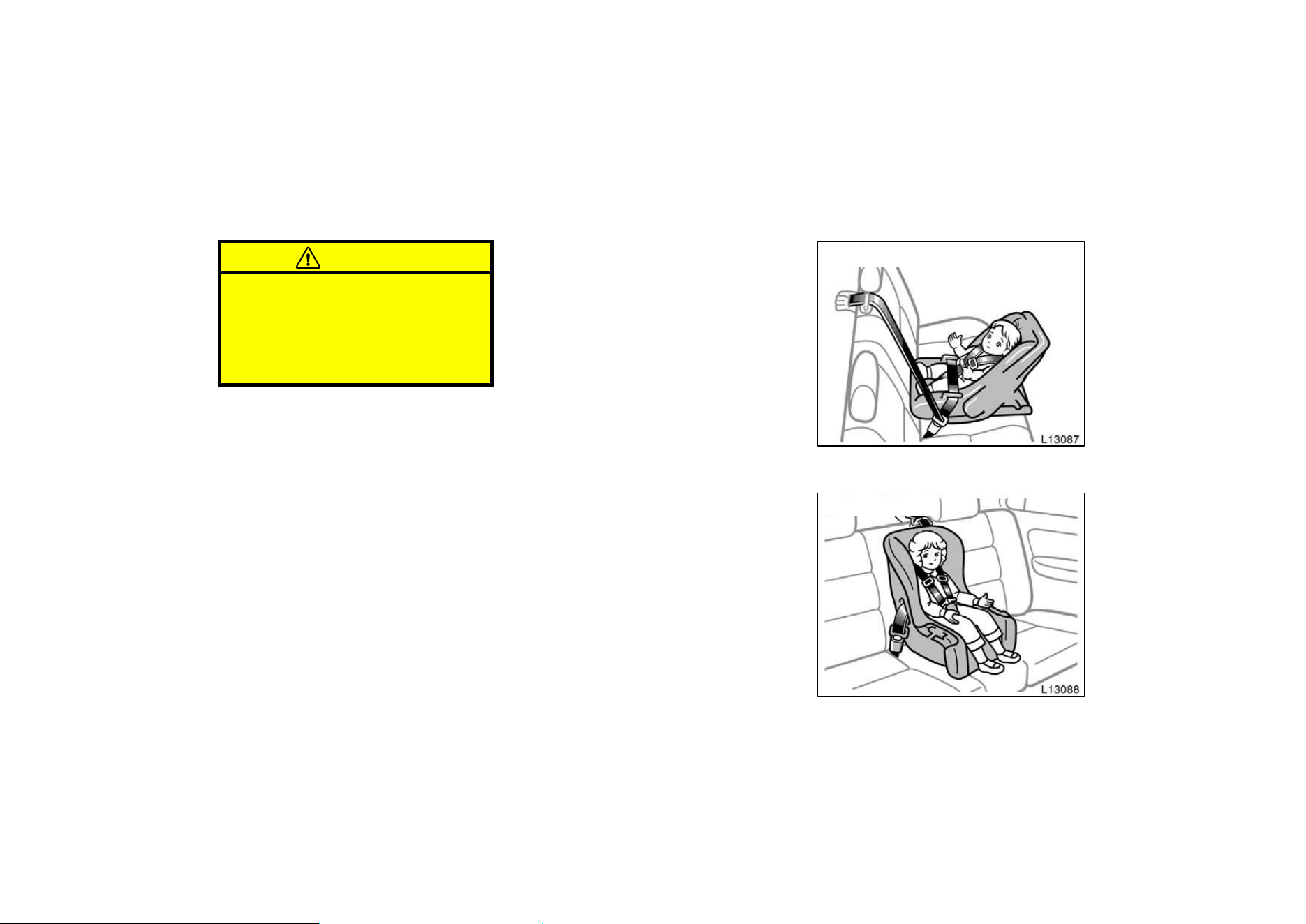
62
CAUTION
Before using the vehicle’s seat belt,
make sure the head restraint and up-
per pad is reinstalled. Do not occupy
this position unless the head restraint
and upper pad is reinstalled as seri-
ous injury may result.
—Types of child restraint system
Child restraint systems are classified into
the following 3 types depending on the
child’s age and size.
(A) Infant seat
(B) Convertible seat
(C) Booster seat
Install the child restraint system following
the instructions provided by its manufac-
turer.
(A) Infant seat
(B) Convertible seat
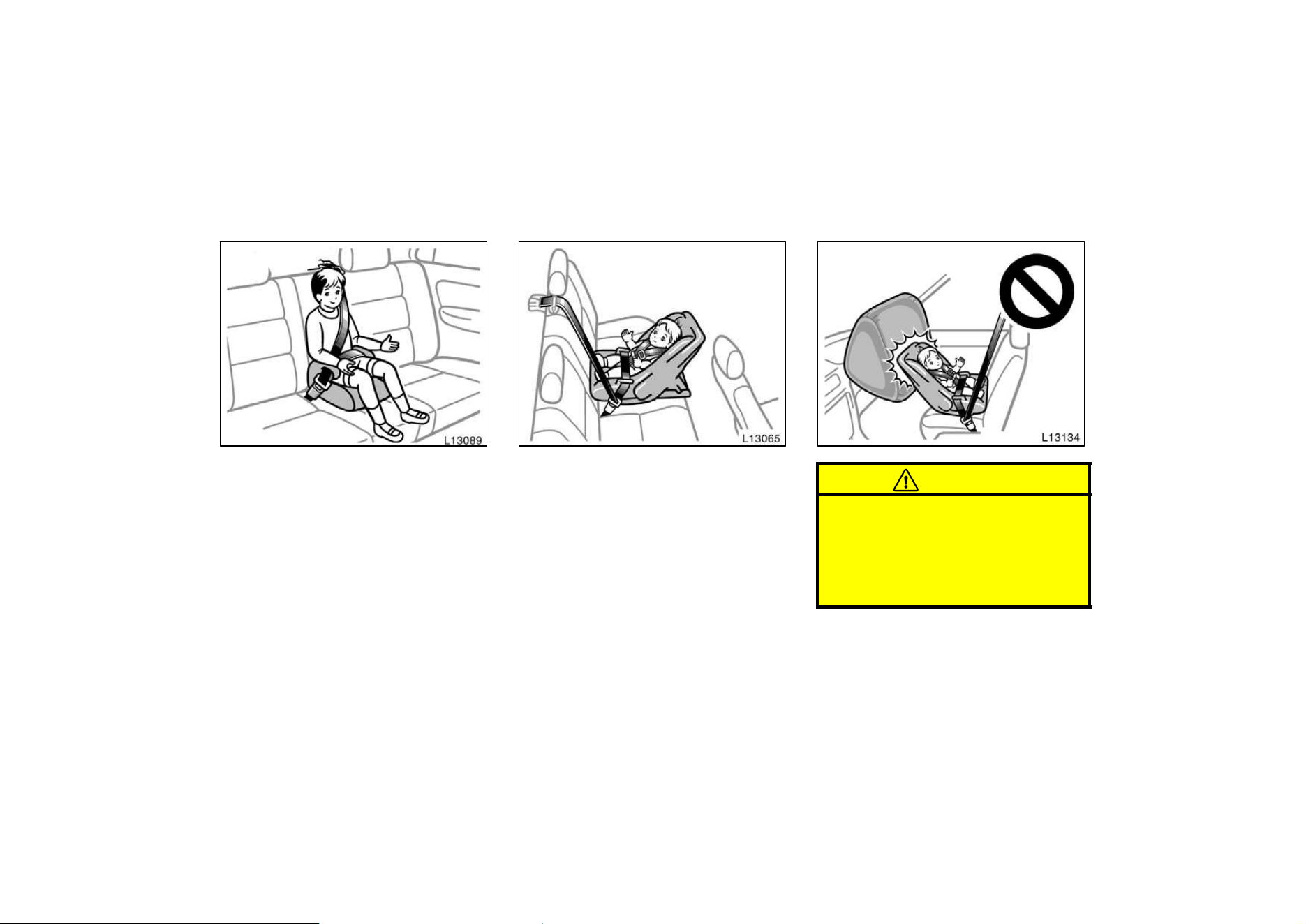
63
(C) Booster seat
(A) INFANT SEAT INSTALLATION
An infant seat is used in rear−facing
position only.
CAUTION
D Never put a rear−facing child re-
straint system on the front seat be-
cause the force of the rapid infla-
tion of the passenger airbag can
cause death or serious injury to the
child.
—Installation with 3−point
type seat belt
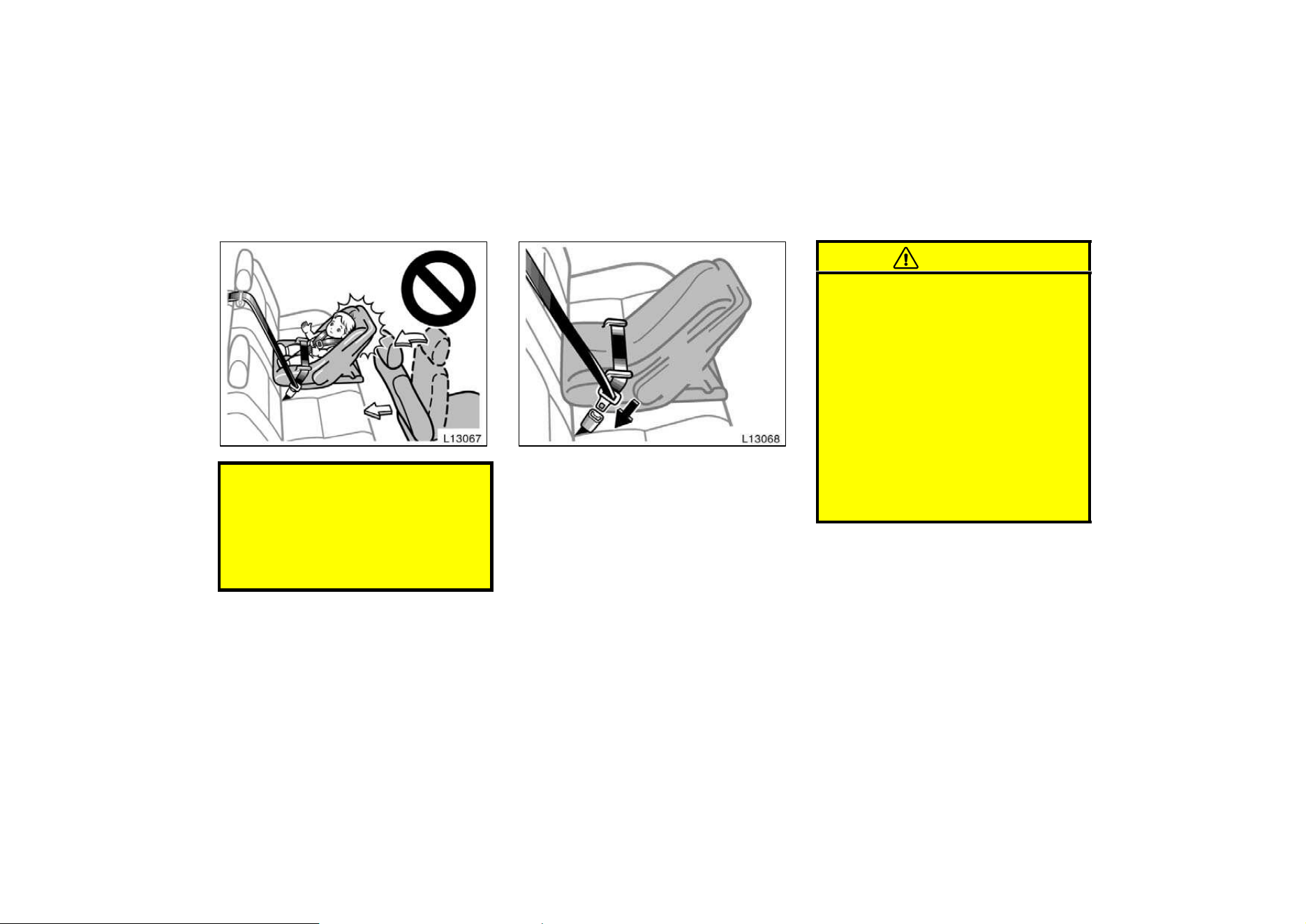
64
D Do not put a rear−facing child re-
straint system on the rear seat if it
interferes with the lock mechanism
of the front seats. This can cause
severe injury to the child and front
passenger in case of sudden brak-
ing or a collision.
1. Run the lap and shoulder belt through
or around the infant seat following the
instructions provided by its manufactur-
er and insert the tab into the buckle
taking care not to twist the belt. Keep
the lap portion of the belt tight.
CAUTION
D After inserting the tab, make sure
the tab and buckle are locked and
that the lap and shoulder portions
of the belt are not twisted.
D Do not insert coins, clips, etc. in
the buckle as this may prevent you
from properly latching the tab and
buckle.
D If the seat belt does not function
normally, it cannot protect your
child from injury. Contact your
Toyota dealer immediately. Do not
use the seat until the seat belt is
fixed.
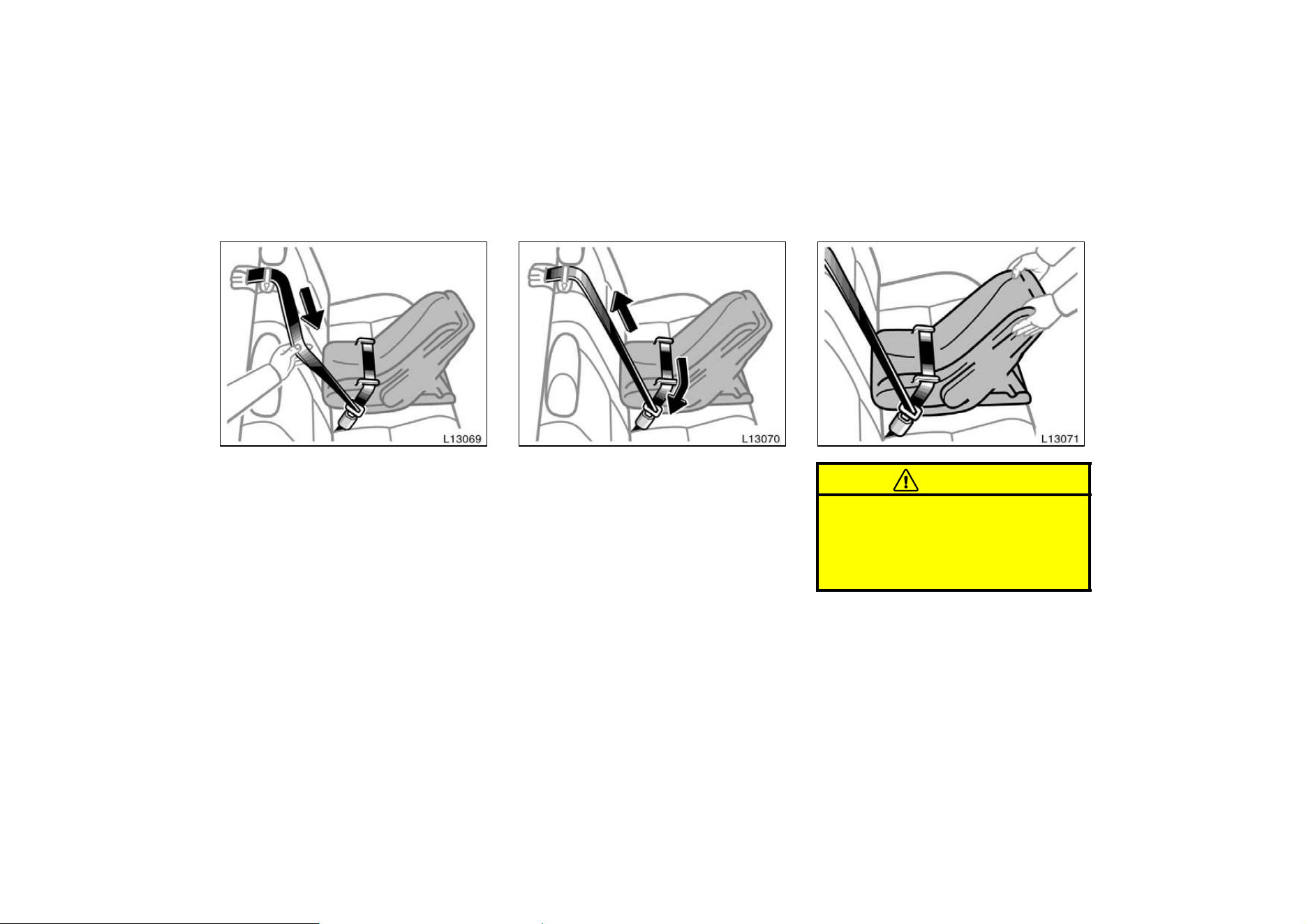
65
2. Fully extend the shoulder belt to put it
in the lock mode. When the belt is
then retracted even slightly, it cannot
be extended.
To hold the infant seat securely, make
sure the belt is in the lock mode before
letting the belt retract.
3. While pressing the infant seat firmly
against the seat cushion and seatback,
let the shoulder belt retract as far as
it will go to hold the infant seat secure-
ly.
CAUTION
Push and pull the child restraint sys-
tem in different directions to be sure
it is secure. Follow all the installation
instructions provided by its manufac-
turer.
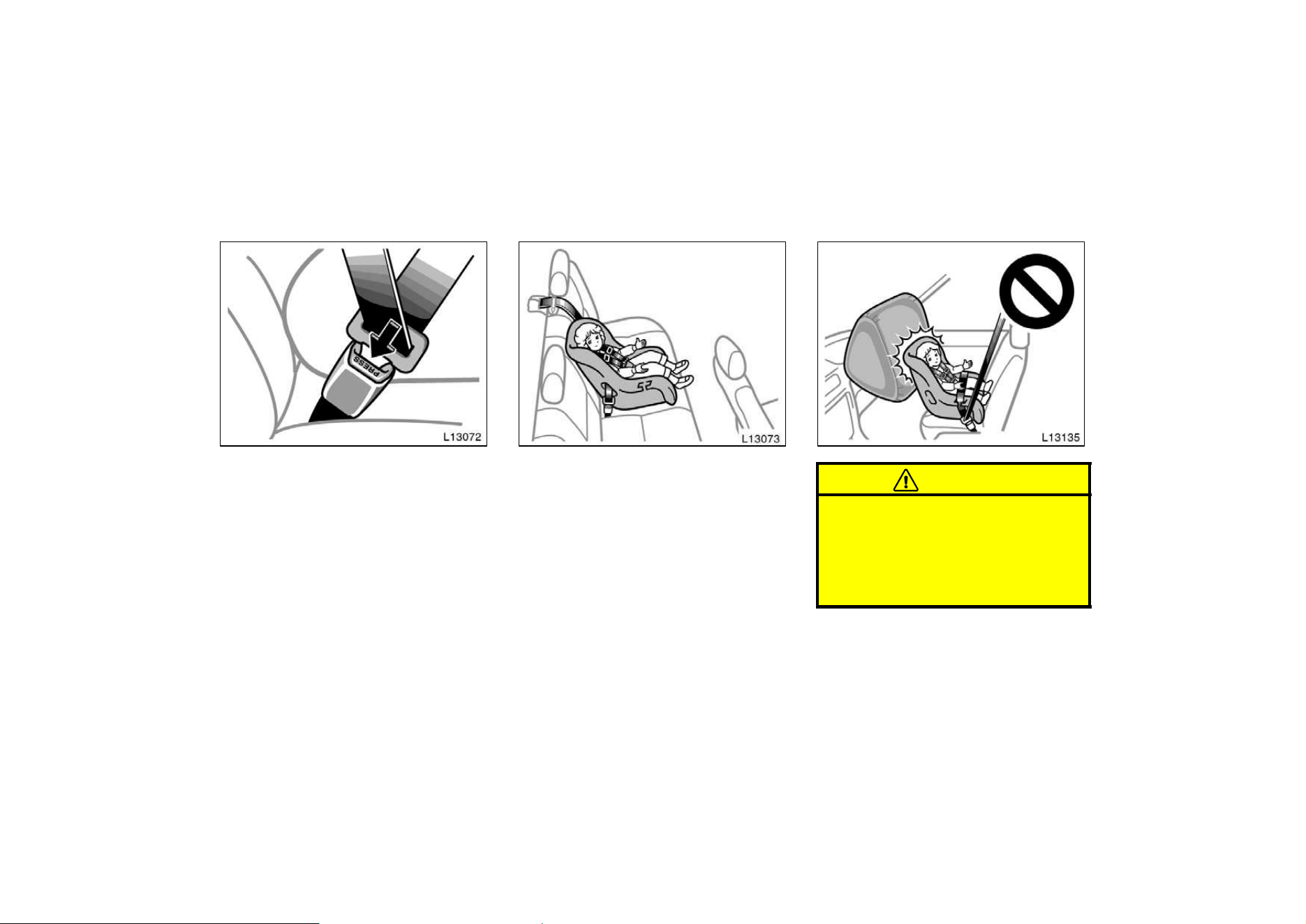
66
4. To remove the infant seat, press the
buckle−release button and allow the
belt to retract completely. The belt will
move freely again and be ready to
work for an adult or older child passen-
ger.
(B) CONVERTIBLE SEAT INSTALLATION
A convertible seat is used in forward−
facing and rear−facing position depend-
ing on the child’s age and size. When
installing, follow the manufacturer’s in-
structions about the applicable child’s
age and size as well as directions for
installing a child restraint system.
CAUTION
D Never put a rear−facing child re-
straint system on the front seat be-
cause the force of the rapid infla-
tion of the passenger airbag can
cause death or serious injury to the
child.
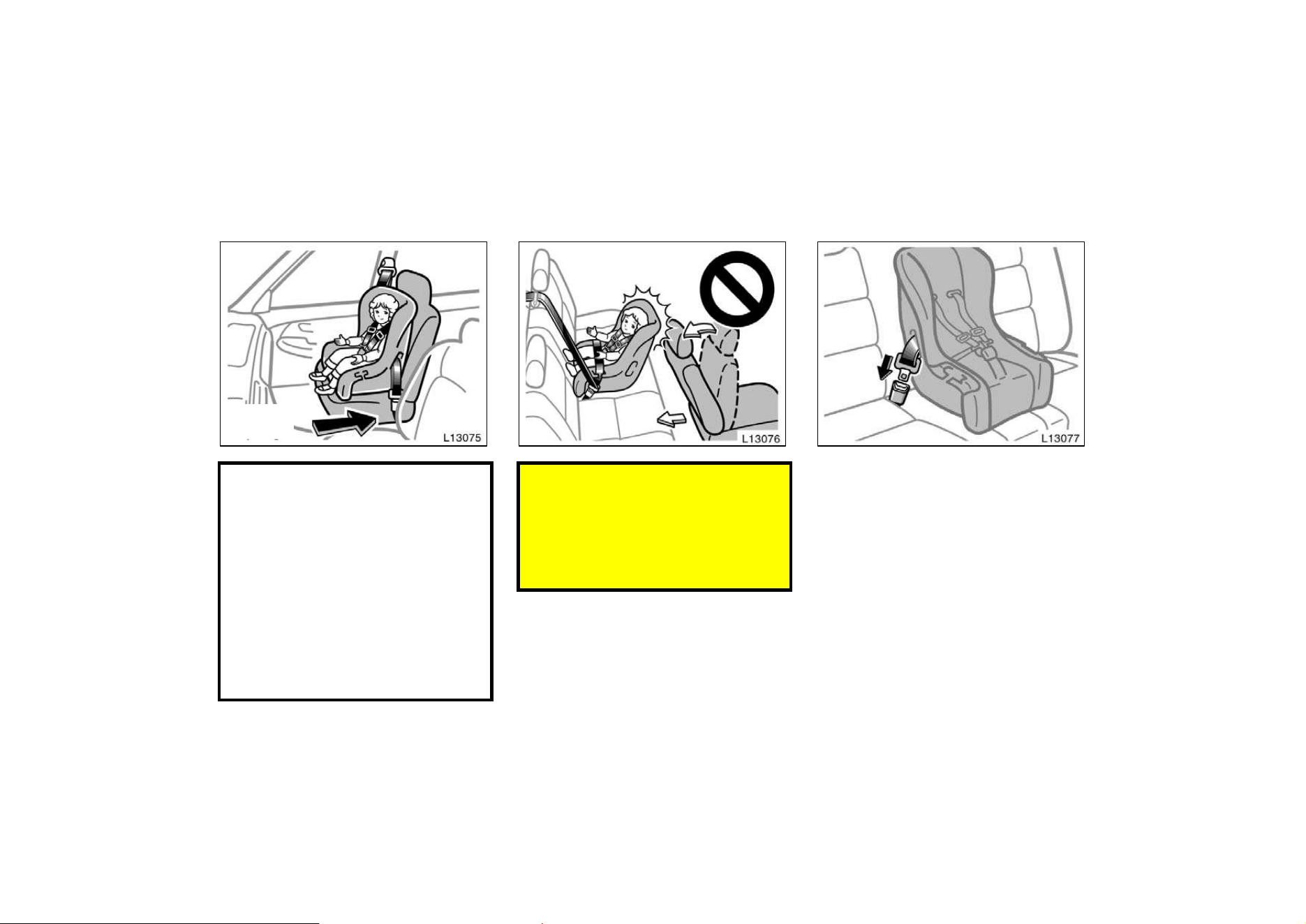
67
Move seat
fully back
D A forward−facing child restraint sys-
tem should be allowed to put on
the front seat only when it is un-
avoidable. Always move the seat as
far back as possible, because the
force of a deploying airbag could
cause death or serious injury to the
child. Do not allow the child to lean
against the front door or around
the front door even if the child is
seated in the child restraint system.
It is dangerous if the side airbag
inflates, and the impact could cause
death or serious injury to the child.
D Do not put a rear−facing child re-
straint system on the rear seat if it
interferes with the lock mechanism
of the front seats. This can cause
severe injury to the child and front
passenger in case of sudden brak-
ing or a collision.
1. Run the lap and shoulder belt through
or around the convertible seat following
the instructions provided by its
manufacturer and insert the tab into
the buckle taking care not to twist the
belt. Keep the lap portion of the belt
tight.
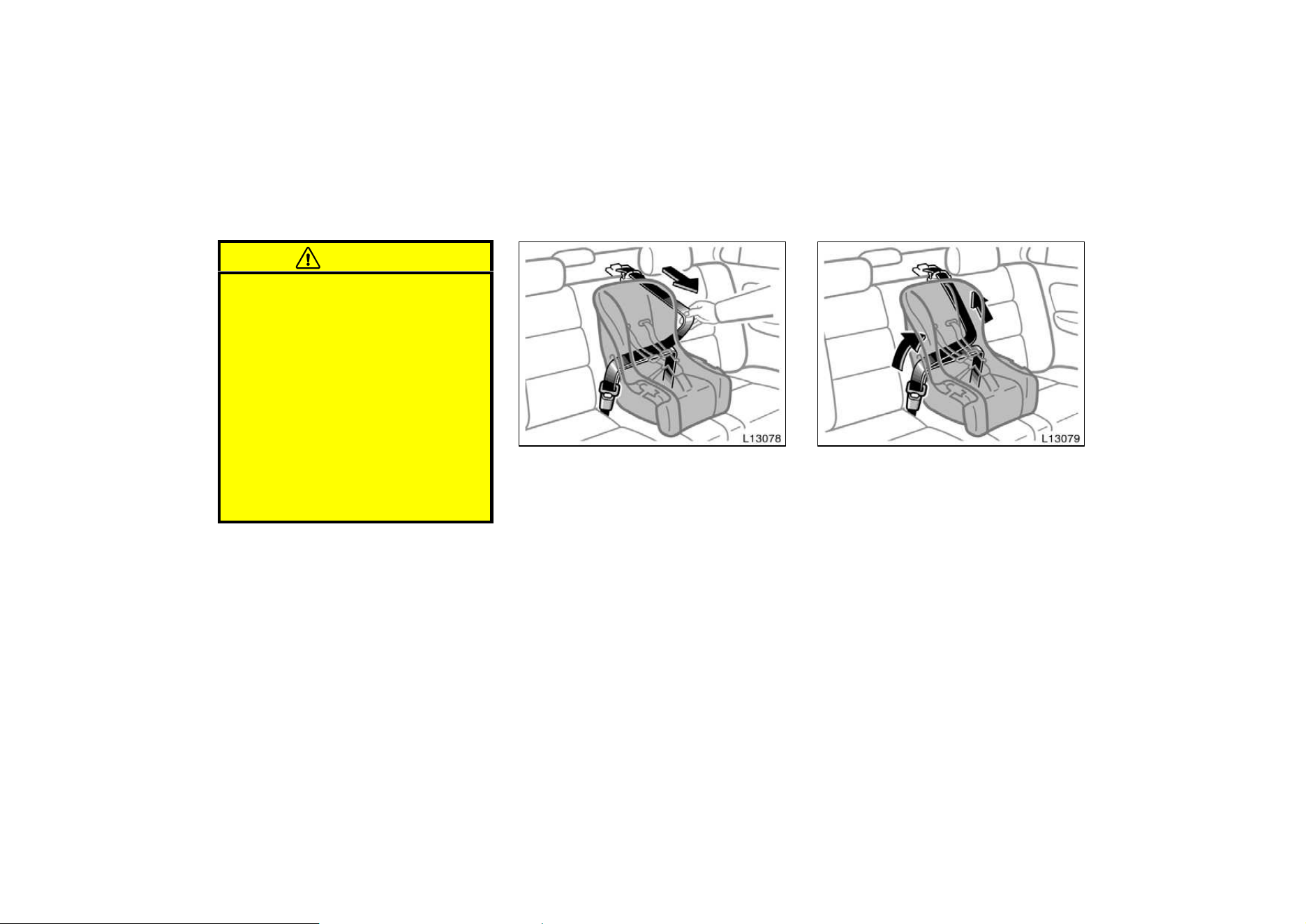
68
CAUTION
D After inserting the tab, make sure
the tab and buckle are locked and
that the lap and shoulder portions
of the belt are not twisted.
D Do not insert coins, clips, etc. in
the buckle as this may prevent you
from properly latching the tab and
buckle.
D If the seat belt does not function
normally, it cannot protect your
child from injury. Contact your
Toyota dealer immediately. Do not
use the seat until the seat belt is
fixed.
2. Fully extend the shoulder belt to put it
in the lock mode. When the belt is
then retracted even slightly, it cannot
be extended.
To hold the convertible seat securely,
make sure the belt is in the lock mode
before letting the belt retract.
3. While pressing the convertible seat
firmly against the seat cushion and
seatback, let the shoulder belt retract
as far as it will go to hold the convert-
ible seat securely.
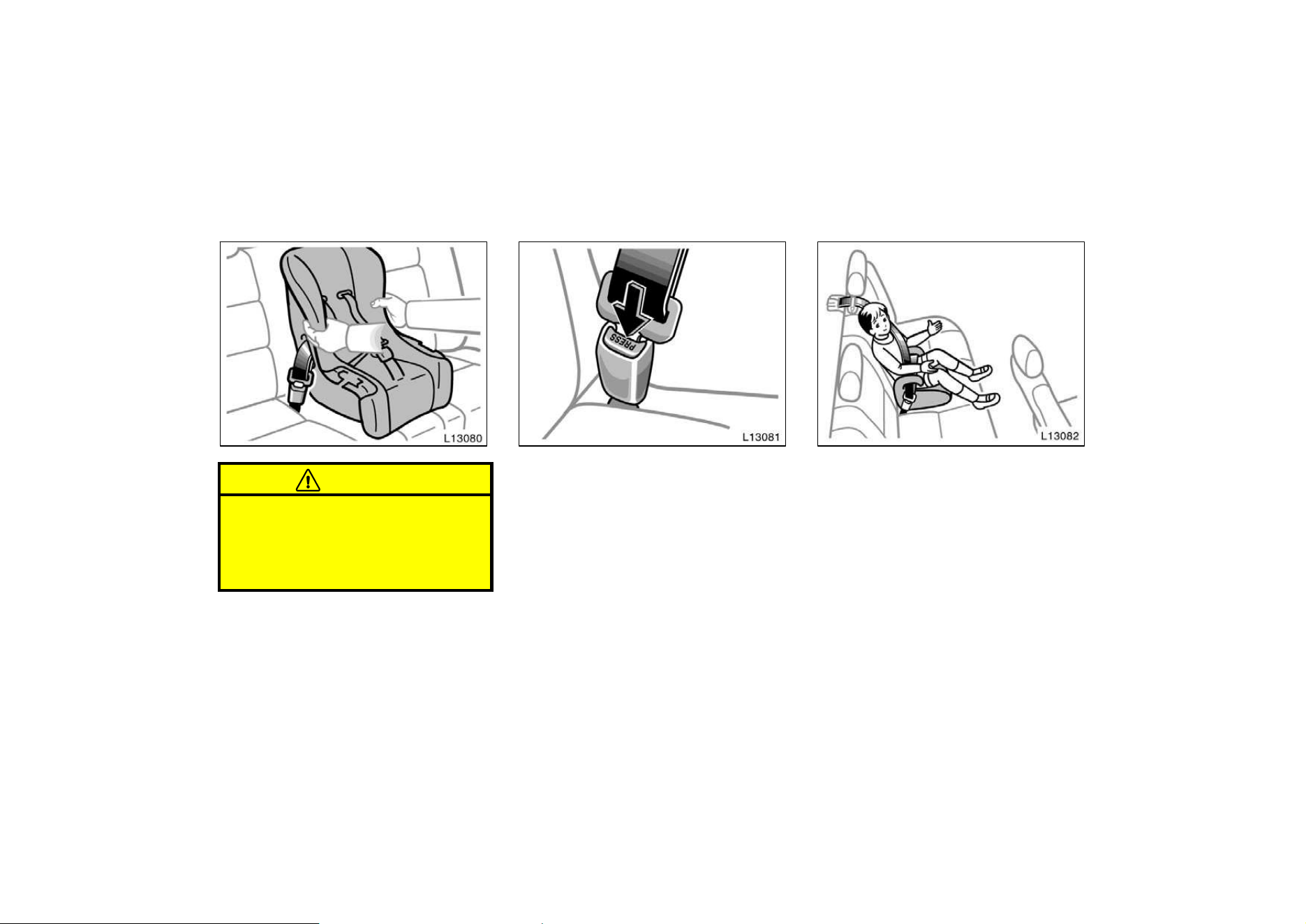
69
CAUTION
Push and pull the child restraint sys-
tem in different directions to be sure
it is secure. Follow all the installation
instructions provided by its manufac-
turer.
4. To remove the convertible seat, press
the buckle−release button and allow the
belt to retract completely. The belt will
move freely again and be ready to
work for an adult or older child passen-
ger.
(C) BOOSTER SEAT INSTALLATION
A booster seat is used in forward−fac-
ing position only.
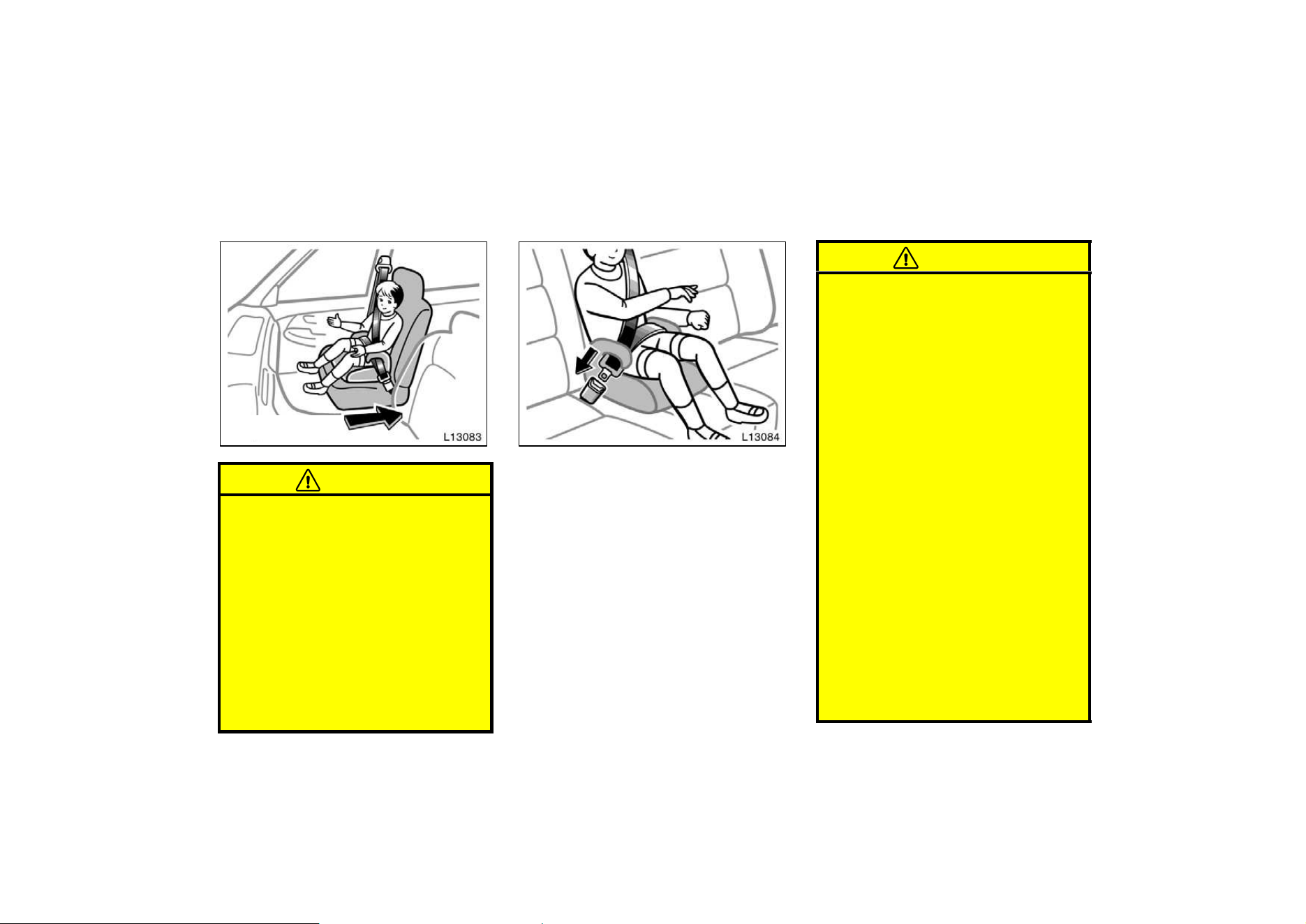
70
Move seat fully back
CAUTION
A forward−facing child restraint sys-
tem should be allowed to put on the
front seat only when it is unavoid-
able. Always move the seat as far
back as possible, because the force
of a deploying airbag could cause
death or serious injury to the child.
Do not allow the child to lean against
the front door or around the front
door even if the child is seated in the
child restraint system. It is dangerous
if the side airbag inflates, and the
impact could cause death or serious
injury to the child.
1. Sit the child on a booster seat. Run
the lap and shoulder belt through or
around the booster seat and child fol-
lowing the instructions provided by its
manufacturer and insert the tab into
the buckle taking care not to twist the
belt.
Make sure the shoulder belt is correctly
across the child’s shoulder and that the
lap belt is positioned as low as possible
on child’s hips. See ”Seat belts” for de-
tails.
CAUTION
D Always make sure the shoulder belt
is positioned across the center of
child’s shoulder. The belt should be
kept away from child’s neck, but
not falling off child’s shoulder. Fail-
ure to do so could reduce the
amount of protection in an accident
and cause serious injuries in a col-
lision.
D High−positioned lap belts and
loose−fitting belts both could cause
serious injuries due to sliding un-
der the lap belt during a collision
or other unintended result. Keep
the lap belt positioned as low on
hips as possible.
D For child’s safety, do not place the
shoulder belt under child’s arm.
D After inserting the tab, make sure
the tab and buckle are locked and
that the lap and shoulder portions
of the belt are not twisted.
D Do not insert coins, clips, etc. in
the buckle as this may prevent you
from properly latching the tab and
buckle.
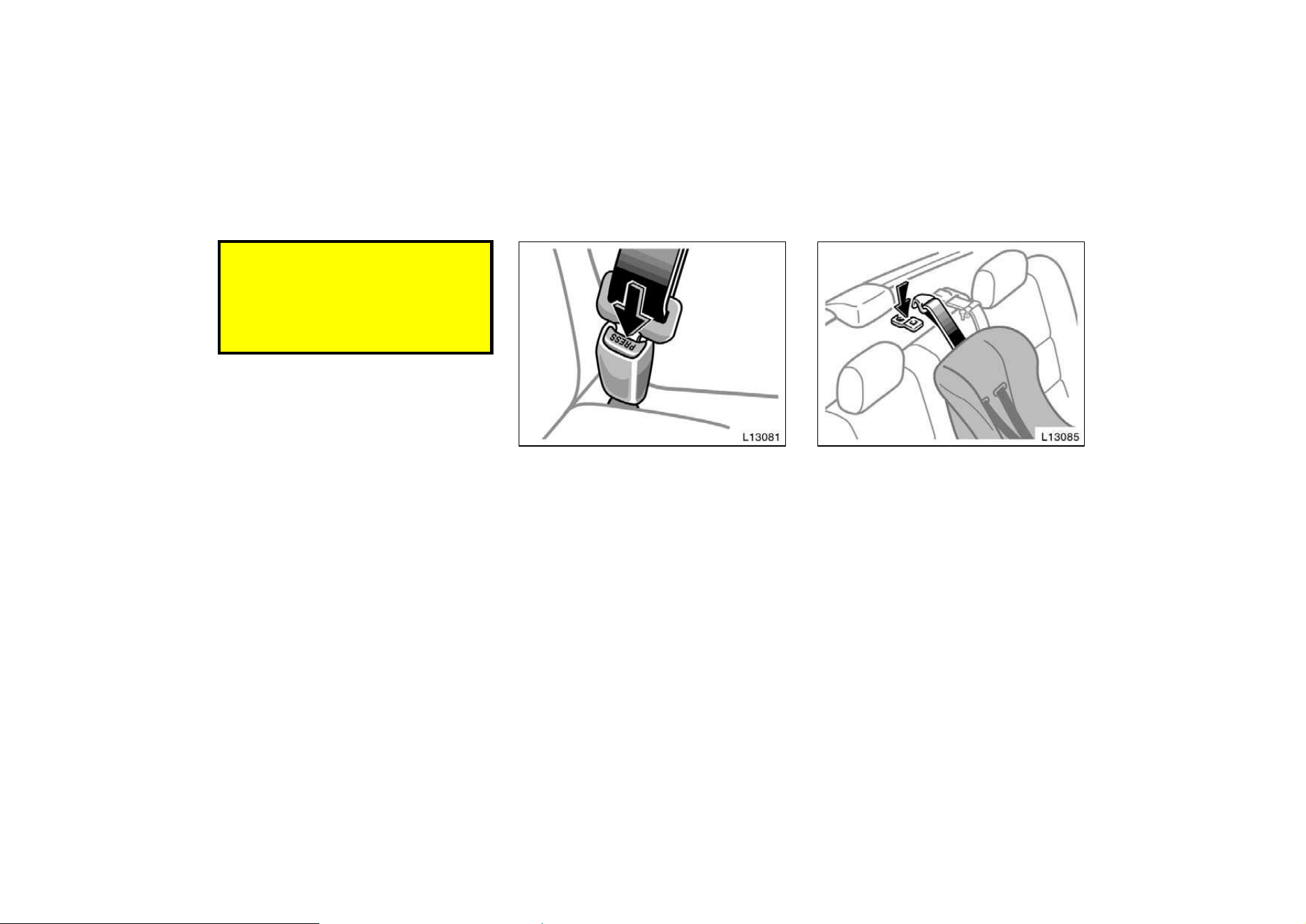
71
D If the seat belt does not function
normally, it cannot protect your
child from injury. Contact your
Toyota dealer immediately. Do not
use the seat until the seat belt is
fixed.
2. To remove the child restraint system,
press the buckle−release button and al-
low the belt to retract.
If your child restraint system requires
the use of a top strap, latch the hook
onto the anchor bracket and tighten the
top strap.
See the following instructions to install the
anchor bracket.
—Top strap anchors and
locations
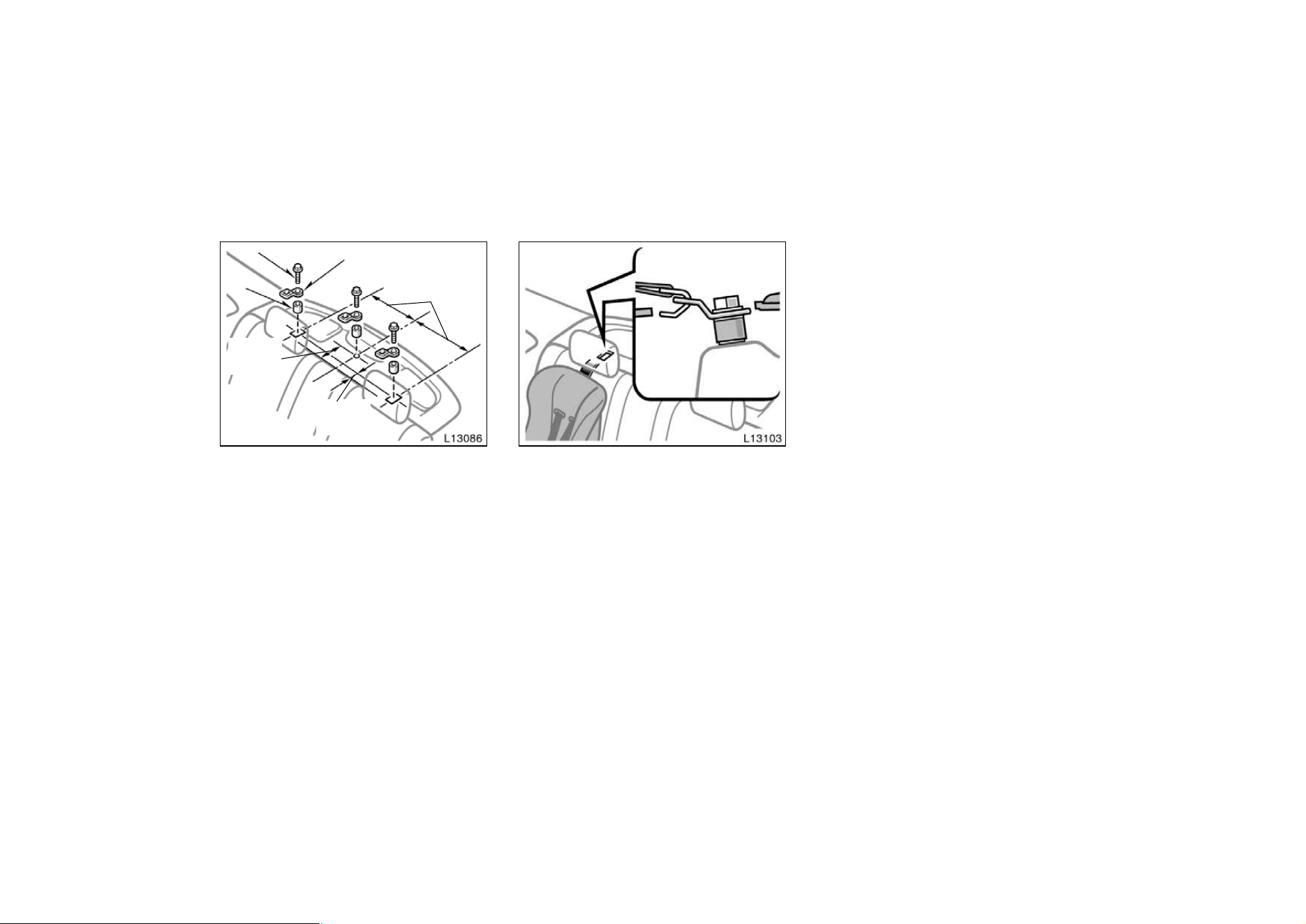
72
Bolt
Anchor bracket
Spacer
345 mm
(13.6 in.)
100 mm
(4.0 in.)
185 mm
(7.3 in.)
On the filler panel behind the rear seat
Center anchor—
a. Using the illustration as a guide, run
your fingers across the trim of the filler
panel itself to locate the position of the
holes underneath.
b. Make a hole in the covering directly
above the hole in the filler panel.
c. Insert a 15 mm (0.6 in.) spacer and
tighten down the anchor bracket for your
child restraint system with a bolt. Torque
the bolt to 16.5—24.7 N⋅ m (1.68—2.52
kgf⋅ m, 12.2—18.2 ft⋅lbf).
Outside anchors—
a. Should you select to use the outer
anchor positions, please contact your
Toyota dealer for proper modifications to
the filler panel.
b. After modifications have been made to
the filler panel, insert a 15 mm (0.6 in.)
spacer and tighten down the anchor brack-
et for your child restraint system with a
bolt. Torque the bolt to 16.5—24.7 N⋅ m
(1.68—2.52 kgf⋅m, 12.2—18.2 ft⋅ lbf).
c. Securely latch the hook of the top strap
onto the anchor bracket and make sure
the hook does not make contact with the
filler panel.
To comply with Canada Motor Vehicle
Safety Standards, vehicles sold in Canada
are provided with a bracket set in the
glovebox, designed for use with any of the
3 anchor locations shown in the illustra-
tion.
If your child restraint system does not
provide any of the necessary parts, ask
your Toyota dealer. (See ”—Child restraint
system”.)
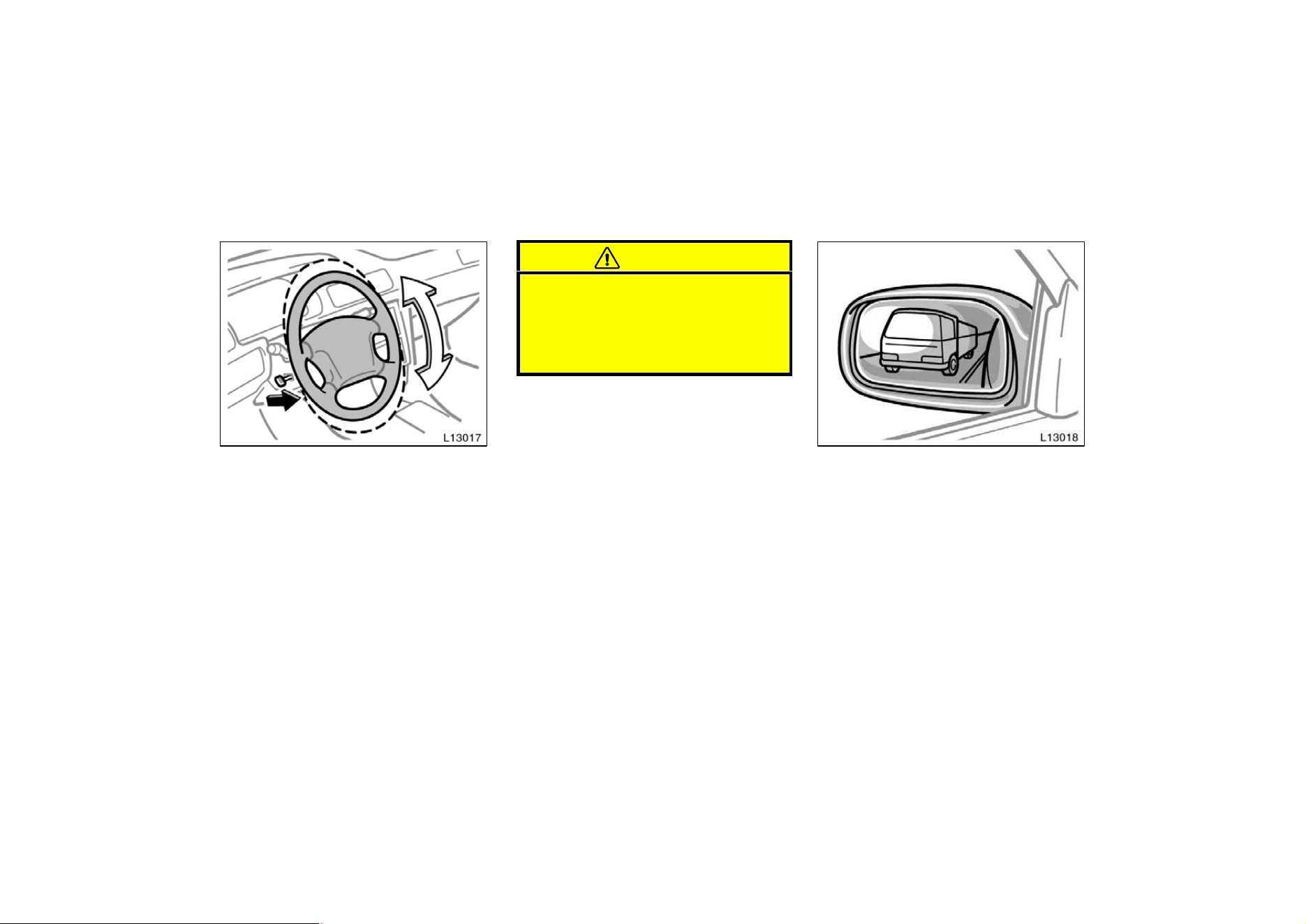
73
Tilt steering wheel
To change the steering wheel angle,
hold the steering wheel, pull the lock
release lever, tilt the steering wheel to
the desired angle and release the lever.
When the steering wheel is in a low posi-
tion, it will spring up as you release the
lock release lever.
CAUTION
D Do not adjust the steering wheel
while the vehicle is moving.
D After adjusting the steering wheel,
try moving it up and down to make
sure it is locked in position.
Outside rear view mirrors—
Adjust the mirror so you can see the
side of your vehicle in the mirror.
Be careful when judging the size or dis-
tance of any object seen in the outside
rear view mirror on the passenger’s side.
It is a convex mirror with a curved sur-
face. Any object seen in a convex mirror
will look smaller and farther away than
when seen in a flat mirror.
On some models, when you push the rear
window defogger switch, the heater panels
in the outside rear view mirrors will quick-
ly clear the surface.
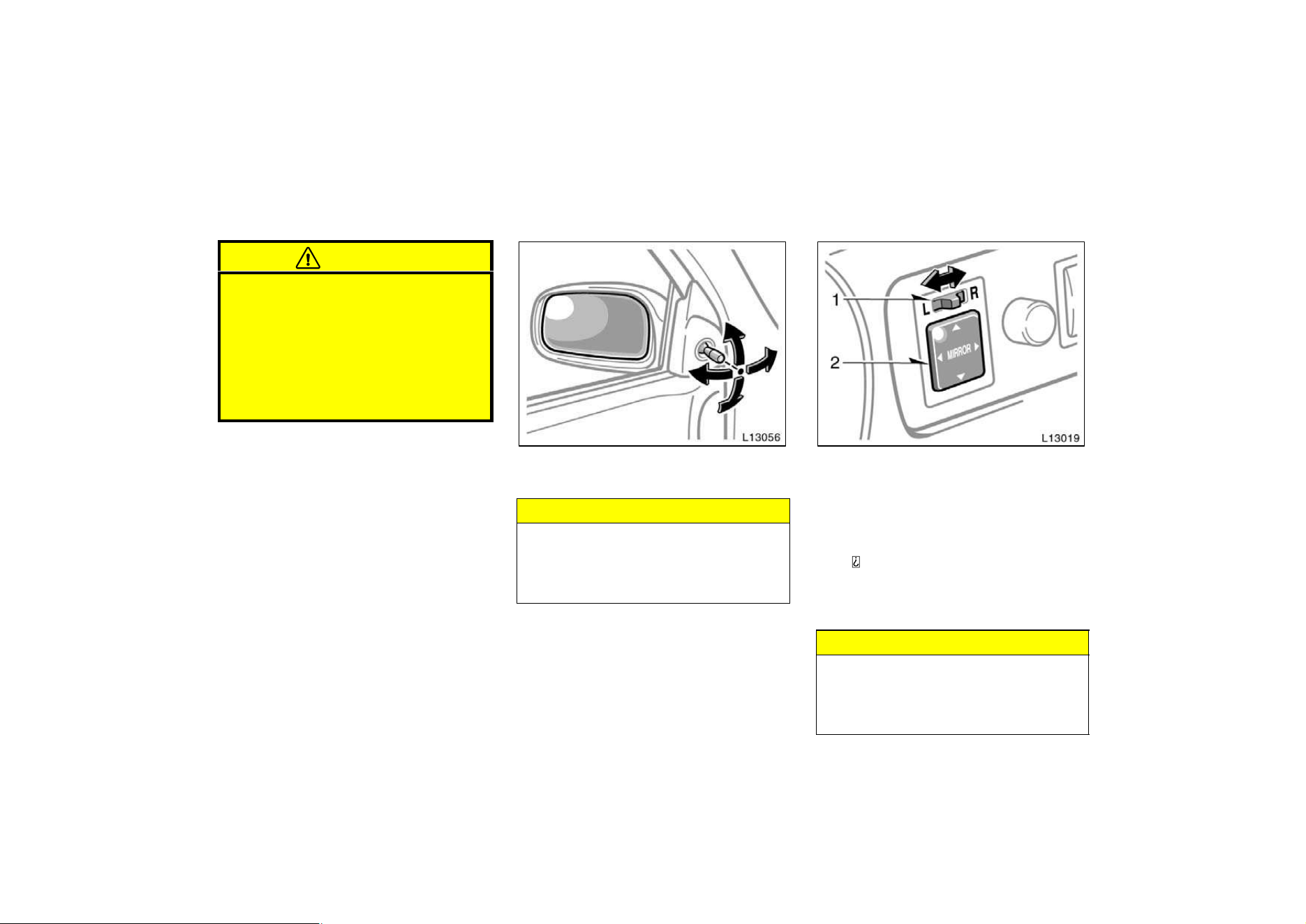
74
CAUTION
D Do not adjust the mirror while the
vehicle is moving. It may cause the
driver to mishandle the vehicle and
an accident may occur resulting in
personal injuries.
D Since the mirror surfaces can get
hot, keep your hands off them when
the switch is on.
To adjust the rear view mirror, simply
operate the control lever.
NOTICE
If ice should jam the mirror, do not
operate the control or scrape the mir-
ror face. Use a spray de−icer to free
the mirror.
To adjust a mirror, use the switches.
1. Master switch—To select the mirror to
be adjusted
Place the switch at ”L” (left) or ”R” (right).
2. Control switch—To move the mir-
ror
Push the switch in the desired direc-
tion.
If the engine is not running, the key must
be in the ”ACC” position.
NOTICE
If ice should jam the mirror, do not
operate the control or scrape the mir-
ror face. Use a spray de−icer to free
the mirror.
—Rear view mirror remote
control
—Power rear view mirror
control
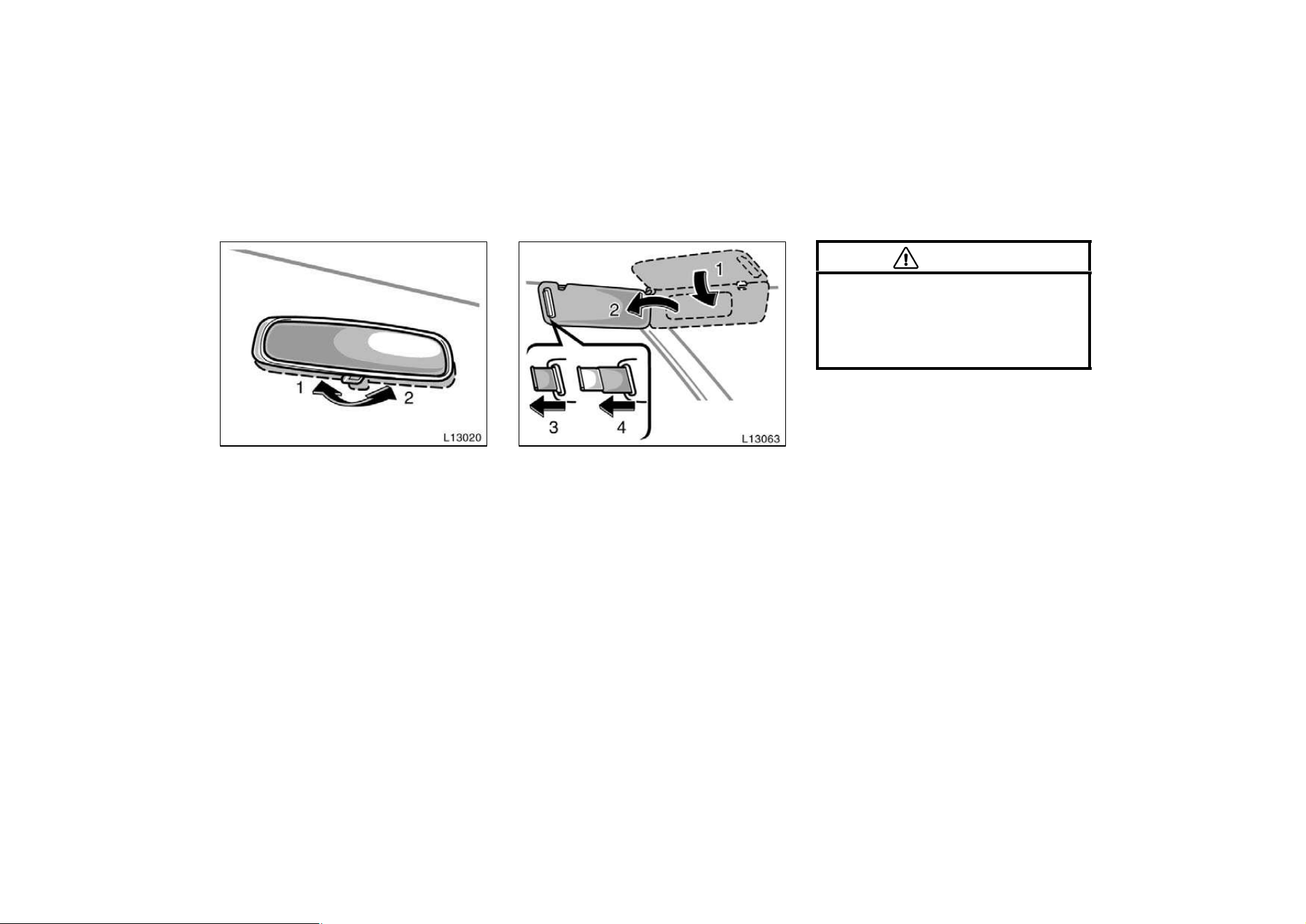
75
To reduce glare from the headlights of
the vehicle behind you during night
driving, operate the lever on the lower
edge of the mirror.
Daylight driving—Lever at position 1
The reflection in the mirror has greater
clarity at this position.
Night driving—Lever at position 2
Remember that by reducing glare you also
lose some rear view clarity.
Sun visors—
To block out glare, move the sun visor.
To block out glare from the front—Swing
down the sun visor (position 1).
To block out glare from the side—Swing
down the sun visor, remove it from the
hook and swing it to the lateral side (posi-
tion 2).
If glare comes from obliquely behind you,
extend the plate at the end of the visor
(to position 3 or 4).
CAUTION
Do not extend the plate at the end of
the sun visor when the visor is in the
position 1. It can cover the anti−glare
inside rear view mirror and obstruct
the rear view.
Anti−glare inside rear view
mirror
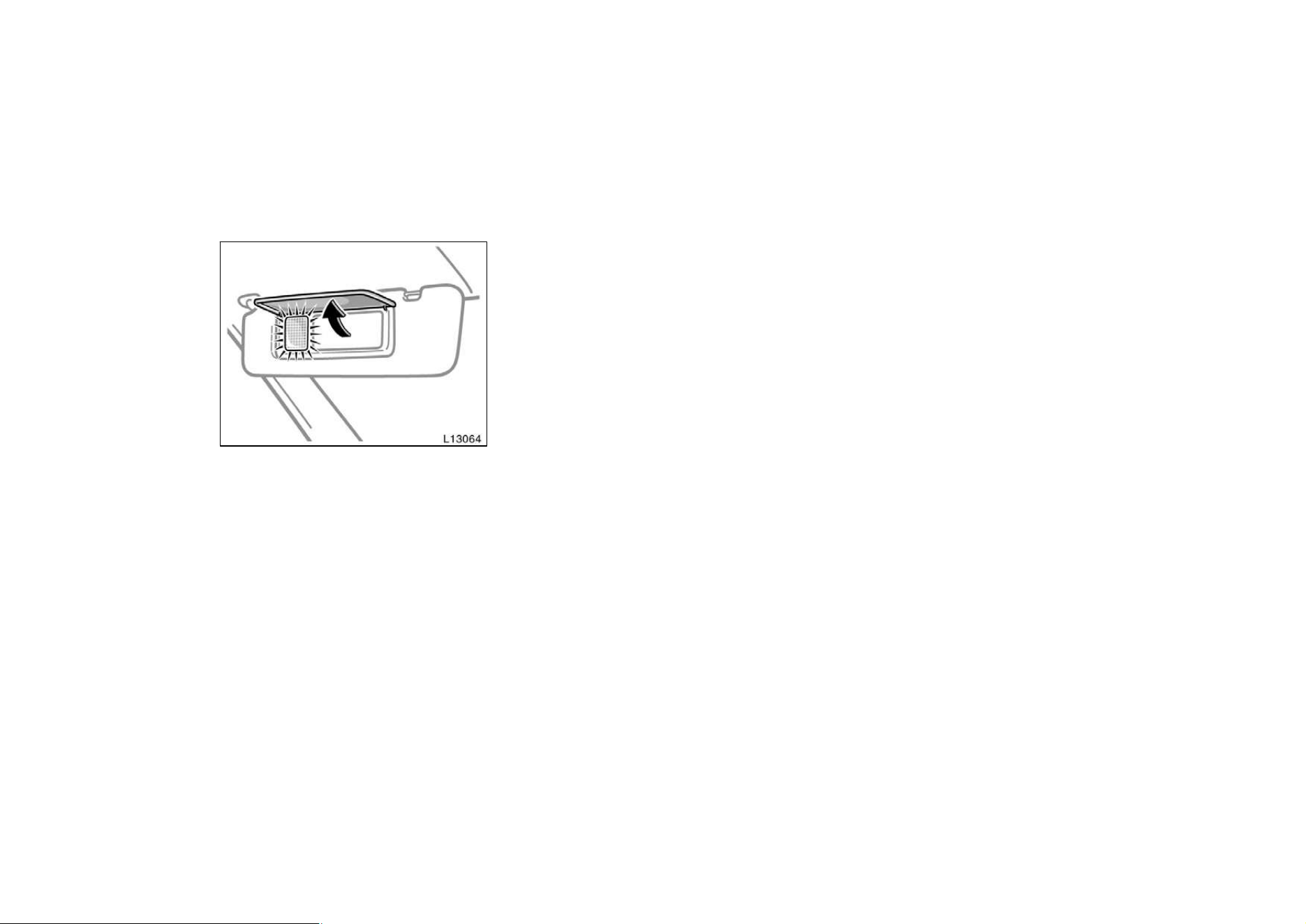
76
—Vanity mirrors
To use the vanity mirrors, swing down
the sun visor and open the cover.
On some models, the vanity light comes
on when you open the cover.

77
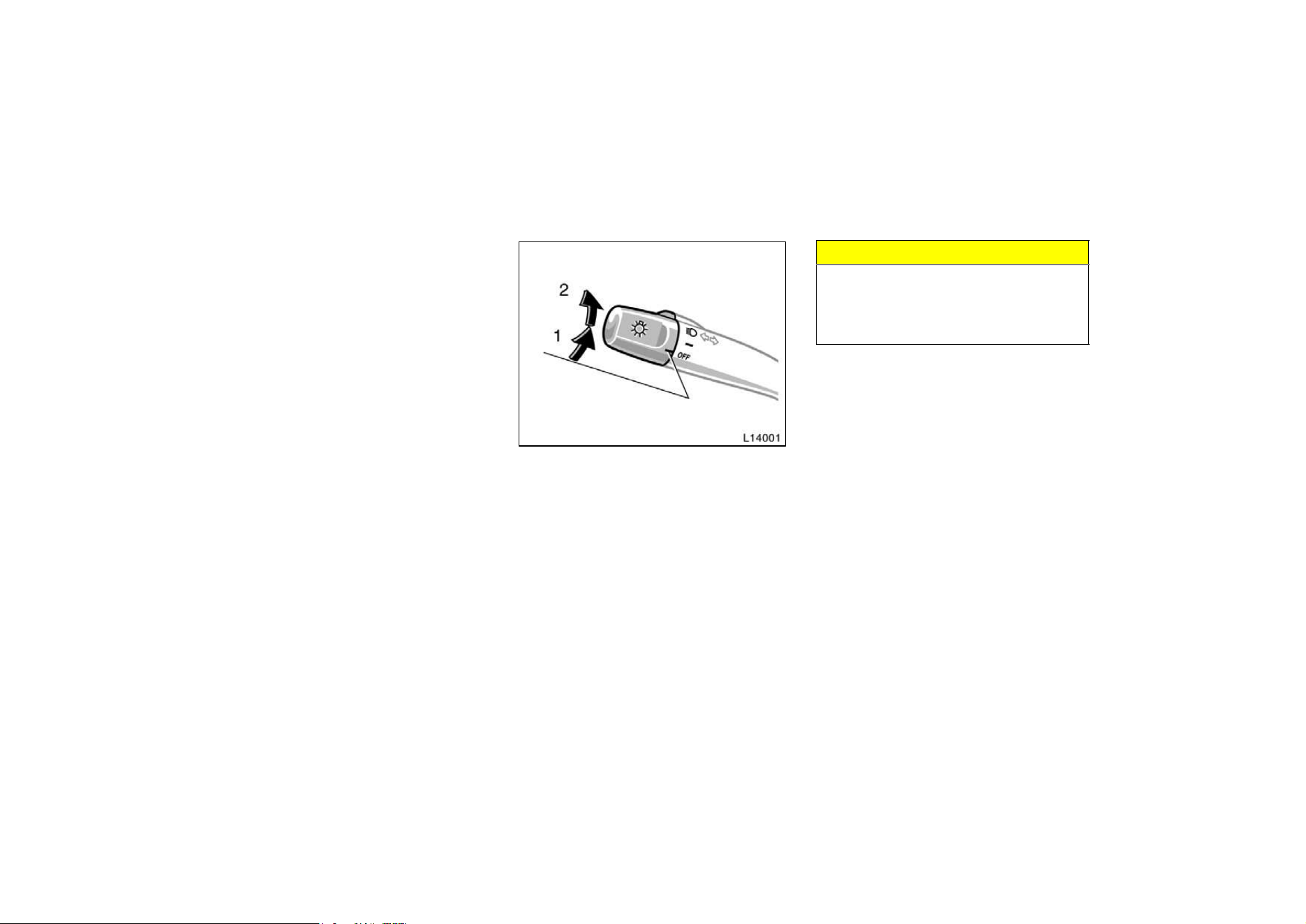
78
Part 1
OPERATION OF
INSTRUMENTS
AND CONTROLS—
Chapter 1−4
Lights, Wipers and
Defogger
D
Headlights and turn signals
D Emergency flashers
D Instrument panel light control
D Interior light
D Ignition switch light
D Personal light
D Windshield wipers and washer
D Rear window and outside
rear view mirror defoggers
Headlights and turn signals
HEADLIGHTS
To turn on the following lights: Twist
the headlight/turn signal lever knob.
Position 1—Parking, tail, license plate,
side marker and instrument panel lights
Position 2—Headlights and all of the
above
The lights automatically turn off when the
driver’s door is opened with the ignition
turned off. To turn them on again, turn the
key to the ”ON” position or actuate the
headlight switch. If you are going to park
for over one week, make sure the head-
light switch is off.
NOTICE
To prevent the battery from being dis-
charged, do not leave the lights on
for a long period when the engine is
not running.
Daytime running light system (Canada
only)
The headlights turn on at reduced intensi-
ty when the parking brake is released with
the engine started, even with the light
switch in the ”OFF” position. They will not
go off until the ignition switch is turned
off.
To turn on the other exterior lights and
instrument panel lights, twist the knob to
the position 1.
Twist the knob to the position 2 to turn
to full intensity for driving at night.
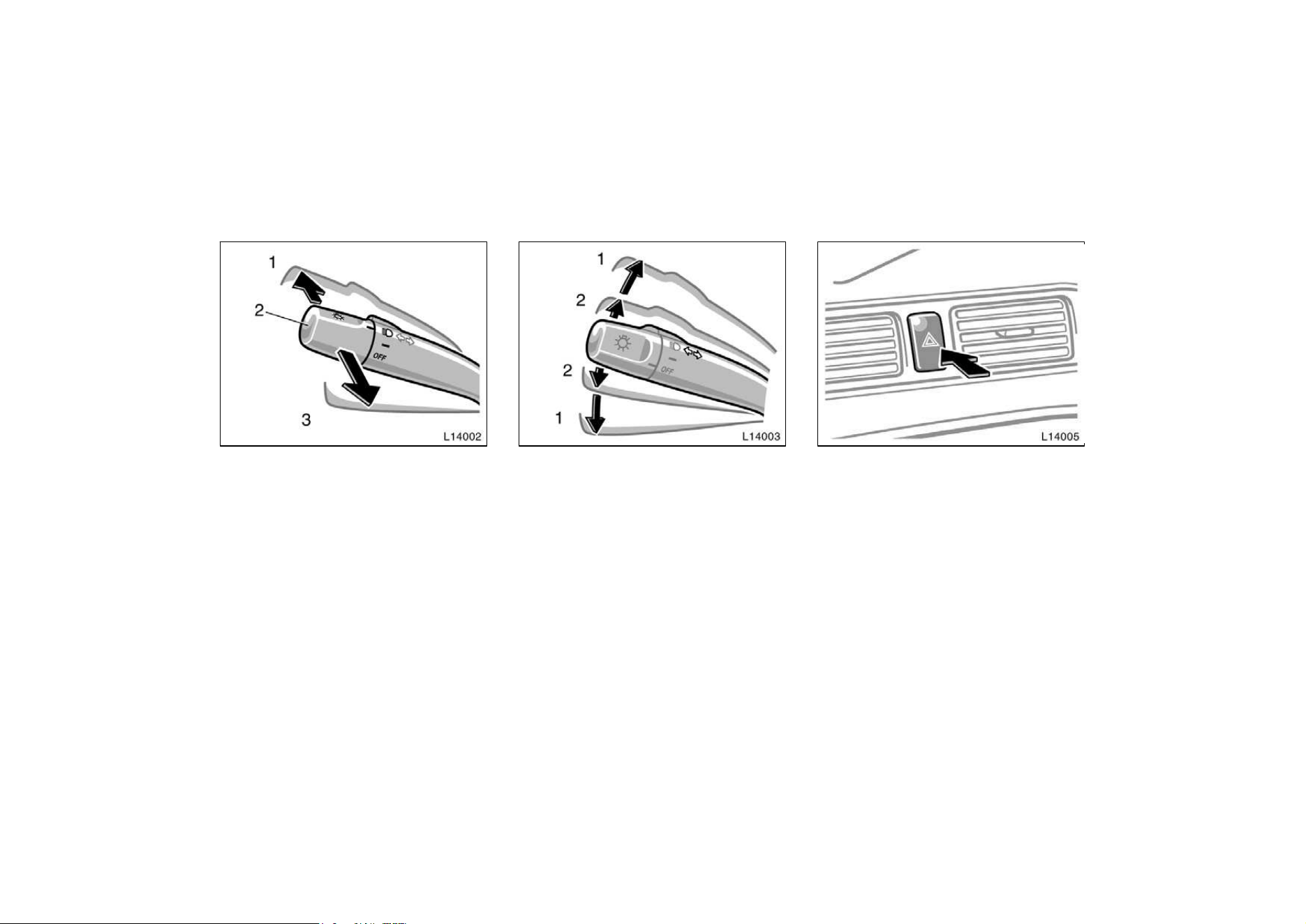
79
High−Low beams—For high beams, turn
the headlights on and push the lever away
from you (position 1). Pull the lever to-
ward you (position 2) for low beams.
The headlight high beam indicator light
(blue light) on the instrument panel will
tell you that the high beams are on.
Flashing the high beam headlights
(position 3)—Pull the lever all the way
back. The high beam headlights turn off
when you release the lever.
You can flash the high beam headlights
with the knob turned to ”OFF”.
TURN SIGNALS
To signal a turn, push the headlight/
turn signal lever up or down to position
1.
The key must be in the ”ON” position.
The lever automatically returns after you
make a turn, but you may have to return
it by hand after you change lanes.
To signal a lane change, move the lever
up or down to the pressure point (position
2) and hold it.
If the turn signal indicator lights (green
lights) on the instrument panel flash faster
than normal, a front or rear turn signal
bulb is burned out.
Emergency flashers
To turn on the emergency flashers,
push the switch.
All the turn signal lights will flash. To turn
them off, push the switch once again.
Turn on the emergency flashers to warn
other drivers if your vehicle must be
stopped where it might be a traffic hazard.
Always pull as far off the road as pos-
sible.
The turn signal light switch will not work
when the emergency flashers are operat-
ing.
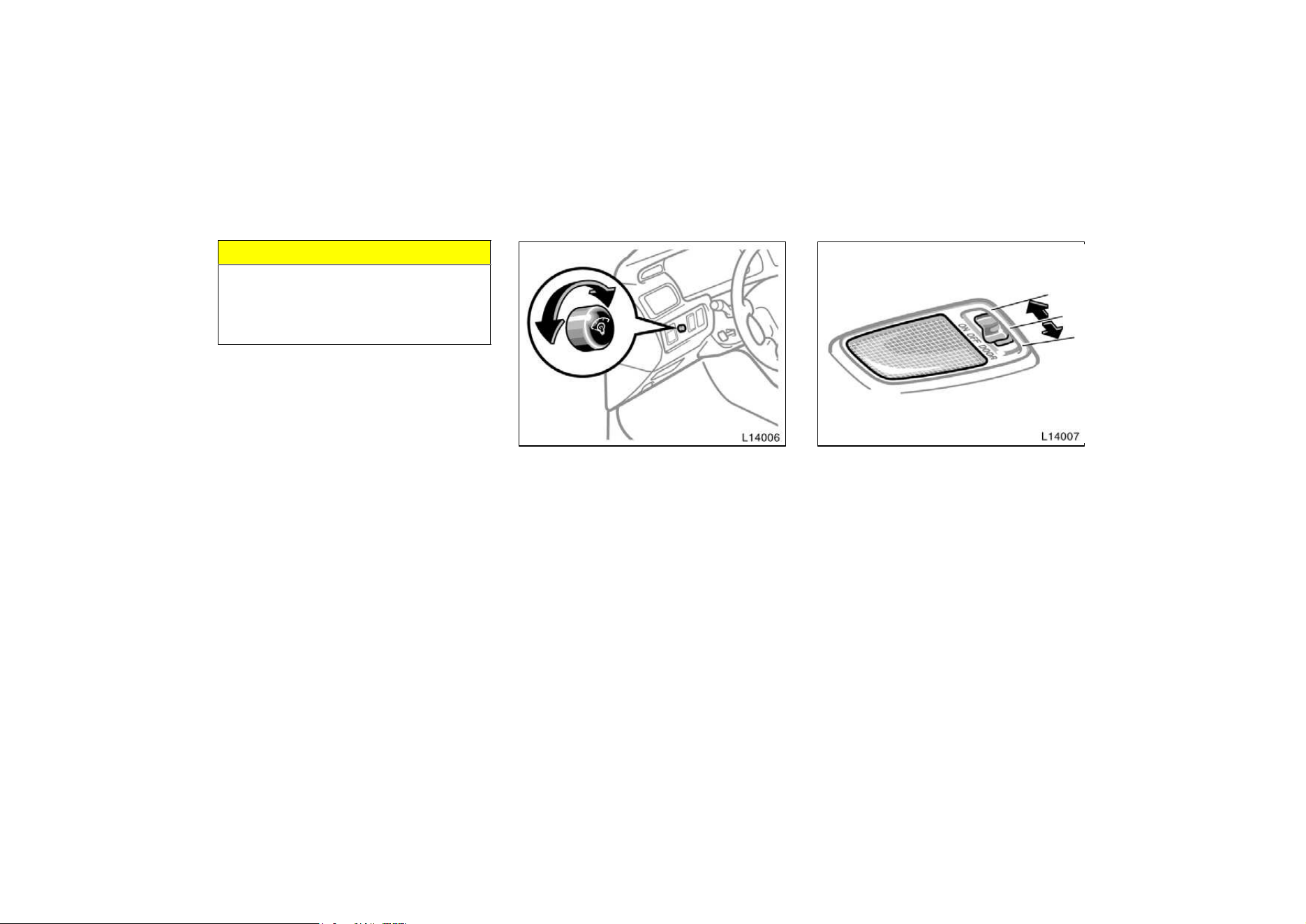
80
NOTICE
To prevent the battery from being dis-
charged, do not leave the switch on
longer than necessary when the en-
gine is not running.
Instrument panel light control
To adjust the brightness of the instru-
ment panel lights, turn the knob.
Interior light
To turn on the interior light, slide the
switch.
The interior light switch has the following
positions:
”ON”—Keeps the light on all the time.
”OFF”—Turns the light off.
”DOOR”—Turns the light on when any of
the door is opened. The light goes off
when all the doors are closed. On some
models, the light remains on for some
time after all of the doors are closed.
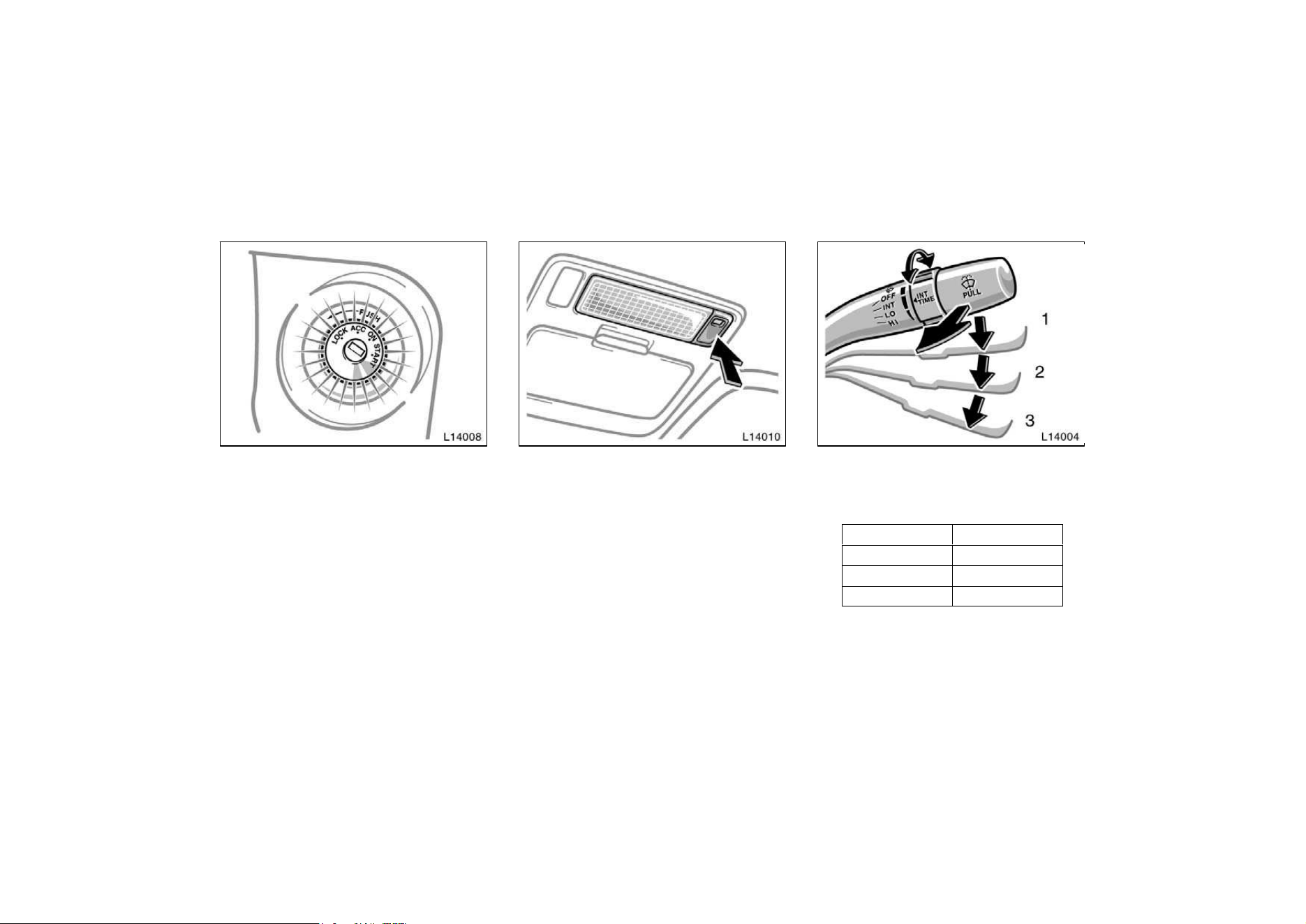
81
Ignition switch light
For easy access to the ignition switch,
the ignition switch light comes on when
any of the doors are opened.
The light remains on for a certain time
after all the doors are closed.
Vehicles with power door lock system
—When all the doors are locked or the
ignition switch is turned to ”ACC”, ”ON”
after all the doors are closed, the light
fades out.
Personal light
To turn on the personal light, push the
switch. To turn it off, push the switch
once again.
To turn on the windshield wipers, move
the lever to the desired setting.
The key must be in the ”ON” position.
Lever position Speed setting
Position 1 Intermittent
Position 2 Slow
Position 3 Fast
With interval adjuster: The ”INT TIME”
band lets you adjust the wiping time inter-
val when the wiper lever is in the intermit-
tent position (position 1). Twist the band
upward to increase the time between
sweeps, and downward to decrease it.
Windshield wipers and
washer
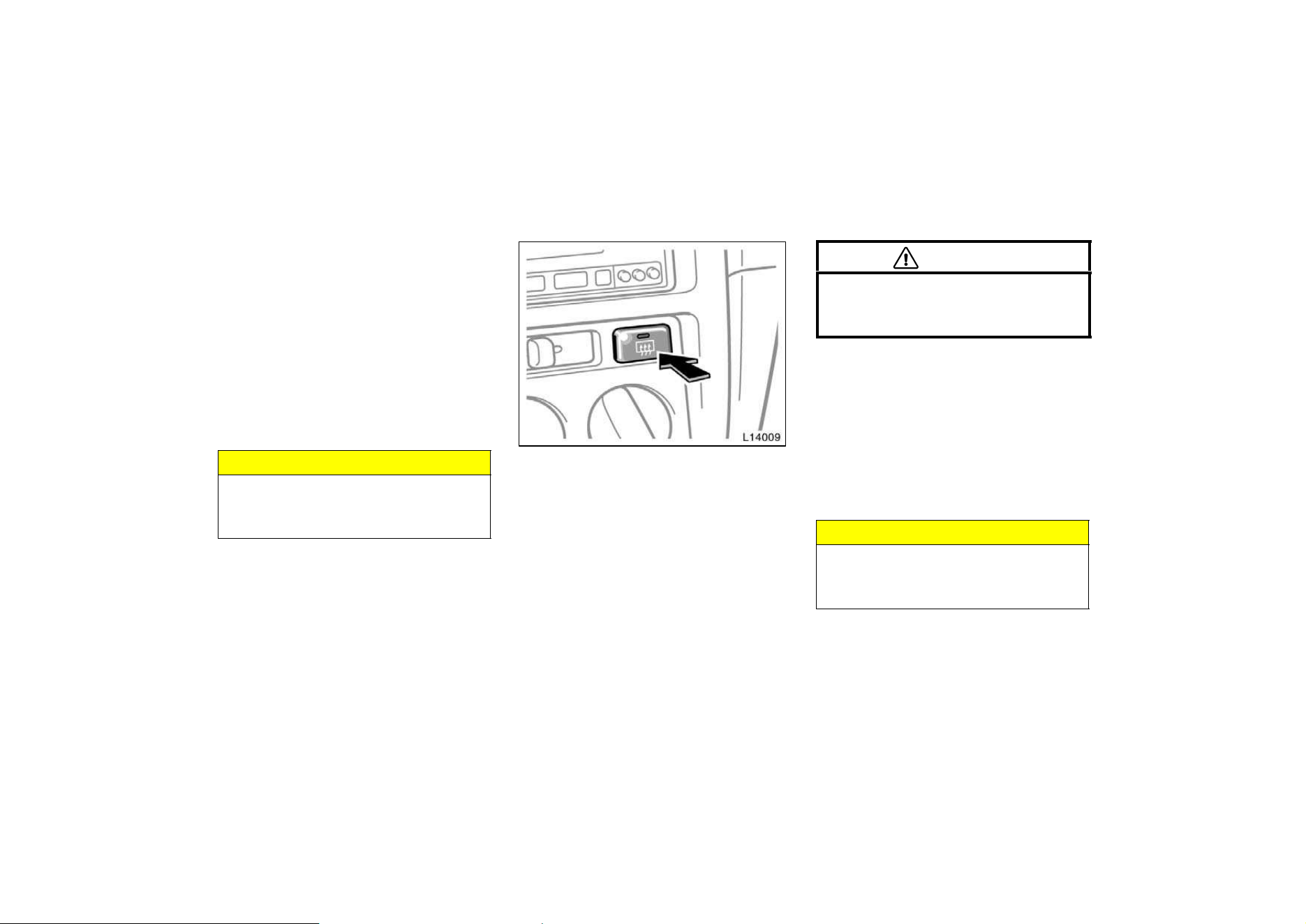
82
To squirt washer fluid, pull the lever
toward you.
If the windshield wipers are off, they will
operate a couple of times after the washer
squirts.
For instructions on adding washer fluid,
see ”Adding washer fluid” in Chapter 7−3.
In freezing weather, warm the windshield
with the defroster before using the washer.
This will help prevent the washer fluid
from freezing on your windshield, which
can block your vision.
NOTICE
Do not operate the wipers if the wind-
shield is dry. It may scratch the
glass.
To defog or defrost the rear window,
push the switch.
The key must be in the ”ON” position.
The thin heater wires on the inside of the
rear window will quickly clear the sur-
faces. An indicator light will illuminate to
indicate the defogger is operating.
On some models, heater panels in the
outside rear view mirrors will also quickly
clear the surfaces.
Push the switch once again to turn the
defogger off.
The system will automatically shut off af-
ter the defogger has operated about 15
minutes.
CAUTION
Since the mirror surfaces can get hot
keep your hands off them when the
switch is on.
Make sure you turn the defoggers off
when the surfaces are clear. Leaving the
defoggers on for a long time could cause
the battery to discharge, especially during
stop−and−go driving. The defoggers are
not designed for drying rain water or for
melting snow.
If the outside rear view mirrors are heavi-
ly coated with ice, use a spray de−icer
before operating the switch.
NOTICE
When cleaning the inside of the rear
window, be careful not to scratch or
damage the heater wires.
Rear window and outside
rear view mirror defoggers

83
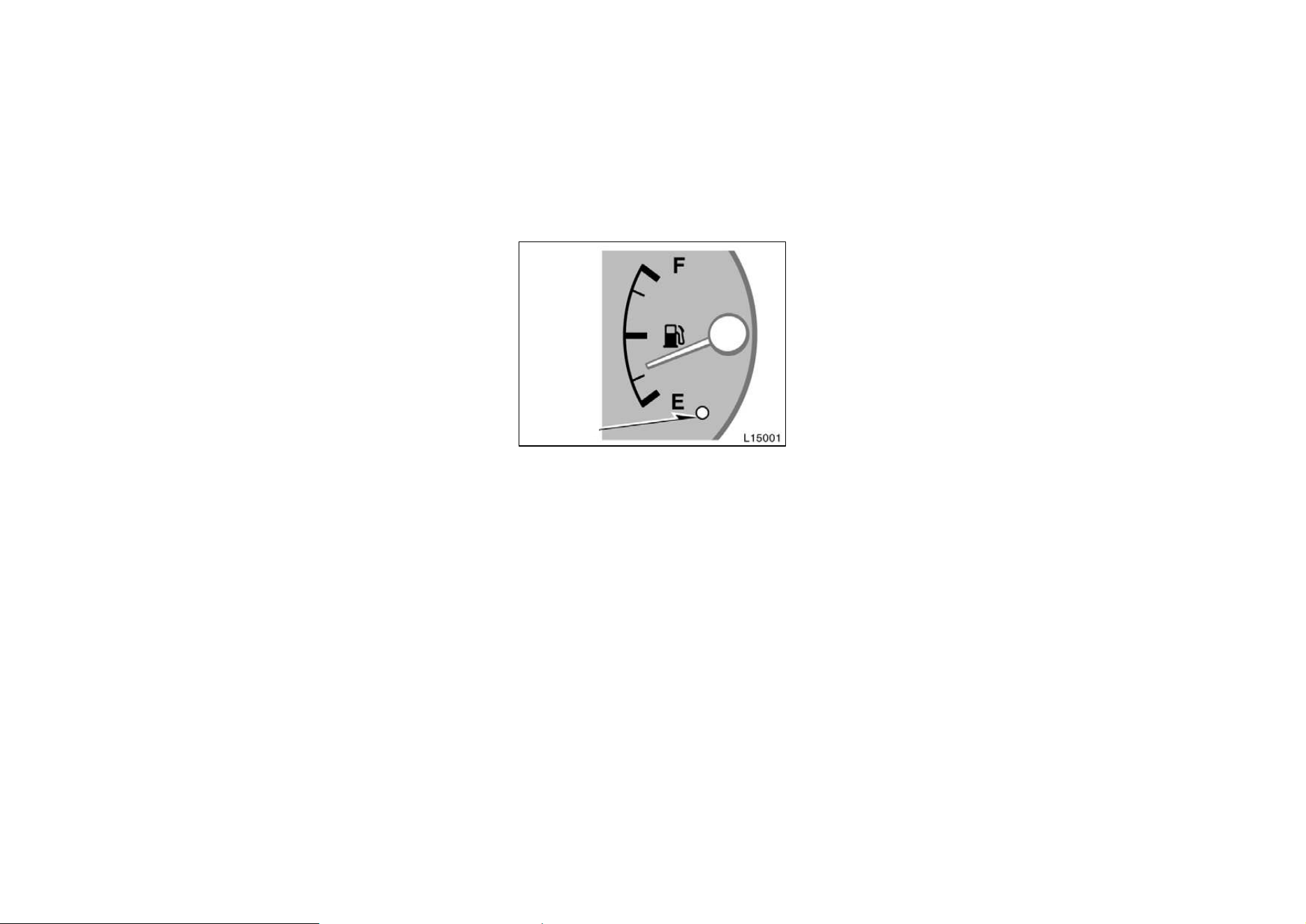
84
Part 1
OPERATION OF
INSTRUMENTS
AND CONTROLS—
Chapter 1−5
Gauges, Meters and
Service reminder
indicators
D
Fuel gauge
D Engine coolant temperature
gauge
D Tachometer
D Odometer and two trip meters
D Service reminder indicators and
warning buzzers
Fuel gauge
Low fuel level
warning light
The gauge works when the ignition
switch is on and indicates the approxi-
mate quantity of fuel remaining in the
tank.
Nearly full—Needle at ”F”
Nearly empty—Needle at ”E”
It is a good idea to keep the tank over
1/4 full.
This fuel gauge has a non−return type
needle which remains at the last indicated
position when the ignition switch is turned
off.
If the fuel level approaches ”E” or the low
fuel level warning light comes on, fill the
fuel tank as soon as possible.
On inclines or curves, due to the move-
ment of fuel in the tank, the fuel gauge
needle may fluctuate or the low fuel level
warning light may come on earlier than
usual.
If the fuel tank is completely empty, the
malfunction indicator lamp comes on. Fill
the fuel tank immediately.
The indicator lamp goes off after driving
several times. If the indicator lamp does
not go off, contact your Toyota dealer as
soon as possible.
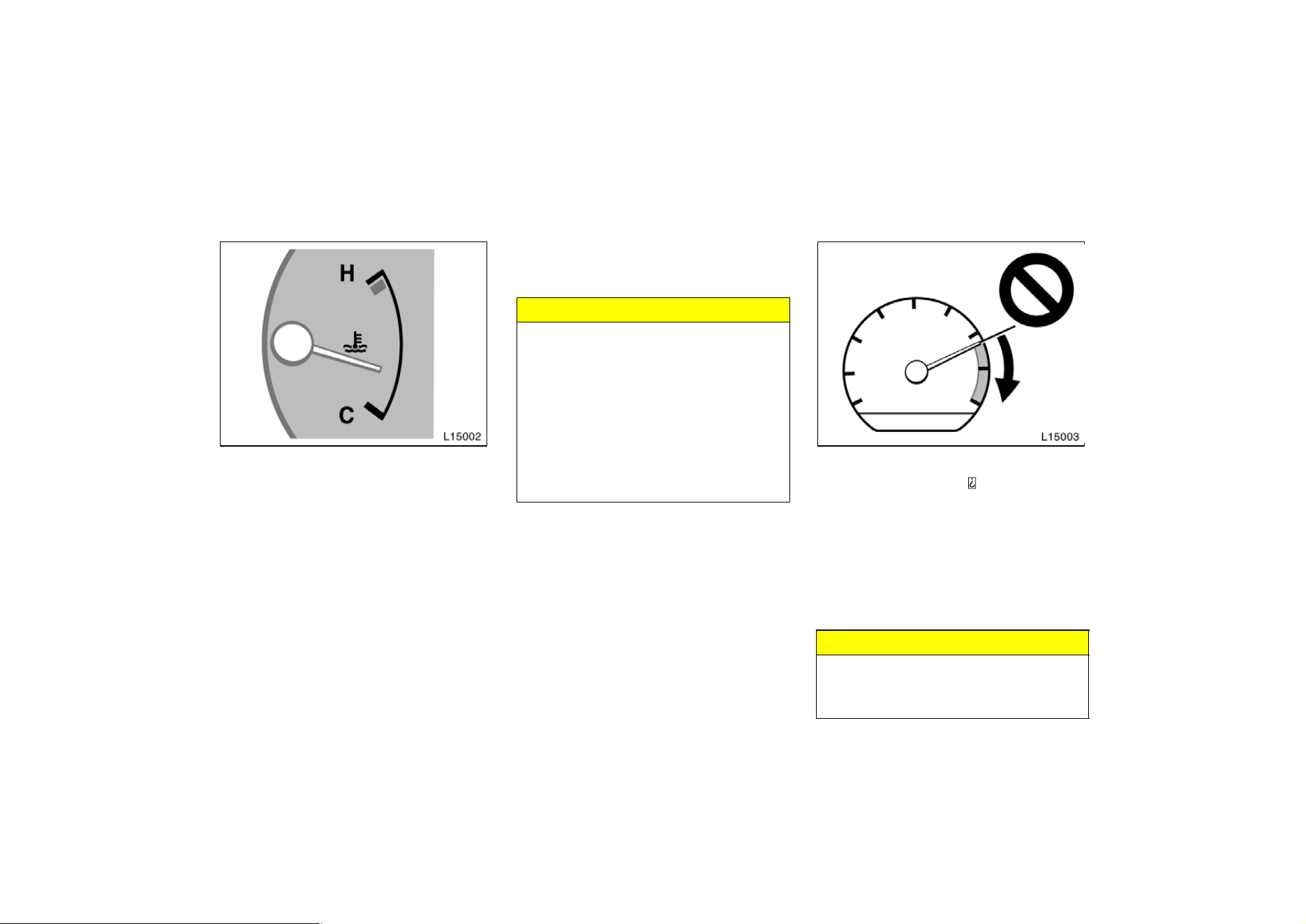
85
The gauge indicates the engine coolant
temperature when the ignition switch is
on. The engine operating temperature
will vary with changes in weather and
engine load.
If the needle moves into the red zone,
your engine is too hot. If your vehicle
overheats, stop your vehicle and allow the
engine to cool.
Your vehicle may overheat during severe
operating conditions, such as:
D Driving up a long hill on a hot day.
D Reducing speed or stopping after high
speed driving.
D Idling for a long period with the air
conditioning on in stop−and−go traffic.
D Towing a trailer.
NOTICE
z Do not remove the thermostat in
the engine cooling system as this
may cause the engine to overheat.
The thermostat is designed to con-
trol the flow of coolant to keep the
temperature of the engine within
the specified operating range.
z Do not continue driving with an
overheated engine. See ”If your ve-
hicle overheats” in Part 4.
Tachometer
The tachometer indicates engine speed
in thousands of rpm
( revolutions per
minute). Use it while driving to select
correct shift points and to prevent en-
gine lugging and overrevving.
Driving with the engine running too fast
causes excessive engine wear and poor
fuel economy. Remember, in most cases
the slower the engine speed, the greater
the fuel economy.
NOTICE
Do not let the indicator needle get
into the red zone. This may cause
severe engine damage.
Engine coolant temperature
gauge
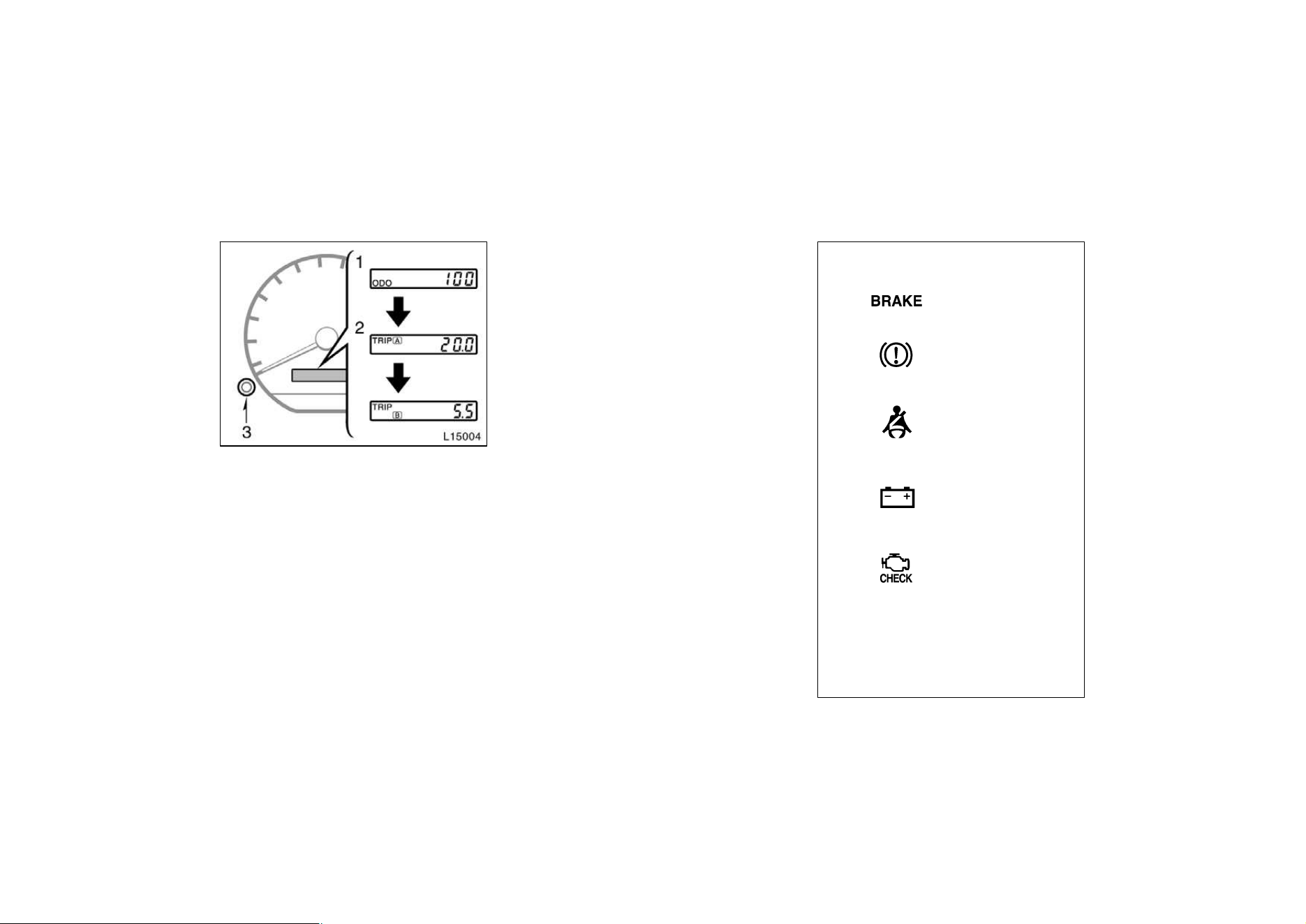
86
Odometer and two trip meters
This meter displays the odometer and
two trip meters.
1. Odometer—It shows the total distance
the vehicle has been driven.
2. Two trip meters—They show two differ-
ent distances independently driven
since the last time each trip meter was
set to zero.
You can use one trip meter to calculate
the fuel economy and the other to
measure the distance on each trip. All
trip meter data is cancelled if the elec-
trical power source is disconnected.
3. Trip meter reset knob—It can reset the
two trip meters to zero, and also
change the meter display.
To change the meter display, quickly
push and release the knob. The meter
display changes in the order from the
odometer to trip meter A to trip meter
B, then back to the odometer each
time you push.
To reset the trip meter A to zero, dis-
play the meter A reading, then push
and hold the knob until the meter is
set to zero. The same process can be
applied for resetting the trip meter B.
(a) If parking brake
is off, stop and
check.
(b) Fasten seat belts.
If the indicator or Do this.
buzzer comes on...
(c) Stop and check.
(d) Take vehicle to
Toyota dealer.
(e) Fill up tank.
(type A)
(type B)
(Indicator and buzzer)
Low fuel level
warning light
Service reminder indicators
and warning buzzers
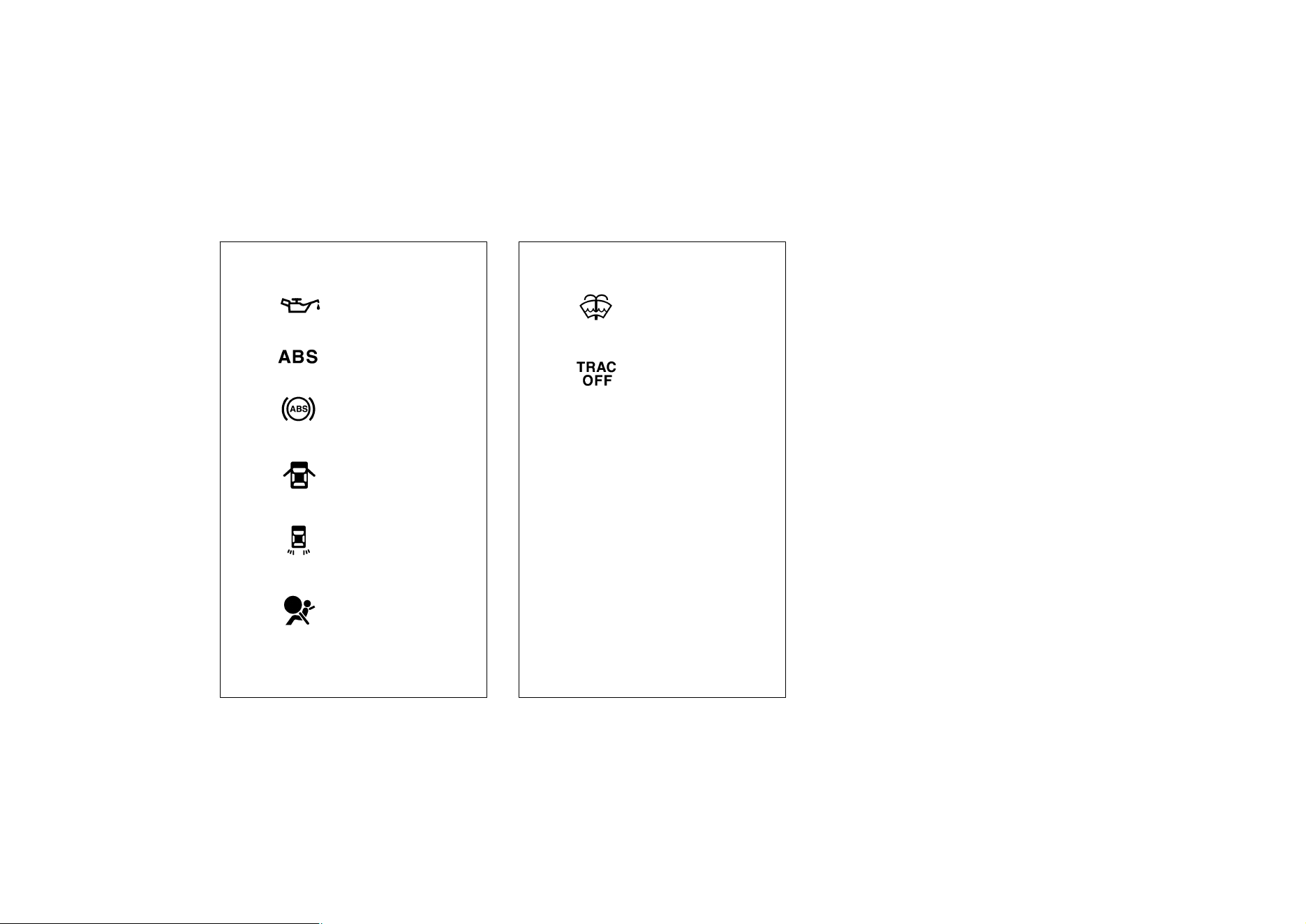
87
(f) Stop and check.
(g) Take vehicle to
Toyota dealer
immediately.
If the indicator or Do this.
buzzer comes on...
(h) Close all doors.
(i) Replace bulb.
(j) Take vehicle to
Toyota dealer
immediately.
(type A)
(type B)
(k) Add washer fluid.
(l) Take vehicle to
Toyota dealer.
If the indicator or Do this.
buzzer comes on...
(m) Remove key.
Key reminder
buzzer
(a) Brake System Warning Light
This light has the following functions:
Parking brake reminder
If this light is on, make sure the parking
brake is fully released. The light should
go off.
Low brake fluid level warning
If this light comes on and stays on while
you are driving, slow down and pull off
the road. Then stop the vehicle carefully.
Remember that stopping distance and ped-
al effort may be increased. There may be
a problem somewhere in the brake sys-
tem. Check the fluid level of the see−
through reservoir.
To make sure the parking brake has not
caused the warning light to come on,
check to see that the parking brake is
fully released.
If the brake fluid level is low...
At a safe place, test your brakes by start-
ing and stopping.
D If you judge that the brakes still work
adequately, drive cautiously to your
nearest dealer or shop for repairs.
D If the brakes are not working, have the
vehicle towed in for repairs. (For tow-
ing information, see Part 4.)
88
CAUTION
It is dangerous to continue driving
normally when the brake fluid level is
low.
If the brake fluid level is correct...
Have the warning system checked by your
Toyota dealer.
(b) Seat Belt Reminder Light and Buzz-
er
Once the ignition key is turned to ”ON” or
”START”, the reminder light and buzzer
come on if the driver’s seat belt is not
fastened. Unless the driver fastens the
belt, the light stays on and the buzzer
stops after about 4 to 8 seconds.
(c) Discharge Warning Light
This light warns that the battery is being
discharged.
If it comes on while you are driving, there
is a problem somewhere in the charging
system.
The engine ignition will continue to oper-
ate, however, until the battery is dis-
charged. Turn off the air conditioning,
blower, radio, etc., and drive directly to
the nearest Toyota dealer or repair shop.
NOTICE
Do not continue driving if the engine
drive belt is broken or loose.
(d) Malfunction Indicator Lamp
This lamp comes on in the following
cases.
a. The fuel tank is completely empty. (See
”Fuel gauge” in Chapter 1−5 for instruc-
tions.)
b. The fuel tank cap is not tightened se-
curely. (See ”Fuel tank cap” in Chapter
1−2 for instructions.)
c. There is a problem somewhere in your
engine or automatic transmission electrical
system.
If it comes on while you are driving in
case c, have your vehicle checked/re-
paired by your Toyota dealer as soon as
possible.
(e) Low Fuel Level Warning Light
This light comes on when the fuel level
in the tank becomes nearly empty. Fill up
the tank as soon as possible.
On inclines or curves, due to the move-
ment of fuel in the tank, the low fuel level
warning light may come on earlier than
usual.
(f) Low Oil Pressure Warning Light
This light warns that the engine oil pres-
sure is too low.
If it flickers or stays on while you are
driving, pull off the road to a safe place
and stop the engine immediately. Call a
Toyota dealer or qualified repair shop for
assistance.
The light may occasionally flicker when
the engine is idling or it may come on
briefly after a hard stop. There is no
cause for concern if it then goes out when
the engine is accelerated slightly.
The light may come on when the oil level
is extremely low. It is not designed to
indicate low oil level, and the oil level
must be checked using the level dipstick.
NOTICE
Do not drive the vehicle with the
warning light on—even for one block.
It may ruin the engine.
(g) ”ABS” Warning Light
This light warns that there is a problem
somewhere in your anti−lock brake sys-
tem.

89
If the light comes on while you are driv-
ing, have your vehicle checked by your
Toyota dealer as soon as possible.
The light will come on when the ignition
key is turned to the ”ON” position. After
about 3 seconds, the light will go off.
When the ”ABS” warning light is on (and
the brake system warning light is off), the
brake system operates conventionally but
anti−lock brake system is not assisting
brake performance so that the wheels can
lock−up during sudden braking or braking
on slippery road surfaces.
(h) Open Door Warning Light
This light remains on until all the doors
and back door are completely closed.
(i) Rear Light Failure Warning Light
If this light comes on when the headlight
switch is turned on (at the first or second
clickstop), it indicates that one or more of
the tail lights are burned out.
If it comes on when the brake pedal is
depressed, one or more stop lights are
burned out.
Have defective bulbs replaced as soon as
possible.
(j) SRS Airbag Warning Light
This light will come on when the igni-
tion key is turned to the ”ACC” or
”ON” position. After about 6 seconds,
the light will go off. This means the
systems of the airbag and front seat
belt pretensioner are operating properly.
The warning light system monitors the air-
bag sensor assembly, seat belt pretension-
er assembly, inflators, warning light, inter-
connecting wiring and power sources.
If either of the following conditions occurs,
this indicates a malfunction somewhere in
the parts monitored by the warning light
system. Contact your Toyota dealer as
soon as possible to service the vehicle.
D The light does not come on when the
ignition key is turned to the ”ACC” or
”ON” position or remains on.
D The light comes on or flashes while
driving.
(k) Low Windshield Washer Fluid Level
Warning Light
The light warns that the windshield washer
fluid level is too low. Add washer fluid at
your earliest opportunity. (For instructions,
see ”Adding washer fluid” in Chapter 7−3.)
(l) ”TRAC OFF” Indicator/Warning Light
This light comes on when the ignition key
is turned to ”ON”, and will go off after 3
seconds. This means that the system is
operating properly.
If one of the following conditions occurs,
this indicates a malfunction somewhere in
the parts monitored by the warning light
system. Contact your Toyota dealer as
soon as possible to service the vehicle.
D The light remains on more than 3 se-
conds after the ignition switch is turned
on.
D The light comes on while driving even
if the ”TRAC OFF” switch is not
pushed.
D The light flashes.
(m) Key Reminder Buzzer
This buzzer reminds you to remove the
key when you open the driver’s door with
the ignition key in the ”ACC” or ”LOCK”
position.

90
CHECKING SERVICE REMINDER INDICA-
TORS (except the low fuel level warning
light and low windshield washer fluid
level warning light)
1. Apply the parking brake.
2. Open one of the doors.
The open door warning light should
come on.
3. Close the door.
The open door warning light should go
off.
4. Turn the ignition key to ”ACC”.
The SRS airbag warning light should
come on. It goes off after about 6 se-
conds.
5. Turn the ignition key to ”ON”, but do
not start the engine.
All the service reminder indicators except
the open door warning light, SRS airbag
warning light and low windshield washer
fluid level warning light should come on.
The ”ABS” warning light goes off after
about 3 seconds.
If any service reminder indicator or warn-
ing buzzer does not function as described
above, either the bulb is burned out or the
circuit is in need of repair. Have it
checked by your Toyota dealer as soon as
possible.

91
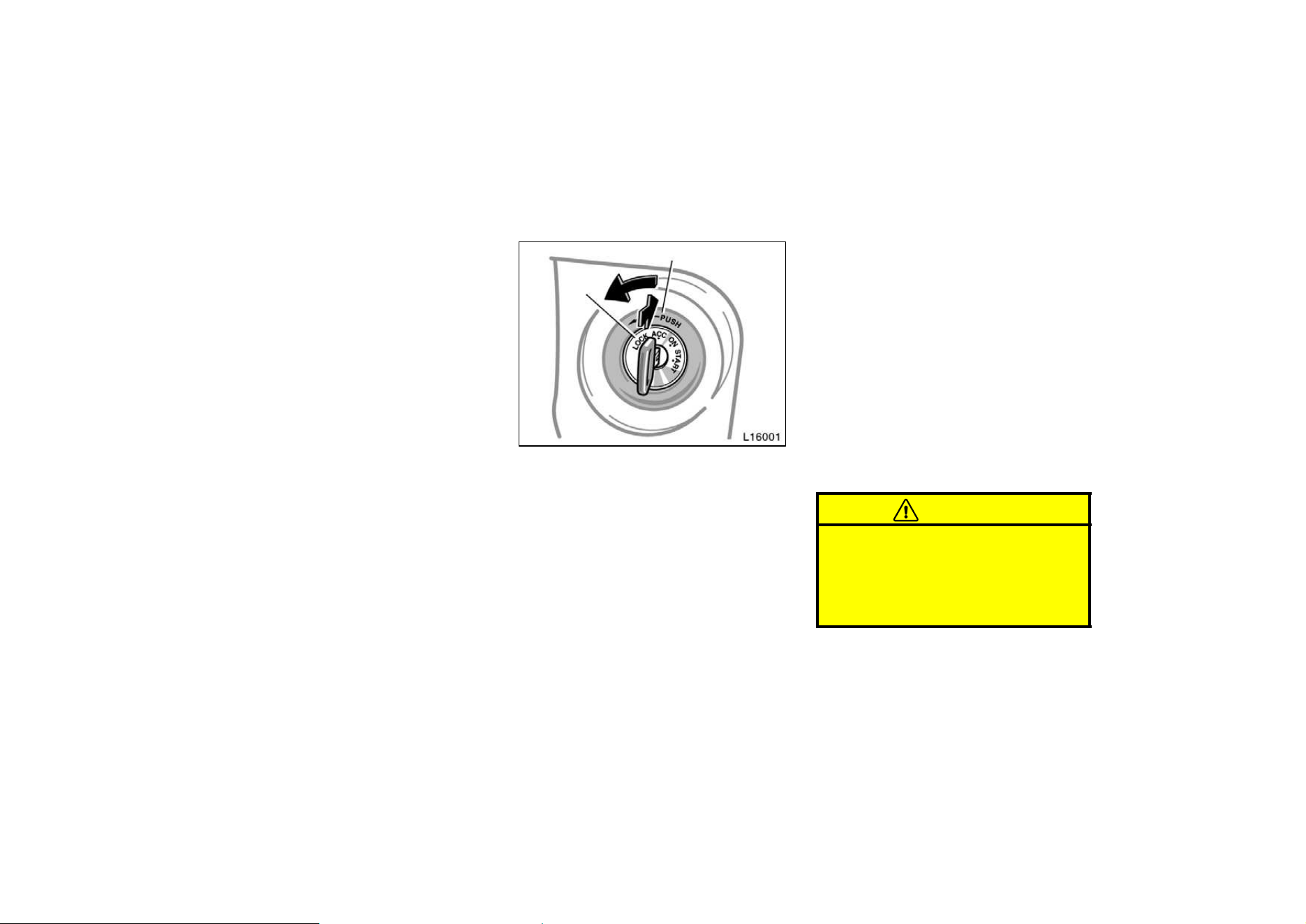
92
Part 1
OPERATION OF
INSTRUMENTS
AND CONTROLS—
Chapter 1−6
Ignition switch,
Transmission and
Parking brake
D
Ignition switch with steering lock
D Automatic transmission
D Manual transmission
D Parking brake
D Cruise control
”START”—Starter motor on. The key
will return to the ”ON” position when
released.
For starting tips, see Part 3.
”ON”—Engine on and all accessories
on.
This is the normal driving position.
”ACC”—Accessories such as the radio
operate, but the engine is off.
If you leave the key in the ”ACC” or
”LOCK” position and open the driver’s
door, a buzzer will remind you to remove
the key.
”LOCK”—Engine is off and the steering
wheel is locked. The key can be re-
moved only at this position.
You must push in the key to turn the key
from ”ACC” to the ”LOCK” position. On
vehicles with an automatic transmission,
the selector lever must be put in the ”P”
position before pushing the key.
Vehicles with engine immobiliser system—
Once you remove the key, the engine im-
mobiliser system is automatically set. (See
”Engine immobiliser system” in Chapter
1−2.)
When starting the engine, the key may
seem stuck at the ”LOCK” position. To
free it, first be sure the key is pushed all
the way in, and then rock the steering
wheel slightly while turning the key gently.
CAUTION
For manual transmission:
Never remove the key when the ve-
hicle is moving, as this will lock the
steering wheel and result in loss of
steering control.
Ignition switch with steering
lock

93
NOTICE
Do not leave the key in the ”ON”
position if the engine is not running.
The battery will discharge and the
ignition could be damaged.
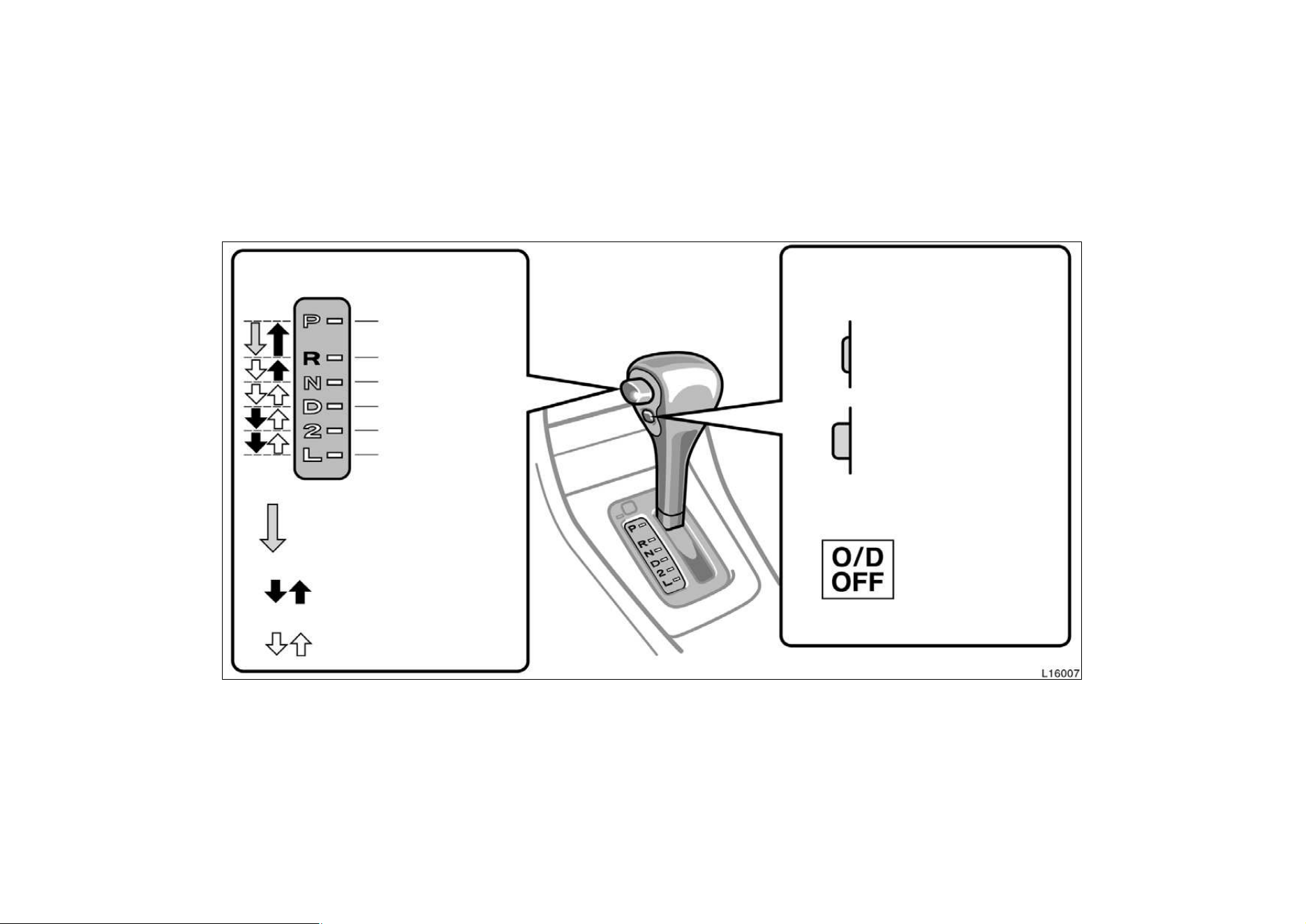
94
Automatic transmission
Parking, engine
starting and key
Reverse position
Neutral position
Normal driving position
Position for engine
braking
Position for stronger
engine braking than
Lock release button
To prevent misshifting
Shift while holding the
lock release button in
ON position
(Shifting into overdrive
OFF position
(Shifting into overdrive
”O/D OFF” indicator light
shows the overdrive
switch is in OFF position
possible)
not possible)
Overdrive switch
For selecting either a three-speed
or four-speed transmission
With the brake pedal depressed,
shift while holding the lock
release button in. (The ignition
switch must be in ”ON” position.)
Shift normally
that in ”2” position
removable postion
Vehicles with cruise controlWhen the cruise control is being used, even if you downshift the transmission by turning off the overdrive
switch, engine braking will not be applied because the cruise control is not cancelled. For ways to decrease the vehicle speed, see
”Cruise control” in this chapter.
95
Your automatic transmission has a shift
lock system to minimize the possibility of
incorrect operation. This means you can
only shift out of ”P” position when the
brake pedal is depressed (with the ignition
switch in ”ON” position and the lock re-
lease button depressed).
(a) Normal driving
1. Start the engine as instructed in ”How
to start the engine” in Part 3. The
transmission must be in ”P” or ”N”.
2. With your foot holding down the brake
pedal, shift the selector lever to ”D”.
In ”D” position, the automatic transmission
system will select the most suitable gear
for the running conditions such as normal
cruising, hill climbing, hard towing, etc.
Always turn the overdrive switch on for
better fuel economy and quieter driving. If
the engine coolant temperature is low, the
transmission will not shift into overdrive
gear even with the overdrive switch on.
CAUTION
Never put your foot on the accelera-
tor pedal while shifting.
3. Release the parking brake and brake
pedal. Depress the accelerator pedal
slowly for smooth starting.
(b) Using engine braking
To use engine braking, you can downshift
the transmission as follows:
D Turn off the overdrive switch. The ”O/D
OFF” indicator light will come on and
the transmission will downshift to the
third gear.
D Shift into the ”2” position. The trans-
mission will downshift to the second
gear when the vehicle speed drops
down to or lower than the following
speed, and more powerful engine brak-
ing will be obtained.
5S−FE engine...... 106 km/h (65 mph)
1MZ−FE engine.... 119 km/h (73 mph)
D Shift into the ”L” position. The trans-
mission will downshift to the first gear
When the vehicle speed drops down to
or lower than the following speed, and
maximum engine braking will be ap-
plied.
5S−FE engine........ 46 km/h (28 mph)
1MZ−FE engine..... 56 km/h (34 mph)
Vehicles with cruise controlWhen the
cruise control is being used, even if you
downshift the transmission by turning off
the overdrive switch, engine braking is not
applied because the cruise control is not
cancelled.
For ways to decrease the vehicle speed,
see ”Cruise control” in this chapter.
CAUTION
Be careful when downshifting on a
slippery surface. Abrupt shifting
could cause the vehicle to spin or
skid.
(c) Using ”2” and ”L” positions
The ”2” and ”L” positions are used for
strong engine braking as described pre-
viously.
With the selector lever in ”2” or ”L”, you
can start the vehicle in motion as with the
lever in ”D”.
With the selector lever in ”2”, the vehicle
will start in the first gear and automatical-
ly shift to the second gear.
With the selector lever in ”L”, the trans-
mission is engaged in the first gear.
96
NOTICE
z Be careful not to overrev the en-
gine. Watch the tachometer to keep
engine rpm from going into the red
zone. The approximate maximum al-
lowable speed for each position is
given below for your reference:
”2”.................125 km/h (77 mph)
”L”.................. 69 km/h (42 mph)
z Do not continue hill climbing or
hard towing for a long time in the
”2” or ”L” position. This may cause
severe automatic transmission dam-
age from overheating. To prevent
such damage, ”D” position should
be used in hill climbing or hard
towing.
(d) Backing up
1. Bring the vehicle to a complete stop.
2. With the brake pedal held down with
your foot, shift the selector lever to the
”R” position.
NOTICE
Never shift into reverse while the ve-
hicle is moving.
(e) Parking
1. Bring the vehicle to a complete stop.
2. Pull the parking brake lever up fully to
securely apply the parking brake.
3. With the brake pedal pressed down,
shift the selector lever to the ”P” posi-
tion.
CAUTION
While the vehicle is moving, never
attempt to move the selector lever
into ”P” position under any circum-
stances. Serious mechanical damage
and loss of vehicle control may re-
sult.
(f) Good driving practice
D If the transmission is repeatedly up-
shifted and downshifted between the
third gear and overdrive when climbing
a gentle slope, the overdrive switch
should be turned off. Be sure to turn
the switch on immediately afterward.
D When towing a trailer, in order to main-
tain engine braking efficiency, do not
use overdrive.
CAUTION
Always keep your foot on the brake
pedal while stopped with the engine
running. This prevents the vehicle
from creeping.
NOTICE
Do not hold the vehicle on an up-
grade with the accelerator pedal. It
can cause the transmission to over-
heat. Always use the brake pedal or
parking brake.
(g) Rocking your vehicle if stuck
CAUTION
To rock your vehicle if it becomes
stuck in snow, mud, sand, etc., first
check that there are no objects or
people around the vehicle. During the
rocking operation the vehicle may
suddenly move forward or backward
as it becomes unstuck, causing injury
or damage to nearby people or ob-
jects.
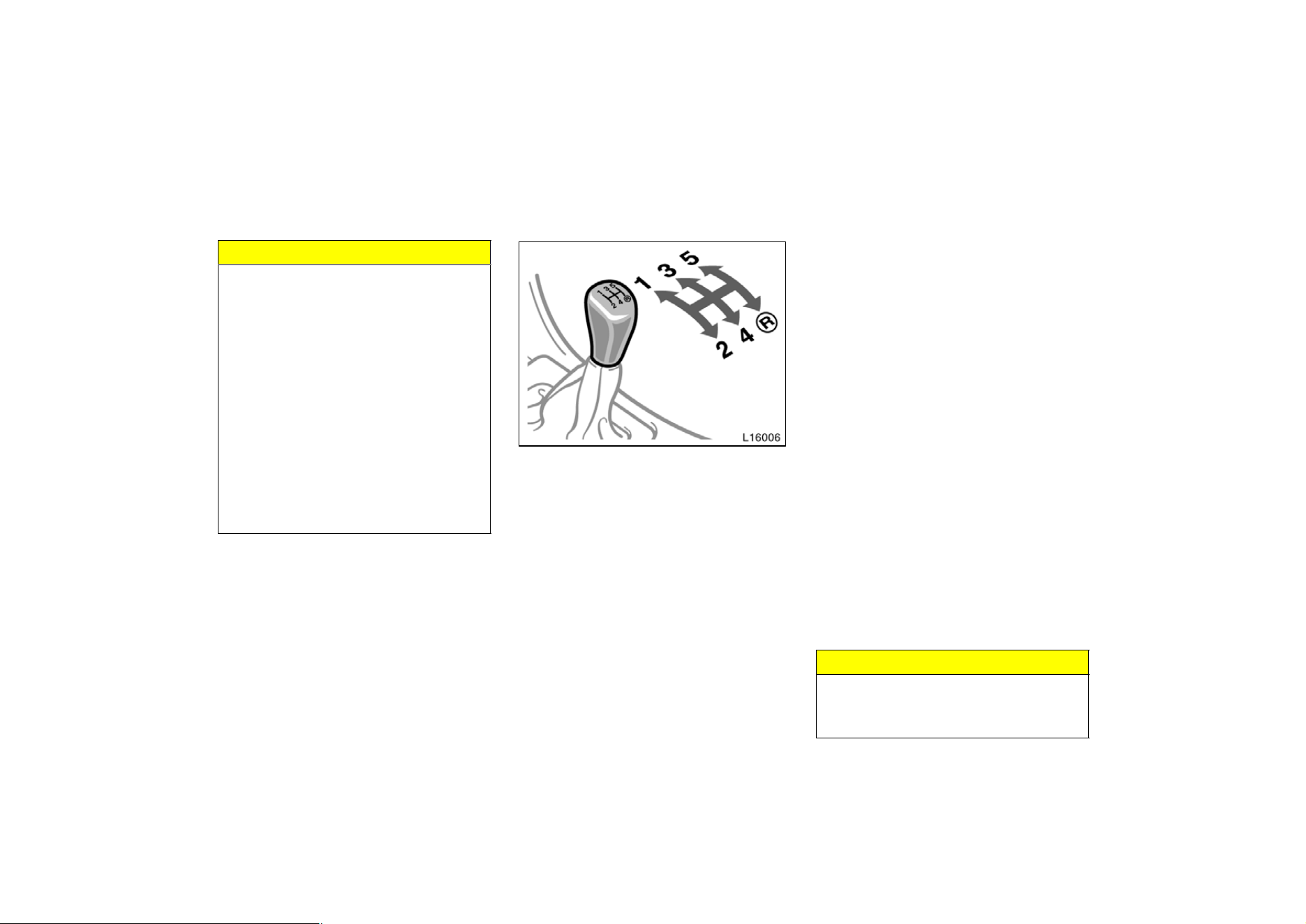
97
NOTICE
If you rock your vehicle, observe the
following precautions to prevent dam-
age to the transmission and other
parts.
z Do not depress the accelerator ped-
al while shifting the selector lever
or before the transmission is com-
pletely shifted to forward or reverse
gear.
z Do not race the engine and avoid
spinning the wheels.
z If your vehicle remains stuck after
rocking the vehicle several times,
consider other ways such as tow-
ing.
(h) If you cannot shift the selector le-
ver out of ”P” position
If you cannot shift the selector lever from
”P” position even though the brake pedal
is depressed, use the shift lock override
button. For instructions, see ”If you cannot
shift automatic transmission selector lever”
in Part 4.
Manual transmission
The shift pattern is conventional as
shown above.
Press the clutch pedal down fully while
shifting, and then release it slowly. Do not
rest your foot on the pedal while driving,
because it will cause clutch trouble. And
do not use the clutch to hold the vehicle
when stopped on an uphill grade—use the
parking brake.
Recommended shifting speeds
The transmission is fully synchronized and
upshifting or downshifting is easy.
For the best compromise between fuel
economy and vehicle performance, you
should upshift or downshift at the following
speeds:
gear km/h (mph)
1 to 2 or 2 to 1 24 (15)
2 to 3 or 3 to 2 40 (25)
3 to 4 or 4 to 3 64 (40)
4 to 5 or 5 to 4 72 (45)
Downshift to the appropriate gear if accel-
eration is needed when you are cruising
below the above downshifting speeds.
Upshifting too soon or downshifting too
late will cause lugging, and possibly ping-
ing. Regularly revving the engine to maxi-
mum speed in each gear will cause ex-
cessive engine wear and high fuel
consumption.
Maximum allowable speeds
To get on a highway or to pass slower
traffic, maximum acceleration may be nec-
essary. Make sure you observe the follow-
ing maximum allowable speeds in each
gear:
gear km/h (mph)
1 52 (32)
2 93 (57)
3 147 (91)
NOTICE
Do not downshift if you are going
faster than the maximum allowable
speed for the next lower gear.
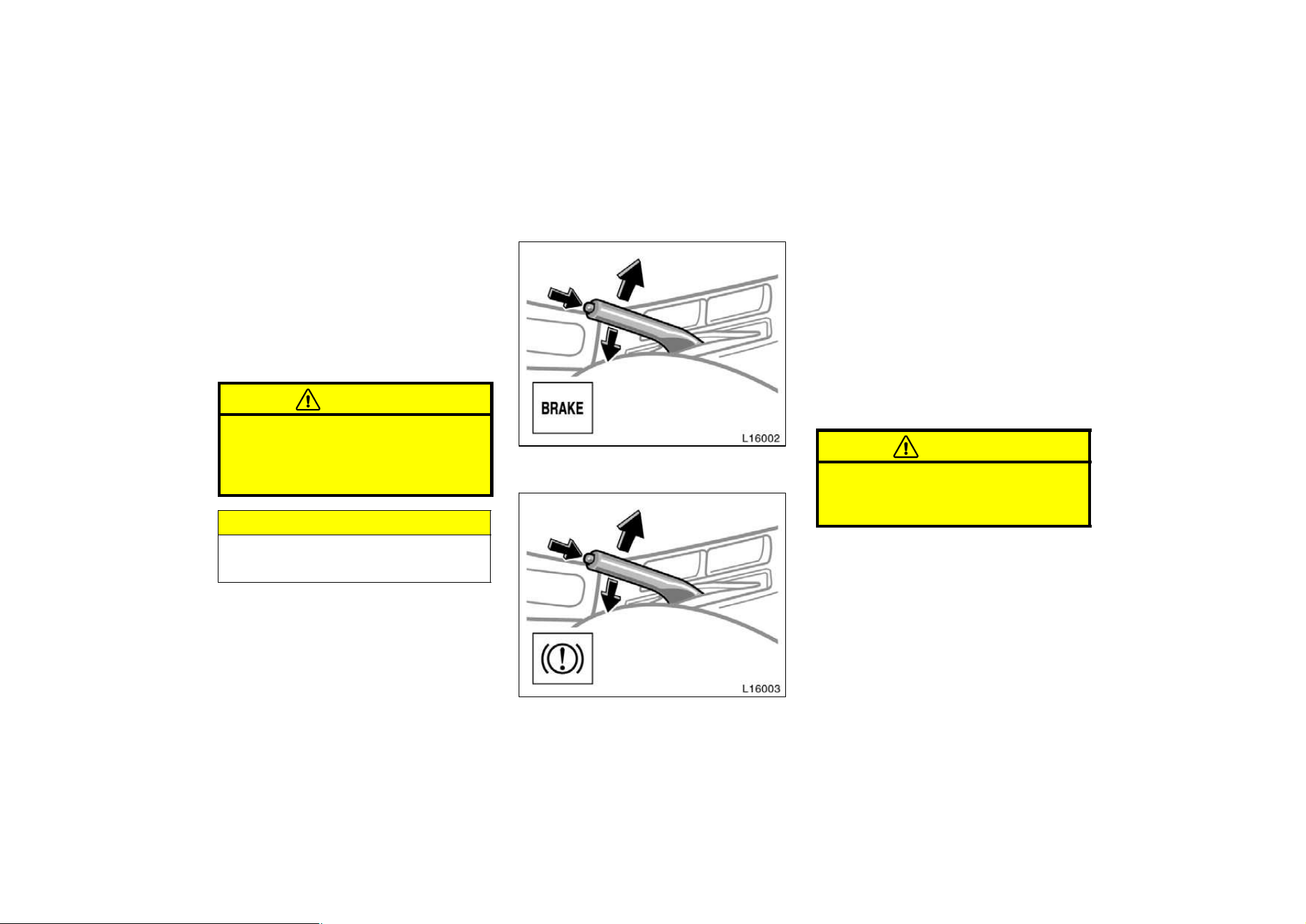
98
Good driving practice
D If it is difficult to shift into reverse, put
the transmission in neutral, release the
clutch pedal momentarily, and then try
again.
D When towing a trailer, in order to main-
tain engine braking efficiency, do not
use the fifth gear.
CAUTION
Be careful when downshifting on a
slippery surface. Abrupt shifting
could cause the vehicle to spin or
skid.
NOTICE
Make sure the vehicle is completely
stopped before shifting into reverse.
Parking brake
Type A
Type B
When parking, firmly apply the parking
brake to avoid inadvertent creeping.
To set: Pull up the lever. For better hold-
ing power, first depress the brake pedal
and hold it while setting the brake.
To release: Pull up the lever slightly,
press the thumb button, and lower.
To remind you that the parking brake is
set, the parking brake reminder light in
the instrument panel remains on until you
release the parking brake.
CAUTION
Before driving, be sure the parking
brake is fully released and the park-
ing brake reminder light is off.
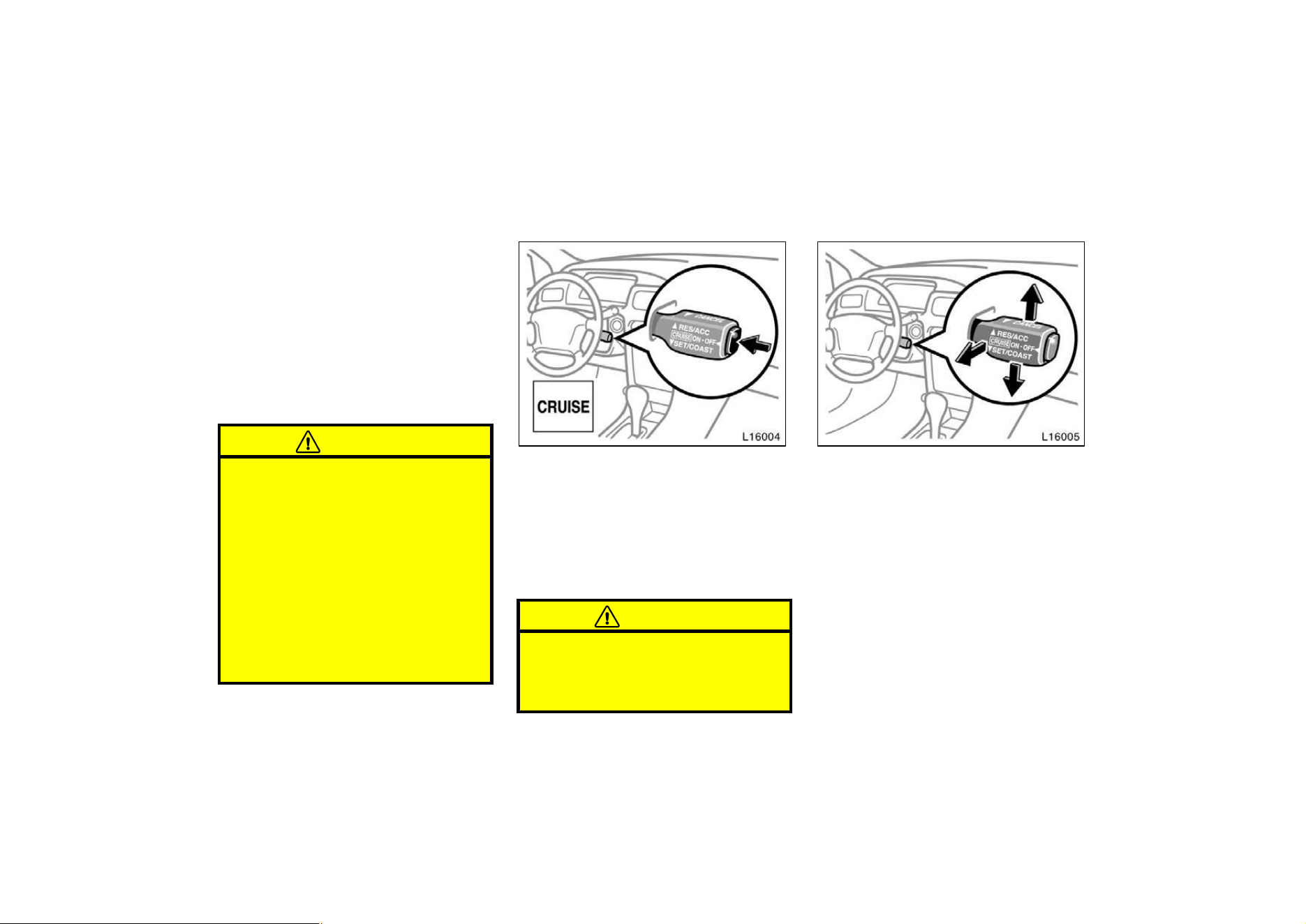
99
Cruise control
The cruise control allows you to cruise
the vehicle at a desired speed over 40
km/h (25 mph) even with your foot off
the accelerator pedal.
Your cruising speed can be maintained up
or down grades within the limits of engine
performance, although a slight speed
change may occur when driving up or
down the grades. On steeper hills, a
greater speed change will occur so it is
better to drive without the cruise control.
CAUTION
D To help maintain maximum control
of your vehicle, do not use the
cruise control when driving in
heavy or varying traffic, or on slip-
pery (rainy, icy or snow−covered) or
winding roads.
D Avoid vehicle speed increases when
driving downhill. If the vehicle
speed is too fast in relation to the
cruise control set speed, cancel the
cruise control then downshift the
transmission to use engine braking
to slow down.
TURNING ON THE SYSTEM
To operate the cruise control, press the
”CRUISE ON−OFF” button. This turns the
system on. The indicator light in the
instrument panel shows that you can now
set the vehicle at a desired cruising
speed. Another press will turn the system
completely off.
CAUTION
To avoid accidental cruise control en-
gagement, keep the ”CRUISE ON−
OFF” switch off when not using the
cruise control.
SETTING AT A DESIRED SPEED
On vehicles with automatic transmission,
the transmission must be in ”D” before
you set the cruise control speed.
Bring your vehicle to the desired speed,
push the lever down in the ”SET/COAST”
direction and release it. This sets the ve-
hicle at that speed. If the speed is not
satisfactory, tap the lever up for a faster
speed, or tap it down for a slower speed.
Each tap changes the set speed by 1.6
km/h (1.0 mph). You can now take your
foot off the accelerator pedal.
100
If you need acceleration—for example,
when passing—depress the accelerator
pedal enough for the vehicle to exceed
the set speed. When you release it, the
vehicle will return to the speed set prior
to the acceleration.
CAUTION
For manual transmission:
While driving with the cruise control
on, do not shift to neutral without
depressing the clutch pedal, as this
may cause engine racing or overrev-
ving.
CANCELLING THE PRESET SPEED
You can cancel the preset speed by:
a. Pulling the lever in the ”CANCEL”
direction and releasing it.
b. Depressing the brake pedal.
c. Depressing the clutch pedal (manual
transmission).
If the vehicle speed falls below about 40
km/h (25 mph), the preset speed will auto-
matically cancel out.
If the vehicle speed drops 16 km/h (10
mph) below the preset speed,the preset
speed will also automatically cancel out.
If the preset speed automatically cancels
out other than for the above cases, have
your vehicle checked by your Toyota deal-
er at the earliest opportunity.
RESETTING AT A FASTER SPEED
Push the lever up in the ”RES/ACC” direc-
tion and hold it. Release the lever when
the desired speed is attained. While the
lever is held up, the vehicle will gradually
gain speed.
However, a faster way to reset is to ac-
celerate the vehicle and then push the
lever down in the ”SET/COAST” direction.
RESETTING AT A SLOWER SPEED
Push the lever down in the ”SET/COAST”
direction and hold it. Release the lever
when the desired speed is attained. While
the lever is held down, the vehicle speed
will gradually decrease.
However, a faster way to reset is to de-
press the brake pedal and then push the
lever down in the ”SET/COAST” direction.
On vehicles with automatic transmission,
even if you turn off the overdrive switch,
with the cruise control on, engine braking
will not be applied because the cruise
control is not cancelled. To decrease the
vehicle speed, reset to a slower speed
with the cruise control lever or depress
the brake pedal. If you use the brake
pedal, cruise control is cancelled.
RESUMING THE PRESET SPEED
If the preset speed is cancelled by pulling
the control lever or by depressing the
brake pedal or clutch pedal, pushing the
lever up in the ”RES/ACC” direction will
restore the speed set prior to cancellation.
However, once the vehicle speed falls be-
low about 40 km/h (25 mph), the preset
speed will not be resumed.
CRUISE CONTROL FAILURE WARNING
If the ”CRUISE” indicator light in the
instrument cluster flashes when using the
cruise control, press the ”CRUISE ON−
OFF” button to turn the system off and
then press it again to turn it on.
If any of the following conditions then oc-
curs, there is some trouble in the cruise
control system.

101
D The indicator light does not come on.
D The indicator light flashes again.
D The indicator light goes out after it
comes on.
If this is the case, contact your Toyota
dealer and have your vehicle inspected.
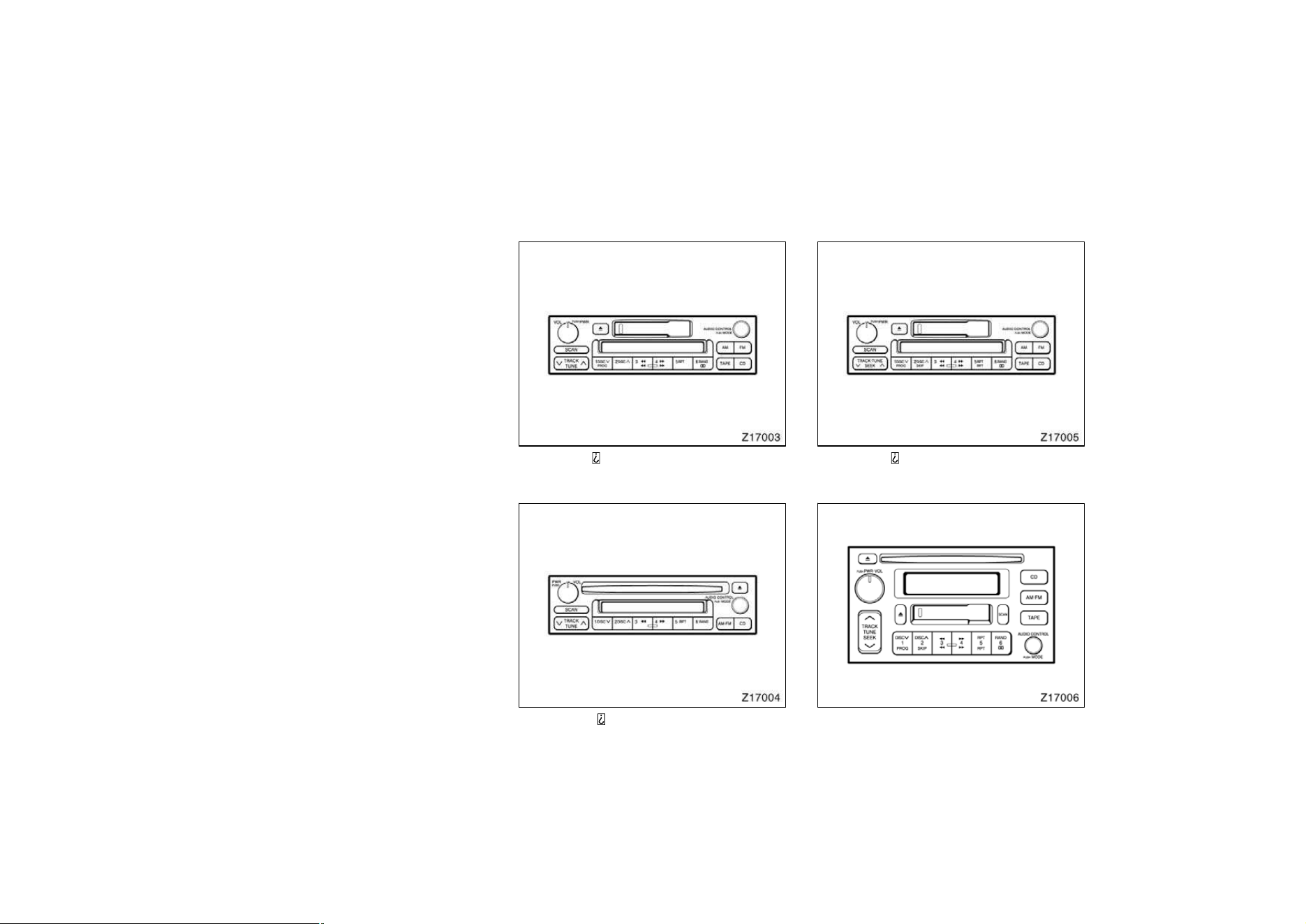
103
Part 1
OPERATION OF
INSTRUMENTS
AND CONTROLS—
Chapter 1−7
Car audio system
and Air conditioning
system
Car audio system
D
Reference
D Using your audio system:
some basics
D Using your audio system:
controls and features
D Car audio system operating hints
Air conditioning system
D
Controls
D Air flow selector settings
D Operating tips
D Instrumental vents
Type 1: AM F M ETR radio/cassette player/
compact disc auto changer controller
Type 2: AM F M ETR radio/compact disc
player/compact disc auto changer controller
Type 3: AM F M ETR radio/cassette player/
compact disc auto changer controller
Car audio system—
—Reference

104
Type 4: AM F M ETR radio/cassette player/com-
pact disc player/compact disc auto changer con-
troller
This section describes some of the basic
features on Toyota audio systems. Some
information may not pertain to your sys-
tem.
Your audio system works when the ignition
key is in the ”ACC” or ”ON” position.
TURNING THE SYSTEM ON AND OFF
Push ”PWR
VOL”, ”PWR/VOL” or ”VOL/
PWR” to turn the audio system on and
off.
Push ”AM”, ”FM”, ”AM
FM”, ”TAPE” or ”CD”
to turn on that function without pushing
”PWR
VOL”, ”PWR/VOL” or ”VOL/PWR”.
You can turn on each player by inserting
a cassette tape or compact disc.
You can turn off each player by ejecting
the cassette tape or compact disc. If the
audio system was previously off, then the
entire audio system will be turned off
when you eject the cassette tape or com-
pact disc. If the another function was pre-
viously playing, it will come on again.
SWITCHING BETWEEN FUNCTIONS
Push ”AM”, ”FM”, ”AM
FM”, ”TAPE” or ”CD”
if the system is already on but you want
to switch from one function to another.
TONE AND BALANCE
For details about your system’s tone and
balance controls, see the description of
your own system.
Tone
How good an audio program sounds to
you is largely determined by the mix of
the treble, midrange, and bass levels. In
fact, different kinds of music and vocal
programs usually sound better with differ-
ent mixes of treble, midrange, and bass.
Balance
A good balance of the left and right stereo
channels and of the front and rear sound
levels is also important.
Keep in mind that if you are listening to
a stereo recording or broadcast, changing
the right/left balance will increase the vol-
ume of one group of sounds while de-
creasing the volume of another.
—Using your audio system:
some basics
105
YOUR RADIO ANTENNA
NOTICE
z Mast type antenna:
To prevent damage to the antenna,
make sure it is removed before
driving your Toyota through an au-
tomatic car wash.
z On−glass antenna (built−in on the
rear window glass):
Attaching the film (especially con-
ductive or metalic type) on the rear
glass will noticeably reduce the
sensitivity of the radio.
YOUR CASSETTE PLAYER
When you insert a cassette, the exposed
tape should be to the right.
NOTICE
Do not oil any part of the player and
do not insert anything other than cas-
sette tapes into the slot, or the tape
player may be damaged.
YOUR COMPACT DISC PLAYER
When you insert a disc, gently push it in
with the label side up. (The player will
automatically eject a disc if the label side
is down.) The compact disc player will
play from track 1 through the end of the
disc. Then it will play from track 1 again.
NOTICE
Never try to disassemble or oil any
part of the compact disc player. Do
not insert anything except a compact
disc into the slot.
8 cm (3 in.) compact disc singles
Your compact disc player does not need
an adaptor to play compact disc singles.
Compact disc singles are about 8 cm (3
in.) in diameter−smaller than standard
discs.
After you eject a compact disc single, do
not insert a standard 12 cm (5 in.) disc
until ”DISC” disappears from the display.
NOTICE
Do not use an adaptor for compact
disc singlesit could cause tracking
errors or interfere with the ejection of
compact discs.

106
—Using your audio system:
controls and features
"Type 1
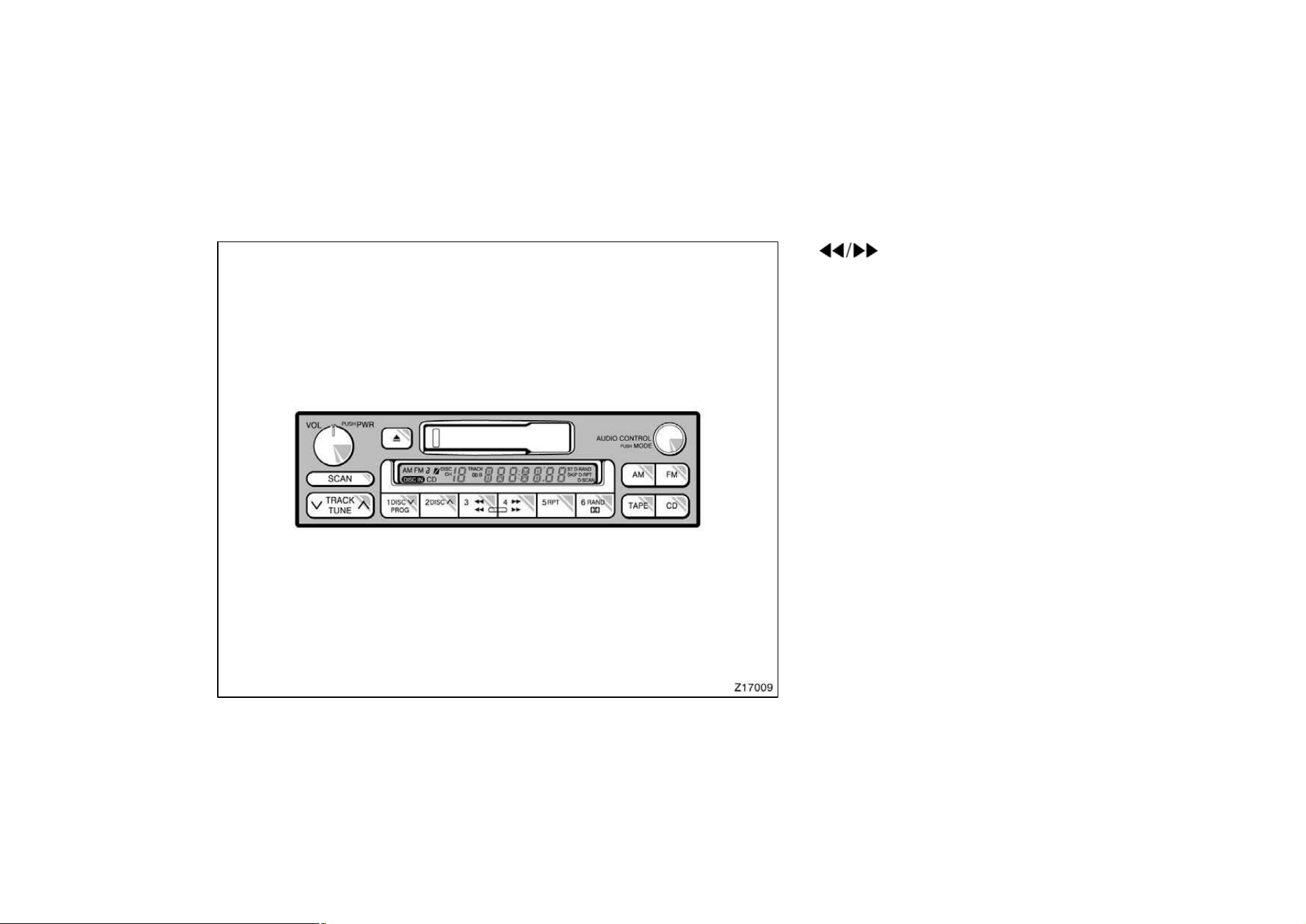
107
Details of specific buttons, controls and
features are described in the alphabetical
listing that follows.
1 2 3 4 5 6 (Preset buttons)
These buttons are used to preset and
tune in radio stations.
To preset a station to a button: Tune in
the desired station (see ”TUNE” button).
Push and hold down the button until you
hear a beepthis will set the station to
the button. The button number will appear
on the display.
To tune in to a preset station: Push the
button for the station you want. The but-
ton number and station frequency will ap-
pear on the display.
These systems can store one AM and two
FM stations for each button (The display
will show ”AM”, ”FM1” or ”FM2” when you
push ”AM” or ”FM”).
(Eject button)
Push this button to eject a cassette.
After you turn the ignition to ”LOCK”, you
will be able to eject a cassette but you
will not be able to reinsert it.
(Reverse/Fast forward buttons)
Cassette Player
Push the fast forward button to fast for-
ward a cassette tape. ”FF” will appear on
the display. Push the reverse button to
rewind a tape. ”REW” will appear on the
display.
To stop the tape while it is fast forward-
ing, push the fast forward button or
”TAPE”; to stop the tape while it is re-
winding, push the reverse button or
”TAPE”.
If a tape side rewinds completely, the cas-
sette player will stop and then play that
same side. If a tape fast forwards com-
pletely, the cassette player will play the
other side of the tape, using the auto−re-
verse feature.
Compact Disc Player
If you want to fast forward or reverse
through a compact disc track, push and
hold in the fast forward or reverse button.
When you release the button, the compact
disc player will resume playing.

108
AM
Push ”AM” to switch the AM band. ”AM”
will appear on the display.
If the audio system is off, you can turn
on the radio by pushing ”AM”. Also, push
”AM” to switch from cassette or compact
disc operation to radio operation.
AUDIO CONTROL / MODE
Manual tone adjustment function—
This knob is used to adjust the tone
manually.
For low−pitch tone adjustment, push
”AUDIO CONTROL / MODE” repeatedly
until ”BAS” appears on the display. Then
turn the knob to suit your preference.
The display will show the range from
”BAS −5” to ”BAS 5”.
For high−pitch tone adjustment, push
”AUDIO CONTROL / MODE” repeatedly
until ”TRE” appears on the display. Then
turn the knob to suit your preference.
The display will show the range from
”TRE −5” to ”TRE 5”.
Sound balance adjustment function—
This knob is also to adjust the sound
balance between the front and rear, and
the right and left speakers.
For front/rear adjustment, push ”AUDIO
CONTROL / MODE” repeatedly until ”FAd”
appears on the display. Then turn the
knob to adjust the front/rear balance.
The display will show the range from ”FAd
F7” to ”FAd R7”.
For left/right adjustment, push ”AUDIO
CONTROL / MODE” repeatedly until ”BAL”
appears on the display. Then turn the
knob to adjust the left/right balance.
The display will show the range from ”BAL
L7” to ”BAL R7”.
CD (Compact Disc)
Push ”CD” to switch from radio or cas-
sette operation to compact disc operation.
If the audio system is off, you can turn
on the compact disc player by pushing
”CD”. In both cases, a disc must already
be loaded in the player.
When the audio is set into compact disc
operation, the display shows the track or,
track and disc number currently being
played. Each time you push ”CD”, the
system changes between single disc play-
er and automatic changer.
Your audio system shows six different dis-
play if the player malfunctions.
If ”WAIT” appears on the display, it indi-
cates inside the player unit may be too
hot due to the very high ambient tempera-
ture. Remove the disc or magazine from
the player and allow the player to cool
down.
If ”Err 1” appears on the display, it
indicates the disc is dirty, damaged, or it
was inserted up−side down. Clean the
disc or insert it correctly.

109
If ”Err 2” appears on the display, it
indicates no disc is loaded inside the
magazine, insert a disc.
If ”Err 3” or ”Err 4” on the display, it
indicates there is a trouble inside the sys-
tem. Eject the disc or magazine. Set the
disc or magazine again.
If ”OPEn” appears on the display, it
indicates the compact disc auto changer
lid is open. Close the compact disc auto
changer lid.
If the malfunction is not recovered, take
your vehicle to your Toyota dealer.
DISC
∨∧
Compact disc auto changer only—
By using this button, you can select a
disc you wish to listen to.
Push the either side of the button until the
number of the disc you want to listen to
appears on the display.
Dolbyr
B NR
∗
If you are listening to a tape that was
recorded with Dolbyr B Noise Reduction,
push the button marked with the double−D
symbol. The double−D symbol will appear
on the display. Push the button again to
turn off Dolbyr B NR.
The Dolby NR mode reduces tape noise
by about 10 dB. For best sound reproduc-
tion, play your tapes with this button on
or off according to the mode used for
recording the tape.
∗
: Dolby noise reduction manufactured under license from
Dolby Laboratories Licensing Corporation. ”DOLBY” and the
double D symbol
are trademarks of Dolby Laboratories
Licensing Corporation.
FM
Push ”FM” to switch the FM band. ”FM1”
or ”FM2” will appear on the display. This
system allow you to set twelve FM sta-
tions, two for each button.
If the audio system is off, you can turn
on the radio by pushing ”FM”. Also, push
”FM” to switch from cassette or compact
disc operation to radio operation.
PROG (Program)
Push ”PROG” to select the other side of
a cassette tape. The display indicates
which side is currently selected (”
” indi-
cates top side, ”
” indicates bottom
side).
Auto−reverse feature: After the cassette
player reaches the end of a tape side, it
automatically reverses and begins to play
the other side. This is true whether the
cassette was playing or fast forwarding.

110
RAND (Random)
There are two random features—you can
either listen to the tracks on all the com-
pact discs in the magazine in random or-
der, or only listen to the tracks on a
specific compact disc in random order.
Random playing for the tracks on a disc:
Quickly push and release ”RAND”. ”RAND”
will appear on the display and the disc
you are listening to in random order. If
you hear a beep, you held the button too
long, and the player will play all the
tracks in the magazine in random order.
To turn off the random feature, push the
”RAND” a second time.
Compact disc auto changer only—
Random playing for all the tracks in the
magazine:
Push and hold ”RAND” until you hear a
beep. ”D·RAND” will appear on the dis-
play and the player will perform all the
tracks on all the discs in the magazine in
random order. To turn off the random fea-
ture, push ”RAND” a second time.
RPT (Repeat)
There are two repeat features—you can
either replay a disc track or a whole com-
pact disc.
Repeating a track:
Quickly push and release ”RPT” while the
track is playing. ”RPT” will appear on the
display. If you hear a beep, you held the
button too long, and the player will repeat
the whole disc. When the track ends, it
will automatically be replayed. This pro-
cess will be continued until you push the
button again to turn off the repeat feature.
Compact disc auto changer only—
Repeating a disc:
Push and hold ”RPT” until you hear a
beep. ”D·RPT” will appear on the display.
The player will repeat all the tracks on the
disc you are listening to. When the disc
ends, the player will automatically go back
to the top track of the disc and replay.
This process will be continued until you
push the button again to turn off the re-
peat feature.
SCAN
Radio
You can either scan all the frequencies on
a band or scan only the preset stations
for that band.
To scan all the frequencies:
Quickly push and release ”SCAN”. If you
hear a beep, you held the button too long,
and the radio will scan the preset sta-
tions. The radio will find the next station
up the station band, stay there for a few
seconds, and then scan again. To select
a station, push ”SCAN” a second time.
To scan the preset stations:
Push and hold ”SCAN” until you hear a
beep. The radio will tune in the next pres-
et station up the band, stay there for a
few seconds, and then move to the next
preset station. To select a station, push
”SCAN” a second time.

111
Compact disc player
There are two scan features—you can ei-
ther scan the tracks on a specific disc or
scan the first tracks of all the discs in the
magazine.
Scanning for the tracks on a disc:
Quickly push and release ”SCAN”. ”SCAN”
will appear on the display and the player
will scan all the tracks on the disc you
are listening to. If you hear a beep, you
held the button too long, and the player
will scan the first tracks of all the discs
in the magazine. To select a track, push
the ”SCAN” a second time. If the player
scanned all the tracks on the disc, it will
stop scanning.
Compact disc auto changer only—
Scanning for the first tracks of all the
discs in the magazine:
Push and hold ”SCAN” until you hear a
beep. ”D·SCAN” will appear on the display
and the player will perform the first track
of the next disc. To select a disc, push
the ”SCAN” a second time. If the player
has scanned all the discs, it will stop
scanning.
ST (Stereo reception) display
Your radio automatically changes to stereo
reception when a stereo broadcast is re-
ceived. ”ST” appears on the display. If the
signal becomes weak, the radio reduces
the amount of channel separation to prev-
ent the weak signal from creating noise.
If the signal becomes extremely weak, the
radio switches from stereo to mono recep-
tion.
TAPE
Push ”TAPE” to switch from radio or com-
pact disc operation to cassette operation.
If the audio system is off, you can turn
on the cassette player by pushing ”TAPE”.
In both cases, a cassette must already be
loaded in the player.
TRACK (Track up/down button):
Compact disc player
By using this button, you can skip up or
down to a different track.
Push either side of the track button until
the number of the track you want to listen
to appears on the display. If you want to
return the beginning of the current track,
push the down side of the button one
time, quickly.
TUNE
Tuning
Your Toyota has an electronic tuning radio
(ETR). Push and release the ”∧” (up) or
”∨” (down) side of ”TUNE” to step up or
down the station band. (If you hear a
beep, you held the button too long and
the radio will go into the seek mode.)
Seeking
In the seek mode, the radio finds and
plays the next station up or down the
station band.
To seek a station, push and hold the ”∧”
or ”∨” side of ”TUNE” until you hear a
beep. Do this again to find another sta-
tion.
VOL/PWR (Volume/Power)
Push ”VOL/PWR” to turn the audio system
on and off. Turn ”VOL/PWR” to adjust the
volume.

112
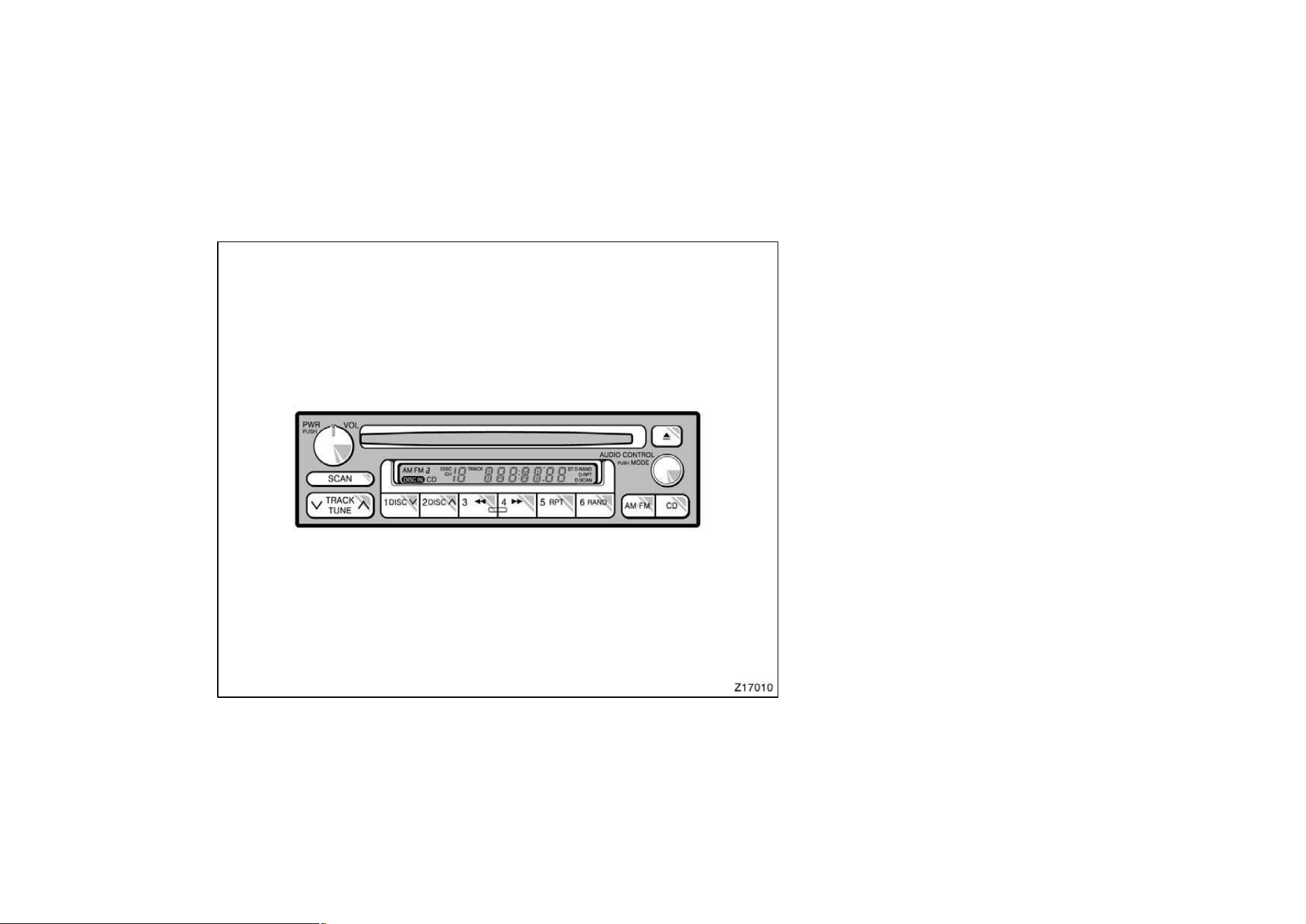
113
"Type 2
Details of specific buttons, controls, and
features are described in the alphabetical
listing that follows.

114
1 2 3 4 5 6 (Preset buttons)
These buttons are used to preset and
tune in radio stations.
To preset a station to a button: Tune in
the desired station (see ”TUNE” button).
Push and hold down the button until you
hear a beepthis will set the station to
the button. The button number will appear
on the display.
To tune in to a preset station: Push the
button for the station you want. The but-
ton number and station frequency will ap-
pear on the display.
These systems can store one AM and two
FM stations for each button (The display
will show ”AM”, ”FM1” or ”FM2” when you
push ”AM” or ”FM”).
(Eject button)
Push this button to eject a compact disc.
After you turn the ignition to ”LOCK”, you
will be able to eject a disc but you will
not be able to reinsert it.
(Reverse/Fast forward buttons)
If you want to fast forward or reverse
through a compact disc track, push and
hold in the fast forward or reverse button.
When you release the button, the compact
disc player will resume playing.
AM⋅FM
Push ”AM⋅FM” to switch between the AM
and FM bands. ”AM”, ”FM1” or ”FM2” will
appear on the display. These systems al-
low you to set twelve FM stations, two for
each button.
If the audio system is off, you can turn
on the radio by pushing ”AM⋅FM”. Also,
push ”AM⋅FM” to switch from compact
disc operation to radio operation.
AUDIO CONTROL / MODE
Manual tone adjustment function—
This knob is used to adjust the tone
manually.
For low−pitch tone adjustment, push
”AUDIO CONTROL / MODE” repeatedly
until ”BAS” appears on the display. Then
turn the knob to suit your preference.
The display will show the range from
”BAS −5” to ”BAS 5”.
With middle−pitch tone—
For middle−pitch tone adjustment, push
”AUDIO CONTROL / MODE” repeatedly
until ”Mld” appears on the display. Then
turn the knob to suit your preference.
The display will show the range from
”Mld −5” to ”Mld 5”.
For high−pitch tone adjustment, push
”AUDIO CONTROL / MODE” repeatedly
until ”TRE” appears on the display. Then
turn the knob to suit your preference.
The display will show the range from
”TRE −5” to ”TRE 5”.

115
Sound balance adjustment function—
This knob is also to adjust the sound
balance between the front and rear, and
the right and left speakers.
For front/rear adjustment, push ”AUDIO
CONTROL / MODE” repeatedly until ”FAd”
appears on the display. Then turn the
knob to adjust the front/rear balance.
The display will show the range from ”FAd
F7” to ”FAd R7”.
For left/right adjustment, push ”AUDIO
CONTROL / MODE” repeatedly until ”BAL”
appears on the display. Then turn the
knob to adjust the left/right balance.
The display will show the range from ”BAL
L7” to ”BAL R7”.
CD (Compact Disc)
Push ”CD” to switch from radio operation
to compact disc operation. If the audio
system is off, you can turn on the com-
pact disc player by pushing ”CD”. In both
cases, a disc must already be loaded in
the player.
When the audio is set into compact disc
operation, the display shows the track or,
track and disc number currently being
played. Each time you push ”CD”, the
system changes between built−in single
disc player and automatic changer.
Your audio system shows six different dis-
play if the player malfunctions.
If ”WAIT” appears on the display, it indi-
cates inside the player unit may be too
hot due to the very high ambient tempera-
ture. Remove the disc or magazine from
the player and allow the player to cool
down.
If ”Err 1” appears on the display, it
indicates the disc is dirty, damaged, or it
was inserted up−side down. Clean the
disc or insert it correctly.
If ”Err 2” appears on the display, it
indicates no disc is loaded inside the
magazine, insert a disc.
If ”Err 3” or ”Err 4” on the display, it
indicates there is a trouble inside the sys-
tem. Eject the disc or magazine. Set the
disc or magazine again.
If ”OPEn” appears on the display, it
indicates the compact disc auto changer
lid is open. Close the compact disc auto
changer lid.
If the malfunction is not recovered, take
your vehicle to your Toyota dealer.
DISC
∨∧
Compact disc auto changer only—
By using this button, you can select a
disc you wish to listen to.
Push the either side of the button until the
number of the disc you want to listen to
appears on the display.
PWR/VOL (Power/Volume)
Push ”PWR/VOL” to turn the audio system
on and off. Turn ”PWR/VOL” to adjust the
volume.

116
RAND (Random)
There are two random features—you can
either listen to the tracks on all the com-
pact discs in the magazine in random or-
der, or only listen to the tracks on a
specific compact disc in random order.
Random playing for the tracks on a disc:
Quickly push and release ”RAND”. ”RAND”
will appear on the display and the disc
you are listening to in random order. If
you hear a beep, you held the button too
long, and the player will play all the
tracks in the magazine in random order.
To turn off the random feature, push the
”RAND” a second time.
Compact disc auto changer only—
Random playing for all the tracks in the
magazine:
Push and hold ”RAND” until you hear a
beep. ”D·RAND” will appear on the dis-
play and the player will perform all the
tracks on all the discs in the magazine in
random order. To turn off the random fea-
ture, push ”RAND” a second time.
RPT (Repeat)
There are two repeat features—you can
either replay a disc track or a whole com-
pact disc.
Repeating a track:
Quickly push and release ”RPT” while the
track is playing. ”RPT” will appear on the
display. If you hear a beep, you held the
button too long, and the player will repeat
the whole disc. When the track ends, it
will automatically be replayed. This pro-
cess will be continued until you push the
button again to turn off the repeat feature.
Compact disc auto changer only—
Repeating a disc:
Push and hold ”RPT” until you hear a
beep. ”D·RPT” will appear on the display.
The player will repeat all the tracks on the
disc you are listening to. When the disc
ends, the player will automatically go back
to the top track of the disc and replay.
This process will be continued until you
push the button again to turn off the re-
peat feature.
SCAN
Radio
You can either scan all the frequencies on
a band or scan only the preset stations
for that band.
To scan all the frequencies:
Quickly push and release ”SCAN”. If you
hear a beep, you held the button too long,
and the radio will scan the preset sta-
tions. The radio will find the next station
up the station band, stay there for a few
seconds, and then scan again. To select
a station, push ”SCAN” a second time.
To scan the preset stations:
Push and hold ”SCAN” until you hear a
beep. The radio will tune in the next pres-
et station up the band, stay there for a
few seconds, and then move to the next
preset station. To select a station, push
”SCAN” a second time.

117
Compact disc player
There are two scan features—you can ei-
ther scan the tracks on a specific disc or
scan the first tracks of all the discs in the
magazine.
Scanning for the tracks on a disc:
Quickly push and release ”SCAN”. ”SCAN”
will appear on the display and the player
will scan all the tracks on the disc you
are listening to. If you hear a beep, you
held the button too long, and the player
will scan the first tracks of all the discs
in the magazine. To select a track, push
the ”SCAN” a second time. If the player
scanned all the tracks on the disc, it will
stop scanning.
Compact disc auto changer only—
Scanning for the first tracks of all the
discs in the magazine:
Push and hold ”SCAN” until you hear a
beep. ”D·SCAN” will appear on the display
and the player will perform the first track
of the next disc. To select a disc, push
the ”SCAN” a second time. If the player
has scanned all the discs, it will stop
scanning.
ST (Stereo reception) display
Your radio automatically changes to stereo
reception when a stereo broadcast is re-
ceived. ”ST” appears on the display. If the
signal becomes weak, the radio reduces
the amount of channel separation to prev-
ent the weak signal from creating noise.
If the signal becomes extremely weak, the
radio switches from stereo to mono recep-
tion.
TRACK (Track up/down button):
Compact disc player
By using this button, you can skip up or
down to a different track.
Push either side of the track button until
the number of the track you want to listen
to appears on the display. If you want to
return the beginning of the current track,
push the down side of the button one
time, quickly.
TUNE (Tuning)
Tuning
Your Toyota has an electronic tuning radio
(ETR). Push and release the ”∧” (up) or
”∨” (down) side of ”TUNE” to step up or
down the station band. (If you hear a
beep, you held the button too long and
the radio will go into the seek mode.)
Seeking
In the seek mode, the radio finds and
plays the next station up or down the
station band.
To seek a station, push and hold the ”∧”
or ”∨” side of ”TUNE” until you hear a
beep. Do this again to find another sta-
tion.
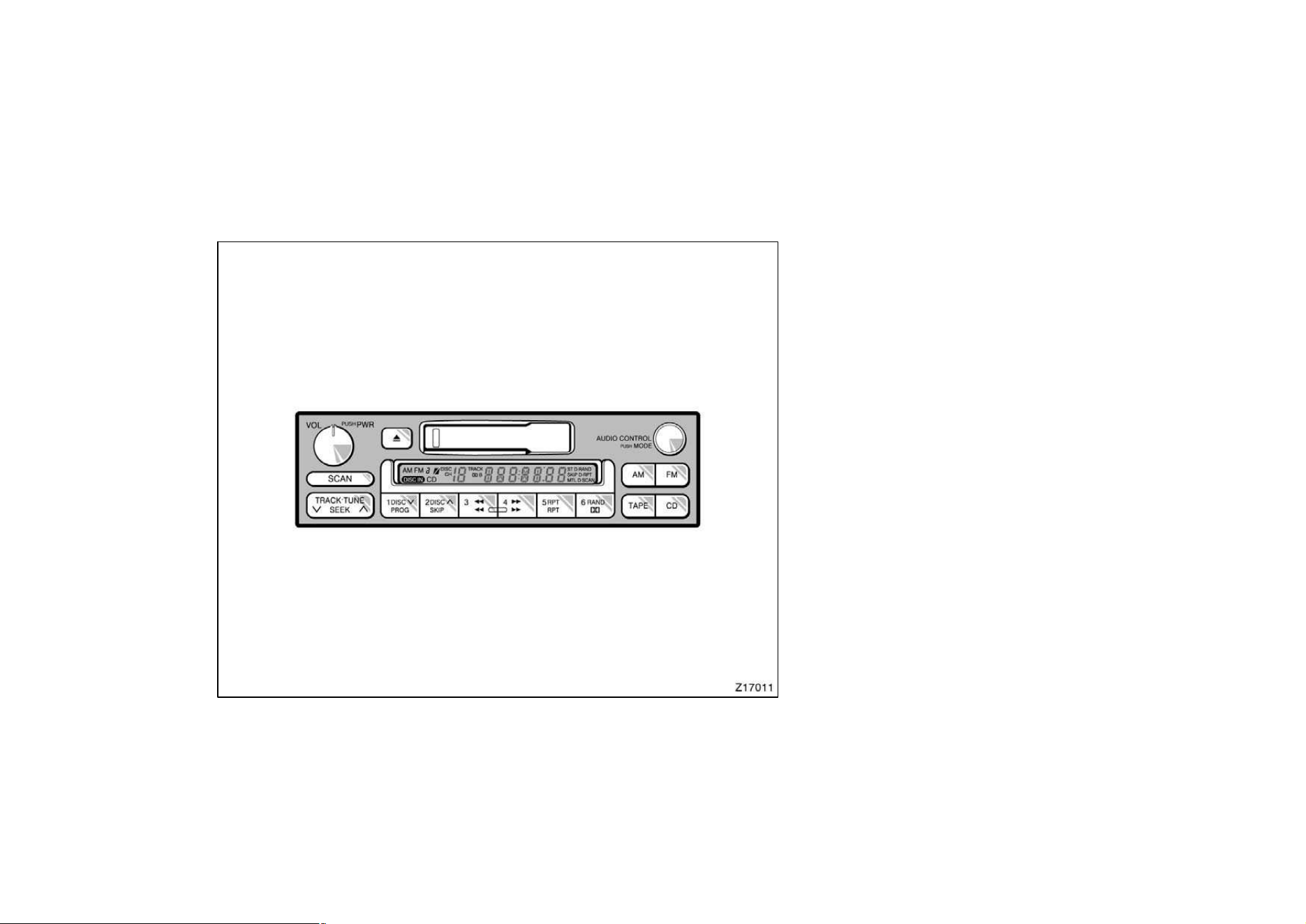
118
"Type 3
Details of specific buttons, controls, and
features are described in the alphabetical
listing that follows.

119
1 2 3 4 5 6 (Preset buttons)
These buttons are used to preset and
tune in radio stations.
To preset a station to a button: Tune in
the desired station (see ”TUNE” or ”SEEK”
button). Push and hold down the button
until you hear a beepthis will set the
station to the button. The button number
will appear on the display.
To tune in to a preset station: Push the
button for the station you want. The but-
ton number and station frequency will ap-
pear on the display.
These systems can store one AM and two
FM stations for each button (The display
will show ”AM”, ”FM1” or ”FM2” when you
push ”AM” or ”FM”).
(Eject button)
Push this button to eject a cassette.
After you turn the ignition to ”LOCK”, you
will be able to eject a cassette but you
will not be able to reinsert it.
(Reverse/Fast forward buttons)
Cassette Player
Push the fast forward button to fast for-
ward a cassette tape. ”FF” will appear on
the display. Push the reverse button to
rewind a tape. ”REW” will appear on the
display.
To stop the tape while it is fast forward-
ing, push the fast forward button or
”TAPE”; to stop the tape while it is re-
winding, push the reverse button or
”TAPE”.
If a tape side rewinds completely, the cas-
sette player will stop and then play that
same side. If a tape fast forwards com-
pletely, the cassette player will play the
other side of the tape, using the auto−re-
verse feature.
Compact Disc Player
If you want to fast forward or reverse
through a compact disc track, push and
hold in the fast forward or reverse button.
When you release the button, the compact
disc player will resume playing.
AM
Push ”AM” to switch the AM band. ”AM”
will appear on the display.
If the audio system is off, you can turn
on the radio by pushing ”AM”. Also, push
”AM” to switch from cassette or compact
disc operation to radio operation.
AUDIO CONTROL / MODE
Manual tone adjustment function—
This knob is used to adjust the tone
manually.
For low−pitch tone adjustment, push
”AUDIO CONTROL / MODE” repeatedly
until ”BAS” appears on the display. Then
turn the knob to suit your preference.
The display will show the range from
”BAS −5” to ”BAS 5”.
For middle−pitch tone adjustment, push
”AUDIO CONTROL / MODE” repeatedly
until ”Mld” appears on the display. Then
turn the knob to suit your preference.
The display will show the range from
”Mld −5” to ”Mld 5”.

120
For high−pitch tone adjustment, push
”AUDIO CONTROL / MODE” repeatedly
until ”TRE” appears on the display. Then
turn the knob to suit your preference.
The display will show the range from
”TRE −5” to ”TRE 5”.
Sound balance adjustment function—
This knob is also to adjust the sound
balance between the front and rear, and
the right and left speakers.
For front/rear adjustment, push ”AUDIO
CONTROL / MODE” repeatedly until ”FAd”
appears on the display. Then turn the
knob to adjust the front/rear balance.
The display will show the range from ”FAd
F7” to ”FAd R7”.
For left/right adjustment, push ”AUDIO
CONTROL / MODE” repeatedly until ”BAL”
appears on the display. Then turn the
knob to adjust the left/right balance.
The display will show the range from ”BAL
L7” to ”BAL R7”.
CD (Compact Disc)
Push ”CD” to switch from radio or cas-
sette operation to compact disc operation.
If the audio system is off, you can turn
on the compact disc player by pushing
”CD”. In both cases, a disc must already
be loaded in the player.
When the audio is set into compact disc
operation, the display shows the track or,
track and disc number currently being
played. Each time you push ”CD”, the
system changes between single disc play-
er and automatic changer.
Your audio system shows six different dis-
play if the player malfunctions.
If ”WAIT” appears on the display, it indi-
cates inside the player unit may be too
hot due to the very high ambient tempera-
ture. Remove the disc or magazine from
the player and allow the player to cool
down.
If ”Err 1” appears on the display, it
indicates the disc is dirty, damaged, or it
was inserted up−side down. Clean the
disc or insert it correctly.
If ”Err 2” appears on the display, it
indicates no disc is loaded inside the
magazine, insert a disc.
If ”Err 3” or ”Err 4” on the display, it
indicates there is a trouble inside the sys-
tem. Eject the disc or magazine. Set the
disc or magazine again.
If ”OPEn” appears on the display, it
indicates the compact disc auto changer
lid is open. Close the compact disc auto
changer lid.
If the malfunction is not recovered, take
your vehicle to your Toyota dealer.
DISC
∨∧
Compact disc auto changer only—
By using this button, you can select a
disc you wish to listen to.
Push the either side of the button until the
number of the disc you want to listen to
appears on the display.

121
Dolbyr B NR
∗
If you are listening to a tape that was
recorded with Dolbyr B Noise Reduction,
push the button marked with the double−D
symbol. The double−D symbol will appear
on the display. Push the button again to
turn off Dolbyr B NR.
The Dolby NR mode reduces tape noise
by about 10 dB. For best sound reproduc-
tion, play your tapes with this button on
or off according to the mode used for
recording the tape.
∗
: Dolby noise reduction manufactured under license from
Dolby Laboratories Licensing Corporation. ”DOLBY” and the
double D symbol
are trademarks of Dolby Laboratories
Licensing Corporation.
FM
Push ”FM” to switch the FM band. ”FM1”
or ”FM2” will appear on the display. This
system allow you to set twelve FM sta-
tions, two for each button.
If the audio system is off, you can turn
on the radio by pushing ”FM”. Also, push
”FM” to switch from cassette or compact
disc operation to radio operation.
MTL (Metal) Display
If a metal or chrome equivalent cassette
tape is put in the cassette player, the
player will automatically adapt to it and
”MTL” will appear on the display.
PROG (Program)
Push ”PROG” to select the other side of
a cassette tape. The display indicates
which side is currently selected (”
” indi-
cates top side, ”
” indicates bottom
side).
Auto−reverse feature: After the cassette
player reaches the end of a tape side, it
automatically reverses and begins to play
the other side. This is true whether the
cassette was playing or fast forwarding.
RAND (Random)
There are two random features—you can
either listen to the tracks on all the com-
pact discs in the magazine in random or-
der, or only listen to the tracks on a
specific compact disc in random order.
Random playing for the tracks on a disc:
Quickly push and release ”RAND”. ”RAND”
will appear on the display and the disc
you are listening to in random order. If
you hear a beep, you held the button too
long, and the player will play all the
tracks in the magazine in random order.
To turn off the random feature, push the
”RAND” a second time.
Compact disc auto changer only—
Random playing for all the tracks in the
magazine:
Push and hold ”RAND” until you hear a
beep. ”D·RAND” will appear on the dis-
play and the player will perform all the
tracks on all the discs in the magazine in
random order. To turn off the random fea-
ture, push ”RAND” a second time.

122
RPT (Repeat)
Cassette Player
Push ”RPT” while the track is playing.
”RPT” will appear on the display. When
the track ends, it will automatically be
rewound and replayed. This process will
be continued until you push the button
again to turn off the repeat feature.
There must be at least 3 seconds of blank
space between tracks in order for the re-
peat feature to work correctly.
Compact Disc Player
There are two repeat features—you can
either replay a disc track or a whole com-
pact disc.
Repeating a track:
Quickly push and release ”RPT” while the
track is playing. ”RPT” will appear on the
display. If you hear a beep, you held the
button too long, and the player will repeat
the whole disc. When the track ends, it
will automatically be replayed. This pro-
cess will be continued until you push the
button again to turn off the repeat feature.
Compact disc auto changer only—
Repeating a disc:
Push and hold ”RPT” until you hear a
beep. ”D·RPT” will appear on the display.
The player will repeat all the tracks on the
disc you are listening to. When the disc
ends, the player will automatically go back
to the top track of the disc and replay.
This process will be continued until you
push the button again to turn off the re-
peat feature.
SCAN
Radio
You can either scan all the frequencies on
a band or scan only the preset stations
for that band.
To scan all the frequencies:
Quickly push and release ”SCAN”. If you
hear a beep, you held the button too long,
and the radio will scan the preset sta-
tions. The radio will find the next station
up the station band, stay there for a few
seconds, and then scan again. To select
a station, push ”SCAN” a second time.
To scan the preset stations:
Push and hold ”SCAN” until you hear a
beep. The radio will tune in the next pres-
et station up the band, stay there for a
few seconds, and then move to the next
preset station. To select a station, push
”SCAN” a second time.
Compact disc player
There are two scan features—you can ei-
ther scan the tracks on a specific disc or
scan the first tracks of all the discs in the
magazine.
Scanning for the tracks on a disc:
Quickly push and release ”SCAN”. ”SCAN”
will appear on the display and the player
will scan all the tracks on the disc you
are listening to. If you hear a beep, you
held the button too long, and the player
will scan the first tracks of all the discs
in the magazine. To select a track, push
the ”SCAN” a second time. If the player
scanned all the tracks on the disc, it will
stop scanning.

123
Compact disc auto changer only—
Scanning for the first tracks of all the
discs in the magazine:
Push and hold ”SCAN” until you hear a
beep. ”D·SCAN” will appear on the display
and the player will perform the first track
of the next disc. To select a disc, push
the ”SCAN” a second time. If the player
has scanned all the discs, it will stop
scanning.
SEEK (Seeking)
Radio
In the seek mode, the radio finds and
plays the next station up or down the
station band.
To seek a station, push and hold the ”∧”
or ”∨” side of ”TUNE” until you hear a
beep. Do this again to find another sta-
tion.
Cassette Player
By using this button, you can skip up or
down to a different track.
You can skip up tp nine tracks at a time.
Push the up or down side of the button.
”FF 1” or ”REW 1” will appear on the
display.
Next, push either side of the track button
until the number on the display reaches
the nunber of tracks you want to skip. If
you push the button ten times, the skip
feature will be turned off.
When counting the number of tracks you
want to rewind, remember to count the
current track as well. For example, if you
want to rewind to a song that is two be-
fore the song you are listening to, push
on the down side of the button until ”REW
3” appears on the display.
If you have pushed the track button more
than you wanted to, push the other side
of the button. The track number will be
reduced.
The track number you select is not valid
if it is higher than the number of tracks
remaining on the current cassette side.
D After the beginning of the tape is
reached, the player will automatically
start playing the same side.
D After the end of the tape is reached,
the player will automatically reverse
sides and start playing the other side.
There must be at least 3 seconds of blank
space between tracks for the track button
to work correctly. In addition, the feature
may not work well with some spoken
word, live, or classical recordings.
SKIP
The skip feature allows you to fast for-
ward past long stretches of blank tape.
This is especially useful at the end of
cassettes.
Push ”SKIP”. ”SKIP” will appear on the
display. The cassette player will keep
track of how much blank space it plays.
Any time it has played about 10 seconds
of blank tape, it will automatically fast
forward to the next track and begin to
play.
Push the button a second time to turn off
the skip feature.

124
ST (Stereo reception) display
Your radio automatically changes to stereo
reception when a stereo broadcast is re-
ceived. ”ST” appears on the display. If the
signal becomes weak, the radio reduces
the amount of channel separation to prev-
ent the weak signal from creating noise.
If the signal becomes extremely weak, the
radio switches from stereo to mono recep-
tion.
TAPE
Push ”TAPE” to switch from radio or com-
pact disc operation to cassette operation.
If the audio system is off, you can turn
on the cassette player by pushing ”TAPE”.
In both cases, a cassette must already be
loaded in the player.
TRACK (Track up/down button):
Compact disc player
By using this button, you can skip up or
down to a different track.
Push either side of the track button until
the number of the track you want to listen
to appears on the display. If you want to
return the beginning of the current track,
push the down side of the button one
time, quickly.
TUNE (Tuning)
Your Toyota has an electronic tuning radio
(ETR). Push and release the ”∧” (up) or
”∨” (down) side of ”TUNE” to step up or
down the station band. (If you hear a
beep, you held the button too long and
the radio will go into the seek mode.)
VOL/PWR (Volume/Power)
Push ”VOL/PWR” to turn the audio system
on and off. Turn ”VOL/PWR” to adjust the
volume.
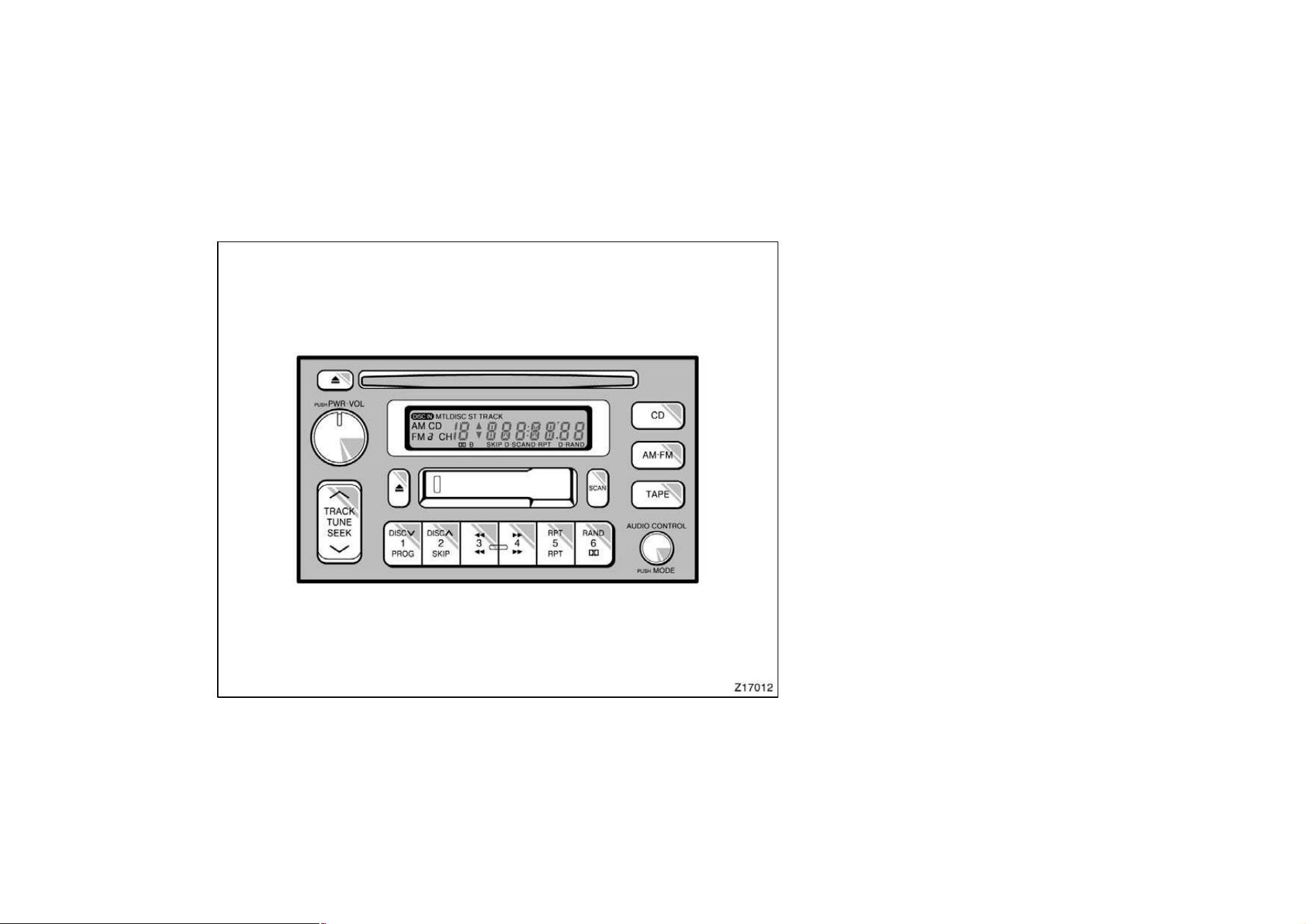
125
"Type 4
Details of specific buttons, controls, and
features are described in the alphabetical
listing that follows.

126
1 2 3 4 5 6 (Preset buttons)
These buttons are used to preset and
tune in radio stations.
To preset a station to a button: Tune in
the desired station (see ”TUNE” or ”SEEK”
button). Push and hold down the button
until you hear a beepthis will set the
station to the button. The button number
will appear on the display.
To tune in to a preset station: Push the
button for the station you want. The but-
ton number and station frequency will ap-
pear on the display.
These systems can store one AM and two
FM stations for each button (The display
will show ”AM”, ”FM1” or ”FM2” when you
push ”AM” or ”FM”).
(Eject button)
Push the cassette tape eject button to
eject a cassette. Push the compact disc
eject button to eject a compact disc.
After you turn the ignition to ”LOCK”, you
will be able to eject a cassette or disc but
you will not be able to reinsert it.
(Reverse/Fast forward buttons)
Cassette Player
Push the fast forward button to fast for-
ward a cassette tape. ”FF” will appear on
the display. Push the reverse button to
rewind a tape. ”REW” will appear on the
display.
To stop the tape while it is fast forward-
ing, push the fast forward button or
”TAPE”; to stop the tape while it is re-
winding, push the reverse button or
”TAPE”.
If a tape side rewinds completely, the cas-
sette player will stop and then play that
same side. If a tape fast forwards com-
pletely, the cassette player will play the
other side of the tape, using the auto−re-
verse feature.
Compact Disc Player
If you want to fast forward or reverse
through a compact disc track, push and
hold in the fast forward or reverse button.
When you release the button, the compact
disc player will resume playing.
AM⋅FM
Push ”AM⋅FM” to switch between the AM
and FM bands. ”AM”, ”FM1” or ”FM2” will
appear on the display. These systems al-
low you to set twelve FM stations, two for
each button.
If the audio system is off, you can turn
on the radio by pushing ”AM⋅FM”. Also,
push ”AM⋅FM” to switch from cassette or
compact disc operation to radio operation.
AUDIO CONTROL / MODE
Manual tone adjustment function—
This knob is used to adjust the tone
manually.
For low−pitch tone adjustment, push
”AUDIO CONTROL / MODE” repeatedly
until ”BAS” appears on the display. Then
turn the knob to suit your preference.
The display will show the range from
”BAS −5” to ”BAS 5”.
For middle−pitch tone adjustment, push
”AUDIO CONTROL / MODE” repeatedly
until ”Mld” appears on the display. Then
turn the knob to suit your preference.
The display will show the range from
”Mld −5” to ”Mld 5”.

127
For high−pitch tone adjustment, push
”AUDIO CONTROL / MODE” repeatedly
until ”TRE” appears on the display. Then
turn the knob to suit your preference.
The display will show the range from
”TRE −5” to ”TRE 5”.
Sound balance adjustment function—
This knob is also to adjust the sound
balance between the front and rear, and
the right and left speakers.
For front/rear adjustment, push ”AUDIO
CONTROL / MODE” repeatedly until ”FAd”
appears on the display. Then turn the
knob to adjust the front/rear balance.
The display will show the range from ”FAd
F7” to ”FAd R7”.
For left/right adjustment, push ”AUDIO
CONTROL / MODE” repeatedly until ”BAL”
appears on the display. Then turn the
knob to adjust the left/right balance.
The display will show the range from ”BAL
L7” to ”BAL R7”.
CD (Compact Disc)
Push ”CD” to switch from radio or cas-
sette operation to compact disc operation.
If the audio system is off, you can turn
on the compact disc player by pushing
”CD”. In both cases, a disc must already
be loaded in the player.
When the audio is set into compact disc
operation, the display shows the track or,
track and disc number currently being
played. Each time you push ”CD”, the
system changes between built−in single
disc player and automatic changer.
Your audio system shows six different dis-
play if the player malfunctions.
If ”WAIT” appears on the display, it indi-
cates inside the player unit may be too
hot due to the very high ambient tempera-
ture. Remove the disc or magazine from
the player and allow the player to cool
down.
If ”Err 1” appears on the display, it
indicates the disc is dirty, damaged, or it
was inserted up−side down. Clean the
disc or insert it correctly.
If ”Err 2” appears on the display, it
indicates no disc is loaded inside the
magazine, insert a disc.
If ”Err 3” or ”Err 4” on the display, it
indicates there is a trouble inside the sys-
tem. Eject the disc or magazine. Set the
disc or magazine again.
If ”OPEn” appears on the display, it
indicates the compact disc auto changer
lid is open. Close the compact disc auto
changer lid.
If the malfunction is not recovered, take
your vehicle to your Toyota dealer.
DISC
∨∧
Compact disc auto changer only—
By using this button, you can select a
disc you wish to listen to.
Push the either side of the button until the
number of the disc you want to listen to
appears on the display.

128
Dolbyr B NR
∗
If you are listening to a tape that was
recorded with Dolbyr B Noise Reduction,
push the button marked with the double−D
symbol. The double−D symbol will appear
on the display. Push the button again to
turn off Dolbyr B NR.
The Dolby NR mode reduces tape noise
by about 10 dB. For best sound reproduc-
tion, play your tapes with this button on
or off according to the mode used for
recording the tape.
∗
: Dolby noise reduction manufactured under license from
Dolby Laboratories Licensing Corporation. ”DOLBY” and the
double D symbol
are trademarks of Dolby Laboratories
Licensing Corporation.
MTL (Metal) Display
If a metal or chrome equivalent cassette
tape is put in the cassette player, the
player will automatically adapt to it and
”MTL” will appear on the display.
PROG (Program)
Push ”PROG” to select the other side of
a cassette tape. The display indicates
which side is currently selected (”
” indi-
cates top side, ” ” indicates bottom
side).
Auto−reverse feature: After the cassette
player reaches the end of a tape side, it
automatically reverses and begins to play
the other side. This is true whether the
cassette was playing or fast forwarding.
PWR⋅VOL (Power⋅Vol ume)
Push ”PWR⋅VOL” to turn the audio system
on and off. Turn ”PWR⋅VOL” to adjust the
volume.
RAND (Random)
There are two random features—you can
either listen to the tracks on all the com-
pact discs in the magazine in random or-
der, or only listen to the tracks on a
specific compact disc in random order.
Random playing for the tracks on a disc:
Quickly push and release ”RAND”. ”RAND”
will appear on the display and the disc
you are listening to in random order. If
you hear a beep, you held the button too
long, and the player will play all the
tracks in the magazine in random order.
To turn off the random feature, push the
”RAND” a second time.
Compact disc auto changer only—
Random playing for all the tracks in the
magazine:
Push and hold ”RAND” until you hear a
beep. ”D·RAND” will appear on the dis-
play and the player will perform all the
tracks on all the discs in the magazine in
random order. To turn off the random fea-
ture, push ”RAND” a second time.
RPT (Repeat)
Cassette Player
Push ”RPT” while the track is playing.
”RPT” will appear on the display. When
the track ends, it will automatically be
rewound and replayed. This process will
be continued until you push the button
again to turn off the repeat feature.
There must be at least 3 seconds of blank
space between tracks in order for the re-
peat feature to work correctly.

129
Compact Disc Player
There are two repeat features—you can
either replay a disc track or a whole com-
pact disc.
Repeating a track:
Quickly push and release ”RPT” while the
track is playing. ”RPT” will appear on the
display. If you hear a beep, you held the
button too long, and the player will repeat
the whole disc. When the track ends, it
will automatically be replayed. This pro-
cess will be continued until you push the
button again to turn off the repeat feature.
Compact disc auto changer only—
Repeating a disc:
Push and hold ”RPT” until you hear a
beep. ”D·RPT” will appear on the display.
The player will repeat all the tracks on the
disc you are listening to. When the disc
ends, the player will automatically go back
to the top track of the disc and replay.
This process will be continued until you
push the button again to turn off the re-
peat feature.
SCAN
Radio
You can either scan all the frequencies on
a band or scan only the preset stations
for that band.
To scan all the frequencies:
Quickly push and release ”SCAN”. If you
hear a beep, you held the button too long,
and the radio will scan the preset sta-
tions. The radio will find the next station
up the station band, stay there for a few
seconds, and then scan again. To select
a station, push ”SCAN” a second time.
To scan the preset stations:
Push and hold ”SCAN” until you hear a
beep. The radio will tune in the next pres-
et station up the band, stay there for a
few seconds, and then move to the next
preset station. To select a station, push
”SCAN” a second time.
Compact disc player
There are two scan features—you can ei-
ther scan the tracks on a specific disc or
scan the first tracks of all the discs in the
magazine.
Scanning for the tracks on a disc:
Quickly push and release ”SCAN”. ”SCAN”
will appear on the display and the player
will scan all the tracks on the disc you
are listening to. If you hear a beep, you
held the button too long, and the player
will scan the first tracks of all the discs
in the magazine. To select a track, push
the ”SCAN” a second time. If the player
scanned all the tracks on the disc, it will
stop scanning.
Compact disc auto changer only—
Scanning for the first tracks of all the
discs in the magazine:
Push ”SCAN” until you hear a beep.
”D·SCAN” will appear on the display and
the player will perform the first track of
the next disc. To select a disc, push the
”SCAN” a second time. If the player has
scanned all the discs, it will stop scan-
ning.

130
SEEK (Seeking)
Radio
In the seek mode, the radio finds and
plays the next station up or down the
station band.
To seek a station, push and hold the ”∧”
or ”∨” side of ”TUNE” until you hear a
beep. Do this again to find another sta-
tion.
Cassette Player
By using this button, you can skip up or
down to a different track.
You can skip up tp nine tracks at a time.
Push the up or down side of the button.
”FF 1” or ”REW 1” will appear on the
display.
Next, push either side of the track button
until the number on the display reaches
the nunber of tracks you want to skip. If
you push the button ten times, the skip
feature will be turned off.
When counting the number of tracks you
want to rewind, remember to count the
current track as well. For example, if you
want to rewind to a song that is two be-
fore the song you are listening to, push
on the down side of the button until ”REW
3” appears on the display.
If you have pushed the track button more
than you wanted to, push the other side
of the button. The track number will be
reduced.
The track number you select is not valid
if it is higher than the number of tracks
remaining on the current cassette side.
D After the beginning of the tape is
reached, the player will automatically
start playing the same side.
D After the end of the tape is reached,
the player will automatically reverse
sides and start playing the other side.
There must be at least 3 seconds of blank
space between tracks for the track button
to work correctly. In addition, the feature
may not work well with some spoken
word, live, or classical recordings.
SKIP
The skip feature allows you to fast for-
ward past long stretches of blank tape.
This is especially useful at the end of
cassettes.
Push ”SKIP”. ”SKIP” will appear on the
display. The cassette player will keep
track of how much blank space it plays.
Any time it has played about 10 seconds
of blank tape, it will automatically fast
forward to the next track and begin to
play.
Push the button a second time to turn off
the skip feature.
ST (Stereo reception) display
Your radio automatically changes to stereo
reception when a stereo broadcast is re-
ceived. ”ST” appears on the display. If the
signal becomes weak, the radio reduces
the amount of channel separation to prev-
ent the weak signal from creating noise.
If the signal becomes extremely weak, the
radio switches from stereo to mono recep-
tion.

131
TAPE
Push ”TAPE” to switch from radio or com-
pact disc operation to cassette operation.
If the audio system is off, you can turn
on the cassette player by pushing ”TAPE”.
In both cases, a cassette must already be
loaded in the player.
TRACK (Track up/down button):
Compact disc player
By using this button, you can skip up or
down to a different track.
Push either side of the track button until
the number of the track you want to listen
to appears on the display. If you want to
return the beginning of the current track,
push the down side of the button one
time, quickly.
TUNE (Tuning)
Your Toyota has an electronic tuning radio
(ETR). Push and release the ”∧” (up) or
”∨” (down) side of ”TUNE” to step up or
down the station band. (If you hear a
beep, you held the button too long and
the radio will go into the seek mode.)
NOTICE
To ensure the correct audio system
operation:
z Be careful not to spill beverages
over the audio system.
z Do not put anything other than a
cassette tape or Compact Disc into
the slot.
RADIO RECEPTION
Usually, a problem with radio reception
does not mean there is a problem with
your radio—it is just the normal result of
conditions outside the vehicle.
For example, nearby buildings and terrain
can interfere with FM reception. Power
lines or telephone wires can interfere with
AM signals. And of course, radio signals
have a limited range, and the farther you
are from a station, the weaker its signal
will be. In addition, reception conditions
change constantly as your vehicle moves.
Here are some common reception prob-
lems that probably do not indicate a prob-
lem with your radio:
FM
Fading and drifting stations—Generally, the
effective range of FM is about 40 km (25
miles). Once outside this range, you may
notice fading and drifting, which increase
with the distance from the radio transmit-
ter. They are often accompanied by distor-
tion.
Multi−path—FM signals are reflective,
making it possible for two signals to reach
your antenna at the same time. If this
happens, the signals will cancel each oth-
er out, causing a momentary flutter or
loss of reception.
Static and fluttering—These occur when
signals are blocked by buildings, trees, or
other large objects. Increasing the bass
level may reduce static and fluttering.
Station swapping—If the FM signal you
are listening to is interrupted or weak-
ened, and there is another strong station
nearby on the FM band, your radio may
tune in the second station until the origi-
nal signal can be picked up again.
—Car audio system operating
hints
132
AM
Fading—AM broadcasts are reflected by
the upper atmosphere—especially at night.
These reflected signals can interfere with
those received directly from the radio sta-
tion, causing the radio station to sound
alternately strong and weak.
Station interference—When a reflected sig-
nal and a signal received directly from a
radio station are very nearly the same
frequency, they can interfere with each
other, making it difficult to hear the broad-
cast.
Static—AM is easily affected by external
sources of electrical noise, such as high
tension power lines, lightening, or electri-
cal motors. This results in static.
CARING FOR YOUR CASSETTE PLAYER
AND TAPES
For high performance from your cassette
player and tapes:
Clean the tape head and other parts regu-
larly.
D A dirty tape head or tape path can
decrease sound quality and tangle your
cassette tapes. The easiest way to
clean them is by using a cleaning tape.
(A wet type is recommended.)
Use high−quality cassettes.
D Low−quality cassette tapes can cause
many problems, including poor sound,
inconsistent playing speed, and
constant auto−reversing. They can also
get stuck or tangled in the cassette
player.
D Do not use a cassette if it has been
damaged or tangled or if its label is
peeling off.
D Do not leave a cassette in the player
if you are not listening to it, especially
if it is hot outside.
D Store cassettes in their cases and out
of direct sunlight.
D Avoid using cassettes with a total play-
ing time longer than 100 minutes (50
minutes per side). The tape used in
these cassettes is thin and could get
stuck or tangled in the cassette player.
CARING FOR YOUR COMPACT DISC
PLAYER AND DISCS
D Use only compact discs labeled as
shown.
D Extremely high temperatures can keep
your compact disc player from working.
On hot days, use the air conditioning
to cool the vehicle interior before you
listen to a disc.
D Bumpy roads or other vibrations may
make your compact disc player skip.
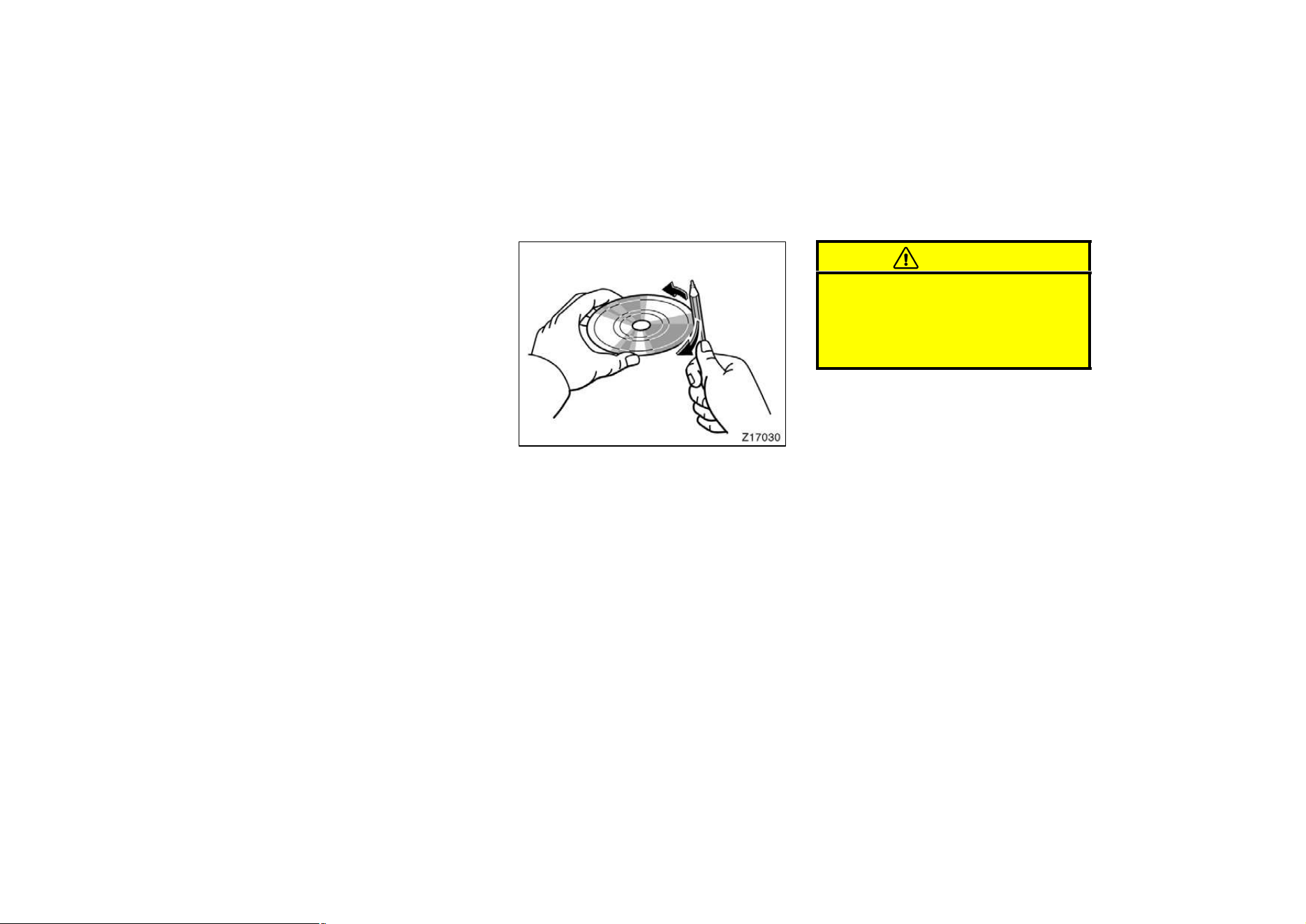
133
D If moisture gets into your compact disc
player, you may not hear any sound
even though your compact disc player
appears to be working. Remove the
disc from the player and wait until it
dries.
D Handle compact discs carefully, espe-
cially when you are inserting them.
Hold them on the edge and do not
bend them. Avoid getting fingerprints
on them, particularly on the shiny side.
D Dirt, scrapes, warping, pin holes, or
other disc damage could cause the
player to skip or to repeat a section of
a track. (To see a pin hole, hold the
disc up to the light.)
D Remove discs from the compact disc
player when you are not listening
to them. Store them in their plastic
cases away from moisture, heat, and
direct sunlight.
To clean a compact disc: Wipe it with a
soft, lint−free cloth that has been damp-
ened with water. Wipe in a straight line
from the center to the edge of the disc
(not in circles). Dry it with another soft,
lint−free cloth. Do not use a conventional
record cleaner or anti−static device.
A new disc may have rough edges on
its inner and outer perimeter. Remove
the rough edges by pressing the side
of a ball−point pen or pencil against
the inner and outer perimeter of the
disc as shown.
If you continue to play a disc with rough
edges, flakes will fall on to the signal side
of the disc and cause sound skipping or
other problems.
CAUTION
Compact disc players use invisible la-
ser beam which could cause hazard-
ous radiation exposure if directed
outside the unit. Be sure to operate
the player correctly as instructed.
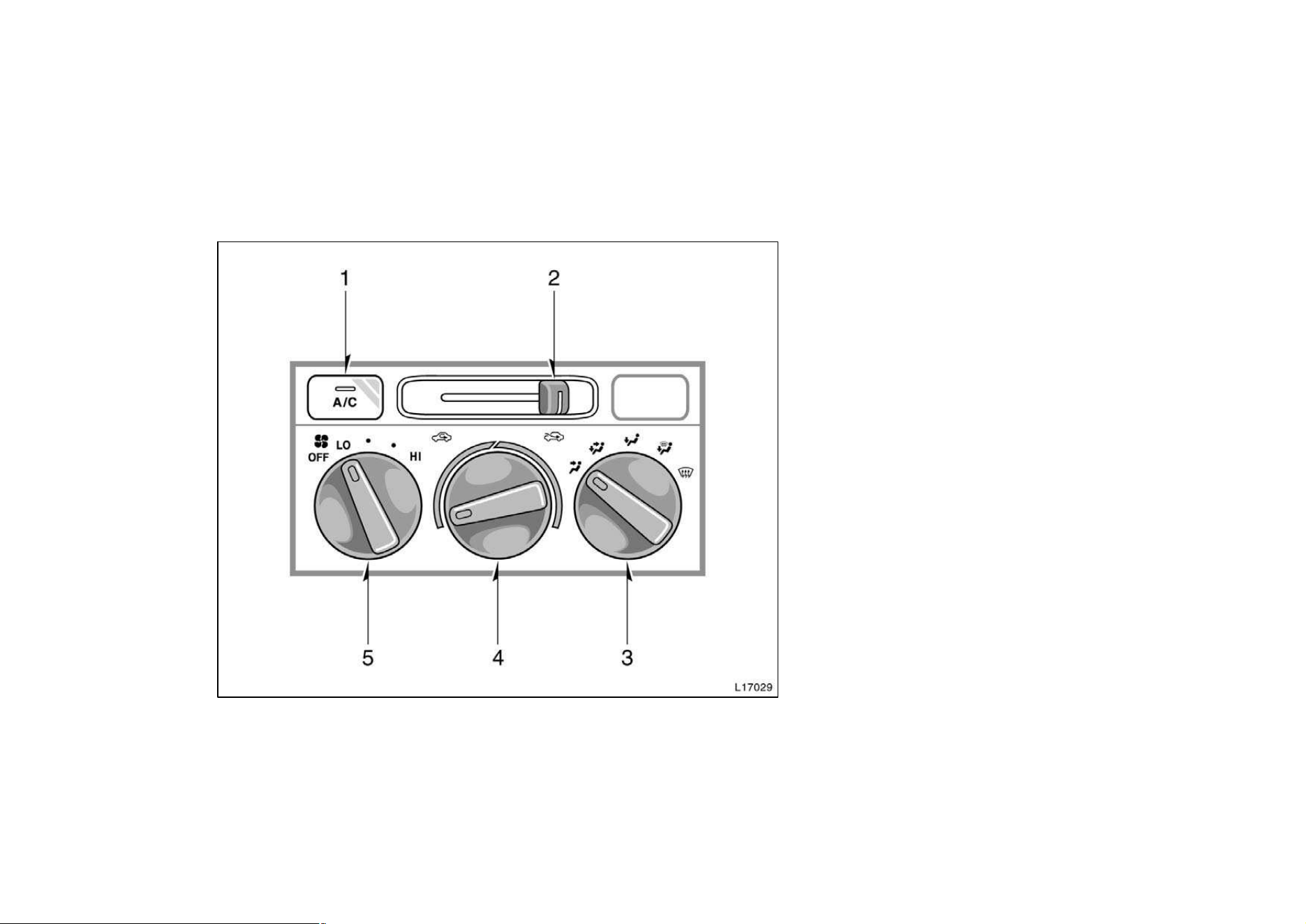
134
1. ”A/C” Button
2. Air Intake Selector
3. Air Flow Selector
4. Temperature Selector
5. Fan Speed Selector
Air conditioning system—
—Controls
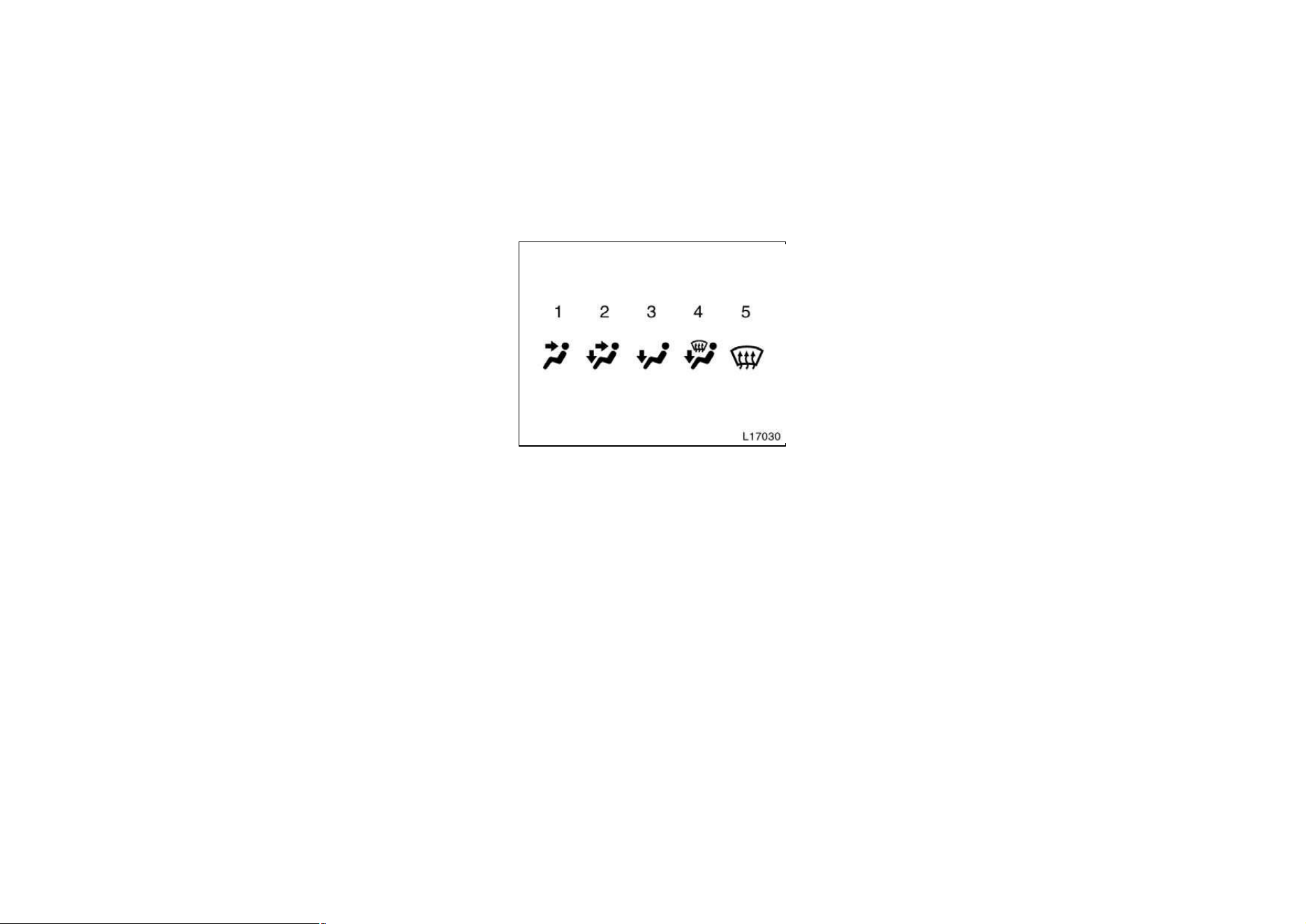
135
Fan speed selector
Turn the knob to adjust the fan speed—to
the right to increase, to the left to de-
crease.
Temperature selector
Turn the knob to adjust the temperature—
to the right to warm, to the left to cool.
Air flow selector
Turn the knob to select the vents used for
air flow.
1. Panel—Air flows mainly from the
instrument panel vents.
2. Bi−level—Air flows from both the floor
vents and the instrument panel vents.
3. Floor—Air flows mainly from the floor
vents.
4. Floor/Windshield—Air flows mainly
from the floor vents and windshield
vents.
5. Windshield—Air flows mainly from the
windshield vents.
For details about air flow selector settings,
see the illustration after ”A/C” button.
Turning the air flow control knob to wind-
shield position turns on the defroster−
linked air conditioning. At this time, the
”A/C” button indicator comes on regard-
less of whether or not the ”A/C” button is
pressed in. This is to clean up the front
view more quickly.
When the ”A/C” button is not pressed in,
turning the air flow control knob to anoth-
er position turns off the air conditioning.
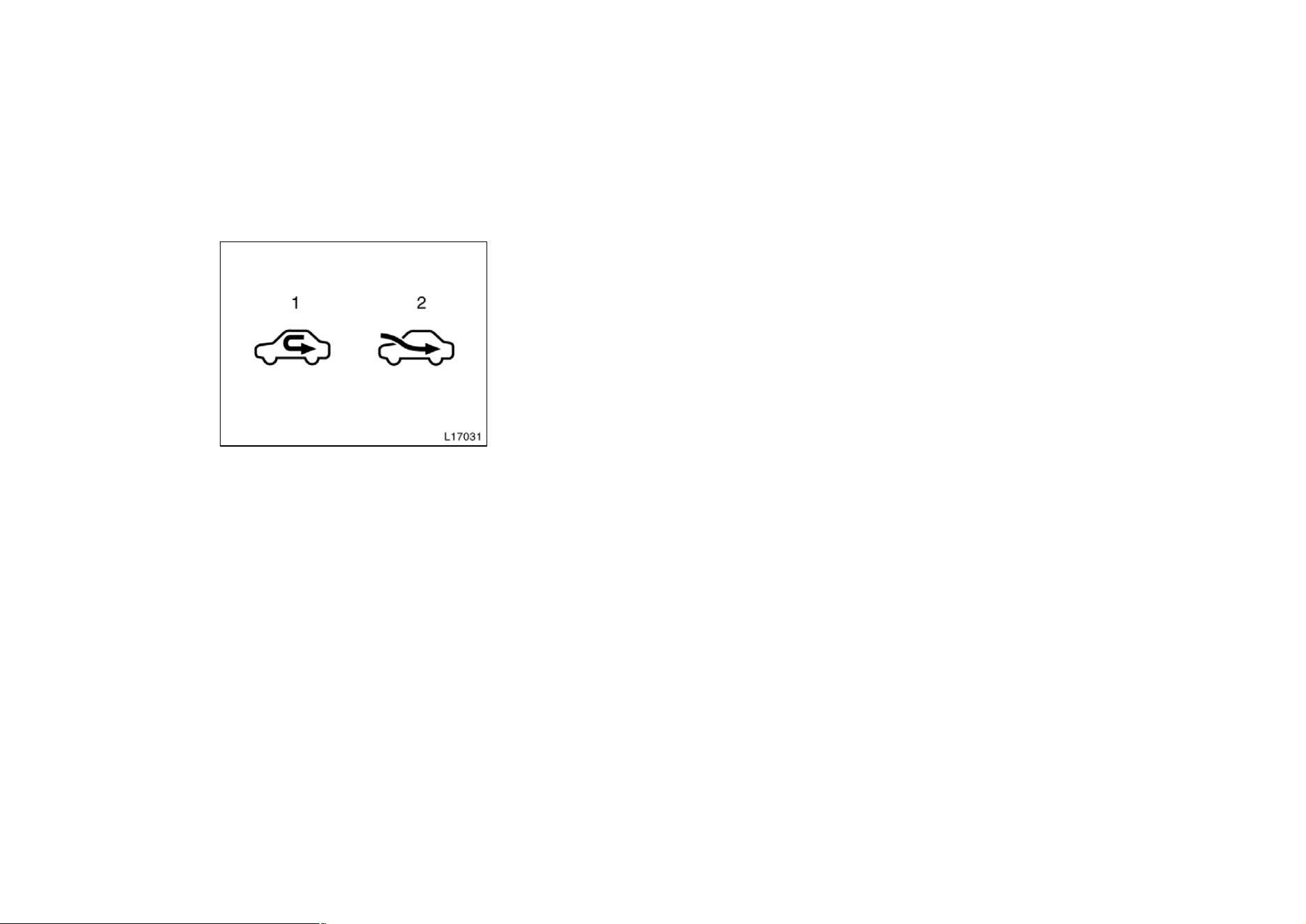
136
Air intake selector
Move the lever to select the air source.
1. Recirculate—Recirculates the air inside
the vehicle.
2. Fresh—Draws outside air into the sys-
tem.
”A/C” button
To turn on the air conditioning, press the
”A/C” button. The ”A/C” button indicator
will come on. To turn the air conditioning
off, press the button again.
If the ”A/C” button indicator flashes, there
is a problem in the air conditioning system
and the air conditioning automatically
shuts off. If this happens, take your ve-
hicle to a Toyota dealer for service.
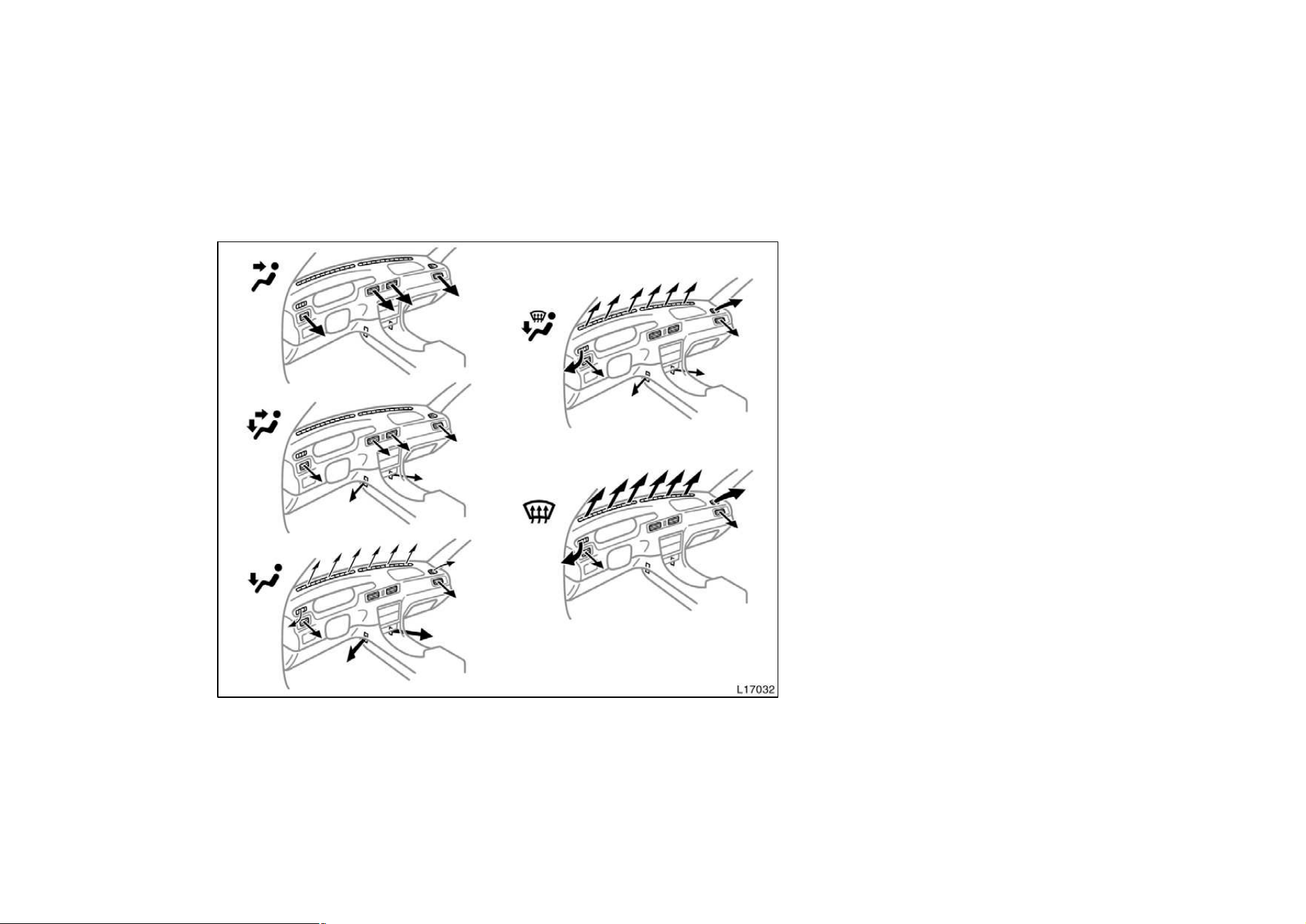
137
—Air flow selector settings —Operating tips
D To cool off your Toyota after it has
been parked in the hot sun, drive with
the windows open for a few minutes.
This vents the hot air, allowing the air
conditioning to cool the interior more
quickly.
D Make sure the air intake grilles in front
of the windshield are not blocked (by
leaves or snow, for example).
D On humid days, do not blow cold air
on the windshield. The windshield could
fog up because of the difference in air
temperature on the inside and outside
of the windshield.
D Keep the area under the front seats
clear to allow air to circulate through-
out the vehicle.
D On cold days, move the fan speed to
”HI” for a minute to help clear the in-
take ducts of snow or moisture. This
can reduce the amount of fogging on
the windows.

138
Heating
For best results, set controls to:
Fan speed —Any setting except ”OFF”
Temperature —Towards WARM
(red zone)
Air intake —FRESH (outside air)
Air flow —FLOOR
Air conditioning —OFF
D For quick heating, select recirculated
air for a few minutes. To keep the
windows from fogging, select fresh af-
ter the vehicle interior has been
warmed.
D Press the ”A/C” button on for dehumidi-
fied heating.
D Choose floor/windshield air flow to heat
the vehicle interior while defrosting or
defogging the windshield.
Air conditioning
For best results, set controls to:
Fan speed —Any setting except ”OFF”
Temperature —Towards COLD
(blue zone)
Air intake —FRESH (outside air)
Air flow —PANEL
Air conditioning —ON
D For quick cooling, move the air intake
selector to recirculate for a few min-
utes.
Ventilation
For best results, set controls to:
Fan speed —Any setting except ”OFF”
Temperature —Towards COLD
(blue zone)
Air intake —FRESH (outside air)
Air flow —PANEL
Air conditioning —OFF
Defogging
The inside of the windshield
For best results, set controls to:
Fan speed —Any setting except ”OFF”
Temperature —Towards WARM
(red zone) to heat;
COLD (blue zone) to
cool
Air intake —FRESH (outside air)
Air flow —WINDSHIELD
Turning the air flow control knob to wind-
shield position turns on the defroster−
linked air conditioning. At this time, the
”A/C” button indicator comes on regard-
less of whether or not the ”A/C” button is
pressed in. This is to clean up the front
view more quickly.
When the ”A/C” button is not pressed in,
turning the air flow control knob to anoth-
er position turns off the air conditioning.
D On humid days, do not blow cold air
on the windshield—the difference be-
tween the outside and inside tempera-
tures could make the fogging worse.
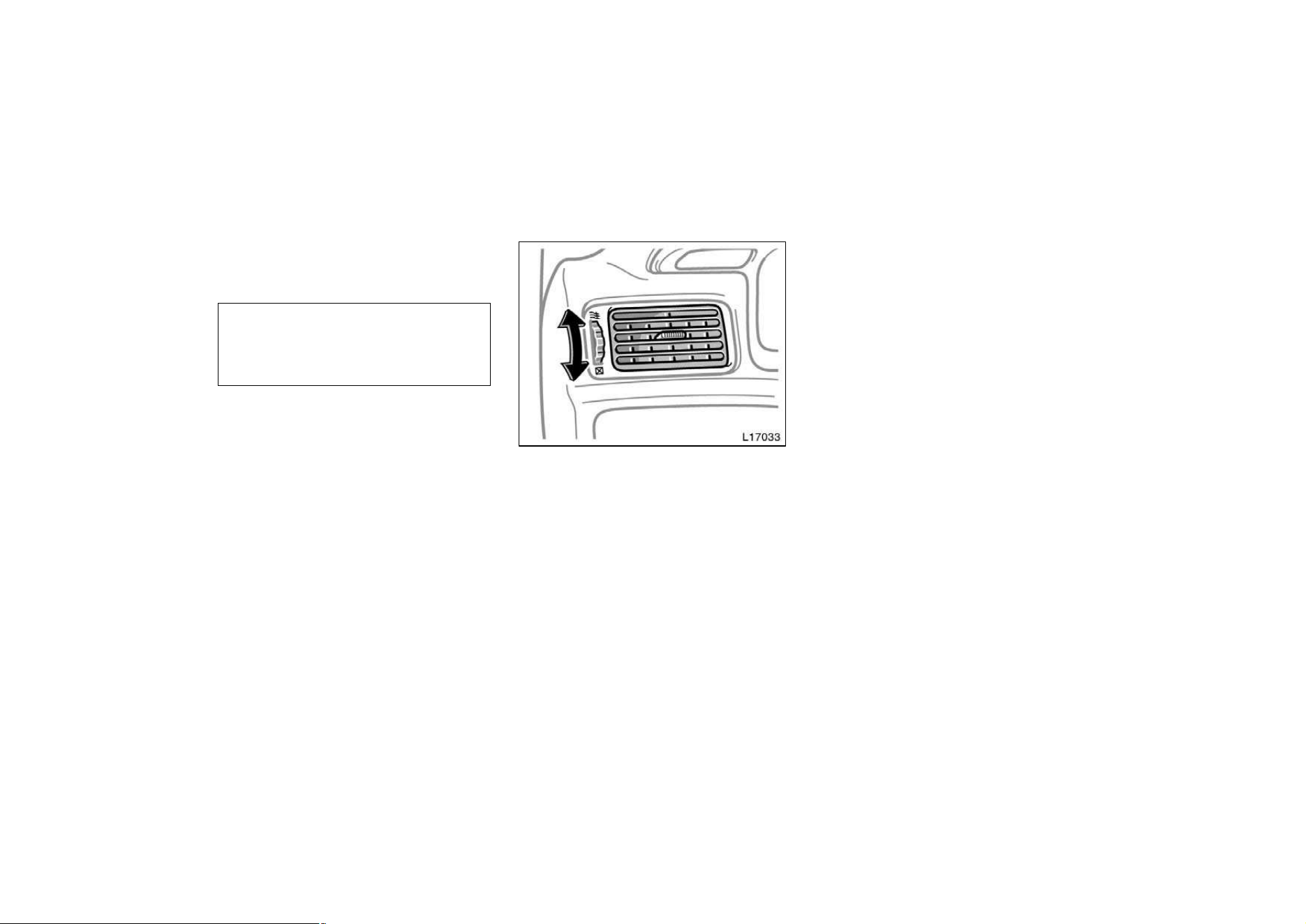
139
Defrosting
The outside of the windshield
For best results, set controls to:
Fan speed —Any setting except ”OFF”
Temperature —Towards WARM
(red zone)
Air intake —FRESH (outside air)
Air flow —WINDSHIELD
Turning the air flow control knob to wind-
shield position turns on the defroster−
linked air conditioning. At this time, the
”A/C” button indicator comes on regard-
less of whether or not the ”A/C” button is
pressed in. This is to clean up the front
view more quickly.
When the ”A/C” button is not pressed in,
turning the air flow control knob to anoth-
er position turns off the air conditioning.
D To heat the vehicle interior while de-
frosting the windshield, choose
floor/windshield air flow.
—Instrument panel vents
If air flow control is not satisfactory, check
the instrument panel vents. The instrument
panel vents may be opened or closed as
shown.
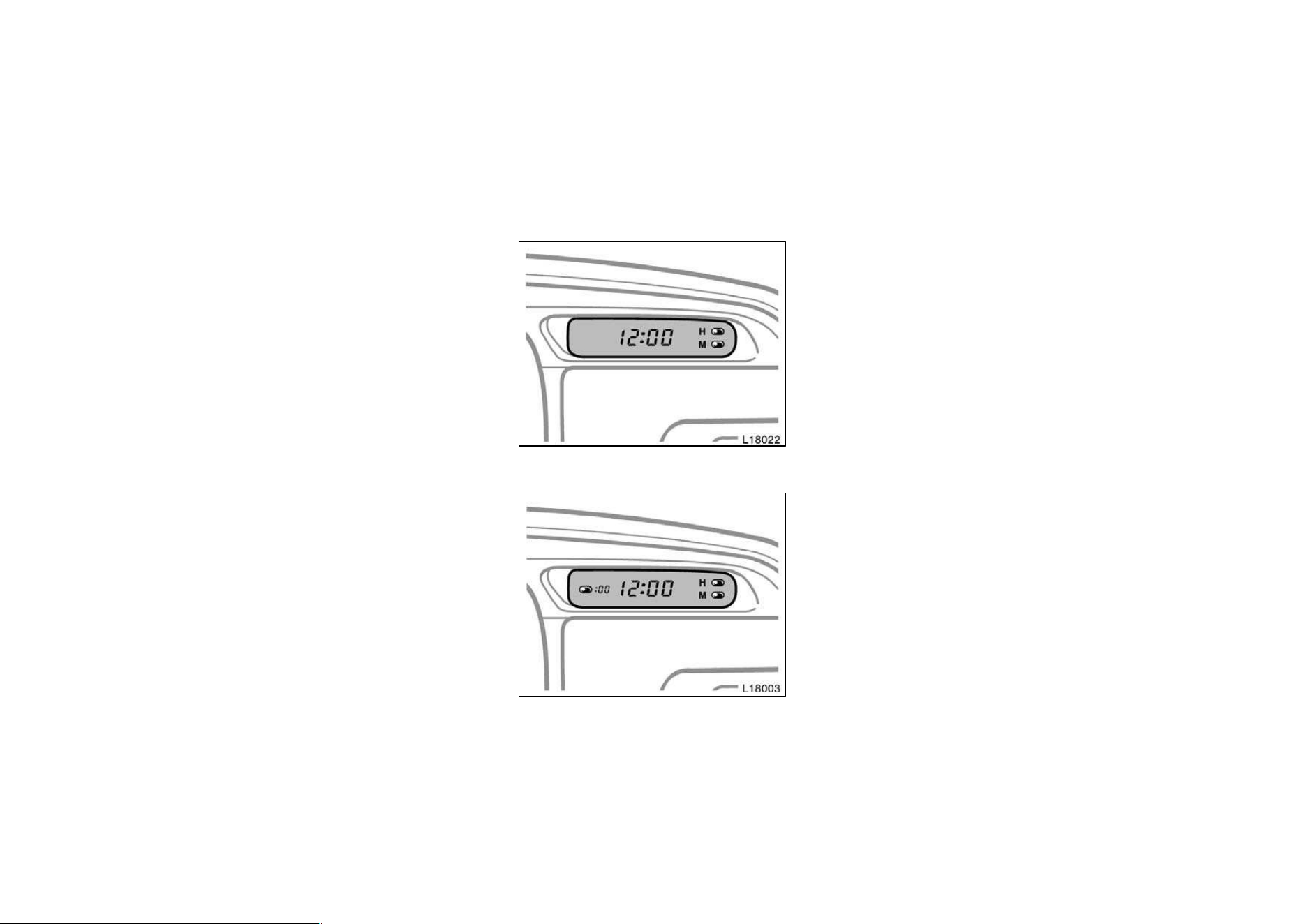
140
Part 1
OPERATION OF
INSTRUMENTS
AND CONTROLS—
Chapter 1−8
Other equipment
D
Clock
D Cigarette lighter and ashtrays
D Power outlet
D Glovebox
D Garage door opener box
D Miscellaneous box
D Auxiliary box
D Cup holder
D Traction control system
D Floor mat
Clock
Type A
Type B
The digital clock indicates the time.
The key must be in the ‘‘ACC’’ or ‘‘ON’’
position.
To reset the hour: Push the ‘‘H’’ button.
To reset the minutes: Push the ‘‘M’’ but-
ton.
Once the electrical power source has
been disconnected from the clock, the
time is automatically set to 1:00 (one
o’clock).
When the instrument panel lights are
turned on, the brightness of the time in-
dication will be reduced.
Type B only—
If quick adjustment to a full hour is de-
sired, push the ‘‘:00’’ button.
For example, if the ‘‘:00’’ button is de-
pressed when the time is between
1:01—1:29, the time will change to 1:00.
If the time is between 1:30—1:59, the
time will change to 2:00.
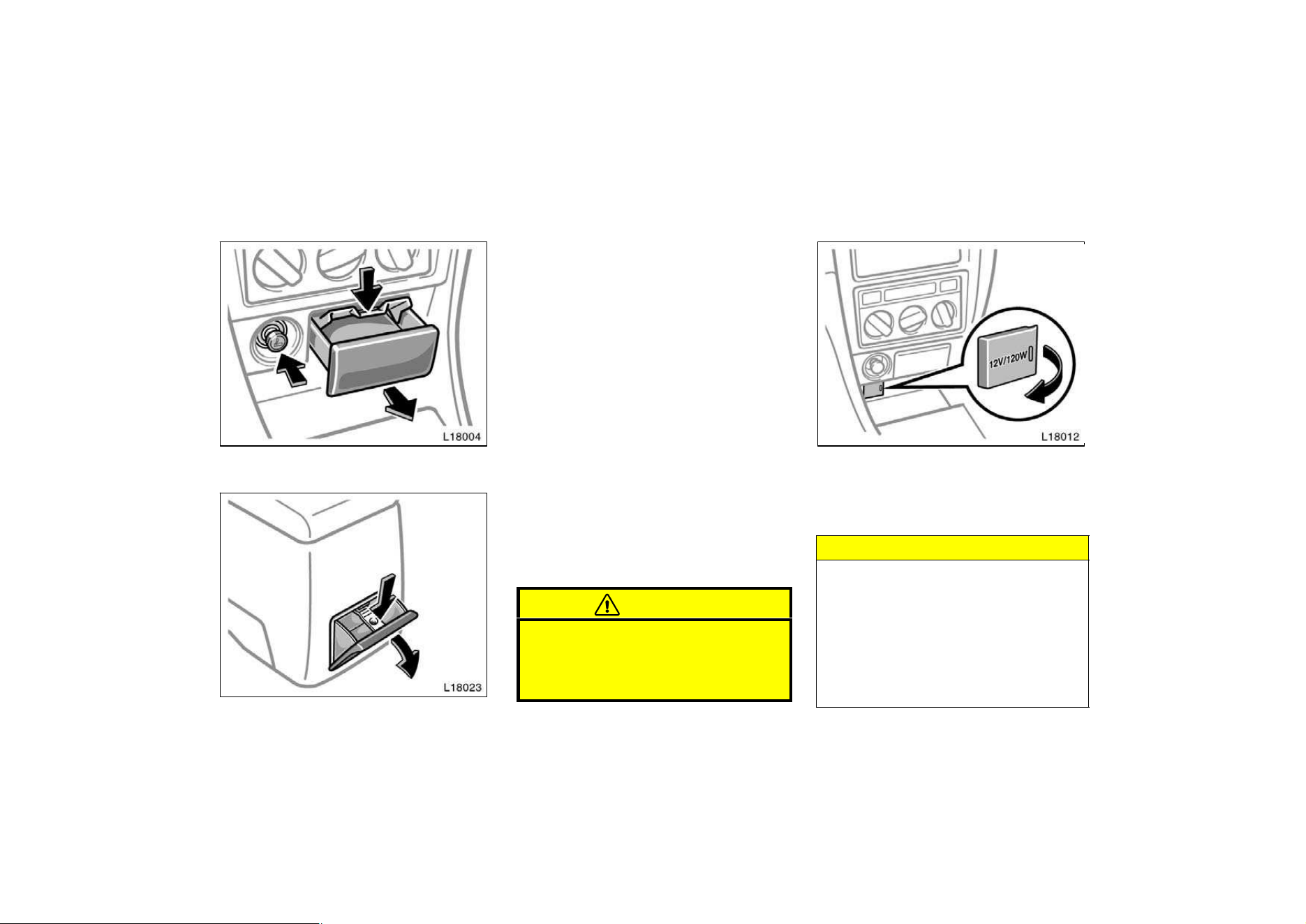
141
Cigarette lighter and ashtrays
Cigarette lighter and front ashtray
Rear ashtray (some models only)
CIGARETTE LIGHTER
To use the cigarette lighter, press it in.
When it becomes heated, it automatical-
ly pops out ready for use.
If the engine is not running, the key must
be in the ”ACC” position.
Do not hold the cigarette lighter pressed
in.
Use a Toyota genuine cigarette lighter or
equivalent for replacement.
ASHTRAYS
To use the ashtray, open out.
When finished with your cigarette, thor-
oughly extinguish it in the ashtray to pre-
vent other cigarette butts from catching
fire. After using the ashtray, push it back
in completely.
To remove the ashtray, press down on the
lock spring plate and pull out.
CAUTION
To reduce the chance of injury in
case of an accident or sudden stop
while driving, always push the ash-
tray back in completely after use.
Power outlet
The power outlet is designed for power
supply for car accessories.
The key must be in the ”ACC” or ”ON”
position for the power outlet to be used.
NOTICE
z To prevent the fuse from being
blown, do not use the electricity
over the total vehicle capacity of
12V/120W.
z To prevent the battery from being
discharged, do not use the power
outlet longer than necessary when
the engine is not running.
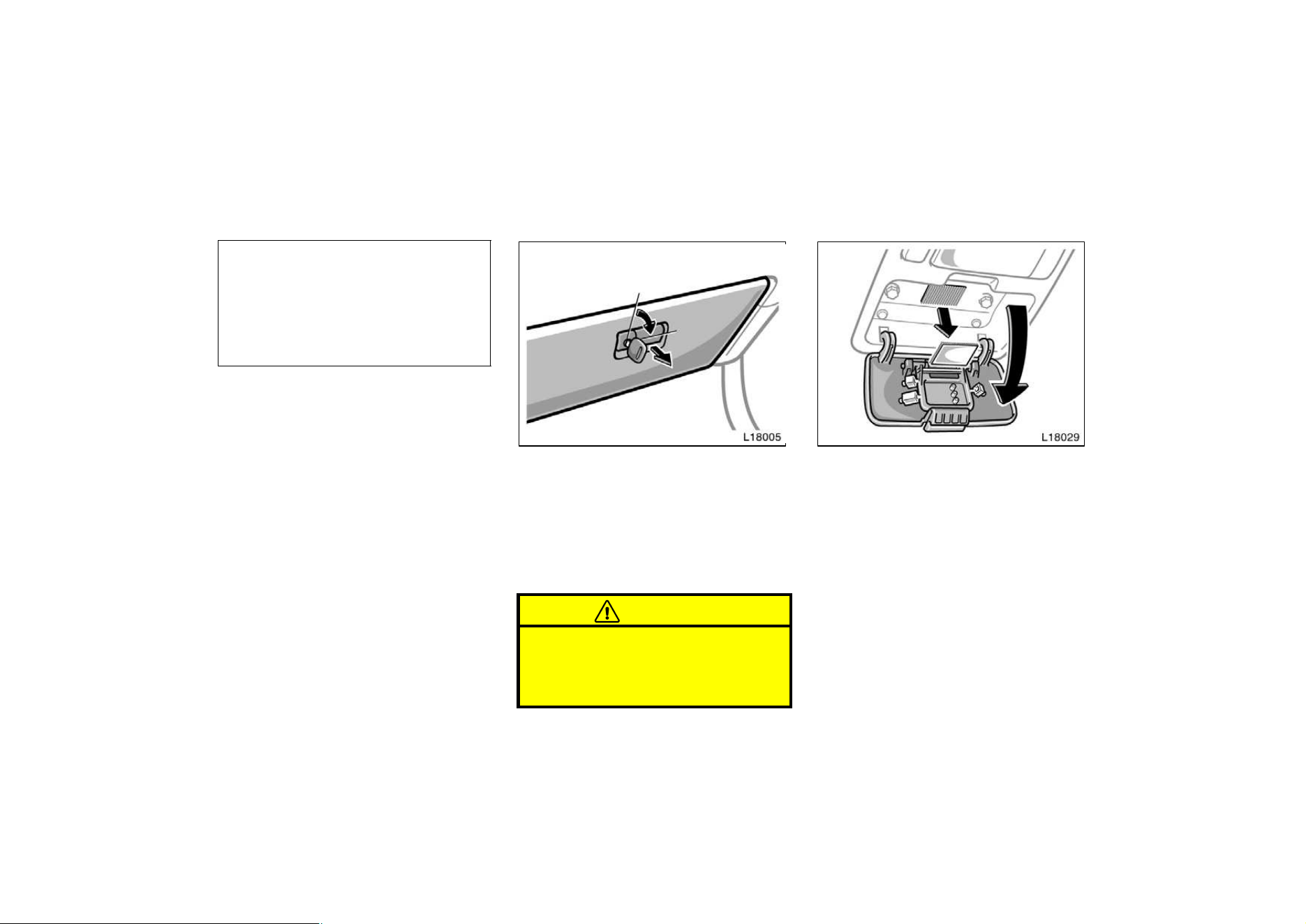
142
z Close the power outlet lid when the
power outlet is not in use. Inserting
a foreign object other than the ap-
propriate plug that fits the outlet,
or allowing any liquid into the out-
let may cause electrical failure or
short circuits.
Glovebox
To use the glovebox, do this.
To open: Pull the lever.
With the instrument panel lights on, the
glovebox light will come on when the glo-
vebox is open.
To lock: Insert the master key and turn it
clockwise.
CAUTION
To reduce the chance of injury in
case of an accident or a sudden stop,
always keep the glovebox door closed
while driving.
Garage door opener box
The box is designed to store a garage
door opener transmitter.
Open the cover and remove the Velcro
loop.
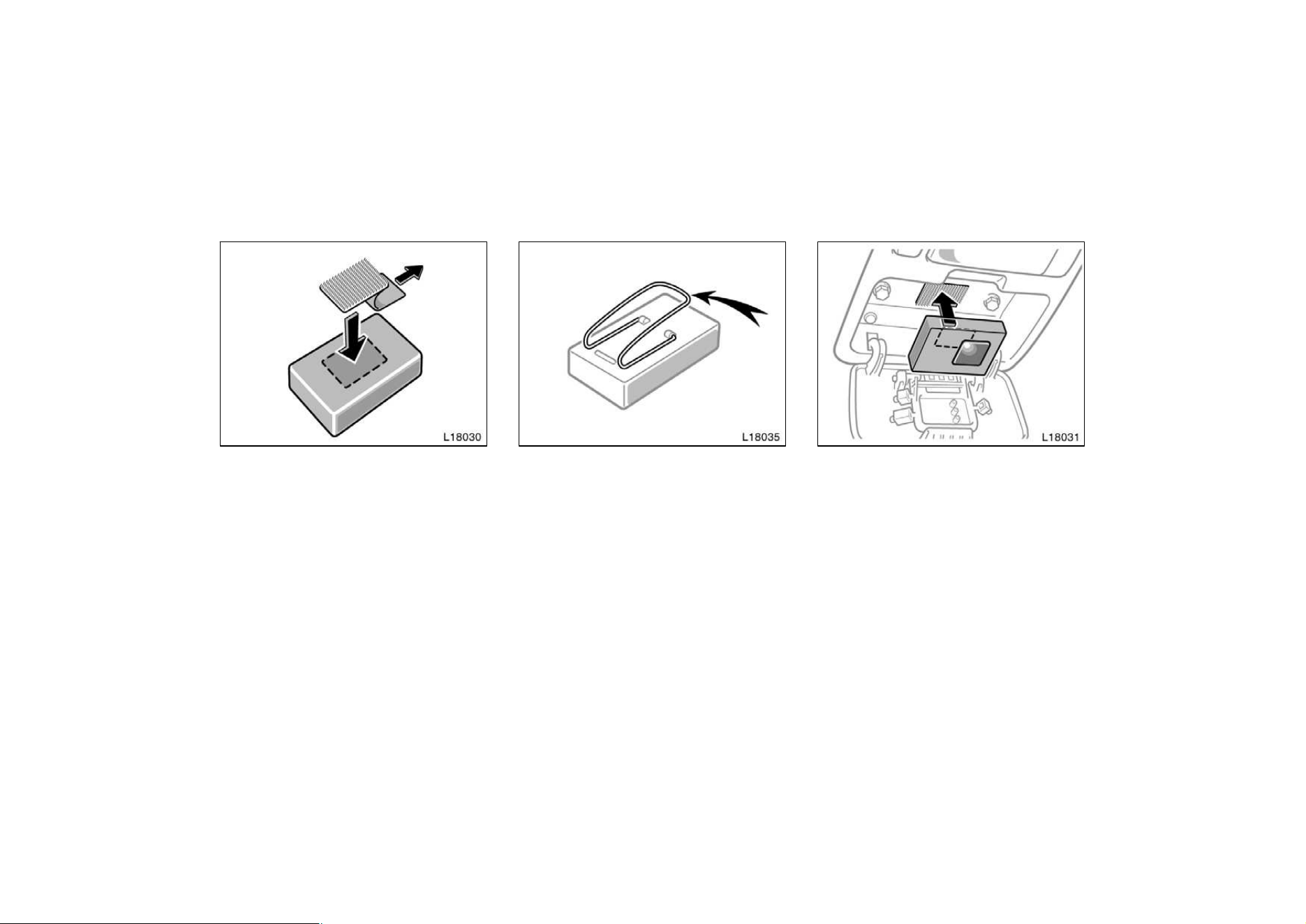
143
Remove the paper strip covering the adhe-
sive on back side of loop and adhere loop
to back side of the transmitter near cen-
ter.
Please note if transmitter has wire clip for
sun visor, this clip must be removed prior
to adhesion of the Velcro.
Place the transmitter with Velcro loop fac-
ing inside of box into the box. Make sure
the transmitter button is located above
button pins.
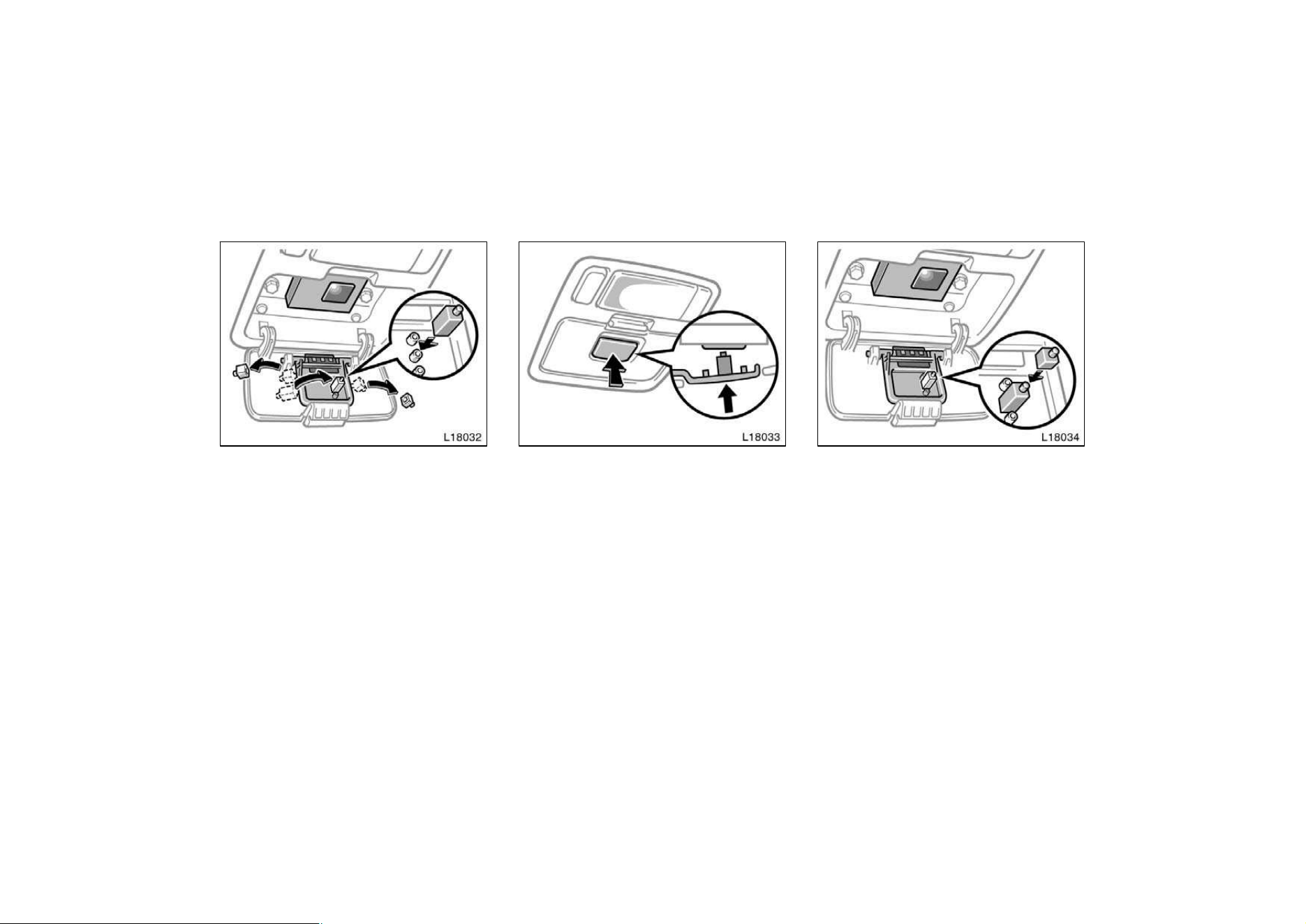
144
Remove spacers from the center panel.
Place the largest spacer on the pin that
would be below transmitter button when
the cover is closed. Close the cover.
When the garage door opener transmitter
is properly installed, you can operate the
transmitter by pushing the center panel of
the cover.
If the center panel does not contact with
your garage door opener transmitter:
D Check to see if spacer is on correct
pin.
D Attach another spacer to the top of
original spacer. Check operation. If re-
quired, continue add spacers until con-
tact is achieved.
If the transmitter is clattering during driv-
ing, fill in a piece of felt or pad to prevent
the transmitter from clattering.
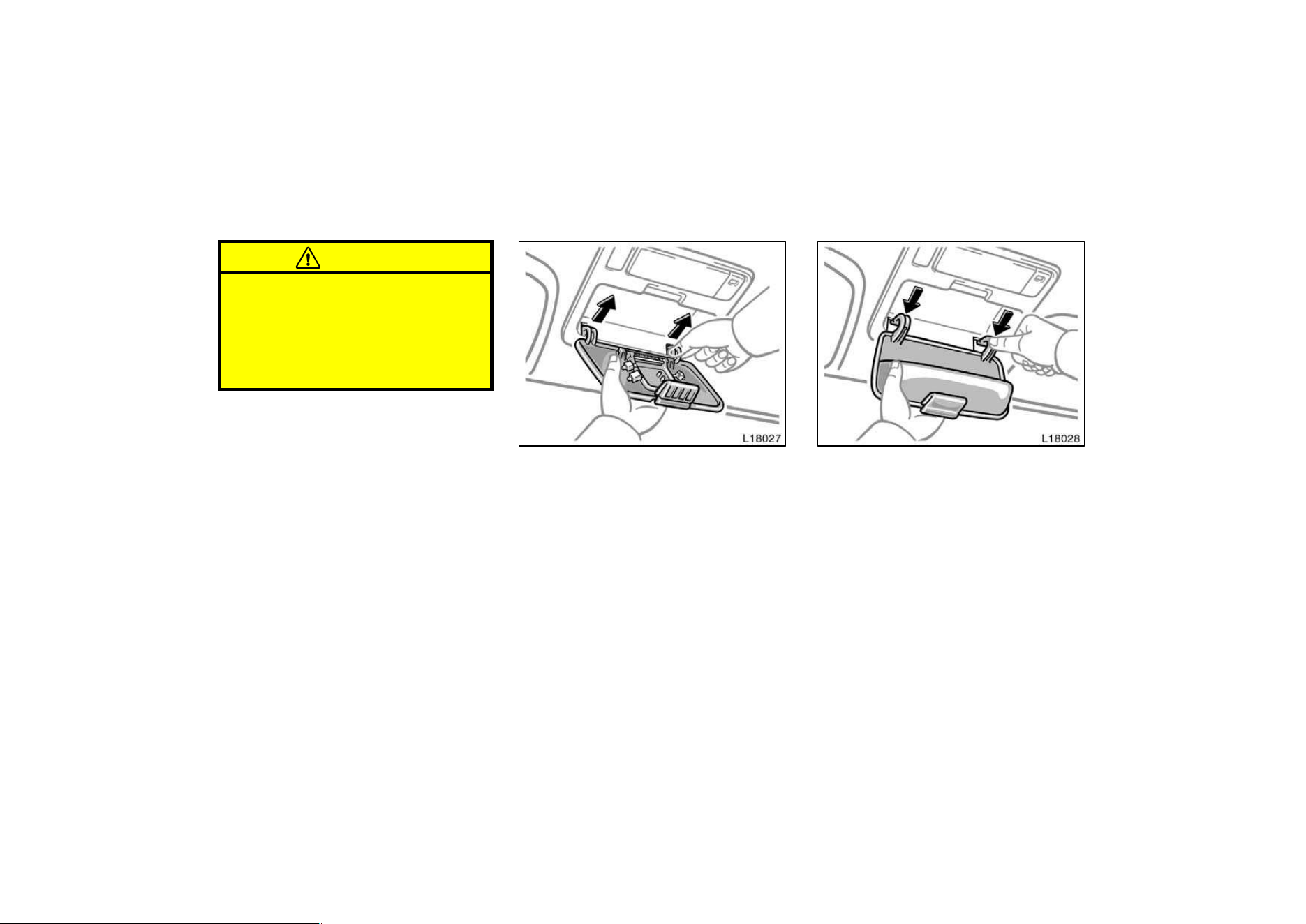
145
CAUTION
D To reduce the chance of injury in
case of an accident or a sudden
stop, always keep the garage door
opener box closed while driving.
D Keep the remained spacers away
from children.
The miscellaneous box and garage door
opener box (stored in the glovebox) are
interchangeable.
Removing the cover—
Half open the cover. Pinch each hinge and
pull it out of its pivot one by one as
shown above.
Do not remove the cover forcibly.
Installing the cover—
Align the hinges to the pivots, and press
each hinge with a thumb until you hear a
click.
Make sure that the cover opens and
closes smoothly.
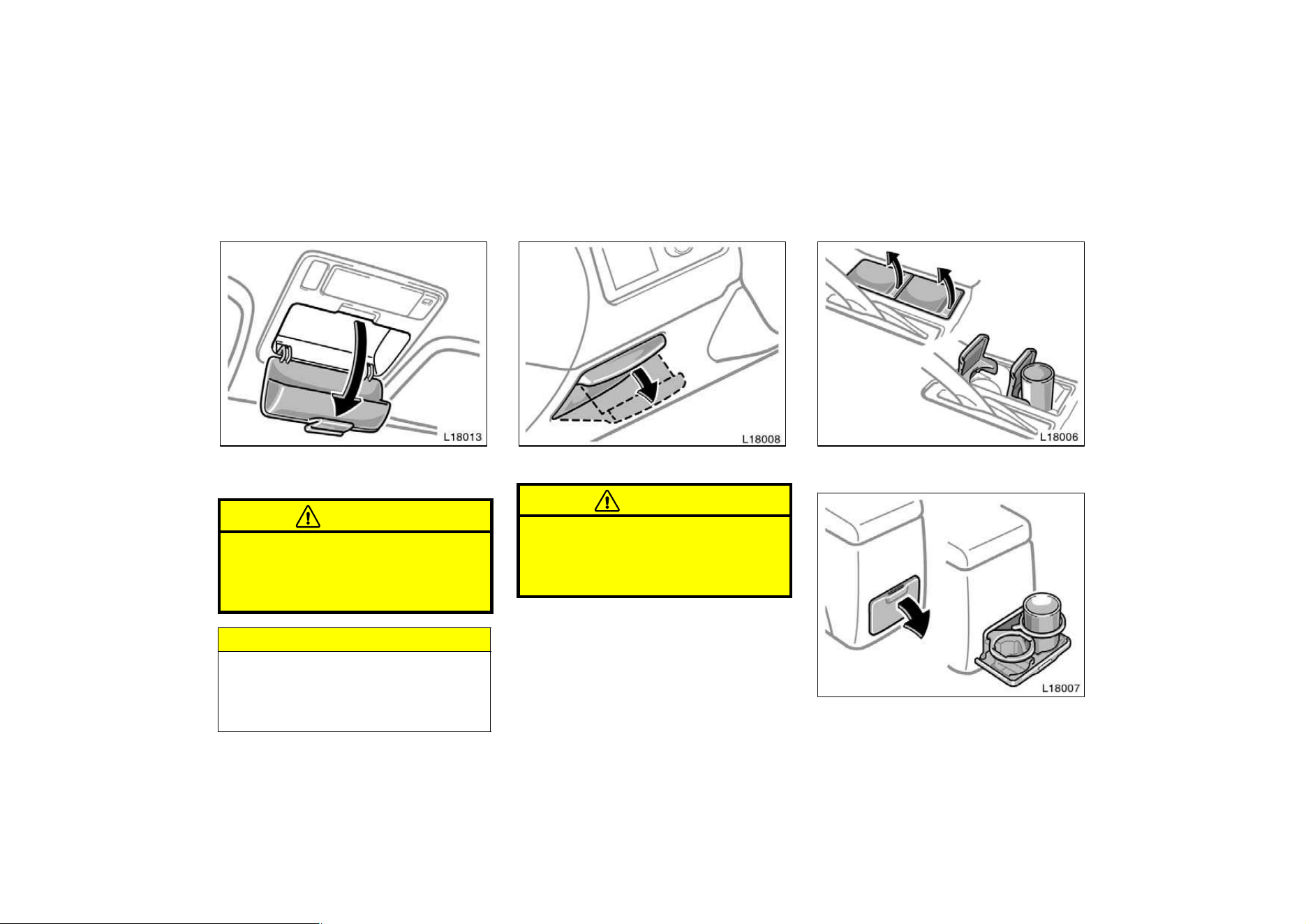
146
Miscellaneous box
To use the box, open it as shown
above.
CAUTION
To reduce the chance of injury in
case of an accident or a sudden stop,
always keep the miscellaneous box
closed while driving.
NOTICE
In hot weather, inside of the vehicle
becomes very hot. Do not leave any-
thing flammable or deformable such
as a lighter, the glasses, etc. inside.
Auxiliary box
To use the box, pull on the handle.
CAUTION
To reduce the chance of injury in
case of an accident or a sudden stop,
always keep the auxiliary box closed
while driving.
Cup holder
Front
Rear
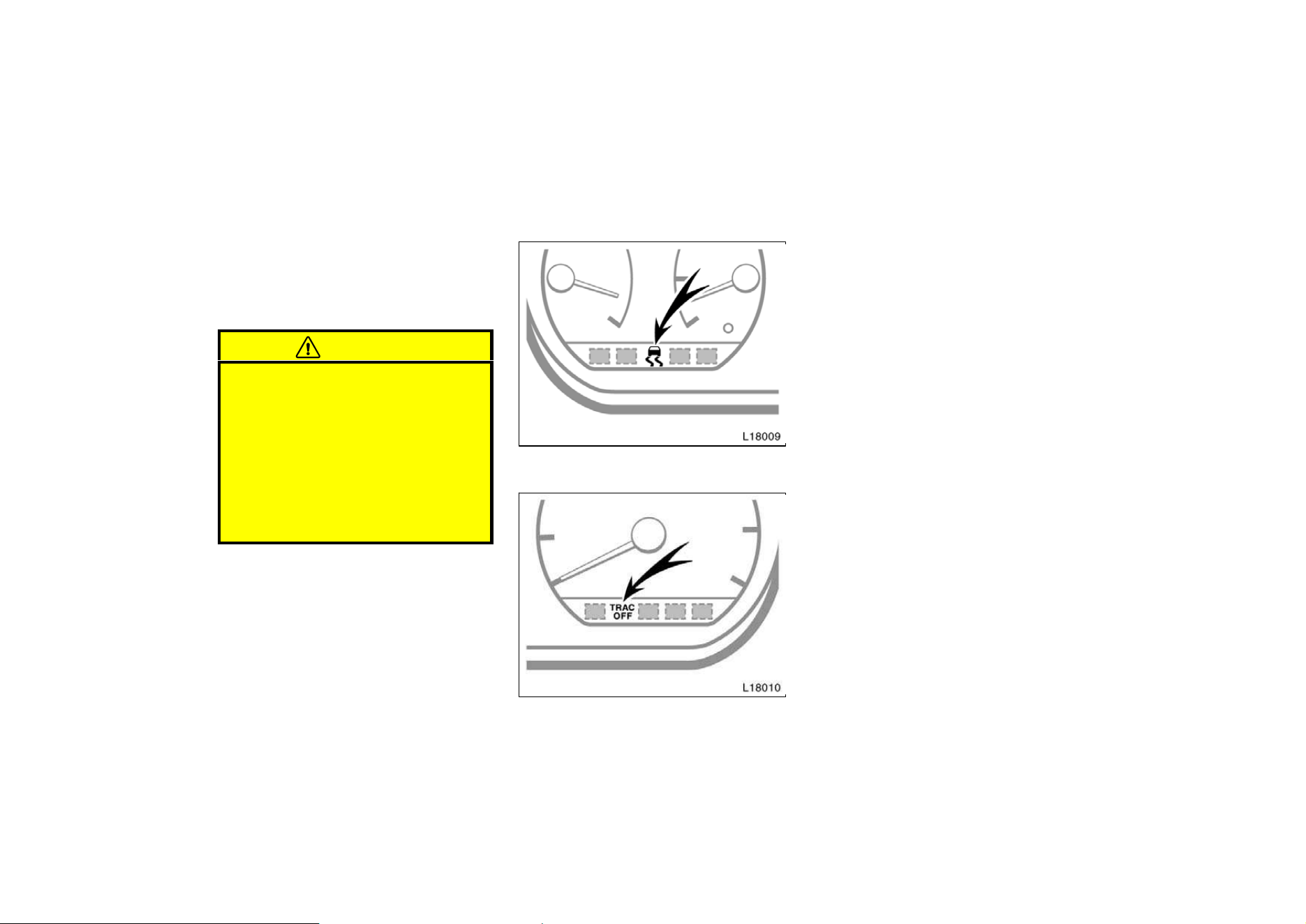
147
The cup holder is designed for holding
cups or drink−cans fit snugly in its
holes.
Front: To use the holder, open the lid.
Rear: To use the holder, pull it out.
CAUTION
D Do not place anything else on the
cup holder, as such item may be
thrown about in the compartment
and possibly injure people in the
vehicle during sudden braking or an
accident.
D To reduce the chance of injury in
case of an accident or sudden stop
while driving, keep the cup holder
retracted when it is not in use.
Traction control system
Slip indicator light
”TRAC OFF” indicator/warning light
AUTOMATIC TRACTION CONTROL SYS-
TEM
The traction control system automatical-
ly helps control the spinning of the
front wheels which may occur when ac-
celerating on slippery road surfaces,
thus assisting driver to control the driv-
ing power of the front wheels. When
you turn the ignition switch on, the
traction control system always turns on
automatically, and the slip indicator
light and ”TRAC OFF” indicator/warning
light will come on. The indicator lights
will go off after about 3 seconds.
Leave the system on during ordinary
driving so that it can operate when
needed. When traction control is ap-
plied, the slip indicator light blinks.
You may hear a slight clicking noise in
the engine compartment when the engine
is started. This means that the traction
control system is in the self−check mode,
and does not indicate malfunction. When
the traction control system is operating,
you may feel vibration or noise of your
vehicle, caused by operation of brakes.
This indicates the system is functioning
properly.
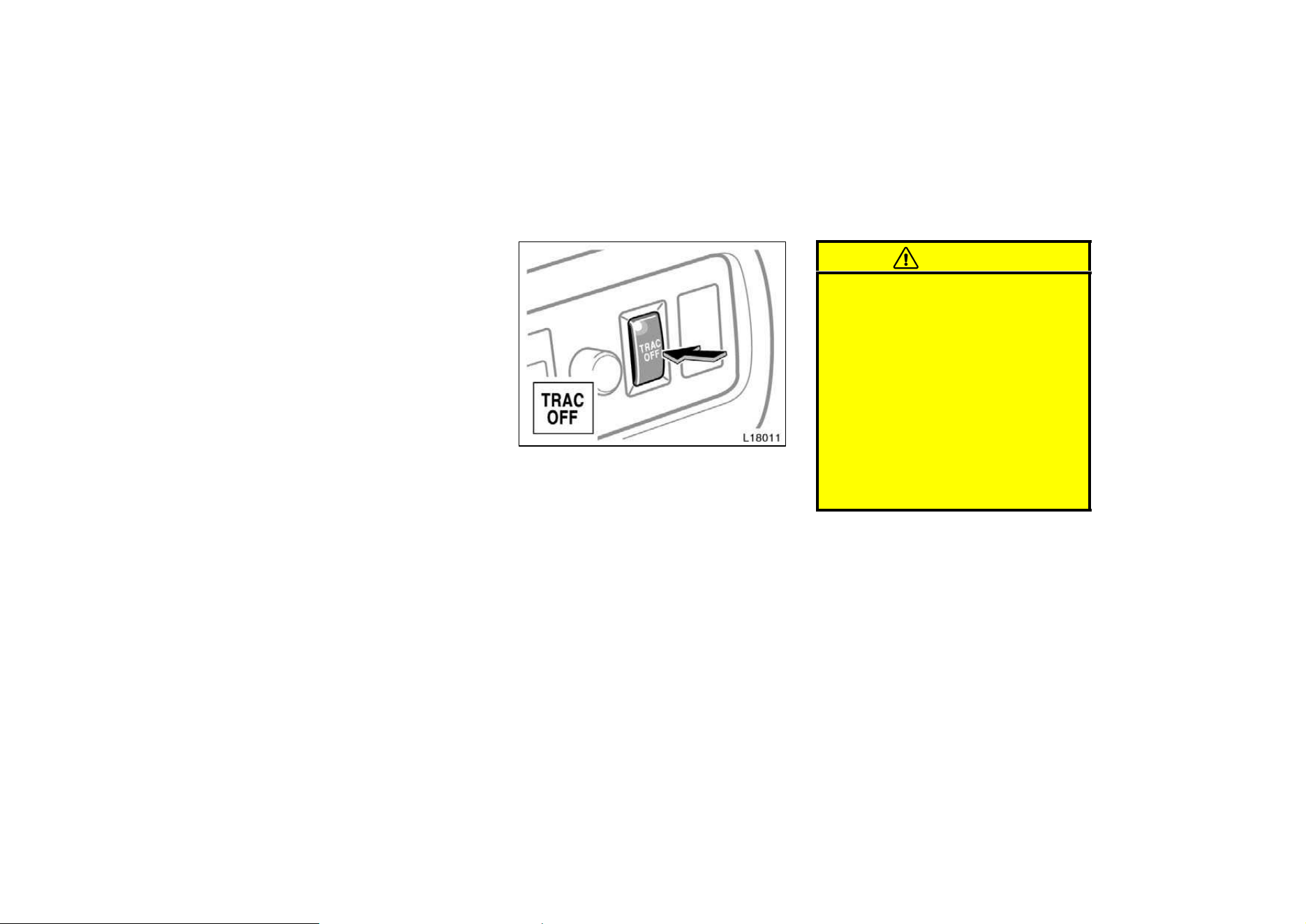
148
When getting the vehicle out of mud or
new snow, etc. the traction control system
will help operate to prevent the wheels
from spinning.
MANUAL OPERATION
You can turn off the traction control
system by pushing the ”TRAC OFF”
switch. The ”TRAC OFF” indicator/warn-
ing light will come on. Pushing the
”TRAC OFF” switch a second time
turns on the traction control system
and the ”TRAC OFF” indicator/warning
light will go off.
CAUTION
Under certain slippery road condi-
tions, full traction of the vehicles and
power to the front wheels may not be
maintained, even though the traction
control system is in operation. Do not
drive the vehicle at any speed or con-
duct any during maneuver which will
cause the vehicle to lose traction. In
situations where the road surface is
covered with ice or snow, your ve-
hicle should be fitted with snow tires
or tire chains. Always drive at an ap-
propriate and cautious speed for the
road conditions present.
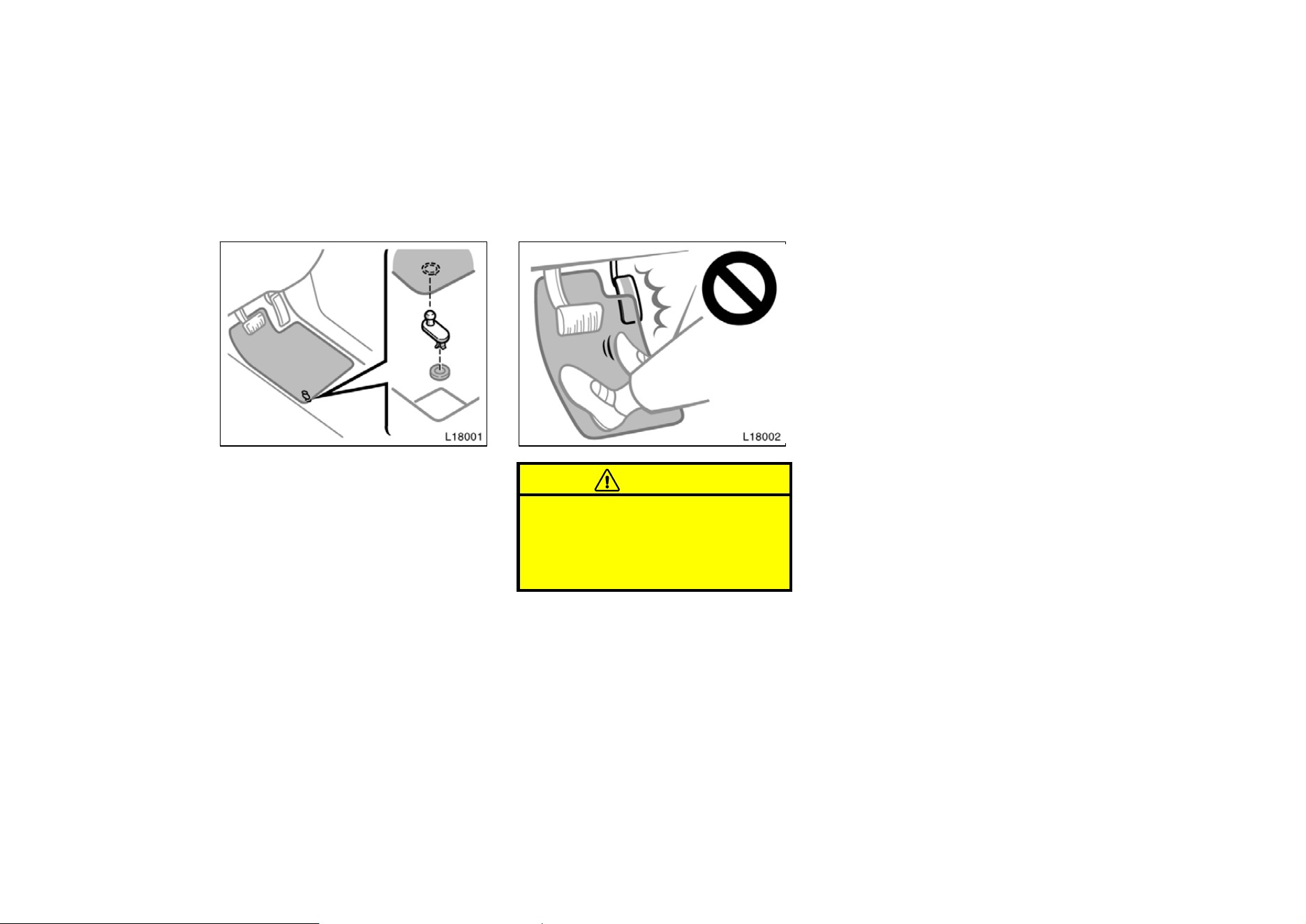
149
Floor mat
Use a floor mat of the correct size.
If the floor mat has a hole, then it is
designed for use with a locking clip. Fix
the floor mat and locking clip into the hole
in the floor carpet.
CAUTION
Make sure the floor mat is properly
placed on the floor carpet. If the floor
mat slips and interferes with the
movement of the pedals during driv-
ing, it may cause an accident.
150
Part 2
INFORMATION
BEFORE DRIVING
YOUR TOYOTA
D
Break−in period
D Fuel
D Operation in foreign countries
D Three−way catalytic converters
D Engine exhaust cautions
D Facts about engine oil
consumption
D Twin ground electrode spark
plugs
D Brake system
D Brake pad wear limit indicators
D Luggage stowage precautions
D Your Toyota’s identification
D Theft prevention labels
D Suspension and chassis
D Types of tires
Break−in period
Drive gently and avoid high speeds.
Your vehicle does not need an elaborate
break−in. But following a few simple tips
for the first 1600 km (1000 miles) can add
to the future economy and long life of
your vehicle:
D Do not drive over 88 km/h (55 mph).
D Run the engine at moderate speed be-
tween 2000 and 4000 rpm.
D Avoid full−throttle starts.
D Try to avoid hard stops during the first
300 km (200 miles).
D Do not drive slowly with the manual
transmission in a high gear.
D Do not drive for a long time at any
single speed, either fast or slow.
D Do not tow a trailer during the first 800
km (500 miles).
Fuel
FUEL TYPE
Your new vehicle must use only un-
leaded gasoline.
To help prevent gas station mix ups, your
Toyota has a new smaller fuel tank open-
ing. The special nozzle on pumps with
unleaded fuel will fit it, but the larger
standard nozzle on pumps with leaded gas
will not.
At a minimum, the gasoline you use
should meet the specifications of ASTM
D4814 in the U.S.A. and CGSB 3.5−M93
in Canada.
NOTICE
Do not use leaded gasoline. Use of
leaded gasoline will cause the three−
way catalytic converter to lose its ef-
fectiveness and the emission control
system to function improperly. Also,
this can increase maintenance costs.

151
OCTANE RATING
5S−FE engine: Select Octane Rating 87
(Research Octane Number 91) or higher.
1MZ−FE engine: Select Octane Rating
87 (Research Octane Number 91) or
higher. For improved vehicle perfor-
mance, the use of premium unleaded
gasoline with an Octane Rating 91 (Re-
search Octane Number of 96) or higher
is recommended.
Use of unleaded gasoline with an octane
rating or research octane number lower
than stated above will cause persistent
heavy knocking. If it is severe, this will
lead to engine damage.
If your engine knocks...
If you detect heavy knocking even when
using the recommended fuel, or if you
hear steady knocking while holding a
steady speed on level roads, consult your
Toyota dealer.
However, now and then, you may notice
light knocking for a short time while accel-
erating or driving up hills. This is no
cause for concern.
GASOLINES CONTAINING DETERGENT
ADDITIVES
Toyota recommends use of gasolines
that contain detergent additives to
avoid build−up of engine deposits.
For further details, ask your Toyota dealer
or a local gasoline retailer.
IMPROVED GASOLINES
The American Automobile Manufacturers
Association (AAMA) has developed a
specification of improved gasolines. The
AAMA specification offers optimal fuel
information for better vehicle perfor-
mance and better protection of your en-
gine.
Toyota recommends the use of gasolines
that meet the AAMA specification, if avail-
able, for improved driveability and emis-
sion control system.
GASOLINES CONTAINING MTBE
Gasolines that contain MTBE (Methyl
Tertiary−Butyl Ether) are available in the
market. If you use a gasoline mixed
with MTBE, make certain that it does
not contain more than 15 % of MTBE.
If the use of gasolines containing MTBE
causes poor driveability and/or poor fuel
economy, you should discontinue the use
of fuels containing MTBE.
GASOLINES CONTAINING MMT
Some gasolines contain an octane−en-
hancing additive called MMT (methylcy-
clopentadienyl manganese tricarbonyl).
Toyota does not recommend the use of
gasolines that contain MMT. If fuels con-
taining MMT are used, your emission con-
trol system may be adversely affected.
The Malfunction Indicator Lamp on the in-
strument cluster may come on. If this hap-
pens, contact your Toyota dealer for ser-
vice.
GASOLINES CONTAINING ALCOHOL
If you use gasohol in your Toyota, be
sure that it is unleaded, has an octane
rating no lower than 87 and does not
contain more than 10 % ethanol.
Gasohol is a mixture of gasoline and etha-
nol.
Toyota does not recommend the use of
gasolines containing methanol. If you use
gasoline containing methanol, use only
gasoline meeting the requirements above
and also containing less than 5 % metha-
nol with cosolvents and corrosion inhibi-
tors for methanol.
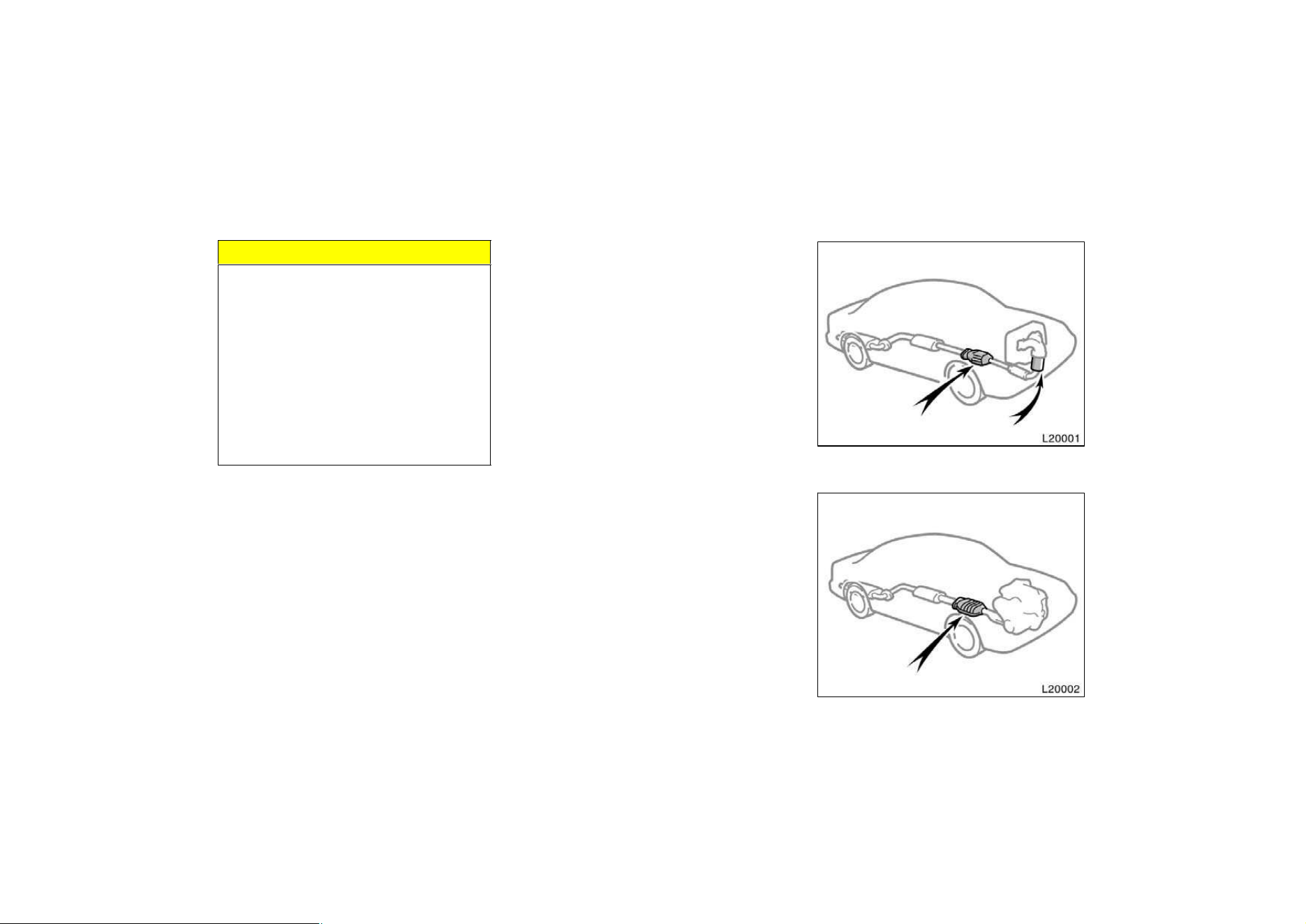
152
NOTICE
z Do not use gasohol other than
stated above. It will cause fuel sys-
tem damage or vehicle performance
problems.
z If driveability problems are encoun-
tered (poor hot starting, vaporizing,
engine knock, etc.), discontinue the
use.
z Take care not to spill gasohol dur-
ing refueling. Gashol may cause
paint damage.
FUEL TANK CAPACITY
70 L (18.5 gal., 15.4 lmp. gal.)
Operation in foreign countries
If you plan to drive your Toyota in
another country...
First, comply with the vehicle registration
laws.
Second, confirm the availability of the cor-
rect fuel (unleaded and minimum octane
number).
Three−way catalytic converters
Type A
Type B
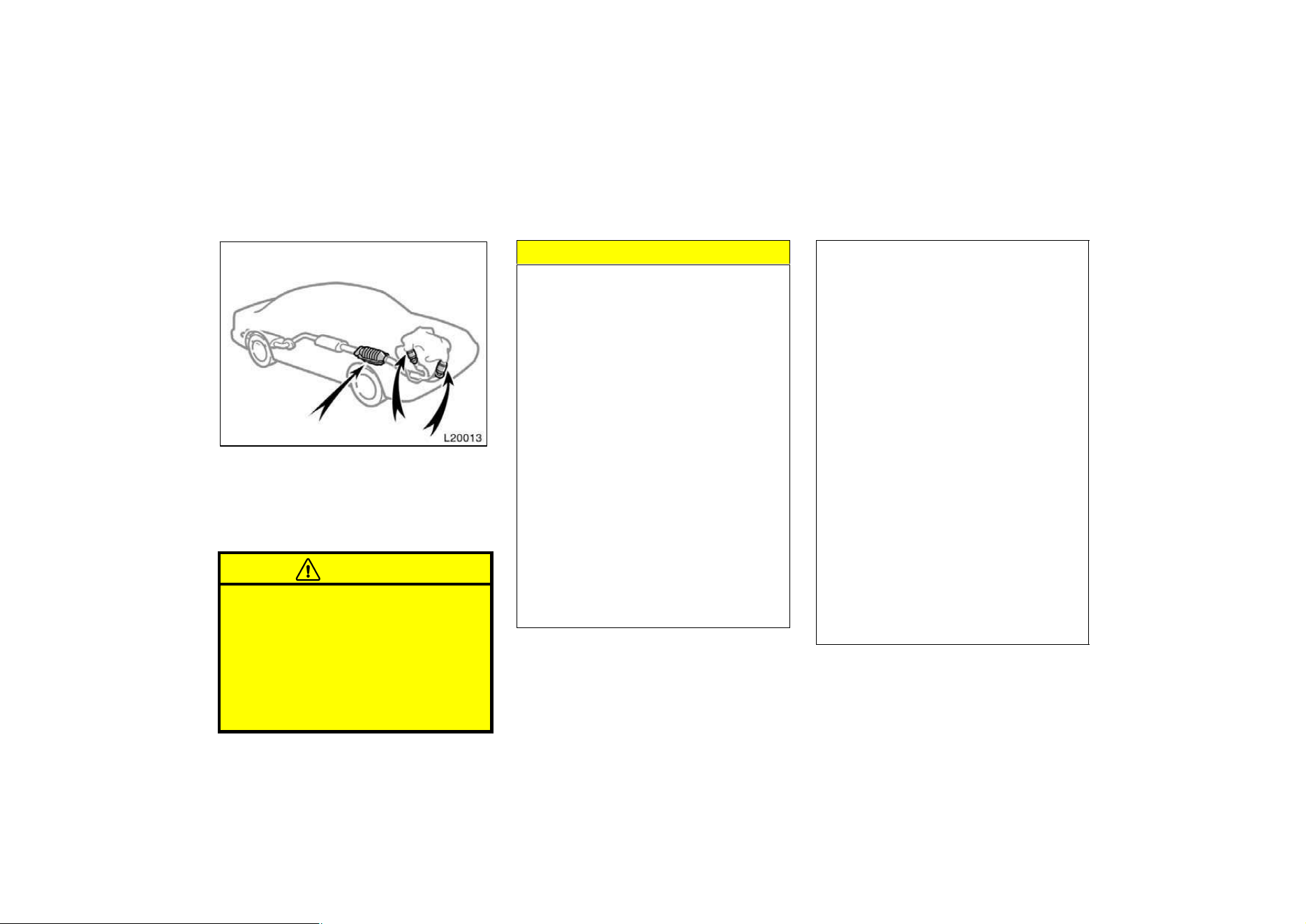
153
Type C
The three−way catalytic converter is an
emission control device installed in the
exhaust system.
The purpose is to reduce pollutants in the
exhaust gas.
CAUTION
D Keep people and combustible mate-
rials away from the exhaust pipe
while the engine is running. The
exhaust gas is very hot.
D Do not drive, idle or park your ve-
hicle over anything that might burn
easily such as grass, leaves, paper
or rags.
NOTICE
A large amount of unburned gases
flowing into the three−way catalytic
converter may cause it to overheat
and create a fire hazard. To prevent
this and other damage, observe the
following precautions:
z Use only unleaded gasoline.
z Do not drive with an extremely low
fuel level; running out of fuel could
cause the engine to misfire, creat-
ing an excessive load on the three−
way catalytic converter.
z Do not allow the engine to run at
idle speed for more than 20 min-
utes.
z Avoid racing the engine.
z Do not push−start or pull−start your
vehicle.
z Do not turn off the ignition while
the vehicle is moving.
z Keep your engine in good running
order. Malfunctions in the engine
electrical system, electronic ignition
system/distributor ignition system
or fuel system could cause an ex-
tremely high three−way catalytic
converter temperature.
z If the engine becomes difficult to
start or stalls frequently, take your
vehicle in for a check−up as soon
as possible. Remember, your Toyota
dealer knows your vehicle and its
three−way catalytic converter sys-
tem best.
z To ensure that the three−way cata-
lytic converter and the entire emis-
sion control system operate proper-
ly, your vehicle must receive the
periodic inspections required by the
Toyota Maintenance Schedule. For
scheduled maintenance information,
refer to the separate ”Owner’s
Manual Supplement/Maintenance
Schedule”.
154
Engine exhaust cautions
CAUTION
D Avoid inhaling the engine exhaust.
It contains carbon monoxide, which
is a colorless and odorless gas. It
can cause unconsciousness or even
death.
D Make sure the exhaust system has
no holes or loose connections. The
system should be checked from
time to time. If you hit something,
or notice a change in the sound of
the exhaust, have the system
checked immediately.
D Do not run the engine in a garage
or enclosed area except for the
time needed to drive the vehicle in
or out. The exhaust gases cannot
escape, making this a particularly
dangerous situation.
D Do not remain for a long time in a
parked vehicle with the engine run-
ning. If it is unavoidable, however,
do so only in an unconfined area
and adjust the heating or cooling
system to force outside air into the
vehicle.
D Keep the trunk lid closed while
driving. An open or unsealed trunk
lid may cause exhaust gases to be
drawn into the vehicle. If you must
drive with the trunk lid open to ac-
commodate a large object, close the
windows, open all the instrument
panel vents and have the heating or
cooling system deliver fresh air into
the vehicle by turning the fan to
high speed with the air intake con-
trol set at the OUTSIDE AIR posi-
tion.
D To allow proper operation of your
vehicle’s ventilation system, keep
the inlet grilles in front of the wind-
shield clear of snow, leaves, or oth-
er obstructions.
D If you smell exhaust fumes in the
vehicle, drive with the windows
open and the trunk lid closed. Have
the cause immediately located and
corrected.
FUNCTIONS OF ENGINE OIL
Engine oil has the primary functions of
lubricating and cooling the inside of the
engine, and plays a major role in main-
taining the engine in proper working order.
ENGINE OIL CONSUMPTION
It is normal that an engine should con-
sume some engine oil during normal
engine operation. The causes of oil
consumption in a normal engine are as
follows.
D Oil is used to lubricate pistons, piston
rings and cylinders. A thin film of oil
is left on the cylinder wall when a pis-
ton moves downwards in the cylinder.
High negative pressure generated when
the vehicle is decelerating sucks some
of this oil into the combustion chamber.
This oil as well as some part of the oil
film left on the cylinder wall is burned
by the high temperature combustion
gases during the combustion process.
Facts about engine oil
consumption
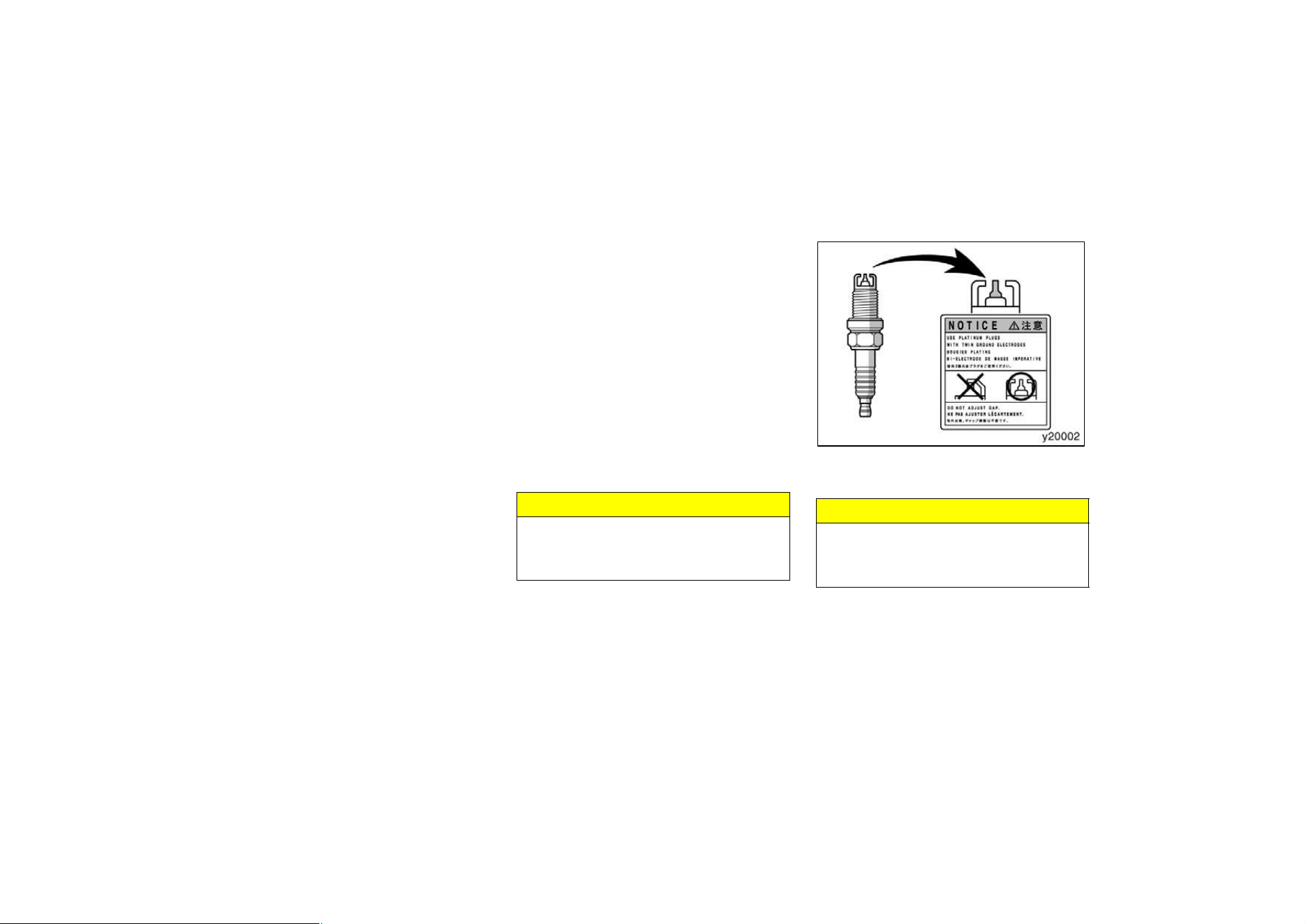
155
D Oil is also used to lubricate the stems
of the intake valves. Some of this oil
is sucked into the combustion chamber
together with the intake air and is
burned along with the fuel. High tem-
perature exhaust gases also burn the
oil used to lubricate the exhaust valve
stems.
The amount of engine oil consumed de-
pends on the viscosity of the oil, the
quality of the oil and the conditions the
vehicle is driven under.
More oil is consumed by high−speed driv-
ing and frequent acceleration and decel-
eration.
A new engine consumes more oil, since
its pistons, piston rings and cylinder walls
have not become conditioned.
When judging the amount of oil con-
sumption, note that the oil may become
diluted and make it difficult to judge
the true level accurately.
As an example, if a vehicle is used for
repeated short trips, and consumes a nor-
mal amount of oil, the dipstick may not
show any drop in the oil level at all, even
after 1000 km (600 miles) or more. This
is because the oil is gradually becoming
diluted with fuel or moisture, making it
appear that the oil level has not changed.
The diluting ingredients evaporate out
when the vehicle is then driven at high
speeds, as on an express way, making it
appear that oil is excessively consumed
after driving at high speeds.
IMPORTANCE OF ENGINE OIL LEVEL
CHECK
One of the most important points in prop-
er vehicle maintenance is to keep the en-
gine oil at the optimum level so that oil
function will not be impaired. Therefore, it
is essential that the oil level be checked
regularly. Toyota recommends that the oil
level be checked every time you refuel
the vehicle.
NOTICE
Failure to check the oil level regularly
could lead to serious engine trouble
due to insufficient oil.
For detailed information on oil level check,
see ”Checking the engine oil level” in
Chapter 7−2.
Your engine is fitted with twin ground
electrode platinum−tipped spark plugs.
NOTICE
Use only twin ground electrode plati-
num−tipped spark plugs for your en-
gine performance.
Twin ground electrode
platinum−tipped spark plugs
156
Brake system
TANDEM MASTER CYLINDER BRAKE
SYSTEM
The tandem master cylinder brake system
is a hydraulic system with two separate
sub−systems. If either sub−system should
fail, the other will still work. However, the
pedal will be harder to press, and your
stopping distance will be longer. Also, the
brake system warning light may come on.
CAUTION
Do not drive your vehicle with only a
single brake system. Have your
brakes fixed immediately.
BRAKE BOOSTER
The brake booster uses engine vacuum to
power−assist the brakes. If the engine
should quit while you are driving, you can
bring the vehicle to a stop with normal
pedal pressure. There is enough reserve
vacuum for one or two stops–but no more!
CAUTION
D Do not pump the brake pedal if the
engine stalls. Each push on the
pedal uses up your vacuum reserve.
D Even if the power assist is com-
pletely lost, the brakes will still
work. But you will have to push the
pedal hard—much harder than nor-
mal. And your braking distance will
be longer.
ANTI−LOCK BRAKE SYSTEM (with
”ABS” warning light)
The anti−lock brake system is designed to
automatically help prevent lock−up of the
wheels during sudden braking or braking
on slippery road surfaces. This assists in
providing directional stability and steering
performance of the vehicle under these
circumstances.
The anti−lock brake system becomes op-
erative after the vehicle has accelerated
to a speed in excess of approximately 10
km/h (6 mph). It stops operating when the
vehicle decelerate to a speed below
approximately 5 km/h (3 mph).
You may hear a sound in the engine
compartment for a few seconds when the
engine is started or just after the vehicle
is started. This means that the anti−lock
brake system is in the self check mode,
and does not indicate a malfunction.
Effective way to press the ”ABS” brake
pedal:
When the anti−lock brake system function
is in action, you may feel the brake pedal
pulsating and hear a noise. In this situa-
tion, to let the anti−lock brake system
work for you, just hold the brake pedal
down more firmly. Do not pump the brake.
This will result in reduced braking perfor-
mance.
The brake pedal pulsation caused by the
anti−lock brake system may indicate haz-
ardous road surface conditions. Although
the anti−lock brake system assists in pro-
viding vehicle control, it is still important
to drive with all due care, because the
anti−lock brake system cannot overcome
the laws of physics that act on your ve-
hicle:
D Braking capability is dependent on tire
friction with the road surface.
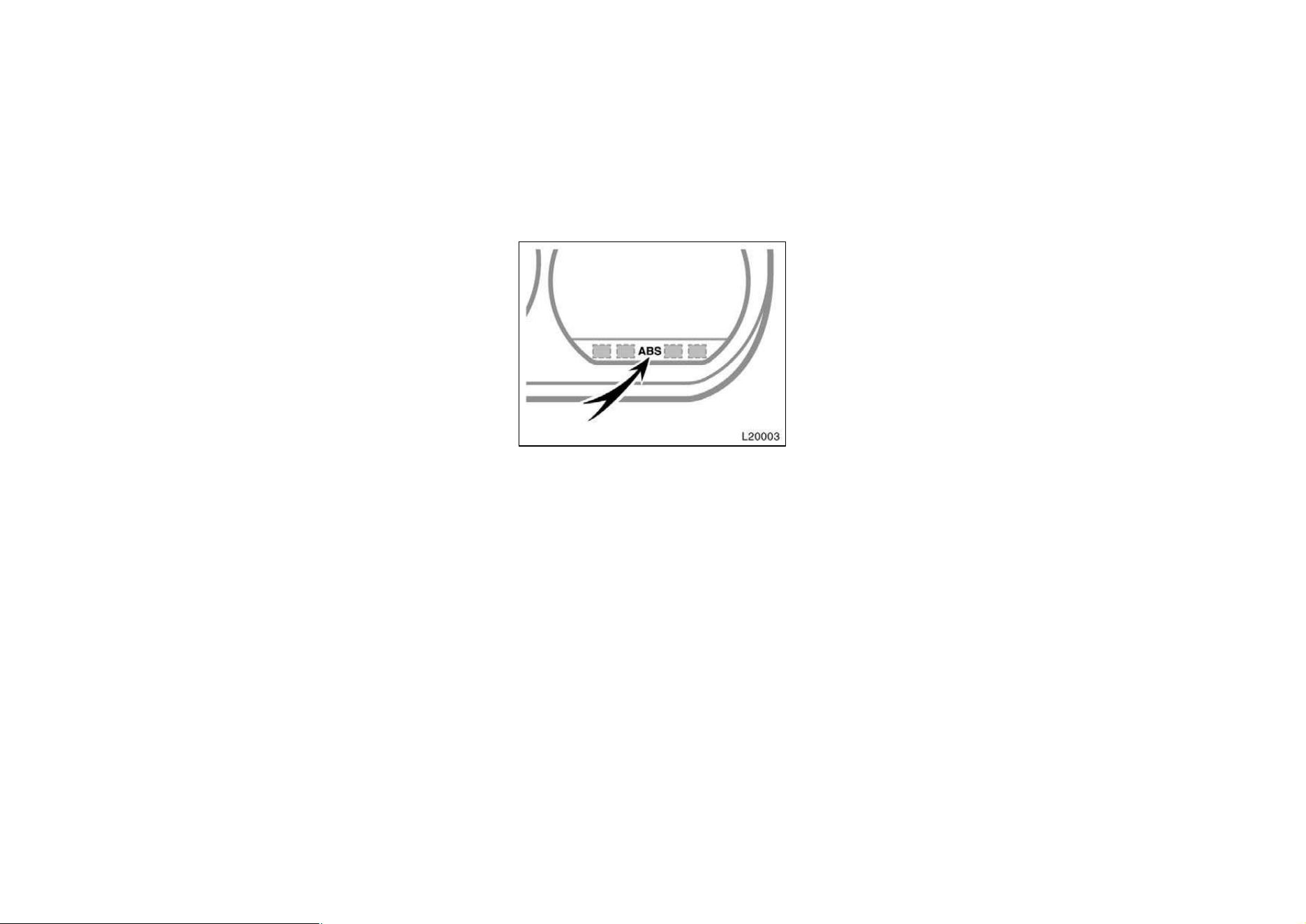
157
D Even though the anti−lock brake sys-
tem is operating, a driver cannot main-
tain full control on certain slippery road
surfaces, when cornering at high
speeds, or in violent maneuvers.
D Avoid high speeds on wet roads. The
anti−lock brake system cannot elimi-
nate the risk of hydroplaning and loss
of tire friction.
Always maintain a safe distance from the
vehicle in front of you. Compared with
vehicles not fitted with an anti−lock brake
system, your vehicle may require a longer
stopping distance in the following cases:
D Driving on rough, gravel or snow−cov-
ered roads.
D Driving with tire chains installed.
D Driving on roads where the road sur-
face is pitted or has other differences
in surface height.
”ABS” warning light
The light comes on when the ignition key
is turned to the ”ON” position. After about
3 seconds, the light will go off.
If either of the following conditions occurs,
this indicates a malfunction somewhere in
the parts monitored by the warning light
system. Contact your Toyota dealer as
soon as possible to service the vehicle.
D The light does not come on as de-
scribed above, or remains on.
D The light comes on while driving.
Even if the anti−lock brake system should
fail, the brake system will still operate
conventionally. However, when the ”ABS”
warning light is on (and the brake system
warning light is off), the anti−lock brake
system is not assisting brake performance
so that the wheels can lock−up during
sudden braking or braking on slippery
road surfaces. Have your vehicle checked
by your Toyota dealer as soon as pos-
sible.
DRUM−IN−DISC TYPE PARKING BRAKE
SYSTEM (1MZ−FE engine)
Your vehicle has a drum−in−disc type
parking brake system. This type of brake
system needs bedding−down of the brake
shoes periodically or whenever the parking
brake shoes and/or drums are replaced.
Have your Toyota dealer perform the bed-
ding−down.
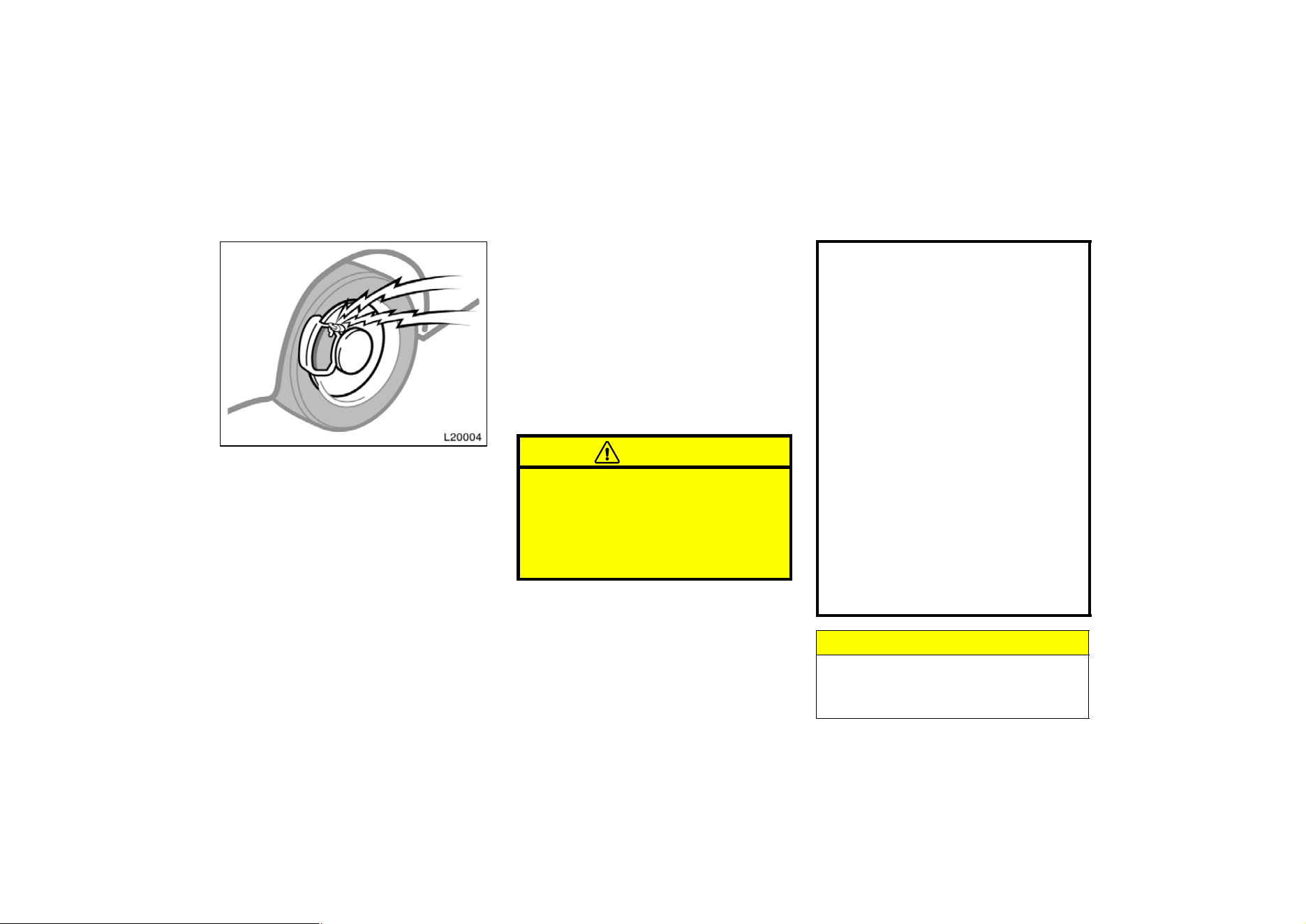
158
Brake pad wear limit indicators
The brake pad wear limit indicators on
your disc brakes give a warning noise
when the brake pads are worn to where
replacement is required.
If you hear a squealing or scraping noise
while driving, have the brake pads
checked and replaced by your Toyota
dealer as soon as possible. Expensive ro-
tor damage can result if the pads are not
replaced when necessary.
Luggage stowage precautions
When stowing luggage or cargo in the
vehicle, observe the following:
D Put luggage or cargo in the trunk when
at all possible. Be sure all items are
secured in place.
D Be careful to keep the vehicle bal-
anced. Locating the weight as far for-
ward as possible helps maintain bal-
ance.
D For better fuel economy, do not carry
unneeded weight.
CAUTION
D To prevent luggage or packages
from sliding forward during braking,
do not stack anything in the en-
larged trunk room. Keep luggage or
packages low, as close to the floor
as possible.
D Never allow anyone to ride in the
enlarged trunk room. It is not de-
signed for passengers. They should
ride in their seats with their seat
belts properly fastened. Otherwise,
they are much more likely to suffer
serious bodily injury, in the event
of sudden braking or a collision.
D Do not place anything on the filler
panel behind the rear seatback.
Such items may be thrown about
and possibly injure people in the
vehicle during sudden braking or an
accident.
D Do not drive with objects left on
top of the instrument panel. They
may interfere with the driver’s field
of view. Or they may move during
sharp vehicle acceleration or turn-
ing, and impair the driver’s control
of the vehicle. In an accident they
may injure the vehicle occupants.
NOTICE
Do not load the vehicle beyond the
vehicle capacity weight specified in
Part 8.
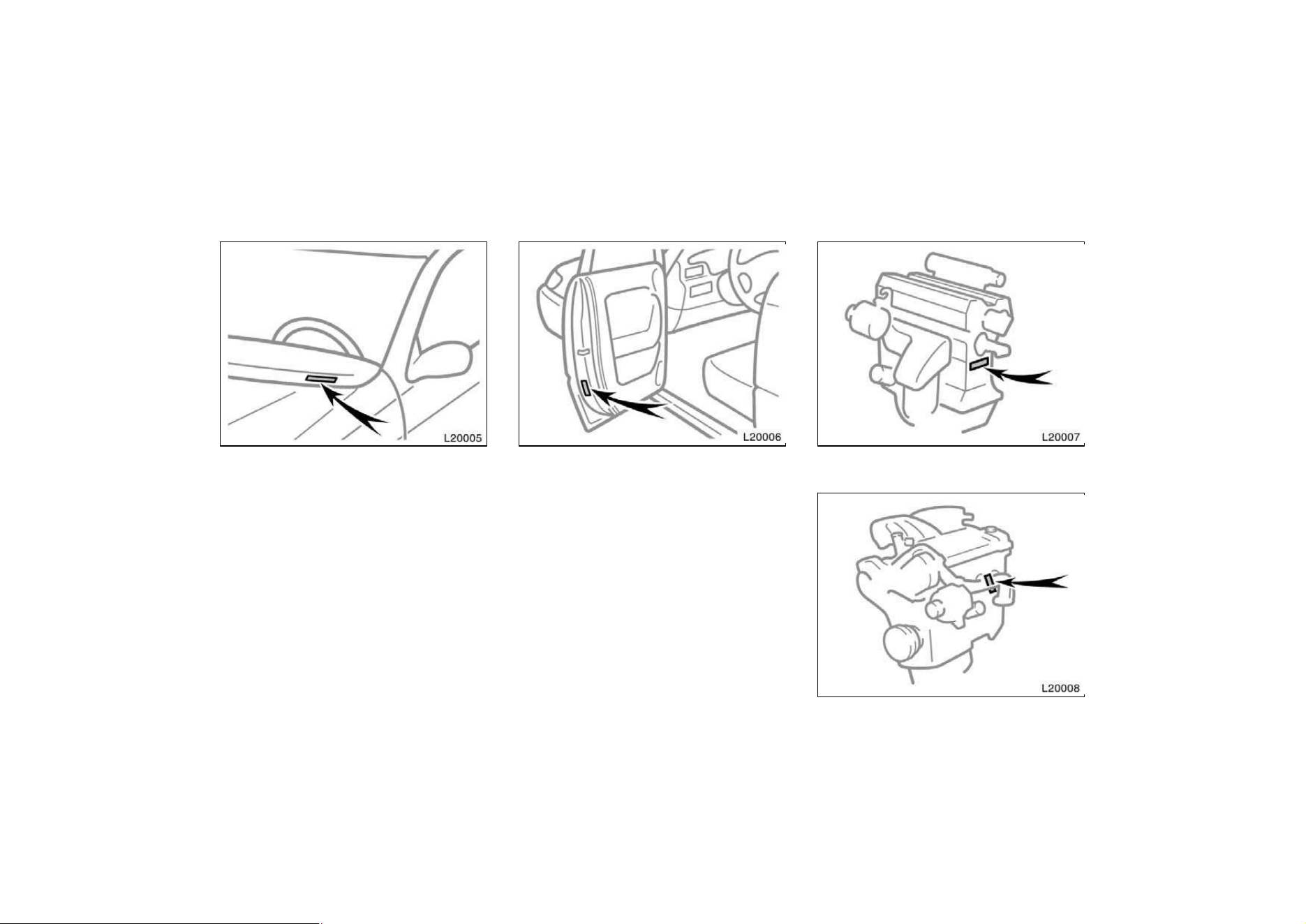
159
The vehicle identification number (VIN)
is the legal identifier for your vehicle.
This number is on the left top of the
instrument panel, and can be seen
through the windshield from outside.
This is the primary identification number
for your Toyota. It is used in registering
the ownership of your vehicle.
The vehicle identification number (VIN) is
also on the Certification Label.
—Engine number
5S−FE engine
1MZ−FE engine
Your Toyota’s identification—
—Vehicle identification number
160
The engine number is stamped on the
engine block as shown.
Your new vehicle carries theft preven-
tion labels which are approximately 56
mm (2.20 in.) by 16 mm (0.63 in.).
The purpose of these labels is to reduce
the incidence of vehicle thefts by facilitat-
ing the tracing and recovery of parts from
stolen vehicles. The label is designed so
that once it is applied to a surface, any
attempt to remove it will result in destroy-
ing the integrity of the label. Transferring
these labels intact from one part to anoth-
er, will be impossible.
NOTICE
You should not attempt to remove the
theft prevention labels as it may vio-
late certain state or federal laws.
Suspension and chassis
CAUTION
Do not modify the suspension/chassis
with lift kits, spacers, springs, etc. It
can cause dangerous vehicle handling
characteristics, resulting in loss of
control.
Theft prevention labels
(except for Canada)
161
Types of tires
Determine what kind of tires your ve-
hicle is originally equipped with.
1. Summer tires
Summer tires are high−speed capability
tires best suited to highway driving under
dry conditions.
Since summer tires do not have the same
traction performance as snow tires, sum-
mer tires are inadequate for driving on
snow−covered or icy roads. For driving on
snow−covered or icy roads, we recom-
mend using snow tires. If installing snow
tires, be sure to replace all four tires.
2. All season tires
All season tires are designed to provide
better traction in snow and to be adequate
for driving in most winter conditions, as
well as for use all year round.
All season tires, however, do not have
adequate traction performance compared
with snow tires in heavy or loose snow.
Also, all season tires fall short in accel-
eration and handling performance
compared with summer tires in highway
driving.
CAUTION
D Do not mix summer and all season
tires on your vehicle as this can
cause dangerous handling charac-
teristics, resulting in loss of con-
trol.
D Do not use tires other than the
manufacturer’s designated tires, and
never mix tires or wheels of the
sizes different from the originally
equipped tires and wheels.

162
Part 3
STARTING AND
DRIVING
D
Before starting the engine
D How to start the engine
D Tips for driving in various
conditions
D Winter driving tips
D Trailer towing
D How to save fuel and make
your vehicle last longer, too
Before starting the engine
1. Check the area around the vehicle be-
fore entering it.
2. Adjust seat position, seatback angle,
head restraint height and steering
wheel angle.
3. Adjust inside and outside rear view
mirrors.
4. Lock all doors.
5. Fasten seat belts.
1. Apply the parking brake firmly.
2. Turn off unnecessary lights and acces-
sories.
3. Manual transmission: Press the clutch
pedal to the floor and shift the trans-
mission into neutral. Hold the clutch
pedal to the floor until the engine is
started. A starter safety device will pre-
vent the starter from operating if the
clutch pedal is not fully depressed.
Automatic transmission: Put the se-
lector lever in ”P”. If you need to re-
start the engine while the vehicle is
moving, put the selector lever in ”N”.
A starter safety device will prevent the
starter from operating if the selector
lever is in any drive position.
4. Automatic transmission only: De-
press the brake pedal and hold it to
the floor until driving off.
How to start the engine—
(a) Before cranking

163
(b) Starting the engine
Before starting the engine, be sure to fol-
low the instructions in ”(a) Before crank-
ing”.
Normal starting procedure
The multiport fuel injection system/sequen-
tial multiport fuel injection system in your
engine automatically controls the proper
air−fuel mixture for starting. You can start
a cold or hot engine as follows:
1. With your foot off the accelerator ped-
al, crank the engine by turning the key
to ”START”. Release it when the en-
gine starts.
2. After the engine runs for about 10 se-
conds, you are ready to drive.
If the weather is below freezing, let the
engine warm up for a few minutes before
driving.
If the engine stalls...
Simply restart it, using the correct proce-
dure given in normal starting.
If the engine will not start—
See ”If your vehicle will not start” in Part
4.
NOTICE
z Do not crank for more than 30 se-
conds at a time. This may overheat
the starter and wiring systems.
z Do not race a cold engine.
z If the engine becomes difficult to
start or stalls frequently, have the
engine checked immediately.
D Always slow down in gusty crosswinds.
This will allow you much better control.
D Drive slowly onto curbs and, if pos-
sible, at a right angle. Avoid driving
onto high, sharp−edged objects and
other road hazards. Failure to do so
can lead to severe tire damage result-
ing in tire bursts.
D When parking on a hill, turn the front
wheels until they touch the curb so
that the vehicle will not roll. Apply the
parking brake, and place the transmis-
sion in ”P” (automatic) or in first or
reverse (manual). If necessary, block
the wheels.
D Washing your vehicle or driving through
deep water may get the brakes wet. To
see whether they are wet, check that
there is no traffic near you, and then
press the pedal lightly. If you do not
feel a normal braking force, the brakes
are probably wet. To dry them, drive
the vehicle cautiously while lightly
pressing the brake pedal with the park-
ing brake pulled. If they still do not
work safely, pull to the side of the road
and call a Toyota dealer for assistance.
Tips for driving in various
conditions
164
CAUTION
D Before driving off, make sure that
the parking brake is fully released
and the parking brake reminder
light is off.
D Do not leave your vehicle unat-
tended while the engine is running.
D Do not rest your foot on the brake
pedal while driving. It can cause
dangerous overheating, needless
wear, and poor fuel economy.
D To drive down a long or steep hill,
reduce your speed and downshift.
Remember, if you ride the brakes
excessively, they may overheat and
not work properly.
D Be careful when accelerating, up-
shifting, downshifting or braking on
a slippery surface. Sudden accelera-
tion or engine braking could cause
the vehicle to spin or skid.
D Do not drive in excess of the speed
limit. Even if the legal speed limit
permits it, do not drive over 140
km/h (85 mph) unless your vehicle
has high−speed capability tires.
Driving over 140 km/h (85 mph) may
result in tire failure, loss of control
and possible injury. Be sure to con-
sult a tire dealer to determine
whether the tires on your vehicle
are high−speed capability tires or
not before driving at such speeds.
D Do not continue normal driving
when the brakes are wet. If they are
wet, your vehicle will require a
longer stopping distance, and it
may pull to one side when the
brakes are applied. Also, the park-
ing brake will not hold the vehicle
securely.
Winter driving tips
Make sure you have ethylene−glycol an-
tifreeze in the radiator.
NOTICE
Do not use alcohol type antifreeze.
Check the condition of the battery and
cables.
Cold temperatures reduce the capacity of
any battery, so it must be in top shape
to provide enough power for winter start-
ing. Chapter 7−3 tells you how to visually
inspect the battery. Your Toyota dealer
and most service stations will be pleased
to check the level of charge.
Make sure the engine oil viscosity is
suitable for the cold weather.
See Chapter 7−2 for recommended viscos-
ity. Leaving a heavy summer oil in your
vehicle during winter months may cause
harder starting. If you are not sure about
which oil to use, call your Toyota deal-
er—he will be pleased to help.
Keep the door locks from freezing.
Squirt lock de−icer or glycerine into the
locks to keep them from freezing.

165
Use a washer fluid containing an anti-
freeze solution.
This product is available at your Toyota
dealer and most auto parts stores. Follow
the manufacturer’s directions for how
much to mix with water.
NOTICE
Do not use engine antifreeze or any
other substitute because it may dam-
age your vehicle’s paint.
Do not use your parking brake when
there is a possibility it could freeze.
When parking, put the transmission into
”P” (automatic) or into first or reverse
(manual) and block the rear wheels. Do
not use the parking brake, or snow or
water accumulated in and around the
parking brake mechanism may freeze,
making it hard to release.
Keep ice and snow from accumulating
under the fenders.
Ice and snow built up under your fenders
can make steering difficult. During bad
winter driving, stop and check under the
fenders occasionally.
Depending on where you are driving,
we recommend you carry some emer-
gency equipment.
Some of the things you might put in the
vehicle are tire chains, window scraper,
bag of sand or salt, flares, small shovel,
jumper cables, etc.
Trailer towing
Your vehicle is designed primarily as a
passenger−carrying vehicle. Towing a
trailer will have an adverse effect on
handling, performance, braking, durability
and driving economy (fuel consumption,
etc.). Your safety and satisfaction depend
on the proper use of correct equipment
and cautious driving habits. For your
safety and the safety of others, you must
not overload your vehicle or trailer. Toyota
warranties do not apply to damage or
malfunction caused by towing a trailer for
commercial purposes. Ask your local
Toyota dealer for further details before
towing.
NOTICE
When towing trailer, have a engine oil
cooler set (5S−FE engine) or automat-
ic transmission oil cooler set for air
cool type (1MZ−FE engine) installed at
your Toyota dealer, or the engine or
automatic transmission can be caused
damages for excessive load.
166
WEIGHT LIMITS
Before towing, make sure the total trailer
weight, gross vehicle weight, gross axle
weight and trailer tongue load are all with-
in the limits.
The total trailer weight and tongue load
can be measured with platform scales
found at a highway weighing station, build-
ing supply company, trucking company,
junk yard, etc.
CAUTION
D The total trailer weight (trailer
weight plus its cargo load) must
not exceed 907 kg (2000 lb.). Ex-
ceeding this weight is dangerous.
D The gross vehicle weight must not
exceed the Gross Vehicle Weight
Rating (GVWR) indicated on the
Certification Label. The gross ve-
hicle weight is the sum of weights
of the unloaded vehicle, driver, pas-
sengers, luggage, hitch and trailer
tongue load. It also includes the
weight of any special equipment
installed on your vehicle.
D The load on either the front or rear
axle resulting from distribution of
the gross vehicle weight on both
axles must not exceed the Gross
Axle Weight Rating (GAWR) listed
on the Certification Label.
167
Tongue load
Total trailer weight
100 = 9 to 11%
Total trailer weight Tongue load
D The trailer cargo load should be
distributed so that the tongue load
is 9 to 11 % of the total trailer
weight, not exceeding the maximum
of 90 kg (200 lb.). Never load the
trailer with more weight in the back
than in the front. About 60 % of the
trailer load should be in the front
half of the trailer and the remaining
40 % in the rear.
HITCHES
D Use only a hitch which is recom-
mended by the hitch manufacturer and
conforms to the total trailer weight re-
quirement.
D Follow the directions supplied by the
hitch manufacturer. Lubricate the hitch
ball with a light coat of grease.
D Toyota recommends removing the trail-
er hitch whenever you are not towing
a trailer to reduce the possibility of
additional damage caused by the hitch
if your vehicle is struck from behind.
NOTICE
Do not use axle−mounted hitches as
they can cause damage to the axle
housing, wheel bearings, wheels or
tires. Also, never install a hitch which
may interfere with the normal function
of an Energy Absorbing Bumper, if so
equipped.
BRAKES AND SAFETY CHAINS
D Toyota recommends trailers with
brakes that conform to any applica-
ble federal and state/provincial regu-
lations.
D A safety chain must always be used
between the towing vehicle and the
trailer. Leave sufficient slack in the
chain for turns. The chain should
cross under the trailer tongue to
prevent the tongue from dropping to
the ground in case it becomes dam-
aged or separated. For correct safety
chain procedures, follow the hitch or
trailer manufacturer’s recommenda-
tions.
CAUTION
D If the total trailer weight exceeds
453 kg (1000 lb.), trailer brakes are
required.
D Never tap into your vehicle’s hy-
draulic system as it would lower its
braking effectiveness.
D Never tow a trailer without using a
safety chain securely attached to
both the trailer and the vehicle. If
damage occurs to the coupling unit
or hitch ball, there is danger of the
trailer wandering over into another
lane.

168
TIRES
D Ensure that your vehicle’s tires are
properly inflated. Adjust the tire pres-
sure to the recommended cold tire
pressure indicated below (see Chapter
7−2 for instructions.):
Tire pressure, kPa (kgf/cm
2
or bar, psi)
5S−FE engine
Front 210 (2.1, 30)
Rear 210 (2.1, 30)
1MZ−FE engine
Front 220 (2.2, 32)
Rear 220 (2.2, 32)
D The trailer tires should be inflated to
the pressure recommended by the trail-
er manufacturer in respect to the total
trailer weight.
TRAILER LIGHTS
D Trailer lights must comply with federal,
state/provincial and local regulations.
See your local recreational vehicle
dealer or rental agency for the correct
type of wiring and relays for your trail-
er. Check for correct operation of the
turn signals and stop lights each time
you hitch up. Direct splicing may dam-
age your vehicle’s electrical system
and cause a malfunction of your lights.
BREAK−IN SCHEDULE
D Toyota recommends that you do not
tow a trailer with a new vehicle or a
vehicle with any new power train com-
ponent (engine, transmission, differen-
tial, wheel bearing, etc.) for the first
800 km (500 miles) of driving.
MAINTENANCE
D If you tow a trailer, your vehicle will
require more frequent maintenance due
to the additional load. For this informa-
tion, please refer to the scheduled
maintenance information in the ”Own-
er’s Manual Supplement/Maintenance
Schedule”.
D Retighten all fixing bolts of the towing
ball and bracket after approximately
1000 km (600 miles) of trailer driving.
PRE−TOWING SAFETY CHECK
D Check that your vehicle remains level
when a loaded or unloaded trailer is
hitched. Do not drive if the vehicle has
an abnormal nose−up or nose−down
condition, and check for improper
tongue load, overload,worn suspension
or other possible causes.
D Make sure the trailer cargo is securely
loaded so that it can not shift.
D Check that your rear view mirrors con-
form to any applicable federal, state/
provincial or local regulation. If not,
install the rear view mirrors required
for towing purpose.
TRAILER TOWING TIPS
When towing a trailer, your vehicle will
handle differently than when not tow-
ing. The three main causes of vehicle−
trailer accidents are driver error, exces-
sive speed and improper trailer loading.
Keep these in mind when towing:
D Before starting out, check operation of
the lights and all vehicle−trailer connec-
tions. After driving a short distance,
stop and recheck the lights and con-
nections. Before actually towing a trail-
er, practice turning, stopping and back-
ing with a trailer in an area away from
traffic until you learn the feel.

169
D Backing with a trailer is difficult and
requires practice. Grip the bottom of
the steering wheel and move your hand
to the left to move the trailer to the
left. Move your hand to the right to
move the trailer to the right. (This pro-
cedure is generally opposite to that
when backing without a trailer). Also,
just turn the steering wheel a little at
a time, avoiding sharp or prolonged
turning. Have someone guide you when
backing to reduce the risk of an acci-
dent.
D Because stopping distance may be in-
creased, vehicle−to−vehicle distance
should be increased when towing a
trailer. For each 16 km/h (10 mph) of
speed, allow at least one vehicle and
trailer length between you and the ve-
hicle ahead. Avoid sudden braking as
you may skid, resulting in jackknifing
and loss of control. This is especially
true on wet or slippery surfaces.
D Avoid jerky starts or sudden accelera-
tion. If your vehicle has a manual
transmission, prevent excessive clutch
slippage by keeping engine rpm low
and not racing the engine. Always start
out in first gear.
D Avoid jerky steering and sharp turns.
The trailer could hit your vehicle in a
tight turn. Slow down before making a
turn to avoid the necessity of sudden
braking.
D Remember that when making a turn,
the trailer wheels will be closer than
the vehicle wheels to the inside of the
turn. Therefore, compensate for this by
making a larger than normal turning
radius with your vehicle.
D Crosswinds and rough roads will ad-
versely affect handling of your vehicle
and trailer, causing sway. Pay attention
to the rear from time to time to pre-
pare yourself for being passed by large
trucks or buses, which may cause your
vehicle and trailer to sway. If swaying
happens, firmly grip the steering wheel
and reduce speed immediately but
gradually. Never increase speed. Steer
straight ahead. If you make no extreme
correction with the steering or brakes,
the vehicle and trailer will stabilize.
D Be careful when passing other ve-
hicles. Passing requires considerable
distance. After passing a vehicle, do
not forget the length of your trailer and
be sure you have plenty of room be-
fore changing lanes.
D In order to maintain engine braking effi-
ciency do not use fifth gear (manual
transmission) or overdrive (automatic
transmission).
D Because of the added load of the trail-
er, your vehicle’s engine may overheat
on hot days (at temperatures over
30_C [85_F]) when going up a long or
steep grade with a trailer. If the engine
coolant temperature gauge indicates
overheating, immediately turn off the air
conditioning (if in use), pull off the road
and stop in a safe spot. Refer to ”If
your vehicle overheats” in Part 4 of
this manual.
D Always place wheel blocks under both
the vehicle and trailer wheels when
parking. Apply the parking brake firmly.
Put the transmission in ”P” (automatic)
or in first or reverse (manual). Avoid
parking on a slope with a trailer, but
if it cannot be avoided, do so only
after performing the following:
170
1. Apply the brakes and hold.
2. Have someone place wheel blocks un-
der both the vehicle and trailer wheels.
3. When the wheel blocks are in place,
release your brakes slowly until the
blocks absorb the load.
4. Apply the parking brake firmly.
5. Shift into first or reverse (manual) or
”P” (automatic) and turn off the engine.
When restarting out after parking on a
slope:
1. With the transmission in ”P” position
(automatic) or the clutch pedal de-
pressed (manual), start the engine.
(With an automatic transmission, be
sure to keep the brake pedal de-
pressed.)
2. Shift into gear.
3. Release the parking brake (also foot
brake on automatic transmission ve-
hicles) and slowly pull or back away
from the wheel blocks. Stop and apply
your brakes.
4. Have someone retrieve the blocks.
CAUTION
D Do not exceed 72 km/h (45 mph) or
the posted towing speed lim-
it,whichever is lower. Because insta-
bility (swaying) of a towing vehicle−
trailer combination usually in-
creases as the speed increases,ex-
ceeding 72 km/h (45 mph) may
cause loss of control.
D Slow down and downshift before
descending steep or long downhill
grades. Do not make sudden down-
shifts.
D Avoid holding the brake pedal down
too long or too frequently. This
could cause the brakes to overheat
and result in reduced braking effi-
ciency.
Getting more kilometers/mileage from a
liter/gallon of fuel is easy–just take it
easy. It will help make your vehicle last
longer, too. Here are some specific tips
on how to save money on both fuel and
repairs:
D Keep your tires inflated at the cor-
rect pressure. Underinflation causes
tire wear and wastes fuel. See Chapter
7−2 for instructions.
D Do not carry unneeded weight in
your vehicle. Excess weight puts a
heavier load on the engine, causing
greater fuel consumption.
D Avoid lengthy warm−up idling. Once
the engine is running smoothly, begin
driving—but gently. Remember, howev-
er, that on cold winter days this may
take a little longer.
D Accelerate slowly and smoothly.
Avoid jackrabbit starts. Get into high
gear as quickly as possible.
D Avoid long engine idling. If you have
a long wait and you are not in traffic,
it is better to turn off the engine and
start again later.
D Avoid engine lug or overrevving. Use
a gear position suitable for the road on
which you are travelling.
How to save fuel and make
your vehicle last longer, too
171
D Avoid continuous speeding up and
slowing down. Stop−and−go driving
wastes fuel.
D Avoid unnecessary stopping and
braking. Maintain a steady pace. Try
to time the traffic signals so you only
need to stop as little as possible or
take advantage of through streets to
avoid traffic lights. Keep a proper dis-
tance from other vehicles to avoid sud-
den braking. This will also reduce wear
on your brakes.
D Avoid heavy traffic or traffic jams
whenever possible.
D Do not rest your foot on the clutch
or brake pedal. This causes needless
wear, overheating and poor fuel econo-
my.
D Maintain a moderate speed on high-
ways. The faster you drive,the greater
the fuel consumption. By reducing your
speed, you will cut down on fuel con-
sumption.
D Keep the front wheels in proper
alignment. Avoid hitting the curb and
slow down on rough roads. Improper
alignment not only causes faster tire
wear but also puts an extra load on
the engine, which, in turn, wastes fuel.
D Keep the bottom of your vehicle free
from mud, etc. This not only lessens
weight but also helps prevent corro-
sion.
D Keep your vehicle tuned−up and in
top shape. A dirty air cleaner, improp-
er valve clearance, dirty plugs, dirty oil
and grease,brakes not adjusted, etc. all
lower engine performance and contrib-
ute to poor fuel economy. For longer
life of all parts and lower operating
costs, keep all maintenance work on
schedule, and if you often drive under
severe conditions, see that your vehicle
receives more frequent maintenance.
(For scheduled maintenance informa-
tion, please refer to the separate ”Own-
er’s Manual Supplement/Maintenance
Schedule”).
CAUTION
Never turn off the engine to coast
down hills. Your power steering and
brake booster will not function with-
out the engine running. Also, the
emission control system operates
properly only when the engine is run-
ning.

172
Part 4
IN CASE OF AN
EMERGENCY
D
If your vehicle will not start
D If your engine stalls while
driving
D If your vehicle overheats
D If you have a flat tire
D If your vehicle needs to be
towed
D If you cannot shift automatic
transmission selector lever
D If you lose your keys
D If you lose your wireless remote
control transmitter
Before making these checks, make sure
you have followed the correct starting pro-
cedure given in ”How to start the engine”
in Part 3 and that you have sufficient fuel.
If your vehicle is equipped with the engine
immobiliser system, also check whether
the other keys will start the engine. If
they work, your key may be broken. Have
the key checked at your Toyota dealer. If
none of your keys work, the system is
possibly broken. Call your Toyota dealer.
(See ”Keys (with engine immobiliser sys-
tem)” in chapter 1−2.)
If the engine is not turning over or is
turning over too slowly—
1. Check that the battery terminals are
tight and clean.
2. If the battery terminals are O.K., switch
on the interior light.
3. If the light is out, dim or goes out
when the starter is cranked, the battery
is discharged. You may try jump start-
ing. See ”(c) Jump starting” for further
instructions.
If the light is O.K., but the engine still will
not start, it needs adjustment or repair.
Call a Toyota dealer or qualified repair
shop.
NOTICE
Do not pull− or push−start the ve-
hicle. It may damage the vehicle or
cause a collision when the engine
starts. Also the three−way catalytic
converter may overheat and become a
fire hazard.
If the engine turns over at its normal
speed but will not start—
1. 5S−FE engine only—Check that all the
push−on connectors are tight. (For ex-
ample, connectors at the spark plugs,
ignition coil and/or distributor)
2. If the connectors are O.K., the engine
may be flooded because of repeated
cranking. See ”(b) Starting a flooded
engine” for further instructions.
If your vehicle will not start—
(a) Simple checks
173
(b) Starting a flooded engine
If the engine will not start, your engine
may be flooded because of repeated
cranking.
If this happens, turn the key to ”START”
with the accelerator pedal held down.
Keep the key and accelerator pedal so for
15 seconds and release them. Then try
starting the engine with your foot off the
accelerator pedal.
If the engine does not start after 30 se-
conds of cranking, release the key, wait
a few minutes and try again.
If the engine still will not start, it needs
adjustment or repair. Call a Toyota dealer
or qualified repair shop for assistance.
NOTICE
Do not crank for more than 30 se-
conds at a time. This may overheat
the starter and wiring systems.
(c) Jump starting
To avoid serious personal injury and
damage to your vehicle which might re-
sult from battery explosion, acid burns,
electrical burns, or damaged electronic
components, these instructions must be
followed precisely.
If you are unsure about how to follow this
procedure, we strongly recommend that
you seek the help of a competent me-
chanic or towing service.
CAUTION
D Batteries contain sulfuric acid which
is poisonous and corrosive. Wear
protective safety glasses when jump
starting, and avoid spilling acid on
your skin, clothing, or vehicle.
D If you should accidentally get acid
on yourself or in your eyes, remove
any contaminated clothing and flush
the affected area with water imme-
diately. Then get immediate medical
attention. If possible, continue to
apply water with a sponge or cloth
while enroute to the medical office.
D The gas normally produced by a
battery will explode if a flame or
spark is brought near. Use only
standardised jumper cables and do
not smoke or light a match while
jump starting.
NOTICE
The battery used for boosting must
be 12 V. Do not jump start unless you
are sure that the booster battery is
correct.
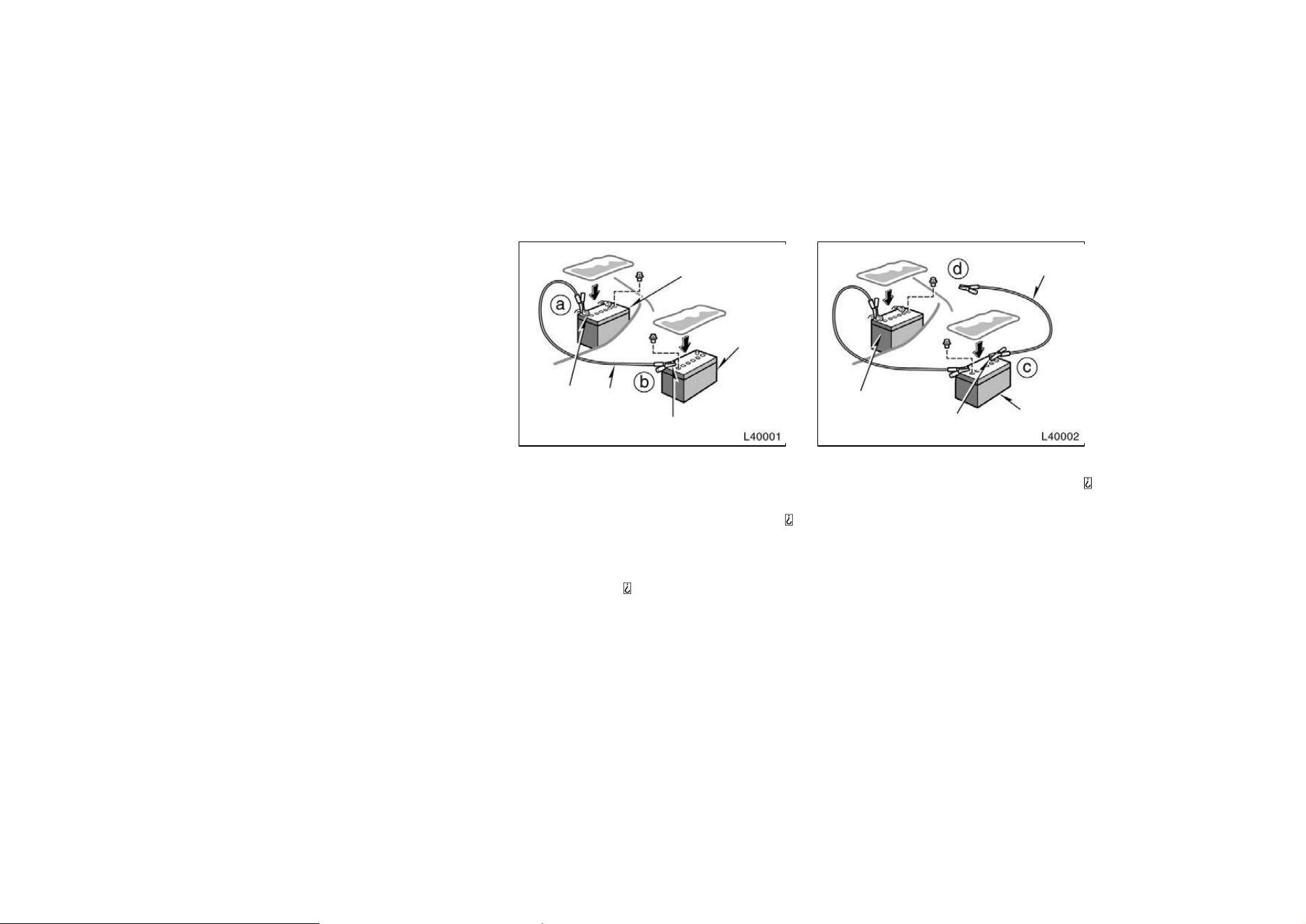
174
JUMP STARTING PROCEDURE
1. If the booster battery is installed in
another vehicle, make sure the vehicles
are not touching. Turn off all unneces-
sary lights and accessories.
2. If required, remove all the vent plugs
from the booster and discharged batter-
ies. Lay a cloth over the open vents
on the batteries. (This helps reduce the
explosion hazard, personal injuries and
burns.)
3. If the engine in the vehicle with the
booster battery is not running, start it
and let it run for a few minutes. During
jump starting run the engine at about
2000 rpm with the accelerator pedal
lightly depressed.
Discharged
battery
Booster
battery
Positive terminal
(”+” mark)
Positive
terminal
(”+” mark)
Jumper
cable
4. Make the cable connections in the or-
der a, b, c, d.
a. Connect the clamp of the positive
(red) jumper cable to the positive (
)
terminal on the discharged battery.
b. Connect the clamp at the other end
of the positive (red) jumper cable to
the positive (
) terminal on the booster
battery.
Negative
terminal (”−” mark)
Booster
battery
Discharged
battery
Jumper cable
c. Connect the clamp of the negative
(black) jumper cable to the negative (
)
terminal on the booster battery.
d. Connect the clamp at the other end
of the negative (black) jumper cable to
a solid, stationary, unpainted, metallic
point of the vehicle with the discharged
battery.
The recommended connecting points
are shown in the following illustrations:
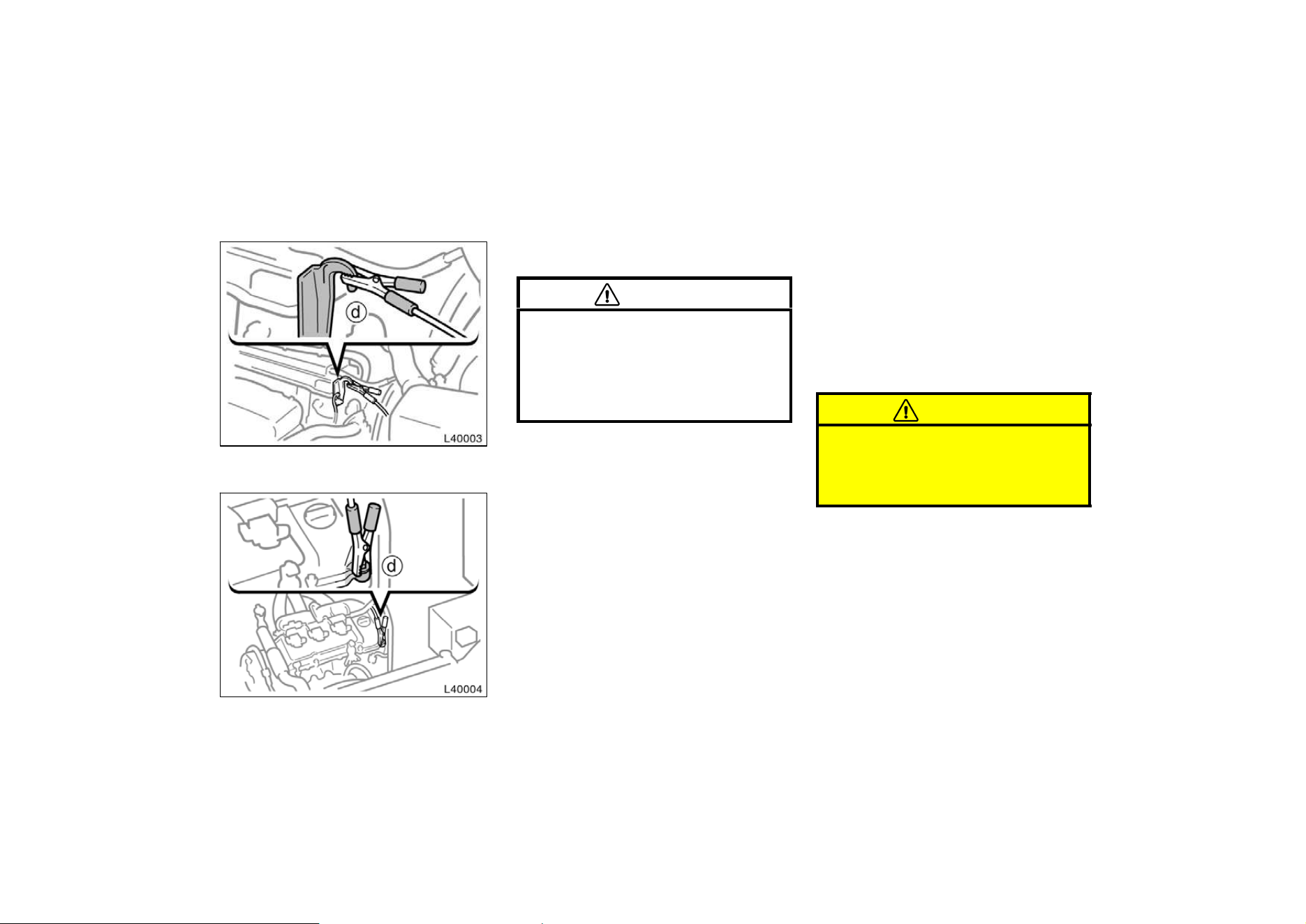
175
Connecting point for 5S−FE engine
Connecting point for 1MZ−FE engine
Do not connect it to or near any part that
moves when the engine is cranked.
CAUTION
When making the connections, to
avoid serious injury, do not lean over
the battery or accidentally let the
jumper cables or clamps touch any-
thing except the correct battery termi-
nals or the ground.
5. Start your engine in the normal way.
After starting, run it at about 2000 rpm
for several minutes with the accelerator
pedal lightly depressed.
6. Carefully disconnect the cables in the
exact reverse order: the negative cable
and then the positive cable.
7. Carefully dispose of the battery cover
cloths—they may now contain sulfuric
acid.
8. If removed, replace all the battery vent
plugs.
If the cause of your battery discharging is
not apparent (for example, lights left on),
you should have it checked.
If your engine stalls while driving...
1. Reduce your speed gradually, keeping
a straight line. Move cautiously off the
road to a safe place.
2. Turn on your emergency flashers.
3. Try starting the engine again.
If the engine will not start, see ”If your
vehicle will not start”.
CAUTION
If the engine is not running, the pow-
er assist for the brakes and steering
will not work so steering and braking
will be much harder than usual.
If your engine stalls while
driving
176
If your engine coolant temperature
gauge indicates overheating, if you ex-
perience a loss of power, or if you hear
a loud knocking or pinging noise, the
engine has probably overheated. You
should follow this procedure...
1. Pull safely off the road, stop the ve-
hicle and turn on your emergency
flashers. Put the transmission in ”P”
(automatic) or neutral (manual) and ap-
ply the parking brake. Turn off the air
conditioning if it is being used.
2. If coolant or steam is boiling out of the
radiator or reservoir,stop the engine.
Wait until the steam subsides before
opening the hood. If there is no coolant
boiling over or steam, leave the engine
running and make sure the electric
cooling fan is operating. If it is not,
turn the ignition off.
CAUTION
To help avoid personal injury, keep
the hood closed until there is no
steam. Escaping steam or coolant is
a sign of very high pressure.
3. Look for obvious coolant leaks from the
radiator, hoses,and under the vehicle.
However, note that water draining from
the air conditioning is normal if it has
been used.
CAUTION
When the engine is running, keep
hands and clothing away from the
moving fan and engine drive belts.
4. If the coolant is leaking, stop the en-
gine immediately. Call a Toyota dealer
for assistance.
5. If there are no obvious leaks, check
the coolant reservoir. If it is dry, add
coolant to the reservoir while the en-
gine is running. Fill it about half full.
CAUTION
Do not attempt to remove the radiator
cap when the engine and radiator are
hot. Serious injury could result from
scalding hot fluid and steam blown
out under pressure.
6. After the engine coolant temperature
has cooled to normal, again check the
coolant level in the reservoir. If neces-
sary, bring it up to half full again. Seri-
ous coolant loss indicates a leak in the
system. You should have it checked as
soon as possible at your Toyota dealer.
If your vehicle overheats
177
If you have a flat tire—
1. Reduce your speed gradually, keeping
a straight line. Move cautiously off the
road to a safe place well away from
the traffic. Avoid stopping on the center
divider of a highway. Park on a level
spot with firm ground.
2. Stop the engine and turn on your
emergency flashers.
3. Firmly set the parking brake and put
the transmission in ”P” (automatic) or
reverse (manual).
4. Have everyone get out of the vehicle
on the side away from traffic.
5. Read the following instructions thor-
oughly.
CAUTION
When jacking, be sure to observe the
following to reduce the possibility of
personal injury:
D Follow jacking instructions.
D Do not start or run the engine while
your vehicle is supported by the
jack.
D Stop the vehicle on a level firm
ground, firmly set the parking brake
and put the transmission in ”P”
(automatic) or reverse (manual).
Block the wheel diagonally opposite
to the one being changed if neces-
sary.
D Make sure to set the jack properly
in the jack point. Raising the ve-
hicle with jack improperly posi-
tioned will damage the vehicle or
may allow the vehicle to fall off the
jack and cause personal injury.
D Never get under the vehicle when
the vehicle is supported by the jack
alone.
D Use the jack only for lifting your
vehicle during wheel changing.
D Do not raise the vehicle with some-
one in the vehicle.
D When raising the vehicle, do not
put an object on or under the jack.
D Raise the vehicle only high enough
to remove and change the tire.
NOTICE
Do not continue driving with a de-
flated tire. Driving even a short dis-
tance can damage a tire beyond re-
pair.
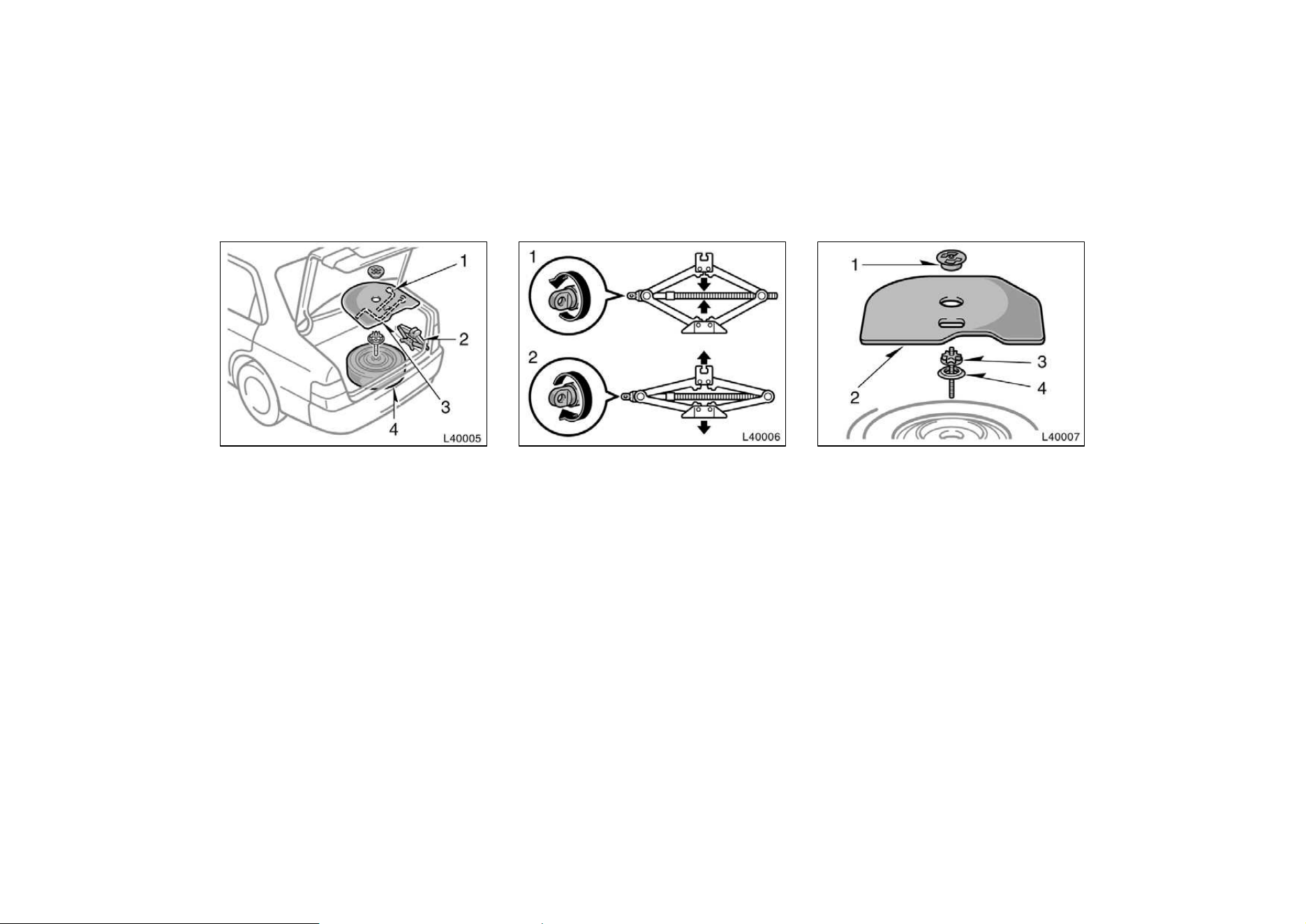
178
1. Get the required tools and spare
tire.
1. Wheel nut wrench
2. Jack
3. Jack handle
4. Spare tire
To prepare yourself for an emergency, you
should familiarize yourself with the use of
the jack, each of the tools and their stor-
age locations.
Turn the jack joint by hand.
To remove: Turn the joint in direction 1
until the jack is free.
To store: Turn the joint in direction 2 until
the jack is firmly secured to prevent it
flying forward during a collision or sudden
braking.
To remove the spare tire:
1. Loosen the nut and remove it.
2. Remove the spare tire cover.
3. Loosen the bolt and remove it.
4. Remove the spacer.
Then take the spare tire out of the ve-
hicle.
When storing the spare tire, put it in place
with the outer side of the wheel facing up.
Then secure the tire by repeating the
above removal steps in reverse order to
prevent it from flying forward during a
collision or sudden braking.
—Required tools and spare
tire
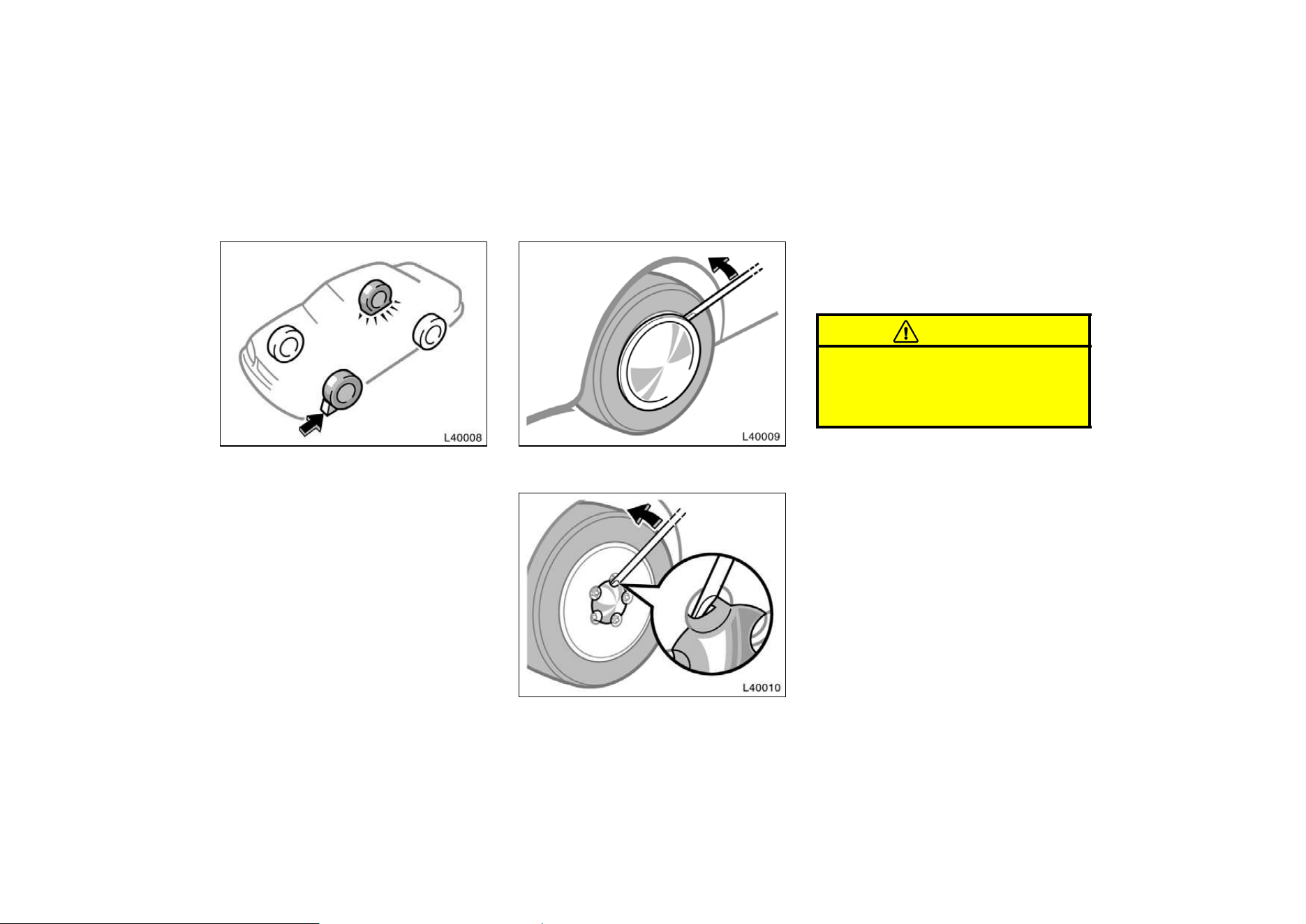
179
—Blocking the wheel
2. Block the wheel diagonally opposite
the flat tire to keep the vehicle from
rolling when it is jacked up.
When blocking the wheel, place a wheel
block from the front for the front wheels
or from the rear for the rear wheels.
—Removing wheel ornament
Steel wheels
Aluminium wheels
3. Remove the wheel ornament.
Pry off the wheel ornament, using the
beveled end of the wheel nut wrench as
shown.
CAUTION
Do not try to pull off the ornament by
hand. Take due care in handling the
ornament to avoid unexpected person-
al injury.
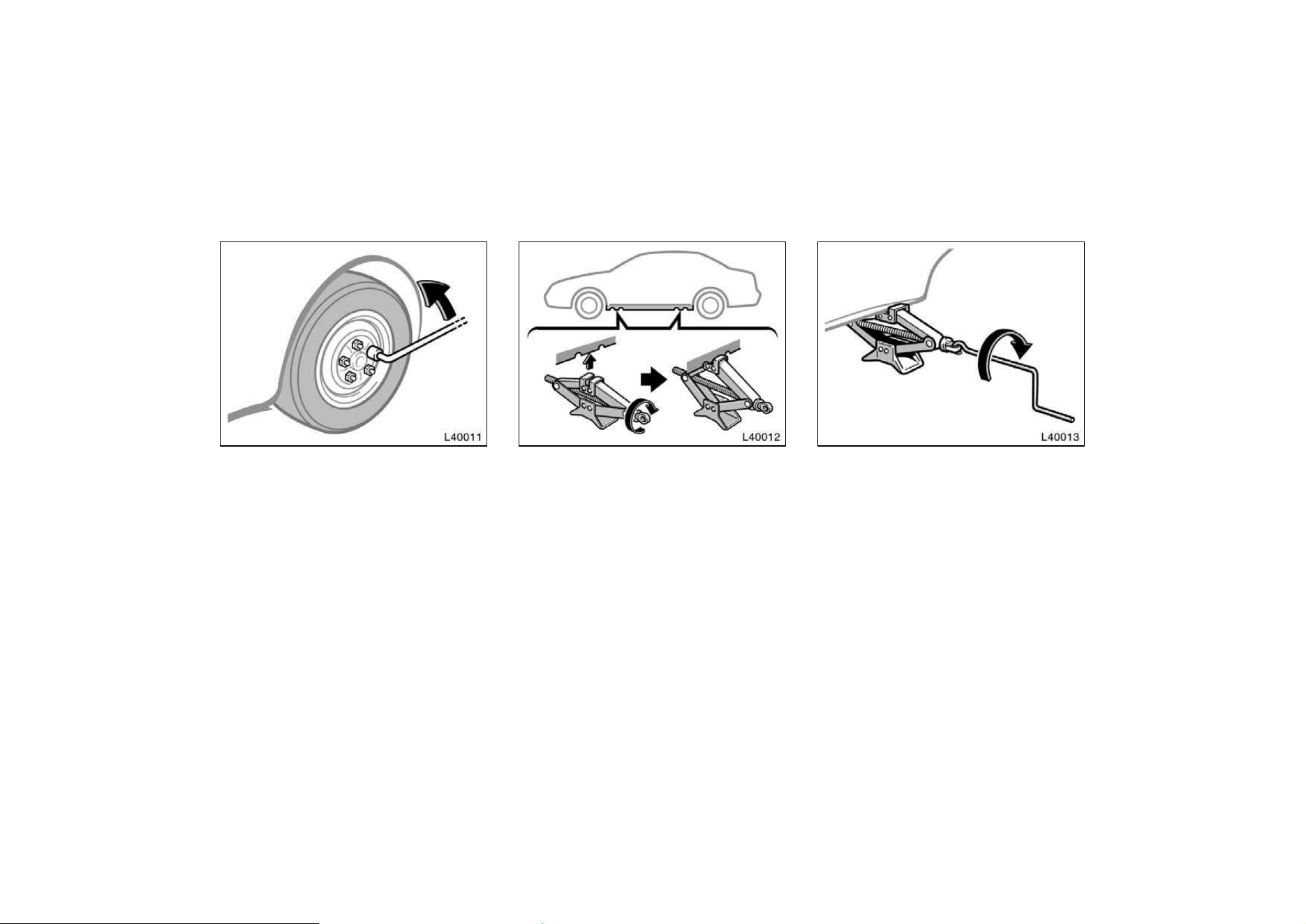
180
—Loosening wheel nuts
4. Loosen all the wheel nuts.
Always loosen the wheel nuts before rais-
ing the vehicle.
The nuts turn counterclockwise to loosen.
To get maximum leverage, fit the wrench
to the nut so that the handle is on the
right side, as shown above. Grab the
wrench near the end of the handle and
pull up on the handle. Be careful that the
wrench does not slip off the nut.
Do not remove the nuts yet—just unscrew
them about one−half turn.
—Positioning the jack
5. Position the jack at the correct jack
point as shown.
Make sure the jack is positioned on a
level and solid place.
—Raising your vehicle
6. After making sure that no one is in
the vehicle, raise it high enough so
that the spare tire can be installed.
Remember you will need more ground
clearance when putting on the spare tire
than when removing the flat tire.
To raise the vehicle, insert the jack handle
into the jack (it is a loose fit) and turn it
clockwise. As the jack touches the vehicle
and begins to lift, double−check that it is
properly positioned.
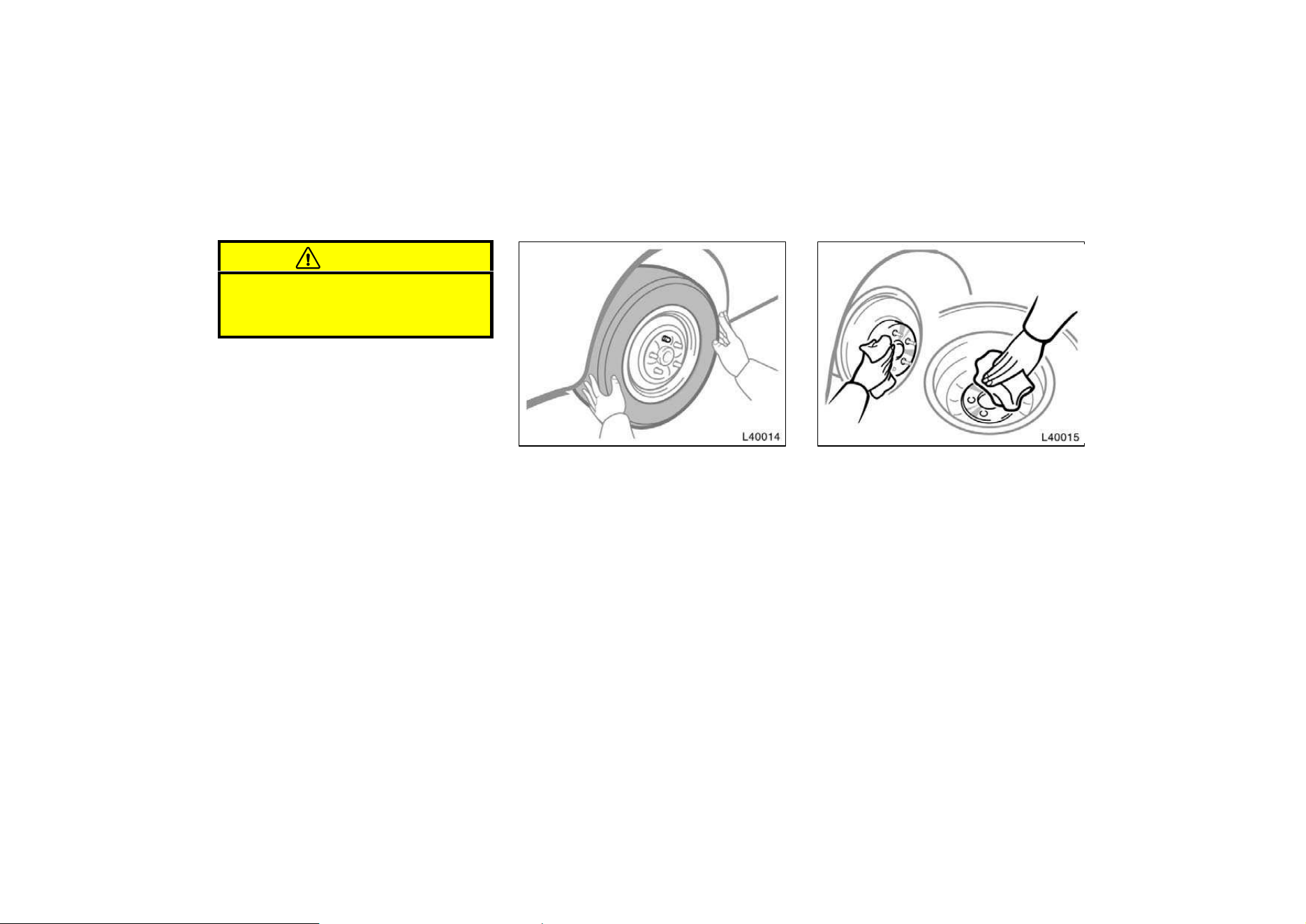
181
CAUTION
Never get under the vehicle when the
vehicle is supported by the jack
alone.
—Changing wheels
7. Remove the wheel nuts and change
tires.
Lift the flat tire straight off and put it
aside.
Roll the spare wheel into position and
align the holes in the wheel with the bolts.
Then lift up the wheel and get at least the
top bolt started through its hole. Wiggle
the tire and press it back over the other
bolts.
Before putting on wheels, remove any cor-
rosion on the mounting surfaces with a
wire brush or such. Installation of wheels
without good metal−to−metal contact at the
mounting surface can cause wheel nuts to
loosen and eventually cause a wheel to
come off while driving. Therefore after the
first 1600 km (1000 miles), check to see
that the wheel nuts are tight.
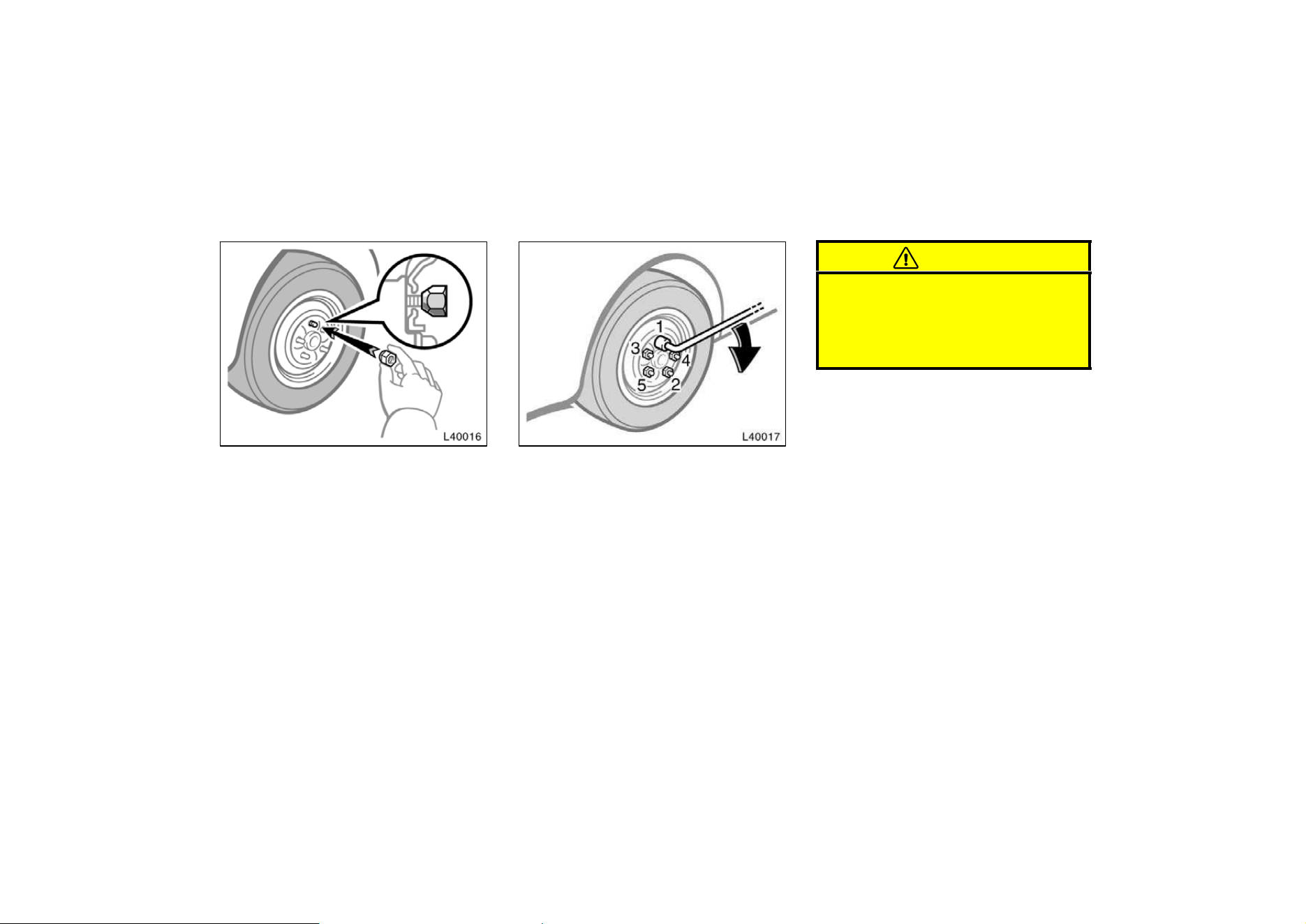
182
—Reinstalling wheel nuts
8. Reinstall all the wheel nuts finger
tight.
Reinstall the wheel nuts (tapered end in-
ward) and tighten them as much as you
can by hand. Press back on the tire and
see if you can tighten them more.
—Lowering your vehicle
9. Lower the vehicle completely and
tighten the wheel nuts.
Turn the jack handle counterclockwise to
lower the vehicle.
Use only the wheel nut wrench to tighten
the nuts. Do not use other tools or any
additional leverage other than your hands,
such as a hammer, pipe or your foot.
Make sure the wrench is securely en-
gaged over the nut.
Tighten each nut a little at a time in the
order shown. Repeat the process until all
the nuts are tight.
CAUTION
When lowering the vehicle, make sure
all portions of your body and all oth-
er persons around will not be injured
as the vehicle is lowered to the
ground.
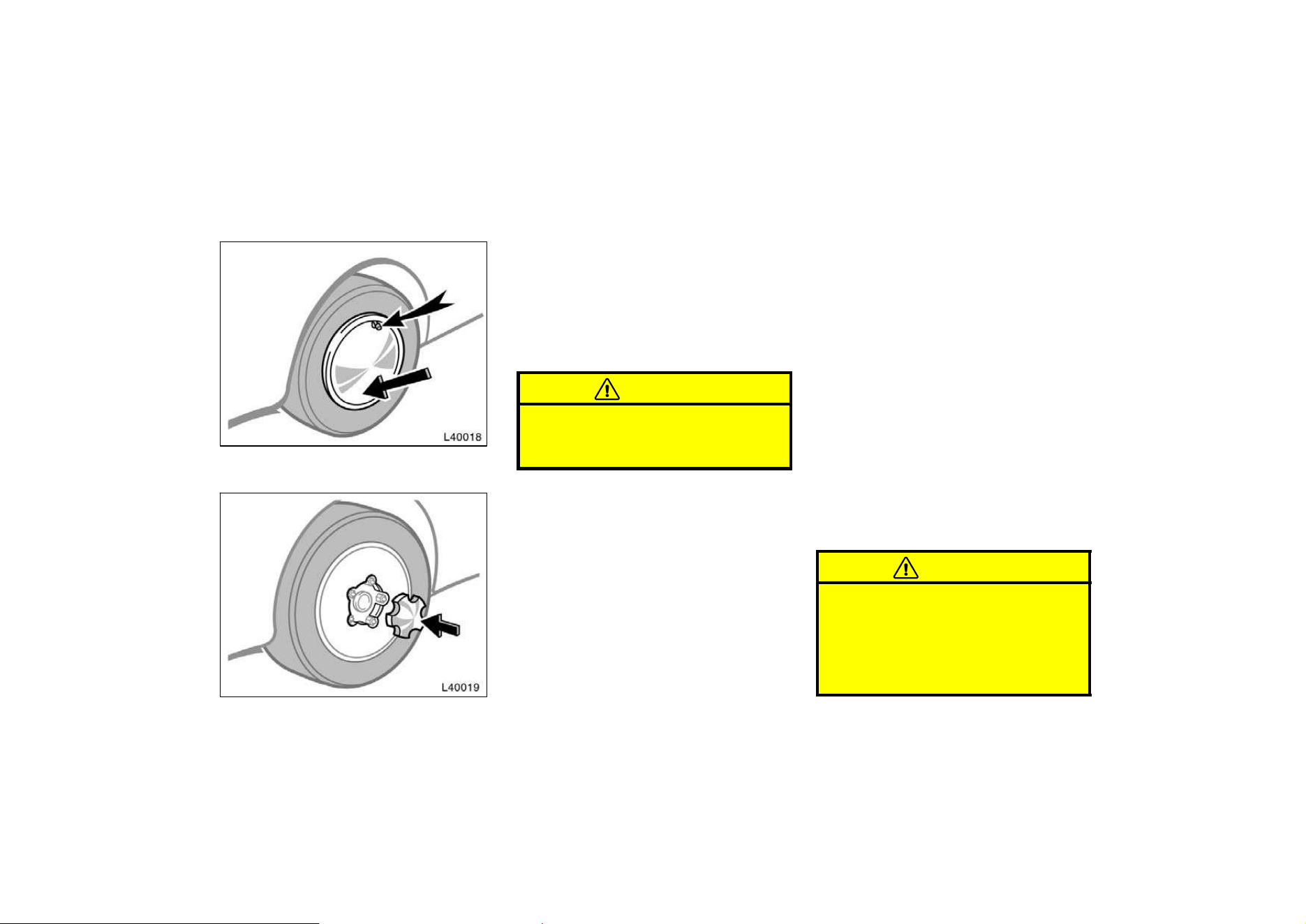
183
—Reinstalling wheel ornament
Steel wheels
Aluminum wheels
10. Reinstall the wheel ornament.
1. Put the wheel ornament into position.
On some models, align the cutout of the
wheel ornament with the valve stem as
shown.
2. Then tap it firmly with the side or heel
of your hand to snap it into place.
CAUTION
Take due care in handling the orna-
ment to avoid unexpected personal
injury.
—After changing wheels
11. Check the air pressure of the re-
placed tire.
Adjust the air pressure to the specification
designed in part 8. If the pressure is low-
er, drive slowly to the nearest service sta-
tion and fill to the correct pressure.
Do not forget to reinstall the tire inflation
valve cap as dirt and moisture could get
into the valve core and possibly cause air
leakage. If the cap is missing, have a new
one put on as soon as possible.
12. Restow all the tools, jack and flat
tire securely.
As soon as possible after changing
wheels, tighten the wheel nuts to the
torque specified in Part 8 with a torque
wrench and have a technician repair the
flat tire.
CAUTION
Before driving, make sure all the
tools, jack and flat tire are securely
in place in their storage location to
reduce the possibility of personal in-
jury during a collision or sudden
braking.
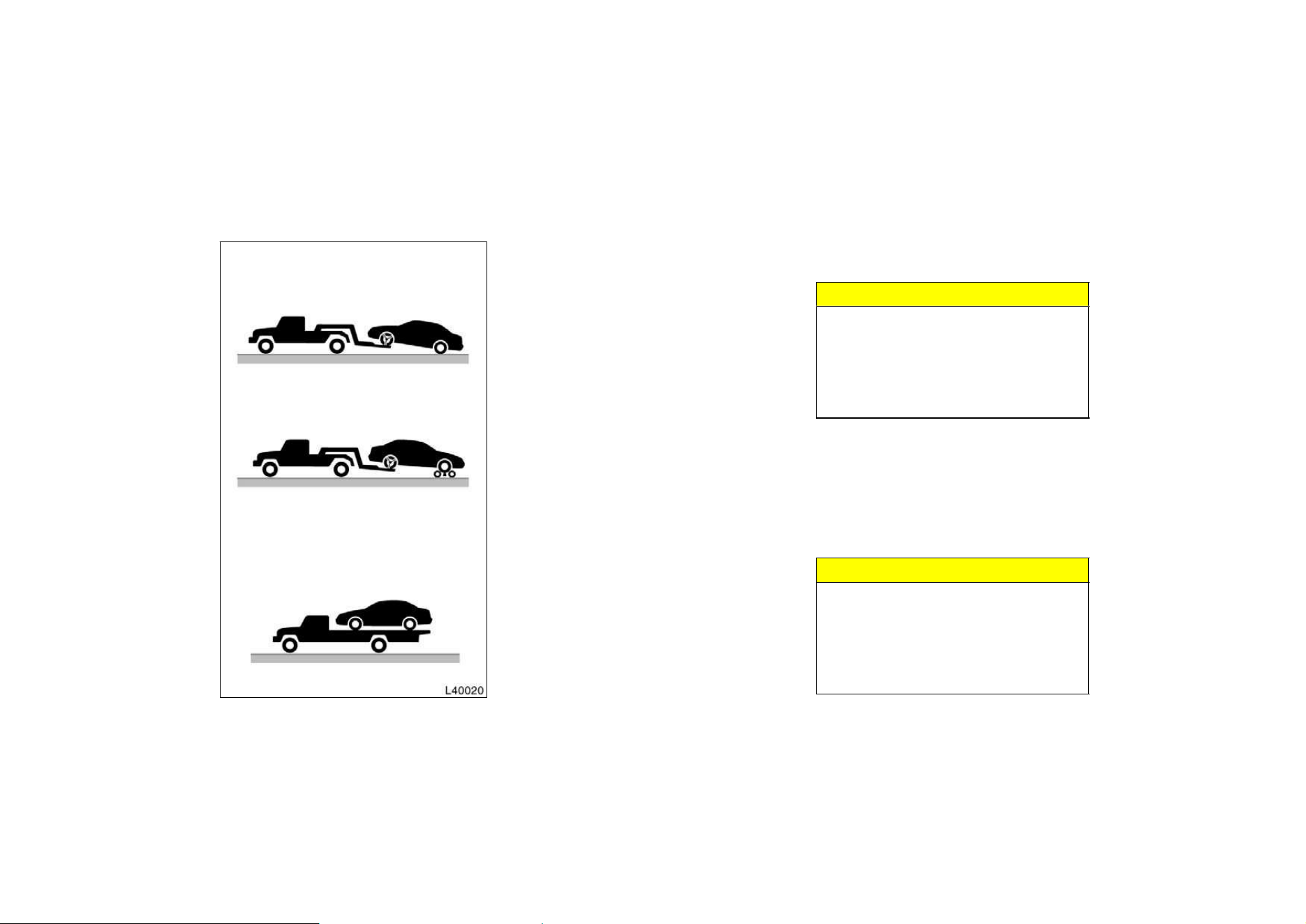
184
(b) Using flat bed truck
(a) Towing with wheel lift type truck—
—From front
—From rear
If towing is necessary, we recommend
you to have it done by your Toyota
dealer or a commercial tow truck ser-
vice. In consultation with them, have
your vehicle towed using either (a) or
(b).
Only when you cannot receive a towing
service from a Toyota dealer or com-
mercial tow truck service, tow your ve-
hicle carefully in accordance with the
instructions given in ”—Emergency tow-
ing” in this part.
Proper equipment will help ensure that
your vehicle is not damaged while being
towed. Commercial operators are generally
aware of the state/provincial and local
laws pertaining to towing.
Your vehicle can be damaged if it is
towed incorrectly. Although most operators
know the correct procedure, it is possible
to make a mistake. To avoid damage to
your vehicle, make sure the following few
precautions are observed. If necessary,
show this page to the tow truck driver.
TOWING PRECAUTIONS:
Use a safety chain system for all towing,
and abide by the state/provincial and local
laws. The wheels and axle on the ground
must be in good condition. If they are
damaged, use a towing dolly.
(a) Towing with wheel lift type truck
From front—Release the parking brake.
NOTICE
When lifting wheels, take care to en-
sure adequate ground clearance for
towing at the opposite end of the
raised vehicle. Otherwise, the bumper
and/or underbody of the towed vehicle
will be damaged during towing.
From rear—
D Manual transmission:
We recommend using a towing dolly
under the front wheels. If you do not
use a towing dolly, place the ignition
key in the ”ACC” position and put the
transmission in neutral.
NOTICE
Do not tow with the key removed or
in the ”LOCK” position when towing
from the rear without a towing dolly.
The steering lock mechanism is not
strong enough to hold the front
wheels straight.
If your vehicle needs to be
towed—
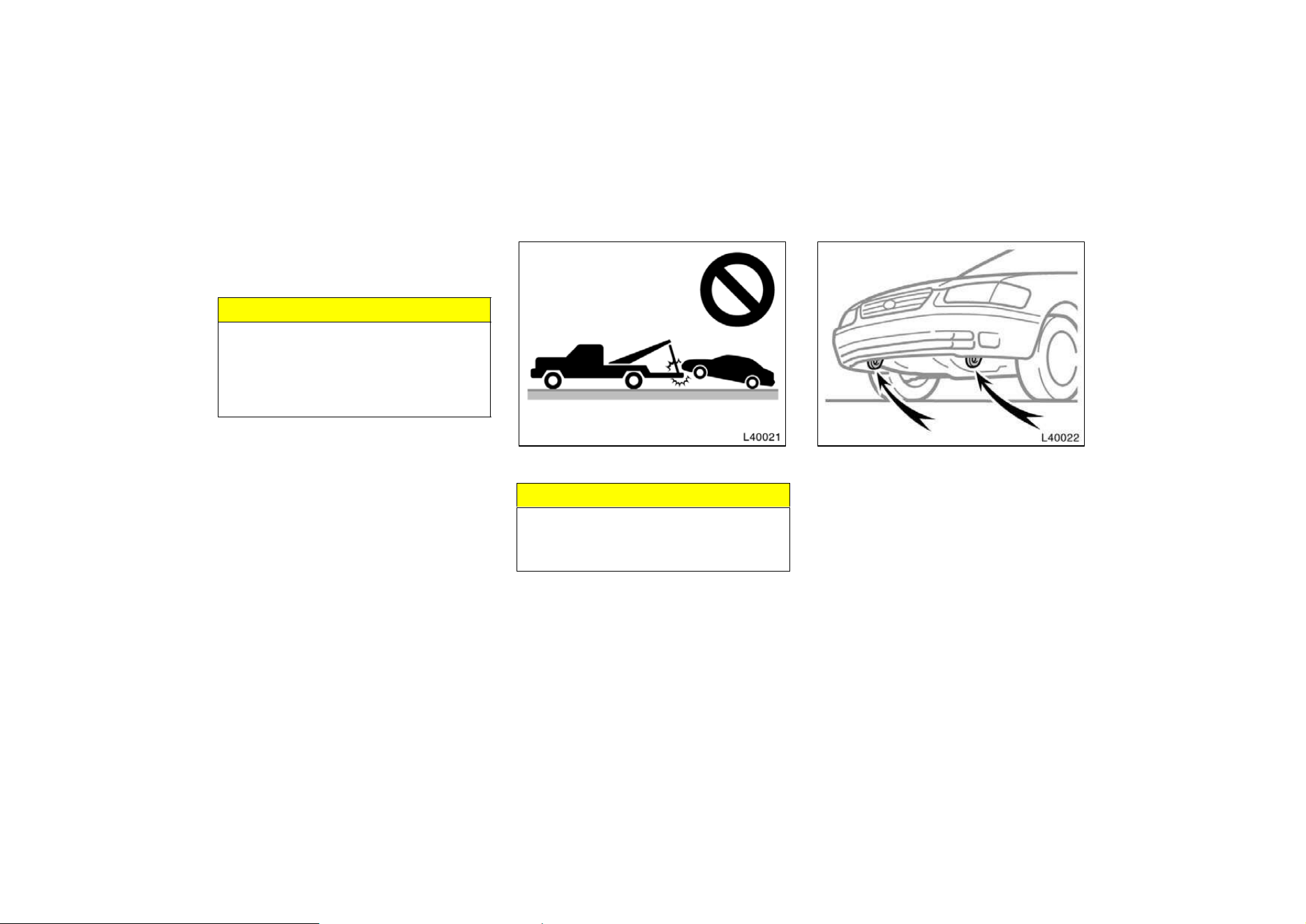
185
D Automatic transmission:
Use a towing dolly under the front
wheels.
NOTICE
Never tow a vehicle with an automatic
transmission from the rear with the
front wheels on the ground, as this
may cause serious damage to the
transmission.
(b) Using flat bed truck
(c) Towing with sling type truck
(c) Towing with sling type truck
NOTICE
Do not tow with sling type truck, ei-
ther from the front or rear. This may
cause body damage.
—Emergency towing
If towing is necessary, we recommend
you to have it done by your Toyota
dealer or a commercial tow truck ser-
vice.
If towing service is not available in an
emergency, your vehicle may be tempo-
rarily towed by a cable or chain se-
cured to one of the emergency towing
eyelets under the vehicle. Use extreme
caution when towing vehicles.
A driver must be in the vehicle to steer
it and operate the brakes.
Towing in this manner may be done only
on hard−surfaced roads for a short dis-
tance and at low speeds. Also, the
wheels, axles, drive train,steering and
brakes must all be in good condition.
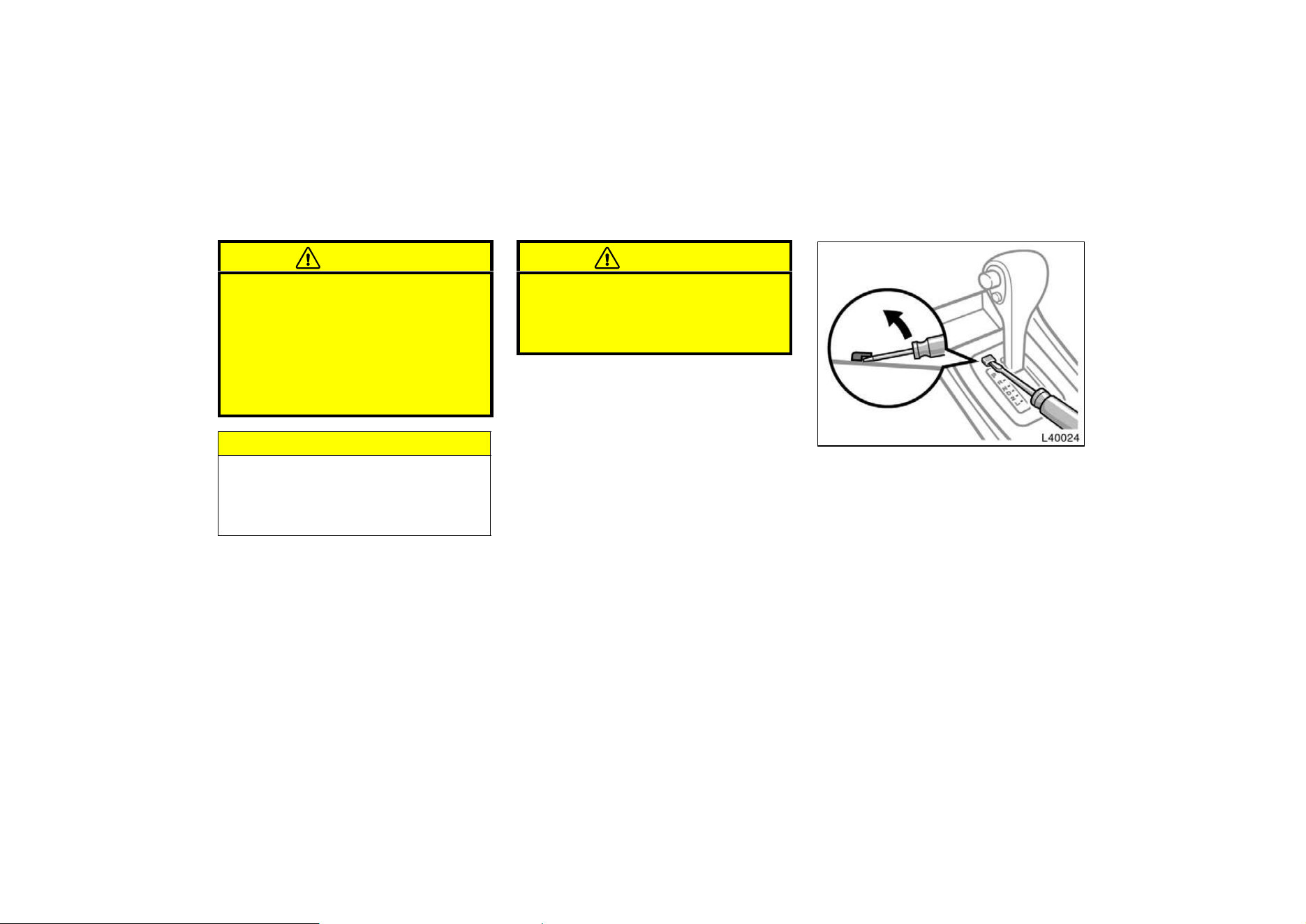
186
CAUTION
Use extreme caution when towing ve-
hicles. Avoid sudden starts or erratic
driving maneuvers which would place
excessive stress on the emergency
towing eyelets and towing cable or
chain. The eyelets and towing cable
or chain may break and cause serious
injury or damage.
NOTICE
Use only a cable or chain specifically
intended for use in towing vehicles.
Securely fasten the cable or chain to
the towing eyelets provided.
Before towing, release the parking brake
and put the transmission in neutral (manu-
al) or ”N” (automatic). The key must be
in ”ACC” (engine off) or ”ON” (engine run-
ning).
CAUTION
If the engine is not running, the pow-
er assist for the brakes and steering
will not work so steering and braking
will be much harder than usual.
If you cannot shift the selector lever
out of ”P” position to other positions
even though the brake pedal is de-
pressed, use the shift lock override but-
ton as follows:
1. Turn the ignition key to ”LOCK”
position. Make sure the parking
brake is on.
2. Pry up the cover with a flat−bladed
screwdriver or equivalent.
If you cannot shift automatic
transmission selector lever
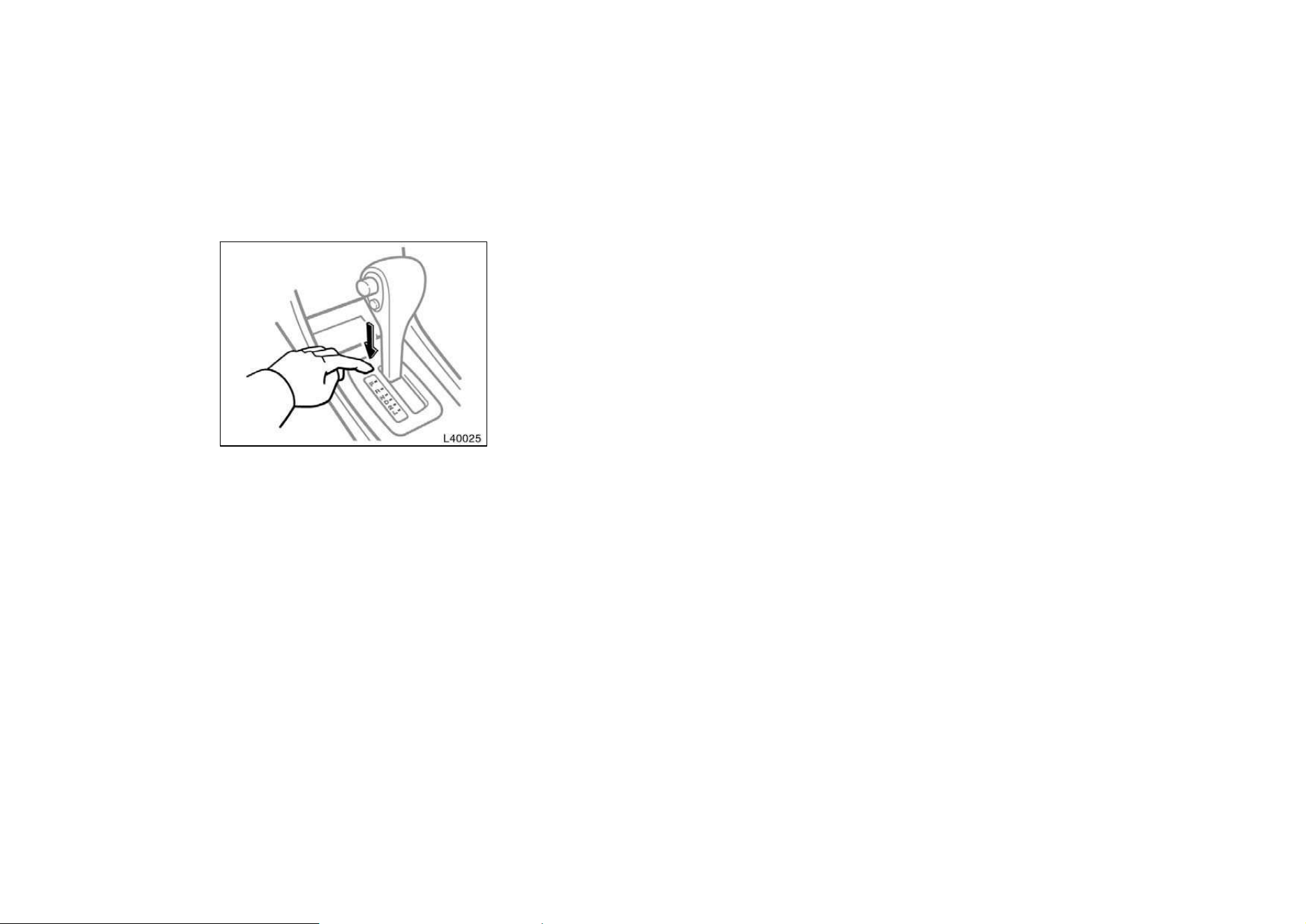
187
3. Insert your finger into the hole to
push down the shift lock override
button. You can shift out of ”P”
position only while pushing the but-
ton.
4. Shift into ”N” position.
5. Insert the cover.
6. Start the engine. For your safety,
keep the brake pedal depressed.
Be sure to have the system checked by
your Toyota dealer as soon as possible.
If you lose your keys
Many Toyota dealers can make a new
key if you can give them the key num-
ber.
See the suggestion given in ”Keys” in
Chapter 1−2.
If your keys are locked in the vehicle and
you cannot get a duplicate, many Toyota
dealers can still open the door for you,
using their special tools. If you must
break a window to get in, we suggest
breaking the smallest side window be-
cause it is the least expensive to replace.
Be extremely cautious to avoid cuts from
the glass.
Vehicles with engine immobiliser system—
Even if you lose only one key, contact
your Toyota dealer to make a new key. If
you lose all your master keys, you cannot
make new keys; the whole system must
be replaced.
If you lose your transmitter, you can
purchase a new one at your Toyota
dealer.
You can use the wireless remote control
system with the new transmitter. Contact
your Toyota dealer for detailed information.
If you lose your wireless re-
mote control transmitter

188
Part 5
CORROSION
PREVENTION AND
APPEARANCE CARE
D
Protecting your Toyota from
corrosion
D Washing and waxing your Toyota
D Cleaning the interior
Toyota, through its diligent research, de-
sign and use of the most advanced
technology available, has done its part to
help prevent corrosion and has provided
you with the finest quality vehicle
construction. Now, it is up to you. Proper
care of your Toyota can help ensure long−
term corrosion prevention.
The most common causes of corrosion
to your vehicle are:
D The accumulation of road salt, dirt and
moisture in hard−to−reach areas under
the vehicle.
D Chipping of paint, or undercoating
caused by minor accidents or by
stones and gravel.
Care is especially important if you live
in particular areas or operate your ve-
hicle under certain environmental condi-
tions:
D Road salt or dust control chemicals will
accelerate corrosion, as will the pres-
ence of salt in the air near the sea−
coast or in areas of industrial pollution.
D High humidity accelerates corrosion es-
pecially when temperatures range just
above the freezing point.
D Wetness or dampness to certain parts
of your vehicle for an extended period
of time, may cause corrosion even
though other parts of the vehicle may
be dry.
D High temperatures will cause corrosion
to those components of the vehicle
which are prevented from quick−drying
due to lack of proper ventilation.
The above signifies the necessity to keep
your vehicle, particularly the underside, as
clean as possible and to repair any dam-
age to paint or protective coatings as
soon as possible.
To help prevent corrosion on your
Toyota, follow these guidelines:
Wash your vehicle frequently. It is, of
course, necessary to keep your vehicle
clean by regular washing, but to prevent
corrosion, the following points should be
observed:
D If you drive on salted roads in the
winter or if you live near the ocean,
you should hose off the undercarriage
at least once a month to minimize cor-
rosion.
Protecting your Toyota
from corrosion
189
D High pressure water or steam is effec-
tive for cleaning the vehicle’s underside
and wheel housings. Pay particular
attention to these areas as it is difficult
to see all the mud and dirt. It will do
more harm than good to simply wet the
mud and debris without removing them.
The lower edge of doors, rocker panels
and frame members have drain holes
which should not be allowed to clog
with dirt as trapped water in these
areas can cause corrosion.
D Wash the underside of the vehicle thor-
oughly when winter is over.
See ”Washing and waxing your Toyota” for
more tips.
Check the condition of your vehicle’s
paint and trim. If you find any chips or
scratches in the paint, touch them up im-
mediately to prevent corrosion from start-
ing. If the chips or scratches have gone
through the bare metal, have a qualified
body shop make the repair.
Check the interior of your vehicle. Wa-
ter and dirt can accumulate under the
floor mats and could cause corrosion. Oc-
casionally check under the mats to make
sure the area is dry. Be particularly care-
ful when transporting chemicals, cleans-
ers, fertilizers, salt,
etc.; these should be
transported in proper containers. If a spill
or leak should occur, immediately clean
and dry the area.
Use mud shields on your wheels. If you
drive on salted or gravel roads, mud
shields help protect your vehicle. Full−size
shields, which come as near to the ground
as possible, are the best. We recommend
that the fittings and the area where the
shields are installed be treated to resist
corrosion. Your Toyota dealer will be
happy to assist in supplying and installing
the shields if they are recommended for
your area.
Keep your vehicle in a well ventilated
garage or a roofed place. Do not park
your vehicle in a damp, poorly venti-
lated garage. If you wash your vehicle in
the garage, or if you drive it in covered
with water or snow, your garage may be
so damp it will cause corrosion. Even if
your garage is heated, a wet vehicle can
corrode if the ventilation is poor.
Washing your Toyota
Keep your vehicle clean by regular
washing.
The following cases may cause weakness
to the paint or corrosion to the body and
parts. Wash your vehicle as soon as pos-
sible.
D When driving in a coastal area
D When driving on a road sprinkled with
antifreeze
D When having stuck of coal tar, tree
sap, bird droppings and carcass of an
insect
D When driving in the areas where there
are a lot of smoke, soot, dust, iron
dust and chemical substance
D When the vehicle becomes remarkably
dirty with dust and mud
Hand−washing your Toyota
Work in the shade and wait until the
vehicle body is not hot to the touch.
CAUTION
When cleaning under floor or chassis,
be careful not to injure your hands.
Washing and waxing your
Toyota

190
1. Rinse off loose dirt with a hose. Re-
move any mud or road salt from the
underside of the vehicle or in the
wheel wells.
2. Wash with a mild car−wash soap,
mixed according to the manufacturer’s
instructions. Use a soft cotton mitt and
keep it wet by dipping it frequently into
the wash water. Do not rub hard—let
the soap and water remove the dirt.
Aluminum wheels: Use only a mild soap
or neutral detergent.
Plastic bumpers: Wash carefully. Do not
scrub with abrasive cleaners. The bumper
faces are soft.
Road tar: Remove with turpentine or
cleaners that are marked safe for painted
surfaces.
NOTICE
Do not use gasoline or strong sol-
vents, which may be toxic or cause
damage.
3. Rinse thoroughly—dried soap can
cause streaking. In hot weather you
may need to rinse each section right
after you wash it.
4. To prevent water spots, dry the vehicle
using a clean soft cotton towel. Do not
rub or press hard—you might scratch
the paint.
Automatic car wash
Your vehicle may be washed in an auto-
matic car wash, but remember that the
paint can be scratched by some type of
brushes, unfiltered washing water, or the
washing process itself. Scratching reduces
paint durability and gloss, especially on
darker colors. The manager of the car
wash should be able to advise you wheth-
er the process is safe for the paint on
your vehicle.
NOTICE
With mast type antenna:
To prevent damage to the antenna,
make sure it is removed before driv-
ing your Toyota through an automatic
car wash.
Waxing your Toyota
Polishing and waxing is recommended
to maintain the original beauty of your
Toyota’s finish.
Once a month or if the vehicle does not
repel water well, apply wax.
1. Always wash and dry the vehicle be-
fore you begin waxing, even if you are
using a combined cleaner and wax.
2. Use a good quality polish and wax. If
the finish has become extremely weath-
ered, use a car−cleaning polish, fol-
lowed by a separate wax. Carefully fol-
low the manufacturer’s instructions and
precautions. Be sure to polish and wax
the chrome trim as well as the paint.
3. Wax the vehicle again when water
does not bead but remains on the sur-
face in large patches.
NOTICE
Always remove the plastic bumpers if
your vehicle is re−painted and placed
in a high heat paint waxing booth.
High temperatures could damage the
bumpers.
191
Cleaning the interior
CAUTION
D Vehicles with side airbags:
Be careful not to splash water or
spill liquid on the floor. This may
prevent the side airbags from acti-
vating correctly, resulting in serious
injury
D Do not wash the vehicle floor with
water, or allow water to get onto
the floor when cleaning the vehicle
interior or exterior. Water may get
into audio components or other
electrical components above or un-
der the floor carpet (or mat) and
cause a malfunction; and it may
cause body corrosion.
Vinyl interior
The vinyl upholstery may be easily
cleaned with a mild soap or detergent
and water.
First vacuum over the upholstery to re-
move loose dirt. Then, using a sponge or
soft cloth, apply the soap solution to the
vinyl. After allowing it to soak in for a few
minutes to loosen the dirt, remove the dirt
and wipe off the soap with a clean damp
cloth. If all the dirt does not come off,
repeat the procedure. Commercial foam-
ing−type vinyl cleaners are also available
which work well. Follow the manufacturer’s
instructions.
NOTICE
Do not use solvent, thinner, gasoline
or window cleaner on the interior.
Carpets
Use a good foam−type shampoo to
clean the carpets.
Begin by vacuuming thoroughly to remove
as much dirt as possible. Several types of
foam cleaners are available; some are in
aerosol can sand others are powders or
liquids which you mix with water to pro-
duce a foam. To shampoo the carpets,
use a sponge or brush to apply the foam.
Rub in overlapping circles.
Do not apply water—the best results are
obtained by keeping the carpet as dry as
possible. Read the shampoo instructions
and follow them closely.
Seat belts
The seat belts may be cleaned with
mild soap and water or with
l ukewarm
water.
Use a cloth or sponge. As you are clean-
ing, check the belts for excessive wear,
fraying, or cuts.
NOTICE
Do not use dye or bleach on the belt-
s—it may weaken them.
Windows
The windows may be cleaned with any
household window cleaner.
NOTICE
When cleaning the inside of the win-
dows, be careful not to scratch or
damage the heater wires on the rear
window.
192
Air conditioning control panel, car au-
dio, instrument panel,
c onsole panel,
and switches
Use a soft damp cloth for cleaning.
Soak a clean soft cloth in water or luke-
warm water then lightly
wipe off any dirt.
NOTICE
z Do not use organic substances (sol-
vents, kerosene, alcohol,
g asoline,
etc.) or alkaline or acidic solutions.
These chemicals can cause discol-
oring, staining or peeling of the
surface.
z If you use cleaners or polishing
agents, make sure their ingredients
do not include the substances men-
tioned above.
z If you use a liquid car freshener, do
not spill the liquid onto the ve-
hicle’s interior surfaces. It may con-
tain the ingredients mentioned
a-
bove. Immediately clean any spill
using the method mentioned above.
Leather Interior
The leather upholstery may be cleaned
with neutral detergent for wool.
Remove dirt using a soft cloth dampened
with 5 % solution of neutral detergent for
wool. Then thoroughly wipe off all traces
of detergent with a clean damp cloth.
After cleaning or whenever any part of the
leather gets wet, dry with a soft clean
cloth. Allow the leather to dry in a venti-
lated shaded area.
NOTICE
z If a stain should fail to come out
with a neutral detergent, apply a
cleaner that does not contain an
organic solvent.
z Never use organic substances such
as benzine, alcohol or gasoline,
or
alkaline or acid solutions for clean-
ing the leather as these
could
c ause discoloring.
z Use of a nylon brush or synthetic
fiber cloth, etc. may scratch the
fine grained surface of the leather.
z Mildew may develop on soiled leath-
er upholstery. Be especially careful
to avoid oil spots. Try to keep your
upholstery always clean.
z Long exposure to direct sunlight
may cause the leather surface to
harden and shrink. Keep your ve-
hicle in a shaded area, especially in
the summer.
z The interior of your vehicle is apt
to heat up on hot summer days, so
avoid placing on the upholstery
items made of vinyl or plastic or
containing wax as these tend to
stick to leather when warm.
z Improper cleaning of the leather up-
holstery could result in discolor-
ation or staining.
If you have any questions about the
cleaning of your Toyota, your local
Toyota dealer will be pleased to answer
them.

193

194
Part 6
VEHICLE
MAINTENANCE
AND CARE
D
Maintenance requirements
D General maintenance
D Does your vehicle need
repairing?
For scheduled maintenance informa-
tion, please refer to the separate
”Owner’s Manual Supplement/Main-
tenance Schedule”.
Maintenance requirements
Your Toyota vehicle has been designed to
for fewer maintenance requirements with
longer service intervals to save both your
time and money. However, each regular
maintenance, as well as day−to−day care,
is more important than ever before to en-
sure smooth, trouble−free, safe, and eco-
nomical drivings.
It is the owner’s responsibility to make
sure the specified maintenance, including
general maintenance service, is performed.
Note that both the new vehicle and emis-
sion control system warranties specify that
proper maintenance and care must be per-
formed. See Owner’s Guide, Owner’s
Manual Supplement or Warranty Booklet
for complete warranty information.
General maintenance
General maintenance items are those day−
to−day care practices that are important to
your vehicle for proper operation. It is the
owner’s responsibility to insure that the
general maintenance items are performed
regularly.
These checks or inspections can be done
either by yourself or a qualified technician,
or if you prefer, your Toyota dealer will be
pleased to do them at a nominal cost.
Scheduled maintenance
The scheduled maintenance items listed in
the ”Owner’s Manual Supplement/Mainte-
nance Schedule” are those required to be
serviced at regular intervals.
For details of your maintenance schedule,
read the separate ”Owner’s Manual
Supplement/Maintenance Schedule”.
It is recommended that any replacement
parts used for maintenance or for the
repair of the emission control system
be Toyota supplied.
The owner may elect to use non−Toyot a
supplied parts for replacement pur-
poses without invalidating the emission
control system warranty. However, use
of replacement parts which are not of
equivalent quality may impair the effec-
tiveness of the emission control sys-
tems.
You may also elect to have mainte-
nance, replacement, or repair of the
emission control devices and system
performed by any automotive repair es-
tablishment or individual without invali-
dating this warranty. See Owner’s
Guide, Owner’s manual Supplement or
Warranty Booklet for complete warranty
information.
195
Where to go for service?
Toyota technicians are well−trained spe-
cialists and are kept up to date with the
latest service information through technical
bulletins, service tips, and in−dealership
training programs. They learn to work on
Toyotas before they work on your vehicle,
rather than while they are working on it.
You can be confident that your Toyota
dealer’s service department performs the
best job to meet the maintenance require-
ments on your vehicle—reliably and eco-
nomically.
Your copy of the repair order is proof that
all required maintenance has been per-
formed for warranty coverage. And if any
problems should arise with your vehicle
while under warranty, your Toyota dealer
will promptly take care of it. Again, be
sure to keep a copy of the repair order
for any service performed on your Toyota.
What about do−it−yourself maintenance?
Many of the maintenance items are easy
to do yourself if you have a little mechani-
cal ability and a few basic automotive
tools. Simple instructions for how to per-
form them are presented in Part 7.
If you are a skilled do−it−yourself mechan-
ic, the Toyota service manuals are recom-
mended. Please be aware that do−it−your-
self maintenance can affect your warranty
coverage. See Owner’s Guide, Owner’s
Manual Supplement or Warranty Booklet
for the details.
General maintenance
Listed below are the general maintenance
items that should be performed as fre-
quently as specified. In addition to check-
ing the items listed, if you notice any
unusual noise, smell or vibration, you
should investigate the cause or take your
vehicle to your Toyota dealer or a quali-
fied service shop immediately. It is recom-
mended that any problem you notice be
brought to the attention of your dealer or
the qualified service shop for their advice.
CAUTION
Make these checks only where ade-
quate ventilation can be obtained if
you run the engine.
OUTSIDE THE VEHICLE
Items listed below should be performed
from time to time, unless otherwise
specified.
Tire pressure
Check the pressure with a gauge every
two weeks, or at least once a month. See
Chapter 7−2 for additional information.

196
Tire surface and wheel nuts
Check the tires carefully for cuts, damage
or excessive wear. See Chapter 7−2 for
additional information. When checking the
tires, make sure no nuts are missing, and
check the nuts for looseness. Tighten
them if necessary.
Tire rotation
Rotate the tires every 12000 km (7500
miles). See Chapter 7−2 for additional in-
formation.
Fluid leaks
Check underneath for leaking fuel, oil, wa-
ter or other fluid after the vehicle has
been parked for a while. If you smell fuel
fumes or notice any leak, have the cause
found and corrected immediately.
Doors and engine hood
Check that all doors including trunk lid
operate smoothly and all latches lock se-
curely. Make sure the engine hood sec-
ondary latch secures the hood from open-
ing when the primary latch is released.
INSIDE THE VEHICLE
Items listed below should be checked
regularly, e.g. while performing periodic
services, cleaning the vehicle, etc.
Lights
Make sure the headlights, stop lights, tail
lights, turn signal lights, and other lights
are all working. Check headlight aim.
Service reminder indicators and warning
buzzers
Check that all service reminder indicators
and warning buzzers function properly.
Steering wheel
Be alert for changes in steering condition,
such as hard steering or strange noise.
Seats
Check that all front seat controls such as
seat adjusters, seatback recliner, etc. op-
erate smoothly and that all latches lock
securely in any position. Check that the
head restraints move up and down
smoothly and that the locks hold securely
in any latched position. For folding−down
rear seatbacks, check that the latches
lock securely.
Seat belts
Check that the seat belt system such as
buckles, retractors and anchors operate
properly and smoothly. Make sure that the
belt webbings not cut, frayed, worn or
damaged.
Accelerator pedal
Check the pedal for smooth operation and
uneven pedal effort or catching.
Clutch pedal
Check the pedal for smooth operation.
Brake pedal
Check the pedal for smooth operation and
that the pedal has the proper clearance.
Check the brake booster function.
Brakes
At a safe place, check that the brakes do
not pull to one side when applied.
Parking brake
Check that the lever has the proper travel
and that, on a safe incline, your vehicle
is held securely with only the parking
brake applied.
Automatic transmission ”Park” mecha-
nism
Check the lock release button of the se-
lector lever for proper and smooth opera-
tion. On a safe incline, check that your
vehicle is held securely with the selector
lever in ”P” position and all brakes re-
leased.

197
IN THE ENGINE COMPARTMENT
Items listed below should be checked
from time to time, e.g. each time when
refueling.
Washer fluid
Make sure there is sufficient fluid in the
tank. See Chapter 7−3 for additional in-
formation.
Engine coolant level
Make sure the coolant level is between
the ”FULL” and ”LOW” lines on the see−
through reservoir when the engine is cold.
See Chapter 7−2 for additional information.
Battery electrolyte level
Make sure the electrolyte level of all bat-
tery cells is between upper and lower lev-
el lines on the case. Add only distilled
water when replenishing. See Chapter 7−3
for additional information.
Brake fluid level
Make sure the brake fluid level is correct.
See Chapter 7−2 for additional information.
Engine oil level
Check the level on the dipstick with the
engine turned off and the vehicle parked
on a level spot. See Chapter 7−2 for addi-
tional information.
Power steering fluid level
Check the level through the reservoir. The
level should be in the ”HOT” or ”COLD”
range depending on the fluid temperature.
See Chapter 7−2 for additional information.
Exhaust system
If you notice any change in the sound of
the exhaust or smell exhaust fumes, have
the cause located and corrected immedi-
ately. (See engine exhaust cautions in
Part 2.)
Be on the alert for changes in perfor-
mance, sounds, and visual tip−offs that
indicate service is needed. Some impor-
tant clues are as follows:
D Engine missing, stumbling, or pinging
D Appreciable loss of power
D Strange engine noises
D A leak under the vehicle (however, wa-
ter dripping from the air conditioning
after use is normal.)
D Change in exhaust sound (This may
indicate a dangerous carbon monoxide
leak. Drive with the windows open and
have the exhaust system checked im-
mediately.)
D Flat−looking tire; excessive tire squeal
when cornering; uneven tire wear
D Vehicle pulls to one side when driving
straight on a level road
D Strange noises related to suspension
movement
D Loss of brake effectiveness; spongy
feeling brake or clutch pedal;pedal al-
most touches floor; vehicle pulls to one
side when braking
D Engine coolant temperature continually
higher than normal
Does your vehicle need
repairing?
198
If you notice any of these clues, take your
vehicle to your Toyota dealer as soon as
possible. It probably needs adjustment or
repair.
CAUTION
Do not continue driving with the ve-
hicle unchecked. It could result in se-
rious vehicle damage and possibly
personal injury.

199

200
Part 7
DO−IT−YOURSELF
MAINTENANCE—
Chapter 7−1
Introduction
D Engine compartment overview
D Fuse locations
D Do−it−yourself service
precautions
D Parts and tools
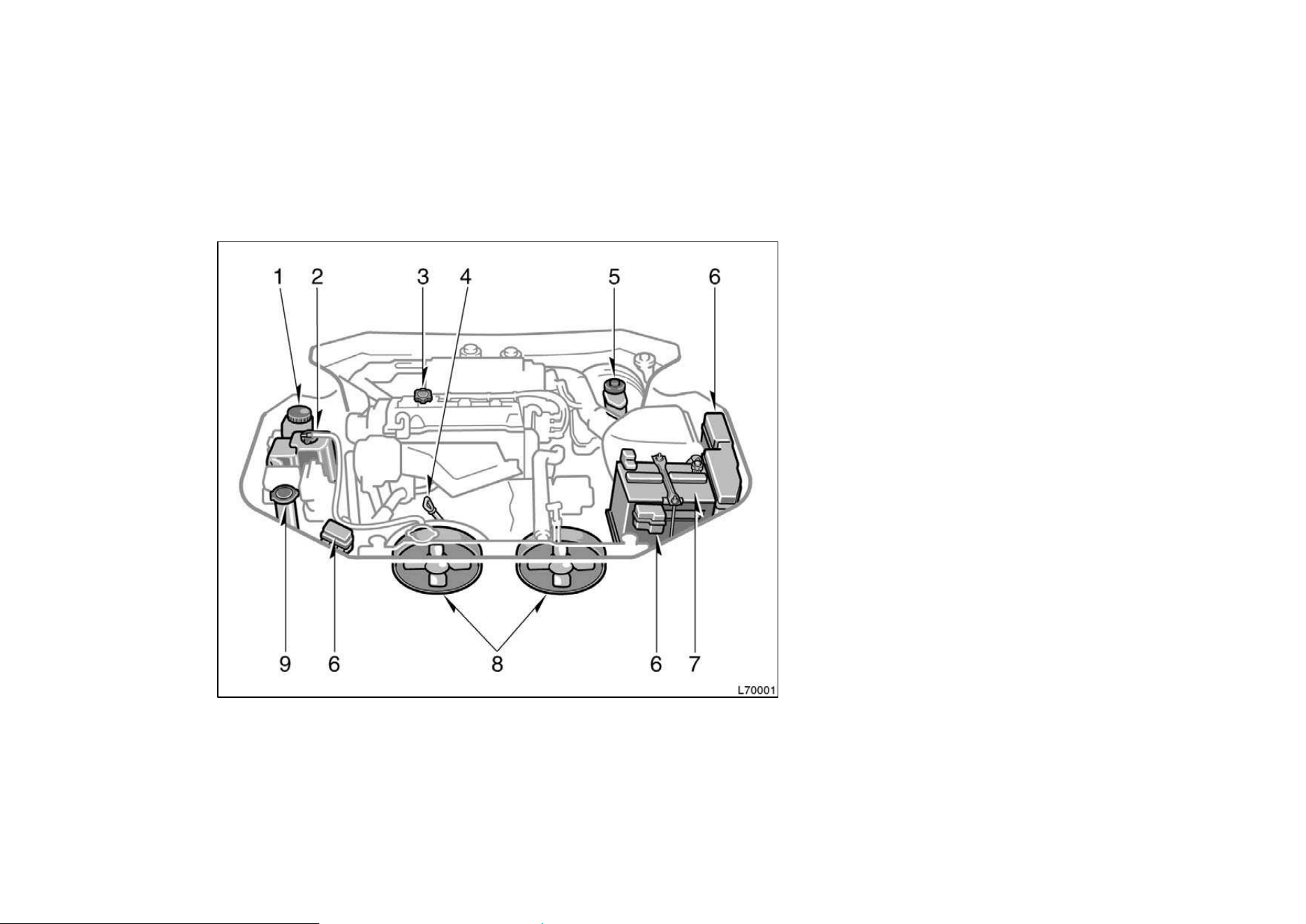
201
1. Power steering fluid reservoir
2. Engine coolant reservoir
3. Engine oil filler cap
4. Engine oil level dipstick
5. Brake fluid reservoir
6. Fuse blocks
7. Battery
8. Electric cooling fans
9. Windshield washer fluid tank
Engine compartment overview
"5S−FE engine
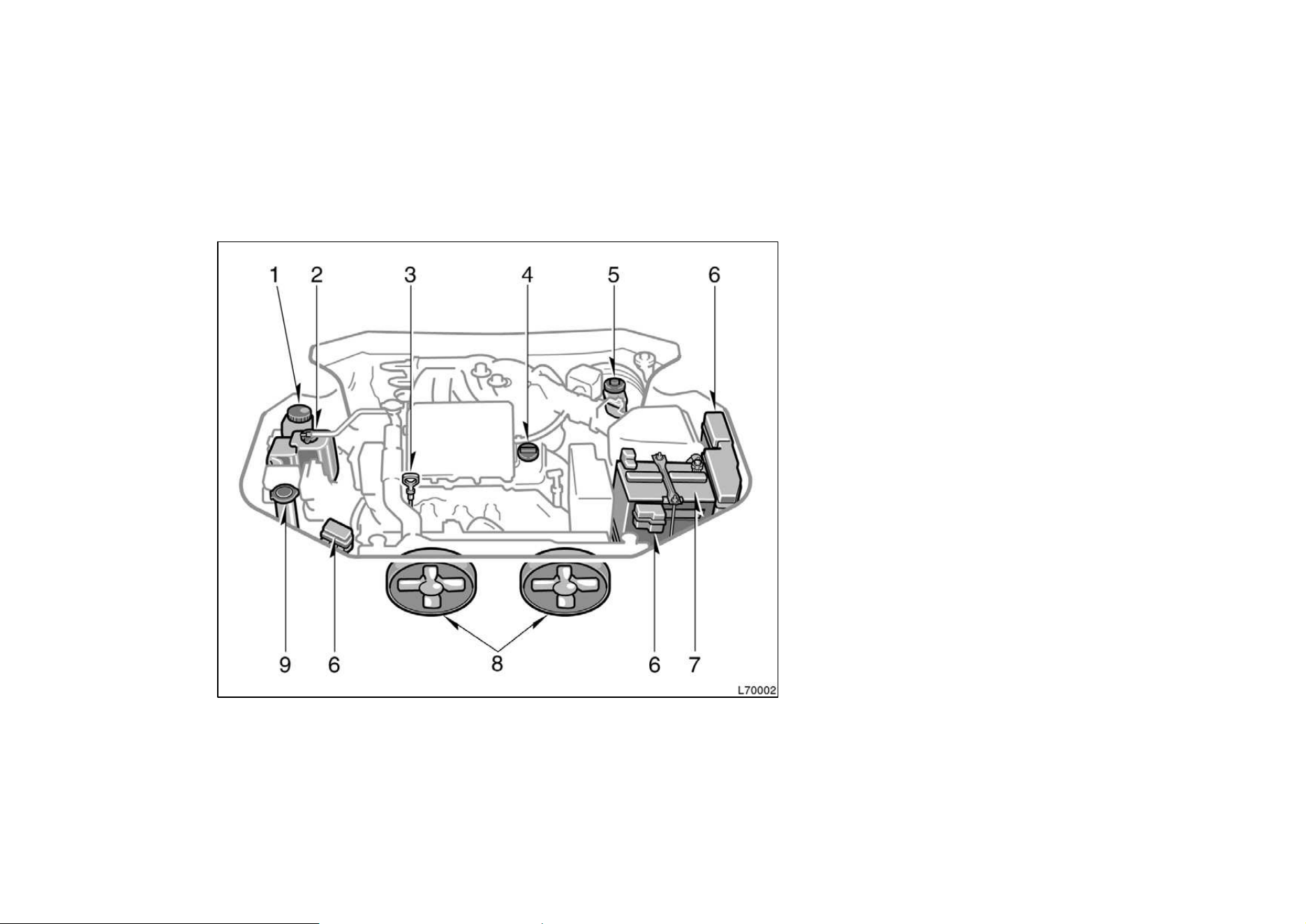
202
1. Power steering fluid reservoir
2. Engine coolant reservoir
3. Engine oil level dipstick
4. Engine oil filler cap
5. Brake fluid reservoir
6. Fuse blocks
7. Battery
8. Electric cooling fans
9. Windshield washer fluid tank
"1MZ−FE engine
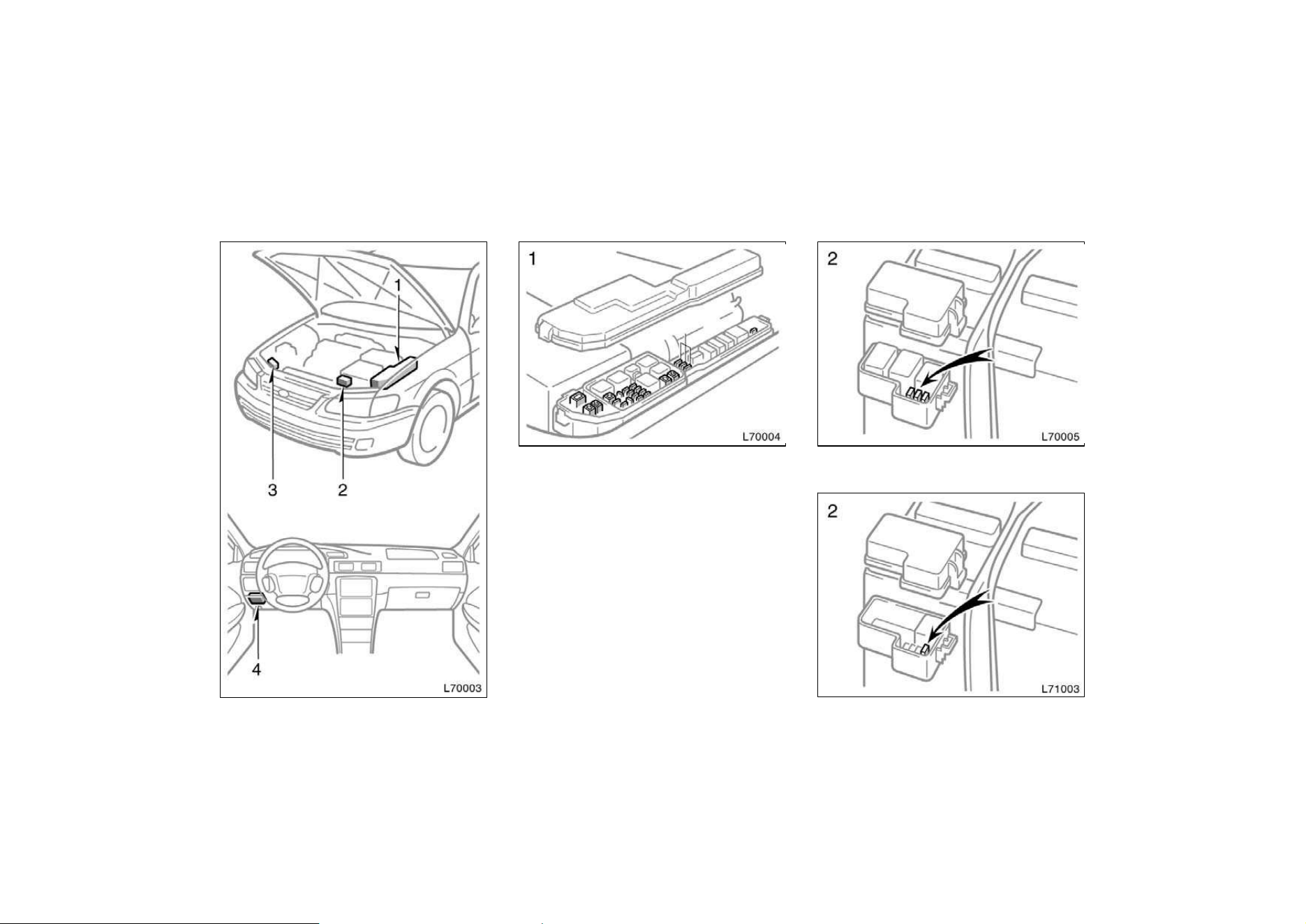
203
Fuse locations
Spare fuses
Canada
California
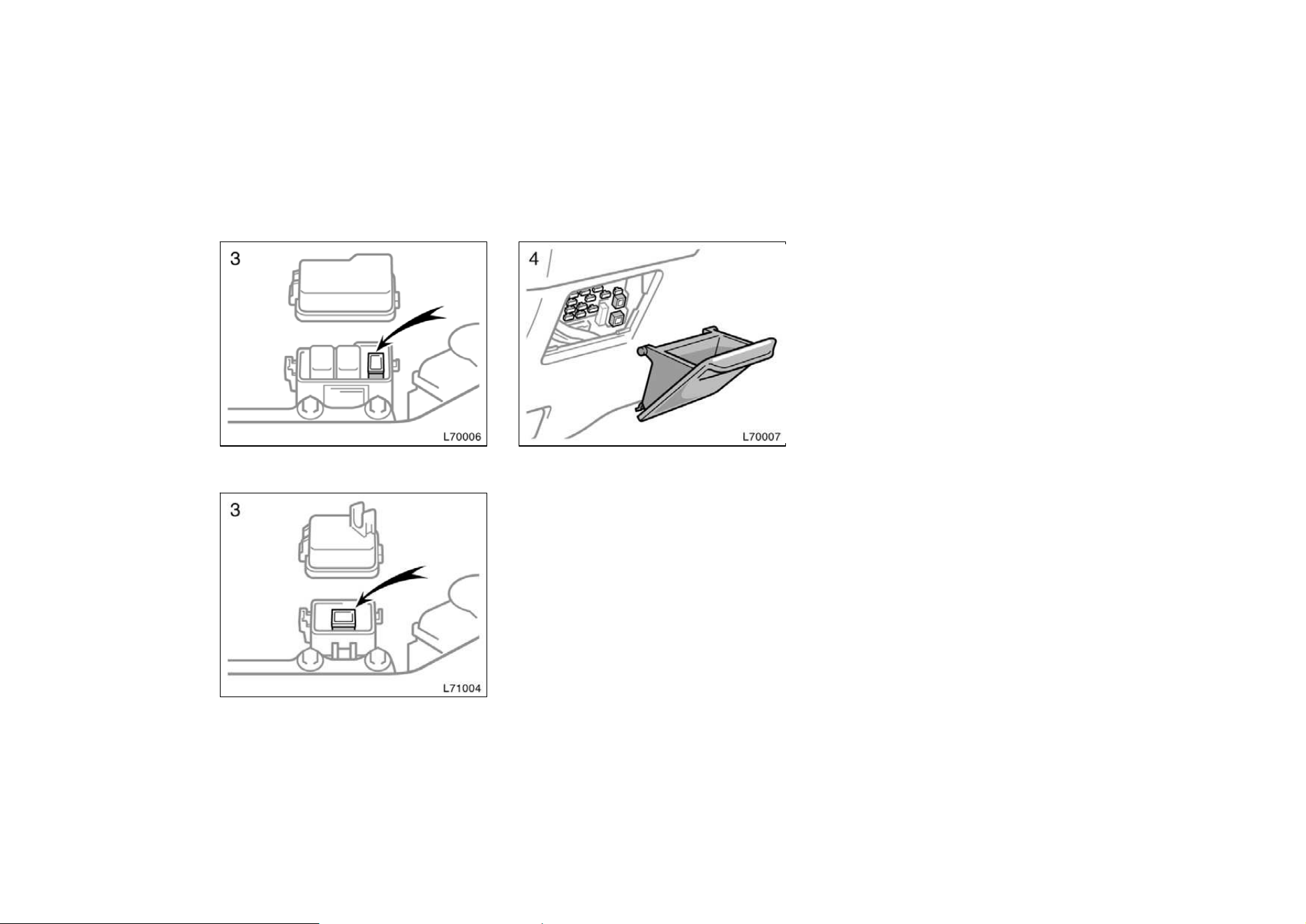
204
Type A
Type B
If you perform maintenance by yourself,
be sure to follow the correct procedure
given in this part.
You should be aware that improper or in-
complete servicing may result in operating
problems.
Performing do−it−yourself maintenance
during the warranty period may affect your
warranty coverage. Read the separate
Toyota Warranty statement for details and
suggestions.
This part gives instructions only for those
items that are relatively easy for an owner
to perform. As explained in Part 6, there
are still a number of items that must be
done by a qualified technician with special
tools.
For information on tools and parts for do−
it−yourself maintenance, see ”Parts and
tools”.
Utmost care should be taken when work-
ing on your vehicle to prevent accidental
injury. Here are a few precautions that
you should be especially careful to ob-
serve:
Do−it−yourself service
precautions
205
CAUTION
D When the engine is running, keep
hands, clothing, and tools away
from the moving fan and engine
drive belts. (Removing rings,
watches, and ties is advisable.)
D Right after driving, the engine
compartment—the engine, radiator,
exhaust manifold and spark plug
boots, etc. —will be hot. So be
careful not to touch them. Oil,
fluids and spark plugs may also be
hot.
D If the engine is hot, do not remove
the radiator cap or loosen the drain
plugs to prevent burning yourself.
D Do not smoke, cause sparks or al-
low open flames around fuel or the
battery. Their fumes are flammable.
D Be extremely cautious when work-
ing on the battery. It contains poi-
sonous and corrosive sulfuric acid.
D Do not get under your vehicle with
just the body jack supporting it. Al-
ways use automotive jack stands or
other solid supports.
D Be sure that the ignition is off if
you work near the electric cooling
fans or radiator grille. With the
ignition on, the electric cooling fans
will automatically start to run if the
engine coolant temperature is high
and/or the air conditioning is on.
D Use eye protection whenever you
work on or under your vehicle
where you may be exposed to flying
or falling material, fluid spray, etc.
D Used engine oil contains potentially
harmful contaminants which may
cause skin disorders such as in-
flammation or skin cancer, so care
should be taken to avoid prolonged
and repeated contact with it. To re-
move used engine oil from your
skin, wash thoroughly with soap
and water.
D Do not leave used oil within the
reach of children.
D Dispose of used oil and filter only
in a safe and acceptable manner.
Do not dispose of used oil and fil-
ter in household trash, in sewers or
onto the ground. Call your dealer or
a service station for information
concerning recycling or disposal.
NOTICE
z Remember that battery and ignition
cables carry high currents or volt-
ages. Be careful of accidentally
causing a short circuit.
z Add only demineralized or distilled
water to fill the radiator. And if you
spill some of the coolant, be sure
to wash off with water to prevent it
from damaging the parts or paint.
z Do not allow dirt or anything else
to fall through the spark plugholes.
z Use only spark plugs of the speci-
fied type. Using other types will
cause engine damage, loss of per-
formance or radio noise.
z Do not reuse platinum−tipped spark
plugs by cleaning or regapping.

206
z Do not overfill automatic transmis-
sion fluid, or the transmission
could be damaged.
z Do not drive with the air cleaner
filter removed, or excessive engine
wear could result. Also backfiring
could cause a fire in the engine
compartment.
z Be careful not to scratch the glass
surface with the wiper frame.
z When closing the engine hood,
check to see that you have not for-
gotten any tools, rags, etc.
Parts and tools
Here is a list of parts and tools you will
need on performing do−it−yourself mainte-
nance. Remember all Toyota parts are de-
signed in metric sizes, so your tools must
be metric.
Checking the engine oil level
Parts (if level is low):
D Engine oil API grade SH, ”Energy−Con-
serving II” or SJ, ”Energy−Conserving”
multigrade or ILSAC multigrade having
viscosity proper for your climate
Tools:
D Rag or paper towel
D Funnel (only for adding oil)
Checking the engine coolant level
Parts (if level is low):
D Ethylene−glycol antifreeze
D Demineralized or distilled water
Tools:
D Funnel (only for adding coolant)
Checking brake fluid
Parts (if level is low):
D SAE J1703 or FMVSS No. 116 DOT 3
brake fluid
Tools:
D Rag or paper towel
D Funnel (only for adding fluid)
Checking power steering fluid
Parts (if level is low):
D Automatic transmission fluid
DEXRON
II or III
Tools:
D Rag or paper towel
D Funnel (only for adding fluid)
Checking battery condition
Tools:
D Warm water
D Baking soda
D Grease
D Conventional wrench (for terminal
clamp bolts)
Checking and replacing fuses
Parts (if replacement is necessary):
D Genuine Toyota fuse or equivalent with
same amperage rating as original
Adding washer fluid
Parts:
D Water
D Washer fluid containing antifreeze (for
winter use)
Tools:
D Funnel

207
Replacing light bulbs
Parts:
D Bulb with same number and wattage
rating as original (See charts in ”Re-
placing light bulbs” in Chapter 7−3.)
Tools:
D Screwdriver
D Flat−bladed screwdriver
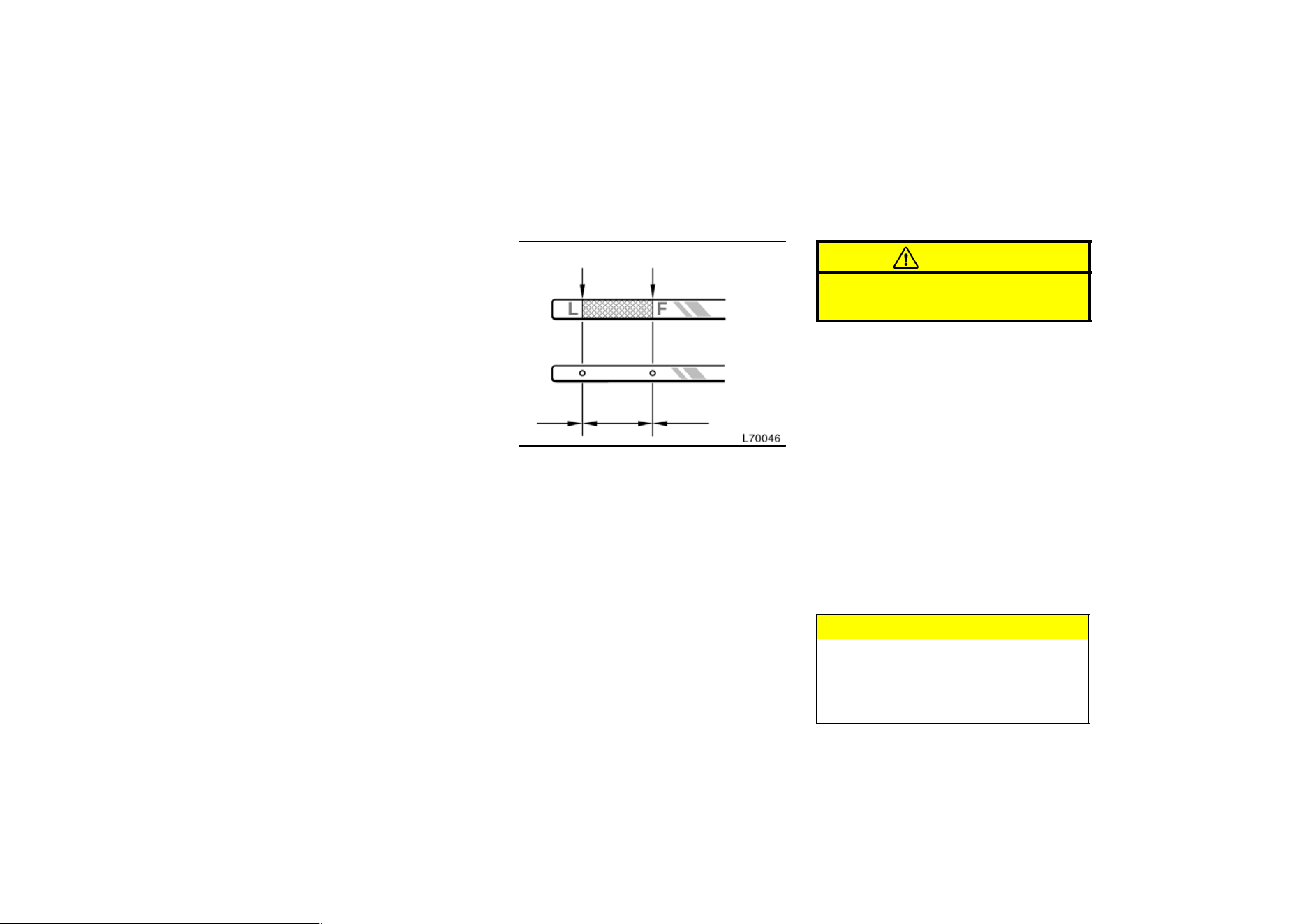
208
Part 7
DO−IT−YOURSELF
MAINTENANCE—
Chapter 7−2
Engine and Chassis
D Checking the engine oil level
D Checking the engine coolant
level
D Checking brake fluid
D Checking power steering fluid
D Checking tire pressure
D Checking and replacing tires
D Rotating tires
D Installing snow tires and chains
D Replacing wheels
D Aluminum wheel precautions
Checking the engine oil level
Low level Full level
Add oil O.K. Too full
Type A
Type B
With the engine at operating tempera-
ture and turned off, check the oil level
on the dipstick.
1. To get a true reading, the vehicle
should be on a level spot. After turning
off the engine, wait a few minutes for
the oil to drain back into the bottom of
the engine.
2. Pull out the dipstick, and wipe it clean
with a rag.
3. Reinsert the dipstick—push it in as far
as it will go, or the reading will not be
correct.
4. Pull the dipstick out and look at the oil
level on the end.
CAUTION
Be careful not to touch the hot ex-
haust manifold.
If the oil level is below or only slightly
above the low level line, add engine oil
of the same type as already in the en-
gine.
Remove the oil filler cap and add engine
oil in small quantities at a time, checking
the dipstick.
The approximate quantity of oil needed to
fill between the low level and the full level
on the dipstick is indicated below for ref-
erence.
When the level reaches within the correct
range, install the filler cap hand−tight.
Oil quantity, L (qt., lmp. qt.):
5S−FE engine 0.7 (0.7, 0.6)
1MZ−FE engine 1.5 (1.6, 1.3)
NOTICE
z Avoid overfilling, or the engine
could be damaged.
z Check the oil level on the dipstick
once again after adding the oil.
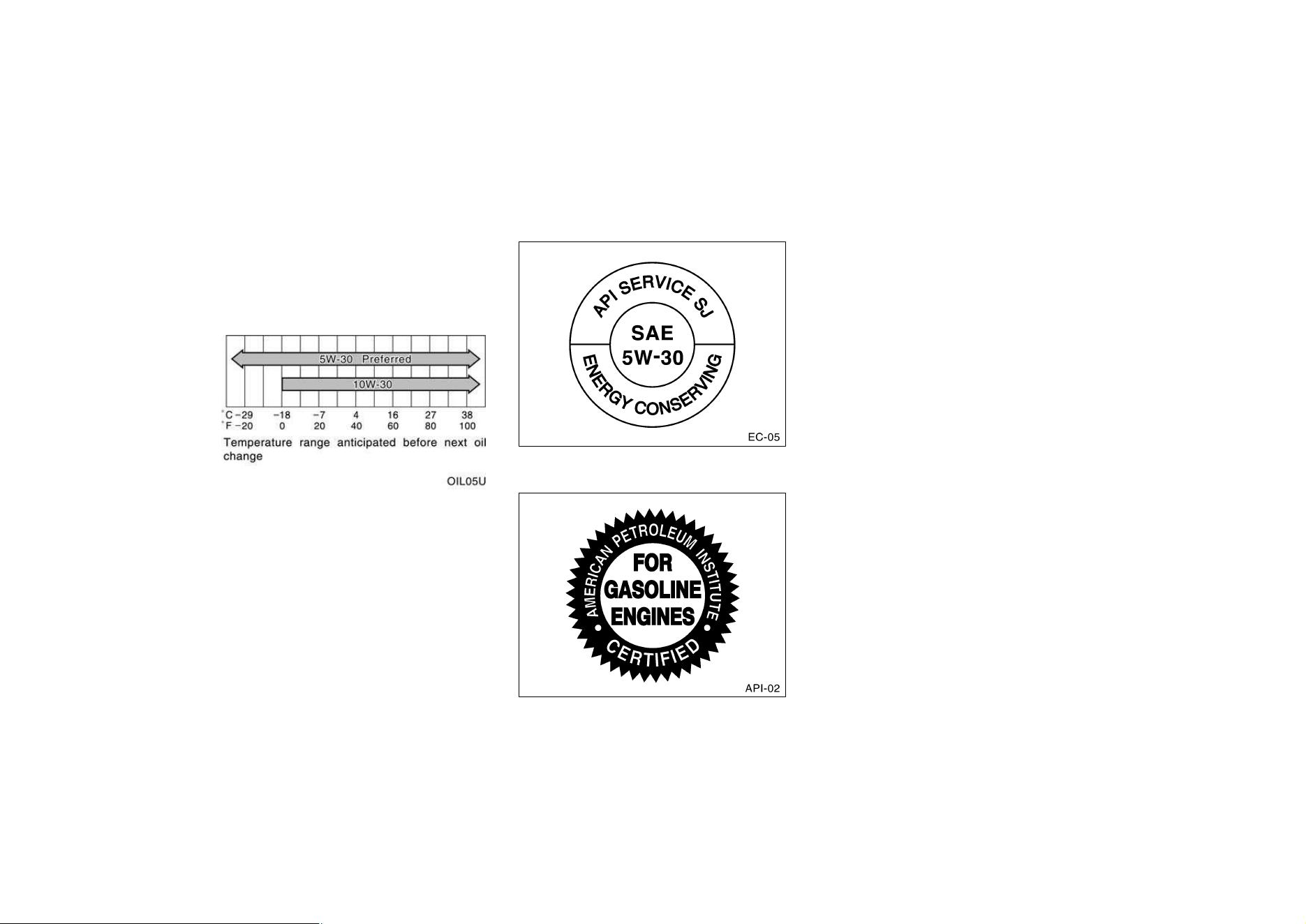
209
Engine oil selection
Use API grade SH, ”Energy−Conserving II”
or SJ, ”Energy−Conserving” multigrade
engine oil or ILSAC multigrade engine oil.
Recommended viscosity (SAE):
SAE 5W−30 is the best choice for your
vehicle, for good fuel economy, and
good starting in cold weather.
If you use SAE 10W−30 engine oil in
extremely low temperatures, the engine
may become difficult to start, so SAE
5W−30engine oil is recommended.
API service symbol
ILSAC certification mark
Oil identification marks
Either or both API registered marks are
added to some oil containers to help
you select the oil you should use.
The API Service Symbol is located any-
where on the outside of the container.
The top portion of the label shows the oil
quality by API (American Petroleum Insti-
tute) designations such as SJ. The center
portion of the label shows the SAE viscos-
ity grade such as SAE 5W−30. ”Energy−
Conserving” shown in the lower portion,
indicates that the oil has fuel−saving ca-
pabilities.
The ILSAC (International Lubricant Stan-
dardization and Approval Committee) Certi-
fication Mark is displayed on the front of
the container.
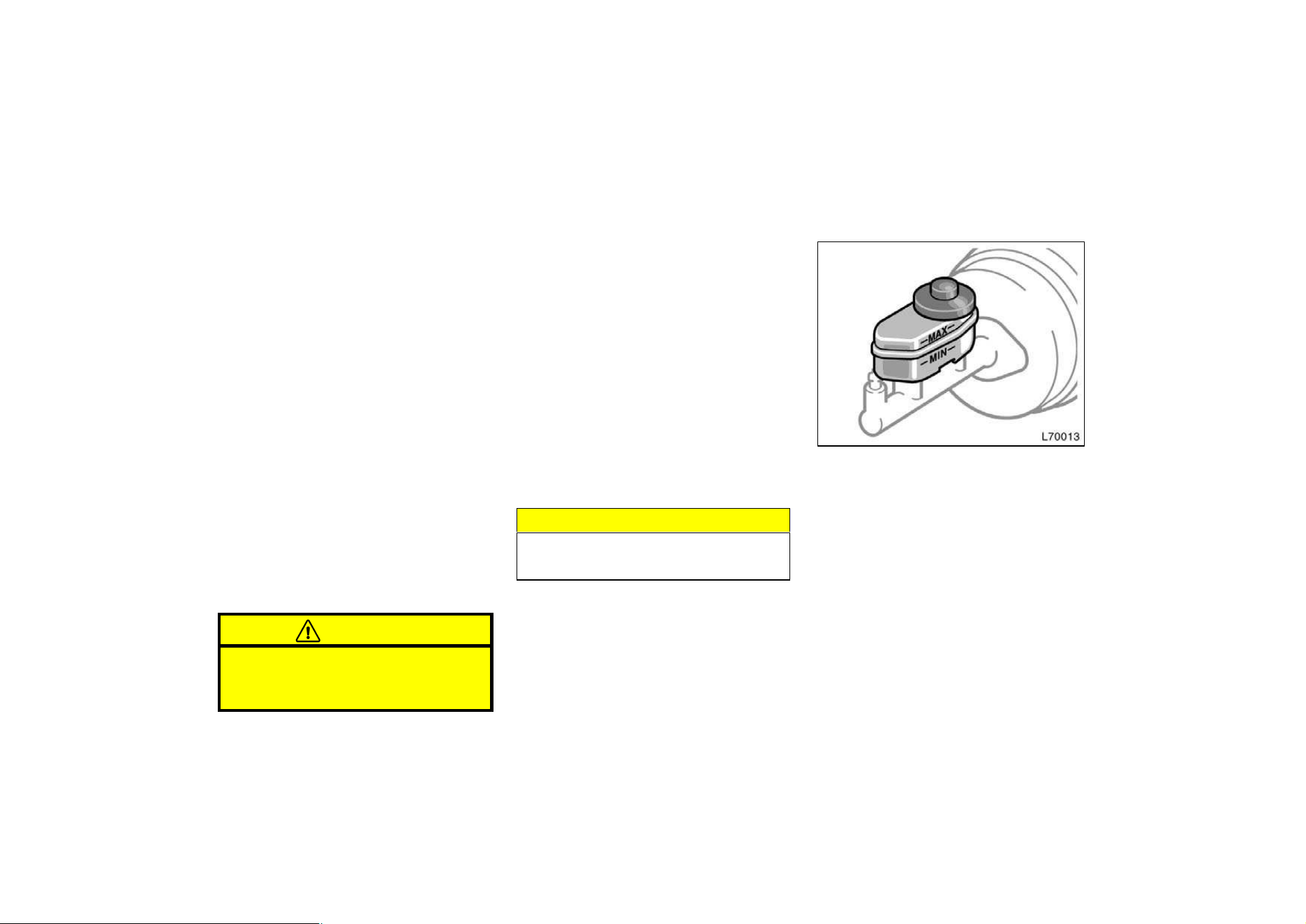
210
Look at the see−through coolant reser-
voir when the engine is cold. The cool-
ant level is satisfactory if it is between
the ”FULL” and ”LOW” lines on the
reservoir. If the level is low, add ethyl-
ene−glycol type coolant.
The coolant level in the reservoir will vary
with engine temperature. However, if the
level is on or below the ”LOW” line, add
coolant. Bring the level up to the ”FULL”
line.
Use only ethylene−glycol type coolant.
See information in the next column.
If the coolant level drops within a short
time after replenishing, there may be a
leak in the system. Visually check the
radiator, hoses, engine coolant filler cap,
radiator cap and drain cock and water
pump.
If you can find no leak, have your Toyota
dealer test the cap pressure and check
for leaks in the cooling system.
CAUTION
To prevent burning yourself, do not
remove the radiator cap when the en-
gine is hot.
Coolant type selection
Your coolant must contain ethylene−glycol
antifreeze. In addition to preventing freez-
ing and subsequent damage to the engine,
this will also prevent corrosion. Further
supplemental inhibitors or additives are
neither needed nor recommended.
Read the antifreeze container for informa-
tion on freeze protection. Follow the
manufacturer’s directions for how much to
mix with water. The total capacity of the
cooling system is given in Part 8. We
recommend 50 % solution be used for
your Toyota, or a sufficient quantity to
provide protection to about —35_C
(—31_F).
NOTICE
Do not use alcohol type antifreeze or
plain water alone.
Checking brake fluid
To check the fluid level, simply look at
the see−through reservoir. The level
should be between the ”MAX” and
”MIN” lines on the reservoir.
It is normal for the brake fluid level to go
down slightly as the brake pads wear. So
be sure to keep the reservoir filled.
If the reservoir needs frequent refilling, it
may indicate a serious mechanical prob-
lem.
If the level is low, add SAE J1703 or
FMVSS No. 116 DOT 3 brake fluid to
the brake reservoir.
Remove and replace the reservoir cover
by hand.
Checking the engine coolant
level
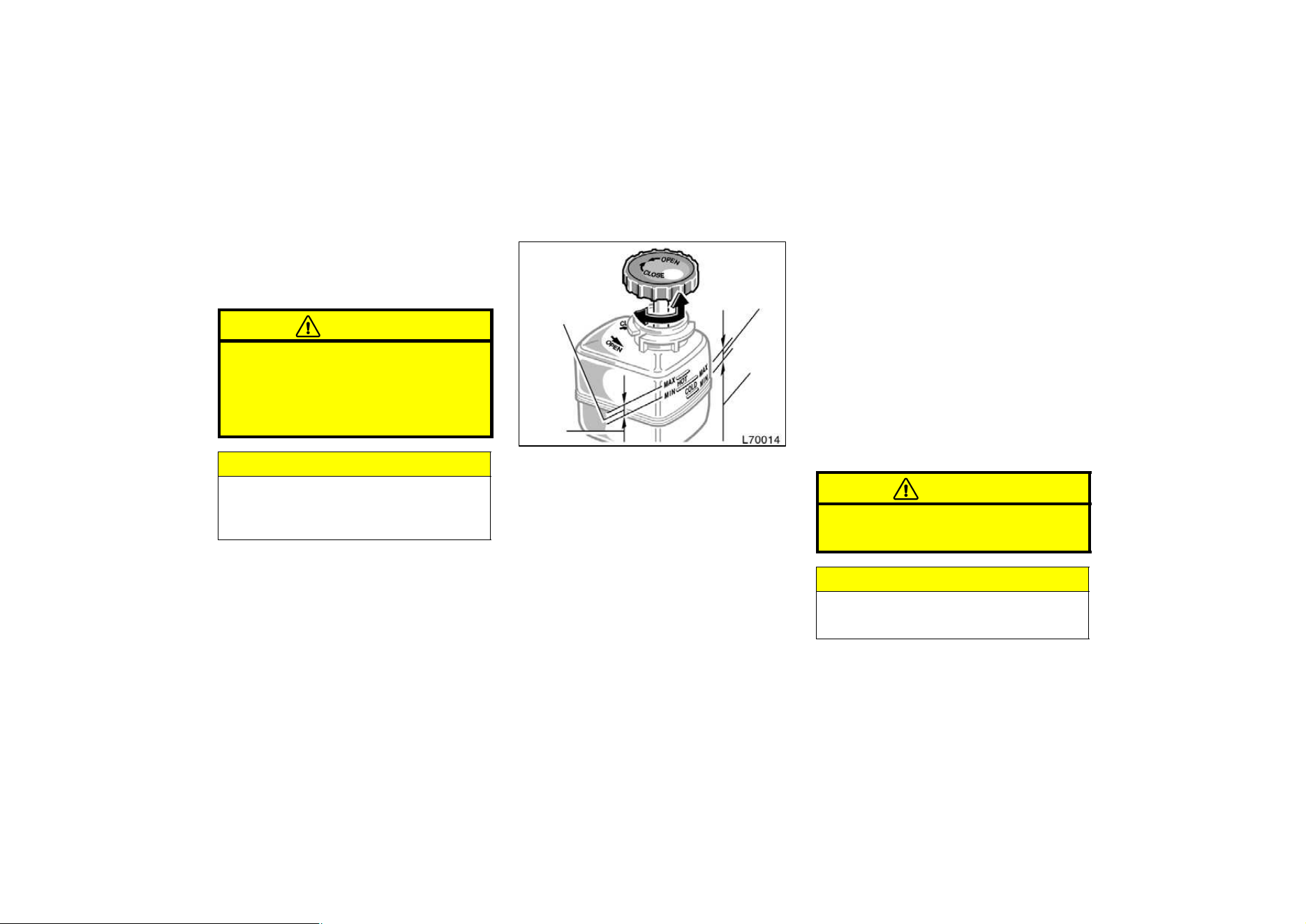
211
Use only newly opened brake fluid. Once
opened, brake fluid absorbs moisture from
the air, and excess moisture can cause a
dangerous loss of braking.
CAUTION
Take care when filling the reservoir
because brake fluid can harm your
eyes and damage painted surfaces. If
fluid gets in your eyes, flush your
eyes with clean water.
NOTICE
If you spill some of the fluid, be sure
to wash it off with water to prevent
it from damaging the parts or paint.
Checking power steering fluid
Close
Open
If hot
O.K.
If cold
O.K.
If hot
add
If cold
add
Check the fluid level through the reser-
voir. If necessary, add automatic trans-
mission fluid DEXRONrII or III.
If the vehicle has been driven around 80
km/h (50 mph) for 20 minutes (a little
more in frigid temperatures), the fluid is
hot (60_C—80_C or 140_F—175_F). You
may also check the level when the fluid
is cold (about room temperature,
10_C—30_C or 50_F—85_F) if the engine
has not been run for about five hours.
Clean all dirt from outside of the reservoir
tank and look at the fluid level. If the fluid
is cold, the level should be in the ”COLD”
range. Similarly, if it is hot, the fluid level
should be in the ”HOT” range. If the level
is at the low side of either range, add
automatic transmission fluid DEXRONrII
or III to bring the level within the range.
To remove the filler cap, turn it counter-
clockwise and lift up. To reinstall it, turn
it clockwise. After replacing the filler
cap,visually check the steering box case,
vane pump and hose connections for
leaks or damage.
CAUTION
The reservoir tank may be hot so be
careful not to burn yourself.
NOTICE
Avoid overfilling, or the power steer-
ing could be damaged.
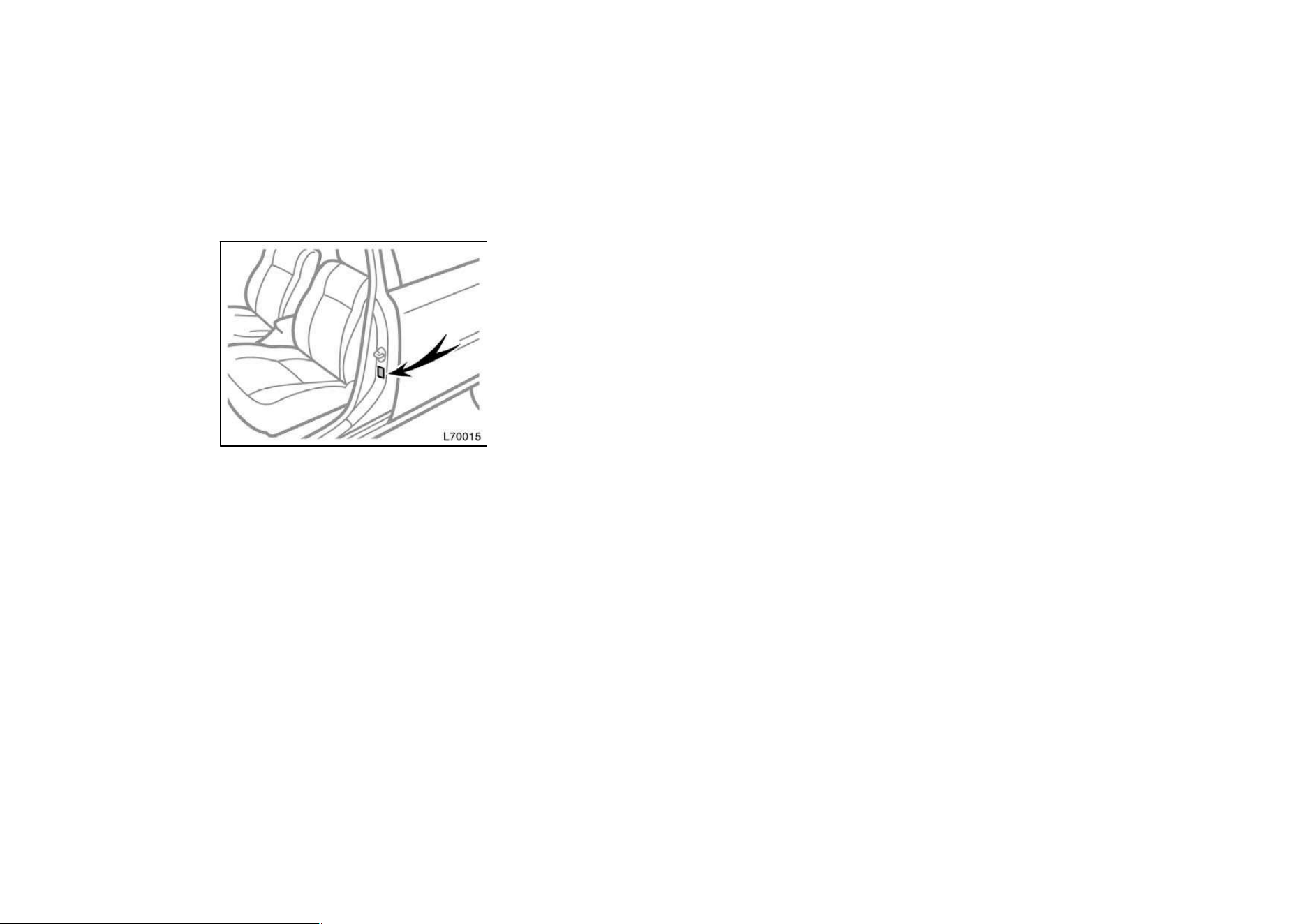
212
Checking tire pressure
Keep your tire pressures at the proper
level.
The recommended cold tire pressures, tire
size and the vehicle capacity weight are
given in Part 8. They are also on the tire
pressure label as shown.
You should check the tire pressures every
two weeks, or at least once a month. And
don’t forget the spare!
Incorrect tire pressure can reduce tire
life and make your vehicle less safe to
drive.
Low tire pressure results in excessive
wear, poor handling, reduced fuel econo-
my, and the possibility of blowouts from
overheated tires. Also, low tire pressure
can cause poor sealing of the tire bead.
If the tire pressure is excessively low,
there is the possibility of wheel deforma-
tion and/or tire separation.
High tire pressure produces a harsh ride,
handling problems,excessive wear at the
center of the tire tread, and a greater
possibility of tire damage from road haz-
ards.
If a tire frequently needs refilling, have it
checked by your Toyota dealer.
The following instructions for checking
tire pressure should be observed:
D The pressure should be checked only
when the tires are cold. If your ve-
hicle has been parked for at least 3
hours and has not been driven for
more than 1.5 km or 1 mile since, you
will get an accurate cold tire pressure
reading.
D Always use a tire pressure gauge.
The appearance of a tire can be mis-
leading. Besides, tire pressures that
are even just a few pounds off can
degrade handling and ride.
D Take special care when adding air to
the compact spare tire. The smaller
tire size can gain pressure very quick-
ly. Add compressed air in small quanti-
ties and check the pressure often until
it reaches the specified pressure.
D Do not bleed or reduce tire pressure
after driving. It is normal for the tire
pressure to be higher after driving.
D Never exceed the vehicle capacity
weight. The passenger and luggage
weight should be located so that the
vehicle is balanced.
D Be sure to reinstall the tire inflation
valve caps. Without the valve caps,
dirt or moisture could get into the valve
core and cause air leakage. If the caps
have been lost, have new ones put on
as soon as possible.
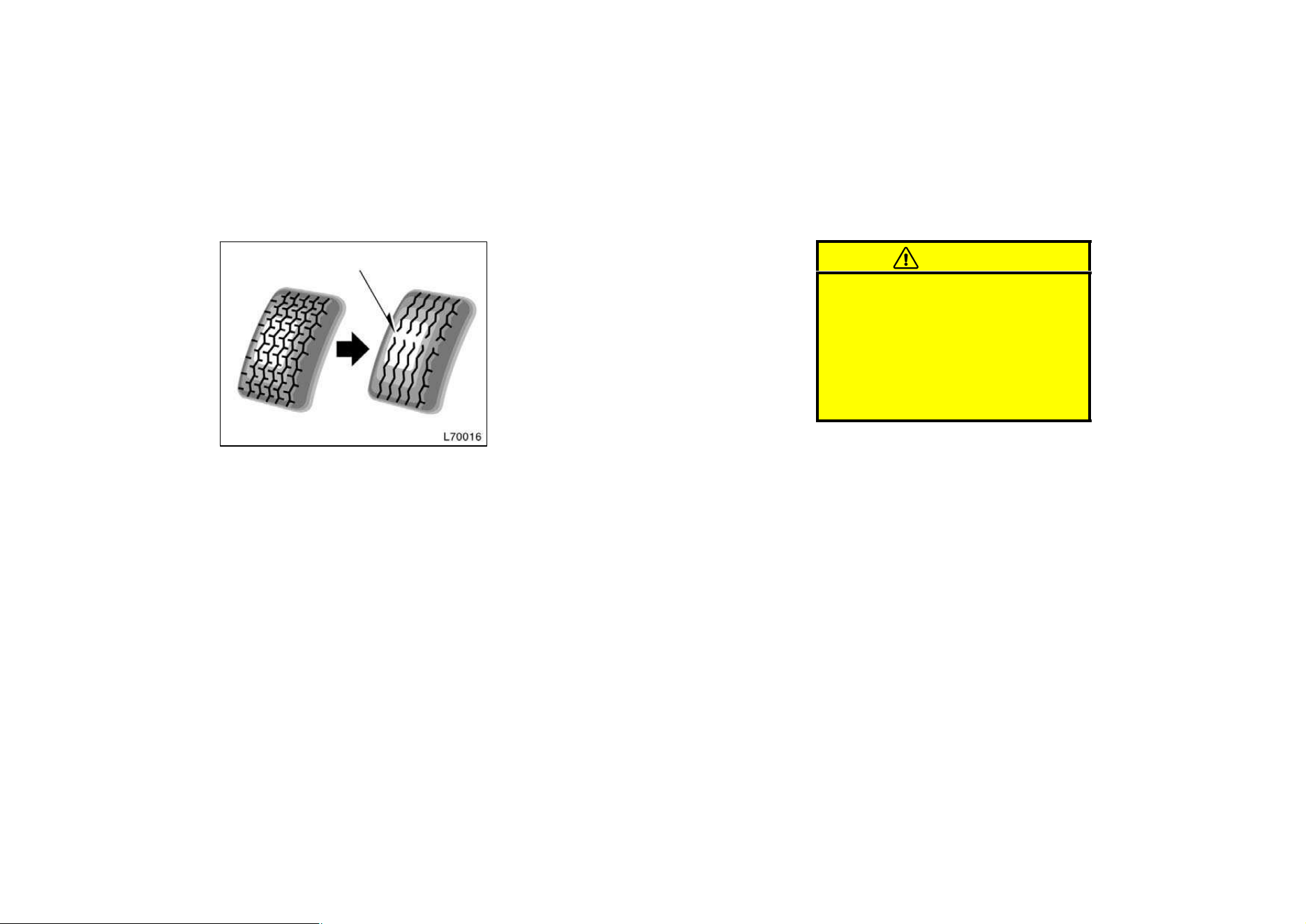
213
Checking and replacing tires
Tread wear indicator
CHECKING YOUR TIRES
Check the tires tread for the tread wear
indicators. If the indicators show, re-
place the tires.
The tires on your Toyota have built−in
tread wear indicators to help you know
when the tires need replacement. When
the tread depth wears to 1.6 mm (0.06
in.) or less, the indicators will appear. If
you can see the indicators in two or more
adjacent grooves, the tire should be re-
placed. The lower the tread, the higher
the risk of skidding.
The effectiveness of snow tires is lost
if the tread wears down below 4 mm
(0.16 in.).
Check the tires regularly for damage
such as cuts, splits and cracks. If any
damage is found, consult with a techni-
cian and have the tire repaired or re-
placed.
Even if the damage does not appear seri-
ous, a qualified technician should examine
the damage. Objects which have pene-
trated the tire may have caused internal
damage.
Any tires which are over six years old
must be checked by a qualified techni-
cian even if damage is not obvious.
Tires deteriorate with age even if they
have never or seldom been used.
This applies also to the spare tire and
tires stored for future use.
REPLACING YOUR TIRES
When replacing a tire, use only the
same size and construction as original-
ly installed and with the same or great-
er load capacity.
Using any other size or type of tire may
seriously affect handling, ride, speedome-
ter/odometer calibration, ground clearance,
and clearance between the body and tires
or snow chains.
CAUTION
D Do not mix radial, bias belted, or
bias−ply tires on your vehicle. It
can cause dangerous handling char-
acteristics, resulting in loss of con-
trol.
D Do not use tires or wheels other
than the manufacturer’s recom-
mended size.
Toyota recommends all four tires, or at
least both of the front or rear tires be
replaced at a time as a set.
See ”If you have a flat tire” in Part 4 for
tire change procedure.
When a tire is replaced, the wheel
should always be balanced.
An unbalanced wheel may affect vehicle
handling and tire life. Wheels can get out
of balance with regular use and should
therefore be balanced occasionally.
When replacing a tubeless tire, the air
valve should also be replaced with a
new one.
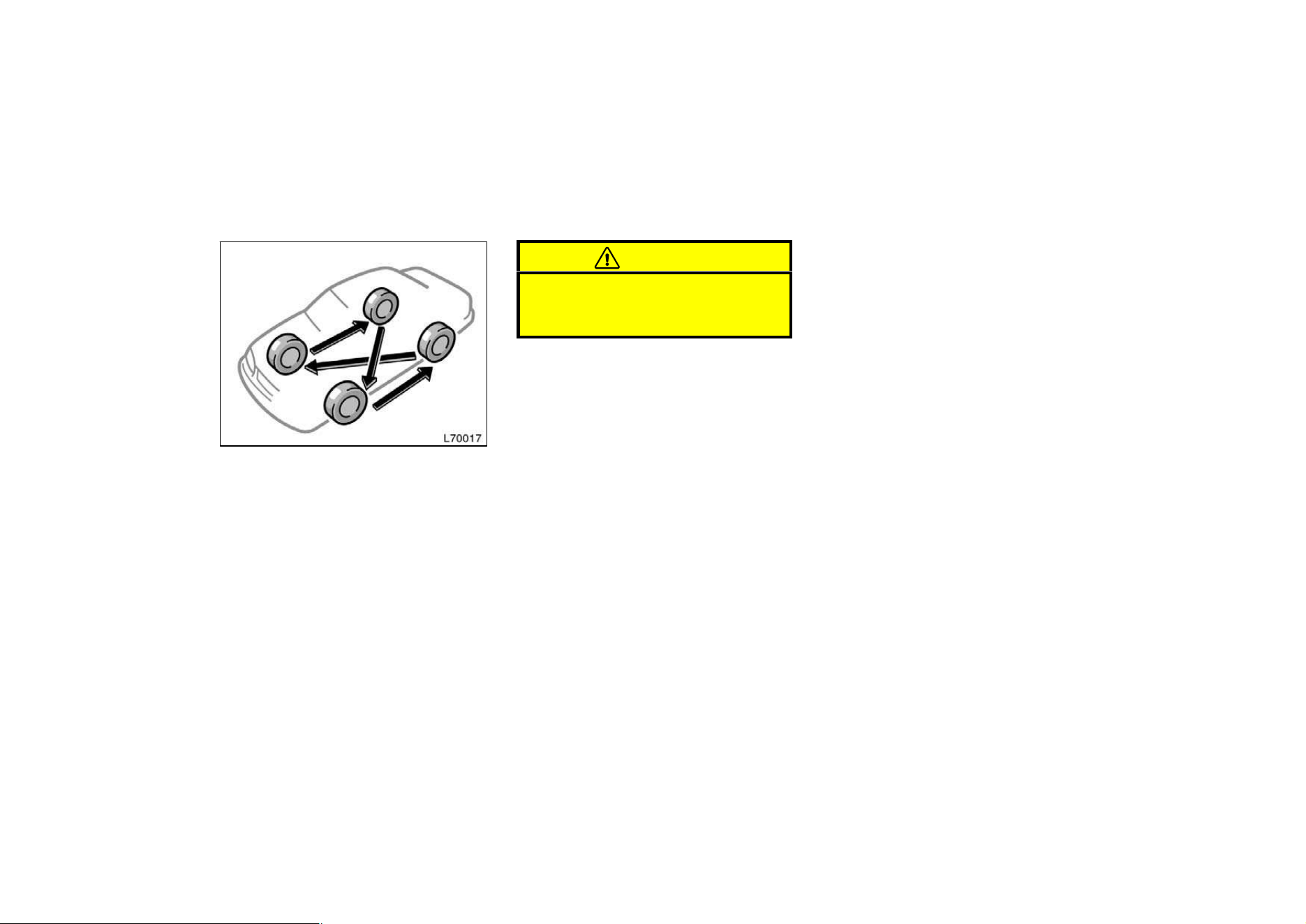
214
Rotating tires
To equalize the wear and help extend
tire life, Toyota recommends that you
rotate your tires approximately every
12000 km (7500 miles). However, the
most appropriate timing for tire rotation
may vary according to your driving hab-
its and road surface conditions.
See ”If you have a flat tire” in Part 4 for
tire change procedure.
When rotating tires, check for uneven
wear and damage. Abnormal wear is usu-
ally caused by incorrect tire pressure, im-
proper wheel alignment, out−of−balance
wheels, or severe braking.
CAUTION
Do not include a compact spare tire
when rotating the tires. It is designed
for temporary use only.
WHEN TO USE SNOW TIRES OR
CHAINS
Snow tires or chains are recommended
when driving on snow or ice.
On wet or dry roads, conventional tires
provide better traction than snow tires.
SNOW TIRE SELECTION
If you need snow tires, select the same
size, construction and load capacity as
the original tires on your Toyota.
Do not use tires other than those men-
tioned above. Do not install studded tires
without first checking local regulations for
possible restrictions.
SNOW TIRE INSTALLATION
Snow tires should be installed on all
wheels.
Installing snow tires on the front wheels
only can lead to an excessive difference
in road grip capability between the front
and rear tires which could cause loss of
vehicle control.
When storing removed tires you should
store them in a cool dry place. Mark the
direction of rotation and be sure to install
them in the same direction when replac-
ing.
Installing snow tires and
chains
215
CAUTION
D Do not drive with the snow tires
incorrectly inflated.
D Never drive over 120 km/h (75 mph)
with any type of snow tires.
TIRE CHAIN SELECTION
Use the tire chains of correct size and
type.
Use SAE Class ”S” type radial tire chains
except radial cable chains or V−bar type
chains.
Regulations regarding the use of tire
chains vary according to location or
type of road, so always check them
before installing chains.
CHAIN INSTALLATION
Install the chains on the front tires as
tightly as possible. Do not use tire
chains on the rear tires. Retighten
chains after driving 0.5—1.0 km
(1/4—1/2 mile).
When installing chains on your tires, care-
fully follow the instructions of the chain
manufacturer.
If wheel covers are used, they will be
scratched by the chain band,so remove
the covers before putting on the chains.
CAUTION
D Do not exceed 50 km/h (30 mph) or
the chain manufacturer’s recom-
mended speed limit, whichever is
lower.
D Drive carefully avoiding bumps,
holes, and sharp turns, which may
cause the vehicle to bounce.
D Avoid sharp turns or locked−wheel
braking, as use of chains may ad-
versely affect vehicle handling.
NOTICE
Do not attempt to use a tire chain on
the compact spare tire, as it may re-
sult in damage to the vehicle as well
as the tire.
Replacing wheels
WHEN TO REPLACE YOUR WHEELS
If you have wheel damage such as
bending, cracks or heavy corrosion, the
wheel should be replaced.
If you fail to replace damaged wheels, the
tire may slip off the wheel or they may
cause loss of handling control.
WHEEL SELECTION
When replacing wheels, care should be
taken to ensure that the wheels are re-
placed by ones with the same load ca-
pacity, diameter, rim width, and offset.
This must be observed on compact spare
tires, too.
Correct replacement wheels are available
at your Toyota dealer.
A wheel of a different size or type may
adversely affect handling, wheel and bear-
ing life, brake cooling, speedometer/odom-
eter calibration, stopping ability, headlight
aim, bumper height, vehicle ground clear-
ance, and tire or snow chain clearance to
the body and chassis.

216
Replacement with used wheels is not rec-
ommended as they may have been sub-
jected to rough treatment or high mileage
and could fail without warning. Also, bent
wheels which have been straightened may
have structural damage and therefore
should not be used. Never use an inner
tube in a leaking wheel which is designed
for a tubeless tire.
Aluminum wheel precautions
D After driving your vehicle the first 1600
km (1000 miles), check that the wheel
nuts are tight.
D If you have rotated, repaired, or
changed your tires, check that the
wheel nuts are still tight after driving
1600 km (1000 miles).
D When using tire chains, be careful not
to damage the aluminum wheels.
D Use only the Toyota wheel nuts and
wrench designed for your aluminum
wheels.
D When balancing your wheels, use only
Toyota balance weights or equivalent
and a plastic or rubber hammer.
D As with any wheel, periodically check
your aluminum wheels for damage. If
damaged, replace immediately.

217
218
Part 7
DO−IT−YOURSELF
MAINTENANCE—
Chapter 7−3
Electrical components
D Checking battery condition
D Battery recharging precautions
D Checking and replacing fuses
D Adding washer fluid
D Replacing light bulbs
CAUTION
BATTERY PRECAUTIONS
The battery produces flammable and
explosive hydrogen gas.
D Do not cause a spark from the bat-
tery with tools.
D Do not smoke or light a match near
the battery.
The electrolyte contains poisonous
and corrosive sulfuric acid.
D Avoid contact with eyes, skin or
clothes.
D Never ingest electrolyte.
D Wear protective safety glasses when
working near the battery.
D Keep children away from the bat-
tery.
EMERGENCY MEASURES
D If electrolyte gets in your eyes,
flush your eyes with clean water
immediatly and get immediate medi-
cal attention. If possible, continue
to apply water with a sponge or
cloth while en route to the medical
office.
D If electrolyte gets on your skin,
thoroughly wash the contact area. If
you feel pain or burning, get medi-
cal attention immediately.
D If electrolyte gets on your clothes,
there is a possibility of its soaking
through to your skin, so immediate-
ly take off the exposed clothing and
follow the procedure above, if nec-
essary.
D If you happen to swallow electro-
lyte, drink a large quantity of water
or milk. Follow with milk of magne-
sia, beaten raw egg or vegetable
oil. Then go immediately for emer-
gency help.
Checking battery condition—
—Precautions
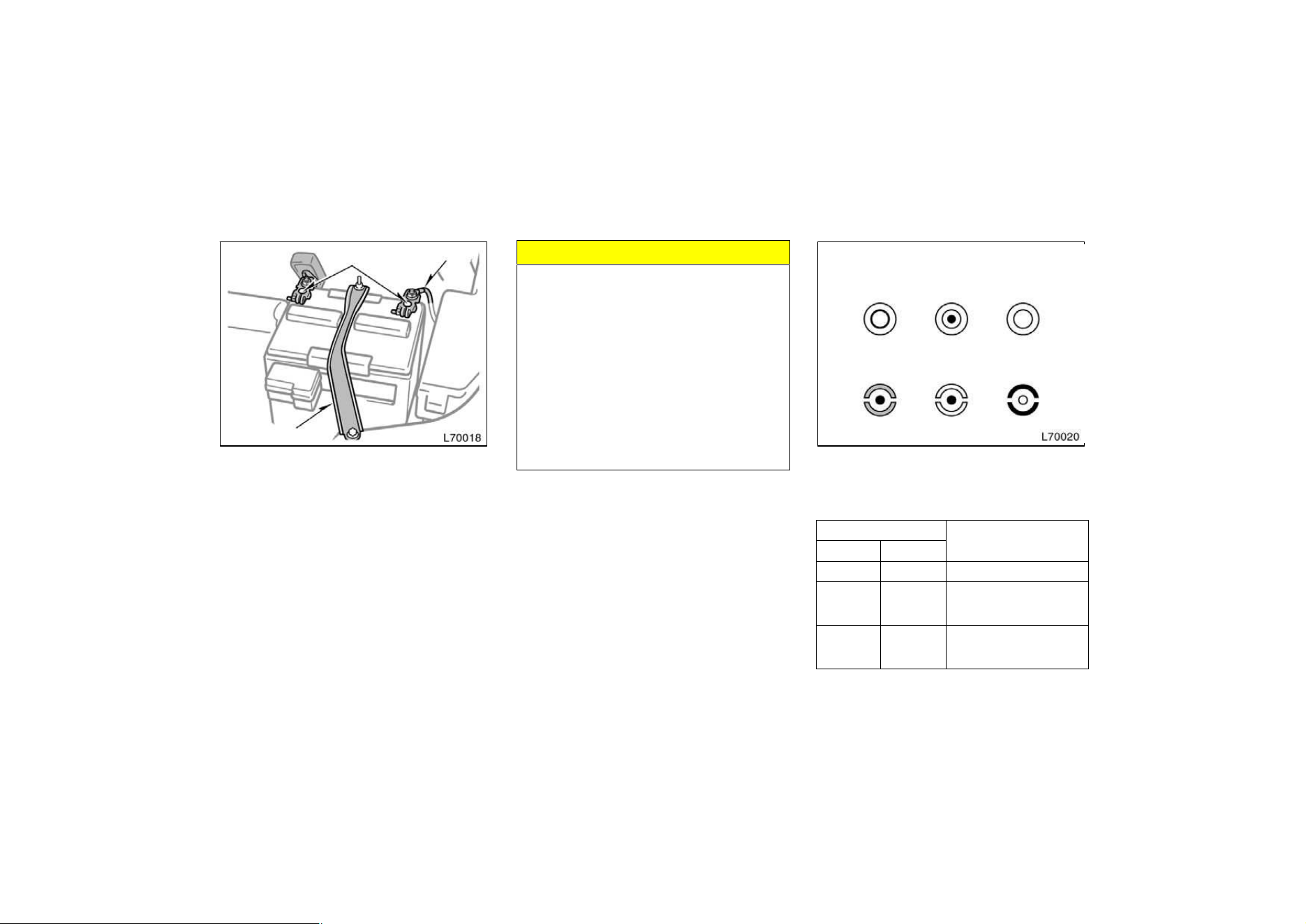
219
—Checking battery exterior
Terminals
Ground cable
Hold−down clamp
Check the battery for corroded or loose
terminal connections, cracks, or loose
hold−down clamp.
a. If the battery is corroded, wash it off
with a solution of warm water and bak-
ing soda. Coat the outside of the termi-
nals with grease to prevent further cor-
rosion.
b. If the terminal connections are loose,
tighten their clamp nuts—but do not
overtighten.
c. Tighten the hold−down clamp only
enough to keep the battery firmly in
place. Overtightening may damage the
battery case.
NOTICE
z Be sure the engine and all accesso-
ries are off before performing main-
tenance.
z When checking the battery, remove
the ground cable from the negative
terminal (”—” mark) first and rein-
stall it last.
z Be careful not to cause a short cir-
cuit with tools.
z Take care no solution gets into the
battery when washing it.
—Checking battery fluid
Type A
Type B
Green Dark
Clear or light
yellow
Blue White Red
CHECKING BY THE HYDROMETER
Check the battery condition by the
hydrometer color.
Hydrometer color
Condition
Type A Type B
GREEN BLUE Good
DARK WHITE
Charging necessary. Have
battery checked by your
Toyota dealer.
CLEAR or
LIGHT
YELLOW
RED
Have battery checked by
your Toyota dealer.
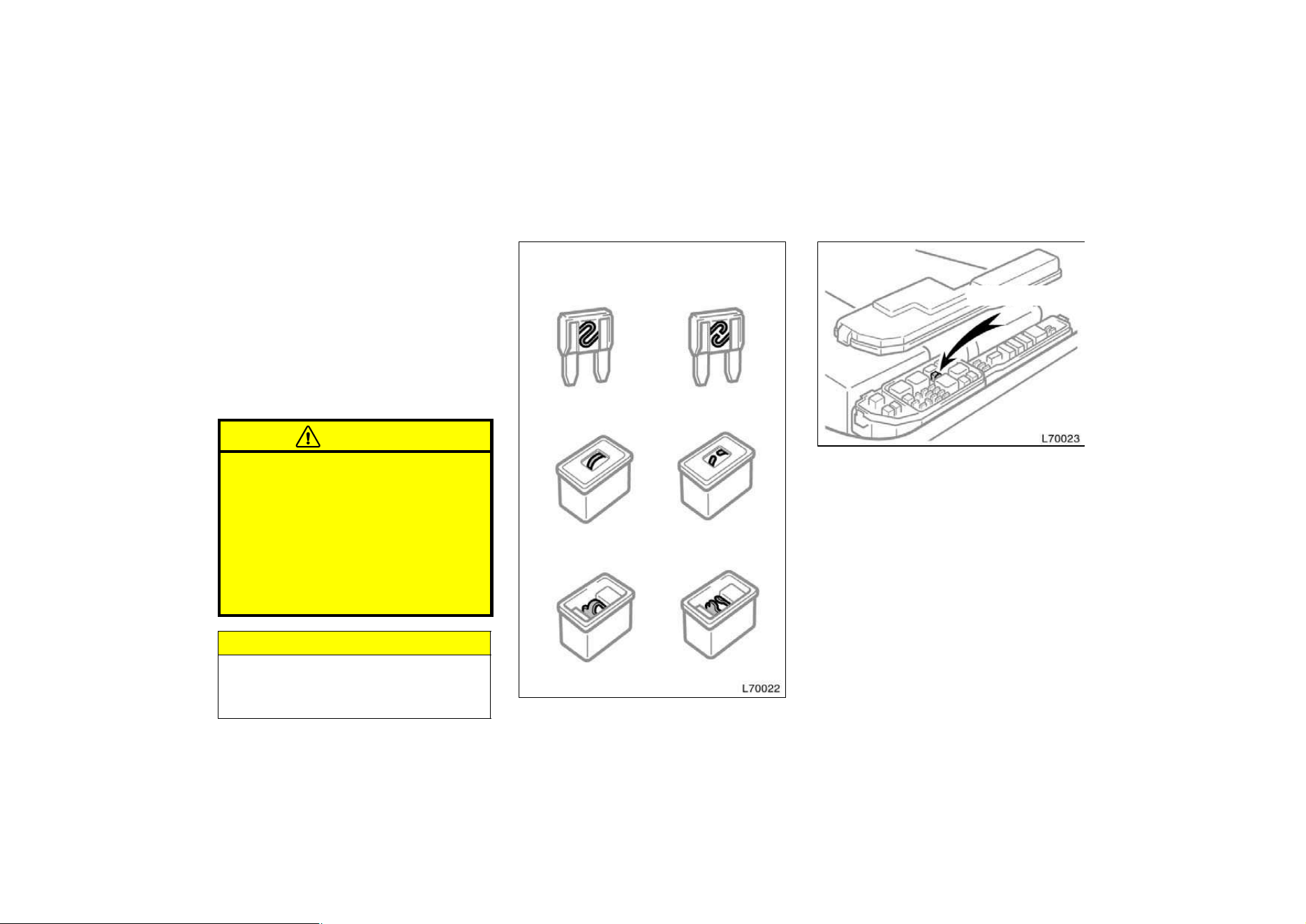
220
Battery recharging precautions
During recharging, the battery is pro-
ducing hydrogen gas.
Therefore, before recharging:
1. If recharging with the battery installed
on the vehicle, be sure to disconnect
the ground cable.
2. Be sure the power switch on the re-
charger is off when connecting the
charger cables to the battery and when
disconnecting them.
CAUTION
D Always charge the battery in an un-
confined area. Do not charge the
battery in a garage or closed room
where there is not sufficient ventila-
tion.
D Only do a slow charge (5A or less).
Charging at a quicker rate is dan-
gerous. The battery may explode,
causing personal injuries.
NOTICE
Never recharge the battery while the
engine is running. Also, be sure all
accessories are turned off.
Checking and replacing fuses
Type A
Type B
Type C
Good Blown
Good Blown
Good Blown
Pull−out tool
If the headlights or other electrical
components do not work, check the
fuses. If any of the fuses are blown,
they must be replaced.
See ”Fuse locations” in Chapter 7−1 for
locations of the fuses.
Turn the ignition switch and inoperative
component off. Pull a suspected fuse
straight out and check it.
Determine which fuse may be causing the
problem. The lid of the fuse box shows
the name of the circuit for each fuse. See
Part 8 of this manual for the functions
controlled by each circuit.
221
Types A and B fuses can be pulled out
by the pull−out tool. The location of the
pull−out tool is shown in the illustration.
If you are not sure whether the fuse has
blown, try replacing the suspected fuse
with one that you know is good.
If the fuse has blown, push a new fuse
into the clip.
Only install a fuse with the amperage rat-
ing designated on the fuse box lid.
If you do not have a spare fuse, in an
emergency you can pull out the
”MIRROR−HEATER”, ”DOME” or ”A/C”
fuse, which may be dispensable for
normal driving, and use it if its amperage
rating is the same.
If you cannot use one of the same amper-
age, use one that is lower,but as close as
possible to, the rating. If the amperage is
lower than that specified, the fuse might
blow out again but this does not indicate
anything wrong. Be sure to get the correct
fuse as soon as possible and return the
substitute to its original clip.
It is a good idea to purchase a set of
spare fuses and keep them in your ve-
hicle for emergencies.
If the new fuse immediately blows out,
there is a problem with the electrical sys-
tem. Have your Toyota dealer correct it as
soon as possible.
CAUTION
Never use a fuse with a higher am-
perage rating, or any other object, in
place of a fuse. This may cause ex-
tensive damage and possibly a fire.
Adding washer fluid
If any washer does not work or low
windshield washer fluid level warning
light comes on, the washer tank may be
empty. Add washer fluid.
You may use plain water as washer fluid.
However, in cold areas where tempera-
tures range below freezing point, use
washer fluid containing antifreeze. This
product is available at your Toyota dealer
and most auto parts stores. Follow the
manufacturer’s directions for how much to
mix with water.
NOTICE
Do not use engine antifreeze or any
other substitute because it may dam-
age your vehicle’s paint.
222
Replacing light bulbs—
The following illustrations show how to
gain access to the bulbs. When replacing
a bulb, make sure the ignition switch and
light switch are off. Use bulbs with the
wattage ratings given in the table.
CAUTION
Halogen bulbs have pressurized gas
inside and require special handling.
They can burst or shatter if scratched
or dropped. Hold a bulb only by its
plastic or metal case. Do not touch
the glass part of a bulb with bare
hands.
NOTICE
Only use a bulb of the listed type.
Light bulbs
Bulb
No.
W Type
Headlights HB2 60/55 A
Parking, front side
marker and front
turn signal lights
— 27/8 B
Rear side marker
lights
194 3.8 C
Rear turn signal
lights
3156 27 C
Stop and tail lights 3157 27/8 C
Tail light 904 9.3 C
Back−up lights 921 18 C
License plate lights — 5 C
High mounted
stop light
21CP 18 C
Personal light — 10 B
Interior light — 10 D
Vanity lights — 3 D
Glovebox light — 1.2 C
Trunk light — 3.8 C
A: HB2 halogen bulbs
B: Single end bulbs
C: Wedge base bulbs
D: Double end bulbs
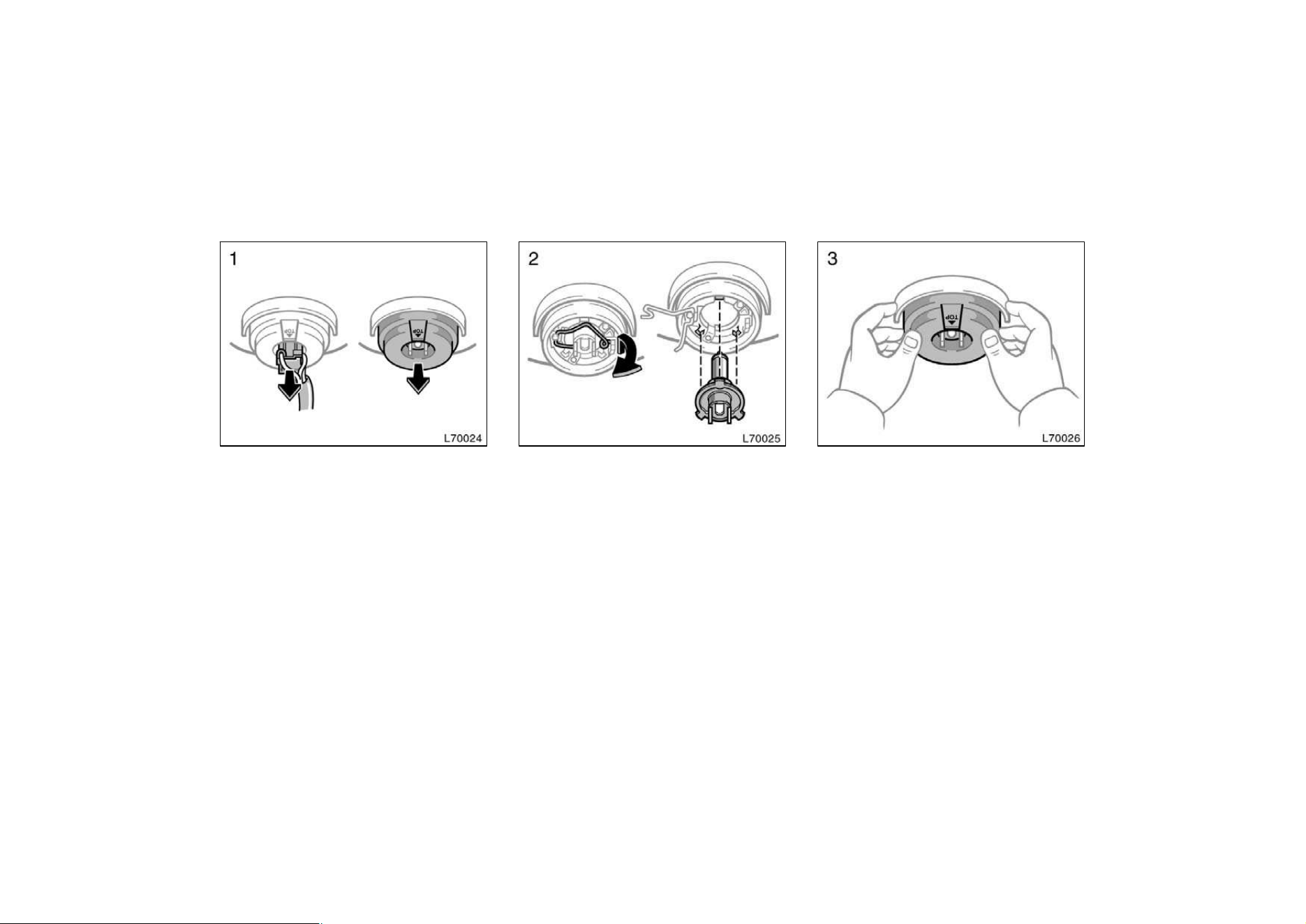
223
—Headlights
1. Open the hood. Unplug the connec-
tor. Remove the rubber cover.
If the connector is tight, wiggle it.
2. Release the bulb retaining spring
and remove the bulb. Install a new
bulb and the bulb retaining spring.
To install a bulb, align the tabs of the
bulb with the cutouts of the mounting
hole.
3. Install the rubber cover with the
”TOP” mark upward, and snuggle on
the boss. Insert the connector. Then
install the plastic cover.
Make sure the rubber cover fits snugly on
the connector and the headlight body.
Aiming is not necessary after replacing
the bulb. When aiming adjustment is nec-
essary, contact your Toyota dealer.
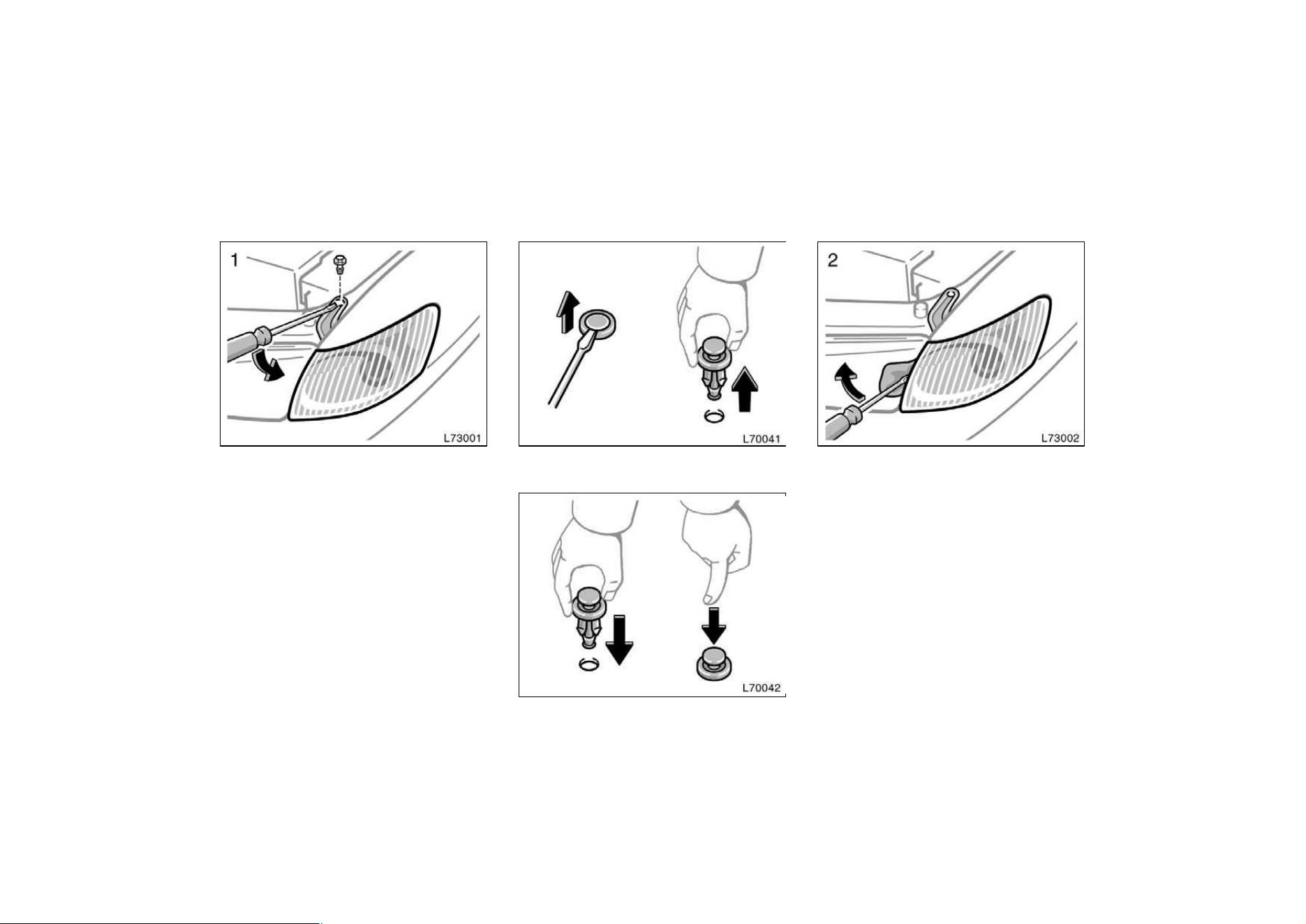
224
Use a flat−bladed screwdriver. Remove
and install the cover clips as shown in
the following illustrations.
Removing cover clips
Installing cover clips
Use a flat−bladed screw driver. To protect
the surface, place several sheets of paper
over the surface.
—Parking, front side marker
and front turn signal lights
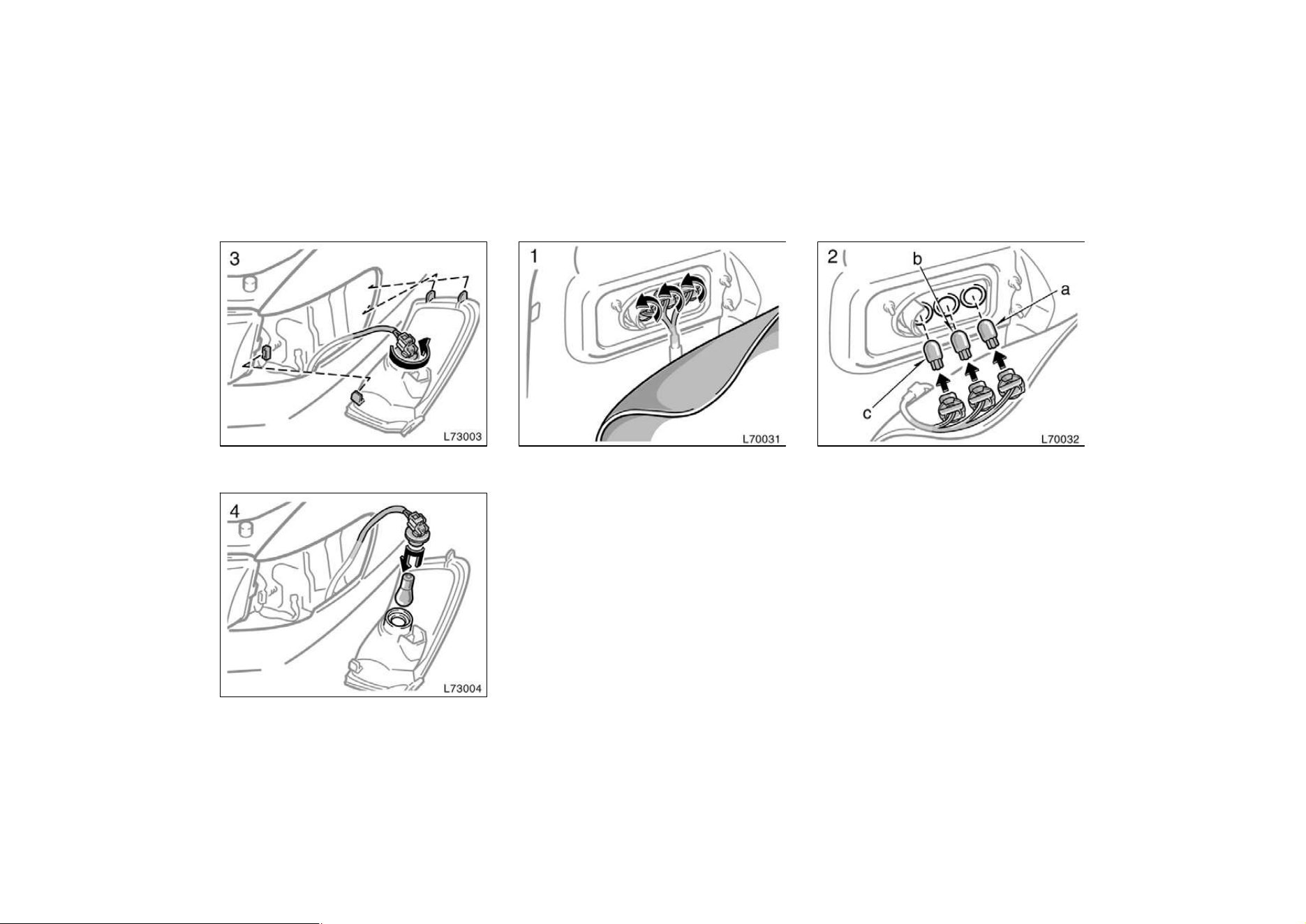
225
a: Rear side marker light
b: Rear turn signal light
c: Stop and tail light
—Rear side maker, rear turn
signal, stop and tail lights
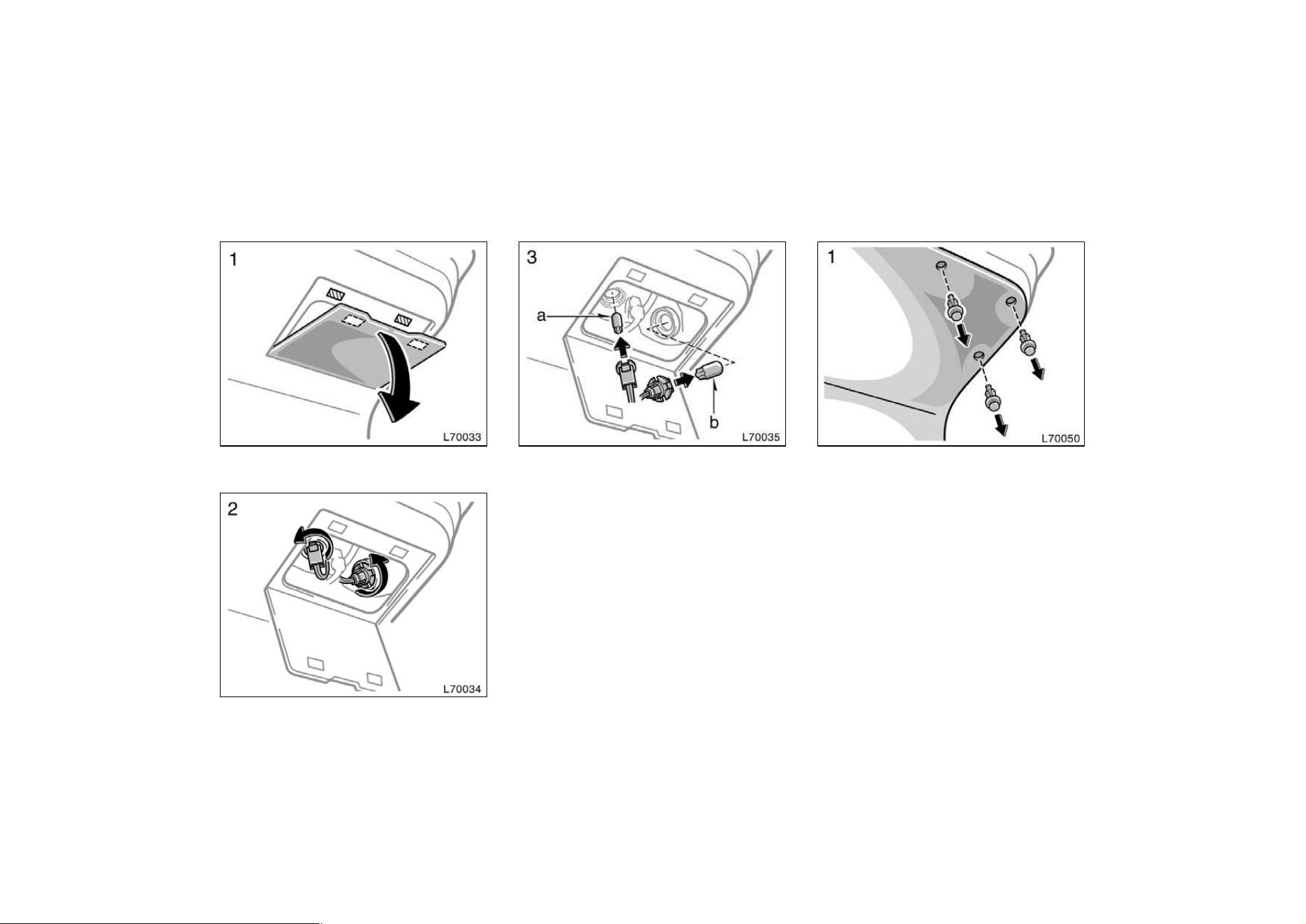
226
a: Back−up light
b: Tail light
Use a flat−bladed screwdriver. Remove
and install the cover clips as shown in
the following illustrations.
—Back−up and tail lights
(type A)
—Back−up and tail lights
(type B)
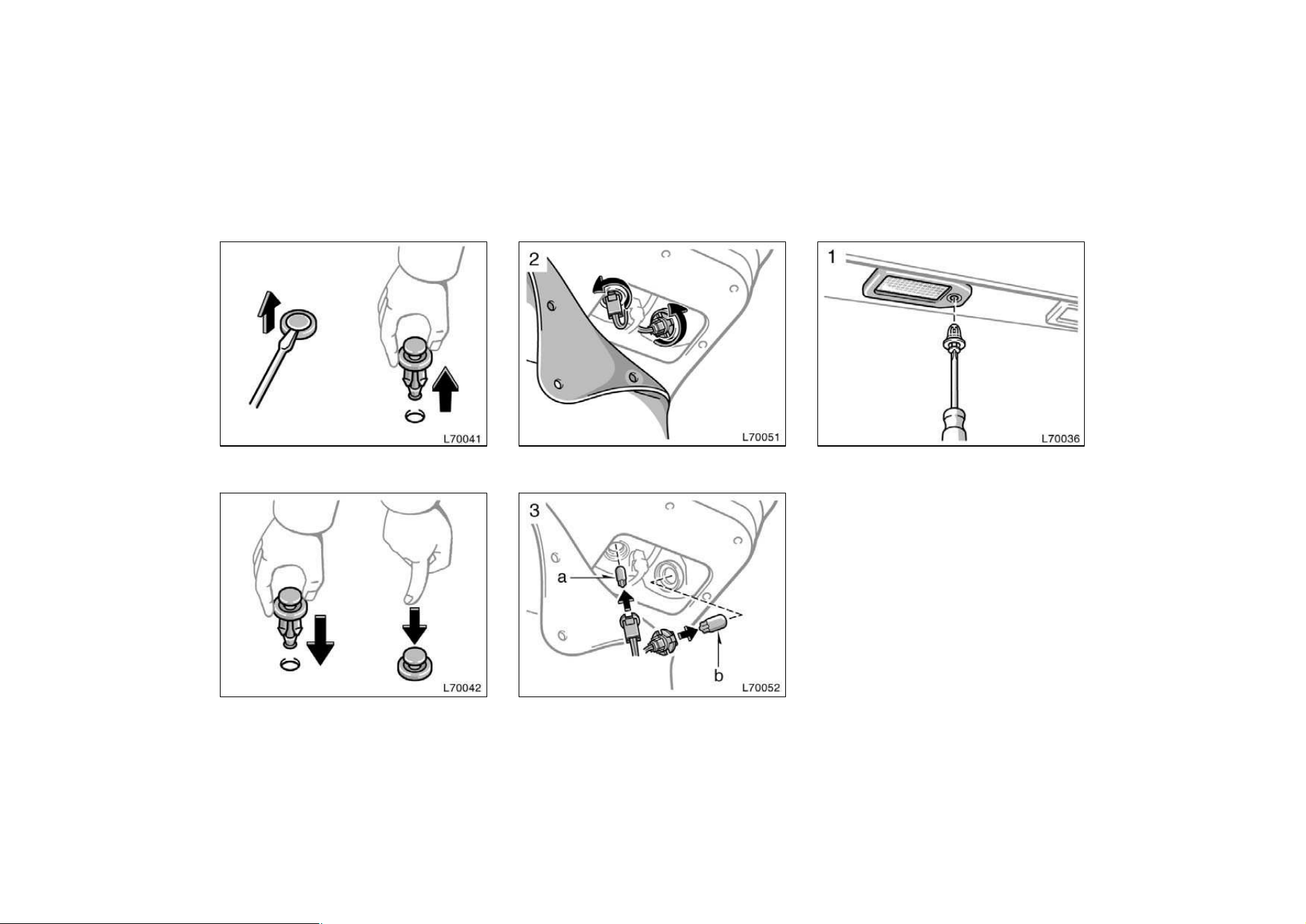
227
Removing the cover clips
Installing the cover clips a: Back−up light
b: Tail light
Use a phillips−head screw driver. Remove
and install the cover clips as shown in
the following illustrations.
—License plate lights
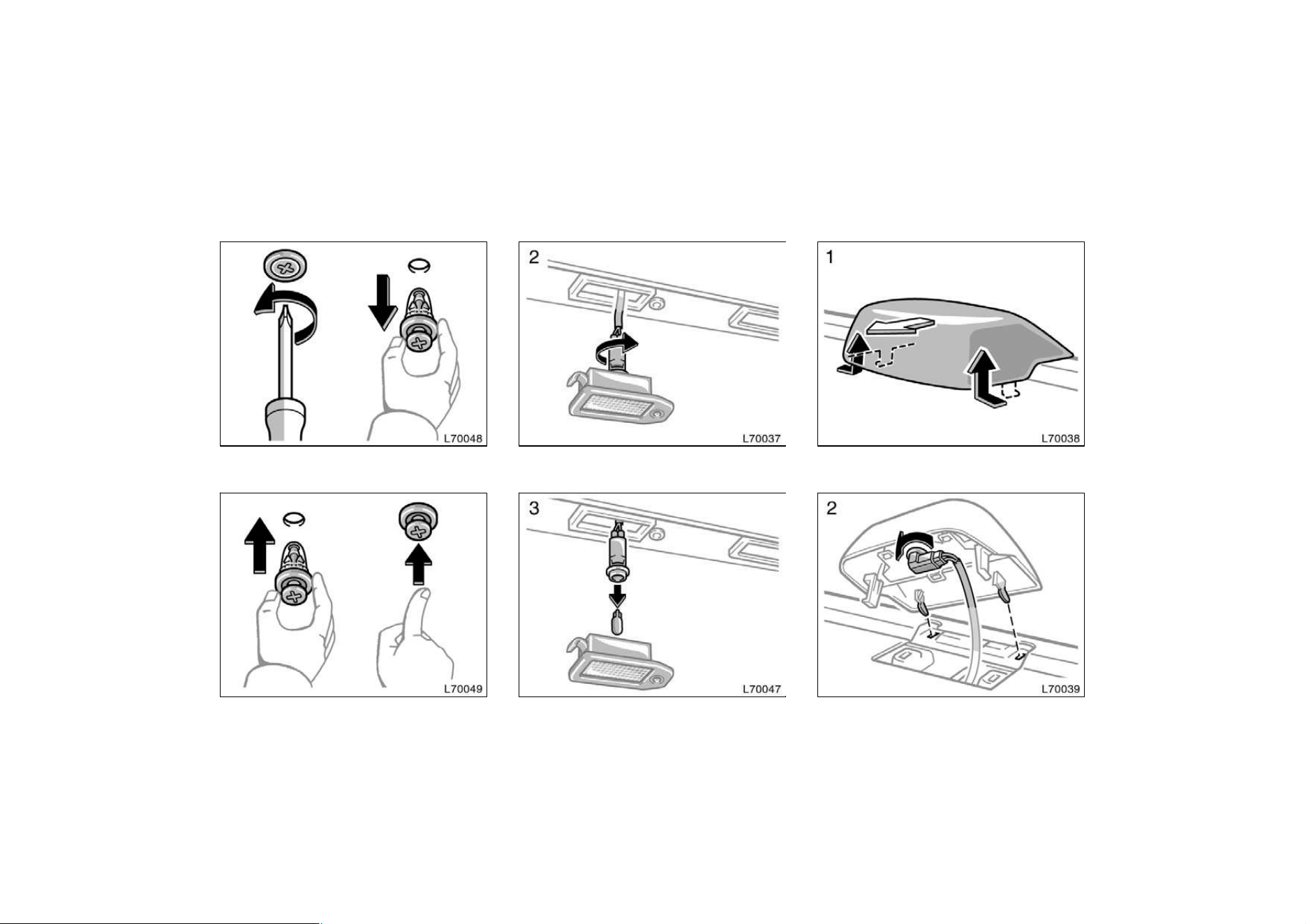
228
Removing cover clips
Installing cover clips
—High mounted stoplight
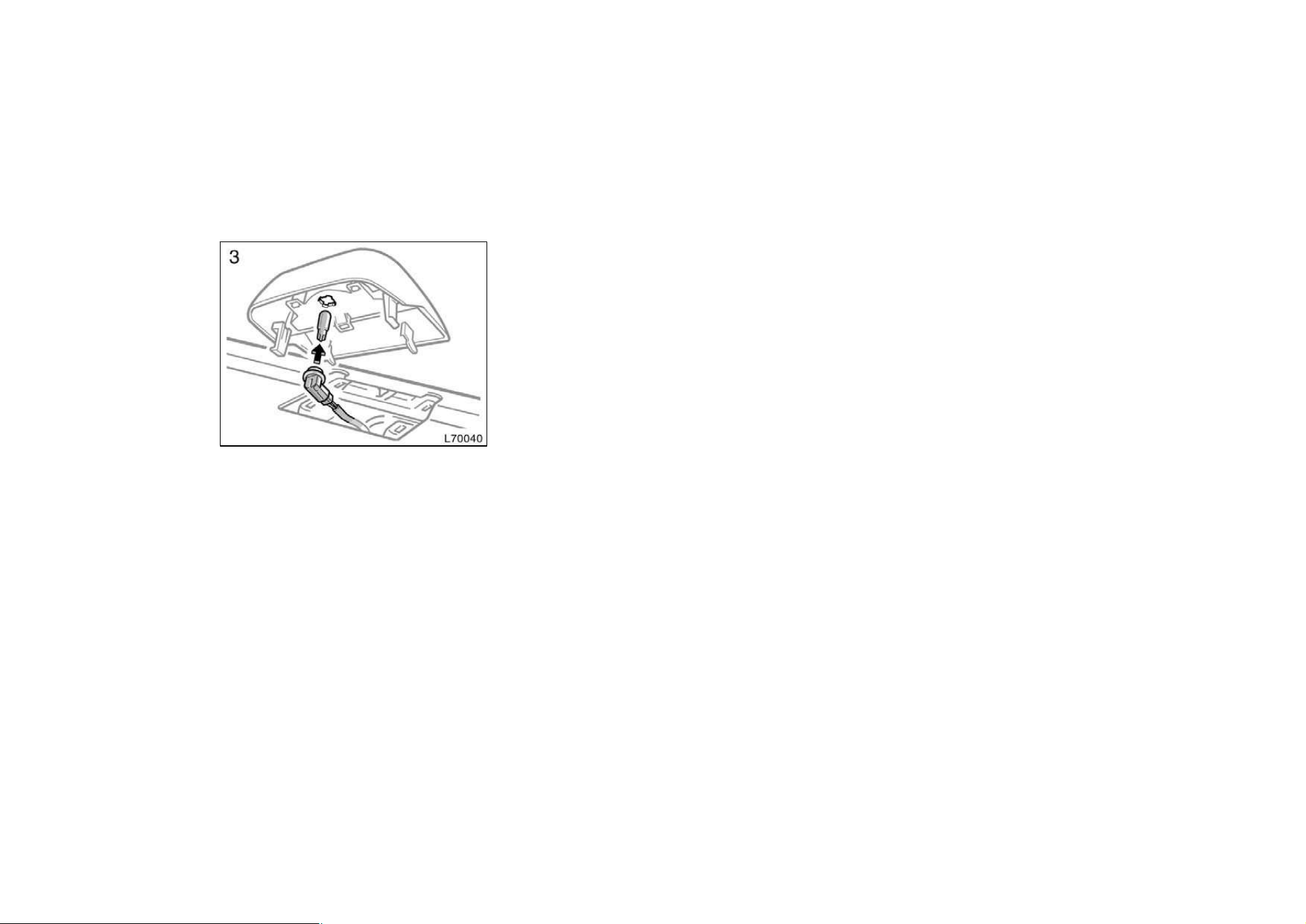
229

231
Part 8
SPECIFICATIONS
D
Dimensions and weight
D Engine
D Fuel
D Service specifications
D Tires
D Fuses
Dimensions and weight

232
Engine
Model:
5S−FE and 1MZ−FE
Type:
5S−FE engine
4 cylinder in line, 4 cycle, gasoline
1MZ−FE engine
6 cylinder V type 4 cycle, gasoline
Bore and stroke, mm (in.):
5S−FE engine
87.0 x 91.0 (3.43 x 3.58)
1MZ−FE engine
87.5 x 83.0 (3.44 x 3.27)
Displacement, cm
3
(cu. in.):
5S−FE engine
2164 (132.0)
1MZ−FE engine
2995 (182.8)
Fuel
Fuel type:
5S−FE engine
Unleaded gasoline, Octane Rating 87
(Research Octane Number 91) or higher
1MZ−FE engine
Unleaded gasoline, Octane Rating 87
(Research Octane Number 91) or higher.
For improved vehicle performance, the
use of premium unleaded gasoline with
an Octane Rating of 91 (Research Oc-
tane Number 96) or higher is recom-
mended.
Fuel tank capacity, L (gal., Imp. gal.):
70 (18.5, 15.4)
Service specifications
ENGINE
Valve clearance (engine cold), mm (in.):
5S−FE engine
Intake 0.19—0.29 (0.007—0.011)
Exhaust 0.28—0.38 (0.011—0.015)
1MZ−FE engine
Intake 0.15—0.25 (0.006—0.010)
Exhaust 0.25—0.35 (0.010—0.014)
Spark plug type:
DENSO PK20TR11
NGK BKR6EKPB11
Spark plug gap, mm(in.):
1.1 (0.043)
Drive belt tension measured with Borroughs
drive belt tension gauge No. BT−33−73F
(used belt), Ibf:
5S−FE engine
With air conditioning
Generator belt 130"10
Power steering pump belt 80"20
WIthout air conditioning
Generator belt 95"20
Power steering pump belt 80"20
1MZ−FE engine 115"20
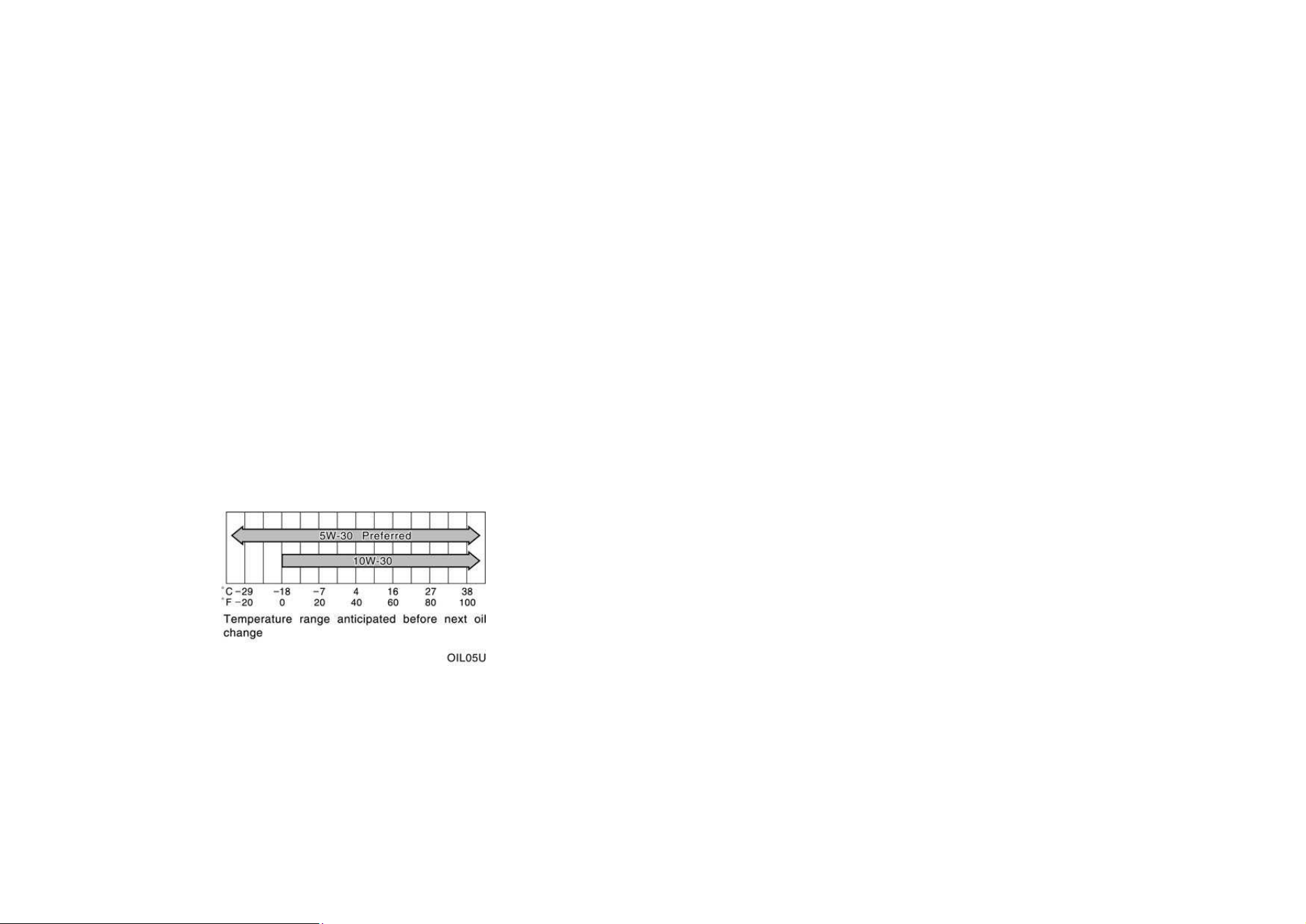
233
ENGINE LUBRICATION
Oil capacity (drain and refill), L (qt., Imp.
qt.):
5S−FE engine
With filter 3.6 (3.8, 3.2)
Without filter 3.4 (3.6, 3.0)
1MZ−FE engine
With filter 4.7 (5.0, 4.1)
Without filter 4.5 (4.8, 4.0)
Oil grade:
API grade SH, ”Energy−Conserving II” or
SJ, ”Energy−Conserving” multigrade en-
gine oil or ILSAC multigrade engine oil is
recommended.
Recommended oil viscosity (SAE):
COOLING SYSTEM
Total capacity, L (qt., Imp. qt.):
5S−FE engine 6.9 (7.3, 6.1)
1MZ−FE engine 9.1 (9.6, 8.4)
Coolant type:
With ethylene−glycol antifreeze
(Do not use alcohol type.)
BATTERY
Open voltage
∗
at 20_C (68_F):
11.8—12.0V Fully charged
12.2—12.4V Half charged
12.6—12.8V Discharged
∗
: Voltage that is checked 20 minutes after
the key is removed with all the lights
turned off
Charging rates:
5 A max.
CLUTCH
Pedal freeplay, mm (in.):
5—15 (0.2—0.6)
Fluid type:
SAE J1703 or FMVSS No. 116 DOT 3
MANUAL TRANSAXLE
Oil capacity, L (qt., Imp. qt.):
5S−FE engine 2.2 (2.3, 1.9)
1MZ−FE engine 4.2 (4.9, 4.0)
Oil type:
Gear oil API GL−4 or GL−5
Recommended oil viscosity:
SAE 75W−90
AUTOMATIC TRANSAXLE
Automatic transmission
Fluid capacity (drain and refill),
L (qt., Imp. qt.):
5S−FE engine Up to 2.5 (2.6, 2.2)
1MZ−FE engine Up to 3.5 (3.7, 3.1)
Fluid type:
Automatic transmission fluid D−ll or
DEXRONrIIl (DEXRONrII)

234
Differential
Fluid capacity L (qt., Imp. qt.):
5S−FE engine 1.6 (1.7, 1.4)
1MZ−FE engine 0.85 (0.9, 0.7)
Fluid type:
Automatic transmission fluid D−II or
DEXRONrIII (DEXRONrII)
BRAKES
Minimum pedal clearance when depressed
with the pressure of 490 N (50 kgf, 110 lbf)
with the engine running, mm (in.):
70 (2.8)
Pedal freeplay, mm (in.):
1—6 (0.04—0.24)
Pad wear limit, mm (in.):
1.0 (0.04)
Lining wear limit, mm (in.):
1.0 (0.04)
Parking brake adjustment when pulled with
the force of 196 N (20 kgf, 44 lbf):
6—9 clicks
Fluid type:
SAE J1703 or FMVSS No. 116 DOT 3
STEERING
Wheel freeplay:
Less than 30 mm (1.2 in.)
Power steering fluid type:
Automatic transmission fluid DEXRONrII
or III
235
Tires
Normal driving kPa (kgf/cm
2
or bar, psi)
Tire size
For all loads including full rated loads For reduced loads (1 to 4 passengers)
Wheel size
Front Rear Front Rear
P195/70R14 90S 210 (2.1, 30) 210 (2.1, 30) 210 (2.1, 30) 210 (2.1, 30)
14 5.5JJ
P205/65R15 92H 220 (2.2, 32) 220 (2.2, 32) 200 (2.0, 29) 200 (2.0, 29)
15 6JJ
Trailer towing kPa (kgf/cm
2
or bar, psi)
Tire size
Front Rear
P195/70R14 90S 210 (2.1, 30) 210 (2.1, 30)
P205/65R15 92H 220 (2.2, 32) 220 (2.2, 32)
When driving under the above vehicle load conditions at sustained high speeds above 160 km/h (100 mph), in countries where such
speeds are permitted by−law, inflate the front and rear tires to 240 kPa (2.4 kgf/cm
2
or bar, 35 psi) provided that it does not exceed
the maximum cold tire pressure molded on the tire sidewall.
Wheel nut torque, N@m (kgfm, ft@lbf):
104 (10.5, 77)
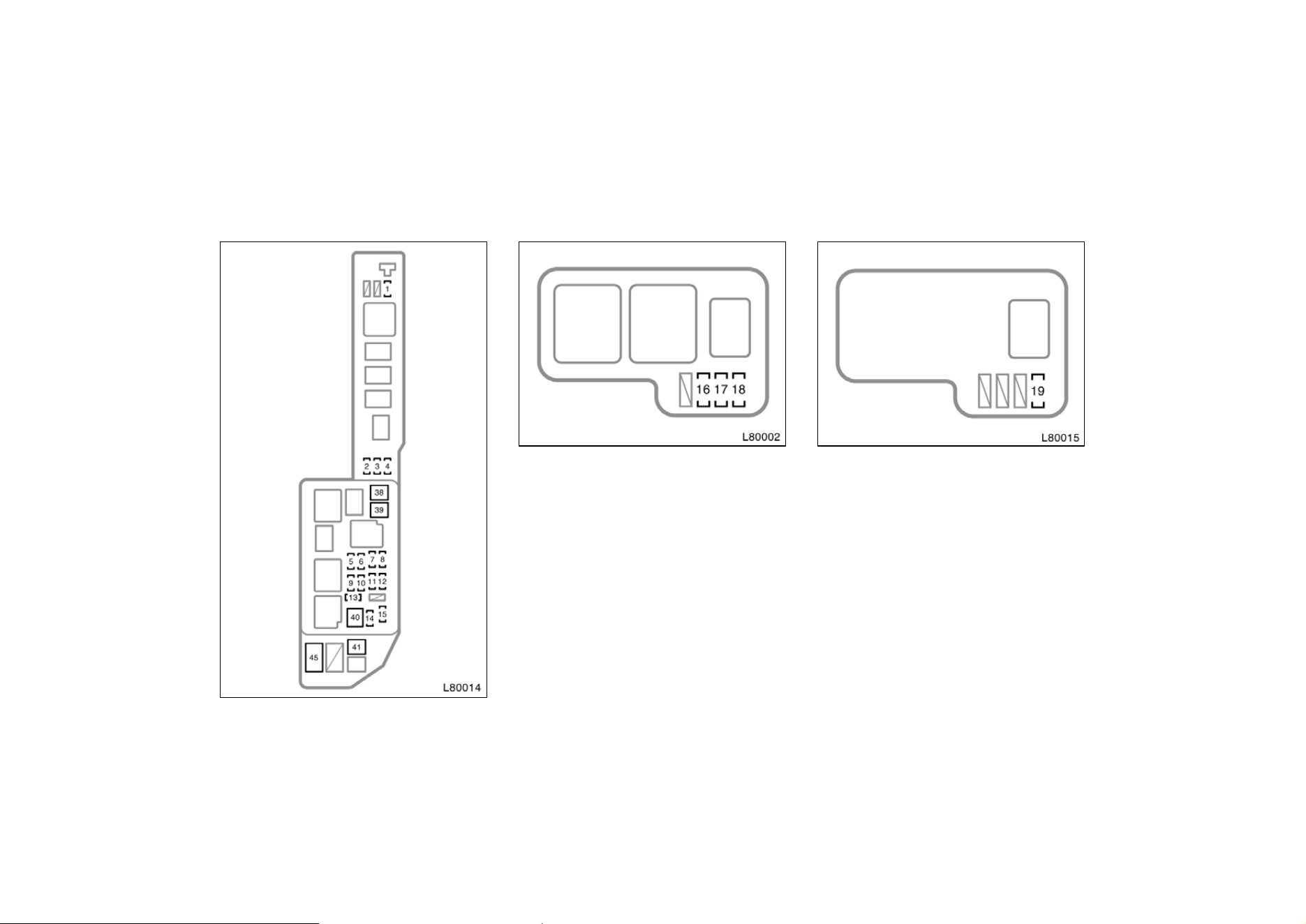
236
Fuses
Engine compartment
Engine compartment (Canada)
Fuses (type A)
1. A/C 10 A: Air conditioning system
2. SPARE 10 A: Spare fuse
3. SPARE 15 A: Spare fuse
4. SPARE 30 A: Spare fuse
5. ALT−S 5 A: Charging system
6. HEAD RH(HI) 15 A: Right−hand head-
light
7. EFI 15 A: Multiport fuel injection sys-
tem/sequential multiport fuel injection
system
8. HORN 10 A: Horn, theft deterrent sys-
tem
Engine compartment (California)
9. HAZARD 10 A: Emergency flasher
10. AM2 30 A: Gauge and meter, SRS
airbag system, seat belt pretensioners,
Multiport fuel injection system/sequen-
tial multiport fuel injection system,
”IGN” and ”ST” fuses
11. TEL 5 A: No circuit
12. HEAD LH(HI) 15 A: Left−hand head-
light
13. RADIO NO.1 20 A: Audio system
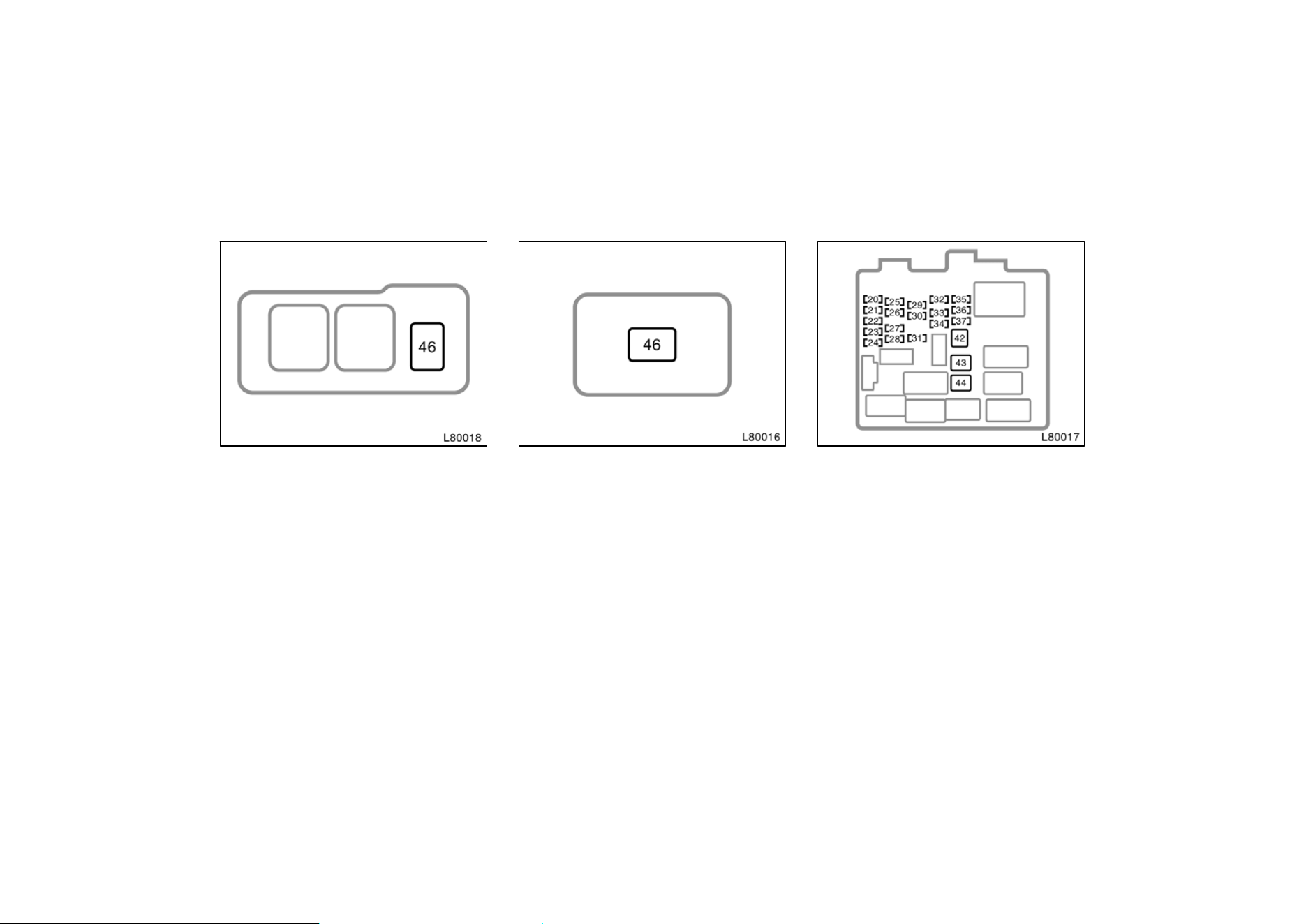
237
Engine compartment (type A)
14. DOME 7.5 A: Theft deterrent system,
daytime running light system, clock,
locking with wireless remote control
system, ignition switch light, personal
light, trunk light, electric moon roof
lamp, interior light, vanity mirror light,
door courtesy light, power door lock
system
15. ECU−B 10 A: Cruise control system,
anti−lock brake system, SRS airbag
system, seat belt pretensioners
16. DRL NO.2 5 A (vehicles sold in Can-
ada): Daytime running light system
17. H−LP LH(LWR) 10 A: Left−hand head-
light
Engine compartment (type B)
18. H−LP RH(LWR) 10 A: Right−hand
headlight
19. A/F HTR 25 A: A/F sensor
20. SEAT−HEATER 20 A: No circuit
21. HEATER 10 A: Air conditioning system,
rear window defogger, starting system
22. GAUGE 10 A: Gauges and meters,
back−up lights, cruise control system,
charging system, traction control sys-
tem, daytime running light system,
power windows, service reminder indi-
cators and warning buzzers
23. WIPER 20 A: Windshield wipers and
washer
Instrument panel
24. MIRROR−HEATER 10 A: Outside rear
view mirror defogger
25. ECU−IG 15 A: Cruise control system,
anti−lock brake system, power antenna,
SRS airbag system, seat belt preten-
sioners, theft deterrent system, shift
lock control system, traction control
system, daytime running light system,
locking with wireless remote control
system, multiport fuel injection system/
sequential multiport fuel injection sys-
tem

238
26. IGN 5 A: Gauges and meters, charg-
ing system, SRS airbag system, seat
belt pretensioners, multiport fuel injec-
tion system/sequential multiport fuel in-
jection system
27. STOP 15 A: Stop lights, cruise control
system, high−mounted stoplight, anti−
lock brake system, shift lock control
system, multiport fuel injection system/
sequential multiport fuel injection sys-
tem
28. TAIL 10 A: Parking lights, license plate
lights, tail lights, front side marker
lights, daytime running light system,
multiport fuel injection system/sequen-
tial multiport fuel injection system
29. POWER−OUTLET 15 A: Power outlet
30. OBD 7.5 A: On−board diagnosis sys-
tem
31. FOG 15 A: No circuit
32. STARTER 5 A: Gauges and meters,
Multiport fuel injection system/sequen-
tial multiport fuel injection system
33. DOOR 25 A: Power door lock system,
theft deterrent system, fuel filler door
control system
34. PANEL 7.5 A: Gauge and meter, audio
system, cigarette lighter, glove box
light, clock, instrument panel light con-
trol, service reminder indicators, air
conditioning control panel lights, ash-
tray light, emergency flasher, seat heat-
er control system, daytime running light
system, rear window defogger, electron-
ically controlled automatic transmission
system
35. TURN 7.5 A: Emergency flasher
36. RAD−NO.2 7.5 A: Audio system, power
antenna
37. CIG 15 A: Cigarette lighter, shift lock
control system, power rear view mirror
controls, theft deterrent system, power
door lock system, SRS airbag system,
seat belt pretensioners, outside rear
view mirror defogger, air conditioning
system
Fuses (type B)
38. CDS 30 A: Electric cooling fans
39. RDI 30 A: Electric cooling fans
40. MAIN 40 A: ”HEAD RH (HI)”, ”HEAD
RH (LWR)” fuses
41. HTR 50 A: ”AM1”, ”A/C” fuses
42. DEF 40 A: Rear window defogger
43. PWR 30 A: Power window control sys-
tem, power seat, electric moon roof
44. AM1 40 A: Head lamp cleaner
Fuses (type C)
45. ALT 100 A: ”RDI”, ”CDS” fuses
46. ABS 60 A: Anti−lock brake system

239
Part 9
REPORTING SAFETY
DEFECTS FOR U.S.
OWNERS AND
UNIFORM TIRE
QUALITY GRADING
D
Reporting safety defects for U.S.
owners
D Uniform tire quality grading
If you believe that your vehicle has
a defect which could cause a crash
or could cause injury or death, you
should immediately inform the Na-
tional Highway Traffic Safety Ad-
ministration (NHTSA) in addition to
notifying Toyota Motor Sales,
U.S.A., Inc.
(Toll−free: 1−800−331−4331).
If NHTSA receives similar com-
plaints, it may open an investiga-
tion, and if it finds that a safety de-
fect exists in a group of vehicles, it
may order a recall and remedy
campaign. However, NHTSA cannot
become involved in individual prob-
lems between you, your dealer, or
Toyota Motor Sales, U.S.A., Inc.
To contact NHTSA, you may either
call the Auto Safety Hotline toll−free
at 1−800−424−9393 (or 366−0123 in
Washington.D.C. area) or write to:
NHTSA. U.S.Department of Trans-
portation. Washington.D.C. 20590.
You can also obtain other information
about motor vehicle safety from the
Hotline.
Reporting safety defects
for U.S. owners

240
Uniform tire quality grading
This information has been prepared in ac-
cordance with regulations issued by the
National Highway Traffic Safety Adminis-
tration of the U.S. Department of Trans-
portation. It provides the purchasers and/
or prospective purchasers of Toyota
vehicles with information on uniform tire
quality grading.
Your Toyota dealer will help answer any
questions you may have as you read this
information.
DOT quality grades—All passenger ve-
hicle tires must conform to Federal
Safety Requirements in addition to
these grades. These quality grades are
molded on the sidewall.
Treadwear—The treadwear grade is a
comparative rating based on the wear rate
of the tire when tested under controlled
conditions on a specified government test
course. For example, a tire graded 150
would wear one and a half (1−1/2) times
as well on the government course as a
tire graded 100. The relative performance
of tires depends upon the actual condi-
tions of their use, however, and may de-
part significantly from the norm due to
variations in driving habits, service prac-
tices and differences in road characteris-
tics and climate.
Traction A, B, C—The traction grades,
from highest to lowest, are A, B, and C,
and they represent the tire’s ability to stop
on wet pavement as measured under con-
trolled conditions on specified government
test surfaces of asphalt and concrete. A
tire marked C may have poor traction per-
formance.
Warning: The traction grade assigned to
this tire is based on braking (straight
ahead) traction tests and does not include
cornering (turning) traction.
Temperature A, B, C—The temperature
grades are A (the highest), B, and C,
representing the tire’s resistance to the
generation of heat and its ability to dissi-
pate heat when tested under controlled
conditions on a specified indoor laboratory
test wheel. Sustained high temperature
can cause the material of the tire to de-
generate and reduce tire life, and exces-
sive temperature can lead to sudden tire
failure. The grade C corresponds to a lev-
el of performance which all passenger car
tires must meet under the Federal Motor
Vehicle Safety Standard No. 109. Grades
B and A represent higher levels of perfor-
mance on the laboratory test wheel than
the minimum required by law.
Warning: The temperature grades for this
tire are established for a tire that is prop-
erly inflated and not overloaded. Exces-
sive speed, underinflation, or excessive
loading, either separately or in combina-
tion, can cause heat buildup and possible
tire failure.