
GE Appliances
GE Answer Center
®
800.626.2000
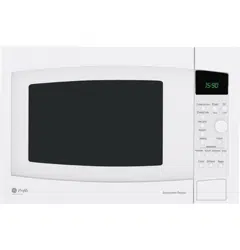
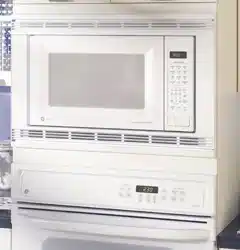
Microwave Oven
Part No. 164D3370P088 Pub. No. 49-40089 2-99 CG 3828W5A1134
JE1860
Owner’s Manual

■ Read and follow the specific
precautions in the
Precautions
to Avoid Possible Exposure to
Excessive Microwave Energy
section above.
■ This appliance must be
grounded. Connect only
to a properly grounded
outlet. See the
Grounding
Instructions
section on page 8.
■ Install or locate this
appliance only in accordance
with the provided Installation
Instructions.
■ Be certain to place the front
surface of the door three
inches or more back from
the countertop edge to avoid
accidental tipping of the
appliance in normal usage.
■
Do Not Attempt
to operate
this oven with the door open
since open-door operation
can result in harmful
exposure to microwave
energy. It is important not
to defeat or tamper with the
safety interlocks.
■
Do Not Place
any object
between the oven front face
and the door or allow soil
or cleaner residue to
accumulate on sealing
surfaces.
■
Do Not Operate
the oven if it
is damaged. It is particularly
important that the oven
door close properly and that
there is no damage to the:
door (bent),
hinges and latches
(broken or loosened),
door seals and sealing
surfaces.
■
The Oven Should Not
be
adjusted or repaired by
anyone except properly
qualified service personnel.
PRECAUTIONS TO AVOID
POSSIBLE EXPOSURE TO
EXCESSIVE MICROWAVE ENERGY
IMPORTANT SAFETY INFORMATION.
READ ALL INSTRUCTIONS BEFORE USING.
2
For your safety, the information in this manual must be
followed to minimize the risk of fire or explosion, electric
shock, or to prevent property damage, personal injury, or
loss of life.
WARNING!
This microwave oven is not approved or tested for
marine use.
SAFETY PRECAUTIONS
Customer Service Troubleshooting Tips Operating Instructions Safety Information
Safety Information Operating Instructions Troubleshooting Tips Customer Service
3
Use this appliance only for its intended purpose as
described in this Owner’s Manual.
■ Do not mount this appliance
over a sink.
■ Do not mount the microwave
oven over or near any portion
of a heating or cooking
appliance.
■ Do not store anything directly
on top of the microwave oven
surface when the microwave
oven is in operation.
■ Do not operate this appliance
if it has a damaged power
cord or plug, if it is not
working properly, or if it has
been damaged or dropped.
■ Do not cover or block any
openings on the appliance.
■ Use this appliance only for its
intended use as described in
this manual. Do not use
corrosive chemicals or vapors
in this appliance. This
microwave oven is specifically
designed to heat, dry or cook
food, and is not intended for
laboratory or industrial use.
■ Do not store this appliance
outdoors. Do not use this
product near water—for
example, in a wet
basement, near a swimming
pool or near a sink.
■ Keep power cord away from
heated surfaces.
■ Do not immerse power cord
or plug in water.
■ Do not let power cord hang
over edge of table or counter.
■ To reduce the risk of fire in
the oven cavity:
— Do not overcook food.
Carefully attend appliance
if paper, plastic or other
combustible materials are
placed inside the oven while
cooking.
— Remove wire twist-ties and
metal handles from paper
or plastic containers before
placing them in the oven.
— Do not use the oven for
storage purposes. Do not
leave paper products,
cooking utensils or food in
the oven when not in use.
— If materials inside the oven
should ignite, keep the oven
door closed, turn the oven off
and disconnect the power
cord, or shut off power at the
fuse or circuit breaker panel.
If the door is opened, the fire
may spread.
■ See door surface cleaning
instructions in the
Care and
cleaning of the microwave
oven
section of this manual.
■ This appliance should be
serviced only by qualified
service personnel. Contact
nearest authorized service
facility for examination,
repair or adjustment.
■ As with any appliance, close
supervision is necessary
when used by children.
Customer Service Troubleshooting Tips Operating Instructions Safety Information
Arcing is the microwave term
for sparks in the oven. Arcing
is caused by:
■ Metal or foil touching the
side of the oven.
■ Foil not molded to food
(upturned edges act like
antennas).
■ Metal, such as twist-ties,
poultry pins, or gold-rimmed
dishes, in the microwave.
■ Recycled paper towels
containing small metal pieces
being used in the microwave.
■ Do not pop popcorn in your
microwave oven unless in a
special microwave popcorn
accessory or unless you use
popcorn labeled for use in
microwave ovens.
■ Some products such as
whole eggs and sealed
containers—for example,
closed jars—will explode and
should not be heated in this
microwave oven. Such use of
the microwave oven could
result in injury.
■ Do not boil eggs in a
microwave oven. Pressure will
build up inside egg yolk and
will cause it to burst, possibly
resulting in injury.
■ Operating the microwave
with no food inside for more
than a minute or two may
cause damage to the oven
and could start a fire. It
increases the heat around the
magnetron and can shorten
the life of the oven.
■ Foods with unbroken outer
“skin” such as potatoes, hot
dogs, sausages, tomatoes,
apples, chicken livers and
other giblets, and egg yolks
should be pierced to allow
steam to escape during
cooking.
FOODS
IMPORTANT SAFETY INFORMATION.
READ ALL INSTRUCTIONS BEFORE USING.
4
If you see arcing, press the CLEAR/OFF pad and correct
the problem.
WARNING!
ARCING
Safety Information Operating Instructions Troubleshooting Tips Customer Service
5
■
SUPERHEATED WATER
Microwaved water and other
liquids do not always bubble
when they reach the boiling
point. They can actually get
superheated and not bubble
at all.
Superheated liquid will bubble
up out of the cup when it is
moved or when something like
a spoon or tea bag is put into it.
To prevent this from happening
and causing injury, do not heat
any liquid for more than 2
minutes per cup. After heating,
let the cup stand in the
microwave for 30 seconds
before moving it or putting
anything into it.
■ Avoid heating baby food in
glass jars, even with the lid
off. Make sure all infant food
is thoroughly cooked. Stir
food to distribute the heat
evenly. Be careful to prevent
scalding when warming
formula. The container may
feel cooler than the formula
really is. Always test the
formula before feeding
the baby.
■ Don’t defrost frozen
beverages in narrow-necked
bottles (especially
carbonated beverages). Even
if the container is opened,
pressure can build up. This
can cause the container to
burst, possibly resulting in
injury.
■ Spontaneous boiling—Under
certain special circumstances,
liquids may start to boil
during or shortly after
removal from the microwave
oven. To prevent burns from
splashing liquid, we
recommend the following:
before removing the
container from the oven,
allow the container to stand
in the oven for 30 to 40
seconds after the oven has
shut off. Do not boil liquids
in narrow-necked containers
such as soft drink bottles,
wine flasks and especially
narrow-necked coffee cups.
Even if the container is
opened, excessive steam can
build up and cause it to burst
or overflow.
■ Hot foods and steam can
cause burns. Be careful when
opening any containers of
hot food, including popcorn
bags, cooking pouches and
boxes. To prevent possible
injury, direct steam away
from hands and face.
■ Do not overcook potatoes.
They could dehydrate and
catch fire, causing damage
to your oven.
■ Cook meat and poultry
thoroughly—meat to at
least an INTERNAL
temperature of 160°F.
and poultry to at least an
INTERNAL temperature
of 180°F. Cooking to these
temperatures usually protects
against foodborne illness.
Customer Service Troubleshooting Tips Operating Instructions Safety Information
Make sure all cookware used in
your microwave oven is suitable
for microwaving. Most glass
casseroles, cooking dishes,
measuring cups, custard cups,
pottery or china dinnerware
which does not have metallic
trim or glaze with a metallic
sheen can be used. Some
cookware is labeled “suitable
for microwaving.”
■ If you are not sure if a dish is
microwave-safe, use this test:
Place in the oven both the
dish you are testing and a
glass measuring cup filled
with 1 cup of water—set the
measuring cup either in or
next to the dish. Microwave
1 minute at high. If the dish
heats, it should not be used
for microwaving.
If the dish remains cool and
only the water in the cup
heats, then the dish is
microwave-safe.
■ If you use a meat
thermometer while cooking,
make sure it is safe for use
in microwave ovens.
■ Do not use recycled paper
products. Recycled paper
towels, napkins and waxed
paper can contain metal
flecks which may cause arcing
or ignite. Paper products
containing nylon or nylon
filaments should be avoided,
as they may also ignite.
■ Some styrofoam trays (like
those that meat is packaged
on) have a thin strip of metal
embedded in the bottom.
When microwaved, the metal
can burn the floor of the
oven or ignite a paper towel.
■ Do not use the microwave to
dry newspapers.
■ Not all plastic wrap is suitable
for use in microwave ovens.
Check the package for
proper use.
■ Paper towels, waxed paper
and plastic wrap can be used
to cover dishes in order to
retain moisture and prevent
spattering. Be sure to vent
plastic wrap so steam can
escape.
■ Cookware may become hot
because of heat transferred
from the heated food. Pot
holders may be needed to
handle the cookware.
WARNING!
MICROWAVE-SAFE COOKWARE
IMPORTANT SAFETY INFORMATION.
READ ALL INSTRUCTIONS BEFORE USING.
6

Safety Information Operating Instructions Troubleshooting Tips Customer Service
7
■ “Boilable” cooking pouches
and tightly closed plastic bags
should be slit, pierced or
vented as directed by
package. If they are not,
plastic could burst during or
immediately after cooking,
possibly resulting in injury.
Also, plastic storage
containers should be at least
partially uncovered because
they form a tight seal. When
cooking with containers
tightly covered with plastic
wrap, remove covering
carefully and direct steam
away from hands and face.
■ Use foil only as directed in
this guide. TV dinners may
be microwaved in foil trays
less than 3/4″high; remove
the top foil cover and return
the tray to the box. When
using foil in the microwave
oven, keep the foil at least
1 inch away from the sides
of the oven.
■ Plastic cookware—Plastic
cookware designed for
microwave cooking is very
useful, but should be used
carefully. Even microwave-
safe plastic may not be as
tolerant of overcooking
conditions as are glass or
ceramic materials and may
soften or char if subjected
to short periods of
overcooking. In longer
exposures to overcooking,
the food and cookware
could ignite.
Follow these guidelines:
Use microwave-safe
plastics only and use
them in strict compliance
with the cookware
manufacturer’s
recommendations.
Do not microwave empty
containers.
Do not permit children
to use plastic cookware
without complete
supervision.
Customer Service Troubleshooting Tips Operating Instructions Safety Information
This appliance must be grounded. In the event of an electrical short
circuit, grounding reduces the risk of electric shock by providing an
escape wire for the electric current.
This appliance is equipped with a power cord having a grounding
wire with a grounding plug. The plug must be plugged into an
outlet that is properly installed and grounded.
Consult a qualified electrician or service technician if the
grounding instructions are not completely understood, or if
doubt exists as to whether the appliance is properly grounded.
If the outlet is a standard 2-prong wall outlet, it is your personal
responsibility and obligation to have it replaced with a properly
grounded 3-prong wall outlet.
Do not under any circumstances cut or remove the third (ground)
prong from the power cord.
We do not recommend using an extension cord with this appliance.
If the power cord is too short, have a qualified electrician or service
technician install an outlet near the appliance. (See
WARNING—
EXTENSION CORDS
section.)
For best operation, plug this appliance into its own electrical outlet
to prevent flickering of lights, blowing of fuse or tripping of circuit
breaker.
GROUNDING INSTRUCTIONS
IMPORTANT SAFETY INFORMATION.
READ ALL INSTRUCTIONS BEFORE USING.
8
WARNING!
Improper use of the grounding plug can result in a risk of
electric shock.
Safety Information Operating Instructions Troubleshooting Tips Customer Service
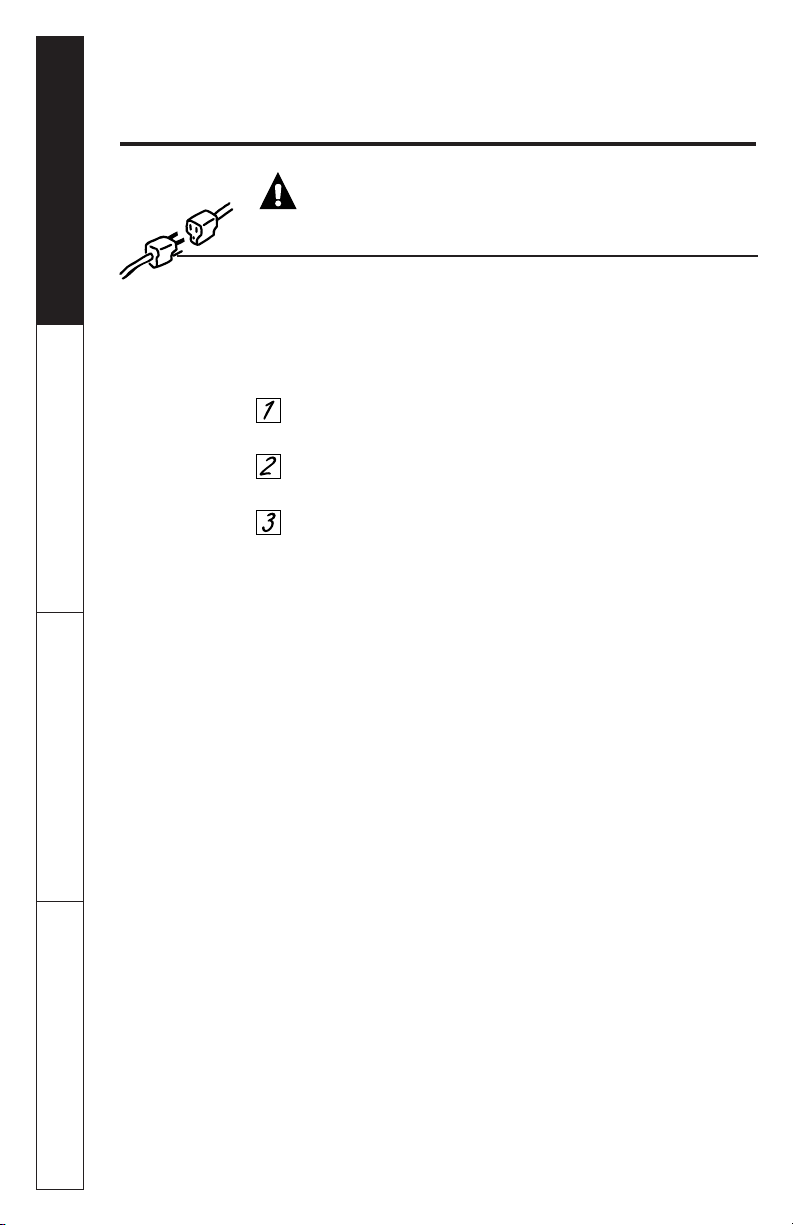
Usage situations where appliance’s power cord will be disconnected
infrequently.
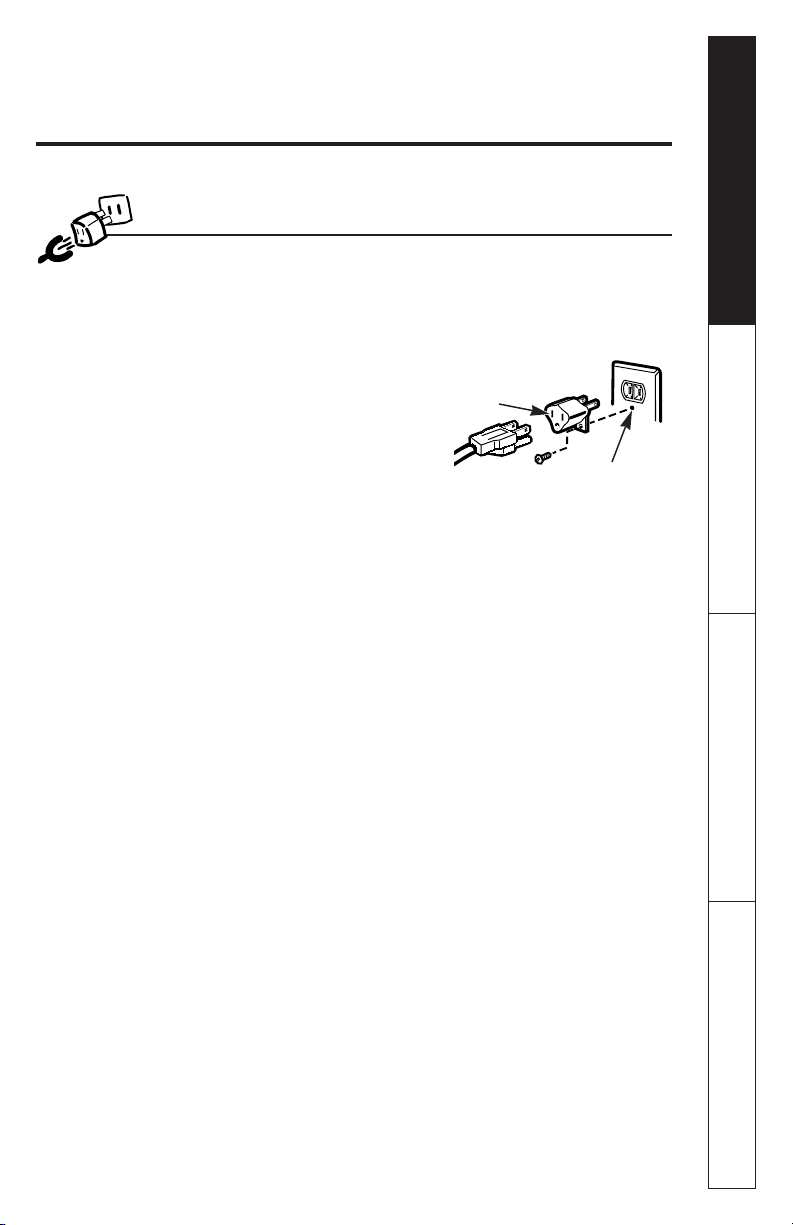
Because of potential safety
hazards under certain conditions,
we strongly recommend against the
use of an adapter plug.
However, if
you still elect to use an adapter,
where local codes permit, a
TEMPORARY CONNECTION
may be
made to a properly grounded two-
prong wall receptacle by the use of a
UL listed adapter which is available
at most local hardware stores.
The larger slot in the adapter must be aligned with the larger slot in
the wall receptacle to provide proper polarity in the connection of
the power cord.
CAUTION: Attaching the adapter ground terminal to the wall receptacle
cover screw does not ground the appliance unless the cover screw is
metal, and not insulated, and the wall receptacle is grounded through
the house wiring.
You should have the circuit checked by a qualified electrician to
make sure the receptacle is properly grounded.
When disconnecting the power cord from the adapter, always hold
the adapter with one hand. If this is not done, the adapter ground
terminal is very likely to break with repeated use. Should this
happen,
DO NOT USE
the appliance until a proper ground has again
been established.
Usage situations where appliance’s power cord will be disconnected
frequently.
Do not use an adapter plug
in these situations because frequent
disconnection of the power cord places undue strain on the adapter
and leads to eventual failure of the adapter ground terminal. You
should have the two-prong wall receptacle replaced with a three-
prong (grounding) receptacle by a qualified electrician before
using the appliance.
ADAPTER PLUGS
9
Ensure proper ground
and firm connection
before use.
TEMPORARY
METHOD
Align large
prongs/slots
(Adapter plugs not
permitted in Canada)
Customer Service Troubleshooting Tips Operating Instructions Safety Information
IMPORTANT SAFETY INFORMATION.
READ ALL INSTRUCTIONS BEFORE USING.
10
A short power supply cord is provided to reduce the risks resulting
from becoming entangled in or tripping over a longer cord.
Extension cords may be used if you are careful in using them.
If an extension cord is used—
The marked electrical rating of the extension cord should be
at least as great as the electrical rating of the appliance;
The extension cord must be a grounding-type 3-wire cord and
it must be plugged into a 3-slot outlet;
The extension cord should be arranged so that it will not
drape over the counter top or tabletop where it can be pulled
on by children or tripped over unintentionally.
If you use an extension cord, the interior light may flicker and the
blower sound may vary when the microwave oven is on. Cooking
times may be longer, too.
WARNING!
EXTENSION CORDS
Safety Information Operating Instructions Troubleshooting Tips Customer Service
11
Read and follow this Safety
Information carefully.
SAVE THESE INSTRUCTIONS
Congratulations!
You Are Now Part of the GE Family.
Welcome to the GE family. We’re proud of our quality products and we are committed
to providing dependable service. You’ll see it in this easy-to-use Owner’s Manual and
you’ll hear it in the friendly voices of our customer service department.
Best of all, you’ll experience these values each time you use your microwave oven.
That’s important, because your new microwave oven will be part of your family for
many years. And we hope you will be part of ours for a long time to come.
We thank you for buying GE. We appreciate your purchase, and hope you will
continue to rely on us whenever you need quality appliances for your home.
12
Important!
Fill out and return the Consumer Product Registration Card
that is packed with this product.
Write the Model & Serial Numbers Here.
#
#
You can find them on a label inside the oven.
Staple sales slip or cancelled check here.
Proof of the original purchase date is needed to obtain service
under the warranty.
GE & You,
A Service Partnership.
Inside you will find many helpful
hints on how to use and maintain
your microwave oven properly.
Just a little preventive care on your
part can save you a great deal of
time and money over the life of
your microwave oven.
Read this Manual
Ask any GE appliance owner and they will
tell you we stand behind our products with
unmatched quality service. However, did
you know that most questions result from
simple problems that you can easily fix
yourself in just a few minutes? This
Owner’s Manual can tell you how.
You’ll find many answers to
common problems here. If
you review our chart of
Troubleshooting Tips first,
you may not need to call for
service at all.
Review the Section on
Troubleshooting Tips
If you do need service, you can
relax knowing help is only a
phone call away. A list of toll-free
customer service numbers is
included in the back section.
Or you can always call the
GE Answer Center
® at
800.626.2000, 24 hours a day,
7 days a week.
If You Need Service
Safety Information
Precautions to Avoid
Possible Exposure to
Excessive Microwave Energy
. . . .2
Safety Precautions . . . . . . . . . .2, 3
Arcing . . . . . . . . . . . . . . . . . . . . . .4
Foods . . . . . . . . . . . . . . . . . . . .4, 5
Microwave-Safe Cookware . . .6, 7
Grounding Instructions . . . . . . . . .8
Adapter Plugs . . . . . . . . . . . . . . . .9
Extension Cords . . . . . . . . . . . . .10
Operating Instructions
Features of Your
Microwave Oven
. . . . . . . . . .14, 15
Changing Power Level . . . . . . . .16
Time Features . . . . . . . . . . . .17–22
Auto Feature . . . . . . . . . . . . . . . .23
Sensor Features . . . . . . . . . .24–27
Other Features . . . . . . . . . . .28–30
Microwave Terms . . . . . . . . . . . .31
Care and Cleaning . . . . . . . .32, 33
Troubleshooting Tips
Before You
Call For Service . . . . . . . . . .34, 35
Things That Are Normal With
Your Microwave Oven . . . . . . . .36
Customer Service
Warranty . . . . . . . . . . . . . . . . . .39
Service Telephone
Numbers . . . . . . . . . . .Back Cover
13
Safety Information Operating Instructions Troubleshooting Tips Customer Service
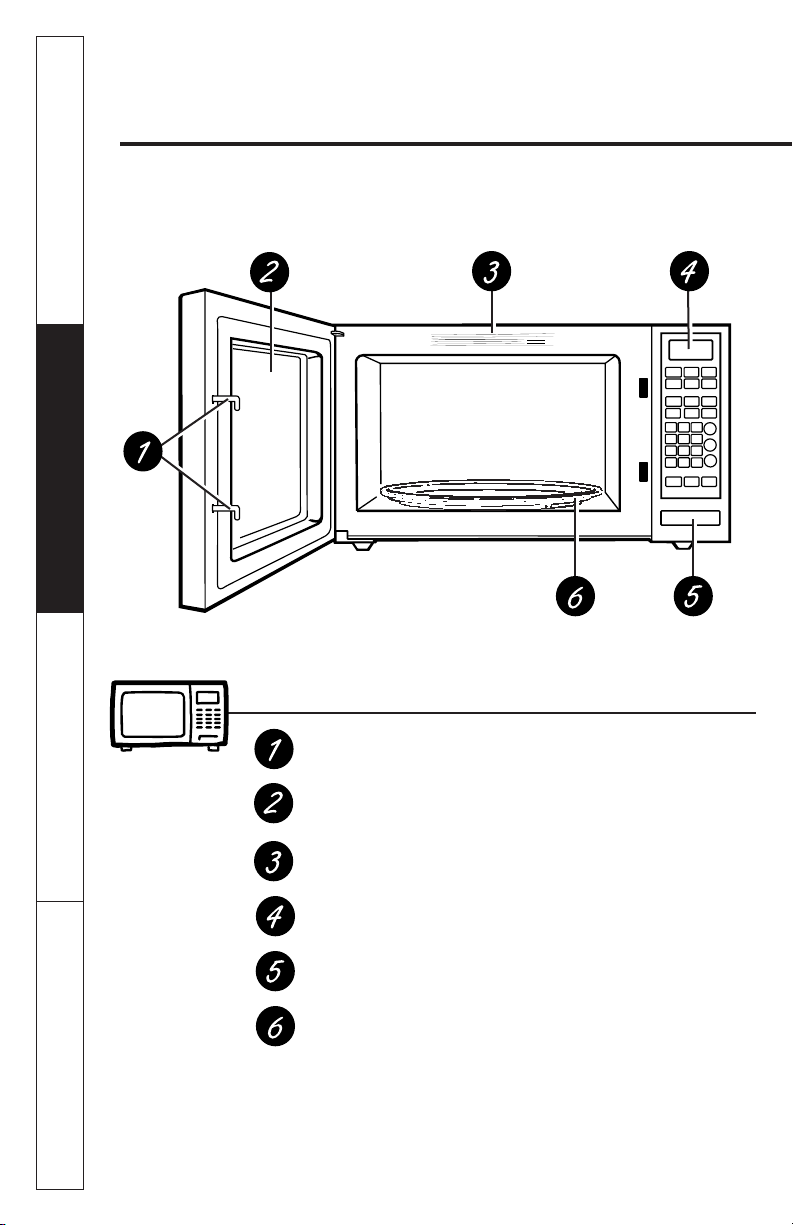
About the features of your microwave oven.
Throughout this manual, features and appearance may vary from
your model.
14
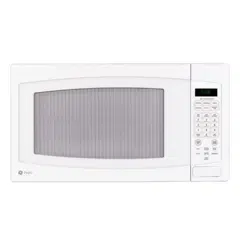
1100 Watts
Features of the Oven
Door Latches.
Window with Metal Shield.
Screen allows cooking to be
viewed while keeping microwaves confined in the oven.
Convenience Guide.
Touch Control Panel and Display.
Door Latch Release.
Press latch release to open door.
Removable Turntable.
Turntable and support
must
be
in place when using the oven. The turntable may be
removed for cleaning.
NOTE: Rating plate, oven vent(s) and oven light are located on the inside
walls of the microwave oven.
Customer Service Troubleshooting Tips Operating Instructions Safety Information
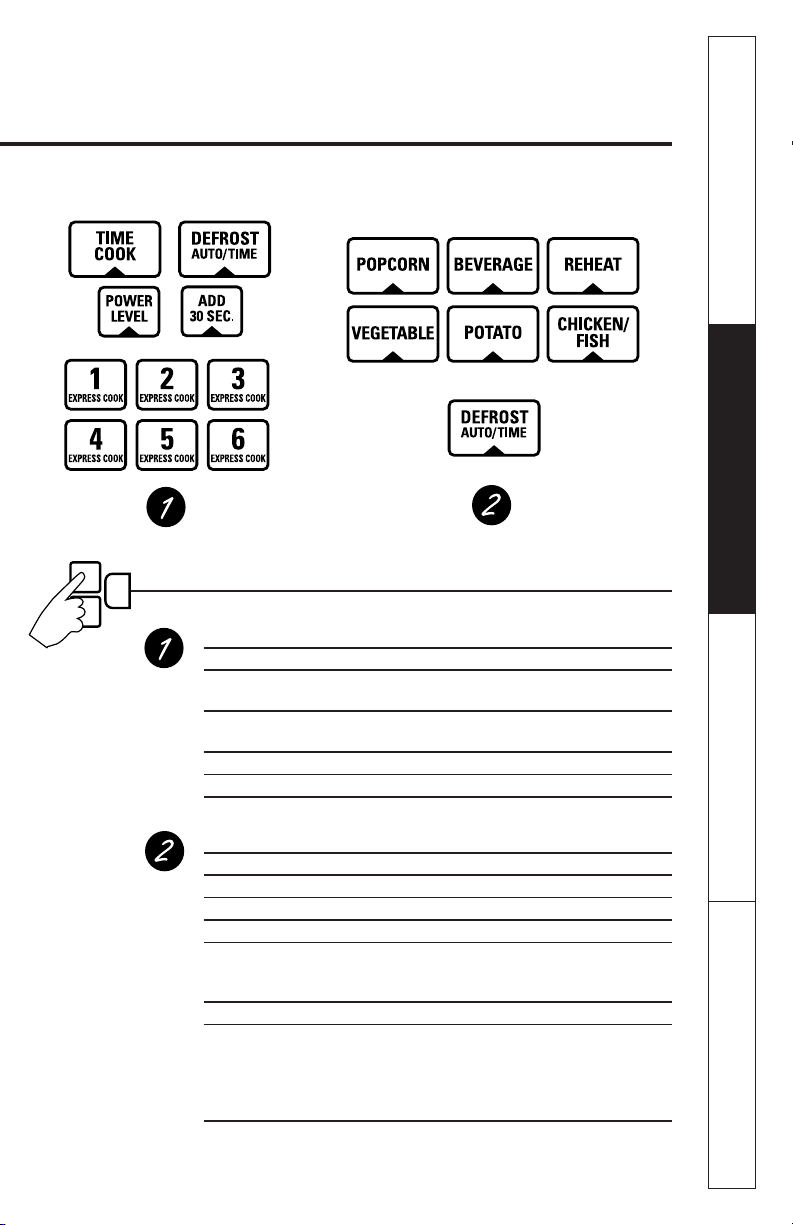
You can microwave by time, with the sensor features or with the auto feature.
Cooking Controls
Check the Convenience Guide before you begin.
Time Features
Press Enter
TIME COOK Amount of cooking time
Press once or twice
DEFROST AUTO/TIME Amount of defrosting time
Press twice
EXPRESS COOK Starts immediately!
ADD 30 SEC Starts immediately!
POWER LEVEL Power level 1–10
Sensor Features and Auto Feature
Press Enter Option
POPCORN Starts immediately! more/less time
BEVERAGE Starts immediately!
REHEAT Starts immediately! more/less time
CHICKEN/FISH Starts immediately! more/less time
Press once (chicken pieces)
Press twice (fish fillets)
POTATO Starts immediately! more/less time
VEGETABLE Starts immediately!
Press once (fresh vegetables) more/less time
Press twice (frozen vegetables) more/less time
Press three times (canned vegetables) more/less time
(on some models)
DEFROST AUTO/TIME Food weight
Press once
15
Safety Information Operating Instructions Troubleshooting Tips Customer Service
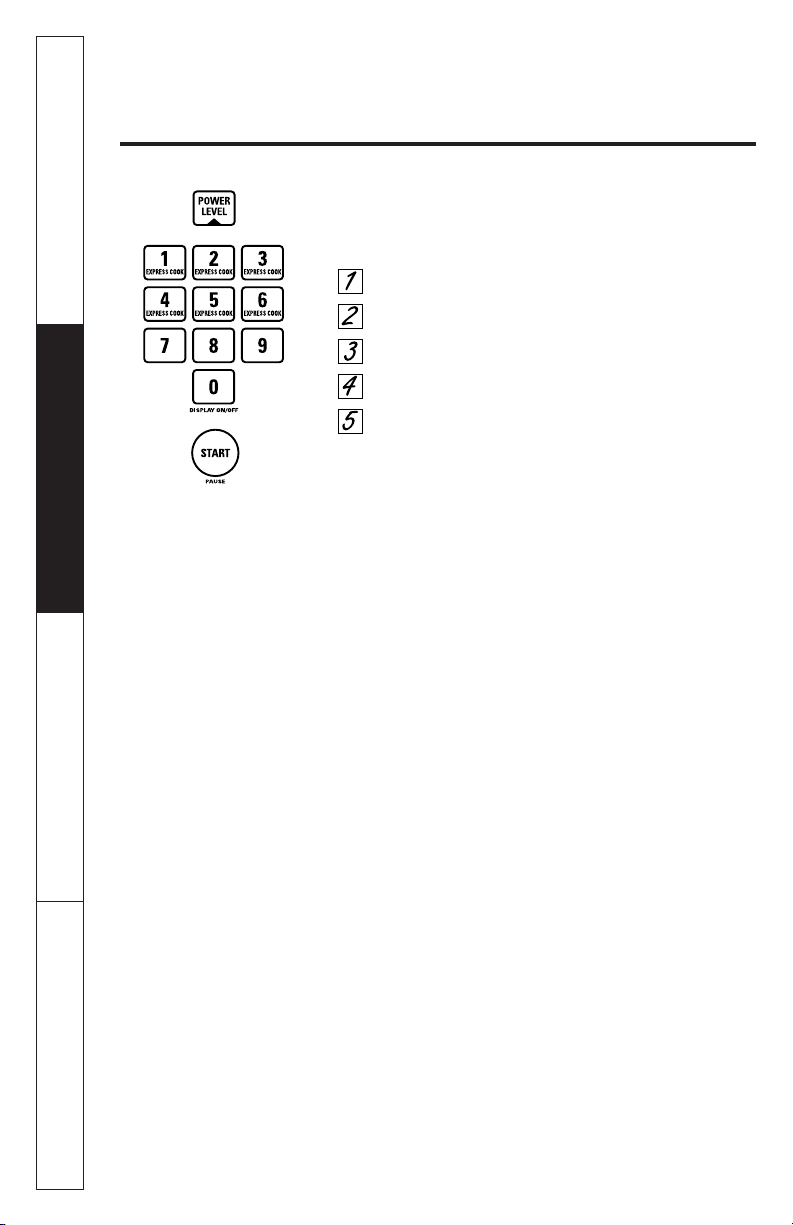
About changing the power level.
16
The power level may be entered or changed
immediately after entering the feature time for
TIME
COOK, TIME DEFROST
or
EXPRESS COOK.
The power level
may also be changed during time countdown.
Press
TIME COOK
or select
Time Defrost.
Enter cooking or defrosting time.
Press
POWER LEVEL.
Select desired power level 1–10.
Press
START.
Variable power levels add flexibility to microwave
cooking. The power levels on the microwave oven can
be compared to the surface units on a range. Each
power level gives you microwave energy a certain
percent of the time.
Power level 7
is microwave energy
70% of the time.
Power level 3
is energy 30% of the
time. Most cooking will be done on
High (power level 10)
which gives you 100% power.
Power level 10
will cook
faster but food may need more frequent stirring,
rotating or turning over. A lower setting will cook more
evenly and need less stirring or rotating of the food.
Some foods may have better flavor, texture or
appearance if one of the lower settings is used. Use
a lower power level when cooking foods that have a
tendency to boil over, such as scalloped potatoes.
Rest periods (when the microwave energy cycles off)
give time for the food to “equalize” or transfer heat to
the inside of the food. An example of this is shown with
power level 3
—the defrost cycle. If microwave energy did
not cycle off, the outside of the food would cook before
the inside was defrosted.
Here are some examples of uses for various power levels:
High 10:
Fish, bacon, vegetables, boiling liquids.
Med-High 7:
Gentle cooking of meat and poultry; baking
casseroles and reheating.
Medium 5:
Slow cooking and tenderizing for stews and
less tender cuts of meat.
Low 2 or 3:
Defrosting; simmering; delicate sauces.
Warm 1:
Keeping food warm; softening butter.
Customer Service Troubleshooting Tips Operating Instructions Safety Information

About the time features.
Time Cook
Time Cook I
Allows you to microwave for any time up to 99 minutes
and 99 seconds.
Power level 10 (High)
is automatically set, but you may
change it for more flexibility.
Press
TIME COOK.
Enter cooking time.
Change power level if you don’t want full
power. (Press
POWER LEVEL.
Select a desired
power level 1–10.)
Press
START.
You may open the door during
Time Cook
to check
the food. Close the door and press
START
to resume
cooking.
Time Cook II
Lets you change power levels automatically during
cooking. Here’s how to do it:
Press
TIME COOK.
Enter the first cook time.
Change the power level if you don’t want full
power. (Press
POWER LEVEL.
Select a desired
power level 1–10.)
Press
TIME COOK
again.
Enter the second cook time.
Change the power level if you don’t want full
power. (Press
POWER LEVEL.
Select a desired
power level 1–10.)
Press
START.
At the end of
Time Cook I, Time Cook II
counts down.
17
Safety Information Operating Instructions Troubleshooting Tips Customer Service
Customer Service Troubleshooting Tips Operating Instructions Safety Information
About the time features.
Cooking Guide for Time Cook
NOTE: Use power level High (10) unless otherwise noted.
18
Vegetable Amount Time Comments
Asparagus
(fresh spears)
1 lb. 5 to 8 min., In 1
1
⁄
2
-qt. oblong glass baking
Med-High (7) dish, place 1/4 cup water.
(frozen spears)
10-oz. package 4 to 7 min. In 1-qt. casserole.
Beans
(fresh green)
1 lb. cut in half 10 to 15 min. In 1
1
⁄
2
-qt. casserole, place
1/2 cup water.
(frozen green)
10-oz. package 4 to 8 min. In 1-qt. casserole, place
2 tablespoons water.
(frozen lima)
10-oz. package 4 to 8 min. In 1-qt. casserole, place
1/4 cup water.
Beets
(fresh, whole)
1 bunch 16 to 22 min. In 2-qt. casserole, place
1/2 cup water.
Broccoli
(fresh cut)
1 bunch 5 to 9 min. In 2-qt. casserole, place
(1
1
⁄
4
to 1
1
⁄
2
lbs.) 1/2 cup water.
(fresh spears)
1 bunch 7 to 11 min. In 2-qt. oblong glass baking dish,
(1
1
⁄
4
to 1
1
⁄
2
lbs.) place 1/4 cup water.
(
frozen,
10-oz. package 4 to 7 min. In 1-qt. casserole.
chopped)
(frozen spears)
10-oz. package 4 to 7 min. In 1-qt. casserole, place
3 tablespoons water.
Cabbage
(fresh)
1 medium head 6 to 10 min. In 1
1
⁄
2
- or 2-qt. casserole, place
(about 2 lbs.) 1/4 cup water.
(wedges)
5 to 9 min. In 2- or 3-qt. casserole, place
1/4 cup water.
Carrots
(fresh, sliced)
1 lb. 4 to 8 min. In 1
1
⁄
2
-qt. casserole, place
1/4 cup water.
(frozen)
10-oz. package 3 to 7 min. In 1-qt. casserole, place
2 tablespoons water.
Cauliflower
(flowerets)
1 medium head 7 to 11 min. In 2-qt. casserole, place
1/2 cup water.
(fresh, whole)
1 medium head 7 to 15 min. In 2-qt. casserole, place
1/2 cup water.
(frozen)
10-oz. package 3 to 7 min. In 1-qt. casserole, place
2 tablespoons water.

Safety Information Operating Instructions Troubleshooting Tips Customer Service
Vegetable Amount Time Comments
Corn
(frozen kernel)
10-oz. package 2 to 6 min. In 1-qt. casserole, place
2 tablespoons water.
Corn on the cob
(fresh)
1 to 5 ears 1
1
/
4
to 4 min. In 2-qt. glass baking dish, place
per ear corn. If corn is in husk, use no
water; if corn has been husked,
add 1/4 cup water. Rearrange
after half of time.
(frozen)
1 ear 3 to 6 min. Place in 2-qt. oblong glass
2 to 6 ears 2 to 3 min.
baking dish. Cover with vented
per ear plastic wrap. Rearrange after
half of time.
Mixed
vegetables
(frozen)
10-oz. package 2 to 6 min. In 1-qt. casserole, place
3 tablespoons water.
Peas
(fresh, shelled)
2 lbs. unshelled 7 to 10 min. In 1-qt. casserole, place
1/4 cup water.
(frozen)
10-oz. package 2 to 6 min. In 1-qt. casserole, place
2 tablespoons water.
Potatoes
(fresh, cubed,
4 potatoes 9 to 12 min. Peel and cut into 1-inch cubes.
white)
(6 to 8 oz. each) Place in 2-qt. casserole with 1/2
cup water. Stir after half of time.
(fresh, whole,
1 (6 to 8 oz.) 2 to 4 min. Pierce with cooking fork. Place
sweet or white)
in center of the oven. Let stand
5 minutes.
Spinach
(fresh)
10 to 16 oz. 3 to 6 min. In 2-qt. casserole, place washed
spinach.
(frozen, chopped
10-oz. package 3 to 6 min. In 1-qt. casserole, place
and leaf)
3 tablespoons water.
Squash
(fresh, summer
1 lb. sliced 3 to 5 min. In 1
1
⁄
2
-qt. casserole, place 1/4
and yellow)
cup water.
(winter, acorn,
1 or 2 squash 5 to 9 min. Cut in half and remove fibrous
or butternut)
(about 1 lb. each)
membranes. In 2-qt. oblong
glass baking dish, place squash
cut-side-down. Turn cut-side-up
after 4 minutes.
19
About the time features.
Time Defrost
Allows you to defrost for a selected length of time. See
the
Defrosting Guide
for suggested times. (
Auto Defrost
explained in the
About the auto feature
section.)
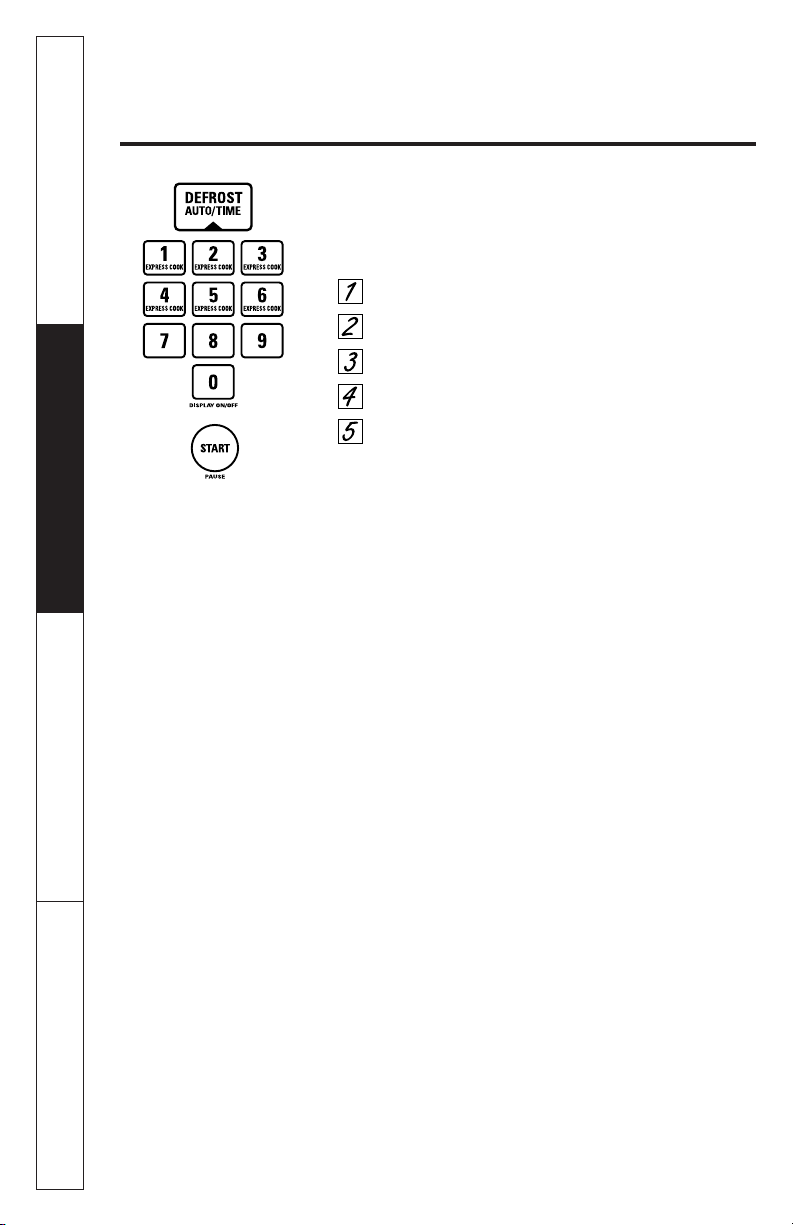
Press
DEFROST AUTO/TIME
twice.
Enter defrosting time.
Press
START.
Turn food over when the oven signals.
Press
START.
Power level is automatically set at 3, but can be changed.
You can defrost small items quickly by raising the power
level after entering the time.
Power level 7
cuts the total
defrosting time in about half;
power level 10
cuts the
total time to approximately 1/3. However, food will
need more frequent attention than usual.
At one half of selected defrosting time, the oven signals
TURN.
At this time, turn food over and break apart or
rearrange pieces for more even defrosting. Shield any
warm areas with small pieces of foil.
A dull thumping noise may be heard during defrosting.
This is normal when oven is not operating at
High
power.
Defrosting Tips
■ Foods frozen in paper or plastic can be defrosted in
the package. Closed packages should be slit, pierced
or vented AFTER food has partially defrosted. Plastic
storage containers should be partially uncovered.
■ Family-size, prepackaged frozen dinners can be
defrosted and microwaved. If the food is in a foil
container, transfer it to a microwave-safe dish.
■
Foods that spoil easily should not be allowed to sit out
for more than one hour after defrosting. Room
temperature promotes the growth of harmful bacteria.
■ For more even defrosting of larger foods, such as
roasts, use
Auto Defrost.
Be sure large meats are
completely defrosted before cooking.
■ When defrosted, food should be cool but softened in
all areas. If still slightly icy, return to the microwave
very briefly, or let it stand a few minutes.
20
Customer Service Troubleshooting Tips Operating Instructions Safety Information
Safety Information Operating Instructions Troubleshooting Tips Customer Service
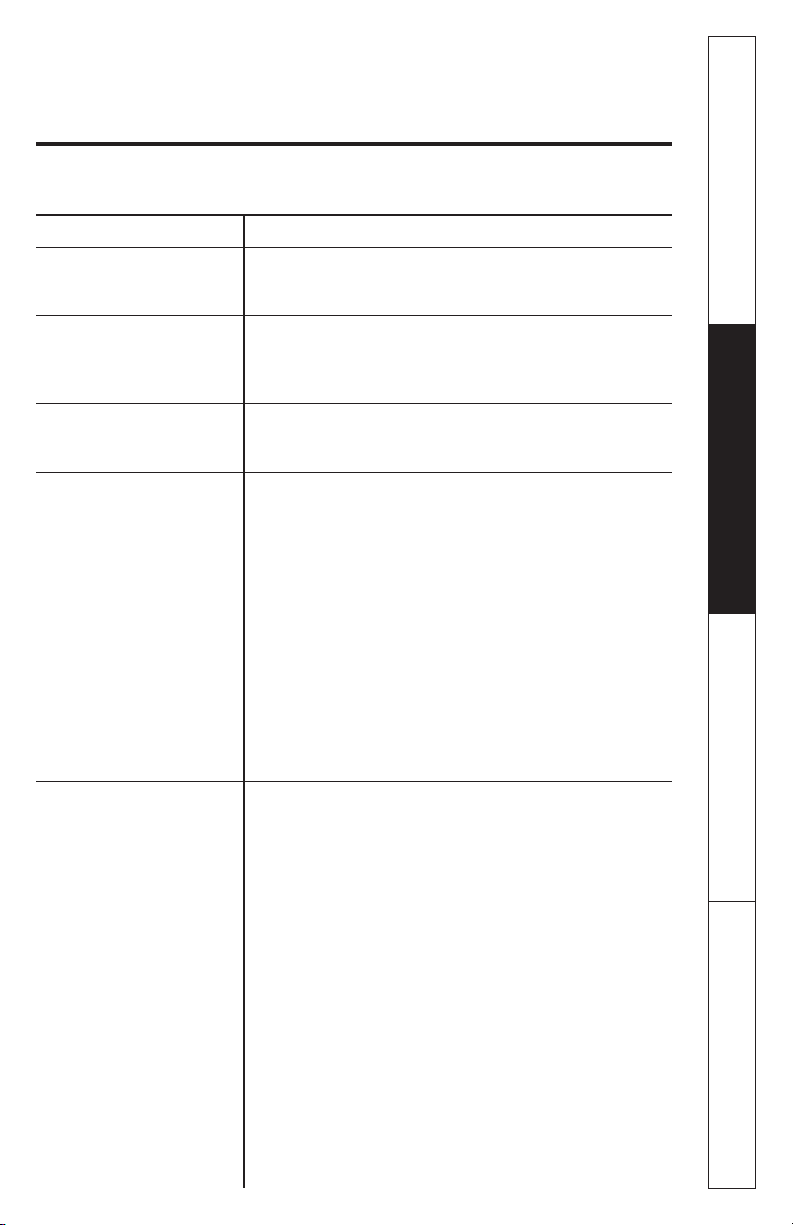
Food Time Comments
Breads, Cakes
Bread, buns or rolls (1 piece)
1/4 min. Rearrange after half the time.
Sweet rolls (approx. 12 oz.)
2 to 4 min.
Fish and Seafood
Fillets, frozen (1 lb.)
6 to 9 min.
Shellfish, small pieces
(1 lb.)
3 to 7 min. Place block in casserole. Turn over
and break up after half the time.
Fruit
Plastic pouch—1 or 2
1 to 5 min.
(10-oz. package)
Meat
Bacon (1 lb.)
2 to 5 min. Place unopened package in oven.
Let stand 5 minutes after defrosting.
Franks (1 lb.)
2 to 5 min. Place unopened package in oven.
Microwave just until franks can be
separated. Let stand 5 minutes, if
necessary, to complete defrosting.
Ground meat (1 lb.)
4 to 6 min. Turn meat over after half the time.
Roast: beef, lamb, veal, pork
9 to 13 min.
Use
power level 1.
per lb.
Steaks, chops and cutlets
4 to 8 min. Place unwrapped meat in cooking
per lb. dish. Turn over after half the time
and shield warm areas with foil.
When finished, separate pieces and
let stand to complete defrosting.
Poultry
Chicken, broiler-fryer
14 to 20 min.
Place wrapped chicken in dish. Unwrap
cut up (2
1
⁄
2
to 3 lbs.)
and turn over after first half of time. After
second half of time, separate pieces and
place in cooking dish. Microwave 2 to 4
minutes more, if necessary. Let stand a
few minutes to finish defrosting.
Chicken, whole
20 to 25 min.
Place wrapped chicken in dish. After half
(2
1
⁄
2
to 3 lbs.)
the time, unwrap and turn chicken over.
Shield warm areas with foil.To complete
defrosting, run cold water in the cavity
until giblets can be removed.
Cornish hen
7 to 13 min. Place unwrapped hen in the oven
per lb. breast-side-up. Turn over after first half
of time. Run cool water in the cavity until
giblets can be removed.
Turkey breast (4 to 6 lbs.)
3 to 8 min. Place unwrapped breast in microwave-safe
per lb. dish breast-side-down. After half of time,
turn breast-side-up and shield warm areas
with foil. Defrost for second half of time.
Let stand 1 to 2 hours in refrigerator to
complete defrosting.
21
Defrosting Guide
Customer Service Troubleshooting Tips Operating Instructions Safety Information
About the time features.
Express Cook
This is a quick way to set cooking time for 1–6 minutes.
Press one of the
Express Cook
pads (from 1 to 6)
for 1 to 6 minutes of cooking at
power level 10.
For
example, press the
2
pad for 2 minutes of cooking time.
The power level can be changed as time is counting
down. Press
POWER LEVEL
and enter 1–10.
22
Add 30 Seconds
You can use this feature two ways:
■ It will add 30 seconds to the time counting down each
time the pad is pressed.
■ It can be used as a quick way to set 30 seconds of
cooking time.
Safety Information Operating Instructions Troubleshooting Tips Customer Service
About the auto feature.
Auto Defrost
The
Auto/Time Defrost
feature gives you two ways to
defrost frozen foods. Press
AUTO/TIME DEF.
once
for
Auto Defrost
or twice for
Time Defrost.
Use
Auto Defrost
for meat, poultry and fish.
Use
Time Defrost
for most other frozen foods.
Auto Defrost
automatically sets the defrosting times and
power levels to give even defrosting results for meats,
poultry and fish weighing up to six pounds.
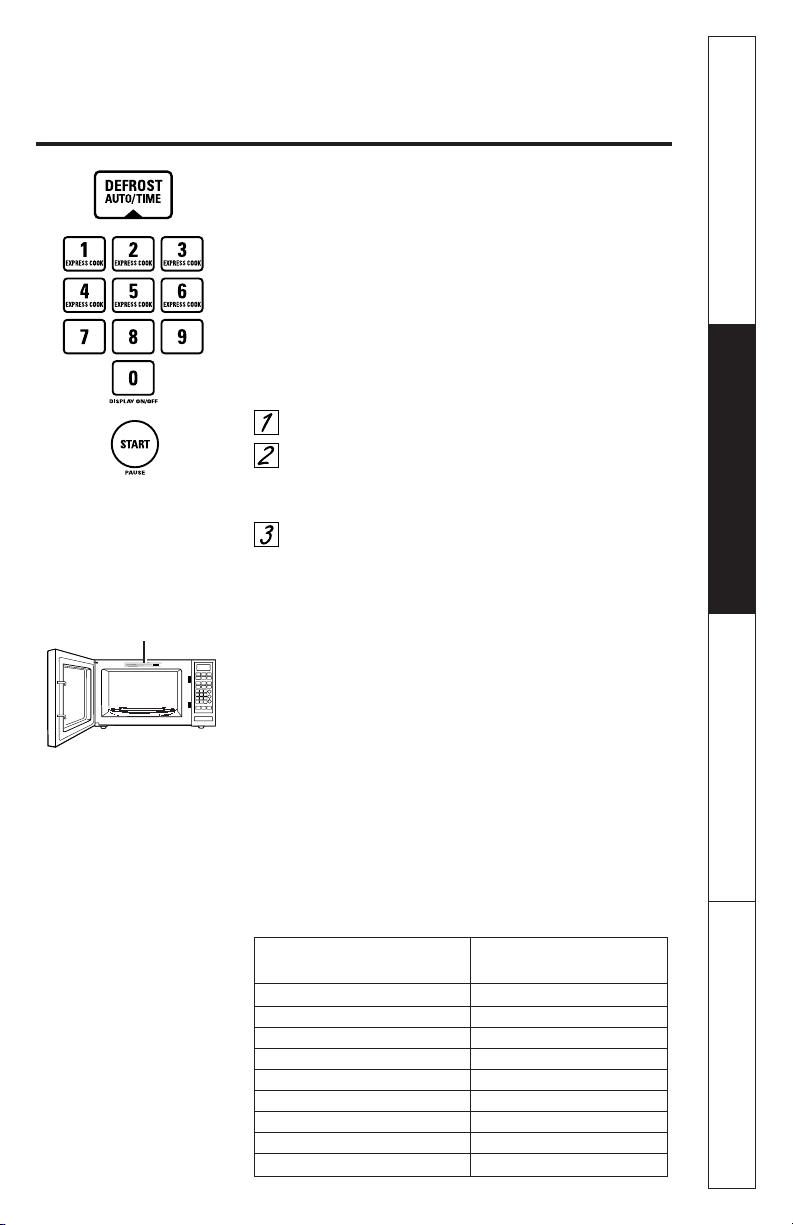
Press
AUTO/TIME DEF.
once.
Using the
Conversion Guide
below, enter food
weight. For example, press pads
1
and
2
for 1.2
pounds (1 pound, 3 ounces).
Press
START.
(
Time Defrost
is explained in the
About the time features
section.)
There is a handy guide located on the inside front of the oven.
■ Remove meat from package and place on microwave-
safe dish.
■ Twice during defrost, the oven signals
TURN.
At each
TURN
signal, turn the food over. Remove defrosted
meat or shield warm areas with small pieces of foil.
■ After defrosting, most meats need to stand 5 minutes
to complete defrosting. Large roasts should stand for
about 30 minutes.
Conversion Guide
If the weight of food is stated in pounds and ounces, the ounces
must be converted to tenths (.1) of a pound.
Weight of Food in Ounces Enter Food Weight
(tenths of a pound)
1–2 .1
3.2
4–5 .3
6–7 .4
8.5
9–10 .6
11 .7
12–13 .8
14–15 .9
Guide
23

Customer Service Troubleshooting Tips Operating Instructions Safety Information
Humidity Sensor
The
Sensor Features
detect the increasing humidity
released during cooking. The oven automatically adjusts
the cooking time to various types and amounts of food.
■ The proper containers and covers are essential for
best sensor cooking.
■ Always use microwave-safe containers and cover them
with lids or vented plastic wrap. Never use tight
sealing plastic containers—they can prevent steam
from escaping and cause food to overcook.
■ Be sure the outside of the cooking containers and the
inside of the microwave oven are dry before placing
food in the oven. Beads of moisture turning into
steam can mislead the sensor.
About the sensor features.
24
Covered
Vented
Dry off dishes so they don’t mislead
the sensor.
Safety Information Operating Instructions Troubleshooting Tips Customer Service
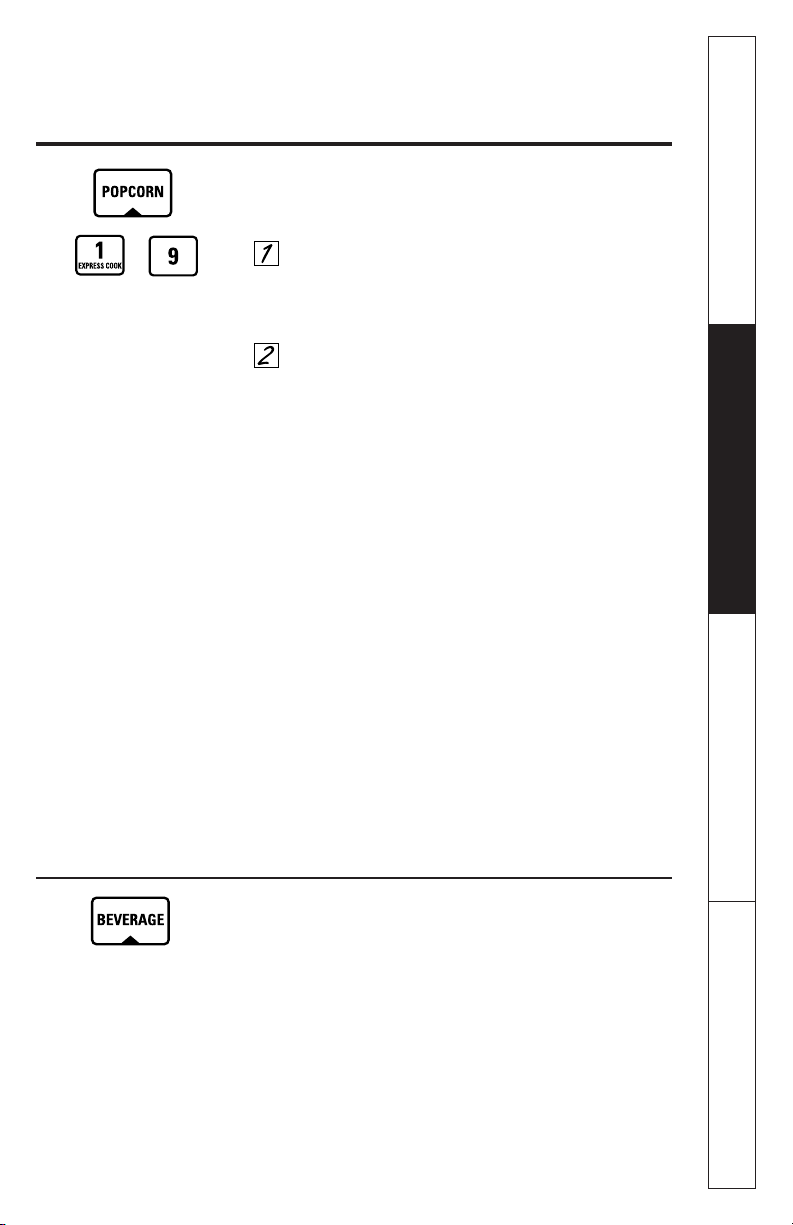
Popcorn
To use the
Popcorn
feature:
Follow package instructions, using
Time Cook
if the
package is less than 1.75 ounces or larger than 3.5
ounces. Place the package of popcorn in the center
of the microwave.
Press
POPCORN.
The oven starts immediately.
If you open the door while
POPCORN
is displayed,
SENSOR ERROR
will appear. Close the door, press
CLEAR/OFF
and begin again.
How to Adjust the Popcorn Program to Provide a Shorter or
Longer Cook Time
If you find that the brand of popcorn you use
underpops or overcooks consistently, you can add or
subtract 20—30 seconds to the automatic popping time.
To add time:
After pressing
POPCORN,
press
9
immediately after the
oven starts for an extra 20 seconds. Press
9
again to add
another 10 seconds (total 30 seconds additional time).
To subtract time:
After pressing
POPCORN,
press
1
immediately after the
oven starts for 20 seconds less cooking time. Press
1
again to reduce cooking time another 10 seconds (total
30 seconds less time).
Use only with prepackaged microwave
popcorn weighing 1.75 to 3.5 ounces.
Beverage
Press
BEVERAGE
to heat a cup of coffee or other
beverage.
Drinks heated with the Beverage feature may be very hot.
Remove the container with care.
25
(less time)
(more time)
About the sensor features.
26
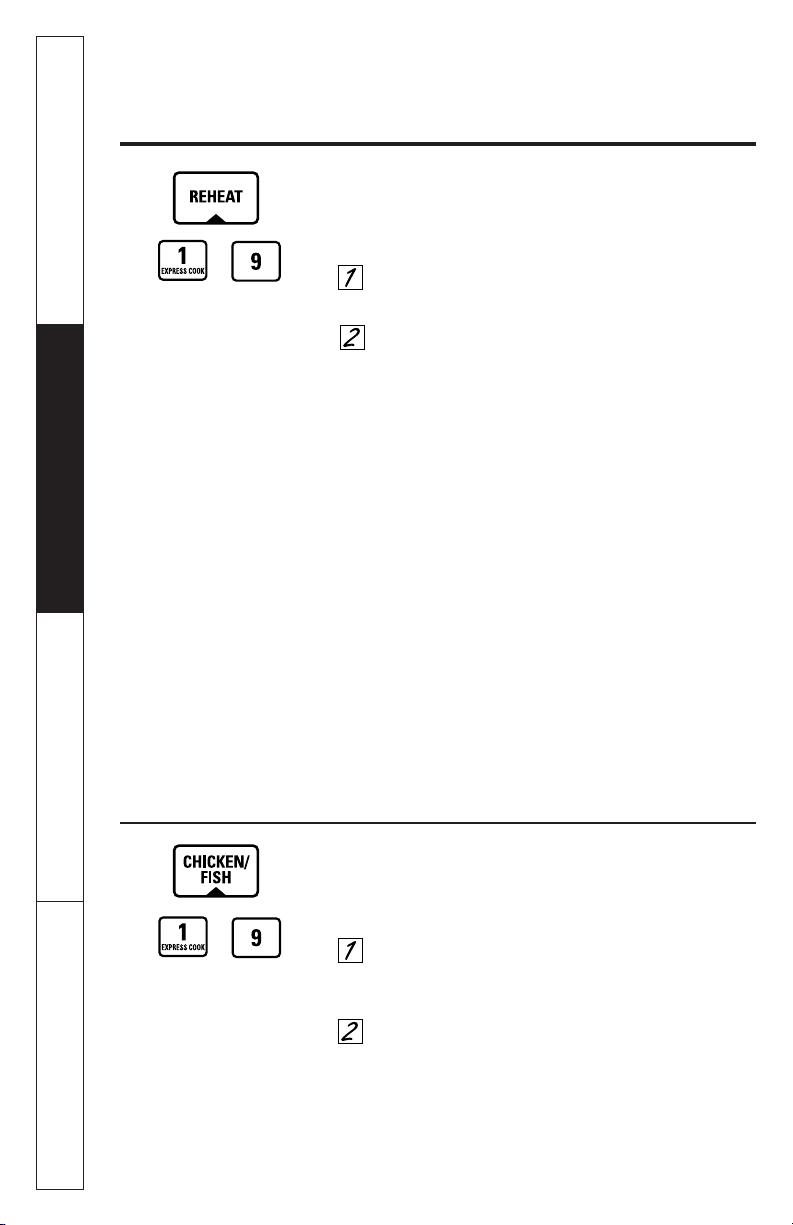
Reheat
The
Reheat
feature reheats single servings of previously
cooked foods or a plate of leftovers.
Place covered food in the oven. Press
REHEAT.
The oven starts immediately.
The oven signals when steam is sensed and the
time remaining begins counting down.
Do not open the oven door until time is counting
down. If the door is opened, close it and press
START
immediately.
After removing food from the oven, stir, if possible, to even
out the temperature. If the food is not hot enough, use Time
Cook to reheat for more time. Reheated foods may have
wide variations in temperature. Some areas may be
extremely hot.
Some Foods Not Recommended for Use With Reheat
It is best to use
Time Cook
for these foods:
■ Bread products.
■ Foods that must be reheated uncovered.
■ Foods that need to be stirred or rotated.
■ Foods calling for a dry look or crisp surface after
reheating.
Chicken/Fish
Use the
Chicken/Fish
feature to cook 1–8 pieces of
chicken or 4–16 ounces of fish.
Place covered chicken or fish in the oven. Press
CHICKEN/FISH
once for chicken pieces or twice for
fish. The oven starts immediately.
The oven signals when steam is sensed and the
time remaining begins counting down.
Do not open the oven door until time is counting
down. If the door is opened, close it and press
START
immediately. If food is not done enough, use
Time Cook
to cook for more time.
(less time)
(more time)
How to Change the
Automatic Settings
To reduce time by 10%:
Press
1
after the feature pad.
To add 10% to cooking time:
Press
9
after the feature pad.
How to Change the
Automatic Settings
To reduce time by 10%:
Press
1
after the feature pad.
To add 10% to cooking time:
Press
9
after the feature pad.
(less time)
(more time)
Customer Service Troubleshooting Tips Operating Instructions Safety Information
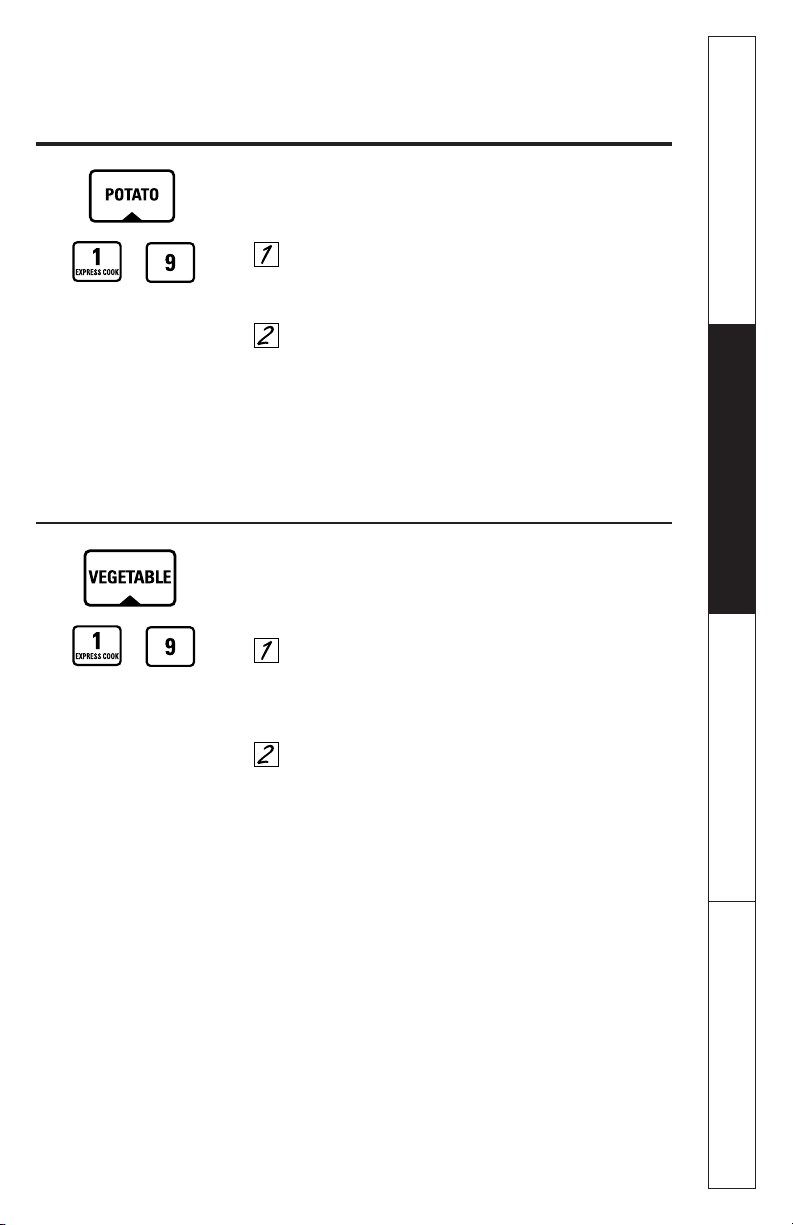
Potato
The
Potato
feature cooks 1/2–2 lbs. of potatoes.
Pierce skin with fork and place potatoes on the
turntable. If cooking three or more potatoes,
arrange in a star pattern.
Press
POTATO.
The oven starts immediately. The
oven signals when steam is sensed and the time
remaining begins counting down.
Do not open the oven door until time is counting
down. If the door is opened, close it and press
START
immediately. If food is not done enough, use
Time Cook
to cook for more time.
Vegetable
Use the
Vegetable
feature to cook 4–16 ounces of fresh,
frozen or canned vegetables.
For fresh vegetables, add 2 tablespoons of water
per serving. For frozen vegetables, follow package
instructions for adding water. Cover with lid or
plastic wrap. Place vegetables in the oven.
Press
VEGETABLE
once for fresh vegetables, twice
for frozen vegetables, or three times for canned
vegetables. The oven starts immediately. The oven
signals when steam is sensed and time remaining is
counting down.
Do not open the oven door until time is counting
down. If the door is opened, close it and press
START
immediately. If food is not done enough, use
Time Cook
to cook for more time.
27
How to Change the
Automatic Settings
To reduce time by 10%:
Press
1
after the feature pad.
To add 10% to cooking time:
Press
9
after the feature pad.
How to Change the
Automatic Settings
(automatic settings for
canned vegetables cannot
be adjusted on some
models)
To reduce time by 10%:
Press
1
after the feature pad.
To add 10% to cooking time:
Press
9
after the feature pad.
(less time)
(more time)
(less time)
(more time)
Safety Information Operating Instructions Troubleshooting Tips Customer Service
About the other features.
28
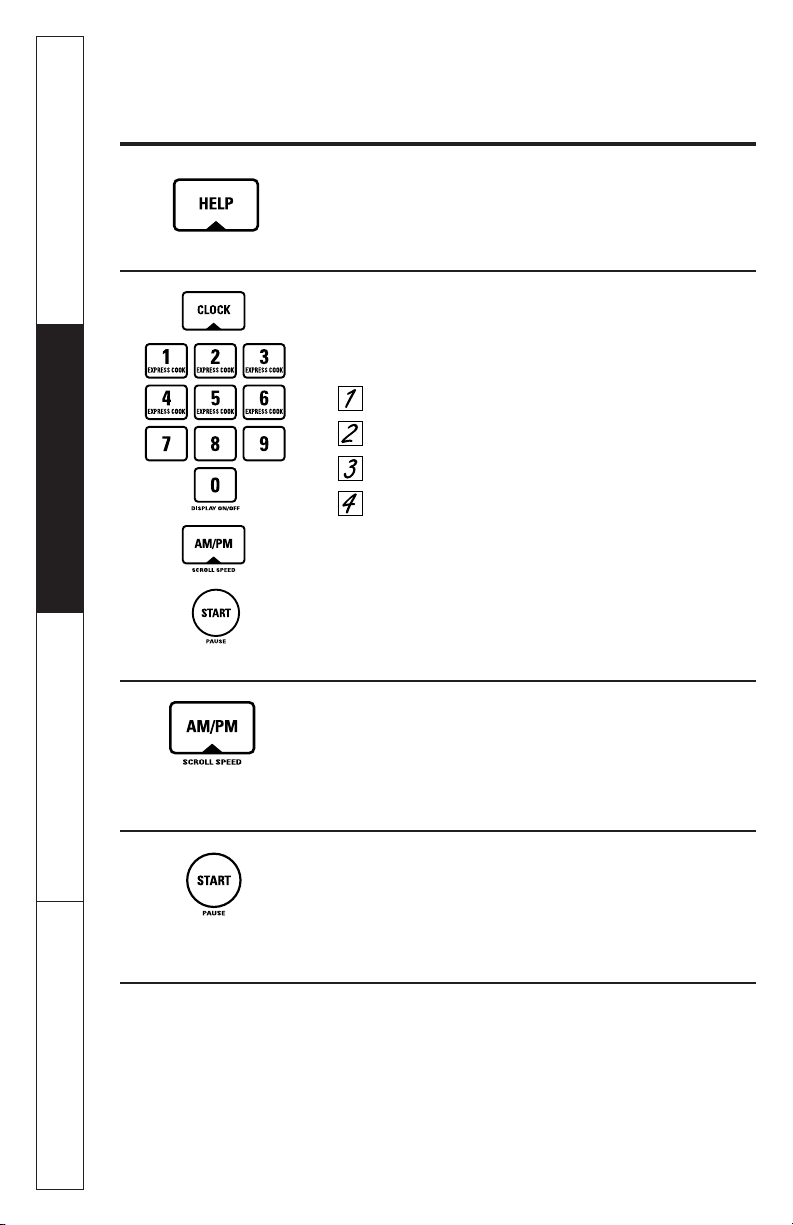
Clock
Press to enter the time of day or to check the time of day
while microwaving.
Press
CLOCK.
Enter time of day.
Select AM or PM.
Press
START
or
CLOCK.
To remind you that you have food in the oven, the oven will
display
FOOD IS READY
and beep once a minute until you either
open the oven door or press
CLEAR/OFF.
Cooking Complete Reminder
Scroll Speed
The scroll speed of the display can be changed. Press
and hold the
AM/PM
pad about 3 seconds to bring up
the display. Select 1–5 for slow to fast scroll speed.
Start/Pause
In addition to starting many functions,
START/PAUSE
allows you to stop cooking without opening the door
or clearing the display.
Help
The
HELP
pad displays feature information and helpful
hints. Press
HELP,
then select a feature pad.
Customer Service Troubleshooting Tips Operating Instructions Safety Information
29
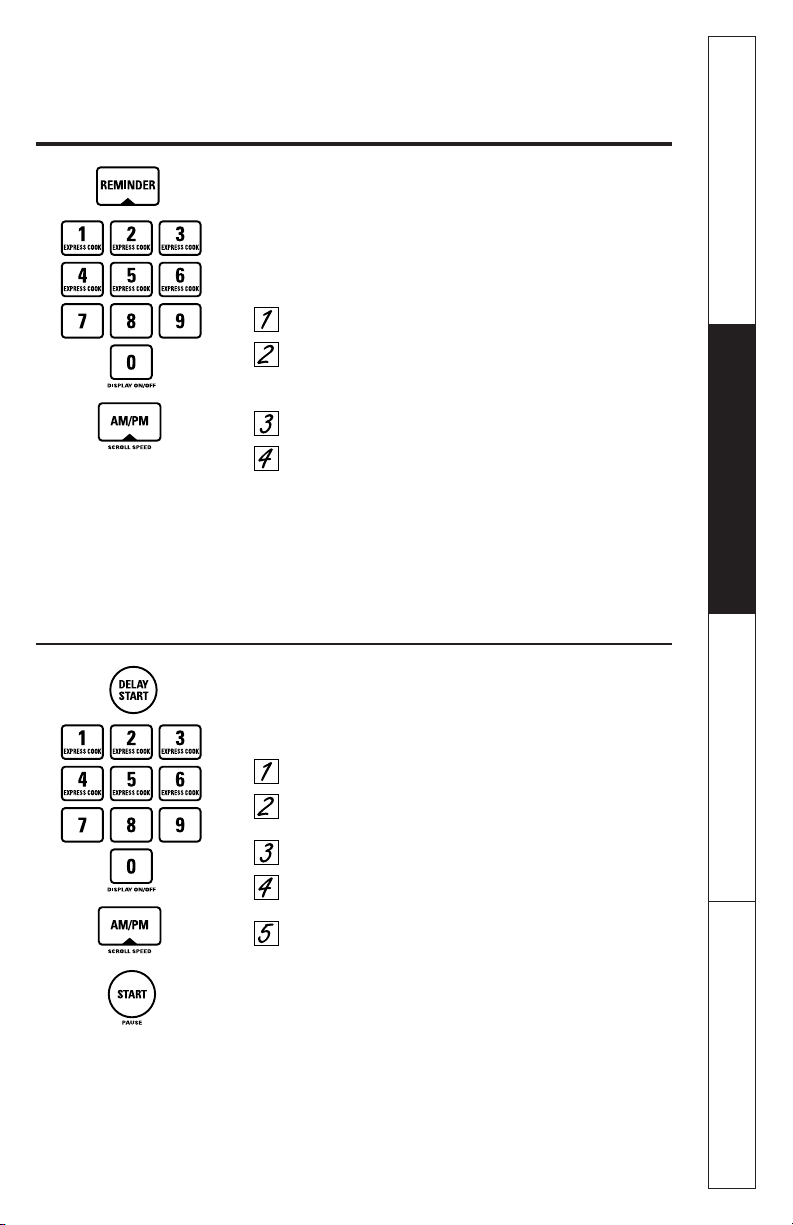
Delay Start
Delay Start
allows you to set the microwave to delay
cooking up to 24 hours.
Press
DELAY START.
Enter the time you want the oven to start. (Be sure
the microwave clock shows the correct time of day.)
Select AM or PM.
Select any combination of
Defrost Auto/Time
and
Time Cook.
Press
START.
The
Delay Start
time will be displayed plus
DS.
The oven
will automatically start at the delayed time.
The time of day may be displayed by pressing
CLOCK.
Reminder
The
Reminder
feature can be used like an alarm clock,
and can be used at any time, even when the oven is
operating. The
Reminder
time can be set up to 24
hours later.
Press
REMINDER.
Enter the time you want the oven to remind you.
(Be sure the microwave clock shows the correct
time of day.)
Select AM or PM.
Press
REMINDER.
When
Reminder
signal occurs,
press
REMINDER
to turn it off. The
Reminder
time
may be displayed by pressing
REMINDER.
NOTE: The REM indicator will remain lit to show that the
Reminder is set. To clear the Reminder before it occurs,
press REMINDER, then 0. The REM indicator will no longer
be lit.
Safety Information Operating Instructions Troubleshooting Tips Customer Service
About the other features.
30
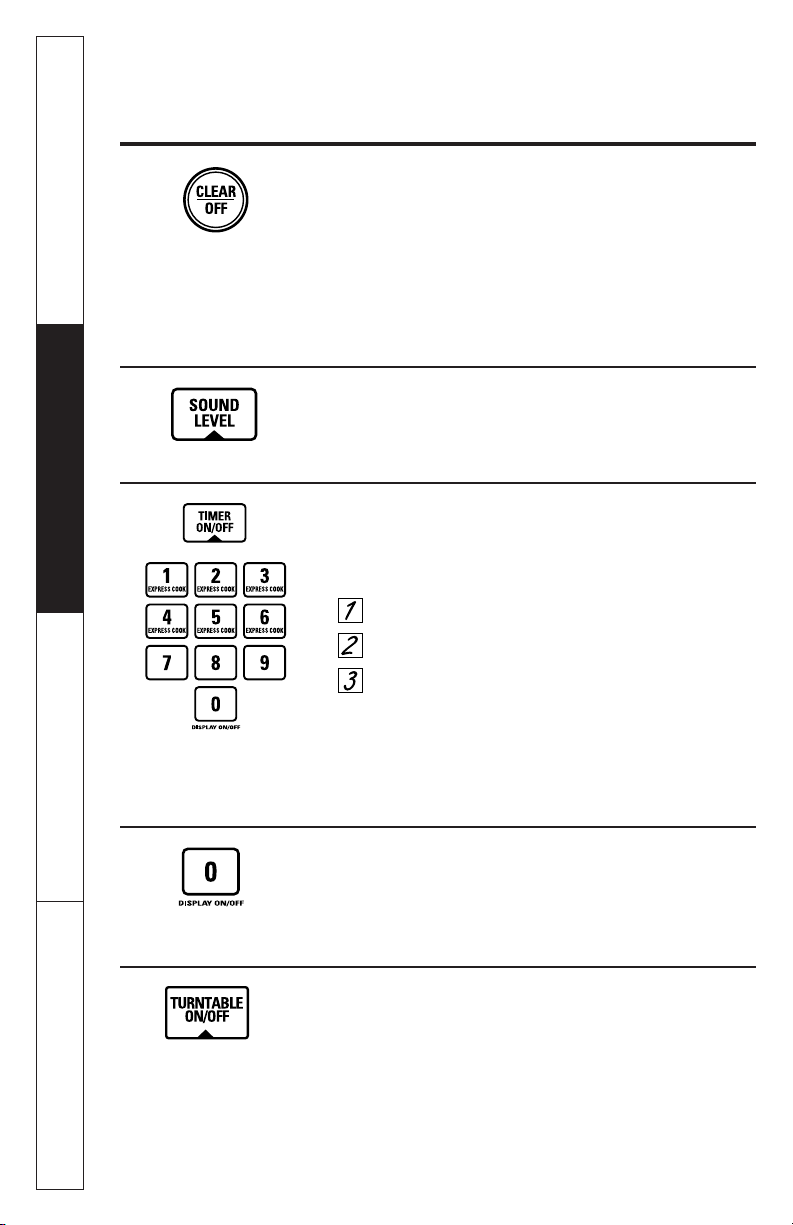
Timer On/Off
Timer On/Off
operates as a minute timer and can be used
at any time, even when the oven is operating.
Press
TIMER ON/OFF.
Enter time you want to count down.
Press
TIMER ON/OFF
to start.
When time is up, the oven will signal. To turn off the
timer signal, press
TIMER ON/OFF.
NOTE: The timer indicator will be lit while the timer is
operating.
Child Lock-Out
You may lock the control panel to prevent the
microwave from being accidentally started or used
by children.
To lock or unlock the controls, press and hold
CLEAR/OFF
for about three seconds. When the control panel is
locked,
LOCKED
will appear in the display.
Sound Level
The beeper sound level can be adjusted. Press
SOUND
LEVEL.
Choose 0–3 for mute to loud.
Display On/Off
To turn the clock display on or off, press and hold
0
for
about 3 seconds. The
Display On/Off
feature cannot be
used while a cooking feature is in use.
Turntable On/Off
For best cooking results, leave the turntable on.
It can be turned off for large dishes. Press
TURNTABLE
to turn the turntable on or off.
Sometimes the turntable can become too hot to
touch. Be careful touching the turntable during and
after cooking.
Customer Service Troubleshooting Tips Operating Instructions Safety Information
Safety Information Operating Instructions Troubleshooting Tips Customer Service
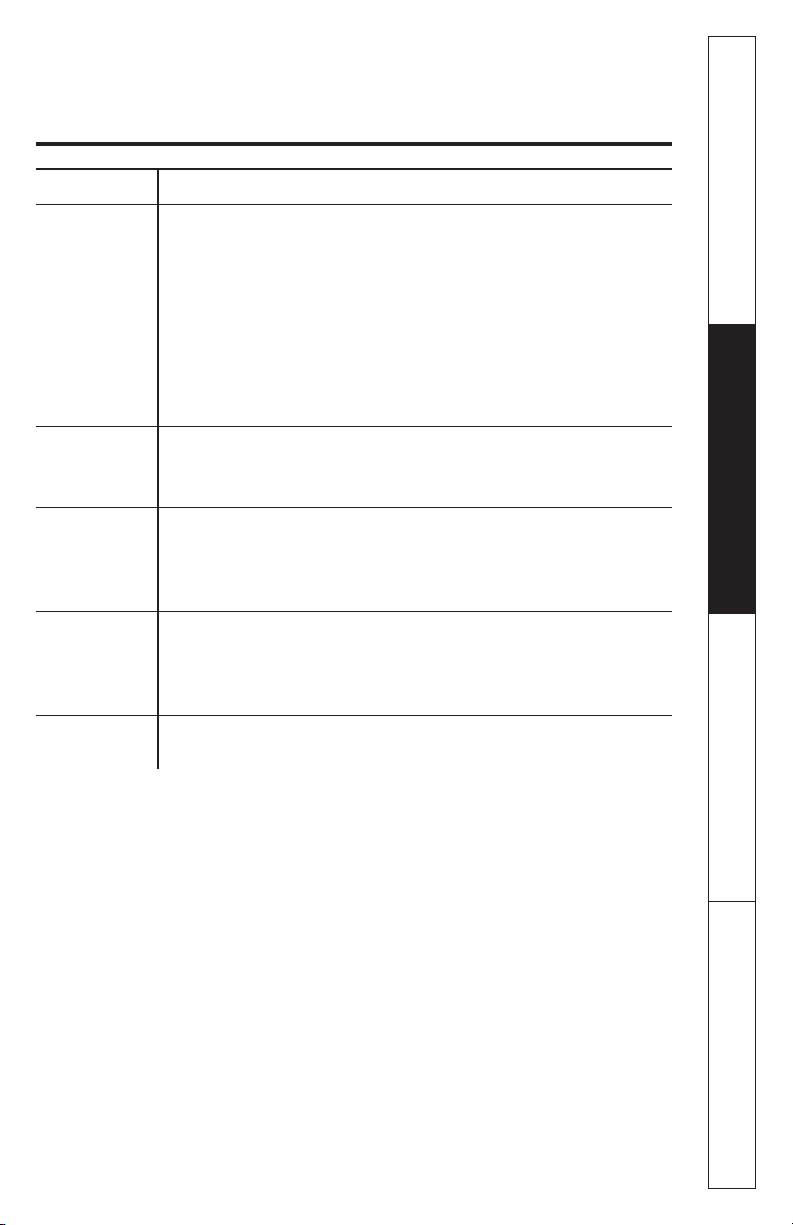
Microwave terms.
31
Arcing
Arcing is the microwave term for sparks in the oven. Arcing is
caused by:
■ metal or foil touching the side of the oven.
■ foil that is not molded to food (upturned edges act like
antennas).
■ metal such as twist-ties, poultry pins, gold-rimmed dishes.
■ recycled paper towels containing small metal pieces.
Covering
Covers hold in moisture, allow for more even heating and reduce
cooking time. Venting plastic wrap or covering with wax paper
allows excess steam to escape.
Shielding
In a regular oven, you shield chicken breasts or baked foods to
prevent over-browning. When microwaving, you use small strips
of foil to shield thin parts, such as the tips of wings and legs on
poultry, which would cook before larger parts.
Standing Time
When you cook with regular ovens, foods such as roasts or cakes
are allowed to stand to finish cooking or to set. Standing time is
especially important in microwave cooking. Note that a
microwaved cake is not placed on a cooling rack.
Venting
After covering a dish with plastic wrap, you vent the plastic wrap by
turning back one corner so excess steam can escape.
Term Definition
Customer Service Troubleshooting Tips Operating Instructions Safety Information
Care and cleaning of the microwave oven.
32
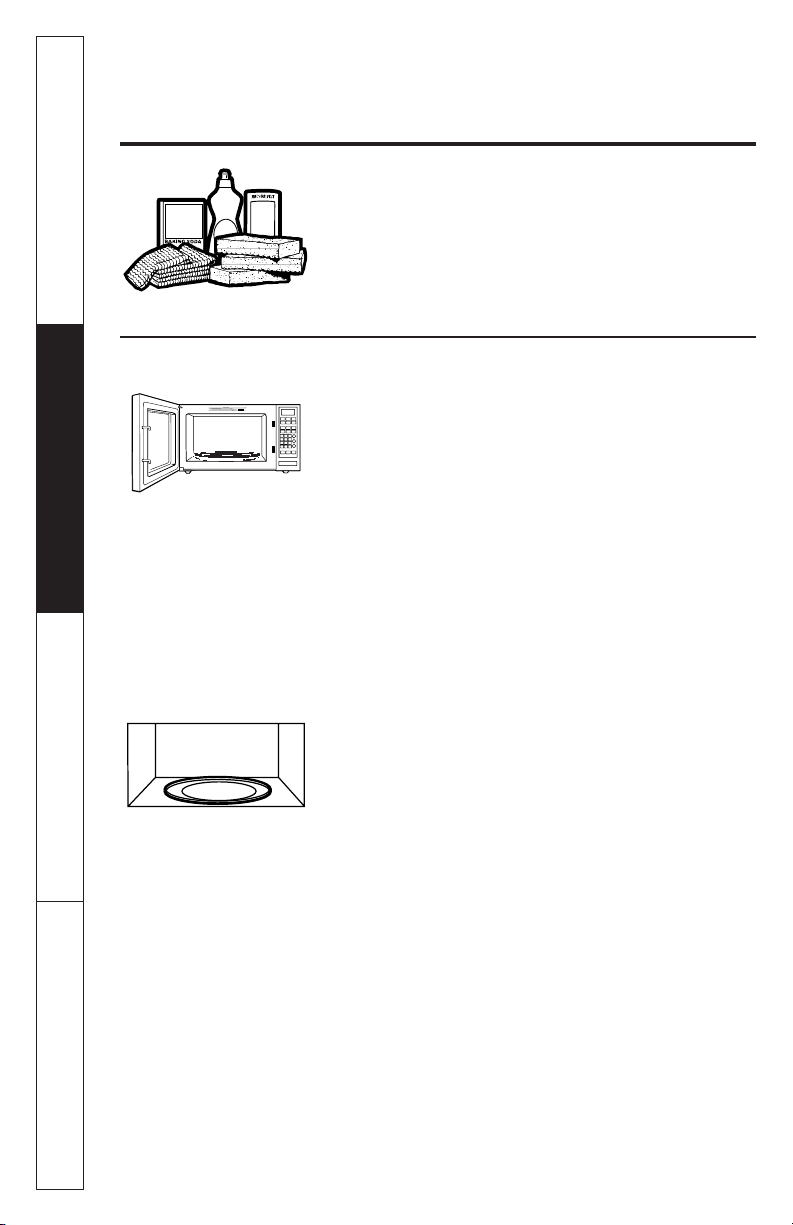
Helpful Hints
Open the oven door a few minutes after cooking to air
out the inside. An occasional thorough wiping with a
solution of baking soda and water keeps the inside fresh.
Unplug the cord before cleaning any part of this oven.
How to Clean the Inside
Walls, Floor, Inside Window, Metal and Plastic Parts on
the Door
Some spatters can be removed with a paper towel,
others may require a damp cloth. Remove greasy
spatters with a sudsy cloth, then rinse with a damp
cloth. Do not use abrasive cleaners or sharp utensils
on oven walls.
To clean the surface of the door and the surface of the oven that
come together upon closing, use only mild, nonabrasive soaps or
detergents using a sponge or soft cloth. Rinse with a damp cloth
and dry.
Never use a commercial oven cleaner on any part of your
microwave.
Removable Turntable and Turntable Support
To prevent breakage, do not place the turntable into
water just after cooking. Wash it carefully in warm, sudsy
water or in the dishwasher. The turntable and support
can be broken if dropped. Remember, do not operate
the oven without the turntable and support in place.
Safety Information Operating Instructions Troubleshooting Tips Customer Service
33
How to Clean the Outside
Do not use cleaners containing ammonia or alcohol on the
microwave oven. Ammonia or alcohol can damage the
appearance of the microwave.
Case
Clean the outside of the microwave with a sudsy cloth.
Rinse and then dry. Wipe the window clean with a
damp cloth.
Control Panel and Door
Wipe with a damp cloth. Dry thoroughly. Do not use
cleaning sprays, large amounts of soap and water,
abrasives or sharp objects on the panel—they can
damage it. Some paper towels can also scratch the
control panel.
Door Surface
It’s important to keep the area clean where the
door seals against the microwave. Use only mild,
non-abrasive detergents applied with a clean sponge
or soft cloth. Rinse well.
Stainless Steel
(on some models)
To clean the surface use hot soapy water, then rinse and
dry. Do not use steel wool pads or other abrasive
cleaners. They will scratch the surface.
Customer Service Troubleshooting Tips Operating Instructions Safety Information
Before you call for service…
34
Troubleshooting Tips
Save time and money! Review the charts on the following
pages first and you may not need to call for service.
Problem Possible Causes What To Do
Oven will not start
A fuse in your home • Replace fuse or reset
may be blown or the circuit breaker.
circuit breaker tripped.
Power surge. • Unplug the microwave
oven, then plug it back in.
Plug not fully inserted • Make sure the 3-prong
into wall outlet. plug on the oven is fully
inserted into wall outlet.
Control panel lighted, yet
Door not securely closed. • Open the door and close
oven will not start
securely.
START
pad not pressed • Press
START.
after entering cooking
selection.
Another selection entered • Press
CLEAR/OFF.
already in oven and
CLEAR/OFF
pad not
pressed to cancel it.
Cooking time not entered • Make sure you have
after pressing
TIME COOK.
entered cooking time
after pressing
TIME COOK.
CLEAR/OFF
was pressed • Reset cooking program
accidentally. and press
START.
Food weight not entered • Make sure you have
after selecting
Auto Defrost.
entered food weight
after selecting
Auto Defrost.

Safety Information Operating Instructions Troubleshooting Tips Customer Service
35
Problem Possible Causes What To Do
“LOCKED” appears in
The control has been • Press and hold
CLEAR/OFF
display
locked. (When the control for about three seconds to
panel is locked an
L
will unlock the control.
be displayed.)
“SENSOR ERROR”
During
Popcorn, Reheat,
• Close the door, press
appears in display Beverage, Chicken/Fish, CLEAR/OFF
and begin again.
Potato,
or
Vegetable
program, the door was
opened before steam
could be detected.
Steam was not detected • Use
Time Cook
to heat
in maximum amount for more time.
of time.
Food amount too large Sensor Reheat
is for single • Use
Time Cook
for large
for Sensor Reheat
servings of recommended amounts of food.
foods.
Before you call for service…
36
Customer Service Troubleshooting Tips Operating Instructions Safety Information
■ Steam or vapor escaping from around the door.
■ Light reflection around door or outer case.
■ Dimming oven light and change in the blower sound at power
levels other than high.
■ Dull thumping sound while oven is operating.
■ TV/radio interference might be noticed while using the
microwave. Similar to the interference caused by other small
appliances, it does not indicate a problem with the microwave.
Plug the microwave into a different electrical circuit, move the
radio or TV as far away from the microwave as possible, or check
the position and signal of the TV/radio antenna.
Things That Are Normal With Your Microwave Oven
37
Safety Information Operating Instructions Troubleshooting Tips Customer Service
Notes.
Customer Service Troubleshooting Tips Operating Instructions Safety Information
38
Notes.
GE Microwave Oven Warranty
All warranty service provided by an authorized Customer Care
®
technician. For service, call 800-GE-CARES.
This warranty is extended to the original purchaser and any succeeding owner for products purchased
for home use within the USA. In Alaska, the warranty excludes the cost of shipping or service calls to
your home.
Some states do not allow the exclusion or limitation of incidental or consequential damages. This
warranty gives you specific legal rights, and you may also have other rights which vary from state to
state. To know what your legal rights are, consult your local or state consumer affairs office or your
state’s Attorney General.
Warrantor: General Electric Company. Louisville, KY 40225
For The Period Of: GE Will Replace:
One Year Any part
of the microwave oven which fails due to a
From the date of the
defect in materials or workmanship. During this
full
original purchase one-year warranty,
GE will also provide,
free of charge,
all
labor and in-home service to replace the defective part.
Nine Years The magnetron tube,
if the magnetron tube fails due to
For the second through
a defect in materials or workmanship. During this
the tenth year from the nine-year limited warranty,
you will be responsible for
date of original purchase
any labor or in-home service costs.
For the above limited warranty: To avoid any trip charges, you must take the microwave oven to a
General Electric Customer Care
®
servicer and pick it up following service. In-home service is also
available, but you must pay for the service technician’s travel costs to your home.
■Service trips to your home to teach you
how to use the product.
■Improper installation.
■Failure of the product if it is
abused, misused, or used for other
than the intended purpose or used
commercially.
■ Replacement of house fuses or
resetting of circuit breakers.
■ Damage to the product caused by
accident, fire, floods or acts of God.
■ Incidental or consequential damage to
personal property caused by possible
defects with this appliance.
What GE Will Not Cover:
39
Safety Information Operating Instructions Troubleshooting Tips Customer Service
Service Telephone Numbers.
The GE Answer Center® is open 24 hours a day, 7 days a week.
GE Answer Center
®
800.626.2000
Expert GE repair service is only a phone call away.
In-Home Repair Service
800-GE-CARES (800-432-2737)
TDD 800-TDD-GEAC (800-833-4322)
GE offers, free of charge, a brochure to assist in planning a barrier-
free kitchen for persons with limited mobility.
Special Needs Service
800.626.2000
Purchase a GE service contract while your warranty is still in effect and
you’ll receive a substantial discount. GE Consumer Service will still be
there after your warranty expires.
Service Contracts
800-626-2224
Individuals qualified to service their own appliances can have parts or
accessories sent directly to their homes (VISA, MasterCard and
Discover cards are accepted).
Instructions contained in this manual cover procedures to be performed
by any user. Other servicing generally should be referred to qualified
service personnel. Caution must be exercised, since improper servicing
may cause unsafe operation.
Parts and Accessories
800-626-2002
If you are not satisfied with the service you receive from GE,
follow these three steps.
First,
contact the people who serviced your
appliance.
Next,
if you are still not pleased, write all the details—
including your phone number—to: Manager, Customer Relations,
GE Appliances, Appliance Park, Louisville, KY 40225.
Finally,
if your
problem is still not resolved, write:
Major Appliance Consumer Action Program
20 North Wacker Drive, Chicago, IL 60606.
Service Satisfaction
Printed in Korea
40
Customer Service Troubleshooting Tips Operating Instructions Safety Information