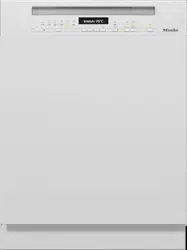
1. (On/Off) Button For turning the dishwasher on and off.
2. Program selection
Normal
=
Normal
Pots
=
Pots & Pans
Quick
=
QuickIntenseWash
Sani
=
SaniWash
Rinse
=
Rinse & Hold
3. Program program selection button For program selection.
4. Time display
5. Timer button For selecting a later program start.
6. Express button For reducing the program cycle time.
7. Indicator lights/refill reminders
=
Intake/Drainage
=
Rinse aid
=
Salt
BEFORE USING FOR THE FIRST TIME
Every dishwasher is tested at the factory. There will be residual water in the machine from this test. It is not an indication that the dishwasher has been used previously.
Opening the door
In some programs, the door automatically opens slightly to assist the drying process.
This function can be deactivated, if preferred (see “AutoOpen” under “Options”)
Pull the handle to open the door.
Open the door fully to disengage the locking mechanism.
At the end of the program, if the AutoOpen function is on, the door locking pins automatically retract.
To prevent a technical fault, do not hold the door locking pins firmly when they are retracting.
If the door is opened during operation, all functions are automatically interrupted.
WARNING Risk of scalding due to hot water.
During operation, water in the dishwasher may be very hot.
During operation, only open the door with extreme caution.
WARNING Risk of injury due to door opening automatically.
The door may open automatically at the end of a program.
Keep the area around the door free of obstructions.
Closing the door
Insert the baskets.
Raise the door upwards until the catch engages.
WARNING Risk of crushing due to the door closing.
When closing the door, you are at risk of shutting your fingers in it.
Do not put your hand inside the door as it is closing.
Water softener
In order to achieve good cleaning results, the dishwasher needs to operate with soft water. Hard water results in the build-up of calcium deposits on dishes and on the inner surfaces of the appliance.
Domestic water with a water hardness level higher than 5.2 gr/gal (5 °dH –German scale) must be softened. This occurs automatically in the integrated water softener. The water softener is suitable for a water hardness level of up to 72.9 psi (70 °dH – German scale).
In order to be reactivated, the water softener requires reactivation salt.
Depending on the water hardness level (< 22 gr/gal, or < 21 °dH – German scale), reactivation salt is not required if combination detergents are being used see “Active ingredients” under “Detergents”).
The dishwasher must be programmed to the correct water hardness for your area.
Your local water authority will be able to advise you of the water hardness level in your area.
Where the water hardness fluctuates, e.g., between 10 and 16 gr/gal (10– dH – German scale), always program the dishwasher to the higher value (16 gr/gal or 15 °dH in this example).
If the water hardness in your area is available in a unit other than °dH, you can convert the values as follows: dH = 0.18 mmol/l = 1 gr/gal
The dishwasher is programmed at the factory for a water hardness level of dH – German scale.
If your water hardness level corresponds to this setting, you can skip to the next section.
However, if you have a different water hardness level, you must adjust the water softener to match your water hardness.
Displaying and setting the water hardness level
Open the door.
Turn the dishwasher off with the button, if it is turned on.
Press the button in and, while holding it in, turn the dishwasher on using the button. Keep the button pressed in for at least 4 seconds until the indicator light comes on.
If this does not happen, start the procedure from the beginning again.
Press the Program button 2 times. The top left program indicator light will flash rapidly 2 times at intervals.
The value set for the water hardness is shown as a figure after in the time display. will start flashing in the time display.
A water hardness of 14 gr/gal (14 °dH – German scale) is set.
Use the button to set the water hardness value in your area.
The dosage amount increases each time you press the button. When the highest value is reached, the setting starts again from the beginning.
The setting is now saved.
Turn the dishwasher off with the button.
Reactivation salt
In order to maintain the functions of the water softener, it must be reactivated regularly.
In order to be reactivated, the water softener requires reactivation salt.
Depending on the water hardness level (<22 gr/gal, or < 21 °dH – German scale), reactivation salt is not required if combination detergents are being used see “Active ingredients” under “Detergents”).
If the water in your area is very soft and constantly lower than 5 gr/gal (5 °dH – German scale), you do not need to add reactivation salt. The salt refill reminder will automatically turn off after the water hardness has been set accordingly (see “Displaying and setting the water hardness level” under “Before using for the first time”).
WARNING Damage to the water softener from detergent.
Dishwasher detergent will damage the water softener.
Do not fill the salt reservoir with powder or liquid detergent.
WARNING Damage caused by using unsuitable salts.
Some types of salt may contain insoluble components which can cause the water softener to malfunction.
Use only special, coarse-grained reactivation salt.
If you only ever use combination detergent products containing salt and rinse aid in your dishwasher, you can turn off both refill reminders if you wish (see “Turning off the refill reminders” under “Options”).
Please make sure that if you stop using combination detergents, you refill the reactivation salt and rinse aid.
Turn the refill reminders back on if required.
Filling the salt reservoir
Before filling the salt reservoir for the first time, you must fill it with approx. ½ gallon (2 l) of water to enable the salt to dissolve.
Once the dishwasher has been used once, there is always sufficient water in the salt reservoir.
Remove the lower basket from the wash cabinet and unscrew the salt reservoir cap.
WARNING Danger of corrosion due to saline solution.
Water or saline solution will run out of the reservoir when the cap is opened. Salt solution that runs out can cause corrosion in the wash cabinet and to the wash items.
The cap should therefore only be removed in order to refill the salt reservoir.
Fill the salt reservoir with approx. ½ gallon (2 l) of water (first use only).
Place the funnel provided over the salt reservoir and carefully fill with reactivation salt until the reservoir is full. The salt reservoir holds up to lb (2 kg) of salt, depending on the type of salt used.
Clean off salt residues from around the salt reservoir opening. Next, screw the salt reservoir cap on again firmly.
Immediately after filling the salt reservoir and each time you remove the salt reservoir cap, run the QuickIntenseWash program with the Express program option selected without wash items in the dishwasher to dissolve and remove any traces of salt from the wash cabinet.
Refilling the salt
When the Salt refill reminder lights up, wait until the end of the program and then refill the salt reservoir.
WARNING Risk of corrosion due to saline solution.
Salt solution that runs out can cause corrosion in the wash cabinet and to the wash items.
Each time you remove the salt reservoir cap, you must run the 150°F (65 °C) QuickIntenseWash program with the Express program option selected without wash items in the dishwasher. This will dissolve and remove any traces of salt from the wash cabinet.
After the salt reservoir has been filled, the refill reminder may still appear in the display if the salt concentration has not yet reached the correct level. It will go out once the salt concentration has reached the correct level.
The salt refill reminder will be turned off if you have programmed the dishwasher for a water hardness below 5 gr/gal dH – German scale).
Rinse aid
Rinse aid is necessary to ensure that water does not cling and leave marks on dishes during the drying phase, and helps dishes dry faster after they have been washed.
Rinse aid is poured into the reservoir and the amount set is dispensed automatically.
WARNING Liquid dish soap or detergent can cause damage.
Liquid dish soap and detergent can damage the rinse-aid reservoir.
Only fill it with rinse aid formulated for domestic dishwashers.
Alternatively, you could use liquid citric acid at a concentration of up to 10%.
The resulting rinsing and drying quality will not, however, be as good as when rinse aid is used.
WARNING Risk of acid damage.
The dishwasher can be damaged by high concentrations of acid.
Under no circumstances should you use citric acid with a higher acid content.
NOTE If you only ever wish to use combination detergent products in your dishwasher, you do not need to add rinse aid.
However, for optimum rinsing and drying results, use dishwasher detergent and add reactivation salt and rinse aid separately.
NOTE Please make sure that if you stop using combination detergents, you refill the reactivation salt and rinse aid.
Turn the refill reminders back on if required.
Adding rinse aid
Press the yellow button on the lid of the rinse-aid reservoir.
Fill with rinse aid until the filling level indicator (arrow) changes to a dark color while the door is horizontally open.
The rinse-aid reservoir holds approximately 110 ml.
Close the lid firmly until you hear it click into place. Otherwise, water can enter the rinse-aid reservoir during a program.
Wipe up any spilled rinse aid. This prevents excess foam developing during the next program.
Filling the rinse-aid reservoir
When the refill reminder Rinse aid appears in the display, the reservoir contains sufficient rinse aid for 2 to 3 programs only.
Add rinse aid in plenty of time
The rinse-aid refill reminder will go out.
If you only ever use combination detergent products containing salt and rinse aid in your dishwasher, you can turn off both refill reminders if you wish (see “Turning off the refill reminders” under “Options”).
Setting the rinse-aid dosage
You can adjust the rinse-aid dosage for best results.
The rinse-aid dosage can be set from 0 to 6 ml. ml is the factory default setting.
The rinse-aid dosage can turn out to be higher than the set value due to the automatic adjustment of the program.
If spots appear on dishes and glassware:
- Increase the rinse-aid dosage.
If clouding or smearing appears on dishes and glassware:
- Decrease the rinse-aid dosage.
Open the door.
Turn the dishwasher off with the button, if it is turned on.
Press the button in and, while holding it in, turn the dishwasher on using the button.
Keep the button pressed in for at least 4 seconds until the indicator light comes on.
If this does not happen, start the procedure from the beginning again.
Press the Program button 3 times.
The top left program indicator light will flash rapidly 3 times at intervals.
The set value will appear in the display after . will start flashing in the time display. Setting 3 is set.
Use the button to select the required setting.
The dosage amount increases each time you press the button. When the highest value is reached, the setting starts again from the beginning.
The setting is now saved.
Turn the dishwasher off with the button.
LOADING THE DISHWASHER
Tips
Remove coarse food residues from the dishes.
There is no need to rinse items under running water!
WARNING Damage can be caused by ash, sand, wax, lubricating grease, or paint.
These substances will contaminate the dishwasher and can then no longer be removed.
Do not wash items soiled with these substances in the dishwasher.
Dishes can be loaded anywhere in the baskets, but the following notes should be observed:
Do not place dishes and utensils inside other items where they will cover one another.
Load the dishes so that water can access all surfaces. This ensures that they get properly cleaned.
Make sure that all items are securely positioned.
Hollow items such as cups, glasses, pans, etc., must be inverted in the baskets.
Tall, narrow, hollow items such as champagne glasses should be placed in the center of the basket rather than in the corners. This ensures the hollow items are more easily accessed by the water jets.
Concave items such as mugs or bowls should be placed at an angle so that the water can run off.
The spray arms must not be blocked by items which are too tall or hang through the baskets. Test for free movement by manually rotating the spray arms.
Make sure that small items cannot fall through the holders in the baskets.
Small items such as lids should therefore be placed in the 3D MultiFlex Tray or cutlery basket (depending on model).
Some foods such as carrots, tomatoes, or ketchup may contain natural dyes. These dyes can discolor plastic items in the dishwasher if large quantities of these foods are in contact with the dishes inside the machine. The stability of plastic items is not affected by this discoloration.
Washing silverware can also cause plastic items to discolor.
Wash items not suitable for dishwashers:
Wooden cutlery and dishes or items with wooden parts. These may discolor and fade. The glue used in these items is not dishwasher-proof and wooden handles may come loose after being washed in a dishwasher.
Craft items, antiques, valuable vases, and decorative glassware. Such items are not suitable for dishwashers.
Plastic items that are not heat resistant. The high temperatures in the dishwasher may cause them to melt or lose shape.
Copper, brass, tin and aluminum items. These may discolor or become dull.
Colors painted over a glaze. These may fade after a number of washes.
Delicate glassware and glassware containing lead crystal. Clouding may occur over time.
Silver
Silver that has been in contact with foods containing sulphur can discolor.
These include egg yolk, onions, mayonnaise, mustard, fish, and marinades.
Silverware previously cleaned with a silver polish may still be damp or spotted at the end of a program, where water has not run off smoothly.
Tip: Rub the silver dry with a cloth.
WARNING Damage due to caustic alkaline detergents.
Aluminum parts (e.g., the grease filters of ventilation hoods) can be damaged by caustic alkaline detergents. In extreme cases, there is a risk of an explosive chemical reaction (such as an explosive oxyhydrogen gas reaction).
Aluminum components must not be cleaned in the dishwasher with caustic alkaline commercial or industrial detergents.
Tip: When purchasing new dishes and cutlery, make sure they are dishwasherproof if you want to wash them in the dishwasher.
Glass care
Clouding may occur on glasses after frequent washing in the dishwasher.
When washing delicate glassware in the dishwasher, ensure that only a special glass-care program with very low temperatures is selected (see Program overview”). This will reduce the risk of clouding.
Purchase glassware that is dishwasher-safe (e.g., Riedel glassware).
Use detergents with glass protective additives.
DETERGENT
WARNING Damage caused by using unsuitable detergents.
Detergents that are not suitable for domestic dishwashers can cause damage to the dishwasher or to the wash items.
Only use detergents formulated for domestic dishwashers.
Active ingredients
Modern detergents contain various active ingredients, the most important of which are:
Water softening complexing agents to prevent calcification.
Most dishwasher detergents are mildly alkaline and contain enzymes and oxygen-based bleaching agents.
There are different types of detergent:
Powder and liquid gel detergents. These detergents allow you to adjust the amount dispensed according to the amount of wash items and the level of soiling.
Tab detergents. These are suitable for most levels of soiling.
As well as the usual detergents, combination products are also available.
These contain rinse aid and water softener (reactivation salt).
Only use these combination detergents for the water hardness levels recommended by the manufacturer on the packaging.
The cleaning and drying performance of these combination detergents can vary greatly.
For optimum cleaning and drying results, use dishwasher detergent and add salt and rinse aid separately (depending on model).
WARNING Risk of chemical burns from detergent.
Dishwasher detergents can cause burning on the skin and in the eyes, nose, mouth, and throat.
Avoid contact with detergents.
Do not inhale or ingest powder detergents. Do not swallow dishwasher detergents. Seek medical attention immediately if detergent has been swallowed or inhaled.
Keep children away from detergents.
Detergent residues could still be present in the machine. Keep children away from the dishwasher when the door is open. Do not fill the detergent dispenser until just before starting the program and activate the door safety lock (depending on model).
Detergent dispensing
The detergent compartment holds a maximum of 3 1/2" tablespoons.
There are marks in the detergent compartment to aid with dispensing: 1 1/4, 2 tablespoons (20, 30 ml). When the door is opened to a horizontal position, they show the approximate fill level in ml and the maximum fill height.
Follow the detergent dosage recommended by the manufacturer on the packaging.
Unless directed otherwise, use one detergent tab or add 1 1/4 to 2 tablespoons (20 to 30 ml) of detergent to the detergent compartment, depending on the level of soiling of the dishware.
If you use less than the recommended amount of detergent, the dishware may not get properly clean.
Some tabs may not dissolve completely when the program QuickIntenseWash is used.
Adding detergent
Press the yellow button on the lid of the detergent compartment.
The lid will spring open. The lid will also open at the end of a program.
Add the detergent to the detergent compartment.
Push the lid shut until you hear it click into place.
The detergent must not cause the detergent-compartment lid to get stuck. This can prevent the lid from opening during the program. Do not overfill the detergent compartment.
Ensure that the detergent packaging is properly closed after use. This prevents the detergent from getting damp and clumping together.
You can also apply a small amount of detergent to the inner panel of the door in programs that have a prewash stage (see “Program overview”)
OPERATION
Turning on the dishwasher
Turn on the water supply if it is turned off.
Open the door.
Make sure the spray arms can rotate freely.
Press the button.
The indicator light next to the program selected will come on.
Selecting a program
Choose your program according to the type of load and the degree of soiling.
The different programs and their uses are described in the Program Overview.
Use the Program button to select the program you want.
The indicator light next to the program selected will come on.
The program duration will appear in hours and minutes in the display.
You can now select program options see “Options”).
If any program options are selected, the appropriate indicator lights will also light up.
Display of program duration
The duration of the program selected appears in hours and minutes in the display before the program begins. If the door is opened during the program, the time left until the end of the program is displayed.
The displayed duration may vary for the same program. It is influenced by, for example, the temperature of the incoming water, the reactivation cycle of the water softener, the detergent type, the amount of dishware, and how soiled it is.
When a program is selected for the first time, the display will show the average program duration for a cold water connection.
The program durations shown under Program overview” refer to standard test loads and temperatures.
Each time a program is run, the control module calculates the program duration required depending on the temperature of the water taken into the dishwasher and the amount of dishware.
Starting a program
Start the program by closing the door within 4 seconds of the last press of a button.
WARNING Risk of scalding due to hot water. During operation, water in the dishwasher may be very hot. During operation, only open the door with extreme caution.
End of program
The audible signal might sound at the end of the program.
The program has ended when : shows in the display.
In some programs, the door will automatically open slightly if the AutoOpen function is activated (see “AutoOpen” under “Options”). This improves the drying process.
The drying fan may continue to run for a few minutes at the end of the program.
WARNING Risk of damage due to steam.
Steam from the dishwasher could damage the edges of delicate countertops when you open the door at the end of the program if the fan is no longer running.
If you have deactivated the automatic door opening function (see
AutoOpen” under “Options”) but would like to open the door as soon as the program has finished, make sure that you open the door fully.
Energy management
To save energy, the dishwasher will switch off automatically 10 minutes after the last time a button is pressed or after the end of a program.
You can turn the dishwasher back on again with the button.
The dishwasher will not turn itself off while a program is running or if there is a fault.
Turning off the dishwasher
Open the door.
The dishwasher can be turned off at any time using the button.
Turning the dishwasher off during a program stops the program.
You can also do this to stop an ongoing timer.
WARNING Risk of damage from leaking water.
Leaking water can cause damage. If the dishwasher is not going to be used for a longer period of time, e.g., during vacations, the water supply should be turned off.
Unloading the dishwasher
Dishes tend to break and chip more easily when they are hot. Allow the dishes to cool until they are comfortable enough to handle before unloading them.
The dishes will cool much faster if you open the door when the program has ended.
First unload the lower basket, then the upper basket, and finally the 3D MultiFlex Tray (if present). This will prevent water drops from the upper basket and 3D MultiFlex Tray from falling onto the dishes in the lower basket.
Interrupting a program
A program will be interrupted as soon as the door is opened.
After 4 seconds, the indicator light of the selected program and the time display will flash.
Press the Program button and close the door within 4 seconds.
The program will continue from the point at which it was interrupted.
WARNING Risk of scalding due to hot water.
During operation, water in the dishwasher may be very hot.
During operation, only open the door with extreme caution.
Canceling or changing a program
If a program is canceled, important program stages may be missed.
A program should only be canceled in the first few minutes.
If a program has already started and you wish to cancel it, proceed as follows:
Open the door.
Turn the dishwasher off with the button.
Confirm the message Cancel program? with Yes.
If you would like to select another program:
Turn the dishwasher on again with the button.
If you have dispensed detergent manually, check whether the detergent compartment is still closed. If the lid is already open, fill it with detergent again and close the lid.
Select the program you want, and then start it by shutting the door.
OPTIONS
Timer
You can set the start time of a program.
The program start time can be delayed for between 30 minutes and 24 hours.
With start-time delays between 30 minutes and 3 hours, the delay can be set in 30 minute stages. It is set in hours for periods longer than this.
During manual detergent dispensing, the detergent will clump together if the detergent compartment is not dry, and this may mean it is not fully rinsed out.
When using the timer function, make sure that the detergent compartment is dry before adding detergent. Wipe dry with a cloth first, if necessary.
Do not use any liquid detergents.
These can leak out.
WARNING Danger to health due to detergent.
To prevent children coming into contact with dishwasher detergent:
Do not fill the detergent dispenser until just before starting the program, i.e., before you activate the timer.
Activating the timer
Open the door.
Turn the dishwasher on using the button.
Select a program.
Press the Timer button.
The most recently set time will be shown on the time display. The Timer indicator light will light up.
Set the required time after which the program should start automatically using the button.
If the button is pressed and held, the time will increase automatically up to 24 hours. To start again with 00:30 hours, press the button twice.
Close the door.
After you have activated the timer, all the displays will turn off after a few minutes to save energy. Press the button to switch the time display back on again for a few minutes.
Open the door if you need to check how long the timer has left to run.
The time up until the program starts will count down in the display in hours for durations above 10 hours, and in minutes for durations below 10 hours.
At the end of the delay period, the program selected begins automatically.
The time left will appear in the time display and the Timer indicator light will go out.
Short
The Short option reduces the duration of the program in which this option is available by up to 30%.
Selection of the Short option may take precedence over other selected options.
In order to achieve optimum cleaning results, energy consumption may increase slightly with this option.
When used in combination with the QuickIntenseWash program, the Short option results in a rinse cycle without drying or automatic opening of the door.
Starting a program before the time for the timer has elapsed:
A program can be started before the time for the timer has elapsed. Proceed as follows:
Open the door.
Turn the dishwasher off with the button.
Turn the dishwasher on again with the button.
Select the program you want.
Start the program by closing the door.
PROGRAM OPTIONS
Express
The Express program option reduces the program cycle time.
In order to achieve optimum cleaning results, the temperature, and therefore the energy consumption, will increase with this option.
The time by which the program cycle time is shortened varies according to the selected program.
Selecting the Express program option may take precedence over other selected options.
When used in combination with the QuickIntenseWash program, the Express option results in a rinse designed solely for the purpose of flushing out the wash cabinet to remove salt solution that leaked out after refilling the salt reservoir.
Open the door.
Turn the dishwasher on with the button.
The indicator light for the program selected will flash.
Select a different program as required.
Press the Express button.
The Express indicator light will come on if the program option is available for the program selected.
Start the program by closing the door.
The selected program option will remain active for that particular program until the setting is changed.
Audible signals
A sequence of audible tones will sound at the end of the program or if there is a fault.
The audible signals at the end of a program and the alarm tone in the event of a fault will sound four times at intervals with a short pause between each set.
The audible signals are switched off as standard.
You can switch on the signals that sound at the end of a program if you wish. The alarm tone that sounds in the event of a fault is always switched on.
Open the door.
Turn the dishwasher off with the button, if it is turned on.
Press the button in and, while holding it in, turn the dishwasher on using the button.
Keep the button pressed in for at least 4 seconds until the indicator light comes on.
If this does not happen, start the procedure from the beginning again.
Press the Program button 4 times.
The top left program indicator light will flash rapidly 4 times at intervals.
The flashing sequence in the time display indicates whether the audible signals at the end of the program are activated or deactivated:
- P1: audible signals are activated
- P0: audible signals are deactivated
Press the button to change the setting.
The setting is now saved.
Turn the dishwasher off with the button.
AutoOpen
In some programs, the door automatically opens slightly to assist the drying process.
This program option can be deactivated if you wish.
Open the door.
Turn the dishwasher off with the button, if it is turned on.
Press the button in and, while holding it in, turn the dishwasher on using the button.
Keep the button pressed in for at least 4 seconds until the indicator light comes on.
If this does not happen, start the procedure from the beginning again.
Press the Program button 7 times.
The top left program indicator light will flash rapidly 7 times at intervals.
The flashing sequence in the time display indicates whether the AutoOpen program option is activated or not:
- P1: AutoOpen is activated
- P2: AutoOpen is deactivated
Press the button to change the setting.
The setting is now saved.
Turn the dishwasher off with the button.
WARNING Risk of damage due to steam.
Steam from the dishwasher could damage the edges of delicate countertops when you open the door at the end of the program if the fan is no longer running.
If you have deactivated the automatic door opening function but would like to open the door as soon as the program has finished, make sure that you open the door fully.
Turning off the refill reminders
If you only ever use combination detergent products containing salt and rinse aid in your dishwasher, you can turn off both refill reminders if you wish.
Open the door.
Turn the dishwasher off with the button, if it is turned on.
Press the button in and, while holding it in, turn the dishwasher on using the button.
Keep the button pressed in for at least 4 seconds until the indicator light comes on.
If this does not happen, start the procedure from the beginning again.
Press the Program button 9 times.
The top left program indicator light will flash rapidly 9 times at intervals.
The flashing sequence in the time display will show whether the refill reminders are switched on or off.
- P1: refill reminders are activated
- P0: refill reminders are deactivated
Press the button to change the setting.
The setting is now saved.
Turn the dishwasher off with the button.
Please make sure that if you stop using combination detergents, you refill the reactivation salt and rinse aid depending on model). Turn the refill reminders back on.
Extra clean
You can choose this program option to increase the cleaning performance of the programs.
If you activate this program option, the program cycle times and the main wash temperatures will increase. The water and energy consumption may increase.
Open the door.
Turn the dishwasher off with the button, if it is turned on.
Press the button in and, while holding it in, turn the dishwasher on using the button.
Keep the button pressed in for at least 4 seconds until the indicator light comes on.
If this does not happen, start the procedure from the beginning again.
Press the Program button 10 times.
The top left program indicator light will emit 1 long flash at intervals.
The flashing sequence in the time display indicates whether the Extra clean program option is activated or not:
- P1: Extra clean is activated
- P0: Extra clean is deactivated
Press the button to change the setting.
The setting is now saved.
Turn the dishwasher off with the button.
Extra Dry
You can select this program option in order to increase the program drying performance.
If you activate this program option, the program cycle times and final rinse temperatures will increase. The energy consumption may increase.
Open the door.
Turn the dishwasher off with the button, if it is turned on.
Press the button in and, while holding it in, turn the dishwasher on using the button.
Keep the button pressed in for at least 4 seconds until the indicator light comes on.
If this does not happen, start the procedure from the beginning again.
Press the Program button 11 times.
The top left program indicator light will emit 1 long flash and 1 short flash at intervals.
The flashing sequence in the time display indicates whether the Extra Dry program option is activated or not:
- P1: Extra Dry is activated
- P0: Extra Dry is deactivated
Press the button to change the setting.
The setting is now saved.
Turn the dishwasher off with the button.
Factory defaults
If you have altered any settings, you can reset them back to the factory default settings.
Open the door.
Turn the dishwasher off with the button, if it is turned on.
Press the button in and, while holding it in, turn the dishwasher on using the button.
Keep the button pressed in for at least 4 seconds until the indicator light comes on.
If this does not happen, start the procedure from the beginning again.
Press the Program button 19 times.
The top left program indicator light will emit 1 long flash and 9 short flash at intervals.
The flashing sequence in the time display indicates whether the setting deviates from the factory default:
- P1: all values are factory default settings.
- P0: at least one setting has been changed.
To reset the dishwasher to the factory default settings, press the button.
The setting is now saved.
Turn the dishwasher off with the button.
Check the condition of your dishwasher regularly (approx. every 4– 6 months). This helps to avoid faults and problems.
WARNING
Damage due to unsuitable cleaning agents. All surfaces are susceptible to scratching. Contact with unsuitable cleaning agents can alter or discolor all surfaces. Only use cleaning agents formulated for use on the relevant surfaces.
CARE AND CLEANING
Cleaning the wash cabinet
The wash cabinet is largely self-cleaning, provided that the correct amount of detergent is always used.
If, despite this, limescale or grease deposits build up in the cabinet, these can be removed with a proprietary dishwasher cleaner (available from the Miele
Customer Service or Miele's online store). Follow the dosage recommended by the manufacturer on the packaging.
The frequent use of low-temperature wash programs increases the risk of contamination and odors inside the wash cabinet. Run the Pots & Pans program once per month to clean the wash cabinet and prevent odors from developing.
Clean the filters in the wash cabinet regularly.
Cleaning the door and the door seal
The door seal and the sides of the dishwasher door are not accessed and cleaned by the spray arm jets. As a result, mold can develop here.
Wipe the door seals regularly with a damp cloth to remove food deposits.
Wipe off any food or drink residues which may have dripped onto the sides of the dishwasher door before closing it
Cleaning the control panel
The control panel should only be wiped with a damp cloth.
Cleaning the indicator reflector panel
The indicator reflector panel for the Optical Interface / TimeControl function (depending on model) is situated in the cover plate underneath the counter.
The indicator reflector panel should only be wiped with a damp cloth or a suitable cleaning agent designed for use on plastic.
Cleaning the front of the machine
WARNING Damage due to soiling.
Soiling that is left too long might become impossible to remove and could cause the external surfaces to alter or discolor.
It is therefore best to remove any soiling immediately.
Clean the appliance front with a clean soft sponge and a solution of warm water and liquid dish soap. After cleaning, wipe the surfaces dry using a soft cloth.
A clean, damp microfiber cloth without detergent can also be used.
To avoid damaging the external surfaces, do not use the following:
- cleaning agents containing soda, ammonia, acids, or chloride
- cleaning agents containing lime scale remover
- abrasive cleaning agents, such as scouring powder, scouring liquid, or pumice stones
- cleaning agents containing solvents
- stainless-steel cleaning agents
- dishwasher cleaner
- oven cleaner
- glass cleaner
- hard, abrasive brushes or sponges, e.g., pot scourers, brushes, or sponges which have been previously used with abrasive cleaning agents
- eraser sponges
- sharp metal scrapers
- steel wool
- steam cleaners
Cleaning the spray arms
Particles of food can get stuck in the spray-arm jets and bearings. The spray arms should therefore be inspected regularly (approx. every 2–4 months).
Never run a wash program without using the spray arms.
WARNING Damage due to soiling entering the circulation system.
Without filters, soiling can enter the circulation system and cause a blockage.
Do not run a wash program without the lower spray arm or without the filters.
When cleaning the filters and spray arms, make sure that coarse soiling cannot get into the circulation system.
Turn off the dishwasher.
Removing the cutlery tray (if present)
In order to be able to remove the upper spray arm, you first have to remove the cutlery tray (if present).
Pull out the cutlery tray.
Press the rail safety clips on both sides of the cutlery tray together (1) and remove the safety clips (2).
Take out the cutlery tray completely
Removing the upper spray arm
Push the upper spray arm upward (1) to engage the inner ratchet. Then unscrew the spray arm by rotating the screw thread counterclockwise (2).
Removing the middle spray arm
Rotate the screw thread of the middle spray arm clockwise (1) and remove the spray arm (2).
Removing the lower spray arm
Remove the lower basket.
Rotate the screw thread of the lower spray arm counterclockwise (1) and pull the spray arm upward to remove (2).
Cleaning the spray arms
.
Use a pointed object to push food particles that are stuck in the sprayarm jets into the spray arm.
Rinse the spray arm thoroughly under running water.
Reinstalling the spray arms
Reinstall the upper spray arm and tighten it by hand.
Reinstall the middle spray arm.
Reinstall the lower spray arm and ensure that the filter combination lies flat in the base of the wash cabinet.
Rotate the screw thread of the lower spray arm clockwise until the arrow in the viewing window points to the lock symbol .
Make sure the spray arms can rotate freely.
WARNING Damage due to soiling entering the circulation system.
The lower spray arm is used to secure the filter combination. Without filters, coarse soiling can enter the circulation system and cause a blockage.
Do not run a wash program without the lower spray arm or without the filters.
Inserting the cutlery tray (if present)
Slide the cutlery tray back onto the rails from the front.
Replace the safety clips in the rails on both sides of the cutlery tray
Checking the filters in the wash cabinet
The filter combination in the base of the wash cabinet retains coarse soil from the suds solution. This prevents soiling getting into the circulation system and re-entering the wash cabinet through the spray arms.
WARNING Damage due to soiling entering the circulation system.
Without filters, soiling can enter the circulation system and cause a blockage.
Do not run a wash program without the lower spray arm or without the filters.
When cleaning the filters and spray arms, make sure that coarse soiling cannot get into the circulation system.
The filters can become blocked by soiling that collects over time. The level of soiling and time it takes before the filters need cleaning will vary depending on use.
Monitor the condition of the filter combination regularly and clean it if necessary.
Cleaning the filters
Turn off the dishwasher.
Remove the lower spray arm (see Cleaning the spray arms” under Cleaning and care”).
Before removing the filter combination, remove any coarse soiling to prevent it from entering the circulation system.
Remove the filter combination.
In order to clean the inside of the filter, pull the microfilter on the plastic ring downwards and away from the filter combination.
Rinse all of the filters under running water.
If necessary, use a soft cleaning brush to remove soiling.
Insert the microfilter back into the filter combination.
Reinstall the filter combination so that it lies flat in the base of the wash cabinet.
Refit the lower spray arm to the filter combination using the screw thread.
Rotate the screw thread clockwise until the arrow in the viewing window points to the lock symbol .
WARNING Damage due to soiling entering the circulation system.
The lower spray arm is used to secure the filter combination. Without filters, coarse soiling can enter the circulation system and cause a blockage.
Do not run a wash program without the lower spray arm or without the filters.
Cleaning the drain pump
If water remains in the wash cabinet after the end of a program, the water has not been pumped away. The drain pump may be blocked by foreign objects. These foreign objects are easy to remove.
Disconnect the dishwasher from the power supply.
To do this, turn off at the electrical socket and withdraw the plug.
Take the filter combination out of the wash cabinet (see “Cleaning the filters” under “Cleaning and care”).
Scoop the water out of the wash cabinet using a suitable small container or utensil.
Press the catch of the drain pump cover inwards (1).
Tip the cover inwards until it is released (2).
Rinse the cover thoroughly under running water and remove all foreign objects.
The drain pump (see arrow) is underneath the cover.
WARNING Risk of injury from glass splinters.
It is especially difficult to see glass splinters in the drain pump.
Take care when cleaning the drain pump.
Carefully remove all foreign objects from the drain pump. Check the drain pump impeller by manually turning it.
You will feel a little resistance when you turn the impeller.
Refit the cover by placing it down vertically from above.
Ensure that the catch engages correctly.
WARNING Damage due to incorrect cleaning.
The components are delicate and can be damaged during cleaning.
Take care when cleaning the drain pump.
FAQs
Technical faults
Problem
Possible cause and solution
The dishwasher does not start.
The door is not properly closed.
■ Raise the door upwards until the catch engages.
The dishwasher is not plugged in.
■ Insert the plug.
The circuit breaker has tripped.
■ Reset the breaker (see data tag for the correct fuse rating).
■ If the breaker trips again, contact Miele Customer Service.
The dishwasher is not turned on.
■ Turn the dishwasher on with the button.
The dishwasher stops during a program.
The circuit breaker has tripped.
■ Reset the circuit breaker (see data plate for the correct fuse rating).
■ If the circuit breaker trips again, contact Miele Customer Service.
Fault messages
Problem
Possible cause and solution
The alarm tone is sounding.
Fault number FXX appears in the time display.
There may be a technical fault.
■Turn the dishwasher off with the button.
■Turn the dishwasher back on after a few seconds.
■Select the program you want to use.
■Close the door.
If the indicator lights flash again, there is a technical fault.
■Turn off the dishwasher.
■Turn off the water-supply faucet.
■Contact Miele Customer Service.
Fault F10
The drain pump may still be running, even with the door open.
The Waterproof system has reacted.
■Turn off the dishwasher.
■Turn off the water-supply faucet.
■Contact Miele Customer Service.
The alarm tone is sounding.
When the door is open,
all of the program selection indicator lights are flashing.
Fault number F78 appears in the time display.
Circulation-pump fault.
■Turn off the dishwasher.
■Turn the dishwasher back on.
■Select the program you want to use.
■Close the door.
If the fault message appears again, there is a technical fault.
■Turn off the dishwasher.
■Turn off the water-supply faucet.
■Contact Miele Customer Service.
Door release
Problem
Possible cause and solution
The alarm tone is sounding.
Fault number F33 appears in the time display.
The door does not open automatically. There may be a technical fault.
■Turn off the dishwasher.
■Open the door manually (see “Opening the door” under “Before using for the first time”) and turn the dishwasher back on again.
■ If the same fault message appears again, contact Miele Customer Service.
The door locking pins do not retract after the door is opened.
There may be a technical fault.
■Turn the dishwasher back on.
■If the same fault message appears again, contact Miele Customer Service.
Water intake fault
Problem
Possible cause and solution
The dishwasher stops working shortly after the program starts.
The alarm tone is sounding.
The indicator light flashes on and off.
F and 173 appear alternately on the time display.
The water supply is turned off.
■ Open the water-supply faucet all the way.
The dishwasher stops during a program.
The alarm tone is sounding.
The indicator light is flashing.
The fault number F12 or F13 appears in the display.
Before remedying the fault:
■ Turn the dishwasher off with the button.
Water-intake fault.
■ Open the water-supply faucet all the way and start the program again.
■ Clean the water-intake filter (see “Cleaning the wa- ter-intake filter” under “Cleaning and care”).
■ The water-connection pressure is lower than 7.25 psi (50 kPa).
Seek professional advice.
■ The on-site connection for the water drainage may be too low and you will need to vent the water drainage (see “Water drainage” under “Installation”).
The dishwasher stops during a program.
Fault number F18 appears in the time display.
A technical fault has occurred.
■ Turn off the dishwasher.
■ Turn off the water-supply faucet.
■ Contact Miele Customer Service.
Water drainage fault
Problem
Possible cause and solution
The dishwasher stops during a program.
The alarm tone is sounding.
The indicator light is flashing.
Fault number F11 appears in the time display.
Before remedying the fault:
■Turn off the dishwasher.
Water-drainage fault.
There might be water in the wash cabinet.
■Clean the filter combination (see “Cleaning the filters” under “Cleaning and care”).
■Clean the drain pump (see “Cleaning the drain pump” under “Cleaning and care”).
■Remove any kink or loop in the drain hose.
General dishwasher problems
Problem
Possible cause and solution
The alarm tone is sounding.
The indicator light for the selected program and the time display will flash.
The dishwasher does not start or the delay- start time stops running.
The safe mode of the dishwasher was activated. This takes place in the following instances:
–if you do not close the door within 4 seconds of the last press of a button at program start
–if the door is open for longer than 4 seconds during a program or within the delay-start time
■Press the program selection button and close the door within 4 seconds.
The indicator lights and time display are dark.
The dishwasher has turned off automatically to save energy.
■Turn the dishwasher on again with the button.
Detergent residue is left in the detergent compartment at the end of a program.
The detergent compartment was still damp when detergent was added.
■Only add the detergent when the detergent compartment is dry.
The detergent compartment lid cannot be closed.
Residual detergent is blocking the catch.
■Remove the residual detergent.
At the end of a program there is a film of moisture on the inside of the door and possibly on the interior cabinet walls.
This is part of the normal function of the drying system. The moisture will dissipate after a short time.
Water remains in the wash cabinet at the end of a program.
Before remedying the fault:
■Turn off the dishwasher.
The filter combination in the wash cabinet is clogged.
■Clean the filter combination (see “Cleaning the filters” under “Cleaning and care”).
The drain pump is blocked.
■Clean the drain pump (see “Cleaning the drain pump” under “Cleaning and care”).
The drain hose is kinked.
■Remove any kinks from the drain hose.
Noises
Problem
Possible cause and solution
There is a knocking noise in the wash cabinet.
A spray arm is knocking against a wash item.
■Carefully open the door and rearrange the wash items that are obstructing the spray arm.
There is a rattling noise in the wash cabinet.
Wash items are not secure in the wash cabinet.
■Carefully open the door and rearrange the wash items so that they sit securely.
There is a foreign object (e.g., glass shard) in the drain pump.
■Remove the foreign object from the drain pump (see “Cleaning the drain pump” under “Cleaning and care”).
Knocking noise in the water pipes
This may be caused by the on-site installation or the cross-section of the piping.
■However, this will not affect the functioning of the dishwasher in any way. If in doubt, contact a suitably qualified plumber.
Poor cleaning results
Problem
Possible cause and solution
The dishes are not clean.
The dishes were not loaded correctly.
■See notes under “Loading the dishwasher”.
The program was not powerful enough.
■Select a more powerful program (see “Program overview”).
■Activate the Extra clean function (see “Extra clean” under “Options”).
Not enough detergent was dispensed during manual detergent dispensing.
■Use more detergent or change the brand you are using.
Items are blocking the path of the spray arms.
■Carry out a rotation check and if needed rearrange the items so that the spray arms can rotate freely.
The filter combination in the wash cabinet is not clean or was incorrectly installed.
This may have caused the spray-arm jets to become blocked.
■Clean and/or install the filter combination correctly.
■Clean the spray-arm jets if necessary (see “Cleaning the spray arms” under “Cleaning and care”).
There are streaks on glassware and utensils. There is a bluish sheen on the surface of glassware. The film can be wiped off.
The rinse-aid dosage is set too high.
■Reduce the dosage (see “Rinse aid” under “Before using for the first time”).
The dishware is not dry or utensils and glasses are flecked.
The rinse-aid dosage is set too low or the rinse-aid reservoir is empty.
■Replenish the reservoir, increase the dosage, or change the brand of rinse aid (see “Rinse aid” under “Before using for the first time”).
The dishware was taken out of the wash cabinet too soon.
■Leave the dishware in longer (see “Unloading the dishwasher” under “Operation”).
The duration of the drying phase for the selected program is not sufficient for the dishware (particularly for plastic dishware).
■Select the Extra Dry program option (see “Extra Dry” under “Options”).
You have used combination products that have insufficient drying performance.
■Switch to another detergent or replenish the rinse aid (see “Rinse aid” under “Before using for the first time”).
Glassware has a brown or blue tinge. The film cannot be wiped off.
Ingredients from the detergent have formed a deposit.
■Switch to another detergent straight away.
Glassware is dull and discolored. The film cannot be wiped off.
The glassware is not dishwasher-safe. The surface has altered.
■No remedy.
Purchase glassware which is dishwasher-safe.
Tea or lipstick stains have not been completely removed.
The wash temperature of the selected program was too low.
■Select a program with a higher wash temperature.
The bleaching effect of the detergent is too low.
■Switch to another detergent.
Plastic parts are discolored.
Natural dyes, e.g., from carrots, tomatoes, or ketchup may be the cause. The amount of detergent used or its bleaching effect was not sufficient to deal with natural dyes.
■Use more detergent (see “Detergent”).
Parts that are already discolored will not revert to their original color.
White residue is visible on the dishes. Clouding has occurred on glassware and utensils. The film can be wiped off.
The rinse-aid dosage is set too low.
■Increase the dosage (see “Rinse aid” under “Before using for the first time”).
The salt reservoir is empty.
■Fill the salt reservoir (see “Reactivation salt” under “Before using for the first time”).
The salt-reservoir cap has not been screwed on correctly.
■Replace it, making sure that it screws back on correctly.
Unsuitable combination detergents were used.
■Switch to another detergent. If using tabs or powder detergent, do not choose combination products and ensure you refill the reactivation salt and rinse aid.
The water softener is programmed to too low a water hardness level.
■Program the water softener to a higher water hardness level (see “Water softener” under “Before using for the first time”).
There are rust stains on the cutlery.
The affected items are not corrosion resistant.
■No remedy.
Purchase cutlery which is dishwasher-proof.
A program was not run after reactivation salt was added. Traces of salt have got into the normal wash cycle.
■Always run the QuickIntenseWash program with the Express program option selected and without any dishes in the dishwasher after adding reactivation salt.
The salt reservoir cap has not been screwed on correctly.
■Replace it, making sure that it screws back on correctly.
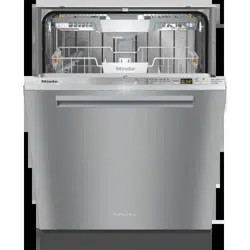


 (On/Off) Button For turning the dishwasher on and off.
 Normal
 Pots
Pots Quick
Quick Sani
Sani Rinse
Rinse Timer button For selecting a later program start.
 Express button For reducing the program cycle time.


 button, if it is turned on.
 button in and, while holding it in, turn the dishwasher on using the
  in the time display. will start flashing in the time display.
 QuickIntenseWash program with the
  Express program option selected without wash items in the dishwasher to dissolve and remove any traces of salt from the wash cabinet.
 refill reminder lights up, wait until the end of the program and then refill the salt reservoir.
 on the lid of the rinse-aid reservoir.
 Rinse aid appears in the display, the reservoir contains sufficient rinse aid for 2 to 3 programs only.
 button, if it is turned on.
 button in and, while holding it in, turn the dishwasher on using the
  .
.  will start flashing in the time display. Setting 3 is set.
 on the lid of the detergent compartment.

 button.
  button.
 button.
 Timer
Timer button.
 Express


 .
.


 indicator light flashes on and off.
 QuickIntenseWash program with the
  Express program option selected and without any dishes in the dishwasher after adding reactivation salt.