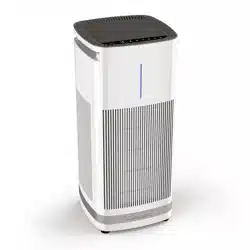
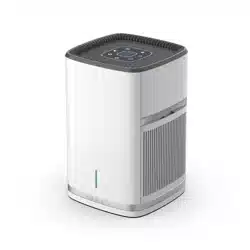
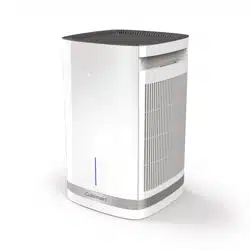
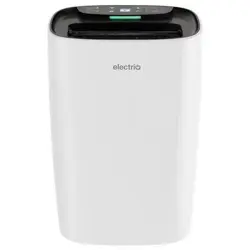
Place the CAP-1000 air purifier on a sturdy, flat surface.
Make sure the unit is plugged in.
Turn On: Press the Power ON button.
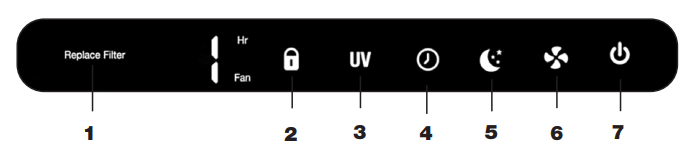
4 Fan Speeds: Select or change fan speed (choose 1, 2, 3, and 4). Start by pressing the fan speed button, continue pressing until you have reached your desired setting, then release the button.
12-Hour Timer Function: To select the desired time, press the timer button. The timer will show settings ranging from 1 hour – 12 hours and off. If there is no time selected, the timer will be off. The unit will continue to run until the power is turned off.
Child Safety Lock: This can be activated by pressing and holding the lock button for 3 seconds. All buttons on the air purifier will now be in locked mode. To take the unit off locked mode, simply hold the lock button again for 3 seconds and the unit will now be unlocked.
Sleep Mode/Night Light: To activate the night light press once. The blue night light will illuminate along with the control panel lights. To activate Sleep Mode. Press the icon a second time, and the Moon symbol will illuminate in addition to the night light. Press the icon one more and only the moon icon will be illuminated.
Filter Replacement Light: The filter replacement light will illuminate in RED when it is it is time to replace the HEPA H13 and active carbon filters on the unit. The filter light will illuminate after 2,500 hours of continuous use.
UV-C Light: The UV-C light will illuminate automatically when the unit is turned on. Press the button once to turn off the UV-C light.
Note: Utilizing an H13 High-Grade HEPA filter does not make this a medical device.
REMOVING THE FILTERS
Always unplug your Cuisinart Purxium Air Purifier from the electrical outlet before replacing or removing filters.
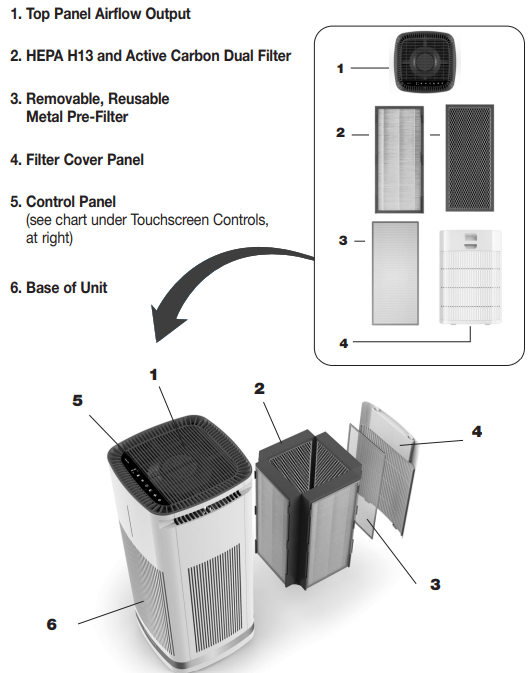
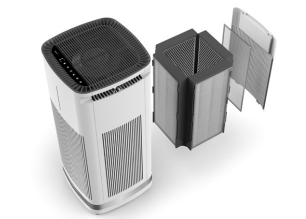
To replace the Purxium™ Air Purifier filters, you will first need to unplug the unit and remove the back panel. To remove the back panel, squeeze the latch at the top of the door panel and tilt the door panel down to remove. Once removed, you can slide out the entire 4-sided H13 HEPA filter system. Your filter system comes with 4 removable, reusable metal pre-filters. Slide each of the 4 filters out from the main filter housing and hand wash them in warm soapy water. Be sure to dry them thoroughly before using with your new replacement filter.
INSTALLING YOUR REPLACEMENT FILTER SYSTEM
Your air purifier will automatically tell you when its time to change your filter. An icon on the control panel will illuminate after 2500 hours of purification has been reached.
Place the 4-sided combination H13 HEPA/Active Carbon filter on a sturdy flat surface.
Slide the removable, reusable metal pre-filter that you have washed and dried into the slots on all 4 sides of the replacement H13 HEPA/Active Carbon filter.
Slide the new 4-sided filter system into the back of the unit until you feel resistance.
Make sure your air purifier is plugged in and powered up. YOU WILL NOW NEED TO RESET THE FILTER INDICATOR.
Reset the filter indicator light by pressing and holding down the night light button for 3 seconds. This will reset the filter indicator light.
MAINTENANCE AND REPLACEMENT OF FILTERS AND UV-C LIGHT
The H13 high-grade HEPA filters could be vacuumed as needed in order for the air purifier to perform at its best. If the air purifier contains dust or pet dander, it’s best to clean the removable, reusable metal pre-filters more often than once a month to maintain 2,500 hours of filter life. Always unplug your air purifier from the electrical outlet before replacing or removing any filters or replacing the UV-C bulb.
Step 1. Filter Cover Panel:
The Purxium Air Purifier takes in and purifies air on all 4 sides. To remove filters contained in the unit, you will remove the filter cover panel located in the back of the air purifier. Press the button located on top of the panel to release it from the base of the unit.
Step 2. Pre-Filters and HEPA H13 Filtration Set:
You will now see the pre-filter and HEPA H13 and active carbon filters that you will remove from the unit by placing your fingers on the left and right side of the filter and pulling straight out.
The filters are a complete set. The pre-filters may be removed by pulling them up through the slots.
Step 3. UV-C Light:
Follow Steps 1 and 2 for removing filters. At the base of the unit, there is one screw that hold the cover to the UV-C bulb compartment. Remove the screw with a screwdriver and carefully remove the UV-C light bulb. Replace with new a UV-C light bulb. The UV-C light bulb should be replaced at 10,000 hours of use. Contact Cuisinart customer service for your replacement UV-C light tube.
WARNING: Skin or eye damage may result from directly viewing the light produced from this lamp in this apparatus. Always disconnect before relamping or servicing. Replace lamp with Lamp Model No.: Z138, manufactured by Zhangzhou Yingguang Electronic Technology Co., Ltd.
FEATURES AND SPECIFICATIONS
Note: The UV-C light contains mercury, which is a hazardous material. Please use gloves when removing the bulb, place into a plastic bag and drop off at a recycle facility near you.
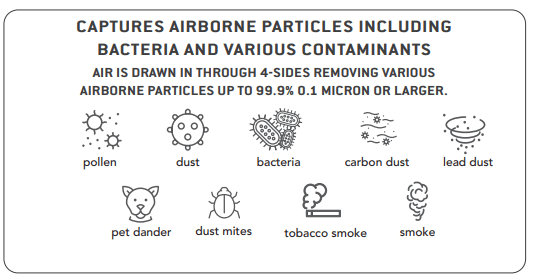
Our H13 High Grade HEPA filter captures up to 99.9% of airborne particles 0.1 Micron or larger including bacteria and various contaminants as well as dust, pollen and odors from cooking, smoke, pets and VOC’s. The CAP-1000 quiet DC motor has a 3-stage filtration system that purifies air in an up to 1,000-sq. ft. area two times every hour or 500-sq. ft. area four times every hour.
4-STAGE 360 DEGREE AIR INTAKE H13 HIGH-GRADE HEPA FILTRATION SYSTEM
HIGH-GRADE HEPA FILTERS (4) – H13 high-grade HEPA filters capture up to 99.9% of airborne particles 0.1 Micron or larger including bacteria and various contaminants
ACTIVE CARBON FILTERS (4) – Captures up to 99.9% of unwanted particles including cooking odors, smoke and VOCs 0.1 Micron or larger
REMOVABLE, REUSABLE METAL PRE-FILTERS (4) – Captures larger airborne particles such as dust and pet dander
CLEANING AND MAINTENANCE
To get the most out of your Purxium™ Air Purifier, it’s best to clean the washable pre-filters once a month or more often, depending on where the air purifier is placed and if you have pets. The HEPA H13 filters should be cleaned once a month using the brush attachment from a vacuum.
Unplug the power cord from the unit and from the outlet. The metal pre-filters are to be hand-washed only. If the pre-filters are fairly clean, wash each one with warm soapy water. If the pre-filters are very dirty, you may need use a soft brush to gently clean them. Make sure the pre-filters are completely dry before placing back into the unit.
Remove the HEPA H13 and active carbon filters as described.
The best way to clean the HEPA H13 filters is to use a vacuum cleaner with the brush attachment. Gently run the brush attachment along the white side of the filter only. You do not need to vacuum the active carbon filter on the other side of the HEPA H13 filter.