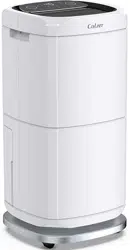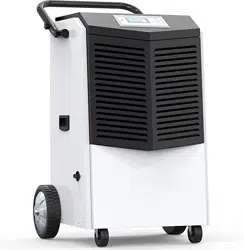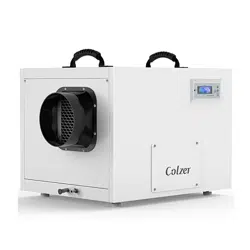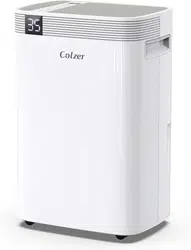

COLZER Dehumidifier
User Manual
Model No.: HD08C
Please read this user manual before operating and save for future reference.

Welcome
Thanks for choosing COLZER dehumidifier!
COLZER is dedicated to keeping people healthy, comfortable and more enjoyable by offering
quality appliances range from dehumidifiers, air purifiers, humidifiers to refrigerators, wine coolers,
ice makers, and more. From breathing easier in your office to upgrading your kitchen appliances, we
hope COLZER could help you every step of the way.
We do hope you’ll enjoy the dehumidifier you purchased from us.
Before plugging in your new dehumidifier, we suggest that you read this user manual as it contains
important safety information, operation instructions, troubleshooting, maintenance tips, and
warranty information to ensure the reliability and longevity of your dehumidifier.
We also kindly ask you to take a few minutes to register your product at
https://colzer.com/pages/join-vip for more efficient support as well as updates, promos, and other
cool stuff. Although greatly appreciated, product registration is not required to activate any
warranty.
It is our goal that you are always happy with what you bought from us, so please let us know if your
buying experience was anything short of excellent.
We’re always just an email away
To access customer support, please email to service@colzer.com with your purchase order ID to
help us address the problem faster and serve you better.
Thank you again!

BEFORE FIRST USE:
Please leave the dehumidifier standing upright and outside the box for 24 HOURS
before plugging it in.
The dehumidifiers may have been tilted or placed upside down during shipping. Leave the
dehumidifier to stand upright for 24 hours so the oil in the compressor can settle from the move,
not doing so can affect the performance or lifespan of the dehumidifier.

CONTENTS
SAFETY INFORMATION
.............................................................................................................................
1
PARTS IDENTIFICATION
............................................................................................................................
2
OPERATION INSTRUACTIONS
................................................................................................................
3
1. Position Your Dehumidifier
.............................................................................................................
3
2. Plug in
...................................................................................................................................................
3
3. Turn the Dehumidifier On
...............................................................................................................
3
4. Understand the Control Panel
.......................................................................................................
4
5. Select Proper Mode
..........................................................................................................................
5
6. Speed Setting
.....................................................................................................................................
6
7. Timer Setting
......................................................................................................................................
7
8. CHILD LOCK
.........................................................................................................................................
7
9. Drain Collected Water
......................................................................................................................
8
10. Smart Functions
...............................................................................................................................
9
MAINTENANCE
..........................................................................................................................................
11
1. Clean the Vent and Housing
........................................................................................................
11
2. Clean the bucket
..............................................................................................................................
11
3. Clean the Air Filter
..........................................................................................................................
11
4. When Not Using dehumidifier for Long Periods of Time
....................................................
12
SPECIFICATION
..........................................................................................................................................
13
TROUBLE SHOOTING
...............................................................................................................................
14
1. Error Codes
.......................................................................................................................................
14
2. Trouble Shooting
.............................................................................................................................
14
WARRANTY
.................................................................................................................................................
16

1
SAFETY INFORMATION
To prevent injury and property damage, the following instructions must be followed when using the
dehumidifier.
1. Install the dehumidifier properly on a floor, table, or shelf that is level and strong enough to
support it when the water bucket is full.
2. Do not place the dehumidifier near a heater.
3. Do not use the dehumidifier near flammable gas or combustibles, such as gasoline, benzene,
thinner, etc.
4. Always plug into a grounded outlet properly.
5. Do not use if the power cord is broken or damaged.
6. Do not use the socket if it is loose or damaged.
7. Do not place a heavy object on the power cord and make sure that the cord is not compressed.
8. Do not modify power cord length.
9. Do not operate the dehumidifier with wet hands.
10. Do not place flower vases or other water containers on top of the dehumidifier.
11. Do not climb on or sit on the dehumidifier.
12. Do not operate or turn off the dehumidifier by plugging in or unplugging the dehumidifier. Use
the control panel instead.
13. Disconnect the power if strange sounds, odors, or smoke come from the dehumidifier.
14. Hold the plug by the head when taking it out.
15. Make sure to turn off and unplug the dehumidifier before cleaning.
16. Use a soft cloth to clean. Do not use wax, thinner, or a strong detergent.
17. Do not clean the dehumidifier with water. If water enters the dehumidifier, turn off the
dehumidifier immediately.
18. Care should be taken when using the dehumidifier in a room with the following persons: infants,
children, the elderly and people not sensitive to humidity.
19. Never insert your finger or other foreign objects into grills or openings. Take special care to
warn children of these dangers.
20. Turn off and disconnect the power when not using the dehumidifier for a long time.
2
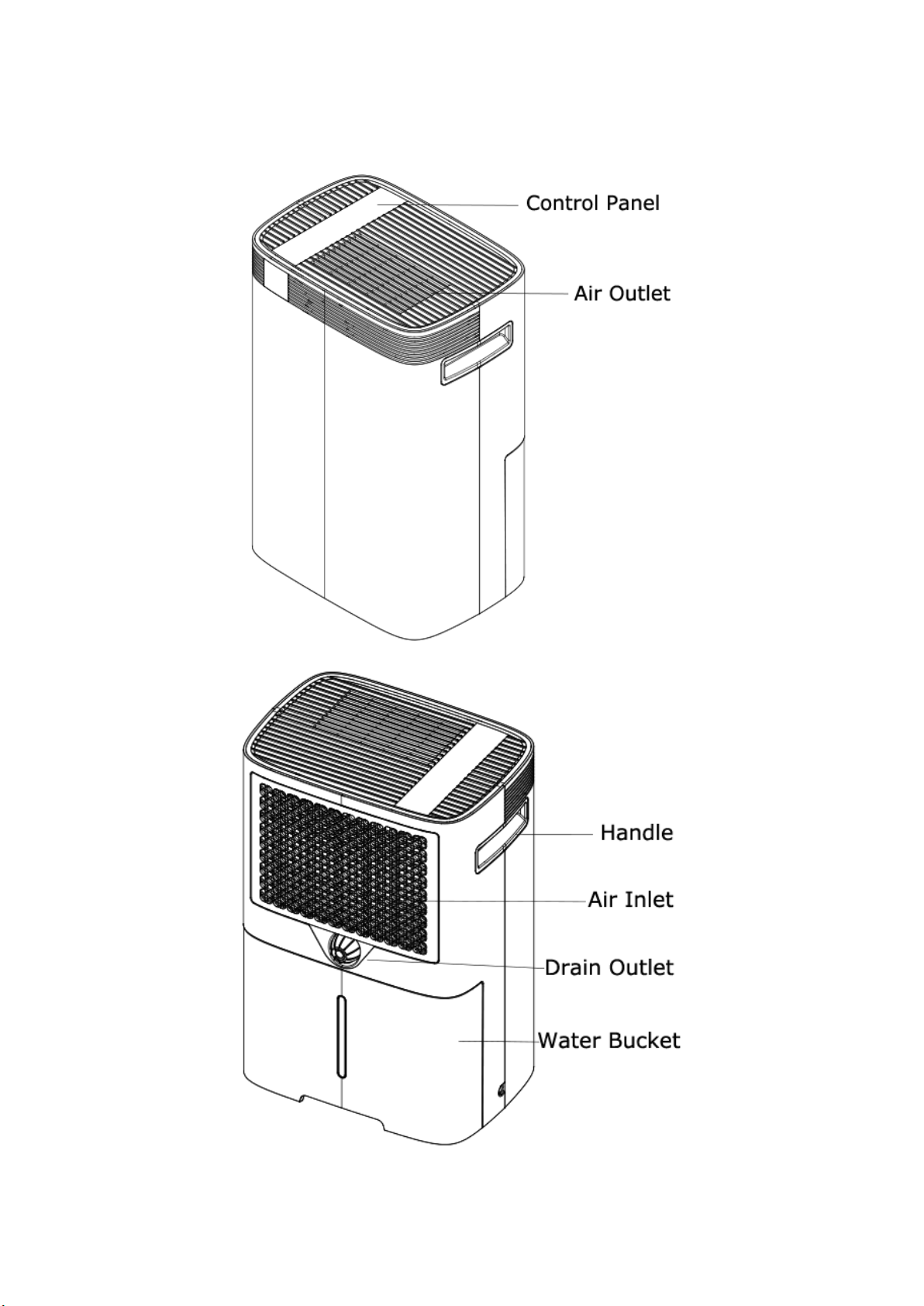
PARTS IDENTIFICATION
NOTE: DO NOT OBSTRUCT THE AIR INLET AND/OR OUTLET.
3
OPERATION INSTRUACTIONS
1. Position Your Dehumidifier
· Place the dehumidifier on a smooth, level floor that is strong enough to support the dehumidifier
with a full bucket of water
· To maintain efficiency, operate the dehumidifier in an enclosed area. Keep nearby doors and
windows closed.
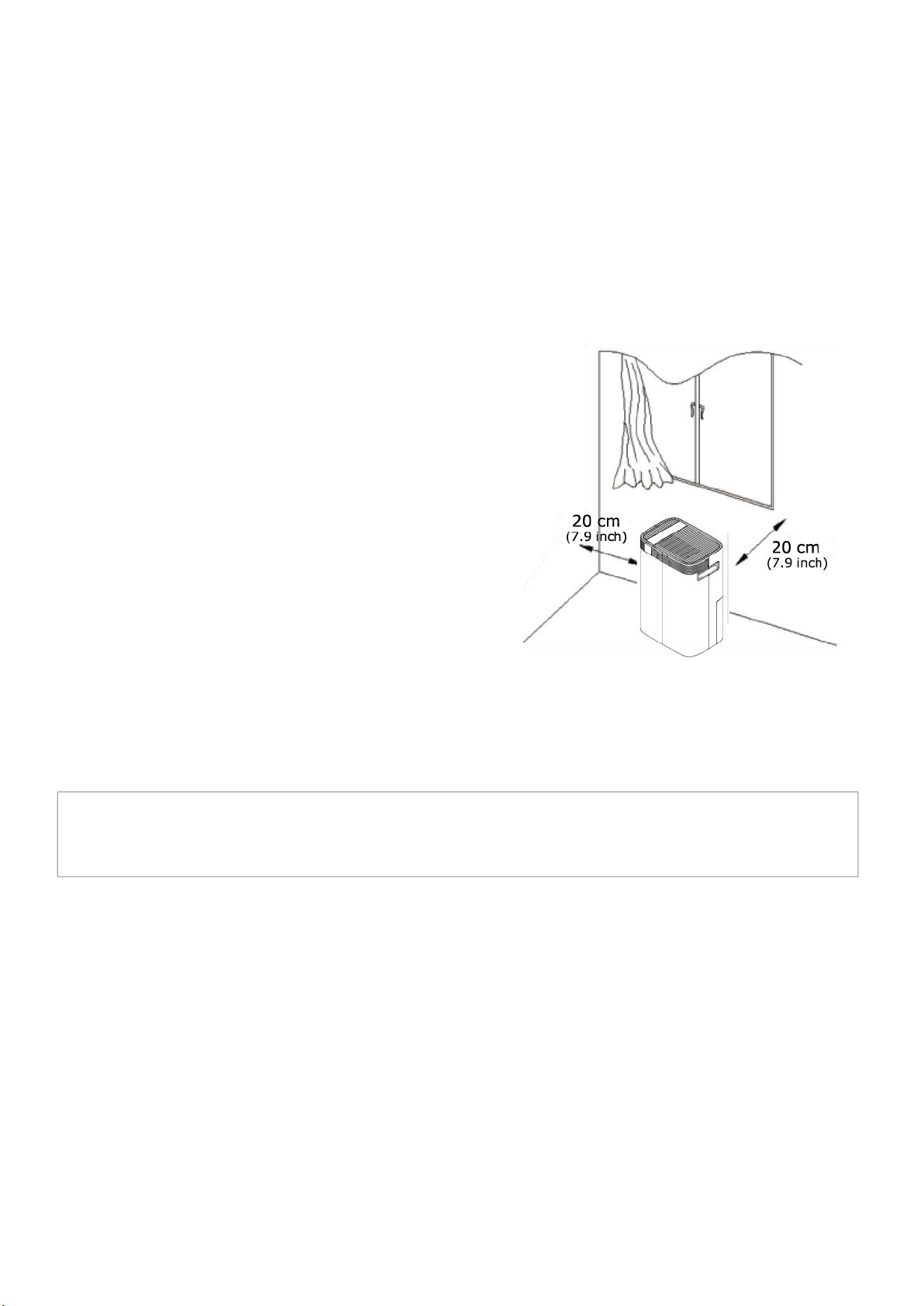
· Maintain a minimum clearance of 20 cm (7.9 inches)
on the sides and back of the dehumidifier and 40 cm
(16 inches) on the top of the dehumidifier to allow for
proper air circulation.
· To use the dehumidifier to dry wet clothes, maintain a
minimum clearance of 40 cm
(16 inches) to the air outlet of the dehumidifier to avoid
water dripping into the dehumidifier.
· The functioning temperature range is between 5°C
(41°F) and 35°C (95°F).
2. Plug in
Uncoil the power cord and plug it firmly into a properly grounded 110-120 volt AC outlet.
After plugged in, the control panel will light up for 1-2 seconds and then goes off, which is the
normal self-diagnose process and does not require any user intervention.
3. Turn the Dehumidifier On
Press the POWER button to turn the dehumidifier on. Typically, the dehumidifier will run in the
default setting with set humidity 30% at high fan speed in the normal DEHUMIDIFY (DEHU) mode.
NOTE: If the dehumidifier does not run automatically and you see the “WATER FULL” icon illuminate, please
IMPORTANT
Please let the dehumidifier stand upright out of box for 24 hours before initial plugging in.
4
remove the water bucket and re-install it properly.
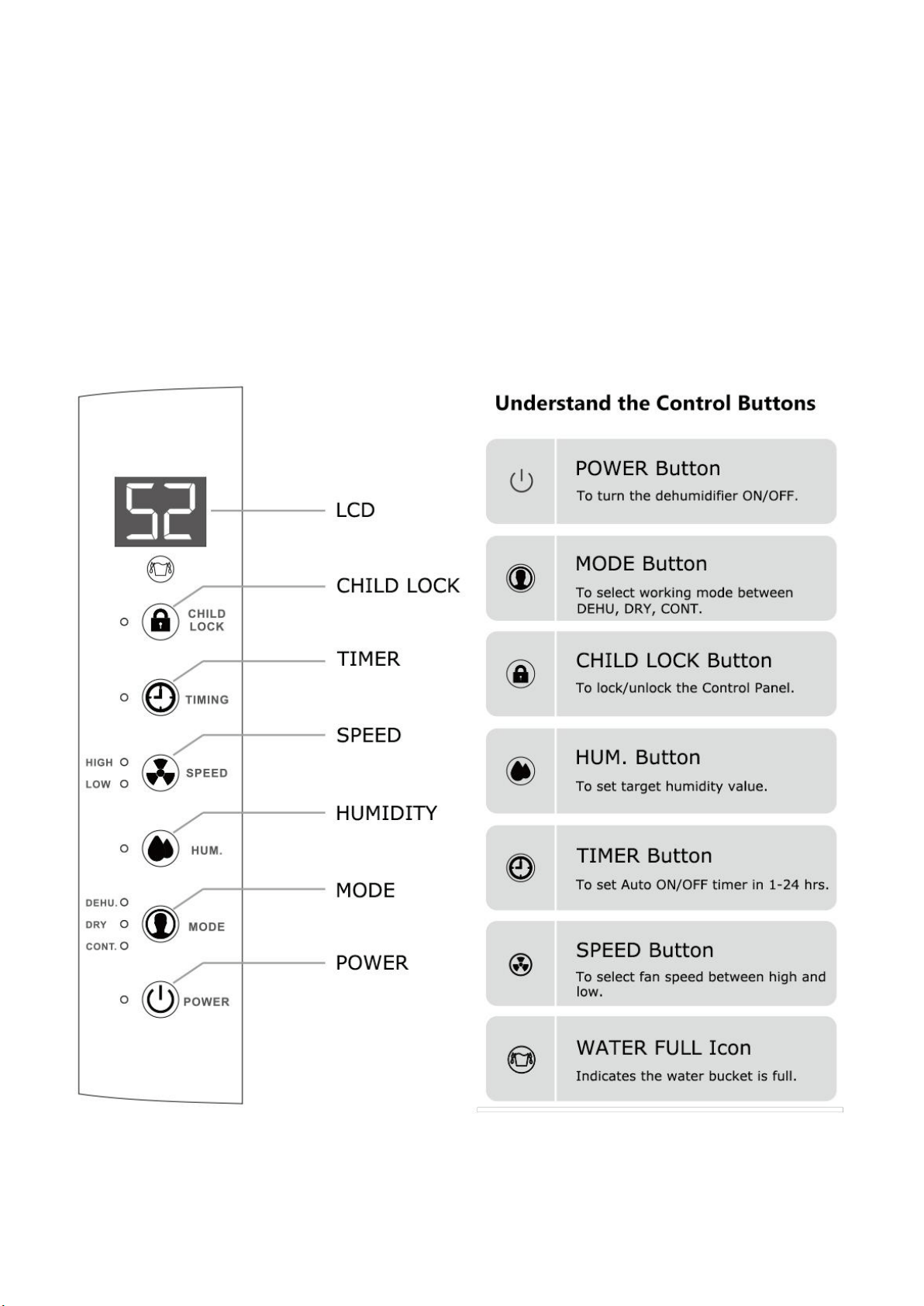
4. Understand the Control Panel
This dehumidifier features a control panel with LCD on the top and a digital display on the front.
The front display displays the same content, like humidity readout or error codes, as the digital
display on the top control panel. So you can read the room humidity level on the front display easily,
in a visible distance.

5
5. Select Proper Mode
Press the MODE button to switch the working mode between DEHU (DEHUMIDIFY) mode, DRY
(Laundry Dry) mode, and CONT (Continuous) mode. The corresponding indicator will illuminate
when that mode has been selected.
·DEHU Mode: HUM. Button and SPEED button are available to use.
·DRY Mode: Both HUM. Button and SPEED button are disabled.
·CONT Mode: HUM. Button is disabled. SPEED button is available to use.
(1) DEHU (DEHUMIDIFY) Mode
In the DEHU (DEHUMIDIFY) mode, the dehumidifier will automatically stop and restart based on the
humidity setting, which is called Humidstat Mode, hence maintaining the room humidity within the
range of ±3% of the set point.
For example, the set humidity is 50%, the dehumidifier will automatically stop working when the
room humidity reaches 47%, and then automatically restart when the room humidity raises up to
53%.
NOTE:
· When the set humidity level is not at least 3% lower than the room humidity level, the dehumidifier won’t start,
and DH icon will flash.
· When the room humidity level has been dropped down to the set-point, the dehumidifier will auto stop
dehumidifying and the LCD will flash.
· If you set the target humidity at 30%, the dehumidifier will run continuously until the water bucket is full.
To run the dehumidifier in the normal DEHUMIDIFY mode:
· Select DEHU (DEHUMIDIFY) Mode: Press the MODE button until you see the “DEHU” indicator
light up on the display.
· Check the Room Humidity: Typically, the digital number on the display is the humidity readout of
the inlet air, which is similar to the room humidity level.
· Set Your Desired Humidity
1 After selecting DEHU (DEHUMIDIFY) mode, press the HUM. button once, the digital number
on the LCD will turn to display the previous humidity set-point and flash.
2
Press the HUM. button repeatedly to adjust the set-point of humidity level between
30%-80% in 5% increments.

6
3
After you have selected the desired value, please wait for 5 seconds until the digital number
stops flashing, during which time the setting will be automatically registered.
Note: The set humidity value needs to be at least 5% lower than the room humidity level.
· Let the Dehumidifier Run: The dehumidifier will automatically stop when the room humidity
reaches the target RH% or when the water bucket is full.
(2) DRY (Laundry Dry) Mode
Press the MODE button until you see the “DRY” indicator light up on the display to select
DRY-CLOTHES mode. In the DRY mode, the dehumidifier will run continuously at high fan speed.
Note: In the DRY mode, the HUM. button and SPEED button disabled.
To Use the DRY Mode to Dry Wet Garments
· Hang the clothes in a small room;
· Position the dehumidifier properly (maintain a minimum clearance of 40 cm (16 inches) to the air
outlet of the dehumidifier to avoid water dripping into the dehumidifier);
· Close the windows and doors;
· Run the dehumidifier in the DRY mode.
(3) CONT (Continuous) Mode
Press the MODE button until you see the “CONT” indicator light up on the display to select
continuous mode. In the CONT mode, the dehumidifier will run continuously until the water bucket
is full.
Note: In the CONT mode, the HUM. button is disabled. SPEED button is available for setting.
6. Speed Setting
Press the SPEED button to change the fan speed to HIGH or LOW. When the fan speed was set to
high, the “HIGH” indicator will light up. When the fan speed was set to low, the “LOW” indicator will
light up. High fan speed will result in quicker moisture removal, while low fan speed for quiet
operation.

7
7. Timer Setting
The TIMER function enables you to either delay AUTO-ON or delay AUTO-OFF the dehumidifier in
the choice from 1 hour to 24 hours.
· Setting an AUTO-ON timer: When the dehumidifier is off, selecting Timer will turn the dehumidifier
on in the hours that will be set.
· Setting an AUTO-OFF timer: When the dehumidifier is on, selecting Timer will turn the
dehumidifier off in the hours that will be set.
Follow the below steps to set the TIMER:
1) Press the TIMER button once, the timer indicator will light up and the digital number will turn to
display as 00 and flash;
2) Adjust the timer setting by pressing the TIMER button repeatedly to change the delay timer at
1-hour increments, up to 24 hours;
3) After selecting the target timer value, wait for 5 seconds to let the setting be registered
automatically and the digital number turns to be the room humidity readout;
4) The control will count down the time remaining (8,7,6, etc.) until the dehumidifier either ON or
OFF.
5) When the timer function is enabled, the timer indicator will light up and you can check the time
remaining by pressing the TIMER button once.
Note:
· Before entering AUTO ON timer setting, make sure power is being supplied to the dehumidifier and turn on the
dehumidifier to set a target humidity level first. Otherwise, the humidity maintained will be the same as the
previous setting.
· You can only set AUTO ON timer when the dehumidifier is off or set AUTO OFF timer when the dehumidifier is on,
but you will not be able to set both AUTO ON and AUTO OFF timer at the same time.
· The TIMER will ONLY function one time instead of cycling the dehumidifier on or off indefinitely.
· To disable the timer, manually turn on/off the dehumidifier or set the timer at 00.
8. CHILD LOCK
Press and hold the CHILD LOCK button for 3-5 seconds to lock or unlock the control panel. When
the CHILD LOCK function has been activated, the indicator illuminates, and other buttons will be
disabled. To regain use of the buttons, unlock the control button.
8
9. Drain Collected Water
(1) Emptying the Water Bucket
When the bucket is full, the dehumidifier will automatically stop working and make a beep sound
for 5 seconds. Meanwhile, the LCD will display an E7 error message and the Water FULL icon will
illuminate. Do not move the dehumidifier at this time in case the water spills on the floor.
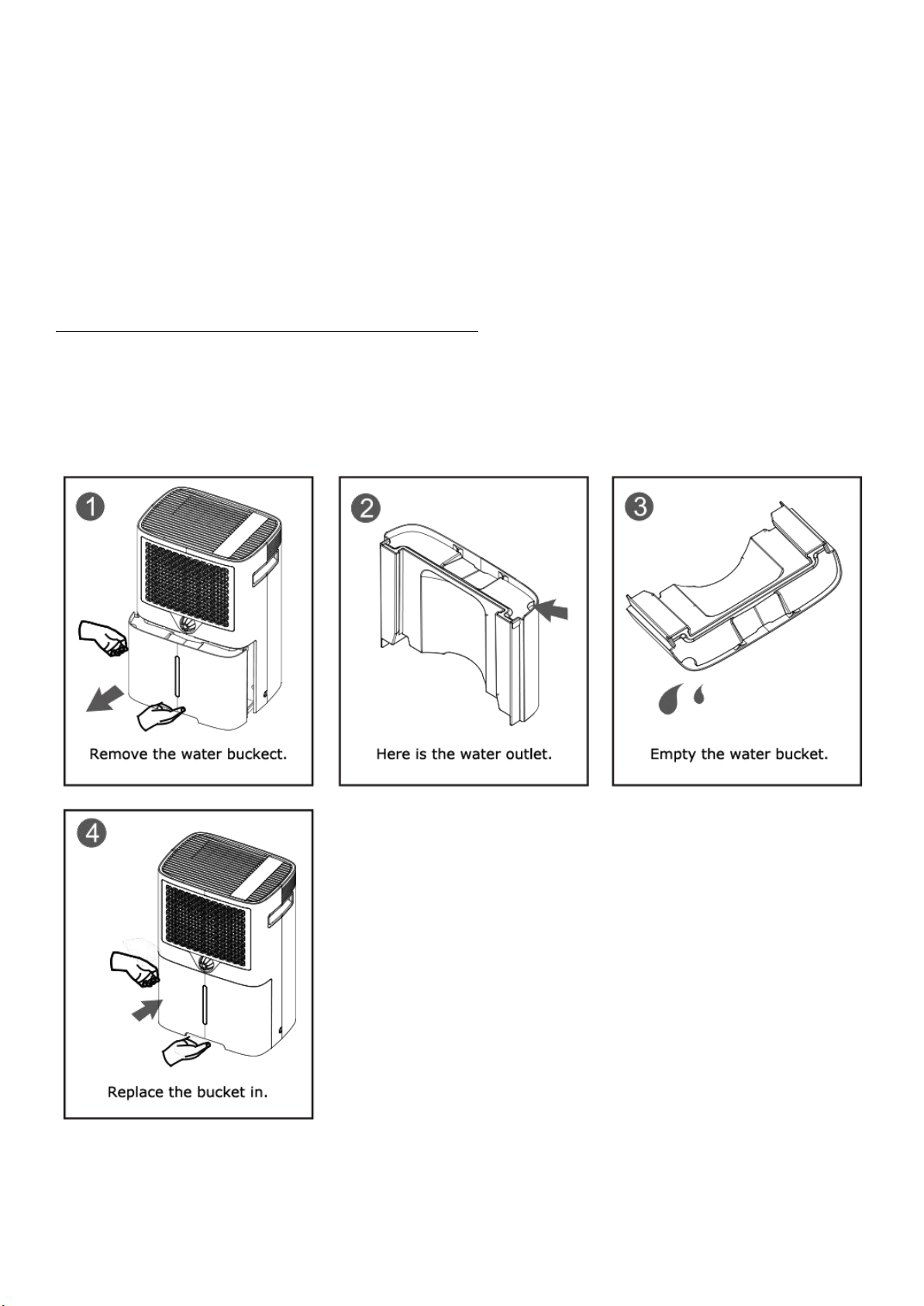
To remove the bucket to empty the collected water:
· Gently remove the water bucket from the dehumidifier;
· Empty the bucket;
· Replace the water bucket in the dehumidifier. The dehumidifier will auto eliminate the E7 error and
resume operation in 1-3 minutes after the water bucket been replaced properly.
9
(2) Continuous Drain by Gravity
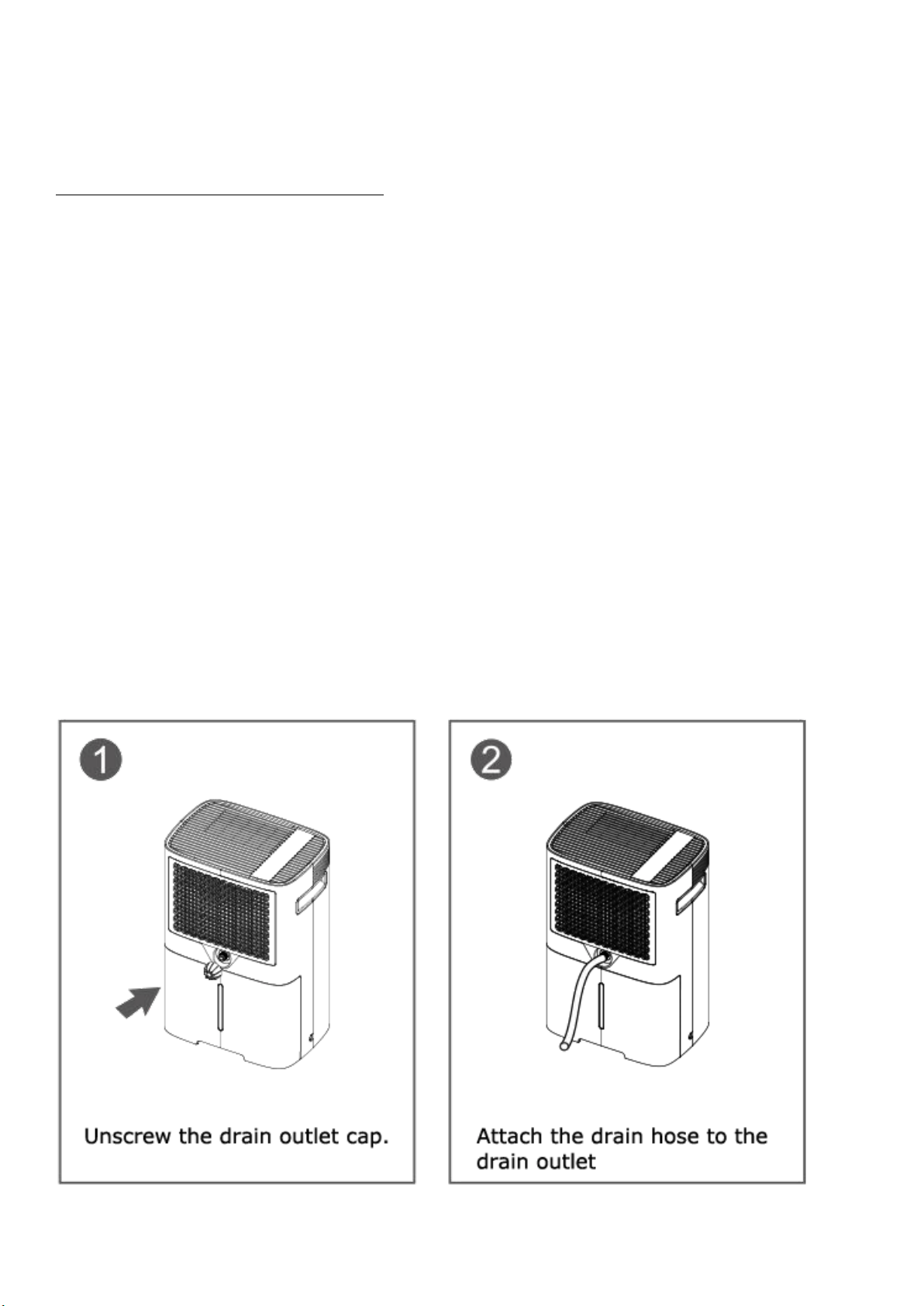
Water can be automatically be emptied into a floor drain by attaching the included drain hose.
To Achieve Continuous Drain by Gravity:
· Remove the drain outlet cover;
· Remove the black rubber stopper from the drain outlet;
· Attach one end of the drain hose to the drain outlet;
· Direct the other end of the drain hose down to a suitable drainage facility, like a floor drain. The
drainage facility should be lower than the drain outlet of the dehumidifier.
Note:
- Make sure the connection is tight and there is no leaking.
- Be sure to run the water hose sloping downward to let the water flow out smoothly. No kinks or bent.
- To improve gravity draining, you can raise the dehumidifier onto another higher and flat surface, like a table.
- If the condensation water would be drained out to an external container via the hose, be sure NOT to submerge
the other end of the hose into the drained out water.
- It is recommended to use a short hose. If the drain hose is too long, water may not drain completely, which can
lead to stagnant water and mildew build up inside the hose.
- When the continuous drain feature is not being used, remove the drain hose from the outlet and put the drain
outlet cover on.

10
10. Smart Functions
(1) Auto Shut Off
When the bucket is full and/or the room humidity reaches the set point, the dehumidifier will stop
working automatically.
- When the water bucket is full, the LCD will display an E7 code, the WATER FULL icon will illuminate and the
dehumidifier will make a beep sound for a few seconds. In this case, empty the water bucket and replace the
water bucket to resume operation.
- When the room humidity is down to the set-point, the LCD display will flash. In this case, you can turn the
dehumidifier off or just let it stay in standby mode so it can automatically restart when the room humidity
raises back.
(2) Wait 3 Minutes before Resuming Operation
To avoid any damage to the dehumidifier, the compressor will not start operation following a
complete cycle until after 3 minutes. The operation will automatically start after 3 minutes. For
example, when the dehumidifier has been turned on immediately after being turned off, the
compressor won't start until 3 minutes later. During the 3-minutes delay start time, you can POWER
indicator flashing which means the compressor does not kick in. When the compressor kicks in, you
can feel the dehumidifier shakes a little and the POWER indicator turns to statically illuminate.
(3) Auto Defrost
When the frost builds up on the evaporator coils, the compressor will cycle off and the fan will
continue to run until the frost disappears. During defrost process, the POWER indicator will flash.
(4) Auto-Restart
If the dehumidifier shuts off unexpectedly due to power being cut while it is running or in standby
mode, the dehumidifier will restart with the previous function setting (working mode, set humidity,
fan speed, CHILD LOCK status and etc.) automatically when the power resumes.

11
MAINTENANCE
To avoid possible electric shock, ensure to turn the dehumidifier off and disconnect the
plug from the power source before performing any cleaning or maintenance.
1. Clean the Vent and Housing
· Use water and mild detergent. Do not use bleach or abrasives.
· Do not splash water directly onto the main dehumidifier. Doing so may cause an electric shock or
the insulation to deteriorate, or cause the dehumidifier to rust.
· The air intake and outlet vents get soiled easily, so use a vacuum attachment or brush to clean.
2. Clean the bucket
Every few weeks, clean the bucket to prevent the growth of mold, mildew, and bacteria.
Follow the below steps to open the water bucket correctly to clean:
· Take out the water bucket;
· Remove the cover of the water bucket;
· Partially fill the bucket with clean water and add a little mild detergent;
· Swish it around in the bucket, empty and rinse.
NOTE: Do not clean the bucket in a dishwasher.
3. Clean the Air Filter
The air filter is located behind the rear intake grill to prevents dust coming into the dehumidifier.
The filter should be cleaned approximately every 2 weeks and may require more frequent cleaning
if there is significant dander or fur in the air.
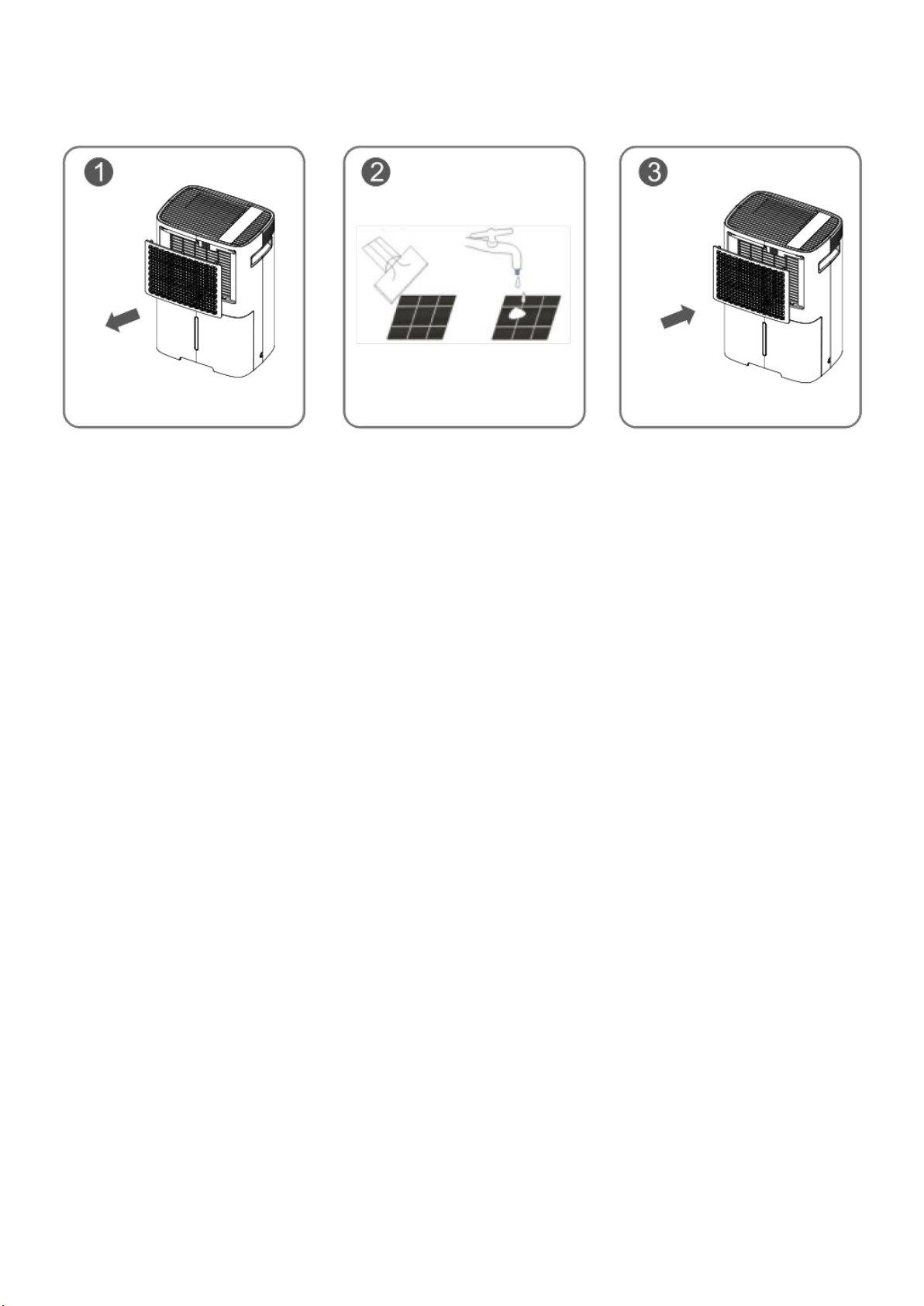
Follow the steps below to clean the filter:
· Take the grill on the back of the dehumidifier out. The filter is attached behind the grill.
· Use a vacuum cleaner with a soft brush attachment to remove any large debris or dust build-up
from the filter.
· Wash the filter in lukewarm, soapy water, below 40°C (104°F), or use a neutral cleaning agent.
· Rinse the filter with clean water and dry thoroughly.
· Re-install the filter.
NOTE: DO NOT operate the dehumidifier without a filter because dirt and lint will clog it, hence reducing
12
performance.
4. When Not Using dehumidifier for Long Periods of Time
· Operate the dehumidifier on high fan mode for half a day, and then wait 1 day before emptying
the bucket.
· Clean the housing and vents, water bucket, and air filter. Ensure the whole dehumidifier is clean
and dry.
· Wrap the cord and drain pipe and bundle them to keep safe.
· Cover the dehumidifier with a plastic bag.
· Store the dehumidifier upright in a dry, well-ventilated place.
13
SPECIFICATION
Model
HD08C
Power Source
110-120V, 60Hz
Rated Power (95°F, 80%)
373W
Rated Current (95°F, 80%)
3.5A
Moisture Removal Rate (65°F, 60%)
15 Pints/Day
Moisture Removal Rate (80°F, 60%)
23 Pints/Day
Moisture Removal Rate (86°F, 80%)
40 Pints/Day
Moisture Removal Rate (90°F, 90%)
50 Pints/Day
Input Power (65°F, 60%)
215W
Input Current (65°F, 60%)
2.0A
IEF (65°F, 60%)
1.35 Liters/kWh
Refrigerant
R134a/5.29 oz
Water Bucket Capacity
84.5 oz
14
TROUBLE SHOOTING
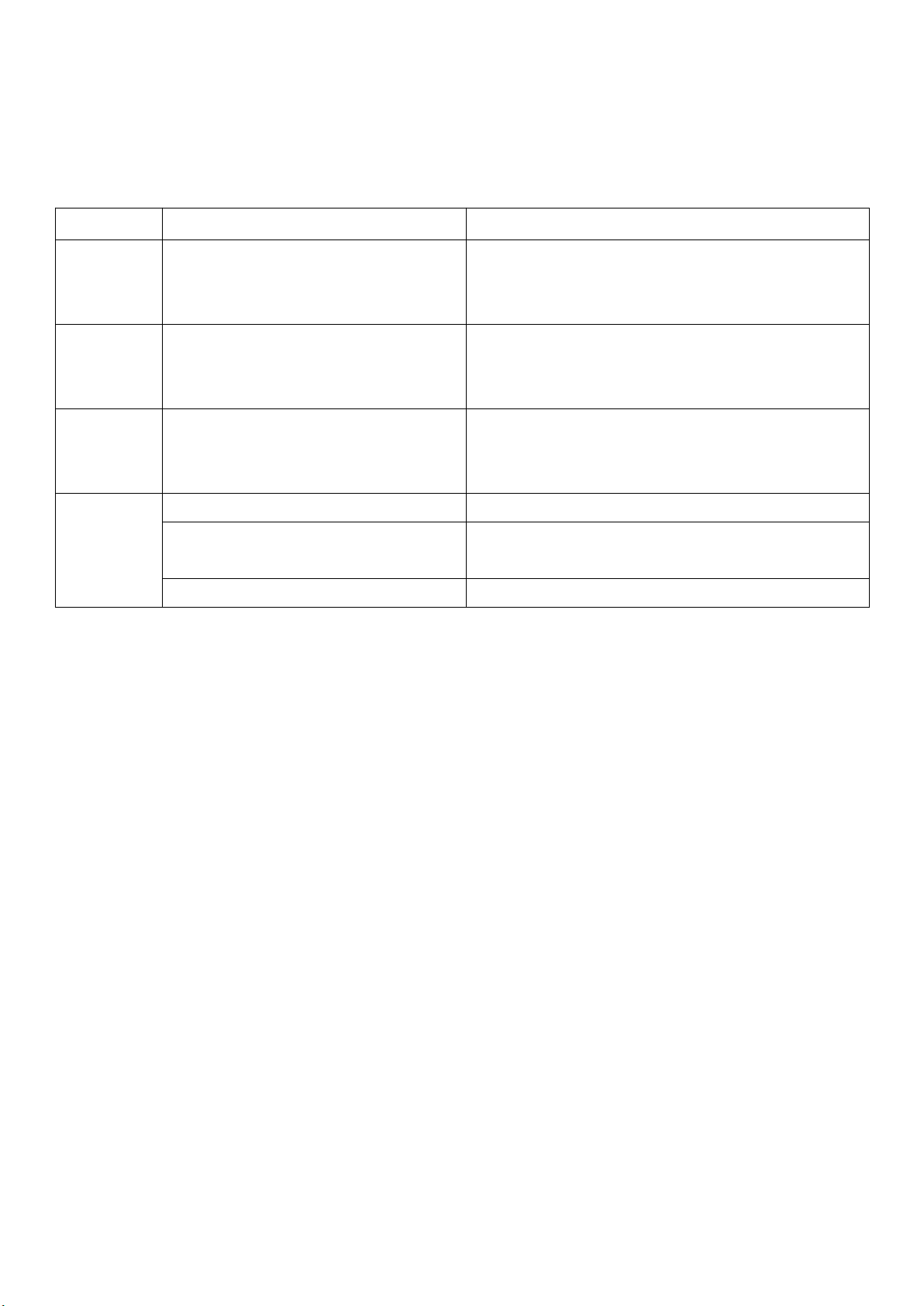
1. Error Codes
When E1, E2, or E4 error displays, you can hear an alarm that could last few seconds. In this case,
the dehumidifier is still running. You can follow the below steps to eliminate the error message:
· Pressing any button on the control panel to eliminate the alarm.
· Turn off the dehumidifier and unplug it to check if any obstructions.
· Restart the dehumidifier 10 minutes later.
If the ERROR message does not disappear after the restart, immediately contact COLZER customer
service at service@colzer.com.
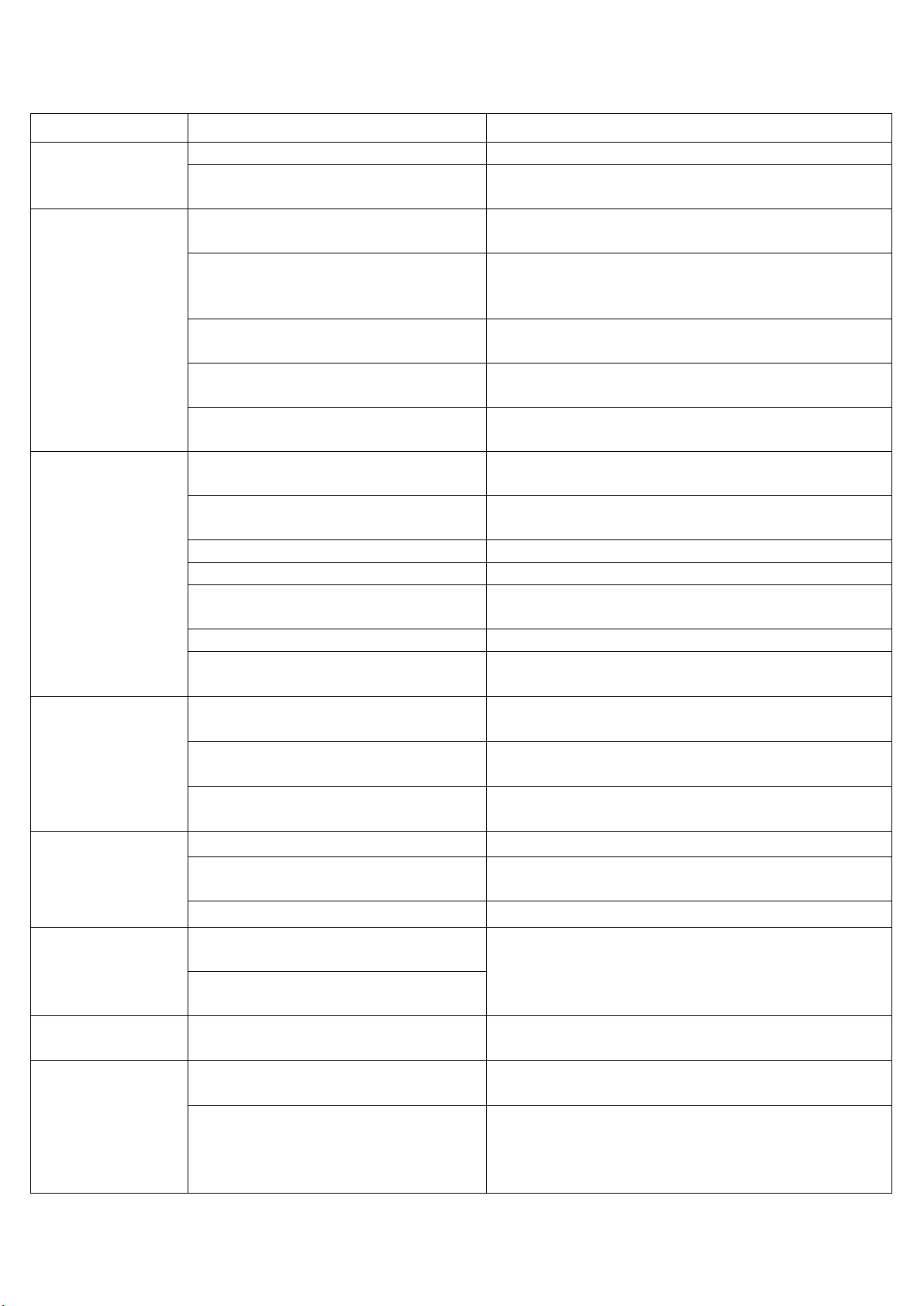
2. Trouble Shooting
The below chart will help you solve common problems that may occur. If the problem you come
across can not be fixed after troubleshooting or the problem is not listed in the below
troubleshooting chart, please contact COLZER customer service to obtain professional support.
Error Code
Problem
Solution
E1
Humidity Sensor Malfunction
1. Check the humidity sensor and ensure it is in good
condition.
2. Replace the humidity sensor.
E2
Defrost Temperature Sensor
Malfunction
1. Check the temperature sensor and ensure it is in
good condition.
2. Replace the temperature sensor.
E4
Inlet Temperature Sensor Malfunction
1. Check the temperature sensor and ensure it is in
good condition.
2. Replace the humidity sensor.
E7
Water bucket is full.
Empty the water bucket.
The water bucket has not been installed
properly.
Re-install the water bucket properly.
Float Malfunction
Replace the float of the water bucket.
15
Problem
Possible Causes
Solutions
Dehumidifier can
not turn on
The power cord is unplugged.
Plug it in.
The fuse is blown or circuit breaker is
tripped.
Check the fuse or the circuit breaker.
Dehumidifier is on,
but it does not run.
The water bucket is full or not in the
proper position.
Make sure the water bucket is empty and has been
installed properly.
The room humidity has reached the
set-point. The LCD flashes.
Set a lower humidity or let the dehumidifier keep in
standby mode so it can auto ON when the room
humidity level raises up.
The room humidity is lower than the
set humidity. The LCD flashes.
The set humidity needs to be at least 5% (recommend
10%) lower than room humidity.
The dehumidifier has been turned off
in 3 minutes.
Wait 3 minutes before resuming operation.
The dehumidifier is in the defrosting
process.
It is normal the compressor ceases during the
defrosting process.
Insufficient
Performance
Insufficient dehumidifying time.
When first installed, allow at least 3-4 days to maintain
the desired RH.
The room has not been sealed
properly.
Ensure that all doors, windows and other openings are
closed.
The air filter is dirty.
Clean the air filter.
Airflow has been blocked.
Ensure there are no obstructions block the airflow.
There is something giving off water
vapor in the room.
Remove those items or turn off such devices that give
off vapor in the room.
The room temperature is low.
Heat up the room.
The dehumidifier size is too small for
the room.
Increase the quantity of dehumidifiers. Or change a
higher capacity dehumidifier.
Dehumidifier
operates
continuously
Check if the dehumidifier is in CONT
MODE.
Don’t set the humidity too low. Typically, 40-50% are
good settings to use.
The room humidity is too high.
Change humidity settings. Or change a higher
capacity dehumidifier.
Doors and windows are open.
Ensure that all doors, windows and other openings are
closed.
Noise
The dehumidifier’s not positioned level.
Position the dehumidifier on a level surface.
The water bucket is not in the proper
position.
Re-install the water bucket properly.
The air filter is clogged.
Clean the filter.
Frost appears on
the coils
The dehumidifier has been turned on
recently.
This is normal frost builds up on the coils, especially
when the room temperature is low. The dehumidifier
will defrost automatically.
Room temperature is close to or lower
than 60°F.
Water leakage
Hose connection is loose.
Check the hose connection. Try to attach the other
end of the hose to the outlet.
Water does not
drain from
the hose
Hose connection is loose.
Check the hose connection. Try to attach the other
end of the hose to the outlet.
Water flow has been restricted.
Hoses more than 7 feet long may not drain properly.
Keep the hose as short as possible. The hose must be
placed lower than the bottom of the dehumidifier, and
be kept flat and smooth without kinks.

16
WARRANTY
COLZER offers a limited 1-year free warranty on this dehumidifier HD08C, with original proof of
purchase (typically you maybe only requested to offer the order number instead of an invoice) and
where a defect has arisen, wholly or substantially, as a result of faulty manufacture, parts or
workmanship during the warranty period.
The warranty does not apply where damage is caused by other factors, including without limitation:
(a) normal wear and tear;
(b) abuse, mishandling, accident, or failure to follow operating instructions;
(c) exposure to liquid or infiltration of foreign particles;
(d) servicing or modifications of the product other than by COLZER.
The COLZER warranty covers all costs related to restoring the proven defective product through
repair or replacement of any defective part and necessary labor so that it conforms to its original
specifications. A replacement product may be provided instead of repairing a defective product.
COLZER's exclusive obligation under this warranty is limited to such repair or replacement.
We recommend that you register your product on our website https://colzer.com/pages/join-vip.
Although greatly appreciated, the product registration is not required to activate any warranty and
product registration does not eliminate the need for the original proof of purchase.
These are our general terms for warranty service, but we always urge our customers to reach out to
us with any issue, regardless of warranty terms. If you have an issue with a COLZER product, please
contact us at service@colzer.com, and we will do our best to resolve it for you.
Email
service@colzer.com
Website
www.colzer.com