
This addendum accompanies your equipment documentation and is additional
information concerning the heart rate features for your equipment and console.
Important
The heart rate features are intended for reference only. They may not be accurate
for every user or at every speed and are not intended for use as a medical device.
Holding the heart rate handle touch sensor while exercising at higher intensity
may also decrease accuracy of the heart rate reading and is not recommended.
Please also read your product documentation and visit:
www.precor.com/en-us/customer-service/faq.
P/N 305324-101 rev A, ENU
©Precor Incorporated | October 2017
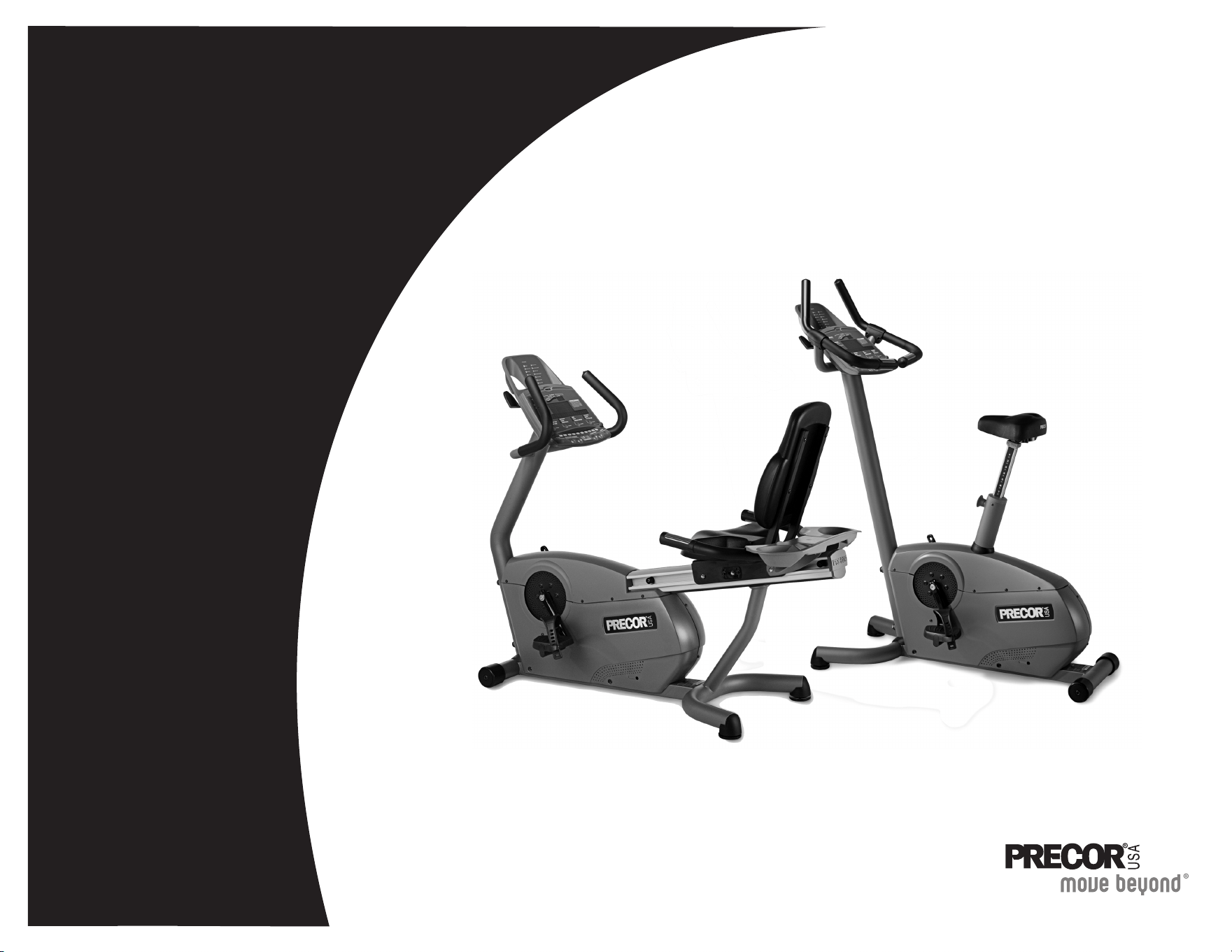
C842i C846i
Product Owner's Manual
Commercial Cycles
C846i
C846i


Product Owner’s Manual: Important Safety Instructions 1
IMPORTANT SAFETY INSTRUCTIONS
Important Safety Instructions
When using the self-powered C846i/C842i cycle, always take
basic precautions, including the following:
• Read all instructions before using the cycle. These instructions
are written to protect the unit and ensure the safety of those
using the cycle.
• Before beginning any fitness program, make sure all users see
a physician for a complete physical examination.
Il est conseillé de subir un examen médical complet avant
d’entreprendre tout programme d’exercise. Si vous avez des
étourdissements ou des faiblesses, arrêtez les exercices
immédiatement.
To reduce the risk of electrical shock always
unplug the optional power adapter before
cleaning the unit.
To reduce the risk of burns, fire, electric shock,
or injury, take the following precautions:
• Do not allow children or those unfamiliar with its operation on or
near the cycle. Do not leave children unsupervised around the
unit.
• Never leave the cycle unattended with the optional power
adapter plugged in. Remove the optional power adapter before
cleaning the cycle, and before putting on or taking off parts.
• Assemble and operate the cycle on a solid, level surface.
Locate the cycle a few feet from walls or furniture.
• Maintain the cycle in good working condition. Refer to the
Maintenance section. Make sure that all fasteners are secure.
• If you plan to move the unit, obtain help and use a hand truck.
Do not grasp any plastic parts while lifting or moving the unit.
The unit is too heavy and the plastic parts will break.
• Use the cycle only for its intended purpose as described in this
manual. Do not use accessory attachments that are not
recommended by the manufacturer, as such attachments may
cause injuries.
• Never operate the unit if it is damaged, not working properly,
when it has been dropped, or has been dropped in water. Refer
to Obtaining Service.
• Keep the optional power adapter and power cord away from
heated surfaces.
• Do not operate the cycle where aerosol (spray) products are
being used or where oxygen is being administered.
• Do not use outdoors.
• Do not attempt to service the cycle yourself except to follow the
maintenance instructions found in this manual.
• Never drop or insert objects into any opening. Keep hands
away from moving parts.
• Do not set anything on the handrails or covers. Place liquids,
magazines, and books in the appropriate receptacles.
DAN
G
ER
WARNIN
G

Product Owner’s Manual: Important Safety Instructions 2
IMPORTANT SAFETY INSTRUCTIONS
Safety Approval
When identified with the ETL-c logo, the unit has been tested and
conforms to the requirements of CAN/CSA-E-335-1/3-94, Safety
of Household and Similar Electrical Appliances.
Hazardous Materials and Proper
Disposal
The self-powered cycle has an internal battery which contains
materials that are considered hazardous to the environment.
Proper disposal of the battery is required by federal law.
If you plan to dispose of your unit, contact Precor Commercial
Products Customer Support for information regarding battery
removal. Refer to Obtaining Service.
Radio Frequency Interference (RFI)
Federal Communications Commission, Part 15
The cycle has been tested and found to comply with
• the IEC EMC Directive (international electromagnetic
compatibility certification)
• the limits for a Class A digital device, pursuant to Part 15 of the
FCC Rules. These limits are designed to provide reasonable
protection against harmful interference in a residential
installation. The cycle generates, uses, and can radiate radio
frequency energy and, if not installed and used in accordance
with the owner’s manual instructions, may cause harmful
interference to radio communications.
Per FCC rules, changes or modifications not
expressly approved by Precor could void the
user’s authority to operate the equipment.
WARNIN
G

Product Owner’s Manual: Important Safety Instructions 3
IMPORTANT SAFETY INSTRUCTIONS
Canadian Department of
Communications
This digital apparatus does not exceed the Class A limits for radio
noise emissions from digital apparatus set out in the Radio
Interference Regulations of the Canadian Department of
Communications.
Le présent appareil numérique n’émet pas de bruits
radioéélectriques dépassant les limites applicables aux appareils
numériques de la class A prescrites dans le Règlement sur le
brouillage radioélectrique édicté par le ministére des
Communications du Canada.
ATTENTION: Haute Tension
Débranchez avant de réparer
European Applications
This product conforms to the requirements of the European
Council Directive 89/336/EEC, Electromagnetic Compatibility
and has been tested to the following standards:
EN55022, Limits & Methods of Measurement of Radio
Interference, Information Technology Equipment.
EN50082-1, Generic Immunity Standard for Residential,
Commercial and Light Industrial Products.
This product also conforms to the requirements of the European
Council Directive 73/23/EEC, Low Voltage Directive and has
been tested to the following standard:
IEC 335-1, Safety of Household and similar Electrical Appliances.
Product Owner’s Manual: Important Safety Instructions 4
Obtaining Service
You should not attempt to service the cycle except for maintenance
tasks as described in this manual. For information about product
operation or service, see the Precor website at www.precor.com.
Should you need more information regarding customer support
numbers or a list of Precor authorized service centers, visit the
Precor website at www.precor.com/contact.
For future reference, write the model, serial number, and date of
purchase for all your units in the space provided. The serial number
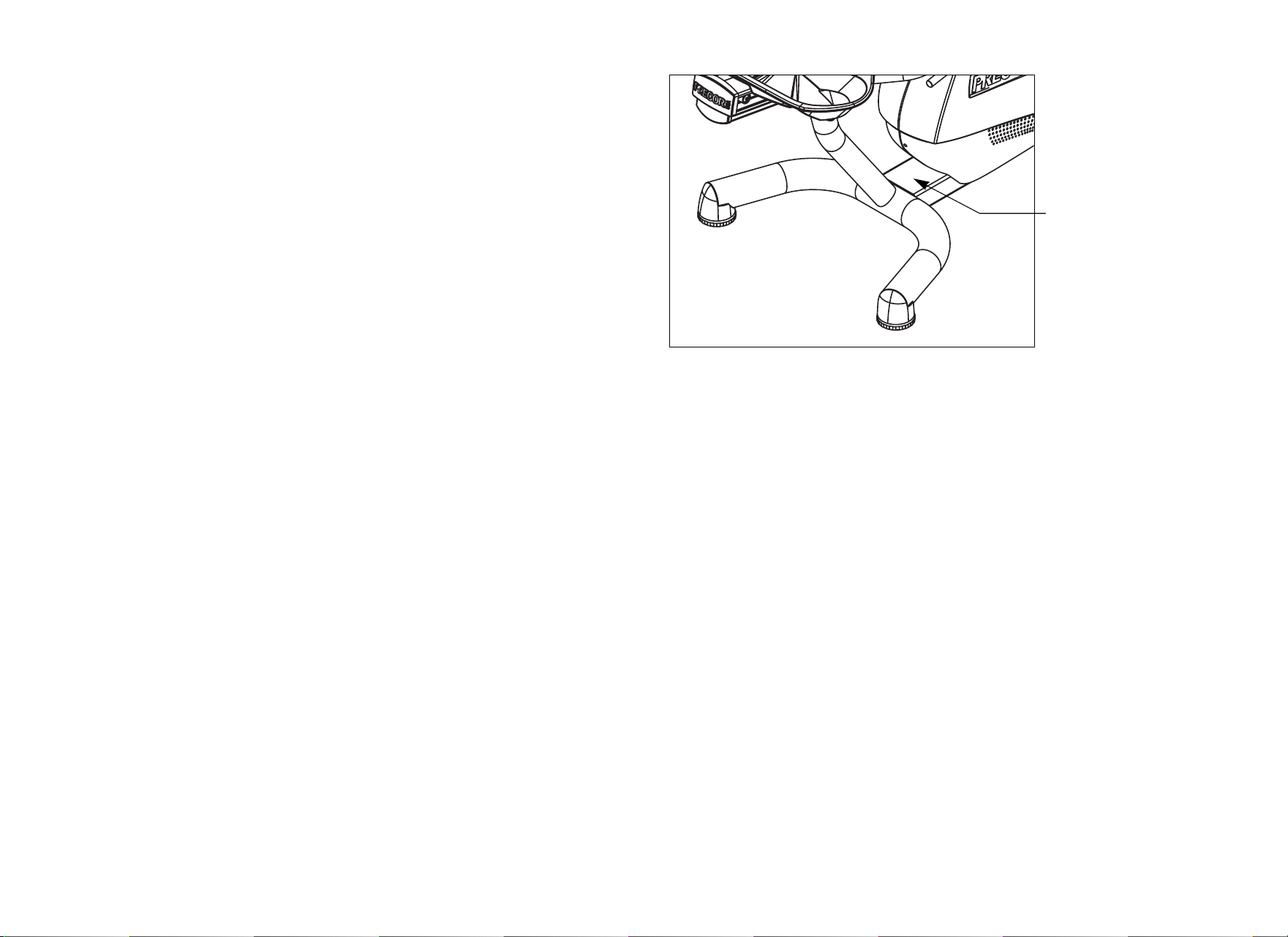
is printed on a label located on the rear cover (Diagram 1).
Diagram 1: Location of serial number
Model #: _______ Serial #: _______________________
Date purchased: _________________________
Model #: _______ Serial #: _______________________
Date purchased: _________________________
Model #: _______ Serial #: _______________________
Date purchased: _________________________
Model #: _______ Serial #: _______________________
Date purchased: _________________________
Serial number label

Product Owner’s Manual: Table of Contents 5
Table of Contents
Important Safety Instructions ...............................................1
Safety Approval ............................................................................... 2
Hazardous Materials and Proper Disposal ............................... 2
Radio Frequency Interference (RFI) ........................................... 2
Canadian Department of Communications .............................. 3
European Applications .................................................................. 3
Obtaining Service ........................................................................... 4
Self-Powered Features ...........................................................6
Informational Displays Prior to Shutdown ................................. 6
Symptoms of a Low Battery ......................................................... 7
The Optional Power Adapter ....................................................... 7
Replacing the Battery .................................................................... 7
Club Features ............................................................................8
Club Programming Tips ................................................................ 8
Choosing a Language ................................................................... 9
Selecting a U.S. Standard or Metric Display ........................... 9
Setting a Workout Time Limit ....................................................10
Setting a Pause Time Limit .........................................................10
Setting a Resistance Range (C846i) .......................................11
Changing the Custom Program ................................................12
Informational Displays (C842i) ..................................................13
Informational Displays (C846i) ..................................................15
User ID Entry with CSAFE Equipment ....................................17
Maintenance ............................................................................ 19
Daily Inspection .............................................................................19
Daily Cleaning ...............................................................................19
Cleaning the Equipment .............................................................19
Storing the Chest Strap ..............................................................19
Long-Term Storage ......................................................................20
Adjusting the Seat ........................................................................20
Upright Cycles: Adjusting the Seat Tilt ...................................21
Recumbent Cycles: Realigning the Seat ................................22
Using the Optional Power Adapter ..........................................23
Troubleshooting Error Codes ....................................................24
Troubleshooting Heart Rate .......................................................24
Precor Commercial Equipment
Limited Warranty.................................................................... 25
Product Owner’s Manual: Self-Powered Features 6
Self-Powered Features
The power source for the cycle is the user. When a person maintains
a pedal speed above 20 revolutions per minute (RPM), the power
that is generated allows the cycle to function properly.
Informational displays appear when the battery is low or when the
user reduces the pedal speed below the minimum requirement. The
display explains what to do to retain power. If the messages are
ignored, the cycle begins shutdown procedures to maintain the
charge of the battery. Refer to Informational Displays Prior to
Shutdown.
An optional power adapter can be purchased and provides
sustained power to the cycle. If you plan to customize your unit, the
power adapter is highly recommended. To purchase the optional
power adapter, check with your dealer. Refer to Obtaining Service.
Informational Displays Prior to
Shutdown
The cycle saves its battery charge by moving into a shutdown mode.
Whenever PEDAL FASTER appears on the display, the heart rate,
SmartRate
®
and program indicators turn off. If the user does not
maintain a pedal speed of 20 RPM, then a 20-second shutdown
process begins.
When 28 seconds remain, 28 dots appear in the center display. All
key presses are ignored except RESET. If no one begins pedaling, a
dot disappears every second as the countdown continues.
Note: The user can resume exercising if he or she begins pedaling
before the 28-second period elapses.
Note: If the cycle is connected to a CSAFE master device, a slightly
different scenario occurs. When ten seconds remain before the
cycle shuts off, the workout session ends. RESETTING appears in
the lower display while the cycle disconnects from the CSAFE
master device. All key presses are ignored. pedaling has no effect on
the display.
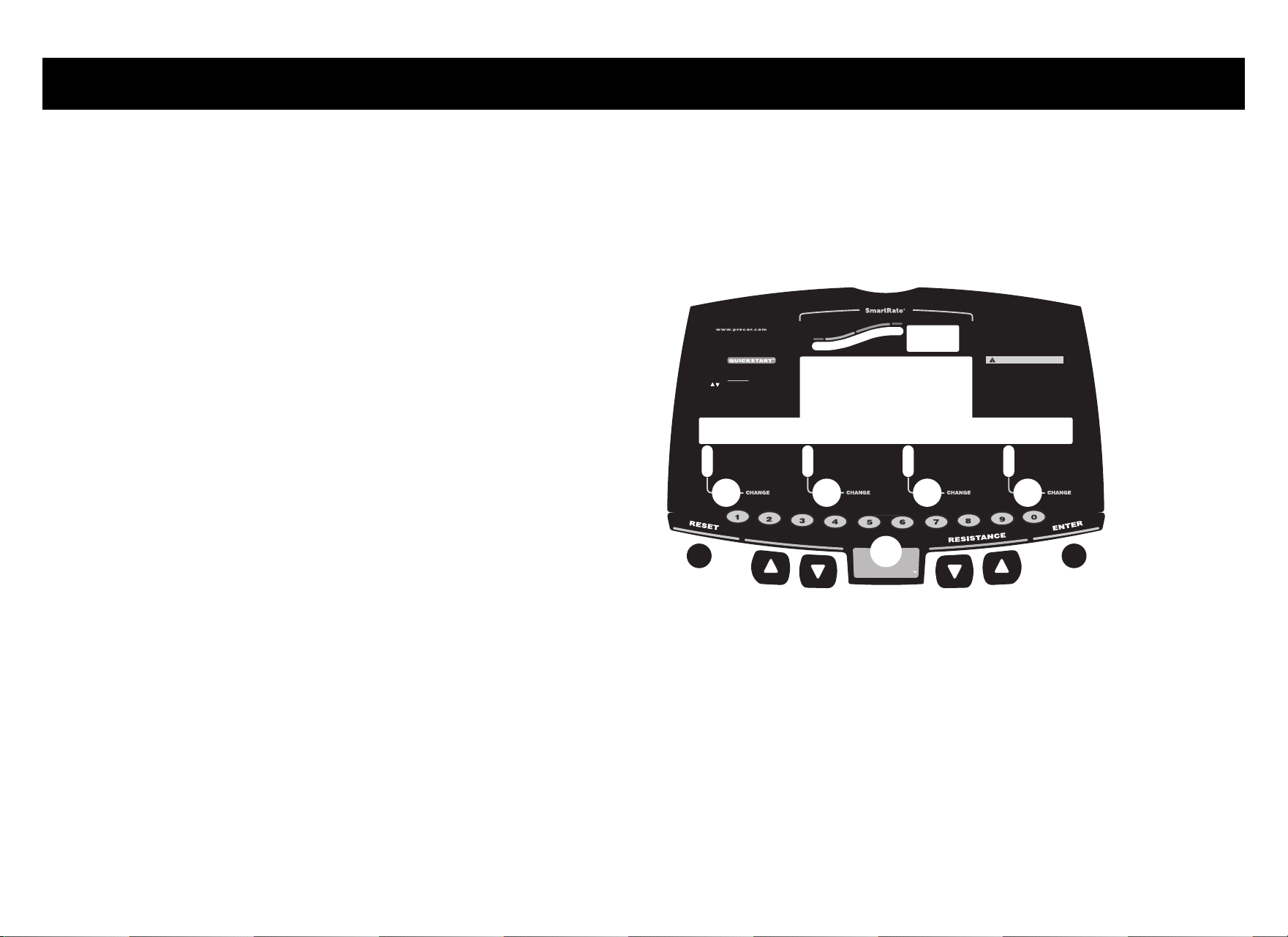
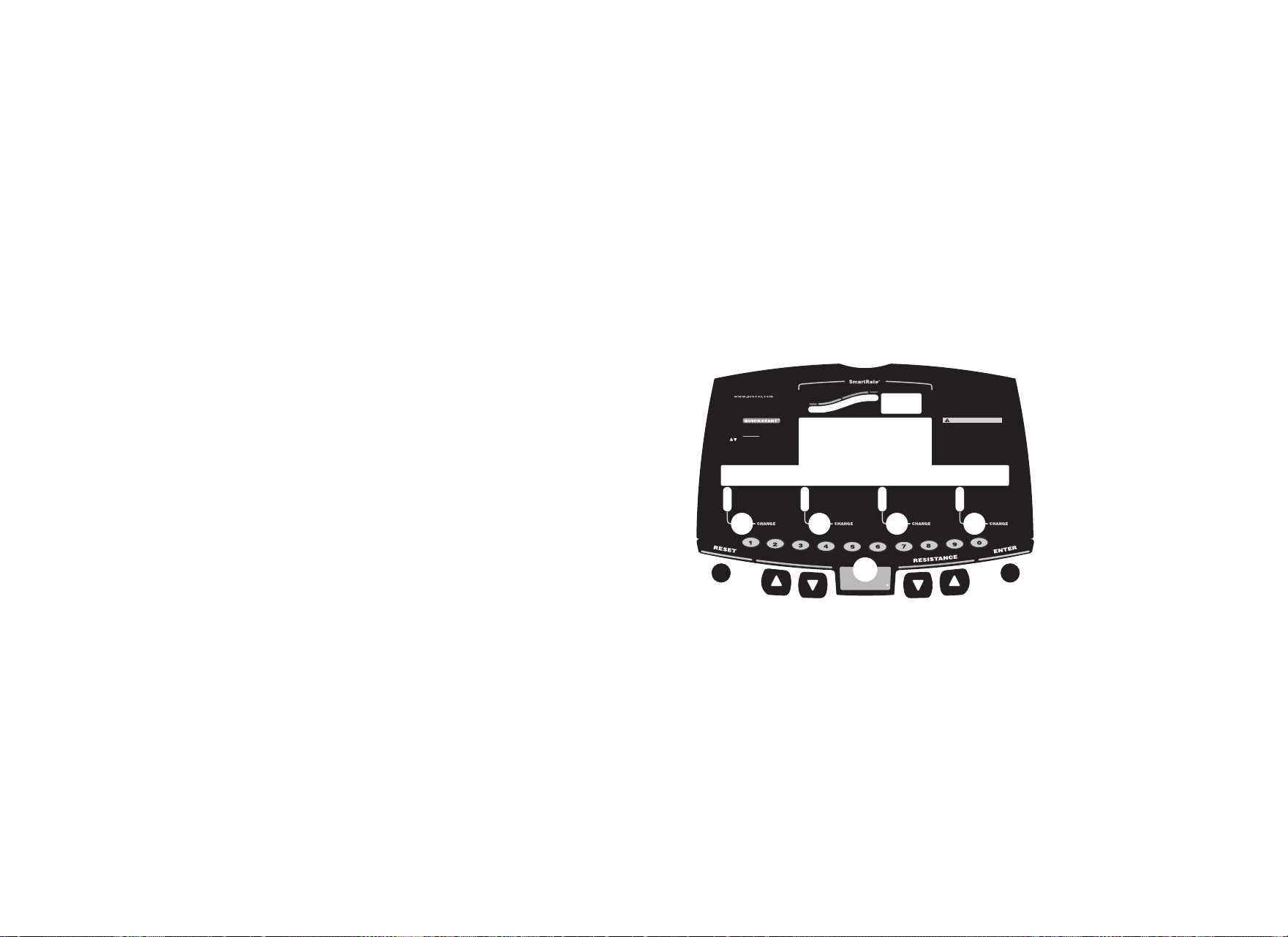
Diagram 2: C846i display
Heart Rate
Above
Below
Weight Loss
Cardiovascular
TIME
REMAINING TIME
SEGMENT TIME
DISTANCE
SPEED
RESISTANCE
RPM
METS
AVERAGE SPEED
CALORIES
WATTS
CAL PER MIN
C846i
CAUTION
Before beginning any fitness program, you
should have a complete physical examination by
your physician. Consult your physician for the
heart rate appropriate for your fitness level. If
you feel pain, faint or dizzy, stop exercising
immediately. Keep hands and clothing away from
moving parts. Do not allow children and people
unfamiliar with operation on or near the unit.
Use arrows (or numeric keys) to display:
TIME
WEIGHT
AGE
(press ENTER to select) (press ENTER to select)
(press ENTER to select) (press ENTER to select)
(press ENTER to select) (press ENTER to select)
PROGRAM
(press ENTER to select) (press ENTER to select)
PRESS PRESS
PRESSPRESS
Option 1
Option 2 - programs
ENTER
QUICKSTART
P
R
O
G
R
A
M
C
H
A
N
G
E

Product Owner’s Manual: Self-Powered Features 7
Symptoms of a Low Battery
If no one has used the cycle for an extended period of time, the
battery may need recharging.
Symptoms of a low battery include:
• A flickering or erratic display
• No workout statistics appear or accumulate
• Changes to the pedal speed are ignored
The cycle continues to function with a low battery, but user and
program information is lost once the user stops pedaling.
Note: To maintain a constant power source, use the optional power
adapter.
The Optional Power Adapter
The display functions differently when the power adapter is
connected. Because the power adapter provides a constant source
of power, the user can stop pedaling during a workout and pause for
brief periods without the cycle initiating shutdown procedures.
When the pause time limit expires and the user has not resumed
pedaling, the display returns to the Precor banner. Refer to Setting a
Pause Time Limit. To learn how to use the power adapter, refer to
Using the Optional Power Adapter.
Replacing the Battery
The internal battery is built to last for a long time. However, if you feel
that the battery may need replacing, check with an authorized
service technician. Refer to Obtaining Service.
CAUTION: The battery stored inside the cycle C846i/C842i
contains hazardous materials and must be disposed of
according to Hazardous Waste Regulations. Refer to Hazardous
Materials and Proper Disposal.

Product Owner’s Manual: Club Features 8
Club Features
These next few pages provide information that lets you customize
the cycle for your club. All these features remain hidden to the club
patrons and can only be accessed using special key presses. Read
this section if you want to:
• Change the display to a different language
• Change the display to U.S. Standard or Metric
• Set the maximum workout and pause times
• Set a cool-down time limit
• Customize a program
• View the odometer
• Display the number of hours the cycle has been in use
• View the software versions and part numbers
• Check the error log
• Display the serial number
• Connect to CSAFE equipment
Club Programming Tips
• Electrical power must be supplied. A minimum pedal speed (20
revolutions per minute) must be maintained while programming
the cycle. A constant power source is available if you use the
optional power adapter. If you plan to program the cycle,
purchasing the optional power adapter is highly recommended.
Note: If you do not use the optional power adapter during club
programming mode, and the pedal speed falls below 20 RPM, no
warning is given when the cycle moves into its 30-second
shutdown procedure.
• The club programming mode is accessed by pressing the RESET
key at the Precor banner. The remaining key presses must occur
quickly and without pause. Always start at the Precor banner.
• The function of the QUICKSTART key is disabled while in club
programming mode.
• The club programs appear sequentially. Pressing the ENTER key
on the C846i or the SELECT on the C842i saves the changes
you make and moves you through the programs. To exit a program
without saving any changes, press the RESET key.
Product Owner’s Manual: Club Features 9
Choosing a Language
The cycle can display user prompts, text, and user entries in six
different languages. When the cycle is shipped from the factory, it is
set to display English. To change this setting, perform the following
steps:
1. At the Precor banner, press the following C846i number keys in
sequence and without pause:
RESET, 5, 6, 5, 1, 5, 6, 5
Numbers appear on the display as you press the associated key.
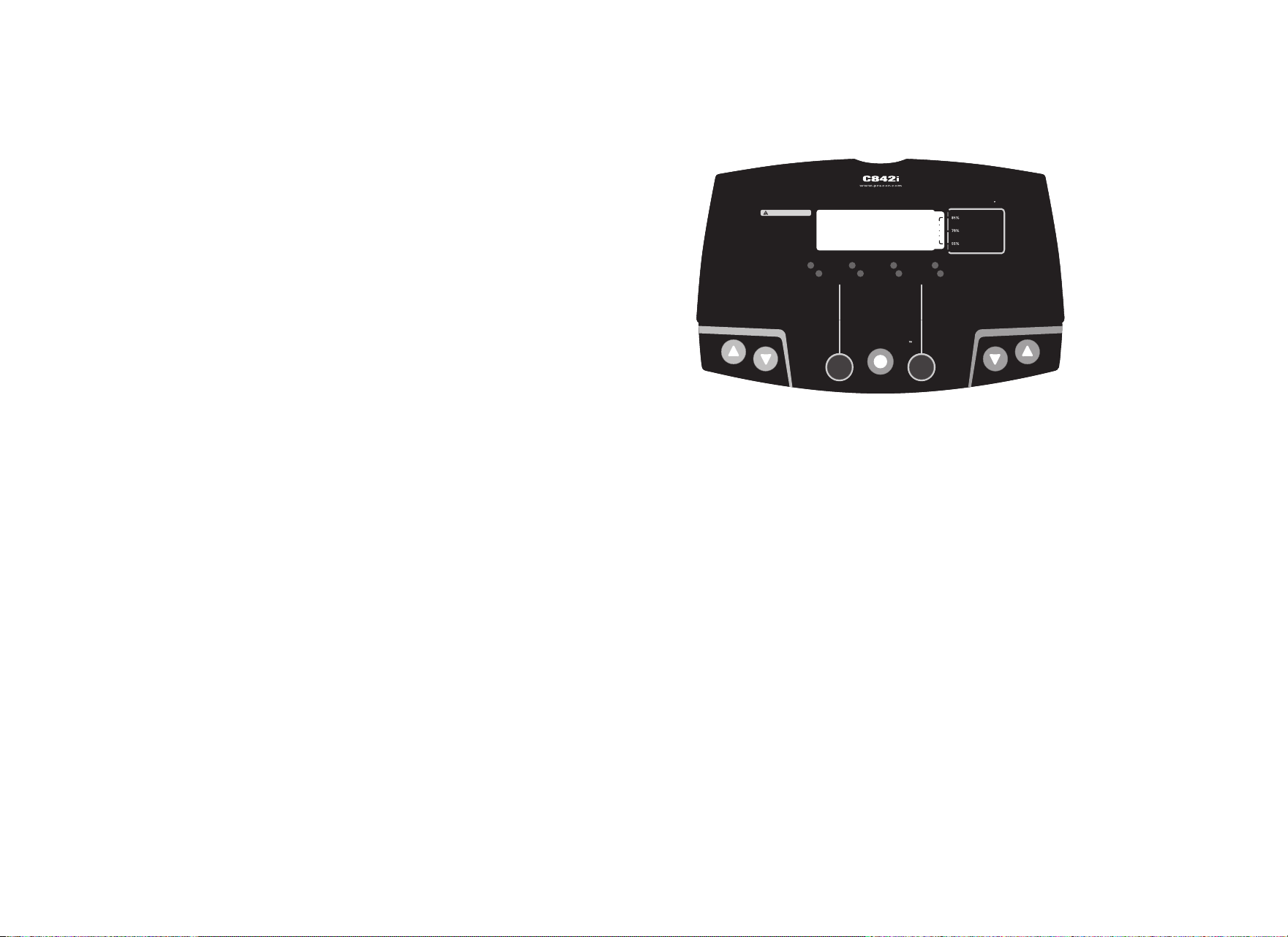
Note: The C842i does not have a number keypad, so each key is
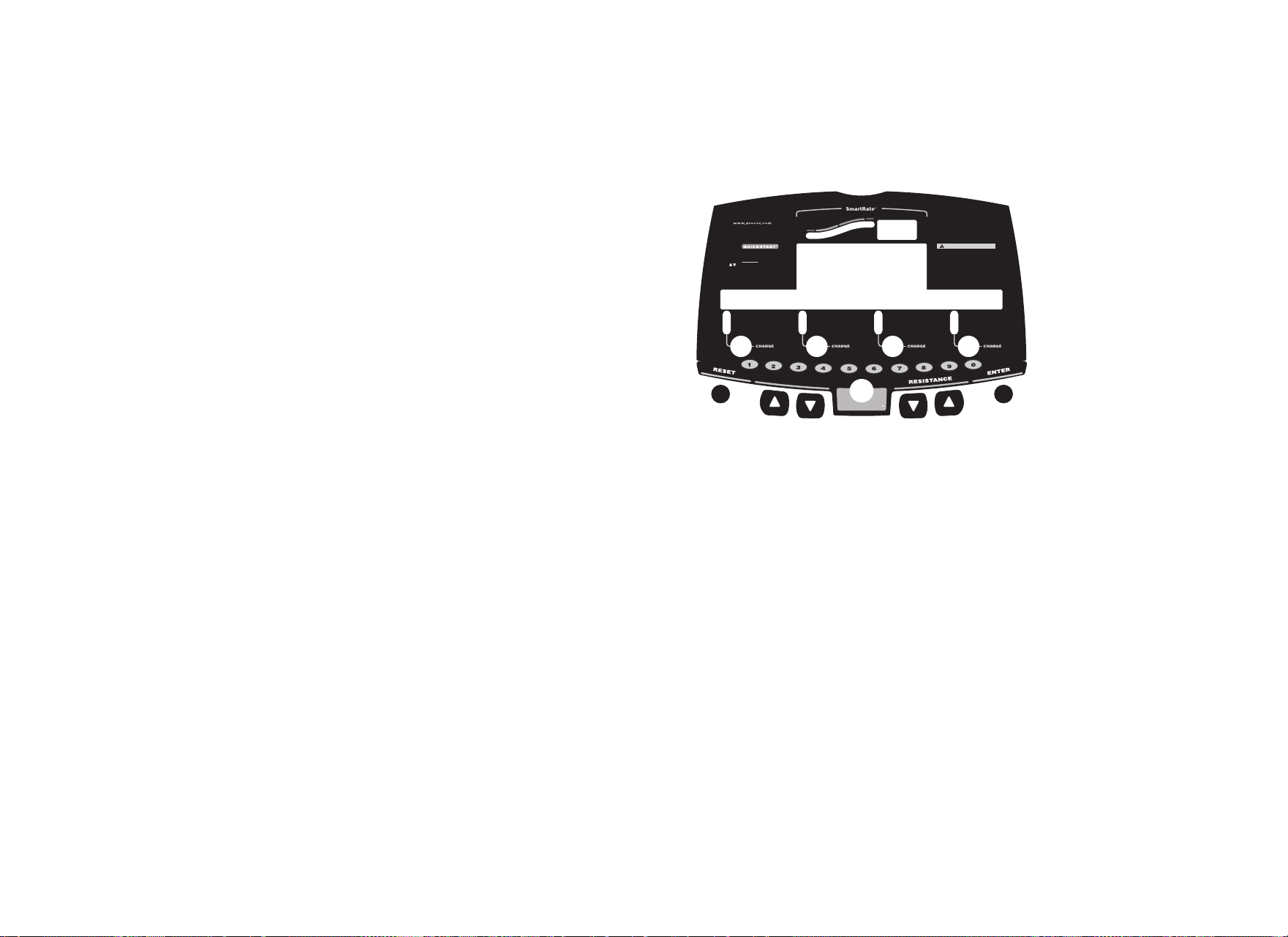
associated with a number. Refer to Diagram 4. To enter club
programming mode and change the language, press the
following sequence: RESET, SELECT, RESISTANCE ▼,
SELECT, COURSE CHANGE ▲, SELECT, RESISTANCE ▼,
SELECT.
At the SELECT LANGUAGE prompt, use the arrow keys to
choose between ENGLISH, DEUTSCH, ESPANOL,
FRANCAIS, NEDERLANDS, RUCCKIJJ (C846i only), and
PORTUGUES.
Note: Programming prompts are not affected by language
selection. The prompts in this section continue to appear in
English.
2. When you are ready, press SELECT (C842i) or ENTER (C846i)
to move to the next program or press RESET to return to the
Precor banner.
Diagram 3: C842i display and keypad numbers
Selecting a U.S. Standard or Metric
Display
The cycle can display measurements in either METRIC or U.S.
STANDARD. The default factory setting is set to display U.S.
STANDARD. To change this setting, perform the following steps:
3. At the SELECT UNITS prompt, use an arrow key to select a unit
of measure (U.S. STANDARD or METRIC).
4. When you are ready, press SELECT (C842i) or ENTER (C846i)
to move to the next program or press RESET to return to the
Precor banner.
QUICKSTART
RESISTANCE
QUICKSTART
RESET
SELECT
PROGRAM
CHANGE
PROFILE
Before beginning any fitness program,
you should have a complete physical
examination by your physician. Consult
your physician for the heart rate
appropriate for your fitness level. If you
feel pain, faint or dizzy, stop exercising
immediately. Keep hands and clothing
away from moving parts. Do not allow
children and people unfamiliar with
operation on or near the unit.
CAUTION
Above
Below
Weight Loss
Cardiovascular
SmartRate
TIME
DISTANCE
RPM
SPEED
CALORIES
WATTS
HEART RATE
Product Owner’s Manual: Club Features 10
Setting a Workout Time Limit
You can limit how long a user can exercise on the cycle. For example,
if you set the time limit to 20 minutes, users can only enter a workout
time between 1 and 20 minutes.
Note: The automatic cool-down period is appended to the end of
any time-based program, so adjust the time limit accordingly.
You can also let a user exercise indefinitely by selecting the NO
LIMIT option. You will need to instruct users to select NO LIMIT
(C842i) or press the number 0 (C846i) when they are prompted for
a workout time.
Note: The REMAINING TIME (C846i) display will not appear if the
NO LIMIT option is chosen.
The range of workout time available are:
5. At the SET MAX WORKOUT TIME prompt, use the arrow keys
to display the available time limits. Choose between 1 and 240
minutes. Or, choose NO LIMIT.
Note: When you press and hold an arrow key, the selections
increment by five, for example, 1, 5, 10, 15, and 20. When you
tap an arrow key, the selections increment by one.
6. When you are ready, press SELECT (C842i) or ENTER (C846i)
to move to the next program or press RESET to return to the
Precor banner.
Setting a Pause Time Limit
You can limit how long a user can pause while exercising on the
cycle by entering a time between 1 and 120 seconds (two minutes).
For example, if you set the pause time limit to 60 seconds, the
display automatically resets to the Precor banner if no pedaling or
key press occurs for one minute.
Important: The optional power adapter must be connected to
establish a pause time limit. If the optional power adapter is not
attached and the pedal speed drops below 20 revolutions per
minute, the cycle begins its 30-second shutdown effectively
eliminating pause mode.
7. At the SET MAX PAUSE TIME prompt, use the arrow keys to
cycle through the available time limits. Choose between 1 and
120 seconds (two minutes).
8. When you are ready, press SELECT (C842i) or ENTER (C846i)
to move to the next program or press RESET to return to the
Precor banner.
Cycle Workout Time
C842i 1 to 99 minutes
C846i 1 to 240 minutes

Product Owner’s Manual: Club Features 11
Setting a Resistance Range (C846i)
You can set a low, medium or high range of resistance on the C846i
cycle. Within each group, 25 resistance settings are available, but
the chosen group affects the overall resistance range.
An example of where you might use this programming feature is
physical therapy conditioning. If a user has an injury that needs low
levels of resistance, you might set the resistance range to low to
help ensure that the user does not induce further injury by exceeding
your recommended levels of resistance. The following table provides
short description of each group.
9. At the SET RESISTANCE RANGE prompt, use an arrow key to
choose LOW, MEDIUM or HIGH.
10.When you are ready, press ENTER to save your changes and
move to the next program. If you prefer to exit the program
without saving your changes, press RESET.
Setting Description
HIGH provides the full range of resistance available. If an
upright cycle user chooses the high-end resistance
levels, the cycle provides enough resistance to simulate
sprinting or hill climbing for users wishing to stand on
the upright cycle. It also provides enough resistance for
elite riders that are capable of spinning at high speed
with high resistance.
MEDIUM provides approximately two thirds of the resistance that
is available within the HIGH group setting. Club owners
may want to select the MEDIUM range for recumbent
cycles. Since users cannot stand on recumbent cycles,
less resistance is needed by the average (non-elite)
user. A MEDIUM range may provide more comfort. It
also allows users to make easier resistance changes in
the preset programs (HILL CLIMB and CROSS
COUNTRY).
LOW provides approximately one third of the resistance that is
available within the HIGH group setting. The LOW
range may be appropriate in special situations where
poorly conditioned users are anticipated. The LOW
range is not recommended for the club environment.
Product Owner’s Manual: Club Features 12
Changing the Custom Program
Important: To change the Custom Program, it is highly
recommended that you use the optional power adapter. Otherwise,
you will need to maintain a pedal speed above 20 revolutions per
minute to keep the cycle from shutting down.
When you design a custom program, you are preprogramming the
resistance for each column in the program profile.
11.A blinking column appears in the display. Use the COURSE
CHANGE ▼▲ keys to change the height of the column.
12.When the column height is set, use RESISTANCE ▲ to move to
the next column. You can use RESISTANCE ▼ to move back
and change earlier columns as needed.
13.Continue setting resistance level for each column in the profile.
14.When you are ready, press ENTER to save the program and
return to the Precor banner.
Note: If you prefer to exit the program without saving changes to
the custom profile, press RESET.
Diagram 4: Modify the Custom program
Heart Rate
Above
Below
Weight Loss
Cardiovascular
TIME
REMAINING TIME
SEGMENT TIME
DISTANCE
SPEED
RESISTANCE
RPM
METS
AVERAGE SPEED
CALORIES
WATTS
CAL PER MIN
C846i
CAUTION
Before beginning any fitness program, you
should have a complete physical examination by
your physician. Consult your physician for the
heart rate appropriate for your fitness level. If
you feel pain, faint or dizzy, stop exercising
immediately. Keep hands and clothing away from
moving parts. Do not allow children and people
unfamiliar with operation on or near the unit.
Use arrows (or numeric keys) to display:
TIME
WEIGHT
AGE
(press ENTER to select) (press ENTER to select)
(press ENTER to select) (press ENTER to select)
(press ENTER to select) (press ENTER to select)
PROGRAM
(press ENTER to select) (press ENTER to select)
PRESS PRESS
PRESSPRESS
Option 1
Option 2 - programs
ENTER
QUICKSTART
P
R
O
G
R
A
M
C
H
A
N
G
E
change resist cstm crs

Product Owner’s Manual: Club Features 13
Informational Displays (C842i)
The C842i cycle provides information about its use (odometer and
hour meter), as well as software version, and error log. In general,
you would only access this information if directed to do so by Precor
Customer Support.
These instructions guide you through all four informational displays.
Viewing the Odometer
1. At the Precor banner, press the following keys in sequence and
without pause:
RESET, RESISTANCE ▼, SELECT
Numbers appear on the display as you press the associated key.
REVOLUTIONS appears on the display followed by the
odometer value (number of total revolutions).
2. When you are ready, press SELECT to move to the next display
(hour meter).
Viewing the Hour Meter
HOURS appears followed by the number of hours that the unit
has been in use. The cycle tracks the elapsed minutes, but the
value that appears is truncated to the nearest full hour.
3. When you are ready, press SELECT to move to the next display
(software version).
Viewing the Software Version and Part Numbers
UPPER SW scrolls across the display followed by the upper
board application software part number and version (for example,
48181-350).
4. To see the upper boot and lower boot application software
version, press the SELECT key. If needed, you can move through
all three—upper board, upper boot, and lower board—using the
SELECT key.
5. Write the numbers below. You will need these numbers when you
call Customer Support with display-related questions. This
information will help rule out any software-related problems:
Upper Software P/N: ___________________
Upper Boot Software P/N: _____________
Lower Software P/N: ___________________
6. When you are ready, press RESET to move to the next display
(error log).
Product Owner’s Manual: Club Features 14
Viewing the Error Log
The first error log entry scrolls across the display. Up to ten error
codes can be retrieved. If there are no errors in the log, you will
see NO ERRORS displayed.
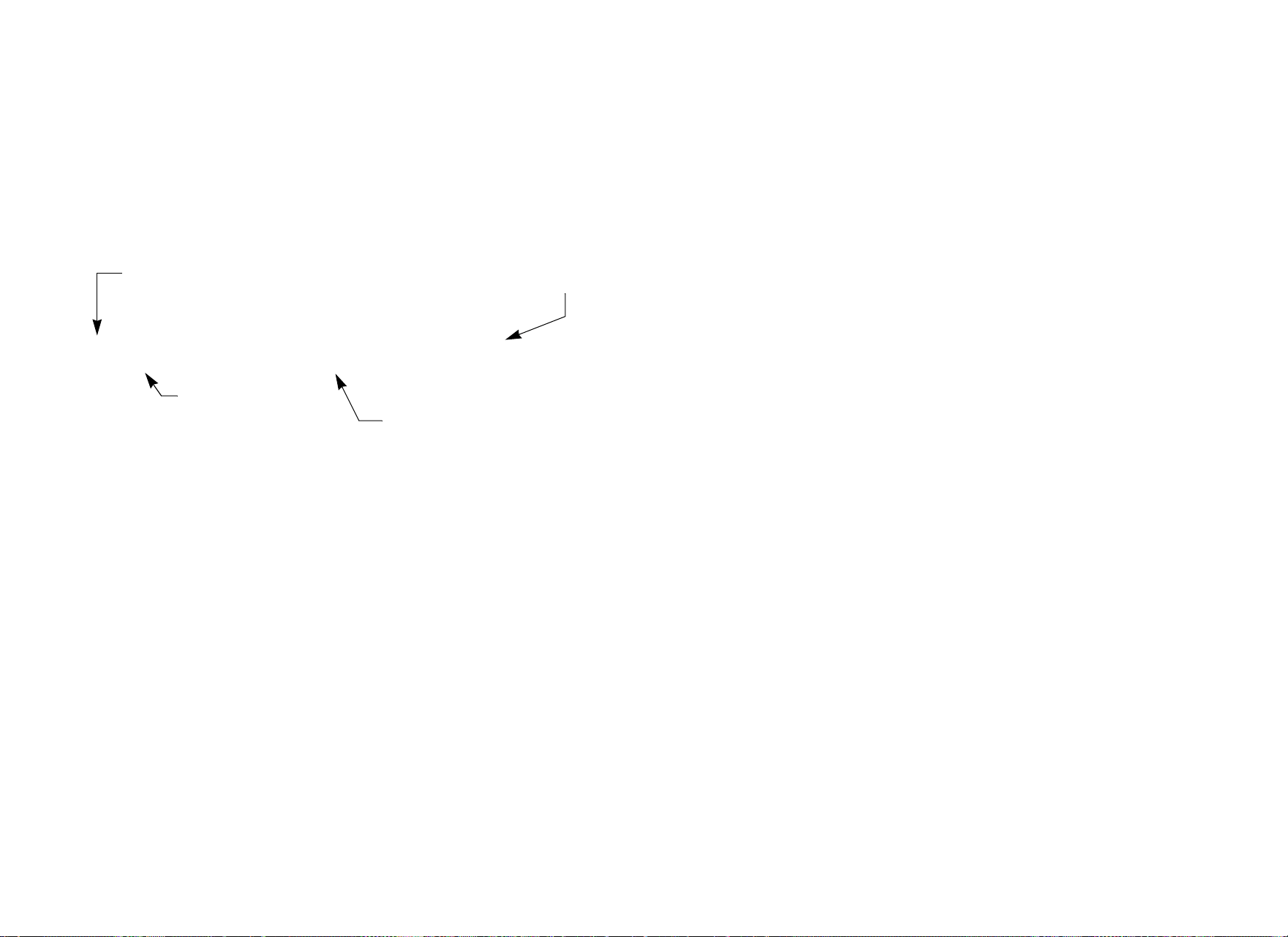
7. To view any additional error codes in the error log, use the arrow
keys. Each error code specifies when it occurred, listing the
odometer and hour meter values. Refer to Diagram 5.
Diagram 5: Error log
8. Copy the error code information to paper so you can provide it to
Customer Support if needed. Be sure to copy it exactly as
shown.
9. When you no longer need the information in the error log, press
QUICKSTART for at least four seconds to delete the error log.
Continue to maintain light pressure on the key until the message
OK appears. When the key is released, NO ERRORS appears in
the display, which indicates the error log has been deleted.
Important: You cannot retrieve the error log once you have
deleted it. You may want to resolve any issues you are
experiencing with the cycle before clearing the error log.
10.When you are ready, press SELECT or RESET to move to the
next display.
1: ER33 AT 12,345,678 rev 1,714 HOURS
Most recent error
Error code
The hour meter at the time
the error was detected.
Odometer reading at the
time the error occurred.

Product Owner’s Manual: Club Features 15
Informational Displays (C846i)
The C846i cycle provides information about its use (odometer and
hour meter), as well as software version, error log, and serial number.
In general, you would only access this information if directed to do
so by Precor Customer Support.
These instructions guide you through all five informational displays.
Pressing the ENTER key moves you through the displays. To exit,
press the RESET key at any time.
Viewing the Odometer
1. At the Precor banner, press the following keys in sequence and
without pause:
RESET, 6, 5
Numbers appear on the display as you press the associated key.
The odometer value (the total revolutions) appears on the display
followed by the word REVOLUTIONS.
2. When you are ready, press ENTER to move to the next display
(hour meter).
Viewing the Hour Meter
HOUR METER appears followed by the number of hours that
the unit has been in use. The cycle tracks the elapsed minutes,
but the value that appears is truncated to the nearest full hour.
3. When you are ready, press ENTER to move to the next display
(software version).
Viewing the Software Version and Part Numbers
SOFTWARE VERSION appears for two seconds. UPPER APP
then appears followed by the upper board application software
part number and version (for example, 48181-350).
4. To see the upper boot and lower boot application software
version, use the arrow keys. If needed, you can move through all
three—upper board, upper boot, and lower board—using the
arrow keys.
5. Write the numbers below. You will need these numbers when you
call Customer Support with display-related questions. This
information will help rule out any software-related problems:
Upper Application P/N: ___________________
Upper Boot Software P/N: _____________
Lower Application P/N: ___________________
6. When you are ready, press ENTER to move to the next display
(error log).
Product Owner’s Manual: Club Features 16
Viewing the Error Log
ERROR LOG appears on the display followed by the first entry
in the error log if there are any errors. Up to ten error codes can
be retrieved.
If there are no errors in the log, you will see NO MORE
ERRORS displayed.
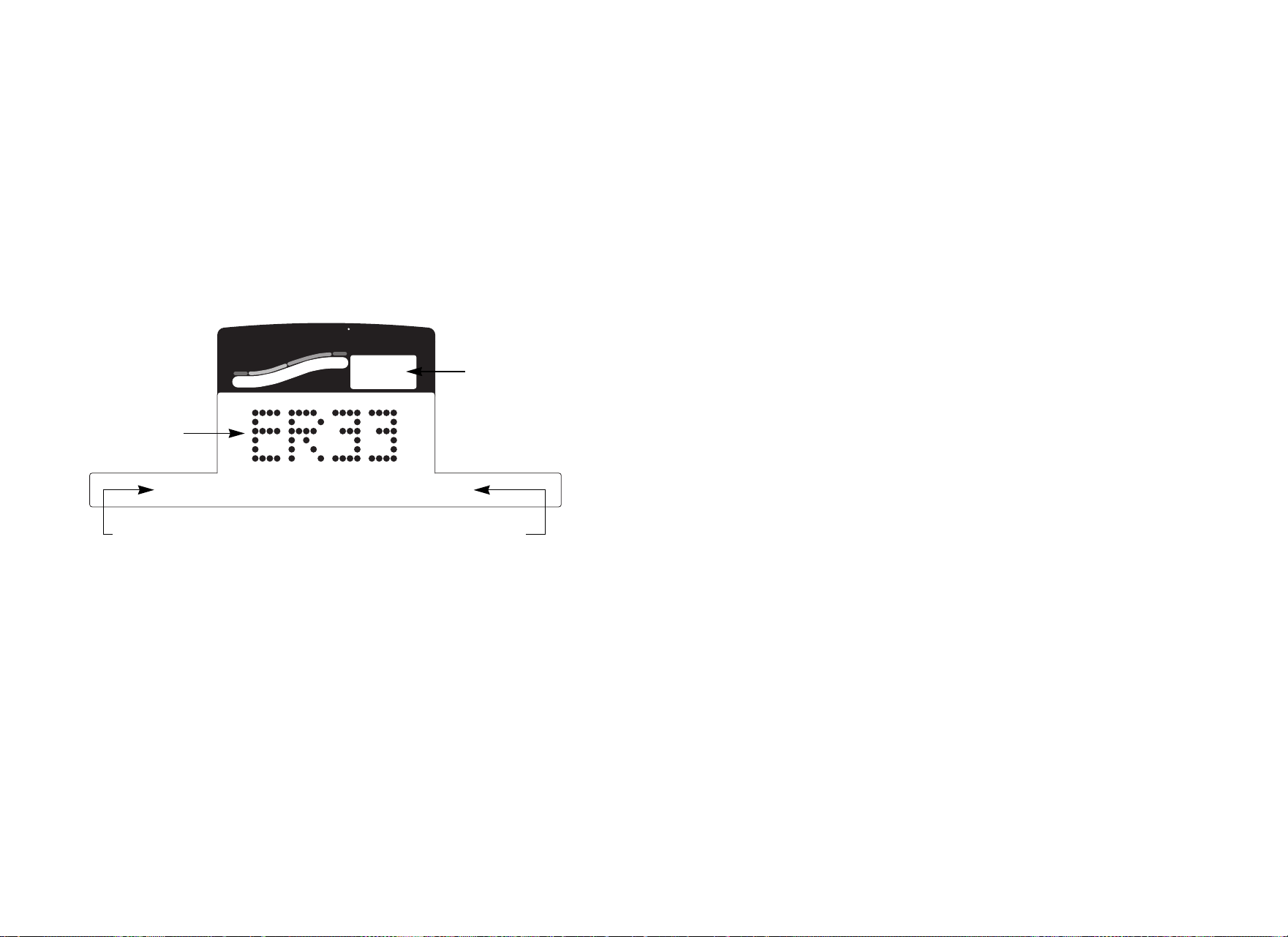
7. To view any additional error codes in the error log, use the arrow
keys. Each error code specifies when it occurred, listing the
odometer and hour meter values. Refer to Diagram 6.
Diagram 6: Error log
8. Copy the error code information to paper so you can provide it to
Customer Support if needed. Be sure to copy it exactly as
shown.
9. When you no longer need the information in the error log, press
QUICKSTART for at least four seconds to delete the error log.
Continue to maintain light pressure on the key until the message
CLEARED appears. When the key is released, 1 appears in the
Heart Rate display and dashes appear in the error code display,
which indicates the error log has been deleted.
Important: You cannot retrieve the error log once you have
deleted it. You may want to resolve any issues you are
experiencing with the cycle before clearing the error log.
10.When you are ready, press SELECT (C842i) or ENTER (C846i)
to move to the next display (serial number).
Heart Rate
Above
Below
Weight Loss
Cardiovascular
SmartRate
1
12000 revs 17 HrS
Most recent
error
Error code
The hour meter at the time
the error was detected.
Revolutions reading at
the time the error
occurred.
Product Owner’s Manual: Club Features 17
Displaying the Serial Number
SERIAL NUMBER appears on the display followed by the
13-digit serial number. The serial number is helpful when you
contact Customer Support.
Note: If no serial number has been entered, then NO SERIAL
NUMBER appears. Use the serial number found on a label on
the rear cover (Diagram 1).
11.If you have not already done so, write the serial number onto the
Warranty Registration card. You can also register online at
www.precor.com.
12.When you are ready, press ENTER to return to the Precor
banner.
User ID Entry with CSAFE Equipment
The C846i cycle is fully compatible with CSAFE protocols. When
the unit is connected to a CSAFE master device and the user
maintains a pedal speed above 20 revolutions per minute (RPM), the
user is prompted for a user ID.
Note: If the optional power adapter is being used, then no pedaling
is necessary for user ID entry.
The user ID is displayed as five zeros. The left most zero blinks
indicating you starting point. The following table describes key
functions while in CSAFE mode.
Keypad Description
PROGRAM CHANGE ▲ or ▼ moves the blinking LED from
column to column
RESISTANCE ▼ or ▲ changes the number value in the in
the selected column
Number keypad use the number keys to enter a user
ID. The number that is pressed
appears in the display and the next
column begins to blink. When all
five numbers are in place, the user
must press ENTER to submit the
user ID.
ENTER submits the user ID.
Note: User ID entry is bypassed
when the user enter five zeros. No
workout statistics are recorded.
RESET resets the display to the Precor
banner.

Product Owner’s Manual: Club Features 18
A message appears on the display and indicates when the user ID is
accepted by the CSAFE master device. Then, the program prompt
appears. The user has the option to choose QUICKSTART or select
a program and begin exercising.
Note: If the user’s pedal speed drops below 20 RPM and the
optional power adapter in not installed, a prompt PEDAL FASTER
appears. If the pedal speed remains below the 20 RPM threshold for
the next twenty seconds, the CSAFE connection is terminated. The
word RESETTING may appear on the display while the cycle
disconnects from the CSAFE device.
To review information about CSAFE specifications, visit the website
at: www.fitlinxx.com/csafe
If you have questions or need technical support, refer to Obtaining
Service.

Product Owner’s Manual: Maintenance 19
Maintenance
It is important to perform the minor maintenance tasks described in
this section. Failure to maintain the cycle as described here could
void the Precor Limited Warranty.
To reduce the risk of electrical shock, always
unplug the unit from its optional power adapter
before performing any maintenance tasks.
Daily Inspection
Look and listen for slipping belts, loose fasteners, unusual noises,
and any other indications that the equipment may be in need of
service. If you notice any of these, obtain service.
Important: If you determine that the cycle needs service, move it
away from the usual exercising area. Place an “out of service” sign
on it and make sure all users know that the cycle needs service.
To order parts or to contact a Precor authorized service provider in
your area, refer to Obtaining Service.
Daily Cleaning
Precor recommends the cycle be cleaned before and after each
workout. Use a damp, soft cloth to clean all exposed surfaces.
Cleaning the Equipment
Most of the working mechanisms are protected inside the covers.
However, for efficient operation, the cycle relies on low friction. To
keep the friction low, the cycle pedals and internal mechanisms must
be as clean as possible.
Frequently vacuum the floor underneath the unit to prevent the
accumulation of dust and dirt, which can affect the smooth operation
of the unit. Clean the grooves on the pedals using a soft nylon scrub
brush.
CAUTION: Do not use any acidic cleaners. Doing so will weaken
the paint or powder coatings and void the Precor Limited
Warranty. Never pour water or spray liquids on any part of the
cycle. Allow the cycle to dry completely before using.
Storing the Chest Strap
Store the chest strap where dust and dirt cannot accumulate on it,
such as a closet or drawer. Be sure to keep the chest strap
protected from extremes in temperature. Do not store it in an area
that may be exposed to temperatures below 32° F (0° C).
To clean the chest strap, use a sponge or soft cloth dampened in
mild soap and water. Dry the surface thoroughly with a clean towel.
DAN
G
ER
Product Owner’s Manual: Maintenance 20
Long-Term Storage
When the cycle is not in use for any length of time, ensure that the
optional power adapter is unplugged from its power source and is
positioned so that it and the power cord will not become damaged
or interfere with people or other equipment.
Adjusting the Seat
To avoid knee strain, it is important that you inform your patrons
about positioning the seat properly.
To check for proper seat position, be sure users take the following
steps:
1. Sit on the seat.
2. Place each foot on a pedal (inside the pedal straps).
3. Observe the position of each leg. The extended leg should be
slightly bent at the knee in a 10 to 15 degree angle.
If seat adjustment is needed, refer to the following instructions.
Upright Seat Adjustment
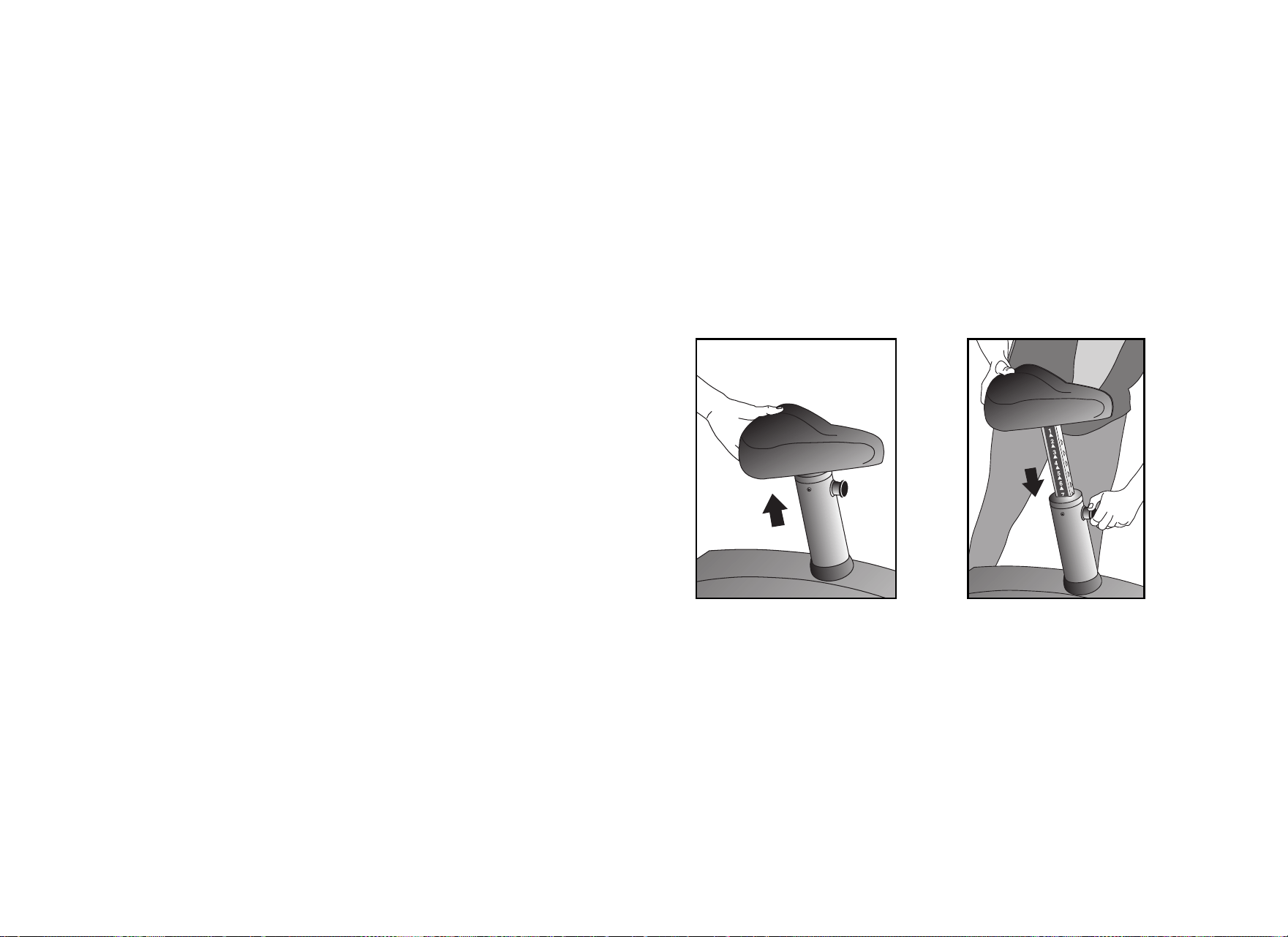
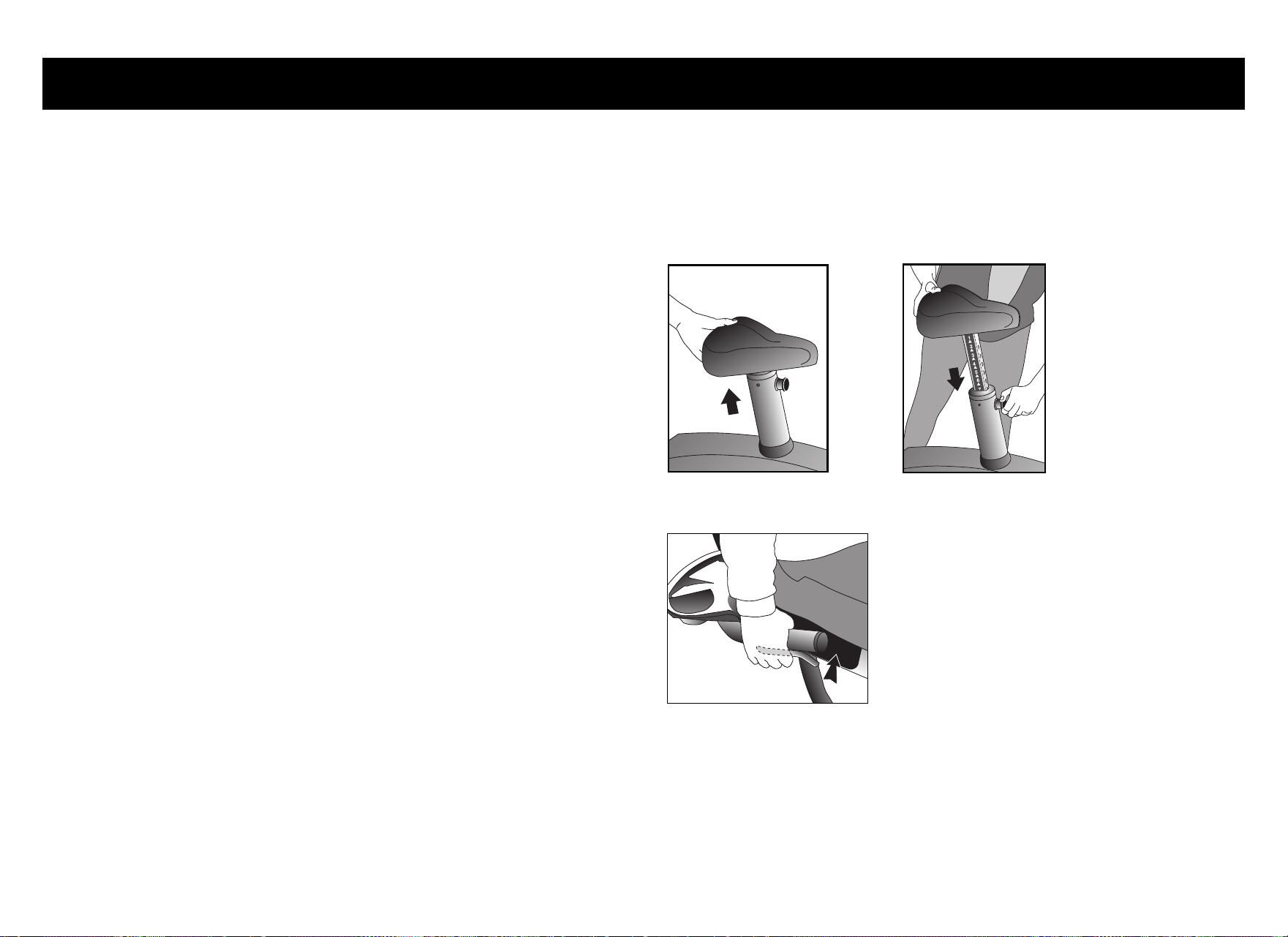
1. Dismount and hold the post underneath the seat with one hand
while you pull out the seat post adjustment pin (pop pin) with the
other hand. Refer to Diagram 7.
2. Slide the seat post up or down into the desired position and then
release the seat post adjustment pin.
3. Before sitting on the cycle, press down firmly on the seat to make
sure it does not slip. Check that the pop pin is secure inside the
seat post.
Diagram 7: Adjusting the seat on the C842i Upright Cycle
Product Owner’s Manual: Maintenance 21
Recumbent Seat Adjustment
1. Sit on the seat with your feet in the pedals.
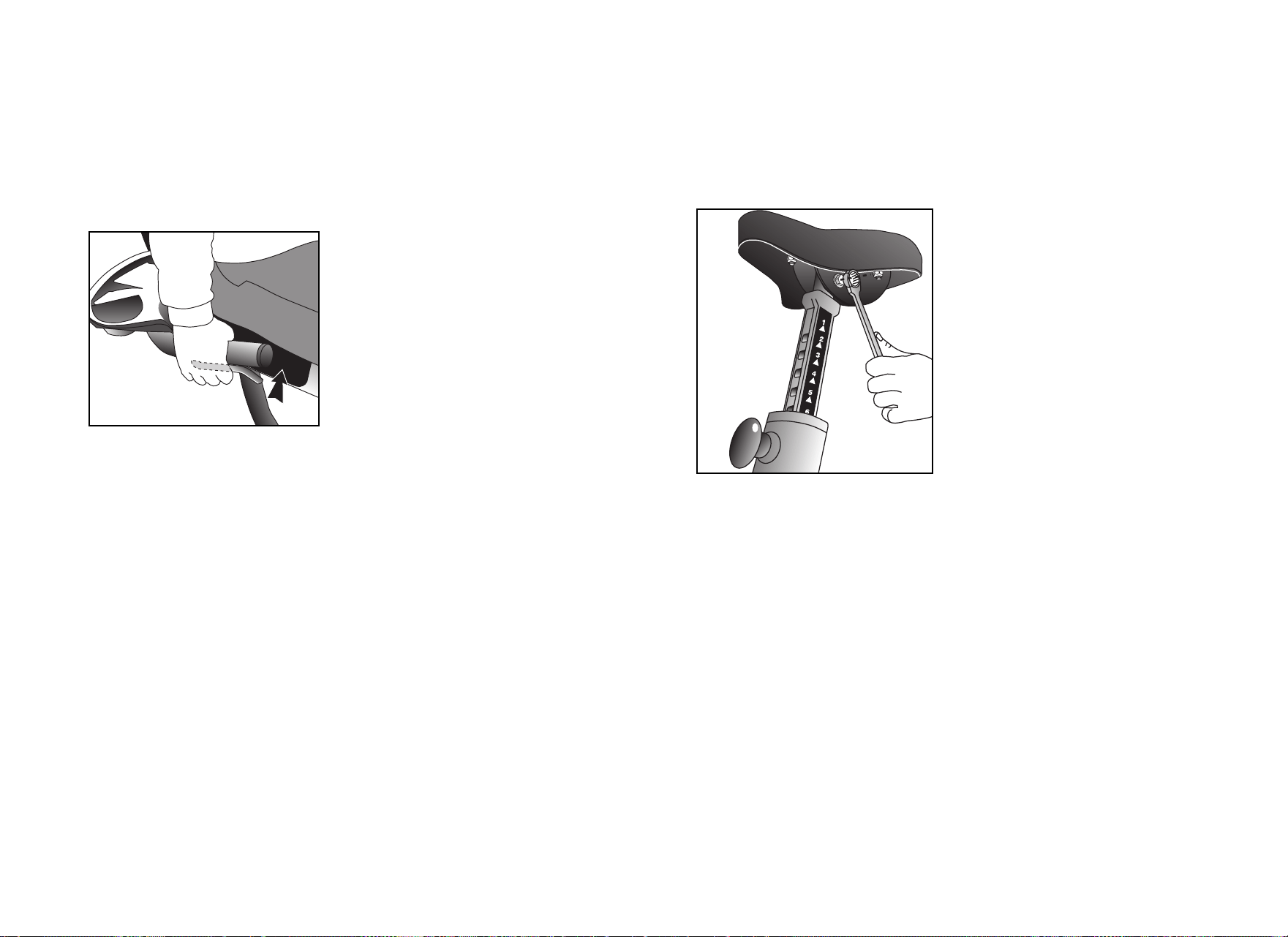
2. Pull the seat adjustment handle up while you bend your knees
and slide the seat forward or backward along the seat rail. Refer
to Diagram 8.
Diagram 8: Adjusting the seat on the C842i Recumbent Cycle
3. Align the seat with one of the marks on the seat rail and release
the handle.
4. Try to slide the seat along the seat rail. Make sure the seat does
not move before beginning your exercise session.
Upright Cycles: Adjusting the Seat Tilt
To adjust the seat tilt on upright cycles, take the following steps.
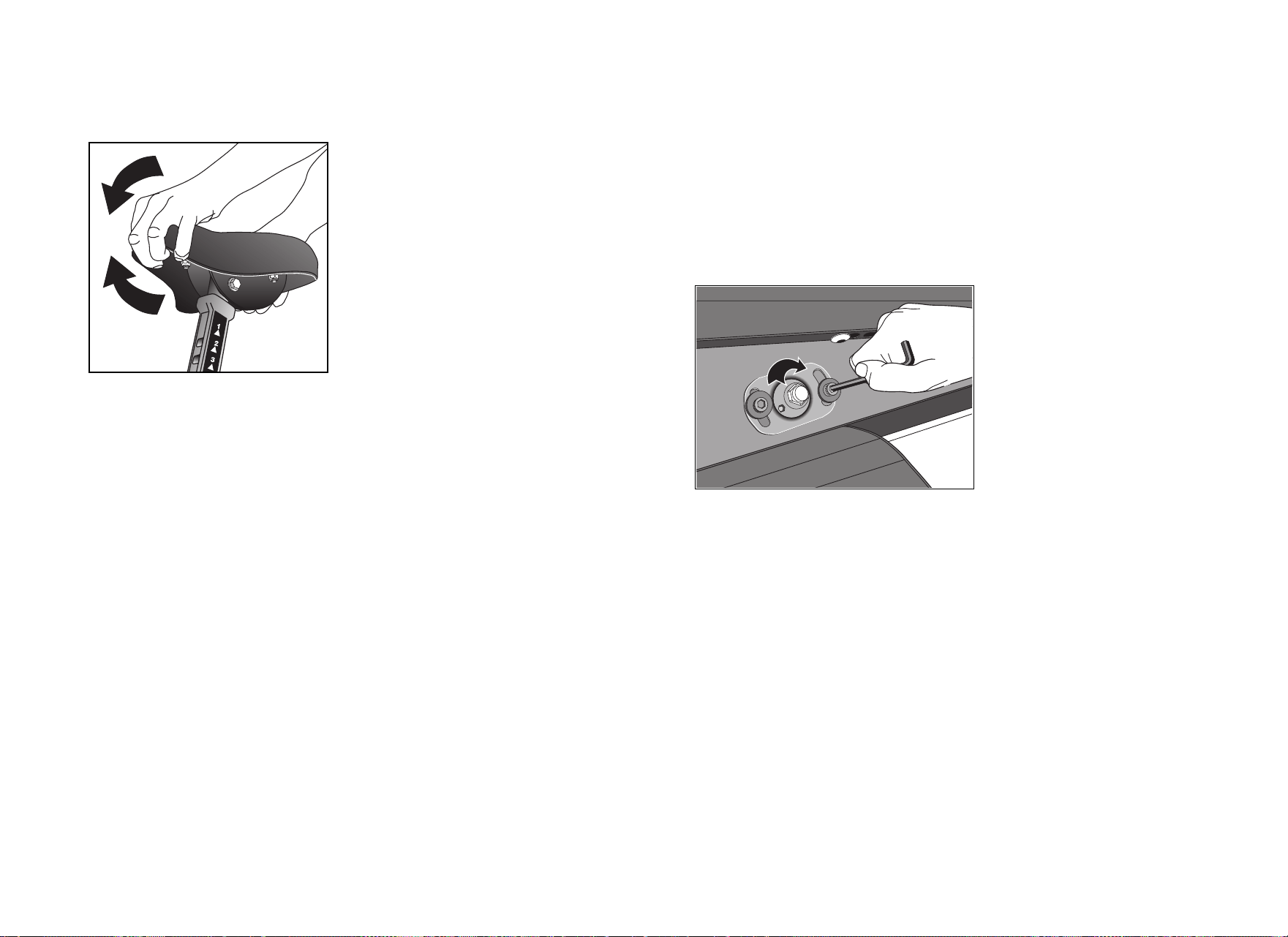
1. Use a 11/16-inch (17 mm) box-end wrench or crescent wrench
to loosen the nut beneath the seat. Refer to Diagram 9.
Diagram 9: Loosen nut to adjust seat tilt
Product Owner’s Manual: Maintenance 22
2. Adjust the seat tilt (forward or backward) as shown in
Diagram 10.
Diagram 10: Tilt the seat forward or backward
3. Wrench tighten the nut
4. Apply pressure to the seat and make sure that it does not move.
Readjust and retighten the nut, if needed.
Recumbent Cycles: Realigning the Seat
If the seat rocks side-to-side, you need to realign the center wheel
underneath the seat. Adjustment screws are located on the left side
of the seat rail.
To remove seat wobble (side to side movement), take the following
steps.
1. Obtain a ³⁄₁₆-inch and ⁵⁄₁₆-inch hex key.
Diagram 11: Loosen the two adjustment screws
2. Use the ³⁄₁₆-inch hex key to loosen the two adjustment screws as
shown in Diagram 11.
Product Owner’s Manual: Maintenance 23
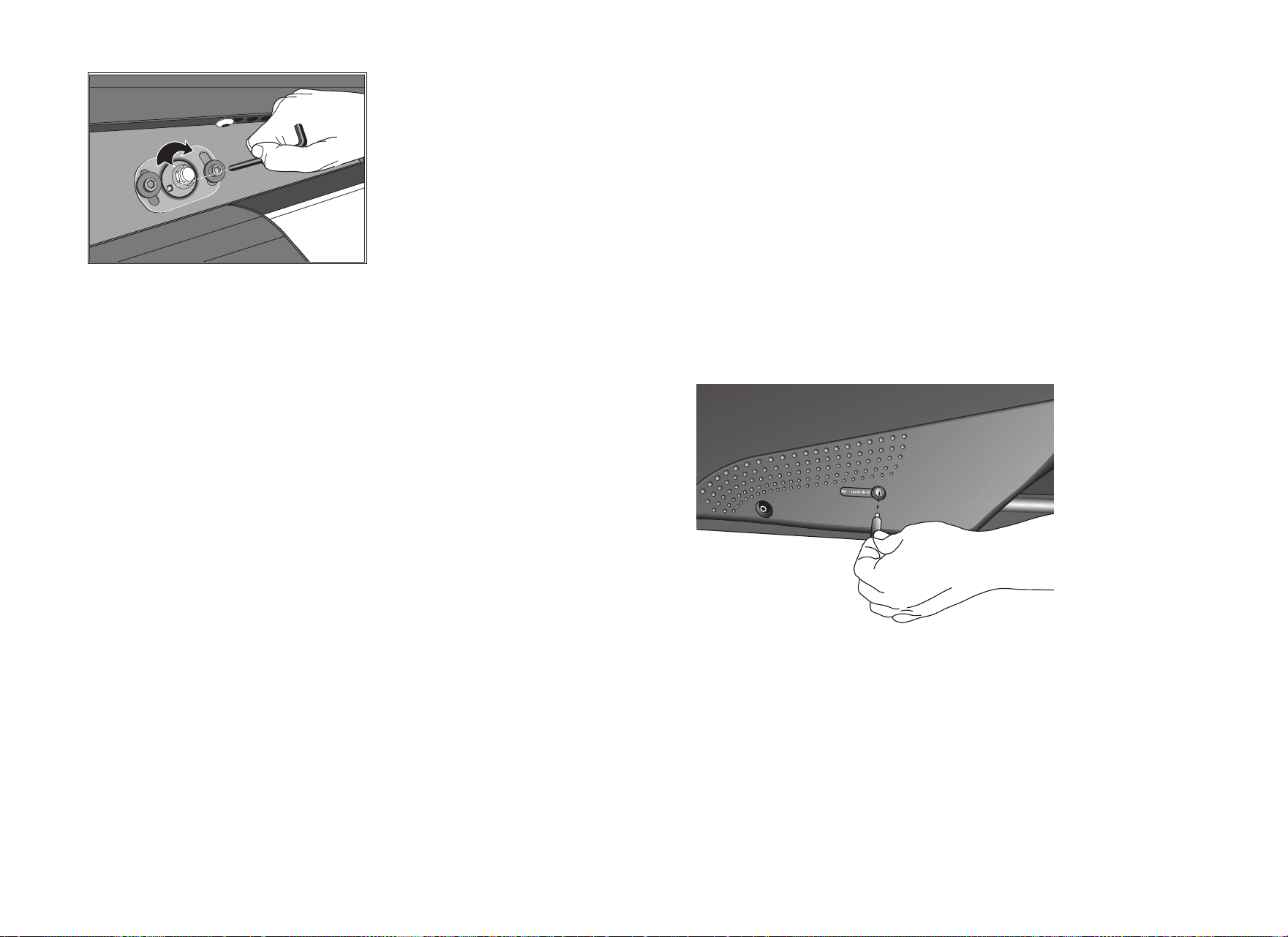
Diagram 12: Wheel lock adjustment
3. Use the ⁵⁄₁₆-inch hex key to turn the wheel lock adjustment key
clockwise ¼ turn. Refer to Diagram 12. This process realigns the
center wheel inside the top rail. Leave the ⁵⁄₁₆-inch hex key in
place while you tighten the adjustment screws with the ³⁄₁₆-inch
hex key.
4. Remove the hex keys and check that the seat no longer rocks
side-to-side. If the rocking movement continues, you need to
repeat steps 2 and 3.
Using the Optional Power Adapter
If you purchase the optional power adapter, you must also purchase
the internal cable kit. The kit supplies the cable, bracket, and
fasteners that connect the power adapter to the lower electronics
board.
CAUTION: The internal cable kit must be installed by authorized
service personnel. Do not attempt installation on your own as
you could void the Precor Limited Warranty. For more
information, refer to Obtaining Service.
Once the internal cable kit is installed, you can plug the optional
power adapter into the unit as shown in Diagram 13. Plug the
opposite end into the appropriate power source for your unit (110/
120v or 220/240v).
Important: When the optional power adapter is in use, ensure that
the power cord does not create a safety hazard. keep it out of the
way of traffic and moving parts. If the power cord or power adapter
is damaged it should be replaced.
Diagram 13: Optional power adapter receptacle

Product Owner’s Manual: Maintenance 24
Troubleshooting Error Codes
If any error codes appear in the display, call an authorized service
person for assistance. Refer to Obtaining Service.
Troubleshooting Heart Rate
Table 1 may help you understand and troubleshoot erratic heart rate
readings.
Important: A heart rate can only be detected when the Precor heart
rate receiver is properly installed in the display and the user
maintains a minimum of 20 RPM. A user must also wear the chest
strap on the C842i or grasp both touch-sensitive handlebar grips
on the C846i.
Table 1. Erratic heart rate readings
Note: To conduct electrical impulses from a user’s heart, both
touch-sensitive handlebar grips (C846i) must be grasped firmly for
five to ten seconds. Usually, the concentration of salts in a person’s
perspiration provides enough conductivity to transmit a signal to the
receiver in the display console. However, because of body chemistry
or erratic heartbeats, some people cannot use the touch-sensitive
heart rate feature. A chest strap may provide better results.
What appears on
the display Cause What to Do
Nothing The heart rate receiver
is not installed or it has
been disconnected.
Call Customer Support.
Refer to Obtaining Service.
— — — A signal is being
detected through the
chest strap, but a valid
heart rate is not yet
established.
Be sure that the chest strap
is moist, centered, and in
direct contact with the user’s
skin. Wait a few moments to
see if the user’s heart rate
appears.
Pulsing Hr A signal is being
detected through the
touch-sensitive
handlebar grips, but a
valid heart rate is not
yet established.
Ask the user to grasp both
handlebar grips (C846i only)
until his or her heart rate
appears.
What appears on
the display Cause What to Do

Product Owner’s Manual: Precor Commercial Equipment Limited Warranty 25
Precor Commercial Equipment Limited Warranty
PLEASE READ THESE WARRANTY TERMS AND CONDITIONS CAREFULLY
BEFORE USING YOUR PRECOR INCORPORATED PRODUCT. BY USING
THE EQUIPMENT, YOU ARE CONSENTING TO BE BOUND BY THE
FOLLOWING WARRANTY TERMS AND CONDITIONS.
Limited Warranty.
Precor Incorporated warrants all new Precor products to be free from defects in
materials and manufacture for the warranty periods set forth below. The warranty
periods commence on the invoice date of the original purchase. This warranty
applies only against defects discovered within the warranty period and extends
only to the original purchaser of the product. Parts repaired or replaced under the
terms of this warranty will be warranted for the remainder of the original warranty
period only. To claim under this warranty, the buyer must notify Precor or your
authorized Precor dealer within 30 days after the date of discovery of any
nonconformity and make the affected product available for inspection by Precor or
its service representative. Precor’s obligations under this warranty are limited as
set forth below.
Warranty Periods and Coverage.
Commercial Cardiovascular Products, also known as C-Series Products,
(excluding StretchTrainer, Strength Products).
• Seven years frame, five years touch sensor display housing, two years parts,
one year labor.
• For treadmills, five years motor fan, three years drive motor.
• For self-powered ellipticals and bikes, one year battery.
• For InSite, one year parts and labor.
• Labor coverage for options as defined below.
StretchTrainer
Five years frame, two years parts, 90 days upholstery, no labor.
Strength Products (S3.45 and S3.25 only)
Ten years frame; three years bearings, guide rods, cams, pulleys; one year belts,
cables, hand grips, miscellaneous parts; 90 days upholstery; no labor.
Options / Accessories / Battery-powered or Self-Operated Devices
Many options or accessories have components that are connected internally or
mounted inside the electronic console. The following guidelines determine the
warranty for these components. If the internal components are installed by the
factory or by an authorized dealer as part of the original sale and delivery, they
have a warranty that is identical to the warranty of the equipment in which they are
connected or mounted. If the internal components are not installed by the factory
or by an authorized dealer as part of the original sale and delivery, they have a 90
days parts and labor limited warranty. All components that are not internally
connected have a 90 days parts only limited warranty. Satisfactory proof of
purchase is required in all cases.
Conditions and Restrictions.
This warranty is valid only in accordance with the conditions set forth below:
1. The warranty applies to the Precor product only while
a. it remains in the possession of the original purchaser and proof of purchase
is demonstrated,
b. it has not been subjected to accident, misuse, abuse, improper service, or
non-Precor modification.
c. claims are made within the warranty period.
2. Certain products are warranted for standard commercial use only (defined as
use in non-fee paying clubs or facilities and less than 6 hours daily use.
Unapproved use voids the warranty. Current standard commercial products
include C936i, C932i, EFX524i, EFX534i.).
3. This warranty does not cover damage or equipment failure caused by electrical
wiring not in compliance with electrical codes or Precor owner’s manual
specifications, or failure to provide reasonable and necessary maintenance as
outlined in the owner’s manual.
4. Except in Canada, Precor does not pay labor outside the United States.
5. Warranties outside the United States and Canada may vary. Please contact
your local Dealer for details.

Product Owner’s Manual: Precor Commercial Equipment Limited Warranty 26
This Limited Warranty shall not apply to:
1. Software (PROM) version upgrades.
2. Normal wear and tear, consumables and cosmetic items, including, but not
limited to the following: grips, seats, and labels.
3. Repairs performed on Precor equipment missing a serial number or with a serial
tag that has been altered or defaced.
4. Service calls to correct installation of the equipment or instruct owners on how
to use the equipment.
5. Pickup and delivery involved with repairs.
6. Any labor costs incurred beyond the applicable labor warranty period.
Disclaimer and Release.
The warranties provided herein are the exclusive warranties given by Precor and
supersede any prior, contrary or additional representations, whether oral or
written. ANY IMPLIED WARRANTIES, INCLUDING THE WARRANTY OF
MERCHANTABILITY OR FITNESS FOR A PARTICULAR PURPOSE THAT
APPLY TO ANY PARTS DESCRIBED ABOVE ARE LIMITED IN DURATION TO
THE PERIODS OF EXPRESS WARRANTIES GIVEN ABOVE FOR THOSE
SAME PARTS. PRECOR HEREBY DISCLAIMS AND EXCLUDES THOSE
WARRANTIES THEREAFTER. Some States do not allow limitations on how long
an implied warranty lasts, so the above limitation may not apply to you. PRECOR
ALSO HEREBY DISCLAIMS AND EXCLUDES ALL OTHER OBLIGATIONS OR
LIABILITIES, EXPRESS OR IMPLIED, ARISING BY LAW OR OTHERWISE,
WITH RESPECT TO ANY NONCONFORMANCE OR DEFECT IN ANY
PRODUCT, INCLUDING BUT NOT LIMITED TO: (A) ANY OBLIGATION,
LIABILITY, RIGHT, CLAIM OR REMEDY IN TORT, WHETHER OR NOT
ARISING FROM THE NEGLIGENCE OF PRECOR OR ITS SUPPLIERS
(WHETHER ACTIVE, PASSIVE OR IMPUTED); AND (B) ANY OBLIGATION,
LIABILITY, RIGHT, CLAIM OR REMEDY FOR LOSS OF OR DAMAGE TO ANY
EQUIPMENT. This disclaimer and release shall apply even if the express warranty
set forth above fails of its essential purpose.
Exclusive Remedies.
For any product described above that fails to conform to its warranty, Precor will
provide, at their option, one of the following: (1) repair; (2) replacement; or
(3) refund of the purchase price. Precor Limited Warranty service may be obtained
by contacting the authorized dealer from whom you purchased the item. Precor
compensates Servicers for warranty trips within their normal service area to repair
commercial equipment at the customer’s location. You may be charged a trip
charge outside the service area. THESE SHALL BE THE SOLE AND EXCLUSIVE
REMEDIES OF THE BUYER FOR ANY BREACH OF WARRANTY.
EXCLUSION OF CONSEQUENTIAL AND INCIDENTAL
DAMAGES.
PRECOR AND/OR ITS SUPPLIERS SHALL HAVE NO OBLIGATION OR
LIABILITY, WHETHER ARISING IN CONTRACT (INCLUDING WARRANTY),
TORT (INCLUDING ACTIVE, PASSIVE, OR IMPUTED NEGLIGENCE AND
STRICT LIABILITY), OR OTHERWISE, FOR DAMAGE TO THE EQUIPMENT,
PROPERTY DAMAGE, LOSS OF USE, REVENUE OR PROFIT, COST OF
CAPITAL, COST OF SUBSTITUTE EQUIPMENT, ADDITIONAL COSTS
INCURRED BY BUYER (BY WAY OF CORRECTION OR OTHERWISE) OR
ANY OTHER INCIDENTAL, SPECIAL, INDIRECT, OR CONSEQUENTIAL
DAMAGES, WHETHER RESULTING FROM NONDELIVERY OR FROM THE
USE, MISUSE OR INABILITY TO USE THE PRODUCT. This exclusion applies
even if the above warranty fails of its essential purposes and regardless of whether
such damages are sought for breach of warranty, breach of contract, negligence,
or strict liability in tort or under any other legal theory. Some states do not allow
the exclusion or limitation of incidental or consequential damages, so the above
limitation may not apply to you.
This warranty gives you specific legal rights, and you may also have other rights,
which vary from state to state.
Complete this portion and keep for your records.
Purchased From: _____________________________________________________
(Dealer or store name)
Phone Number: _____________________________________________________
(Dealer or store telephone number)
Product/Model: _____________________________________________________
(For example: EFX534i or C966i)
Serial Number: _____________________________________________________
(The serial number is found on the shipping container.)
Effective 01 December, 2004
P/N 36286-111
We are confident that you will be pleased with your purchase and
that your new Precor equipment will help satisfy your customers’
fitness needs, while helping you meet your business goals.
To allow us to serve you better, please take a
few moments to complete and return your warranty registration.
YOU MAY ALSO REGISTER ONLINE AT
www.precor.com/warranty
If you have questions or need additional information, contact
your local dealer or call Precor Commercial Products Customer
Support at 888-665-4404.
Thank You and Welcome to Precor
Precor Incorporated
20031 142nd Avenue NE
PO Box 7202
Woodinville, WA 98072-4002
PLACE
STAMP
HERE
Fold along dotted line and tape closed before mailing.
COMM.
P/N 45622-101 Effective 30 June 2002
❑ EFX ❑ Cycle ❑ StretchTrainer
TM
❑ Treadmill ❑ Stair Climber ❑ Strength Machine ❑ Other
Which best describes this purchase (check all that apply):
❑ First Precor product ❑ Replaces a Precor product of the same
type ❑ Replaces same type of product – different
brand ❑ Enhancement to equipment already
owned
How did you FIRST become aware of this product (choose only one):
TELL US ABOUT YOUR NEW PRECOR PRODUCTS
Please indicate the type and number of products purchased:
❑ #: ______ Elliptical Fitness CrossTrainer (EFX
®
)
❑ #: ______ Treadmill ❑ #: ______ Stair Climber
❑ #: ______ Cycle ❑ #: ______ Strength
Station
Date of Purchase:
❑ Mr.
❑ Mrs.
Name of Facility
Please detach and mail in the warranty registration within ten days of purchase.
Contact Person — First Name
Zip CodeCity State
How many members do you have?
❑ Less than 100 ❑ 100 – 500 ❑ 500 – 1000 ❑ 1000 – 2000 ❑ 2001 +
What percentage of floor space do you allocate for cardio equipment?
❑ 0% to 20% ❑ 20% to 40% ❑ 40% to 60% ❑ 60% to 80% ❑ 80% to 100%
What type of equipment makes up your cardio offering (check all that apply)?
❑ Treadmills ❑ Ellipticals ❑ Cycles ❑ Stair Climbers ❑ Rowing Machines ❑ Other
What other brands of cardio equipment do you currently offer (check all that apply):
❑ Life Fitness ❑ Tr ue ❑ Cybex ❑ StarTrac ❑ Other
What other Precor equipment do you currently offer (check all that apply):
Month
Day
Year
Your Business Email Address
Area Code
Facility Telephone Number
Purchased from (Dealer name):
Product Serial Number(s):
Apt./SuiteFacility Address
The serial number is located on the shipping box and on the product.
TELL US ABOUT YOUR FACILITY
Last Name
TELL US ABOUT YOUR PURCHASE
Add additional sheets of paper or register online at www.precor.com/warranty

C842i/C846i POM 48816-101, en
Warranty # 36287-111, en
Registration Card# 45622-101, en
15 July 2005
Precor, C, CrossRamp, EFX, M, Move Beyond, and SmartRate are registered trademarks of Precor Incorporated.
Crosstrainer, QuickStart, and StretchTrainer are trademarks of Precor Incorporated.
Copyright 2005 Precor Incorporated.
Specifications subject to change without notice.
www.precor.com
NOTICE:
Precor is widely recognized for its innovative, award winning designs of exercise equipment. Precor aggressively
seeks U.S. and foreign patents for both the mechanical construction and the visual aspects of its product design.
Any party contemplating the use of Precor’s product designs is hereby forewarned that Precor considers the
unauthorized appropriation of its proprietary rights to be a very serious matter. Precor will vigorously pursue all
unauthorized appropriation of its proprietary rights.
Precor Incorporated
20031 142nd Ave NE
P.O. B ox 7202
Woodinville, WA USA 98072-4002
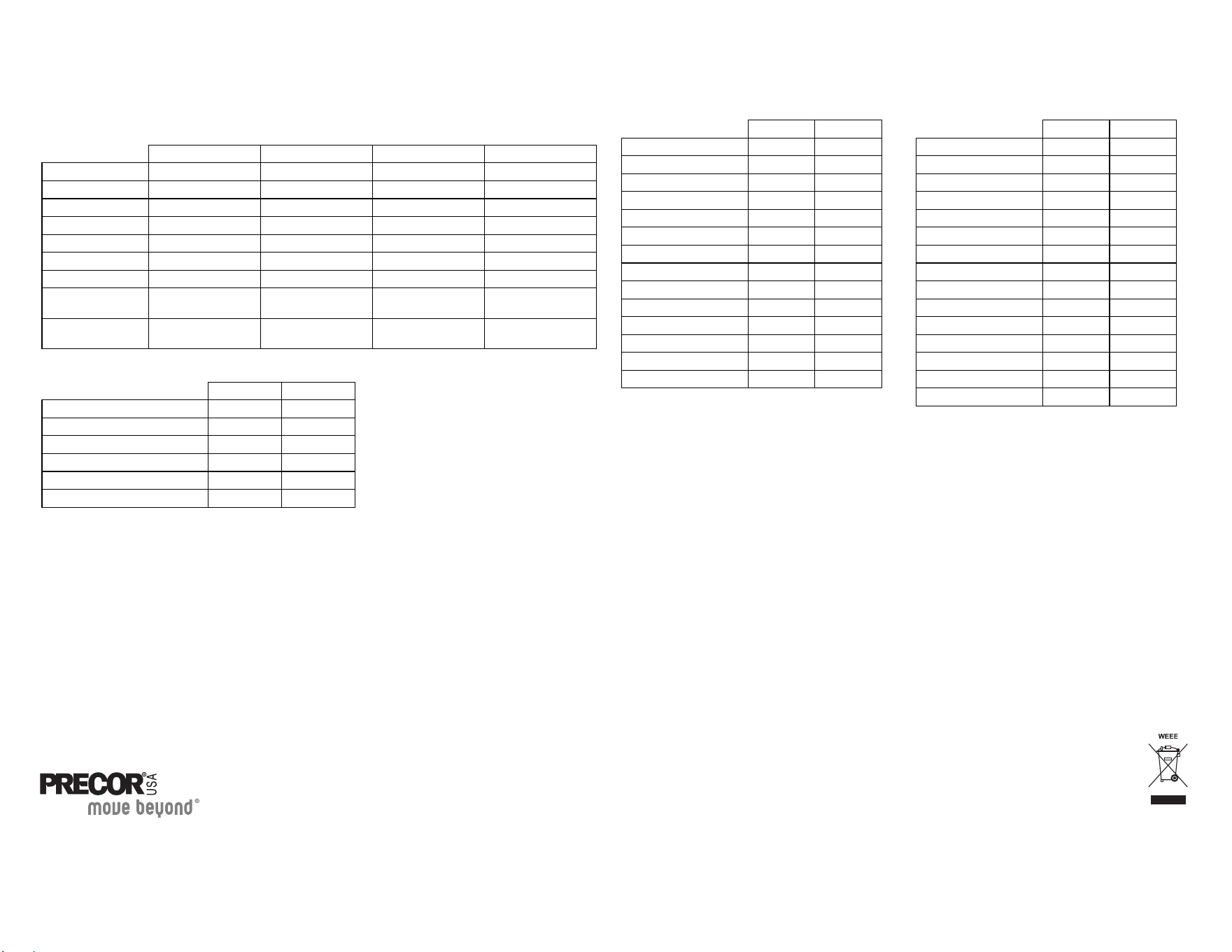
C842i/C846i Commercial Cycles
Product Specifications
Product Features
C842i Upright C842i Recumbent C846i Upright C846i Recumbent
Length: 50 in (127 cm) 57 in (145 cm) 54 in (137 cm) 56 in (142 cm)
Width 24 in (61 cm) 24 in (61 cm) 24 in (62 cm)‘ 24 in (62 cm)
Height 60 in (152 cm) 48 in (122 cm) 53 in (135 cm) 48 in (122 cm)
Weight 130 lb (59 kg) 160 lb (73 kg) 127 lb (57 kg) 152 lb (68 kg)
Shipping weight 190 lb (86 kg) 220 lb (100 kg) 142 lb (64 kg) 167 lb (75 kg)
Power Self-powered Self-poweredSelf-poweredSelf-powered
Resistance levels 1–20 1–20 1–25 1–25
Frame Powder-coated
steel
Powder-coated
steel
Powder-coated
steel
Powder-coated
steel
Regulatory
Approvals
FCC, ETL, CE FCC, ETL, CE FCC, ETL, CE FCC, ETL, CE
C842i C846i
CSAFE Compatible ✓
Heart Rate Telemetry ✓✓
QuickStart
TM
✓✓
SmartRate
®
✓✓
Touch Heart Rate ✓
Touch Sensitive Display ✓
Programs
C842i C846i
Manual ✓✓
Calorie Goal ✓
Cross Country ✓✓
Distance Goal ✓
Fitness Test* ✓
Heart Rate Control* ✓✓
Hill Climb ✓✓
Interval 1 ✓✓
Interval 2 ✓
Interval 3 ✓
Random ✓
Resistance Custom ✓
Watts Control ✓
Weight Loss ✓✓
Display Readouts
* Use of a chest strap or the touch-sensitive handrail
grips is required.
C842i C846i
Calories ✓✓
Calories Per Minute ✓
Distance ✓✓
Heart Rate* ✓✓
METS ✓
Profile ✓✓
Remaining Time ✓
Resistance Levels 1–20 1–25
RPM ✓✓
Segment Time ✓
SmartRate* ✓✓
Speed ✓✓
Time ✓✓
Watts ✓✓
Workout Summary ✓✓
C846i
User's Reference Manual
Commercial Cycle
C846i Recumbent


User’s Reference Manual: Important Safety Instructions 1
IMPORTANT SAFETY INSTRUCTIONS
Important Safety Instructions
When using the C846i cycle, always take basic precautions,
including the following:
• Read all instructions before using the cycle. These
instructions are written to ensure your safety and to protect
the unit.
• Before beginning any fitness program, see your physician for a
complete physical examination.
Il est conseillé de subir un examen médical complet avant
d’entreprendre tout programme d’exercise. Si vous avez des
étourdissements ou des faiblesses, arrêtez les exercices
immédiatement.
• Do not allow children or those unfamiliar with its operation on
or near the cycle. Do not leave children unsupervised around
the unit.
• Wear proper exercise clothing and shoes for your workout and
avoid loose clothing. Do not wear shoes with heels or leather
soles. Tie long hair back.
• Use care when getting on or off the cycle. Use the handlebar
for stability.
• Keep your body and head facing forward. Never attempt to
turn around on the cycle.
• Do not rock the unit. Do not stand on the handlebars, display
console, or plastic covers.
• Never place your hands or feet in the path of the pedals
because injury may occur to you or damage may occur to the
equipment.
• Do not overexert yourself or work to exhaustion. If you feel any
pain or abnormal symptoms, stop your workout immediately
and consult your physician.
Obtaining Service
The club owner or manager can help you with most questions
regarding the cycle. For additional information about product
operation or exercise routines, see the Precor website at
www.precor.com.

User’s Reference Manual: Table of Contents 2
Table of Contents
Important Safety Instructions ...............................................1
Obtaining Service ........................................................................... 1
Cycle Features ...........................................................................3
Self-Powered Features .................................................................. 3
Adjusting the Seat .......................................................................... 3
Using the Handlebars .................................................................... 4
Storing Workout Statistics ........................................................... 4
Heart Rate Features ................................................................5
Guidelines ........................................................................................ 5
Using the Heart Rate
Touch-Sensitive Grips ................................................................... 6
Using SmartRate ............................................................................ 7
Exercise to Your Target Heart Rate ........................................... 8
Heart Rate Analysis ........................................................................ 8
Display Console ........................................................................9
More Information about the Center Display ...........................10
More Information about the Lower Display .............................10
Keypad ............................................................................................12
Workout Options .................................................................... 13
Choosing QUICKSTART ............................................................14
Selecting a Program ....................................................................14
Changing the Program during an Exercise Session .............15
Cooling Down After a Workout .................................................16
Pausing During a Workout or the
Cool-Down Period ........................................................................17
Ending a Workout ........................................................................17
Programs .................................................................................. 18
Choosing a Program ....................................................................18
Program Tips .................................................................................19
1 Manual Program ........................................................................19
2 Cross Country Program ..........................................................20
3 Hill Program ...............................................................................20
4 Random Program ......................................................................21
Interval Programs 5, 6, and 7 .....................................................21
8 Watts Control Program ...........................................................22
9 Heart Rate Control Program ..................................................22
10 Weight Loss Program ...........................................................23
11 Custom Resistance Program ..............................................24
12 Distance Program ..................................................................25
13 Calories Program ...................................................................25
14 Fitness Test .............................................................................26
User’s Reference Manual: Cycle Features 3
Cycle Features
The cycle is equipped with certain items that, when used properly,
help sustain an enjoyable workout. These items include:
• Self-powered features
• Seat Adjustments
• Handlebars
• Heart rate grips on the handlebars
• Workout statistics storage
Important: Before exercising, review the Important Safety
Instructions found at the beginning of this manual.
Self-Powered Features
The cycle does not require an electrical power connection. It has an
internal battery that is recharged every time you exercise for a
reasonable period of time. A pedaling speed above 20 revolutions
per minute (RPM) must be maintained for several seconds before
the Precor banner appears on the display. Once the banner appears,
you can press QUICKSTART or ENTER to begin exercising. For
more information, refer to Workout Options.
Adjusting the Seat
Information on how to adjust the seat and seat tilt is found in the
Product Owner’s Manual. Refer to that manual or ask club
personnel to show you the proper techniques.
Diagram 1: Adjusting the seat on the C846i Upright Cycle
Diagram 2: Adjusting the seat on the C846i Recumbent Cycle
User’s Reference Manual: Cycle Features 4
Using the Handlebars
To maintain your balance on the C846i upright cycle, always grasp a
handlebar when you step on or off the cycle, and when you use the
keypad. On the recumbent cycle, use the handlebar to maintain your
comfort.
To learn more about the touch-sensitive handlebar grips, refer to
Heart Rate Features.
Storing Workout Statistics
Many clubs connect the cycle to a computer so you can easily
retrieve your workout statistics and determine how well you are
meeting your fitness goals. If you are interested in maintaining
workout statistic information, ask the club personnel to create a user
account and a user ID for you.
A user ID entry is required to store your workout statistics. If the
display is blank, begin pedaling. Maintain a pedaling speed above
20 revolutions per minute. If five zeros appear on the display, the
cycle is connected to a computer. If the Precor banner appears, the
cycle is not connected to a computer.
Note: When the optional power adapter is attached and the cycle is
connected to a computer, five zeros appear on the display and
remain until a user ID is entered.
To access the cycle workout options, take the following steps:
1. As the leftmost zero blinks, use the number keypad to specify
your 5-digit user ID. If you make a mistake, use the ▼ arrow key
to move back and reenter the correct number.
Note: To bypass the user ID entry, press ENTER or
QUICKSTART while all five zeros appear in the user ID field. No
workout statistics are added to your file.
2. When your user ID is shown, press ENTER.
A message appears and indicates when the user ID is accepted
by the computer. Then, a program name appears.
3. To select a different program, press an arrow key. Refer to
Workout Options.
Heart Rate
Above
Below
Weight Loss
Cardiovascular
TIME
REMAINING TIME
SEGMENT TIME
DISTANCE
SPEED
RESISTANCE
RPM
METS
AVERAGE SPEED
CALORIES
WATTS
CAL PER MIN
C846i
CAUTION
Before beginning any fitness program, you
should have a complete physical examination by
your physician. Consult your physician for the
heart rate appropriate for your fitness level. If
you feel pain, faint or dizzy, stop exercising
immediately. Keep hands and clothing away from
moving parts. Do not allow children and people
unfamiliar with operation on or near the unit.
Use arrows (or numeric keys) to display:
TIME
WEIGHT
AGE
(press ENTER to select) (press ENTER to select)
(press ENTER to select) (press ENTER to select)
(press ENTER to select) (press ENTER to select)
PROGRAM
(press ENTER to select) (press ENTER to select)
PRESS PRESS
PRESSPRESS
Option 1
Option 2 - programs
ENTER
QUICKSTART
P
R
O
G
R
A
M
C
H
A
N
G
E
00000
User’s Reference Manual: Heart Rate Features 5
Heart Rate Features
Heart rate and SmartRate
®
features are available when you wear the
chest strap or grasp both touch-sensitive handlebar grips. When a
heartbeat is detected, the Heart Rate display shows your heart rate
and the SmartRate LED pulses and indicates your target zone.
Guidelines
Read the following before using the heart rate feature.
• Consult your physician before engaging in any vigorous exercise.
Do not use the heart rate features until authorized by your
physician.
• Know your heart rate (pulse) and your physician-recommended
heart rate target zone. Individual heart rates vary according to
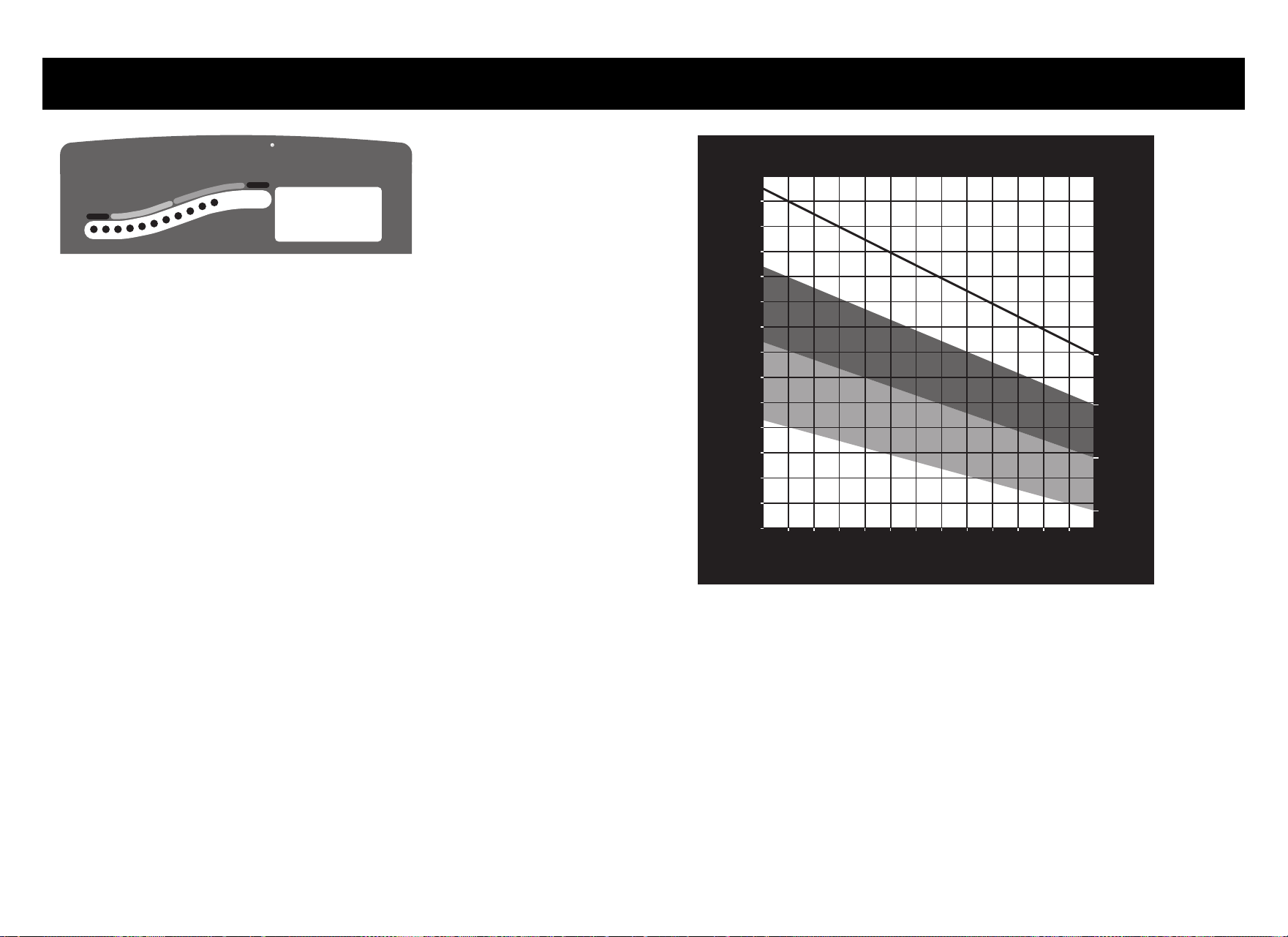
several physiological factors and may not correspond directly
with Diagram 3.
Diagram 3: Heart rate target zones
• The calculation used for the heart rate target zone is:
Low range: (220 minus your age) multiplied by 55%
High range: (220 minus your age) multiplied by 85%
Heart Rate
Above
Below
Weight Loss
Cardiovascular
SmartRate
114
20 25 30 35 40 45 50 55 60 65 70 75
70
80
90
100
120
130
140
150
160
170
180
190
200
110
Heart Rate Target Zones
Yo u r Ag e
Your Heart Rate
Max.
Heart
Rate
Cardio
Zone
Weight
Loss
Zone
R
e
c
o
mm
e
nde
d
C
a
r
di
o
v
a
s
c
u
l
a
r
Z
o
ne
R
e
c
o
m
m
en
d
ed
W
eig
h
t
L
o
s
s Z
o
n
e
User’s Reference Manual: Heart Rate Features 6
• After you put on the chest strap, face the display console for a
minimum of 15 seconds. This allows the receiver in the console
to recognize the signal from the chest strap. If three dashes
(— — —) appear on the display, the cycle is detecting a signal, but
has not yet determined your heart rate. Make sure the chest strap
is positioned properly around your chest and against your skin.
• If you prefer to use the hand-held heart rate feature, grasp both
touch-sensitive handlebar grips and wait five to ten seconds.
Make sure both hands are moist (not dry). When a signal is
detected, Hr flashes in the Heart Rate display. Within a few
seconds, your heart rate appears.
Important: While exercising, do not wear a chest strap and
grasp the touch-sensitive handlebar grips at the same time.
Using both features may cause erratic heart rate readings.
• Always face forward on the cycle and use the handlebars for
balance.
Using the Heart Rate
Touch-Sensitive Grips
While exercising, you must grasp both touch-sensitive handlebar
grips for a minimum of five to ten seconds to transmit your heart rate
to the display. Refer to Diagram 4.
Diagram 4: Touch-sensitive handlebar grips
Usually, the concentration of salts in a person’s perspiration
provides enough conductivity to transmit a signal to the receiver
inside the display console. However, some people, because of body
chemistry or erratic heart beats, cannot use the hand-held heart rate
feature on the cycle. A chest strap may provide better results.
Touch-sensitive
handlebar grips
C846i UprightC846i Recumbent
User’s Reference Manual: Heart Rate Features 7
Using SmartRate
The SmartRate feature helps you monitor and maintain your heart
rate in the target zone best suited to your specific needs. All 15
LEDs may light during a workout. When the cycle detects a heart
rate, a single LED blinks and indicates the zone that your heart rate
is in, either weight loss or cardiovascular.
The 15 LEDs in the SmartRate display are color-coded. A pulsating
red LED indicates you are outside the recommended heart rate
target zone. Yellow LEDs indicate when you are exercising within the
weight loss zone. Green LEDs indicate when you are exercising
within the cardiovascular zone.
Refer to Table 1 to see the relationship between the pulsating LED
and your target heart rate.
The SmartRate indicator lights do not appear when:
• You press QUICKSTART at the Precor banner.
• You bypass the AGE prompt.
• You do not wear or improperly position the chest strap. Or, you
fail to grasp both touch-sensitive handlebar grips for five to ten
seconds.
Table 1. Heart rate target zones and SmartRate LEDs
CAUTION: Your heart rate should never exceed 85% of your
maximum aerobic heart rate. If it does, immediately reduce
your pedaling speed (RPM) or the resistance to return your
heart rate to your physician-recommended target zone.
Heart Rate Zone
Percent LED Lit
LED
Blinking
Below 50 First Red
50 to 54 Second Red
55 to 57 Third Ye ll o w
58 to 60 Fourth Ye l lo w
61 to 63 Fifth Ye llo w
64 to 66 Sixth Ye llo w
67 to 69 Seventh Ye l lo w
70 to 71 Eighth Green
72 to 74 Ninth Green
75 to 76 Tenth Green
77 to 79 Eleventh Green
80 to 81 Twelfth Green
82 to 84 Thirteenth Green
85 to 87 Fourteenth Red
Above 87 Fifteenth Red
User’s Reference Manual: Heart Rate Features 8
Exercise to Your Target Heart Rate
The cycle includes a heart rate receiver so you can monitor your
heart rate while exercising. If you wear a chest strap or grasp both
touch-sensitive handlebar grips, your heart rate appears on the
display.
The Precor website (www.precor.com) has several suggestions for
workouts with varying levels of intensity. It provides many workout
details that include the appropriate target heart rate.
The cycle includes a program that lets you exercise based on a
specified heart rate. You set your target heart rate at the beginning.
As you exercise, the Heart Rate Program monitors your heart rate
and automatically maintains it within a few beats per minutes (bpm)
of your selected target. To use this program, select 9 HEART RATE
CONTROL. For more information, refer to Programs.
Heart Rate Analysis
Every time you complete a program using the chest strap or touch-
sensitive grips, the cycle provides a heart rate analysis after the
workout summary.
Your average heart rate appears followed by the maximum heart rate
achieved during your workout. A third display, indicates the amount
of time your heart rate remained between the target zones shown.
The heart rate analysis is based on how often your heart rate signal
is received while exercising. If you use the chest strap, the average
heart rate will be more accurate than if you occasionally grasp the
touch-sensitive grips.
Note: The Fitness Test does not provide a heart rate analysis display. It
is replaced by a fitness score. Refer to 14 Fitness Test in the
Programs section.
Heart Rate
Above
Below
Weight Loss
Cardiovascular
TIME
REMAINING TIME
SEGMENT TIME
DISTANCE
SPEED
RESISTANCE
RPM
METS
AVERAGE SPEED
CALORIES
WATTS
CAL PER MIN
C846i
CAUTION
Before beginning any fitness program, you
should have a complete physical examination by
your physician. Consult your physician for the
heart rate appropriate for your fitness level. If
you feel pain, faint or dizzy, stop exercising
immediately. Keep hands and clothing away from
moving parts. Do not allow children and people
unfamiliar with operation on or near the unit.
Use arrows (or numeric keys) to display:
TIME
WEIGHT
AGE
(press ENTER to select) (press ENTER to select)
(press ENTER to select) (press ENTER to select)
(press ENTER to select) (press ENTER to select)
PROGRAM
(press ENTER to select) (press ENTER to select)
PRESS PRESS
PRESSPRESS
Option 1
Option 2 - programs
ENTER
QUICKSTART
P
R
O
G
R
A
M
C
H
A
N
G
E
142 average heart rate
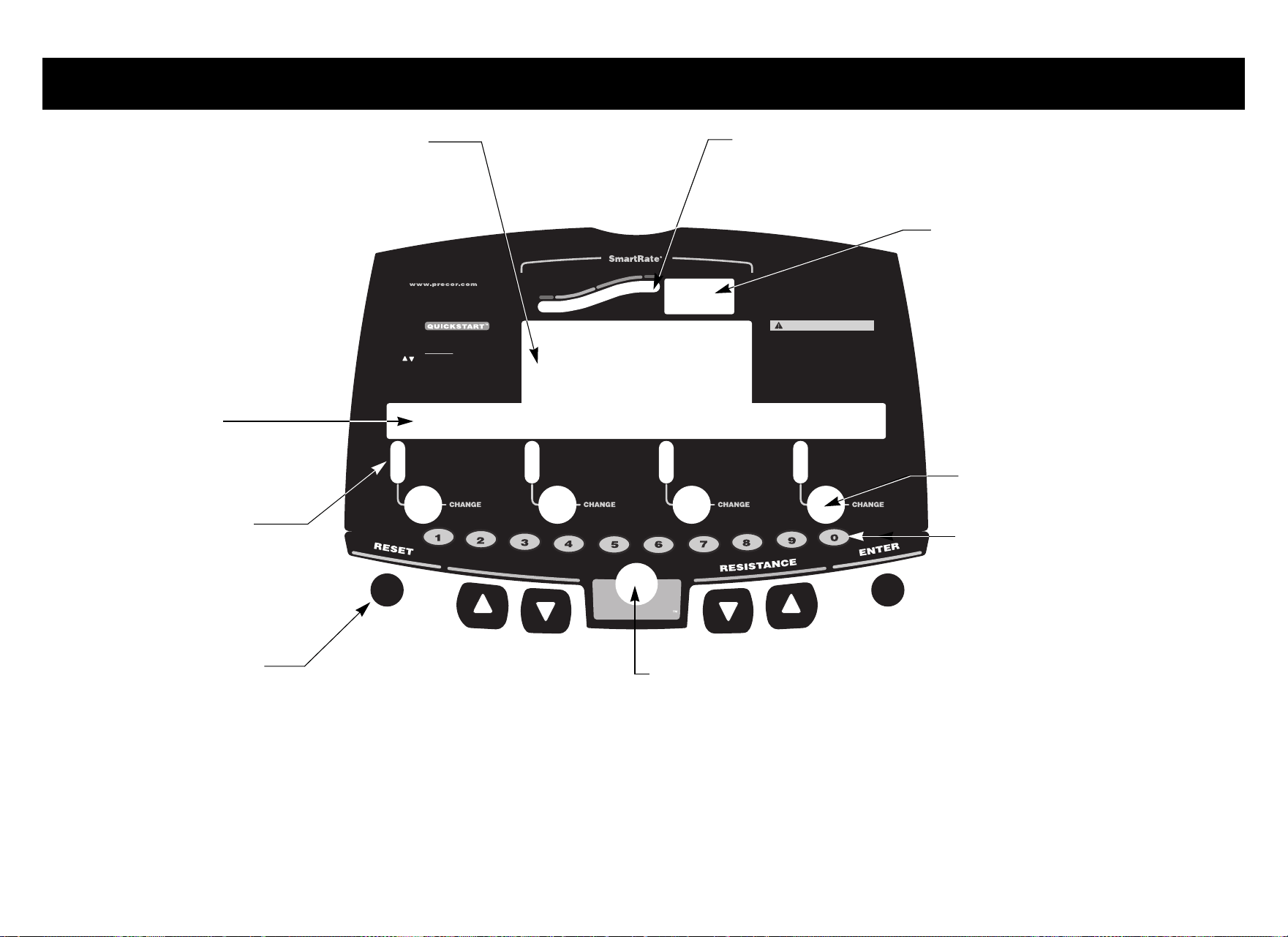
User’s Reference Manual: Display Console 9
Display Console
Heart Rate
Above
Below
Weight Loss
Cardiovascular
TIME
REMAINING TIME
SEGMENT TIME
DISTANCE
SPEED
RESISTANCE
RPM
METS
AVERAGE SPEED
CALORIES
WATTS
CAL PER MIN
C846i
CAUTION
Before beginning any fitness program, you
should have a complete physical examination by
your physician. Consult your physician for the
heart rate appropriate for your fitness level. If
you feel pain, faint or dizzy, stop exercising
immediately. Keep hands and clothing away from
moving parts. Do not allow children and people
unfamiliar with operation on or near the unit.
Use arrows (or numeric keys) to display:
TIME
WEIGHT
AGE
(press ENTER to select) (press ENTER to select)
(press ENTER to select) (press ENTER to select)
(press ENTER to select) (press ENTER to select)
PROGRAM
(press ENTER to select) (press ENTER to select)
PRESS PRESS
PRESSPRESS
Option 1
Option 2 - programs
ENTER
QUICKSTART
P
R
O
G
R
A
M
C
H
A
N
G
E
Center display: Initially shows the
Precor banner. It changes to the program
profile. A blinking column in the profile
indicates your position.
SmartRate display: LEDs light in this column when the
SmartRate feature is activated. Follow the LEDs to monitor
your heart rate and maintain it in your target zone.
Number keys: During a workout,
use the number keys to select the
resistance level, then press the
corresponding arrow key to initiate
the change. When you begin a
program, you can use the number
keys to specify workout selections.
Keypad: Use the keypad to:
• Control your workout session
• Answer prompts prior to starting a program
• Change the program
• Prematurely end a program
• Adjust the resistance
QUICKSTART: Press QUICKSTART to
begin your workout immediately. It lets
you bypass the setup prompts.
Heart Rate display: If a heart rate
is detected, this area displays your
heart rate.
Lower display: When the
program profile appears in the
center display, the program name
and number appear in the lower
display. While you exercise, four
sets of numbers show information
about your session. Use the
CHANGE keys to choose what
information to display.
CHANGE keys: Each key lets you
move through the information in
each column, choosing what you
want to display during your session.
When you begin a program, use
these keys to change specific
information.
LEDs: Light and clarify
what workout statistics
appear on the display.
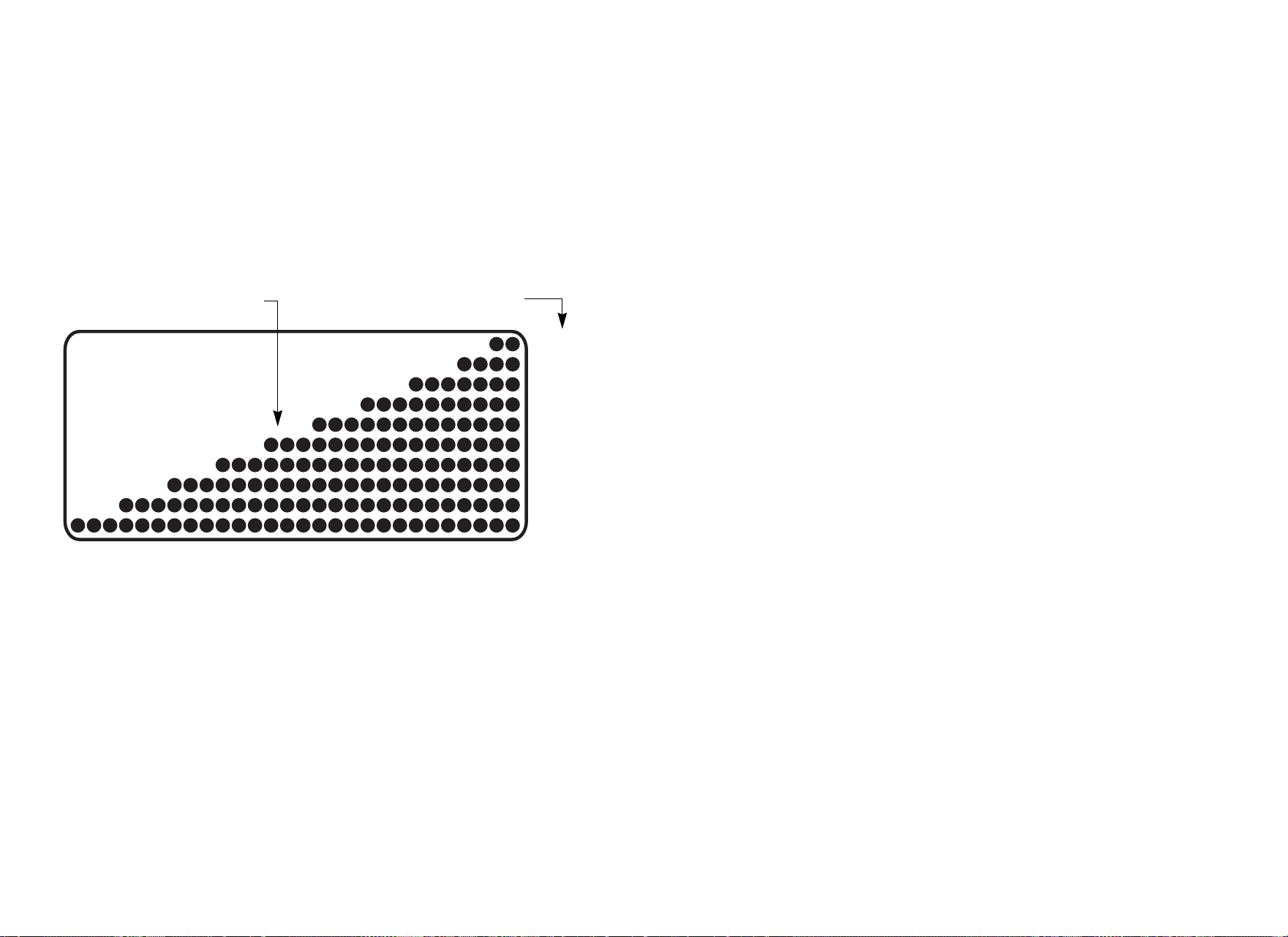
User’s Reference Manual: Display Console 10
More Information about the Center
Display
During a workout, the program profile on the cycle is affected by the
RESISTANCE arrow keys. The profile raises or lowers according to
which arrow key (▼ or ▲) is pressed.
In most programs, the resistance setting affects the column height in
the program profile as shown in Diagram 5.
Diagram 5: Column height in the program profile
In the Heart Rate Control Program, the RESISTANCE arrow keys
affect the target heart rate. Refer to Programs.
More Information about the Lower Display
The lower display provides information about your workout session.
A number appears over each column of information. You can choose
the type of information displayed using the CHANGE key below
each column. More information about this display is provided below.
Column 1: TIME, REMAINING TIME, and
SEGMENT TIME
TIME—displays workout time in minutes and seconds; however,
when you exceed 60 minutes during a single workout, the TIME
display converts to hours and minutes. For programs with a workout
time limit, the TIME display shows the amount of time remaining. For
programs without a workout time limit, the TIME display indicates
the amount of time you have been exercising.
Note: The club can place limits on workout time.
REMAINING TIME—indicates the amount of time, in minutes and
seconds (MM:SS), which remains in the program. In a cool-down
period, the REMAINING TIME resets to the club limit and begins
counting down from there.
Note: If the REMAINING TIME display does not appear, it is likely
that the club has customized settings. Check with the club manager.
SEGMENT TIME—indicates the amount of time, in minutes and
seconds (MM:SS), that remains in the highlighted column before the
next column begins blinking in the profile.
1 — 2
3 — 4
5 — 6
7 — 8
9— 10
11 — 12
13 — 15
22 — 25
19 — 21
16 — 18
Column height
Resistance settings

User’s Reference Manual: Display Console 11
Column 2: DISTANCE, SPEED, and RESISTANCE
DISTANCE—shows the linear distance in miles or kilometers.The
distance is calculated based on your current pedaling speed (RPM)
and resistance setting.
SPEED—shows the linear distance in miles or kilometers.The
distance is calculated based on your current pedaling speed (RPM)
and resistance setting.
RESISTANCE—shows the linear distance in miles or kilometers.The
distance is calculated based on your current pedaling speed (RPM)
and resistance setting.
Column 3: RPM, MET, and AVERAGE SPEED
RPM—indicates the number of pedal revolutions completed per
minute. The value can range between 20 and 150.
METS—shows the metabolic units associated with your workout.
AVERAGE SPEED—relates to the total workout time divided by the
total accumulated distance. The displayed value provides an
estimate of the average speed you would be traveling if you were not
on a stationary bike.
Column 4: CALORIES, WATTS, and CAL PER MIN
CALORIES—displays the estimated cumulative number of calories
burned. The calorie calculation is derived from the pedaling speed
and your weight. An accurate weight entry results in a more accurate
calorie count. When using QUICKSTART and a weight has not been
specified, the default weight is 150 pounds (68 kilograms).
WATTS—displays the current mechanical energy generated by the unit.
CAL PER MIN—displays the approximate number of calories burned
per minute.
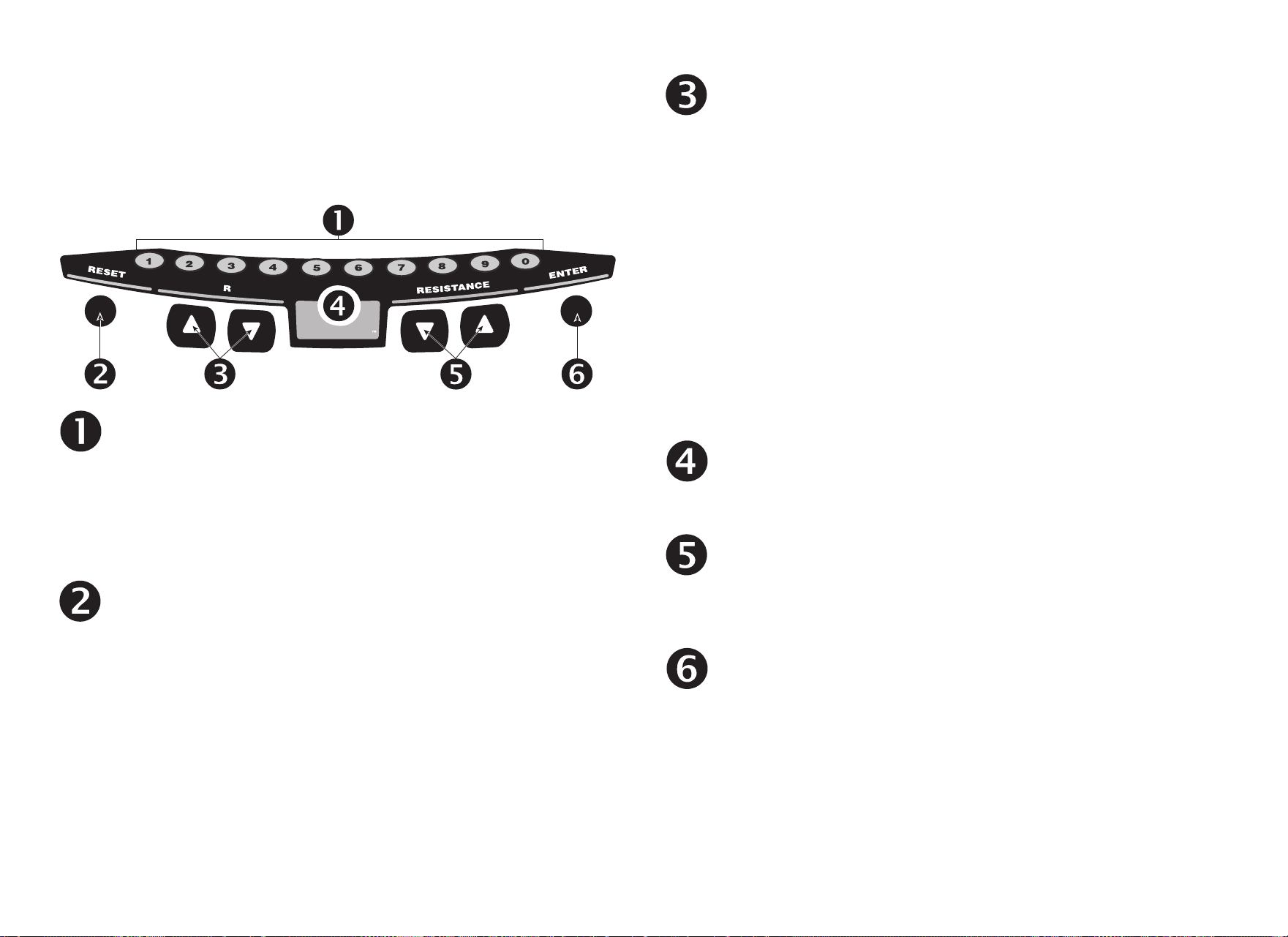
User’s Reference Manual: Display Console 12
Keypad
Use the keypad to enter your workout session selections. Keys on
the keypad respond to the slightest touch. Use gentle pressure on
the keys as you exercise.
NUMBER KEYS (1–9 and 0): You can use the number keys to
change workout session information such as program
selection, workout time, weight, and age.
During a workout, you can use the number keys to designate
the resistance or target settings and, within three seconds,
press the corresponding arrow key to initiate the change.
RESET: During your exercise session or from pause mode,
press the RESET key to display a WORKOUT SUMMARY.
Press RESET again to return to the Precor banner.
Important: The optional power adapter must be connected
before you can pause during your exercise session for more
than 30 seconds.
PROGRAM CHANGE ▲▼: You can use the PROGRAM
CHANGE ▲▼ keys to switch to a different program during an
exercise session. Tap a PROGRAM CHANGE arrow key to
view the current program. Press a PROGRAM CHANGE
arrow key for a few seconds to select a new program number
and the profile changes accordingly. You can also choose a
new program using the number keys. For more information,
refer to Changing the Program during an Exercise Session.
Important: You cannot make a mid-session change to or from
the Weight Loss or Fitness Test programs using the
PROGRAM CHANGE arrow keys. The opposite is also true.
The PROGRAM CHANGE arrow keys are disabled when
you use the Weight Loss or Fitness Test programs, so you
cannot make a mid-session change to another program.
QUICKSTART: Press QUICKSTART to bypass the setup
prompts and start your workout immediately using the Manual
Program. Refer to Choosing QUICKSTART.
RESISTANCE ▼▲: Press and hold the RESISTANCE arrow
keys to increase or decrease the resistance you feel against
the pedals. The RESISTANCE ▼▲ keys affect the brake and
let you set a resistance between 1 and 25.
ENTER: Use the ENTER key to enter responses to workout-
specific prompts.
QUICKSTART
P
R
O
G
R
A
M
C
H
A
N
G
E
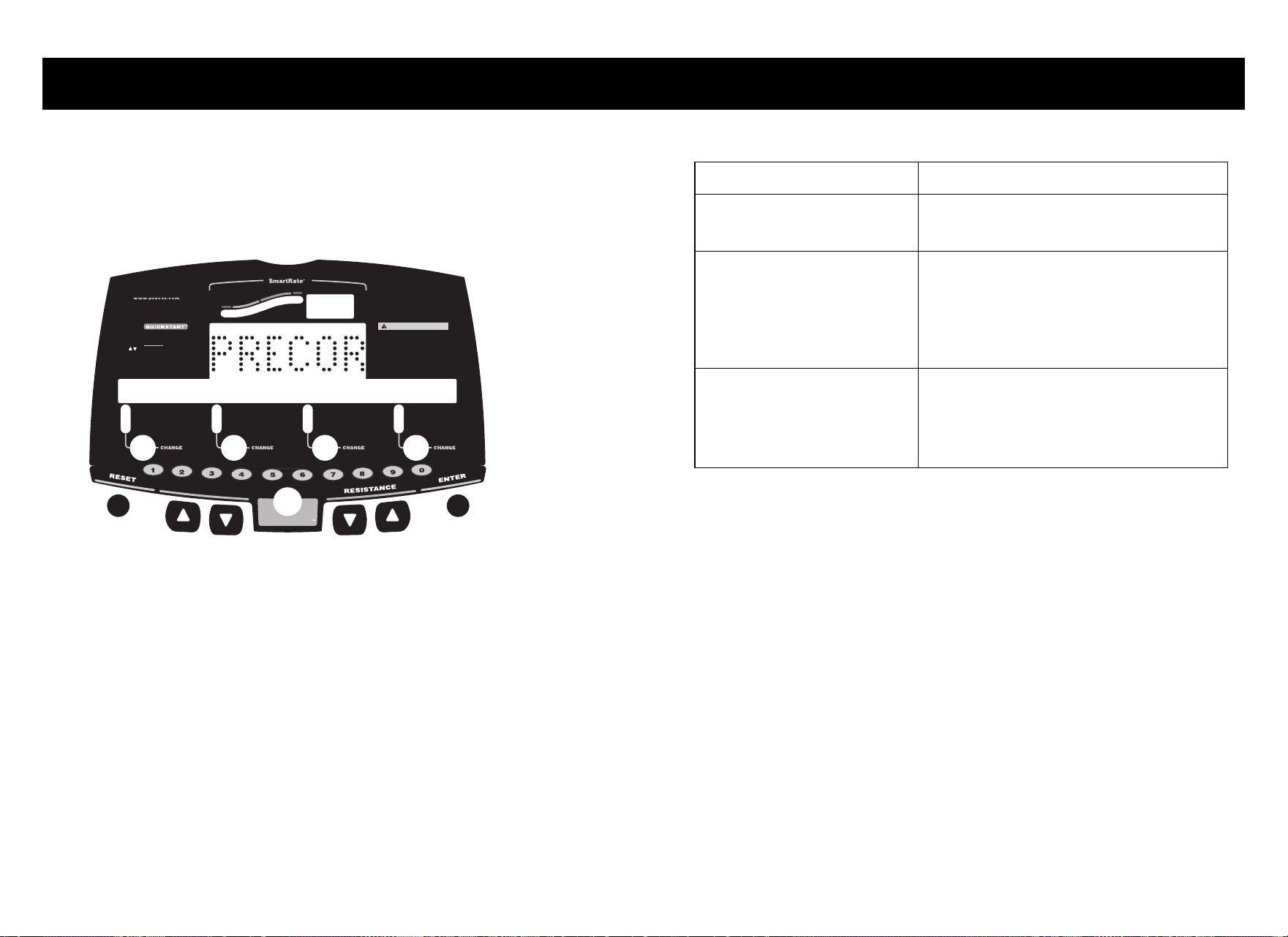
User’s Reference Manual: Workout Options 13
Workout Options
CAUTION: Before beginning any fitness program, see your
physician for a complete physical examination. Know your
physician-recommended heart rate target zone.
1. Sit on the seat and place your feet inside the pedal straps.
2. When you are comfortably situated, begin pedaling.
3. Select one of the following options:
Heart Rate
Above
Below
Weight Loss
Cardiovascular
TIME
REMAINING TIME
SEGMENT TIME
DISTANCE
SPEED
RESISTANCE
RPM
METS
AVERAGE SPEED
CALORIES
WATTS
CAL PER MIN
C846i
CAUTION
Before beginning any fitness program, you
should have a complete physical examination by
your physician. Consult your physician for the
heart rate appropriate for your fitness level. If
you feel pain, faint or dizzy, stop exercising
immediately. Keep hands and clothing away from
moving parts. Do not allow children and people
unfamiliar with operation on or near the unit.
Use arrows (or numeric keys) to display:
TIME
WEIGHT
AGE
(press ENTER to select) (press ENTER to select)
(press ENTER to select) (press ENTER to select)
(press ENTER to select) (press ENTER to select)
PROGRAM
(press ENTER to select) (press ENTER to select)
PRESS PRESS
PRESSPRESS
Option 1
Option 2 - programs
ENTER
QUICKSTART
P
R
O
G
R
A
M
C
H
A
N
G
E
Option... Steps...
To start exercising
immediately
•Use the QUICKSTART key.
• Refer to Choosing QUICKSTART.
To select a program and
workout time, and specify
your weight and age, and
answer other program-
specific prompts
•Use the ENTER key.
• Refer to Selecting a Program.
To select a different program
during an exercise session
• Use the PROGRAM CHANGE
arrow keys.
• Refer to Changing the Program
during an Exercise Session.
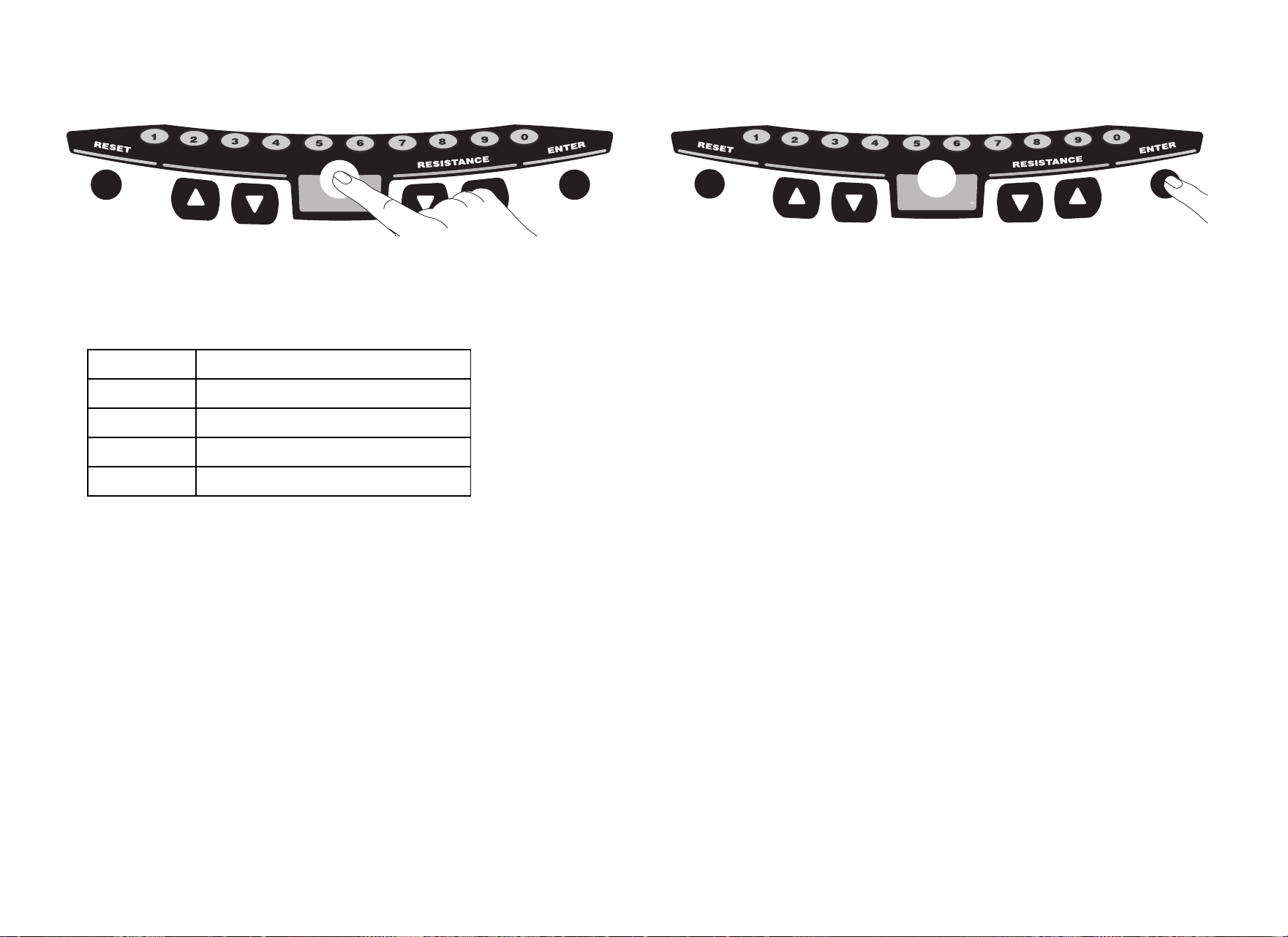
User’s Reference Manual: Workout Options 14
Choosing QUICKSTART
1. Press QUICKSTART at the Precor banner to bypass the setup
prompts and access the Manual Program.
QUICKSTART applies the following defaults:
To use the SmartRate feature, you need to specify your age. In
this case, press ENTER and follow the setup prompts to enter
your age. Press QUICKSTART after your age is displayed.
2. Use the RESISTANCE ▼▲ keys to change the resistance.
Note: To select a different program during your exercise session,
use the PROGRAM CHANGE ▲▼ keys to select a different
program during your exercise session. Refer to Changing the
Program during an Exercise Session.
Selecting a Program
1. At the Precor banner, press ENTER, and then press the arrow
keys to cycle through the available programs.
A portion of the program profile appears in the center display.
The program number and name appear in the lower display.
2. Select the program you want, and then press ENTER.
Note: You can also use the number keys to select a program,
choose the program time, and enter your weight, age and other
program-specific prompts.
3. A workout time blinks in the lower display. The display indicates
the club limit or the default time of 30 minutes. Press the arrow
keys to select a workout time (between 1 and 240 minutes) and
then press ENTER.
Note: If the club allows it, you can select an unlimited workout
time by pressing the number 0 and then pressing ENTER.
Prompts Default Value
Program Manual
Time Club setting or 30 minutes
Weight 150 lb (68 kg)
Age 0
QUICKSTART
P
R
O
G
R
A
M
C
H
A
N
G
E
QUICKSTART
P
R
O
G
R
A
M
C
H
A
N
G
E

User’s Reference Manual: Workout Options 15
4. Enter your weight (1–999) and then your age (1–99).
Note: If you select the Watts Control, Distance, or Calories
Program, you will be prompted for additional program-specific
entries.
5. To change a value that you have already entered, press RESET
and reenter the information.
Note: You can press QUICKSTART after any of the prompts
(program name, workout time, weight, or age entry).
QUICKSTART applies user preferences and uses the club’s
default settings for any prompts skipped.
6. Use the RESISTANCE ▼▲ keys to change the pedal resistance.
Changing the Program during an
Exercise Session
While exercising or during the cool-down period, you can select a
different program (except Weight Loss or Fitness Test) by touching
the PROGRAM CHANGE ▲▼ keys. Accumulated workout
statistics and workout time are transferred to the new program
selection.
Note: Continue pedaling and keep the RPM above 20 while you
adjust to your new selection.
To select a new program, take the following steps:
1. Press a PROGRAM CHANGE ▲▼ key. The display indicates
the program that is currently running. Continue to press either
PROGRAM CHANGE ▲ or ▼ key to display a different
program.
Note: While selecting a new program, your exercise session is
momentarily suspended. The LEDs next to the workout statistics
are not lit. If QUICKSTART or ENTER are not pressed within five
seconds, the cycle resumes your exercise session without
making any program changes.
User’s Reference Manual: Workout Options 16
2. Select one of the following options:
Note: When the club time limit is set to expire within one minute,
the PROGRAM CHANGE ▲▼ keys are disabled.
Cooling Down After a Workout
Incorporate a cool-down period into your workout to help lower your
heart rate and minimize muscle stiffness or soreness.
When you complete a program with a time limit, you automatically
enter a cool-down period. The Manual Program profile appears in
the display and resistance reduces by 20%. To change the
resistance, press the RESISTANCE arrow keys.
A workout summary appears at the end of the cool-down period.
Refer to Ending a Workout.
Important: If you specify an unlimited workout time, remember to
incorporate a cool-down period at the end of your workout. If you
exit a program before completing it, the cool-down period is
bypassed.
To prematurely end the cool-down period, do the following:
1. Continue pedaling.
2. Press RESET to view the WORKOUT SUMMARY.
3. Press RESET again to return to the Precor banner.
Option... Steps...
To select the displayed
program and carry forward
all aspects of the previous
program (workout time,
statistics, weight, age, etc.)
• Use the QUICKSTART key.
To select the displayed
program and add additional
information by answering
program-specific prompts
• Use the ENTER key.

User’s Reference Manual: Workout Options 17
Pausing During a Workout or the
Cool-Down Period
If you stop pedaling anytime during your exercise session or during a
cool-down period, the cycle begins a 30-second shutdown. You
cannot pause beyond the 30-second limit unless the club has the
optional power adapter attached to the unit.
When the optional power adapter is attached, you can pause for a
set time, usually two minutes. If you do not resume pedaling during
that time, the display returns to the banner.
1. To pause, stop pedaling.
2. To resume exercising from pause mode, begin pedaling.
Ending a Workout
CAUTION: Hold on to a stationary handrail when you near the
end of a workout.
1. Slow your pedaling speed (RPM) when you complete the cool-
down period.
2. To view your workout summary, continue pedaling above 20 RPM.
The WORKOUT SUMMARY appears and shows your
cumulative workout statistics including warm-up and cool-down
periods. Other information including RPM, calories per minute,
and watts reset to zero. You can review your workout statistics as
long as you continue pedaling.
Note: A heart rate analysis appears if you use the touch-sensitive
handlebar grips or wear the chest strap during your workout. For
more information, refer to Heart Rate Analysis.
3. End your workout by pressing the RESET key and return to the
Precor banner.
Note: If the optional power adapter is attached, you do not have to
continue pedaling to view your workout statistics. When you
complete the cool-down period, the WORKOUT SUMMARY
appears. Press RESET to return to the Precor banner.
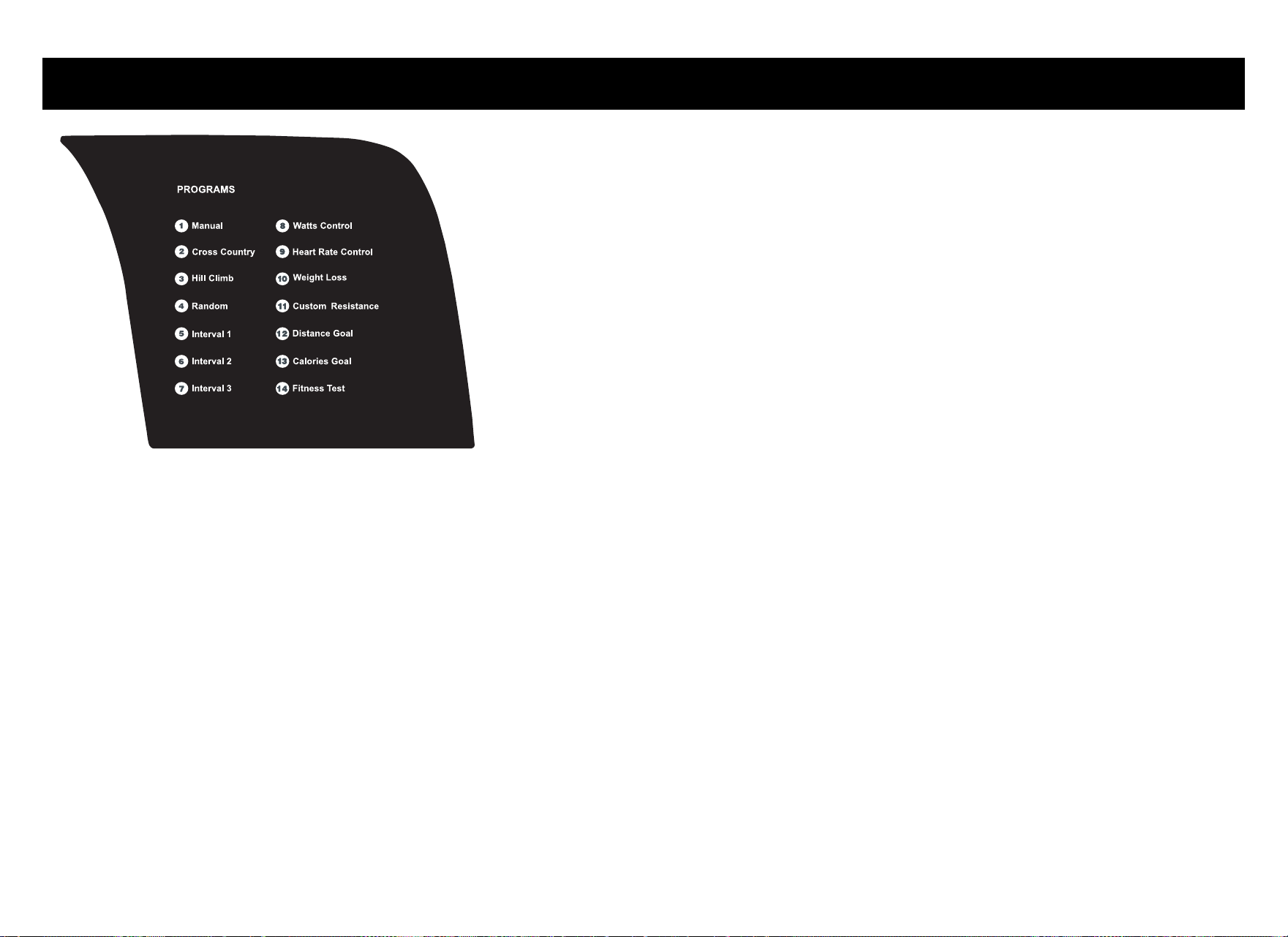
User’s Reference Manual: Programs 18
Programs
Diagram 6: C846i program label
This section describes the programs printed on the C846i display
console.
Choosing a Program
Choosing a program depends on your goals. If you are a beginner or
returning to regular exercise, you can start a cardio-conditioning
program to slowly return your body to a comfortable level of
exercise. If you have been exercising and feel that you have an
intermediate or advanced fitness level, you probably have
established goals. The Precor website (www.precor.com) can give
you many ideas about fitness workouts and advice from the experts.
Several workout choices on the cycle are preprogrammed with
recommendations for the resistance and alternating rest or work
intervals. You always have the option to override the suggested
levels with the exception of the Fitness Test and the Heart Rate
Control Program.
If your level of exertion becomes too great, reduce your pedaling
speed (RPM) or use the arrow keys to override the resistance in
each upcoming column in the program profile. If you use the
RESISTANCE arrow keys, the profile changes accordingly.
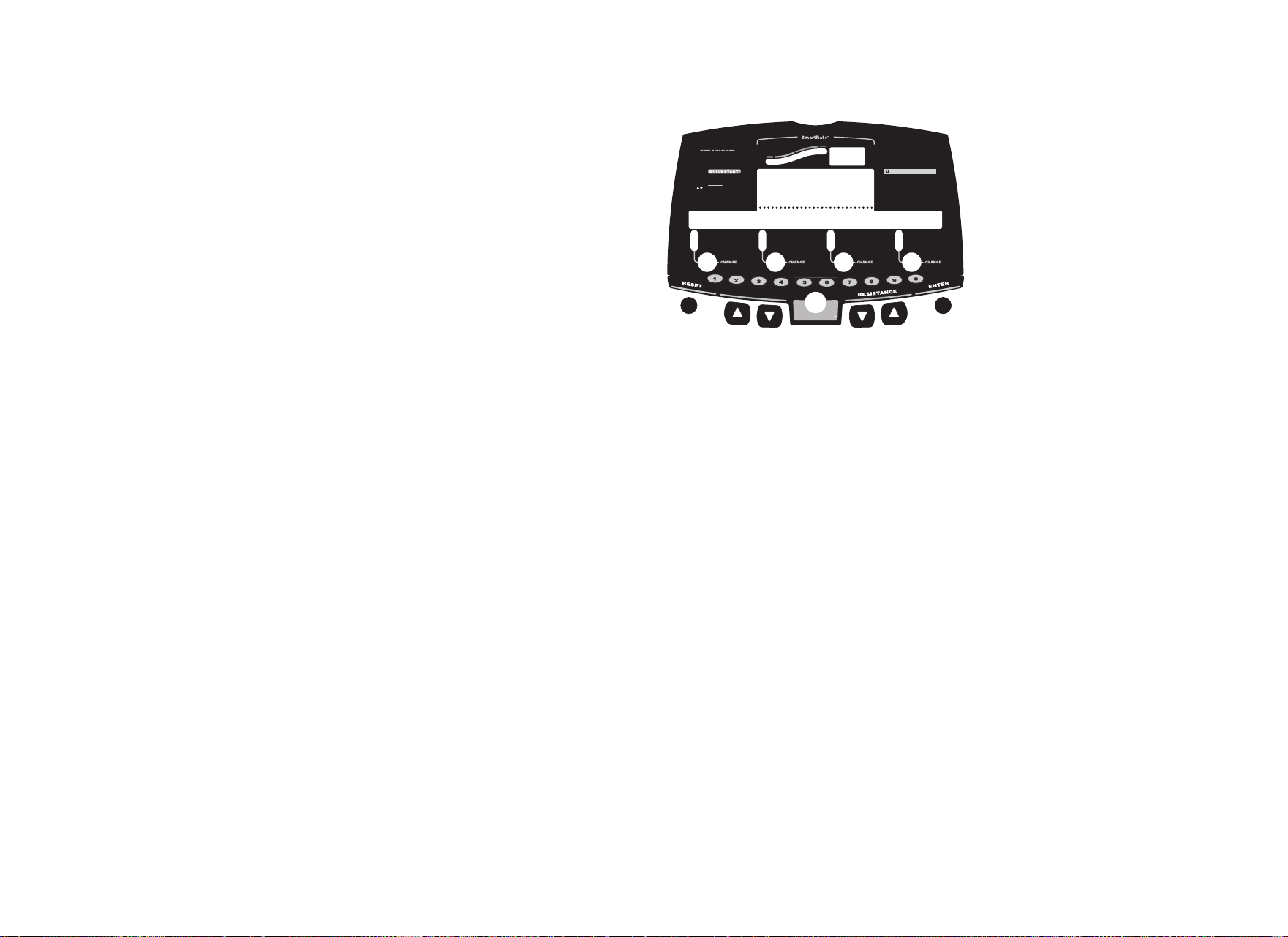
User’s Reference Manual: Programs 19
Program Tips
• While exercising, your pedaling speed (RPM) needs to remain
above 20 RPM. Dropping below 20 RPM causes the cycle to
shut down to conserve battery power. The cycle displays a
30-second countdown before it shuts off. If you pedal above
20 RMP during the countdown period, you can resume
exercising where you left off.
• A blinking column tracks the progress that you make during a
program.
• The club can set limits for workout, pause, and cool-down times.
1 Manual Program
You control the resistance settings when you use the Manual
Program. The profile begins as a flat line. Use the RESISTANCE
arrow keys to select the resistance. The program profile reflects
changes. The blinking column indicates your position in the program.
If you press QUICKSTART at the banner and access the Manual
Program, the workout time is set at the club limit or 30 minutes
(whichever time is less).
To use the SmartRate feature, you need to specify your age. Refer to
Selecting a Program.
Heart Rate
Above
Below
Weight Loss
Cardiovascular
TIME
REMAINING TIME
SEGMENT TIME
DISTANCE
SPEED
RESISTANCE
RPM
METS
AVERAGE SPEED
CALORIES
WATTS
CAL PER MIN
C846i
CAUTION
Before beginning any fitness program, you
should have a complete physical examination by
your physician. Consult your physician for the
heart rate appropriate for your fitness level. If
you feel pain, faint or dizzy, stop exercising
immediately. Keep hands and clothing away from
moving parts. Do not allow children and people
unfamiliar with operation on or near the unit.
Use arrows (or numeric keys) to display:
TIME
WEIGHT
AGE
(press ENTER to select) (press ENTER to select)
(press ENTER to select) (press ENTER to select)
(press ENTER to select) (press ENTER to select)
PROGRAM
(press ENTER to select) (press ENTER to select)
PRESS PRESS
PRESSPRESS
Option 1
Option 2 - programs
ENTER
QUICKSTART
P
R
O
G
R
A
M
C
H
A
N
G
E
1 Manual time goal
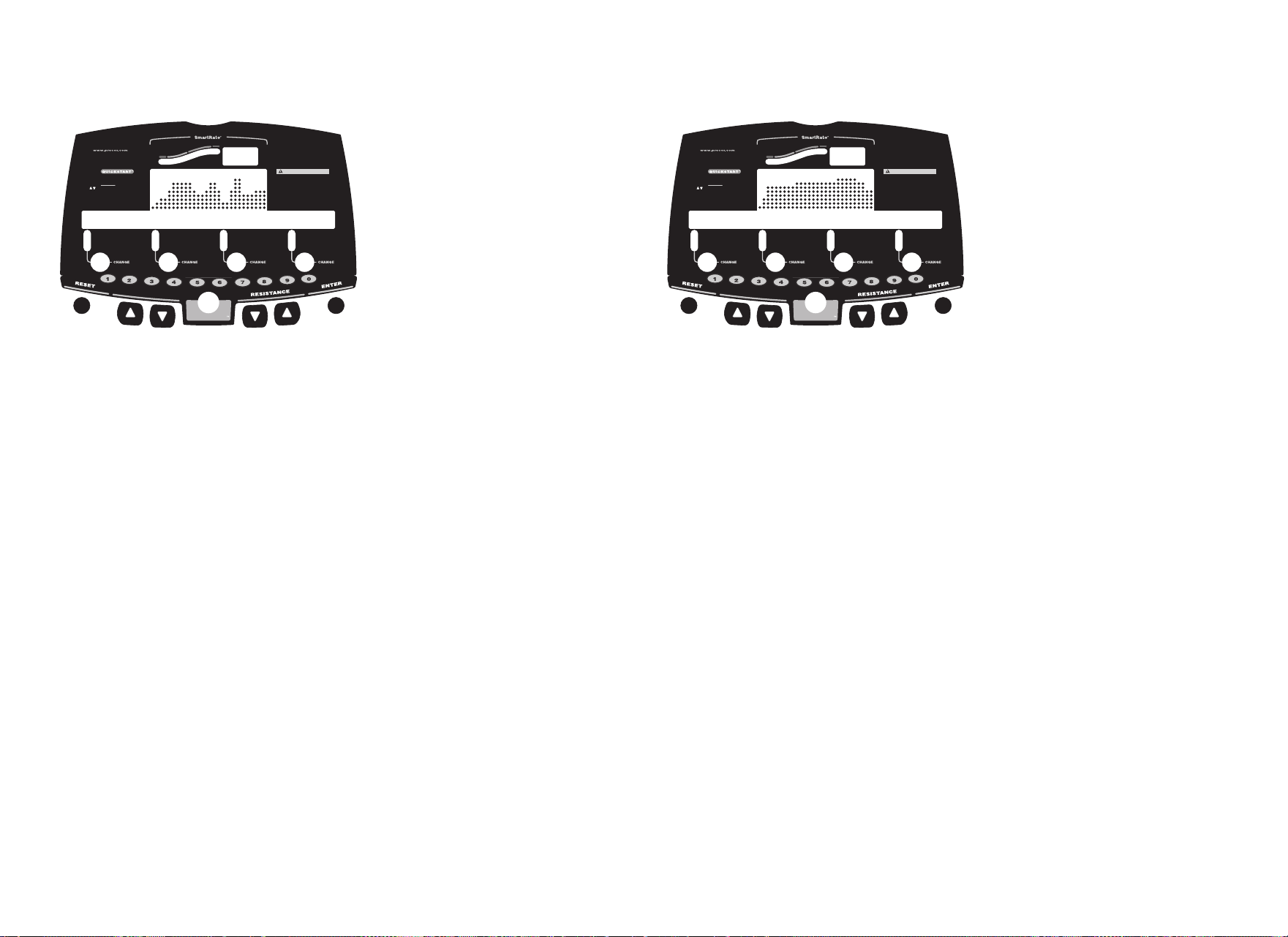
User’s Reference Manual: Programs 20
2 Cross Country Program
The Cross Country Program is a variable resistance program. It is
similar to the Hill Program, but provides a different preprogrammed
resistance profile. To override the resistance settings for each
column, press the RESISTANCE arrow keys. The changes raise or
lower the columns on the remaining portion of the program profile.
3 Hill Program
The Hill Program is a variable resistance program that works
the leg muscle groups. The resistance in the Hill Program is
preprogrammed. To override the resistance settings for each
column, press the RESISTANCE arrow keys. The changes raise or
lower the columns on the remaining portion of the program profile.
Heart Rate
Above
Below
Weight Loss
Cardiovascular
TIME
REMAINING TIME
SEGMENT TIME
DISTANCE
SPEED
RESISTANCE
RPM
METS
AVERAGE SPEED
CALORIES
WATTS
CAL PER MIN
C846i
CAUTION
Before beginning any fitness program, you
should have a complete physical examination by
your physician. Consult your physician for the
heart rate appropriate for your fitness level. If
you feel pain, faint or dizzy, stop exercising
immediately. Keep hands and clothing away from
moving parts. Do not allow children and people
unfamiliar with operation on or near the unit.
Use arrows (or numeric keys) to display:
TIME
WEIGHT
AGE
(press ENTER to select) (press ENTER to select)
(press ENTER to select) (press ENTER to select)
(press ENTER to select) (press ENTER to select)
PROGRAM
(press ENTER to select) (press ENTER to select)
PRESS PRESS
PRESSPRESS
Option 1
Option 2 - programs
ENTER
QUICKSTART
P
R
O
G
R
A
M
C
H
A
N
G
E
2 cross country
Heart Rate
Above
Below
Weight Loss
Cardiovascular
TIME
REMAINING TIME
SEGMENT TIME
DISTANCE
SPEED
RESISTANCE
RPM
METS
AVERAGE SPEED
CALORIES
WATTS
CAL PER MIN
C846i
CAUTION
Before beginning any fitness program, you
should have a complete physical examination by
your physician. Consult your physician for the
heart rate appropriate for your fitness level. If
you feel pain, faint or dizzy, stop exercising
immediately. Keep hands and clothing away from
moving parts. Do not allow children and people
unfamiliar with operation on or near the unit.
Use arrows (or numeric keys) to display:
TIME
WEIGHT
AGE
(press ENTER to select) (press ENTER to select)
(press ENTER to select) (press ENTER to select)
(press ENTER to select) (press ENTER to select)
PROGRAM
(press ENTER to select) (press ENTER to select)
PRESS PRESS
PRESSPRESS
Option 1
Option 2 - programs
ENTER
QUICKSTART
P
R
O
G
R
A
M
C
H
A
N
G
E
3 hill program
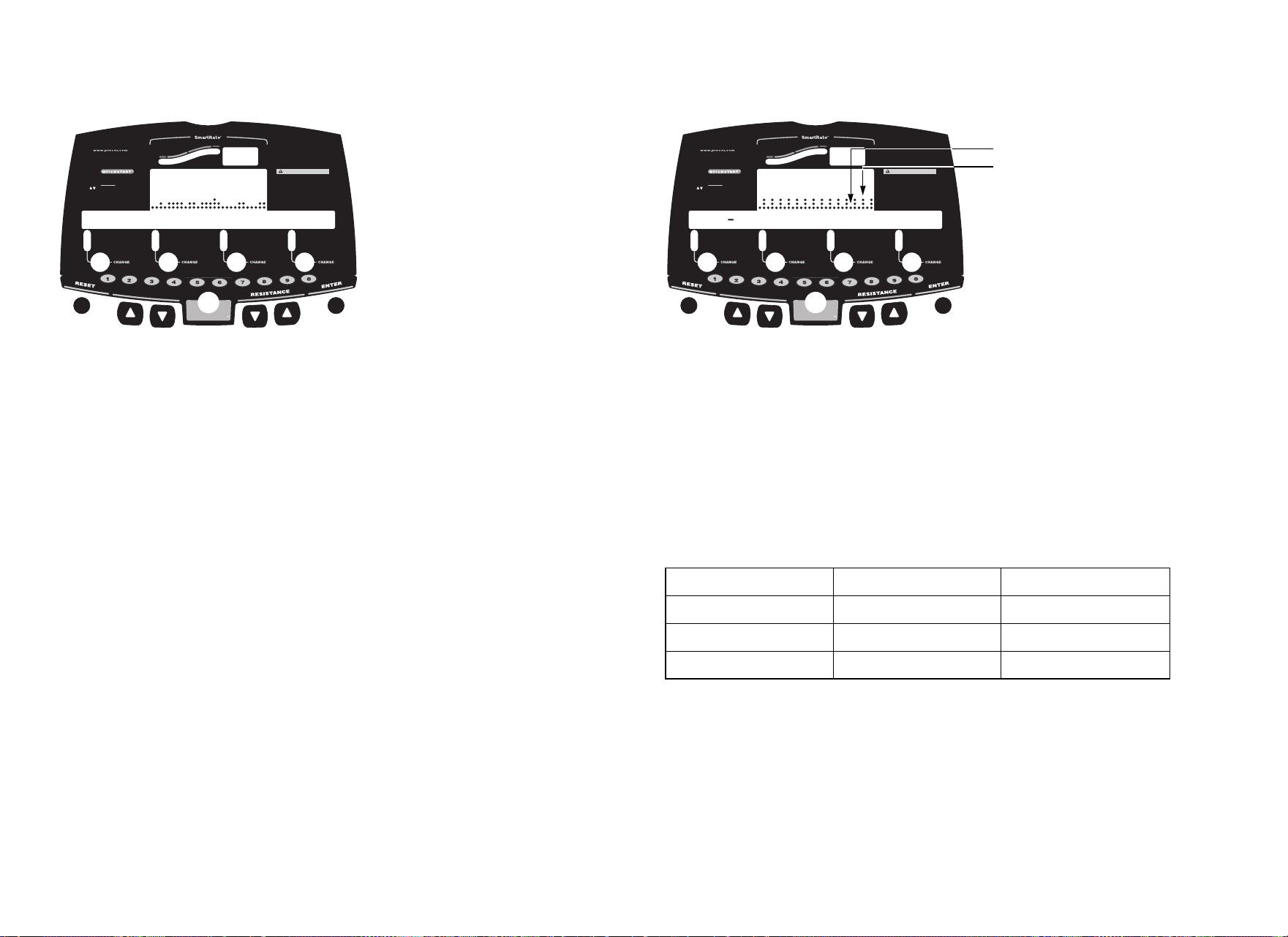
User’s Reference Manual: Programs 21
4 Random Program
Every time the Random Program is selected, a different program
profile appears. The columns that appear in the program profile
show the preprogrammed resistance. To override the settings for
each column, press the RESISTANCE arrow keys. The changes
raise or lower the columns on the remaining portion of the program
profile.
The resistance is preset to 1 for the first column. The maximum
resistance change allowed between columns is plus or minus 4.
Interval Programs 5, 6, and 7
The Interval Programs are among the best for conditioning your
cardiovascular system. Each program raises and lowers your level of
exertion repeatedly for a specified period of time.
When you begin the program, the resistance for the rest and work
intervals is preprogrammed. The settings are repeated throughout
the program unless you change them.
Three programs let you choose the rest and work intervals according
to your training regimen.
To change the settings, press the appropriate arrow key and
continue. The changes are applied to the remaining intervals. The
display lets you know when the resistance is about to change, and
indicates the level of the next interval.
Heart Rate
Above
Below
Weight Loss
Cardiovascular
TIME
REMAINING TIME
SEGMENT TIME
DISTANCE
SPEED
RESISTANCE
RPM
METS
AVERAGE SPEED
CALORIES
WATTS
CAL PER MIN
C846i
CAUTION
Before beginning any fitness program, you
should have a complete physical examination by
your physician. Consult your physician for the
heart rate appropriate for your fitness level. If
you feel pain, faint or dizzy, stop exercising
immediately. Keep hands and clothing away from
moving parts. Do not allow children and people
unfamiliar with operation on or near the unit.
Use arrows (or numeric keys) to display:
TIME
WEIGHT
AGE
(press ENTER to select) (press ENTER to select)
(press ENTER to select) (press ENTER to select)
(press ENTER to select) (press ENTER to select)
PROGRAM
(press ENTER to select) (press ENTER to select)
PRESS PRESS
PRESSPRESS
Option 1
Option 2 - programs
ENTER
QUICKSTART
P
R
O
G
R
A
M
C
H
A
N
G
E
4 random course
Interval Program Rest Duration Work Duration
5 1–1 1 minute 1 minute
6 1–2 1 minute 2 minutes
7 1–3 1 minute 3 minutes
Heart Rate
Above
Below
Weight Loss
Cardiovascular
TIME
REMAINING TIME
SEGMENT TIME
DISTANCE
SPEED
RESISTANCE
RPM
METS
AVERAGE SPEED
CALORIES
WATTS
CAL PER MIN
C846i
CAUTION
Before beginning any fitness program, you
should have a complete physical examination by
your physician. Consult your physician for the
heart rate appropriate for your fitness level. If
you feel pain, faint or dizzy, stop exercising
immediately. Keep hands and clothing away from
moving parts. Do not allow children and people
unfamiliar with operation on or near the unit.
Use arrows (or numeric keys) to display:
TIME
WEIGHT
AGE
(press ENTER to select) (press ENTER to select)
(press ENTER to select) (press ENTER to select)
(press ENTER to select) (press ENTER to select)
PROGRAM
(press ENTER to select) (press ENTER to select)
PRESS PRESS
PRESSPRESS
Option 1
Option 2 - programs
ENTER
QUICKSTART
P
R
O
G
R
A
M
C
H
A
N
G
E
5 1 1 interval program
Rest interval
Work interval
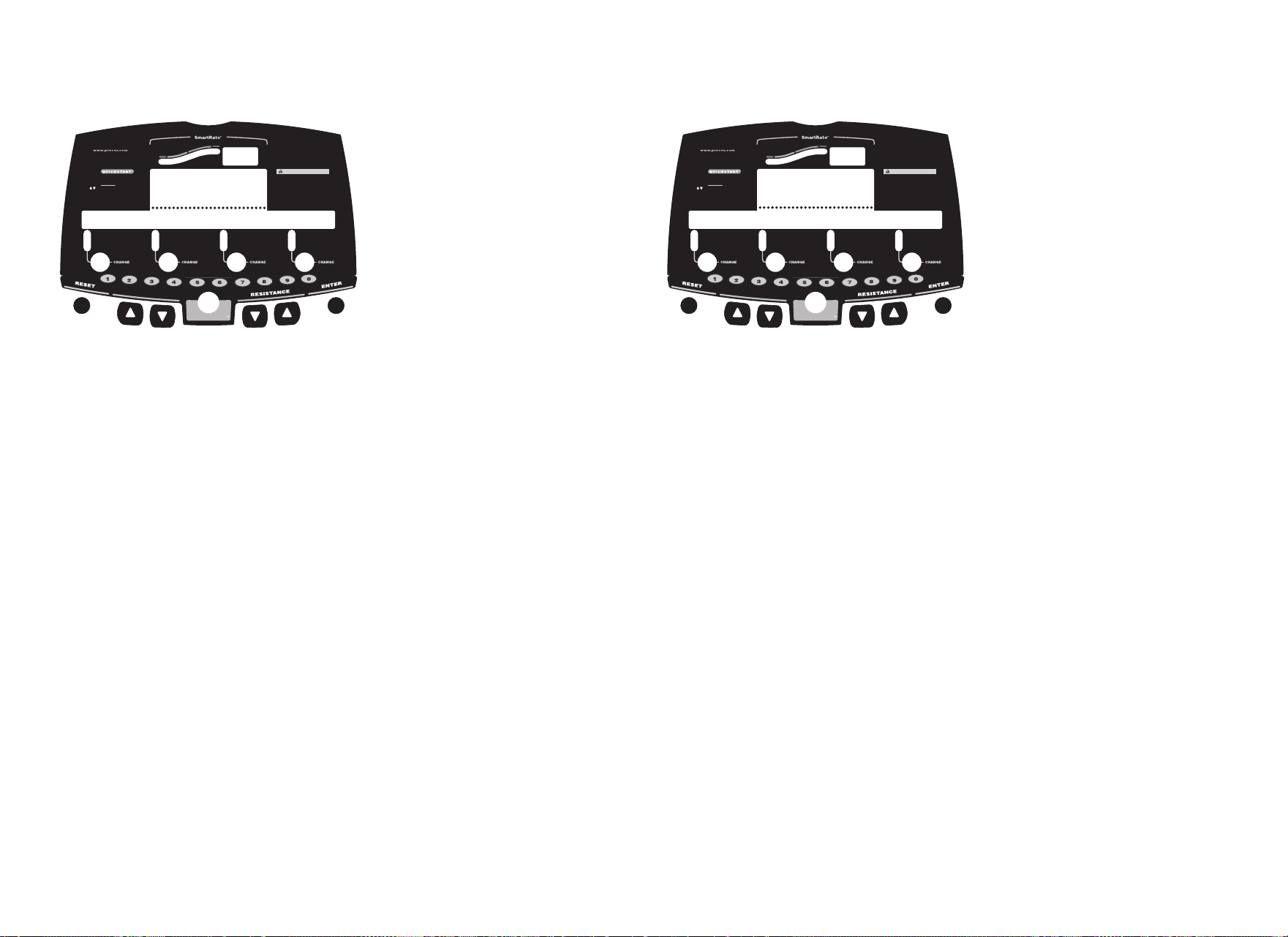
User’s Reference Manual: Programs 22
8 Watts Control Program
The Watts Control Program automatically regulates the resistance
settings to keep the level of energy expenditure constant regardless
of the pedaling speed.
Important: In the Watts Control Program the RESISTANCE ▼▲
keys affect the target watt setting.
When you begin the program, the initial resistance is 1 and the initial
target is 50 watts.
Use the RESISTANCE arrow keys to change the target setting in
10-watt increments. Available target settings range from 30 to
400 watts.
The number keys may also be used to set the desired target. Refer
to the Display Console section.
9 Heart Rate Control Program
The Heart Rate Control Program lets you set a target for your heart
rate. The program adjusts the resistance to maintain your heart rate
within two beats per minute of the target heart rate while you
exercise. To use this program, you must wear the chest strap so the
program can monitor your heart rate throughout the session.
During your workout, the number that represents your heart rate
appears in the Heart Rate display.
For information about understanding your target heart rate, refer to
Heart Rate Features.
Important: Consult your physician to determine the appropriate
target heart rate for your age and fitness level. If your physician
recommends a different target heart rate than the one that appears
on the display, use the appropriate arrow keys to change the target
heart rate once you finish the warm-up period. Do not exercise over
the recommended range.
Heart Rate
Above
Below
Weight Loss
Cardiovascular
TIME
REMAINING TIME
SEGMENT TIME
DISTANCE
SPEED
RESISTANCE
RPM
METS
AVERAGE SPEED
CALORIES
WATTS
CAL PER MIN
C846i
CAUTION
Before beginning any fitness program, you
should have a complete physical examination by
your physician. Consult your physician for the
heart rate appropriate for your fitness level. If
you feel pain, faint or dizzy, stop exercising
immediately. Keep hands and clothing away from
moving parts. Do not allow children and people
unfamiliar with operation on or near the unit.
Use arrows (or numeric keys) to display:
TIME
WEIGHT
AGE
(press ENTER to select) (press ENTER to select)
(press ENTER to select) (press ENTER to select)
(press ENTER to select) (press ENTER to select)
PROGRAM
(press ENTER to select) (press ENTER to select)
PRESS PRESS
PRESSPRESS
Option 1
Option 2 - programs
ENTER
QUICKSTART
P
R
O
G
R
A
M
C
H
A
N
G
E
8 watts control
Heart Rate
Above
Below
Weight Loss
Cardiovascular
TIME
REMAINING TIME
SEGMENT TIME
DISTANCE
SPEED
RESISTANCE
RPM
METS
AVERAGE SPEED
CALORIES
WATTS
CAL PER MIN
C846i
CAUTION
Before beginning any fitness program, you
should have a complete physical examination by
your physician. Consult your physician for the
heart rate appropriate for your fitness level. If
you feel pain, faint or dizzy, stop exercising
immediately. Keep hands and clothing away from
moving parts. Do not allow children and people
unfamiliar with operation on or near the unit.
Use arrows (or numeric keys) to display:
TIME
WEIGHT
AGE
(press ENTER to select) (press ENTER to select)
(press ENTER to select) (press ENTER to select)
(press ENTER to select) (press ENTER to select)
PROGRAM
(press ENTER to select) (press ENTER to select)
PRESS PRESS
PRESSPRESS
Option 1
Option 2 - programs
ENTER
QUICKSTART
P
R
O
G
R
A
M
C
H
A
N
G
E
9 heart rate control
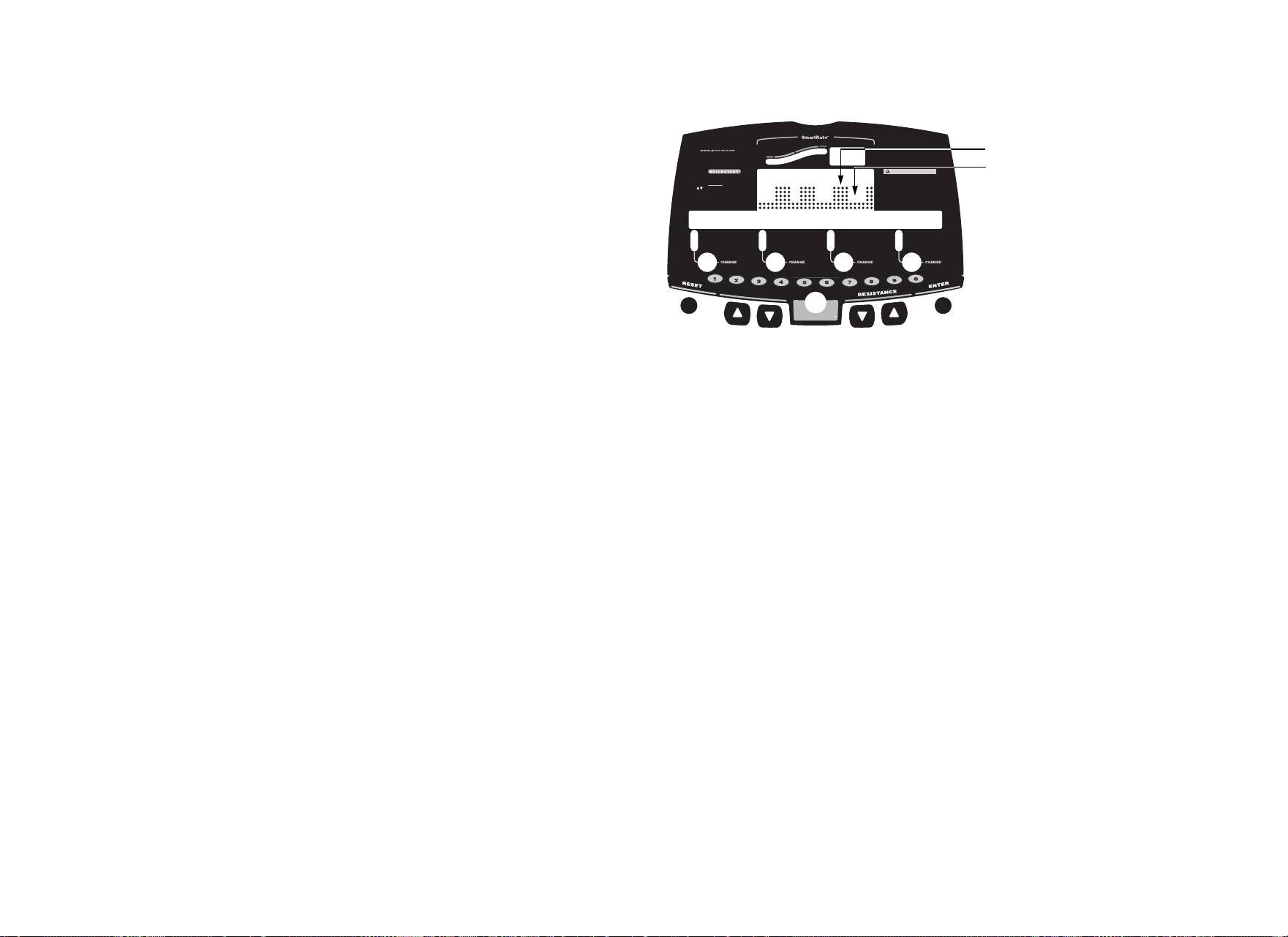
User’s Reference Manual: Programs 23
Warm-Up Period
The cycle provides a 3-minute warm-up period. During this time, you
may change the resistance.
Note: If your heart rate moves into the target heart rate zone
[(220 minus age) x 70%] during the 3-minute warm-up period, the
warm-up period ends and the Heart Rate Control Program begins.
Using the Heart Rate Control Program
When you access the Heart Rate Control Program, the following
occurs:
• The cycle automatically adjusts the resistance to keep
your heart rate at the selected target. Pressing the
RESISTANCE arrow keys no longer affects the resistance, but
does change the target heart rate. Check the SmartRate display
to see if you are maintaining your preferred zone (weight loss or
cardiovascular). Check the Heart Rate display to determine your
actual heart rate.
Important: Automatic adjustments to the resistance cannot take
place if you drop below 20 revolutions per minute (RPM).
• You can change the target heart rate, but doing so affects the
unit’s ability to maintain your target heart rate in the preferred
zone. It takes time for the cycle to readjust the resistance so that
your heart rate remains on target.
• When you complete the program, remember to add a cool-down
period.
Note: If you are having difficulty with the heart rate features, talk
to your club representative.
10 Weight Loss Program
With the Weight Loss Program, the workout time is fixed at 28
minutes and consists of seven 4-minute intervals. You are not
prompted for a workout time. Use the arrow keys to change the
resistance for the rest or work interval. When you make changes, the
program repeats the settings for the remaining intervals.
The display lets you know when the resistance levels are about to
change.
Heart Rate
Above
Below
Weight Loss
Cardiovascular
TIME
REMAINING TIME
SEGMENT TIME
DISTANCE
SPEED
RESISTANCE
RPM
METS
AVERAGE SPEED
CALORIES
WATTS
CAL PER MIN
C846i
CAUTION
Before beginning any fitness program, you
should have a complete physical examination by
your physician. Consult your physician for the
heart rate appropriate for your fitness level. If
you feel pain, faint or dizzy, stop exercising
immediately. Keep hands and clothing away from
moving parts. Do not allow children and people
unfamiliar with operation on or near the unit.
Use arrows (or numeric keys) to display:
TIME
WEIGHT
AGE
(press ENTER to select) (press ENTER to select)
(press ENTER to select) (press ENTER to select)
(press ENTER to select) (press ENTER to select)
PROGRAM
(press ENTER to select) (press ENTER to select)
PRESS PRESS
PRESSPRESS
Option 1
Option 2 - programs
ENTER
QUICKSTART
P
R
O
G
R
A
M
C
H
A
N
G
E
10 weight loss program
Work interval
Rest interval
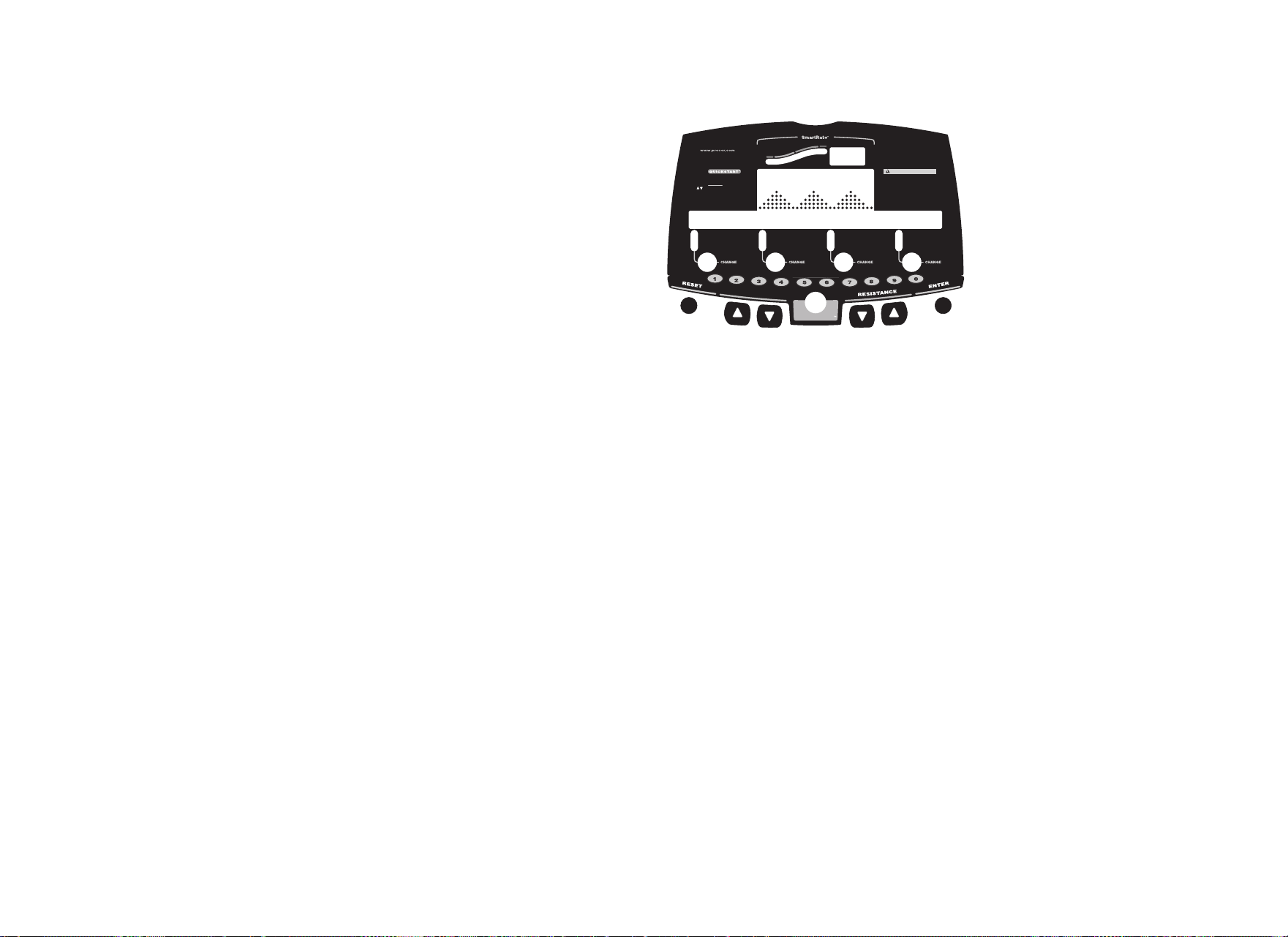
User’s Reference Manual: Programs 24
For the ideal weight loss range, your heart rate should be between
55% and 70% of your maximum aerobic heart rate. If you wear the
chest strap or grasp both touch-sensitive grips, you can use
SmartRate as a visual cue.
• Set a comfortable pedaling speed (RPM) and then adjust the
resistance.
• Maintain a level of exertion so that the first yellow LED blinks in
the SmartRate display during rest intervals.
• During the work intervals, increase your level of exertion so that
the first green LED blinks.
For more information about the SmartRate display, refer to Using
SmartRate.
11 Custom Resistance Program
A club has the option to create a profile customized for its patrons.
The Custom Resistance Program provides variable preprogrammed
resistances. Similar to other programs on the cycle that have
preprogrammed resistance, you can override the settings using the
RESISTANCE arrow keys. The changes are applied to the remaining
profile.
To learn how to create this custom program, refer to the Product
Owner’s Manual.
Heart Rate
Above
Below
Weight Loss
Cardiovascular
TIME
REMAINING TIME
SEGMENT TIME
DISTANCE
SPEED
RESISTANCE
RPM
METS
AVERAGE SPEED
CALORIES
WATTS
CAL PER MIN
C846i
CAUTION
Before beginning any fitness program, you
should have a complete physical examination by
your physician. Consult your physician for the
heart rate appropriate for your fitness level. If
you feel pain, faint or dizzy, stop exercising
immediately. Keep hands and clothing away from
moving parts. Do not allow children and people
unfamiliar with operation on or near the unit.
Use arrows (or numeric keys) to display:
TIME
WEIGHT
AGE
(press ENTER to select) (press ENTER to select)
(press ENTER to select) (press ENTER to select)
(press ENTER to select) (press ENTER to select)
PROGRAM
(press ENTER to select) (press ENTER to select)
PRESS PRESS
PRESSPRESS
Option 1
Option 2 - programs
ENTER
QUICKSTART
P
R
O
G
R
A
M
C
H
A
N
G
E
11 custom resistance
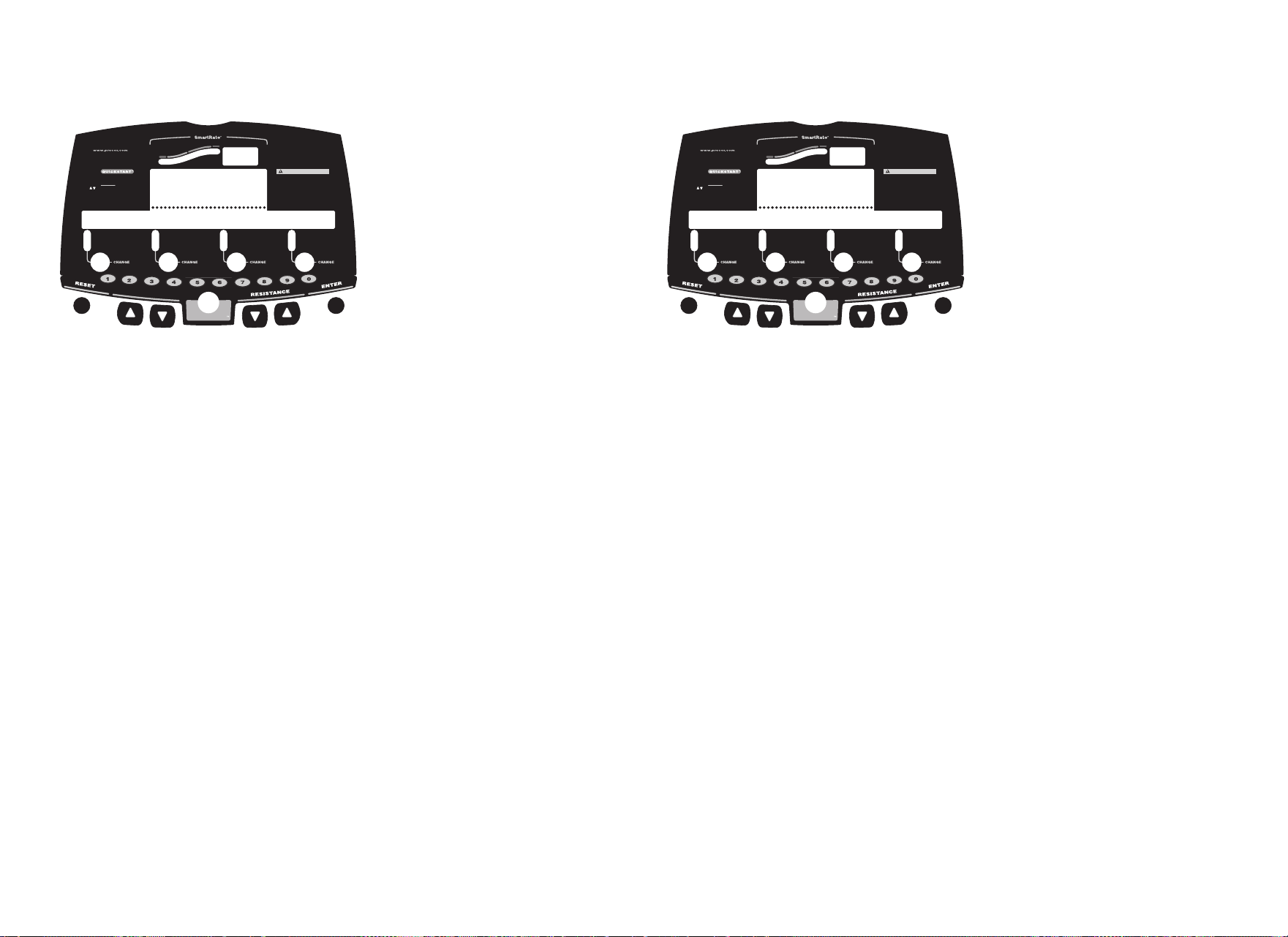
User’s Reference Manual: Programs 25
12 Distance Program
This program lets you designate a fixed distance. When you reach
your goal, the program ends and the automatic cool-down period
begins.
After selecting the Distance Program, specify your distance goal at
the blinking prompt. Acceptable entries are from 0.1 to 50 (miles or
kilometers). Use the arrow keys to change the value, and then press
ENTER to begin. Refer to Workout Options.
Note: The club time limit applies to this program and may affect your
ability to reach the set goal. Contact your facility manager if you
encounter problems.
13 Calories Program
This program lets you designate a fixed calorie goal. When you reach
your goal, the program ends and the automatic cool-down period
begins.
After selecting the Calories Program, specify your calorie goal at the
blinking prompt. Acceptable entries range from 1 to 5000 calories.
Use the arrow keys to change the value, and then press ENTER to
begin. Refer to Workout Options.
Note: The club time limit applies to this program and may affect your
ability to reach the set goal. Contact your facility manager if you
encounter problems.
Heart Rate
Above
Below
Weight Loss
Cardiovascular
TIME
REMAINING TIME
SEGMENT TIME
DISTANCE
SPEED
RESISTANCE
RPM
METS
AVERAGE SPEED
CALORIES
WATTS
CAL PER MIN
C846i
CAUTION
Before beginning any fitness program, you
should have a complete physical examination by
your physician. Consult your physician for the
heart rate appropriate for your fitness level. If
you feel pain, faint or dizzy, stop exercising
immediately. Keep hands and clothing away from
moving parts. Do not allow children and people
unfamiliar with operation on or near the unit.
Use arrows (or numeric keys) to display:
TIME
WEIGHT
AGE
(press ENTER to select) (press ENTER to select)
(press ENTER to select) (press ENTER to select)
(press ENTER to select) (press ENTER to select)
PROGRAM
(press ENTER to select) (press ENTER to select)
PRESS PRESS
PRESSPRESS
Option 1
Option 2 - programs
ENTER
QUICKSTART
P
R
O
G
R
A
M
C
H
A
N
G
E
12 distance goal
Heart Rate
Above
Below
Weight Loss
Cardiovascular
TIME
REMAINING TIME
SEGMENT TIME
DISTANCE
SPEED
RESISTANCE
RPM
METS
AVERAGE SPEED
CALORIES
WATTS
CAL PER MIN
C846i
CAUTION
Before beginning any fitness program, you
should have a complete physical examination by
your physician. Consult your physician for the
heart rate appropriate for your fitness level. If
you feel pain, faint or dizzy, stop exercising
immediately. Keep hands and clothing away from
moving parts. Do not allow children and people
unfamiliar with operation on or near the unit.
Use arrows (or numeric keys) to display:
TIME
WEIGHT
AGE
(press ENTER to select) (press ENTER to select)
(press ENTER to select) (press ENTER to select)
(press ENTER to select) (press ENTER to select)
PROGRAM
(press ENTER to select) (press ENTER to select)
PRESS PRESS
PRESSPRESS
Option 1
Option 2 - programs
ENTER
QUICKSTART
P
R
O
G
R
A
M
C
H
A
N
G
E
13 calories goal
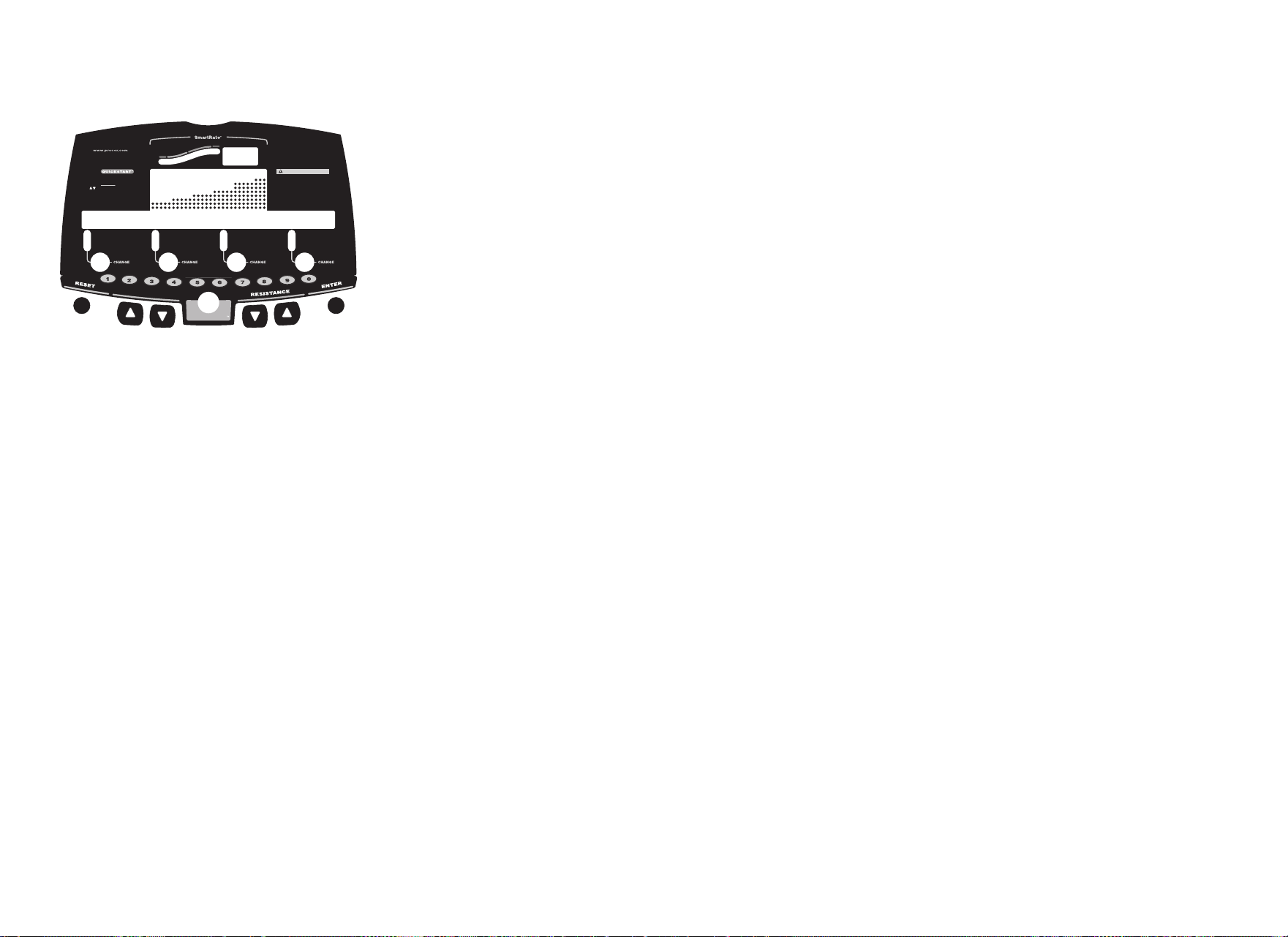
User’s Reference Manual: Programs 26
14 Fitness Test
The Fitness Test monitors your heart rate and calculates a fitness
score based on your average heart rate during specific test stages.
When the test is completed, the display provides a fitness score and
fitness category.
The test results can help you gauge the effectiveness of your current
exercise routine and tailor it to meet your fitness goals.
Guidelines
Before selecting the Fitness Test, read the following guidelines:
• Sit and rest for at least five minutes prior to taking the test to
bring your heart rate to a resting state.
• The fitness score is affected by your weight, age, and gender.
You must enter this data during the setup phase.
• For accurate heart rate readings, you must wear the chest strap
throughout the test. The test acquires your heart rate during a
test stage. If the heart rate reception is erratic, incorrect readings
can occur and affect the accuracy of the overall fitness score.
• When the first minute of the warm-up period elapses, the arrow
keys are disabled.
Warm-Up Period
The cycle provides a 3-minute warm-up period before beginning the
Fitness Test. During the warm-up period, the resistance is fixed and
cannot be adjusted. Continue pedaling at a constant pace. The
Fitness Test commences at the end of the warm-up period.
Important: If a message appears stating that your heart rate is too
high, the test ends and the automatic cool-down period begins.
Complete the cool-down period and retake the Fitness Test later.
Heart Rate
Above
Below
Weight Loss
Cardiovascular
TIME
REMAINING TIME
SEGMENT TIME
DISTANCE
SPEED
RESISTANCE
RPM
METS
AVERAGE SPEED
CALORIES
WATTS
CAL PER MIN
C846i
CAUTION
Before beginning any fitness program, you
should have a complete physical examination by
your physician. Consult your physician for the
heart rate appropriate for your fitness level. If
you feel pain, faint or dizzy, stop exercising
immediately. Keep hands and clothing away from
moving parts. Do not allow children and people
unfamiliar with operation on or near the unit.
Use arrows (or numeric keys) to display:
TIME
WEIGHT
AGE
(press ENTER to select) (press ENTER to select)
(press ENTER to select) (press ENTER to select)
(press ENTER to select) (press ENTER to select)
PROGRAM
(press ENTER to select) (press ENTER to select)
PRESS PRESS
PRESSPRESS
Option 1
Option 2 - programs
ENTER
QUICKSTART
P
R
O
G
R
A
M
C
H
A
N
G
E
14 fitness test
User’s Reference Manual: Programs 27
Using the Fitness Test
Let the program adjust the resistance for you.
CAUTION: If you need to stop to regain control or reduce your
heart rate, please do so. You can retake the Fitness Test later.
Completing the Fitness Test
When you finish the Fitness Test, the resistance is reduced. An
automatic cool-down period is provided after the test to help return
your heart rate to a normal, restful state.
The Fitness Test automatically ends if one of the following occurs:
• You stop pedaling.
• Your pedaling speed (RPM) drops below 20.
• Your heart rate increases above the maximum allowable heart
rate for that stage.
• Your heart rate cannot be detected.
• You press RESET.
• You complete the test.
Fitness Test Scores
When you complete the Fitness Test, your fitness score and
cardiovascular fitness level appear on the display.
Tables 2 and 3 show the desired range in fitness levels depending
on your age and gender. More information is available at the Precor
website (www.precor.com).
Table 2. Cardiorespiratory fitness score category—females*
Table 3. Cardiorespiratory fitness score category—males*
* The test and analysis algorithm were developed by Dr. Neil Gordon of Cooper
Clinic.
Fitness Category
Age in Years
Low
Fitness
Medium
Fitness
High
Fitness
20–39 28 (or below) 28–33 33 (or above)
40–49 26 (or below) 26–31 31 (or above)
50–59 24 (or below) 24–28 28 (or above)
60 and over 22 (or below) 22–26 26 (or above)
Fitness Category
Age in Years
Low
Fitness
Medium
Fitness
High
Fitness
20–39 35 (or below) 35–42 42 (or above)
40–49 32 (or below) 32–39 39 (or above)
50–59 29 (or below) 29–36 36 (or above)
60 and over 24 (or below) 24–31 31 (or above)

User’s Reference Manual: Programs 28
Notes:


C846i URM 48819-101, en
15 July 2005
Precor, C, CrossRamp, EFX, M, Move Beyond, and SmartRate are registered trademarks of Precor Incorporated.
Crosstrainer, QuickStart, and StretchTrainer are trademarks of Precor Incorporated.
Copyright 2005 Precor Incorporated.
Specifications subject to change without notice.
www.precor.com
NOTICE:
Precor is widely recognized for its innovative, award winning designs of exercise equipment. Precor aggressively
seeks U.S. and foreign patents for both the mechanical construction and the visual aspects of its product design.
Any party contemplating the use of Precor’s product designs is hereby forewarned that Precor considers the
unauthorized appropriation of its proprietary rights to be a very serious matter. Precor will vigorously pursue all
unauthorized appropriation of its proprietary rights.
Precor Incorporated
20031 142nd Ave NE
P.O. B ox 7202
Woodinville, WA USA 98072-4002
C846i
C842i
Assembly Guide
Commercial Recumbent Cycle
C846i


C846i/C842i Recumbent Cycle Assembly Guide 1
Thank you for choosing Precor. For proper installation, please read this guide
thoroughly and follow the assembly instructions. If you do not assemble the
C846i/C842i Recumbent Cycle according to these guidelines, you could void
the Precor Limited Warranty.
Obtaining Service
You should not attempt to service the recumbent cycle except for maintenance
tasks as described in the Product Owner’s Manual. If any items are missing,
contact your dealer. Should you need more information regarding customer
support numbers or a list of Precor authorized service centers, visit the Precor
website at www.precor.com/contact.
Unpacking the Equipment
The unit is shipped on one pallet. Ask for help from two or more people to
unpack and assemble the recumbent cycle.
Required Tools
• Wire tie cutter
• One
³⁄₄-inch combination wrench (open-end or box)
Installation Requirements
Follow these installation requirements when assembling the unit:
• Assemble the unit near the location where you plan to
use it.
• Provide ample space around the unit.
Open space around the unit allows for easier access.
• Set up the recumbent cycle on a solid, flat surface.
A smooth, flat surface under the unit helps keep it level. A level unit has
fewer malfunctions.
• Open the box and assemble the components in the sequence
presented in this guide.
• Leave room for adjustments.
Tighten fasteners (bolts, nuts, and screws) so the unit is stable, but
leave room for adjustments. Do not fully tighten fasteners until instructed
to do so.
• If you plan to move the unit, obtain help and use a hand truck. Do not
grasp any plastic parts while lifting or moving the unit. The plastic parts
are not capable of supporting the weight of the unit and they may break.
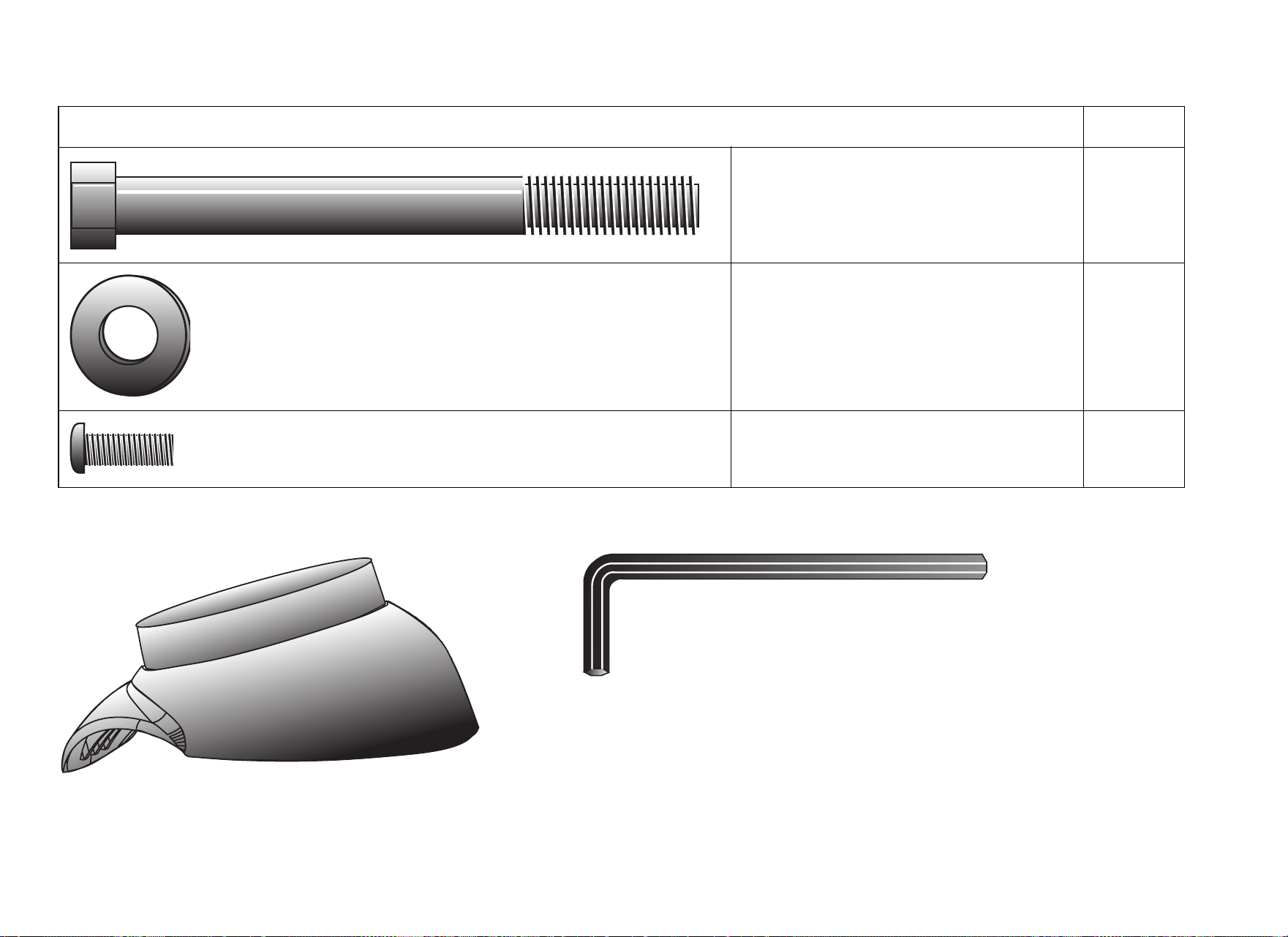
C846i/C842i Recumbent Cycle Assembly Guide 2
Hardware Kit (not to scale)
Fasteners Quantity
(A) Hex head cap screw (5-inch) 2
(B) Washer (½-inch) 2
(C) Buttonhead screw (1³⁄₄-inch) 4
2 — Rubber bib (D) 1 — ³⁄₁₆-inch hex key (E)
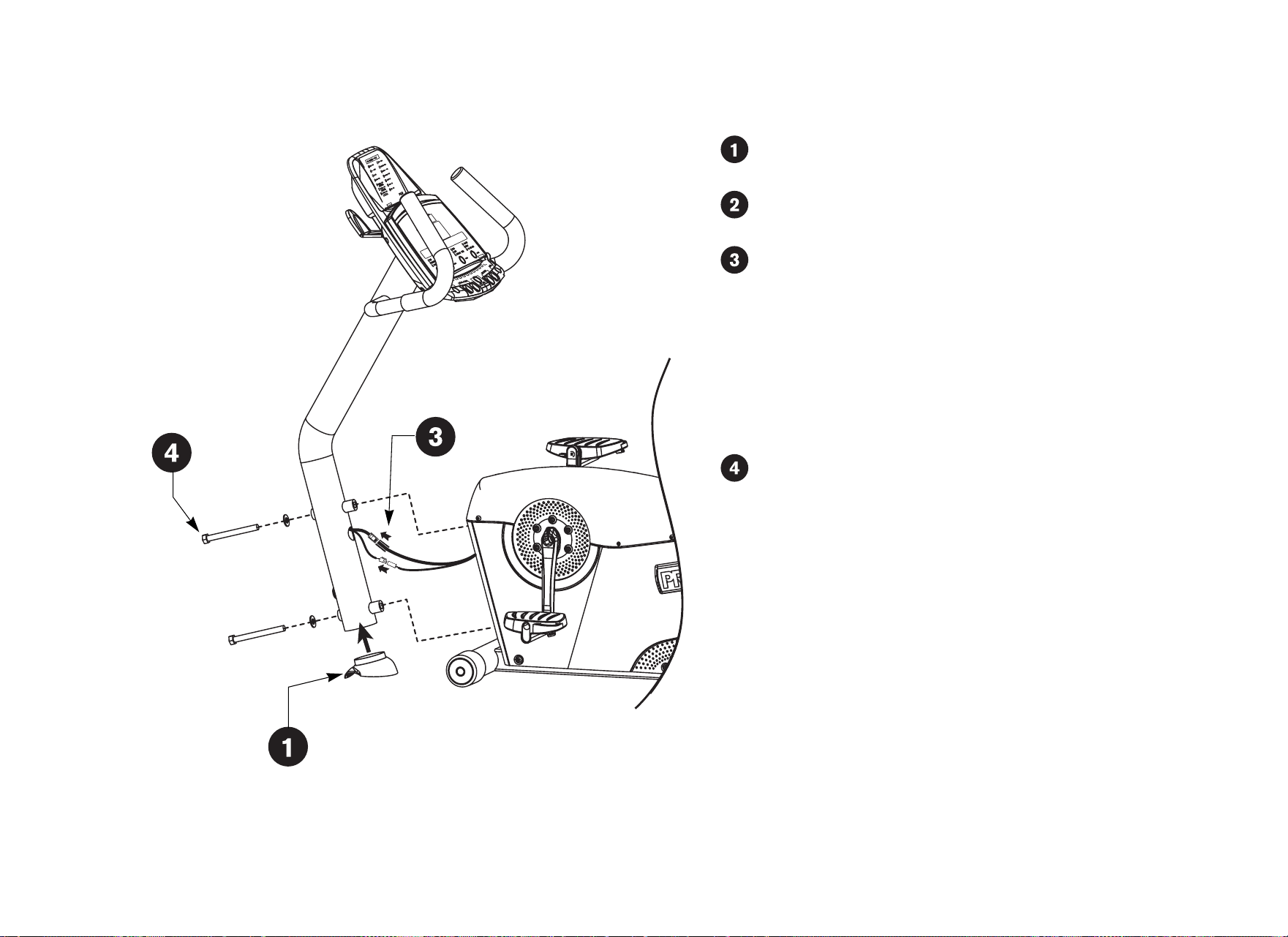
C846i/C842i Recumbent Cycle Assembly Guide 3
Assembly Steps
Position the rubber bib so the flared side faces the floor (as shown
in the illustration) and slide it into the base of the upright support.
Place the upright support on the base crossbar so that the lip of
the rubber bib rests on the crossbar and is parallel to the floor.
Have your assistant hold the upright support while you connect the
two cables. Place excess cable inside the base assembly.
Note: The C842i has only one cable connection.
Important: Do not stretch, crimp, or damage the cables. Cables
damaged by improper installation will not be covered by the
Precor Limited Warranty.
CAUTION: Before tightening the screws, make sure the
cables are not in danger of being crimped or pinched.
Secure the upright support to the base assembly using two hex
head cap screws (A) and two washers (B). Alternately tighten each
screw using a ³⁄₄-inch box-end or crescent wrench. Check the
upright support to make sure it is securely fastened.
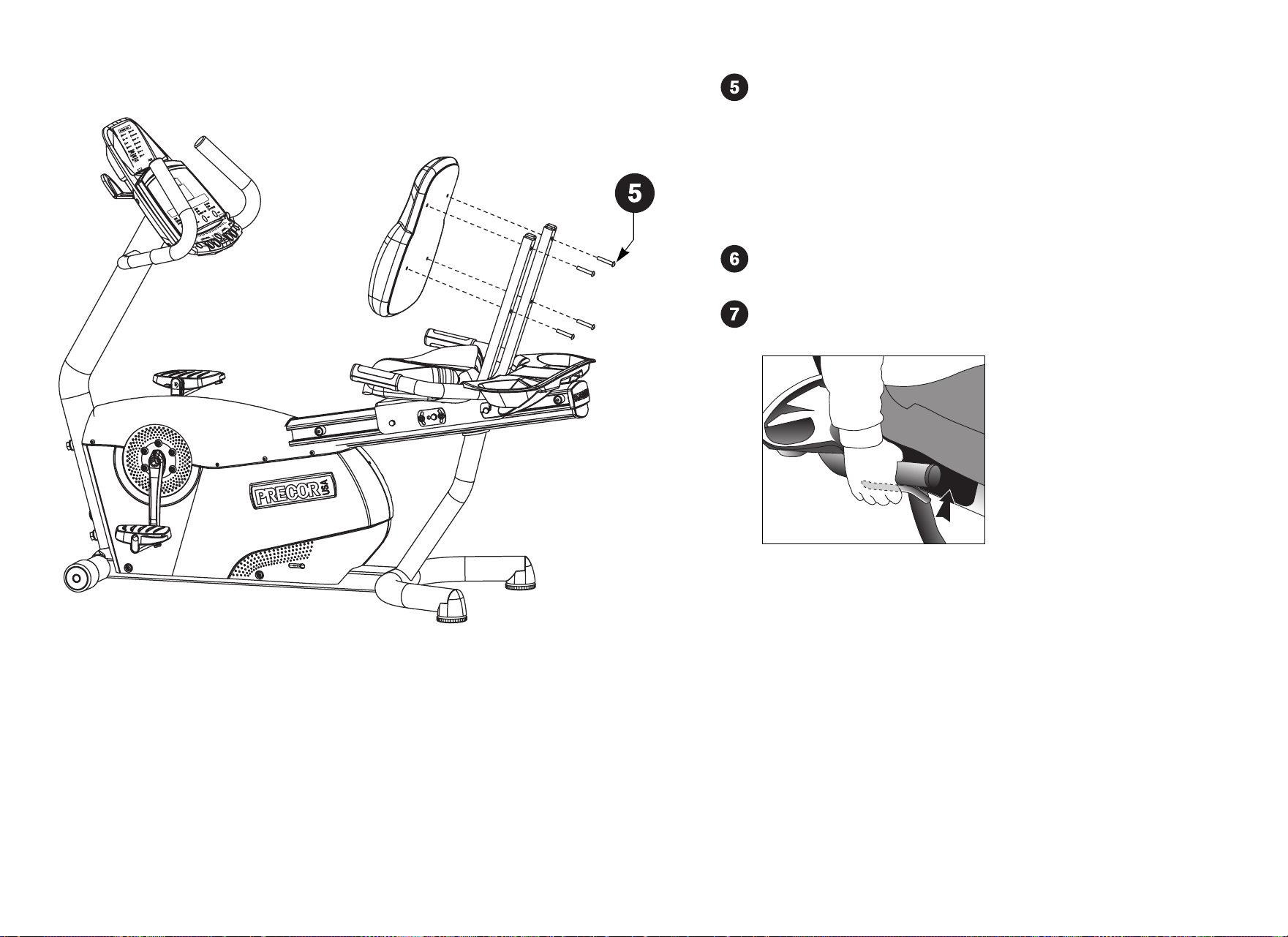
C846i/C842i Recumbent Cycle Assembly Guide 4
Rest the seat pad against the seat frame posts. Insert the four
buttonhead screws (C) and finger tighten.
CAUTION: It is critical that you hand thread the four
buttonhead screws before alternately tightening them
with the hex key (E). The nut inserts on the back of the
seat pad can be easily stripped by improper assembly,
which is not covered by the Precor Limited Warranty.
When the four buttonhead screws (C) are properly threaded,
alternately wrench tighten each screw using the hex key (E).
Sit on the seat to adjust it. Pull up on the seat adjustment handle
and use your legs to slide the seat along the center post.
Note: If the seat rocks from side to side, you will need to realign
the center wheel that runs inside the center post. Refer to the
instructions in the Product Owner’s Manual.
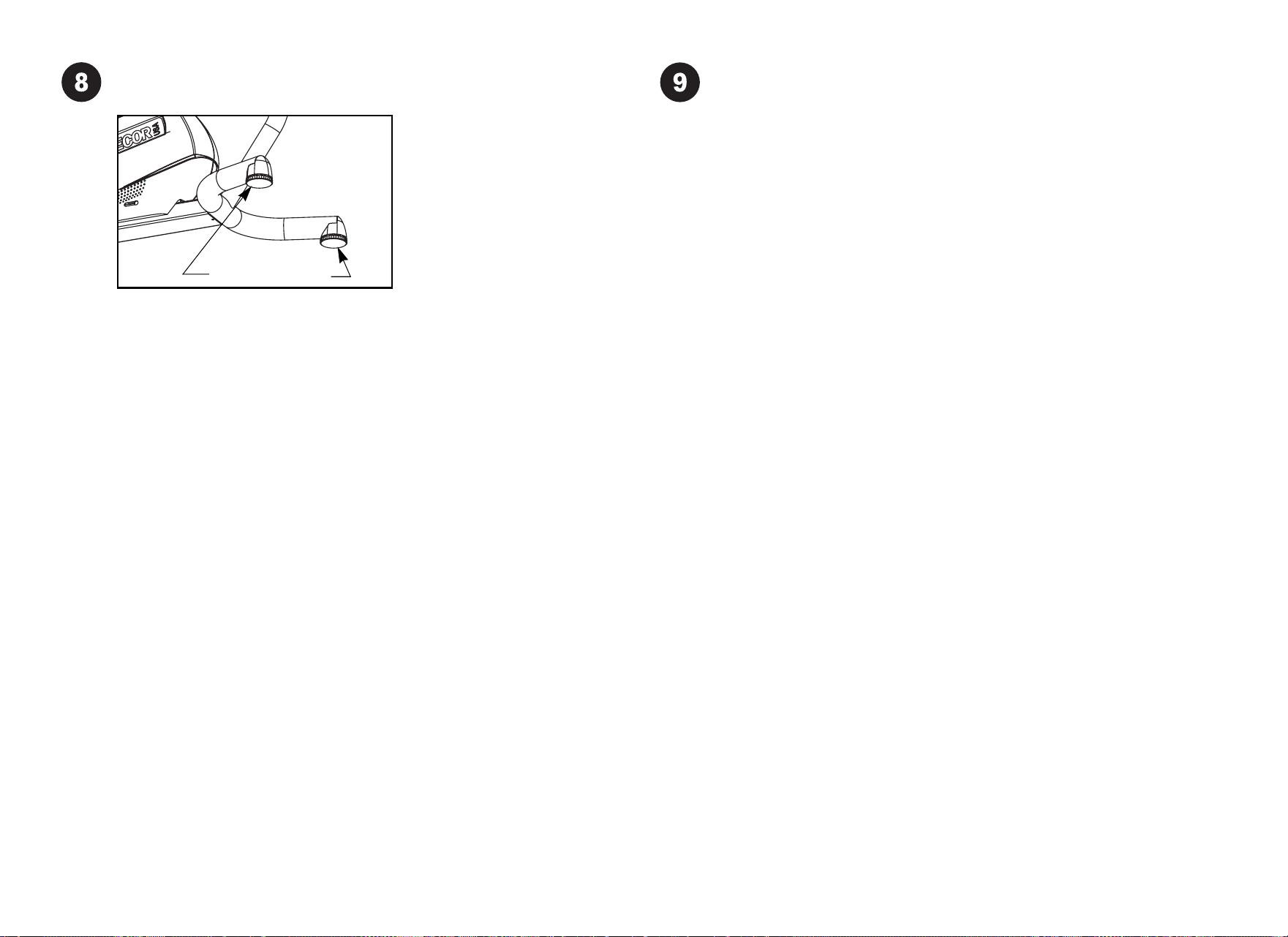
C846i/C842i Recumbent Cycle Assembly Guide 5
Level the recumbent cycle. Before allowing users on the recumbent
cycle, make sure it does not wobble from side to side.
To remove any side-to-side movement, ask your assistant to tip the unit
on its side so that you can locate the two height adjusters on the rear
crossbar.
Turn the height adjusters until the unit does not wobble or rock from side
to side.
Important: If the unit is placed on a slightly uneven surface, rotating
the height adjusters can help, but will not compensate for extremely
uneven surfaces.
When you are finished making adjustments, ask your assistant to gently
lower the unit to the floor.
Height adjusters
Verify that the C846i heart rate display is operational.
1. Sit on the cycle. When you are comfortably situated, begin
be maintained for several seconds.
2. Grasp both touch-sensitive grips on the seat handlebars.
3. Look at the Heart Rate display. The letters Hr should be blinking.
After a few seconds, a number appears indicating your heart rate.
Note: If the display remains blank, refer to the Product Owner’s Manual
for troubleshooting tips. Instructions regarding the chest strap are also
found in the Product Owner’s Manual.
pedaling. Pedaling above 20 revolutions per minute (RPM) must

©2005 Precor Incorporated
www.precor.com
C846i/C842i Recumbent AG 48578-101, en
15 July 2005
Precor Incorporated
20031 142nd Avenue NE
P.O. B ox 7202
Woodinville, WA USA 98072-4002