LIFETIME REPLACEMENT
We stand behind our product. If your screen
protector cracks, we’ll replace it free of
charge. Just bring it into any Best Buy store.
PACKAGE CONTENTS
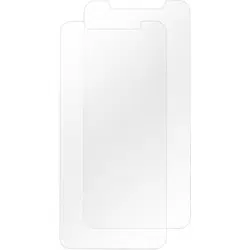
• Screen protector • Dry cloth
• Alignment tool • Polishing cloth
• Wet cloth • Dust removal adhesive
• Quick Setup Guide
FEATURES
• Impact-resistant glass
• Crystal clear screen prevents ngerprints
• Simple installation with alignment tool helps
to prevent bubbles
• Compatible with most cases
ATTACHING YOUR SCREEN
PROTECTOR
1 Remove your phone case (if needed).
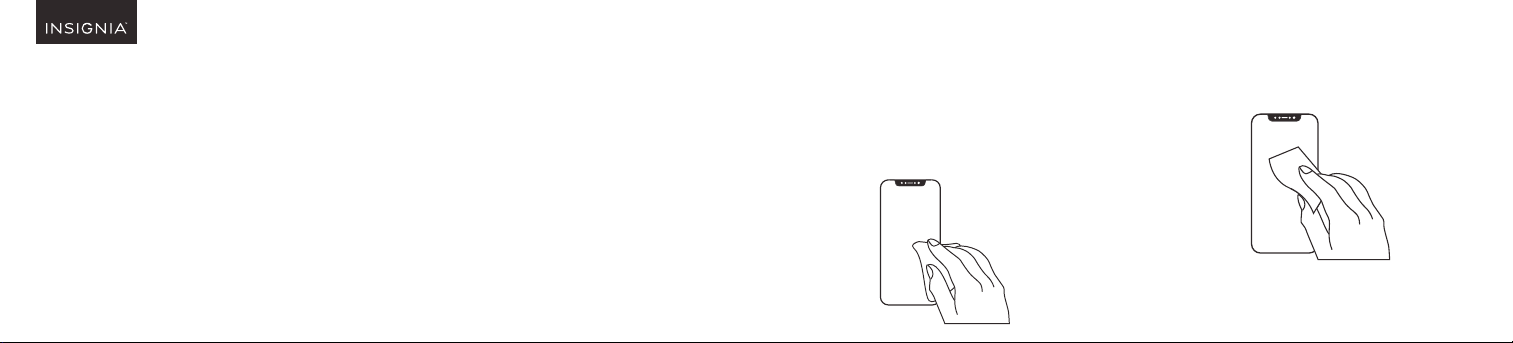
2 To prevent bubbles, clean your phone
screen with the wet cloth, then remove
moisture with the dry cloth.
3 Press the dust removal adhesive to your
phone’s screen repeatedly to clean any
remaining debris.
Before using your new product, please read these instructions to prevent any damage.
QUICK SETUP GUIDE
Glass Screen Protector
NS-MAXISGLS / NS-MAXIMGLS /
NS-MAXILGLS / NS-MAXISGLS2 /
NS-MAXIMGLS2 / NS-MAXILGLS2
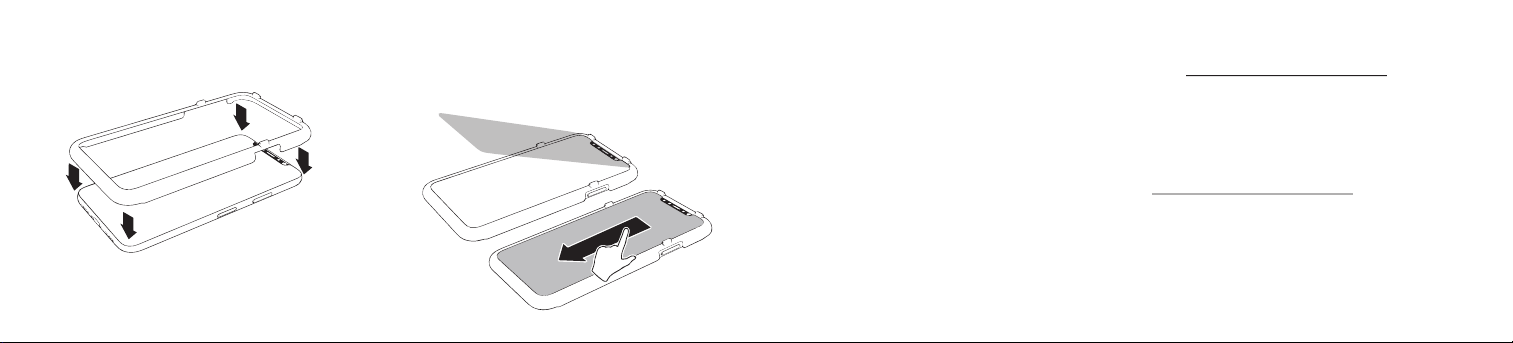
4 Push the alignment tool onto your
phone until it snaps into place.
5 Use tab #1 to peel the back lm o the
screen protector, then discard the lm.
6 Align the top of the screen protector with
the alignment tool, then press it down from
top to bottom to adhere.
7 Remove the alignment tool.
8 If there are bubbles, press them out toward
the edges of the screen protector.
9 Reattach your phone case (if needed), then
remove ngerprints with the polishing cloth.
LIFETIME LIMITED WARRANTY
Visit www.insigniaproducts.com for details.
CONTACT INSIGNIA:
For customer service, call 877-467-4289 (U.S.
and Canada) or 01-800-926-3000 (Mexico)
www.insigniaproducts.com
INSIGNIA is a trademark of Best Buy and its aliated companies
Distributed by Best Buy Purchasing, LLC
7601 Penn Ave South, Richeld, MN 55423 U.S.A.
©2019 Best Buy. All rights reserved.
Made in China
V1 ENGLISH 19-0398