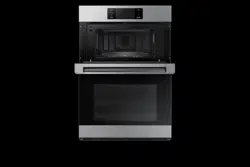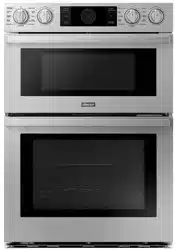
ENGLISH ESPAÑOL
MFL51224534_02
SKSCV3002S
OWNER’S MANUAL
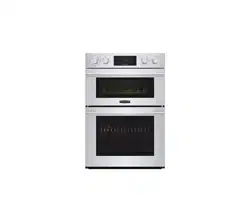
ELECTRIC CONVECTION BUILT-IN OVEN
www.signaturekitchensuite.com
Copyright © 2020 - 2021 Signature Kitchen Suite. All Rights Reserved.

2
TABLE OF CONTENTS
TABLE OF CONTENTS
3
IMPORTANT SAFETY
INSTRUCTIONS
12
PRODUCT OVERVIEW
12 Parts
13 Accessories
14
OPERATION
14 Control Panel Overview
15 Getting Started
15 Changing Oven Settings
15 Settings
15 Microwave Quick Start
16 Lockout
16 Date & Time
16 Clock Themes
16 Sabbath Mode
17 Wi-Fi
17 Remote Start
17 Brightness
17 Display
17 Convection Auto Conversion
18 Language Selection
18 Volume
18 Preheat Alarm Light
18 Temperature Adjustment
18 Temperature Units
19 Smart Diagnosis™
19 Program Update
19 Demo Mode
19 Factory Data Reset
19 Open Source License
19 Oven Cooling
20 Timer
21 Using the Upper Oven
21 Before Using the Upper Oven
21 Upper Oven Light
21 Microwave Cookware Guide
22 Microwave Cooking Tips
23 Microwave Power Levels
24 +30 seconds
24 Defrost
26 Sensor Operation
27 Using Sensor Cook
28 Convection Bake
28 Broil
29 Speed Cook
29 Auto Cook
33 Soften
34 Melt
35 Warm
35 Proof
35 Popcorn
36 Using the Lower Oven
36 Before Using the Oven
36 Lower Oven Light
36 Removing and Replacing Standard Oven
Racks
37 Rack and Pan Placement
37 Oven Vent
37 Using Gliding Oven Racks
38 Bake
39 Convection Modes
40 RapidHeat Roast+
41 Broil
42 Recommended Broiling Guide
44 Warm
45 Proof
45 Probe
48 My Recipes
48 Auto Cook
49 Auto Cook Guide
51 Steam Function
52 Gourmet Steam Guide
53 Sous Vide
54
SMART FUNCTIONS
54 SIGNATURE KITCHEN SUITE Application
56 Smart Diagnosis™ Feature
57 FCC Notice
57 FCC RF Radiation Exposure Statement
58
MAINTENANCE
58 Caring for the Upper Oven
58 Cleaning the Interior
58 Cleaning the Exterior
59 Caring for the Lower Oven
59 Self Clean
61 Steam Feeder Tank
61 Cleaning Scale on Oven Bottom
61 Descaling
61 Drying
61 Evaporation
62 SpeedClean™
64 Cleaning the Exterior
66 Changing the Oven Light
66 Removing and Replacing the Oven Door
67 Door Care Instructions
68
TROUBLESHOOTING
68 FAQs
71 Before Calling for Service
75
WARRANTY
3
IMPORTANT SAFETY INSTRUCTIONS
ENGLISH
IMPORTANT SAFETY INSTRUCTIONS
Read and follow all instructions when using the oven to prevent the risk of fire, electric
shock, personal injury, or damage. This guide does not cover all possible conditions that
may occur. Always contact your service agent or manufacturer about problems that you do
not understand.
Download this owner's manual at: www.signaturekitchensuite.com
This is the safety alert symbol. This symbol alerts you to potential hazards that
can result in property damage and/or serious bodily harm or death.
All safety messages will follow the safety alert symbol and either the word
WARNING or CAUTION. These words mean:
WARNING
-
Indicates a hazardous situation which, if not avoided, could result
in death or serious injury.
CAUTION
-
Indicates a hazardous situation which, if not avoided, could result in
minor or moderate injury.
4
IMPORTANT SAFETY INSTRUCTIONS
IMPORTANT SAFETY INSTRUCTIONS (UPPER OVEN)
When using electrical appliances basic safety precautions should be followed, including the
following:
WARNING
•
To reduce the risk of burns, electric shock, fire, injury to persons or exposure
to excessive microwave energy when using the upper oven, follow basic safety
precautions, including the following.
•
Read all the instructions before using the oven.
•
As with any appliance, close supervision is necessary when used by children.
•
Read and follow the specific PRECAUTIONS TO AVOID POSSIBLE EXPOSURE TO
EXCESSIVE MICROWAVE ENERGY on page 7.
•
Use this appliance only for its intended purpose, as described in the manual.
Do not use corrosive chemicals or vapors, such as sulfide and chloride, in this
appliance. This type of oven is specifically designed to heat, cook, or dry food. It is not
designed for industrial or laboratory use.
•
Do not store this appliance outdoors. Do not use this product near water - for example,
near a kitchen sink, in a wet basement, near a swimming pool, or similar location.
•
Do not use this oven for commercial purposes. It is made for household use only.
•
When cleaning surfaces of door and oven that come together on closing the
door, use only mild, nonabrasive soaps, or detergents applied with a sponge or
soft cloth.
•
If your oven is dropped or damaged, have it thoroughly checked by a qualified
service technician before using it.
•
To reduce the risk of fire in the oven cavity:
- Do not overcook food. Carefully attend to the upper oven when paper, plastic or
other combustible materials are placed inside the oven to facilitate cooking.
- Do not use the cavity for storage purposes.
Do not leave paper products, cooking utensils or food in the cavity when not in use.
- Remove wire twist-ties from paper or plastic bags before placing bags in oven.
•
If materials inside the oven ignite:
- Keep oven door closed
- Turn the oven off
- Disconnect the power cord or shut off power at the fuse or circuit breaker
panel.
•
To avoid electric shock:
- This appliance must be grounded. Connect only to a properly grounded outlet. See
the Installation Guide.
- Do not operate this appliance if it has a damaged cord or plug, if it is not working
properly or if it has been damaged or dropped.
- Do not immerse the electrical cord or plug in water.
- Keep cord away from heated surfaces.
- Do not let cord hang over edge of table or counter.
•
Take care when the door is opened to avoid injury.
•
To avoid improperly cooking some foods:
- Do not heat any type of baby bottle or baby food. Uneven heating may occur and
possibly cause personal injury.
- Do not heat small-necked containers, such as syrup bottles.
- Do not deep-fat fry in the upper oven.
- Do not attempt home canning in the upper oven.
- Some products such as whole eggs and sealed containers – for example,
closed glass jars – are able to explode and should not be heated in this oven.

5
IMPORTANT SAFETY INSTRUCTIONS
ENGLISH
WARNING
•
Do not cover or block any openings on the appliance.
•
Do not run the oven while it is empty.
•
Install or locate this appliance only in accordance with the provided installation
instructions.
•
This appliance should be serviced only by qualified service personnel. Contact the
nearest authorized service facility for examination, repair, or adjustment.
•
Liquids, such as water, coffee, or tea can be overheated beyond the boiling point
without appearing to be boiling due to surface tension of the liquid. Visible bubbling or
boiling when the container is removed from the upper oven is not always present.
THIS COULD RESULT IN VERY HOT LIQUIDS SUDDENLY BOILING OVER WHEN
THE CONTAINER IS DISTURBED OR A SPOON OR OTHER UTENSIL IS INSERTED
INTO THE LIQUID.
•
To reduce the risk of injury to persons;
- Do not overheat the liquid.
- Stir the liquid both before and halfway through heating it.
- Do not use straight-sided containers with narrow necks.
- After heating, allow the container to stand in the upper oven for a short time before
removing the container.
- Use extreme care when inserting a spoon or other utensil into the container.
•
Do not use the oven for the purpose of dehumidification (for example, operating the
upper oven with wet newspapers, clothes, toys, electric devices, plants, soil, pets or
any other living matter inside it). The oven must only be used for heating or cooking
food.
- The results of misuse can include safety risks such as fire, burns, or death due to
electric shock.
•
This appliance is not intended for use by persons (Including children) with reduced
physical, sensory or mental capabilities, or lack of experience and knowledge, unless
they have been given supervision or instruction concerning use of the appliance by a
person responsible for their safety. Children should be supervised to ensure that they
do not play with the appliance.
- Improper use may cause damage such as a fire, electric shock or burn.
•
Accessible parts may become hot during use. Young children should be kept away to
keep them from touching hot surfaces and being burned.
•
Children must not be allowed to play with accessories or hang down from the door or
any part of the oven.
- Doing so can cause serious injury and damage.
•
If the door or door seals are damaged, the oven must not be operated until it has been
repaired by a competent person.
•
The appliance and its accessible parts become hot during use. Care should be taken
to avoid touching heating elements. Children shall be kept away unless continuously
supervised.
•
Do not use recycled paper products.
- They may contain impurities which may cause sparks and/or fires when used in
cooking.
•
Do not rinse trays and racks by placing them in water just after cooking. This may
cause breakage or damage.
- Improper use could result in damage to the oven.
6
IMPORTANT SAFETY INSTRUCTIONS
WARNING
•
The oven should be cleaned regularly and any food deposits should be removed.
- Failure to maintain the oven in a clean condition could lead to deterioration of the
surface that could adversely affect the life of the appliance and possibly result in a
hazardous situation.
•
The door or the outer surface may get hot when the appliance is operating.
•
Liquids heated in certain shaped containers (especially cylindrical-shaped containers)
may become overheated. The liquid may splash out with a loud noise during or after
heating or when adding ingredients (instant coffee. etc.), resulting in harm to the oven
and possible injury. In all containers, for best results, stir the liquid several times before
heating. Always stir liquid several times between reheatings.
•
Do not use coverings, containers or cooking bags made of foil, plastic, wax or paper
when speed cooking.
•
Place food directly on the trays when cooking unless prompted by the oven to do
otherwise.
•
Not all plastic wrap is suitable for use in the upper oven.
•
Make sure to use suitable cookware during microwave cooking.
- Use microwave-safe plastics only and use them in strict compliance with the
cookware manufacturer’s recommendations.
- Do not microwave empty containers.
- Do not permit children to use plastic cookware without complete supervision.
SAVE THESE INSTRUCTIONS
FEDERAL COMMUNICATIONS COMMISSION RADIO FREQUENCY
INTERFERENCE STATEMENT (U.S.A. ONLY)
This equipment generates and uses ISM frequency energy and if not installed and used
properly, that is in strict accordance with the manufacturer's instructions, may cause
interference to radio and television reception. It has been type tested and found to comply
with limits for ISM Equipment pursuant to part 18 of FCC Rules, which are designed to
provide reasonable protection against such interference in a residential installation.
However, there is no guarantee that interference will not occur in a particular installation.
If this equipment does cause interference to radio or television reception, which can be
determined by turning the equipment off and on, the user is encouraged to try to correct the
interference by one or more of the following:
•
Reorient the receiving antenna of the radio or television.
•
Relocate the upper oven with respect to the receiver.
•
Move the upper oven away from the receiver.
•
Plug the upper oven into a different outlet so that the upper oven and the receiver are on
different branch circuits.
The manufacturer is not responsible for any radio or TV interference caused by
unauthorized modification to the upper oven. It is the responsibility of the user to correct
such interference.
7
IMPORTANT SAFETY INSTRUCTIONS
ENGLISH
PRECAUTIONS TO AVOID POSSIBLE EXPOSURE TO EXCESSIVE
MICROWAVE ENERGY
•
Do not attempt to operate this oven with the door open since open-door operation can
result in harmful exposure to microwave energy. It is important not to defeat or tamper with
the safety interlocks.
•
Do not place any object between the oven front face and the door or allow soil or cleaner
residue to accumulate on sealing surfaces.
•
Do not operate the oven if it is damaged.
It is particularly important that the oven door closes properly and that there is no damage to the:
(1) door (bent),
(2) hinges and latches (broken or loosened),
(3) door seals and sealing surfaces.
•
The oven should not be adjusted or repaired by anyone except properly qualified service
personnel.
SAFETY PRECAUTIONS (LOWER OVEN)
•
DO NOT TOUCH HEATING ELEMENTS OR INTERIOR SURFACES OF OVEN. Heating
elements may be hot even though they are dark in color. Interior surfaces of an oven
become hot enough to cause burns. During and after use, do not touch or let clothing or
other flammable materials contact heating elements or interior surfaces of oven until they
have had sufficient time to cool. Other surfaces, such as oven vent openings and surfaces
near these openings, oven doors, and windows of oven doors, also get hot and may cause
burns if not allowed to cool.
•
Use care when opening door. The hot air and steam that escape can cause burns to
hands, face and eyes. Let hot air or steam escape from the oven before removing or
replacing food in the oven.
•
Be sure your appliance is properly installed and grounded by a qualified technician.
•
Do not repair or replace any part of the appliance unless specifically recommended in the
manual. All other servicing should be performed by a qualified technician.
•
Do not use harsh etching, abrasive cleaners or sharp metal scrapers to clean the oven
door glass since they can scratch the surface. Scratches may cause the glass to shatter.
•
Do not leave items such as paper, cookware or food in the oven when not in use.
•
Do not use this oven for purposes other than cooking.
•
Never use paper products in the convection oven.
•
Do not open the door when the oven is operating.
•
Use oven gloves when removing the food and accessories after cooking as the oven &
accessories will be very hot.
•
Scratching, hitting, jarring, or stressing the glass may weaken its structure causing an
increased risk of breakage at a later time.
WARNING
If the door glass or oven heating unit of the oven are damaged, discontinue use of the
oven and call for service.
•
Do not use plastic to cover food. Use foil or oven-safe lids only.
•
Do not allow anyone to climb, stand or hang on the oven door. They could damage the
oven and even tip it over, causing severe personal injury.
•
Do not line the oven walls, racks, bottom, or any other part of the oven with aluminum foil
or any other material. Doing so will disrupt heat distribution, produce poor baking results
and cause permanent damage to the oven interior. (Aluminum foil will melt onto the interior
surface of the oven.)
8
IMPORTANT SAFETY INSTRUCTIONS
•
Never attempt to dry a pet in the oven.
•
Never use your appliance for warming or heating the room.
•
Always use pot holders or oven mitts when removing food from the oven. Cookware will
be hot. Use only dry pot holders. Moist or damp pot holders on hot surfaces may result
in burns from steam. Do not let the pot holder touch hot heating elements. Do not use a
towel or other bulky cloth to remove food.
•
Do not heat unopened food containers. Pressure in the containers may cause them to
burst which may result in injury.
•
Keep Oven Vent Ducts Unobstructed.
The oven vent could become hot during oven use. Never block this
vent and never place plastic or heat-sensitive items on or near the
vent.
•
Check the contents of the oven before using the Wi-Fi features.
•
•DO NOT step or sit on the oven door. Be sure to follow proper
installation instructions.
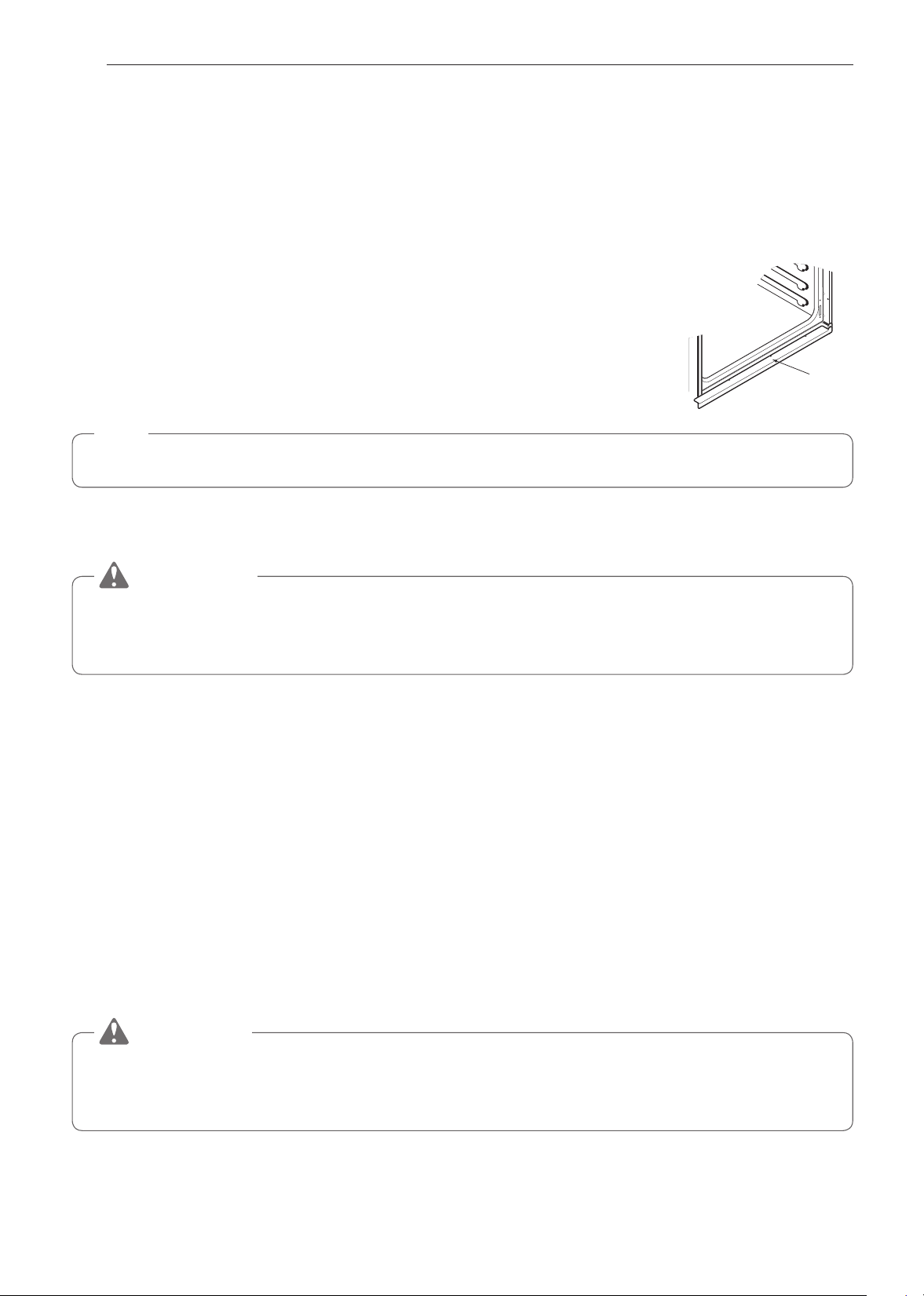
Metal bottom
trim (Vent)
NOTE
•
For proper oven operation, the vent trim must be installed.
FLAMMABLE MATERIALS
WARNING
Be certain that all packing materials are removed from the appliance before operating.
Keep plastic, clothes, paper, and other flammable materials away from parts of the
appliance that may become hot.
•
Do not store or use flammable material in the oven. Flammable materials include paper,
plastic, pot holders, linens, wall coverings, curtains, and gasoline or other flammable
vapors and liquids such as grease or cooking oil. These materials can be ignited when the
oven is in use.
•
Wear proper apparel. Do not wear loose-fitting or hanging garments, which may ignite if
they contact hot surfaces, and cause severe burns.
•
Do not use the oven for drying clothes. Only use the oven for its intended purpose.
•
If a cabinet storage is provided directly above the ovens, only place items in it that are not
frequently used and can be safely stored in an area subjected to heat. Temperatures may
be unsafe for volatile items such as flammable liquids, cleaners or aerosol sprays.
•
Use only oven-safe cookware in the oven. Flammable materials such as paper and plastic
can be ignited when the oven is in use.
ELECTRICAL SAFETY
CAUTION
Be certain that all packing materials are removed from the appliance before operating.
Keep plastic, clothes, paper, and other flammable materials away from parts of the
appliance that may become hot.
•
Always disconnect power from the appliance before servicing.
•
Do not use aluminum foil or any other material to line the oven bottom.
Improper installation of oven liners may result in a risk of electric shock or fire.
•
Do not allow aluminum foil or the temperature probe to contact heating elements.
9
IMPORTANT SAFETY INSTRUCTIONS
ENGLISH
WARNING
Before replacing the oven light bulb, switch off the electrical power to the oven at the
main fuse or circuit breaker panel. Failure to do so can result in severe personal injury,
death, or electric shock.
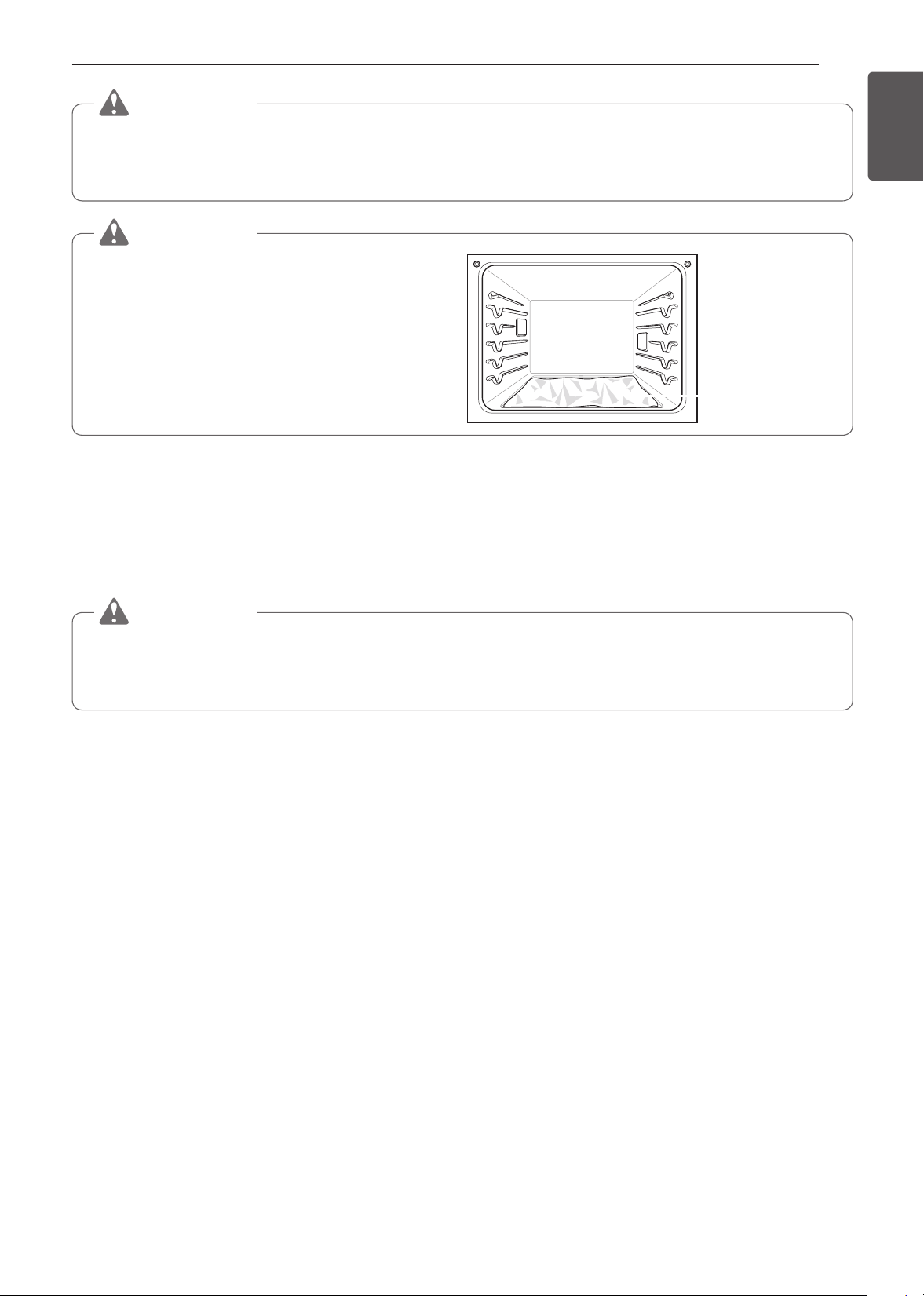
WARNING
•
DO NOT place aluminum foil directly
on the oven bottom.
No aluminum foil
CHILD SAFETY
•
Do not touch the hot surface between the upper oven door and the lower oven door on the
front of the oven while the oven is in operation. The surface becomes hot and can cause
burns and other injury.
•
Do not leave small children unattended near the oven.
WARNING
Do not leave children alone or unsupervised near the appliance when it is in use or is
still hot. Children should never be allowed to sit or stand on any part of the appliance as
they could be injured or burned.
•
Never let a child hang on the oven door.
•
Do not allow children to crawl into the oven.
•
Let hot cookware cool in a safe place, out of reach of small children.
•
Children should not be allowed to play with controls or other parts of the appliance.
ENERGY SAVING TIPS
•
Multiple-rack cooking saves time and energy. Whenever possible, cook foods requiring the
same cooking temperature together in one oven.
•
For optimal performance and energy savings, follow the guides for proper rack and pan
placements.
•
Reduce energy use by cleaning light oven soils with the SpeedClean™ feature instead of
self-clean.
•
Avoid opening the oven door more than necessary during use. This helps the oven
maintain temperature, prevents unnecessary heat loss, and saves on energy use.

10
IMPORTANT SAFETY INSTRUCTIONS
SAFETY DURING USE
•
Do not touch the oven racks while they are hot.
•
Always place oven racks in the desired location while the oven is cool. If a rack must be
moved while the oven is hot, do not let the pot holder contact the hot heating element in
the oven.
•
Use caution with the Timed Cook or Delayed Timed Cook features. Use the automatic
timer when cooking cured or frozen meats and most fruits and vegetables. Foods that can
easily spoil, such as milk, eggs, fish, meat or poultry, should be chilled in the refrigerator
first. Even when chilled, they should not stand in the oven for more than 1 hour before
cooking begins, and should be removed promptly when cooking is complete. Eating
spoiled food can result in sickness from food poisoning.
•
Accessible parts may become hot when the grill is in use.
•
Do not place food or cookware on the bottom of the oven cavity. Doing so will cause
permanent damage to the oven bottom finish.
•
Do not use water on grease fires. Should an oven fire occur, leave the oven door closed
and turn the oven off. If the fire continues, throw baking soda on the fire or use a fire
extinguisher. Do not put water or flour on the fire. Flour may be explosive and water can
spread a grease fire and cause personal injury.
•
Pull the oven rack to the stop-lock position when loading and unloading food from the
oven. This helps prevent burns caused by touching hot surfaces of the door and oven
walls.
•
Do not put your hand under the controller or between the door and metal bottom trim (vent)
during operation. The outside of the oven can become very hot to the touch.
•
Do not use the oven if a heating element develops a glowing spot during use or shows
other signs of damage. A glowing spot indicates the heating element may fail and present
a potential burn, fire, or shock hazard. Turn the oven off immediately and have the heating
element replaced by a qualified service technician.
•
When using cooking or roasting bags in the oven, follow the manufacturer’s directions.
SAFETY WHEN CLEANING
•
Open a window or turn on a ventilation fan or hood before self-cleaning.
•
If the oven is heavily soiled with oil, self-clean the oven before using the oven again. The
oil could cause a fire.
•
Wipe up heavy soil on the bottom of the oven before using the Self Clean function.
•
Do not use oven cleaners. Commercial oven cleaner or oven liner protective coating of
any kind should not be used in or around any part of the oven.
•
Never keep pet birds in the kitchen. The health of birds is extremely sensitive to the fumes
released during an oven self-clean cycle. Fumes may be harmful or fatal to birds. Move
birds to a well-ventilated room.
•
Clean in the self-clean cycle only parts listed in this manual. Before self-cleaning the oven,
remove the broiler pan, all oven racks, the meat probe and any cookware or food from the
oven.
•
Important Instruction. The oven displays an F error code and sounds three long beeps
during the self-cleaning process if it malfunctions in the self-clean mode. Switch off the
electrical power to the main fuse or breaker and have the oven serviced by a qualified
technician.
•
Never pour cold water over a hot oven for cleaning. Doing so may cause the oven to
malfunction.
•
Make sure oven lights are cool before cleaning.
•
Do not clean door gasket. The door gasket is essential for a good seal. Care should be
taken not to rub, damage, or move the gasket.

11
IMPORTANT SAFETY INSTRUCTIONS
ENGLISH
•
If there is a fire in the oven during self-clean, turn the oven off and wait for the fire to go
out. Do not force the door open. Introduction of fresh air at self-clean temperatures may
lead to a burst of flame from the oven. Failure to follow this instruction may result in severe
burns.
•
DO NOT block the oven vent during operation. This can
damage the electric parts of the oven. Air must be able to
move freely. The metal bottom trim (vent) should be properly
assembled on the front bottom of oven before installing the oven
door.
Metal bottom trim
(Vent)
COOK MEAT AND POULTRY THOROUGHLY
•
To protect against food-borne illnesses, cook meat and poultry thoroughly. The USDA has
indicated the following as safe minimum internal temperatures for consumption:
•
Ground meat: 160 °F
•
Poultry: 165 °F
•
Beef, veal, pork, or lamb: 145 °F
•
Fish/seafood: 145 °F

12
PRODUCT OVERVIEW
PRODUCT OVERVIEW
Parts
Make sure to understand the name and function of each part.
Control panel
Rating label, model and
serial number plate
Steam feeder tank
Broiler pan & grid
Standard racks
Gliding racks (2)
Oven door
Gasket
Spacer (2)
- One on each side
NOTE
•
The model and serial number can be verified at the rating label.
13
PRODUCT OVERVIEW
ENGLISH
Accessories
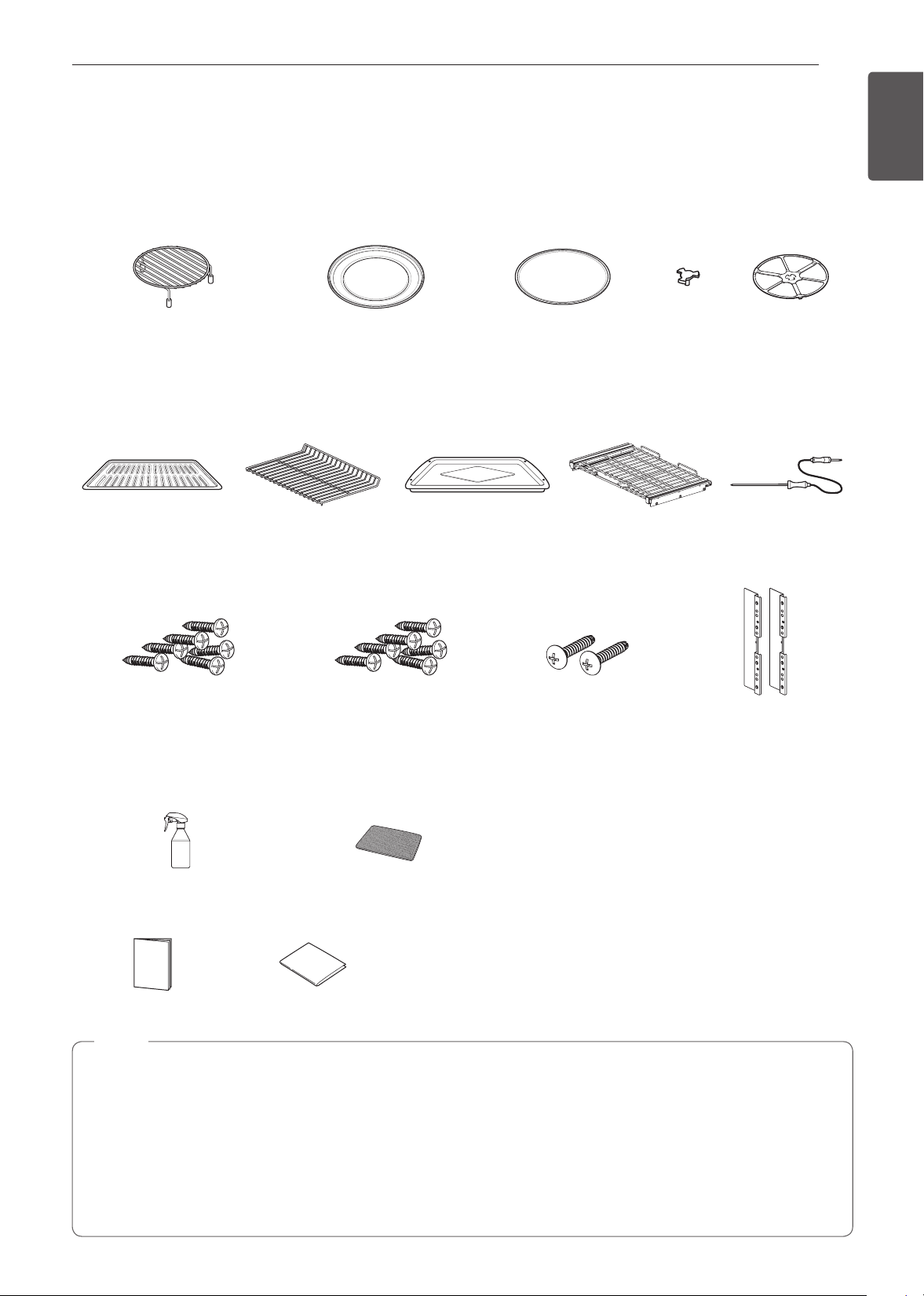
Make sure that all parts are included after purchasing this product.
Accessories for Upper Oven
The turntable rotates in both directions to help food cook more evenly. Do not operate the microwave oven
without the glass tray in place.
Rack
(For the Convection Bake, Broil
and Speed Cook function)
Metal Tray
(For the Convection Bake, Broil
and Speed Cook function)
Glass Tray
(For the Microwave and
Defrost function)
Shaft Rotating Ring
Accessories for Lower oven
Accessories for Cooking
Grid Heavy duty
standard rack
Broiler pan Gliding rack
(2)
Meat probe
Accessories for Installation
4X14
6 wood screws for mounting
(4 needed for installation
and 2 extras)
4X24
6 Wood Screws for Mounting
(for Flush Installation)
4X22
2 Self-Tapping Screws
for Cover Bracket
2 Cover Brackets
for Flush Installation
Accessories for SpeedClean™
Spray bottle (1) Non scratch Scouring Pad (1)
Manuals
Owner’s manual Installation manual
NOTE
•
Contact SIGNATURE KITCHEN SUITE Customer Service if any accessories are missing.
•
For your safety and for extended product life, only use authorized components.
•
The manufacturer is not responsible for product malfunction or accidents caused by the use of separately
purchased, unauthorized components.
•
The images in this guide may be different from the actual components and accessories, which are subject
to change by the manufacturer without prior notice for product improvement purposes.
•
Do not remove gliding racks from the base packing.

14
OPERATION
OPERATION
Control Panel Overview
1 52 63 4
1
Upper Oven Mode Knob
2
Upper Temp Knob
3
LCD Display On/Off
4
LCD Touchscreen for Oven
5
Lower Oven Mode Knob
6
Lower Temp Knob
Display Icons
1 32 4
5 6 7 8 9 10
*Icons appear in display when activated.
1
Lamp Icon (Upper Oven)
Touch to turn light on/off
2
Timer Icon (Upper Oven)
Touch to set a timer
3
Timer Icon (Lower Oven)
Touch to set a timer
4
Lamp Icon (Lower Oven)
Touch to turn light on/off
5
Oven Cooling Icon
Appears during or after oven operation to indicate
cooling fan is running in oven
6
Probe Icon
Appears when probe is connected
7
Auto Conversion Icon
Appears when Convection Auto Conversion is
turned on
8
Wi-Fi Icon
•
Appears when range is connected to Wi-Fi
•
Appears when range is disconnected from
Wi-Fi or is not registered
9
Remote Start Icon
Appears when Remote Start is active
10
Lock Icon
Appears when Lockout is on
15
OPERATION
ENGLISH
Getting Started
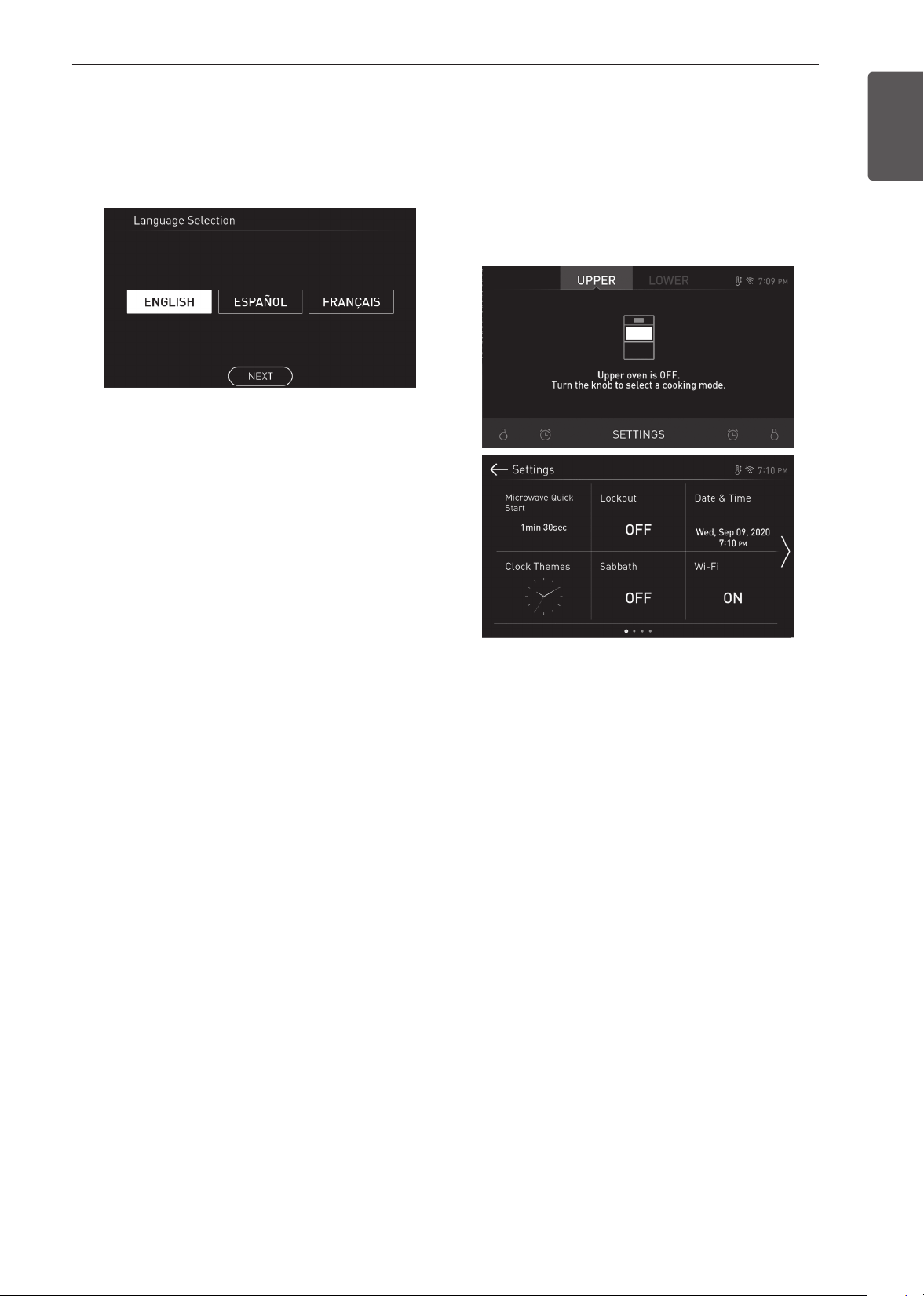
After turning on the range for the first time, adjust the
settings to suit your preferences.
1
Touch POWER on the LCD display.
2
After the startup animation, select the desired
language and touch NEXT.
3
Scroll the fields up or down to set the correct
date, and touch NEXT.
4
Set the correct time of day and choose between
a 12-hour or 24-hour time format. Then touch
NEXT.
5
If desired, change the default clock theme by
swiping through the examples. Then press
NEXT.
6
Read through the application guide in the display
and touch DONE.
7
Turn the oven mode knob.
8
The mode screen appears in the display.
Changing Oven Settings
Settings
To adjust settings after the initial setup, touch the
display to open the Main screen. Touch Settings at
the bottom center of the Main screen.
Swipe the screen or touch the <> arrow keys to
navigate through the Settings screens.
Location of Settings
•
Page 1: Microwave Quick Start, Lockout, Date &
Time, Clock Themes, Sabbath Mode, Wi-Fi Setup
•
Page 2: Remote Start, Brightness, Display,
Convection Auto Conversion, Language Selection,
Volume
•
Page 3: Preheat Alarm Light, Temperature
Adjustment, Temperature Units, Smart Diagnosis™,
Program Update, Demo Mode
•
Page 4: Factory Data Reset, Open Source License
Microwave Quick Start
Use the Microwave Quick Start setting to adjust the
preset cook time that is activated when you press
Start without setting a time. The preset time can be
set from 1 second to 5 minutes.
Setting Cook Time
1
Touch Settings at the center bottom of the main
screen.
2
Touch Microwave Quick Start on the first
Settings screen.
3
Set the cook time.
4
Touch OK.

16
OPERATION
Lockout
The Lockout feature automatically prevents most
oven controls from being turned on. It does not
disable the clock, timer and the interior oven light.
Lock
1
Touch Settings at the center bottom of the Main
screen.
2
Touch Lockout on the first Settings screen.
3
When Lockout is turned on, the lock icon
appears at the top of the display.
Unlock
1
Touch any part of screen while Lockout is on.
2
A popup screen appears. Touch Unlock for 3
seconds.
3
The lock icon disappears from the top of the
display.
Date & Time
The date and time show in the LCD display when the
oven is not in use.
Setting Date
1
Touch Settings at the center bottom of the Main
screen. Then touch Date & Time on the Settings
screen.
2
Touch Date, and scroll to set the correct date.
3
Touch OK.
Setting Time of Day
1
Touch Settings at the center bottom of the Main
screen. Then touch Date & Time on the Settings
screen.
2
Touch Time, and scroll to set the correct hour
and minutes. You can also touch the number
pad icon and enter the desired numbers.
3
Select either a 12-hour or 24-hour clock mode
(12H/24H).
4
Touch OK.
Clock Themes
There are six different clock themes available,
including several analog and digital clocks.
Selecting a Clock Theme
1
Touch Settings at the center bottom of the Main
screen.
2
Touch Clock Themes on the first Settings screen
and swipe to browse through the clock themes.
3
Select a clock theme and touch OK.
Sabbath Mode
Sabbath mode is used on the Jewish Sabbath and
Holidays.
While the oven is in Sabbath mode, the temperature
cannot be changed and the timer, light, and alarm
functions are disabled. Only the cooking mode and
set temperature appear in the display.
NOTE
•
If the oven light is turned ON when the Sabbath
mode is activated, the oven light will stay ON.
If the oven light needs to be OFF, be sure to
turn the oven light OFF before activating the
SABBATH mode. SABBATH mode can only be
used in Bake mode.
Setting Sabbath Mode
1
Disconnect the probe. The Probe function is not
available in Sabbath mode.
2
Touch Settings at the center bottom of the Main
screen, and touch Sabbath in the first Settings
screen.
3
Set the desired temperature and cook time. Any
cook time can be set from 1 minute to 73 hours
59 minutes.
4
To stop Sabbath mode, press POWER on the
LCD display.
NOTE
•
If a cook time is set, the oven turns off
automatically at the end of the cook time,
without chiming. The oven remains in Sabbath
mode, but is turned off.
•
If no cook time is set, the oven will not
automatically turn off.
•
After a power failure, the display will turn back
on in Sabbath mode, but the oven will be off.
•
In Sabbath mode, the upper oven functions
are blocked and the Wi-Fi network cannot be
connected.

17
OPERATION
ENGLISH
Wi-Fi
Connect the appliance to a home Wi-Fi network to
use Remote Start and other smart functions. See the
Smart Functions section for more details.
Setting Up Wi-Fi
1
Touch Settings at the center bottom of the Main
screen, and touch Wi-Fi in the first Settings
screen.
2
Follow the instructions in the Wi-Fi Guide in the
display.
3
Select ON, OFF, or RESET and touch OK.
4
If the product is connected to Wi-Fi and ON is
selected, the Wi-Fi icon appears at the top of
the display.
5
Selecting RESET initializes the IP address.
Remote Start
Remotely starts or stops the preheating function of
the appliance. The appliance must be registered on a
home Wi-Fi network to use Remote Start.
Setting Remote Start
1
Touch Settings at the center bottom of the Main
screen, and touch Remote Start in the first
Settings screen.
2
Select On or Off and touch OK.
3
If ON is selected, the Remote Start icon
appears at the top of the display.
Brightness
Adjust the brightness of the LCD display from 20 % to
100 % in increments of 20 %.
Setting Display Brightness
1
Touch Settings at the center bottom of the Main
screen, swipe to the second Settings screen,
and touch Brightness.
2
Adjust the display brightness by touching and
dragging the dot across the bar, by tapping
anywhere on the bar, or by touching + or –.
3
Touch OK.
Display
Set the length of time before the display sleeps.
There are three options you can select.
•
ON : Always on
•
OFF : Automatically turns off if idle for 30 minutes.
•
Night OFF : Turns off from 10:00 PM to 5:00 AM.
Setting Display Option
1
Touch Settings at the center bottom of the Main
screen, swipe to the second Settings screen,
and touch Display.
2
Select the desired option.
3
Touch OK.
Convection Auto Conversion
There is no need to remember to convert standard
recipe temperatures for convection cooking.
Convection Auto Conversion automatically subtracts
25 °F / 14 °C from the set temperature when a
convection cooking mode is selected. The converted
temperature appears in the display once preheating
is finished.
For example, select Convection Bake and enter 350
°F. The temperature will auto-convert to 325°F and
display the converted temperature.
Convection Auto Conversion is turned ON by default.
Turning Convection Auto Conversion On/Off
1
Touch Settings at the center bottom of the Main
screen, swipe to the second Settings screen,
and touch Convection Auto Conversion.
2
Select ON or OFF.
3
When Convection Auto Conversion is ON, the
icon
appears at the top of the display.
NOTE
If Convection Auto Conversion is ON, the icon
flashes in the display while cooking in a
convection mode.
18
OPERATION
Language Selection
Set the display language to English, Spanish, or
French.
Selecting a Language
1
Touch Settings at the center bottom of the Main
screen, swipe to the second Settings screen,
and touch Language Selection.
2
Select the desired language.
3
Touch OK.
Volume
Adjust the volume of the oven controls.
Setting the Volume
1
Touch Settings at the center bottom of the Main
screen, swipe to the second Settings screen,
and touch Volume.
2
Select Mute, Low, or High.
3
Touch OK.
Preheat Alarm Light
When the oven reaches its set-temperature, the
preheating alarm light flashes 5 times or until the
oven door is opened.
You can turn the preheat alarm light on or off.
Setting the Preheat Alarm
1
Touch Settings at the center bottom of the Main
screen, swipe to the second Settings screen,
and touch Preheat Alarm Light.
2
Select ON or OFF.
3
Touch OK.
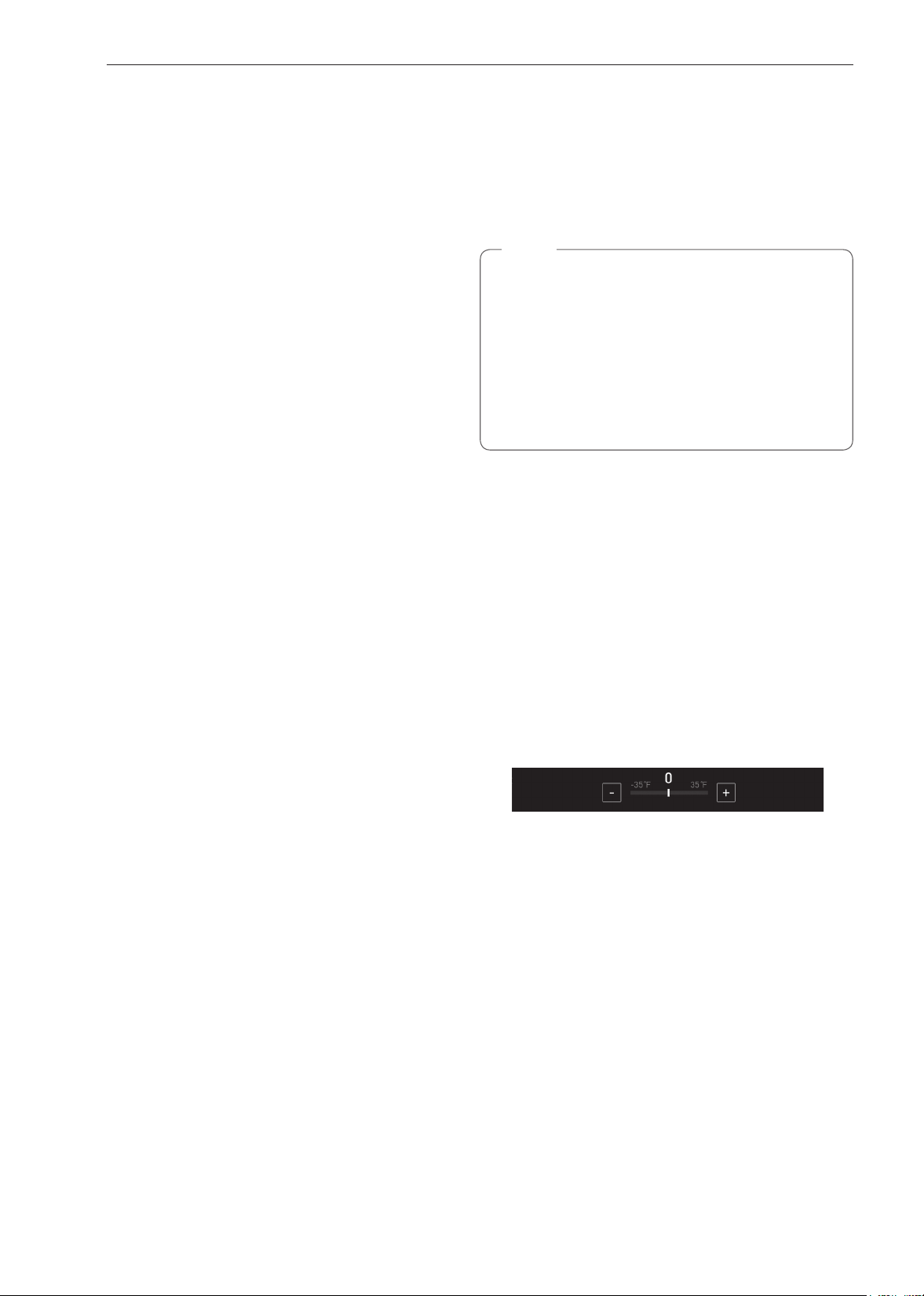
Temperature Adjustment
Your new oven may cook differently than the one
it replaced. Use your new oven for a few weeks to
become more familiar with it before changing the
temperature settings. If after familiarizing yourself with
the new oven, you still think that it is too hot or too
cold, you can adjust the oven temperature yourself.
NOTE
To begin, either raise or lower the thermostat 15
°F (8 °C). Try the oven with the new setting. If the
oven still needs adjustment, raise or lower the
thermostat again, using the first adjustment as a
gauge. For example, if the adjustment was too
much, raise or lower the thermostat 10 °F (5 °C).
If the adjustment was not enough, raise or lower
the thermostat 20 °F (12 °C). Proceed in this way
until the oven is adjusted to your satisfaction.
Adjusting the Thermostat
1
Touch Settings at the center bottom of the Main
screen, swipe to the third Settings screen, and
touch Temperature Adjustment.
2
To make large adjustments, drag the central
indicator toward the + or - ends of the scale
or tap a location on the scale. To make small
adjustments, tap + or - to raise or lower the
thermostat in 1-degree increments. Tap and hold
+ or - to scroll up or down the scale.
3
When the desired change appears above the
range, touch OK.
Temperature Units
Set the oven temperature display to show either
Fahrenheit or Celsius units.
The oven defaults to Fahrenheit unless changed by
the user.
Setting Temperature Units
1
Touch Settings at the center bottom of the Main
screen, swipe to the third Settings screen, and
touch Temperature Units.
2
Select °F or °C.
3
Touch OK.
19
OPERATION
ENGLISH
Smart Diagnosis™
Smart Diagnosis™ can be run through a smartphone
application or by calling for support. Place your
smartphone's mouthpiece near the top left corner of
the screen. See "Smart Diagnosis Function" in the
Smart Functions section for detailed instructions.
1
Touch Settings at the center bottom of the Main
screen, swipe to the third Settings screen, and
touch Smart Diagnosis.
2
Touch START to start the diagnostic tone.
Program Update
Once the appliance is connected to a home Wi-Fi
network, use this setting to check for available
programming updates and install them.
1
Touch Settings at the center bottom of the Main
screen, swipe to the third Settings screen, and
touch Program Update.
2
The display shows available programming
updates. Touch UPDATE to download and install
the new version.
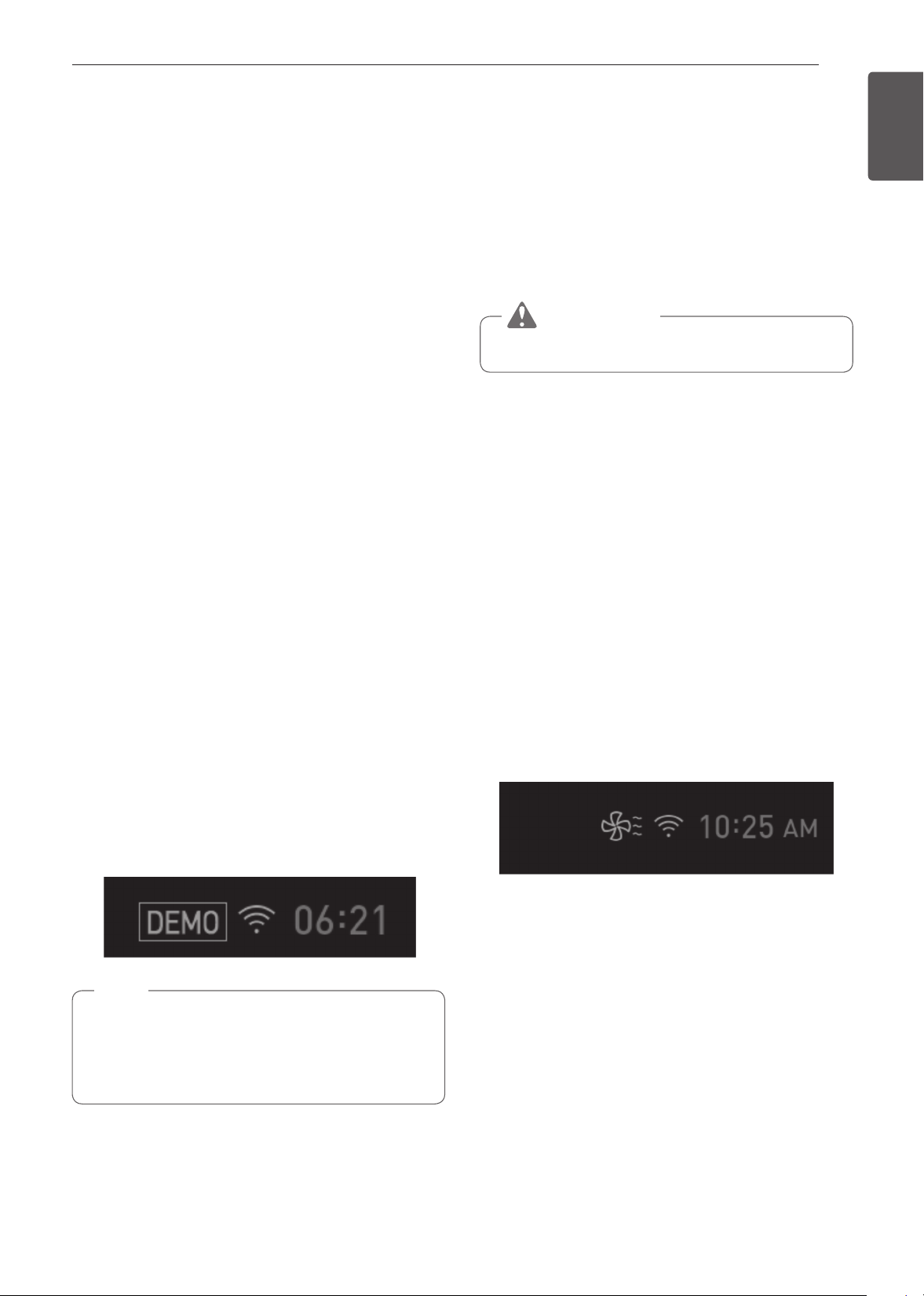
Demo Mode
Demo Mode for showroom use only. The oven will not
heat up.
1
Touch Settings at the center bottom of the Main
screen, and touch Demo Mode on the Settings
screen.
2
Select either the ON or OFF mode.
3
Touch OK.
NOTE
•
When Demo Mode is on, the appliance will not
heat up.
•
The oven Demo Mode icon appears in the
display if the Demo Mode is on.
Factory Data Reset
This function returns all settings to the factory
defaults.
1
Touch Settings at the center bottom of the Main
screen, swipe to the third Settings screen, and
touch Factory Data Reset.
2
If you want to reset data to the factory defaults,
touch RESET and then OK.
WARNING
•
All stored data will be deleted.
Open Source License
This screen displays a list of the open source
software contained in this product. Refer to the
indicated licenses for the terms and conditions of their
use.
1
Touch Settings at the center bottom of the Main
screen and swipe to the fourth Settings screen.
2
Touch Open Source License.
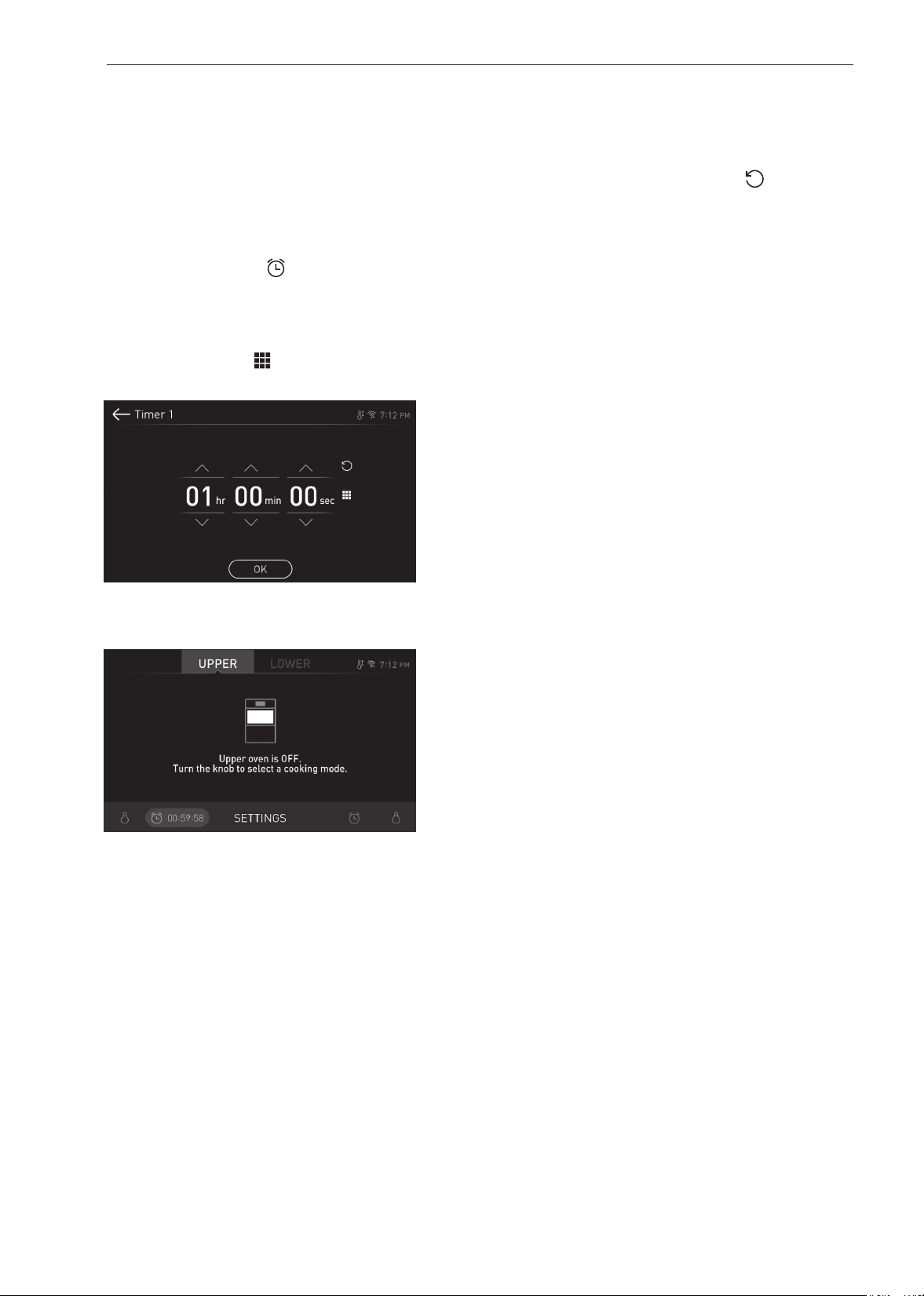
Oven Cooling
The oven cooling icon appears in the display if
the temperature inside the oven is high during or
after operation. The icon disappears if the oven
temperature is below 210°F (100°C).
20
OPERATION
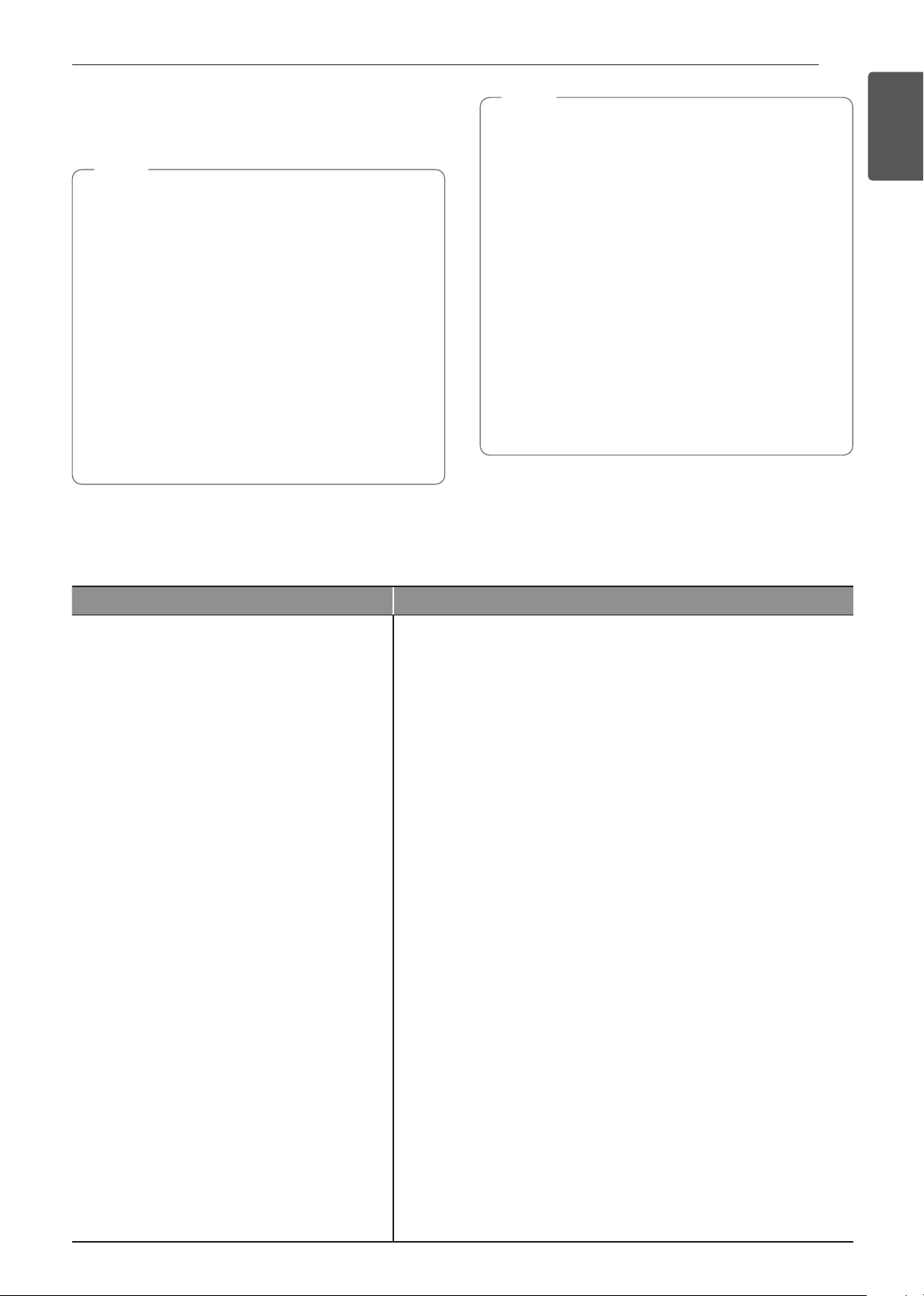
Timer
The oven timers don't affect oven operation or
cooking time. Use them as extra kitchen timers. Once
the time runs out, the oven chimes and "Timer 1 or 2
finished" appears in the display.
Setting the Timer
1
Touch either clock icon at the bottom of the
display.
2
Scroll through the numbers in the popup until
the desired time appears in the display or touch
the number pad icon( ) to enter the numbers
directly and touch OK.
3
The time remaining appears next to the clock
icon in the display.
Adjusting or Cancelling the Timer
1
Touch the remaining time next to the clock icon
in the display.
2
To cancel the timer, touch Reset ( ) in the
popup. Then touch OK.
3
To adjust the time, scroll the numbers in the
popup until the desired time appears. Then
touch OK.
4
The remaining time in the display is adjusted.
21
OPERATION
ENGLISH Using the Upper Oven
Using the Upper Oven
Before Using the Upper Oven
NOTE
•
To avoid risk of personal injury or property
damage, do not use stoneware, metal cookware,
or metal rimmed cookware in the oven.
•
To program the oven, make sure you touch
the center of each key firmly since the areas
between the keys will not activate the oven.
A tone will sound each time a key is touched
correctly. Don’t touch several keys at once.
•
Do not strike the control panel with silverware,
cookware, etc. Breakage may occur.
•
Always use caution when taking cookware out
of the oven. Some dishes absorb heat from the
cooked food and may be hot. See Cookware
Guide earlier in this section for more information.
NOTE
•
Do not rinse containers by placing them in water
immediately after cooking. This may cause
breakage. Also, always allow the turntable to
cool before removing it from the oven.
•
Never operate the oven when it is empty. Food
or water should always be in the oven during
operation to absorb the microwave energy.
•
Do not use the oven to dry newspapers or
clothes. They may catch fire.
•
Use thermometers that have been approved for
microwave oven cooking.
•
The turntable must always be in place when
you operate the oven.
•
Do not use your microwave oven to cook eggs
in the shell. Pressure can build up inside the
shell, causing it to burst.
Upper Oven Light
1
Touch Upper Light to turn the upper oven light
on or off.
Microwave Cookware Guide
Use Do Not Use
OVENPROOF GLASS
(treated for high intensity heat):
utility dishes, loaf dishes, pie plates, cake
plates, liquid measuring cups, casseroles and
bowls without metallic trim.
CHINA:
bowls, cups, serving plates, and platters
without metallic rims.
PLASTIC:
Plastic wrap (as a cover)- lay the plastic wrap
loosely over the dish and press it to the sides.
Vent plastic wrap by turning back one edge
slightly to allow excess steam to escape. The
dish should be deep enough so that the plastic
wrap will not touch the food. As the food heats
it may melt the plastic wrap wherever the wrap
touches the food.
Use plastic dishes, cups, semi-rigid freezer
containers and plastic bags only for short
cooking time. Use these with care because the
plastic may soften from the heat of the food.
PAPER:
Paper towels, waxed paper, paper napkins,
and paper plates with no metallic rim or design.
Check the manufacturer's label before using in
the microwave oven.
NOTE:
Do not use recycled paper products in the
microwave oven. They sometimes contain
impurities that cause arcing and sparking.
METAL CONTAINERS:
Metal shields the food from microwave energy and produces
uneven cooking. Also avoid metal skewers, thermometers, or foil
trays. Metal containers can cause arcing, which can damage the
microwave oven.
METAL DECORATION:
Metal-rimmed or metal-banded dinnerware, casserole dishes, etc.
The metal rim interferes with normal cooking and may damage the
oven.
ALUMINUM FOIL:
Avoid large sheets of aluminum foil because they hinder cooking
and may cause harmful arcing. Use small pieces of foil to shield
poultry legs and wings. Keep ALL aluminum foil at least 1 inch from
the side walls and door of the oven.
WOOD:
Wooden bowls and boards will dry out and may split or crack when
you use them in the microwave oven. Baskets react in the same way.
TIGHTLY COVERED COOKWARE:
Be sure to leave openings for steam to escape from covered
containers. Pierce plastic pouches of vegetables or other food
items before cooking. Tightly closed pouches could explode.
BROWN PAPER:
Avoid using brown paper bags.
They absorb too much heat and could burn.
FLAWED OR CHIPPED COOKWARE:
Any container that is cracked, flawed, or chipped may break in the
oven.
METAL TWIST TIES:
Remove metal twist ties from plastic or paper bags.
They become hot and could cause a fire.

22
OPERATION
Bone and Fat Content of Food
Bones conduct heat and fat cooks more quickly than
meat. Care must be taken when cooking bony or fatty
cuts of meat in order to prevent unevenly cooked or
overcooked meat.
Quantity of Food
The number of microwaves in your oven remains
constant regardless of how much food is being
cooked. Therefore, the more food you place in the
oven, the longer the required cooking time.
Remember to decrease cooking times by at least one
third when halving a recipe.
Shape of Food
Microwaves penetrate only about 3/4 of an inch
(2 cm) into food. The interior portion of thick foods is
cooked as the heat generated on the outside travels
inward. Only the outer edge of food is cooked by
microwave energy; the rest is cooked by conduction.
The worst possible shape for a food that is to be
microwaved is a thick square.
The corners will burn long before the center is even
warm. Round thin foods and ring-shaped foods cook
most successfully in the microwave.
Covering
A cover traps heat and steam which causes food to
cook more quickly. Use a lid or microwave cling film
with a corner folded back to prevent splitting.
Covering with Parchment Paper
Parchment paper (not waxed paper) is microwave
safe. Because it makes a looser cover than a lid or
clingfilm, greaseproof paper allows the food to dry out
slightly.
Stirring
Stirring is one of the most important of all microwaving
techniques. In conventional cooking, food is stirred for
the purpose of blending. Microwaved food, however,
is stirred in order to spread and redistribute heat.
Always stir from the outside towards the centre as the
outside of the food heats first.
Placing Thicker Portions Facing Outward
Place thicker cuts or portions of meat, poultry, and
fish toward the outer edge of the baking dish so they
absorb the most microwave energy and the food
cooks more evenly.
Microwave Cooking Tips
Keeping an Eye on Things
Always watch your food while it cooks. The light
inside the upper oven turns on automatically when
the oven is cooking so you can monitor the cooking
process. Directions given in recipes to elevate, stir,
and the like should be thought of as the minimum
steps recommended. If the food seems to be cooking
unevenly, simply make the necessary adjustments
you think appropriate to correct the problem.
Factors Affecting Microwave Cooking Times
Many factors affect cooking times. The temperature
of ingredients used in a recipe makes a big difference
in cooking times. For example, a cake made with
ice-cold butter, milk, and eggs will take considerably
longer to bake than one made with ingredients that
are at room temperature. Some recipes, particularly
those for bread, cake, and custards, recommend that
food be removed from the oven when they are slightly
undercooked.
This is not a mistake. When allowed to stand, usually
covered, these foods will continue to cook outside of
the oven as the heat trapped within the outer portions
of the food gradually travels inward. If the food is left
in the oven until it is cooked all the way through, the
outer portions will become overcooked or even burnt.
Practice will improve your ability to estimate both
cooking and standing times for various foods.
Density of Food
Light, porous food such as cakes and breads cook
more quickly than heavy, dense foods such as
roasts and casseroles. You must take care when
microwaving porous food so that the outer edges do
not become dry and brittle.
Height of Food
The upper portion of tall foods, particularly roasts, will
cook more quickly than the lower portion.
Therefore, it is wise to turn tall food several times
during cooking.
Moisture Content of Food
Because the heat generated from microwaves
causes moisture to evaporate, relatively dry food
such as roasts and some vegetables should either
be sprinkled with water prior to cooking or covered to
retain moisture.
23
OPERATION
ENGLISH Using the Upper Oven
Shielding
Strips of aluminium foil (which block microwaves)
can be placed over the corners or edges of square
and rectangular foods to prevent those portions from
overcooking. Never use too much foil and make sure
the foil is secured to the dish or it may cause arcing
in the oven, especially if the foil passes too closely to
the walls of the oven during rotation.
Elevating
Thick or dense foods can be elevated so that
microwaves can be absorbed by the underside and
center of the foods.
Piercing
Foods enclosed in a shell, skin or membrane are
likely to burst in the oven unless they are pierced
prior to cooking. Such foods include yolks and whites
of eggs, clams, oysters, potatoes, and other whole
vegetables and fruits.
Testing if Cooked
Microwaves cook food quickly, so test food for
doneness frequently. Some foods are left in the
microwave until completely cooked, but most foods,
including meats and poultry, should be removed from
the oven while still slightly undercooked and allowed
to finish cooking during standing time. The internal
temperature of foods will rise between 5 °F (3 °C) and
15 °F (8 °C) during standing time.
Microwave Power Levels
This upper oven is equipped with 10 power levels to
give you maximum flexibility and control over cooking.
See the table for suggested power levels for various
foods.
Microwave Power Levels Chart
Power
Level
Use
10
•
Boiling water.
•
Browning ground beef.
•
Making candy.
•
Cooking poultry pieces, fish, &
vegetables.
•
Cooking tender cuts of meat.
9
•
Reheating rice, pasta, & vegetables.
8
•
Reheating prepared foods quickly.
•
Reheating sandwiches.
7
•
Cooking egg, milk and cheese dishes.
•
Melting chocolate.
6
•
Cooking veal.
•
Cooking whole fish.
•
Cooking puddings and custard.
5
•
Cooking ham, whole poultry and lamb.
•
Cooking rib roast and sirloin tip.
4
•
Thawing meat, poultry and seafood.
3
•
Cooking less tender cuts of meat.
•
Cooking pork chops and roasts.
2
•
Taking chill out of fruit.
•
Softening butter.
1
•
Keeping casseroles and main dishes
warm.
•
Softening butter and cream cheese.

24
OPERATION
Cooking at High Power Level
1
Turn the Oven Mode knob to select the
Microwave mode.
2
Touch numbers to set the cook time.
3
Touch Start to start cooking.
•
When the cook time is over a melody sounds
and End of Cooking displays.
Cooking at Lower Power Levels
HIGH power cooking does not always give the best
results with foods that need slower cooking, such as
roasts, baked goods, or custards. The oven has 9
power settings in addition to HIGH.
1
Turn the Oven Mode knob to select the
Microwave mode.
2
Set the cook time in the display.
3
Set the power level in the display.
4
Touch Start to start cooking.
•
When the cook time is over a melody sounds
and End of Cooking displays.
To Stop Cooking
1
Touch Stop in the display and select Yes, or turn
the Mode knob to the OFF position.
+30 seconds
Use this to quickly add 30 seconds to microwave
cooking time.
To use, touch +30 sec at the bottom left side of the
screen.
Defrost
The oven has 4 preset defrost cycles. The defrost
feature provides the best defrosting method for frozen
foods. The Defrost Table shows the suggested defrost
cycle for various foods.
The Defrost function conveniently chimes partway
through the defrost cycle to remind you to check, turn
over, separate, or rearrange the food for best results.
1 Meat
2 Poultry
3 Fish
4 Bread
Setting the Defrost Function
1
Turn the Oven Mode knob to select the Defrost
mode.
2
Set the type of food in the display.
3
Set the weight in the display.
4
Touch Start to start defrosting.
To Stop Cooking
1
Touch Stop in the display, and select Yes, or turn
the Mode knob to OFF position.
NOTE
•
The countdown appears in the display after
START is pressed. The oven chimes once,
partway through the defrost cycle.
•
At the chime, open the oven door and turn the
food over. Remove any food that has thawed.
Return the still frozen items to the oven and
touch Start to complete the defrost cycle.
25
OPERATION
ENGLISH Using the Upper Oven
Weight Conversion Table
Most food weights are given in pounds and ounces.
If using pounds, food weights must be entered
into Auto Defrost in pounds and tenths of pounds
(decimals).
Use the following table if necessary to convert food
weights to decimals.
Equivalent Weight
OUNCES
1.6
3.2
4.8
6.4
8.0
9.6
11.2
12.8
14.4
16.0
DECIMAL WEIGHT
.10
.20
.30
.40
.50 One-Half Pound
.60
.70
.80
.90
1.00 One Pound
Defrost Table
Category Food to be Defrosted
Meat
0.1 - 6.0 lbs
Beef
Ground beef, round steak, stew
cubes, tenderloin steak, pot roast,
rib roast, rump roast, chuck roast,
hamburger patties
Lamb
Chops, rolled roast
Pork
Chops, hotdogs, spareribs,
country-style ribs, rolled roast,
sausage
Veal
Cutlets (1 lb, ½ inch thick)
When BEEP, turn food over.
After defrosting, let stand for 5 - 15
minutes.
Poultry
0.1 - 6.0 lbs
Poultry
Whole, cut-up, breast (boneless).
Rinse chicken cavity with tap
water and let stand for 60 minutes
after cooking for better results.
Cornish Hens
Whole
Turkey
Breast
When BEEP, turn food over.
After defrosting , let stand for 60
minutes.
Fish
0.1 - 4.0 lbs
Fish
Fillets, whole steaks
Shellfish
Crab meat, lobster tails, shrimp,
scallops
When BEEP, turn food over.
After defrosting, let stand for 5 - 10
minutes.
Bread
0.1 - 2.0 lbs
Sliced bread, buns, baguettes, etc.
Separate slices and place between
paper towels or on flat plate.
When BEEP, turn food over.
After defrosting, let stand for 1 - 2
minutes.

26
OPERATION
Defrosting Tips
•
When using Defrost, the weight to be entered is
the net weight in pounds and tenths of pounds (the
weight of the food minus the container).
•
Before starting, remove the metal twist-ties which
often come with frozen food bags, and replace
them with strings or elastic bands.
•
Open containers such as cartons before they are
placed in the oven.
•
Remove fish, shellfish, meat, and poultry from
its original wrapping paper or plastic package.
Otherwise, the wrap will hold steam and juice close
to the foods, which can cause the outer surface of
the foods to cook.
•
If food is foil wrapped, remove foil and place the
food in a suitable container.
•
Slit the skins, if any, of frozen food such as
sausage.
•
Bend plastic pouches of food to ensure even
defrosting.
•
Place foods in a shallow container or in a
microwave roasting dish to catch the drippings.
•
Always underestimate defrosting time. Food
should still be somewhat icy in the center when
removed from the oven. If defrosted food is still icy
in the center, return it to the upper oven for more
defrosting.
•
The length of defrosting time varies according to
how solidly the food is frozen.
•
Depending on the shape of the food, some areas
may defrost more quickly than others.
•
The shape of the package affects how quickly food
will defrost. Shallow packages will defrost more
quickly than a deep block.
•
As food begins to defrost, separate the pieces to
defrost them more easily.
•
Turn over food during defrosting or standing time.
Break apart and remove food as required.
•
For best results, shape ground meat into the form
of a doughnut before freezing. When defrosting,
scrape off thawed meat when the beep sounds and
continue defrosting.
•
Use small pieces of aluminum foil to shield parts
of food such as chicken wings, leg tips, fish tails,
or areas that start to get warm. Make sure the foil
does not touch the sides, top, or bottom of the
oven. The foil can damage the oven lining.
•
For better results, let food stand after defrosting.
Sensor Operation
Sensor Cook reheats favorite foods without selecting
cooking times and power levels.
The oven automatically determines required cooking
time for each food item. When the internal sensor
detects a certain amount of humidity coming from
the food, it tells the oven how much longer to heat.
The display shows the remaining heating time. For
best results when sensor cooking, follow these
recommendations.
•
Food cooked with the sensor system should be at
normal storage temperature.
•
The glass tray and the outside of the container
should be dry to assure best cooking results.
•
Foods should always be covered loosely with
microwavable plastic wrap, waxed paper, or a lid.
•
Do not open the door during the sensing time.
When sensing time is over, the oven beeps and the
remaining cooking time will appear in the display
window.
At this time you can open the door to stir, turn, or
rearrange the food.
Appropriate containers and coverings help assure
good sensor cooking results.
•
Always use microwavable containers and cover
them with lids or vented plastic wrap.
•
Never use tight-sealing plastic covers. They can
prevent steam from escaping and cause food to
overcook.
•
Match the amount to the size of the container.
Fill containers at least half full for best results.
•
Be sure the outside of the cooking container and
the inside of the upper oven are dry before placing
food in the oven. Beads of moisture turning into
steam can mislead the sensor.
27
OPERATION
ENGLISH Using the Upper Oven
Sensor Cook Table
•
The Sensor Cook function has preprogrammed settings to automatically sensor reheat certain foods.
Category Weight Cookware Food Temp. Instructions
1. Beverage 1-2 cups
(240 ml per
cup)
Mug or
microwave-
safe cup on
the glass tray
Room
Use microwave safe mug or cup without covering.
After cooking, stir to complete reheating.
(Be careful! The beverage will be very hot. Sometimes
liquids heated in cylindrical containers will splash out
unexpectedly when the cup is moved.)
2. Casserole 10-20 oz Microwave-
safe bowl on
the glass tray
Refrigerated Use microwave safe bowl.
Cover container with vented plastic wrap.
After cooking, let stand for 3 minutes.
3. Chicken 16-20 oz Microwave-
safe bowl on
the glass tray
Refrigerated Use microwave safe bowl.
Cover container with vented plastic wrap.
After cooking, let stand for 3 minutes.
4. Pasta ½-2 cups Microwave-
safe bowl on
the glass tray
Refrigerated Use microwave safe bowl.
Cover container with vented plastic wrap.
After cooking, let stand for 3 minutes.
5. Pizza 1-3 slices Microwave-
safe plate on
the glass tray
Refrigerated This is a reheat function for leftover pizza.
Use microwave safe plate without covering.
6. Plate of food 1 serving Microwave-
safe plate on
the glass tray
Refrigerated Use microwave safe plate.
Cover container with vented plastic wrap.
After cooking, let stand for 3 minutes.
7. Rice ½-2 cups Microwave-
safe bowl on
the glass tray
Refrigerated Use microwave safe bowl.
Cover container with vented plastic wrap.
After cooking, let stand for 3 minutes.
8. Soup 1-4 cups Microwave-
safe bowl on
the glass tray
Room Use microwave safe bowl.
Cover container with vented plastic wrap.
After cooking, let stand for 3 minutes.
9. Vegetable 1-4 cups Microwave-
safe bowl on
the glass tray
Refrigerated Use microwave safe bowl.
Cover container with vented plastic wrap.
After cooking, let stand for 3 minutes.
Using Sensor Cook
Use Sensor Cook to heat common microwave-
prepared foods without needing to program times and
power levels. Sensor Cook has preset programs for 9
food categories. See the Sensor Cook table for more
information.
Setting the Sensor Cook Function
1
Turn the Oven Mode knob to select the Sensor
Cook mode.
2
Touch a category to filter the options.
3
Touch Start.
•
When the cook time is over a melody sounds
and End of Cooking displays.
To Stop Cooking
1
Touch Stop in the display and select Yes, or turn
the Mode knob to the OFF position.
28
OPERATION
Convection Bake
During Convection Bake, a heating element is used
to raise the temperature of the air inside the oven.
Convection cooking temperature ranges from 100 °F
to 450 °F.
It is best to preheat the oven when convection cooking.
NOTE
Reduce oven temperature by 25 °F from the
temperature recommended on packaged foods.
The baking time may vary according to the food
condition or individual preference.
Setting the Convection Bake Function
1
Turn the Oven Mode knob to select the Conv.
Bake mode.
2
Set the temperature. Turn the Temp knob
clockwise/counterclockwise, scroll through the
numbers on the display, or touch the number pad
icon to enter the numbers directly.
3
If desired, set the cook time.
4
Touch Start. The oven starts to preheat.
5
If the cook time is set, the remaining time
appears in the display.
6
A chime sounds once preheating is complete.
7
A chime sounds at the end of the set cook time
and a notification appears in the display. Open
the oven door and remove the food.
Changing the Convection Bake Settings
1
Touch Edit in the display to bring up the Cook
Settings screen.
2
Adjust the settings.
3
Touch Start.
To Stop Cooking
1
Touch Stop in the display and select Yes, or turn
the Mode knob to the OFF position.
NOTE
•
When the oven reaches the set preheat
temperature, a melody will sound. The oven
automatically holds that temperature for 30
minutes.
•
The oven temperature drops very quickly when
the door is opened; however, this should not
prevent food from being fully cooked during
normal cooking time.
Broil
This feature will allow you to brown and crisp food
quickly. There is no need for preheating.
Setting the Broil Function
1
Turn the Oven Mode knob to select the Broil
mode.
2
Set the cook time in the display.
3
Touch Start. The oven begins to heat.
Changing the Broil Settings
1
Touch Edit in the display to bring up the Cook
Settings screen.
2
Adjust the settings.
3
Touch Start.
To Stop Cooking
1
Touch Stop in the display and select Yes, or turn
the Mode knob to the OFF position.
CAUTION
Always use oven gloves when removing the food
and accessories after cooking as the oven &
accessories will be very hot.
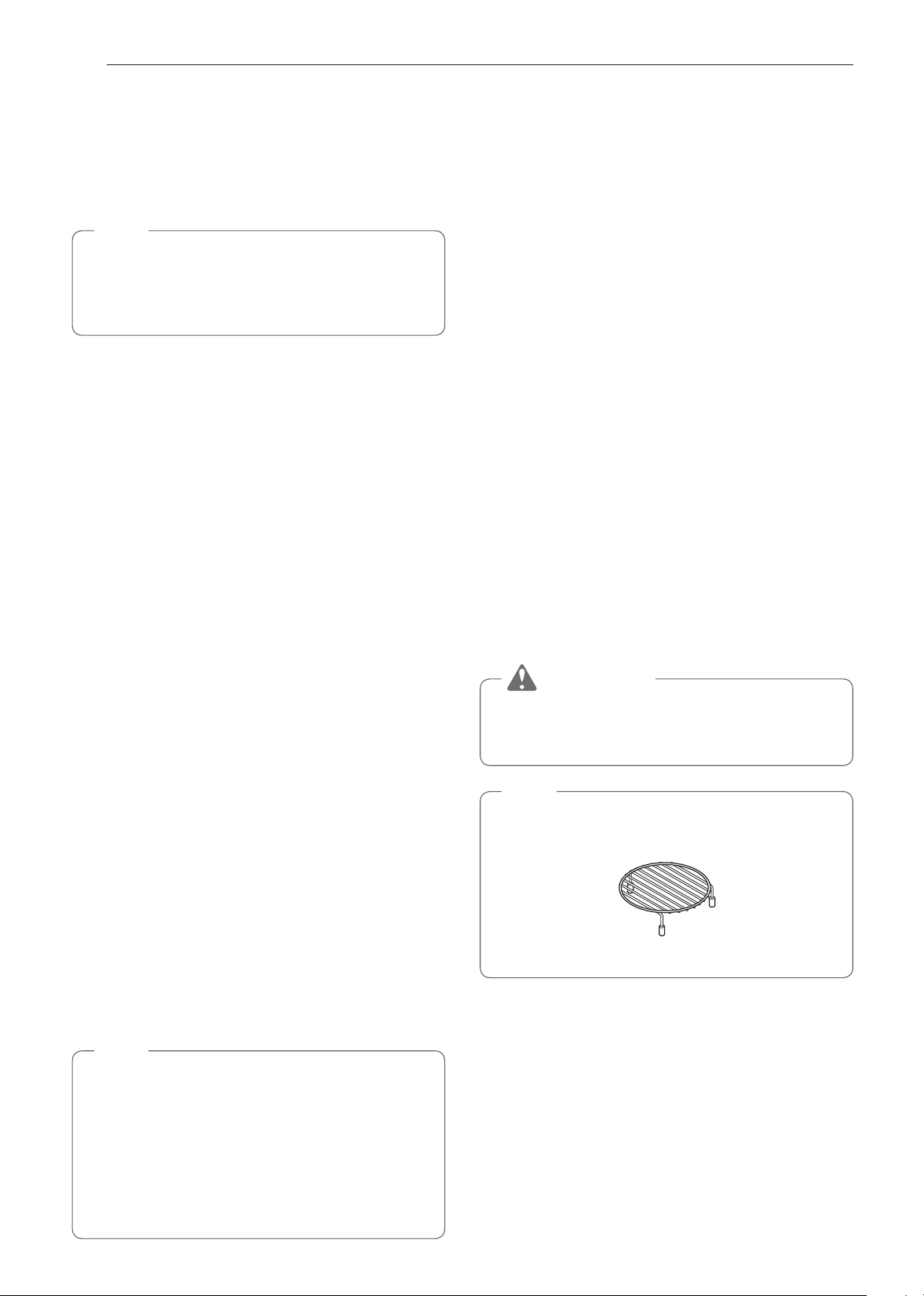
NOTE
For best results, use the rack when broiling in the
upper oven.
Rack
29
OPERATION
ENGLISH Using the Upper Oven
Speed Cook
This feature uses power from a halogen light, heaters,
and microwaves simultaneously to allow quick
cooking.
NOTE
Power levels only can be selected from 1 to 4.
Each power level gives you heater power and
microwave energy for a certain percentage of the
time.
CAUTION
When using Speed Cook function, remember that
the oven, door and dishes will be very hot.
Setting the Speed Convection Function
Use this mode for roasted meat, roasted chicken,
roasted vegetables, frozen pizza, cake, pies and
breads.
1
Turn the Oven Mode knob to select the Speed
Cook mode.
2
Touch SPEED CONVECTION.
3
Set the power level in the display.
4
Set the temperature. Turn the Temp knob
clockwise/counterclockwise, scroll through the
numbers on the display, or touch the number
pad icon to enter the numbers directly.
5
Set the cook time. Touch the arrow key on the
right side of the display to set the cook time.
6
Touch Start. The oven begins to heat.
Setting the Speed Broil Function
Use this mode for steaks, chicken fillets, fish or
seafood.
1
Turn the Oven Mode knob to select the Speed
Cook mode.
2
Touch Speed Broil.
3
Set the power level in the display.
4
Set the cook time in the display.
5
Touch Start. The oven begins to heat.
Changing the Speed Cook Settings
1
Touch Edit in the display to bring up the Cook
Settings screen.
2
Adjust the settings.
3
Touch Start.
To Stop Cooking
1
Touch Stop in the display and select Yes, or turn
the Mode knob to the OFF position.
Auto Cook
Use Auto Cook to heat common prepared foods
without selecting cooking times and power levels.
Auto Cook has preset programs for 28 food functions.
Setting Auto Cook Function
1
Turn the Oven Mode knob to select Auto Cook
mode.
2
Touch a category to filter the options.
3
Scroll through or tap the letters to find and select
an item.
4
Follow the recommendations in the display
regarding accessories.
5
Touch Start.
30
OPERATION
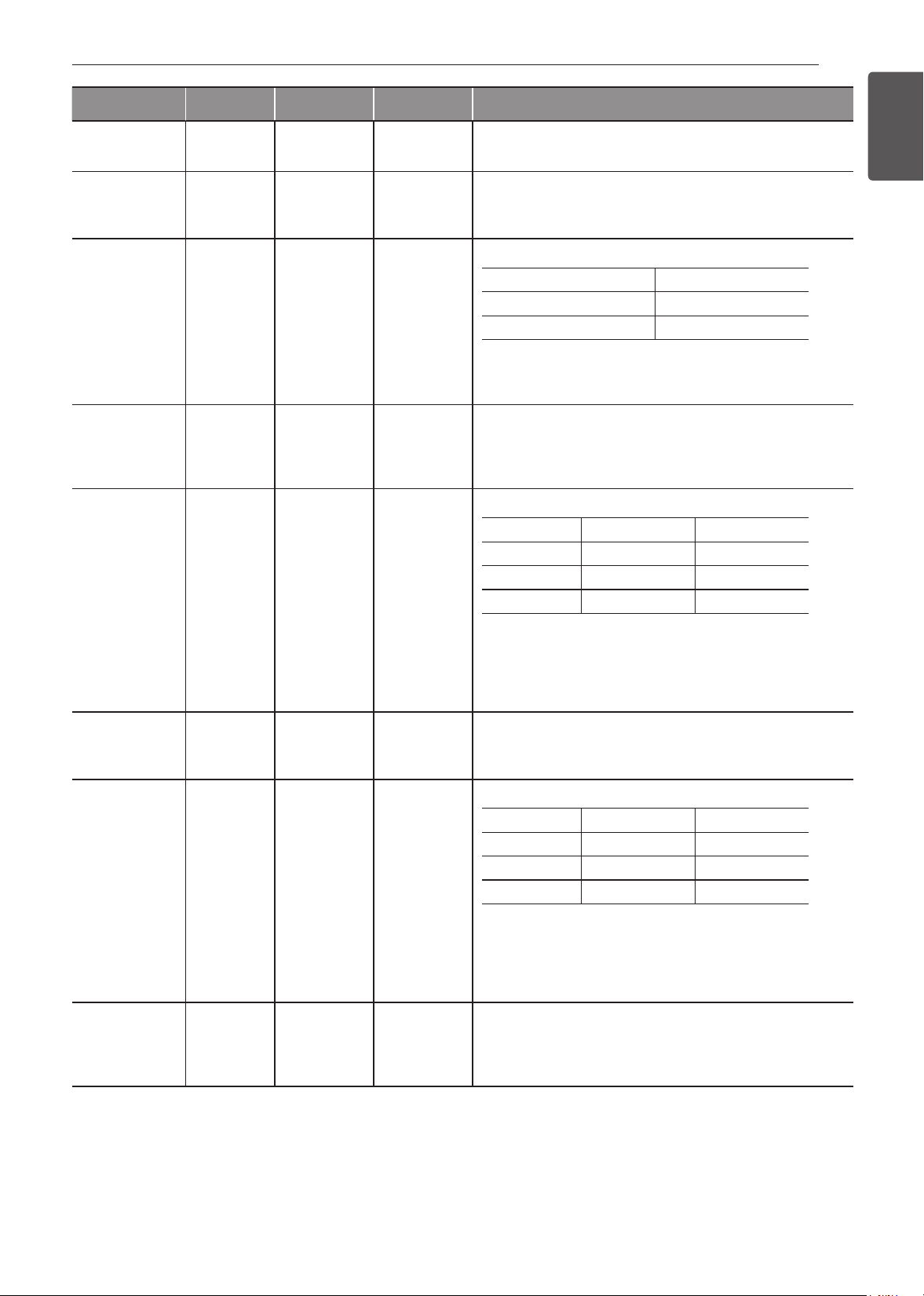
Auto Cook Table
Category Weight Cookware Food Temp. Instructions
1.
Bacon
(regular
sliced)
3-4
5-6
slices
Microwave-
safe bacon
rack or plate
on the glass
tray.
Refrigerated Place bacon slices on a microwave rack for best results.
Use a plate lined with paper towels if rack is not available.
2.
Bagels
(frozen)
1, 2-3 bagels Metal tray Frozen
3.
Baked
potatoes
(7-9 oz/ea)
1, 2, 3-4
potatoes
Metal tray Room Pierce each potato several times with a fork.
4.
Brownie 8″ X 8″
9″ X 13″
Microwave-
safe bowl on
the glass tray
Room Spray microwave-safe glass or silicone bakeware with cooking
spray.
Pour batter into bakeware, spreading it evenly.
After cooking, Allow to rest for a few minutes.
5.
Cod fillets
(1 lb)
- Metal tray Refrigerated Brush with oil and season with salt and pepper.
Turn food over at the beep.
6.
Corn dog
(frozen)
1-2, 3-4 Metal tray Frozen
7.
Fresh
vegetable
4-6, 7-9,
10-12, 13-15,
16-20 oz
Microwave-
safe bowl on
the glass tray
Refrigerated Add water according to the quantity.
•
4-12 oz : add 2 tbsp water
•
13-20 oz : add 4 tbsp water
Cover with vented plastic wrap.
After cooking, stir and let stand for 3 minutes.
8.
Frozen
chicken
nuggets
1-2, 3-4
servings
(3.5 oz/100 g
per serving)
Metal tray Frozen Turn food over at the beep.
9.
Frozen
chicken
wings
1-2, 3-4
servings
(3.5 oz/100 g
per serving)
Metal tray Frozen Turn food over at the beep.
10.
Frozen fries 1-2, 3-4
servings
(3.5 oz/100 g
per serving)
Metal tray Frozen Turn food over at the beep.
11.
Frozen pizza
(regular
crust)
Individual (6″)
Regular (12″)
Metal tray Frozen
12.
Frozen soft
pretzels
1, 2, 3-4
pretzels
Metal tray Frozen
13.
Frozen
Pretzels
4-6, 7-9,
10-12, 13-15,
16-20 oz
Microwave-
safe bowl on
the glass tray
Frozen Add water according to the quantity.
•
4-12 oz : add 2 tbsp water
•
13-20 oz : add 4 tbsp water
Cover with vented plastic wrap.
After cooking, stir and let stand for 3minutes.
14. Frozen
Garlic Bread
1-2, 3-4, 5-6
pieces
Metal tray Frozen Turn food over at the beep.
31
OPERATION
ENGLISH Using the Upper Oven
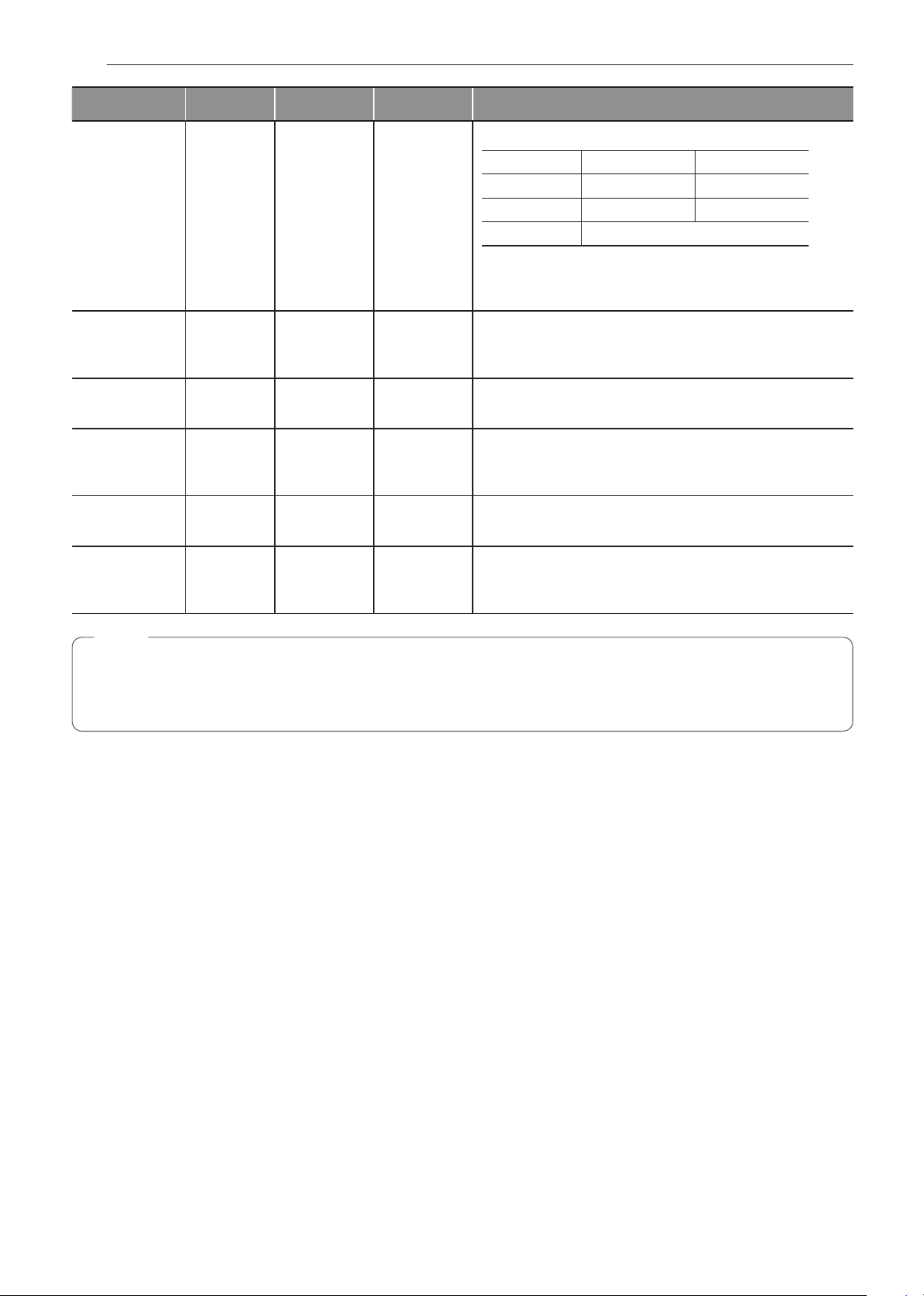
Category Weight Cookware Food Temp. Instructions
15. Hamburger
(1/2″ thick)
2, 3-4, 5-6
patties
Metal tray Refrigerated Turn food over at the beep.
16. Lamb chops
(1/2″ thick,
6-7 oz)
1, 2, 3-4
chops
Metal tray Refrigerated Brush with oil and season with salt and pepper.
Turn food over at the beep.
17. Meat loaf
(9″ X 5″)
- Microwave-
safe glass
or silicone
bakeware on
the glass tray
Refrigerated Ingredients
Ground meat 800 g
Egg (refrigerating temp.) 115 g
Salt 2 g
Cooking
Place meat mixture into microwave-safe 9"x5" glass or silicone
bakeware.
18. Nachos 1-3, 4-6
servings
(8 ea /
1 serving)
Metal tray Room
19. Oatmeal 1, 2 servings Large
microwave-
safe bowl on
the glass tray
Room Ingredients
1 serving 2 servings
Oats ½ cup (40 g) 1 cup(80 g)
Water or Milk 1 cup (230 g) 1 ½ cups (345 g)
Salt (Optional) Dash 1/8 tsp
Cooking
Combine water or milk, salt and oats in a large microwave-
safe bowl.
Cover with vented plastic wrap.
After cooking, let stand for 3 minutes.
20. Pork chops
(1/2″ thick,
6-7 oz)
1, 2, 3-4
chops
Metal tray Refrigerated Brush with oil and season with salt and pepper.
Turn food over at the beep.
21. Quinoa 1, 2 servings Large
microwave-
safe bowl on
the glass tray
Room Ingredients
1 serving 2 servings
Quinoa ½ cup (40 g) 1 cup (80 g)
Water or Milk 1 cup (230 g) 1 ½ cups (345 g)
Salt (Optional) Dash 1/8 tsp
Cooking
Combine water or milk, salt and quinoa in a large microwave-
safe bowl.
Cover with vented plastic wrap.
After cooking, let stand for 3 minutes.
22. Ribeye
steak
(1″ thick,
14-15 oz)
1, 2 steaks Metal tray Refrigerated Brush with oil and season with salt and pepper.
Turn food over at the beep.
32
OPERATION
Category Weight Cookware Food Temp. Instructions
23. Rice ½, 1 cup Deep and large
microwave-
safe bowl on
the glass tray
Room Ingredients
½ cup 1 cup
Rice ½ cup (96 g) 1 cup (192 g)
Water 1 cup (230 g) 2 cups (460 g)
Salt Optional
Cooking
Cover with vented plastic wrap.
After cooking, let stand for 5-10 minutes.
24. Salmon
steak
(1″ thick)
1, 2, 3-4
steaks
Metal tray Refrigerated Brush with oil and season with salt and pepper.
Turn food over at the beep.
25. Sausage 1-6 , 7-14
links
Metal tray Refrigerated Turn food over at the beep.
26. Sirloin steak
(1″ thick,
18-21 oz)
1, 2 steaks Metal tray Refrigerated Brush with oil and season with salt and pepper.
Turn food over at the beep.
27. Tenderloin ¾ , 1 ½ lb Metal tray Refrigerated Brush with oil and season with salt and pepper.
Turn food over at the beep.
28. Canned
vegetable
4-6, 7-9,
10-12, 13-15,
16-20 oz
Microwave-
safe bowl on
the glass tray
Room Transfer canned vegetables to microwave-safe bowl.
Cover with vented plastic wrap.
After cooking, stir and let stand for 3 minutes.
NOTE
•
Do not use recycled paper products in the upper oven.
They sometimes contain impurities that cause arcing and sparking.
•
NEVER use paper products in the convection oven.

33
OPERATION
ENGLISH Using the Upper Oven
Soften
The oven uses low power to soften foods such as
butter, cream cheese, frosting, and ice cream.
See the following table.
Setting the Soften Function
1
Turn the Oven Mode knob to select the Soften/
Melt mode.
2
Touch SOFTEN.
3
Set the type of food in the display.
4
Set the weight in the display.
5
Touch Start.
•
When the cook time is over a melody sounds
and End of Cooking displays.
Soften Table
Category Weight Cookware Food Temp. Instructions
1. Butter ½ , 1, 2
sticks
Microwave-
safe dish on
the glass tray
Refrigerated Butter will be at room temperature and ready for use in a
recipe.
2. Cream
cheese
3, 8 oz Microwave-
safe dish on
the glass tray
Refrigerated Cream cheese will be at room temperature and ready for use
in a recipe.
3. Frosting
(16 oz)
- Microwave-
safe bowl on
the glass tray
Refrigerated Frosting will be at room temperature and ready for use in a
recipe.
4. Ice cream 1 pint,
1 quart
Glass tray Frozen Remove lid and cover.
Ice cream will be soft enough to make scooping easier.
To Stop Cooking
1
Touch Stop in the display and select Yes, or turn
the Mode knob to the OFF position.
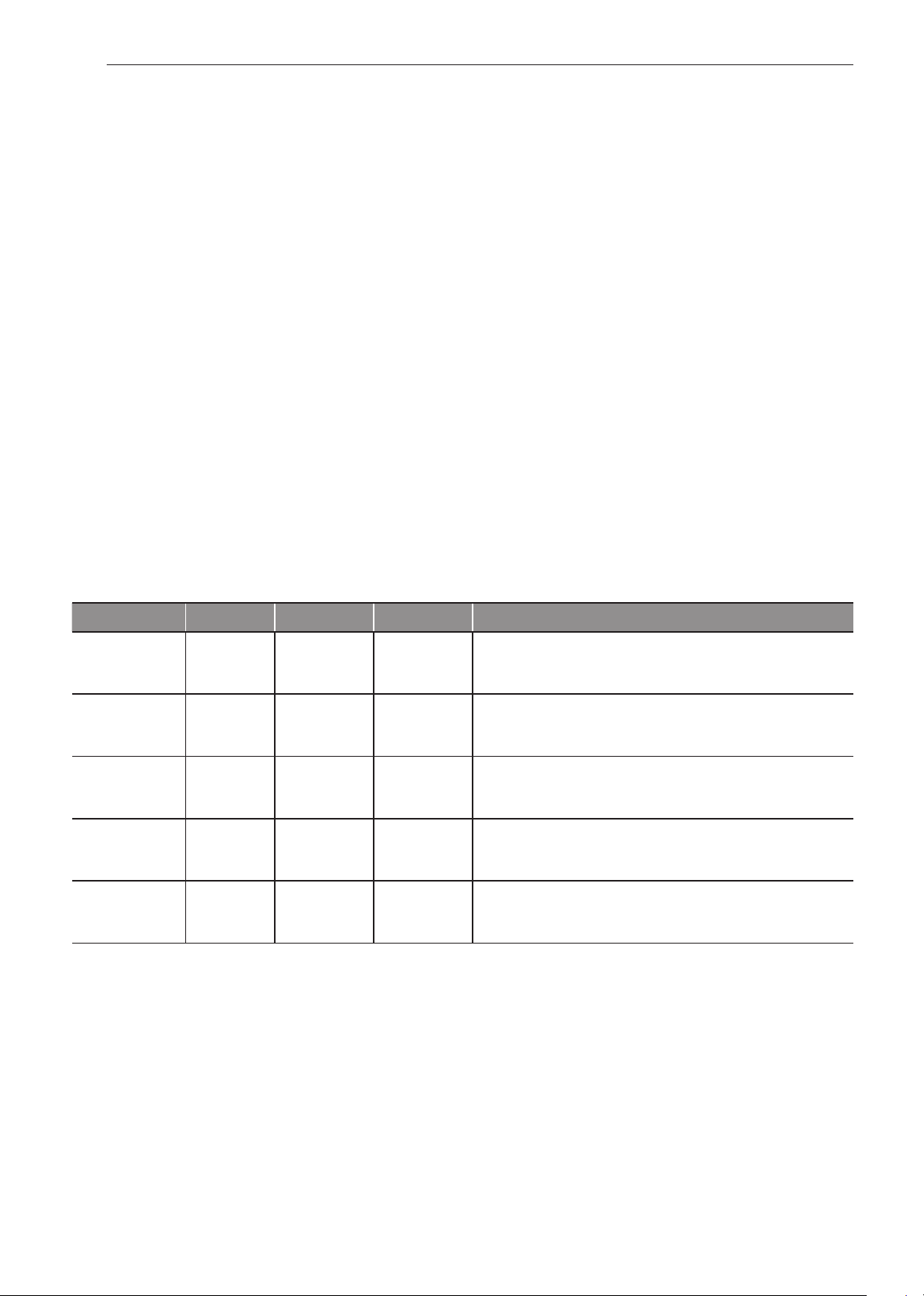
34
OPERATION
Melt
The oven uses low power to melt foods such
as butter, caramel, cheese, chocolate, and
marshmallows.
See the following table.
Setting the Melt Function
1
Turn the Oven Mode knob to select the Soften/
Melt mode.
2
Touch MELT.
3
Set the type of food in the display.
4
Set the weight in the display.
5
Touch Start.
•
When the cook time is over a melody sounds
and End of Cooking displays.
Melt Table
Category Weight Cookware Food Temp. Instructions
1. Butter ½, 1, 2 sticks Microwave-
safe bowl on
the glass tray
Refrigerated After cooking, stir to complete melting.
2. Caramel 4, 8, 12 oz Microwave-
safe bowl on
the glass tray
Room After cooking, stir to complete melting.
3. Cheese 4, 8, 12 oz Microwave-
safe bowl on
the glass tray
Refrigerated Use processed cheese food only. Cut into cubes.
After cooking, stir to complete melting.
4. Chocolate 4, 8, 12 oz Microwave-
safe bowl on
the glass tray
Room Chocolate chips or squares of baking chocolate may be used.
After cooking, stir to complete melting.
5. Marshmallow 5, 10 oz Microwave-
safe bowl on
the glass tray
Room After cooking, stir to complete melting.
To Stop Cooking
1
Touch Stop in the display and select Yes, or turn
the Mode knob to the OFF position.
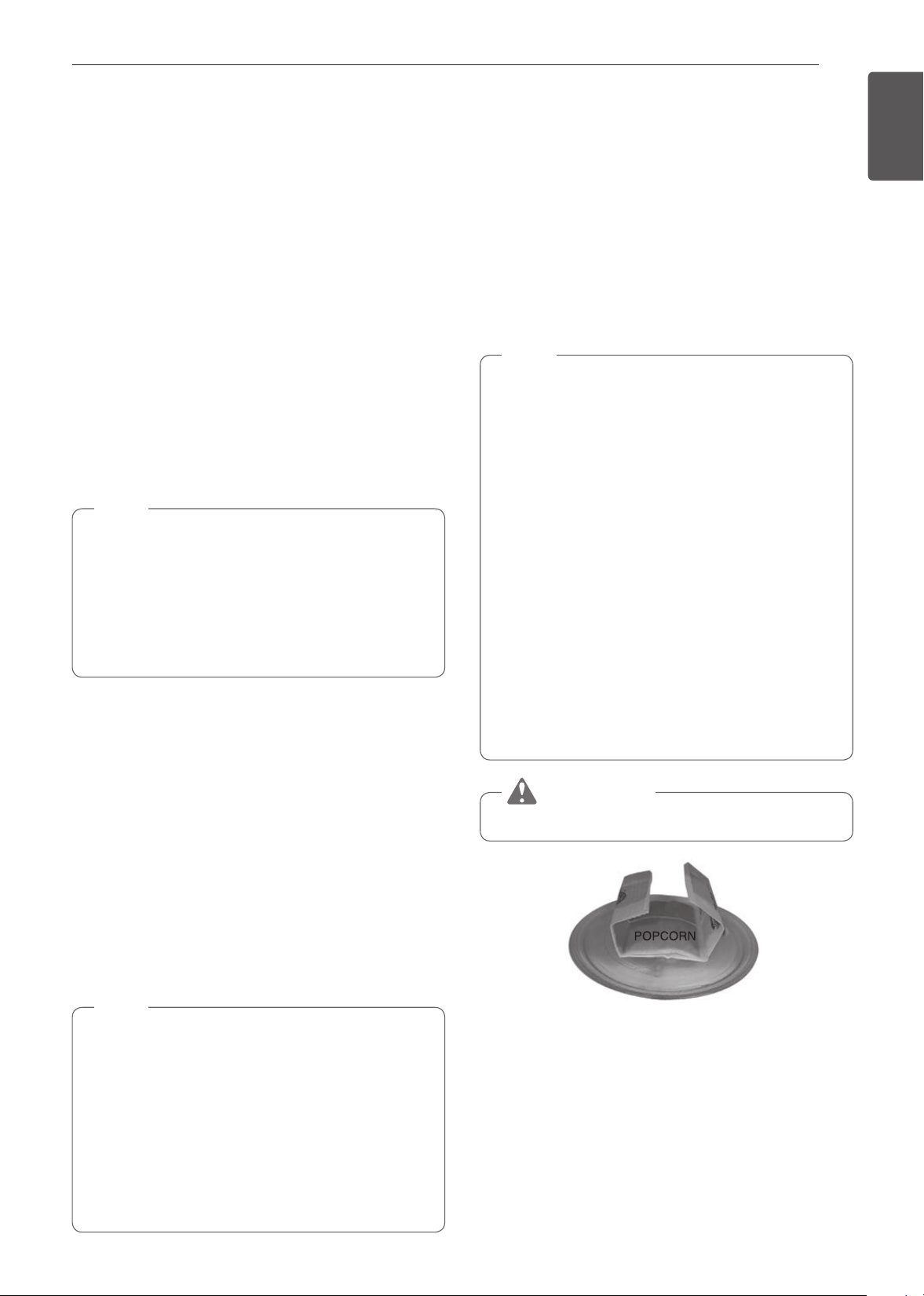
35
OPERATION
ENGLISH Using the Upper Oven
Warm
The WARM function maintains an oven temperature of
less than 230°F. This function should not be used to reheat
cold food. The Warm function keeps cooked food warm
for serving up to 3 hours after cooking has finished. After 3
hours the WARM function shuts the oven OFF automatically.
Setting the Warm Function
1
Turn the Oven Mode knob to select the Warm mode.
2
Select the temperature level: Low, Medium, or High.
3
Select the type: moist, crisp.
4
Touch Start to start warming.
To Stop Cooking
1
Touch Stop in the display and select Yes, or turn
the Mode knob to the OFF position.
NOTE
•
Low = 140°-160°F (60°-71°C)
Medium = 160°-195°F (71°-91°C)
High = 195°-230°F (91°-110°C)
•
The Warm function is intended to keep food
warm. Do not use it to cool food down.
•
It is normal for the fan to operate during the
Warm function.
Proof
This feature maintains a warm oven for rising yeast
leavened products before baking.
Setting the Proof Function
1
Turn the Oven Mode knob to select the Proof mode.
2
Touch Start to start proofing.
To Stop Cooking
1
Touch Stop in the display and select Yes, or turn
the Mode knob to the OFF position.
NOTE
•
To avoid lowering the oven temperature and
lengthening proofing time, do not open the oven door
unnecessarily.
•
Check bread products early to avoid over-proofing.
•
Do not use the proofing mode for warming food or
keeping food hot. The proofing oven temperature is
not hot enough to hold foods at safe temperatures.
Use the WARM feature to keep food warm.
•
Proofing will not operate if the oven is too hot. Allow
the oven to cool before proofing.
Popcorn
Setting the Popcorn Function
1
Turn the Oven Mode knob to select the Popcorn
mode.
2
Touch Start.
The Popcorn function starts.
To Stop Cooking
1
Touch Stop in the display and select Yes, or turn
the Mode knob to the OFF position.
NOTE
•
Only pop popcorn in a microwave-safe
container or commercial packages designed for
microwave ovens.
•
Never try to pop popcorn in a paper bag that is
not microwave-approved.
•
If popcorn bag size is not known, follow
manufacturers' instructions and do not use this
feature.
•
Prepare only one bag at a time.
•
Do not use popcorn popping devices in upper
oven with this feature.
•
Do not leave oven unattended while popping
corn.
•
Do not attempt to reheat or cook any unpopped
kernels.
•
Do not reuse bag. Overcooking can result in an
oven fire.
CAUTION
Never use a brown paper bag for popping corn.
When popping prepackaged popcorn, place the bag
carefully in the oven so it does not touch the walls as
it rotates. Fold the ends of the bag up and toward the
center of the bag as shown.

36
OPERATION
Using the Lower Oven
Before Using the Oven
NOTE
•
The temperature registered by an oven
thermometer may differ from the actual set
oven temperature.
•
It is normal for the convection fan to run while
preheating during a regular bake cycle.
•
The convection fan motor may run periodically
during a regular bake cycle.
Lower Oven Light
The interior oven light automatically turns on when
the door is opened. Touch Lower Light to manually
turn the lower oven light on. The lamp of the lower
oven will turn off after 2 minutes and 30 seconds to
save power.
1
Touch Lower Light to turn the lower oven light
on or off.
Removing and Replacing Standard
Oven Racks
The racks have a turned-up back edge that prevents
them from being pulled completely out of the oven
cavity.
CAUTION
•
Replace oven racks before turning the oven on
to prevent burns.
•
DO NOT cover the racks with aluminum foil,
or any other material, or place anything on the
bottom of the oven. Doing so will result in poor
baking and may damage the oven bottom.
•
Only arrange oven racks when the oven is cool.
Removing the Racks
1
While wearing oven mitts, grasp the oven rack.
2
Pull the rack straight out until it stops.
3
Lift up the front of the rack.
4
Pull out the rack.
Replacing the Racks:
1
While wearing oven mitts, place the end of the
rack on the support.
2
Tilt the front end of the rack up.
3
Push the rack in.
4
Check that the rack is properly in place.
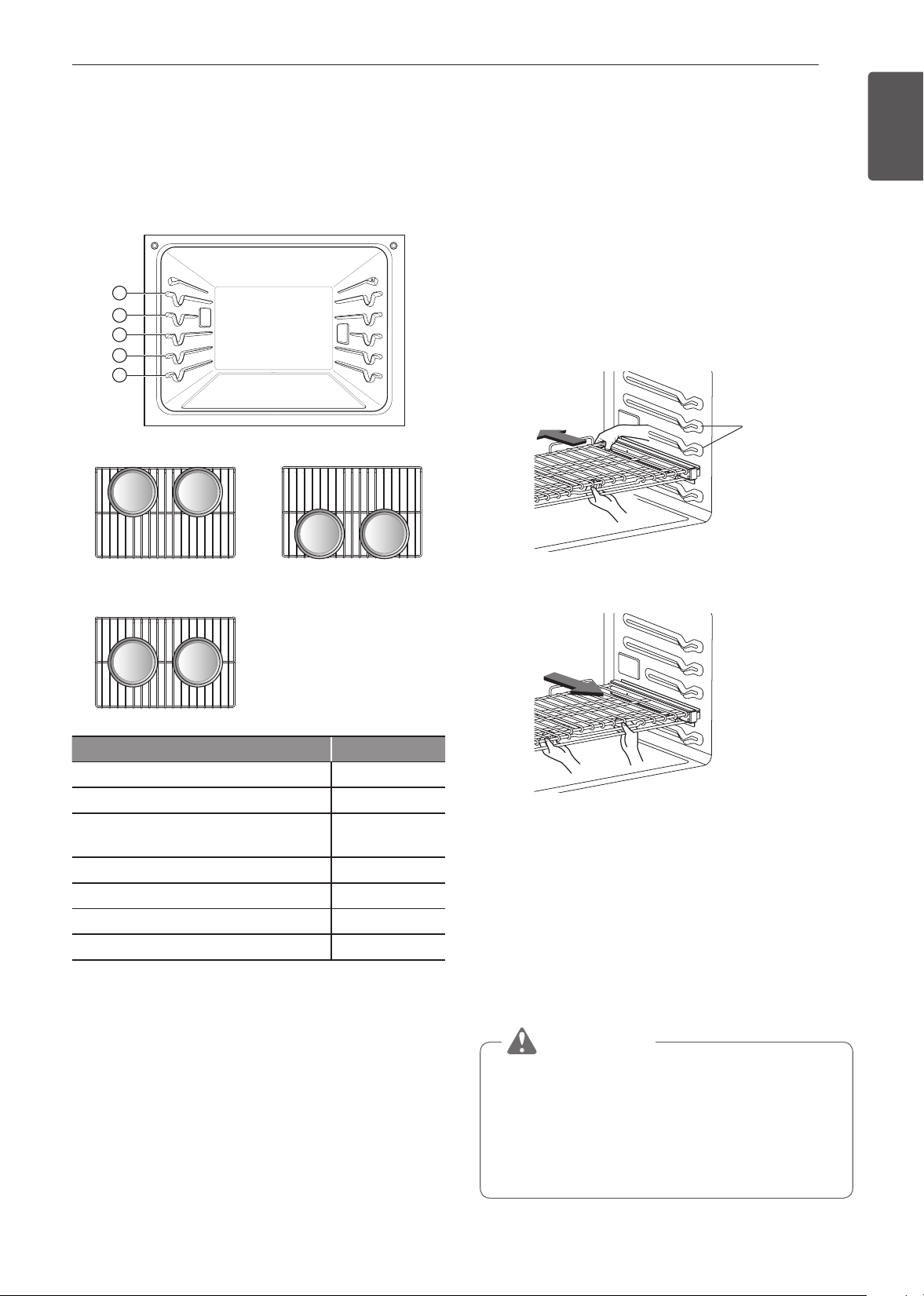
37
OPERATION
ENGLISH Using the Lower Oven
Rack and Pan Placement
If cooking on two racks:
Place standard oven racks in positions 2 and 4.
Place the cookware as shown below. If baking with
more than one pan, place the pans so that each one
has at least 1” to 1 ½” of air space around them.
1
2
3
4
5
Multiple Rack Baking
Standard Rack (Position 2) Standard Rack (Position 4)
Single Rack Baking
Rack
Type of Food Rack Position
Angel food cake, frozen pies 3
Bundt or pound cakes 2
Biscuits, muffins, brownies, cookies,
cupcakes, layer cakes, pies
3
Casseroles 2
Turkey, roasts, or ham 1
Frozen pizza 3
Roast chicken 2
When baking cakes and cookies on multiple racks,
use the Convection Bake mode and place racks in
positions 2 and 4.
Oven Vent
•
Areas near the vent may become hot during
operation and may cause burns.
•
Do not block the vent opening at the bottom of the
oven.
•
Avoid placing plastics near the vent as heat may
distort or melt the plastic.
•
It is normal for steam to be visible when cooking
foods with high moisture.
Using Gliding Oven Racks
The gliding racks slide in and out on a frame. This
keeps heavy cookware level and prevents it from
sliding forward when the rack is completely extended.
Installing Gliding Racks
1
Start with the rack in the closed position. Hold
the rack with one hand at the center front and
the other hand at the back right corner.
2
Carefully insert the rack between the rack
guides, and slide it back until the shelf drops into
place.
Rack guides
3
Once the rack is secured in the back, pull the
entire rack forward until the rack locks into place.
Removing Gliding Racks
1
With the rack in the closed position, grasp the
front of the rack and frame and lift up. Slowly
push the rack towards the back wall until it is
free of the rack stop.
2
After disengaging the rack stop, lift the back of
the rack and pull the rack and frame out between
the rack guides.
CAUTION
•
Place oven racks in the desired location before
turning on the oven to avoid burns.
•
Do not cover the racks with aluminum foil, or
any other material, or place anything on the
bottom of the oven. Doing so will result in poor
baking and may damage the oven bottom.

38
OPERATION
Bake
Use BAKE to prepare foods such as pastries, breads
and casseroles. The oven can be programmed to
bake at any temperature from 170°F (80°C) to 550°F
(285°C). The default temperature is 350°F (175°C).
Setting the BAKE mode
1
Turn the Oven Mode knob to select the Bake
mode.
2
Set the oven temperature. Turn the Temp knob
clockwise/counterclockwise, scroll through the
numbers on the display, or touch the number
pad icon
to enter the numbers directly.
3
If desired, set the cook time and delayed start
time using the same method. Touch the arrow
key on the right side of the display to see the
delayed start time settings.
4
Touch Start. The oven starts to preheat.
5
If the cook time is set, the remaining time
appears in the display. If a delayed start time is
set, the start time appears in the display.
6
A chime sounds once preheating is complete.
7
A chime sounds at the end of the set cook time
and a notification appears in the display. Open
the oven door and remove the food.
•
If no cook time is set, the oven turns off
automatically after 12 hours.
Changing the Cook Settings
1
Touch Edit in the display to bring up the Cook
Settings screen.
2
Adjust the settings using the number pad or
scroll function.
3
Touch Start.
To Stop Cooking
1
Touch Stop in the display, and select Yes, or turn
the Mode knob to OFF position.
NOTE
It is normal for the convection fan to operate
periodically throughout a normal bake cycle In the
oven. This is to ensure even baking results.
Baking Tips
Follow the recipe or convection food directions for
baking temperature, time, and rack position. Baking
time and temperature will vary depending on the
ingredients, size, and shape of the baking pan used.
•
For best results, food should be placed on a single
rack with at least 1” to 1 1/2” of air space between
the pans and oven walls.
•
Check for doneness at the minimum time.
•
Use metal bakeware (with or without a nonstick
finish), heatproof glass-ceramic, ceramic or other
bakeware recommended for oven use.
•
Dark metal pans or nonstick coatings will cook
faster with more browning. Insulated bakeware will
slightly lengthen the cooking time for most foods.
NOTE
The oven bottom has a porcelain-enamel finish.
To make cleaning easier, protect the oven bottom
from excessive spillovers by placing a cookie
sheet on the rack below the rack you are cooking
on.
This is particularly important when baking a
fruit pie or other foods with a high acid content.
Hot fruit fillings or other foods that are highly
acidic may cause pitting and damage to the
porcelain-enamel surface and should be wiped up
immediately.
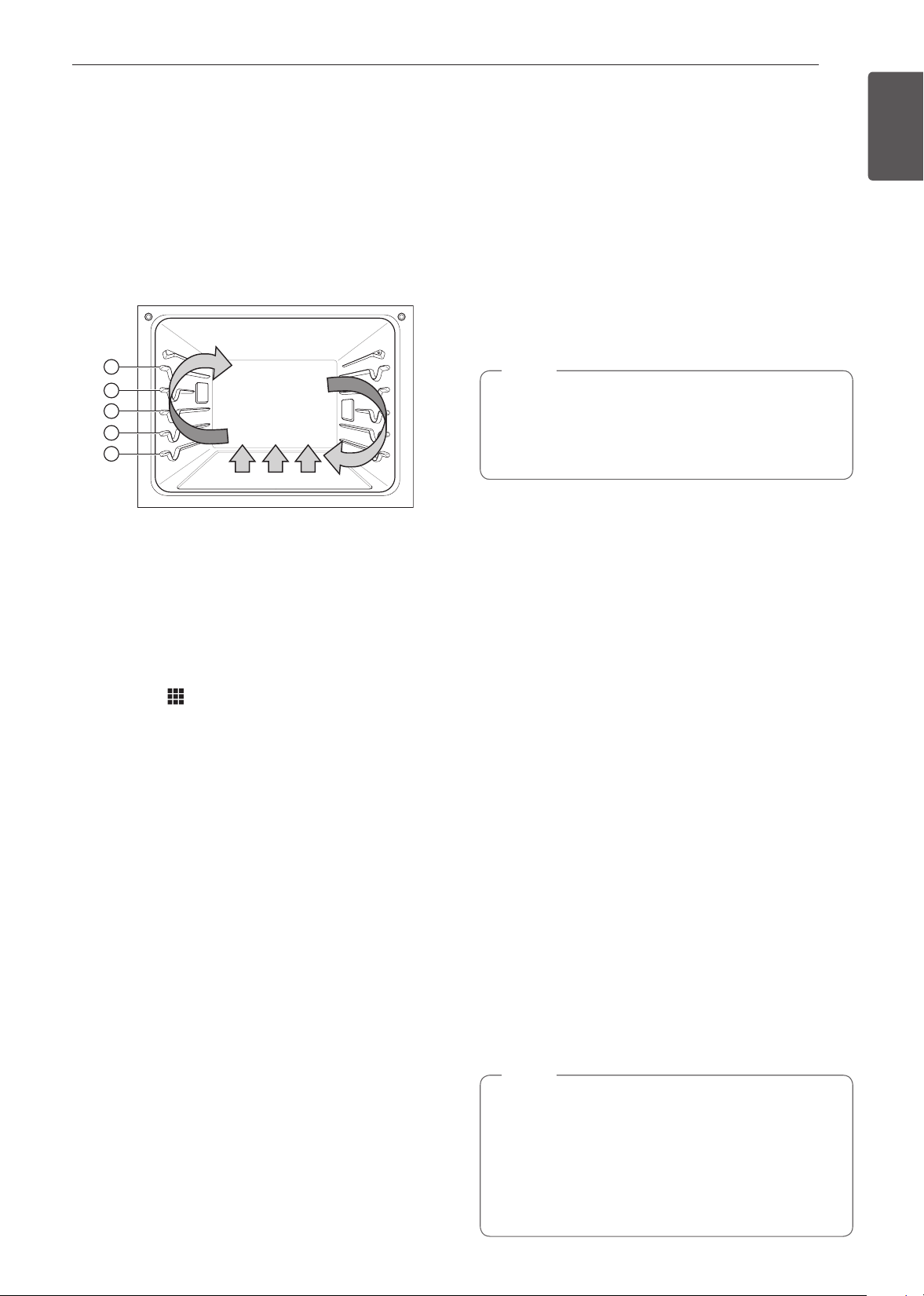
39
OPERATION
ENGLISH Using the Lower Oven
Convection Modes
Convection Bake and Convection Roast use a fan to
circulate heat evenly within the oven. This improves
heat distribution and allows for even cooking and
excellent results whether cooking on one rack or
multiple racks.
The convection modes on the oven can be
programmed to cook at temperatures from 170°F
(80°C) to 550°F (285°C). The default temperature is
350°F (175°C).
1
2
3
4
5
Using Convection
1
Turn the Oven Mode knob to select the Conv.
Bake or Conv. Roast mode.
2
Set the temperature. Turn the Temp knob
clockwise/counterclockwise, scroll through the
numbers on the display, or touch the number
pad icon
to enter the numbers directly.
3
If desired, set the cook time and delayed start
time using the same method. Touch the arrow
key on the right side of the display to see the
delayed start time settings.
4
Touch Start. The oven starts to preheat.
5
If the cook time is set, the remaining time
appears in the display. If a delayed start time is
set, the start time appears in the display.
6
A chime sounds once preheating is complete.
7
A chime sounds at the end of the set cook time
and a notification appears in the display. Open
the oven door and remove the food.
•
If no cook time is set, the oven turns off
automatically after 12 hours.
Changing the Cook Settings
1
Touch Edit in the display to bring up the Cook
Settings screen.
2
Adjust the settings using the number pad or
scroll function.
3
Touch Start.
To Stop Cooking
1
Touch Stop in the display, and select Yes, or turn
the Mode knob to OFF position.
NOTE
The oven fan runs while convection baking and
convection roasting. The fan stops when the door is
opened. In some cases, the fan may shut off during
a convection bake cycle.
Tips for Convection Baking
•
Use Convection Bake for faster and more even
multiple-rack cooking of pastries, cookies, muffins,
biscuits, and breads of all kinds.
•
Bake cookies and biscuits on pans with no sides
or very low sides to allow heated air to circulate
around the food. Food baked on pans with a dark
finish will cook faster.
•
When using Convection Bake with a single rack,
place the gliding rack in position 3. If cooking on
multiple racks, place the gliding racks in positions 2
and 4 (for two racks).
•
Multiple oven rack cooking may slightly increase
cook times for some foods.
•
Cakes, cookies and muffins have better cooking
results when using multiple racks.
Convection Roast
The Convection Roast feature is designed to give
optimum roasting performance. Convection Roast
combines cooking with the convection fan to roast
meats and poultry. The heated air circulates around
the food from all sides, sealing in juices and flavors.
Foods are crispy brown on the outside while staying
moist on the inside. Convection roasting is especially
good for large tender cuts of meat, uncovered.
NOTE
The heating elements and a fan turn off
immediately when the door is opened. They
turn on again approximately 1 second after the
door is closed. Touch Stop in the display or Turn
the Oven Mode knob to OFF position to cancel
Convection Bake and Convection Roast at any
time.
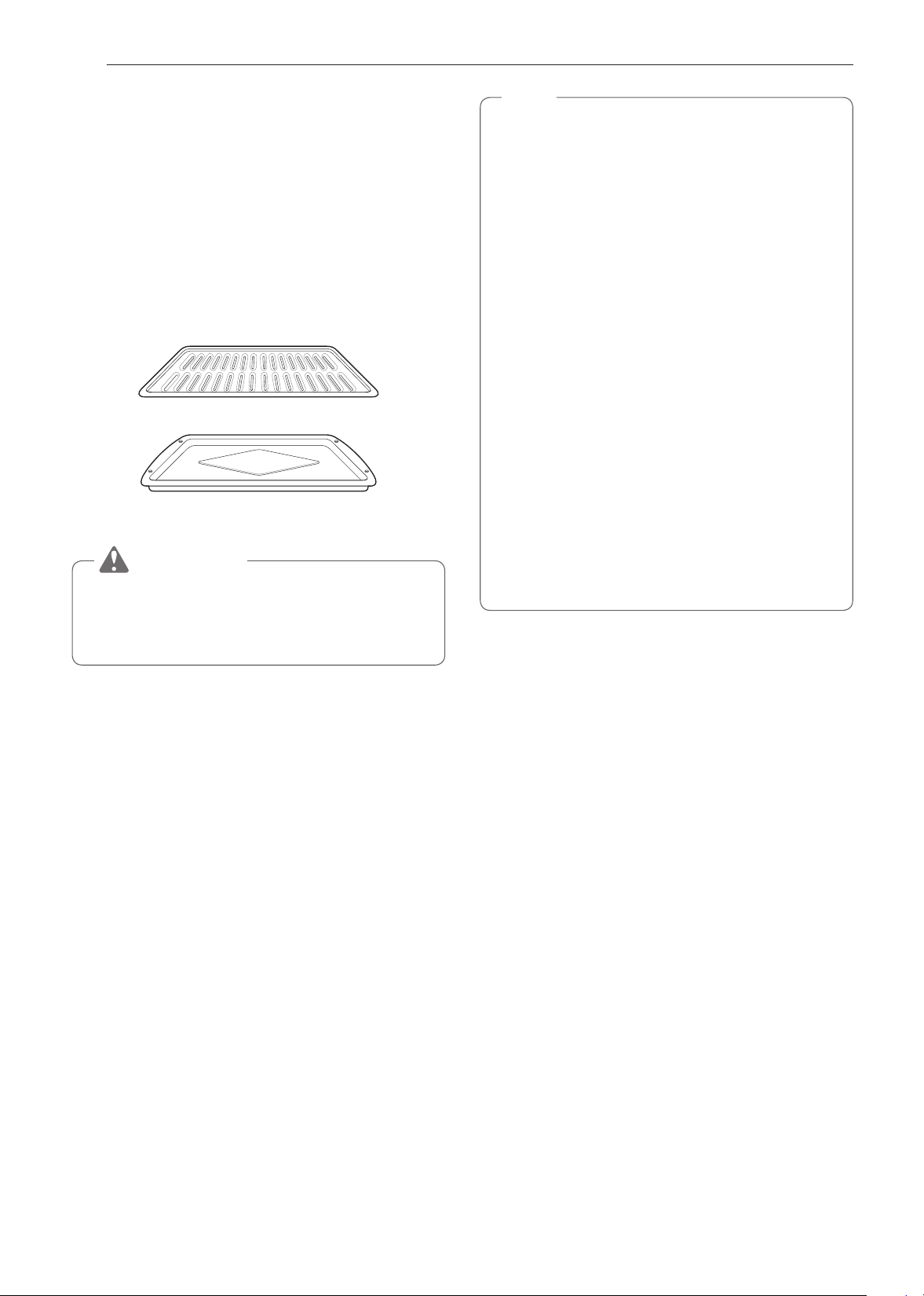
40
OPERATION
Tips for Convection Roasting
Use a broiler pan and grid when preparing meats for
Convection roast, RapidHeat Roast and Broil. The
broiler pan catches grease spills and the grid helps
prevent grease splatters.
1
Place the oven rack in position 1 or 2. See the
Rack and Pan Placement.
2
Place the grid in the broiler pan.
3
Place the broiler pan on the oven rack.
Broiler pan
Grid
CAUTION
•
Do not use a grid without a broiler pan.
•
Do not cover the grid with aluminum foil.
•
Position food fat side up on the grid.
RapidHeat Roast+
The RapidHeat Roast+ feature is designed to quickly
roast poultry. The combination of intense heat from
the upper and lower heating elements and heated air
from the back heating element results in crispier food
and shorter cooking times. The RapidHeat Roast+ is
especially good for medium sized poultry (about 3.3 lb.)
The RapidHeat Roast+ feature uses steam to roast
poultry with more browning.
NOTE
•
The recommended cook time is 55~65 minutes
for the oven for a whole chicken weighing 3.3 lb.
•
Adjust the cook time according to the weight of
the poultry.
•
Place the oven rack in position 2.
•
RapidHeat Roast+ is designed to reduce the
cooking time. There is no need for preheating.
•
This function is optimized for poultry, so the
cooking temperature cannot be adjusted.
•
It is normal for the fan to operate during the
RapidHeat Roast+ function.
•
If the descaling reminder appears, press OK to
run the Descaling function.
•
When the temperature rise in the oven, steam
may not be visible.
•
Take care when opening the oven door during
or after steam cooking. Hot steam can cause
scalding.
•
After any steam cooking cycle, the drying
function will run a. It is normal to hear the steam
pump running during the drying function.
Setting the RapidHeat Roast+ Function
1
Turn the Oven Mode knob to select the
RapidHeat Roast+ mode.
2
Touch Start.
3
If the cook time is set, the remaining time
appears in the display. If a delayed start time is
set, the start time appears in the display.
•
Make sure the steam feeder tank is filled with water
before starting the RapidHeat Roast+ mode.
•
If no cook time is set, the oven turns off
automatically after 12 hours.
Changing the Cook Settings
1
Touch Edit in the display to bring up the Cook
Settings screen.
2
Adjust the settings using the number pad or
scroll function.
3
Touch Start.
To Stop Cooking
1
Touch Stop in the display, and select Yes, or turn
the Mode knob to OFF position.
41
OPERATION
ENGLISH Using the Lower Oven
Broil
Broiling uses an intense, radiant heat to cook food.
Both the inner and outer broil elements heat during
full broiling. Only the inner broil element heats during
center broiling. The element(s) cycle on and off at
intervals to maintain the oven temperature. The meat
probe cannot be used with this mode.
Keep the oven door closed while broiling. Let the
oven preheat for approximately 5 minutes before
cooking food.
CAUTION
•
DO NOT use a grid without a broiler pan. Oil
can cause a grease fire.
•
DO NOT cover the grid and broiler pan with
aluminum foil. Doing so will cause a fire.
•
Always use a broiler pan and grid for excess fat
and grease drainage. This will help to reduce
splatter, smoke, and flare-ups.
•
Should an oven fire occur, leave the oven
door closed and turn the oven off. If the fire
continues, throw baking soda on the fire or use
a fire extinguisher.
•
DO NOT put water or flour on the fire.
−
Flour may be explosive and water can cause
a grease fire to spread and cause personal
injury.
NOTE
This oven is designed for closed-door broiling.
Close the door to set the Broil function. If the door
is open, the Broil function can be set, but DOOR
OPEN appears in the display. Close the door
to start the Broil function. If the door is opened
during broiling, the broil burner turns off after 5
seconds. The broiler turns back on automatically
once the door is closed.
Setting the BROIL Mode
1
Place food on the broiler pan grid.
2
Turn the Oven Mode knob to select the Broil
mode.
3
Scroll to set the desired temperature: Low,
Medium, or High. If desired, scroll to set a cook
time.
4
If desired, set the cook time and delayed start
time using the same method. Touch the arrow
key on the right side of the display to see the
delayed start time settings.
5
Touch Start. If the cook time was set, the
remaining time appears in the display. The oven
door must be closed to use the Broil function.
6
Let the oven preheat for approximately 5 minutes
before cooking the food.
7
If the cook time is set, the remaining time
appears in the display. If a delayed start time is
set, the start time appears in the display.
8
Touch STOP to cancel at any time or when
cooking is complete.
•
If the cook time is not set, the oven automatically
turns off after 3 hours.
Changing the Broil Settings
1
Touch Edit in the display to bring up the Cook
Settings screen.
2
Adjust the settings.
3
Touch Start.
To Stop Broiling
1
Touch Stop in the display, and select Yes, or turn
the Mode knob to OFF position.
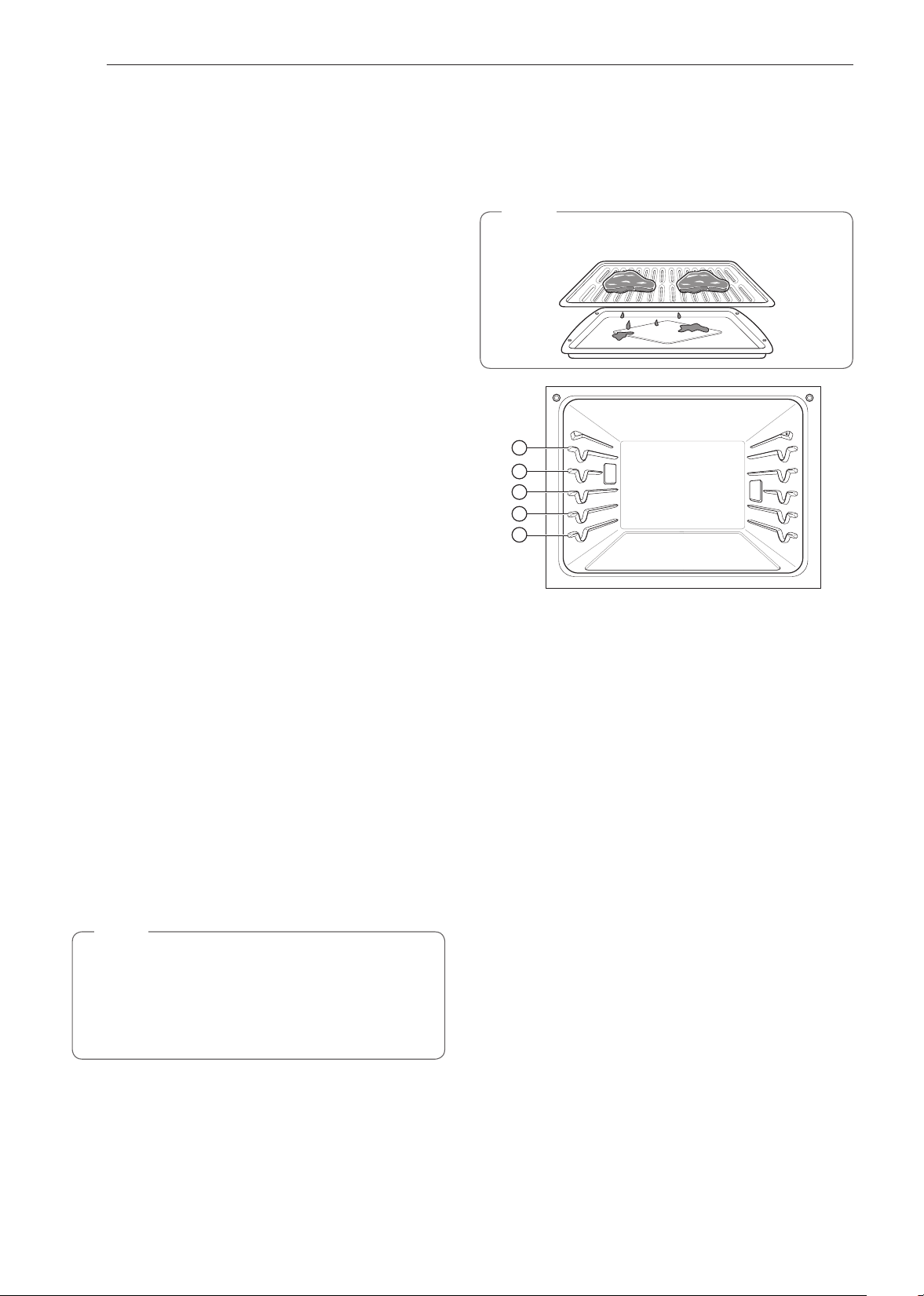
42
OPERATION
Smoking
Due to the intense heat associated with broiling, it
is normal to experience smoke during the cooking
process. This smoke is a natural by-product of
searing and should not cause you to worry. If you are
experiencing more smoke than you are comfortable
with, use the following tips to reduce the amount of
smoke in your oven.
1
Always use a broiler pan. Do not use saute pans
or regular baking sheets for safety reasons.
2
NEVER use a broiler pan that is not thoroughly
cleaned and at room temperature at the
beginning of cooking.
3
ALWAYS run your cooktop ventilation system or
vent hood during broiling.
4
Keep the interior of your oven as clean as
possible. Leftover debris from prior meals can
burn or catch fire.
5
Avoid fatty marinades and sugary glazes. Both
of these will increase the amount of smoke you
experience. If you would like to use a glaze,
apply it at the very end of cooking.
6
If you are experiencing significant smoke with
any food item, consider:
•
Lowering the broiler to the LO setting.
•
Lowering the rack position to cook the food
further away from the broiler.
•
Using the HI broil setting to achieve the
level of searing you desire, and then either
switching to the LO broil setting, or switching
to the BAKE function.
7
As a rule, fattier cuts of meat and fish will
produce more smoke than leaner items.
8
Adhere to the recommended broil settings and
cooking guidelines in the chart on the following
page whenever possible.
NOTE
The heating element(s) turn off immediately
when the door is opened. They turn on again
approximately 1 second after the door is closed.
Touch Stop in the display or turn the Oven Mode
knob to OFF position to cancel Broil at any time.
Recommended Broiling Guide
The size, weight, thickness, starting temperature, and
your preference of doneness will affect broiling times.
The following guide is based on meats at refrigerator
temperature.
NOTE
Always use a broiler pan and grid when broiling.
1
2
3
4
5
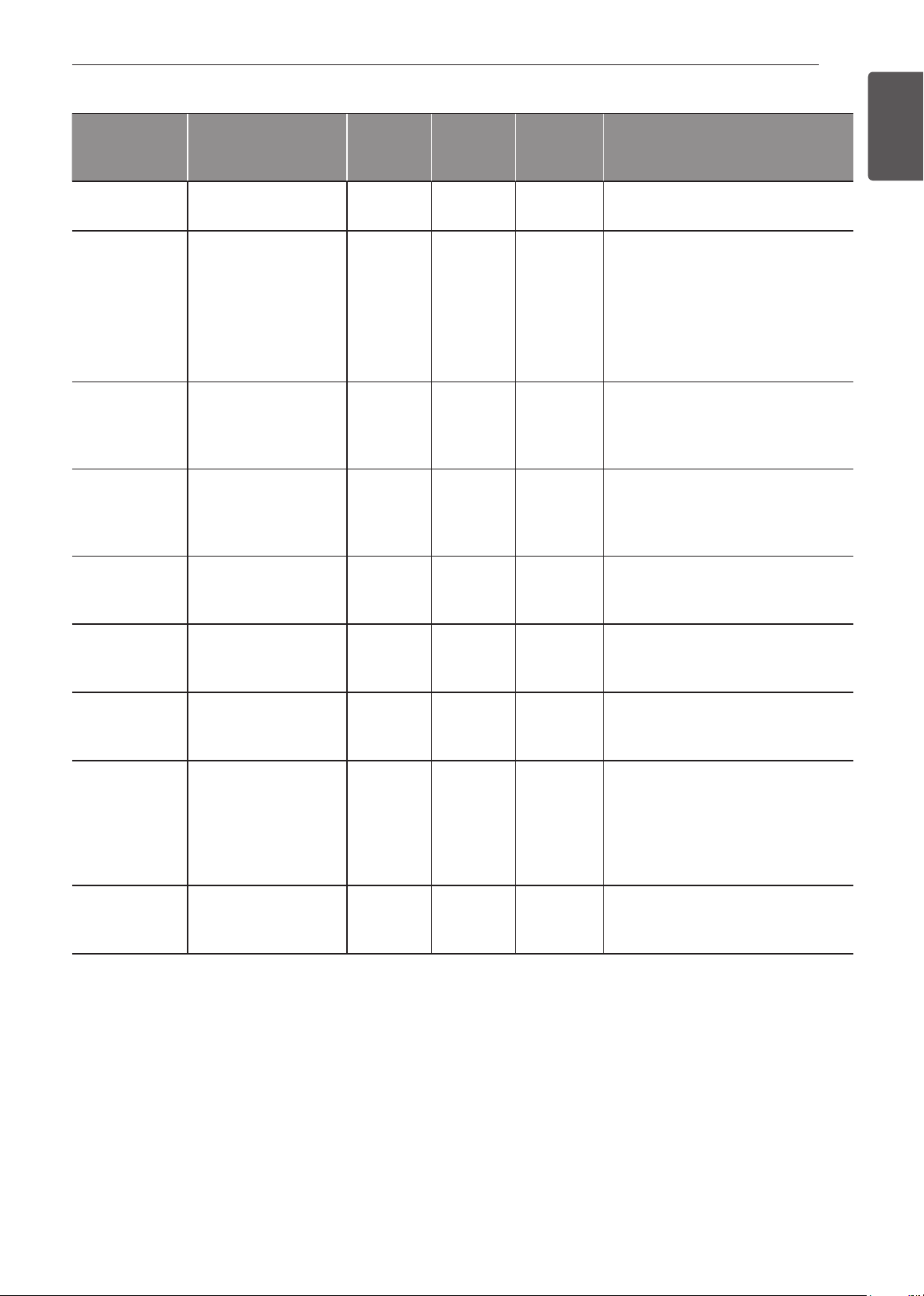
43
OPERATION
ENGLISH Using the Lower Oven
Broiling Chart
Food
Quantity and/ or
Thickness
Rack
Position
First Side
Time
(min.)
Second
Side Time
(min.)
Comments
Ground Beef 1 lb. (4 patties)
1/2 to 3/4” thick
5 4-6 3-4 Space evenly. Up to 9 patties may
be broiled at once.
Beef Steaks
Rare
Medium
Well Done
Rare
Medium
Well Done
1” thick
1 to 1-1/2 lbs.
1-1/2” thick
2 to 2-1/2 lbs.
4
4
4
4
4
4
6
7
8
10
12
14
2–3
2–3
3–4
4–6
4–8
8–10
Steaks less than 1” thick cook
through before browning. Pan
frying is recommended. Remove
fat.
Chicken 1 whole cut up
2 to 2-1/2 lbs.,
split lengthwise
2 Breasts
3
3
20
20
6–8
6–10
Broil skin-side-down first.
Lobster Tails 2-4
10 to 12 oz. each
3 12-14 Do not turn
over.
Cut through back of shell. Spread
open. Brush with melted butter
before broiling and after half of
broiling time.
Fish Fillets 1/4 to 1/2” thick 4 or 5 5-6 3–4 Handle and turn very carefully.
Brush with lemon butter before
and during cooking, if desired.
Ham Slices
(precooked)
1/2” thick 4 5 3–5 Increase time 5 to 10 minutes per
side for 1-1/2” thick or home-cured
ham.
Pork Chops
Well Done
2 (1/2” thick)
2 (1” thick) about
1 lb.
4 or 5
4 or 5
7
9-10
6–8
7–9
Remove fat.
Lamb Chops
Medium
Well Done
Medium
Well Done
2 (1” thick) about 10
to 12 oz.
2 (1-1/2” thick) about
1 lb.
4
4
4
4
6
8
11
13
4–6
7–9
9
9–11
Remove fat.
Salmon
Steaks
2 (1” thick)
4 (1” thick) about 1
lb.
4 or 5
4 or 5
8
9
3–4
4–6
Grease pan. Brush steaks with
melted butter.

44
OPERATION
Broiling Tips
Beef
•
Steaks and chops should always be allowed to rest
for 5 minutes before being cut into and eaten. This
allows the heat to distribute evenly through the food
and creates a more tender and juicy result.
•
Pieces of meat that are thicker than two inches
should be removed from the refrigerator 30 minutes
prior to cooking. This will help them cook more
quickly and evenly, and will produce less smoke
when broiling. Cooking times will likely be shorter
than the times indicated in the Broiling Chart.
•
For bone-in steaks or chops that have been
Frenched (all meat removed from around the bone),
wrap the exposed sections of bone in foil to reduce
burning.
Seafood
•
When broiling skin-on fish, always use the Medium
broil setting and always broil the skin side last.
•
Seafood is best consumed immediately after
cooking. Allowing seafood to rest after cooking can
cause it to dry out.
•
It is a good idea to rub a thin coating of oil on the
surface of the broiling pan before cooking to reduce
sticking, especially with fish and seafood. You can
also use a light coating of non-stick pan spray.
Vegetables
•
Toss vegetables lightly in oil before cooking to
improve browning.
Warm
The WARM mode maintains an oven temperature of
200°F (93°C) or less. Use the Warm mode to keep
cooked food at serving temperature for up to three
hours after the end of the cooking cycle. Do not use
the Warm mode to try to cook food or reheat cold
food.
Setting the WARM Mode
1
Turn the Oven Mode knob to select the Warm
mode.
2
Scroll to set the desired temperature: Low,
Medium, or High. If desired, scroll to set a run
time.
3
If desired, set the warming time and delayed
start time using the same method. Touch the
arrow key on the right side of the display to see
the delayed start time settings.
4
Touch Start. If the run time was set, the
remaining time appears in the display.
5
If the warming time is set, the remaining time
appears in the display. If a delayed start time is
set, the start time appears in the display.
6
Touch STOP to cancel at any time or when
warming is complete.
NOTE
•
The warm feaure has three temperature levels:
High=200 °F, Med=170 °F, Low=140 °F
(High=93.3 °C, Med=76.7 °C, Low=60 °C)
NOTE
•
The WARM function is intended to keep food
warm. Do not use it to cool food down.
If the cook time is not set, the oven automatically
turns off after 3 hours.
Changing the Warm Settings
1
Touch Edit in the display to bring up the Cook
Settings screen.
2
Adjust the settings as desired.
3
Touch Start.
Canceling the Warm Function
1
Touch Stop in the display, and select Yes, or turn
the Mode knob to OFF position.
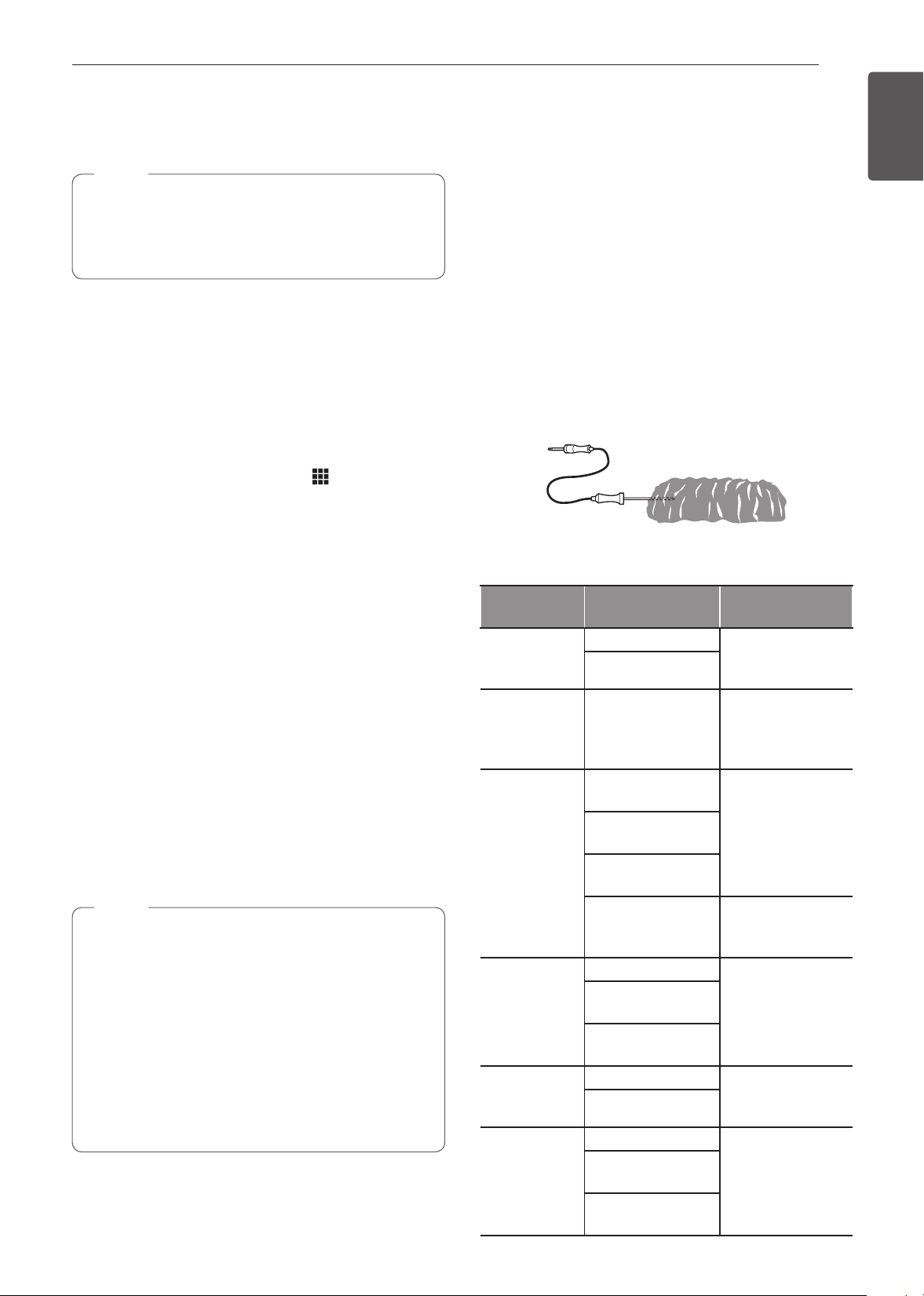
45
OPERATION
ENGLISH Using the Lower Oven
Proof
The Proof feature maintains a warm environment for
rising yeast-leavened products before baking.
NOTE
For best results, cover the dough with a cloth or
with plastic wrap. (The plastic may need to be
anchored underneath the container so the oven
fan does not blow it off.)
Setting the PROOF Mode
This feature maintains a warm oven for rising yeast-
leavened products before baking.
1
Turn the Oven Mode knob to select the Proof
mode.
2
Scroll through the numbers to set a proofing time
or touch the number pad icon to enter the
numbers directly.
3
If desired, set the cook time and delayed start
time using the same method. Touch the arrow
key on the right side of the display to see the
delayed start time settings.
4
Touch Start. The remaining proofing time
appears in the display.
5
If the cook time is set, the remaining time
appears in the display. If a delayed start time is
set, the start time appears in the display.
•
If the proofing time is not set, the oven automatically
turns off after 12 hours.
Canceling the Proof Function
1
Touch Stop in the display, and select Yes, or turn
the Mode knob to OFF position.
NOTE
•
To avoid lowering the oven temperature and
lengthening proofing time, do not open the oven
door unnecessarily. Check bread products early
to avoid over proofing.
•
Do not use the proofing mode for warming
food or keeping food hot. The proofing oven
temperature is not hot enough to keep foods
at safe temperatures. Use the WARM feature
to keep food warm. Proofing doesn't operate
when the oven is above 125°F(52°C). OVEN IS
HOT shows in the display.
Probe
The probe accurately measures the internal
temperature of meat, poultry and casseroles. It should
not be used during the broiling, sous vide, steam
maintenance, rapid heat roast +, self cleaning, speed
cleaning, warming or proofing mode. Always unplug
and remove the probe from the oven before removing
food. Before using, insert the probe into the center
of the thickest part of meat or into the inner thigh or
breast of poultry, away from fat or bone. Place food
in the oven and connect the meat probe to the jack.
Keep the probe as far away from heat sources as
possible.
•
The probe cannot be used in Broil, Self Clean,
SpeedClean™, Warm or Proof modes.
•
For thin cuts of meat, insert probe in thickest side
of meat.
Recommended Probe Placement Chart
Category
Examples of
Food
Probe
Placement
Ground
Meat & Meat
Mixtures
Meatloaf
Insert in the
thickest part
Meatballs
Fresh Beef,
Veal, Lamb
Steaks, Roasts,
Chops
Insert in the
thickest part,
away from bone,
fat and gristle
Poultry
Whole Chicken
or Turkey
Insert in the
thickest part of
thigh, avoiding
bone
Poultry Breasts
or Roasts
Duck, Goose,
Pheasant
Stuffing (Alone or
in Bird)
Insert in the
thickest part of
the dish
Pork & Ham
Fresh Pork
Insert in the
thickest part,
away from bone,
fat and gristle
Fresh Ham
(Raw)
Precooked Ham
(Reheat & Serve)
Leftovers &
Casseroles
Leftovers Insert in the
thickest part of
the dish
Casseroles
Seafood
Whole Fish
Insert in the
thickest part of
the fish
Fish Fillet (Side
of Fish)
Fish Steaks or
Portions

46
OPERATION
Using the Meat Probe Feature
1
Insert the probe into the food.
2
Connect the probe to the jack in the oven, “Probe
is connected” pops up in the display and the
probe icon
appears at the top of the display.
3
Turn the Oven Mode knob to select an
appropriate cooking mode.
4
Set the oven temperature. Turn the Temp knob
clockwise/counterclockwise, scroll through the
numbers on the display, or touch the number
pad icon
to enter the numbers directly. The
default probe temperature is 150 °F (65 °C), but
can be changed to any temperature between 80
°F (27 °C) and 210 °F (100 °C).
5
If desired, set the delayed start time using the
same method. Touch the arrow key on the right
side of the display to see the additional settings.
6
Touch Start. If a delayed start time has been set,
the start time appears in the display.
7
When the set probe temperature is reached, the
oven shuts off automatically.
NOTE
Calculating a total cooking time by weight is no
longer necessary using this feature. The following
chart is recommended for setting the probe
temperature.
CAUTION
•
Always use an oven mitt to remove the
temperature probe. Do NOT touch the broil
element.
−
Failure to follow this warning can result in
severe personal injury.
Changing the Probe Temperature while Cooking
1
Touch Edit in the display to bring up the Cook
Settings screen.
2
Adjust the settings as desired.
3
Touch Start.
To Stop Cooking
1
Touch Stop in the display, and select Yes, or turn
the Mode knob to OFF position.
IMPORTANT NOTE
Touch Stop in the display or turn the Oven Mode knob
to OFF position on the display at any time to cancel a
cooking operation. To avoid breaking the probe, make
sure food is completely defrosted before inserting.
CAUTION
•
Always use an oven mitt to remove the
temperature probe. Do not touch the broil
element. Failure to obey this caution can result
in severe personal injury.
•
To avoid damage to the meat probe, do
not use tongs to pull on the probe when
removing it.
•
Do not store the meat probe in the oven.
NOTE
•
The meat probe can't be used with the Broil,
Sous Vide, Steam Maintenance, RapidHeat
Roast+, Self Clean, SpeedClean™, Warm, or
Proof modes.
•
While the meat probe mode is running,
SpeedClean™ does not respond.
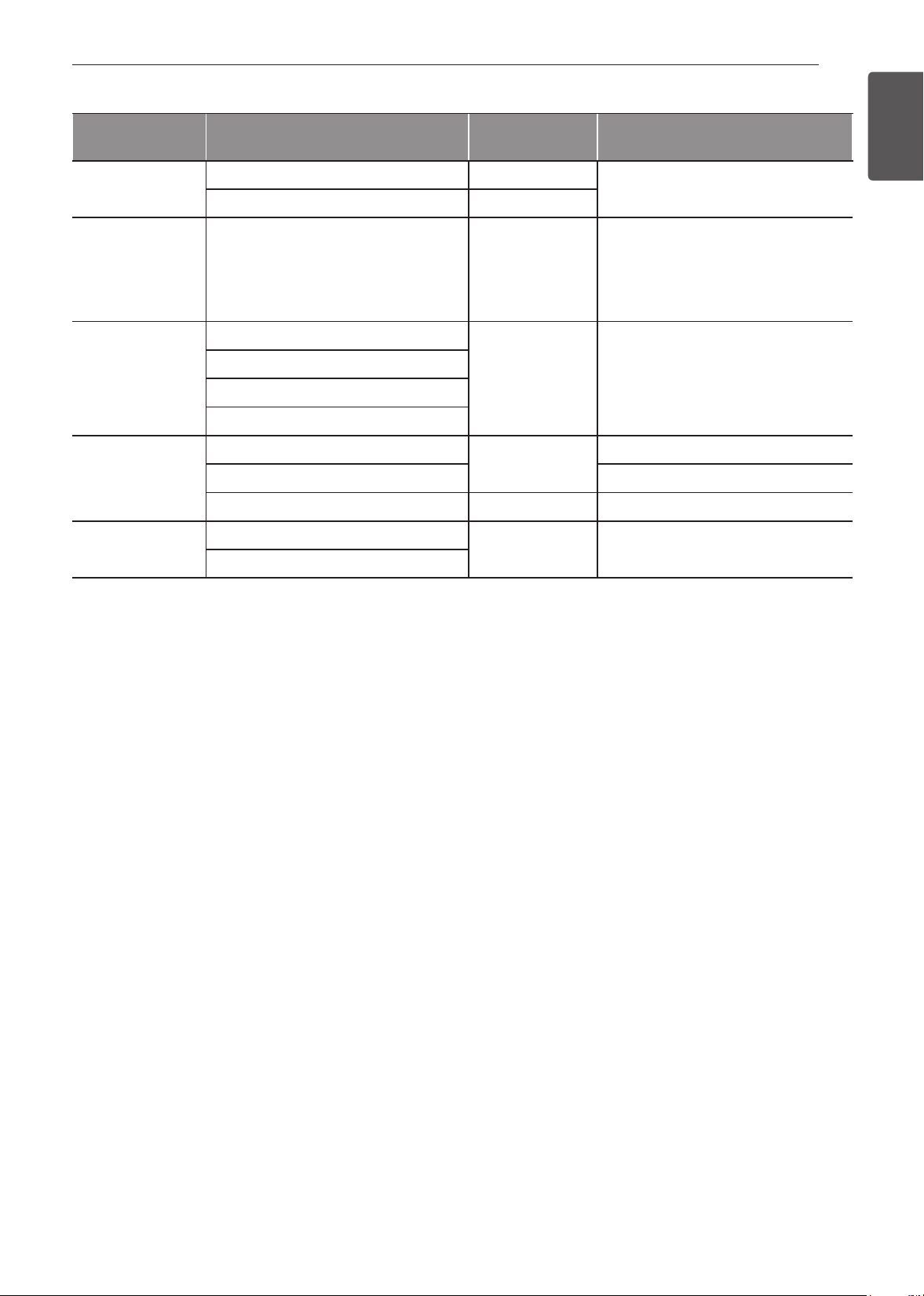
47
OPERATION
ENGLISH Using the Lower Oven
Recommended Probe Temperature Chart
Category Examples of Food
Target Internal
Temp.
Desired Doneness
Ground Meat &
Meat Mixtures
Meatloaf 160 °F (71 °C)
Meatballs 165 °F (74 °C)
Fresh Beef, Veal,
Lamb
Roasts 145 °F (63 °C)
Rare : 120 °F (49 °C)
Medium rare : 125 °F (52 °C)
Medium : 130 °F (54 °C)
Medium well done : 135 °F (57 °C)
Well done : 140 °F (60 °C)
Poultry
Whole Chicken or Turkey
165 °F (74 °C)
Poultry Breasts or Roasts
Duck, Goose, Pheasant
Stuffing (Alone or in Bird)
Pork & Ham
Fresh Pork
145 °F (63 °C)
Well Done: 170 °F (77 °C)
Fresh Ham (Raw) Well Done: 160 °F (71 °C)
Precooked Ham (Reheat & Serve) 140 °F (60 °C)
Leftovers &
Casseroles
Leftovers
165 °F (74 °C)
Casseroles

48
OPERATION
My Recipes
For frequently used cooking menus, you can combine
up to three different temperatures and cooking modes
into one recipe card.
Creating My Recipes
•
When combining two or more cooking modes, a
cooking time or probe temperature must be set
before selecting an additional cooking mode.
•
The Probe function cannot be used with the Broil,
Sous Vide, RapidHeat Roast+, Warm, and Proof
modes
1
Turn the Oven Mode knob to select the My
Recipes mode.
2
Touch Create to make a new recipe card.
3
Select a first cook mode listed in the display and
set the desired cook temperature.
4
Touch Set Cook Time or Set Probe.
5
If there are no additional cooking stages, touch
Done. To add another cooking stage, set a
cooking time or probe temperature for the first
stage. Then touch Add Cook Stage.
6
Repeat steps 3-5 until all desired cooking stages
have been entered. Then touch Done.
7
Enter a name for your recipe using the keyboard
and touch Save.
8
The recipe name is added to the My Recipes
menu.
NOTE
•
If the probe was inserted in the oven jack to
add a probe temperature, remember to remove
it.
•
After the steam mode is used for 8 hours, a
reminder to descale the product appears in
the display the next time the steam mode is
selected. You will not be able to use the steam
mode until the Descaling function is run. To
avoid this delay, run the Descaling function
after every 2-3 uses of the steam mode.
•
If the descaling reminder appears, press OK to
run the Descaling function.
•
Proofing doesn't operate when the oven is
above 125 °F (52 °C).
•
If using Proof after cooking, wait for the oven to
cool first.
•
The Proof mode can only be set as a single
stage, not as part of multi-stage cooking.
Editing My Recipes
•
The Edit function cannot add or remove cooking
stages to a recipe. Only the oven temperature,
probe temperature and cook time can be changed.
1
Turn the Oven Mode knob to select My Recipes
mode.
2
Select the recipe to edit then touch the pencil
icon at the bottom left of the screen.
3
Edit the settings for the first cooking stage and
touch Done to proceed to the next cooking
stage, if any.
4
Edit the next cooking stage, touch Done, and
proceed through all cooking stages in the same
way.
5
Once the last cooking stage has been edited,
enter a new name for the recipe or keep the
previous name. Then touch Save.
Deleting My Recipes
1
Turn the Oven Mode knob to select My Recipes
mode.
2
Select the recipe and touch the trash can icon at
the bottom left of the screen.
3
Touch Yes.
Auto Cook
The Auto Cook function provides guidance for cooking
foods or dishes that may be unfamiliar. It contains
preset programs for cooking many popular food
items, with information on recommended preheating,
accessories, and rack position for optimal results.
Setting Auto Cook Function
1
Turn the Oven Mode knob to select Auto Cook
mode.
2
Touch a category to filter the options.
3
Scroll through or tap the letters to find and select
an item.
4
Follow the recommendations in the display
regarding accessories and rack position.
5
Touch Start.
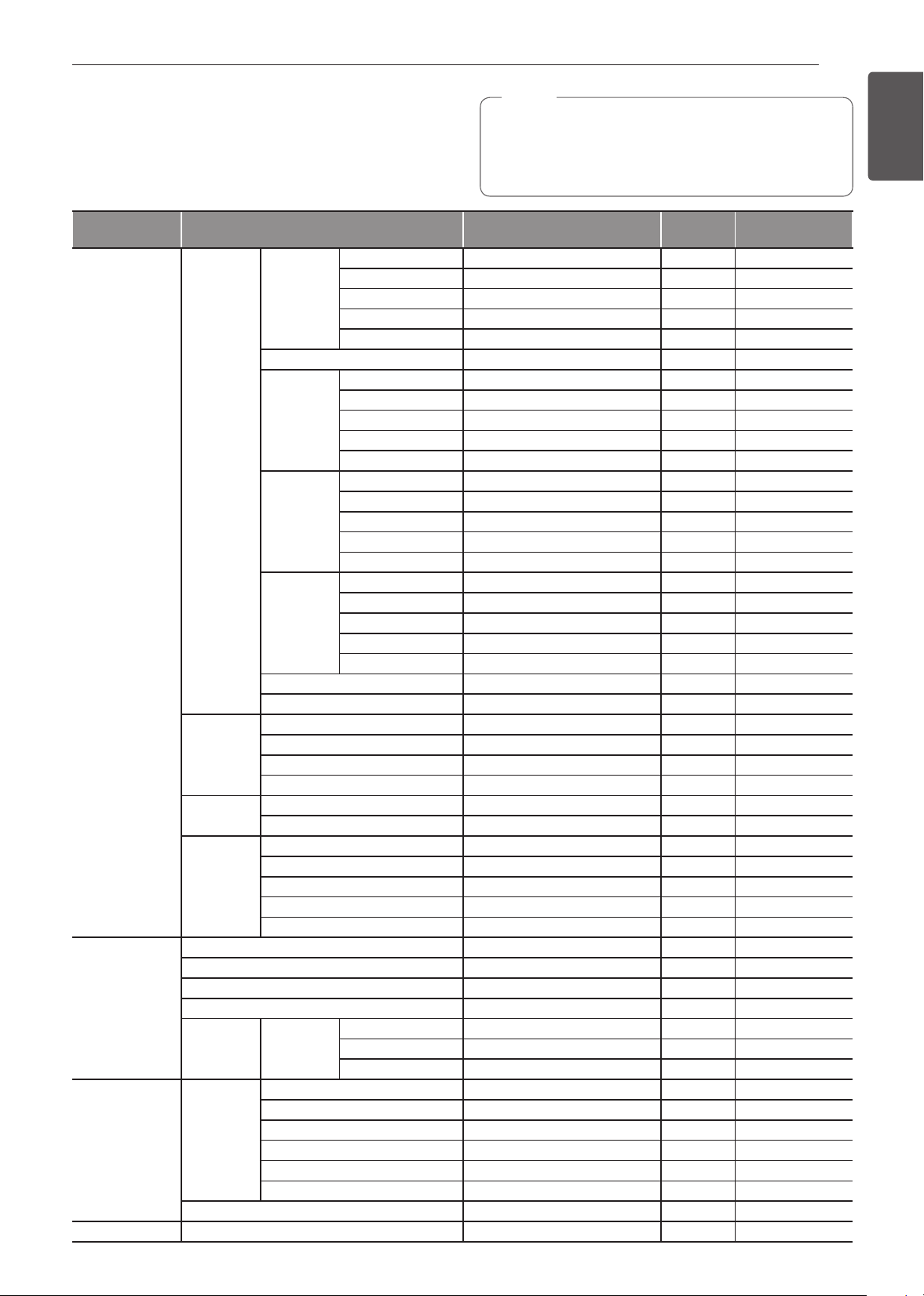
49
OPERATION
ENGLISH Using the Lower Oven
Auto Cook Guide
•
Preheat oven first for most items.
•
Preheat for 5 minutes when broiling.
•
If using probe, insert after preheating.
NOTE
•
When cooking thin cuts of meat, insert the probe
into the thickest part of the meat. If the probe is
inserted incorrectly, the oven could turn off too
soon. See the Probe section for instructions.
Category Menu Accessories/Cookware
Shelf
Position
Cooking time in
min.
Meat
Beef
Beef
Tenderloin
Rare Grid on broiler pan 2 30~60
Medium rare Grid on broiler pan 2 35~65
Medium Grid on broiler pan 2 40~70
Medium well done Grid on broiler pan 2 45~75
Well done Grid on broiler pan 2 50~80
Pot Roast Ovenproof pot with cover 2 50~80
Roast Beef
Rare Grid on broiler pan 2 40~70
Medium rare Grid on broiler pan 2 45~75
Medium Grid on broiler pan 2 50~80
Medium well done Grid on broiler pan 2 55~85
Well done Grid on broiler pan 2 60~90
London
Broil
Rare Grid on broiler pan 5 3~10 + 3~10
Medium rare Grid on broiler pan 5 5~15 + 3~10
Medium Grid on broiler pan 5 5~15 + 5~10
Medium well done Grid on broiler pan 5 8~15 + 5~10
Well done Grid on broiler pan 5 10~15 + 8~15
Steak
Rare Grid on broiler pan 5 3~10 + 3~10
Medium rare Grid on broiler pan 5 5~15 + 3~10
Medium Grid on broiler pan 5 5~15 + 5~10
Medium well done Grid on broiler pan 5 8~15 + 5~10
Well done Grid on broiler pan 5 10~15 + 8~15
Beef Marinade Grid on broiler pan 3 20~50
Meat Loaf Loaf pan 2 40~60
Pork
Pork Butt Casserole dish 2 60~90
Pork Chops Grid on broiler pan 4 30~50
Pork Loin Grid on broiler pan 2 50~80
Pork Tenderloin Grid on broiler pan 2 20~40
Lamb
Rack Grid on broiler pan 2 10~30
Bone-in Leg of Lamb Grid on broiler pan 4 20~40
Veal
Veal Top Sirloin Grid on broiler pan 2 80~100
Veal Chops Grid on broiler pan 5 4~15 + 3~10
Veal Rolled Roast Grid on broiler pan 2 50~70
Veal Rib Roast Grid on broiler pan 2 50~80
Veal Tenderloin Grid on broiler pan 2 50~80
Fish
Fish Fillet Baking dish 4 10~15
Whole Baking dish 4 15~30
Shrimp Grid on broiler pan 5 5~15
Lobster Tails Grid on broiler pan 4 20~30
Steak Salmon
Rare Baking dish 4 15~20
Medium rare Baking dish 4 20~25
Well done Baking dish 4 15~30
Poultry
Chicken
Legs & Thighs Baking dish 4 20~40
Wings (Fresh) Grid on broiler pan 5 8~20
Wings (Frozen) Grid on broiler pan 4 20~40
Breasts Baking dish 4 20~40
Cutlet Casserole dish 4 20~30
Whole Grid on broiler pan 2 60~80
Whole Turkey Grid on broiler pan 2 150~240
Casserole Lasagna (Fresh) Baking dish 3 50~70

50
OPERATION
Category Menu Accessories/Cookware
Shelf
Position
Cooking time in
min.
Pizza
Frozen Thin Crust
Directly on rack 3 10~20
On pizza pan 3 10~20
On pizza stone 3 10~20
Frozen Rising Crust
Directly on rack 3 10~20
On pizza pan 3 10~20
On pizza stone 3 10~20
From Scratch/Homemade
Directly on rack 3 10~20
On pizza pan 3 10~20
On pizza stone 3 10~20
Desserts
Brownies Baking dish 3 30~40
Cheesecake Cake pan 3 60~70
Fruit pie
Whole Pie Pie pan 3 25~45
Par Bake Bottom Crust Only Pie pan 3 20~40
Fruit tart Tart pan 3 20~40
Cakes
Layer Cake Cake pan 3 25~45
Angel Food Cake Cake pan 3 30~40
Muffins/Cupcakes Muffin pan 3 20~30
Puff Pastry Baking sheet 3 20~40
Cookies
Single Tray Baking sheet 3 15~20
Multiple Tray Baking sheet 2+4 20~28
Biscuits/Scones Baking sheet 3 10~20
Souffle Souffle dish 2 60~80
Miscellaneous
Proof Ovenproof bowl with cover 3 30~40
Drying/Dehydrating (Fruit or Vegetable) Baking sheet 3 120 ~ 480
Slow Roasting Grid on broiler pan 2 120 ~ 240
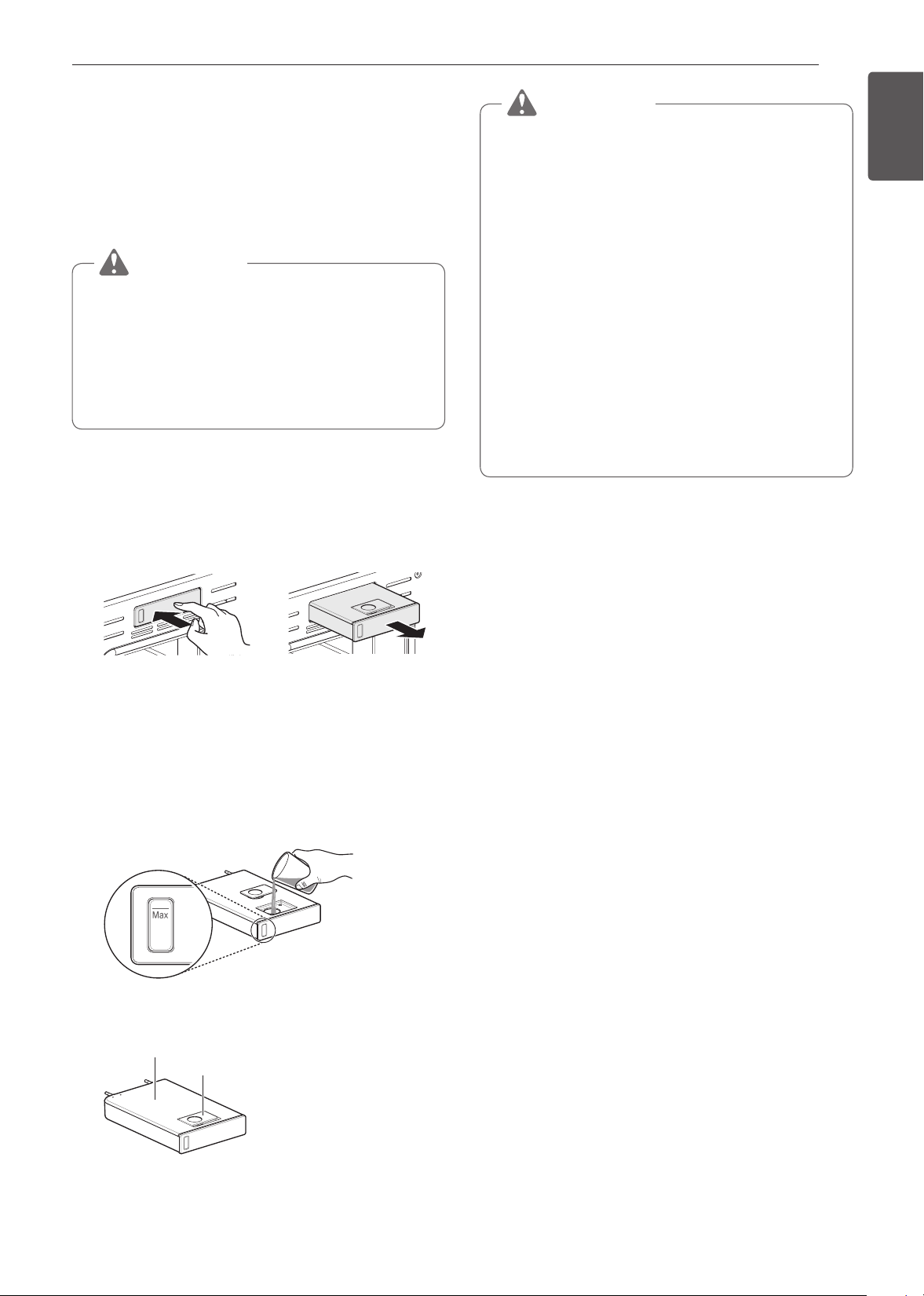
51
OPERATION
ENGLISH Using the Lower Oven
Steam Function
Steam cooking uses the moist heat of steam to cook
food. This is an ideal cooking method for delicate
food items such as seafood, which can lose nutrients
when boiled.
The oven provides 3 methods of steam cooking:
Gourmet Steam, SousVide and Steam Combi.
CAUTION
•
Take care when opening the oven door during
or after steam cooking. Hot steam can cause
scalding.
•
After any steam cooking cycle, the drying
function will run automatically. It is normal to
hear the steam pump running during the drying
function.
Using the Steam Feeder Tank
The steam feeder tank is located over the oven cavity.
1
Gently push the front of the steam feeder tank to
slide it out.
2
Remove the tank and place it on a flat surface.
3
Remove the tank cover or flip open the fill lid at
the front of the tank cover.
4
Fill the tank to the max line located at the front of
the tank. Use softened, filtered water, if possible.
Hard water may clog the steam generator more
quickly with scale buildup.
MAX LINE
5
Assemble the cover or snap closed the fill lid.
Tank Cover
Fill lid
CAUTION
•
Make sure the tank cover and fill lid are closed
before putting in the oven.
•
Use potable water only.
•
Do not fill the steam feeder tank with any fluid
or mixture other than water.
•
Do not fill the tank with hot water.
•
Fill the steam feeder tank up to the line
indicated on the front.
•
Do not tilt the steam feeder tank while it is full.
•
Discard any remaining water and clean the
steam feeder tank after cooking.
•
Use the steam feeder tank only for its intended
purpose of providing water for steam cooking.
•
Monitor the water level in the tank and refill as
needed for steam cooking.
6
Carefully insert the tank into the steam feeder
slot, making sure to keep the tank level while
carrying it. If the tank is not kept level, water will
drain out of the tubes in the back.
7
Slide the tank into the slot until it clicks into
place.
Steam-Combi Mode
The Steam-Combi mode heats food gradually, using
both the oven heating elements and moist steam
heat. The oven can be programmed to cook at any
temperature from 210°F (100 °C) to 550 °F (285 °C).
Preset temperature options start at 350 °F (175 °C).
Setting Steam-Combi Mode
1
Turn the Oven Mode knob to select Steam Cook
mode.
2
Touch Steam-Combi in the display.
3
Select the desired temperature and steam level:
Low, Medium, or High.
4
If desired, scroll to set the cook time and delayed
start time. Touch the arrow key on the right
side of the display to see the delayed start time
settings.
5
Touch Start.
6
Once cooking is finished, allow oven to cool
completely. Then wipe up any water left on the
oven interior.
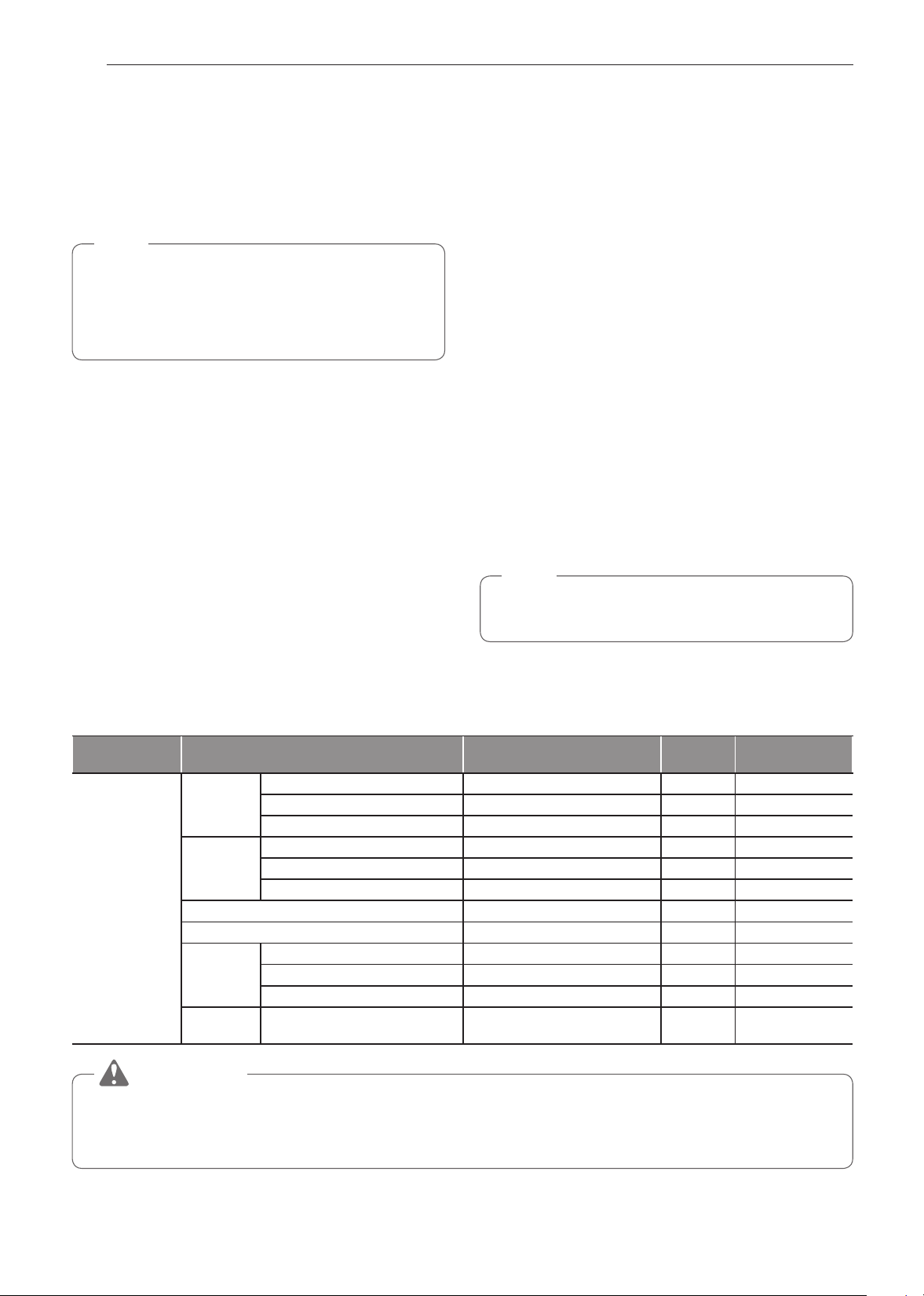
52
OPERATION
Once Steam-Combi cooking is started, an indicator
on the display shows the status of the steam function.
Make sure the steam feeder tank is filled with water
before starting the Steam-Combi mode. If the water in
the tank runs out during cooking, a chime sounds and
a popup appears in the display. The oven continues
to cook without steam.
NOTE
•
Remember to drain the steam feeder tank after
use.
•
When the temperature rise in the oven, steam
may not be visible.
Changing the Steam Cook Settings
1
Touch Edit in the display to bring up the Cook
Settings screen.
2
Adjust the settings as desired.
3
Touch Start.
To Stop Steam Cooking
1
Touch Stop in the display, and select Yes, or turn
the Mode knob to OFF position.
Gourmet Steam
Get great results using preset steam cooking recipes
that include recommendations for accessories and
rack position.
Setting Gourmet Steam Function
1
Turn the Oven Mode knob to select Steam Cook
mode.
2
Touch Gourmet Steam in the display.
3
Touch a category to filter the options.
4
Scroll through or tap the letters to find and select
an item.
5
Follow the recommendations in the display
regarding accessories and rack position.
6
Touch Start.
7
Once cooking is finished, allow oven to cool
completely. Then wipe up any water left on the
oven interior.
NOTE
It is normal to hear the sound of boiling water from the
steam generator while running the steam functions.
Gourmet Steam Guide
Category Menu Accessories/Cookware
Shelf
Position
Cooking time in
min.
Breads
White
Bread
Homemade Loaf pan 3 20~50
Frozen Loaf pan 3 20~50
Par Baked Loaf pan 3 20~50
Baguette
Homemade Perforated baguette pan 3 15~35
Frozen Perforated baguette pan 3 15~35
Par Baked Perforated baguette pan 3 15~35
Cinnamon Raisin Bread Loaf pan 3 20~40
Walnut Bread Loaf pan or perforated tray 3 40~50
Whole
Grain
Bread
Homemade Loaf pan 3 25~45
Frozen Loaf pan 3 25~45
Par baked Loaf pan 3 25~45
Banana
Bread
Homemade Loaf pan 3 25~50
CAUTION
•
Take care when opening the oven door during or after steam cooking. Hot steam can cause scalding.
•
After any steam cooking cycle, the drying function will run automatically. It is normal to hear the steam
pump running during the drying function.
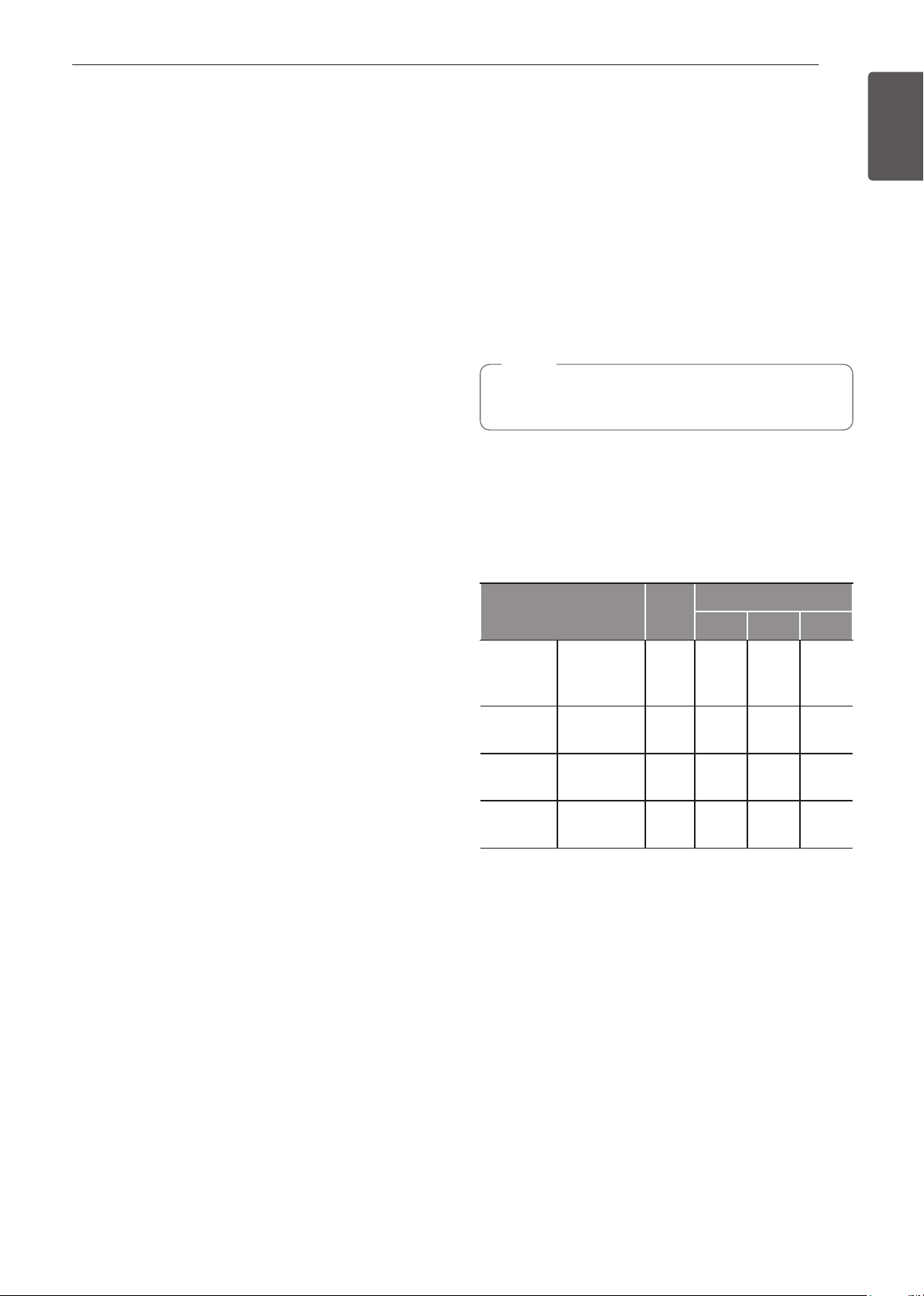
53
OPERATION
ENGLISH Using the Lower Oven
Sous Vide
Sous vide cooking uses steam to cook foods “low
and slow.” Use it to cook meat, fish, seafood, poultry
or vegetables. Food must be vacuum packced in
pouches.
It is not necessary to preheat the oven when using
sous vide.
Refer to the cooking guide for recommended sous
vide settings.
Benefits of Sous Vide
The lower temperatures and long cooking times used
in sous vide cooking provide many benefits
Healthier
Compared to other cooking methods, sous vide
retains most of the original nutrients in food.
Safe and Convenient
The long cooking times used in sous vide cooking
allow food to be pasteurized. Because food is vacuum
packed before cooking, the unopened pouches can
be quickly chilled then easily stored after cooking.
Crisp and Moist Results
The fine temperature control of sous vide cooking is
an excellent way to achieve the perfect texture when
cooking meat and poultry. The low temperatures used
retain more of the moisture in food than conventional
cooking methods. After cooking, a final sear in a
frying pan adds the perfect crisp finish.
Setting Sous Vide Mode
1
Fill the tank with water up to the max line located
at the front of the tank
2
Place the standard rack in position 3 and place
the sealed food bag on it.
3
Turn the Oven Mode knob to select Steam Cook
mode.
4
Touch Sous vide in the display.
5
Select the desired temperature.
6
If desired, scroll to set the cook time and delayed
start time. Touch the arrow key on the right side of
the display to see the delayed start time settings.
7
Touch Start.
8
Once cooking is finished, allow the oven to cool
completely. Then wipe up any water left on the
oven interior
Changing the Sous Vide Settings
1
Touch Edit in the display to bring up the cook
settings screen.
2
Adjust the settings as desired.
3
Touch Start.
To Stop Cooking
1
Touch Stop in the display, and select Yes, or turn
the Mode knob to OFF position.
NOTE
As the temperature in the oven rises, steam may
not be visible.
Sous Vide Cooking Guide
The size, weight, thickness, starting temperature, and
your personal preferences will affect operating times.
This guide is only for reference. Adjust cook time
according to your preference.
Temp.
Time
Min Target Max
Beef steak
(Medium
rare)
1" thick,
400-500 g
135 °F - 2.5 hr 3 hr
Chicken
breast
120-150 g 149 °F - 2.5 hr 3 hr
Salmon
1" thick,
200 g
140 °F - 2 hr 2.5 hr
Asparagus
80 g / 6 ea,
160 g / 12 ea
185 °F 20 min. 30 min. 45 min.
Cook 30 mins. or 1 hour more if you use meats
thicker than 1".
If you use larger meats, cut to match the
recommended weight. Be careful not to put pieces of
meat too close together.
54
SMART FUNCTIONS
SMART FUNCTIONS
SIGNATURE KITCHEN SUITE
Application
The SIGNATURE KITCHEN SUITE application
allows you to communicate with the appliance using a
smartphone.
SIGNATURE KITCHEN SUITE
Application Features
SpeedClean™
Allows you to set SpeedClean™ alerts, read the
instruction guide, and simulate and compare energy
consumption when using SpeedClean™ versus self-
clean cycles.
This feature is only available for lower oven.
Smart Diagnosis™
This function provides useful information for
diagnosing and solving issues with the appliance
based on the pattern of use.
Settings
Allows the user to change oven settings, including
the hour mode, preheat alarm light, beeper volume,
temperature units, convection auto conversion,
thermostat adjustment and language.
Remote Start
Remotely start the preheat mode or turn off the oven.
After opening and closing the door, place the mode
dial back to Remote Start within 30 seconds.
This feature is only available for lower oven.
Monitoring
This function provides the current status, remaining
time, cook settings and end time on the smartphone.
Push Alert
Turn on the push alerts to receive updates on the
status of the appliance. The alerts are sent whether
or not the SIGNATURE KITCHEN SUITE app is
running.
Timer
You can set the timer from the app.
This feature is only available for lower oven.
NOTE
•
If you change your wireless router, Internet
service provider, or password, delete the
registered appliance from the SIGNATURE
KITCHEN SUITE application and register it
again.
•
This information is current at the time of
publication. The application is subject to change
for product improvement purposes without
notice to users.
•
This feature is only available on some models.
Before Using SIGNATURE KITCHEN
SUITE App
1
Use a smartphone to check the strength of
the wireless router (Wi-Fi network) near the
appliance.
•
If the distance between the appliance and the
wireless router is too far, the signal strength
becomes weak. It may take a long time to
register or installation may fail.
2
Turn off the Mobile data or Cellular Data on
your smartphone.
•
For iPhones, turn data off by going to Settings
→ Cellular → Cellular Data.
3
Connect your smartphone to the wireless router.

55
SMART FUNCTIONS
ENGLISH
NOTE
•
To verify the Wi-Fi connection, check that Wi-Fi
icon on the control panel is lit.
•
The appliance supports 2.4 GHz Wi-Fi networks
only. To check your network frequency, contact
your Internet service provider or refer to your
wireless router manual.
•
SIGNATURE KITCHEN SUITE is not
responsible for any network connection
problems or any faults, malfunctions, or errors
caused by network connection.
•
The surrounding wireless environment can
make the wireless network service run slowly.
•
If the appliance is having trouble connecting
to the Wi-Fi network, it may be too far from
the router. Purchase a Wi-Fi repeater (range
extender) to improve the Wi-Fi signal strength.
•
The network connection may not work properly
depending on the Internet service provider.
•
The Wi-Fi connection may not connect or may
be interrupted because of the home network
environment.
•
If the appliance cannot be registered due to
problems with the wireless signal transmission,
unplug the appliance and wait about a minute
before trying again.
•
If the firewall on your wireless router is enabled,
disable the firewall or add an exception to it.
•
The wireless network name (SSID) should be a
combination of English letters and numbers. (Do
not use special characters.)
•
Smartphone user interface (UI) may vary
depending on the mobile operating system (OS)
and the manufacturer.
•
If the security protocol of the router is set to
WEP, network setup may fail. Change the
security protocol (WPA2 is recommended), and
register the product again.
Installing the SIGNATURE KITCHEN
SUITE Application
Search for the SIGNATURE KITCHEN SUITE
application from the Google Play Store or Apple
App Store on a smartphone. Follow instructions to
download and install the application.
Remote Start
If the appliance is registered on a home Wi-Fi
network, the preheating function of the oven can be
started or stopped using the SIGNATURE KITCHEN
SUITE smart phone app.
Preparing the Oven for a Remote Start
1
Open the oven door to make sure the oven is
empty and ready for preheating. Do not place
food in the oven. Close the oven door. Remote
Start can only be set when the oven door is
closed.
2
Touch SETTINGS, located at the center bottom
of the display. Touch Remote Start on the first
Settings screen, and then select On. Follow
the instructions on the popup that opens in the
display
3
Follow the instructions in the SIGNATURE
KITCHEN SUITE smartphone app for using the
Remote Start function.
NOTE
•
Remote Start is disconnected in the following
situations:
−
Remote Start is never set up in the smart
phone app.
−
The Remote Start status is “ready”.
−
Remote Start experiences a problem during
operation.
•
The Wi-Fi icon on the display shows the status
of the appliance's network connection. If the
Wi-Fi icon is not lit, use the smart phone app to
select the Wi-Fi network or register the product
again.
•
A faulty Wi-Fi connection could delay the
Remote Start function.
•
Disconnect the probe if attached.
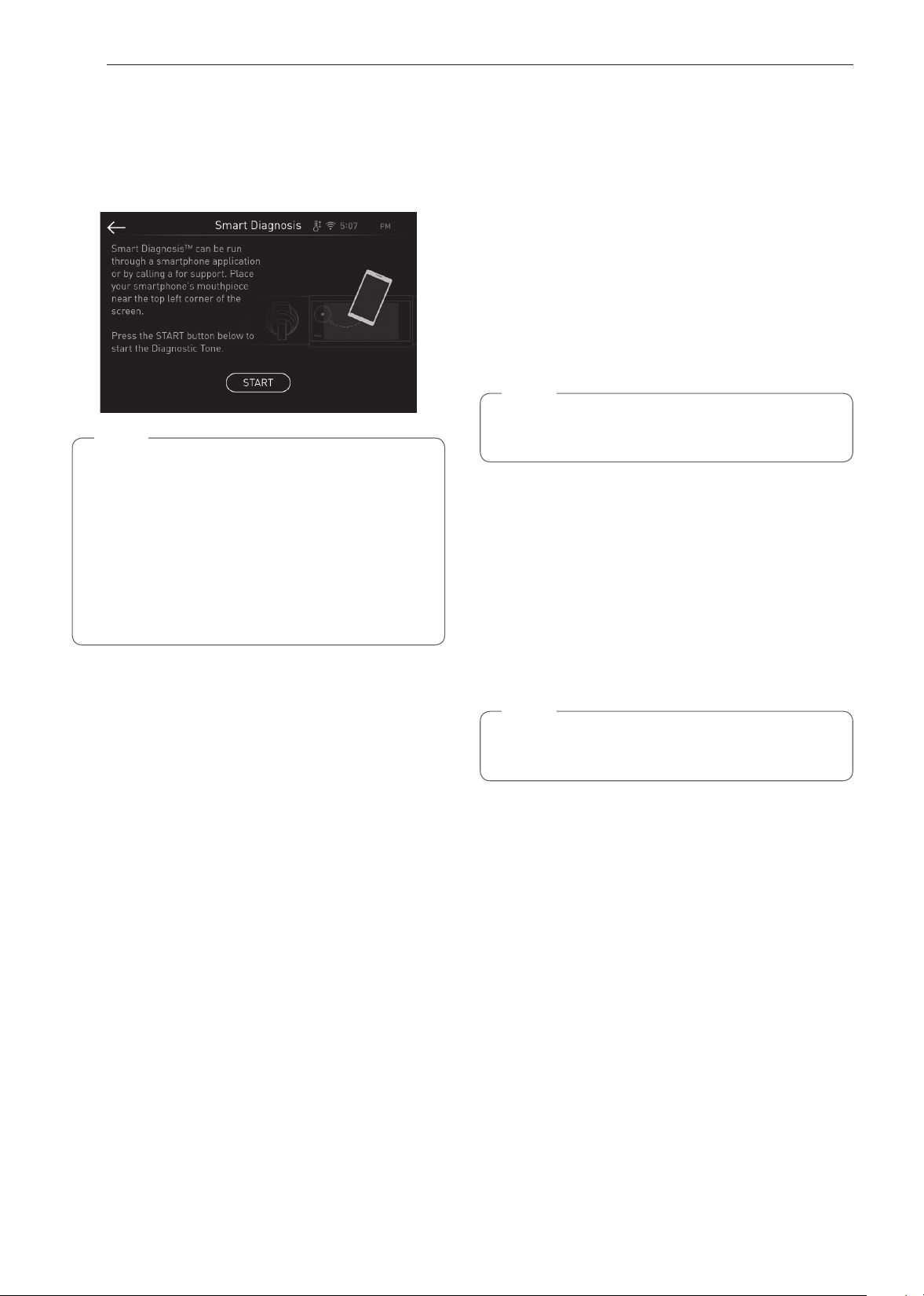
56
SMART FUNCTIONS
Smart Diagnosis™ Feature
Use this feature to help you diagnose and solve
problems with your appliance. NFC or Wi-Fi equipped
models can also transmit data to a smartphone using
the SIGNATURE KITCHEN SUITE application.
NOTE
•
For reasons not attributable to SIGNATURE
KITCHEN SUITE’s negligence, the service
may not operate due to external factors such
as, but not limited to, Wi-Fi unavailability, Wi-
Fi disconnection, local app store policy, or app
unavailability.
•
The feature may be subject to change without
prior notice and may have a different form
depending on where you are located.
Using SIGNATURE KITCHEN SUITE
to Diagnose Issues
If you experience a problem with your Wi-Fi equipped
appliance, it can transmit troubleshooting data to a
smartphone using the SIGNATURE KITCHEN SUITE
application.
•
Launch the SIGNATURE KITCHEN SUITE
application and select the Smart Diagnosis feature
in the menu. Follow the instructions provided in the
SIGNATURE KITCHEN SUITE application.
Using Audible Diagnosis to Diagnose
Issues
Follow the instructions below to use the audible
diagnosis method.
•
Launch the SIGNATURE KITCHEN SUITE
application and select the Smart Diagnosis feature
in the menu. Follow the instructions for audible
diagnosis provided in the SIGNATURE KITCHEN
SUITE application.
1
Touch SETTINGS, located at the center bottom
of the main display screen. Swipe to the third
settings screen and select Smart Diagnosis™.
Follow the instructions in the display.
NOTE
Do not touch any other buttons or icons on the
display screen.
2
Touch Start.
3
Keep the phone in place until the tone
transmission has finished. The display will count
down the time. Once the countdown is over and
the tones have stopped, the diagnosis will be
displayed in the application.
4
Once the tones have stopped, resume your
conversation with the call agent, who will assist
you in using the information transmitted.
NOTE
•
For best results, do not move the phone while
the tones are being transmitted.
57
SMART FUNCTIONS
ENGLISH
Open Source Software Notice
Information
To obtain the source code under GPL, LGPL, MPL
and other open source licenses, that is contained
in this product, please visit http://opensource.
signaturekitchensuite.com. In addition to the source
code, all referred license terms, warranty disclaimers
and copyright notices are available for download.
SIGNATURE KITCHEN SUITE will also provide open
source code to you on CD-ROM for a charge covering
the cost of performing such distribution (such as the
cost of media, shipping, and handling) upon email
request to [email protected].
This offer is valid for a period of three years after our
last shipment of this product. This offer is valid to
anyone in receipt of this information.
Wireless LAN Module Specications
Model LCW-009
Frequency Range 2412 MHz – 2462 MHz
Output Power (Max) < 30 dBm
FCC Notice
The following notice covers the transmitter module
contained in this product.
This equipment has been tested and found to comply
with the limits for a Class B digital device, pursuant
to Part 15 and Part 18 of the FCC Rules. These limits
are designed to provide reasonable protection against
harmful interference in a residential installation. This
equipment generates, uses, and can radiate radio
frequency energy and, if not installed and used in
accordance with the instructions, may cause harmful
interference to radio communications. However, there
is no guarantee that interference will not occur in a
particular installation. If this equipment does cause
harmful interference to radio or television reception,
which can be determined by turning the equipment
off and on, the user is encouraged to try to correct
the interference by one or more of the following
measures:
•
Reorient or relocate the receiving antenna.
•
Increase the separation between the equipment
and the receiver.
•
Connect the equipment into an outlet on a
circuit different from that to which the receiver is
connected.
•
Consult the dealer or an experienced radio/TV
technician for help.
This device complies with Part 15, Part 18 of the
FCC Rules. Operation is subject to the following two
conditions:
(1) This device may not cause harmful interference
and
(2) This device must accept any interference
received, including interference that may cause
undesired operation
Any changes or modifications in construction of this
device which are not expressly approved by the party
responsible for compliance could void the user’s
authority to operate the equipment.
FCC RF Radiation Exposure
Statement
This equipment complies with FCC radiation exposure
limits set forth for an uncontrolled environment. This
transmitter must not be co-located or operating in
conjunction with any other antenna or transmitter.
This equipment should be installed and operated with
a minimum distance of 20 cm (7.8 inches) between
the antenna and your body. Users must follow the
specific operating instructions for satisfying RF
exposure compliance.
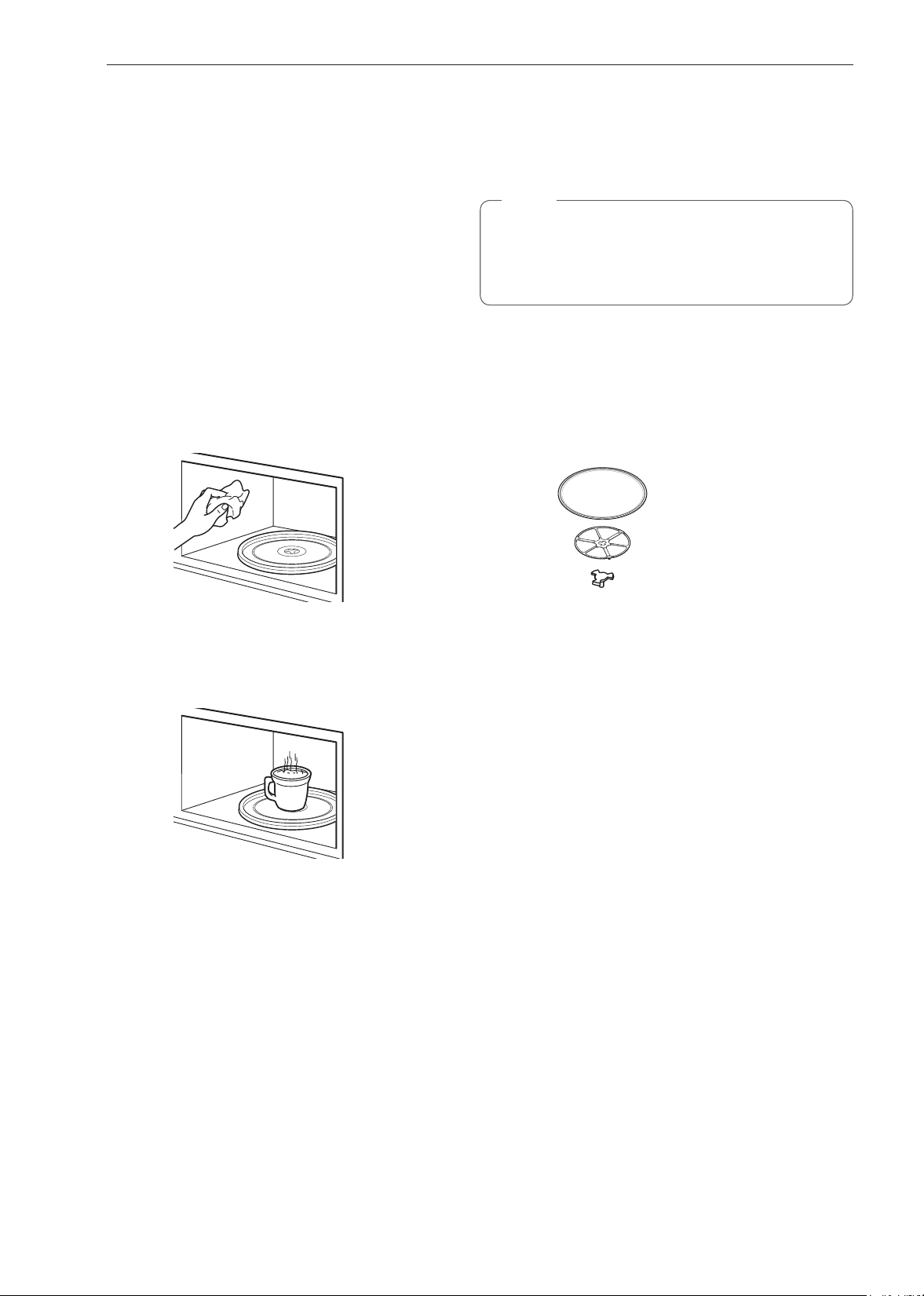
58
MAINTENANCE
MAINTENANCE
Caring for the Upper Oven
To make sure the microwave oven looks good and
works well for a long time, maintain it properly. For
proper care, follow these instructions carefully.
Cleaning the Interior
Wash often with warm, sudsy water and a sponge or
soft cloth. Use only mild, nonabrasive soaps or a mild
detergent. Keep the areas clean where the door
and oven frame touch when closed.
Wipe well with a clean cloth. Over time, stains can
occur on the surfaces as the result of food particles
spattering during cooking. This is normal.
For stubborn soil, boil a cup of water in the oven for 2
to 3 minutes. Steam will soften the soil. To get rid of
odors inside the oven, boil a cup of water with some
lemon juice or vinegar in it.
Cleaning the Exterior
Use a soft cloth sprayed with glass cleaner.
Apply the glass cleaner to the soft cloth; do not spray
directly on the oven.
NOTE
Abrasive cleansers, steel wool pads, gritty
wash cloths, some paper towels, etc., can
damage the control panel and the interior and
exterior oven surfaces.
To clean the glass tray and rotating ring, wash in
mild, sudsy water.
For heavily soiled areas use a mild cleanser and
scouring sponge.
The glass tray and rotating ring are dishwasher safe.
Glass Tray
Rotating Ring
Shaft
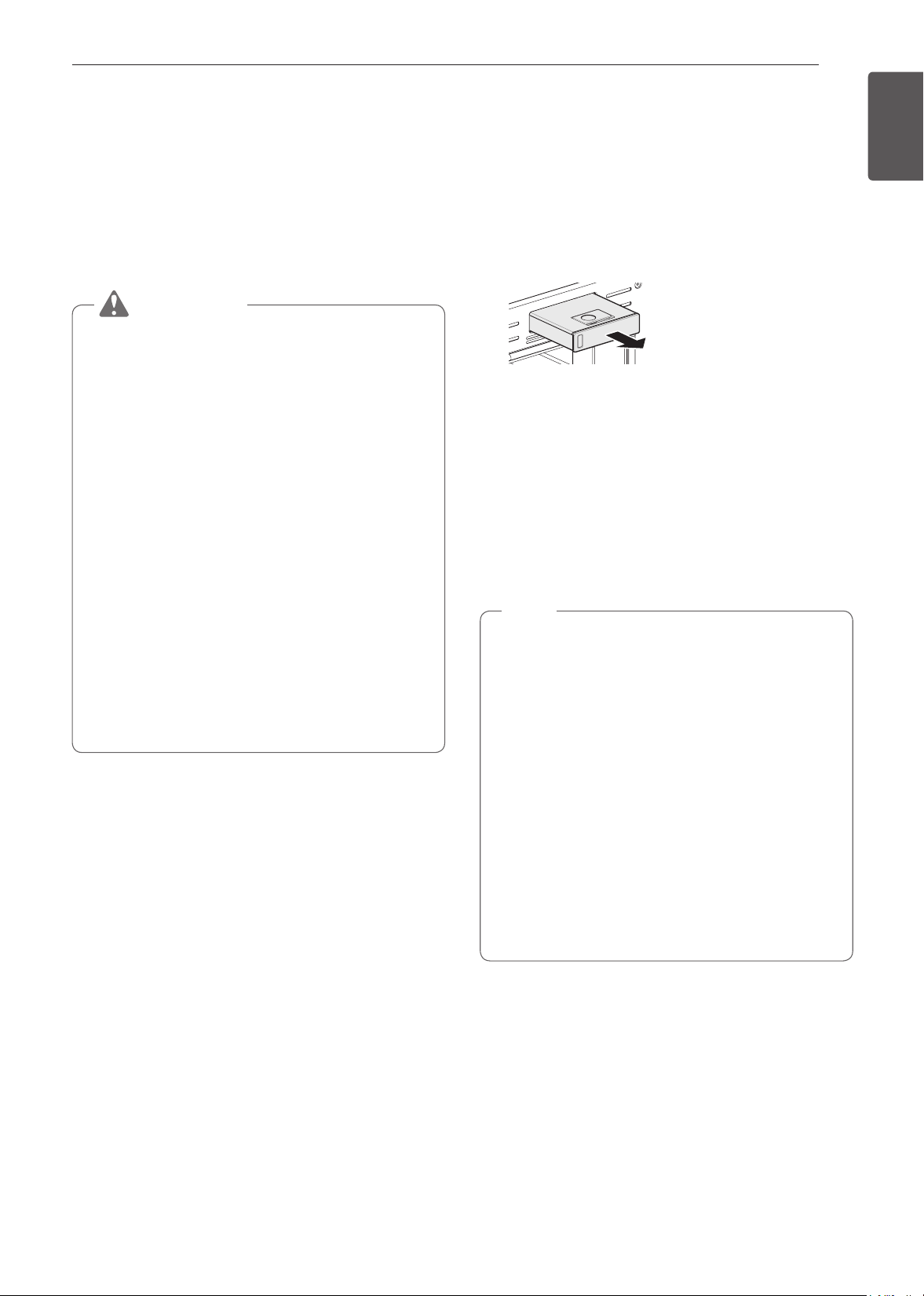
59
MAINTENANCE
ENGLISH
Caring for the Lower Oven
Self Clean
The Self Clean cycle uses extremely hot temperatures
to clean the oven cavity. While running the Self Clean
cycle, you may notice smoking or an odor. This is
normal, especially if the oven is heavily soiled.
During the Self Clean cycle, the kitchen should be
well-ventilated to minimize the odors from cleaning.
CAUTION
•
DO NOT leave small children unattended near
the appliance. During the Self Clean cycle, the
outside of the oven can become very hot to
touch.
•
If you have pet birds, move them to another
well-ventilated room. The health of some birds
is extremely sensitive to the fumes given off
during the Self Clean cycle of any oven.
•
DO NOT line the oven walls, racks, bottom or
any other part of the oven with aluminum foil or
any other material. Doing so will destroy heat
distribution, produce poor baking results and
cause permanent damage to the oven interior
(aluminum foil will melt to the interior surface of
the oven).
•
DO NOT force the door open. This can damage
the automatic door locking system. Use care
when opening the oven door after the Self
Clean cycle. Stand to the side of the oven when
opening the door to allow hot air or steam to
escape. The oven may still be VERY HOT.
Before Starting Self Clean
•
Remove the water tank, oven racks, broiler pan,
broiler grid, all cookware, aluminum foil or any other
material from the oven.
Leaving items in the oven will cause permanent
damage to the oven interior.
•
If you don't remove the water tank from the oven,
a beep sounds, and the Self Clean cycle does not
start.
•
The kitchen should be well ventilated to minimize
the odors from cleaning.
•
Wipe any heavy spillovers on the bottom of the
oven.
•
Make sure that the oven light bulb cover is in place
and the oven light is off.
•
The oven light cannot be turned on during a Self
Clean cycle. The oven light cannot be turned on
until the oven temperature has cooled below
500 ˚F (260 ˚C) after a Self Clean cycle is complete.
NOTE
•
Remove oven racks and accessories before
starting the Self Clean cycle.
•
If oven racks are left in the oven cavity during
the Self Clean cycle, they will discolor and
become difficult to slide in and out.
•
Clean the frame of the oven and door with hot
soapy water. Rinse well.
•
Do not clean the gasket. The fiberglass material
of the oven door gasket cannot withstand
abrasion.
•
It is essential for the gasket to remain intact. If
you notice it becoming worn or frayed, replace
it.
•
It is normal for the fan to operate during the Self
Clean cycle.
60
MAINTENANCE
Setting Self Clean
The Self- Clean function has cycle times of 3, 4, or 5
hours.
Self Clean Soil Guide
Soil Level Cycle Setting
Lightly soiled oven cavity 3 Hour Self Clean
Moderately soiled oven cavity 4 Hour Self Clean
Heavily soiled oven cavity 5 Hour Self Clean
1
Remove all racks and accessories from the oven.
2
Turn the Oven Mode knob to select the Clean
mode, and Touch Self clean. The oven defaults
to the recommended four-hour self clean for a
moderately soiled oven.
3
Select the desired cycle time.
4
If desired, scroll to set a delayed start time or
touch the number pad icon to enter the start
time directly.
5
Touch Start. The remaining time or the delayed
start time appears in the display.
6
Once the self-clean cycle is set, the oven door
locks automatically and the lock icon displays.
You will not be able to open the oven door
until the oven has cooled. The lock releases
automatically when the oven has cooled.
CAUTION
DO NOT force the oven door open when the
lock icon is displayed. The oven door will remain
locked until the oven temperature has cooled.
Forcing the door open will damage the door.
NOTE
It may become necessary to cancel or interrupt a
self clean cycle due to excessive smoke or fire in
the oven. To cancel the Self Clean function, touch
Stop in the display or turn the Oven Mode knob
to OFF position.
During Self Clean
•
The self clean cycle uses extremely hot
temperatures to clean the oven cavity. While
running the Self Clean cycle, you may notice
smoking or an odor.
This is normal, especially if the oven is heavily
soiled.
•
As the oven heats, you may hear sounds of metal
parts expanding and contracting. This is normal
and will not damage the oven.
•
Do not force the oven door open when the lock
is displayed. The oven door remains locked until
the oven temperature has cooled. Forcing the door
open will damage the door.
NOTE
•
The Self Clean cycle cannot be started if the
Lockout feature is active.
•
Once the Self Clean cycle is set, the oven door
will lock automatically. You will not be able to
open the oven door until the oven is cooled.
The lock will release automatically.
•
Once the door has been locked, the lock
indicator light stops flashing and remains on.
Allow about 15 seconds for the oven door lock
to activate.
•
If the clock is set for a 12 hour display (default)
the Delayed Self Clean can never be set to
start more than 12 hours in advance.
•
After the oven is turned off, the convection
fan keeps operating until the oven has cooled
down.
After the Self Clean Cycle
•
The oven door will remain locked until the oven
temperature has cooled.
•
You may notice some white ash in the oven. Wipe
it off with a damp cloth or a non-scratch scrub pad
after the oven cools. If the oven is not clean after
one clean cycle, repeat the cycle.
•
If oven racks were left in the oven and do not slide
smoothly after a clean cycle, wipe racks and rack
supports with a small amount of vegetable oil to
make them glide more easily.
•
Fine lines may appear in the porcelain because it
went through heating and cooling. This is normal
and will not affect performance.
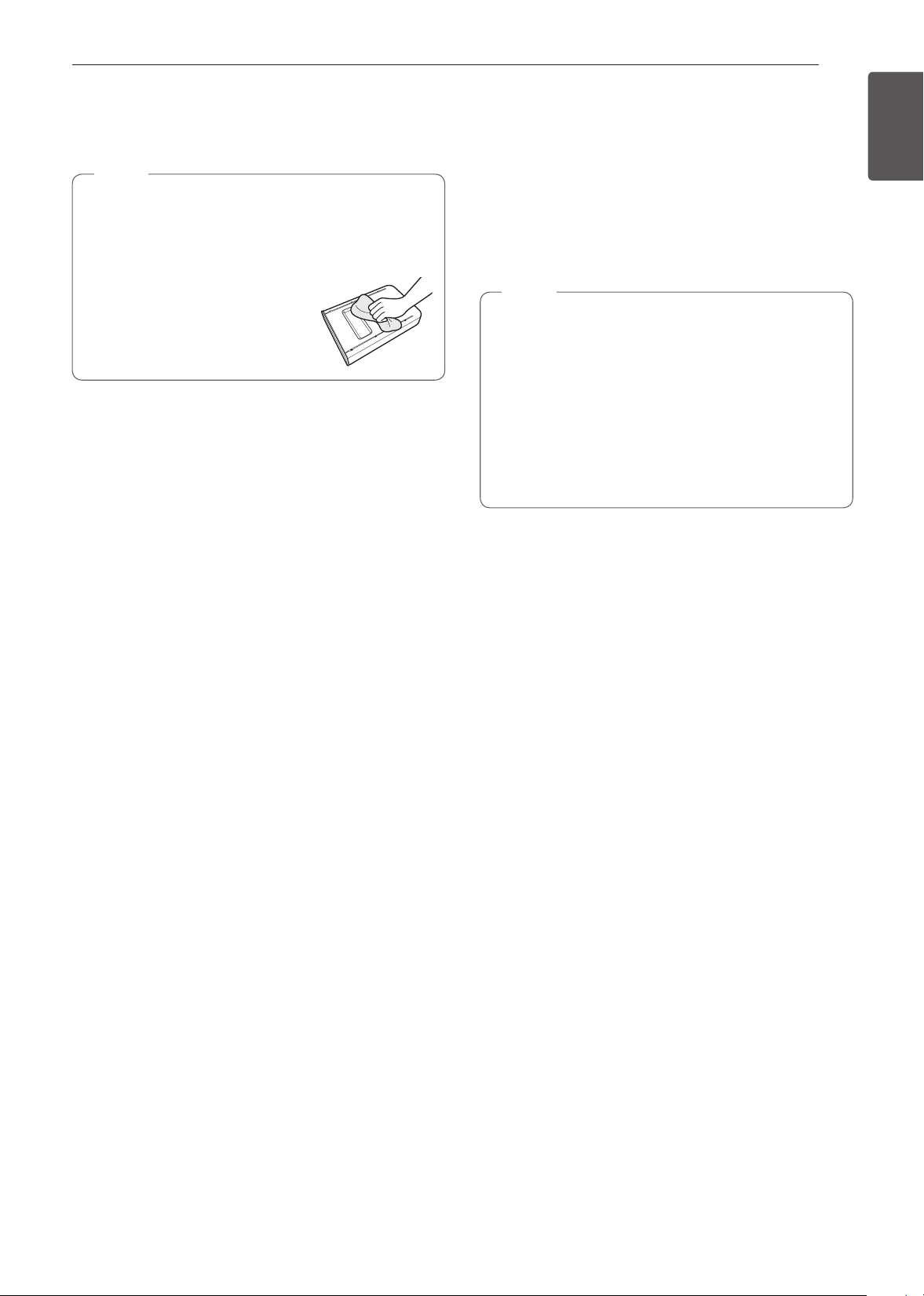
61
MAINTENANCE
ENGLISH
Steam Feeder Tank
The steam feeder tank is used during the steam cooking
functions. Use filtered, softened water if possible.
NOTE
•
After using the steam function, the steam feeder
tank should be drained. To avoid bacteria or
odors, clean and dry the steam feeder tank
after every use.
•
Do not clean in a dishwasher.
•
If the steam feeder tank does
not slide in as smoothly as it
should, clean the bottom of
the tank.
Hard Water Scale
If hard water is used in the steam feeder tank,
the steam generator may become clogged with
hard water scale. In areas with hard water, run the
Descaling function frequently or use softened water.
Cleaning Scale on Oven Bottom
To remove mineral deposits that remain on the oven
bottom after using the steam mode, use a cloth
or sponge soaked in vinegar or a weak citric acid
solution. For more stubborn or extensive scaling, use
the Descaling function.
Descaling
Use this function to remove the white deposits that
form after the steam generator is used for a long
period.
The Descaling function runs for 1 hour 43 minutes.
Water will come out of the steam generator while it is
being cleaned.
For instructions on removing and filling the steam
feeder tank, see "Using the Steam Feeder Tank."
Setting Descaling
1
Fill the steam feeder tank with a 20:1 mixture of
water and citric acid. For example, use 4 tsp of
citric acid in 4
1
/
4
cups water (20 g citric acid in
1000 ml water).
2
Insert the steam feeder tank into the slot over the
oven cavity and push it in until it clicks into place.
3
Turn the Oven Mode knob to select Clean mode.
Touch Steam Maintenance and Descaling in that
order.
4
After 1 hour 43 minutes of descaling, a popup will
appear in the display. Following the instructions,
drain the tank and fill it with clean water.
5
Insert the tank and start the Rinsing function.
6
Once the Rinsing function is complete, dry
the inside of the oven with a soft cloth. Leave
the oven door open and allow the oven to dry
completely.
NOTE
•
The Rinsing function must be completed even if
the Descaling function is canceled.
•
If water remains on the oven bottom after
descaling, it can leave a residue after the
oven is used. To remove the residue, see the
instructions under "Cleaning Scale on Oven
Bottom."
•
After running the Descaling function, clean the
steam feeder tank.
Drying
The Drying function removes residual water inside
the steam generator. The function takes a little over
1 minute and runs automatically after any steam
cooking cycle. The Drying function can also be
started manually, if needed.
Setting Drying
1
Make sure that the steam feeder tank is empty.
2
Turn the Oven Mode knob to select Clean mode.
Touch Steam Maintenance and Drying in that
order.
3
Touch Start to begin Drying. The remaining time
appears in the display.
Evaporation
Use the Evaporation function to dry the oven cavity
after a steam cooking cycle. Evaporation runs for 12
minutes.
Setting Evaporation
1
Turn the Oven Mode knob to select Clean mode.
Touch Steam Maintenance and Evaporation in
that order.
2
Touch Start to begin Evaporation. The remaining
time appears in the display.

62
MAINTENANCE
SpeedClean™
SIGNATURE KITCHEN SUITE'S new oven with
SpeedClean™ enamel technology provides
two cleaning options for the oven interior. The
SpeedClean™ feature takes advantage of
SIGNATURE KITCHEN SUITE'S new enamel to help
lift soils without harsh chemicals, and it runs using
ONLY WATER for just 10 minutes in low temperatures
to help loosen LIGHT soils before hand-cleaning.
While SpeedClean™ is quick and effective for small
and LIGHT soils, the Self Clean feature can be
used to remove HEAVY built up soils. The intensity
and high heat of the Self Clean cycle may result in
smoke which will require the opening up of windows
to provide ventilation. Compared to the more intense
Self Clean process, your SIGNATURE KITCHEN
SUITE oven gives you the option of cleaning with
LESS HEAT, LESS TIME, and virtually NO SMOKE
OR FUMES.
When needed, your oven still provides the Self Clean
option for longer, more thorough cleaning for heavier,
built up soils.
BENEFITS OF SpeedClean™
•
Helps loosen light soils before hand-cleaning
•
SpeedClean™ only uses water; no chemical
cleaners
•
Makes for a better Self Clean experience
−
Delays the need for a Self Clean cycle
−
Minimizes smoke and odors
−
Can allow shorter Self Clean time
When to use SpeedClean™
Suggested
Cleaning Method
Example of Oven Soiling Soil Pattern
Types of
Soils
Common Food Items
That Can Soil Your Oven
SpeedClean™
Small drops or
spots
Cheese
or other
ingredients
Pizza
Light splatter Fat/grease
Steaks, broiled
Fish, broiled
Meat roasted at low
temperatures
Self Clean*
Medium to
heavy splatter
Fat/grease
Meat roasted at high
temperatures
Drops or spots
Filling or
Sugar based
soils
Pies
Cream or
tomato
sauce
Casseroles
* The Self Clean cycle can be used for soil that has been built up over time.
63
MAINTENANCE
ENGLISH
Cleaning Tips
•
Allow the oven to cool to room temperature before
using the SpeedClean™ cycle.
•
A plastic spatula can be used as a scraper to
scrape off any chunks or debris before and during
oven cleaning.
•
Using the rough side of a non-scratch scouring pad
may help to take off burnt-on stains better than a
soft sponge or towel.
•
Certain non-scratch scrubbing sponges, such as
those made of melamine foam, available at your
local stores, can also help improve cleaning.
•
The oven should be level to ensure that the bottom
surface of the oven cavity is entirely covered by
water at the beginning of the SpeedClean™ cycle.
•
For best results, use distilled or filtered water. Tap
water may leave mineral deposits on the oven
bottom.
•
Soil baked on through several cooking cycles will
be more difficult to remove with the SpeedClean™
cycle.
•
Do not open the oven door during the
SpeedClean™ cycle. Water will not get hot enough
if the door is opened during the cycle.
•
For hard to reach areas such as the back surface
of the oven, it is better to use the Self Clean cycle.
SpeedClean™ Instruction Guide
1
Remove oven racks and accessories from the
oven.
2
Scrape off and remove any burnt-on debris with
a plastic scraper.
Suggested plastic scrapers:
•
Hard plastic spatula
•
Plastic pan scraper
•
Plastic paint scraper
•
Old credit card
3
If cleaning the oven, fill the steam feeder tank to
the maximum fill line with water.
4
Turn the Oven Mode knob to select the Clean
mode. Then select SpeedClean in the display.
5
Touch Start. The remaining time appears in the
display.
CAUTION
•
Some surfaces may be hot after the
SpeedClean™ cycle. Wear rubber gloves while
cleaning to prevent burns.
•
During the SpeedClean™ cycle, the oven
bottom becomes hot enough to cause burns.
Wait until the cycle is over before wiping the
inside surface of the oven. Failure to do so may
result in burns.
•
Avoid leaning or resting on the oven door glass
while cleaning the oven cavity.
6
A tone will sound at the end of the 10-minute
cycle. turn the Oven Mode knob to the OFF
position to clear the display and end the tone.
7
After the cleaning cycle and during hand-
cleaning, enough water should remain on the
oven bottom to completely submerge all soils.
Add water if necessary. Place a towel on the
floor in front of the oven to capture any water
that may spill out during hand-cleaning.

64
MAINTENANCE
8
Clean the oven cavity immediately after the
SpeedClean™ cycle by scrubbing with a wet,
non-scratch scouring sponge or pad. (The
scouring side will not scratch the finish.) Some
water may spill into the bottom vents while
cleaning, but it will be captured in
a pan under the oven cavity and
will not hurt the burner.
NOTE
DO NOT use any steel scouring pads, abrasive
pads or cleaners as these materials can
permanently damage the oven surface.
9
Once the oven cavity is cleaned, wipe any
excess water with a clean dry towel. Replace
racks and any other accessories.
10
If some light soils remain, repeat the above
steps, making sure to thoroughly soak the
soiled areas. If stubborn soils remain after
multiple SpeedClean™ cycles, run the Self
Clean cycle. Be sure that the oven cavity is
empty of oven racks and other accessories,
and that the oven cavity surface is dry before
running the Self Clean cycle. Consult the Self
Clean section for further details.
NOTE
•
The cavity gasket may be wet when the
SpeedClean™ cycle finishes. This is normal.
Do not clean the gasket.
•
If mineral deposits remain on the oven bottom
after cleaning, use a cloth or sponge soaked in
vinegar to remove them.
•
Using commercial oven cleaners or bleach to
clean the oven is not recommended.
Instead, use a mild liquid cleanser with a PH
value below 12.7 to avoid discoloring the
enamel.
Cleaning the Exterior
Painted Surfaces
For general cleaning, use a cloth with hot soapy
water. For more difficult soils and built-up grease,
apply a liquid detergent directly onto the soil. Leave it
on for 30 to 60 minutes. Rinse with a damp cloth and
dry. Do not use abrasive cleaners.
Stainless Steel Surfaces
To avoid scratches, do not use steel wool pads.
1
Place a small amount of stainless steel
appliance cleaner or polish on a damp cloth or
paper towel.
2
Clean a small area, rubbing with the grain of the
stainless steel if applicable.
3
Dry and buff with a clean, dry paper towel or soft
cloth.
4
Repeat as necessary.
NOTE
•
Do not use a steel wool pad. it will scratch the
surface.
•
To clean the stainless steel surface, use warm
sudsy water or a stainless steel cleaner or
polish.
•
Always wipe in the direction of the metal
surface finish.
•
Stainless steel appliance cleaner or polish can
be purchased online or from most retailers of
appliances or home goods.
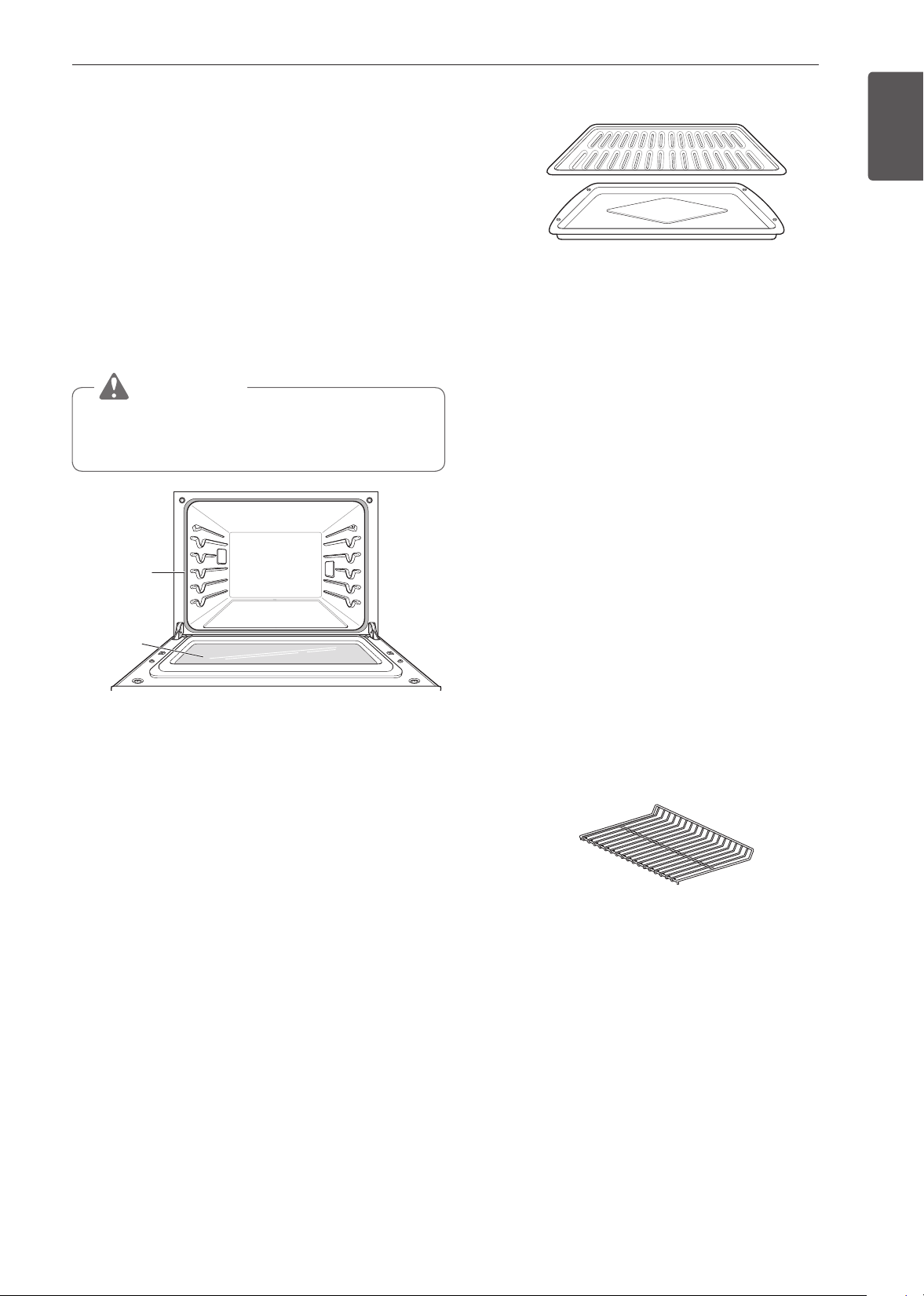
65
MAINTENANCE
ENGLISH
Oven Door
•
Use soapy water to thoroughly clean the oven door.
Rinse well. DO NOT immerse the door in water.
•
You may use a glass cleaner on the outside glass
of the oven door. DO NOT spray water or glass
cleaner on the door vents.
•
DO NOT use oven cleaners, cleaning powders, or
harsh abrasive cleaning materials on the outside of
the oven door.
•
DO NOT clean the oven door gasket. The oven
door gasket is made of a woven material that is
essential for a good seal. Care should be taken not
to rub, damage, or remove this gasket.
CAUTION
Do not use harsh cleaners or harsh abrasive
cleaning materials on the outside of the oven
door. Doing so can cause damage.
Do not hand
clean oven
door gasket
Remove
any debris
from door
Broiler Pan and Grid
•
Do not store a soiled broiler pan or grid anywhere
in the oven.
•
Do not clean the broiler pan or grid in the self
cleaning mode.
•
Remove the grid from the pan. Carefully pour out
the grease from the pan into a proper container.
•
Wash and rinse the broiler pan and grid in hot water
with a soap-filled or plastic scouring pad.
•
If food has burned on, sprinkle the grid with cleaner
while hot and cover with wet paper towels or a
dishcloth. Soaking the pan will remove burned-on
foods.
•
Both the broiler pan and grid may be cleaned with a
commercial oven cleaner or in the dishwasher.
Oven Racks
Remove the oven racks before operating the Self
Clean cycle. Leaving the racks in place could cause
discoloration.
If the racks are cleaned in the Self Clean cycle, their
color will turn slightly blue and the finish will be dull.
After the Self Clean cycle is complete and the oven
has cooled, rub the sides of the racks with wax paper
or a cloth containing a small amount of oil. This will
make the racks glide more easily into the rack tracks.
Oven Cavity
DO NOT use oven cleaners.
NEVER wipe a warm or hot porcelain surface with a
damp sponge; it may cause chipping or crazing (tiny
hairlike cracks). Food spills should be cleaned when
the oven cools. At high temperature, foods react with
porcelain and a permanent dull spot can result. When
cleaning a spot, use only non-abrasive cleaners or
scrubbers.
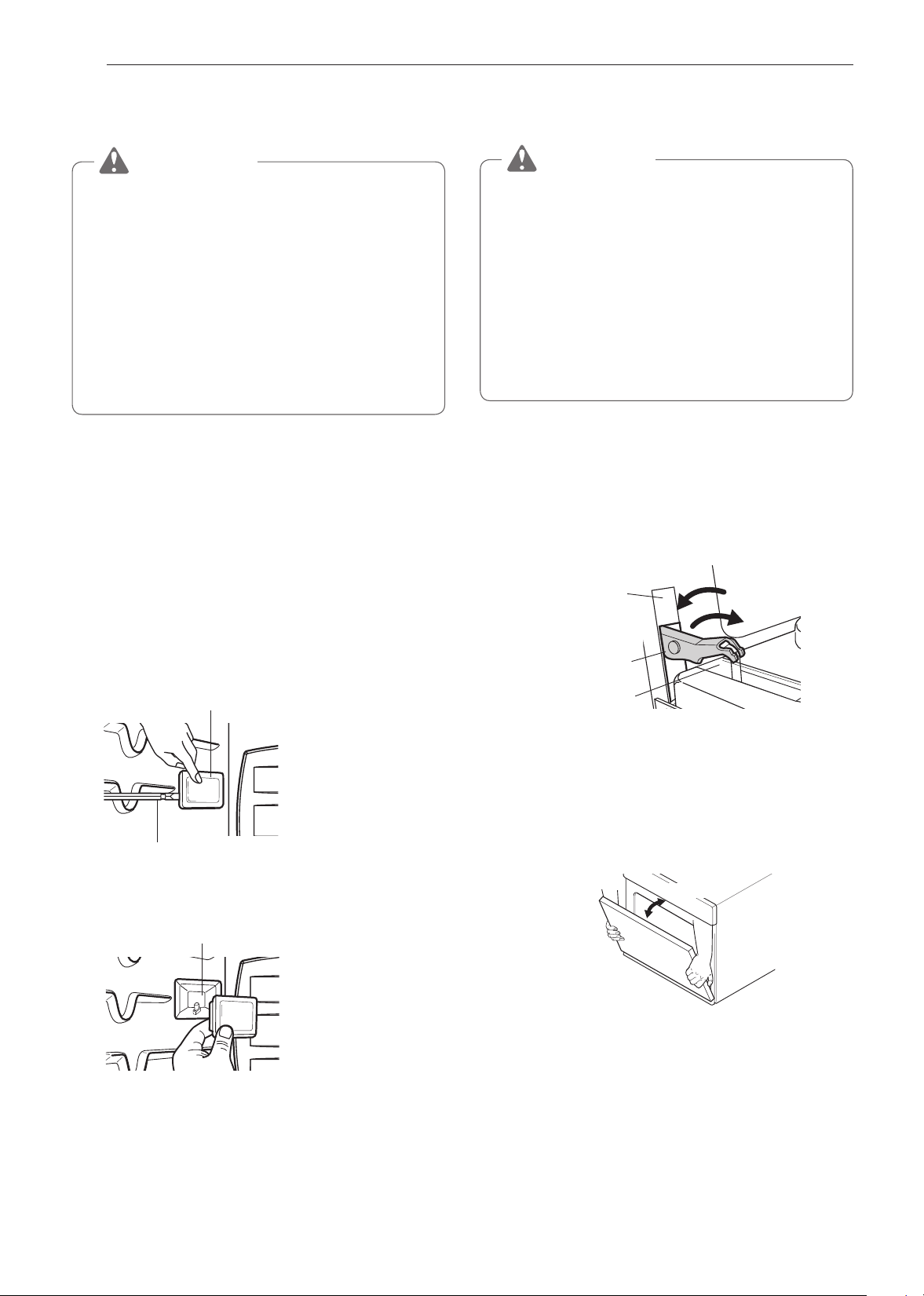
66
MAINTENANCE
Changing the Oven Light
The oven light is a standard 25-watt halogen bulb.
WARNING
•
Make sure that the oven and bulb are cool.
•
Disconnect the electrical power to the oven at
the main fuse or circuit breaker panel. Failure
to do so can result in severe personal injury,
death, or electrical shock.
•
Wear gloves while changing the oven light.
Glass fragments from broken bulbs can cause
risk of injury.
•
Gently twist the screwdriver blade while
changing the oven light. If you apply force, the
glass or oven may crack.
To replace lamps located on the side wall:
•
Make sure oven and bulb are cool.
1
Unplug oven or disconnect power.
2
Remove oven racks.
3
Slide a flat blade screwdriver between the
housing and the glass light cover.
4
Support the glass light cover with two fingers to
prevent the cover from falling to the bottom of the
oven.
Glass Light Cover
Flat blade screwdriver
5
Gently twist the screwdriver blade to loosen the
glass light cover and remove it.
Housing
6
Remove bulb from socket.
7
Replace the bulb, and snap the light cover back
into place.
8
Plug in oven or reconnect power.
Removing and Replacing the Oven
Door
CAUTION
•
The door is very heavy. Be careful when
removing and lifting the door.
•
DO NOT lift the door by the handle. The handle
is not designed to support the weight of the
door and could break.
•
DO NOT hit the glass with pots, pans, or any
other object.
•
Scratching, hitting, jarring or stressing the glass
may weaken its structure, causing an increased
risk of breakage at a later time.
Removing the Oven Door
1
Fully open the door.
2
Unlock the hinge on both sides, rotating them as
far toward the open door frame as they will go.
Slot
Unlock
Lock
Hinge lock
Hinge arm
3
Firmly grasp both sides of the door at the top.
4
Close the door to the removal position
(approximately 5 degrees) which is halfway
between the broil stop position and fully closed.
If the position is correct, the hinge cams will
move freely.
about 5°
Removal Position
5
Lift door up and out until the hinge cams are
clear of the slots.
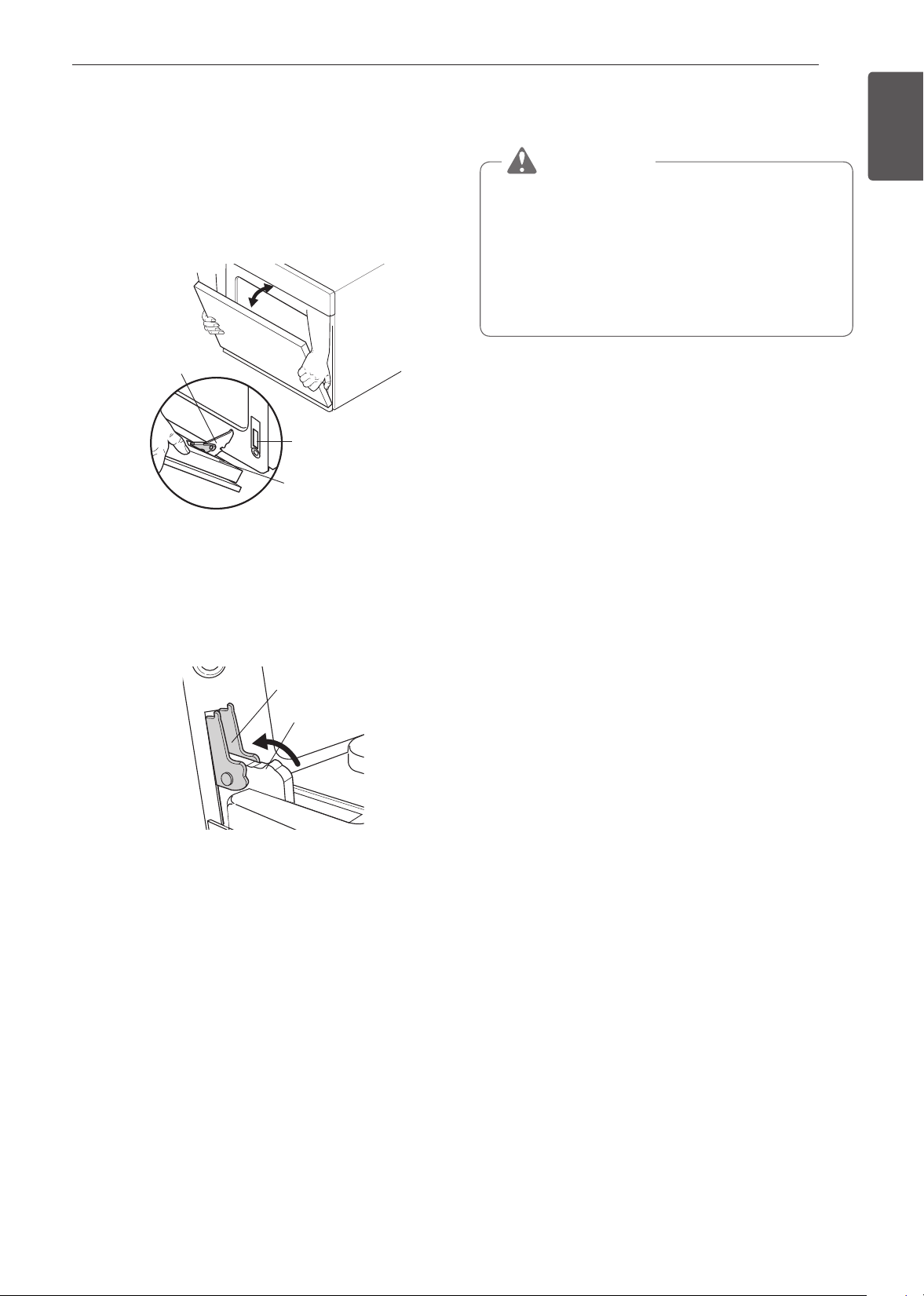
67
MAINTENANCE
ENGLISH
Replacing the Door
1
Firmly grasp both sides of the door at the top.
2
With the door at the same angle as the removal
position, seat the indentation of the hinge cams
into the bottom edge of the hinge slots. The
notch in the hinge cams must be fully seated into
the bottom edge of the slots.
Hinge arm
Bottom
edge of slot
Indentation
3
Open the door fully. If the door will not open fully,
the indentation is not seated correctly in the
bottom edge of the slots.
4
Lock the hinges on either side of the door,
rotating them back toward the slots in the oven
frame until they lock.
Hinge arm
Hinge lock
Push hinge locks up to lock
5
Close the oven door.
Door Care Instructions
Most oven doors contain glass that can break.
CAUTION
•
Do not close the oven door until all the oven
racks are fully in place.
•
Do not hit the glass with pots, pans, or any
other object.
•
Scratching, hitting, jarring, or stressing the
glass may weaken its structure causing an
increased risk of breakage at a later time.

68
TROUBLESHOOTING
TROUBLESHOOTING
FAQs
My new oven doesn’t cook like my old one. Is
there something wrong with the temperature
settings?
No, Your oven has been factory tested and calibrated.
For the first few uses, follow your recipe times and
temperatures carefully. If you still think your new
oven is too hot or too cold, you can adjust the oven
temperature yourself to meet your specific cooking
needs. Refer to the Temperature Adjustment section,
page 18, for easy instructions on how to adjust your
thermostat.
Can I use a rack in my upper oven to reheat or
cook on two levels at once?
Only use the rack that is supplied with your upper
oven. Use of any other rack can result in poor cooking
performance and/or arcing and may damage your
oven.
Will the upper oven be damaged if it operates
empty?
Yes. Never operate the oven empty or without the
glass tray.
Does microwave energy pass through the viewing
screen in the door?
No. The metal screen bounces the energy back to
the oven cavity. The holes (or ports) allow only light to
pass through. They do not let microwave energy pass
through.
Why do I see light reflection around the outer
case?
This light is from the upper oven light which is located
between the oven cavity and the outer wall of the
oven.
What are the various sounds I hear when the
upper oven is operating?
The clicking sound is caused by a mechanical switch
turning the microwave oven's magnetron ON and
OFF.
The heavy hum and clunk is from the change in
power the magnetron draws as it is turned ON and
OFF by a mechanical switch. The change in blower
speed is from the change in line voltage caused by
the magnetron being turned ON and OFF.
Can my upper oven be damaged if food is cooked
for too long?
Like any other cooking appliance, it is possible to
overcook food to the point that the food creates
smoke and even possibly fire, and damage to the
inside of the oven. It is always best to be near the
oven while you are cooking.
Why is a standing time recommended after
microwave cooking time is over?
Standing time allows foods to continue cooking
evenly for a few minutes after the actual microwave
oven cooking cycle. The amount of standing time
depends upon the density of the foods.
Why is additional time required for cooking food
stored in the refrigerator?
As in conventional cooking, the initial temperature of
food affects total cooking time. You need more time to
cook food taken out of a refrigerator than for food at
room temperature.
Can I use either metal or aluminum pans in my
upper oven?
Usable metal includes aluminum foil for shielding (use
small, flat pieces), and shallow foil trays (if tray is ¾
inch deep and filled with food to absorb microwave
energy). Never allow metal to touch walls or door.
Sometimes the door of my upper oven appears
wavy. Is this normal?
This appearance is normal and does not affect the
operation of your oven.
The glass tray does not move.
The glass tray is not correctly in place. It should be
correct-side up and sitting firmly on the center hub.
The support is not operating correctly. Remove the
glass tray and restart the oven. Cooking without the
glass tray can give you poor results.
Why does the dish become hot when I microwave
food in it? I thought that this should not happen.
As the food becomes hot it will conduct the heat to
the dish. Use hot pads to remove food after cooking.
What does standing time mean?
Standing time means that food should be taken out
of the oven and covered for additional time after
cooking. This process allows the cooking to finish,
saves energy, and frees the oven for other purposes.
69
TROUBLESHOOTING
ENGLISH
Can I pop popcorn in my upper oven?
How do I get the best results?
Yes. Pop packaged microwave popcorn following
manufacturer’s guidelines or use the preprogrammed
Popcorn key.
Do not use regular paper bags. Use the listening test
by stopping the oven as soon as the popping slows
to a pop every one or two seconds. Do not try to
repop unpopped kernels. You can also use special
microwave poppers. When using a popper, be sure to
follow manufacturer’s directions. Do not pop popcorn
in glass cookware.
Why does steam come out of the air exhaust
vent?
Steam is normally produced during cooking. The
upper oven has been designed to vent steam out of
the top vent.
The Lower oven doesn’t cook like my old one.
Is there something wrong with the temperature
settings?
No, your oven has been factory tested and calibrated.
For the first few uses, follow your recipe times and
temperatures carefully. If you still think your new
oven is too hot or too cold, you can adjust the oven
temperature yourself to meet your specific cooking
needs. Refer to the Oven Temperature Adjustment
section in this manual for easy instructions on how to
adjust your thermostat.
Is it normal to hear a clicking noise coming from
the back of the lower oven when I am using it?
Your new oven is designed to maintain a tighter
control over your oven’s temperature. You may hear
your oven’s heating elements click on and off more
frequently on your new oven. This is NORMAL.
Why is the time flashing?
This means that the product has just been plugged
in, or that it has experienced a power interruption. To
clear the flashing time, touch any button and reset the
clock if needed.
During convection cooking the fan stops when I
open the door. Is that normal?
Yes, this is normal. When the door is opened, the
convection fan will stop until the door is closed.
Can I use aluminum foil to catch drippings in the
lower oven cavity?
Never use aluminum foil to line the bottom or sides
of the oven. The foil will melt and stick to the bottom
surface of the oven and will not be removable. Use
a sheet pan placed on a lower oven rack to catch
drippings instead. (If foil has already melted onto the
bottom of the oven, it will not interfere with the oven's
performance.)
Can I use aluminum foil on the racks?
Do not cover racks with aluminum foil. Covering
entire racks with foil restricts air flow, leading to poor
cooking results. Use a sheet pan lined with foil under
fruit pies or other acidic or sugary foods to prevent
spillovers from damaging the oven finish.
CAUTION
Foil may be used to wrap food in the lower oven,
but do not allow the foil to come into contact with
the exposed heating/broiling elements in the
oven. The foil could melt or ignite, causing smoke,
fire, or injury.
Can I leave my racks in the oven when running a
Self Clean cycle?
No. Although it will not damage the racks, it will
discolor them and may make them hard to slide in
and out during use. Remove all items from the oven
before starting a Self Clean cycle.
What should I do if my racks are sticky and have
become hard to slide in and out?
Over time, the racks may become hard to slide in
and out. Apply a small amount of olive oil to the ends
of the racks. This will work as a lubricant for easier
gliding.
Should I broil with the door open or closed?
Your oven isn't designed for open door broiling. If you
broil with the oven door open, it can damage the oven
knobs and display.
Why aren't the function buttons working?
Make sure that the oven is not in Lockout mode.
The lock
will show in the display if Lockout is
activated. To deactivate Lockout, tap the display to
see the unlock popup. Press UNLOCK for 3 seconds
to cancel the lockout function. The lock icon will
disappear at the upper right in the display.

70
TROUBLESHOOTING
My oven is still dirty after running the
SpeedClean™ cycle. What else should I do?
The SpeedClean™ cycle only helps to loosen light
soils in your oven to assist in hand-cleaning of your
oven. It does not automatically remove all soils after
the cycle. Some scrubbing of your oven is required
after running the SpeedClean™ cycle.
I tried scrubbing my oven after running
SpeedClean™, but some soils still remain. What
can I do?
The SpeedClean™ feature works best when the
soils are fully soaked and submerged in water before
running the cycle and during hand-cleaning. If soils
are not sufficiently soaked in water, it can negatively
affect the cleaning performance. Repeat the
SpeedClean™ process using sufficient water.
Sugar-based and certain greasy soils are especially
hard to clean. If some stubborn soils remain, use the
Self Clean feature to thoroughly clean your oven.
Soil on the oven walls is not coming off. How can
I clean the oven walls?
Soils on the side and rear walls of your oven may be
more difficult to fully soak with water. Try repeating
the SpeedClean™ process with more than the ¼ cup
(2 oz or 60 ml).
Will SpeedClean™ get all of the soils and stains
out completely?
It depends on the soil type. Sugar-based and certain
grease stains are especially hard to clean. Also, if
stains are not sufficiently soaked in water, this can
negatively affect cleaning performance. If stubborn
or built-up stains remain, use the Self Clean feature.
Refer to the Self Clean section of your owner's
manual.
Are there any tricks to getting some of the
stubborn soils out?
Scraping the soils with a plastic scraper before
and during hand-cleaning is recommended. Fully
saturating soils with water is also recommended.
However, certain types of soils are harder to clean
than others. For these stubborn soils, the Self Clean
cycle is recommended. Consult the Self Clean section
of your owner's manual for details.
Is it safe for my convection fan, broil burner or
heater element to get wet during SpeedClean™?
Yes. The convection fan, broiler burner or heater
element may get a little wet during cleaning. However,
direct spray onto the broil burner and heater elements
is not necessary because these are self-cleaning
during regular use.
I see smoke coming out of my oven's vents
during SpeedClean™. Is this normal?
This is normal. This is not smoke. It is actually water
vapor (steam) from the water in the oven cavity. As
the oven heats briefly during SpeedClean™, the
water in the cavity evaporates and escapes through
the oven vents.
How often should I use SpeedClean™?
SpeedClean™ can be performed as often as you
wish. SpeedClean™ works best when your oven is
LIGHTLY soiled from such things as LIGHT grease
splatter and small drops of cheese. Please refer to
the SpeedClean™ section in your owner's manual for
more information.
What is required for SpeedClean™?
A plastic scraper, a non-scratch scrubbing pad and a
towel. You should not use abrasive scrubbers such as
heavy-duty scouring pads or steel wool. Except for a
towel, all of the materials you need are included in a
special cleaning kit with your new oven.
71
TROUBLESHOOTING
ENGLISH
Before Calling for Service
Before you call for service, review this list. It may save you time and expense. The list includes common
occurrences that are not the result of defective workmanship or materials in this appliance.
Symptoms Possible Causes / Solutions
Oven control beeps
and displays any F
code error
•
Electronic control has detected a fault
condition. Touch any button and turn any
knob once to clear the display and stop the
beeping. Reprogram oven.
If fault reoccurs, record fault number. Clear
the display and stop the beeping. Then
contact a qualified service technician.
CODE CAUSE
F-9
Oven not heating
(Upper Oven)
F-19
Oven not heating
(Lower oven)
Oven will not work
•
Plug on range is not completely inserted in the electrical outlet.
- Make sure electrical plug is plugged into a live, properly grounded outlet.
•
A fuse in your home may be blown or the circuit breaker tripped.
- Replace the fuse or reset the circuit breaker.
•
Oven controls improperly set.
- See the Using the Oven section.
•
Oven too hot.
- Allow the oven to cool to below locking temperature.
Arcing or Sparking
(Upper Oven)
•
Cookware is not microwave safe. When in doubt, test cookware before use.
•
Do not operate oven while empty.
Unevenly Cooked
Foods (Upper Oven)
•
Test cookware to make sure it is microwave safe.
•
Do not cook without the glass tray.
•
Turn or stir food while cooking.
•
Defrost food completely before cooking.
•
Use correct cook time and power level.
Overcooked Foods
(Upper Oven)
•
Change cook time or power level.
Undercooked Foods
(Upper Oven)
•
Test that cookware is microwave safe.
•
Defrost food completely before cooking.
•
Change cook time or power level.
•
Make sure ventilation ports are not blocked.
Improper Defrosting
(Upper Oven)
•
Test that cookware is microwave safe.
•
Change defrost time or weight.
•
Turn or stir food during defrost cycle.
If the display shows
a time counting down
but the oven is not
cooking
•
Check that door is firmly closed.
•
Check that timer wasn't started instead of a cooking function.
Steam is exhausted
through the oven vent
•
Cooking foods with high moisture produces steam. This is normal.

72
TROUBLESHOOTING
Symptoms Possible Causes / Solutions
Appliance does not
operate
•
Make sure cord is plugged correctly into outlet. Check circuit breakers.
•
Service wiring is not complete. Contact your electrician for assistance.
•
Power outage. Check house lights to be sure. Call your local electric company
for service.
Oven light does not
work
•
Replace or tighten bulb. See Changing the Oven Light section in this Owner’s
Manual.
Oven smokes
excessively during
broiling
•
Control not set properly. Follow instructions under Setting Oven Controls.
•
Meat too close to the element. Reposition the rack to provide proper clearance
between the meat and the element. Preheat broil element for searing.
•
Meat not properly prepared. Remove excess fat from meat. Cut remaining fatty
edges to prevent curling.
•
Insert on broiler pan wrong side up and grease not draining. Always place grid
on the broiler pan with ribs up and slots down to allow grease to drip into pan.
•
Grease has built up on oven surfaces. Regular cleaning is necessary when
broiling frequently.
- Old grease or food spatters cause excessive smoking.
Food does not bake
or roast properly
•
Oven controls improperly set.
- See the Using the Oven section.
•
Rack position is incorrect or the rack is not level.
- See the Using the Oven section.
•
Incorrect cookware or cookware of improper size being used.
- See the Using the Oven section.
•
Oven sensor needs to be adjusted.
- See Oven Temperature Adjustment in the Features section.
Food does not broil
properly
•
Oven controls improperly set.
- Make sure you touch Broil.
•
Improper rack position being used.
- See the Broiling Guide.
•
Cookware not suited for broiling.
- Use broiling pan and grid.
•
Aluminum foil used on the broiling pan and grid has not been fitted properly and
slit as recommended.
- See the Using the Oven section.
•
In some areas the power voltage may be low.
- Preheat the broil element for 5-7 minutes.
- See the Broiling Guide.
Oven temperature too
hot or too cold
•
Oven sensor needs to be adjusted.
- See Oven Temperature Adjustment in the Features section.

73
TROUBLESHOOTING
ENGLISH
Symptoms Possible Causes / Solutions
Oven will not Self
Clean
•
The oven temperature is too high to set a Self Clean operation.
- Allow the oven to cool and reset the controls.
•
Oven controls improperly set.
- See the Self Clean section.
•
A Self Clean cycle cannot be started if the oven lockout feature is active.
•
Make sure to slide the tank into the slot until it clicks into place.
“Crackling” or
“popping” sound
•
This is the sound of the metal heating and cooling during both the cooking and
Self Clean functions.
- This is normal.
Fan noise
•
A convection fan may automatically turn on and off.
- This is normal.
Convection Fan stops
•
Convection fan stops during a convection bake cycle.
- This is normal and is done to allow for more even heating during the cycle.
This is not a failure of the oven and should be considered normal operation.
Displayed Time is
flashing
•
This is normal. This means that the product has just been plugged in, or that it
has experienced a power interruption. Touch the Clock key and reset the time,
or touch any key to stop the flashing.
Excessive smoking
during a Self Clean
cycle
•
Excessive soil.
- Set both Oven Mode knobs to the OFF position or press the STOP button.
Open the windows to rid the room of smoke. Wait until the Self Clean mode is
cancelled. Wipe up the excess soil and restart the Self Clean cycle.
Oven door does not
open after a Self
Clean cycle
•
Oven is too hot.
- Allow the oven to cool below locking temperature.
•
Allow about one hour for the oven to cool after the completion of a Self Clean
cycle. The door can be opened when the lock
is no longer displayed.
•
The control and door may be locked.
The oven does not
clean after a Self
Clean cycle
•
Oven controls not properly set.
- See the Self Clean section.
•
Oven was heavily soiled.
- Clean up heavy spillovers before starting the clean cycle. Heavily soiled ovens
may need to Self Clean again or for a longer period of time.
LOCKED is on in the
display when you
want to cook
•
The oven door is locked because the temperature inside the oven has not
dropped below the locking temperature.
- Press the STOP button. Allow the oven to cool.
Burning or oily odor
emitting from the vent
•
This is normal in a new oven and will disappear in time.
- To speed the process, set a Self Clean cycle for a minimum of 3 hours. See
the Self Clean section.
Oven racks are
difficult to slide
•
The shiny, silver-colored racks were cleaned in a Self Clean cycle.
- Apply a small amount of vegetable oil to a paper towel and wipe the edges of
the oven racks with the paper towel.

74
TROUBLESHOOTING
Symptoms Possible Causes / Solutions
Moisture collects on
oven window or steam
comes from oven vent
•
This is normal when cooking foods high in moisture.
•
Excessive moisture was used when cleaning the window.
Oven will not Steam
cook
•
Make sure to slide the tank into the slot until it clicks into place.
•
The drain in the water tank may be clogged with hard water scale. If this
happens, the descaling function must be run before the steam function can be
used.
Water pools in the
bottom of the oven
during or after steam
cooking
•
During steam cooking, the water in the water tank is transferred to the bottom of
the oven. It is normal for water to fill the bottom of the oven during or after the
Steam mode.
•
If the water leaves mineral deposits on the oven bottom, remove the deposits
with a cloth or sponge soaked in vinegar.
White residue appears
on the oven bottom
after steam cooking
•
Using hard water in the water tank can result in hard water scale on the oven
bottom.
•
To remove mineral deposits that remain on the oven bottom, use a cloth or
sponge soaked in vinegar or a weak citric acid solution.
Trouble connecting
appliance and
smartphone to Wi-Fi
network
•
The password for the Wi-Fi network was entered incorrectly.
- Delete your home Wi-Fi network and begin the registration process again.
•
Mobile data for your smartphone is turned on.
- Turn off the Mobile data on your smartphone before registering the appliance.
•
The wireless network name (SSID) is set incorrectly.
- The wireless network name (SSID) should be a combination of English letters
and numbers. (Do not use special characters.)
•
The router frequency is not 2.4 GHz.
- Only a 2.4 GHz router frequency is supported. Set the wireless router to
2.4 GHz and connect the appliance to the wireless router. To check the router
frequency, check with your Internet service provider or the router manufacturer.
•
The distance between the appliance and the router is too far.
- If the appliance is too far from the router, the signal may be weak and the
connection may not be configured correctly. Move the router closer to the
appliance or purchase and install a Wi-Fi repeater.

75
WARRANTY
ENGLISH
WARRANTY (USA)
SIGNATURE KITCHEN SUITE will repair or replace your product, at SIGNATURE KITCHEN SUITE'S option, if it
proves to be defective in material or workmanship under normal use, during the warranty period set forth below,
effective from the date of original consumer purchase of the product. This limited warranty is good only to the
original purchaser of the product and effective only when used in the U.S.A.
WARRANTY PERIOD HOW SERVICE IS HANDLED
Three (3) years from the date of
original retail purchase.
Any part of the oven that fails due to a defect in materials or
workmanship. During this full three-years warranty, SIGNATURE
KITCHEN SUITE will also provide, free of charge, all labor and in-
home service to replace the defective part.
THIS WARRANTY IS IN LIEU OF ANY OTHER WARRANTIES, EXPRESS OR IMPLIED, INCLUDING
WITHOUT LIMITATION, ANY WARRANTY OF MERCHANTABILITY OR FITNESS FOR A PARTICULAR
PURPOSE. TO THE EXTENT ANY IMPLIED WARRANTY IS REQUIRED BY LAW, IT IS LIMITED IN
DURATION TO THE EXPRESS WARRANTY PERIOD ABOVE. SIGNATURE KITCHEN SUITE WILL NOT BE
LIABLE FOR ANY CONSEQUENTIAL, INDIRECT, OR INCIDENTAL DAMAGES OF ANY KIND, INCLUDING
LOST REVENUES OR PROFITS, IN CONNECTION WITH THE PRODUCT. SOME STATES DO NOT ALLOW
LIMITATION ON HOW LONG AN IMPLIED WARRANTY LASTS OR THE EXCLUSION OF INCIDENTAL OR
CONSEQUENTIAL DAMAGES, SO THE ABOVE LIMITATIONS OR EXCLUSIONS MAY NOT APPLY TO YOU.
THIS LIMITED WARRANTY DOES NOT APPLY TO:
•
Service calls to correct the installation of your appliance, to instruct you how to use your appliance, to replace
house fuses or correct house wiring, or to replace owner-accessible light bulbs.
•
Repairs when your appliance is used in other than normal, single-family household use.
•
Pickup and delivery. Your appliance is designed to be repairable in the home.
•
Damage resulting from accident, alteration, misuse, abuse, fire, flood, improper installation, acts of God, or
use of products not approved by SIGNATURE KITCHEN SUITE Corporation.
•
Repairs to parts or systems resulting from unauthorized modifications made to the appliance.
•
Replacement parts or repair labor costs for units operated outside the United States.
•
Any labor costs during the limited warranty period.
This warranty is extended to the original purchaser for products purchased for home use within the U.S.A. In
Alaska, the warranty excludes the cost of shipping or service calls to your home. Some states do not allow the
exclusion or limitation of incidental or consequential damages, so this exclusion or limitation may not apply to
you. This warranty gives you specific legal rights, and you may also have other rights which vary from state to
state. To know what your legal rights are, consult your local or state consumer affairs or your state’s Attorney
General.
CUSTOMER ASSISTANCE INFORMATION:
To Prove Warranty Coverage Retain your Sales Receipt to prove date of
purchase.
A copy of your Sales Receipt must be submitted at
the time warranty service is provided.
To Obtain the Nearest Authorized Service Center
or Sales Dealer, or to Obtain Product, Customer, or
Service Assistance
Call 1-855-790-6655 (Phone answered 24 hours
- 365 days a year) and choose the appropriate
prompt from the menu; or visit our website at: www.
signaturekitchensuite.com

76
MEMO
MEMO
ESPAÑOL
MFL51224534_02
SKSCV3002S
MANUAL DEL PROPIETARIO
HORNO DE CONVECCIÓN
ELÉCTRICO EMPOTRADO
www.signaturekitchensuite.com
Copyright © 2020 - 2021 Signature Kitchen Suite. Todos los Derechos Reservados.

2
ÍNDICE
ÍNDICE
3
INSTRUCCIONES IMPORTANTES
DE SEGURIDAD
12
DESCRIPCIÓN GENERAL DEL
PRODUCTO
12 Partes
13 Accesorios
14
FUNCIONAMIENTO
14 Descripción general del panel de control
15 Guía de inicio
15 Cambio de la configuración del horno
15 Configuración
15 Inicio rápido del microondas
16 Bloqueo
16 Fecha y hora
16 Aspecto del reloj
16 Modo sabbat
17 Wi-Fi
17 Inicio remoto
17 Brillo
17 Pantalla
17 Conversión automática a convección
18 Selección de idioma
18 Volumen
18 Luz de alarma de precalentamiento
18 Ajuste de la temperatura
18 Unidades de temperatura
19 Smart Diagnosis™
19 Actualización del programa
19 Modo de demostración
19 Restablecimiento de los datos de fábrica
19 Licencia de código abierto
19 Enfriamiento del horno
20 Temporizador
21 Uso del Horno Superior
21 Antes de usar el Horno Superior
21 Luz del Horno Superior
21 Guía de Batería de Cocina para Microondas
22 Consejos de Cocina en Microondas
23 Niveles de Potencia de Microondas
24 +30 seconds
24 Defrost
26 Funcionamiento del sensor
27 Uso de la función Cocción con Sensor
28 Horneado por Convección
28 Broil (Asado)
29 Cocción Rápida
29 Cocción automática
33 Ablandar
34 Derretir
35 Warm (Calentar)
35 Proof (Leudar)
35 Palomitas de Maíz
36 Uso del Horno Inferior
36 Antes de usar el horno
36 Luz del Horno Inferior
36 Extracción y colocación de los estantes estándar
del horno
37 Colocación de estantes y bandejas
37 Ventilación del horno
37 Uso de los estantes deslizantes del horno
38 Hornear
39 Modos de convección
40 RapidHeat Roast+
41 Asar
42 Guía de recomendaciones para asar
44 Calentar
45 Leudar
45 Sonda
48 Mis recetas
48 Cocción automática
49 Guía del cocción automática
51 Función de vapor
52 Guía para cocinar al vapor al estilo gourmet
53 Cocción al vacío (Sous Vide)
54
FUNCIONES INTELIGENTES
54 Aplicación SIGNATURE KITCHEN SUITE
56 Función Smart Diagnosis™
57 Aviso de la FCC
57 Declaración sobre exposición a la radiación de RF de
la FCC
58
MANTENIMIENTO
58 Cuidado del Horno Superior
58 Limpieza del Interior
58 Limpieza del exterior
59 Cuidado del Horno Inferior
59 Self Clean (Autolimpieza)
61 Tanque del alimentador de vapor
61 Limpieza de sarro en la base del horno
61 Descalcificación
61 Secado
61 Evaporación
62 SpeedClean™
64 Limpieza del Exterior
66 Cómo cambiar la luz del horno
66 Extracción y reemplazo de la puerta del horno
67 Instrucciones para el cuidado de la puerta
68
SOLUCIÓN DE PROBLEMAS
68 PREGUNTAS FRECUENTES
71 Antes de llamar al servicio técnico
75
GARANTÍA
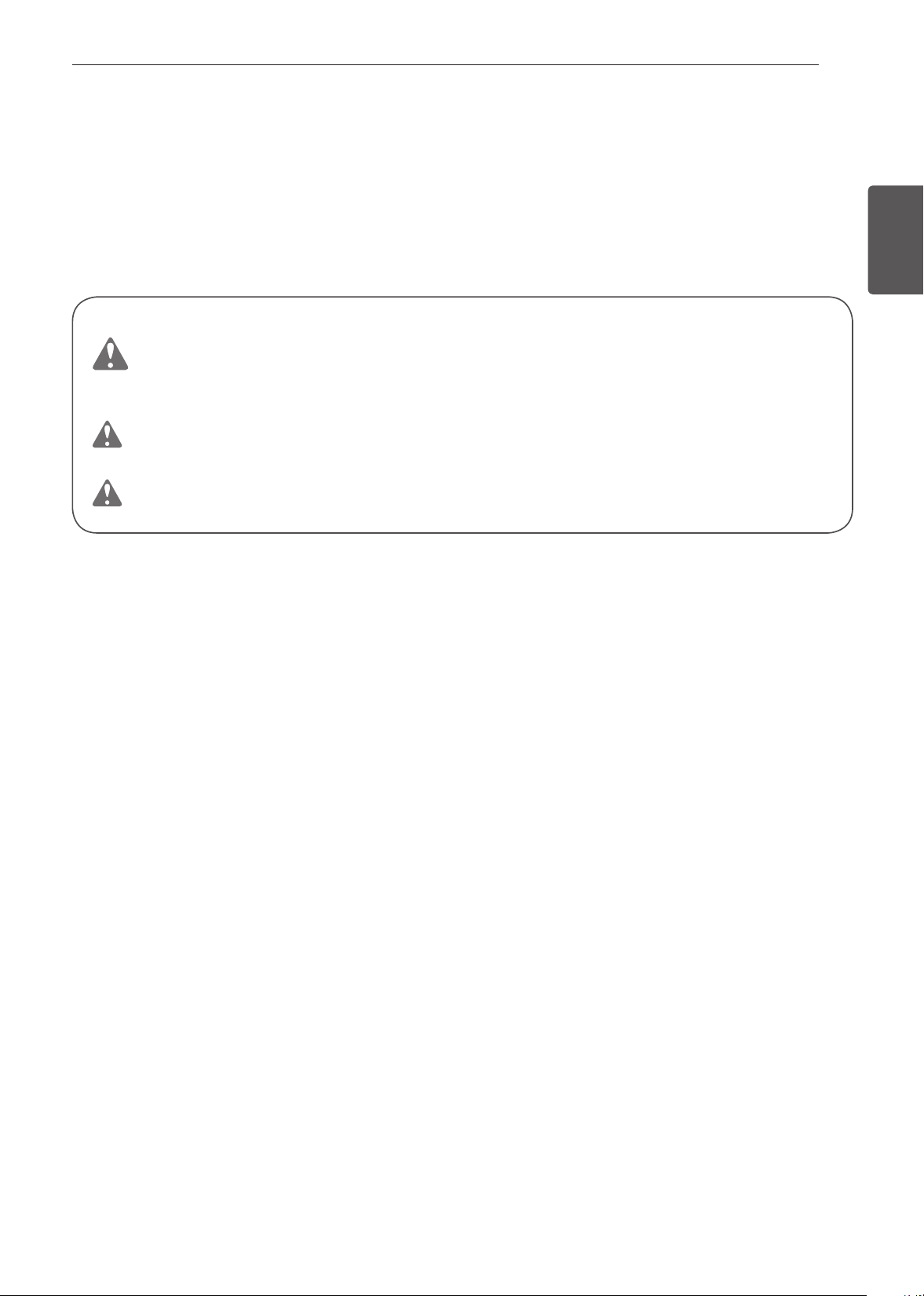
3
INSTRUCCIONES IMPORTANTES DE SEGURIDAD
ESPAÑOL
INSTRUCCIONES IMPORTANTES DE
SEGURIDAD
Lea y siga todas las instrucciones cuando utilice la cocina para evitar riesgos de incendios, descargas
eléctricas, lesiones personales o daños. Esta guía no incluye todas las situaciones posibles que
podrían ocurrir. Siempre comuníquese con su agente de servicio técnico o con el fabricante cuando
haya problemas que no comprenda.
Descargue este manual del propietario en: www.signaturekitchensuite.com
Este es el símbolo de alerta de seguridad. Este símbolo le advierte sobre posibles riesgos
que pueden ocasionar daños materiales, lesiones personales graves o la muerte.
El símbolo de alerta de seguridad siempre estará acompañado de las palabras
"ADVERTENCIA" o "PRECAUCIÓN". Estos términos significan lo siguiente:
ADVERTENCIA
-
Indica una situación peligrosa que, de no evitarse, podría
causar lesiones graves o la muerte.
PRECAUCIÓN
-
Indica una situación peligrosa que, de no evitarse, podría causar
lesiones menores o moderadas.
4
INSTRUCCIONES IMPORTANTES DE SEGURIDAD
INSTRUCCIONES IMPORTANTES DE SEGURIDAD (HORNO SUPERIOR)
Al utilizar aparatos eléctricos, deben seguirse precauciones de seguridad básicas, incluidas las siguientes:
ADVERTENCIA
•
Para reducir el riesgo de quemaduras, descargas eléctricas, incendios, lesiones personales, o
la exposición a una dosis excesiva de energía de microondas al usar el horno superior, siga las
precauciones de seguridad básicas, incluidas las siguientes.
•
Lea todas las instrucciones antes de usar el horno.
•
Al igual que con cualquier electrodoméstico, es necesaria la estrecha supervisión de un
adulto cuando sea utilizado por niños.
•
Lea y siga las PRECAUCIONES específicas PARA EVITAR LA POSIBLE EXPOSICIÓN A
EXCESIVA ENERGÍA DE MICROONDAS en la página 7.
•
Use este aparato solo para su propósito previsto, como se describe en el manual.
No use vapores o productos químicos corrosivos, como sulfuro y cloruro, en este
electrodoméstico. Este tipo de horno está específicamente diseñado para calentar, cocinar o
secar alimentos. No está diseñado para uso industrial o de laboratorio.
•
No guarde este aparato al aire libre. No utilice este producto cerca del agua, por ejemplo, cerca
del fregadero de la cocina, en un sótano húmedo, cerca de una piscina o en un lugar similar.
•
No utilice este horno para fines comerciales. Está hecho solo para uso doméstico.
•
Para limpiar las superficies de la puerta y el horno que se juntan al cerrar la puerta, utilice
únicamente detergentes o jabones suaves no abrasivos, aplicados con una esponja o un
paño suave.
•
Si su horno sufre daños o una caída, hágalo revisar a fondo por un técnico calificado antes de
usarlo.
•
Para reducir el riesgo de incendio en la cavidad del horno:
- No cocine en exceso la comida. Preste especial atención al horno superior cuando se coloca
en su interior papel, plástico u otros materiales combustibles para facilitar la cocción.
- No utilice la cavidad para guardar objetos.
No deje productos de papel, recipientes de cocina o alimentos en la cavidad cuando no use el horno.
- Retire las ataduras de alambre de las bolsas de plástico o papel antes de colocarlas en el horno.
•
Si los materiales dentro del horno ardieran:
- Mantenga cerrada la puerta del horno
- Apague los controles
- Desconecte el cable de alimentación o corte la alimentación en el panel de interruptores
de circuito o fusibles.
•
Para evitar descargas eléctricas:
- Este aparato debe estar conectado a tierra. Conéctelo solo a una toma de corriente
conectada a tierra. Consulte la Guía de Instalación.
- No utilice este electrodoméstico si tiene un cable o enchufe dañado, si no funciona
correctamente o si se ha caído o dañado.
- No sumerja el enchufe ni el cable eléctrico en el agua.
- Mantenga el cable alejado de las superficies calientes.
- No permita que el cable cuelgue del borde de la mesa o encimera.
•
Tenga cuidado cuando la puerta está abierta para evitar lesiones.
•
Para evitar la cocción incorrecta de algunos alimentos:
- No caliente ningún tipo de biberón o comida para bebés. Podría producirse un
calentamiento desparejo y causar lesiones personales.
- No caliente recipientes de cuello pequeño, como por ejemplo, botellas de jarabe.
- No realice frituras de inmersión en el horno superior.
- No realice envasado de conservas caseras en el horno superior.
- Algunos productos, como huevos enteros y recipientes sellados —por ejemplo, botes
de vidrio cerrados— pueden explotar, por lo que no deben calentarse en este horno.
5
INSTRUCCIONES IMPORTANTES DE SEGURIDAD
ESPAÑOL
ADVERTENCIA
•
No cubra ni bloquee ninguna abertura del artefacto.
•
No encienda el horno mientras esté vacío.
•
Instale o ubique este electrodoméstico solo en conformidad con las instrucciones de instalación
proporcionadas.
•
El servicio técnico de este artefacto solo debe ser realizado por personal calificado. Para que lo
revisen, reparen o ajusten, comuníquese con el centro de servicio autorizado más cercano.
•
Los líquidos —como agua, café o té— pueden sobrecalentarse más allá del punto de ebullición
sin que se note que están hirviendo. Esto es debido a la tensión superficial del líquido. No
siempre puede observarse un burbujeo o ebullición cuando el recipiente se saca del horno
superior.
ESTO PODRÍA RESULTAR EN LÍQUIDOS MUY CALIENTES QUE HACEN EBULLICIÓN
REPENTINAMENTE AL PERTURBARSE DE ALGÚN MODO EL RECIPIENTE O CUANDO SE
INSTRODUCE UNA CUCHARA U OTRO UTENSILIO EN EL LÍQUIDO.
•
Para reducir el riesgo de lesiones personales:
- No sobrecaliente los líquidos.
- Revuelva el líquido antes de calentarlo y en la mitad del proceso de calentado.
- No use recipientes de lados rectos con cuellos estrechos.
- Después de calentar, deje el recipiente en el horno superior por un tiempo breve antes de
retirarlo.
- Tenga mucho cuidado al introducir una cuchara u otro utensilio en el recipiente.
•
No use el horno para realizar deshumidificaciones (es decir, no opere el horno superior con
ropa, juguetes, dispositivos eléctricos, tierra o periódicos húmedos, ni con plantas, mascotas
o cualquier otra materia viva en su interior). El horno solo debe usarse para calentar o cocinar
alimentos.
- Los resultados del uso indebido pueden incluir riesgos de seguridad tales como incendios,
quemaduras o muerte debida a descarga eléctrica.
•
Este artefacto no ha sido diseñado para ser utilizado por personas con capacidades físicas,
sensoriales o mentales disminuidas (incluidos niños) o que no cuenten con la experiencia o los
conocimientos necesarios para operarlo, salvo que una persona responsable de su seguridad
les brinde la supervisión o la instrucción pertinente en cuanto al uso del artefacto. Los niños
deben ser supervisados para asegurarse de que no jueguen con el aparato.
- El uso incorrecto puede causar daños como incendios, descargas eléctricas o quemaduras.
•
Las piezas accesibles pueden calentarse durante el uso. Los niños pequeños deben mantenerse
alejados para evitar que toquen superficies calientes y sufran quemaduras.
•
No debe permitirse que los niños jueguen con los accesorios o se cuelguen de la puerta ni de
ninguna pieza del horno.
- Si lo hacen, pueden sufrir lesiones y daños graves.
•
Si los sellos de la puerta o la puerta en sí presentan daños, el horno no debe utilizarse hasta que
haya sido reparado por una persona competente.
•
El artefacto y sus piezas accesibles se calientan durante el uso. Tenga cuidado de no tocar
los elementos calentadores. Debe mantenerse alejados a los niños salvo que se los supervise
continuamente.
•
No use productos de papel reciclado.
- Pueden contener impurezas que podrían causar chispas o incendios en la cocción.
•
No coloque las bandejas y los estantes en agua para enjuagarlos inmediatamente después de la
cocción. Podrían romperse o dañarse.
- El uso incorrecto puede causarle daños al horno.
6
INSTRUCCIONES IMPORTANTES DE SEGURIDAD
ADVERTENCIA
•
El horno debe limpiarse regularmente y debe eliminarse cualquier resto de alimentos.
- Si el horno no se mantiene bien limpio, su superficie podría deteriorarse, lo que podría afectar
negativamente la vida útil del electrodoméstico y provocar una situación peligrosa.
•
La puerta o la superficie exterior pueden calentarse cuando el electrodoméstico está en
funcionamiento.
•
Los líquidos que se calientan en recipientes de cierta forma (especialmente en los de forma
cilíndrica) pueden sobrecalentarse. El líquido puede salpicar con un fuerte ruido durante o
después del proceso de calentado, o bien cuando se le agreguen ingredientes (café instantáneo,
etc.), provocando daños al horno y posibles lesiones. Para obtener los mejores resultados, en
todos los recipientes debe revolverse el líquido varias veces antes de calentar. Siempre revuelva
el líquido varias veces entre un proceso de calentado y otro.
•
No utilice cubiertas, recipientes o bolsas de cocina hechas de papel de aluminio, plástico, cera o
papel en la cocción rápida.
•
Al cocinar, coloque los alimentos directamente sobre las bandejas, a menos que el horno indique
que debe hacerse de otra manera.
•
No todas las envolturas de plástico son adecuadas para su uso en el horno superiore.
•
Asegúrese de utilizar recipientes de cocina adecuados para cocción en microondas.
- Utilice únicamente plásticos aptos para microondas, y úselos en estricto cumplimiento de las
recomendaciones del fabricante de los recipientes.
- No cocine recipientes vacíos en el microondas.
- No permita que los niños usen recipientes para cocinar de plástico sin total supervisión.
GUARDE ESTAS INSTRUCCIONES
DECLARACIÓN DE INTERFERENCIA DE RADIOFRECUENCIA DE
LA COMISIÓN FEDERAL DE COMUNICACIONES (ÚNICAMENTE
PARA LOS EE. UU.)
Este equipo genera y emplea energía de frecuencia ISM y, si no se lo instala y usa correctamente,
esto es, estrictamente de acuerdo con las instrucciones del fabricante, puede causar interferencia
a la recepción de radio y televisión. Ha sido examinado y se determinó que cumple con los límites
para un Equipo ISM de conformidad con la Parte 18 de las Reglas de la FCC. Estas reglas han sido
diseñadas para proporcionar una protección razonable contra la mencionada interferencia en una
instalación residencial.
De cualquier manera, no existe garantía de que no ocurrirá interferencia en una instalación
particular. Si este equipo causara interferencia a la recepción de radio o televisión, lo cual puede
ser determinado al encenderlo y apagarlo, se alienta al usuario a intentar corregir la interferencia
mediante una o más de las siguientes acciones:
•
Reorientar la antena de recepción de la radio o televisión.
•
Reubicar el horno superior con respecto al receptor.
•
Alejar el horno superior del receptor.
•
Conectar el horno superior en una toma de corriente diferente, para que el horno superior y el
receptor estén en distintos circuitos derivados.
El fabricante no se hace responsable de ninguna interferencia de radio o TV causada por
modificaciones no autorizadas al horno superior. Corregir dicha interferencia es responsabilidad del
usuario.
7
INSTRUCCIONES IMPORTANTES DE SEGURIDAD
ESPAÑOL
PRECAUCIONES PARA EVITAR LA POSIBLE EXPOSICIÓN A
EXCESIVA ENERGÍA DE MICROONDAS
•
No intente operar este horno con la puerta abierta ya que, de hacerlo, puede producirse una
exposición dañina a la energía de microondas. Es importante no vencer o alterar las trabas de
seguridad.
•
No coloque ningún objeto entre la cara frontal del horno y la puerta, ni permita que se acumule
suciedad o residuos de limpiador en las superficies de sellado.
•
Si el horno se encuentra dañado, no lo ponga en funcionamiento.
Es de particular importancia que la puerta del horno se cierre correctamente y que no haya daños
en: (1) la puerta (doblada), (2) bisagras y pestillos (rotos o sueltos), (3) sellos de la puerta y
superficies de sellado.
•
El horno no debe ser ajustado ni reparado por nadie que no sea personal técnico debidamente
calificado.
PRECAUCIONES DE SEGURIDAD (HORNO INFERIOR)
•
NO TOQUE LAS HORNALLAS NI LAS SUPERFICIES INTERIORES DEL HORNO. Las hornallas
podrían estar calientes incluso cuando presenten un color oscuro. Las superficies interiores del
horno se calientan lo suficiente como para causar quemaduras. Durante y después del uso, no
toque ni permita que la vestimenta u otro material inflamable entren en contacto con las hornallas o
las superficies interiores del horno, hasta que hayan tenido tiempo suficiente para enfriarse. Otras
superficies, como los orificios de venteo del horno y las superficies cercanas a estos orificios, las
puertas del horno y las ventanas de las puertas del horno también se calientan y podrían causar
quemaduras si no se han enfriado.
•
Abra la puerta del horno con cuidado. El aire caliente y el vapor que salen del horno pueden
causar quemaduras en las manos, el rostro y los ojos. Permita que el aire caliente o el vapor salgan
del horno antes de sacar o colocar nuevamente la comida en el horno.
•
Asegúrese de que el artefacto sea correctamente instalado y conectado a tierra por un técnico
calificado.
•
No repare ni reemplace ninguna parte del electrodoméstico, excepto en caso de que haya
recomendaciones específicas en el manual. Un técnico calificado debe estar a cargo de todas las
demás tareas de mantenimiento.
•
No utilice limpiadores ásperos, abrasivos ni espátulas de metal para limpiar el vidrio de la puerta del
horno, ya que podrían rayar la superficie. Los arañazos podrían hacer que el vidrio se quiebre..
•
No deje en el horno elementos como papel, recipientes de cocina o alimentos cuando no lo esté
utilizando.
•
No use este horno para otro propósito que no sea cocinar.
•
Nunca use productos de papel en el horno de convección.
•
No abra la puerta cuando el horno esté en funcionamiento.
•
Utilice agarraderas para retirar la comida y los accesorios después de cocinar, ya que estos estarán
muy calientes.
•
Si se raya, golpea, hace vibrar o fuerza el vidrio, puede debilitarse su estructura, lo que aumenta el
riesgo de rotura más adelante.
ADVERTENCIA
Si el vidrio de la puerta, la superficie o la resistencia del horno están dañados, deje de usar el
horno y solicite servicio técnico.
•
No utilice plástico para cubrir los alimentos. Utilice únicamente papel de aluminio o tapas seguras
para horno.

8
INSTRUCCIONES IMPORTANTES DE SEGURIDAD
•
No permita que nadie se suba, se pare o se cuelgue de la puerta, del cajón de almacenamiento
ni de la placa de cocción. Podrían causar daños a la cocina e incluso volcarla, lo que generaría
lesiones personales graves.
•
No recubra las paredes del horno, los estantes, el fondo ni ninguna otra parte del horno con papel
de aluminio ni ningún otro material. Hacerlo causará una mala distribución del calor, generará un
horneado deficiente y un daño permanente en el interior del horno. (El papel de aluminio se derretirá
en la superficie interior del horno).
•
Nunca intente secar a una mascota en el horno.
•
Nunca utilice su electrodoméstico para calefaccionar el ambiente.
•
Utilice siempre agarraderas o guantes para horno cuando retire alimentos del horno o de las
hornallas. La batería de cocina estará caliente. Utilice solo agarraderas secas. Las agarraderas
húmedas o mojadas sobre superficies calientes podrían producir quemaduras por vapor. No permita
que la agarradera toque las hornallas calientes. No utilice una toalla u otra tela gruesa para retirar
alimentos.
•
No caliente recipientes cerrados de alimentos. La presión podría causar una explosión que
podría generar lesiones.
•
Mantenga despejados los conductos de ventilación del horno.
La ventilación del horno puede calentarse durante el uso del horno.
Nunca obstruya esta ventilación y nunca coloque elementos de plástico o
sensibles al calor sobre o cerca de la ventilación.
•
Revise el contenido del horno antes de usar las funciones de Wi-Fi.
•
NO se pare ni se siente sobre la puerta del horno. Asegúrese de
seguir las instrucciones de instalación correspondientes.
Reborde inferior de
metal (ventilacion)
NOTA
•
Para que el horno funcione correctamente, debe estar instalada la rejilla de ventilación.
MATERIALES INFLAMABLES
ADVERTENCIA
Asegúrese de retirar todos los materiales del embalaje antes de la puesta en funcionamiento.
Mantenga el plástico, telas, papel y otros materiales inflamables lejos de las partes del
electrodoméstico que se podrían calentar.
•
No almacene ni utilice material inflamable en el horno de cocción. Los materiales inflamables
incluyen papel, plástico, agarraderas, telas, recubrimientos para paredes, cortinas y gasolina u otros
vapores inflamables y líquidos como grasa o aceite de cocina. Estos materiales pueden prenderse
fuego cuando el horno de cocción están en uso.
•
Use vestimenta adecuada. No use prendas holgadas o que cuelguen, ya que podría prenderse
fuego en contacto con superficies calientes y causar quemaduras graves.
•
No utilice el horno para secar ropa. Solo use el horno para el propósito para el que fue diseñado.
•
Si posee gabinetes de almacenamiento directamente sobre el horno, solo guarde allí objetos que
use con poca frecuencia y que puedan almacenarse de manera segura en un lugar expuesto
al calor. Las altas temperaturas pueden ser peligrosas para objetos volátiles como líquidos
inflamables, limpiadores o aerosoles.
•
Use solo recipientes de cocina seguros para el horno. Los materiales inflamables como el papel y el
plástico pueden prenderse fuego cuando el horno está en uso.
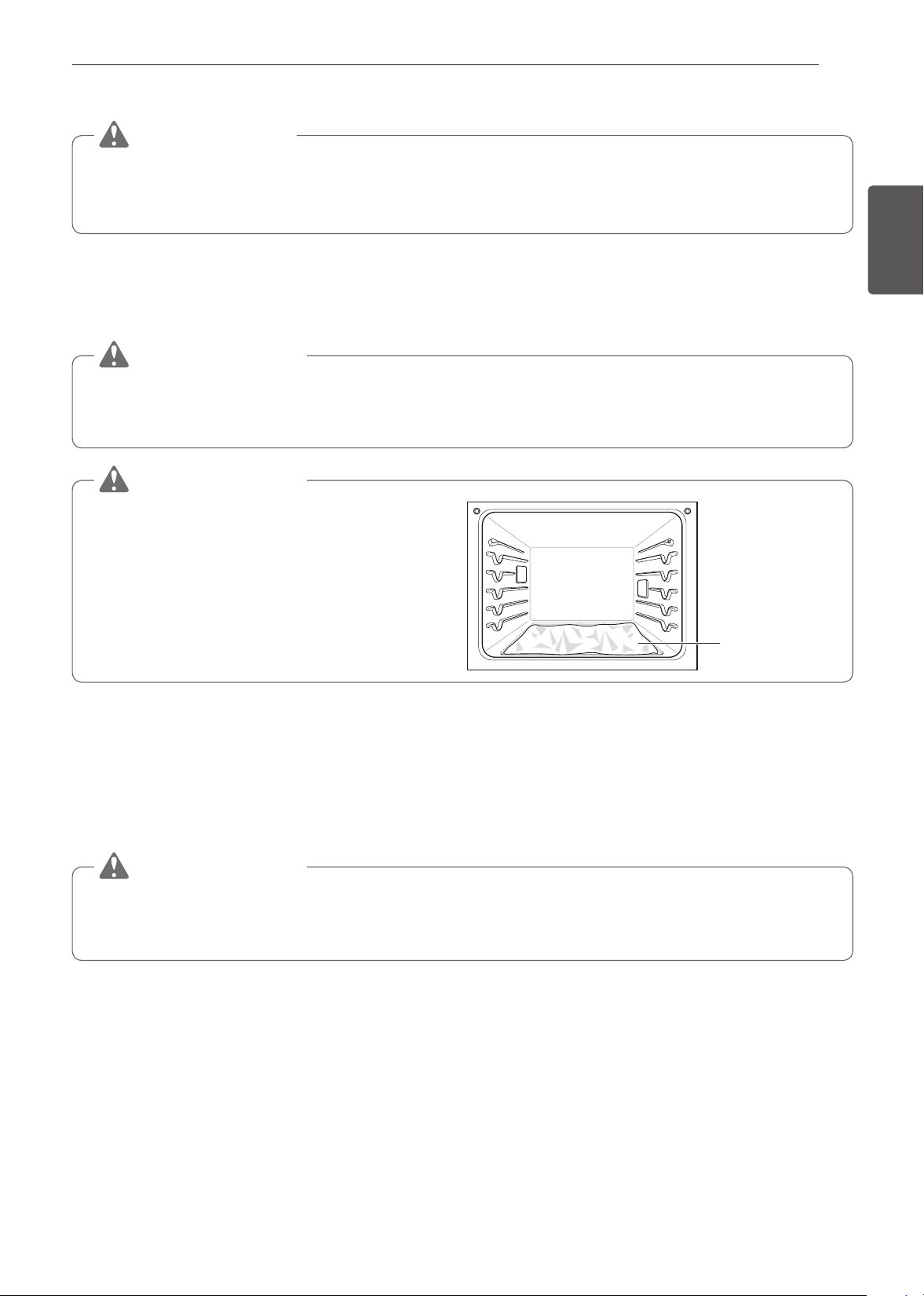
9
INSTRUCCIONES IMPORTANTES DE SEGURIDAD
ESPAÑOL
SEGURIDAD ELÉCTRICA
PRECAUCIÓN
Asegúrese de retirar todos los materiales del embalaje antes de la puesta en funcionamiento.
Mantenga el plástico, telas, papel y otros materiales inflamables lejos de las partes del
electrodoméstico que se podrían calentar.
•
Desconecte siempre la energía del electrodoméstico antes de que se efectúen tareas de mantenimiento.
•
No utilice papel de aluminio ni ningún otro material para revestir la base del horno. La instalación
inadecuada de los revestimientos del horno podría causar riesgo de descarga eléctrica o incendio.
•
No permita que el papel de aluminio ni la sonda de temperatura entren en contacto con las hornallas.
ADVERTENCIA
Antes de reemplazar la bombilla de horno, desconecte la energía eléctrica del horno desde el
fusible principal o el panel disyuntor. Esto podría causar lesiones graves, descargas eléctricas o la
muerte.
ADVERTENCIA
•
NO coloque papel aluminio directamente
sobre la base del horno.
No use papel
aluminio
SEGURIDAD DE LOS NIÑOS
•
No toque la superficie caliente entre la parte inferior de la puerta del horno y la parte superior del
cajón, en el frente del horno, mientras está en funcionamiento. La superficie se calienta y puede
causar quemaduras y otras lesiones.
•
No deje a los niños sin supervisión cerca del horno.
ADVERTENCIA
No deje solos a los niños o sin supervisión cerca del electrodoméstico cuando está en
funcionamiento o aún caliente. Nunca debe permitir que los niños se sienten o paren en ninguna
parte del electrodoméstico, ya que podrían sufrir lesiones o quemaduras.
•
Nunca permita que un niño se cuelgue de la puerta del horno.
•
No permita que los niños se metan dentro del horno.
•
Deje enfriar las ollas calientes en un lugar seguro, fuera del alcance de los niños.
•
No debe permitir que los niños jueguen con los controles ni con ninguna otra parte del electrodoméstico.

10
INSTRUCCIONES IMPORTANTES DE SEGURIDAD
SUGERENCIAS PARA AHORRAR ENERGÍA
•
Cocinar en varios estantes ahorra tiempo y energía. Siempre que sea posible, cocine alimentos que
requieran la misma temperatura de cocción en un único horno.
•
Para un desempeño óptimo y ahorro de energía, siga las pautas colocar correctamente los estantes
y las bandejas.
•
Reduzca el uso de energía al limpiar la suciedad ligera del horno con la función SpeedClean™, en
lugar del autolimpiante.
•
Evite abrir la puerta del horno más de lo necesario durante el uso. Esto ayuda a que el horno
mantenga la temperatura, evita la pérdida innecesaria de calor y ahorra el consumo de energía.
SEGURIDAD DURANTE EL USO
•
No toque los estantes del horno mientras están calientes.
•
Siempre acomode los estantes del horno en la ubicación deseada cuando el horno esté frío. Si debe
moverse un estante mientras el horno está caliente, evite que la agarradera toque el quemador del
horno.
•
Utilice con precaución las funciones Cocción temporizada o Cocción temporizada retardada. Utilice
el reloj temporizador automático al cocinar carnes curadas o congeladas y la mayoría de las frutas
y los vegetales. Los alimentos que pueden echarse a perder fácilmente como la leche, huevos,
pescado, carne o aves se deben enfriar primero en el refrigerador. Incluso cuando se hayan
enfriado, no deben permanecer en el horno durante más de 1 hora antes de iniciar la cocción y
se los debe retirar rápidamente una vez que la cocción haya terminado. Ingerir alimentos en mal
estado puede producir intoxicaciones alimentarias.
•
Las partes accesibles podrían calentarse cuando se utiliza la parrilla.
•
No coloque alimentos ni batería de cocina en el fondo de la cavidad del horno. Hacerlo podría
causar daños permanentes al acabado de la base del horno.
•
No utilice agua para apagar incendios provocados por grasa. Si se produce un incendio en
el horno, mantenga la puerta del horno cerrada y apague el horno. Si el fuego continúa, arroje
bicarbonato de sodio sobre el fuego o utilice un extinguidor. No arroje agua ni harina sobre el
fuego. La harina podría ser explosiva y el agua podría hacer que un incendio causado por grasa se
propague y genere lesiones personales.
•
Tire del estante del horno hasta llegar a la posición de bloqueo al cargar y descargar alimentos del
horno. Esto ayuda a prevenir quemaduras causadas al tocar superficies calientes de la puerta y las
paredes del horno.
•
No coloque su mano bajo el controlador ni entre la puerta y la rejilla metálica del fondo (ventilación)
mientras el artefacto está en funcionamiento. El exterior del horno puede estar muy caliente al tacto.
•
No utilice el horno si el quemador desarrolla un punto de brillo durante el uso o si muestra otros
signos de daño. Un punto de brillo indica que el quemador podría fallar y representar un peligro
potencial de quemadura, incendio o descarga eléctrica. Apague el horno de inmediato y solicite que
un técnico calificado reemplace el quemador.
•
Al usar bolsas para hornear o asar en el horno, siga las instrucciones del fabricante.

11
INSTRUCCIONES IMPORTANTES DE SEGURIDAD
ESPAÑOL
SEGURIDAD AL LIMPIAR
•
Abra una ventana y encienda un ventilador o campana extractora antes de realizar la autolimpieza.
•
Si el horno está muy sucio con aceite, realice la autolimpieza antes de volver a utilizarlo. El aceite
podría causar un incendio.
•
Limpie la suciedad difícil de la base del horno antes de usar la función Self Clean.
•
No utilice limpiadores para hornos. No debe utilizarse ningún limpiador de hornos comercial ni
ningún tipo de revestimiento de protección dentro o alrededor de ninguna parte del horno.
•
Nunca deje aves domésticas en la cocina. La salud de las aves es sumamente sensible a los gases
liberados durante un ciclo de autolimpieza del horno. Los gases podrían ser nocivos o fatales para
las aves. Traslade las aves a un ambiente bien ventilado.
•
Limpie con el ciclo de autolimpieza solo las partes indicadas en este manual. Antes de realizar
la autolimpieza del horno, retire la asadera, todos los estantes del horno, la sonda para carne y
cualquier otra olla o alimento del horno.
•
Instrucción Importante. El horno muestra el código de error F y se escuchan tres tonos largos
durante el proceso de autolimpieza si está funcionando mal. Desconecte la energía eléctrica del
horno desde el fusible principal o el panel disyuntor y solicite reparación a cargo de un técnico
calificado.
•
Nunca derrame agua fría sobre el horno caliente para limpiarlo. Hacerlo podría provocar el mal
funcionamiento del horno.
•
Asegúrese de que las luces del horno estén frías antes de limpiar.
•
No limpie las juntas de la puerta del horno. Las juntas de la puerta del horno son esenciales para
lograr un buen sellado. No debe frotar, dañar ni mover la junta.
•
Si se produce un incendio durante la limpieza automática, apague el horno y espere que se
apague el incendio. No fuerce la puerta del horno para abrirla. La introducción de aire fresco a
las temperaturas de autolimpieza podría ocasionar una explosión con llamas desde el horno. El
incumplimiento de esta instrucción podría tener como consecuencia quemaduras graves.
•
NO BLOQUEE la ventilación del horno durante su funcionamiento.
Esto podría provocar daños en las partes eléctricas del horno. El
aire debe poder pasar sin obstrucciones. La rejilla metálica del fondo
(ventilación) debe encontrarse correctamente ensamblada en la parte
inferior delantera del horno antes de que se instale la puerta del mismo.
Reborde inferior de
metal (ventilacion)
MODO CORRECTO DE COCINAR CARNES Y AVES
•
Para evitar enfermedades transmitidas por los alimentos, cocine bien las carnes rojas y aves. La USDA
ha indicado las siguientes como las temperaturas internas mínimas de seguridad para el consumo:
•
Carne molida: 160 °F
•
Aves: 165 °F
•
Carne de vaca, ternera, cerdo o cordero: 145 °F
•
Pescado/mariscos: 145 °F
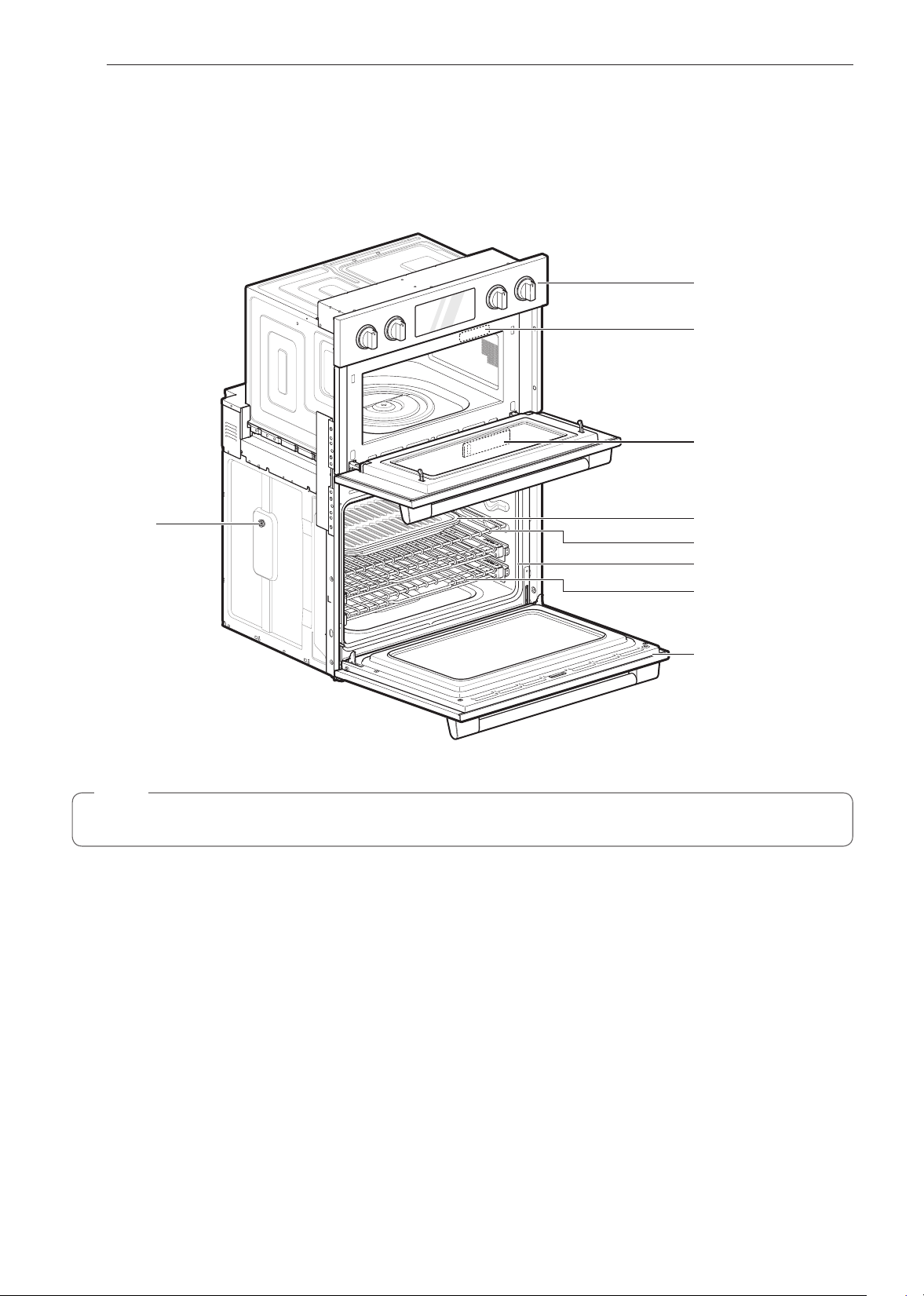
12
DESCRIPCIÓN GENERAL DEL PRODUCTO
DESCRIPCIÓN GENERAL DEL PRODUCTO
Partes
Asegúrese de entender el nombre y la función de cada parte.
Panel de control
Etiqueta de calicación,
placa de número de serie y
modelo
Tanque del alimentador
de vapor
Asadera y rejilla
Estantes estándar
Estantes deslizantes (2)
Puerta del horno
Junta
Separador (2)
- Uno en cada lado
NOTA
•
El número de serie y modelo se pueden verificar en la etiqueta de calificación.

13
DESCRIPCIÓN GENERAL DEL PRODUCTO
ESPAÑOL
Accesorios
Asegúrese de que todas las partes están incluidas después de comprar este producto.
Accesorios para el horno superior
La plataforma giratoria se mueve en ambas direcciones para contribuir a que los alimentos se cocinen de modo más uniforme. No
ponga en funcionamiento el horno de microondas si la bandeja de vidrio no se encuentra en su lugar.
Estante
(Para la función de Horneado por
Convección, Asado y Cocción Rápida)
Bandeja de metal
(Para la función de Horneado por
Convección, Asado y Cocción Rápida)
Bandeja de vidrio
(Para la función de Microondas y
Descongelamiento)
Eje Anillo giratorio
Accesorios para el horno inferior
Accesorios para cocinar
Rejilla Estante estándar de alta
resistencia
Asadera Estante deslizante
(2)
Sonda para carne
Accesorios para la instalación
4X14
6 tornillos de madera para el montaje
(4 se necesitan para la instalación y
2 son adicionales)
4X24
6 tornillos de madera para el montaje
(para instalación empotrado)
4X22
2 tornillos autorroscantes para
la cubierta
2 soportes de la cubierta para
la instalación empotrada
Accesorios para SpeedClean™
Botella rociadora (1) Esponja limpiadora que no raya (1)
Manuales
Manual del propietario Guía de instalación
NOTA
•
Póngase en contacto con el Servicio de Atención al Cliente de SIGNATURE KITCHEN SUITE si le falta algún accesorio.
•
Para su seguridad y para extender la vida útil del producto, solo debe utilizar componentes autorizados.
•
El fabricante no es responsable del mal funcionamiento del producto ni de accidentes causados por el uso de piezas no
autorizadas y compradas por separado.
•
Las imágenes de esta guía podrían ser diferentes a los componentes y accesorios reales, que están sujetos a cambios a
discreción del fabricante, sin previo aviso, con fines de mejorar el producto.
•
No quite los estantes deslizantes ubicados en el empaque de la base.
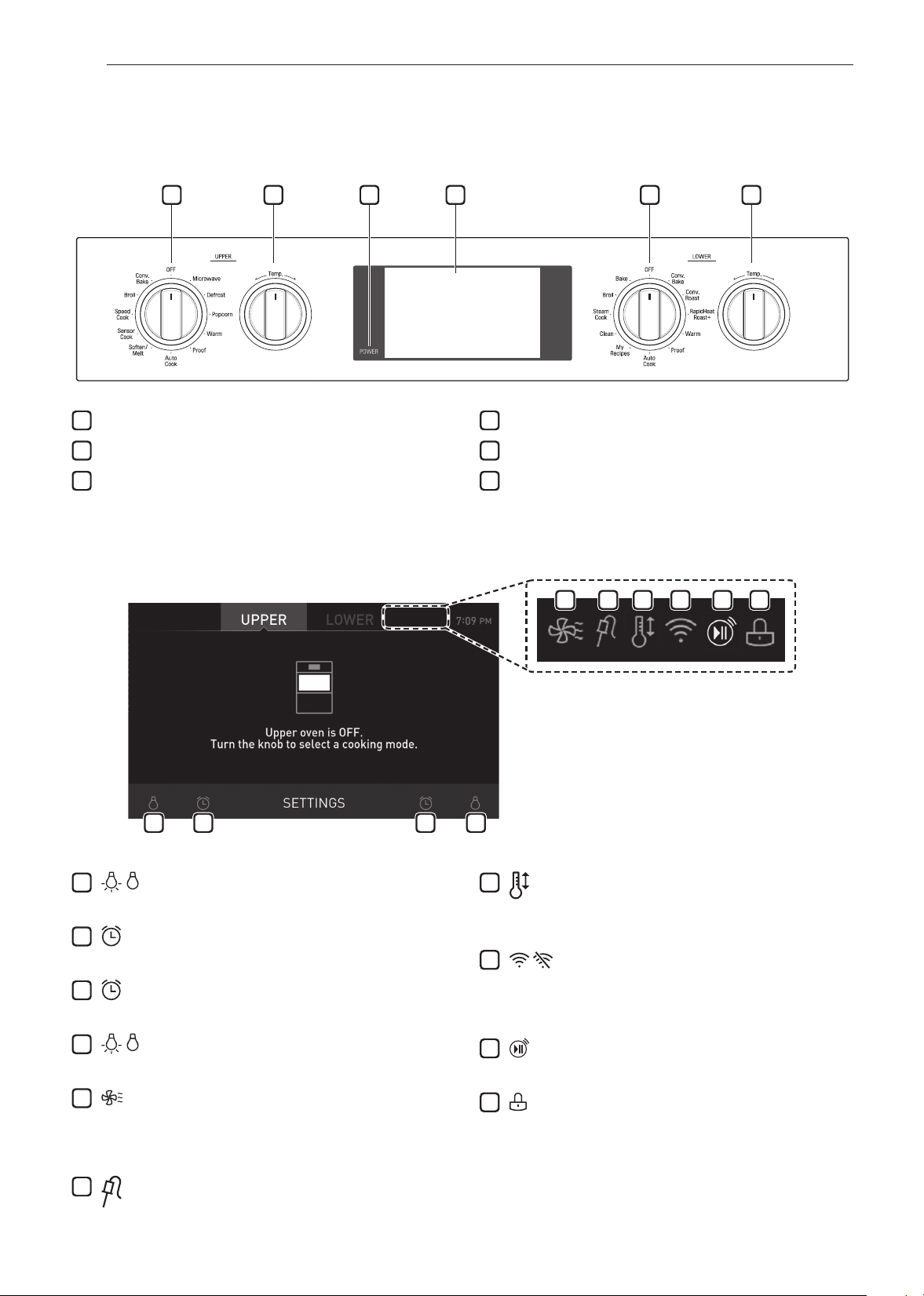
14
FUNCIONAMIENTO
FUNCIONAMIENTO
Descripción general del panel de control
1 52 63 4
1
Perilla de modo Oven (horno superior)
2
Perilla de temperatura superior
3
Pantalla LCD Encendida/Apagada
4
Pantalla táctil LCD para horno
5
Perilla de modo Lower Oven (horno inferior)
6
Perilla de temperatura inferior
Íconos de visualización
1 32 4
5 6 7 8 9 10
Los íconos aparecen en la pantalla cuando están
activados.
1
Ícono de lámpara (horno superior)
Presione para encender/apagar la luz
2
Ícono de temporizador (horno superior)
Presione para establecer un temporizador
3
Ícono de temporizador (horno inferior)
Presione para establecer un temporizador
4
Ícono de lámpara (horno inferior)
Presione para encender/apagar la luz
5
Ícono de enfriamiento del horno
Aparece durante o después del funcionamiento del
horno para indicar que está funcionando el ventilador de
enfriamiento en el horno
6
Ícono de sonda
Aparece cuando la sonda está conectada
7
Ícono de conversión automática
Aparece cuando la conversión automática a convección
está encendida
8
Ícono de Wi-Fi
•
Aparece cuando la cocina está conectada a Wi-Fi
•
Aparece cuando la cocina está desconectada de Wi-Fi
o no está registrada
9
Ícono de inicio remoto
Aparece cuando el inicio remoto está activo
10
Ícono de bloqueo
Aparece cuando el bloqueo está activado
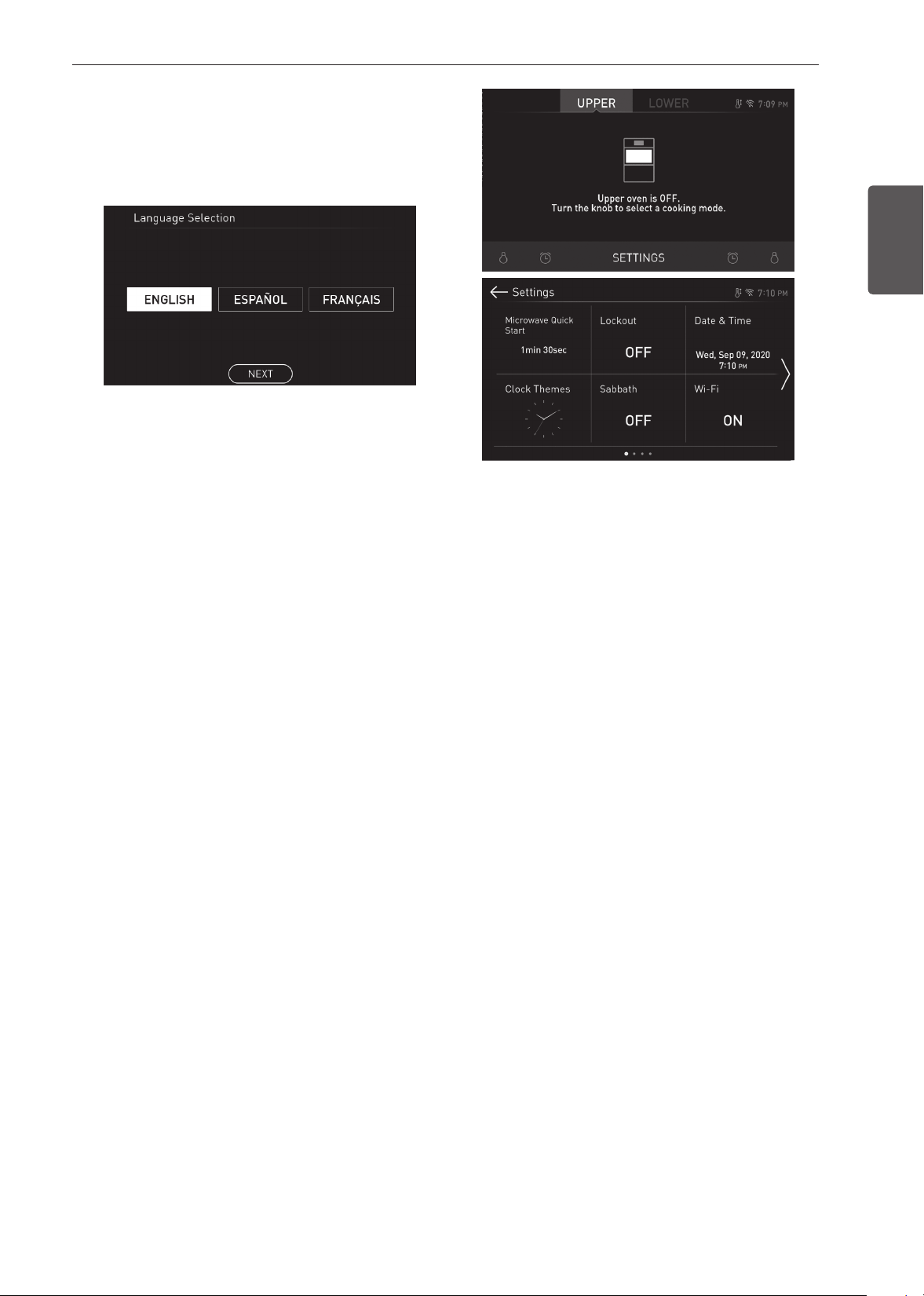
15
FUNCIONAMIENTO
ESPAÑOL
Guía de inicio
Después del primer encendido, ajuste la configuración para
adaptarla a sus preferencias.
1
Presione POWER (ENCENDER) en la pantalla LCD.
2
Después de la animación de inicio, seleccione el idioma
deseado y presione NEXT (SIGUIENTE).
3
Deslícese por los campos hacia arriba y abajo
para establecer la fecha correcta y presione NEXT
(SIGUIENTE).
4
Configure la hora correcta y elija entre formato de hora
de 12 horas o de 24 horas. Luego presione NEXT
(SIGUIENTE).
5
Si lo desea, cambie la melodía del reloj predeterminada
navegando por los ejemplos. Luego presione NEXT
(SIGUIENTE).
6
Lea la guía de aplicación en la pantalla y presione DONE
(LISTO).
7
Gire la perilla de modo Oven (Horno).
8
La pantalla de modo aparece en pantalla.
Cambio de la configuración
del horno
Conguración
Para ajustar las configuraciones antes del encendido inicial,
toque la pantalla para abrir la pantalla Principal. Presiones
Settings (Configuración) en la parte inferior central de la
pantalla principal.
Desplácese por la pantalla o presione las flechas <> para
navegar por las pantallas de Settings (Configuración).
Ubicación de las configuraciones
•
Página 1: Inicio rápido del microondas, Bloqueo, fecha
y hora, aspectos del reloj, modo Sabbath (Sabbat),
configuración de Wi-Fi
•
Página 2: Inicio remoto, Brillo, pantalla, conversión
automática a convección, Selección de idioma, volumen, luz
de alarma de precalentamiento
•
Página 3: luz de alarma de precalentamiento, Ajuste de la
temperatura, unidades de temperatura, Smart Diagnosis™,
actualización del programa, modo demostración
•
Página 4: restablecimiento de los datos de fábrica, Licencia
de código abierto
Inicio rápido del microondas
Use la configuración Microwave Quick Start (Inicio rápido del
microondas) para ajustar el tiempo de cocción predeterminado
que se activará cuando usted presione Inicio sin configurar un
tiempo. El tiempo predeterminado puede ser entre 1 segundo
y 5 minutos.
Configuración de Cook Time (Tiempo de cocción)
1
Presione Settings (Configuración) en la parte inferior
central de la pantalla principal.
2
Presione Microwave Quick Start (Inicio rápido del
microondas) en la primera pantalla de Configuración.
3
Configure el tiempo de cocción.
4
Presione OK (Aceptar).

16
FUNCIONAMIENTO
Bloqueo
La función bloqueo evita que se activen automáticamente la
mayoría de los controles del horno. No inhabilita el reloj, el
temporizador ni la luz interior del horno.
Bloqueo
1
Presione Settings (Configuración) en la parte inferior
central de la pantalla principal.
2
Presione Lockout (Bloqueo) en la primera pantalla de
Settings (Configuración).
3
Cuando la función bloqueo está activada, aparece
el ícono de un candado
en la parte superior de la
pantalla.
Desbloqueo
1
Presione cualquier parte de la pantalla mientras el
bloqueo está activado.
2
Aparecerá una pantalla emergente. Presione Unlock
(Desbloquear) durante 3 segundos.
3
Desaparecerá el ícono del candado de la parte superior
de la pantalla.
Fecha y hora
La fecha y la hora se muestran en la pantalla LCD cuando no
se utiliza el horno.
Configuración de la fecha
1
Presione Settings (Configuración) en la parte inferior
central de la pantalla principal. Luego presione
Date & Time (Fecha y hora) en la pantalla Settings
(Configuración).
2
Presione Date (Fecha) y deslícese para establecer la
fecha correcta.
3
Presione OK (Aceptar).
Configuración de la hora
1
Presione Settings (Configuración) en la parte inferior
central de la pantalla principal. Luego presione
Date & Time (Fecha y hora) en la pantalla Settings
(Configuración).
2
Presione Time (Hora) y deslícese para establecer la hora
correcta. También puede presionar el ícono del teclado
numérico e ingresar los números deseados.
3
Seleccione el modo de reloj de 12 horas o 24 horas
(12H/24H).
4
Presione OK (Aceptar).
Aspecto del reloj
Hay disponibles seis aspectos del reloj diferentes, incluidos
varios relojes análogos y digitales.
Seleccionar un aspecto para el reloj
1
Presione Settings (Configuración) en la parte inferior
central de la pantalla principal.
2
Presione Clock Themes (Aspecto del reloj) en la primera
pantalla de Settings (Configuración) y deslícese para
navegar por los distintos estilos.
3
Seleccione un aspecto para el reloj y presione OK
(Aceptar).
Modo sabbat
El modo sabbat se usa para el sabbat y otras fiestas de la
comunidad judía.
Mientras el horno está en el modo sabbat, no se pueden
cambiar la temperatura, y el temporizador, la luz y las
funciones de alarma están desactivados. En la pantalla solo
aparecerán el modo de cocción y la temperatura establecida.
NOTA
•
Si la luz del horno se ENCENDIDA cuando se activa
el modo SABBATH, la luz del horno permanecerá
encendida. Si la luz del horno debe estar apagada,
asegúrese de que lo esté antes de activar el modo
SABBAT. El modo SABBATH solo se puede usar en el
modo Bake.
Configurar el modo sabbat
1
Desconecte la sonda. La función de la sonda no está
disponible en el modo sabbat.
2
Presione Settings (Configuración) en la parte inferior
central de la pantalla principal y presione sabbat en la
primera pantalla de Settings (Configuración).
3
Configure la temperatura y el tiempo de cocción
deseados. Puede configurarse cualquier tiempo de
cocción desde 1 minuto a 73 horas 59 minutos.
4
Para detener el modo sabbat, presione POWER
(ENCENDER) en la pantalla LCD.
NOTA
•
Si se configura un tiempo de cocción, el horno se apaga
automáticamente al final de ese tiempo de cocción,
sin emitir ningún sonido. El horno permanece en modo
sabbat pero está apagado.
•
Si no se configura un tiempo de cocción, el horno no se
apagará automáticamente.
•
Después de un corte de energía, la pantalla volverá al
modo sabbat pero el horno estará apagado.
•
En el modo Sabbath, las funciones del horno superior
están bloqueadas y la red Wi-Fi no se puede conectar.
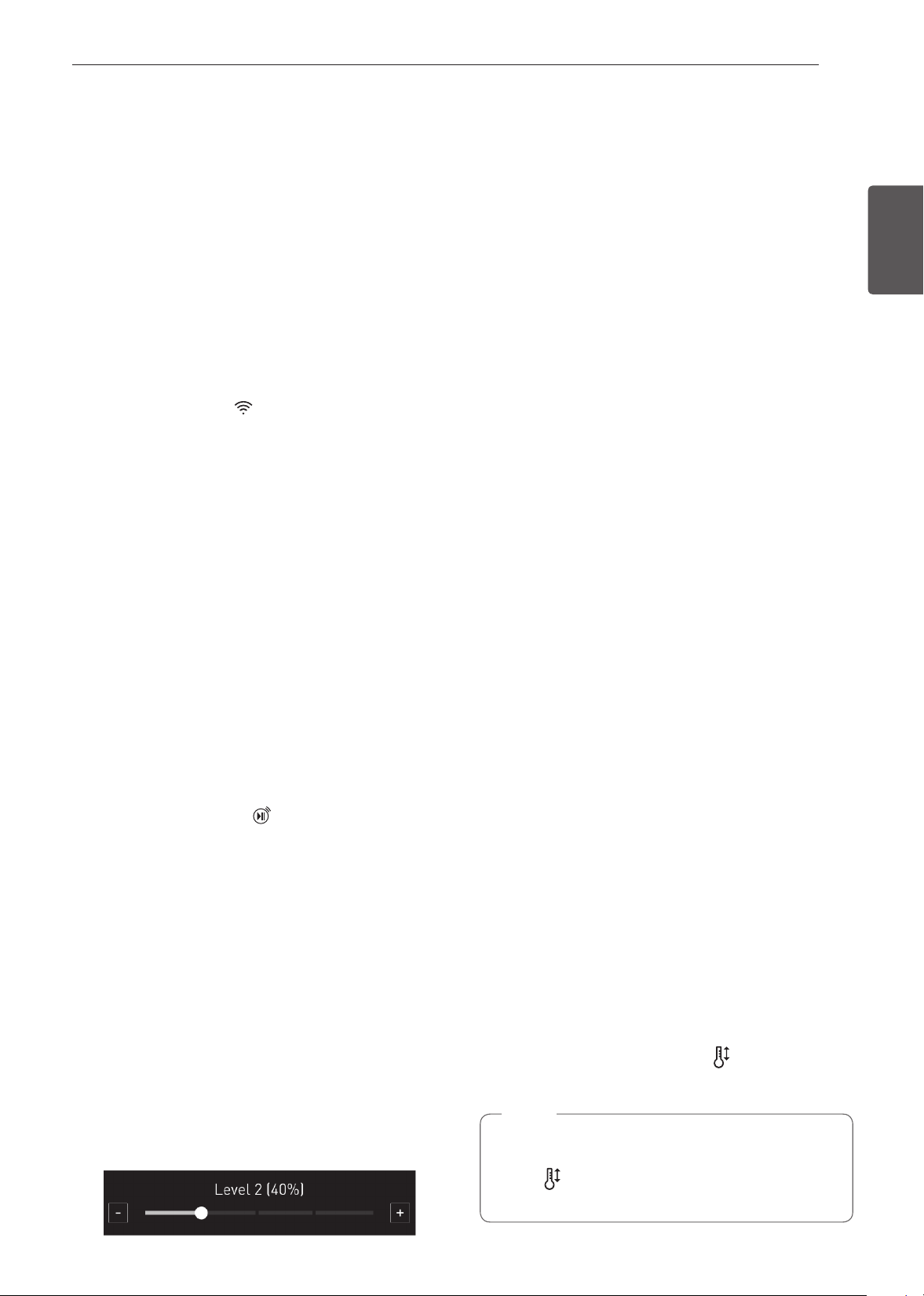
17
FUNCIONAMIENTO
ESPAÑOL
Wi-Fi
Conecte el artefacto a una red de Wi-Fi doméstica para utilizar
el Inicio remoto y otras funciones inteligentes. Diríjase a la
sección Funciones Inteligentes para más detalles.
Configuración de Wi-Fi
1
Presione Settings (Configuración) en la parte inferior
central de la pantalla principal y presione Wi-Fi en la
primera pantalla de Settings (Configuración).
2
Siga las instrucciones en la Guía de Wi-Fi que se
muestran en la pantalla.
3
Seleccione ON (ENCENDIDO), OFF (APAGADO) o
RESET (REINICIAR) y presione OK (Aceptar).
4
Si el producto está conectado a Wi-Fi y se selecciona
ON, el icono de Wi-Fi aparece en la parte superior de
la pantalla.
5
Seleccionar RESET (REINICIAR) registra la dirección IP.
Inicio remoto
Inicia o detiene de forma remota la función de precalentar del
electrodoméstico. El electrodoméstico debe estar registrado en
una red Wi-Fi doméstica para utilizar el Inicio remoto.
Configuración del inicio remoto
1
Presione Settings (Configuración) en la parte inferior
central de la pantalla principal y presione Remote
Start (Inicio remoto) en la primera pantalla de Settings
(Configuración).
2
Seleccione ON (ENCENDIDO) u OFF (APAGADO) y
presione OK (Aceptar).
3
Si está seleccionado ON (ENCENDIDO), aparecerá
el ícono de Inicio remoto
en la parte superior de la
pantalla.
Brillo
Ajuste el brillo de la pantalla LCD de 20 % a 100 % en
incrementos de 20 %.
Configuración del brillo de la pantalla
1
Presione Settings (Configuración) en la parte inferior
central de la pantalla principal, pase a la segunda pantalla
de Settings (Configuración) y presione Brightness (Brillo).
2
2 Ajuste el brillo de la pantalla presionando y arrastrando
el punto a lo largo de la barra, al tocar en cualquier lugar
sobre la barra o tocando + o -
3
Presione OK (Aceptar).
Pantalla
Establezca la duración de tiempo antes de que la pantalla
entre en modo de suspensión.
Puede seleccionar entre tres opciones.
•
ON (ENCENDIDO): Siempre encendida
•
OFF (APAGADO): Se apaga automáticamente si está
inactiva por 30 minutos.
•
Night OFF (APAGADO nocturno): Se apaga desde las 10
p. m. hasta las 5 a. m.
Configuración de las opciones de pantalla
1
Presione Settings (Configuración) en la parte inferior
central de la pantalla principal, pase a la segunda pantalla
de Settings (Configuración) y presione Display (Pantalla).
2
Seleccione la opción deseada.
3
Presione OK (Aceptar).
Conversión automática a convección
No hay necesidad de recordar convertir las temperaturas de
una receta estándar para cocinar a convección. La conversión
automática a convección resta 14 °C/25 °F de la temperatura
configurada automáticamente cuando se selecciona un modo
de cocción a convección. La temperatura convertida aparece
en la pantalla una vez que finaliza el precalentamiento.
Por ejemplo, seleccione Convection Bake (Horneado por
convección) e ingrese 176 °C (350 °F). La temperatura se
convertirá automáticamente a 163 °C (325 °F) y mostrará la
temperatura convertida.
La función Convection Auto Conversion (Conversión
automática a convección) está ON (ENCENDIDA) en forma
predeterminada. Encender o apagar la función Convection
Auto Conversion (Conversión automática a convección)
Turning Convection Auto Conversion On/Off
1
Presione Settings (Configuración) en la parte inferior
central de la pantalla principal, pase a la segunda pantalla
de Settings (Configuración) y presione Convection Auto
Conversion (Conversión automática a convección)
2
Seleccione ON (ENCENDIDO) u OFF (APAGADO).
3
Cuando la función Convection Auto Conversion
(Conversión automática a convección) está ON
(ENCENDIDA), aparece un ícono
en la parte superior
de la pantalla.
NOTA
Si la función Convection Auto Conversion (Conversión
automática a convección) está ON (ENCENDIDA),
el ícono
parpadea en la pantalla mientras se está
cocinando en modo de convección.
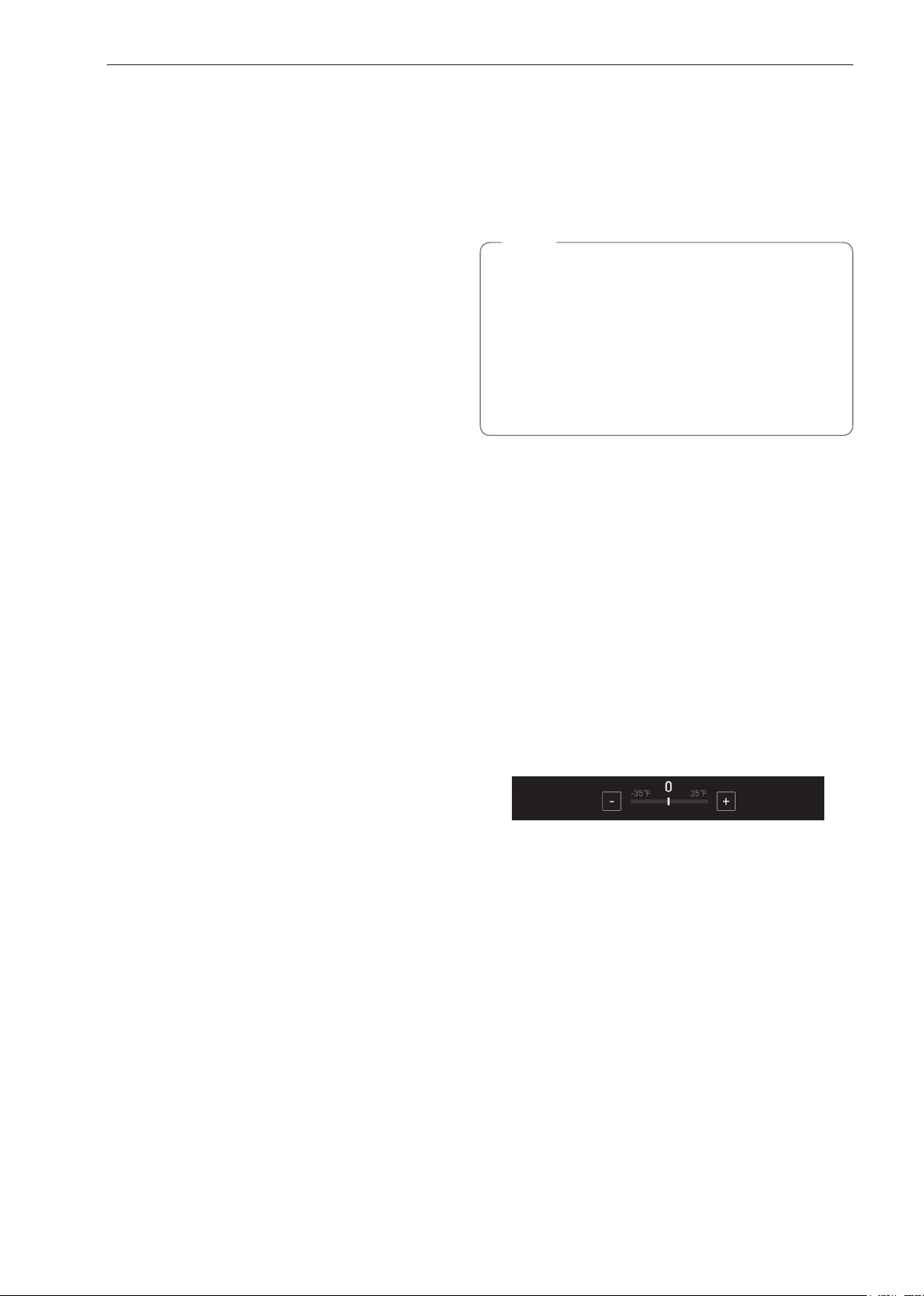
18
FUNCIONAMIENTO
Selección de idioma
Configure el idioma de la pantalla para inglés, español o
francés.
Seleccionar un idioma
1
Presione Settings (Configuración) en la parte inferior
central de la pantalla principal, pase a la segunda
pantalla de Settings (Configuración) y presione Language
Selection (Selección de idioma).
2
Seleccione el idioma deseado.
3
Presione OK (Aceptar).
Volumen
Ajuste el volumen de los controles del horno.
Configurar el volumen
1
Presione Settings (Configuración) en la parte inferior
central de la pantalla principal, pase a la segunda
pantalla de Settings (Configuración) y presione Volume
(Volumen).
2
Seleccione Mute (Silenciar), Low (Bajo) o High (Alto).
3
Presione OK (Aceptar).
Luz de alarma de precalentamiento
Cuando el horno alcanza la temperatura configurada, la luz de
alarma de precalentamiento parpadeará 5 veces o hasta que
se abra la puerta del horno.
Usted puede encender o apagar la luz de alarma de
precalentamiento.
Configurar la alarma de precalentamiento
1
Presione Settings (Configuración) en la parte inferior
central de la pantalla principal, pase a la segunda
pantalla de Settings (Configuración) y presione Preheat
Alarm Light (Luz de alarma de precalentamiento).
2
Seleccione ON (ENCENDIDO) u OFF (APAGADO).
3
Presione OK (Aceptar).
Ajuste de la temperatura
El horno nuevo podría cocinar de manera diferente a su
horno anterior. Use el horno nuevo durante algunas semanas
para familiarizarse con él antes de cambiar los ajustes de
temperatura. Si, después de familiarizarse con el horno, sigue
pensando que la temperatura es muy alta o muy baja puede
ajustarla.
NOTA
Para comenzar, suba o baje el termostato 8 °C (15 °F).
Pruebe el horno con la nueva configuración. Si el horno
aún necesita ajuste, suba o baje nuevamente el termostato
y utilice el primer ajuste como referencia medidora.
Por ejemplo, si el ajuste fue excesivo, suba o baje el
termostato 10 °F (5 °C). Si el ajuste no fue suficiente,
suba o baje el termostato 20 °F (12 °C). Proceda de
esta manera hasta que el horno quede ajustado para su
satisfacción.
Ajuste del termostato
1
Presione Settings (Configuración) en la parte inferior
central de la pantalla principal, pase a la segunda
pantalla de Settings (Configuración) y presione
Temperature Adjustment (Ajuste de la temperatura).
2
Para hacer ajustes grandes, arrastre el indicador
central hacia los extremos + o - de la escala o presione
una ubicación en la misma. Para hacer pequeños
ajustes, presione + o - para subir o bajar el termostato
en incrementos de 1 grado. Presione y mantenga
presionado + o - para deslizarse hacia arriba o abajo de
la escala.
3
Cuando aparezca el cambio deseado sobre el indicador,
presione OK (Aceptar).
Unidades de temperatura
Configure la visualización de la temperatura del horno para
que muestre unidades Fahrenheit o Celsius.
El ajuste predeterminado del horno es en unidades Fahrenheit,
a menos que lo cambie el usuario.
Configuración de unidades de temperatura
1
Presione Settings (Configuración) en la parte inferior
central de la pantalla principal, pase a la segunda
pantalla de Settings (Configuración) y presione
Temperature Units (Unidades de temperatura).
2
Seleccione °F o °C.
3
Presione OK (Aceptar).
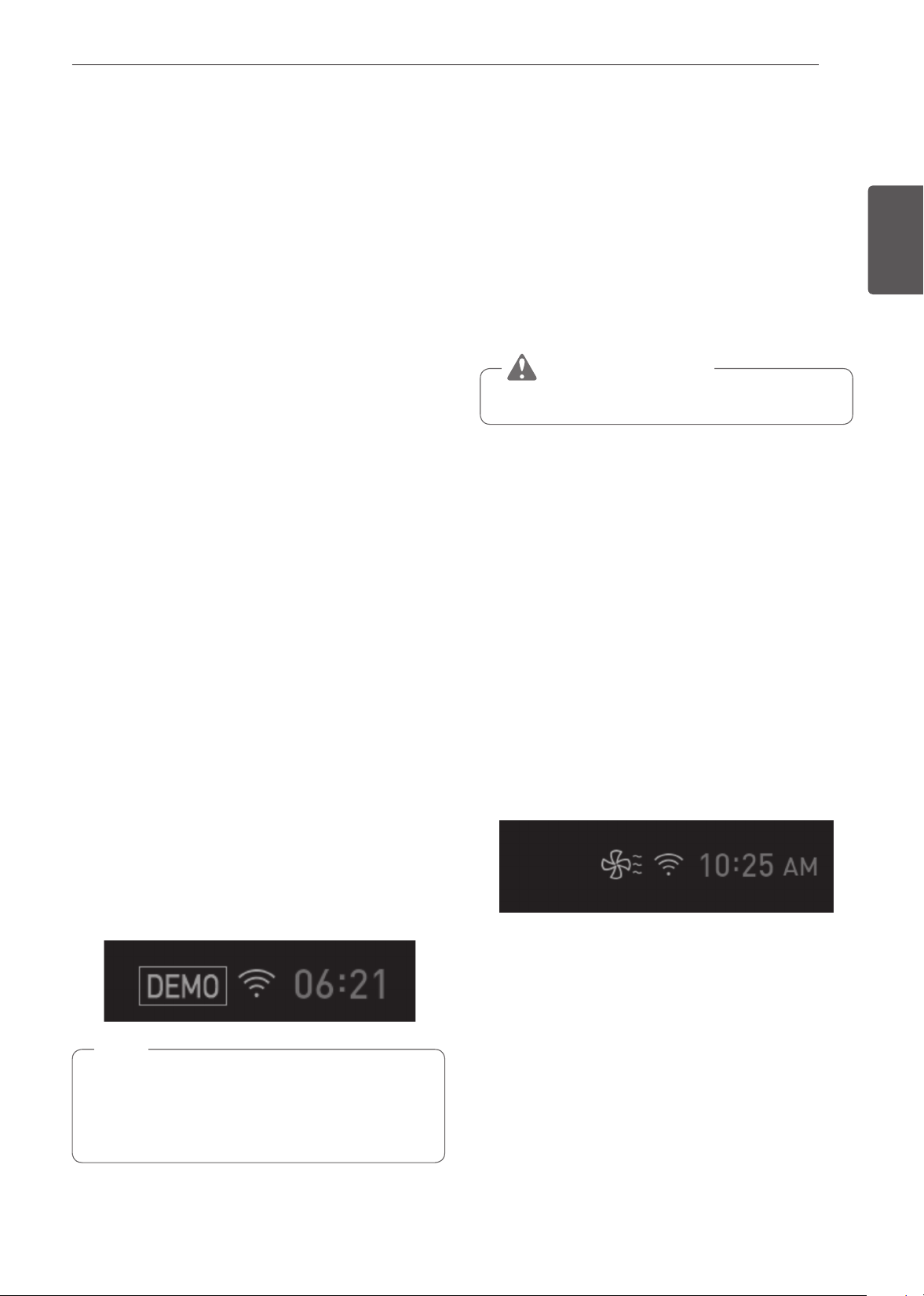
19
FUNCIONAMIENTO
ESPAÑOL
Smart Diagnosis™
Puede ejecutar el Smart Diagnosis™ desde una aplicación
en su teléfono o llamando al Servicio Técnico. Coloque el
micrófono de su teléfono cerca de la esquina superior izquierda
de la pantalla. Consulte "Función Smart Diagnosis" en la
sección Funciones inteligentes para obtener instrucciones
detalladas.
1
Presione Settings (Configuración) en la parte inferior
central de la pantalla principal, pase a la segunda
pantalla de Settings (Configuración) y presione Smart
Diagnosis (Diagnóstico inteligente).
2
Presione START (INICIO) para iniciar el tono de
diagnóstico.
Actualización del programa
Una vez que el electrodoméstico está conectado a una
red Wi-Fi doméstica, utilice esta configuración para buscar
actualizaciones del programa e instalarlas.
1
Presione Settings (Configuración) en la parte inferior
central de la pantalla principal, pase a la tercera pantalla
de Settings (Configuración) y presione Program Update
(Actualización del programa).
2
La pantalla muestra las actualizaciones de programa
disponibles. Presione UPDATE (ACTUALIZAR) para
descargar e instalar la nueva versión.
Modo de demostración
Este modo solo se usa con fines demostrativos. El horno no
calentará.
1
Presione Settings (Configuración) en la parte inferior
central de la pantalla principal y presione Demo Mode
(Modo de demostración) en la pantalla de Settings
(Configuración).
2
Seleccione el modo ON (ENCENDIDO) u OFF
(APAGADO).
3
Presione OK (Aceptar).
NOTA
•
Cuando está encendido el modo de demostración, el
electrodoméstico no calentará.
•
Cuando este modo está encendido aparecerá el ícono
del modo de demostración en la pantalla.
Restablecimiento de los datos de
fábrica
Esta función regresará todas las configuraciones a los valores
predeterminados de fábrica.
1
Presione Settings (Configuración) en la parte inferior
central de la pantalla principal, pase a la tercera pantalla
de Settings (Configuración) y presione Factory Data
Reset (Restablecimiento de los datos de fábrica).
2
Si desea restablecer los datos a los valores
predeterminados de fábrica, presione RESET
(RESTABLECER) y luego OK (ACEPTAR).
ADVERTENCIA
•
Se eliminarán todos los datos almacenados.
Licencia de código abierto
Esta pantalla muestra una lista de software de código abierto
que contiene este producto. Consulte las licencias indicadas
para conocer los términos y condiciones de su uso.
1
Presione Settings (Configuración) en la parte inferior
central de la pantalla principal y pase a la cuarta pantalla
de Settings (Configuración).
2
Licencia de código abierto.
Enfriamiento del horno
El ícono de enfriamiento del horno aparece en la pantalla si
la temperatura interior del horno es alta durante o después
del funcionamiento. El ícono desaparece si la temperatura del
horno es inferior a 100 °C (210 °F).
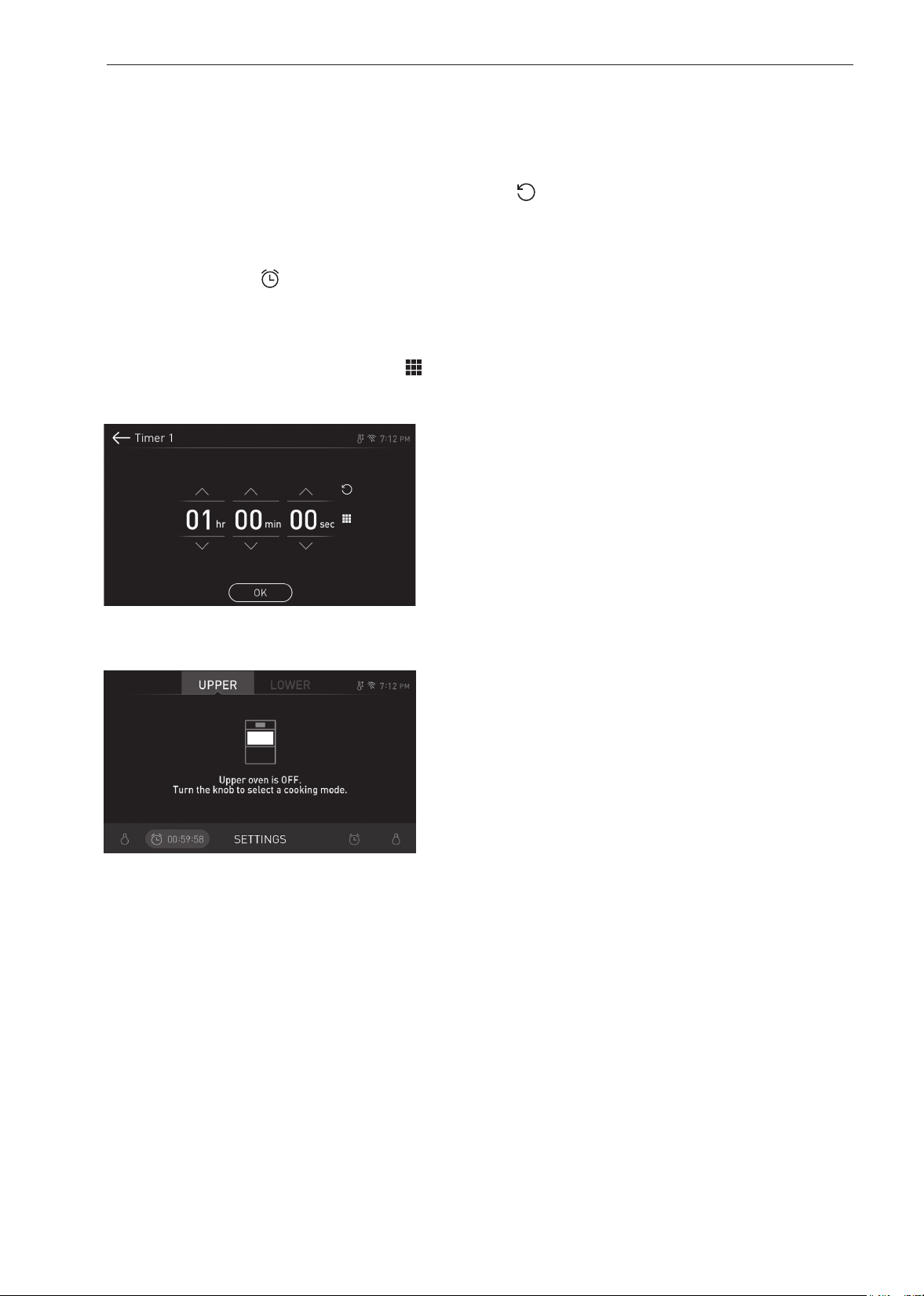
20
FUNCIONAMIENTO
Temporizador
Los temporizadores del horno no afectan su funcionamiento
ni el tiempo de cocción. Utilícelos como temporizadores de
cocina extra. Una vez que termine el tiempo, el horno emite un
sonido y aparece "Time 1 or 2 finished" (Temporizador 1 o 2
finalizado) en la pantalla.
Configuración del temporizador
1
Presione el ícono del reloj en la parte inferior de la
pantalla.
2
Deslícese por los números que aparecen en la pantalla
emergente hasta que aparezca el tiempo deseado en la
pantalla, o presione el ícono del tablero numérico (
)
para ingresar los números directamente y presione OK
(ACEPTAR).
3
Al lado del ícono del reloj en la pantalla aparece el tiempo
restante.
Ajuste o cancelación del temporizador
1
Presione el tiempo restante que aparece al lado del
ícono del reloj en la pantalla.
2
Para cancelar el temporizador presione Reset (Reiniciar)
(
) en la pantalla emergente. Luego presione OK
(ACEPTAR).
3
Para ajustar el horario, deslícese por los números en
la pantalla emergente hasta que aparezca el horario
deseado. Luego presione OK (ACEPTAR).
4
Se ajusta el tiempo restante en la pantalla.

21
FUNCIONAMIENTO
ESPAÑOL Uso del Horno Superior
Uso del Horno Superior
Antes de usar el Horno Superior
NOTA
•
Para evitar el riesgo de lesiones personales o daños a
la propiedad, no use piezas de cerámica o recipientes
de cocina de metal o con bordes metálicos en el horno.
•
Para programar el horno, asegúrese de tocar
firmemente el centro de cada tecla, ya que las áreas
entre las mismas no lo activarán. Cada vez que se
toque una tecla correctamente sonará un tono. No
toque varias teclas al mismo tiempo.
•
No golpee el panel de control con cubiertos, recipientes
de cocina, etc., ya que podría romperse.
•
Siempre tenga cuidado cuando saque los recipientes
de cocina del horno. Algunos recipientes absorben calor
de los alimentos cocinados y pueden estar calientes.
Consulte la Guía de Batería de Cocina que figura más
atrás en esta sección para obtener más información.
NOTA
•
No enjuague los recipientes colocándolos en agua
inmediatamente después de la cocción. Podrían
romperse. Además, siempre deje que la plataforma
giratoria se enfríe antes de sacarla del horno.
•
Nunca haga funcionar el horno estando vacío. Siempre
debe haber comida o agua en el horno durante su
funcionamiento para absorber la energía de microondas.
•
No utilice el horno para secar periódicos o ropa.
Podrían incendiarse.
•
Utilice termómetros que hayan sido aprobados para ser
usados en cocción con hornos de microondas.
•
La plataforma giratoria siempre debe estar colocada en
su lugar cuando se hace funcionar el horno.
•
No use el horno de microondas para cocinar huevos
con cáscara. Puede acumularse presión dentro de la
cáscara del huevo y hacer que este estalle.
Luz del Horno Superior
1
Toque Upper Light para encender o apagar la luz del
horno superior.
Guía de Batería de Cocina para Microondas
Utilice No use
VIDRIO APTO PARA HORNOS
(tratado para calor de alta intensidad):
platos de uso general, platos de postre, tarteras,
charolas para pastel, vasos de medición de líquidos,
cazuelas y tazones sin molduras metálicas.
PORCELANA:
tazones, tazas, fuentes y bandejas sin bordes metálicos.
PLÁSTICO:
envoltura plástica (como cubierta). Coloque la
envoltura plástica suelta sobre el plato y presiónela
en los costados.
Permita la ventilación en la envoltura plástica plegando
un borde ligeramente hacia atrás, para que pueda
escapar el exceso de vapor. El plato debe ser lo
suficientemente profundo como para que la envoltura
plástica no toque la comida. A medida que la comida
se caliente, es posible que derrita la envoltura plástica
en donde esta entra en contacto con la comida.
Use vasos y platos plásticos, envases semirrígidos
para congelador y bolsas de plástico solo para
tiempos de cocción cortos. Úselos con precaución
porque el plástico puede reblandecerse con el calor
de la comida.
PAPEL:
Toallas de papel, papel encerado, servilletas de
papel y platos de papel sin diseños ni bordes
metálicos. Verifique la etiqueta del fabricante antes
de usar en el horno de microondas.
NOTA:
No use productos de papel reciclado en el horno de
microondas. En ocasiones contienen impurezas que
causan arcos eléctricos y chispas.
RECIPIENTES METÁLICOS:
El metal evita que la energía de microondas alcance los alimentos, por
lo que se produce una cocción despareja. También deben evitarse las
bandejas de papel de aluminio, los termómetros y los pinchos metálicos.
Los recipientes de metal pueden provocar un arco eléctrico que dañe el
horno de microondas.
DECORACIONES METÁLICAS:
Cazuelas, vajilla, etc. con detalles de metal o con bordes metálicos. Los
bordes de metal interfieren con la cocción normal y podrían dañar el horno.
PAPEL DE ALUMINIO:
Evite utilizar hojas grandes de papel de aluminio porque dificultan la
cocción y pueden provocar arcos eléctricos dañinos. Use pequeños trozos
de papel de aluminio para proteger las patas y alas de las aves. Mantenga
TODO el papel de aluminio al menos a 1 pulgada de las paredes laterales
y la puerta del horno.
MADERA:
Los tazones y las tablas de madera se resecan y pueden romperse o
agrietarse cuando se los usa en el horno de microondas. Los cestos
reaccionan de la misma manera.
RECIPIENTES DE COCINA FIRMEMENTE CUBIERTOS:
Asegúrese de dejar aberturas para que pueda salir el vapor de los recipientes
cubiertos. Pinche las bolsas de plástico que contengan vegetales u otros
alimentos antes de cocinarlos. Las bolsas totalmente cerradas pueden explotar.
PAPEL KRAFT:
Evite utilizar bolsas de papel kraft.
Absorben mucho calor y pueden quemarse.
BATERÍA DE COCINA DEFECTUOSA O DESCASCARADA:
Cualquier recipiente defectuoso, descascarado o que tenga grietas puede
romperse en el horno.
ATADURAS METÁLICAS:
Retire las ataduras metálicas de las bolsas de papel o plástico.
Se calientan y pueden provocar un incendio.

22
FUNCIONAMIENTO
Consejos de Cocina en Microondas
Vigilar la Cocción
Siempre mire la comida mientras la cocina. La luz del interior
del horno de superior se enciende automáticamente cuando
este está funcionando para que usted pueda vigilar el proceso
de cocción. Las instrucciones de las recetas de revolver,
elevar y acciones similares deben considerarse como los
pasos mínimos recomendados. Si la comida parece estar
cocinándose en forma despareja, simplemente realice los
ajustes que considere necesarios para corregir el problema.
Factores que Influyen en los Tiempos de
Cocción en Microondas
Muchos factores influyen en los tiempos de cocción. La
temperatura de los ingredientes que se emplean en una receta
hace una gran diferencia en los tiempos de cocción. Por
ejemplo, un pastel elaborado con mantequilla, leche y huevos
muy fríos va a tardar bastante más tiempo en hornearse que
uno hecho con ingredientes que se encuentran a temperatura
ambiente. Algunas recetas, especialmente las de panes,
pasteles y postres de crema, recomiendan que estos platos
sean retirados del horno cuando aún parece faltarles un poco
de cocción.
No se trata de un error. Cuando se los deja reposar,
generalmente cubiertos, estos alimentos continúan
cocinándose fuera del horno, ya que el calor atrapado dentro
de las partes externas de los mismos se trasmite gradualmente
hacia el interior. Si estos platos quedaran en el horno hasta
que se cocinaran por completo, las partes externas quedarían
cocidas de más o incluso quemadas. La práctica mejorará su
habilidad de calcular los tiempos, tanto de cocción como de
reposo, para varios platos.
Densidad de las Comidas
Las comidas livianas y porosas, como los pasteles y los panes,
se cocinan más rápido que las comidas densas o pesadas,
como los estofados y los guisados. Cuando cocine con
microondas alimentos porosos, debe tener cuidado para que
los bordes exteriores no se resequen y queden quebradizos.
Altura de las Comidas
La parte superior de las comidas que tienen cierta altura y,
particularmente la de los estofados, se cocinará más rápido
que la parte inferior.
Por lo tanto, se recomienda dar vuelta varias veces durante la
cocción la comida que presenta una altura considerable.
Contenido de Humedad de la Comida
Como el calor generado por las microondas provoca que la
humedad se evapore, los alimentos relativamente secos, como
los estofados y algunos vegetales, deben rociarse con agua
antes de la cocción o cubrirse para que puedan conservar la
humedad.
Contenido de Grasa y Hueso en la Comida
Los huesos conducen el calor y la grasa se cocina más rápido
que la carne. Debe tenerse precaución cuando se utilizan
cortes de carne grasosos o con hueso para evitar que se
cocinen de forma despareja o que se cocine de más la carne.
Cantidad de Comida
La cantidad de microondas del horno es siempre el mismo, no
importa cuánta comida se cocine en él. Por lo tanto, cuanta
más comida coloque en el horno, más prolongados serán los
tiempos de cocción necesarios.
Recuerde disminuir los tiempos de cocción por al menos un
tercio al reducir a la mitad una receta.
Forma de la Comida
Las microondas penetran solo unos 3/4 de pulgada (2 cm)
en la comida. Las partes internas de los alimentos gruesos
se cocinan debido a que el calor que se genera en el exterior
se transmite al interior. Solamente el borde externo de los
alimentos se cocina por la energía de las microondas, el resto
se cocina por conducción. La peor forma posible que puede
tener un alimento que vaya a cocinarse en un microondas es
la de un cuadrado grueso.
Los ángulos se quemarán mucho antes de que el centro llegue
a calentarse siquiera. Los alimentos con forma de anillo y
los delgados y redondos son los que se cocinan mejor en el
microondas.
Cubrir
Las cubiertas mantienen atrapado el calor y el vapor, haciendo
que los alimentos se cocinen más rápido. Utilice una tapa o un
papel film apto para microondas con una orilla plegada hacia
atrás para evitar rajaduras.
Cubrir con Papel Vegetal
El papel vegetal o sulfurizado (no el papel encerado) es apto
para la cocción en horno de microondas. Como crea una
cobertura más suelta que la de una tapa o un papel film, el
papel sulfurizado permite que la comida se seque ligeramente.
Revolver
Revolver es una de las más importantes de todas las técnicas
de cocción por microondas. En la cocina convencional,
los alimentos se revuelven con el propósito de mezclarlos.
La comida que se cocina en microondas, sin embargo, se
revuelve para propagar y redistribuir el calor. Siempre revuelva
desde el exterior hacia el centro, ya que la parte externa de la
comida se calienta primero.
Colocar las Porciones más Gruesas sobre los
Bordes
Coloque los cortes o las porciones más gruesas de carnes,
aves y pescados hacia el borde exterior de la fuente para que
absorban la mayor parte de la energía de microondas y la
comida se cocine de manera más uniforme.
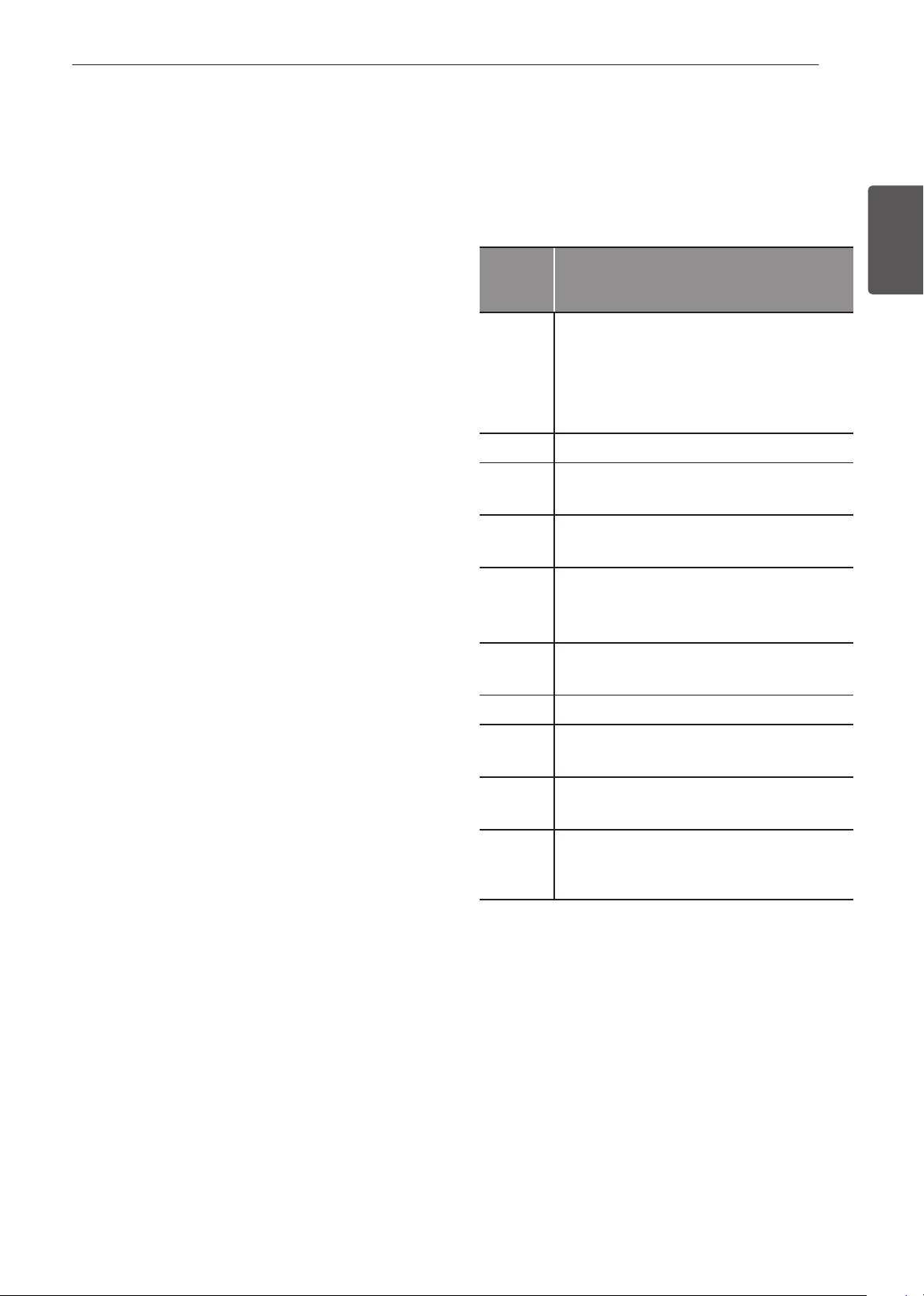
23
FUNCIONAMIENTO
ESPAÑOL Uso del Horno Superior
Protección de la Comida
Pueden colocarse tiras de papel de aluminio (que bloquean las
microondas) sobre las esquinas o los bordes de los alimentos
cuadrados y rectangulares para evitar que esas porciones
se cocinen demasiado. Nunca utilice demasiado papel de
aluminio y asegúrese de que la lámina esté asegurada al plato
o puede provocar un arco eléctrico en el horno, especialmente
si la lámina pasa demasiado cerca de las paredes del horno
durante la rotación.
Elevar
Los alimentos espesos o densos pueden elevarse para que las
microondas sean absorbidas por la parte inferior y el centro de
los alimentos.
Perforar
Es probable que los alimentos encerrados en una cáscara,
caparazón, piel o membrana se rompan en el horno a menos
que se los perfore antes de cocinarlos. Entre estos alimentos
se incluyen yemas y claras de huevos, almejas, ostras, patatas
y otras frutas y verduras enteras.
Probar si está cocido
Las microondas cocinan los alimentos rápidamente, por lo
tanto, debe probarse cómo va la cocción con frecuencia.
Algunos alimentos se dejan en el microondas hasta que están
completamente cocidos, pero la mayoría de los alimentos,
incluidas las carnes y las aves, deben retirarse del horno
mientras aún les falta un poco de cocción, ya que se terminan
de cocinar durante el tiempo de reposo. La temperatura interna
de los alimentos aumentará entre 5 °F (3 °C) y 15 °F (8 °C)
durante el tiempo de reposo.
Niveles de Potencia de Microondas
Este horno superior cuenta con 10 niveles de potencia para
brindarle máxima flexibilidad y control de la cocción. Consulte
la tabla para conocer los niveles de potencia sugeridos para
varios alimentos.
Tabla de niveles de potencia de microondas
Niveles
de
Potencia
Utilice
10
•
Hervir agua.
•
Dorar carne molida.
•
Hacer caramelo.
•
Cocinar trozos de ave, pescado y vegetales.
•
Cocinar cortes de carne tiernos.
9
•
Recalentar arroz, pasta y vegetales.
8
•
Recalentar rápido alimentos preparados.
•
Recalentar sándwiches.
7
•
Cocinar platos con huevo, leche y queso.
•
Derretir chocolate.
6
•
Cocinar ternera.
•
Cocinar pescado entero.
•
Cocinar pudines y postres de crema.
5
•
Cocinar jamón, aves enteras y cordero.
•
Cocinar costillar y punta de solomillo.
4
•
Descongelar carne, aves y mariscos.
3
•
Cocinar cortes de carne menos tiernos.
•
Cocinar chuletas de cerdo y estofados.
2
•
Quitar el frío de la fruta.
•
Ablandar mantequilla.
1
•
Mantener calientes las cazuelas y platos
principales.
•
Ablandar mantequilla y queso crema.

24
FUNCIONAMIENTO
Cocinar a Nivel de Potencia Alto
1
Gire la perilla de modo Oven (Horno) hasta seleccionar
el modo Microwave (Microondas).
2
Toque los números para configurar el tiempo de cocción.
3
Toque Start para comenzar la cocción.
•
Cuando termina el tiempo de cocción, suena una
melodía y, en la pantalla, aparece END OF Cooking
(Fin de cocción).
Cocinar a Niveles de Potencia Inferiores
La cocción con nivel de potencia ALTO no siempre da los
mejores resultados con alimentos que requieren una cocción
más lenta, como estofados, productos horneados o postres de
crema. El horno tiene 9 configuraciones de potencia además
de HIGH.
1
Gire la perilla de modo Oven (Horno) hasta seleccionar
el modo Microwave (Microondas).
2
Configure el tiempo de cocción en la pantalla.
3
Configure el nivel de potencia en la pantalla.
4
Toque Start para comenzar la cocción.
•
Cuando termina el tiempo de cocción, suena una
melodía y, en la pantalla, aparece END OF Cooking
(Fin de cocción).
Cómo detener la cocción
1
Presione Stop (Detener) en la pantalla y seleccione
Yes (Sí) o gire la perilla de modo a la posición OFF
(APAGADO).
+30 seconds
Use esta función para agregar rápidamente 30 segundos al
tiempo de cocción en el microondas.
Para usar, presione +30 seg. en la parte inferior izquierda de la
pantalla.
Defrost
El horno tiene 4 ciclos para descongelar predeterminados.
Esta función proporciona el mejor método para descongelar
alimentos congelados. La Tabla de Descongelado muestra los
ciclos de descongelado sugeridos para varios alimentos.
La función Descongelar cuenta con una conveniente alarma
que suena a la mitad del ciclo de descongelado para recordarle
que revise, dé vuelta, separe o reacomode los alimentos a fin
de obtener mejores resultados.
1 Carne
2 Aves
3 Pescado
4 Pan
Configuración de la Función Descongelar
1
Gire la perilla de modo Oven (Horno) hasta seleccionar
el modo Defrost (Descongelar).
2
Configure el tipo de comida en la pantalla.
3
Establezca el peso en la pantalla.
4
Presione Start (Inicio) para comenzar a descongelar.
Cómo detener la cocción
1
Presione Stop (Detener) en la pantalla y seleccione
Yes (Sí) o gire la perilla de modo a la posición OFF
(APAGADO).
NOTA
•
La cuenta regresiva aparece en la pantalla luego de
que se presiona START. La alarma del horno suena
una vez, en la mitad del ciclo de descongelado.
•
Cuando suene la alarma, abra la puerta del horno y
dé vuelta la comida. Retire la comida que se haya
descongelado. Vuelva a colocar los artículos que aún
están congelados en el horno y toque el botón Start
para completar el ciclo de descongelado.
25
FUNCIONAMIENTO
ESPAÑOL Uso del Horno Superior
Tabla de Conversión de Unidades de Peso.
La mayoría de los pesos de los alimentos están expresados en
libras y onzas.
Si utiliza la libra como unidad de peso, el peso de los alimentos
debe ingresarse en Descongelado Automático en libras y
décimas de libras (decimales).
Si es necesario, use la siguiente tabla para convertir el peso
de los alimentos a decimales.
Peso Equivalente
ONZAS
1.6
3.2
4.8
6.4
8.0
9.6
11.2
12.8
14.4
16.0
PESO EN DECIMALES
.10
.20
.30
.40
.50 Media libra
.60
.70
.80
.90
1.00 Una libra
Tabla de Descongelado
Categoría Alimento a Descongelar
Carne
0.1 - 6.0 lbs
Filete
Carne molida, bistec, dados de carne
para guisado, bistec de solomillo,
estofado, costillar, cuadril, aguja,
hamburguesas
Cordero
Chuletas, arrollado de carne
Cerdo
Chuletas, perros calientes, costillas
esternales, costillas sin hueso, arrollado
de carne, salchicha
Ternera
Costillitas (1 libra, ½ pulgada de grosor)
Cuando suene el BEEP, dé vuelta la
comida.
Después de descongelar, deje reposar de
5 a 15 minutos.
Aves
0.1 - 6.0 lbs
Aves
Pechugas (deshuesadas) enteras,
trozadas. Enjuague la cavidad del pollo
con agua del grifo y deje reposar durante
60 minutos después de la cocción para
obtener mejores resultados.
Gallinas "Cornish"
Enteras
Pavo
Pechuga
Cuando suene el BEEP, dé vuelta la
comida.
Después de descongelar, deje reposar
por 60 minutos.
Pescado
0.1 - 4.0 lbs
Pescado
Filetes, corte transversal del filete
Mariscos
Carne de cangrejo, colas de langosta,
camarones, vieiras
Cuando suene el BEEP, dé vuelta la
comida.
Después de descongelar, deje reposar de
5 a 10 minutos.
Pan
0.1 - 2.0 lbs
Rebanadas de pan, bollos, baguettes, etc.
Separe las rebanadas y coloque entre
toallas de papel o en una placa plana.
Cuando suene el BEEP, dé vuelta la
comida.
Después de descongelar, deje reposar de
1 a 2 minutos.

26
FUNCIONAMIENTO
Consejos para el descongelado
•
Cuando use la función Defrost, el peso que debe ingresar
es el peso neto en libras y décimas de libras (el peso de la
comida menos el del recipiente).
•
Antes de comenzar, quite las ataduras metálicas que a
menudo vienen en las bolsas de alimentos congelados y
reemplácelas con cuerdas o bandas elásticas.
•
Abra los envases, por ejemplo, las cajas de cartón, antes de
colocarlos en el horno.
•
Retire el pescado, los mariscos, la carne y las aves de su
envoltorio original o paquete de plástico. De lo contrario,
la envoltura mantendrá el vapor y el jugo cerca de los
alimentos, lo que puede causar que la superficie externa de
los alimentos se cocine.
•
Si los alimentos están envueltos en papel de aluminio,
retírelo y coloque la comida en un recipiente adecuado.
•
Corte la piel, si las hubiera, de alimentos congelados como,
por ejemplo, salchichas.
•
Pliegue las bolsas de plástico de los alimentos para
garantizar un descongelado uniforme.
•
Coloque los alimentos en un recipiente poco profundo o en
una bandeja para asar en microondas para que contenga el
líquido que se libera.
•
Siempre introduzca un tiempo menor que el que calcule
para el descongelado. La comida todavía debe estar un
poco congelada en el centro cuando se retira del horno. Si
la comida descongelada todavía está helada en el centro,
devuélvala al horno superior para descongelarla más.
•
El tiempo de descongelación varía de acuerdo con la solidez
de la comida congelada.
•
Algunas áreas pueden descongelarse más rápido que otras;
eso depende de la forma de los alimentos.
•
La forma del envase afecta la rapidez con que la comida se
descongela. Los envases poco profundos se descongelan
con más rapidez que los de gran profundidad.
•
A medida que la comida comienza a descongelarse,
sepárelos para descongelar fácilmente.
•
Dé vuelta los alimentos durante el descongelado o el tiempo
de reposo. Separe y vaya retirando alimentos según sea
necesario.
•
Para obtener mejores resultados, moldee la carne molida en
forma de rosquilla antes de congelarla. Cuando descongele,
quite la carne descongelada cuando suene la alarma y luego
continúe descongelando.
•
Use pequeños trozos de papel de aluminio para proteger
ciertas partes de alimentos, como por ejemplo, alitas de
pollo, puntas de patas, colas de pescado o áreas que
comiencen a calentarse. Asegúrese de que el papel de
aluminio no toque los lados ni la parte superior o inferior del
horno. El papel de aluminio puede dañar el revestimiento del
horno.
•
Para obtener mejores resultados, deje reposar la comida
después de descongelarla.
Funcionamiento del sensor
La función Cocción con sensor recalienta sus alimentos
favoritos sin que tenga que seleccionar tiempos de cocción y
niveles de potencia.
El horno determina automáticamente el tiempo de cocción que
requiere cada tipo de comida. Cuando el sensor interno detecta
una cierta cantidad de humedad proveniente de los alimentos,
le indica al horno cuánto tiempo más debe calentarlos. La
pantalla muestra el tiempo que resta calentar. Para obtener
mejores resultados cuando se cocina con el sensor, siga estas
recomendaciones.
•
Los alimentos que se cocinan con el sistema sensor deben
estar a temperatura normal de almacenamiento.
•
La bandeja de vidrio y el exterior del recipiente deben estar
secos para garantizar los mejores resultados de cocción.
•
Los alimentos siempre deben cubrirse de forma holgada, sin
apretar, con envoltura plástica apta para microondas, papel
encerado o una tapa.
•
No abra la puerta del horno durante el tiempo de detección.
Cuando el sensor termina de detectar la humedad, el horno
emite una alarma y el tiempo de cocción restante aparece
en la pantalla. Este es el momento en que usted puede abrir
la puerta para remover, girar o reorganizar la comida.
Utilizar recipientes apropiados y cubrir los alimentos como se
indica ayuda a asegurar buenos resultados de cocción con
sensor.
•
Siempre use recipientes aptos para microondas y cúbralos
con tapas o envoltura plástica ventilada.
•
Nunca use cubiertas plásticas herméticas. Pueden evitar
que el vapor escape y hacer que los alimentos se cocinen
demasiado.
•
Haga coincidir la cantidad de alimento con el tamaño del
recipiente. Llene los recipientes como mínimo hasta la mitad
para obtener mejores resultados.
•
Asegúrese de que la parte exterior del recipiente de cocción
y el interior del horno superior estén secos antes de colocar
los alimentos en el horno. Las gotas de humedad que se
convierten en vapor pueden confundir al sensor.

27
FUNCIONAMIENTO
ESPAÑOL Uso del Horno Superior
Tabla de Cocción con Sensor
•
La función Cocción con Sensor cuenta con ajustes predeterminados para recalentar ciertos alimentos automáticamente con
ayuda del sensor.
Categoría Peso Batería de Cocina
Temp. de los
Alimentos
Instrucciones
1. Bebidas 1-2 tazas
(240 ml por taza)
Jarro o taza aptos
para microondas en
la bandeja de vidrio
Ambiente Utilice un jarro o una taza aptos para microondas sin
cubrir.
Luego de cocinar, revuelva para completar el recalentado.
(¡Tenga cuidado! La bebida va a estar muy caliente.
Algunas veces los líquidos que se calientan en recipientes
cilíndricos salpican inesperadamente cuando se los
mueve.)
2. Cazuelas 10-20 oz Tazón apto para
microondas sobre la
bandeja de vidrio
Refrigerada Utilice un recipiente apto para microondas.
Cubra el recipiente con envoltura plástica ventilada.
Después de cocinar, deje reposar por 3 minutos.
3. Pollo 16-20 oz Tazón apto para
microondas sobre la
bandeja de vidrio
Refrigerada Utilice un recipiente apto para microondas.
Cubra el recipiente con envoltura plástica ventilada.
Después de cocinar, deje reposar por 3 minutos.
4. Pastas ½-2 tazas Tazón apto para
microondas sobre la
bandeja de vidrio
Refrigerada Utilice un recipiente apto para microondas.
Cubra el recipiente con envoltura plástica ventilada.
Después de cocinar, deje reposar por 3 minutos.
5. Pizza 1-3 rebanadas Placa para
microondas en la
bandeja de vidrio
Refrigerada Esta es una función de recalentado para pizza sobrante.
Use un plato apto para microondas sin cubrir.
6. Plato de
comida
1 porción Placa para
microondas en la
bandeja de vidrio
Refrigerada Utilice un recipiente apto para microondas.
Cubra el recipiente con envoltura plástica ventilada.
Después de cocinar, deje reposar por 3 minutos.
7. Arroz ½-2 tazas Tazón apto para
microondas sobre la
bandeja de vidrio
Refrigerada Utilice un recipiente apto para microondas.
Cubra el recipiente con envoltura plástica ventilada.
Después de cocinar, deje reposar por 3 minutos.
8. Sopa 1-4 tazas Tazón apto para
microondas sobre la
bandeja de vidrio
Ambiente Utilice un recipiente apto para microondas.
Cubra el recipiente con envoltura plástica ventilada.
Después de cocinar, deje reposar por 3 minutos.
9. Vegetales 1-4 tazas Tazón apto para
microondas sobre la
bandeja de vidrio
Refrigerada Utilice un recipiente apto para microondas.
Cubra el recipiente con envoltura plástica ventilada.
Después de cocinar, deje reposar por 3 minutos.
Uso de la función Cocción con Sensor
Use la Cocción con Sensor para calentar comidas comunes
preparadas en microondas sin necesidad de programar
tiempos de cocción y niveles de potencia. La función
Cocción con Sensor tiene programas predeterminados para
9 categorías de alimentos. Consulte la tabla de Cocción con
Sensor para más información.
Configuración de la función Cocción con Sensor
1
Gire la perilla de modo Oven (Horno) hasta seleccionar el
modo Sensor Cook (Sensor de cocción).
2
Presione una categoría para filtrar las opciones.
3
Toque Start.
•
Cuando termina el tiempo de cocción, suena una
melodía y, en la pantalla, aparece END OF Cooking
(Fin de cocción).
Cómo detener la cocción
1
Presione Stop (Detener) en la pantalla y seleccione
Yes (Sí) o gire la perilla de modo a la posición OFF
(APAGADO).
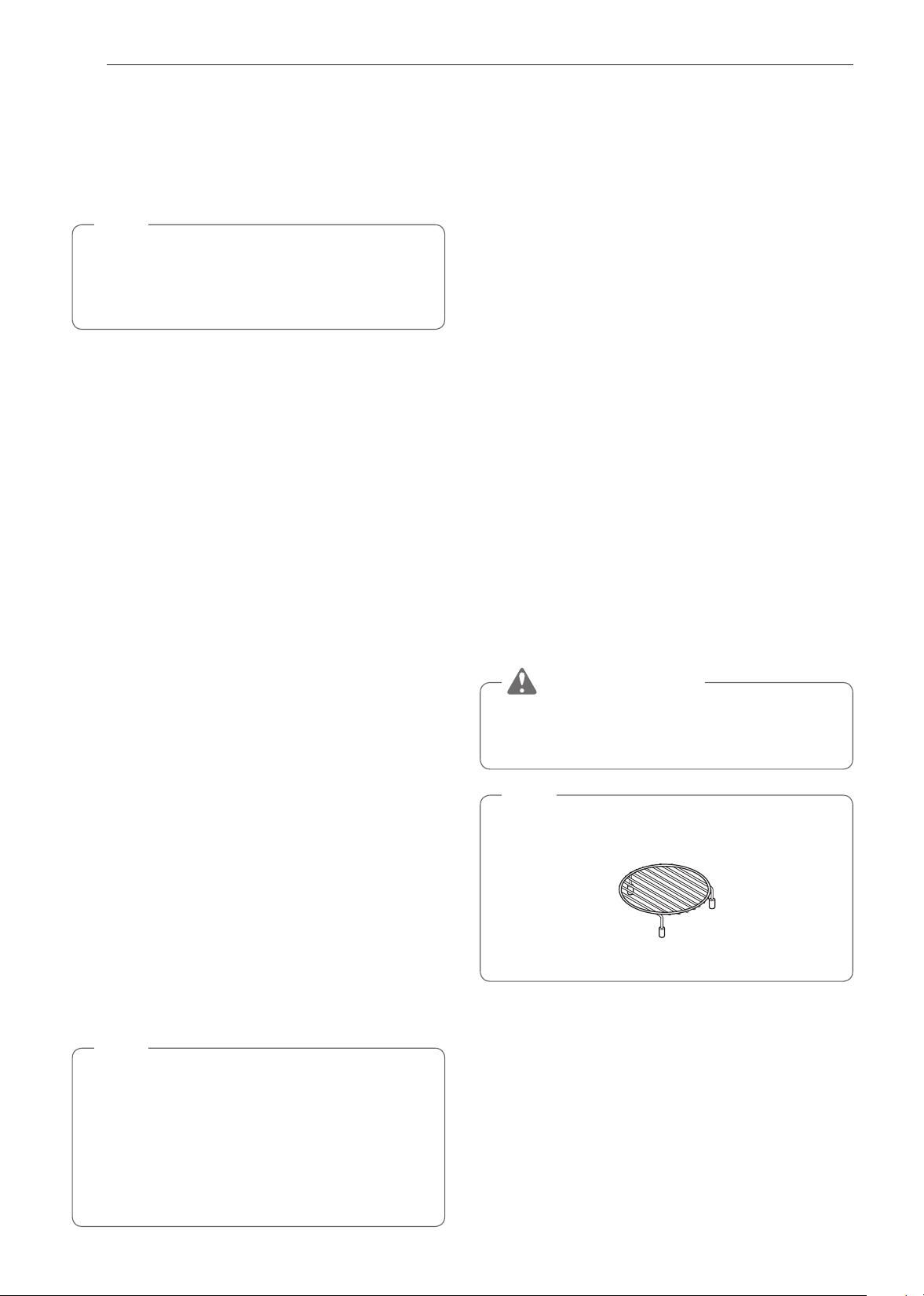
28
FUNCIONAMIENTO
Horneado por Convección
Durante el Horneado por Convección, se utiliza un quemador
para elevar la temperatura del aire dentro del horno.
Las temperaturas de cocción por convección oscilan entre
100 °F y 450 °F.
Para cocinar por convección, es mejor precalentar el horno.
NOTA
La temperatura del horno debe ser 25 °F menos que la
temperatura recomendada en los alimentos envasados. El
tiempo de cocción puede variar según la condición de la
comida o las preferencias individuales.
Configuración de la función Horneado por convección
1
Gire la perilla de modo Oven (Horno) hasta seleccionar el
modo Conv. Bake (Horneado por convección).
2
Ajuste la temperatura. Gire la perilla de temperatura en
sentido horario/antihorario, deslícese por los números en
la pantalla, o presione el ícono del teclado numérico para
ingresar los números directamente.
3
Si lo desea, configure el tiempo de cocción
4
Presione Start (Inicio). El horno comienza a precalentar.
5
Si el tiempo de cocción está configurado, aparece el
tiempo restante en la pantalla.
6
Una vez que el precalentamiento haya finalizado, suena
una alarma.
7
Cuando termina el tiempo de cocción configurado, suena
una alarma y aparece una notificación en la pantalla.
Abra la puerta del horno y retire los alimentos.
Cómo cambiar la configuración del horneado por convección
1
Presione Edit (Editar) en la pantalla para que aparezca la
pantalla Cook Settings (Configuración de cocción).
2
Ajuste la configuración.
3
Presione Start (Inicio).
Cómo detener la cocción
1
Presione Stop (Detener) en la pantalla y seleccione
Yes (Sí) o gire la perilla de modo a la posición OFF
(APAGADO).
NOTA
•
Cuando el horno alcance la temperatura de
precalentado programada, sonará una melodía. El
horno automáticamente mantiene esa temperatura
durante 30 minutos.
•
La temperatura del horno disminuye con mucha rapidez
cuando se abre la puerta; sin embargo, esto no debería
evitar que los alimentos se cocinen completamente
durante el tiempo normal de cocción.
Broil (Asado)
Esta función le permitirá dejar la comida dorada y crujiente
rápidamente. No es necesario precalentar.
Configuración de la función Asado
1
Gire la perilla de modo Oven (Horno) hasta seleccionar
el modo Broil (Asado).
2
Configure el tiempo de cocción en la pantalla.
3
Toque Start. El horno comienza a calentar.
Cómo cambiar la configuración de asado
1
Presione Edit (Editar) en la pantalla para que aparezca
la pantalla Cook Settings (Configuración de cocción).
2
Ajuste la configuración.
3
Presione Start (Inicio).
Cómo detener la cocción
1
Presione Stop (Detener) en la pantalla y seleccione
Yes (Sí) o gire la perilla de modo a la posición OFF
(APAGADO).
PRECAUCIÓN
Siempre utilice agarraderas para retirar la comida y los
accesorios después de cocinar, ya que tanto estos como
el horno estarán muy calientes.
NOTA
Para obtener mejores resultados, use el estante cuando
ase comidas en el horno superior.
Estante

29
FUNCIONAMIENTO
ESPAÑOL Uso del Horno Superior
Cocción Rápida
Esta función usa simultáneamente la energía de una luz
halógena, los quemadores y las microondas para posibilitar
una cocción rápida.
NOTA
Los niveles de potencia solo se pueden seleccionar
de 1 a 4. Cada nivel de potencia le brinda potencia de
calentamiento y energía de microondas durante un cierto
porcentaje del tiempo.
PRECAUCIÓN
Cuando use la función Cocción Rápida, recuerde que el
horno, la puerta y los platos estarán muy calientes.
Configuración de la función Convección Rápida
Utilice este modo para carne asada, pollo asado, verduras
asadas, pizza congelada, pasteles, tartas y panes.
1
Gire la perilla de modo Oven (Horno) hasta seleccionar
el modo Speed Cook (Cocción rápida).
2
Presione SPEED CONVECTION (Convección rápida).
3
Configure el nivel de potencia en la pantalla.
4
Ajuste la temperatura. Gire la perilla de temperatura en
sentido horario/antihorario, deslícese por los números en
la pantalla, o presione el ícono del teclado numérico para
ingresar los números directamente.
5
Configure el tiempo de cocción. Presione la tecla de
la flecha en el costado derecho de la pantalla para
configurar el tiempo de cocción.
6
Toque Start. El horno comienza a calentar.
Configuración de la función Asado rápido
Use este modo para Los bistecs, filetes de pollo o pescado y
mariscos.
1
Gire la perilla de modo Oven (Horno) hasta seleccionar
el modo Speed Cook (Cocción rápida).
2
Presione Speed Broil (Asado rápido).
3
Configure el nivel de potencia en la pantalla.
4
Configure el tiempo de cocción en la pantalla.
5
Toque Start. El horno comienza a calentar.
Cómo cambiar la configuración de cocción rápida
1
Presione Edit (Editar) en la pantalla para que aparezca
la pantalla Cook Settings (Configuración de cocción).
2
Ajuste la configuración.
3
Presione Start (Inicio).
Cómo detener la cocción
1
Presione Stop (Detener) en la pantalla y seleccione
Yes (Sí) o gire la perilla de modo a la posición OFF
(APAGADO).
Cocción automática
Use la Auto Cook (Cocción automática) para calentar comidas
comunes preparadas sin necesidad de seleccionar tiempos de
cocción y niveles de potencia.
La función Auto Cook (Cocción automática) tiene programas
predeterminados para 28 funciones de alimentos.
Configuración de la función Cocción automática
1
Gire la perilla de modo Oven (Horno) hasta seleccionar
el modo Cocción automática.
2
Presione una categoría para filtrar las opciones.
3
Deslícese o presione las letras para encontrar y
seleccionar un elemento.
4
Siga las recomendaciones en la pantalla en relación con
los accesorios.
5
Presione Start (Inicio).
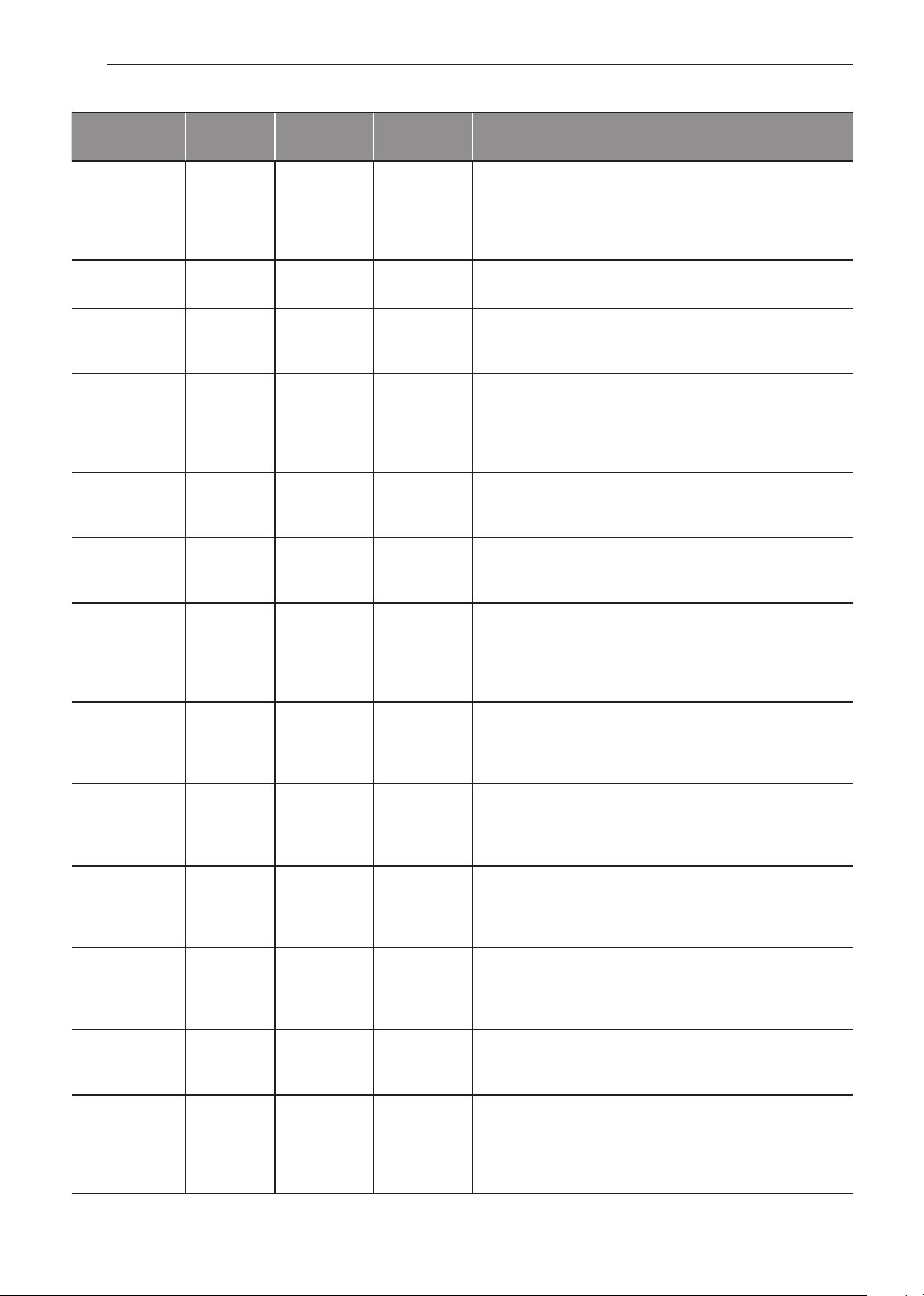
30
FUNCIONAMIENTO
Tabla de cocción automática
Categoría Peso
Batería de
Cocina
Temp. de los
Alimentos
Instrucciones
1. Tocino
(cortado
regular)
3-4
5-6
rebanadas
Plato o estante
para tocino apto
para microondas
sobre la bandeja
de vidrio
Refrigerada Coloque las rebanadas de tocino en una parrilla de microondas
para obtener mejores resultados.
Si no tiene una parrilla, use un plato forrado con toallas de papel.
2. Bagel
(congelado)
1, 2-3 bagels Bandeja de
metal
Congelada
3. Patatas al
horno
(7-9 oz c/u)
1, 2, 3-4
patatas
Bandeja de
metal
Ambiente Perfore cada patata varias veces con un tenedor.
4. Brownie 8″ X 8″
9″ X 13″
Tazón apto para
microondas
sobre la bandeja
de vidrio
Ambiente Rocíe los recipientes para hornear de silicona o vidrio apto para
microondas con aceite en aerosol.
Vierta la mezcla en los recipientes para hornear, extendiéndola
uniformemente.
Después de la cocción, deje reposar por unos minutos.
5. Filetes de
bacalao
(1 libra)
- Bandeja de
metal
Refrigerada Pincele con aceite y condimente con sal y pimienta.
Dé vuelta la comida cuando suene la alarma.
6. Perro caliente
con maíz
(congelado)
1-2, 3-4 Bandeja de
metal
Congelada
7. Vegetales
frescos
4-6, 7-9,
10-12, 13-15,
16-20 oz
Tazón apto para
microondas
sobre la bandeja
de vidrio
Refrigerada Agregue agua según la cantidad.
•
4-12 oz: agregue 2 cucharadas de agua
•
13-20 oz: agregue 4 cucharadas de agua
Cubra con envoltura plástica ventilada.
Después de cocinar, revuelva y deje reposar por 3 minutos.
8. Nuggets
de pollo
congelados
1-2, 3-4
porciones
(3.5 oz / 100 g
por porción)
Bandeja de
metal
Congelada Dé vuelta la comida cuando suene la alarma.
9. Alitas de pollo
congeladas
1-2, 3-4
porciones
(3.5 oz / 100 g
por porción)
Bandeja de
metal
Congelada Dé vuelta la comida cuando suene la alarma.
10. Patatas fritas
congeladas
1-2, 3-4
porciones
(3.5 oz / 100 g
por porción)
Bandeja de
metal
Congelada Dé vuelta la comida cuando suene la alarma.
11. Pizza
congelada
(masa
regular)
Individual (6″)
Regular (12″)
Bandeja de
metal
Congelada
12. Palitos
salados
congelados
1, 2, 3-4
pretzels
Bandeja de
metal
Congelada
13. Vegetales
congelados
4-6, 7-9,
10-12, 13-15,
16-20 oz
Tazón apto para
microondas
sobre la bandeja
de vidrio
Congelada Agregue agua según la cantidad.
•
4-12 oz: agregue 2 cucharadas de agua
•
13-20 oz: agregue 4 cucharadas de agua
Cubra con envoltura plástica ventilada.
Después de cocinar, revuelva y deje reposar por 3 minutos.
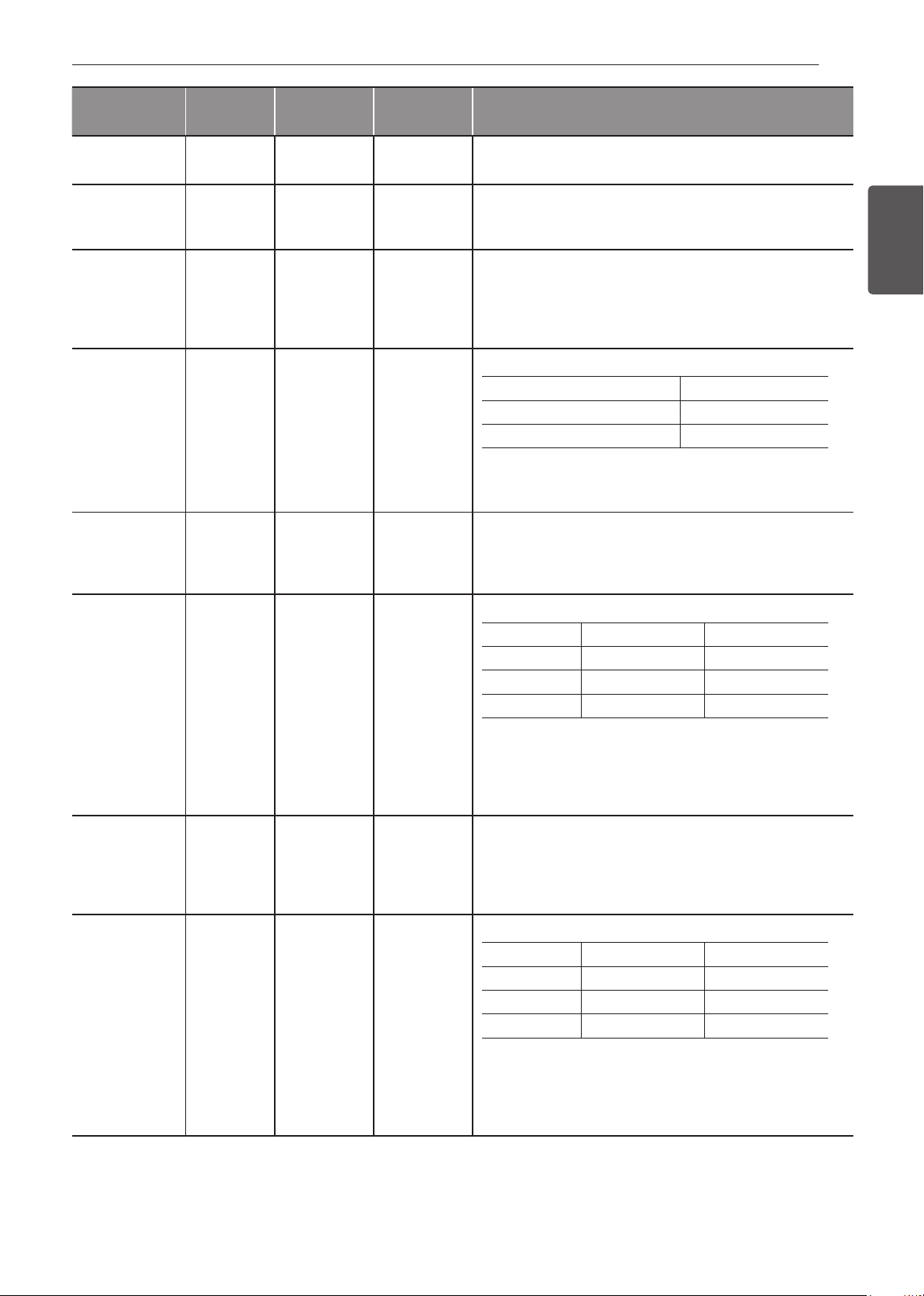
31
FUNCIONAMIENTO
ESPAÑOL Uso del Horno Superior
Categoría Peso
Batería de
Cocina
Temp. de los
Alimentos
Instrucciones
14. Pan de ajo
congelado
1-2, 3-4, 5-6
trozos
Bandeja de
metal
Congelada Dé vuelta la comida cuando suene la alarma.
15. Hamburguesa
(1/2 pulgada
de espesor)
2, 3-4, 5-6
hamburguesas
Bandeja de
metal
Refrigerada Dé vuelta la comida cuando suene la alarma.
16. Chuletas de
cordero
(1/2 pulgada
de espesor,
6-7 oz)
1, 2, 3-4
chuletas
Bandeja de
metal
Refrigerada Pincele con aceite y condimente con sal y pimienta.
Dé vuelta la comida cuando suene la alarma.
17. Pastel de
carne
(9 x 5
pulgadas)
-
Recipiente para
hornear de vidrio
o silicona apto
para microondas
sobre la bandeja
de vidrio
Refrigerada Ingredientes
Carne molida 800 g
Huevo (temp. del refrigerador) 115 g
Sal 2 g
Cocción
Coloque la mezcla de carne en un recipiente para hornear de
silicona o vidrio apto para microondas de 9 x 5 pulgadas.
18. Nachos 1-3, 4-6
porciones
(8 c/u -1
porción)
Bandeja de
metal
Ambiente
19. Avena 1, 2 porciones
Tazón grande
apto para
microondas
sobre la bandeja
de vidrio
Ambiente Ingredientes
1 poción 2 porciones
Avena ½ taza (40 g) 1 taza (80 g)
Agua o leche 1 taza (230 g) 1 ½ tazas (345 g)
Sal (Opcional) Pequeña cantidad 1/8 de cucharada
Cocción
Combine agua o leche, sal y avena en un tazón grande apto para
microondas.
Cubra con envoltura plástica ventilada.
Después de cocinar, deje reposar por 3 minutos.
20. Chuletas de
cerdo
(1/2 pulgada
de espesor,
6-7 oz)
1, 2, 3-4
chuletas
Bandeja de
metal
Refrigerada Pincele con aceite y condimente con sal y pimienta.
Dé vuelta la comida cuando suene la alarma.
21. Quinoa 1, 2 porciones
Tazón grande
apto para
microondas
sobre la bandeja
de vidrio
Ambiente Ingredientes
1 poción 2 porciones
Quinoa ½ taza (40 g) 1 taza (80 g)
Agua o leche 1 taza (230 g) 1 ½ tazas (345 g)
Sal (Opcional) Pequeña cantidad 1/8 de cucharada
Cocción
Combine agua o leche, sal y quinoa en un tazón grande apto
para microondas.
Cubra con envoltura plástica ventilada.
Después de cocinar, deje reposar por 3 minutos.
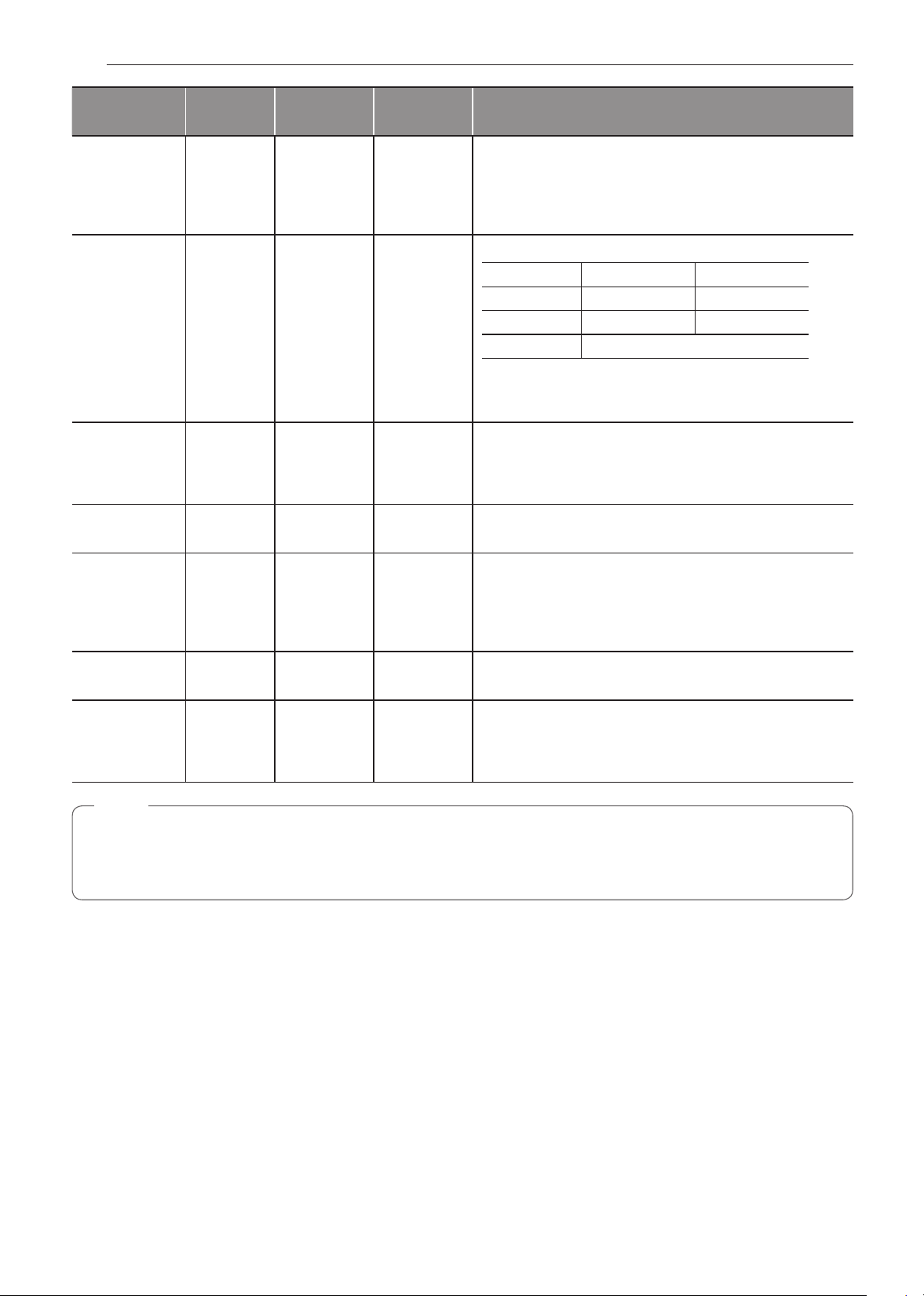
32
FUNCIONAMIENTO
Categoría Peso
Batería de
Cocina
Temp. de los
Alimentos
Instrucciones
22. Filete de
entrecot
(1 pulgada de
espesor,
14-15 oz)
1, 2 filetes Bandeja de
metal
Refrigerada Pincele con aceite y condimente con sal y pimienta.
Dé vuelta la comida cuando suene la alarma.
23. Arroz ½, 1 taza
Tazón grande y
profundo, apto
para microondas
sobre la bandeja
de vidrio
Ambiente Ingredientes
½ taza 1 taza
Arroz ½ taza (96 g) 1 taza (192 g)
Agua 1 taza (230 g) 2 tazas (460 g)
Sal Opcional
Cocción
Cubra con envoltura plástica ventilada.
Después de cocinar, deje reposar por 5-10 minutos.
24. Filete de
salmón
(1 pulgada de
espesor)
1, 2, 3-4
filetes
Bandeja de
metal
Refrigerada Pincele con aceite y condimente con sal y pimienta.
Dé vuelta la comida cuando suene la alarma.
25. Salchicha 1-6 , 7-14
salchichas
Bandeja de
metal
Refrigerada Dé vuelta la comida cuando suene la alarma.
26. Filete de
solomillo
(1 pulgada de
espesor,
18-21 oz)
1, 2 filetes Bandeja de
metal
Refrigerada Pincele con aceite y condimente con sal y pimienta.
Dé vuelta la comida cuando suene la alarma.
27. Lomo ¾ , 1 ½ lb Bandeja de
metal
Refrigerada Pincele con aceite y condimente con sal y pimienta.
Dé vuelta la comida cuando suene la alarma.
28. Verdura
enlatada
4-6, 7-9,
10-12, 13-15,
16-20 oz
Tazón apto para
microondas
sobre la bandeja
de vidrio
Ambiente Traspase los vegetales enlatados a un tazón apto para
microondas.
Cubra con envoltura plástica ventilada.
Después de cocinar, revuelva y deje reposar por 3 minutos.
NOTA
•
No use productos de papel reciclado en el horno superior.
En ocasiones contienen impurezas que causan arcos eléctricos y chispas.
•
NUNCA use productos de papel en el horno de convección.

33
FUNCIONAMIENTO
ESPAÑOL Uso del Horno Superior
Ablandar
El horno utiliza poca potencia para ablandar alimentos como
mantequilla, queso crema, glaseado y helado.
Consulte la siguiente tabla.
Configuración de la función Ablandar
1
Gire la perilla de modo Oven (Horno) hasta seleccionar
el modo Soften/Melt (Ablandar/Derretir).
2
Presione SOFTEN (Ablandar).
3
Configure el tipo de comida en la pantalla.
4
Establezca el peso en la pantalla.
5
Toque Start.
•
Cuando termina el tiempo de cocción, suena una
melodía y, en la pantalla, aparece END OF Cooking
(Fin de cocción).
Tabla para Ablandar
Categoría Peso
Batería de
Cocina
Temp. de los
Alimentos
Instrucciones
1. Mantequilla ½, 1, 2
barras
Plato para
microondas en
la bandeja de
vidrio
Refrigerada
La mantequilla estará a temperatura ambiente y lista para ser
usada en una receta.
2. Queso crema 3, 8 oz Plato para
microondas en
la bandeja de
vidrio
Refrigerada
El queso crema estará a temperatura ambiente y listo para
ser usado en una receta.
3. Glaseado
(16 oz)
-
Tazón apto para
microondas
sobre la bandeja
de vidrio
Refrigerada
El glaseado estará a temperatura ambiente y listo para ser
usado en una receta.
4. Helado 1 pinta,
1 cuarto
Bandeja de
vidrio
Congelada
Retire la tapa y la cobertura.
El helado será lo suficientemente blando como para que
resulte fácil servirlo.
Cómo detener la cocción
1
Presione Stop (Detener) en la pantalla y seleccione
Yes (Sí) o gire la perilla de modo a la posición OFF
(APAGADO).
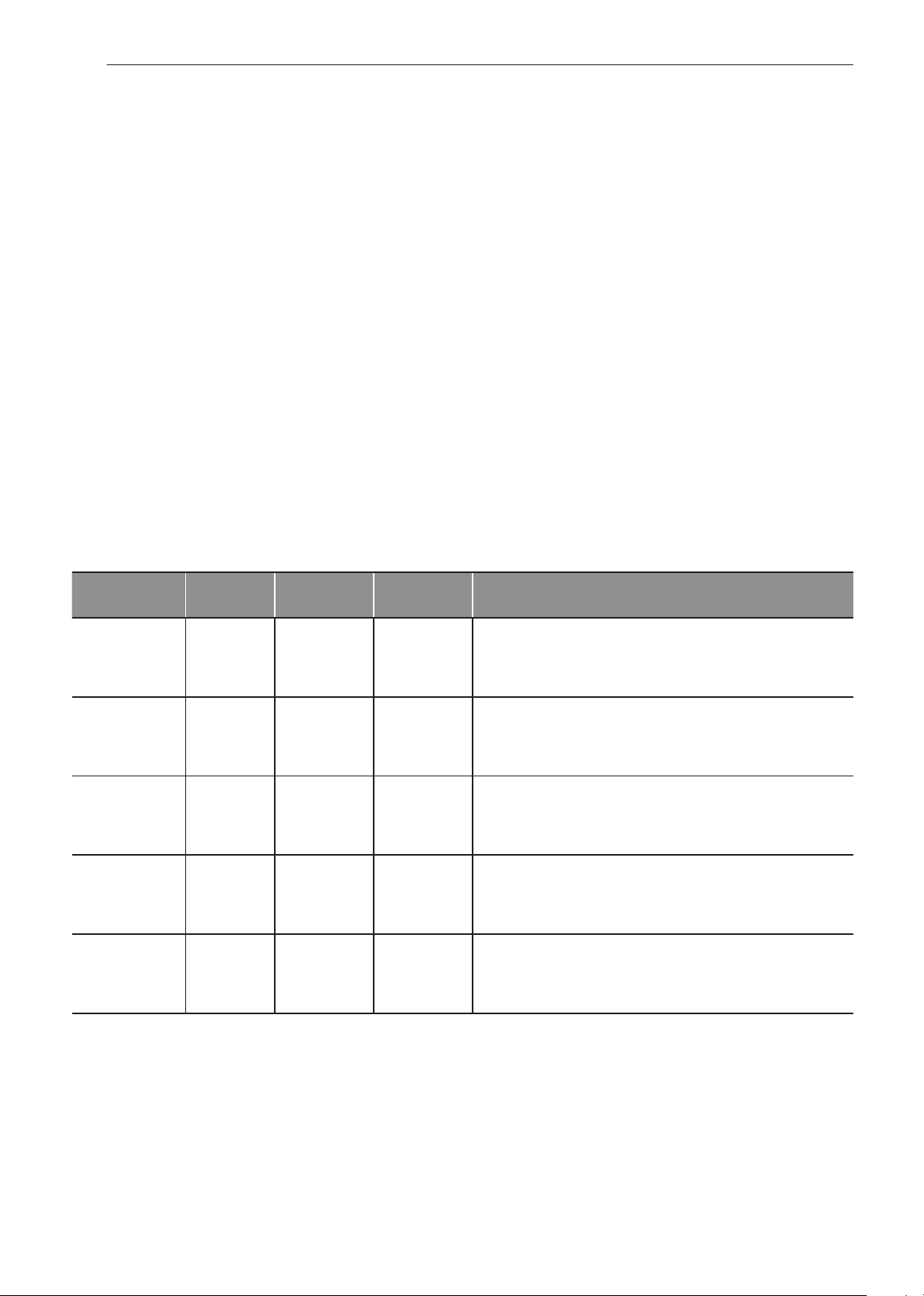
34
FUNCIONAMIENTO
Derretir
El horno utiliza poca potencia para derretir alimentos como
mantequilla, caramelo, queso, chocolate, y malvaviscos.
Consulte la siguiente tabla.
Configuración de la función Derretir
1
Gire la perilla de modo Oven (Horno) hasta seleccionar
el modo Soften/Melt (Ablandar/Derretir).
2
Presione MELT (Derretir).
3
Configure el tipo de comida en la pantalla.
4
Establezca el peso en la pantalla.
5
Toque Start.
•
Cuando termina el tiempo de cocción, suena una
melodía y, en la pantalla, aparece END OF Cooking
(Fin de cocción).
Tabla para Derretir
Categoría Peso
Batería de
Cocina
Temp. de los
Alimentos
Instrucciones
1. Mantequilla ½, 1, 2
barras
Tazón apto para
microondas
sobre la bandeja
de vidrio
Refrigerada
Luego de cocinar, revuelva para que se termine de derretir.
2. Caramelo 4, 8, 12 oz
Tazón apto para
microondas
sobre la bandeja
de vidrio
Ambiente Luego de cocinar, revuelva para que se termine de derretir.
3. Queso 4, 8, 12 oz
Tazón apto para
microondas
sobre la bandeja
de vidrio
Refrigerada
Use solo queso procesado. Córtelo en cubos.
Luego de cocinar, revuelva para que se termine de derretir.
4. Chocolate 4, 8, 12 oz
Tazón apto para
microondas
sobre la bandeja
de vidrio
Ambiente Pueden usarse chips de chocolate o cuadrados de chocolate
para hornear.
Luego de cocinar, revuelva para que se termine de derretir.
5. Malvavisco 5, 10 oz
Tazón apto para
microondas
sobre la bandeja
de vidrio
Ambiente Luego de cocinar, revuelva para que se termine de derretir.
Cómo detener la cocción
1
Presione Stop (Detener) en la pantalla y seleccione
Yes (Sí) o gire la perilla de modo a la posición OFF
(APAGADO).
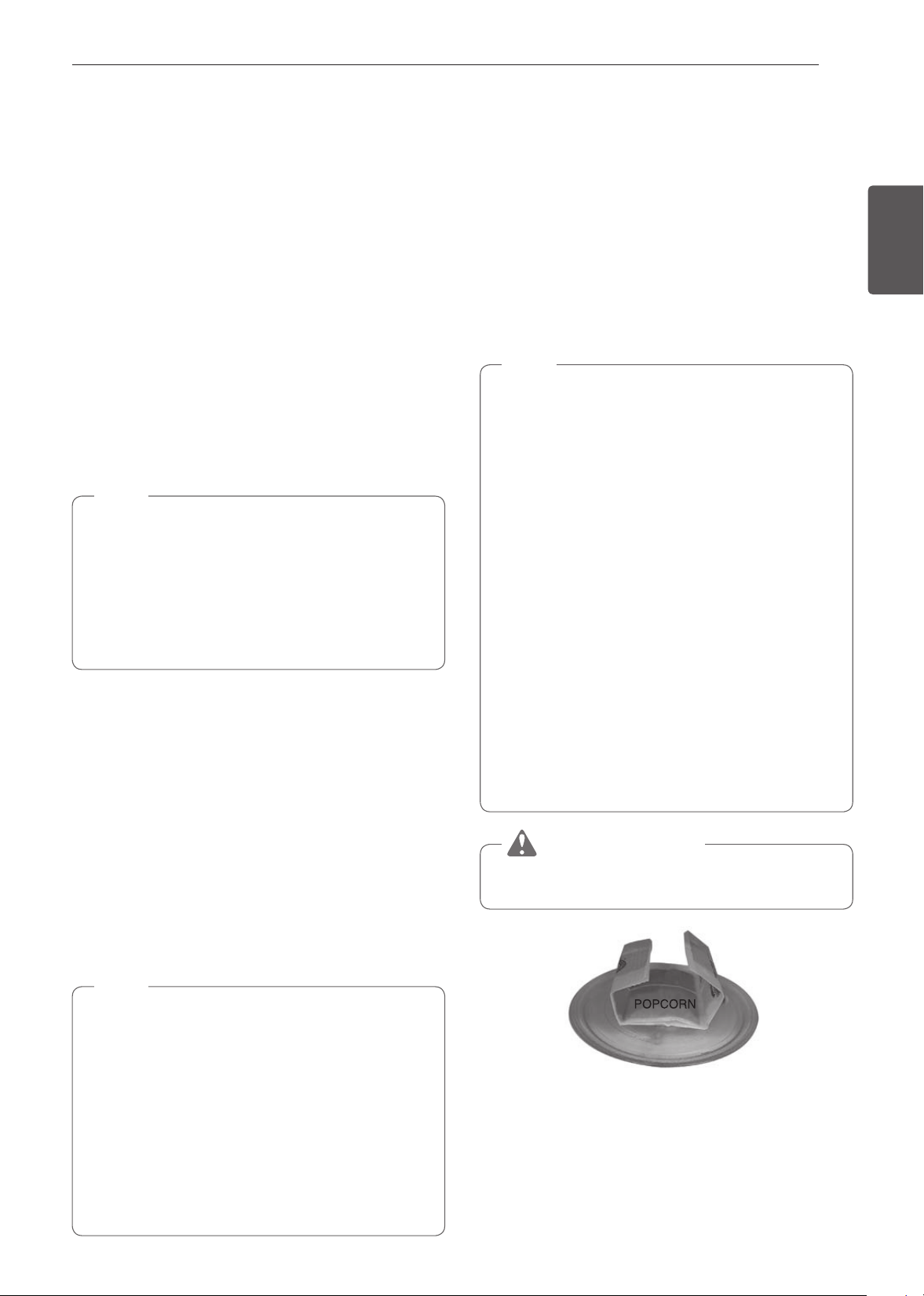
35
FUNCIONAMIENTO
ESPAÑOL Uso del Horno Superior
Warm (Calentar)
La función CALENTAR mantiene una temperatura del horno de
menos de 230 °F. Esta función no debe usarse para recalentar
alimentos fríos. Esta función mantiene caliente la comida cocida
para servir hasta 3 horas después de realizada la cocción. Luego de
3 horas la función CALENTAR automáticamente APAGA el horno.
Configuración de la función Calentar:
1
Gire la perilla de modo Oven (Horno) hasta seleccionar el
modo Warm (Calentar).
2
Seleccione el nivel de temperatura: Baja, Media o, Alta.
3
Seleccione el tipo: esponjoso, crujiente.
4
Toque Start para comenzar a calentar.
Cómo detener la cocción
1
Presione Stop (Detener) en la pantalla y seleccione Yes (Sí)
o gire la perilla de modo a la posición OFF (APAGADO).
NOTA
•
Bajo = 140° - 160 °F (60° - 71 °C)
Medio = 160° - 195 °F (71° - 91 °C)
Alto = 195° - 230 °F (91° - 110 °C)
•
La función Calentar está diseñada para mantener
caliente a los alimentos. No la utilice para bajar la
temperatura de los alimentos.
•
Es normal que el ventilador funcione durante la función
Calentar.
Proof (Leudar)
Esta característica mantiene el horno tibio para leudar
productos con levadura antes de hornearlos.
Configuración de la función Leudar
1
Gire la perilla de modo Oven (Horno) hasta seleccionar
el modo Proof (Leudar).
2
Toque Start para comenzar con el leudado.
Cómo detener la cocción
1
Presione Stop (Detener) en la pantalla y seleccione Yes (Sí)
o gire la perilla de modo a la posición OFF (APAGADO).
NOTA
•
Para evitar que la temperatura del horno baje y que se
prolongue el tiempo de leudado, no abra la puerta del
horno, si no fuera necesario.
•
Revise los alimentos panificados con tiempo para evitar
un leudado excesivo.
•
No utilice el modo de leudado para calentar comida ni
para mantener calientes los alimentos. La temperatura
del horno para el leudado no es lo suficientemente alta
para mantener alimentos a temperaturas seguras. Use la
función LEUDAR para mantener calientes los alimentos.
•
Si el horno está demasiado caliente, no funcionará el
leudado. Deje que el horno se enfríe antes de leudar.
Palomitas de Maíz
Configuración de la función Palomitas de Maíz
1
Gire la perilla de modo Oven (Horno) hasta seleccionar
el modo Popcorn (Palomitas de maíz).
2
Toque Start.
La función Palomitas de Maíz se inicia.
Cómo detener la cocción
1
Presione Stop (Detener) en la pantalla y seleccione
Yes (Sí) o gire la perilla de modo a la posición OFF
(APAGADO).
NOTA
•
Solo haga palomitas en un recipiente apto para
microondas o paquetes comerciales diseñados para
hornos de microondas.
•
Nunca intente hacer palomitas de maíz en una bolsa
de papel que no esté aprobada para ser usada en
microondas.
•
Si no se conoce el tamaño de la bolsa de palomitas de
maíz, siga las instrucciones del fabricante y no use esta
función.
•
Prepare solo una bolsa a la vez.
•
No utilice dispositivos para hacer palomitas de maíz en
el horno superior con esta función.
•
No deje el horno desatendido mientras se revienta el
maíz.
•
No intente recalentar ni cocinar ningún grano que no
hay reventado.
•
No reutilice la bolsa. La cocción excesiva podría
provocar un incendio en el horno.
PRECAUCIÓN
Nunca use una bolsa de papel kraft para hacer palomitas
de maíz.
Cuando ponga a hacer palomitas de maíz de las que vienen
empaquetadas, coloque la bolsa con cuidado en el horno para
que no toque las paredes mientras gira. Pliegue los extremos
de la bolsa hacia arriba y hacia el centro de la misma, como se
muestra.

36
FUNCIONAMIENTO
Uso del Horno Inferior
Antes de usar el horno
NOTA
•
La temperatura registrada por un termómetro de horno
puede diferir de la temperatura del horno real.
•
Es normal que el ventilador de convección funcione
durante el precalentamiento en un ciclo normal de
horneado.
•
El motor del ventilador de convección podría funcionar
periódicamente durante un ciclo normal de horneado.
Luz del Horno Inferior
La luz interior del horno se enciende automáticamente cuando
se abre la puerta. Presione Lower Light (Luz inferior) para
encender la luz del horno inferior manualmente. La lámpara del
horno inferior se apagará después de 2 minutos y 30 segundos
para ahorrar energía.
1
Presione Lower Light (Luz inferior) para encender o
apagar la luz del horno inferior.
Extracción y colocación de los
estantes estándar del horno
Los estantes tienen un borde trasero doblado hacia arriba que
evita que se salgan por completo de la cavidad del horno.
PRECAUCIÓN
•
Vuelva a colocar los estantes del horno antes de
encenderlo para evitar quemaduras.
•
NO cubra los estantes con papel de aluminio ni ningún
otro material, ni coloque nada sobre la base del horno.
Si lo hace, podría generar un proceso de horneado
deficiente y dañar la base del horno.
•
Acomode los estantes solo cuando el horno esté frío.
Extracción de los estantes
1
Con los guantes para horno puestos, sujete el estante.
2
Tire de él hacia afuera, sin inclinarlo, hasta que se
detenga.
3
Levante el frente del estante.
4
Retírelo.
Colocación de los estantes
1
Con los guantes para horno puestos, coloque el extremo
del estante sobre el soporte.
2
Incline el extremo frontal del estante hacia arriba.
3
Empújelo hacia adentro.
4
Verifique que haya quedado bien colocado.
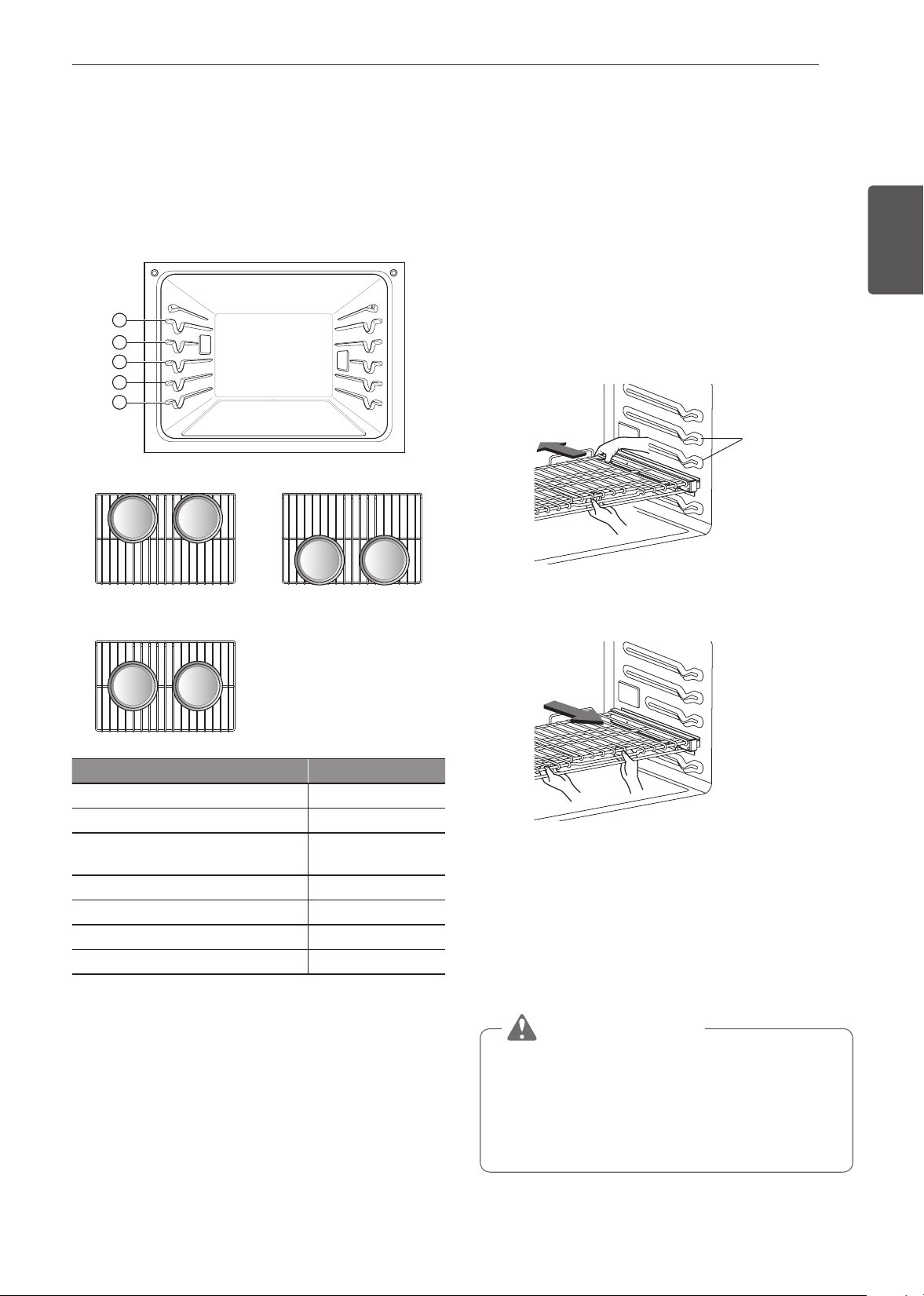
37
FUNCIONAMIENTO
ESPAÑOL Uso del Horno Inferior
Colocación de estantes y bandejas
Si cocina en dos estantes:
Coloque los estantes estándar del horno en las posiciones 2 y
4.
Coloque los recipientes como se muestra a continuación. Si
hornea en más de una bandeja, colóquelas de modo tal que
cada una tenga un espacio libre de 1" a 1, como mínimo, a su
alrededor.
1
2
3
4
5
Horneado en varios estantes
Estante estándar (Posición 2) Estante estándar (Posición 4)
Horneado en un solo estante
Estante
Tipo de alimento Posición del estante
Bizcocho liviano, pasteles congelados 3
Pasteles savarín o budines 2
Galletas, muffins, brownies, galletitas,
cupcakes, pasteles en capas, tartas
3
Estofados 2
Pavo, rostizados o cordero 1
Pizza congelada 3
Pollo rostizado 2
Cuando hornee pasteles y galletas en varios estantes, utilice el
modo Convection Bake (Horneado por convección) y coloque
los estantes en las posiciones 2 y 4.
Ventilación del horno
•
Las áreas cercanas a la ventilación podrían calentarse
durante el funcionamiento y causar quemaduras.
•
No bloquee la abertura de ventilación en la parte inferior del
horno.
•
Evite colocar plásticos cerca de la ventilación, ya que el
calor podría deformarlos o derretirlos.
•
Es normal que se vea vapor cuando se cocinan alimentos
con un alto contenido de humedad.
Uso de los estantes deslizantes del
horno
Las estantes deslizantes se deslizan dentro y fuera de un
marco. Esto mantiene nivelados los recipientes pesados y
evita que se deslicen cuando el estante está completamente
extendido.
Instalación de los estantes deslizantes
1
Comience con el estante en la posición cerrada.
Sostenga el estante con una mano en la parte central del
frente y la otra mano en la esquina trasera derecha.
2
Introduzca cuidadosamente el estante entre las guías y
deslícelo hasta que quede en el lugar.
Guías de la
bandeja
3
Una vez que el estante está asegurado en la parte
trasera, tire de él hacia afuera hasta que se bloquee en el
lugar.
Extracción de los estantes deslizantes
1
Con el estante en la posición cerrada, tómelo del frente
y del marco y levántelo. Empuje suavemente el estante
hacia la pared trasera hasta que se libere del tope.
2
Una vez que se libere del tope, levante la parte trasera
del estante y tire de él y del marco para sacarlos entre las
guías.
PRECAUCIÓN
•
Para evitar quemaduras, coloque los estantes del horno
en la ubicación deseada antes de encenderlo.
•
No cubra los estantes con papel de aluminio ni ningún
otro material, ni coloque nada sobre la base del horno.
Si lo hace, podría generar un proceso de horneado
deficiente y dañar la base del horno.

38
FUNCIONAMIENTO
Hornear
Utilice BAKE (HORNEAR) para preparar alimentos como
pasteles, panes y estofados. Es posible programar el horno
para hornear a cualquier temperatura entre 170°F (80°C) y
550°F (285°C). La temperatura predeterminada es 350°F
(175°C).
Configuración del modo BAKE (HORNEAR)
1
Gire la perilla de modo Oven (Horno) hasta seleccionar el
modo Bake (Hornear).
2
Configure la temperatura del horno. Gire la perilla de
temperatura en sentido horario/antihorario, deslícese
por los números en la pantalla, o presione el ícono del
teclado numérico
para ingresar directamente los
números.
3
Si lo desea, configure el tiempo de cocción y el tiempo
de inicio retardado utilizando el mismo método. Presione
la tecla de la flecha en el costado derecho de la pantalla
para ver la configuración del tiempo de inicio retardado.
4
Presione Start (Inicio). El horno comienza a precalentar.
5
Si el tiempo de cocción está configurado, aparece el
tiempo restante en la pantalla. Si está configurado un
tiempo de inicio retardado, aparece el tiempo de inicio en
la pantalla.
6
Una vez que el precalentamiento haya finalizado, suena
una alarma.
7
Cuando termina el tiempo de cocción configurado suena
una alarma y aparece una notificación en la pantalla.
Abra la puerta del horno y retire los alimentos.
•
Si no se configura un tiempo de cocción, el horno se
apagará automáticamente después de 12 horas.
Cambiar la configuración de cocción
1
Presione Edit (Editar) en la pantalla para que aparezca la
pantalla Cook Settings (Configuración de cocción).
2
Ajuste la configuración utilizando el teclado numérico o la
función de deslizamiento.
3
Presione Start (Inicio).
Cómo detener la cocción
1
Presione Stop (Detener) en la pantalla y seleccione
Yes (Sí) o gire la perilla de modo a la posición OFF
(APAGADO).
NOTA
Es normal que el ventilador de convección funcione
periódicamente durante un ciclo normal de horneado en el
horno. Esto sucede para asegurar resultados parejos de
horneado.
Sugerencias de horneado
Siga la receta o las directivas de cocción de alimentos por
convección para establecer la temperatura, el tiempo de
horneado y la posición del estante. El tiempo y la temperatura
de horneado variarán según los ingredientes, el tamaño y la
forma del recipiente que se utilice para hornear.
•
Para obtener mejores resultados, los alimentos deben
colocarse en un solo estante con al menos 1" a 1
1
/
2
" de
espacio para que pase el aire entre los recipientes y las
paredes del horno.
•
Verifique el punto de cocción de los alimentos en el tiempo
mínimo.
•
Use recipientes metálicos (con o sin acabado antiadherente),
de vitrocerámica templada, de cerámica u otro tipo de
recipiente recomendado para uso en el horno.
•
Las bandejas metálicas oscuras o con revestimientos
antiadherentes cocinarán los alimentos más rápido y
quedarán más dorados. Los recipientes con aislamiento
prolongarán ligeramente el tiempo de cocción de la mayoría
de los alimentos.
NOTA
La base del horno tiene un acabado de porcelana
esmaltada.
Para facilitar la limpieza, proteja la base del horno de
derrames excesivos colocando una placa para horno
sobre el estante que está debajo de la que está usando
para cocinar.
Esto es especialmente importante al hornear un pastel
de frutas u otros alimentos con alto contenido de ácido.
Los rellenos frutales calientes u otros alimentos con alto
contenido de ácido pueden causar picaduras y daños en
la superficie de la porcelana esmaltada y se deben limpiar
de inmediato.
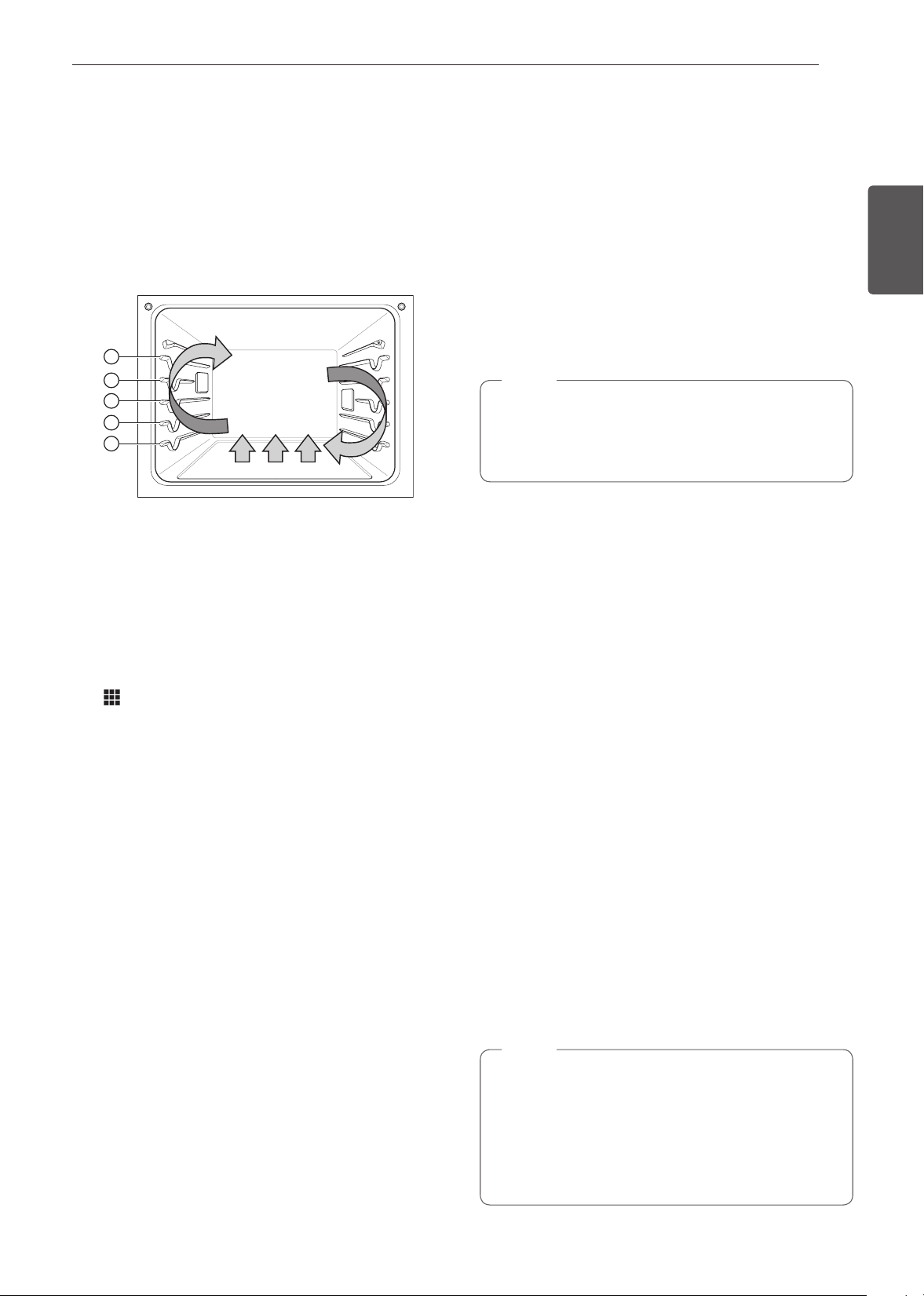
39
FUNCIONAMIENTO
ESPAÑOL Uso del Horno Inferior
Modos de convección
El horneado por convección y el rostizado por convección
utilizan un ventilador para hacer circular el calor de manera
pareja dentro del horno. Esto mejora la distribución del calor
y permite una cocción pareja y excelentes resultados, ya sea
que se cocine en un solo estante o en varios.
Los dos modos por convección en los que se puede programar
el horno para que cocine a temperaturas entre 170 °F (80 °C)
y 550 °F (285 °C). La temperatura predeterminada es 350°F
(175°C).
1
2
3
4
5
Utilización de la convección
1
Gire la perilla de modo Oven (Horno) hasta seleccionar
el modo Conv. Bake (Hornear por convección) o Conv.
Roast (Asar por convección).
2
Configure la temperatura. Gire la perilla de temperatura
en sentido horario/antihorario, deslícese por los números
en la pantalla, o presione el ícono del teclado numérico
para ingresar directamente los números.
3
Si lo desea, configure el tiempo de cocción y el tiempo
de inicio retardado utilizando el mismo método. Presione
la tecla de la flecha en el costado derecho de la pantalla
para ver la configuración del tiempo de inicio retardado.
4
Presione Start (Inicio). El horno comienza a precalentar.
5
Si el tiempo de cocción está configurado, aparece el
tiempo restante en la pantalla. Si está configurado un
tiempo de inicio retardado, aparece el tiempo de inicio en
la pantalla.
6
Una vez que el precalentamiento haya finalizado, suena
una alarma.
7
Cuando termina el tiempo de cocción configurado suena
una alarma y aparece una notificación en la pantalla.
Abra la puerta del horno y retire los alimentos.
•
Si no se configura un tiempo de cocción, el horno se
apagará automáticamente después de 12 horas.
Cambiar la configuración de cocción
1
Presione Edit (Editar) en la pantalla para que aparezca la
pantalla Cook Settings (Configuración de cocción).
2
Ajuste la configuración utilizando el teclado numérico o la
función de deslizamiento.
3
Presione Start (Inicio).
Cómo detener la cocción
1
Presione Stop (Detener) en la pantalla y seleccione
Yes (Sí) o gire la perilla de modo a la posición OFF
(APAGADO).
NOTA
El ventilador del horno funciona mientras se hornea y
rostiza por convección. El ventilador se detiene cuando la
puerta está abierta. En algunos casos, el ventilador podría
apagarse durante un ciclo de horneado por convección.
Sugerencias para hornear por convección
•
Use el horneado por convección para cocinar más rápido y
de manera más pareja en varios estantes: pasteles, galletas,
muffins, galletitas y panes de todo tipo.
•
Hornee galletas y galletitas en bandejas sin bordes o con
bordes muy bajos para que el aire caliente circule alrededor
de los alimentos. Los alimentos horneados en bandejas con
un acabado oscuro se cocinan más rápido.
•
Cuando utilice la función de horneado por convección con
un solo estante, coloque el estante deslizante en la posición
3. Si cocina en varios estantes, coloque los estantes
deslizantes en las posiciones 2 y 4 (para dos estantes).
•
La cocción en varios estantes del horno puede aumentar
ligeramente los tiempos de cocción para algunos alimentos.
•
Los pasteles, las galletas y los muffins resultan mejores
cuando se usan varios estantes.
Rostizado por convección
La función para rostizar por convección está diseñada para
ofrecer resultados de rostizado óptimos. Combina la cocción
con el ventilador de convección para rostizar carnes y aves. El
aire caliente circula alrededor de los alimentos desde todos los
ángulos y sella los jugos y los sabores. Los alimentos quedan
dorados y crocantes por fuera y jugosos por dentro. La función
para rostizar por convección es ideal para cortes grandes de
carne tierna sin cubrir.
NOTA
Los quemadores y un ventilador se apagan
inmediatamente cuando se abre la puerta. Se vuelven a
encender aproximadamente 1 segundo después de que
se cierra la puerta. Pulse Stop (Detener) en la pantalla o
gire la perilla de modo Oven (Horno) hacia la posición OFF
(APAGADO) para cancelar el horneado por convección y
el asado por convección en cualquier momento.
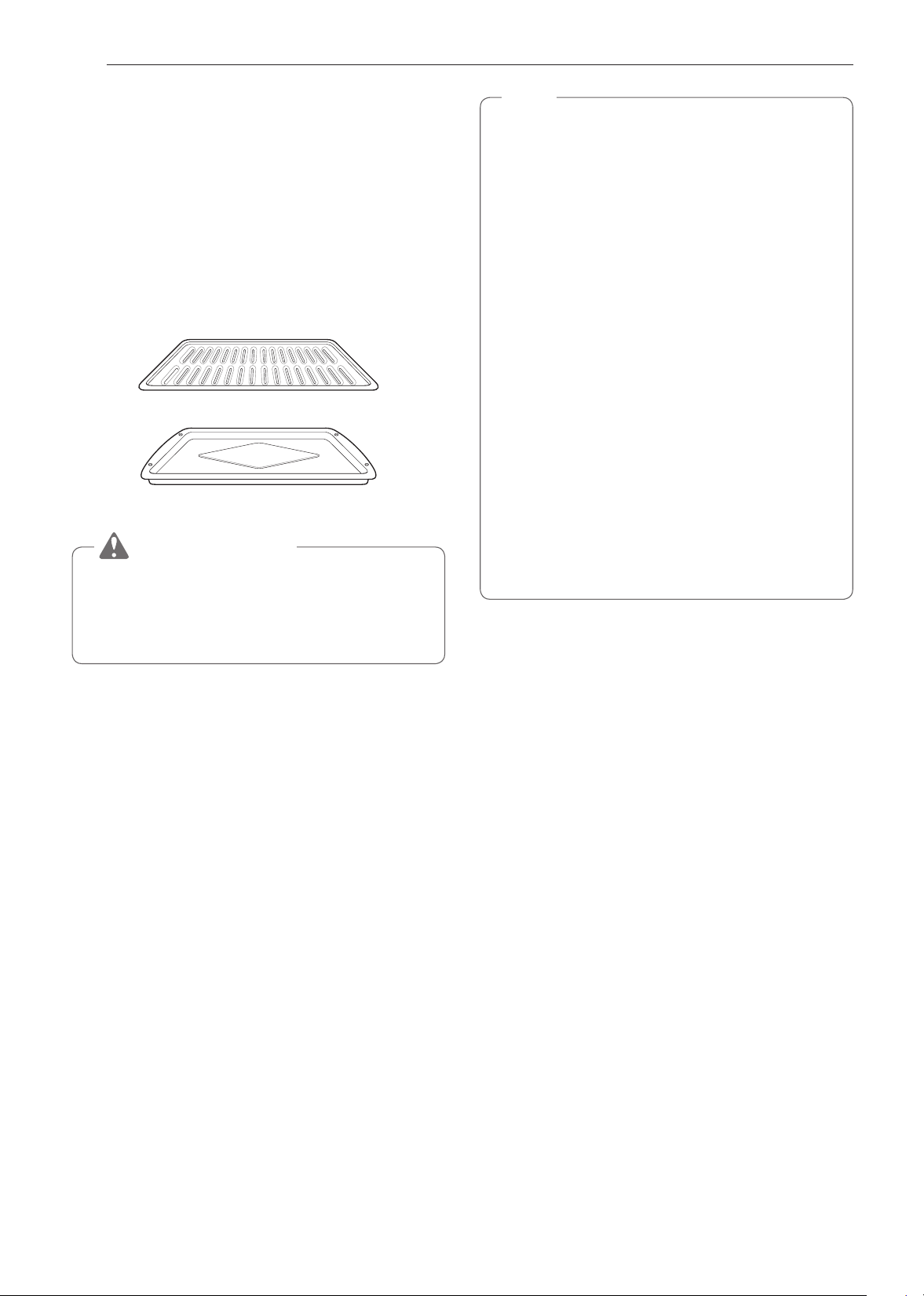
40
FUNCIONAMIENTO
Sugerencias para rostizar por convección
Use una asadera con rejilla al preparar carnes para rostizar
por convección, rostizado con RapidHeat y para asar. La
asadera recibe los derrames de grasa y la rejilla ayuda a evitar
salpicaduras de grasa.
1
Coloque el estante del horno en la posición 1 o 2.
Consulte la sección "Colocación de estantes y bandejas".
2
Coloque la rejilla en la asadera.
3
Coloque la asadera sobre el estante del horno.
Asadera
Rejilla
PRECAUCIÓN
•
No utilice una rejilla sin una asadera.
•
No cubra la rejilla con papel de aluminio.
•
Posicione los alimentos con el lado de la grasa hacia
arriba sobre la rejilla.
RapidHeat Roast+
La función RapidHeat Roast (Rostizado RapidHeat) está
diseñada para rostizar aves. La combinación de calor intenso
de las hornallas superiores e inferiores y el aire caliente de los
quemadores traseros logra alimentos más crocantes y tiempos
de cocción más breves. El rostizado RapidHeat es especialmente
bueno para aves de tamaño mediano (alrededor de 1,5 kg [3,3
lb]).
La función RapidHeat Roast+ utiliza vapor para asar aves y
dejarlas más doradas.
NOTA
•
El tiempo de cocción recomendado es de 55~65 minutos
para el horno para un pollo entero con un peso de 3,3 lb.
•
Ajuste el tiempo de cocción según el peso del ave.
•
Coloque el estante del horno en la posición 2.
•
La función de RapidHeat Roast+ (Rostizado RapidHeat)
está diseñada para reducir el tiempo de cocción. No es
necesario precalentar.
•
Esta función está optimizada para cocinar aves, de
modo que la temperatura no se puede ajustar.
•
Es normal que el ventilador funcione durante la función
de RapidHeat Roast+ (Rostizado RapidHeat) rápido.
•
Si aparece el recordatorio de descalcificación, presione
OK (ACEPTAR) para ejecutar la función Descaling
(Descalcificación).
•
Cuando la temperatura aumenta en el horno puede que
no sea visible el vapor.
•
Tenga cuidado al abrir la puerta del horno durante o
después de cocinar al vapor. El vapor caliente puede
causar quemaduras.
•
Después de cualquier ciclo de cocción al vapor, se
ejecutará la función de secado. Es normal escuchar el
funcionamiento de la bomba de vapor durante la función
de secado.
Configuración de la función RapidHeat Roast+ (Rostizado
RapidHeat)
1
Gire la perilla de modo Oven (Horno) hasta seleccionar el
modo RapidHeat Roast+.
2
Presione Start (Inicio).
3
Si el tiempo de cocción está configurado, aparece el
tiempo restante en la pantalla. Si está configurado un
tiempo de inicio retardado, aparece el tiempo de inicio en
la pantalla.
•
Asegúrese de que el tanque del alimentador de vapor esté
lleno de agua antes de iniciar el modo RapidHeat Roast+
(Rostizado RapidHeat).
•
Si no se configura un tiempo de cocción, el horno se
apagará automáticamente después de 12 horas.
Cambiar la configuración de cocción
1
Presione Edit (Editar) en la pantalla para que aparezca la
pantalla Cook Settings (Configuración de cocción).
2
Ajuste la configuración utilizando el teclado numérico o la
función de deslizamiento.
3
Presione Start (Inicio).
Cómo detener la cocción
1
Presione Stop (Detener) en la pantalla y seleccione
Yes (Sí) o gire la perilla de modo a la posición OFF
(APAGADO).
41
FUNCIONAMIENTO
ESPAÑOL Uso del Horno Inferior
Asar
La función de asar utiliza un calor intenso y radiante para
cocinar los alimentos. Durante el asado completo se calientan
los elementos asadores internos y externos. Durante el asado
central, solo se calienta el elemento asador interno. El ciclo
de lo(s) elemento(s) se enciende y apaga a intervalos para
mantener la temperatura del horno. La sonda para carne no se
puede utilizar con este modo.
Mantenga la puerta del horno cerrada durante el asado. Deje
que el horno se precaliente aproximadamente 5 minutos antes
de cocinar los alimentos.
PRECAUCIÓN
•
NO utilice una rejilla sin una asadera. El aceite puede
provocar un incendio causado por grasa.
•
NO cubra la rejilla ni la asadera con papel de aluminio.
Si lo hace, se prenderá fuego.
•
Siempre use una asadera con rejilla para capturar el
exceso de grasa. Esto ayuda a reducir las salpicaduras,
el humo y las llamaradas ocasionales.
•
Si se produce un incendio en el horno, mantenga
la puerta del horno cerrada y apáguelo. Si el fuego
continúa, arroje bicarbonato de sodio sobre el fuego o
utilice un extinguidor.
•
NO arroje agua ni harina sobre el fuego.
−
La harina podría ser explosiva y el agua podría hacer
que un incendio causado por grasa se propague y
cause lesiones personales.
NOTA
Este horno está diseñado para asar con la puerta cerrada.
Cierre la puerta para configurar la función Asar. Si la
puerta está abierta, se puede configurar la función Broil,
pero en la pantalla aparece DOOR OPEN. Cierre la puerta
para iniciar la función Broil. Si abre la puerta durante el
asado, el quemador del asador se apagará después de 5
segundos. El asador se enciende automáticamente una
vez que se cierra la puerta.
Configuración del modo BROIL (ASADO)
1
Coloque los alimentos en la asadera con rejilla.
2
Gire la perilla de modo Oven (Horno) hasta seleccionar el
modo Broil (Asado).
3
Deslícese por las opciones para configurar la temperatura
deseada: Baja, Media o Alta. Si lo desea, deslícese para
configurar un tiempo de cocción.
4
Si lo desea, configure el tiempo de cocción y el tiempo
de inicio retardado utilizando el mismo método. Presione
la tecla de la flecha en el costado derecho de la pantalla
para ver la configuración del tiempo de inicio retardado.
5
Presione Start (Inicio). Si el tiempo de cocción está
configurado, aparece el tiempo restante en la pantalla. La
puerta del horno debe estar cerrada durante la función de
asado.
6
Deje que el horno se precaliente aproximadamente 5
minutos antes de cocinar los alimentos.
7
Si el tiempo de cocción está configurado, aparece el
tiempo restante en la pantalla. Si está configurado un
tiempo de inicio retardado, aparece el tiempo de inicio en
la pantalla.
8
Presione STOP (DETENER) para cancelar la cocción en
cualquier momento o cuando haya terminado de cocinar.
•
Si no se configura un tiempo de cocción, el horno se
apagará automáticamente después de 3 horas.
Cómo cambiar la configuración de asado
1
Presione Edit (Editar) en la pantalla para que aparezca la
pantalla Cook Settings (Configuración de cocción).
2
Ajuste la configuración.
3
Presione Start (Inicio).
Cómo detener el asado
1
Presione Stop (Detener) en la pantalla y seleccione
Yes (Sí) o gire la perilla de modo a la posición OFF
(APAGADO).
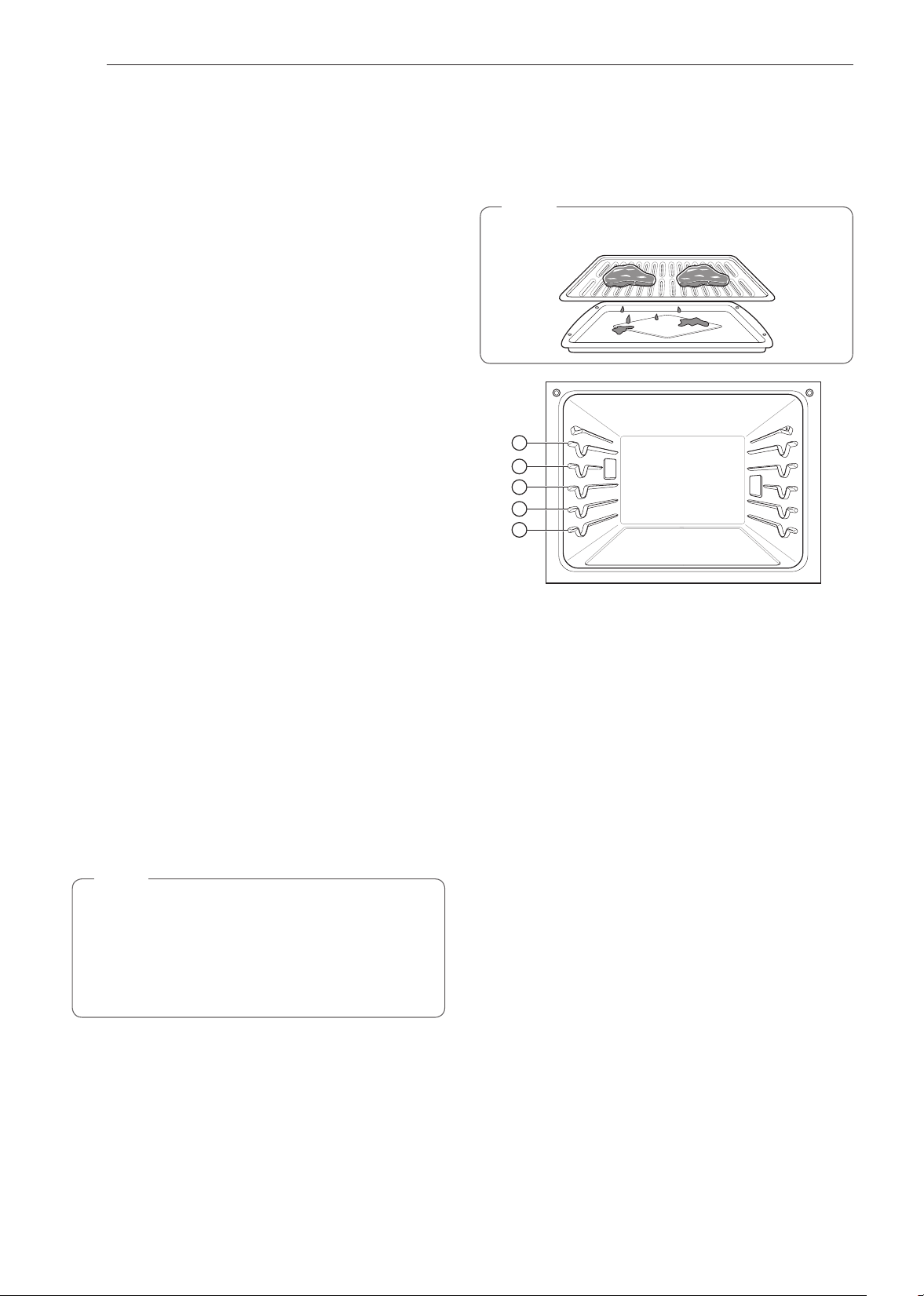
42
FUNCIONAMIENTO
Humo
Debido al calor intenso que se produce cuando se asa, es
normal que haya humo durante el proceso de cocción. Este
humo es un subproducto natural del sellado y no es motivo de
preocupación. Si se genera más humo del que puede tolerar,
aplique los siguientes consejos para reducir la cantidad de
humo del horno.
1
Siempre use una asadera. Por seguridad, no use
sartenes ni placas para horno comunes.
2
NUNCA utilice una asadera que no esté bien limpia y a
temperatura ambiente antes de comenzar a cocinar.
3
SIEMPRE haga funcionar el sistema de ventilación de la
placa de cocción o la campana de ventilación mientras
asa.
4
Mantenga el interior del horno lo más limpio posible. Los
residuos de comidas anteriores se pueden quemar o
encender.
5
Evite los marinados grasos y los glaseados azucarados.
Estos aumentan la cantidad de humo que se genera. Si
desea usar un glaseado, aplíquelo al final de la cocción.
6
Si hay una cantidad significativa de humo con cualquier
alimento, considere las siguientes opciones:
•
Bajar el asador a la configuración LO (Bajo).
•
Bajar el estante para cocinar los alimentos más lejos
del asador.
•
Utilizar la configuración del asador en modo HI (Alto)
para lograr el nivel de sellado que desea y luego
cambiar a la configuración LO (Bajo) de la función
Asar o cambiar a la función BAKE (HORNEAR).
7
Generalmente, los cortes de carne y pescados más
grasos siempre producirán más humo que los alimentos
más magros.
8
Siga las recomendaciones de configuración para asar y
las pautas de cocción del cuadro de la página siguiente
siempre que sea posible.
NOTA
Los quemadores se apagan inmediatamente cuando se
abre la puerta. Se vuelven a encender aproximadamente
1 segundo después de que se cierra la puerta. Pulse Stop
(Detener) en la pantalla o gire la perilla de modo Oven
(Horno) hacia la posición OFF (APAGADO) para cancelar
el modo Broil (Emparrillar) en cualquier momento.
Guía de recomendaciones para asar
El tamaño, el peso, el espesor, la temperatura inicial y su
preferencia de cocción afectarán el tiempo de asado.
La siguiente guía se basa en carnes a temperatura de
refrigerador.
NOTA
Siempre use una asadera con rejilla cuando ase.
1
2
3
4
5
43
FUNCIONAMIENTO
ESPAÑOL Uso del Horno Inferior
Tabla de recomendaciones para asar
Alimento Cantidad o espesor
Posición
del
estante
Tiempo
del primer
lado (min.)
Tiempo del
segundo
lado (min.)
Comentarios
Carne molida 450 g (1 lb)
(4 hamburguesas)
1/2 a 3/4" de espesor
5 4-6 3-4 Espaciar de manera uniforme. Se pueden
asar hasta 9 hamburguesas.
Bistecs de
carne de vaca
Poco cocidos
Cocción media
Bien cocido
Poco cocidos
Cocción media
Bien cocido
1" de espesor
450 g a 680 g (1 a 1-1/2 lb)
1-1/2" de espesor
900 g a 1100 g (2 a 2-1/2 lb)
4
4
4
4
4
4
6
7
8
10
12
14
2–3
2–3
3–4
4–6
4–8
8–10
Los bistecs de menos de 1" de espesor se
cocinan totalmente antes de dorarse. Se
recomienda sellar en una sartén. Quitar la
grasa.
Pollo 1 corte entero de 900 g a
1100 g (2 a 2-1/2 lb),
dividido a lo largo
2 pechugas
3
3
20
20
6–8
6–10
Ase primero con el lado de la piel hacia
abajo.
Colas de
langosta
2–4
10 a 12 oz. cada una
3 12-14 No voltee. Corte la parte trasera del caparazón. Abra
bien. Pincele con mantequilla derretida
antes de asar y a la mitad de la cocción.
Filetes de
pescado
1/4 a 1/2” de espesor 4 o 5 5-6 3–4 Mueva y voltee con mucho cuidado.
Pincele con mantequilla con limón antes
de la cocción y durante la cocción si lo
desea.
Lonjas de
jamón
(precocidas)
1/2” de espesor 4 5 3–5 Aumente el tiempo de 5 a 10 minutos por
lado para un espesor de 1-1/2" o para
jamón casero.
Chuletas de
cerdo
Bien cocido
2 (1/2" de espesor)
2 (1" de espesor)
aproximadamente 450 g (1 lb)
4 o 5
4 o 5
7
9-10
6–8
7–9
Quitar la grasa.
Chuletas de
cordero
Cocción media
Bien cocidas
Cocción media
Bien cocidas
2 (1” de espesor)
aproximadamente 10 a 12 oz.
2 (1-1/2" de grosor)
aproximadamente 450 g (1 lb)
4
4
4
4
6
8
11
13
4–6
7–9
9
9–11
Quitar la grasa.
Filetes de
salmón
2 (1" de espesor)
4 (1" de espesor)
aproximadamente 450 g (1 lb)
4 o 5
4 o 5
8
9
3–4
4–6
Engrase la asadera. Pincele los filetes
con mantequilla derretida.

44
FUNCIONAMIENTO
Consejos para asar
Carne de vaca
•
Los bistecs y las chuletas siempre se deben dejar reposar
durante cinco minutos antes de cortarlos y comerlos. Esto
permite que el calor se distribuya uniformemente en el
alimento y resulta más tierno y jugoso.
•
Los trozos de carne que tengan más de dos pulgadas de
espesor deberán retirarse del refrigerador 30 minutos antes
de su cocción. Esto permite una cocción más rápida y
uniforme, y produce menos humo al asar. Los tiempos de
cocción probablemente sean menores que los indicados en
el Cuadro para asar.
•
En el caso de bistecs con hueso o chuletas cortadas a
la francesa (se retira toda la carne alrededor del hueso),
envuelva las partes expuestas del hueso en papel de
aluminio para que no se quemen demasiado.
Mariscos
•
Cuando ase mariscos con su caparazón, siempre use la
configuración Medium (Medio) y siempre ase el lado de la
piel al final.
•
Es mejor consumir los mariscos inmediatamente después
de la cocción. Si se dejan reposar los mariscos después de
la cocción, se secarán.
•
Resulta buena idea aplicar una fina capa de aceite en la
superficie de la asadera antes de cocinar para evitar que se
pegue la comida, especialmente los pescados y mariscos.
También puede usar una capa fina de aerosol antiadherente.
Verduras
•
Mezcle las verduras levemente en aceite antes de cocinarlas
para mejorar el dorado.
Calentar
El modo WARM (CALENTAR) mantiene una temperatura
del horno de 93 °C (200 °F) o menos. Utilice el modo Warm
(Calentar) para mantener los alimentos cocidos a temperatura
ambiente por hasta tres horas después de finalizado el ciclo
de cocción. No utilice el modo Warm (Calentar) para tratar de
cocinar alimentos o recalentar alimentos fríos.
Configuración del modo WARM (CALENTAR)
1
Gire la perilla de modo Oven (Horno) hasta seleccionar el
modo Warm (Calentar).
2
Deslícese por las opciones para configurar la temperatura
deseada: Baja, Media o Alta. Si lo desea, deslícese para
configurar un tiempo de funcionamiento.
3
Si lo desea, configure el tiempo de cocción y el tiempo
de inicio retardado utilizando el mismo método. Presione
la tecla de la flecha en el costado derecho de la pantalla
para ver la configuración del tiempo de inicio retardado.
4
Presione Start (Inicio). Si el tiempo de funcionamiento
está configurado, aparece el tiempo restante en la
pantalla.
5
Si el tiempo de cocción está configurado, aparece el
tiempo restante en la pantalla. Si está configurado un
tiempo de inicio retardado, aparece el tiempo de inicio en
la pantalla.
6
Presione STOP (DETENER) para cancelar la cocción en
cualquier momento o cuando haya terminado de cocinar.
NOTA
•
La función warm (calentar) tiene tres niveles de
temperatura:
Alta=93,3 °C (200 °F), Media=76,7 °C (170 °F),
Baja= 60 °C (140 °F)
NOTA
•
La función WARM (CALENTAR) tiene como finalidad
mantener la comida caliente. No la utilice para bajar la
temperatura de los alimentos.
Si no se configura un tiempo de cocción, el horno se apagará
automáticamente después de 3 horas.
Cómo cambiar la configuración de la función Warm
(Calentar)
1
Presione Edit (Editar) en la pantalla para que aparezca la
pantalla Cook Settings (Configuración de cocción).
2
Ajuste la configuración como desee.
3
Presione Start (Inicio).
Cancelación de la función Warm (Calentar)
1
Presione Stop (Detener) en la pantalla y seleccione
Yes (Sí) o gire la perilla de modo a la posición OFF
(APAGADO).
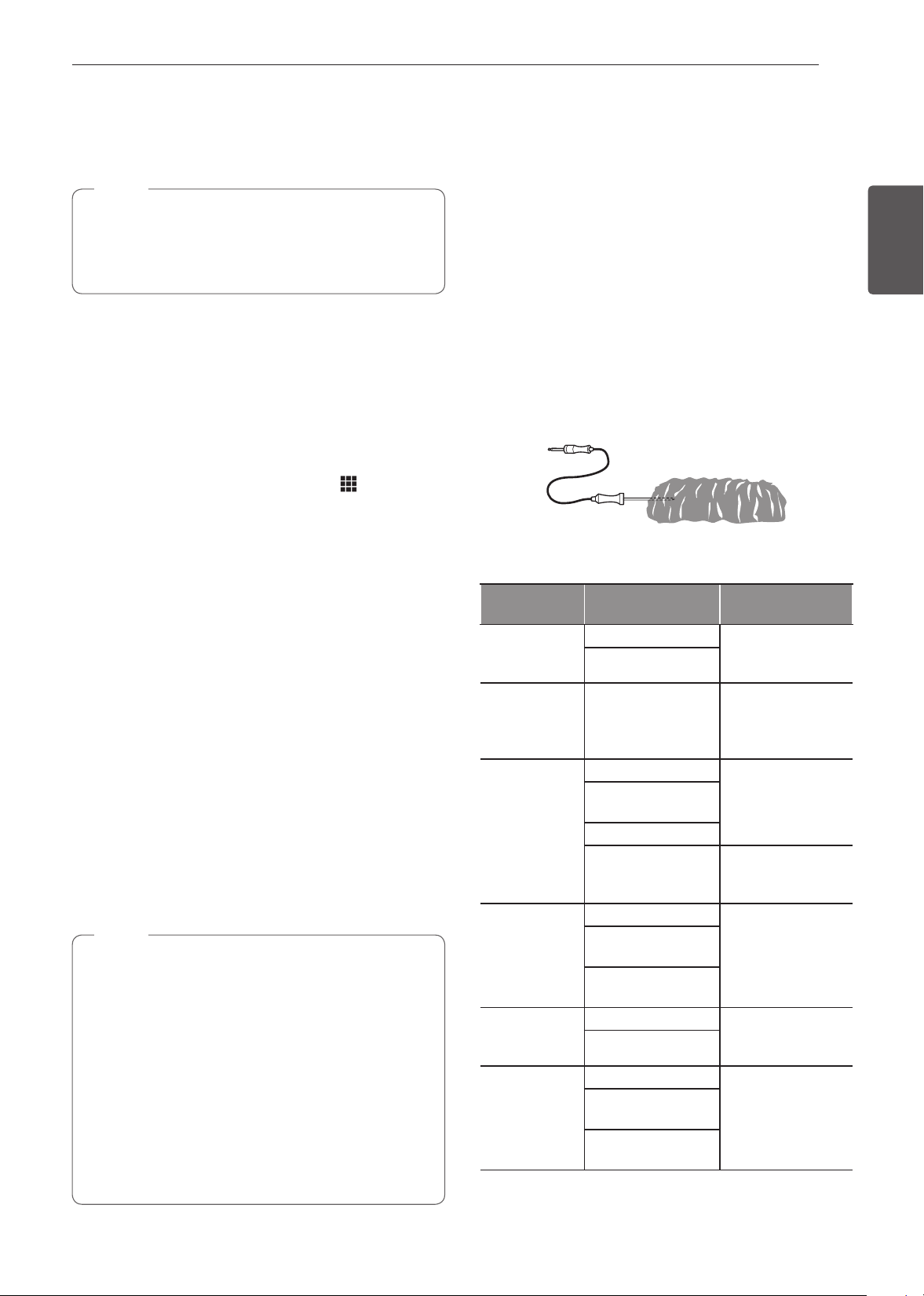
45
FUNCIONAMIENTO
ESPAÑOL Uso del Horno Inferior
Leudar
La función Proof (Leudar) mantiene el horno cálido para
favorecer el leudado de la masa con levadura antes del
horneado.
NOTA
Para obtener mejores resultados, cubra la masa con
un paño o con un film plástico. (Puede que el plástico
deba quedar sujetado debajo del recipiente para que el
ventilador del horno no lo sople).
Configuración del modo PROOF (LEUDAR)
Esta función mantiene el horno tibio para leudar productos con
levadura antes de hornearlos.
1
Gire la perilla de modo Oven (Horno) hasta seleccionar el
modo Proof (Leudar).
2
Deslícese por los números para configurar un tiempo de
leudado o presione el teclado numérico para ingresar
el número directamente.
3
Si lo desea, configure el tiempo de cocción y el tiempo
de inicio retardado utilizando el mismo método. Presione
la tecla de la flecha en el costado derecho de la pantalla
para ver la configuración del tiempo de inicio retardado.
4
Presione Start (Inicio). El tiempo restante de leudado
aparece en la pantalla.
5
Si el tiempo de cocción está configurado, aparece el
tiempo restante en la pantalla. Si está configurado un
tiempo de inicio retardado, aparece el tiempo de inicio en
la pantalla.
•
Si no se configura un tiempo de leudado, el horno se
apagará automáticamente después de 12 horas.
Cancelación de la función Proof (Leudar)
1
Presione Stop (Detener) en la pantalla y seleccione
Yes (Sí) o gire la perilla de modo a la posición OFF
(APAGADO).
NOTA
•
Para evitar que la temperatura del horno baje y que
se prolongue el tiempo de leudado, no abra la puerta
del horno si no es necesario. Revise los alimentos
panificados con tiempo para evitar un leudado excesivo.
•
No use el modo de leudado para calentar comida ni
para mantener calientes los alimentos. La temperatura
del horno para el leudado no es lo suficientemente alta
para mantener alimentos a temperaturas seguras. Use
la función WARM (CALENTAR) para mantener calientes
los alimentos. El leudado no funciona cuando el horno
está por encima de los 52 °C (125 °F). La pantalla
presentará un mensaje de OVEN IS HOT (HORNO
CALIENTE).
Sonda
La sonda mide con precisión la temperatura interna de la
carne, las aves y los estofados. No se debe utilizar durante
el asado, la cocción al vacío, el mantenimiento de vapor, el
rostizado con RapidHeat+, la autolimpieza, la limpieza rápida,
el modo calentar o leudar. Siempre desconecte y extraiga la
sonda del horno cuando retire la comida. Antes de usarla,
inserte la sonda en el centro de la parte más gruesa de la
carne o en el muslo interno o la pechuga de las aves, alejada
de la grasa o los huesos. Coloque la comida en el horno y
enchufe la sonda para carne en el conector hembra. Mantenga
la sonda lo más alejada de las fuentes de calor que le sea
posible.
•
La sonda no se puede utilizar en los modos Broil (Asar), Self
Clean (Autolimpieza), SpeedClean™, Warm (Calentar) o
Proof (Leudar).
•
Para cortes de carne delgados, inserte la sonda en el lado
más grueso de la carne.
Cuadro de ubicación recomendada para la sonda
Categoría
Ejemplos de
alimentos
Ubicación de la
sonda
Carne molida
y mezclas de
carne
Pastel de carne
Inserte en la parte
más gruesa
Albóndigas
Carne fresca
de vaca,
ternera, cerdo
Bistecs, rostizados,
chuletas
Inserte en la parte
más gruesa, lejos
del hueso, la grasa
y el cartílago
Aves
Pollo o pavo entero
Inserte en la parte
más gruesa del
muslo, evitando el
hueso
Pechugas o
rostizados de ave
Pato, ganso, faisán
Relleno (solo o en
ave)
Inserte en la parte
más gruesa del
plato
Cerdo y jamón
Cerdo fresco
Inserte en la parte
más gruesa, lejos
del hueso, la grasa
y el cartílago
Jamón fresco
(crudo)
Jamón precocido
(recalentar y servir)
Sobras y
estofados
Sobras Inserte en la parte
más gruesa del
plato
Estofados
Mariscos
Pescado entero
Inserte en la parte
más gruesa del
pescado
Filetes de pescado
(lateral del pescado)
Bistecs o porciones
de pescado
46
FUNCIONAMIENTO
Cómo utilizar la función Meat Probe (sonda para carne)
1
Inserte la sonda en el alimento.
2
Conecte la sonda al conector hembra del horno.
Aparecerá en la pantalla la leyenda "Probe is connected"
(La sonda está conectada) y aparecerá el ícono de la
sonda
en la parte superior de la pantalla.
3
Gire la perilla de modo Oven (Horno) hasta seleccionar
el modo de cocción adecuado.
4
Configure la temperatura del horno. Gire la perilla de
temperatura en sentido horario/antihorario, deslícese
por los números en la pantalla, o presione el ícono
del teclado numérico
para ingresar los números
directamente. La temperatura predefinida para la sonda
es de 150 °F (65 °C), pero puede modificarse a cualquier
temperatura entre 80 °F (27 °C) y 210 °F (100 °C).
5
Si lo desea, configure el tiempo de inicio retardado
utilizando el mismo método. Presione la tecla de la
flecha en el costado derecho de la pantalla para ver la
configuración adicional.
6
Presione Start (Inicio). Si se ha configurado un tiempo
de inicio retardado, aparece el tiempo de inicio en la
pantalla.
7
Cuando se alcanza la temperatura configurada para la
sonda, el horno se apaga de forma automática.
NOTA
Calcular el tiempo de cocción total por peso ya no es
necesario cuando se utiliza esta función. Se recomienda
consultar la siguiente tabla para configurar la temperatura
de la sonda.
PRECAUCIÓN
•
Utilice siempre un guante para horno para retirar la
sonda de temperatura. NO toque el asador.
−
Si no respeta esta advertencia, se pueden producir
lesiones personales graves.
Cómo cambiar la temperatura de la sonda durante la
cocción
1
Presione Edit (Editar) en la pantalla para que aparezca
la pantalla Cook Settings (Configuración de cocción).
2
Ajuste la configuración como desee.
3
Presione Start (Inicio).
Cómo detener la cocción
1
Presione Stop (Detener) en la pantalla y seleccione
Yes (Sí) o gire la perilla de modo a la posición OFF
(APAGADO).
NOTA IMPORTANTE
Pulse Stop (Detener) en la pantalla o gire la perilla de modo
Oven (Horno) hacia la posición OFF (APAGADO) en la pantalla
en cualquier momento para cancelar un ciclo de cocción. Para
evitar que la sonda se rompa, asegúrese de que la comida
esté totalmente descongelada antes de insertarla.
PRECAUCIÓN
•
Utilice siempre un guante para horno para retirar
la sonda de temperatura. No toque el asador. Si no
se cumple con esta precaución, se pueden producir
lesiones personales graves.
•
Para evitar daños en la sonda para carne, no use
pinzas para tirar de la sonda cuando la retire.
•
No guarde la sonda para carne dentro del horno.
NOTA
•
La sonda para carne no se puede utilizar con los
modos Broil (Asar), Sous Vide (cocción al vacío),
Steam Maintenance (Mantenimiento de vapor),
RapidHeat Roast+ (Rostizado RapidHeat+), Self Clean
(Autolimpieza), SpeedClean™, Calentar o Leudar.
•
Mientras la sonda para carne está en funcionamiento,
la función SpeedClean™ no responde.
47
FUNCIONAMIENTO
ESPAÑOL Uso del Horno Inferior
Cuadro de temperatura recomendada para la sonda
Categoría Ejemplos de alimentos
Temperatura
interna objetivo
Punto de cocción deseado
Carne molida y
mezclas de carne
Pastel de carne 71 °C (160 °F)
Albóndigas 74 °C (165 °F)
Carne fresca de
vaca, ternera, cerdo
Alimentos rostizados 63 °C (145 °F)
Poco cocido: 49 °C (120 °F)
Poco cocido a medio cocido: 52 °C (125 °F)
Medio cocido: 54 °C (130 °F)
Medio cocido a bien cocido: 57 °C (135 °F)
Bien cocido: 60 °C (140 °F)
Aves
Pollo o pavo entero
74 °C (165 °F)
Pechugas o rostizados de ave
Pato, ganso, faisán
Relleno (solo o en ave)
Cerdo y jamón
Cerdo fresco
63 °C (145 °F)
Bien cocido: 77 °C (170 °F)
Jamón fresco (crudo) Bien cocido: 71 °C (160 °F)
Jamón precocido (recalentar y servir) 60 °C (140 °F)
Sobras y estofados
Sobras
74 °C (165 °F)
Estofados

48
FUNCIONAMIENTO
Mis recetas
Para menús de cocción de uso frecuente, puede combinar
hasta tres temperaturas y modos de cocción diferentes en una
tarjeta de recetas.
Cómo crear mis recetas
•
Cuando combina dos o más modos de cocción, debe
configurar un tiempo de cocción o la temperatura de la
sonda antes de seleccionar un modo de cocción adicional.
•
La función Probe no se puede utilizar con los modos Broil,
Sous Vide, RapidHeat Roast +, Warm y Proof.
1
Gire la perilla de modo Oven (Horno) hasta seleccionar el
modo My Recipes (Mis recetas)
2
Oprima Create para crear una nueva tarjeta de receta.
3
Seleccione un primer modo de cocción enumerado en la
pantalla y configure la temperatura de cocción deseada.
4
Presione Set Cook Time (Configurar tiempo de cocción)
o Set Probe (Configurar sonda).
5
Si no hay fases de cocción adicionales, presione Done
(Listo). Para agregar otra fase de cocción, configure
un tiempo de cocción o temperatura de sonda para la
primera fase. Luego presione Add Cook Stage (Añadir
fase de cocción).
6
Repita los pasos 3-5 hasta que se hayan ingresado las
fases de cocción deseadas. Luego presione Done (Listo).
7
Ingrese un nombre para su receta utilizando el teclado y
presione Save (Guardar).
8
El nombre de la receta se agrega al menú My Recipes
(Mis recetas).
NOTA
•
Si la sonda se insertó en el conector del horno para
agregar una temperatura de sonda, recuerde retirarla.
•
Después de que el modo vapor ha sido usado durante
8 horas, la siguiente vez que se selecciona este modo
aparece en la pantalla un recordatorio para descalcificar
el producto. No podrá usar el modo vapor hasta que
se ejecute la función Descalcificación. Para evitar esta
demora, ejecute la función Descalcificación después de
cada 2 o 3 usos del modo vapor.
•
Si aparece el recordatorio de descalcificación, presione
OK (ACEPTAR) para ejecutar la función Descaling
(Descalcificación).
•
El leudado no funciona cuando el horno está por
encima de los 52 °C (125 °F).
•
Si utiliza la función Proof (Leudar) después de cocinar,
espere a que el horno se enfríe primero.
•
El modo de prueba solo se puede configurar como
etapa única, no como parte de una cocción de múltiples
etapas.
Cómo editar mis recetas
•
La función Edit (Editar) no puede agregar o eliminar
fases de cocción a una receta. Solo se puede modificar
la temperatura del horno, la temperatura de la sonda y el
tiempo de cocción.
1
Gire la perilla de modo Oven (Horno) hasta seleccionar el
modo My Recipes (Mis recetas)
2
Seleccione la receta a editar y luego presione el ícono del
lápiz en la parte inferior izquierda de la pantalla.
3
Edite las configuraciones para la primera fase de cocción
y presione Done (Listo) para proceder a la siguiente fase,
si es que existe.
4
Edite la siguiente fase de cocción, presione Done (Listo)
y continúe por todas las fases de cocción en la misma
manera.
5
Una vez que se haya editado la última fase de cocción,
ingrese un nuevo nombre para la receta o mantenga el
nombre anterior. Luego presione Save (Guardar).
Cómo eliminar mis recetas
1
Gire la perilla de modo Oven (Horno) hasta seleccionar el
modo My Recipes (Mis recetas)
2
Seleccione la receta y luego presione el ícono del bote de
basura en la parte inferior izquierda de la pantalla.
3
Presione Yes (Sí).
Cocción automática
La función Auto Cook (Cocción automática) ofrece
orientación para cocinar alimentos o platos que pueden ser
inusuales. Contiene programas preconfigurados para cocinar
muchos alimentos populares, con recomendaciones sobre
precalentamiento, accesorios y posición de los estantes para
lograr resultados óptimos.
Configuración de la función Cocción automática
1
Gire la perilla de modo Oven (Horno) hasta seleccionar
el modo Cocción automática.
2
Presione una categoría para filtrar las opciones.
3
Deslícese o presione las letras para encontrar y
seleccionar un elemento.
4
Siga las recomendaciones en la pantalla en relación con
los accesorios y la posición del estante.
5
Presione Start (Inicio).
49
FUNCIONAMIENTO
ESPAÑOL Uso del Horno Inferior
Guía del cocción automática
•
Precaliente el horno para la mayoría de los elementos.
•
Precaliente por 5 minutos cuando tenga que asar.
•
Si va a utilizar la sonda, insértela luego del precalentamiento.
NOTA
•
Cuando cocine cortes de carne delgados, inserte la
sonda en la parte más gruesa de la carne. Si la sonda
se inserta de forma incorrecta, el horno podría apagarse
demasiado pronto. Consulte la sección "Sonda de
temperatura" para ver instrucciones.
Categoría Menú Accesorios/recipientes
Posición
del estante
Tiempo de cocción
en minutos
Carne
Carne de
vaca
Solomillo
de vaca
Poco cocido Rejilla sobre la asadera 2 30~60
Poco cocido a medio cocido Rejilla sobre la asadera 2 35~65
Cocción media Rejilla sobre la asadera 2 40~70
Medio cocido a bien cocido Rejilla sobre la asadera 2 45~75
Bien cocido Rejilla sobre la asadera 2 50~80
Estofado
Recipiente apto para horno con tapa
2 50~80
Rosbif
Poco cocido Rejilla sobre la asadera 2 40~70
Poco cocido a medio cocido Rejilla sobre la asadera 2 45~75
Cocción media Rejilla sobre la asadera 2 50~80
Medio cocido a bien cocido Rejilla sobre la asadera 2 55~85
Bien cocido Rejilla sobre la asadera 2 60~90
Asado
estilo
inglés
(London
Broil)
Poco cocido Rejilla sobre la asadera 5 3~10 + 3~10
Poco cocido a medio cocido Rejilla sobre la asadera 5 5~15 + 3~10
Cocción media Rejilla sobre la asadera 5 5~15 + 5~10
Medio cocido a bien cocido Rejilla sobre la asadera 5 8~15 + 5~10
Bien cocido Rejilla sobre la asadera 5 10~15 + 8~15
Bistec
Poco cocido Rejilla sobre la asadera 5 3~10 + 3~10
Poco cocido a medio cocido Rejilla sobre la asadera 5 5~15 + 3~10
Cocción media Rejilla sobre la asadera 5 5~15 + 5~10
Medio cocido a bien cocido Rejilla sobre la asadera 5 8~15 + 5~10
Bien cocido Rejilla sobre la asadera 5 10~15 + 8~15
Marinado de ternera Rejilla sobre la asadera 3 20~50
Pastel de carne Fuente alargada 2 40~60
Cerdo
Nalga de cerdo Cazuela 2 60~90
Chuletas de cerdo Rejilla sobre la asadera 4 30~50
Lomo de cerdo Rejilla sobre la asadera 2 50~80
Solomillo de cerdo Rejilla sobre la asadera 2 20~40
Cordero
Costillas Rejilla sobre la asadera 2 10~30
Pata de cordero sin deshuesar Rejilla sobre la asadera 4 20~40
Ternera
Lomo de ternera Rejilla sobre la asadera 2 80~100
Chuletas de ternera Rejilla sobre la asadera 5 4~15 + 3~10
Arrollado de carne de ternera Rejilla sobre la asadera 2 50~70
Costillar de ternera Rejilla sobre la asadera 2 50~80
Solomillo de ternera Rejilla sobre la asadera 2 50~80
Pescados
Filete de pescado Fuente para horneado 4 10~15
Entero Fuente para horneado 4 15~30
Camarones Rejilla sobre la asadera 5 5~15
Colas de langosta Rejilla sobre la asadera 4 20~30
Bistec Salmón
Poco cocido Fuente para horneado 4 15~20
Poco cocido a medio cocido Fuente para horneado 4 20~25
Bien cocido Fuente para horneado 4 15~30
Aves
Pollo
Patas y muslos Fuente para horneado 4 20~40
Alas (frescas) Rejilla sobre la asadera 5 8~20
Alas (congeladas) Rejilla sobre la asadera 4 20~40
Pechugas Fuente para horneado 4 20~40
Supremas Cazuela 4 20~30
Entero Rejilla sobre la asadera 2 60~80
Pavo entero Rejilla sobre la asadera 2 150~240
Guisados y estofados
Lasaña (fresca) Fuente para horneado 3 50~70
50
FUNCIONAMIENTO
Categoría Menú Accesorios/recipientes
Posición
del estante
Tiempo de cocción
en minutos
Pizza
A la piedra congelada
Directamente sobre el estante 3 10~20
Sobre una bandeja para pizza 3 10~20
Sobre una piedra para pizza 3 10~20
De molde congelada
Directamente sobre el estante 3 10~20
Sobre una bandeja para pizza 3 10~20
Sobre una piedra para pizza 3 10~20
Casera
Directamente sobre el estante 3 10~20
Sobre una bandeja para pizza 3 10~20
Sobre una piedra para pizza 3 10~20
Postres
Brownies Fuente para horneado 3 30~40
Cheesecake Molde para pastel 3 60~70
Pastel de
frutas
Tarta entera Molde para tarta 3 25~45
Solo base congelada precocida Molde para tarta 3 20~40
Tarta de frutas Molde para tartas 3 20~40
Pasteles
Pastel en capas Molde para pastel 3 25~45
Bizcochuelo liviano (angel food) Molde para pastel 3 30~40
Muffins/Cupcakes Molde para muffins 3 20~30
Hojaldre Placa para horno 3 20~40
Galletas
Bandeja simple Placa para horno 3 15~20
Bandeja múltiple Placa para horno 2+4 20~28
Bizcochos/Escones Placa para horno 3 10~20
Suflés Recipiente para suflés 2 60~80
Otros
Leudar
Recipiente apto para horno con
tapa
3 30~40
Secado/Deshidratado (frutas o verduras) Placa para horno 3 120 ~ 480
Rostizado lento Rejilla sobre la asadera 2 120 ~ 240
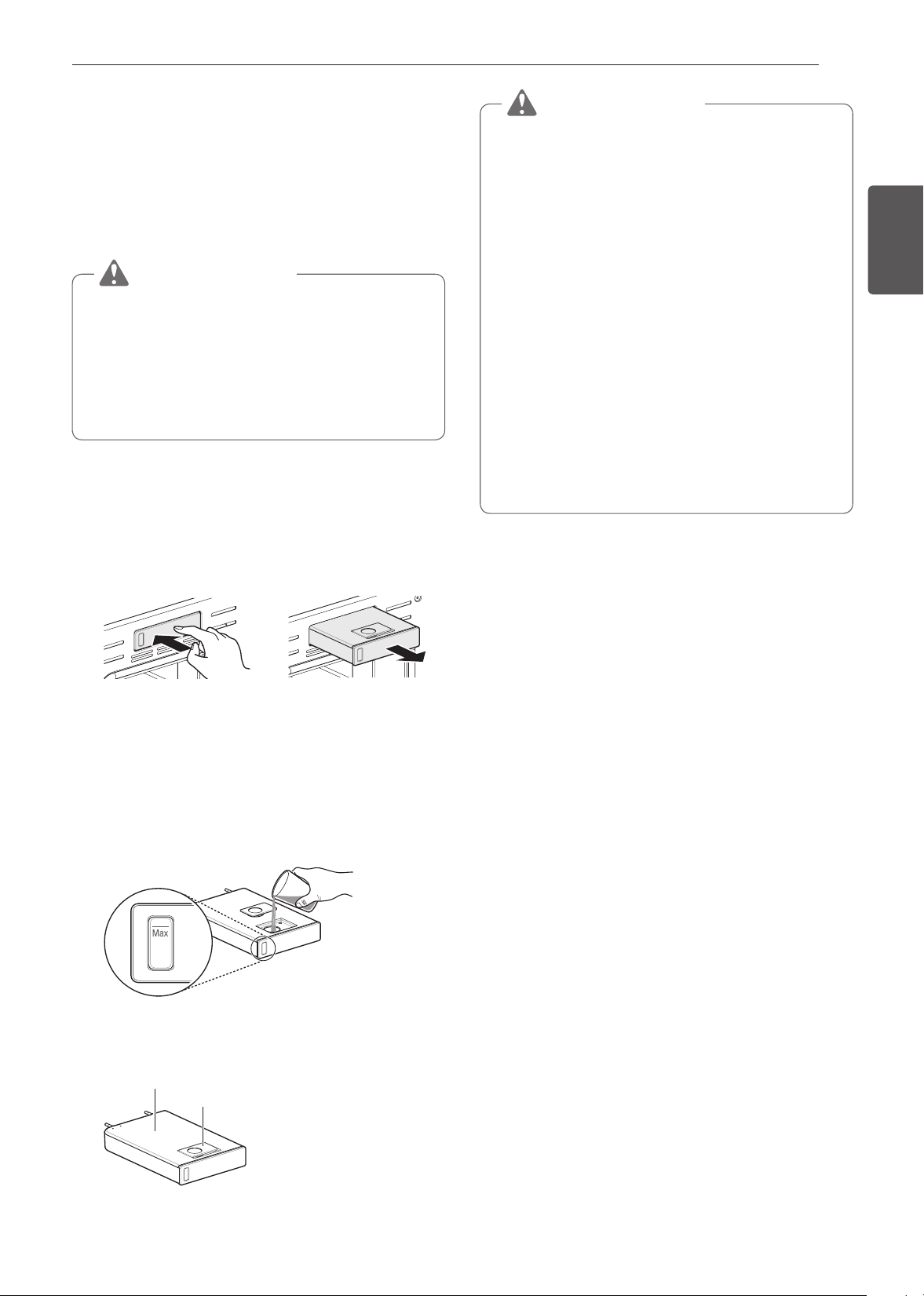
51
FUNCIONAMIENTO
ESPAÑOL Uso del Horno Inferior
Función de vapor
La cocción al vapor utiliza el calor húmero del vapor para
cocinar los alimentos. Este es un método de cocción ideal
para alimentos delicados como mariscos, que pueden perder
nutrientes cuando se hierven.
El horno ofrece 3 métodos de cocción al vapor: Gourmet
Steam (al vapor estilo gourmet), SousVide (cocción al vacío y
Steam Combi (combinación de vapor).
PRECAUCIÓN
•
Tenga cuidado al abrir la puerta del horno durante o
después de cocinar al vapor. El vapor caliente puede
causar quemaduras.
•
Después de cualquier ciclo de cocción al vapor se
ejecutará automáticamente la función de secado. Es
normal escuchar el funcionamiento de la bomba de
vapor durante la función de secado.
Cómo usar el tanque del alimentador de vapor
El tanque de inyección de vapor está ubicado sobre la cavidad
del horno.
1
Empuje suavemente el frente del tanque del alimentador
de vapor para deslizarlo hacia afuera.
2
Retire el tanque y colóquelo sobre una superficie plana.
3
Retire la cubierta del tanque o abra la tapa de llenado en
la parte frontal de la carcasa del tanque.
4
Llene el tanque hasta la línea máxima ubicada en el
frente del mismo. Utilice agua filtrada y ablandada, si
es posible. El agua dura puede obstruir el generador de
vapor más rápidamente con acumulación de sarro.
LÍNEA DE NIVEL
MÁXIMO
5
Vuelva a colocar la cubierta o cierre la tapa de llenado.
Cubierta del tanque
Tapa de llenado
PRECAUCIÓN
•
Asegúrese de que la cubierta del tanque y la tapa de
llenado estén cerradas antes de colocar el tanque en el
horno.
•
Use solamente agua potable.
•
No llene el tanque del alimentador de vapor con ningún
líquido o mezcla que no sea agua.
•
No llene el tanque con agua caliente.
•
Llene el tanque del alimentador de vapor hasta la línea
indicada en el frente.
•
No incline el tanque del alimentador de vapor mientras
está lleno.
•
Descarte cualquier agua sobrante y limpie el tanque del
alimentador de vapor después de cocinar.
•
Utilice el tanque del alimentador de vapor solo para su
uso previsto, que es el de proporcionar agua para la
cocción al vapor.
•
Monitoree el nivel del agua en el tanque y rellene
cuando sea necesario para la cocción al vapor.
6
Inserte cuidadosamente el tanque en la ranura del
alimentador de vapor y trate de mantener el tanque
nivelado mientras lo transporta. Si no se mantiene
nivelado drenará agua de los tubos en la parte trasera.
7
Deslice el tanque en la ranura hasta que haga un clic.
Modo Steam-Combi
El modo Steam-Combi calienta los alimentos gradualmente,
utilizando los quemadores del horno y el calor húmedo del
vapor. Es posible programar el horno para cocinar a cualquier
temperatura entre 210 °F (100 °C) y 550 °F (285 °C).
Preconfigure las opciones de temperatura inicial a 350 °F
(175 °C).
Configuración del modo Steam-Combi
1
Gire la perilla de modo Oven (Horno) para seleccionar el
modo Steam Cook (Cocinar al vapor).
2
Presione Steam-Combi en la pantalla.
3
Seleccione la temperatura y el nivel de vapor deseados:
Baja, Media o Alta.
4
Si lo desea, deslícese para configurar el tiempo de
cocción y el tiempo de inicio retardado. Presione la tecla
de la flecha en el costado derecho de la pantalla para ver
la configuración del tiempo de inicio retardado.
5
Presione Start (Inicio).
6
Una vez finalizada la cocción, deje que el horno se enfríe
completamente. Luego limpie cualquier resto de agua
que haya quedado en el interior del horno.
52
FUNCIONAMIENTO
Una vez que se inicia la función Steam-Combi, un indicador en
la pantalla muestra el estado de la función de vapor.
Asegúrese de que el tanque del alimentador de vapor esté
lleno de agua antes de iniciar el modo Steam-Combi. Si el
agua del tanque se agota durante la cocción, suena una
alarma y aparece un cartel en la pantalla. El horno continúa
cocinando sin vapor.
NOTA
•
Recuerde vaciar el tanque del alimentador de vapor
después de usarlo.
•
Cuando la temperatura aumenta en el horno puede que
no sea visible el vapor.
Cómo cambiar la configuración de cocción al vapor
1
Presione Edit (Editar) en la pantalla para que aparezca la
pantalla Cook Settings (Configuración de cocción).
2
Ajuste la configuración como desee.
3
Presione Start (Inicio).
Cómo detener la cocción al vapor
1
Presione Stop (Detener) en la pantalla y seleccione
Yes (Sí) o gire la perilla de modo a la posición OFF
(APAGADO).
Cocción al vapor al estilo gourmet
Obtenga excelentes resultados utilizando las recetas
de cocción al vapor preconfiguradas, que incluyen
recomendaciones de accesorios y la posición de los estantes.
Configuración de la función Gourmet Steam (cocción al
vapor al estilo gourmet)
1
Gire la perilla de modo Oven (Horno) para seleccionar el
modo Steam Cook (Cocinar al vapor).
2
Presione Gourmet Steam (Cocción al vapor al estilo
gourmet) en la pantalla.
3
Presione una categoría para filtrar las opciones.
4
Deslícese o presione las letras para encontrar y
seleccionar un elemento.
5
Siga las recomendaciones en la pantalla en relación con
los accesorios y la posición del estante.
6
Presione Start (Inicio).
7
Una vez finalizada la cocción, deje que el horno se enfríe
completamente. Luego limpie cualquier resto de agua
que haya quedado en el interior del horno.
NOTA
Es normal escuchar ruido de agua hirviendo proveniente
del generador de vapor cuando está ejecutando
funciones de vapor.
Guía para cocinar al vapor al estilo gourmet
Categoría Menú Accesorios/recipientes
Posición
del estante
Tiempo de cocción
en minutos
Panes
Pan
blanco
Casero Fuente alargada 3 20~50
Congelado Fuente alargada 3 20~50
Precocido Fuente alargada 3 20~50
Baguette
Casera
Bandeja para baguette
perforada
3 15~35
Congelada
Bandeja para baguette
perforada
3 15~35
Precocida
Bandeja para baguette
perforada
3 15~35
Pan de pasas con canela Fuente alargada 3 20~40
Pan de nuez
Fuente alargada o bandeja
perforada
3 40~50
Pan
integral
Casero Fuente alargada 3 25~45
Congelado Fuente alargada 3 25~45
Precocido Fuente alargada 3 25~45
Pan de
banana
Casero Fuente alargada 3 25~50
PRECAUCIÓN
•
Tenga cuidado al abrir la puerta del horno durante o después de cocinar al vapor. El vapor caliente puede causar
quemaduras.
•
Después de cualquier ciclo de cocción al vapor se ejecutará automáticamente la función de secado. Es normal escuchar el
funcionamiento de la bomba de vapor durante la función de secado.

53
FUNCIONAMIENTO
ESPAÑOL Uso del Horno Inferior
Cocción al vacío (Sous Vide)
La cocción al vacío utiliza vapor para cocinar alimentos de
modo "lento y suave". Utilícela para cocinar carne, pescado,
mariscos, aves o verduras. Los alimentos deben estar
envasados al vacío en bolsas.
No es necesario precalentar el horno cuando se utiliza la
cocción al vacío. Consulte la guía de cocción para conocer las
configuraciones de cocción al vacío recomendadas.
Beneficios de la cocción al vacío
Las bajas temperaturas y los tiempos de cocción prolongados
utilizados en la cocción al vacío ofrecen muchos beneficios
Más saludable
En comparación con otros métodos de cocción, el método de
cocción al vacío retiene la mayoría de los nutrientes en los
alimentos.
Seguro y conveniente
Los tiempos de cocción prolongados utilizados en la cocción al
vacío permiten que los alimentos sean pasteurizados. Debido
a que los alimentos están envasados al vacío antes de la
cocción, las bolsas sin abrir se pueden enfriar rápidamente
para guardarlas con facilidad después de la cocción.
Resultados jugosos y tiernos
El control fino de la temperatura de la cocción al vacío es
una excelente forma de lograr una textura perfecta cuando
se cocinan carne y aves. Las temperaturas bajas utilizadas
retienen más la humedad en los alimentos frente a los métodos
de cocción convencionales. Después de la cocción, un dorado
final en sartén añade un acabado crujiente perfecto.
Configuración del modo de cocción al vacío (Sous Vide)
1
Llene el tanque con agua hasta el nivel máximo indicado
en el frente del mismo.
2
Coloque el estante estándar en la posición 3 y coloque la
bolsa de alimentos sellada sobre él.
3
Gire la perilla de modo Oven (Horno) para seleccionar el
modo Steam Cook (Cocinar al vapor).
4
Presione la opción de Sous vide (Cocción al vacío) en la
pantalla.
5
Seleccione la temperatura deseada.
6
Si lo desea, deslícese para configurar el tiempo de
cocción y el tiempo de inicio retardado. Presione la tecla
de la flecha en el costado derecho de la pantalla para ver
la configuración del tiempo de inicio retardado.
7
Presione Start (Inicio).
8
Una vez finalizada la cocción, deje que el horno se enfríe
completamente. Luego limpie cualquier resto de agua
que haya quedado en el interior del horno.
Cómo cambiar las configuraciones de cocción al vacío
1
Presione Edit (Editar) en la pantalla para que aparezca la
pantalla Cook Settings (Configuración de cocción).
2
Ajuste la configuración como desee.
3
Presione Start (Inicio).
Cómo detener la cocción
1
Presione Stop (Detener) en la pantalla y seleccione
Yes (Sí) o gire la perilla de modo a la posición OFF
(APAGADO).
NOTA
Cuando la temperatura aumenta en el horno puede que
no sea visible el vapor.
Guía de cocción al vacío (Sous Vide)
El tamaño, el peso, el espesor, la temperatura de inicio
y sus preferencias personales afectarán los tiempos de
funcionamiento. Esta guía es solo una referencia. Ajuste el
tiempo de cocción según su preferencia.
Temp.
Tiempo
Mín. Objetivo Máx.
Bistec de
came de
vaca (Poco
cocido
a medio
cocido)
1" de espesor,
400-500 g
57 °C
(135 °F)
- 2,5 h 3 h
Pechuga de
pollo
120-150 g
65 °C
(149 °F)
- 2,5 h 3 h
Salmón
1" de espesor,
200 g
60 °C
(140 °F)
- 2 h 2.5 h
Espárragos
80 g/6 unid.,
160 g/12 unid.
85 °C
(185 °F)
20 min 30 min 45 min
Cocine durante 30 min. o 1 hora más si utiliza carnes de un
espesor superior a 1".
Si utiliza cortes de carne más grandes, trócelos para que
coincidan con el peso recomendado. Tenga cuidado de no
poner los trozos de carne demasiado juntos.

54
FUNCIONES INTELIGENTES
FUNCIONES
INTELIGENTES
Aplicación SIGNATURE
KITCHEN SUITE
La aplicación SIGNATURE KITCHEN SUITE le permite
comunicarse con el electrodoméstico usando un teléfono
inteligente.
Funciones de la aplicación SIGNATURE
KITCHEN SUITE
SpeedClean™
Le permite establecer alertas de SpeedClean™, leer la guía
de instrucciones, y simular y comparar el consumo de energía
cuando se usan SpeedClean™ frente a ciclos de autolimpieza.
Esta función solo está disponible para horno inferior.
Smart Diagnosis™
Esta función brinda información útil para diagnosticar y resolver
problemas con el producto conforme a su patrón de uso.
Configuración
Permite al usuario cambiar la configuración del horno, incluidos
el modo de la hora, la luz de la alarma de precalentamiento, el
volumen del indicador sonoro, las unidades de la temperatura,
la conversión automática a convección, el ajuste del termostato
y el idioma.
Remote Start (Inicio remoto)
Apague el horno o inicie el precalentamiento del horno de
forma remota. Luego de abrir y cerrar la puerta, coloque el
selector de modo nuevamente en Remote Start (Inicio remoto)
dentro de los 30 segundos.
Esta función solo está disponible para horno inferior.
Monitoreo
Esta función le permite observar el estado actual, el tiempo
restante, los ajustes de cocción y el tiempo de finalización en
la pantalla.
Notificaciones automáticas
Active las alertas en la aplicación para recibir notificaciones
sobre el estado actual del dispositivo. Las alertas push se
envían aunque la aplicación SIGNATURE KITCHEN SUITE
esté desactivada.
Temporizador
Puede configurar el temporizador desde la aplicación.
Esta función solo está disponible para horno inferior.
NOTA
•
Si cambia de enrutador inalámbrico, proveedor de
Internet, o contraseña, borre el electrodoméstico
registrado en la aplicación SIGNATURE KITCHEN
SUITE y proceda a registrarlo de nuevo.
•
Esta información está actualizada en el momento de
su publicación. La aplicación está sujeta a cambios,
con fines de mejorar el producto, sin previo aviso a los
usuarios.
•
Esta característica solo está disponible en algunos
modelos.
Antes de usar la aplicación
SIGNATURE KITCHEN SUITE
1
Utilice un teléfono inteligente para verificar la potencia
del enrutador (Red Wi-Fi) cerca del electrodoméstico.
•
Si la distancia entre el electrodoméstico y el enrutador
inalámbrico es muy grande, la señal será débil. Puede
que le tome más tiempo registrarse o que falle la
instalación.
2
Desactive los Datos Móviles o Datos Celulares en su
teléfono inteligente.
•
Para Iphones, apague la red al dirigirse a
Configuración → Datos Celulares → Datos
Celulares.
3
Conecte su teléfono inteligente al enrutador inalámbrico.

55
FUNCIONES INTELIGENTES
ESPAÑOL
NOTA
•
Para verificar la conexión Wi-Fi, revise que el ícono Wi-
Fi en el panel de control esté encendido.
•
El electrodoméstico funciona únicamente con redes Wi-
Fi de 2.4 GHz. Contacte a su proveedor de servicios de
internet o verifique el manual del enrutador inalámbrico
para revisar la frecuencia de su red.
•
SIGNATURE KITCHEN SUITE no es responsable
por ningún problema de conexión en red, falla, mal
funcionamiento o error causado por la conexión de red.
•
El entorno inalámbrico circundante puede hacer que el
servicio de red inalámbrica funcione lentamente.
•
Si el aparato tiene problemas para conectarse a la red
Wi-Fi, es posible que se encuentre demasiado lejos
del router. Adquiera un repetidor Wi-Fi (extensor de
alcance) para mejorar la intensidad de la señal Wi-Fi.
•
Es posible que la conexión de red no funcione bien por
cuestiones relacionadas con su proveedor de servicios
de Internet.
•
Es posible que la conexión Wi-Fi no se conecte o se
interrumpa debido al entorno de la red doméstica.
•
Si el electrodoméstico no puede registrarse debido a
problemas con la transmisión de la señal inalámbrica,
desconéctelo y espere alrededor de un minuto previo a
intentarlo de nuevo.
•
Si el cortafuegos de su enrutador inalámbrico está
activado, desactivelo o añada una excepción a éste.
•
El nombre de la red inalámbrica (SSID) debe ser una
combinación de letras y números. (No utilice símbolos
especiales)
•
La interfaz de usuario (IU) del teléfono inteligente puede
variar dependiendo del sistema operativo (OS) del móvil
y del fabricante.
•
Puede que la configuración de red falle si el protocolo
de seguridad del router está en WEP. Cambie el
protocolo de seguridad por otro (es recomendado el
WPA2) y registre el producto de nuevo.
Instalación de la aplicación
SIGNATURE KITCHEN SUITE
Busque la aplicación SIGNATURE KITCHEN SUITE en la
tienda Google Play o App Store desde su teléfono inteligente.
Siga las instrucciones para descargar e instalar la aplicación.
Inicio remoto
Si el electrodoméstico está registrado en una red Wi-Fi
doméstica, la función de precalentamiento del horno se
puede iniciar o detener utilizando la aplicación para teléfonos
inteligentes de SIGNATURE KITCHEN SUITE.
Cómo preparar el horno para un inicio remoto
1
Abra la puerta del horno para asegurarse de que esté
vacío y listo para el precalentamiento. No coloque
alimentos en el horno. Cierre la puerta del horno. El Inicio
remoto solo se puede configurar cuando la puerta del
horno está cerrada.
2
Presione SETTINGS (CONFIGURACIÓN) en la parte
inferior central de la pantalla. Presione Remote Start
(Inicio remoto) en la primera pantalla de Settings
(Configuración) y luego seleccione On (Encender). Siga
las instrucciones del mensaje emergente que aparece en
la pantalla.
3
Siga las instrucciones que se detallan en la aplicación
para teléfonos inteligentes de SIGNATURE KITCHEN
SUITE para utilizar la función de inicio remoto.
NOTA
•
La función de Remote Start (Inicio remoto) se encuentra
desconectada en las siguientes situaciones:
−
Si el Remote Start (Inicio remoto) nunca se instaló en
la aplicación para teléfonos inteligentes.
−
Si el estado de Remote Start (Inicio remoto) es
"ready" (“listo”).
−
Si Remote Start (Inicio remoto) experimenta un
problema durante el funcionamiento.
•
El ícono de Wi-Fi en la pantalla muestra el estado de
conexión a la red del electrodoméstico. Si el ícono
de Wi-Fi no está encendido, utilice la aplicación para
teléfonos inteligentes para seleccionar la red Wi-Fi o
para registrar nuevamente el producto.
•
Una conexión a Wi-Fi defectuosa podría retrasar la
función Remote Start (Inicio remoto).
•
Desconecte la sonda si se encuentra instalada.
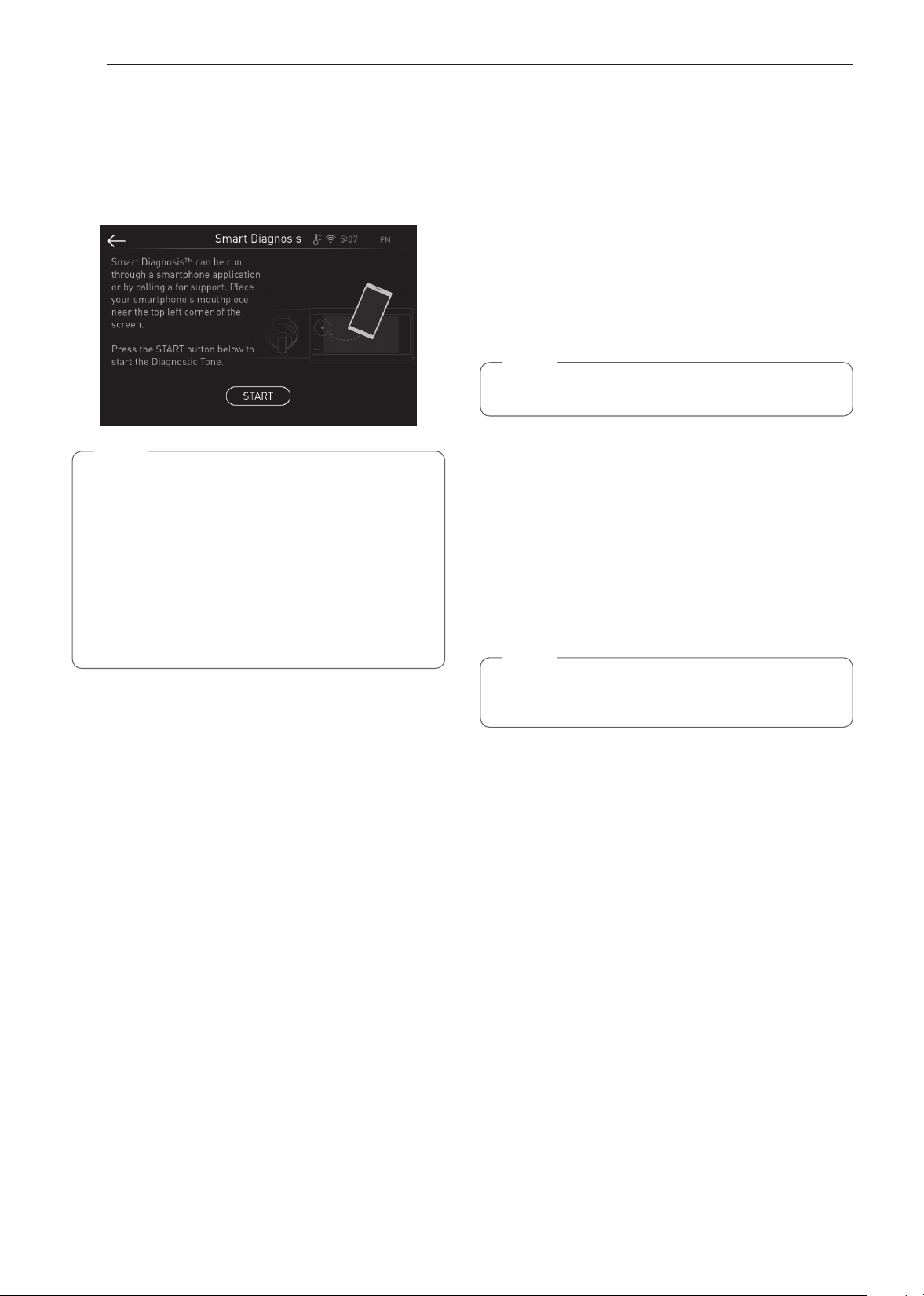
56
FUNCIONES INTELIGENTES
Función Smart Diagnosis™
Utilice esta función como ayuda para diagnosticar y resolver
problemas con su electrodoméstico. Los modelos equipados
con NFC o Wi-Fi pueden también transmitir datos a un teléfono
inteligente usando la aplicación SIGNATURE KITCHEN
SUITE.
NOTA
•
Por motivos no atribuibles a la negligencia de
SIGNATURE KITCHEN SUITE, es posible que
el servicio no pueda funcionar debido a factores
externos como por ejemplo, la indisponibilidad de
Wi-Fi, desconexión de Wi-Fi, política de la tienda de
aplicaciones local o indisponibilidad de aplicaciones,
entre otros.
•
Esta función puede estar sujeta a cambios sin previo
aviso y puede tener una forma diferente según dónde
se encuentre ubicado.
Uso de SIGNATURE KITCHEN SUITE
para diagnosticar problemas
Si experimenta un problema con su electrodoméstico equipado
con Wi-Fi, este puede transmitir datos sobre la resolución
de problemas a un teléfono inteligente con la aplicación
SIGNATURE KITCHEN SUITE.
•
Inicie la aplicación SIGNATURE KITCHEN SUITE y
seleccione la función Smart Diagnosis en el menú. Siga
las instrucciones provistas en la aplicación SIGNATURE
KITCHEN SUITE.
Uso del diagnóstico audible para
diagnosticar problemas
Siga las instrucciones a continuación para utilizar el método de
diagnóstico audible.
•
Inicie la aplicación SIGNATURE KITCHEN SUITE y
seleccione la función Smart Diagnosis en el menú. Siga
las instrucciones para el diagnóstico audible provistas en la
aplicación SIGNATURE KITCHEN SUITE.
1
Toque Configuraciones, situado en la parte inferior de
la pantalla principal. Deslice hasta la tercera pantalla
de ajustes y seleccione Smart Diagnosis™. Siga las
instrucciones en la pantalla.
NOTA
No presione ningún otro botón ni icono de la pantalla.
2
Toque Start.
3
Mantenga el teléfono en su lugar hasta que haya
finalizado la transmisión del tono. La pantalla hará un
conteo regresivo del tiempo. Una vez que haya finalizado
y se hayan detenido los tonos, se mostrará el diagnóstico
en la aplicación.
4
Cuando finalicen los tonos, reanude la conversación con
el agente telefónico, que lo ayudará a usar la información
transmitida.
NOTA
•
Para obtener resultados óptimos, no mueva el teléfono
mientras se transmitan los tonos.
57
FUNCIONES INTELIGENTES
ESPAÑOL
Software de código abierto
Para obtener el código fuente bajo GPL, LGPL, MPL y otras
licencias de código abierto que contiene este producto, visite
http://opensource.signaturekitchensuite.com. Además del
código fuente, se pueden descargar los términos de la licencia,
las anulaciones de la garantía y los avisos de derechos de
autor.
SIGNATURE KITCHEN SUITE también le proporcionará
el código abierto en un CD-ROM por un costo que cubra
los gastos de dicha distribución (como el costo del medio,
del envío y de la manipulación) una vez realizado el
pedido por correo electrónico a la dirección opensource@
signaturekitchensuite.com. Esta oferta es válida solo durante
un período de tres años después de que se envíe el último
cargamento de este producto. Esta oferta es válida para todo
aquel que reciba esta información.
Especicaciones módulo LAN
inalámbrico
Modelo LCW-009
Rango de frecuencia 2412 MHz – 2462 MHz
Rango de frecuencia
(max.)
< 30 dBm
Aviso de la FCC
El siguiente aviso cubre el módulo transmisor contenido en
este producto.
Este equipo ha sido probado y cumple con los límites para
un dispositivo digital de Clase B, de acuerdo con la Parte
15 y Parte 18 de las Reglas de la FCC. Estos límites están
diseñados para ofrecer una protección razonable contra
interferencias dañinas en una instalación residencial. Este
equipo genera, usa y puede emitir energía de radiofrecuencia
y, si no se instala y utiliza de acuerdo con las instrucciones,
podría causar interferencias dañinas a las comunicaciones por
radio. Sin embargo, no se garantiza que dicha interferencia
no pueda ocurrir en instalaciones particulares. Si este equipo
causa interferencia dañina a la recepción de radio o televisión,
que se puede determinar encendiendo y apagando el equipo,
se aconseja al usuario intentar corregir la interferencia
realizando alguna de las siguientes acciones:
•
Reoriente o reubique la antena receptora.
•
Aumente la separación entre el equipo y el receptor.
•
Conecte el equipo a una toma de corriente en un circuito
diferente del utilizado por el receptor.
•
Solicite ayuda a su vendedor o a un técnico especialista en
radio o TV.
Este dispositivo cumple con la Parte 15, Parte 18 de las Reglas
de la FCC. La operación está sujeta a las dos siguientes
condiciones:
(1) Este dispositivo no debe causar interferencia dañina, y
(2) Este dispositivo debe aceptar cualquier interferencia
recibida, incluso aquellas que pudieran causar un
funcionamiento no deseado.
Cualquier cambio o modificación en la construcción de
este dispositivo que no cuente con la aprobación expresa
de la parte responsable del cumplimiento puede anular la
autorización del usuario para operar este equipo.
Declaración sobre exposición
a la radiación de RF de la FCC
Este equipo cumple con los límites de exposición a la radiación
de la FCC establecidos para entornos no controlados. Este
transmisor no se debe ubicar ni operar junto con ninguna otra
antena ni transmisor.
El equipo se debe instalar y operar con una distancia mínima
de 20 cm (7.8 pulg.) entre la antena y su cuerpo. Los usuarios
deben seguir las instrucciones de operación específicas de
manera tal de cumplir con las normas de exposición a la RF.
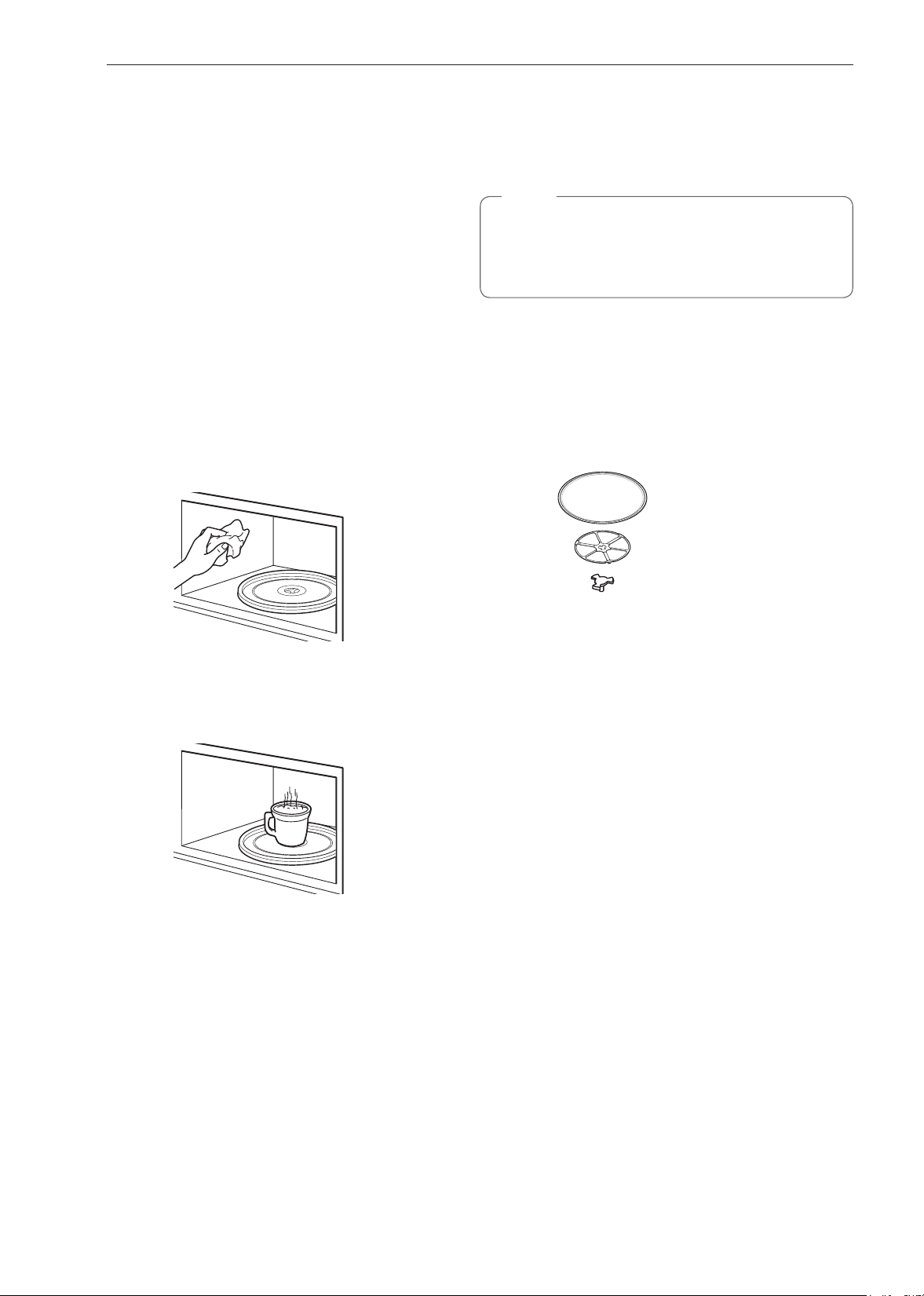
58
MANTENIMIENTO
MANTENIMIENTO
Cuidado del Horno Superior
Para asegurarse de que su horno de microondas luzca
y funcione bien durante mucho tiempo, debe mantenerlo
correctamente. Para un cuidado adecuado, siga estas
instrucciones cuidadosamente.
Limpieza del Interior
Lávelo con frecuencia con agua tibia jabonosa empleando una
esponja o un paño suave. Utilice solo jabones o detergente
suaves y no abrasivos. Mantenga limpias las áreas en las
que la puerta y el bastidor frontal horno se tocan cuando
se cierra la puerta.
Repase bien con un paño limpio. Con el tiempo pueden
aparecer manchas en las superficies, que son causadas por
partículas de comida que se salpican durante la cocción. Esto
es normal.
Para la suciedad rebelde, hierva una taza de agua en el horno
de 2 a 3 minutos. El vapor ablandará la suciedad. Para librarse
de los olores del interior del horno, hierva una taza de agua
con un poco de jugo de limón o vinagre.
Limpieza del exterior
Utilice un paño suave rociado con limpiador de vidrios.
Aplique el limpiador de vidrios en el paño, no lo rocíe
directamente sobre el horno.
NOTA
Los limpiadores abrasivos, las esponjas de lana de
acero, los paños granulados, ciertas toallas de papel,
etc., pueden dañar el panel de control y las superficies
interiores y exteriores del horno.
Para limpiar la bandeja de vidrio y el anillo giratorio,
lávelos con agua jabonosa templada.
Para áreas con suciedad difícil utilice un limpiador y una
esponja áspera.
La bandeja de vidrio y el anillo giratorio son aptos para
lavavajillas.
Bandeja de vidrio
Anillo giratorio
Eje
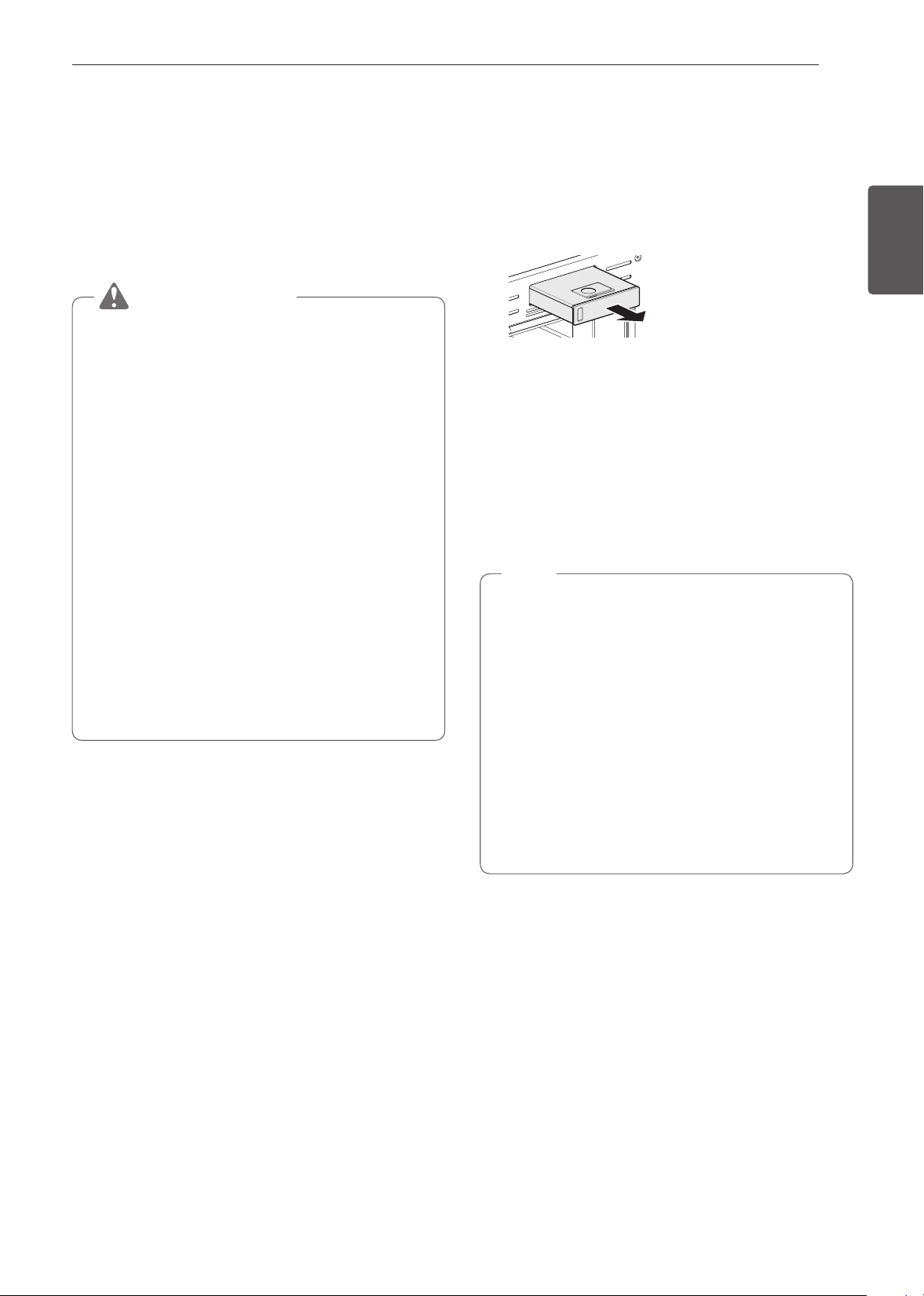
59
MANTENIMIENTO
ESPAÑOL
Cuidado del Horno Inferior
Self Clean (Autolimpieza)
El ciclo de autolimpieza usa temperaturas sumamente altas
para limpiar la cavidad del horno. Mientras se ejecute el ciclo
de autolimpieza, es posible que perciba humo u olor. Esto es
normal; especialmente si el horno está muy sucio.
Durante el ciclo Self Clean (Autolimpieza), se debe ventilar
bien la cocina para minimizar los olores de la limpieza.
PRECAUCIÓN
•
NO deje a niños pequeños sin supervisión cerca
del electrodoméstico. Durante el ciclo Self Clean
(Autolimpieza), el exterior del horno puede estar muy
caliente al tacto.
•
Si tiene aves domésticas, llévelas a otra sala bien
ventilada. La salud de algunas aves es muy sensible a
los vapores que se emanan durante el ciclo Self Clean
(Autolimpieza) de cualquier horno.
•
NO recubra las paredes del horno, los estantes, la
base ni ninguna otra parte con papel de aluminio ni
ningún otro material. Hacer esto destruye la distribución
de calor, produce resultados de horneado deficientes
y causa daños permanentes al interior del horno (el
papel de aluminio se fundiría en la superficie interior del
horno).
•
NO fuerce la puerta del horno para abrirla. Podría dañar
el sistema automático de bloqueo de la puerta. Tenga
cuidado cuando abra la puerta del horno después
del ciclo de autolimpieza. Póngase junto al horno
cuando abra la puerta para dejar que salgan el aire y
el vapor calientes. El horno todavía puede estar MUY
CALIENTE.
Antes de comenzar la autolimpieza
•
Retire del horno el tanque de agua, los estantes del horno,
la asadera, la rejilla de la asadera, cualquier recipiente, el
papel aluminio y cualquier otro material.
Dejar los elementos en el horno podría causar un daño
permanente en el interior del mismo.
•
Si no retira el tanque de agua del horno, sonará la alarma y
el ciclo de Autolimpieza no comenzará.
•
La cocina debe estar bien ventilada para minimizar los
olores de la limpieza.
•
Limpie los derrames notorios de la base del horno.
•
Asegúrese de que la tapa de la bombilla de la luz del horno
esté en su lugar y que la luz esté apagada.
•
La luz del horno no puede encenderse durante un ciclo de
autolimpieza. La luz del horno no puede encenderse hasta
que la temperatura del horno haya descendido por debajo
de los 260 °C (500 °F) después de que se completa un ciclo
de autolimpieza.
NOTA
•
Quite los estantes del horno y los accesorios antes de
iniciar el ciclo de autolimpieza.
•
Si se dejan los estantes en la cavidad del horno durante
el ciclo de autolimpieza, cambiarán de color y será
difícil deslizarlos para ponerlos o sacarlos.
•
Limpie el marco del horno y la puerta con agua
jabonosa caliente. Enjuague bien.
•
No limpie la junta. La fibra de vidrio de la junta de la
puerta no resiste la abrasión.
•
Es fundamental que la junta permanezca intacta. Si
nota que está gastada o deshilachada, reemplácela.
•
Es normal que el ventilador funcione durante el ciclo de
autolimpieza.
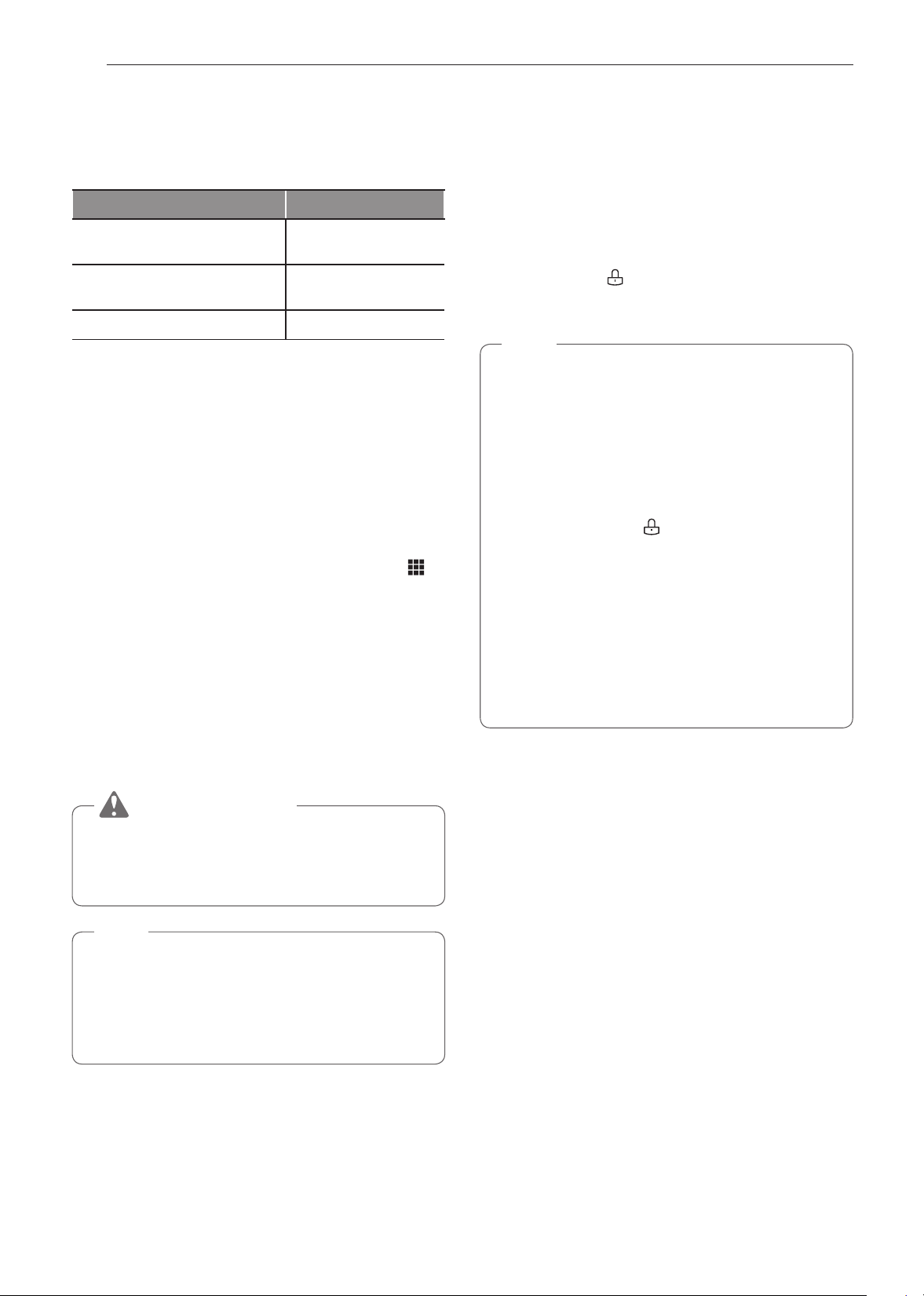
60
MANTENIMIENTO
Configuración de la autolimpieza
La función de autolimpieza tiene ciclos de 3, 4 o 5 horas.
Guía de suciedad para autolimpieza
Nivel de suciedad Configuración del ciclo
Cavidad del horno levemente
sucia
Autolimpieza de 3 horas
Cavidad del horno
moderadamente sucia
Autolimpieza de 4 horas
Cavidad del horno muy sucia Autolimpieza de 5 horas
1
Quite todas los estantes y los accesorios del horno.
2
Gire la perilla de modo Oven (Horno) para seleccionar el
modo Clean (Limpieza) y pulse Self Clean (Autolimpieza).
El horno entra de manera predeterminada en la
autolimpieza de cuatro horas recomendada para un
horno moderadamente sucio.
3
Seleccione el tiempo de ciclo deseado.
4
Si lo desea, deslícese hasta un grupo de tiempo de inicio
retardado o presione el ícono del teclado numérico
para ingresar el horario de inicio directamente.
5
Presione Start (Inicio). El tiempo restante o el horario de
inicio retardado aparece en la pantalla.
6
Una vez que esté configurado el ciclo de autolimpieza, la
puerta del horno se traba automáticamente y aparece el
ícono del candado.
No podrá abrir la puerta del horno hasta que el horno
se haya enfriado. El bloqueo se abrirá automáticamente
cuando el horno se haya enfriado.
PRECAUCIÓN
NO fuerce la puerta del horno para abrirla cuando vea
el icono del candado. La puerta del horno permanecerá
trabada hasta que baje la temperatura. Si abre la puerta a
la fuerza, se dañará.
NOTA
Puede que sea necesario cancelar o interrumpir el ciclo
de autolimpieza debido a exceso de humo o la presencia
de fuego en el horno. Para cancelar la función de Self
Clean (Autolimpieza), pulse Stop (Detener) en la pantalla
o gire la perilla de modo Oven (Horno) a la posición OFF
(APAGADO).
Durante la autolimpieza
•
El ciclo de autolimpieza usa temperaturas sumamente altas
para limpiar la cavidad del horno. Mientras se ejecute el
ciclo de autolimpieza, es posible que perciba humo u olor.
Esto es normal; especialmente si el horno está muy sucio.
•
A medida que el horno se calienta, es posible que escuche
ruido de la expansión y contracción de las partes metálicas.
Es normal y no dañará el horno.
•
No fuerce la puerta del horno para abrirla cuando vea el
ícono del candado
. La puerta permanecerá trabada
hasta que baje la temperatura del horno. Si abre la puerta a
la fuerza, se dañará.
NOTA
•
El ciclo de autolimpieza no se puede iniciar si está
activa la función Lockout (Bloqueo).
•
Una vez que se haya configurado el ciclo de
autolimpieza, la puerta del horno se trabará
automáticamente. No podrá abrir la puerta del horno
hasta que el horno se haya enfriado. El bloqueo se
liberará automáticamente.
•
Una vez que la puerta se haya trabado, la luz
indicadora de bloqueo
dejará de parpadear y
quedará encendida. Espere unos 15 segundos para
que se active la traba de la puerta del horno.
•
Si el reloj está configurado para una visualización de
12 horas (predeterminado), la autolimpieza retardada
nunca se puede iniciar con más de 12 horas de
anticipación.
•
Una vez que se apaga el horno, el ventilador de
convección sigue funcionando hasta que el horno se
enfría.
Después del ciclo de autolimpieza
•
La puerta del horno permanecerá trabada hasta que baje la
temperatura.
•
Es posible que note un poco de ceniza blanca en el horno.
Límpiela con un paño húmedo o una esponja de lana de
acero después de que el horno se enfríe. Si el horno no está
limpio después de un ciclo de autolimpieza, repita el ciclo.
•
Si se dejaron los estantes en el horno y no se deslizan bien
después de un ciclo de autolimpieza, aplique un poco de
aceite vegetal a los estantes y sus soportes para que se
desplacen con facilidad.
•
Pueden aparecer líneas finas en la porcelana porque fue
sometida al calentamiento y enfriado. Esto es normal y no
afecta su desempeño.

61
MANTENIMIENTO
ESPAÑOL
Tanque del alimentador de vapor
El tanque del alimentador de vapor se utiliza durante las
funciones de cocción al vapor. Utilice agua blanda y filtrada, si
es posible.
NOTA
•
Después de utilizar la función al vapor, el tanque del
alimentador de vapor debe vaciarse. Para evitar la
presencia de bacterias u olores, limpie y seque el
tanque del alimentador de vapor después de cada uso.
•
No lo lave en un lavavajillas.
•
Si el tanque alimentador de vapor
no se desliza hacia adentro tan
suavemente como debería, limpie
el fondo del tanque.
Sarro producido por aguas duras
Si se utiliza agua dura en el tanque del alimentador de vapor,
el generador de vapor puede obstruirse con sarro producido
por aguas duras. En áreas con agua dura, ejecute la función
Descaling (Descalcificación) frecuentemente o utilice agua
ablandada.
Limpieza de sarro en la base del horno
Para eliminar los depósitos minerales que quedan en la base
del horno después de utilizar el modo de vapor, utilice un
paño o una esponja impregnada en vinagre o una solución
de ácido cítrico débil. Para la suciedad rebelde o cuando
hay mayor cantidad de sarro, utilice la función Descaling
(Descalcificación).
Descalcicación
Utilice esta función para eliminar los depósitos blancos que se
forman después de que se utiliza el generador de vapor por un
largo período de tiempo.
La función Descaling (Descalcificación) se ejecuta por 1 hora
y 43 minutos. Saldrá agua del generador de vapor mientras se
limpia. Para obtener instrucciones sobre cómo extraer y llenar
el tanque del alimentador de vapor, consulte "Cómo usar el
tanque del alimentador de vapor".
Configuración de la descalcificación
1
Llene el tanque del alimentador de vapor con una mezcla
20:1 de agua y ácido cítrico. Por ejemplo, utilice 4 cdta.
de ácido cítrico en 4
1
/
4
tazas de agua (20 g de ácido
cítrico en 1000 ml de agua).
2
Inserte el tanque de inyección de vapor en la ranura
sobre la cavidad del horno y empújelo hasta quedar
ubicado correctamente en su lugar.
3
Gire la perilla del modo Oven (Horno) para seleccionar
el modo Clean (Limpieza). Presione Steam Maintenance
(Mantenimiento de vapor) y Descaling (Descalcificación)
en ese orden.
4
Después de 1 hora y 43 minutos de descalcificación,
aparecerá un mensaje emergente en la pantalla.
Siguiendo las instrucciones, desagote el tanque y llénelo
con agua limpia.
5
Inserte el tanque e inicie la función Rinsing (Enjuague).
6
Una vez que la función Rinsing (Enjuague) esté completa,
seque el interior del horno con un paño suave. Deje la
puerta del horno abierta y deje que el horno se seque
completamente.
NOTA
•
La función Rinsing (Enjuague) debe completarse incluso
si se cancela la función Descaling (Descalcificación).
•
Si queda agua en la base del horno después de la
descalificación, puede dejar un residuo después de
que se use el horno. Para quitar el residuo, vea las
instrucciones en "Limpieza de sarro en la base del
horno".
•
Después de ejecutar la función Descaling, limpie el
tanque de alimentación de vapor.
Secado
Esta función extrae restos de agua del generador de
vapor. La función lleva poco más de 1 minuto y se ejecuta
automáticamente después del ciclo de cocción al vapor. La
función Drying (Secado) también se puede iniciar manualmente
si es necesario.
Configuración del secado
1
Asegúrese de que el tanque del alimentador de vapor
esté vacío.
2
Gire la perilla del modo Oven (Horno) para seleccionar
el modo Clean (Limpieza). Presione Steam Maintenance
(Mantenimiento de vapor) y Drying (Secado) en ese
orden.
3
Presione Start (Inicio) para comenzar el Secado. El
tiempo restante aparece en la pantalla.
Evaporación
Utilice la función Evaporation (Evaporación) para secar la
cavidad del horno después de un ciclo de cocción al vapor. La
evaporación se ejecuta durante 12 minutos.
Configuración de la evaporación
1
Gire la perilla del modo Oven (Horno) para seleccionar
el modo Clean (Limpieza). Presione Steam Maintenance
(Mantenimiento de vapor) y Evaporation (Evaporation)
en ese orden.
2
Presione Start (Inicio) para comenzar la Evaporación. El
tiempo restante aparece en la pantalla.
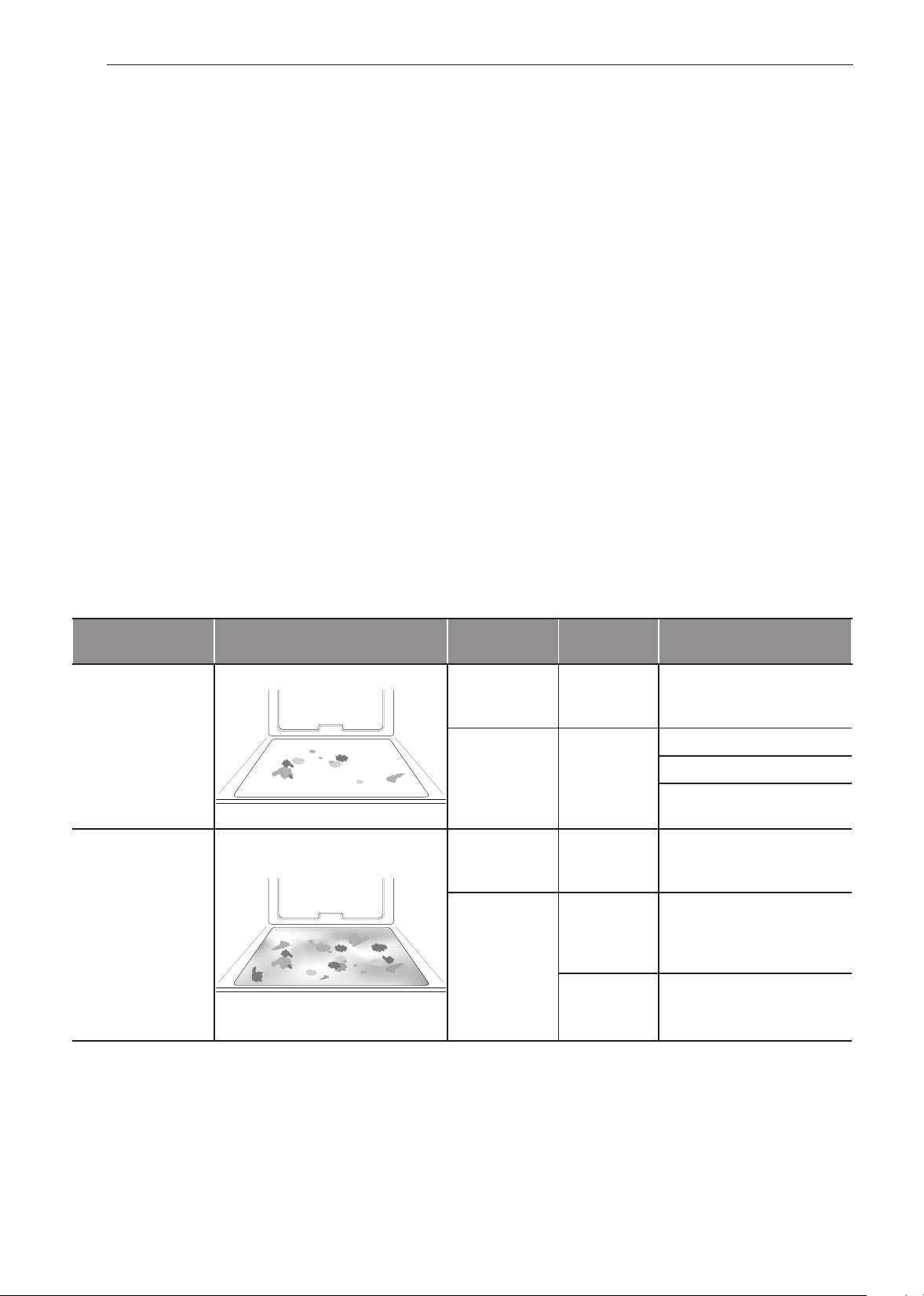
62
MANTENIMIENTO
SpeedClean™
El nuevo horno de SIGNATURE KITCHEN SUITE con
tecnología de esmalte SpeedClean™ proporciona dos
opciones de limpieza para el interior del horno. La función
SpeedClean™ aprovecha el nuevo esmalte de SIGNATURE
KITCHEN SUITE para ayudar a despegar la suciedad sin usar
químicos fuertes y funciona SOLAMENTE CON AGUA durante
apenas 10 minutos a baja temperatura para aflojar la suciedad
LEVE antes de realizar la limpieza manual.
Si bien la función SpeedClean™ es rápida y eficaz para la
suciedad LEVE y pequeña, la función de autolimpieza se
puede usar para quitar suciedad DIFÍCIL acumulada. La
intensidad y la alta temperatura del ciclo de autolimpieza
pueden producir humo, por lo que tendrá que abrir las
ventanas para ventilar. En comparación con el proceso más
intenso de autolimpieza, el horno SIGNATURE KITCHEN
SUITE le brinda la opción de limpiar con MENOS CALOR, en
MENOS TIEMPO y, prácticamente, SIN HUMO NI VAPORES.
Cuando sea necesario, el horno ofrece también la opción
de autolimpieza más prolongada y profunda para quitar la
suciedad difícil acumulada.
BENEFICIOS DE SpeedClean™
•
Ayuda a aflojar la suciedad leve antes de la limpieza
manual
•
SpeedClean™ solo usa agua; no usa limpiadores químicos
•
Favorece una mejor experiencia de autolimpieza
−
Demora la necesidad de un ciclo de autolimpieza
−
Minimiza el humo y los olores
−
Puede acortar el tiempo de la autolimpieza
Cuándo utilizar SpeedClean™
Método sugerido de
limpieza
Ejemplo de suciedad en el horno
Forma de la
suciedad
Tipos de
suciedad
Alimentos comunes que
pueden ensuciar el horno
SpeedClean™
Gotitas o
manchitas
Queso u otros
ingredientes
Pizza
Salpicadura leve Grasa/aceite
Bistecs, asados
Pescado, asado
Carne rostizada a baja
temperatura
Self Clean*
Salpicadura
mediana a
grande
Grasa/aceite
Carne rostizada a alta
temperatura
Gotas o
manchas
Relleno o
suciedad de
alimentos con
azúcar
Tartas
Crema o salsa
de tomate
Estofados
* El ciclo de autolimpieza puede usarse para suciedad que se haya acumulado con el tiempo.
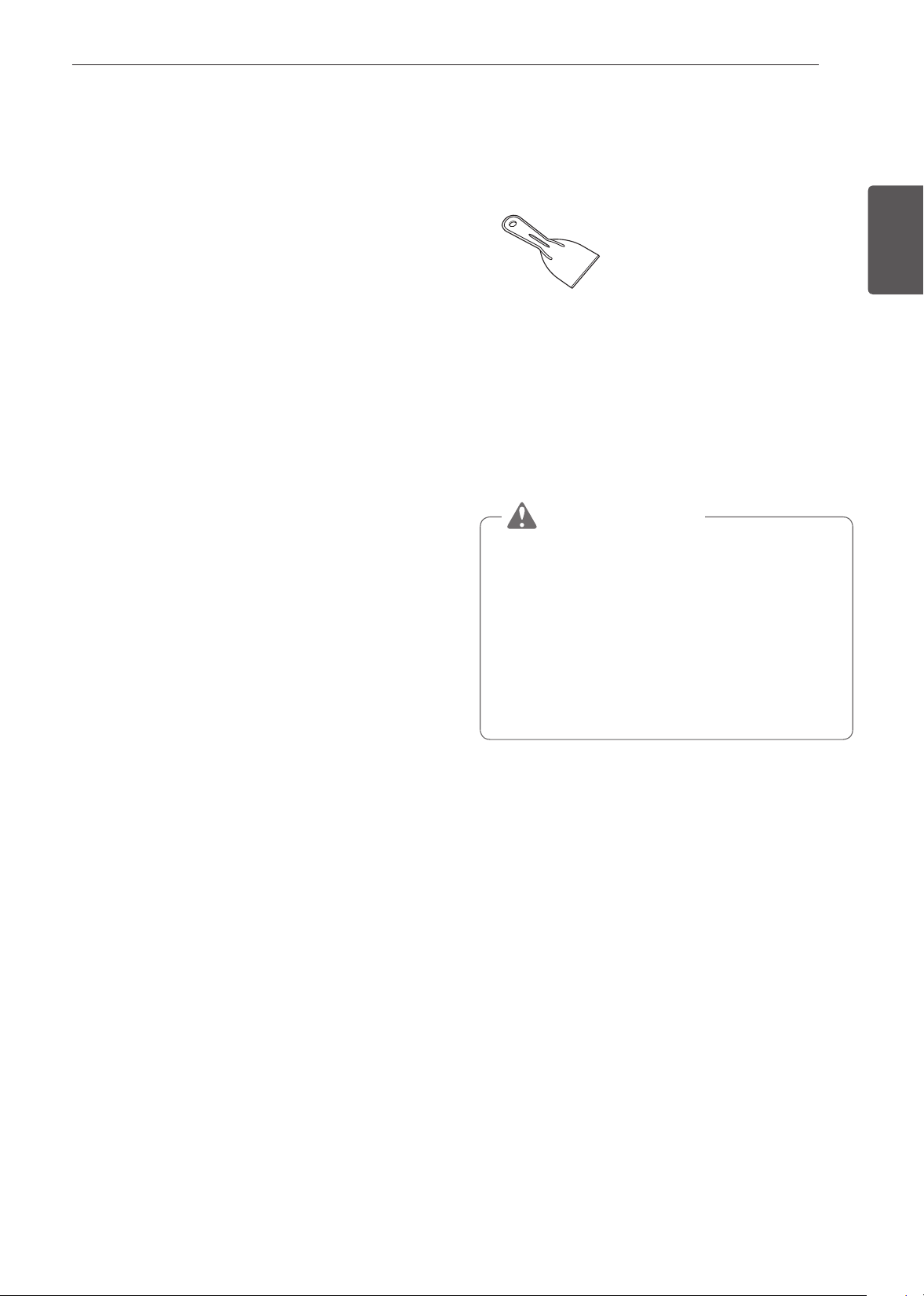
63
MANTENIMIENTO
ESPAÑOL
Consejos de limpieza
•
Permita que el horno se enfríe a temperatura ambiente
antes de usar el ciclo SpeedClean™.
•
Se puede usar una espátula plástica como raspador para
quitar los restos o residuos grandes antes de la limpieza del
horno o durante la limpieza.
•
Puede resultar de ayuda usar el lado áspero de una esponja
que no raye para quitar manchas quemadas mejor que con
una esponja blanda o un paño.
•
Algunas esponjas que no rayan disponibles en las tiendas
locales, como las hechas de espuma de melamina, también
pueden ayudar a mejorar la limpieza.
•
El horno debe estar nivelado para que la superficie inferior
de la cavidad del horno esté completamente cubierta con
agua al comienzo del ciclo SpeedClean™.
•
Para obtener mejores resultados, use agua destilada o
filtrada. El agua del grifo puede dejar depósitos minerales en
la base del horno.
•
La suciedad quemada en varios ciclos de cocción será más
difícil de quitar con el ciclo SpeedClean™.
•
No abra la puerta del horno durante el ciclo SpeedClean™.
El agua no se calienta lo suficiente si se abre la puerta
durante este ciclo.
•
Para limpiar áreas difíciles de alcanzar, como la superficie
trasera del horno, es mejor usar el ciclo de Autolimpieza.
Guía de Instrucciones de SpeedClean™
1
Quite los estantes y los accesorios del horno.
2
Raspe y retire los residuos quemados con un raspador
plástico.
Raspadores plásticos sugeridos:
•
Espátula de plástico dura
•
Raspador plástico para bandejas
•
Raspador plástico para pintura
•
Tarjeta de crédito vieja
3
Si está limpiando el horno, llene el tanque de inyección
de vapor hasta el nivel máximo de llenado con agua.
4
Gire la perilla del modo Oven (Horno) para seleccionar el
modo Clean (Limpieza). Luego seleccione SpeedClean
en la pantalla.
5
Presione Start (Inicio). El tiempo restante aparece en la
pantalla.
PRECAUCIÓN
•
Algunas superficies pueden quedar calientes después
del ciclo SpeedClean™. Use guantes de goma cuando
limpie para evitar quemaduras.
•
Durante el ciclo SpeedClean™, la base del horno se
calienta lo suficiente como para provocar quemaduras.
Espere hasta que el ciclo termine antes de limpiar
la superficie interna del horno. Si no espera, podría
quemarse.
•
Evite inclinarse o apoyarse en el vidrio de la puerta del
horno mientras limpia las cavidades del horno.
6
Sonará un tono al final del ciclo de 10 minutos. Gire la
perilla de modo Oven (Horno) hasta la posición OFF
(APAGADO) para borrar la pantalla y apagar el tono.
7
Después del ciclo de limpieza y durante la limpieza
manual, debe quedar suficiente agua en la base del
horno para sumergir completamente la suciedad.
Agregue agua si fuera necesario. Coloque una toalla en
el piso frente al horno para absorber el agua que pueda
derramarse durante la limpieza manual.

64
MANTENIMIENTO
8
Limpie la cavidad del horno inmediatamente después del
ciclo SpeedClean™. Para ello, friegue con una esponja o
un paño de limpieza húmedos que no rayen. El lado para
refregar no rayará el acabado). Se puede derramar un
poco de agua en las ventilaciones de
la base cuando se realice la limpieza,
pero se recogerá en una bandeja que
está debajo de la cavidad del horno y
no dañará el quemador.
NOTA
NO use esponjas de acero ni paños o limpiadores
abrasivos, ya que estos materiales pueden dañar en
forma permanente la superficie del horno.
9
Una vez que haya limpiado la cavidad del horno, quite
el exceso de agua con una toalla limpia y seca. Vuelva
a colocar los estantes y los demás accesorios.
10
Si queda alguna suciedad leve, repita los pasos
anteriores y asegúrese de empapar bien las áreas
sucias. Si queda suciedad rebelde después de varios
ciclos SpeedClean™, ejecute el ciclo de autolimpieza.
Asegúrese de que se hayan retirado de la cavidad
del horno los estantes y los demás accesorios, y
que la superficie de la cavidad esté seca antes de
ejecutar el ciclo de autolimpieza. Consulte la sección
"Autolimpieza" para obtener más detalles.
NOTA
•
La junta de la cavidad puede quedar mojada cuando
termine el ciclo SpeedClean™. Esto es normal. No
limpie la junta.
•
Si quedan depósitos minerales en la base del horno
después de la limpieza, use un paño o una esponja
impregnada en vinagre para quitarlos.
•
No es recomendable el uso de limpiadores comerciales
o cloro para la limpieza en el horno.
En su lugar, utilice un limpiador líquido suave con un
valor de pH inferior a 12.7 para evitar la decoloración
en el esmalte.
Limpieza del Exterior
Superficies pintadas
Para la limpieza general, use un paño con agua jabonosa
caliente. En el caso de suciedad más difícil y grasa acumulada,
aplique detergente líquido directamente sobre la suciedad.
Déjelo reposar allí entre 30 y 60 minutos. Enjuague con un
paño húmedo y seque. No use limpiadores abrasivos.
Superficies de acero inoxidable
Para evitar hacer rayas, no use esponjas de lana de acero.
1
Coloque una pequeña cantidad de limpiador o pulimento
para electrodomésticos de acero inoxidable en un paño o
una toalla de papel húmedos.
2
Limpie un área pequeña y friegue siguiendo el grano del
acero inoxidable si corresponde.
3
Seque y saque brillo con un paño suave o una toalla de
papel secos y limpios.
4
Repita si fuera necesario.
NOTA
•
No utilice esponjas de lana metálica porque rayarán la
superficie.
•
Para limpiar la superficie de acero inoxidable, utilice
agua tibia jabonosa o un limpiador o pulidor para acero
inoxidable.
•
Limpie siempre en la dirección del acabado de la
superficie de metal.
•
El limpiador o pulidor de artefactos de acero inoxidable
se puede comprar en línea o en la mayoría de los
vendedores minoristas de electrodomésticos o artículos
para el hogar.
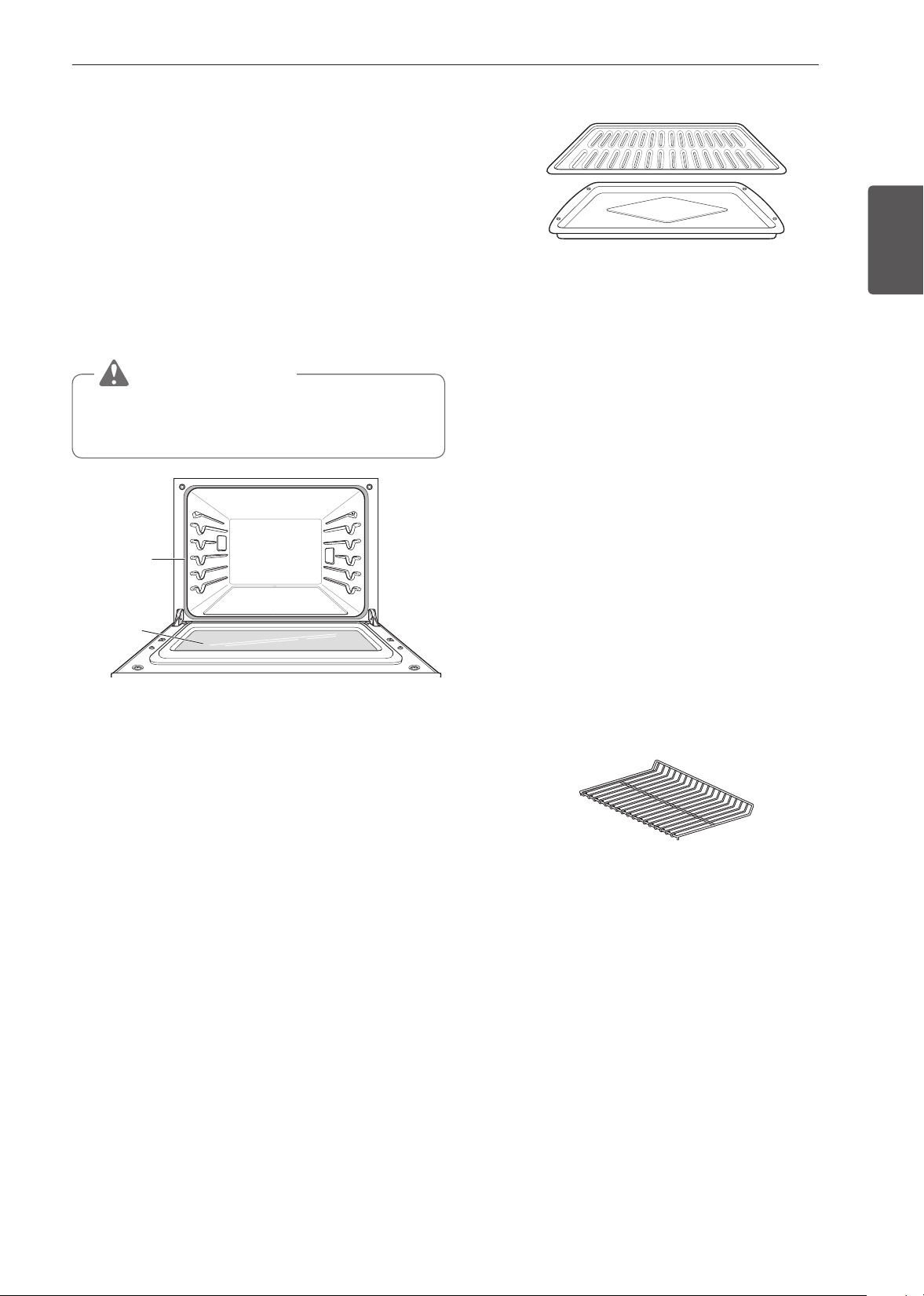
65
MANTENIMIENTO
ESPAÑOL
Puerta del horno
•
Use agua jabonosa para limpiar bien la puerta del horno.
Enjuague bien. NO sumerja la puerta en agua.
•
Puede usar un limpiador para vidrios en la parte externa de
la puerta del horno. NO rocíe agua ni limpiador para vidrios
en las ventilaciones de la puerta.
•
NO use limpiadores para horno, polvos limpiadores ni
materiales abrasivos de limpieza en el exterior de la puerta
del horno.
•
NO limpie la junta de la puerta del horno. La junta está
hecha de material tejido que es fundamental para lograr un
buen sellado. Se debe tener cuidado de no frotar, dañar ni
quitar esta junta.
PRECAUCIÓN
No use limpiadores fuertes ni materiales abrasivos de
limpieza en el exterior de la puerta del horno. Si lo hace,
puede dañarla.
No limpie
manualmente
la junta de
la puerta del
horno
Quite
cualquier
resto de la
puerta
Asadera y rejilla
•
No guarde asaderas ni rejillas sucias en ninguna parte del
horno.
•
No limpie la asadera ni la rejilla en el modo de autolimpieza.
•
Quite la rejilla de la asadera. Vierta cuidadosamente la
grasa de la asadera en un recipiente adecuado.
•
Lave y enjuague la asadera y la rejilla en agua caliente con
una esponja plástica o impregnada con jabón.
•
Si la comida se quemó, rocíe la rejilla con limpiador mientras
esté caliente y cúbrala con toallas de papel o un paño
húmedos. Si se remoja la asadera, se podrá quitar la comida
quemada.
•
Tanto la asadera como la rejilla se pueden limpiar con
limpiador para hornos comercial o en el lavavajillas.
Estantes del horno
Retire los estantes del horno antes de ejecutar el ciclo de
autolimpieza. Dejarlas en el lugar podría causar decoloración.
Si limpia los estantes usando el ciclo de autolimpieza, el color
cambiará a azul claro y el acabado perderá el brillo. Una vez
finalizado el ciclo de autolimpieza y después de que el horno
se haya enfriado, frote los costados de los estantes con
papel encerado o con un paño que contenga una pequeña
cantidad de aceite. Esto hará que los estantes se deslicen más
fácilmente en las guías.
Cavidad del horno
NO utilice limpiadores para hornos.
NUNCA limpie una superficie de porcelana caliente o tibia con
una esponja húmeda; podría causar astillamientos o cuarteo
(rajaduras pequeñas muy delgadas). Las salpicaduras de
alimentos se deberán limpiar cuando el horno se enfríe. A
altas temperaturas, los alimentos reaccionan con la porcelana
y puede quedar una mancha permanente. Cuando esté
limpiando una mancha, utilice solo limpiadores o raspadores
no abrasivos.
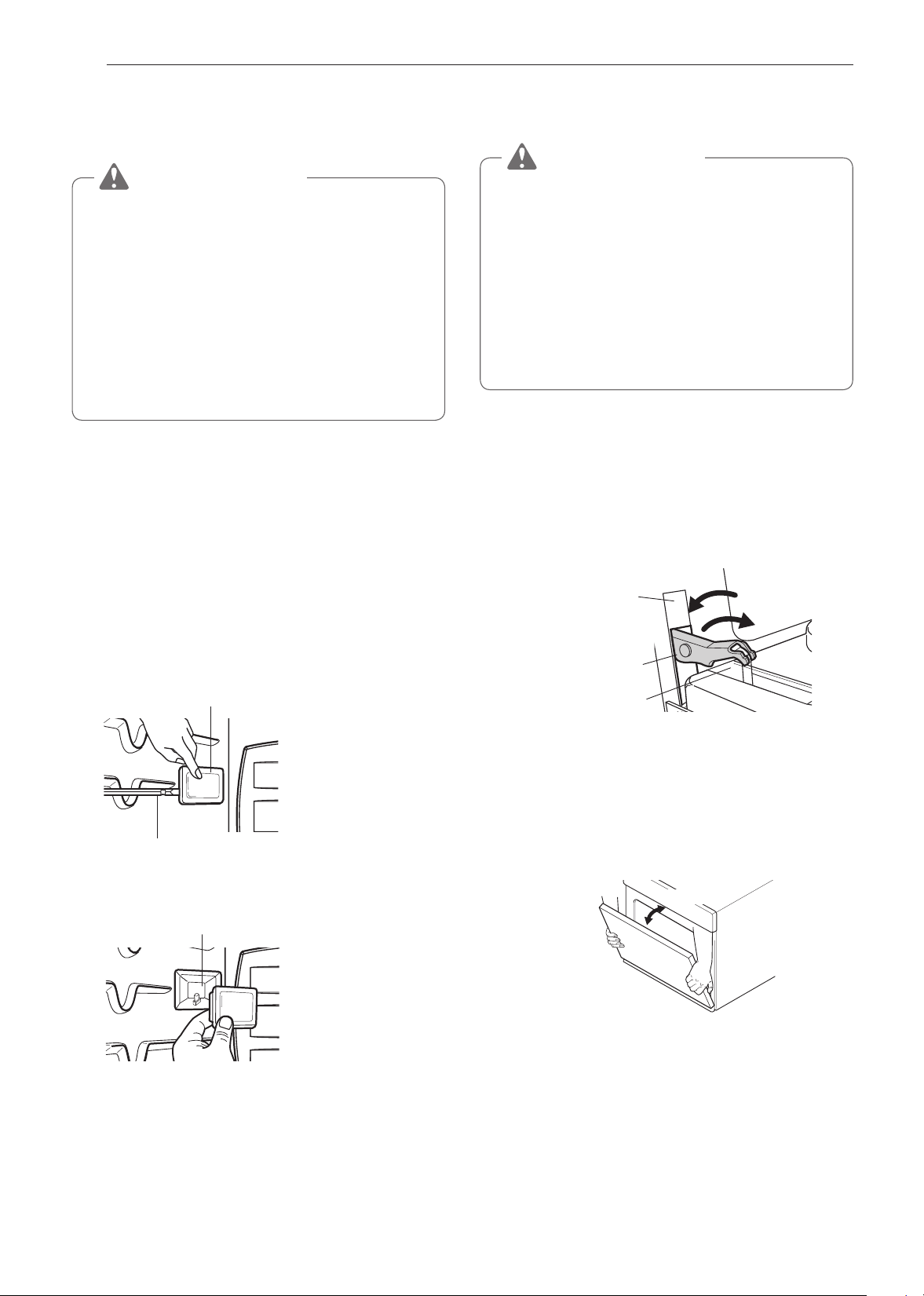
66
MANTENIMIENTO
Cómo cambiar la luz del horno
La luz del horno es una bombilla halógena estándar de 25
vatios.
ADVERTENCIA
•
Asegúrese de que el horno y la bombilla estén fríos.
•
Desconecte la energía eléctrica del horno desde el
fusible principal o el panel disyuntor. El no hacerlo
podría causar lesiones graves, descargas eléctricas o
la muerte.
•
Use guantes mientras cambia la luz del horno. Los
fragmentos de vidrio provenientes de bombillas rotas
pueden causar riesgos de lesiones.
•
Gire suavemente el destornillador mientras cambia la
luz del horno. Si aplica más fuerza, el vidrio o el horno
podrían romperse.
Para reemplazar las lámparas ubicadas en la pared lateral:
•
Asegúrese de que el horno y la bombilla estén fríos.
1
Desenchufe el horno o desconecte la energía.
2
Retire los estantes del horno.
3
Deslice un destornillador de hoja plana entre la carcasa y
la cubierta de vidrio de la lámpara.
4
Sostenga la cubierta de vidrio de la lámpara con dos
dedos para evitar que caiga a la base del horno.
Cubierta de vidrio de la lámpara
Destornillador de hoja plana
5
Gire suavemente el destornillador para aflojar la cubierta
y quitarla.
Carcasa
6
Retire la bombilla del portalámparas.
7
Reemplace la bombilla y presione la cubierta de la luz
hasta que se trabe en su lugar.
8
Enchufe el horno o vuelva a conectar la energía.
Extracción y reemplazo de la puerta
del horno
PRECAUCIÓN
•
La puerta es muy pesada. Tenga cuidado cuando quite
y levante la puerta.
•
NO levante la puerta de la manija. La manija no está
diseñada para soportar el peso de la puerta y se podría
romper.
•
NO golpee el vidrio con ollas, sartenes ni con ningún
otro objeto.
•
Si se raya, golpea, hace vibrar o fuerza el vidrio, se
puede debilitar su estructura, lo que aumenta el riesgo
de rotura más adelante.
Cómo retirar la puerta del horno
1
Abra totalmente la puerta.
2
Desbloquee las trabas de las bisagras a ambos lados.
Para ello, gírelas alejándolas lo más posible del marco
de la puerta abierta.
Ranura
Desbloqueo
Bloqueo
Traba de la bisagra
Brazo de la bisagra
3
Tome firmemente ambos lados de la puerta desde la
parte superior.
4
Cierre la puerta hasta la posición de remoción
(aproximadamente cinco grados), que es a mitad de
la distancia entre la posición de tope del asador y
totalmente cerrada. Si la posición es correcta, los brazos
de las bisagras se moverán libremente.
aprox.5°
Posición de extracción
5
Levante la puerta y tire hacia fuera hasta que los brazos
de las bisagras salgan de las ranuras.

67
MANTENIMIENTO
ESPAÑOL
Cómo colocar la puerta
1
Tome firmemente ambos lados de la puerta desde la
parte superior.
2
Con la puerta en el mismo ángulo que la posición de
remoción, apoye la hendidura de los brazos de las
bisagras en el borde inferior de las ranuras de las
bisagras. Las muescas de los brazos de las bisagras
deben estar totalmente apoyadas en el borde inferior de
las ranuras.
Brazo de la
bisagra
Borde borde
de la ranura
Hendidura
3
Abra totalmente la puerta. Si la puerta no se abre
completamente, la hendidura no está bien apoyada en el
borde inferior de la ranura.
4
Bloquee las bisagras a ambos lados de la puerta. Para
ello, gírelas nuevamente hacia las ranuras del marco del
horno hasta que traben.
Brazo de la bisagra
Traba de la bisagra
Presione las trabas de la bisagra hasta que queden trabadas
5
Cierre la puerta del horno.
Instrucciones para el cuidado de la
puerta
La mayoría de las puertas de hornos contienen un vidrio que
puede romperse.
PRECAUCIÓN
•
No cierre la puerta del horno hasta que todos los
estantes estén bien colocados en su lugar.
•
No golpee el vidrio con ollas, sartenes ni con ningún
otro objeto.
•
Si se raya, golpea, hace vibrar o fuerza el vidrio, se
puede debilitar su estructura, lo que aumenta el riesgo
de rotura más adelante.

68
SOLUCIÓN DE PROBLEMAS
SOLUCIÓN DE
PROBLEMAS
PREGUNTAS FRECUENTES
Mi nuevo horno no cocina como el que tenía antes. ¿Hay
algo mal con los ajustes de temperatura?
No, su horno fue probado y calibrado en la fábrica. Durante
los primeros usos, siga cuidadosamente los tiempos y las
temperaturas de su receta. Si todavía piensa que el horno
nuevo es muy caliente o muy frío, puede ajustar usted la
temperatura del horno para adecuarla a sus necesidades
específicas de cocción. Consulte la sección de "Ajuste de
temperatura", en la página 18, para obtener instrucciones
fáciles sobre cómo ajustar el termostato.
¿Puedo usar un estante en el horno superior para
recalentar o cocinar en dos niveles al mismo tiempo?
Solo utilice el estante que se proporciona con el horno
superior. Usar cualquier otro estante puede ocasionar una
cocción deficiente o arcos eléctricos y dañar su horno.
¿Se daña el horno superior si se lo hace funcionar estando
vacío?
Sí. Nunca haga funcionar el horno vacío o sin la bandeja de
vidrio.
¿La energía de microondas atraviesa el visor la de la
puerta?
No. La pantalla de metal hace que la energía rebote y vuelva a
la cavidad del horno. Los orificios (o puertos) permiten que solo
pase la luz. No permiten que pase la energía de microondas.
¿Por qué veo reflejos de luz alrededor de la carcasa
exterior?
Esa luz es de la luz del horno superior, que se encuentra entre
la cavidad del horno y la pared exterior del horno.
¿Que son los varios sonidos que oigo cuando el horno
superior esté en funcionamiento?
El sonido de clic lo causa un interruptor mecánico que
ENCIENDE o APAGA el magnetrón del horno de microondas.
El zumbido y el golpe sordo fuerte se deben a cambios de
energía que produce el magnetrón cuando se ENCIENDE o
APAGA por acción del interruptor mecánico. El cambio en la
velocidad del extractor se debe al cambio que ocurre en la
tensión de línea cuando se ENCIENDE o APAGA el magnetrón.
¿Se puede dañar el horno superior si la comida se cocina
demasiado tiempo?
Como cualquier otro artefacto de cocción, es posible cocinar
de más la comida hasta un punto en el que se genere humo, e
incluso fuego, y se dañe el interior del horno. Siempre es mejor
que uno esté cerca del horno cuando está cocinando.
¿Por qué se recomienda un tiempo de reposo una vez
cumplido el tiempo de cocción por microondas?
El tiempo de reposo permite que las comidas se sigan
cocinando de manera pareja durante unos minutos después
del ciclo de cocción en microondas. La duración del tiempo de
reposo depende de la densidad de los alimentos.
¿Por qué se necesita un tiempo adicional para cocinar
alimentos guardados en el refrigerador?
Al igual que en la cocina convencional, la temperatura inicial de
los alimentos afecta el tiempo total de cocción. Necesitará más
tiempo para cocinar alimentos recién sacados del refrigerador
que para los que se encuentren a temperatura ambiente.
¿Puedo usar tanto bandejas de metal como de aluminio en
el horno superior?
Los metales que pueden utilizarse son el papel de aluminio
para bloquear (use trozos pequeños y planos) y las bandejas
de papel de aluminio de baja profundidad (si la bandeja es
de ¾ de pulgada de profundidad y está llena de comida, para
absorber la energía de microondas). Nunca permita que los
metales entren en contacto con las paredes o la puerta.
A veces la puerta de mi horno superior parece ondulada.
¿Es normal?
Este aspecto es normal y no afecta el funcionamiento del
horno.
La bandeja de vidrio no se mueve.
La bandeja de vidrio no se encuentra colocada correctamente.
Debe tener el lado correcto hacia arriba y apoyarse firmemente
en el centro. El soporte no funciona correctamente. Retire la
bandeja de vidrio y reinicie el horno. Si cocina sin la bandeja
de vidrio, obtendrá resultados deficientes.
¿Por qué el plato se calienta cuando lo uso para poner
comida en el microondas? Pensé que esto no debía
ocurrir.
A medida que la comida se calienta, le transmite calor al plato.
Use agarraderas para retirar la comida después de la cocción.
¿Qué significa tiempo de reposo?
Tiempo de reposo significa que la comida debe retirarse del
horno y mantenerse cubierta para que la cocción continúe
durante un tiempo adicional. Este proceso permite que
finalice la cocción, ahorra energía y libera el horno para otros
propósitos.
69
SOLUCIÓN DE PROBLEMAS
ESPAÑOL
¿Puedo hacer palomitas de maíz en el horno superior?
¿Cómo obtengo los mejores resultados?
Sí. Haga palomitas de maíz envasadas siguiendo las
instrucciones del fabricante o use la tecla predeterminada para
palomitas de maíz.
No use bolsas de papel normales. Use la prueba de sonido,
deteniendo el horno ni bien el ruido del maíz que revienta
disminuye a una explosión cada uno o dos segundos. No
intente hacer reventar los granos que no reventaron al primer
intento. También puede usar las máquinas para palomitas de
maíz especiales para microondas. Cuando use una máquina
para palomitas de maíz, asegúrese de seguir las instrucciones
del fabricante. No haga palomitas de maíz en ollas de vidrio.
¿Por qué sale vapor por la salida de aire?
Normalmente se produce vapor durante la cocción. El horno
superior ha sido diseñado para que el vapor escape por la
salida de ventilación superior.
El horno inferior no cocina como el que tenía antes. ¿Hay
algo mal con los ajustes de temperatura?
No, su horno fue probado y calibrado en la fábrica. Durante
los primeros usos, siga cuidadosamente los tiempos y las
temperaturas de su receta. Si todavía piensa que el horno
nuevo es muy caliente o muy frío, puede ajustar usted la
temperatura del horno para adecuarla a sus necesidades
específicas de cocción. Consulte la sección de Ajuste
de temperatura del horno de este manual para obtener
instrucciones fáciles sobre cómo ajustar el termostato.
¿Es normal que se escuche un chasquido que proviene de
la parte trasera del horno cuando lo uso?
Su nueva cocina está diseñada para mantener un control
estricto de la temperatura del horno. Es posible que escuche
los elementos calentadores del horno hacer un chasquido
al encenderse y apagarse con más frecuencia en su horno
nuevo. Es normal.
¿Por qué la hora parpadea?
Esto significa que el producto acaba de enchufarse o que ha
habido una interrupción del suministro eléctrico. Para borrar la
hora que parpadea, toque cualquier botón y restablezca el reloj
si es necesario.
Durante la cocción por convección, el ventilador se
detiene cuando abro la puerta. ¿Es normal?
Sí, es normal. Cuando se abre la puerta, el ventilador de
convección se detiene hasta que se cierra la puerta.
¿Puedo usar papel de aluminio para que recolecte las
gotas en la cavidad del horno inferior?
No utilice nunca papel de aluminio para revestir el fondo o
los costados del horno. El papel se derretirá y se pegará a la
superficie del fondo del horno y no se podrá quitar. En lugar de
eso, coloque una bandeja sobre un estante inferior del horno
y úsela para recolectar las gotas (si ya se ha derretido papel
de aluminio en el fondo del horno, esto no interferirá con el
rendimiento del horno).
¿Puedo usar papel de aluminio en los estantes?
No cubra los estantes con papel de aluminio. Cubrir estantes
por completo con papel de aluminio restringe el flujo de aire, lo
que se traduce en resultados de cocción deficientes. Coloque
una bandeja cubierta con papel de aluminio debajo de tartas
de frutas u otros alimentos ácidos o dulces para evitar que los
derrames dañen el acabado del horno.
PRECAUCIÓN
Puede utilizar papel de aluminio para envolver los
alimentos dentro del horno inferior, pero no permita que
el papel de aluminio entre en contacto con los elementos
calentadores expuestos del horno. El papel de aluminio
podría derretirse o prenderse fuego, lo que ocasionaría
humo, un incendio o lesiones.
¿Puedo dejar los estantes en el horno cuando ejecute un
ciclo de Autolimpieza?
No, aunque no dañará los estantes, esto los decolorará y no
se deslizarán bien cuando los use. Quite todos los elementos
del horno antes de comenzar un ciclo de Autolimpieza.
¿Qué debo hacer si los estantes están pegajosos y es
difícil deslizarlos hacia dentro y hacia fuera?
Con el tiempo, se puede hacer difícil deslizar los estantes.
Aplique una pequeña cantidad de aceite de oliva en los
extremos de los estantes. Este actuará como lubricante para
un deslizamiento mejor.
¿Debo asar con la puerta abierta o cerrada?
Su horno no está diseñado para asar con la puerta abierta. Si
asa con la puerta abierta podría dañar las perillas y la pantalla.
¿Por qué no funcionan los botones de función?
Asegúrese de que la cocina no esté en modo Bloqueo. El
candado
aparecerá en la pantalla si el bloqueo está
activado. Para desactivar el bloqueo, presione la pantalla para
ver el mensaje de desbloqueo emergente. Presione UNLOCK
(DESBLOQUEAR) durante 3 segundos para cancelar la
función de bloqueo. El ícono de candado desaparecerá en la
esquina superior derecha de la pantalla.

70
SOLUCIÓN DE PROBLEMAS
Mi cocina todavía está sucia después de ejecutar el ciclo
SpeedClean™. ¿Qué más debo hacer?
El ciclo SpeedClean™ solo ayuda a aflojar la suciedad leve
de la cocina con horno para ayudar en la limpieza manual del
horno. No quita automáticamente toda la suciedad después
del ciclo. Es necesario fregar un poco el horno después de
ejecutar el ciclo SpeedClean™.
Probé fregar el horno después de ejecutar SpeedClean™,
pero hay suciedad que queda. ¿Qué puedo hacer?
La función SpeedClean™ tiene un mejor resultado cuando la
suciedad se empapa y sumerge totalmente en agua antes de
ejecutar el ciclo y durante la limpieza manual. Si la suciedad no
está muy empapada en agua, puede afectar negativamente el
desempeño de la limpieza. Repita el proceso de SpeedClean™
usando agua suficiente.
La suciedad de azúcar y algunos residuos grasosos son
particularmente difíciles de limpiar. Si queda alguna suciedad
rebelde, use la función Autolimpieza para limpiar bien el horno.
La suciedad de las paredes del horno no sale. ¿Cómo
puedo dejar limpias las paredes?
La suciedad en las paredes laterales y traseras de su cocina
con horno puede resultar más difícil de empapar con agua.
Pruebe de repetir el proceso SpeedClean™ con más agua que
¼ taza (2 oz o 60 ml).
¿SpeedClean™ quita toda la suciedad y las manchas
completamente?
Depende del tipo de suciedad. Las manchas de azúcar y
algunas de grasa son particularmente difíciles de limpiar.
Además, si las manchas no están muy empapadas en
agua, esto puede afectar negativamente el desempeño
de la limpieza. Si todavía quedan manchas rebeldes o de
acumulación, use la función Autolimpieza. Consulte la sección
Autolimpieza del manual del propietario.
¿Hay algún truco para eliminar algo de la suciedad
rebelde?
Se recomienda raspar la suciedad con un raspador plástico
antes de limpiar manualmente y mientras limpia. También se
recomienda saturar completamente con agua la suciedad.
Sin embargo, hay suciedad que es más difícil de limpiar que
otra. Para la suciedad rebelde, se recomienda usar el ciclo
Autolimpieza. Consulte la sección Autolimpieza del manual del
propietario para obtener detalles.
¿Es seguro que el ventilador de convección, el quemador
para asar o el elemento calentador se mojen durante la
función SpeedClean™?
Sí. El ventilador de convección, el quemador para asar o
el elemento calentador pueden mojarse un poco durante
la limpieza. Sin embargo, no es necesario aplicar un rocío
directo sobre el quemador del asador ni de los elementos
calentadores porque se limpian automáticamente durante el
uso regular.
Veo humo que sale de las ventilaciones de cocción de la
cocina durante SpeedClean™. ¿Es normal?
Es normal. No es humo. En realidad, es vapor de agua del
agua que está en la cavidad del horno. Cuando el horno se
calienta brevemente durante SpeedClean™, el agua de la
cavidad se evapora y sale por las ventilaciones del horno.
¿Con cuánta frecuencia debo usar SpeedClean™?
SpeedClean™ puede ejecutarse con la frecuencia que
desee. SpeedClean™ funciona mejor cuando el horno está
LEVEMENTE sucio por ejemplo con salpicaduras de grasa
LEVES y gotitas de queso. Consulte la sección SpeedClean™
del manual del propietario para obtener más información.
¿Qué se necesita para SpeedClean™?
Un raspador plástico, una esponja que no raye y una toalla.
No debe usar esponjas abrasivas como las de trabajo pesado
ni lana de acero. Excepto por la toalla, todos los materiales
necesarios se incluyen en un kit de limpieza especial con su
cocina nueva.

71
SOLUCIÓN DE PROBLEMAS
ESPAÑOL
Antes de llamar al servicio técnico
Antes de llamar para solicitar servicio, revise esta lista. Puede ahorrarle tiempo y gastos. La lista incluye sucesos comunes que no
son consecuencia de problemas de fabricación ni de los materiales de este aparato.
Síntomas Causas / soluciones posibles
El control del horno
suena y muestra un error
de código F
•
El control electrónico ha detectado una falla.
Presione cualquier botón y gire cualquier
perilla una vez para borrar la pantalla y
detener el pitido. Reprograme el horno.
Si la falla se repite, registre el número de
falla. Borre la pantalla y detenga el pitido.
Luego póngase en contacto con un técnico
de servicio calificado.
CÓDIGO CAUSA
F-9
El horno no calienta
(horno superior)
F-19
El horno no calienta
(horno inferior)
Oven will not work
•
El enchufe de la cocina no está insertado completamente en el tomacorriente.
- Asegúrese de que el enchufe esté conectado a un toma funcional y conectado a tierra.
•
Es posible que se haya quemado un fusible o que se haya disparado el disyuntor de su casa.
- Reemplace el fusible o restablezca el disyuntor.
•
Los controles del horno están mal configurados.
- Consulte la sección Uso del horno.
•
Horno demasiado caliente.
- Deje que el horno se enfríe a una temperatura inferior a la de bloqueo.
Arco Eléctrico o Chispas
(Horno Superior)
•
Los recipientes de cocina no son aptos para microondas. Cuando no sepa con seguridad si un
recipiente es apto, pruébelo antes de usarlo.
•
No haga funcionar el horno si está vacío.
Comidas Cocinadas en
Forma Despareja
(Horno Superior)
•
Pruebe los recipientes de cocina a fin de asegurarse de que son aptos para microondas antes
de usarlos.
•
No cocine sin la bandeja de vidrio.
•
Dé vuelta o revuelva la comida mientras se cocina.
•
Descongele los alimentos por completo antes de la cocción.
•
Use los tiempos de cocción y los niveles de potencia correctos.
Comidas Cocinadas en
Exceso
(Horno Superior)
•
Cambie el tiempo de cocción o el nivel de potencia.
Comidas a las que les
Falta Cocción
(Horno Superior)
•
Compruebe que los recipientes de cocina sean aptos para microondas.
•
Descongele los alimentos por completo antes de la cocción.
•
Cambie el tiempo de cocción o el nivel de potencia.
•
Asegúrese de que los puertos de ventilación no se encuentren obstruidos.
Descongelado Incorrecto
(Horno Superior)
•
Compruebe que los recipientes de cocina sean aptos para microondas.
•
Modifique el peso o el tiempo de descongelado.
•
Dé vuelta o revuelva la comida mientras se descongela.
Si la pantalla muestra una
cuenta regresiva pero el
horno no está cocinando:
•
Compruebe que la puerta esté firmemente cerrada.
•
Compruebe no haber iniciado el temporizador en vez de una función de cocción.
Sale vapor a través de la
ventilación de horno
•
Cocinar alimentos con alto nivel de humedad produce vapor. Es normal.

72
SOLUCIÓN DE PROBLEMAS
Síntomas Causas / soluciones posibles
El electrodoméstico no
funciona.
•
Asegúrese de que el cable esté correctamente enchufado en el toma. Revise los disyuntores.
•
El cableado de servicio no está completo. Comuníquese con su electricista para solicitar
asistencia.
•
Corte de energía. Verifique las luces de la casa para asegurarse. Llame a la empresa de
electricidad local para solicitar servicio.
La luz del horno no
funciona
•
Reemplace o ajuste la bombilla. Consulte la sección Cambio de la luz del horno en el presente
Manual del propietario.
El horno emite mucho
humo cuando asa.
•
El control no está bien configurado. Siga las instrucciones para el ajuste de los controles del
horno.
•
La carne está demasiado cerca de quemador. Coloque el estante en otra posición para dejar
un espacio suficiente entre la carne y el quemador. Precaliente el asador para sellar.
•
La carne no está bien preparada. Quite el exceso de grasa de la carne. Corte los bordes de
grasa restantes para evitar que la carne se retuerza.
•
El inserto de la asadera está al revés y la grasa no drena. Siempre coloque la rejilla en la
asadera con las costillas hacia arriba y las ranuras hacia abajo para permitir que la grasa
gotee en la bandeja.
•
Se ha acumulado grasa en las superficies del horno. Es necesario realizar una limpieza
regular cuando se asa con frecuencia.
- Salpicaduras viejas de comida o grasa producen mucho humo.
La comida no se hornea ni
se rostiza correctamente
•
Los controles del horno están mal configurados.
- Consulte la sección Uso del horno.
•
La posición del estante es incorrecta o este no está nivelado.
- Consulte la sección Uso del horno.
•
Se está usando una batería de cocina incorrecta o de un tamaño inadecuado.
- Consulte la sección Uso del horno.
•
Se debe ajustar el sensor del horno.
- Consulte Ajuste de la temperatura del horno en la sección Funciones.
La comida no se asa
correctamente
•
Los controles del horno están mal configurados.
- Asegúrese de tocar Broil.
•
Se está usando el estante en una posición incorrecta.
- Consulte la Guía de recomendaciones para asar.
•
La batería de cocina no es adecuada para asar.
- Use una asadera con rejilla.
•
Se usó papel de aluminio en la asadera y la rejilla no se colocó correctamente ni se cortó
como se recomendó.
- Consulte la sección Uso del horno.
•
En algunas áreas, el voltaje puede ser bajo.
- Precaliente el asador durante 5 a 7 minutos.
- Consulte la Guía de recomendaciones para asar.
La temperatura del horno
es muy alta o muy baja
•
Se debe ajustar el sensor del horno.
- Consulte Ajuste de la temperatura del horno en la sección Funciones.
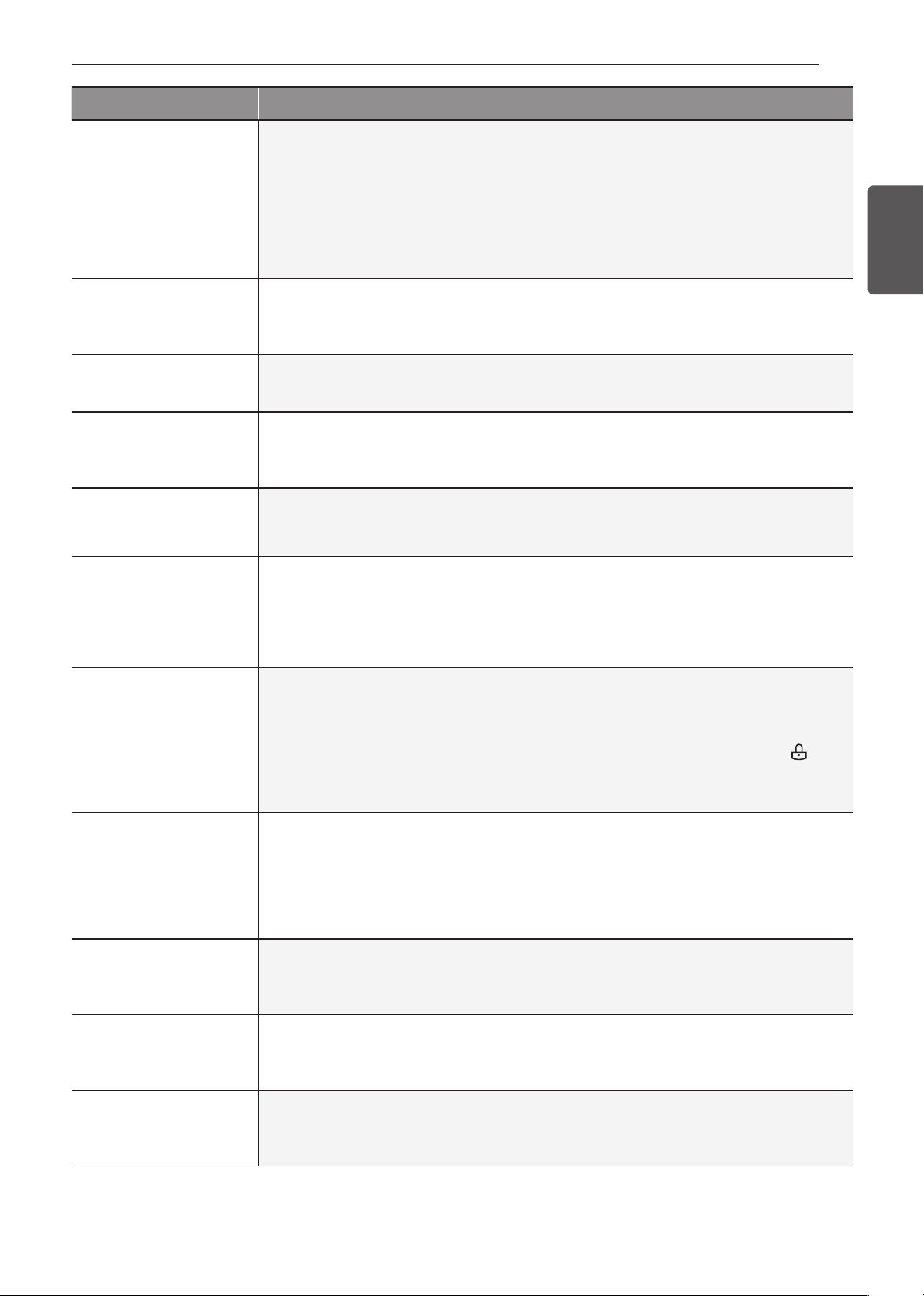
73
SOLUCIÓN DE PROBLEMAS
ESPAÑOL
Síntomas Causas / soluciones posibles
El horno no se limpia
automáticamente
•
La temperatura del horno es muy alta para configurar la operación de Autolimpieza.
- Espere que la cocina se enfríe y restablezca los controles.
•
Los controles del horno están mal configurados.
- Consulte la sección Autolimpieza.
•
No se puede iniciar un ciclo de Autolimpieza si está activa la función Bloqueo.
•
Asegúrese de deslizar el tanque en la ranura hasta que se inserte haciendo un clic.
Sonido de “crujido” o
“explosión”
•
Es el sonido del metal que se calienta y se enfría durante las funciones de cocción y de
Autolimpieza.
- Es normal.
Ruido del ventilador
•
El ventilador de convección se puede encender y apagar automáticamente
- Es normal.
El ventilador de
convección se detiene.
•
El ventilador de convección se detiene durante un ciclo de horneado por convección.
- Esto es normal y se hace para lograr un calor más uniforme durante el ciclo. No es una falla
de la cocina y debe considerarse como funcionamiento normal.
La hora visualizada
parpadea
•
Es normal. Esto significa que el producto acaba de enchufarse o que ha habido una
interrupción del suministro eléctrico. Toque la tecla Clock y restablezca la hora, o toque
cualquier tecla para detener el parpadeo.
Humo excesivo durante
un ciclo de Autolimpieza
•
Suciedad excesiva.
- Coloque ambas perillas del modo Oven (Horno) en la posición OFF (APAGADO) o presione
el botón STOP (DETENER). Abra las ventanas para sacar el humo de la habitación. Espere
hasta que se cancele el modo de autolimpieza. Limpie el exceso de suciedad y reinicie el
ciclo de autolimpieza.
La puerta del horno no se
abre después de un ciclo
de Autolimpieza
•
El horno está demasiado caliente.
- Deje que el horno se enfríe a una temperatura inferior a la de bloqueo.
•
Espere aproximadamente una hora para que el horno se enfríe después de la finalización de
un ciclo de Autolimpieza. La puerta puede abrirse cuando ya no aparezca de bloqueo
en la
pantalla.
•
Es posible que estén bloqueados el control y la puerta.
El horno no se limpia
después de un ciclo de
Autolimpieza
•
Los controles de horno no están bien configurados.
- Consulte la sección Autolimpieza.
•
El horno está muy sucio.
- Limpie los derrames importantes antes de comenzar el ciclo de limpieza. Los hornos muy
sucios pueden necesitar otro ciclo de Autolimpieza o por un periodo más prolongado.
Aparece Bloqueada en la
pantalla cuando quiere
cocinar
•
La puerta del horno está bloqueada porque la temperatura interior no bajó a menos de la
temperatura de bloqueo.
- Presione el botón STOP (DETENER). Deje que el horno se enfríe.
Sale olor a quemado o a
aceite de la ventilación
•
Es normal en un horno nuevo y desaparecerá con el tiempo.
- Para acelerar el proceso, programe un ciclo de Autolimpieza durante un mínimo de 3 horas.
Consulte la sección Autolimpieza.
Es difícil deslizar los
estantes del horno
•
Los estantes plateados y brillantes se limpiaron en un ciclo de Autolimpieza.
- Aplique una pequeña cantidad de aceite vegetal a una toalla de papel y pásela por los
bordes de los estantes del horno.

74
SOLUCIÓN DE PROBLEMAS
Síntomas Causas / soluciones posibles
Se acumula humedad en
el visor del horno o sale
vapor de la ventilación del
horno
•
Es normal cuando se cocinan alimentos con gran contenido de humedad
•
Se usó demasiada humedad cuando se limpió el visor.
El horno no Cocina al
Vapor
•
Asegúrese de deslizar el tanque en la ranura hasta que se inserte haciendo un clic.
•
El desagote del tanque de agua puede estar obstruido con sarro. Si esto ocurre, se debe
ejecutar la función Descalcificación antes de poder utilizar la función Vapor.
Restos de agua en el
fondo del horno durante
o después de la cocción
con vapor.
•
Durante la cocción con vapor, el agua del tanque de agua se transfiere al fondo del horno. Es
normal que el agua cubra el fondo del horno durante o después el modo Vapor.
•
Si el agua deja depósitos minerales en el fondo del horno, elimine los depósitos con un trapo o
esponja empapados en vinagre.
Aparecen residuos
blancos en el fondo del
horno después de la
cocción con vapor.
•
El uso de agua dura en el tanque de agua puede generar cal en el fondo del horno.
•
Si quedan restos minerales en el fondo del horno después de utilizar el modo vapor, use un
trapo o esponja empapados en vinagre o solución suave de ácido cítrico.
Problema al conectar el
electrodoméstico y el
teléfono inteligente a la
red Wi-Fi.
•
La contraseña de la red Wi-Fi fue ingresada incorrectamente.
- Borre su red Wi-Fi doméstica e inicie el proceso de registro de nuevo.
•
Los Datos Móviles para su teléfono inteligente están activados.
- Desactive los Datos Móviles en su teléfono inteligente previo a registrar el electrodoméstico.
•
El nombre de la red inalámbrica (SSID) se ha configurado incorrectamente.
- El nombre de la red inalámbrica (SSID) debe ser una combinación de letras y números.(No
utilice caracteres especiales)
•
La frecuencia del enrutador no es de 2.4 GHz.
- Sólo se admite una frecuencia de enrutador de 2.4 GHz. Configure el enrutador inalámbrico
a 2.4 GHz y conecte el electrodoméstico a éste. Para verificar la frecuencia del enrutador,
consulte con su proveedor de servicios de internet o con el fabricante del enrutador.
•
La distancia entre el enrutador y el electrodoméstico es muy grande.
- Si el electrodoméstico se encuentra muy lejos del enrutador, puede que la señal sea débil
y que la conexión no sea configurada correctamente. Coloque el enrutador más cerca del
electrodoméstico o compre e instale un repetidor Wi-Fi.

75
GARANTÍA
ESPAÑOL
GARANTÍA (EE. UU.)
SIGNATURE KITCHEN SUITE reparará o reemplazará su producto, según criterio de SIGNATURE KITCHEN SUITE, si se
comprueba que presenta algún defecto en el material o la mano de obra en condiciones normales de uso, durante el período de
garantía establecido más abajo, vigente desde la fecha de compra original del producto. Esta garantía limitada solo es válida para
el comprador original del producto y es válida solo cuando se utiliza el aparato en EE. UU.
PERÍODO DE GARANTÍA CÓMO SE MANEJA EL SERVICIO TÉCNICO
Tres (3) años a partir de la fecha de compra
minorista original
Cualquier parte del horno que falle debido a un defecto en materiales o mano
de obra. Durante la totalidad de estos tres años de garantía, SIGNATURE
KITCHEN SUITE también proporcionará, sin costo alguno, toda la mano
de obra y el servicio técnico a domicilio necesarios para reemplazar piezas
defectuosas.
ESTA GARANTÍA REEMPLAZA CUALQUIER OTRA GARANTÍA, EXPRESA O IMPLÍCITA, LO QUE INCLUYE SIN LÍMITE,
LAS GARANTÍAS DE APTITUD COMERCIAL O IDONEIDAD PARA UN FIN EN PARTICULAR. SALVO POR LAS GARANTÍAS
IMPLÍCITAS EXIGIDAS POR LA LEY, ES DE DURACIÓN LIMITADA AL PERÍODO DE GARANTÍA EXPRESA MENCIONADO
ANTERIORMENTE. SIGNATURE KITCHEN SUITE NO SERÁ RESPONSABLE DE NINGÚN DAÑO, INDIRECTO, INCIDENTAL
O EMERGENTE DE NINGÚN TIPO, INCLUIDO LUCRO CESANTE O PÉRDIDA DE INGRESOS, EN RELACIÓN CON EL
PRODUCTO. ALGUNOS ESTADOS NO PERMITEN LIMITACIONES RESPECTO A LA DURACIÓN DE UNA GARANTÍA
IMPLÍCITA NI LA EXCLUSIÓN DE DAÑOS INCIDENTALES O EMERGENTES, POR LO QUE LAS LIMITACIONES ANTERIORES
PODRÍAN NO CORRESPONDER EN SU CASO.
ESTA GARANTÍA LIMITADA NO SE APLICA A LO SIGUIENTE:
•
Llamadas al servicio técnico para corregir la instalación de su electrodoméstico, para que le enseñen cómo usar el
electrodoméstico, para cambiar fusibles domésticos o modificar el cableado del hogar o para cambiar lámparas de luz a las que
puede acceder el propietario.
•
Reparaciones cuando el electrodoméstico se utiliza para fines diferentes al uso doméstico normal familiar.
•
Recogida y entrega. Este artefacto está diseñado para ser reparado a domicilio.
•
Los daños derivados de accidentes, modificaciones, uso indebido, abuso, incendio, inundación, instalación inadecuada, fuerza
mayor o el uso de productos no aprobados por SIGNATURE KITCHEN SUITE Corporation.
•
Reparaciones de piezas o sistemas derivadas de modificaciones no autorizadas en el electrodoméstico.
•
Costos de repuestos o de mano de obra de reparación para unidades que se empleen fuera de los Estados Unidos.
•
Cualquier costo de mano de obra durante el período de garantía limitada.
Esta garantía se extiende al comprador original para productos comprados para uso residencial dentro de los EE. UU. En Alaska,
la garantía no incluye el costo del envío o las visitas del servicio técnico a su domicilio. Algunos estados no permiten la exclusión
o limitación de daños incidentales o emergentes, por lo que esta exclusión o limitación podría no corresponder en su caso. Esta
garantía le otorga derechos legales específicos y es posible que usted cuente con otros derechos que varían según el estado. Para
conocer sus derechos legales, consulte en la Oficina de defensa al consumidor local o estatal o al Procurador general de su estado.
INFORMACIÓN DE ASISTENCIA AL CONSUMIDOR:
Comprobante de la cobertura de la garantía Conserve su factura de compra para probar la fecha de
compra.
Se debe presentar una copia de la factura de compra al
momento en que se proporciona el servicio de garantía.
Para conocer el Centro de Servicios Autorizados o el
Distribuidor de Ventas más cercano, o para obtener asistencia
sobre el producto, el servicio al cliente o el mantenimiento
Llame al 1-855-790-6655 (se atienden llamados las 24 horas,
los 365 días del año) y elija la indicación apropiada del menú;
o visite nuestro sitio web en www.signaturekitchensuite.com

76
MEMO
MEMO

77
MEMO
ESPAÑOL
MEMO

78
MEMO
MEMO

79
MEMO
ESPAÑOL
MEMO

Customer Information Center
For inquires or comments, call:
1-855-790-6655 USA
Printed in Korea