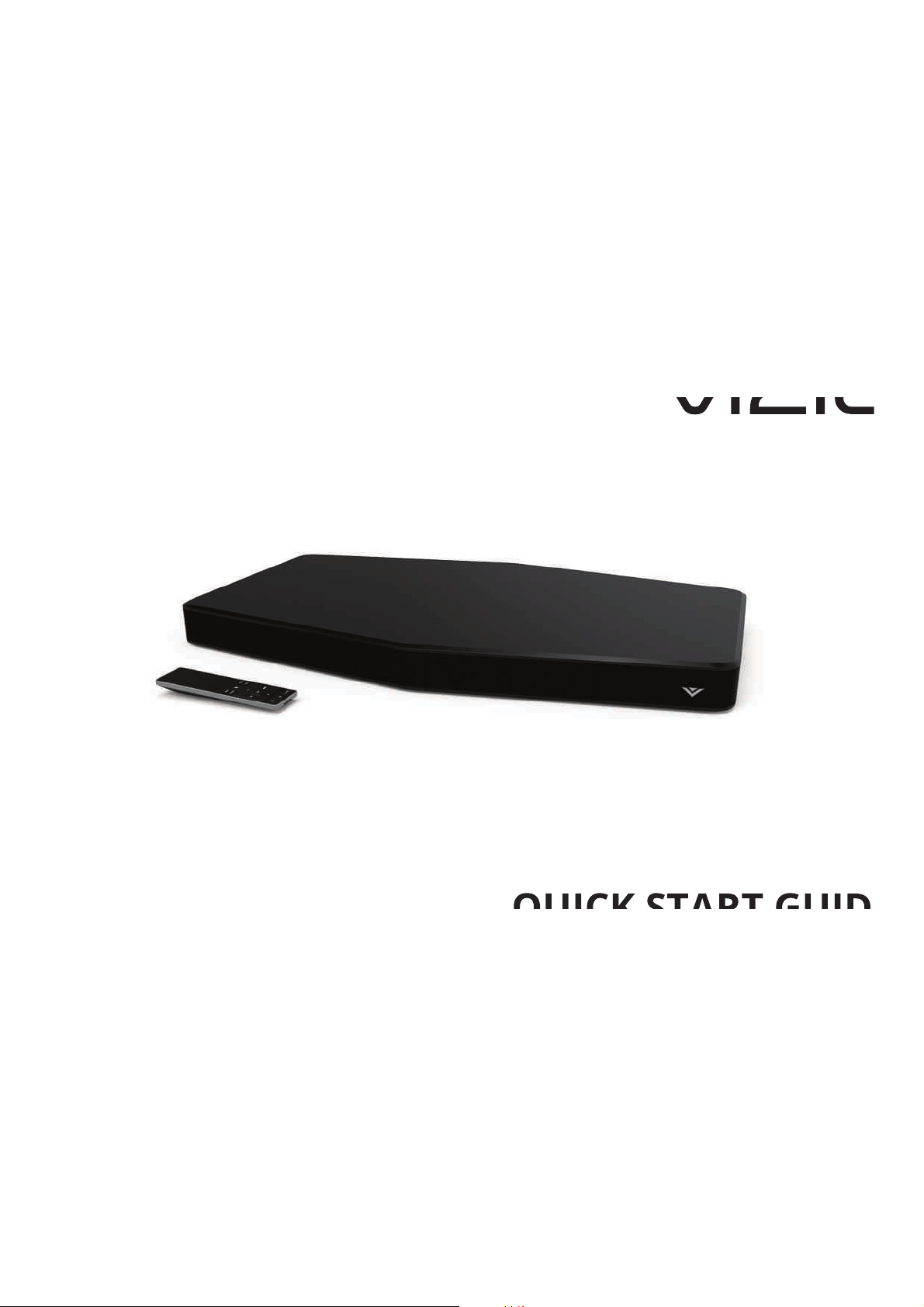
QUICK START GUIDE
Model: SS2521-C6
VIZIO
function abnormally. Unplug the power cord immediately and contact your dealer for repair. Continued use of your Unit may cause
ȴUHRUHOHFWULFVKRFN
• Do not install your Unit in an area with heavy dust or high humidity. Operating your Unit in environments with heavy dust or high
KXPLGLW\PD\FDXVHȴUHRUHOHFWULFVKRFN
• Ensure that the power cord and any other cables are unplugged before moving your Unit.
• When unplugging your Unit, hold the power plug, not the cord. Pulling on the power cord may damage the wires inside the cord and
FDXVHȴUHRUHOHFWULFVKRFN:KHQ\RXU8QLWZLOOQRWEHXVHGIRUDQH[WHQGHGSHULRGRIWLPHXQSOXJWKHSRZHUFRUG
• 7RUHGXFHULVNRIHOHFWULFVKRFNGRQRWWRXFKWKHFRQQHFWRUZLWKZHWKDQGV
• ΖQVHUWWKHUHPRWHFRQWUROEDWWHULHVLQDFFRUGDQFHZLWKLQVWUXFWLRQVΖQFRUUHFWSRODULW\PD\FDXVHWKHEDWWHU\WROHDNZKLFKFDQGDPDJH
the remote control or injure the operator.
• 6HHWKHLPSRUWDQWQRWHDQGUDWLQJORFDWHGRQWKHEDFNRIWKHXQLW
• :$51Ζ1*7KLVHTXLSPHQWLVQRWZDWHUSURRI7RSUHYHQWDȴUHRUVKRFNKD]DUGGRQRWSODFHDQ\FRQWDLQHUȴOOHGZLWKOLTXLGQHDUWKH
HTXLSPHQWVXFKDVDYDVHRUȵRZHUSRWRUH[SRVHLWWRGULSSLQJVSODVKLQJUDLQRUPRLVWXUH
• &$87Ζ21'DQJHURIH[SORVLRQRUȴUHLIEDWWHULHVDUHPLVWUHDWHG5HSODFHRQO\ZLWKWKHVDPHRUVSHFLȴHGW\SH
• 'RQRWOHDYHWKHEDWWHULHVH[SRVHGWRGLUHFWVXQOLJKWIRUDORQJSHULRGRIWLPHZLWKGRRUVDQGZLQGRZVFORVHG'RQRWGLVDVVHPEOH
WKHEDWWHULHVRUGLVSRVHRILWLQȴUH
• Where the MAINS plug or appliance coupler is used as the disconnect device, the disconnect device shall remain readily operable.
:$51Ζ1*7RUHGXFHWKHULVNRIȴUHRUHOHFWULFVKRFNGRQRWH[SRVHWKLVDSSDUDWXVWRUDLQRUPRLVWXUH
([SODQDWLRQRI:$51Ζ1*V\PEROV
<RXU8QLWLVGHVLJQHGDQGPDQXIDFWXUHGWRRSHUDWHZLWKLQGHȴQHGGHVLJQOLPLWVDQGPLVXVHPD\UHVXOWLQHOHFWULFVKRFNRUȴUH7RSUHYHQW
your Unit from being damaged, the following rules should be observed for its installation, use, and maintenance. Please read the following
safety instructions before operating your Unit. Keep these instructions in a safe place for future reference.
• Read these instructions.
• Keep these instructions.
• Heed all warnings.
• Follow all instructions.
• Do not use this apparatus near water.
• Clean only with a dry cloth.
• 'RQRWEORFNDQ\YHQWLODWLRQRSHQLQJVΖQVWDOOLQDFFRUGDQFHZLWKWKHPDQXIDFWXUHUȇVLQVWUXFWLRQV
• 'RQRWLQVWDOOQHDUDQ\KHDWVRXUFHVVXFKDVUDGLDWRUVKHDWUHJLVWHUVVWRYHVRURWKHUDSSDUDWXVLQFOXGLQJDPSOLȴHUVWKDWSURGXFH
heat.
• 'RQRWGHIHDWWKHVDIHW\SXUSRVHRIWKHSRODUL]HGRUJURXQGLQJW\SHSOXJ$SRODUL]HGSOXJKDVWZREODGHVZLWKRQHZLGHUWKDQWKH
other. A grounding type plug has two blades and a third grounding prong. The wide blade or the third prong are provided for your
VDIHW\ΖIWKHSURYLGHGSOXJGRHVQRWȴWLQWR\RXURXWOHWFRQVXOWDQHOHFWULFLDQIRUUHSODFHPHQWRIWKHREVROHWHRXWOHW
• 3URWHFWWKHSRZHUFRUGIURPEHLQJZDONHGRQRUSLQFKHGSDUWLFXODUO\DWSOXJVFRQYHQLHQFHUHFHSWDFOHVDQGWKHSRLQWZKHUHWKH\H[LW
from the apparatus.
• 2QO\XVHDWWDFKPHQWVDFFHVVRULHVVSHFLȴHGE\WKHPDQXIDFWXUHU
• 8VHRQO\ZLWKWKHFDUWVWDQGWULSRGEUDFNHWRUWDEOHVSHFLȴHGE\WKHPDQXIDFWXUHURUVROGZLWKWKHDSSDUDWXV:KHQD
cart is used, use caution when moving the cart/apparatus combination to avoid injury from tip-over.
• Unplug this apparatus during lightning storms or when unused for long periods of time.
• 5HIHUDOOVHUYLFLQJWRTXDOLȴHGVHUYLFHSHUVRQQHO6HUYLFLQJLVUHTXLUHGZKHQWKHDSSDUDWXVKDVEHHQGDPDJHGLQDQ\ZD\VXFKDVZKHQ
the power supply cord or plug is damaged, liquid has been spilled or objects have fallen into the apparatus, the apparatus has been
H[SRVHGWRUDLQRUPRLVWXUHGRHVQRWRSHUDWHQRUPDOO\RUKDVEHHQGURSSHG
• 7RUHGXFHWKHULVNRIHOHFWULFVKRFNRUFRPSRQHQWGDPDJHVZLWFKRWKHSRZHUEHIRUHFRQQHFWLQJRWKHUFRPSRQHQWVWR\RXU8QLW
• 8QSOXJWKHSRZHUFRUGEHIRUHFOHDQLQJ\RXU8QLW$GDPSFORWKLVVXɝFLHQWIRUFOHDQLQJ'RQRWXVHDOLTXLGRUDVSUD\FOHDQHURQ\RXU
Unit. Do not use abrasive cleaners.
• Always use the accessories recommended by the manufacturer to insure compatibility.
• When moving your Unit from an area of low temperature to an area of high temperature, condensation may form in the housing. Wait
EHIRUHWXUQLQJRQ\RXU8QLWWRDYRLGFDXVLQJȴUHHOHFWULFVKRFNRUFRPSRQHQWGDPDJH
• 6ORWVDQGRSHQLQJVLQWKHEDFNDQGERWWRPRIWKHFDELQHWDUHSURYLGHGIRUYHQWLODWLRQ7RHQVXUHUHOLDEOHRSHUDWLRQRI\RXU8QLWDQGWR
SURWHFWLWIURPRYHUKHDWLQJEHVXUHWKHVHRSHQLQJVDUHQRWEORFNHGRUFRYHUHG'RQRWSODFH\RXU8QLWLQDERRNFDVHRUFDELQHWXQOHVV
proper ventilation is provided.
• Never push any object into the slots and openings on your Unit enclosure. Do not place any objects on the top of your Unit. Doing so
FRXOGVKRUWFLUFXLWSDUWVFDXVLQJDȴUHRUHOHFWULFVKRFN1HYHUVSLOOOLTXLGVRQ\RXU8QLW
• :KHQFRQQHFWHGWRDSRZHURXWOHWSRZHULVDOZD\VȵRZLQJLQWR\RXU8QLW7RWRWDOO\GLVFRQQHFWSRZHUXQSOXJWKHSRZHUFRUG
• 'RQRWRYHUORDGSRZHUVWULSVDQGH[WHQVLRQFRUGV2YHUORDGLQJFDQUHVXOWLQȴUHRU
HOHFWULFVKRFN
• 7KHZDOOVRFNHWVKRXOGEHORFDWHGQHDU\RXU8QLWDQGEHHDVLO\DFFHVVLEOH
• .HHS\RXU8QLWDZD\IURPPRLVWXUH'RQRWH[SRVH\RXU8QLWWRUDLQRUPRLVWXUHΖIZDWHUSHQHWUDWHVLQWR\RXU8QLWXQSOXJWKHSRZHU
FRUGDQGFRQWDFW\RXUGHDOHU&RQWLQXRXVXVHLQWKLVFDVHPD\UHVXOWLQȴUHRUHOHFWULFVKRFN
• 'RQRWXVH\RXU8QLWLIDQ\DEQRUPDOLW\RFFXUVΖIDQ\VPRNHRURGRUEHFRPHVDSSDUHQWXQSOXJWKHSRZHUFRUGDQGFRQWDFW\RXU
dealer immediately. Do not try to repair your
unit yourself.
• Avoid using dropped or damaged appliances. If your Unit is dropped and the housing is damaged, the internal components may
IMPORTANT SAFETY INSTRUCTIONS
CAUTION
RISK OF ELECTRIC
SHOCK DO NOT OPEN
7KHOLJKWLQJȵDVKZLWKDUURZKHDGV\PEROZLWKLQDQHTXLODWHUDOWULDQJOHLVLQWHQGHGWR
alert the user to the presence of not isolated dangerous voltage within the product
WKDWPD\EHVXɝFLHQWPDJQLWXGHWRFRQVWLWXWHDULVNRIVKRFNWRSHUVRQV
7KH H[FODPDWLRQ SRLQW ZLWKLQ DQ HTXLODWHUDO WULDQJOH LV LQWHQGHG WR DOHUW WKH XVHU
to the presence of important operating and servicing instructions in the literature
accompanying the appliance.
Warning: This equipment is a Class II or double insulated electrical appliance. It has
been designed in such a way that it does not require a safety connection to electrical
earth.

TABLE OF CONTENTS
Package Contents ................................................................... 4
Controls & Connections ......................................................... 5
First-Time Setup...................................................................... 8
Using the Remote ................................................................... 14
LED Indicators ......................................................................... 15
Bluetooth Pairing .................................................................... 16
Using Bluetooth Mode ........................................................... 17
Advanced Setup ...................................................................... 18
Using Button Combinations .................................................. 19
Help & Troubleshooting ......................................................... 25
One-Year Limited Warranty ................................................... 26
Legal & Compliance ................................................................ 27
4
PACKAGE CONTENTS
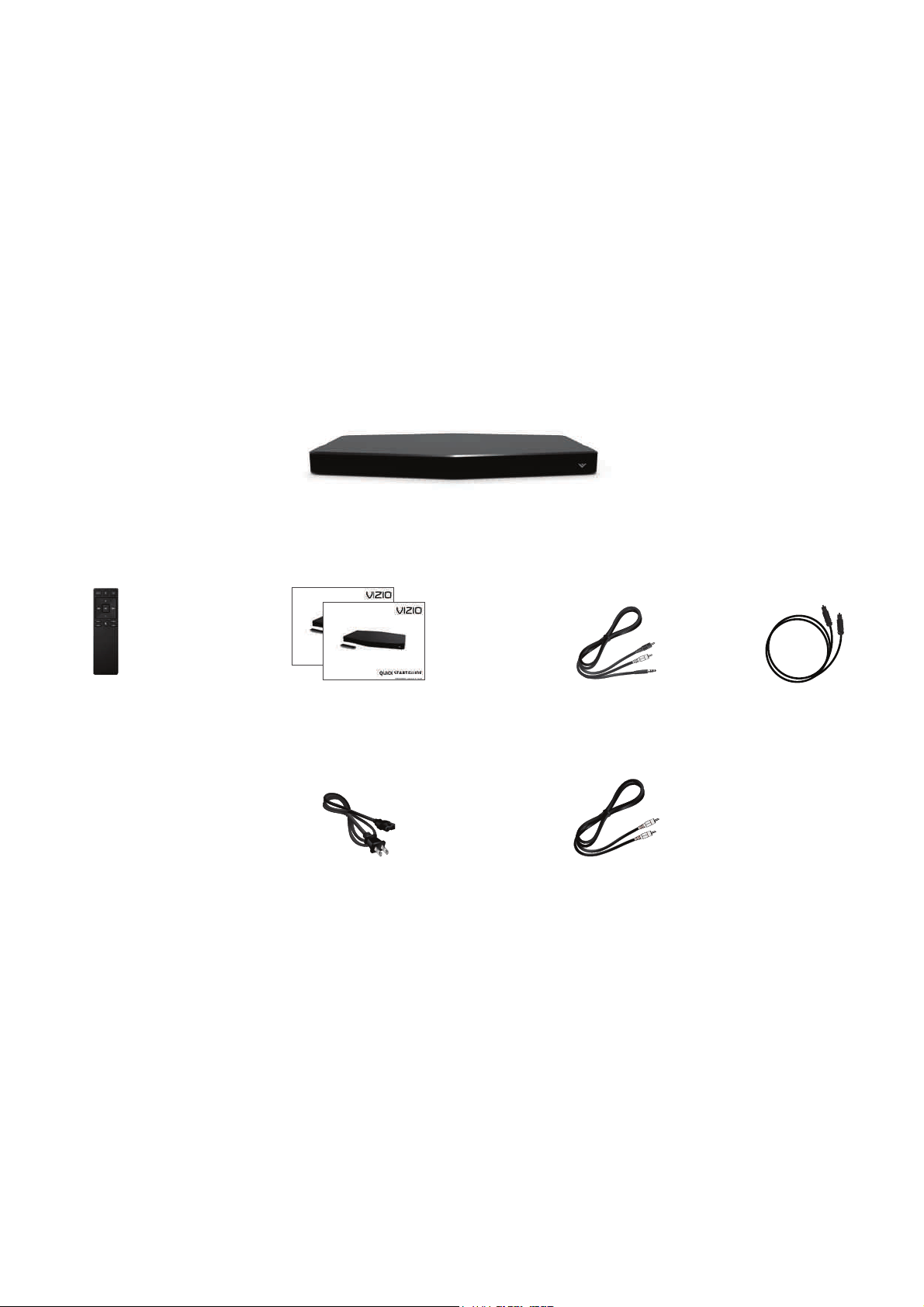
2 x Quick Start Guides
(1 English, 1 French/Spanish)
Remote Control with
2 x AAA Batteries
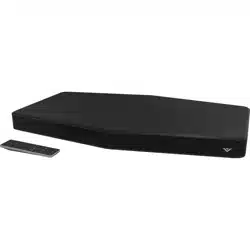
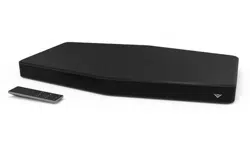
2.1 Sound Stand
Coaxial Audio
Cable
Digital Optical
Cable
Stereo RCA to 3.5mm
Audio Cable
Power Cable
5
CONTROLS & CONNECTIONS
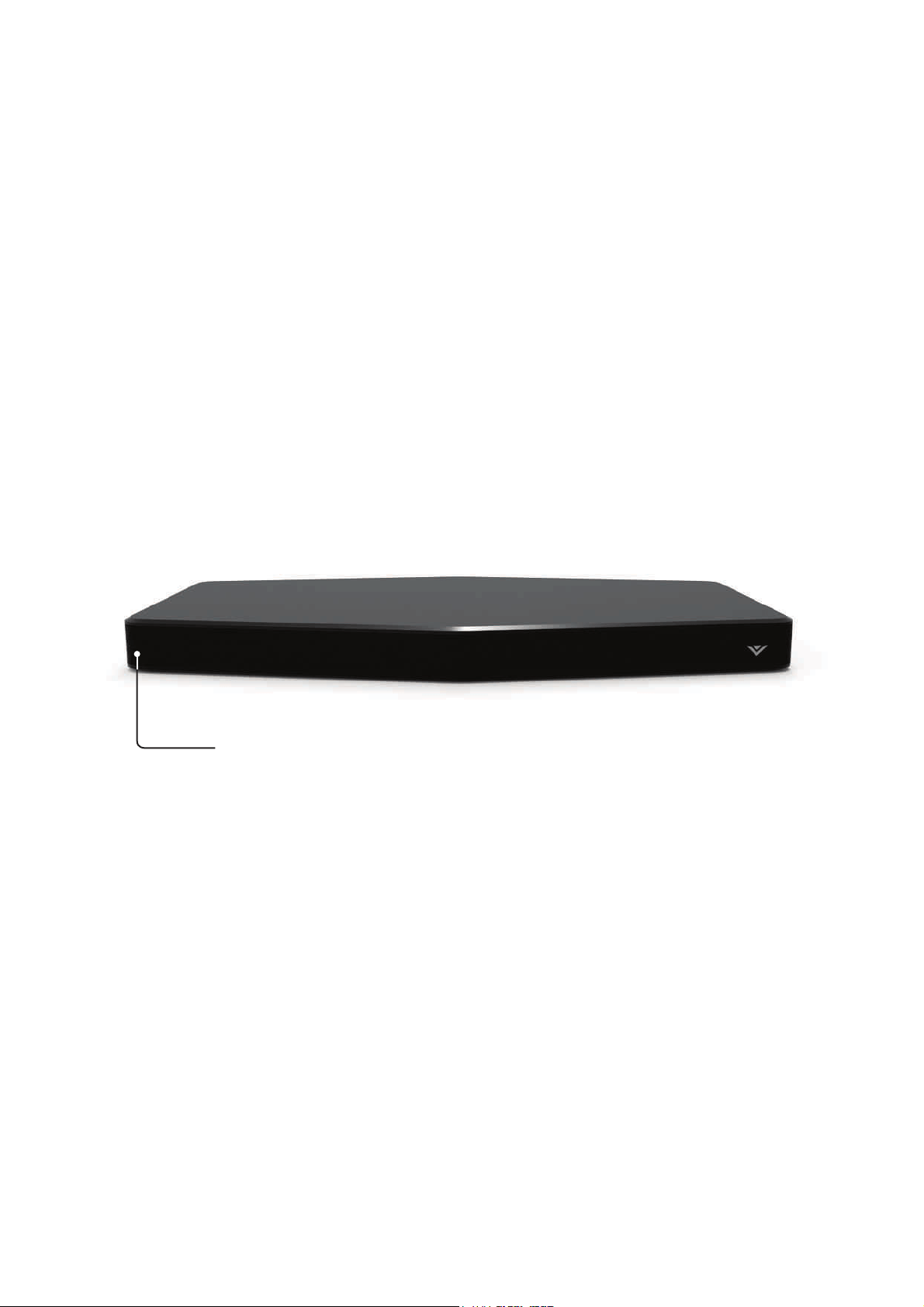
Front of Sound Stand
LED Indicators
12 LED indicators will give visual feedback when
you press buttons on the remote control.
6
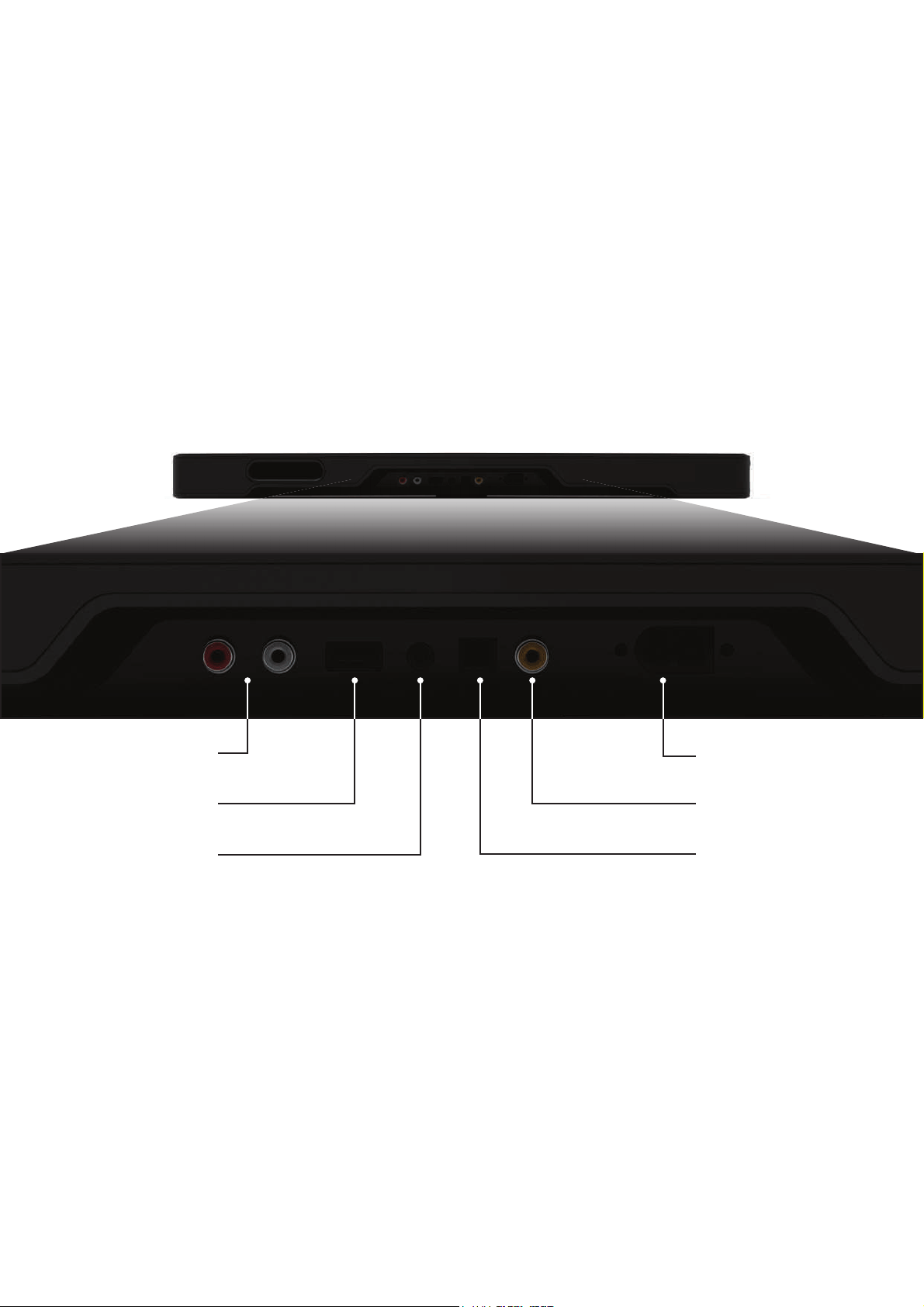
Back of Sound Stand
Power Port
Service*/USB Port
Service Port/USB In
OPTICAL (4)
Digital Optical Audio In
DIGITAL (3)
Coaxial In
AUX (1)
Analog Audio In
AUX (2)
Analog Audio In
7
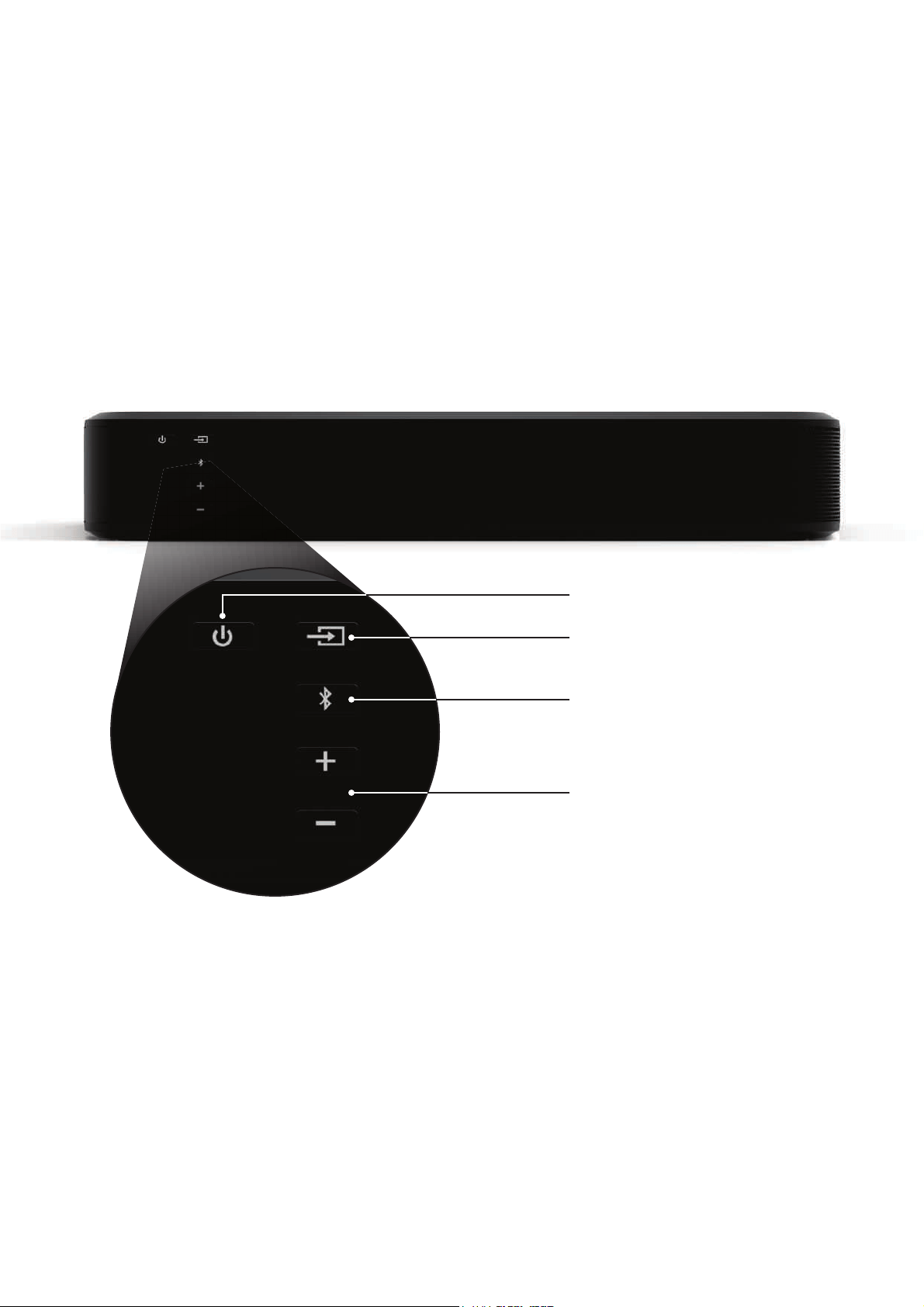
Side of Sound Stand
Input
Power
Volume + / -
Bluetooth Input
(Hold to force pair, See
Bluetooth Pairing
for more information)
8
FIRST-TIME SETUP
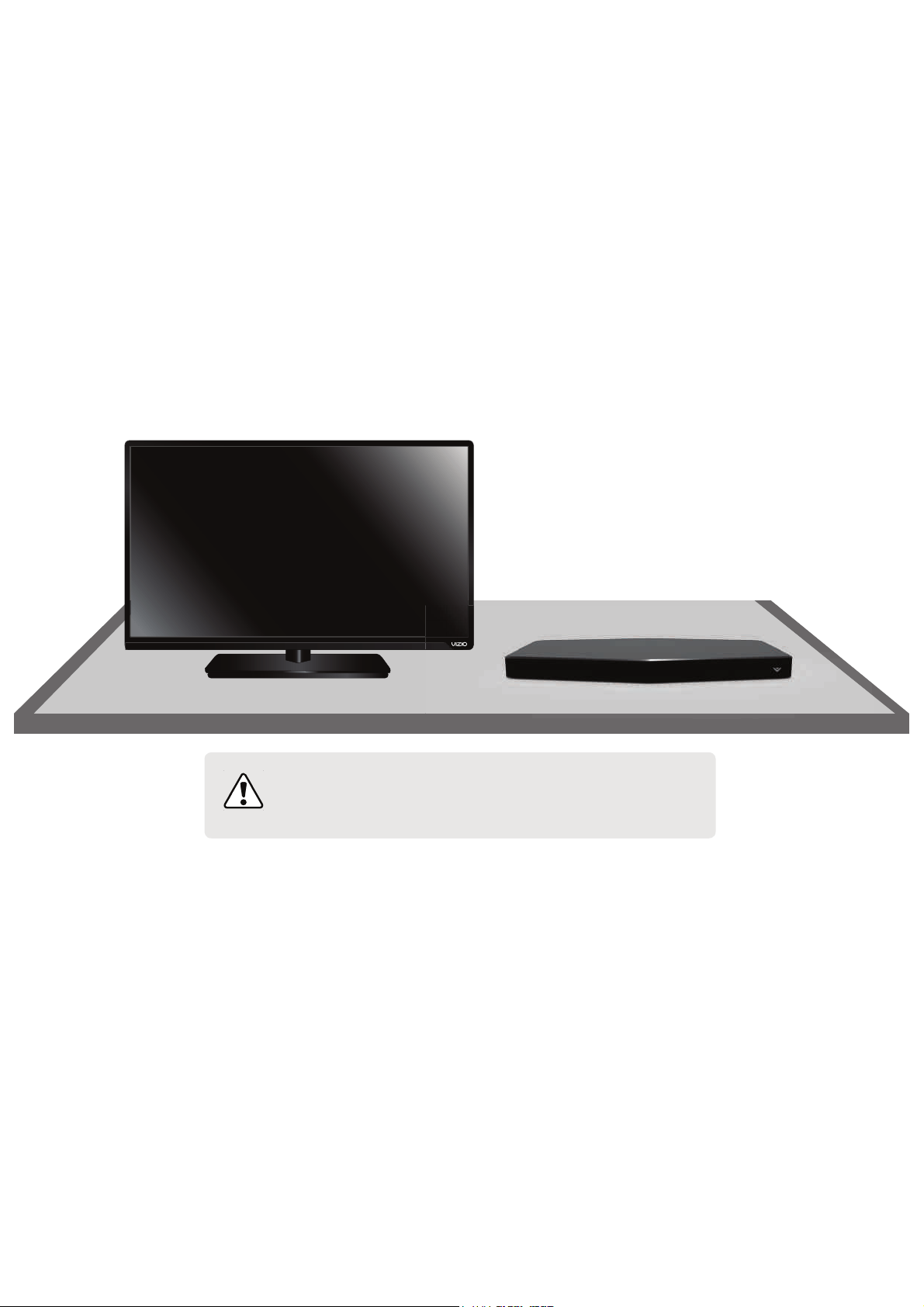
3ODFHWKH6RXQG6WDQGRQDȵDWVWDEOHOHYHOVXUIDFH
9Ζ=Ζ2UHFRPPHQGVWKDW\RXȴUVWSODFH\RXU79DORQJVLGHWKH
Sound Stand so that the connection ports are easy to access.
1
Important: The Sound Stand is designed to hold TVs
up to 55” in size with a weight of up to 60lbs. The TV
base should not be larger than 12.5” by 14”.
9
2
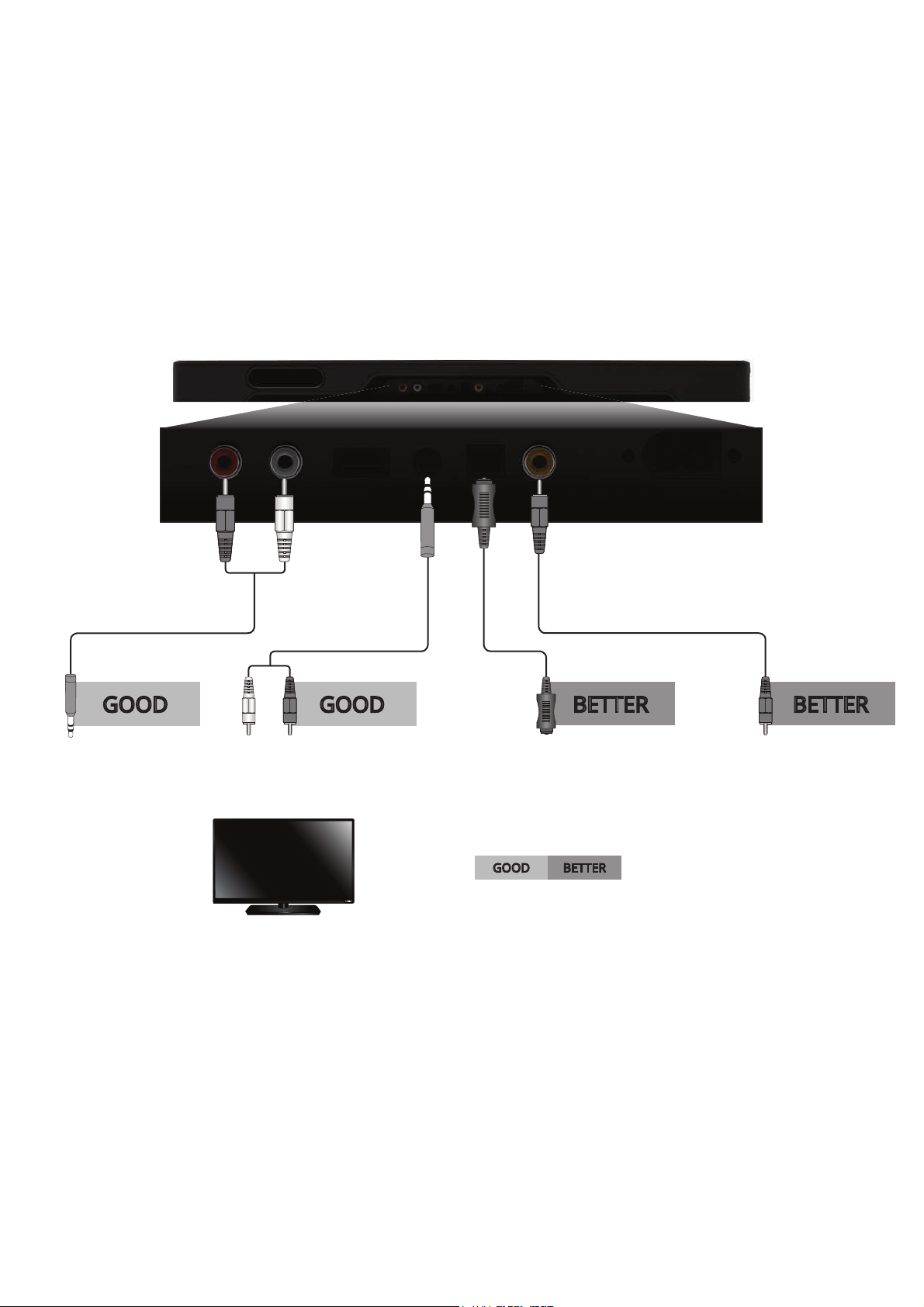
AND CONNECT IT TO YOUR TV
CHOOSE ONE CABLE:
BETTERGOOD
GOOD
3.5MM TO
RCA CABLE
3.5MM TO
RCA CABLE
DIGITAL COAXIAL
CABLE*
DIGITAL OPTICAL
CABLE*
BETTER BETTER
GOOD
* When using either of the Digital Inputs, if there is no audio: (A) try setting the TV output to PCM or (B)
Connect directly to your Blu-ray/other source, some TVs do not pass through digital audio.
Back of Sound Stand
Note: Not all TVs have the audio outputs shown above. To connect the Sound Stand directly to your
other devices (Blu-ray player, game system, etc) see your device’s user manual.
10
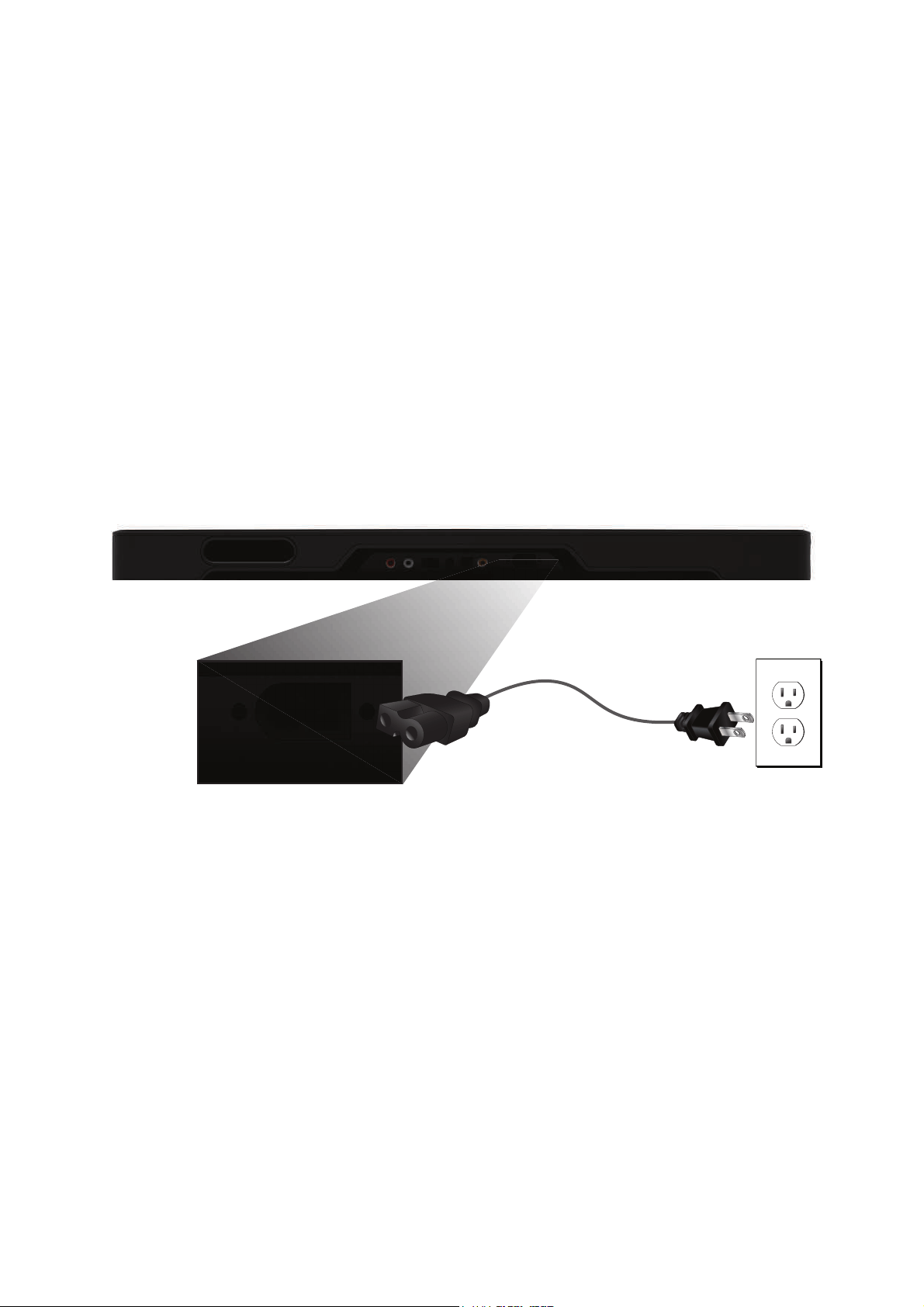
Connect the power cable to the Sound Stand.
Plug the power cable into a power outlet.
3
Back of Sound Stand
11
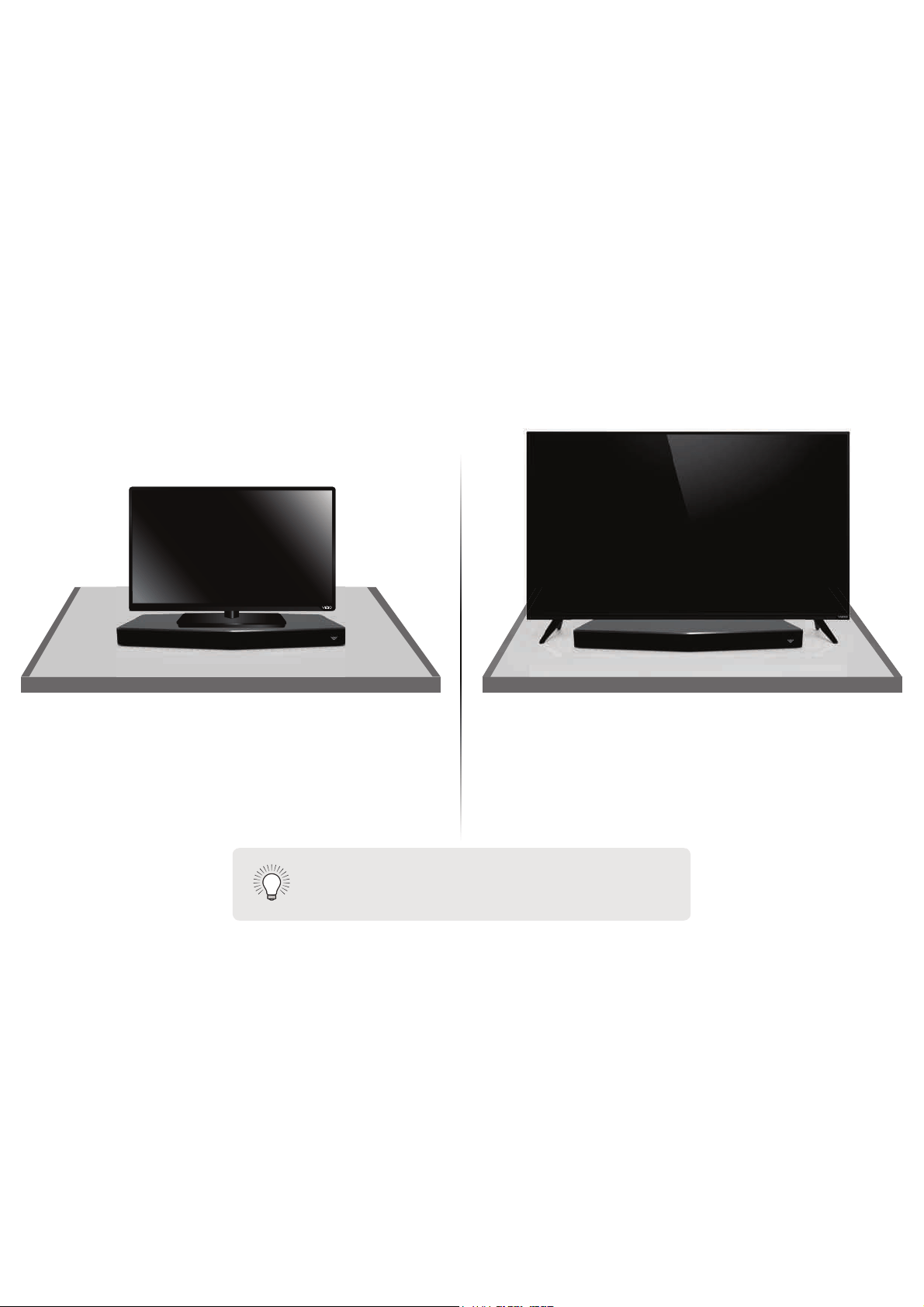
If your TV has seperate stands like the one shown
above, be sure the TV does not come into contact
with the top of the Sound Stand.
Center your TV on top of the Sound Stand.
%HVXUHWKDW\RXU79ȇVEDVHȴWVFRPSOHWHO\RQWRSRI
WKH6RXQG6WDQGDQGGRHVQRWKDQJRWKHHGJHV
4
Note: Do not place any items other than the
TV on the Sound Stand.
12
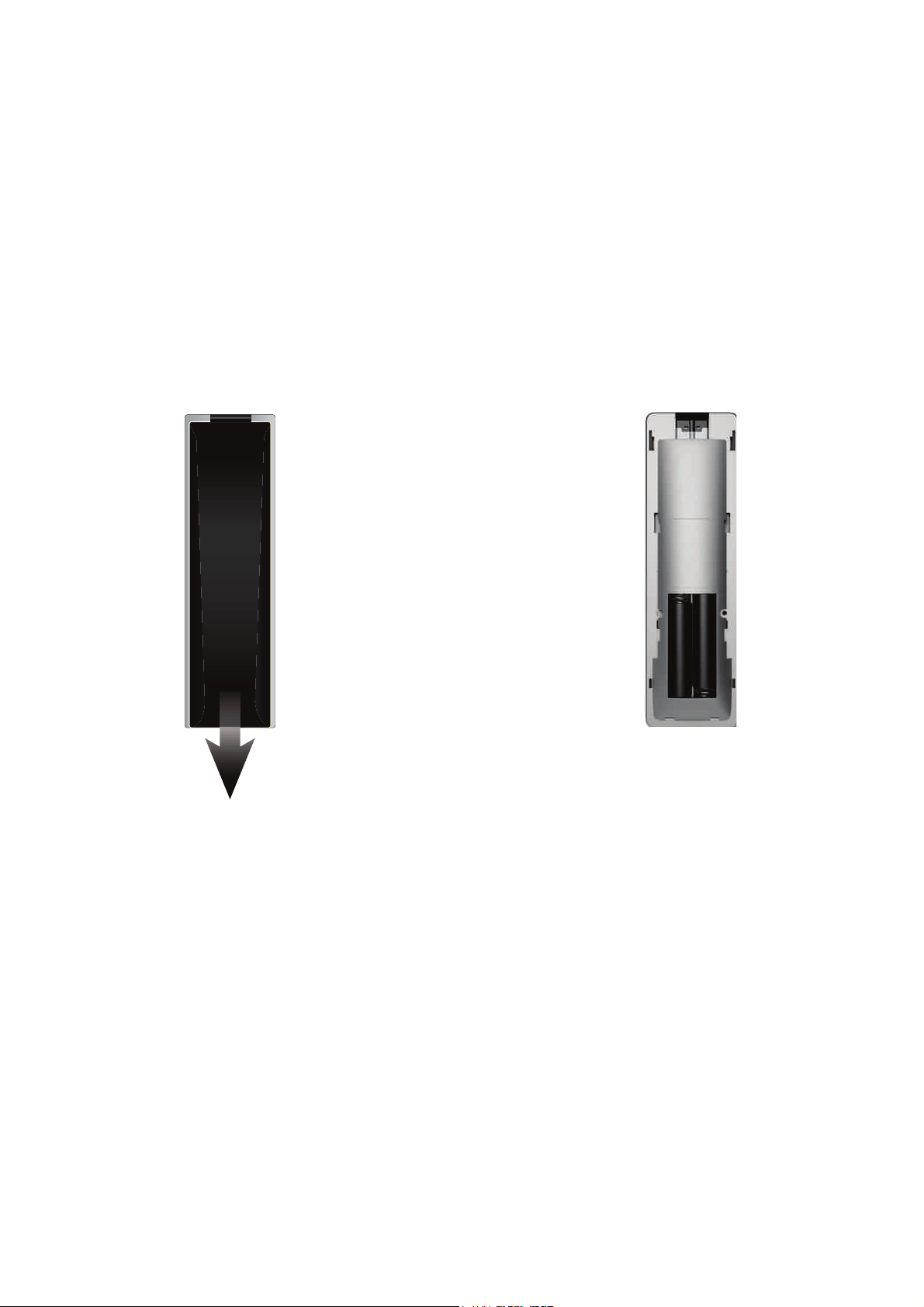
5
Remove the battery cover by gently sliding
it away from the remote.
6
Insert the included batteries and gently
slide the battery cover back into place.
Top Top
13
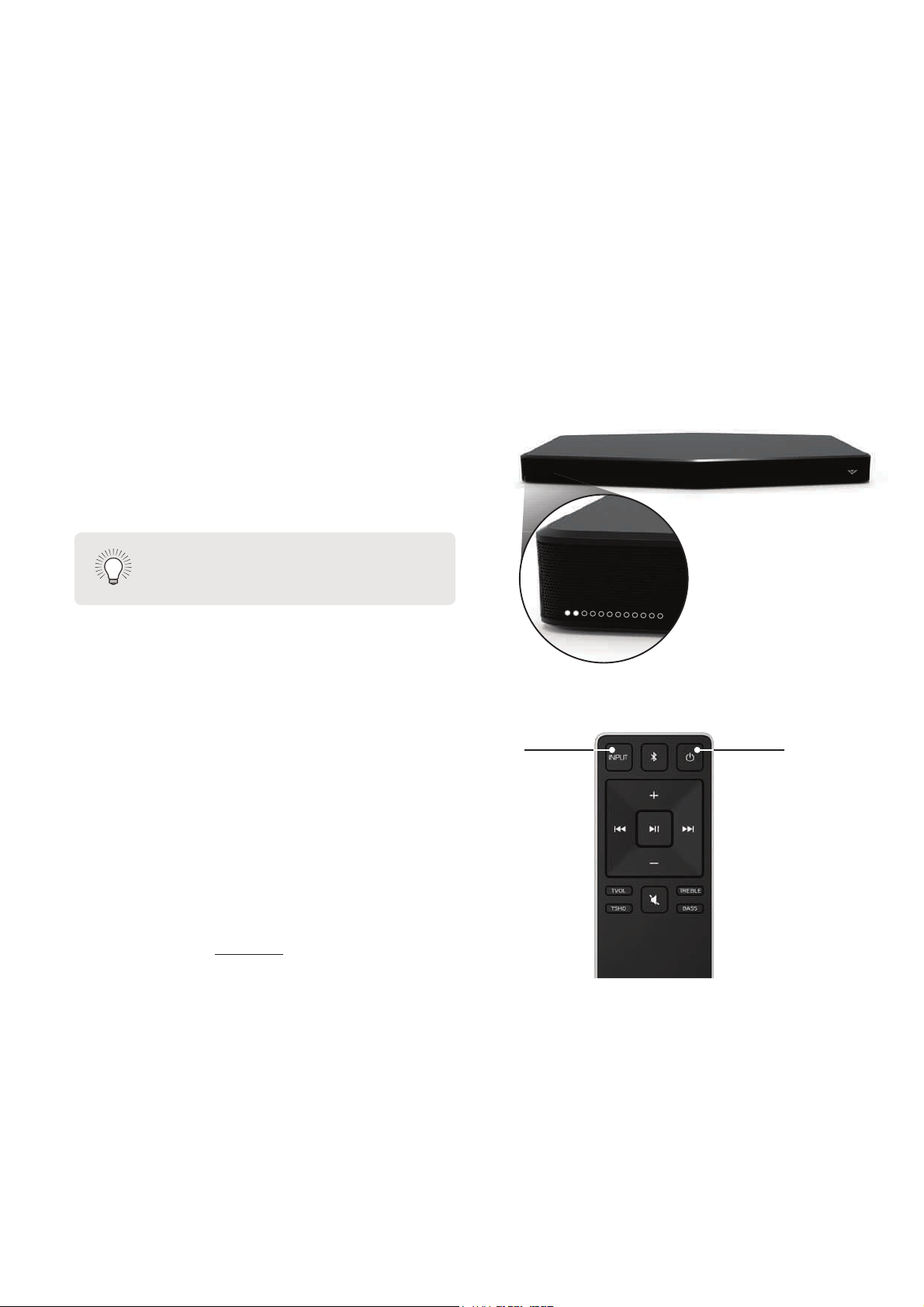
Turn your TV on, the Sound Stand will
automatically turn on and begin searching for an
active input.
The LED indicators on the front of the Sound Stand
will begin cycling in pairs through inputs until an
audio source is detected.*
You can press the Input button to switch between
audio sources. For example, if you connected your
TV to Input 1, set the Sound Stand to Input 1.
Hardware setup is complete.
Power
Input
7
* $XWR GHWHFW IXQFWLRQ RQO\ RFFXUV RQFH ZKHQ 6RXQG 6WDQG LV ȴUVW SRZHUHG RQ 7R HQDEOH WKLV
feature again, you must do a Factory Reset or Press and hold the INPUT button on the remote
control for 5 seconds to enable the auto input detect function.
Tip: Pressing the INPUT button will
stop the auto detect function.
14
USING THE REMOTE
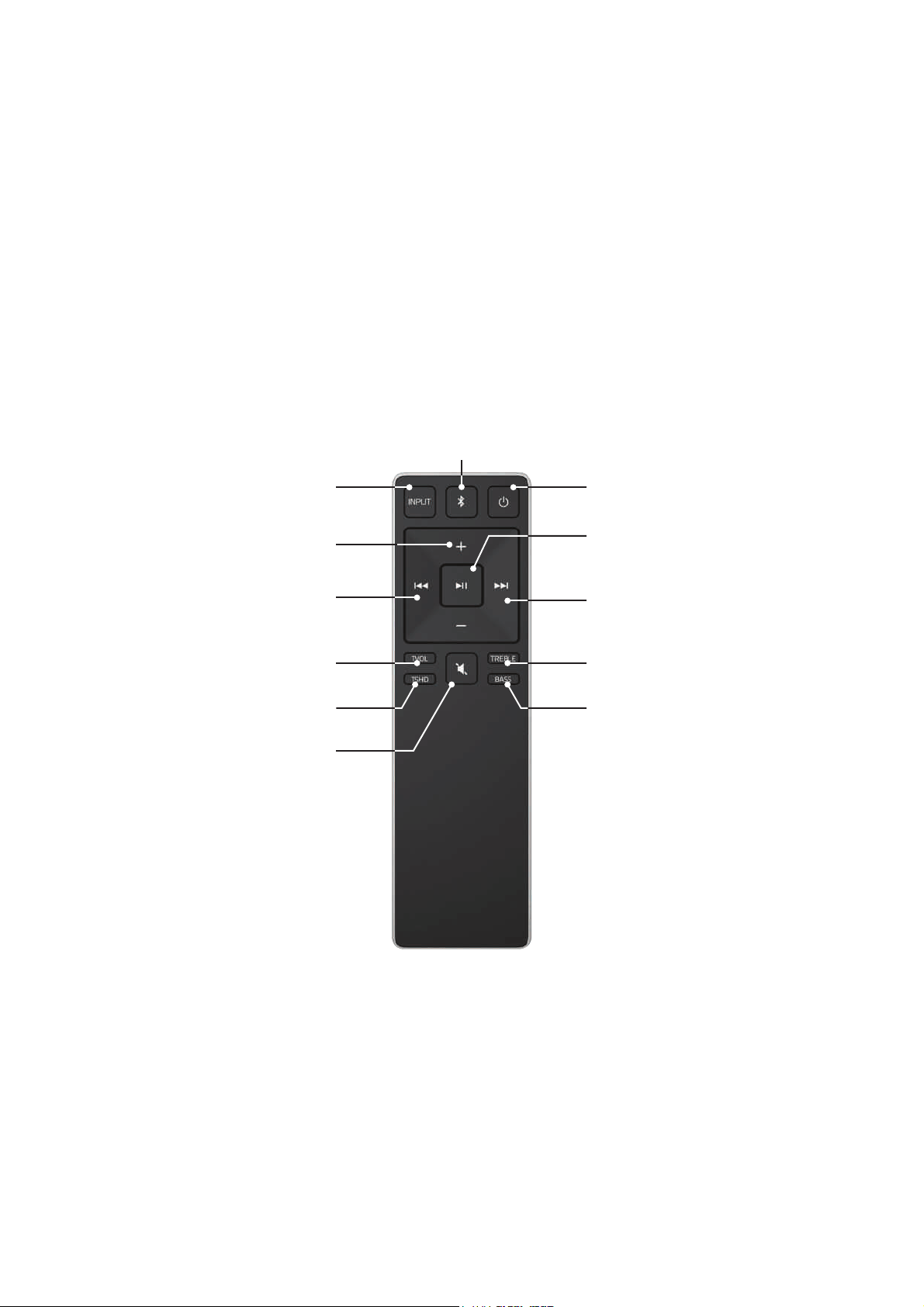
Volume +/-
Press to increase and decrease volume.
Previous
Press to return to previous track.
(Changes Treble and Bass levels)
Power
3UHVVWRWXUQRQRUR
Mute
Press to mute/unmute.
Input
Press to change input source.
(Press and hold for 5 seconds to enable auto input detection function)
Play/Pause
Press to select an option.
Press to play or pause.
Next
Press to skip to the next track.
(Changes Treble and Bass levels)
Treble
Press to enter treble adjustment mode.
Bass
Press to enter bass adjustment mode.
TruVolume
Press to enable/disable TruVolume.
TruSurround HD
Press to enable/disable TruSurround HD.
Bluetooth
Press to enter Bluetooth input.
(To enter force pair mode, press and hold for 5 seconds)
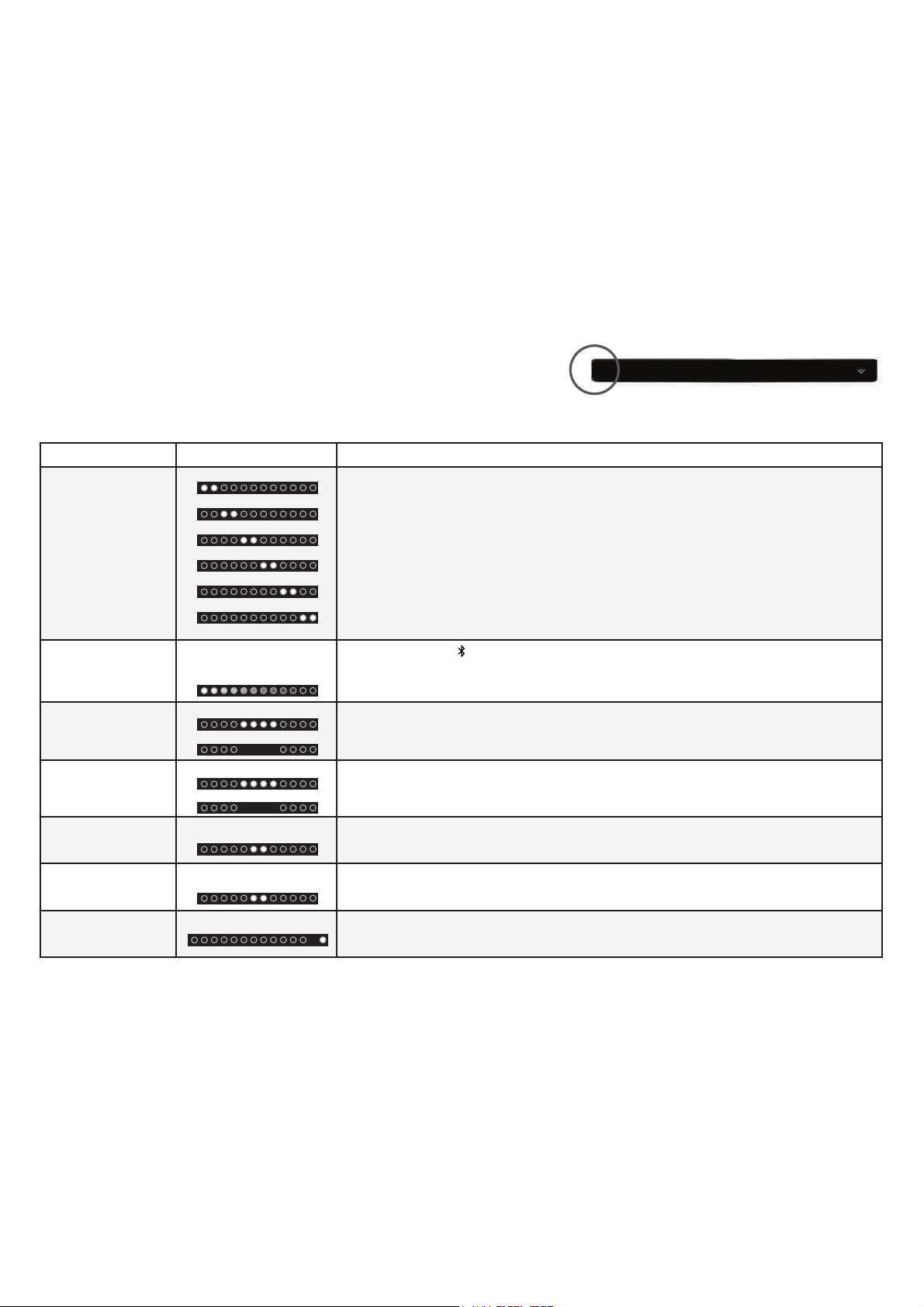
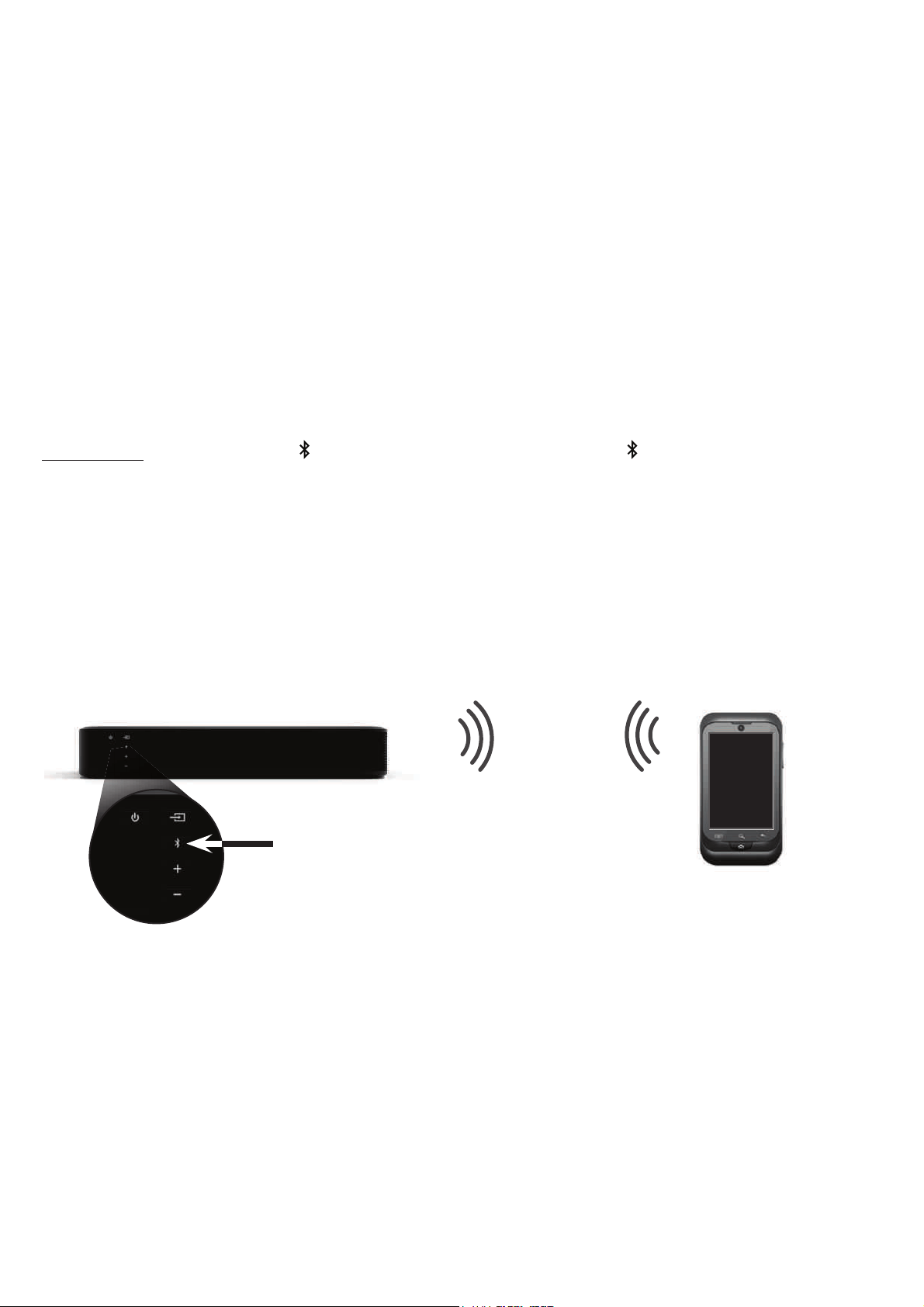
LED Indicators are located here.
LED INDICATORS
The LED Indicators give visual feedback when you press buttons on the remote control.
Function LED Behavior Description
Input
Press the INPUT button on the remote to cycle through each available input:
• Analog Audio In - AUX (1)
• Analog Audio In - AUX (2)
• Coaxial In- Digital (3)
• Digital Optical Audio In - Optical (4)
• Bluetooth
• USB Device - USB
Bluetooth
Pairing
(When searching for device)
Flash from Left to Right
and back continuously.
Press and hold the button on the remote. The Sound Stand will be discoverable for 15
minutes. You can now search for the Sound Stand (VIZIO SS2521) using your Bluetooth Device.
The Sound Stand will power down if no device is found.
Note: Set your Bluetooth device into pairing mode prior to the Sound Stand.
DTS TruVolume
2Q2
TruVolume On:
7UX9ROXPH2
Press the TVOL button to enable/disable TruVolume. When enabled (On), TruVolume provides a
consistent and comfortable volume level for a more enjoyable listening experience.
DTS
TruSurround
2Q2
TruSurround On:
7UX6XUURXQG2
Press the TSHD button to enable/disable DTS TruSurround. When enabled (On), all inputs will
SURGXFHYLUWXDOVXUURXQGVRXQG:KHQGLVDEOHG2DOOVRXUFHVZLOOSOD\EDFNLQVWHUHR
Treble Levels
Two center LEDs indicate
Treble level 0.
Press the TREBLE button then press the Next/Previous button to increase/decrease the treble
level. The LED indicators will move to the right with increasing levels and to the left with
decreasing levels.
Bass Levels
Two center LEDs indicate
Bass level 0.
Press the BASS button then press the Next/Previous button to increase/decrease the bass level.
The LED indicators will move to the right with increasing levels and to the left with decreasing
levels.
Dolby Digital
Dolby Digital Indicator.
Dolby Digital is only available on either the Coaxial In or Digital Optical Audio In inputs. When
a Dolby Digital signal is detected, the Dolby Digital LED indicator will light up for 3 seconds
before fading away.
Analog Audio In - AUX (1)
Analog Audio In - AUX (2)
Coaxial In - Digital (3)
Digital Optical Audio In - Optical (4)
USB Device - USB
Bluetooth
15
16
BLUETOOTH PAIRING
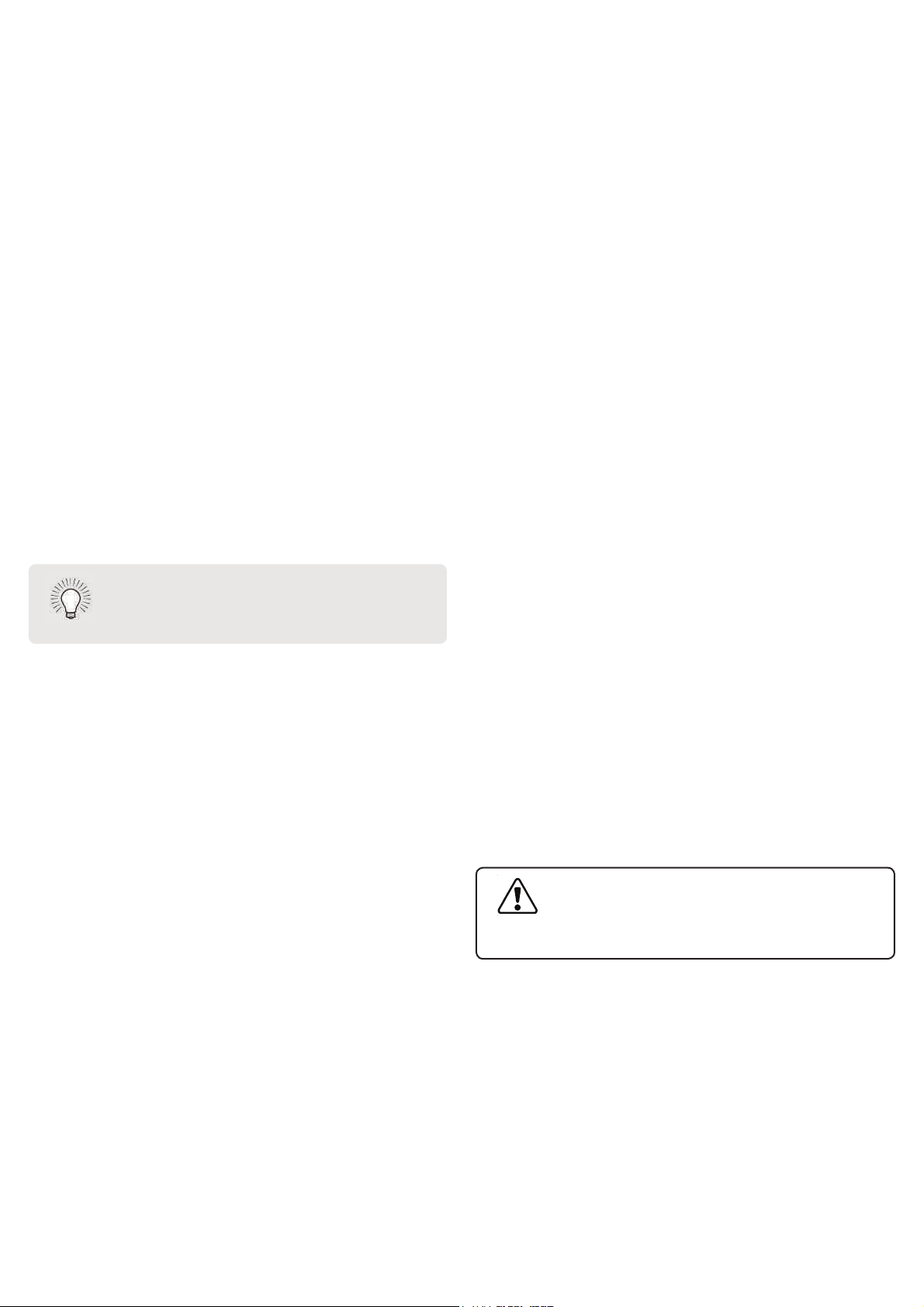
To pair the Sound Stand with a Bluetooth device:
1. Press and hold the Bluetooth button
on the Sound Stand or the Bluetooth button RQWKHUHPRWHIRUȴYHVHFRQGV
When the Sound Stand is in Bluetooth Pairing Mode, the LED Indicators on the Display Panel on the front of the Sound Stand
will light sequentially from left to right and back again.
2QFHWKHGHYLFHLVSDLUHGWKH/('ΖQGLFDWRUVZLOOVWRSȵDVKLQJ
2. You can now search for the Sound Stand (VIZIO SS2521) using your Bluetooth device. For more information, see the
documentation that came with your device.
3. Play audio from your Bluetooth device. Volume can be controlled on your source device and
the Sound Stand.
Side of Sound Stand
17
USING BLUETOOTH MODE
Your Sound Stand supports music streaming from
smartphones, tablets, and computers with Bluetooth
capability. Device compatibility will vary, see your
device’s documentation for more information. Once
you have paired your source device to the Sound Stand,
as long as you stay within range of the Sound Stand,
your device should remain paired, even if you change
the input on the Sound Stand.
Maximizing Signal
A Bluetooth signal has a range of up to 30 feet. Keep
in mind that Bluetooth is a compressed audio format,
so streamed music may lose some integrity when
compared to a wired connection.
Try the following if your sound quality is less than
optimal:
• If you hear any break-up or disconnect
while streaming music from your device,
move the source device closer to the Sound
Stand.
• Be sure that there are no solid obstructions
in the line-of-sight between the Sound
Stand and the source device.
• 2WKHUZLUHOHVVGHYLFHVFDQDHFW%OXHWRRWK
range, including wireless security cameras,
wireless video baby monitors, cordless
phones, and microwave ovens. Turning
RRUPRYLQJWKHVHGHYLFHVPD\LPSURYH
Bluetooth range.
Your Sound Stand is not equipped with
a microphone, so it cannot operate as a
hands-free device for a smartphone.
Reduce the volume levels on your device
and on the Sound Stand before pressing
Play. High volume levels can damage your
hearing.
18
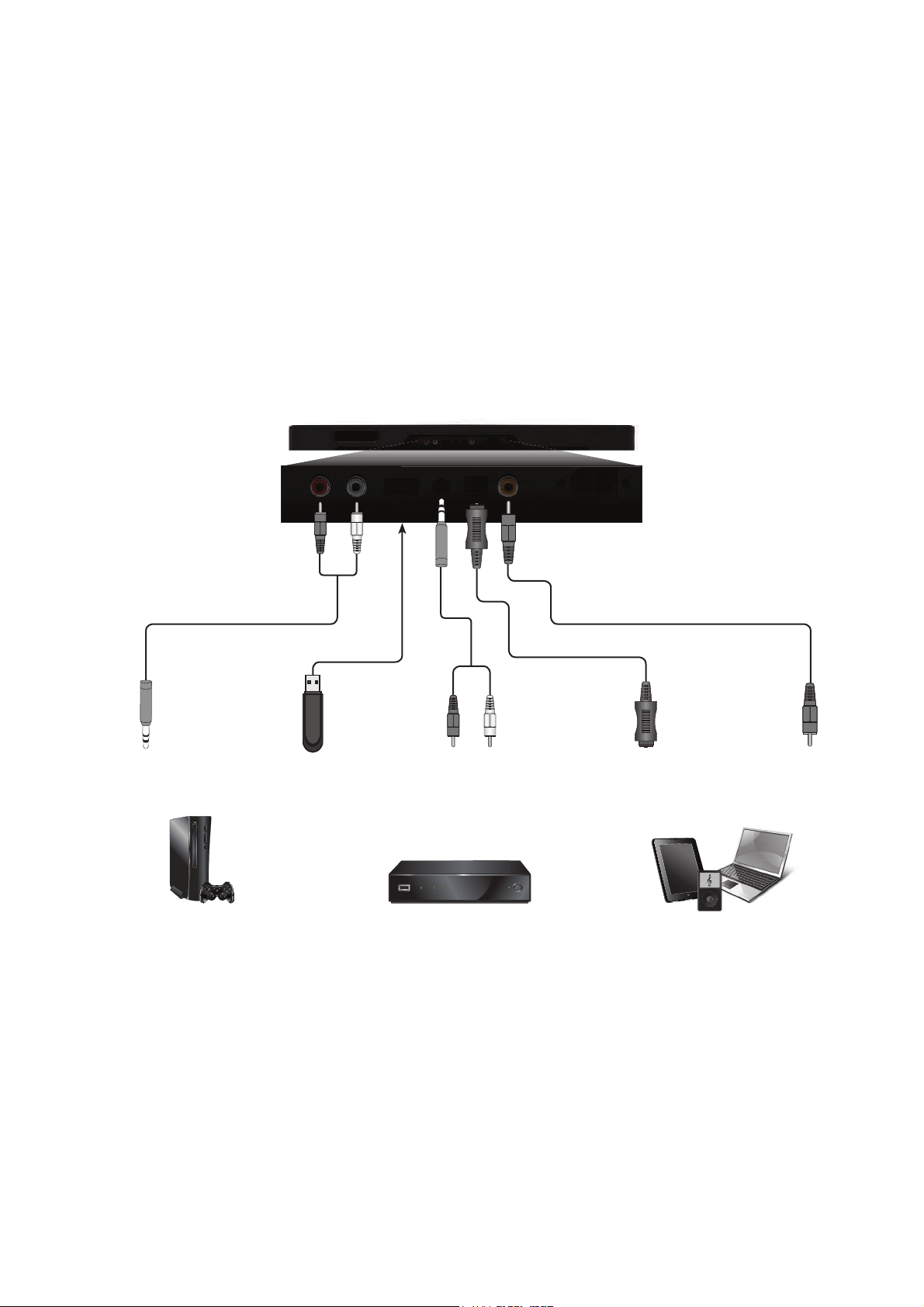
ADVANCED SETUP
3.5MM TO
RCA AUDIO CABLE
&RQQHFW XS WR ȴYH GLHUHQW GHYLFHV
to the Sound Stand (devices shown are
examples you can use any device).
To listen to a device, change the input
source on the Sound Stand.
Optical, Coaxial, and 3.5mm cables
transmit audio only. If connecting a
video device, you will need a separate
video connection from the device to
your TV.
Game Console Network Media Player Tablet/MP3 Player/Laptop
DIGITAL COAXIAL
CABLE
DIGITAL OPTICAL
CABLE
USB
THUMB DRIVE*
3.5MM TO
RCA AUDIO CABLE
6XSSRUWV:$9ȴOHIRUPDWSOD\EDFNRQO\
Back of Sound Stand
Ba
ck
o
f
So
un
d
St
an
d
19
USING BUTTON COMBINATIONS
19
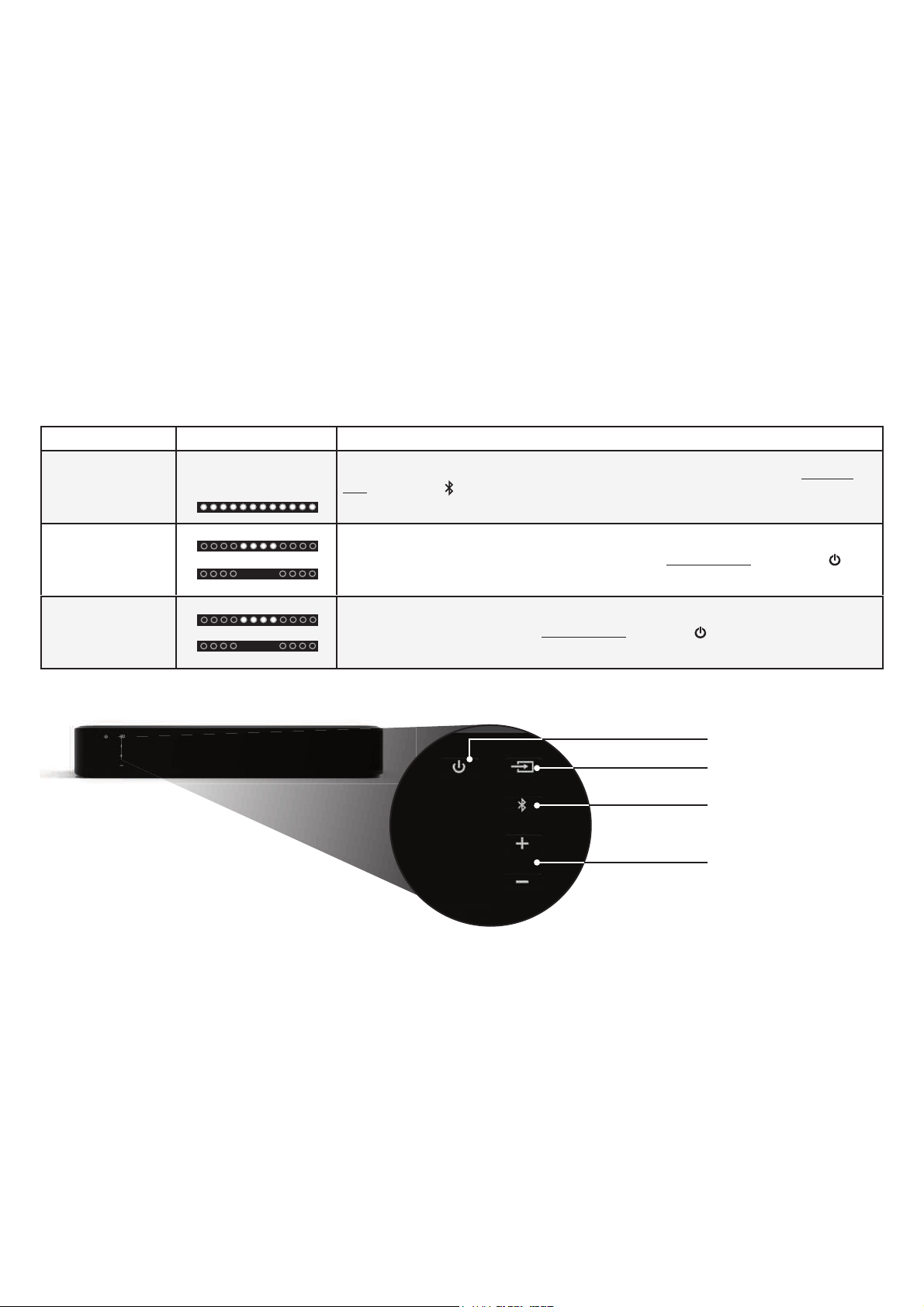
7KHUHDUHIXQFWLRQVWKDWDUHWULJJHUHGE\GLHUHQWEXWWRQFRPELQDWLRQVRQWKH6RXQG6WDQG
Function LED Behavior Description
Factory
Reset
All 12 LEDs will
ȵDVKWLPHV
Reset the Sound Stand to the factory default settings. To perform a Factory Reset,
Press and
Hold the Bluetooth(
) and Volume Down (—) buttons for 5 seconds.
Note: This will erase all settings and preferences that you have set.
VIZIO TV
Remote
Control
Enable VIZIO TV Remote:
Disable VIZIO TV Remote:
Enable/disable the use of a VIZIO TV remote control to power on and adjust the volume
of the Sound Stand. To enable/disable this function,
Press and Hold the Power ( ) and
Volume Up ( + )buttons for 5 seconds.
Energy Star
Enable Energy Star:
Disable Energy Star:
When the Energy Star setting is enabled, the Sound Stand will automatically power down after
a period of inactivity. When disabled, the Sound Stand will remain powered on until you turn it
R7RHQDEOHGLVDEOHWKLVIXQFWLRQPress and Hold the Power
( ) and Volume Down (—)buttons
for 5 seconds.
Note: Energy Star setting is enabled by default.
Side of Sound Stand
Input
Power
Volume
Bluetooth Input
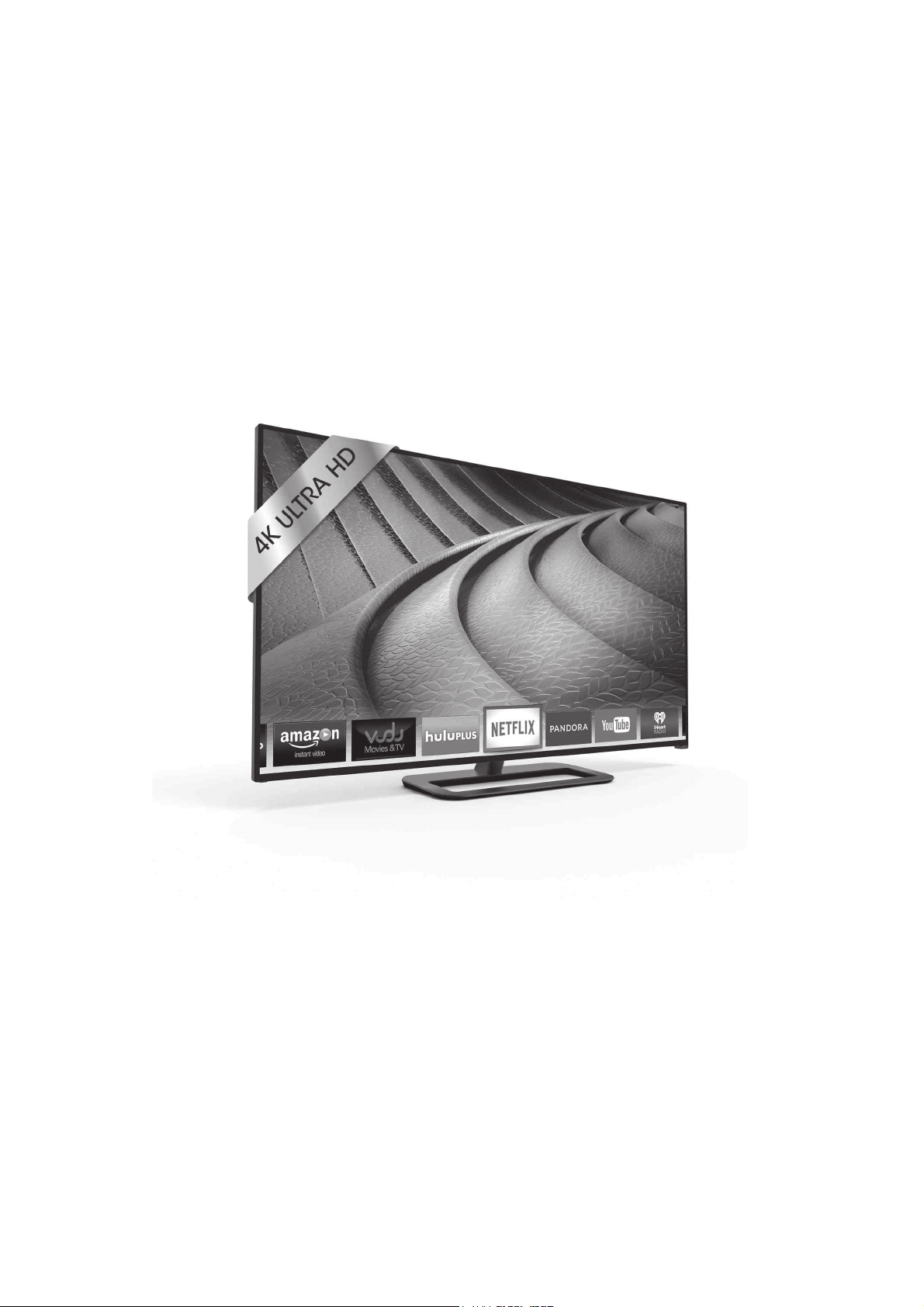
Available at www.VIZIO.com
This Product Sold Separately
Simply Beautiful! Introducing the all-new VIZIO P-Series Ultra HD Full-Array LED Smart TV. With
four times the detail of 1080p Full HD and best-in-class picture quality of Full-Array LED, 64 Active
LED Zones™, and Clear Action 960, the P-Series is your crystal-clear window to an exhilarating
world where picture is everything.
VIZIO RECOMMENDS
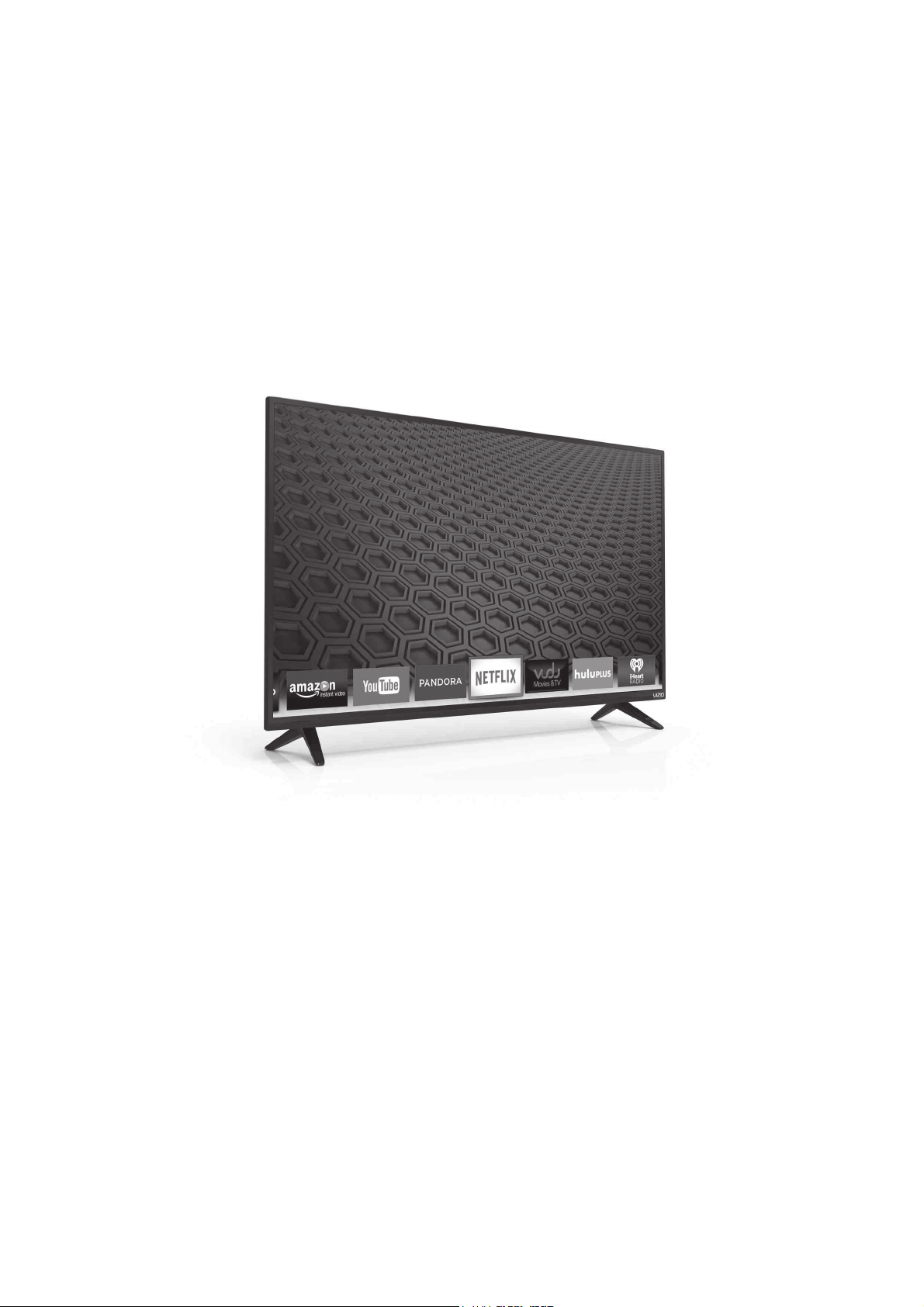
Available at www.VIZIO.com
This Product Sold Separately
The all-new 2015 E-Series Full-Array LED Smart TV has arrived. Featuring a new modern design, brilliant
picture quality, and faster, easier-to-use smart TV experience, VIZIO’s 2015 E-Series brings you premium
HD entertainment at an incredible value. Full-Array LED backlighting and 5 Active LED Zones
™
produce
deeper black levels and brighter colors
1
that makes all your favorite shows more vibrant and beautiful.
VIZIO E-Series: Incredible picture, unbeatable value.
1
Compared to previous generations of VIZIO E-Series TVs.
VIZIO RECOMMENDS
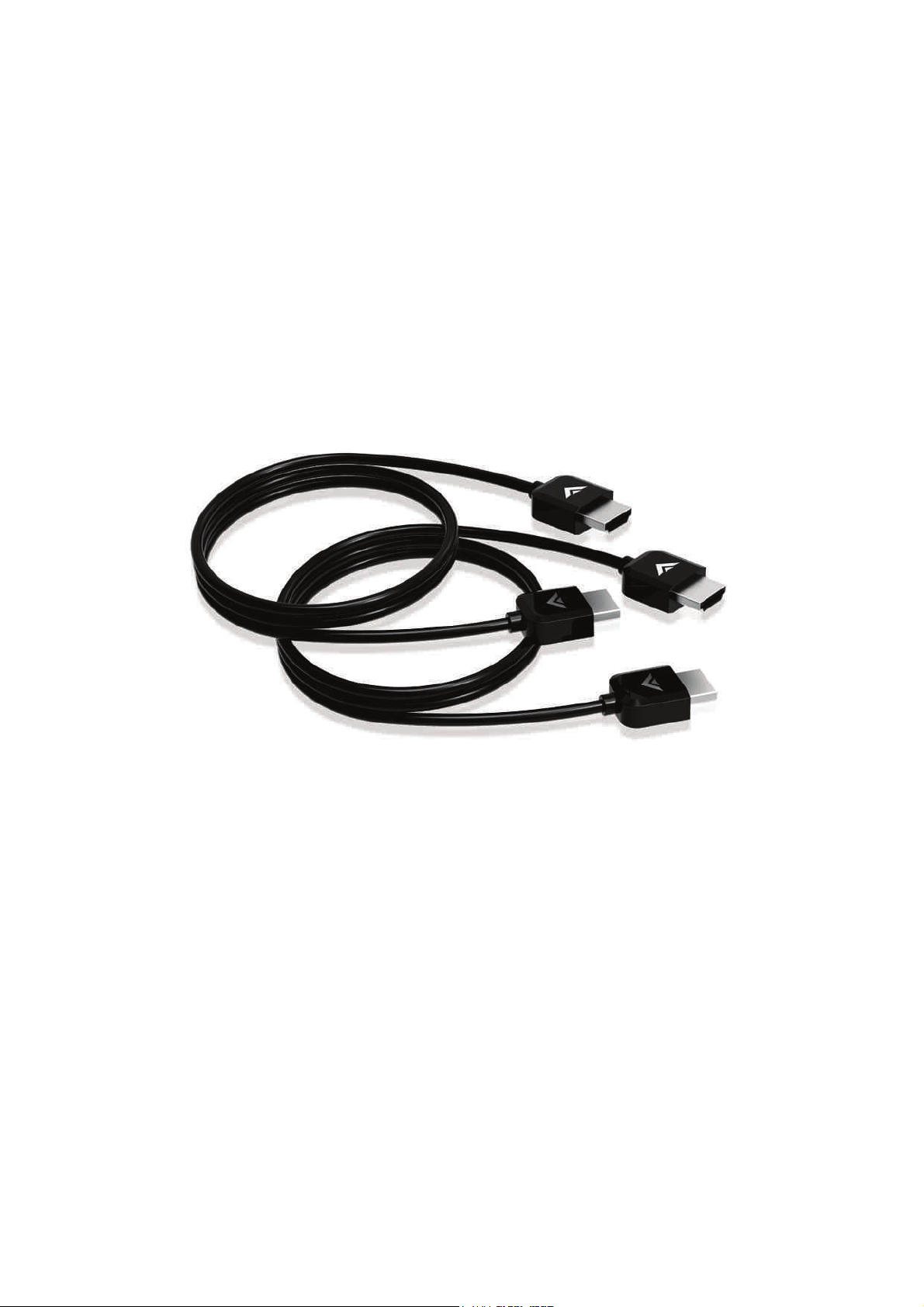
7KLVIWKLJKVSHHG+'0ΖpFDEOHLVLGHDOIRU+'79V6XSSRUWLQJSDQGN[N8OWUD+LJK'HȴQLWLRQUHVROXWLRQV
WKH (6HULHV +'0Ζ FDEOH SURYLGHV SLFWXUHSHUIHFW +' YLGHR ' DQG VXSHULRU DXGLR DOO DW XS WR *ESV 7KLV
DOOLQRQHFDEOHDOVRVXSSRUWVDGYDQFHGVXUURXQGVRXQGDQG$XGLR5HWXUQ&KDQQHOHOLPLQDWLQJWKHQHHGIRU
additional cables.
$YDLODEOHDWZZZ9Ζ=Ζ2FRP
This Product Sold Separately
9Ζ=Ζ2)7+Ζ*+63(('+'0Ζ
®
CABLE – E-SERIES
VIZIO RECOMMENDS

Take A Moment To Register Your Product At
VIZIO.COM/PRODUCT-REGISTRATION
REGISTER YOUR VIZIO PRODUCT NOW
Customized Support
Get assistance quickly with your information on-hand.
News & Offers
Take advantage of the latest news and special offers from VIZIO.
Safety & Satisfaction
Stay up to date with important product updates and notifications.
Why Register?
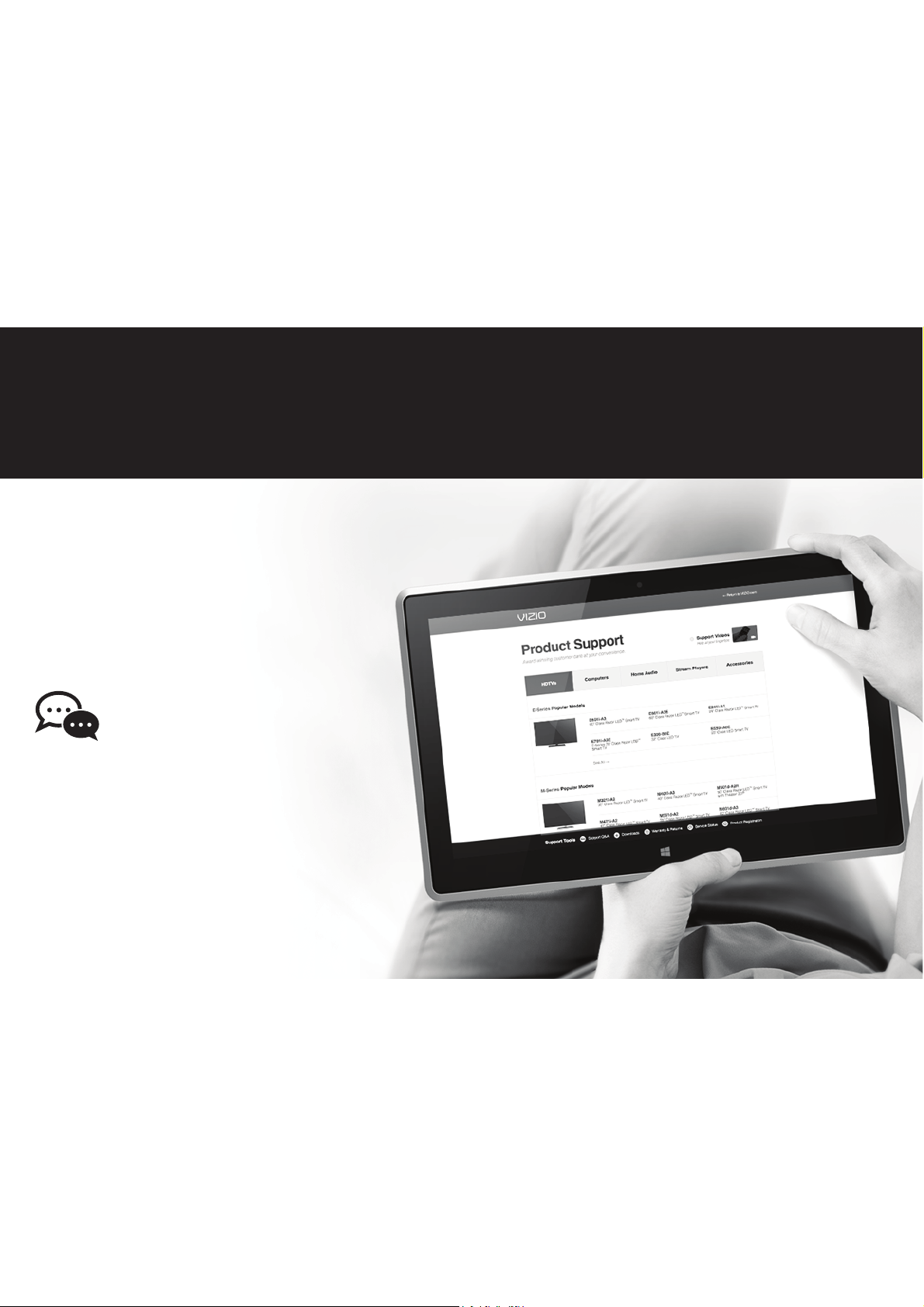
Do You Have Questions? Find Answers At
Find help with:
• New Product Setup
• Connecting Your Devices
• Technical Problems
• Product Updates
• And More
SUPPORT.VIZIO.COM
You can also contact our
award-winning support team at:
Phone:
Email:
(877) 878-4946 (TOLL-FREE)
techsupport@VIZIO.com
Hours Of Operation:
Monday - Friday: 7
AM TO 11 PM (CST)
Saturday - Sunday: 9
AM TO 6 PM (CST)
Live Chat
Support Available

25
There is no power.
• Press the POWER button on the remote control or on the top of your Sound Stand.
• Ensure the power cord is securely connected.
ȏ3OXJDGLHUHQWGHYLFHLQWRWKHHOHFWULFDORXWOHWWRYHULI\WKDWWKHRXWOHWLVZRUNLQJFRUUHFWO\
There is no sound.
• Increase the volume. Press Volume Up on the remote control or on the top of your Sound Stand.
• Press MUTE on the remote to ensure the Sound Stand is not muted.
• Press INPUTRQWKHUHPRWHRURQWKHWRSRI\RXU6RXQG6WDQGWRVHOHFWDGLHUHQWLQSXWVRXUFH
• When using either of the Digital Inputs, if there is no audio: (A) Try setting the TV output to PCM or (B) Connect directly to your
Blu-ray/other source, some TVs do not pass through digital audio.
ȏ<RXU79PD\EHVHWWRYDULDEOHDXGLRRXWSXW&RQȴUPWKDWWKHDXGLRRXWSXWVHWWLQJLVVHWWR)Ζ;('RU67$1'$5'QRW9$5Ζ$%/(
Consult your TV’s user manual for more detailed information.
• If using Bluetooth, ensure that the volume on your source device is turned up and that the device is not muted.
I hear buzzing,
humming, or rattling.
• Ensure all cables and wires are securely connected.
ȏ&RQQHFWDGLHUHQWVRXUFHGHYLFH79%OXUD\SOD\HUHWFWRVHHLIWKHEX]]LQJSHUVLVWVΖILWGRHVQRWWKHSUREOHPPD\EH
with the original device.
ȏ&RQQHFW\RXUGHYLFHWRDGLHUHQWLQSXWRQWKH6RXQG6WDQG
• The subwoofer is powerful, either turn the bass down or remove any small objects (such as photo frames) away from the
Sound Stand. You can also place the Sound Stand on a shelf by itself.
The remote
isn’t working.
• Replace the remote batteries with new ones.
• Point the remote directly at the center of the Sound Stand when pressing a button.
• If using a Bluetooth connection, some of the buttons on the remote may not be supported by the streaming application.
HELP & TROUBLESHOOTING

26
ON PARTS AND LABOR
Covers units purchased as new in United States and Puerto Rico Only
VIZIO provides a warranty to the original purchaser of a new Product against defects in materials and workmanship for a period of one year of non-commercial usage and ninety (90) days of
commercial use. If a Product covered by this warranty is determined to be defective within the warranty period, VIZIO will either repair or replace the Product at its sole option and discretion.
To obtain warranty service, contact VIZIO Technical Support via email: [email protected] or via phone at 877 MY VIZIO (877.698.4946) from 5:00AM to 9:00PM Monday through Friday and
$0WR306DWXUGD\DQG6XQGD\3DFLȴF7LPHRUYLVLWZZZ9Ζ=Ζ2FRP35($87+25Ζ=$7Ζ210867%(2%7$Ζ1('%()25(6(1'Ζ1*$1<352'8&772$9Ζ=Ζ26(59Ζ&(&(17(53URRIRI
purchase in the form of a purchase receipt or copy thereof is required to show that a Product is within the warranty period.
Parts and Labor
7KHUHZLOOEHQRFKDUJHIRUSDUWVRUODERUGXULQJWKHZDUUDQW\SHULRG5HSODFHPHQWSDUWVDQG3URGXFWVPD\EHQHZRUUHFHUWLȴHGDW9Ζ=Ζ2ȇVRSWLRQDQGVROHGLVFUHWLRQ5HSODFHPHQWSDUWVDQG
Products are warranted for the remaining portion of the original warranty or for ninety (90) days from warranty service or replacement, whichever is greater.
Type of Service
Defective Products must be sent to a VIZIO service center to obtain warranty service. VIZIO is not responsible for transportation costs to the service center, but VIZIO will cover return shipping
to the customer. PRE-AUTHORIZATION IS REQUIRED BEFORE SENDING ANY PRODUCT TO A VIZIO SERVICE CENTER FOR WARRANTY SERVICE.
3URGXFWUHWXUQVWR9Ζ=Ζ2ȇVVHUYLFHFHQWHUVPXVWXWLOL]HHLWKHUWKHRULJLQDOFDUWRQER[DQGVKLSSLQJPDWHULDORUSDFNDJLQJWKDWDRUGVDQHTXDOGHJUHHRISURWHFWLRQ9Ζ=Ζ27HFKQLFDO6XSSRUWZLOO
provide instructions for packing and shipping the covered Product to the VIZIO service center.
Limitations and Exclusions
VIZIO’s one-year limited warranty only covers defects in materials and workmanship. This warranty does not cover, for example: cosmetic damage, normal wear and tear, improper operation,
LPSURSHUYROWDJHVXSSO\RUSRZHUVXUJHVVLJQDOLVVXHVGDPDJHVIURPVKLSSLQJDFWVRI*RGDQ\W\SHRIFXVWRPHUPLVXVHPRGLȴFDWLRQVRUDGMXVWPHQWVDVZHOODVLQVWDOODWLRQDQGVHWXSLVVXHV
or any repairs attempted by anyone other than by a VIZIO authorized service center. Products with unreadable or removed serial numbers, or requiring routine maintenance are not covered.
This one year limited warranty does not cover Products sold “AS IS”, “FACTORY RECERTIFIED”, or by a non-authorized reseller.
THERE ARE NO EXPRESS WARRANTIES OTHER THAN THOSE LISTED OR DESCRIBED ABOVE. ANY IMPLIED WARRANTIES, INCLUDING ANY IMPLIED WARRANTY OF MERCHANTABIL-
ITY AND FITNESS FOR A PARTICULAR PURPOSE, SHALL BE LIMITED IN DURATION TO THE PERIOD OF TIME SET FORTH ABOVE. VIZIO’S TOTAL LIABILITY FOR ANY AND ALL LOSSES AND
DAMAGES RESULTING FROM ANY CAUSE WHATSOEVER INCLUDING VIZIO’S NEGLIGENCE, ALLEGED DAMAGE, OR DEFECTIVE GOODS, WHETHER SUCH DEFECTS ARE DISCOVERABLE
OR LATENT, SHALL IN NO EVENT EXCEED THE PURCHASE PRICE OF THE PRODUCT. VIZIO SHALL NOT BE RESPONSIBLE FOR LOSS OF USE, LOSS OF INFORMATION OR DATA,
COMMERCIAL LOSS, LOST REVENUE OR LOST PROFITS, OR OTHER INCIDENTAL OR CONSEQUENTIAL DAMAGES. SOME STATES DO NOT ALLOW LIMITATIONS ON HOW LONG AN IMPLIED
WARRANTY LASTS OR THE EXCLUSION OF INCIDENTAL OR CONSEQUENTIAL DAMAGES, SO THE ABOVE LIMITATIONS OR EXCLUSIONS MAY NOT APPLY TO YOU. THIS WARRANTY
GIVES YOU SPECIFIC LEGAL RIGHTS, AND YOU MAY ALSO HAVE OTHER RIGHTS, WHICH VARY FROM STATE TO STATE. THIS WARRANTY IS SUBJECT TO CHANGE WITHOUT NOTICE.
CHECK www.VIZIO.com FOR THE MOST CURRENT VERSION.
ONE-YEAR LIMITED WARRANTY
Sound Stand: Two 3.6” (W) x 1.6” (H) Full Range Drivers
Subwoofer: One 4.5” Subwoofer
Inputs: One 3.5mm Stereo Audio
One RCA Stereo Audio
One Optical (Toslink)
One Digital Coaxial Audio
One USB (WAV playback only)
Bluetooth (Wireless)
Sound Pressure Level (System): 101 dB
Frequency Response (System
): 55 Hz - 19 KHz
Power Input: 100-240 VAC, 50/60 Hz
Compliances: UL, FCC Class B, cUL, NRCan
SPECIFICATIONS
27
FCC Class B Radio Interference Statement
NOTE: This equipment has been tested and found to comply with the limits for a Class B digital device, pursuant to Part 15 of the FCC Rules. These limits are designed to provide
reasonable protection against harmful interference in a residential installation. This equipment generates, uses and can radiate radio frequency energy, and if not installed and used in
accordance with the instructions, may cause harmful interference to radio communications. However, there is no guarantee that interference will not occur in a particular installation.
ΖIWKLVHTXLSPHQWGRHVFDXVHKDUPIXOLQWHUIHUHQFHWRUDGLRRUWHOHYLVLRQUHFHSWLRQZKLFKFDQEHGHWHUPLQHGE\WXUQLQJWKHHTXLSPHQWRDQGRQWKHXVHULVHQFRXUDJHGWRWU\WR
correct the interference by one or more of the following measures:
1. Reorient or relocate the receiving antenna.
2. Increase the separation between the equipment and receiver.
&RQQHFWWKHHTXLSPHQWLQWRDQRXWOHWRQDFLUFXLWGLHUHQWIURPWKDWWRZKLFKWKHUHFHLYHULVFRQQHFWHG
4. Consult the dealer or an experienced radio/TV technician for help.
This device complies with Part 15 of the FCC Rules. Operation is subject to the following two conditions: (1) this device may not cause harmful interference, and (2) this device must
accept any interference received, including interference that may cause undesired operation.
Notice:
7KHFKDQJHVRUPRGLȴFDWLRQVQRWH[SUHVVO\DSSURYHGE\WKHSDUW\UHVSRQVLEOHIRUFRPSOLDQFHFRXOGYRLGWKHXVHUȇVDXWKRULW\WRRSHUDWHWKHHTXLSPHQW
2. Shielded interface cables and AC power cord, if any, must be used in order to comply with the emission limits.
7KHPDQXIDFWXUHULVQRWUHVSRQVLEOHIRUDQ\UDGLRRU79LQWHUIHUHQFHFDXVHGE\XQDXWKRUL]HGPRGLȴFDWLRQWRWKLVHTXLSPHQWΖWLVWKHUHVSRQVLELOLWLHVRIWKHXVHUWRFRUUHFWVXFK
interference.
RF Exposure Information
This device meets the government’s requirements for exposure to radio waves. This device is
designed and manufactured not to exceed the emission limits for exposure to radio frequency (RF)
energy set by the Federal Communications Commission of the U.S. Government. This device complies
with FCC radiation exposure limits set forth for an uncontrolled environment.
IC Statement
Operation is subject to the following two conditions:
1. This device may not cause interference, and
2. This device must accept any interference, including interference that may cause undesired
operation of the device.
IC Radiation Exposure Statement
This equipment complies with IC RSS-102 radiation exposure limits set forth for an uncontrolled
environment. This equipment should be installed and operated with minimum distance 20cm between
the radiator & your body.
Disposal and Recycling
You must dispose of this product properly, according to local laws and regulations. Because this
product contains electronic components and a battery, it must be disposed of separately from
household waste. Contact local authorities to learn about disposal and recycling options.
Other:
Image(s) used under license from Shutterstock.com
LEGAL & COMPLIANCE
Manufactured under license from Dolby Laboratories.
Dolby and the double-D symbol are trademarks of Dolby
Laboratories.
For DTS patents, see http://patents.dts.com. Manufactured
under license from DTS Licensing Limited. DTS, the Symbol,
& DTS and the Symbol together are registered trademarks
and DTS TruVolume is a trademark of DTS, Inc. © DTS, Inc.
All Rights Reserved.
7KLV SURGXFW TXDOLȴHV IRU (1(5*< 67$5 LQ WKH ȊIDFWRU\
default” setting and this is the setting in which power
savings will be achieved. Changing the factory default
settings or enabling other features will increase power
consumption that could exceed the limits necessary to
qualify for ENERGY STAR rating.
We want to help you save energy.
For DTS patents, see http://patents.dts.com. Manufactured
under license from DTS Licensing Limited. DTS, the Symbol,
& DTS and the Symbol together are registered trademarks,
and DTS TruSurround is a trademark of DTS, Inc. DTS, Inc.
All Rights Reserved.
For DTS patents, see http://patents.dts.com. Manufactured
under license from DTS Licensing Limited. DTS, the Symbol,
& DTS and the Symbol together are registered trademarks,
and DTS Studio Sound is a trademark of DTS, Inc. DTS, Inc.
All Rights Reserved.

© 2015 VIZIO INC. ALL RIGHTS RESERVED.
150116OC-US-NC