
ESPAÑOL FRANÇAIS
ENGLISH
AVR-2313CI
INTEGRATED NETWORK AV RECEIVER
Getting Started
Mise en route / Antes de empezar
1
ENGLISH DEUTSCH FRANÇAIS ITALIANO ESPAÑOL NEDERLANDS SVENSKA
Welcome
Thank you for choosing a DENON receiver. This guide provides
step-by-step instructions for setting up your receiver.
If you have setup problems:
If you need additional help in solving problems, contact DENON
customer service in your area.
See the address sheet included in the box.
1-855-MY.DENON
1-855-693-3666
Call for Assistance: 9:00AM to 8:00PM M-F E.S.T.
For frequency asked questions please visit
www.usa.denon.com/FAQ
For US and Canada only
2
ENGLISHDEUTSCHFRANÇAISITALIANOESPAÑOLNEDERLANDSSVENSKA
Before You Begin
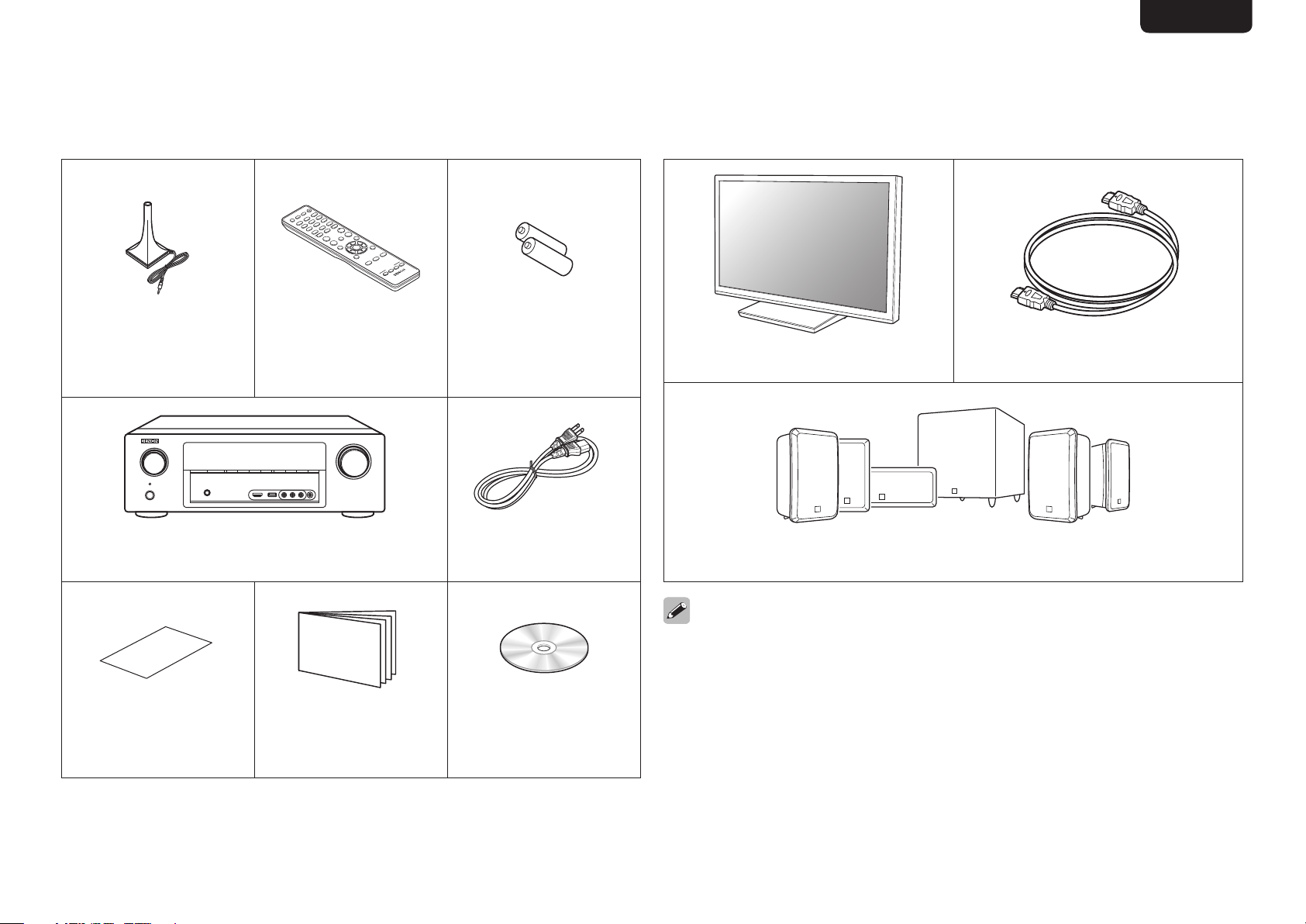
What’s In the Box
Setup
microphone
Remote control
unit
R03/AAA
batteries
Receiver Power cord
Safety
Instructions
Getting Started Owner’s Manual
Required for setup
TV HDMI cable
Speaker systems
Note that the illustrations in this manual is for explanation purposes and
may differ from the actual unit.
3
ENGLISH DEUTSCH FRANÇAIS ITALIANO ESPAÑOL NEDERLANDS SVENSKA
Setup Steps
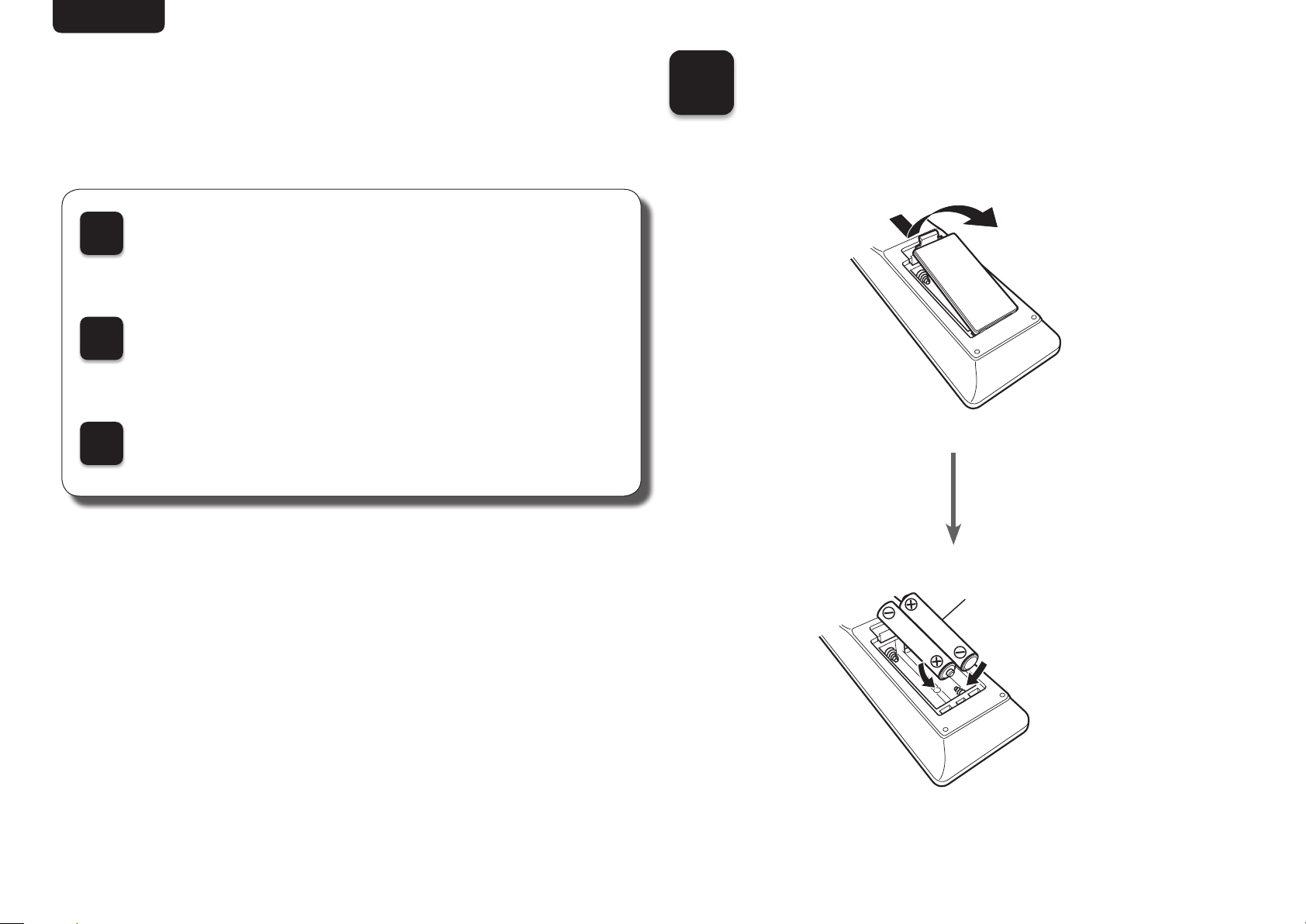
1
Installing batteries in
the remote control unit
R03/AAA
batteries
There are three steps to the setup process.
1
Install batteries in the remote control unit
2
Connect the receiver to your TV
3
Follow the On-Screen Setup Assistant
4
ENGLISHDEUTSCHFRANÇAISITALIANOESPAÑOLNEDERLANDSSVENSKA
2
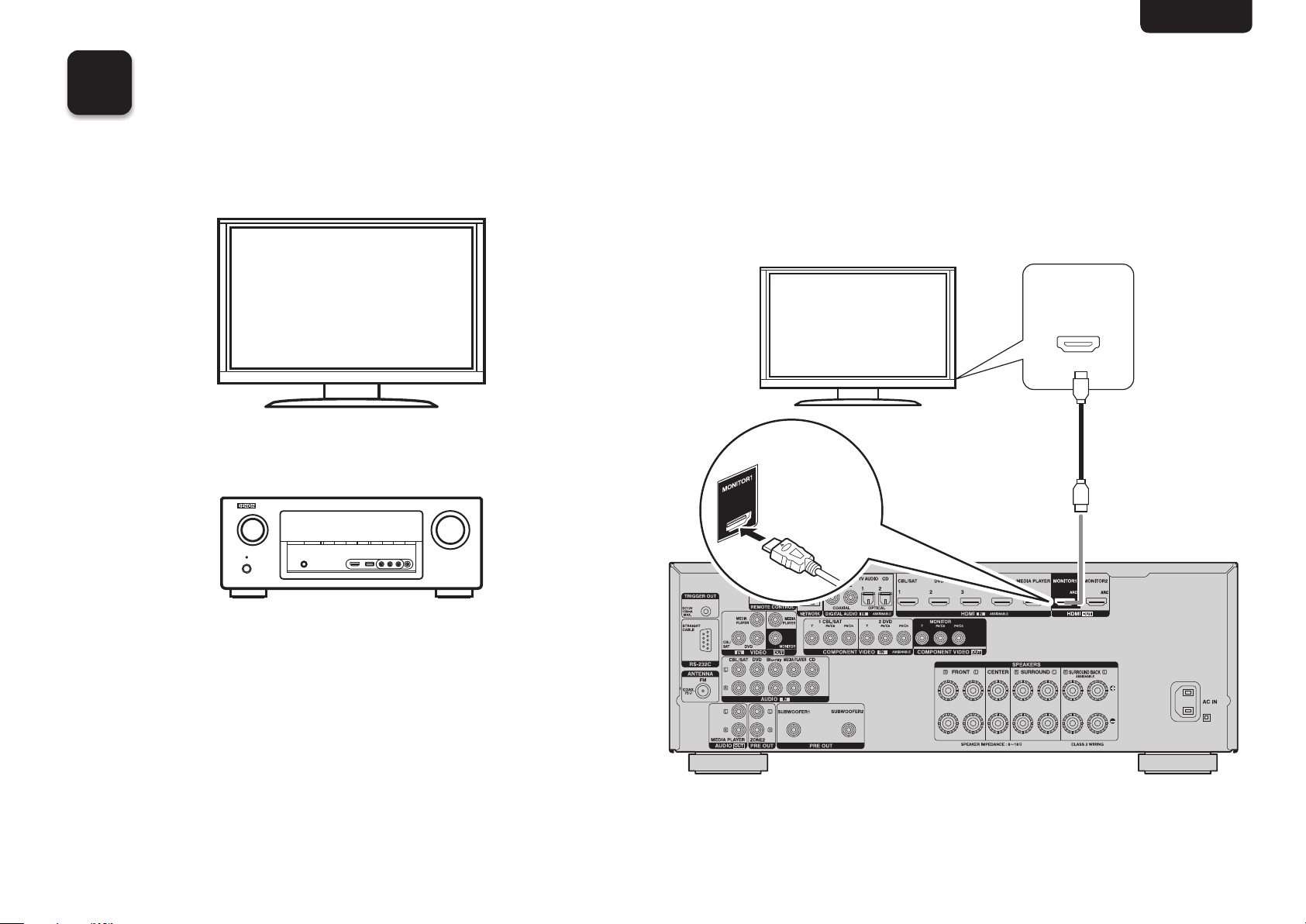
Connecting the receiver to your TV
n Place the receiver near your TV.
TV
Receiver
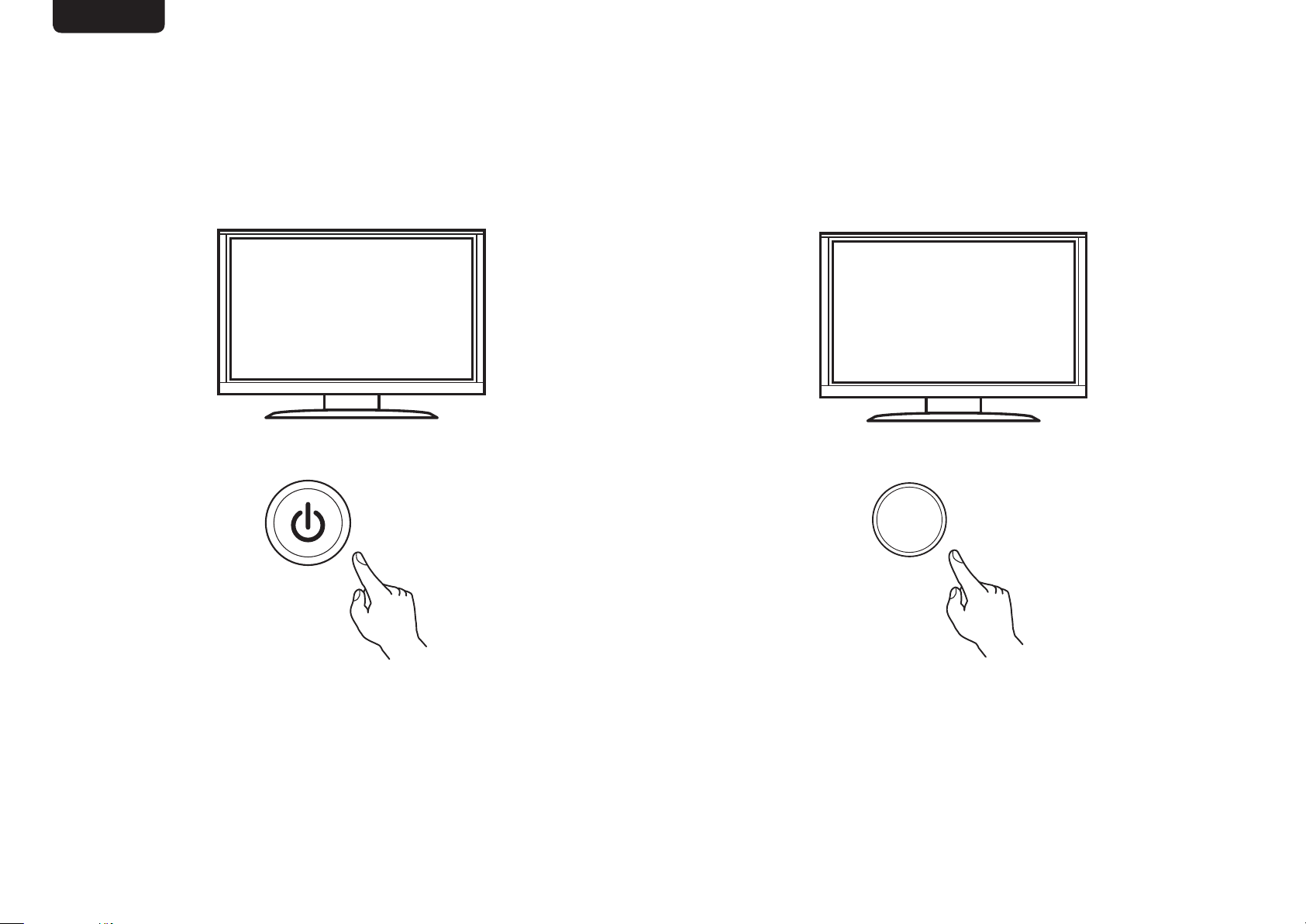
n Connect the receiver to your TV with an
HDMI cable.
(ARC)
HDMI IN
(ARC)
HDMI OUT
MONITOR
ARC
Receiver (Rear panel)
HDMI cable
5
ENGLISH DEUTSCH FRANÇAIS ITALIANO ESPAÑOL NEDERLANDS SVENSKA
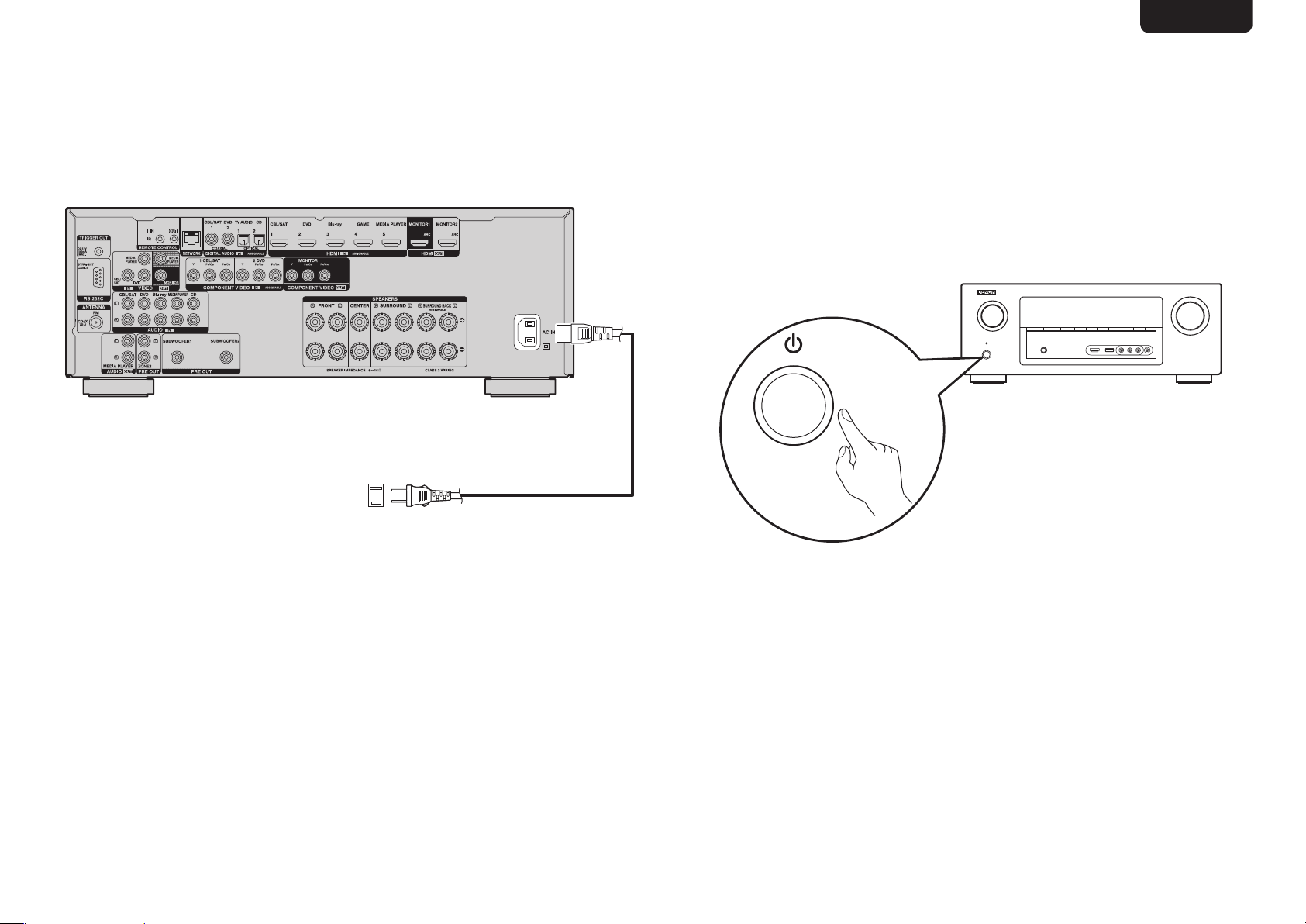
n Select the appropriate HDMI input on
your TV.
HDMI
INPUT
TV remote control unit
n Turn on the TV.
TV remote control unit
6
ENGLISHDEUTSCHFRANÇAISITALIANOESPAÑOLNEDERLANDSSVENSKA
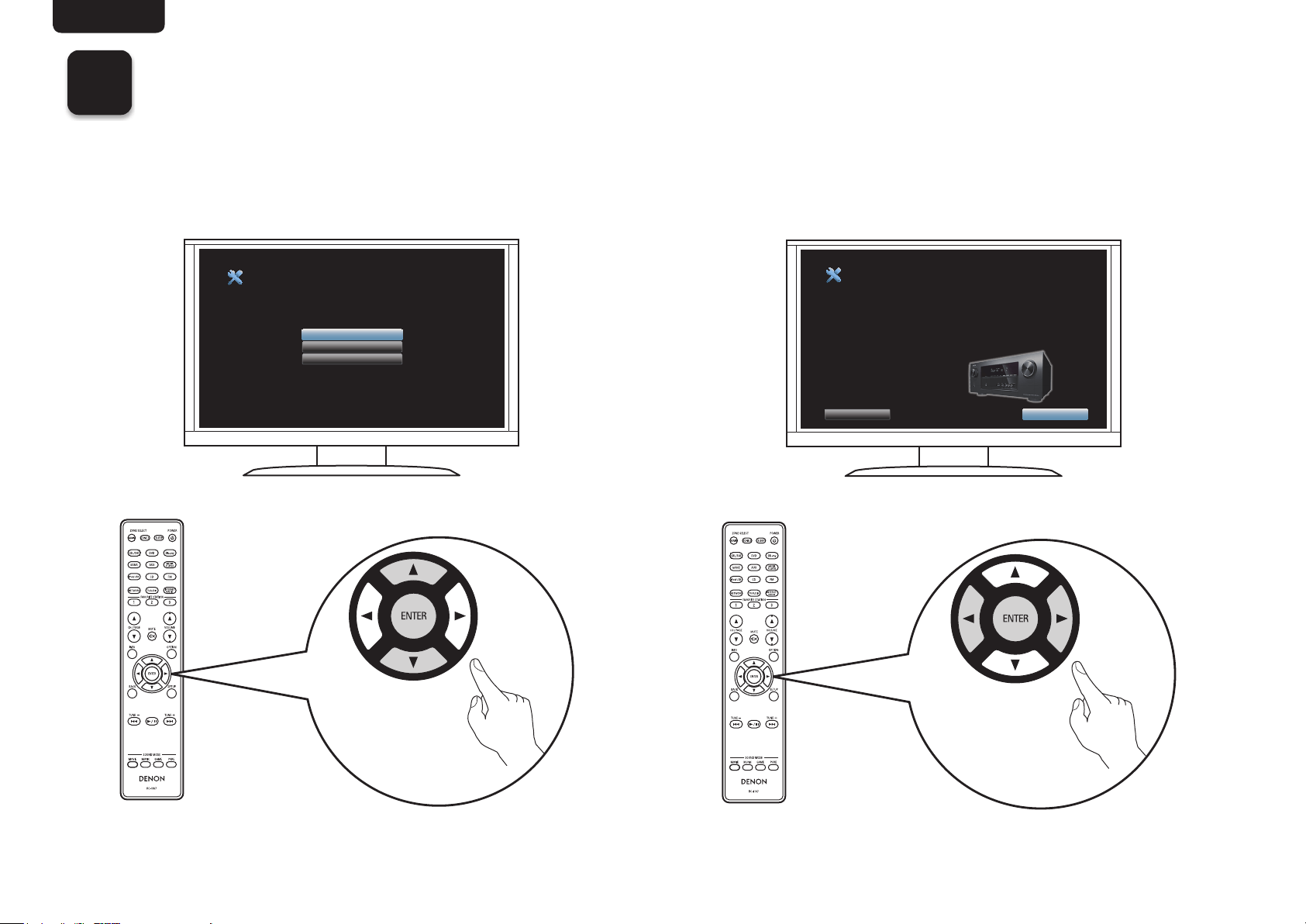
n Turn on receiver.
Connect to household power outlet
(AC 120 V, 60 Hz)
Power cord
(supplied)
•Turn on receiver as shown below.
7
ENGLISH DEUTSCH FRANÇAIS ITALIANO ESPAÑOL NEDERLANDS SVENSKA
3
Follow the On-Screen Setup Assistant
The Setup Assistant will walk you through connecting and configuring your speakers and components to your DENON
receiver. Please use the remote control and follow the on-screen instructions.
Language Select
Please select a language...
Español
Français
English
AV Receiver Setup Assistant
Proper configuration is essential to providing the best possible
sound and video experience. The Setup Assistant will walk you
through connecting your speakers and components to your
AV receiver.
Select “Next” to continue...
Cancel
Next
8
ENGLISHDEUTSCHFRANÇAISITALIANOESPAÑOLNEDERLANDSSVENSKA
Owner’s Manual
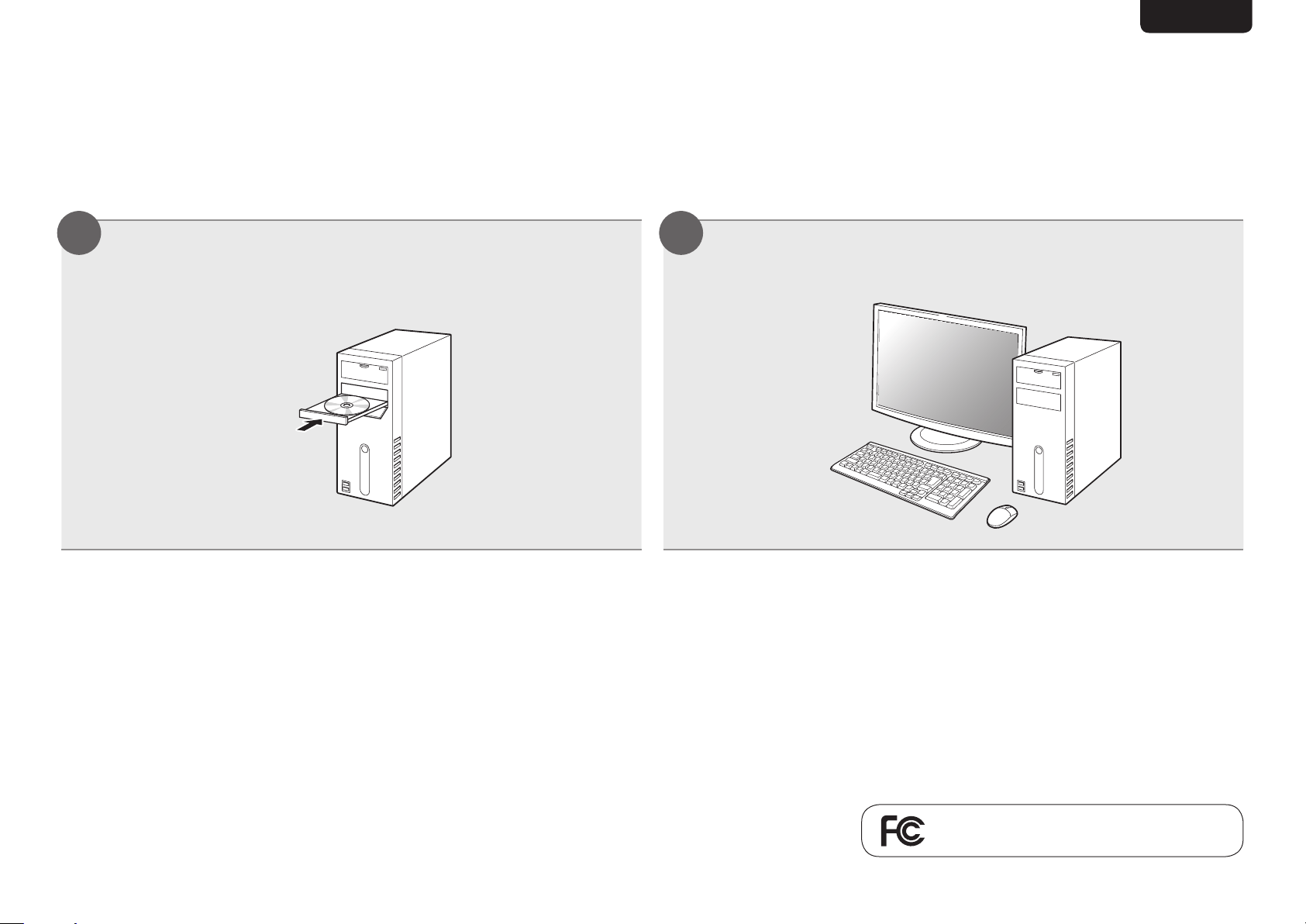
The included CD-ROM contains an Adobe PDF version of the full owner’s manual for the AV receiver.
Please reference this manual for more details about the setup and operation of the receiver and it’s features.
Insert the disc into your PC. Follow the screen or double click on the PDF le.
1 2
Product Name : Integrated Network AV Receiver
Model Number : AVR-2313CI

www.denon.com
V00
D&M Holdings Inc.
Printed in China 5411 10774 00AD