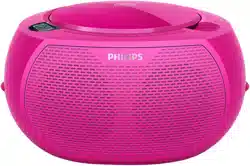
Register your product and get support at
www.philips.com/welcome
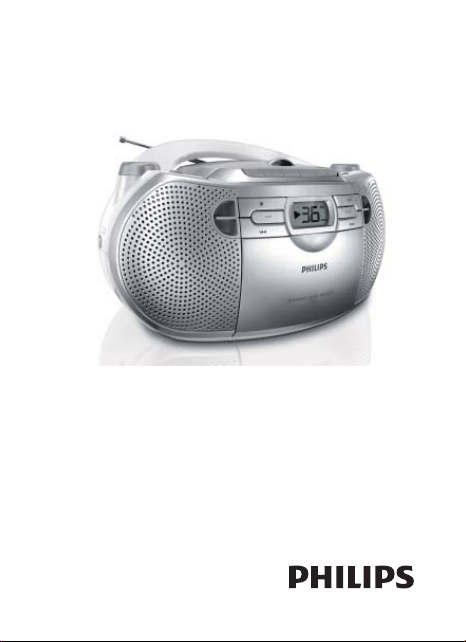
EN User manual
AZ1027

1 Important
Safety
Important notes for users in the U.K.
Mains plug
This apparatus is fi tted with an approved 13 Amp plug. To change
a fuse in this type of plug proceed as follows:
a Remove fuse cover and fuse.
b Fix new fuse which should be a BS1362 3 Amp, A.S.T.A. or
BSI approved type.
c Refi t the fuse cover.
If the fi tted plug is not suitable for your socket outlets, it should
be cut off and an appropriate plug fi tted in its place.
If the mains plug contains a fuse, this should have a value of 3
Amp. If a plug without a fuse is used, the fuse at the distribution
board should not be greater than 3 Amp.
Note: The severed plug must be disposed off to avoid a pos-
sible shock hazard should it be inserted into a 13 Amp socket
elsewhere.
How to connect a plug
The wires in the mains lead are coloured with the following code:
blue = neutral (N), brown = live (L).
As these colours may not correspond with the colour markings
identifying the terminals in your plug, proceed as follows:
Connect the blue wire to the terminal marked N or
•
coloured black.

Connect the brown wire to the terminal marked L or •
coloured red.
Do not connect either wire to the earth terminal in the
•
plug, marked E (or e) or coloured green (or green and
yellow).
Before replacing the plug cover, make certain that the cord grip
is clamped over the sheath of the lead - not simply over the two
wires.
Copyright in the U.K.
Recording and playback of material may require consent. see
Copyright Act 1956 and The performer’s Protection Acts 1958
to 1972.
Important safety instructions
a Read these instructions.
b Keep these instructions.
c Heed all warnings.
d Follow all instructions.
e Do not use this apparatus near water.
f Clean only with dry cloth.
g Do not block any ventilation openings. Install in accor-
dance with the manufacturer’s instructions.
h Do not install near any heat sources such as radiators,
heat registers, stoves, or other apparatus (including ampli-
fi ers) that produce heat.

i For countries with a polarized mains, do not defeat the
safety purpose of the polarized or grounding-type plug.
A polarized plug has two blades with one wider than the
other. A grounding type plug has two blades and a third
grounding prong. The wide blade or the third prong are
provided for your safety. If the provided plug does not fi t
into your outlet, consult an electrician for replacement of
the obsolete outlet.
Caution: To prevent electric shock, match the wide blade
of the plug to the wide slot, fully insert.
j
Protect the power cord from being walked on or pinched,
particularly at plugs, convenience receptacles, and the
point where they exit from the apparatus.
k Only use attachments/accessories specifi ed by the manu-
facturer.
l Use only with the cart, stand, tripod, bracket, or table
specifi ed by the manufacturer or sold with the apparatus.
When a cart is used, use caution when moving the cart/
apparatus combination to avoid injury from tip-over.
m Unplug this apparatus during lightning storms or when
unused for long periods of time.

n Refer all servicing to qualifi ed service personnel. Servicing
is required when the apparatus has been damaged in any
way, such as power-supply cord or plug is damaged, liquid
has been spilled or objects have fallen into the apparatus,
the apparatus has been exposed to rain or moisture, does
not operate normally, or has been dropped.
o Battery usage CAUTION – To prevent battery leakage
which may result in bodily injury, property damage, or
damage to the unit:
Install all batteries correctly, + and - as marked on
•
the unit.
Do not mix batteries (old and new or carbon and
•
alkaline, etc.).
Remove batteries when the unit is not used for a
•
long time.
p Apparatus shall not be exposed to dripping or splashing.
q Do not place any sources of danger on the apparatus (e.g.
liquid fi lled objects, lighted candles).
r This product may contain lead and mercury. Disposal of
these materials may be regulated due to environmental
considerations. For disposal or recycling information,
please contact your local authorities or the Electronic
Industries Alliance: www.eiae.org.
Warning
Never remove the casing of this Soundmachine. •
Never lubricate any part of this Soundmachine. •
Never place this Soundmachine on other electrical equip- •
ment.
Keep this Soundmachine away from direct sunlight, naked
•
fl ames or heat.
Never look into the laser beam inside the Soundmachine.
•
Ensure that you always have easy access to the power cord, •
plug or adaptor to disconnect the Soundmachine from the
power.
Caution
Use the controls or adjustments or performance of proce- •
dures other than herein may result in hazardous radiation
exposure or other unsafe operation.
Notice
This product complies with the radio interference requirements
of the European Community.
Any changes or modifi cations made to this device that are not
expressly approved by Philips Consumer Lifestyle may void the
user’s authority to operate the equipment.
The making of unauthorized copies of copy-protected mate-
rial, including computer programs, fi les, broadcasts and sound
recordings, may be an infringement of copyrights and constitute
a criminal offence. This equipment should not be used for such
purposes.
This Soundmachine includes this label:
Recording and playback of material may require consent. See
Copyright Act 1956 and The Performer’s Protection Acts 1958
to 1972.
Disposal of old equipment and Used
batteries
Information for Users on Collection and Disposal of Old Equip-
ment and Used Batteries
These symbols on the products, batteries, packaging, and/or
accompanying documents mean that used electrical and elec-
tronic products and batteries should not be mixed with general
household waste. For proper treatment, recovery and recycling of
old products and used batteries, please take them to applicable
collection points, in accordance with your national legislation and
the Directives 2002/96/EC and 2006/66/EC.
By disposing of these products and batteries correctly, you will
help to save valuable resources and prevent any potential nega-
tive effects on human health and the environment which could
otherwise arise from inappropriate waste handling.
For more information about collection and recycling of old
products and batteries, please contact your local municipality, your
waste disposal service or the point of sale where you purchased
the items.
Information on Disposal in other Countries outside the Euro-
pean Union
These symbols are only valid in the European Union. If you wish
to discard these items, please contact your local authorities or
dealer and ask for the correct method of disposal.
Note for the battery symbol

This symbol might be used in combination with a chemical
symbol. In this case it complies with the requirement set by the
Directive for the chemical involved.
Environmental information
All redundant packing material has been omitted. We have done
our utmost to make the packaging easily separable into mono
materials.
Please observe the local regulations regarding the disposal of
packing materials.
2 Your CD Soundmachine
Congratulations on your purchase, and welcome to Philips! To fully
benefi t from the support that Philips offers, register your product
at www.Philips.com/welcome.
Introduction
With the CD Soundmachine you can play audio discs and listen
to FM/MW radio. You can also program the play sequence of
tracks. Dynamic Bass Boost (DBB) helps you to maximizes music
enjoyment.
What’s in the box
Check and identify the contents of the package:
CD Soundmachine
•
AC power cord•
User Manual•
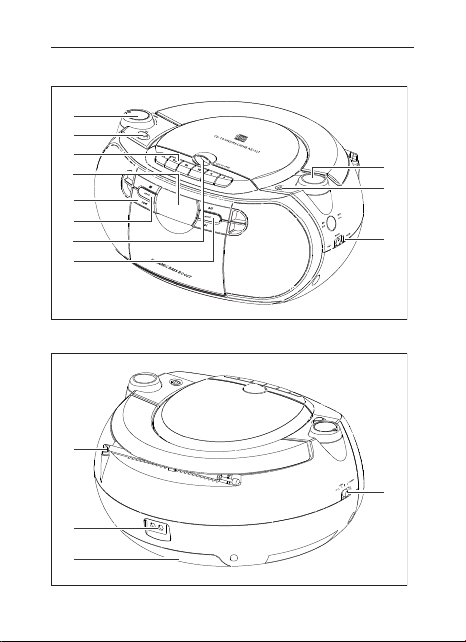
Overview of the Soundmachine
LINE-IN
c
a
b
h
d
k
j
i
e
f
g
LINE-IN
l
m
o
n
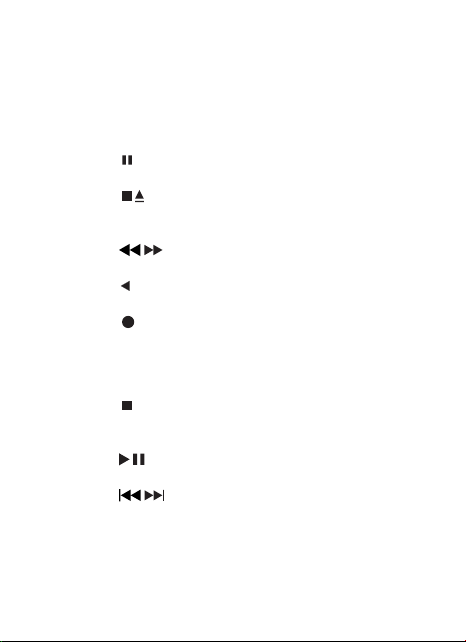
a VOLUME
Adjust volume level
•
b DBB
Turn the bass enhancement on/off
•
c Cassette recorder buttons
•
Pause play or record
•
Stop cassette play or record
Open the cassette holder
• /
Fast forward/rewind cassette
•
Start cassette play
•
Start cassette record
d Display
e CD Buttons
•
Stop CD play
Erase a CD program
•
Start or pause CD play
• /
Select the previous/next track
Fast search backward/forward within the current
track

f PROG
Program tracks and browse the program
•
g LIFT TO OPEN
Open/Close the CD compartment
•
h MODE
Select a play mode: REPEAT or SHUFFLE
•
i BAND
Select a wave band
•
j LINE-IN
Socket for audio input
•
k TUNING +/-
Tune to radio stations
•
l Telescopic antenna
Improve FM reception
•
m AC MAINS~
Socket for the power cord
•
n Battery door
o Source selector: CD , TUNER , LINE-IN , TAPE/OFF
Select sound source
•
Switch to standby mode•
3 Get started
Caution
Use the controls only as stated in this user manual. •
Always follow the instructions in this chapter in sequence.
If you contact Philips, you will be asked for the model and serial
numbers. Find the model number and serial number of this
Soundmachine at the back or the bottom of your Soundmachine.
Write these numbers here:
Model No. __________________________
Serial No. ___________________________
Install batteries
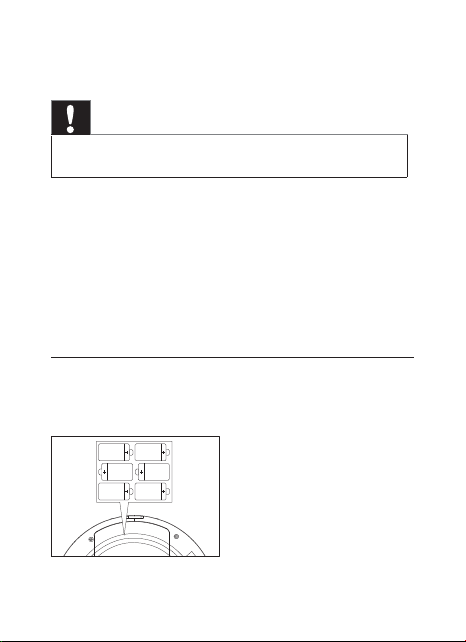
1 Open the battery compartment.
6 x 1.5V R-14/UM-2/C-cell
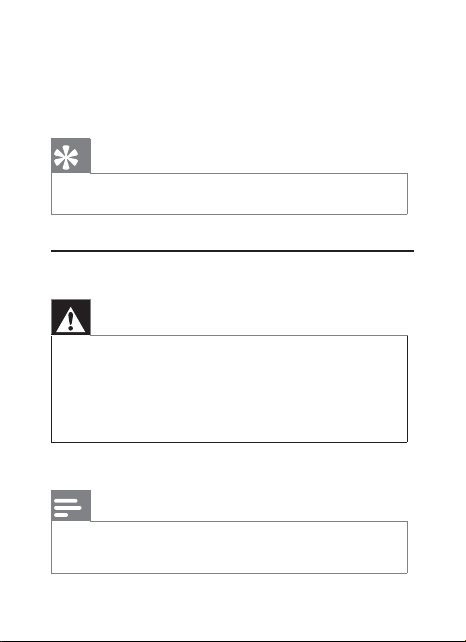
2 Insert 6 x 1.5V R14/UM-2/C-cell batteries with correct
polarity (+/-) as indicated.
3 Close the battery compartment.
Tip
If you want to save battery life, use the supplied power cord. •
Connect AC power
Warning
Risk of product damage! Ensure that the power supply volt- •
age corresponds to the voltage printed on the back or the
underside of the Soundmachine.
Risk of electric shock! When you unplug the AC adaptor,
•
always pull the plug from the socket. Never pull the cord.
Note
Install the unit near the power supply socket and where the •
AC power plug can be easily reached.
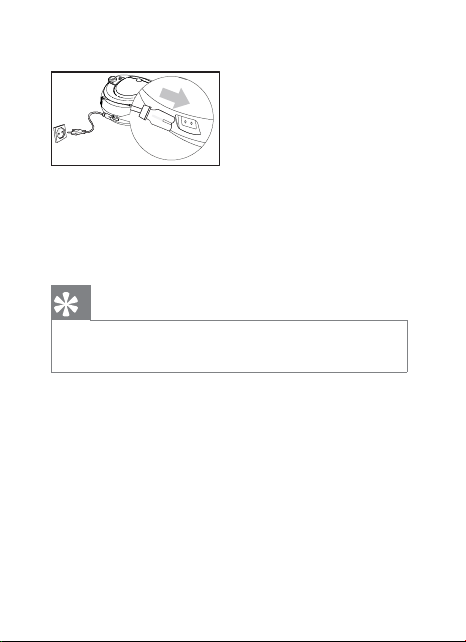
1 Connect the power cord to the AC MAINS~ socket on the
Soundmachine and to the power supply socket.
To switch the Soundmachine off completely, discon-
•
nect the power cord from the power supply socket.
Tip
To save energy: After use, set the source selector to •
TAPE/OFF .
4 Use your Soundmachine
Play a CD
Note
You cannot play CDs encoded with copyright protection •
technologies.
You can play commercially available audio:
CDs•
CD-Recordables (CD-R)•
CD-Rewritables (CD-RW)•
1 Switch the source selector to CD .
2 Lift the lid of the CD compartment.
3 Insert a CD with the printed side facing up.
4 Close the CD lid gently.
The total number of tracks is displayed.
»
5 Press to start play.
[
»
] is displayed.
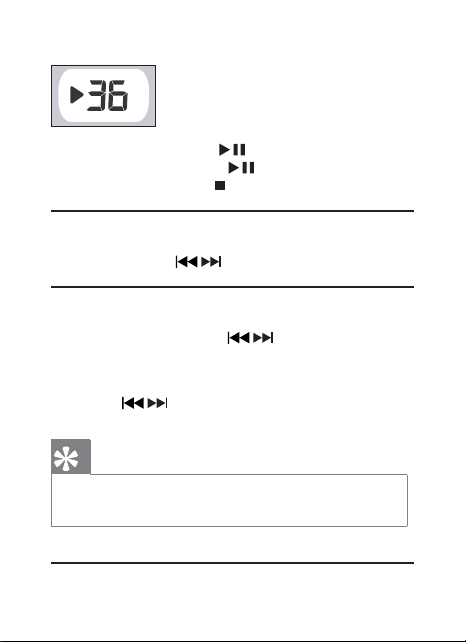
To pause CD play, press • .
To resume CD play, press
• again.
To stop CD play, press
• .
Select a track
1 During play, press / to select a track.
Find a passage within a track
1 During play, press and hold / .
The CD is played at high speed and with reduced
»
volume.
2 Release / to resume normal play.
Tip
When search reaches the end of the last track, the CD •
stops.
Program play sequence
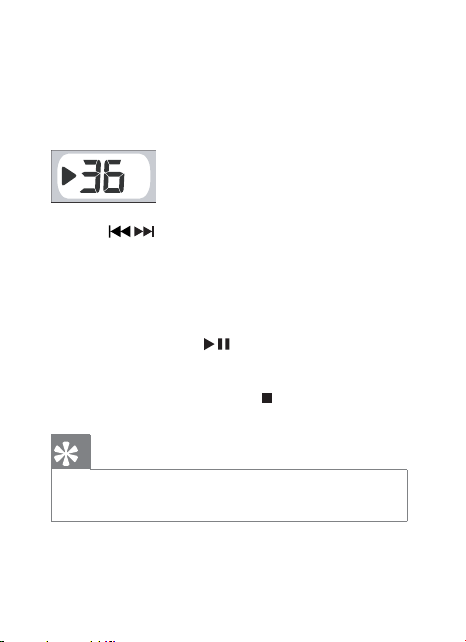
You can store up to 20 tracks in the desired sequence.
1 In stop mode, press PROG to start to program play se-
quence.
[PROG] and [00] are displayed.
»
2 Press / to select a track.
3 Press PROG to store the track.
4 Repeat steps 2 to 3 to select and store all tracks.
When all 20 tracks are stored, no more tracks can be
»
selected and the display shows [---].
5 To play program, press .
In stop mode, press
• PROG repeatedly to browse
stored tracks.
To cancel program, press
• twice.
Tip
When program play stops, the Soundmachine returns to •
normal play. To play program again, repeat steps 1 to 5.
PROG
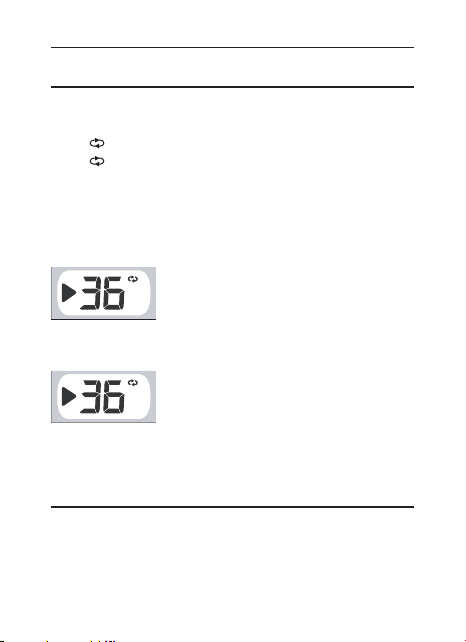
Select play modes
Repeat play
You can repeat a track, a disc, or a program.
• [ ] – plays the current track continuously
• [ ALL] – repeats the entire CD/program
1 During play, press MODE repeatedly until the display shows
the repeat icon.
Repeat one track.
•
Repeat the entire CD.•
To stop repeat play, press • MODE repeatedly until the
repeat icon is no longer displayed.
Shuffl e play
You can play all tracks in random order.
1 During play, press MODE repeatedly until the display shows
ALL

the shuffl e icon.
To stop shuffl e play, press • MODE again.
Listen to radio
1 Switch the source selector to TUNER .
2 Switch BAND to FM or MW .
3 Press and hold TUNING +/- until the frequency in the
display starts to run.
When the Soundmachine fi nds a station with strong
»
signals, it begins to broadcast that station.
4 Repeat step 3 until you fi nd a station.
To tune to a weak station, press
• TUNING +/- repeatedly
until you fi nd optimal reception.
Tip
To improve FM reception, you can extend, incline or turn •
the telescopic antenna for best reception.
To improve MW reception, turn the Soundmachine to face
•
a different direction.
Play cassette recorder
1 Switch the source selector to TAPE/OFF .
2 Press to open the cassette holder, insert a cassette tape,
and then close the cassette holder.
3 Press to start play.
To pause play, press
• .
To stop the play, press
• .
Find a passage within a tape
1 During stop, press / to search for a desired passage in
a tape.
2 To stop fast search, press .
Record from CD
1 Switch the source selector to CD .
2 Insert a CD with the printed side facing up.
3 If you want to record tracks in the desired sequence, pro-
gram the desired tracks (see ‘Program play sequence’ ) .
4 Press to open the cassette holder.
5 Insert a blank cassette.
6 Close the holder.
7 Press to start to record.
The disc/program starts automatically from the beginning.
»
To pause, press • .
To resume, press
• again.
To stop, press
• .
Record from radio
1 Switch the source selector to TUNER .
2 Tune to a radio station (see ‘Listen to radio’ ) .
3 Press to open the cassette holder.
4 Insert a blank cassette.
5 Close the holder.
6 Press to start to record.
To pause, press
• .
To resume, press
• again.
To stop, press
• .
5 Troubleshooting
Warning
Never remove the casing of this Soundmachine. •
To keep the warranty valid, never try to repair the system
yourself.
If you encounter problems when using this Soundmachine, check
the following points before requesting service. If the problem
remains unsolved, go to the Philips web site (www.Philips.com/
support), or contact Philips (see Contact information). When you
contact Philips, ensure that your Soundmachine is nearby and the
model number and serial number are available (see ‘Get started’ ) .
No power
Ensure that the power cord is connected securely. •
Ensure that there is power at the power supply socket. •
Ensure that the batteries are installed correctly. •
No sound
Adjust the volume. •
Ensure that the track played is of a compatible format. •
Display does not function properly./No reaction to operation of
any of the controls.

1 Disconnect the AC power cord.
2 Connect the AC power cord after a few seconds.
Cannot play disc
Ensure that the disc label is inserted with the printed side •
facing up.
Wipe the disc with fi bre cleaning cloth from the centre to •
the edge in a straight line.
This disc may be defective. Play another disc. •
Ensure that the CD is a fi nalised CD/CD-R/CD-RW. •
Ensure that the laser lens is clean. •
Ensure that the CD is not encoded with copyright protec- •
tion technologies.
The CD skips tracks
Ensure that the CD is not damaged or dirty. •
Ensure that program/shuffl e mode is deactivated. •
Poor cassette sound quality
Ensure that heads in the cassette holder are clean.
•
Ensure that a NORMAL (IECI) cassette tape is used for •
record.
Cassette does not work for record
Ensure that cassette tabs are not broken.
•
6 Product information
Note
Product information is subject to change without prior •
notice.
Dimensions (Main unit)
(W x H x D)
291 x 146 x 243 mm
11.5 x 5.8 x 9.6 inches
Weight (Main unit) 1.8 kg
3.8 pound
Power supply DC 9V 1.5 A
AC 230V
Power consumption Active 12W
Standby < 2W
Power output 2 x 1W RMS
Operating temperature
range
-10°C - +50°C
14°F - 122°F

© 2010 Koninklijke Philips Electronics N.V.
All rights reserved.
AZ1027_05_UM_V3.0