User manual
Register your product and get support at
www.philips.com/support
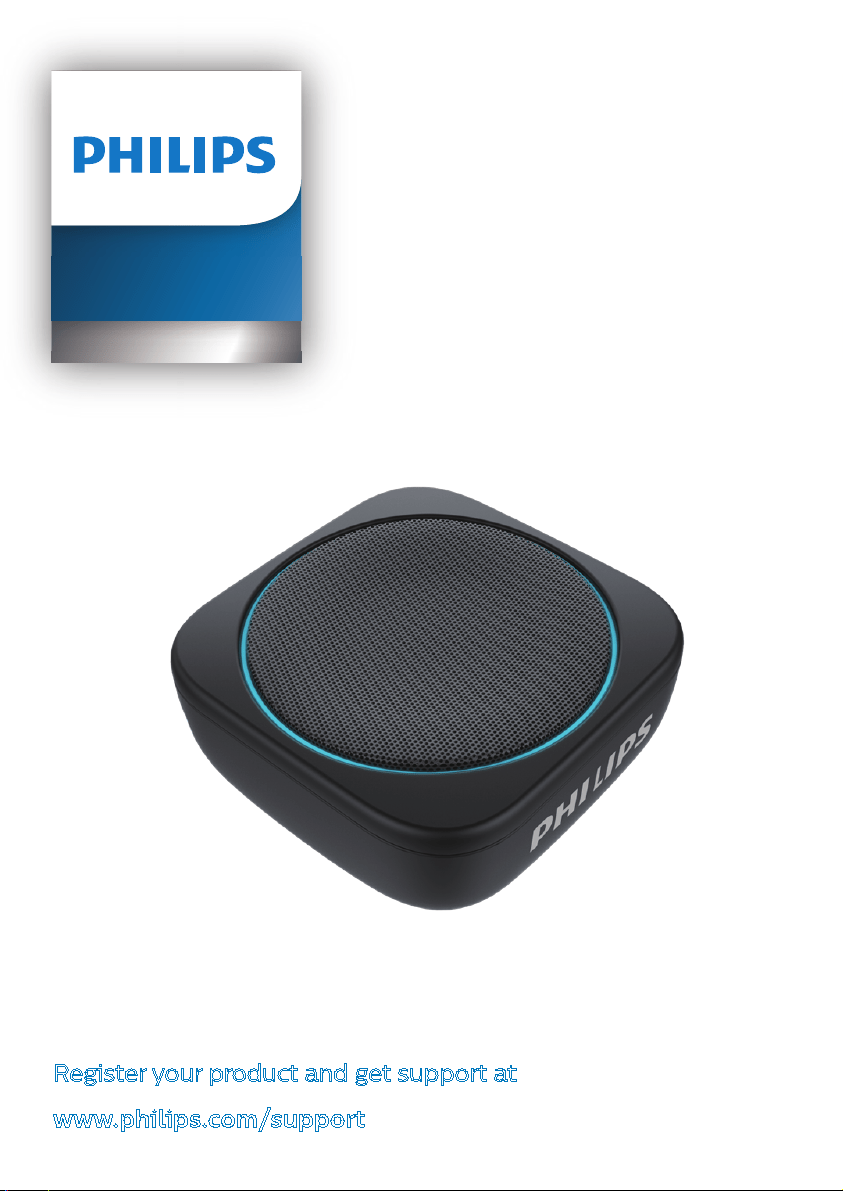
Portable speaker
BT150

Contents
1 Important 1
Safety 1
Notice 1
2 Your Bluetooth speaker 2
Introduction 2
What's in the box 3
Overview of the speaker 3
3 Get started 4
Charge the built-in battery 4
Turn on/off 6
4 Play from Bluetooth devices 6
Connect a Bluetooth device 6
Play from a connected Bluetooth device 7
Disconnect a device 7
Reconnect a device 7
Clear pairing information 7
Control your phone call 8
5 Other features 8
Listen to an external device 8
Turn on / off the light 9
Adjust volume 9
6
Specications 10
7 Trouble-shooting 10
General 10
About Bluetooth device 11
EN
1
1 Important
Safety
Warning
•
Neverremovethecasingofthisspeaker.
•
Neverplacethisspeakeronotherelectrical
equipment.
•
Keepthisspeakerawayfromdirectsunlight,naked
amesorheat
• Onlyuseattachmentsoraccessories
speciedbythemanufacturer.
• Thebatteryshallnotbeexposedto
excessiveheatsuchassunshine,reorlike
• Donotplaceanysourcesofdangeronthe
speaker(e.g.lightedcandles).
• ThespeakercanmeetIPX7waterproof
standardonlywhentheUSB/AUDIOIN
socketcoveriscoveredseamlessly.
• Theoperationtemperatureofthespeaker
isfrom-10°Cto40°C.
Note
•
Thetypeplateislocatedonthebottomofthe
speaker.
Notice
Anychangesormodicationsmadetothis
devicethatarenotexpresslyapprovedbyPhilips
mayvoidtheuser’sauthoritytooperatethe
equipment.
Compliance
Hereby,Philipsdeclaresthatthisproductisin
compliancewiththeessentialrequirementsand
otherrelevantprovisionsofDirective2014/53/
EU.Youcanndthedeclarationofconformityon
www.philips.com/support.
Care of the environment
Disposal of your old product and battery
Yourproductisdesignedandmanufacturedwith
highqualitymaterialsandcomponents,whichcan
berecycledandreused.
Thissymbolonaproductmeansthatthe
productiscoveredbyEuropeanDirective
2012/19/EU.
Thissymbolmeansthattheproductcontains
abuilt-inrechargeablebatterycoveredby
EuropeanDirective2013/56/EUwhichcannot
bedisposedofwithnormalhouseholdwaste.We
stronglyadviseyoutotakeyourproducttoan
ocialcollectionpointoraPhilipsservicecentre
tohaveaprofessionalremovetherechargeable
battery.

EN
2
Informyourselfaboutthelocalseparate
collectionsystemforelectricalandelectronic
productsandrechargeablebatteries.Follow
localrulesandneverdisposeoftheproductand
rechargeablebatterieswithnormalhousehold
waste.Correctdisposalofoldproductsand
rechargeablebatterieshelpspreventnegative
consequencesfortheenvironmentandhuman
health.
Caution
•
Thetypeplateislocatedonthebottomofthe
speaker.
Alwaysbringyourproducttoaprofessionalto
removethebuilt-inbattery.
Environmental information
Allunnecessarypackaginghasbeenomitted.We
havetriedtomakethepackagingeasytoseparate
intothreematerials:cardboard(box),polystyrene
foam(buer)andpolyethylene(bags,protective
foamsheet.)
Yoursystemconsistsofmaterialswhichcan
berecycledandreusedifdisassembledbya
specializedcompany.Pleaseobservethelocal
regulationsregardingthedisposalofpackaging
materials,exhaustedbatteriesandoldequipment.
Trademark notice
TheBluetooth
®
wordmarkandlogosare
registeredtrademarksownedbyBluetoothSIG,
Inc.andanyuseofsuchmarksbyMMDHong
KongHoldingLimitedisunderlicense.Other
trademarksandtradenamesarethoseoftheir
respectiveowners.
2 Your
Bluetooth
speaker
Congratulationsonyourpurchase,andwelcome
toPhilips!Tofullybenetfromthesupportthat
Philipsoers,registeryourproductat
www.philips.com/welcome.
Introduction
Withthisspeaker,youcan
• enjoyaudiofromBluetooth-enableddevices
orotherexternaldevices,and
• enjoyashinglightduringmusicplayback.
EN
3
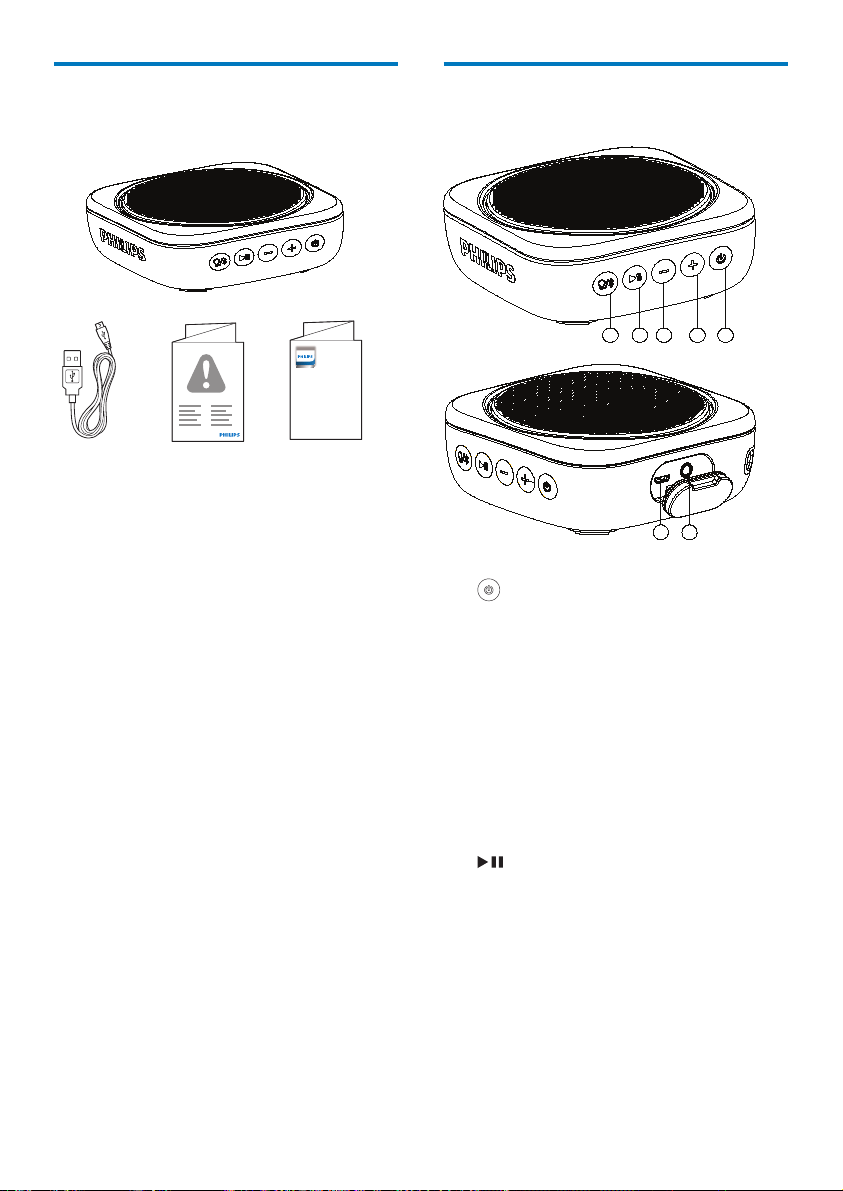
What's in the box
Checkandidentifythecontentsofyourpackage:
Quick Start
Guide
BT150
Portable speaker
Register your product and get support at
www.philips.com/support
• Speaker
• USBcableforcharging
• Printedmaterials
.
Overview of the speaker
5
4
3
2
1
7
6
1
• Turnthespeakeronoro.
2
+
• Adjustvolume.
• InBluetoothmode,presstwicetoplay
thenexttrack.
3
-
• Adjustvolume.
• InBluetoothmode,presstwicetoplay
theprevionstrack.
4
• InBluetoothmode,presstopauseor
resumeplay.
• AfterBluetoothconnection,respondto
anincomingcall.

EN
4
5
• EnterBluetoothpairingmode.
• ClearBluetoothpairinginformation.
• Turnthelighton/o
6
• Chargethebuilt-inbattery.
7
AUDIO IN
• Connectanexternalaudiodevice.
3 Get started
Alwaysfollowtheinstructionsinthischapterin
sequence.
Charge the built-in
battery
Thespeakerispoweredbyabuilt-inrechargeable
battery.
Note
• Beforeuse,fullychargethebuilt-inbattery.
• ThemicroUSBsocketisforchargingonly.
• Rechargeablebatteryhasalimitednumber
ofchargecycles.Batterylifeandnumberof
chargecyclesvarybyuseandsetting
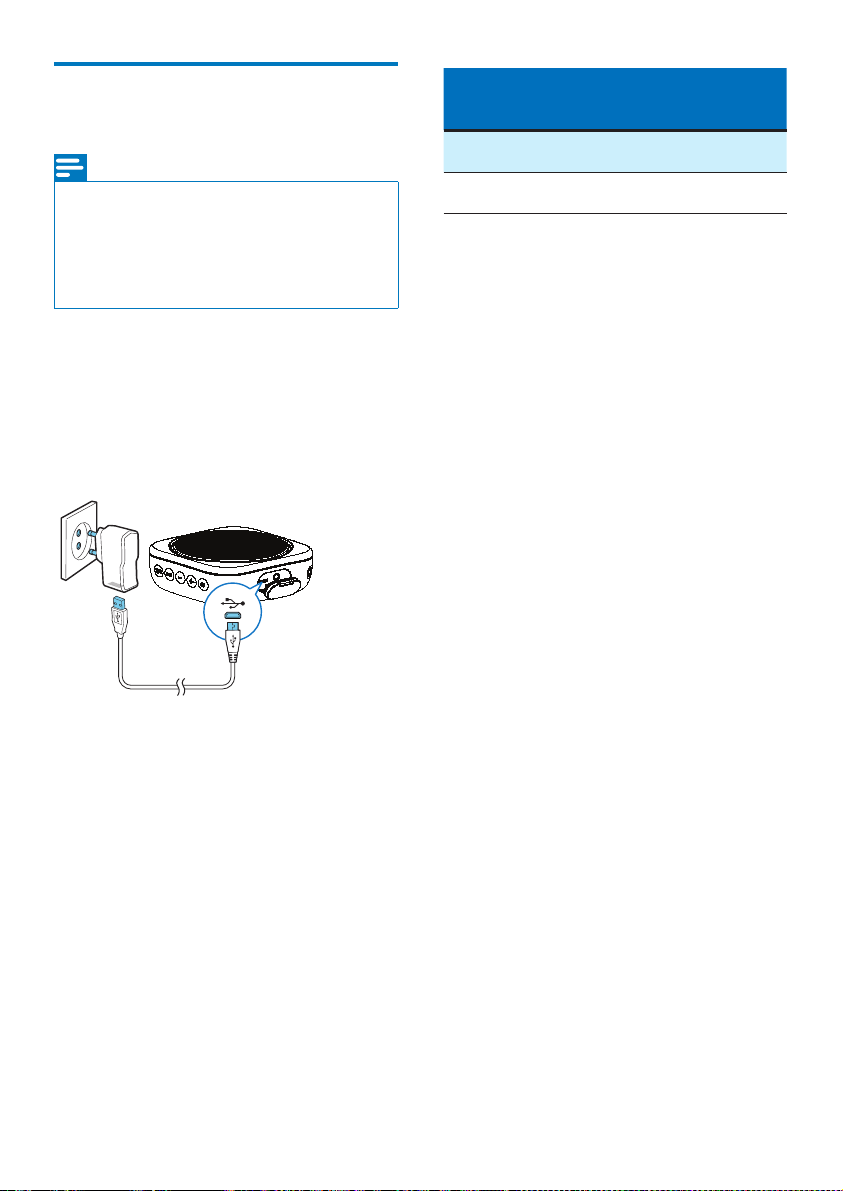
1 Flipopenthecoveronthesideofthe
speaker.
2 ConnecttheUSBcablebetween
• socketonthespeaker,and
• aUSBsocketonacomputer.
EN
5
Charge the built-in
battery
Note
•
Ittakesyouapproximately3hourstofullychargethe
battery.
•
ThemicroUSBsocketisforchargingonly.
•
Rechargeablebatteryhasalimitednumberofcharge
cycles.Batterylifeandnumberofchargecyclesvary
byuseandsettings.
Whenthebatterylevelislow,LEDashesred.
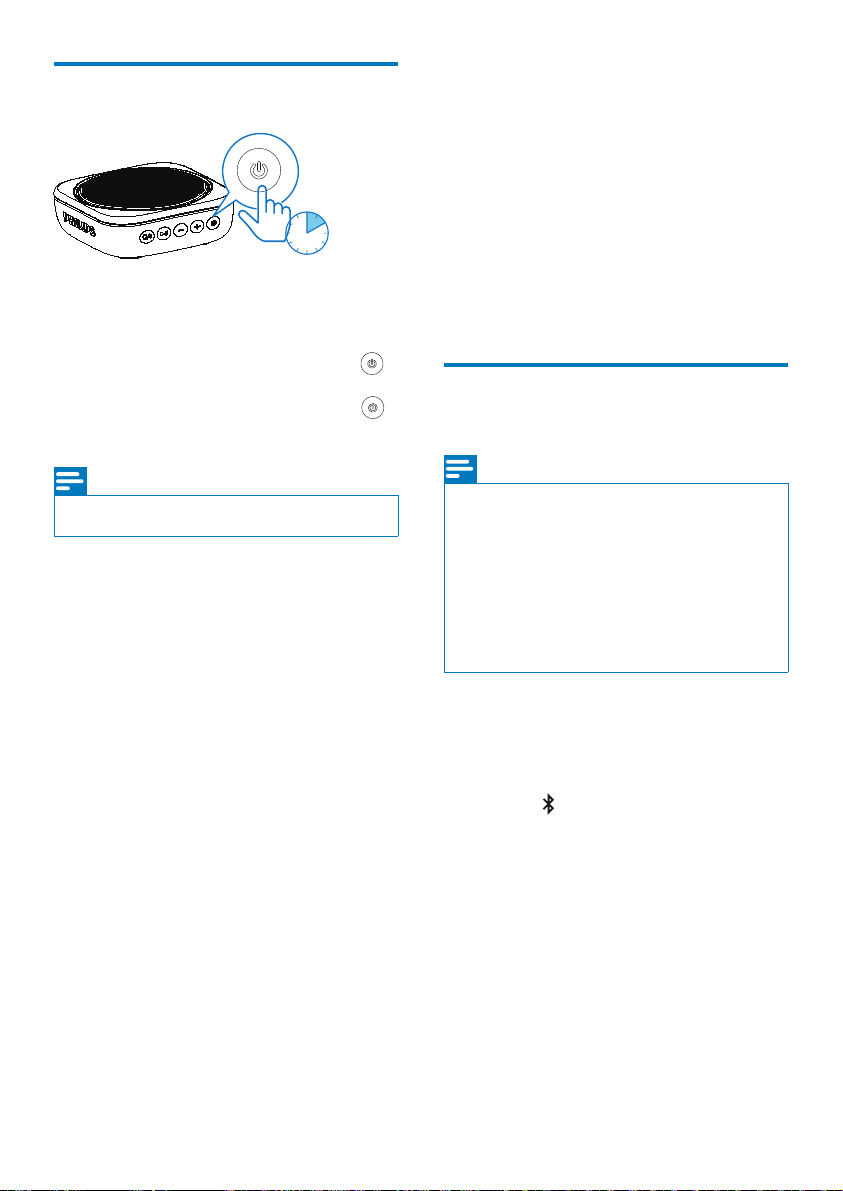
To charge the built-in battery:
• ConnectthespeakertoACpowerbyusing
theadaptor(notsupplied).
System
status
Battery status System behavior
On Fullycharged Solidblue
O Fullycharged Ledturno
EN
6
Turn on/o
2 sec.
• Toturnthespeakeron,pressandhold
forovertwosecondsuntiltheLEDslightup.
• Toturnthespeakero,pressandhold
fortwosecondsagain.
Note
•
Thespeakerturnsoautomaticallywhenbeingidle
for15minutes.
4 Play from
Bluetooth
devices
Withthisspeaker,youcanlistentoaudiofrom
Bluetooth-enableddevicesandcontrolthe
incomingcallthroughBluetooth.
Connect a Bluetooth
device
Note
•
MakesurethatBluetoothfunctionisenabledonyour
device,andyourdeviceissetasvisibletoallother
Bluetoothdevices.
•
AnyobstaclebetweenthisspeakerandaBluetooth
devicecanreducetheoperationalrange.
•
Keepawayfromanyotherelectronicdevicethatmay
causeinterference.
•
Theoperationalrangebetweenthisspeakeranda
Bluetoothdeviceisapproximately10meters.
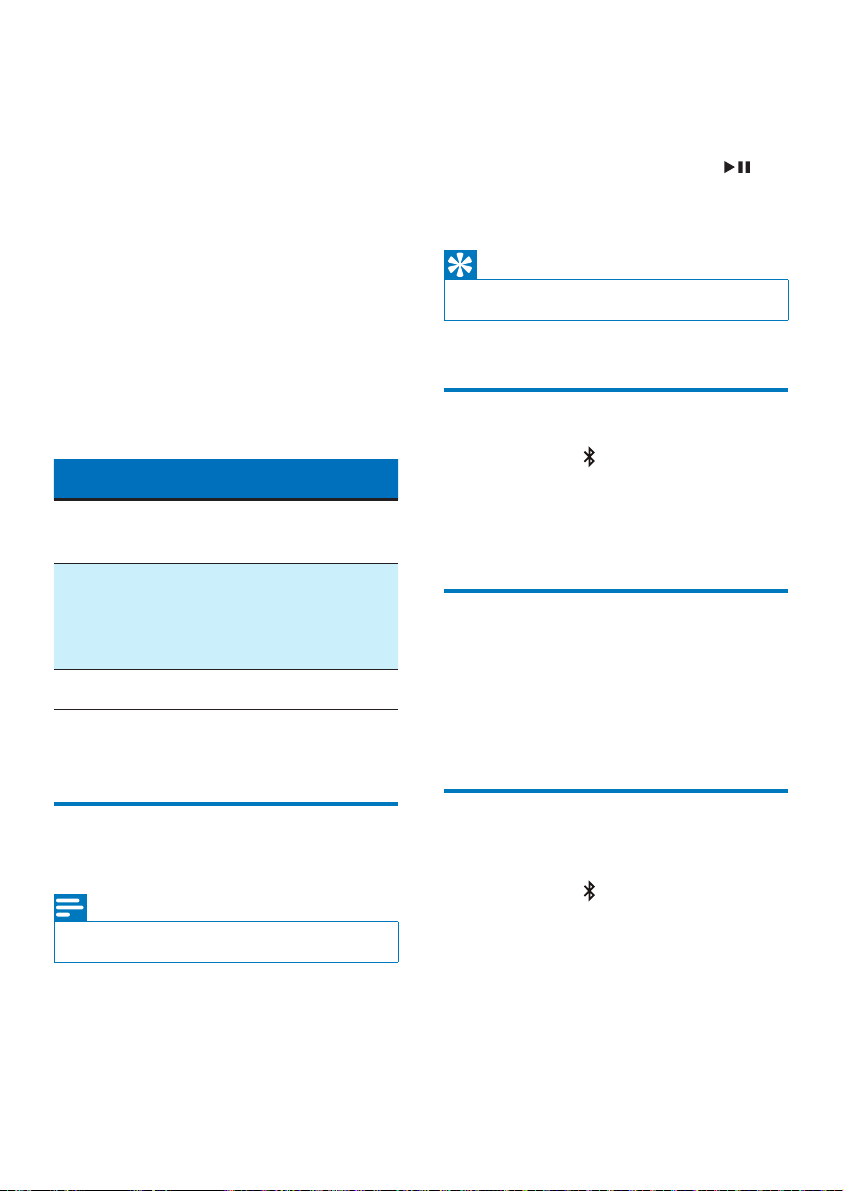
1
MakesurethatthespeakerisinBluetooth
pairingmode.
» TheLEDsashblue/redquickly.
» IfLEDsashblue/redslowly.pressand
hold fortwosecondstoenterpairing
mode.
EN
7
2
OnyourBluetoothdevice,enableBluetooth
andsearchforBluetoothdevicesthatcanbe
paired(seetheusermanualofthedevice).
3
Select
[Philips BT150]
displayedonyour
deviceforpairing.Ifnecessary,input“0000”
asthepairingpassword.
» Aftersuccessfulconnection,thespeaker
beepstwice,andtheblueLEDlight
stopsashing.
LED behavior Description
Flashingblue/red
quickly
Readyforpairing
Flashingblue/redslowly Reconnectingthelast
connecteddevice;
Waitingforconnection
fromthepaireddevice
Solidblue Connected
Play from a connected
Bluetooth device
Note
•
Musicplaypauseswhenthereisanincomingcall,and
resumeswhenyourphonecallends.
AftersuccessfulBluetoothconnection,playaudio
ontheconnecteddevice.
» AudiostreamsfromyourBluetoothdevice
tothespeaker.
• Topauseorresumeplay,press .
• Toplaythenexttrack,press+twice,
andpress-twiceforprevioustrack.
Tip
•
Musicplaypauseswhenthereisanincomingcall,and
resumeswhenyourphonecallends.
Disconnect a device
• Pressandhold fortwoseconds;
• Turnothespeaker;
• DisableBluetoothonyourdevice;or
• Movethedevicebeyondthecommunication
range.
Reconnect a device
• Whenyouturnonthespeaker,ittries
toreconnectthelastconnecteddevice
automatically;
• Ifnotsuccessful,select
[Philips BT150]
on
yourBluetoothmenutostartreconnection.
Clear pairing
information
• Pressandhold for10seconds.
EN
8
Control your phone call
AfterBluetoothconnection,youcancontrolan
incomingcallwiththisspeaker.
Button Function
Presstoansweran
incomingcall.
Pressandholdfortwo
secondstorejectan
incomingcall.
Duringacall,pressto
endthecurrentcall.
Duringacall,pressand
holdfortwosecondsto
transferthecalltoyour
mobiledevice.
5 Other
features
Listen to an external
device
Withthisspeaker,youcanalsolistentoan
externalaudiodevicesuchasanMP3player.
Note
•
MakesurethatmusicplaybackthroughBluetoothis
stopped.
•
Bluetoothwilldisconnectautomaticallywhenconnect
anaudioinputcable.
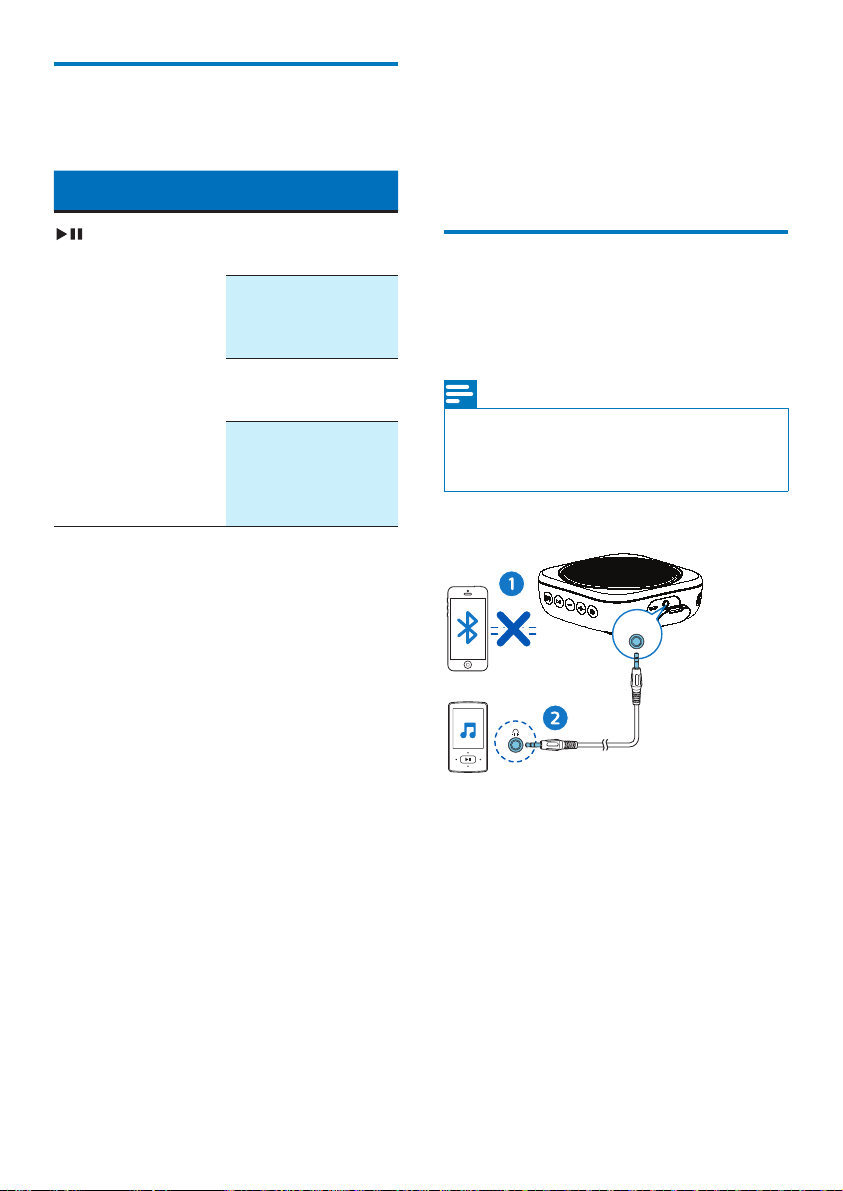
ADUIO IN
1
Opentheprotectivecoveronthesideof
thespeaker.
2
Connectanaudioinputcable(notsupplied)
witha3.5mmconnectoronbothendsto
• the
AUDIO IN
socketonthisspeaker,
and
• theheadphonesocketontheexternal
device.
3
Playaudioontheexternaldevice(referto
itsusermanual).

EN
9
Turn on / o the light
Duringmusicplayback,youcanenjoytheashing
lighteect.
Press toturnon/othelight
Note
•
Ifbluetoothisconnected,thelightkeepson.
•
Ifbluetoothisconnected,whennosignaloutput,the
lightturno.
•
Ifconnectanaudiocable,thelightwillkeepon.
Adjust volume
Duringmusicplayback,press
-/+
toincreaseor
decreasevolume.
Tip
•
Youcanpressandhold
-/+
toincreaseordecrease
volumecontinuously.
•
Whenthevolumereachesthemaximum,thespeaker
beepstwice.
•
DuringBluetoothplayback,thevolumecontrolwill
besynchronizedbetweenthespeakerandyour
Bluetoothdeviceaslongasyourdevicesupportsthis
function.

EN
10
6
Specications
Note
•
Productinformationissubjecttochangewithout
priornotice.
Ratedoutput
power
(Amplier)
1x4WRMS≤1%THD
Acoustic
frequency
response
80-16000Hz
Speakerdriver 1x1.5"fullrange,4Ω
Bass
enhancement
1pcsofpassiveradiator
Bluetoothversion V4.2+EDR
Bluetooth
supported
proles
HFPV1.7,A2DPV1.3,AVRCP
V1.6
Bluetooth
frequencyband/
Outputpower
2.402GHz~2.480GHzISM
Band/≤4dBm(Class2)
AUXinputlevel 700mV±100mV
Waterresistance IPX7
Built-inbattery Li-ionbattery
(3.7V,800mAh)
Playtimein
batterymode
Approx.8hours
Chargingtime Approx.3hours
USBcharging 5V,1A/Micro-USBsocket
Dimensions-
Mainunit
(WxHxD)
95x95x39.5mm
Weight-Main
unit
0.3kg
7 Trouble-
shooting
Warning
•
Neverremovethecasingofthisdevice.
Tokeepthewarrantyvalid,nevertrytorepair
thesystemyourself.
Ifyouencounterproblemswhenusingthisdevice,
checkthefollowingpointsbeforerequesting
service.Iftheproblemremainsunsolved,goto
thePhilipsWebpage(www.philips.com/support).
WhenyoucontactPhilips,makesurethatthe
deviceisnearbyandthemodelnumberand
serialnumberareavailable.
General
No power
• Rechargethespeaker.
No sound
• Adjustvolumeonthisproduct.
• Adjustvolumeontheconnecteddevice.
• MakesurethatyourBluetoothdeviceis
withintheeectiveoperationalrange.

EN
11
About Bluetooth device
The audio quality is poor after connection with
a Bluetooth-enabled device.
• TheBluetoothreceptionispoor.Movethe
deviceclosertothisproductorremoveany
obstaclebetweenthem.
Fail to nd [Philips BT150] on your device for
pairing.
• Pressandhold fortwosecondstoenter
pairingmode,andthentryagain.
Cannot connect with the device.
• TheBluetoothfunctionofthedeviceisnot
enabled.Refertotheusermanualofthe
deviceforhowtoenablethefunction.
• Thisproductisalreadyconnectedwith
anotherBluetooth-enableddevice.
Disconnectthatdeviceandthentryagain.
The paired device connects and disconnects
constantly.
• TheBluetoothreceptionispoor.Movethe
deviceclosertothisproductorremoveany
obstaclebetweenthem.
• Forsomedevices,Bluetoothconnection
maybedeactivatedautomaticallyasa
power-savingfeature.Thisdoesnotindicate
anymalfunctionofthisproduct.

Philips and the Philips Shield Emblem are registered
trademarks of Koninklijke Philips N.V. and are used
under license.
This product has been manufactured by and is sold
under the responsibility of MMD Hong Kong Holding
Limited or one of its aliates, and MMD Hong Kong
Holding Limited is the warrantor in relation to this
product.
BT150_00 _UM_V 1.0