Lisez-moi en premier.... / Lea esto primero.... / Leia isto primeiro....
ENGLISH
FRANÇAIS
ESPAÑOL
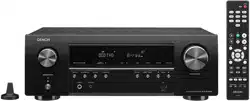
AVR-S540BT
AV SURROUND RECEIVER
Quick Start Guide
Read Me First....
Guide de démarrage rapide / Guía de inicio rápido / Guia de Arranque Rápido
PORTUGUÊS
Please do not return this unit to the
store.
If you need help…
Check our AVR setup tips online
Usa.denon.com/SetupTips
Ca.Denon.com/SetupTips
Call for Assistance
1-855-MY.DENON (USA) 1-855-693-3666
1-800-668-0652 (Canada)
Monday – Friday 10:00AM to 10:00PM E.S.T
Saturday 12:00PM to 8:00PM E.S.T
1. AVR-S540BTE3_QSG_ENG_00A_180111.indd 1 2018/01/17 9:32:57
PrintingColor:Black
1
Thank you for choosing a Denon AV
receiver. This guide provides step-by-
step instructions for setting up your AV
receiver.
Welcome Before You Begin
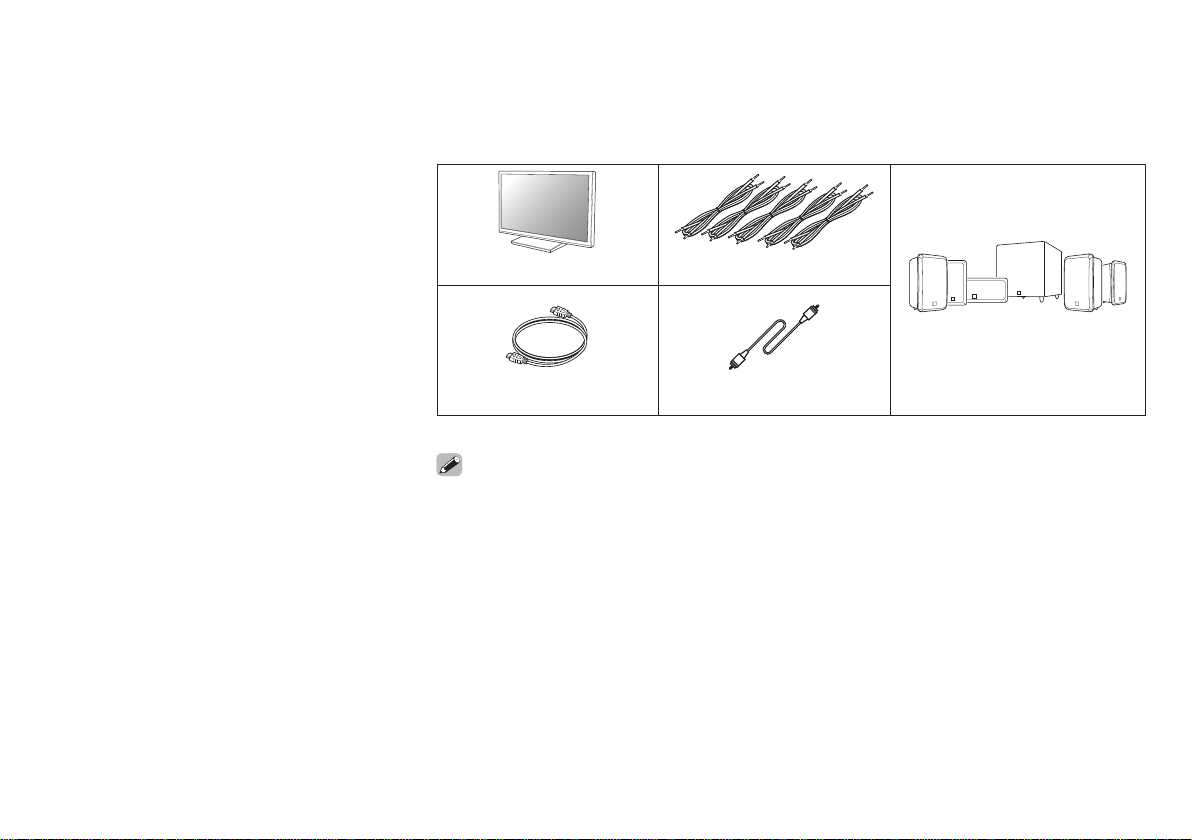
Required for Setup
TV Speaker cables
HDMI cable Subwoofer cable Speakers
• When connecting this unit to a device that is compatible with the Deep Color, 4K and ARC
functions, use a “High Speed HDMI cable with Ethernet” that displays the HDMI logo.
• These drawings are for illustrative purposes only and may not represent the actual product(s).
1. AVR-S540BTE3_QSG_ENG_00A_180111.indd 1 2018/01/17 9:32:57
PrintingColor:Black
2
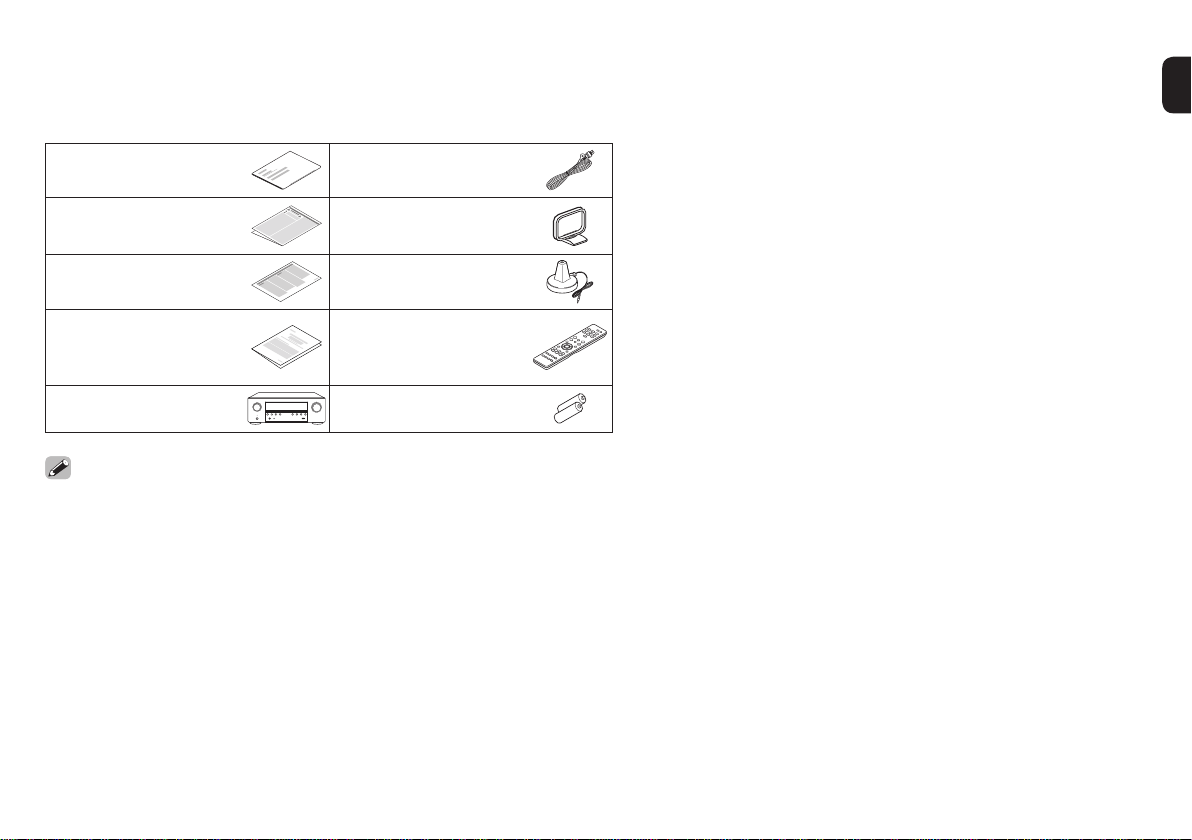
What’s In the Box
Quick Start Guide
FM indoor antenna
Safety Instructions AM loop antenna
Notes on radio Sound calibration
microphone
Warranty
(for North America
model only)
Remote control unit
(RC-1216)
Receiver R03/AAA batteries
• Using your own tripod enables settings to be automatically configured to the
optimum listening environment, providing exceptionally high performance.
1. AVR-S540BTE3_QSG_ENG_00A_180111.indd 2 2018/01/17 9:32:58
PrintingColor:Black
3
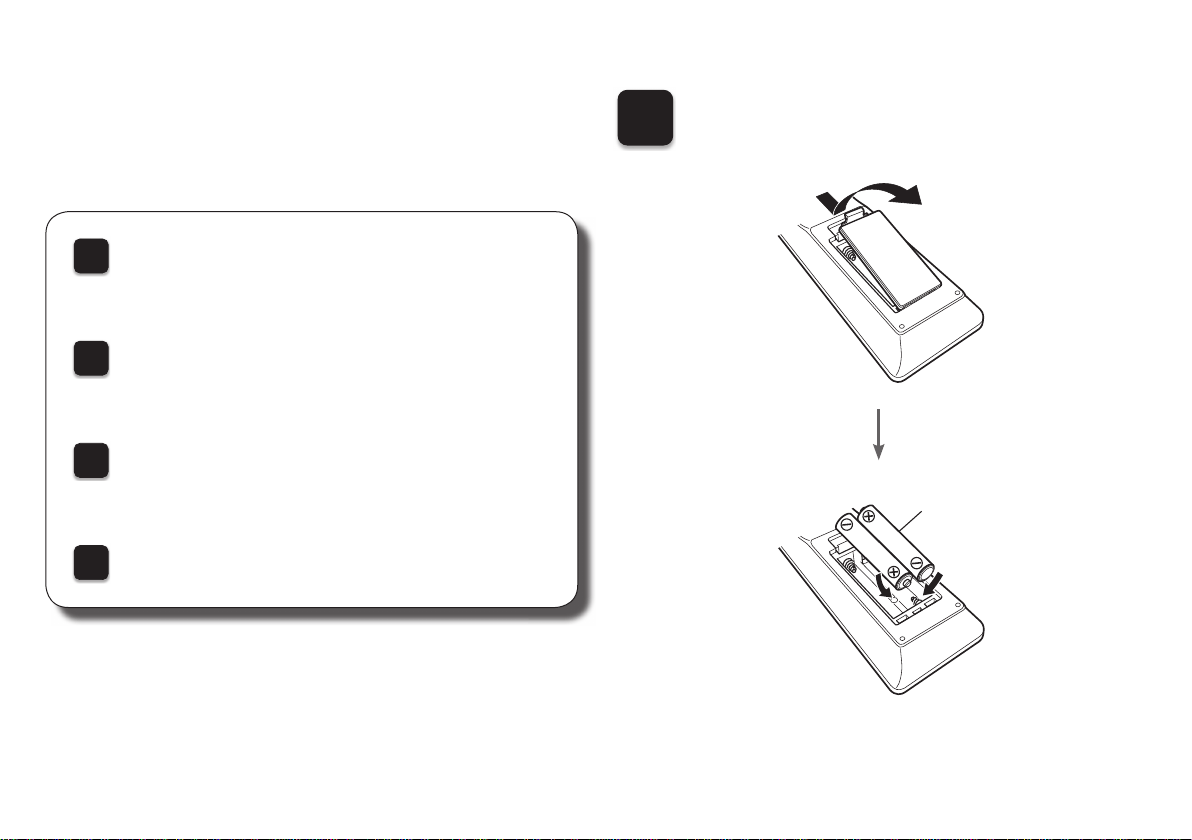
1
Installing batteries in the
remote control unit
Batteries
There are four steps to the setup
process.
1
Installing batteries in the remote control unit
2
Connecting the receiver
3
Following the On-Screen Setup Assistant
4
Enjoying music using Bluetooth
Setup
1. AVR-S540BTE3_QSG_ENG_00A_180111.indd 3 2018/01/17 9:32:58
PrintingColor:Black
4
2
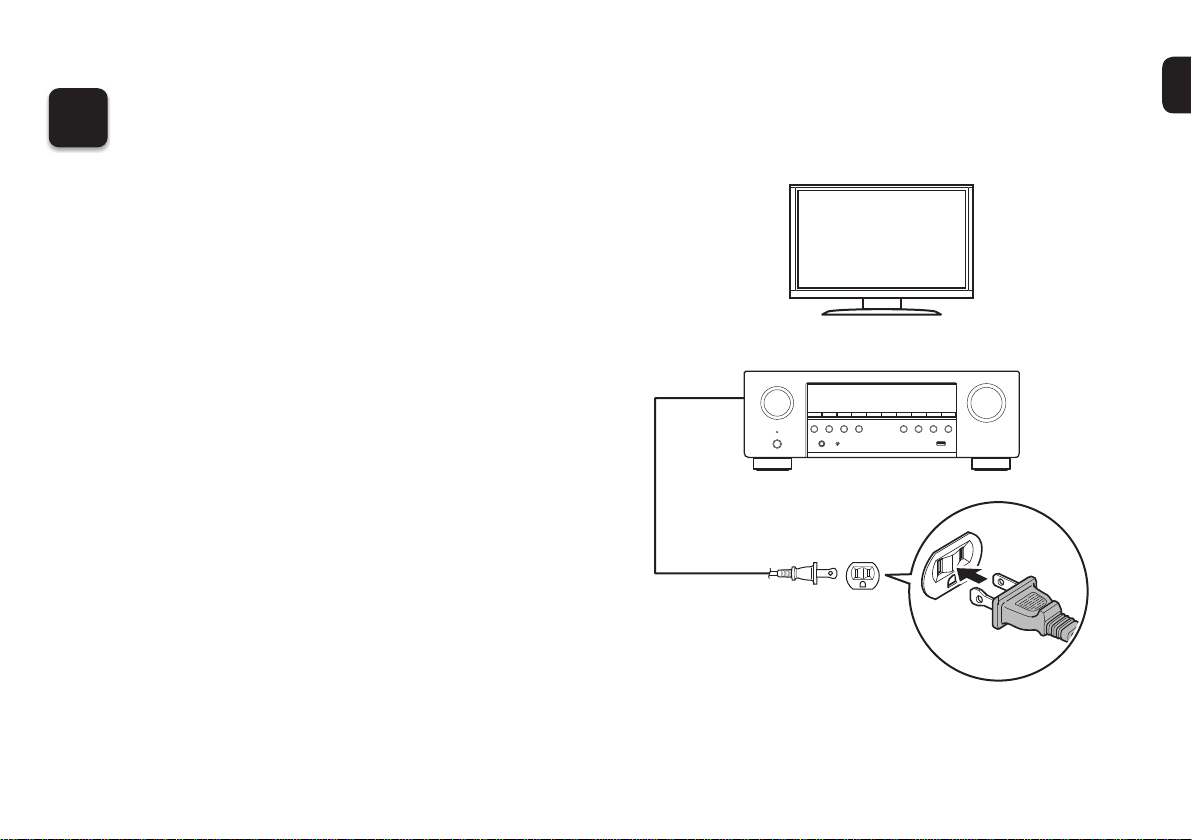
Connecting the receiver
1) Place the receiver near your TV and
connect the power cord
TV
Receiver
Power cord
Connect to household
power outlet
(AC 120 V, 60 Hz)
1. AVR-S540BTE3_QSG_ENG_00A_180111.indd 4 2018/01/17 9:32:58
PrintingColor:Black
5
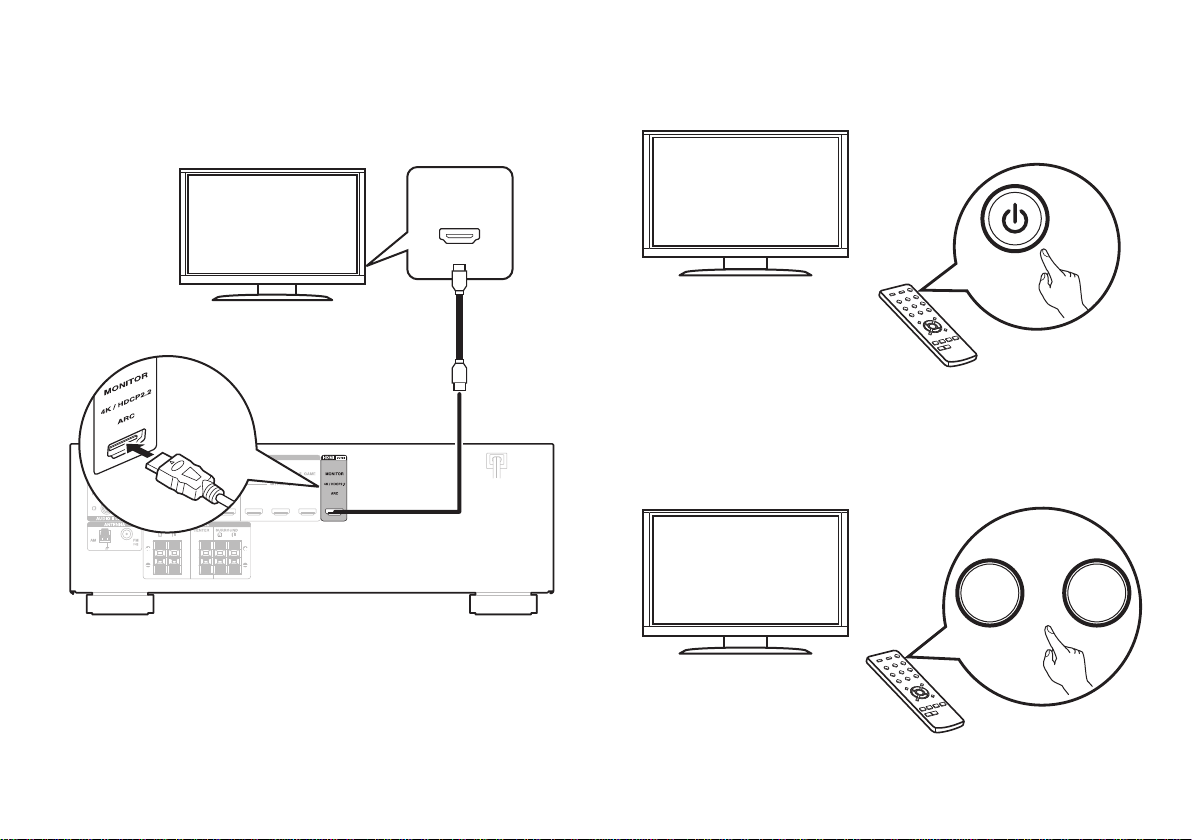
2) Connect the receiver to your TV with
an HDMI cable
HDMI IN
(ARC)
HDMI OUT
MONITOR
(ARC)
HDMI cable
Receiver (Rear panel)
ARC (Audio Return Channel) :
If your TV supports ARC, your TV can send audio back to the AV receiver
when you are using your TV’s built-in video sources (TV tuner, Smart TV
streaming services, etc…) ARC requires that you enable HDMI CEC on
your TV. Please refer to your TV’s Owner’s Manual for instructions on how
to setup HDMI CEC. Note that some TV manufacturers use other names
for the HDMI CEC function.
3) Turn on the TV
TV remote control unit
4) Select the appropriate HDMI input
on your TV
HDMI
TV/
VIDEO
INPUT
or
TV remote control unit
1. AVR-S540BTE3_QSG_ENG_00A_180111.indd 5 2018/01/17 9:32:58
PrintingColor:Black
6
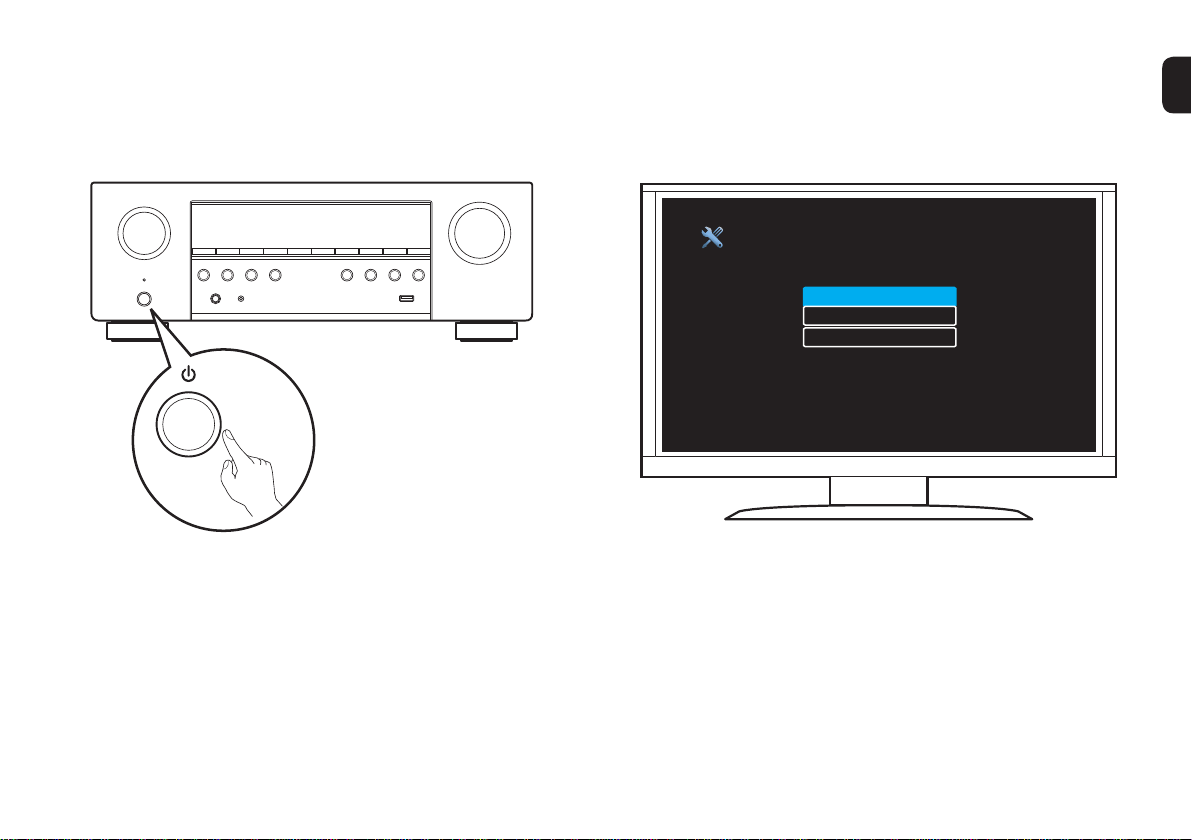
5) Turn on the receiver
• Press X to turn on the receiver.
6) Verify the connection
• Verify that you can see this screen on your TV.
Setup Assistant
Please select a language...
English
Français
Español
If this screen is not displayed, please go back and retry
the steps again in the recommended sequence.
1. AVR-S540BTE3_QSG_ENG_00A_180111.indd 6 2018/01/17 9:32:59
PrintingColor:Black
7
3
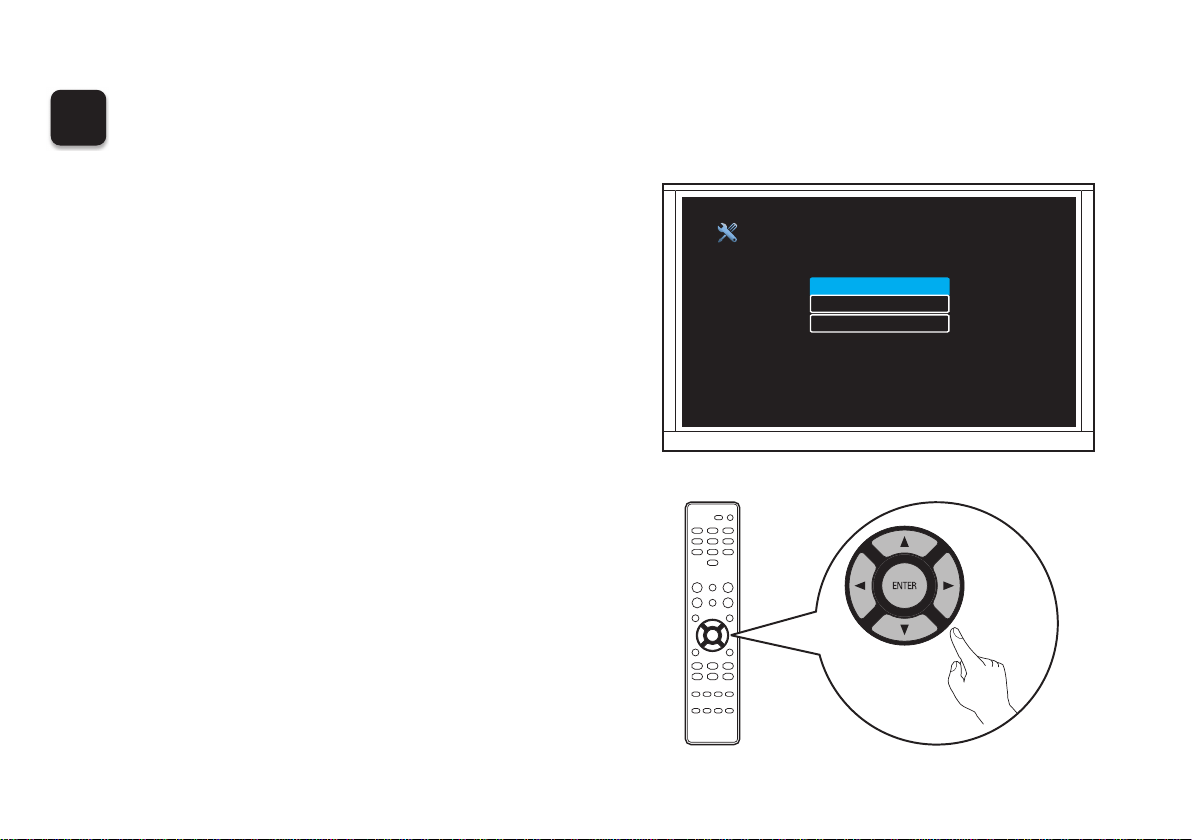
Following the On-Screen Setup Assistant
The Setup Assistant will walk you through connecting and
confi guring your speakers and components to your Denon
receiver. Please use the remote control and follow the
on-screen instructions.
Setup Assistant
Please select a language...
English
Français
Español
1. AVR-S540BTE3_QSG_ENG_00A_180111.indd 7 2018/01/17 9:32:59
PrintingColor:Black
8
4
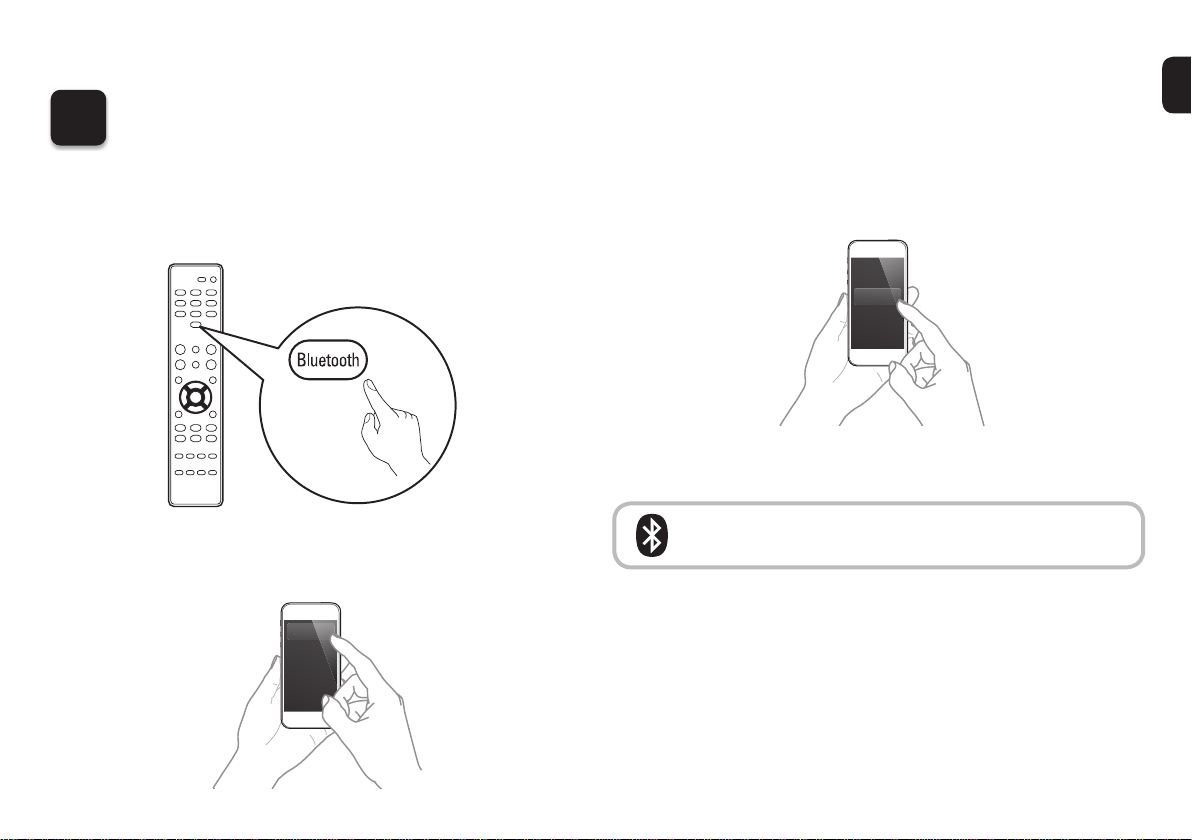
Enjoying music using Bluetooth
1
Press and hold the Bluetooth button on the remote
control for at least 3 seconds to go into pairing
mode.
2
Activate the Bluetooth settings on your mobile
device.
Bluetooth ON
3
Select “Denon AVR-S540BT” from the Bluetooth
device list on your mobile device.
Denon AVR-S540BT
Bluetooth
4
Play music using any App on your device.
To reconnect a previously paired Bluetooth
device, Start at step 2.
1. AVR-S540BTE3_QSG_ENG_00A_180111.indd 8 2018/01/17 9:32:59
PrintingColor:Black
9
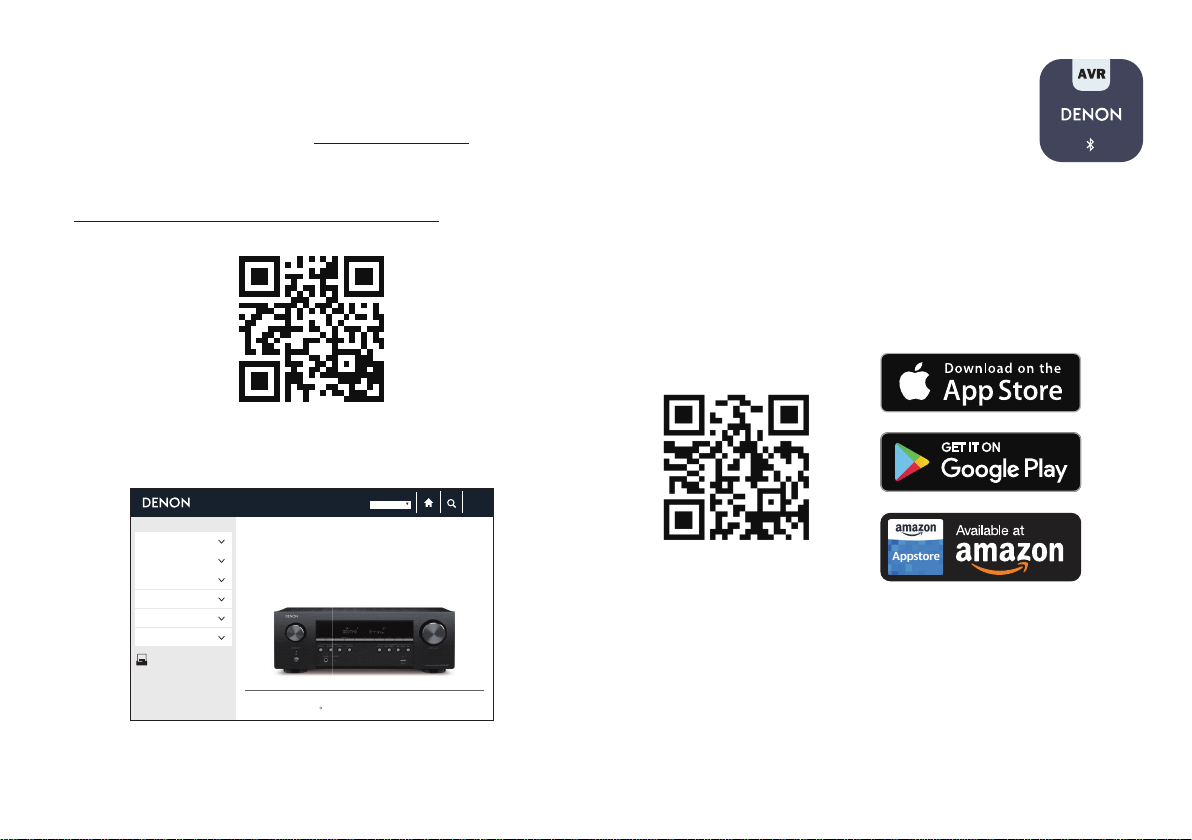
Owner’s Manual
• For more information, visit www.denon.com
• Refer to the Online Manual for other functions
information and operation procedure details.
manuals.denon.com/AVRS540BT/NA/EN/
Compatible with the
“Denon 500 Series
Remote” App
The “Denon 500 Series Remote” App allows you to
remotely control the AVR-S540BT from your mobile device
when connected via Bluetooth. It is available for free in the
Apple App Store, Google Play or the Amazon Appstore.
Make sure you search for “DENON 500 SERIES”.
PDF
Overview
Connections
Playback
Settings
Tips
Appendix
PDF Download
AV SURROUND RECEIVER
AV SURROUND RECEIVER
WEB Manual
Copyright 2018 D&M Holdings Inc. All Rights Reserved.
c
AVR-S540BT
Contents
English
Online Manual
1. AVR-S540BTE3_QSG_ENG_00A_180111.indd 9 2018/01/17 9:33:01
PrintingColor:Black

1. AVR-S540BTE3_QSG_ENG_00A_180111.indd 10 2018/01/17 9:33:01
PrintingColor:Black

www.denon.com
Printed in Vietnam 5411 11579 00AD
Copyright © 2018 D&M Holdings Inc. All Rights Reserved.
5. AVR-S540BTE3_QSG_BackPage_00A_171120.indd 3 2018/01/17 9:35:43
PrintingColor:Black