Get personal training with
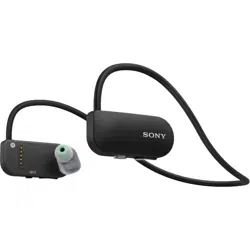
Smart B-Trainer™
With the sensor in the headphones and the
app, you will get an effective training program
with music and audio guidance.
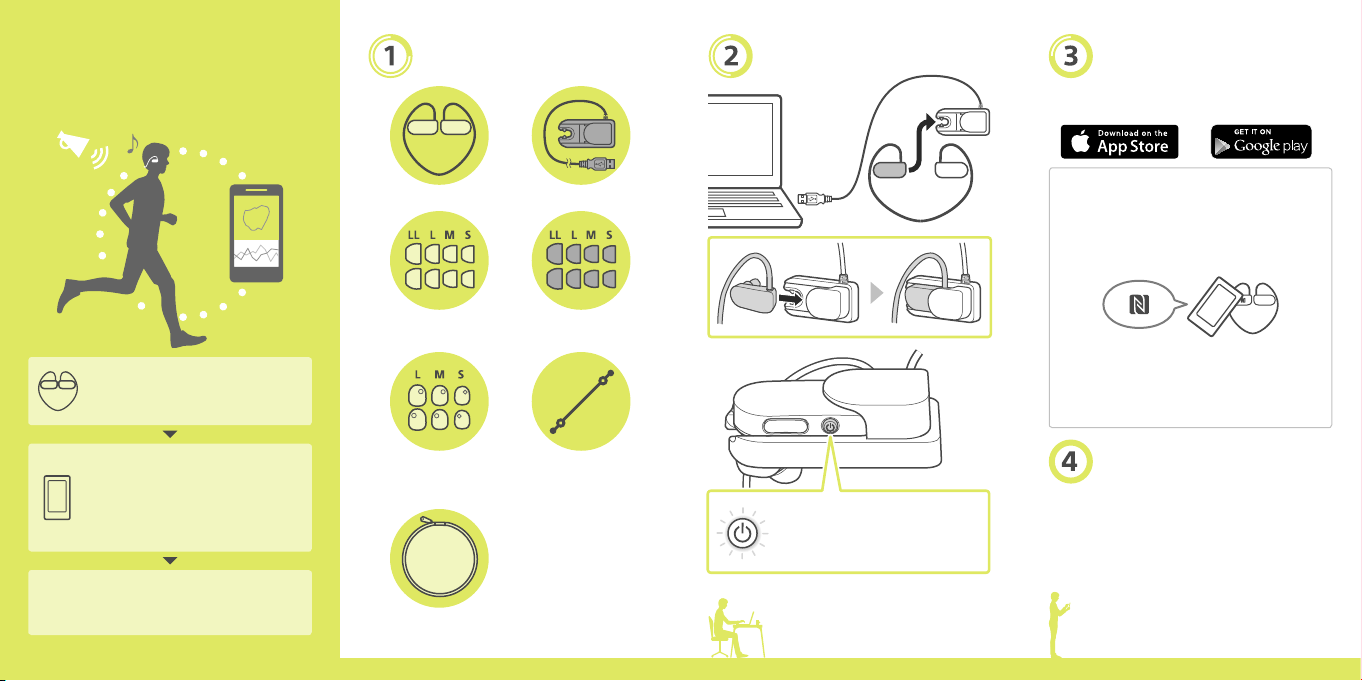
Preparation of the device
1. Check what’s in the box
2. Charge
Preparation of the app
3. Download the “B-Trainer” app
4. Start the app and wear the
device
(Refer to the overleaf for how to
wear the device.)
Preparations with this Startup Guide
are finished
Follow the instructions of the app
What’s in the box
Smart B-Trainer™ (1) USB cradle (1)
Earbuds
(one pair for each size)
Swimming earbuds
(one pair for each size)
Adjustment covers for
Heart rate sensor
(one pair for each size)
Adjustment band
Startup Guide (this
document) (1)
Important Information (1)
Warranty card
(depending on your
region/country)
Carrying pouch
Charge
•The LED will turn on when charging
•The first charge takes around 1.5 hours
Download the “B-Trainer”
app
If downloading from App Store™ or Google
Play™
You can use your smartphone’s NFC to
download the app.
1. Make sure your NFC setting is enabled.
2. Touch the N-mark on your smartphone to
the N-mark on the headphones.
3. Follow the on-screen instructions.
•The above operation is an example. Refer to
the manuals of your smartphone for more
information.
•The NFC function may not be available
depending on your smartphone or its OS.
Open the app and follow
the setup instructions
“Smart B-Trainer” and “B-Trainer” are registered
trademarks or trademarks of Sony Corporation.
Apple, the Apple logo, iPad, iPhone and iPod touch
are trademarks of Apple Inc., registered in the U.S.
and other countries. App Store is a service mark of
Apple Inc. Android™ and Google Play are
registered trademarks or trademarks of Google Inc.
START!
Smart B-Trainer™
Startup Guide
For more details and precautions,
refer to the Help Guide (web manual).
http://rd1.sony.net/help/sports/btr1/h_zz/
4-567-644-11(1)
SSE-BTR1
©2015 Sony Corporation
Printed in Malaysia
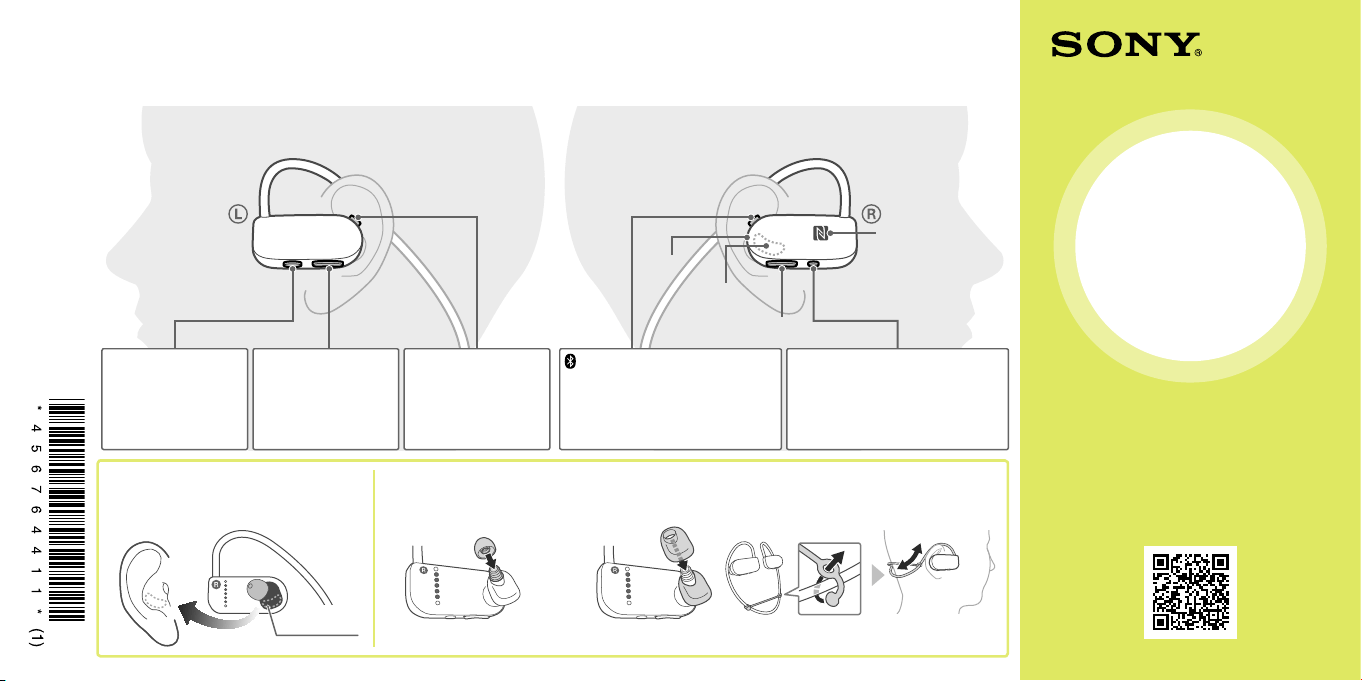
Wearing your Smart B-Trainer™
The Smart B-Trainer™ can measure things like your heart rate and track your location over the course of your workout sessions. To ensure that
accurate measurements are taken, make sure to wear it correctly.
Left ear Right ear
Heart rate
sensing area
BLUETOOTH
LED
NFC-mark
VOL (volume)
button
(BLUETOOTH)/SELECT button
short press: change between device and
BLUETOOTH streaming mode
long press: turn the BLUETOOTH function
on/off
long press (over 7 sec.): pairing
(power)/INFO button /
POWER OPERATION LED
long press: power on/off
short press: get information (when the
power is on), start/end a phone call
(while connected to BLUETOOTH)
long press (over 8 sec.): reset
START button
short press: start/pause
training
long press: stop training
/ button
short press: next/previous
song
long press: change
intensity (while training)
/MEMO button
short press: start/pause
music
long press: voice memo
The button has a tactile
dot.
Fit the heart rate sensing area securely
inside your right ear.
Doesn’t feel secure?
Pick an earbud size
that fits you
Pick a Heart rate sensor
adjustment cover that
fits you
Remember to use the swimming earbuds while you swim for
waterproof protection.
Use the adjustment band to help adjust the
fit
Heart rate
sensing area