USER
MANUAL
English Language

Hi!

3
Dear Misa Customer,
Congratulations on becoming a proud owner of Misa robotic product.
Misa Robotics LLC based in Delaware USA is on a mission to accelerate quality of life improvement for humans
with affordable, and easy-to-use Robotics and Automation products.
Misa is widely known for creating the eponymous robot, social robot for the home. Misa is built to interact and
communicate with the people around him, and it uses advanced Natural Language Understanding (NLU) along
with speech to forge relationships with his family.
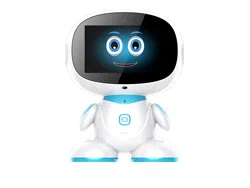
Misa is the next generation social family robot. Smart, interactive, and uniquely mobile – Misa can play with your
kids, handle your schedule, and keep your home safe. Misa blends into your family and is a Friend, a Teacher, a
Helper, a Camera man, a Home mak-er, an Entertainer and more. With his unique personality and playful nature
Misa interacts with the world around it, making it a helpful, fun and unforgettable addition to any household. It
can see, hear, teach, speak, relate and help like a personal assistant to daily tasks easier. With the unique parent
app, you can move the Misa Robot in the House to monitor Kids, Send Messages, Video Call, Parental Control
Functions, Set Alarms, Teach Good Habits, Play Stories, Play Music & Video’s, and much more. Engage your
child’s learning with this app and Misa’s onboard voice controls!
It would be our pleasure to receive feedback and suggestions you may have for improvements in the product
you are using.
Misa Robotics LLC
1201 Orange Street, Suite 600
Wilmington, DE 19801
United States of America
www.misabot.com
THANK YOU!

4
Read this user manual carefully for important safety information and
instructions before using MISA.
Includes 1 non-replaceable 3.7V rechargeable (LiPo) battery.
Battery Capacity: 10000mAh.
Requires 1 USB power brick (included) and 1 charger cord (included) to
charge the battery. Charging should only be done by an adult. The charger
cord is not a toy.
Wi-Fi is required to setup.
Frequency: 1.6 GHz
The parent app works with Apple and Android smart devices. To download,
please search Misa Parental App in the App Store or Google Play.
Misa comes with the following items:
1. Charging Cable & Adapter
2. Two Microphones
3. Story Books
4. Usermanual & Warranty Card
READ BEFORE USE
5
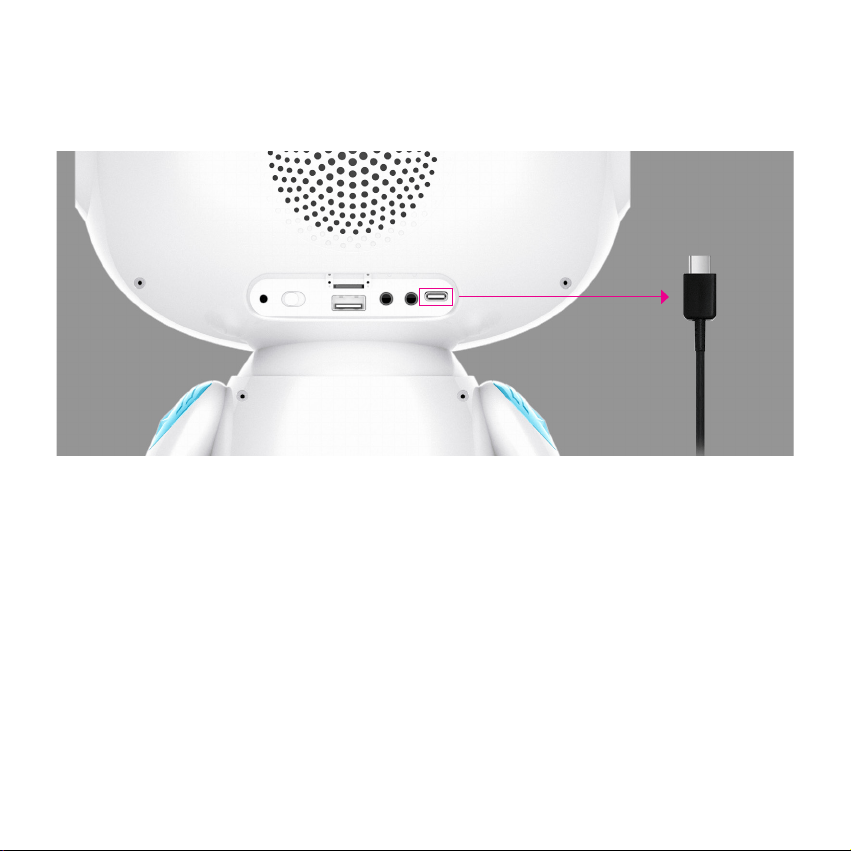
*You may fully charge the battery before you start Misa.
1. Plug the Type C cable into the charging port as shown above picture.
2. Plug the USB to the end of the charger cord into the USB brick.
3. Plug the USB brick into a standard wall outlet. For a fully charged battery, it may
take up to 6 hours.
CHARGING THE DEVICE

6
1. After nishing the parental app installation, open the app on your mobile
device and click on the “Sign Up” button.
2. After completing the sign up process on parental app, you will be asked to
connect the Robot device.
3. Scan the Barcode displaying on the Robot device. Then enter child information
& set the Parental pin. Then click “Submit”.
4. Then click on the check box to agree on terms of services & privacy policy for
nal step on Robot device.
*You can sign in with Google registration button as well.
*Terms of services & privacy policy are available at www.misabot.com
1. Switch on the Misa Robot & connect the device to Wi-Fi.
2. Then scan the barcode to download the parental app from Play Store (Android)
or App Store (iOS).
Download Parental App
Registration
GETTING STARTED
7
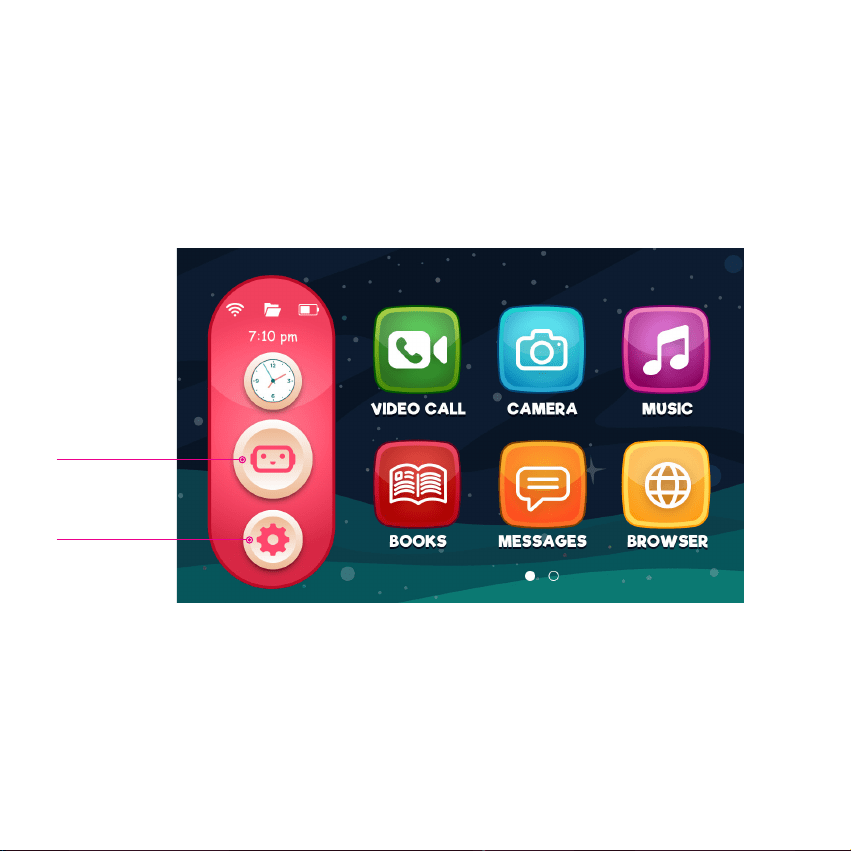
*Please refer to Parental App booklet to learn more about it.
Misa Robot Home Screen
HOME SCREENS
Misa Button
Settings
8
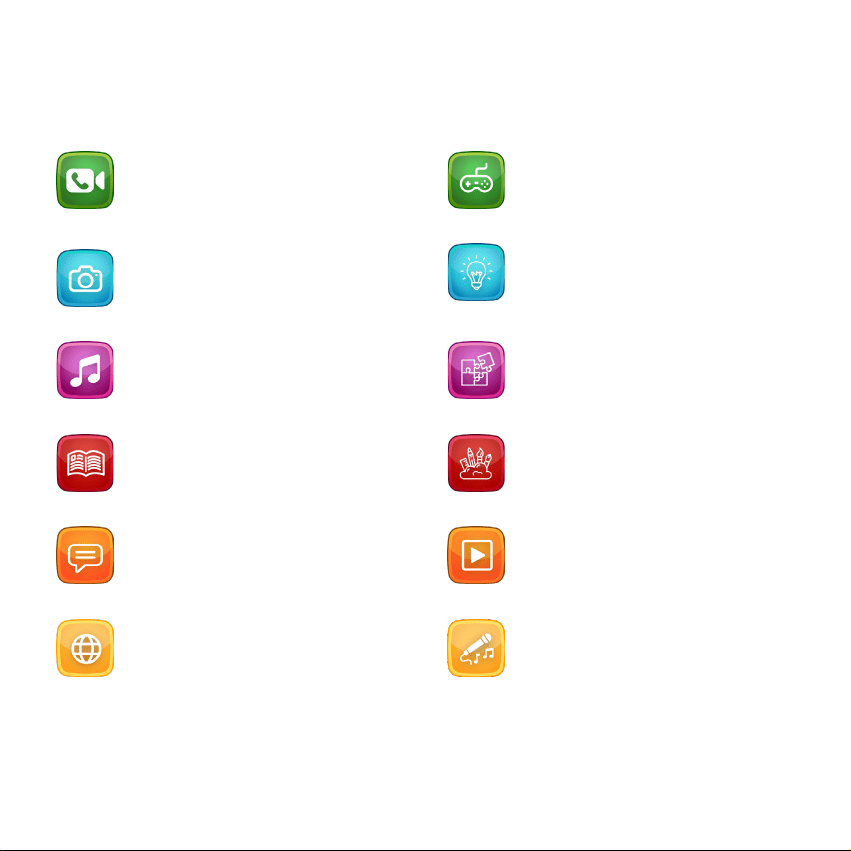
FEATURES
Video Call
User/Child will be able to make video
calls to registered user’s smartphone.
Learning
Learning apps help child to develope
learning skills.
Camera
Front camera enables you to take
high quality pictures & seles.
Puzzles
Text to be added.
Music
Enjoy listening to pre-loaded musics.
Creativity
Helps child to be creative with pre-
loaded apps.
Books
Misa comes with pre-loaded books
for child to read.
Videos
Enables to watch videos.
Messages
Share text messages in between
child and parents/guardian.
Karaoke
Text to be added.
Browser
Browser enables user to login to
internet.
Games
Pre-loaded games for child to play.
9
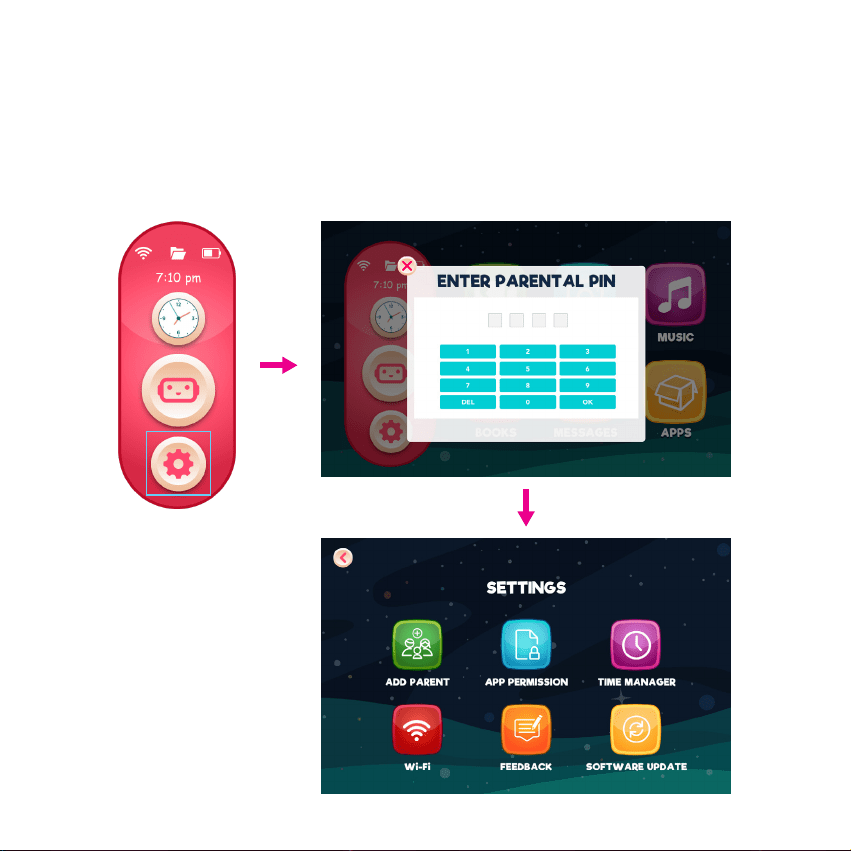
SETTINGS
On home screen, click on “Settings” and enter the parental pin which was set to
from left side bar enter settings.
Side Bar
10
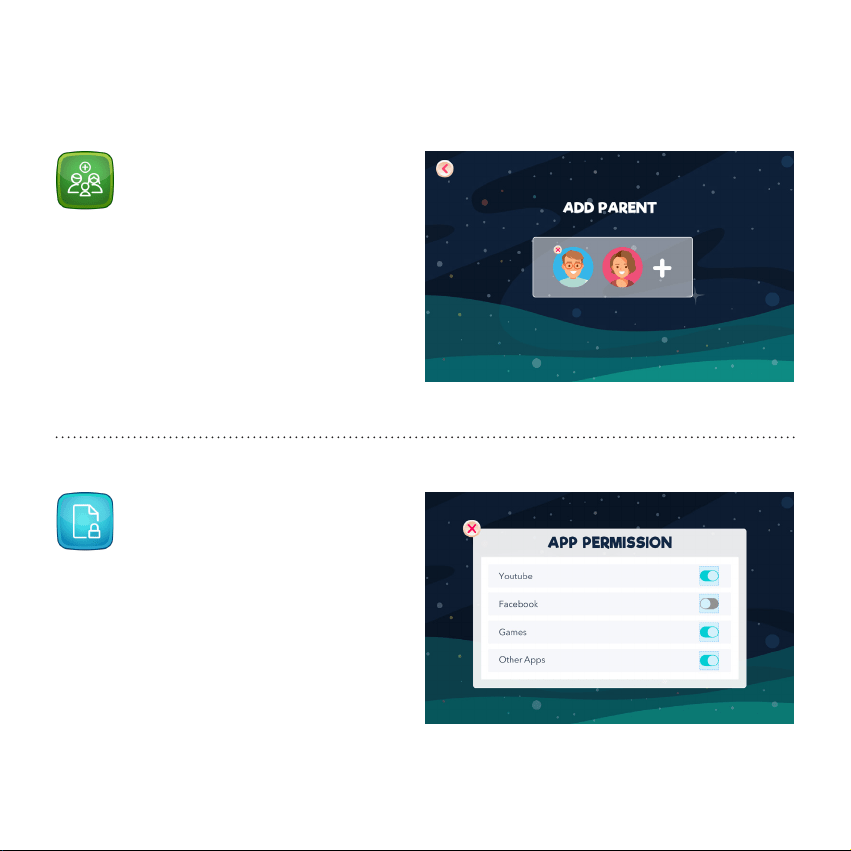
Add Parent
App Permission
SETTINGS - inside
User can add or remove parent from “Add
Parent” option.
App Permission allows you to set
restrictions for selected websites or apps
which is on the device.
11
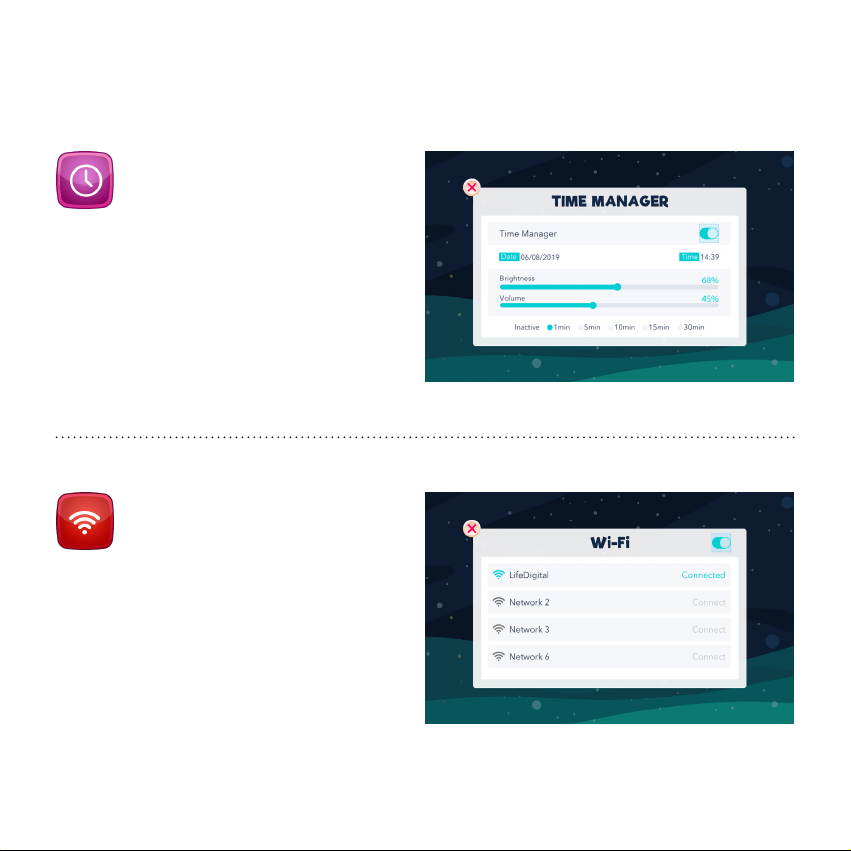
Time Manager
Wi-Fi
SETTINGS - inside
Time Manager allows you control the
brigthness, volume of the device. And also
user can montior active status.
Connect/Disconnect to active Wi-Fi
connections.
12
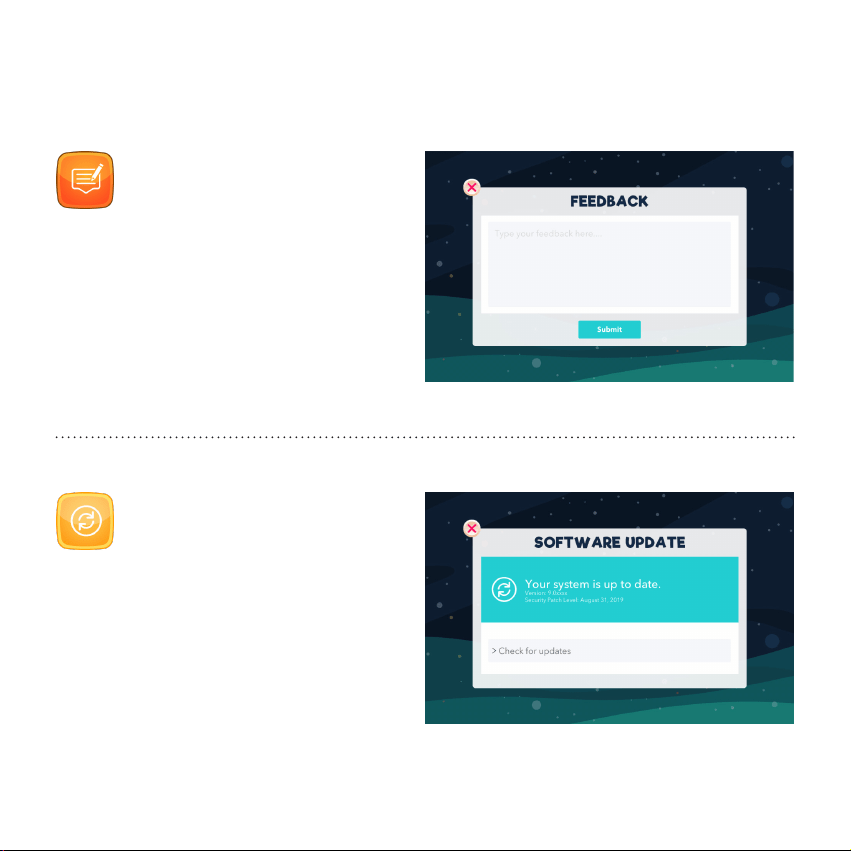
Feedback
Software Update
SETTINGS - inside
Share your feedback under Feedback
section.
From this section, user will be able to check
the current system version. When updates
are available, you will be notied both
device & paretnal app.

FCC Caution:
This device complies with part 15 of the FCC Rules. Operation is subject to the
following two conditions: (1) This device may not cause harmful interference, and (2)
this device must accept any interference received, including interference that may
cause undesired operation.
Any Changes or modifications not expressly approved by the party responsible for
compliance could void the user's authority to operate the equipment.
Note: This equipment has been tested and found to comply with the limits for a Class
B digital device, pursuant to part 15 of the FCC Rules. These limits are designed to
provide reasonable protection against harmful interference in a residential installation.
This equipment generates uses and can radiate radio frequency energy and, if not
installed and used in accordance with the instructions, may cause harmful interference
to radio communications. However, there is no guarantee that interference will not
occur in a particular installation. If this equipment does cause harmful interference to
radio or television reception, which can be determined by turning the equipment off
and on, the user is encouraged to try to correct the interference by one or more of the
following measures:
-Reorient or relocate the receiving antenna.
-Increase the separation between the equipment and receiver.
-Connect the equipment into an outlet on a circuit different from that to which the
receiver is connected.
-Consult the dealer or an experienced radio/TV technician for help.
The device has been evaluated to meet general RF exposure requirement. The device
can be used in portable exposure condition without restriction.

Misa Robotics LLC
1201 Orange Street, Suite 600
Wilmington, DE 19801
United States of America
www.misabot.com