How to use Siri to control AL Above Lights Smart Bulbs?
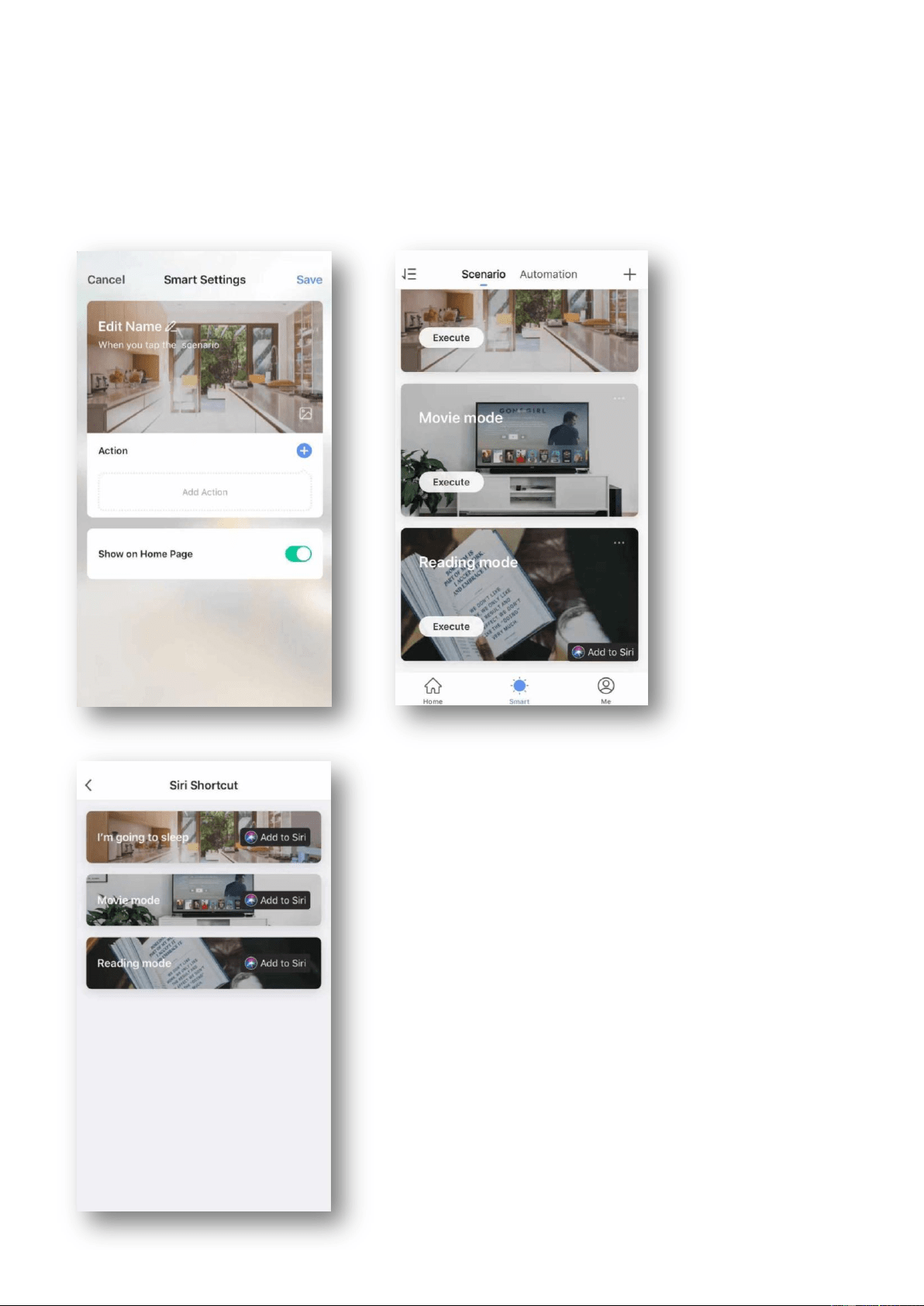
Hello, the current shortcut function of the system with IOS 12.0 and above can realize the control of smart bulbs. The operation
modes are as follows:
1. Open the app, enter the scene creation page, edit the scene name, add the execution action, and click “Add to Siri”,
select the scene you want on the Siri shortcut page to add.
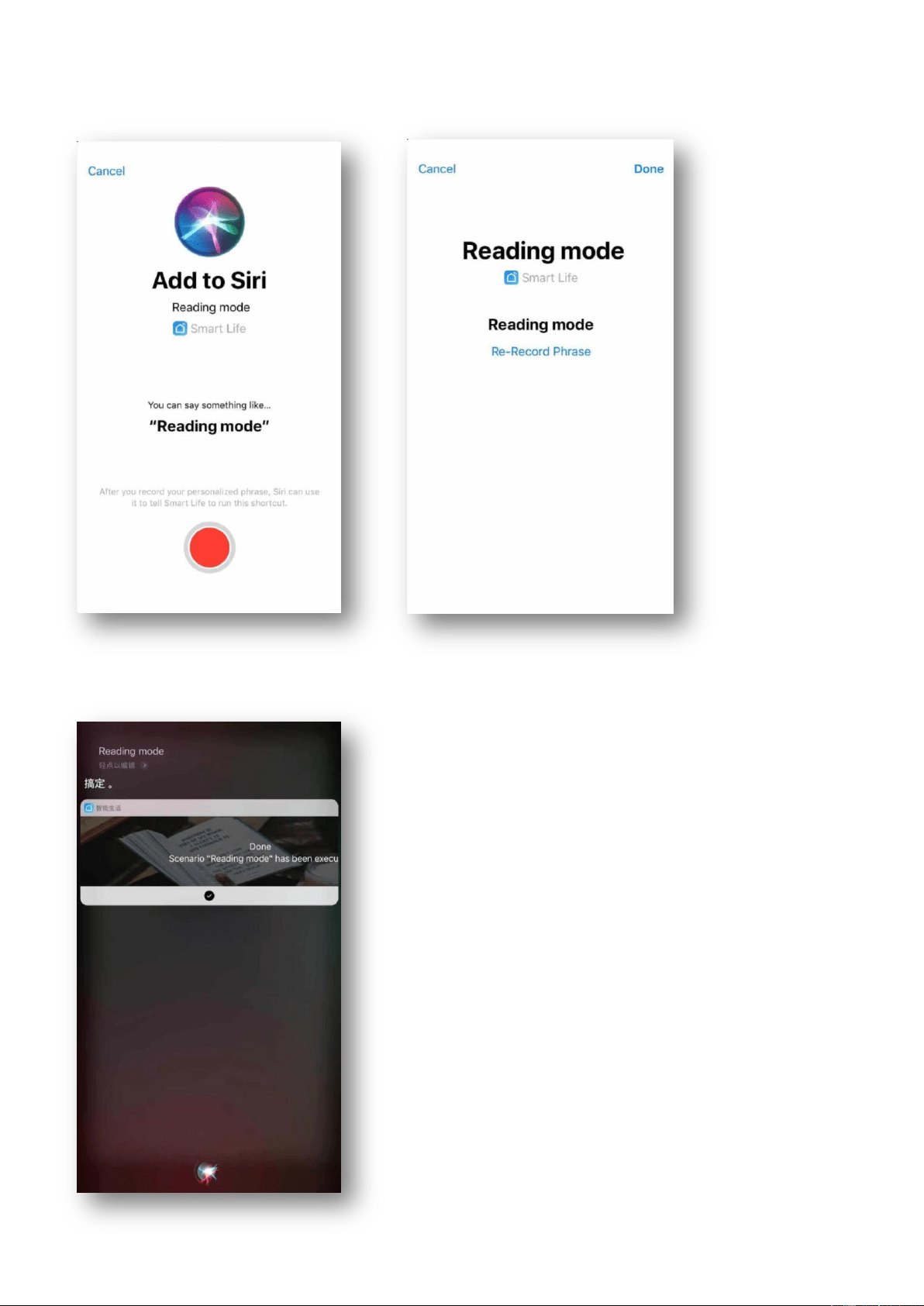
2. Press and hold the red button on the phone to record a personalized phrase as a trigger for the scene. For example, you can
create a phrase: Reading mode.
3. After the setup is complete, you can say to siri: I am leaving. The mobile phone will pop up the scene that has been set, and the
device set in the scene will perform the corresponding action.