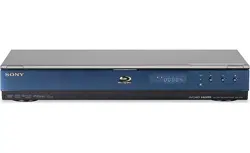
BDP-S350
3-452-886-11 (3)
or
Quick Start Guide
Blu-ray Disc / DVD Player
BDP-S350
3-452-886-11 (3)
©2008 Sony Corporation
Printed in Malaysia
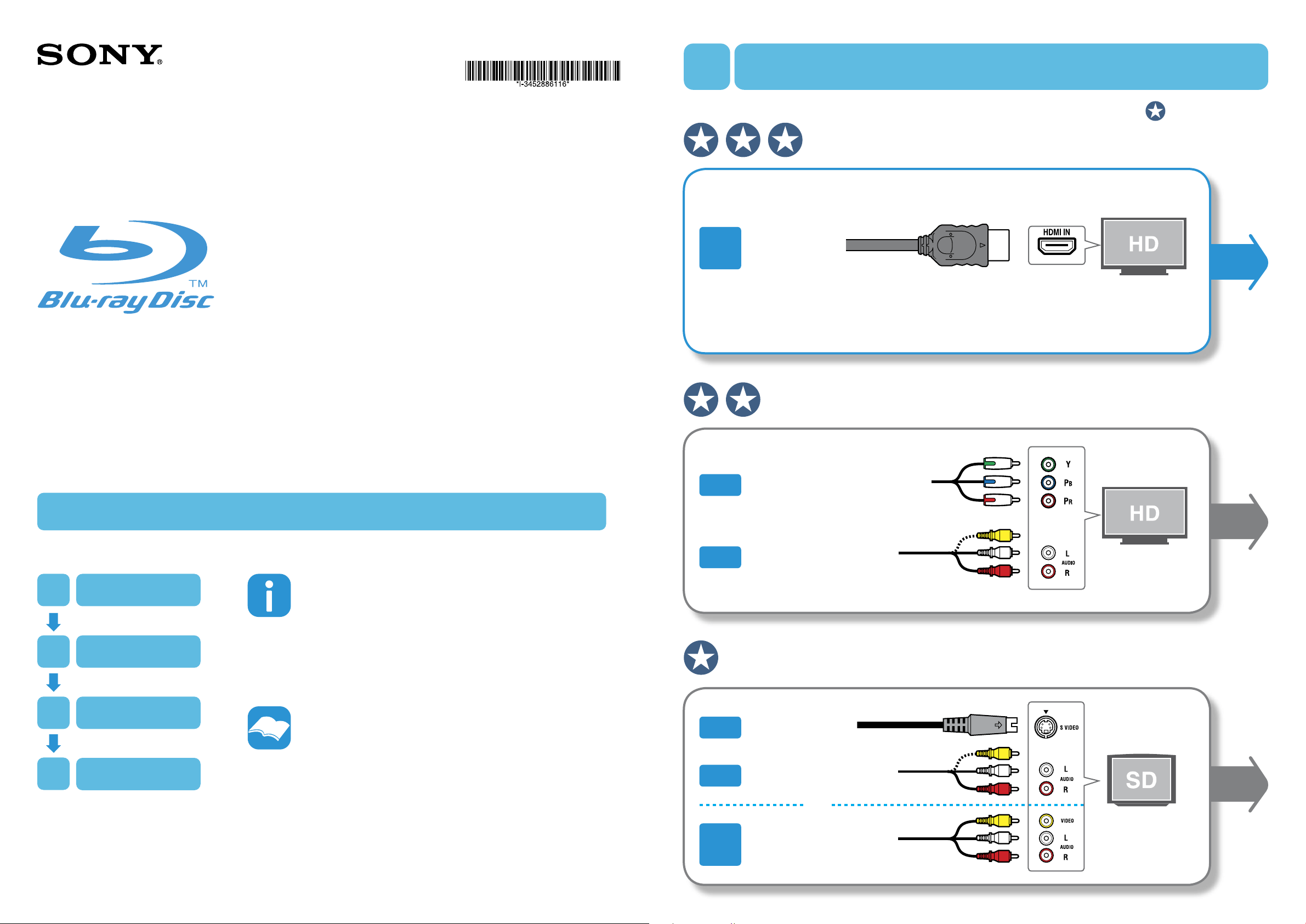
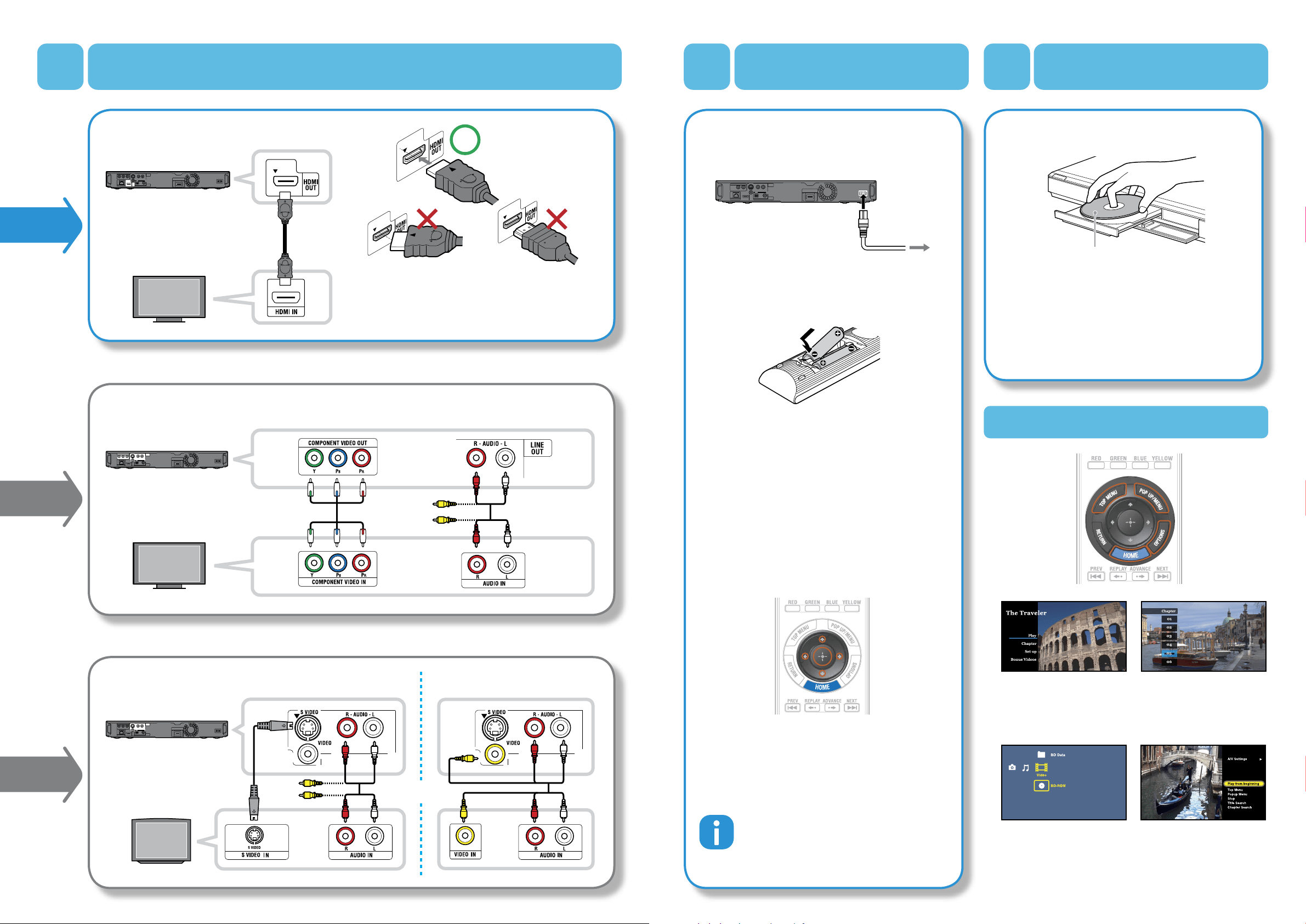
A single HDMI cable carries both video and audio signals.
t
p
Follow the steps below to use your Blu-ray Disc / DVD Player.
Select
Connect
Setup
Play
1
2
3
4
1
Select
one of the connections below
For any inquiries,
please call 1-800-222-SONY(7669)
or visit the Sony Web Site : http://esupport.sony.com/
For more information,
refer to the supplied Operating Instructions.
[HD] Capable up to 1080p, 1080/24p resolution (recommended)
The number of stars ( ) indicates picture quality.
Video
+
Audio
HDMI Cable
(not supplied)
Component Video Cable
(not supplied)
Video
+
Audio
Audio / Video Cable
(supplied)
Video
Audio
Audio / Video Cable
(supplied)
S Video Cable
(not supplied)
Video
Audio
Audio / Video Cable
(supplied)
[HD] Capable up to 1080i
[SD] 480i only
BDP-S350
3-452-886-11 (3)
or
2
Connect
3
Setup
4
Play
Useful Functions
HOME
Shows the XMB
™
(XrossMediaBar) menu that
allows you to operate disc
playback and setups.
OPTIONS
Shows the optional menu
available in each case.
TOP MENU
Shows the original menu
provided with the disc.
POP UP / MENU
Shows the pop-up menu,
which can be displayed
during playback.
HDMI Cable
Component Video Cable and Audio / Video Cable
S Video Cable and Audio / Video Cable Audio / Video Cable
1 After all of the other connections are
complete, connect the supplied AC power
cord.
2 Insert two Size AA (R6) batteries.
3 Turn on your TV and switch the input
selector.
4 Press / to turn on the player.
Wait for a short while before the player turns on.
The OSD language selection display appears.
5 Perform basic settings by following the on-
screen instructions in “Easy Setup” using
////ENTER.
To enjoy more BD functions, the following steps in the
supplied Operating Instructions are necessary.
– Step 3: Inserting the External Memory
– Step 4: Connecting to the Network
1 Press (open/close), and place a disc on
the tray.
Carefully align the HDMI OUT jack on the rear of the
player and the HDMI connector by checking their
shapes. Make sure the connector is not upside down
or tilted.
When “Easy Setup” is complete, the player is ready.
To shorten the startup time from standby mode, set
“Standby Mode” to “Quick Start” in the “System
Settings” setup. Refer as well to “Standby Mode” in
the Operating Instructions.
Playback side facing down
to AC outlet
2 Press (open/close) to close the disc tray.
When you insert a commercially available BD-ROM
or DVD VIDEO, playback automatically starts
depending on the disc.
Refer to “Playback” in the Operating Instructions for
more details on playback, or when playback does
not start automatically.