User manual
Register your product and get support at
www.philips.com/welcome
Always there to help you
Question?
Contact
Philips
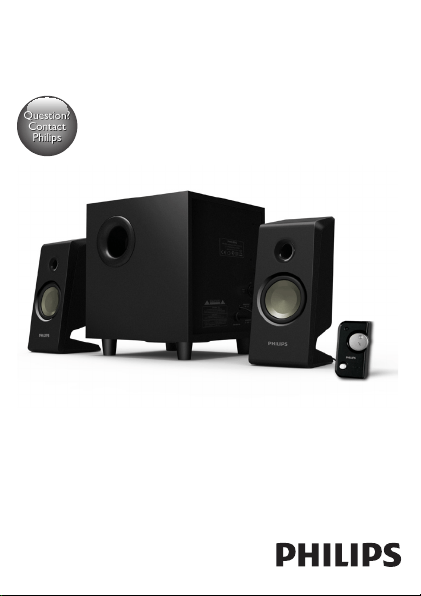
SPA2335



2 EN
1 Important
Safety
Important safety instructions
• Read and follow all these instructions.
• The product shall not be exposed to dripping or splashing
andnoobjectslledwithliquids,suchasvases,shallbeplaced
on the product.
• Tocompletelydisconnectthepowerinput,themainsplugof
the product shall be disconnected from the mains.
• The mains plug of the product should not be obstructed or
should be easily accessed during intended use.
• Nonakedamesources,suchaslightedcandles,shallbe
placed on the products.
• Keepthisproductawayfromdirectsunlight,nakedamesor
other heat sources.
• Unplug the product from the power outlet during lightening
storms or when unused for long periods of time.
• Whenyoudisconnectthepowercord,alwayspulltheplug
instead of the cable.
• Onlyuseattachments/accessoriesspeciedbythe
manufacturer.
• Where the mains plug or an appliance coupler is used as the
disconnectdevice,thedisconnectdeviceshallremainreadily
operable.
3EN
Warning
• Neverremovethecasingofthisproduct.
• Neverplacethisproductonotherelectricalequipment.
Notice
Anychangesormodicationsmadetothisdevicethatarenot
expresslyapprovedbyWOOXInnovationsmayvoidtheuser’s
authoritytooperatetheequipment.
This product complies with the radio interference
requirementsoftheEuropeanCommunity.
Disposal of your old product
When this crossed-out wheeled bin symbol is attached
toaproductitmeansthattheproductiscoveredbythe
EuropeanDirective2002/96/EC.Pleaseinformyourself
about the local separate collection system for electrical
and electronic products.
Pleaseactaccordingtoyourlocalrulesanddonotdisposeofyour
old products with your normal household waste.
Correctdisposalofyouroldproducthelpstopreventpotential
negativeconsequencesfortheenvironmentandhumanhealth.
Environmental information
Allunnecessarypackaginghasbeenomitted.Wehavetriedto
make the packaging easy to separate into three materials: cardboard
(box),polystyrenefoam(buffer)andpolyethylene(bags,protective
foam sheet.)
4 EN
Your system consists of materials which can be recycled and reused
ifdisassembledbyaspecializedcompany.Pleaseobservethelocal
regulationsregardingthedisposalofpackagingmaterials,exhausted
batteriesandoldequipment.
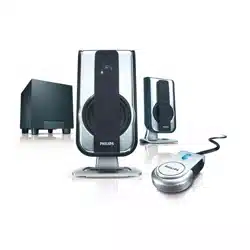
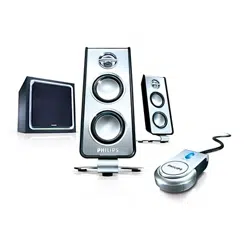
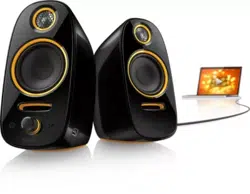
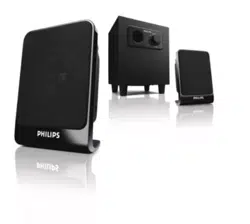
2 Your multimedia speaker
CongratulationsonyourpurchaseandwelcometoPhilips!
TofullybenetfromthesupportthatPhilipsoffers,registeryour
product at www.philips.com/welcome.
3 Use your multimedia speaker
Note
• When you press ON/OFF knob on remote control to switch
tostandbymode,theunitisstillconnectedtothemains.
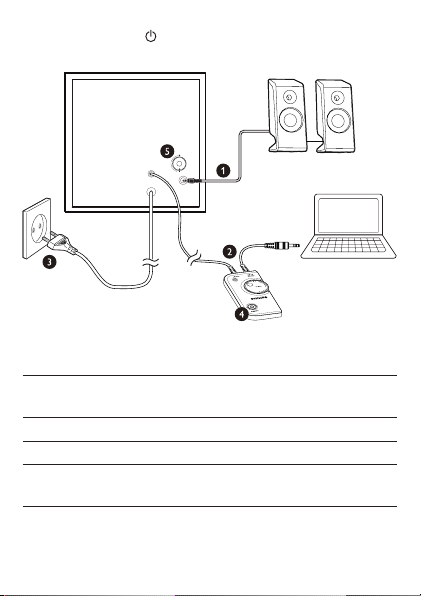
1 ConnectthespeakerplugtoAUDIO OUTPUT (audio
output) socket ( ).
2 Connecttheaudioinputplugonremotecontroltotheaudio
output socket of your computer ( ).
3 ConnecttheACplugtoACpowersocket( ).
4 Press ON/OFF knob on remote control to switch on the
multimedia speaker ( ).
» GreenLEDontheremotecontrolison.
5 AdjustthevolumebyVOL(volume)knobonremotecontrol
or by the computer application.
6 Rotate BASS (bass) knob to adjust the bass ( ).
5EN
7 Afteruse,press ON/OFF knob on remote control to
switch off the multimedia speaker and unplug.
';*/55;:6;:
';*/5/46;:
('99
<<d.`
S'
4 Product information
ACpowerinput 100-240V~,50/60Hz,
350mA
Operation power consumption 35W
Standby power consumption <0.5W
Dimensions
-Mainunit(WxHxD) 190x225x200mm

6 EN
5 Troubleshooting
Tokeepthewarrantyvalid,nevertrytorepairthesystemyourself.
Ifyouencounterproblemswhenusingtheproduct,check
thefollowingpointsbeforerequestingservice.Iftheproblem
remainsunsolved,registeryourproductandgetsupportat
www.philips.com/support.
• Make sure that the speakers are correctly installed.
• MakesuretheLEDlightsup.

Specifications are subject to change without notice
2013 © WOOX Innovations Limited. All rights reserved.
This product was brought to the market by WOOX Innovations
Limited or one of its affiliates, further referred to in this document
as WOOX Innovations, and is the manufacturer of the product.
WOOX Innovations is the warrantor in relation to the product
with which this booklet was packaged. Philips and the Philips Shield
Emblem are registered trademarks of Koninklijke Philips N.V.
SPA2335_12_UM_V3.0