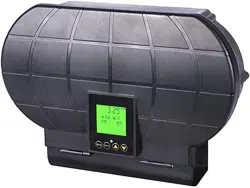
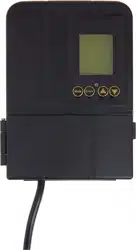
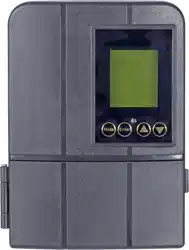
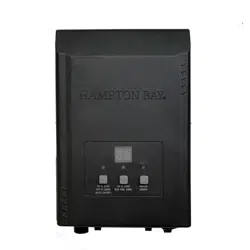
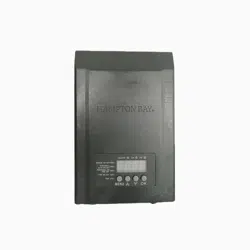
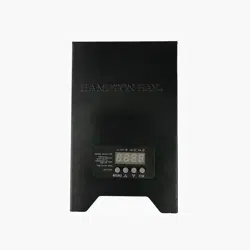
User Manual Lighting
IMPORTANT SAFETY
IMPORTANT SAFETY INFORMATION PERTAINING TO RISK OF FIRE OR INJURY TO PERSONS
- Do not install within 10 feet (3 m) of a pool, spa or fountain.
- For use with 12 volt low voltage outdoor landscape lighting system only.
- Not for use with submersible lights or pool/spa equipment.
- There are no serviceable parts inside the power supply unit.
DO NOT DISASSEMBLE.
- Do not submerge transformer.
- Do not connect two or more transformers in parallel.
- Do not use with a dimmer.
- Plug the power supply unit directly into a GFCI outlet that is marked “wet location”.
- Do not use an extension cord.
- The maximum output of this transformer is 200 watts. Do not overload the transformer. Be sure that the total cumulative wattage of all 12 volt fixtures connected to the transformer is equal to or less than 200 watts.
PLEASE NOTE: This garden light system must be installed in accordance with all local codes and ordinances. If you are experiencing problems, contact a qualified electrician.
Product listed under ETL #E000-1700
FOR LANDSCAPE LIGHTING SYSTEMS ONLY. OUTDOOR USE ONLY.
THE DEVICE IS ACCEPTED AS A COMPONENT OF A LANDSCAPE LIGHTING SYSTEM WHERE THE SUITABILITY OF THE COMBINATION SHALL BE DETERMINED BY CSA OR LOCAL INSPECTION AUTHORITIES HAVING JURISDICTION.
- Outdoor use, weather proof.
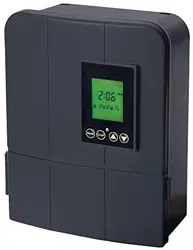
- Carefully remove the plastic film covering the LCD display panel.
-
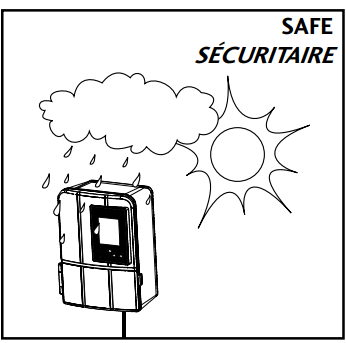
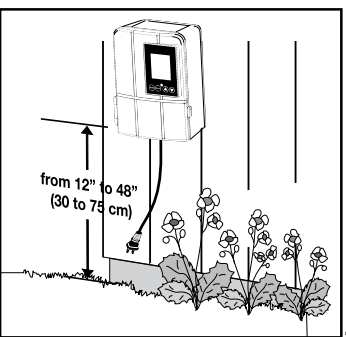
- Install the transformer at a level where the controls are visible and accessible.
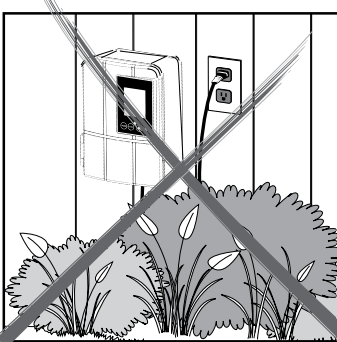
- Only applies in AUTO mode. Do not install behind shrubs. It will affect photocell for Auto dusk-todawn mode
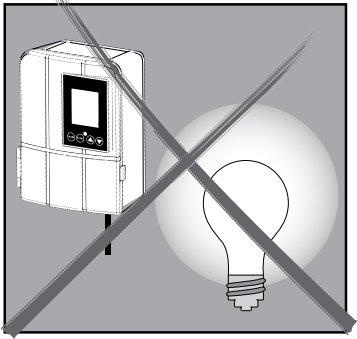
- Only applies in AUTO mode. Photocell will not operate properly if installed too close to a nighttime light source.
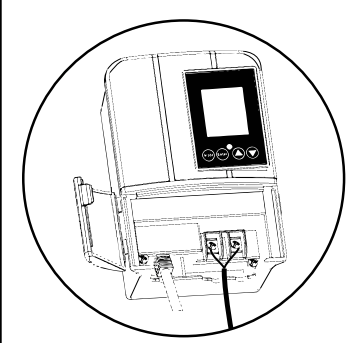
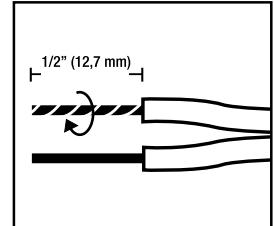
- Remove the landscape wire insulation 1/2” from both wires and twist ends.
- Open the front panel by pulling the right side below the screen.
-
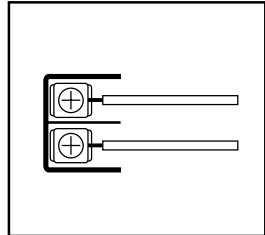
- Remove the bottom plate by pulling on it for more space during installation. Insert wires under each terminal plate and tighten screws.
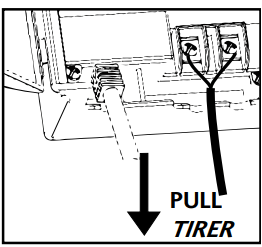
- Gently pull on the landscape wire to verify if the connection is strong.
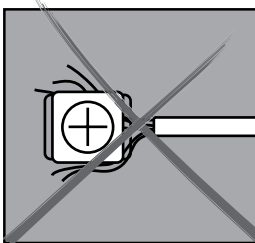
- Verify that there are no loose cable strands.
- Replace the bottom plate and close the front panel.
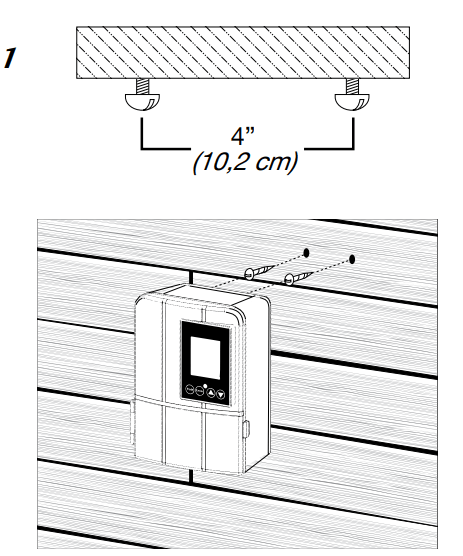
- Option 1: Standard wall mounting Insert the two (2) included support screws 4” (10,2 cm) apart in a wall near an electrical outlet and mount the transformer.
- Option 2: Brick or cement wall mounting Drill two (2) holes of 5/16” (8 mm), 4” (10,2 cm) apart from each other, in a wall near an electrical outlet and place the two (2) plastic anchors included. Insert the two (2) support screws in the anchors until they have about 1/4” (6 mm) of space left to mount the transformer.
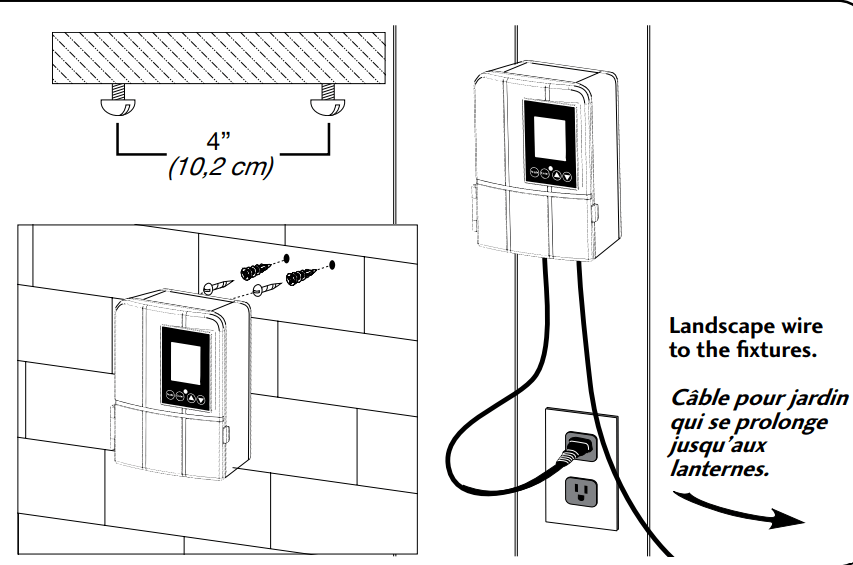
Run the Landscape Wire (Not Included)
The landscape wire should run from the transformer to each light without being cut. Do not run the landscape wire within 10 feet (3m) of a pool, spa or fountain. If the landscape wire is too long, cut it with a cable cutter.
The landscape wire should be protected by routing it close to proximity of the light fixture or next to a building, deck or fence. Use cable suitable for low voltage landscape lighting.
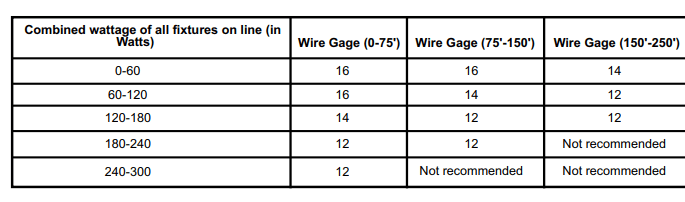
See chart below for recommended cable gauges.
*Suitable cable should be sized in accordance to the table, should be Type SPT-2W. If you cannot find this cable at your local hardware or home improvement store then please call customer service at 1-888-867-6095 or e-mail at [email protected] to order the cable needed
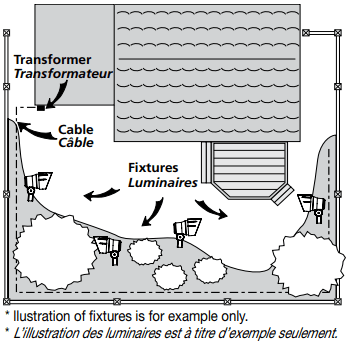
* llustration of fixtures is for example only.
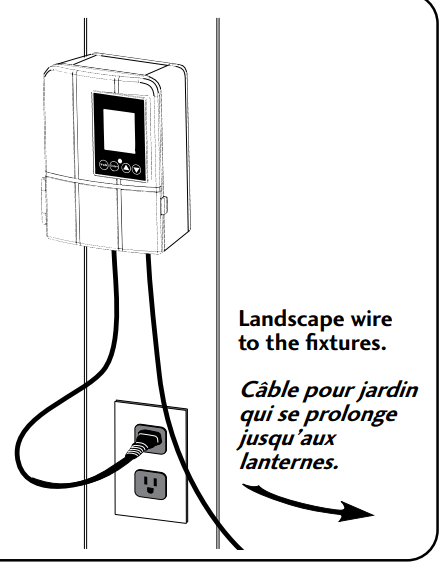
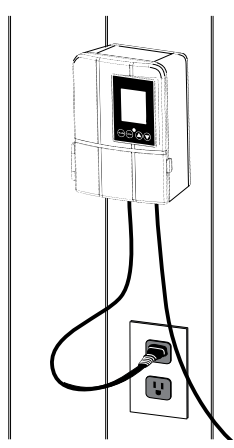
- Plug the transformer into a GFCI electrical receptacle.
- To test the fixtures, change the mode to “ON”.
Landscape wire to the fixtures.
-
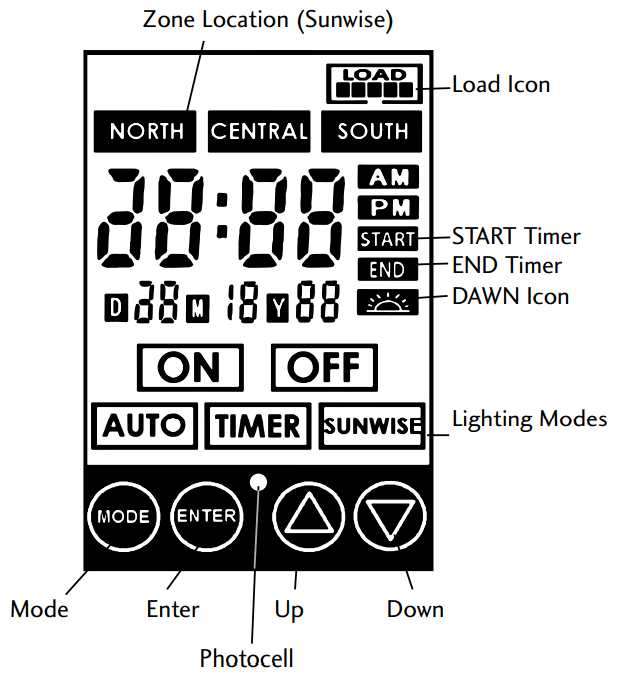
 Press to confirm a selection.
-
 Press to modify or change a mode. Press it to exit any settings without saving.
-
 Press these to select and go through the interface.
-
 Press at the same time to change time and date.
- *Necessary for Timer, Auto and Sunwise settings to work properly.
-
 Press at the same time to change Sunwise time zone. *Necessary for optimal Sunwise mode.
-
 The time at which the lights will turn On. This step comes after selecting a Mode. (Shows up for Timer Mode only)
-
 The time at which the lights will turn Off. This step comes after selecting a Mode. (Auto, Timer and Sunwise only)
-
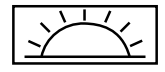 Select this to close the lights at dawn. When selecting an end time, scroll using up and down until the icon shows up (Auto and Sunwise only)
-
 NORTH
NORTH
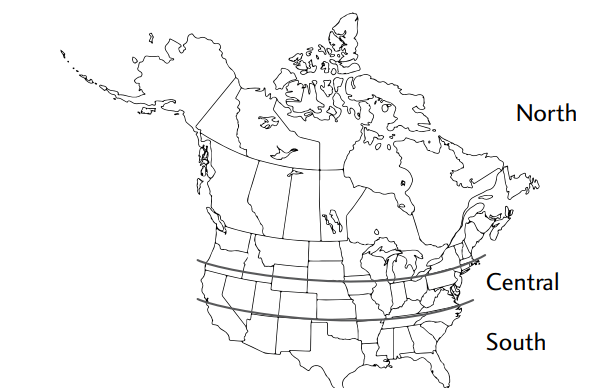
- zone Refers to locations from north of Chicago, IL.
-
 CENTRAL
- zone Refers to locations between Chicago, IL and southern Missouri.
-
 SOUTH
SOUTH
- zone Refers to locations south of Missouri.
*The channels will only turn on at the exact start time selected for Timer and dusk for Sunwise.
- Current time & date setting
- This step is needed for the lighting modes Auto, Timer and Sunwise to work properly or else they won’t open/close at the right time.
- Press both
 MODE and
  ENTER at the same time quickly.
- Use
 UP and
  DOWN to select the date and ENTER to confirm. Apply the same procedure for the current time.
- Location setting (for Sunwise mode only)
- Sunwise is a feature that does not need a photocell to operate. Thanks to that, it can be installed indoor and it will still open the lights from dusk to dawn, following the seasons. All it needs is your local time and location to calculate the sun’s position to estimate your local dusk/dawn time. Here is how to set it up:
- Press MODE and UP at the same time quickly.
- According to the map at step #6, enter your location by selecting one of the three following options and pressing ENTER to confirm (if you live in Canada, select “North”):
- North zone
- Central zone
- South zone
- Setting up a lighting timer schedule
- This section will help you on how to setup a mode and program the opening/closing of the lights at the time you want.
- Press MODE to access the timer mode settings.
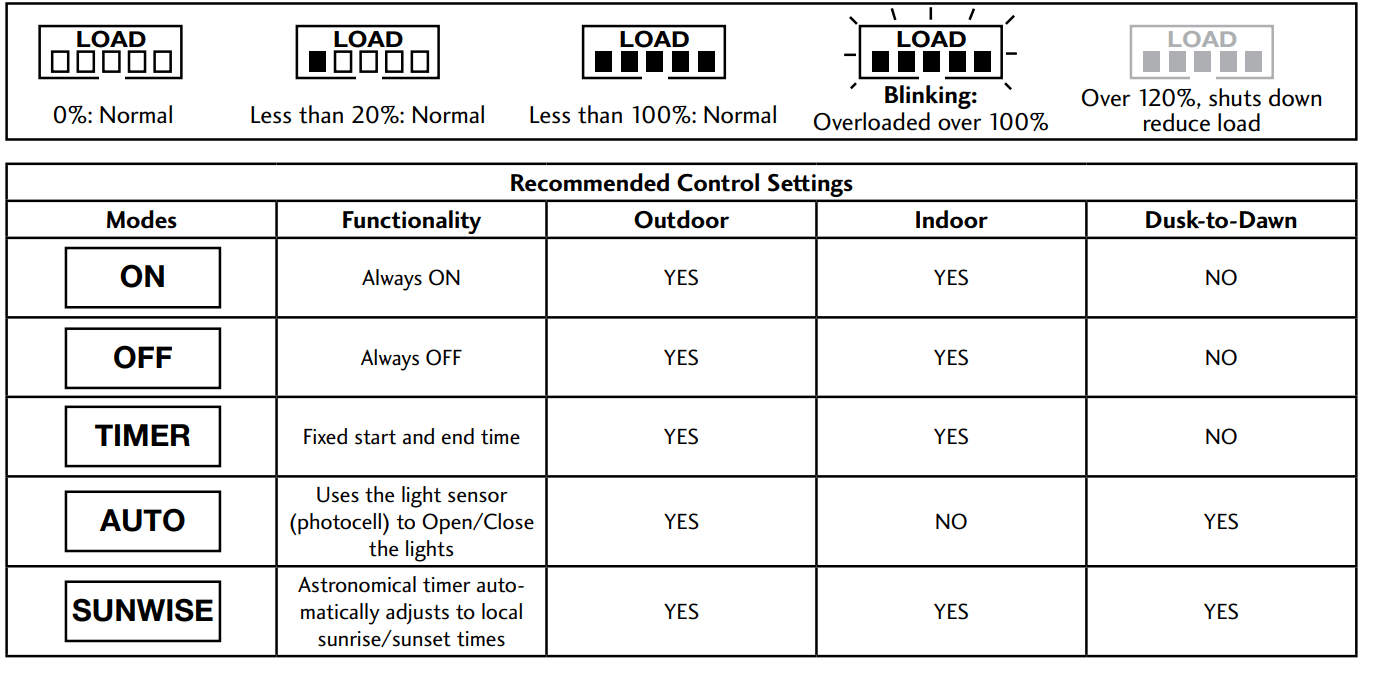
- Refer to step #6: “Recommended Control Settings” and select one of the five lighting modes: On, Off, Auto, Timer, Sunwise.
- START time settings – ONLY FOR TIMER MODE. Select the hours and minutes at which you want the lights to turn ON.
- END time settings – ONLY FOR AUTO, TIMER AND SUNWISE LIGHTING MODES. Choose one of the two END time option:
- Dawn END time: select this option to make the lights close at dawn automatically every day. It will use the photocell if you selected the mode Auto and your location if you selected Sunwise. Scroll the hours until you see the DAWN icon and press ENTER to select it.
- Fixed END time: select this option if you want the transformer to close the lights every day at the same hour. This type of END time will not adjust to the seasons, be it summer or winter, the END time will stay the same. To select this option, simply select the END time wanted.
Troubleshooting
- All of the lights fail to work
- If the LOAD icon is flashing, make sure you are using less than 200 watts. If necessary, remove some fixtures and change the lighting mode to the desired one after.
- Check that the transformer power is on.
- Check if there is a loose connection at the transfomer screw terminal.
- Check that the current mode is not set to «OFF»
- The 120 V outlet is not working
- Press on the button over the outlet to reset it.
- Make sure the outlet is active.
- Make sure the outlet is not overloaded.
- The lights are “ON” during the day
- The power unit is in a dark area which triggers the photocell to turn ON the lights.
- The lights do not switch “ON” at dusk
- The power unit is in a area where there is too much light at night.
- The lights are not turning on after selecting Timer or Sunwise mode.
- Timer and Sunwise mode only open up at their exact start time setting (Start for timer and dusk for Sunwise). Ex: if it is 8 PM at your location and you set the start time to 7 PM, the channel won’t turn on until 7 PM the next day.
- There is a significant delay in Sunwise mode.
- Make sure that you selected the right zone. If you live far to the north, or far to the south, Sunwise may not be optimal.
Maintenance
To clean, wash with a damp soft cloth.