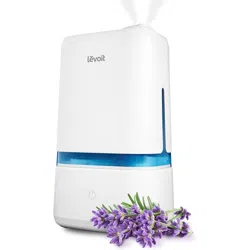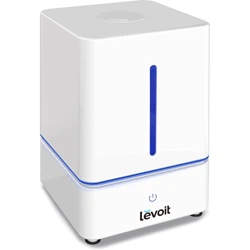
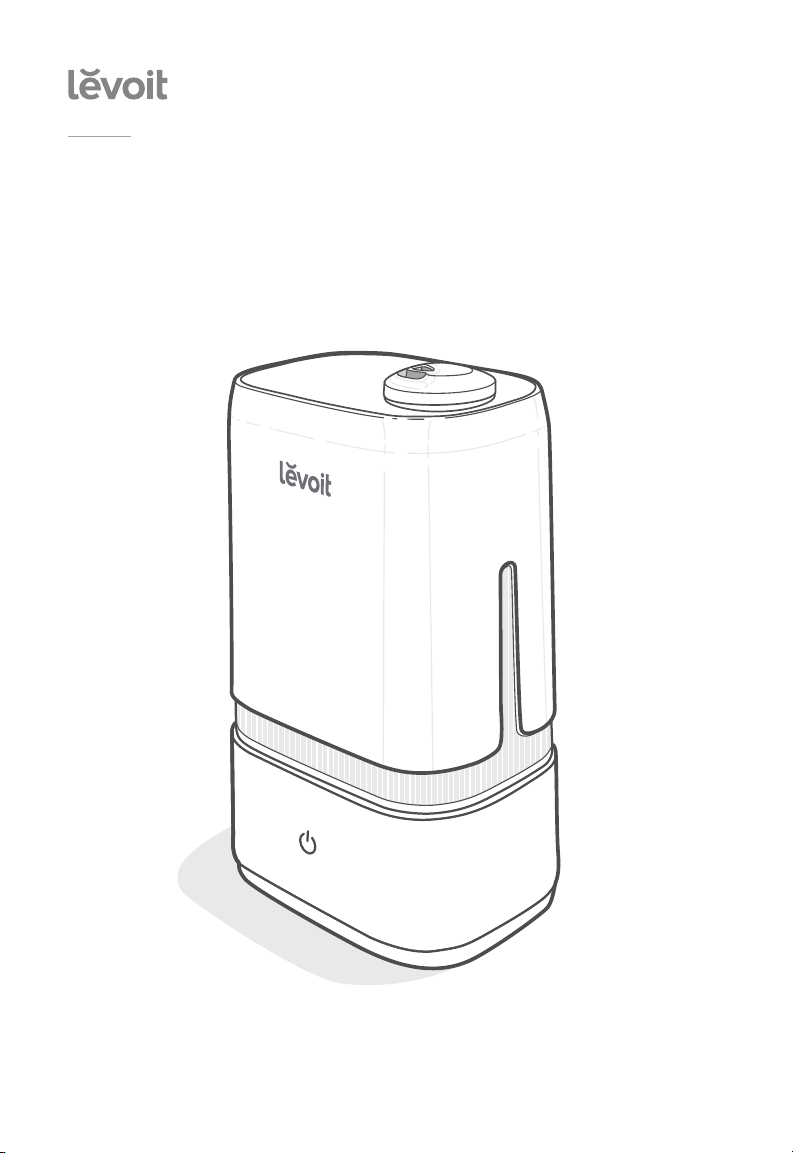
Ultrasonic Cool Mist Humidifier
Model: Classic 200
Questions or Concerns?
Please contact us Mon–Fri, 9:00 am–5:00 pm PST/PDT
at [email protected] or at (888) 726-8520.
USER MANUAL

2
Thank you for purchasing the
CLASSIC 200
ULTRASONIC COOL
MIST HUMIDIFIER
BY LEVOIT.
If you have any questions or concerns, please
reach out to us at [email protected].
We hope you enjoy your new humidifier!
Share the Levoit Love
Find @LevoitLifestyle on social media for
wellness + style inspiration. We make every
space mindful and chic.
@LevoitLifestyle
#LevoitLove • #LevoitLifestyle

3
Table of Contents
Package Contents
Specifications
Safety Information
Getting to Know Your Humidifier
Getting Started
Using Your Humidifier
Keeping Things Clean
Troubleshooting
Warranty Information
Customer Support
3
3
4
6
7
8
10
12
14
15
Package Contents
1 x Ultrasonic Humidifier
3 x Aroma Pads (1 Pre-Installed)
1 x Cleaning Brush (Stored)
1 x User Manual
1 x Quick Start Guide
Specifications
Power Supply AC 120V, 60Hz
Rated Power 30W
Water Tank
Capacity
1.05 gal / 4 L
Max Run
Time
Up to 40 hours
Note: The humidifier will
be able to run for a longer
or shorter time depending
on the environmental
temperature and humidity.
Noise Level ≤ 30dB
Eective
Range
285–376 ft² / 24–35 m²
Dimensions 14 x 8 x 6 in /
35.4 x 20.2 x 15.2 cm
Weight 3.5 lb / 1.6 kg

4
SAFETY INFORMATION
• Only use the humidifier as described in
this manual.
• Place the humidifier and cord so that it
will not be knocked over. Do not place
near large pieces of furniture or in high-
trac areas.
• When not in use, turn the humidifier
o and disconnect from power by
removing the plug from the outlet.
• Do not use the humidifier in wet
environments.
• Keep the humidifier out of reach from
children.
• Do not open the base or remove the
water level sensor for self-servicing.
• Always unplug your humidifier from
the power outlet before cleaning your
humidifier or detaching the water tank
from the humidifier base.
• Always make sure to place the
humidifier on a flat, level surface before
operation.
• Only fill the water tank with clean water.
Never fill the water tank with any other
liquids.
• Do not place the humidifier near
sources of heat, such as stovetops,
ovens, or radiators.
• Do not place the humidifier directly on
floors, carpets, or rugs.
To reduce the risk of fire, electric shock, or other injury, follow all instructions and
safety guidelines.
General Safety
Plug and Cord
• Ensure that the plug fits properly into
a polarized socket.
• Do not handle the power cord or
plug with wet hands. Keep the plug
and power cord away from liquids.
• Your humidifier has a polarized plug
(one prong is wider than the other),
which fits into a polarized outlet only
one way. This is a safety feature to
reduce the risk of electric shock. If
the plug does not fit, reverse the
plug. If it still does not fit, do not use
the plug in that outlet. Do not bypass
this safety feature.
• Do not use other items as replacement
parts for this product.
• Do not cover the nozzles while the
humidifier is on. Doing so may damage
the humidifier.
• Remove the water tank from the base
before moving the humidifier.
• Do not immerse the humidifier base,
power cord, or plug in water.
• If the humidifier is damaged or is not
functioning properly, stop using it and
contact Customer Support immediately
(see page 15).
• Not for commercial use.
Household use only.

5
SAFETY INFORMATION (CONT.)
• Do not add essential oils,
supplemental water treatment
liquids, or water filters into the
water tank or base. This will
damage the humidifier and cause
leaks. Only add essential oils to
the aroma pad.
Caution: Risk of Leaks and
Electric Shock
READ AND
SAVE THESE
INSTRUCTIONS
6
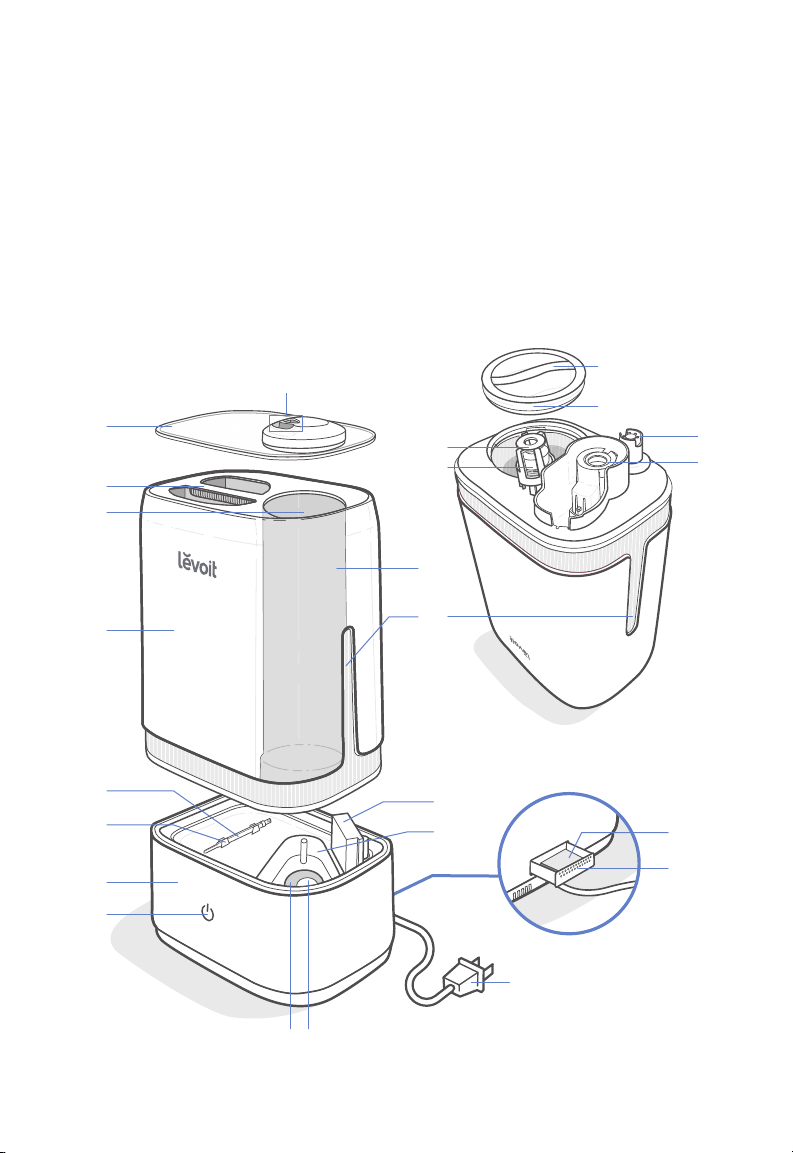
GETTING TO KNOW YOUR HUMIDIFIER
A. Nozzles
B. Nozzle Cap
C. Water Tank Handle
D. Mist Outlet
E. Water Tank
F. Cleaning Brush
G. Cleaning Brush Storage
H. Base
I. Control Button
J. Insulation Ring
K. Transducer
L. Float Housing
M. Float
N. Mist Tube
O. Water Tank Windows
P. Air Outlet
Q. Inner Chamber
R. Power Cord
S. Water Tank Cap
T. Silicone Sealing Ring
U. Water Valve
V. Noise Silencer
W. Aroma Pad
X. Aroma Box
Back
Water tank, upside down
A
B
C
E
O
D
S
T
H
I
X
R
W
V
F
G
M
U
P
KJ
Q
N
L
7
GETTING STARTED
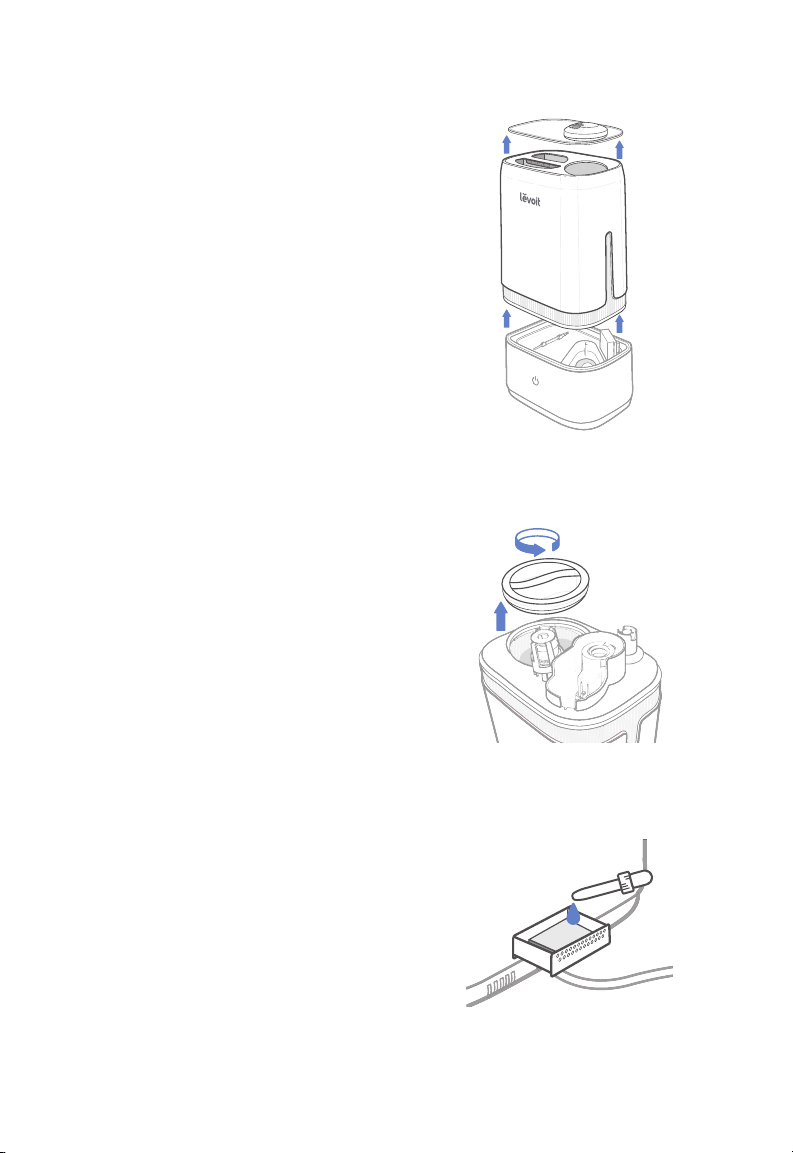
1. Remove the nozzle cap from the water
tank. Use the handle to lift the water
tank from the base. [Figure 1.1]
2. Flip the water tank over and twist open
the water tank cap. [Figure 1.2]
3. Fill the water tank with at least 2 cups
/ 475 mL of cold or room temperature
water. The maximum capacity is
1.05 gal / 4 L.
4. Replace the water tank cap and
carefully place the water tank back onto
the base. Align the water tank cap with
the inner chamber.
5. Place the nozzle cap back on top of the
water tank.
Note:
• We recommend using purified or
distilled water to fill the tank.
• Do not fill the water tank with hot
water.
• Only add water through the water
tank cap. Do not add water through
the nozzles, mist tube, or into the inner
chamber.
• Do not lift the entire humidifier by the
water tank handle.
• Do not add essential oils to the water
tank or base. Only add essential oils
onto the aroma pad. [Figure 1.3]
• Do not let water inside the air outlet.
• If water gets inside the air outlet,
unplug the humidifier and pour out all
water. Let the humidifier rest in a well-
ventilated area for 24 hours. Do not
use again until completely dry.
Figure 1.1
Figure 1.2
Figure 1.3
8
USING YOUR HUMIDIFIER
Note:
• Low mist is the default setting when
the humidifier is first turned on.
• The power light will automatically
turn o after 30 seconds while the
humidifier is on. To check the current
mist setting, tap once. Tap again
to change the mist setting.
• Excessive humidity can cause health
issues and mold growth. If the relative
humidity in your room is over 60%,
use the low mist setting or turn o the
humidifier.
• If there is no water in the tank or the
tank is removed, the transducer will
turn o, the fan will turn o after 5
seconds, and will blink red before
turning o.
1. Place the humidifier on a level, elevated,
and water-resistant surface, such as a
table or nightstand. Make sure the room
is well-ventilated.
General Operation
Note:
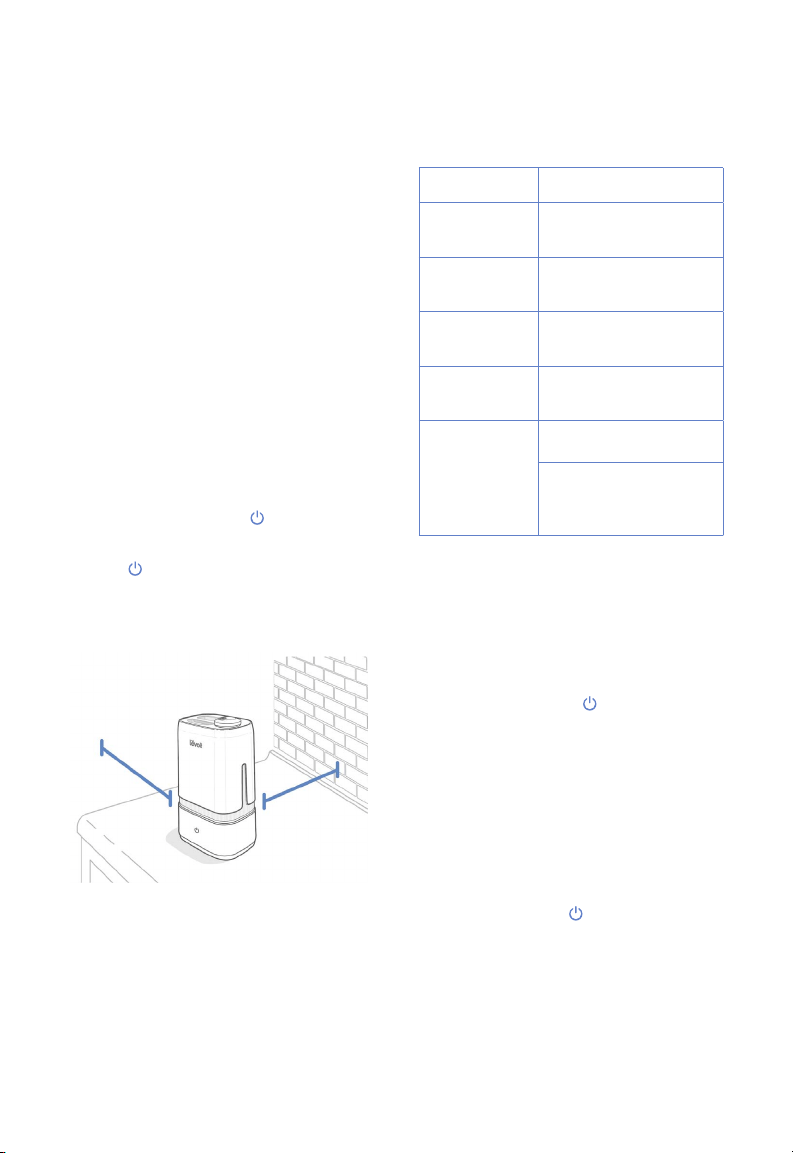
• Position the humidifier at least
12 in / 30 cm away from walls and
appliances to prevent them from
getting wet. [Figure 2.1]
• Do not place the humidifier directly on
floors, carpets, or rugs.
• Direct the nozzles away from any
furniture to prevent your furniture from
getting wet.
2. Plug in the humidifier. will light up red
for 2 seconds then turn o.
3. Tap to turn your humidifier on. Tap
repeatedly to change the mist setting.
Control Button Color
Button Color Function
Blue Low mist setting is
selected
Orange Medium mist setting is
selected
Purple High mist setting is
selected
Blinking Red No water in tank or
tank not on base
No Color Humidifier is o
Humidifier has been
misting for more than
30 seconds
Figure 2.1
12 in /
30 cm
12 in /
30 cm
9
Using the Aroma Box
1. Turn o the humidifier.
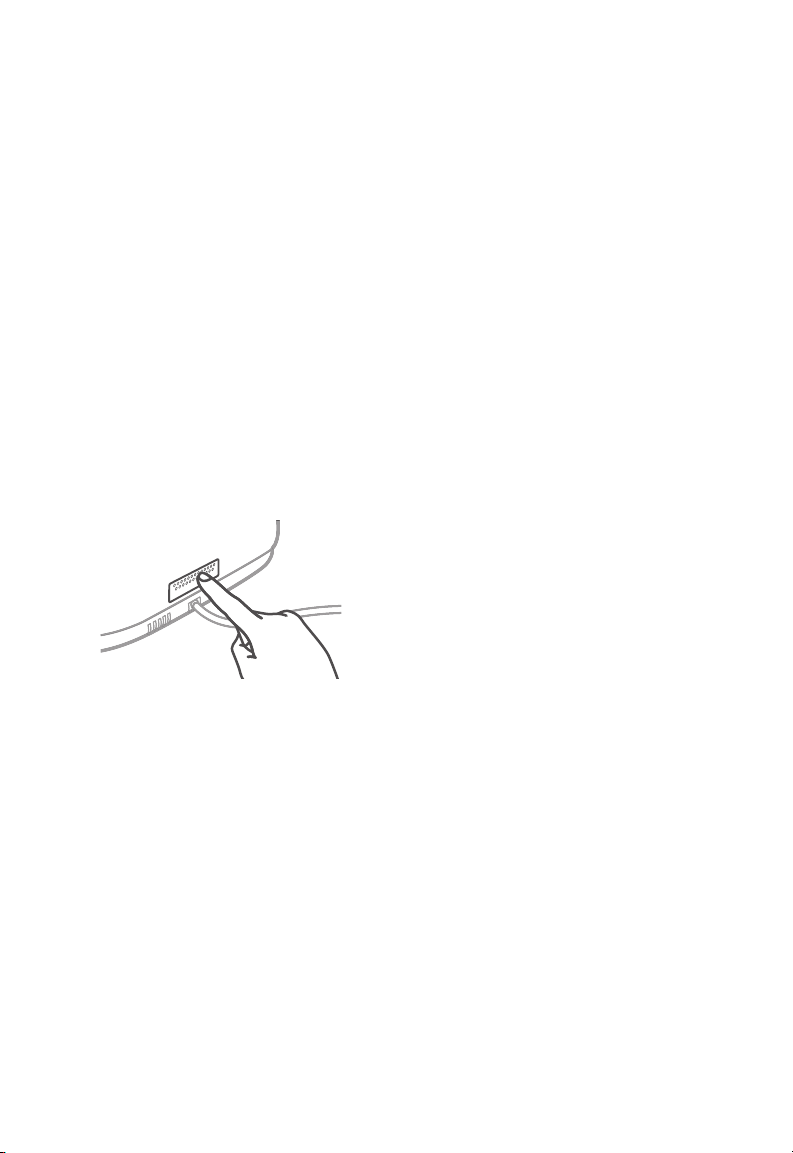
2. Push the aroma box at the back of the
base and pull it out. [Figure 3.1]
3. Put 2–3 drops of essential oil on the
aroma pad.
4. Replace the aroma box into the
humidifier. Fill the water tank with water
and place it back on the base (see
Getting Started, page 7).
5. Plug in and turn on the humidifier.
USING YOUR HUMIDIFIER (CONT.)
Your humidifier can be used as an aroma
diuser.
Figure 3.1
Preventing Water Leaks
• Make sure the silicone sealing ring
around the water tank cap is secured at
all times.
• Twist and secure the cap tightly onto
the water tank.
The water tank on your humidifier may leak
if not placed properly.
Note: A small gap between the cap and
the tank is normal.
• Wipe o any excess water on the top
and bottom of the base.
• Do not shake the humidifier.
• Make sure to place the humidifier on a
flat, level surface.
10
KEEPING THINGS CLEAN
General Cleaning
Caution:
• Always make sure the humidifier is
unplugged before cleaning.
• The water in the inner chamber near the
transducer may still be warm after turning
o the humidifier. Use caution when
pouring out the water.
• Do not use liquid detergents.
• We recommend using purified or distilled
water instead of tap water to prevent hard
water buildup.
• Do not submerge the base in water.
1. Unplug the humidifier.
2. Remove the nozzle cap from the water
tank and rinse under clean, running water.
Set it aside to air dry.
3. Remove the water tank from the base
and pour out any water from the inner
chamber. Fill the tank with 3 cups / 710 mL
of distilled white vinegar. Replace the cap
and gently shake to coat all sides of the
water tank. Allow it to sit for at least 1 hour.
You should clean your humidifier every 3
days. Change the water every day or every
other day to avoid bacteria growth.
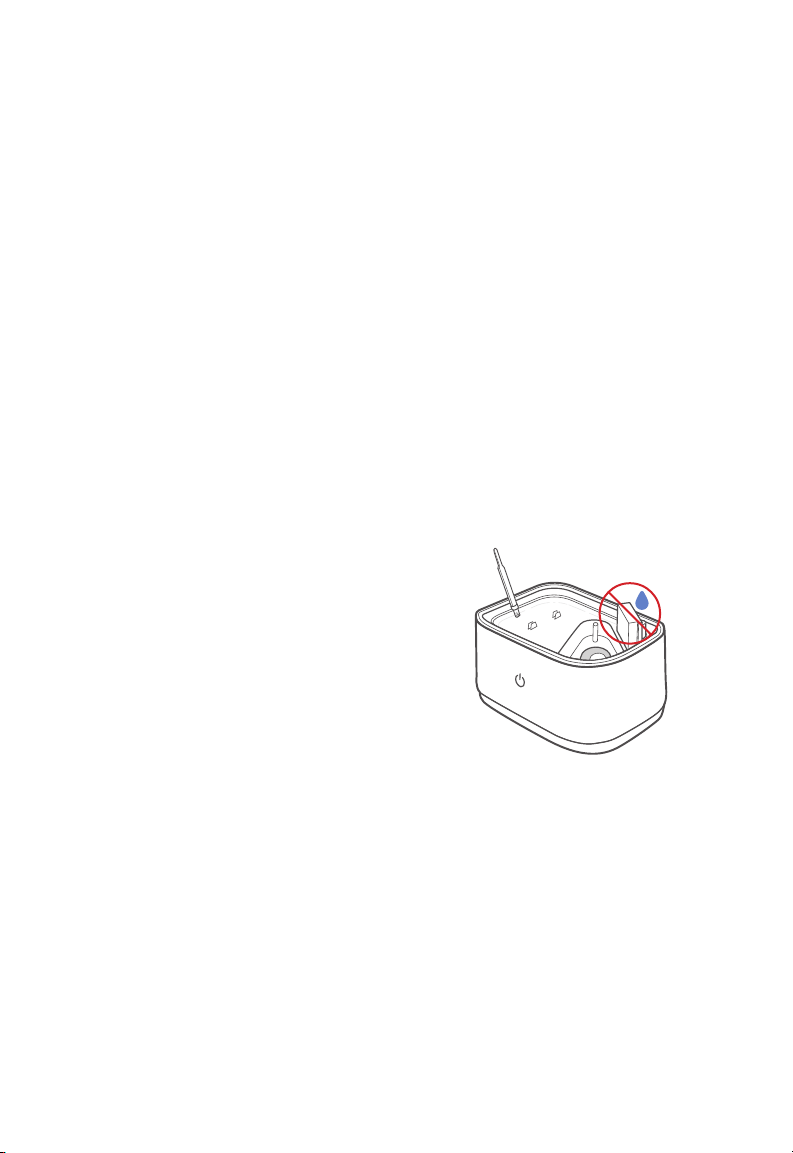
Note: Do not allow water inside or around
the air outlet to prevent damage to the
humidifier. [Figure 4.1]
4. Add 1 cup / 238 mL of distilled white
vinegar to the inner chamber and soak
for 1 hour.
5. Use the included cleaning brush to
remove any scale buildup inside the
water tank or inner chamber. [Figure 4.1]
6. Pour out the vinegar from the water tank
and the inner chamber and thoroughly
rinse with warm water.
Note: Do not submerge the base in water.
7. Dry all parts with a clean, dry cloth.
Make sure all parts of the humidifier are
completely dry before reassembling or
storing.
8. Do not use the humidifier immediately
after disinfecting. This may be a health
hazard.
Note: A 3% hydrogen peroxide solution
may also be used instead of vinegar
to disinfect the humidifier. Do not mix
hydrogen peroxide and vinegar.
Figure 4.1
11
Cleaning the Aroma Pad
1. Press the aroma box to release it from
the base, and pull it out.
2. Remove the aroma pad and rinse under
warm, running water.
3. Dry with a clean cloth and place it back
into the aroma box.
Note: Do not pour liquid cleaners or
detergents into the aroma pad or box.
KEEPING THINGS CLEAN (CONT.)
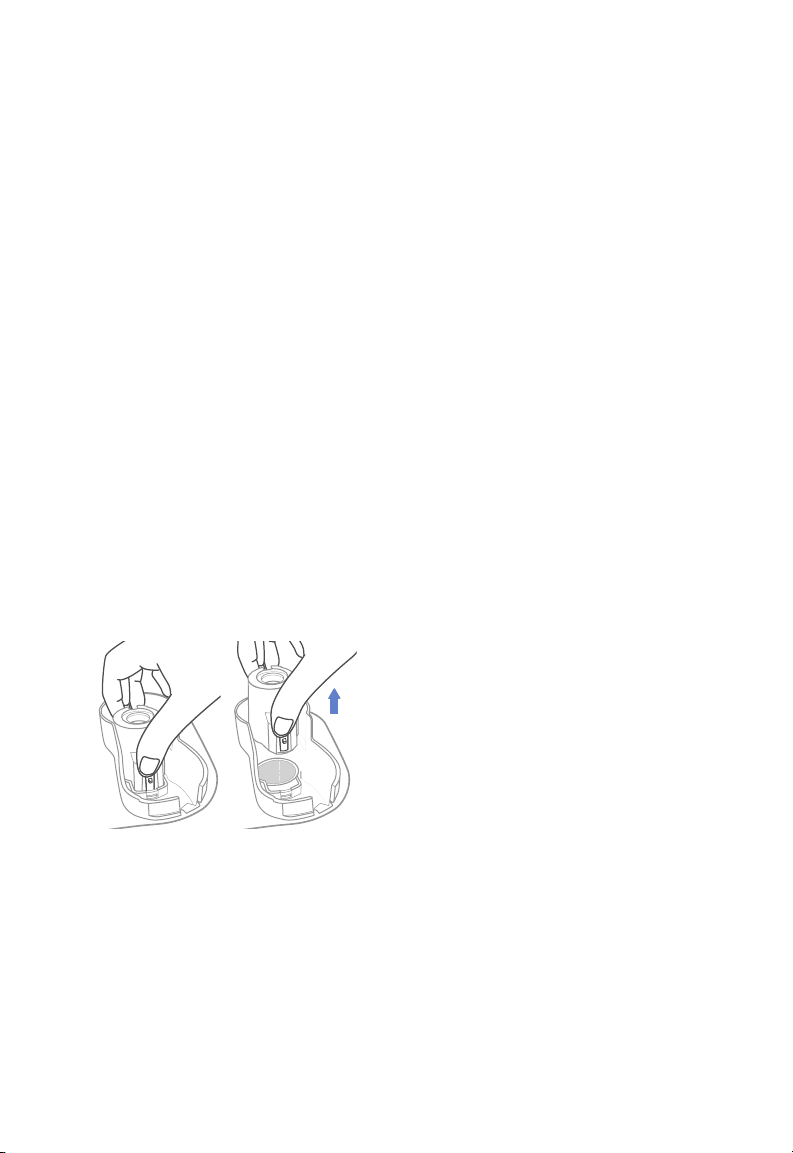
Cleaning the Noise Silencer
1. Press the release tab and gently pull
away from the humidifier. [Figure 5.1]
2. Rinse under clean, running water.
3. Dry with a clean, dry cloth before
replacing it.
Deep Cleaning the Humidifier
1. Fill the water tank with 1 cup / 238 mL of
vinegar along with 1 gal / 3.8 L of water.
2. Place the humidifier outdoors and allow
it to run for 1 hour.
3. Pour out the mixture and refill with
water. Then, run the humidifier for
another hour outdoors.
4. Rinse the water tank and inner chamber
thoroughly under clean, running water.
Deep clean the water tank every 2 weeks
and before and after storing the humidifier
for a long period of time. You should also
disinfect if there is any mold buildup inside
the water tank or inner chamber.
Note: Only use vinegar and water to deep
clean your humidifier.
Figure 5.1
Note: Do not submerge the base in water.
5. If storing, allow the water tank and
base to completely air dry before
reassembling.

12
Problem Possible Solution
No mist comes out of
the nozzles.
Plug in the humidifier and turn it on.
Add at least 2 cups / 475 mL of purified or distilled water to the
water tank.
Clean the humidifier (see Keeping Things Clean, page 10).
Water may be in the air outlet. Take the water tank o of the
base and allow the outlet to fully air dry before using again.
Only a small amount of
mist comes out of the
nozzles.
Clean the humidifier, especially the nozzles, air outlet, and
transducer (see Keeping Things Clean, page 10).
Humidifier runs out of
water too quickly.
The humidifier uses up water based on the environmental
temperature and humidity. If your environment is cold and/or dry,
the humidifier will run out of water faster.
Humidifier produces an
unusual smell.
If the humidifier is new, remove the water cap, and place the
water tank in a cool, dry place for 12 hours.
If essential oils were diused on the aroma pad, rinse the pad
under clean water, and allow it to dry.
Clean the humidifier (see Keeping Things Clean, page 10).
Humidifier makes a
loud or unusual noise.
Make sure the water tank is properly in place (see Getting
Started, page 7).
Place humidifier on a flat, level surface.
Add at least 2 cups / 475 mL of purified or distilled water into the
water tank.
The humidifier may be malfunctioning. Stop using the humidifier
and contact Customer Support (see page 15).
Mist comes out from
the base.
Make sure the water tank is properly in place (see Getting
Started, page 7).
White dust appears
around the humidifier.
We recommend using purified or distilled water to fill the
humidifier. Avoid using water with high mineral content.
Clean the humidifier (see Keeping Things Clean, page 10).
TROUBLESHOOTING

13
If your problem is not listed, please contact Customer Support (see page 15).
TROUBLESHOOTING (CONT.)
Problem Possible Solution
Water visibly leaks
from the humidifier.
Stop using the humidifier and see Preventing Water Leaks
(page 9) before using again. If the humidifier continues
leaking, contact Customer Support (see page 15).
Make sure the silicone sealing ring around the water tank cap
is secure.
A puddle of water
forms around the
humidifier.
Run the humidifier on a lower mist setting.
Open a window to ensure proper airflow for your humidifier, or
move the humidifier to a more well-ventilated room.
Make sure the water tank is properly in place (see Getting
Started, page 7).
Make sure the silicone sealing ring around the water tank cap
is secure.
When replacing the water tank, wipe o excess water from the
water tank and base.
Stop using the humidifier and see Preventing Water Leaks (page
9) before using again. If the humidifier still leaks, contact
Customer Support (see page 15).
Mold grows inside the
humidifier.
Clean the water tank and inner chamber regularly (see Keeping
Things Clean, page 10).

14
Terms & Policy
Arovast Corporation warrants all products to be of
the highest quality in material, craftsmanship, and
service, eective from the date of purchase to the
end of the warranty period.
Arovast Corporation will replace any product
found to be defective due to manufacturer flaws
based on eligibility. Refunds are available within
the first 30 days of purchase. Refunds are only
available to the original purchaser of the product.
This warranty extends only to personal use and
does not extend to any product that has been
used for commercial, rental, or any other use in
which the product is not intended for. There are
no warranties other than the warranties expressly
set forth with each product.
This warranty is non-transferrable. Arovast
Corporation is not responsible in any way for any
damages, losses, or inconveniences caused by
equipment failure by user negligence, abuse, or
use noncompliant with the user manual or any
additional safety, use, or warnings included in the
product packaging and manual.
This warranty does not apply to the following:
• Damage due to abuse, accident, alteration,
misuse, tampering, or vandalism.
• Improper or inadequate maintenance.
• Damage in return transit.
• Unsupervised use by children under 18 years
of age.
Arovast Corporation and its subsidiaries assume no
liability for damage caused by the use of the product
other than for its intended use or as instructed in the
user manual. Some states do not allow this exclusion
or limitation of incidental or consequential losses so
the foregoing disclaimer may not apply to you. This
warranty gives you specific legal rights and you may
also have other rights which may vary from state
to state.
ALL EXPRESSED AND IMPLIED
WARRANTIES, INCLUDING THE WARRANTY
OF MERCHANTABILITY, ARE LIMITED TO THE
PERIOD OF THE LIMITED WARRANTY.
Additional 1-Year Warranty
You can extend your 1-year warranty by an additional
year. Log onto www.levoit.com/warranty to register
your new product for the extended warranty.
Please fill out all required fields and include your
order ID, place of purchase, and purchase date,
if applicable.
Defective Products & Returns
If your product proves defective within the specified
warranty period, please contact Customer Support
via [email protected] with your order ID. Do not
dispose of your product before contacting us. Once
Customer Support has approved your request,
please return the unit with a copy of the invoice or
your order ID.
Product Ultrasonic Cool Mist
Humidifier
Model Classic 200
Default Warranty
Period
1 year
For your own reference, we strongly recommend
that you record your order ID and date
of purchase.
WARRANTY INFORMATION

15
CUSTOMER SUPPORT
If you encounter any issues or have any
questions regarding your new product,
feel free to contact our helpful Customer
Support Team.
Arovast Corporation
1202 N. Miller St., Suite A
Anaheim, CA 92806
Email: [email protected]
Toll-Free: (888) 726-8520
Customer Support
Mon–Fri, 9:00 am–5:00 pm PST/PDT
Support Hours
*Please have your order invoice and order ID
ready before contacting Customer Support.

Connect with us @LevoitLifestyle
levoit.com
AU0719MC-M1.1_0719Classic200