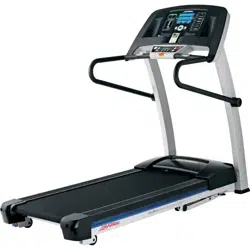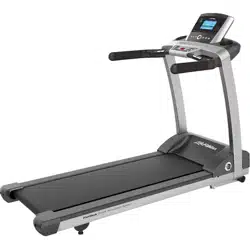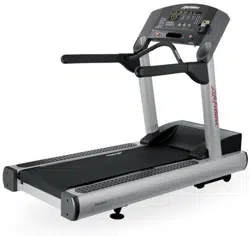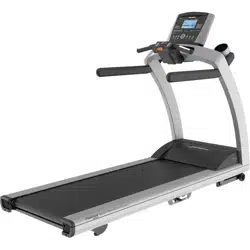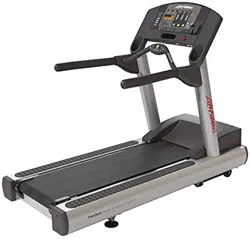
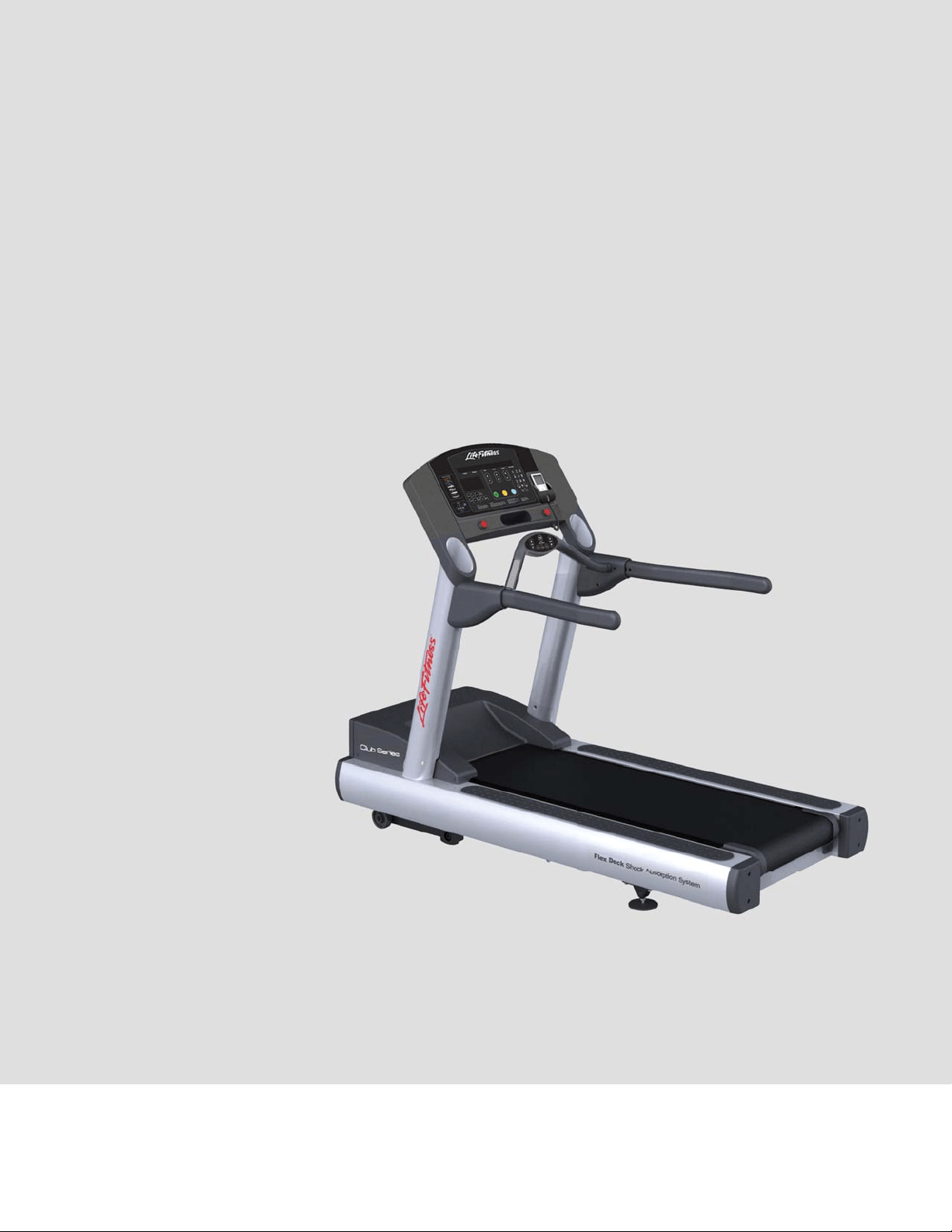
Club Series Treadmill (CST)
Operation Manual
M051-00K60-0098 REV C

1
CORPORATE HEADQUARTERS
Columbia Centre III, 9525 West Bryn Mawr Avenue, Rosemont, Illinois 60018 • U.S.A.
847.288.3300 • FAX: 847.288.3703
Service phone number: 800.351.3737 (toll-free within U.S.A., Canada)
Global Website: www.lifefi tness.com
I O
* Also check www.lifefitness.com for local representation or distributor/dealer
AMERICAS
North America
Life Fitness, Inc.
Columbia Centre III
9525 West Bryn Mawr Avenue
Rosemont, IL 60018 U.S.A
Telephone: (847) 288 3300
Fax: (847) 288 3703
Service Email:
customersupport@lifefi tness.com
Service Website: www.lifefi tness.com/parts
Sales/Marketing Email:
consumerproducts@lifefi tness.com
Operating Hours: 7:00 am-6:00 pm (CST)
Brazil
Life Fitness Brasil
Av. Cidade Jardim, 900
Jd. Paulistano
São Paulo, SP 01454-000
BRAZIL
SAC: 0800 773 8282
Telephone: +55 (11) 3095 5200
Fax: +55 (11) 3095 5201
Service Email: suporte@lifefi tness.com.br
Sales/Marketing Email:
lifefi tness@lifefi tness.com.br
Service Operating Hours:
9:00 - 17:00 (BRT) (Monday-Friday)
Store Operating Hours:
9:00 -20:00 (BRT) (Monday-Friday)
10:00 - 16:00 (BRT) (Saturday)
Latin America & Caribbean*
Life Fitness Inc.
Columbia Centre III
9525 West Bryn Mawr Avenue
Rosemont, IL 60018 U.S.A
Telephone: (847) 288 3300
Fax: (847) 288 3703
Service Email:
customersupport@lifefi tness.com
Sales/Marketing Email:
consumerproducts@lifefi tness.com
Operating Hours: 7:00am-6:00pm (CST)
______________________________________
EUROPE, MIDDLE EAST, & AFRICA
(EMEA)
Netherlands & Luxemburg
Life Fitness Atlantic BV
Bijdorpplein 25-31
2992 LB Barendrecht
THE NETHERLANDS
Telephone: (+31) 180 646 666
Fax: (+31) 180 646 699
Service Email:
service.benelux@lifefi tness.com
Sales/Marketing Email:
marketing.benelux@lifefi tness.com
Operating Hours: 9.00h-17.00h (CET)
United Kingdom & Ireland
Life Fitness UK LTD
Queen Adelaide
Ely, Cambs, CB7 4UB
Telephone: General Offi ce (+44)
1353.666017
Customer Support (+44) 1353.665507
Fax: (+44) 1353.666018
Service Email: uk.support@lifefi tness.com
Sales/Marketing Email: life@lifefi tness.com
Operating Hours:
General Offi ce: 9.00am - 5.00pm (GMT)
Customer Support: 8.30am - 5.00pm
(GMT)
Germany & Switzerland
Life Fitness Europe GMBH
Siemensstraße 3
85716 Unterschleißheim
GERMANY
Telephone: (+49) 89.31 77 51.0 (Germany)
(+41) 0848 000 901 (Switzerland)
Fax: (+49) 89.31 77 51.99 (Germany)
(+41) 043 818 07 20 (Switzerland)
Service Email:
kundendienst@lifefi tness.com
Sales/Marketing Email:
kundenberatung@lifefi tness.com
Operating Hours: 08.30 -16.30h (CET)
Austria
Life Fitness Austria
Vertriebs G.m.b.H.
Dückegasse 7-9/3/36
1220 Vienna
AUSTRIA
Telephone: (+43) 1.61.57.198
Fax: (+43) 1.61.57.198.20
Service Email: kundendienst@lifefi tness.
com
Marketing/Sales Email:
kundenberatung@lifefi tness.com
Operating Hours: 08:30-16.30.h (MEZ)
Spain
Life Fitness IBERIA
C/Frederic Mompou 5,1º1ª
08960 Sant Just Desvern Barcelona
SPAIN
Telephone: (+34) 93.672.4660
Fax: (+34) 93.672.4670
Service Email: servicio.tecnico@lifefi tness.
com
Sales/Marketing Email:
info.iberia@lifefi tness.com
Operating Hours:
9.00h-18.00h (Monday-Thursday)
8.30h-15.00h (Friday)
Belgium
Life Fitness Benelux NV
Parc Industrial de Petit-Rechain
4800 Verviers
BELGIUM
Telephone: (+32) 87 300 942
Fax: (+32) 87 300 943
Service Email:
service.benelux@lifefi tness.com
Sales/Marketing Email:
marketing.benelux@lifefi tness.com
Operating Hours: 9.00h -17.00h (CET)
All Other EMEA Countries &
Distributor Business C-EMEA*
Bijdorpplein 25-31
2992 LB Barendrecht
THE NETHERLANDS
Telephone: (+31) 180 646 644
Fax: (+31) 180 646 699
Service Email:
service.db.cemea@lifefi tness.com
Sales/Marketing Email:
marketing.db.cemea@lifefi tness.com
Operating Hours: 9.00h-17.00h (CET)
____________________________________
ASIA PACIFIC (AP)
Japan
Life Fitness Japan
Japan Nippon Brunswick Bldg., #8F
5-27-7 Sendagaya
Shibuya-Ku, Tokyo
Japan 151-0051
Telephone: (+81) 3.3359.4309
Fax: (+81) 3.3359.4307
Service Email: service@lifefi tnessjapan.com
Sales/Marketing Email:
sales@lifefi tnessjapan.com
Operating Hours: 9.00h-17.00h (JAPAN)
Hong Kong
Life Fitness Asia Pacifi c LTD
32/F, Global Trade Square
21 Wong Chuk Hang Road
HONG KONG
Telephone: (+852) 2575.6262
Fax: (+852) 2575.6894
Service Email:
HongKongEnquiry@lifefi tness.com
Sales/Marketing Email:
Marketing.HK.Asia@lifefi tness.com
Operating Hours: 9.00h-17.00h
Service Operating Hours: 9.00h-18.00h
All Other Asia Pacifi c countries &
distributor business Asia Pacifi c*
Life Fitness Asia Pacifi c LTD
32/F, Global Trade Square
21 Wong Chuk Hang Road
HONG KONG
Telephone: (+852) 2575.6262
Fax: (+852) 2575.6894
Service Email:
HongKongEnquiry@lifefi tness.com
Sales/Marketing Email:
Marketing.HK.Asia@lifefi tness.com
Operating Hours: 9.00h-17.00h
Service Operating Hours: 9.00h-18.00h

2
Table of Contents
Important Safey Instructions 5
1 Setup 10
2 Console Overlay and Activity Zone 13
2.1 Console Overlay and Activity Zone Overview 13
2.2 Console Overlay and Activity Zone Descriptions 14
2.3 Reading Rack and Accessory Trays 16
3 Heart Rate Zone Training® 17
3.1 Why Heart Rate Zone Training Exercise? 17
3.2 Heart Rate Monitoring 18
4 Workouts 19
4.1 Workout Overview 19
4.2 Using the Workouts 21
4.3 Workout Descriptions 22
4.4 Maximizing Workouts on a Life Fitness Treadmill 31
5 User Menu (Optional Settings) 33
5.1 Entering and Using the Service Menu 33
5.2 Manager’s Confi guration (Optional Settings) 34
6 Service and Technical Data 38
6.1 Preventive Maintenance Tips 38
6.2 Preventive Maintenance Schedule 39
6.3 Troubleshooting the Treadmill 40
6.4 Troubleshooting the Optional Polar® Telemetry Heart Rate Chest Strap 42
6.5 How to Adjust and Tension the Striding Belt 43
6.6 Proactive Belt Wear Notifi cation 44
6.7 How to Obtain Product Service / Serial Number Location 44
7 Specifi cations 45
8 Warranty 46
© 2015 Life Fitness, A division of Brunswick Corporation. All Rights Reserved. Life Fitness is a registered trademark of Brunswick Corporation. Fitlinxx
is a trademark of Fitlinxx, Inc. Polar is a registered trademark of Polar Electro, Inc. iPod® and iPhone® are registered trademarks of Apple, Inc. Gym
Wipes® is a registered trademark of The 2XL Corporation. PureGreen 24 is a trademark of Pure Green.
3
Before using this product, it is essential to read this ENTIRE operation manual and ALL installation instructions.
It describes equipment setup and instructs members on how to use it correctly and safely.
Avant d’utiliser ce produit, il est indispensable de lire ce manuel d’utilisation dans son INTÉGRALITÉ, ainsi que TOUTES
les instructions d’installations.
Ce manuel explique comment installer l’équipement et comment l’utiliser correctement et sans danger.
Class HB (Home): Domestic use.
CAUTION: Any changes or modifi cations to this equipment could void the product warranty.
Mise en garde : tout changement ou toute modifi cation de ce matériel peut annuler la garantie
du produit.
Any service, other than cleaning or user maintenance, must be performed by an authorized service representative.

4
This Operation Manual describes the functions of the following product:
Club Series Treadmill (CST)
See “Specifi cations” in this manual for product specifi c features.
Statement of Purpose: The treadmill is an exercise machine that enables users to walk or run, in place, on a moving
surface.
Life Fitness STRONGLY recommends seeing a physician for a complete medical exam before undertaking an exercise
program, particularly if the user has a family history of high blood pressure or heart disease, is over the age of 45,
smokes, has high cholesterol, is obese, or has not exercised regularly in the past year.
If, at any time while exercising, the user experiences faintness, dizziness, pain, or shortness of breath, he or she must
stop immediately.
Life Fitness recommande FORTEMENT de consulter un médecin pour subir un examen médical complet avant de com-
mencer tout programme d’exercice, et tout particulièrement si l’utilisateur a des antécédents familiaux d’hypertension
ou de troubles cardiaques, s’il a plus de 45 ans, s’il fume, s’il a du cholestérol, s’il est obèse ou n’a pas fait d’exercice
régulièrement depuis un an.
Si, pendant l’utilisation de l’appareil, l’utilisateur ressent un malaise, des vertiges, des douleurs ou des vertiges, des
douleurs ou des diffi cultés à respirer, il doit s’arrêter immédiatement.
5
IMPORTANT SAFETY INSTRUCTIONS
Read all instructions before using the LIFE FITNESS treadmill.
DANGER: To reduce the risk of electrical shock, always unplug Life Fitness product before
cleaning or attempting any maintenance activity.
WARNING: To reduce the risk of burns, fi re, electric shock, or injury, it is imperative to
connect each product to a properly grounded electrical outlet.
WARNING: Heart rate monitoring systems may be inaccurate. Over exercising may result
in serious injury or death. If you feel faint, stop exercising immediately.
WARNING: Keep the area 6.5 ft. (2 m) by 3 ft. (1 m) behind the Life Fitness treadmill clear
of any obstructions, including walls, furniture, and other equipment.
WARNING: Be sure the emergency stop lanyard is clipped to the user and in proper po-
sition on the treadmill before beginning any workout.
WARNING: The belt centering adjustment must be performed if the belt is not between
the marks indicating the maximum allowed lateral positions. Refer to Section 6.6.
CAUTION: Risk of injury to persons – to avoid injury, use extreme caution when stepping
onto or off of a moving belt. Read instruction manual before using.
CAUTION: Any changes or modifi cations to this equipment could void the product war-
ranty.
To disconnect, turn power OFF at the ON/OFF switch, then remove plug from electrical outlet.
Never operate a Life Fitness product if it has a damaged power cord or electrical plug, or if it has been
dropped, damaged, or even partially immersed in water. Contact Life Fitness Customer Support Services.
Position the product so that the power cord plug to the wall is accessible to the user.
If the electrical supply cord is damaged, it must be replaced by the manufacturer, an authorized service agent,
or a similarly qualifi ed person to avoid a hazard.
Always follow the console instructions for proper operation.
This appliance is not intended for use by persons (including children) with reduced physical, sensory, or mental
capabilities, or lack of experience or knowledge unless they have supervision or been given instruction con-
cerning the use of the appliance by a person responsible for their safety.
Do not use this product outdoors, near swimming pools or in areas of high humidity.
Never operate a Life Fitness product with the air openings blocked. Keep air openings free of lint, hair, or any
other obstructing material.
Never insert objects into any opening in these products. If an object should drop inside, turn off the power,
unplug the power cord from the outlet, and carefully retrieve it. If the item cannot be reached, contact Life Fit-
ness Customer Support Services.

6
Never place liquids of any type directly on the unit, except in an accessory tray or holder. Containers with lids
are recommended.
Do not use these products in bare feet. Always wear shoes. Wear shoes with rubber or high-traction soles. Do
not use shoes with heels, leather soles, cleats or spikes. Make sure no stones are embedded in the soles.
Keep all loose clothing, shoelaces, and towels away from moving parts.
Do not reach into, or underneath, the unit or tip it on its side during operation.
Do not allow other people to interfere in any way with the user or equipment during a workout.
Allow LCD consoles to “normalize” with respect to temperature for one hour before plugging the unit in and
using.
Use these products for their intended use as described in this manual. Do not use attachments that have not
been recommended by the manufacturer.
Keep the power cord away from heated surfaces. Do not pull the equipment by the power cord or use the cord
as a handle. Do not run the power cord on the fl oor under or along the side of the treadmill. Refer to Section
2.5 for proper power cord routing.
Handrails may be held to enhance stability as needed, but are not for continuous use.
Never mount or dismount the treadmill while the running belt is moving. Use the handrails whenever addi-
tional stability is required. In case of an emergency, such as tripping, grasp the handrails, and place the feet on
the side platforms.
Never walk or jog backwards on the treadmill.
Do not use this product in areas where aerosol spray products are being used or where oxygen is being ad-
ministered. Such substances create the danger of combustion and explosion.
When it is necessary to immobilize the treadmill, set the display to read SELECT WORKOUT. (Press the STOP
key twice if not already there.) Then hold down the SPEED DOWN key and press the PAUSE key. The treadmill
now displays IMMOBILIZED”. In this state, the treadmill cannot be operated. The belt and incline motors are
disabled. The treadmill will remain in this state across resets, power cycles, etc. To restore normal operation,
repeat the same key sequence: hold down the SPEED DOWN key, and press the PAUSE key. The treadmill will
display “SELECT WORKOUT” again.
Read all warnings on each product prior to starting a workout.
If warnings are missing or damaged, please contact LIFE FITNESS immediately for replacement warning labels.
Warning labels are shipped with every product and should be installed before product is used. LIFE FITNESS
is not responsible for missing or damaged warning labels.
Children should be supervised to ensure that they do not play with the product.
In conformity with the European Union Machinery Directive 2006/42/EC, this equipment unloaded runs at
sound pressure levels below 70 dB(A) at the average operating speed of 12 km/hr. Noise emission under load
is higher than without load.
Health and Environmental Regulations Warning - This product may contain chemicals known to the State of
California to cause cancer, birth defects, or other reproductive harm. For more information related to the Eu-
ropean Commission Regulation (EC) No. 1907/2006 (REACH) and the California Safe Drinking Water and Toxic
Enforcement Act of 1986 (Proposition 65), please visit https://www.lftechsupport.com/web/guest/environmen-
tal-regulations-information.
SAVE THESE INSTRUCTIONS FOR
FUTURE REFERENCE.
7
CONSIGNES DE SÉCURITÉ
IMPORTANTES
Lire toutes les instructions avant d’utiliser le tapis roulant.
DANGER: Pour réduire les risques de décharge électrique, toujours débrancher cet appar-
eil Life Fitness avant le nettoyage ou toute mesure d’entretien.
AVERTISSEMENT: Pour réduire les risques de brûlures, d’incendies, de
décharges électriques ou de blessures, chaque appareil doit absolument être branché sur une prise électrique
correctement mise à la terre.
AVERTISSEMENT:Des systèmes de surveillance de fréquence cardiaque
peuvent être inexacts. Trop d’exercices peuvent entraîner des blessures sérieuses, voire mortelles. En cas de
sensation d’évanouissement, arrêter immédiatement l’entraînement.
AVERTISSEMENT: Conserver une zone de 2 m sur 1 m libre de toute ob-
struction derrière le tapis roulant (aucun mur, meuble ou autre appareil).
AVERTISSEMENT: S’assurer que la dragonne d’arrêt d’urgence est attachée
à l’utilisateur et fi xée adéquatement au tapis roulant avant de commercer un exercice.
AVERTISSEMENT: Le réglage de centrage de la courroie doit être effectué
si la courroie ne se trouve pas entre les repères indiquant les positions latérales maximum permises. Reportez-
vous à la Section 6.6.
MISE EN GARDE:Risque de blessures corporelles – Pour éviter de se blesser,
faire preuve d’extrême prudence lors de la montée ou descente de la courroie en mouvement. Lire les instruc-
tions avant tout usage de l’appareil.
MISE EN GARDE: Tout changement et toute modifi cation de ce matériel peut
annuler la garantie du produit.
Pour débrancher, mettre l’appareil hors tension au niveau de l’interrupteur d’alimentation, puis retirer la fi che
de la prise électrique.
Ne jamais faire fonctionner un produit Life Fitness dont la fi che ou le cordon d’alimentation est endommagé, ni
aucun appareil qui serait tombé ou aurait été endommagé ou même partiellement plongé dans l’eau. Appeler
le service clientèle de Life Fitness.
Placer ce produit de manière à ce que l’utilisateur puisse accéder à la fi che du cordon d’alimentation.
Si le cordon d’alimentation électrique est endommagé, il doit être remplacé par le fabricant, par un réparateur
agréé ou par une personne qualifi ée afi n d’éviter tout danger.
Les instructions de la console doivent toujours être suivies pour obtenir un fonctionnement correct.
Cet appareil n’est pas prévu pour être utilisé par des personnes (y compris les enfants) dont les capacités phy-
siques, sensorielles ou mentales sont réduites, ou des personnes dénuées d’expérience ou de connaissance,
sauf si elles ont pu bénéfi cier, par l’intermédiaire d’une personne responsable de leur sécurité, d’une surveil-
lance ou d’instructions préalables concernant l’utilisation de l’appareil.

8
Ne pas utiliser ce produit à l’extérieur, près d’une piscine ou dans des endroits très humides.
Ne jamais faire fonctionner d’appareil Life Fitness dont les orifi ces d’aération seraient bloqués. Les garder ex-
empts de peluches, de cheveux ou de toute obstruction.
Ne jamais rien insérer dans les ouvertures de cet appareil. Si un objet tombe à l’intérieur de l’appareil, couper
l’alimentation électrique, débrancher le cordon de la prise et le récupérer avec précaution. S’il est impossible
de l’atteindre, communiquer avec le service à la clientèle de Life Fitness.
Ne jamais placer aucun liquide directement sur l’appareil, sauf dans le plateau pour accessoires ou un sup-
port prévu à cet effet. Il est recommandé d’utiliser des conteneurs munis de couvercles.
Ne pas utiliser cet appareil pieds nus. Toujours porter des chaussures. Porter des chaussures avec des se-
melles en caoutchouc ou fournissant une très bonne adhérence. Ne pas utiliser de chaussures à talons, à se-
melles en cuir ou munies de crampons. S’assurer qu’aucun caillou n’est incrusté dans les semelles.
Éloigner les vêtements lâches, les lacets et les serviettes des pièces en mouvement.
Ne pas placer les mains sous l’appareil ou dans l’appareil, et ne pas le renverser sur le côté pendant le fonc-
tionnement.
Ne laisser personne déranger de quelque manière que ce soit l’utilisateur ou interférer avec l’équipement du-
rant un entraînement.
Laisser les consoles ACL se « normaliser » pendant une heure quant à la température avant le branchement et
l’utilisation de l’appareil.
Cet appareil ne doit être employé que pour l’usage auquel il est destiné, conformément aux directives du
manuel. Ne pas utiliser d’accessoires qui ne sont pas recommandés par le fabricant.
Tenir le cordon d’alimentation à l’écart de toute surface chauffée. Ne pas tirer l’appareil par le cordon
d’alimentation; ne pas utiliser le cordon comme poignée. Ne pas faire passer le cordon sur le sol, sous le
tapis roulant, ni le long de l’appareil. Reportez-vous à la Section 2.5 pour la disposition adéquate du cordon
d’alimentation.
Les rampes latérales peuvent servir à rétablir son équilibre, mais ne sont pas destinées à un usage continu.
Ne jamais monter sur le tapis de course et ne pas en descendre jamais pendant qu’il tourne. Utiliser les
rampes latérales afi n de ne pas perdre l’équilibre. En cas d’urgence, par exemple, en cas de trébuchement ou
de faux pas, saisir les barres latérales et placer les pieds sur les plates-formes latérales.
Ne jamais marcher ni courir à reculons sur le tapis roulant.
Ne pas utiliser ce produit dans des salles où des vaporisateurs aérosols sont employés ou bien où de
l’oxygène est administré. Ces substances créent des risques de combustion et d’explosion.
S’il est nécessaire d’immobiliser le tapis roulant, régler l’affi cheur sur SELECT WORKOUT (SÉLECTIONNER EX-
ERCICE). (Appuyer deux fois sur la touche Remise à zéro si l’affi cheur n’en est pas déjà à ce point.) Maintenir
ensuite la touche SPEED DOWN (RALENTISSEMENT) enfoncée et appuyer sur la touche PAUSE. L’appareil
affi che désormais IMMOBILIZED (Immobilisé). Il ne peut alors plus fonctionner, Le moteur principal, le moteur
en ligne et le cireur sont désactivés. Le tapis roulant restera immobilisé, même s’il est réinitialisé, mis hors ten-
sion, puis remis sous tension, etc. Le mode de fonctionnement normal ne peut être rétabli qu’au moyen de la
même séquence de touches : maintenir la touche SPEED DOWN (RALENTISSEMENT) enfoncée et appuyer
sur PAUSE. L’appareil affi chera SELECT WORKOUT (SÉLECTIONNER EXERCICE) à nouveau.
Lisez tous les avertissements sur chaque produit avant de démarrer un exercice.
Si les avertissements sont absents ou endommagés, veuillez contacter immédiatement Life Fitness afi n de
les faire remplacer. Les étiquettes d’avertissement sont livrées avec chaque produit et doivent être installées
avant leur utilisation. Life Fitness ne peut être tenu responsable lorsque des étiquettes d’avertissement sont
absentes ou endommagées.
Ne laisser personne déranger de quelque manière que ce soit l’utilisateur ou interférer avec l’équipement du-
rant un entraînement.
Conformément à la directive Machines 2006/42/EC de l’Union européenne, à vide, cet équipement fonc-
tionne à des niveaux de pression acoustique inférieurs à 70 dB(A) à une vitesse de fonctionnement moyenne
de 12 km/h. Les émissions sonores sont plus importantes lorsque l’appareil est chargé.

9
• Règlementation en matière de santé et d’environnement : avertissement - Ce produit peut contenir des sub-
stances chimiques considérées par l’État de Californie comme cancérigènes et causant des malformations
congénitales ou d’autres troubles de l’appareil reproducteur. Pour plus d’informations sur la règlementation
européenne n° 1907/2006 (REACH) et le California Safe Drinking Water and Toxic Enforcement Act de 1986
(Proposition 65), connectez-vous à l’adresse suivante : https://www.lftechsupport.com/web/guest/environmen-
tal-regulations-information.
CONSERVER CES INSTRUCTIONS
POUR TOUT USAGE ULTÉRIEUR.
10
1 SETUP
Read the Operation Manual before setting up the Life Fitness Treadmill. Place the treadmill where it will be used before
beginning the setup procedure.
Electrical Power Requirements
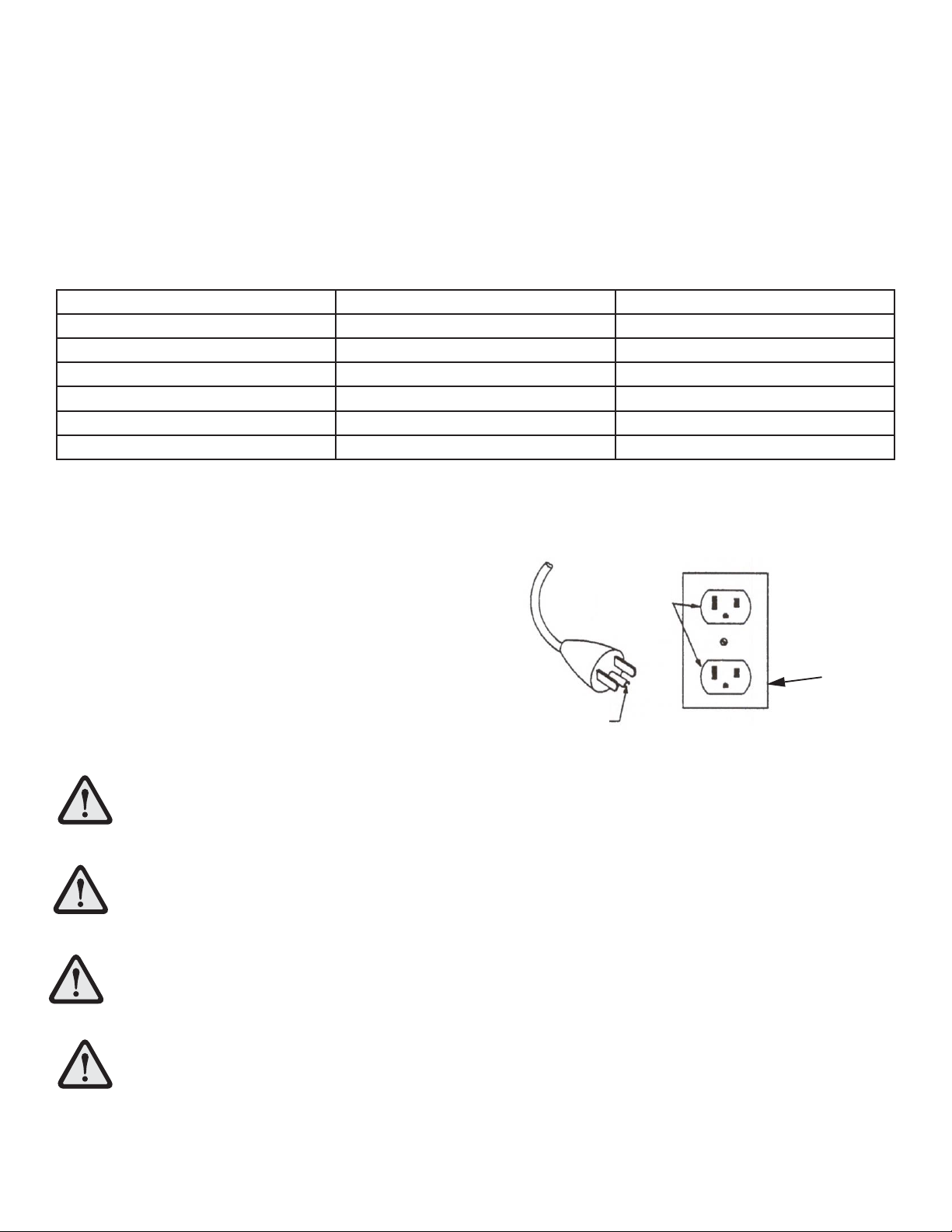
The Life Fitness CST Treadmill requires a non-dedicated electrical line according to the confi gurations listed in the chart
below.
Supply Voltage (VAC) Frequency (Hz)
Rated Current (Amps)
100 50 /60
12
120 50 /60
12
200 50 /60
9
220 50 /60
9
230 50 /60
9
240+ 50 /60
9
NOTE: Do not modify the plug provided with this product. If the plug does not fi t into an available electrical
outlet, have a proper outlet installed by a qualifi ed electrician.
Grounding Instructions
This Life Fitness product must be properly grounded. If the unit
malfunctions or breaks down, proper grounding provides a
path of least resistance for the electric current, which reduces
the risk of shock to anyone touching or using the equipment.
Each unit is equipped with an electrical cord, which includes an
equipment grounding conductor and a grounding plug. The
plug must be inserted into an outlet that has been properly
installed and grounded in accordance with all local codes and
ordinances.
A temporary adapter MUST NOT BE USED to connect this plug to a two-pole receptacle in North
America. If a properly grounded, 15-amp outlet is not available, one must be installed by a qualifi ed
electrician. For use on a nominal 120-V circuit, this product has a grounding plug that looks like the
one in the accompanying illustration. Make sure that the product is connected to an outlet having the
same confi guration as the plug.
IL EST ABSOLUMENT INTERDIT d’employer un adaptateur temporaire pour brancher cette fi che sur
uneprise bipolaire en Amérique du Nord. Si aucune prise de 15 A correctement mise à la terre n’est
disponible,en faire installer une par un électricien qualifi é.
DANGER: A risk of electrical shock may result from improper connection of the equipment-grounding
conductor. Check with a qualifi ed electrician if in doubt as to proper grounding technique. DO NOT
modify the plug provided with the product. If it will not fi t an electrical outlet, have a proper outlet
installed by a qualifi ed electrician. Any modifi cation to the electrical plug will result in a voided war-
ranty.
Un branchement incorrect du conducteur de mise à la terre peut entraîner des risques de décharge
électrique.Consulter un électricien si des doutes subsistent quant à la technique de mise à la terre.
NE PAS MODIFIER lafi che fournie avec l’appareil. Si elle ne s’adapte pas à une prise, faire installer une
prise correcte par un électricienqualifi é. Toutemodifi cation à la fi che annule la garantie.
GROUNDED
OUTLET BOX
GROUNDING
PIN
GROUNDED
OUTLET
11
How to Position and Stabilize the Life Fitness Treadmill
Following all Safety Instructions in Section 1.1 and move the treadmill to the location in which it will be used. See
Specifi catons for the dimensions of the product footprint (assembled dimensions).
Safety Clearances
The following information is supplied as regional reference data regarding safety
clearances around the exterior of the treadmill.
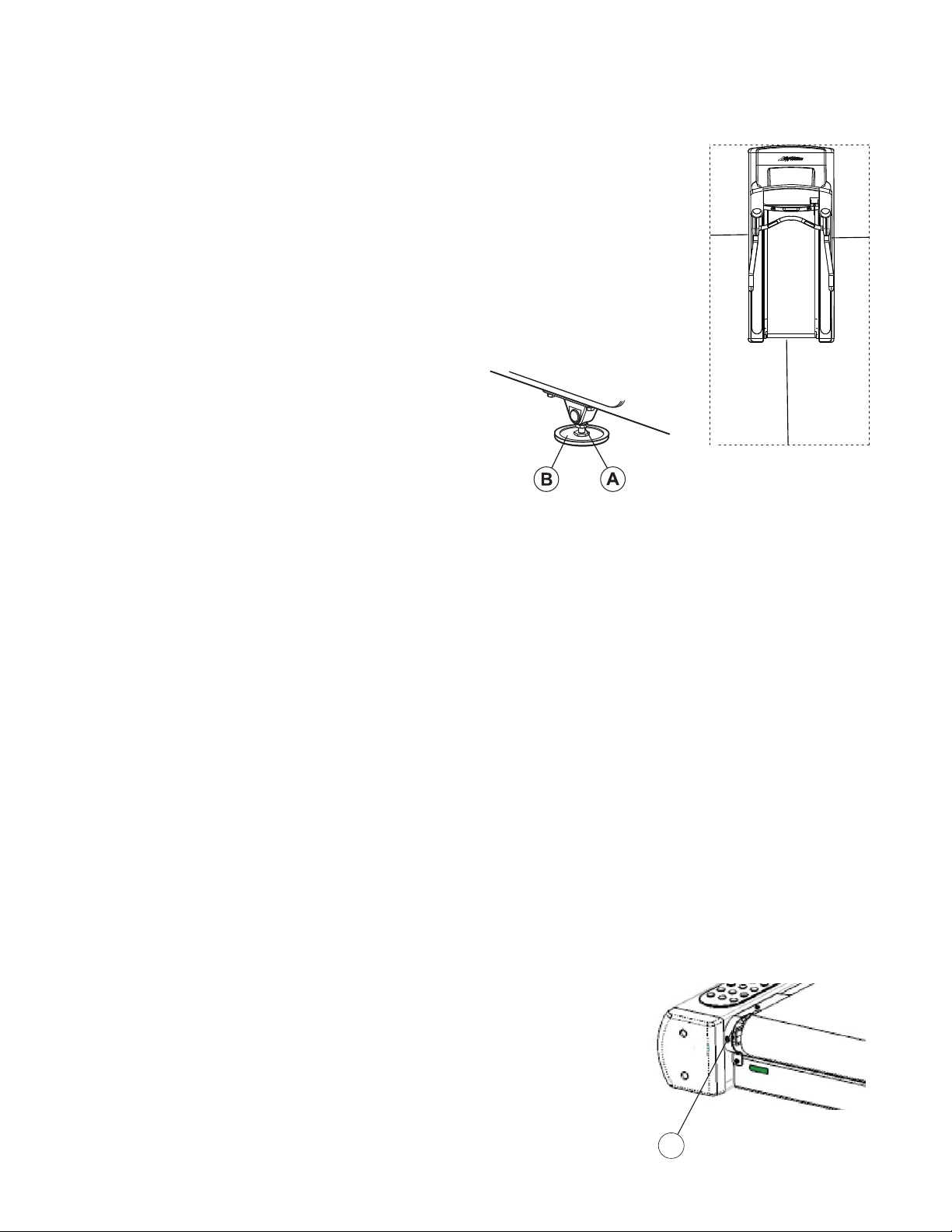
EU: The European EN957 Safety Standard requires a 2 meter (6.5 feet)
minimum from the rear of the treadmill to any object or surface.
U.S. and other regions: The ASTM International (ASTM ) F2115 - 05 Standard
recommends the minimum dimensions to be 0.5 meter (1.64 feet) on each
side of the treadmill and 1 meter (3.28 feet) behind the rearward most portion
of the usable moving surface or 2 meters (6.5 feet) behind the furthest rear-
ward obstruction to emergency egress from the treadmill.
After placing the unit where it will be used, check its stability.
If there is even a slight rocking motion or the unit is not stable,
determine which stabilizing leg is not resting on the fl oor. To
adjust, loosen the JAM NUT (A), and turn the STABILIZING
LEG (B) until the rocking motion ceases, and both stabilizing
legs rest fi rmly on the fl oor. Retighten the JAM NUT.
NOTE: It is extremely important that the stabilizing leg be correctly adjusted for proper operation. An unbalanced unit
may cause striding belt misalignment. A bubble level is recommended to ensure proper leveling.
Turning the Unit On
To turn the treadmill on, locate the ON/OFF power switch located on the front panel at the base of the treadmill. The ON/
OFF switch has two positions: “I” (one) for ON and “0” (zero) for OFF. Switch it to the ON position.
NOTE (INTERNATIONAL UNITS ONLY): Treadmill will go into Energy Saving Mode after 5 minutes of inactivity. To wake
up the console, step on the treadmill belt. The treadmill will automatically wake up and the console will light up. Waking
up the treadmill takes approximately 10 seconds after stepping onto the belt.
Centering the Belt
After installing and levelling the treadmill, check the belt to ensure that it is tracking properly. First, plug the power cord
into an appropriate outlet. See Electrical Requirements at the beginning of this section for details. Then turn the treadmill
ON.
Have one person stand on the platforms on either side of the treadmill frame. Do not stand on the belt at this time. Press
the QUICK START key, and increase the speed to 4.0 miles per hour (mph), or 6.4 kilometers per hour (kph), using the
SPEED UP arrow.
If the striding belt moves to the right while it is running, have a second person turn the right tension bolt a quarter-turn
clockwise, and then turn the left tension bolt (C) a quarter-turn counter-clockwise. See the illustration below. This action
sets the striding belt tracking back to center of the roller.
If the striding belt moves to the left, turn the left tension bolt a quarter-turn clockwise and then turn the right tension bolt
a quarter-turn counter-clockwise to start the striding belt tracking back to center of roller.
Repeat these adjustments until striding belt appears centered. Allow the belt
to continue running for several minutes to be sure that the tracking is stabilized.
NOTE: Do not exceed one full turn of the adjusting screws in either direction.
If, after one full turn, the belt does not track properly, contact Life Fitness
Customer Support Services.
C
6.5 ft.
(2 m)
1.64 ft.
(0.5 m)
1.64 ft.
(0.5 m)
12
Service Access Port
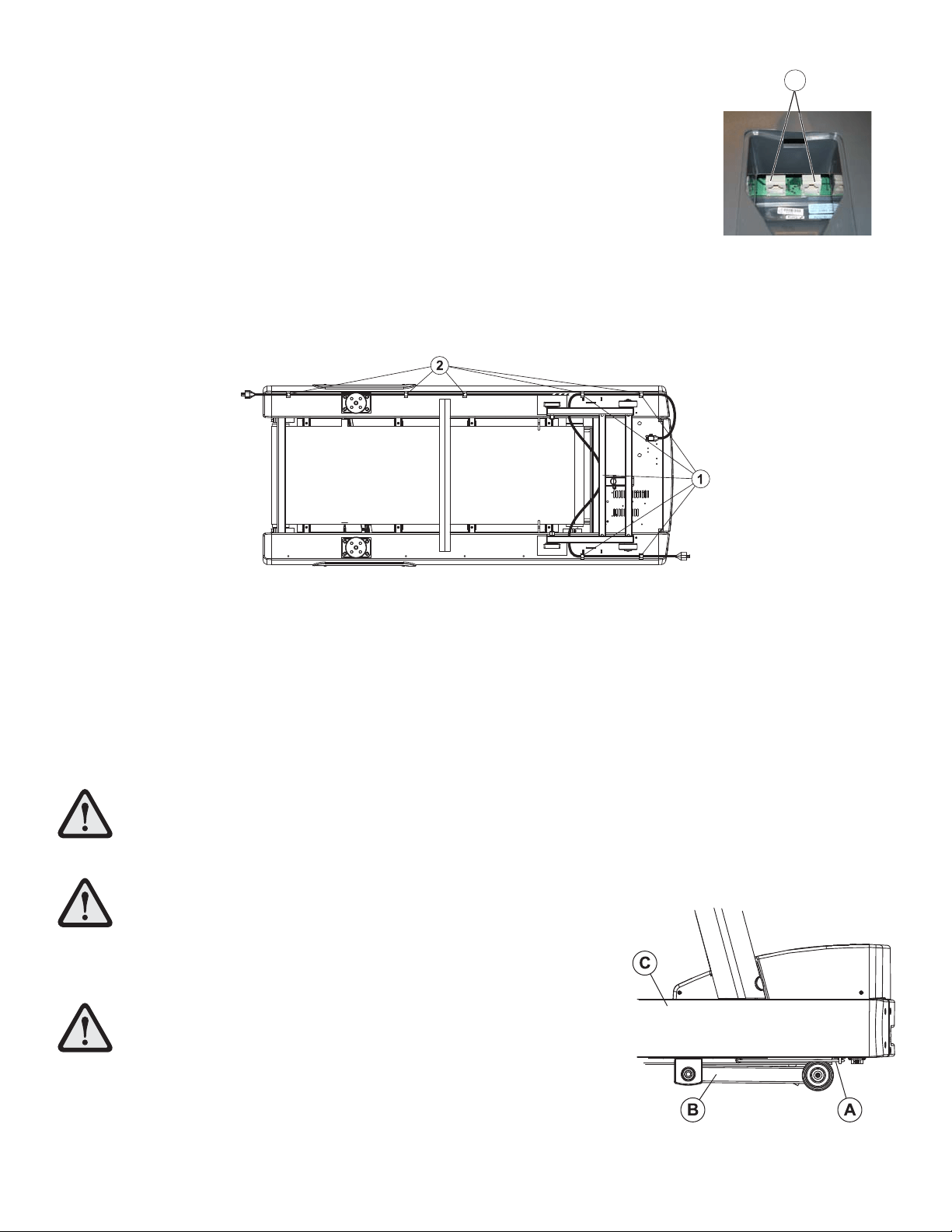
The two interchangeable type RJ45 networking ports (A) are located on the back of the
display console. These network ports, located behind the display console rear access
door, allow for console software updates.
Power Cord Routing
The power cord can be run straight from the treadmill, shortened and exited out the
user-front left side, or run under the frame using the power cord clips and exited out the
user right-rear side of the treadmill. For effi cient cord management, the following routing
options are recommended:
With the power cord unplugged, insert the clips in the appropriate holes. See the illustration below. Use Hole Pattern 1
or 2 to locate the clips and secure the power cord with the clips, taking up any slack between clips.
NOTE: It may be necessary to tip the treadmill to route the power cord properly.
To plug the power cord into an outlet in front of the treadmill, use Hole Pattern 1 for outlets located at the front of the
machine.
NOTE: To accommodate treadmill incline, at least two feet (24”) of power cord is required between the outlet and the
last power cord clip for outlets in front of the treadmill.
To plug the power cord into an outlet in rear of the treadmill, use Hole Pattern 2 for outlets located at the rear of the
machine.
WARNING: Make sure that there is a 6.5 foot clearance behind the treadmill.
Contact Life Fitness Customer Services for an optional longer power cord if necessary.
WARNING: Insure that the power cord (A)
does not contact the striding belt or get pinched between the
frame (C), lift arm (B) or the wheel. Failure to follow this warning
may result in serious injury.
AVERTISSEMENT : S’assurer que
le cordon d’alimentation n’entre pas en contact avec le tapis et ne
soit pas pincé entre le cadre, le bras de levage ou la roue. Le non-
respect de cet avertissement peut provoquer de graves blessures.
NOTE: When using Pattern 1, it is extremely important to route the power cord
BETWEEN the lift frame and the main frame.
A
13
2 Console Overlay and Activity Zone
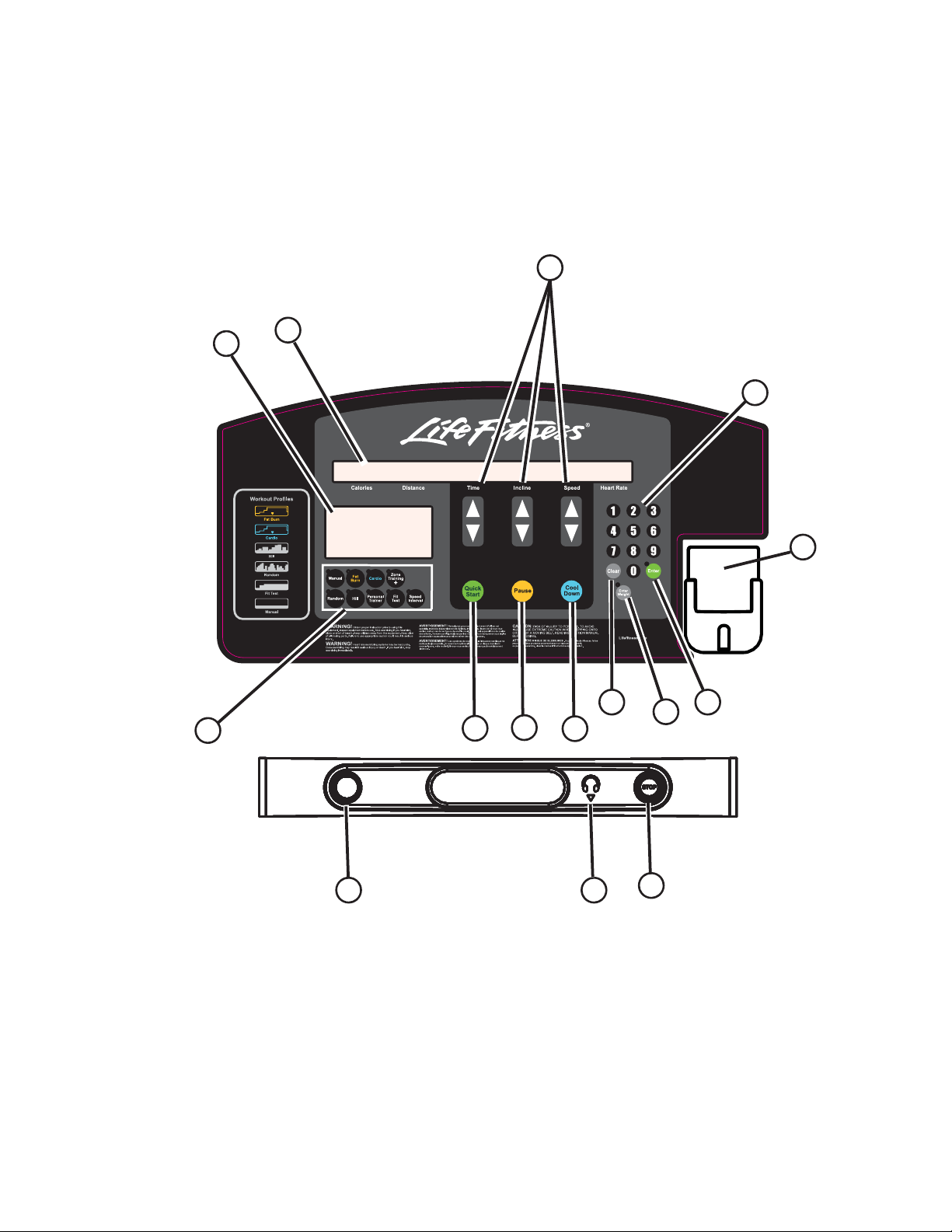
2.1 Console Overlay and Activity Zone Overview
The computerized display console and Activity Zone on the treadmill allows the user to tailor a workout to personal
fi tness abilities and goals and to monitor progress. With this easy-to-use console and Activity Zone, the user can track
fi tness improvement from one workout to another.
C
B
A
D
O
G
F
I
J
K
H
N
L
M
E
14
2.2 Console Overlay and Activity Zone Descriptions
A. WORKOUT PROFILE WINDOW: During a workout, interval hills and valleys appear in this window as rows of
light stacked in columns. The number of lit rows within a column corresponds to an incline percentage.
B. MESSAGE CENTER: This window displays step-by-step instructions for setting up a workout. During a
workout, it displays calories, distance, time, incline, speed and heart rate. Additionally, the MESSAGE
CENTER displays calories per hour, METS, Watts, pace in minutes per mile/kilometer, and distance climbed, if
enabled to do so in the Manager’s Confi guration. See Section 5.1 Entering and Using the Service Menu.
C. TIME, INCLINE, and SPEED arrow keys: Press these keys to increase or decrease the workout time, the incline
of the treadmill deck, or the striding belt speed. The MESSAGE CENTER displays the input data in sections
located just above the keys. Additionally, any of these keys may be pressed to set up a workout or to change
Manager’s Confi guration settings.
D. NUMERIC keypad: Use NUMERIC keys to enter exercise time, diffi culty level, belt speed, weight, distance,
goal selection, gender, and target heart rate.
E. CLEAR key: Press this key once to clear data not yet entered. Press it twice in succession, while programming,
to reset the treadmill and restart the programming sequence.
F. ENTER key: Press this key to confi rm entries of workout setup values, as displayed in the MESSAGE CENTER.
G. ENTER WEIGHT key: Press this key to enter a user weight during a workout. Use the TIME ARROW keys or the
NUMERIC KEYPAD to enter a weight value.
H. WORKOUT SELECTION keys: Press any of these keys to select the program identifi ed on the given key’s label.
These programs include: MANUAL, FAT BURN, CARDIO, ZONE TRAINING +, RANDOM, HILL, PERSONAL
TRAINER, FIT TEST, and SPEED INTERVAL.
I. QUICK START key: Press this key to begin a MANUAL workout immediately, without having to select a
workout program. Once the workout is in progress, use the ARROW keys or the NUMERIC KEYPAD to change
the intensity level or workout duration as desired.
J. PAUSE key: Press this key to stop the belt and hold the current workout. Continue the workout by pressing the
ENTER key.
K. COOL DOWN key: Press this key to begin an automatically customized workout cool down.
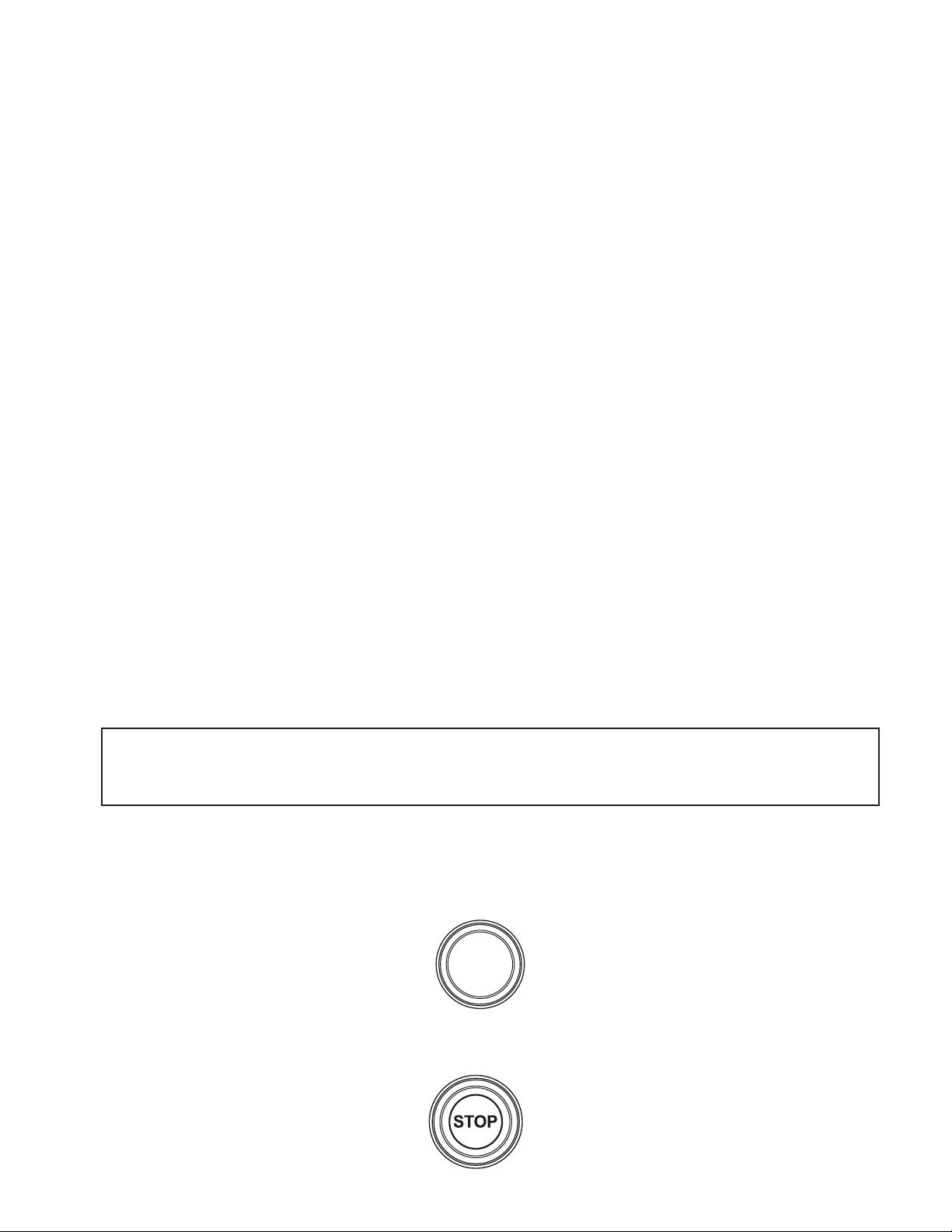
L. A circular-shaped STOP magnet is located on the left side of the panel below the display console. A cord with
a clip is attached to this magnet. Before starting a workout, attach the clip to clothing. To stop the striding belt
on the treadmill, pull the cord, removing the magnet from the console. Replace the magnet to reset the system.
M. A circular-shaped STOP button is located on the right side of the panel below the display console. Press the
button to stop the striding belt and end the current workout.
NOTE (INTERNATIONAL UNITS ONLY): Treadmill will go into Energy Saving Mode after fi ve minutes of
inactivity. To wake up the console: step on the treadmill belt, press QUICK START, or select a workout.
15
N. HEADPHONE JACK: Headphones must be plugged into the treadmill to access the sound for the iPod. The
jack is not a user-replaceable feature. Contact Life Fitness Customer Support Services for more information.
O. MOBILE DEVICE HOLDER: Use the holder for storing mobile devices. Users may charge their devices via the
universal USB port.
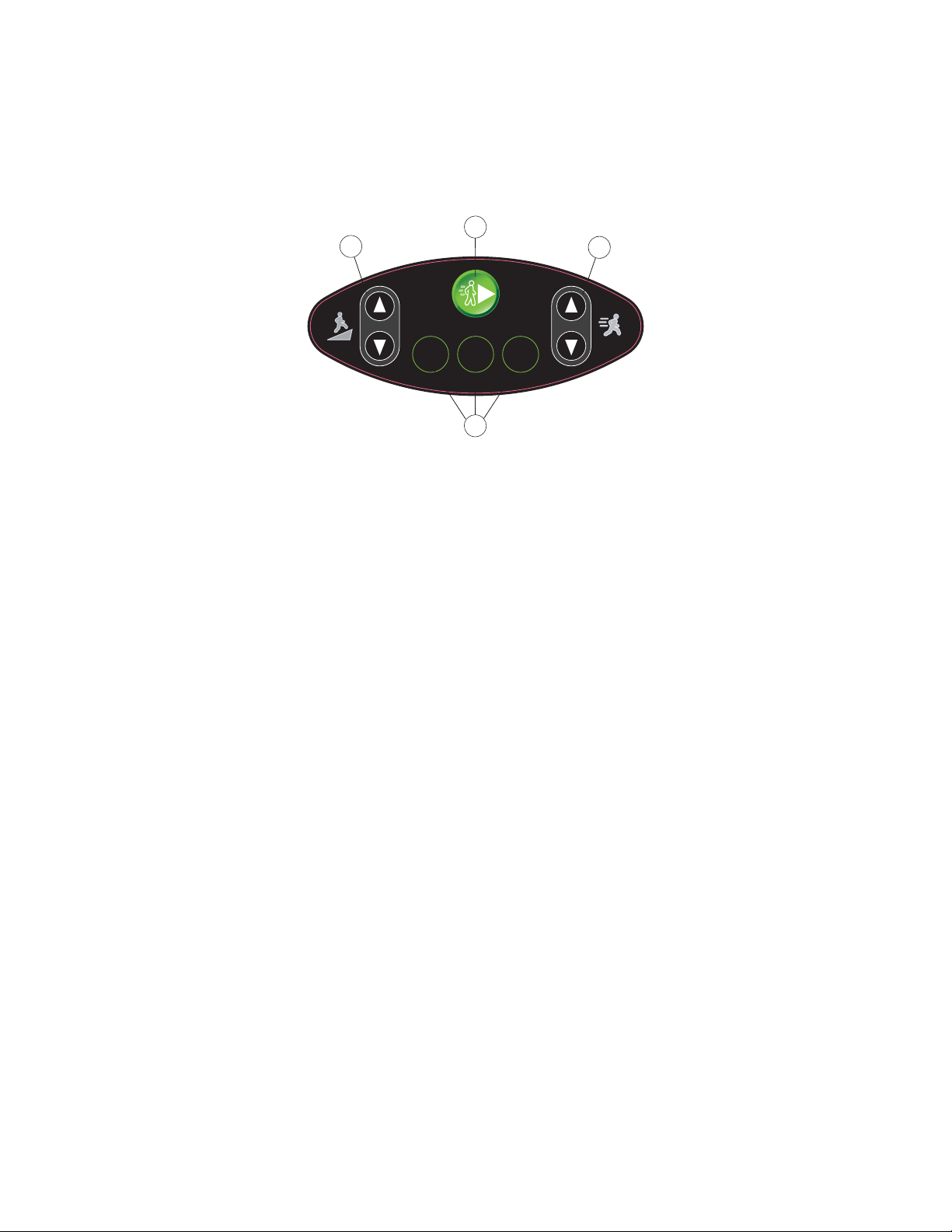
Activity Zone
P. INCLINE UP AND DOWN ARROW KEYS: Use these keys to increase or decrease the incline by 0.5%
increments.
Q. QUICK START: Press this key to begin a manual workout immediately, without having to select a workout
program.
R. SPEED UP AND DOWN ARROW KEYS: Use these keys to increase or decrease the speed in 0.1 mph
increments.
S. PRESET SPEED KEYS: Press one of the 3-Speed keys prior to a workout to have the treadmill belt being
moving at a preset value. The preset values are 2 mph / 3kph, 4 mph / 6kph, and 6 mph / 9 kph. During a
workout, press these buttons to immediately change the belt speed to the preset value.
2 mph
3 km/h
4 mph
6 km/h
6 mph
9 km/h
GO
Q
R
P
S
16
2.3 Reading Rack and Accessory Trays
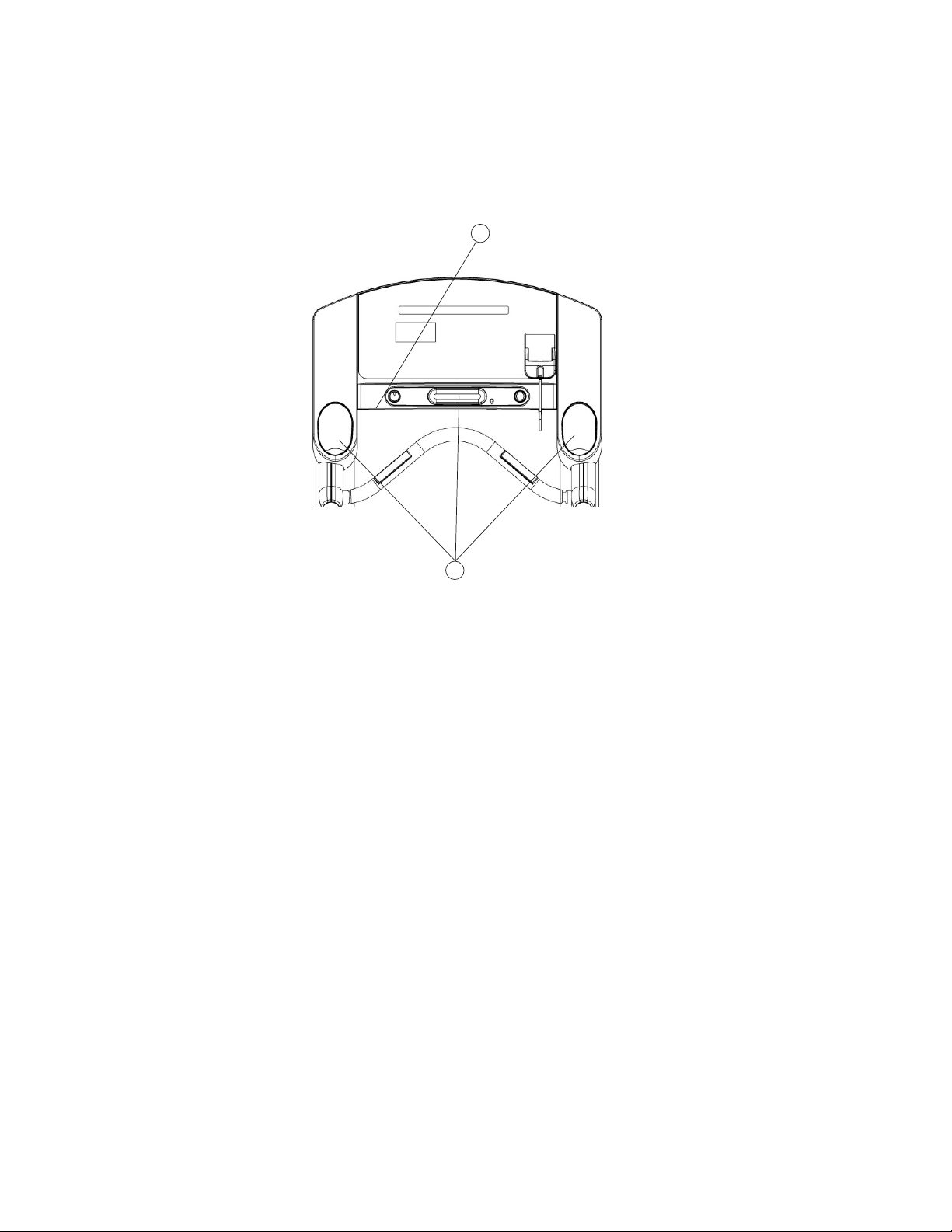
The display console design includes a built-in reading rack (A) allowing a book or magazine to be supported during
the workout. Also included in the display console are three built-in accessory trays (B), two side trays to accommodate
large items such as water bottles and one center tray for smaller items.
B
A

17
3 Heart Rate Zone Training®
3.1 Why Heart Rate Zone Training Exercise?
Research shows that maintaining a specifi c heart rate while exercising is the optimal way to monitor the intensity of a
workout and to achieve maximum results. That is the idea behind the Life Fitness Heart Rate Zone Training® approach
to exercise.
Zone Training identifi es an exerciser’s ideal heart rate range, or zone, for burning fat or increasing cardiovascular fi t-
ness. The zone is a percentage of the theoretical maximum (HRmax), and its value depends on the workout. The maxi-
mal Heart Rate formula is defi ned by the American College of Sports Medicine’s “Guidelines for Exercise Testing and
Prescription”, 8th Edition, 2010. HRmax equals to 206.9 minus the total of 0.67 multiplied by a person’s age.
HR Max = 206.9 - (0.67 *age)
The Life Fitness Treadmill features fi ve exclusive workouts designed to take full advantage of the benefi ts of Heart Rate
Zone Training+ exercise:
• FAT BURN • HEART RATE HILL™ • EXTREME HEART RATE™
• CARDIO • HEART RATE INTERVAL™
Each workout offers different benefi ts, as discussed in Section 4, The Workouts.
NOTE: Consulting a fi tness trainer is recommended for defi ning specifi c fi tness goals and designing a workout pro-
gram.
To change the target heart rate during a workout, simply enter a new target heart rate using the NUMERIC KEYPAD.
To switch between programs during a workout, use the WORKOUT SELECTION KEYS.
The Heart Rate Zone Training® workout programs measure heart rate. Wear the optional Polar® telemetry heart rate
chest strap, or grip the Lifepulse™sensors, to enable the treadmill’s on-board computer to monitor the heart rate
during a workout. The computer automatically adjusts the incline level to maintain the target heart rate based on the
actual heart rate.
Age
Theoretical
Maximum
Heart Rate
65%
(Fat Burn)
80%
(Cardio)
10 200 130 160
20 194 126 155
30 187 121 149
40 180 117 144
50 173 113 139
60 167 108 133
70 160 104 128
80 153 100 123
90 147 95 117
99 141 91 112
NOTE: Reference the above chart for Theoretical Maximum Heart Rates and Target Heart Rates.
18
3.2 Heart Rate Monitoring
The Lifepulse™ System
To use the treadmill’s Lifepulse system to check the heart rate during a workout, grasp the stainless steel sensors on the
Ergo™ front handlebar. Two sensors are located on each of the handlebars. Contact must be maintained with all four
sensors to obtain a heart rate. The console displays a heart rate within 20 to 30 seconds of contact with the sensors.
Do not attempt to grasp the sensors at speeds above 4.5 mph or 7.2 kph. For these speeds, the use of a heart rate
chest strap is recommended.
The Optional Polar® Telemetry Heart Rate Chest Strap
The Life Fitness Treadmill is equipped with Polar® telemetry, a heart rate monitoring system in which electrodes,
pressed against the skin, transfer heart rate signals to the treadmill console. These electrodes are attached to a chest
strap that the user wears during the workout. The Polar telemetry heart rate chest strap is optional. Contact Life Fitness
Customer Support Services to order.
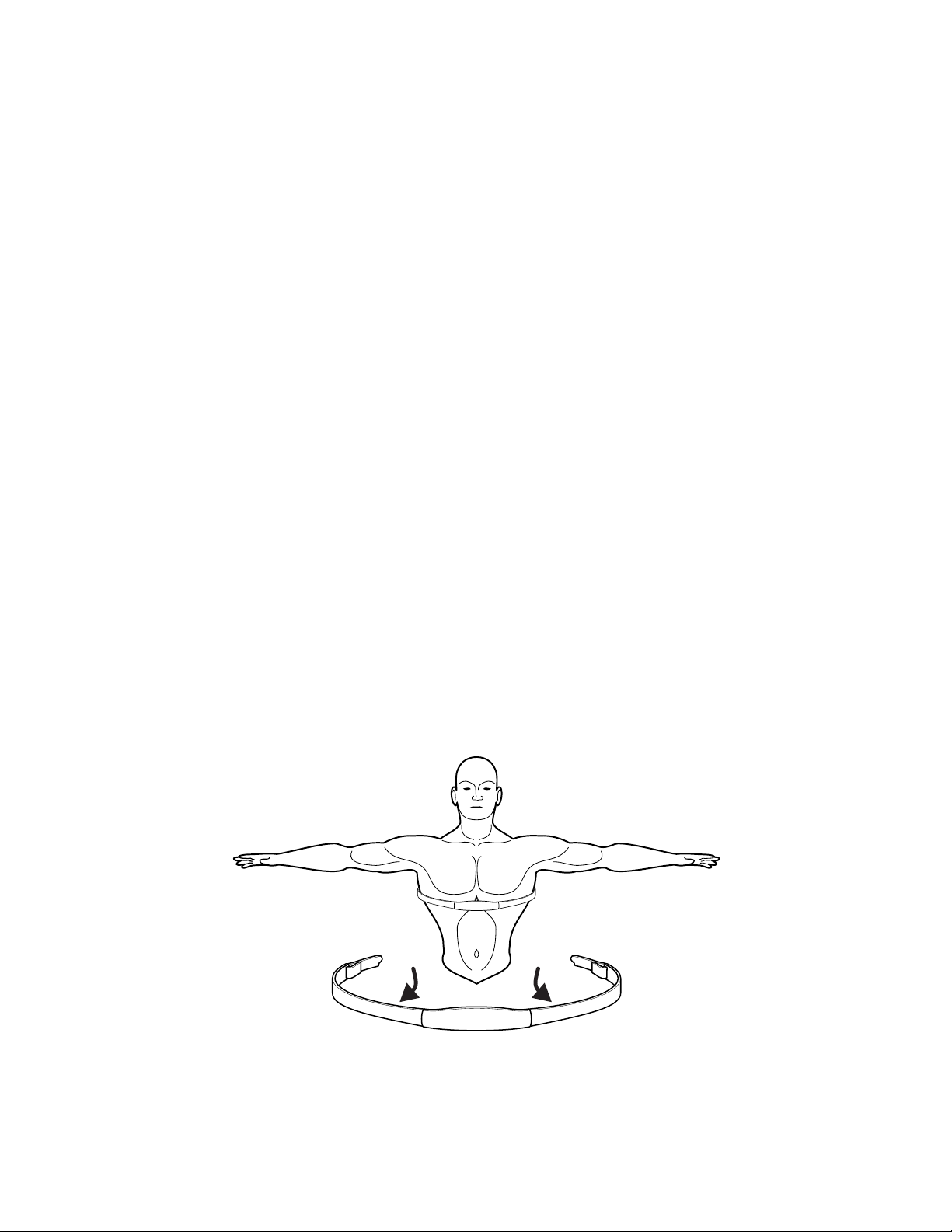
See the diagram below for correct positioning of the Polar telemetry heart rate chest strap. The electrodes (A), which
are the two grooved surfaces on the underside of the strap, must remain wet to transmit accurately the electrical im-
pulses of the heart back to the receiver. Moisten the electrodes. Then, secure the Polar telemetry heart rate chest strap
as high under the chest muscles as possible. The strap should be snug, but comfortable enough to allow for normal
breathing.
The transmitter strap delivers an optimal heart rate reading when the electrodes are in direct contact with bare skin.
However, it functions properly through a thin layer of wet clothing. If it becomes necessary to re-moisten the Polar
telemetry heart rate chest strap electrodes, grasp the center of the strap, pull it away from the chest to expose the two
electrodes, and re-moisten them.
During the setup of a heart rate zone training workout, the user will be required to enter a start-up speed. If a Polar te-
lemetry heart rate chest strap is not detected, the maximum allowable speed is 4.5 mph. If a Polar telemetry heart rate
chest strap is detected, the maximum speed is 12 mph.
A A

19
4 Workouts
4.1 Workout Overview
The following workouts are pre-programmed for the Life Fitness Treadmill.
QUICK START: Press one of the Quick Start keys prior to a workout to have the treadmill belt begin moving at a preset
value. The preset values are 2 mph (3 kph), 4 mph (6 kph), and 6 mph (9 kph). During a workout, press these buttons to
immediately change the belt speed to the preset value.
MANUAL is a constant effort workout in which the user can change incline level or speed at any time.
RANDOM is an interval training workout of constantly changing intensity levels that occur in no regular pattern or
progression.
HILL is an interval training workout. Intervals are periods of intense aerobic exercise separated by regular periods of
lower-intensity exercise.
SPEED INTERVAL allows the user to toggle between user defi ned jog and run speeds.
ZONE TRAINING + Zone Training workouts target specifi c ranges, or zones, for maintaining a heart rate to achieve
maximum exercise results.
HEART RATE HILL™ takes the user through three different hills based on the target heart rate. The user wears
a Polar telemetry heart rate chest strap, or grasps the Lifepulse sensors continuously.
HEART RATE INTERVAL™ alternates between a hill and a valley based on the target heart rate. The user wears
a Polar telemetry heart rate chest strap, or grasps the Lifepulse sensors continuously.
EXTREME HEART RATE ™ is an intense workout for more experienced users. It is designed to get the heart
rate up and down as quickly as possible. The user wears a Polar telemetry heart rate chest strap, or grasps the
Lifepulse sensors continuously.
FAT BURN is a low-intensity workout for burning a higher percentage of calories from fat. The user wears a
Polar telemetry heart rate chest strap, or grasps the Lifepulse sensors continuously. The program adjusts the in-
tensity level through changing the incline (elevation), based on the actual heart rate, to maintain the rate at 65
percent of the theoretical maximum.
CARDIO is a higher intensity workout for more fi t users, maximizing cardiovascular benefi ts and total calories
burned. The user wears a Polar telemetry heart rate chest strap, or grasps the Lifepulse sensors continuously.
The program adjusts the intensity level, based on the actual heart rate, to maintain the rate at 80 percent of the
theoretical maximum.

20
PERSONAL TRAINER workouts are accessed through the PERSONAL TRAINER KEY. These include the pre-pro-
grammed DISTANCE GOAL, CALORIES GOAL, TIME IN ZONE GOAL, and SPORT TRAINING workouts, as well as up to
six CUSTOM WORKOUTS, which may be programmed by the user.
DISTANCE GOAL is a distance based workout.
CALORIES GOAL is a calorie expenditure based workout.
TIME IN ZONE GOAL is a time spent within a target zone based workout.
SPORT TRAINING™ (5K) is a distance-goal workout that simulates an actual terrain with varying incline levels.
It is designed to assist runners in training for a 5-kilometer, or 3.1-mile, race. Accessible through the
PERSONAL TRAINER workouts key.
SPORT TRAINING™ (10K) is a distance-goal workout that simulates an actual terrain with varying incline
levels. It is designed to assist runners in training for a 10-kilometer, or 6.2-mile, race. Accessible through the
PERSONAL TRAINER workouts key.
FITNESS TESTS
LIFE FITNESS FIT TEST estimates cardiovascular fi tness and can be used to monitor improvements in
endurance every 4-6 weeks.
ADDITIONAL FITNESS TESTS are similar to the FIT TEST workout, except these programs are based upon
specifi c predefi ned protocols. The available tests are:
• ARMY PHYSICAL FITNESS TEST (PFT) - (U.S. Military)
• NAVY PHYSICAL READINESS TEST (PRT) - (U.S. Military)
• MARINES PHYSICAL FITNESS TEST (PFT) - (U.S. Military)
• AIR FORCE FITNESS TEST (PRT) - (U.S. Military)
• WFI SUBMAX PROTOCOL - (International Association of Fire Fighters)
• PHYSICAL EFFICIENCY BATTERY (PEB) - (U.S. Federal Law Enforcement)

21
4.2 Using the Workouts
Select a workout using the WORKOUT SELECTION or GO SYSTEM QUICK START KEYS. The chart below lists the steps
for setting up each workout. Use the NUMERIC KEYPAD to enter the values when prompted by the MESSAGE CENTER,
or use TIME, INCLINE, OR SPEED ARROW keys to scroll to desired values displayed on the MESSAGE CENTER. Press
ENTER to confi rm each selection. These entered values can be changed during all workouts, except for those found
under the FIT TEST button.
Activity Zone
Press 2.0, 4.0, or 6.0 mph
Begin workout
Quick Start
Press QUICK START
Begin workout
Manual
Press MANUAL
Enter Weight
Enter Time
Enter Incline
Begin Workout
Random
Press RANDOM
Enter Weight
Enter Time
Enter Level
Enter Speed
Begin Workout
Fat Burn
Press FAT BURN
Enter Weight
Enter Time
Enter Age
Enter Target Heart Rate
Enter Speed
Begin Workout
Cardio
Press CARDIO
Enter Weight
Enter Time
Enter Age
Enter Target Heart Rate
Enter Speed
Begin Workout
Hill
Press HILL
Enter Weight
Enter Time
Enter Level
Enter Speed
Begin Workout
Personal Trainer Workouts
Press PERSONAL TRAINER
repeatedly until PERSONAL
TRAINER WORKOUT appears;
press ENTER
Select the desired workout
number (1-6); press ENTER
Begin workout
Calories Goal
Press PERSONAL TRAINER
repeatedly until
CALORIES GOAL
appears; press ENTER
Enter Weight
Enter Calories
Enter Incline
Enter Speed
Begin Workout
Distance Goal
Press PERSONAL TRAINER
repeatedly until
DISTANCE GOAL
appears; press ENTER
Enter Weight
Enter Distance
Enter Incline
Enter Speed
Begin Workout
Time In Zone Goal
Press PERSONAL TRAINER
repeatedly until
TIME IN ZONE GOAL
appears; press ENTER
Enter Weight
Enter Time
Select Fat Burn or Cardio
Enter Age
Enter Target Heart Rate
Enter Speed
Begin Workout
Sport Training™
Press PERSONAL TRAINER
repeatedly until
SPORT TRAINING 5K or SPORT
TRAINING 10K appears; press
ENTER
Enter Weight
Enter Level
Enter Speed
Begin Workout
Heart Rate Hill™
Press ZONE TRAINING+
repeatedly until HEART RATE
HILL appears;
press ENTER
Enter Weight
Enter Time
Enter Age
Enter Target Heart Rate
Enter Speed
Begin Workout
Heart Rate Interval™
Press ZONE TRAINING+
repeatedly until
HEART RATE INTERVAL appears;
press ENTER
Enter Weight
Enter Time
Enter Age
Enter Target Heart Rate
Enter Speed
Begin Workout
Extreme Heart Rate™
Press ZONE TRAINING+
repeatedly until
EXTREME HEART RATE appears;
press ENTER
Enter Weight
Enter Time
Enter Age
Enter Target Heart Rate
Enter Walk Speed
Enter Jog Speed
Begin workout
Life Fitness Fit Test
Press FIT TEST
repeatedly until
FIT TEST = 5 MIN appears; press
ENTER
Enter Weight
Enter Age
Enter Gender
Enter Speed
Begin Workout
ARMY PFT
Press FIT TEST
repeatedly until ARMY PFT
appears; press ENTER
Enter Weight
Enter Age
Enter Gender
Enter Speed
Begin 2.0 mile test
NAVY PRT
Press FIT TEST
repeatedly until NAVY PRT
appears; press ENTER
Enter YES or NO to question:
IS ELEVATION LESS THAN 5000
FEET ABOVE SEA LEVEL?
Enter Weight
Enter Age
Enter Gender
Enter Speed
Begin 1.5 mile test
MARINES PFT
Press FIT TEST
repeatedly until MARINE PFT
appears; press ENTER
Enter YES or NO to question:
IS ELEVATION LESS THAN 4500
FEET ABOVE SEA LEVEL?
Enter Weight
Enter Gender
Enter Speed
Begin 3.0 mile test
AIR FORCE PRT
Press FIT TEST
repeatedly until AIR FORCE PRT
appears; press ENTER
Enter Weight
Enter Age
Enter Gender
Enter Speed
Begin 1.5 mile test
WFI SUBMAX PROTOCOL
press FIT TEST repeatedly until
WFI SUBMAX PROTOCOL
appears; press ENTER
Enter Weight
Enter Height
Enter Age
Begin 3-minute warmup
Begin Test
PEB TEST
Press FIT TEST repeatedly until
PEB TEST appears; press ENTER
Enter Weight
Enter Age
Enter Gender
Enter Speed
Begin Test
SPEED INTERVAL
Press SPEED INTERVAL
Enter Weight
Enter Time
Enter Incline
Enter Jog Speed
Enter Run Speed
22
4.3 Workout Descriptions
QUICK START is the fastest way to begin exercising. After the QUICK START key is pressed, a MANUAL workout begins,
at a very slow speed with the incline level set to zero by default. Change the speed using the PRESET SPEED keys on
the Activity Zone to jump to a preset speed. Use the SPEED ARROW keys on the console or on the Activity Zone to
gradually move the speed up or down as desired, or use the NUMERIC KEYPAD to enter a new speed value. Use the
INCLINE ARROW keys on the console or on the Activity Zone to move the incline gradually up or down as desired. For
accurate caloric expenditure, enter your weight using the enter weight button. The preset speeds are as follows:
English Default Units Metric Default Units
2.0 mph 3.0 kph
4.0 mph 6.0 kph
6.0 mph 9.0 kph
MANUAL
The MANUAL program is a constant effort workout in which the user can change incline level or speed at any
time.
RANDOM
The RANDOM program creates a terrain of hills and valleys that varies with each workout. More than one million
different patterns are possible.
FAT BURN
The FAT BURN workout is designed to maintain a user’s heart rate at 65% of the theoretical maximum (HRmax) for op-
timal results. Throughout the workout, the user wears a Polar telemetry heart rate chest strap or grasps the Lifepulse™
sensors. If the user is not wearing a Polar telemetry heart rate chest strap, the WORKOUT PROFILE WINDOW displays
a heart shape, and the MESSAGE CENTER displays a prompt to grasp the sensors. The console continuously monitors
and displays the heart rate, adjusting the intensity level of the treadmill to reach and maintain the target. This system
eliminates over- training and under-training, and it maximizes the aerobic benefi ts of exercise by using the body’s fat
stores for fuel.
NOTE: The intensity level is changed by incline. Speed can only be changed by the user.
CARDIO
The CARDIO workout is virtually identical to Fat Burn, however the target heart rate is calculated at 80% of the
theoretical maximum (HRmax). The higher target promotes cardiovascular improvement by placing a heavier workload
on the heart muscle.
NOTE: The intensity level is changed by incline. Speed can only be changed by the user.
NOTE: Change the target heart rate at any time by using the NUMERIC KEYPAD.
SPEED INTERVAL
This program allows the user to toggle between user defi ned jog and run speeds. The speed interval button will fl ash
throughout the workout. The user can toggle the speeds at any time during the workout by pressing the speed interval
button. The current speed will appear in the speed display window.
The preset JOG and RUN Speeds cannot be changed during a workout. The speed can be adjusted at any time during
a workout using the speed arrow keys. Toggling the JOG and RUN speeds using the speed interval button will reset
the speeds to the preset JOG and RUN speeds.
23
HILL
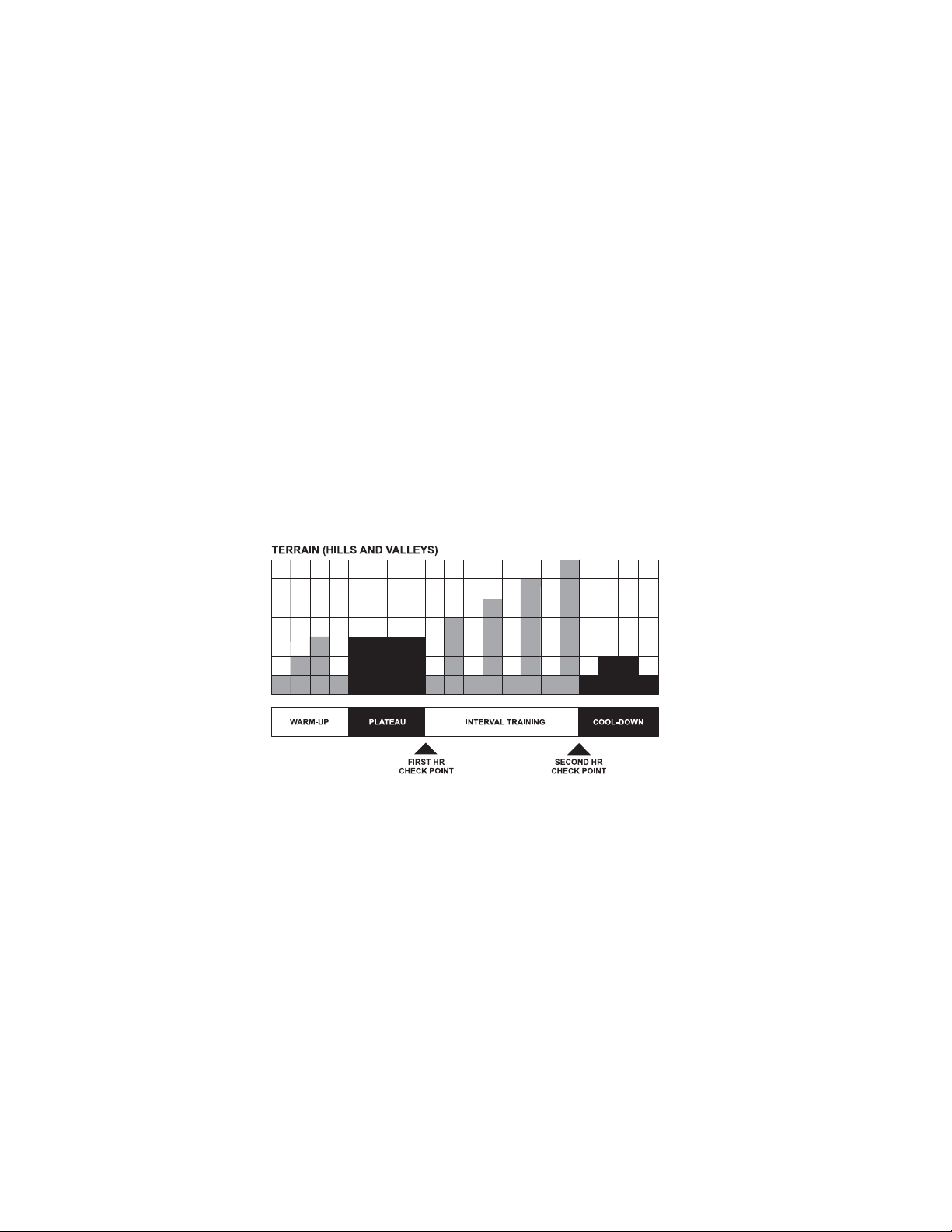
The Life Fitness-patented HILL workout offers a variety of confi gurations for interval training. Intervals are periods of
intense cardiovascular exercise separated by regular periods of lower-intensity exercise. The WORKOUT PROFILE win-
dow represents these high and low intervals as columns of illuminated LEDs, which together have the appearance of
hills and valleys. The computerized interval training workout has been scientifi cally demonstrated to promote greater
cardiorespiratory improvement than steady-pace training.
The HILL workout goes through four phases, each marked by different intensity levels. The WORKOUT PROFILE win-
dow displays the progress of these phases. As noted in the descriptions below, the heart rate should be measured at
two stages in the workout to gauge its effectiveness. Wear the Polar telemetry heart rate chest strap or continuously
grip the Lifepulse™ handles. The MESSAGE CENTER does not display a request for a heart rate measurement, as it
does with CARDIO, FAT BURN and the HEART RATE ZONE TRAINING programs.
1. Warm-up is a phase of low, gradually rising resistance, which brings the heart rate into the lower end of the
target zone and increases respiration and blood fl ow to working muscles.
2. Plateau increases the intensity slightly and keeps it steady, to bring the heart rate to the low end of the target
zone. Check the heart rate at the end of this phase.
3. Interval Training is a series of increasingly steeper hills alternating with valleys or stints of recovery. The heart
rate should rise to the high end of the target zone. Check the heart rate at the end of this phase.
4. Cool Down is a low-intensity phase that allows the body to begin removing lactic acid and other exercise by-
products which build up in muscles and contribute to soreness.
Each column, as seen in the WORKOUT PROFILE WINDOW and the chart above, represents one interval. The overall
duration of the workout determines the length of each interval. Each workout is made up of 20 intervals, so the dura-
tion of each interval is equal to the duration of the entire workout divided by 20.
1 to 9 minutes: A workout with a duration of less than 10 minutes is insuffi cient for the HILL program to complete all
four phases adequately. The program therefore condenses a workout of this duration at various stages.
10 to 19 minutes: The interval durations initially are set at 30 seconds for a 10-minute workout. For every minute over
10, each interval increases by three seconds. A 15-minute workout consists of 20 intervals at 45 seconds each.
20 to 99 minutes: All intervals last 60 seconds. If the user adds minutes to the pre-set duration while the workout is in
progress, the program adds hills and valleys that are identical to the fi rst eight intervals of the Interval Training phase.
This pattern repeats until the workout is completed.

24
PERSONAL TRAINER
• CUSTOM WORKOUTS
The treadmill console stores up to six custom workouts. For information on creating these workouts, see Programming
Custom Workouts in Section 5.
To use CUSTOM WORKOUTS, press the PERSONAL TRAINER KEY repeatedly until the MESSAGE CENTER displays
“personal trainer workouts”. Then, press ENTER. The MESSAGE CENTER displays a prompt to select a custom workout
number, ranging from 1 to 6. Using the ARROW KEYS or the NUMERIC KEYPAD, select the number and press ENTER. If
a workout has not been created for that number, the MESSAGE CENTER simply scrolls to the next number. If a workout
has been created for the selected number, the MESSAGE CENTER displays successive prompts to enter the weight and
choose a speed. After these entries are provided, the workout begins.
• DISTANCE GOAL
This workout is designed to build endurance. The objective is to cover a certain distance in miles. Once the objective is
met, the workout automatically goes into a cool down phase, and ends afterward.
NOTE: When a user sets this goal with the TIME ARROW keys, the console displays the values in .10-mile increments.
• CALORIES GOAL
This workout is designed to promote weight loss and weight control. The objective is to burn a certain number of calo-
ries in the selected time duration. Once the objective is met, the workout automatically goes into a cool down phase,
and ends afterward.
• TIME IN ZONE GOAL
The Time in Zone Goal program, a feature of Heart Rate Zone Training®, enhances FAT BURN and CARDIO workouts by
setting a duration for staying within the target zone as the workout goal. Once the duration objective is met, the work-
out goes into a cool down phase.
• SPORT TRAINING™
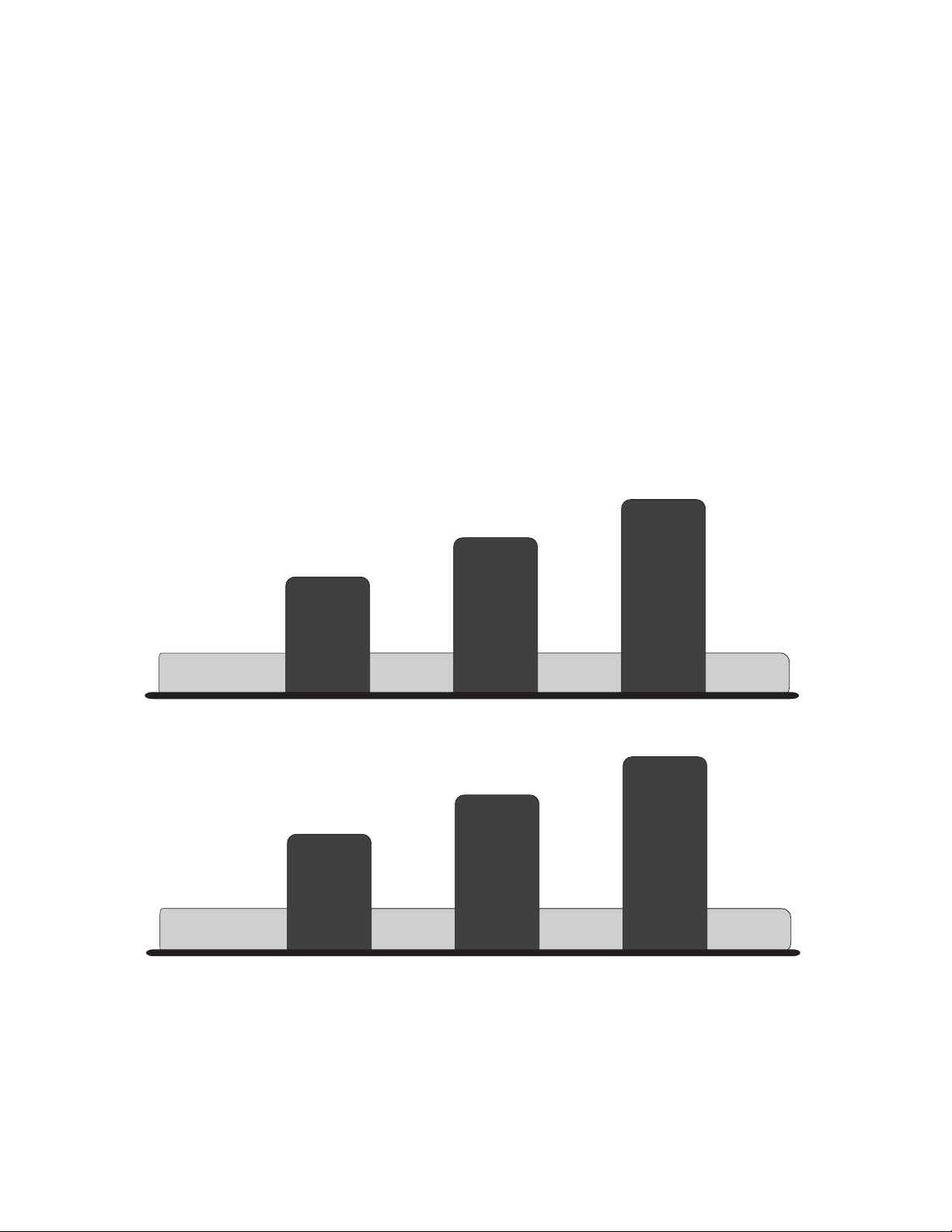
This distance-goal workout is designed for runners training for races. The program creates realistic terrains by set-
ting different incline levels throughout the course. Incline grades depend on the diffi culty levels selected during the
workout setup. A 1.5% incline grade, which is the baseline level, simulates a fl at running surface. A zero percent grade
simulates running downhill. Incline durations range between 30 and 60 seconds. The course ends when the distance
goal is met. Two Sport Training programs are available on the treadmill:
Sport Training (5K) is a 5-kilometer, or 3.1-mile, course.
Sport Training (10K) is a 10-kilometer, or 6.2-mile, course.
25
ZONE TRAINING +
Zone Training workouts target specifi c ranges, or zones, for maintaining a heart rate to achieve maximum exercise
results.
HEART RATE HILL™
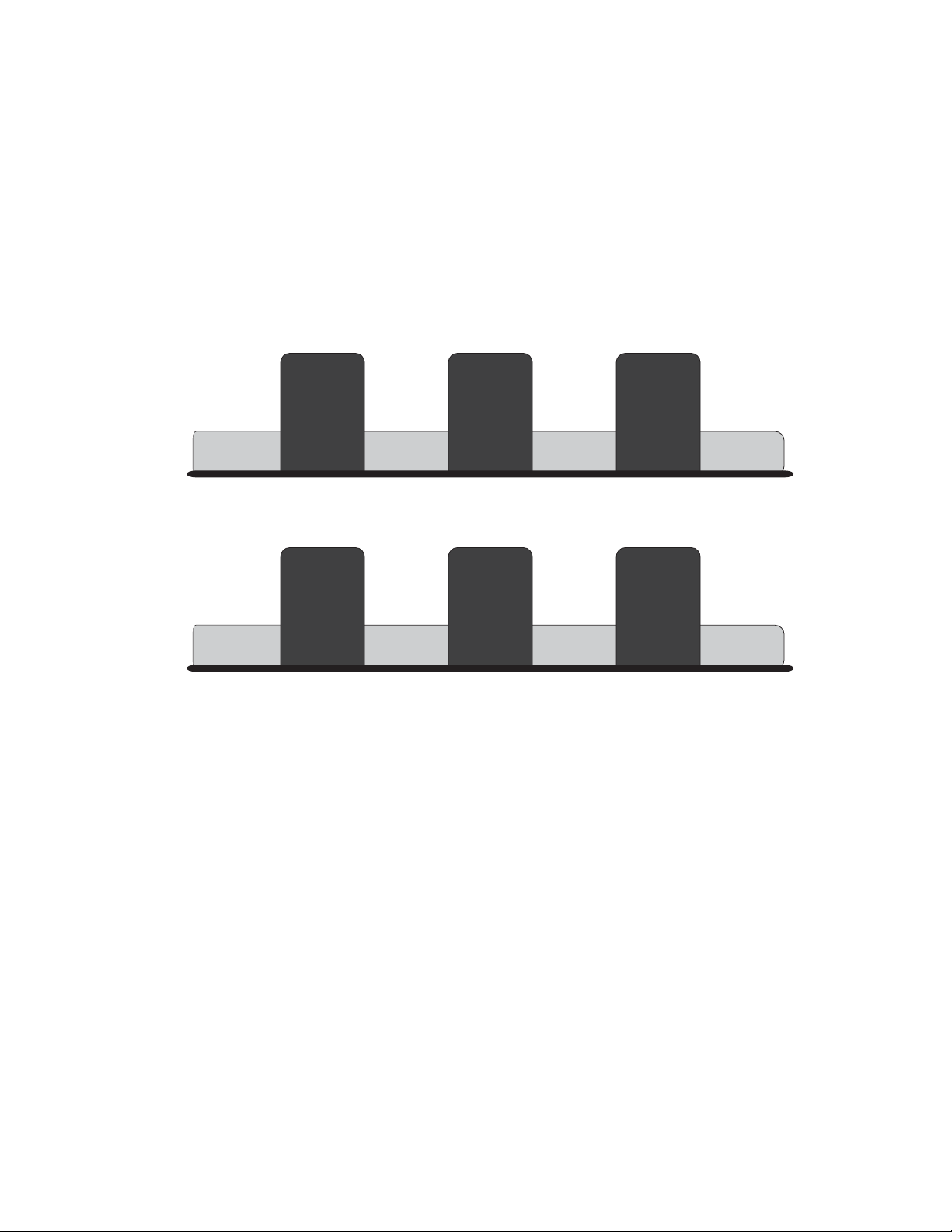
This program combines the standard HILL workout profi le with the concept of Heart Rate Zone Training. The default
target heart rate is calculated as 80% of the theoretical maximum (HRmax), but the user can adjust the target rate dur-
ing the workout setup. All hills and valleys are percentages of HRmax. The workout consists of three hills that target
three heart rate goals: The fi rst hill brings the heart rate to 70% of HRmax. The second hill increases the rate to 75%
of HRmax. The third hill matches the Target Heart Rate bringing the heart rate to 80% of HRmax. The valley always is
defi ned as 65 percent of HRmax.
After a standard three-minute warm-up, the workout progresses toward the fi rst hill and heart rate goal. Once the user
reaches 70% of HRmax, the hill continues for one minute. When the minute expires, the level decreases into a valley.
Once the user’s heart rate falls to 65% of HRmax, the valley continues for one minute. Then, the next hill begins with its
corresponding heart rate goal. After the user completes the third hill/valley pair, the program returns to the fi rst hill and
repeats the cycle as long as the duration allows. At the end of the duration, the workout goes into a cool-down phase.
If the heart rate goes above the theoretical maximum for more than 45 seconds, the treadmill automatically goes into
pause mode. If the user does not reach a heart rate goal after fi ve minutes, the MESSAGE CENTER displays a prompt
to increase or decrease speed, depending on whether the workout is in a hill or valley phase. The program does not
proceed to a new heart rate goal until the user reaches the current goal.
117 BPM
85% THR
65% HRmax
70% HRmax
75% HRmax
HEART RATE HILL Workout Profile
80% HRmax
Hill
Hill
Hill
Valley Valley Valley
65% HRmax 65% HRmax65% HRmax
117BPM 117BPM 117BPM
126 BPM
135 BPM
User Example: 80 (40 year old / 144 recommended BPM)percent of theoretical maximum (HR )max
144 BPM
26
HEART RATE INTERVAL™
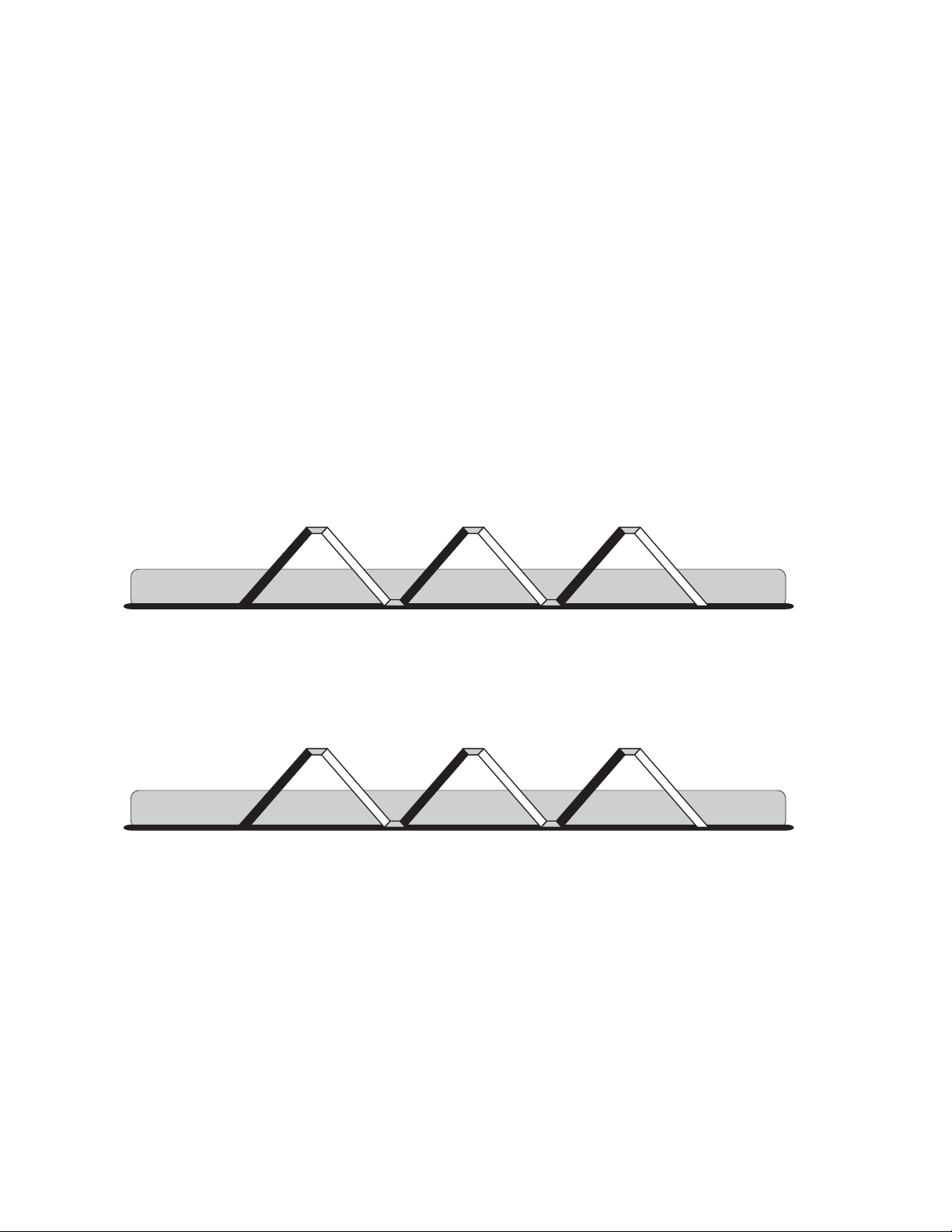
This program also combines the standard HILL workout profi le with the concept of Heart Rate Zone Training. The
default target heart rate is calculated as 80% of the theoretical maximum (HRmax), but the user can adjust the target
rate during the workout setup. The workout alternates between a hill, which brings the heart rate up to the target
rate of 80% of HRmax, and a valley which brings the heart rate down to 65% of HRmax. After a standard three-minute
warm-up, the workout progresses toward the fi rst hill and heart rate goal. Once the goal is reached, the hill continues
for three minutes, then the level decreases into a valley. Once the 65% of HRmax goal is reached, the valley continues
for three minutes, after which the next hill begins. The user’s fi tness level determines the number of hills and valleys
encountered within the duration. At the end of the duration, the workout goes into a cool down phase. If the heart rate
goes above the theoretical maximum for more then 45 seconds, the treadmill automatically goes into pause mode. If
the user does not reach a heart rate goal after fi ve minutes, the MESSAGE CENTER displays a prompt to increase or de-
crease speed, depending on whether the workout is in a hill or valley phase. The program does not proceed to a new
heart rate goal until the user reaches the current goal.
Warm-up
65% HRmax
HEART RATE INTERVAL Workout Profile
80% HRmax
Hill
Hill
Valley
Valley
Valley
Hill
65% HRmax
80% HRmax
65% HRmax
80% HRmax
117 BPM 117 BPM 117 BPM
User Example: 80 (40 year old / 144 recommended B
P
percent of theoretical maximum (HR )max
144 BPM144 BPM144 BPM
117 BPM
27
EXTREME HEART RATE™
This intense, varied workout is designed to help more experienced users to break through fi tness improvement pla-
teaus. The workout alternates between two target heart rates as quickly as possible. The effect is similar to that of run-
ning sprints. The user must wear a Polar telemetry heart rate chest strap or grip the Lifepulse sensors throughout the
workout.
NOTE: It is recommended that users who run at speeds faster than 4.5 mph wear the Polar telemetry heart rate chest
strap and do not use the Lifepulse sensors.
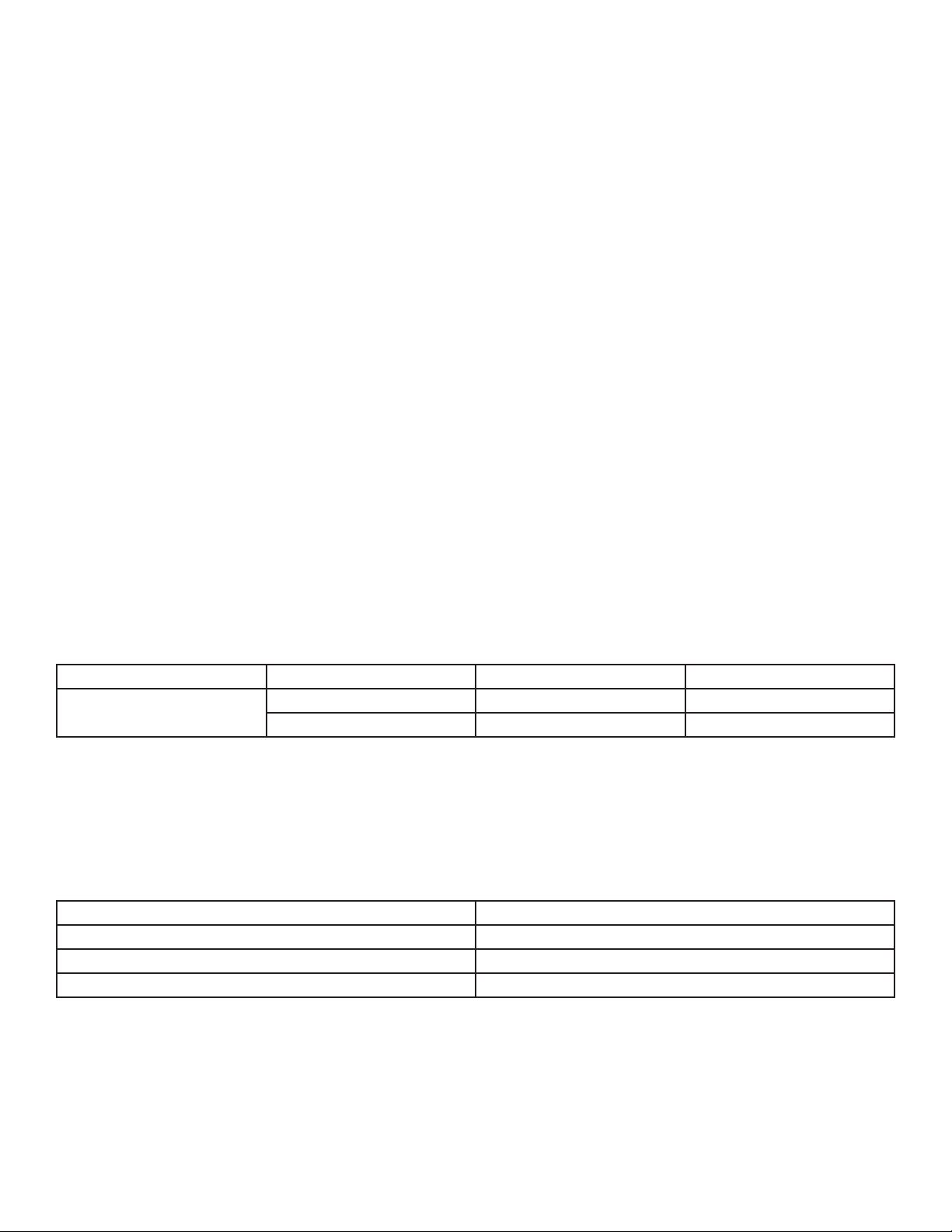
When setting up the workout, the user enters a target heart rate and selects a walk speed and a jog speed. After a stan-
dard three-minute warm-up, the treadmill accelerates to the jog speed, and the incline increases, until the user reaches
the target heart rate goal of 85% of the theoretical maximum (HRmax). That target rate is maintained for a stabilizing
period. Then, the incline is reduced to 0%, and the treadmill slows to the walk speed. When the heart rate falls to the
65% of HRmax goal, it is maintained there for a stabilizing period. The program repeats the alternating of speeds and
incline levels, continuing this pattern throughout the duration.
If the user does not reach a heart rate goal after fi ve minutes, the MESSAGE CENTER displays a prompt to increase or
decrease speed, depending on whether the workout is in a hill or valley phase. The program does not proceed to a
new heart rate goal until the user reaches the current goal.
Cool Down
118 BPM
65% HRmax
118 BPM
65% HRmax
118 BPM
Jog Speed
Walk Speed
Jog Speed
Walk Speed
Jog Speed
Walk Speed
Jog Speed
Walk Speed
Jog Speed
Walk Speed
Jog Speed
Walk Speed
User Example (40 year old / 153 recommended BPM)85 percent of theoretical maximum (HR )max
EXTREME HEART RATE Workout Profile
85% HRmax
Stabilizing Period
Stabilizing Period
Stabilizing Period
Stabilizing Period
Stabilizing Period
Stabilizing Period
153 BPM
85% HRmax
153 BPM
85% HRmax
153 BPM
Warm-up
118 BPM
28
FIT TEST
The treadmill FIT TEST program is another exclusive feature of this versatile treadmill. The Fit Test workout estimates
cardiovascular fi tness and can be used to monitor improvements in endurance every four to six weeks. The user must
grasp the hand sensors (if equipped) when prompted, or wear a Polar telemetry heart rate chest strap as the test score
calculation is based on a heart rate reading. The workout duration will be fi ve minutes total with a one minute warm-up
at 0% incline followed by four additional minutes at a 5% incline. Immediately afterward, the console will take the user’s
heart rate reading, calculate a fi tness score and display the score in the MESSAGE CENTER.
The Fit Test is considered to be a submax VO
2
(volume of oxygen) test. It gauges how well the heart supplies oxygen-
ated blood to the exercising muscles and how effi ciently those muscles receive oxygen from the blood. Physicians and
exercise physiologists generally regard this test as a good measure of aerobic capacity.
To set up the Fit Test:
Press the FIT TEST button repeatedly until the FIT TEST option appears in the message center. Press ENTER to
select the FIT TEST option.
The message center will prompt for a user weight (ENTER WEIGHT). Use the NUMERIC KEYS or UP/DOWN
ARROW KEYS to input your weight. Press ENTER to accept the weight.
The message center will next prompt for a user age (ENTER AGE). Use the NUMERIC KEYS or UP/DOWN
ARROW KEYS to input your age. Press ENTER to accept the age.
The message center will next prompt for a user gender (SELECT GENDER). Using the UP/DOWN ARROW
KEYS, select a gender. Press ENTER to accept the gender selection.
The MESSAGE CENTER will next prompt for a workout level (ENTER speed)(2-4.5 mph). Consult the following
recommended fi t test level chart for an appropriate effort level based on your age, gender and activity level.
Use the NUMERIC KEYS or UP/DOWN speed ARROW KEYS to enter the corresponding level.
After the fi ve-minute FIT TEST is completed, a FIT TEST score and rating will be displayed.
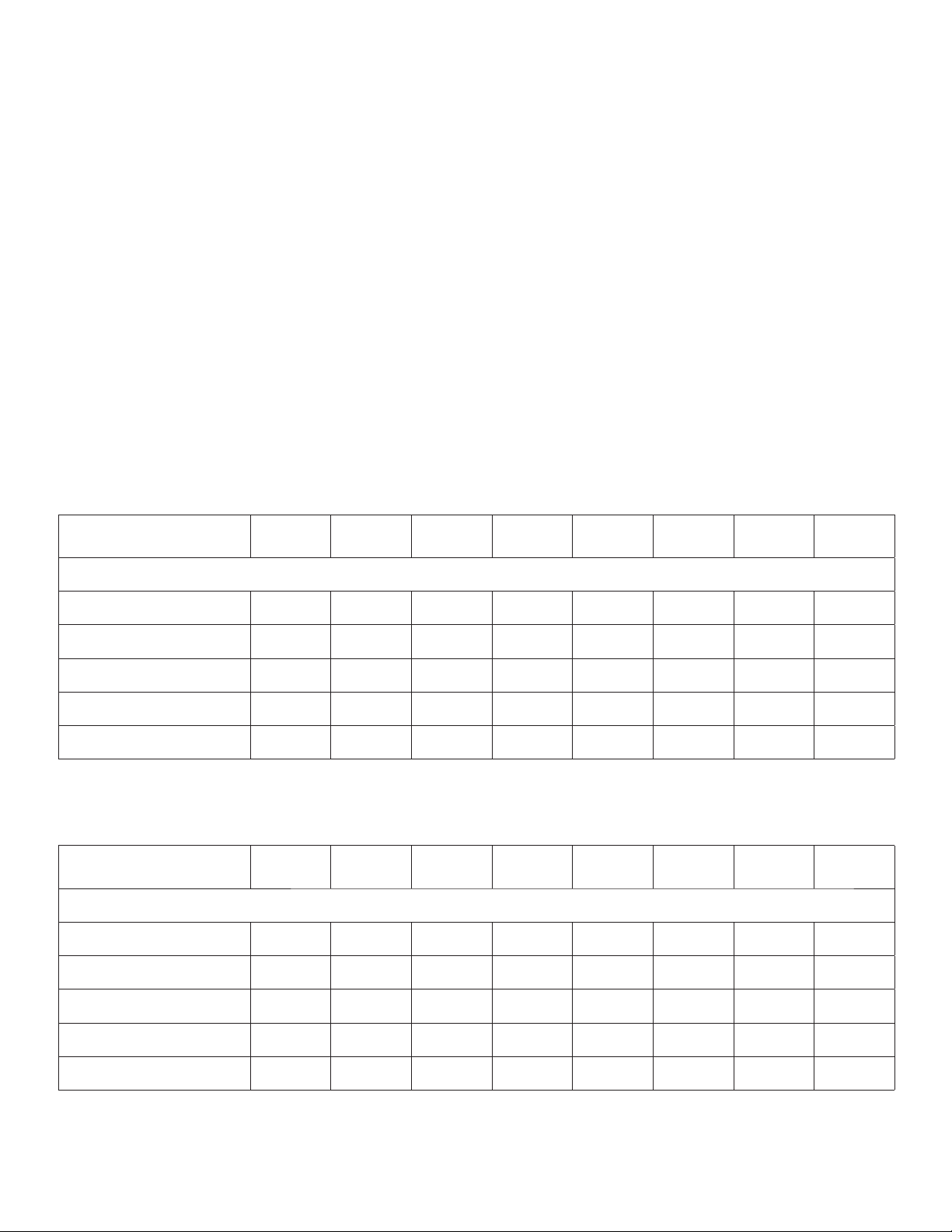
Fit Test Program Suggested Exertion Levels
Inactive Active Very Active
Treadmill Fit Test Level 2 - 3 mph 3 - 4 mph 3.5 - 4.5 mph
3.2 - 4.8 kph 4.8 - 6.4 kph 5.6 - 7.2 kph
NOTE: Treadmill will incline to 5% after a one minute warm-up.
Suggested exertion levels should be used as a guideline for setting up the Fit Test program. The goal is to elevate the
user’s heart rate to a level that is between 60%-85% of their theoretical maximum heart rate.
Within each suggested range, these additional guidelines can be used:
Lower Half of Range Upper Half of Range
higher age lower age
lower weight higher weight*
shorter taller
* In cases of excessive weight, use lower half of range
The computer will not accept:
heart rates less than 52 or greater than 200 beats per minute
body weights less than 75 pounds (34 kg) or greater than 400 pounds (181 kg)
ages below 10 or over 99 years
data input that exceeds human potential
29
If you make an error when entering any Fit Test data, you can correct it by pressing CLEAR, inputting the correct infor-
mation, and pressing ENTER.
It is important for you to take the Fit Test under similar circumstances each time. Your heart rate is dependent on many
factors, including:
amount of sleep the previous night (at least seven hours is recommended)
time of day
time you last ate (two to four hours after the last meal is recommended)
time since you last drank a liquid containing caffeine or alcohol, or smoked a cigarette (at least four hours is
recommended)
time since you last exercised (at least six hours is recommended)
For the most accurate Fit Test results, you should perform the Fit Test on three consecutive days and average the three
scores.
NOTE: To receive a proper Fit Test score, the work done must be within a training heart rate zone that is 60% to 85% of
the theoretical maximum heart rate (HRmax).
The tables below list fi t test results.
Relative Fitness Classifi cation for MEN
Rating
Elite Excellent
Very
Good
Above
Average
Average
Below
Average
Low
Very
Low
Estimated V0
2
Max (ml/kg/min) per Age category
20 - 29 years 55+ 53 - 54 50 - 52 45 - 49 40 - 44 38 - 39 35 - 37 <35
30 - 39 years 52+ 50 - 51 48 - 49 43 - 47 38 - 42 36 - 37 34 - 35 <34
40 - 49 years 51+ 49 - 50 46 - 48 42 - 45 37 - 41 34 - 36 32 - 33 <32
50 - 59 years 47+ 45 - 46 43 - 44 39 - 42 34 - 38 32 - 33 29 - 31 <29
60+ years 43+ 41 - 42 39 - 40 35 - 38 31 - 34 29 - 30 26 - 28 <26
Relative Fitness Classifi cation for WOMEN
Rating
Elite Excellent
Very
Good
Above
Average
Average
Below
Average
Low
Very
Low
Estimated V0
2
Max (ml/kg/min) per Age category
20 - 29 years 47+ 45 - 46 43 - 44 38 - 42 33 - 37 31 - 32 28 - 30 <28
30 - 39 years 44+ 42 - 43 40 - 41 36 - 39 31 -35 29 - 30 27 - 28 <27
40 - 49 years 42+ 40 - 41 38 - 39 34 - 37 30 - 33 28 - 29 25 - 27 <25
50 - 59 years 37+ 35 - 36 33 - 34 30 - 32 26 - 29 24 - 25 22 - 23 <22
60+ years 35+ 33 - 34 31 - 32 27 - 30 24 - 26 22 - 23 20 - 21 <20
Life Fitness developed this rating scale based on VO
2
max percentile distributions referenced in American College of Sports Medi-
cine’s Guidelines for Exercise Testing and Prescription (8th E. 2010). It is designed to provide a qualitative description of a user’s VO
2
max estimation, and a means of assessing initial fi tness level and tracking improvement.

30
FITNESS TESTS
The Life Fitness Treadmill features fi tness tests based upon specifi c predefi ned protocols.
Army PFT: 2.0 miles
The U.S. Army Physical Fitness Test is a physical performance test used to assess muscular endurance and
cardiorespiratory fi tness.
Navy PRT: 1.5 miles
The running portion of the U.S. Navy Physical Readiness Test is a distance goal test based on the time needed
to complete the required distance and is used by the U.S. Navy and Naval academies to measure
aerobic capacity.
Marines PFT: 3.0 miles
The U.S. Marines Physical Fitness Test is a physical performance test used to assess muscular endurance and
cardiorespiratory fi tness.
Air force PRT: 1.5 miles
The U.S. Air Force Physical Readiness Test is a physical performance test used to assess muscular endurance
and cardiorespiratory fi tness.
WFI Submax Protocol: Submaximal VO
2
The WFI Submax Protocol is a graded submax assessment used to predict a fi re fi ghter’s aerobic capacity. This
test automatically increases speed and incline until a target heart rate is reached. This assessment replaces the
Gerkin assessment.
Physical Effi ciency Battery: 1.5 miles
The Physical Effi ciency Battery is used by U.S. Federal Law Enforcement, U.S. Federal Bureau of Investigation,
and other federal organizations for the hiring and maintenance of federal jobs.
Scores for these tests are based on fi nishing time, age, and gender.
To set up one of these tests, press the FIT TEST key repeatedly until the MESSAGE CENTER displays the name of the
desired test, then press ENTER. If the selected test is either the Navy or Marines test, the MESSAGE CENTER displays
a question as to whether or not the test is taking place below a certain altitude. For the Navy test, the altitude is 5,000
feet above sea level; and for the Marines test, the altitude is 4,500 feet above sea level. Press 1 for YES and 2 for NO
then press ENTER.
At the MESSAGE CENTER prompts, enter the weight, age, gender, and desired speed, using the ARROW keys or the
NUMERIC KEYPAD. Press ENTER after each entry. Then, begin the workout. To ensure an accurate test score, do not
change these entries once the workout begins.
For all fi tness tests except WFI SUBMAX PROTOCOL, after the distance goal is reached, the workout program goes into
a cool down. The duration of this phase depends on the amount of time taken to complete the test. For less than fi ve
minutes, the cool down is one minute. For fi ve to fi fteen minutes, the cool down is three minutes. For longer times, the
cool down is fi ve minutes. The user can abort the cool down by pressing the STOP button or the CLEAR key. After the
cool down is aborted or completed, the MESSAGE CENTER displays the fi nishing time and a point score for the PEB,
Army, and Marines tests; or a qualitative score, such as Excellent, for the Navy test.
For the WFI SUBMAX PROTOCOL, once the target heart rate has been exceeded for fi fteen seconds, the program goes
into a cool down. The cool down last for three minutes at 3 mph at a 0% grade. The workout summary includes the fol-
lowing information:
The test time is displayed in the TIME window.
The VO
2
max test score is displayed in the SPEED window.
The recovery heart rate is displayed in the HEART RATE window.
31
4.4 Maximizing Workouts on a Life Fitness Treadmill
Selecting a Level
The steps for setting up a HILL, RANDOM, SPORT TRAINING 5K, and SPORT TRAINING 10K workout include selecting
a level. The word “level” refers to a range of incline percentages. The treadmill features 20 levels, with Level 1 having
the lowest average incline grade and Level 20 having the highest.
Level Incline
1 0.0 - 1.5
2
0.0 - 2.2
3
0.0 - 2.9
4
0.0 - 3.6
5
0.0 -4.3
6
0.0 - 5.0
7
0.0 - 5.7
8
0.0 - 6.4
9
0.5 - 7.1
10
1.5 - 7.8
11
2.0 - 8.5
12
3.0 - 9.2
13
3.5 - 9.9
14
5.0 - 10.6
15
5.5 - 11.3
16
6.5 - 12.0
17
7.0 - 12.7
18
8.0 - 13.4
19
8.7 - 14.1
20
9.0 - 15.0
Within each level are seven incline percentages, or hills. During a workout, each hill appears in the WORKOUT PROFILE
window as rows of light stacked in a column. The number of lit rows within a column corresponds to an incline percent-
age. For example, in Level 5 the lowest incline is 0.0% and is represented as one lit row. The highest incline, 4.3%, is
represented by a column with all seven rows lit.
In the HILL and Random workouts, these varying hills occur for equal durations, as discussed in the HILL workout de-
scription. When the workout program brings up a new hill, the incline percentage changes automatically to match that
hill. To change levels during a workout, use the ARROW keys or the NUMERIC keypad.
Using InstaPace™ Feedback
The InstaPace™ Feedback feature enables users to monitor their pace, or rate of minutes per mile, while running on
the treadmill. This feature must be enabled in the Manager’s Confi guration. See Section 5 for more information. The
MESSAGE CENTER displays the MPH and pace simultaneously when the user adjusts the treadmill speed with the ar-
row keys. If the user adjusts the speed using the NUMERIC keypad, the MESSAGE CENTER displays the pace after the
treadmill reaches the new speed.
Using ZerOut™ Speed Control
If during a workout, a user decreases the speed to the minimum and continues to hold the DECREASE SPEED ARROW,
the speed falls to 0 mph which is pause mode. The minimum speed is 0.5 mph, unless changed in the Manager’s Con-
fi guration. See Section 5 for more information.

32
Cool Down
Life Fitness’ unique Cool Down Protocol automatically customizes every cool down based on each user’s workout
performance. Workout performance factors such as speed, incline, duration and heart rate determine the duration
and intensity of the cool down.
Dimming
The dimming feature controls the brightness of the treadmill console display. To change the default brightness setting,
press the PERSONAL TRAINER button repeatedly until the MESSAGE CENTER displays “DIMMING,” and press ENTER.
Then use the ARROW keys to increase or decrease the brightness to the desired setting, and press ENTER to save the
new setting, or press CLEAR to revert to the default brightness setting.
If a new brightness setting is selected for a workout, that setting remains in place until it is manually changed, or the
workout concludes. When a new workout begins the brightness reverts to the default setting.
33
5 User Menu (Optional Settings)
5.1 Entering and Using the Service Menu
Managers and other authorized personnel can use the Service Menu to access diagnostics, information, maintenance,
and confi guration submenus.
The MESSAGE CENTER then displays MANAGER CONFIG. Use the UP and DOWN ARROW keys to navigate through
the two Confi guration Submenus:
Manager’s Confi guration. See the following page for a list of Manager’s Confi guration (Optional Settings).
Manufacturer’s Confi guration.
NOTE: The ENTER key cannot be used to select the Manufacturer’s Confi guration submenu which contains settings
that cannot be changed by the customer.
Service Menu Overview
Diagnostics (System Test)
The Diagnostics submenu allows technicians to run systems diagnostics. Use the UP and DOWN ARROW keys to
navigate through the list of diagnostic utilities. Use the ENTER key to select the current navigated utility. Press the
CLEAR key to exit the current diagnostic utility. Press the CLEAR key repeatedly to exit the Diagnostics Menu.
NOTE: These tests should only be used by (or with the express instruction of) a trained Life Fitness service technician.
Information
The Information submenu allows authorized personnel to view system statistics and other details. Use the UP and
DOWN ARROW keys to navigate through the list of diagnostic utilities and / or display information. Use the ENTER key
to select the current navigated utility. Press the CLEAR key to exit the current diagnostic utility. Press the CLEAR key
repeatedly to exit the Information Menu.
System Statistics Software Version
Main Motor Information Lift Motor Information
System Errors Maintenance Information
Belt / Deck Information
Maintenance
The Maintenance submenus allow authorized personnel to log maintenance events.
Confi guration
Use the UP and DOWN ARROW keys to navigate through the two Confi guration Submenus: Manager’s Confi guration
and Manufacturer’s Confi guration. See the next page for a list of Manager’s Confi gurations (Optional Settings).
E S M
Press and hold down the PAUSE key and pressing the CLEAR key twice. Continue to hold down the PAUSE key
until the MESSAGE CENTER displays the words SERVICE MENU. Release the PAUSE key and press the
QUICK START key.
34
5.2 Manager’s Confi guration (Optional Settings)
Setting Default Description
Language English
This option allow for the setting of a new default
language for user and service messages.
Maximum Workout Duration 60 Minutes
This feature allows the setting of maximum workout
duration limits.
English / Metric Units
English
(International: Metric)
This option sets the measurement unit type for weight,
distance, and speed.
Custom Workout Entry None Defi ned
This feature allows for creation or modifi cation of six
custom personal trainer workouts.
Telemetry On
Switching on the telemetry feature makes it possible to
use the Polar-compatible Heart Rate Zone Training
exercise Polar telemetry heart rate chest strap for
monitoring the heart rate.
Maximum Speed
12.0 mph
(International: 19 kph)
This option allows for setting the fastest speed at which
the treadmill can operate.
Minimum Speed
0.5 mph
(International: 0.8 kph)
This option allows for setting the slowest speed at
which the treadmill can operate.
Pause Timeout 1 Minute
This sets the maximum time during which a workout
can remain in pause mode.
WATTS Display Off (International: On)
If this option is enabled, the MESSAGE CENTER
displays the Watts equivalent of the step rate.
METS Display Off
If this option is enabled, the MESSAGE CENTER
displays the METs equivalent of the step rate.
Pace Display On
If this option is enabled, the rate of minutes per mile is
displayed.
Calorie Per Hour (CPH) Display On (International: Off)
If this option is enabled, the MESSAGE CENTER
displays the number of calories burned per hour during
the workout.
Distance Climbed Off
If this option is enabled, the total distance climbed,
based on the incline and speed of the treadmill, is
displayed.
Acceleration Rate 3
This sets the rate at which the treadmill accelerates to
the selected speed, ranging from one (slowest) to fi ve
(fastest).
Deceleration Rate 3
This sets the rate at which the treadmill accelerates to
the selected speed, ranging from one (slowest) to fi ve
(fastest).
35
Setting Default Description
Erase Custom Workouts Not Applicable
If this option is selected, all six custom workout programs
will be erased.
Maximum Incline 15.0
This option changes the maximum incline grade to a
value lower than 15%.
Start Message Setup NO MESSAGE
This option allows managers to create and change the
Start Message.
Quick Start via Numeric Keys Allowed
Use this option to disable or enable QUICK START work-
outs via the Numeric Keys. See Using Quick Start Disable.
Fit Test Plus On (International: Off)
This option enables / disables the additional Fit Tests.
These include: Army PFT; Navy PRT; Marines PFT;
WFI Submax Protocol, and PEB.
System Beeps On
This option controls whether the system speaker beep is
generated on key presses.
Language Select Off
If this option is enabled, users can set the User
Language. Choices include: English, German, French,
Spanish, Italian, Dutch, and Russian.
Marathon Mode Off
This option allows the user to workout indefi nitely.
Belt Wear
Notifi cation Indicator
Off
If enabled, this option will alert a manager if a belt
notifi cation exists.
AUX Source Off
This setting allows control over whether or not an op-
tional CSAFE compatible audio device attached to the
CSAFE connector shall be selectable as an audio source
with the SOURCE SELECT key.
TV GAIN 2
This setting allows control over the console earphone
volume range for the Life Fitness Attachable TV Source.
The range of settings are from 0 (Low) to 7 (High).

36
Programming Custom Workouts
After entering the Manager’s Confi guration (Optional Settings), use the TIME ARROW keys to scroll through the list of
confi guration options, or allow the MESSAGE CENTER to scroll automatically through the options. When “CUSTOM
WORKOUT ENTRY” appears, press ENTER to select this option.
The CUSTOM WORKOUTS are identifi ed as numbers 1 through 6. Enter the desired number on the NUMERIC KEYPAD
or use the arrow keys to scroll through the displayed numbers. Press ENTER to confi rm the number selection. If a work-
out does not already exist for that number, the MESSAGE CENTER displays a request to begin creating the workout.
If a workout does exist for the number in question, the MESSAGE CENTER displays a statement to that effect, followed
by the option to modify the existing workout. The steps for modifying a workout are the same as those for creating a
new workout:
Using the TIME ARROW keys or the NUMERIC KEYPAD, select a workout duration time in minutes and press
ENTER. The duration cannot exceed the max duration set in the Manager’s Confi guration.
Next, select the interval type. Use the arrow keys to toggle between the displayed options, and press the
ENTER key to select the desired interval type. Options are:
Speed/Incline, in which a treadmill speed and/or incline grade is selected for each interval.
Target Heart Rate, in which a maximum target heart rate is selected for each interval.
The number of intervals is always 30, so the length of each interval equals the selected duration divided by 30. Each
interval is identifi ed by the time at which it occurs during the workout.
If Speed/Incline is selected, the MESSAGE CENTER displays each interval, identifi ed as the time at which the interval
occurs. For each displayed interval, enter a speed using the SPEED ARROW keys, and/or enter an incline grade us-
ing the INCLINE ARROW keys. Press ENTER to confi rm each selection. After values are selected for all 30 intervals,
the MESSAGE CENTER displays the statement “CUSTOM WORKOUT COMPLETED” followed by a prompt to create a
workout for the next number.
If Target Heart Rate is selected, the MESSAGE CENTER displays each interval identifi ed as a numeral from 1 to 30. For
each displayed interval, enter a target heart rate using the arrow keys. Press ENTER to confi rm each selection. After
values are selected for all 30 intervals, the MESSAGE CENTER displays the statement “CUSTOM WORKOUT
COMPLETED” followed by a prompt to create a workout for the next number.
Using Quick Start Disable
This confi guration has two possible values which are selected using the INCLINE ARROW keys.
The values are as follows:
Quick Start with numeric keys “allowed”
Quick Start with numeric keys “not allowed”
The default value is “allowed”. This means that a user can start a QUICK START workout by simply entering a desired
workout speed using the NUMERIC KEYS only. If the confi guration is set to “not allowed”, a user cannot use the NU-
MERIC KEYS to start a QUICK START workout. A QUICK START workout can always be started by pressing the QUICK
START key.
Using The Start Message Setup
This confi guration allows for a custom start-up message to be displayed before the default “Select Workout or Press
Quick Start” message. The custom message can contain up to 52 characters.
Creating / Changing a Start Message
After entering the Manager’s Confi guration (Optional Settings), scroll to the start message Setup option and press
ENTER. Use the SPEED ARROW keys to select an available letter, number or special character. Use the INCLINE AR-
ROW keys to move forward or backward throughout the message, or insert spaces one character at a time. The current
character will blink until the position is moved with the INCLINE ARROW keys.

37
Saving a Start Message
To save the start message, press ENTER. “Message saved” will appear in the MESSAGE CENTER confi rming the mes-
sage has been saved. To exit the start message setup without saving, press the CLEAR key twice. “Message not saved”
will appear in the MESSAGE CENTER confi rming the message has not been saved.
Erasing a Start Message
After entering the Manager’s Confi guration (Optional Settings), scroll to the start message Setup option and press
ENTER. Press ENTER to enter the current start message. Press the COOL DOWN key to erase the current start message.
“Message erased” will appear in the MESSAGE CENTER stating the message has been erased.
Marathon Mode
Marathon Mode has no preset or settable goal. It allows the user to workout indefi nitely. A workout in Marathon Mode
ends only if the user chooses to end it or a stop system is activated.
To enable the Marathon Mode, enter the Manager’s Confi guration (Optional Settings). Using the TIME UP / DOWN AR-
ROW keys, scroll to MARATHON MODE. Once MARATHON MODE appears in the MESSAGE CENTER, press any of the
INCLINE or SPEED UP/DOWN ARROW keys to toggle the mode from OFF to ON.
While setting up a workout, enter a time value greater than the upper limit displayed on the console. Once the upper
time limit is exceeded, the message center will display MARATHON MODE.
Within a workout, Marathon Mode can be immediately ended by pressing the TIME Key. Pressing the TIME Key makes
it possible to set a time goal as long as it’s not less than the time already spent in the workout.
User Language Select
If enabled, this option allows users to select the language by which to interact with the unit during a workout.
To enable the User Language Select option, enter the Manager’s Confi guration (Optional Settings). Using the TIME
UP / DOWN ARROW keys, scroll to language sel. Once language sel appears in the MESSAGE CENTER, press any of
the INCLINE or SPEED UP/DOWN ARROW keys to toggle the mode from OFF to ON.
The console will display the message “select language using arrow keys”. The user can select from a list of available
languages (English, German, French, Spanish, Italian, Dutch, and Russian) using any of the arrow keys. Press enter when
the desired language appears to select that language. A workout can now be started using the selected language.
Selecting a language is not necessary to begin a workout. Simply press the QUICK START key to start a workout or any
of the program keys to begin workout programming using the default language.

38
6 Service and Technical Data
6.1 Preventive Maintenance Tips
Life Fitness products are backed by the engineering excellence and reliability of Life Fitness and are one of the most
rugged and trouble-free pieces of exercise equipment on the market today.
NOTE: Safety of the equipment can be maintained only if the equipment is examined regularly for damage or
wear. Keep the equipment out of use until defective parts are repaired or replaced.
REMARQUE: pour conserver un matériel sûr, il convient de l’inspecter régulièrement afi n de déceler tout signe d’usure
ou d’endommagement. N’utilisez pas l’appareil tant que les pièces défectueuses n’ont pas été réparées ou remplacées.
The following preventive maintenance tips will keep the Life Fitness product operating at peak performance:
Clean the display console and all exterior surfaces with an approved or compatible cleaner (see Life Fitness
Approved Cleaners) and a soft cotton cloth.
DO NOT use ammonia or acid based cleaners. DO NOT use abrasive cleaners. DO NOT use paper towels, DO
NOT apply cleaners directly to equipment surfaces.*
Check operation of the emergency stop system once a week.
Check the operation of the stop button once a week.
Inspect and vacuum the area directly surrounding and under the unit regularly.
Vacuum around the striding belt regularly to keep debris from accumulating.
Inspect exterior parts regularly for wear, particularly the striding belt, deck and line cord.
Check to make sure the unit is properly leveled.
Check the position (centering) of the striding belt.
The optimum operating position of the striding belt is from 1.5 inches (38 mm) to 2.0 inches (51 mm) from either side
of the frame. If the striding belt travels beyond this position, see Section 6.5 How to Adjust and Tension the Striding
Belt, or contact Life Fitness Customer Support Services for proper alignment instructions at1-800-351-3737 (USA).
* NOTE: When cleaning the exterior of the unit, a non-abrasive cleaner and soft cotton cloth are strongly recommend-
ed. At no time should cleaner be applied directly to any part of the equipment; use non-abrasive cleaner on a soft cloth
and then wipe the unit. Contact Life Fitness Customer Support Services for more details.
Life Fitness Approved Cleaners (United States Availability Only)
Two preferred cleaners have been approved by Life Fitness reliability experts: PureGreen 24 and Gym Wipes. Both
cleaners will safely and effectively remove dirt, grime and sweat from equipment. PureGreen 24 and the Antibacte-
rial Force formula of Gym Wipes are both disinfectants that are effective against MRSA and H1N1. PureGreen 24 is
available in a spray which is convenient for gym staff to use. Apply the spray to a microfi ber cloth and wipe down the
equipment. Use PureGreen 24 on the equipment for at least 2 minutes for general disinfection purposes and at least
10 minutes for fungus and viral control. Gym Wipes are large, durable pre-moistened wipes to use on the equipment
before and after workouts. Use Gym Wipes on the equipment for at least 2 minutes for general disinfection purposes.
Contact Customer Support Services to order these cleaners (1-800-351-3737 or email: customersupport@lifefi tness.
com).
Life Fitness Compatible Cleaners
Mild soap and water or a mild non-abrasive household cleaner can also be used to clean the display and all exterior
surfaces. Use a soft microfi ber cloth only. Apply the cleaner to the microfi ber cloth before cleaning. DO NOT use am-
monia or acid based cleaners. DO NOT use abrasive cleaners. DO NOT use paper towels. DO NOT apply cleaners
directly to the equipment surfaces.
39
6.2 Preventive Maintenance Schedule
Item Weekly Monthly Quarterly Biannually Annually
Display Console Assembly
Hardware Inspect
Console Overlay and Activity Zone Clean Inspect
USB Port Inspect
Accessory Cups Clean Inspect
Stop Switch Clean Inspect
Emergency Switch / Magnet Clean Inspect
Handlebar Assembly
Hardware Inspect
Ergo Front Handlebar Clean Inspect
Side Hand Rails Clean Inspect
Lifepulse Sensors
Clean /
Inspect
Frame Assembly
Hardware Inspect
Motor Cover Clean
Vacuum /
Clean
Motor Electronic Compartment Inspect
Drive Belt Inspect
Drive Belt Anti Static Bracket Inspect
Leg Levelers
Inspect /
Adjust
Front Roller Inspect
Rear Roller Inspect
Side Step Area Clean Inspect
General
Machine Level * Inspect
Striding Belt Centered Inspect
Frame, Toe Guards, End caps
Visual /
Inspect
* Use bubble level to inspect
40
6.3 Troubleshooting the Treadmill
Malfunction Probable Cause Corrective Action
No Power
On/Off switch is not in proper
position.
Turn the switch to the ON position.
Power source is insuffi cient.
Plug treadmill into a 15 amp circuit.
Using a voltmeter, verify power at outlet. If no power ex-
ists, reset circuit breaker at panel.
Line cord is damaged.
Replace line cord. Contact Life Fitness Customer Support
Services.
Line cord is improperly seated
in socket.
Inspect power connection at wall outlet and at machine
for proper contact.
Note: International Units only
You may be in “Energy Saving
Mode”.
Treadmill will go into Energy Saving Mode after 5 minutes
of inactivity. To wake up the console, step on the treadmill
belt. The treadmill will automatically wake up and the
console will light up. Waking up the treadmill takes
approximately 10 seconds after stepping onto the belt.
Striding belt slips off-
center.
Floor surface is uneven.
Check levelers and level treadmill.
Check striding belt & re-tension as necessary. Refer to
How to Adjust and Tension the Striding Belt.
Maximum speed is
reduced.
User is pushing striding belt.
This occurs when the runner is
running faster than the striding
belt will travel, with the result of
the striding belt being pushed
with the runner’s feet.
Instruct users not to push striding belt in either direction.
User is stalling striding belt.
This will occur with heavier
users at lower striding belt
speeds. The striding belt will
“stall” if the user is traveling
slower than the striding belt
speed.
Striding belt/deck malfunc-
tions. The deck laminate is
worn through or the underside
of striding belt is glazed over
(hard, glossy).
Replace belt and deck.
Power source is insuffi cient. Plug treadmill into a 15 amp. circuit.
Rubbing sound comes
from
underneath machine.
Foreign objects may be stuck
underneath the machine.
Inspect underneath striding belt and machine. Remove
any debris or objects that may cause interference with the
treadmill.
Display does not
illuminate when
machine is powered on.
Loose 10 pin connection at
display console or DSP motor
control board.
Check all electrical connections for proper attachment.
Contact Life Fitness Customer Support Services.
41
Malfunction Probable Cause Corrective Action
Unit resets randomly or
pauses.
Power source is insuffi cient. Plug treadmill into a 15 amp circuit.
Damaged ground prong is on
line cord.
Replace line cord.
Line cord improperly seated in
electrical outlet.
Inspect power connection at electrical outlet and at ma-
chine for proper contact.
Emergency stop magnet is not
engaged.
Re-engage the emergency stop magnet.
Towel or other item may be
making contact with stop
switch while user is running.
Move all possible obstructions off display console and
handlebar.
Stop switch is activated with
very light pressure or returns
slowly after being pressed.
Contact Life Fitness Customer Support Services.
Stop switch cable is not making
proper contact.
Main wire harness is pinched.
Ground path is open.
42
6.4 Troubleshooting the Optional Polar Telemetry Heart Rate Chest Strap
Malfunction Probable Cause Corrective Action
Heart rate reading is
erratic or absent en-
tirely.
Belt transmitter electrodes are
not wet enough to pick up ac-
curate heart rate readings.
Wet the belt transmitter electrodes (see Section 3.2).
Belt transmitter electrodes are
not laying fl at against the skin.
Ensure the belt transmitter electrodes are laying fl at
against the skin (see Section 3.2).
Belt transmitter needs cleaning. Wash the belt transmitter with mild soap and water.
Belt transmitter is not within
3.25 feet (1 meter) of the heart
rate receiver.
Make sure the Polar telemetry heart rate chest strap trans-
mitter is within 3 feet (1 meter) of the heart rate receiver.
Polar telemetry heart rate chest
strap battery is depleted.
Contact Life Fitness Customer Support Services for in-
structions on how to have the Polar telemetry heart rate
chest strap replaced.
Polar telemetry heart rate chest
strap did not lock in with the
heart rate receiver.
Make sure the Polar telemetry heart rate chest strap is in-
stalled and move closer to the heart rate receiver. Wait up
to 10 seconds for the heart rate to display on the console.
Notes:
1. Ensure proper adherence of the Polar telemetry heart
rate chest strap to user’s chest.
2. Ensure proper conductivity between the electrodes
and user’s chest.
3. If needed, use the Polar watch to verify the Polar
telemetry heart rate chest strap’s operation.
Heart rate reading is
initially detected and
functioning normally
but then is lost.
Use of personal electronic
devices, such as cell phones
and portable MP3 players,
causes external noise
interference.
Remove the source of noise or reposition the exercise
equipment.
Equipment is in close proximity
to other sources of noise such
as audio/ video equipment,
fans, two way radios, and high
voltage/high current power
lines.
Heart rate readings are
abnormally elevated.
Television sets and/or antennas
generate electromagnetic
interference.
Move the treadmill a few inches away from the probable
cause, or move the probable cause a few inches away
from the treadmill, until the heart rate readings are ac-
curate.
Cell phones generate
electromagnetic interference.
Computers generate electro-
magnetic interference.
Cars generate electromagnetic
interference.
High voltage power lines
generate electromagnetic
interference.
Motor driven exercise equip-
ment generates electromag-
netic interference.
Another heart rate transmitter
within 3 feet (1 meter)
generates electromagnetic
interference.
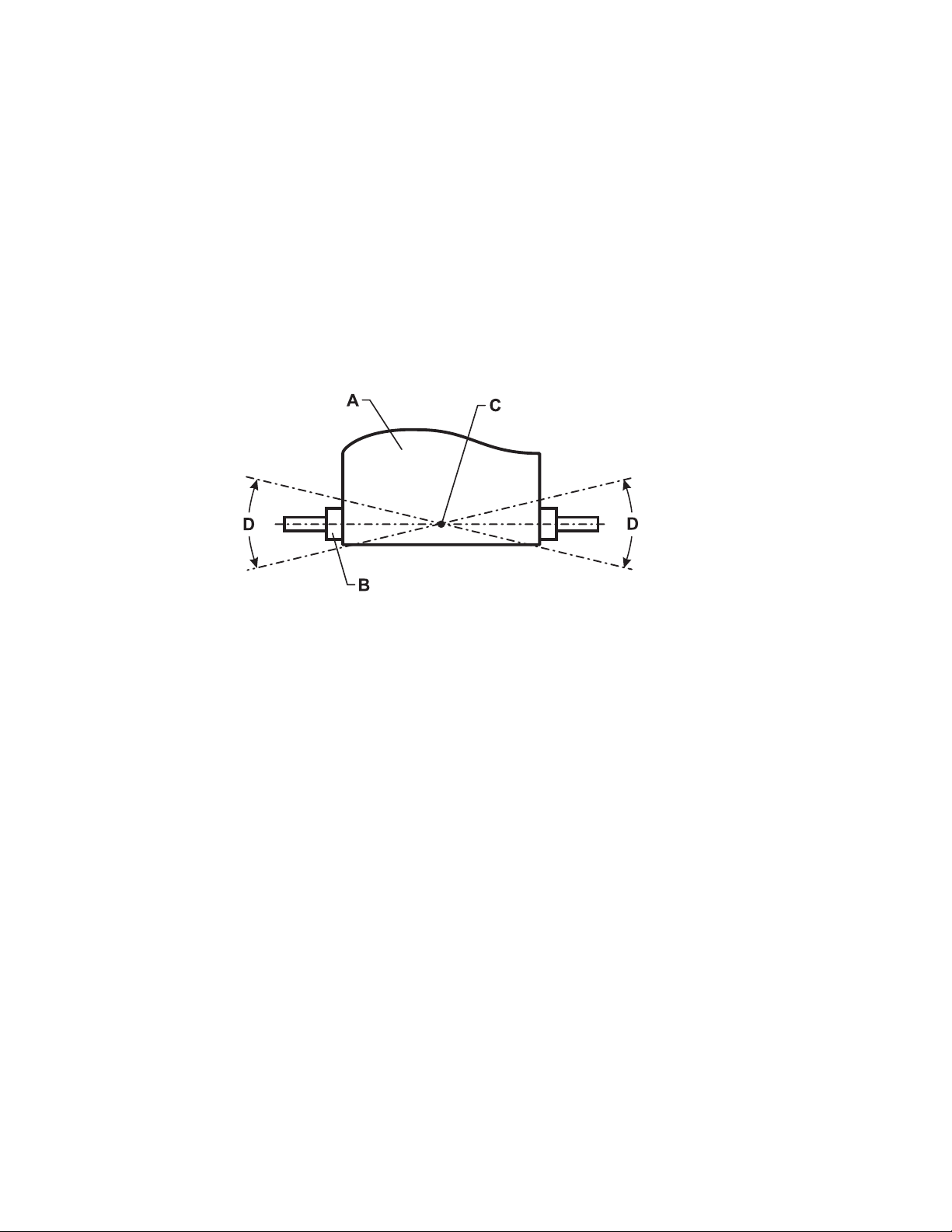
43
6.5 How to Adjust and Tension the Striding Belt
Do not move the treadmill or place hands under the treadmill while it is plugged into an electrical outlet!
The Belt Tensioning Bolts
A 5/16-inch hex key wrench is required for this task. The Life Fitness Treadmill has access holes in the rear roller guards
which allow access to the tensioning bolts. These tensioning bolts make it possible to adjust the tracking and centering
of the striding belt (A) without removing the guards.
NOTE: It is extremely important that the treadmill be correctly leveled prior to any tracking adjustments. An unstable
unit may cause striding belt misalignment. See “How To Stabilize the Life Fitness Treadmill” prior to attempting any
rear roller adjustments.
Before proceeding, it is helpful to visualize the REAR ROLLER (B) pivot point (C). Each adjustment made to one side of
the ROLLER must be met with an equal and opposite adjustment (D) to the other side of the ROLLER to maintain an
ideal belt tension at the pivot point.
Tracking (Centering) a Striding Belt
Two people are needed to perform this procedure.
1. Locate the two access holes to the belt tensioning bolts on each of the rear roller guards.
2. One person stands on the side rails of the treadmill and straddles the belt. This person presses the MANUAL work-
out and sets the belt speed to 2.5 mph (4.0 kph).
3. If the striding belt has moved to the right, the second person turns the right tension bolt a quarter-turn clockwise
and then turns the left tension bolt a quarter-turn counter-clockwise to make the striding belt track back to the
center of the roller.
If the striding belt has moved to the left, turn the left tension bolt a quarter-turn clockwise and then turn the right
tension bolt a quarter-turn counter-clockwise to make the striding belt track back to the center of the roller.
4. Repeat the adjustments until the striding belt appears centered. Allow the machine to continue running for several
minutes at 4.0 mph (6.4 kph) to observe if tracking remains stabilized.
NOTE: Do not exceed one full turn of the adjusting screws in either direction. If after one full turn the belt does not
track properly, contact Life Fitness Customer Support Services.
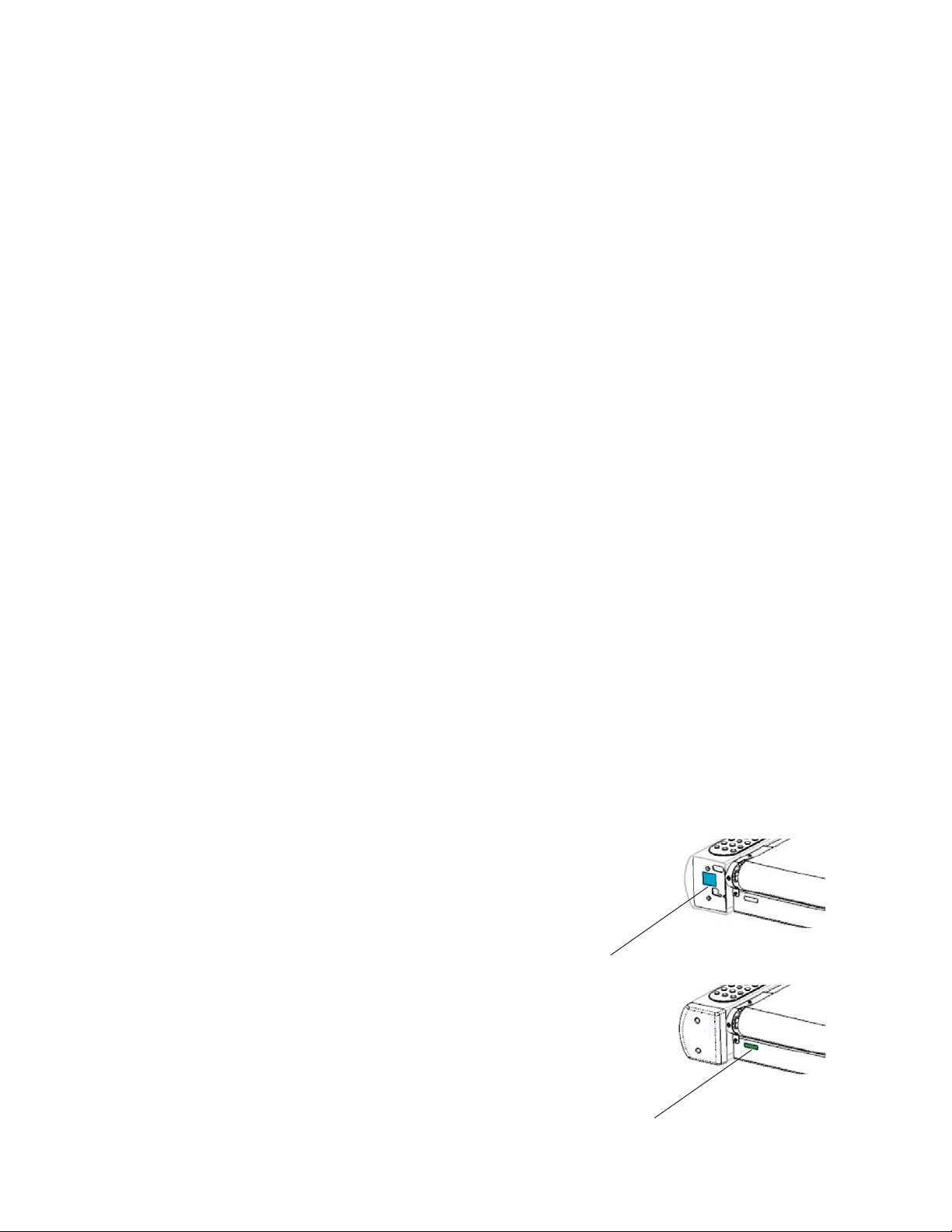
44
Tensioning an Existing Striding Belt
1. Enter the MANUAL workout and operate the treadmill for fi ve minutes at 5.0 mph (8.0 kph).
NOTE: DO NOT RUN or WALK ON BELT.
2. Reduce the speed to 2.0 mph (3.2 kph). Walk on the treadmill. Tightly grip the handrails and apply force with feet
on the striding belt near the motor cover against the moving belt direction. If the belt slips, continue to Step 3. If it
does not slip, the tension is correct.
3. Using the STOP key, stop the treadmill. Turn the belt tensioning bolts a quarter-turn clockwise for each side.
4. Repeat Steps 2 and 3 until the belt no longer slips. Do not exceed one full turn (four quarter turns) per side when
adjusting the belt tensioning bolts.
5. Enter the MANUAL workout, and operate the treadmill at 2.0 mph (3.2 kph) and check to insure proper tracking. If
the striding belt drifts to the left or right see Tracking (Centering) A Striding Belt on the previous page.
Do not over-tighten the tensioning bolts while making belt adjustments. Over-tightening of bolts may over stretch and
damage the striding belt or roller bearings. Do not exceed one full turn of either bolt in either direction.
6.6 Proactive Belt Wear Notifi cation
The treadmill proactively notifi es the facility manager about belt wear through diagnostics. A single indicator is lit on
the treadmill console (if manager-enabled) when a belt check is required. This indicator light is located in the upper left
corner of the workout profi le window.
Automatic belt check reminder at 30,000 miles (48,000 km)
Notifi cation based on “Unable to Attain Target Speed” errors for specifi c user weights/speeds.
To check for notifi cations:
To enter Belt/Deck Info, press and hold the PAUSE key and press the CLEAR key twice. Continue to hold down the
PAUSE key until the MESSAGE CENTER displays the words “SERVICE MENU”. Use the TIME UP and DOWN arrow keys
to navigate to the INFORMATION Menu. Then access the “Belt / Deck Information” submenu.
NOTE: Notifi cations are automatically cleared once they have been displayed.
6.7 How to Obtain Product Service /
Serial Number Location
1. Verify the symptom and review the operating instructions. The
problem may be unfamiliarity with the product and its features
and workouts.
2. Locate and write down the serial number of the unit which is
located on the back of the unit near the toe guard as well as
under the left rear endcap.
3. Contact Life Fitness Customer Support Services.
Remove plastic shroud to nd large serial label location.
Small Serial Label
Large Serial Label

45
7 Specifi cations
Designed use: Consumer
Maximum user weight: 400 pounds / 181 kilograms
Speed range: 0.3 - 12.0 mph (0.5 - 19 kph) in 0.1 increments
Elevation range: 0%-15% (in 0.1% increments)
Drive train: AC motor with MagnaDrive™ motor controller
Motor type: Variable Speed AC
Motor size: 4.0 HP continuous duty
Power requirements: 120 volt, 15 amp circuit (U.S.). See Electrical Requirements for requirements outside
the United States.
Rollers: 3.5 inch / 9 centimeter diameter, precision-crowned, front and back
Striding Belt: 60” Length x 20” Width (152 cm Length x 51 cm Width), pre-lubricated, multi-ply
Deck type: 3/4” medium density reversible fi berboard
Shock Absorption System: Patented FlexDeck® Shock Absorption System with Lifesprings™
Ergo™ Front Handrail: Ergonomically shaped, overmolded elastomeric grips
Side handrails: 26” (66 cm) long, fl ared, cantilevered, overmolded elastomeric grips
Stop systems: Red and yellow magnetic lanyard emergency stop system, and
Session Stop Push Switch raised and prominently positioned
Workouts: Quick Start, Manual, Cardio, Fat Burn, Heart Rate Hill™ , Heart Rate Interval™,
Extreme Heart Rate™ , Random, Hill, Sport Training™ , 5K and 10K), Speed Interval
Training , Calories Goal, Distance Goal, Time in Zone Goal, Time-based Goal,
Custom Workouts (6), Life Fitness Fit Test, Army PFT, Navy PRT, Air Force PRT,
Marine PFT, WFI Submax Protocol, Physical Effi ciency Battery (PEB), Cool Down Mode,
Marathon Mode
Levels: 20 (Hill, Random, 5K and 10K workouts)
Heart rate monitoring systems: Patented Lifepulse™ digital contact heart rate and Polar® telemetry-compatible heart
rate monitoring system
Console displays: Elapsed time, total distance, distance climbed, total calories burned, pace, calories
burned per hour, heart rate, target heart rate, Watts, METS, workout profi le,
custom start message, resistance level, speed, incline
Ports (2): Type RJ45, interchangeable
Power and charging: 5Vdc @ 500mA
Headphone jack: 3.5mm Stereo, 150mW max
46
8 Warranty
Model Lifetime 10 Years 1 Year
CST
Treadmill
• Lifespring™ Shock Absorbers
• Motor
• Frame
• Electrical &
Mechanical Parts
• Labor
WHAT IS COVERED:
This Life Fitness consumer product (“Product”) is warranted to
be free of all defects in material and workmanship.
WHO IS COVERED:
The original purchaser or any person receiving a newly pur-
chased Product as a gift from the original purchaser. Warranty
will be voided on subsequent transfers.
HOW LONG IS IT COVERED:
Residential: All electrical and mechanical components and labor
are covered, after the date of purchase, as listed on the chart
above.
Non-Residential: Warranty void (this Product is intended for
residential use only).
WHO PAYS SHIPPING & INSURANCE FOR SERVICE:
If the Product or any warranted part must be returned to a ser-
vice facility for repairs, Life Fitness will pay all shipping
and insurance charges during the warranty period (within the
United States only). The purchaser is responsible for shipping
and insurance charges after the warranty has expired.
WHAT WE WILL DO TO CORRECT COVERED DEFECTS:
We will ship to you any new or rebuilt replacement part or com-
ponent, or, at our option, replace the Product. Such replacement
parts are warranted for the remaining portion of the original
warranty period.
WHAT IS NOT COVERED:
Any failures or damage caused by unauthorized service, misuse,
accident, negligence, improper assembly or installation, debris
resulting from any construction activities in the Product’s envi-
ronment, rust or corrosion as a result of the Product’s location,
alterations or modifi cations without our written authorization or
by failure on your part to use, operate and maintain the Prod-
uct as set out in your User Manual (“Manual”). All terms of this
warranty are void if this Product is moved beyond the continen-
tal borders of the United States of America (excluding Alaska,
Hawaii and Canada) and are then subject to the terms provided
by that country’s local authorized Life Fitness Representative.
WHAT YOU MUST DO:
Retain proof of purchase. Use, operate and maintain the Product
as specifi ed in the Manual; notify the place of purchase of any
defect within 10 days after discovery of the defect; if instructed,
return any defective part for replacement or, ifnecessary, the
entire Product for repair. Life Fitness reserves the right to decide
whether or not a product is to be returned for repair.
USER MANUAL:
It is VERY IMPORTANT THAT YOU READ THE MANUAL before
operating the Product. Remember to perform the periodic main-
tenance requirements specifi ed in the Manual to assure proper
operation and your continued satisfaction.
PRODUCT REGISTRATION:
Register online at www.lifefi tness.com/home/product-registra-
tion.html. Our receipt assures that your name, address and date
of purchase are on fi le as a registered owner of the Product.
Being a registered owner assures coverage in the event you lose
your proof of purchase. Please retain your proof of purchase,
such as your bill of sale or receipt.
HOW TO GET PARTS & SERVICE:
Refer to page one of this manual for your local service contact
information. Reference your name, address and the serial num-
ber of your Product (consoles and frames have separate serial
numbers). They will tell you how to get a replacement part, or, if
necessary, arrange for service where your Product is located.
EXCLUSIVE WARRANTY:
THIS LIMITED WARRANTY IS IN LIEU OF ALL OTHER WARRAN-
TIES OF ANY KIND EITHER EXPRESSED OR IMPLIED, INCLUD-
ING BUT NOT LIMITED TO THE IMPLIED WARRANTIES OF MER-
CHANTABILITY AND FITNESS FOR A PARTICULAR PURPOSE,
AND ALL OTHER OBLIGATIONS OR LIABILITIES ON OUR PART.
We neither assume nor authorize any person to assure for us any
other obligation or liability concerning the sale of this Product.
Under no circumstances shall we be liable under this warranty,
or otherwise, of any damage to any person or property,
including any lost profi ts or lost savings, for any special, indirect,
secondary, incidental or consequential damages of any nature
arising out of the use of or inability to use this Product. Some
states do not allow the exclusion or limitation of implied warran-
ties or of liability for incidental or consequential damages, so
the above limitations or exclusions may not apply to you. War-
ranty coverages and terms may differ outside the United States.
Please contact the Life Fitness offi ce servicing your country
(contact information found at the front of this manual) or visit the
applicable local Life Fitness website to receive the specifi c war-
ranty information for your country.
CHANGES IN WARRANTY NOT AUTHORIZED:
No one is authorized to change, modify or extend the terms of
this limited warranty.
EFFECT OF U.S. STATE LAWS:
This warranty gives you specifi c legal rights and you may have
other rights which vary from state to state and country by coun-
try.