Page 1
SC-195 Please "Run Auto Scan"
Travel
Digital
Antenna
Coax RF
Telescopic
Antenna
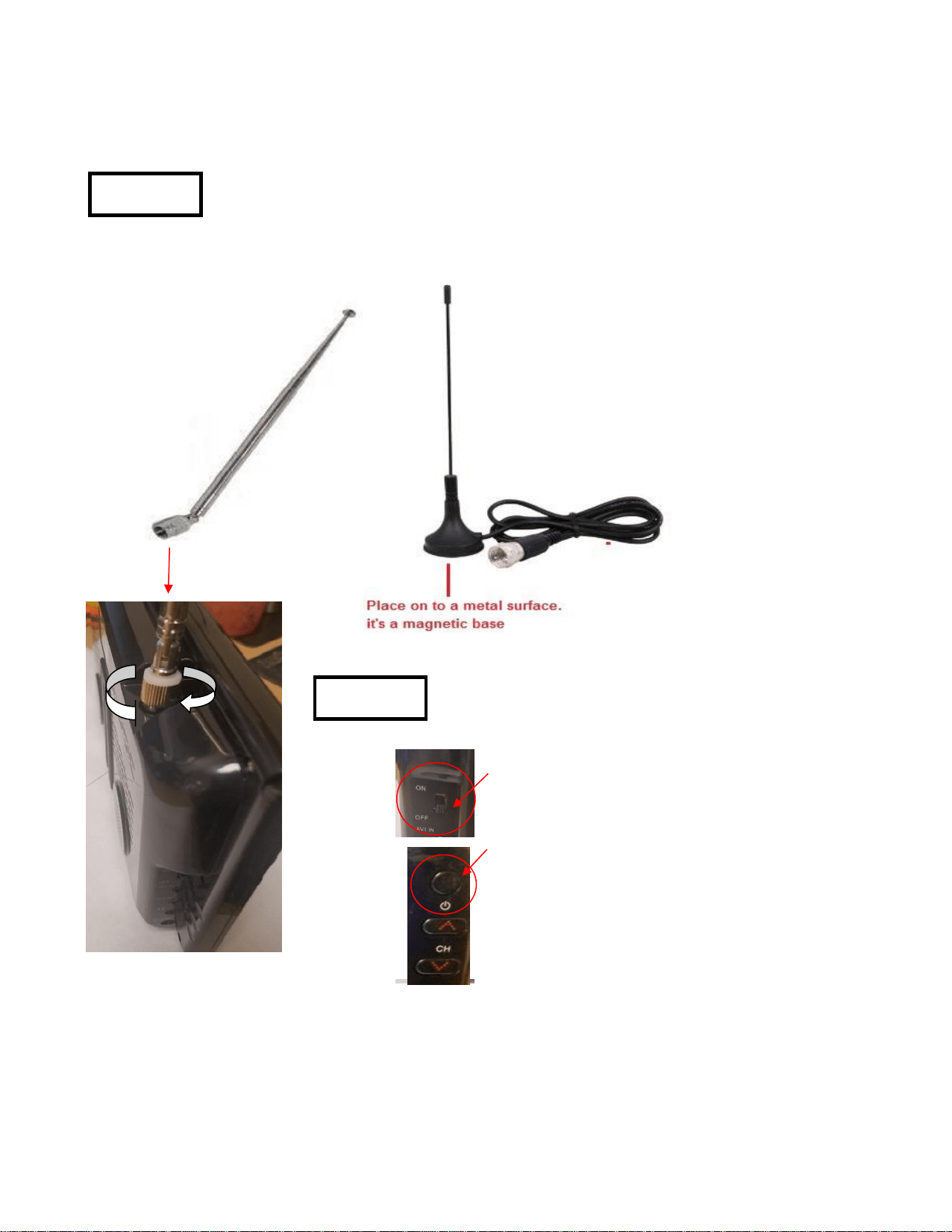
Install Antenna, you can either use the Telescopic Antenna (silver) or
the Travel Digital Antenna (black). Depends on your Location.
Screw in Clockwise to
lock in Antenna
OR
Step 1.
Move Power Switch to
"ON" position to Power
ON TV.
If TV doesn't power on
connect the charger
and press the "Power
button" on TV.
Power ON TV
Step 2.
Page 1
Page 2
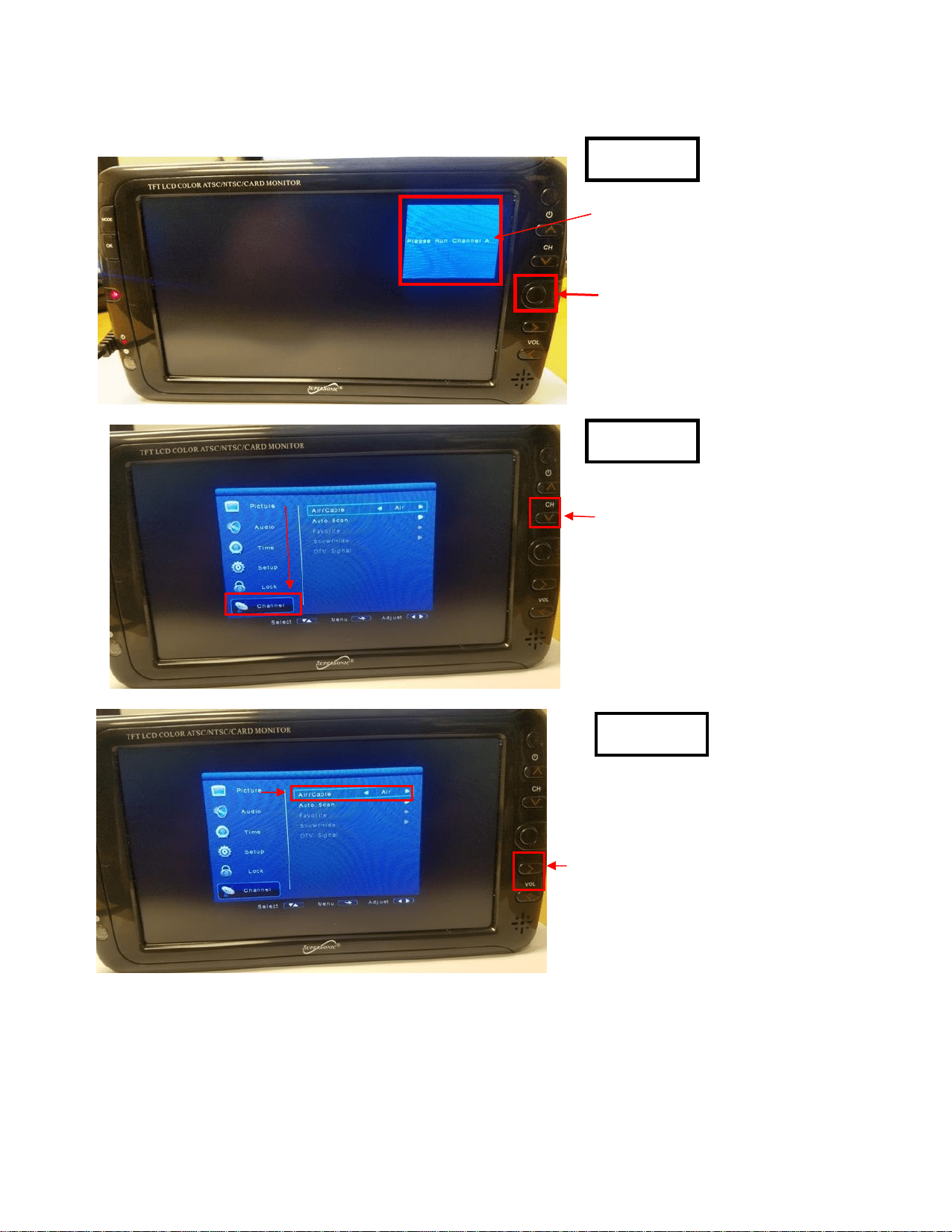
Press "MENU"
Button on TV
"Please Run Channel
Auto Scan"
Scroll Down to
"Channels"
Use Down Arrow Key
Press the Right Arrow
key to move to Air/Cable
if using Antenna leave at
< Air > if Cable use
Right Arrow Key to
change to < Cable >
Step 3.
Step 4.
Step 5.
Page 2
Page 3
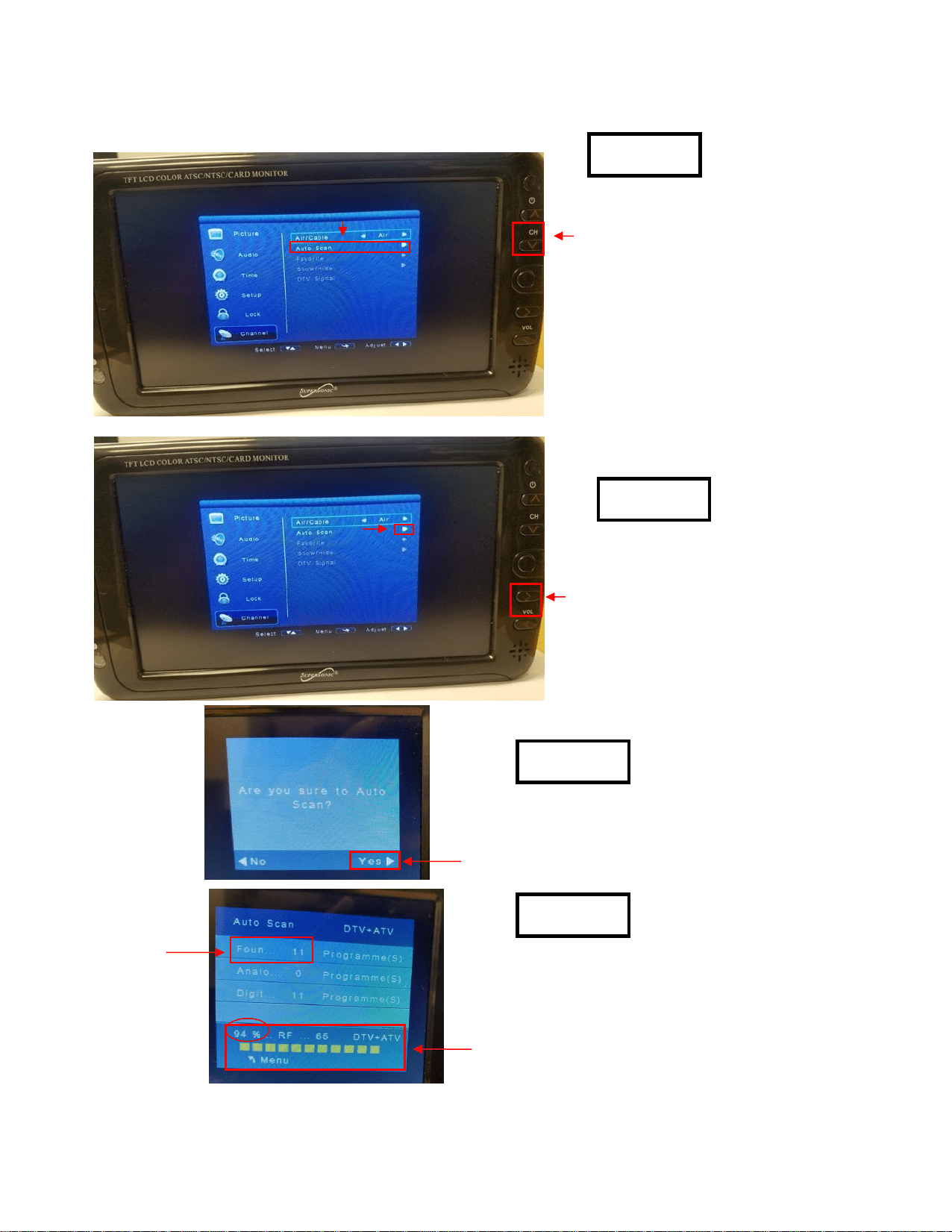
Press Down Arrow
Key to go down to
select Auto Scan
Press > Right Arrow
Key one time to enter
Agree to Scan select YES by
Press > Right Arrow Key one time
to perform an "Auto Scan"
Auto Scan must complete 100%
please be patient and wait till it
finishes, then you will get your
channel stations over the air or cable.
Auto Scan is complete.
Thank you.
Channels
Found
Step 6.
Step 7.
Step 8.
Step 9.
Page 3
Page 4
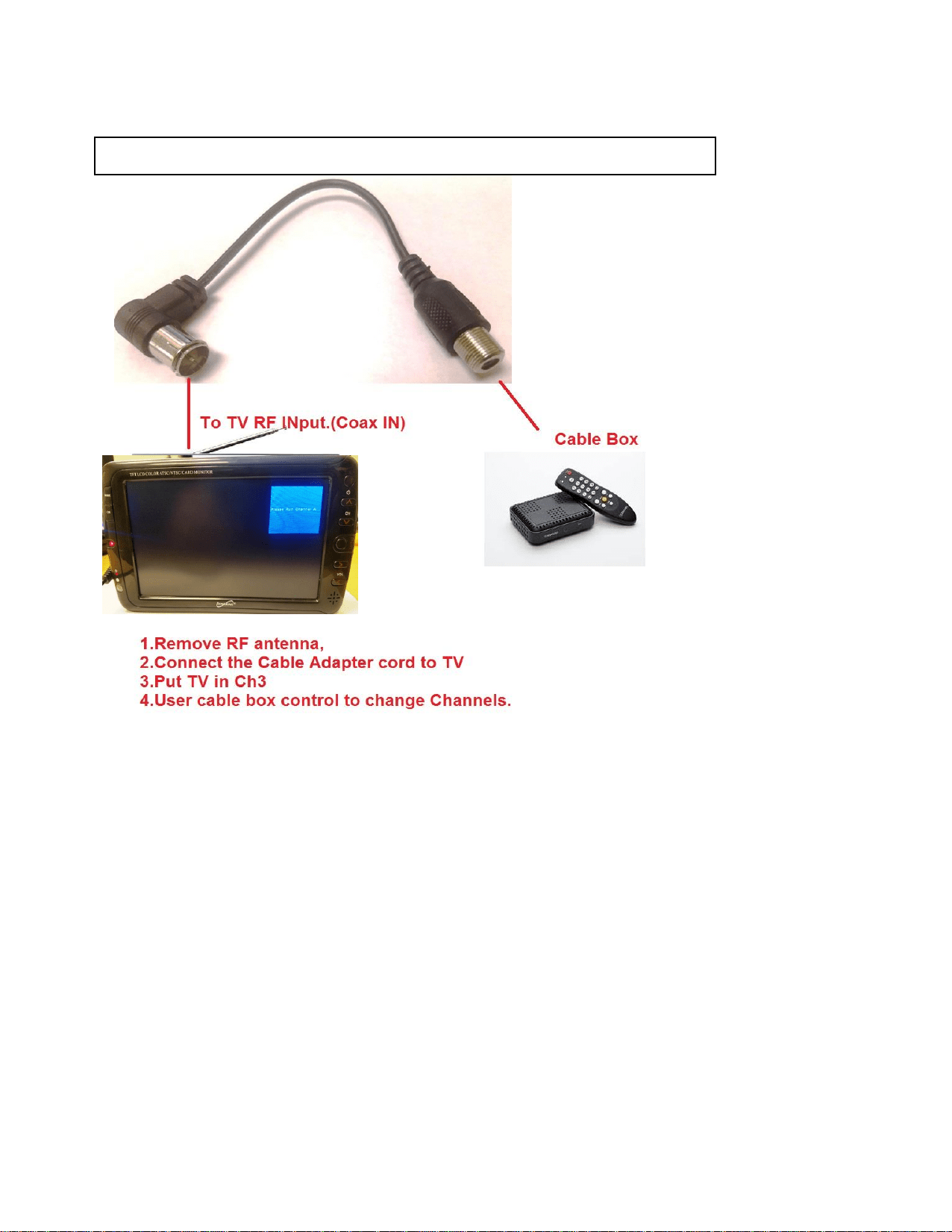
Connect TV to Cable box with Coax adapter
NOTE:
You can also connect an
external Antenna with this
adapter.
Make sure you Cable Box is also on CH 3
Page 4
Page 5
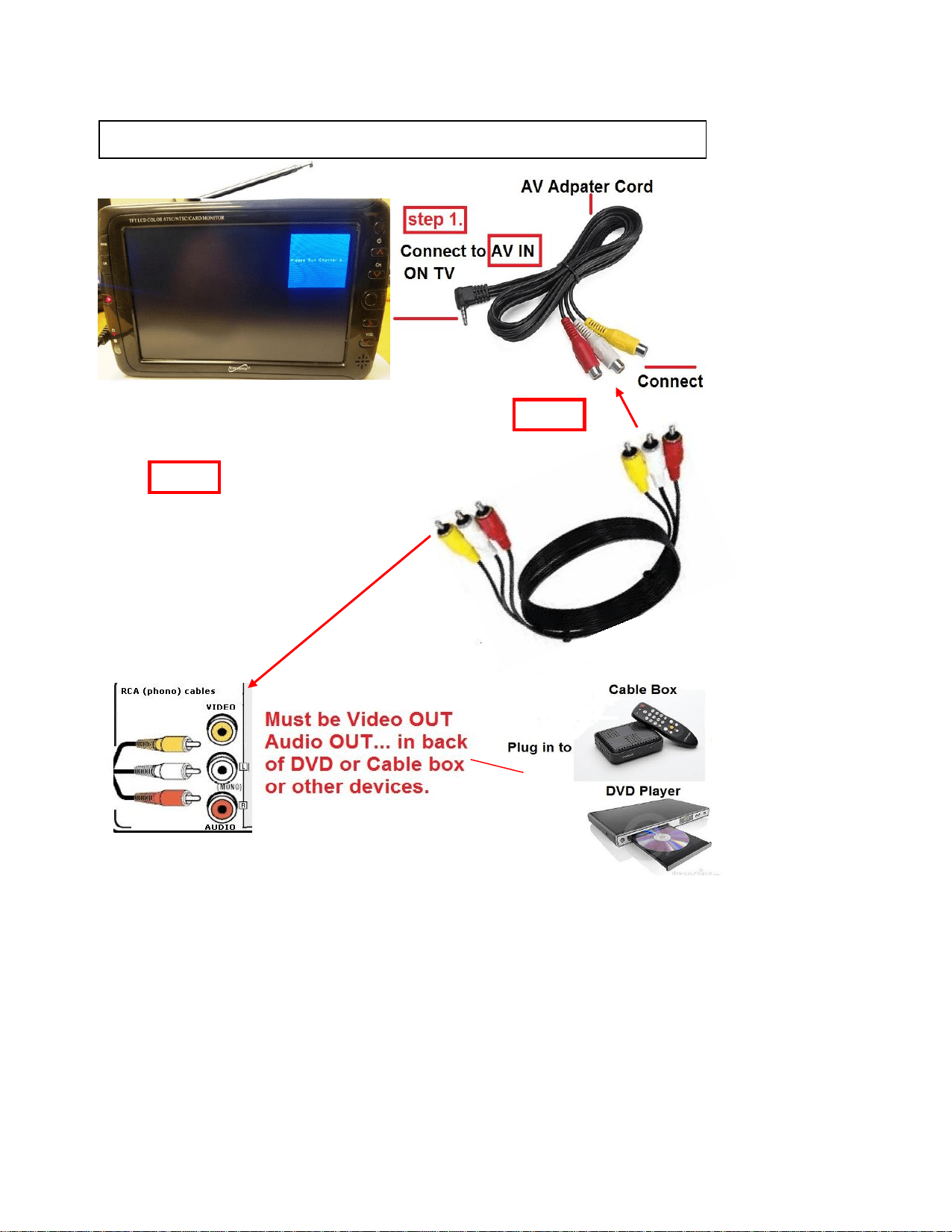
Connect TV to Cable/DVD with AV cable
Video Out
Step 3.
Connect AV cord to the
backside of your Cable
box or DVD player in the
Vidoe Output jack and
Audio Output jack.
Step 2.
Page 5