4-17
8
4
5
5
5
5
6
7
, Timer and convenience
Outlet . . . . . . . . . . . . . . . . . . . . . 7-8
Warming Drawer . . . . . . . . . . . . .
10
10
10 1
1
1
1
2
2
2
3
183D9541P006 29-5617
Using the clock, timer and convenience outlet.
Operating
Instructions
Safety InstructionsCare and Cleaning
Installation
Instructions
Troubleshooting TipsConsumer Support
Using the clock, timer and convenience outlet.
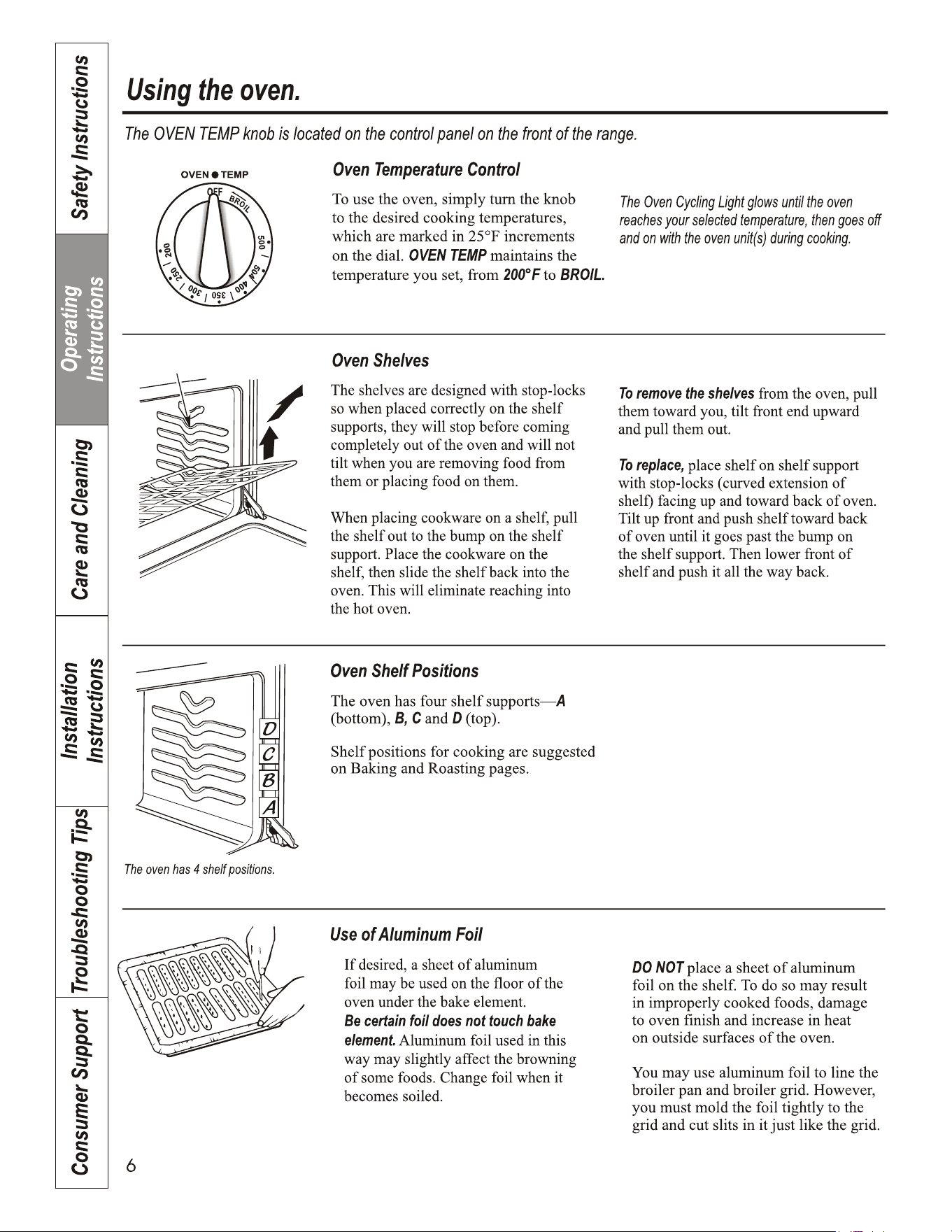
To Reset the Timer
If the display is still showing the time
remaining, you may change it by touching
the TIMER pad, then touch the + or – pads
until the time you want appears in the
display.
If the remaining time is not in the display
(clock, delay start or cooking time are in
the display), recall the remaining time by
touching the TIMER pad and then touching
the + or – pads to enter the new time you
want.
To Cancel the Timer
Touch the TIMER pad twice.
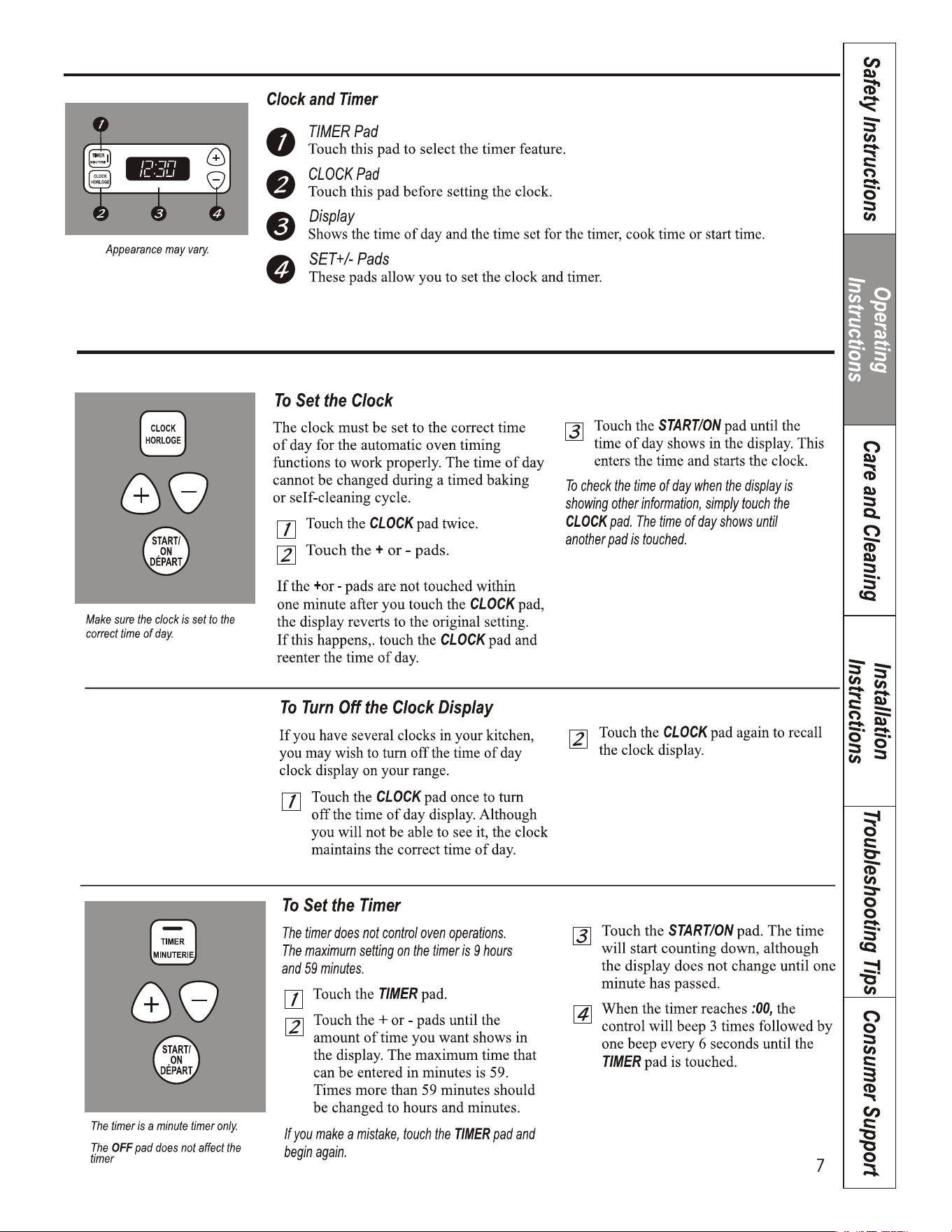
Power Outage
If a flashing time is in the display, you have
experienced a power failure. Reset the clock.
To reset the clock, touch the CLOCK pad
twice. Enter the correct time of day by
touching the + or – pads. Touch the
START/ON pad.
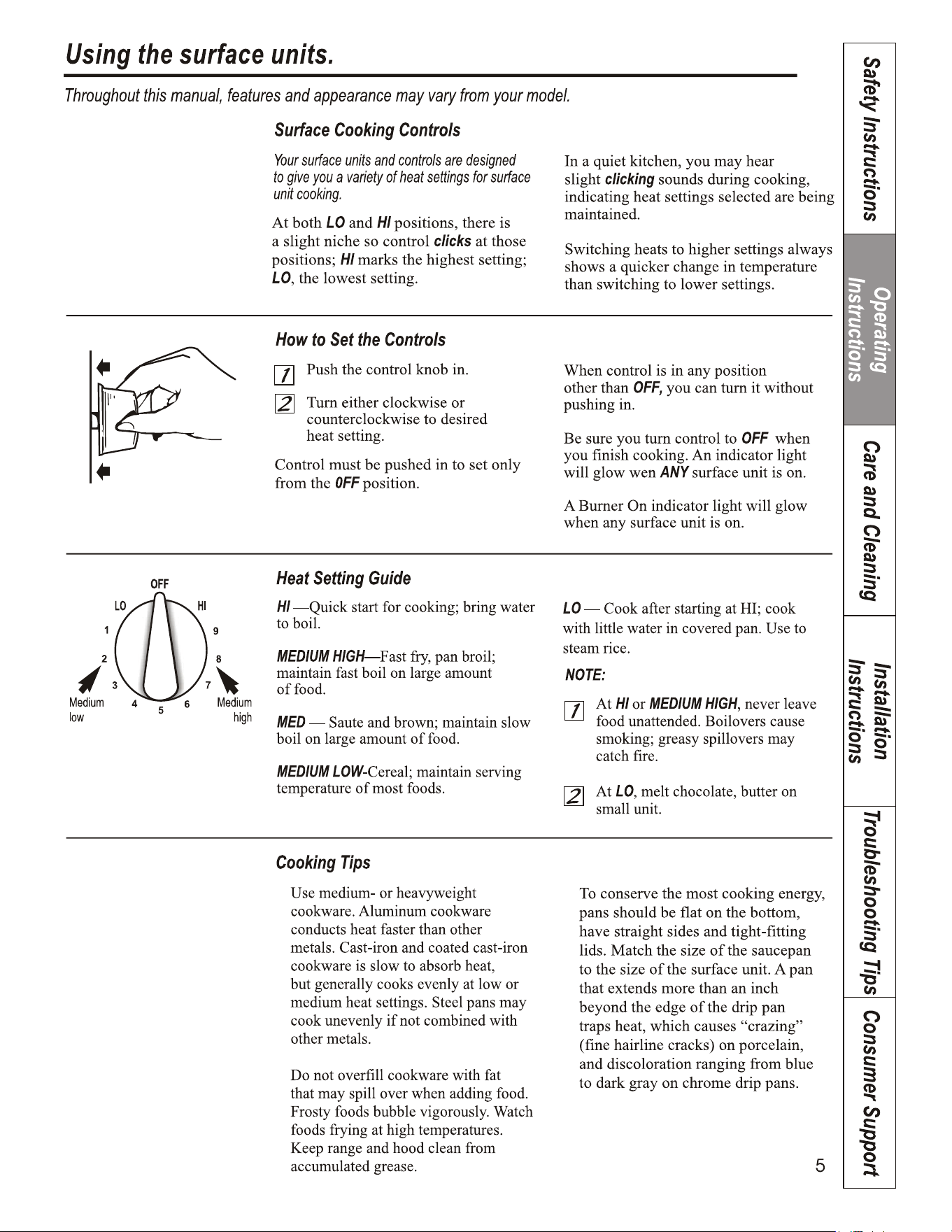
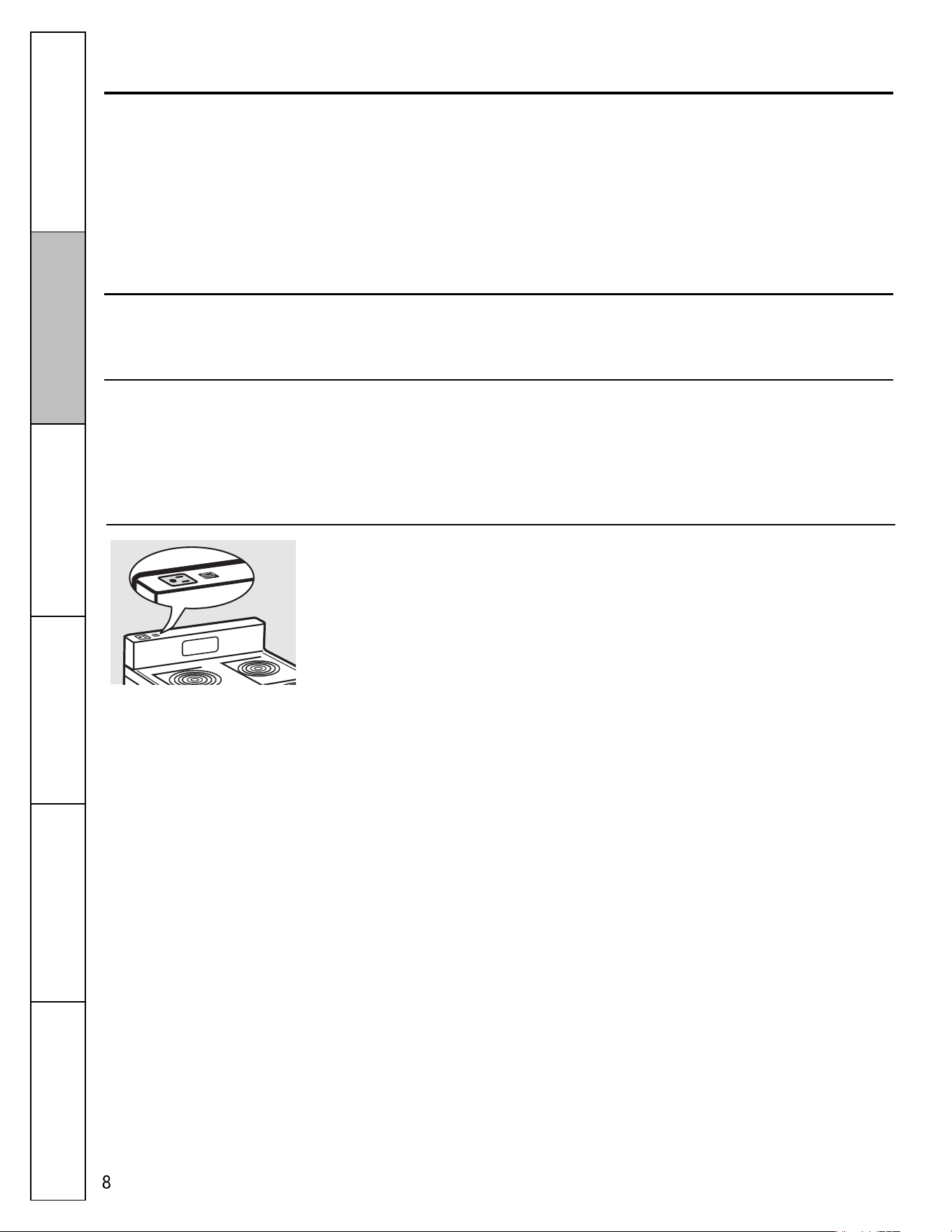
Convenience Outlet
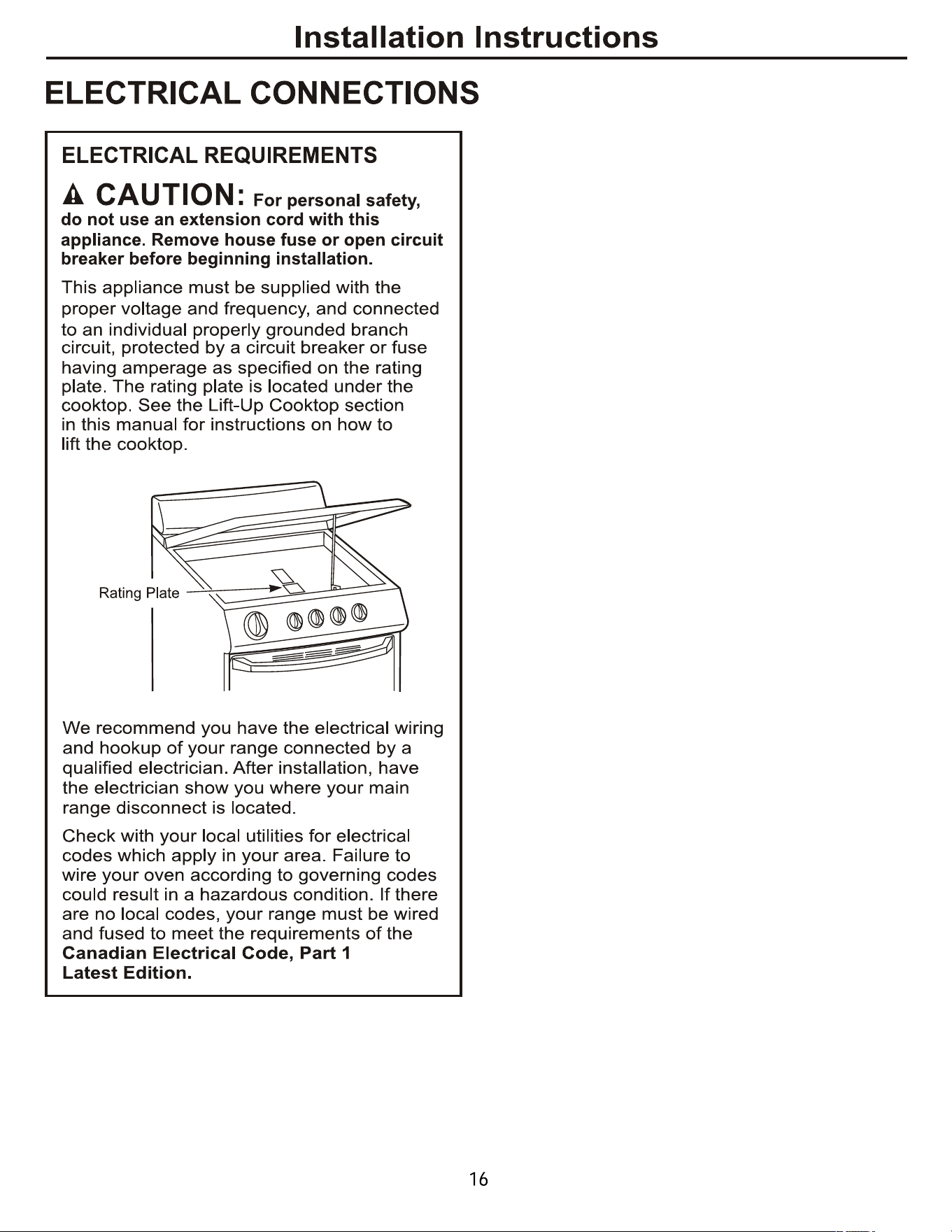
The 120V convenience outlet located on
the top of the backguard may be used to
plug in small electrical appliances.
When using the outlet, be sure that the
electrical cord does not rest on or near a
surface unit. If the surface unit is turned
on, the cord will be damaged.
To reset the circuit breaker, press the
switch located near the outlet on top of
the backguard.
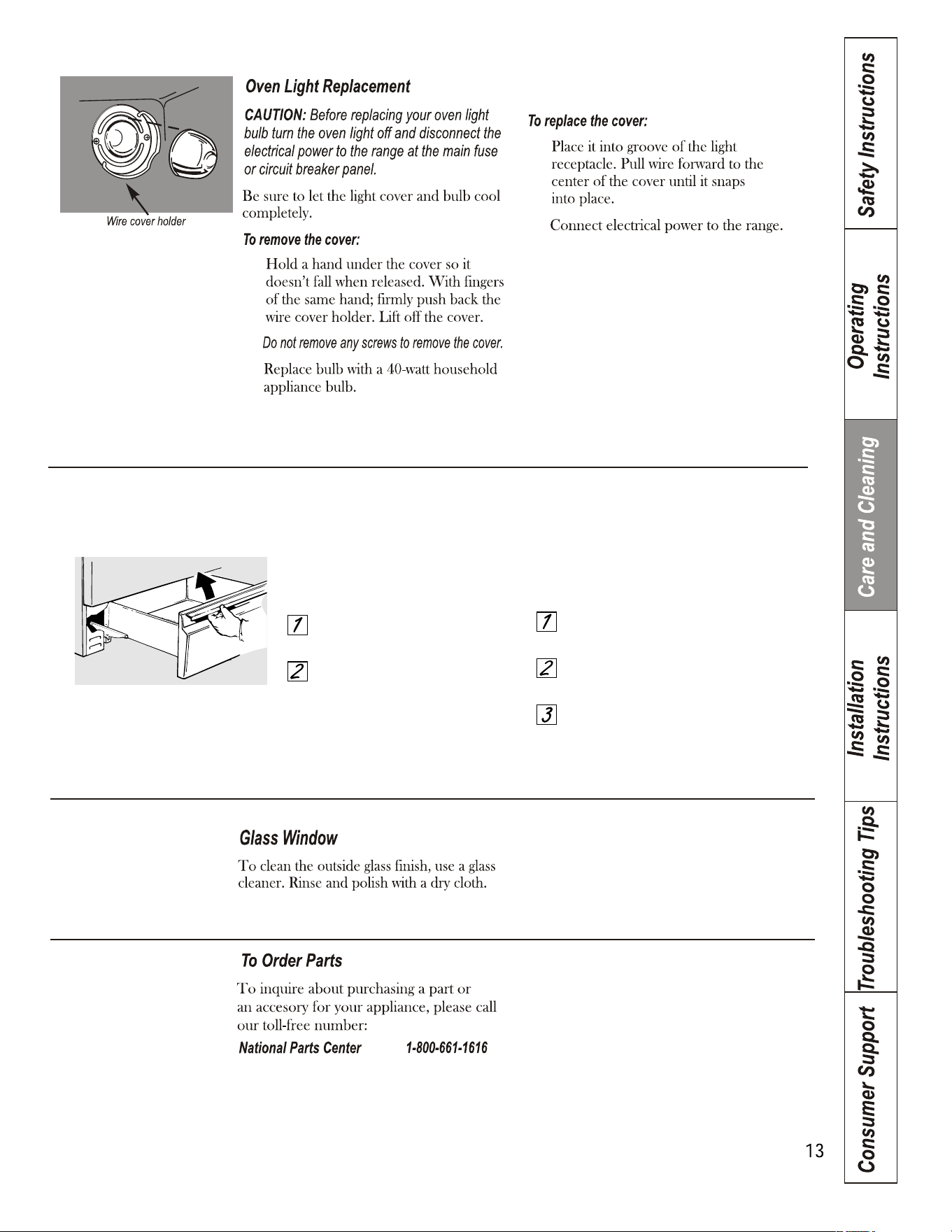
To remove the storage drawer:
Pull the drawer out all the way.
Tilt up the front and remove it.
To replace the storage drawer:
Insert glides at the back of the drawer
beyond the stop on range glides.
Lift the drawer if necessary to insert
easily.
Let the front of the drawer down, then
push in to close.
Storage Drawer Removal.
Most cleaning can be done with the drawer in place. However, the drawer may be removed
if further cleaning is needed. Use soap and warm water to thoroughly clean.
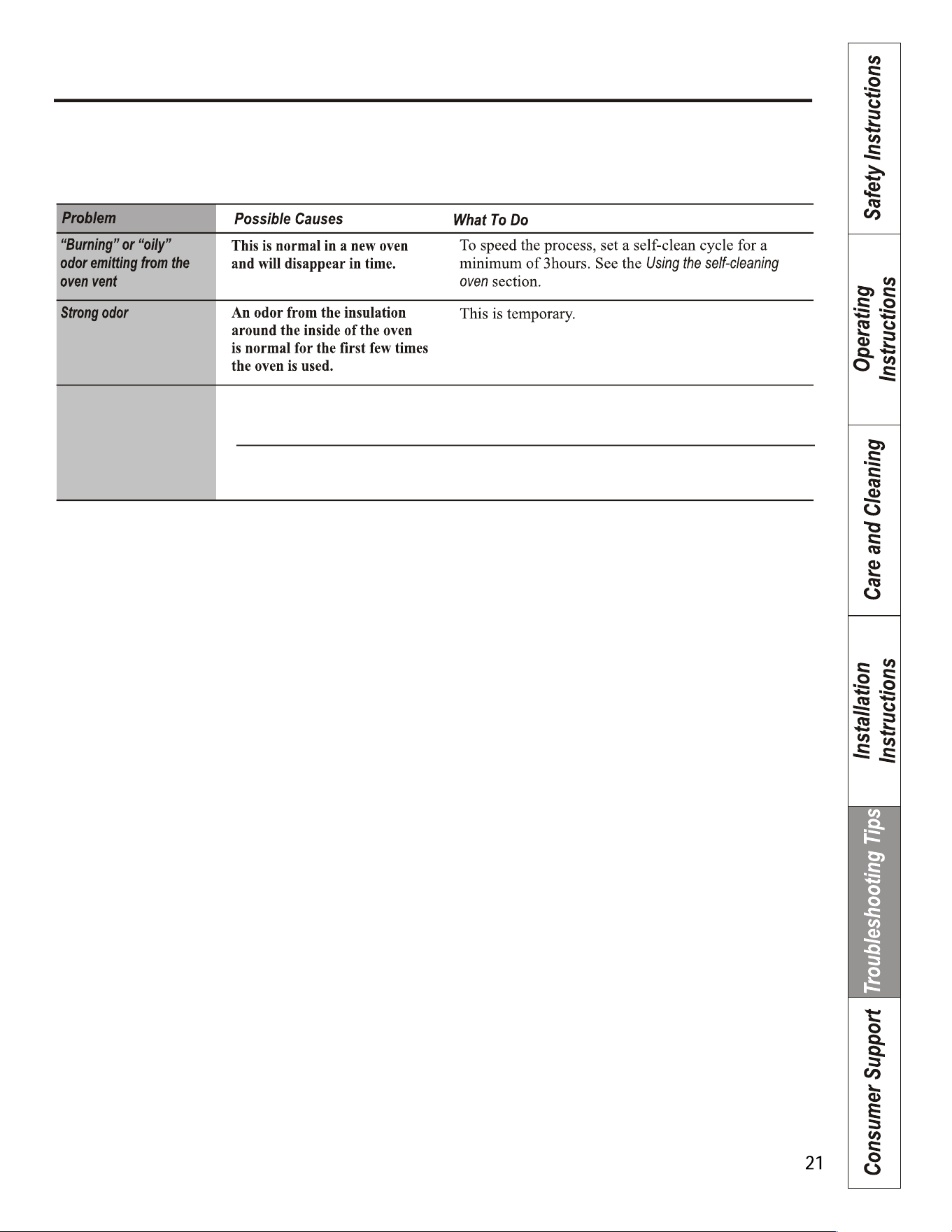
The drawer is out of alignment. Fully extend the drawer and push it all the way in.
smoothly or drags See the Care and cleaning of the range section.
is unbalanced.
Drawer does not slide
Reduce weight. Redistribute drawer contents.
Drawer is overloaded or load
6
e, et de la
4
8
183D9541P006 29-5617
prise confort . . . . . . . . . . . . . . . . 7-8
Tiroir de rangement . . . . . . . . . . . . 13
.
. . . . . . . . . . . . . .
.
. .
. .
.
. .
. .
10
10
10,11
1
1
1
2
2
2
3
.
. . . . .
4
5
5
5
5
6
7
Mode d’emploi
Instructions
de sé curité
Entretien et
nettoyage
Instructions
d’Installation
Dé pannage
Service à la
clientè le
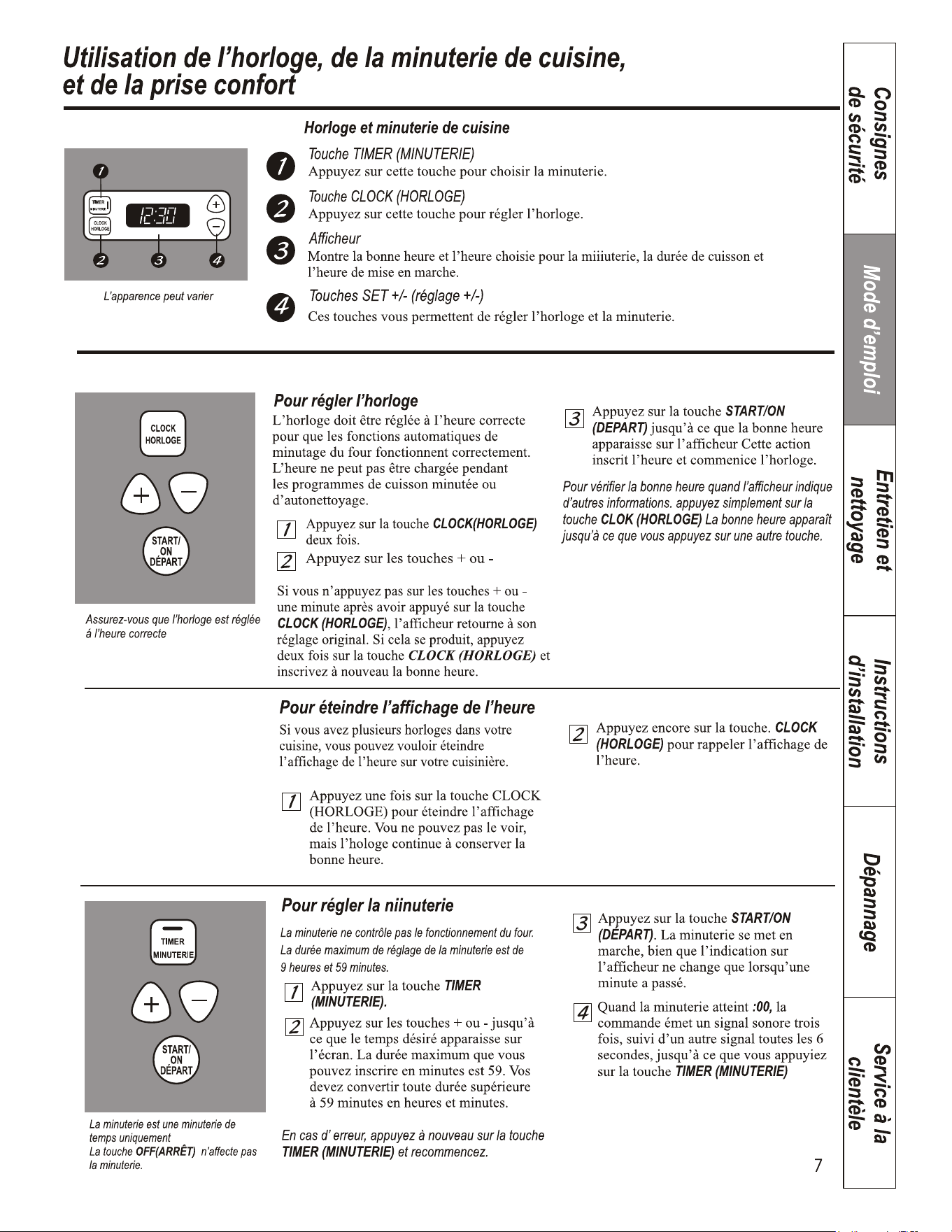
Utilisation de l’horloge, de la minuterie de cuisine,
et de la prise confort.
Pour ré gler la minuterie de nouveau
Si l’afficheur indique encore la durée
restante, vous pouvez la changer en appuyant
une fois sur la touche TIMER (MINUTERIE), puis
en appuyant sur les touches + ou – que vous
voulez voir apparaître à l’afficheur.
Si la durée restante n’apparaît pas à
l’afficheur (l’horloge, l’heure de la mise en
marche différée ou la durée de cuisson sont à
l’afficheur), revenez à la durée restante en
appuyant sur la touche TIMER (MINUTERIE),
puis en appuyant sur les touches + ou – pour
entrer la nouvelle durée souhaitée.
Pour annuler la minuterie
Appuyez deux fois sur la touche TIMER
(MINUTERIE).
Panne de courant
Si l’heure clignote dans l’écran, vous avez eu une panne
de courant. Réglez à nouveau l’horloge.
Pour remettre l’horloge à l’heure, appuyez sur
la touche CLOCK (HORLOGE) deux fois.
Inscrivez la bonne heure en appuyant sur les
touches + ou –. Appuyez sur la touche
START/ON (DÉ PART).
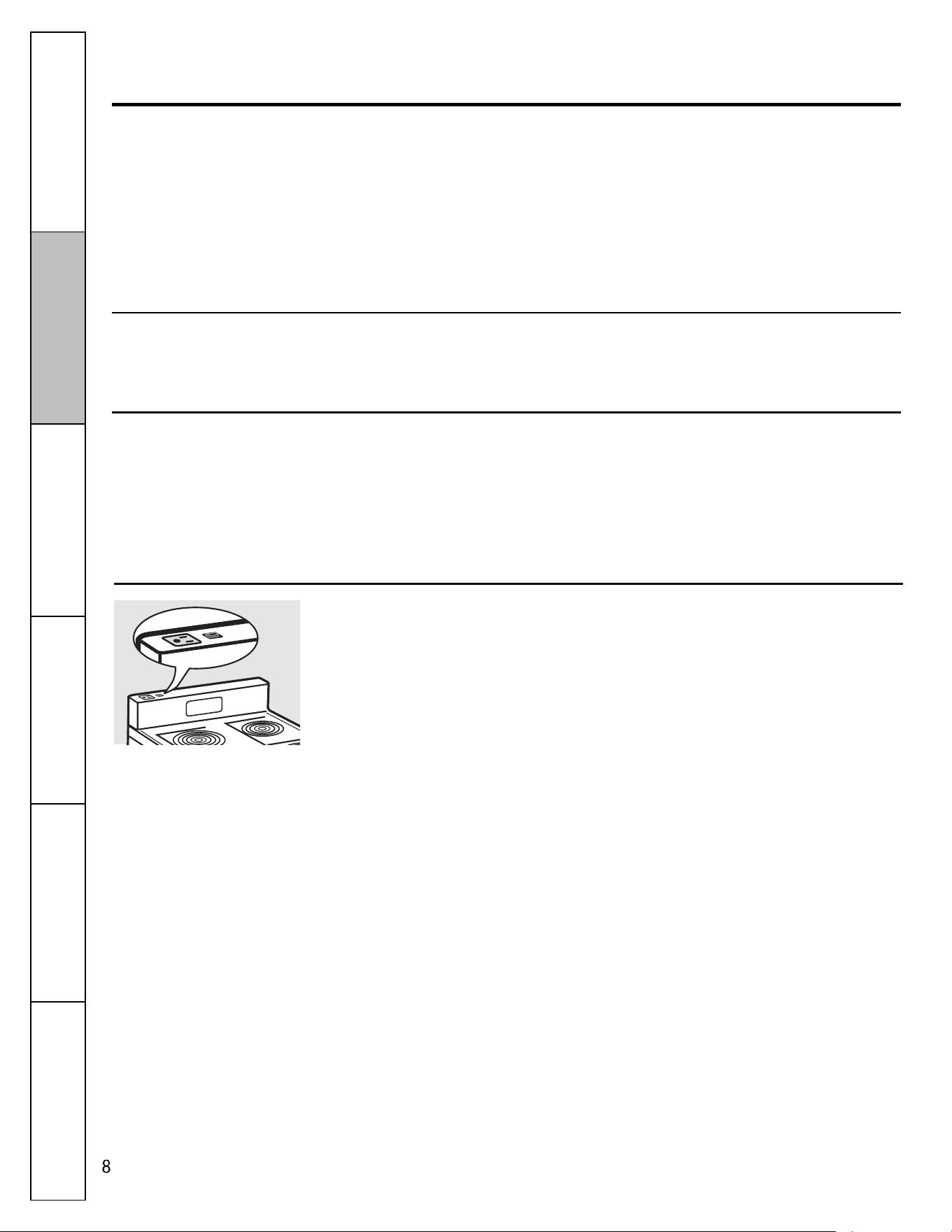
Prise confort.
Vous pouvez utiliser la prise confort de 120V
située en haut du dosseret de protection pour
brancher de petits appareils électroménagers.
Quand vous utilisez cette prise, assurez-vous
que le cordon d’alimentation ne se trouve pas
à proximité ou sur une unité de surface. Vous
endommagerez le cordon d’alimentation en
allumant l’unité de surface.
Pour remettre en marche le disjoncteur,
appuyez sur le commutateur situé près de la
prise en haut du dosseret de protection.
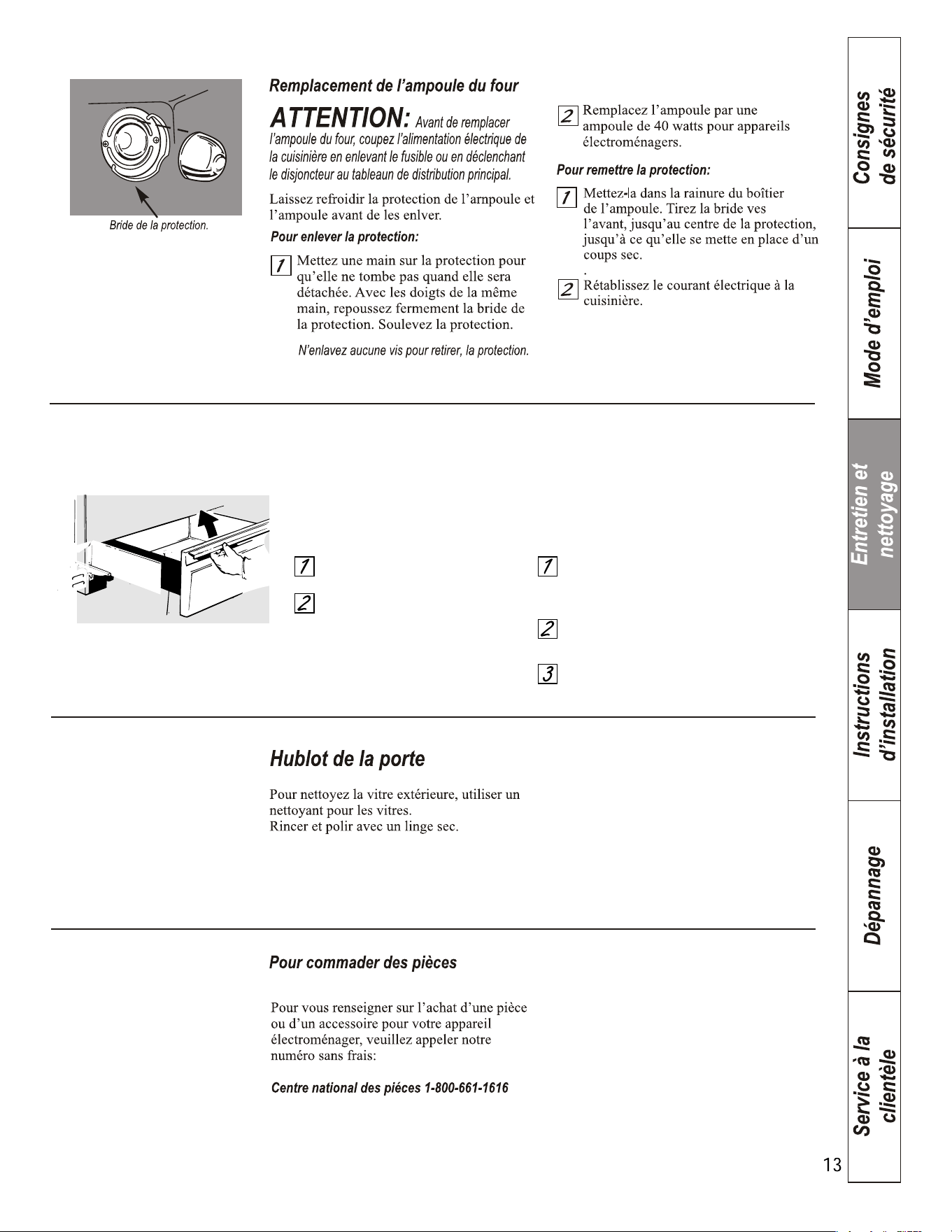
Pour enlever le tiroir de rangement:
Tirez complètement le tiroir.
Faites basculer l’avant et enlevez
le tiroir.
Pour remettre en place le tiroir de rangement:
Insérez les rails situés à l’arrière du tiroir
en dépassant l’arrêt sur les guides de votre
cuisinière.
Soulevez le tiroir le cas échéant pour le
faire entrer plus facilement.
Faites redescendre l’avant du tiroir, puis
poussez pour le fermer.
Enlè vement du tiroir de rangement.
La grande partie du nettoyage peut se faire avec le tiroir en place. Cependant, le tiroir peut
être retiré si un nettoyage plus minutieux est né cessaire. Utilisez de l'eau tiè de savonneuse
pour bien nettoyer.
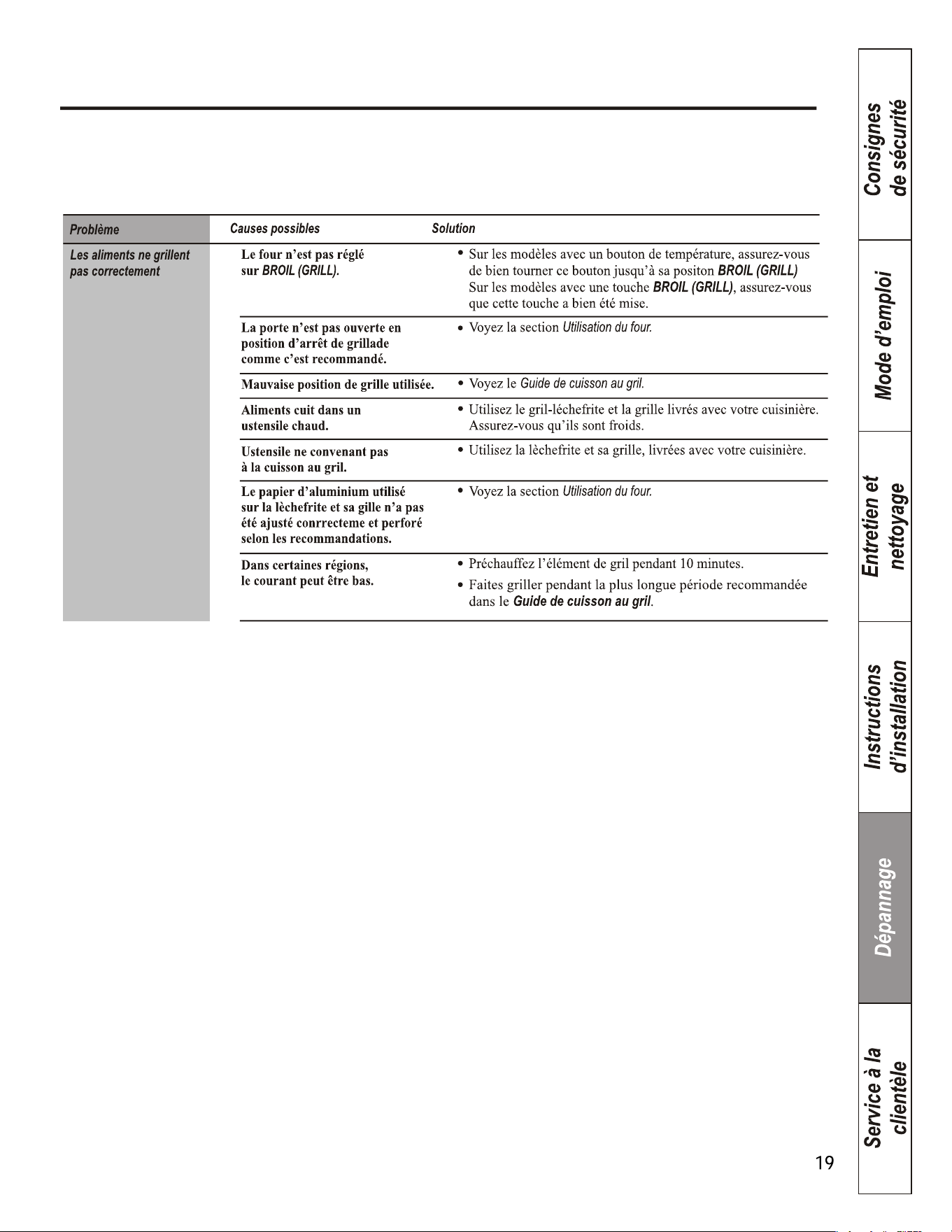
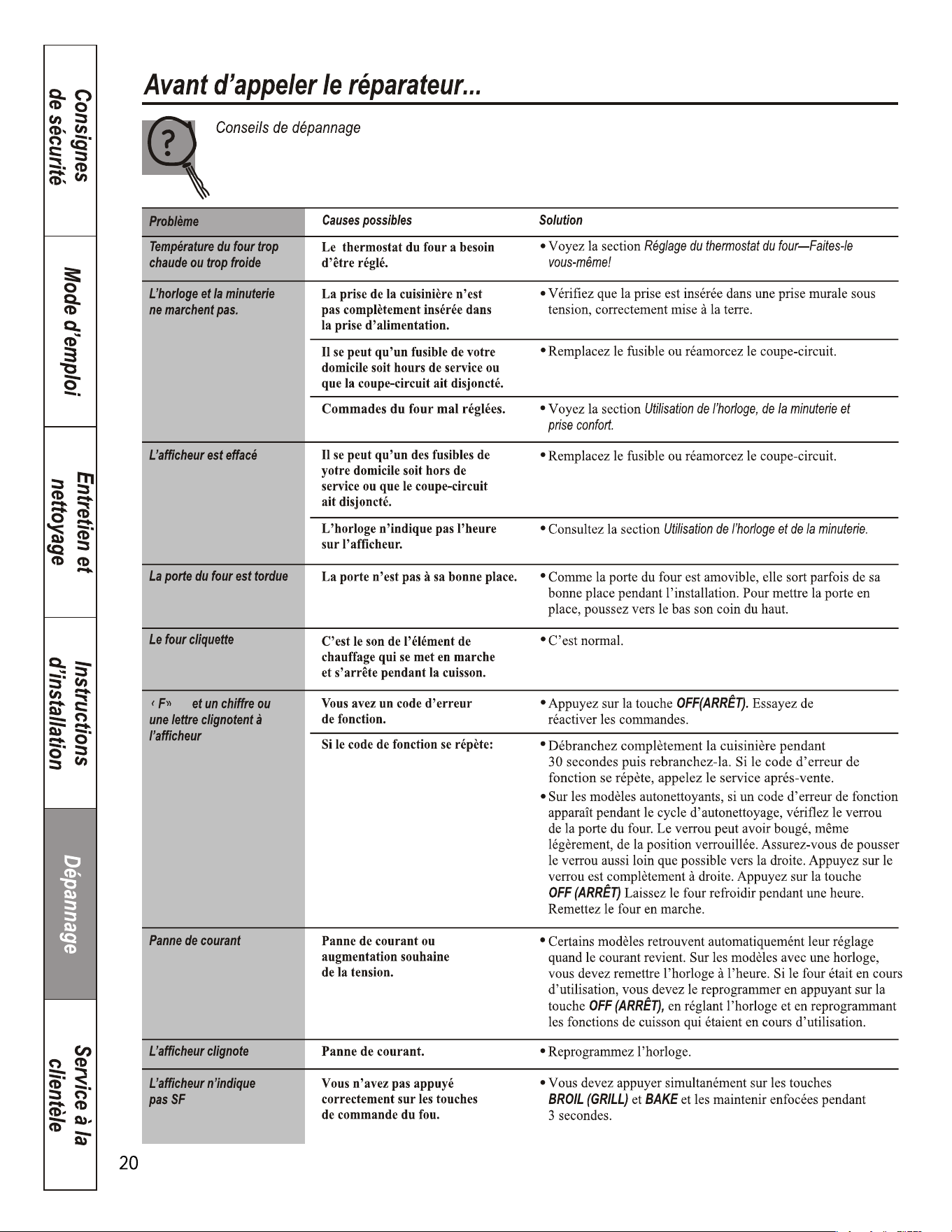
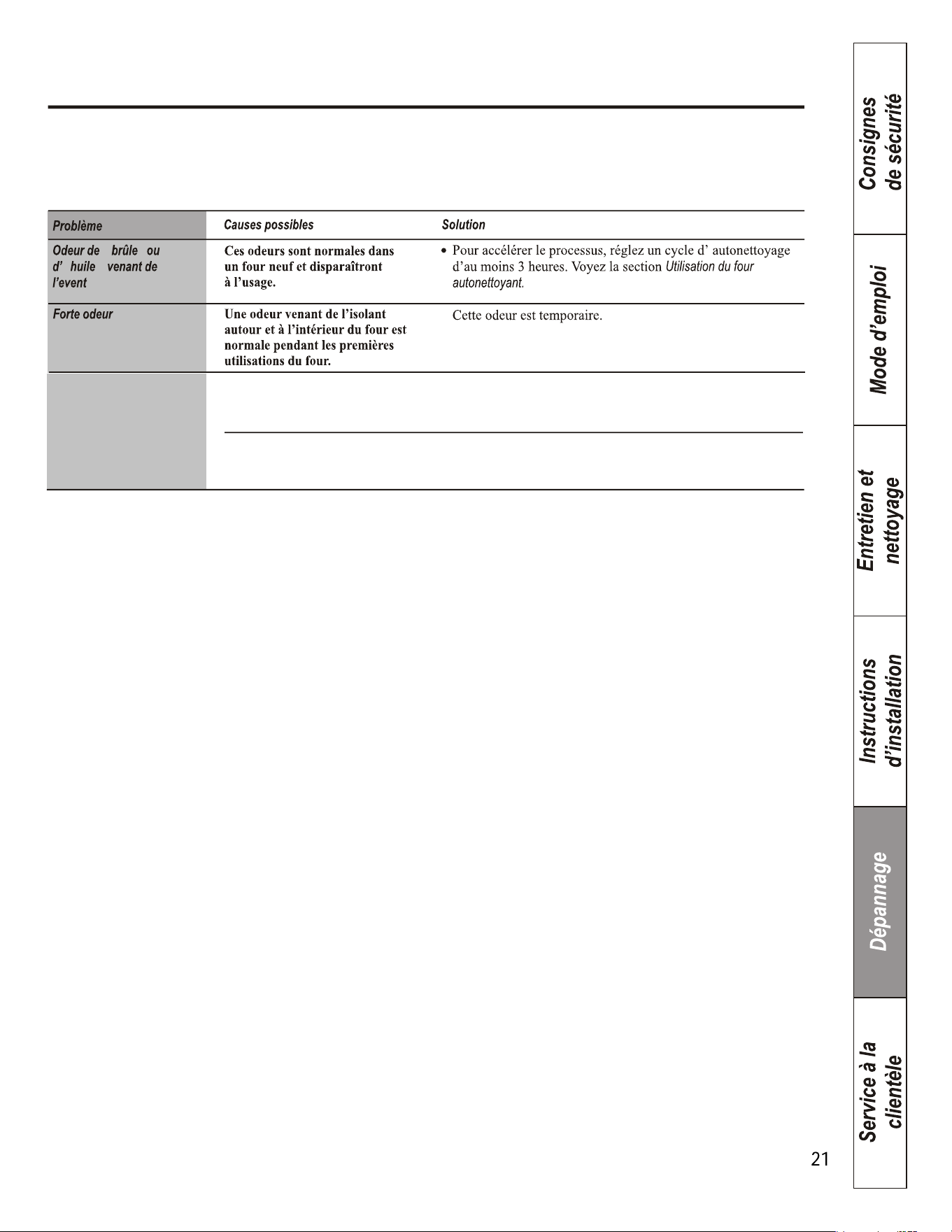
Le tiroir ne glisse pas
bien ou se b loque
Le tiroir n’est pas droit
Tirez le tiroir au maximum et repoussez-le complètement.
Reportez-vous à la partie concernant le tiroir de rangement
dans la section Entretien et nettoyage de la cuisinière.
Le tiroir est trop chargé ou sa
charge est mal répartie
Diminuez la poids du tiroir. Redistribuez le contenu du tiroir.