
2020 FIAT
®
500X OWNER’S MANUAL
2020 FIAT
®
500X
20_FD_OM_EN_USC
First Edition
atusa.com (U.S.) or atcanada.com/en (Canada)
©2019 FCA US LLC. All Rights Reserved. FIAT is a registered trademark of FCA Group
Marketing S.p.A., used under license by FCA US LLC. App Store is a registered trademark
of Apple Inc. Google Play Store is a registered trademark of Google.
Whether it’s providing information about specic product features, taking a tour through your vehicle’s heritage, knowing what
steps to take following an accident or scheduling your next appointment, we know you’ll nd the app an important extension of
your FIAT
®
brand vehicle.
Simply download the app, select your make and model and enjoy the ride. To get this app, go directly to the App Store
®
or Google
Play
®
Store and enter the search keyword “FIAT” (U.S. residents only).
mopar.com/om owners.mopar.ca
DOWNLOAD A FREE ELECTRONIC COPY OF THE MOST
UP-TO-DATE OWNER’S MANUAL, UCONNECT AND
WARRANTY BOOKLETS
U. S. Canada

The driver’s primary responsibility is the safe operation of the vehicle. Driving while distracted can result in loss of vehicle control, resulting in an accident and
personal injury. FCA US LLC strongly recommends that the driver use extreme caution when using any device or feature that may take their attention off the
road. Use of any electrical devices, such as cellular telephones, computers, portable radios, vehicle navigation or other devices, by the driver while the vehicle is
moving is dangerous and could lead to a serious accident. Texting while driving is also dangerous and should never be done while the vehicle is moving. If you
nd yourself unable to devote your full attention to vehicle operation, pull off the road to a safe location and stop your vehicle. Some states or provinces
prohibit the use of cellular telephones or texting while driving. It is always the driver’s responsibility to comply with all local laws.
This Owner’s Manual has been prepared to help you get acquainted with your new FIAT
®
brand vehicle and to provide a convenient reference source for
common questions.
Not all features shown in this manual may apply to your vehicle. For additional information, visit www.mopar.com (U.S.), www.mopar.ca (Canada) or your local
FIAT
®
brand dealer.
This Owner’s Manual illustrates and describes the operation of features and equipment that are either standard or optional on this vehicle.
This manual may also include a description of features and equipment that are no longer available or were not ordered on this vehicle.
Please disregard any features and equipment described in this manual that are not on this vehicle. FCA US LLC reserves the right to make
changes in design and specications, and/or make additions to or improvements to its products without imposing any obligation upon itself
to install them on products previously manufactured.
With respect to any vehicles sold in Canada, the name FCA US LLC shall be deemed to be deleted and the name FCA Canada Inc. used in
substitution therefore.
If you are the rst registered retail owner of your vehicle, you may obtain a complimentary printed copy of the Warranty Booklet by calling
1-888-242-6342 (U.S.) or 1-800-387-1143 (Canada) or by contacting your dealer.
This Owner’s Manual is intended to familiarize you with the important features of your vehicle. Your most up-to-date Owner’s Manual,
Navigation/Uconnect manuals and Warranty Booklet can be found by visiting the website on the back cover. U.S. residents can purchase
replacement kits by visiting www.techauthority.com and Canadian residents can purchase replacement kits by calling 1-800-387-1143.
Driving after drinking can lead to an accident. Your perceptions are less sharp, your reexes are slower and your
judgment is impaired when you have been drinking. Never drink and then drive.
WARNING
DRIVING AND ALCOHOL: Drunk driving is one of the most frequent causes of accidents. Your driving ability
can be seriously impaired with blood alcohol levels far below the legal minimum. If you are drinking, don’t drive.
Ride with a designated non-drinking driver, call a cab, a friend or use public transportation.
WARNING: Operating, servicing and maintaining a passenger vehicle or off-highway
motor vehicle can expose you to chemicals including engine exhaust, carbon monoxide,
phthalates, and lead, which are known to the State of California to cause cancer and birth
defects or other reproductive harm. To minimize exposure, avoid breathing exhaust, do not
idle the engine except as necessary, service your vehicle in a well-ventilated area and wear
gloves or wash your hands frequently when servicing your vehicle. For more information
go to www.P65Warnings.ca.gov/passenger-vehicle.

TABLE OF CONTENTS
1
2
3
4
5
6
7
8
9
10
11
1
INTRODUCTION .......................................................................................................................... 7
2
GETTING TO KNOW YOUR VEHICLE ................................................................................ 9
3
GETTING TO KNOW YOUR INSTRUMENT PANEL .....................................................71
4
SAFETY ....................................................................................................................................... 90
5
STARTING AND OPERATING ........................................................................................... 142
6
IN CASE OF EMERGENCY ..................................................................................................199
7
SERVICING AND MAINTENANCE ................................................................................... 231
8
TECHNICAL SPECIFICATIONS ........................................................................................ 274
9
MULTIMEDIA ............................................................................................................................ 281
10
CUSTOMER ASSISTANCE ................................................................................................. 338
11
INDEX.......................................................................................................................................... 342
2020_FIAT_500X_OM_USA=GUID-B0E0CFCD-ED13-4DFD-975F-620984F05523=1=en=.book Page 1

2
INTRODUCTION
HOW TO USE THIS MANUAL .................................... 7
Essential Information ........................................... 7
Symbols................................................................. 7
ROLLOVER WARNING ............................................. 8
WARNINGS AND CAUTIONS ................................... 8
VEHICLE MODIFICATIONS/ALTERATIONS ............. 8
GETTING TO KNOW YOUR VEHICLE
KEYS .......................................................................... 9
Key Fob With Remote Control.............................. 9
IGNITION SWITCH ...................................................12
Keyless Enter-N-Go — Ignition............................ 12
REMOTE STARTING SYSTEM — IF EQUIPPED......13
How To Use Remote Start.................................. 14
Remote Start Cancel Message — If Equipped .. 14
To Enter Remote Start Mode............................. 15
To Exit Remote Start Mode Without Driving
The Vehicle.......................................................... 15
To Exit Remote Start Mode And Drive
The Vehicle.......................................................... 15
Remote Start Comfort Systems —
If Equipped .................................................... 15
Remote Start Windshield Wiper De–Icer And
Rear Defrost Activation — If Equipped .............. 15
General Information ...........................................16
SENTRY KEY............................................................. 16
Key Programming ..............................................17
Replacement Keys ............................................. 17
General Information ...........................................17
VEHICLE SECURITY ALARM — IF EQUIPPED ........18
To Arm The System ........................................... 18
To Disarm The System ...................................... 18
Disabling ............................................................. 19
DOORS ......................................................................19
Manual Locking/Unlocking................................ 19
Central Lock/Unlock .......................................... 20
Keyless Enter-N-Go ........................................... 20
Child Locks ......................................................... 24
SEATS .......................................................................25
Manual Adjustment (Front Seats)..................... 25
Manual Adjustment (Rear Seats)...................... 26
Power Adjustment Front Seats — If Equipped.. 28
Heated Seats — If Equipped .............................. 29
HEAD RESTRAINTS ................................................29
Front Adjustment................................................ 30
Rear Adjustment................................................. 30
Front Removal .................................................... 30
Rear Removal ..................................................... 31
STEERING WHEEL ..................................................31
Tilt/Telescoping Steering Column..................... 31
Heated Steering Wheel — If Equipped .............. 31
MIRRORS .................................................................32
Inside Day/Night Mirror .................................... 32
Electrochromic Mirror — If Equipped................. 32
Outside Mirrors .................................................. 33
Power Mirrors ..................................................... 33
Folding Mirror ..................................................... 33
Power Folding Mirrors — If Equipped ................ 34
Heated Mirrors — If Equipped............................ 34
EXTERIOR LIGHTS................................................... 35
Headlights ..........................................................35
Daytime Running Lights (DRLs) —
If Equipped .........................................................35
High Beams .........................................................35
Flash-To-Pass ......................................................35
Automatic Lighting — If Equipped .....................35
Parking Lights......................................................36
Headlight Delay ..................................................36
Front Fog Lights — If Equipped ..........................36
Turn Signals.........................................................37
Lane Change Assist ...........................................37
Courtesy Lights/Approaching Lights..................37
INTERIOR LIGHTS ................................................... 37
Front Courtesy Light............................................37
Cargo Area Lights................................................40
WIPERS AND WASHERS........................................ 40
Front Wiper Operation .......................................40
Rain Sensor — If Equipped .................................41
Rear Window Wiper/Washer .............................42
Windshield Wiper De-Icer — If Equipped ...........43
CLIMATE CONTROLS .............................................43
Air Outlet And Diffuser Locations —
Passenger Compartment....................................43
Manual Climate Controls Overview....................44
Automatic Climate Control Overview .................48
Operating Tips ....................................................54
WINDOWS................................................................ 57
Driver's Door Controls.........................................57
2020_FIAT_500X_OM_USA=GUID-B0E0CFCD-ED13-4DFD-975F-620984F05523=1=en=.book Page 2

3
SUNROOF — IF EQUIPPED...................................... 60
Opening The Sunroof..........................................60
Closing The Sunroof ........................................... 61
Wind Buffeting ................................................... 61
Sun Shade...........................................................61
Anti Pinch Protect Feature ................................. 61
Emergency Operation......................................... 61
Power Sunroof Relearn Procedure....................62
HOOD ........................................................................ 62
Opening...............................................................62
Closing.................................................................63
LIFTGATE .................................................................. 63
Opening...............................................................63
Closing.................................................................64
Cargo Area Features........................................... 64
INTERNAL EQUIPMENT...........................................66
Storage................................................................ 66
Cupholders ......................................................... 67
Sun Visors “Slide-On-Rod” ................................. 67
Power Outlets .....................................................68
Cigar Lighter — If Equipped ............................... 69
Ashtray — If Equipped......................................... 69
Grab Handles...................................................... 69
ROOF LUGGAGE RACK — IF EQUIPPED ...............70
GETTING TO KNOW YOUR INSTRUMENT
PANEL
INSTRUMENT CLUSTER ..........................................71
Instrument Cluster Descriptions........................72
INSTRUMENT CLUSTER DISPLAY .........................72
Instrument Cluster Display Control Buttons..... 73
Engine Oil Change Reset ................................... 73
Instrument Cluster Display Main Menu ............ 74
WARNING LIGHTS AND MESSAGES .....................79
Red Warning Lights............................................ 79
Yellow Warning Lights........................................ 81
Yellow Indicator Lights ....................................... 86
Green Indicator Lights........................................ 86
White Indicator Lights ........................................ 87
Blue Indicator Lights .......................................... 87
Gray Indicator Lights .......................................... 88
ONBOARD DIAGNOSTIC SYSTEM — OBD II .........88
Onboard Diagnostic System (OBD II)
Cybersecurity ...................................................... 88
EMISSIONS INSPECTION AND MAINTENANCE
PROGRAMS..............................................................89
SAFETY
SAFETY FEATURES ..................................................90
Anti-Lock Brake System (ABS) .......................... 90
Electronic Brake Control (EBC) System ............ 91
AUXILIARY DRIVING SYSTEMS ..............................95
Blind Spot Monitoring (BSM) — If Equipped .... 95
Full Brake Control System With Mitigation..... 100
Tire Pressure Monitoring System (TPMS) ....... 105
OCCUPANT RESTRAINT SYSTEMS .....................108
Occupant Restraint Systems........................... 108
Important Safety Precautions ......................... 108
Seat Belt Systems............................................ 109
Supplemental Restraint Systems (SRS) ......... 116
Child Restraints ............................................... 127
Transporting Pets ............................................ 138
SAFETY TIPS .........................................................139
Transporting Passengers................................. 139
Exhaust Gas ..................................................... 139
Safety Checks You Should Make Inside The
Vehicle ............................................................. 140
Periodic Safety Checks You Should Make
Outside The Vehicle ......................................... 141
STARTING AND OPERATING
STARTING THE ENGINE .......................................142
Tip Start Feature ............................................. 142
If Engine Fails To Start .................................... 142
Cold Weather Operation .................................. 143
Extended Park Starting.................................... 143
After Starting — Warming Up The Engine ....... 143
Stopping The Engine........................................ 143
Turbocharger “Cool Down” — If Equipped ...... 144
ENGINE BREAK-IN RECOMMENDATIONS .........144
ELECTRIC PARK BRAKE (EPB) ............................144
Auto Park Brake ............................................... 146
SafeHold ........................................................... 147
Brake Service Mode......................................... 147
2020_FIAT_500X_OM_USA=GUID-B0E0CFCD-ED13-4DFD-975F-620984F05523=1=en=.book Page 3

4
AUTOMATIC TRANSMISSION — IF EQUIPPED ..148
Gear Selector....................................................149
Gear Ranges .....................................................150
Transmission Limp Home Mode......................153
Ignition Park Interlock ......................................153
Brake/Transmission Shift Interlock System...154
ALL WHEEL DRIVE (AWD) — IF EQUIPPED .......154
DYNAMIC SELECTOR — IF EQUIPPED.................154
Warning Messages...........................................154
ELECTRIC POWER STEERING..............................155
STOP/START SYSTEM ..........................................155
Automatic Mode ...............................................155
Possible Reasons The Engine Does Not
Autostop ............................................................156
To Start The Engine While In Autostop
Mode .................................................................156
To Manually Turn Off The Stop/Start
System...............................................................157
To Manually Turn On The Stop/Start
System...............................................................157
System Malfunction..........................................157
SPEED CONTROL — IF EQUIPPED ......................158
To Activate.........................................................158
To Set A Desired Speed ...................................158
To Vary The Speed Setting...............................158
To Accelerate For Passing................................159
To Resume Speed ...........................................160
Deactivation......................................................160
ADAPTIVE CRUISE CONTROL (ACC) —
IF EQUIPPED.......................................................... 160
Adaptive Cruise Control (ACC) Operation........161
To Activate/Deactivate ....................................161
Activating Adaptive Cruise Control (ACC)........162
To Set A Desired ACC Speed ...........................162
To Cancel ..........................................................163
To Turn Off ........................................................163
To Resume........................................................163
To Vary The Speed Setting...............................163
Setting The Following Distance In ACC ...........165
Overtake Aid .....................................................166
Adaptive Cruise Control (ACC) Menu...............166
Display Warnings And Maintenance ...............167
Precautions While Driving With ACC ...............168
General Information.........................................171
Normal (Fixed Speed) Cruise Control Mode ... 171
REAR PARK ASSIST — IF EQUIPPED ................. 173
Park Assist Sensors.......................................... 173
Enabling And Disabling Park Assist.................174
Service The Rear Park Assist System ............. 174
Park Assist System Usage Precautions ..........175
FRONT AND REAR PARK ASSIST —
IF EQUIPPED.......................................................... 176
Park Assist Sensors.......................................... 176
Park Assist Warning Display............................176
Park Assist Display...........................................177
Enabling And Disabling Park Assist.................181
Service The Park Assist System ......................181
Cleaning The Park Assist System ....................181
LANESENSE — IF EQUIPPED ...............................182
LaneSense Operation ...................................... 182
Turning LaneSense On Or Off.......................... 182
LaneSense Warning Message......................... 182
Changing LaneSense Status ........................... 184
PARKVIEW REAR BACK UP CAMERA ...............184
ADDING FUEL ........................................................186
VEHICLE LOADING ...............................................187
Certification Label............................................ 187
TRAILER TOWING..................................................189
Common Towing Definitions ........................... 189
Trailer Hitch Classification............................... 191
Trailer Towing Weights (Maximum Trailer
Weight Ratings) ............................................... 191
Trailer And Tongue Weight .............................. 192
Towing Requirements ..................................... 192
Towing Tips....................................................... 195
RECREATIONAL TOWING (BEHIND
MOTORHOME, ETC.)..............................................196
Towing This Vehicle Behind Another
Vehicle .............................................................. 196
DRIVING TIPS ........................................................197
Driving On Slippery Surfaces........................... 197
Driving Through Water .................................... 197
2020_FIAT_500X_OM_USA=GUID-B0E0CFCD-ED13-4DFD-975F-620984F05523=1=en=.book Page 4

5
IN CASE OF EMERGENCY
HAZARD WARNING FLASHERS ..........................199
BULB REPLACEMENT ...........................................199
General Information .........................................199
Replacement Bulbs ..........................................200
Replacing Exterior Bulbs..................................201
Replacing Interior Bulbs...................................206
FUSES .....................................................................209
General Information .........................................209
Access To The Fuses ........................................210
Engine Compartment Fuses/Distribution
Unit ....................................................................210
Body Computer Fuse Center............................213
Rear Cargo Fuse/Relay Distribution Unit........215
JACKING AND TIRE CHANGING ..........................216
Jack Location/Spare Tire Stowage —
If Equipped........................................................216
Preparations For Jacking ................................217
Jacking Instructions..........................................218
Road Tire Installation .......................................220
TIRE SERVICE KIT — IF EQUIPPED ......................221
Tire Service Kit Storage....................................221
Tire Service Kit Components And Operation ..221
Tire Service Kit Usage Precautions .................222
Replacing The Sealant .....................................223
JUMP STARTING....................................................223
Preparations For Jump Start............................224
Jump Starting Procedure .................................224
IF YOUR ENGINE OVERHEATS .............................225
GEAR SELECTOR OVERRIDE ..............................226
FREEING A STUCK VEHICLE ............................... 227
TOWING A DISABLED VEHICLE .......................... 228
All Wheel Drive (AWD) Models.........................228
Tow Eye Usage — If Equipped ......................... 229
ENHANCED ACCIDENT RESPONSE
SYSTEM (EARS) ................................................... 230
EVENT DATA RECORDER (EDR).......................... 230
SERVICING AND MAINTENANCE
SCHEDULED MAINTENANCE............................... 231
Maintenance Plan ............................................232
Heavy Duty Use Of The Vehicle .......................237
ENGINE COMPARTMENT ..................................... 238
1.3L Turbo Engine............................................238
Checking Oil Level............................................239
Adding Washer Fluid ........................................239
Maintenance-Free Battery ..............................240
Pressure Washing ............................................240
DEALER SERVICE ................................................ 240
Engine Oil .........................................................241
Engine Oil Filter ................................................241
Engine Air Cleaner Filter .................................242
Accessory Drive Belt Inspection ......................242
Air Conditioner Maintenance...........................243
Body Lubrication...............................................243
Windshield Wiper Blades................................. 244
Exhaust System ...............................................245
Cooling System.................................................246
Brake System ..................................................249
Automatic Transmission .................................. 251
RAISING THE VEHICLE..........................................252
TIRES ......................................................................252
Tire Safety Information ................................... 252
Tires — General Information ........................... 259
Tire Types.......................................................... 263
Spare Tires — If Equipped................................ 264
Wheel And Wheel Trim Care ........................... 266
Tire Chains (Traction Devices) ....................... 267
Tire Rotation Recommendations ................... 267
DEPARTMENT OF TRANSPORTATION UNIFORM
TIRE QUALITY GRADES .......................................268
Treadwear......................................................... 268
Traction Grades................................................ 269
Temperature Grades........................................ 269
STORING THE VEHICLE.........................................269
BODYWORK...........................................................270
Protection From Atmospheric Agents ............. 270
Body And Underbody Maintenance ................ 271
Preserving The Bodywork ................................ 271
INTERIORS ............................................................272
Seats And Fabric Parts .................................... 272
Plastic And Coated Parts ................................. 272
Leather Parts.................................................... 273
Glass Surfaces ................................................ 273
TECHNICAL SPECIFICATIONS
IDENTIFICATION DATA .........................................274
Vehicle Identification Number......................... 274
BRAKE SYSTEM.....................................................274
2020_FIAT_500X_OM_USA=GUID-B0E0CFCD-ED13-4DFD-975F-620984F05523=1=en=.book Page 5

6
WHEEL AND TIRE TORQUE SPECIFICATIONS....275
Torque Specifications.......................................275
FUEL REQUIREMENTS .........................................275
1.3L Turbo Engine ............................................275
Reformulated Gasoline ...................................276
Materials Added To Fuel ..................................276
Gasoline/Oxygenate Blends ............................276
Do Not Use E-85 In Non-Flex Fuel Vehicles ....277
CNG And LP Fuel System Modifications .........277
MMT In Gasoline...............................................277
Fuel System Cautions.......................................277
Carbon Monoxide Warnings.............................278
FLUID CAPACITIES ...............................................279
FLUIDS AND LUBRICANTS ...................................279
Engine ...............................................................279
Chassis..............................................................280
MULTIMEDIA
CYBERSECURITY ..................................................281
UCONNECT SETTINGS...........................................282
Customer Programmable Features — Uconnect
4/4 NAV With 7-inch Display Settings.............282
SAFETY AND GENERAL INFORMATION..............296
Safety Guidelines..............................................296
UCONNECT 4/4 NAV WITH 7-INCH DISPLAY.... 297
Introduction ......................................................297
Radio Mode ......................................................298
Media Mode......................................................306
Phone Mode .....................................................314
Navigation Mode — If Equipped ......................326
STEERING WHEEL AUDIO CONTROLS .............. 329
Radio Operation ...............................................330
Media Mode......................................................330
USB/MEDIA PLAYER CONTROL —
IF EQUIPPED.......................................................... 330
RADIO OPERATION AND MOBILE DEVICES ..... 330
Regulatory And Safety Information .................331
UCONNECT VOICE RECOGNITION QUICK TIPS .. 332
Introducing Uconnect.......................................332
Get Started .......................................................332
Basic Voice Commands ...................................333
Radio.................................................................333
Media ................................................................333
Phone................................................................334
Navigation (4 NAV) — If Equipped ...................334
Siri® Eyes Free — If Equipped ........................335
Using Do Not Disturb .......................................335
Android Auto™ — If Equipped .........................335
Apple CarPlay® — If Equipped ........................336
General Information.........................................337
Additional Information .....................................337
CONSUMER ASSISTANCE
SUGGESTIONS FOR OBTAINING SERVICE
FOR YOUR VEHICLE .............................................338
Prepare For The Appointment......................... 338
Prepare A List ................................................... 338
Be Reasonable With Requests ....................... 338
IF YOU NEED ASSISTANCE .................................338
FCA US LLC Customer Center.......................... 339
FCA Canada Inc. Customer Center ................. 339
In Mexico Contact ............................................ 339
Puerto Rico And U.S. Virgin Islands ................ 339
Customer Assistance For The Hearing Or
Speech Impaired (TDD/TTY)............................ 339
Service Contract .............................................. 339
WARRANTY INFORMATION .................................340
MOPAR PARTS......................................................340
REPORTING SAFETY DEFECTS ...........................340
In The 50 United States And
Washington, D.C............................................... 340
In Canada ......................................................... 340
PUBLICATION ORDER FORMS ...........................341
2020_FIAT_500X_OM_USA=GUID-B0E0CFCD-ED13-4DFD-975F-620984F05523=1=en=.book Page 6

7
INTRODUCTION
Dear Customer,
Congratulations on selecting your new vehicle.
Be assured that it represents precision work-
manship, distinctive styling, and high quality.
This Owner's Manual has been prepared with
the assistance of service and engineering
specialists to acquaint you with the operation
and maintenance of your vehicle. It is supple-
mented by Warranty Information, and
customer-oriented documents. Within this infor-
mation, you will find a description of the
services that FCA US LLC offers to its
customers, the vehicle's warranty coverage,
and the details of the terms and conditions for
maintaining its validity. Please take the time to
read all of these publications carefully before
driving your vehicle for the first time. Following
the instructions, recommendations, tips, and
important warnings in this manual will help
assure safe and enjoyable operation of your
vehicle
This Owner's Manual describes all versions of
this vehicle. Options and equipment dedicated
to specific markets or versions are not expressly
indicated in the text. Therefore, you should only
consider the information which is related to the
trim level, engine, and version that you have
purchased. Any content introduced throughout
the Owner's Information, that may or may not be
applicable to your vehicle, will be identified with
the wording “If Equipped”. All data contained in
this publication are intended to help you use
your vehicle in the best possible way. FCA US
LLC aims at a constant improvement of the
vehicles produced. For this reason, it reserves
the right to make changes to the model
described for technical and/or commercial
reasons. For further information, contact an
authorized dealer.
When it comes to service, remember that an
authorized dealer knows your vehicle best, has
factory-trained technicians and genuine
MOPAR® parts, and cares about your satisfac-
tion.
HOW TO USE THIS MANUAL
Essential Information
Consult the Table of Contents to determine
which section contains the information you
desire.
Since the specification of your vehicle depends
on the items of equipment ordered, certain
descriptions and illustrations may differ from
your vehicle's equipment.
The detailed Index at the back of this Owner's
Manual contains a complete listing of all
subjects.
Symbols
Some vehicle components have colored labels
whose symbols indicate precautions to be
observed when using this component. Refer to
“Warning Lights and Messages” in “Getting To
Know Your Instrument Panel” for further infor-
mation on the symbols used in your vehicle.
1
2020_FIAT_500X_OM_USA=GUID-B0E0CFCD-ED13-4DFD-975F-620984F05523=1=en=.book Page 7

8 INTRODUCTION
ROLLOVER WARNING
Utility vehicles have a significantly higher roll-
over rate than other types of vehicles. This
vehicle has a higher ground clearance and a
higher center of gravity than many passenger
vehicles. It is capable of performing better in a
wide variety of off-road applications. Driven in
an unsafe manner, all vehicles can go out of
control. Because of the higher center of gravity,
if this vehicle is out of control it may roll over
while some other vehicles may not.
Do not attempt sharp turns, abrupt maneuvers,
or other unsafe driving actions that can cause
loss of vehicle control. Failure to operate this
vehicle safely may result in a collision, rollover
of the vehicle, and severe or fatal injury. Drive
carefully.
Rollover Warning Label
Failure to use the driver and passenger seat
belts provided is a major cause of severe or
fatal injury. In fact, the U.S. government notes
that the universal use of existing seat belts
could cut the highway death toll by 10,000 or
more each year and could reduce disabling inju-
ries by two million annually. In a rollover crash,
an unbelted person is significantly more likely to
die than a person wearing a seat belt. Always
buckle up.
WARNINGS AND CAUTIONS
This Owner’s Manual contains WARNINGS
against operating procedures that could result
in a collision, bodily injury and/or death. It also
contains CAUTIONS against procedures that
could result in damage to your vehicle. If you do
not read this entire Owner’s Manual, you may
miss important information. Observe all Warn-
ings and Cautions.
VEHICLE MODIFICATIONS/ALTERATIONS
WARNING!
Any modifications or alterations to this
vehicle could seriously affect its
roadworthiness and safety and may lead to a
collision resulting in serious injury or death.
2020_FIAT_500X_OM_USA=GUID-B0E0CFCD-ED13-4DFD-975F-620984F05523=1=en=.book Page 8

9
GETTING TO KNOW YOUR VEHICLE
KEYS
Key Fob With Remote Control
The key fob with Remote Control contains a
Remote Keyless Entry feature. The Remote
Keyless Entry system allows you to lock or
unlock the doors and liftgate or activate the
Panic Alarm from distances up to approximately
66 ft (20 m) using a handheld key fob. The key
fob does not need to be pointed at the vehicle
to activate the system.
Key Fobs
Keyless Ignition Key Fob
Key Fob Emergency Key Release
In case the ignition switch does not change with
the push of a button, the key fob may have a low
or fully depleted battery. A low key fob battery
can be verified by referring to the instrument
cluster, which will display directions to follow.
1 — Unlock Button
2 — Lock Button
3 — Remote Start Button
4 — PANIC Button
1 — Emergency Key Release Button
2 — Emergency Key
2
2020_FIAT_500X_OM_USA=GUID-B0E0CFCD-ED13-4DFD-975F-620984F05523=1=en=.book Page 9

10 GETTING TO KNOW YOUR VEHICLE
To Unlock The Doors And Liftgate
Push and release the unlock button on the key
fob once to unlock the driver's door or twice
within five seconds to unlock all doors and the
liftgate.
All doors can be programmed to unlock on the
first push of the unlock button. Refer to “Ucon-
nect Settings” in “Multimedia” for further infor-
mation.
NOTE:
If the vehicle is unlocked by a key fob, and no
door is opened within 60 seconds, the vehicle will
re-lock and if equipped, the security alarm will
arm.
The turn signal lights will flash twice to acknowl-
edge the unlock signal. The illuminated entry
system will be activated.
1st Push Of Key Fob Unlock Button
This feature lets you program the system to
unlock either the driver's door or all doors on
the first push of the unlock button on the key
fob. To change the current setting, refer to
“Uconnect Settings” in “Multimedia” for further
information.
NOTE:
If the vehicle is equipped with Passive Entry, refer
to “Keyless Enter-N-Go — Passive Entry” in
“Doors” in “Getting To Know Your Vehicle” for
further information.
To Lock The Doors And Liftgate
Push and release the lock button on the key fob
to lock all doors and liftgate.
The turn signal lights will flash and the horn will
chirp to acknowledge the signal. Refer to “Ucon-
nect Settings” in “Multimedia” for further
programmable information.
If the vehicle is equipped with Passive Entry,
refer to “Keyless Enter-N-Go — Passive Entry” in
“Doors” in this chapter for further information.
Vehicles Equipped With Keyless Enter-N-Go —
Passive Entry
If one or more doors are open, or the liftgate is
open, the doors will lock. The doors will unlock
automatically if the key is left inside the
passenger compartment, otherwise the doors
will stay locked.
Replacing The Battery In The Key With Remote
Control
The recommended replacement battery is one
CR2032 battery.
NOTE:
Perchlorate Material — special handling may
apply. See www.dtsc.ca.gov/hazardouswaste/
perchlorate for further information.
Do not touch the battery terminals that are on
the back housing or the printed circuit board.
2020_FIAT_500X_OM_USA=GUID-B0E0CFCD-ED13-4DFD-975F-620984F05523=1=en=.book Page 10

GETTING TO KNOW YOUR VEHICLE 11
1. Remove the emergency key by sliding the
mechanical latch on the back of the key
fob sideways with your thumb and pull the
emergency key out with your other hand.
Emergency Key Removal
2. Separate the key fob halves using the tip of
the emergency key, a #2 flat blade screw-
driver, or a coin and gently pry the two
halves of the key fob apart. Make sure not
to damage the seal during removal.
Emergency Key Removal
Separating Case With A Coin
Key Fob Battery Replacement
3. Remove the battery by turning the back
cover over (battery facing downward) and
tapping it lightly on a solid surface such as
a table or similar and replace the battery.
When replacing the battery, match the +
sign on the battery to the + sign on the
inside of the battery clip, located on the
back cover. Avoid touching the new battery
with your fingers. Skin oils may cause
battery deterioration. If you touch a
battery, clean it with rubbing alcohol.
4. To assemble the key fob case, snap the
two halves together.
1 — Emergency Key Release Button
2 — Emergency Key
2
2020_FIAT_500X_OM_USA=GUID-B0E0CFCD-ED13-4DFD-975F-620984F05523=1=en=.book Page 11

12 GETTING TO KNOW YOUR VEHICLE
Request For Additional Key Fobs
NOTE:
Only key fobs that are programmed to the vehicle
electronics can be used to start and operate the
vehicle. Once a key fob is programmed to a
vehicle, it cannot be programmed to any other
vehicle.
Duplication of key fobs may be performed at an
authorized dealer. This procedure consists of
programming a blank key fob to the vehicle
electronics. A blank key fob is one that has
never been programmed.
NOTE:
When having the Sentry Key Immobilizer
system serviced, bring all vehicle keys with you
to an authorized dealer.
Keys must be ordered to the correct key cut to
match the vehicle locks.
General Information
The following regulatory statement applies to all
Radio Frequency (RF) devices equipped in this
vehicle:
This device complies with Part 15 of the FCC
Rules and with Innovation, Science and
Economic Development Canada license-exempt
RSS standard(s). Operation is subject to the
following two conditions:
1. This device may not cause harmful interfer-
ence, and
2. This device must accept any interference
received, including interference that may
cause undesired operation.
Le présent appareil est conforme aux CNR
d`Innovation, Science and Economic Develop-
ment applicables aux appareils radio exempts
de licence. L'exploitation est autorisée aux deux
conditions suivantes:
1. l'appareil ne doit pas produire de brouil-
lage, et
2. l'utilisateur de l'appareil doit accepter tout
brouillage radioélectrique subi, même si le
brouillage est susceptible d'en comprom-
ettre le fonctionnement.
La operación de este equipo está sujeta a las
siguientes dos condiciones:
1. es posible que este equipo o dispositivo no
cause interferencia perjudicial y
2. este equipo o dispositivo debe aceptar
cualquier interferencia, incluyendo la que
pueda causar su operación no deseada.
NOTE:
Changes or modifications not expressly approved
by the party responsible for compliance could
void the user’s authority to operate the equip-
ment.
IGNITION SWITCH
Keyless Enter-N-Go — Ignition
This feature allows the driver to operate the igni-
tion switch with the push of a button as long as
the key fob is in the passenger compartment.
The push button ignition has three operating
positions. The three positions are OFF, ON, and
RUN.
NOTE:
If the ignition switch does not change with the
push of a button, the key fob may have a low or
depleted battery. In this situation, a back up
WARNING!
Always remove the key fobs from the vehicle
and lock all doors when leaving the vehicle
unattended.
Always remember to place the ignition in the
OFF mode.
2020_FIAT_500X_OM_USA=GUID-B0E0CFCD-ED13-4DFD-975F-620984F05523=1=en=.book Page 12
GETTING TO KNOW YOUR VEHICLE 13
(Continued)
method can be used to operate the ignition
switch. Put the nose side (side opposite of the
emergency key) of the key fob against the START/
STOP ignition button and push to operate the igni-
tion switch.
START/STOP Ignition Button
The push button ignition can be placed in the
following positions:
OFF
The engine is stopped.
No electrical devices are available.
ON
The vehicle is not running.
Some electrical devices are available
RUN
Driving position.
All the electrical devices are available.
NOTE:
The vehicle will not start if the key fob is located
inside the cargo area and the liftgate is opened.
NOTE:
For further information, refer to "Starting The
Engine" in "Starting And Operating".
REMOTE STARTING SYSTEM — IF
EQUIPPED
Push the remote start button on the
key fob twice within five seconds.
Pushing the remote start button a
third time shuts the engine off.
To drive the vehicle, push the START/STOP igni-
tion button to place the ignition in the ON/RUN
mode.
WARNING!
When leaving the vehicle, always remove the
key fob from the vehicle and lock your
vehicle.
Never leave children alone in a vehicle, or
with access to an unlocked vehicle.
Allowing children to be in a vehicle unat-
tended is dangerous for a number of
reasons. A child or others could be seriously
or fatally injured. Children should be warned
not to touch the parking brake, brake pedal
or the gear selector.
Do not leave the key fob in or near the
vehicle, or in a location accessible to chil-
dren, and do not leave the ignition in the ON
or RUN mode. A child could operate power
windows, other controls, or move the vehicle.
Do not leave children or animals inside
parked vehicles in hot weather. Interior heat
build-up may cause serious injury or death.
CAUTION!
An unlocked vehicle is an invitation for
thieves. Always remove key fob from the
vehicle and lock all doors when leaving the
vehicle unattended.
WARNING! (Continued)
2
2020_FIAT_500X_OM_USA=GUID-B0E0CFCD-ED13-4DFD-975F-620984F05523=1=en=.book Page 13

14 GETTING TO KNOW YOUR VEHICLE
NOTE:
With remote start, the engine will only run for
15 minutes (timeout) unless the ignition is
placed in the ON/RUN mode.
The vehicle must be started with the key after
two consecutive timeouts.
This system uses the key fob to start the engine
conveniently from outside the vehicle while still
maintaining security. The system has a range of
approximately 328 ft (100 m).
NOTE:
The vehicle must be equipped with an auto-
matic transmission to be equipped with
Remote Start.
Obstructions between the vehicle and key fob
may reduce this range.
How To Use Remote Start
Push the Remote Start button on the key fob
twice within five seconds. Pushing the Remote
Start button a third time shuts the engine off.
To drive the vehicle, push the unlock button,
and place the ignition in the ON/RUN position.
With remote start, the engine will only run for
15 minutes (timeout) unless the ignition key is
placed in the ON/RUN position.
The vehicle must be started with the key after
two consecutive timeouts.
All of the following conditions must be met
before the engine will remote start:
Gear Selector in PARK
Doors closed
Hood closed
Liftgate closed
Hazard switch off
Brake switch inactive (brake pedal not pushed)
Battery at an acceptable charge level
PANIC button not pushed
System not disabled from previous remote
start event
Vehicle alarm system indicator flashing
Ignition in STOP/OFF position
Fuel level meets minimum requirement
Remote Start Cancel Message — If
Equipped
The following messages will display in the
instrument cluster if the vehicle fails to remote
start or exits remote start prematurely:
Remote Start Cancelled — Door Open
Remote Start Cancelled — Hood Open
Remote Start Cancelled — Fuel Low
Remote Start Cancelled — Liftgate Open
Remote Start Cancelled — Too Cold
WARNING!
Do not start or run an engine in a closed
garage or confined area. Exhaust gas
contains Carbon Monoxide (CO) which is
odorless and colorless. Carbon Monoxide is
poisonous and can cause serious injury or
death when inhaled.
Keep key fobs away from children. Operation
of the Remote Start System, windows, door
locks or other controls could cause serious
injury or death.
2020_FIAT_500X_OM_USA=GUID-B0E0CFCD-ED13-4DFD-975F-620984F05523=1=en=.book Page 14

GETTING TO KNOW YOUR VEHICLE 15
Remote Start Cancelled — Time Expired
Remote Start Disabled — Start Vehicle To Reset
The message will stay active until the ignition is
placed in the ON/RUN position.
To Enter Remote Start Mode
Push and release the Remote Start button on
the key fob twice within five seconds. The
vehicle doors will lock, the turn signals will flash
twice, and the horn will chirp twice. Then the
engine will start, and the vehicle will remain in
the Remote Start mode for a 15 minute cycle.
NOTE:
If an engine fault is present or fuel level is
low, the vehicle will start and then shut down
in 10 seconds.
The park lamps will turn on and remain on
during Remote Start mode.
For security, power window operation is disabled
when the vehicle is in the Remote Start mode.
The engine can be started two consecutive
times (two 15 minute cycles) with the key fob.
However, the ignition must be placed in the
ON/RUN position before you can repeat the
start sequence for a third cycle.
To Exit Remote Start Mode Without Driving
The Vehicle
Push and release the remote start button one
time or allow the engine to run for the entire
15 minute cycle.
NOTE:
To avoid unintentional shut downs, the system
will disable for two seconds after receiving a valid
Remote Start request.
To Exit Remote Start Mode And Drive The
Vehicle
Before the end of the 15 minute cycle, push and
release the unlock button on the key fob to
unlock the doors, or unlock the vehicle using
Keyless Enter-N-Go — Passive Entry via the door
handles, and disarm the vehicle security alarm
(if equipped). Then, prior to the end of the
15 minute cycle, push and release the START/
STOP ignition button.
NOTE:
For vehicles equipped with the Keyless
Enter-N-Go — Passive Entry feature, the message
“Remote Start Active — Push Start Button” will
display in the instrument cluster display until you
push the START/STOP ignition button.
Remote Start Comfort Systems — If
Equipped
When Remote Start is activated, the heated
steering wheel and driver heated seat features
will automatically activate when ambient
temperature is less than 40°F (4.4°C). These
features will stay on through the duration of
Remote Start or until the ignition switch is
placed in the ON/RUN position.
Refer to "Uconnect Settings" in "Multimedia" for
further information.
Remote Start Windshield Wiper De–Icer
And Rear Defrost Activation — If Equipped
When remote start is active and the outside
ambient temperature is less than 40°F (4.4°C),
the Windshield Wiper De-Icer and the Rear
Defrost will be enabled. Exiting remote start will
resume previous operation, except if the Wind-
shield Wiper De-Icer is active. The Windshield
Wiper De-Icer timer and operation will continue.
Refer to "Uconnect Settings" in "Multimedia" for
further information.
2
2020_FIAT_500X_OM_USA=GUID-B0E0CFCD-ED13-4DFD-975F-620984F05523=1=en=.book Page 15

16 GETTING TO KNOW YOUR VEHICLE
General Information
The following regulatory statement applies to all
Radio Frequency (RF) devices equipped in this
vehicle:
This device complies with Part 15 of the FCC
Rules and with Innovation, Science and
Economic Development Canada license-exempt
RSS standard(s). Operation is subject to the
following two conditions:
1. This device may not cause harmful interfer-
ence, and
2. This device must accept any interference
received, including interference that may
cause undesired operation.
Le présent appareil est conforme aux CNR
d`Innovation, Science and Economic Develop-
ment applicables aux appareils radio exempts
de licence. L'exploitation est autorisée aux deux
conditions suivantes:
1. l'appareil ne doit pas produire de brouil-
lage, et
2. l'utilisateur de l'appareil doit accepter tout
brouillage radioélectrique subi, même si le
brouillage est susceptible d'en comprom-
ettre le fonctionnement.
La operación de este equipo está sujeta a las
siguientes dos condiciones:
1. es posible que este equipo o dispositivo no
cause interferencia perjudicial y
2. este equipo o dispositivo debe aceptar
cualquier interferencia, incluyendo la que
pueda causar su operación no deseada.
NOTE:
Changes or modifications not expressly approved
by the party responsible for compliance could
void the user’s authority to operate the equip-
ment.
SENTRY KEY
The Sentry Key Immobilizer system prevents
unauthorized vehicle operation by disabling the
engine. The system does not need to be armed
or activated. Operation is automatic, regardless
of whether the vehicle is locked or unlocked.
The system uses a key fob, keyless push button
ignition and a Radio Frequency (RF) receiver to
prevent unauthorized vehicle operation. There-
fore, only key fobs that are programmed to the
vehicle can be used to start and operate the
vehicle. The system will not allow the engine to
crank if an invalid key fob is used to start and
operate the vehicle. The system will shut the
engine off in two seconds if an invalid key fob is
used to start the engine.
After placing the ignition switch in the ON/RUN
position, the vehicle security light will turn on for
three seconds for a bulb check. If the light
remains on after the bulb check, it indicates
that there is a problem with the electronics. In
addition, if the light begins to flash after the
bulb check, it indicates that someone used an
invalid key fob to start the engine. Either of
these conditions will result in the engine being
shut off after two seconds.
If the vehicle security light turns on during
normal vehicle operation (vehicle running for
longer than ten seconds), it indicates that there
is a fault in the electronics. Should this occur,
have the vehicle serviced as soon as possible by
an authorized dealer.
CAUTION!
The Sentry Key Immobilizer system is not
compatible with some aftermarket remote
starting systems. Use of these systems may
result in vehicle starting problems and loss
of security protection.
2020_FIAT_500X_OM_USA=GUID-B0E0CFCD-ED13-4DFD-975F-620984F05523=1=en=.book Page 16

GETTING TO KNOW YOUR VEHICLE 17
All of the key fobs provided with your new
vehicle have been programmed to the vehicle
electronics.
Key Programming
Key fob programming is performed at an autho-
rized dealer.
Replacement Keys
NOTE:
Only key fobs that are programmed to the vehicle
electronics can be used to start and operate the
vehicle. Once a key fob is programmed to a
vehicle, it cannot be programmed to any other
vehicle.
NOTE:
Duplication of key fobs may be performed at an
authorized dealer. This procedure consists of
programming a blank key fob to the vehicle elec-
tronics. A blank key fob is one that has never
been programmed.
When having the Sentry Key Immobilizer system
serviced, bring all vehicle keys with you to an
authorized dealer.
General Information
The following regulatory statement applies to all
Radio Frequency (RF) devices equipped in this
vehicle:
This device complies with Part 15 of the FCC
Rules and with Innovation, Science and
Economic Development Canada license-exempt
RSS standard(s). Operation is subject to the
following two conditions:
1. This device may not cause harmful interfer-
ence, and
2. This device must accept any interference
received, including interference that may
cause undesired operation.
Le présent appareil est conforme aux CNR
d`Innovation, Science and Economic Develop-
ment applicables aux appareils radio exempts
de licence. L'exploitation est autorisée aux deux
conditions suivantes:
1. l'appareil ne doit pas produire de brouil-
lage, et
2. l'utilisateur de l'appareil doit accepter tout
brouillage radioélectrique subi, même si le
brouillage est susceptible d'en comprom-
ettre le fonctionnement.
La operación de este equipo está sujeta a las
siguientes dos condiciones:
1. es posible que este equipo o dispositivo no
cause interferencia perjudicial y
2. este equipo o dispositivo debe aceptar
cualquier interferencia, incluyendo la que
pueda causar su operación no deseada.
NOTE:
Changes or modifications not expressly approved
by the party responsible for compliance could
void the user’s authority to operate the equip-
ment.
CAUTION!
Always remove the key fobs from the vehicle
and lock all doors when leaving the vehicle
unattended.
For vehicles equipped with Keyless
Enter-N-Go — Ignition, always remember to
place the ignition in the OFF position.
2
2020_FIAT_500X_OM_USA=GUID-B0E0CFCD-ED13-4DFD-975F-620984F05523=1=en=.book Page 17

18 GETTING TO KNOW YOUR VEHICLE
VEHICLE SECURITY ALARM — IF EQUIPPED
The vehicle security alarm monitors the vehicle
doors, hood, liftgate, and the Keyless
Enter-N-Go — Ignition for unauthorized opera-
tion. While the vehicle security alarm is armed,
interior switches for door locks and liftgate
release are disabled. If something triggers the
alarm, the vehicle security alarm will provide the
following audible and visible signals:
The horn will pulse.
The turn signals will flash.
The vehicle security light in the instrument
cluster will flash.
To Arm The System
Follow these steps to arm the vehicle security
alarm:
1. Make sure the vehicle’s ignition is placed
in the OFF position.
2. Perform one of the following methods to
lock the vehicle:
Push the lock button on the interior
power door lock switch with the driver
and/or passenger door open.
Push the lock button on the exterior
Passive Entry Door Handle with a valid
key fob available in the same exterior
zone (refer to "Doors" in this chapter for
further information).
Push the lock button on the key fob.
3. If any doors are open, close them.
To Disarm The System
The vehicle security alarm can be disarmed
using any of the following methods:
Push the unlock button on the key fob.
Grasp the passive entry door handle to unlock
the door, refer to "Doors" in this chapter for
further information.
Place the ignition out of the OFF position to
disarm the system.
NOTE:
The driver's door key cylinder and the liftgate
button on the key fob cannot arm or disarm the
vehicle security alarm.
The vehicle security alarm remains armed
during liftgate entry. If someone enters the
vehicle through the liftgate and opens any
door, the alarm will sound.
When the vehicle security alarm is armed, the
interior power door lock switches will not
unlock the doors.
The vehicle security alarm is designed to protect
your vehicle. However, you can create condi-
tions where the system will give you a false
alarm. If one of the previously described arming
sequences has occurred, the vehicle security
alarm will arm, regardless of whether you are in
the vehicle or not. If you remain in the vehicle
and open a door, the alarm will sound. If this
occurs, disarm the vehicle security alarm.
If the vehicle security alarm is armed and the
battery becomes disconnected, the vehicle
security alarm will remain armed when the
battery is reconnected; the exterior lights will
flash, and the horn will sound. If this occurs,
disarm the vehicle security alarm.
2020_FIAT_500X_OM_USA=GUID-B0E0CFCD-ED13-4DFD-975F-620984F05523=1=en=.book Page 18
GETTING TO KNOW YOUR VEHICLE 19
(Continued)
Disabling
To completely disable the alarm (e.g. in the case
of long inactivity of the car), lock the doors by
turning the emergency key in the exterior door
lock cylinder.
NOTE:
If the batteries in the key fob discharge in the
event of a failure to the system or to switch off the
alarm, place the ignition in the ON/RUN position.
DOORS
Manual Locking/Unlocking
To lock each door from the inside, rotate the
door lock button on each door trim panel
forward. To unlock the doors from the inside,
pull the inside door handle to the first detent or
rotate the door lock button until the lock symbol
is no longer visible.
If the lock symbol is visible when the door is
shut, the door will lock. Therefore, make sure
the key fob is not inside the vehicle before
closing the door.
Manual Lock/Unlock Switch
NOTE:
The manual lock knob unlocks each individual
door separately.
1 — Door Unlocked
2 — Door Locked
WARNING!
When exiting the vehicle, always remove the
key fob from the vehicle and lock your
vehicle.
Never leave children alone in a vehicle, or
with access to an unlocked vehicle.
Allowing children to be in a vehicle unat-
tended is dangerous for a number of
reasons. A child or others could be seriously
or fatally injured. Children should be warned
not to touch the parking brake, brake pedal
or the gear selector.
Do not leave the key fob in or near the
vehicle, or in a location accessible to chil-
dren, and do not leave the ignition of a
vehicle equipped with Keyless Enter-N-Go in
the ON/RUN mode. A child could operate
power windows, other controls, or move the
vehicle.
Do not leave children or animals inside
parked vehicles in hot weather. Interior heat
build-up may cause serious injury or death.
CAUTION!
An unlocked car is an invitation. Always
remove the key from the ignition and lock all
doors when leaving the vehicle unattended.
WARNING! (Continued)
2
2020_FIAT_500X_OM_USA=GUID-B0E0CFCD-ED13-4DFD-975F-620984F05523=1=en=.book Page 19

20 GETTING TO KNOW YOUR VEHICLE
Central Lock/Unlock
A power door lock switch is located on each of
the front door trim panels. This switch is used to
lock or unlock the doors and liftgate.
Locking/Unlocking From The Inside
Push the lock button on the driver or passenger
door trim panel to lock the doors.
With the doors locked, push the unlock button
to unlock the doors.
Power Lock/Unlock Switch
The doors can also be locked and unlocked with
the Keyless Enter-N-Go (Passive Entry) system if
equipped. For further information, refer to
“Keyless Enter-N-Go” in this section.
NOTE:
If all of the doors are closed properly, the door
locks will lock automatically when the vehicle's
speed exceeds 12 mph (20 km/h). Refer to
“Uconnect Settings” in “Multimedia” for further
information.
Keyless Enter-N-Go
The Passive Entry system is an enhancement to
the vehicle’s Remote Keyless Entry system and
a feature of Keyless Enter-N-Go. This feature
allows you to lock and unlock the vehicle’s
door(s) without having to push the key fob lock
or unlock buttons.
NOTE:
Passive Entry can be enabled or disabled.
Refer to “Uconnect Settings” in “Multimedia”
for further information.
If wearing gloves on your hands, or if it has
been raining/snowing on the Passive Entry
door handle, the unlock sensitivity can be
affected, resulting in a slower response time.
If the vehicle is unlocked by the Passive
Entry door handle, and no door goes ajar
within 60 seconds, the vehicle will re-lock
and if equipped, the security alarm will arm.
The key fob may not be detected by the vehicle
Passive Entry system if it is located next to a
mobile phone, laptop, or other electronic
device; these devices may interfere with the
key fob’s wireless signal and prevent the
Passive Entry system from locking/unlocking
the vehicle.
To Unlock From The Driver's Side
With a valid Passive Entry key fob within 5 ft
(1.5 m) of the driver's door handle, grab the
front driver door handle to unlock the driver's
door automatically.
Grab The Door Handle To Unlock
2020_FIAT_500X_OM_USA=GUID-B0E0CFCD-ED13-4DFD-975F-620984F05523=1=en=.book Page 20

GETTING TO KNOW YOUR VEHICLE 21
NOTE:
If “Unlock All Doors 1st Press” is programmed, all
doors will unlock when you grab hold of the front
driver’s door handle. To select between “Unlock
Driver Door 1st Press” and “Unlock All Doors 1st
Press,” refer to “Uconnect Settings” in “Multi-
media” for further information.
To Unlock From The Passenger Side
With a valid Passive Entry key fob within 5 ft
(1.5 m) of the passenger door handle, grab the
front passenger door handle to unlock all four
doors and the liftgate automatically.
NOTE:
All doors will unlock when the front passenger
door handle is grabbed regardless of the driver’s
door unlock preference setting (“Unlock Driver
Door 1st Press” or “Unlock All Doors 1st Press”).
To Lock The Vehicle’s Doors And Liftgate
With one of the vehicle’s Passive Entry key fob
within 5 ft (1.5 m) of the driver or passenger
front door handles, push the door handle lock
button to lock all four doors.
Do NOT grab the door handle when pushing the
door handle lock button. This could unlock the
door(s).
Push The Door Handle Button To Lock
DO NOT Grab The Door Handle When Locking
NOTE:
After pushing the door handle button, you must
wait two seconds before you can lock or unlock
the doors, using any Passive Entry door handle.
This is to allow you to verify that the vehicle is
locked by pulling the door handle, without the
passive entry system reacting and unlocking.
The Passive Entry system will not operate if the
key fob battery is depleted.
The vehicle doors can also be locked by using
the lock button located on the vehicle’s interior
door panel.
Preventing Inadvertent Locking Of Passive Entry
Key Fob In Vehicle (FOBIK-Safe)
To minimize the possibility of unintentionally
locking a Passive Entry key fob inside your
vehicle, the Passive Entry system is equipped
with an automatic door unlock feature.
FOBIK-Safe only executes in vehicles with
Passive Entry. There are three situations that
trigger a FOBIK-Safe search in any Passive Entry
vehicle:
A lock request is made by a valid Passive Entry
key fob while a door is ajar.
2
2020_FIAT_500X_OM_USA=GUID-B0E0CFCD-ED13-4DFD-975F-620984F05523=1=en=.book Page 21

22 GETTING TO KNOW YOUR VEHICLE
(Continued)
A lock request is made by the Passive Entry
door handle while a door is ajar.
A lock request is made by the door panel switch
while the door is ajar.
When any of these situations occur, after all ajar
doors are shut, the FOBIK-Safe search will be
executed. If it finds a Passive Entry key fob
inside the car, and it does not find any Passive
Entry key fobs outside the car, then the car will
unlock and alert the customer.
NOTE:
The vehicle will only unlock the doors when a
valid Passive Entry key fob is detected inside the
vehicle, and no valid Passive Entry key fob is
detected outside the vehicle. The vehicle will not
unlock the doors when any of the following condi-
tions are met:
The doors are manually locked using the door
lock knobs.
There is a valid Passive Entry key fob outside
the vehicle and within 5 ft (1.5 m) of either
Passive Entry door handle.
Emergency Unlocking Driver Door
If the Remote Keyless Entry key fob battery is
low or depleted, the emergency key can be used
to unlock the driver side door lock cylinder.
To release the emergency key, proceed as
follows:
1. Slide the emergency key release button to
the side.
2. Remove the emergency key from the key
fob with remote control housing.
Emergency Key Release
NOTE:
The Emergency Key can be inserted into the door
lock cylinder in either direction.
If a key fob is detected inside of the vehicle, and
no other active key fob is detected outside of
the vehicle, the doors will automatically unlock
and the turn signals will flash. This system will
remain active to prevent accidentally leaving
the key fob in the vehicle if Passive Entry is
manually disabled.
1 — Emergency Key Release Button
2 — Emergency Key
WARNING!
Never leave children alone in a vehicle, or
with access to an unlocked vehicle. Allowing
children to be in a vehicle unattended is
dangerous for a number of reasons. A child or
others could be severely injured or killed.
Children should be warned not to touch the
parking brake, brake pedal, or the gear
selector. Do not leave the key fob in or near
the vehicle, or in a location accessible to chil-
dren, and do not leave the ignition of a
vehicle equipped with Keyless Enter- N-Go in
the ON/RUN mode. A child could start the
vehicle, operate power windows, other
controls, or move the vehicle.
2020_FIAT_500X_OM_USA=GUID-B0E0CFCD-ED13-4DFD-975F-620984F05523=1=en=.book Page 22

GETTING TO KNOW YOUR VEHICLE 23
To Unlock/Enter The Liftgate
The liftgate Passive Entry unlock feature is built
into the electronic liftgate release. With a valid
Passive Entry key fob within 3 ft (1.0 m) of the
liftgate, push the electronic liftgate release to
open with one fluid motion.
Electronic Liftgate Release
NOTE:
If “Unlock All Doors 1st Press” is programmed in
the instrument cluster display, if equipped, the
liftgate will unlock along with the vehicle doors. If
"Unlock Driver Door 1st Press" is programmed in
Uconnect, the liftgate will unlock when you push
the electronic liftgate release on the liftgate. For
further information, refer to “Uconnect Settings”
in “Multimedia.”
To Lock The Liftgate
With a valid Passive Entry key fob within 3 ft
(1.0 m) of the liftgate, push the Passive Entry
lock button located to the right of electronic lift-
gate release.
While the vehicle is moving, if the liftgate is
closed properly, it will lock automatically when
the vehicle reaches a speed of 12.5 mph
(20 km/h) or over. This feature can be disabled
using the instrument cluster. For further infor-
mation, refer to “Instrument Cluster Display” in
“Getting To Know Your Instrument Panel”.
NOTE:
The liftgate Passive Entry lock button will lock all
doors and the liftgate. The liftgate unlock feature
is built into the electronic liftgate release.
Liftgate Passive Entry Lock Button
Activation/Deactivation Of Keyless Enter-N-Go
Keyless Enter-N-Go can be activated or deacti-
vated through the instrument cluster display or
through the Uconnect system.
General Information
The following regulatory statement applies to all
Radio Frequency (RF) devices equipped in this
vehicle:
This device complies with Part 15 of the FCC
Rules and with Innovation, Science and
Economic Development Canada license-exempt
RSS standard(s). Operation is subject to the
following two conditions:
1. This device may not cause harmful interfer-
ence, and
Do not leave children or animals inside
parked vehicles in hot weather. Interior heat
build-up may cause them to be severely
injured or killed.
WARNING! (Continued)
2
2020_FIAT_500X_OM_USA=GUID-B0E0CFCD-ED13-4DFD-975F-620984F05523=1=en=.book Page 23

24 GETTING TO KNOW YOUR VEHICLE
2. This device must accept any interference
received, including interference that may
cause undesired operation.
Le présent appareil est conforme aux CNR
d`Innovation, Science and Economic Develop-
ment applicables aux appareils radio exempts
de licence. L'exploitation est autorisée aux deux
conditions suivantes:
1. l'appareil ne doit pas produire de brouil-
lage, et
2. l'utilisateur de l'appareil doit accepter tout
brouillage radioélectrique subi, même si le
brouillage est susceptible d'en comprom-
ettre le fonctionnement.
La operación de este equipo está sujeta a las
siguientes dos condiciones:
1. es posible que este equipo o dispositivo no
cause interferencia perjudicial y
2. este equipo o dispositivo debe aceptar
cualquier interferencia, incluyendo la que
pueda causar su operación no deseada.
NOTE:
Changes or modifications not expressly approved
by the party responsible for compliance could
void the user’s authority to operate the equip-
ment.
Child Locks
To provide a safer environment for small chil-
dren riding in the rear seats, the rear doors are
equipped with a Child-Protection Door Lock
system.
To use the system, open each rear door, use a
flat blade screwdriver (or emergency key) and
rotate the dial to the lock or unlock position.
When the system on a door is engaged, that
door can only be opened by using the outside
door handle even if the inside door lock is in the
unlocked position.
Child-Protection Door Lock Location
NOTE:
When the Child-Protection Door Lock system is
engaged, the door can only be opened by using
the outside door handle even though the inside
door lock is in the unlocked position.
After disengaging the Child-Protection Door
Lock system, always test the door from the
inside to make certain it is in the desired posi-
tion.
After engaging the Child-Protection Door Lock
system, always test the door from the inside to
make certain it is in the desired position.
For emergency exit with the system engaged,
rotate the lock button to the unlocked position,
roll down the window, and open the door with
the outside door handle.
WARNING!
Avoid trapping anyone in a vehicle in a
collision. Remember that the rear doors can
only be opened from the outside when the
Child-Protection locks are engaged.
2020_FIAT_500X_OM_USA=GUID-B0E0CFCD-ED13-4DFD-975F-620984F05523=1=en=.book Page 24
GETTING TO KNOW YOUR VEHICLE 25
(Continued)
SEATS
Seats are a part of the Occupant Restraint
System of the vehicle.
Manual Adjustment (Front Seats)
Manual Front Seat Forward/Rearward
Adjustment
On models equipped with manual seats, the
forward/rearward adjusting bar is located at the
front of the seats, near the floor.
While sitting in the seat, lift up on the bar and
move the seat forward or rearward. Release the
bar once you have reached the desired position.
Then, using body pressure, move forward and
rearward on the seat to be sure that the seat
adjusters have latched.
Manual Seat Adjustment Levers
Height Adjustment — If Equipped
The front driver and passenger seats height can
be raised or lowered by using a lever, located on
the outboard side of the seat. Pull upward on
the lever to raise the seat height or push down-
ward on the lever to lower the seat height.
Recline Adjustment
To adjust the seatback, lift the lever located on
the outboard side of the seat, lean back to the
desired position and release the lever. To return
the seatback, lift the lever, lean forward and
release the lever.
WARNING!
It is dangerous to ride in a cargo area, inside
or outside of a vehicle. In a collision, people
riding in these areas are more likely to be
seriously injured or killed.
Do not allow people to ride in any area of your
vehicle that is not equipped with seats and
seat belts. In a collision, people riding in
these areas are more likely to be seriously
injured or killed.
Be sure everyone in your vehicle is in a seat
and using a seat belt properly.
WARNING!
Adjusting a seat while the vehicle is moving is
dangerous. The sudden movement of the
seat could cause you to lose control. The seat
belt might not be adjusted properly and you
could be injured. Adjust the seat only while
the vehicle is parked.
Do not ride with the seatback reclined so that
the shoulder belt is no longer resting against
your chest. In a collision you could slide under
the seat belt and be seriously or even fatally
injured. Use the recliner only when the
vehicle is parked.
WARNING! (Continued)
1 — Forward/Rearward Adjustment Bar
2 — Seat Height Adjustment Lever (If Equipped)
3 — Recline Lever
2
2020_FIAT_500X_OM_USA=GUID-B0E0CFCD-ED13-4DFD-975F-620984F05523=1=en=.book Page 25

26 GETTING TO KNOW YOUR VEHICLE
Manual Adjustment (Rear Seats)
Manual Folding Second Row Seat
The manual folding split rear seat increases the
storage of the rear cargo area.
NOTE:
Prior to folding the rear seat down, it may be
necessary to position the front seat to its
mid-track position. Be sure that the front seats
are fully upright and positioned forward, this
will allow the rear seat to fold down easily.
You may experience deformation in the seat
cushion from the seat belt buckles if the seats
are left folded for an extended period of time.
This is normal and by simply opening the seats
to the open position, over time the seat
cushion will return to its normal shape.
Removing Shelf — If Equipped
Proceed as follows:
1. Disconnect the two links that support the
shelf at the eyelets.
Rear Shelf Support Links
2. Lift the rear part of the overhead luggage
shelf.
3. Clear the pins placed outside of the shelf,
and then remove the rear shelf pulling it
upwards.
4. The rear shelf can be stored in the cargo
area, or behind the front seatbacks.
WARNING!
Do not pile luggage or cargo higher than the
top of the seatback. This could impair
visibility or become a dangerous projectile in
a sudden stop or collision.
WARNING!
It is extremely dangerous to ride in a cargo
area, inside or outside of a vehicle. In a colli-
sion, people riding in these areas are more
likely to be seriously injured or killed.
Do not allow people to ride in any area of your
vehicle that is not equipped with seats and
seat belts.
Be sure everyone in your vehicle is in a seat
and using a seat belt properly.
1 — Eyelets
2 — Links
2020_FIAT_500X_OM_USA=GUID-B0E0CFCD-ED13-4DFD-975F-620984F05523=1=en=.book Page 26

GETTING TO KNOW YOUR VEHICLE 27
Partial Enlargement Of Cargo Area
Enlargement of the left side of the cargo area
allows you to carry a single passenger on the
right side of the rear seat, while the enlarge-
ment of the right side allows you to carry two
passengers.
Proceed as follows:
1. Remove the rear shelf (if equipped).
2. Fully lower the rear seat head restraints.
3. Move the safety belts to the outboard side of
the seat and rest them on the seat belt guide.
4. Pull the seatback release lever to fold the
left or right rear seatback completely
forward.
Seatback Release Lever
Cargo Area Enlargement
Folding both sides of the rear seat provides
additional storage in the rear cargo area.
Cargo Area
Proceed as follows:
1. Remove the rear shelf (if equipped).
2. Fully lower the rear seat head restraints.
3. Move the safety belts to the outboard side
of the seat.
4. Pull the seatback release lever to fold both
sides of the rear seatbacks completely
forward.
Seatback Repositioning
NOTE:
If interference from the cargo area prevents the
seatback from fully locking, you will have diffi-
culty returning the seat to its proper position.
1. Move the safety belts to the seat belt
guides on the top edge of the seat to
ensure the seatbacks properly latch.
2. Lift the seatbacks, pushing them back until
they lock on both the latches. Verify the red
notches are no longer visible on the
release lever. If the red notches are visible,
the seatback is not secure.
Rear Seat Latch
2
2020_FIAT_500X_OM_USA=GUID-B0E0CFCD-ED13-4DFD-975F-620984F05523=1=en=.book Page 27
28 GETTING TO KNOW YOUR VEHICLE
Power Adjustment Front Seats — If
Equipped
The power seat controls are located on the
outboard side of the seat, close to the floor.
Use the switch to move the seat up/down,
forward/rearward, tilt if equipped and to set the
angle of the seatback.
Power Seat Switches
Forward Or Rearward Adjustment
The seat can be adjusted both forward and rear-
ward. Push the seat switch forward or rearward,
the seat will move in the direction of the switch.
Release the switch when the desired position
has been reached.
Height Adjustment
The height of the seats can be adjusted up or
down. Pull upward or push downward on the
seat switch, the seat will move in the direction
of the switch. Release the switch when the
desired position is reached.
Tilt Adjustment
The angle of the seat cushion can be adjusted
up or down. Pull upward or push downward on
the front of the seat switch, the front of the seat
cushion will move in the direction of the switch.
Recline Adjustment
Push the seat recliner switch forward or rear-
ward, the seatback will move in the direction of
the switch. Release the switch when the desired
position has been reached.
Power Lumbar — If Equipped
Vehicles equipped with power driver or passenger
seats may be equipped with power lumbar. The
power lumbar switch is located on the outboard side
of the power seat. Push the switch forward or rear-
ward to increase or decrease the lumbar support.
Push the switch upward or downward to raise or
lower the lumbar support.
NOTE:
The power lumbar adjustment knob can only be
used when the ignition is in the ON/RUN position
and for 20 minutes after the ignition is placed in
the OFF position. The device will automatically be
deactivated when the ignition is in the OFF posi-
tion if the vehicle is locked from the outside.
WARNING!
Be certain that the seatback is securely
locked into position. If the seatback is not
securely locked into position the seat will not
provide the proper stability for child seats
and/or passengers. An improperly latched
seat could cause serious injury.
1 — Power Seat Switch
2 — Power Recline Switch
3 — Power Lumbar Switch
2020_FIAT_500X_OM_USA=GUID-B0E0CFCD-ED13-4DFD-975F-620984F05523=1=en=.book Page 28

GETTING TO KNOW YOUR VEHICLE 29
Heated Seats — If Equipped
The heated seat switches are located on the
instrument panel.
You can choose between two heating levels:
Push the heated seat button once to turn
the HI setting on.
Push the heated seat button a second time
to turn the LO setting on.
Push the heated seat button a third time to
turn the heating elements off.
If the HI-level setting is selected, the system will
automatically switch to LO-level after approxi-
mately 145 minutes of continuous operation. At
that time, the display will change from HI to LO,
indicating the change. The LO-level setting will
turn off automatically after approximately
60 minutes.
NOTE:
The engine must be running for the heated seats
to operate.
Auto On Comfort — If Equipped
If the external temperature is below 40°F
(4.4°C) at each start-up of the vehicle the
heated seat functionality of the driver's seat is
turned on to HI-level.
Refer to “Uconnect Settings” in “Multimedia”
for further information.
HEAD RESTRAINTS
Head restraints are designed to reduce the risk
of injury by restricting head movement in the
event of a rear impact. Head restraints should
be adjusted so that the top of the head restraint
is located above the top of your ear.
WARNING!
Persons who are unable to feel pain to the
skin because of advanced age, chronic
illness, diabetes, spinal cord injury, medica-
tion, alcohol use, exhaustion or other phys-
ical condition must exercise care when using
the seat heater. It may cause burns even at
low temperatures, especially if used for long
periods of time.
Do not place anything on the seat or seat-
back that insulates against heat, such as a
blanket or cushion. This may cause the seat
heater to overheat. Sitting in a seat that has
been overheated could cause serious burns
due to the increased surface temperature of
the seat.
WARNING!
All occupants, including the driver, should not
operate a vehicle or sit in a vehicle’s seat
until the head restraints are placed in their
proper positions in order to minimize the risk
of neck injury in the event of a crash.
Head restraints should never be adjusted
while the vehicle is in motion. Driving a
vehicle with the head restraints improperly
adjusted or removed could cause serious
injury or death in the event of a collision.
2
2020_FIAT_500X_OM_USA=GUID-B0E0CFCD-ED13-4DFD-975F-620984F05523=1=en=.book Page 29

30 GETTING TO KNOW YOUR VEHICLE
Front Adjustment
Your vehicle is equipped with driver and
passenger head restraints.
To raise the head restraint, pull upward on the
head restraint. To lower the head restraint,
push the adjustment button, located on the
base of the head restraint, and push downward
on the head restraint.
Front Head Restraint
Rear Adjustment
Your vehicle is equipped with two outboard
head restraints and one center head restraint
for its rear passengers. The rear head restraints
can be raised or lowered. When the center seat
is being occupied, the head restraint should be
in the raised position. When there are no occu-
pants in the center seat, the head restraint can
be lowered for maximum visibility for the driver.
To raise the head restraint, pull upward on the
head restraint. To lower the head restraint,
push the adjustment button, located at the
base of the head restraint, and push downward
on the head restraint.
Rear Head Restraint
Front Removal
To remove the head restraint recline the backrest of
the seat to avoid interference with the roof. Raise
the head restraint as far as it can go then push the
release button and adjustment button at the base of
each post while pulling the head restraint up. To
reinstall the head restraint, put the head restraint
posts into the holes and push downward. Then
adjust it to the appropriate height.
NOTE:
Do not reposition the head restraint 180 degrees
to the incorrect position in an attempt to gain
additional clearance to the back of the head.
1 — Adjustment Button
2 — Release Button
1 — Adjustment Button
2 — Release Button
WARNING!
A loose head restraint thrown forward in a
collision or hard stop could cause serious
injury or death to occupants of the vehicle.
Always securely stow removed head
restraints in a location outside the occupant
compartment.
ALL the head restraints MUST be reinstalled
in the vehicle to properly protect the occu-
pants. Follow the re-installation instructions
above prior to operating the vehicle or occu-
pying a seat.
2020_FIAT_500X_OM_USA=GUID-B0E0CFCD-ED13-4DFD-975F-620984F05523=1=en=.book Page 30

GETTING TO KNOW YOUR VEHICLE 31
Rear Removal
To remove the head restraint, raise it as far as it
can go then push the release button and adjust-
ment button at the base of each post while
pulling the head restraint up. To reinstall the
head restraint, put the head restraint posts into
the holes and push downward. Then adjust it to
the appropriate height.
NOTE:
Do not reposition the head restraint 180 degrees
to the incorrect position in an attempt to gain
additional clearance to the back of the head.
STEERING WHEEL
Tilt/Telescoping Steering Column
This feature allows you to tilt the steering
column upward or downward. It also allows you
to lengthen or shorten the steering column. The
tilt/telescoping lever is located below the
steering wheel at the end of the steering
column.
Tilt/Telescoping Steering Wheel
To unlock the steering column, push the tilt/
telescoping lever downward (toward the floor).
To tilt the steering column, move the steering
wheel upward or downward as desired. To
lengthen or shorten the steering column, pull
the steering wheel outward or push it inward as
desired.
To lock the steering column in position, pull the
tilt/telescoping lever upward until fully
engaged.
Heated Steering Wheel — If Equipped
The steering wheel contains a heating element
that helps warm your hands in cold weather.
The heated steering wheel has only one
temperature setting. Once the heated steering
wheel switch has been turned on, it will
operate for an average of 80 minutes or more
before automatically shutting off. This time may
vary depending on the environmental tempera-
ture. The heated steering wheel can shut off
early or may not turn on when the steering
WARNING!
A loose head restraint thrown forward in a
collision or hard stop could cause serious
injury or death to occupants of the vehicle.
Always securely stow removed head
restraints in a location outside the occupant
compartment.
ALL the head restraints MUST be reinstalled
in the vehicle to properly protect the occu-
pants. Follow the re-installation instructions
above prior to operating the vehicle or occu-
pying a seat.
1 — Tilt/Telescoping Steering Wheel Lever
2 — Locked Position
3 — Unlocked Position
WARNING!
Do not adjust the steering column while
driving. Adjusting the steering column while
driving or driving with the steering column
unlocked, could cause the driver to lose
control of the vehicle. Failure to follow this
warning may result in serious injury or death.
2
2020_FIAT_500X_OM_USA=GUID-B0E0CFCD-ED13-4DFD-975F-620984F05523=1=en=.book Page 31

32 GETTING TO KNOW YOUR VEHICLE
wheel is already warm. The heated steering
wheel control button is located on the center of
the instrument panel below the climate
controls.
Auto On Comfort — If Equipped
The heated steering wheel can be programmed
to turn on automatically when the vehicle is
started and the external temperature is below
40°F (4.4°C).
Refer to “Uconnect Settings” in “Multimedia”
for further information.
MIRRORS
Inside Day/Night Mirror
The mirror can be adjusted up, down, left, and
right. The mirror should be adjusted to center
on the view through the rear window. Headlight
glare from vehicles behind you can be reduced
by moving the lever under the mirror to the night
position (toward the rear of the vehicle). The
mirror should be adjusted while the lever under
the mirror is set in the day position (toward the
windshield).
Mirror Lever
NOTE:
The mirror will automatically release in the event
of heavy contact with a passenger.
Electrochromic Mirror — If Equipped
This mirror automatically adjusts for headlight
glare from vehicles behind you. You can turn the
feature on or off by pushing the button at the
base of the mirror. A light to the left of the
button will illuminate to indicate when the
dimming feature is activated. The sensor to the
right of the button does not illuminate.
Dimming Mirror
NOTE:
This feature is disabled when the vehicle is
moving in reverse.
WARNING!
Persons who are unable to feel pain to the
skin because of advanced age, chronic
illness, diabetes, spinal cord injury, medica-
tion, alcohol use, exhaustion, or other phys-
ical conditions must exercise care when
using the steering wheel heater. It may cause
burns even at low temperatures, especially if
used for long periods.
Do not place anything on the steering wheel
that insulates against heat, such as a blanket
or steering wheel covers of any type and
material. This may cause the steering wheel
heater to overheat.
2020_FIAT_500X_OM_USA=GUID-B0E0CFCD-ED13-4DFD-975F-620984F05523=1=en=.book Page 32

GETTING TO KNOW YOUR VEHICLE 33
Outside Mirrors
To receive maximum benefit, adjust the outside
mirror(s) to center on the adjacent lane of traffic
with a slight overlap of the view obtained on the
inside mirror.
Power Mirrors
Power Adjustment Mirrors
The power mirror switch is located on the
driver’s door panel.
To adjust the mirror, rotate the mirror selection
switch to the left or to the right and then push
the mirror adjustment switch in the four direc-
tions indicated by arrows.
NOTE:
To adjust the power mirrors, the ignition must
be in the ON/RUN position.
Once the mirror is adjusted, rotate the control
to the neutral position to avoid accidental
movements.
The power mirror switches will remain active
for up to three minutes after the ignition is
placed in the OFF position. Opening either front
door will cancel this feature.
Power Mirror Switch
Folding Mirror
The exterior mirrors are hinged to allow the
mirror to pivot forward or rearward to help avoid
damage. The mirror has three detent positions:
full forward, normal and full rearward.
Folding Exterior Mirror
WARNING!
Vehicles and other objects seen in an
outside convex mirror will look smaller and
farther away than they really are. Relying too
much on side convex mirrors could cause
you to collide with another vehicle or other
object. Use your inside mirror when judging
the size or distance of a vehicle seen in a
side convex mirror.
1 — Mirror Adjustment Switch
2 — Mirror Selector Switch
2
2020_FIAT_500X_OM_USA=GUID-B0E0CFCD-ED13-4DFD-975F-620984F05523=1=en=.book Page 33

34 GETTING TO KNOW YOUR VEHICLE
Power Folding Mirrors — If Equipped
If equipped, the outside mirrors can be folded
using the power folding mirror switch, located
on the driver’s door trim panel. The power
mirror switch will operate with the ignition in the
ON/RUN position, and for three minutes after
the ignition is placed in the OFF position. This
feature will disable if either front door is
opened.
Power Folding Mirror Switch
To fold the outside mirrors, push the power
folding mirror switch. Push the switch a second
time to unfold the mirrors to the driving position.
Any push of the power folding mirror switch will
reverse the operation.
Power Folding Mirrors
NOTE:
The outside mirrors must always be in the
unfolded position when the vehicle is in motion,
except when driving through narrow locations.
Automatic Power Folding Mirrors
When the Automatic Fold Mirrors feature is
enabled, the exterior mirrors will fold in when
exiting the vehicle (the ignition is OFF, all doors
are closed, and the doors are locked).
If the exterior mirrors were auto-folded, they
will unfold when the ignition is placed in the ON
position or when the doors are unlocked.
If the exterior mirrors were manually folded,
they will not automatically unfold.
The Automatic Power Folding Mirrors feature
can be activated/deactivated through the Ucon-
nect Settings. Refer to “Uconnect Settings” in
“Multimedia” for further information.
Heated Mirrors — If Equipped
These mirrors are heated to melt frost
or ice. This feature will be activated
whenever you turn on the rear window
defroster (if equipped).
Refer to “Climate Controls” in this chapter for
further information.
1 — Mirror Adjustment Switch
2 — Mirror Selector Switch
3 — Power Folding Mirror Switch
1 — Driving Position
2 — Folded Position
2020_FIAT_500X_OM_USA=GUID-B0E0CFCD-ED13-4DFD-975F-620984F05523=1=en=.book Page 34

GETTING TO KNOW YOUR VEHICLE 35
EXTERIOR LIGHTS
Headlights
The headlight switch is located on the left side
of the instrument panel. The headlight switch
controls the operation of the headlights,
parking lights, daytime running lights, fog lights
and the dimming of the instrument cluster and
interior lighting.
Headlight Switch
Turning on the headlights will illuminate the
instrument cluster and the controls located on
the instrument panel.
Daytime Running Lights (DRLs) — If
Equipped
The Daytime Running Lights (DRLs), if enabled
by the Uconnect settings, will turn on when the
ignition is placed in the ON/RUN position and
the park brake is not applied.
The DRLs will be disabled during turn signal
operation and resume operation when the turn
signal operation has ended.
High Beams
To turn on the high beam headlights, push the turn
signal lever forward (toward the front of the vehicle)
and an indicator will illuminate in the cluster. To turn
off the high beams, pull the turn signal lever rear-
ward (toward the rear of the vehicle).
High Beam And Turn Signal Controls
NOTE:
The headlights must be on for the high beams to
activate.
Flash-To-Pass
You can signal another vehicle with your head-
lights by lightly pulling the multifunction lever
toward you. This will cause the high beam head-
lights to turn on, and remain on, until the lever
is released.
Automatic Lighting — If Equipped
Light Sensor
The light sensor is equipped with an infrared
LED, located on the windshield. It detects
changes in light intensity outside the vehicle,
based on the sensitivity of light set by using the
Menu on the display or on the Uconnect system.
The higher the sensitivity, the lesser the amount
of external light required for controlling the
lighting.
2
2020_FIAT_500X_OM_USA=GUID-B0E0CFCD-ED13-4DFD-975F-620984F05523=1=en=.book Page 35

36 GETTING TO KNOW YOUR VEHICLE
Automatic Headlights
Turn the headlight switch to the AUTO position.
When the automatic headlights are enabled,
the headlight time delay is active. After the igni-
tion switch is placed in the OFF position, the
headlights will automatically turn off after a
period of time, depending on the timing set
through the Uconnect settings. The automatic
headlights can also be turned off manually by
moving the headlight switch out of the AUTO
position.
The timing of the headlights is adjustable
between 0, 30, 60 and 90 seconds. Refer to
“Uconnect Settings” in “Multimedia” for further
information.
Parking Lights
Rotate the headlight switch to the first position
to turn on the parking lights. The parking light
indicator in the cluster will illuminate.
Headlight Delay
This feature provides the safety of headlight illu-
mination for up to 90 seconds when leaving
your vehicle in an unlit area.
The time delay of the headlights is program-
mable between 0, 30, 60 and 90 seconds.
Refer to “Uconnect Settings” in “Multimedia”
for further information.
Headlight Delay Activation
To activate the delay feature, place the ignition
in the OFF position while the headlights are still
on. Then, turn off the headlights within two
minutes. The delay interval begins when the
headlight switch is turned off.
Headlight Delay Disable
The feature is disabled by placing the ignition in
the ON/RUN position.
If you shut off the lights before the ignition is
turned on, they will turn off in the normal
manner.
NOTE:
The lights must be turned off within two minutes
of placing the ignition in the OFF position to acti-
vate this feature.
Front Fog Lights — If Equipped
The front fog light switch is built into
the headlight switch.
Front Fog Light Switch
To activate the front fog lights, turn on the
parking lights or the low beam headlights and
push the headlight switch. To turn off the front
fog lights, push the headlight switch a second
time or turn off the headlight switch.
An indicator light in the instrument cluster illu-
minates when the fog lights are turned on.
2020_FIAT_500X_OM_USA=GUID-B0E0CFCD-ED13-4DFD-975F-620984F05523=1=en=.book Page 36

GETTING TO KNOW YOUR VEHICLE 37
NOTE:
The fog lights will operate with the low beam
headlights or parking lights on. Selecting the
high beam headlights will turn off the fog lights.
The fog lights also function as cornering lights.
Therefore there will be times when only one
light is on.
If the ignition is placed in the OFF position with
the fog lights on, they will remain on when the
ignition is placed back in the ON/RUN position.
Turn Signals
Move the multifunction lever up or down and
the arrows on each side of the instrument
cluster flash to show proper operation of the
front and rear turn signal lights.
When the Daytime Running Lights are on and a
turn signal is activated, the Daytime Running
Lamp will turn off on the side of the vehicle in
which the turn signal is flashing. The Daytime
Running Lamp will turn back on when the turn
signal is turned off.
Lane Change Assist
Tap the lever up or down once, without moving
beyond the detent, and the turn signal (left or
right) will flash to signal other drivers of a lane
change, then automatically turn off.
Courtesy Lights/Approaching Lights
This feature allows the driver to locate the
vehicle when parked in dark areas. It can be
enabled and disabled through the Uconnect
system under the “Greeting Lights” setting.
When the vehicle is unlocked, the low beam
headlights, parking lights, and sidemarkers will
turn on for 25 seconds. Once a door is opened,
the lights will remain on for an additional ten
seconds, then automatically turn off.
The lights can also be turned off by:
Locking the door.
Moving the ignition out of the OFF position.
INTERIOR LIGHTS
Front Courtesy Light
The courtesy lights will automatically turn on
when the door is open or closed. The light
switches in the overhead console are for
reading lamps.
Front Courtesy/Reading Lights
Push the driver or passenger light switch to
operate the reading lamps individually.
1 — Left Courtesy/Reading Light
2 — Left Light Switch
3 — Right Light Switch
4 — Right Courtesy/Reading Light
2
2020_FIAT_500X_OM_USA=GUID-B0E0CFCD-ED13-4DFD-975F-620984F05523=1=en=.book Page 37

38 GETTING TO KNOW YOUR VEHICLE
NOTE:
Before exiting the vehicle, make sure that the
interior lights are turned off. This will prevent
the battery from discharging once the doors
are closed.
If a light is left on it will automatically be turned
off after approximately 15 minutes after the
ignition is in the OFF position.
Dome Light Timing
The dome light will automatically illuminate
when the doors are unlocked, the doors are
opened or after the doors are closed.
Timing Entering The Vehicle
The dome lights illuminate in the following ways:
When the doors are unlocked, the dome light
will illuminate for approximately 27 seconds.
When one of the doors is opened, the dome
light will illuminate for approximately three
minutes.
When the doors are closed, the dome light
will automatically shut off after approxi-
mately 27 seconds.
NOTE:
The timing stops once the ignition is placed in the
ON/RUN position.
The dome light will turn off under any of the
following conditions:
The dome light is disabled when the ignition is
placed in the ON/RUN position.
The dome lights will turn off automatically
when the doors are locked.
The dome lights will automatically turn off after
approximately 15 minutes of inactivity to
preserve the battery.
Timing Exiting The Vehicle
The dome light will illuminate under the
following conditions when the ignition is turned
to the OFF position:
The dome light will illuminate for 27 seconds
after the key is removed from the vehicle.
The opening of one of the doors (approximately
three minutes).
After closing a door (approximately 27 seconds).
The dome light timing is disabled when the
doors are locked.
Rear Dome Light — If Equipped
Push the switch on the rear dome light once to
turn the light on, the light will remain on at all
times. Push the switch a second time to turn the
light off, the light will remain off until a door is
opened.
Rear Dome Light On/Off Switch
2020_FIAT_500X_OM_USA=GUID-B0E0CFCD-ED13-4DFD-975F-620984F05523=1=en=.book Page 38

GETTING TO KNOW YOUR VEHICLE 39
Illuminated Vanity Mirrors — If Equipped
An illuminated vanity mirror is located on each
sun visor. To use the mirror, rotate the sun visor
down and swing the mirror cover upward. The
lights will turn on automatically. Closing the
mirror cover will turn the light off.
Vanity Mirror Light
Instrument Panel Dimmer And Ambient Light
Control
Rotate the ambient dimmer control upward or
downward to increase or decrease the bright-
ness of the ambient light located in the over-
head console, door handle lights, lower
instrument panel lights, door map pocket lights,
and cubby bin lights.
With the parking lights or headlights on, rotate
the instrument panel dimmer control upward or
downward to increase or decrease the bright-
ness of the instrument panel. At the top detent
of the instrument panel dimmer, all the interior
lights will also illuminate. At the bottom most
setting of the thumb wheel will turn all the inte-
rior lights to their lowest dimmable setting.
Headlight Switch
Vehicles With Retractable Roof
For vehicles equipped with a retractable roof,
there are two interior lights located below the
grab handles of the rear doors.
Rear Interior Light
The lights come on by opening any of the doors.
1 — Ambient Light Control (If Equipped)
2 — Instrument Panel Dimmer
2
2020_FIAT_500X_OM_USA=GUID-B0E0CFCD-ED13-4DFD-975F-620984F05523=1=en=.book Page 39
40 GETTING TO KNOW YOUR VEHICLE
Cargo Area Lights
An interior light is located on the left side panel
in the cargo area.
This light automatically turns on/off when the
liftgate is opened and closed, regardless of the
position of the ignition.
Cargo Light
NOTE:
In order to preserve the life of the battery, the
light will turn off after 15 minutes.
WIPERS AND WASHERS
Front Wiper Operation
The windshield wiper/washer controls are
located on the lever on the right side of the
steering column. The front wipers are operated
by rotating a switch, located on the end of the
lever.
Windshield Wiper Lever
Windshield Wiper Operation
Rotate the windshield wiper knob to one of the
first two detent positions for intermittent
settings, the third detent for low wiper operation
and the fourth for high wiper operation.
Windshield Washer Operation
To use the washer, pull the lever toward you and
hold while spray is desired. If the lever is pulled
while in the intermittent setting, the wipers will
turn on and operate for several wipe cycles after
the lever is released, and then resume the inter-
mittent interval previously selected.
If the lever is pulled while the wipers are in the
off position, the wipers will operate for several
wipe cycles, then turn off.
CAUTION!
Always remove any buildup of snow that
prevents the windshield wiper blades from
returning to the “park” position. If the
windshield wiper switch is turned off, and the
blades cannot return to the “park” position,
damage to the wiper motor may occur.
WARNING!
Sudden loss of visibility through the windshield
could lead to a collision. You might not see other
vehicles or other obstacles. To avoid sudden icing
of the windshield during freezing weather, warm
the windshield with the defroster before and
during windshield washer use.
2020_FIAT_500X_OM_USA=GUID-B0E0CFCD-ED13-4DFD-975F-620984F05523=1=en=.book Page 40

GETTING TO KNOW YOUR VEHICLE 41
Mist
Use this feature when weather conditions make
occasional usage of the wipers necessary. Push
the lever upward to the MIST position and
release for a single wiping cycle.
NOTE:
The mist feature does not activate the washer
pump; therefore, no washer fluid will be sprayed on
the windshield. The wash function must be used in
order to spray the windshield with washer fluid.
Rain Sensor — If Equipped
This feature senses moisture on the windshield
and automatically activates the wipers for the
driver. The feature is especially useful for road
splash or overspray from the windshield
washers of the vehicle ahead. Rotate the end of
the multifunction lever to one of two detent
positions for intermittent settings to activate
this feature.
NOTE:
If the end of the multifunction lever rotates from
the off (O) position to the first intermittent setting
or from the first intermittent setting to the second
intermittent setting, the wipers will perform a
round up to clean the windshield.
Rain Sensor Location
The sensitivity of the system can be adjusted with
the multifunction lever. Wiper delay position one
is the least sensitive, and wiper delay position
two is the most sensitive. Setting one should be
used for normal rain conditions, and can be used
if the driver desires less wiper sensitivity. Setting
two can be used if the driver desires more sensi-
tivity. Place the wiper switch in the off (O) position
when not using the system.
NOTE:
The Rain Sensing feature will not operate
when the wiper switch is in the low or
high-speed position.
The Rain Sensing feature may not function
properly when ice, or dried salt water is present
on the windshield.
Use of Rain-X or products containing wax or sili-
cone may reduce Rain Sensing performance.
The Rain Sensing feature can be turned on and
off using the Uconnect System, refer to “Ucon-
nect Settings” in “Multimedia” for further infor-
mation.
The Rain Sensing system has protection
features for the wiper blades and arms, and will
not operate under the following conditions:
Low Ambient Temperature — When the ignition
is first placed in the ON/RUN position, the Rain
Sensing system will not operate until the wiper
switch is moved, vehicle speed is greater than
0 mph (0 km/h), or the outside temperature is
greater than 32°F (0°C).
Transmission In NEUTRAL Position — When the
ignition is in the ON/RUN position, and the
automatic transmission is in the NEUTRAL posi-
tion, the Rain Sensing system will not operate
until the wiper switch is moved, vehicle speed
is greater than 3 mph (5 km/h), or the gear
selector is moved out of the NEUTRAL position.
2
2020_FIAT_500X_OM_USA=GUID-B0E0CFCD-ED13-4DFD-975F-620984F05523=1=en=.book Page 41

42 GETTING TO KNOW YOUR VEHICLE
Remote Start Mode Inhibit — On vehicles
equipped with Remote Starting system, Rain
Sensing wipers are not operational when the
vehicle is in the remote start mode. Once the
operator is in the vehicle and has placed the
ignition switch in the ON/RUN position, rain
sensing wiper operation can resume, if it has
been selected, and no other inhibit conditions
(mentioned previously) exist.
Rain Sensing Wipers — Inhibition — When the
user changes the ignition position from OFF to
ON/RUN with the windshield wiper lever
already in the intermittent position, no wipe
cycle is performed for safety reasons. This
temporary inhibition avoids accidental activa-
tions of the wiping (e.g. during the hand
washing of the windshield, blocking the blades
in ice/snow conditions).
The user can activate the Rain Sensing Wipers
in three ways:
Moving the lever from the off (O) position to the
intermittent positions.
One MIST command actuation.
The vehicle speed exceeds 3 mph (5 km/h)
and the rain sensor detects the presence of
rain.
Rear Window Wiper/Washer
The rear wiper/washer controls are located on
the lever on the right side of the steering
column. The rear wiper/washer is operated by
rotating a switch, located at the middle of the
lever.
Rotate the center portion of the lever
upward to the first detent for intermit-
tent operation and to the second
detent for continuous rear wiper operation.
To use the washer, push the lever
forward and hold while spray is
desired. If the lever is pushed while in
the intermittent setting, the wiper will
turn on and operate for several wipe cycles after
the end of the lever is released, and then resume
the intermittent interval previously selected.
NOTE:
As a protective measure, the pump will stop if
the switch is held for more than 30 seconds.
Once the lever is released, the pump will
resume normal operation.
When front wipers are continuous and the
vehicle is shifted in REVERSE, the rear wiper
will perform one round up to clean the rear
window.
If the lever is pushed while the wiper is in the off
position, the wiper will operate for several wipe
cycles, then turn off.
If the rear wiper is operating when the ignition is
placed in the OFF position, the wiper will auto-
matically return to the “park” position.
Rear Window Defroster
The rear window defroster button is
located with the Climate Controls on
the instrument panel. Push this
button to turn on the rear window defroster. An
indicator in the button will illuminate when the
rear window defroster is on. The rear window
defroster automatically turns off after approxi-
mately 20 minutes. To manually shut the
defroster off, push the button a second time.
Auto-On Comfort — If Equipped
The rear window defroster will turn on automati-
cally whenever the engine is started and the
outside temperature is less than 40°F (4.4°C).
This function can be activated and deactivated
through the Uconnect system. Refer to “Uconnect
Settings” in “Multimedia” for further information.
2020_FIAT_500X_OM_USA=GUID-B0E0CFCD-ED13-4DFD-975F-620984F05523=1=en=.book Page 42

GETTING TO KNOW YOUR VEHICLE 43
Windshield Wiper De-Icer — If Equipped
Your vehicle may be equipped with a Windshield
Wiper De-Icer feature that may be activated
under the following conditions:
Activation By Rear Defrost — The Windshield
Wiper De-Icer will be activated automatically
when the rear defrost is turned on and the
ambient temperature is below 40°F (4.4°C).
Activation By Remote Start Operation — When
Remote Start is active and the outside ambient
temperature is less than 40°F (4.4°C), the
Windshield Wiper De-Icer will be enabled. Upon
exiting remote start mode the Windshield
Wiper De-Icer will remain on.
Refer to “Uconnect Settings” in “Multimedia”
for further information.
CLIMATE CONTROLS
The Climate Control system allows you to regu-
late the temperature, air flow, and direction of air
circulating throughout the vehicle. The controls
are located on the touchscreen (if equipped) and
on the instrument panel below the radio.
Air Outlet And Diffuser Locations —
Passenger Compartment
Left Side Air Outlets
CAUTION!
Failure to follow these cautions can cause
damage to the heating elements:
Use care when washing the inside of the rear
window. Do not use abrasive window
cleaners on the interior surface of the
window. Use a soft cloth and a mild washing
solution, wiping parallel to the heating
elements. Labels can be peeled off after
soaking with warm water.
Do not use scrapers, sharp instruments, or
abrasive window cleaners on the interior
surface of the window.
Keep all objects a safe distance from the
window.
1 — Fixed Air Outlet
2 — Adjustable Air Outlet
3 — Air Vane Adjustment
4 — Air Flow Outlet Adjustment
2
2020_FIAT_500X_OM_USA=GUID-B0E0CFCD-ED13-4DFD-975F-620984F05523=1=en=.book Page 43

44 GETTING TO KNOW YOUR VEHICLE
Center Air Outlets Right Side Air Outlets
Manual Climate Controls Overview
Manual Climate Controls
1 — Air Flow Outlet Adjustment
2 — Adjustable Air Outlet
3 — Air Vane Adjustment
1 — Fixed Air Outlet
2 — Adjustable Air Outlet
3 — Air Vane Adjustment
4 — Air Flow Outlet Adjustment
2020_FIAT_500X_OM_USA=GUID-B0E0CFCD-ED13-4DFD-975F-620984F05523=1=en=.book Page 44

GETTING TO KNOW YOUR VEHICLE 45
Manual Climate Control Descriptions
Icon Description
MAX A/C Setting
Set the temperature control knob to the MAX A/C setting to change the current setting to the coldest output of air.
Moving the temperature control knob away from the MAX A/C setting causes the MAX A/C operation to exit.
A/C Button
Push the A/C button to engage the Air Conditioning (A/C). The A/C indicator illuminates when A/C is on.
Recirculation Button
Push and release this button to change the system between recirculation mode and outside air mode. The Recirculation
indicator and the A/C indicator illuminate when the Recirculation button is pressed. Recirculation can be used when
outside air conditions such as smoke, odors, dust, or high humidity are present. Recirculation can be used in all modes
except for Defrost. Recirculation may be unavailable if conditions exist that could create fogging on the inside of the
windshield. Continuous use of the Recirculation mode may make the inside air stuffy and window fogging may occur.
Extended use of this mode is not recommended.
Front Defrost Setting
Turn the mode control knob to the Front Defrost mode setting. Air comes from the windshield and side window demist
outlets. When the defrost button is selected, the blower level may increase. Use Defrost mode with maximum
temperature settings for best windshield and side window defrosting and defogging.
Rear Defrost Button
Push and release the Rear Defrost Control button to turn on the rear window defroster and the heated outside mirrors (if
equipped). The Rear Defrost indicator illuminates when the rear window defroster is on. The rear window defroster
automatically turns off after 20 minutes.
2
2020_FIAT_500X_OM_USA=GUID-B0E0CFCD-ED13-4DFD-975F-620984F05523=1=en=.book Page 45

46 GETTING TO KNOW YOUR VEHICLE
Temperature Control
Temperature Control regulates the temperature of the air forced through the climate system. The temperature increases
as you turn the knob clockwise. The temperature decreases as you turn the temperature control knob counterclockwise.
Blower Control
Blower Control regulates the amount of air forced through the climate system. There are seven blower speeds available.
The blower speed increases as you turn the blower control knob clockwise from the lowest blower setting. The blower
speed decreases as you turn the blower control knob counterclockwise.
Mode Control
Turn the Mode Control knob to adjust the airflow distribution mode. The airflow distribution mode can be adjusted so air
comes from the instrument panel outlets, floor outlets, defrost outlets and demist outlets. The Mode settings are as
follows:
Panel Mode Panel Mode
Air is directed through the outlets in the instrument panel. Each of these outlets can be individually adjusted to direct the
flow of air. The air vanes of the center outlets and outboard outlets can be moved up and down or side to side to regulate
airflow direction. There is a shut off wheel located below the air vanes to shut off or adjust the amount of airflow from
these outlets.
Bi-Level Mode Bi-Level Mode
Air comes from the instrument panel outlets and floor outlets. A slight amount of air is directed through the defrost and
side window demister outlets.
NOTE:
Bi-Level mode is designed under comfort conditions to provide cooler air out of the panel outlets and warmer air from the floor
outlets.
Icon Description
2020_FIAT_500X_OM_USA=GUID-B0E0CFCD-ED13-4DFD-975F-620984F05523=1=en=.book Page 46
GETTING TO KNOW YOUR VEHICLE 47
Floor Mode Floor Mode
Air comes from the floor outlets. A slight amount of air is directed through the defrost and side window demister outlets.
Mix Mode Mix Mode
Air comes from the floor, defrost, and side window demister outlets. This setting works best in cold or snowy conditions
that require extra heat to the windshield. This setting is good for maintaining comfort while reducing moisture on the
windshield.
Climate Control OFF
To turn the Climate Controls off, turn the blower control knob to the OFF (O) position.
Icon Description
2
2020_FIAT_500X_OM_USA=GUID-B0E0CFCD-ED13-4DFD-975F-620984F05523=1=en=.book Page 47

48 GETTING TO KNOW YOUR VEHICLE
Automatic Climate Control Overview
Automatic Climate Controls
Automatic Climate Control Descriptions
Icon Description
MAX A/C Setting
MAX A/C sets the system for maximum cooling performance. Rotate the driver temperature control adjust knob
counterclockwise for MAX A/C. Both driver and passenger temperature displays will show MAX A/C LO. In MAX A/C, the blower
speed and mode position can be adjusted to desired user settings. Pressing other settings will cause the MAX A/C operation to
switch to the selected setting and MAX A/C to exit.
A/C Button
Push the A/C Control Button to change the current setting. The A/C indicator illuminates when A/C is on. Pushing the
AUTO control button will cause the A/C operation to change to AUTO mode and the A/C indicator will turn off.
2020_FIAT_500X_OM_USA=GUID-B0E0CFCD-ED13-4DFD-975F-620984F05523=1=en=.book Page 48

GETTING TO KNOW YOUR VEHICLE 49
SYNC Button
Push the Sync button to toggle the Sync feature on/off. The Sync indicator illuminates when Sync is on. Sync
synchronizes the passenger temperature setting with the driver temperature setting. Changing the passenger
temperature setting while in Sync mode will automatically exit this feature and return to the separate management of air
temperatures in the two zones.
Recirculation Button
Press and release this button to change the system between Recirculation mode and outside air mode. The
Recirculation indicator illuminates when Recirculation is on. Recirculation can be used when outside conditions such as
smoke, odors, dust, or high humidity are present. Recirculation can be used in all modes. Recirculation may be
unavailable if conditions exist that could create fogging on the inside of the windshield. Continuous use of the
Recirculation mode may make the inside air stuffy and window fogging may occur. Extended use of this mode is not
recommended.
AUTO Button — If Equipped
Set your desired temperature and press AUTO. AUTO will achieve and maintain your desired temperature by
automatically adjusting the blower speed and air distribution. AUTO mode is highly recommended for efficiency. You can
press and release this button on the touchscreen, or push the button on the faceplate, to turn AUTO on. The AUTO
indicator illuminates when AUTO is on. Toggling this function will cause the system to switch between manual mode and
automatic mode.
Refer to “Automatic Operation” within this section for further information.
Icon Description
2
2020_FIAT_500X_OM_USA=GUID-B0E0CFCD-ED13-4DFD-975F-620984F05523=1=en=.book Page 49
50 GETTING TO KNOW YOUR VEHICLE
MAX Defrost Button
Push the MAX Defrost button to change the current airflow setting to Defrost mode. The MAX Defrost indicator
illuminates when MAX Defrost is on. Performing this function will cause the automatic climate controls to change to
manual mode. The blower speed increases to full (all LEDs on) when MAX Defrost mode is selected, the air conditioning
compressor is turned on (LED on), both driver and passenger temperature controls are set to (HI), defrost mode is
selected (LED on), rear defroster is turned on (LED on) and the air recirculation is turned off (LED off). If the MAX Defrost
mode is turned off, the climate system will return to the previous setting.
Rear Defrost Button
Push the Rear Defrost button to turn on the rear window defroster and the heated outside mirrors (if equipped). The Rear
Defrost indicator illuminates when the rear window defroster is on. The rear window defroster automatically turns off
after 20 minutes.
Passenger Temperature Knob
Provides the passenger with independent temperature control. Rotate the adjustment knob to set desired temperature
shown in the Temperature Display. The set temperature is shown on the display. Turning the control knob completely in
one direction or the other activates the HI (maximum heating) or LO (maximum cooling) functions shown in the display,
respectively. To deactivate these functions, turn the temperature knob to the desired temperature.
NOTE:
Rotating the Passenger Temperature Control knob while in Sync mode will automatically exit Sync.
Blower Control Knob
Blower control regulates the amount of air forced through the climate system. Adjusting the blower will cause the
automatic mode to change to manual operation. The speeds can be selected by rotating the Blower Control adjustment
knob.
Icon Description
2020_FIAT_500X_OM_USA=GUID-B0E0CFCD-ED13-4DFD-975F-620984F05523=1=en=.book Page 50

GETTING TO KNOW YOUR VEHICLE 51
Mode Control Buttons
Select Mode by pressing one of the Mode buttons to change the airflow distribution mode. The airflow distribution mode
can be adjusted so air comes from the instrument panel outlets, floor outlets, defrost outlets and demist outlets.
The Mode settings are as follows:
Front Defrost Mode Front Defrost Mode
Air comes from the outlets directed at the windshield meant for defrosting, and side window demisting. This setting
works best in cold or snowy conditions that require extra heat to the windshield.
Panel Mode Panel Mode
Air comes from the outlets in the instrument panel. Each of these outlets can be individually adjusted to direct the flow
of air. The air vanes of the center outlets and outboard outlets can be moved up and down or side to side to regulate
airflow direction. There is a shut off wheel located below the air vanes to shut off or adjust the amount of airflow from
these outlets.
Floor Mode Floor Mode
Air comes from the floor outlets. A slight amount of air is directed through the defrost and side window demister outlets.
Icon Description
2
2020_FIAT_500X_OM_USA=GUID-B0E0CFCD-ED13-4DFD-975F-620984F05523=1=en=.book Page 51

52 GETTING TO KNOW YOUR VEHICLE
Bi-Level Mode Bi-Level Mode
Bi-Level Mode is obtained by pressing both the Panel Mode button and the Floor Mode button, activating them both. Air
comes from the instrument panel outlets and floor outlets. A slight amount of air is directed through the defrost and side
window demister outlets.
NOTE:
Bi-Level Mode is designed under comfort conditions to provide cooler air out of the panel outlets and warmer air from the floor
outlets.
Mix Mode Mix Mode
Mix Mode is obtained by pressing both the Windshield Mode button and the Floor Mode button, activating them both. Air
is directed through the floor, defrost, and side window demister outlets. This setting works best in cold or snowy
conditions that require extra heat to the windshield. This setting is good for maintaining comfort while reducing moisture
on the windshield.
Hi-Level Mode
Hi-Level Mode is obtained by pushing the Defrost Mode button and the Panel Mode button. Air comes from the
instrument panel outlets and the defrost outlets. A slight amount of air is directed through the side window demister
outlets.
Tri-Level Mode Tri-Level Mode
Tri-Level Mode is obtained by pressing the Defrost Mode button, the Panel Mode button, and the Floor Mode button. Air
comes from the instrument panel outlets, the defrost outlets, and floor outlets. A slight amount of air is directed through
the side window demister outlets.
Climate Control Power Button
Press and release the Climate Control Power button to turn the Climate Control on/off.
Icon Description
2020_FIAT_500X_OM_USA=GUID-B0E0CFCD-ED13-4DFD-975F-620984F05523=1=en=.book Page 52
GETTING TO KNOW YOUR VEHICLE 53
Climate Control Functions
A/C (Air Conditioning)
The Air Conditioning (A/C) button allows the
operator to manually activate or deactivate the
air conditioning system. When the air condi-
tioning system is turned on, cool dehumidified
air will flow through the outlets into the cabin.
For improved fuel economy, press the A/C
button to turn off the air conditioning and manu-
ally adjust the blower and airflow mode settings.
Also, make sure to select only Panel, Bi-Level, or
Floor modes.
NOTE:
For Manual Climate Controls, if the system is in
Mix, Floor or Defrost Mode, the A/C can be
turned off, but the A/C system shall remain
active to prevent fogging of the windows.
If fog or mist appears on the windshield or side
glass, select Defrost mode, and increase
blower speed if needed.
If your air conditioning performance seems lower
than expected, check the front of the A/C
condenser (located in front of the radiator), for an
accumulation of dirt or insects. Clean with a
gentle water spray from the front of the radiator
and through the condenser.
MAX A/C
MAX A/C sets the control for maximum cooling
performance.
In MAX A/C, the blower level and mode position
can be adjusted to desired user settings.
Pressing other settings will cause the MAX A/C
operation to switch to the selected setting and
MAX A/C to exit.
Recirculation
In cold weather, use of Recirculation mode may
lead to excessive window fogging. The Recircu-
lation feature may be unavailable (button on
the touchscreen greyed out) if conditions exist
that could create fogging on the inside of the
windshield.
On systems with Manual Climate Controls, if
equipped, the Recirculation mode is not
allowed in Defrost mode to improve window
clearing operation. Recirculation is disabled
automatically if this mode is selected.
Attempting to use Recirculation while in this
mode causes the LED in the control button to
blink and then turns off.
Driver Temperature Knob
Provides the driver with independent temperature control. Rotate the adjustment knob to set desired temperature
shown in the Temperature Display. Rotate fully counterclockwise for maximum A/C (LO). The set temperature is shown
on the display. Turning the control knob completely in one direction or the other activates the HI (maximum heating) or
LO (maximum cooling) functions shown in the display, respectively. To deactivate these functions, turn the temperature
knob to the desired temperature.
Icon Description
2
2020_FIAT_500X_OM_USA=GUID-B0E0CFCD-ED13-4DFD-975F-620984F05523=1=en=.book Page 53

54 GETTING TO KNOW YOUR VEHICLE
Automatic Temperature Control (ATC)
Automatic Operation
1. Push the AUTO button on the front ATC
panel and the word “AUTO” will illuminate
in the front ATC display, along with two
temperatures for the driver and front
passenger. The system will then automati-
cally regulate the amount of airflow.
2. Adjust the temperature you would like the
system to maintain, by adjusting the driver,
and passenger temperatures. Once the
desired temperature is displayed, the
system will achieve and automatically
maintain that comfort level.
3. When the system is set up for your comfort
level, it is not necessary to change the
settings. You will experience the greatest
efficiency by simply allowing the system to
function automatically.
NOTE:
It is not necessary to move the temperature
settings. The system automatically adjusts the
temperature, mode, and fan speed to provide
comfort as quickly as possible.
To provide you with maximum comfort in the
automatic mode, during cold start-ups, the
blower fan will remain on low until the engine
warms up. The fan will engage immediately if
the Defrost mode is selected, or by changing the
front blower knob setting.
Manual Operation Override
This system offers a full complement of manual
override features. The AUTO symbol in the front
ATC display will be turned off when the system
is being used in the manual mode.
Operating Tips
NOTE:
Refer to the chart at the end of this section for
suggested control settings for various weather
conditions.
Summer Operation
The engine cooling system must be protected
with a high-quality antifreeze coolant to provide
proper corrosion protection and to protect
against engine overheating. OAT coolant
(conforming to MS.90032) is recommended.
Winter Operation
To ensure the best possible heater and
defroster performance, make sure the engine
cooling system is functioning properly and the
proper amount, type, and concentration of
coolant is used. Use of the Air Recirculation
mode during Winter months is not recom-
mended, because it may cause window fogging.
Vacation/Storage
Before you store your vehicle, or keep it out of
service (i.e., vacation) for two weeks or more,
run the air conditioning system at idle for about
five minutes, in fresh air with the blower setting
on high. This will ensure adequate system lubri-
cation to minimize the possibility of compressor
damage when the system is started again.
Window Fogging
Vehicle windows tend to fog on the inside in
mild, rainy, and/or humid weather. To clear the
windows, select Defrost or Mix mode and
increase the front blower speed. Do not use the
Recirculation mode without A/C for long
periods, as fogging may occur.
2020_FIAT_500X_OM_USA=GUID-B0E0CFCD-ED13-4DFD-975F-620984F05523=1=en=.book Page 54

GETTING TO KNOW YOUR VEHICLE 55
Outside Air Intake
Make sure the air intake, located directly in
front of the windshield, is free of obstructions,
such as leaves. Leaves collected in the air
intake may reduce airflow, and if they enter the
plenum, they could plug the water drains. In
Winter months, make sure the air intake is clear
of ice, slush, and snow.
Cabin Air Filter
The climate control system filters out dust and
pollen from the air. Contact an authorized
dealer to service your cabin air filter, and to
have it replaced when needed.
Rear Window Defrosting
Push and release the rear window defrost
button to turn the function on/off.
Activation of this function is indicated by the
rear defrost indicator light on the instrument
panel turning on. If equipped, push the rear
defrost button to activate the defrosting of door
mirrors and heated rear window.
Air Recirculation
Push and release the Air Recirculation button so
that the LED is on, to enter recirculation mode.
It is recommended to turn the internal air recir-
culation on while standing in traffic or in tunnels
to prevent the introduction of polluted air.
Do not use the function for a long period of time,
particularly if there are many passengers in the
vehicle, to prevent the windows from misting up.
NOTE:
Internal air recirculation makes it possible to
reach the required heating or cooling conditions
quickly depending on the mode selected. Do not
use the internal air recirculation function on
rainy/cold days as it would considerably increase
the possibility of the windows misting.
System Maintenance
In Winter, the Climate Control system must be
turned on at least once a month for approxi-
mately 10 minutes.
Have the system inspected at an authorized
dealer before the summer.
CAUTION!
Failure to follow these cautions can cause
damage to the heating elements:
Use care when washing the inside of the rear
window. Do not use abrasive window
cleaners on the interior surface of the
window. Use a soft cloth and a mild washing
solution, wiping parallel to the heating
elements. Labels can be peeled off after
soaking with warm water.
Do not use scrapers, sharp instruments, or
abrasive window cleaners on the interior
surface of the window.
Keep all objects a safe distance from the
window.
CAUTION!
To avoid causing damage to the rear window
defroster heating filaments do not affix
stickers or other objects to the inside of the
rear glass.
2
2020_FIAT_500X_OM_USA=GUID-B0E0CFCD-ED13-4DFD-975F-620984F05523=1=en=.book Page 55

56 GETTING TO KNOW YOUR VEHICLE
NOTE:
The system uses R-1234yf (refrigerant) which
does not pollute the environment in the event of
accidental leakage. Under no circumstances is
the use of R-134a (refrigerant) allowed.
Rapid Window Demisting (MAX-Defrost Function)
Push the MAX-defrost button to activate (LED
on) the windshield and side window demisting
function.
The Climate Control system carries out the
following operations:
Turns on the air conditioning compressor when
environmental conditions are suitable
Turns air recirculation off
Sets blower fan to the maximum speed and
displays the fan speed (Blower Control Indi-
cator LED illuminated)
Directs air flow to windshield and front side
window diffusers
Activates the heated rear window defrost
Activates the heated windshield (if equipped)
When the function is activated, the AUTO button
LED turns off. With the function activated, the
only possible manual adjustments are pushing
the A/C control button, adjusting the fan speed
and turning the heated rear window off.
When the Recirculation Control or AUTO buttons
are pushed, the Climate Control system will
deactivate the Front Defrost (MAX-DEF) func-
tion.
Selecting the footwell/windshield or only wind-
shield distribution activates the Climate Control
system compressor and the air recirculation is
set to outside air intake.
This logic guarantees optimum visibility at the
windows. Max-defrost is also available in
manual mode.
Climate Control System Compressor
Push the A/C Control button to activate/deacti-
vate the compressor (activation is indicated by
the LED on the button turning on).
The system remembers that the compressor
has been turned off, even after the engine has
stopped.
Pushing the A/C button will stop AUTO mode
(AUTO LED will turn off). To restore automatic
control of compressor, push the AUTO button
again.
NOTE:
With the compressor off, air cannot be intro-
duced to the passenger compartment with a
temperature lower than the outside temperature.
Under certain environmental conditions,
windows could fog rapidly since the air is not
dehumidified.
Turning Off The Climate Control System
Push the ON/OFF button.
With the Climate Control system off:
Air recirculation is on, isolating the passenger
compartment from the outside
The A/C compressor is off
The blower is off
The heated rear window can be activated/
deactivated
NOTE:
The Climate Control unit stores the temperatures
set before the system was turned off and restores
them when one of the following knobs/buttons are
pushed:
A/C
Recirculation
2020_FIAT_500X_OM_USA=GUID-B0E0CFCD-ED13-4DFD-975F-620984F05523=1=en=.book Page 56
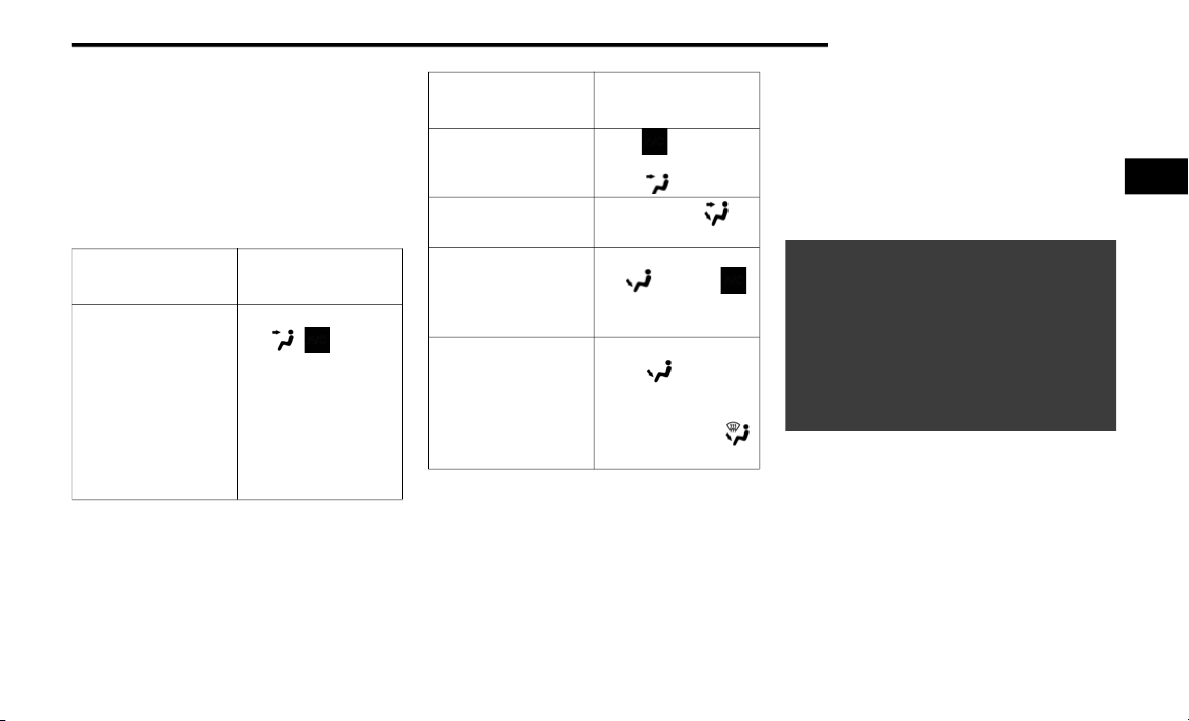
GETTING TO KNOW YOUR VEHICLE 57
Max Defrost
Blower Increase
AUTO
To restart the Climate Control system in fully
automatic mode, push the AUTO button.
Operating Tips Chart
WINDOWS
Driver's Door Controls
The power window switches are located on the
driver’s door panel. The driver’s door power
window switches control the operation of all the
windows.
Power Window Switches
There are single window controls on each passenger
door trim panel, which operate the passenger door
windows. The window controls will operate only
when the ignition is in the ON/RUN position.
WEATHER
CONTROL
SETTINGS
Hot Weather And
Vehicle Interior Is
Very Hot
Set the mode control
to , on, and
blower on high. Roll
down the windows
for a minute to flush
out the hot air. Adjust
the controls as
needed to achieve
comfort.
Warm Weather Turn on and set
the mode control to
the position.
Cool Sunny
Operate in
position.
Cool & Humid
Conditions
Set the mode control
to and turn
on to keep windows
clear.
Cold Weather Set the mode control
to the position. If
windshield fogging
starts to occur, move
the control to the
position.
WEATHER
CONTROL
SETTINGS
2
2020_FIAT_500X_OM_USA=GUID-B0E0CFCD-ED13-4DFD-975F-620984F05523=1=en=.book Page 57

58 GETTING TO KNOW YOUR VEHICLE
NOTE:
The power window switches will remain active for
up to three minutes after the ignition is placed in
the OFF position. Opening either front door will
cancel this feature.
Auto-Down Feature — If Equipped
Push To Activate Auto-Down Feature
The driver and passenger power window
switches have an Auto-Down feature. Push the
switch for half a second and release it; the
window will go down automatically.
To stop the window from going all the way down
during the Auto-Down operation, pull up or push
down on the switch briefly when the window has
reached the desired position.
To open the window part way (manually), push
the window switch down briefly and release.
Auto-Up Feature With Auto-Reverse Protection
— If Equipped
Lift To Activate Auto-Up Feature
The driver and front passenger power window
switches also have an Auto-Up feature. Pull the
window switch up for about half a second and
release it; the window will go up automatically.
To stop the window from going all the way up
during the Auto-Up operation, pull up or push
down on the switch briefly.
To partially close the window (manually), pull
the window switch up briefly and release it.
WARNING!
Never leave children unattended in a vehicle,
and do not let children play with power
windows. Do not leave the key fob in or near
the vehicle, or in a location accessible to
children, and do not leave the ignition of a
vehicle equipped with Keyless Enter-N-Go in
the ACC or ON/RUN mode. Occupants,
particularly unattended children, can become
entrapped by the windows while operating the
power window switches. Such entrapment may
result in serious injury or death.
2020_FIAT_500X_OM_USA=GUID-B0E0CFCD-ED13-4DFD-975F-620984F05523=1=en=.book Page 58

GETTING TO KNOW YOUR VEHICLE 59
NOTE:
If the window runs into any obstacle during
auto-closure, it will reverse direction and then
go back down. Remove the obstacle and use
the window switch again to close the window.
Any impact due to rough road conditions may
trigger the auto-reverse function unexpectedly
during auto-closure. If this happens, pull the
switch lightly and hold to close the window
manually.
Window Lockout Switch
Window Lockout Switch
The window lockout switch on the driver's door
trim panel allows you to disable the window
controls on the rear passenger doors. To disable
the window controls, push and release the
window lockout button. The light on the window
lockout switch will illuminate to signal that the
feature has been activated and the passenger
windows can only be adjusted by the driver.
To enable the passenger window controls, push
and release the window lockout button again,
and the indicator light on the button will turn off.
Reset Auto-Up
Should the Auto-Up feature be interrupted and
stop working, the feature will need to be reset.
The following procedure will reset the Auto-Up
feature:
NOTE:
All doors must be closed before beginning the
Auto-Up reset procedure.
To reset Auto-Up, pull the window switch up to
close the window completely, and continue to
hold the switch up for an additional three
seconds after the window is closed. Then, push
the window switch down firmly to open the
window completely, and continue to hold the
switch down for an additional three seconds
after the window is fully open.
WARNING!
There is no auto-reverse protection when the
window is almost closed. To avoid personal
injury be sure to clear your arms, hands,
fingers and all objects from the window path
before closing.
2
2020_FIAT_500X_OM_USA=GUID-B0E0CFCD-ED13-4DFD-975F-620984F05523=1=en=.book Page 59
60 GETTING TO KNOW YOUR VEHICLE
(Continued)
Wind Buffeting
Wind buffeting can be described as the percep-
tion of pressure on the ears or a helicopter-type
sound in the ears. Your vehicle may exhibit wind
buffeting with the windows down, or the sunroof
(if equipped) in certain open or partially open
positions. This is a normal occurrence and can
be minimized. If the buffeting occurs with the
rear windows open, open the front and rear
windows together to minimize the buffeting.
If the buffeting occurs with the sunroof open,
adjust the sunroof opening to minimize the
buffeting or open any window.
SUNROOF — IF EQUIPPED
The sunroof has two glass panels (the front one
is operational and the rear one fixed) and is
equipped with two manual operated
sunshades, front and rear.
The power sunroof can be operated only with
the ignition is placed in ON/RUN mode.
The power sunroof switches are located in the
overhead console.
Operation Switch
Opening The Sunroof
To retract the front panel to the open position,
push the open/close button and the sunroof will
fully open. The sunroof can be stopped in any
position by pushing the switch a second time
while is opening.
Venting The Front Panel
To vent the sunroof push and hold the vent
switch.
NOTE:
The vent switch has the automatic function only
at the opening of the roof, during the closing of
the roof, the expected functionality is only that
manual.
1 — Front Panel Open/Close Switch
2 — Front Panel Vent Switch
WARNING!
Never leave children alone in a vehicle, or
with access to an unlocked vehicle. Never
leave the key fob in or near the vehicle or in a
location accessible to children. Occupants,
particularly unattended children, can
become entrapped by the power sunroof
while operating the power sunroof switch.
Such entrapment may result in serious injury
or death.
In a collision, there is greater risk of being
thrown from a vehicle with an open sunroof.
You could also be seriously injured or killed.
Always fasten your seat belt properly and
make sure all passengers are properly
secured too.
Do not allow small children to operate the
sunroof. Never allow your fingers, other body
parts, or any object to project through the
sunroof opening. Injury may result.
WARNING! (Continued)
2020_FIAT_500X_OM_USA=GUID-B0E0CFCD-ED13-4DFD-975F-620984F05523=1=en=.book Page 60
GETTING TO KNOW YOUR VEHICLE 61
Closing The Sunroof
To close the front panel completely, pull the
sunroof switch from the open position. The
sunroof can be stopped in any position by
pulling the sunroof switch a second time while it
is closing.
NOTE:
During the open/close or vent operation any
push on the switches will stop the closing of the
panel.
Wind Buffeting
Wind buffeting can be described as the percep-
tion of pressure on the ears or a helicopter-type
sound in the ears. Your vehicle may exhibit wind
buffeting with the windows down, or the sunroof
(if equipped) in certain open or partially open
positions. This is a normal occurrence and can
be minimized. If the buffeting occurs with the
rear windows open, then open the front and
rear windows together to minimize the
buffeting. If the buffeting occurs with the
sunroof open, adjust the sunroof opening to
minimize the buffeting or open any window.
Sun Shade
The two sun shades are manually operated and
can be adjusted in any position.
Anti Pinch Protect Feature
This feature will detect an obstruction in the
opening of the sunroof during Express Close
operation. If an obstruction in the path of the
sunroof is detected, the sunroof will automati-
cally retract. Remove the obstruction if this
occurs. Next, push the switch forward and
release to Express Close.
Emergency Operation
If the power sunroof switch fails, the sunroof
can be operated manually as follows:
1. Remove the protective cap located on the
inner lining.
2. Remove the Allen Key that is supplied in
the tool bag in the cargo area.
3. Insert the Allen Key into the key hole and
turn it clockwise to open the roof or
counter-clockwise to close.
Emergency Key And Key Hole
1 — Allen Key
2 — Key Hole
CAUTION!
When refitting sunroof, be careful to avoid
fingers, scarves, ties and items of clothing
from getting caught under the panel.
Do not open the roof in the presence of snow
or ice. There is risk of damage.
2
2020_FIAT_500X_OM_USA=GUID-B0E0CFCD-ED13-4DFD-975F-620984F05523=1=en=.book Page 61

62 GETTING TO KNOW YOUR VEHICLE
Power Sunroof Relearn Procedure
As a result of any abnormal behavior of the roof
or as a result of an emergency operation, and
you must relearn the automatic operation of the
sunroof.
Proceed as follows:
1. Push the open/close button to move the
roof in the fully closed position.
2. Place the ignition in the OFF position and
wait for at least 10 seconds.
3. Place the ignition in the ON/RUN position.
4. Pull the open/close button and hold it for
at least 10 seconds, after which you
should feel the mechanical stop of the
electric motor of the roof.
5. Within five seconds, pull to close and hold
the open/close button, the roof makes a
complete cycle of opening and closing
automatically (to indicate that the relearn
procedure has been successful). If this
does not happen and you need to repeat
the procedure from the beginning.
HOOD
Opening
The hood release lever (to open the primary
latch) and safety latch (to open the secondary
latch) must be released to open the hood.
1. Pull the hood release lever located under
the driver’s side of the instrument panel.
Hood Release Lever
2. Move to the outside of the vehicle.
3. Push the safety latch release lever toward
the passenger side of the vehicle. The
safety latch is located behind the center
front edge of the hood.
1 — Safety Latch Release Lever Location
4. Remove the support rod from the locking
tab and insert it into the seat located on
the underside of the hood.
Hood Prop System
1 — Locking Tab
2 — Support Rod
3 — Support Rod Seat
2020_FIAT_500X_OM_USA=GUID-B0E0CFCD-ED13-4DFD-975F-620984F05523=1=en=.book Page 62
GETTING TO KNOW YOUR VEHICLE 63
NOTE:
Before lifting the hood, check that the wiper
arms are not in motion and not in the lifted
position.
While lifting the hood, use both hands.
Vehicle must be at a stop and the transmission
must be in PARK.
Closing
1. Hold up the hood with one hand and with the
other hand remove the support rod from its
seat and reinsert it into the locking tab.
2. Lower the hood to approximately
12 inches (30 cm) from the engine
compartment and drop it. Make sure that
the hood is completely closed.
LIFTGATE
The liftgate release function is disabled when
the vehicle is in motion.
Opening
Opening From Outside
To unlock the liftgate from the outside, push the
electronic liftgate release and pull the liftgate
open with one fluid motion.
Electronic Liftgate Release
When opening the door, the turn signal lights
will flash twice and the interior dome light will
illuminate. The interior dome light will turn off
automatically by closing the liftgate. Refer to
“Interior Lights” in this chapter.
WARNING!
Be sure the hood is fully latched before
driving your vehicle. If the hood is not fully
latched, it could open when the vehicle is in
motion and block your vision. Failure to
follow this warning could result in serious
injury or death.
CAUTION!
To prevent possible damage, do not slam the
hood to close it. Lower hood to
approximately 12 inches (30 cm) and drop
the hood to close. Make sure hood is fully
closed for both latches. Never drive vehicle
unless hood is fully closed, with both latches
engaged.
2
2020_FIAT_500X_OM_USA=GUID-B0E0CFCD-ED13-4DFD-975F-620984F05523=1=en=.book Page 63

64 GETTING TO KNOW YOUR VEHICLE
If the liftgate is left open, the interior dome light
will shut off after a few minutes to conserve
battery life.
Internal Emergency Release
Proceed as follows:
1. Lower the headrests and fold the seat-
backs.
1 — Yellow Tab
2. Using the supplied screwdriver (located
under cargo floor in tool kit), remove the
yellow tab from the liftgate latching mech-
anism.
3. With the yellow tab removed, insert the
screwdriver into the now open release tab
slot to trigger the release of the liftgate.
2 — Release Tab Slot
Closing
Grasp the liftgate closing handle and lower the
liftgate.
Liftgate Closing Handle
NOTE:
Before closing the liftgate, make sure to be in
possession of the key because the liftgate will be
locked automatically.
Cargo Area Features
Cargo Load Floor — If Equipped
The vehicle is equipped with a load floor that
can be adjusted as needed.
Position 1 (Floor Flush):
This position allows you to make the load floor
flat for ease of loading/unloading objects from
the cargo area. This position also makes it
possible to use the space below as another
compartment for storing fragile or smaller
objects.
Position 2 (Elevated Position):
When the rear seatbacks and front passenger
seat is folded flat, it will allow for loading objects
of long dimensions. It is recommended to use
this position only during the actual transporting
of the objects, then bring the load floor in posi-
tion 1.
NOTE:
With a full size spare, the floor will be at the
elevated position.
2020_FIAT_500X_OM_USA=GUID-B0E0CFCD-ED13-4DFD-975F-620984F05523=1=en=.book Page 64
GETTING TO KNOW YOUR VEHICLE 65
Access To The Loading Floor
To access the double load compartment,
proceed as follows:
1. Lift up on the load floor handle.
Load Floor Handle
2. Place the desired objects inside the
compartment.
3. Reposition the load floor.
Cargo Area Storage
Displacement Load Floor
To position the load from the lower to the upper
position, proceed as follows:
1. Grasp the load floor handle and lift up the
load floor.
2. Correctly place the load floor on the side
panel guides and on the rear cross
member.
Access To Tire Service Kit Or Spare Tire
To access the Tire Service Kit or spare tire and
container carrier, proceed as follows:
1. Grasp the load floor handle and remove
the floor.
2. Pull the tab and lift up on the carpet.
Anchoring Of The Load
The cargo tie-downs, located on the trim panels
around the cargo area floor, should be used to
safely secure loads when the vehicle is moving.
Tie-Downs
1 — Cargo Load Floor
2 — Cargo Load Floor Handle
CAUTION!
The load floor must be arranged in a central
position with respect to cargo area.
2
2020_FIAT_500X_OM_USA=GUID-B0E0CFCD-ED13-4DFD-975F-620984F05523=1=en=.book Page 65

66 GETTING TO KNOW YOUR VEHICLE
Cargo Box — If Equipped
The cargo area contains a preformed cargo box
that can be used for the storage of objects that
allows you to obtain a uniform level when
loading.
Cargo Box
NOTE:
The cargo box is sized for a maximum capacity of
distributed weight equal to 242 lbs (110 kg).
INTERNAL EQUIPMENT
Storage
Glove Compartments
The glove compartments are located on the
passenger side of the instrument panel.
Upper Glove Compartment
To open the upper compartment, push in the
button located on the bottom side of the upper
door. The door will automatically open.
Upper Glove Compartment Button
To close the compartment door, push down-
ward on the door's surface to latch the door
closed.
Lower Glove Compartment
To open the lower glove compartment, pull
outward on the latch and lower the glove
compartment door.
Lower Glove Compartment Latch
NOTE:
Do not insert objects in the glove compart-
ments that will not allow the compartment to
fully close.
The glove compartments should be completely
closed while the vehicle is in motion.
2020_FIAT_500X_OM_USA=GUID-B0E0CFCD-ED13-4DFD-975F-620984F05523=1=en=.book Page 66
GETTING TO KNOW YOUR VEHICLE 67
Front Armrest
The front armrest is located between the front
seats.
The armrest can be adjusted by moving it in the
direction indicated by the arrows.
Front Armrest Handle
Storage Compartment
Push the storage handle and lift up the armrest
to access the storage compartment.
Cupholders
There are two cupholders for the front seat
passengers, located in the center console.
Front Cupholders
Sun Visors “Slide-On-Rod”
Sun visors are located on both sides of the rear-
view mirror. The visors can be lowered or moved
to the side to help block sunlight from entering
the windshield or door glass.
To move the sun visor against the driver or
passenger door glass, remove the sun visor
from the hook and turn it toward the side
window.
Sun Visor Mirror Cover
The visors also have illuminated vanity mirrors
to allow use in low light conditions.
Lift upward on the mirror cover to access the
mirror.
WARNING!
Do not operate this vehicle with a console
compartment lid in the open position.
Driving with the console compartment lid
open may result in injury in a collision.
2
2020_FIAT_500X_OM_USA=GUID-B0E0CFCD-ED13-4DFD-975F-620984F05523=1=en=.book Page 67

68 GETTING TO KNOW YOUR VEHICLE
Extendible Sun Visor
To extend the sun visor, proceed as follows:
1. Place the sun visor against the door glass
by detaching it from the hook and turning it
toward the side window.
2. Slide the visor.
3. Slide out the sun visor extender.
Fully Extended Sun Visor
Power Outlets
There is one 12 Volt (13 Amp) power outlet in
this vehicle, located under the climate controls.
This power outlet can power mobile phones,
electronics and other low power devices.
This power outlet is located in front of the gear
selector.
12 Volt Power Outlet
NOTE:
The power outlet can be changed to “battery”
powered all the time by switching the power
outlet Engine Compartment Fuses/Distribution
Unit fuse from location F84 to F23.
NOTE:
Do not exceed the maximum power of
160 Watts (13 Amps) at 12 Volts. If the
160 Watt (13 Amp) power rating is exceeded,
the fuse protecting the system will need to be
replaced.
Power outlets are designed for accessory plugs
only. Do not insert any other object in the power
outlet as this will damage the outlet and blow
the fuse. Improper use of the power outlet can
cause damage not covered by your new vehicle
warranty.
Power Outlet Fuse Location:
F84 Fuse 20A Yellow Instrument Panel Power
Outlet.
2020_FIAT_500X_OM_USA=GUID-B0E0CFCD-ED13-4DFD-975F-620984F05523=1=en=.book Page 68

GETTING TO KNOW YOUR VEHICLE 69
Cigar Lighter — If Equipped
This is located on the instrument panel, below
the climate controls. To activate the cigar lighter,
push and release the knob. After a few seconds
the knob automatically returns to its initial posi-
tion, and the cigar lighter is ready for use.
NOTE:
Always check that the cigar lighter is switched off.
Do not connect devices with power higher than
180 W to the socket. Do not damage the
socket by using unsuitable adapters.
Ashtray — If Equipped
NOTE:
Ashtrays can be purchased at an authorized
dealer through Mopar parts.
The ashtray is a plastic container that can be
placed into one of the cup holders.
Ashtray Location
Grab Handles
The Grab Handles are located immediately
above the doors. The rear handles are equipped
with hooks for dress hangers.
Rear Grab Handle Assembly
WARNING!
When the cigar lighter is in use it becomes
very hot. To avoid serious injury, handle the
cigar lighter with care. Always check that the
cigar lighter has turned off.
1 — Grab Handle
2 — Hook
2
2020_FIAT_500X_OM_USA=GUID-B0E0CFCD-ED13-4DFD-975F-620984F05523=1=en=.book Page 69

70 GETTING TO KNOW YOUR VEHICLE
(Continued)
ROOF LUGGAGE RACK — IF EQUIPPED
Your vehicle may be equipped with a Roof
Luggage Rack for transporting accessories.
Crossbars should always be used whenever
cargo is placed on the Roof Luggage Rack.
Check the straps frequently to be sure that the
load remains securely attached.
NOTE:
Crossbars can be purchased at an authorized
dealer through Mopar parts. External racks do
not increase the total load carrying capacity of
the vehicle. Be sure that the total occupant and
luggage load inside the vehicle, plus the load on
the Roof Luggage Rack, do not exceed the
maximum vehicle load capacity.
The load carried on the roof, when equipped
with a luggage rack, must not exceed 110 lbs
(50 kg), and it should be uniformly distributed
over the cargo area.
Do not use the sunroof when using the cross-
bars.
WARNING!
Cargo must be securely tied down before
driving your vehicle. Improperly secured
loads can fly off the vehicle, particularly at
high speeds, resulting in personal injury or
property damage. Follow the roof rack
cautions when carrying cargo on your roof
rack.
CAUTION!
To avoid damage to the Roof Luggage Rack
and vehicle, do not exceed the maximum roof
rack load capacity. Always distribute heavy
loads as evenly as possible and secure the
load appropriately.
Long loads, which extend over the wind-
shield, such as wood panels or surfboards,
should be secured to both the front and rear
of the vehicle.
Place a blanket or other protection between
the surface of the roof and the load.
Travel at reduced speeds and turn corners
carefully when carrying large or heavy loads
on the roof rack. Wind forces, due to natural
causes or nearby truck traffic, can add
sudden upward loads. This is especially true
on large flat loads and may result in damage
to the cargo or your vehicle.
CAUTION! (Continued)
2020_FIAT_500X_OM_USA=GUID-B0E0CFCD-ED13-4DFD-975F-620984F05523=1=en=.book Page 70

71
GETTING TO KNOW YOUR INSTRUMENT PANEL
INSTRUMENT CLUSTER
Instrument Cluster
NOTE:
The illumination of the graphics on the instrument cluster may vary according to the version (Monocolor or Color display).
3
2020_FIAT_500X_OM_USA=GUID-B0E0CFCD-ED13-4DFD-975F-620984F05523=1=en=.book Page 71

72 GETTING TO KNOW YOUR INSTRUMENT PANEL
Instrument Cluster Descriptions
1. Speedometer
Indicates the speed of the car.
2. Fuel Level Gauge
The fuel gauge in the instrument panel
indicates the amount of fuel left in the
tank.
The light comes on, together with a
chime and the display of a message in
the instrument cluster display, when the
gas tank has 1.5 to 2 gallons
(5 to 7 liters) of fuel remaining.
3. Instrument Cluster Display
The vehicle can be equipped with multi
functional instrument cluster display
which offers u
seful information to the
driver.
With the ignition in the OFF position (and
the key removed, for vehicles with a
mechanical key), opening/closing of a
door will activate the instrument cluster
display for viewing, and display the total
miles or kilometers in the odometer.
4. Engine Coolant Temperature
The temperature gauge on the instru-
ment panel displays the temperature of
the engine coolant and starts providing
indication
s when the coolant tempera-
tur
e exceeds approximately 122°F
(50°C). In the normal use of the car, the
temperature gauge can move in
different directions based on the use of
the car. The light comes on, together
with a chime and the display of a
message in the instrument cluster
display, to indicate an excessive
increase in the temperature of the
engine coolant. Stop the engine and
contact an authorized dealer.
5. Tachometer
Indicates the engine speed in Revolu-
tions Per Minute (RPM x 1000).
INSTRUMENT CLUSTER DISPLAY
The vehicle can be equipped with multi func-
tional instrument cluster display which offers
useful information to the driver. With the igni-
tion in the OFF position (and the key removed,
for vehicles with a mechanical key), opening/
closing of a door will activate the instrument
cluster display for viewing, and display the total
miles or kilometers in the odometer.The instru-
ment cluster display is designed to display
important information about the vehicle’s
systems and features. Using a driver interactive
display located on the instrument panel, your
instrument cluster display can show you how
systems are working and give you warnings
when they aren’t. The steering wheel mounted
controls allow you to scroll through and enter
the main menus and submenus. You can
access the specific information you want and
make selections and adjustments.
2020_FIAT_500X_OM_USA=GUID-B0E0CFCD-ED13-4DFD-975F-620984F05523=1=en=.book Page 72

GETTING TO KNOW YOUR INSTRUMENT PANEL 73
Instrument Cluster Display Control Buttons
The system allows the driver to select informa-
tion by pushing the following buttons mounted
on the steering wheel:
Instrument Cluster Display Control Buttons
The instrument cluster display features a driver
interactive display that is located in the instru-
ment cluster. Pushing the controls on the left
side of the steering wheel allows the driver to
select vehicle information and Personal
Settings.
Push the up arrow button to scroll upward
through the main menus and submenus
(Speedometer, Trip, Drive Mode Selector,
Vehicle Info, Driver Assist, Audio, Phone, Navi-
gation, Messages, Settings).
Push the down arrow button to scroll downward
through the main menu and submenus (Speed-
ometer, Trip, Drive Mode Selector, Vehicle Info,
Driver Assist, Audio, Phone, Navigation,
Messages, Settings).
Push the right arrow button to access the infor-
mation screens or submenu screens of a main
menu item.
Push the back/left arrow button to access the
information screens or submenu screens of a
main menu item.
Push the OK button to access/select the infor-
mation screens or submenu screens of a main
menu item. Push and hold the OK button for
two seconds to reset displayed/selected
features that can be reset.
Engine Oil Change Reset
Your vehicle may be equipped with an engine oil
change indicator system. The “Change Engine
Oil” message will display in the instrument
cluster display. The engine oil change indicator
system is duty cycle based, which means the
engine oil change interval may fluctuate, depen-
dent upon your personal driving style.
Unless reset, this message will continue to
display each time you turn the ignition switch to
the ON/RUN position. To reset the oil change
indicator system (after performing the sched-
uled maintenance), refer to the following proce-
dure.
1. Turn the ignition switch to the ON position
(do not start the engine).
2. Fully push the accelerator pedal slowly,
three times, within 10 seconds.
3. Turn the ignition switch to the OFF/LOCK
position.
NOTE:
If the indicator message illuminates when you
start the vehicle, the oil change indicator system
did not reset. If necessary, repeat this procedure.
1 — Arrow Up/Down Scroll Through Menus And
Submenus
2 — Arrow Right/Left Access Information/Submenu
Screens
3 — OK Button For Selecting And Resetting Information
3
2020_FIAT_500X_OM_USA=GUID-B0E0CFCD-ED13-4DFD-975F-620984F05523=1=en=.book Page 73

74 GETTING TO KNOW YOUR INSTRUMENT PANEL
Instrument Cluster Display Main Menu
The Main Menu is composed of several options
that can be selected using the control buttons
above.
NOTE:
The display mode of the menu items varies
depending on the type of display.
For some items, a submenu is provided.
In the Uconnect system, some items on the
menu are not shown on the instrument cluster
display.
Instrument Cluster Display Menu/Submenu
Items
The Menu is composed of the following items:
Speedometer
Trip
Instantaneous Info
Trip A
Trip B
Drive Mode Selector — If Equipped
Auto Mode
Sport Mode
All Weather Mode
Vehicle Info
Tire Pressure
Oil Temperature
Battery Voltage
Driver Assist
Lane Departure Warning
Audio
Phone
Navigation
Messages
Settings
Display
Units
Clock & Date
Security
Safety & Assistance
Lights
Doors & Locks
Engine OFF Procedure — If Equipped
Stop/Start — If Equipped
Speedometer
View and change the speedometer scale from
mph to km/h (km/h to mph).
Trip
This instrument cluster display menu item
allows you to view and select information about
the "Trip Computer”:
Instantaneous info
View the distance to empty (miles or km).
View the instantaneous consumption
(mpg, or l/ 100km or km/l).
2020_FIAT_500X_OM_USA=GUID-B0E0CFCD-ED13-4DFD-975F-620984F05523=1=en=.book Page 74

GETTING TO KNOW YOUR INSTRUMENT PANEL 75
Trip A
View Trip A distance (miles or km).
View travel time A (hours/minutes/
seconds).
View average consumption A (mpg, or
l/100km or km/l).
View average speed A (mph or km/h).
Trip B
View Trip B distance (miles or km).
View travel time B (hours/minutes/
seconds).
View average consumption B (mpg, or
l/100km or km/l).
View average speed B (mph or km/h).
Drive Mode Selector
This instrument cluster display menu/submenu
items allows you to view and select information
about the "Drive Mode":
Vehicle Info
Push and release the up or down arrow button
until "Vehicle Info" is highlighted in the instru-
ment cluster display. Push and release the right
arrow button and Coolant Temp will be displayed.
Push the right or left arrow button to scroll
through the following information displays:
Tire pressure
View the information relating to the Tire
Pressure Monitoring System (TPMS)
(if equipped).
Oil Temperature
View the engine oil temperature.
Battery Voltage
View the voltage value (state of charge)
of the battery.
Diesel Exhaust Fluid (DEF) Level
View the level of Diesel Exhaust Fluid
(DEF).
Driver Assist
This menu item allows you to change the
settings (Notice LaneSense and Intensity
LaneSense) relating to the LaneSense system
(if equipped):
Notice LaneSense
By selecting this function, you can select the
“readiness” of LaneSense, choosing between
the options "Near," "Medium," or "Far."
Intensity LaneSense
Using this function, you can select the force
applied to the steering wheel to keep the car
in the roadway through the electrical drive
system due to LaneSense.
Audio
This menu item allows you to view the instru-
ment cluster display and the information
present on the display of the Uconnect system.
The information displayed is:
“Radio (AM or FM)”: view Radio Station Name
(if equipped), frequency, and graphical icon.
"MP3”: title display or song number playing.
3
2020_FIAT_500X_OM_USA=GUID-B0E0CFCD-ED13-4DFD-975F-620984F05523=1=en=.book Page 75

76 GETTING TO KNOW YOUR INSTRUMENT PANEL
"USB": title display or song number playing.
"Ipod": display the song title and graphic
element.
“Bluetooth®”: displays the song title and a
graphic element.
“SAT”: displays the station name and a graphic
element.
“APP”: displays strings and a graphic element.
Phone
This menu displays the current status of a
phone connected to the vehicle via Bluetooth®.
If no phone is connected, the menu will not
function when the OK button is pushed. Other-
wise, if a phone is connected, push the OK
button to enter the menu. The following items
will display:
Recent calls: displays a list of the last 10 calls.
SMS reader: displays the last 10 text messages
and if they are read or unread.
Favorite numbers: displays a maximum of six
favorite numbers.
Navigation
If activated, this menu item will display naviga-
tion status and directions.
Messages (Stored)
This menu item allows you to display the infor-
mation messages/malfunction stored.
The background color of the display varies
according to the priorities of the failure:
Failed Messages with low priority display in
yellow.
Failed Messages with high priority display in red.
Settings
This menu item allows you to change the
settings for the following:
Display
Units
Clock and Date
Security
Safety and Assistance
Lights
Doors and Locks
Engine OFF Procedure — If Equipped
Refer to “Uconnect Settings” in “Multimedia”
for more information.
Display
By selecting "Display," you can access the
following settings:
Screen Setup: Allows you to configure the
display screen.
Language: Allows you to select the language in
which to display the information/warnings.
Automatic Reset Trip B: Allows you to set the
options to reset the Trip B (never, always, every
two hours or every eight hours).
Phone Repetition: Allows you to select “On” or
“Off”. The instrument cluster display can also
display the information concerning phone
mode. The information that can be displayed is
the connection status of the mobile phone
(phone connected or disconnected), the active
telephone calls/incoming/on hold, and the
management of double calls (first incoming
second waiting, etc.).
Navigation Repetition: Allows you to select
“On” or “Off” on the instrument cluster display,
information relating to the navigation mode.
2020_FIAT_500X_OM_USA=GUID-B0E0CFCD-ED13-4DFD-975F-620984F05523=1=en=.book Page 76

GETTING TO KNOW YOUR INSTRUMENT PANEL 77
Units
By selecting the item "Units Of Measure,” you
can select the unit of measure used in the
display.
Possible options are:
US
Metric
Custom
Clock And Date
By selecting the item "clock and date," you can
adjust the clock.
Possible options are:
Set Time: Adjust hours/minutes.
Set Format: Adjust the time format "12h"
(12 hours) or "24h" (24 hours).
Set Date: Adjust day/month/year.
Security
By selecting the item “Security,” you can make
the following adjustments:
Speed Warning: Set the vehicle speed limit
(mph or km/h), which the driver is notified
through a visual and acoustic signaling (display
of a message and a symbol on the display).
Seat Belt Buzzer: This function is only viewable
when the Seat Belt Reminder (SBR) system is
active.
Hill Start Assist: Activation/Deactivation of the
Hill Start Assist system.
Safety And Assistance
By selecting the item "Safety & Assistance," you
can make the following adjustments:
Full Brake Control: A selection of operating
modes of the Full Brake Control system.
Full Brake Control Sensitivity: A selection of the
"readiness" of intervention of the Full Brake
Control system, based on the distance to the
obstacle.
Park Assist: A selection of the type of informa-
tion provided by Park Assist.
Park Assist Vol.: A selection of the volume of
acoustic signals provided by Park Assist.
Rain Sensing Wipers: Enabling/disabling the
automatic operation of wipers in the event of
rain.
LaneSense Warning — If Equipped: A selection
of the "readiness" of intervention of Lane-
Sense.
Warning Buzzer Volume: Increase or decrease
the volume of the buzzer by selecting “Low”,
“Medium”, or “High”.
Maintenance Brakes — If Equipped: Activation
of the procedure to carry out braking system
maintenance.
Auto Park Brake — If Equipped: Enable/disable
auto-insertion of the Electric Parking Brake.
3
2020_FIAT_500X_OM_USA=GUID-B0E0CFCD-ED13-4DFD-975F-620984F05523=1=en=.book Page 77

78 GETTING TO KNOW YOUR INSTRUMENT PANEL
Lights
By selecting the item "Lights," you can make the
following adjustments:
Headlight Off Delay: Set the delay for headlight
shutoff after engine shutoff.
Headlight Sensitivity: Adjust the sensitivity of
headlight brightness.
Interior Ambient Lights: Increase of decrease
the brightness of the Interior Ambient Lights.
Greeting Lights: Enable/disable the vehicle’s
Greeting Lights.
Auto High Beam: Activate/deactivate the auto-
matic main beam headlights — If Equipped.
Daytime Lights: Activate/deactivate the
daytime running lights.
Cornering Lights: Activate/deactivate the
cornering lights — If Equipped.
Doors And Locks
By selecting the item "Doors & Locks," you can
make the following adjustments:
Auto Door Lock: Activate/deactivate the auto-
matic locking of the doors with the vehicle
moving.
Auto Unlock On Exit: Automatic unlocking of the
doors when exiting the vehicle.
Flash Light With Lock: Activate the direction
indicators when closing the doors.
Sound Horn With Lock: Activate/deactivate the
horn when pushing the lock button on the
Remote Keyless Entry. The options are "Off,"
"First Press,” and "Second Press."
Horn With Remote Start: Activate/deactivate
the horn at the Remote Starting of the engine
with the Remote Keyless Entry.
Remote Door Unlock Without Passive Entry:
Allows you to choose whether to unlock all the
doors or only the driver’s side door on the first
push of the unlock button on the Remote
Keyless Entry.
Door Unlock With Passive Entry: Allows you to
open the driver door only on the first push of
the unlock button on the Remote Keyless Entry
or using the passive entry handles on the doors
or liftgates.
Passive Entry — If Equipped: Activate the auto-
matic locking of the doors.
Engine OFF Procedure — If Equipped: Allows
you to turn off the engine from the instrument
cluster in the event of an ignition switch failure.
Instructions for turning off the engine via the
instrument cluster display controls will display
in the instrument cluster.
Stop/Start — If Equipped
Automatically stops the engine during a vehicle
stop under the right conditions to reduce fuel
consumption.
Push and release the up or down arrow button
until the Stop/Start menu title is displayed in
the instrument cluster. This menu shows
messages related to Stop/Start. Only one
message can be viewed at a time until the
condition is cleared.
When the Stop/Start is engaged (and the
engine is off), the associated hardware indi-
cator light is turned on. When the Stop/Start
button on the central stack is pushed, a Stop/
Start status message will appear in the instru-
ment cluster display.
2020_FIAT_500X_OM_USA=GUID-B0E0CFCD-ED13-4DFD-975F-620984F05523=1=en=.book Page 78

GETTING TO KNOW YOUR INSTRUMENT PANEL 79
WARNING LIGHTS AND MESSAGES
The warning/indicator lights will illuminate in
the instrument panel together with a dedicated
message and/or acoustic signal when appli-
cable. These indications are indicative and
precautionary and as such must not be consid-
ered as exhaustive and/or alternative to the
information contained in the Owner’s Manual,
which you are advised to read carefully in all
cases. Always refer to the information in this
chapter in the event of a failure indication. All
active telltales will display first if applicable. The
system check menu may appear different
based upon equipment options and current
vehicle status. Some telltales are optional and
may not appear.
Red Warning Lights
Air Bag Warning Light
This warning light will illuminate to
indicate a fault with the air bag, and
will turn on for four to eight seconds
as a bulb check when the ignition is
placed in the ON/RUN or ACC/ON/RUN posi-
tion. This light will illuminate with a single chime
when a fault with the air bag has been detected,
it will stay on until the fault is cleared. If the light
is either not on during startup, stays on, or turns
on while driving, have the system inspected at
an authorized dealer as soon as possible.
Brake Warning Light
This warning light monitors various
brake functions, including brake fluid
level and parking brake application. If
the brake light turns on it may indicate
that the parking brake is applied, that the brake
fluid level is low, or that there is a problem with
the anti-lock brake system reservoir.
If the light remains on when the parking brake
has been disengaged, and the fluid level is at the
full mark on the master cylinder reservoir, it indi-
cates a possible brake hydraulic system malfunc-
tion or that a problem with the Brake Booster has
been detected by the Anti-Lock Brake System
(ABS) / Electronic Stability Control (ESC) system.
In this case, the light will remain on until the
condition has been corrected. If the problem is
related to the brake booster, the ABS pump will
run when applying the brake, and a brake pedal
pulsation may be felt during each stop.
The dual brake system provides a reserve
braking capacity in the event of a failure to a
portion of the hydraulic system. A leak in either
half of the dual brake system is indicated by the
Brake Warning Light, which will turn on when
the brake fluid level in the master cylinder has
dropped below a specified level.
The light will remain on until the cause is corrected.
NOTE:
The light may flash momentarily during sharp
cornering maneuvers, which change fluid level
conditions. The vehicle should have service
performed, and the brake fluid level checked.
If brake failure is indicated, immediate repair is
necessary.
Vehicles equipped with the Anti-Lock Brake
System (ABS) are also equipped with Electronic
Brake Force Distribution (EBD). In the event of
an EBD failure, the Brake Warning Light will turn
on along with the ABS Light. Immediate repair to
the ABS system is required.
WARNING!
Driving a vehicle with the red brake light on
is dangerous. Part of the brake system may
have failed. It will take longer to stop the
vehicle. You could have a collision. Have the
vehicle checked immediately.
3
2020_FIAT_500X_OM_USA=GUID-B0E0CFCD-ED13-4DFD-975F-620984F05523=1=en=.book Page 79

80 GETTING TO KNOW YOUR INSTRUMENT PANEL
Operation of the Brake Warning Light can be
checked by turning the ignition switch from the
OFF position to the ON/RUN position. The light
should illuminate for approximately two
seconds. The light should then turn off unless
the parking brake is applied or a brake fault is
detected. If the light does not illuminate, have
the light inspected by an authorized dealer.
The light also will turn on when the parking
brake is applied with the ignition switch in the
ON/RUN position.
NOTE:
This light shows only that the parking brake is
applied. It does not show the degree of brake
application.
Battery Charge Warning Light
This warning light will illuminate when
the battery is not charging properly. If
it stays on while the engine is running,
there may be a malfunction with the
charging system. Contact an authorized dealer
as soon as possible.
This indicates a possible problem with the elec-
trical system or a related component.
Coolant Temperature Warning Light
This light warns of an overheated
engine condition. If the light turns on
while driving, safely pull over and stop
the vehicle. If the Air Conditioning (A/C) system
is on, turn it off. Also, shift the transmission into
NEUTRAL and idle the vehicle. If the tempera-
ture reading does not return to normal, turn the
engine off immediately and call for service.
NOTE:
As the coolant temperature gauge approaches
"H," this indicator will illuminate and a single
chime will sound.
Door Open Warning Light
This indicator will illuminate when one
or more door(s) are not fully closed.
NOTE:
If the vehicle is moving and a door is opened,
there will also be a single chime.
Electric Power Steering Fault Warning Light
This warning light will turn on when
there's a fault with the Electric Power
Steering (EPS) system. Refer to “Elec-
tric Power Steering” in “Starting And
Operating” for further information.
Electronic Throttle Control (ETC) Warning Light
This warning light will illuminate to
indicate a problem with the Electronic
Throttle Control (ETC) system. If a
problem is detected while the vehicle
is running, the light will either stay on or flash
depending on the nature of the problem. Cycle
the ignition when the vehicle is safely and
completely stopped and the transmission is
placed in the PARK position. The light should
turn off. If the light remains on with the vehicle
running, your vehicle will usually be drivable;
however, see an authorized dealer for service
as soon as possible.
NOTE:
This light may turn on if the accelerator and brake
pedals are pressed at the same time.
WARNING!
Continued operation with reduced assist
could pose a safety risk to yourself and
others. Service should be obtained as soon
as possible.
2020_FIAT_500X_OM_USA=GUID-B0E0CFCD-ED13-4DFD-975F-620984F05523=1=en=.book Page 80

GETTING TO KNOW YOUR INSTRUMENT PANEL 81
If the light continues to flash when the vehicle is
running, immediate service is required and you
may experience reduced performance, an
elevated/rough idle, or engine stall and your
vehicle may require towing. The light will come
on when the ignition is placed in the ON/RUN or
ACC/ON/RUN position and remain on briefly as
a bulb check. If the light does not come on
during starting, have the system checked by an
authorized dealer.
Hood Open Warning Light — If Equipped
This warning light will illuminate when
the hood is left open and not fully
closed.
Oil Pressure Warning Light
This warning light will illuminate to
indicate low engine oil pressure. If the
light turns on while driving, stop the
vehicle, shut off the engine as soon as
possible, and contact an authorized dealer. A
chime will sound when this light turns on.
Do not operate the vehicle until the cause is
corrected. This light does not indicate how
much oil is in the engine. The engine oil level
must be checked under the hood.
Seat Belt Reminder Warning Light
This warning light indicates when the
driver or passenger seat belt is
unbuckled. When the ignition is first
placed in the ON/RUN or ACC/ON/
RUN position and if the driver’s seat belt is
unbuckled, a chime will sound and the light will
turn on. When driving, if the driver or front
passenger seat belt remains unbuckled, the
Seat Belt Reminder Light will flash or remain on
continuously and a chime will sound.
Refer to “Occupant Restraint Systems” in
“Safety” for further information.
Transmission Fault Warning Light
This light will illuminate (together with
a message in the instrument cluster
display and a buzzer) to indicate a
transmission fault. Contact an autho-
rized dealer if the message remains after
restarting the engine.
Vehicle Security Warning Light — If Equipped
This light will flash at a fast rate for
approximately 15 seconds when the
vehicle security alarm is arming, and
then will flash slowly until the vehicle
is disarmed.
Trunk Open Warning Light
This indicator will illuminate when the
trunk is open and not fully closed.
Yellow Warning Lights
Adaptive Cruise Control (ACC) Fault Warning
Light — If Equipped
This warning light will illuminate to
indicate a fault in the ACC system.
Contact a local authorized dealer for
service.
For further information, refer to “Adaptive
Cruise Control (ACC)” in “Starting And Oper-
ating.”
3
2020_FIAT_500X_OM_USA=GUID-B0E0CFCD-ED13-4DFD-975F-620984F05523=1=en=.book Page 81

82 GETTING TO KNOW YOUR INSTRUMENT PANEL
Anti-Lock Brake (ABS) Warning Light
This warning light monitors the
Anti-Lock Brake System (ABS). The
light will turn on when the ignition is
placed in the ON/RUN or ACC/ON/
RUN position and may stay on for as long as four
seconds.
If the ABS light remains on or turns on while
driving, then the Anti-Lock portion of the brake
system is not functioning and service is
required as soon as possible. However, the
conventional brake system will continue to
operate normally, assuming the Brake Warning
Light is not also on.
If the ABS light does not turn on when the igni-
tion is placed in the ON/RUN or ACC/ON/RUN
position, have the brake system inspected by an
authorized dealer.
Electronic Park Brake Warning Light
This warning light will illuminate to indi-
cate the Electronic Park Brake is not
functioning properly and service is
required. Contact an authorized dealer.
Electronic Stability Control (ESC) Active Warning
Light — If Equipped
This warning light will indicate when
the Electronic Stability Control system
is Active. The “ESC Indicator Light” in
the instrument cluster will come on
when the ignition is placed in the ON/RUN or
ACC/ON/RUN position, and when ESC is acti-
vated. It should go out with the engine running.
If the “ESC Indicator Light” comes on continu-
ously with the engine running, a malfunction
has been detected in the ESC system. If this
warning light remains on after several ignition
cycles, and the vehicle has been driven several
miles (kilometers) at speeds greater than
30 mph (48 km/h), see an authorized dealer as
soon as possible to have the problem diag-
nosed and corrected.
The “ESC OFF Indicator Light” and the “ESC
Indicator Light” come on momentarily each
time the ignition is placed in the ON/RUN or
ACC/ON/RUN position.
The ESC system will make buzzing or clicking
sounds when it is active. This is normal; the
sounds will stop when ESC becomes inactive.
This light will come on when the vehicle is in an
ESC event.
Electronic Stability Control (ESC) OFF Warning
Light — If Equipped
This warning light indicates the Elec-
tronic Stability Control (ESC) is off.
Each time the ignition is turned to ON/RUN or
ACC/ON/RUN, the ESC system will be on, even
if it was turned off previously.
External Light Failure Indicator Light — If
Equipped
The External Light Failure Indicator
will come on when a failure to one of
the following lights is detected:
Direction Indicators
Backup Lights
Parking Lights
Daytime Running Lights
License Plate Lights
The failure relating to these lights could be:
One or more blown bulbs
A blown protection fuse
A break in the electrical connection
2020_FIAT_500X_OM_USA=GUID-B0E0CFCD-ED13-4DFD-975F-620984F05523=1=en=.book Page 82

GETTING TO KNOW YOUR INSTRUMENT PANEL 83
Drive Mode System Overheating
This symbol appears, together with a
dedicated message on the display, in
case of overheating of the Drive Mode
Selector system. In these conditions,
the Drive Mode Selector system can still be
used to select the required driving mode, but
the mode will be engaged only when the system
cools down.
The symbol will stay on for as long as the over-
heating condition persists.
Loose Fuel Filler Cap Warning Light — If Equipped
This warning light will illuminate when
the fuel filler cap is loose. Properly
close the filler cap to disengage the
light. If the light does not turn off,
please see an authorized dealer.
Low Fuel Warning Light
When the fuel level reaches approxi-
mately 1.3–1.8 gal (5–7 L) this light
will turn on, and remain on until fuel is
added.
Engine Check/Malfunction Indicator Warning
Light (MIL)
The Engine Check/Malfunction Indi-
cator Light (MIL) is a part of an
Onboard Diagnostic System called
OBD II that monitors engine and auto-
matic transmission control systems. This
warning light will illuminate when the ignition is
in the ON/RUN position before engine start. If
the bulb does not come on when turning the
ignition switch from OFF to ON/RUN, have the
condition checked promptly.
Certain conditions, such as a loose or missing
gas cap, poor quality fuel, etc., may illuminate
the light after engine start. The vehicle should
be serviced if the light stays on through several
typical driving styles. In most situations, the
vehicle will drive normally and will not require
towing.
When the engine is running, the MIL may flash
to alert serious conditions that could lead to
immediate loss of power or severe catalytic
converter damage. The vehicle should be
serviced by an authorized dealer as soon as
possible if this occurs.
WARNING!
A malfunctioning catalytic converter, as
referenced above, can reach higher
temperatures than in normal operating
conditions. This can cause a fire if you drive
slowly or park over flammable substances
such as dry plants, wood, cardboard, etc.
This could result in death or serious injury to
the driver, occupants or others.
CAUTION!
Prolonged driving with the Malfunction
Indicator Light (MIL) on could cause damage
to the vehicle control system. It also could
affect fuel economy and driveability. If the
MIL is flashing, severe catalytic converter
damage and power loss will soon occur.
Immediate service is required.
3
2020_FIAT_500X_OM_USA=GUID-B0E0CFCD-ED13-4DFD-975F-620984F05523=1=en=.book Page 83

84 GETTING TO KNOW YOUR INSTRUMENT PANEL
Service Warning Light — If Equipped
The “Maintenance Plan” includes
vehicle maintenance at fixed intervals.
For further information, refer to
“Scheduled Maintenance” in
“Servicing And Maintenance”. This message is
displayed automatically along with the warning
light when the key is turned to RUN - 1,242 miles
(2,000 km) or 30 days before these deadlines,
and reappears every time the key is turned to
RUN. The indication will appear in miles or kilo-
meters according to the "Unit Of Measurement"
settings. When the next scheduled service is
approaching and the key is turned to RUN, the
word “Service” will appear on the display,
followed by the number of miles or kilometers
left. Contact an authorized dealership. The oper-
ations in the “Maintenance Plan” will be
performed and the message will be reset.
Service Stop / Start System Warning Light — If
Equipped
This warning light will illuminate when
the Stop/Start system is not func-
tioning properly and service is
required. Contact an authorized
dealer for service.
Tire Pressure Monitoring System (TPMS) Warning
Light
The warning light switches on and a
message is displayed to indicate that
the tire pressure is lower than the
recommended value and/or that slow
pressure loss is occurring. In these cases,
optimal tire duration and fuel consumption may
not be guaranteed.
Should one or more tires be in the condition
mentioned above, the display will show the indi-
cations corresponding to each tire.
Each tire, including the spare (if provided),
should be checked monthly when cold and
inflated to the inflation pressure recommended
by the vehicle manufacturer on the vehicle
placard or tire inflation pressure label. If your
vehicle has tires of a different size than the size
indicated on the vehicle placard or tire inflation
pressure label, you should determine the
proper tire inflation pressure for those tires.
As an added safety feature, your vehicle has
been equipped with a Tire Pressure Monitoring
System (TPMS) that illuminates a low tire pres-
sure telltale when one or more of your tires is
significantly under-inflated. Accordingly, when
the low tire pressure telltale illuminates, you
should stop and check your tires as soon as
possible, and inflate them to the proper pres-
sure. Driving on a significantly under-inflated
tire causes the tire to overheat and can lead to
tire failure. Under-inflation also reduces fuel
efficiency and tire tread life, and may affect the
vehicle’s handling and stopping ability.
Please note that the TPMS is not a substitute for
proper tire maintenance, and it is the driver’s
responsibility to maintain correct tire pressure,
even if under-inflation has not reached the level
to trigger illumination of the TPMS low tire pres-
sure telltale.
CAUTION!
Do not continue driving with one or more flat
tires as handling may be compromised. Stop
the vehicle, avoiding sharp braking and
steering. If a tire puncture occurs, repair
immediately using the dedicated tire repair
kit and contact an authorized dealer as soon
as possible.
2020_FIAT_500X_OM_USA=GUID-B0E0CFCD-ED13-4DFD-975F-620984F05523=1=en=.book Page 84
GETTING TO KNOW YOUR INSTRUMENT PANEL 85
Your vehicle has also been equipped with a
TPMS malfunction indicator to indicate when
the system is not operating properly. The TPMS
malfunction indicator is combined with the low
tire pressure telltale. When the system detects
a malfunction, the telltale will flash for approxi-
mately one minute and then remain continu-
ously illuminated. This sequence will continue
upon subsequent vehicle start-ups as long as
the malfunction exists. When the malfunction
indicator is illuminated, the system may not be
able to detect or signal low tire pressure as
intended. TPMS malfunctions may occur for a
variety of reasons, including the installation of
replacement or alternate tires or wheels on the
vehicle that prevent the TPMS from functioning
properly. Always check the TPMS malfunction
telltale after replacing one or more tires or
wheels on your vehicle to ensure that the
replacement or alternate tires and wheels allow
the TPMS to continue to function properly.
Transmission Temperature Warning Light
This light indicates that the transmis-
sion fluid temperature is running hot.
This may occur with severe usage,
such as trailer towing. If this light
turns on, safely pull over and stop the vehicle.
Then, shift the transmission into PARK and run
the engine at idle or slightly higher until the light
turns off.
Service LaneSense Warning Light — If Equipped
This warning light will illuminate when
the LaneSense system is not oper-
ating and requires service. Please see
an authorized dealer.
LaneSense Warning Light — If Equipped
The LaneSense Warning Light will be
solid yellow when the vehicle is
approaching a lane marker. The
warning light will flash when the
vehicle is crossing the lane marker.
CAUTION!
The TPMS has been optimized for the
original equipment tires and wheels. TPMS
pressures and warning have been
established for the tire size equipped on
your vehicle. Undesirable system operation
or sensor damage may result when using
replacement equipment that is not of the
same size, type, and/or style. Aftermarket
wheels can cause sensor damage. Using
aftermarket tire sealants may cause the Tire
Pressure Monitoring System (TPMS) sensor
to become inoperable. After using an
aftermarket tire sealant it is recommended
that you take your vehicle to an authorized
dealer to have your sensor function checked.
WARNING!
If you continue operating the vehicle when
the Transmission Temperature Warning Light
is illuminated you could cause the fluid to
boil over, come in contact with hot engine or
exhaust components and cause a fire.
CAUTION!
Continuous driving with the Transmission
Temperature Warning Light illuminated will
eventually cause severe transmission
damage or transmission failure.
3
2020_FIAT_500X_OM_USA=GUID-B0E0CFCD-ED13-4DFD-975F-620984F05523=1=en=.book Page 85

86 GETTING TO KNOW YOUR INSTRUMENT PANEL
Refer to “LaneSense — If Equipped" in “Starting
And Operating” for further information.
Audio System Failure Light — If Equipped
This light will illuminate to report a
failure of the Audio System. Contact
an authorized dealership as soon as
possible.
4WD Over Temperature Warning Light
The icon will appear on the instrument
panel display to indicate overheating of
the 4WD system. The mode selected by
the user will be applied as soon as the
system exits the overheating condition.
Yellow Indicator Lights
Full Brake Control System Indicator Light — If
Equipped
This telltale will turn on to warn you of
a possible collision with the vehicle in
front of you.
Full Brake Control System Off Indicator Light — If
Equipped
This indicator light illuminates to indi-
cate that the Full Brake Control
System is off.
Fuel Cutoff Failure Light — If Equipped
This light will illuminate if there is a
fuel cutoff failure. If this light illumi-
nates, take it to an authorized dealer
and have them inspect it.
Fuel Cutoff Indicator Light — If Equipped
This telltale will illuminate after an
accident has occurred, and the
system has shut the fuel off.
Fuel Level Sensor Failure
This light illuminates when there is a
fuel level sensor failure. If this light
illuminates, take it to an authorized
dealer and have them inspect it.
Icy Road Condition Indicator Light — If Equipped
This light will illuminate during an icy
road condition.
Exterior Bulb Failure Indicator Light — If Equipped
This light will illuminate when there is
a malfunction in one of the exterior
bulbs.
Immobilizer Fail / VPS Electrical Alarm Indicator
Light
This telltale will illuminate when the
vehicle security alarm system has
detected an attempt to break into the
vehicle.
NOTE:
After cycling the ignition to the ON/RUN position,
the Vehicle Security Warning Light could illumi-
nate if a problem with the system is detected.
This condition will result in the engine being shut
off after two seconds.
Green Indicator Lights
Cruise Control Set Indicator Light
This light will turn on when the speed
control is set to the desired speed.
Refer to “Speed Control” in “Starting
And Operating” for further information.
Front Fog Indicator Light — If Equipped
This indicator light will illuminate
when the front fog lights are on.
2020_FIAT_500X_OM_USA=GUID-B0E0CFCD-ED13-4DFD-975F-620984F05523=1=en=.book Page 86

GETTING TO KNOW YOUR INSTRUMENT PANEL 87
Park / Headlight On Indicator Light
This indicator light will illuminate
when the park lights or headlights are
turned on.
Turn Signal Indicator Lights
When the left or right turn signal is acti-
vated, the turn signal indicator will flash
independently and the corresponding
exterior turn signal lamps will flash. Turn
signals can be activated when the multifunction
lever is moved down (left) or up (right).
NOTE:
A continuous chime will sound if the vehicle is
driven more than 1 mile (1.6 km) with either
turn signal on.
Check for an inoperative outside light bulb if
either indicator flashes at a rapid rate.
LaneSense Indicator Light — If Equipped
The LaneSense indicator light illumi-
nates solid green when both lane
markings have been detected and the
system is “armed” and ready to
provide visual and torque warnings if an unin-
tentional lane departure occurs.
Refer to “LaneSense — If Equipped" in “Starting
And Operating” for further information.
Stop / Start Active Indicator Light — If Equipped
This indicator light will illuminate
when the Stop/Start function is in
“Autostop” mode.
White Indicator Lights
LaneSense Indicator Light — If Equipped
When the LaneSense system is ON,
but not armed, the LaneSense indi-
cator light illuminates solid white. This
occurs when only left, right, or neither
lane line has been detected. If a single lane line
is detected, the system is ready to provide only
visual warnings if an unintentional lane depar-
ture occurs on the detected lane line.
Refer to “LaneSense — If Equipped" in “Starting
And Operating” for further information.
Light Sensor Failure
This light illuminates when there is
light sensor failure. If this light illumi-
nates, have an authorized dealer
inspect it.
Speed Warning Indicator Light — If Equipped
The indicator light will illuminate white
along with a notification text message
(Speed Warning Set to XX followed by
unit). When the set speed is exceeded,
a single chime will sound along with pop up
message of “Speed Warning Exceeded.” Speed
Warning can be turned on and off in the instru-
ment cluster display, for further information refer
to “Instrument Cluster Display Menu Items” in
“Getting To Know Your Instrument Panel.”
The number “55” is only an example of a speed
that can be set.
Blue Indicator Lights
High Beam Indicator Light
This indicator light will illuminate to
indicate that the high beam head-
lights are on. With the low beams acti-
vated, push the multifunction lever
forward (toward the front of the vehicle) to turn
on the high beams. Pull the multifunction lever
rearward (toward the rear of the vehicle) to turn
off the high beams. If the high beams are off,
pull the lever toward you for a temporary high
beam on, "flash to pass" scenario.
3
2020_FIAT_500X_OM_USA=GUID-B0E0CFCD-ED13-4DFD-975F-620984F05523=1=en=.book Page 87
88 GETTING TO KNOW YOUR INSTRUMENT PANEL
Gray Indicator Lights
Speed Control Ready/Canceled Indicator Light
This light will turn on when the speed
control has been turned on, but not
set, or canceled by the driver. Refer to
“Speed Control — If Equipped” in
“Starting And Operating” for further information.
ONBOARD DIAGNOSTIC SYSTEM — OBD II
Your vehicle is equipped with a sophisticated
Onboard Diagnostic system called OBD II. This
system monitors the performance of the emis-
sions, engine, and transmission control
systems. When these systems are operating
properly, your vehicle will provide excellent
performance and fuel economy, as well as
engine emissions well within current govern-
ment regulations.
If any of these systems require service, the OBD II
system will turn on the Malfunction Indicator Light
(MIL). It will also store diagnostic codes and other
information to assist your service technician in
making repairs. Although your vehicle will usually be
drivable and not need towing, see an authorized
dealer for service as soon as possible.
Onboard Diagnostic System (OBD II)
Cybersecurity
Your vehicle is required to have an Onboard
Diagnostic system (OBD II) and a connection
port to allow access to information related to
the performance of your emissions controls.
Authorized service technicians may need to
access this information to assist with the diag-
nosis and service of your vehicle and emissions
system.
For further information, refer to “Cybersecurity”
in the “Multimedia” section.
CAUTION!
Prolonged driving with the MIL on could
cause further damage to the emission control
system. It could also affect fuel economy and
driveability. The vehicle must be serviced
before any emissions tests can be
performed.
If the MIL is flashing while the vehicle is
running, severe catalytic converter damage
and power loss will soon occur. Immediate
service is required.
WARNING!
ONLY an authorized service technician
should connect equipment to the OBD II
connection port in order to read the VIN, diag-
nose, or service your vehicle.
If unauthorized equipment is connected to
the OBD II connection port, such as a
driver-behavior tracking device, it may:
Be possible that vehicle systems,
including safety related systems, could
be impaired or a loss of vehicle control
could occur that may result in an acci-
dent involving serious injury or death.
Access, or allow others to access, infor-
mation stored in your vehicle systems,
including personal information.
2020_FIAT_500X_OM_USA=GUID-B0E0CFCD-ED13-4DFD-975F-620984F05523=1=en=.book Page 88

GETTING TO KNOW YOUR INSTRUMENT PANEL 89
EMISSIONS INSPECTION AND
MAINTENANCE PROGRAMS
In some localities, it may be a legal requirement
to pass an inspection of your vehicle's emis-
sions control system. Failure to pass could
prevent vehicle registration.
For states that require an Inspection
and Maintenance (I/M), this check
verifies the “Malfunction Indicator
Light (MIL)” is functioning and is not
on when the engine is running, and that the
OBD II system is ready for testing.
Normally, the OBD II system will be ready. The
OBD II system may not be ready if your vehicle
was recently serviced, recently had a depleted
battery or a battery replacement. If the OBD II
system should be determined not ready for the
I/M test, your vehicle may fail the test.
Your vehicle has a simple ignition actuated test,
which you can use prior to going to the test
station. To check if your vehicle's OBD II system
is ready, you must do the following:
1. Cycle the ignition switch to the ON position,
but do not crank or start the engine.
NOTE:
If you crank or start the engine, you will have to
start this test over.
2. As soon as you cycle the ignition switch to
the ON position, you will see the “Malfunc-
tion Indicator Light (MIL)” symbol come on
as part of a normal bulb check.
3. Approximately 15 seconds later, one of two
things will happen:
The MIL will flash for about 10 seconds
and then return to being fully illuminated
until you turn OFF the ignition or start
the engine. This means that your
vehicle's OBD II system is not ready and
you should not proceed to the I/M
station.
The MIL will not flash at all and will
remain fully illuminated until you place
the ignition in the off position or
start the
engine. This means that your vehicle's
OBD II system is ready and you can
proceed to the I/M station.
If
your OBD II system is not ready, you should
see an authorized dealer or repair facility. If your
vehicle was recently serviced or had a battery
failure or replacement, you may need to do
nothing more than drive your vehicle as you
normally would in order for your OBD II system
to update. A recheck with the above test routine
may then indicate that the system is now ready.
Regardless of whether your vehicle's OBD II
system is ready or not, if the MIL is illuminated
during normal vehicle operation you should have
your vehicle serviced before going to the I/M
station. The I/M station can fail your vehicle
because the MIL is on with the engine running.
3
2020_FIAT_500X_OM_USA=GUID-B0E0CFCD-ED13-4DFD-975F-620984F05523=1=en=.book Page 89

90
(Continued)
SAFETY
SAFETY FEATURES
Anti-Lock Brake System (ABS)
The Anti-Lock Brake System (ABS) provides
increased vehicle stability and brake perfor-
mance under most braking conditions. The
system automatically prevents wheel lock, and
enhances vehicle control during braking.
The ABS performs a self-check cycle to ensure
that the ABS is working properly each time the
vehicle is started and driven. During this
self-check, you may hear a slight clicking sound
as well as some related motor noises.
ABS is activated during braking when the
system detects one or more wheels begin to
lock. Road conditions such as ice, snow, gravel,
bumps, railroad tracks, loose debris, or panic
stops may increase the likelihood of ABS activa-
tion(s).
You also may experience the following when
ABS activates:
The ABS motor noise (it may continue to run for
a short time after the stop)
The clicking sound of solenoid valves
Brake pedal pulsations
A slight drop of the brake pedal at the end of
the stop
These are all normal characteristics of ABS.
ABS is designed to function with the Original
Equipment Manufacturer (OEM) tires. Modifica-
tion may result in degraded ABS performance.
WARNING!
The ABS contains sophisticated electronic
equipment that may be susceptible to inter-
ference caused by improperly installed or
high output radio transmitting equipment.
This interference can cause possible loss of
anti-lock braking capability. Installation of
such equipment should be performed by
qualified professionals.
Pumping of the Anti-Lock Brakes will diminish
their effectiveness and may lead to a colli-
sion. Pumping makes the stopping distance
longer. Just press firmly on your brake pedal
when you need to slow down or stop.
The ABS cannot prevent the natural laws of
physics from acting on the vehicle, nor can it
increase braking or steering efficiency
beyond that afforded by the condition of the
vehicle brakes and tires or the traction
afforded.
The ABS cannot prevent collisions, including
those resulting from excessive speed in
turns, following another vehicle too closely, or
hydroplaning.
The capabilities of an ABS equipped vehicle
must never be exploited in a reckless or
dangerous manner that could jeopardize the
user’s safety or the safety of others.
WARNING! (Continued)
2020_FIAT_500X_OM_USA=GUID-B0E0CFCD-ED13-4DFD-975F-620984F05523=1=en=.book Page 90

SAFETY 91
Anti-Lock Brake Warning Light
The yellow “Anti-Lock Brake Warning Light” will turn
on when the ignition is placed in the ON/RUN mode
and may stay on for as long as four seconds.
If the “Anti-Lock Brake Warning Light” remains
on or comes on while driving, it indicates that
the anti-lock portion of the brake system is not
functioning and that service is required.
However, the conventional brake system will
continue to operate normally if the “Anti-Lock
Brake Warning Light” is on.
If the “Anti-Lock Brake Warning Light” is on, the
brake system should be serviced as soon as
possible to restore the benefits of anti-lock
brakes. If the “Anti-Lock Brake Warning Light”
does not come on when the ignition is placed in
ON/RUN mode, have the light repaired as soon
as possible.
Electronic Brake Control (EBC) System
Your vehicle is equipped with an advanced Elec-
tronic Brake Control (EBC) system. This system
includes Electronic Brake Force Distribution
(EBD), Anti-Lock Brake System (ABS), Brake
Assist System (BAS), Hill Start Assist (HSA),
Traction Control System (TCS), Electronic
Stability Control (ESC), Dynamic Steering
Torque (DST) and Electronic Roll Mitigation
(ERM). These systems work together to
enhance both vehicle stability and control in
various driving conditions.
Brake System Warning Light
The red “Brake System Warning Light” will turn on
when the ignition is placed in the ON/RUN mode
and may stay on for as long as four seconds.
If the “Brake System Warning Light” remains on
or comes on while driving, it indicates that the
brake system is not functioning properly and
that immediate service is required. If the “Brake
System Warning Light” does not come on when
the ignition is placed in the ON/RUN mode,
have the light repaired as soon as possible.
Brake Assist System (BAS)
The Brake Assist System (BAS) is designed to
optimize the vehicle’s braking capability during
emergency braking maneuvers. The system
detects an emergency braking situation by
sensing the rate and amount of brake applica-
tion and then applies optimum pressure to the
brakes. This can help reduce braking distances.
The BAS complements the Anti-Lock Brake
System (ABS). Applying the brakes very quickly
results in the best BAS assistance. To receive
the benefit of the system, you must apply
continuous braking pressure during the stop-
ping sequence, (do not “pump” the brakes). Do
not reduce brake pedal pressure unless braking
is no longer desired. Once the brake pedal is
released, the BAS is deactivated.
WARNING!
The Brake Assist System (BAS) cannot
prevent the natural laws of physics from
acting on the vehicle, nor can it increase the
traction afforded by prevailing road
conditions. BAS cannot prevent collisions,
including those resulting from excessive
speed in turns, driving on very slippery
surfaces, or hydroplaning. The capabilities of
a BAS-equipped vehicle must never be
exploited in a reckless or dangerous manner,
which could jeopardize the user's safety or
the safety of others.
4
2020_FIAT_500X_OM_USA=GUID-B0E0CFCD-ED13-4DFD-975F-620984F05523=1=en=.book Page 91

92 SAFETY
Dynamic Steering Torque (DST)
Dynamic Steering Torque (DST) is a feature of
the ESC and Electric Power Steering (EPS)
modules that provides torque at the steering
wheel for certain driving conditions in which the
ESC module is detecting vehicle instability. The
torque that the steering wheel receives is only
meant to help the driver realize optimal steering
behavior in order to reach/maintain vehicle
stability. The only notification the driver receives
that the feature is active is the torque applied to
the steering wheel.
NOTE:
The DST feature is only meant to help the driver
realize the correct course of action through small
torques on the steering wheel, which means the
effectiveness of the DST feature is highly depen-
dent on the driver’s sensitivity and overall reac-
tion to the applied torque. It is very important to
realize that this feature will not steer the vehicle,
meaning the driver is still responsible for steering
the vehicle.
Electronic Brake Force Distribution (EBD)
Electronic Brake Force (EBD) manages the
distribution of the braking torque between the
front and rear axles by limiting braking pressure
to the rear axle. This is done to prevent overslip
of the rear wheels to avoid vehicle instability,
and to prevent the rear axle from entering ABS
before the front axle.
Electronic Roll Mitigation (ERM)
Electronic Roll Mitigation (ERM) anticipates the
potential for wheel lift by monitoring the driver’s
steering wheel input and the speed of the
vehicle. When ERM determines that the rate of
change of the steering wheel angle and
vehicle’s speed are sufficient to potentially
cause wheel lift, it then applies the appropriate
brake and may also reduce engine power to
lessen the chance that wheel lift will occur. ERM
can only reduce the chance of wheel lift occur-
ring during severe or evasive driving maneu-
vers; it cannot prevent wheel lift due to other
factors, such as road conditions, leaving the
roadway, or striking objects or other vehicles.
Electronic Stability Control (ESC)
Electronic Stability Control (ESC) enhances
directional control and stability of the vehicle
under various driving conditions. ESC corrects
for oversteering or understeering of the vehicle
by applying the brake of the appropriate
wheel(s) to assist in counteracting the oversteer
or understeer condition. Engine power may also
be reduced to help the vehicle maintain the
desired path.
WARNING!
Many factors, such as vehicle loading, road
conditions and driving conditions, influence
the chance that wheel lift or rollover may
occur. ERM cannot prevent all wheel lift or
roll overs, especially those that involve
leaving the roadway or striking objects or
other vehicles. The capabilities of an
ERM-equipped vehicle must never be
exploited in a reckless or dangerous manner
which could jeopardize the user's safety or
the safety of others.
2020_FIAT_500X_OM_USA=GUID-B0E0CFCD-ED13-4DFD-975F-620984F05523=1=en=.book Page 92
SAFETY 93
(Continued)
ESC uses sensors in the vehicle to determine
the vehicle path intended by the driver and
compares it to the actual path of the vehicle.
When the actual path does not match the
intended path, ESC applies the brake of the
appropriate wheel to assist in counteracting the
oversteer or understeer condition.
Oversteer - when the vehicle is turning more
than appropriate for the steering wheel position.
Understeer - when the vehicle is turning less
than appropriate for the steering wheel position.
The “ESC Activation/Malfunction Indicator
Light” located in the instrument cluster will start
to flash as soon as the ESC system becomes
active. The “ESC Activation/Malfunction Indi-
cator Light” also flashes when the TCS is active.
If the “ESC Activation/Malfunction Indicator
Light” begins to flash during acceleration, ease
up on the accelerator and apply as little throttle
as possible. Be sure to adapt your speed and
driving to the prevailing road conditions.
NOTE:
The ESC OFF switch is located below the radio
screen.
ESC Operation Modes
To disable ESC and other active safety systems,
follow the instruction below.
There are two operation modes of active safety
systems on the vehicle:
ESC On
Partial Off
WARNING!
Electronic Stability Control (ESC) cannot
prevent the natural laws of physics from
acting on the vehicle, nor can it increase the
traction afforded by prevailing road condi-
tions. ESC cannot prevent accidents,
including those resulting from excessive
speed in turns, driving on very slippery
surfaces, or hydroplaning. ESC also cannot
prevent accidents resulting from loss of
vehicle control due to inappropriate driver
input for the conditions. Only a safe, atten-
tive, and skillful driver can prevent accidents.
The capabilities of an ESC equipped vehicle
must never be exploited in a reckless or
dangerous manner which could jeopardize
the user’s safety or the safety of others.
Vehicle modifications, or failure to properly
maintain your vehicle, may change the
handling characteristics of your vehicle, and
may negatively affect the performance of the
ESC system. Changes to the steering system,
suspension, braking system, tire type and
size or wheel size may adversely affect ESC
performance. Improperly inflated and
unevenly worn tires may also degrade ESC
performance. Any vehicle modification or
poor vehicle maintenance that reduces the
effectiveness of the ESC system can increase
the risk of loss of vehicle control, vehicle roll-
over, personal injury and death.
WARNING! (Continued)
4
2020_FIAT_500X_OM_USA=GUID-B0E0CFCD-ED13-4DFD-975F-620984F05523=1=en=.book Page 93
94 SAFETY
ESC On
All active safety systems are enabled. This is the
normal operating mode when driving a vehicle.
This mode should be used in most driving condi-
tions. The system will be in "ESC On" mode every
time the engine is started
NOTE:
You are advised to select "Partial Off " mode only
for specific driving requirements.
Partial Off
By pressing the ESC OFF button located below
the radio screen when driving, the intervention
of the ESC and TCS systems is limited to braking
action on the single wheels.
The other systems remain enabled. Activation
of this mode is indicated by the warning lamp on
the instrument panel switching on (if equipped,
together with a message on the display).
To restore "ESC On" operating mode, press the
button below the radio screen again.
"ESC On" mode will automatically reactivate
every time the engine is started.
NOTE:
When traveling on snowy roads with snow chains,
it may be helpful to activate "Partial Off" mode: in
these conditions, you can obtain better traction
by slipping the drive wheels.
Hill Start Assist (HSA)
The Hill Start Assist (HSA) system is designed to
mitigate roll back from a complete stop while on
an incline. If the driver releases the brake while
stopped on an incline, HSA will continue to hold
the brake pressure for a short period. If the
driver does not apply the throttle before this
time expires, the system will release brake pres-
sure and the vehicle will roll down the hill as
normal.
The following conditions must be met in order
for HSA to activate:
The feature must be enabled.
The vehicle must be stopped.
The park brake must be off.
The driver door must be closed.
The vehicle must be on a sufficient grade.
The gear selection must match vehicle uphill
direction (i.e., vehicle facing uphill is in forward
gear; vehicle backing uphill is in REVERSE
gear).
HSA will work in REVERSE gear and all forward
gears. The system will not activate if the trans-
mission is in PARK or NEUTRAL. For vehicles
equipped with a manual transmission, if the
clutch is pressed, HSA will remain active.
WARNING!
When in “Partial Off” mode, the TCS
functionality of ESC, (except for the limited
slip feature described in the TCS section),
has been disabled and the “ESC Off
Indicator Light” will be illuminated. When in
“Partial Off” mode, the engine power
reduction feature of TCS is disabled, and the
enhanced vehicle stability offered by the
ESC system is reduced.
2020_FIAT_500X_OM_USA=GUID-B0E0CFCD-ED13-4DFD-975F-620984F05523=1=en=.book Page 94

SAFETY 95
Disabling And Enabling HSA
This feature can be turned on or turned off. To
change the current setting, proceed as follows:
For vehicles equipped with the instrument
cluster display, refer to “Instrument Cluster
Display” in “Getting To Know Your Instrument
Panel” for further information.
Traction Control System (TCS)
The Traction Control System (TCS) monitors the
amount of wheel spin of each of the driven
wheels. If wheel spin is detected, the TCS may
apply brake pressure to the spinning wheel(s)
and/or reduce vehicle power to provide
enhanced acceleration and stability. A feature
of the TCS, Brake Limited Differential (BLD),
functions similar to a limited slip differential
and controls the wheel spin across a driven
axle. If one wheel on a driven axle is spinning
faster than the other, the system will apply the
brake of the spinning wheel. This will allow more
vehicle torque to be applied to the wheel that is
not spinning. BLD may remain enabled even if
TCS and ESC are in a reduced mode.
AUXILIARY DRIVING SYSTEMS
Blind Spot Monitoring (BSM) — If Equipped
The Blind Spot Monitoring (BSM) system uses
two radar-based sensors, located inside the
rear bumper fascia, to detect highway licens-
able vehicles (automobiles, trucks, motorcy-
cles, etc.) that enter the blind spot zones from
the rear/front/side of the vehicle.
Rear Detection Zones
WARNING!
There may be situations where the Hill Start
Assist (HSA) will not activate and slight
rolling may occur, such as on minor hills or
with a loaded vehicle, or while pulling a
trailer. HSA is not a substitute for active
driving involvement. It is always the driver’s
responsibility to be attentive to distance to
other vehicles, people, and objects, and
most importantly brake operation to ensure
safe operation of the vehicle under all road
conditions. Your complete attention is always
required while driving to maintain safe
control of your vehicle. Failure to follow these
warnings can result in a collision or serious
personal injury.
4
2020_FIAT_500X_OM_USA=GUID-B0E0CFCD-ED13-4DFD-975F-620984F05523=1=en=.book Page 95

96 SAFETY
When the vehicle is started, the BSM warning
light will momentarily illuminate in both outside
rear view mirrors to let the driver know that the
system is operational. The BSM system sensors
operate when the vehicle is in any forward gear
or REVERSE and enters standby mode when the
vehicle is in PARK.
The BSM detection zone covers approximately
one lane width on both sides of the vehicle,
10 ft (3 m). The zone length starts at the
outside mirror and extends approximately 20 ft
(6 m) beyond the rear bumper of the vehicle.
The BSM system monitors the detection zones
on both sides of the vehicle when the vehicle
speed reaches approximately 6 mph (10 km/h)
or higher and will alert the driver of vehicles in
these areas.
NOTE:
The BSM system does NOT alert the driver
about rapidly approaching vehicles that are
outside the detection zones.
If a trailer is connected to the vehicle, it is
necessary to deactivate BSM system manually
by settings menu to avoid a misdetection.
Refer to “Uconnect Settings” in “Multimedia”
for further information.
The area on the rear fascia where the radar
sensors are located must remain free of snow,
ice, and dirt/road contamination so that the
BSM system can function properly. Do not block
the radar sensors located on the rear fascia
with foreign objects (bumper stickers, bicycle
racks, etc.).
Rear Sensor Locations
The BSM system notifies the driver of objects in
the detection zones by illuminating the BSM
warning light located in the outside mirrors, in
addition to sounding an audible (chime) alert
(whenever the turn signal is activated) and
reducing the radio volume. Refer to “Modes Of
Operation” in this section for further information.
BSM Warning Light
The BSM system monitors the detection zone
from three different entry points (side, rear,
front) while driving to see if an alert is neces-
sary. The BSM system will issue an alert during
these types of zone entries.
2020_FIAT_500X_OM_USA=GUID-B0E0CFCD-ED13-4DFD-975F-620984F05523=1=en=.book Page 96

SAFETY 97
Entering From The Side
Vehicles that move into your adjacent lanes
from either side of the vehicle.
Side Monitoring
Entering From The Rear
Vehicles that come up from behind your vehicle on
either side and enter the rear detection zone with a
relative speed of less than 31 mph (50 km/h).
Rear Monitoring
Overtaking Traffic
If you pass another vehicle slowly with a relative
speed less than 15 mph (25 km/h) and the
vehicle remains in the blind spot for approxi-
mately 1.5 seconds, the warning light will be
illuminated. If the difference in speed between
the two vehicles is greater than 15 mph
(25 km/h), the warning light will not illuminate.
Overtaking/Approaching
Overtaking/Passing
4
2020_FIAT_500X_OM_USA=GUID-B0E0CFCD-ED13-4DFD-975F-620984F05523=1=en=.book Page 97

98 SAFETY
The BSM system is designed not to issue an
alert on stationary objects such as guardrails,
posts, walls, foliage, berms, etc. However, occa-
sionally the system may alert on such objects.
This is normal operation and your vehicle does
not require service.
Stationary Objects
The BSM system will not alert you of objects that
are traveling in the opposite direction of the
vehicle in adjacent lanes.
Opposing Traffic
Rear Cross Path (RCP)
The Rear Cross Path (RCP) feature is intended
to aid the driver when backing out of parking
spaces where their vision of oncoming vehicles
may be blocked. Proceed slowly and cautiously
out of the parking space until the rear end of the
vehicle is exposed. The RCP system will then
have a clear view of the cross traffic and if an
oncoming vehicle is detected, alert the driver.
RCP Detection Zones
RCP monitors the rear detection zones on both
sides of the vehicle, for objects that are moving
toward the side of the vehicle with a minimum
speed of approximately 1 mph (2 km/h), to
objects moving a maximum of approximately
22 mph (35 km/h), such as in parking lot situa-
tions.
WARNING!
The Blind Spot Monitoring system is only an aid
to help detect objects in the blind spot zones.
The BSM system is not designed to detect
pedestrians, bicyclists, or animals. Even if your
vehicle is equipped with the BSM system,
always check your vehicle’s mirrors, glance
over your shoulder, and use your turn signal
before changing lanes. Failure to do so can
result in serious injury or death.
2020_FIAT_500X_OM_USA=GUID-B0E0CFCD-ED13-4DFD-975F-620984F05523=1=en=.book Page 98

SAFETY 99
NOTE:
In a parking lot situation, oncoming vehicles can
be obscured by vehicles parked on either side. If
the sensors are blocked by other structures or
vehicles, the system will not be able to alert the
driver.
When RCP is on and the vehicle is in REVERSE,
the driver is alerted using both the visual and
audible alarms, including reducing the radio
volume.
Modes Of Operation
Three selectable modes of operation are avail-
able in the Uconnect System. Refer to “Ucon-
nect Settings” in “Multimedia” for further
information.
Blind Spot Alert Lights Only
When operating in Blind Spot Alert mode, the
BSM system will provide a visual alert in the
appropriate side view mirror based on a
detected object. However, when the system is
operating in Rear Cross Path (RCP) mode, the
system will respond with both visual and
audible alerts when a detected object is
present. Whenever an audible alert is
requested, the radio is muted.
Blind Spot Alert Lights/Chime
When operating in Blind Spot Alert Lights/
Chime mode, the BSM system will provide a
visual alert in the appropriate side view mirror
based on a detected object. If the turn signal is
then activated, and it corresponds to an alert
present on that side of the vehicle, an audible
chime will also be sounded. Whenever a turn
signal and detected object are present on the
same side at the same time, both the visual and
audible alerts will be issued. In addition to the
audible alert, the radio (if on) will also be muted.
NOTE:
Whenever an audible alert is requested by the
BSM system, the radio is also muted.
When the system is in RCP, the system will
respond with both visual and audible alerts
when a detected object is present. Whenever
an audible alert is requested, the radio is also
muted. Turn/hazard signal status is ignored;
the RCP state always requests the chime.
Blind Spot Alert Off
When the BSM system is turned off, there will
be no visual or audible alerts from either the
BSM or RCP systems.
NOTE:
The BSM system will store the current operating
mode when the vehicle is shut off. Each time the
vehicle is started the previously stored mode will
be recalled and used.
WARNING!
RCP is not a back up aid system. It is
intended to be used to help a driver detect
an oncoming vehicle in a parking lot
situation. Drivers must be careful when
backing up, even when using RCP. Always
check carefully behind your vehicle, look
behind you, and be sure to check for
pedestrians, animals, other vehicles,
obstructions, and blind spots before backing
up. Failure to do so can result in serious
injury or death.
4
2020_FIAT_500X_OM_USA=GUID-B0E0CFCD-ED13-4DFD-975F-620984F05523=1=en=.book Page 99

100 SAFETY
Blind Spot Monitoring Fault Warnings
Blinded Sensor
In the case of a blinded sensor:
BSM Mirror Warning Lights are turned on
continuously.
An instrument cluster message will display
“Blind Spot Monitoring Unavailable - Wipe Rear
Bumper Corners.”
NOTE:
The rear bumper must be clean and free of any
obstructing debris.
System Not Available
In the case of the system being temporarily
unavailable:
BSM Mirror Warning Lights are turned on
continuously.
An instrument cluster message will display
“Blind Spot Monitoring Temporarily Unavailable.”
In the case of the system being completely
unavailable:
A chime will turn on.
An instrument cluster message will display
“Blind Spot Monitoring Unavailable - Service
Required.”
NOTE:
Vehicle must be taken to the nearest authorized
dealer for service.
General Information
The following regulatory statement applies to all
Radio Frequency (RF) devices equipped in this
vehicle:
This device complies with Part 15 of the FCC
Rules and with Innovation, Science and
Economic Development Canada license-exempt
RSS standard(s). Operation is subject to the
following two conditions:
1. This device may not cause harmful interfer-
ence, and
2. This device must accept any interference
received, including interference that may
cause undesired operation.
Le présent appareil est conforme aux CNR
d`Innovation, Science and Economic Develop-
ment applicables aux appareils radio exempts
de licence. L'exploitation est autorisée aux deux
conditions suivantes:
1. l'appareil ne doit pas produire de brouil-
lage, et
2. l'utilisateur de l'appareil doit accepter tout
brouillage radioélectrique subi, même si le
brouillage est susceptible d'en comprom-
ettre le fonctionnement.
La operación de este equipo está sujeta a las
siguientes dos condiciones:
1. es posible que este equipo o dispositivo no
cause interferencia perjudicial y
2. este equipo o dispositivo debe aceptar
cualquier interferencia, incluyendo la que
pueda causar su operación no deseada.
NOTE:
Changes or modifications not expressly approved
by the party responsible for compliance could
void the user’s authority to operate the equip-
ment.
Full Brake Control System With Mitigation
The Full Brake Control System with Mitigation
provides the driver with audible warnings, visual
warnings (within the instrument cluster display),
and may apply a brake jerk to warn the driver
when it detects a potential frontal collision. The
warnings and limited braking are intended to
provide the driver with enough time to react,
avoid or mitigate the potential collision.
2020_FIAT_500X_OM_USA=GUID-B0E0CFCD-ED13-4DFD-975F-620984F05523=1=en=.book Page 100

SAFETY 101
NOTE:
Full Brake Control System monitors the infor-
mation from the forward looking sensors as
well as the Electronic Brake Controller (EBC), to
calculate the probability of a forward collision.
When the system determines that a forward
collision is probable, the driver will be provided
with audible and visual warnings and may
provide a brake jerk warning.
If the driver does not take action based upon
these progressive warnings, then the system
will provide a limited level of active braking to
help slow the vehicle and mitigate the potential
forward collision. If the driver reacts to the
warnings by braking and the system deter-
mines that the driver intends to avoid the colli-
sion by braking but has not applied sufficient
brake force, the system will compensate and
provide additional brake force as required.
After the end of the intervention of automatic
braking, the transmission may remain in last
gear stored: therefore the car could lurch
forward, once the brakes release a few seconds
later. If the Full Brake Control System event
stops the vehicle completely, the system will
hold the vehicle at standstill for two seconds
and then release the brakes.
If a Full Brake Control System event begins at a
speed below 26 mph (42 km/h), the system
may provide the maximum braking possible to
mitigate the potential forward collision. If the
Full Brake Control System event stops the
vehicle completely, the system will hold the
vehicle at standstill for two seconds and then
release the brakes.
Full Brake Control System Message
When the system determines a collision with
the vehicle in front of you is no longer probable,
the warning message will be deactivated.
NOTE:
The minimum speed for Full Brake Control
System activation is 3 mph (5 km/h).
The Full Brake Control System alerts may be
triggered on objects other than vehicles such
as guard rails or sign posts based on the
course prediction. This is expected and is a part
of normal Full Brake Control System activation
and functionality.
The Full Brake Control System is intended for
on-road use only. If the vehicle is taken
off-road, the Full Brake Control System system
should be deactivated to prevent unnecessary
warnings to the surroundings.
WARNING!
The Full Brake Control System is not
intended to avoid a collision on its own, nor
can the Full Brake Control System detect
every type of potential collision. The driver
has the responsibility to avoid a collision by
controlling the vehicle via braking and
steering. Failure to follow this warning could
lead to serious injury or death.
4
2020_FIAT_500X_OM_USA=GUID-B0E0CFCD-ED13-4DFD-975F-620984F05523=1=en=.book Page 101

102 SAFETY
Turning Full Brake Control System On Or Off
The Full Brake Control System menu setting is
located in the Uconnect settings.
NOTE:
The default status of Full Brake Control System is
“Warning + Active Braking.” This allows the system
to warn you of a possible collision with the vehicle in
front of you and enable the active braking.
Changing the Full Brake Control System status
to “Off” deactivates the system, so no warning
or active braking will be available in case of a
possible collision.
Changing the Full Brake Control System status
to “Only Warning” prevents the system from
providing limited active braking, or additional
brake support if the driver is not braking
adequately in the event of a potential frontal
collision, but maintains the audible and visual
warnings.
Changing the status of the system is only
possible with the vehicle at a complete stop.
NOTE:
The Full Brake Control System state is not kept in
memory from one key cycle to the next. If the
system is turned off, it will turn on when the
vehicle is restarted.
Changing Full Brake Control System Sensitivity
By changing the settings on the menu of the
Uconnect system, you can change the sensi-
tivity of the system by choosing one of the
following three options: "Near", "Medium" or
"Far". Refer to ”Uconnect Settings” in Multi-
media” for further information.
The default option is "Medium". This setting
provides that the system notify the driver of a
possible accident with the vehicle ahead of it
when the latter is at a standard distance, inter-
mediate between the other two possible
settings.
By setting the sensitivity of the system to "Far",
the system will warn the driver of a possible
accident with the vehicle in front when the latter
is at a greater distance, giving you the chance to
act on the brakes in a more limited and gradual
way. This setting gives the driver the maximum
possible time of reaction to prevent a possible
accident.
By changing the option to "Near", the system will
warn the driver of a possible accident with the
vehicle ahead of it when the latter is a reduced
distance. This setting offers a reaction time to
the driver lower than the settings "Medium" and
"Far", in the case of a potential accident, which
will provide a more dynamic driving experience.
The setting of the sensitivity of the system is
maintained in memory when the engine is
switched off.
Full Brake Control System Limited Warning
If the instrument cluster display reads “Brake
Control Limited Functionality” or “Brake Control
Limited Functionality Clean Front Windshield”
momentarily, there may be a condition that
limits Full Brake Control System functionality.
Although the vehicle is still drivable under
normal conditions, the active braking may not
be fully available. Once the condition that
limited the system performance is no longer
present, the system will return to its full perfor-
mance state. If the problem persists, see an
authorized dealer.
Service Full Brake Control System Warning
If the system turns off, and the instrument
cluster display displays “Service Brake Control”.
This indicates there is an internal system fault.
Although the vehicle is still drivable under
normal conditions, have the system checked by
an authorized dealer.
2020_FIAT_500X_OM_USA=GUID-B0E0CFCD-ED13-4DFD-975F-620984F05523=1=en=.book Page 102

SAFETY 103
“Brake Control Front Radar Sensor Temporarily
Blocked” Warning
The “Brake Control Front Radar Sensor Tempo-
rarily Blocked” warning will display when condi-
tions temporarily limit system performance.
This most often occurs at times of poor visibility,
such as in snow or heavy rain. The system may
also become temporarily blinded due to
obstructions, such as mud, dirt or ice. In these
cases, the instrument cluster display will display
“Brake Control Front Radar Sensor Temporarily
Blocked” and the system will deactivate.
The “Brake Control Front Radar Sensor Tempo-
rarily Blocked” message can sometimes be
displayed while driving in highly reflective areas
(i.e. tunnels with reflective tiles, or ice and
snow). The system will recover after the vehicle
has left these areas. Under rare conditions,
when the radar is not tracking any vehicles or
objects in its path this warning may temporarily
occur.
If weather conditions are not a factor, the driver
should examine the sensor. It may require
cleaning or removal of an obstruction. The
sensor is located behind the lower grille. In
absence of visible obstructions on the bumper,
it could be necessary to wipe off the radar
directly on the surface, after having the radar
cover removed. It’s recommended that an
authorized dealer performs this operation.
NOTE:
If the “Brake Control Front Radar Sensor
Temporarily Blocked” message occurs
frequently (e.g. more than once on every trip)
without any snow, rain, mud, or other obstruc-
tion, have the radar sensor realigned at an
authorized dealer.
Installing a snow plow, front-end protector, an
aftermarket grille or modifying the grille is not
recommended. Doing so may block the sensor
and inhibit Full Brake Control System operation.
Precautions While Driving With Full Brake Control
System
In certain driving conditions, such as:
Driving in the vicinity of a curve
Small vehicles and/or not aligned to the lane
Lane changing of other vehicles
Passing of vehicles in an oncoming intersection
The intervention of the system could be unex-
pected or delayed. The driver must therefore
always pay particular attention, while main-
taining control of the car to drive in complete
safety.
Driving In The Vicinity Of A Curve
Entering or exiting a large curve, the system
could detect the presence of a vehicle that is in
front of the car, but that does not preside in the
same lane. In cases such as this, the system
might respond.
Driving In The Vicinity Of A Curve
4
2020_FIAT_500X_OM_USA=GUID-B0E0CFCD-ED13-4DFD-975F-620984F05523=1=en=.book Page 103

104 SAFETY
Small Vehicles And/Or Not Aligned To The Lane
The system is not able to detect the presence of
vehicles that are in front of the car but placed
outside the field of action of the radar sensor
and could therefore not react in the presence of
small vehicles such as bicycles or motorcycles.
Small Vehicles And/Or Not Aligned To The Lane
Lane Changing Of Other Vehicles
Vehicles that suddenly change lane, while
standing in the traffic lane of their car and
inside the field of action of the radar sensor may
cause the intervention of the system.
Lane Changing Of Other Vehicles
Passing Of Vehicles In An Oncoming Intersection
The system could temporarily react to a vehicle
that crossed the range of the radar sensor, in an
oncoming intersection.
Passing Of Vehicles In An Oncoming Intersection
General Information
The following regulatory statement applies to all
Radio Frequency (RF) devices equipped in this
vehicle:
This device complies with Part 15 of the FCC
Rules and with Innovation, Science and
Economic Development Canada license-exempt
RSS standard(s). Operation is subject to the
following two conditions:
1. This device may not cause harmful interfer-
ence, and
2. This device must accept any interference
received, including interference that may
cause undesired operation.
Le présent appareil est conforme aux CNR
d`Innovation, Science and Economic Develop-
ment applicables aux appareils radio exempts
de licence. L'exploitation est autorisée aux deux
conditions suivantes:
1. l'appareil ne doit pas produire de brouil-
lage, et
2. l'utilisateur de l'appareil doit accepter tout
brouillage radioélectrique subi, même si le
brouillage est susceptible d'en comprom-
ettre le fonctionnement.
2020_FIAT_500X_OM_USA=GUID-B0E0CFCD-ED13-4DFD-975F-620984F05523=1=en=.book Page 104

SAFETY 105
La operación de este equipo está sujeta a las
siguientes dos condiciones:
1. es posible que este equipo o dispositivo no
cause interferencia perjudicial y
2. este equipo o dispositivo debe aceptar
cualquier interferencia, incluyendo la que
pueda causar su operación no deseada.
NOTE:
Changes or modifications not expressly approved
by the party responsible for compliance could
void the user’s authority to operate the equip-
ment.
Tire Pressure Monitoring System (TPMS)
The Tire Pressure Monitoring System (TPMS)
will warn the driver of a low tire pressure based
on the vehicle recommended cold tire pressure.
The tire pressure will vary with temperature by
about 1 psi (7 kPa) for every 12°F (6.5°C). This
means that when the outside temperature
decreases, the tire pressure will decrease. Tire
pressure should always be set based on cold
inflation tire pressure. This is defined as the tire
pressure after the vehicle has not been driven
for at least three hours, or driven less than
1 mile (1.6 km) after a three hour period. The
cold tire inflation pressure must not exceed the
maximum inflation pressure molded into the
tire sidewall. Refer to “Tires – General Informa-
tion” in “Servicing And Maintenance” for infor-
mation on how to properly inflate the vehicle’s
tires. The tire pressure will also increase as the
vehicle is driven, this is normal and there should
be no adjustment for this increased pressure.
The TPMS will warn the driver of a low tire pres-
sure if the tire pressure falls below the low pres-
sure warning limit for any reason, including low
temperature effects, or natural pressure loss
through the tire.
The TPMS will continue to warn the driver of low
tire pressure as long as the condition exists,
and will not turn off until the tire pressure is at
or above the recommended cold tire pressure
on the placard. Once the low tire pressure
warning (Tire Pressure Monitoring Warning
Light) illuminates, you must increase the tire
pressure to the recommended cold tire pres-
sure in order for the Tire Pressure Monitoring
Warning Light to turn off. The system will auto-
matically update and the Tire Pressure Moni-
toring Warning Light will turn off once the
system receives the updated tire pressures. The
vehicle may need to be driven for up to
20 minutes above 15 mph (24 km/h) in order
for the TPMS to receive this information.
For example, your vehicle may have a recom-
mended cold (parked for more than three
hours) tire pressure of 30 psi (207 kPa). If the
ambient temperature is 68°F (20°C) and the
measured tire pressure is 27 psi (186 kPa), a
temperature drop to 20°F (-7°C) will decrease
the tire pressure to approximately 23 psi
(159 kPa). This tire pressure is sufficiently low
enough to turn on the Tire Pressure Monitoring
Warning Light. Driving the vehicle may cause
the tire pressure to rise to approximately 27 psi
(186 kPa), but the Tire Pressure Monitoring
Warning Light will still be on. In this situation,
the Tire Pressure Monitoring Warning Light will
turn off only after the tires are inflated to the
vehicle’s recommended cold tire pressure
value.
4
2020_FIAT_500X_OM_USA=GUID-B0E0CFCD-ED13-4DFD-975F-620984F05523=1=en=.book Page 105

106 SAFETY
NOTE:
The TPMS is not intended to replace normal tire
care and maintenance, or to provide warning of
a tire failure or condition.
The TPMS should not be used as a tire pres-
sure gauge while adjusting your tire pressure.
Driving on a significantly under-inflated tire
causes the tire to overheat and can lead to tire
failure. Under-inflation also reduces fuel effi-
ciency and tire tread life, and may affect the
vehicle’s handling and stopping ability.
The TPMS is not a substitute for proper tire
maintenance, and it is the driver’s responsi-
bility to maintain correct tire pressure using an
accurate tire gauge, even if under-inflation has
not reached the level to trigger illumination of
the Tire Pressure Monitoring Warning Light.
Seasonal temperature changes will affect tire
pressure, and the TPMS will monitor the actual
tire pressure in the tire.
Base System
This is the TPMS warning indicator
located in the instrument cluster.
The TPMS uses wireless technology with wheel
rim mounted electronic sensors to monitor tire
pressure levels. Sensors, mounted to each
wheel as part of the valve stem, transmit tire
pressure readings to the Receiver Module.
NOTE:
It is particularly important for you to check the tire
pressure in all of the tires on your vehicle regu-
larly and to maintain the proper pressure.
The TPMS consists of the following components:
Receiver Module
Four Tire Pressure Monitoring sensors
Tire Pressure Monitoring Warning Light.
CAUTION!
The TPMS has been optimized for the original
equipment tires and wheels. TPMS pressures
and warnings have been established for the
tire size equipped on your vehicle. Undesir-
able system operation or sensor damage may
result when using replacement equipment
that is not of the same size, type, and/or
style. Aftermarket wheels can cause sensor
damage. Using aftermarket tire sealants may
cause the Tire Pressure Monitoring System
(TPMS) sensor to become inoperable. After
using an aftermarket tire sealant it is recom-
mended that you take your vehicle to an
authorized dealership to have your sensor
function checked.
After inspecting or adjusting the tire pres-
sure, always reinstall the valve stem cap. This
will prevent moisture and dirt from entering
the valve stem, which could damage the Tire
Pressure Monitoring Sensor.
2020_FIAT_500X_OM_USA=GUID-B0E0CFCD-ED13-4DFD-975F-620984F05523=1=en=.book Page 106

SAFETY 107
Tire Pressure Monitoring Low Pressure Warnings
The Tire Pressure Monitoring Warning Light will
illuminate in the instrument cluster, an acoustic
signal will be activated, and the “Check left or
right front/rear tire” text message will display
when one or more of the four active road tire
pressures are low. Should this occur, you
should stop as soon as possible, check the
inflation pressure of each tire on your vehicle,
and inflate each tire to the vehicle’s recom-
mended cold placard pressure value. The
system will automatically update and the Tire
Pressure Monitoring Warning Light will extin-
guish once the updated tire pressures have
been received. The vehicle may need to be
driven for up to 20 minutes above 15 mph
(24 km/h) to receive this information.
Check TPMS Warnings
The Tire Pressure Monitoring Warning Light will
flash on and off for 75 seconds and remain on
solid when a system fault is detected, an
audible chime will be activated and the “Service
Tire Pressure Monitoring System” text message
will display. If the ignition is cycled, this
sequence will repeat providing the system fault
still exists. The Tire Pressure Monitoring
Warning Light will turn off when the fault condi-
tion no longer exists. A system fault can occur
with any of the following scenarios:
Jamming due to electronic devices or driving
next to facilities emitting the same radio
frequencies as the TPM sensors.
Installing some form of aftermarket window
tinting that affects radio wave signals.
Snow or ice around the wheels or wheel housings.
Using tire chains on the vehicle.
Using wheels/tires not equipped with TPM
sensors.
NOTE:
Your vehicle may be equipped with a compact
spare wheel and tire assembly.
The compact spare tire does not have a Tire
Pressure Monitoring sensor. Therefore, the
TPMS will not monitor the tire pressure in the
compact spare tire.
If you install the compact spare tire in place of
a road tire that has a pressure below the
low-pressure warning limit, upon the next igni-
tion cycle, a chime will sound and the Tire Pres-
sure Monitoring Warning Light will still turn on
due to the low tire.
However, after driving the vehicle for up to
20 minutes above 15 mph (24 km/h), the Tire
Pressure Monitoring Warning Light will flash on
and off for 75 seconds and then remain on solid.
This occurs for each subsequent ignition cycle,
a chime will sound and the Tire Pressure Moni-
toring Warning Light will flash on and off for
75 seconds and then remain on solid.
4
2020_FIAT_500X_OM_USA=GUID-B0E0CFCD-ED13-4DFD-975F-620984F05523=1=en=.book Page 107

108 SAFETY
Once you repair or replace the original road tire
and reinstall it on the vehicle in place of the
compact spare tire, the TPMS will update auto-
matically and the Tire Pressure Monitoring
Warning Light will turn off, as long as no tire
pressure is below the low-pressure warning
limit in any of the four active road tires. The
vehicle may need to be driven for up to
20 minutes above 15 mph (24 km/h) in order
for the TPMS to receive this information.
General Information
The following regulatory statement applies to all
Radio Frequency (RF) devices equipped in this
vehicle:
This device complies with Part 15 of the FCC
Rules and with Innovation, Science and
Economic Development Canada license-exempt
RSS standard(s). Operation is subject to the
following two conditions:
1. This device may not cause harmful interfer-
ence, and
2. This device must accept any interference
received, including interference that may
cause undesired operation.
Le présent appareil est conforme aux CNR
d`Innovation, Science and Economic Develop-
ment applicables aux appareils radio exempts
de licence. L'exploitation est autorisée aux deux
conditions suivantes:
1. l'appareil ne doit pas produire de brouil-
lage, et
2. l'utilisateur de l'appareil doit accepter tout
brouillage radioélectrique subi, même si le
brouillage est susceptible d'en comprom-
ettre le fonctionnement.
La operación de este equipo está sujeta a las
siguientes dos condiciones:
1. es posible que este equipo o dispositivo no
cause interferencia perjudicial y
2. este equipo o dispositivo debe aceptar
cualquier interferencia, incluyendo la que
pueda causar su operación no deseada.
NOTE:
Changes or modifications not expressly approved
by the party responsible for compliance could
void the user’s authority to operate the equip-
ment.
OCCUPANT RESTRAINT SYSTEMS
Some of the most important safety features in
your vehicle are the restraint systems:
Occupant Restraint Systems
Seat Belt Systems
Supplemental Restraint Systems (SRS) Air Bags
Child Restraints
Some of the safety features described in this
section may be standard equipment on some
models, or may be optional equipment on
others. If you are not sure, ask an authorized
dealer.
Important Safety Precautions
Please pay close attention to the information in
this section. It tells you how to use your restraint
system properly, to keep you and your passen-
gers as safe as possible.
Here are some simple steps you can take to mini-
mize the risk of harm from a deploying air bag:
1. Children 12 years old and under should
always ride buckled up in the rear seat of a
vehicle with a rear seat.
2020_FIAT_500X_OM_USA=GUID-B0E0CFCD-ED13-4DFD-975F-620984F05523=1=en=.book Page 108
SAFETY 109
2. A child who is not big enough to wear the
vehicle seat belt properly (Refer to “Child
Restraints” in this section for further infor-
mation) must be secured in the appro-
priate child restraint or belt-positioning
booster seat in a rear seating position.
3. If a child from 2 to 12 years old (not in a
rear-facing child restraint) must ride in the
front passenger seat, move the seat as far
back as possible and use the proper child
restraint (Refer to “Child Restraints” in this
section for further information).
4. Never allow children to slide the shoulder
belt behind them or under their arm.
5. You should read the instructions provided
with your child restraint to make sure that
you are using it properly.
6. All occupants should always wear their lap
and shoulder belts properly.
7. The driver and front passenger seats
should be moved back as far as practical to
allow the front air bags room to inflate.
8. Do not lean against the door or window. If
your vehicle has side air bags, and deploy-
ment occurs, the side air bags will inflate
forcefully into the space between occu-
pants and the door and occupants could
be injured.
9. If the air bag system in this vehicle needs
to be modified to accommodate a disabled
person, refer to “Customer Assistance” for
customer service contact information.
Seat Belt Systems
Buckle up even though you are an excellent
driver, even on short trips. Someone on the road
may be a poor driver and could cause a collision
that includes you. This can happen far away
from home or on your own street.
Research has shown that seat belts save lives,
and they can reduce the seriousness of injuries
in a collision. Some of the worst injuries happen
when people are thrown from the vehicle. Seat
belts reduce the possibility of ejection and the
risk of injury caused by striking the inside of the
vehicle. Everyone in a motor vehicle should be
belted at all times.
Enhanced Seat Belt Use Reminder System
(BeltAlert)
Driver And Passenger BeltAlert — If Equipped
BeltAlert is a feature intended to remind the
driver and outboard front seat passenger (if
equipped with outboard front passenger seat
BeltAlert) to buckle their seat belts. The Belt
Alert feature is active whenever the ignition
switch is in the START or ON/RUN position.
WARNING!
Never place a rear-facing child restraint in
front of an air bag. A deploying passenger
front air bag can cause death or serious
injury to a child 12 years or younger,
including a child in a rear-facing child
restraint.
Never install a rear-facing child restraint in
the front seat of a vehicle. Only use a
rear-facing child restraint in the rear seat. If
the vehicle does not have a rear seat, do not
transport a rear-facing child restraint in that
vehicle.
4
2020_FIAT_500X_OM_USA=GUID-B0E0CFCD-ED13-4DFD-975F-620984F05523=1=en=.book Page 109

110 SAFETY
(Continued)
Initial Indication
If the driver is unbuckled when the ignition
switch is first in the START or ON/RUN position,
a chime will signal for a few seconds. If the
driver or outboard front seat passenger (if
equipped with outboard front passenger seat
BeltAlert) is unbuckled when the ignition switch
is first in the START or ON/RUN position the
Seat Belt Reminder Light will turn on and
remain on until both outboard front seat belts
are buckled. The outboard front passenger seat
BeltAlert is not active when an outboard front
passenger seat is unoccupied.
BeltAlert Warning Sequence
The BeltAlert warning sequence is activated
when the vehicle is moving above a specified
vehicle speed range and the driver or outboard
front seat passenger is unbuckled (if equipped
with outboard front passenger seat BeltAlert)
(the outboard front passenger seat BeltAlert is
not active when the outboard front passenger
seat is unoccupied). The BeltAlert warning
sequence starts by blinking the Seat Belt
Reminder Light and sounding an intermittent
chime. Once the BeltAlert warning sequence
has completed, the Seat Belt Reminder Light
will remain on until the seat belts are buckled.
The BeltAlert warning sequence may repeat
based on vehicle speed until the driver and
occupied outboard front seat passenger seat
belts are buckled. The driver should instruct all
occupants to buckle their seat belts.
Change of Status
If the driver or outboard front seat passenger (if
equipped with outboard front passenger seat
BeltAlert) unbuckles their seat belt while the
vehicle is traveling, the BeltAlert warning
sequence will begin until the seat belts are
buckled again.
The outboard front passenger seat BeltAlert is
not active when the outboard front passenger
seat is unoccupied. BeltAlert may be triggered
when an animal or other items are placed on
the outboard front passenger seat or when the
seat is folded flat (if equipped). It is recom-
mended that pets be restrained in the rear seat
(if equipped) in pet harnesses or pet carriers
that are secured by seat belts, and cargo is
properly stowed.
BeltAlert can be activated or deactivated by an
authorized dealer. FCA US LLC does not recom-
mend deactivating BeltAlert.
NOTE:
If BeltAlert has been deactivated and the driver or
outboard front seat passenger (if equipped with
outboard front passenger seat BeltAlert) is
unbuckled the Seat Belt Reminder Light will turn
on and remain on until the driver and outboard
front seat passenger seat belts are buckled.
Lap/Shoulder Belts
All seating positions in your vehicle are
equipped with lap/shoulder belts.
The seat belt webbing retractor will lock only
during very sudden stops or collisions. This
feature allows the shoulder part of the seat belt
to move freely with you under normal condi-
tions. However, in a collision the seat belt will
lock and reduce your risk of striking the inside
of the vehicle or being thrown out of the vehicle.
WARNING!
Relying on the air bags alone could lead to
more severe injuries in a collision. The air
bags work with your seat belt to restrain you
properly. In some collisions, the air bags
won’t deploy at all. Always wear your seat belt
even though you have air bags.
2020_FIAT_500X_OM_USA=GUID-B0E0CFCD-ED13-4DFD-975F-620984F05523=1=en=.book Page 110
SAFETY 111
(Continued)
(Continued)
(Continued)
In a collision, you and your passengers can
suffer much greater injuries if you are not
properly buckled up. You can strike the inte-
rior of your vehicle or other passengers, or
you can be thrown out of the vehicle. Always
be sure you and others in your vehicle are
buckled up properly.
It is dangerous to ride in a cargo area, inside
or outside of a vehicle. In a collision, people
riding in these areas are more likely to be
seriously injured or killed.
Do not allow people to ride in any area of your
vehicle that is not equipped with seats and
seat belts.
Be sure everyone in your vehicle is in a seat
and using a seat belt properly. Occupants,
including the driver, should always wear their
seat belts whether or not an air bag is also
provided at their seating position to minimize
the risk of severe injury or death in the event
of a crash.
WARNING! (Continued)
Wearing your seat belt incorrectly could make
your injuries in a collision much worse. You
might suffer internal injuries, or you could
even slide out of the seat belt. Follow these
instructions to wear your seat belt safely and
to keep your passengers safe, too.
Two people should never be belted into a
single seat belt. People belted together can
crash into one another in a collision, hurting
one another badly. Never use a lap/shoulder
belt or a lap belt for more than one person, no
matter what their size.
WARNING!
A lap belt worn too high can increase the risk
of injury in a collision. The seat belt forces
won’t be at the strong hip and pelvic bones,
but across your abdomen. Always wear the
lap part of your seat belt as low as possible
and keep it snug.
WARNING! (Continued)
A twisted seat belt may not protect you prop-
erly. In a collision, it could even cut into you.
Be sure the seat belt is flat against your body,
without twists. If you can’t straighten a seat
belt in your vehicle, take it to an authorized
dealer immediately and have it fixed.
A seat belt that is buckled into the wrong buckle
will not protect you properly. The lap portion
could ride too high on your body, possibly
causing internal injuries. Always buckle your
seat belt into the buckle nearest you.
A seat belt that is too loose will not protect
you properly. In a sudden stop, you could
move too far forward, increasing the possi-
bility of injury. Wear your seat belt snugly.
A seat belt that is worn under your arm is
dangerous. Your body could strike the inside
surfaces of the vehicle in a collision,
increasing head and neck injury. A seat belt
worn under the arm can cause internal inju-
ries. Ribs aren’t as strong as shoulder bones.
Wear the seat belt over your shoulder so that
your strongest bones will take the force in a
collision.
WARNING! (Continued)
4
2020_FIAT_500X_OM_USA=GUID-B0E0CFCD-ED13-4DFD-975F-620984F05523=1=en=.book Page 111

112 SAFETY
Lap/Shoulder Belt Operating Instructions
1. Enter the vehicle and close the door. Sit
back and adjust the seat.
2. The seat belt latch plate is above the back
of the front seat, and next to your arm in
the rear seat (for vehicles equipped with a
rear seat). Grasp the latch plate and pull
out the seat belt. Slide the latch plate up
the webbing as far as necessary to allow
the seat belt to go around your lap.
Pulling Out The Latch Plate
Inserting Latch Plate Into Buckle
3. When the seat belt is long enough to fit,
insert the latch plate into the buckle until
you hear a “click.”
Positioning The Lap Belt
A shoulder belt placed behind you will not
protect you from injury during a collision. You
are more likely to hit your head in a collision
if you do not wear your shoulder belt. The lap
and shoulder belt are meant to be used
together.
A frayed or torn seat belt could rip apart in a
collision and leave you with no protection.
Inspect the seat belt system periodically,
checking for cuts, frays, or loose parts.
Damaged parts must be replaced immedi-
ately. Do not disassemble or modify the seat
belt system. Seat belt assemblies must be
replaced after a collision.
WARNING! (Continued)
2020_FIAT_500X_OM_USA=GUID-B0E0CFCD-ED13-4DFD-975F-620984F05523=1=en=.book Page 112

SAFETY 113
4. Position the lap belt so that it is snug and
lies low across your hips, below your
abdomen. To remove slack in the lap belt
portion, pull up on the shoulder belt. To
loosen the lap belt if it is too tight, tilt the
latch plate and pull on the lap belt. A snug
seat belt reduces the risk of sliding under
the seat belt in a collision.
Releasing The Seat Belt
5. Position the shoulder belt across the
shoulder and chest with minimal, if any
slack so that it is comfortable and not
resting on your neck. The retractor will
withdraw any slack in the shoulder belt.
6. To release the seat belt, push the red
button on the buckle. The seat belt will
automatically retract to its stowed position.
If necessary, slide the latch plate down the
webbing to allow the seat belt to retract
fully.
Lap/Shoulder Belt Untwisting Procedure
Use the following procedure to untwist a twisted
lap/shoulder belt.
1. Position the latch plate as close as
possible to the anchor point.
2. At about 6 to 12 inches (15 to 30 cm)
above the latch plate, grasp and twist the
seat belt webbing 180 degrees to create a
fold that begins immediately above the
latch plate.
3. Slide the latch plate upward over the
folded webbing. The folded webbing must
enter the slot at the top of the latch plate.
4. Continue to slide the latch plate up until it
clears the folded webbing and the seat belt
is no longer twisted.
Adjustable Upper Shoulder Belt Anchorage
In the driver and outboard front passenger
seats, the top of the shoulder belt can be
adjusted upward or downward to position the
seat belt away from your neck. Push or squeeze
the anchorage button to release the anchorage,
and move it up or down to the position that
serves you best.
Adjustable Anchorage Up
As a guide, if you are shorter than average, you
will prefer the shoulder belt anchorage in a lower
position, and if you are taller than average, you
will prefer the shoulder belt anchorage in a higher
position. After you release the anchorage button,
try to move it up or down to make sure that it is
locked in position.
4
2020_FIAT_500X_OM_USA=GUID-B0E0CFCD-ED13-4DFD-975F-620984F05523=1=en=.book Page 113

114 SAFETY
NOTE:
The adjustable upper shoulder belt anchorage is
equipped with an Easy Up feature. This feature
allows the shoulder belt anchorage to be
adjusted in the upward position without pushing
or squeezing the release button. To verify the
shoulder belt anchorage is latched, pull down-
ward on the shoulder belt anchorage until it is
locked into position.
Seat Belts And Pregnant Women
Pregnant Women And Seat Belts
Seat belts must be worn by all occupants
including pregnant women: the risk of injury in
the event of an accident is reduced for the
mother and the unborn child if they are wearing
a seat belt.
Position the lap belt snug and low below the
abdomen and across the strong bones of the
hips. Place the shoulder belt across the chest
and away from the neck. Never place the
shoulder belt behind the back or under the arm.
Seat Belt Pretensioner
The front outboard seat belt system is equipped
with pretensioning devices that are designed to
remove slack from the seat belt in the event of
a collision. These devices may improve the
performance of the seat belt by removing slack
from the seat belt early in a collision. Preten-
sioners work for all size occupants, including
those in child restraints.
NOTE:
These devices are not a substitute for proper seat
belt placement by the occupant. The seat belt still
must be worn snugly and positioned properly.
The pretensioners are triggered by the Occu-
pant Restraint Controller (ORC). Like the air
bags, the pretensioners are single use items.
A deployed pretensioner or a deployed air bag
must be replaced immediately.
Energy Management Feature
The front outboard seat belt system is equipped
with an Energy Management feature that may
help further reduce the risk of injury in the event
of a collision. The seat belt system has a
retractor assembly that is designed to release
webbing in a controlled manner.
WARNING!
Wearing your seat belt incorrectly could make
your injuries in a collision much worse. You
might suffer internal injuries, or you could
even slide out of the seat belt. Follow these
instructions to wear your seat belt safely and
to keep your passengers safe, too.
Position the shoulder belt across the
shoulder and chest with minimal, if any slack
so that it is comfortable and not resting on
your neck. The retractor will withdraw any
slack in the shoulder belt.
Misadjustment of the seat belt could reduce
the effectiveness of the safety belt in a crash.
Always make all seat belt height adjustments
when the vehicle is stationary.
2020_FIAT_500X_OM_USA=GUID-B0E0CFCD-ED13-4DFD-975F-620984F05523=1=en=.book Page 114

SAFETY 115
Switchable Automatic Locking Retractors (ALR)
The seat belts in the passenger seating posi-
tions are equipped with a Switchable Automatic
Locking Retractor (ALR) which is used to secure
a child restraint system. For additional informa-
tion, refer to “Installing Child Restraints Using
The Vehicle Seat Belt” under the “Child
Restraints” section of this manual. The figure
below illustrates the locking feature for each
seating position.
Switchable Automatic Locking Retractor (ALR)
Locations
If the passenger seating position is equipped
with an ALR and is being used for normal usage,
only pull the seat belt webbing out far enough to
comfortably wrap around the occupant’s
mid-section so as to not activate the ALR. If the
ALR is activated, you will hear a clicking sound
as the seat belt retracts. Allow the webbing to
retract completely in this case and then care-
fully pull out only the amount of webbing neces-
sary to comfortably wrap around the occupant’s
mid-section. Slide the latch plate into the buckle
until you hear a "click."
In Automatic Locking Mode, the shoulder belt is
automatically pre-locked. The seat belt will still
retract to remove any slack in the shoulder belt.
Use the Automatic Locking Mode anytime a
child restraint is installed in a seating position
that has a seat belt with this feature. Children
12 years old and under should always be prop-
erly restrained in the rear seat of a vehicle with
a rear seat.
How To Engage The Automatic Locking Mode
1. Buckle the combination lap and shoulder
belt.
2. Grasp the shoulder portion and pull down-
ward until the entire seat belt is extracted.
3. Allow the seat belt to retract. As the seat
belt retracts, you will hear a clicking sound.
This indicates the seat belt is now in the
Automatic Locking Mode.
ALR — Switchable Automatic Locking Retractor
WARNING!
Never place a rear-facing child restraint in
front of an air bag. A deploying passenger
front air bag can cause death or serious
injury to a child 12 years or younger,
including a child in a rear-facing child
restraint.
Never install a rear-facing child restraint in
the front seat of a vehicle. Only use a
rear-facing child restraint in the rear seat. If
the vehicle does not have a rear seat, do not
transport a rear-facing child restraint in that
vehicle.
4
2020_FIAT_500X_OM_USA=GUID-B0E0CFCD-ED13-4DFD-975F-620984F05523=1=en=.book Page 115

116 SAFETY
How To Disengage The Automatic Locking Mode
Unbuckle the combination lap/shoulder belt
and allow it to retract completely to disengage
the Automatic Locking Mode and activate the
vehicle sensitive (emergency) locking mode.
Supplemental Restraint Systems (SRS)
Some of the safety features described in this
section may be standard equipment on some
models, or may be optional equipment on others.
If you are not sure, ask an authorized dealer.
The air bag system must be ready to protect you
in a collision. The Occupant Restraint Controller
(ORC) monitors the internal circuits and inter-
connecting wiring associated with the electrical
Air Bag System Components. Your vehicle may
be equipped with the following Air Bag System
Components:
Air Bag System Components
Occupant Restraint Controller (ORC)
Air Bag Warning Light
Steering Wheel and Column
Instrument Panel
Knee Impact Bolsters
Driver and Front Passenger Air Bags
Seat Belt Buckle Switch
Supplemental Side Air Bags
Supplemental Knee Air Bags
Front and Side Impact Sensors
Seat Belt Pretensioners
Seat Track Position Sensors
Air Bag Warning Light
The Occupant Restraint Controller
(ORC) monitors the readiness of the
electronic parts of the air bag system
whenever the ignition switch is in the
AVV/START or MAR/ACC/ON/RUN position. If
the ignition switch is in the STOP/OFF/LOCK
position the air bag system is not on and the air
bags will not inflate.
The ORC contains a backup power supply
system that may deploy the air bag system even
if the battery loses power or it becomes discon-
nected prior to deployment.
The ORC turns on the Air Bag Warning Light in
the instrument panel for approximately four to
eight seconds for a self-check when the ignition
switch is in the MAR/ACC/ON/RUN position.
After the self-check, the Air Bag Warning Light
will turn off. If the ORC detects a malfunction in
any part of the system, it turns on the Air Bag
Warning Light, either momentarily or continu-
ously. A single chime will sound to alert you if
the light comes on again after initial startup.
WARNING!
The seat belt assembly must be replaced if
the switchable Automatic Locking Retractor
(ALR) feature or any other seat belt function
is not working properly when checked
according to the procedures in the Service
Manual.
Failure to replace the seat belt assembly
could increase the risk of injury in collisions.
Do not use the Automatic Locking Mode to
restrain occupants who are wearing the seat
belt or children who are using booster seats.
The locked mode is only used to install
rear-facing or forward-facing child restraints
that have a harness for restraining the child.
2020_FIAT_500X_OM_USA=GUID-B0E0CFCD-ED13-4DFD-975F-620984F05523=1=en=.book Page 116
SAFETY 117
The ORC also includes diagnostics that will illumi-
nate the instrument panel Air Bag Warning Light
if a malfunction is detected that could affect the
air bag system. The diagnostics also record the
nature of the malfunction. While the air bag
system is designed to be maintenance free, if any
of the following occurs, have an authorized
dealer service the air bag system immediately.
The Air Bag Warning Light does not come on
during the four to eight seconds when the ignition
switch is first in the MAR/ACC/ON/RUN position.
The Air Bag Warning Light remains on after the
four to eight-second interval.
The Air Bag Warning Light comes on intermit-
tently or remains on while driving.
NOTE:
If the speedometer, tachometer, or any engine
related gauges are not working, the Occupant
Restraint Controller (ORC) may also be disabled.
In this condition the air bags may not be ready to
inflate for your protection. Have an authorized
dealer service the air bag system immediately.
Redundant Air Bag Warning Light
If a fault with the Air Bag Warning
Light is detected, which could affect
the Supplemental Restraint System
(SRS), the Redundant Air Bag Warning
Light will illuminate on the instrument panel.
The Redundant Air Bag Warning Light will stay
on until the fault is cleared. In addition, a single
chime will sound to alert you that the Redun-
dant Air Bag Warning Light has come on and a
fault has been detected. If the Redundant Air
Bag Warning Light comes on intermittently or
remains on while driving have an authorized
dealer service the vehicle immediately.
For additional information regarding the Redundant
Air Bag Warning Light refer to “Getting To Know Your
Instrument Panel” section of this manual.
Front Air Bags
This vehicle has front air bags and lap/shoulder
belts for both the driver and front passenger.
The front air bags are a supplement to the seat
belt restraint systems. The driver front air bag is
mounted in the center of the steering wheel.
The passenger front air bag is mounted in the
instrument panel, above the glove compart-
ment. The words “SRS AIRBAG” or “AIRBAG” are
embossed on the air bag covers.
Front Air Bag/Knee Impact Bolster Locations
WARNING!
Ignoring the Air Bag Warning Light in your
instrument panel could mean you won’t have
the air bag system to protect you in a collision.
If the light does not come on as a bulb check
when the ignition is first turned on, stays on
after you start the vehicle, or if it comes on as
you drive, have an authorized dealer service
the air bag system immediately.
1 — Driver And Passenger Front Air Bags
2 — Passenger Knee Impact Bolster
3 — Driver Knee Impact Bolster/Supplemental Driver
Knee Air Bag
4
2020_FIAT_500X_OM_USA=GUID-B0E0CFCD-ED13-4DFD-975F-620984F05523=1=en=.book Page 117

118 SAFETY
(Continued)
Driver And Passenger Front Air Bag Features
The Advanced Front Air Bag system has multi-
stage driver and front passenger air bags. This
system provides output appropriate to the
severity and type of collision as determined by
the Occupant Restraint Controller (ORC), which
may receive information from the front impact
sensors (if equipped) or other system compo-
nents.
The first stage inflator is triggered immediately
during an impact that requires air bag deploy-
ment. A low energy output is used in less severe
collisions. A higher energy output is used for
more severe collisions.
This vehicle may be equipped with a driver and/
or front passenger seat belt buckle switch that
detects whether the driver or front passenger
seat belt is buckled. The seat belt buckle switch
may adjust the inflation rate of the Advanced
Front Air Bags.
This vehicle may be equipped with driver and/or
front passenger seat track position sensors that
may adjust the inflation rate of the Advanced
Front Air Bags based upon seat position.
Front Air Bag Operation
Front Air Bags are designed to provide addi-
tional protection by supplementing the seat
belts. Front air bags are not expected to reduce
the risk of injury in rear, side, or rollover colli-
sions. The front air bags will not deploy in all
frontal collisions, including some that may
produce substantial vehicle damage — for
example, some pole collisions, truck under-
rides, and angle offset collisions.
WARNING!
Being too close to the steering wheel or
instrument panel during front air bag deploy-
ment could cause serious injury, including
death. Air bags need room to inflate. Sit back,
comfortably extending your arms to reach the
steering wheel or instrument panel.
Never place a rear-facing child restraint in
front of an air bag. A deploying passenger
front air bag can cause death or serious
injury to a child 12 years or younger,
including a child in a rear-facing child
restraint.
Never install a rear-facing child restraint in
the front seat of a vehicle. Only use a
rear-facing child restraint in the rear seat. If
the vehicle does not have a rear seat, do not
transport a rear-facing child restraint in that
vehicle.
WARNING!
No objects should be placed over or near the
air bag on the instrument panel or steering
wheel because any such objects could cause
harm if the vehicle is in a collision severe
enough to cause the air bag to inflate.
Do not put anything on or around the air bag
covers or attempt to open them manually.
You may damage the air bags and you could
be injured because the air bags may no
longer be functional. The protective covers
for the air bag cushions are designed to open
only when the air bags are inflating.
Relying on the air bags alone could lead to
more severe injuries in a collision. The air
bags work with your seat belt to restrain you
properly. In some collisions, air bags won’t
deploy at all. Always wear your seat belts
even though you have air bags.
WARNING! (Continued)
2020_FIAT_500X_OM_USA=GUID-B0E0CFCD-ED13-4DFD-975F-620984F05523=1=en=.book Page 118
SAFETY 119
On the other hand, depending on the type and
location of impact, front air bags may deploy in
crashes with little vehicle front-end damage but
that produce a severe initial deceleration.
Because air bag sensors measure vehicle
deceleration over time, vehicle speed and
damage by themselves are not good indicators
of whether or not an air bag should have
deployed.
Seat belts are necessary for your protection in
all collisions, and also are needed to help keep
you in position, away from an inflating air bag.
When the ORC detects a collision requiring the
front air bags, it signals the inflator units. A large
quantity of non-toxic gas is generated to inflate
the front air bags.
The steering wheel hub trim cover and the
upper passenger side of the instrument panel
separate and fold out of the way as the air bags
inflate to their full size. The front air bags fully
inflate in less time than it takes to blink your
eyes. The front air bags then quickly deflate
while helping to restrain the driver and front
passenger.
Knee Impact Bolsters
The Knee Impact Bolsters help protect the
knees of the driver and front passenger, and
position the front occupants for improved inter-
action with the front air bags.
Supplemental Driver Knee Air Bag
This vehicle is equipped with a Supplemental
Driver Knee Air Bag mounted in the instrument
panel below the steering column. The Supple-
mental Driver Knee Air Bag provides enhanced
protection during a frontal impact by working
together with the seat belts, pretensioners, and
front air bags.
Supplemental Side Air Bags
Supplemental Seat-Mounted Side Air Bags
(SABs)
This vehicle is equipped with Supplemental
Seat-Mounted Side Air Bags (SABs).
Supplemental Seat-Mounted Side Air Bags
(SABs) are located in the outboard side of the
front seats. The SABs are marked with a “SRS
AIRBAG” or “AIRBAG” on a label or on the seat
trim on the outboard side of the seats.
The SABs may help to reduce the risk of occu-
pant injury during certain side impacts, in addi-
tion to the injury reduction potential provided by
the seat belts and body structure.
Front Supplemental Seat-Mounted Side Air Bag
WARNING!
Do not drill, cut, or tamper with the knee
impact bolsters in any way.
Do not mount any accessories to the knee
impact bolsters such as alarm lights, stereos,
citizen band radios, etc.
4
2020_FIAT_500X_OM_USA=GUID-B0E0CFCD-ED13-4DFD-975F-620984F05523=1=en=.book Page 119

120 SAFETY
When the SAB deploys, it opens the seam on
the outboard side of the seatback’s trim cover.
The inflating SAB deploys through the seat
seam into the space between the occupant and
the door. The SAB moves at a very high speed
and with such a high force that it could injure
occupants if they are not seated properly, or if
items are positioned in the area where the SAB
inflates. Children are at an even greater risk of
injury from a deploying air bag.
Supplemental Side Air Bag Inflatable Curtains
(SABICs)
This vehicle is equipped with Supplemental
Side Air Bag Inflatable Curtains (SABICs).
Supplemental Side Air Bag Inflatable Curtains
(SABICs) are located above the side windows.
The trim covering the SABICs is labeled “SRS
AIRBAG” or “AIRBAG.”
Supplemental Side Air Bag Inflatable Curtain (SABIC)
Label Location
Supplemental Side Air Bag Inflatable Curtain (SABIC)
SABICs may help reduce the risk of head and
other injuries to front and rear seat outboard
occupants in certain side impacts, in addition to
the injury reduction potential provided by the
seat belts and body structure.
The SABIC deploys downward, covering the side
windows. An inflating SABIC pushes the outside
edge of the headliner out of the way and covers
the window. The SABICs inflate with enough
force to injure occupants if they are not belted
and seated properly, or if items are positioned
in the area where the SABICs inflate. Children
are at an even greater risk of injury from a
deploying air bag.
The SABICs may help reduce the risk of partial or
complete ejection of vehicle occupants through
side windows in certain side impact events.
WARNING!
Do not use accessory seat covers or place
objects between you and the Side Air Bags;
the performance could be adversely affected
and/or objects could be pushed into you,
causing serious injury.
WARNING!
Do not mount equipment, or stack luggage or
other cargo up high enough to block the
deployment of the SABICs. The trim covering
above the side windows where the SABIC and
its deployment path are located should
remain free from any obstructions.
In order for the SABICs to work as intended,
do not install any accessory items in your
vehicle which could alter the roof. Do not add
an aftermarket sunroof to your vehicle. Do
not add roof racks that require permanent
attachments (bolts or screws) for installation
on the vehicle roof. Do not drill into the roof of
the vehicle for any reason.
2020_FIAT_500X_OM_USA=GUID-B0E0CFCD-ED13-4DFD-975F-620984F05523=1=en=.book Page 120
SAFETY 121
Side Impacts
The Side Air Bags are designed to activate in
certain side impacts. The Occupant Restraint
Controller (ORC) determines whether the
deployment of the Side Air Bags in a particular
impact event is appropriate, based on the
severity and type of collision. The side impact
sensors aid the ORC in determining the appro-
priate response to impact events. The system is
calibrated to deploy the Side Air Bags on the
impact side of the vehicle during impacts that
require Side Air Bag occupant protection. In side
impacts, the Side Air Bags deploy inde-
pendently; a left side impact deploys the left
Side Air Bags only and a right-side impact
deploys the right Side Air Bags only. Vehicle
damage by itself is not a good indicator of
whether or not Side Air Bags should have
deployed.
The Side Air Bags will not deploy in all side colli-
sions, including some collisions at certain
angles, or some side collisions that do not
impact the area of the passenger compartment.
The Side Air Bags may deploy during angled or
offset frontal collisions where the front air bags
deploy.
Side Air Bags are a supplement to the seat belt
restraint system. Side Air Bags deploy in less
time than it takes to blink your eyes.
NOTE:
Air bag covers may not be obvious in the interior
trim, but they will open during air bag deployment.
WARNING!
Occupants, including children, who are up
against or very close to Side Air Bags can be
seriously injured or killed. Occupants,
including children, should never lean on or
sleep against the door, side windows, or area
where the side air bags inflate, even if they
are in an infant or child restraint.
Seat belts (and child restraints where appro-
priate) are necessary for your protection in all
collisions. They also help keep you in posi-
tion, away from an inflating Side Air Bag. To
get the best protection from the Side Air
Bags, occupants must wear their seat belts
properly and sit upright with their backs
against the seats. Children must be properly
restrained in a child restraint or booster seat
that is appropriate for the size of the child.
WARNING!
Side Air Bags need room to inflate. Do not
lean against the door or window. Sit upright in
the center of the seat.
Being too close to the Side Air Bags during
deployment could cause you to be severely
injured or killed.
Relying on the Side Air Bags alone could lead
to more severe injuries in a collision. The Side
Air Bags work with your seat belt to restrain
you properly. In some collisions, Side Air Bags
won’t deploy at all. Always wear your seat belt
even though you have Side Air Bags.
4
2020_FIAT_500X_OM_USA=GUID-B0E0CFCD-ED13-4DFD-975F-620984F05523=1=en=.book Page 121

122 SAFETY
Rollover Events
Side Air Bags and seat belt pretensioners are
designed to activate in certain rollover events.
The Occupant Restraint Controller (ORC) deter-
mines whether deployment in a particular roll-
over event is appropriate, based on the severity
and type of collision. Vehicle damage by itself is
not a good indicator of whether or not Side Air
Bags and seat belt pretensioners should have
deployed.
The Side Air Bags and seat belt pretensioners
will not deploy in all rollover events. The rollover
sensing system determines if a rollover event
may be in progress and whether deployment is
appropriate. In the event the vehicle experi-
ences a rollover or near rollover event, and
deployment is appropriate, the rollover sensing
system will deploy the side air bags and seat
belt pretensioners on both sides of the vehicle.
The SABICs may help reduce the risk of partial
or complete ejection of vehicle occupants
through side windows in certain rollover or side
impact events.
Air Bag System Components
NOTE:
The Occupant Restraint Controller (ORC) moni-
tors the internal circuits and interconnecting
wiring associated with electrical Air Bag System
Components listed below:
Occupant Restraint Controller (ORC)
Air Bag Warning Light
Steering Wheel and Column
Instrument Panel
Knee Impact Bolsters
Driver and Front Passenger Air Bags
Seat Belt Buckle Switch
Supplemental Side Air Bags
Supplemental Knee Air Bags
Front and Side Impact Sensors
Seat Belt Pretensioners
Seat Track Position Sensors
If A Deployment Occurs
The front air bags are designed to deflate imme-
diately after deployment.
NOTE:
Front and/or side air bags will not deploy in all
collisions. This does not mean something is
wrong with the air bag system.
If you do have a collision which deploys the air
bags, any or all of the following may occur:
The air bag material may sometimes cause
abrasions and/or skin reddening to the occu-
pants as the air bags deploy and unfold. The
abrasions are similar to friction rope burns or
those you might get sliding along a carpet or
gymnasium floor. They are not caused by
contact with chemicals. They are not perma-
nent and normally heal quickly. However, if you
haven’t healed significantly within a few days,
or if you have any blistering, see your doctor
immediately.
2020_FIAT_500X_OM_USA=GUID-B0E0CFCD-ED13-4DFD-975F-620984F05523=1=en=.book Page 122

SAFETY 123
As the air bags deflate, you may see some
smoke-like particles. The particles are a normal
by-product of the process that generates the
non-toxic gas used for air bag inflation. These
airborne particles may irritate the skin, eyes,
nose, or throat. If you have skin or eye irritation,
rinse the area with cool water. For nose or
throat irritation, move to fresh air. If the irrita-
tion continues, see your doctor. If these parti-
cles settle on your clothing, follow the garment
manufacturer’s instructions for cleaning.
Do not drive your vehicle after the air bags have
deployed. If you are involved in another collision,
the air bags will not be in place to protect you.
NOTE:
Air bag covers may not be obvious in the inte-
rior trim, but they will open during air bag
deployment.
After any collision, the vehicle should be taken
to an authorized dealer immediately.
Enhanced Accident Response System
In the event of an impact, if the communication
network remains intact, and the power remains
intact, depending on the nature of the event,
the ORC will determine whether to have the
Enhanced Accident Response System perform
the following functions:
Cut off fuel to the engine (If Equipped)
Cut off battery power to the electric motor (If
Equipped)
Flash hazard lights as long as the battery has
power
Turn on the interior lights, which remain on as
long as the battery has power or for 15 minutes
from the intervention of the Enhanced Accident
Response System.
Unlock the power door locks.
Your vehicle may also be designed to perform
any of these other functions in response to the
Enhanced Accident Response System:
Turn off the Fuel Filter Heater, Turn off the
HVAC Blower Motor, Close the HVAC Circulation
Door
Cut off battery power to the:
Engine
Electric Motor (if equipped)
Electric power steering
Brake booster
Electric park brake
Automatic transmission gear selector
Horn
Front wiper
Headlamp washer pump
NOTE:
After an accident, remember to cycle the ignition
to the STOP (OFF/LOCK) position and remove the
key from the ignition switch to avoid draining the
battery. Carefully check the vehicle for fuel leaks
in the engine compartment and on the ground
near the engine compartment and fuel tank
WARNING!
Deployed air bags and seat belt pretensioners
cannot protect you in another collision. Have the
air bags, seat belt pretensioners, and the seat belt
retractor assemblies replaced by an authorized
dealer immediately. Also, have the Occupant
Restraint Controller System serviced as well.
4
2020_FIAT_500X_OM_USA=GUID-B0E0CFCD-ED13-4DFD-975F-620984F05523=1=en=.book Page 123

124 SAFETY
before resetting the system and starting the
engine. If there are no fuel leaks or damage to
the vehicle electrical devices (e.g. headlights)
after an accident, reset the system by following
the procedure described below. If you have any
doubt, contact an authorized dealer.
Enhanced Accident Response System Reset
Procedure
After the event occurs, when the system is
active, a message regarding fuel cutoff is
displayed. Turn the ignition switch from ignition
AVV/START or MAR/ACC/ON/RUN to ignition
STOP/OFF/LOCK. Carefully check the vehicle
for fuel leaks in the engine compartment and on
the ground near the engine compartment and
fuel tank before resetting the system and
starting the engine.
Depending on the nature of the event the left
and right turn signal lights, located in the instru-
ment panel, may both be blinking and will
continue to blink. In order to move your vehicle
to the side of the road, you must follow the
system reset procedure.
Customer Action
Customer Will See
NOTE:
Each step MUST BE held for at least two seconds
1. Turn ignition STOP/OFF/LOCK. (Turn Signal Switch Must be placed in
Neutral State).
2. Turn ignition MAR/ACC/ON/RUN.
Right turn light BLINKS.
Left turn light is OFF.
3. Turn right turn signal switch ON.
Right turn light is ON SOLID.
Left turn light BLINKS.
4. Place turn signal in neutral state.
Right turn light is OFF.
Left turn light BLINKS.
5. Turn left turn signal switch ON.
Right turn light BLINKS.
Left turn light is ON SOLID.
2020_FIAT_500X_OM_USA=GUID-B0E0CFCD-ED13-4DFD-975F-620984F05523=1=en=.book Page 124

SAFETY 125
If a reset procedure step is not completed within 60 seconds, then the turn signal lights will blink and the reset procedure must be performed again in order to be successful.
6. Place turn signal in neutral state.
Right turn light BLINKS.
Left turn light is OFF.
7. Turn right turn signal switch ON.
Right turn light is ON SOLID.
Left turn light BLINKS.
8. Place turn signal in neutral state.
Right turn light is OFF.
Left turn light BLINKS.
9. Turn left turn signal switch ON.
Right turn light is ON SOLID.
Left turn light is ON SOLID.
10. Turn left turn signal switch OFF. (Turn Signal Switch Must be placed
in Neutral State).
Right turn light is OFF.
Left turn light is OFF.
11. Turn ignition STOP/OFF/LOCK.
12. Turn ignition MAR/ACC/ON/RUN. (Entire sequence needs to be
completed within one minute or sequence will need to be repeated).
System is now reset and the engine may be started.
Turn hazard flashers OFF (Manually).
Customer Action
Customer Will See
NOTE:
Each step MUST BE held for at least two seconds
4
2020_FIAT_500X_OM_USA=GUID-B0E0CFCD-ED13-4DFD-975F-620984F05523=1=en=.book Page 125

126 SAFETY
(Continued)
Maintaining Your Air Bag System
Event Data Recorder (EDR)
This vehicle is equipped with an Event Data
Recorder (EDR). The main purpose of an EDR is
to record, in certain crash or near crash-like
situations, such as an air bag deployment or
hitting a road obstacle, data that will assist in
understanding how a vehicle’s systems
performed. The EDR is designed to record data
related to vehicle dynamics and safety systems
for a short period of time, typically 30 seconds
or less. The EDR in this vehicle is designed to
record such data as:
How various systems in your vehicle were oper-
ating;
Whether or not the driver and passenger safety
belts were buckled/fastened;
How far (if at all) the driver was depressing the
accelerator and/or brake pedal; and,
How fast the vehicle was traveling.
These data can help provide a better under-
standing of the circumstances in which crashes
and injuries occur.
NOTE:
EDR data are recorded by your vehicle only if a
non-trivial crash situation occurs; no data are
recorded by the EDR under normal driving condi-
tions and no personal data (e.g., name, gender,
age, and crash location) are recorded. However,
other parties, such as law enforcement, could
combine the EDR data with the type of personally
identifying data routinely acquired during a crash
investigation.
WARNING!
Modifications to any part of the air bag
system could cause it to fail when you need it.
You could be injured if the air bag system is
not there to protect you. Do not modify the
components or wiring, including adding any
kind of badges or stickers to the steering
wheel hub trim cover or the upper passenger
side of the instrument panel. Do not modify
the front bumper, vehicle body structure, or
add aftermarket side steps or running
boards.
It is dangerous to try to repair any part of the
air bag system yourself. Be sure to tell
anyone who works on your vehicle that it has
an air bag system.
Do not attempt to modify any part of your air
bag system. The air bag may inflate acciden-
tally or may not function properly if modifica-
tions are made. Take your vehicle to an
authorized dealer for any air bag system
service. If your seat, including your trim cover
and cushion, needs to be serviced in any way
(including removal or loosening/tightening of
seat attachment bolts), take the vehicle to an
authorized dealer. Only manufacturer
approved seat accessories may be used. If it
is necessary to modify the air bag system for
persons with disabilities, contact an autho-
rized dealer.
WARNING! (Continued)
2020_FIAT_500X_OM_USA=GUID-B0E0CFCD-ED13-4DFD-975F-620984F05523=1=en=.book Page 126
SAFETY 127
To read data recorded by an EDR, special equip-
ment is required, and access to the vehicle or
the EDR is needed. In addition to the vehicle
manufacturer, other parties, such as law
enforcement, that have the special equipment,
can read the information if they have access to
the vehicle or the EDR.
Child Restraints
Everyone in your vehicle needs to be buckled up
at all times, including babies and children. Every
state in the United States, and every Canadian
province, requires that small children ride in
proper restraint systems. This is the law, and
you can be prosecuted for ignoring it.
Children 12 years or younger should ride prop-
erly buckled up in a rear seat, if available.
According to crash statistics, children are safer
when properly restrained in the rear seats
rather than in the front.
There are different sizes and types of restraints
for children from newborn size to the child
almost large enough for an adult safety belt.
Always check the child seat Owner’s Manual to
make sure you have the correct seat for your
child. Carefully read and follow all the instruc-
tions and warnings in the child restraint Owner’s
Manual and on all the labels attached to the
child restraint.
Before buying any restraint system, make sure
that it has a label certifying that it meets all
applicable Safety Standards. You should also
make sure that you can install it in the vehicle
where you will use it.
NOTE:
For additional information, refer to http://
www.nhtsa.gov/parents-and-caregivers or call
1-888-327-4236.
Canadian residents should refer to Transport
Canada’s website for additional information:
http://www.tc.gc.ca/eng/motorvehiclesafety/
safedrivers-childsafety-index-53.htm.
WARNING!
In a collision, an unrestrained child can
become a projectile inside the vehicle. The
force required to hold even an infant on your
lap could become so great that you could not
hold the child, no matter how strong you are.
The child and others could be badly injured or
killed. Any child riding in your vehicle should be
in a proper restraint for the child’s size.
4
2020_FIAT_500X_OM_USA=GUID-B0E0CFCD-ED13-4DFD-975F-620984F05523=1=en=.book Page 127

128 SAFETY
Summary Of Recommendations For Restraining Children In Vehicles
Infant And Child Restraints
Safety experts recommend that children ride
rear-facing in the vehicle until they are two years
old or until they reach either the height or weight
limit of their rear-facing child restraint. Two types
of child restraints can be used rear-facing: infant
carriers and convertible child seats.
The infant carrier is only used rear-facing in the
vehicle. It is recommended for children from
birth until they reach the weight or height limit of
the infant carrier. Convertible child seats can be
used either rear-facing or forward-facing in the
vehicle. Convertible child seats often have a
higher weight limit in the rear-facing direction
than infant carriers do, so they can be used
rear-facing by children who have outgrown their
infant carrier but are still less than at least two
years old. Children should remain rear-facing
until they reach the highest weight or height
allowed by their convertible child seat.
Child Size, Height, Weight Or Age Recommended Type Of Child Restraint
Infants and Toddlers Children who are two years old or younger and
who have not reached the height or weight
limits of their child restraint
Either an Infant Carrier or a Convertible Child
Restraint, facing rearward in a rear seat of the
vehicle
Small Children Children who are at least two years old or who
have outgrown the height or weight limit of
their rear-facing child restraint
Forward-Facing Child Restraint with a five-point
Harness, facing forward in a rear seat of the
vehicle
Larger Children Children who have outgrown their
forward-facing child restraint, but are too small
to properly fit the vehicle’s seat belt
Belt Positioning Booster Seat and the vehicle
seat belt, seated in a rear seat of the vehicle
Children Too Large for Child Restraints Children 12 years old or younger, who have
outgrown the height or weight limit of their
booster seat
Vehicle Seat Belt, seated in a rear seat of the
vehicle
WARNING!
Never place a rear-facing child restraint in front
of an air bag. A deploying passenger front air
bag can cause death or serious injury to a child
12 years or younger, including a child in a
rear-facing child restraint.
Never install a rear-facing child restraint in the
front seat of a vehicle. Only use a rear-facing
child restraint in the rear seat. If the vehicle
does not have a rear seat, do not transport a
rear-facing child restraint in that vehicle.
2020_FIAT_500X_OM_USA=GUID-B0E0CFCD-ED13-4DFD-975F-620984F05523=1=en=.book Page 128

SAFETY 129
Older Children And Child Restraints
Children who are two years old or who have
outgrown their rear-facing convertible child seat
can ride forward-facing in the vehicle.
Forward-facing child seats and convertible child
seats used in the forward-facing direction are
for children who are over two years old or who
have outgrown the rear-facing weight or height
limit of their rear-facing convertible child seat.
Children should remain in a forward-facing child
seat with a harness for as long as possible, up
to the highest weight or height allowed by the
child seat.
All children whose weight or height is above the
forward-facing limit for the child seat should use
a belt-positioning booster seat until the vehicle’s
seat belts fit properly. If the child cannot sit with
knees bent over the vehicle’s seat cushion while
the child’s back is against the seatback, they
should use a belt-positioning booster seat. The
child and belt-positioning booster seat are held in
the vehicle by the seat belt.
Children Too Large For Booster Seats
Children who are large enough to wear the
shoulder belt comfortably, and whose legs are
long enough to bend over the front of the seat
when their back is against the seatback, should
use the seat belt in a rear seat. Use this simple
5-step test to decide whether the child can use
the vehicle’s seat belt alone:
1. Can the child sit all the way back against
the back of the vehicle seat?
2. Do the child’s knees bend comfortably over
the front of the vehicle seat – while the
child is still sitting all the way back?
3. Does the shoulder belt cross the child’s
shoulder between the neck and arm?
4. Is the lap part of the belt as low as
possible, touching the child’s thighs and
not the stomach?
5. Can the child stay seated like this for the
whole trip?
WARNING!
Improper installation can lead to failure of an
infant or child restraint. It could come loose in
a collision. The child could be badly injured or
killed. Follow the child restraint manufac-
turer’s directions exactly when installing an
infant or child restraint.
After a child restraint is installed in the
vehicle, do not move the vehicle seat forward
or rearward because it can loosen the child
restraint attachments. Remove the child
restraint before adjusting the vehicle seat
position. When the vehicle seat has been
adjusted, reinstall the child restraint.
When your child restraint is not in use, secure
it in the vehicle with the seat belt or LATCH
anchorages, or remove it from the vehicle. Do
not leave it loose in the vehicle. In a sudden
stop or accident, it could strike the occupants
or seatbacks and cause serious personal
injury.
4
2020_FIAT_500X_OM_USA=GUID-B0E0CFCD-ED13-4DFD-975F-620984F05523=1=en=.book Page 129
130 SAFETY
If the answer to any of these questions was “no,
” then the child still needs to use a booster seat
in this vehicle. If the child is using the lap/
shoulder belt, check seat belt fit periodically
and make sure the seat belt buckle is latched.
A child’s squirming or slouching can move the
belt out of position. If the shoulder belt contacts
the face or neck, move the child closer to the
center of the vehicle, or use a booster seat to
position the seat belt on the child correctly.
Recommendations For Attaching Child Restraints
WARNING!
Never allow a child to put the shoulder belt
under an arm or behind their back. In a
crash, the shoulder belt will not protect a
child properly, which may result in serious
injury or death. A child must always wear
both the lap and shoulder portions of the
seat belt correctly.
Restraint Type
Combined Weight of the
Child + Child Restraint
Use Any Attachment Method Shown With An “X” Below
LATCH – Lower
Anchors Only
Seat Belt Only
LATCH – Lower
Anchors + Top
Tether Anchor
Seat Belt + Top
Tether Anchor
Rear-Facing Child Restraint Up to 65 lbs (29.5 kg) X X
Rear-Facing Child Restraint More than 65 lbs (29.5 kg) X
Forward-Facing Child
Restraint
Up to 65 lbs (29.5 kg) X X
Forward-Facing Child
Restraint
More than 65 lbs (29.5 kg) X
2020_FIAT_500X_OM_USA=GUID-B0E0CFCD-ED13-4DFD-975F-620984F05523=1=en=.book Page 130

SAFETY 131
Lower Anchors And Tethers For CHildren (LATCH)
Restraint System
LATCH Label
Your vehicle is equipped with the child restraint
anchorage system called LATCH, which stands
for Lower Anchors and Tethers for CHildren. The
LATCH system has three vehicle anchor points
for installing LATCH-equipped child seats. There
are two lower anchorages located at the back of
the seat cushion where it meets the seatback
and one top tether anchorage located behind
the seating position. These anchorages are
used to install LATCH-equipped child seats
without using the vehicle’s seat belts. Some
seating positions may have a top tether
anchorage but no lower anchorages. In these
seating positions, the seat belt must be used
with the top tether anchorage to install the child
restraint. Please see the following table for
more information.
LATCH Positions For Installing Child Restraints In
This Vehicle
LATCH Positions
Lower Anchorage Symbol (2 Anchorages Per
Seating Position)
Top Tether Anchorage Symbol
4
2020_FIAT_500X_OM_USA=GUID-B0E0CFCD-ED13-4DFD-975F-620984F05523=1=en=.book Page 131

132 SAFETY
Frequently Asked Questions About Installing Child Restraints With LATCH
What is the weight limit (child’s weight + weight of the
child restraint) for using the LATCH anchorage system to
attach the child restraint?
65 lbs (29.5 kg) Use the LATCH anchorage system until the combined weight of
the child and the child restraint is 65 lbs (29.5 kg). Use the seat
belt and tether anchor instead of the LATCH anchorage system
once the combined weight is more than 65 lbs (29.5 kg).
Can the LATCH anchorages and the seat belt be used
together to attach a rear-facing or forward-facing child
restraint?
No Do not use the seat belt when you use the LATCH anchorage
system to attach a rear-facing or forward-facing child restraint.
Booster seats may be attached to the LATCH anchorages if
allowed by the booster seat manufacturer. See your booster seat
owner’s manual for more information.
Can a child seat be installed in the center position using
the inner LATCH lower anchorages from the outboard
seating positions?
No Use the seat belt and tether anchor to install a child seat in the
center seating position.
Can two child restraints be attached using a common
lower LATCH anchorage?
No Never “share” a LATCH anchorage with two or more child
restraints. If the center position does not have dedicated LATCH
lower anchorages, use the seat belt to install a child seat in the
center position next to a child seat using the LATCH anchorages
in an outboard position.
Can the rear-facing child restraint touch the back of the
front passenger seat?
Yes The child seat may touch the back of the front passenger seat if
the child restraint manufacturer also allows contact. See your
child restraint owner’s manual for more information.
Can the rear head restraints be removed? Yes The head restraints can be removed in each seating position if
they interfere with the installation of the child restraint.
Refer to “Head Restraints” in “Getting To Know Your Vehicle” for
further information.
2020_FIAT_500X_OM_USA=GUID-B0E0CFCD-ED13-4DFD-975F-620984F05523=1=en=.book Page 132

SAFETY 133
Locating The LATCH Anchorages
The lower anchorages are round bars
that are found at the rear of the seat
cushion where it meets the seatback,
below the anchorage symbols on the
seatback. They are just visible when you lean
into the rear seat to install the child restraint.
You will easily feel them if you run your finger
along the gap between the seatback and seat
cushion.
Lower Anchorage Location
Locating The Upper Tether Anchorages
There are tether strap anchorages
behind each rear seating position
located on the back of the seat.
Tether Anchorage Locations
LATCH-compatible child restraint systems will
be equipped with a rigid bar or a flexible strap
on each side. Each will have a hook or
connector to attach to the lower anchorage and
a way to tighten the connection to the
anchorage. Forward-facing child restraints and
some rear-facing child restraints will also be
equipped with a tether strap. The tether strap
will have a hook at the end to attach to the top
tether anchorage and a way to tighten the strap
after it is attached to the anchorage.
Center Seat LATCH:
WARNING!
Do not install a child restraint in the center
position using the LATCH system. This posi-
tion is not approved for installing child seats
using the LATCH attachments. You must use
the seat belt and tether anchor to install a
child seat in the center seating position.
Never use the same lower anchorage to
attach more than one child restraint. Please
refer to “To Install A LATCH-Compatible Child
Restraint” for typical installation instructions.
4
2020_FIAT_500X_OM_USA=GUID-B0E0CFCD-ED13-4DFD-975F-620984F05523=1=en=.book Page 133

134 SAFETY
(Continued)
Always follow the directions of the child
restraint manufacturer when installing your
child restraint. Not all child restraint systems
will be installed as described here.
To Install A LATCH-Compatible Child Restraint
If the selected seating position has a Switch-
able Automatic Locking Retractor (ALR) seat
belt, stow the seat belt, following the instruc-
tions below. See the section “Installing Child
Restraints Using the Vehicle Seat Belt” to check
what type of seat belt each seating position has.
1. Loosen the adjusters on the lower straps
and on the tether strap of the child seat so
that you can more easily attach the hooks
or connectors to the vehicle anchorages.
2. Place the child seat between the lower
anchorages for that seating position. For
some second row seats, you may need to
recline the seat and / or raise the head
restraint (if adjustable) to get a better fit.
If the rear seat can be moved forward and
rearward in the vehicle, you may wish to
move it to its rear-most position to make
room for the child seat. You may also move
the front seat forward to allow more room
for the child seat.
3. Attach the lower hooks or connectors of
the child restraint to the lower anchorages
in the selected seating position.
4. If the child restraint has a tether strap,
connect it to the top tether anchorage. See
the section “Installing Child Restraints
Using the Top Tether Anchorage” for direc-
tions to attach a tether anchor.
5. Tighten all of the straps as you push the
child restraint rearward and downward into
the seat. Remove slack in the straps
according to the child restraint manufac-
turer’s instructions.
6. Test that the child restraint is installed tightly
by pulling back and forth on the child seat at
the belt path. It should not move more than
1 inch (25.4 mm) in any direction.
How To Stow An Unused Switchable-ALR (ALR)
Seat Belt:
When using the LATCH attaching system to
install a child restraint, stow all ALR seat belts
that are not being used by other occupants or
being used to secure child restraints. An unused
belt could injure a child if they play with it and
accidentally lock the seat belt retractor. Before
installing a child restraint using the LATCH
system, buckle the seat belt behind the child
restraint and out of the child’s reach. If the
buckled seat belt interferes with the child
restraint installation, instead of buckling it
behind the child restraint, route the seat belt
through the child restraint belt path and then
buckle it. Do not lock the seat belt. Remind all
children in the vehicle that the seat belts are not
toys and that they should not play with them.
WARNING!
Improper installation of a child restraint to
the LATCH anchorages can lead to failure of
the restraint. The child could be badly injured
or killed. Follow the child restraint manufac-
turer’s directions exactly when installing an
infant or child restraint.
2020_FIAT_500X_OM_USA=GUID-B0E0CFCD-ED13-4DFD-975F-620984F05523=1=en=.book Page 134

SAFETY 135
Installing Child Restraints Using The Vehicle Seat
Belt
Child restraint systems are designed to be
secured in vehicle seats by lap belts or the lap
belt portion of a lap/shoulder belt.
The seat belts in the passenger seating posi-
tions are equipped with a Switchable Automatic
Locking Retractor (ALR) that is designed to keep
the lap portion of the seat belt tight around the
child restraint so that it is not necessary to use
a locking clip. The ALR retractor can be
“switched” into a locked mode by pulling all of
the webbing out of the retractor and then letting
the webbing retract back into the retractor. If it
is locked, the ALR will make a clicking noise
while the webbing is pulled back into the
retractor.
Refer to the “Automatic Locking Mode” descrip-
tion in “Switchable Automatic Locking Retrac-
tors (ALR)” under “Occupant Restraint Systems”
for additional information on ALR.
Please see the table below and the following
sections for more information.
Lap/Shoulder Belt Systems For Installing Child
Restraints In This Vehicle
Automatic Locking Retractor (ALR) Locations
Child restraint anchorages are designed to
withstand only those loads imposed by
correctly-fitted child restraints. Under no
circumstances are they to be used for adult
seat belts, harnesses, or for attaching other
items or equipment to the vehicle.
WARNING!
Improper installation or failure to properly
secure a child restraint can lead to failure of
the restraint. The child could be badly injured
or killed.
Follow the child restraint manufacturer’s
directions exactly when installing an infant or
child restraint.
WARNING! (Continued)
ALR — Switchable Automatic Locking Retractor
Top Tether Anchorage Symbol
4
2020_FIAT_500X_OM_USA=GUID-B0E0CFCD-ED13-4DFD-975F-620984F05523=1=en=.book Page 135

136 SAFETY
Installing A Child Restraint With A Switchable
Automatic Locking Retractor (ALR):
Child restraint systems are designed to be
secured in vehicle seats by lap belts or the lap
belt portion of a lap/shoulder belt.
1. Place the child seat in the center of the
seating position. For some second row
seats, you may need to recline the seat
and/or raise the head restraint (if adjust-
able) to get a better fit. If the rear seat can
be moved forward and rearward in the
vehicle, you may wish to move it to its
rear-most position to make room for the
child seat. You may also move the front
seat forward to allow more room for the
child seat.
Frequently Asked Questions About Installing Child Restraints With Seat Belts
What is the weight limit (child’s weight + weight of the
child restraint) for using the Tether Anchor with the seat
belt to attach a forward facing child restraint?
Weight limit of the Child
Restraint
Always use the tether anchor when using the seat belt to
install a forward facing child restraint, up to the
recommended weight limit of the child restraint.
Can the rear-facing child restraint touch the back of the
front passenger seat?
Yes Contact between the front passenger seat and the child
restraint is allowed, if the child restraint manufacturer
also allows contact.
Can the rear head restraints be removed? Yes The head restraints can be removed in each seating
position if they interfere with the installation of the child
restraint.
Refer to “Head Restraints” in “Getting To Know Your
Vehicle” for further information.
Can the buckle stalk be twisted to tighten the seat belt
against the belt path of the child restraint?
No Do not twist the buckle stalk in a seating position with an
ALR retractor.
WARNING!
Improper installation or failure to properly
secure a child restraint can lead to failure of
the restraint. The child could be badly injured
or killed.
Follow the child restraint manufacturer’s
directions exactly when installing an infant or
child restraint.
2020_FIAT_500X_OM_USA=GUID-B0E0CFCD-ED13-4DFD-975F-620984F05523=1=en=.book Page 136

SAFETY 137
2. Pull enough of the seat belt webbing from
the retractor to pass it through the belt
path of the child restraint. Do not twist the
belt webbing in the belt path.
3. Slide the latch plate into the buckle until
you hear a “click.”
4. Pull on the webbing to make the lap portion
tight against the child seat.
5. To lock the seat belt, pull down on the
shoulder part of the belt until you have
pulled all the seat belt webbing out of the
retractor. Then, allow the webbing to
retract back into the retractor. As the
webbing retracts, you will hear a clicking
sound. This means the seat belt is now in
the Automatic Locking mode.
6. Try to pull the webbing out of the retractor.
If it is locked, you should not be able to pull
out any webbing. If the retractor is not
locked, repeat step 5.
7. Finally, pull up on any excess webbing to
tighten the lap portion around the child
restraint while you push the child restraint
rearward and downward into the vehicle
seat.
8. If the child restraint has a top tether strap
and the seating position has a top tether
anchorage, connect the tether strap to the
anchorage and tighten the tether strap.
See the section “Installing Child Restraints
Using the Top Tether Anchorage” for direc-
tions to attach a tether anchor.
9. Test that the child restraint is installed tightly
by pulling back and forth on the child seat at
the belt path. It should not move more than
1 inch (25.4 mm) in any direction.
Any seat belt system will loosen with time, so
check the belt occasionally, and pull it tight if
necessary.
Installing Child Restraints Using The Top Tether
Anchorage:
WARNING!
Do not attach a tether strap for a rear-facing
car seat to any location in front of the car
seat, including the seat frame or a tether
anchorage. Only attach the tether strap of a
rear-facing car seat to the tether anchorage
that is approved for that seating position,
located behind the top of the vehicle seat.
See the section “Lower Anchors and Tethers
for CHildren (LATCH) Restraint System” for
the location of approved tether anchorages
in your vehicle.
4
2020_FIAT_500X_OM_USA=GUID-B0E0CFCD-ED13-4DFD-975F-620984F05523=1=en=.book Page 137
138 SAFETY
1. Look behind the seating position where
you plan to install the child restraint to find
the tether anchorage. You may need to
move the seat forward to provide better
access to the tether anchorage. If there is
no top tether anchorage for that seating
position, move the child restraint to
another position in the vehicle if one is
available.
2. Route the tether strap to provide the most
direct path for the strap between the
anchor and the child seat. If your vehicle is
equipped with adjustable rear head
restraints, raise the head restraint, and
where possible, route the tether strap
under the head restraint and between the
two posts. If not possible, lower the head
restraint and pass the tether strap around
the outboard side of the head restraint.
3. Attach the tether strap hook of the child
restraint to the top tether anchorage as
shown in the diagram.
Tether Anchorage Locations
4. Remove slack in the tether strap according
to the child restraint manufacturer’s
instructions.
Transporting Pets
Air Bags deploying in the front seat could harm
your pet. An unrestrained pet will be thrown
about and possibly injured, or injure a
passenger during panic braking or in a collision.
Pets should be restrained in the rear seat in pet
harnesses or pet carriers that are secured by
seat belts.
WARNING!
An incorrectly anchored tether strap could
lead to increased head motion and possible
injury to the child. Use only the anchorage
position directly behind the child seat to
secure a child restraint top tether strap.
If your vehicle is equipped with a split rear
seat, make sure the tether strap does not slip
into the opening between the seatbacks as
you remove slack in the strap.
2020_FIAT_500X_OM_USA=GUID-B0E0CFCD-ED13-4DFD-975F-620984F05523=1=en=.book Page 138
SAFETY 139
SAFETY TIPS
Transporting Passengers
NEVER TRANSPORT PASSENGERS IN THE
CARGO AREA.
Exhaust Gas
The best protection against carbon monoxide
entry into the vehicle body is a properly main-
tained engine exhaust system.
Whenever a change is noticed in the sound of
the exhaust system, when exhaust fumes can
be detected inside the vehicle, or when the
underside or rear of the vehicle is damaged,
have a competent mechanic inspect the
complete exhaust system and adjacent body
areas for broken, damaged, deteriorated, or
mispositioned parts. Open seams or loose
connections could permit exhaust fumes to
seep into the passenger compartment. In addi-
tion, inspect the exhaust system each time the
vehicle is raised for lubrication or oil change.
Replace as required.
WARNING!
Do not leave children or animals inside
parked vehicles in hot weather. Interior heat
build-up may cause serious injury or death.
It is extremely dangerous to ride in a cargo
area, inside or outside of a vehicle. In a colli-
sion, people riding in these areas are more
likely to be seriously injured or killed.
Do not allow people to ride in any area of your
vehicle that is not equipped with seats and
seat belts.
Be sure everyone in your vehicle is in a seat
and using a seat belt properly.
WARNING!
Exhaust gases can injure or kill. They contain
carbon monoxide (CO), which is colorless and
odorless. Breathing it can make you
unconscious and can eventually poison you. To
avoid breathing (CO), follow these safety tips:
Do not run the engine in a closed garage or in
confined areas any longer than needed to
move your vehicle in or out of the area.
If you are required to drive with the trunk/lift-
gate/rear doors open, make sure that all
windows are closed and the climate control
BLOWER switch is set at high speed. DO NOT
use the recirculation mode.
If it is necessary to sit in a parked vehicle with
the engine running, adjust your heating or
cooling controls to force outside air into the
vehicle. Set the blower at high speed.
4
2020_FIAT_500X_OM_USA=GUID-B0E0CFCD-ED13-4DFD-975F-620984F05523=1=en=.book Page 139

140 SAFETY
(Continued)
Safety Checks You Should Make Inside The
Vehicle
Seat Belts
Inspect the seat belt system periodically,
checking for cuts, frays, and loose parts.
Damaged parts must be replaced immediately.
Do not disassemble or modify the system.
Front seat belt assemblies must be replaced
after a collision. Rear seat belt assemblies must
be replaced after a collision if they have been
damaged (i.e., bent retractor, torn webbing,
etc.). If there is any question regarding seat belt
or retractor condition, replace the seat belt.
Air Bag Warning Light
The Air Bag warning light will turn on for four
to eight seconds as a bulb check when the igni-
tion switch is first turned to ON/RUN. If the light
is either not on during starting, stays on, or turns
on while driving, have the system inspected at an
authorized dealer as soon as possible. After the
bulb check, this light will illuminate with a single
chime when a fault with the Air Bag System has
been detected. It will stay on until the fault is
removed. If the light comes on intermittently or
remains on while driving, have an authorized
dealer service the vehicle immediately.
Refer to “Occupant Restraint Systems” in
“Safety” for further information.
Defroster
Check operation by selecting the defrost mode
and place the blower control on high speed. You
should be able to feel the air directed against
the windshield. See an authorized dealer for
service if your defroster is inoperable.
Floor Mat Safety Information
Always use floor mats designed to fit your
vehicle. Only use a floor mat that does not inter-
fere with the operation of the accelerator, brake
or clutch pedals. Only use a floor mat that is
securely attached using the floor mat fasteners
so it cannot slip out of position and interfere
with the accelerator, brake or clutch pedals or
impair safe operation of your vehicle in other
ways.
WARNING!
An improperly attached, damaged, folded, or
stacked floor mat, or damaged floor mat
fasteners may cause your floor mat to interfere
with the accelerator, brake, or clutch pedals and
cause a loss of vehicle control. To prevent
SERIOUS INJURY or DEATH:
ALWAYS securely attach your floor mat
using the floor mat fasteners. DO NOT install
your floor mat upside down or turn your floor
mat over. Lightly pull to confirm mat is
secured using the floor mat fasteners on a
regular basis.
ALWAYS REMOVE THE EXISTING FLOOR MAT
FROM THE VEHICLE before installing any
other floor mat. NEVER install or stack an addi-
tional floor mat on top of an existing floor mat.
ONLY install floor mats designed to fit your
vehicle. NEVER install a floor mat that cannot
be properly attached and secured to your
vehicle. If a floor mat needs to be replaced,
only use a FCA approved floor mat for the
specific make, model, and year of your
vehicle.
2020_FIAT_500X_OM_USA=GUID-B0E0CFCD-ED13-4DFD-975F-620984F05523=1=en=.book Page 140

SAFETY 141
(Continued)
Periodic Safety Checks You Should Make
Outside The Vehicle
Tires
Examine tires for excessive tread wear and
uneven wear patterns. Check for stones, nails,
glass, or other objects lodged in the tread or
sidewall. Inspect the tread for cuts and cracks.
Inspect sidewalls for cuts, cracks, and bulges.
Check the wheel nuts for tightness. Check the
tires (including spare) for proper cold inflation
pressure.
Lights
Have someone observe the operation of brake
lights and exterior lights while you work the
controls. Check turn signal and high beam indi-
cator lights on the instrument panel.
Door Latches
Check for proper closing, latching, and locking.
Fluid Leaks
Check area under the vehicle after overnight
parking for fuel, coolant, oil, or other fluid leaks.
Also, if gasoline fumes are detected or if fuel, or
brake fluid leaks are suspected, the cause
should be located and corrected immediately.
ONLY use the driver’s side floor mat on the
driver’s side floor area. To check for interfer-
ence, with the vehicle properly parked with
the engine off, fully depress the accelerator,
the brake, and the clutch pedal (if present) to
check for interference. If your floor mat inter-
feres with the operation of any pedal, or is not
secure to the floor, remove the floor mat from
the vehicle and place the floor mat in your
trunk.
ONLY use the passenger’s side floor mat on
the passenger’s side floor area.
ALWAYS make sure objects cannot fall or
slide into the driver’s side floor area when the
vehicle is moving. Objects can become
trapped under accelerator, brake, or clutch
pedals and could cause a loss of vehicle
control.
NEVER place any objects under the floor mat
(e.g., towels, keys, etc.). These objects could
change the position of the floor mat and may
cause interference with the accelerator,
brake, or clutch pedals.
WARNING! (Continued)
If the vehicle carpet has been removed and
re-installed, always properly attach carpet to
the floor and check the floor mat fasteners
are secure to the vehicle carpet. Fully
depress each pedal to check for interference
with the accelerator, brake, or clutch pedals
then re-install the floor mats.
It is recommended to only use mild soap and
water to clean your floor mats. After cleaning,
always check your floor mat has been properly
installed and is secured to your vehicle using
the floor mat fasteners by lightly pulling mat.
WARNING! (Continued)
4
2020_FIAT_500X_OM_USA=GUID-B0E0CFCD-ED13-4DFD-975F-620984F05523=1=en=.book Page 141

142
(Continued)
STARTING AND OPERATING
STARTING THE ENGINE
Before starting your vehicle, adjust your seat,
adjust the inside and outside mirrors, fasten
your seat belt, and if present, instruct all other
occupants to buckle their seat belts.
Start the engine with the gear selector in the
NEUTRAL or PARK position. Apply the brake
before shifting to any driving range.
Proceed as follows:
1. Set the Electric Park Brake (EPB) and put
the gear selector in the PARK or NEUTRAL
position.
2. Press on the brake pedal, without pressing
the accelerator.
3. Place the ignition in the START mode and
release it as soon as the engine is started.
4. If the engine does not start, place the ignition in
the OFF mode and wait 10-15 seconds before
attempting to restart the engine.
Tip Start Feature
Do not press the accelerator. Place the ignition
switch briefly in the START mode and release it.
The starter motor will continue to run but will
automatically disengage when the engine is
running.
If Engine Fails To Start
If the engine fails to start after you have
followed the "Normal Starting" or "Cold Weather
Operation" procedure, and has not experienced
an extended park condition as identified in
"Extended Park Starting" procedure it may be
flooded. Push the accelerator pedal all the way
to the floor and hold it there. Crank the engine
for no more than 15 seconds. This should clear
any excess fuel in case the engine is flooded.
Leave the ignition in RUN mode, release the
accelerator pedal and repeat the “Normal
Starting” procedure.
WARNING!
Never leave children alone in a vehicle, or
with access to an unlocked vehicle.
Allowing children to be in a vehicle unat-
tended is dangerous for a number of
reasons. A child or others could be seriously
or fatally injured. Children should be warned
not to touch the parking brake, brake pedal
or the gear selector.
Do not leave the key fob in or near the vehicle
(or in a location accessible to children), and
do not leave the ignition in the ON or RUN
mode. A child could operate power windows,
other controls, or move the vehicle.
WARNING!
Never pour fuel or other flammable liquid into
the throttle body air inlet opening in an
attempt to start the vehicle. This could result
in flash fire causing serious personal injury.
Do not attempt to push or tow your vehicle to
get it started. Vehicles equipped with an auto-
matic transmission cannot be started this way.
Unburned fuel could enter the catalytic
converter and once the engine has started,
ignite and damage the converter and vehicle.
2020_FIAT_500X_OM_USA=GUID-B0E0CFCD-ED13-4DFD-975F-620984F05523=1=en=.book Page 142
STARTING AND OPERATING 143
Cold Weather Operation
To ensure reliable starting under extreme cold
conditions an externally powered electric block
heater (if equipped) is required below -20°F
(-29°C).
To prevent possible engine damage while
starting at low temperatures, this vehicle will
inhibit engine cranking when the ambient
temperature is less than -20°F (-29°C), and the
oil temperature sensor reading indicates an
engine block heater has not been used. The
message “Plug in Engine Heater” will be
displayed in the instrument cluster when the
ambient temperature is below -4°F (-20°C) at
the time the engine is shut off as a reminder to
avoid possible crank delays at the next cold
start.
Extended Park Starting
NOTE:
Extended Park condition occurs when the vehicle
has not been started or driven for at least 30
days.
1. Install a battery charger or jumper cables
to the battery to ensure a full battery
charge during the crank cycle.
2. Place the ignition in the START mode and
release it when the engine starts.
3. If the engine fails to start within 10 to
15 seconds, place the ignition in the OFF mode,
wait 5 seconds to allow the starter to cool, then
repeat the Extended Park Starting procedure.
4. If the engine fails to start after 8 attempts,
allow the starter to cool for at least
10 minutes, then repeat the procedure.
After Starting — Warming Up The Engine
Proceed as follows:
Travel slowly, letting the engine run at a
reduced RPM, without accelerating suddenly.
It is recommended to wait until the engine
coolant temperature gauge starts to rise for
maximum performance.
Stopping The Engine
To shut off the engine with vehicle speed
greater than 5 mph (8 km/h), you must push
and hold the ignition or push the ENGINE
START/STOP button three times consecutively
within a few seconds. The engine will shut
down, and the ignition will be placed in the RUN
position.
Turning off the car (place the ignition from the
RUN mode to the OFF mode), the power supply
to the accessories are maintained for a period
of three minutes.
If the vehicle has a discharged battery,
booster cables may be used to obtain a start
from a booster battery or the battery in
another vehicle. This type of start can be
dangerous if done improperly. Refer to
“Jump-Starting” in “In Case Of Emergency”
for further information.
CAUTION!
To prevent damage to the starter, do not
continuously crank the engine for more than
25 seconds at a time. Wait 60 seconds
before trying again.
WARNING! (Continued)
CAUTION!
To prevent damage to the starter, do not
crank continuously for more than 10 seconds
at a time. Wait 10 to 15 seconds before trying
again.
5
2020_FIAT_500X_OM_USA=GUID-B0E0CFCD-ED13-4DFD-975F-620984F05523=1=en=.book Page 143
144 STARTING AND OPERATING
NOTE:
If the vehicle fails to shut off using the ignition,
refer to “Instrument Cluster Display” in “Getting
To Know Your Instrument Panel” for further infor-
mation.
Opening the driver side door with the ignition in
RUN will sound a short chime that reminds the
driver to place the ignition to OFF.
When the ignition is in the OFF mode, the
window switches remains active for three
minutes. Opening a front door will cancel this
function.
After severe driving, idle the engine to allow the
temperature inside the engine compartment to
cool before shutting off the engine.
Turbocharger “Cool Down” — If Equipped
This vehicle is equipped with an after-run pump
to cool the turbocharger after the engine is shut
off. Depending on the type of driving and the
amount of cargo, the pump will run for up to
10 minutes after the engine has been shut off
to circulate coolant through the turbocharger.
Although the pump is rubber-mounted for quiet
operation, it is normal to hear it running during
this time.
ENGINE BREAK-IN RECOMMENDATIONS
A long break-in period is not required for the
engine and drivetrain (transmission and axle) in
your vehicle.
Drive moderately during the first 300 miles
(500 km). After the initial 60 miles (100 km),
speeds up to 50 or 55 mph (80 or 90 km/h) are
desirable.
While cruising, brief full-throttle acceleration
within the limits of local traffic laws contributes
to a good break-in. Wide-open throttle accelera-
tion in low gear can be detrimental and should
be avoided.
The engine oil installed in the engine at the
factory is a high-quality energy conserving type
lubricant. Oil changes should be consistent with
anticipated climate conditions under which
vehicle operations will occur. For the recom-
mended viscosity and quality grades, refer to
“Dealer Service” in “Servicing And Mainte-
nance”.
NOTE:
A new engine may consume some oil during its
first few thousand miles (kilometers) of opera-
tion. This should be considered a normal part of
the break-in and not interpreted as a problem.
ELECTRIC PARK BRAKE (EPB)
Your vehicle is equipped with an Electric Park
Brake System (EPB) that offers simple opera-
tion, and some additional features that make
the parking brake more convenient and useful.
The parking brake is primarily intended to
prevent the vehicle from rolling while parked.
Before leaving the vehicle, make sure that the
parking brake is applied. Also, be certain to
leave the transmission in PARK.
The EPB switch is located in the center console.
You can engage the EPB in two ways;
Manually, by pulling up on the park brake
switch momentarily to apply.
Automatically, by enabling the Auto Park Brake
feature in the Customer Programmable
Features section of the Uconnect Settings.
CAUTION!
Never use Non-Detergent Oil or Straight
Mineral Oil in the engine or damage may
result.
2020_FIAT_500X_OM_USA=GUID-B0E0CFCD-ED13-4DFD-975F-620984F05523=1=en=.book Page 144

STARTING AND OPERATING 145
(Continued)
Electric Park Brake Switch
To apply the EPB manually, pull up on the switch
momentarily. You may hear a slight whirring
sound from the back of the vehicle while the
EPB engages. Once the parking brake is fully
engaged, the BRAKE warning lamp in the instru-
ment cluster and an indicator on the switch will
illuminate. If your foot is on the brake pedal
while you apply the EPB, you may notice a small
amount of brake pedal movement. The EPB can
be applied even when the ignition switch is in
the OFF mode but the BRAKE warning lamp will
not illuminate, however, it can only be released
when the ignition is in the RUN mode.
NOTE:
The EPB fault lamp will illuminate if the EPB
switch is held for longer than 60 seconds in
either the released or applied position. The light
will extinguish upon releasing the switch.
If the Auto Park Brake feature is enabled, the
EPB will automatically engage whenever the
transmission is placed into PARK, or with a
manual transmission, when the ignition switch
is in the STOP/OFF position. If your foot is on the
brake pedal, you may notice a small amount of
brake pedal movement while the EPB is
engaging.
The EPB will be automatically released if the
driver’s seat belt is buckled (in case of auto-
matic transmission) and driver's intention to
start (in forward or reverse direction) is recog-
nized by the system
To release the EPB manually, the ignition must
be in the RUN mode. Put your foot on the brake
pedal, then push the EPB switch down momen-
tarily. You may hear a slight whirring sound from
the back of the vehicle while the parking brake
disengages. You may also notice a small
amount of movement in the brake pedal. Once
the EPB is fully disengaged, the BRAKE warning
lamp in the instrument cluster and the LED indi-
cator on the switch will extinguish.
NOTE:
When parking on a hill, it is important to turn
the front wheels toward the curb on a downhill
grade and away from the curb on an uphill
grade. Apply the EPB before placing the gear
selector in PARK, otherwise the load on the
transmission locking mechanism may make it
difficult to move the gear selector out of PARK.
The EPB should always be applied whenever
the driver is not in the vehicle.
If the clutch pedal is released at the same time
the gas pedal is pressed, the EPB will be auto-
matically released (manual transmissions only).
WARNING!
When exiting the vehicle, always remove the
key fob from the vehicle and lock your vehicle.
Never leave children alone in a vehicle, or
with access to an unlocked vehicle. Allowing
children to be in a vehicle unattended is
dangerous for a number of reasons. A child or
others could be seriously or fatally injured.
Children should be warned not to touch the
parking brake, brake pedal or the transmis-
sion gear selector.
5
2020_FIAT_500X_OM_USA=GUID-B0E0CFCD-ED13-4DFD-975F-620984F05523=1=en=.book Page 145
146 STARTING AND OPERATING
If exceptional circumstances should make it
necessary to engage the EPB while the vehicle
is in motion, maintain upward pressure on the
EPB switch for as long as engagement is
desired. The brake warning lamp could illumi-
nate in case of the hydraulic system is not avail-
able. The rear stop lamps will also be
illuminated automatically while the vehicle
remains in motion.
To disengage the EPB while the vehicle is in
motion, release the switch. If the vehicle is
brought to a complete stop using the EPB, when
the vehicle reaches approximately 1.9 mph
(3 km/h) the EPB will remain engaged.
In the unlikely event of a malfunction of the EPB
system, a yellow EPB fault lamp will illuminate.
This may be accompanied by the Brake warning
lamp flashing. In this status some EPB function-
alities may be deactivated. In this event, urgent
service of the EPB system is required. Do not
rely on the EPB to hold the vehicle stationary.
Auto Park Brake
The EPB can be programmed to be applied
automatically whenever the vehicle speed is
below 1.9 mph (3 km/h) and the automatic
transmission is placed in PARK, or with a
manual transmission, whenever the ignition is
in the OFF mode. Auto Park Brake is enabled
and disabled by customer selection through the
Customer Programmable Features section of
the Uconnect Settings.
Any single Auto Park Brake application can be
bypassed by pushing the EPB switch to the
release position while the transmission is
placed in PARK (automatic transmission) and
the ignition is in the RUN mode or when ignition
is moved to OFF mode (manual transmission).
In some cases, in case of Automatic or Dual
clutch transmission, when the ignition is in the
OFF mode EPB can automatically apply even if
it has been previously disabled
Do not leave the key fob in or near the vehicle
(or in a location accessible to children), and
do not leave the ignition in the ON or RUN
mode. A child could operate power windows,
other controls, or move the vehicle.
Be sure the parking brake is fully disengaged
before driving; failure to do so can lead to
brake failure and a collision.
Always fully apply the parking brake when
leaving your vehicle, or it may roll and cause
damage or injury. Also be certain to leave the
transmission in PARK. Failure to do so may
allow the vehicle to roll and cause damage or
injury.
CAUTION!
If the Brake System Warning Light remains
on with the parking brake released, a brake
system malfunction is indicated. Have the
brake system serviced by an authorized
dealer immediately.
WARNING! (Continued)
WARNING!
Driving the vehicle with the parking brake
engaged, or repeated use of the parking
brake to slow the vehicle may cause serious
damage to the brake system. Be sure the
parking brake is fully disengaged before
driving; failure to do so can lead to brake
failure and a collision.
2020_FIAT_500X_OM_USA=GUID-B0E0CFCD-ED13-4DFD-975F-620984F05523=1=en=.book Page 146

STARTING AND OPERATING 147
SafeHold
SafeHold is a safety feature of the EPB system
that will engage the park brake automatically if
the vehicle is left unsecured while the ignition
switch is in the RUN mode.
For automatic transmissions, the EPB will auto-
matically engage if all of the following condi-
tions are met:
Vehicle speed is below 1.9 mph (3 km/h).
There is no attempt to depress the brake pedal
or accelerator pedal.
The seat belt is unbuckled.
The driver door is open.
The vehicle is not in the PARK position.
For manual transmissions, the EPB will auto-
matically engage if all of the following condi-
tions are met:
Vehicle speed is below 1.9 mph (3 km/h).
There is no attempt to depress the brake pedal
or accelerator pedal.
The clutch pedal is not pressed.
The seat belt is unbuckled.
The driver door is open.
SafeHold can be temporarily bypassed by
pushing the EPB Switch while the driver door is
open and the brake pedal is pressed. Once
manually bypassed, SafeHold will be enabled
again once the vehicle reaches 12 mph
(20 km/h) or the ignition is cycled to the OFF
mode and back to RUN mode.
Brake Service Mode
We recommend having your brakes serviced by
an authorized dealer. You should only make
repairs for which you have the knowledge and
the right equipment. You should only enter
Brake Service Mode during brake service.
When servicing your rear brakes, it may be
necessary for you or your technician to push the
rear piston into the rear caliper bore. With the
Electric Park Brake (EPB) system, this can only
be done after retracting the EPB actuator. The
actuator retraction can be done easily by
entering the Brake Service Mode through the
Uconnect Settings in your vehicle. This menu
based system will guide you through the steps
necessary to retract the EPB actuator in order to
perform rear brake service.
Brake Service Mode has requirements that
must be met in order to be activated:
The vehicle must be at a standstill.
The parking brake must be disabled.
The transmission must be in PARK or
NEUTRAL.
The EPB switch not activated.
The ignition is in the ON/RUN mode.
The brake pedal not pressed.
While in service mode, the EPB fault lamp will
flash continuously while the ignition is cycled
ON.
NOTE:
A dedicated message will appear in the instru-
ment cluster if Brake Service Mode cannot be
activated.
5
2020_FIAT_500X_OM_USA=GUID-B0E0CFCD-ED13-4DFD-975F-620984F05523=1=en=.book Page 147

148 STARTING AND OPERATING
(Continued)
When brake service work is complete, the
following steps must be followed to reset the
parking brake system to normal operation:
Ensure the vehicle is at a standstill.
Press the brake pedal with moderate force.
Apply the EPB Switch.
NOTE:
A dedicated message will appear in the instru-
ment cluster if Brake Service Mode cannot be
deactivated.
AUTOMATIC TRANSMISSION — IF
EQUIPPED
Your vehicle is equipped with a state of the art,
fuel efficient nine-speed transmission.
The transmission gear range (PRND) is
displayed both beside the gear selector and in
the instrument cluster. To select a gear range,
press the lock button on the gear selector and
move the lever rearward or forward. You must
also press the brake pedal to shift the transmis-
sion out of PARK (or NEUTRAL, when the vehicle
is stopped or moving at low speeds). Select the
DRIVE range for normal driving.
WARNING!
You can be badly injured working on or
around a motor vehicle. Do only that service
work for which you have the knowledge and
the right equipment. If you have any doubt
about your ability to perform a service job,
take your vehicle to a competent mechanic.
WARNING!
It is dangerous to shift out of PARK or
NEUTRAL if the engine speed is higher than
idle speed. If your foot is not firmly pressing
the brake pedal, the vehicle could accelerate
quickly forward or in reverse. You could lose
control of the vehicle and hit someone or
something. Only shift into gear when the
engine is idling normally and your foot is
firmly pressing the brake pedal.
Unintended movement of a vehicle could
injure those in or near the vehicle. As with all
vehicles, you should never exit a vehicle while
the engine is running. Before exiting a
vehicle, always come to a complete stop,
then apply the parking brake, shift the trans-
mission into PARK, and turn the ignition OFF.
When the ignition is in the OFF mode, the
transmission is locked in PARK, securing the
vehicle against unwanted movement.
When exiting the vehicle, always make sure
the ignition is in the OFF mode, remove the
key fob from the vehicle, and lock the vehicle.
Never leave children alone in a vehicle, or
with access to an unlocked vehicle. Allowing
children to be in a vehicle unattended is
dangerous for a number of reasons. A child or
others could be seriously or fatally injured.
Children should be warned not to touch the
parking brake, brake pedal or the transmis-
sion gear selector.
Do not leave the key fob in or near the vehicle
(or in a location accessible to children), and
do not leave the ignition in the ON or RUN
mode. A child could operate power windows,
other controls, or move the vehicle.
WARNING! (Continued)
2020_FIAT_500X_OM_USA=GUID-B0E0CFCD-ED13-4DFD-975F-620984F05523=1=en=.book Page 148

STARTING AND OPERATING 149
NOTE:
You must press and hold the brake pedal while
shifting out of PARK.
Gear Selector
The transmission gear selector has PARK,
REVERSE, NEUTRAL, DRIVE, and AutoStick (+/-)
shift positions. Manual shifts can be made
using the AutoStick shift control. Toggling the
gear selector forward (-) or rearward (+) while in
the AutoStick position (beside the DRIVE posi-
tion) will manually select the transmission gear,
and will display the current gear in the instru-
ment cluster as 1, 2, 3, etc. Refer to "AutoStick"
in this section for further information.
NOTE:
If the gear selector cannot be moved to the
PARK, REVERSE, or NEUTRAL position (when
pushed forward) it is probably in the AutoStick
(+/-) position (beside the DRIVE position). In
AutoStick mode, the transmission gear is
displayed in the instrument cluster without the
"D" indicator (i.e. as 1, 2, 3, etc. rather than D.).
Move the gear selector to the right (into the
DRIVE [D] position) for access to PARK,
REVERSE, and NEUTRAL.
In the event of a mismatch between the gear
selector position and the actual transmission
gear (for example, driver selects REVERSE
while driving forward), the position indicator
will blink continuously until the selector is
returned to the proper position, or the
requested shift can be completed.
The electronically-controlled transmission adapts
its shift schedule based on driver inputs, along
with environmental and road conditions. The
transmission electronics are self-calibrating;
therefore, the first few shifts on a new vehicle
may be somewhat abrupt. This is a normal condi-
tion, and precision shifts will develop within a few
hundred miles (kilometers).
The nine-speed transmission has been devel-
oped to meet the needs of current and future
FWD/AWD vehicles. Software and calibration is
refined to optimize the customer’s driving expe-
rience and fuel economy. By design, some
vehicle and driveline combinations utilize 9th
gear only in very specific driving situations and
conditions.
Gear Selector Lock Button
Only shift from DRIVE to PARK or REVERSE
when the accelerator pedal is released and the
vehicle is stopped. Be sure to keep your foot on
the brake pedal when shifting between these
gears.
Do not depress the accelerator pedal when
shifting from PARK or NEUTRAL into another
gear range.
CAUTION!
Shift into or out of PARK or REVERSE only
after the vehicle has come to a complete
stop.
Do not shift between PARK, REVERSE,
NEUTRAL, or DRIVE when the engine is above
idle speed.
Before shifting into any gear, make sure your
foot is firmly pressing the brake pedal.
5
2020_FIAT_500X_OM_USA=GUID-B0E0CFCD-ED13-4DFD-975F-620984F05523=1=en=.book Page 149

150 STARTING AND OPERATING
(Continued)
(Continued)
Gear Ranges
PARK (P)
This range supplements the Electric Park Brake
(EPB) by locking the transmission. The engine
can be started in this range. Never attempt to
use PARK while the vehicle is in motion. Apply
the EPB when exiting the vehicle in this range.
When parking on a level surface, you may shift
the transmission into PARK first, and then apply
the EPB.
When parking on a hill, apply the EPB before
shifting the transmission to PARK, otherwise
the load on the transmission locking mecha-
nism may make it difficult to move the gear
selector out of PARK. As an added precaution,
turn the front wheels toward the curb on a
downhill grade and away from the curb on an
uphill grade.
When exiting the vehicle, always:
Apply the parking brake.
Shift the transmission into PARK.
Turn the engine off.
Remove the key fob.
CAUTION!
After selecting any gear range, wait a moment
to allow the selected gear to engage before
accelerating. This is especially important when
the engine is cold.
WARNING!
Never use the PARK position as a substitute
for the parking brake. Always apply the
parking brake fully when exiting the vehicle to
guard against vehicle movement and
possible injury or damage.
Your vehicle could move and injure you and
others if it is not in PARK. Check by trying to
move the transmission gear selector out of
PARK with the brake pedal released. Make
sure the transmission is in PARK before
exiting the vehicle.
It is dangerous to shift out of PARK or
NEUTRAL if the engine speed is higher than
idle speed. If your foot is not firmly pressing
the brake pedal, the vehicle could accelerate
quickly forward or in reverse. You could lose
control of the vehicle and hit someone or
something. Only shift into gear when the
engine is idling normally and your foot is
firmly pressing the brake pedal.
Unintended movement of a vehicle could
injure those in or near the vehicle. As with all
vehicles, you should never exit a vehicle while
the engine is running. Before exiting a
vehicle, always come to a complete stop,
then apply the parking brake, shift the trans-
mission into PARK, and turn the ignition OFF.
When the ignition is in the OFF mode, the
transmission is locked in PARK, securing the
vehicle against unwanted movement.
When exiting the vehicle, always make sure
the ignition is in the OFF mode, remove the
key fob from the vehicle, and lock the vehicle.
WARNING! (Continued)
2020_FIAT_500X_OM_USA=GUID-B0E0CFCD-ED13-4DFD-975F-620984F05523=1=en=.book Page 150
STARTING AND OPERATING 151
The following indicators should be used to
ensure that you have properly engaged the
transmission into the PARK position:
When shifting into PARK, press the lock button
on the gear selector, and firmly move the gear
selector all the way forward until it stops and is
fully seated.
Look at the transmission gear position display
and verify that it indicates the PARK position
(P), and is not blinking.
With the brake pedal released, verify that the
gear selector will not move out of PARK.
REVERSE (R)
This range is for moving the vehicle backward.
Shift into REVERSE only after the vehicle has
come to a complete stop.
NEUTRAL (N)
Use this range when the vehicle is standing for
prolonged periods with the engine running. The
engine may be started in this range. Apply the
electric park brake and shift the transmission
into PARK if you must exit the vehicle.
Never leave children alone in a vehicle, or
with access to an unlocked vehicle. Allowing
children to be in a vehicle unattended is
dangerous for a number of reasons. A child or
others could be seriously or fatally injured.
Children should be warned not to touch the
parking brake, brake pedal or the transmis-
sion gear selector.
Do not leave the key fob in or near the vehicle
(or in a location accessible to children), and
do not leave the ignition in the ON or RUN
mode. A child could operate power windows,
other controls, or move the vehicle.
CAUTION!
Before moving the transmission gear selector
out of PARK, you must turn the ignition to the
ON/RUN mode, and also press the brake
pedal. Otherwise, damage to the gear
selector could result.
DO NOT race the engine when shifting from
PARK or NEUTRAL into another gear range,
as this can damage the drivetrain.
WARNING! (Continued)
WARNING!
Do not coast in NEUTRAL and never turn off
the ignition to coast down a hill. These are
unsafe practices that limit your response to
changing traffic or road conditions. You
might lose control of the vehicle and have a
collision.
CAUTION!
Towing the vehicle, coasting, or driving for
any other reason with the transmission in
NEUTRAL can cause severe transmission
damage. Refer to “Recreational Towing” in
“Starting And Operating” and “Towing A
Disabled Vehicle” in “In Case Of Emergency”
for further information.
5
2020_FIAT_500X_OM_USA=GUID-B0E0CFCD-ED13-4DFD-975F-620984F05523=1=en=.book Page 151

152 STARTING AND OPERATING
DRIVE (D)
This range should be used for most city and
highway driving. It provides the smoothest
upshifts and downshifts, and the best fuel
economy. The transmission automatically
upshifts through all forward gears. The DRIVE
position provides optimum driving characteris-
tics under all normal operating conditions.
When frequent transmission shifting occurs
(such as when operating the vehicle under
heavy loading conditions, in hilly terrain, trav-
eling into strong head winds or while towing a
heavy trailer), use the AutoStick shift control
(refer to “AutoStick” in this section for further
information) to select a lower gear. Under these
conditions, using a lower gear will improve
performance and extend transmission life by
reducing excessive shifting and heat buildup.
If the transmission temperature exceeds
normal operating limits, the transmission
controller may modify the transmission shift
schedule, reduce engine torque, and/or expand
the range of torque converter clutch engage-
ment. This is done to prevent transmission
damage due to overheating.
If the transmission becomes extremely hot, the
“Transmission Temperature Warning Light”
may illuminate and the transmission may
operate differently until the transmission cools
down.
During cold temperatures, transmission opera-
tion may be modified depending on engine and
transmission temperature as well as vehicle
speed. This feature improves warm up time of
the engine and transmission to achieve
maximum efficiency. Engagement of the torque
converter clutch, and shifts into 8th or 9th gear,
are inhibited until the transmission fluid is
warm. Normal operation will resume once the
transmission temperature has risen to a suit-
able level.
AutoStick
AutoStick is a driver-interactive transmission
feature providing manual shift control, giving
you more control of the vehicle. AutoStick
allows you to maximize engine braking, elimi-
nate undesirable upshifts and downshifts, and
improve overall vehicle performance. This
system can also provide you with more control
during passing, city driving, cold slippery condi-
tions, mountain driving, trailer towing and many
other situations.
Operation
When the gear selector is in the AutoStick posi-
tion (beside the DRIVE position), it can be
moved forward and rearward. This allows the
driver to manually select the transmission gear
being used. Moving the gear selector forward (-)
triggers a downshift, and rearward (+) an
upshift. The current gear is displayed in the
instrument cluster.
NOTE:
In AutoStick mode, the transmission will only shift
up or down when the driver moves the gear
selector rearward (+) or forward (-), except as
described below.
The transmission will automatically upshift
when necessary to prevent engine overspeed.
The transmission will automatically downshift
as the vehicle slows (to prevent engine lugging)
and will display the current gear.
The transmission will automatically downshift
to FIRST or SECOND gear (depending on
model) when coming to a stop. After a stop, the
driver should manually upshift (+) the transmis-
sion as the vehicle is accelerated.
2020_FIAT_500X_OM_USA=GUID-B0E0CFCD-ED13-4DFD-975F-620984F05523=1=en=.book Page 152
STARTING AND OPERATING 153
You can start out (from a stop) in FIRST or
SECOND gear. Starting out in SECOND gear can
be helpful in snow or icy conditions. Tap the gear
selector forward or rearward to select the desired
gear after the vehicle is brought to a stop.
If a requested downshift would cause the
engine to overspeed, that shift will not occur.
The system will ignore attempts to upshift at
too low of a vehicle speed.
Avoid using Speed Control when AutoStick is
engaged because the transmission will not
shift automatically.
Transmission shifting will be more noticeable
when AutoStick is enabled.
The system may revert to automatic shift mode
if a fault or overheat condition is detected.
To disengage AutoStick mode, return the gear
selector to the DRIVE position. You can shift in or
out of the AutoStick position at any time without
taking your foot off the accelerator pedal.
Transmission Limp Home Mode
Transmission function is electronically moni-
tored for abnormal conditions. If a condition is
detected that could result in transmission
damage, Transmission Limp Home Mode is acti-
vated. In this mode, the transmission may
operate only in a fixed gear, or may remain in
NEUTRAL. The Malfunction Indicator Light (MIL)
may be illuminated. Limp Home Mode may
allow the vehicle to be driven to an authorized
dealer for service without damaging the trans-
mission.
In the event of a momentary problem, the trans-
mission can be reset to regain all forward gears
by performing the following steps:
1. Stop the vehicle.
2. Shift the transmission into PARK.
3. Turn the ignition off.
4. Wait approximately ten seconds.
5. Restart the engine.
6. Shift into the desired gear range. If the
problem is no longer detected, the trans-
mission will return to normal operation.
NOTE:
Even if the transmission can be reset, we recom-
mend that you visit an authorized dealer at your
earliest possible convenience. An authorized
dealer has diagnostic equipment to assess the
condition of your transmission. If the transmis-
sion cannot be reset, authorized dealer service is
required.
Ignition Park Interlock
This vehicle is equipped with an Ignition Park
Interlock, which requires the transmission to be
in PARK before the ignition can be turned to the
OFF mode. This helps the driver avoid inadver-
tently exiting the vehicle without placing the
transmission in PARK. This system also locks
the transmission in PARK whenever the ignition
is in the OFF mode.
WARNING!
Do not downshift for additional engine braking on
a slippery surface. The drive wheels could lose
their grip and the vehicle could skid, causing a
collision or personal injury.
5
2020_FIAT_500X_OM_USA=GUID-B0E0CFCD-ED13-4DFD-975F-620984F05523=1=en=.book Page 153
154 STARTING AND OPERATING
Brake/Transmission Shift Interlock System
This vehicle is equipped with a Brake Transmis-
sion Shift Interlock system (BTSI) that holds the
transmission gear selector in PARK unless the
brakes are applied. To shift the transmission
out of PARK, the ignition must be in the ON/RUN
mode (engine running or not) and the brake
pedal must be pressed.
The brake pedal must also be pressed before
pushing the button on the gear selector to shift
from NEUTRAL into DRIVE or REVERSE when the
vehicle is stopped or moving at low speeds.
ALL WHEEL DRIVE (AWD) — IF EQUIPPED
This feature provides on-demand All-Wheel
Drive (AWD). The system is automatic with no
driver inputs or additional driving skills
required. Under normal driving conditions, the
front wheels provide most of the traction. If the
front wheels begin to lose traction, power is
shifted automatically to the rear wheels. The
greater the front wheel traction loss, the greater
the power transfer to the rear wheels.
Additionally, on dry pavement under heavy
throttle input (where one may have no wheel
spin), torque will be sent to the rear in a
pre-emptive effort to improve vehicle launch
and performance characteristics.
DYNAMIC SELECTOR — IF EQUIPPED
The Dynamic Selector combines the capabilities
of the vehicle control systems, along with driver
input, to provide the best performance in all
driving conditions.
Dynamic Selector Switch
The Dynamic Selector consists of the following
positions:
Auto Mode – This mode is designed for comfort
and safety in normal driving conditions. In
versions equipped with All-Wheel Drive, this
mode also reduces fuel consumption by auto-
matically altering the distribution of torque
between the front and rear axle.
All Weather Mode – This mode offers increased
traction control and stability control for low trac-
tion conditions such as driving on a dirt road or
off road as well as wet and slippery roads.
Sport Mode – This mode is designed to increase
steering feedback to the driver with a slight
increase in effort and changes the transmission
shift schedules for more aggressive shifting.
This driving mode is useful while driving on
twisty roads where more steering precision is
desired in spirited cornering.
Warning Messages
In the event of a system fault, the system auto-
matically defaults to "Auto" mode and a
message will appear in the instrument cluster
display.
Refer to “Instrument Cluster Display” in
“Getting To Know Your Instrument Panel” for
further information.
CAUTION!
All wheels must have the same size and type
tires. Unequal tire sizes must not be used.
Unequal tire size may cause failure of the
power transfer unit.
2020_FIAT_500X_OM_USA=GUID-B0E0CFCD-ED13-4DFD-975F-620984F05523=1=en=.book Page 154

STARTING AND OPERATING 155
ELECTRIC POWER STEERING
The Electric Power Steering system will give you
good vehicle response and increased ease of
maneuverability in tight spaces. The system will
vary its assist to provide light efforts while
parking and good feel while driving. If the elec-
tric steering system experiences a fault that
reduces assist or prevents the vehicle from
providing assist, you will still have the ability to
steer the vehicle manually.
If the “SERVICE POWER STEERING"
OR "POWER STEERING ASSIST OFF -
SERVICE SYSTEM” message and a
steering wheel icon are displayed on
the instrument cluster screen, it indicates that
the vehicle needs to be taken to the dealer for
service. It is likely the vehicle has lost power
steering assistance. Refer to “Instrument
Cluster Display” in “Getting To Know Your
Instrument Panel” for further information.
NOTE:
Even if the power steering assistance is no
longer operational, it is still possible to steer
the vehicle. Under these conditions there will
be a substantial increase in steering effort,
especially at low speeds and during parking
maneuvers.
If the condition persists, see an authorized
dealer for service.
STOP/START SYSTEM
The Stop/Start function was developed to
reduce fuel consumption. The system will stop
the engine automatically during a vehicle stop if
the required conditions are met. Releasing the
brake pedal or pressing the accelerator pedal
will automatically restart the engine.
Automatic Mode
The Stop/Start feature is enabled after every
normal customer engine start. At that time, the
system will go into STOP/START READY and if all
other conditions are met, can go into a STOP/
START AUTOSTOP ACTIVE “Autostop” mode.
To Activate The Autostop Mode, The Following
Must Occur:
The system must be in STOP/START READY
state. A STOP/START READY message will be
displayed in the instrument cluster display
within the Stop/Start section. Refer to
“Warning Lights And Messages” in “Getting To
Know Your Instrument Panel” for further infor-
mation.
The vehicle must be completely stopped.
The gear selector must be in a forward gear
and the brake pedal depressed.
The engine will shut down, the tachometer will
move to the zero position and the Stop/Start
telltale will illuminate indicating you are in
Autostop. Customer settings will be maintained
upon return to an engine running condition.
WARNING!
Continued operation with reduced assist
could pose a safety risk to yourself and
others. Service should be obtained as soon
as possible.
5
2020_FIAT_500X_OM_USA=GUID-B0E0CFCD-ED13-4DFD-975F-620984F05523=1=en=.book Page 155

156 STARTING AND OPERATING
Possible Reasons The Engine Does Not
Autostop
Prior to engine shut down, the system will check
many safety and comfort conditions to see if
they are fulfilled. Detailed information about the
operation of the Stop/Start system may be
viewed in the instrument cluster display Stop/
Start Screen. In the following situations the
engine will not stop:
Driver’s seat belt is not buckled.
Driver’s door is not closed.
Battery temperature is too warm or cold.
Battery charge is low.
The vehicle is on a steep grade.
Cabin heating or cooling is in process and an
acceptable cabin temperature has not been
achieved.
HVAC is set to full defrost mode at a high
blower speed.
HVAC set to MAX A/C.
Engine has not reached normal operating
temperature.
The transmission is not in a forward gear.
Hood is open.
Vehicle is in 4WD LOW transfer case mode
(if equipped with 4WD).
Brake pedal is not pressed with sufficient pres-
sure with vehicle in DRIVE position.
Other Factors Which Can Inhibit Autostop
Include:
Accelerator pedal input.
Engine temp too high.
5 mph threshold not achieved from previous
AUTOSTOP.
Steering angle beyond threshold.
It may be possible for the vehicle to be driven
several times without the Stop/Start system
going into a STOP/START READY state under
more extreme conditions of the items listed
above.
To Start The Engine While In Autostop Mode
While in a forward gear, the engine will start
when the brake pedal is released or the throttle
pedal is depressed. The transmission will auto-
matically re-engage upon engine restart.
Conditions That Will Cause The Engine To Start
Automatically While In Autostop Mode:
The transmission gear selector is moved out of
DRIVE except in the PARK and NEUTRAL position.
To maintain cabin temperature comfort.
HVAC is set to full defrost mode.
HVAC system temperature or fan speed is
manually adjusted.
Battery voltage drops too low.
Low brake vacuum (e.g. after several brake
pedal applications).
Stop/Start OFF switch is pushed.
A Stop/Start system error occurs.
4WD system is put into 4WD LOW mode
(if equipped with 4WD).
2020_FIAT_500X_OM_USA=GUID-B0E0CFCD-ED13-4DFD-975F-620984F05523=1=en=.book Page 156

STARTING AND OPERATING 157
Conditions That Force An Application Of The
Electric Park Brake While In Autostop Mode:
The driver’s door is open and brake pedal
released.
The driver’s door is open and the driver’s seat
belt is unbuckled.
The engine hood has been opened.
A Stop/Start system error occurs.
If the Electric Park Brake is applied with the
engine off, the engine may require a manual
restart and the electric park brake may require
a manual release (depress brake pedal and
push Electric Park Brake switch). Refer to
“Instrument Cluster Display” in “Getting To
Know Your Instrument Panel” for further infor-
mation.
To Manually Turn Off The Stop/Start
System
1. Push the Stop/Start OFF switch (located on
the switch bank). The light on the switch
will illuminate.
Stop/Start OFF Switch
2. The “Stop/Start OFF” message will appear
in the instrument cluster display. Refer to
“Warning Lights And Messages” in “Getting
To Know Your Instrument Panel” for further
information.
3. At the next vehicle stop (after turning off
the Stop/Start system), the engine will not
be stopped.
4. The Stop/Start system will reset itself back
to the ON mode every time the ignition is
turned off and back on.
To Manually Turn On The Stop/Start
System
Push the Stop/Start OFF switch (located on the
switch bank). The light on the switch will turn off.
System Malfunction
If there is a malfunction in the Stop/Start
system, the system will not shut down the
engine. A “SERVICE STOP/START SYSTEM”
message will appear in the instrument cluster
display. Refer to “Warning Lights And
Messages” in “Getting To Know Your Instru-
ment Panel” for further information.
If the “SERVICE STOP/START SYSTEM”
message appears in the instrument cluster
display, have the system checked by your
authorized dealer.
5
2020_FIAT_500X_OM_USA=GUID-B0E0CFCD-ED13-4DFD-975F-620984F05523=1=en=.book Page 157
158 STARTING AND OPERATING
SPEED CONTROL — IF EQUIPPED
When engaged, the Speed Control takes over
accelerator operations at speeds greater than
20 mph (32 km/h) with a maximum speed of
100 mph (160 km/h).
The Speed Control buttons are located on the
right side of the steering wheel.
Speed Control Buttons
NOTE:
In order to ensure proper operation, the Speed
Control System has been designed to shut down
if multiple Speed Control functions are operated
at the same time. If this occurs, the Speed
Control System can be reactivated by pushing the
Speed Control on/off button and resetting the
desired vehicle set speed.
To Activate
Push the on/off button to activate the Speed
Control. The cruise indicator light in the instru-
ment cluster display will illuminate. To turn the
system off, push the on/off button a second
time. The cruise indicator light will turn off. The
system should be turned off when not in use.
To Set A Desired Speed
Turn the Speed Control on.
NOTE:
The vehicle should be traveling at a steady speed
and on level ground before pushing the SET (+) or
SET (-) button.
When the vehicle has reached the desired
speed, push the SET (+) or SET (-) button and
release. Release the accelerator and the
vehicle will operate at the selected speed.
To Vary The Speed Setting
To Increase Speed
When the Speed Control is set, you can increase
speed by pushing the SET (+) button.
The driver’s preferred units can be selected
through the instrument panel settings. Refer to
“Instrument Cluster Display” in “Getting To Know
Your Instrument Panel” for more information. The
speed increment shown is dependent on the
chosen speed unit of U.S. (mph) or Metric (km/h):
U.S. Speed (mph)
Pushing the SET (+) button once will result in a
1 mph increase in set speed. Each subsequent
tap of the button results in an increase of
1 mph.
1 — On/Off
2 — SET (+)/Accel
3 — RES/Resume
4 — SET (-)/Decel
5 — CANC/Cancel
WARNING!
Leaving the Speed Control system on when
not in use is dangerous. You could
accidentally set the system or cause it to go
faster than you want. You could lose control
and have an accident. Always leave the
system off when you are not using it.
2020_FIAT_500X_OM_USA=GUID-B0E0CFCD-ED13-4DFD-975F-620984F05523=1=en=.book Page 158

STARTING AND OPERATING 159
If the button is continually pushed, the set
speed will continue to increase until the button
is released, then the new set speed will be
established.
Metric Speed (km/h)
Pushing the SET (+) button once will result in a
1 km/h increase in set speed. Each subsequent
tap of the button results in an increase of 1 km/h.
If the button is continually pushed, the set
speed will continue to increase until the button
is released, then the new set speed will be
established.
To Decrease Speed
When the Speed Control is set, you can
decrease speed by pushing the SET (-) button.
The driver’s preferred units can be selected
through the instrument panel settings. Refer to
“Instrument Cluster Display” in “Getting To Know
Your Instrument Panel” for more information. The
speed increment shown is dependent on the
chosen speed unit of U.S. (mph) or Metric (km/h):
U.S. Speed (mph)
Pushing the SET (-) button once will result in a
1 mph decrease in set speed. Each subsequent
tap of the button results in a decrease of 1 mph.
If the button is continually pushed, the set
speed will continue to decrease until the
button is released, then the new set speed will
be established.
Metric Speed (km/h)
Pushing the SET (-) button once will result in a
1 km/h decrease in set speed. Each subse-
quent tap of the button results in a decrease of
1 km/h.
If the button is continually pushed, the set
speed will continue to decrease until the
button is released, then the new set speed will
be established.
To Accelerate For Passing
Press the accelerator as you would normally.
When the pedal is released, the vehicle will
return to the set speed.
Using Speed Control On Hills
The transmission may downshift on hills to
maintain the vehicle set speed.
NOTE:
The Speed Control system maintains speed up
and down hills. A slight speed change on
moderate hills is normal.
On steep hills, a greater speed loss or gain may
occur so it may be preferable to drive without
Speed Control.
WARNING!
Speed Control can be dangerous where the
system cannot maintain a constant speed.
Your vehicle could go too fast for the
conditions, and you could lose control and
have an accident. Do not use Speed Control
in heavy traffic or on roads that are winding,
icy, snow-covered or slippery.
5
2020_FIAT_500X_OM_USA=GUID-B0E0CFCD-ED13-4DFD-975F-620984F05523=1=en=.book Page 159

160 STARTING AND OPERATING
(Continued)
To Resume Speed
To resume a previously set speed, push the RES
button and release. Resume can be used at any
speed above 20 mph (32 km/h) with a
maximum speed of 100 mph (160 km/h).
Deactivation
A soft tap on the brake pedal, pushing the CANC
button, ESC intervention, brake control mitiga-
tion, Electronic Park Brake intervention, or
normal brake pressure while slowing the vehicle
will deactivate the Speed Control without
erasing the set speed from memory.
Pushing the on/off button or placing the ignition
in the OFF position erases the set speed from
memory.
ADAPTIVE CRUISE CONTROL (ACC) — IF
EQUIPPED
Adaptive Cruise Control (ACC) increases the
driving convenience provided by cruise control
while traveling on highways and major road-
ways. However, it is not a safety system and not
designed to prevent collisions. Speed Control
function performs differently. Please refer to
the proper section within this chapter.
ACC utilizes a radar sensor and a forward facing
camera designed to detect a vehicle directly
ahead of you.
NOTE:
If the sensor does not detect a vehicle ahead of
you, ACC will maintain a fixed set speed.
If the ACC sensor detects a vehicle ahead, ACC
will apply limited braking or acceleration (not to
exceed the original set speed) automatically to
maintain a preset following distance, while
matching the speed of the vehicle ahead.
The Cruise Control system has two control
modes:
Adaptive Cruise Control mode for maintaining
an appropriate distance between vehicles.
Normal (Fixed Speed) Cruise Control mode for
cruising at a constant preset speed. For addi-
tional information, refer to “Normal (Fixed
Speed) Cruise Control Mode” in this section.
NOTE:
Normal (Fixed Speed) Cruise Control will not react
to preceding vehicles. Always be aware of the
mode selected.
You can change the mode by using the cruise
control buttons. The two control modes function
differently. Always confirm which mode is
selected.
WARNING!
Adaptive Cruise Control (ACC) is a conve-
nience system. It is not a substitute for active
driving involvement. It is always the driver’s
responsibility to be attentive of road, traffic,
and weather conditions, vehicle speed,
distance to the vehicle ahead; and, most
importantly, brake operation to ensure safe
operation of the vehicle under all road condi-
tions. Your complete attention is always
required while driving to maintain safe
control of your vehicle. Failure to follow these
warnings can result in a collision and death
or serious personal injury.
The ACC system:
Does not react to pedestrians,
oncoming vehicles, and stationary
objects (e.g., a stopped vehicle in a
traffic jam or a disabled vehicle).
2020_FIAT_500X_OM_USA=GUID-B0E0CFCD-ED13-4DFD-975F-620984F05523=1=en=.book Page 160

STARTING AND OPERATING 161
Adaptive Cruise Control (ACC) Operation
The Speed Control buttons (located on the right
side of the steering wheel) operate the ACC
System.
Adaptive Cruise Control Buttons
NOTE:
Any chassis/suspension or tire size modifications
to the vehicle will affect the performance of the
Adaptive Cruise Control and Forward Collision
Warning System.
To Activate/Deactivate
Push and release the Adaptive Cruise Control
(ACC) on/off button. The ACC menu in the
instrument cluster display will read “ACC
Ready.”
Adaptive Cruise Control Ready
Cannot take street, traffic, and
weather conditions into account, and
may be limited upon adverse sight
distance conditions.
Does not always fully recognize
complex driving conditions, which can
result in wrong or missing distance
warnings.
You should turn the ACC system off:
When driving in fog, heavy rain, heavy snow,
sleet, heavy traffic, and complex driving situ-
ations (i.e., in highway construction zones).
When entering a turn lane or highway off
ramp; when driving on roads that are
winding, icy, snow-covered, slippery, or have
steep uphill or downhill slopes.
When towing a trailer up or down steep
slopes.
When circumstances do not allow safe
driving at a constant speed.
WARNING! (Continued)
1 — SET (+)/Accel
2 — Normal (Fixed Speed) Cruise Control On/Off
3 — RES/Resume
4 — SET (-)/Decel
5 — Distance Setting Increase
6 — Distance Setting Decrease
7 — Adaptive Cruise Control (ACC) On/Off
8 — CANC/Cancel
5
2020_FIAT_500X_OM_USA=GUID-B0E0CFCD-ED13-4DFD-975F-620984F05523=1=en=.book Page 161

162 STARTING AND OPERATING
To turn the system off, push and release the
Adaptive Cruise Control (ACC) on/off button
again. At this time, the system will turn off and
the instrument cluster display will read “Adap-
tive Cruise Control (ACC) Off.”
Adaptive Cruise Control Off
Activating Adaptive Cruise Control (ACC)
The minimum set speed for the ACC system is
20 mph (32 km/h) and the maximum speed is
100 mph (160 km/h).
When the system is turned on and in the ready
state, the instrument cluster display will read
“ACC Ready.”
When the system is off, the instrument cluster
display will read “Adaptive Cruise Control (ACC) Off.”
NOTE:
You cannot engage ACC under the following
conditions:
When in Four-Wheel Drive Low.
When you apply the brakes.
When the parking brake is applied.
When the automatic transmission is in PARK,
REVERSE or NEUTRAL.
When the vehicle speed is outside of the speed
range.
When the brakes are overheated.
When the Electronic Stability Control (ESC),
Anti-Lock Brake System (ABS), or other stability
control systems are operating or have just
operated.
During automatic braking by the Full Brake
Control system (if equipped).
When Speed Control is activated.
To Set A Desired ACC Speed
When the vehicle reaches the speed desired,
push the SET (+) button or the SET (-) button
and release. The instrument cluster display will
show the set speed.
NOTE:
ACC cannot be set if there is a stationary vehicle
in front of your vehicle in close proximity.
Remove your foot from the accelerator pedal. If
you do not, the vehicle may continue to accel-
erate beyond the set speed. If this occurs:
The message “Adaptive Cruise Control Over-
ride” will display in the instrument cluster
display.
The system will not be controlling the distance
between your vehicle and the vehicle ahead.
The vehicle speed will only be determined by
the position of the accelerator pedal.
WARNING!
Leaving the Adaptive Cruise Control (ACC)
system on when not in use is dangerous. You
could accidentally set the system or cause it
to go faster than you want. You could lose
control and have a collision. Always leave the
system off when you are not using it.
2020_FIAT_500X_OM_USA=GUID-B0E0CFCD-ED13-4DFD-975F-620984F05523=1=en=.book Page 162
STARTING AND OPERATING 163
To Cancel
The following conditions cancel the system:
The brake pedal is applied.
The CANC button is pushed.
An Anti-Lock Brake System (ABS) event occurs.
The gear selector is removed from the DRIVE
position.
The braking temperature exceeds normal
range (overheated).
The Electronic Stability Control/Traction
Control System (ESC/TCS) activates.
The vehicle parking brake is applied.
The driver switches ESC to Full Off mode.
To Turn Off
The system will turn off and clear the set speed
in memory if:
The Adaptive Cruise Control (ACC) on/off
button is pushed.
The Normal (Fixed Speed) Cruise Control on/off
button is pushed.
The ignition is placed in the OFF position.
To Resume
If there is a set speed in the memory, push the
RES button and then remove your foot from the
accelerator pedal. The instrument cluster
display will show the last set speed.
To Vary The Speed Setting
To Increase Speed
While ACC is set, you can increase the set speed
by pushing the SET (+) button.
The driver's preferred units can be selected
through the instrument panel settings (if
equipped). Refer to “Getting To Know Your Instru-
ment Panel” for more information. The speed
increment shown is dependent on the chosen
speed unit of U.S. (mph) or Metric (km/h):
U.S. Speed (mph)
Pushing the SET (+) button once will result in a
1 mph increase in set speed. Each subsequent
tap of the button results in an increase of
1 mph.
If the button is continually pushed, the set
speed will continue to increase in 5 mph incre-
ments until the button is released. The
increase in set speed is reflected in the instru-
ment cluster display.
Metric Speed (km/h)
Pushing the SET (+) button once will result in a
1 km/h increase in set speed. Each subse-
quent tap of the button results in an increase of
1 km/h.
If the button is continually pushed, the set
speed will continue to increase in 5 km/h
increments until the button is released. The
increase in set speed is reflected in the instru-
ment cluster display.
WARNING!
The Resume function should only be used if
traffic and road conditions permit. Resuming
a set speed that is too high or too low for
prevailing traffic and road conditions could
cause the vehicle to accelerate or decelerate
too sharply for safe operation. Failure to
follow these warnings can result in a
collision and death or serious personal
injury.
5
2020_FIAT_500X_OM_USA=GUID-B0E0CFCD-ED13-4DFD-975F-620984F05523=1=en=.book Page 163

164 STARTING AND OPERATING
To Decrease Speed
While ACC is set, the set speed can be
decreased by pushing the SET (-) button.
The driver's preferred units can be selected
through the instrument panel settings (if
equipped). Refer to “Getting To Know Your Instru-
ment Panel” for more information. The speed
decrement shown is dependent on the chosen
speed unit of U.S. (mph) or Metric (km/h):
U.S. Speed (mph)
Pushing the SET (-) button once will result in a
1 mph decrease in set speed. Each subse-
quent tap of the button results in a decrease of
1 mph.
If the button is continually pushed, the set
speed will continue to decrease in 5 mph
decrements until the button is released. The
decrease in set speed is reflected in the instru-
ment cluster display.
Metric Speed (km/h)
Pushing the SET (-) button once will result in a
1 km/h decrease in set speed. Each subse-
quent tap of the button results in a decrease of
1 km/h.
If the button is continually pushed, the set
speed will continue to decrease in 5 km/h
decrements until the button is released.
The decrease in set speed is reflected in the
instrument cluster display.
NOTE:
When you override and push the SET (+) button
or SET (-) button, the new set speed will be the
current speed of the vehicle.
When you use the SET (-) button to decelerate,
if the engine’s braking power does not slow the
vehicle sufficiently to reach the set speed, the
brake system will automatically slow the
vehicle.
The ACC system decelerates the vehicle to a
full stop when following a target vehicle. If an
ACC host vehicle follows a target vehicle to a
standstill, after two seconds the driver will
either have to push the RES (resume) button,
or apply the accelerator pedal to reengage the
ACC to the existing set speed.
The ACC system maintains set speed when
driving uphill and downhill. However, a slight
speed change on moderate hills is normal. In
addition, downshifting may occur while
climbing uphill or descending downhill. This is
normal operation and necessary to maintain
set speed. When driving uphill and downhill,
the ACC system will cancel if the braking
temperature exceeds normal range (over-
heated).
If “Sport” mode is chosen on the Dynamic
Selector, the ACC system will switch to Sport
mode. The system will become more reactive in
case of acceleration.
2020_FIAT_500X_OM_USA=GUID-B0E0CFCD-ED13-4DFD-975F-620984F05523=1=en=.book Page 164

STARTING AND OPERATING 165
Setting The Following Distance In ACC
The specified following distance for ACC can be
set by varying the distance setting between four
bars (longest), three bars (long), two bars
(medium) and one bar (short). Using this
distance setting and the vehicle speed, ACC
calculates and sets the distance to the vehicle
ahead. This distance setting will show in the
instrument cluster display.
Distance Setting 4 Bars (Longest)
Distance Setting 3 Bars (Long)
Distance Setting 2 Bars (Medium)
Distance Setting 1 Bar (Short)
To increase the distance setting, push the
Distance Setting Increase button and release.
Each time the button is pushed, the distance
setting increases by one bar (longer). Once the
longest setting is reached, if the button is
pushed again it will be set to the shortest
setting available.
If there is no vehicle ahead, the vehicle will
maintain the set speed. If a slower moving
vehicle is detected in the same lane, the instru-
ment cluster display will show the “Sensed
Vehicle Indicator” icon, and the system adjusts
vehicle speed automatically to maintain the
distance setting, regardless of the set speed.
5
2020_FIAT_500X_OM_USA=GUID-B0E0CFCD-ED13-4DFD-975F-620984F05523=1=en=.book Page 165

166 STARTING AND OPERATING
The vehicle will then maintain the set distance
until:
The vehicle ahead accelerates to a speed
above the set speed.
The vehicle ahead moves out of your lane or
view of the sensor.
The distance setting is changed.
The system disengages. (Refer to the informa-
tion on ACC Activation).
The maximum braking applied by ACC is limited;
however, the driver can always apply the brakes
manually, if necessary.
NOTE:
The brake lights will illuminate whenever the ACC
system applies the brakes.
A Proximity Warning will alert the driver if ACC
predicts that its maximum braking level is not
sufficient to maintain the set distance. If this
occurs, a visual alert “BRAKE!” will appear in
the instrument cluster display and a chime will
sound while ACC continues to apply its
maximum braking capacity.
Brake Alert
NOTE:
The “BRAKE!” Screen in the instrument cluster
display is a warning for the driver to take action
and does not necessarily mean that the Full
Brake Control system is applying the brakes
autonomously.
Overtake Aid
When driving with ACC engaged and following a
vehicle, the system will provide an additional
acceleration up to the ACC set speed to assist in
passing the vehicle. This additional acceleration
is triggered when the driver utilizes the left turn
signal and will only be active when passing on
the left hand side.
Adaptive Cruise Control (ACC) Menu
The instrument cluster display shows the
current ACC system settings. The instrument
cluster display is located in the center of the
instrument cluster. The information it displays
depends on ACC system status.
Push the Adaptive Cruise Control (ACC) on/off
button (located on the steering wheel) until one
of the following shows in the instrument cluster
display:
Adaptive Cruise Control Off
When ACC is deactivated, the display will read
“Adaptive Cruise Control Off.”
Adaptive Cruise Control Ready
When ACC is activated but the vehicle speed
setting has not been selected, the display will
read “Adaptive Cruise Control Ready.”
Push the SET (+) or the SET (-) button (located
on the steering wheel) and the following will
read in the instrument cluster display:
ACC SET
When ACC is set, the set speed will appear in
the instrument cluster display.
2020_FIAT_500X_OM_USA=GUID-B0E0CFCD-ED13-4DFD-975F-620984F05523=1=en=.book Page 166

STARTING AND OPERATING 167
The ACC screen may display once again if any
ACC activity occurs, which may include any of
the following:
System Cancel
Driver Override
System Off
ACC Proximity Warning
ACC Unavailable Warning
The instrument cluster display will return to
the last display selected after five seconds
of no ACC display activity
Display Warnings And Maintenance
“Front Radar Sensor Temporarily Blocked”
Warning
The “ACC Front Radar Sensor Temporarily
Blocked” warning will display and also a chime
will indicate when conditions temporarily limit
system performance.
This most often occurs at times of poor visibility,
such as in snow or heavy rain. The ACC system
may also become temporarily blinded due to
obstructions, such as mud, dirt or ice. In these
cases, the instrument cluster display will read
“ACC/FCW Unavailable Wipe Front Radar
Sensor” and the system will deactivate.
The “ACC Front Radar Sensor Temporarily
Blocked” message can sometimes be displayed
while driving in highly reflective areas (i.e. tunnels
with reflective tiles, or ice and snow). The ACC
system will recover after the vehicle has left
these areas. Under rare conditions, when the
radar is not tracking any vehicles or objects in its
path this warning may temporarily occur.
NOTE:
If the “ACC Front Radar Sensor Temporarily
Blocked” warning is active Normal (Fixed Speed)
Cruise Control is still available. For additional
information refer to “Normal (Fixed Speed) Cruise
Control Mode” in this section.
If weather conditions are not a factor, the driver
should examine the sensor. It may require
cleaning or removal of an obstruction. The
sensor is located in the center of the vehicle
behind the lower grille.
To keep the ACC System operating properly, it is
important to note the following maintenance
items:
Always keep the sensor clean. Carefully wipe
the sensor lens with a soft cloth. Do not use
solvents or abrasive substances.
Do not remove any screws from the sensor. Doing
so could cause an ACC system malfunction or
failure and require a sensor realignment.
If the sensor or front end of the vehicle is
damaged due to a collision, see an authorized
dealer for service.
Do not attach or install any accessories near
the sensor, including transparent material or
aftermarket grilles. Doing so could cause an
ACC system failure or malfunction.
When the condition that deactivated the system
is no longer present, the system will return to
the “Adaptive Cruise Control Off” state and will
resume function by simply reactivating it.
5
2020_FIAT_500X_OM_USA=GUID-B0E0CFCD-ED13-4DFD-975F-620984F05523=1=en=.book Page 167

168 STARTING AND OPERATING
NOTE:
If the “ACC Front Radar Sensor Temporarily
Blocked” message occurs frequently (e.g. more
than once on every trip) without any snow, rain,
mud, or other obstruction, have the radar
sensor realigned at an authorized dealer.
Installing a snow plow, front-end protector, an
aftermarket grille or modifying the grille is not
recommended. Doing so may block the sensor
and inhibit ACC/Full Brake Control System
operation.
“Clean Front Windshield” Warning
The “ACC/FCW Limited Functionality Wipe Front
Windshield” warning will display when condi-
tions temporarily limit system performance.
This most often occurs at times of poor visibility,
such as in snow or heavy rain and fog. The ACC
system may also become temporarily blinded
due to obstructions, such as mud, dirt, or ice on
windshield and fog on the inside of glass. In
these cases, the instrument cluster display will
read “ACC/FCW Limited Functionality Wipe
Front Windshield” and the system will have
degraded performance.
The “ACC/FCW Limited Functionality Wipe Front
Windshield” message can sometimes be
displayed while driving in adverse weather
conditions. The ACC/Full Brake Control system
will recover after the vehicle has left these
areas. Under rare conditions, when the camera
is not tracking any vehicles or objects in its path
this warning may temporarily occur.
If weather conditions are not a factor, the driver
should examine the windshield and the camera
located on the back side of the inside rear view
mirror. They may require cleaning or removal of
an obstruction.
When the condition that created limited func-
tionality is no longer present, the system will
return to full functionality.
NOTE:
If the “ACC/FCW Limited Functionality Wipe Front
Windshield” message occurs frequently (e.g.
more than once on every trip) without any snow,
rain, mud, or other obstruction, have the wind-
shield and forward facing camera inspected at an
authorized dealer.
Service ACC/FCW Warning
If the system turns off, and the instrument
cluster display reads “ACC/FCW Limited Func-
tionality Frontal Camera Service Required” or
“Cruise Control Service Required”, there may be
an internal system fault or a temporary malfunc-
tion that limits ACC functionality. Although the
vehicle is still drivable under normal conditions,
ACC will be temporarily unavailable. If this
occurs, try activating ACC again later, following
an ignition cycle. If the problem persists, see an
authorized dealer.
Precautions While Driving With ACC
In certain driving situations, ACC may have
detection issues. In these cases, ACC may
brake late or unexpectedly. The driver needs to
stay alert and may need to intervene.
Towing A Trailer
Towing a trailer is not advised when using ACC.
2020_FIAT_500X_OM_USA=GUID-B0E0CFCD-ED13-4DFD-975F-620984F05523=1=en=.book Page 168

STARTING AND OPERATING 169
Offset Driving
ACC may not detect a vehicle in the same lane
that is offset from your direct line of travel, or a
vehicle merging in from a side lane. There may
not be sufficient distance to the vehicle ahead.
The offset vehicle may move in and out of the
line of travel, which can cause your vehicle to
brake or accelerate unexpectedly.
Offset Driving Condition Example
Turns And Bends
When driving on a curve with ACC engaged, the
system may decrease the vehicle speed and accel-
eration for stability reasons, with no target vehicle
detected. Once the vehicle is out of the curve the
system will resume your original set speed. This is a
part of normal ACC system functionality.
NOTE:
On tight turns ACC performance may be limited.
Turn Or Bend Example
Using ACC On Hills
When driving on hills, ACC may not detect a
vehicle in your lane. Depending on the speed,
vehicle load, traffic conditions, and the steep-
ness of the hills, ACC performance may be
limited.
ACC Hill Example
5
2020_FIAT_500X_OM_USA=GUID-B0E0CFCD-ED13-4DFD-975F-620984F05523=1=en=.book Page 169

170 STARTING AND OPERATING
Lane Changing
ACC may not detect a vehicle until it is
completely in the lane in which you are trav-
eling. In the illustration shown, ACC has not yet
detected the vehicle changing lanes and it may
not detect the vehicle until it's too late for the
ACC system to take action. ACC may not detect
a vehicle until it is completely in the lane.
There may not be sufficient distance to the
lane-changing vehicle. Always be attentive and
ready to apply the brakes if necessary.
Lane Changing Example
Narrow Vehicles
Some narrow vehicles traveling near the outer
edges of the lane or edging into the lane are not
detected until they have moved fully into the
lane. There may not be sufficient distance to the
vehicle ahead.
Narrow Vehicle Example
Stationary Objects And Vehicles
ACC does not react to stationary objects and
stationary vehicles. For example, ACC will not
react in situations where the vehicle you are
following exits your lane and the vehicle ahead
is stopped in your lane. Always be attentive and
ready to apply the brakes if necessary.
Stationary Object And Stationary Vehicle Example
2020_FIAT_500X_OM_USA=GUID-B0E0CFCD-ED13-4DFD-975F-620984F05523=1=en=.book Page 170

STARTING AND OPERATING 171
General Information
The following regulatory statement applies to all
Radio Frequency (RF) devices equipped in this
vehicle:
This device complies with Part 15 of the FCC Rules
and with Innovation, Science and Economic Devel-
opment Canada license-exempt RSS standard(s).
Operation is subject to the following two conditions:
1. This device may not cause harmful interfer-
ence, and
2. This device must accept any interference
received, including interference that may
cause undesired operation.
Le présent appareil est conforme aux CNR
d`Innovation, Science and Economic Develop-
ment applicables aux appareils radio exempts
de licence. L'exploitation est autorisée aux deux
conditions suivantes:
1. l'appareil ne doit pas produire de brouil-
lage, et
2. l'utilisateur de l'appareil doit accepter tout
brouillage radioélectrique subi, même si le
brouillage est susceptible d'en comprom-
ettre le fonctionnement.
La operación de este equipo está sujeta a las
siguientes dos condiciones:
1. es posible que este equipo o dispositivo no
cause interferencia perjudicial y
2. este equipo o dispositivo debe aceptar
cualquier interferencia, incluyendo la que
pueda causar su operación no deseada.
NOTE:
Changes or modifications not expressly approved by
the party responsible for compliance could void the
user’s authority to operate the equipment.
Normal (Fixed Speed) Cruise Control Mode
In addition to Adaptive Cruise Control mode, a
Normal (Fixed Speed) Cruise Control mode is
available for cruising at fixed speeds. The
Normal (Fixed Speed) Cruise Control mode is
designed to maintain a set cruising speed
without requiring the driver to operate the accel-
erator. Speed Control can only be operated if
the vehicle speed is above 20 mph (32 km/h).
To change between the different control modes,
push the Adaptive Cruise Control (ACC) on/off
button which turns the ACC on and the Normal
(Fixed Speed) Cruise Control off. Pushing of the
Normal (Fixed Speed) Cruise Control on/off
button will result in turning on (changing to) the
Normal (Fixed Speed) Cruise Control mode.
To Set A Desired Speed
Turn the Normal (Fixed Speed) Cruise
Control on. When the vehicle has
reached the desired speed, push the
SET (+) or SET (-) button and release.
Release the accelerator and the vehicle will
operate at the selected speed. Once a speed
has been set a message (CRUISE CONTROL SET
TO MPH/km/h) will appear indicating what
speed was set. This light will turn on when the
speed control is set.
WARNING!
In the Normal (Fixed Speed) Cruise Control
mode, the system will not react to vehicles
ahead. In addition, the proximity warning
does not activate and no alarm will sound
even if you are too close to the vehicle ahead
since neither the presence of the vehicle
ahead nor the vehicle-to-vehicle distance is
detected. Be sure to maintain a safe
distance between your vehicle and the
vehicle ahead. Always be aware which mode
is selected.
5
2020_FIAT_500X_OM_USA=GUID-B0E0CFCD-ED13-4DFD-975F-620984F05523=1=en=.book Page 171

172 STARTING AND OPERATING
To Vary The Speed Setting
To Increase Speed
When the Normal (Fixed Speed) Cruise Control
is set, you can increase speed by pushing the
SET (+) button.
The driver's preferred units can be selected
through the instrument panel settings. Refer to
“Instrument Cluster Display” in “Getting To Know
Your Instrument Panel” for more information. The
speed increment shown is dependent on the
speed of U.S. (mph) or Metric (km/h) units:
U.S. Speed (mph)
Pushing the SET (+) button once will result in a
1 mph increase in set speed. Each subsequent
tap of the button results in an increase of
1 mph.
If the button is continually pushed, the set speed
will continue to increase in 5 mph increments
until the button is released. The increase in set
speed is reflected in the instrument cluster
display.
Metric Speed (km/h)
Pushing the SET (+) button once will result in a
1 km/h increase in set speed. Each subse-
quent tap of the button results in an increase of
1 km/h.
If the button is continually pushed, the set
speed will continue to increase in 5 km/h
increments until the button is released.
The increase in set speed is reflected in the
instrument cluster display.
To Decrease Speed
When the Normal (Fixed Speed) Cruise Control
is set, you can decrease speed by pushing the
SET (-) button.
The driver's preferred units can be selected
through the instrument panel settings. Refer to
”Instrument Cluster Display” in “Getting To
Know Your Instrument Panel” for more informa-
tion. The speed decrement shown is dependent
on the speed of U.S. (mph) or Metric (km/h)
units:
U.S. Speed (mph)
Pushing the SET (-) button once will result in a
1 mph decrease in set speed. Each subse-
quent tap of the button results in a decrease of
1 mph.
If the button is continually pushed, the set
speed will continue to decrease in 5 mph
decrements until the button is released.
The decrease in set speed is reflected in the
instrument cluster display.
Metric Speed (km/h)
Pushing the SET (-) button once will result in a
1 km/h decrease in set speed. Each subse-
quent tap of the button results in a decrease of
1 km/h.
If the button is continually pushed, the set
speed will continue to decrease in 5 km/h
decrements until the button is released.
The decrease in set speed is reflected in the
instrument cluster display.
To Cancel
The following conditions will cancel the Normal
(Fixed Speed) Cruise Control without clearing
the memory:
The brake pedal is applied.
The CANC button is pushed.
The Electronic Stability Control/Traction
Control System (ESC/TCS) activates.
The vehicle parking brake is applied.
The braking temperature exceeds normal
range (overheated).
The gear selector is removed from the DRIVE
position.
The driver switches ESC to Full Off mode.
2020_FIAT_500X_OM_USA=GUID-B0E0CFCD-ED13-4DFD-975F-620984F05523=1=en=.book Page 172

STARTING AND OPERATING 173
To Resume Speed
To resume a previously set speed, push the RES
button and release. Resume can be used at any
speed above 20 mph (32 km/h).
To Turn Off
The system will turn off and erase the set speed
in memory if:
The Normal (Fixed Speed) Cruise Control on/off
button is pushed.
The ignition is placed in the OFF position.
The Adaptive Cruise Control (ACC) on/off
button is pushed.
REAR PARK ASSIST — IF EQUIPPED
The Rear Park Assist system provides visual and
audible indications of the distance between the
rear fascia and a detected obstacle when
backing up (e.g. during a parking maneuver).
Refer to “Park Assist System Usage Precau-
tions” for limitations of this system and recom-
mendations.
Park Assist will retain the last system state
(enabled or disabled) from the last ignition cycle
when the ignition is changed to the ON/RUN
position.
Park Assist can be active only when the gear
selector is in REVERSE.
Park Assist Sensors
The four Park Assist sensors, located in the rear
fascia/bumper, monitor the area behind the vehicle
that is within the sensors’ field of view. The sensors
can detect obstacles from approximately 12 inches
(30 cm) up to 59 inches (150 cm) from the rear
fascia/bumper in the horizontal direction,
depending on the location, type and orientation of
the obstacle.
Parking Sensors
Chime
By shifting the vehicle in REVERSE, and in the
case of the presence of a rear obstacle, an
acoustic signal that varies with the distance of
the obstacle from the bumper is activated.
The frequency of the acoustic signal:
Increases as the distance between vehicle and
object decreases.
Becomes continuous when the distance that
separates the car from the obstacle is less than
approximately 12 inches (30 cm), while termi-
nates immediately if the distance to the
obstacle increases.
Remains constant if the distance between car
and obstacle remains unchanged. If this situa-
tion occurs for the side sensors, the signal is
stopped after approximately three seconds to
avoid, for example, it activates in case of a
maneuver along a wall.
When the system emits a beeping sound, the
volume of the Uconnect system, if turned on, is
automatically lowered by Park Assist.
Detection Distances
If the sensors detect more than one obstacle, it
is taken into account only what is the shorter
distance.
5
2020_FIAT_500X_OM_USA=GUID-B0E0CFCD-ED13-4DFD-975F-620984F05523=1=en=.book Page 173
174 STARTING AND OPERATING
Instrument Cluster Display
Park Assist is displayed on the instrument
cluster only if you have selected the item
"Sound And Display" inside the "Settings" menu
of the Uconnect system.
If an obstacle is detected in the center rear
region, the display will show a single solid arc in
the center rear region and will produce a
one-half second tone. As the vehicle moves
closer to the obstacle, the display will show the
single arc moving closer to the vehicle and the
sound tone will change from slow, to fast, to
continuous.
If an obstacle is detected in the left and/or right
rear region, the display will show a single
flashing arc in the left and/or right rear region
and will produce a fast sound tone. As the
vehicle moves closer to the obstacle, the
display will show the single arc moving closer to
the vehicle and the tone will change from fast to
continuous.
In general, the vehicle is closest to the obstacle
when the display shows only a flashing arc and
the chime becomes continuous.
The color on the display depends on the
distance and location of the obstacle.
Enabling And Disabling Park Assist
Park Assist can be enabled and disabled with
the Park Assist switch.
When the Park Assist switch is
pushed to disable the system, the
instrument cluster will display the
“PARK ASSIST OFF” message for
approximately five seconds. Refer to “Instru-
ment Cluster Display” in “Getting To Know Your
Instrument Panel” for further information.
The Park Assist switch LED will be on when Park
Assist is disabled or requires service. The Park
Assist switch LED will be off when the system is
enabled. If the Park Assist switch is pushed, and
requires service, the Park Assist switch LED will
blink momentarily, and then the LED will be on.
Park Assist will remember the previous state
when the ignition is placed in the OFF position,
and then placed back in ON/RUN.
Service The Rear Park Assist System
During vehicle start up, when the Rear Park
Assist System has detected a faulted condition,
the instrument cluster will actuate a single
chime, once per ignition cycle, and it will display
a dedicated message such as “PARK ASSIST
UNAVAILABLE WIPE REAR SENSORS” or the
“PARK ASSIST UNAVAILABLE SERVICE
REQUIRED” message. Refer to “Instrument
Cluster Display” in “Getting To Know Your
Instrument Panel” for further information.
When the gear selector is moved to REVERSE
and the system has detected a faulted condi-
tion, the instrument cluster display will display a
dedicated message such as "PARK ASSIST
UNAVAILABLE WIPE REAR SENSORS" or "PARK
ASSIST UNAVAILABLE SERVICE REQUIRED".
Under this condition, Rear Park Assist will not
operate.
If a message such as “PARK ASSIST UNAVAIL-
ABLE WIPE REAR SENSORS” appears in the
instrument cluster display, make sure the outer
surface and the underside of the rear fascia/
bumper is clean and clear of snow, ice, mud,
dirt or other obstructions, and then cycle the
ignition. If the message continues to appear,
see an authorized dealer.
CAUTION!
After turning OFF the ignition, the Rear Park
Assist remains in this setting until the next
ignition cycle, even in the case of changing
the setting of starting RUN to OFF and then
again in RUN.
2020_FIAT_500X_OM_USA=GUID-B0E0CFCD-ED13-4DFD-975F-620984F05523=1=en=.book Page 174
STARTING AND OPERATING 175
(Continued)
(Continued)
If a message such as “PARK ASSIST UNAVAIL-
ABLE SERVICE REQUIRED” appears in the
instrument cluster display, see an authorized
dealer.
Park Assist System Usage Precautions
NOTE:
Ensure that the outer surface and the under-
side of the rear bumper is clean and clear of
snow, ice, mud, dirt or other obstruction to
keep the Rear Park Assist system operating
properly.
Jackhammers, large trucks, and other vibra-
tions could affect the performance of Rear
Park Assist.
Clean the Rear Park Assist sensors regularly,
taking care not to scratch or damage them. The
sensors must not be covered with ice, snow,
slush, mud, dirt or debris. Failure to do so can
result in the system not working properly. The
Rear Park Assist system might not detect an
obstacle behind the fascia/bumper, or it could
provide a false indication that an obstacle is
behind the fascia/bumper.
Objects such as bicycle carriers, etc., must not
be placed within 12 inches (30 cm) from the
rear fascia/bumper while driving the vehicle.
Failure to do so can result in the system misin-
terpreting a close object as a sensor problem,
causing a failure indication to be displayed in
the instrument cluster.
WARNING!
Drivers must be careful when backing up
even when using Park Assist. Always check
carefully behind your vehicle, look behind
you, and be sure to check for pedestrians,
animals, other vehicles, obstructions, and
blind spots before backing up. You are
responsible for safety and must continue to
pay attention to your surroundings. Failure to
do so can result in serious injury or death.
Before using Park Assist, it is strongly recom-
mended that the ball mount and hitch ball
assembly is disconnected from the vehicle
when the vehicle is not used for towing.
Failure to do so can result in injury or damage
to vehicles or obstacles because the hitch
ball will be much closer to the obstacle than
the rear fascia when the loudspeaker sounds
the continuous tone. Also, the sensors could
detect the ball mount and hitch ball
assembly, depending on its size and shape,
giving a false indication that an obstacle is
behind the vehicle.
CAUTION!
Park Assist is only a parking aid and it is
unable to recognize every obstacle, including
small obstacles. Parking curbs might be
temporarily detected or not detected at all.
Obstacles located above or below the
sensors will not be detected when they are in
close proximity.
WARNING! (Continued)
5
2020_FIAT_500X_OM_USA=GUID-B0E0CFCD-ED13-4DFD-975F-620984F05523=1=en=.book Page 175

176 STARTING AND OPERATING
If it’s necessary to keep the trailer hitch and
hitch ball assembly mounted for a long period,
it is possible to filter out the trailer hitch and
hitch ball assembly presence in sensor field of
view. The filtering operation must be performed
only by an authorized dealer.
FRONT AND REAR PARK ASSIST — IF
EQUIPPED
The Park Assist system provides visual and
audible indications of the distance between the
rear and/or front fascia and a detected
obstacle when backing up or moving forward
(e.g. during a parking maneuver).
Refer to “Park Assist System Usage Precau-
tions” for limitations of this system and recom-
mendations.
Park Assist will retain the last system state (enabled
or disabled) from the last ignition cycle when the
ignition is changed to the ON/RUN position.
Park Assist is active when the gear selector is
shifted to REVERSE or to a forward gear and an
obstacle is detected, as long as the system is
on. When the gear selector shifted to NEUTRAL
(or PARK in case of automatic gearbox), the
system becomes inactive. When the vehicle is
moving forward, the system will remain active
until the vehicle speed remains below approxi-
mately 11 mph (18 km/h). Reducing the speed
approximately below 9 mph (15 km/h), the
system will come back active. When the vehicle
is moving in REVERSE, the system will remain
active as long as the speed remains below the
maximum operating speed of 7 mph (11 km/h).
When the maximum speed limit is exceeded,
the system is disabled and the Park Assist
switch LED will illuminate. The system will
become active again if the vehicle speed
reduces below approximately 6 mph (9 km/h).
Park Assist Sensors
The four Park Assist sensors, located in the rear
fascia/bumper, monitor the area behind the vehicle
that is within the sensors’ field of view. The sensors
can detect obstacles from approximately 12 inches
(30 cm) up to 59 inches (150 cm) from the rear
fascia/bumper in the horizontal direction,
depending on the location, type and orientation of
the obstacle.
The four Park Assist sensors, located in the
front fascia/bumper, monitor the area in front
of the vehicle that is within the sensors’ field of
view. The sensors can detect obstacles from
approximately 12 inches (30 cm) up to
39 inches (100 cm) from the front fascia/
bumper in the horizontal direction, depending
on the location, type and orientation of the
obstacle.
Park Assist Warning Display
The Park Assist Warning screen will only be
displayed if “Sound and Display” is selected
from the Customer - Programmable Features
section of the Uconnect System. Refer to "Ucon-
nect Settings” in “Multimedia” for further infor-
mation.
The Park Assist Warning screen is located
within the instrument cluster display. It provides
visual warnings to indicate the distance
between the rear fascia/bumper and/or front
fascia/bumper and the detected obstacle.
Refer to “Instrument Cluster Display” in
“Getting To Know Your Instrument Panel” for
further information.
The vehicle must be driven slowly when using
Park Assist in order to be able to stop in time
when an obstacle is detected. It is recom-
mended that the driver looks over his/her
shoulder when using Park Assist.
CAUTION! (Continued)
2020_FIAT_500X_OM_USA=GUID-B0E0CFCD-ED13-4DFD-975F-620984F05523=1=en=.book Page 176

STARTING AND OPERATING 177
Park Assist Display
Rear Park Assist
When the vehicle is in REVERSE, the instrument
cluster display will show the park assist ready
system status.
The system will indicate a detected obstacle by
showing a single arc in one or more regions
based on the obstacle’s distance and location
relative to the vehicle.
If an obstacle is detected in the center rear
region, the display will show a single solid arc in
the center rear region. As the vehicle moves
closer to the obstacle, the display will show the
single arc moving closer to the vehicle and the
audible chime will increase as the object gets
closer to the vehicle.
If an obstacle is detected in the left and/or right
rear region, the display will show a single
flashing arc in the left and/or right rear region.
As the vehicle moves closer to the obstacle, the
display will show the single arc moving closer to
the vehicle and the audible chime will increase
as the objects get closer to the vehicle.
Single 1/2 Second Tone/Solid Arc
Slow Tone/Solid Arc
Slow Tone/Solid Arc
Fast Tone/Flashing Arc
5
2020_FIAT_500X_OM_USA=GUID-B0E0CFCD-ED13-4DFD-975F-620984F05523=1=en=.book Page 177
178 STARTING AND OPERATING
Fast Tone/Flashing Arc Continuous Tone/Flashing Arc
The vehicle is close to the obstacle when the
warning display shows one flashing arc and
sounds a continuous tone. The following chart
shows the warning alert operation when the
system is detecting an obstacle:
NOTE:
Park Assist will reduce the volume of the radio, if on, when the system is sounding an audible tone.
WARNING ALERTS
Rear Distance
(inches/cm)
Greater than
59 inches
(150 cm)
59-52 inches
(150-130 cm)
52-41 inches
(130-105 cm)
41-34 inches
(105-85 cm)
34-24 inches
(85-60 cm)
24-12 inches
(60-30 cm)
Less than
12 inches
(30 cm)
Arcs — Left None None None None None 2nd Flashing 1st Flashing
Arcs — Center None 6th Solid 5th Solid 4th Solid 3rd Flashing 2nd Flashing 1st Flashing
Arcs — Right None None None None None 2nd Flashing 1st Flashing
Audible Alert
Chime
None Single, 1/2
second, audible
chime is heard.
Audible chime increases as the objects gets closer to the vehicle. Continuous
Radio Volume
Reduced
No Yes
2020_FIAT_500X_OM_USA=GUID-B0E0CFCD-ED13-4DFD-975F-620984F05523=1=en=.book Page 178

STARTING AND OPERATING 179
Front Park Assist
The Park Assist warning screen will be displayed
when an obstacle is detected while the vehicle
is in DRIVE or REVERSE, as long as the vehicle
speed is below 7 mph (11 km/h) when in
REVERSE and below 11 mph (18 km/h) when in
DRIVE. When the vehicle is in REVERSE, the
Park Assist warning screen will always be
displayed.
The system will indicate a detected obstacle by
showing a single arc in one or more regions
based on the obstacle’s distance and location
relative to the vehicle.
If an obstacle is detected in the center front
region, the display will show a single arc in the
center front region. As the vehicle moves closer
to the obstacle, the display will show the single
arc moving closer to the vehicle and the audible
chime will increase as the object gets close to
the vehicle.
If an obstacle is detected in the left and/or right
front region, the display will show a single
flashing arc in the left and/or right front region.
As the vehicle moves closer to the obstacle, the
display will show the single arc moving closer to
the vehicle and the audible chime will increase
as the object gets close to the vehicle.
No Tone/Solid Arc
No Tone/Flashing Arc
Fast Tone/Flashing Arc
Continuous Tone/Flashing Arc
5
2020_FIAT_500X_OM_USA=GUID-B0E0CFCD-ED13-4DFD-975F-620984F05523=1=en=.book Page 179

180 STARTING AND OPERATING
The vehicle is close to the obstacle when the warning display shows one flashing arc and sounds a continuous tone. The following chart shows the
warning alert operation when the system is detecting an obstacle:
NOTE:
Park Assist will reduce the volume of the radio, if on, when the system is sounding an audible tone.
WARNING ALERTS
Front Distance
(inches/cm)
Greater than 39 inches
(100 cm)
39-32 inches
(100-80 cm)
32-24 inches
(80-60 cm)
24-12 inches
(60-30 cm)
Less than 12 inches
(30 cm)
Arcs — Left None None None 2nd Flashing 1st Flashing
Arcs — Center None 4th Solid 3rd Flashing 2nd Flashing 1st Flashing
Arcs — Right None None None 2nd Flashing 1st Flashing
Audible Alert
Chime
None None None Audible chime
increases as the
objects gets close to
the vehicle.
Continuous
Radio Volume
Reduced
No
Yes
2020_FIAT_500X_OM_USA=GUID-B0E0CFCD-ED13-4DFD-975F-620984F05523=1=en=.book Page 180

STARTING AND OPERATING 181
Front Park Assist Audible Alerts
Park Assist will turn off the Front Park Assist
audible alert (chime) after approximately three
seconds when an obstacle has been detected,
the vehicle is stationary, and brake pedal is
applied. If the obstacle has been detected
within less than 12 inches (30 cm), then the
Park Assist will not turn off the Front Park Assist
audible alert.
Adjustable Chime Volume Settings
Front and Rear chime volume settings can be
selected from the Customer-Programmable
Features section of the Uconnect system, refer
to “Uconnect Settings” in “Multimedia” for
further information.
If the Uconnect system is equipped, chime
volume settings will not be accessible from the
instrument cluster display.
The chime volume settings include low,
medium, and high. The factory default volume
setting is medium.
Park Assist will retain its last known configura-
tion state through ignition cycles.
Enabling And Disabling Park Assist
Park Assist can be enabled and disabled with
the Park Assist switch, located on the switch
panel below the Uconnect display.
When the Park Assist switch is
pushed to disable the system, the
instrument cluster display will show
the “Park Assist Disabled” message
for approximately five seconds. Refer to “Instru-
ment Cluster Display” in “Getting To Know Your
Instrument Panel” for further information.
The Park Assist switch LED turns on when the
system is disabled by pushing the switch, as
well as in case of failure or temporary disabling
conditions. The Park Assist switch LED will be
off when the system is enabled. If the Park
Assist switch is pushed, and requires service,
the Park Assist switch LED will blink momen-
tarily, and then the LED will be on.
Service The Park Assist System
During vehicle start up, when the Park Assist
System has detected a faulted condition, the
instrument cluster display will actuate a single
chime, once per ignition cycle, and it will show
the "PARK ASSIST UNAVAILABLE WIPE REAR
SENSORS", "PARK ASSIST UNAVAILABLE WIPE
FRONT SENSORS", or the "PARK ASSIST
UNAVAILABLE SERVICE REQUIRED" message
for five seconds.
If "PARK ASSIST UNAVAILABLE WIPE REAR
SENSORS" or "PARK ASSIST UNAVAILABLE WIPE
FRONT SENSORS" appears in the instrument
cluster display make sure the outer surface and
the underside of the rear fascia/bumper and/or
front fascia/bumper is clean and clear of snow,
ice, mud, dirt or other obstruction and then
cycle the ignition. If the message continues to
appear see an authorized dealer.
If the "PARK ASSIST UNAVAILABLE SERVICE
REQUIRED" message appears in the instrument
cluster display, see an authorized dealer.
Cleaning The Park Assist System
Clean the Park Assist sensors with water, car
wash soap and a soft cloth. Do not use rough or
hard cloths. Do not scratch or poke the sensors.
Otherwise, you could damage the sensors.
5
2020_FIAT_500X_OM_USA=GUID-B0E0CFCD-ED13-4DFD-975F-620984F05523=1=en=.book Page 181

182 STARTING AND OPERATING
LANESENSE — IF EQUIPPED
LaneSense Operation
The LaneSense system is operational at speeds
above 37 mph (60 km/h) and below 112 mph
(180 km/h). The LaneSense system uses a
forward looking camera to detect lane markings
and measure vehicle position within the lane
boundaries.
When both lane markings are detected and the
driver unintentionally drifts out of the lane (no
turn signal applied), the LaneSense system
provides a haptic warning in the form of torque
applied to the steering wheel to prompt the driver
to remain within the lane boundaries. If the driver
continues to unintentionally drift out of the lane,
the LaneSense system provides a visual warning
through the instrument cluster display to prompt
the driver to remain within the lane boundaries.
The driver may manually override the haptic
warning by applying torque into the steering
wheel at any time.
When only a single lane marking is detected
and the driver unintentionally drifts across the
lane marking (no turn signal applied), the Lane-
Sense system provides a visual warning
through the instrument cluster display to
prompt the driver to remain within the lane.
When only a single lane marking is detected, a
haptic (torque) warning will not be provided.
NOTE:
When operating conditions have been met, the
LaneSense system will monitor if the driver’s
hands are on the steering wheel and provides an
audible warning to the driver when the driver’s
hands are not detected on the steering wheel.
The system will cancel if the driver does not
return their hands to the wheel.
Turning LaneSense On Or Off
The default status of LaneSense is “off”.
The LaneSense button is located on the end of
the turn signal stalk, located on the left side of
the steering column.
To turn the LaneSense system on,
push the LaneSense button once. A
“Lane Sense On” message is shown
in the instrument cluster display.
To turn the LaneSense system off, push the
LaneSense button once.
NOTE:
The LaneSense system will retain the last system
state (on or off) from the last ignition cycle when
the ignition is changed to the ON/RUN position.
LaneSense Warning Message
The LaneSense system will indicate the current
lane drift condition through the instrument
cluster display.
Base Instrument Cluster Display
When the LaneSense system is on, the lane
lines are gray when both of the lane boundaries
have not been detected and the LaneSense
indicator is solid white.
System On (Gray Lines/White Indicator)
Left Lane Departure — Only Left Lane Detected
When the LaneSense system is on, the Lane-
Sense indicator is solid white when only the left
lane marking has been detected and the
system is ready to provide visual warnings in
the instrument cluster display if an uninten-
tional lane departure occurs.
2020_FIAT_500X_OM_USA=GUID-B0E0CFCD-ED13-4DFD-975F-620984F05523=1=en=.book Page 182

STARTING AND OPERATING 183
When the LaneSense system senses the lane
has been approached and is in a lane depar-
ture situation, the left thick lane line flashes
yellow (on/off), the left thin line remains solid
yellow and the LaneSense indicator changes
from solid white to flashing yellow.
Lane Approached (Flashing Yellow Thick Line, Solid
Yellow Thin Line/Flashing Yellow Indicator)
NOTE:
The LaneSense system operates with similar
behavior for a right lane departure when only the
right lane marking has been detected.
Left Lane Departure — Both Lanes Detected
When the LaneSense system is on, the lane
lines turn from gray to white to indicate that
both of the lane markings have been detected.
The LaneSense indicator is solid green when
both lane markings have been detected and
the system is “armed” to provide visual warn-
ings in the instrument cluster display and a
torque warning in the steering wheel if an unin-
tentional lane departure occurs.
Lanes Sensed (White Lines/Green Indicator)
When the LaneSense system senses a lane
drift situation, the left thick lane line and left
thin line turn solid yellow. The LaneSense indi-
cator changes from solid green to solid yellow.
At this time torque is applied to the steering
wheel in the opposite direction of the lane
boundary.
For example: If approaching the left side of the
lane the steering wheel will turn to the right.
Lane Sensed (Solid Yellow Thick Line, Solid Yellow Thin
Line/Solid Yellow Indicator)
5
2020_FIAT_500X_OM_USA=GUID-B0E0CFCD-ED13-4DFD-975F-620984F05523=1=en=.book Page 183

184 STARTING AND OPERATING
When the LaneSense system senses the lane
has been approached and is in a lane depar-
ture situation, the left thick lane line flashes
yellow (on/off) and the left thin line remains
solid yellow. The LaneSense indicator changes
from solid yellow to flashing yellow. At this time
torque is applied to the steering wheel in the
opposite direction of the lane boundary.
For example: If approaching the left side of the
lane the steering wheel will turn to the right.
Lane Approached (Flashing Yellow Thick Line, Solid
Yellow Thin Line/Flashing Yellow Indicator)
NOTE:
The LaneSense system operates with similar
behavior for a right lane departure.
Changing LaneSense Status
The LaneSense system has settings to adjust
the intensity of the torque warning and the
warning zone sensitivity (early/late) that you
can configure through the Uconnect system
screen. Refer to “Uconnect Settings” in “Multi-
media” for further information.
NOTE:
When enabled the system operates above
37 mph (60 km/h) and below 112 mph
(180 km/h).
Use of the turn signal suppresses the warnings.
The system will not apply torque to the steering
wheel whenever a safety system engages.
(Anti-Lock Brakes, Traction Control System,
Electronic Stability Control, Full Brake Control
system, etc.).
PARKVIEW REAR BACK UP CAMERA
The ParkView Rear Back Up Camera that allows
you to see an on-screen image of your vehicle's
rear surroundings when the gear selector is put
into REVERSE. The image will be displayed on
the touchscreen display along with a note to
“check entire surroundings” across the top of
the screen. After five seconds this note will
disappear. The ParkView camera is located
above the rear license plate.
Back Up Camera Location
When the vehicle is shifted out of REVERSE
(with camera delay turned off), the rear camera
mode is exited and the navigation or audio
screen appears again.
2020_FIAT_500X_OM_USA=GUID-B0E0CFCD-ED13-4DFD-975F-620984F05523=1=en=.book Page 184
STARTING AND OPERATING 185
When the vehicle is shifted out of REVERSE
(with camera delay turned on), the camera
image will continue to be displayed for up to
10 seconds after shifting out of REVERSE
unless the vehicle speed exceeds 8 mph
(13 km/h), the vehicle is shifted into PARK or
the ignition is placed in the OFF position.
A touchscreen button to disable the camera is
available when the vehicle is not in REVERSE.
Display of the camera image after shifting out of
REVERSE can be disabled via Uconnect Settings.
When enabled, active guide lines are overlaid
on the image to illustrate the width of the
vehicle and its projected backup path based on
the steering wheel position.
Different colored zones indicate the distance to
the rear of the vehicle.
The following table shows the approximate
distances for each zone:
NOTE:
If snow, ice, mud, or any foreign substance builds
up on the camera lens, clean the lens, rinse with
water, and dry with a soft cloth. Do not cover the
lens.
Zone Distance To The Rear Of The Vehicle
Red 0 - 1 ft (0 - 30 cm)
Yellow 1 ft - 3 ft (30 cm - 1 m)
Green 3 ft or greater (1 m or greater)
WARNING!
Drivers must be careful when backing up
even when using the ParkView Rear Back Up
Camera. Always check carefully behind your
vehicle, and be sure to check for
pedestrians, animals, other vehicles,
obstructions, or blind spots before backing
up. You are responsible for the safety of your
surroundings and must continue to pay
attention while backing up. Failure to do so
can result in serious injury or death.
CAUTION!
To avoid vehicle damage, ParkView should
only be used as a parking aid. The ParkView
camera is unable to view every obstacle or
object in your drive path.
To avoid vehicle damage, the vehicle must be
driven slowly when using ParkView to be able
to stop in time when an obstacle is seen. It is
recommended that the driver look frequently
over his/her shoulder when using ParkView.
5
2020_FIAT_500X_OM_USA=GUID-B0E0CFCD-ED13-4DFD-975F-620984F05523=1=en=.book Page 185

186 STARTING AND OPERATING
ADDING FUEL
The Capless Fuel System uses a flapper placed
at the filler pipe of the fuel tank; it opens and
closes automatically upon insertion/extraction
of the fuel nozzle.
The Capless Fuel System is designed so that it
prevents the filling of an incorrect type of fuel.
Opening The Door
For filling, proceed as follows:
1. Open the door by pulling the tab outwards.
Filler Door
2. Insert the fuel nozzle in the filler pipe and
proceed with filling the fuel tank.
Filler Pipe
3. Before removing the nozzle, wait at least
10 seconds to allow the fuel to flow inside
of the tank.
4. Pull the nozzle from the filler pipe and then
close the door.
Emergency Refueling Procedure
If the vehicle is out of fuel, proceed as follows:
1. Open the liftgate and remove the emer-
gency fuel fill funnel located in the cargo
area.
Emergency Fuel Fill Funnel
Emergency Fuel Fill Funnel — If Equipped With Full Size
Spare Tire
1 — Fuel Filler Door
2 — Dust Cover
2020_FIAT_500X_OM_USA=GUID-B0E0CFCD-ED13-4DFD-975F-620984F05523=1=en=.book Page 186

STARTING AND OPERATING 187
2. Open the fuel door.
3. Insert the emergency fuel fill funnel in the
filler pipe and proceed to fill the fuel tank.
Fueling With Emergency Fuel Fill Funnel
4. Remove the emergency fuel fill funnel, and
close the door.
5. Store the emergency fuel fill funnel in the
cargo area.
VEHICLE LOADING
Certification Label
As required by National Highway Traffic Safety
Administration regulations, your vehicle has a
certification label affixed to the driver's side
door or pillar.
This label contains the month and year of manu-
facture, Gross Vehicle Weight Rating (GVWR),
Gross Axle Weight Rating (GAWR) front and rear,
and Vehicle Identification Number (VIN).
A Month-Day-Hour (MDH) number is included on
this label and indicates the Month, Day and Hour
of manufacture. The bar code that appears on
the bottom of the label is your VIN.
Gross Vehicle Weight Rating (GVWR)
The GVWR is the total permissible weight of your
vehicle including driver, passengers, vehicle,
options and cargo. The label also specifies
maximum capacities of front and rear axle
systems (GAWR). Total load must be limited so
GVWR and front and rear GAWR are not
exceeded.
WARNING!
Do not affix objects/plugs to the end of the
filler neck other than is provided on the car.
The use of objects/plugs do not comply with
the vehicle and may cause pressure
increases inside the tank, creating
dangerous conditions.
Do not approach the neck of the tank with
open flames or lit cigarettes its an extreme
fire hazard. Also, avoid close contact with the
filler pipe with your face, do not inhale
harmful vapors.
Do not use your mobile phone in the vicinity
of the pump fuel nozzle, it can be a possible
risk of fire.
5
2020_FIAT_500X_OM_USA=GUID-B0E0CFCD-ED13-4DFD-975F-620984F05523=1=en=.book Page 187

188 STARTING AND OPERATING
Payload
The payload of a vehicle is defined as the allow-
able load weight a truck can carry, including the
weight of the driver, all passengers, options and
cargo.
Gross Axle Weight Rating (GAWR)
The GAWR is the maximum permissible load on
the front and rear axles. The load must be
distributed in the cargo area so that the GAWR
of each axle is not exceeded.
Each axle GAWR is determined by the compo-
nents in the system with the lowest load
carrying capacity (axle, springs, tires or wheels).
Heavier axles or suspension components some-
times specified by purchasers for increased
durability does not necessarily increase the
vehicle's GVWR.
Tire Size
The tire size on the Vehicle Certification Label
represents the actual tire size on your vehicle.
Replacement tires must be equal to the load
capacity of this tire size.
Rim Size
This is the rim size that is appropriate for the tire
size listed.
Inflation Pressure
This is the cold tire inflation pressure for your
vehicle for all loading conditions up to full
GAWR.
Curb Weight
The curb weight of a vehicle is defined as the
total weight of the vehicle with all fluids,
including vehicle fuel, at full capacity condi-
tions, and with no occupants or cargo loaded
into the vehicle. The front and rear curb weight
values are determined by weighing your vehicle
on a commercial scale before any occupants or
cargo are added.
Loading
The actual total weight and the weight of the
front and rear of your vehicle at the ground can
best be determined by weighing it when it is
loaded and ready for operation.
The entire vehicle should first be weighed on a
commercial scale to ensure that the GVWR has
not been exceeded. The weight on the front and
rear of the vehicle should then be determined
separately to be sure that the load is properly
distributed over the front and rear axle.
Weighing the vehicle may show that the GAWR
of either the front or rear axles has been
exceeded but the total load is within the speci-
fied GVWR. If so, weight must be shifted from
front to rear or rear to front as appropriate until
the specified weight limitations are met. Store
the heavier items down low and be sure that the
weight is distributed equally. Stow all loose
items securely before driving.
Improper weight distributions can have an
adverse effect on the way your vehicle steers
and handles and the way the brakes operate.
CAUTION!
Do not load your vehicle any heavier than the
GVWR or the maximum front and rear GAWR. If
you do, parts on your vehicle can break, or it
can change the way your vehicle handles.
This could cause you to lose control. Also
overloading can shorten the life of your vehicle.
2020_FIAT_500X_OM_USA=GUID-B0E0CFCD-ED13-4DFD-975F-620984F05523=1=en=.book Page 188

STARTING AND OPERATING 189
TRAILER TOWING
In this section you will find safety tips and infor-
mation on limits to the type of towing you can
reasonably do with your vehicle. Before towing a
trailer, carefully review this information to tow
your load as efficiently and safely as possible.
To maintain the New Vehicle Limited Warranty
coverage, follow the requirements and recom-
mendations in this manual concerning vehicles
used for trailer towing.
Common Towing Definitions
The following trailer towing related definitions
will assist you in understanding the following
information:
Gross Vehicle Weight Rating (GVWR)
The GVWR is the total allowable weight of your
vehicle. This includes driver, passengers, cargo
and tongue weight. The total load must be
limited so that you do not exceed the GVWR.
Refer to “Vehicle Loading” in “Starting And
Operating” for further information.
Gross Trailer Weight (GTW)
The GTW is the weight of the trailer plus the
weight of all cargo, consumables and equip-
ment (permanent or temporary) loaded in or on
the trailer in its "loaded and ready for operation"
condition.
The recommended way to measure GTW is to
put your fully loaded trailer on a vehicle scale.
The entire weight of the trailer must be
supported by the scale.
Gross Combination Weight Rating (GCWR)
The GCWR is the total allowable weight of your
vehicle and trailer when weighed in combination.
Gross Axle Weight Rating (GAWR)
The GAWR is the maximum capacity of the front
and rear axles. Distribute the load over the front
and rear axles evenly. Make sure that you do
not exceed either front or rear GAWR. Refer to
“Vehicle Loading” in “Starting And Operating”
for further information.
Tongue Weight (TW)
The tongue weight is the downward force
exerted on the hitch ball by the trailer. You must
consider this as part of the load on your vehicle.
Frontal Area
The frontal area is the maximum height multi-
plied by the maximum width of the front of a
trailer.
WARNING!
It is important that you do not exceed the
maximum front or rear GAWR. A dangerous
driving condition can result if either rating is
exceeded.
5
2020_FIAT_500X_OM_USA=GUID-B0E0CFCD-ED13-4DFD-975F-620984F05523=1=en=.book Page 189

190 STARTING AND OPERATING
Trailer Sway Control — Mechanical
The trailer sway control is a telescoping link that
can be installed between the hitch receiver and
the trailer tongue that typically provides adjust-
able friction associated with the telescoping
motion to dampen any unwanted trailer swaying
motions while traveling.
Weight-Carrying Hitch
A weight-carrying hitch supports the trailer
tongue weight, just as if it were luggage located
at a hitch ball or some other connecting point of
the vehicle. These kinds of hitches are the most
popular on the market today and they are
commonly used to tow small and medium sized
trailers.
Weight-Distributing Hitch
A weight-distributing system works by applying
leverage through spring (load) bars. They are
typically used for heavier loads to distribute
trailer tongue weight to the tow vehicle's front
axle and the trailer axle(s). When used in accor-
dance with the manufacturer's directions, it
provides for a more level ride, offering more
consistent steering and brake control thereby
enhancing towing safety. The addition of a fric-
tion/hydraulic sway control also dampens sway
caused by traffic and crosswinds and contrib-
utes positively to tow vehicle and trailer
stability. Trailer sway control and a weight
distributing (load equalizing) hitch are recom-
mended for heavier Tongue Weights (TW) and
may be required depending on vehicle and
trailer configuration/loading to comply with
Gross Axle Weight Rating (GAWR) requirements.
WARNING!
An improperly adjusted Weight Distributing
Hitch system may reduce handling, stability,
braking performance, and could result in a
collision.
Weight Distributing Systems may not be
compatible with Surge Brake Couplers.
Consult with your hitch and trailer manufac-
turer or a reputable Recreational Vehicle
dealer for additional information.
2020_FIAT_500X_OM_USA=GUID-B0E0CFCD-ED13-4DFD-975F-620984F05523=1=en=.book Page 190

STARTING AND OPERATING 191
Trailer Hitch Classification
The following chart provides the industry standard for the maximum trailer weight a given trailer hitch class can tow and should be used to assist you
in selecting the correct trailer hitch for your intended towing condition.
Trailer Towing Weights (Maximum Trailer Weight Ratings)
The following chart provides the maximum trailer weight ratings towable for your given drivetrain.
Trailer Hitch Classification Definitions
Class Max. Trailer Hitch Industry Standards
Class I - Light Duty 2,000 lbs (907 kg)
Class II - Medium Duty 3,500 lbs (1,587 kg)
Class III - Heavy Duty 5,000 lbs (2,267 kg)
Class IV - Extra Heavy Duty 10,000 lbs (4,535 kg)
Refer to the “Trailer Towing Weights (Maximum Trailer Weight Ratings)” chart for the Maximum Gross Trailer Weight (GTW) towable for your given
drivetrain.
All trailer hitches should be professionally installed on your vehicle.
Engine Max. GTW (Gross Trailer Wt.) Max. Tongue Wt. (See Note)
1.3L Turbo AWD 2,000 lbs (906 kg) with braked trailer 200 lbs (90 kg)
Refer to local laws for maximum trailer towing speeds.
NOTE:
The trailer tongue weight must be considered as part of the combined weight of occupants and cargo and should never exceed the weight referenced on
the Tire and Loading Information placard. Refer to “Tire Safety Information” in “Servicing And Maintenance” for further information.
5
2020_FIAT_500X_OM_USA=GUID-B0E0CFCD-ED13-4DFD-975F-620984F05523=1=en=.book Page 191

192 STARTING AND OPERATING
(Continued)
Trailer And Tongue Weight
Never exceed the maximum tongue weight
stamped on your bumper or trailer hitch.
Weight Distribution
Consider the following items when computing
the weight on the rear axle of the vehicle:
The tongue weight of the trailer.
The weight of any other type of cargo or equip-
ment put in or on your vehicle.
The weight of the driver and all passengers.
NOTE:
Remember that everything put into or on the
trailer adds to the load on your vehicle. Also, addi-
tional factory-installed options or dealer-installed
options must be considered as part of the total
load on your vehicle. Refer to the “Tire And
Loading Information” placard for the maximum
combined weight of occupants and cargo for your
vehicle.
Towing Requirements
To promote proper break-in of your new vehicle
drivetrain components, the following guidelines
are recommended:
WARNING!
Improper towing can lead to a collision.
Follow these guidelines to make your trailer
towing as safe as possible:
Make certain that the load is secured in the
trailer and that it will not shift during travel.
When trailering cargo that is not fully
secured, dynamic load shifts can occur that
may be difficult for the driver to control. You
could lose control of your vehicle and have a
collision.
When hauling cargo, or towing a trailer, do
not overload your vehicle or trailer. Over-
loading can cause a loss of control, poor
performance, or damage to brakes, axle,
engine, transmission, steering, suspension,
chassis structure, or tires.
Safety chains must always be used between
your vehicle and trailer. Always connect the
chains to the frame or hook retainers of the
vehicle hitch. Cross the chains under the
trailer tongue and allow enough slack for
turning corners.
Vehicles with trailers should not be parked on
a grade. When parking, apply the parking
brake on the tow vehicle. Put the tow vehicle
transmission in PARK. Always block or
"chock" the trailer wheels.
GCWR must not be exceeded.
Total weight must be distributed between the
tow vehicle and the trailer such that the
following four ratings are not exceeded:
GVWR
GTW
GAWR
Tongue weight rating for the trailer
hitch utilized.
WARNING! (Continued)
2020_FIAT_500X_OM_USA=GUID-B0E0CFCD-ED13-4DFD-975F-620984F05523=1=en=.book Page 192
STARTING AND OPERATING 193
Towing Requirements — Tires
Do not attempt to tow a trailer while using a
compact spare tire.
Proper tire inflation pressures are essential to
the safe and satisfactory operation of your
vehicle. Refer to “Tires – General Information”
in “Servicing And Maintenance” for proper tire
inflation procedures.
Check the trailer tires for proper tire inflation
pressures before trailer usage.
Check for signs of tire wear or visible tire
damage before towing a trailer. Refer to “Tires
– General Information” in “Servicing And Main-
tenance” for the proper inspection procedure.
When replacing tires, refer to “Tires – General
Information” in “Servicing And Maintenance”
for the proper tire replacement procedures.
Replacing tires with a higher load carrying
capacity will not increase the vehicle's GVWR
and GAWR limits.
Towing Requirements — Trailer Brakes
Do not interconnect the hydraulic brake system
or vacuum system of your vehicle with that of
the trailer. This could cause inadequate
braking and possible personal injury.
An electronically actuated trailer brake
controller is required when towing a trailer with
electronically actuated brakes. When towing a
trailer equipped with a hydraulic surge actu-
ated brake system, an electronic brake
controller is not required.
Trailer brakes are recommended for trailers
over 1,000 lbs (453 kg) and required for
trailers in excess of 2,000 lbs (907 kg).
CAUTION!
Do not tow a trailer at all during the first
500 miles (805 km) the new vehicle is
driven. The engine, axle or other parts could
be damaged.
Then, during the first 500 miles (805 km) that
a trailer is towed, do not drive over 50 mph
(80 km/h) and do not make starts at full
throttle. This helps the engine and other parts
of the vehicle wear in at the heavier loads.
WARNING!
Do not connect trailer brakes to your vehicle's
hydraulic brake lines. It can overload your
brake system and cause it to fail. You might
not have brakes when you need them and
could have a collision.
Towing any trailer will increase your stopping
distance. When towing you should allow for
additional space between your vehicle and
the vehicle in front of you. Failure to do so
could result in a collision.
CAUTION!
If the trailer weighs more than 1,000 lbs
(453 kg) loaded, it should have its own
brakes and they should be of adequate
capacity. Failure to do this could lead to
accelerated brake lining wear, higher brake
pedal effort, and longer stopping distances.
5
2020_FIAT_500X_OM_USA=GUID-B0E0CFCD-ED13-4DFD-975F-620984F05523=1=en=.book Page 193

194 STARTING AND OPERATING
Towing Requirements — Trailer Lights And Wiring
(If Equipped)
Whenever you pull a trailer, regardless of the
trailer size, stoplights and turn signals on the
trailer are required for motoring safety.
The Trailer Tow Package may include a four- and
seven-pin wiring harness. Use a factory
approved trailer harness and connector.
NOTE:
Do not cut or splice wiring into the vehicles wiring
harness.
The electrical connections are all complete to
the vehicle but you must mate the harness to a
trailer connector. Refer to the following illustra-
tions.
NOTE:
Disconnect trailer wiring connector from the
vehicle before launching a boat (or any other
device plugged into vehicle’s electrical
connect) into water.
Be sure to reconnect after clear from water
area.
Four-Pin Connector Seven-Pin Connector
1 — Female Pins
2 — Male Pin
3 — Ground
4 — Park
5 — Left Stop/Turn
6 — Right Stop/Turn
1 — Battery
2 — Backup Lamps
3 — Right Stop/Turn
4 — Electric Brakes
5 — Ground
6 — Left Stop/Turn
7 — Running Lamps
2020_FIAT_500X_OM_USA=GUID-B0E0CFCD-ED13-4DFD-975F-620984F05523=1=en=.book Page 194

STARTING AND OPERATING 195
Towing Tips
Before setting out on a trip, practice turning,
stopping, and backing the trailer in an area
located away from heavy traffic.
Automatic Transmission — If Equipped
Select the DRIVE range when towing. The trans-
mission controls include a drive strategy to
avoid frequent shifting when towing. However, if
frequent shifting does occur while in DRIVE, you
can use the AutoStick shift control to manually
select a lower gear.
NOTE:
Using a lower gear while operating the vehicle
under heavy loading conditions will improve
performance and extend transmission life by
reducing excessive shifting and heat build up.
This action will also provide better engine
braking.
AutoStick
When using the AutoStick shift control, select
the highest gear that allows for adequate
performance and avoids frequent downshifts.
For example, choose “5” if the desired speed
can be maintained. Choose “4” or “3” if
needed to maintain the desired speed.
To prevent excess heat generation, avoid
continuous driving at high RPM. Reduce
vehicle speed as necessary to avoid extended
driving at high RPM. Return to a higher gear or
vehicle speed when grade and road conditions
allow.
Speed Control — If Equipped
Do not use in hilly terrain or with heavy loads.
When using the Speed Control, if you experi-
ence speed drops greater than 10 mph
(16 km/h), disengage until you can get back to
cruising speed.
Use Speed Control in flat terrain and with light
loads to maximize fuel efficiency.
Cooling System
To reduce potential for engine and transmission
overheating, take the following actions:
City Driving
When stopped for short periods of time, shift
the transmission into NEUTRAL and increase
engine idle speed.
Highway Driving
Reduce speed.
Air Conditioning
Turn off temporarily.
5
2020_FIAT_500X_OM_USA=GUID-B0E0CFCD-ED13-4DFD-975F-620984F05523=1=en=.book Page 195
196 STARTING AND OPERATING
RECREATIONAL TOWING (BEHIND MOTORHOME, ETC.)
Towing This Vehicle Behind Another Vehicle
NOTE:
You must ensure that the Auto Park Brake
feature is disabled before towing this vehicle, to
avoid inadvertent Electric Park Brake engage-
ment.
The Auto Park Brake feature is enabled or
disabled via the Customer Programmable
Features in the Uconnect Settings.
All-Wheel Drive (AWD) Models
Recreational towing (with all four wheels on the
ground, or using a towing dolly) is NOT ALLOWED.
This vehicle may be towed on a flatbed or vehicle
trailer provided all four wheels are OFF the
ground.
TOWING CONDITION WHEELS OFF THE GROUND ALL-WHEEL DRIVE (AWD)
Flat Tow NONE NOT ALLOWED
Dolly Tow REAR NOT ALLOWED
FRONT NOT ALLOWED
On Trailer ALL OK
NOTE:
When towing your vehicle, always follow applicable state and provincial laws. Contact state and provincial Highway Safety offices for additional details.
CAUTION!
Towing this vehicle with ANY of its wheels on
the ground can cause severe transmission
and/or power transfer unit damage. Damage
from improper towing is not covered under
the New Vehicle Limited Warranty.
2020_FIAT_500X_OM_USA=GUID-B0E0CFCD-ED13-4DFD-975F-620984F05523=1=en=.book Page 196

STARTING AND OPERATING 197
DRIVING TIPS
Driving On Slippery Surfaces
Information in this section will aid in safe
controlled launches in adverse conditions.
Acceleration
Rapid acceleration on snow covered, wet, or
other slippery surfaces may cause the driving
wheels to pull erratically to the right or left. This
phenomenon occurs when there is a difference
in the surface traction under the front (driving)
wheels.
Traction
When driving on wet or slushy roads, it is possible
for a wedge of water to build up between the tire
and road surface. This is hydroplaning and may
cause partial or complete loss of vehicle control
and stopping ability. To reduce this possibility,
the following precautions should be observed:
Slow down during rainstorms or when the
roads are slushy.
Slow down if the road has standing water or
puddles.
Replace the tires when tread wear indicators
first become visible.
Keep tires properly inflated.
Maintain sufficient distance between your
vehicle and the vehicle in front of you to avoid
a collision in a sudden stop.
Driving Through Water
Driving through water more than a few inches/
centimeters deep will require extra caution to
ensure safety and prevent damage to your
vehicle.
Flowing/Rising Water
WARNING!
Rapid acceleration on slippery surfaces is
dangerous. Unequal traction can cause
sudden pulling of the front wheels. You could
lose control of the vehicle and possibly have
a collision. Accelerate slowly and carefully
whenever there is likely to be poor traction
(ice, snow, wet, mud, loose sand, etc.).
WARNING!
Do not drive on or across a road or path where
water is flowing and/or rising (as in storm
run-off). Flowing water can wear away the road
or path's surface and cause your vehicle to
sink into deeper water. Furthermore, flowing
and/or rising water can carry your vehicle away
swiftly. Failure to follow this warning may result
in injuries that are serious or fatal to you, your
passengers, and others around you.
5
2020_FIAT_500X_OM_USA=GUID-B0E0CFCD-ED13-4DFD-975F-620984F05523=1=en=.book Page 197

198 STARTING AND OPERATING
(Continued)
Shallow Standing Water
Although your vehicle is capable of driving
through shallow standing water, consider the
following Cautions and Warnings before doing so.
WARNING!
Driving through standing water limits your
vehicle’s traction capabilities. Do not exceed
5 mph (8 km/h) when driving through
standing water.
Driving through standing water limits your
vehicle’s braking capabilities, which
increases stopping distances. Therefore,
after driving through standing water, drive
slowly and lightly press on the brake pedal
several times to dry the brakes.
Failure to follow these warnings may result in
injuries that are serious or fatal to you, your
passengers, and others around you.
CAUTION!
Always check the depth of the standing water
before driving through it. Never drive through
standing water that is deeper than the
bottom of the tire rims mounted on the
vehicle.
Determine the condition of the road or the
path that is under water and if there are any
obstacles in the way before driving through
the standing water.
Do not exceed 5 mph (8 km/h) when driving
through standing water. This will minimize
wave effects.
Driving through standing water may cause
damage to your vehicle’s drivetrain compo-
nents. Always inspect your vehicle’s fluids
(i.e., engine oil, transmission, axle, etc.) for
signs of contamination (i.e., fluid that is milky
or foamy in appearance) after driving through
standing water. Do not continue to operate
the vehicle if any fluid appears contami-
nated, as this may result in further damage.
Such damage is not covered by the New
Vehicle Limited Warranty.
Getting water inside your vehicle’s engine
can cause it to lock up and stall out, and
cause serious internal damage to the engine.
Such damage is not covered by the New
Vehicle Limited Warranty.
CAUTION! (Continued)
2020_FIAT_500X_OM_USA=GUID-B0E0CFCD-ED13-4DFD-975F-620984F05523=1=en=.book Page 198

199
IN CASE OF EMERGENCY
HAZARD WARNING FLASHERS
The Hazard Warning flashers switch is located
on the switch bank below the radio.
Push the switch to turn on the Hazard
Warning Flashers. When the switch is
activated, all directional turn signals
will flash on and off to warn oncoming
traffic of an emergency. Push the switch a
second time to turn off the Hazard Warning
flashers.
This is an emergency warning system and it
should not be used when the vehicle is in
motion. Use it when your vehicle is disabled and
it is creating a safety hazard for other motorists.
When you must leave the vehicle to seek assis-
tance, the Hazard Warning flashers will continue
to operate even though the ignition is placed in
OFF mode.
NOTE:
With extended use the Hazard Warning flashers
may wear down your battery.
BULB REPLACEMENT
General Information
Before you replace a bulb, check the contacts
to be sure they are not oxidized.
Replace the bulbs with the same type and
wattage.
After replacing a light bulb, always check the
correct orientation.
Before replacing a bulb that is not functioning,
check that the fuse is intact.
NOTE:
Lens fogging can occur under certain atmo-
spheric conditions. This will usually clear as
atmospheric conditions change to allow the
condensation to change back into a vapor.
Turning the lamps on will usually accelerate the
clearing process.
6
2020_FIAT_500X_OM_USA=GUID-B0E0CFCD-ED13-4DFD-975F-620984F05523=1=en=.book Page 199

200 IN CASE OF EMERGENCY
Replacement Bulbs
Interior Lamps
Lamp Name Lamp Number
Front Courtesy Light C5W
Front Courtesy Lights (Sun Visors) C5W
Rear Dome Light (Models Without Retractable Roof) C5W
Rear Interior Lights (Models With Retractable Roof) C5W
Interior Lights W5W
Dome Light (Glove Compartment) W5W
Exterior Lamps
Lamp Name Lamp Number
Low Beam/High Beam Headlamps HIR2
Optional Low Beam/High Bean Headlamps LED (Serviced At An Authorized Dealer)
Front Position/Daytime Running Lights (DRL) LED (Serviced At An Authorized Dealer)
Front Direction Indicator Lamps WY21W
Fog Lamps (Halogen) H11
Fog Lamps (LED) LED (Serviced At An Authorized Dealer)
Side Indicators (Side View Mirror) WY5W
Side Marker LED (Serviced At An Authorized Dealer)
Tail/Brake lights LED (Serviced At An Authorized Dealer)
2020_FIAT_500X_OM_USA=GUID-B0E0CFCD-ED13-4DFD-975F-620984F05523=1=en=.book Page 200
IN CASE OF EMERGENCY 201
Replacing Exterior Bulbs
Headlamps
Front Lamps
Hi/Lo Beam Light Halogen
To replace the bulbs proceed as follows:
1. Open the engine compartment and remove
the headlamp bulb cap.
Headlamp Bulb Cap
2. Rotate the headlamp bulb socket counter-
clockwise then pull outwards.
Headlamp Bulb Socket
Turn Indicators WY21W
Center High Mounted Stop Lamp (CHMSL) LED (Serviced At An Authorized Dealer)
Reverse P21W
License Plate Lamp W5W
Exterior Lamps
Lamp Name Lamp Number
1 — Headlamps
2 — Daytime Running Lamps
3 — Directional Indicators
4 — Fog Lamps — If Equipped
6
2020_FIAT_500X_OM_USA=GUID-B0E0CFCD-ED13-4DFD-975F-620984F05523=1=en=.book Page 201
202 IN CASE OF EMERGENCY
3. Release the locking tab on the headlamp
bulb connector and remove the bulb and
socket.
Headlamp Bulb Connector
4. Install the new headlamp bulb making sure
it is properly locked.
5. Install the headlamp bulb and socket; align
the tabs and turn it clockwise making sure
it is properly locked.
Headlamp Bulb Connector
LED Main Beam/Dipped Beam Headlights/Fog
Lights — If Equipped
For replacing these bulbs, contact an autho-
rized dealership.
Side Lights/Daytime Running Lights (DRL)
The side lights/Daytime Running Lights (DRL)
are LED-type. To replace them, contact an
authorized dealership.
Side Marker
Side marker lights are LED-type. For replacing
these bulbs, contact an authorized dealer
Front Direction Indicator Lamp
To replace the bulbs proceed as follows:
1. Turn the front wheels completely.
2. Use a suitable tool to remove the access
door.
Light Access
WARNING!
Carry out the operation of replacing lamps
only with the engine off. Also make sure that
the engine is cold, to avoid the danger of
burns.
1 — Screws
2 — Access Door
2020_FIAT_500X_OM_USA=GUID-B0E0CFCD-ED13-4DFD-975F-620984F05523=1=en=.book Page 202

IN CASE OF EMERGENCY 203
3. Turn the bulb and bulb holder assembly
counterclockwise and then remove it
sliding it outwards.
4. Replace the bayonet-fitted bulb.
Bulb Assembly
5. Finally, refit the inspection door, fully tight-
ening fixing screws.
Fog Lights (Halogen)
To replace the bulbs proceed as follows:
1. Turn the front wheels completely.
2. Use a suitable tool to remove the access
door.
Fog Light Access
3. Turn the bulb and bulb holder assembly
counterclockwise and then remove it
sliding it outwards.
4. Replace the bayonet-fitted bulb.
Bulb Assembly
5. Finally, refit the inspection door, fully tight-
ening fixing screws.
1 — Bulb Holder
2 — Bulb
1 — Screws
2 — Access Door
1 — Bulb Holder
2 — Bulb
6
2020_FIAT_500X_OM_USA=GUID-B0E0CFCD-ED13-4DFD-975F-620984F05523=1=en=.book Page 203

204 IN CASE OF EMERGENCY
Side Indicators on External Rear View Mirrors –
If Equipped
To replace the bulb proceed as follows:
1. Remove the mirror cap on the outside rear
view mirror.
Mirror Cap
2. Remove the transparent lens assembly as
shown.
3. Remove the bulb socket and bulb from the
transparent lens assembly by rotating the
socket counterclockwise.
4. Remove the bulb from the bulb socket by
pulling the bulb straight out.
5. Insert the new bulb, making sure that it is
locked into place
6. Reinstall the socket in to the transparent
lens assembly.
7. Reinstall the cover on the outside rear view
mirror, making sure it is locked into place.
Rear Tail Lamps
Tail Light
Tail Lamps
The tail lights are LED-type. For replacing these
bulbs, contact an authorized dealership.
Brake Lights
The brake lights are LED-type. For replacing
these bulbs, contact an authorized dealership.
Side Marker
Side marker lights are LED-type. For replacing
these bulbs, contact an authorized dealer
CAUTION!
The procedure is described as a guideline.
For the replacement of the lamp it is
recommended that you contact an
authorized dealer.
1 — Mirror Cover
2 — Side Indicator Lens
3 — Side Indicator Bulb Location
1 — Tail lights/Brake Lights
2 — Direction indicator
3 — REVERSE lights
2020_FIAT_500X_OM_USA=GUID-B0E0CFCD-ED13-4DFD-975F-620984F05523=1=en=.book Page 204

IN CASE OF EMERGENCY 205
3th Stop Lamp
The CHMSL is LED. For their replacement see
an authorized dealer.
Reversing Light & Rear Direction Indicators
1. Open liftgate
2. Using a suitable tool, undo the two inboard
screws, then release the light cluster from the
respective pin fasteners pulling it carefully.
Tail Light Access
3. Disconnect the connector, then undo the
two screws to access the bulbs.
4. Locate faulty bulb and press slightly and
turn at the same time: counterclockwise to
extract; clockwise to install.
5. Reposition the bulb holder assembly in the
headlight body, proceed until you hear the
tabs click.
6. Reinstall tail lamp assembly and close liftgate.
License Plate Lights
To replace the bulbs proceed as follows:
1. Using a suitable tool remove the license
plate lens.
License Plate Light Location
License Plate Light
2. Remove the bulbs from the individual side
contacts.
Lamp Assembly
1 — Tail Light Housing Inboard Screws
2 — Electrical Connector
3 — Bulb Holder Screws
1 — Bulb Holder
2 — Bulb
6
2020_FIAT_500X_OM_USA=GUID-B0E0CFCD-ED13-4DFD-975F-620984F05523=1=en=.book Page 205

206 IN CASE OF EMERGENCY
3. Insert the new bulbs, and ensure that they
are properly locked between the contacts.
4. Reinstall the license plate lens.
NOTE:
If removal the license plate lens using a suitable
tool, be sure to cover the tip of the suitable with a
cloth so no damage is done to the lenses or the
vehicle paint.
Replacing Interior Bulbs
Front Courtesy Light
To replace the bulbs proceed as follows:
1. Using a suitable tool remove the front cour-
tesy light as shown.
Front Courtesy Light Housing
2. Release the retainer clips and bulb
housing as shown.
Front Courtesy Bulb Housing
3. Replace the bulbs by pulling straight out of
bulb housing.
Front Courtesy Bulb Housing
4. Insert the new bulbs, making sure that they
are properly locked.
5. Reassemble the bulb housing and cour-
tesy light housing making sure that they
are properly locked.
6. Install the front courtesy light making sure
that it is properly locked.
1 — Retaining Clips
2 — Bulb Housing
2020_FIAT_500X_OM_USA=GUID-B0E0CFCD-ED13-4DFD-975F-620984F05523=1=en=.book Page 206

IN CASE OF EMERGENCY 207
Dome Light Vanity Mirror
To replace the bulbs proceed as follows:
1. Lift the cover of the mirror and pull out the
visor mirror light cover.
2. Replace the bulb, releasing it from the side
contacts, and then insert the new bulb,
making sure that it is properly locked
between the contacts.
Visor Mirror Cover
3. Reinstall the visor mirror light cover
making sure that it is properly locked.
4. Finally lower the visor mirror cover to the
mirror.
Dome Light Glove Compartment
To replace the bulb proceed as follows:
1. Open the glove compartment.
2. Place your fingers inside the light
assembly, pull the bulb to replace it.
Bulb Removal/Installation
3. Insert the new bulb, making sure it is prop-
erly locked.
Rear Dome Light — Without Retractable Roof
To replace the bulbs proceed as follows:
1. Using a suitable tool release the lamp
assembly at both the ends.
2. Open the flap and replace the bulb.
Rear Dome Light
3. Insert the new bulb, locking it between the
contacts.
4. Reinstall the dome light.
6
2020_FIAT_500X_OM_USA=GUID-B0E0CFCD-ED13-4DFD-975F-620984F05523=1=en=.book Page 207

208 IN CASE OF EMERGENCY
Dome Light
To replace the bulbs proceed as follows:
1. Lower the handle in the direction shown
remove the dome light.
Retractable Roof Light
2. Replace the bulb by removing it from the
side contacts.
Bulb
3. Insert the new bulb, locking it between the
contacts.
4. Reinstall the dome light.
Interior Cargo Lights
To replace the bulbs proceed as follows:
1. Open the luggage compartment and remove
the dome light assembly.
2. Open the light cover and replace the bulb.
Light Cover
3. Close the light cover over the bulb.
4. Reinstall the dome light in its correct position.
2020_FIAT_500X_OM_USA=GUID-B0E0CFCD-ED13-4DFD-975F-620984F05523=1=en=.book Page 208
IN CASE OF EMERGENCY 209
FUSES
General Information
The fuses protect electrical systems against
excessive current.
When a device does not work, you must check
the electrical circuit inside the fuse for a break/
melt.
Also please be aware that when using power
outlets for extended periods of time with the
engine off may result in vehicle battery
discharge.
Blade Fuses
WARNING!
Before proceeding with the replacement of
the lamp wait for the exhaust pipes are cool:
DANGER OF BURNS!
Modifications or repair of the electrical system
performed incorrectly and without taking into
account the technical characteristics can
cause malfunctions with the risk of fire.
Halogen lamps contain gas under pressure,
in the event of breakage be careful of the
projection of fragments of glass.
Halogen lamps must be handled by touching
only the metallic part. If the transparent bulb
is in contact with the fingers, reduces the
intensity of the emitted light and you can also
affect the life of the lamp. In case of acci-
dental contact, rub the bulb with a cloth
dampened with alcohol and allow to dry.
WARNING!
When replacing a blown fuse, always use an
appropriate replacement fuse with the same
amp rating as the original fuse. Never replace
a fuse with another fuse of higher amp rating.
Never replace a blown fuse with metal wires
or any other material. Failure to use proper
fuses may result in serious personal injury,
fire and/or property damage.
Before replacing a fuse, make sure that the
ignition is off and that all the other services
are switched off and/or disengaged.
If the replaced fuse blows again, contact an
authorized dealer.
If a general protection fuse for safety systems
(air bag system, braking system), power unit
systems (engine system, gearbox system) or
steering system blows, contact an authorized
dealer.
1 — Electrical Circuit
2 — Blade Fuse With Good Electrical Circuit
3 — Blade Fuse With Bad Electrical Circuit
6
2020_FIAT_500X_OM_USA=GUID-B0E0CFCD-ED13-4DFD-975F-620984F05523=1=en=.book Page 209

210 IN CASE OF EMERGENCY
Fuse Removal
To replace a fuse use the extractor attached to
the fuse cover (located on the inside of the
engine compartment fuse cover.)
Fuse Extractor Location
Access To The Fuses
The fuses are grouped into four controllers
located in the engine compartment, under the
instrument panel and on the inside of the left
side cargo trim panel.
Engine Compartment Fuses/Distribution
Unit
The engine compartment fuse panel is located
on the left side of the engine compartment.
Engine Compartment Fuse Location
Engine Compartment Fuse Cavities
Fuse Panel And Cover Location
1 — Mounting Screw
2 — Fuse Cover
2020_FIAT_500X_OM_USA=GUID-B0E0CFCD-ED13-4DFD-975F-620984F05523=1=en=.book Page 210
IN CASE OF EMERGENCY 211
Removing Fuse Cover and Locking Screw
Proceed as follows:
1. Slowly turn the screw counterclockwise.
2. Slowly release the screw.
3. Remove the fuse cover by sliding it upward.
Mounting Fuse Cover and Locking Screw
Proceed as follows:
1. Properly secure the fuse cover to the box,
slide completely from top to bottom.
2. Fully depress the screw, using the special
screwdriver supplied.
3. Slowly turn the screw clockwise.
4. Release the screw.
Battery Fuse Cover Location
1 — Fuse Cover Tabs
2 — Fuse Cover
Cavity Maxi Fuse Cartage Fuse Mini Fuse Description
F01 70 Amp Tan – – Module Body Computer
F02 60 Amp Blue – – Module Body Computer, Rear Distribution Units
F03 – 20 Amp Blue – Controller Power Supply Body Computer
F04 – 30 Amp Pink – Brake Control Electronics Module
F05 70 Amp Tan – – Electric Power-Assisted Steering
F06 70 Amp Tan – – Engine Cooling fan
F08 – 30 Amp Pink – Automatic Transmission, GSM
F09 – – 5 Amp Tan Control Module Engine
F10 – – 10 Amp Red Horn
F11 – – 5 Amp Tan Supply Secondary Loads
6
2020_FIAT_500X_OM_USA=GUID-B0E0CFCD-ED13-4DFD-975F-620984F05523=1=en=.book Page 211

212 IN CASE OF EMERGENCY
F14 – – 15 Amp Blue Pump Power "After run" AGS Supply
F15 40 Amp Orange – – Brake Control Module Pump
F16 – – 5 Amp Tan Engine Control Module Power, Automatic
Transmission
F17 – – 30 Amp Green Power Control Module Engine
F18 – – 30 Amp Green Power All-Wheel Drive
F19 – – 7.5 Amp Brown Air Conditioner Compressor
F20 – – 5 Amp Tan Electronic Power Four-Wheel Drive
F21 – – 15 Amp Blue Fuel Pump
F22 – – 10 Amp Red Supply Primary Loads
F23 – – 20 Amp Yellow
(Customer Installed)
Power Outlet (Battery Powered)
F24 – – 15 Amp Blue Electronic Unit Supply Automatic Transmission
F30 – – 30 Amp Green Heated Windshield – If Equipped
F83 – 40 Amp Green – Air Conditioning Fan
F84 – – 20 Amp Yellow Power Outlet (Ignition Powered)
F87 – – 5 Amp Tan Gear Selector Automatic Transmission
F88 – – 7.5 Amp Brown Heated Outside Mirrors
F89 – 30 Amp Pink – Heated Rear Window
F90 – – 5 Amp Tan IBS Sensor (Battery State of Charge)
Cavity Maxi Fuse Cartage Fuse Mini Fuse Description
2020_FIAT_500X_OM_USA=GUID-B0E0CFCD-ED13-4DFD-975F-620984F05523=1=en=.book Page 212

IN CASE OF EMERGENCY 213
Body Computer Fuse Center
The controller is located at the left side of the steering column at the bottom of the instrument panel.
For the fuse replacement see an authorized dealer.
Body Controller Fuse Cavities
6
2020_FIAT_500X_OM_USA=GUID-B0E0CFCD-ED13-4DFD-975F-620984F05523=1=en=.book Page 213

214 IN CASE OF EMERGENCY
Cavity Mini Fuse Description
F31 7.5 Amp Brown Fan Air Conditioning, Power Socket
F33 20 Amp Yellow Power Window Front (Passenger Side)
F34 20 Amp Yellow Power Window Front (Driver’s Side)
F36 15 Amp Blue Supply Uconnect System, Air Conditioning, USB Port, Rear lateral ceiling light in case of open roof,
EOBD port
F37 10 Amp Red System Power Forward Collision Warning Plus, All Wheel Drive (AWD), IPC, Central stack switches,
Brake Pedal Switch (NC)
F38 20 Amp Yellow Central Locking
F42 7.5 Amp Brown BSM - Brake Control Module, EPS - Electric Power-Assisted Steering
F43 20 Amp Yellow Bi-directional Pump Washer
F47 20 Amp Yellow Power Rear Window (Driver Side)
F48 20 Amp Yellow Power Rear Window (Passenger Side)
F49 7.5 Amp Brown Supply ParkSense, Spot Lights Front Dome, Internal Electocromic Mirror, Heated Front Seats, SGW,
Sunroof Motor.
F50 7.5 Amp Brown Supply Air Bag
F51 7.5 Amp Brown Air Conditioning Compressor, Plaque Automatic Transmission, Rear Camera, Air Conditioning, LDW -
Lane Departure Warning, ASS - Auxiliary Stack Switch, DSU - Drive Syle Selector Unit, Reverse gear
switch, side mirrors and rear window defrost
F53 7.5 Amp Brown Supply IPC/Starter Device/System Keyless Enter-N-Go, Brake Pedal Switch (NA), EPB - Electric
Parking Brake
2020_FIAT_500X_OM_USA=GUID-B0E0CFCD-ED13-4DFD-975F-620984F05523=1=en=.book Page 214
IN CASE OF EMERGENCY 215
Rear Cargo Fuse/Relay Distribution Unit
To access the fuses, remove the access door
from the left rear panel of the rear cargo area.
Access Door Location
Push on the left side of the access door to
unhinge and remove.
Rear Cargo Fuse Cavities
Cavity Mini Fuse Description
F2 20 Amp Yellow Audio System
F3 20 Amp Yellow Electric Sunroof
F5 30 Amp Green Power Seat (driver side)
F6 7.5 Amp Brown Power Seat (driver side) Lumbar Adjustment
F8 20 Amp Yellow Heating Front Seats
6
2020_FIAT_500X_OM_USA=GUID-B0E0CFCD-ED13-4DFD-975F-620984F05523=1=en=.book Page 215

216 IN CASE OF EMERGENCY
JACKING AND TIRE CHANGING
Jack Location/Spare Tire Stowage — If
Equipped
The jack and tools are located in the rear
storage compartment if equipped, inside a
special container.
Jack And Tools Location
1. Open the liftgate.
2. Lift the access cover using the load floor
handle.
Load Floor Handle
3. Remove the fastener securing the spare
tire.
Spare Tire Fastener
WARNING!
Do not attempt to change a tire on the side of
the vehicle close to moving traffic. Pull far
enough off the road to avoid the danger of
being hit when operating the jack or changing
the wheel.
Being under a jacked-up vehicle is
dangerous. The vehicle could slip off the jack
and fall on you. You could be crushed. Never
put any part of your body under a vehicle that
is on a jack. If you need to get under a raised
vehicle, take it to a service center where it
can be raised on a lift.
Never start or run the engine while the
vehicle is on a jack.
The jack is designed to be used as a tool for
changing tires only. The jack should not be
used to lift the vehicle for service purposes.
The vehicle should be jacked on a firm level
surface only. Avoid ice or slippery areas.
2020_FIAT_500X_OM_USA=GUID-B0E0CFCD-ED13-4DFD-975F-620984F05523=1=en=.book Page 216

IN CASE OF EMERGENCY 217
4. Remove the jack, wheel bolt wrench, and
wheel chocks (if equipped).
Jack And Tools
5. Remove the spare tire.
Preparations For Jacking
1. Park the vehicle on a firm level surface as
far from the edge of the roadway as
possible. Avoid icy or slippery areas.
2. Turn on the Hazard Warning flashers.
3. Apply the Electric Park Brake.
4. Place the gear selector into PARK (P).
5. Turn the ignition to STOP mode.
6. Chock both the front and rear of the wheel
diagonally opposite of the jacking position.
For example, if changing the driver’s front
tire, chock the passenger’s rear wheel.
Wheels Chocked
NOTE:
Passengers should not remain in the vehicle
when the vehicle is being raised or lifted.
1 — Wheel Bolt Wrench
2 — Jack
3 — Emergency Funnel
4 — Wheel Chock (If Equipped)
5 — Screwdriver
6 — Emergency Allen Key
WARNING!
A loose tire or jack thrown forward in a
collision or hard stop could endanger the
occupants of the vehicle. Always stow the
jack parts and the spare tire in the places
provided. Have the deflated (flat) tire
repaired or replaced immediately.
WARNING!
Do not attempt to change a tire on the side
of the vehicle close to moving traffic. Pull far
enough off the road to avoid being hit when
operating the jack or changing the wheel.
6
2020_FIAT_500X_OM_USA=GUID-B0E0CFCD-ED13-4DFD-975F-620984F05523=1=en=.book Page 217
218 IN CASE OF EMERGENCY
(Continued)
Jacking Instructions
Jack Warning Label
1. Remove the spare tire, jack, and wheel bolt
wrench.
2. If equipped with wheels where the center
cap covers the wheel bolts, use the wheel
bolt wrench to pry the center cap off care-
fully before raising the vehicle.
3. Before raising the vehicle, use the wheel
bolt wrench to loosen, but not remove, the
wheel bolts on the wheel with the flat tire.
Turn the wheel bolts counterclockwise one
turn while the wheel is still on the ground.
Loosen The Wheel Bolt
WARNING!
Carefully follow these tire changing warnings
to help prevent personal injury or damage to
your vehicle:
Always park on a firm, level surface as far
from the edge of the roadway as possible
before raising the vehicle.
Turn on the Hazard Warning flashers.
Apply the parking brake and place an auto-
matic transmission in PARK.
Chock the wheel diagonally opposite the
wheel to be raised.
Never start or run the engine with the vehicle
on a jack.
Do not let anyone sit in the vehicle when it is
on a jack.
Do not get under the vehicle when it is on a
jack. If you need to get under a raised vehicle,
take it to a service center where it can be
raised on a lift.
Only use the jack in the positions indicated
and for lifting this vehicle during a tire
change.
If working on or near a roadway, be extremely
careful of motor traffic.
To assure that spare tires, flat or inflated, are
securely stowed, spares must be stowed with
the valve stem facing the ground.
CAUTION!
Do not attempt to raise the vehicle by jacking
on locations other than those indicated in
the Jacking Instructions for this vehicle.
WARNING! (Continued)
2020_FIAT_500X_OM_USA=GUID-B0E0CFCD-ED13-4DFD-975F-620984F05523=1=en=.book Page 218

IN CASE OF EMERGENCY 219
4. Place the jack underneath the lift area that
is closest to the flat tire. Turn the jack
screw clockwise to firmly engage the jack
saddle with the lift area of the sill flange,
centering the jack saddle inside the cutout
in the sill cladding.
Jacking Locations
Front Lifting Point
Front Jacking Location
Rear Lifting Point
Rear Jacking Location
5. Raise the vehicle just enough to remove
the flat tire.
6. Remove the wheel bolts and tire.
WARNING!
Raising the vehicle higher than necessary can
make the vehicle less stable. It could slip off
the jack and hurt someone near it. Raise the
vehicle only enough to remove the tire.
6
2020_FIAT_500X_OM_USA=GUID-B0E0CFCD-ED13-4DFD-975F-620984F05523=1=en=.book Page 219
220 IN CASE OF EMERGENCY
7. Mount the spare tire.
Mounting Spare Tire
NOTE:
Your vehicle may be equipped with a
compact spare tire or a limited-use
spare tire. For further information refer
to “Tires” in “Servicing And Mainte-
nance”.
For vehicles so equipped, do not
attempt to install a center cap or wheel
cover on the compact spare.
8. Install the wheel bolts with the threaded
end of the wheel bolt toward the wheel.
Lightly tighten the wheel bolts.
9. Lower the vehicle to the ground by turning
the wheel bolt wrench counterclockwise.
10. Finish tightening the wheel bolts. Push
down on the wrench while at the end of the
handle for increased leverage. Tighten the
wheel bolts in a star pattern until each
wheel bolt has been tightened twice. Refer
to “Wheel And Tire Torque Specifications”
in “Technical Specifications” for the proper
lug bolt torque. If in doubt about the
correct tightness, have them checked with
a torque wrench by an authorized dealer or
at a service station.
11. Securely stow the jack, tools, chocks and
flat tire.
Road Tire Installation
1. Mount the road tire on the axle.
2. Install the remaining wheel bolts with the
threaded end of the wheel bolt toward the
wheel. Lightly tighten the wheel bolts.
3. Lower the vehicle to the ground by turning
the jack handle counterclockwise.
CAUTION!
Be sure to mount the spare tire with the
valve stem facing outward. The vehicle could
be damaged if the spare tire is mounted
incorrectly.
WARNING!
To avoid the risk of forcing the vehicle off the
jack, do not fully tighten the wheel bolts until
the vehicle has been lowered. Failure to
follow this warning may result in serious
injury.
WARNING!
A loose tire or jack thrown forward in a
collision or hard stop could endanger the
occupants of the vehicle. Always stow the
jack parts and the spare tire in the places
provided. Have the deflated (flat) tire
repaired or replaced immediately.
WARNING!
To avoid the risk of forcing the vehicle off the
jack, do not tighten the wheel bolts fully until
the vehicle has been lowered. Failure to
follow this warning may result in serious
injury.
2020_FIAT_500X_OM_USA=GUID-B0E0CFCD-ED13-4DFD-975F-620984F05523=1=en=.book Page 220

IN CASE OF EMERGENCY 221
4. Finish tightening the wheel bolts. Push
down on the wrench while at the end of the
handle for increased leverage. Tighten the
wheel bolts in a star pattern until each
wheel bolt has been tightened twice. Refer
to “Wheel And Tire Torque Specifications”
in the “Technical Specifications” section
for the proper lug bolt torque. If in doubt
about the correct tightness, have them
checked with a torque wrench by an autho-
rized dealer or service station.
5. Lower the jack until it is free. Remove the
wheel chocks. Stow the jack and tools back
in the proper storage location. Release the
Electric Park Brake before driving the
vehicle.
6. After 25 miles (40 km) check the wheel
bolt torque with a torque wrench to ensure
that all wheel bolts are properly seated
against the wheel.
TIRE SERVICE KIT — IF EQUIPPED
Tire Service Kit Storage
The Tire Service Kit is located in the rear storage
compartment inside a storage container.
Located inside the container are a screwdriver
and the emergency fuel funnel. To access the
Tire Service Kit open the liftgate and remove the
load floor.
Tire Service Kit Location
Tire Service Kit Components And Operation
Tire Service Kit Components
If a tire is punctured, you can make a first emer-
gency repair using the Tire Service Kit located in
the rear storage compartment inside the
storage container.
1. Remove the Tire Service Kit from the
vehicle, take it out from the bag and place
it near the punctured tire. Screw the clear
flexible filling tube to the tire valve.
1 — Power Plug (Located On Bottom Side Of Tire
Service Kit)
2 — Sealant Hose (Clear)
3 — Power Button
4 — Pressure Gauge
5 — Warning Label
6
2020_FIAT_500X_OM_USA=GUID-B0E0CFCD-ED13-4DFD-975F-620984F05523=1=en=.book Page 221
222 IN CASE OF EMERGENCY
(Continued)
2. Insert the power plug into the vehicle
power outlet socket. Start the vehicle
engine.
3. Push the Tire Service Kit power button to
the “I” position. The electric compressor
will be turned on, sealant and air will inflate
the tire.
Minimum 26 psi (1.8 bar) of pressure should
be reached within 20 minutes. If the pres-
sure has not been reached turn off and re-
move the Tire Service Kit, drive the vehicle
30 feet (10 meters) back and forth, to better
distribute the sealant inside the tire.
4. Attach the clear flexible filling tube of the
compressor directly to the tire valve and
repeat the inflation process.
When the correct pressure has been
reached, start driving the vehicle to uni-
formly distribute the sealant inside the tire.
After 10 minutes, stop and check the tire
pressure. If the pressure is below 19 psi
(1.3 bar), do not drive the vehicle, as the
tire is too damaged, and contact the near-
est authorized dealer.
NOTE:
The sealant is effective with external temperatures
of between -40°F (-40°C) to 131°F (+55°C). The
sealant has an expiry date. It is possible to repair
tires which have been damaged on tread up to a
diameter of 6mm. Show the cartridge and the label
to the personnel charged with handling the tire
treated with th tire repair kit.
If the pressure is at 19 psi (1.3 bar) or above
repeat the inflation process to reach the cor-
rect tire pressure and continue driving.
5. Peel off the warning label from the bottle
and place it on the dashboard as a
reminder to the driver that the tire has
been treated with Tire Service Kit.
Tire Service Kit Usage Precautions
WARNING!
Tire Service Kit is not a permanent flat tire
repair. Have the tire inspected and repaired
or replaced after using Tire Service Kit.
Do not exceed 50 mph (80 km/h) until the
tire is repaired or replaced. Failure to follow
this warning can result in injuries that are
serious or fatal to you, your passengers, and
others around you. Have the tire checked as
soon as possible at an authorized dealer.
WARNING!
The metal end fitting from Power Plug may
get hot after use, so it should be handled
carefully.
WARNING!
Do not attempt to seal a tire on the side of the
vehicle closest to traffic. Pull far enough off
the road to avoid the danger of being hit
when using the Tire Service Kit.
Do not use Tire Service Kit or drive the vehicle
under the following circumstances:
If the puncture in the tire tread is approxi-
mately 1/4 inch (6 mm) or larger.
If the tire has any sidewall damage.
If the tire has any damage from driving
with extremely low tire pressure.
If the tire has any damage from driving
on a flat tire.
If the wheel has any damage.
If you are unsure of the condition of
the tire or the wheel.
2020_FIAT_500X_OM_USA=GUID-B0E0CFCD-ED13-4DFD-975F-620984F05523=1=en=.book Page 222
IN CASE OF EMERGENCY 223
Replacing The Sealant
NOTE:
Replace the sealant canister prior to the expira-
tion date at an authorized dealer.
Tire Service Kit Expiration Date Location
JUMP STARTING
If your vehicle has a discharged battery it can be
jump started using a set of jumper cables and a
battery in another vehicle or by using a portable
battery booster pack. Jump starting can be
dangerous if done improperly so please follow
the procedures in this section carefully.
NOTE:
When using a portable battery booster pack
follow the manufacturer’s operating instructions
and precautions.
Keep Tire Service Kit away from open flames
or heat source.
A loose Tire Service Kit thrown forward in a
collision or hard stop could endanger the
occupants of the vehicle. Always stow the Tire
Service Kit in the place provided. Failure to
follow these warnings can result in injuries
that are serious or fatal to you, your passen-
gers, and others around you.
Take care not to allow the contents of Tire
Service Kit to come in contact with hair, eyes,
or clothing. Tire Service Kit sealant is harmful
if inhaled, swallowed, or absorbed through
the skin. It causes skin, eye, and respiratory
irritation. Flush immediately with plenty of
water if there is any contact with eyes or skin.
Change clothing as soon as possible, if there
is any contact with clothing.
Tire Service Kit Sealant solution contains latex.
In case of an allergic reaction or rash, consult a
physician immediately. Keep Tire Service Kit
out of reach of children. If swallowed, rinse
mouth immediately with plenty of water and
drink plenty of water. Do not induce vomiting!
Consult a physician immediately.
WARNING! (Continued)
WARNING!
Store the sealant canister in its special
compartment, away from sources of heat.
Failure to follow this WARNING may result in
sealant canister rupture and serious injury
or death.
WARNING!
Do not attempt jump starting if the battery is
frozen. It could rupture or explode and cause
personal injury.
CAUTION!
Do not use a portable battery booster pack
or any other booster source with a system
voltage greater than 12 Volts or damage to
the battery, starter motor, alternator or
electrical system may occur.
6
2020_FIAT_500X_OM_USA=GUID-B0E0CFCD-ED13-4DFD-975F-620984F05523=1=en=.book Page 223

224 IN CASE OF EMERGENCY
(Continued)
Preparations For Jump Start
The battery in your vehicle is located in the front
of the engine compartment, behind the left
headlight assembly.
Positive Battery Post
NOTE:
The positive battery post is covered with a protec-
tive cap. Lift up on the cap to gain access to the
positive battery post.
Proceed as follows:
1. Apply the Electric Park Brake, shift the
transmission into PARK and place the igni-
tion OFF.
2. Turn off the heater, radio, and all unneces-
sary electrical accessories.
3. If using another vehicle to jump start the
battery, park the vehicle within the jumper
cables reach, set the parking brake and
make sure the ignition is OFF.
Jump Starting Procedure
Connecting The Jumper Cables
1. Connect the positive (+) end of the jumper
cable to the positive (+) post of the
discharged vehicle.
2. Connect the opposite end of the positive
(+) jumper cable to the positive (+) post of
the booster battery.
3. Connect the negative (-) end of the jumper
cable to the negative (-) post of the booster
battery.
WARNING!
Take care to avoid the radiator cooling fan
whenever the hood is raised. It can start
anytime the ignition switch is ON. You can be
injured by moving fan blades.
Remove any metal jewelry such as rings,
watch bands and bracelets that could make
an inadvertent electrical contact. You could
be seriously injured.
Batteries contain sulfuric acid that can burn
your skin or eyes and generate hydrogen gas
which is flammable and explosive. Keep open
flames or sparks away from the battery.
WARNING!
Do not allow vehicles to touch each other as
this could establish a ground connection
and personal injury could result.
WARNING! (Continued)
WARNING!
Failure to follow this jump starting procedure
could result in personal injury or property
damage due to battery explosion.
CAUTION!
Failure to follow these procedures could
result in damage to the charging system of
the booster vehicle or the discharged
vehicle.
2020_FIAT_500X_OM_USA=GUID-B0E0CFCD-ED13-4DFD-975F-620984F05523=1=en=.book Page 224

IN CASE OF EMERGENCY 225
4. Connect the opposite end of the negative (-)
jumper cable to a good engine ground
(exposed metal part of the discharged
vehicle’s engine) away from the battery and
the fuel injection system.
5. Start the engine in the vehicle that has the
booster battery, let the engine idle a few
minutes, and then start the engine in the
vehicle with the discharged battery.
6. Once the engine is started, remove the
jumper cables in the reverse sequence.
Disconnecting The Jumper Cables
1. Disconnect the negative (-) end of the
jumper cable from the engine ground of
the vehicle with the discharged battery.
2. Disconnect the opposite end of the nega-
tive (-) jumper cable from the negative (-)
post of the booster battery.
3. Disconnect the positive (+) end of the
jumper cable from the positive (+) post of
the booster battery.
4. Disconnect the opposite end of the posi-
tive (+) jumper cable from the positive (+)
post of the vehicle with the discharged
battery.
If frequent jump starting is required to start your
vehicle you should have the battery and
charging system inspected at an authorized
dealer.
IF YOUR ENGINE OVERHEATS
In any of the following situations, you can
reduce the potential for overheating your
engine by taking the appropriate action.
On the highways — slow down.
In city traffic — while stopped, put transmission
in NEUTRAL, but do not increase engine idle
speed.
WARNING!
Do not connect the jumper cable to the
negative (-) post of the discharged battery.
The resulting electrical spark could cause the
battery to explode and could result in personal
injury. Only use the specific ground point, do
not use any other exposed metal parts.
CAUTION!
Accessories plugged into the vehicle power
outlets draw power from the vehicle’s
battery, even when not in use (i.e., cellular
devices, etc.). Eventually, if plugged in long
enough without engine operation, the
vehicle’s battery will discharge sufficiently to
degrade battery life and/or prevent the
engine from starting.
CAUTION!
Driving with a hot cooling system could
damage your vehicle. If the temperature
gauge reads “H,” pull over and stop the
vehicle. Idle the vehicle with the air
conditioner turned off until the pointer drops
back into the normal range. If the pointer
remains on the “H” and you hear continuous
chimes, turn the engine off immediately and
call for service.
6
2020_FIAT_500X_OM_USA=GUID-B0E0CFCD-ED13-4DFD-975F-620984F05523=1=en=.book Page 225

226 IN CASE OF EMERGENCY
NOTE:
There are steps that you can take to slow down
an impending overheat condition:
If your Air Conditioner (A/C) is on, turn it off. The
A/C system adds heat to the engine cooling
system and turning the A/C off can help
remove this heat.
You can also turn the temperature control to
maximum heat, the mode control to floor and
the blower control to high. This allows the
heater core to act as a supplement to the radi-
ator and aids in removing heat from the engine
cooling system.
GEAR SELECTOR OVERRIDE
If a malfunction occurs and the gear selector
cannot be moved out of the PARK position, you
can use the following procedure to temporarily
move the gear selector:
1. Turn the engine OFF.
2. Apply the Electric Park Brake.
3. Carefully separate the gear selector bezel
and boot assembly from the center
console.
Gear Selector Bezel Location
Removing Gear Selector Bezel
4. Press and maintain firm pressure on the
brake pedal.
5. Insert a small screwdriver or similar tool
down into the gear selector override
access hole (at the right front corner of the
gear selector assembly), and push and
hold the override release lever down.
WARNING!
You or others can be badly burned by hot
engine coolant (antifreeze) or steam from
your radiator. If you see or hear steam
coming from under the hood, do not open
the hood until the radiator has had time to
cool. Never try to open a cooling system
pressure cap when the radiator or coolant
bottle is hot.
2020_FIAT_500X_OM_USA=GUID-B0E0CFCD-ED13-4DFD-975F-620984F05523=1=en=.book Page 226
IN CASE OF EMERGENCY 227
Gear Selector Override Location
6. Move the gear selector to the NEUTRAL
position.
7. The vehicle may then be started in
NEUTRAL.
8. Reinstall the gear selector bezel.
FREEING A STUCK VEHICLE
If your vehicle becomes stuck in mud, sand or
snow, it can often be moved using a rocking
motion. Turn the steering wheel right and left to
clear the area around the front wheels. Push
and hold the lock button on the gear selector.
Then shift back and forth between DRIVE and
REVERSE, while gently pressing the accelerator.
Use the least amount of accelerator pedal pres-
sure that will maintain the rocking motion without
spinning the wheels or racing the engine.
Shifts between DRIVE and REVERSE can only be
achieved at wheel speeds of 5 mph (8 km/h) or
less. Whenever the transmission remains in
NEUTRAL for more than two seconds, you must
press the brake pedal to engage DRIVE or REVERSE.
NOTE:
Push the "ESC OFF" switch, to place the Elec-
tronic Stability Control (ESC) system in "Partial
Off" mode, before rocking the vehicle. Refer to
“Electronic Brake Control System” in “Safety” for
further information. Once the vehicle has been
freed, push the "ESC OFF" switch again to restore
"ESC On" mode.
WARNING!
Fast spinning tires can be dangerous. Forces
generated by excessive wheel speeds may cause
damage, or even failure, of the axle and tires. A
tire could explode and injure someone. Do not
spin your vehicle's wheels faster than 30 mph
(48 km/h) or for longer than 30 seconds
continuously without stopping when you are stuck
and do not let anyone near a spinning wheel, no
matter what the speed.
CAUTION!
Racing the engine or spinning the wheels
may lead to transmission overheating and
failure. Allow the engine to idle with the trans-
mission in NEUTRAL for at least one minute
after every five rocking-motion cycles. This
will minimize overheating and reduce the risk
of clutch or transmission failure during
prolonged efforts to free a stuck vehicle.
When “rocking” a stuck vehicle by shifting
between DRIVE/SECOND gear and REVERSE,
do not spin the wheels faster than 15 mph
(24 km/h), or drivetrain damage may result.
Revving the engine or spinning the wheels
too fast may lead to transmission over-
heating and failure. It can also damage the
tires. Do not spin the wheels above 30 mph
(48 km/h) while in gear (no transmission
shifting occurring).
6
2020_FIAT_500X_OM_USA=GUID-B0E0CFCD-ED13-4DFD-975F-620984F05523=1=en=.book Page 227
228 IN CASE OF EMERGENCY
TOWING A DISABLED VEHICLE
This section describes procedures for towing a disabled vehicle using a commercial towing service.
This vehicle must be towed with all four wheels
OFF the ground.
If you must use the accessories (wipers,
defrosters, etc.) while being towed, the ignition
must be in the RUN position.
If the key fob is unavailable, or the vehicle’s
battery is discharged, refer to “Gear Selector
Override” in this section for instructions on
shifting the transmission out of PARK so that
the vehicle can be moved.
All Wheel Drive (AWD) Models
The manufacturer requires towing with all four
wheels OFF the ground. Acceptable methods
are to tow the vehicle on a flatbed, or with one
end of the vehicle raised and the opposite end
on a towing dolly.
Towing Condition Wheels OFF The Ground ALL WHEEL DRIVE
Flat Tow NONE NOT ALLOWED
Wheel Lift Or Dolly Tow Rear NOT ALLOWED
Front NOT ALLOWED
Flatbed ALL OK
CAUTION!
Do not use sling type equipment when
towing. Vehicle damage may occur.
When securing the vehicle to a flat bed truck,
do not attach to front or rear suspension
components. Damage to your vehicle may
result from improper towing.
CAUTION!
DO NOT tow this vehicle with ANY of its
wheels on the ground. Damage to the drive-
train will result.
Front or rear wheel lifts must not be used (if
the remaining wheels are on the ground).
Internal damage to the transmission or
power transfer unit will occur if a front or rear
wheel lift is used when towing.
Towing this vehicle in violation of the above
requirements can cause severe transmission
and/or power transfer unit damage. Damage
from improper towing is not covered under
the New Vehicle Limited Warranty.
2020_FIAT_500X_OM_USA=GUID-B0E0CFCD-ED13-4DFD-975F-620984F05523=1=en=.book Page 228

IN CASE OF EMERGENCY 229
(Continued)
Tow Eye Usage — If Equipped
Your vehicle is equipped with a tow eye that can
be used to move a disabled vehicle.
When using a tow eye be sure to follow the “Tow
Eye Usage Precautions” and the “Towing A
Disabled Vehicle” instructions in this section.
Tow Eye
Tow Eye Usage Precautions
Tow Eye Warning Label
Front Tow Eye Installation
The front tow eye receptacle is located behind
an access door, located on the right front
bumper fascia. To install the tow eye, open the
access door using the vehicle key or a small
screwdriver, and thread the tow eye into the
receptacle.
CAUTION!
The tow eye must only be used for roadside
emergencies. Use with an appropriate device
in accordance with highway code (a rigid bar
or rope) to maneuver the vehicle in prepara-
tion for transport via a tow truck.
The tow eye must not be used to move the
vehicle off the road or where there are
obstacles.
Do not use the tow eyes for tow truck hookup
or highway towing.
Do not use the tow eye to free a stuck vehicle.
Refer to the “Freeing A Stuck Vehicle” section
for further information.
Please refer to the “Towing A Disabled
Vehicle” section for detailed instructions.
Damage to your vehicle may occur if these
guidelines are not followed.
CAUTION! (Continued)
WARNING!
Stand clear of vehicles when pulling with tow
eyes.
Do not use a chain with a tow eye. Chains
may break, causing serious injury or death.
Do not use a tow strap with a tow eye. Tow
straps may break or become disengaged,
causing serious injury or death.
Failure to follow proper tow eye usage may
cause components to break resulting in
serious injury or death.
6
2020_FIAT_500X_OM_USA=GUID-B0E0CFCD-ED13-4DFD-975F-620984F05523=1=en=.book Page 229

230 IN CASE OF EMERGENCY
Insert the wheel bolt wrench handle through the
eye and tighten, refer to “Jacking And Tire
Changing” in this section for further informa-
tion. The tow eye must be fully seated to the
attaching bracket through the lower front fascia
as shown. If the tow eye is not fully seated to the
attaching bracket, the vehicle should not be
towed.
Front Tow Eye Installation
Rear Tow Eye Installation
The rear tow eye receptacle is located behind a
access door on the rear bumper fascia.
To install the tow eye, open the access door
using the vehicle key or a small screwdriver, and
thread the tow eye into the receptacle.
Insert the wheel bolt wrench handle through the
eye and tighten, refer to “Jacking And Tire
Changing” in this section for further informa-
tion. The tow eye must be fully seated to the
attaching bracket through the lower rear fascia.
If the tow eye is not fully seated to the attaching
bracket, the vehicle should not be towed.
Rear Tow Eye Installation
ENHANCED ACCIDENT RESPONSE SYSTEM
(EARS)
This vehicle is equipped with an Enhanced Acci-
dent Response System.
Please refer to “Occupant Restraint Systems” in
“Safety” for further information on the
Enhanced Accident Response System (EARS)
function.
EVENT DATA RECORDER (EDR)
This vehicle is equipped with an Event Data
Recorder (EDR). The main purpose of an EDR is
to record data that will assist in understanding
how a vehicle’s systems performed under
certain crash or near crash-like situations, such
as an air bag deployment or hitting a road
obstacle.
Please refer to “Occupant Restraint Systems” in
“Safety” for further information on the Event
Data Recorder (EDR).
1 — Tow Eye
2 — Access Door
1 — Access Door
2 — Tow Eye
2020_FIAT_500X_OM_USA=GUID-B0E0CFCD-ED13-4DFD-975F-620984F05523=1=en=.book Page 230

231
SERVICING AND MAINTENANCE
SCHEDULED MAINTENANCE
Your vehicle is equipped with an automatic oil
change indicator system. The oil change indi-
cator system will remind you that it is time to
take your vehicle in for scheduled maintenance.
Based on engine operation conditions, the oil
change indicator message will illuminate in the
instrument cluster. This means that service is
required for your vehicle. Operating conditions
such as frequent short-trips, trailer tow and
extremely hot or cold ambient temperatures will
influence when the “Change Oil” or “Oil Change
Required” message is displayed. Severe Oper-
ating Conditions can cause the change oil
message to illuminate as early as 3,500 miles
(5,600 km) since last reset. Have your vehicle
serviced as soon as possible, within the next
500 miles (805 km).
An authorized dealer will reset the oil change
indicator message after completing the sched-
uled oil change. If a scheduled oil change is
performed by someone other than an autho-
rized dealer, the message can be reset by refer-
ring to the steps described under “Instrument
Cluster Display” in “Getting To Know Your
Instrument Panel” for further information.
NOTE:
Under no circumstances should oil change inter-
vals exceed 10,000 miles (16,000 km),
12 months or 350 hours of engine run time,
whichever comes first. The 350 hours of engine
run or idle time is generally only a concern for
fleet customers.
Severe Duty — All Models
Change Engine Oil at 4,000 miles (6,500 km) if
the vehicle is operated in a dusty and off road
environment or is operated predominately at
idle or only very low engine RPM. This type of
vehicle use is considered Severe Duty.
NOTE:
The Oil Change Indicator will not illuminate under
these conditions.
Once A Month Or Before A Long Trip:
Check engine oil level.
Check windshield washer fluid level.
Check the tire inflation pressures and look for
unusual wear or damage.
Check the fluid levels of the coolant reservoir,
and brake master cylinder reservoir, and fill as
needed.
Check function of all interior and exterior lights.
7
2020_FIAT_500X_OM_USA=GUID-B0E0CFCD-ED13-4DFD-975F-620984F05523=1=en=.book Page 231
232 SERVICING AND MAINTENANCE
Maintenance Plan
Required Maintenance Intervals
Refer to the “Maintenance Chart” on the
following page for the required maintenance
intervals.
At Every Oil Change Interval As
Indicated By Oil Change Indicator
System:
Change oil and filter.
Inspect battery and clean and tighten
terminals as required.
Inspect the CV/Universal joints.
Inspect brake pads, shoes, rotors, drums,
and hoses.
Inspect engine cooling system protection
and hoses.
Check and adjust hand brake.
Inspect exhaust system.
At Every Oil Change Interval As
Indicated By Oil Change Indicator
System:
Inspect engine air filter if using in dusty or
off-road conditions.
At Every Oil Change Interval As
Indicated By Oil Change Indicator
System:
Mileage or time passed
(whichever comes first)
10,000
20,000
30,000
40,000
50,000
60,000
70,000
80,000
90,000
100,000
110,000
120,000
130,000
140,000
150,000
Or Years: 1 2 3 4 5 6 7 8 9 10 11 12 13 14 15
Or Kilometers:
16,000
32,000
48,000
64,000
80,000
96,000
112,000
128,000
144,000
160,000
176,000
192,000
208,000
224,000
240,000
Check tire condition/wear and
adjust pressure, if necessary,
check Tire Service Kit expiration
date (if provided).
• • • • • • • • • • • • • • •
2020_FIAT_500X_OM_USA=GUID-B0E0CFCD-ED13-4DFD-975F-620984F05523=1=en=.book Page 232

SERVICING AND MAINTENANCE 233
Check operation of lighting system
(headlamps, direction indicators,
hazard warning lights, luggage
compartment, passenger
compartment, glove compartment,
instrument panel warning lights, etc.).
• • • • • • • • • • • • • • •
Check and, if necessary, top up
fluid levels (brakes/hydraulic
clutch, windshield washer, engine
coolant, etc.).
• • • • • • • • • • • • • • •
Check engine control system
operation (via diagnostic tool).
• • • • • • • • • • • • • • •
Mileage or time passed
(whichever comes first)
10,000
20,000
30,000
40,000
50,000
60,000
70,000
80,000
90,000
100,000
110,000
120,000
130,000
140,000
150,000
Or Years: 1 2 3 4 5 6 7 8 9 10 11 12 13 14 15
Or Kilometers:
16,000
32,000
48,000
64,000
80,000
96,000
112,000
128,000
144,000
160,000
176,000
192,000
208,000
224,000
240,000
7
2020_FIAT_500X_OM_USA=GUID-B0E0CFCD-ED13-4DFD-975F-620984F05523=1=en=.book Page 233

234 SERVICING AND MAINTENANCE
Visually inspect condition of:
exterior bodywork, underbody
protection, pipes and hoses
(exhaust - fuel system - brakes),
rubber elements (boots, sleeves,
bushings, etc.).
• • • • • • • •
Check windshield/rear window
wiper blade position/wear.
• • • • • • • •
Check operation of windshield
washer system and adjust jets if
necessary.
• • • • • • • •
Check cleanliness of hood and
tailgate locks and cleanliness and
lubrication of linkages.
• • • • • • •
Visually check the condition and
wear of the front and rear brakes.
• • • • • • • • • • • • • • •
Check the front suspension, tie
rods and replace if necessary.
• • • • • • •
Mileage or time passed
(whichever comes first)
10,000
20,000
30,000
40,000
50,000
60,000
70,000
80,000
90,000
100,000
110,000
120,000
130,000
140,000
150,000
Or Years: 1 2 3 4 5 6 7 8 9 10 11 12 13 14 15
Or Kilometers:
16,000
32,000
48,000
64,000
80,000
96,000
112,000
128,000
144,000
160,000
176,000
192,000
208,000
224,000
240,000
2020_FIAT_500X_OM_USA=GUID-B0E0CFCD-ED13-4DFD-975F-620984F05523=1=en=.book Page 234

SERVICING AND MAINTENANCE 235
Inspect the CV/Universal joints. • • • • • • • • • • • • • • •
Visual inspect the condition of the
accessory drive belt.
•
Check the tension of the accessory
drive belt.
• •
Inspect and replace, if required,
front end accessory drive belt,
tensioner, and, idler pulley.
• •
Inspect and replace PCV valve if
necessary.
•
Change engine oil and replace oil
filter.
1
In accordance with Oil Change Indicator System OR Severe Duty Mileage, whichever occurs first.
Inspect the PTU fluid level. • • •
Inspect the rear differential fluid level.
• • •
Replace spark plugs (1.3L Turbo
engine).
2
• • •
Mileage or time passed
(whichever comes first)
10,000
20,000
30,000
40,000
50,000
60,000
70,000
80,000
90,000
100,000
110,000
120,000
130,000
140,000
150,000
Or Years: 1 2 3 4 5 6 7 8 9 10 11 12 13 14 15
Or Kilometers:
16,000
32,000
48,000
64,000
80,000
96,000
112,000
128,000
144,000
160,000
176,000
192,000
208,000
224,000
240,000
7
2020_FIAT_500X_OM_USA=GUID-B0E0CFCD-ED13-4DFD-975F-620984F05523=1=en=.book Page 235

236 SERVICING AND MAINTENANCE
Replace engine air filter.
3
• • • • • • •
Replace brake fluid every two years.
• • • • • • •
Replace cabin filter. ○ • ○ • ○ • ○ • ○ • ○ • ○ • ○
Flush and replace the engine
coolant at 10 years or
150,000 miles (240,000 km)
whichever comes first.
• •
1. The oil and oil filter replacement must be carried out when indicated by a warning light or message on the instrument panel, or in any case should not exceed
1 year or 10,000 miles (16,000 km).
2. The spark plug change is distance based only, yearly intervals do not apply. The following are essential to ensure correct operation and prevent serious damage
to the engine:
Only use spark plugs of the same make and type which are specially certified for such engines (refer to “Fluids And Lubricants” in “Technical Specifications” for
further information).
Strictly comply with the spark plug replacement interval given in the “Maintenance Plan” for spark plug replacement.
Contact an authorized dealer if you have any questions.
3. The engine air cleaner should be inspected at every oil change if used in dusty areas.
○ Recommend replacement
• Mandatory service
Mileage or time passed
(whichever comes first)
10,000
20,000
30,000
40,000
50,000
60,000
70,000
80,000
90,000
100,000
110,000
120,000
130,000
140,000
150,000
Or Years: 1 2 3 4 5 6 7 8 9 10 11 12 13 14 15
Or Kilometers:
16,000
32,000
48,000
64,000
80,000
96,000
112,000
128,000
144,000
160,000
176,000
192,000
208,000
224,000
240,000
2020_FIAT_500X_OM_USA=GUID-B0E0CFCD-ED13-4DFD-975F-620984F05523=1=en=.book Page 236

SERVICING AND MAINTENANCE 237
Heavy Duty Use Of The Vehicle
Change engine oil at 4,000 miles (6,500 km) or
350 hours of engine run time if the vehicle is
operated in a dusty and off road environment or
is operated predominately at idle or only very
low engine RPM. This type of vehicle use is
considered Severe Duty.
WARNING!
You can be badly injured working on or
around a motor vehicle. Do only service work
for which you have the knowledge and the
right equipment. If you have any doubt about
your ability to perform a service job, take your
vehicle to a competent mechanic.
Failure to properly inspect and maintain your
vehicle could result in a component malfunc-
tion and effect vehicle handling and perfor-
mance. This could cause an accident.
7
2020_FIAT_500X_OM_USA=GUID-B0E0CFCD-ED13-4DFD-975F-620984F05523=1=en=.book Page 237

238 SERVICING AND MAINTENANCE
ENGINE COMPARTMENT
1.3L Turbo Engine
1 — Brake Fluid Reservoir Cap 5 — Engine Coolant Pressure Cap
2 — Battery 6 — Engine Coolant Reservoir
3 — Power Distribution Center (Fuses) 7 — Oil Fill Cap/Engine Oil Dipstick
4 — Washer Fluid Reservoir Cap
2020_FIAT_500X_OM_USA=GUID-B0E0CFCD-ED13-4DFD-975F-620984F05523=1=en=.book Page 238

SERVICING AND MAINTENANCE 239
Checking Oil Level
To ensure proper engine lubrication, the engine
oil must be maintained at the correct level.
Check the oil level at regular intervals, such as
every fuel stop. The best time to check the
engine oil level is about five minutes after a fully
warmed up engine is shut off.
Checking the oil while the vehicle is on level
ground will improve the accuracy of the oil level
readings.
NOTE:
The dipstick is integral with the cap.
Engine Oil Cap/Dipstick Installation
Install the oil cap/dipstick aligning arrow on the
cap with arrow on the engine cover and then
screw the cap down.
There are four possible dipstick types,
Crosshatched zone.
Crosshatched zone marked SAFE.
Crosshatched zone marked with MIN at the low
end of the range and MAX at the high end of the
range.
Crosshatched zone marked with dimples at the
MIN and the MAX ends of the range.
NOTE:
Always maintain the oil level within the cross-
hatch markings on the dipstick.
Adding 1 quart (1.0 liters) of oil when the
reading is at the low end of the dipstick range
will raise the oil level to the high end of the
range marking.
Adding Washer Fluid
The windshield washer fluid reservoir is located
in the engine compartment, and the fluid level
should be checked at regular intervals. Fill the
reservoir with windshield washer solvent (not
engine coolant/ antifreeze). Refer to “Engine
Compartment” in this section for further infor-
mation.
1 — Oil Cap/Dipstick Arrow
2 — Engine Cover Arrow
CAUTION!
Overfilling or underfilling the crankcase will
cause aeration or loss of oil pressure. This
could damage your engine.
WARNING!
Commercially available windshield washer
solvents are flammable. They could ignite
and burn you. Care must be exercised when
filling or working around the washer solution.
7
2020_FIAT_500X_OM_USA=GUID-B0E0CFCD-ED13-4DFD-975F-620984F05523=1=en=.book Page 239
240 SERVICING AND MAINTENANCE
Maintenance-Free Battery
Your vehicle is equipped with a mainte-
nance-free battery. You will never have to add
water, nor is periodic maintenance required.
Pressure Washing
DEALER SERVICE
An authorized dealer has the qualified service
personnel, special tools, and equipment to
perform all service operations in an expert
manner. Service Manuals are available which
include detailed service information for your
vehicle. Refer to these Service Manuals before
attempting any procedure yourself.
NOTE:
Intentional tampering with emissions control
systems may void your warranty and could result
in civil penalties being assessed against you.
WARNING!
Battery fluid is a corrosive acid solution and
can burn or even blind you. Do not allow
battery fluid to contact your eyes, skin, or
clothing. Do not lean over a battery when
attaching clamps. If acid splashes in eyes or
on skin, flush the area immediately with large
amounts of water. Refer to “Jump Starting
Procedure” in “In Case Of Emergency” for
further information.
Battery gas is flammable and explosive. Keep
flame or sparks away from the battery. Do not
use a booster battery or any other booster
source with an output greater than 12 Volts.
Do not allow cable clamps to touch each
other.
Battery posts, terminals, and related acces-
sories contain lead and lead compounds.
Wash hands after handling.
CAUTION!
It is essential when replacing the cables on
the battery that the positive cable is attached
to the positive post and the negative cable is
attached to the negative post. Battery posts
are marked positive (+) and negative (-) and
are identified on the battery case. Cable
clamps should be tight on the terminal posts
and free of corrosion.
If a “fast charger” is used while the battery is
in the vehicle, disconnect both vehicle
battery cables before connecting the charger
to the battery. Do not use a “fast charger” to
provide starting voltage.
CAUTION!
Cleaning the engine compartment with a
high pressure washer is not recommended.
Precautions have been taken to safeguard
all parts and connections however, the
pressures generated by these machines is
such that complete protection against water
ingress cannot be guaranteed.
WARNING!
You can be badly injured working on or
around a motor vehicle. Only do service work
for which you have the knowledge and the
proper equipment. If you have any doubt
about your ability to perform a service job,
take your vehicle to a competent mechanic.
2020_FIAT_500X_OM_USA=GUID-B0E0CFCD-ED13-4DFD-975F-620984F05523=1=en=.book Page 240

SERVICING AND MAINTENANCE 241
Engine Oil
Change Engine Oil
Refer to “Scheduled Servicing” in this section
for the proper maintenance intervals.
NOTE:
Under no circumstances should oil change inter-
vals exceed 10,000 miles (16,000 km),
12 months or 350 hours of engine run time,
whichever comes first. The 350 hours of engine
run or idle time is generally only a concern for
fleet customers.
Engine Oil Selection — 1.3L Turbo Engine
For best performance and maximum protection
for turbocharged engines under all types of
operating conditions, the manufacturer recom-
mends synthetic engine oils that are API Certi-
fied and meet the requirements of FCA Material
Standard MS-13340
Engine Oil Viscosity (SAE Grade) — 1.3L Turbo
Engine
Mopar SAE 0W-30 SN PLUS synthetic engine oil
is recommended for all operating temperatures.
This engine oil improves low temperature
starting and vehicle fuel economy. Your engine
oil filler cap also states the recommended
engine oil viscosity grade for your engine.
Lubricants which do not have both the engine
oil certification mark and the correct SAE
viscosity grade number should not be used.
American Petroleum Institute (API) Engine Oil
Identification Symbol
This symbol means that the oil has been
certified by the American Petroleum Insti-
tute (API). The manufacturer only recom-
mends API Certified engine oils.
This symbol certifies 0W-20, 5W-20, 0W-30,
5W-30 and 10W-30 engine oils.
Materials Added To Engine Oil
The manufacturer strongly recommends
against the addition of any additives (other than
leak detection dyes) to the engine oil. Engine oil
is an engineered product and its performance
may be impaired by supplemental additives.
Disposing Of Used Engine Oil And Oil Filters
Care should be taken in disposing of used
engine oil and oil filters from your vehicle. Used
oil and oil filters, indiscriminately discarded, can
present a problem to the environment. Contact
an authorized dealer, service station or govern-
mental agency for advice on how and where
used oil and oil filters can be safely discarded in
your area.
Engine Oil Filter
The engine oil filter should be replaced with a
new filter at every engine oil change.
Engine Oil Filter Selection
This manufacturer's engines have a full-flow
type disposable oil filter. Use a filter of this type
for replacement. The quality of replacement
filters varies considerably. Only high quality
filters should be used to ensure most efficient
service. Mopar engine oil filters are high quality
oil filters and are recommended.
CAUTION!
Do not use chemical flushes in your engine
oil as the chemicals can damage your
engine. Such damage is not covered by the
New Vehicle Limited Warranty.
7
2020_FIAT_500X_OM_USA=GUID-B0E0CFCD-ED13-4DFD-975F-620984F05523=1=en=.book Page 241

242 SERVICING AND MAINTENANCE
Engine Air Cleaner Filter
Refer to the “Maintenance Plan” in this section
for the proper maintenance intervals.
NOTE:
Be sure to follow the “Severe Duty Conditions”
maintenance interval if applicable.
Engine Air Cleaner Filter Selection
The quality of replacement engine air cleaner
filters varies considerably. Only high quality
filters should be used to ensure most efficient
service. Mopar engine air cleaner filters are a
high quality filter and are recommended.
Accessory Drive Belt Inspection
When inspecting accessory drive belts, small
cracks that run across ribbed surface of belt
from rib to rib, are considered normal. These
are not a reason to replace belt. However,
cracks running along a rib (not across) are not
normal. Any belt with cracks running along a rib
must be replaced. Also have the belt replaced if
it has excessive wear, frayed cords or severe
glazing.
Accessory Belt (Serpentine Belt)
Conditions that would require replacement:
Rib chunking (one or more ribs has separated
from belt body)
Rib or belt wear
Longitudinal belt cracking (cracks between two
ribs)
Belt slips
“Groove jumping" (belt does not maintain
correct position on pulley)
Belt broken (note: identify and correct problem
before new belt is installed)
Noise (objectionable squeal, squeak, or rumble
is heard or felt while drive belt is in operation)
WARNING!
The air induction system (air cleaner, hoses,
etc.) can provide a measure of protection in
the case of engine backfire. Do not remove
the air induction system (air cleaner, hoses,
etc.) unless such removal is necessary for
repair or maintenance. Make sure that no
one is near the engine compartment before
starting the vehicle with the air induction
system (air cleaner, hoses, etc.) removed.
Failure to do so can result in serious
personal injury.
WARNING!
Do not attempt to inspect an accessory drive
belt with vehicle running.
When working near the radiator cooling fan,
disconnect the fan motor lead. The fan is
temperature controlled and can start at any
time regardless of ignition mode. You could
be injured by the moving fan blades.
You can be badly injured working on or
around a motor vehicle. Only do service work
for which you have the knowledge and the
proper equipment. If you have any doubt
about your ability to perform a service job,
take your vehicle to a competent mechanic.
2020_FIAT_500X_OM_USA=GUID-B0E0CFCD-ED13-4DFD-975F-620984F05523=1=en=.book Page 242
SERVICING AND MAINTENANCE 243
(Continued)
Some conditions can be caused by a faulty
component such as a belt pulley. Belt pulleys
should be carefully inspected for damage and
proper alignment.
Belt replacement on some models requires the
use of special tools, we recommend having your
vehicle serviced at an authorized dealer.
Air Conditioner Maintenance
For best possible performance, your air condi-
tioner should be checked and serviced by an
authorized dealer at the start of each warm
season. This service should include cleaning of
the condenser fins and a performance test.
Drive belt tension should also be checked at
this time.
Refrigerant Recovery And Recycling — R–1234yf
R–1234yf Air Conditioning Refrigerant is a hydroflu-
oroolefin (HFO) that is endorsed by the Environ-
mental Protection Agency and is an ozone-friendly
substance with a low global-warming potential. The
manufacturer recommends that air conditioning
service be performed by an authorized dealer using
recovery and recycling equipment.
NOTE:
Use only manufacturer approved A/C system PAG
compressor oil, and refrigerants.
A/C Air Filter
See an authorized dealer for service.
Body Lubrication
Locks and all body pivot points, including such
items as seat tracks, door hinge pivot points
and rollers, liftgate, tailgate, decklid, sliding
doors and hood hinges, should be lubricated
periodically with a lithium based grease, such
as Mopar Spray White Lube to ensure quiet,
easy operation and to protect against rust and
wear. Prior to the application of any lubricant,
the parts concerned should be wiped clean to
remove dust and grit; after lubricating excess oil
and grease should be removed. Particular
attention should also be given to hood latching
components to ensure proper function. When
performing other underhood services, the hood
latch, release mechanism and safety catch
should be cleaned and lubricated.
The external lock cylinders should be lubricated
twice a year, preferably in the Fall and Spring.
Apply a small amount of a high quality lubricant,
such as Mopar Lock Cylinder Lubricant directly
into the lock cylinder.
WARNING!
Use only refrigerants and compressor lubri-
cants approved by the manufacturer for your
air conditioning system. Some unapproved
refrigerants are flammable and can explode,
injuring you. Other unapproved refrigerants or
lubricants can cause the system to fail,
requiring costly repairs. Refer to Warranty Infor-
mation Book, located in your owner’s informa-
tion kit, for further warranty information.
The air conditioning system contains refrig-
erant under high pressure. To avoid risk of
personal injury or damage to the system,
adding refrigerant or any repair requiring
lines to be disconnected should be done by
an experienced technician.
CAUTION!
Do not use chemical flushes in your air
conditioning system as the chemicals can
damage your air conditioning components.
Such damage is not covered by the New
Vehicle Limited Warranty.
WARNING! (Continued)
7
2020_FIAT_500X_OM_USA=GUID-B0E0CFCD-ED13-4DFD-975F-620984F05523=1=en=.book Page 243

244 SERVICING AND MAINTENANCE
Windshield Wiper Blades
Clean the rubber edges of the wiper blades and
the windshield periodically with a sponge or soft
cloth and a mild nonabrasive cleaner. This will
remove accumulations of salt or road film.
Operation of the wipers on dry glass for long
periods may cause deterioration of the wiper
blades. Always use washer fluid when using the
wipers to remove salt or dirt from a dry wind-
shield.
Avoid using the wiper blades to remove frost or
ice from the windshield. Keep the blade rubber
out of contact with petroleum products such as
engine oil, gasoline, etc.
NOTE:
Life expectancy of wiper blades varies depending
on geographical area and frequency of use. Poor
performance of blades may be present with chat-
tering, marks, water lines or wet spots. If any of
these conditions are present, clean the wiper
blades or replace as necessary.
The wiper blades and wiper arms should be
inspected periodically, not just when wiper
performance problems are experienced. This
inspection should include the following points:
Wear or uneven edges
Foreign material
Hardening or cracking
Deformation or fatigue
If a wiper blade or wiper arm is damaged,
replace the affected wiper arm or blade with a
new unit. Do not attempt to repair a wiper arm
or blade that is damaged.
Service Position Strategy
The service position allows the wiper blades to
be placed in a position that allows the wiper
blades to be easily changed.
To enable the Service Position Strategy, the
wipers must be in the Park position before
placing the ignition in the OFF mode.
Service Mode must be activated within two
minutes after the ignition is placed in the OFF
mode.
To have a correct activation of strategy, the
Service Position command (antipanic) must be
active for at least half a second.
At every valid activation of Service Position
command, the wiper blades are activated for
250 ms.
The Service Position command can be repeated
several times to bring the blades into the
desired position, up to a maximum of three
times.
After three subsequent activations the strategy
is disabled.
Function Deactivation:
The functionality is reset if:
The ignition is turned to the RUN mode.
Number of subsequent activations is three.
Two minute timer has expired after placing the
ignition OFF.
NOTE:
When turning the ignition ON, the blades will go
into the parking position.
2020_FIAT_500X_OM_USA=GUID-B0E0CFCD-ED13-4DFD-975F-620984F05523=1=en=.book Page 244

SERVICING AND MAINTENANCE 245
Front Wiper Blade Removal/Installation
1. Lift the front wiper arm upward to raise the
wiper blade off of the windshield.
2. Push the release button on the arm of the
wiper blade.
3. Push the wiper blade up and remove it.
4. Install the wiper blade and firmly push the
wiper blade until it snaps into place.
Rear Wiper Blade Removal/Installation
1. Carefully lift the rear wiper arm upward to
raise the wiper blade off of the liftgate
glass.
2. Grab and hold the wiper arm closest to the
wiper blade end while pushing the wiper
blade towards the liftgate glass to unsnap
the blade pivot pin from the wiper blade
holder on the wiper arm.
3. Install the wiper blade pivot pin into the
wiper blade holder at the end of the wiper
arm, and firmly push the wiper blade until
it snaps into place.
Exhaust System
The best protection against carbon monoxide
entry into the vehicle body is a properly main-
tained engine exhaust system.
If you notice a change in the sound of the
exhaust system; or if the exhaust fumes can be
detected inside the vehicle; or when the under-
side or rear of the vehicle is damaged; have an
authorized technician inspect the complete
exhaust system and adjacent body areas for
broken, damaged, deteriorated, or misposi-
tioned parts. Open seams or loose connections
could permit exhaust fumes to seep into the
passenger compartment. In addition, have the
exhaust system inspected each time the vehicle
is raised for lubrication or oil change. Replace
as required.
1 — Wiper Blade
2 — Release Button
3 — Wiper Arm
WARNING!
Exhaust gases can injure or kill. They contain
carbon monoxide (CO), which is colorless and
odorless. Breathing it can make you uncon-
scious and can eventually poison you. To
avoid breathing CO, refer to “Safety Tips” in
“Safety” for further information.
A hot exhaust system can start a fire if you
park over materials that can burn. Such
materials might be grass or leaves coming
into contact with your exhaust system. Do not
park or operate your vehicle in areas where
your exhaust system can contact anything
that can burn.
7
2020_FIAT_500X_OM_USA=GUID-B0E0CFCD-ED13-4DFD-975F-620984F05523=1=en=.book Page 245

246 SERVICING AND MAINTENANCE
Under normal operating conditions, the cata-
lytic converter will not require maintenance.
However, it is important to keep the engine
properly tuned to ensure proper catalyst opera-
tion and prevent possible catalyst damage.
NOTE:
Intentional tampering with emissions control
systems can result in civil penalties being
assessed against you.
In unusual situations involving grossly malfunc-
tioning engine operation, a scorching odor may
suggest severe and abnormal catalyst over-
heating. If this occurs, stop the vehicle, turn off
the engine and allow it to cool. Service,
including a tune-up to manufacturer's specifica-
tions, should be obtained immediately.
To minimize the possibility of catalytic converter
damage:
Do not interrupt the ignition when the transmis-
sion is in gear and the vehicle is in motion.
Do not try to start the vehicle by pushing or
towing the vehicle.
Do not idle the engine with any ignition compo-
nents disconnected or removed, such as when
diagnostic testing, or for prolonged periods
during very rough idle or malfunctioning oper-
ating conditions.
Cooling System
CAUTION!
The catalytic converter requires the use of
unleaded fuel only. Leaded gasoline will
destroy the effectiveness of the catalyst as
an emissions control device and may seri-
ously reduce engine performance and cause
serious damage to the engine.
Damage to the catalytic converter can result
if your vehicle is not kept in proper operating
condition. In the event of engine malfunction,
particularly involving engine misfire or other
apparent loss of performance, have your
vehicle serviced promptly. Continued opera-
tion of your vehicle with a severe malfunction
could cause the converter to overheat,
resulting in possible damage to the converter
and vehicle.
WARNING!
You or others can be badly burned by hot
engine coolant (antifreeze) or steam from
your radiator. If you see or hear steam
coming from under the hood, do not open the
hood until the radiator has had time to cool.
Never open a cooling system pressure cap
when the radiator or coolant bottle is hot.
Keep hands, tools, clothing, and jewelry away
from the radiator cooling fan when the hood
is raised. The fan starts automatically and
may start at any time, whether the engine is
running or not.
When working near the radiator cooling fan,
disconnect the fan motor lead or turn the igni-
tion to the OFF mode. The fan is temperature
controlled and can start at any time the igni-
tion is in the ON mode.
2020_FIAT_500X_OM_USA=GUID-B0E0CFCD-ED13-4DFD-975F-620984F05523=1=en=.book Page 246

SERVICING AND MAINTENANCE 247
Engine Coolant Checks
Check the engine coolant (antifreeze) protection
every 12 months (before the onset of freezing
weather, where applicable). If the engine coolant
(antifreeze) is dirty, the system should be
drained, flushed, and refilled with fresh OAT
coolant (conforming to MS.90032) by an autho-
rized dealer. Check the front of the A/C
condenser for any accumulation of bugs, leaves,
etc. If dirty, clean by gently spraying water from a
garden hose vertically down the face of the
condenser.
Check the engine cooling system hoses for
brittle rubber, cracking, tears, cuts, and tight-
ness of the connection at the coolant recovery
bottle and radiator. Inspect the entire system
for leaks. DO NOT REMOVE THE COOLANT
PRESSURE CAP WHEN THE COOLING SYSTEM
IS HOT.
Cooling System — Drain, Flush And Refill
NOTE:
Some vehicles require special tools to add
coolant properly. Failure to fill these systems
properly could lead to severe internal engine
damage. If any coolant is needed to be added to
the system please contact an authorized dealer.
If the engine coolant (antifreeze) is dirty or
contains visible sediment, have an authorized
dealer clean and flush with OAT coolant (anti-
freeze) (conforming to MS.90032).
Refer to the “Maintenance Plan” in this section
for the proper maintenance intervals.
Selection Of Coolant
Refer to “Fluids And Lubricants” in “Technical
Specifications” for further information.
NOTE:
Mixing of engine coolant (antifreeze) other than
specified Organic Additive Technology (OAT)
engine coolant (antifreeze), may result in
engine damage and may decrease corrosion
protection. Organic Additive Technology (OAT)
engine coolant is different and should not be
mixed with Hybrid Organic Additive Technology
(HOAT) engine coolant (antifreeze) or any “glob-
ally compatible” coolant (antifreeze). If a
non-OAT engine coolant (antifreeze) is intro-
duced into the cooling system in an emergency,
the cooling system will need to be drained,
flushed, and refilled with fresh OAT coolant
(conforming to MS.90032), by an authorized
dealer as soon as possible.
Do not use water alone or alcohol-based engine
coolant (antifreeze) products. Do not use addi-
tional rust inhibitors or antirust products, as they
may not be compatible with the radiator engine
coolant and may plug the radiator.
This vehicle has not been designed for use with
propylene glycol-based engine coolant (anti-
freeze). Use of propylene glycolbased engine
coolant (antifreeze) is not recommended.
Some vehicles require special tools to add
coolant properly. Failure to fill these systems
properly could lead to severe internal engine
damage. If any coolant is needed to be added
to the system please contact an authorized
dealer.
Adding Coolant
Your vehicle has been built with an improved engine
coolant (OAT coolant conforming to MS.90032) that
allows extended maintenance intervals. This engine
coolant (antifreeze) can be used up to ten years or
150,000 miles (240,000 km) before replacement.
To prevent reducing this extended maintenance
period, it is important that you use the same engine
coolant (OAT coolant conforming to MS.90032)
throughout the life of your vehicle.
7
2020_FIAT_500X_OM_USA=GUID-B0E0CFCD-ED13-4DFD-975F-620984F05523=1=en=.book Page 247

248 SERVICING AND MAINTENANCE
Please review these recommendations for
using Organic Additive Technology (OAT) engine
coolant (antifreeze) that meets the require-
ments of FCA Material Standard MS.90032.
When adding engine coolant (antifreeze):
We recommend using Mopar Antifreeze/
Coolant 10 Year/150,000 Mile (240,000 km)
Formula OAT (Organic Additive Technology)
that meets the requirements of FCA Material
Standard MS.90032.
Mix a minimum solution of 50% OAT engine
coolant that meets the requirements of FCA
Material Standard MS.90032 and distilled
water. Use higher concentrations (not to
exceed 70%) if temperatures below −34°F
(−37°C) are anticipated. Please contact an
authorized dealer for assistance.
Use only high purity water such as distilled or
deionized water when mixing the water/engine
coolant (antifreeze) solution. The use of lower
quality water will reduce the amount of corro-
sion protection in the engine cooling system.
NOTE:
It is the owner's responsibility to maintain the
proper level of protection against freezing
according to the temperatures occurring in the
area where the vehicle is operated.
Some vehicles require special tools to add
coolant properly. Failure to fill these systems
properly could lead to severe internal engine
damage. If any coolant is needed to be added
to the system, please contact a local autho-
rized dealer.
Mixing engine coolant (antifreeze) types is not
recommended and can result in cooling system
damage. If HOAT and OAT coolant are mixed in
an emergency, have a authorized dealer drain,
flush, and refill with OAT coolant (conforming to
MS.90032) as soon as possible.
Cooling System Pressure Cap
The cap must be fully tightened to prevent loss
of engine coolant (antifreeze), and to ensure
that engine coolant (antifreeze) will return to
the radiator from the coolant expansion bottle/
recovery tank if so equipped.
The cap should be inspected and cleaned if
there is any accumulation of foreign material on
the sealing surfaces.
Disposal Of Used Coolant
Used ethylene glycol-based coolant (antifreeze)
is a regulated substance requiring proper
disposal. Check with your local authorities to
determine the disposal rules for your commu-
nity. To prevent ingestion by animals or chil-
dren, do not store ethylene glycol-based coolant
in open containers or allow it to remain in
puddles on the ground. If ingested by a child or
pet, seek emergency assistance immediately.
Clean up any ground spills immediately.
WARNING!
Do not open hot engine cooling system.
Never add engine coolant (antifreeze) when
the engine is overheated. Do not loosen or
remove the cap to cool an overheated
engine. Heat causes pressure to build up in
the cooling system. To prevent scalding or
injury, do not remove the pressure cap while
the system is hot or under pressure.
Do not use a pressure cap other than the one
specified for your vehicle. Personal injury or
engine damage may result.
2020_FIAT_500X_OM_USA=GUID-B0E0CFCD-ED13-4DFD-975F-620984F05523=1=en=.book Page 248

SERVICING AND MAINTENANCE 249
Coolant Level
The coolant expansion bottle provides a quick
visual method for determining that the coolant
level is adequate. With the engine off and cold,
the level of the coolant (antifreeze) in the bottle
should be between the “MAX” and “MIN” lines
marked on the bottle.
As long as the engine operating temperature is
satisfactory, the coolant bottle need only be
checked once a month.
When additional coolant (antifreeze) is needed
to maintain the proper level, it should be added
to the coolant bottle. Do not overfill.
See an authorized dealer for service.
Points To Remember
NOTE:
When the vehicle is stopped after a few miles/
kilometers of operation, you may observe vapor
coming from the front of the engine compart-
ment. This is normally a result of moisture from
rain, snow, or high humidity accumulating on the
radiator and being vaporized when the thermo-
stat opens, allowing hot engine coolant (anti-
freeze) to enter the radiator.
If an examination of your engine compartment
shows no evidence of radiator or hose leaks,
the vehicle may be safely driven. The vapor will
soon dissipate.
Do not overfill the coolant expansion bottle.
Check the coolant freeze point in the radiator
and in the coolant expansion bottle. If engine
coolant (antifreeze) needs to be added, the
contents of the coolant expansion bottle must
also be protected against freezing.
If frequent engine coolant (antifreeze) addi-
tions are required, the cooling system should
be pressure tested for leaks.
Maintain engine coolant (antifreeze) concen-
tration at a minimum of 50% OAT coolant
(conforming to MS.90032) and distilled water
for proper corrosion protection of your engine
which contains aluminum components.
Make sure that the coolant expansion bottle
overflow hoses are not kinked or obstructed.
Keep the front of the radiator clean. If your
vehicle is equipped with air conditioning, keep
the front of the condenser clean.
Do not change the thermostat for Summer or
Winter operation. If replacement is ever neces-
sary, install ONLY the correct type thermostat.
Other designs may result in unsatisfactory
engine coolant (antifreeze) performance, poor
gas mileage, and increased emissions.
Brake System
In order to ensure brake system performance,
all brake system components should be
inspected periodically. Refer to the “Mainte-
nance Plan” in this section for the proper main-
tenance intervals.
WARNING!
Riding the brakes can lead to brake failure
and possibly a collision. Driving with your
foot resting or riding on the brake pedal can
result in abnormally high brake
temperatures, excessive lining wear, and
possible brake damage. You would not have
your full braking capacity in an emergency.
7
2020_FIAT_500X_OM_USA=GUID-B0E0CFCD-ED13-4DFD-975F-620984F05523=1=en=.book Page 249
250 SERVICING AND MAINTENANCE
(Continued)
Brake Master Cylinder
The fluid level in the master cylinder should be
checked when performing under hood services,
or immediately if the “Brake Warning Light” is on.
Be sure to clean the top of the master cylinder
area before removing the cap. If necessary, add
fluid to bring the fluid level up to the require-
ments described on the brake fluid reservoir.
Fluid level can be expected to fall as the brake
pads wear. The brake fluid level should be
checked when the pads are replaced. However,
low fluid level may be caused by a leak and a
checkup may be needed.
NOTE:
If your vehicle is equipped with a manual trans-
mission, the brake fluid reservoir supplies fluid to
both the brake system and the clutch release
system. The two systems are separated in the
reservoir, and a leak in one system will not affect
the other system. The manual transmission
clutch release system should not require fluid
replacement during the life of the vehicle. If the
brake fluid reservoir is low and the brake system
does not indicate any leaks or other problems, it
may be a result of a leak in the hydraulic clutch
release system. See an local authorized dealer
for service.
Use only manufacturer's recommended brake
fluid. Refer to “Fluid And Lubricants” in “Tech-
nical Specifications” for further information.
WARNING!
Use only manufacturer's recommended
brake fluid. Refer to “Fluids And Lubricants”
in “Technical Specifications” for further infor-
mation. Using the wrong type of brake fluid
can severely damage your brake system and/
or impair its performance. The proper type of
brake fluid for your vehicle is also identified
on the original factory installed hydraulic
master cylinder reservoir.
To avoid contamination from foreign matter
or moisture, use only new brake fluid or fluid
that has been in a tightly closed container.
Keep the master cylinder reservoir cap
secured at all times. Brake fluid in a open
container absorbs moisture from the air
resulting in a lower boiling point. This may
cause it to boil unexpectedly during hard or
prolonged braking, resulting in sudden brake
failure. This could result in a collision.
Overfilling the brake fluid reservoir can result
in spilling brake fluid on hot engine parts,
causing the brake fluid to catch fire. Brake
fluid can also damage painted and vinyl
surfaces, care should be taken to avoid its
contact with these surfaces.
Do not allow petroleum based fluid to
contaminate the brake fluid. Brake seal
components could be damaged, causing
partial or complete brake failure. This could
result in a collision.
CAUTION!
Use of improper brake fluids will affect
overall clutch system performance. Improper
brake fluids may damage the clutch system
resulting in loss of clutch function and the
ability to shift the transmission.
WARNING! (Continued)
2020_FIAT_500X_OM_USA=GUID-B0E0CFCD-ED13-4DFD-975F-620984F05523=1=en=.book Page 250

SERVICING AND MAINTENANCE 251
Automatic Transmission
Selection Of Lubricant
It is important to use the proper transmission
fluid to ensure optimum transmission perfor-
mance and life. Use only the manufacturer’s
specified transmission fluid. Refer to “Fluids
And Lubricants” in “Technical Specifications”
for fluid specifications. It is important to main-
tain the transmission fluid at the correct level
using the recommended fluid.
NOTE:
No chemical flushes should be used in any trans-
mission; only the approved lubricant should be
used.
Special Additives
The manufacturer strongly recommends
against using any special additives in the trans-
mission. Automatic Transmission Fluid (ATF) is
an engineered product and its performance
may be impaired by supplemental additives.
Therefore, do not add any fluid additives to the
transmission. Avoid using transmission sealers
as they may adversely affect seals.
Fluid Level Check
The fluid level is preset at the factory and does
not require adjustment under normal operating
conditions. Routine fluid level checks are not
required, therefore the transmission has no
dipstick. An authorized dealer can check your
transmission fluid level using special service
tools. If you notice fluid leakage or transmission
malfunction, visit an authorized dealer immedi-
ately to have the transmission fluid level
checked. Operating the vehicle with an
improper fluid level can cause severe transmis-
sion damage.
Fluid And Filter Changes
Under normal operating conditions, the fluid
installed at the factory will provide satisfactory
lubrication for the life of the vehicle.
Routine fluid and filter changes are not
required. However, change the fluid and filter if
the fluid becomes contaminated (with water,
etc.), or if the transmission is disassembled for
any reason.
CAUTION!
Using a transmission fluid other than the
manufacturer’s recommended fluid may cause
deterioration in transmission shift quality and/
or torque converter shudder. Refer to “Fluids
And Lubricants” in “Technical Specifications”
for fluid specifications.
CAUTION!
Do not use chemical flushes in your
transmission as the chemicals can damage
your transmission components. Such
damage is not covered by the New Vehicle
Limited Warranty.
CAUTION!
If a transmission fluid leak occurs, visit an
authorized dealer immediately. Severe
transmission damage may occur. An
authorized dealer has the proper tools to
adjust the fluid level accurately.
7
2020_FIAT_500X_OM_USA=GUID-B0E0CFCD-ED13-4DFD-975F-620984F05523=1=en=.book Page 251

252 SERVICING AND MAINTENANCE
RAISING THE VEHICLE
In the case where it is necessary to raise the
vehicle, go to an authorized dealer or service
station.
TIRES
Tire Safety Information
Tire safety information will cover aspects of the
following information: Tire Markings, Tire Identi-
fication Numbers, Tire Terminology and Defini-
tions, Tire Pressures, and Tire Loading.
Tire Markings
Tire Markings
NOTE:
P (Passenger) — Metric tire sizing is based on US
design standards. P-Metric tires have the letter
“P” molded into the sidewall preceding the size
designation. Example: P215/65R15 95H.
European — Metric tire sizing is based on Euro-
pean design standards. Tires designed to this
standard have the tire size molded into the
sidewall beginning with the section width. The
letter "P" is absent from this tire size designa-
tion. Example: 215/65R15 96H.
LT (Light Truck) — Metric tire sizing is based on
US design standards. The size designation for
LT-Metric tires is the same as for P-Metric tires
except for the letters “LT” that are molded into
the sidewall preceding the size designation.
Example: LT235/85R16.
Temporary spare tires are designed for tempo-
rary emergency use only. Temporary high pres-
sure compact spare tires have the letter “T” or
“S” molded into the sidewall preceding the size
designation. Example: T145/80D18 103M.
High flotation tire sizing is based on U.S. design
standards and it begins with the tire diameter
molded into the sidewall. Example: 31x10.5
R15 LT.
1 — US DOT Safety Standards Code (TIN)
2 — Size Designation
3 — Service Description
4 — Maximum Load
5 — Maximum Pressure
6 — Treadwear, Traction and Temperature
Grades
2020_FIAT_500X_OM_USA=GUID-B0E0CFCD-ED13-4DFD-975F-620984F05523=1=en=.book Page 252

SERVICING AND MAINTENANCE 253
Tire Sizing Chart
EXAMPLE:
Example Size Designation: P215/65R15XL 95H, 215/65R15 96H, LT235/85R16C, T145/80D18 103M, 31x10.5 R15 LT
P = Passenger car tire size based on US design standards, or
"....blank...." = Passenger car tire based on European design standards, or
LT = Light truck tire based on US design standards, or
T or S = Temporary spare tire or
31 = Overall diameter in inches (in)
215, 235, 145 = Section width in millimeters (mm)
65, 85, 80 = Aspect ratio in percent (%)
Ratio of section height to section width of tire, or
10.5 = Section width in inches (in)
R = Construction code
"R" means radial construction, or
"D" means diagonal or bias construction
15, 16, 18 = Rim diameter in inches (in)
Service Description:
95 = Load Index
A numerical code associated with the maximum load a tire can carry
7
2020_FIAT_500X_OM_USA=GUID-B0E0CFCD-ED13-4DFD-975F-620984F05523=1=en=.book Page 253

254 SERVICING AND MAINTENANCE
Tire Identification Number (TIN)
The TIN may be found on one or both sides of the tire; however, the date code may only be on one side. Tires with white sidewalls will have the full TIN,
including the date code, located on the white sidewall side of the tire. Look for the TIN on the outboard side of black sidewall tires as mounted on the
vehicle. If the TIN is not found on the outboard side, then you will find it on the inboard side of the tire.
H = Speed Symbol
A symbol indicating the range of speeds at which a tire can carry a load corresponding to its load index under certain operating conditions
The maximum speed corresponding to the speed symbol should only be achieved under specified operating conditions (i.e., tire pressure, vehicle loading,
road conditions, and posted speed limits)
Load Identification:
Absence of the following load identification symbols on the sidewall of the tire indicates a Standard Load (SL) tire:
XL = Extra load (or reinforced) tire, or
LL = Light load tire or
C, D, E, F, G = Load range associated with the maximum load a tire can carry at a specified pressure
Maximum Load – Maximum load indicates the maximum load this tire is designed to carry
Maximum Pressure – Maximum pressure indicates the maximum permissible cold tire inflation pressure for this tire
EXAMPLE:
DOT MA L9 ABCD 0301
DOT = Department of Transportation
This symbol certifies that the tire is in compliance with the US Department of Transportation tire safety standards and is approved for highway use
MA = Code representing the tire manufacturing location (two digits)
L9 = Code representing the tire size (two digits)
EXAMPLE:
2020_FIAT_500X_OM_USA=GUID-B0E0CFCD-ED13-4DFD-975F-620984F05523=1=en=.book Page 254

SERVICING AND MAINTENANCE 255
Tire Terminology And Definitions
ABCD = Code used by the tire manufacturer (one to four digits)
03 = Number representing the week in which the tire was manufactured (two digits)
03 means the 3rd week
01 = Number representing the year in which the tire was manufactured (two digits)
01 means the year 2001
Prior to July 2000, tire manufacturers were only required to have one number to represent the year in which the tire was manufactured. Example: 031
could represent the 3rd week of 1981 or 1991
Term Definition
B-Pillar The vehicle B-Pillar is the structural member of the body located behind the front door.
Cold Tire Inflation Pressure Cold tire inflation pressure is defined as the tire pressure after the vehicle has not
been driven for at least three hours, or driven less than 1 mile (1.6 km) after sitting for
a minimum of three hours. Inflation pressure is measured in units of PSI (pounds per
square inch) or kPa (kilopascals).
Maximum Inflation Pressure The maximum inflation pressure is the maximum permissible cold tire inflation
pressure for this tire. The maximum inflation pressure is molded into the sidewall.
Recommended Cold Tire Inflation Pressure Vehicle manufacturer's recommended cold tire inflation pressure as shown on the tire
placard.
Tire Placard A label permanently attached to the vehicle describing the vehicle’s loading capacity,
the original equipment tire sizes and the recommended cold tire inflation pressures.
EXAMPLE:
7
2020_FIAT_500X_OM_USA=GUID-B0E0CFCD-ED13-4DFD-975F-620984F05523=1=en=.book Page 255

256 SERVICING AND MAINTENANCE
Tire Loading And Tire Pressure
NOTE:
The proper cold tire inflation pressure is listed on
the driver’s side B-Pillar or the rear edge of the
driver's side door.
Check the inflation pressure of each tire,
including the spare tire (if equipped), at least
monthly and inflate to the recommended pres-
sure for your vehicle.
Example Tire Placard Location (Door)
Example Tire Placard Location (B-Pillar)
Tire And Loading Information Placard
Tire And Loading Information Placard
This placard tells you important information
about the:
1. Number of people that can be carried in
the vehicle.
2. Total weight your vehicle can carry.
3. Tire size designed for your vehicle.
4. Cold tire inflation pressures for the front,
rear, and spare tires.
Loading
The vehicle maximum load on the tire must not
exceed the load carrying capacity of the tire on
your vehicle. You will not exceed the tire's load
carrying capacity if you adhere to the loading
conditions, tire size, and cold tire inflation pres-
sures specified on the Tire and Loading Infor-
mation placard in “Vehicle Loading” in the
“Starting And Operating” section of this manual.
NOTE:
Under a maximum loaded vehicle condition,
gross axle weight ratings (GAWRs) for the front
and rear axles must not be exceeded.
2020_FIAT_500X_OM_USA=GUID-B0E0CFCD-ED13-4DFD-975F-620984F05523=1=en=.book Page 256

SERVICING AND MAINTENANCE 257
For further information on GAWRs, vehicle
loading, and trailer towing, refer to “Vehicle
Loading” in the “Starting And Operating” section
of this manual.
To determine the maximum loading conditions
of your vehicle, locate the statement “The
combined weight of occupants and cargo
should never exceed XXX kg or XXX lbs” on the
Tire and Loading Information placard. The
combined weight of occupants, cargo/luggage
and trailer tongue weight (if applicable) should
never exceed the weight referenced here.
Steps For Determining Correct Load
Limit—
(1) Locate the statement “The combined
weight of occupants and cargo should
never exceed XXX kg or XXX lbs.” on your
vehicle's placard.
(2) Determine the combined weight of
the driver and passengers that will be
riding in your vehicle.
(3) Subtract the combined weight of the
driver and passengers from XXX kg or
XXX lbs.
(4) The resulting figure equals the avail-
able amount of cargo and luggage load
capacity. For example, if “XXX” amount
equals 1400 lbs. and there will be five
150 lb passengers in your vehicle, the
amount of available cargo and luggage
load capacity is 650 lbs. (1400-750
(5x150) = 650 lbs.)
(5) Determine the combined weight of
luggage and cargo being loaded on the
vehicle. That weight may not safely
exceed the available cargo and luggage
load capacity calculated in Step 4.
(6) If your vehicle will be towing a trailer,
load from your trailer will be transferred
to your vehicle. Consult this manual to
determine how this reduces the avail-
able cargo and luggage load capacity of
your vehicle.
Metric Example For Load Limit
For example, if “XXX” amount equals 635 kg
and there will be five 68 kg passengers in your
vehicle, the amount of available cargo and
luggage load capacity is 295 kg (635-340
(5x68) = 295 kg) as shown in step 4.
NOTE:
If your vehicle will be towing a trailer, load from
your trailer will be transferred to your vehicle.
The following table shows examples on how to
calculate total load, cargo/luggage, and towing
capacities of your vehicle with varying seating
configurations and number and size of occu-
pants. This table is for illustration purposes
only and may not be accurate for the seating
and load carry capacity of your vehicle.
For the following example, the combined
weight of occupants and cargo should never
exceed 865 lbs (392 kg).
7
2020_FIAT_500X_OM_USA=GUID-B0E0CFCD-ED13-4DFD-975F-620984F05523=1=en=.book Page 257

258 SERVICING AND MAINTENANCE
2020_FIAT_500X_OM_USA=GUID-B0E0CFCD-ED13-4DFD-975F-620984F05523=1=en=.book Page 258
SERVICING AND MAINTENANCE 259
Tires — General Information
Tire Pressure
Proper tire inflation pressure is essential to the
safe and satisfactory operation of your vehicle.
Four primary areas are affected by improper tire
pressure:
Safety
Fuel Economy
Tread Wear
Ride Comfort and Vehicle Stability
Safety Both underinflation and overinflation affect the
stability of the vehicle and can produce a feeling
of sluggish response or over responsiveness in
the steering.
NOTE:
Unequal tire pressures from side to side may
cause erratic and unpredictable steering
response.
Unequal tire pressure from side to side may
cause the vehicle to drift left or right.
Fuel Economy
Underinflated tires will increase tire rolling
resistance resulting in higher fuel consumption.
Tread Wear
Improper cold tire inflation pressures can cause
abnormal wear patterns and reduced tread life,
resulting in the need for earlier tire replace-
ment.
WARNING!
Overloading of your tires is dangerous.
Overloading can cause tire failure, affect
vehicle handling, and increase your stopping
distance. Use tires of the recommended
load capacity for your vehicle. Never
overload them.
WARNING!
Improperly inflated tires are dangerous and
can cause collisions.
Underinflation increases tire flexing and can
result in overheating and tire failure.
Overinflation reduces a tire's ability to
cushion shock. Objects on the road and
chuckholes can cause damage that result in
tire failure.
Overinflated or underinflated tires can affect
vehicle handling and can fail suddenly,
resulting in loss of vehicle control.
Unequal tire pressures can cause steering
problems. You could lose control of your
vehicle.
Unequal tire pressures from one side of the
vehicle to the other can cause the vehicle to
drift to the right or left.
Always drive with each tire inflated to the
recommended cold tire inflation pressure.
7
2020_FIAT_500X_OM_USA=GUID-B0E0CFCD-ED13-4DFD-975F-620984F05523=1=en=.book Page 259

260 SERVICING AND MAINTENANCE
Ride Comfort And Vehicle Stability
Proper tire inflation contributes to a comfort-
able ride. Overinflation produces a jarring and
uncomfortable ride.
Tire Inflation Pressures
The proper cold tire inflation pressure is listed
on the driver's side B-Pillar or rear edge of the
driver's side door.
At least once a month:
Check and adjust tire pressure with a good
quality pocket-type pressure gauge. Do not
make a visual judgement when determining
proper inflation. Tires may look properly
inflated even when they are under-inflated.
Inspect tires for signs of tire wear or visible
damage.
Inflation pressures specified on the placard are
always “cold tire inflation pressure”. Cold tire
inflation pressure is defined as the tire pressure
after the vehicle has not been driven for at least
three hours, or driven less than 1 mile (1.6 km)
after sitting for a minimum of three hours. The
cold tire inflation pressure must not exceed the
maximum inflation pressure molded into the
tire sidewall.
Check tire pressures more often if subject to a
wide range of outdoor temperatures, as tire
pressures vary with temperature changes.
Tire pressures change by approximately 1 psi
(7 kPa) per 12°F (7°C) of air temperature
change. Keep this in mind when checking tire
pressure inside a garage, especially in the
Winter.
Example: If garage temperature = 68°F (20°C)
and the outside temperature = 32°F (0°C) then
the cold tire inflation pressure should be
increased by 3 psi (21 kPa), which equals 1 psi
(7 kPa) for every 12°F (7°C) for this outside
temperature condition.
Tire pressure may increase from 2 to 6 psi
(13 to 40 kPa) during operation. DO NOT reduce
this normal pressure build up or your tire pres-
sure will be too low.
Tire Pressures For High Speed Operation
The manufacturer advocates driving at safe
speeds and within posted speed limits. Where
speed limits or conditions are such that the
vehicle can be driven at high speeds, main-
taining correct tire inflation pressure is very
important. Increased tire pressure and reduced
vehicle loading may be required for high-speed
vehicle operation. Refer to an authorized tire
dealer or original equipment vehicle dealer for
recommended safe operating speeds, loading
and cold tire inflation pressures.
CAUTION!
After inspecting or adjusting the tire
pressure, always reinstall the valve stem
cap. This will prevent moisture and dirt from
entering the valve stem, which could
damage the valve stem.
WARNING!
High speed driving with your vehicle under
maximum load is dangerous. The added
strain on your tires could cause them to fail.
You could have a serious collision. Do not
drive a vehicle loaded to the maximum
capacity at continuous speeds above
75 mph (120 km/h).
2020_FIAT_500X_OM_USA=GUID-B0E0CFCD-ED13-4DFD-975F-620984F05523=1=en=.book Page 260

SERVICING AND MAINTENANCE 261
Radial Ply Tires
Tire Repair
If your tire becomes damaged, it may be
repaired if it meets the following criteria:
The tire has not been driven on when flat.
The damage is only on the tread section of your
tire (sidewall damage is not repairable).
The puncture is no greater than a ¼ of an inch
(6 mm).
Consult an authorized tire dealer for tire repairs
and additional information.
Damaged Run Flat tires, or Run Flat tires that have
experienced a loss of pressure should be replaced
immediately with another Run Flat tire of identical
size and service description (Load Index and Speed
Symbol). Replace the tire pressure sensor as well as
it is not designed to be reused.
Run Flat Tires — If Equipped
Run Flat tires allow you the capability to drive
50 miles (80 km) at 50 mph (80 km/h) after a
rapid loss of inflation pressure. This rapid loss
of inflation is referred to as the Run Flat mode.
A Run Flat mode occurs when the tire inflation
pressure is of/or below 14 psi (96 kPa). Once a
Run Flat tire reaches the run flat mode it has
limited driving capabilities and needs to be
replaced immediately. A Run Flat tire is not
repairable. When a run flat tire is changed after
driving with underinflated tire condition, please
replace the TPM sensor as it is not designed to
be reused when driven under run flat mode 14
psi (96 kPa) condition.
NOTE:
TPM Sensor must be replaced after driving the
vehicle on a flat tire condition.
It is not recommended driving a vehicle loaded
at full capacity or to tow a trailer while a tire is in
the run flat mode.
See the tire pressure monitoring section for
more information.
Tire Spinning
When stuck in mud, sand, snow, or ice condi-
tions, do not spin your vehicle's wheels above
30 mph (48 km/h) or for longer than
30 seconds continuously without stopping.
Refer to “Freeing A Stuck Vehicle” in “In Case Of
Emergency” for further information.
WARNING!
Combining radial ply tires with other types of tires
on your vehicle will cause your vehicle to handle
poorly. The instability could cause a collision.
Always use radial ply tires in sets of four. Never
combine them with other types of tires.
WARNING!
Fast spinning tires can be dangerous. Forces
generated by excessive wheel speeds may
cause tire damage or failure. A tire could
explode and injure someone. Do not spin
your vehicle's wheels faster than 30 mph
(48 km/h) for more than 30 seconds
continuously when you are stuck, and do not
let anyone near a spinning wheel, no matter
what the speed.
7
2020_FIAT_500X_OM_USA=GUID-B0E0CFCD-ED13-4DFD-975F-620984F05523=1=en=.book Page 261
262 SERVICING AND MAINTENANCE
Tread Wear Indicators
Tread wear indicators are in the original equip-
ment tires to help you in determining when your
tires should be replaced.
Tire Tread
These indicators are molded into the bottom of
the tread grooves. They will appear as bands
when the tread depth becomes a 1/16 of an
inch (1.6 mm). When the tread is worn to the
tread wear indicators, the tire should be
replaced.
Refer to “Replacement Tires” in this section for
further information.
Life Of Tire
The service life of a tire is dependent upon
varying factors including, but not limited to:
Driving style.
Tire pressure - Improper cold tire inflation pres-
sures can cause uneven wear patterns to
develop across the tire tread. These abnormal
wear patterns will reduce tread life, resulting in
the need for earlier tire replacement.
Distance driven.
Performance tires, tires with a speed rating of
V or higher, and Summer tires typically have a
reduced tread life. Rotation of these tires per
the vehicle scheduled maintenance is highly
recommended.
NOTE:
Wheel Valve Stem must be replaced as well when
installing new tires due to wear and tear in
existing tires.
Keep dismounted tires in a cool, dry place with
as little exposure to light as possible. Protect
tires from contact with oil, grease, and gasoline.
Replacement Tires
The tires on your new vehicle provide a balance
of many characteristics. They should be
inspected regularly for wear and correct cold
tire inflation pressures. The manufacturer
strongly recommends that you use tires equiva-
lent to the originals in size, quality and perfor-
mance when replacement is needed. Refer to
the paragraph on “Tread Wear Indicators” in
this section. Refer to the Tire and Loading Infor-
mation placard or the Vehicle Certification Label
for the size designation of your tire. The Load
Index and Speed Symbol for your tire will be
found on the original equipment tire sidewall.
See the Tire Sizing Chart example found in the
“Tire Safety Information” section of this manual
for more information relating to the Load Index
and Speed Symbol of a tire.
1 — Worn Tire
2 — New Tire
WARNING!
Tires and the spare tire should be replaced
after six years, regardless of the remaining
tread. Failure to follow this warning can
result in sudden tire failure. You could lose
control and have a collision resulting in
serious injury or death.
2020_FIAT_500X_OM_USA=GUID-B0E0CFCD-ED13-4DFD-975F-620984F05523=1=en=.book Page 262
SERVICING AND MAINTENANCE 263
(Continued)
It is recommended to replace the two front tires
or two rear tires as a pair. Replacing just one tire
can seriously affect your vehicle’s handling. If
you ever replace a wheel, make sure that the
wheel’s specifications match those of the orig-
inal wheels.
It is recommended you contact an authorized
tire dealer or original equipment dealer with any
questions you may have on tire specifications or
capability. Failure to use equivalent replace-
ment tires may adversely affect the safety,
handling, and ride of your vehicle.
Tire Types
All Season Tires — If Equipped
All Season tires provide traction for all seasons
(Spring, Summer, Autumn, and Winter). Traction
levels may vary between different all season
tires. All season tires can be identified by the
M+S, M&S, M/S or MS designation on the tire
sidewall. Use all season tires only in sets of four;
failure to do so may adversely affect the safety
and handling of your vehicle.
Summer Or Three Season Tires — If Equipped
Summer tires provide traction in both wet and
dry conditions, and are not intended to be
driven in snow or on ice. If your vehicle is
equipped with Summer tires, be aware these
tires are not designed for Winter or cold driving
conditions. Install Winter tires on your vehicle
when ambient temperatures are less than 40°F
(5°C) or if roads are covered with ice or snow.
For more information, contact an authorized
dealer.
Summer tires do not contain the all season
designation or mountain/snowflake symbol on
the tire sidewall. Use Summer tires only in sets
of four; failure to do so may adversely affect the
safety and handling of your vehicle.
WARNING!
Do not use a tire, wheel size, load rating, or
speed rating other than that specified for
your vehicle. Some combinations of unap-
proved tires and wheels may change suspen-
sion dimensions and performance
characteristics, resulting in changes to
steering, handling, and braking of your
vehicle. This can cause unpredictable
handling and stress to steering and suspen-
sion components. You could lose control and
have a collision resulting in serious injury or
death. Use only the tire and wheel sizes with
load ratings approved for your vehicle.
Never use a tire with a smaller load index or
capacity, other than what was originally
equipped on your vehicle. Using a tire with a
smaller load index could result in tire over-
loading and failure. You could lose control
and have a collision.
Failure to equip your vehicle with tires having
adequate speed capability can result in
sudden tire failure and loss of vehicle control.
CAUTION!
Replacing original tires with tires of a
different size may result in false
speedometer and odometer readings.
WARNING! (Continued)
WARNING!
Do not use Summer tires in snow/ice
conditions. You could lose vehicle control,
resulting in severe injury or death. Driving
too fast for conditions also creates the
possibility of loss of vehicle control.
7
2020_FIAT_500X_OM_USA=GUID-B0E0CFCD-ED13-4DFD-975F-620984F05523=1=en=.book Page 263
264 SERVICING AND MAINTENANCE
Snow Tires
Some areas of the country require the use of
snow tires during the Winter. Snow tires can be
identified by a “mountain/snowflake” symbol
on the tire sidewall.
If you need snow tires, select tires
equivalent in size and type to the orig-
inal equipment tires. Use snow tires
only in sets of four; failure to do so
may adversely affect the safety and handling of
your vehicle.
Snow tires generally have lower speed ratings
than what was originally equipped with your
vehicle and should not be operated at
sustained speeds over 75 mph (120 km/h). For
speeds above 75 mph (120 km/h) refer to orig-
inal equipment or an authorized tire dealer for
recommended safe operating speeds, loading
and cold tire inflation pressures.
While studded tires improve performance on
ice, skid and traction capability on wet or dry
surfaces may be poorer than that of
non-studded tires. Some states prohibit
studded tires; therefore, local laws should be
checked before using these tire types.
Spare Tires — If Equipped
NOTE:
For vehicles equipped with Tire Service Kit instead
of a spare tire, please refer to “Tire Service Kit” in
“In Case Of Emergency” for further information.
Refer to the “Towing Requirements - Tires” in
“Starting And Operating” for restrictions when
towing with a spare tire designated for tempo-
rary emergency use.
Spare Tire Matching Original Equipped Tire And
Wheel — If Equipped
Your vehicle may be equipped with a spare tire and
wheel equivalent in look and function to the original
equipment tire and wheel found on the front or rear
axle of your vehicle. This spare tire may be used in
the tire rotation for your vehicle. If your vehicle has
this option, refer to an authorized tire dealer for the
recommended tire rotation pattern.
Compact Spare Tire — If Equipped
The compact spare is for temporary emergency
use only. You can identify if your vehicle is
equipped with a compact spare by looking at
the spare tire description on the Tire and
Loading Information Placard located on the
driver’s side door opening or on the sidewall of
the tire. Compact spare tire descriptions begin
with the letter “T” or “S” preceding the size
designation. Example: T145/80D18 103M.
T, S = Temporary Spare Tire
Since this tire has limited tread life, the original
equipment tire should be repaired (or replaced)
and reinstalled on your vehicle at the first
opportunity.
Do not install a wheel cover or attempt to mount
a conventional tire on the compact spare wheel,
since the wheel is designed specifically for the
compact spare tire. Do not install more than
one compact spare tire and wheel on the
vehicle at any given time.
CAUTION!
Because of the reduced ground clearance,
do not take your vehicle through an
automatic car wash with a compact or
limited use temporary spare installed.
Damage to the vehicle may result.
2020_FIAT_500X_OM_USA=GUID-B0E0CFCD-ED13-4DFD-975F-620984F05523=1=en=.book Page 264

SERVICING AND MAINTENANCE 265
Collapsible Spare Tire — If Equipped
The collapsible spare is for temporary emer-
gency use only. You can identify if your vehicle is
equipped with a collapsible spare by looking at
the spare tire description on the Tire and
Loading Information Placard located on the
driver’s side door opening or on the sidewall of
the tire.
Collapsible spare tire description example:
165/80-17 101P.
Since this tire has limited tread life, the original
equipment tire should be repaired (or replaced)
and reinstalled on your vehicle at the first
opportunity.
Inflate collapsible tire only after the wheel is
properly installed to the vehicle. Inflate the
collapsible tire using the electric air pump
before lowering the vehicle.
Do not install a wheel cover or attempt to mount
a conventional tire on the collapsible spare
wheel, since the wheel is designed specifically
for the collapsible spare tire.
Full Size Spare — If Equipped
The full size spare is for temporary emergency
use only. This tire may look like the originally
equipped tire on the front or rear axle of your
vehicle, but it is not. This spare tire may have
limited tread life. When the tread is worn to the
tread wear indicators, the temporary use full size
spare tire needs to be replaced. Since it is not the
same as your original equipment tire, replace (or
repair) the original equipment tire and reinstall
on the vehicle at the first opportunity.
Limited Use Spare — If Equipped
The limited use spare tire is for temporary emer-
gency use only. This tire is identified by a label
located on the limited use spare wheel. This label
contains the driving limitations for this spare.
This tire may look like the original equipped tire
on the front or rear axle of your vehicle, but it is
not. Installation of this limited use spare tire
affects vehicle handling. Since it is not the same
as your original equipment tire, replace (or repair)
the original equipment tire and reinstall on the
vehicle at the first opportunity.
WARNING!
Compact and collapsible spares are for
temporary emergency use only. With these
spares, do not drive more than 50 mph
(80 km/h). Temporary use spares have
limited tread life. When the tread is worn to
the tread wear indicators, the temporary use
spare tire needs to be replaced. Be sure to
follow the warnings, which apply to your
spare. Failure to do so could result in spare
tire failure and loss of vehicle control.
WARNING!
Compact and Collapsible spares are for
temporary emergency use only. With these
spares, do not drive more than 50 mph
(80 km/h). Temporary use spares have
limited tread life. When the tread is worn to
the tread wear indicators, the temporary use
spare tire needs to be replaced. Be sure to
follow the warnings, which apply to your
spare. Failure to do so could result in spare
tire failure and loss of vehicle control.
7
2020_FIAT_500X_OM_USA=GUID-B0E0CFCD-ED13-4DFD-975F-620984F05523=1=en=.book Page 265

266 SERVICING AND MAINTENANCE
Wheel And Wheel Trim Care
All wheels and wheel trim, especially aluminum
and chrome plated wheels, should be cleaned
regularly using mild (neutral Ph) soap and water
to maintain their luster and to prevent corro-
sion. Wash wheels with the same soap solution
recommended for the body of the vehicle and
remember to always wash when the surfaces
are not hot to the touch.
Your wheels are susceptible to deterioration
caused by salt, sodium chloride, magnesium
chloride, calcium chloride, etc., and other road
chemicals used to melt ice or control dust on
dirt roads. Use a soft cloth or sponge and mild
soap to wipe away promptly. Do not use harsh
chemicals or a stiff brush. They can damage the
wheel’s protective coating that helps keep them
from corroding and tarnishing.
When cleaning extremely dirty wheels including
excessive brake dust, care must be taken in the
selection of tire and wheel cleaning chemicals
and equipment to prevent damage to the
wheels. Mopar Wheel Treatment or Mopar
Chrome Cleaner or their equivalent is recom-
mended or select a non-abrasive, non-acidic
cleaner for aluminum or chrome wheels.
NOTE:
If you intend parking or storing your vehicle for an
extended period after cleaning the wheels with
wheel cleaner, drive your vehicle and apply the
brakes to remove the water droplets from the
brake components. This activity will remove the
red rust on the brake rotors and prevent vehicle
vibration when braking.
WARNING!
Limited use spares are for emergency use
only. Installation of this limited use spare tire
affects vehicle handling. With this tire, do
not drive more than the speed listed on the
limited use spare wheel. Keep inflated to the
cold tire inflation pressures listed on your
Tire and Loading Information Placard
located on the driver’s side B-Pillar or the
rear edge of the driver’s side door. Replace
(or repair) the original equipment tire at the
first opportunity and reinstall it on your
vehicle. Failure to do so could result in loss
of vehicle control.
CAUTION!
Avoid products or automatic car washes that
use acidic solutions or strong alkaline
additives or harsh brushes. Many
aftermarket wheel cleaners and automatic
car washes may damage the wheel's
protective finish. Such damage is not
covered by the New Vehicle Limited
Warranty. Only car wash soap, Mopar Wheel
Cleaner or equivalent is recommended.
CAUTION!
Do not use scouring pads, steel wool, a
bristle brush, metal polishes or oven cleaner.
These products may damage the wheel's
protective finish. Such damage is not
covered by the New Vehicle Limited
Warranty. Only car wash soap, Mopar Wheel
Cleaner or equivalent is recommended.
2020_FIAT_500X_OM_USA=GUID-B0E0CFCD-ED13-4DFD-975F-620984F05523=1=en=.book Page 266
SERVICING AND MAINTENANCE 267
(Continued)
Dark Vapor Chrome, Black Satin Chrome, or
Low Gloss Clear Coat Wheels
Tire Chains (Traction Devices)
Use of traction devices require sufficient
tire-to-body clearance. Follow these recommen-
dations to guard against damage.
Traction device must be of proper size for the
tire, as recommended by the traction device
manufacturer.
Install on Front Tires Only.
Only the 215/55 R17 and 215/60 R16 tire
sized can be chained using 7 mm tire chains.
No other tire sizes can be chained.
Tire Rotation Recommendations
The tires on the front and rear of your vehicle
operate at different loads and perform different
steering, handling, and braking functions. For
these reasons, they wear at unequal rates.
These effects can be reduced by timely rotation
of tires. The benefits of rotation are especially
worthwhile with aggressive tread designs such
as those on On/Off Road type tires. Rotation will
increase tread life, help to maintain mud, snow,
and wet traction levels, and contribute to a
smooth, quiet ride.
CAUTION!
If your vehicle is equipped with these
specialty wheels, DO NOT USE wheel
cleaners, abrasives, or polishing
compounds. They will permanently damage
this finish and such damage is not covered
by the New Vehicle Limited Warranty. HAND
WASH ONLY USING MILD SOAP AND WATER
WITH A SOFT CLOTH. Used on a regular
basis; this is all that is required to maintain
this finish.
WARNING!
Using tires of different size and type (M+S,
Snow) between front and rear axles can
cause unpredictable handling. You could
lose control and have a collision.
CAUTION!
To avoid damage to your vehicle or tires,
observe the following precautions:
Because of restricted traction device clearance
between tires and other suspension compo-
nents, it is important that only traction devices
in good condition are used. Broken devices can
cause serious damage. Stop the vehicle imme-
diately if noise occurs that could indicate
device breakage. Remove the damaged parts
of the device before further use.
Install device as tightly as possible and then
retighten after driving about ½ mile (0.8 km).
Do not exceed 30 mph (48 km/h).
Drive cautiously and avoid severe turns and
large bumps, especially with a loaded vehicle.
Do not drive for a prolonged period on dry
pavement.
Observe the traction device manufacturer’s
instructions on the method of installation,
operating speed, and conditions for use.
Always use the suggested operating speed of
the device manufacturer’s if it is less than
30 mph (48 km/h).
Do not use traction devices on a compact
spare tire.
CAUTION! (Continued)
7
2020_FIAT_500X_OM_USA=GUID-B0E0CFCD-ED13-4DFD-975F-620984F05523=1=en=.book Page 267
268 SERVICING AND MAINTENANCE
Refer to the “Maintenance Plan” in this section
for the proper maintenance intervals. The
reasons for any rapid or unusual wear should be
corrected prior to rotation being performed.
The suggested Front Wheel Drive (FWD) rotation
method is the “forward cross” shown in the
following diagram. This rotation pattern does
not apply to some directional tires that must not
be reversed.
Tire Rotation (Forward Cross)
The suggested Four Wheel Drive (4WD) Tire
rotation method is the “rearward cross” shown
in the following diagram.
Tire Rotation (Rearward Cross)
DEPARTMENT OF TRANSPORTATION
UNIFORM TIRE QUALITY GRADES
The following tire grading categories
were established by the National
Highway Traffic Safety Administration.
The specific grade rating assigned by the
tire's manufacturer in each category is
shown on the sidewall of the tires on
your vehicle.
All passenger vehicle tires must conform
to Federal safety requirements in addi-
tion to these grades.
Treadwear
The Treadwear grade is a comparative
rating, based on the wear rate of the tire
when tested under controlled conditions
on a specified government test course.
For example, a tire graded 150 would
wear one and one-half times as well on
the government course as a tire graded
100. The relative performance of tires
depends upon the actual conditions of
their use, however, and may depart
CAUTION!
Proper operation of four-wheel drive vehicles
depends on tires of equal size, type and
circumference on each wheel. Any difference
in tire size can cause damage to the power
transfer unit. Tire rotation schedule should
be followed to balance tire wear.
2020_FIAT_500X_OM_USA=GUID-B0E0CFCD-ED13-4DFD-975F-620984F05523=1=en=.book Page 268
SERVICING AND MAINTENANCE 269
significantly from the norm due to varia-
tions in driving habits, service practices,
and differences in road characteristics
and climate.
Traction Grades
The Traction grades, from highest to lowest,
are AA, A, B, and C. These grades represent
the tire's ability to stop on wet pavement, as
measured under controlled conditions on
specified government test surfaces of
asphalt and concrete. A tire marked C may
have poor traction performance.
Temperature Grades
The Temperature grades are A (the
highest), B, and C, representing the tire's
resistance to the generation of heat and
its ability to dissipate heat, when tested
under controlled conditions on a speci-
fied indoor laboratory test wheel.
Sustained high temperature can cause
the material of the tire to degenerate
and reduce tire life, and excessive
temperature can lead to sudden tire
failure. The grade C corresponds to a
level of performance, which all
passenger vehicle tires must meet
under the Federal Motor Vehicle Safety
Standard No. 109. Grades B and A repre-
sent higher levels of performance on the
laboratory test wheel, than the minimum
required by law.
STORING THE VEHICLE
If the vehicle should remain stationary for more
than a month, observe the following precau-
tions:
Park your vehicle in a covered, dry and possibly
airy location the windows open slightly.
Check that the Electric Park Brake is not
engaged.
Disconnect the negative (-) terminal from the
battery post and be sure that the battery is fully
charged. During storage check battery charge
quarterly.
If you do not disconnect the battery from the
electrical system, check the battery charge
every 30 days.
Clean and protect the painted parts by applying
protective waxes.
Clean and protect polished metal parts by
applying protective waxes.
Apply talcum powder to the front and rear wiper
blades and leave raised from the glass.
WARNING!
The traction grade assigned to this tire is
based on straight-ahead braking traction
tests, and does not include acceleration,
cornering, hydroplaning, or peak traction
characteristics.
WARNING!
The temperature grade for this tire is
established for a tire that is properly inflated
and not overloaded. Excessive speed,
under-inflation, or excessive loading, either
separately or in combination, can cause
heat buildup and possible tire failure.
7
2020_FIAT_500X_OM_USA=GUID-B0E0CFCD-ED13-4DFD-975F-620984F05523=1=en=.book Page 269
270 SERVICING AND MAINTENANCE
Cover the vehicle with an appropriate cover
taking care not to damage the painted surface
by dragging across dirty surfaces. Do not use
plastic sheeting which will not allow the evapo-
ration of moisture present on the surface of the
vehicle.
Inflate the tires at a pressure of +7.25 psi
(+0.5 bar) higher than recommended on the
tire placard and check it periodically.
Do not drain the engine cooling system.
Whenever you leave the vehicle stationary for
two weeks or more, idle the engine for approxi-
mately five minutes, with the air conditioning
system on and high fan speed. This will ensure
proper lubrication of the system, thus mini-
mizing the possibility of damage to the
compressor when the vehicle is put back into
operation.
NOTE:
When the vehicle has not been started or driven
for at least 30 days, an Extended Park Start
Procedure is required to start the vehicle.
Refer to “Starting The Engine” in “Starting And
Operating” for further information.
BODYWORK
Protection From Atmospheric Agents
Vehicle body care requirements vary according
to geographic locations and usage. Chemicals
that make roads passable in snow and ice and
those that are sprayed on trees and road
surfaces during other seasons are highly corro-
sive to the metal in your vehicle. Outside
parking, which exposes your vehicle to airborne
contaminants, road surfaces on which the
vehicle is operated, extreme hot or cold weather
and other extreme conditions will have an
adverse effect on paint, metal trim, and under-
body protection.
The following maintenance recommendations
will enable you to obtain maximum benefit from
the corrosion resistance built into your vehicle.
CAUTION!
Before removal of the positive and negative
terminals to the battery, wait at least a
minute with ignition switch in the OFF
position and close the driver’s door. When
reconnecting the positive and negative
terminals to the battery be sure the ignition
switch is in the OFF position and the driver’s
door is closed.
2020_FIAT_500X_OM_USA=GUID-B0E0CFCD-ED13-4DFD-975F-620984F05523=1=en=.book Page 270

SERVICING AND MAINTENANCE 271
What Causes Corrosion?
Corrosion is the result of deterioration or
removal of paint and protective coatings from
your vehicle.
The most common causes are:
Road salt, dirt and moisture accumulation.
Stone and gravel impact.
Insects, tree sap and tar.
Salt in the air near seacoast localities.
Atmospheric fallout/industrial pollutants.
Body And Underbody Maintenance
Cleaning Headlights
Your vehicle is equipped with plastic headlights
and fog lights that are lighter and less suscep-
tible to stone breakage than glass headlights.
Plastic is not as scratch resistant as glass and
therefore different lens cleaning procedures
must be followed.
To minimize the possibility of scratching the
lenses and reducing light output, avoid wiping
with a dry cloth. To remove road dirt, wash with
a mild soap solution followed by rinsing.
Do not use abrasive cleaning components,
solvents, steel wool or other aggressive mate-
rial to clean the lenses.
Preserving The Bodywork
Washing
Wash your vehicle regularly. Always wash your
vehicle in the shade using Mopar Car Wash, or
a mild car wash soap, and rinse the panels
completely with clear water.
If insects, tar, or other similar deposits have
accumulated on your vehicle, use Mopar Super
Kleen Bug and Tar Remover to remove.
Use a high quality cleaner wax, such as Mopar
Cleaner Wax to remove road film, stains and to
protect your paint finish. Take care never to
scratch the paint.
Avoid using abrasive compounds and power
buffing that may diminish the gloss or thin out
the paint finish.
Special Care
If you drive on salted or dusty roads or if you
drive near the ocean, hose off the undercar-
riage at least once a month.
It is important that the drain holes in the lower
edges of the doors, rocker panels, and trunk be
kept clear and open.
If you detect any stone chips or scratches in the
paint, touch them up immediately. The cost of
such repairs is considered the responsibility of
the owner.
CAUTION!
Do not use abrasive or strong cleaning mate-
rials such as steel wool or scouring powder
that will scratch metal and painted surfaces.
Use of power washers exceeding 1,200 psi
(8,274 kPa) can result in damage or removal
of paint and decals.
7
2020_FIAT_500X_OM_USA=GUID-B0E0CFCD-ED13-4DFD-975F-620984F05523=1=en=.book Page 271
272 SERVICING AND MAINTENANCE
If your vehicle is damaged due to a collision or
similar cause that destroys the paint and
protective coating, have your vehicle repaired
as soon as possible. The cost of such repairs is
considered the responsibility of the owner.
If you carry special cargo such as chemicals,
fertilizers, de-icer salt, etc., be sure that such
materials are well packaged and sealed.
If a lot of driving is done on gravel roads,
consider mud or stone shields behind each
wheel.
Use Mopar Touch Up Paint on scratches as
soon as possible. An authorized dealer has
touch up paint to match the color of your
vehicle.
INTERIORS
Seats And Fabric Parts
Use Mopar Total Clean to clean fabric uphol-
stery and carpeting.
Seat Belt Maintenance
Do not bleach, dye or clean the belts with chem-
ical solvents or abrasive cleaners. This will
weaken the fabric. Sun damage can also
weaken the fabric.
If the belts need cleaning, use a mild soap solu-
tion or lukewarm water. Do not remove the belts
from the vehicle to wash them. Dry with a soft
cloth.
Replace the belts if they appear frayed or worn
or if the buckles do not work properly.
Plastic And Coated Parts
Use Mopar Total Clean to clean vinyl upholstery.
WARNING!
Do not use volatile solvents for cleaning
purposes. Many are potentially flammable,
and if used in closed areas they may cause
respiratory harm.
WARNING!
A frayed or torn belt could rip apart in a
collision and leave you with no protection.
Inspect the belt system periodically, checking
for cuts, frays, or loose parts. Damaged parts
must be replaced immediately. Do not
disassemble or modify the system. Seat belt
assemblies must be replaced after a collision if
they have been damaged (i.e., bent retractor,
torn webbing, etc.).
CAUTION!
Direct contact of air fresheners, insect repel-
lents, suntan lotions, or hand sanitizers to
the plastic, painted, or decorated surfaces of
the interior may cause permanent damage.
Wipe away immediately.
Damage caused by these type of products
may not be covered by your New Vehicle
Limited Warranty.
2020_FIAT_500X_OM_USA=GUID-B0E0CFCD-ED13-4DFD-975F-620984F05523=1=en=.book Page 272
SERVICING AND MAINTENANCE 273
Cleaning Plastic Instrument Cluster Lenses
The lenses in front of the instruments in this
vehicle are molded in clear plastic. When
cleaning the lenses, care must be taken to
avoid scratching the plastic.
1. Clean with a wet soft cloth. A mild soap
solution may be used, but do not use high
alcohol content or abrasive cleaners. If
soap is used, wipe clean with a clean damp
cloth.
2. Dry with a soft cloth.
Leather Parts
Mopar Total Clean is specifically recommended
for leather upholstery.
Your leather upholstery can be best preserved by
regular cleaning with a damp soft cloth. Small
particles of dirt can act as an abrasive and
damage the leather upholstery and should be
removed promptly with a damp cloth. Stubborn
soils can be removed easily with a soft cloth and
Mopar Total Clean. Care should be taken to avoid
soaking your leather upholstery with any liquid.
Please do not use polishes, oils, cleaning fluids,
solvents, detergents, or ammonia-based
cleaners to clean your leather upholstery. Appli-
cation of a leather conditioner is not required to
maintain the original condition.
NOTE:
If equipped with light colored leather, it tends to
show any foreign material, dirt, and fabric dye
transfer more so than darker colors. The leather
is designed for easy cleaning, and FCA recom-
mends Mopar total care leather cleaner applied
on a cloth to clean the leather seats as needed.
Glass Surfaces
All glass surfaces should be cleaned on a
regular basis with Mopar Glass Cleaner, or any
commercial household-type glass cleaner.
Never use an abrasive type cleaner. Use caution
when cleaning the inside rear window equipped
with electric defrosters or windows equipped
with radio antennas. Do not use scrapers or
other sharp instruments that may scratch the
elements.
When cleaning the rear view mirror, spray
cleaner on the towel or cloth that you are using.
Do not spray cleaner directly on the mirror.
CAUTION!
Do not use Alcohol and Alcohol-based and/
or Ketone based cleaning products to clean
leather upholstery, as damage to the
upholstery may result.
7
2020_FIAT_500X_OM_USA=GUID-B0E0CFCD-ED13-4DFD-975F-620984F05523=1=en=.book Page 273

274
TECHNICAL SPECIFICATIONS
IDENTIFICATION DATA
Vehicle Identification Number
The Vehicle Identification Number (VIN) is
stamped on the plate illustrated , located on the
left front corner of the instrument panel cover,
visible from the outside vehicle through the
windshield.
Vehicle Identification Number (VIN)
BRAKE SYSTEM
Your vehicle is equipped with dual hydraulic
brake systems. If either of the two hydraulic
systems loses normal capability, the remaining
system will still function. However, there will be
some loss of overall braking effectiveness. You
may notice increased pedal travel during appli-
cation, greater pedal force required to slow or
stop, and potential activation of the Brake
Warning Light.
In the event power assist is lost for any reason
(i.e., repeated brake applications with the
engine OFF) the brakes will still function.
However, the effort required to brake the
vehicle will be much greater than that required
with the power system operating.
2020_FIAT_500X_OM_USA=GUID-B0E0CFCD-ED13-4DFD-975F-620984F05523=1=en=.book Page 274

TECHNICAL SPECIFICATIONS 275
WHEEL AND TIRE TORQUE SPECIFICATIONS
Proper lug nut/bolt torque is very important to
ensure that the wheel is properly mounted to
the vehicle. Any time a wheel has been removed
and reinstalled on the vehicle, the lug nuts/
bolts should be torqued using a properly cali-
brated torque wrench using a high quality six
sided (hex) deep wall socket.
Torque Specifications
**Use only authorized dealer recommended
lug nuts/bolts and clean or remove any dirt or
oil before tightening.
Inspect the wheel mounting surface prior to
mounting the tire and remove any corrosion or
loose particles.
Wheel Mounting Surface
Tighten the lug nuts/bolts in a star pattern until
each nut/bolt has been tightened twice.
Torque Patterns
After 25 miles (40 km) check the lug nut/bolt
torque to be sure that all the lug nuts/bolts are
properly seated against the wheel.
FUEL REQUIREMENTS
1.3L Turbo Engine
This engine is designed to meet all
emission regulations and provide
satisfactory fuel economy and perfor-
mance when using high-quality
unleaded "regular" gasoline having an octane
rating of 87 using the (R+M)/2 method. For
optimum performance and fuel economy the
use of 91 octane or higher is recommended.
Lug Nut/Bolt
Torque
**Lug Nut/
Bolt Size
Lug Nut/
Bolt Socket
Size
89 Ft-Lbs
(120 N·m)
M12 x 1.25 x
25.5
17 mm
WARNING!
To avoid the risk of forcing the vehicle off the
jack, do not tighten the lug nuts/bolts fully
until the vehicle has been lowered. Failure to
follow this warning may result in personal
injury.
8
2020_FIAT_500X_OM_USA=GUID-B0E0CFCD-ED13-4DFD-975F-620984F05523=1=en=.book Page 275

276 TECHNICAL SPECIFICATIONS
While operating on gasoline with an octane
number of 87, hearing a light knocking sound
from the engine is not a cause for concern.
However, if the engine is heard making a heavy
knocking sound, see your dealer immediately.
Use of gasoline with an octane number lower
than 87 can cause engine failure and may void
or not be covered by the New Vehicle Limited
Warranty.
Poor quality gasoline can cause problems such
as hard starting, stalling, and hesitations. If you
experience these symptoms, try another brand
of gasoline before considering service for the
vehicle.
Reformulated Gasoline
Many areas of the country require the use of
cleaner burning gasoline referred to as “Refor-
mulated Gasoline”. Reformulated gasoline
contains oxygenates and are specifically
blended to reduce vehicle emissions and
improve air quality.
The use of reformulated gasoline is recom-
mended. Properly blended reformulated gaso-
line will provide improved performance and
durability of engine and fuel system compo-
nents.
Materials Added To Fuel
Besides using unleaded gasoline with the
proper octane rating, gasolines that contain
detergents, corrosion and stability additives are
recommended. Using gasolines that have these
additives will help improve fuel economy,
reduce emissions, and maintain vehicle perfor-
mance.
Designated TOP TIER Detergent Gaso-
line contains a higher level of deter-
gents to further aide in minimizing
engine and fuel system deposits. When
available, the usage of TOP TIER Detergent gaso-
line is recommended. Visit www.toptiergas.com
for a list of TOP TIER Detergent Gasoline
Retailers.
Indiscriminate use of fuel system cleaning
agents should be avoided. Many of these mate-
rials intended for gum and varnish removal may
contain active solvents or similar ingredients.
These can harm fuel system gasket and
diaphragm materials.
Gasoline/Oxygenate Blends
Some fuel suppliers blend unleaded gasoline
with oxygenates such as ethanol.
Problems that result from using gasoline
containing more than 15% ethanol (E-15) or
gasoline containing methanol are not the
responsibility of the manufacturer and may void
or not be covered under New Vehicle Limited
Warranty.
CAUTION!
DO NOT use E-85, gasoline containing
methanol, or gasoline containing more than
15% ethanol (E-15). Use of these blends
may result in starting and drivability
problems, damage critical fuel system
components, cause emissions to exceed the
applicable standard, and/or cause the
Malfunction Indicator Light to illuminate.
Please observe pump labels as they should
clearly communicate if a fuel contains
greater than 15% ethanol (E-15).
2020_FIAT_500X_OM_USA=GUID-B0E0CFCD-ED13-4DFD-975F-620984F05523=1=en=.book Page 276

TECHNICAL SPECIFICATIONS 277
(Continued)
Do Not Use E-85 In Non-Flex Fuel Vehicles
Non-Flex Fuel Vehicles (FFV) are compatible
with gasoline containing up to 15% ethanol
(E-15). Use of gasoline with higher ethanol
content may void the New Vehicle Limited
Warranty.
If a Non-FFV vehicle is inadvertently fueled with
E-85 fuel, the engine will have some or all of
these symptoms:
Operate in a lean mode.
OBD II Malfunction Indicator Light on.
Poor engine performance.
Poor cold start and cold drivability.
Increased risk for fuel system component
corrosion.
CNG And LP Fuel System Modifications
Modifications that allow the engine to run on
Compressed Natural Gas (CNG) or Liquid
Propane (LP) may result in damage to the
engine, emissions, and fuel system compo-
nents. Problems that result from running CNG
or LP are not the responsibility of the manufac-
turer and may void or not be covered under the
New Vehicle Limited Warranty.
MMT In Gasoline
Methylcyclopentadienyl Manganese Tricarbonyl
(MMT) is a manganese-containing metallic addi-
tive that is blended into some gasoline to
increase octane. Gasoline blended with MMT
provides no performance advantage beyond
gasoline of the same octane number without
MMT. Gasoline blended with MMT reduces
spark plug life and reduces emissions system
performance in some vehicles. The manufac-
turer recommends that gasoline without MMT
be used in your vehicle. The MMT content of
gasoline may not be indicated on the gasoline
pump; therefore, you should ask your gasoline
retailer whether the gasoline contains MMT.
MMT is prohibited in Federal and California
reformulated gasoline.
Fuel System Cautions
CAUTION!
Follow these guidelines to maintain your
vehicle’s performance:
The use of leaded gasoline is prohibited by
Federal law. Using leaded gasoline can
impair engine performance and damage the
emissions control system.
An out-of-tune engine or certain fuel or igni-
tion malfunctions can cause the catalytic
converter to overheat. If you notice a pungent
burning odor or some light smoke, your
engine may be out of tune or malfunctioning
and may require immediate service. Contact
an authorized dealer for service assistance.
8
2020_FIAT_500X_OM_USA=GUID-B0E0CFCD-ED13-4DFD-975F-620984F05523=1=en=.book Page 277

278 TECHNICAL SPECIFICATIONS
(Continued)
NOTE:
Intentional tampering with the emissions control
system can result in civil penalties being
assessed against you.
Carbon Monoxide Warnings
The use of fuel additives, which are now
being sold as octane enhancers, is not
recommended. Most of these products
contain high concentrations of methanol.
Fuel system damage or vehicle performance
problems resulting from the use of such fuels
or additives is not the responsibility of the
manufacturer and may void or not be covered
under the New Vehicle Limited Warranty.
CAUTION! (Continued)
WARNING!
Carbon monoxide (CO) in exhaust gases is
deadly. Follow the precautions below to
prevent carbon monoxide poisoning:
Do not inhale exhaust gases. They contain
carbon monoxide, a colorless and odorless
gas, which can kill. Never run the engine in a
closed area, such as a garage, and never sit
in a parked vehicle with the engine running
for an extended period. If the vehicle is
stopped in an open area with the engine
running for more than a short period, adjust
the ventilation system to force fresh, outside
air into the vehicle.
Guard against carbon monoxide with proper
maintenance. Have the exhaust system
inspected every time the vehicle is raised.
Have any abnormal conditions repaired
promptly. Until repaired, drive with all side
windows fully open.
WARNING! (Continued)
2020_FIAT_500X_OM_USA=GUID-B0E0CFCD-ED13-4DFD-975F-620984F05523=1=en=.book Page 278

TECHNICAL SPECIFICATIONS 279
FLUID CAPACITIES
FLUIDS AND LUBRICANTS
Engine
US Metric
Fuel (Approximate)
1.3L Turbo Engine 12.7 Gallons 48 Liters
Engine Oil With Filter
1.3L Turbo Engine (SAE 0W-30 SN PLUS Synthetic, API Certified) 4.8 Quarts 4.5 Liters
Cooling System *
1.3L Turbo Engine (Mopar Antifreeze/Engine Coolant 10 Year/150,000 Mile Formula) 8.8 Quarts 8.3 Liters
* Includes heater and coolant recovery bottle filled to MAX level.
Component Fluid, Lubricant, or Genuine Part
Engine Coolant We recommend you use Mopar Antifreeze/Coolant 10 Year/150,000 Mile Formula OAT (Organic
Additive Technology) or equivalent meeting the requirements of FCA Material Standard MS.90032.
Engine Oil – 1.3L Turbo Engine We recommend you use SAE 0W-30 SN PLUS API Certified Synthetic Engine Oil, meeting the
requirements of FCA material standard MS.13340. Refer to your engine oil filler cap for correct
SAE grade.
Engine Oil Filter We recommend you use a Mopar Engine Oil Filter.
Spark Plugs We recommend you use Mopar Spark Plugs.
Fuel Selection – 1.3L Turbo Engine 91 Octane (R+M)/2 Recommended, 87 Octane (R+M)/2 Acceptable, 0-15% Ethanol.
8
2020_FIAT_500X_OM_USA=GUID-B0E0CFCD-ED13-4DFD-975F-620984F05523=1=en=.book Page 279

280 TECHNICAL SPECIFICATIONS
Chassis
Component Fluid, Lubricant, or Genuine Part
Automatic Transmission Use only Mopar ZF 8&9 Speed ATF Automatic Transmission Fluid, or equivalent. Failure to use the
correct fluid may affect the function or performance of your transmission.
Power Transfer Unit (PTU) We recommended you use Mopar Front Axle/PTU Synthetic Axle Lubricant SAE 75W-90 (API GL-5).
Rear Differential (RDM) We recommended you use Mopar Rear Axle/RDM Synthetic Axle Lubricant SAE 75W-90 (API GL-5).
Brake Master Cylinder We recommend you use Mopar DOT 4. If DOT 4 brake fluid is not available, then DOT 3 is
acceptable.
DOT 4 brake fluid must be changed every 2 years regardless of mileage.
2020_FIAT_500X_OM_USA=GUID-B0E0CFCD-ED13-4DFD-975F-620984F05523=1=en=.book Page 280

281
MULTIMEDIA
CYBERSECURITY
Your vehicle may be a connected vehicle and
may be equipped with both wired and wireless
networks. These networks allow your vehicle to
send and receive information. This information
allows systems and features in your vehicle to
function properly.
Your vehicle may be equipped with certain secu-
rity features to reduce the risk of unauthorized
and unlawful access to vehicle systems and
wireless communications. Vehicle software
technology continues to evolve over time and
FCA US LLC, working with its suppliers, evalu-
ates and takes appropriate steps as needed.
Similar to a computer or other devices, your
vehicle may require software updates to
improve the usability and performance of your
systems or to reduce the potential risk of unau-
thorized and unlawful access to your vehicle
systems.
The risk of unauthorized and unlawful access to
your vehicle systems may still exist, even if the
most recent version of vehicle software (such as
Uconnect software) is installed.
NOTE:
FCA US LLC or your dealer may contact you
directly regarding software updates.
To help further improve vehicle security and
minimize the potential risk of a security breach,
vehicle owners should:
Routinely check www.driveuconnect.com/
support/software-update.html (US Resi-
dents) or www.driveuconnect.ca (Canadian
Residents) to learn about available Uconnect
software updates.
Only connect and use trusted media
devices (e.g. personal mobile phones,
USBs, CDs).
Privacy of any wireless and wired communica-
tions cannot be assured. Third parties may
unlawfully intercept information and private
communications without your consent. For
further information, refer to “Onboard Diag-
nostic System (OBD II) Cybersecurity” in
“Getting To Know Your Instrument Panel”.
WARNING!
It is not possible to know or to predict all of
the possible outcomes if your vehicle’s
systems are breached. It may be possible
that vehicle systems, including safety related
systems, could be impaired or a loss of
vehicle control could occur that may result in
an accident involving serious injury or death.
ONLY insert media (e.g., USB, SD card, or CD)
into your vehicle if it came from a trusted
source. Media of unknown origin could
possibly contain malicious software, and if
installed in your vehicle, it may increase the
possibility for vehicle systems to be
breached.
As always, if you experience unusual vehicle
behavior, take your vehicle to your nearest
authorized dealer immediately.
9
2020_FIAT_500X_OM_USA=GUID-B0E0CFCD-ED13-4DFD-975F-620984F05523=1=en=.book Page 281
282 MULTIMEDIA
UCONNECT SETTINGS
Customer Programmable Features —
Uconnect 4/4 NAV With 7-inch Display
Settings
Press the Settings button to display the menu
setting screen. In this mode the Uconnect system
allows you to access programmable features that
may be equipped such as Language, Display,
Units, Voice, Clock & Date, Safety/ Driving Assis-
tance, Mirrors, Brakes, Lights, Doors & Locks,
Auto-On Comfort, Audio, Engine Off Options,
Phone/Bluetooth®, SiriusXM® Setup, Restore
Settings to Default and Clear Personal Data.
NOTE:
Only one touchscreen area may be selected at
a time.
Depending on the vehicles options, feature
settings may vary.
When making a selection, press the button on
the touchscreen to enter the desired mode.
Once in the desired mode, press and release
the preferred setting until a check-mark
appears next to the setting, showing that setting
has been selected. Once the setting is
complete, either press the back arrow button on
the touchscreen to return to the previous menu,
or press the X button on the touchscreen to
close out of the settings screen. Pressing the Up
or Down Arrow button on the right side of the
screen will allow you to toggle up or down
through the available settings.
Language
After pressing the Language button on the
touchscreen, the following settings will be avail-
able:
Setting Name Selectable Options
Language English Français Español
NOTE:
When the “Language” feature is selected, you may select one of multiple languages (English / Français / Español) for all display nomenclature, including
the trip functions and the navigation system (if equipped). Press the Language button on the touchscreen, then press the desired language button on the
touchscreen until a check-mark appears next to the language, showing that setting has been selected.
2020_FIAT_500X_OM_USA=GUID-B0E0CFCD-ED13-4DFD-975F-620984F05523=1=en=.book Page 282

MULTIMEDIA 283
Display
After pressing the Display button on the touchscreen, the following settings will be available:
Units
Units
When in this display, you may select to have the instrument cluster display, odometer, and navigation system changed between US and Metric units of
measurement. Press “US,” “Metric” or “Custom.”
Setting Name Selectable Options
Display Mode Auto Manual
NOTE:
When Auto or Manual is selected for the Display Mode, the usage of the Parade Mode feature will cause the radio to activate the Display Brightness control
even though the headlights are on.
Display Brightness With Headlights
ON
+ –
Display Brightness With Headlights
OFF
+ –
AutoShow Smartphone Display
Upon Connection
On Off
Unit — If Equipped US Metric
Touchscreen Beep On Off
Setting Name Selectable Options
Units US Metric Custom
9
2020_FIAT_500X_OM_USA=GUID-B0E0CFCD-ED13-4DFD-975F-620984F05523=1=en=.book Page 283

284 MULTIMEDIA
Custom
When “Custom” is selected, you may select each unit of measurement independently displayed in the instrument cluster display, and navigation
system.
Voice
After pressing the Voice button on the touchscreen, the following settings will be available:
Clock & Date
After pressing the Clock & Date button on the touchscreen, the following settings will be available:
Setting Name Selectable Options
Distance mi km
Fuel Consumption MPG L/100 km km/L
Pressure psi kPa bar
Temperature °C °F
Setting Name Selectable Options
Voice Response Length Brief Detailed
Show Command List Never With Help Always
Setting Name Selectable Options
Sync with GPS Time On Off
Set Time Hours - +
Set Time Minutes - +
2020_FIAT_500X_OM_USA=GUID-B0E0CFCD-ED13-4DFD-975F-620984F05523=1=en=.book Page 284
MULTIMEDIA 285
Safety & Driving Assistance
After pressing the Safety & Driving Assistance button on the touchscreen, the following settings will be available:
Time Format 12 hrs 24 hrs
AM PM
NOTE:
Within the “Set Time and Format” setting, press the corresponding Arrow buttons on the touchscreen to adjust to the correct time.
Show Time In Status On Off
Set Date (MM/DD/YY) - +
NOTE:
This feature allows you to set the date, month, and year using the + and - buttons.
Setting Name Selectable Options
Setting Name Selectable Options
Brake Control — If Equipped Off Only Warning Warning + Active Braking
NOTE:
Changing the Full Brake Control System status to “Off” prevents the system from warning you of a possible collision with the vehicle in front of you.
The Full Brake Control system state is kept in memory from one ignition cycle to the next. If the system is turned OFF, it will remain off when
the vehicle is restarted.
Full Brake Control System includes Advanced Brake Assist (ABA). The ABA applies additional brake pressure when the driver requests insuf-
ficient brake pressure to avoid a potential frontal collision. When the “Only Warning” option is selected, a chime sounds alerting you of a
possible collision with the vehicle in front of you and more brake pressure is needed. When the “Warning + Active Braking” option is selected,
it applies the brakes to slow your vehicle in case of a potential forward collision and sounds an audible chime to alert you.
9
2020_FIAT_500X_OM_USA=GUID-B0E0CFCD-ED13-4DFD-975F-620984F05523=1=en=.book Page 285

286 MULTIMEDIA
Brake Control Sensitivity — If
Equipped
Near Med Far
NOTE:
The “Full Brake Control System Sensitivity” setting determines at what relative distance the vehicle directly in front of you needs to be at before the system
warns you of a possible collision, based on the option selected. “Far” gives you the most amount of reaction time, whereas “Near” gives you the least
amount of reaction time, based on the distance between the two vehicles.
Lane Control Warning — If
Equipped
Early Med Late
NOTE:
The “Lane Control Warning” setting determines at what distance the Lane Control system warns you, through steering wheel feedback, of a possible lane
departure.
Lane Control Strength — If
Equipped
Low Med High
Park Assist— If Equipped Sound Only Sound + Display
NOTE:
The “Park Assist” system setting scans for objects behind the vehicle when the transmission gear selector is in REVERSE and the vehicle speed is less
than 7 mph (11 km/h), when enabled. It provides an alert (audible and/or visual) to indicate the proximity to other objects. The system can be enabled
with ”Sound Only” or “Sound + Display.”
Front Park Assist Volume— If
Equipped
Low Med High
Rear Park Assist Volume — If
Equipped
Low Med High
Setting Name Selectable Options
2020_FIAT_500X_OM_USA=GUID-B0E0CFCD-ED13-4DFD-975F-620984F05523=1=en=.book Page 286

MULTIMEDIA 287
Blind Spot Assist — If Equipped Off Lights Lights + Chime
NOTE:
When the “Blind Spot Assist” feature is selected, the Blind Spot Monitor (BSM) system is activated and shows a visual alert in the outside mirrors, or it
shows a visual alert in the outside mirrors and sounds an audible alert when the turn signal is on. When “Off” is selected, the BSM system is deactivated.
If your vehicle has experienced any damage in the area where the sensor is located, even if the fascia is not damaged, the sensor may have become
misaligned. Take your vehicle to an authorized dealer to verify sensor alignment. A sensor that is misaligned results in the BSM not operating to specifi-
cation.
Rear View Camera Delay On Off
NOTE:
The “Rear View Camera Delay” setting determines whether or not the screen displays the rear view image with dynamic grid lines for up to 10 seconds
after the vehicle is shifted out of REVERSE. This delay is canceled if the vehicle’s speed exceeds 8 mph (13 km/h), the transmission is shifted into PARK,
or the ignition is switched to the OFF position.
Active Rear View Camera
Guidelines
On Off
NOTE:
The “Active Rear View Camera Guidelines” feature overlays the Rear View Camera image with active, or dynamic, grid lines to help illustrate the width of
the vehicle and its projected backup path, based on the steering wheel position when the option is checked. A dashed center line overlay indicates the
center of the vehicle to assist with parking or aligning to a hitch/receiver.
Rain Sensing Wipers — If Equipped On Off
Setting Name Selectable Options
9
2020_FIAT_500X_OM_USA=GUID-B0E0CFCD-ED13-4DFD-975F-620984F05523=1=en=.book Page 287

288 MULTIMEDIA
Mirrors — If Equipped
After pressing the Mirrors button on the touchscreen, the following settings will be available:
Brakes
After pressing the Brakes button on the touchscreen, the following settings will be available:
Lights
After pressing the Lights button on the touchscreen, the following settings will be available:
Setting Name Selectable Options
Auto Folding Side Mirrors On Off
Setting Name Selectable Options
Brake Service Yes No
NOTE:
Selecting the “Brake Service” feature will display a pop-up asking whether or not you would like to retract the park brakes to the brake system service.
Auto Park Brake On Off
Setting Name Selectable Options
Interior Ambient Lights — If Equipped + –
NOTE:
When this feature is selected, it allows the adjustment of the brightness of the interior ambient lighting.
Headlight Sensitivity — If Equipped Level 1: minimum sensitivity Level 2: medium
sensitivity
Level 3: maximum
sensitivity
Headlight Off Delay 0 sec 30 sec 60 sec 90 sec
Greeting Lights — If Equipped On Off
2020_FIAT_500X_OM_USA=GUID-B0E0CFCD-ED13-4DFD-975F-620984F05523=1=en=.book Page 288

MULTIMEDIA 289
Doors & Locks
After pressing the Doors & Locks button on the touchscreen, the following settings will be available:
High Beam Control — If Equipped On Off
Daytime Running Lights On Off
NOTE:
When the “Daytime Running Lights” feature is selected, the daytime running lights can be turned On or Off. This feature is only available if allowed by law
in the country of the vehicle purchase.
Cornering Lights On Off
NOTE:
When this feature is selected, if the steering wheel rotation angle is large or the turn signal indicators are on, a light (incorporated in the fog light) turns
on, on the relevant side to improve visibility at night.
Flash Lights With Lock On Off
Setting Name Selectable Options
Setting Name Selectable Options
Auto Door Locks On Off
NOTE:
When this feature is selected, all doors will lock automatically when the vehicle reaches a speed of 15 mph (24 km/h).
Auto Unlock On Exit On Off
NOTE:
When the “Auto Unlock On Exit” feature is selected, all doors will unlock when the vehicle is stopped and the transmission is in the PARK or NEUTRAL
position and the driver's door is opened.
Flash Lights With Lock On Off
9
2020_FIAT_500X_OM_USA=GUID-B0E0CFCD-ED13-4DFD-975F-620984F05523=1=en=.book Page 289
290 MULTIMEDIA
Horn With Lock — If Equipped Off 1st Press 2nd Press
Horn With Remote Start — If
Equipped
On Off
Keyless Entry — If Equipped On Off
NOTE:
This features allows you to lock and unlock the vehicle’s door(s) without having to press the key fob lock or unlock buttons.
Remote Door Unlock — If
Equipped
Driver All
NOTE:
When “Driver” is programmed, only the driver’s door will unlock on the first push of the key fob unlock button; you must push the key fob unlock button
twice to unlock the passengers’ door. When “All” is programmed, all of the doors will unlock on the first press of the key fob unlock button.
If “All” is programmed, all doors will unlock no matter which Passive Entry equipped door handle is grasped. If “Driver” is programmed, only the driver’s
door will unlock when the driver’s door is grasped. Touching the handle more than once will only result in the driver’s door opening once. If the driver’s
door is opened, the interior door lock/unlock switch can be used to unlock all doors (or use key fob).
Setting Name Selectable Options
2020_FIAT_500X_OM_USA=GUID-B0E0CFCD-ED13-4DFD-975F-620984F05523=1=en=.book Page 290

MULTIMEDIA 291
Auto-On Comfort — If Equipped
After pressing the Auto-On Comfort button on the touchscreen, the following settings will be available:
Audio
After pressing the Audio button on the touchscreen, the following settings will be available:
Setting Name Selectable Options
Auto-On Driver Heated Seat &
Steering Wheel With Vehicle Start
— If Equipped
Off Remote Start All Starts
NOTE:
When this feature is selected the driver’s heated seat and heated steering wheel will automatically turn ON when temperatures are below 40°F (4.4°C).
When temperatures are above 80°F (26.7°C) the driver’s vented seat will turn on.
Setting Name Selectable Options
Balance/Fade Speaker Icon Arrow Buttons
NOTE:
When in this display, you may adjust the Balance and Fade settings.
Equalizer + –
NOTE:
When in this display, you may adjust the Bass, Mid and Treble settings.
Speed Adjusted Volume Off 1 2 3
Surround Sound — If
Equipped
On Off
9
2020_FIAT_500X_OM_USA=GUID-B0E0CFCD-ED13-4DFD-975F-620984F05523=1=en=.book Page 291

292 MULTIMEDIA
Engine Off Options
After pressing the Engine Off Options button on the touchscreen, the following settings will be available:
Loudness — If Equipped On Off
NOTE:
This feature improves sound quality at lower volumes when enabled.
Auto Play On Off
Auto-On Radio On Off Recall Last
NOTE:
The radio automatically turns on when vehicle is in ON/RUN or will recall whether it was on or off at last ignition OFF.
Setting Name Selectable Options
Setting Name Selectable Options
Headlight Off Delay — If
Equipped
0 sec 30 sec 60 sec 90 sec
Radio Off Delay — If
Equipped
0 MIN 20 MIN
2020_FIAT_500X_OM_USA=GUID-B0E0CFCD-ED13-4DFD-975F-620984F05523=1=en=.book Page 292
MULTIMEDIA 293
Phone/Bluetooth®
After pressing the Phone/Bluetooth® button on the touchscreen, the following settings will be available:
WARNING!
Any voice commanded system should be used only
in safe driving conditions following all applicable
laws. Your attention should be focused on safely
operating the vehicle. Failure to do so may result in
a collision causing serious injury or death.
Setting Name Selectable Options
Do Not Disturb List of Settings
NOTE:
The “Do Not Disturb” feature allows the paired phone to send a predetermined text, call, or both, to any incoming call, or text, before sending it directly to
voicemail. It also keeps a counter of all missed calls and texts while on the road.
Paired Phones and Audio Devices Currently Paired Phones and Audio Devices
Phone Pop-Ups Displayed In Cluster — If
Equipped
On Off
9
2020_FIAT_500X_OM_USA=GUID-B0E0CFCD-ED13-4DFD-975F-620984F05523=1=en=.book Page 293

294 MULTIMEDIA
SiriusXM® Setup — If Equipped
After pressing the SiriusXM® Setup button on the touchscreen, the following settings will be available:
Setting Name Selectable Options
Tune Start On Off
NOTE:
The “Tune Start” feature begins playing the current song from the beginning when you tune to a music channel using one of the 12 presets, so you can
enjoy the complete song. This feature occurs the first time the preset is selected during that current song. Tune Start works in the background, so you will
not even realize it's on, except that you will miss the experience of joining your favorite song with only a few seconds left to play.
Channel Skip Channel Skip
NOTE:
SiriusXM® can be programmed to designate a group of channels that are the most desirable to listen to or to exclude undesirable channels while scanning.
To make your selection, press the Channel Skip button on the touchscreen, and select the channels you would like to skip.
Subscription Information Subscription Info
NOTE:
New vehicle purchasers or lessees will receive a free limited time subscription to SiriusXM® Satellite Radio with your radio. Following the expiration of the
free services, it will be necessary to access the information on the Subscription Information screen to re-subscribe.
1. Press the Subscription Info button on the touchscreen to access the Subscription Information screen.
2. Write down the SIRIUS ID numbers for your receiver. To reactivate your service, either call the number listed on the screen or visit the provider
online.
2020_FIAT_500X_OM_USA=GUID-B0E0CFCD-ED13-4DFD-975F-620984F05523=1=en=.book Page 294
MULTIMEDIA 295
Restore Settings To Default
After pressing the Restore Settings button on the touchscreen, the following settings will be available:
Clear Personal Data
After pressing the Clear Personal Data settings button on the touchscreen, the following settings will be available:
Setting Name Selectable Options
Restore Settings Yes Cancel
NOTE:
When this feature is selected, it will reset Display, Clock, Audio, and Radio Settings to their default.
Setting Name Selectable Options
Clear Personal Data Yes Cancel
NOTE:
When this feature is selected, it will remove personal data including Bluetooth® devices and presets.
9
2020_FIAT_500X_OM_USA=GUID-B0E0CFCD-ED13-4DFD-975F-620984F05523=1=en=.book Page 295

296 MULTIMEDIA
SAFETY AND GENERAL INFORMATION
Safety Guidelines
Ensure that all persons read this manual care-
fully before using the system. It contains
instructions on how to use the system in a safe
and effective manner.
Do NOT attach any object to the touchscreen.
Doing so can result in damage to the touch-
screen.
Please read and follow these safety precau-
tions. Failure to do so may result in injury or
property damage.
Glance at the screen only when safe to do so. If
prolonged viewing of the screen is required,
park in a safe location and set the parking
brake.
Stop use immediately if a problem occurs.
Failure to do so may cause injury or damage to
the product. Return it to an authorized dealer
for repair.
Ensure the volume level of the system is set to
a level that still allows you to hear outside
traffic and emergency vehicles.
Safe Usage Of The Uconnect System
Read all instructions in this manual carefully
before using your system to ensure proper
usage.
The Uconnect system is a sophisticated elec-
tronic device. Do not let young children use the
system.
Permanent hearing loss may occur if you play
your music or the system at loud volumes. Exer-
cise caution when setting the volume on the
system.
Keep drinks, rain and other sources of mois-
ture away from the system. Besides damage to
the system, moisture can cause electric shocks
as with any electronic device.
NOTE:
Many features of this system are speed depen-
dent. For your own safety, it is not possible to use
some of the touchscreen features while the
vehicle is in motion.
Exposure To Radio Frequency Radiation
The internal wireless radio operates within
guidelines found in radio frequency safety stan-
dards and recommendations, which reflect the
consensus of the scientific community. The
radio manufacturer believes the internal wire-
less radio is safe for use by consumers. The
level of energy emitted is far less than the elec-
tromagnetic energy emitted by wireless devices
such as mobile phones. However, the use of
wireless radios may be restricted in some situa-
tions or environments, such as aboard
airplanes. If you are unsure of restrictions, you
are encouraged to ask for authorization before
turning on the wireless radio.
WARNING!
ALWAYS drive safely with your hands on the
steering wheel. You have full responsibility
and assume all risks related to the use of
the Uconnect features and applications in
this vehicle. Only use Uconnect when it is
safe to do so. Failure to do so may result in
an accident involving serious injury or death.
2020_FIAT_500X_OM_USA=GUID-B0E0CFCD-ED13-4DFD-975F-620984F05523=1=en=.book Page 296

MULTIMEDIA 297
Care And Maintenance
Touchscreen
Do not press the touchscreen with any hard or
sharp objects (pen, USB stick, jewelry, etc.),
which could scratch the touchscreen surface!
Do not spray any liquid or caustic chemicals
directly on the screen! Use a clean and dry
microfiber lens cleaning cloth in order to clean
the touchscreen.
If necessary, use a lint-free cloth dampened
with a cleaning solution, such as isopropyl
alcohol or an isopropyl alcohol and water solu-
tion ratio of 50:50. Be sure to follow the solvent
manufacturer's precautions and directions.
UCONNECT 4/4 NAV WITH 7-INCH
DISPLAY
Introduction
Uconnect 4/4 NAV With 7-Inch Display System
Uconnect 4/4 NAV With 7-Inch Display
NOTE:
Uconnect screen images are for illustration
purposes only and may not reflect exact software
for your vehicle.
1.
Radio
Press the Radio button on the touchscreen
to enter Radio Mode. The different tuner
modes; AM, FM and SXM can be selected
by pressing the corresponding buttons on
the touchscreens in Radio Mode.
2. Media
Press the Media button on the touch-
screen to access media sources such as:
USB Device, AUX, and Bluetooth® as long
as the requested media is present.
3. Phone
Press the Phone button on the touchscreen
to access the Uconnect Phone feature.
4. Uconnect
Press the Uconnect button on the touchscreen to
access applications for your Uconnect System.
5. Nav
Press the Nav button on the touchscreen
to set a navigation route and/or alter the
navigation settings.
6. Settings
Press the Settings button on the touch-
screen to access the Uconnect Settings
menu.
9
2020_FIAT_500X_OM_USA=GUID-B0E0CFCD-ED13-4DFD-975F-620984F05523=1=en=.book Page 297

298 MULTIMEDIA
7. Trip
Press the Trip button on the display to view
the car’s trip information. This function is
composed of the “Instant info” items
(“Range” and “Current fuel consumption”)
and the two separate trips called “Trip A”
and “Trip B” for monitoring the vehicle’s
“complete journey” in a reciprocally inde-
pendent manner.
DRAG & DROP MENU BAR
The Uconnect features and services in the main
menu bar are easily changed for your conve-
nience. Simply follow these steps:
Uconnect 4/4 NAV Main Menu
1. Press the Uconnect button to open the
App screen.
2. Press and hold, then drag the selected App
to replace an existing shortcut in the main
menu bar.
The new App shortcut, that was dragged
down onto the main menu bar, will now be
an active App/shortcut.
NOTE:
This feature is only available if the vehicle is in
PARK (P).
Radio Mode
Radio Controls
Radio Operation
The radio is equipped with the following modes:
AM
FM
SiriusXM® Satellite Radio (if equipped)
Press the Radio button on the touchscreen,
bottom left corner, to enter the Radio Mode. The
different tuner modes; AM, FM, and SXM, can
then be selected by pressing the corresponding
buttons in the Radio mode.
Volume/Power Control
Push the Volume/Power control knob to turn off
the screen and mute the radio. Push the
Volume/Power control knob a second time to
turn the screen back on and unmute the radio.
The electronic volume control turns continu-
ously (360 degrees) in either direction, without
stopping. Turning the Volume/Power control
knob clockwise increases the volume, and
counterclockwise decreases it.
2020_FIAT_500X_OM_USA=GUID-B0E0CFCD-ED13-4DFD-975F-620984F05523=1=en=.book Page 298

MULTIMEDIA 299
Tune/Scroll Control
When the audio system is turned on, the sound
will be set at the same volume level as last
played.
Turn the rotary Tune/Scroll control knob clock-
wise to increase or counterclockwise to
decrease the radio station frequency. Push the
Enter/Browse button to choose a selection.
Screen Close
The X button on the touchscreen at the top right,
provides a means to close the Direct Tune
Screen. The Direct Tune Screen also auto
closes if no activity occurs within a few seconds.
Seek And Direct Tune Functions
The Seek Up and Down functions are activated
by pressing the double arrow buttons on the
touchscreen to the right and left of the radio
station display, or by pressing the left “Steering
Wheel Audio Control” (if equipped) up or down.
Seek Up
Press and release the Seek Up button on the
touchscreen to tune the radio to the next listen-
able station or channel. During a Seek Up func-
tion, if the radio reaches the starting station
after passing through the entire band two times,
the radio will stop at the station where it began.
Fast Seek Up
Press and hold the Seek Up button on the
touchscreen to advance the radio through the
available stations or channels at a faster rate,
the radio stops at the next available station or
channel when the button on the touchscreen is
released.
Seek Down
Press and release the Seek Down button on
the touchscreen to tune the radio to the next
listenable station or channel. During a Seek
Down function, if the radio reaches the starting
station after passing through the entire band
two times, the radio will stop at the station
where it began.
Fast Seek Down
Press and hold the Seek Down button on the
touchscreen to advance the radio through the
available stations or channel at a faster rate,
the radio stops at the next available station or
channel when the button on the touchscreen is
released.
Direct Tune
Press the Tune button on the touchscreen
located at the bottom of the radio screen. The
Direct Tune button on the touchscreen is avail-
able in AM, FM, and SXM. Radio modes can be
used to direct tune the radio to a desired station
or channel.
Press the available number button on the
touchscreen to begin selecting a desired
station. Once a number has been entered, any
numbers that are no longer possible (stations
that cannot be reached) will become deacti-
vated/grayed out.
Undo
You can backspace an entry by pressing the
bottom left on the touchscreen.
OK
Once the last digit of a station has been
entered, press the OK button and the Direct
Tune screen will close and the system will auto-
matically tune to that station.
The selected Station or Channel number is
displayed in the Direct Tune text box.
9
2020_FIAT_500X_OM_USA=GUID-B0E0CFCD-ED13-4DFD-975F-620984F05523=1=en=.book Page 299

300 MULTIMEDIA
Setting The Presets
The Presets are available for all Radio Modes,
and are activated by pressing any of the six
Preset buttons on the touchscreen, located at
the top of the screen.
When you are receiving a station that you wish
to commit into memory, press and hold the
desired numbered button on the touchscreen
for more than two seconds or until you hear a
confirmation beep.
The Radio stores up to 12 presets in each of the
Radio modes. A set of six presets are visible at
the top of the radio screen.
You can switch between the two radio presets
by pressing the arrow button located in the
upper right of the radio touchscreen.
Browse In AM/FM
When in either AM or FM, the Browse Screen
provides a means to edit the Presets List and is
entered by pushing the ENTER/BROWSE button.
Scrolling Preset List
Once in the Browse Presets screen, you can
scroll the preset list by rotation of the TUNE/
SCROLL knob, or by pressing the “Up and
Down” arrow keys, located on the right of the
screen.
Preset Selection From List
A Preset can be selected by pressing any of the
listed Presets, or by pushing the ENTER/
BROWSE button on the TUNE/SCROLL knob to
select the currently highlighted Preset.
When selected, the radio tunes to the station
stored in the Preset and returns to the main
radio screen.
Deleting Presets
A Preset can be deleted in the Presets Browse
screen by pressing the trash can icon for the
corresponding Preset.
Return To Main Radio Screen
You can return to the Main Radio Screen, by
pressing the X button on the touchscreen when
in the Browse Presets screen.
SiriusXM® Satellite Radio Mode — If Equipped
SiriusXM® Satellite Radio uses direct satel-
lite-to-receiver broadcasting technology to
provide clear, coast to coast radio content.
SiriusXM® is a subscription based service.
SiriusXM® All Access Package
All satellite radio equipped vehicles come with a
one year trial to the SiriusXM® All Access
package, providing over 160 channels of the best
programming for all the places life takes you.
In your vehicle — You’ll get every channel avail-
able on your radio, including all the premium
programming like Howard Stern, every NFL®
game, every MLB® game, every NASCAR®
race, Oprah Radio, and more.
On the go — With a SiriusXM® Internet Radio
subscription included with the All Access trial,
you’ll get SiriusXM® on your computer, smart-
phone, or tablet. Including:
A huge On Demand catalog
Xtra Channels featuring SiriusXM® Latino –
a collection of Spanish-language channels
MySXM – allowing you to personalize
your favorite music channels
Go to siriusxm.com/getallaccess for more infor-
mation
2020_FIAT_500X_OM_USA=GUID-B0E0CFCD-ED13-4DFD-975F-620984F05523=1=en=.book Page 300

MULTIMEDIA 301
SiriusXM® services require subscriptions, sold
separately after the 12-month trial included with the
new vehicle purchase. If you decide to continue your
service at the end of your trial subscription, the plan
you choose will automatically renew and bill at
then-current rates until you call SiriusXM® at
866-635-2349 to cancel. See SiriusXM®
Customer Agreement for complete terms at
www.siriusxm.com. All fees and programming
subject to change. Our satellite service is available
only to those at least 18 years and older in the
48 contiguous USA and D.C. Our SiriusXM® satellite
service is also available in PR (with coverage limita-
tions). Our Internet radio service is available
throughout our satellite service area and in AK.
© 2019 SiriusXM® Radio Inc. SiriusXM® and all
related marks and logos are trademarks of
SiriusXM® Radio Inc. Service available in Canada;
see www.siriusxm.ca.
This functionality is only available for radios
equipped with a Satellite receiver. In order to
receive satellite radio, the vehicle needs to be
outside with a clear view to the sky.
If the screen shows Acquiring Signal, you might
have to change the vehicle’s position in order to
receive a signal. In most cases, the satellite
radio does not receive a signal in underground
parking garages or tunnels.
No Subscription
Radios equipped with a Satellite receiver,
require a subscription to the SiriusXM® Service.
When the Radio does not have the necessary
subscription, the Radio is able to receive the
Pre-View channel only.
Acquiring SiriusXM® Subscription
To activate the SiriusXM® Satellite Radio
subscription, US residents call:
1-800-643-2112
Canadian residents call: 1-877-438-9677
NOTE:
You will need to provide the SiriusXM® ID (RID)
located at the bottom of the Channel 0 screen.
The Satellite Mode is activated by a press of the
SXM button on the touchscreen.
When in Satellite mode:
The SXM button on the touchscreen is high-
lighted.
The SiriusXM® Presets are displayed at the top
of the screen.
The Genre is displayed below the Presets Bar.
The SiriusXM® Channel Number is displayed in
the center.
The Program Information is displayed at the
bottom of the Channel Number.
The SiriusXM® function buttons are displayed
below the Program Information.
Tuning is done by operating the Tune Knob or by
Direct Tune, similar to other Radio Bands. Refer
to Presets, Browse, Tune Knob, and Direct
Tune.
In addition to the tuning Operation functions
common to all Radio modes, the replay, Traffic/
Weather Jump, and Fav button functions are
available in SiriusXM® Mode.
9
2020_FIAT_500X_OM_USA=GUID-B0E0CFCD-ED13-4DFD-975F-620984F05523=1=en=.book Page 301

302 MULTIMEDIA
Replay
The replay function provides a means to store
and replay up to 22 minutes of music audio and
48 minutes of talk radio. Once the channel is
switched, content in replay memory is lost.
Press the Replay button on the touchscreen.
The play/pause, rewind/forward and live
buttons will display at the top of the screen,
along with the replay time.
You can exit by pressing the Replay button on
the touchscreen, any time during the Replay
mode.
Play/Pause
Press the Pause/Play button on the touch-
screen to pause the playing of live or rewound
content at any time. Play can be resumed again
by pressing of the Pause/Play button on the
touchscreen.
Rewind
Press the RW button on the touchscreen to
rewind the content in steps of five seconds.
Pressing the RW button on the touchscreen for
more than two seconds rewinds the content.
The Radio begins playing the content at the
point at which the press is released.
Forward
Each press of the FW button on the touchscreen
forwards the content in steps of five seconds.
Forwarding of the content can only be done
when the content is previously rewound, and
therefore, can not be done for live content. A
continuous press of the FW button on the touch-
screen also forwards the content. The Radio
begins playing the content at the point at which
the press is release.
Live
Press the Live button on the touchscreen to
resume playing of Live content.
Favorites
Press the Fav. button on the touchscreen to
activate the favorites menu, which will time out
in five seconds in absence of user interaction.
You can exit the Favorites Menu by a press of
the X in the top right corner.
The favorites feature enables you to set a
favorite artist, or song that is currently playing.
The Radio then uses this information to alert
you when either the favorite song, or favorite
artist are being played at any time by any of the
SiriusXM® Channels.
The maximum number of favorites that can be
stored in the Radio is 50.
Fav. Artist: While the song is playing to set a
Favorite Artist, press the Fav. button on the
touchscreen and then the Fav. Artist button on
the touchscreen.
Fav. Song: While the song is playing to set a
Favorite Song, press the Fav. button on the
touchscreen and then the Fav Song button on
the touchscreen.
Browse In SXM
Press the Browse button on the touchscreen to
edit Presets, Favorites, Game Zone, and Jump
settings, along with providing the SiriusXM®
Channel List.
This Screen contains many sub menus. You can
exit a sub menu to return to a parent menu by
pressing the back arrow.
All
Press the All button at the left of the Browse
Screen.
2020_FIAT_500X_OM_USA=GUID-B0E0CFCD-ED13-4DFD-975F-620984F05523=1=en=.book Page 302

MULTIMEDIA 303
Channel List
Press the Channel List, or Genre, to display all
the SiriusXM® Channel Numbers. You can
scroll the Channel list by pressing the up and
down arrows, located on the right side of the
screen. Scrolling can also be done by operating
the TUNE/SCROLL knob.
Genre
Press the Genre button on the touchscreen to
display a list of Genres. You can select any
desired Genre by pressing the “Genre” list, the
Radio tunes to a channel with the content in the
selected Genre.
Presets
Press the Presets button located at the left of
the Browse screen.
You can scroll the Presets list pressing the up
and down arrows located at the right side of the
screen. Scrolling can also be done by operating
the TUNE/SCROLL knob as well.
Preset Selection
A Preset can be selected by pressing any of the
listed “Presets”, or by pushing the ENTER/
BROWSE button on the TUNE/SCROLL knob to
select the currently highlighted Preset. When
selected, the Radio tunes to the station stored
in the Preset, and returns to the main Radio
screen.
Deleting A Preset
A Preset can be deleted in the Presets Browse
screen by pressing the trash can Icon for the
corresponding Preset.
Favorites
Press the Favorites button located at the left of
the Browse screen.
The Favorites menu provides a means to Edit
the Favorites list and to configure the Alert
Settings, along with providing a list of Channels
currently airing any of the items in the Favorites
list.
You can scroll the Favorites list by pressing the
up and down arrows located at the right side of
the screen. Scrolling can also be done by oper-
ating the TUNE/SCROLL knob as well.
Remove Favorites
Press the Remove Favorites tab at the top of the
screen. Press the Delete All button on the touch-
screen to delete all of the Favorites or press the
trash can icon next to the Favorite to be deleted.
Alert Settings
Press the Alert Setting tab at the top of the
screen. The Alert Settings menu allows you to
choose from a Visual alert or Audible and Visual
alert when one of your favorites is airing on any
of the SiriusXM® channels.
Game Zone
Press the Game Zone button, located at the left
of the Browse screen. This feature provides you
with the ability to select teams, edit the selec-
tion, and set alerts.
On Air
Press the On-Air tab at the top of the screen. The
On-Air list provides a list of Channels currently
airing any of the items in the Selections list, and
pressing any of the items in the list tunes the
radio to that channel.
Select Teams
Press the Select Teams button on the touch-
screen to activate the League Scroll list. Press
the chosen league and a scroll list of all teams
within the league will appear, then you can
select a team by pressing the corresponding
box. A check mark appears for all teams that
are chosen.
9
2020_FIAT_500X_OM_USA=GUID-B0E0CFCD-ED13-4DFD-975F-620984F05523=1=en=.book Page 303
304 MULTIMEDIA
Remove Selection
Press the Remove Selection tab at the top of the
screen. Press the Delete All button on the touch-
screen to delete all of the Selections or press
the trash can icon next to the Selection to be
deleted.
Alert Settings
Press the Alert Setting tab at the top of the
screen. The Alert Settings menu allows you to
choose from “Alert me to on-air games upon
start” or “Alert upon score update” or both when
one or more of your selections is airing on any
of the SiriusXM® channels.
Featured
Press the Featured button, located on the left of
the Browse screen. This feature provides a list
of your favorited stations.
Audio Settings
Press the Audio button on the Satellite Radio
main menu, or within the Settings main menu,
to activate the Audio settings screen to adjust
Balance & Fade, Equalizer, Speed Adjusted
Volume, Loudness, AUX Volume Offset, Auto
Play, and Auto on radio.
You can return to the Radio screen by pressing
the X located at the top right.
Balance & Fade
Balance & Fade
Press the Balance & Fade button on the touch-
screen to Balance audio between the front
speakers or fade the audio between the rear
and front speakers.
Pressing the Front, Rear, Left, or Right buttons
or press and drag the red Speaker Icon to adjust
the Balance/Fade.
Equalizer — If Equipped
Equalizer
Press the Equalizer button on the touchscreen
to activate the Equalizer screen.
Press the + or – buttons, or by pressing and
dragging over the level bar for each of the equal-
izer bands. The level value, which spans
between plus or minus nine, is displayed at the
bottom of each of the Bands.
2020_FIAT_500X_OM_USA=GUID-B0E0CFCD-ED13-4DFD-975F-620984F05523=1=en=.book Page 304
MULTIMEDIA 305
AUX Volume Offset
Press the AUX Volume Offset button on the
touchscreen to activate the AUX Volume Offset
screen.
The AUX Volume Offset is adjusted by pressing
of the + and – buttons. This alters the AUX input
audio volume. The level value, which spans
between plus or minus three, is displayed above
the adjustment bar.
Speed Adjusted Volume
Press the Speed Adjusted Volume button on the
touchscreen to activate the Speed Adjusted
Volume screen.
The Speed Adjusted Volume is adjusted by
selecting from “Off,” “1,” “2” or “3.” This alters
the automatic adjustment of the audio volume
with variation to vehicle speed. Volume
increases automatically as speed increases to
compensate for normal road noise.
Auto Play
Auto Play
Press the Auto Play button on the touchscreen
to activate the Auto Play screen.
The Auto Play feature has two settings “On” and
“Off.” With Auto Play on, music will begin to play
from a connected device, immediately after it is
connect to the radio.
Auto On Radio
Auto On Radio
Press the Auto On Radio button on the touch-
screen to activate the Auto On Radio screen.
The Auto On Radio feature, when activated,
turns the radio on automatically when the
vehicle is in RUN, or will recall whether it was on
or off at last ignition cycle, if option is selected.
9
2020_FIAT_500X_OM_USA=GUID-B0E0CFCD-ED13-4DFD-975F-620984F05523=1=en=.book Page 305

306 MULTIMEDIA
Media Mode
USB/iPod® Mode
Overview
USB/iPod® Mode is entered by either inserting
a USB device or iPod® with cable into the USB
Port or by pressing the Select Source button on
the left side of the display, and then selecting
USB 1, or USB 2 (if equipped).
Seek Up /Seek Down
Press and release the Seek Up button on the
touchscreen for the next selection on the USB
device/iPod®. Press and release the Seek
Down button on the touchscreen to return to
the beginning of the current selection, or to
return to the beginning of the previous selection
if the USB device/iPod® is within the first three
seconds of the current selection.
Browse
Press the Browse button on the touchscreen to
display the browse window. The left side of the
browse window displays a list of ways you can
browse through the contents of the USB device/
iPod®. If supported by the device, you can
browse by Folders, Artists, Playlists, Albums,
Songs, etc. Press the desired button on the left
side of the screen. The center of the browse
window shows items and it’s sub-functions,
which can be scrolled by pressing the Up and
Down buttons to the right. The Tune/Scroll knob
can also be used to scroll.
Media Mode
Press the Media button on the touchscreen to
select the desired audio source: USB.
Repeat
Press the Repeat button on the touchscreen to
toggle the repeat functionality. The Repeat
button on the touchscreen is highlighted when
active. The Radio will continue to play the
current track, repeatedly, as long as the repeat
is active. Press the Repeat button on the touch-
screen a second time to turn this feature off.
Shuffle
Press the Shuffle button on the touchscreen to
play the selections on the USB/iPod® device in
random order to provide an interesting change
of pace. Press the Shuffle button on the touch-
screen a second time to turn this feature off.
Info
Press the Info button on the touchscreen to
display the current track information. Press the
Info button on the touchscreen a second time to
cancel this feature.
Tracks
Press the Tracks button on the touchscreen to
display a pop up with the Song List. The
currently playing song is indicated by an arrow
and lines above and below the song title. When
in the Tracks List screen you can rotate the
Tune/Scroll knob to highlight a track (indicated
by the line above and below the track name)
and then push the Enter/Browse knob to start
playing that track.
Pressing the Tracks button on the touchscreen
while the pop up is displayed will close the pop
up.
Audio
Refer to Radio Mode in this section for adjusting
the audio settings.
2020_FIAT_500X_OM_USA=GUID-B0E0CFCD-ED13-4DFD-975F-620984F05523=1=en=.book Page 306

MULTIMEDIA 307
AUX Mode
Overview
AUX (Auxiliary Mode) is entered by inserting an
AUX device using a cable with a 3.5 mm audio
jack into the AUX port or by pressing the AUX
button on the left side of the display.
Inserting Auxiliary Device
Gently insert the Auxiliary device cable into the
AUX Port. If you insert an Auxiliary device with the
ignition ON and the radio ON, the unit will switch
to AUX mode and begin to play when you insert
the device cable if the device is already playing.
Controlling The Auxiliary Device
The control of the auxiliary device (e.g.,
selecting playlists, play, fast forward, etc.)
cannot be provided by the radio; use the device
controls instead. Adjust the volume with the
Volume/Mute rotary knob, or with the volume of
the attached device.
NOTE:
The radio unit is acting as the amplifier for audio
output from the Auxiliary device. Therefore if the
volume control on the Auxiliary device is set too
low, there will be insufficient audio signal for the
radio unit to play the music on the device.
Media Mode
Press the Media button on the touchscreen to
select the desired audio source: AUX.
Audio
Refer to Radio Mode in this section for adjusting
the audio settings.
Bluetooth® Mode
Overview
Bluetooth® Streaming Audio (BTSA) or Blue-
tooth® Mode is entered by pairing a Bluetooth®
device, containing music, to the Uconnect
System.
Before proceeding, the Bluetooth® device must
be paired to the Uconnect Phone to communi-
cate with the Uconnect System.
NOTE:
See the pairing procedure in the Uconnect Phone
section for more details.
To access Bluetooth® mode, press the Select
Source button on the left side of the display,
and then select Bluetooth®.
Select Source
Seek Up /Down
Press and release the Right Arrow button on
the touchscreen for the next selection on the
Bluetooth® device. Press and release the Left
Arrow button on the touchscreen to return to
the beginning of the current selection, or return
to the beginning of the previous selection if the
Bluetooth® device is within the first second of
the current selection.
Media Mode
Press the Media button on the touchscreen to
select the desired audio source: Bluetooth®.
9
2020_FIAT_500X_OM_USA=GUID-B0E0CFCD-ED13-4DFD-975F-620984F05523=1=en=.book Page 307

308 MULTIMEDIA
Tracks
If the Bluetooth® device supports this feature,
press the Tracks button on the touchscreen to
display a pop up with the Song List. The
currently playing song is indicated by a red
arrow and lines above and below the song title.
Pressing the Tracks button on the touchscreen
while the pop up is displayed will close the pop up.
Audio
Refer to Radio Mode in this section for adjusting
the audio settings for further information.
Android Auto™
NOTE:
Feature availability depends on your carrier and
mobile phone manufacturer. Some Android
Auto™ features may or may not be available in
every region and/or language.
Android Auto™ is a feature of your Uconnect
system, and your Android™ 5.0 (Lollipop), or
higher, powered smartphone with a data plan,
that allows you to project your smartphone and
a number of its apps onto the touchscreen radio
display. Android Auto™ automatically brings you
useful information, and organizes it into simple
cards that appear just when they are needed.
Android Auto™ can be used with Google's
best-in-class speech technology, the steering
wheel controls, the knobs and buttons on your
radio faceplate, and the radio display’s touch-
screen to control many of your apps. To use
Android Auto™ follow the following procedure:
1. Download the Android Auto™ app from the
Google Play store on your Android™-powered
smartphone.
2. Connect your Android™ powered smartphone
to one of the media USB ports in your vehicle.
If the Android Auto™ app was not down-
loaded, the first time you plug your device in,
the app will begin to download.
NOTE:
Be sure to use the factory-provided USB cable
that came with your phone, as aftermarket
cables may not work.
Android Auto™
Once Android Auto™ is up and running on your
Uconnect system, the following features can be
utilized using your smartphone’s data plan:
Google Maps™ for navigation
Google Play Music, Spotify, iHeart Radio, etc.
for music
Handsfree Calling, and Texting for communica-
tion
Hundreds of compatible apps
2020_FIAT_500X_OM_USA=GUID-B0E0CFCD-ED13-4DFD-975F-620984F05523=1=en=.book Page 308

MULTIMEDIA 309
NOTE:
To use Android Auto™, make sure you are in an
area with cellular coverage. Android Auto™ may
use cellular data and your cellular coverage is
shown in the upper right corner of the radio
screen.
Signal Strength
NOTE:
Requires compatible smartphone running
Android™ 5.0 (Lollipop) or higher and download
app on Google Play. Android™, Android Auto™
and Google Play are trademarks of Google Inc.
Android Auto™ Maps
Push and hold the VR button on the steering
wheel or tap the microphone icon to ask Google
to take you to a desired destination by voice.
You can also touch the Navigation icon in
Android Auto™ to access Google Maps™.
NOTE:
If the Voice Recognition button is not held, and is
only pushed, the built-in Uconnect VR will prompt
you and any navigation command said to launch
the built-in Uconnect navigation system.
While using Android Auto™, Google Maps™
provides voice-guided information for:
Navigation
Live traffic information
Lane guidance
Android Auto™ Maps
NOTE:
If you are using the built-in Uconnect navigation
system, and you try and start a new route using
the Android Auto™, via voice or any other method,
a pop-up will appear asking if you would like to
switch from Uconnect navigation to smartphone
navigation. A pop-up will also appear, asking if
you’d like to switch, if Android Auto™ is currently
in use and you attempt to launch a built-in Ucon-
nect route. Selecting “Yes” will switch the naviga-
tion type to the newly used method of navigation
and a route will be planned for the new destina-
tion. If “No” is selected the navigation type will
remain unchanged.
Swapping Navigation
For further information, refer to
www.android.com/auto/.
9
2020_FIAT_500X_OM_USA=GUID-B0E0CFCD-ED13-4DFD-975F-620984F05523=1=en=.book Page 309
310 MULTIMEDIA
For further information on the navigation
function, please refer to https://
support.google.com/android or https://
support.google.com/androidauto/.
Android Auto™ Music
Android Auto™ allows you to access and stream
your favorite music with apps like Google Play
Music, iHeartRadio, and Spotify. Using your
smartphone’s data plan, you can stream
endless music on the road.
NOTE:
Music apps, playlists, and stations must be set
up on your smartphone prior to using Android
Auto™, for them to work with Android Auto™.
Android Auto™ Music
NOTE:
To see the metadata for the music playing
through Android Auto™, select the Uconnect
System’s media screen.
For further information refer to https://
support.google.com/androidauto.
Android Auto™ Communication
With Android Auto™ connected, press and hold
the Voice Recognition button on the steering
wheel to activate voice recognition specific to
the Android Auto™. This will allow you to send
and reply to text messages, have incoming text
messages read out loud, and place and receive
hands-free calls.
Contact List
Call In Progress
Android Auto™ Apps
The Android Auto™ App will display all the
compatible apps that are available to use with
Android Auto™, every time it is launched. You
must have the compatible app downloaded, and
you must be signed into the app for it to work with
Android Auto™. Refer to g.co/androidauto to see
the latest list of available apps for Android Auto™.
2020_FIAT_500X_OM_USA=GUID-B0E0CFCD-ED13-4DFD-975F-620984F05523=1=en=.book Page 310

MULTIMEDIA 311
Apple CarPlay® Integration
NOTE:
Feature availability depends on your carrier and
mobile phone manufacturer. Some Apple
CarPlay® features may or may not be available in
every region and/or language.
Uconnect works seamlessly with Apple
CarPlay®, the smarter, more secure way to use
your iPhone® in the car, and stay focused on
the road. Use your Uconnect Touchscreen
display, the vehicle's knobs and controls, and
your voice with Siri to get access to Apple
Music®, Maps, Messages, and more.
To use Apple CarPlay®, make sure you are
using iPhone® 5 or later, have Siri enabled in
Settings, ensure your iPhone® is unlocked for
the very first connection only, and then use the
following procedure:
1. Connect your iPhone® to one of the media
USB ports in your vehicle.
NOTE:
Be sure to use the factory-provided Lightning
cable that came with your phone, as aftermarket
cables may not work.
Apple CarPlay®
Once Apple CarPlay® is up and running on your
Uconnect system, the following features can be
utilized using your iPhone’s® data plan:
Phone
Music
Maps
Messages
NOTE:
To use Apple CarPlay® make sure that cellular
data is turned on, and that you are in an area with
cellular coverage. Your data and cellular
coverage is shown on the left side of the radio
screen.
Signal Strength
NOTE:
Requires compatible iPhone®. See dealer for
phone compatibility. Data plan rates apply.
Vehicle user interface is a product of Apple®.
Apple CarPlay® is a trademark of Apple® Inc.
iPhone® is a trademark of Apple® Inc., regis-
tered in the US and other countries. Apple®
terms of use and privacy statements apply.
9
2020_FIAT_500X_OM_USA=GUID-B0E0CFCD-ED13-4DFD-975F-620984F05523=1=en=.book Page 311

312 MULTIMEDIA
Apple CarPlay® Phone
With Apple CarPlay®, push and hold
the Voice Recognition button on the
steering wheel to activate a Siri voice
recognition session. You can also
push and hold the Home button within Apple
CarPlay® to start talking to Siri. This allows you
to make calls or listen to voice mail as you
normally would using Siri on your iPhone®.
NOTE:
Only temporarily pushing the Voice Recognition
button on the steering wheel launches a built-in
VR session, not a Siri session, and it will not func-
tion with Apple CarPlay®
Apple CarPlay® Music
Apple CarPlay® allows you to access
all your artists, playlists, and music
from iTunes®. Using your iPhone’s®
data plan, you can also use select
third party audio apps including music, news,
sports, podcasts and more.
Apple CarPlay® Music
Apple CarPlay® Messages
Apple CarPlay® also allows you to use
Siri to send or reply to text messages. Siri
can also read incoming text messages,
but driver’s will not be able to read
messages, as everything is done via voice.
Apple CarPlay® Maps
To use your Apple® Maps for naviga-
tion on your Uconnect system, launch
Apple CarPlay®, and push and hold the
Voice Recognition button on the
steering wheel to use Siri to set your desired
destination. Alternatively, choose a Nearby desti-
nation by pressing Destinations and selecting a
category, by launching Siri from the destinations
page, or even by typing in a destination.
Apple CarPlay® Maps
NOTE:
If the Voice Recognition button is not held, and
is only pushed, the built-in Uconnect VR will
prompt you and any navigation command said
will launch the built-in Uconnect navigation
system.
2020_FIAT_500X_OM_USA=GUID-B0E0CFCD-ED13-4DFD-975F-620984F05523=1=en=.book Page 312

MULTIMEDIA 313
If you are using the built-in Uconnect navigation
system, and you try and start a new route using
Apple CarPlay®, via voice or any other method,
a pop-up will appear asking if you would like to
switch from Uconnect navigation to iPhone®
navigation. A pop-up will also appear, asking if
you’d like to switch, if an Apple CarPlay® navi-
gation is currently in use and you attempt to
launch a built-in Uconnect route. Selecting
“Yes” will switch the navigation type to the
newly used method of navigation and a route
will be planned for the new destination. If “No”
is selected the navigation type will remain
unchanged.
Navigation Swap
Apple CarPlay® Apps
To use a compatible app with Apple CarPlay®,
you must have the compatible app downloaded,
and you must be signed into the app.
Refer to http://www.apple.com/ios/carplay/
(US Residents) or https://www.apple.com/ca/
ios/carplay/ (Canadian Residents) to see the
latest list of available apps for Apple CarPlay®.
Android Auto™ And Apple CarPlay® Tips And Trick
AutoPlay
AutoPlay is a feature of the Uconnect system
that automatically begins playing music off of
the connected device, as soon as it is
connected. This feature can be turned on or off
in the Uconnect Settings, within the Audio
Settings category. It’s default setting is on.
NOTE:
AutoPlay is not supported by Android Auto™.
AutoShow
AutoShow is a feature of the Uconnect system
that automatically launches and displays
Android Auto™/Apple CarPlay® when the
phone is initially connected to the USB media
port. This feature can be turned on and off in
the Uconnect Settings, within the Display
Settings category. The default setting is on.
Android Auto™ Automatic Bluetooth® Pairing
After connecting to Android Auto™ for the first
time and undergoing the setup procedure, the
smartphone will automatically pair to the Ucon-
nect system via Bluetooth® without any setup
required every time it is within range, if Blue-
tooth® is turned on.
NOTE:
Android Auto™ features cannot be used with
Bluetooth®, a USB connection is required for its
use. Android Auto™ uses both Bluetooth® and
USB connections to function, and the connected
device will be unavailable to other devices when
connected using Android Auto™.
9
2020_FIAT_500X_OM_USA=GUID-B0E0CFCD-ED13-4DFD-975F-620984F05523=1=en=.book Page 313
314 MULTIMEDIA
Multiple Devices Connecting To The Uconnect
System
It is possible to have multiple devices
connected to the Uconnect system. For
example, if using Android Auto™/Apple
CarPlay®, the connected device will be the one
that will be used to place hands-free phone calls
or send hands-free text messages. However,
another device can also be paired to the
Uconnect system, via Bluetooth®, as an audio
source, so the passenger can stream music.
NOTE:
If using a Samsung device, every time it is
connected to a media USB, and there is
another device plugged in, you will need to
manually change the configuration of the USB
connection in order for the Samsung device to
send data.
The Uconnect 4 built-in media functions will be
unavailable when Android Auto™/Apple
CarPlay® are in use.
Phone Mode
Overview
Uconnect 4 Phone Menu
Uconnect Phone is a voice-activated,
hands-free, in-vehicle communications system.
Uconnect Phone allows you to dial a phone
number with your mobile phone.
Uconnect Phone supports the following
features:
Voice Activated Features:
Hands-Free dialing via Voice (“Call John Smith
Mobile” or, “Dial 248-555-1212”).
Hands-Free text to speech listening of your
incoming SMS (Short Message Service)
messages.
Hands-free text message reply. (Forward one of
18 pre-defined SMS messages to incoming
calls/text messages).
1 — Currently Paired Mobile Phone
2 — Siri
3 — Mute Microphone
4 — Transfer To/From Uconnect System
5 — Conference Call*
6 — Phone Settings
7 — Text Messaging**
8 — Direct Dial Pad
9 — Recent Call Log
10 — Browse Phone Book Entries
11 — End Call
12 — Call/Redial/Hold
13 — Favorite Contacts
14 —Mobile Phone Battery Life
15 — Do Not Disturb
16 — Reply with Text Message
* — Conference Call feature only available on GSM
mobile devices
** — Text messaging feature not available on all mo-
bile phones (requires Bluetooth® Message Access
Profile (MAP) profile)
2020_FIAT_500X_OM_USA=GUID-B0E0CFCD-ED13-4DFD-975F-620984F05523=1=en=.book Page 314

MULTIMEDIA 315
Redialing last dialed numbers (“Redial”).
Calling back the last incoming call number
(“Call Back”).
View call logs on screen (“Show incoming calls,
” “Show Outgoing calls,” “Show missed Calls,”
“Show Recent Calls”).
Searching contacts phone number (“Search for
John Smith Mobile”).
NOTE:
Examples of Voice Commands are provided
throughout this manual. For quick use, go to the
Uconnect Voice Recognition Quick Tips Section.
Screen Activated Features:
Dialing via keypad using touchscreen.
Viewing and calling contacts from phonebooks
displayed on the touchscreen.
Setting favorite contact phone numbers so
they are easily accessible on the main phone
screen.
Viewing and calling contacts from recent call
logs.
Reviewing your recent incoming SMS.
Listen to music on your Bluetooth® device via
the touchscreen.
Pairing up to 10 phones/audio devices for easy
access to connect to them quickly.
NOTE:
Your phone must be capable of SMS messaging
via Bluetooth® for messaging features to work
properly.
Your mobile phone’s audio is transmitted
through your vehicle’s audio system; the system
automatically mutes your radio when using the
Uconnect Phone.
For Uconnect customer support:
US residents - visit UconnectPhone.com or call:
877-855-8400
Canadian residents - (English) call:
800-465-2001
or (French) call: 800-387-9983
Visit UconnectPhone.com
Uconnect Phone allows you to transfer calls
between the system and your mobile phone as
you enter or exit your vehicle and enables you to
mute the system's microphone for private
conversation.
The Uconnect Phone is driven through your
Bluetooth® “Hands-Free Profile” mobile phone.
Uconnect features Bluetooth® technology - the
global standard that enables different elec-
tronic devices to connect to each other without
wires or a docking station, so Uconnect Phone
works no matter where you stow your mobile
phone (be it your purse, pocket, or briefcase), as
long as your phone is turned on and has been
paired to the vehicle's Uconnect Phone. The
Uconnect Phone allows up to 10 mobile phones
or audio devices to be linked to the system. Only
one linked (or paired) mobile phone, and one
audio device, can be used with the system at a
time.
WARNING!
ALWAYS drive safely with your hands on the
steering wheel. You have full responsibility
and assume all risks related to the use of
the Uconnect features and applications in
this vehicle. Only use Uconnect when it is
safe to do so. Failure to do so may result in
an accident involving serious injury or death.
9
2020_FIAT_500X_OM_USA=GUID-B0E0CFCD-ED13-4DFD-975F-620984F05523=1=en=.book Page 315

316 MULTIMEDIA
Uconnect Phone Button
The Uconnect Phone button on your steering
wheel is used to get into the phone mode and
make calls, show recent, incoming, outgoing
calls, view phonebook etc.
Uconnect Voice Command Button
The Uconnect Voice Command button on
your steering wheel is only used for “barge in”
and when you are already in a call and you want
to send tones or make another call.
The button on your steering wheel is also
used to access the Voice Commands for the
Uconnect Voice Command features if your
vehicle is equipped. Please see the Uconnect
Voice Command section for direction on how to
use the button.
The Uconnect Phone is fully integrated with the
vehicle's audio system. The volume of the Ucon-
nect Phone can be adjusted either from the
radio volume control knob or from the steering
wheel radio control (right switch), if equipped.
Phone Operation
Operation
Voice commands can be used to operate the
Uconnect Phone and to navigate through the
Uconnect Phone menu structure. Voice
commands are required after most Uconnect
Phone prompts. There are two general methods
for how Voice Command works:
1. Say compound commands like “Call John
Smith mobile.”
2. Say the individual commands and allow
the system to guide you to complete the
task.
You will be prompted for a specific command
and then guided through the available options.
Prior to giving a voice command, one must wait
for the beep, which follows the “Listen” prompt
or another prompt.
For certain operations, compound commands
can be used. For example, instead of saying
“Call” and then “John Smith” and then
“mobile”, the following compound command
can be said: “Call John Smith mobile.”
For each feature explanation in this section,
only the compound command form of the voice
command is given. You can also break the
commands into parts and say each part of the
command when you are asked for it. For
example, you can use the compound command
form voice command “Search for John Smith,”
or you can break the compound command
form into two voice commands: “Search
Contact” and when asked “John Smith.” Please
remember, the Uconnect Phone works best
when you talk in a normal conversational tone,
as if speaking to someone sitting a few feet/
meters away from you.
Natural Speech
Your Uconnect Phone Voice system uses a
Natural Language Voice Recognition (VR)
engine.
Natural speech allows the user to speak
commands in phrases or complete sentences.
The system filters out certain non-word utter-
ances and sounds such as “ah” and “eh.” The
system handles fill-in words such as “I would
like to.”
2020_FIAT_500X_OM_USA=GUID-B0E0CFCD-ED13-4DFD-975F-620984F05523=1=en=.book Page 316

MULTIMEDIA 317
The system handles multiple inputs in the same
phrase or sentence such as “make a phone
call” and “to Kelly Smith.” For multiple inputs in
the same phrase or sentence, the system iden-
tifies the topic or context and provides the asso-
ciated follow-up prompt such as “Who do you
want to call?” in the case where a phone call
was requested but the specific name was not
recognized.
The system utilizes continuous dialog; when the
system requires more information from the user
it will ask a question to which the user can
respond without pushing the Voice Command
button on your steering wheel.
Help Command
If you need assistance at any prompt, or if you
want to know your options at any prompt, say
“Help” following the beep.
To activate the Uconnect Phone from idle,
simply push the Phone VR button on your
steering wheel and say a command or say
“help.” All Uconnect Phone sessions begin with
a push of the Phone VR button on the steering
wheel controls.
Cancel Command
At any prompt, after the beep, you can say
“Cancel” and you will be returned to the main
menu.
You can also push the Phone VR or Voice
Command button on your steering wheel
when the system is listening for a command and
be returned to the main or previous menu.
Pair (Link) Uconnect Phone To A Mobile Phone
To begin using your Uconnect Phone, you must
pair your compatible Bluetooth® enabled
mobile phone. Mobile phone pairing is the
process of establishing a wireless connection
between a cellular phone and the Uconnect
system.
To complete the pairing process, you will need
to reference your mobile phone Owner's
Manual. Please visit UconnectPhone.com for
complete mobile phone compatibility informa-
tion.
NOTE:
You must have Bluetooth® enabled on your
phone to complete this procedure.
The vehicle must be in PARK(P).
1. Place the ignition in the ACC or ON position.
2. Press the Phone button in the Menu Bar on
the touchscreen.
If there are no phones currently
connected with the system, a pop-up will
appear asking if you would like to pair a
mobile phone.
3. Select “Yes” to begin the pairing process.
9
2020_FIAT_500X_OM_USA=GUID-B0E0CFCD-ED13-4DFD-975F-620984F05523=1=en=.book Page 317

318 MULTIMEDIA
4. Search for available devices on your
Bluetooth® enabled mobile phone.
Press the Settings button on your mobile
phone.
Select Bluetooth® and ensure it is
enabled. Once enabled, the mobile
phone will begin to search for
Bluetooth® connections.
Uconnect 4/4 NAV
If No is selected, and you still would like to pair
a mobile phone, press the Phone Settings but-
ton from the Uconnect Phone main screen.
Select Paired Phones then press the Add
Device button on the touchscreen.
Search for available devices on your
Bluetooth® enabled mobile phone (see
below). When prompted on the phone,
select Uconnect and accept the connec-
tion request.
5. Uconnect Phone will display an in progress
screen while the system is connecting.
6. When your mobile phone finds the Ucon-
nect system, select Uconnect.
7. When prompted on the mobile phone,
accept the connection request from Ucon-
nect Phone.
NOTE:
Some mobile phones will require you to enter the
PIN number.
8. When the pairing process has successfully
been completed, the system will prompt
you to choose whether or not this is your
favorite phone. Selecting “Yes” will make
this phone the highest priority. This phone
will take precedence over other paired
phones within range and will connect to
the Uconnect system automatically when
entering the vehicle. Only one mobile
phone and/or one Bluetooth® audio
device can be connected to the Uconnect
system at a time. If “No” is selected, simply
select Uconnect from the mobile phone/
audio device Bluetooth® screen, and the
Uconnect system will reconnect to the
Bluetooth® device.
Pair Additional Mobile Phones
1. Press the Phone button on the touch-
screen, then press the Settings button on
the touchscreen from the Phone main
screen.
2. Press the Add Device button on the touch-
screen.
3. Search for available devices on your Blue-
tooth® enabled mobile phone. When
prompted on the phone, enter the name
and PIN shown on the Uconnect screen.
4. Uconnect Phone will display an in process
screen while the system is connecting.
5. When the pairing process has successfully
completed, the system will prompt you to
choose whether or not this is your favorite
phone. Selecting “Yes” will make this
phone the highest priority. This phone will
take precedence over other paired phones
within range.
2020_FIAT_500X_OM_USA=GUID-B0E0CFCD-ED13-4DFD-975F-620984F05523=1=en=.book Page 318

MULTIMEDIA 319
NOTE:
For phones which are not made a favorite, the
phone priority is determined by the order in which
it was paired. The latest phone paired will have
the higher priority.
You can also use the following VR commands to
bring up the Paired Phone screen from any
screen on the radio:
“Show Paired Phones” or
“Connect My Phone”
Pair A Bluetooth® Streaming Audio Device
1. Press the Media button on the touch-
screen to begin.
2. Change the Source to Bluetooth®.
3. Press the Bluetooth® button on the touch-
screen to display the Paired Audio Devices
screen.
4. Press the Add Device button on the touch-
screen.
NOTE:
If there is no device currently connected with the
system, a pop-up will appear.
5. Search for available devices on your
Bluetooth® enabled audio device. When
prompted on the device, enter the PIN
shown on the Uconnect screen.
6. Uconnect Phone will display an in process
screen while the system is connecting.
7. When the pairing process has successfully
been completed, the system will prompt
you to choose whether or not this is your
favorite device. Selecting Yes will make
this device the highest priority. This device
will take precedence over other paired
devices within range.
NOTE:
For devices which are not made a favorite, the
device priority is determined by the order in which
it was paired. The latest device paired will have
the higher priority.
You can also use the following VR command to
bring up a list of paired audio devices.
“Show Paired Phones” or
“Connect My Phone”
Connecting To A Particular Mobile Phone Or Audio
Device After Pairing
Uconnect Phone will automatically connect to
the highest priority paired phone and/or Audio
Device within range. If you need to choose a
particular phone or Audio Device follow these
steps:
1. Press the Phone button on the touch-
screen, then the Settings button on the
touchscreen.
2. Press the Paired Phones or Paired Audio
Sources button on the touchscreen.
3. Press to select the particular Phone or the
particular Audio Device. A pop-up menu will
appear, press Connect Phone.
4. Press the X to exit out of the Settings
screen.
Disconnecting A Phone Or Audio Device
1. Press the Phone button on the touch-
screen, then the Settings button on the
touchscreen.
2. Press the Paired Phones or Paired Audio
Devices button on the touchscreen.
9
2020_FIAT_500X_OM_USA=GUID-B0E0CFCD-ED13-4DFD-975F-620984F05523=1=en=.book Page 319

320 MULTIMEDIA
3. Select the Phone or the Audio Device that
you want to disconnect.
4. Press the Disconnect Device button or
Phone button on the touchscreen.
5. Press the X to exit out of the Settings
screen.
Deleting A Phone Or Audio Device
1. Press the Phone button on the touch-
screen, then press the Settings button on
the touchscreen.
2. Press the Pair Phones or Paired Audio
Devices button on the touchscreen.
3. Select the Phone or the Audio Device that
you want to delete.
4. Press the Delete Device button or the
Phone button on the touchscreen.
5. Press the X to exit out of the Settings
screen.
Making A Phone Or Audio Device A Favorite
1. Press the Phone button on the touch-
screen, then press the Settings button on
the touchscreen.
2. Press the Paired Phones or Paired Audio
Devices button on the touchscreen.
3. Select the Paired Phone or Paired Audio
Device you want to make a favorite.
4. Press the Add Favorite button on the touch-
screen; you will see the chosen device
move to the top of the list.
5. Press the X to exit out of the Settings
screen.
Managing Your Favorites
There are two ways you can add an entry to your
Favorites.
1. After loading the mobile phonebook, press
the Favorites button on the touchscreen,
and then press one of the +Add favorite
Contact buttons that appears on the list.
2. After loading the mobile phonebook, select
Contacts from the Phone main screen, then
select the appropriate number. Press the
down arrow symbol icon next to the selected
number to display the options pop-up. In the
pop-up select “Add to Favorites.”
NOTE:
If the Favorites list is full, you will be asked to
remove an existing favorite.
Phonebook Download (Automatic Phonebook
Transfer From Mobile Phone) — If Equipped
If equipped and specifically supported by your
phone, Uconnect Phone automatically down-
loads names (text names) and number entries
from the mobile phone’s phonebook. Specific
Bluetooth® Phones with Phone Book Access
Profile may support this feature. See Uconnect
website, UconnectPhone.com, for supported
phones.
To call a name from a downloaded mobile
phone book, follow the procedure in the “Ucon-
nect Voice Recognition Quick Tips” section.
Automatic download and update of a phone
book, if supported, begins as soon as the Blue-
tooth® wireless phone connection is made to
the Uconnect Phone, for example, after you
start the vehicle.
2020_FIAT_500X_OM_USA=GUID-B0E0CFCD-ED13-4DFD-975F-620984F05523=1=en=.book Page 320

MULTIMEDIA 321
A maximum of 5,000 contact names with four
numbers per contact will be downloaded and
updated every time a phone is connected to
the Uconnect Phone.
Depending on the maximum number of entries
downloaded, there may be a short delay before
the latest downloaded names can be used.
Until then, if available, the previously down-
loaded phonebook is available for use.
Only the phonebook of the currently connected
mobile phone is accessible.
This downloaded phonebook cannot be edited
or deleted on the Uconnect Phone. These can
only be edited on the mobile phone. The
changes are transferred and updated to
Uconnect Phone on the next phone connection.
To Remove A Favorite
1. To remove a Favorite, select Favorites from
the Phone main screen.
2. Next select the down arrow icon next to the
contact you want to remove from your
favorites. This will bring up the options for
that favorite contact.
3. Press Remove from Favs.
Phone Call Features
The following features can be accessed through
the Uconnect Phone if the feature(s) are avail-
able and supported by Bluetooth® on your
mobile service plan. For example, if your mobile
service plan provides three-way calling, this
feature can be accessed through the Uconnect
Phone. Check with your mobile service provider
for the features that you have.
Ways To Initiate A Phone Call
Listed below are all the ways you can initiate a
phone call with Uconnect Phone.
Redial
Dial by pressing in the number
Voice Commands (Dial by Saying a Name, Call
by Saying a Phonebook Name, Redial or Call
Back)
Favorites
Mobile Phonebook
Recent Call Log
SMS Message Viewer
Dial By Saying A Number
1. Push the VR button on your steering wheel
to begin.
2. After the “Listening” prompt and the
following beep, say “Dial 151-123-4444.”
3. The Uconnect Phone will dial the number
151-123-4444.
Call By Saying A Phonebook Name
1. Push the VR button on your steering wheel
to begin.
2. After the “Listening” prompt and the
following beep, say “Call John Doe Mobile.”
3. The Uconnect Phone will dial the number
associated with John Doe, or if there are
multiple numbers it will ask which number
you want to call for John Doe.
9
2020_FIAT_500X_OM_USA=GUID-B0E0CFCD-ED13-4DFD-975F-620984F05523=1=en=.book Page 321

322 MULTIMEDIA
Call Controls
The touchscreen allows you to control the
following call features:
Answer
End
Ignore
Hold/unhold
Mute/unmute
Transfer the call to/from the phone
Swap two active calls
Join two active calls together
Touch-Tone Number Entry
1. Press the Phone button on the touch-
screen.
2. Press the Dial button on the touchscreen.
3. The Touch-Tone screen will be displayed.
4. Use the numbered buttons on the touch-
screens to enter the number and press
Call.
If your vehicle has two or three buttons on the
steering wheel (VR, Phone Send, and Phone
End) push the VR button to send a touch-tone
and say “Send 1234#”
Recent Calls
You may browse a list of the most recent of each
of the following call types:
All Calls
Incoming Calls
Outgoing Calls
Missed Calls
These can be accessed by pressing the recent
calls button on the Phone main screen.
You can also push the VR button on your
steering wheel and say “Show my incoming
calls” from any screen and the Incoming calls
will be displayed.
NOTE:
Incoming can also be replaced with “Outgoing,”
“Recent” or “Missed.”
Answer Or Ignore An Incoming Call — No Call
Currently In Progress
When you receive a call on your mobile phone,
the Uconnect Phone will interrupt the vehicle
audio system. Push the Phone button on the
steering wheel to accept the call. You can also
press the answer button on the touchscreen or
press the caller ID box.
Answer Or Ignore An Incoming Call — Call
Currently In Progress
If a call is currently in progress and you have
another incoming call, you will hear the same
network tones for call waiting that you normally
hear when using your mobile phone. Press the
Phone button on the steering wheel, answer
button on the touchscreen or caller ID box to
place the current call on hold and answer the
incoming call.
NOTE:
The Uconnect Phone compatible phones in the
market today do not support rejecting an
incoming call when another call is in progress.
Therefore, the user can only answer an incoming
call or ignore it.
2020_FIAT_500X_OM_USA=GUID-B0E0CFCD-ED13-4DFD-975F-620984F05523=1=en=.book Page 322

MULTIMEDIA 323
Do Not Disturb
With Do Not Disturb, you can disable notifica-
tions from incoming calls and texts, allowing
you to keep your eyes on the road and hands on
the wheel. For your convenience, there is a
counter display to keep track of your missed
calls and text messages while you were using
Do Not Disturb.
Do Not Disturb can automatically reply with a
text message, a call or both, when declining an
incoming call and send it to voicemail.
Automatic reply messages can be:
“I am driving right now, I will get back to you
shortly.”
Create a custom auto reply message up to
160 characters.
NOTE:
Only the first 25 characters can be seen on the
touchscreen while typing a custom message.
While in Do Not Disturb, Conference Call can be
selected so you can still place a second call
without being interrupted by incoming calls.
NOTE:
Reply with text message is not compatible with
iPhones®.
Auto reply with text message is only available
on phones that support Bluetooth® MAP.
Place/Retrieve A Call From Hold
During an active call, press the Hold button on
the Phone main screen.
Making A Second Call While Current Call Is In
Progress
You can place a call on hold by pressing the Hold
button on the Phone main screen, then dial a
number from the dialpad, recent calls, SMS Inbox
or from the phonebooks. To go back to the first
call, refer to “Toggling Between Calls” in this
section. To combine two calls, refer to “Join Calls”
in this section for further information.
Toggling Between Calls
If two calls are in progress (one active and one
on hold), press the Swap button on the Phone
main screen. Only one call can be placed on
hold at a time.
You can also push the Phone button to
toggle between the active and held phone call.
Join Calls
When two calls are in progress (one active and
one on hold), press the Join Calls button on the
Phone main screen to combine all calls into a
Conference Call.
Call Termination
To end a call in progress, momentarily press the
Phone End button on the touchscreen or the
Phone End button on the steering wheel. Only
the active call(s) will be terminated and if there
is a call on hold, it will become the new active
call.
Redial
Press the Redial button on the touchscreen, or
push the VR button. After the “Listening”
prompt, and say “Redial” following the beep.
The Uconnect Phone will call the last number
that was dialed from your mobile phone.
9
2020_FIAT_500X_OM_USA=GUID-B0E0CFCD-ED13-4DFD-975F-620984F05523=1=en=.book Page 323

324 MULTIMEDIA
Call Continuation
Call continuation is the progression of a phone
call on the Uconnect Phone after the vehicle
ignition has been switched to OFF.
NOTE:
The call will remain within the vehicle audio
system until the phone becomes out of range for
the Bluetooth® connection. It is recommended to
press the transfer button on the touchscreen
when leaving the vehicle.
Browsing SMS
Using the steering wheel commands, you can
view and manage the last ten SMS messages
received on the instrument panel. To use this
function, the mobile phone must support the
SMS exchange function through Bluetooth®.
Select Phone on the instrument panel menu
and then select SMS reader using the arrow
keys on the steering wheel controls.
The ‘SMS reader’ submenu allows the last ten
SMS messages to be displayed.
Advanced Phone Connectivity
Transfer Call To And From Mobile Phone
The Uconnect Phone allows ongoing calls to be
transferred from your mobile phone to the
Uconnect Phone without terminating the call. To
transfer an ongoing call from your connected
mobile phone to the Uconnect Phone or vice
versa, press the Transfer button on the Phone
main screen.
Connect Or Disconnect Link Between The Ucon-
nect Phone And Mobile Phone
If you would like to connect or disconnect the
Bluetooth® connection between a Uconnect
Phone paired mobile phone and the Uconnect
Phone, follow the instructions described in your
mobile phone User's Manual.
Things You Should Know About Your Uconnect
Phone
Voice Command
For the best performance:
Adjust the rearview mirror to provide at least ½
inch (1 cm) gap between the overhead console
(if equipped) and the mirror.
Always wait for the beep before speaking.
Speak normally, without pausing, just as you
would speak to a person sitting a few feet/
meters away from you.
Ensure that no one other than you is speaking
during a voice command period.
Performance is maximized under:
Low-To-Medium Blower Setting
Low-To-Medium Vehicle Speed
Low Road Noise
Smooth Road Surface
Fully Closed Windows
Dry Weather Condition
2020_FIAT_500X_OM_USA=GUID-B0E0CFCD-ED13-4DFD-975F-620984F05523=1=en=.book Page 324

MULTIMEDIA 325
Even though the system is designed for many
languages and accents, the system may not
always work for some.
NOTE:
It is recommended that you do not store names in
your favorites phonebook while the vehicle is in
motion.
Phonebook (Mobile and Favorites) name recog-
nition rate is optimized when the entries are not
similar. You can say “O” (letter “O”) for “0”
(zero).
Even though international dialing for most
number combinations is supported, some
shortcut dialing number combinations may not
be supported.
Far End Audio Performance
Audio quality is maximized under:
Low-To-Medium Blower Setting
Low-To-Medium Vehicle Speed
Low Road Noise
Smooth Road Surface
Fully Closed Windows
Dry Weather Conditions
Operation From The Driver's Seat
Performance such as audio clarity, echo, and
loudness to a large degree rely on the phone
and network, and not the Uconnect Phone.
Echo at the far end can sometimes be reduced
by lowering the in-vehicle audio volume.
In a convertible vehicle, system performance may
be compromised with the convertible top down.
Bluetooth® Communication Link
Mobile phones have been found to lose connec-
tion to the Uconnect Phone. When this happens,
the connection can generally be re-established
by switching the mobile phone OFF/ON. Your
mobile phone is recommended to remain in
Bluetooth® ON mode.
Power-Up
After switching the ignition key from OFF to
either the ON or ACC position, or after a
language change, you must wait at least
15 seconds prior to using the system.
WARNING!
ALWAYS drive safely with your hands on the
wheel. You have full responsibility and
assume all risks related to the use of the
Uconnect features and applications in this
vehicle. Only use Uconnect when it is safe to
do so. Failure to do so may result in an
accident involving serious injury or death.
9
2020_FIAT_500X_OM_USA=GUID-B0E0CFCD-ED13-4DFD-975F-620984F05523=1=en=.book Page 325

326 MULTIMEDIA
Navigation Mode — If Equipped
Navigation Main Menu
To access the Navigation system, press the Nav
button on the touchscreen.
Navigation Main Menu
Press Search to search for a Point Of Interest
(POI) or specific address.
Press Current Route to view and edit the
current navigational route programed into the
system. This menu option is only available
when navigating to a destination.
Press My Places to select from a list of saved
destinations, including the saved Home, Work,
and Recent destinations.
Press My Routes to select from a list of saved
routes.
Press Parking to open the map view with the
nearest parking locations labeled with markers
on the map.
Press Gas Station to open the map view with
the nearest gas station locations labeled with
markers on the map.
Press Settings, the gear icon, to open up the
settings menu and alter map, and route
settings.
Press Help, the question mark icon, to open up
the help menu to access the about page.
Navigating A Route
Once a route is programmed the map view will
be displayed highlighting the route as a light
blue bar in which the vehicle is to follow. On the
right hand side of the screen is a route track
that shows how far you are away from your final
destination, and indicates stops and other
points of interest along the way with icons that
move closer to your arrow icon as you approach
them in distance. The distance to the next direc-
tion is displayed at the top of the screen, and
the main menu can be accessed at any time by
pressing the Menu button on the touchscreen,
the four white dots icon in the bottom left-hand
corner of the screen. The route will continue to
be displayed behind the menu as you travel
along it.
Search
To search for a destination, and start navigating
a route, follow these steps:
1. While in the Navigation Main Menu, press
the Search button on the touchscreen.
2. If searching using an address begin typing
the address using the displayed keyboard,
but if searching using the name of the
destination press Point of Interest first
before typing.
3. Select the location from the list that
appears. The display will switch to the map
view and will show the location of the
selected destination.
4. Press the Navigate button, the red steering
wheel icon, to begin navigating to the
selected location.
2020_FIAT_500X_OM_USA=GUID-B0E0CFCD-ED13-4DFD-975F-620984F05523=1=en=.book Page 326

MULTIMEDIA 327
NOTE:
Pressing the More button, the three dot icon, next
to the Navigate button, the steering wheel icon,
brings up the options to add the destination to
the My Places menu, add the destination to the
current route, and more. Within the More option
is the option to use the destination as a starting
point and information about the location.
Current Route
From the Navigation Main Menu, press the
Current Route button on the touchscreen and
select one of the following to adjust or change
your current route.
NOTE:
Current Route can only be selected from the Navi-
gation Main Menu if the navigation system is
currently navigating to a destination.
Clear Route
Press this button on the touchscreen to clear
the current route from the navigation system.
Change Route Type
Press this button on the touchscreen to change
the current routes type to one of the below
options:
Fastest route: routes the vehicle to the destina-
tion using the roads that will take the least
amount of time.
Shortest route: routes the vehicle to the desti-
nation using the roads that will be the shortest
amount of total distance traveled.
Most eco-friendly route: routes the vehicle to
the destination using the roads that will use the
least amount of fuel.
Avoid interstate highways: routes the vehicle to
the destination avoiding all interstate high-
ways.
Find Alternative
Press this button on the touchscreen to view an
overhead view of your route, along with several
others to choose from. Each with the time differ-
ence between your current route and these new
ones. Select the colored button that corre-
sponds to the new route you want to take.
Avoid Blocked Road
Press this button on the touchscreen to select a
road you wish to avoid on your route that is
blocked.
Avoid Part Of Route
Press this button on the touchscreen to bring up
the list of directions for your current route.
Select the part of the route you wish to avoid
and the system will re-route the navigation track
to your destination.
Avoid On This Route
Press this button on the touchscreen to select
certain types of roads to avoid on your naviga-
tional route.
Show Instructions
Press this button on the touchscreen to view the
directions of your route in list form.
Add Stop To Route
Press this button on the touchscreen to add an
additional stop to your current route. Pressing
the Search button will bring up the keyboard
where you can type in the address or name of
the destination you wish to add.
9
2020_FIAT_500X_OM_USA=GUID-B0E0CFCD-ED13-4DFD-975F-620984F05523=1=en=.book Page 327

328 MULTIMEDIA
Add To My Routes
Press this button on the touchscreen to add the
current route to the list of save routes in the My
Routes main Menu option. When this button is
selected, a keyboard will appear so you may
name the route.
Reorder Stops
Press this button on the touchscreen to reorder
the different stops on the current route.
Play Route Preview
Press this button on the touchscreen to begin a
simulated preview of what your route will look
like. The vehicle icon will begin traveling along
your route until it reaches its destination. You
can also end the preview by returning to the
Current Route menu and selecting Stop Route
Preview.
My Places
Press the My Places button on the touchscreen
from the Navigation Main Menu to display a list
of saved destinations that can be selected to
navigate to. The following destinations are
selectable, along with any other destinations
that have been saved.
Home
Press this button on the touchscreen to navi-
gate to the saved Home destination. If no Home
destination is saved, the navigation system will
ask you to search for the destination you wish to
save as your Home destination.
Recent Destinations
Press this button on the touchscreen to display
a list of destinations the navigation has recently
routed to for you to select.
NOTE:
The Add and Edit List buttons allow you to add
more, remove and reorder destinations that
appear within the list.
My Routes
Press the My Routes button from the Navigation
Main Menu to view a list of all your saved
routes. Select the route from the list you wish to
use. If no routes have been saved “No saved
routes” will be displayed.
NOTE:
Press the Edit List button in the bottom right
corner to reorder and delete routes from the list.
Parking
From the Navigation Main Menu, press the
Parking button on the touchscreen to bring up a
view of your current location on the map. Within
this map view, blue “P” icons will appear
pointing out the locations of nearby parking lots.
Press the desired parking lot icon to bring up
the location, and select the steering wheel icon
to navigate to it.
Gas Stations
From the Navigation Main Menu, press the Gas
Stations button on the touchscreen to bring up
a view of your current location on the map.
Within this map view, white “Gas Station” icons
will appear pointing out the locations of nearby
gas stations. Press the desired gas station icon
to bring up its location, and select the steering
wheel icon to navigate to it.
Settings
From the Navigation Main Menu, press the
Settings button, the gear icon, to open up the
Settings menu. The following settings catego-
ries are selectable within the Settings Main
Menu:
2020_FIAT_500X_OM_USA=GUID-B0E0CFCD-ED13-4DFD-975F-620984F05523=1=en=.book Page 328

MULTIMEDIA 329
Appearance
Press this button on the touchscreen to adjust
the appearance settings of the navigation
system. The appearance settings allow you to
alter whether or not the system switches to
night colors when it is dark, change the arrival
information that is displayed, change what
appears on the route (i.e. highway exits), when
the system automatically zooms, and adjust the
guidance view style from 3D, 2D and whether or
not to show the 3D car icon.
Voices
Press this button on the touchscreen to adjust
what the navigation system calls out while navi-
gating. The voices settings allow you to turn on
and off whether the system reads early instruc-
tions, sign information, road numbers, street
names, and foreign street names out loud.
Route Planning
Press this button on the touchscreen to adjust
the route planning features of the navigation
system. The route planning settings allow you to
change whether or not the system will prompt you
when a faster route is available, which type of
route it should plan when setting one (i.e. fastest,
shortest, most eco-friendly, or to avoid interstate
highways), and what to avoid on every route.
Sounds & Warnings
Press this button on the touchscreen to adjust
how the navigation system should warn yo
during a route. The sounds and warnings
settings allows you to set the warning type the
system will sound, and whether or not to warn
you when the vehicle is traveling above the
speed limit.
System
Press this button on the touchscreen to reset
the navigation system. This will reset the navi-
gation to its factory setting and remove all
saved data.
Help
Press the question mark icon to enter the “Help”
menu. Within the help menu you may view the
“about” page that display system information.
STEERING WHEEL AUDIO CONTROLS
The remote sound system controls are located
at the rear of the steering wheel. Reach behind
the wheel to access the switches.
Remote Sound System Controls (Back View Of Steering
Wheel)
The right-hand control is a rocker-type switch
with a push-button in the center and controls
the volume and mode of the sound system.
Pushing the top of the rocker switch will
increase the volume, and pushing the bottom of
the rocker switch will decrease the volume.
Pushing the center button will make the radio
switch between the various modes available
(AM/FM/SAT, etc.).
9
2020_FIAT_500X_OM_USA=GUID-B0E0CFCD-ED13-4DFD-975F-620984F05523=1=en=.book Page 329

330 MULTIMEDIA
The left-hand control is a rocker-type switch with
a push-button in the center. The function of the
left-hand control is different depending on
which mode you are in.
The following describes the left-hand control
operation in each mode.
Radio Operation
Pushing the top of the switch will “Seek” up for
the next listenable station and pushing the
bottom of the switch will “Seek” down for the
next listenable station.
The button located in the center of the left-hand
control will tune to the next preset station that
you have programmed in the radio preset
button.
Media Mode
Pushing the top of the switch once will go to the
next track on the selected media (USB or Blue-
tooth®). Pushing the bottom of the switch once
will go to the beginning of the current track, or
to the beginning of the previous track if it is
within eight seconds after the current track
begins to play.
USB/MEDIA PLAYER CONTROL — IF
EQUIPPED
Located below the heating ventilation and air
conditioning controls is the front USB ports.
Front USB Ports
This feature allows an external device to be
plugged into the USB port.
Refer to the “Uconnect 4/4 NAV With 7-inch
Display” section for external USB support capa-
bility.
Rear Center Console USB Port
Located on the back of the center console is a
third, charge only USB port.
Rear Center Console USB Port — If Equipped
NOTE:
Depending on vehicle configuration, the USB port
may be charge only, or media file capable.
RADIO OPERATION AND MOBILE DEVICES
Under certain conditions, an “on” mobile device
in your vehicle can cause erratic or noisy perfor-
mance from your radio. This condition may be
lessened or eliminated by relocating the mobile
device antenna. This condition is not harmful to
the radio. If your radio performance does not
satisfactorily “clear” by the repositioning of the
antenna, it is recommended that the radio
volume be turned down or off during mobile
device operation when not using Uconnect
(if equipped).
1 — Standard USB Ports
2020_FIAT_500X_OM_USA=GUID-B0E0CFCD-ED13-4DFD-975F-620984F05523=1=en=.book Page 330

MULTIMEDIA 331
Regulatory And Safety Information
USA/CANADA
Exposure to Radio Frequency Radiation
The radiated output power of the internal wire-
less radio is far below the FCC radio frequency
exposure limits. Nevertheless, the wireless
radio will be used in such a manner that the
radio is 8 inches (20 centimeters) or further
from the human body.
The internal wireless radio operates within
guidelines found in radio frequency safety stan-
dards and recommendations, which reflect the
consensus of the scientific community.
The radio manufacturer believes the internal
wireless radio is safe for use by consumers. The
level of energy emitted is far less than the elec-
tromagnetic energy emitted by wireless devices
such as mobile phones. However, the use of
wireless radios may be restricted in some situa-
tions or environments, such as aboard
airplanes. If you are unsure of restrictions, you
are encouraged to ask for authorization before
turning on the wireless radio.
The following regulatory statement applies to all
Radio Frequency (RF) devices equipped in this
vehicle:
This device complies with Part 15 of the FCC
Rules and with Innovation, Science, and
Economic Development Canada license-exempt
RSS standard(s). Operation is subject to the
following two conditions:
1. This device may not cause harmful interfer-
ence, and
2. This device must accept any interference
received, including interference that may
cause undesired operation.
Le présent appareil est conforme aux CNR
d`Innovation, Science and Economic Develop-
ment applicables aux appareils radio exempts
de licence. L'exploitation est autorisée aux deux
conditions suivantes:
1. l'appareil ne doit pas produire de brouil-
lage, et
2. l'utilisateur de l'appareil doit accepter tout
brouillage radioélectrique subi, même si le
brouillage est susceptible d'en comprom-
ettre le fonctionnement.
La operación de este equipo está sujeta a las
siguientes dos condiciones:
1. es posible que este equipo o dispositivo no
cause interferencia perjudicial y
2. este equipo o dispositivo debe aceptar
cualquier interferencia, incluyendo la que
pueda causar su operación no deseada.
NOTE:
Changes or modifications not expressly approved by
the party responsible for compliance could void the
user’s authority to operate the equipment.
NOTE:
This equipment has been tested and found to
comply with the limits for a Class B digital
device, pursuant to Part 15 of the FCC Rules.
These limits are designed to provide reason-
able protection against harmful interference in
a residential installation. This equipment
generates, uses and can radiate radio
frequency energy and, if not installed and used
in accordance with the instructions, may cause
harmful interference to radio communications.
However, there is no guarantee that interfer-
ence will not occur in a particular installation.
9
2020_FIAT_500X_OM_USA=GUID-B0E0CFCD-ED13-4DFD-975F-620984F05523=1=en=.book Page 331

332 MULTIMEDIA
If this equipment does cause harmful interfer-
ence to radio or television reception, which can
be determined by turning the equipment off
and on, the user is encouraged to try to correct
the interference by one or more of the following
measures:
Increase the separation between the
equipment and receiver.
Consult the dealer or an experienced
radio technician for help.
UCONNECT VOICE RECOGNITION QUICK
TIPS
Introducing Uconnect
Start using Uconnect Voice Recognition with
these helpful quick tips. It provides the key
Voice Commands and tips you need to know to
control your Uconnect 4/4 NAV system.
If you see the NAV icon on the bottom bar, or in
the Apps menus, of your touchscreen, you have
the Uconnect 4 NAV system. If not, you have a
Uconnect 4 system.
Get Started
All you need to control your Uconnect system
with your voice are the buttons on your steering
wheel.
1. Visit UconnectPhone.com to check mobile
device and feature compatibility and to
find phone pairing instructions.
2. Reduce background noise. Wind and
passenger conversations are examples of
noise that may impact recognition.
3. Speak clearly at a normal pace and volume
while facing straight ahead.
4. Each time you give a Voice Command, you
must first push either the VR or Phone
button, wait until after the beep, then say
your Voice Command.
5. You can interrupt the help message or
system prompts by pushing the VR or
Phone button and saying a Voice
Command from current category.
Uconnect Voice Command
1 — Push To Initiate Or To Answer A Phone Call, See
Last 10 Calls And Favorites
2 — Push To Say Vocal Commands
3 — Push To End Call
2020_FIAT_500X_OM_USA=GUID-B0E0CFCD-ED13-4DFD-975F-620984F05523=1=en=.book Page 332

MULTIMEDIA 333
Basic Voice Commands
The basic Voice Commands below can be given
at any point while using your Uconnect system.
Push the VR button on the steering wheel. After
the beep, say:
“Cancel” to stop a current voice session
“Help” to hear a list of suggested Voice
Commands
“Repeat” to listen to the system prompts again
Uconnect 4/4 NAV Basic Voice Commands
Notice the visual cues that inform you of your
voice recognition system’s status. Cues appear
on the touchscreen.
Radio
Use your voice to quickly get to the AM, FM or
SiriusXM® Satellite Radio stations you would
like to hear. (Subscription or included Siri-
usXM® Satellite Radio trial required.)
Push the VR button on the steering wheel. After
the beep, say:
“Tune to ninety-five-point-five FM”
“Tune to Satellite Channel Hits 1”
TIP:
At any time, if you are not sure of what to say or
want to learn a Voice Command, push the VR
button on the steering wheel and say “Help.” The
system provides you with a list of commands.
Uconnect 4/4 NAV Radio
Media
Uconnect offers connections via USB and
Bluetooth®. Voice operation is only available for
connected USB devices.
Push the VR button on the steering wheel. After
the beep, say one of the following commands
and follow the prompts to switch your media
source or choose an artist.
“Change source to Bluetooth®”
“Change source to USB”
“Play artist Beethoven”; “Play album Greatest
Hits”; “Play song Moonlight Sonata”; “Play
genre Classical”
9
2020_FIAT_500X_OM_USA=GUID-B0E0CFCD-ED13-4DFD-975F-620984F05523=1=en=.book Page 333

334 MULTIMEDIA
TIP:
Press the Browse button on the touchscreen to
see all of the music on your USB device. Your
Voice Command must match exactly how the
artist, album, song and genre information is
displayed.
Uconnect 4/4 NAV Media
Phone
Making and answering hands-free phone calls
is easy with Uconnect. When the Phone button
is illuminated on your touchscreen, your system
is ready. Check UconnectPhone.com for mobile
phone compatibility and pairing instructions.
Push the VR Button on the steering wheel. After
the beep, say one of the following commands:
“Call John Smith”
“Dial 123-456-7890 and follow the system
prompts”
“Redial (call previous outgoing phone
number)”
“Call back (call previous incoming phone
number)”
TIP:
When providing a Voice Command, push the VR
button on the steering wheel and say “Call,” then
pronounce the name exactly as it appears in your
phone book. When a contact has multiple phone
numbers, you can say “Call John Smith work.”
Uconnect 4/4 NAV Phone
Navigation (4 NAV) — If Equipped
The Uconnect navigation feature helps you save
time and become more productive when you
know exactly how to get to where you want to go.
1. To enter a destination, push the VR button
on the steering wheel. After the beep, say,
“Navigate to 800 Chrysler Drive Auburn
Hills, Michigan.”
2. Then follow the system prompts.
Uconnect 4 NAV Navigation
TIP:
To start a POI search, push the VR button on the
steering wheel. After the beep, say: “Find nearest
coffee shop.”
2020_FIAT_500X_OM_USA=GUID-B0E0CFCD-ED13-4DFD-975F-620984F05523=1=en=.book Page 334

MULTIMEDIA 335
Siri® Eyes Free — If Equipped
Siri lets you use your voice to send text
messages, select media, place phone calls and
much more. Siri uses your natural language and
interacts with requests. The system is designed
to keep your eyes on the road and your hands
on the wheel by letting Siri help you perform
useful tasks.
Press and hold the VR button on the steering
wheel to activate Siri. As soon as your hear a
double beep, you can start interacting with Siri
to listen to music, get directions, read text
messages and more.
Siri® Eyes Free Available
Using Do Not Disturb
With Do Not Disturb, you can disable notifica-
tions from incoming calls and texts, allowing
you to keep your eyes on the road and hands on
the wheel. For your convenience, there is a
counter display to keep track of your missed
calls and text messages while you were using
Do Not Disturb.
Do Not Disturb can automatically reply with a
text message, a call, or both, when declining an
incoming call and send it to voicemail.
Automatic reply messages can be:
“I am driving right now, I will get back to you
shortly.”
Create a custom auto reply message up to 160
characters.
While in Do Not Disturb, Conference Call can be
selected so you can still place a second call
without being interrupted by incoming calls.
NOTE:
Only the beginning of your custom message will
be seen on the touchscreen.
Reply with text message is not compatible with
iPhones®.
Auto reply with text message is only available
on phones that support Bluetooth® Messaging
Access Profile (MAP).
Android Auto™ — If Equipped
NOTE:
Feature availability depends on your carrier and
mobile phone manufacturer. Some Android
Auto™ features may or may not be available in
every region and/or language.
Android Auto™ allows you to use your voice to
interact with Android’s™ best-in-class speech
technology through your vehicle’s voice recogni-
tion system, and use your smartphone’s data
plan to project your Android™-powered smart-
phone and a number of its apps onto your Ucon-
nect touchscreen. Connect your Android™ 5.0
(Lollipop) or higher to one of the media USB
ports, using the factory-provided USB cable, and
press the new Android Auto™ icon that replaces
your “Phone” icon on the main menu bar to
begin Android Auto™. Push and hold the VR
button on the steering wheel, or press and hold
the “Microphone” icon within Android Auto™, to
activate Android’s™ VR, which recognizes
9
2020_FIAT_500X_OM_USA=GUID-B0E0CFCD-ED13-4DFD-975F-620984F05523=1=en=.book Page 335

336 MULTIMEDIA
natural voice commands, to use a list of your
smartphone’s features:
Maps
Music
Phone
Text Messages
Additional Apps
Android Auto™
Refer to the “Uconnect 4/4 NAV with 7-inch
Display” section for further information.
NOTE:
Requires compatible smartphone running
Android™ 5.0 (Lollipop) or higher and download
app on Google Play. Android™, Android Auto™,
and Google Play are trademarks of Google Inc.
Apple CarPlay® — If Equipped
NOTE:
Feature availability depends on your carrier and
mobile phone manufacturer. Some Apple
CarPlay® features may or may not be available in
every region and/or language.
Apple CarPlay® allows you to use your voice to
interact with Siri through your vehicle’s voice
recognition system, and use your smartphone’s
data plan to project your iPhone® and a
number of its apps onto your Uconnect touch-
screen. Connect your iPhone® 5 or higher to
one of the media USB ports, using the
factory-provided Lightning cable, and press the
new Apple CarPlay® icon that replaces your
“Phone” icon on the main menu bar to begin
Apple CarPlay®. Press and hold the VR button
on the steering wheel, or press and hold the
Home button within Apple CarPlay®, to activate
Siri, which recognizes natural voice commands
to use a list of your iPhone’s® features:
Phone
Music
Messages
Maps
Additional Apps
Apple CarPlay®
NOTE:
Requires compatible iPhone®. See dealer for
phone compatibility. Data plan rates apply.
Vehicle user interface is a product of Apple®.
Apple CarPlay® is a trademark of Apple® Inc.
iPhone® is a trademark of Apple® Inc., regis-
tered in the US and other countries. Apple®
terms of use and privacy statements apply.
2020_FIAT_500X_OM_USA=GUID-B0E0CFCD-ED13-4DFD-975F-620984F05523=1=en=.book Page 336

MULTIMEDIA 337
General Information
The following regulatory statement applies to all
Radio Frequency (RF) devices equipped in this
vehicle:
This device complies with Part 15 of the FCC
Rules and with Innovation, Science, and
Economic Development Canada license-exempt
RSS standard(s). Operation is subject to the
following two conditions:
1. This device may not cause harmful interfer-
ence, and
2. This device must accept any interference
received, including interference that may
cause undesired operation.
Le présent appareil est conforme aux CNR
d`Innovation, Science and Economic Develop-
ment applicables aux appareils radio exempts
de licence. L'exploitation est autorisée aux deux
conditions suivantes:
1. l'appareil ne doit pas produire de brouil-
lage, et
2. l'utilisateur de l'appareil doit accepter tout
brouillage radioélectrique subi, même si le
brouillage est susceptible d'en comprom-
ettre le fonctionnement.
La operación de este equipo está sujeta a las
siguientes dos condiciones:
1. es posible que este equipo o dispositivo no
cause interferencia perjudicial y
2. este equipo o dispositivo debe aceptar
cualquier interferencia, incluyendo la que
pueda causar su operación no deseada.
NOTE:
Changes or modifications not expressly approved
by the party responsible for compliance could
void the user’s authority to operate the equip-
ment.
Additional Information
© 2019 FCA US LLC. All rights reserved. Mopar
and Uconnect are registered trademarks and
Mopar Owner Connect is a trademark of FCA US
LLC. Android™ is a trademark of Google Inc.
SiriusXM® and all related marks and logos are
trademarks of SiriusXM® Radio Inc.
Uconnect System Support:
US residents visit DriveUconnect.com or call:
1-877-855-8400 (24 hours a day 7 days a
week)
Canadian residents visit DriveUconnect.ca or
call: 1-800-465-2001 (English) or
1-800-387-9983 (French)
9
2020_FIAT_500X_OM_USA=GUID-B0E0CFCD-ED13-4DFD-975F-620984F05523=1=en=.book Page 337

338
CUSTOMER ASSISTANCE
SUGGESTIONS FOR OBTAINING SERVICE
FOR YOUR VEHICLE
Prepare For The Appointment
If you are having warranty work done, be sure to
have the right papers with you. Take your
warranty folder. All work to be performed may
not be covered by the warranty. Discuss addi-
tional charges with the service manager. Keep a
maintenance log of your vehicle's service
history. This can often provide a clue to the
current problem.
Prepare A List
Make a written list of your vehicle's problems or
the specific work you want done. If you've had
an accident or work done that is not on your
maintenance log, let the service advisor know.
Be Reasonable With Requests
If you list a number of items and you must have
your vehicle by the end of the day, discuss the
situation with the service advisor and list the
items in order of priority. At many authorized
dealers, you may obtain a rental vehicle at a
minimal daily charge. If you need a rental, it is
advisable to make these arrangements when
you call for an appointment.
IF YOU NEED ASSISTANCE
The manufacturer and its authorized dealers are
vitally interested in your satisfaction. We want
you to be happy with our products and services.
Warranty service must be done by an autho-
rized dealer. We strongly recommend that you
take the vehicle to an authorized dealer. They
know your vehicle the best, and are most
concerned that you get prompt and high quality
service. The manufacturer's authorized dealers
have the facilities, factory-trained technicians,
special tools, and the latest information to
ensure the vehicle is fixed correctly and in a
timely manner.
This is why you should always talk to an autho-
rized dealer service manager first. Most matters
can be resolved with this process.
If for some reason you are still not satisfied,
talk to the general manager or owner of the
authorized dealer. They want to know if you
need assistance.
If an authorized dealer is unable to resolve the
concern, you may contact the manufacturer's
customer center.
Any communication to the manufacturer's
customer center should include the following
information:
Owner's name and address
Owner's telephone number (home, mobile and
office)
Authorized dealer name
Vehicle Identification Number (VIN)
Vehicle delivery date and mileage
2020_FIAT_500X_OM_USA=GUID-B0E0CFCD-ED13-4DFD-975F-620984F05523=1=en=.book Page 338

CUSTOMER ASSISTANCE 339
FCA US LLC Customer Center
P.O. Box 21–8004
Auburn Hills, MI 48321–8004
Phone: (888) 242-6342
FCA Canada Inc. Customer Center
P.O. Box 1621
Windsor, Ontario N9A 4H6
Phone: (800) 465-2001 English / (800)
387-9983 French
In Mexico Contact
Av. Prolongacion Paseo de la Reforma, 1240
Sante Fe C.P. 05109
Mexico, D. F.
In Mexico City: 800-505-1300
Outside Mexico City: +(52)55 50817568
Puerto Rico And U.S. Virgin Islands
FCA Caribbean LLC
P.O. Box 191857
San Juan 00919-1857
Phone: (888) 242-6342
Fax: (787) 782-3345
Customer Assistance For The Hearing Or
Speech Impaired (TDD/TTY)
To assist customers who have hearing difficul-
ties, the manufacturer has installed special
TDD (Telecommunication Devices for the Deaf)
equipment at its customer center. Any hearing
or speech impaired customer, who has access
to a TDD or a conventional teletypewriter (TTY)
in the United States, can communicate with the
manufacturer by dialing 1-800-380-CHRY.
Canadian residents with hearing difficulties that
require assistance can use the special needs
relay service offered by Bell Canada. For TTY
teletypewriter users, dial 711 and for Voice
callers, dial 1-800-855-0511 to connect with a
Bell Relay Service operator.
Service Contract
You may have purchased a service contract for
a vehicle to help protect you from the high cost
of unexpected repairs after the manufacturer's
New Vehicle Limited Warranty expires. The
manufacturer stands behind only the manufac-
turer's service contracts. If you purchased a
manufacturer's service contract, you will
receive Plan Provisions and an Owner Identifica-
tion Card in the mail within three weeks of the
vehicle delivery date. If you have any questions
about the service contract, call the manufac-
turer's Service Contract National Customer
Hotline at 1-800-521-9922 (Canadian resi-
dents, call (800) 465-2001 English / (800)
387-9983 French).
The manufacturer will not stand behind any
service contract that is not the manufacturer's
service contract. It is not responsible for any
service contract other than the manufacturer's
service contract. If you purchased a service
contract that is not a manufacturer's service
contract, and you require service after the
manufacturer's New Vehicle Limited Warranty
expires, please refer to the contract documents,
and contact the person listed in those docu-
ments.
We appreciate that you have made a major
investment when you purchased the vehicle. An
authorized dealer has also made a major invest-
ment in facilities, tools, and training to assure
that you are absolutely delighted with the
ownership experience. You will be pleased with
their sincere efforts to resolve any warranty
issues or related concerns.
10
2020_FIAT_500X_OM_USA=GUID-B0E0CFCD-ED13-4DFD-975F-620984F05523=1=en=.book Page 339

340 CUSTOMER ASSISTANCE
WARRANTY INFORMATION
See the Warranty Information for the terms and
provisions of FCA US LLC warranties applicable
to this vehicle and market.
MOPAR PARTS
Mopar fluids, lubricants, parts, and accessories
are available from an authorized dealer. They
are recommended for your vehicle in order to
help keep the vehicle operating at its best.
REPORTING SAFETY DEFECTS
In The 50 United States And Washington, D.C.
If you believe that your vehicle has a
defect that could cause a crash or cause
injury or death, you should immediately
inform the National Highway Traffic
Safety Administration (NHTSA) in addi-
tion to notifying FCA US LLC.
If NHTSA receives similar complaints, it
may open an investigation, and if it finds
that a safety defect exists in a group of
vehicles, it may order a recall and
remedy campaign. However, NHTSA
cannot become involved in individual
problems between you, an authorized
dealer or FCA US LLC.
To contact NHTSA, you may call the
Vehicle Safety Hotline toll free at
1-888-327-4236 (TTY: 1-800-424-9153);
or go to http://www.safercar.gov; or write
to: Administrator, NHTSA, 1200 New
Jersey Avenue, SE., West Building, Wash-
ington, D.C. 20590. You can also obtain
other information about motor vehicle
safety from http://www.safercar.gov.
In Canada
If you believe that your vehicle has a
safety defect, you should contact the
Customer Service Department immedi-
ately. Canadian customers who wish to
report a safety defect to the Canadian
government should contact Transport
Canada, Motor Vehicle Defect Investiga-
tions and Recalls at 1-800-333-0510 or
go to http://www.tc.gc.ca/roadsafety/.
WARNING!
Engine exhaust (internal combustion
engines only), some of its constituents, and
certain vehicle components contain, or emit,
chemicals known to the State of California to
cause cancer and birth defects, or other
reproductive harm. In addition, certain fluids
contained in vehicles and certain products
of component wear contain, or emit,
chemicals known to the State of California to
cause cancer and birth defects, or other
reproductive harm.
2020_FIAT_500X_OM_USA=GUID-B0E0CFCD-ED13-4DFD-975F-620984F05523=1=en=.book Page 340

CUSTOMER ASSISTANCE 341
PUBLICATION ORDER FORMS
To order the following manuals, you may use
either the website or the phone numbers listed
below.
Service Manuals
These comprehensive Service Manuals provide
the information that students and professional
technicians need in diagnosing/trouble-
shooting, problem solving, maintaining,
servicing, and repairing FCA US LLC vehicles. A
complete working knowledge of the vehicle,
system, and/or components is written in
straightforward language with illustrations,
diagrams, and charts.
Diagnostic Procedure Manuals
Diagnostic Procedure Manuals are filled with
diagrams, charts and detailed illustrations.
These practical manuals make it easy for
students and technicians to find and fix prob-
lems on computer-controlled vehicle systems
and features. They show exactly how to find and
correct problems the first time, using
step-by-step troubleshooting and drivability
procedures, proven diagnostic tests and a
complete list of all tools and equipment.
Owner's Manuals
These Owner's Manuals have been prepared
with the assistance of service and engineering
specialists to acquaint you with specific FCA US
LLC vehicles. Included are starting, operating,
emergency and maintenance procedures as
well as specifications, capabilities and safety
tips.
Call toll free at:
1-800-890-4038 (US)
1-800-387-1143 (Canada)
Or
Visit us on the Worldwide Web at:
www.techauthority.com (US)
10
2020_FIAT_500X_OM_USA=GUID-B0E0CFCD-ED13-4DFD-975F-620984F05523=1=en=.book Page 341

342
INDEX
A
About Your Brakes
..................................274
Adaptive Cruise Control (ACC) (Cruise Control)
...160
Adding Engine Coolant (Antifreeze)
...............247
Adding Fuel
..........................................186
Adding Washing Fluid
...............................239
Additives, Fuel
.......................................276
Air Bag
...............................................117
Air Bag Operation ............................. 118
Driver Knee Air Bag ...........................119
Enhanced Accident Response...... 123, 230
Event Data Recorder (EDR) ................. 230
Front Air Bag ................................... 117
If Deployment Occurs ........................ 122
Knee Impact Bolsters ........................119
Maintaining Your Air Bag System .......... 126
Maintenance ................................... 126
Redundant Air Bag Warning Light .........117
Side Air Bags ...................................119
Transporting Pets ............................. 138
Air Bag Light
.........................................140
Air Cleaner, Engine (Engine Air Cleaner Filter)
...242
Air Conditioner Maintenance
......................243
Air Conditioner Refrigerant
.........................243
Air Conditioner System
.............................243
Air Conditioning
.......................................53
Air Conditioning Filter
.........................55, 243
Air Conditioning, Operating Tips
.....................54
Air Filter
..............................................242
Air Pressure
Tires
..............................................260
Alarm
Arm The System
.................................18
Disarm The System .............................18
Security Alarm..............................18, 81
All Wheel Drive (AWD)
..............................154
Alterations/Modifications
Vehicle
...............................................8
Android Auto
.........................................335
Antifreeze (Engine Coolant)
................247, 279
Disposal .........................................248
Anti-Lock Brake System (ABS)
.......................90
Anti-Lock Warning Light
........................82, 86
Apple CarPlay
........................................336
Assist, Hill Start
........................................94
Audio Settings
.......................................304
Automatic Headlights
.................................35
Automatic Temperature Control (ATC)
..............54
Automatic Transmission
....................148, 251
Adding Fluid.............................251, 280
Fluid And Filter Change...................... 251
Fluid Change................................... 251
Fluid Level Check............................. 251
Fluid Type ...............................251, 280
Special Additives.............................. 251
Aux Mode
............................................ 307
Axle Fluid
............................................ 280
Axle Lubrication
..................................... 280
B
Battery
..........................................80, 240
Charging System Light......................... 80
Keyless Key Fob Replacement .............. 10
Belts, Seat
.......................................... 140
Blind Spot Monitoring
................................ 95
Bluetooth
Connect Or Disconnect Link Between the
Uconnect Phone And Mobile Phone
...... 324
Connecting To A Particular Mobile Phone
Or Audio Device After Pairing
.............. 319
Phone ........................................... 325
Bluetooth Mode
.................................... 307
Body Mechanism Lubrication
..................... 243
2020_FIAT_500X_OM_USA=GUID-B0E0CFCD-ED13-4DFD-975F-620984F05523=1=en=.book Page 342

343
B-Pillar Location
.....................................256
Brake Assist System
..................................91
Brake Control System, Electronic
...................91
Brake Fluid
..........................................280
Brake System
............................... 249, 274
Anti-Lock (ABS) ................................274
Fluid Check .....................................280
Master Cylinder................................250
Warning Light ....................................79
Brightness, Interior Lights
............................39
Bulbs, Light
..........................................141
C
Camera, Rear
........................................184
Capacities, Fluid
....................................279
Caps, Filler
Oil (Engine)
............................. 238, 241
Radiator (Coolant Pressure) ................ 248
Car Washes
..........................................271
Carbon Monoxide Warning
................. 139, 278
Certification Label
..................................187
Chains, Tire
..........................................267
Changing A Flat Tire
................................252
Chart, Tire Sizing
....................................253
Check Engine Light (Malfunction Indicator Light)
..89
Checking Your Vehicle For Safety
.................139
Checks, Safety
......................................139
Child Restraint
......................................127
Child Restraints
Booster Seats
..................................129
Child Seat Installation ........................136
How To Stow An unused ALR Seat Belt...134
Infant And Child Restraints..................128
LATCH Positions ...............................131
Locating The LATCH Anchorages...........133
Lower Anchors And Tethers For
Children
..........................................131
Older Children And Child Restraints.......129
Seating Positions ..............................130
Cigar Lighter
...........................................69
Clean Air Gasoline
...................................276
Cleaning
Wheels
...........................................266
Climate Control
........................................43
Clutch
................................................250
Fluid ..............................................250
Coin Holder
............................................67
Cold Weather Operation
............................143
Compact Spare Tire
.................................264
Console
................................................67
Floor................................................67
Contract, Service
....................................339
Cooling Pressure Cap (Radiator Cap)
.............248
Cooling System
..................................... 246
Adding Coolant (Antifreeze) ................ 247
Coolant Level .................................. 249
Cooling Capacity .............................. 279
Disposal Of Used Coolant................... 248
Drain, Flush, And Refill ...................... 247
Inspection ...............................247, 249
Points To Remember ........................ 249
Pressure Cap .................................. 248
Radiator Cap................................... 248
Selection Of Coolant (Antifreeze)...247, 279
Corrosion Protection
............................... 270
Cruise Light
......................................86, 88
Cupholders
............................................ 67
Customer Assistance
.............................. 338
Customer Programmable Features
............... 282
Cybersecurity
....................................... 281
D
Daytime Running Lights
............................. 35
Dealer Service
...................................... 240
Defroster, Rear Window
............................. 42
Defroster, Windshield
.............................. 140
De-Icer, Remote Start
................................ 15
Diagnostic System, Onboard
........................ 88
Dimmer Switch
Headlight
......................................... 35
11
2020_FIAT_500X_OM_USA=GUID-B0E0CFCD-ED13-4DFD-975F-620984F05523=1=en=.book Page 343

344
Dipsticks
Oil (Engine)
.....................................239
Disabled Vehicle Towing
...........................228
Disposal
Antifreeze (Engine Coolant)
.................248
Do Not Disturb
.............................. 323, 335
Door Ajar
...............................................80
Door Ajar Light
........................................80
Door Locks
Remote Keyless Entry
..........................19
Drag And Drop Menu
...............................298
Driver’s Seat Back Tilt
................................25
Driving
Through Flowing, Rising, Or Shallow
Standing Water
................................197
E
Electric Brake Control System
.......................91
Anti-Lock Brake System........................ 90
Traction Control System .......................95
Electric Park Brake
.................................144
Electric Parking Brake
..............................144
Electrical Outlet, Auxiliary (Power Outlet)
...........68
Electrical Power Outlets
..............................68
Electronic Stability Control (ESC)
....................92
Electronic Throttle Control Warning Light
...........80
Emergency, In Case Of
Hazard Warning Flasher
.....................199
Jacking...................................216, 252
Jump Starting ..................................223
Overheating.....................................225
Towing ...........................................228
Emission Control System Maintenance
.............89
Engine
................................................238
Air Cleaner ......................................242
Break-In Recommendations ................144
Checking Oil Level.............................239
Compartment ..................................238
Coolant (Antifreeze)...........................279
Cooling...........................................246
Exhaust Gas Caution .................139, 278
Fails To Start ...................................142
Flooded, Starting ..............................142
Jump Starting ..................................223
Oil ......................................... 241, 279
Oil Filler Cap ............................238, 241
Oil Filter..........................................241
Oil Selection ............................241, 279
Overheating.....................................225
Starting ..........................................142
Enhanced Accident Response Feature
...123, 230
Ethanol
...............................................276
Exhaust Gas Cautions
......................139, 278
Exhaust System
.............................139, 245
Exterior Lighting
...................................... 35
Exterior Lights
.................................35, 141
F
Filters
Air Cleaner
..................................... 242
Air Conditioning ..........................55, 243
Engine Oil................................241, 279
Engine Oil Disposal........................... 241
Flashers
Hazard Warning
............................... 199
Turn Signals.........................37, 87, 141
Flash-To-Pass
......................................... 35
Flooded Engine Starting
........................... 142
Floor Console
......................................... 67
Fluid Capacities
.................................... 279
Fluid Leaks
.......................................... 141
Fluid Level Checks
Engine Oil
....................................... 239
Fluid, Brake
......................................... 280
Fluids And Lubricants
.............................. 279
Fog Lights
............................................. 36
Folding Rear Seats
................................... 25
Freeing A Stuck Vehicle
............................ 227
Front And Rear Park Assist System
............... 176
2020_FIAT_500X_OM_USA=GUID-B0E0CFCD-ED13-4DFD-975F-620984F05523=1=en=.book Page 344

345
Fuel
...................................................275
Adding ...........................................186
Additives ........................................276
Clean Air.........................................276
Ethanol ..........................................276
Gasoline.........................................275
Gauge..............................................83
Materials Added ...............................276
Methanol........................................276
Octane Rating.......................... 275, 279
Specifications .................................. 279
Tank Capacity .................................. 279
Full Brake Control System
.........................100
Fuses
.................................................209
G
Gasoline, (Fuel)
.....................................275
Gasoline, Clean Air
..................................276
Gasoline, Reformulated
............................276
Gauges
Fuel
.................................................83
Gear Selector Override
.............................226
Glass Cleaning
......................................273
Gross Axle Weight Rating
..........................189
GVWR
................................................187
H
Hazard
Driving Through Flowing, Rising, Or Shallow
Standing Water
................................197
Hazard Warning Flashers
...........................199
Head Restraints
.......................................29
Headlights
Automatic .........................................35
Cleaning .........................................271
Delay ...............................................36
High Beam/Low Beam Select Switch .......35
Lights On Reminder.............................36
Passing ............................................35
Switch..............................................35
Time Delay ........................................36
Heated Mirrors
........................................34
High Beam/Low Beam Select (Dimmer) Switch
....35
Hill Start Assist
........................................94
Hitches
Trailer Towing ..................................191
Holder, Coin
............................................67
Holder, Cup
............................................67
Hood Prop
..............................................62
Hood Release
..........................................62
I
Ignition
................................................ 12
Switch ............................................. 12
Inside Rearview Mirror
............................... 32
Instrument Cluster
Descriptions
..................................... 87
Display ............................................ 72
Instrument Panel Lens Cleaning
.................. 273
Interior Appearance Care
.......................... 272
Interior Lights
......................................... 37
Intermittent Wipers (Delay Wipers)
................. 40
Introduction
............................................. 7
iPod/USB/MP3 Control
.....................306, 330
J
Jack Location
....................................... 216
Jack Operation
...............................218, 252
Jacking Instructions
................................ 218
Jump Starting
....................................... 223
K
Key Fob
Arm The Alarm
................................... 18
Disarm The Alarm .............................. 18
Keyless Entry .................................... 20
Programming Additional Key Fobs.......... 17
Remote Keyless Entry ........................... 9
Key Fob Battery Service (Remote Keyless Entry)
.. 10
11
2020_FIAT_500X_OM_USA=GUID-B0E0CFCD-ED13-4DFD-975F-620984F05523=1=en=.book Page 345

346
Keyless Enter-N-Go
Enter The Trunk
.................................20
Lock The Vehicle’s Doors.............. 20, 289
Passive Entry.....................................20
Passive Entry Programming................... 20
Remote Control.................................. 20
Unlock From The Driver’s Side ...............20
Unlock From The Passenger’s Side ......... 20
Keyless Entry
............................................9
Keys
......................................................9
Replacement ............................... 12, 17
L
Lane Change And Turn Signals
......................37
Lane Change Assist
...................................37
LaneSense
...........................................182
Lap/Shoulder Belts
.................................110
Latches
..............................................141
Hood ............................................... 62
Leaks, Fluid
..........................................141
Life Of Tires
..........................................262
Liftgate Window Wiper/Washer
.....................42
Light Bulbs
...........................................141
Lighter
Cigar ...............................................69
Lights
.................................................141
Air Bag ...........................................140
Automatic Headlights...........................35
Brake Warning ...................................79
Cruise ........................................86, 88
Daytime Running ................................35
Dimmer Switch, Headlight.....................35
Exterior ....................................35, 141
Fog..................................................36
Hazard Warning Flasher .....................199
Headlight Switch.................................35
Headlights ........................................35
Headlights On Reminder.......................36
High Beam ........................................35
Instrument Cluster ..............................35
Intensity Control .................................39
Interior .............................................37
Lights On Reminder.............................36
Malfunction Indicator (Check Engine) ......83
Park ................................................87
Passing ............................................35
Seat Belt Reminder .............................81
Security Alarm....................................81
Tire Pressure Monitoring (TPMS) ..........105
Turn Signals ........................ 37, 87, 141
Vanity Mirror......................................39
Warning Instrument Cluster Descriptions..87
Loading Vehicle
.....................................187
Tires ..............................................256
Locks
Automatic Door
................................. 19
Low Tire Pressure System
......................... 105
Lubrication, Body
................................... 243
Lug Nuts/Bolts
..................................... 275
Luggage Carrier
....................................... 70
M
Maintenance Free Battery
......................... 240
Maintenance Schedule
............................ 231
Making A Phone Call
............................... 321
Malfunction Indicator Light (Check Engine)
...83, 89
Manual
Service
.......................................... 341
Master Cylinder
Brakes
.......................................... 250
Methanol
............................................ 276
Mirrors
................................................. 32
Heated ............................................ 34
Outside............................................ 33
Rearview.......................................... 32
Vanity.............................................. 39
Modifications/Alterations
Vehicle
.............................................. 8
Monitor, Tire Pressure System
.................... 105
Mopar Parts
......................................... 340
MP3 Control
......................................... 330
2020_FIAT_500X_OM_USA=GUID-B0E0CFCD-ED13-4DFD-975F-620984F05523=1=en=.book Page 346

347
N
New Vehicle Break-In Period
.......................144
O
Occupant Restraints
................................108
Octane Rating, Gasoline (Fuel)
............ 275, 279
Oil Change Indicator
..................................73
Reset............................................... 73
Oil Filter, Change
....................................241
Oil Filter, Selection
..................................241
Oil Pressure Light
.....................................81
Oil, Engine
................................... 241, 279
Capacity ......................................... 279
Change Interval................................ 241
Checking ........................................239
Dipstick..........................................239
Disposal ......................................... 241
Filter...................................... 241, 279
Filter Disposal.................................. 241
Identification Logo ............................241
Materials Added To ........................... 241
Pressure Warning Light ........................81
Recommendation ..................... 241, 279
Viscosity ................................. 241, 279
Onboard Diagnostic System
.........................88
Operating Precautions
................................88
Operator Manual
Owner's Manual
........................... 7, 341
Outside Rearview Mirrors
............................33
Overheating, Engine
................................225
Owner’s Manual (Operator Manual)
...................7
P
Paint Care
............................................270
Park Assist
...........................................176
Park Assist System, Front And Rear
...............176
Park Assist System, Rear
...........................173
Parking Brake
.......................................144
Personalized Main Menu
...........................298
Pets
...................................................138
Phonebook
...........................................321
Placard, Tire And Loading Information
............256
Power
Brakes
...........................................274
Sunroof ............................................60
Pregnant Women And Seat Belts
..................114
Preparation For Jacking
............................217
R
Radial Ply Tires
......................................261
Radiator Cap (Coolant Pressure Cap)
.............248
Radio
Presets
...........................................300
Radio Operation
.............................298, 330
Rain Sensitive Wiper System
.........................41
Rear Camera
........................................184
Rear Cross Path
.......................................98
Rear Park Assist System
...........................173
Rear Seats, Folding
...................................25
Rear Window Defroster
.............................. 42
Rear Wiper/Washer
.................................. 42
Recreational Towing
............................... 196
Reformulated Gasoline
............................ 276
Refrigerant
.......................................... 243
Release, Hood
........................................ 62
Reminder, Lights On
................................. 36
Reminder, Seat Belt
................................ 109
Remote Control
Starting System
................................. 13
Remote Keyless Entry
.............................9, 10
Arm The Alarm................................... 18
Disarm The Alarm .............................. 18
Keyless Enter-N-Go............................. 20
Programming Additional Key Fobs.......... 17
Remote Starting
Uconnect Customer Programmable
Features
.......................................... 15
Uconnect Settings .............................. 15
Remote Starting System
............................. 13
Replacement Keys
..............................12, 17
Replacement Tires
................................. 262
Reporting Safety Defects
.......................... 340
Restraints, Child
.................................... 127
Restraints, Head
...................................... 29
Roll Over Warning
...................................... 8
Roof Type Carrier
..................................... 70
Rotation, Tires
...................................... 267
11
2020_FIAT_500X_OM_USA=GUID-B0E0CFCD-ED13-4DFD-975F-620984F05523=1=en=.book Page 347

348
S
Safety Checks Inside Vehicle
......................140
Safety Checks Outside Vehicle
....................141
Safety Defects, Reporting
..........................340
Safety Information, Tire
............................252
Safety Tips
...........................................139
Safety, Exhaust Gas
................................139
Schedule, Maintenance
............................231
Seat Belt Reminder
...................................81
Seat Belts
.................................... 109, 140
Adjustable Shoulder Belt .................... 113
Adjustable Upper Shoulder Anchorage... 113
Adjustable Upper Shoulder Belt
Anchorage
......................................113
Automatic Locking Retractor (ALR)........ 115
Child Restraints................................ 127
Front Seat....................... 109, 110, 112
Inspection....................................... 140
Lap/Shoulder Belt Operation............... 112
Lap/Shoulder Belt Untwisting .............. 113
Lap/Shoulder Belts ...........................110
Operating Instructions .......................112
Pregnant Women.............................. 114
Rear Seat .......................................110
Reminder ....................................... 109
Untwisting Procedure.........................113
Seat Belts Maintenance
............................272
Seats
...................................................25
Adjustment........................................25
Rear Folding ......................................25
Seatback Release ...............................25
Tilting...............................................25
Security Alarm
...................................18, 81
Arm The System .................................18
Disarm The System .............................18
Selection Of Coolant (Antifreeze)
..................279
Sentry Key
Key Programming ...............................17
Sentry Key Replacement
.......................12, 17
Service Assistance
..................................338
Service Contract
.....................................339
Service Manuals
....................................341
Settings
..............................................282
Personal .........................................282
Shift Lever Override
.................................226
Shoulder Belts
.......................................110
Signals, Turn
............................. 37, 87, 141
Siri
....................................................335
Sirius Satellite Radio
................................300
Favorites ........................................302
Replay............................................302
SiriusXM Satellite Radio
Browse in SXM
.................................302
Favorites ........................................302
Replay............................................302
Snow Chains (Tire Chains)
.........................267
Snow Tires
...........................................264
Spare Tires
...................................264, 265
Spark Plugs
......................................... 279
Specifications
Fuel (Gasoline)
................................ 279
Oil ................................................ 279
Speed Control
Distance Setting (ACC Only)
................ 160
Mode Setting (ACC Only) .................... 160
Resume......................................... 160
Speed Control (Cruise Control)
.................... 158
Starting
.............................................. 142
Button............................................. 12
Cold Weather .................................. 143
Engine Fails To Start ......................... 142
Remote ........................................... 13
Starting And Operating
............................. 142
Starting Procedures
................................ 142
Steering
Tilt Column
....................................... 31
Wheel, Heated .................................. 31
Wheel, Tilt ........................................ 31
Steering Wheel Audio Controls
.................... 329
Storage
................................................ 66
Storage, Vehicle
...................................... 54
Store Radio Presets
................................ 300
Stuck, Freeing
...................................... 227
Sun Roof
.............................................. 60
Sun Visor Extension
.................................. 67
Supplemental Restraint System – Air Bag
....... 117
2020_FIAT_500X_OM_USA=GUID-B0E0CFCD-ED13-4DFD-975F-620984F05523=1=en=.book Page 348

349
Sway Control, Trailer
................................190
System, Remote Starting
.............................13
T
Telescoping Steering Column
........................31
Temperature Control, Automatic (ATC)
..............54
Tilt Steering Column
..................................31
Time Delay
Headlight
..........................................36
Tip Start
..............................................142
Tire And Loading Information Placard
............256
Tire Markings
........................................252
Tire Safety Information
.............................252
Tire Service Kit
......................................221
Tires
.......................... 141, 259, 264, 268
Aging (Life Of Tires) ........................... 262
Air Pressure ....................................259
Chains ...........................................267
Changing ................................ 216, 252
Compact Spare ................................264
General Information .................. 259, 264
High Speed .....................................260
Inflation Pressure .............................260
Jacking ..........................................252
Life Of Tires.....................................262
Load Capacity ..................................256
Pressure Monitoring System
(TPMS)
.....................................84, 105
Quality Grading ................................268
Radial ............................................261
Replacement ...................................262
Rotation .........................................267
Safety ....................................252, 259
Sizes..............................................253
Snow Tires ......................................264
Spare Tires..............................264, 265
Spinning .........................................261
Trailer Towing ..................................193
Tread Wear Indicators........................262
Wheel Nut Torque .............................275
To Open Hood
.........................................62
Tongue Weight/Trailer Weight
.....................192
Towing
................................................189
Disabled Vehicle...............................228
Guide.............................................191
Recreational ....................................196
Weight ...........................................191
Towing Behind A Motorhome
......................196
Towing Eyes
..........................................229
Traction
..............................................197
Traction Control
.......................................95
Traction Control Switch
...............................95
Trailer Towing
....................................... 189
Cooling System Tips.......................... 195
Hitches.......................................... 191
Minimum Requirements .................... 192
Trailer And Tongue Weight.................. 192
Wiring ........................................... 194
Trailer Towing Guide
............................... 191
Trailer Weight
....................................... 191
Transfer Case
Fluid
............................................. 280
Transmission
Automatic
...............................148, 251
Fluid ............................................. 280
Transporting Pets
.................................. 138
Tread Wear Indicators
............................. 262
Turn Signals
......................................37, 87
U
Uconnect
Advanced Phone Connectivity
............. 324
Phone Call Features ......................... 321
Things You Should Know About Your
Uconnect Phone
.............................. 324
Uconnect Settings .......................15, 282
Uconnect (Hands-Free Phone)
Making A Phone Call
......................... 321
11
2020_FIAT_500X_OM_USA=GUID-B0E0CFCD-ED13-4DFD-975F-620984F05523=1=en=.book Page 349

350
Uconnect Phone
.................... 317, 318, 319
Answer Or Ignore An Incoming Call —
Call Currently In Progress
...................322
Call Continuation .............................. 324
Call Termination ............................... 323
Cancel Command .............................317
Connect Or Disconnect Link Between The
Uconnect Phone And Mobile Phone ......324
Connecting To A Particular Mobile Phone
Or Audio Device After Pairing
...............319
Deleting A Phone Or Audio Device......... 320
Dial By Saying A Number ....................321
Disconnecting A Phone Or Audio
Device
...........................................319
Help Command ................................317
Making A Call................................... 321
Making A Phone Or Audio Device A
Favorite
..........................................320
Managing Your Favorites .................... 320
Operation ....................................... 316
Pair (Link) Uconnect Phone To A Mobile
Phone
............................................317
Pair A Bluetooth Streaming Audio
Device
...........................................319
Pair Additional Mobile Phones ............. 318
Phonebook Download........................ 320
Receiving A Call................................322
Recent Calls ....................................322
To Remove A Favorite ........................321
Touch-Tone Number Entry...................322
Transfer Call To And From Mobile
Phone
............................................324
Uconnect Settings
Customer Programmable
Features
........................... 15, 282, 289
Passive Entry Programming.................289
Uconnect Voice Command
.........................332
Uniform Tire Quality Grades
........................268
Untwisting Procedure, Seat Belt
...................113
USB
...................................................330
V
Vanity Mirrors
..........................................39
Vehicle Identification Number (VIN)
...............274
Vehicle Loading
.............................187, 256
Vehicle Modifications/Alterations
.....................8
Vehicle Storage
........................................54
Voice Command
.....................................324
Voice Recognition System (VR)
....................332
W
Warning Flashers, Hazard
......................... 199
Warning Lights (Instrument Cluster Descriptions)
... 82
Warnings And Cautions
................................ 8
Warnings, Roll Over
.................................... 8
Warranty Information
.............................. 340
Washer
Adding Fluid.................................... 239
Washing Vehicle
.................................... 271
Water
Driving Through ............................... 197
Wheel And Wheel Tire Care
....................... 266
Wheel And Wheel Tire Trim
........................ 266
Wind Buffeting
...................................60, 61
Window Fogging
...................................... 54
Windows
............................................... 57
Windshield Defroster
............................... 140
Windshield Washers
................................. 40
Windshield Wiper Blades
.......................... 244
Windshield Wipers
................................... 40
Wipers Blade Replacement
....................... 244
Wipers, Intermittent
.................................. 40
Wipers, Rain Sensitive
............................... 41
Wrecker Towing
..................................... 228
2020_FIAT_500X_OM_USA=GUID-B0E0CFCD-ED13-4DFD-975F-620984F05523=1=en=.book Page 350



The driver’s primary responsibility is the safe operation of the vehicle. Driving while distracted can result in loss of vehicle control, resulting in an accident and
personal injury. FCA US LLC strongly recommends that the driver use extreme caution when using any device or feature that may take their attention off the
road. Use of any electrical devices, such as cellular telephones, computers, portable radios, vehicle navigation or other devices, by the driver while the vehicle is
moving is dangerous and could lead to a serious accident. Texting while driving is also dangerous and should never be done while the vehicle is moving. If you
nd yourself unable to devote your full attention to vehicle operation, pull off the road to a safe location and stop your vehicle. Some states or provinces
prohibit the use of cellular telephones or texting while driving. It is always the driver’s responsibility to comply with all local laws.
This Owner’s Manual has been prepared to help you get acquainted with your new FIAT
®
brand vehicle and to provide a convenient reference source for
common questions.
Not all features shown in this manual may apply to your vehicle. For additional information, visit www.mopar.com (U.S.), www.mopar.ca (Canada) or your local
FIAT
®
brand dealer.
This Owner’s Manual illustrates and describes the operation of features and equipment that are either standard or optional on this vehicle.
This manual may also include a description of features and equipment that are no longer available or were not ordered on this vehicle.
Please disregard any features and equipment described in this manual that are not on this vehicle. FCA US LLC reserves the right to make
changes in design and specications, and/or make additions to or improvements to its products without imposing any obligation upon itself
to install them on products previously manufactured.
With respect to any vehicles sold in Canada, the name FCA US LLC shall be deemed to be deleted and the name FCA Canada Inc. used in
substitution therefore.
If you are the rst registered retail owner of your vehicle, you may obtain a complimentary printed copy of the Warranty Booklet by calling
1-888-242-6342 (U.S.) or 1-800-387-1143 (Canada) or by contacting your dealer.
This Owner’s Manual is intended to familiarize you with the important features of your vehicle. Your most up-to-date Owner’s Manual,
Navigation/Uconnect manuals and Warranty Booklet can be found by visiting the website on the back cover. U.S. residents can purchase
replacement kits by visiting www.techauthority.com and Canadian residents can purchase replacement kits by calling 1-800-387-1143.
Driving after drinking can lead to an accident. Your perceptions are less sharp, your reexes are slower and your
judgment is impaired when you have been drinking. Never drink and then drive.
WARNING
DRIVING AND ALCOHOL: Drunk driving is one of the most frequent causes of accidents. Your driving ability
can be seriously impaired with blood alcohol levels far below the legal minimum. If you are drinking, don’t drive.
Ride with a designated non-drinking driver, call a cab, a friend or use public transportation.
WARNING: Operating, servicing and maintaining a passenger vehicle or off-highway
motor vehicle can expose you to chemicals including engine exhaust, carbon monoxide,
phthalates, and lead, which are known to the State of California to cause cancer and birth
defects or other reproductive harm. To minimize exposure, avoid breathing exhaust, do not
idle the engine except as necessary, service your vehicle in a well-ventilated area and wear
gloves or wash your hands frequently when servicing your vehicle. For more information
go to www.P65Warnings.ca.gov/passenger-vehicle.

2020 FIAT
®
500X OWNER’S MANUAL
2020 FIAT
®
500X
20_FD_OM_EN_USC
First Edition
atusa.com (U.S.) or atcanada.com/en (Canada)
©2019 FCA US LLC. All Rights Reserved. FIAT is a registered trademark of FCA Group
Marketing S.p.A., used under license by FCA US LLC. App Store is a registered trademark
of Apple Inc. Google Play Store is a registered trademark of Google.
Whether it’s providing information about specic product features, taking a tour through your vehicle’s heritage, knowing what
steps to take following an accident or scheduling your next appointment, we know you’ll nd the app an important extension of
your FIAT
®
brand vehicle.
Simply download the app, select your make and model and enjoy the ride. To get this app, go directly to the App Store
®
or Google
Play
®
Store and enter the search keyword “FIAT” (U.S. residents only).
mopar.com/om owners.mopar.ca
DOWNLOAD A FREE ELECTRONIC COPY OF THE MOST
UP-TO-DATE OWNER’S MANUAL, UCONNECT AND
WARRANTY BOOKLETS
U. S. Canada

