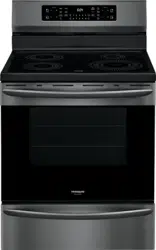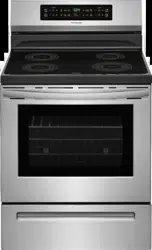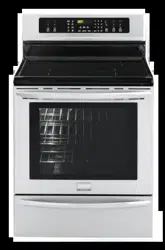
All about the
Use & Care
www.frigidaire.com USA 1-800-944-9044 www.frigidaire.ca Canada 1-800-265-8352
of your
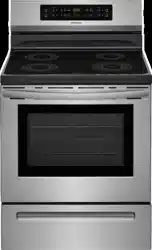
Electric Range with
Induction Cooktop
A11103106 Rev A (May 2018)
TABLE OF CONTENTS
Product Record and Registration . . . . . . . . . . . . . . 2
Important Safety Instructions . . . . . . . . . . . . . . . . . 3
Cooking Recommendations . . . . . . . . . . . . . . . . . . 9
Before Setting Surface Controls . . . . . . . . . . . . . . 12
Setting Surface Controls . . . . . . . . . . . . . . . . . . . . 16
Before Setting Oven Controls . . . . . . . . . . . . . . . . 19
Setting Oven Controls . . . . . . . . . . . . . . . . . . . . . . 20
Care and Cleaning . . . . . . . . . . . . . . . . . . . . . . . . 29
Before You Call . . . . . .
. .
. . . . . . . . . . . . . . . . . . . 34
Warranty . . . . . . . . . . . . . . . . . . . . . . . . . . . . . . . . 38
2
2018 Electrolux Home Products, Inc. All rights reserved. Printed in the USA
Product Registration . . . . . . . . . . . . . . . . . . . . . . . . . .2
Product Record and Registration . . . . . . . . . . . . . . . . . 2
Need Help? . . . . . . . . . . . . . . . . . . . . . . . . . . . . . . . . .2
Important Safety Instructions . .
. . . . . . . . . . . . . . . . . . 3
Cooking
Recommendations . . . . . . . . . . . . . . . . . . . . . 9
Befo
re Setting Surface Controls. . .
. . . . . . . . . . . . . . 12
Setting Surface Controls . . . . . . . . . . . . . . . . . . . . . . . 16
Before Setting Oven Controls . . . . . . . . . . . . . . . . . . 19
Setting O
ven Controls . . . . . . . . . . . . . . . . . . . . . . . . . 20
Care and Cleaning . . . . . . . . . . . . . . . . . . . . . . . . . . . . 29
O
ven Baking . . . . . . . . . . . . . . . . . . . . . . . . . . . . . . .34
Before You Call. . . . . . . . . . . . . . . . . . . . . . . . . . . . . . . 34
Warranty . . . . . . . . . . . . . . . . . . . . . . . . . . . . . . . . . . . . 38
Questions?
For toll-free telephone support in the U.S. and Canada call
1-800-944-9044.
For online support and Internet production information visit
ht
tp://www.frigidaire.com.
Product Registration
Registering your product with Frigidaire enhances our
ability to serve you. You can register online at
http://www.frigidaire.com o
r by dropping your Product
Registration Card in the mail.
Record model & serial numbers here
Purchase Date
Frigidaire model number
Frigidaire serial number
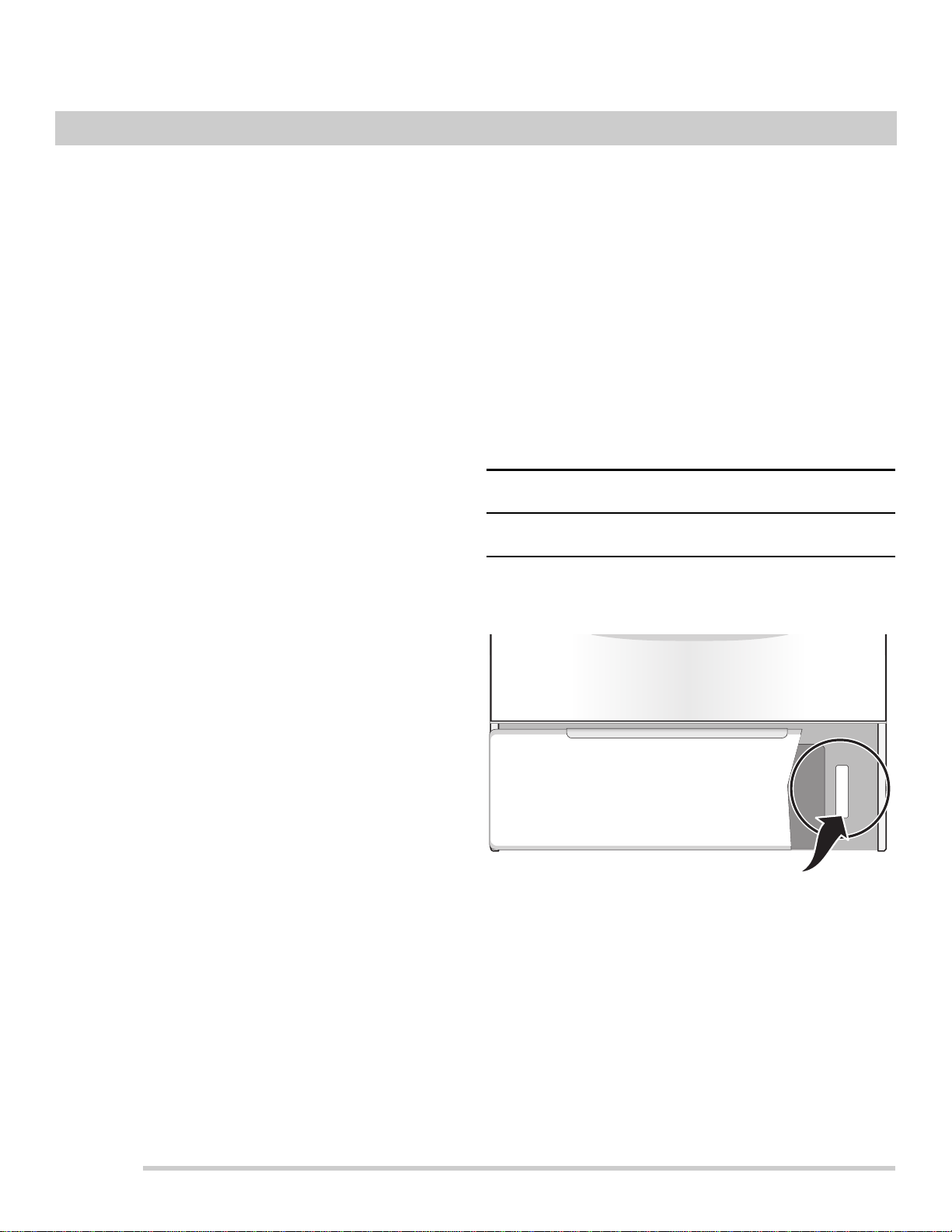
Serial Plate Location
Serial plate location: open lower oven drawer (some
models) or storage drawer (some models).
PRODUCT RECORD AND REGISTRATION
Thank you for choosing Frigidaire.
Important: This Use and Care Guide is part of our commit-
ment to customer satisfaction and product quality
throughout the service life of your new appliance. We view
your purchase as the beginning of a relationship. To ensure
our ability to continue serving you, please use this page to
record important product information.
Need Help?
Visit the Frigidaire web site at www.frigidaire.com
Before you call for service, there are a few things you can
do to help us serve you better.
Read this Use & Care Manual
This manual contains instructions to help you use and
maintain your range properly.
If You Received a Damaged Range...
Immediately contact the dealer (or builder) that sold you the
range.
Save Time and Money
Check the section title “Before You Call”. This section helps
step you through some common problems that might occur.
If you do need service, help is only a phone call away. Call
Frigidaire Customer Services at 1-800-944-9044.
3
Read all instructions before using this appliance.
This manual contains important safety symbols
and instructions. Please pay attention to these
symbols and follow all instructions given.
Do not attempt to install or operate your appliance
until you have read the safety precautions in this
manual. Safety items throughout this manual are
labeled with a WARNING or CAUTION statement
based on the risk type.
Warnings and important instructions appearing in
this guide are not meant to cover all possible
conditions and situations that may occur.
Common sense, caution, and care must be
exercised with installing, maintaining, or operating
your appliance.
DEFINITIONS
This is the safety alert symbol. It is used to
alert you to potential personal injury hazards.
Obey all safety messages that follow this symbol
to avoid possible injury or death.
Indicates a potentially hazardous situation
which, if not avoided, may result in death or
serious injury.
Indicates a potentially hazardous situation
which, if not avoided, may result in minor or
moderate injury.
Indicates installation, operation, maintenance,
or valuable information that is not hazard
related.
Indicates a short, informal reference –
something written down to assist the memory or
for future reference.
WARNING
CAUTION
IMPORTANT
NOTE
Save these instruction for future reference
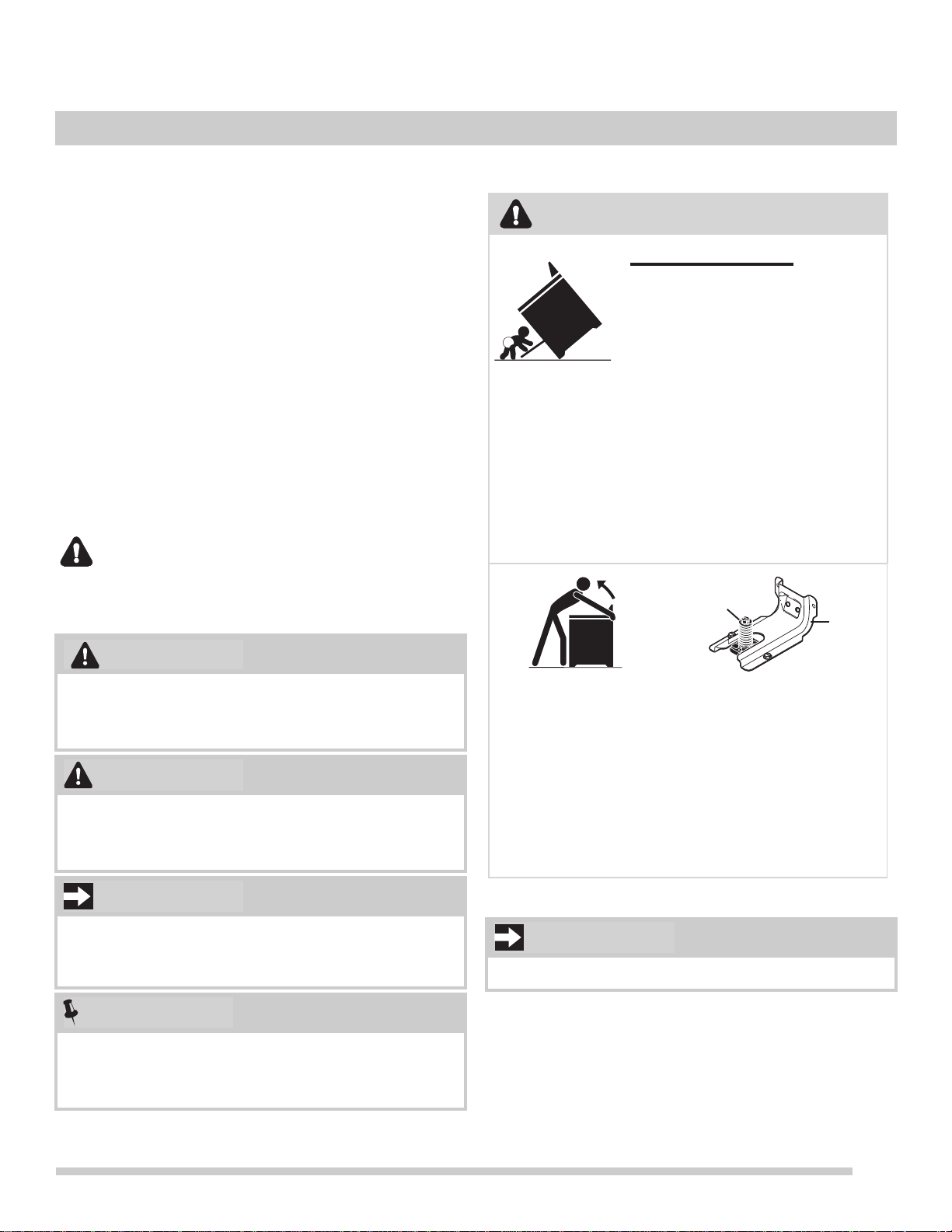
WARNING
Tip Over Hazard
• A child or adult can tip
the range and be killed.
• Verify the anti-tip device
has been installed to floor
or wall.
• Ensure the anti-tip device is
re-engaged to floor or wall when the
range is moved.
• Do not operate the range without the
anti-tip device in place and engaged.
• Failure to follow these instructions can
result in death or serious burns to
children and adults.
Range
leveling
leg
Anti-tip
bracket
To check if the anti-tip bracket is installed
properly, use both arms to grasp the rear edge
of the range back. Carefully attempt to tilt
range forward. When properly installed, the
range should not tilt forward.
Refer to the anti-tip bracket installation instruc-
tions supplied with your range for proper
installation.
IMPORTANT
IMPORTANT SAFETY INSTRUCTIONS

4
IMPORTANT SAFETY INSTRUCTIONS
Save these instructions for future reference
IMPORTANT INSTRUCTIONS FOR
UNPACKING AND INSTALLATION
IMPORTANT - Read and follow the below instruc-
tions and precautions for unpacking, installing,
and servicing your appliance:
Remove all tape and packaging before using the
appliance. Destroy the carton and plastic bags
after unpacking the appliance. Never allow
children to play with packaging material. Do not
remove the wiring label and other literature
attached to the appliance. Do not remove model/
serial number plate.
Cold temperatures can damage the electronic
control. When using this appliance for the first
time, or when the appliance has not been used
for an extended period of time, be sure the
appliance has been in temperatures above 32ºF
(0ºC) for at least 3 hours before turning on the
power to the appliance.
Never modify or alter the construction of the
appliance by removing the leveling legs, panels,
wire covers, anti-tip brackets/screws, or any other
part of the appliance.
Be sure to have an appropriate foam-type fire
extinguisher available, visible, and easily acces-
sible located near the appliance.
GROUNDING INSTRUCTIONS
Proper Installation—Be sure your appliance is
properly installed and grounded by a qualified
technician. In the United States, install in accor-
dance with the National Fuel Gas Code ANSI
Z223.1/NPFA No. 54, latest edition and National
Electrical Code NFPA No. 70 latest edition, and
local electrical code requirements. In Canada,
install in accordance with CAN/CGA B149.1 and
CAN/CGA B149.2 and CSA Standard C22.1,
Canadian Electrical code, Part 1-latest editions
and local electrical code requirements. Install only
per installation instructions provided in the litera-
ture package for this appliance.
For personal safety, this appliance must be
properly grounded. For maximum safety, the
power cord must be securely connected to an
electrical outlet or junction box that is the correct
voltage, is correctly polarized and properly
grounded, and protected by a circuit breaker in
accordance with local codes.
It is the personal responsibility of the consumer to
have the appropriate outlet or junction box with
the correct, properly grounded wall receptacle
installed by a qualified electrician. It is the respon-
sibility and obligation of the consumer to contact a
qualified installer to assure that the electrical
installation is adequate and is in conformance
with all local codes and ordinances.
See the installation instructions packaged with
this appliance for complete installation and
grounding instructions.
Avoid fire hazard or electrical shock. Failure to
follow this warning may cause serious injury,
fire, or death.
Avoid fire hazard or electrical shock. Do not use
an adapter plug, use an extension cord, or
remove grounding prong from the power cord.
Failure to follow this warning may cause serious
injury, fire, or death.
WARNING
5
IMPORTANT SAFETY INSTRUCTIONS
Save these instructions for future reference.
IMPORTANT INSTRUCTIONS FOR USING THE
APPLIANCE
Storage In or On Appliance—Flammable
materials should not be stored in an oven or
microwave, near surface burners or elements,
or in the storage or warmer drawer (if
equipped). This includes paper, plastic, and
cloth items, such as cookbooks, plastic ware,
and towels, as well as flammable liquids. Do not
store explosives, such as aerosol cans, on or
near the appliance.
Do not leave children alone - Children should
not be left alone or unattended in the area
where appliance is in use. They should never
be allowed to sit or stand on any part of the
appliance, including the storage drawer, lower
broiler drawer, warmer drawer, or lower double
oven.
Do not store items of interest to children in the
cabinets above the appliance or on the back-
guards of ranges. Children climbing on or near
the appliance to reach items could be seriously
injured.
WARNING
Do not allow children to climb or play around the
appliance. The weight of a child on an open
over door may cause the appliance to tip,
resulting in serious burns or other injury. An
open drawer when hot may cause burns.
Stepping, leaning, or sitting on the door or
drawers of this appliance can result in serious
injuries and also cause damage to the appli-
ance.
Never cover any slots, holes or passages in the
oven bottom or cover and entire rack with
materials such as aluminum foil. Doing so
blocks air flow through the oven and may cause
carbon monoxide poisoning. Aluminum foil
linings may also trap heat, causing a fire
hazard.
Do not use oven or warmer drawer (if equipped)
for storage.
Never use your appliance as a space heater to
heat or warm the room. Doing so may result in
carbon monoxide poisoning and overheating of
the appliance.
When heating fat or grease, watch it closely.
Grease may catch fire if it becomes too hot.
Do not use water or flour on grease fires.
Smother fire or flame or use dry chemical or
foam-type extinguisher. Cover the fire with a
pan lid or use baking soda.
Use dry potholders. Moist or damp potholders
on hot surfaces may result in burns from steam.
Do not let potholders touch hot cooking areas.
Do not use towels or other bulky cloths.
Do not heat unopened food containers - Build-
up of pressure may cause container to burst
and result in injury.
WARNING
CAUTION
6
IMPORTANT SAFETY INSTRUCTIONS
Save these instructions for future reference
IMPORTANT INSTRUCTIONS FOR USING
YOUR INDUCTION COOKTOP
Know which knob or key controls each surface
heating area. Place cookware with food on the
cooking area before turning it on. Turn the
cooking area off before removing the cookware.
Cookware handles should be turned inward and
not extend over adjacent surface elements. — To
reduce the risk of burns, ignition of flammable
materials, and spillage due to unintentional
contact with the utensil, the handle of the
cookware should be positioned so that it is turned
inward, and does not extend over other cooking
areas.
Glazed cooking utensils — Only certain types of
cookware are suitable for cook top service and
must be magnetic to work properly on the
induction zones. Check the manufacturer’s
recommendations for cook top use to ensure that
the cookware is compatible with induction
cooking.
Improper cookware may break due to sudden
changes in temperature. Check the cookware
manufacturer’s recommendations for cooktop
use.
Use proper pan size - This appliance is equipped
with one or more surface units of different sizes.
Select cookware with flat bottoms that match the
surface unit size. Using the proper cookware on
the cooking area will improve efficiency.
Never leave surface elements unattended. Boil-
overs may cause smoking and greasy spills that
may ignite. A pan that has boiled dry could be
damaged and may damage the cooktop.
When you are flaming foods under a ventilating
hood, turn on the fan.
Wear proper apparel - Loose-fitting or hanging
garments should never be worn while using the
appliance. Do not let clothing or other
flammable materials contact hot surfaces.
Do not touch surface burners or elements,
areas near these burners or elements, interior
surfaces of the oven, or the warmer drawer (if
equipped). Surface burners and elements may
be hot even though they appear cool. Areas
near surface burners and elements may
become hot enough to cause burns. During and
after use, do not touch, or let clothing or other
flammable materials touch these areas until
they are cool. These areas may include the
cooktop, surfaces facing the cooktop, oven vent
areas, oven door, and oven window.
Do not attempt to operate the appliance during
a power failure. If the power fails, always turn off
the appliance. If the appliance is not turned off
and the power resumes, electric surface
elements may resume operation when power is
restored. Once the power resumes, reset the
clock and the oven function.
Persons with a pacemaker or similar medical
device should exercise caution using or
standing near an induction unit while it is in
operation, as the electromagnetic field may
affect the working of the pacemaker or similar
medical device. It would be advisable to consult
your doctor or the pacemaker or similar medical
device manufacturer about your particular situa-
tion.
CAUTION
CAUTION
7
IMPORTANT SAFETY INSTRUCTIONS
Save these instructions for future reference.
IMPORTANT INSTRUCTIONS FOR GLASS
AND CERAMIC COOKTOPS
Do Not Clean or Operate a Broken Cooktop. If
cooktop should break, cleaning solutions and
spillovers may penetrate the broken cooktop and
create a risk of electric shock. Contact a qualified
technician immediately.
Clean cooktop glass with caution. If a wet sponge
or cloth is used to wipe spills on a hot cooking
area, be careful to avoid a steam burn. Some
cleaners can produce harmful fumes if applied to
a hot surface.
Avoid scratching the cooktop glass with sharp
objects.
IMPORTANT INSTRUCTIONS FOR USING
YOUR OVEN
Protective liners—Do not use aluminum foil, after-
market oven liners, or any other materials or
devices to line oven bottom, oven racks, or any
other part of the appliance. Only use aluminum as
recommended for baking, such as lining
cookware or as a cover placed on food. Any other
use of protective liners or aluminum foil may
result in a risk of electric shock or fire or a short
circuit.
Use care when opening oven door, lower oven
door, or warmer drawer (some models). Stand to
the side of the appliance when opening the door
of a hot oven. Let hot air or steam escape before
you remove or replace food in the oven.
Keep oven vent ducts unobstructed. Touching
surfaces in this area when the oven is on may
cause severe burns. Do not place plastic or heat-
sensitive items on or near the oven vent. These
items can melt or ignite.
Placement of oven racks - Always place oven
racks in desired location while oven is cool. If rack
must be moved while oven is hot, do not let
potholder contact hot burner or element in oven.
Use potholders and grasp the rack with both
hands to reposition. Remove all cookware and
utensils before moving the rack.
Do not use a broiler pan without its insert. Broiler
pans and inserts allow dripping fat to drain away
from the high heat of the broiler. Do not cover the
broiler insert with aluminum foil; exposed fat and
grease could ignite.
Do not cook food on the oven bottom. Always
cook in proper cookware and always use the
oven racks.
IMPORTANT INSTRUCTIONS FOR CLEANING
YOUR APPLIANCE
Clean the appliance regularly to keep all parts
free of grease that could catch fire. Do not allow
grease to accumulate. Greasy deposits in the fan
could catch fire.
Always follow the manufacturer’s recommended
directions for use of kitchen cleaners and
aerosols. Be aware that excess residue from
cleaners and aerosols may ignite causing
damage and injury.
Clean ventilating hoods frequently - Grease
should not be allowed to accumulate on hood or
filter. Follow the manufacturer’s instructions for
cleaning vent hoods.
Before manually cleaning any part of the appli-
ance, be sure all controls are turned off and the
appliance is cool. Cleaning a hot appliance can
cause burns.
CAUTION

8
IMPORTANT SAFETY INSTRUCTIONS
Save these instructions for future reference
IMPORTANT INSTRUCTIONS FOR SERVICE
AND MAINTENANCE
Do not repair or replace any part of the appliance
unless specifically recommended in the manuals.
All other servicing should be done only by a
qualified technician. This reduces the risk of
personal injury and damage to the appliance.
Always contact your dealer, distributor, service
agent, or manufacturer about problems or condi-
tions you do not understand.
Ask your dealer to recommend a qualified techni-
cian and an authorized repair service. Know how
to disconnect the power to the appliance at the
circuit breaker or fuse box in case of an emer-
gency.
Remove the oven door from any unused oven if it
is to be stored or discarded.
Do not touch a hot oven light bulb with a damp
cloth. Doing so could cause the bulb to break.
Handle halogen lights (if equipped) with paper
towels or soft gloves. Disconnect the appliance or
shut off the power to the appliance before
removing and replacing the bulb.
Important Safety Notice - The California Safe
Drinking Water and Toxic Enforcement Act
requires the governor of California to publish a list
of substances known to cause cancer, birth
defects, or other reproductive harms, and
requires businesses to warn customers of
potential exposures to such substances.
Important: This appliance has been tested and
found to comply with the limits for a class B digital
device, pursuant to Part 18 of the FCC rules
(United States) and ICES-001 (Canada). These
limits are designed to provide reasonable protec-
tion against harmful interference in a residential
installation. This unit uses and can radiate radio
frequency energy and, if not installed and used in
accordance with the instructions, may cause
harmful interference to radio communications.
However there is no guarantee that interference
will not occur in a particular installation. If this unit
does cause harmful interference to radio or televi-
sion reception, which can be determined by
turning the unit off and on, the user is encouraged
to try to correct the interference by one or more of
the following measures:
• Reorient or relocate the receiving antennae.
• Increase distance between unit and receiver.
• Connect the unit into an outlet or a circuit
different from that to which the receiver is
connected.
9
Bakeware
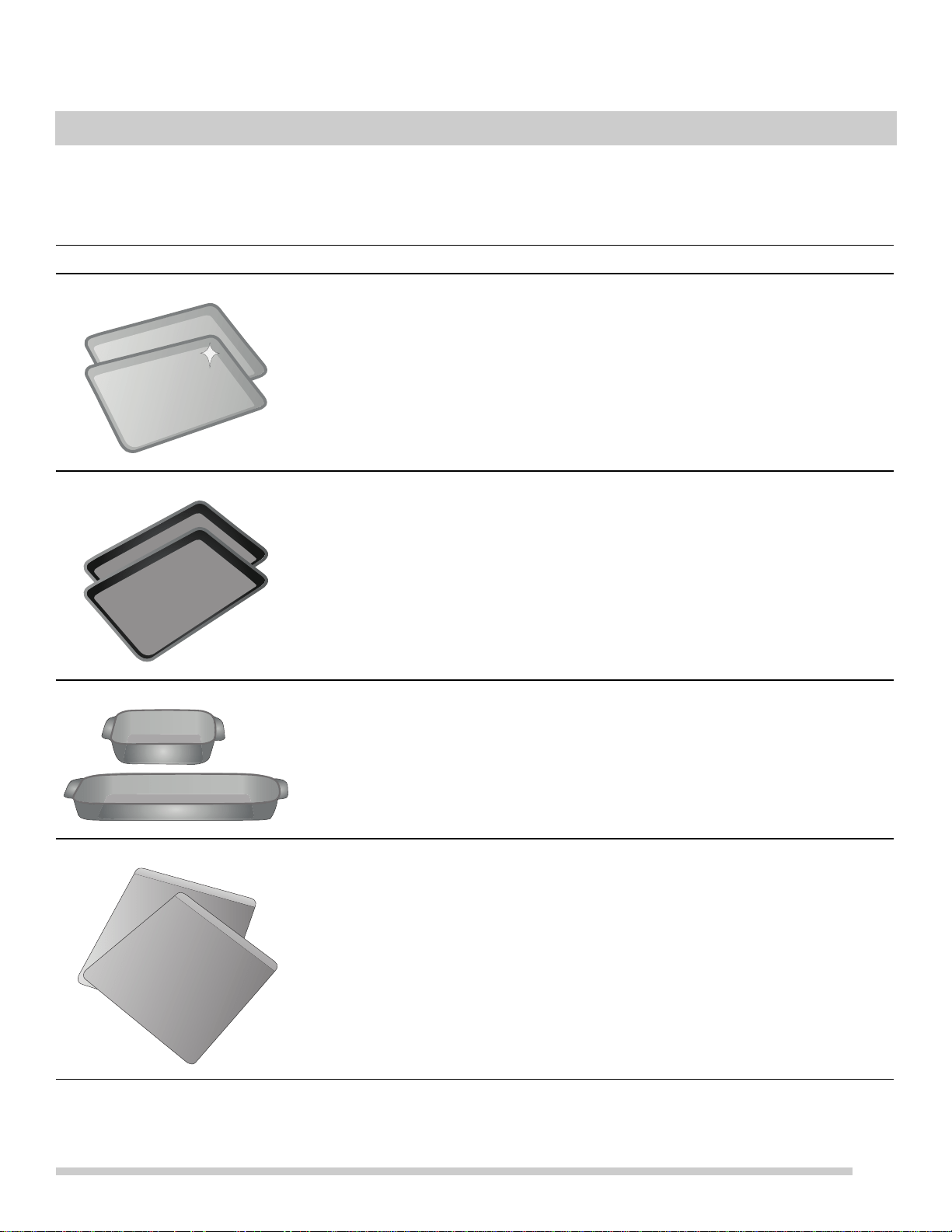
The material of bakeware affects how evenly and quickly it transfers heat from the pan to the food.
Material Attributes Recommendation
Shiny metal bakeware Shiny, aluminum, and non-coated
b
a
keware is the best for even heating.
It is suitable for all baked goods.
Recommended cooking temperatures and
times are based on shiny metal bakeware.
Dark metal bakeware Dark bakeware cooks hotter than shiny
bakeware.
Reduce the cooking temperature by 25° F
(13-14° C) when using dark bakeware.
Glass bakeware Glass bakeware cooks hotter than
shiny bakeware.
Glass is
convenient, as the same piece
of ba
keware can be used for cooking,
serving, and storing food.
Reduce the cooking temperature by 25° F
(13-14° C) when using glass bakeware.
Insulated bakeware Insulated bakeware c
o
oks cooler than
shiny bakeware.
Insulated bakeware is designed for
ba
king in gas ovens.
Increase the cooking temperature by 25° F
(13-14° C) when using insulated bakeware.
COOKING RECOMMENDATIONS

10
COOKING RECOMMENDATIONS
Cooking Conditions
Conditions in your kitchen can affect the performance of your appliance when cooking food.
Condition Attributes Recommendation
Aging cookware As pans age and become discolored,
coo
k
ing times may need to be reduced
slightly.
If food is too dark or overcooked, use the minimum cook
time in the recipe or packaging.
If food is too light or undercoo
ked, use the middle to
maximum cook time in the recipe or packaging.
High altitude Air is drier and air pressure is lower.
Water boils at a lower temperature, and
liquids evap
orate faster.
Foods may take longer to bake.
Doughs may rise faster.
Adjust cooking temperature, co
oking time
, or recipes as
needed.
Increase amount of liquid in baking recipes.
Increase cook time on cooktop. Cover dishes
to
reduce
evaporation.
Increase bake time or oven temperature.
Reduce amount of baking soda or baking powder in
r
e
cipe. Reduce rising time or punch down dough and
allow it to rise twice.
Cooking Results
Small adjustments may fix a problem with food not being as done as you like or more done than you like.
Result Recommendation
Food too light Use the middle to maximum cook time recommended on packaging or recipe.
Food too dark Use the minimum cook time recommended on packaging or recipe.
Cooking Tips
Use these additional tips to get the best results from your appliance.
Cooking Tips
Baking
Rack placement Follow the instructions in “Oven Control Features” on starting on page 20.
When using only one rack, place the rack so th
e food
is in the center of the oven.
Preheat Fully preheat the oven before baking items like cookies, ca
kes, biscuits and breads. Insert food
immediately after the beep.
Checking food Use the window and oven light when checking food. Op
ening the door may reduce baking perfor-
mance.
Food placement Allow at least 2 inches (5 cm) of space between bakeware for proper air circulation.

11
COOKING RECOMMENDATIONS
Broiling / Roasting
Broiling pan For best results when broiling, use a broil pan with
a broil pan insert designed to drain the fat from
the food, help avoid spatter, and reduce smoking. The broiler pan will catch grease spills, and the
insert helps prevent grease splatters.
If a broiler pan and insert are not supplied with this
a
ppliance, they may be purchased from Frigid-
aire.com.
Cooking Tips
12
What is Electromagnetic Induction?
An induction cooking zone uses an electromagnet to induce
heat in iron or steel cookware.
Below each cooking zone on an induction cooktop, there is
a copper
coil. When the cooking zone is turned on, the elec-
tricity turns the coil into a type
of magnet that heats metal
cookware on the cooktop.
Induction Features
Because heat starts in the cookware instead of the cooktop,
induction offers several advantages.
Fast Heating: Cookwa
re will heat up faster than on a
conventional electric cooktop. Pay close attention to avoid
scorching food when starting to cook. You may need to use
a lower setting for cooking food than you are used to.
Precise Control: The heat going
into the
cookware will
change immediately when you change the setting of the
cooking zone.
Even Heating: Cook
ware w
ill typically heat more evenly on
an induction cooktop, so you are less likely to have hot or
cool spots in the cookware.
Cooler Cooktop: An induc
t
ion cooktop will be cooler when
you remove the cookware than a conventional electric
cooktop would be. Because the cooktop doesn’t get as hot,
you are not as likely to get burned. Spills are also less likely
to burn onto the surface, making clean-up easier.
Energy Efficiency: Ind
u
ction cooking wastes less energy
than a conventional cooktop, so it uses less electricity.
Preparation
Before using your cooktop for the first time, apply a ceramic
cooktop cleaning cream (available in most hardware,
grocery, and department stores) to the ceramic surface.
Clean and buff with a clean paper towel. Cooktop cleaning
creams leave a protective finish on the glass that will make
cleaning easier when the cooktop is soiled from cooking
and help prevent scratches and abrasions.
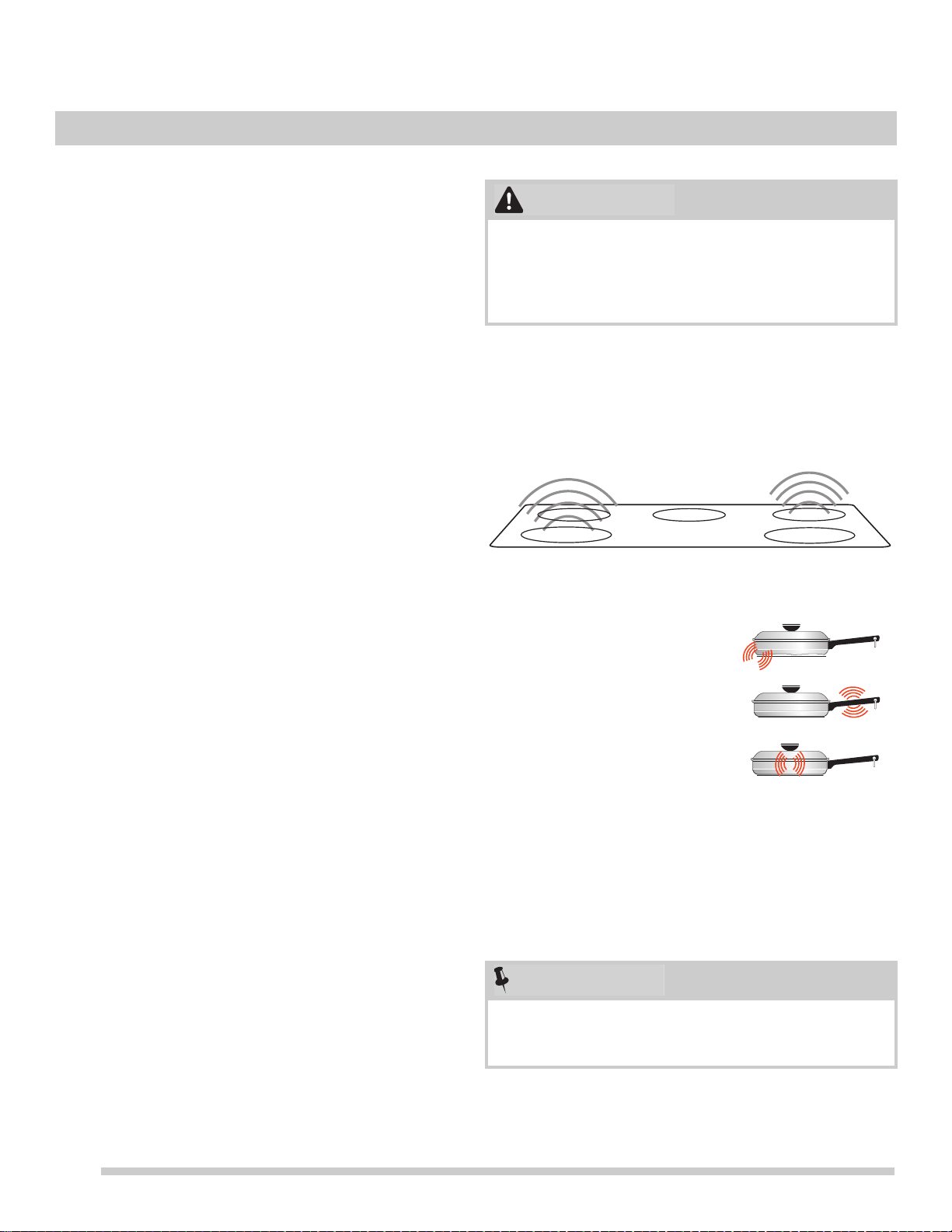
Sounds
The magnetic field over the induction cooking zone may
cause cookware to vibrate, creating a buzzing or humming
noise. These sounds are not unusual, especially at high
settings.
Figure 1: Induction noise
Sounds are less likely to occur with heavier, higher quality
co
ok
ware.
An induction cooktop may also produce faint clicking
soun
ds from the electronic switches that maintain the
desired cooking temperature.
Although induction cooking zones do not produce heat,
they can become hot from contact with hot cookware.
Burns may occur if a cooking zone or the surrounding
area is touched before it has cooled to a safe tempera-
ture.
• Cook
ware that is not perfectly
flat on the
bottom may vibrate
slightly against the cooktop.
• A loose handle may vibrate in
it
s socket.
• Multi-material cookware may
allow small
vibrations in its
structure.
Be sure to read detailed instructions for induction cooktop
cleaning in the “Care and Cleaning” section and “Before
You Call” checklist section of this Use and Car
e Guide.
CAUTION
NOTE
BEFORE SETTING SURFACE CONTROLS
13
BEFORE SETTING SURFACE CONTROLS
Using Proper Cookware
The size and type of cookware used will influence the heat
setting needed for best cooking results. Be sure to follow
the recommendations for using proper cookware as illus-
trated in Figure 2 and Figure 3.
Cookware Selection
Cookware selection is especially important when using an
induction cooktop. The cookware must contain magnetic
iron or steel to work on an induction cooktop. Common
materials for induction cookware include the following:
• Stainless Steel
-
Slow heat conductor with uneven
cooking results. Durable, easy to clean, and resists
staining. Some types of stainless steel will not work on
an induction cooktop. Use the magnet test (Figure 3) to
check stainless steel cookware.
•Cast Iron -
A slow heat conductor that retains heat very
well. Cooks evenly once cooking temperature is
reached.
• Porcelain-enamel on metal -
Hea
ting characteristics
will vary depending on base material. Porcelain-enamel
on a magnetic metal will work on an induction cooktop.
Use the magnet test (Figure 3) to check porcelain-
enamel cookware.
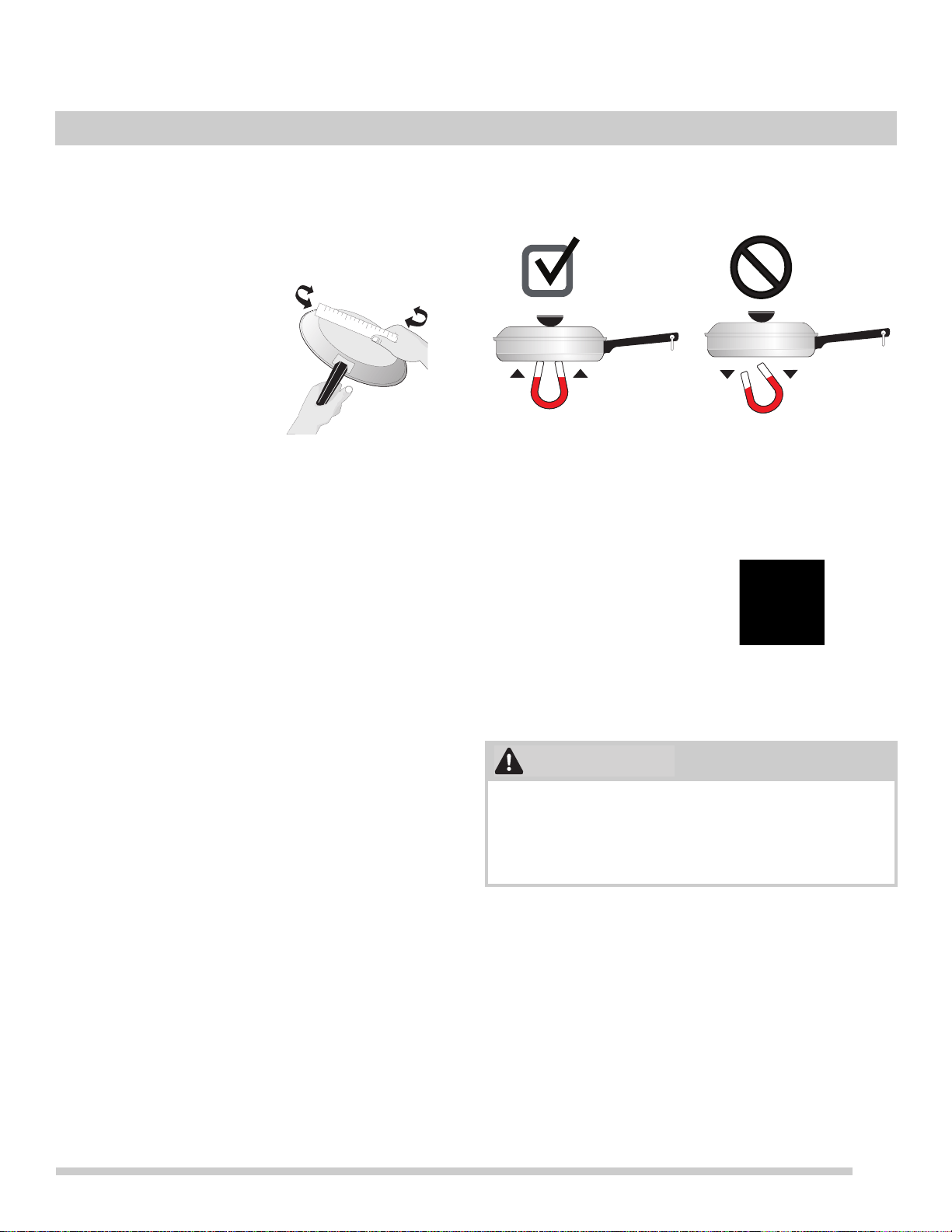
The Magnet Test
To see if a piece of cookware will work on your induction
cooktop, try to stick a magnet to it (see Figure 3).
If the magnet clings firmly to the bottom of the cookware, it
wi
ll work on your induction cooktop. If the magnet clings
weakly or not at all, the cookware will not heat up on your
induction cooktop.
Check for flatness by rotating
a ruler across the bottom of
the co
okware (see Figure 2).
Cookware should have flat
bottoms that make go
od
contact with the entire surface
of the cooking zone (see
Figure 7 on page 14).
Figure 2: Ruler test
Figure 3: Magnet test
Induction-ready
cookware will often
ha
ve a symbol printed
on the bottom by the
manufacturer.
Figure 4: Induction symbol
Proper cookware on an operating induction cooking zone
will heat up very quickly. If an empty piece of cookware is
left on an operating induction cooking zone, the rapid
change in temperature may warp or damage the
cookware.
Magnet
Sticks
Magnet
Falls
CAUTION
14
BEFORE SETTING SURFACE CONTROLS
Pan Sensing
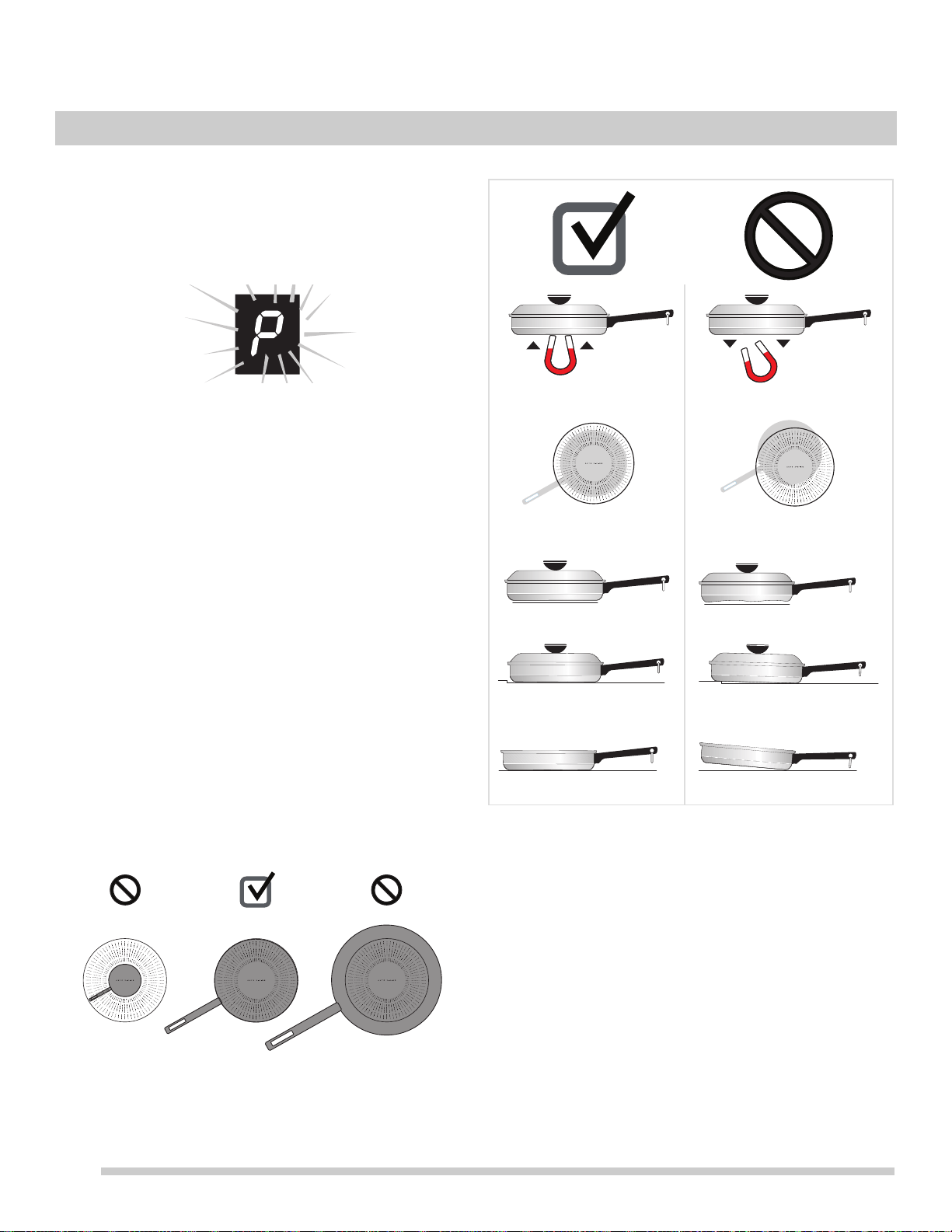
Sensors beneath the cooktop surface require that certain
cookware conditions be met before an induction cooking
zone will operate. If a cooking zone is turned on and no
cookware is detected, the zone display showing the power
setting will flash (Figure 5).
The conditions that generate
a
flashing message are illus-
trated in Figure 7. If the situation is not corrected, the
cooking zone will automatically turn off
after three minutes.
It’s a good idea to lower the power setting before correcting
the pan sensing message.
Minimum and Maximum Pan Size
The cooktop graphics are guides to minimum and maximum
p
an size
for each cooking zone.
Induction cooking zones require a minimum pan size in
orde
r to activate. The inner ring on each cooking zone
indicates the smallest pan size (Figure 6). If a suitable piece
of cookware is centered proper
ly
but is too small, the
display will flash and the pan will not heat. Select a larger
pan or use a different cooking zone.
The outer ring on the cooktop graphic indicates the recom-
mended maximum pan size for
that
zone (Figure 6). Do not
use pans with bottoms that extend beyond the outer circle
for a
cooking zone. The cookware must make full contact
with the ceramic glass surface. Cookware should not rest
on or touch the metal edges of the cooktop.
Figure 7: Pan sensing conditions
Figure 5: Flashing error message
Figure 6: Pan size too small (L); Pan size correct (C); Pan
size too large (R)
pan too small pan just right pan too big
• Cookware centered correctly
on cooking zone.
• Flat pan bottom and straight
sides.
• Pan rests completely and is
level on the cooktop
surface.
• Pan is properly balanced.
• Pan bottom rests on cooktop
edge.
• Cookware not centered on
cooking zone.
• Curved or warped pan bottoms
or sides.
• Heavy handle tilts pan.
• Cookware base material has
good magnetic characteristics.
• Cookware base material is
non-magnetic.
Magnet
Sticks
Magnet
Falls
15
BEFORE SETTING SURFACE CONTROLS
Induction Cooking
When turned on, an induction cooking zone will not get hot.
The induction cooking zone creates heat in the cookware,
not in the cooktop. Heat is not created unless there is an
iron or steel object on the cooking zone.
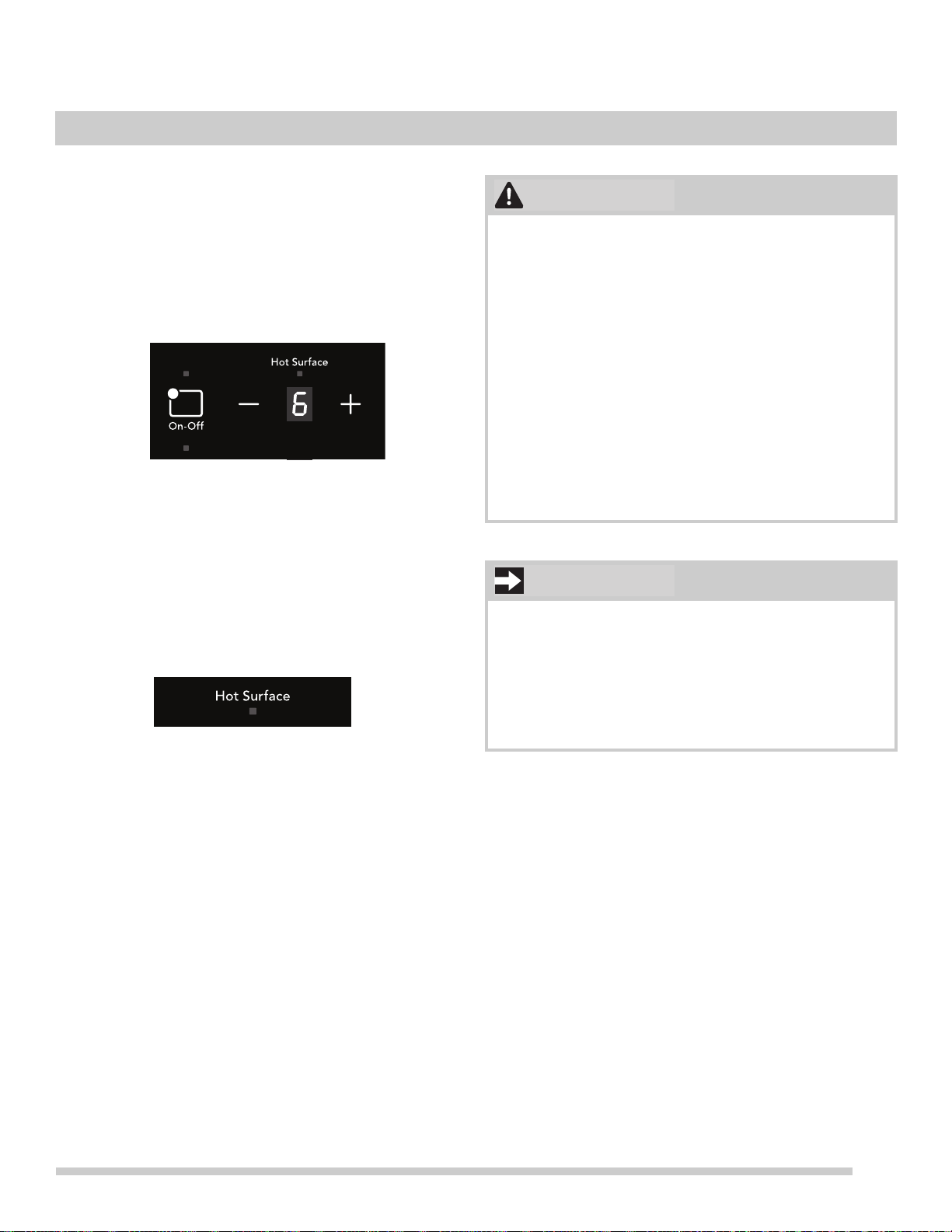
Cookzone Setting Display
The Setting Display will show the setting for the cook zone.
Figure 8: Setting displays (left)
If there is no cookware in the cook zone, the
setting
indicator will blink, and the magnet will not turn on.
Hot Surface Indicator
The Hot Surface indicator light will turn on when heat is
detected in the cooktop and will remain on until the surface
has cooled to a safe temperature.
Figure 9: Hot surface indicator light
• Although induction cooking zones do not directly
generate heat, they can become hot from contact
with hot cookware. Burns may occur if a cooking
zone or the surrounding area is touched before it has
cooled to a safe temperature.
• Do not p
l
ace flammable items such as plastic salt
and pepper shakers, spoon holders, or plastic
wrapping on top of the range when it is in use. Heat
radiating from cookware could cause these items to
melt or ignite. Potholders, towels, or wooden spoons
could catch fire if placed too close to hot cookware.
• Do not
us
e aluminum foil to line any part of the
cooktop. Improper installation of these liners may
result in risk of electric shock or fire. If these items
melt on the cooktop, they will damage the cooktop.
• Do not leave empty cookware on an operating
cooking zone. Cookware will heat very quickly and
may be damaged or warped if left on the cooking
zone empty.
• NEV
ER place or straddle a cooking utensil over two
dif
ferent surface cooking areas at the same time.
Incorrect use may damage the cooktop.
CAUTION
IMPORTANT
16
Cooktop Display Windows
The range backguard provides a digital window for each of
the cooking zones located on the cooktop. Power levels
and messages are easily monitored and controlled using
the window displays in combination with the corresponding
controls.
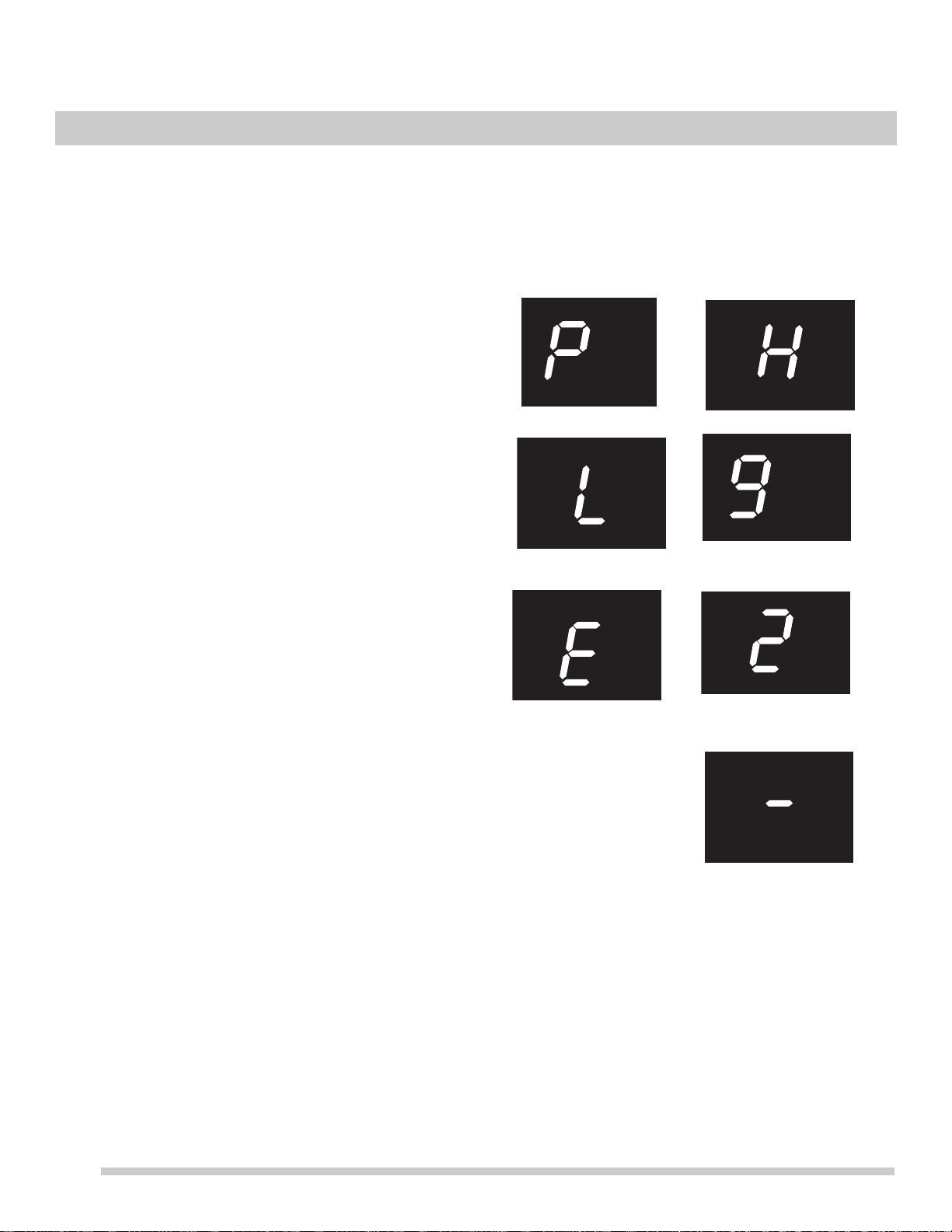
Available Power Level Settings
The cooktop control will display power levels
ranging from
P
(Figure 10), Hi (Figure 13) to Lo (Figure 11). The settings
between 9 (Figure 14) and 2(Figure 15) decrease and
increase in 1.0 increments.
The lowes
t setting (Figure 11)
will display just below the lowest digita
l setting of 2.
Power Boost Power Level (P)
When setting an induction cooking zone for the highest
setting (to the POW
ER BOOST position), the display will
initially show P (Power Boost) power level for up to 10
minutes. After 10 minutes, the cooking zone will automati-
cally return to the Hi setting (F
ig
ure 15). The P setting is
only available immediately after activating a cooking zone.
ESEC Error Indicator Message (E)
An error message will be display
e
d (flashing E) (Figure 12)
at power up (or after a power failure) if any of the surface
settings w
ere left in the ON positions. If a power failure
should occur, set all of the four surface controls to the OFF
position. This will reset the surface controls.
Be sure to reset the clock. Once the surface
controls have
be
en set to the OFF positions and the clock has been set
with the correct time of day, the surface controls should
return to normal operation. If the surface controls do not
function and the F message remains in any display after
following these procedures, contact an authorized servicer
for assistance.
Lockout Window Message (
- )
The (
-) message will appear in all the surface control
displays whenever the Lockout or Self-clean feature is
active (Figure 16). Refer to the “Setting Oven
Lockout”
heading on page 21 for more details.
Figure 10: Power Boost
Figure 11: Low setting
Figure 12: Error
mess
age
Figure 13: High setting
Figure 14: Increment
sett
ing
Figure 15: Increment
sett
ing
Figure 16: Cooktop
lockout
SETTING SURFACE CONTROLS
17
SETTING SURFACE CONTROLS
Induction surface cooking zones
To operate an induction cooking zone:
1. Place correctly sized cookware on the cooking zone.
2. Press the On-Off k
ey for the cooking zone until it
beeps. A dash (
-) appears in the display.
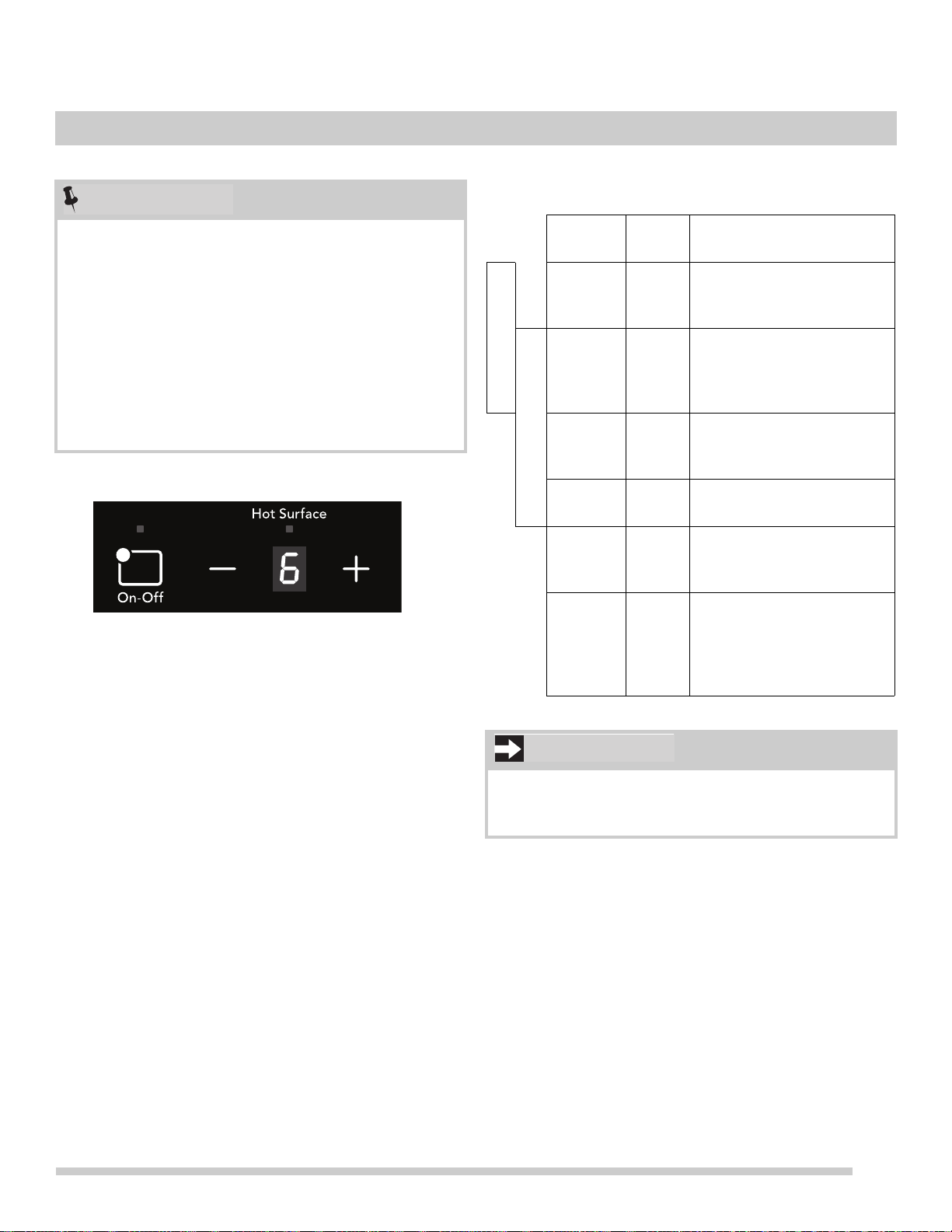
3. Press the + or
- key for the cooking zone (Figure 17)
until you reach the desired setting (refer to the Recom-
mended Induction settings on this page).
4. Wh
en cooking is complete, turn the induction cooking
zo
ne OFF before removing the cookware.
The cooktop has a sensor to detect cookware in the
cooking zo
ne. The cooking zone will not become active
without proper cookware in position. See “Cooktop Display
Windows” on page 16.
• The Power Boost (P) setting is only available immedi-
ately after activating a cooking zone by pressing the +
key.
The cooktop will remain in Power Boost for up to
10 minutes. After 10 minutes, the cooking zone will
automatically change to the High (H) setting.
• Th
e size and type of utensil used and the amount and
ty
pe of food being cooked will influence the setting
needed for best cooking results.
• The H
ot Surface indicator light will
turn on when heat
is detected in a cook zone. The light will remain on
until the heated surface area has cooled sufficiently.
Figure 17: Induction cooking zone control
NOTE
Frigidaire Induction Recommendations
Temp
Range
Power
Level
Description
Low Low
Melt, keep foods warm
Medium
Low
2-4 Continue cooking, poach,
stew
Medium 5-6
Maintain a slow boil thicken
sa
uces and
gravies,
steaming
Medium
High
7-8 Continue a rapid boil, fry, or
deep fry
High 9 S
tart most foods, maintain
wate
r at a boil, pan frying,
searing
Power
Boost
P Start heating pans that
cont
ain large amounts of
food or to bring pots of
water to boil
Do not leave empty cookware on an operating cooking
zone. Cookware will heat very quickly and may be
damaged or warped if left on the cooking zone empty.
IMPORTANT
Keep Warm 145°-160°F
Simmer 185 - 200°F
18
SETTING SURFACE CONTROLS
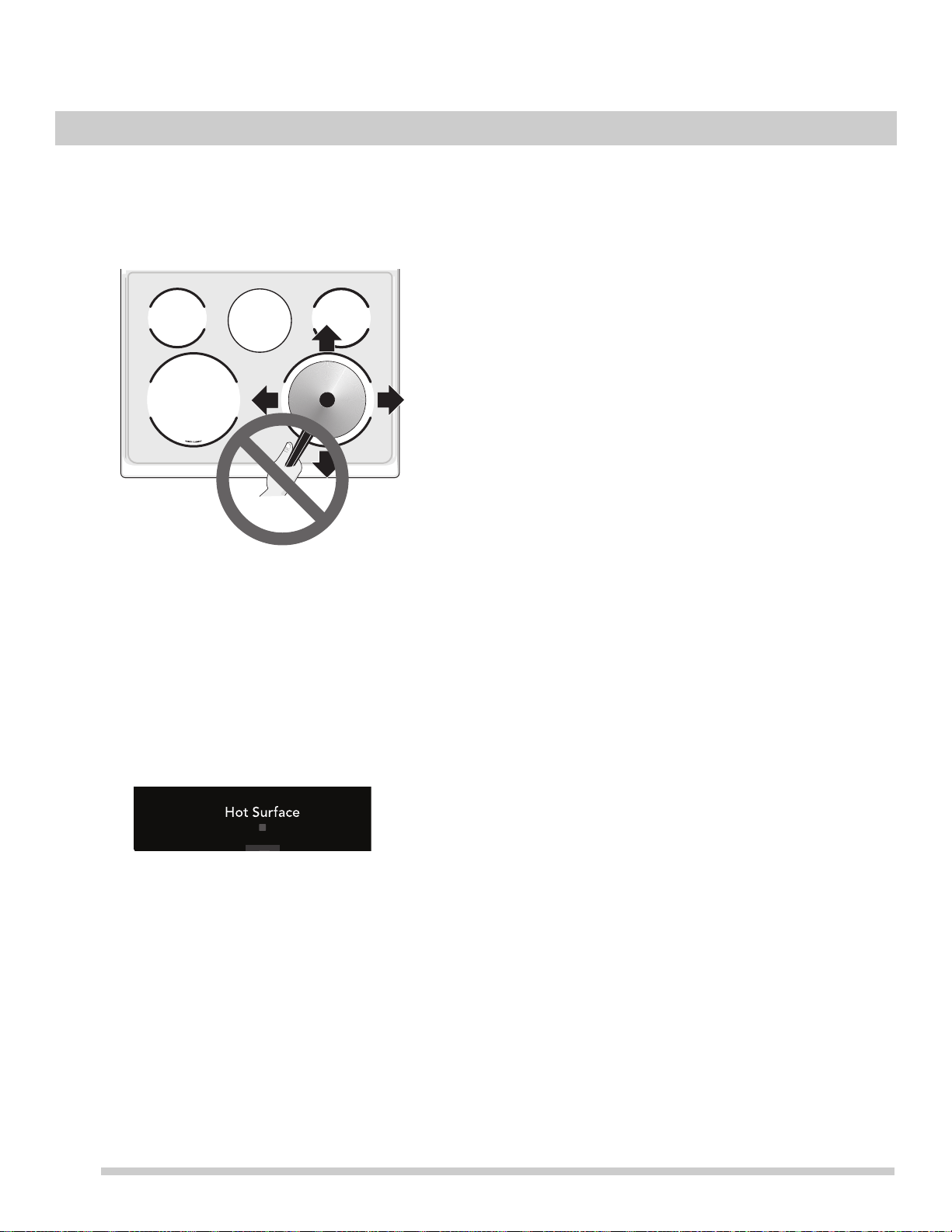
Moving Cookware on a Smooth Cooktop
Always lift cookware before moving on the ceramic glass
smooth
top. Cookware that has a rough or dirty bottom can
mark and scratch the ceramic glass surface. Always start
with clean cookware.
Pan Preheat Recommendations
Induction cooking may decrease the amount of time
required to preheat a piece of cookware compared to
cooking on a radiant or gas cooktop.
Remember that induction surface cook
ing will
initially heat
the cookware very quickly.
• The Hot Su
rface indicator light will turn on when heat is
detected in a cooking zone and will remain on until the
cooktop surface has cooled sufficiently.
• If
cookware is moved away from the center of an active
cooking
zone, the cooking zone will become inactive.
The setting display will flash until proper cookware is
placed in the center of the cooking zone. When
cookware is centered on the cooking zone, the zone will
resume heating. If the cooking zone has no cookware
for three minutes, it will automatically shut off.
Home Canning
Be sure to read and observe all the following points when
home canning with your appliance. Check with the USDA
(United States Department of Agriculture) Web site and be
sure to read all the information they have available as well
as follow their recommendations for home canning proce-
dures.
• Use on
ly a completely flat bottom canner with no ridges
tha
t radiate from the bottom center when home
canning. Heat is spread more evenly when the bottom
surface is flat. Use a straight-edge to check the canner
bottom.
• M
ake sure the diameter of the canner does not exceed
1
inch beyond the cooking zone markings or burner.
• It is recommended to use smaller diameter canners on
e
lectric coil and ceramic glass cooktops and to center
canners on the burner grates.
• S
tart with hot tap water to bring water to boil more
qu
ickly.
• Use the highest heat seating when first bringing the
water to
a boil. Once boiling is achieved, reduce heat to
lowest possible setting to maintain that boil.
• Use
tested recipes and follow ins
tructions carefully.
Check with your local Cooperative Agricultural
Extension Service or a manufacturer of glass jars for
the latest canning information.
• It
is best to can small amounts and light loads.
• Do not leave water bath or pressure canners on high
h
eat for an extended amount of time.
Figure 18: Hot Surface Indicator Light
19
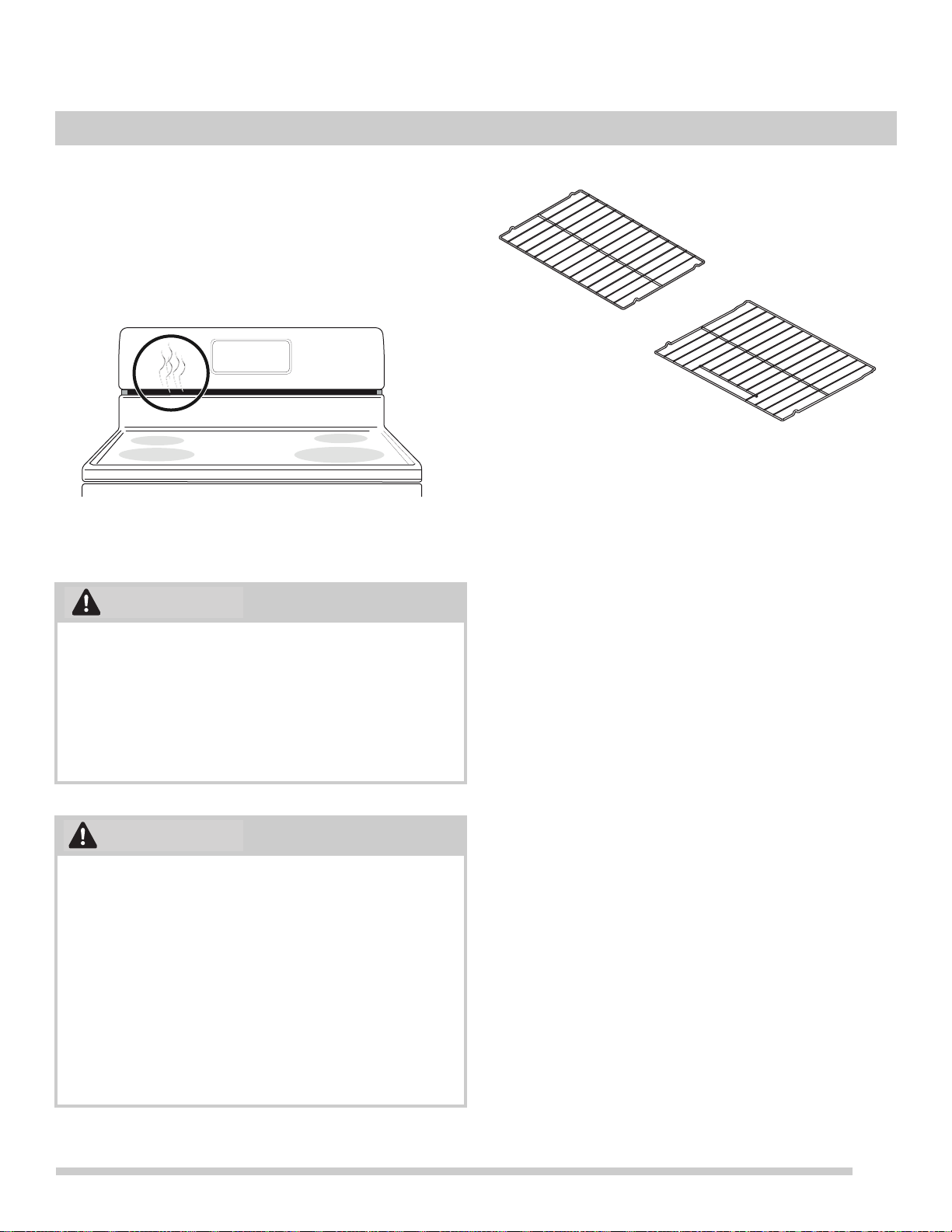
Oven Vent Location
The oven is vented as shown below. When the oven is on,
warm air is released through the vent. This venting is
necessary for proper air circulation in the oven and good
baking results. Do not block oven vent. Never close off the
openings with aluminium foil or any other material. Steam or
moisture may appear near the oven vent. This is normal.
Types of oven racks
• Flat oven racks may be used for most cooking needs
and may be placed in most oven rack positions.
Removing, replacing, and arranging flat or offset
oven racks
Always arrange the oven racks when the oven is cool.
To remove -
Pull the oven rack straight forward until it
reaches the stop position. Lift up front of oven rack slightly
and slide out.
To replace - Place th
e oven
rack on the rack guides on
both sides of oven walls. Tilt the front of oven rack upward
slightly and slide the oven rack back into place. Be sure
oven racks are level before using.
Figure 19: Oven vent
Protective Liners — Do not use aluminum foil or any
other material or liners to line the oven bottom, walls,
racks or any other part of the range. Doing so will alter the
heat distribution, produce poor baking results, and
possibly cause permanent damage to the oven interior.
Improper installation of these liners may result in risk of
electric shock or fire. During self clean, temperatures in
the oven will be hot enough to melt foil.
• Always use pot holders or oven mitts when using the
oven. When cooking, the oven interior, oven exterior,
oven racks, and cooktop will become very hot which
can cause burns.
• Remo
ve all oven racks before starting a self clean
cy
cle. If oven racks are left inside the oven during a
cleaning cycle, the slide ability of the oven racks may
be damaged and all of the oven racks will lose their
shiny finish.
• T
o prevent possible damage to the oven, do not
a
ttempt to close the oven door until all the oven racks
are fully positioned back inside the oven cavity.
WARNING
CAUTION
Figure 20: Oven rack types
at handle
oven rack
at
oven rack
BEFORE SETTING OVEN CONTROLS
20
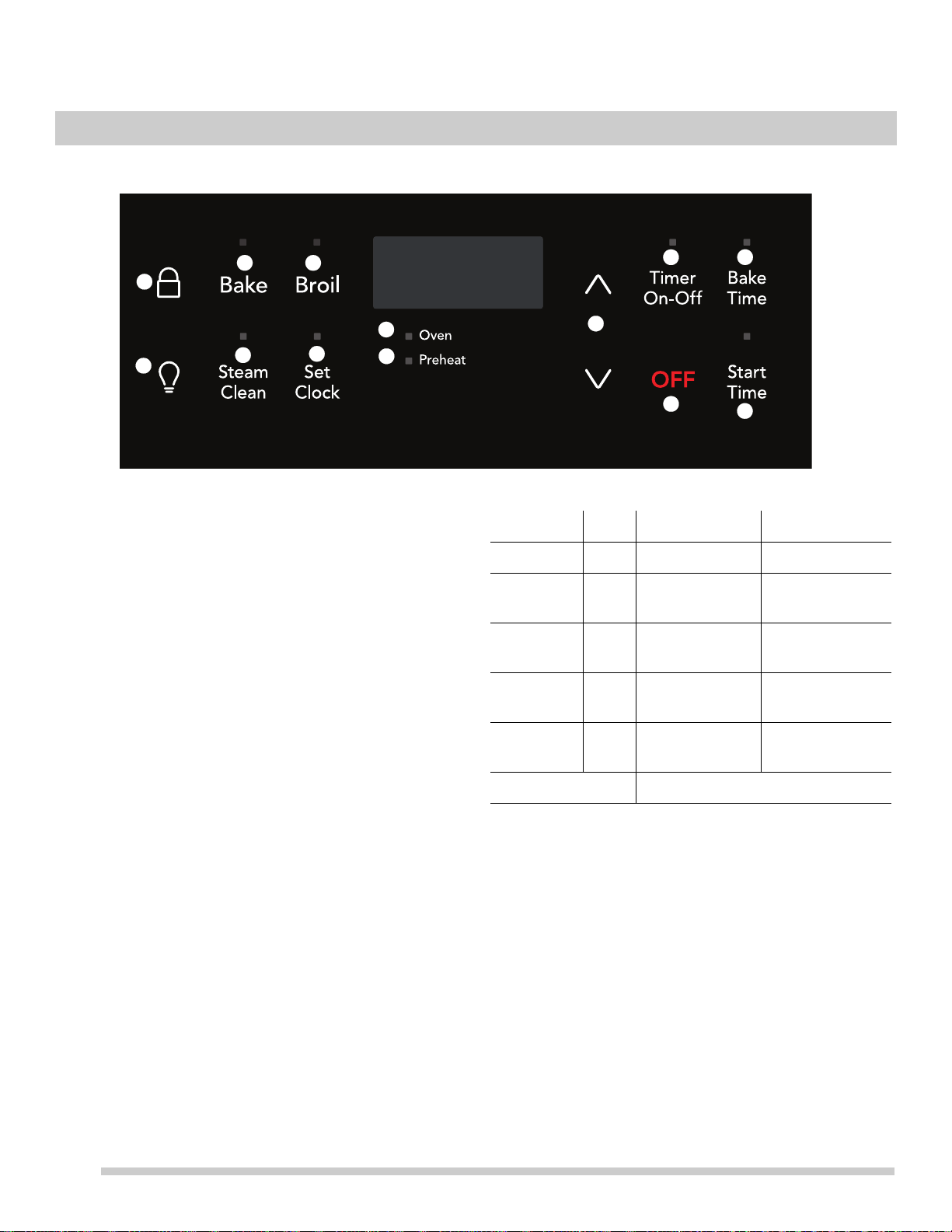
Oven Control Features
1. Control Lock - Use to lock oven and cooktop controls.
2. Bake - Use to
select bake feature.
3. Broil - Use
to set Broil feature.
4. Oven Light - Use to
turn on internal light when
checking on food. Turns on when the oven door is open.
5. Steam Clean -
Use to set a steam clean cycle of 30
minutes for light cleaning.
6. Set Clock - Use wi
th arrow keys to set the time of day.
7. Oven on indicator light - T
he oven light will glow each
time the oven turns on to maintain the set oven temper-
ature.
8. Preheat light -
The preheat light will
glow when the
oven is preheating or if the desired temperature is reset
higher than the actual oven temperature.
9. Up and Down arrows -
Use with the fea
ture or function
keys to set oven temperature, bake time, start time,
clean time, and setting or adjusting the clock and
minute timer.
10. Timer on-off
-
Use to set or cancel the minute timer.
The minute timer does not start or stop any cooking
function. Timer on-off is used to set the continuous bake
function.
11. Bake Time - Enters
the
length of baking time desired.
12. OFF - Use to clea
r any feature except the time of day
and minute timer.
13. Start Time -
Use to delay the start of cooking.
1
2 3
4
5
6
7
8
9
10 11
12
13
Feature Mode Min Temp/Time Max Temp/Time
Bake 170°F (77°C) 550°F (287°C)
Broil LO 400°F
(205°
C)
HI 550°F
(287°C)
Timer 12
Hr.
0:01 Min. 11:59 Hr./Min.
Clock Time 12
Hr.
1:00 Hr./Min. 12:59 Hr./Min.
Bake Time 12
Hr.
0:01 Min 5:59 Hr./Min.
Steam Clean 30 mins
Note: An entry acceptance tone (1beep) will sound each time a
key is touched (the oven lock key is delayed 3 seconds). An
entry error tone (3 short beeps) will sound if the entry of the
temperature or time is below the minimum or above the
maximum settings for the feature.
SETTING OVEN CONTROLS
21
SETTING OVEN CONTROLS
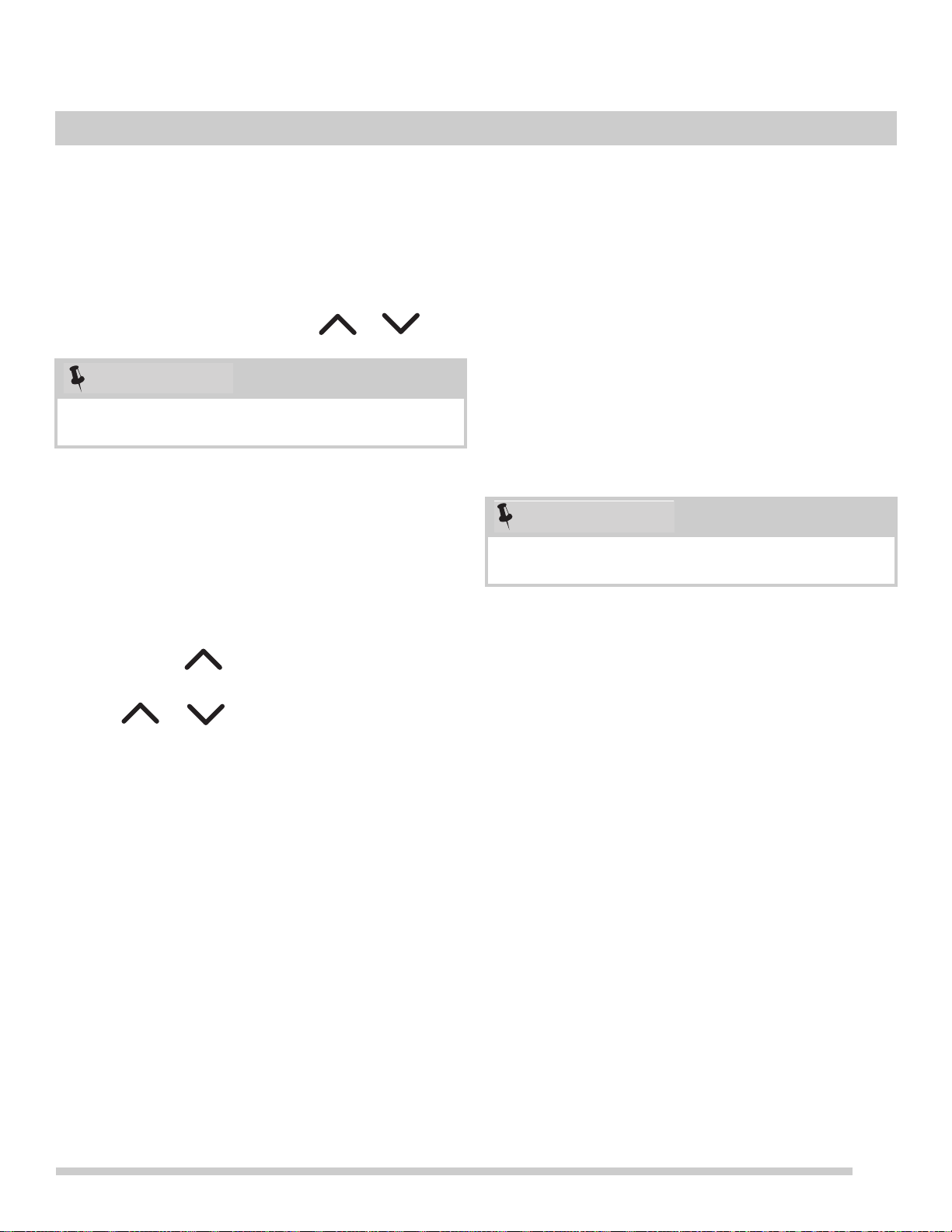
Setting the Clock
When the appliance is first plugged in or when the power
supply to the appliance has been interrupted, the display
will flash 12:00. It is recommended to always set the clock
for the correct time of day before using the appliance.
To set the clock:
1. Press Set Clock on
ce
(do not hold clock key down).
2. Within 5 seconds, press and hold or
until
the correct time of day appears in the display.
Temperature display (Fahrenheit/Celsius)
The electronic oven control is set to operate in Fahrenheit
(°F) at the factory. The oven may be programmed for any
temperature from 170°F to 550°F (77°C to 287°C).
To change the temperature to Celsius (°C) or from °C to
°F:
1. Press Bro
i
l. — — appears in the display.
2. Press and hold until HI ap
pears in the display.
3. Press and hold Broi
l until °F or °C appears in the display.
4. Press or to change °F to °C or °C to °F. To
accept the change, wait 6 seconds.
Continuous bake setting or 12-hour energy saving
feature
The oven control has a built-in 12-hour energy saving
feature that will shut off the oven if the oven is left on for
more than 12 hours. The oven control can be programmed
to override this feature for continuous baking.
To change the continuous bake setting:
1. Pr
ess and hold T
imer on-off for 6 seconds until a tone
sounds. — — hr will appear in the display for contin-
uous cooking. The current time of day will return to the
dis
play.
2. To cancel the continuous bake setting, press Ti
mer on-
off and hold for 6 seconds until a tone sounds. 12 hr
will appear in display indicating that the control has
returned to the 12-hour energy saving feature.
Setting a silent control panel
When selecting a function, an audible tone is heard each
time a key is pressed. If desired, the control can be
programmed for silent operation.
To set the controls for silent operation:
1. Pr
ess and hold St
art Time for 6 seconds. The control
will beep once and release the key.
2. The controls are now set for silent operation.
T
o return to non-silent operation:
1. Press and hold St
art Time again for 6 seconds until the
control beeps once and release the key.
2. The control is now set for audible operation.
The clock cannot be changed when the oven is set for
cooking or self clean is active.
NOTE
Changing to continuous bake or 12 hour mode does not
change how the cooktop controls operate.
NOTE
22
SETTING OVEN CONTROLS
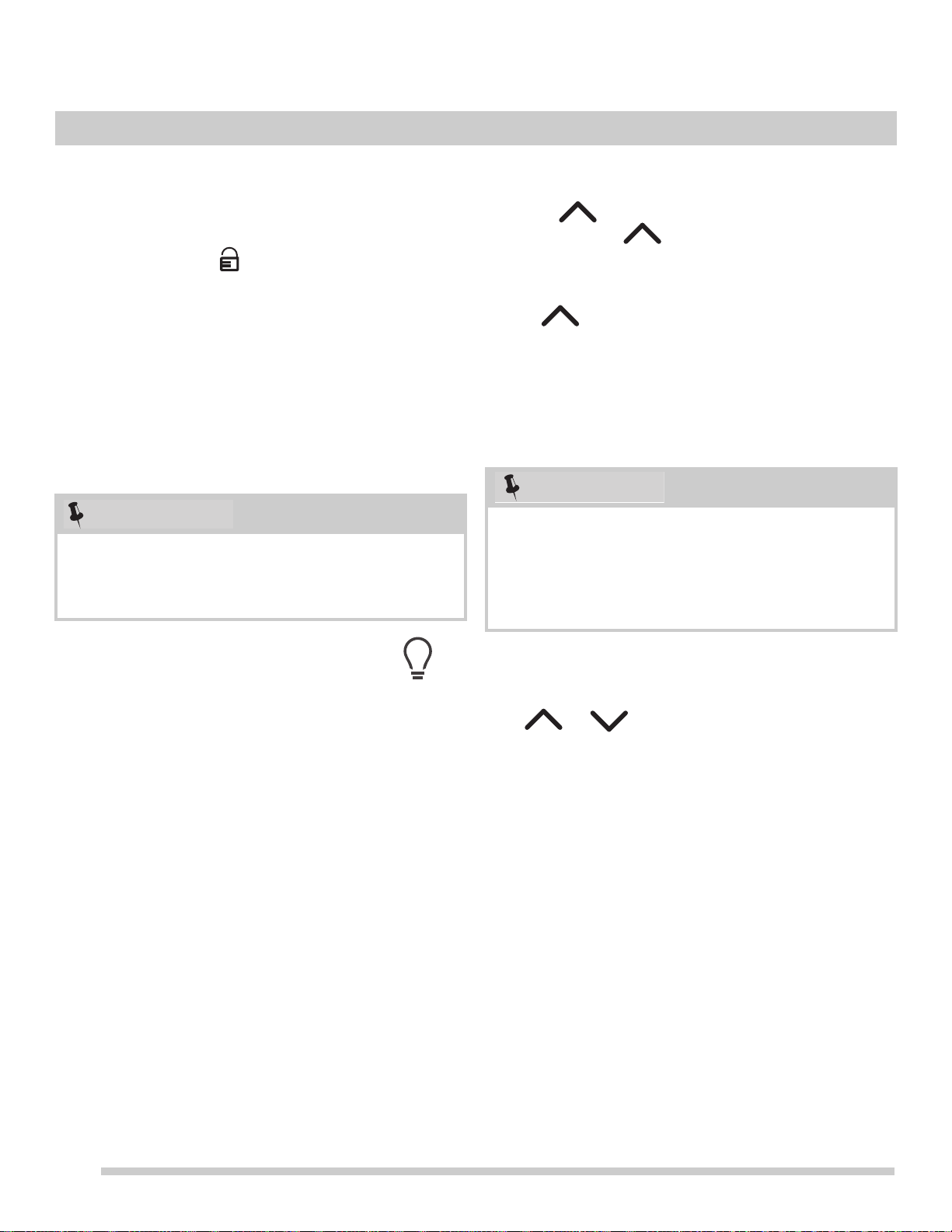
Setting the control lockout
The control can be programmed to lockout the oven and
cooktop controls.
To set the control lockout feature:
1. Press t
he lock icon and
hold for 3 seconds. Loc will
appear in the display for a few seconds before showing
the time of
day (clock).
2. The controls are inactive when
- (dashes) appear in the
display windows.
3. If any control key is pressed when the controls are
loc
ked, Loc will appear in the oven control display.
4. To cancel the control lockout feature, press t
he lock
icon and hold for 3 seconds.
5. The controls will unlock, the dashes
will disappear, and
the oven will be ready to resume normal operation. .
Operating oven light
The interior oven light will automatically turn on when the
oven door is opened. Press the oven light key located on
the control panel to turn the interior oven light on and off
whenever the oven door is closed. For best baking results,
do not leave oven light on while baking.
The interior oven light is located at the upper left rear wall of
the oven
inter
ior. To change the interior oven light, see
“Changing the oven light” in the Care & cleaning section.
Setting the minute timer
1. Press Timer on-off.
2. Press to increase time in one-minute increments.
Press and hold to increase time in 10-minute
increments. The timer can be set for any amount of time
fro
m
1 minute to 11 hours and 59 minutes.
3. When the desired time appears in the display, release
the . The
timer will begin to countdown in about 5
seconds.
4. To
turn the timer off at any time Press Ti
mer on-off.
5. When the set time ends, the timer will beep three times
and will continue to beep three times every minute until
T
imer on-off is pressed.
To change the timer while it is in use:
While the timer is active and shows in the display
, press and
hold or to increase or decrease th
e time
remaining.
To cancel the minute timer before the set time has run
out:
• Press Tim
er on-off once.
If any control key is pressed with the oven lockout feature
active, Loc will appear in the display until the control key
is released. But it does not disable the clock, kitchen
timer, or the interior oven lights.
NOTE
The minute timer will not start or stop the cooking
process. The minute timer can be used alone or while
using any of the other oven features. If another feature is
active when the minute timer is active, the minute timer
will show in the display. To view information about other
active features, press the key for that feature.
NOTE
23
SETTING OVEN CONTROLS
Setting Bake
The oven can be programmed to bake at any temperature
from 170°F to 550°F (77°C to 287°C). The factory preset
automatic bake temperature is 350°F (177°C).
The oven indicator light will turn on when first set
to bake
while the
oven is heating. When the set temperature is
reached the oven control will beep once indicating the oven
is fully preheated and time to place food in the oven. The
indicator light will cycle on and off as the oven maintains the
set temperature.
Baking Tips
For best bake results:
• F
ully preheat the oven before baking items like cookies,
cake
s, biscuits and breads.
• When baking items lik
e cookies, cakes, biscuits, and
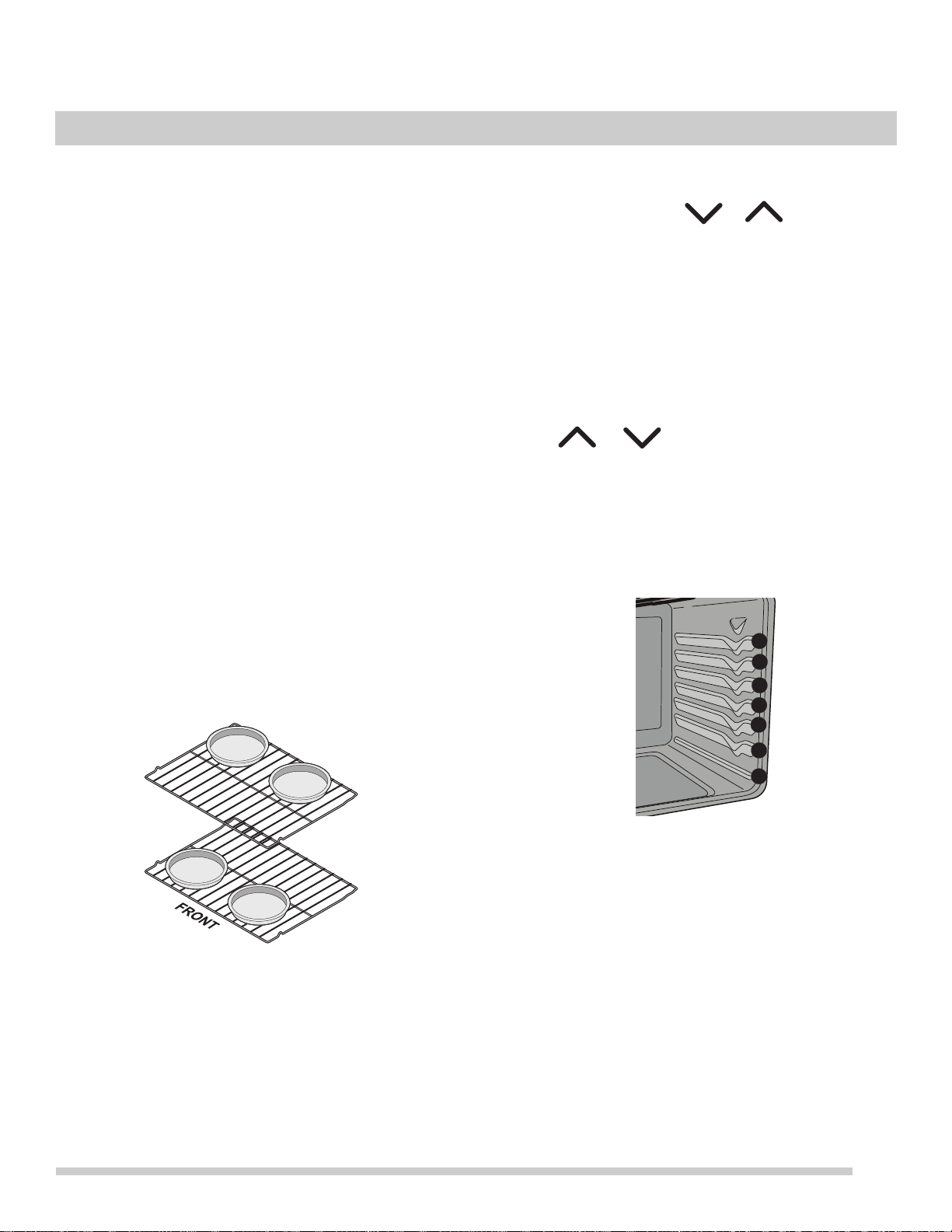
breads using a single rack place rack in position 4.
• When using any single rack for items like frozen pies,
a
ngel food cake, breads, and casseroles, use rack
position 3.
• F
or best results when baking cakes using two oven
racks
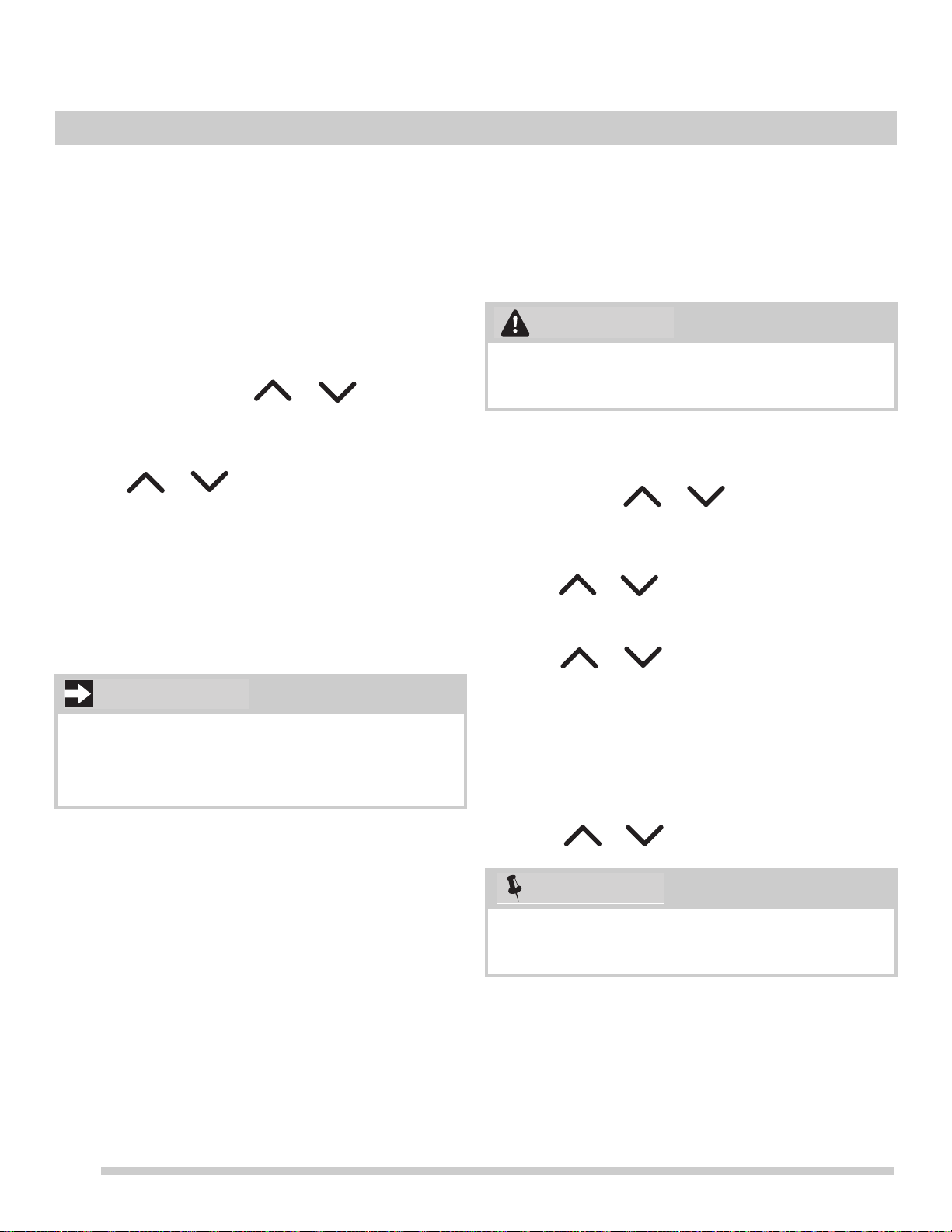
, place racks in positions 3 and 5 (See Figure 22)
position cookware as shown in Figure 21. .
• Wh
en baking cakes using two oven racks, allow at least
2
inches (5 cm) of space between cookware for proper
air circulation.
To set Bake:
1. Press Bake. — —
— ap
pears in the display.
2. Within 5 seconds, press or . T
he display
will show 350°F (
177°C). The temperature can then be
adjusted in 5°F (1°C) increments.
3. When a key is releas
ed, the oven will begin heating to
the selected temperature. When the oven reaches the
set temperature, the preheat indicator light will turn off
and the control will beep three times.
4. T
o cancel the baking function, press OFF.
T
o change oven temperature after bake has started:
1. Press Bake.
2. Press or to increase or decrease to a new
temperature. The oven indicator light on the electronic
dis
p
lay will turn on and off when using the bake feature
and during preheat. This is normal and indicates that
the oven is cycling to maintain the selected baking
temperature. To cancel baking press OFF.
Figure 21: Pan positions two rack baking
Figure 22: Rack positions
7
6
5
4
3
2
1
24
SETTING OVEN CONTROLS
Setting Bake Time
The Bake Time key sets the amount of time needed for
baking. The oven will turn on immediately and stop auto-
matically after the set bake time ends.
To program the oven to begin baking immediately and
to
s
hut off automatically (timed bake):
1. Be sure the clock is set to the cor
rect time of day.
2. Place the food in the oven.
3. Press Bake. — — — ° appea
rs in the display.
4. Within 5 seconds, press or
. The display
will show 350°F (177
°C). The temperature can then be
adjusted in 5°F (1°C) increments,
5. Press Bake Ti
me.0:00 will appear in the display.
6. Press or until the desired baking time
appears in the display.
7. The oven w
ill turn on and begin
heating.
When the set bake time runs out:
1. End will appear in the display,
and the oven will shut off
automatically.
2. The control will beep three times every
60 seconds as a
reminder until OFF is pressed.
Setting Start Time (delayed start)
Use the Start Time key to delay the starting time (delayed
timed bake). The oven will turn on at a later time and stop
automatically after the set bake time ends.
To program oven for a delayed start time and to shut-off
a
u
tomatically:
1. Be sure that the clock displays the correct time of day.
2. Place food in the oven.
3. Press Ba
ke. — — — ° appears in the display. Within 5
seconds, press or . The display will show
350°F (177°C)
. The temperature can then be adjusted
in 5°F (1°C) increments.
4. Press Bake Ti
me. 0:00 will appear in the display.
5. Press or until desired baking time appears.
6. Press Sta
rt Time. The time of day will appear in the
display.
7. Press or until the desired start time
appears in the display.
8. Once the contr
o
ls are set, the control calculates the
time when baking will stop. The oven will turn on at the
delayed start time and begin heating.
To change the oven temperature (or bake time) after
b
a
king has started:
1. Press the function you want to change.
2. Press or
to adjust the setting.
Bake Time will not operate when using the broil feature.
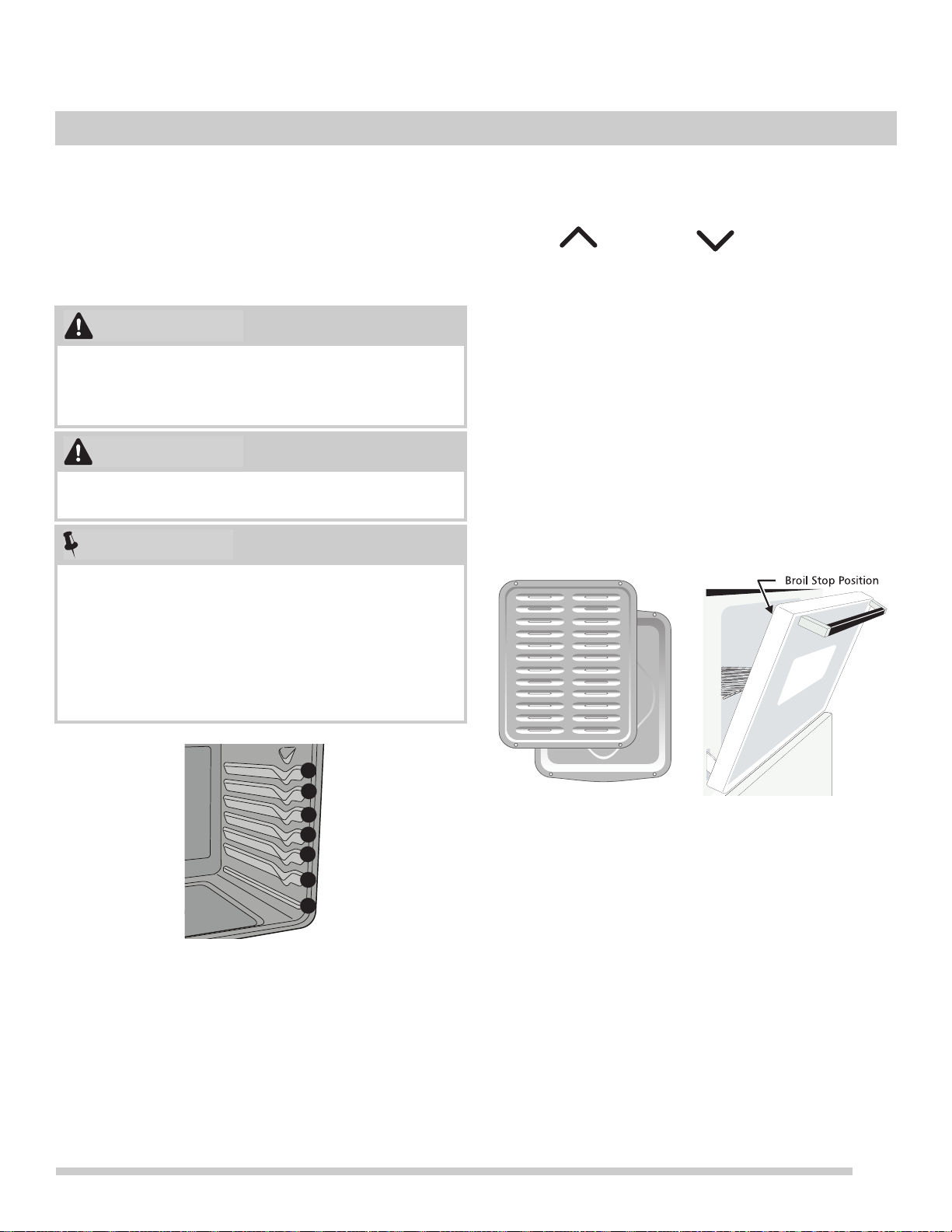
Once the controls are set, the oven will come
on and
begin heating to the selected baking temperature. The
oven temperature (or time of day) will show in the display.
IMPORTANT
Food Poisoning Hazard. Do not let food sit for more than
one hour before or after cooking. Doing so can result in
food poisoning or sickness.
During a delayed timed bake, the preheat indicator light
will not function until the set time to start cooking is
reached.
WARNING
NOTE
25
SETTING OVEN CONTROLS
Setting Broil
Broiling is direct heat cooking and will produce some
smoke. If smoke is excessive, place food further away from
the element. Watch food to prevent burning.
When broiling, always remember to arrange
the ov
en racks
while oven is still cool. Position the rack as suggested in
Table 1.
To set Broil
1. Arrange the oven rack
while oven is still cool.
2. Press Broil. — — will appear in display
.
3. Press for HI broil or fo
r LO broil. Most
foods may be broiled at the HI broil setting. Select the
LO
broil setting to avoid excess browning or drying of
foods that should be cooked to the well-done stage.
4. Fo
r optimum results, preheat br
oil for 2-to-5 minutes
before adding food.
5. Place the insert on the broil pan (if equipped), then
p
lace the food on the broil pan insert (if using a broiler
pan and insert).
6. Plac
e the broiler pan and insert on the oven rack. Broil
with th
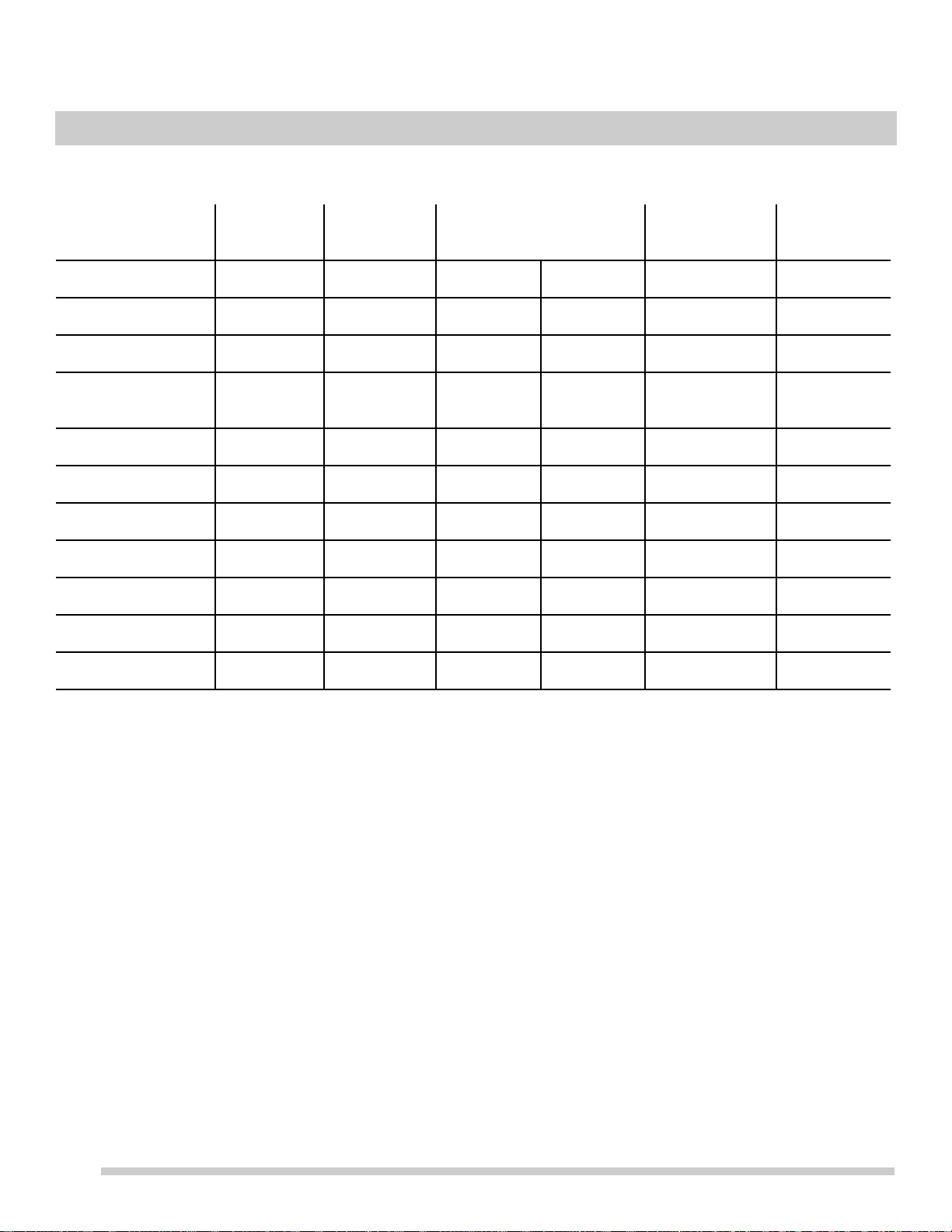
e oven door open to broil stop position
(Figure 24).
7. Br
oil on one side until food is browned. Turn and broil
fo
od on other side.
8. When broiling is finished press OFF.
Should an oven fire occur, close the oven door and turn
the oven off. If the fire continues, use a fire extinguisher.
Do not put water or flour on the fire. Flour may be explo-
sive.
Always use oven mitts. Oven racks will become very hot
which can cause burns.
Always pull the oven rack out to the stop position before
turning or removing food.
The broiler pan and the insert (some models) allow
gre
a
se to drain and be kept away from the high heat of
the broiler. Do not use the pan without the insert. Do not
cover the insert with aluminum foil; the exposed grease
could ignite. To purchase a broiling pan and insert, visit
frigidaire.com
Figure 23: Rack positions
WARNING
CAUTION
NOTE
7
6
5
4
3
2
1
Figure 24: Broil pan and insert (L) Door in position
when broiling (R).
26
SETTING OVEN CONTROLS
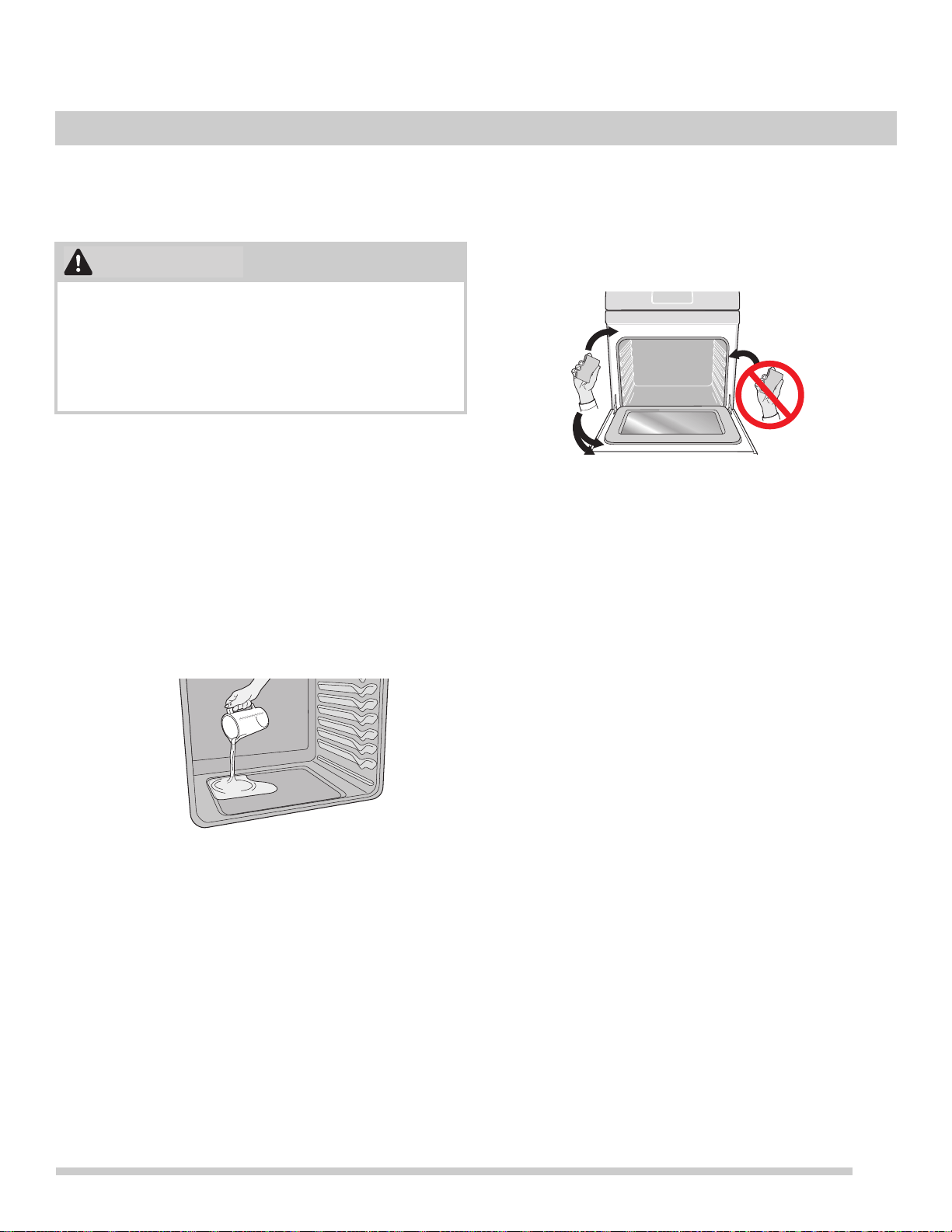
Table 1: Broil recommendations
Food item Rack
Posi
tion
Temp Cook time in minutes
1st side 2nd side
Internal
Temperature
Doneness
Steak 1” thick 5 or 6 HI(550°F) 6:00 5:00 135°F (57°C) Rare**
Steak 1” thick 5 or 6 HI(550°F) 7:00 5:00 145ºF (63ºC) Medium-well
Steak 1” thick 5 or 6 HI(550°F) 8:00 7:00 170°F (77ºC) Well
Pork Chops 3/4
“t
hick
5 HI(550°F) 8:00 6:
00 170°F (77ºC)
Well
Chicken - Bone In 4 LO(400°F) 20:00 10:00 170°F (77ºC) Well
Chicken Boneless 5 LO(400°F) 8:00 6:00 170°F (77ºC) Well
Fish 5 HI(550°F) 13:00 -- 170°F (77ºC) Well
Shrimp 4 HI(550°F) 5:00 -- 170°F (77ºC) Well
Hamburger 1” thick 6 HI(550°F) 6:00 5:00 135°F (57°C) Rare**
Hamburger 1” thick 6 HI(550°F) 9:00 7:00 145ºF (63ºC) Medium
Hamburger 1” thick 5 HI(550°F) 10:00 8:00 170°F (77ºC) Well
The U.S. Department of Agriculture states, **Rare fresh beef is popular, but you should know that cooking it to only 140°F (60°C)
means some food poisoning organisms may survive.” (Source: Safe Food Book, Your Kitchen Guide, USDA Rev. June 1985.)
The lowest temperature recommended by the USDA is 145°F (63°C) for medium rare fresh beef. For well done 170°F (77ºC). All
cook times shown are after 2 minutes of preheating.
27
SETTING OVEN CONTROLS
Steam Clean
The Steam Clean feature offers a chemical free and time
saving method to assist in the routine cleaning of small and
light soils.
Be sure the oven is level and cool before starting Steam
Clean
. If
the oven temperature is above room temperature
a triple beep will be heard and the function will not start.
Steam Clean produces best results when started with a cool
oven.
To
set a Steam Clean cycle:
1. Remove all racks and oven accessor
ies.
2. Scrape or wipe loose debris and grease from the oven
bottom.
3. Pour 1 cup of tap water onto the oven bottom.
(Fig
ure 25) Close oven door.
4. Press st
eam clean.
5. Press either the up arrow or
down arrow to activate.
St Cn will appear in the display.
6. The oven will st
art automatically and the display will
show the time remaining in the Steam Clean cycle. Do
not open the door during this time. If door is open while
in steam clean (d-O) will appear in the display.
7. When the steam clean c
ycle is complete an
alert will
sound and the END message will show in the display.
Press OFF to return to the clock. Press OFF at any time
to cancel the Steam Clean.
8. T
ake care opening the door when the steam clean is
finished.
Stand to the side of the oven out of the way of
escaping vapor.
9. Wipe
oven cavity and bottom. Do not clean oven door
ga
sket (Figure 26). Avoid leaning or resting on the oven
door glass while cleaning cavity.
Notes:
• Open
ing the oven door during the steam clean cycle
pr
events the water from reaching the temperature
needed to clean.
• Fo
r best results, clean oven imme
diately after the cycle
is complete. Steam clean works best for soils on the
oven bottom.
• A no
n-abrasive scouring pad, st
ainless steel sponge,
plastic scraper, or eraser style cleaning pad (without
cleaner) can be used for difficult soils. Moisten pads
with water before use.
• Plac
e a paper towel or cloth in front of the oven to
capture
any water that may spill while wiping out.
• Do not leave the residual water in the oven for any
le
ngth of time.
• Some condensation or water vapor may appear close to
the
oven vent and the oven door glass. This is normal.
The oven gasket may become damp; do not wipe dry.
• Lo
cal water sources often contain minerals (hard
water).
If hard water deposits occur, wipe cavity with a
50/50 solution of water and vinegar or 50/50 solution of
lemon juice and water.
• S
team clean cannot be programmed with a delayed
st
art time.
• Do not add bleach, ammonia, oven cleaner, or any
other abrasive household cleaners to the water used
for Steam Clean.
• Be
fore cleaning any part of the oven, be sure all
con
trols are turned off and the oven is cool. The oven
may be hot and can cause burns.
Figure 25: Add 1 cup of tap water
CAUTION
Figure 26: Clean around the oven door gasket

28
SETTING OVEN CONTROLS
Adjusting the oven temperature
Your appliance has been factory calibrated and tested to
ensure an accurate baking temperature. For the first few
uses, follow your recipe times and temperature recommen-
dations carefully. If you think the oven is cooking too hot or
too cool f
o
r your recipe times, you can adjust the control so
the oven cooks hotter or cooler than the temperature
displayed.
Do not use oven thermometers such as those found in
gr
ocer
y stores to check the temperature settings inside your
oven. These oven thermometers may vary as much as 20
to 40 degrees from actual temperatures.
Oven temperature adjustments made will not af
fect
the broil
or self cleaning feature temperatures.
If the display is set for Celsius, adjustments
made will be in
1°C increments with each press of arrow keys.
To adjust oven temperature:
1. Press Bake.
2. Se
t the temperature to 550°F (287°C) by pressing and
holding .
3. Within 3 seconds, press and hold Bake until numeric
d
igit(s) appear. Release Bake key. The display now
indicates the amount of degrees offset between the
original factory temperature setting and the current
temperature setting. If the oven control has the original
factory calibration, the display will read 00.
4. T
he temperature can now be adjusted up or down 35°F
(
19°C), in 5°F increments. Press and hold to
adjust the temperature higher until the desired amount
of of
fset appears in the display. When lowering the oven
temperature using , a minus sign (-) will appear
before the number to indicate that
the ov
en will be
cooler by the displayed amount of degrees.
5. When you have made the desired adjustment, press
OFF to go ba
ck to the time of day display.
29
Remove spills and any heavy soiling as so
on as possible.
Regular cleaning will reduce the difficulty of major cleaning
later.
• Before cleaning any part of the appliance, be sure all
controls are turned off and the appliance is cool.
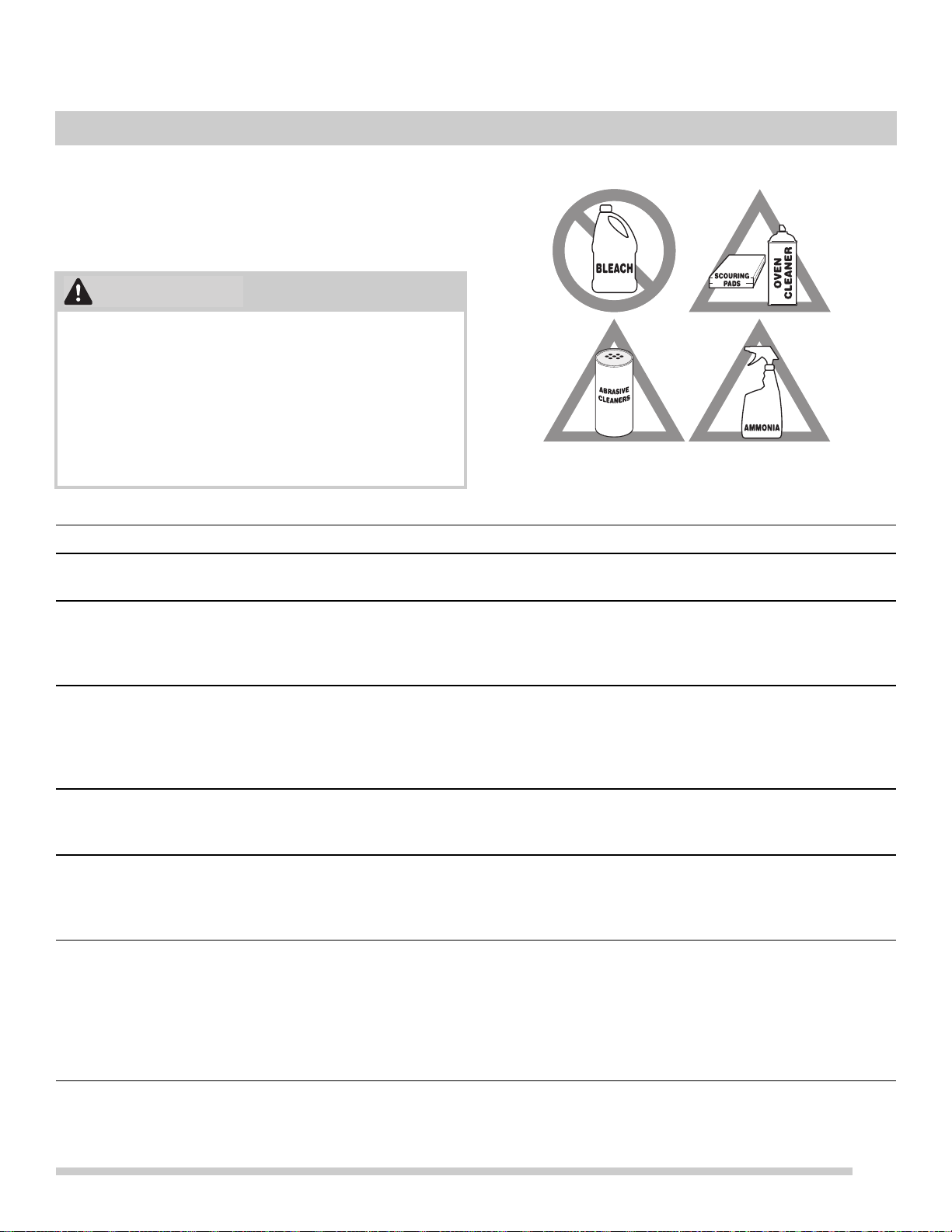
• If ammonia or appliance cleaners are used, they must
be
removed and the appliance must be thoroughly
rinsed before operating. Follow manufacturer's
instructions and provide adequate ventilation.
• Ammo
nia must be rinsed before operating the oven.
Pro
vide adequate ventilation
CAUTION
Figure 27: Use cleaners with caution
Surface or Area Cleaning Recommendation
Aluminum and vinyl Using a soft cloth, clean with mild dish detergent and water. Rinse with clean water,
dry and polish with a soft, clean cloth.
Painted and plastic controls
Painted body parts
Painted decorative tr
ims
Using a soft cloth, clean with mild dish detergent and water or a 50/50 solution of
vinegar
and water. Rinse with clean water, dry and polish with a soft, clean cloth.
Glass cleaners may be used, but do not apply directly to surface; spray onto cloth
and wipe.
Control panel Using a soft cloth, clean with mild dish detergent and water or a 50/50 solution of
vinegar
and water. Do not spray liquids directly on the oven control and display area.
Do not use large amounts of water on the control panel - excess water on the control
area may cause damage to the appliance. Do not use other liquid cleaners, abrasive
cleaners, scouring pads, or paper towels - they will damage the finish.
Stainless Steel Using a soft cloth, clean with mild dish detergent and water or a 50/50 solution of
vinegar
and water. Rinse with clean water, dry with a soft clean cloth. Do not use
cleaners containing abrasives, chlorides, chlorine, or ammonia.
Smudge Proof™ Stainless Steel
Black Stainless Steel
Using a soft cloth, clean with mild dish detergent and water or a 50/50 solution of
vinegar
and water. Rinse with clean water, dry with a soft clean cloth. Do not use
appliance cleaner, stainless steel cleaner, or cleaner containing abrasives, chlorides,
chlorine, or ammonia. These cleaners may damage the finish.
Porcelain-enameled broiler pan
and in
sert
Porcelain door liner
Porcelain body parts
Rinse with clean water and a damp cloth. Scrub gently with a soapy, non-abrasive
sc
ouring pad to remove most spots. Rinse with a 50/50 solution of clean water and
ammonia. If necessary, cover difficult spots with an ammonia-soaked paper towel for
30 to 40 minutes. Rinse and wipe dry with a clean cloth. Remove all cleaners or
future heating could damage the porcelain. Do not allow food spills with a high sugar
or acid content (milk, tomatoes, sauerkraut, fruit juices or pie filling) to remain on
porcelain surfaces. These spills may cause a dull spot even after cleaning.
CARE AND CLEANING

30
CARE AND CLEANING
Oven door Use mild dish detergent and water or a 50/50 solution of vinegar and water to clean
the top, sides, and front of the oven door. Rinse well. Glass cleaner may be used on
the outside glass of the door. Ceramic smoothtop cleaner or polish may be used on
the interior door glass. Do not immerse the door in water. Do not spray or allow water
or cleaners to enter the door vents. Do not use oven cleaners, cleaning powders, or
any harsh abrasive cleaning materials on the outside of the oven door.
Do not clean the oven door gasket. The oven door gasket is made of a woven
material which is
ess
ential for a good seal. Do not rub, damage, or remove this
gasket.
Manual clean oven interior The oven interior is porcelain coated and safe
to clean using oven cleaners. Always
follow manufacturer's instructions for cleaners. After cleaning, remove any oven
cleaner or the porcelain may become damaged during future heating.
Do not spray oven cleaner on any electrical controls or switches. Do not spray or
allo
w
oven cleaner to build up on the oven temperature sensing bulb.
Do not spray cleaner on oven door trim, door gasket, plastic drawer glides, handles
or any exterio
r surfaces of the appliance.
Oven Racks Oven racks must be removed from oven cavity.
Clean by using a mild, abrasive
cleaner following manufacturer’s instructions. Rinse with clean water and dry.
Ceramic cooktop See “Cooktop Maintenance” on page 31.
31
CARE AND CLEANING
Cooktop Maintenance
Consistent and proper cleaning is essential to maintaining
your ceramic glass cooktop.
Prior to using your cooktop for
the first time, apply a
ceramic cooktop cleaning cream (available in most
hardware, grocery, and department stores) to the ceramic
surface. Clean and buff with a clean paper towel. This will
make cleaning easier when soiled from cooking. Cooktop
cleaning creams leave a protective finish on the glass to
help prevent scratches and abrasions.
Sliding pans on the cooktop can cause metal markings on
the
cooktop
surface. These marks should be removed
immediately after the cooktop has cooled using cooktop
cleaning cream. Metal marks can become permanent if not
removed prior to future use.
Cookware (cast iron, metal, ceramic, or glass) with rough
bo
ttom
s can mark or scratch the cooktop surface.
Do not:
• Slide
anything metal or glass across the cooktop.
• Use cookware with dirt or dirt build up on the bottom;
a
lways use clean cookware.
• Use your co
oktop as a cutting board or work surface in
the kitchen.
• Drop heavy or hard objects on the ceramic glass
cookt
op; they may cause it to crack.
Cooktop Cleaning
For light to moderate soil:
For light to moderate soil: Apply a few drops of cooktop
cl
eaning cream directly to the cooktop. Use a clean paper
towel to clean the entire cooktop surface. Make sure the
cooktop is cleaned thoroughly, leaving no residue. Do not
use the towel you use to clean the cooktop for any other
purpose.
For heavy, burned on soil:
Apply a few drops of cooktop cleaning cream directly to the
s
o
iled area. Rub the soiled area using a non-abrasive
cleaning tool, applying pressure as needed. Do not use the
pad you use to clean the cooktop for any other purpose.
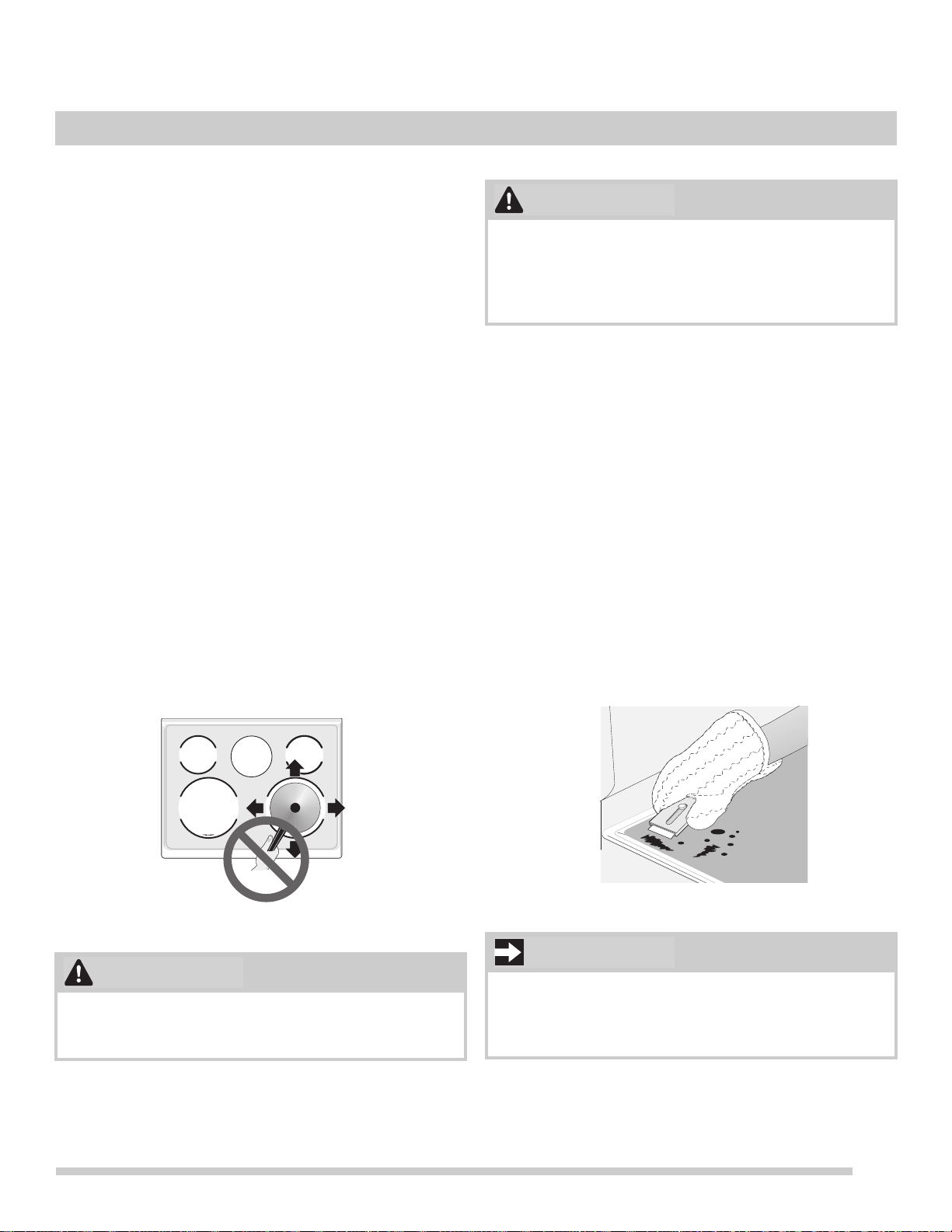
If soils remain, carefully scrap
e soils
with a metal razor
blade scraper, holding scraper at a 30 degree angle to the
surface. Remove loosened soils with cooktop cleaning
cream and buff the surface clean.
Figure 28: Cooktop care
Do not use a cooktop cleaner on a hot cooktop. The
fumes can be hazardous to your health, and can chemi-
cally damage the ceramic-glass surface.
WARNING
Before cleaning the cooktop, be sure the controls are
turned to OFF and the cooktop is cool. The glass surface
could be hot from contact with hot cookware, and burns
may occur if the glass surface is touched before it has
cooled sufficiently.
Figure 29: Cooktop cleaning
Damage to the ceramic glass cooktop may occur if you
use an abrasive type cleaning pad. Only use cleaning
products that have been specifically designed for ceramic
glass cooktops.
CAUTION
30°
IMPORTANT
32
CARE AND CLEANING
Aluminum Foil and Utensils
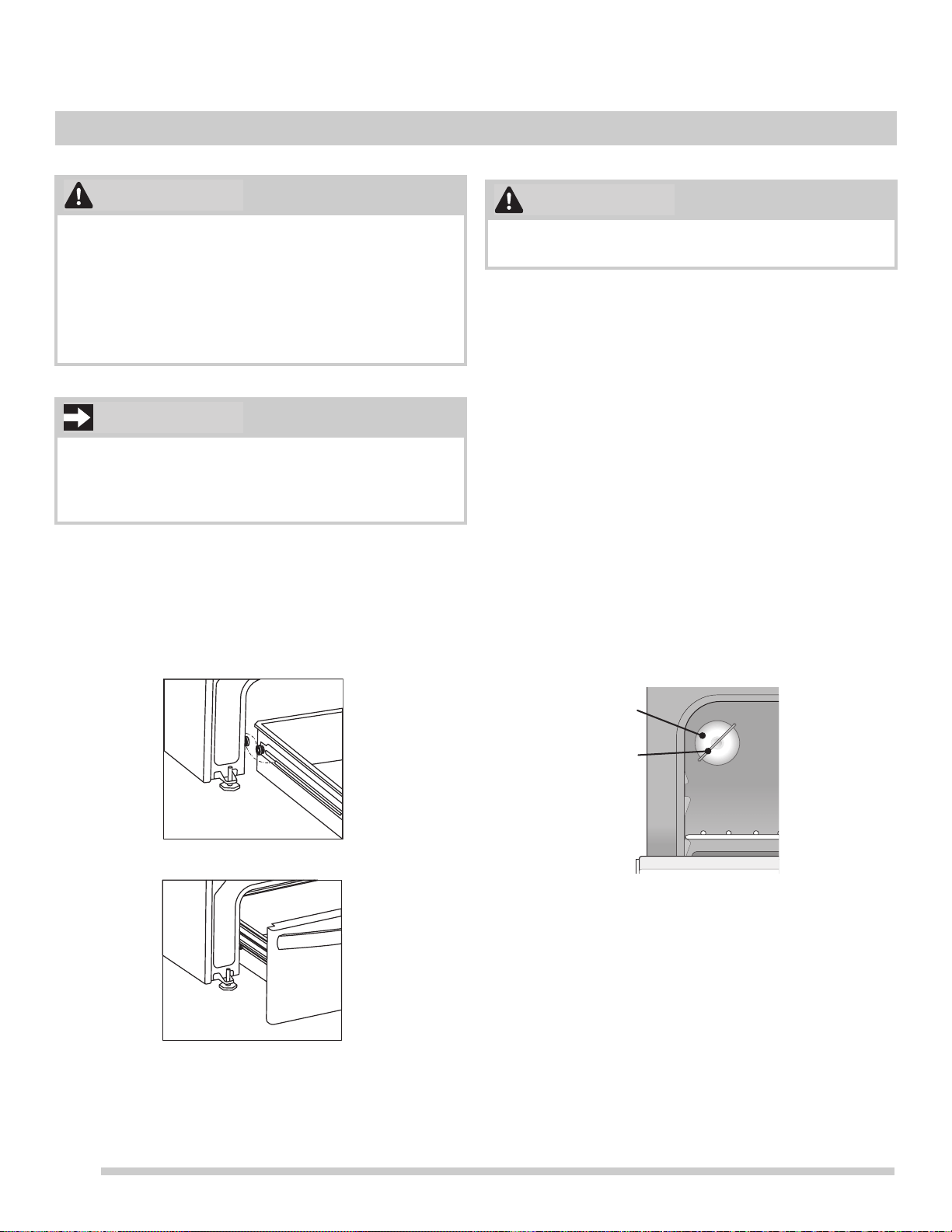
Remove and replace storage drawer
Use the storage drawer for storing cooking utensils. The
drawer can be removed to facilitate cleaning under the
range. Use care when handling the drawer.
Replacing the Oven Light
Replacing the oven interior light bulb:
The interior oven light is located at the rear of the oven
cavity and
covered with a glass shield. The glass shield
must be in place whenever the oven is in use (Figure 31).
1. T
urn electrical power off at the main source or unplug
th
e appliance.
2. Remove the interior oven light shield after removing the
wir
e holder by carefully moving the wire to the side of
the glass shield. The tension from the wire holds the
glass shield in place.
3. Pull the shi
e
ld straight out. Do not twist or turn.
4. Replace the bulb with a new appliance bulb.
5. Replace the glass oven light sh
ield. Replace wire
holder.
6. Turn the power back on again at the main source (or
p
lug the appliance back in).
7. Be sure to reset the time of day on the clock.
Never cover any slots, holes, or passages in the oven
bottom or cover an entire oven rack with materials such
as aluminum foil. Aluminum foil linings may trap heat,
causing a fire hazard.
Protective Liners — Do not use aluminum foil to line the
oven
bo
ttom. Improper installation of these liners may
result in risk of electric shock or fire.
Aluminum foil - Use of aluminum foil on a hot cooktop can
damage the cooktop. Do not use thin aluminum cooking
utensils or allow aluminum foil to touch the surface
elements under any circumstances.
WARNING
IMPORTANT
Be sure the oven is unplugged and all parts are cool
before replacing the oven light.
Figure 30: Oven light protected by glass shield
CAUTION
wire
holder
glass
shield
33
CARE AND CLEANING
Removing and Replacing the Oven Door
To remove oven door:
1. Open oven door completely, horizontal with floor (See
F
igure 32).
2. Pull the door hinge locks on both left and right door
h
inges down from the oven frame completely towards
the oven door (See Figure 33). A tool such as a small
flat-blade screwdriver may be required.
3. F
irmly grasp both sides of oven door along the door
side
s. Do not use the oven door handle (See
Figure 34).
4. Clo
se the door to approximately 10 degrees from the
d
oor frame (See Figure 34).
5. Lift the oven door hinge arms over the roller pins
lo
cated on each side of the oven frame (See Figure 35).
To replace oven door:
1. F
irmly grasp both sides of oven door along the door
side
s. Do not use the oven door handle (See
Figure 34).
2. Ho
lding the oven door at the same angle as the removal
p
osition, seat the hook of the hinge arm over the roller
pins located on each side of the oven door frame (See
Figure 34 and Figure 35). The hook of the hinge arms
must be fully seated onto the roller pins.
3. F
ully open the oven door, horizontal with floor (See
F
igure 32).
4. Push the door hinge locks up towards and into the oven
fr
ame on both left and right oven door hinges to the
locked position (See Figure 33).
5. Clo
se the oven door.
The door is heavy. For safe, temporary storage, lay the
door flat with the inside of the door facing down.
Special door care instructions - Most oven doors contain
glass that can break. Do not hit the glass with pots, pans,
or any other object. Scratching, hitting, jarring, or
stressing the glass may weaken its structure, causing an
increased risk of breakage at a later time. Do not close
the oven door until all of the oven racks are fully in place.
CAUTION
IMPORTANT
Figure 31: Door hinge location
Figure 32: Door hinge locks
Figure 33: Holding door for removal
Figure 34: Replacement and location of hinge arm and
roller pin
Oven door
hinge
locations
L
O
C
K
about
10°
hinge
oven
door
roller
pin
hinge
arm
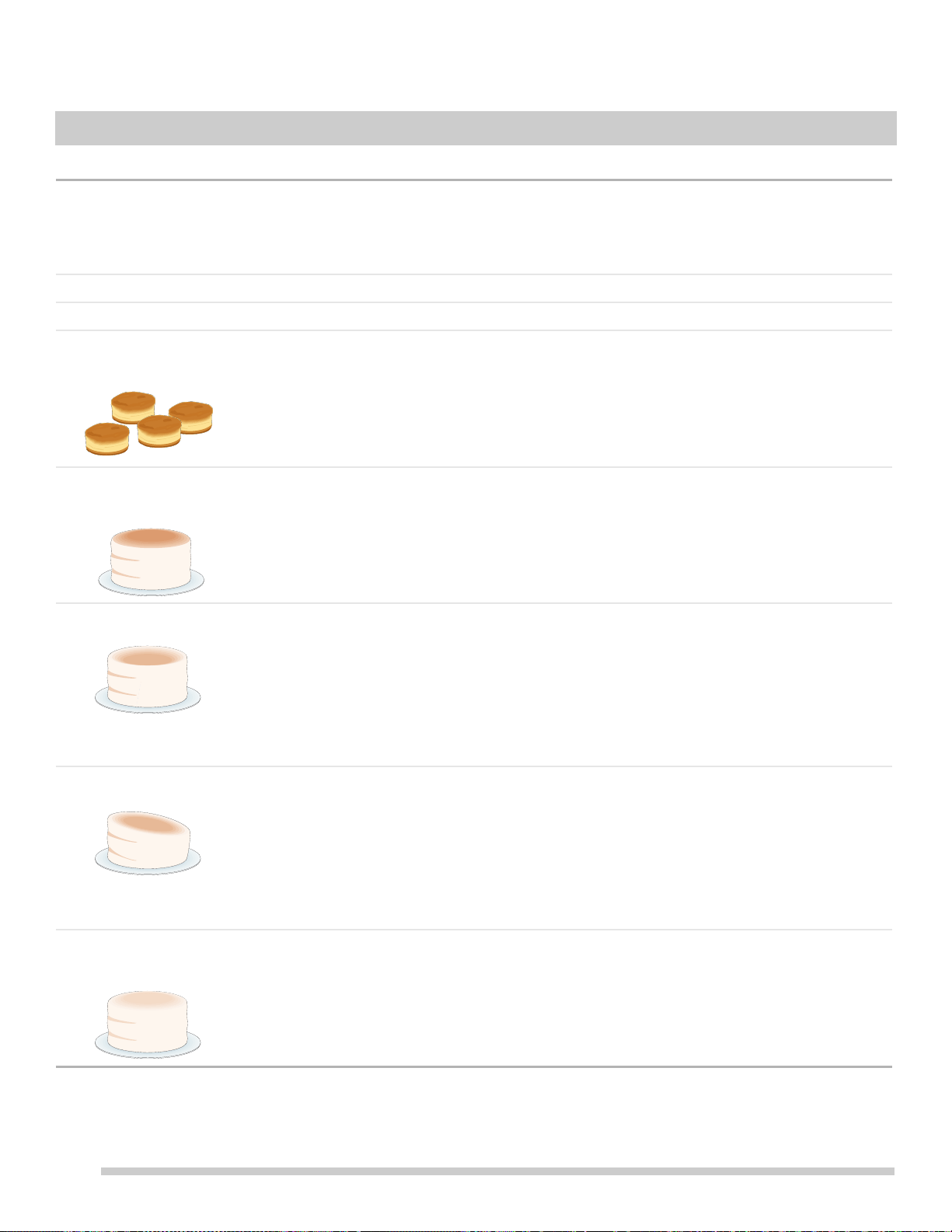
34
Oven Baking
For best cooking results, preheat the oven before baking cookies, breads, cakes, pies, pastries, etc. There is no need to
preheat the oven for roasting meat or baking casseroles. The cooking times and temperatures needed to bake a product
may vary slightly from your previously owned appliance.
Baking Problems and Solutions
Baki
ng Problems Causes Corrections
Cookies and biscuits burn
on the bottom.
• Cookies and biscuits put into
ov
en before oven is
preheated.
• Ov
en rack is overcrowded.
• Dark pan absorbs heat too
fast.
• Allow oven to preheat to desired temperature before
placing food in oven.
• Choose pan sizes that will permit at least 2” of air space
(5
.1 cm) on all sides when placed in the oven.
• Use a medium weight shiny baking sheet.
Cakes
too dark on top or
bottom
• Cakes put in ove
n before
oven is preheated.
• Rack position too high or
too low
.
• Oven too hot.
• Allow oven to preheat to the selected temperature
befo
re placing food in the oven.
• Use proper rack position for baking needs.
• Set oven temperature 25°F (13°C) lower than recom-
men
ded.
Cakes not done in center • Oven too hot.
• Incorrect p
an size.
• Pan not centered in oven.
• Glass cook
ware slow heat
conductor.
• Set oven temperature 25°F (13°C) lower than recom-
men
ded.
• Use pan size suggested in recipe.
• Use proper rack position and place pan so there are at
least 2” (
5.1 cm) of space on all sides of pan.
• Reduce temperature and increase cook time or use
sh
iny bakeware.
Cakes not level. • Oven not level.
• Pan too close to oven wall or
ra
ck overcrowded.
• Pan warped.
• Oven light left on while
b
aking.
• Place a marked glass measuring
cup filled with water on
the center of the oven rack. If the water level is uneven,
refer to the installation instructions for leveling the oven.
• Use
proper rack position and place pan so there are at
least 2” (
5.1 cm) of space on all sides of pan.
• Do not use pans that are dented or warped.
• Do not leave the oven light on while baking.
Foo
ds not done when
cooking time
is over.
• Oven too cool.
• Oven overcrowded.
• Oven door opened too
fr
equently.
• Set
oven temperature 25°F (13°C) higher than
su
ggested and bake for the recommended time.
• Be sure to remove all pans from the oven except the
one
s to be used for baking.
• Open oven door only after the shortest recommended
bakin
g time.
BEFORE YOU CALL

35
BEFORE YOU CALL
Solutions to Common Problems:
Before you call for service, review the following list. It may save you time and expense. Possible solutions are provided
with the problem listed.
Problem Cause / Solution
Entire appliance does not
ope
ra
te.
Appliance not connected. Make sure power cord is plugged properly into outlet.
Check your fuse box or breaker box to make sure the circuit is active.
Electrical power outage. Check house lights to be s
ure. Call your local electric
company for service outage information.
Oven Problems
Poor baking results. Many factors affect baking results. Use proper
oven r
ack position. Center food in the
oven and space pans to allow air to circulate. Preheat the oven to the set temperature
before placing food in the oven. Try adjusting the recipe's recommended temperature
or baking time. See “Adjusting the oven temperature” on page 28 if you feel the oven
is too hot or too cool.
Flames inside oven or smoking
fr
om oven vent.
Excessive spills in oven. Grease or food spilled onto the oven bottom or oven cavity.
Wipe up excessive spills before starting the oven. If flames or excessive smoke are
present when using broil, see “Setting Broil” on page 25.
Oven smokes excessively when
broiling.
Incorrect setting. Follow the “Setting Broil” instructions on page 25.
Meat too close to the broil element or burne
r. Reposition the broil pan to provide
proper clearance between the meat and broil element or burner. Remove excess fat
from meat. Cut remaining fatty edges to prevent curling, but do not cut into lean.
Grease build up on oven surfaces. Regular cleaning is necessary when broiling
frequently
. Grease or food splatters will
cause excessive smoking.
The letter E appears in a setting
indicator
An error has occurred. This may happen because cookware has boiled dry. Remove
cookware and turn off the cooktop. After 30 seconds, turn on the cooktop. If the cookware
was the problem, E will no longer display.
An error may occur because of water, oil, or food on the controls. Clean the control panel.
Disconnect the power to the range for a minute, then re
connect it. If the error still occurs,
call an authorized dealer or service technician.
Oven portion of appliance does
not operate.
Be sure the regulator gas valve is turned to ON. See installation instructions.
The time of day is not set. The clock must b
e set in order to operate the oven. See
“Setting the Clock” on page 21.
Be sure the oven controls are set properly for the desired function. See “Oven Control
Features” starting on page 20 and review instructions for th
e d
esired cooking function
in this manual or see Enti
re appliance does not operate in this checklist.

36
BEFORE YOU CALL
Cooktop Problems
Surface element is too hot or not
hot enoug
h.
Incorrect induction cooktop power level setting. Adjust power level setting higher or
lower as needed.
Be sure the correct surface control is activated for the cooking zone.
Be sure to use the correct cookware material type for induction cooking. Use
cookw
a
re specifically identified by the manufacturer to use for induction cooking. If
you’re not sure, use a magnet to test whether the cookware type will work. If a
magnet sticks to the bottom of the cookware, the material type is correct for induction
cooking.
Be sure to read about pan-sensing in the Induc
t
ion Cooking section in the checklist
provided.
Surface element does not heat or
does n
ot heat evenly.
Be sure the correct surface control is turned on for element needed.
Be sure to use the correct cookware material type for induction cooking. Use
cookwa
re specifically identified by the manufacturer to use for induction cooking. If
you’re not sure, use a magnet to test whether the cookware type will work. If a
magnet sticks to the bottom of the cookware, the material type is correct for induction
cooking.
Use quality heavier gauge cookware.
Cookware in the cooking zone is
too ho
t or not hot enough.
Incorrect surface control setting. Adjust power level setting.
Cooking zone does not heat
cook
ware.
Be sure the correct surface control is turned on for the element needed.
Incorrect cookware used. See “Cooking Recommendations” on page 9.
Cookware is the wrong size or incorrectly positioned in the cooking zone. See “Pan
Sensing” on page 14.
Cooking zone does not heat
evenly.
Cookw
are is warped. Use only flat, evenly balanced cookware. Flat pans heat better
than warped pans.
Cookware materials and weight of the materi
al affect heating. Heavy and medium-
weight pans heat evenly. Because lightweight pans heat unevenly, foods may burn
easily.
Cooking zone control does not
work
M
ore than one control was pressed at once. Make sure that when trying to set the
control, nothing is touching another control.
Water or soil on the control panel. Clean the control panel.
A - (dash) appears in all the
surface control setting indicators.
The cooktop is locked. See “Setting oven lockout” on page 22.
The Hot Cooktop warning did not
come on
The cooktop did not get hot enough to activate the warning.
If the cooktop was running long enough for the surface to get hot, call an authorized dealer
or service technician.
The control area becomes hot The cookware is too large or too close to the controls. Put large cookware on a rear zone
if possible.
Problem Cause / Solution

37
BEFORE YOU CALL
Areas of discoloration with
metallic sheen on cooktop
surface.
Mineral deposits from water and food. Remove them using cooktop cleaning creme
applied to the ceramic surface. Buff with a non-abrasive cloth or sponge.
Scratches or abrasions on
cookto
p surface.
Coarse particles such as salt or hardened soils between cooktop and utensils can
cause scratches. Be sure the cooktop surface and bottoms of utensils are clean
before use. Small scratches do not affect cooking and will become less visible with
time.
Cleaning materials not recommended for ceramic-glass cooktop have been used.
Ap
ply
cooktop cleaning creme to the ceramic surface. Buff with a non-abrasive cloth
or sponge.
Cookware with a rough bottom was used. Use smooth, flat-bottomed cookware.
Metal marks on the cooktop. Sliding or scraping of metal utensils on cooktop sur
face. Do not slide metal utensils
on the cooktop surface. Apply cooktop cleaning creme to the ceramic surface. Buff
with a non-abrasive cloth or sponge. For more information, see “Cooktop Mainte-
nance” on page 31.
Brown streaks or specks on
cookto
p surface.
Boil overs are cooked onto the surface. When cooktop is cool, use a razor blade
scraper to remove soil. For more information see “Cooktop Maintenance” on page 31.
Appliance is not level. Be sure the floor is level, strong, and stab
le enough to adequately support the range.
If the floor is sagging or sloping, contact a carpenter to correct the situation.
Poor installation. Place the oven rack in the center
of the oven. Place a level on the
oven rack. Adjust the leveling legs at the base of the appliance until the rack is level.
Kitchen cabinet alignment may make range appear not level. Be sure cabinets are
squa
re and have sufficient room for appliance clearance.
Cannot move appliance easily.
Applia
nce must be accessible for
service.
Cabinets not square or are built in too tightly. Contact the builder or installer to make
the appliance accessible.
Carpet interferes with appliance. Provide suff
icient space so the appliance can be
lifted over carpet. Installation over carpet is not advised. See the installation instruc-
tions for guidelines specific to your appliance.
Oven light does not work. Be sure the oven light is secure in the socket. See “”
on page 32.
Problem Cause / Solution



WARRANTY
Your appliance is covered by a one year limited warranty. For one year from your original date of
purchase, Electrolux will pay all costs for repairing or replacing any parts of this appliance that prove
to be defective in materials or workmanship when such appliance is installed, used and maintained in
accordance with the provided instructions.
Exclusions
This warranty does not cover the following:
1. Products with original serial numbers that have been removed, altered or cannot be readily determined.
2. Product that has been transferred from its original owner to another party or removed outside the USA or
Canada.
3. Rust on the interior or exterior of the unit.
4. Products purchased “as-is” are not covered by this warranty.
5. Food loss due to any refrigerator or freezer failures.
6. Products used in a commercial setting.
7. Service calls which do not involve malfunction or defects in materials or workmanship, or for appliances
not in ordinary household use or used other than in accordance with the provided instructions.
8. Service calls to correct the installation of your appliance or to instruct you how to use your appliance.
9. Expenses for making the appliance accessible for servicing, such as removal of trim, cupboards, shelves,
etc., which are not a part of the appliance when it is shipped from the factory.
10. Service calls to repair or replace appliance light bulbs, air filters, water filters, other consumables, or knobs,
handles, or other cosmetic parts.
11. Surcharges including, but not limited to, any after hour, weekend, or holiday service calls, tolls, ferry trip
charges, or mileage expense for service calls to remote areas, including the state of Alaska.
12. Damages to the finish of appliance or home incurred during installation, including but not limited to floors,
cabinets, walls, etc.
13. Damages caused by: services performed by unauthorized service companies; use of parts other than
genuine Electrolux parts or parts obtained from persons other than authorized service companies; or
external causes such as abuse, misuse, inadequate power supply, accidents, fires, or acts of God.
CUSTOMER’S SOLE AND EXCLUSIVE REMEDY UNDER THIS LIMITED WARRANTY SHALL BE PRODUCT
REPAIR OR REPLACEMENT AS PROVIDED HEREIN. CLAIMS BASED ON IMPLIED WARRANTIES, INCLUDING
WARRANTIES OF MERCHANTABILITY OR FITNESS FOR A PARTICULAR PURPOSE, ARE LIMITED TO ONE YEAR
OR THE SHORTEST PERIOD ALLOWED BY LAW, BUT NOT LESS THAN ONE YEAR. ELECTROLUX SHALL NOT
BE LIABLE FOR CONSEQUENTIAL OR INCIDENTAL DAMAGES SUCH AS PROPERTY DAMAGE AND INCIDENTAL
EXPENSES RESULTING FROM ANY BREACH OF THIS WRITTEN LIMITED WARRANTY OR ANY IMPLIED
WARRANTY. SOME STATES AND PROVINCES DO NOT ALLOW THE EXCLUSION OR LIMITATION OF INCIDENTAL
OR CONSEQUENTIAL DAMAGES, OR LIMITATIONS ON THE DURATION OF IMPLIED WARRANTIES, SO THESE
LIMITATIONS OR EXCLUSIONS MAY NOT APPLY TO YOU. THIS WRITTEN WARRANTY GIVES YOU SPECIFIC
LEGAL RIGHTS. YOU MAY ALSO HAVE OTHER RIGHTS THAT VARY FROM STATE TO STATE.
Keep your receipt, delivery slip, or some other appropriate payment record to establish the warranty period
should service be required. If service is performed, it is in your best interest to obtain and keep all receipts.
Service under this warranty must be obtained by contacting Electrolux at the addresses or phone
numbers below.
DISCLAIMER OF IMPLIED WARRANTIES; LIMITATION OF REMEDIES
This warranty only applies in the USA and Canada. In the USA, your appliance is warranted by Electrolux Major Appliances
North America, a division of Electrolux Home Products, Inc. In Canada, your appliance is warranted by Electrolux Canada Corp.
Electrolux authorizes no person to change or add to any obligations under this warranty. Obligations for service and parts under
this warranty must be performed by Electrolux or an authorized service company. Product features or specifications as described
or illustrated are subject to change without notice.
If You Need
Service
Canada
1.800.265.8352
Electrolux Canada Corp.
5855 Terry Fox Way
Mississauga, Ontario, Canada
L5V 3E4
USA
1.800.944.9044
Electrolux Home Products, Inc.
10200 David Taylor Drive
Charlotte, NC 28262