
English
Operating Instructions
Before Use
We recommend that you turn off your
“WALKMAN” before attaching/
detaching the case to avoid unintended
operations.
If a strap (not supplied) is attached to the
“WALKMAN,” detach it before attaching
the case.
Make sure no foreign object such as sand
or dust has gotten into the case or on the
surface of your “WALKMAN” to avoid
damaging it. If sand or dust adheres to
the surface of your “WALKMAN,” clean
it off with a soft cloth, such as a cleaning
cloth for eyeglasses.
To attach the Screen
Protection Sheet
1 Wipe the display of your
“WALKMAN” with a soft cloth,
such as an eyeglass cleaning cloth,
then remove dirt or dust that may
cause air traps.
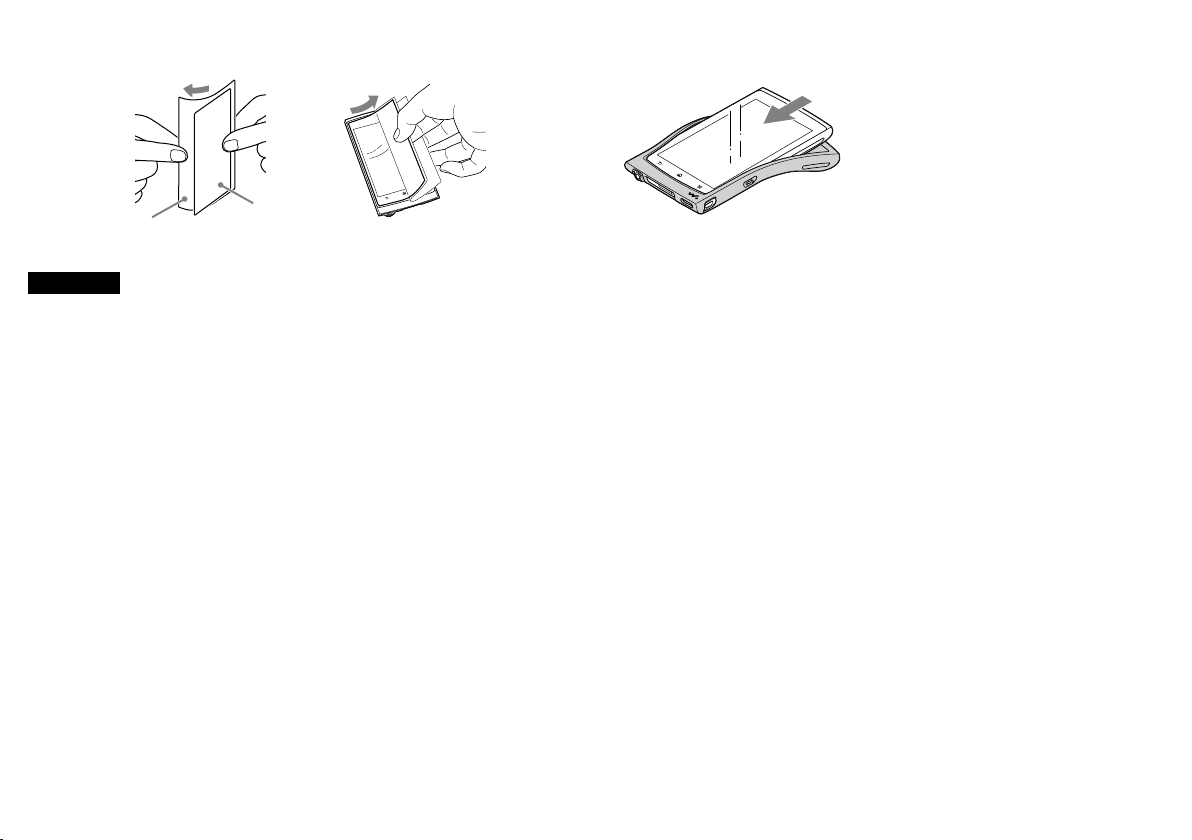
2 Peel off the Screen Protection
Sheet (a of Figure -) halfway
from its Release Sheet (b of Figure
-). Align it with the line at
the side of the display and attach it
while taking care to avoid air traps
(Figure -). Be careful not to
touch the adhesive side.
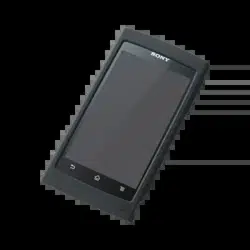
Silicone Case CKM-NWZ1000
To attach the case
1 Insert your “WALKMAN” with
the display facing up (Figure ).
2 Adjust the case to fit the hollows
over your “WALKMAN” buttons.
Notes
Keep small children away from the
Release Sheet (b of Figure -) to
prevent accidental swallowing.
Do not insert your “WALKMAN”
through the WM-PORT jack hole of the
case.
Specifications
Dimensions (w/h/d):
Approx. 75 × 138 × 14 mm
(3 × 5 1/2 × 9/16 in.)
Mass: Approx. 24 g (0.9 oz.)
Contents: Silicone Case (1) /
Screen Protection Sheet (1) /
Operating Instructions (1)
“WALKMAN” and “WALKMAN”
logo are registered trademarks of
Sony Corporation.
©2012 Sony Corporation Printed in Malaysia
a
b
Français
Mode d’emploi
Avant utilisation
Éteignez votre « WALKMAN » avant de
fixer ou de retirer l’étui pour éviter toute
mise en marche involontaire.
Si votre « WALKMAN » est équipé d’une
dragonne (non fournie), retirez-la avant
de fixer l’étui.
Assurez-vous qu’aucun corps étranger
(ex : un grain de sable) ne s’introduise
dans l’étui ou n’adhère à la surface de
votre « WALKMAN » pour éviter de
l’endommager. Si du sable ou de la
poussière adhère à la surface de votre
« WALKMAN », nettoyez-la à l’aide d’un
chiffon doux, tel qu’un chiffon à lunettes.
Pose du film de protection
d’écran
1 Nettoyez l’écran de votre
« WALKMAN » à l’aide d’un
chiffon doux, tel qu’un chiffon à
lunettes, afin de retirer les résidus
ou poussières qui pourraient
entraîner la formation de bulles
d’air.
2 Décollez le film protecteur (a de la
Figure -) jusqu’à la moitié de
son support (b de la Figure -)
Alignez le film par rapport aux
bords de l’écran et appliquez-le en
prenant garde d’éviter la formation
de bulles d’air (Figure -).
Veillez à ne pas toucher la face
adhésive du film.
Fixation de l’étui
1 Insérez votre « WALKMAN » en
orientant l’écran vers le haut
(Figure ).
2 Ajustez l’étui de manière à laisser
apparaître les touches du
« WALKMAN ».
Remarque
Maintenez le support du film (b de la
Figure -) hors de portée des jeunes
enfants afin qu’ils ne l’avalent pas
accidentellement.
N’insérez pas le « WALKMAN » à
travers le trou de l’étui destiné à la prise
du WM-PORT.
Caractéristiques
Dimensions (l/h/p) :
Environ 75 × 138 × 14 mm
(3 × 5 1/2 × 9/16 pouces)
Poids : Environ 24 g (0,9 on.)
Contenu : Étui en silicone (1) / Film de
protection d’écran (1) /
Mode d’emploi (1)
« WALKMAN » et le logo
« WALKMAN » sont des marques
déposées de Sony Corporation.
a
b