Radiolink TS100
(MINI M8N GPS)
User Manual
Compatible with APM and PIXHAWK

1
INTRODUCTION
Thank you for purchasing Radiolink MINI M8N GPS TS100.
Suggestion: In order to fully enjoy the benefits of this GPS, please read the manual carefully and set up the device
as described below.
Please refer to the manual or call our after-sales (+86-0755-88361717) or log in
https://www.facebook.com/Radiolink-1455452961436694/ to check the issues related answer to questions if you
have any questions.
Due to unforeseen changes in production procedures, the information contained in this manual is subject to
change without notice.
More information please check our website as below:
http://www.radiolink.com
Support and Service:
It is recommended to have your Radiolink equipment serviced annually during your hobby’s “off season” to
ensure safe operation.
Please be sure to regularly visit the Service and Support website at www.radiolink.com. This page includes
extensive programming, use, set up and safety information.
Any technical updates and manual corrections will be available on this web pages. If you do not find the answers
to your questions there, please see the end of our contact area for information on contacting us via email for the
most rapid and convenient response.
FOR AFTER-SALES SERVICE:
Please start here for getting more service.
www.radiolink.com
Phone:+86-755-88361717
Email: after_service@radiolink.com.cn/after_service1@radiolink.com.cn
FOR TECHNIQUE SUPPORT:
Please start here for answers to technique questions:
www.radiolink.com
Phone:86-755-88361717
Email: alice@radiolink.com.cn
2
TS100
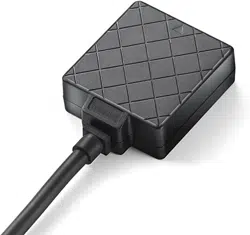
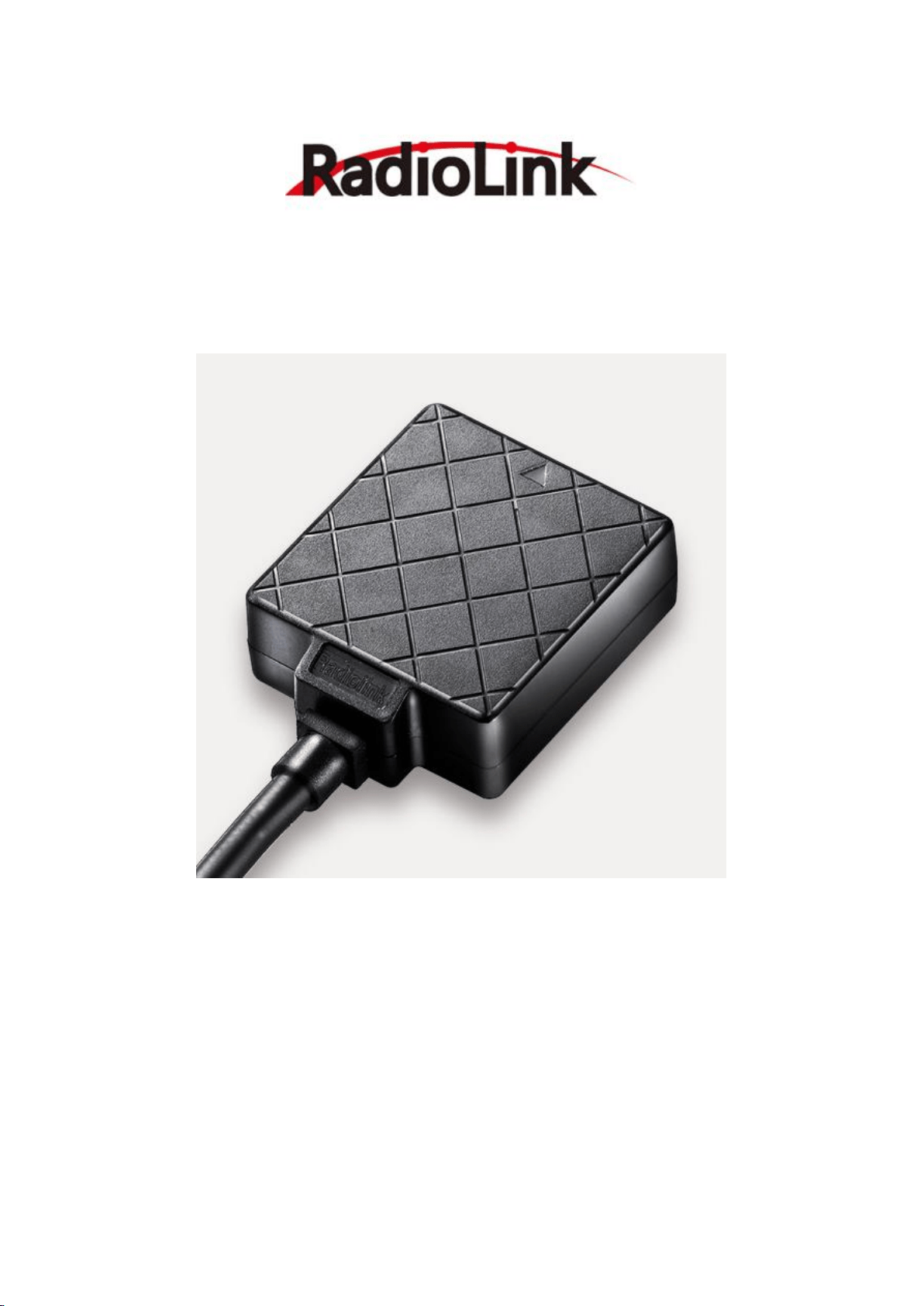
Radiolink MINI M8N GPS TS100, benefits from 15 years of professional wireless experiences of Radiolink engineers,
exceed the limitation of IC sensitivity index from circuit schematic design to PCB placement.
50 centimeter position accuracy. Positioning 20 satellites in 6 seconds at open ground. Valley station-keeping
ability. Appearance patent.
TS100 is compatible with flight controller Radiolink MINI PIX and PIXHAWK(the multicopter/helicopter firmware
from V3.5.4, the fixed wing firmware from V3.8.0). Other flight controller also can use if do not need use compass
of TS100.
Radiolink MINI M8N GPS TS100 Configuration
GPS decoder chip: Radiolink M8N GPS, with u-blox UBX-M8030(M8), 72-channel, MMIC BGA715L7 from Infineon,
is much better than single GNSS 7N.
Concurrent reception of GPS/QZSS L1 C/A,GLONASS L10F, BeiDou B1, two GNSS working at the same time.
SBASL1 C/A: WAAS, EGNOS, MSAS
Geomagnetic: QMC5883L which with same technology as HMC5983 from Honeywell
Antenna : 2.5dbI high gain and selectivity ceramic antenna
Power amplify IC: MMIC BGA715L7 from Infineon
Double Filter: SAWF(Surface acoustic wave filter) form Murata
Parameter
1) Positional Accuracy: 50 centimeter precision when working with concurrent GNSS.
2) Velocity precision: 0.1m/s Max update rate: up to 10Hz
3) Max height: 50000m Max speed: 515m/s
4) Max acceleration: 4G
5) Sensitivity
Tracking & Nav.: -167dBm, Reacquisition: -163dBm, Cold start: -151dBm, Hot start: -159dBm.
6) Time to first fix: Cold start: 26s, Hot start:1s.
7) Connect ports
Power supply: voltage 5VDC+-5%, current 50~55mA
8) Ports
A. GPS UART interface, baud rate: 1.2K/4.8K/9.6K/19.2K/38.4K/57.6K/112.5K
B. Geomagnetic I2C interface
3
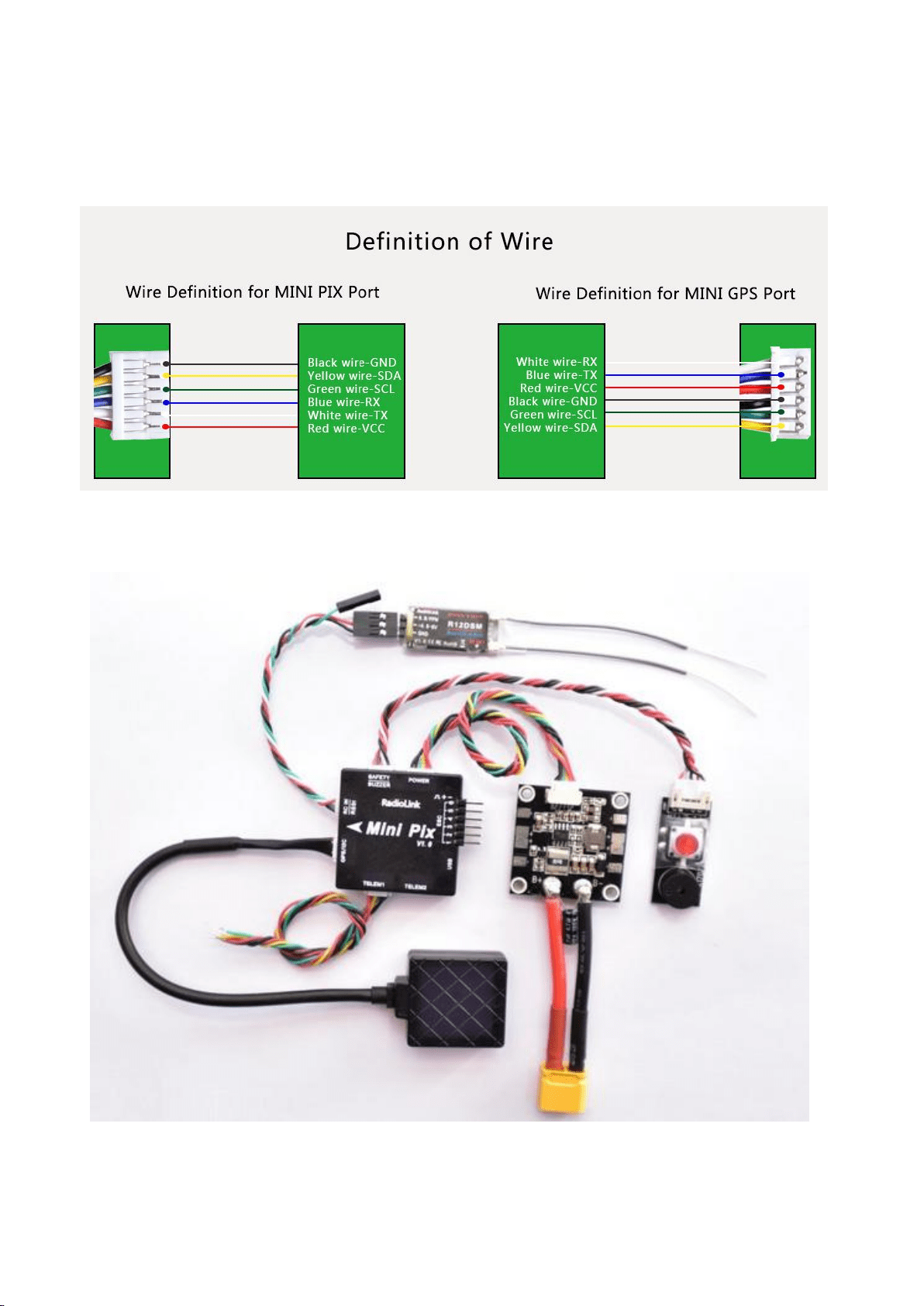
Definition of Connector
Connect to flight controller: Black wire-GND, Yellow wire-SDA, Green wire-SCL, Blue wire-RX, White wire-TX, Red
wire-VCC
GPS Mainboard : White wire-RX, Blue wire-TX, Red wire-VCC, Black wire-GND, Green wire-SCL, Yellow wire-SDA
TS100 Connect to Mini Pix
4
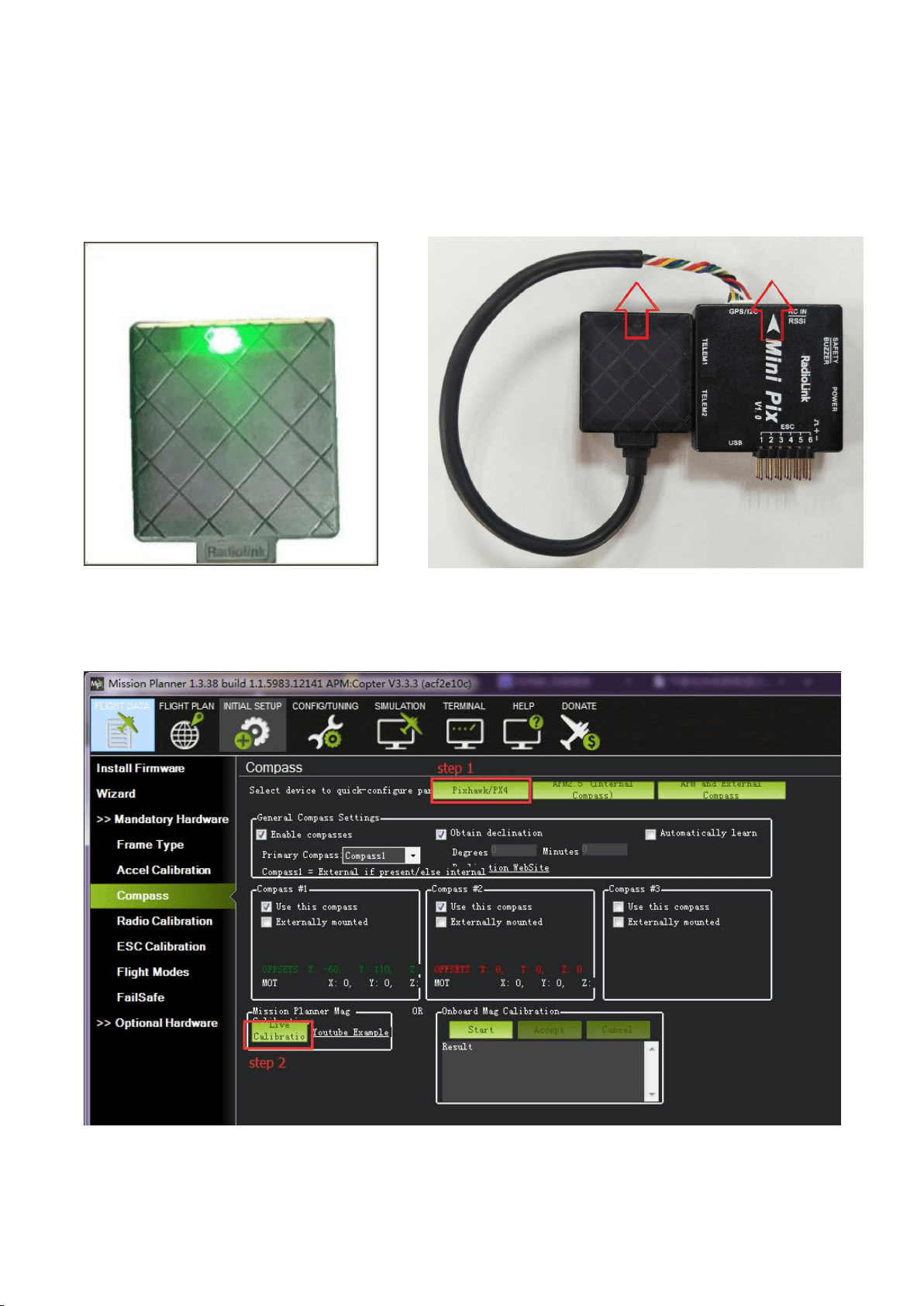
Compass calibrate Positioning Indicate
Please use Mission Planner
Arrows shows the front, point to the Humanized positioning green LED indicate.
same direction as the flight controller. The green LED will flicker when TS100 have
Keep the same direction with flight controller. positioning.
Compass calibrate(calibrate with APM mission planner)
Compass calibrate(Using version 1.3.39 of Mission planner), please choose Pixhawk/PX4 if you use
with flight controller MINI PIX or PIXHWAK.
5
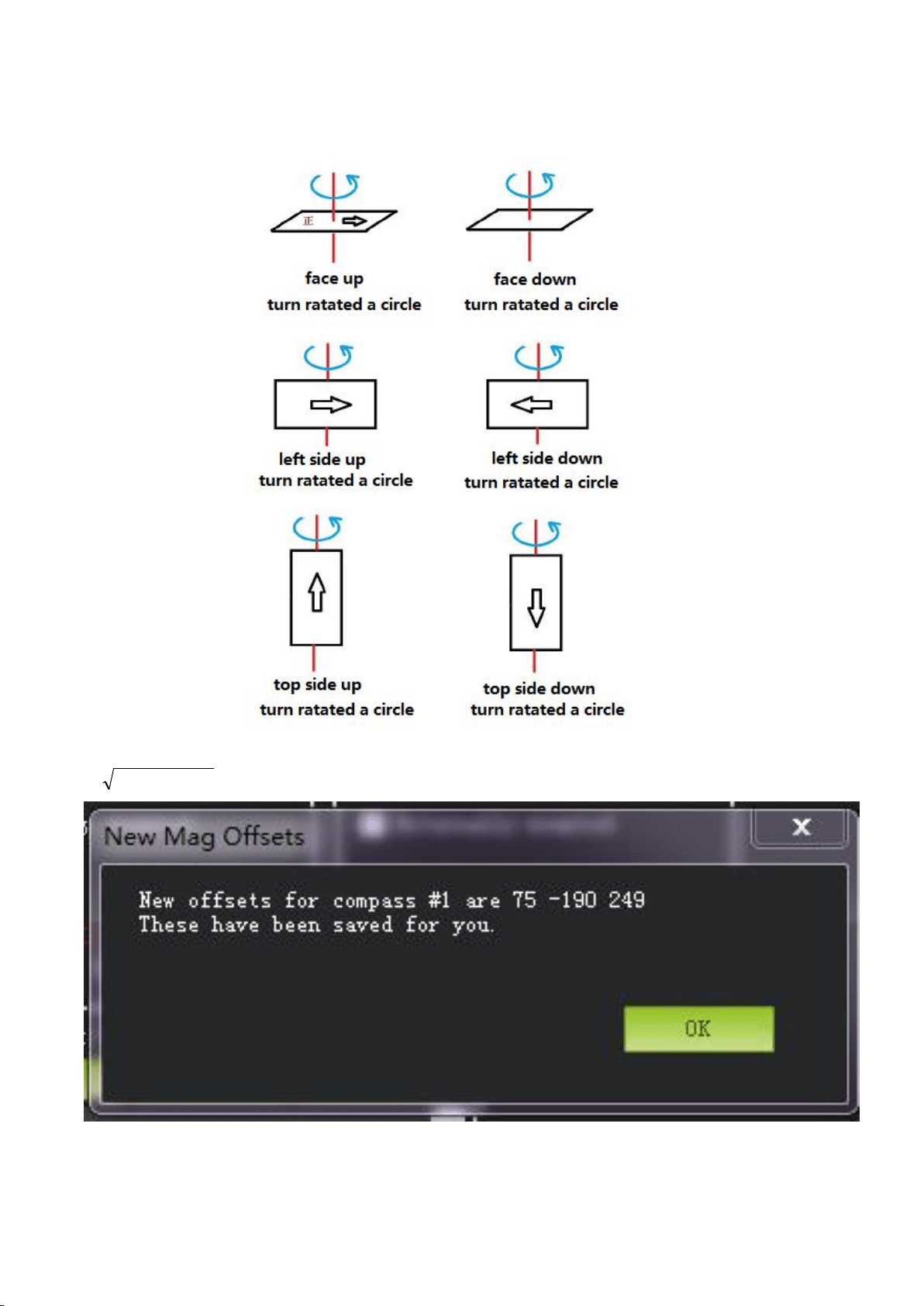
Calibrate like this picture shows, click Done to finished the calibrate. Click OK to save the settings.
If
222
ZYX
<600, please try to cancel Compass #1 or Compass #2.