!
!
!
!
!
!
!
!
!
!
!
!
!
!
!
!
!
!
!
!
!
!
!
!
!
!
!
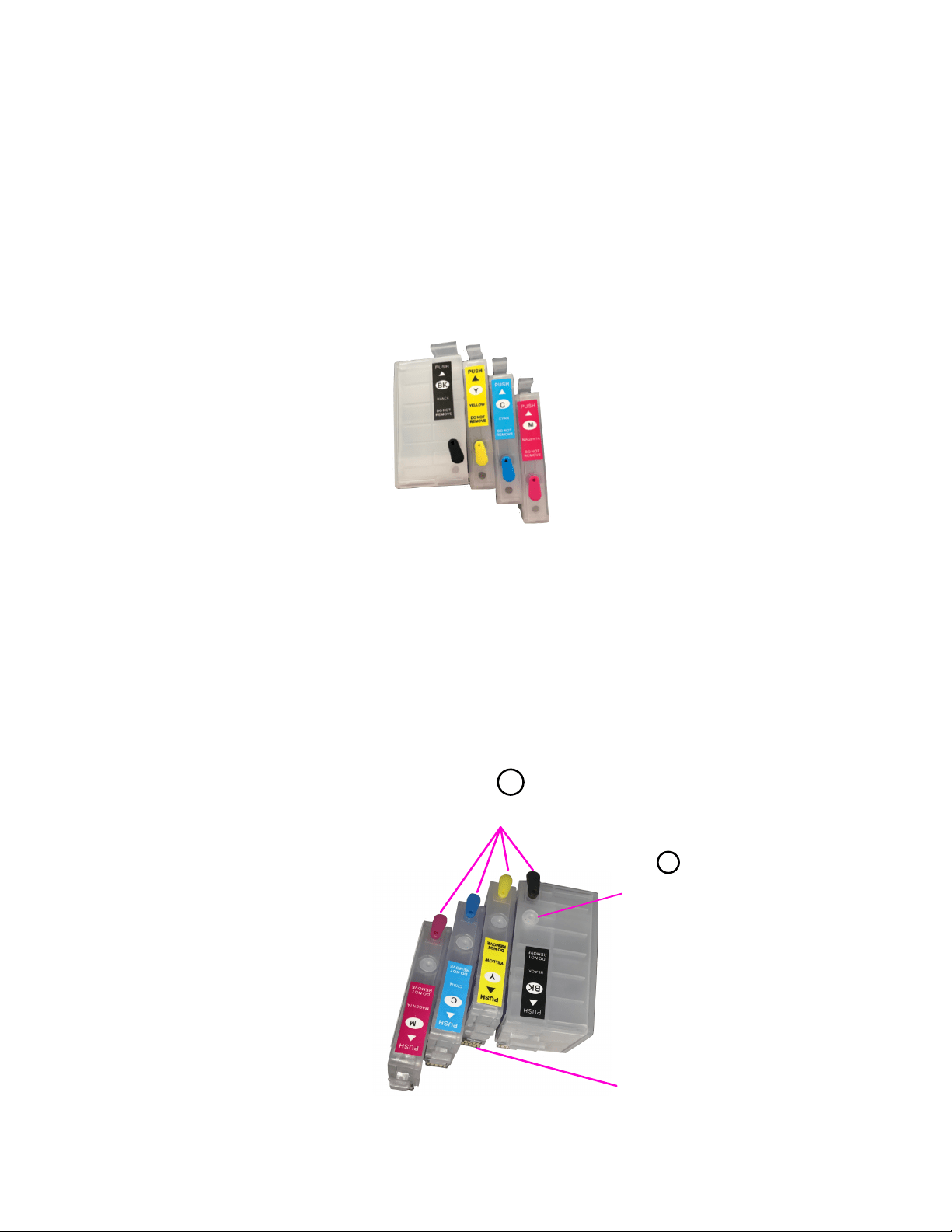
2- Before installing cartridge in your printer remove the air hole tab and
place it in the ink hole opening, otherwise your printer will NOT print.!
Note: Air hole must be opened at all times. !
!
!
!
!
!
!
!
!
!
!
!
!
!
!
!
!
!
!
!
!
!
!
!
!
!
!
!
!
!
!
!
!
!
FILLING INSTRUCTIONS
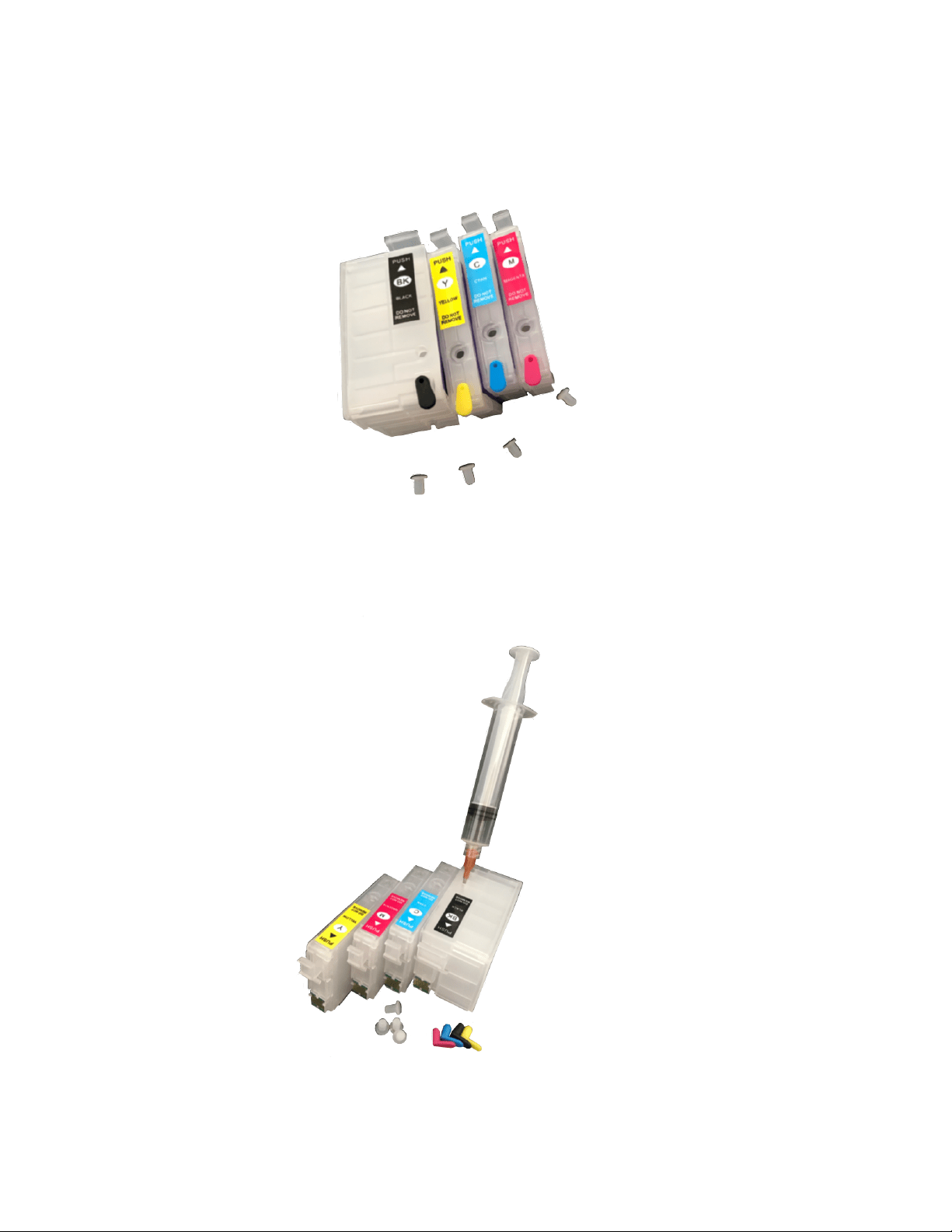
1- Take the clear rubber from ink hole, fill ink at the ink hole
opening.!
3- When printer alerts you that the ink level is empty, take the cartridge
out to refill then re-install.The chip will be reset, If it doesn’t, please
remove and re-install all cartridges a gain, or turn off the printer let set
for five minutes and turn back on.!
Note: The auto reset function will only works when the printer detects
an empty cartridge and it requests a cartridge exchange.!
!
!
!
!
!
!
!
!
!
!
!
Trouble shooting: If your printer encounter problem not reading the
chip on the cartridge, remove the cartridges clean the printer head chip
reader by alcohol and also the chip on the cartridge. wait a minute then
install the cartridges again.!
!
Note: Do not install cartridges without the ink.!
!
!
!
!
!
!
!
!
!
!
!
!
!
!
!
!
!
!
!
!
!
!
!
!
!
1
Ink hole
Auto reset chip
2
Air holes

!
!
!