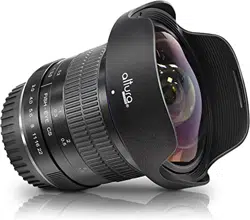
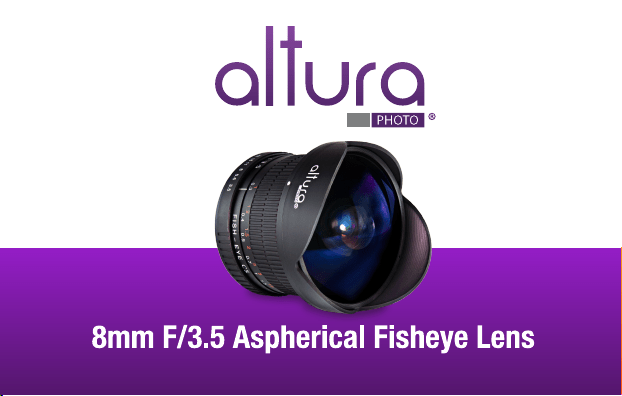
HD Lens Series for Canon DSLR

User Guide
Thank you for purchasing the Altura Photo 8mm f/3.5 Fisheye Lens!
Your new lens is an excellent addition to your collection, allowing you
to vastly diversify your photographic capabilities with a new and
unique perspective. The special design of Altura Photo Fisheye
allows you to create images with an expanded perspective when
paired with an APS-C image sensor. These photos will give you a
creatively desired deformation in the image as well as a sharp pan
focus consistent throughout the entire frame.

With a 180-degree, diagonal field of view, this lens creates amazing
images with exaggerated perspectives and distortions that are
unique to fisheye technology. Its minimum focusing distance of only
0.3 meters (12 inches) is ideal for close-up shots or close quarter
photography. Altura Photo magnificent fisheye also employs a
multi-layer coating to reduce flares and ghosting while providing
optimal color balance.

Key features
180 Degree, APS-C format compatible, diagonal field of view.
Constructed with hybrid aspherical lenses for sharp defined images.
Rounded images when used with full frame.
Super multi-layer coating to reduce flares and ghost images.
Has a minimum focusing distance of 12 inches.
Includes a removable petal type lens hood and lens cap.

None
3.5 ~ 22
1.0 ft (0.3m)
Yes (removable)
180 Degrees
7/10
14.7 oz (416.74g)
Specifications
Filter size:
Aperture range:
Minimum focus distance:
Lens hood:
Angle of view:
Groups/Elements:
Weight:
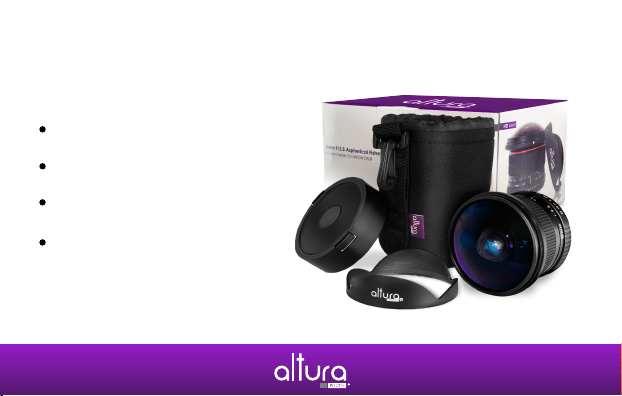
Box includes
8mm Circular Fisheye Lens
Altura Photo lens pouch
Removable petal lens hood
Front and back lens caps

F.A.Q.
Problem: Camera shutter does not release when lens is attached
Solution: The lens is fully manual and does not have electrical
contacts. Please switch your camera to ‘M’ (manual) mode.
Problem: Images are too dark
Solution: Lower the f-stop on the lens, and/or lower shutter speed,
and/or raise ISO settings on camera.

Problem: Images are too bright
Solution: Raise the f-stop on the lens, and/or raise shutter speed,
and/or raise ISO settings on camera.
Problem: Images are not coming out in focus
Solutions:
a) Adjust the focusing distance on the lens to the correct distance.
b) In certain photographic situations, you may find it easier to
focus at f/5.6-8 rather than f/3.5.

Ten (10) Year
Limited Worldwide Warranty
Your Altura Photo 8mm Aspherical Fisheye Lens has been
manufactured to the utmost standards of quality. Your Fisheye
Lens is guaranteed by Altura Photo to contain no defects caused
by any manufacturing process, workmanship, or materials for ten
(10) year, starting from the date of purchase. Altura Photo will, at its
discretion, either repair or replace, free of charge, equipment which
is returned prepaid to Altura Photo.

The product, however, must be accompanied by proof of date of
purchase – such as an original sales slip. This warranty does not
cover any products used with the 8mm Aspherical Fisheye Lens
and not manufactured by Altura Photo. This warranty does not
apply if the equipment has been damaged by accident, abuse
(including, but not limited to, sand, dirt, water, liquid, impact, etc.),
or if the product has been modified in any way.

In no event will Altura Photo, or its authorized dealers, be liable for
incidental, consequential or special damages, even if such
damages result from negligence or other fault.
Please visit www.alturaphoto.com to see instructional
videos and register your warranty.

www.alturaphoto.com