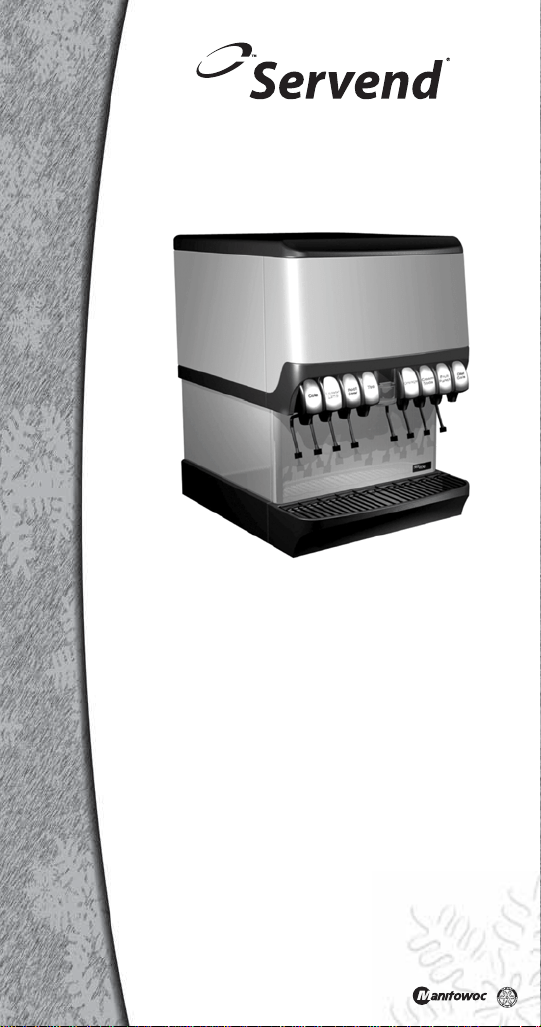
Technician’s
Handbook
This manual is updated as new information and models
are released. Visit our website for the latest manual.
www.manitowocfsg.com
Leader in Ice & Beverage Dispensers
Servend Ice & Beverage
Dispensing Units
Part Number STH14 9/10
STH14.book Page 1 Thursday, September 23, 2010 3:35 PM

STH14.book Page 2 Thursday, September 23, 2010 3:35 PM
Safety Notices
As you work on Manitowoc equipment, be sure to pay
close attention to the safety notices in this handbook.
Disregarding the notices may lead to serious injury
and/or damage to the equipment.
Throughout this handbook, you will see the following
types of safety notices:
Procedural Notices
As you work on Manitowoc equipment, be sure to read
the procedural notices in this handbook. These notices
supply helpful information which may assist you as
you work.
Throughout this handbook, you will see the following
types of procedural notices:
!
Warning
Text in a Warning box alerts you to a potential
personal injury situation. Be sure to read the
Warning statement before proceeding, and work
carefully.
!
Caution
Text in a Caution box alerts you to a situation in
which you could damage the equipment. Be sure
to read the Caution statement before proceeding,
and work carefully.
Important
Text in an Important box provides you with
information that may help you perform a
procedure more efficiently. Disregarding this
information will not cause damage or injury, but it
may slow you down as you work.
STH14.book Page 3 Thursday, September 23, 2010 3:35 PM
NOTE: Text set off as a Note provides you with simple,
but useful, extra information about the procedure you
are performing.
Read These Before Proceeding:
!
Caution
Proper installation, care and maintenance are
essential for maximum performance and trouble-
free operation of your Manitowoc equipment. If
you encounter problems not covered by this
handbook, do not proceed, contact Manitowoc
Foodservice Group. We will be happy to provide
assistance.
Important
Routine adjustments and maintenance
procedures outlined in this handbook are not
covered by the warranty.
! Warning
PERSONAL INJURY POTENTIAL
Do not operate equipment that has been
misused, abused, neglected, damaged, or
altered/modified from that of original
manufactured specifications.
We reserve the right to make product
improvements at any time. Specifications and
design are subject to change without notice.
STH14.book Page 4 Thursday, September 23, 2010 3:35 PM

Part Number STH14 9/10 5
Table of Contents
General Information
Model Numbers . . . . . . . . . . . . . . . . . . . . .9
How to Read a Model Number . . . . . . . . .9
Dispensing Basics . . . . . . . . . . . . . . . . . .10
Accessories . . . . . . . . . . . . . . . . . . . . . . .13
Serial Number Location . . . . . . . . . . . . . .15
Warranty Information . . . . . . . . . . . . . . . .15
Installation
General . . . . . . . . . . . . . . . . . . . . . . . . . . .17
Dimensions . . . . . . . . . . . . . . . . . . . . . . . .18
Pre-installation Checklist . . . . . . . . . . . . .31
Location . . . . . . . . . . . . . . . . . . . . . . . . . .33
Drains . . . . . . . . . . . . . . . . . . . . . . . . . . . .34
Water Supply . . . . . . . . . . . . . . . . . . . . . . .38
Setting Pressures . . . . . . . . . . . . . . . . . . .39
Component Identification
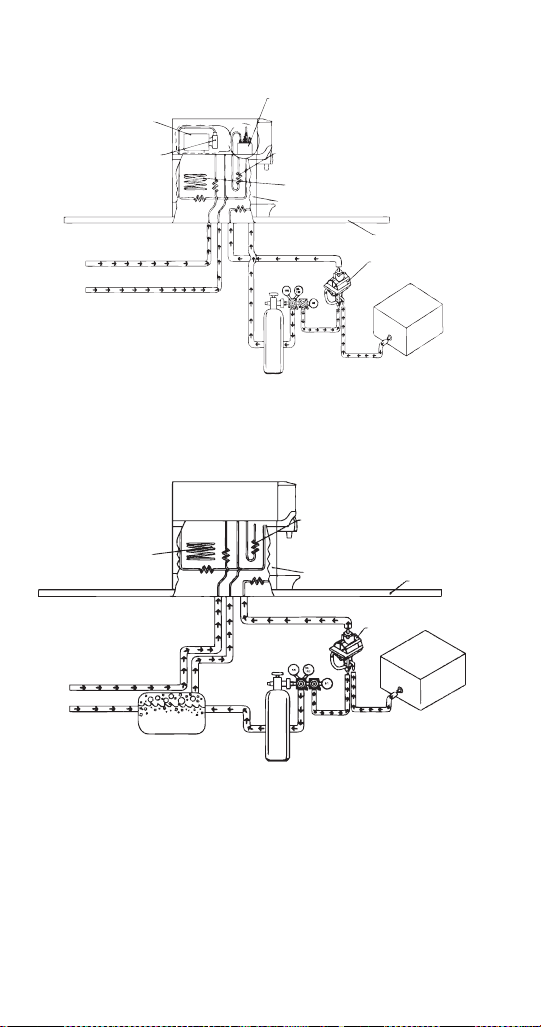
Typical Systems . . . . . . . . . . . . . . . . . . . .43
System Components . . . . . . . . . . . . . . . .46
Ice/Beverage and Counter Electric
Dispensers . . . . . . . . . . . . . . . . . . . . . . . .53
Maintenance
Cleaning . . . . . . . . . . . . . . . . . . . . . . . . . .55
Disassembly . . . . . . . . . . . . . . . . . . . . . . .59
Replacement . . . . . . . . . . . . . . . . . . . . . . .79
Sanitizing . . . . . . . . . . . . . . . . . . . . . . . . .82
Shipping, Storage and Relocation . . . . .87
Operation
Blade Tower Brixing . . . . . . . . . . . . . . . . .89
CEV Electronic Ice & Carbonation Control 90
Flavor Magic Programming . . . . . . . . . . .93
Flav’R-Pic External Programming . . . . . .97
Flav’R-Pic (FRP-250) Programming . . . .100
Flav’R-Pic (FRP-250) Brixing Procedure 105
FlexTower Programming Modes . . . . . . .115
Adjustments . . . . . . . . . . . . . . . . . . . . . . .120
STH14.book Page 5 Thursday, September 23, 2010 3:35 PM

6 Part Number STH14 9/10
Agitation Timer . . . . . . . . . . . . . . . . . . . . 124
Troubleshooting
Checklist . . . . . . . . . . . . . . . . . . . . . . . . . . 125
Liquid Level Control . . . . . . . . . . . . . . . . 137
Diagnosing a Defective Carbonator . . . . 138
Component Specifications
Electrical Requirements . . . . . . . . . . . . . 139
Minimum Circuit Ampacity . . . . . . . . . . . 139
Grounding Instructions . . . . . . . . . . . . . . 141
Pump Deck Wiring . . . . . . . . . . . . . . . . . . 143
Water Supply . . . . . . . . . . . . . . . . . . . . . . 144
Charts
Flavor Magic Logic Matrix . . . . . . . . . . . . 147
Flav’R-Pic (FRP-250) Logic Matrix . . . . . 150
Diagrams
Blade Tower Plumbing . . . . . . . . . . . . . . 153
CEV-30i & CEV-30e Plumbing . . . . . . . . . 156
CEV-40i & CEV-40e Plumbing . . . . . . . . . 158
CT-6 Plumbing and Wiring . . . . . . . . . . . 160
CT-8 Plumbing and Wiring . . . . . . . . . . . 161
CF-1522 Plumbing . . . . . . . . . . . . . . . . . . 162
DI-1522 Post-mix Plumbing . . . . . . . . . . 164
DI-1522 Pre-mix Plumbing . . . . . . . . . . . 164
DI/DIL-2323 6 Valve Post-mix Plumbing 165
DI/DIL-2323 8 Valve Post-mix Plumbing &
Variety Valve . . . . . . . . . . . . . . . . . . . . . . 166
DI/DIL-2323 10 Valve Post-mix Plumbing 167
DI/DIL-2323 6 Valve Pre-mix Plumbing . 168
Flavor Magic Plumbing . . . . . . . . . . . . . . 169
FRP-250 Plumbing Diagram . . . . . . . . . . 170
FRP-250 & FRP-250SCI Tubing Layout . 171
FT-8 Plumbing . . . . . . . . . . . . . . . . . . . . . 172
FT-12 Plumbing . . . . . . . . . . . . . . . . . . . . 172
FlexTower Water Recirculation Pump Flow
. . . . . . . . . . . . . . . . . . . . . . . . . . . . . . . . . . 173
FlexTower Water Chiller Flow . . . . . . . . . 173
MDH-302 12 Valve Plumbing . . . . . . . . . . 174
MDH-402 16 Valve Plumbing . . . . . . . . . . 175
STH14.book Page 6 Thursday, September 23, 2010 3:35 PM

Part Number STH14 9/10 7
MDH-402 20 Valve Plumbing . . . . . . . . . .176
S/SV150 6 Valve Diagram . . . . . . . . . . . .177
S/SV175 8 Valve Diagram . . . . . . . . . . . .177
S/SV200/250/SV-250QD 8 Valve Diagram 178
S/SV200/250 10 Valve Diagram . . . . . . . .178
Flex Manifold Diagrams . . . . . . . . . . . . . .180
CEV Wiring . . . . . . . . . . . . . . . . . . . . . . . .181
CF Drop-In Series Wiring . . . . . . . . . . . . .187
Drop-in Wiring . . . . . . . . . . . . . . . . . . . . . .188
Flavor Magic Wiring . . . . . . . . . . . . . . . . .192
Flav’R-Pic (FRP-250) Wiring . . . . . . . . . .193
FlexTower Wiring . . . . . . . . . . . . . . . . . . .195
MDH-302 & MDH-402 Wiring . . . . . . . . . .199
NGF-250 Wiring . . . . . . . . . . . . . . . . . . . . .201
quickdraw Wiring . . . . . . . . . . . . . . . . . . .202
S/SV/SVi Wiring . . . . . . . . . . . . . . . . . . . .203
Selectable Ice Wiring . . . . . . . . . . . . . . . .205
STH14.book Page 7 Thursday, September 23, 2010 3:35 PM

Part Number STH14 9/10 9
General Information
Model Numbers
This manual covers the following models:
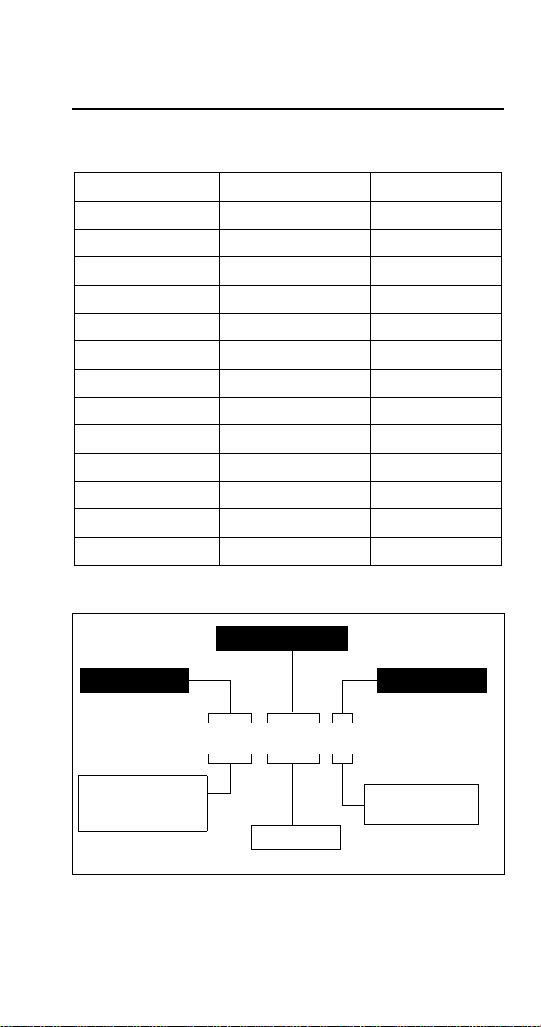
How to Read a Model Number
CEV-30j CEV-30e CEV-30i
CEV-40e CEV-40i CT-6
CT-8 DI-1522 DI-2323
DIL-2323 FRP-250 FRP-250SCI
FT-8 FT-12 FT-16
M-15 M-45 M-90
MDH-302 MDH-402 MDH-302CI
MDH-302SCI MDH-402CI MDH-402SCI
NGF-250 NGF-250QD S-150
S-200 S-250 SV-150
SV-175 SV-200 SV-250
SV-150i SV-175i SV-200i
SV-250i SV-250QD SV-200SCI
SV-250SCI BLADE TOWER FLAVOR MAGIC
S - Ice Dispenser
SV - Ice/Beverage
Dispenser
i - Internal Carb
QD - Quickdraw
Ice Capacity
Model Prefix
Model Suffix
Model Base
SV–250–i
STH14.book Page 9 Thursday, September 23, 2010 3:35 PM

10 Part Number STH14 9/10
Manitowoc Foodservice developed this manual as a
reference guide for the service agent and installer of
fountain equipment.
Fountain dispensing is the serving of a beverage (soft
drink, tea, or juice, etc.) from a dispenser that will chill
the product to an acceptable serving temperature for
the consumer.
The beverage, delivery system and dispenser can be
postmix or premix. The system may be an elaborate
system with most of the components in the back of the
store and the dispenser in the front. Fountain systems
could be a simple system with the complete system
under the counter where the dispenser is located.
Our goal is that this manual will remove some of the
confusion, and mystery of beverage dispensing
equipment while providing a general overview of
service to the equipment.
Dispensing Basics
WHAT IS CARBONATION
Carbonation is the process of mixing carbon dioxide
gas into a liquid (water). The resulting liquid is called
soda water or carbonated water. The carbon dioxide
gas is the bubbles you see when a carbonated
beverage (like soda) is dispensed.
Most cola, lemon-lime products, etc. are carbonated.
Normally teas, juices, etc. are noncarbonated.
Some beverage technicians refer to noncarbonated
water as sweet water.
WATER CHARACTERISTICS
Water makes up over 80% of the typical finished
beverage. The quality of this primary ingredient is of
utmost importance. You should use regular cold tap
water, not water that has been through a water
softener, conditioner, etc. Any off taste or color should
be treated by proper water filtration.
STH14.book Page 10 Thursday, September 23, 2010 3:35 PM

Part Number STH14 9/10 11
WATER FILTERS
It is recommended that proper water filters treat the
water supply for the beverages. There are two basic
filters commonly in use.
1. Pre-filter, or sand filter. This filter removes any
foreign matter from the water down to 25 microns
in size.
2. Carbon or activated charcoal filter is also used.
This filter will reduce chlorine and other
chemicals, off-taste and odor. Some of the higher
quality filters may reduce organic compounds
(bacteria) in the water.
Do not use a filter containing any type of phosphate on
the beverage system. Phosphate as used for scale
reduction will cause the beverage to lose its
carbonation and become “flat” quickly.
WATER PRESSURES
Dynamic (flowing) water pressures to most
carbonators should be a minimum of 40 PSI
(1.38 bar). Water pressure to dispensers for
noncarbonated beverages should be a minimum of
50 pounds (22.7 kg). These pressures are minimum
operating pressures, not static pressure.
SYRUP BASICS
Your concentrated syrup containers should be stored
in a cool dry location that is easily accessible. Any
extremes in temperature can wreak havoc with the
quality of the product. For best results, the syrup
should be maintained in an environment between 40°
and 90°F (4.4° and 32.2°C).
STH14.book Page 11 Thursday, September 23, 2010 3:35 PM

12 Part Number STH14 9/10
PREMIX
Premix fountain dispensing consists of a container of
beverage ready for dispensing, beverage delivery
system, carbon dioxide (CO
2
) propellant, beverage
cooling system, and dispenser. We shall discuss each
component of this type of system within the context of
this manual.
The major advantage of a premix system over most
other types is its flexibility. This flexibility is the ability to
go anywhere. Many premix systems will operate
without electric power or separate water supply.
POSTMIX
Postmix fountain dispensing consists of either a tank
(called a Figal) or a box (called a Bag-in-Box) of
beverage syrup. The postmix system will also include
the carbonator, fresh water supply, carbon dioxide
(CO
2
) supply, syrup delivery system, beverage cooling
system, and dispenser. We shall discuss each
component of this type of system within the context of
this manual.
The major advantage of the postmix system over most
other systems is the very low cost of delivering a high
quality, fresh beverage to the consumer utilizing less
floor and storage space for the quantity of beverages
served.
PIPING
The fountain system is connected together by a series
of tubing or hoses. This tubing is called beverage tube
and is commonly available in 1/4" (0.64 cm), 3/8" (0.95
cm), and 1/2" (1.27 cm) inside diameters. Beverage
tubing is a flexible, high-pressure tubing. This tubing is
capable of withstanding system pressures in excess of
100 PSI (6.9 bar). The beverage tubing may be an
individual line or assembled with many lines of tubing
bundled together.
The beverage tubing is attached to the various
components of the system with barbed stems, nuts,
tees, etc. The tubing is held onto the fittings with small
tube clamps called stepless (Oetiker
®
) clamps. When
attaching the tubing and fitting to a “flared” fitting, the
use of a flare washer is required.
STH14.book Page 12 Thursday, September 23, 2010 3:35 PM

Part Number STH14 9/10 13
Several different types of tubing are available for the
beverage industry. If there is any possibility of the
tubing laying in a damp environment, the use of
non-permeable tubing should be used. Tubing is also
available as a single tube or bundled together. Single
tube is available as non-permeable plastic or stainless
steel. Bundled tube is available as plastic only.
Accessories
BAFFLE FOR MANITOWOC
®
ICE MACHINES
When installing a Manitowoc Ice Machine on a
dispenser, a baffle kit is required for proper installation.
The baffle kit is designed to prevent ice from lying
against the front of the ice machine, and melting down
the front of the dispenser. There are two different
baffle kits available for “S” series ice machines, one kit
is for the 30" (76.2 cm) wide machine, and the other kit
is for the 22" (55.9 cm) wide machine. There is also a
kit for “Q” series ice machines.
Kits are available through your local distributor. List
prices may be subject to change without notification.
Please call your local parts distributor for current
pricing before ordering.
NOTE: For full information about ice machine
installation, including plumbing lines connections and
electrical requirements, see the ice machine
installation manual.
MANUAL FILL LID FOR DISPENSERS
WITH AN ICE MACHINE
If you are top mounting your dispenser with an ice
machine, you will require a lid for the manual fill area
at the top, front of the dispenser.
If you ordered a dispenser and an ice machine at the
same time, the manual fill lid may be included with the
unit. The manual fill lid can be ordered from your local
distributor.
LEGS
Legs are optional equipment with most MBE
dispensers. Standard legs are 4" (10.2 cm) tall
stainless steel legs. We do not recommend using legs
STH14.book Page 13 Thursday, September 23, 2010 3:35 PM

Part Number STH14 9/10 15
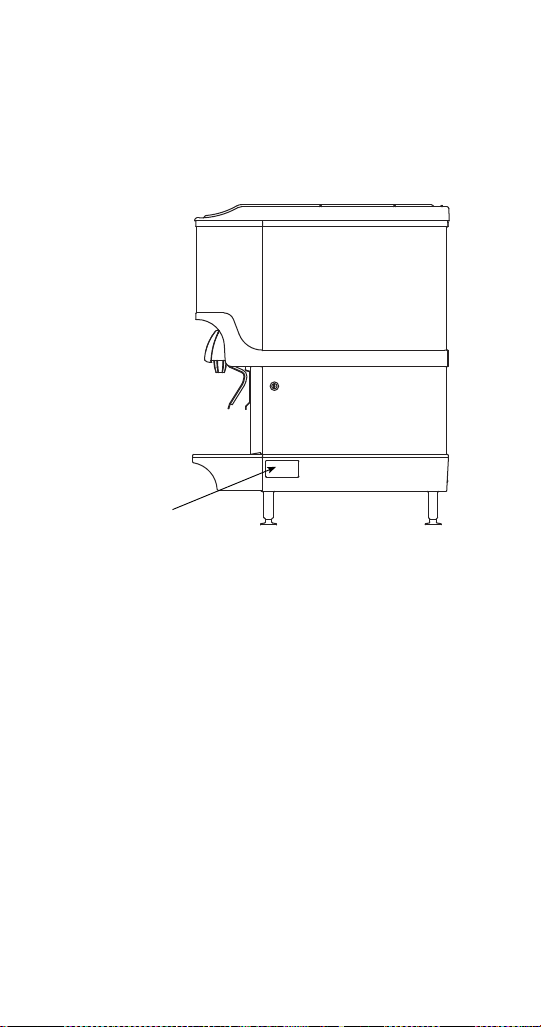
Serial Number Location
This number is required when requesting information
from your local distributor. The serial number is listed
on the SERIAL NUMBER DECAL affixed to the
dispenser.
Serial Number Location
Warranty Information
Consult your local MBE Distributor for terms and
conditions of your warranty. Your warranty specifically
excludes all beverage valve brixing, general
adjustments, cleaning, accessories and related
servicing.
Your warranty card must be returned to MBE to
activate the warranty on this equipment. If a warranty
card is not returned, the warranty period can begin
when the equipment leaves the MBE factory.
No equipment may be returned to MBE without a
written Return Materials Authorization (RMA).
Equipment returned without an RMA will be refused at
MBE’s dock and returned to the sender at the sender’s
expense.
Please contact your local MBE distributor for return
procedures.
Label
STH14.book Page 15 Thursday, September 23, 2010 3:35 PM


Part Number STH14 9/10 17
Installation
General
These instructions are provided to assist the qualified
installer. Contact your Manitowoc Beverage
Equipment Service Agent or call Manitowoc Beverage
Equipment for information regarding start-up services.
Important
Failure to follow these installation guidelines may
affect warranty coverage.
STH14.book Page 17 Thursday, September 23, 2010 3:35 PM

Part Number STH14 9/10 19
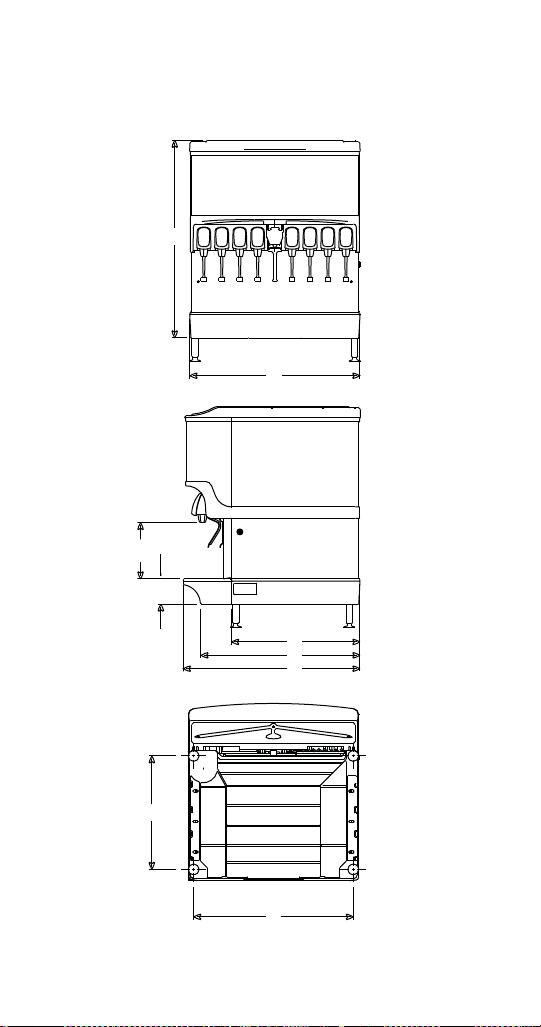
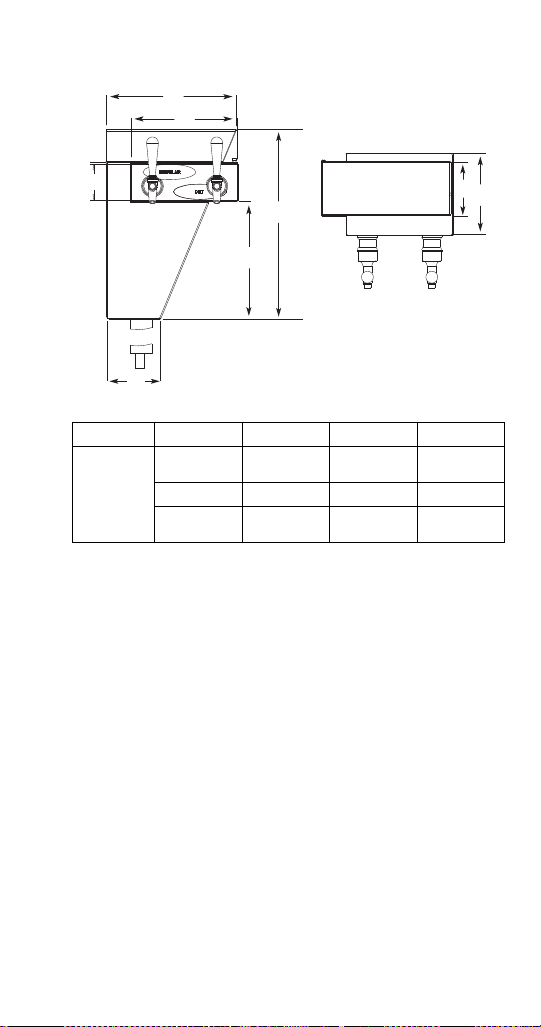
* C = Valve height using Flomatic Valves.
MODEL A B C* D E F G H I
CEV-30 29.88"
(75.9 cm)
20.50"
(52.7 cm)
11.76"
(29.8 cm)
4.44"
(11.3 cm)
N/A N/A 25.75"
(65.4 cm)
17.00"
(43.1 cm)
17.50"
(44.4 cm)
CEV-40 29.88"
(75.9 cm)
26.00"
(66.0 cm)
11.76"
(29.8 cm)
4.44"
(11.3 cm)
N/A N/A 25.75"
(65.4 cm)
17.00"
(43.1 cm)
23.00"
(58.4 cm)
M-45 24.25"
(61.6 cm)
15.00"
(38.10 cm)
9.75"
(24.8 cm)
4.44"
(11.3 cm)
17.88”
(45.4 cm)
26.37”
(67.0 cm)
28.00”
(71.1 cm)
19.37”
(49.2cm)
12.75”
(32.4 cm)
M-90 32.00" (81.30 cm) 15.00"
(38.10 cm)
9.75"
(24.8 cm)
4.44"
(11.3 cm)
18.00”
(45.7 cm)
26.37”
(67.0 cm)
28.00”
(71.1 cm)
19.37”
(49.2cm)
12.75”
(32.4 cm)
MDH-302
(SCI)
33.00" / 44.00" w/EMerch
(83.8 cm / 111.7 cm)
42.75"
(108.5 cm)
9.94"
(17.6 cm)
4.44"
(11.3 cm)
22.50"
(57.2 cm)
28.00"
(71.1 cm)
30.50"
(77.4 cm)
20.50"
(52.0 cm)
38.75"
(98.4 cm)
MDH-402
(SCI)
32.00" / 44.00" w/EMerch1 /
54.00" w/EMerch2
(81.2 cm / 111.7 cm 137.1 cm)
60.00"
(152.4 cm)
9.94"
(17.6 cm)
4.44"
(11.3 cm)
22.50"
(57.2 cm)
28.00"
(71.1 cm)
30.50"
(77.4 cm)
21.25"
(54.0 cm)
56.50"
(143.6 cm)
S/SV-150 24.81"
(63.0 cm)
23.00"
(58.4 cm)
9.94"
(17.6 cm)
4.44"
(11.3 cm)
22.63"
(57.5 cm)
28.00"
(71.1 cm)
31.13"
(79.1 cm)
20.00"
(50.8 cm)
20.44"
(51.9 cm)
S/SV-175 24.81"
(63.0 cm)
23.00"
(58.4 cm)
9.94"
(17.6 cm)
4.44"
(11.3 cm)
22.63"
(57.5 cm)
28.00"
(71.1 cm)
31.13"
(79.1 cm)
20.00"
(50.8 cm)
22.44"
(57.0 cm)
S/SV-200 34.81"
(88.4 cm)
30.00"
(76.2 cm)
9.94"
(17.6 cm)
4.44"
(11.3 cm)
22.63"
(57.5 cm)
28.00"
(71.1 cm)
31.13"
(79.1 cm)
20.00"
(50.8 cm)
27.44"
(69.7 cm)
S/SV/FRP/
NGF-250
(QD & SCI)
39.81"
(101.1 cm)
30.00"
(76.2 cm)
9.94"
(17.6 cm)
4.44"
(11.3 cm)
22.63"
(57.5 cm)
28.00"
(71.1 cm)
31.13"
(79.1 cm)
20.00"
(50.8 cm)
27.44"
(69.7 cm)
STH14.book Page 19 Thursday, September 23, 2010 3:35 PM

Part Number STH14 9/10 21
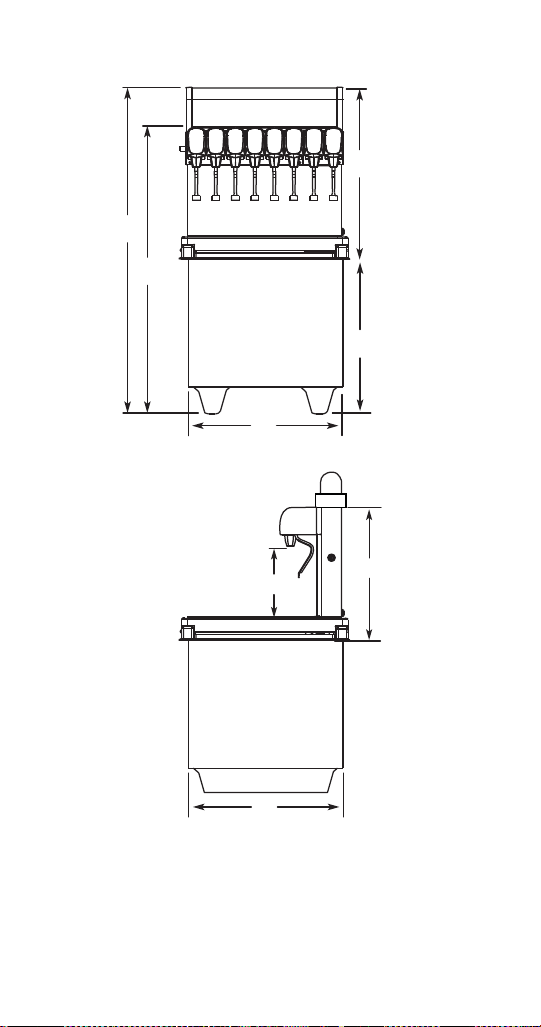
MODEL A B C* D E F G H
CT-6 N/A N/A 9.50"
(24.2 cm)
14.25"
(36.2 cm)
17.00”
(43.2 cm)
16.38"
(42.8 cm)
N/A 22.50”
(57.2 cm)
CT-8 N/A N/A 9.50"
(24.2 cm)
15.50"
(39.8 cm)
25.00”
(63.5 cm)
23.75"
(60.4 cm)
N/A 22.85”
(58.1 cm)
DI-1522 44.38”
(112.8 cm)
38.38"
(97.5 cm)
9.50"
(24.2 cm)
15.00"
(38.2 cm)
22.38”
(56.9 cm)
16.38"
(42.8 cm)
22.00”
(55.9 cm)
22.00"
(55.9 cm)
DI/DIL-2323 56.75”
(144.2 cm)
46.75"
(118.8 cm)
9.50"
(24.2 cm)
23.00"
(58.5 cm)
33.75”
(85.8 cm)
23.75"
(60.4 cm)
23.00”
(58.5 cm)
23.00"
(58.5 cm)
STH14.book Page 21 Thursday, September 23, 2010 3:35 PM
Part Number STH14 9/10 25
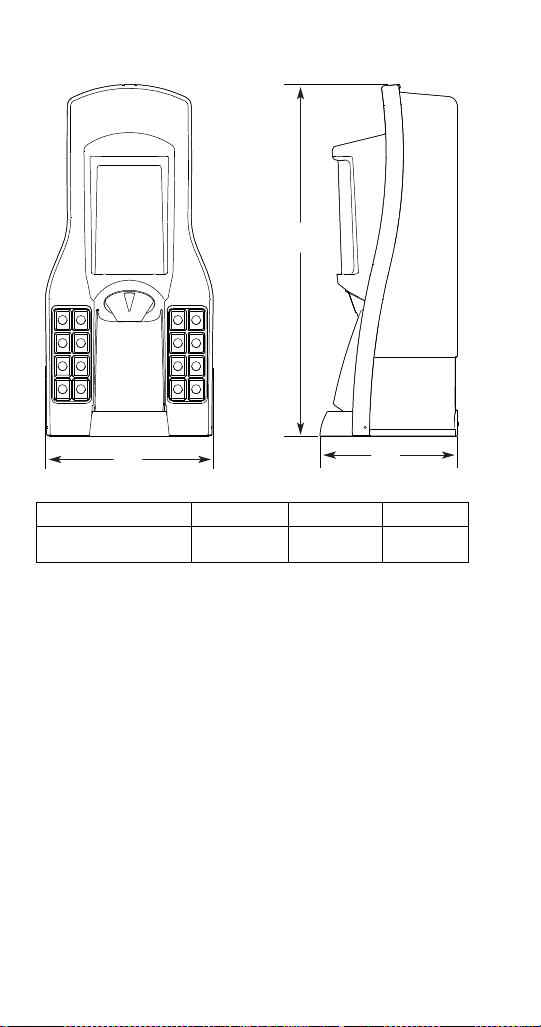
* Includes models ending in SCI
** Includes NGF, FRP, and models ending in QD or SCI
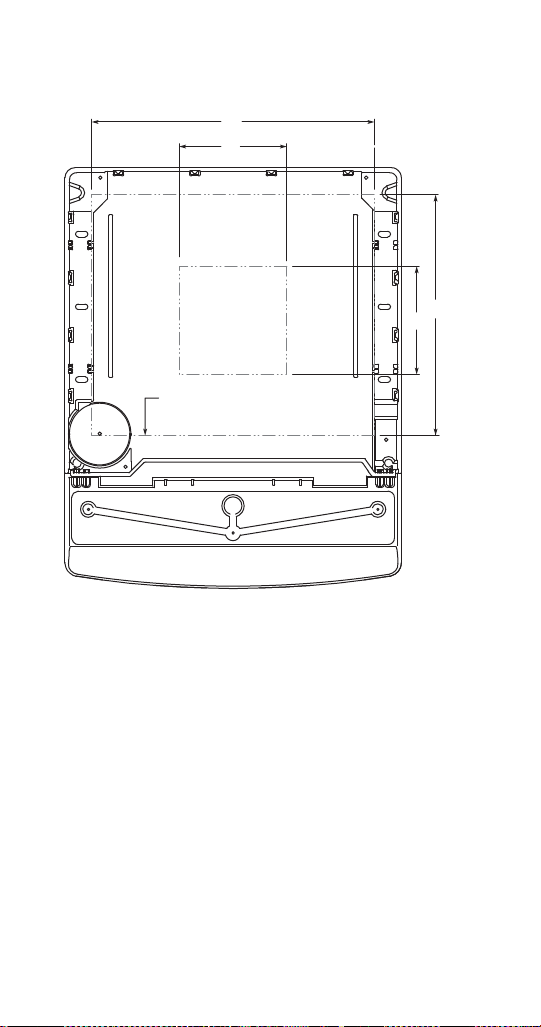
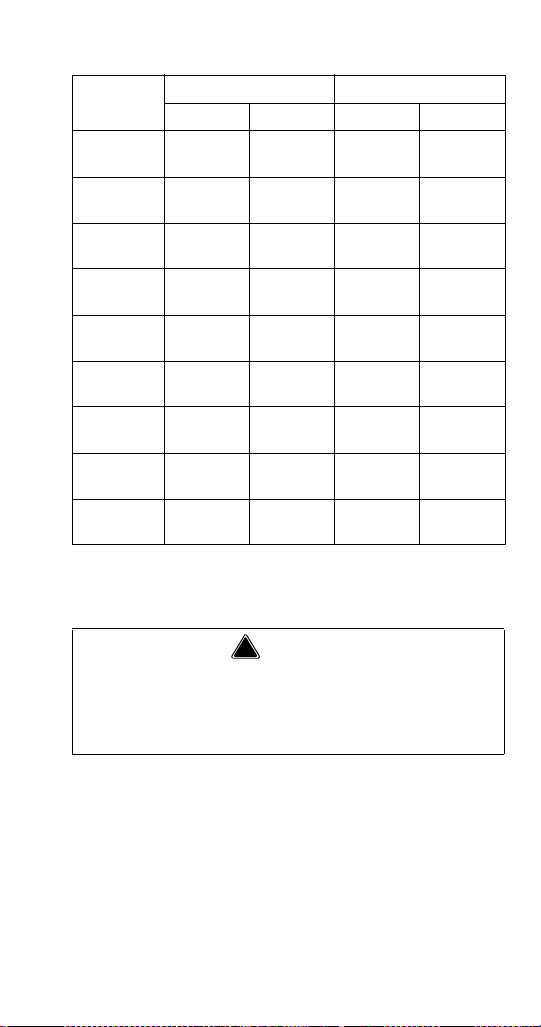
MODEL
Maximum Minimum
ABCD
CEV-30 14.50"
(36.8 cm)
12.50"
(31.7 cm)
8.00"
(20.3 cm)
8.00"
(20.3 cm)
CEV-40 20.00"
(50.8 cm)
12.50"
(31.7 cm)
8.00"
(20.3 cm)
8.00"
(20.3 cm)
M-45 8.00"
(20.3 cm)
12.00"
(30.5 cm)
8.00"
(20.3 cm)
12.00"
(30.5 cm)
M-90 8.00"
(20.3 cm)
12.00"
(30.5 cm)
8.00"
(20.3 cm)
12.00"
(30.5 cm)
MDH-302* 36.75"
(93.3 cm)
20.50"
(52.1 cm)
8.00"
(20.3 cm)
12.00"
(30.5 cm)
MDH-402* 38.75"
(98.4 cm)
20.50"
(52.1 cm)
8.00"
(20.3 cm)
12.00"
(30.5 cm)
S/SV-150 19.00"
(48.3 cm)
17.81"
(45.2 cm)
8.00"
(20.3 cm)
8.00"
(20.3 cm)
S/SV-175 21.00"
(53.3 cm)
17.81"
(45.2 cm)
8.00"
(20.3 cm)
8.00"
(20.3 cm)
S/SV-200
& 250**
26.00"
(66.0 cm)
17.81"
(45.2 cm)
8.00"
(20.3 cm)
8.00"
(20.3 cm)
! Warning
Cutting the countertop may decrease its strength.
Counter must be braced to support the dispenser
countertop weight plus ice storage capacity and
weight of ice machine, if applicable.
STH14.book Page 25 Thursday, September 23, 2010 3:35 PM

Part Number STH14 9/10 27
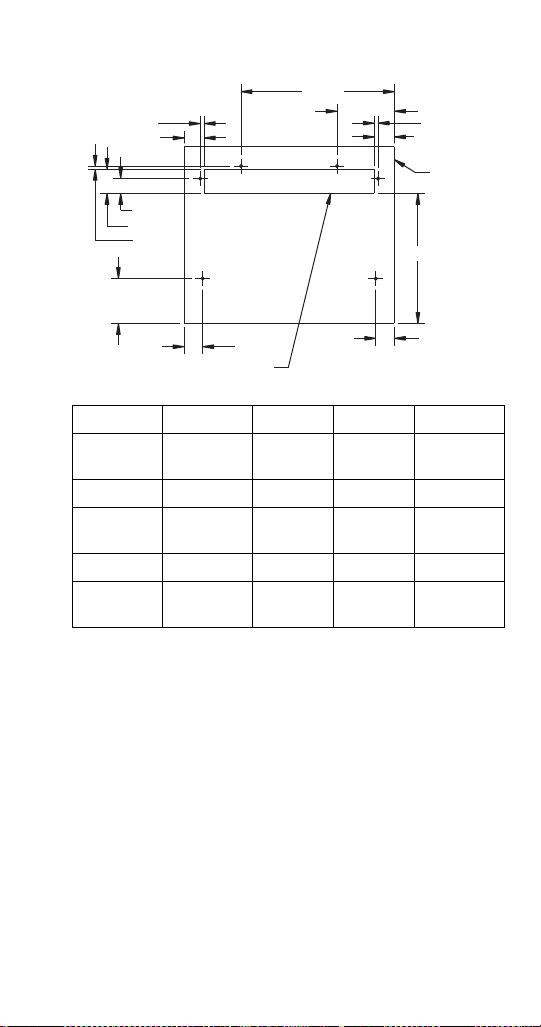
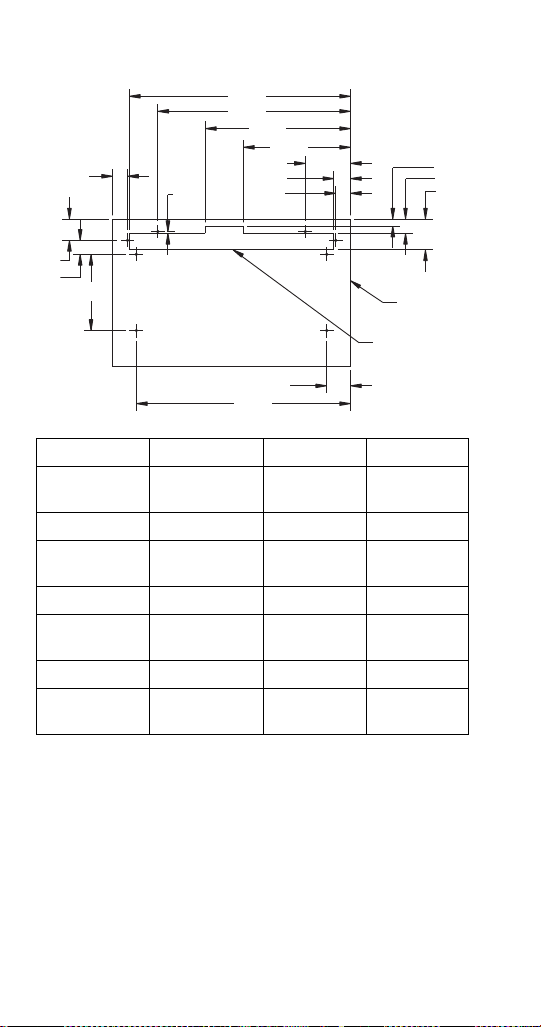
CT-6
ABCDE
12.375"
(31.43 cm)
4.625"
(11.75 cm)
0.313"
(0.80 cm)
1.625"
(4.13 cm)
10.50"
(26.67 cm)
FGHIJ
1.50"
(3.81 cm)
1.50"
(3.81 cm)
3.625"
(9.21 cm)
0.25"
(0.64 cm)
1.938"
(4.92 cm)
KLM
1.188"
(3.02 cm)
1.625"
(4.13 cm)
0.313"
(0.80 cm)
A
B
C
D
E
F
G
H
I
J
K
L
M
Perimeter
of CT-6
Base
Cut Pattern in Counter Top
STH14.book Page 27 Thursday, September 23, 2010 3:35 PM
28 Part Number STH14 9/10
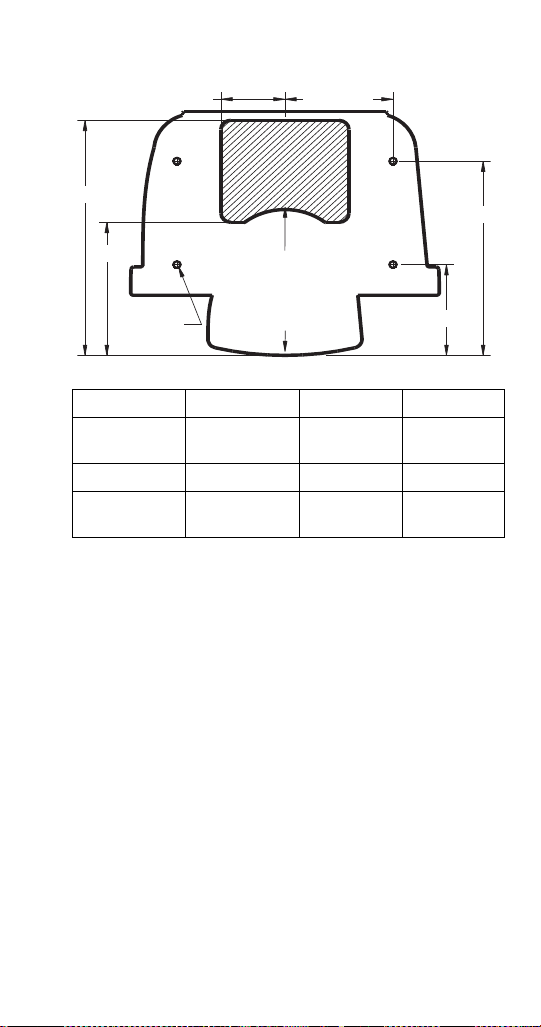
CT-8
ABCD
23.25"
(59.1 cm)
20.25"
(51.44 cm)
15.25"
(38.74 cm)
11.25"
(28.58 cm)
EFGH
4.75"
(12.07 cm)
1.75"
(4.45 cm)
1.56"
(3.96 cm)
0.75"
(1.91 cm)
IJKL
1.50"
(3.81 cm)
3.25"
(8.26 cm)
2.50"
(6.35 cm)
22.50"
(57.15 cm)
MNOP
8.00"
(20.32 cm)
1.47"
(3.73 cm)
2.25"
(5.72 cm)
1.56"
(3.96 cm)
A
B
C
D
E
F
G
H
I
J
K
L
M
N
O
P
Perimeter
of CT-8
Base
Cut Pattern in
Counter Top
STH14.book Page 28 Thursday, September 23, 2010 3:35 PM
Part Number STH14 9/10 29
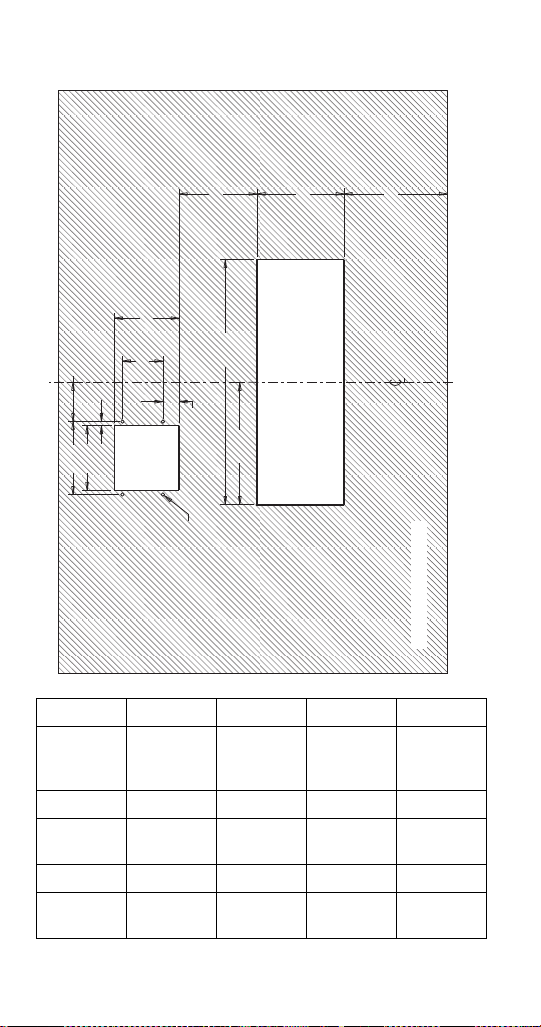
FLEXTOWER FOOTPRINT
NOTE: The FlexTower must be secured to the
countertop using the four holes provided in the base of
the unit and using the hardware provided. Follow
customer guidelines for placement of the unit or
approximately 10 inches (25.4 cm) from the edge of
the counter. A mounting template is provided which is
printed on the shipping carton. NOTE: DO NOT
DISCARD SHIPPING CARTON UNTIL MOUNTING
TEMPLATE IS REMOVED.
ABCD
(2X) 3.407"
(8.65 cm)
(2X) 5.75"
(14.61 cm)
(2X) 11.265"
(28.61 cm)
(2X) 5.265"
(13.37 cm)
EFG
(4X) Ø 0.25"
(0.64 cm)
7.701"
(19.56 cm)
13.627"
(34.61 cm)
AB
C
D
E
F
G
Supply Line Opening
Through Bottom
Front of Unit
(Drainpan)
STH14.book Page 29 Thursday, September 23, 2010 3:35 PM
30 Part Number STH14 9/10
BLADE TOWER FOOTPRINT
ABCDE
4.50"
(11.43 cm)
4.00"
(10.16 cm)
0.25"
(0.64 cm)
2.43"
(6.17 cm)
Ø 0.218"
(0.55 cm)
(4 places)
FGH I J
2.50"
(6.35 cm)
4.00"
(10.16 cm)
1.00"
(2.54 cm)
7.55"
(19.18 cm)
15.13"
(38.43 cm)
KLM
4.82"
(12.24 cm)
5.38"
(13.67 cm)
6.38"
(16.21 cm)
A
B
C
D
E
F
G
H
I
J
K
L
M
Counter Top Area
Towe r
Cut Out
Drainpan
Cut Out
STH14.book Page 30 Thursday, September 23, 2010 3:35 PM
Part Number STH14 9/10 31
Pre-installation Checklist
TOP MOUNTED ICE MACHINE INSTALLATIONS
Location — Avoid placing the dispenser
and/or ice machine near heat sources such
as radiators, ovens, and direct sunlight.
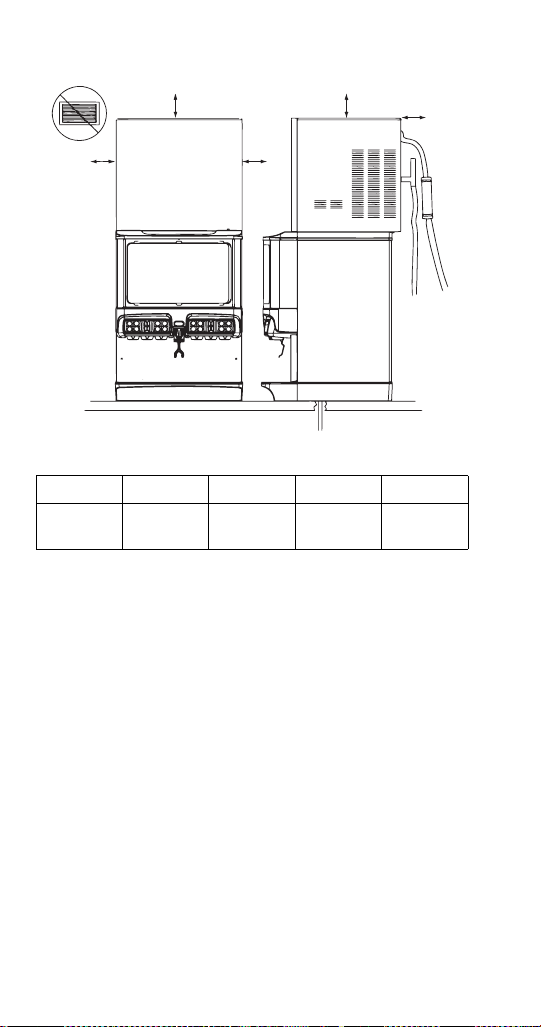
Clearances — Six inch (15.2 cm) clearance
on all sides of the icemaker is needed.
Front of icemaker to be flush with front of
dispenser — The front of the icemaker must
be flush with the front of the dispenser. When
the icemaker is flush with the front of the
dispenser, some icemakers may overhang at
the back of the dispenser.
Drains — A separate drain line is required
for the ice machine, in addition to a drain line
for the ice/beverage dispenser.
Dispensers may require an adapter kit to
install some top-mounted icemakers.
Contact your local distributor for the correct
adapter kit.
STH14.book Page 31 Thursday, September 23, 2010 3:35 PM

Part Number STH14 9/10 33
Location
The location selected for the beverage dispenser must
meet the following criteria. If any of these criteria are
not met, select another location.
• The air temperature must be at least 50°F (10°C),
but must not exceed 95°F (35°C).
• The location must not be near heat-generating
equipment or in direct sunlight and must be
protected from weather.
• The countertop must be level. Verify that the
countertop can support the weight of the
dispenser, or the dispenser/ice machine
combination plus the weight of the stored ice.
• Water lines, drains and power outlet must be within
6' (1.8 m) of location.
!
Warning
Carbon Dioxide (CO
2
) displaces oxygen.
Exposure to a high concentration of CO
2
gas
causes tremors, which are followed rapidly by
loss of consciousness and suffocation. If a CO
2
gas leak is suspected, particularly in a small area,
immediately ventilate the area before repairing
the leak. CO
2
lines and pumps must not be
installed in an enclosed space. An enclosed
space can be a cooler or small room or closet.
This may include convenience stores with glass
door self serve coolers. If you suspect CO
2
may
build up in an area, venting of the B-I-B pumps
and/or CO
2
monitors must be utilized.
STH14.book Page 33 Thursday, September 23, 2010 3:35 PM
34 Part Number STH14 9/10
Drains
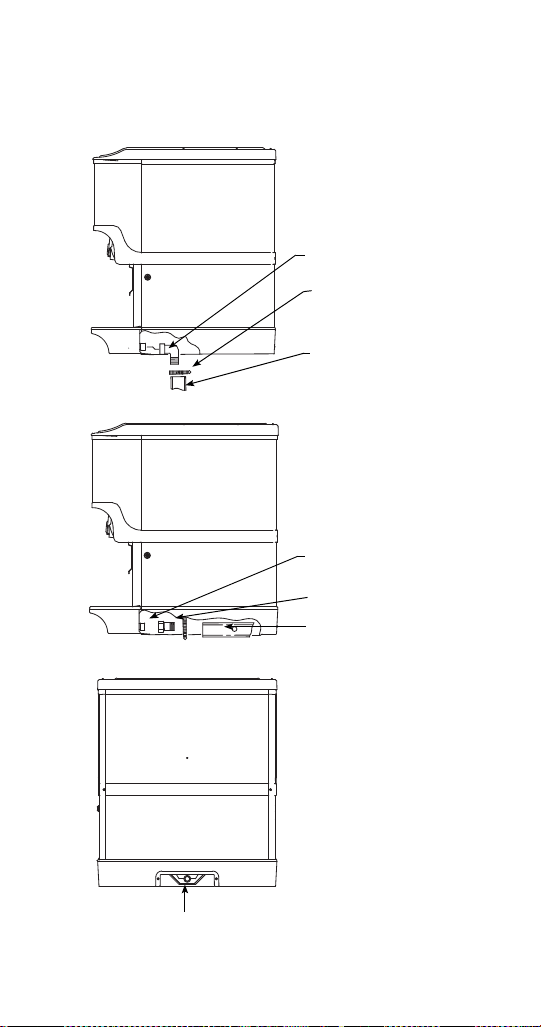
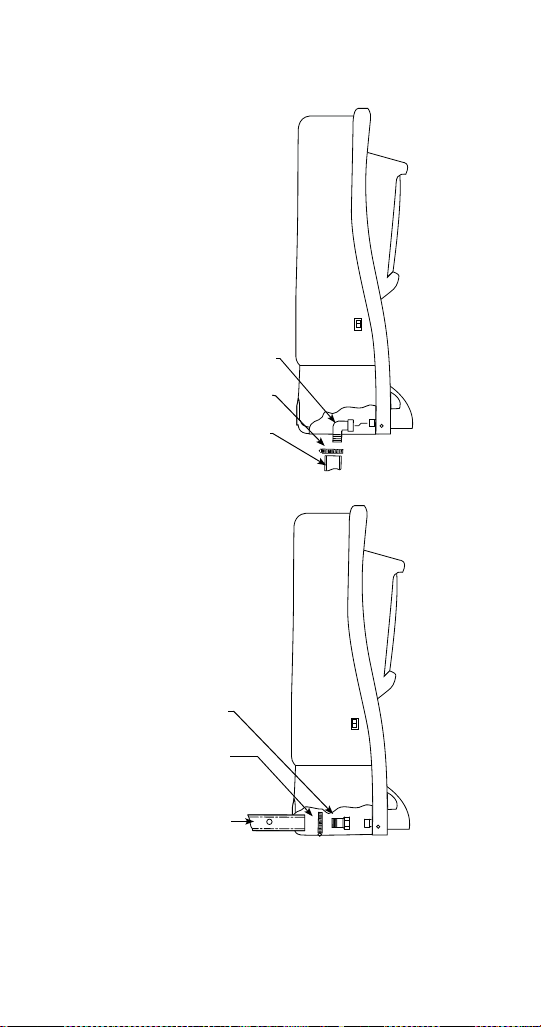
ICE & ICE/BEVERAGE DISPENSER DRAINS
Drainage Through Bottom
Drainage Through Back
Rear View
90° Elbow Fitting
Radiator Clamp
Flexible Tubing
Straight Fitting
Radiator Clamp
Flexible Tubing
Rear Access for Drain Hose
and Beverage Lines
STH14.book Page 34 Thursday, September 23, 2010 3:35 PM
Part Number STH14 9/10 37
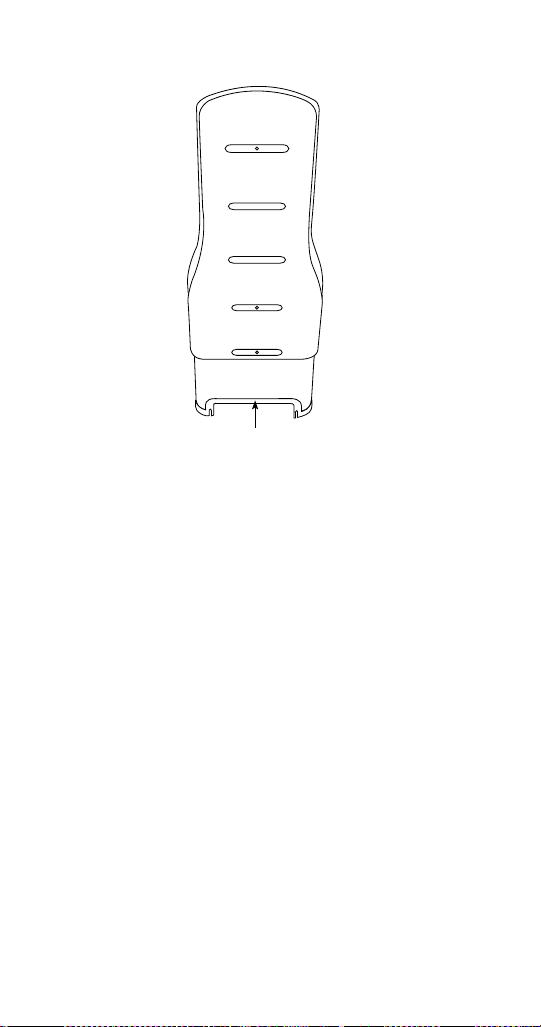
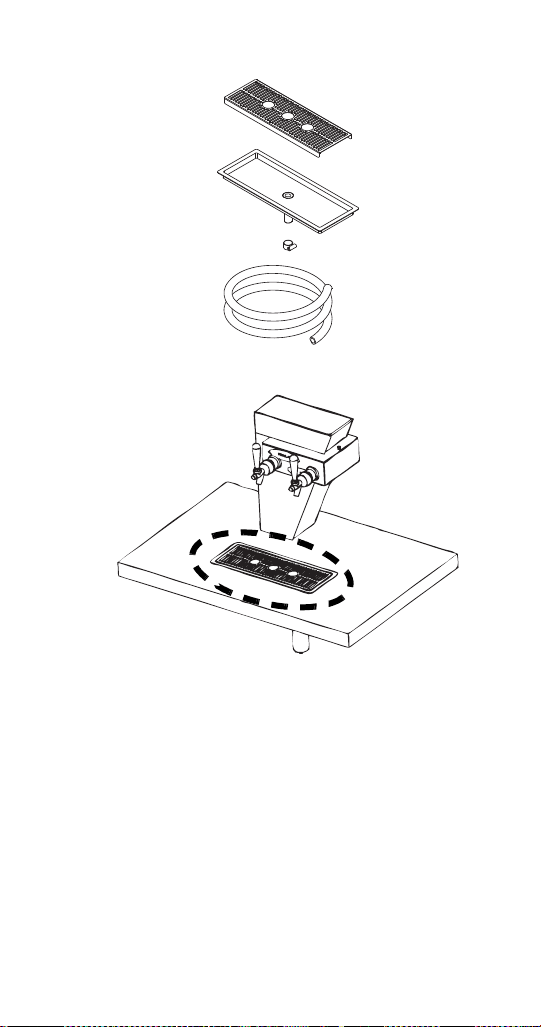
BLADE TOWER DRAIN
NOTE: The Blade Tower can be set up to use an
existing drain or an optional drain can be ordered for
use with the tower. The illustration above shows the
optional flush mount drain setup (Part Number
020001388). If using the optional flush mount drain, be
sure to plumb according to local codes.
Flush Mount Drain — 020001388
STH14.book Page 37 Thursday, September 23, 2010 3:35 PM
38 Part Number STH14 9/10
Water Supply
RECOMMENDED PLUMBING
The plumbing diagram is printed on a white vinyl label,
located above the inlet tubes for syrup and water. The
plumbing diagram label can be accessed by removing
the splash panel of the dispenser. The plumbing
diagram label explains which inlet coldplate fittings
supply which dispenser valves and water manifolds.
The water supply must first be connected to the
carbonator pump (not shown) before plumbing to
connection “A” shown on the plumbing diagram. The
carbonator pump deck must be within six feet (1.8 m)
of the dispenser for optimum performance. See the
B-I-B installation diagram for system pressure
settings.
NOTE: Valves are read from right to left.
A check valve must be installed in the water
supply line 3 feet (0.9 m) from the noncarbonated
water connection “PW”. Contact factory if not
installed.
Important
When installing cold carbonated (Internal Carb)
equipment, never put a tee for the plain water
connection in the line from the pump deck to the
cold plate. Putting a tee in the line will create
service problems and bad drink quality.
Important
When installing a CEV unit the lowest
recommended TDS reading for the water bath is
100 PPM.
STH14.book Page 38 Thursday, September 23, 2010 3:35 PM

Part Number STH14 9/10 39
Setting Pressures
PRE-MIX PRESSURES
Normal pre-mix pressure regulators must be set at
60 psi (4.14 bar). Diet pre-mix pressure regulators
must be set at 40 psi (2.76 bar). If you are
experiencing high foaming, decreasing the pressures
may correct the problem. Spitting and popping usually
requires slightly increasing the pressures. Pre-mix
beverage valve pressures vary by type and
manufacturer. Please consult the manufacturer of the
valves you are using for specific instructions regarding
operation of the valve.
COLD CARB AND AMBIENT SYSTEM PRESSURES
1. Incoming tap water — must be at a minimum
dynamic pressure of 40 psi (2.76 bar) and
maximum static pressure of 65 psi (4.48 bar)
(measured at inlet to pump).
2. B-I-B pressure gauge must be set for a minimum
of 60 psi (4.14 bar) or according to your line run.
3. Carbonator Pressure gauge (Use Preset
Regulator):
- Cold Carbonation set for 75 psi (5.17 bar).
- Ambient systems must be set at 90 psi to
105 psi (6.20 bar to 7.24 bar).
Important
If incoming water pressure is under 40 psi
(2.76 bar), a water booster is recommended. If
incoming water pressure is over 65 psi (4.48 bar),
a water regulating valve is required.
STH14.book Page 39 Thursday, September 23, 2010 3:35 PM
40 Part Number STH14 9/10
QUICKDRAW INSTALLATION
NOTE: The Quickdraw unit requires a supply of CO
2
.
The pressure requirement for the CO
2
supply is
75 psig (5.17 bar). The adjustable Ice Dispense CO
2
regulator in the electric box must be set at 40 to 45 psi
(2.76 to 3.10 bar). The Ice Dispense CO
2
Regulator
must never be set above 45 psi (3.10 bar).
Turn CO
2
supply on to the dispenser. Each cold carb
pump deck is furnished with a fixed regulator set at
75 psi (5.17 bar). Ambient units need to be set
between 90 and 105 psi (6.24 and 6.90 bar).
BACK ROOM PACKAGE
Incoming tap water — Must be at a minimum
dynamic pressure of 40 psi (2.76 bar) and maximum
static pressure of 65 psi (4.48 bar). If pressure can not
be attained, a water booster may be needed.
Carbonator Water pump motor — Powers the water
pump. The water pump motor is part of the carbonator
pump deck.
Carbonator Water pump — Pumps tap water into the
carbonator tank. The water pump is part of the
carbonator. The incoming water for the carbonator
must be first run through the pump before connecting
to the proper cold plate inlet.
! Warning
Personal Injury
Hazardous Moving Parts
Do not adjust regulator valve above 50 psig
(3.45 bar).
Recommended operating parameters are
40 - 50 psig (2.76 - 3.45 bar).
Important
The ice portion sizes must be adjusted to
customer requirements at the time of installation.
(See the Quickdraw Ice Portion Adjustments
section for more information.)
STH14.book Page 40 Thursday, September 23, 2010 3:35 PM

Part Number STH14 9/10 41
Internal/External Carbonator tank — Combines CO
2
gas and tap water to form carbonated water. The
“carbonator” is the carbonator tank, water pump and
water pump motor.
CO
2
cylinder — Holds highly pressurized carbon
dioxide (CO
2
). The CO
2
cylinder is a steel or
aluminum cylinder tank. CO
2
gas flows through the
primary pressure regulator.
Bag-In-Box (B-I-B) pressure gauge — Set for 60 -
80 psi (4.14 - 5.51 bar). Indicates CO
2
pressure going
to B-I-B pumps.
Primary pressure regulator – Lowers the CO
2
gas
pressure, to 100 psi (6.90 bar), so the CO
2
gas will be
at the proper pressure to enter the carbonator
regulator.
Lowered outgoing pressure — Set for 75 psi
(5.17 bar). Gauge indicates lowered outgoing
pressure from the CO
2
cylinder after being routed
through the primary pressure regulator at 90 psi to
105 psi (6.20 bar to 7.24 bar).
Secondary pressure regulator — Lowers the CO
2
gas pressure before the CO
2
gas flows to the syrup
pump. CO
2
pressure activates the syrup pump. 30 psi
(2.07 bar) on Flavor Magic and FRP-250 units with
flavor shots.
Syrup pump — Draws syrup out of the bag-in-box
syrup package. Syrup flows through the syrup lines to
the dispenser for chilling, then dispensing. There is a
syrup pump for each bag-in-box syrup system.
Bag-In-Box (B-I-B) syrup cartons — Box which
contains a plastic bag, filled with syrup.
STH14.book Page 41 Thursday, September 23, 2010 3:35 PM

Part Number STH14 9/10 43
Component Identification
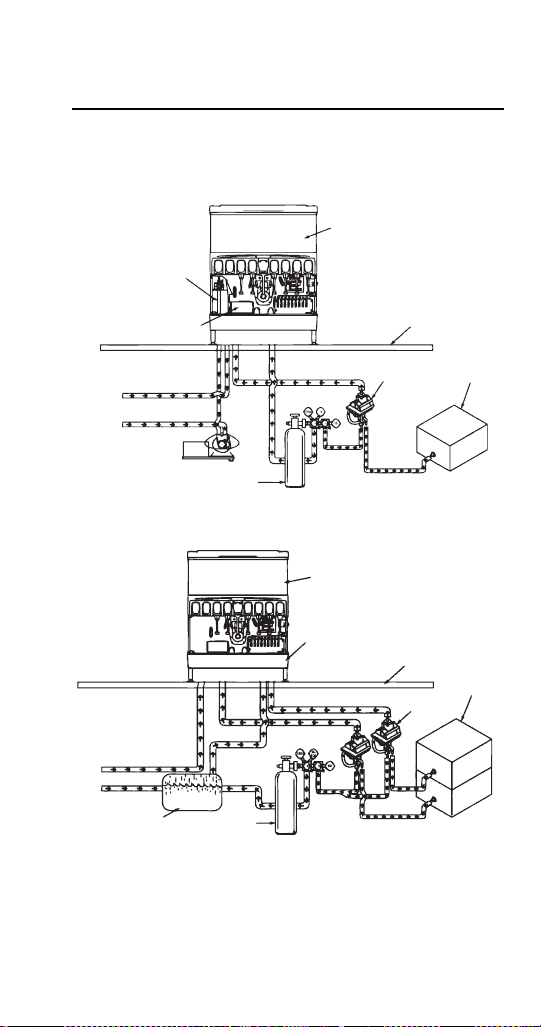
Typical Systems
TYPICAL INTERNAL CARBONATION (IC)
ICE/BEVERAGE DISPENSING SYSTEM
TYPICAL EXTERNAL CARBONATION (AMBIENT)
ICE/BEVERAGE DISPENSING SYSTEM
Dispenser
Carbonator Tank
Carbonate,
Non-carbonate
Beverage Manifold
Countertop
Syrup
Tap Water
Tap Water
CO
2
CO
2
CO
2
Cylinder
Bag-In-Box
Syrup
Carton
CO
2
B-I-B Syrup
Pump
Dispenser
Countertop
Syrup
Tap Water
Tap Water
CO
2
Carbonated
Water
CO
2
Cylinder
CO
2
w/Coldplate
B-I-B Syrup Pump
Syrup
Syrup
Non-carbonated
Water
Carbonator
Tank
Bag-in-box
Syrup
Carton
Syrup
CO
2
STH14.book Page 43 Thursday, September 23, 2010 3:35 PM
44 Part Number STH14 9/10
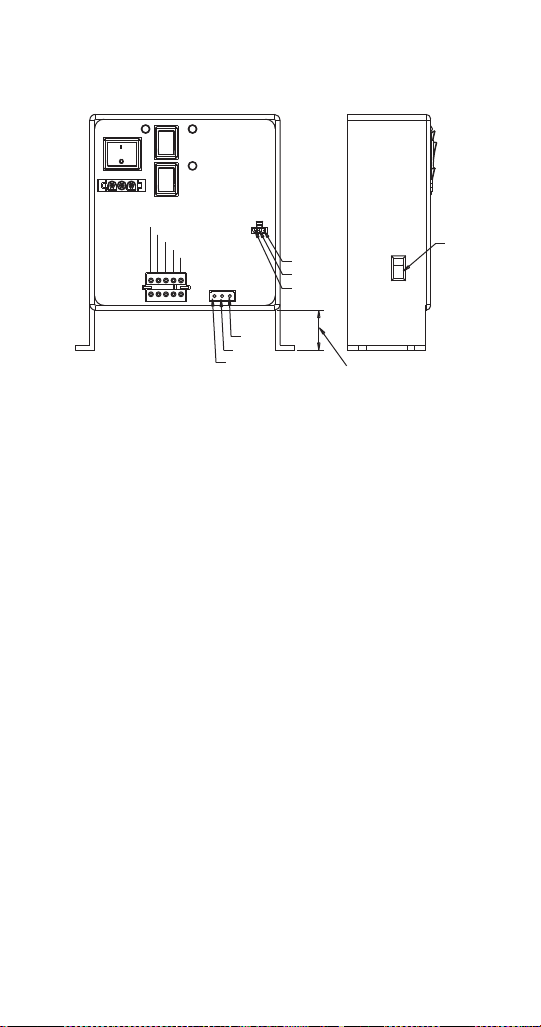
TYPICAL INTERNAL CARBONATION (IC) CEV
DISPENSING SYSTEM
NOTE: This is a simplified schematic to show the
basic operation of the beverage system.
TYPICAL EXTERNAL CARBONATION (AMBIENT)
CEV DISPENSING SYSTEM
NOTE: This is a simplified schematic to show the
basic operation of the beverage system.
Carbonator Tank
Post Chill Coil
Evaporator Coil (Ice Bank)
Dispenser
Countertop
B-I-B Syrup
Pump
B
a
g
-
I
n
-
B
o
x
S
y
r
u
p
C
a
r
t
o
n
CO
2
Cylinder
Tap Water (50 psi [3.4 bar])
125 gph
Pump
1/3 hp
Motor
Syrup
Tap Water (50 psi [3.4 bar])
CO
2
Syrup
Non-Carb
CO
2
To Carbonator Pump
To Carb
Ta nk
Post Chill Coil
Dispenser
Countertop
B-I-B Syrup
Pump
B
a
g
-
I
n
-
B
o
x
S
y
r
u
p
C
a
r
t
o
n
CO
2
Cylinder
Tap Water
Syrup
Tap Water
CO
2
Syrup
Carbonated
Water
Carbonator
Tank
Non-carbonated
Water
Evaporator Coil
(Ice Bank)
CO
2
STH14.book Page 44 Thursday, September 23, 2010 3:35 PM
Part Number STH14 9/10 45
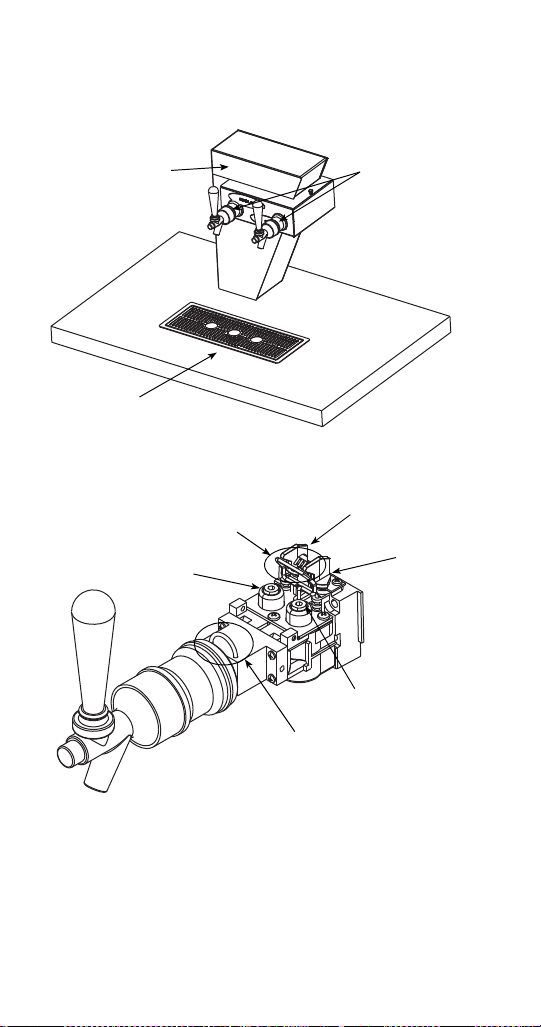
CEV ELECTRONIC ICE & CARBONATION
CONTROL
Common
High Ice
Low Ice
1.035"
(2.63 cm)
Ground
Voltage
Selection
Switch
Line
Line
Carbonator
Compressor
Fan
Light Kit
Agitator
Transformer
Carbonator
Compressor
On
Off
On
Off
On
Off
Power in
Power
Ice
Control
STH14.book Page 45 Thursday, September 23, 2010 3:35 PM
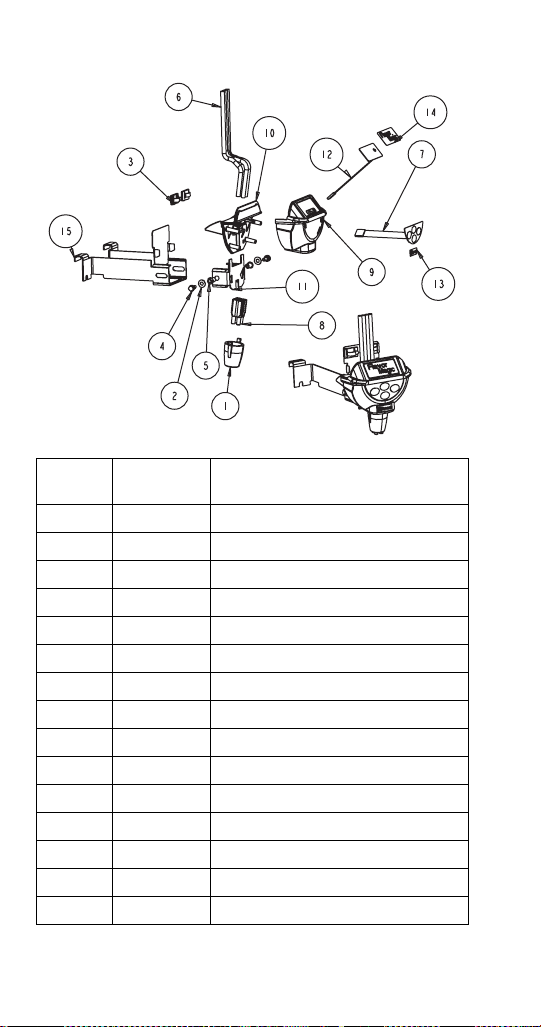
48 Part Number STH14 9/10
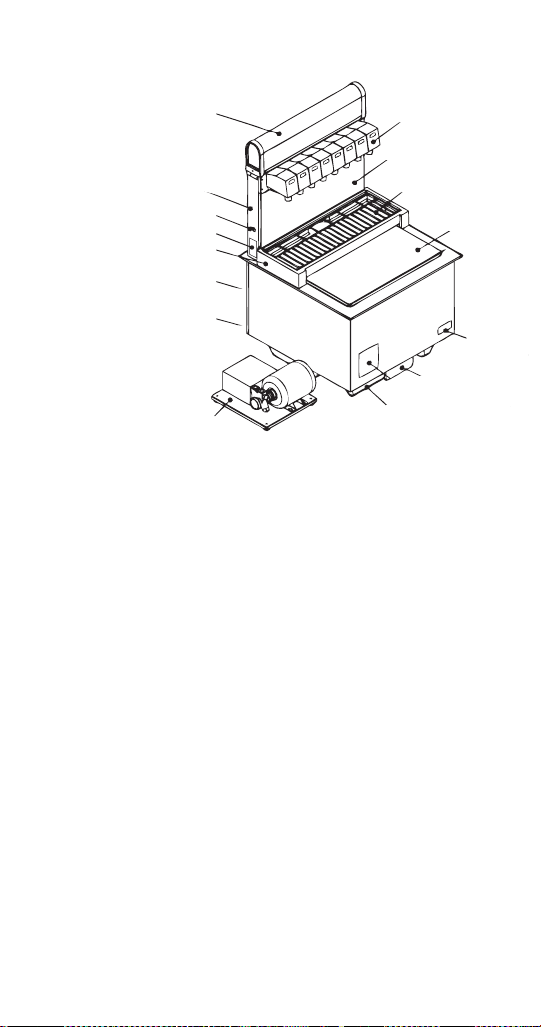
FLAVOR MAGIC MODULE
Item
Number
Part
Number
Description
1 501-25 NOZZLE SOFTPOUR BLK
2 00850350 FLAT WASHER 0.218ID X
3 0905403 CLIP PLAS WIRE & CORD
4 5012790 SCR 10-32X3/8 KNURL UNSLT
5 5029806 RIVNUT 10-32 .020-.130
6 5030446 TUBING 1/4IN OD X 4FT
7 5031193 KEYPAD 4 BUTTON 5 PIN FM
8 5031453 RETAINER QUAD TUBE FM
9 020000473 CVR FRONT FM ICEPIC
10 020000493 CVR REAR FM ICEPIC
11 020000846 BRKT MNTG CENTER
12 020001033 PAD LED FM
13 020001034 LABEL LOGO SERVEND HORZ
14 020001035 LABEL FM GRAPHIC
15 20001153 BRKT WELDED FM
STH14.book Page 48 Thursday, September 23, 2010 3:35 PM
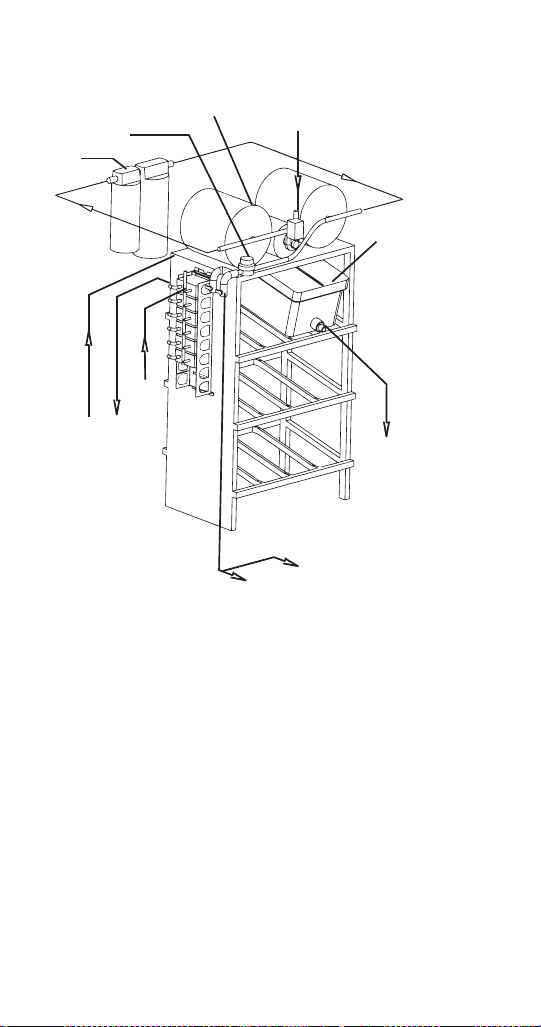
52 Part Number STH14 9/10
BAG-IN-BOX (B-I-B) SYSTEM
To CO
2
Manifold (B-I-B Pumps)
From CO
2
Supply 60 psi (4.1 bar)
B-I-B
From Water Supply
Booster System
(If Required)
Water Regulator
40-55 psi
(2.8-3.8 bar)
Filter
Water to Carbonator Pump
To Non-carbonated Water Inlet Barb
To Syrup Inlet Barbs on Unit
To B-I-B Pumps From B-I-B
To B-I-B Pump
STH14.book Page 52 Thursday, September 23, 2010 3:35 PM
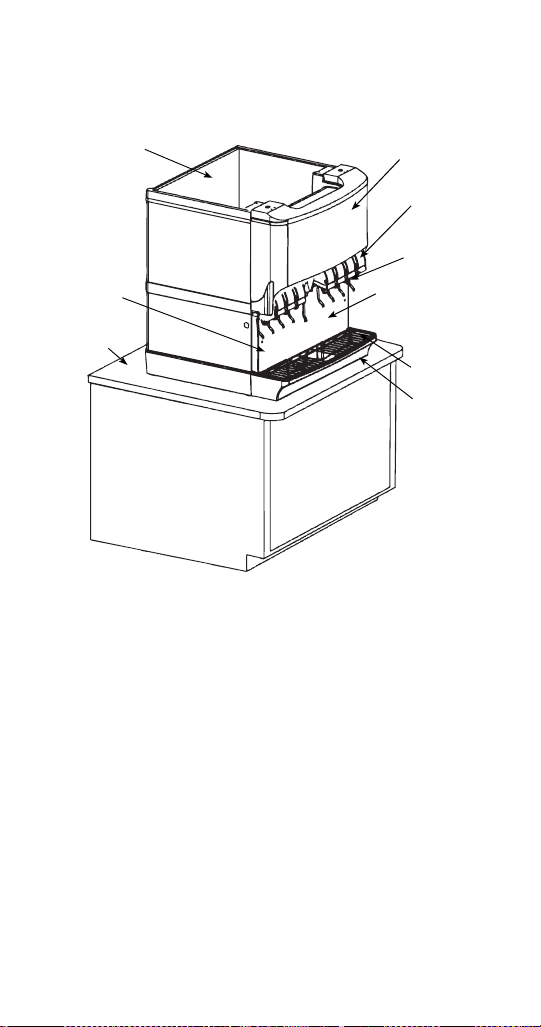
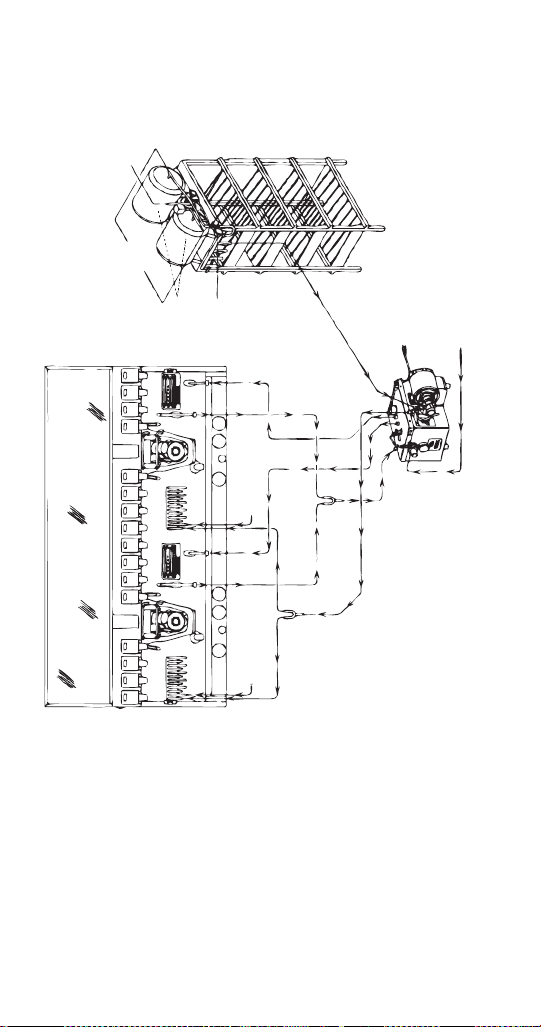
54 Part Number STH14 9/10
MDH-402 (CI & SCI) INTERNAL
CARBONATION DISPENSING SYSTEM
NOTE:
- Cold carbonator deck must be within 10 ft (3.05 m) of unit to
function properly.
- Cold carbonation deck must be placed on a level surface.
- Cold carbonation deck requires booster system if supply
water pressure is below 40 psi (2.8 bar), or if two units are
installed on the same water line.
- filtration system may be placed before booster pump (per
customer specifications).
- Items have been removed for clarity.
- 16 valve unit is shown.
Cut-in 70 psi (4.8 bar)
Cut-out 100 psi (6.9 bar)
Municipal
Water Supply
Filtration
System
For tank
pressures, refer
to manual for
specifications
Regulator
50-55 psi
(3.4-3.8 bar)
B-I-B Set to
60 psi
(4.1 bar)
Booster
System
Water from
Booster to
Pump Inlet
Carbonated Water
to Mainifold
(Insulated)
Cold Water to
Carbonator Tank
(Insulated)
Cold Carbonation Deck
CO
2
Supply
100 psi (6.9 bar) Min.
CO
2
Regulator
Fixed at
75 psi
(5.2 bar)
Non-carbonated
water to water
inlets on Unit
(Non-insulated)
from carbonator
pump
Cold Water to
Carbonator Tank
(Insulated)
Carbonated
Water to Manifold
(Insulated)
Plain Water to Manifold
(non-insulated)
Plain Water to Manifold
(non-insulated)
Non-carbonated
water to water
inlets on Unit
(Non-insulated)
from carbonator
pump
STH14.book Page 54 Thursday, September 23, 2010 3:35 PM
Part Number STH14 9/10 55
Maintenance
Cleaning
ICE/BEVERAGE & COUNTER ELECTRIC DAILY
CLEANING
All cleaning must meet your local health department
regulations. The following cleaning instructions are
provided as a guide.
Clean the exterior and drain pan:
1. Turn off the key switch located on either right or
left side of the unit.
2. Lift the grid and remove it from the drain pan.
3. Using mild soap, warm water and a clean cloth,
wipe the drain pan and splash panel. Then, rinse
with clean, warm water. Allow plenty of warm (not
hot) water to run down the drain of the drain pan,
to remove syrup residue that can clog the drain
opening.
!
Caution
Use only warm soapy water to clean the exterior
of the tower. Do not use solvents or other
cleaning agents. Do not pour hot coffee into the
drain pan. Pouring hot coffee down the drain pan
can eventually crack the drain pan, especially if
the drain pan is cold or still contains ice.
!
Warning
Electric Shock Hazard
Unplug unit before servicing or cleaning.
!
Warning
When using cleaning fluids or chemicals, rubber
gloves and eye protection must be worn.
STH14.book Page 55 Thursday, September 23, 2010 3:35 PM
56 Part Number STH14 9/10
4. Wash the grid, then rinse with clean water. Place
the grid back in the drain pan.
5. Wash all exterior surfaces of the unit with warm
water and a clean cloth. Wipe again with a clean,
dry cloth.
Clean the dispensing valves:
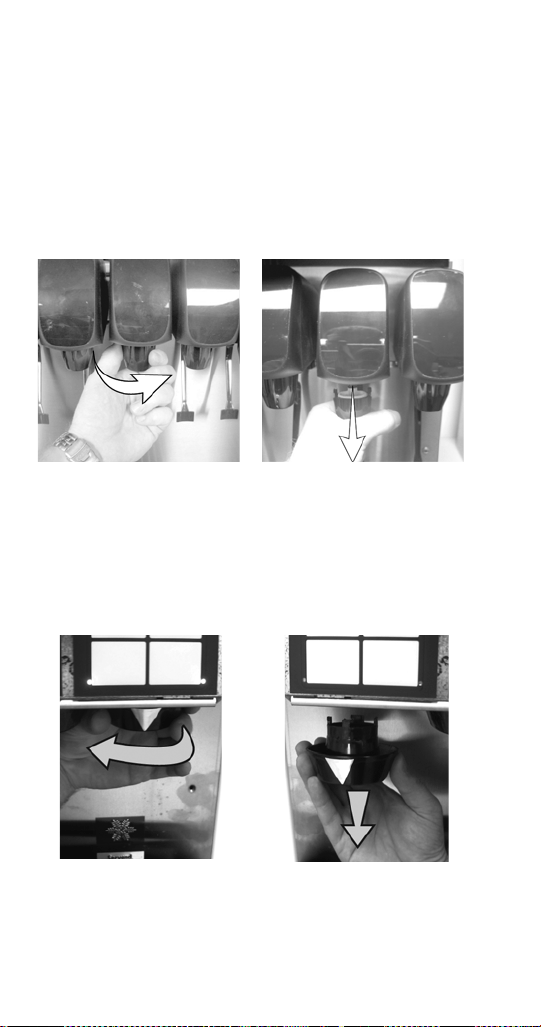
6. Remove nozzles and diffusers from beverage
valves.
Nozzle Removal
NOTE: The Flav’R-Pic (FRP-250 and FRP-250SCI)
model have different dispensing nozzles. Remove
nozzles from each dispense point by (a) grasping it
firmly and turning it clockwise about 1/4" (0.64 cm)
then (b) pulling down.
7. Rinse nozzle and/or diffuser with warm, clean
water.
ab
STH14.book Page 56 Thursday, September 23, 2010 3:35 PM
Part Number STH14 9/10 57
8. Clean nozzles and diffusers with soapy water and
a soft bristle brush.
9. Clean the underside of the beverage valves with
warm, soapy water. Rinse with clean damp towel.
10. Replace nozzles and diffusers on valves.
11. Turn on the key switch.
ICE/BEVERAGE AND COUNTER ELECTRIC
MONTHLY CLEANING
Clean and sanitize the ice bin:
1. Unplug unit and remove all ice from the ice bin.
2. Mix a solution of mild detergent to clean the
dispenser bin and components.
3. Wash the ice bin using a sponge and the mild
detergent solution.
4. Using the mild detergent solution and a soft bristle
brush or clean cloth, clean the following dispenser
parts:
- Entire bin
- Paddle wheel (Ice Dispensing Units)
- Paddle wheel area (Ice Dispensing Units)
- Agitator (Ice Dispensing Units)
- Paddle wheel pin (Ice Dispensing Units)
- Ice chute (Ice Dispensing Units)
- Rear bushing (Ice Dispensing Units)
!
Warning
Unplug unit before servicing or cleaning ice bin.
Ice bin contains parts that can move at any time
and will cause injury if hands are in the way.
!
Warning
When using cleaning fluids or chemicals, rubber
gloves and eye protection must be worn.
STH14.book Page 57 Thursday, September 23, 2010 3:35 PM

58 Part Number STH14 9/10
- Motor shaft (Ice Dispensing Units)
- Strip lids (where applicable)
5. Rinse all the parts in clean, running water.
6. Prepare 2 gallons (7.6 l) of sanitizing solution by
mixing 1/2 ounce (14.2 g) of household bleach
(that contains 5.25% sodium hypochlorite) with
2 gallons (7.6 l) of 120°F (48.9°C) water. The
mixture must not exceed 100 PPM of chlorine. Or
mix a solution of any approved sanitizer, following
the directions for mixing and applying the
sanitizer.
7. Sanitize the ice bin and cold plate with the
sanitizing solution for at least 10 seconds.
8. Allow to air dry. Do not rinse.
Re-assembling the dispenser parts:
9. Re-assemble parts in the following order:
- Bin liner (Ice Dispensing Units)
- Paddle wheel (Ice Dispensing Units)
- Agitator (Ice Dispensing Units)
- Paddle wheel pin (Ice Dispensing Units)
- Ice chute (Ice Dispensing Units)
- Merchandiser
10. Hand tighten all knurled fasteners.
11. Pour in fresh, sanitary ice and replace the plastic
lid on the top of the dispenser.
12. Plug in the unit’s electrical cord.
13. Check for proper ice dispensing.
STH14.book Page 58 Thursday, September 23, 2010 3:35 PM

Part Number STH14 9/10 59
CLEANING CHECKLIST
•Check CO
2
supply. If CO
2
supply is low, an arrow
on the primary regulator gauge will point to a
shaded area that reads “Low CO
2
” or “Change
CO
2
Cylinder.”
• Check syrup supply.
• Clean drain pan, grid, and splash panel.
• Clean the valve nozzles and diffusers.
CEV WATER BATH
It is recommended that the water bath be drained at
least twice a year. Turn off the refrigeration.
Completely melt the ice bank. Refill the water bath
with fresh water until water runs out the overflow tube.
Turn on the refrigeration.
Disassembly
DISASSEMBLY FOR CLEANING AND
MAINTENANCE (ICE/BEVERAGE DISPENSERS)
NOTE: Sanitize the ice dispenser at Initial Start-up in
addition to monthly sanitizing. You will need a slotted
screwdriver in order to disassemble.
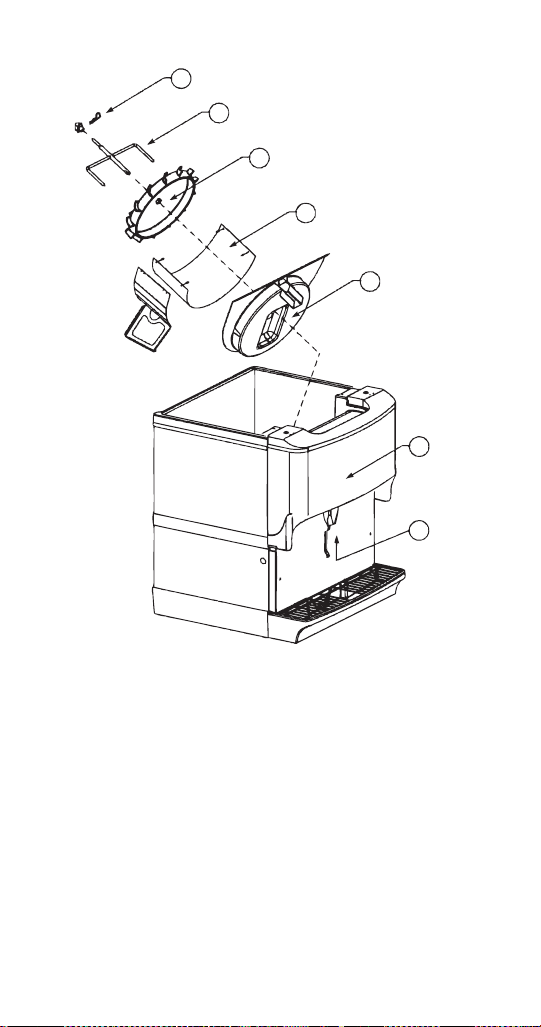
Disassemble parts in the following order:
A. Merchandiser
B. Ice chute
C. Paddle wheel or agitator pins
D. Agitator
E. Paddle wheel
F. Bin liner
G. Paddle wheel area
STH14.book Page 59 Thursday, September 23, 2010 3:35 PM
60 Part Number STH14 9/10
Beverage/Ice Dispenser
Accessing a Dispenser Bin Top Mounted with a
Manitowoc Ice Machine:
1. Remove the front panel of the ice machine.
2. Remove the ice deflection baffle. This will give
you access to the dispenser bin.
3. If the Manitowoc ice machine is operating, wait for
the sheet of ice to fall into the dispenser bin.
When the ice sheet falls into the dispenser bin,
immediately place toggle switch of the ice machine to
the OFF position. If the Manitowoc ice machine is NOT
operating, place the toggle switch of the ice machine
to the OFF position.
A
B
C
D
E
F
G
STH14.book Page 60 Thursday, September 23, 2010 3:35 PM
Part Number STH14 9/10 61
4. On models without a top mounted ice machine,
remove the plastic lid from the top of the
dispenser.
5. Remove all ice from the dispenser.
6. Disconnect electrical power to the dispenser.
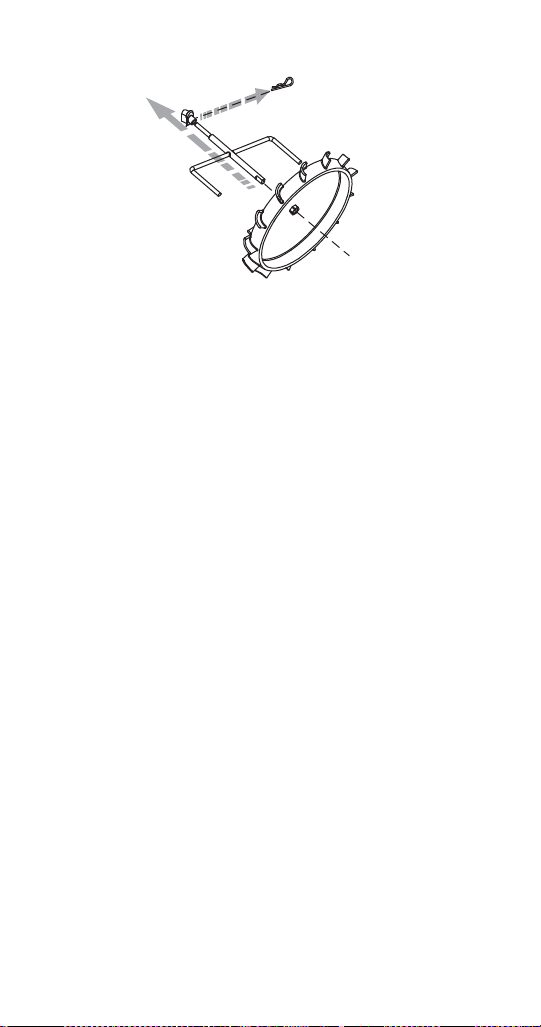
7. Remove agitator arm and paddlewheel pin.
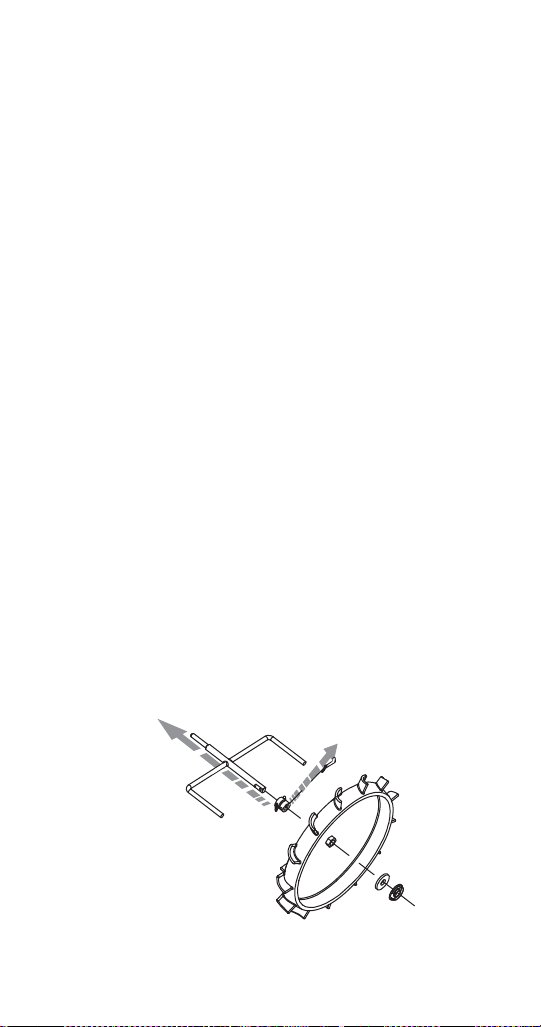
Non-front Serviceable Motor
a. Rotate the agitator arm so the paddle wheel
pin handle is pointing up, toward the ceiling.
b. Prepare agitator pin for removal by removing
the stainless steel split ring.
c. Then remove the paddle wheel pin from the
hole in the agitator.
d. Push the agitator bar toward the back of the
unit until the agitator is free of the paddle
wheel hub.
Front Serviceable Motor
a. With agitator arm in any position remove
hitch clip pin from the mushroom bushing on
the rear of the ice bin.
b. Push the agitator bar toward the bushing to
remove it from the paddle wheel hub.
NOTE: If a top mount ice machine is installed, sliding
the ice machine to one side will make bin component
removal easier. If the ice machine is hard plumbed it
will need to be disconnected.
Non-front Serviceable
STH14.book Page 61 Thursday, September 23, 2010 3:35 PM
62 Part Number STH14 9/10
Front Serviceable
8. Remove paddle wheel, bin liner and paddle wheel
area.
9. Move the front of the agitator to one side and slide
the agitator forward until the rear of the agitator
shaft is clear of the bushing.
10. Remove the agitator from the bin area.
11. Slide the paddle wheel from its shaft.
12. Loosen the four knurled fasteners that hold the
bin liner in place.
13. Remove the bin liner.
14. Remove the paddle wheel area from the bin.
15. Discard the remaining ice in the bin.
STH14.book Page 62 Thursday, September 23, 2010 3:35 PM
Part Number STH14 9/10 63
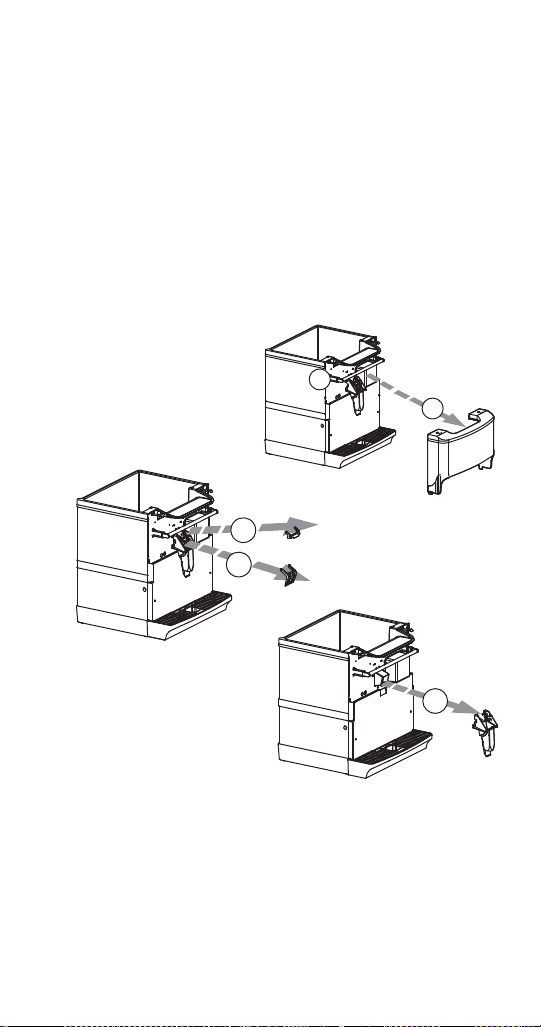
DISASSEMBLE THE ROCKING CHUTE
NOTE: For all Quickdraw units, refer to the Quickdraw
Components section for ice chute information.
1. Loosen the two knurled fasteners that hold the
merchandiser in place.
2. Remove the merchandiser.
3. Remove outer bracket.
4. Remove door lock.
5. Remove door.
6. Remove ice chute.
Ice Chute Removal
1
2
4
5
6
STH14.book Page 63 Thursday, September 23, 2010 3:35 PM

64 Part Number STH14 9/10
BLADE TOWER
How to Disassemble Tower Components
NOTE: This tower consists of two (2) valves combined
as one (1) with a mixer block, mixer tube, and mixer.
One pre-mix valve (CMBECKER) and one (1) Flomatic
424 flow control base.
Tower and Valve Disassembly:
1. Remove tower housing cover by removing the
thumb screw on the side.
2. Turn OFF both shut-off valves on the flow control
base and remove pressure by pulling the
dispense handle to the ON position.
3. Remove the latch pin on the mixer block by
pulling straight up.
4. Unscrew the inside flange nut on the pre-mix
valve.
5. Remove the pre-mix valve and mixer tube out the
front of the tower.
6. Remove the 424 flow control base by lifting up on
its latch pin.
To reassemble follow these steps in reverse order.
Maintenance Schedule
Every
day
Dispensing
Valves
For the pre-mix dispensing
valve, run carbonated water
ONLY through the valve and
dispense nozzle for 10
seconds. Turn syrup shut OFF,
and block the dispense nozzle
base with a clean new napkin.
Dispense carbonated water
only for a few seconds to fully
fill the dispense nozzle. Then
unblock the dispense nozzle
and flow carbonated water for
10 seconds. Wipe external
nozzle surfaces with
carbonated water, then turn
syrup shut off, ON. Clean other
nearby surfaces with
carbonated water or cleaning
solution.
STH14.book Page 64 Thursday, September 23, 2010 3:35 PM

Part Number STH14 9/10 65
Every
day
Drip pan and
drain hose
Wash with mild detergent.
Rinse with clean water.
Every
day
Quick
disconnects
Wash with mild detergent.
Rinse with potable water.
Weekly Outside,
dispenser
cabinet
Wash with clean water and mild
detergent. Wipe dry.
Every 3
months
Syrup
circuits
Sanitize each syrup circuit. See
“Cleaning and Sanitizing
Procedure”.
Every 3
months
Water bath Drain, melt ice and clean using
detergent and brush; rinse with
potable water. Do not use water
over 140°F (60°C).
Every 6
months
Condenser Vacuum fins or use soft bristle
brush (scrub brush).
Every 6
months
Air purifier
filter (if
equipped)
Replace.
STH14.book Page 65 Thursday, September 23, 2010 3:35 PM

66 Part Number STH14 9/10
Nightly Shutdown Procedure
It is recommended that the following steps are
followed to keep your Blade Tower clean and running
properly;
1. Remove tower top piece to gain access to the
valves.
2. Turn the syrup shut off valve to the OFF position
on all valves (2 valves per tower).
3. Dispense carbonated water for 10 seconds from
all valves.
4. Leave valves off overnight and turn back on in the
morning for use.
STH14.book Page 66 Thursday, September 23, 2010 3:35 PM
Part Number STH14 9/10 67
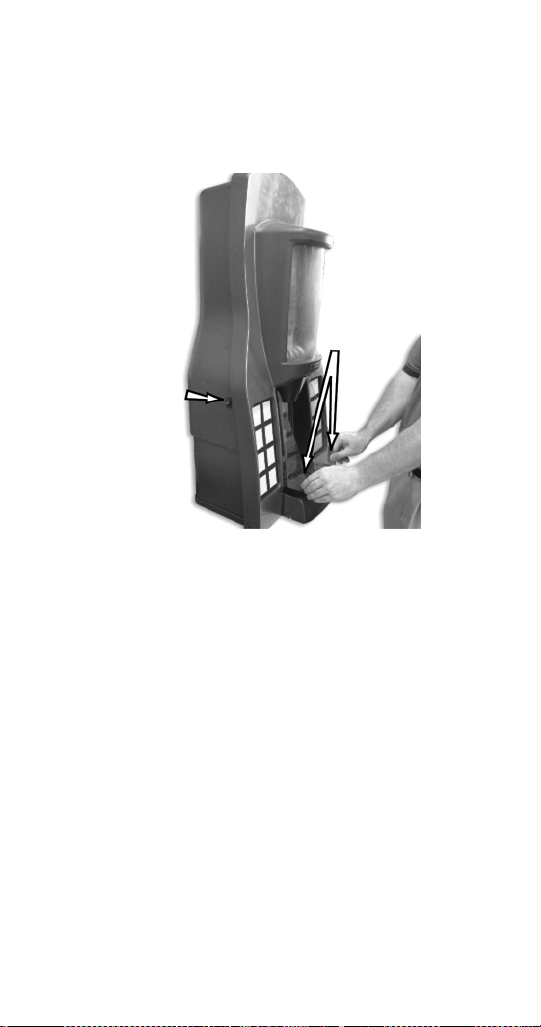
FLEXTOWER DAILY CLEANING
Cleaning the grid, splash shield and drain pan:
1. Turn off the on/off rocker switch located on left
side of the unit.
2. Lift the grid and splash shield to remove them
from the drain pan.
3. Using mild soap, warm water and a clean cloth,
wipe the drain pan. Then, rinse with clean, warm
water. Allow plenty of warm (not hot) water to run
down the drain of the drain pan, to remove syrup
residue that can clog the drain opening.
4. Wash the grid and splash shield, then rinse with
clean water. Place the grid and splash shield back
in the drain pan.
5. Wash all exterior surfaces of the unit with warm
water and a clean cloth. Wipe again with a clean,
dry cloth.
Switch
Splash
Shield
STH14.book Page 67 Thursday, September 23, 2010 3:35 PM

68 Part Number STH14 9/10
Cleaning the water valve nozzle and diffuser, cosmetic
nozzle and syrup injection shroud assembly:
6. Remove the cosmetic nozzle, and then remove
nozzle-diffuser assembly from water valve.
7. Rinse the cosmetic nozzle and water valve
nozzle-diffuser assembly with warm, clean water.
8. Clean water valve nozzle-diffuser assembly with
soapy water and a soft bristle brush.
9. Clean the cosmetic nozzle, underside of the water
valve and the inside of the syrup injection shroud
assembly with warm, soapy water. Rinse with
clean warm towel.
10. Replace water valve nozzle-diffuser assembly
and cosmetic nozzle.
11. Turn on the on/off rocker switch located on left
side.
STH14.book Page 68 Thursday, September 23, 2010 3:35 PM

Part Number STH14 9/10 69
QUICKDRAW COMPONENTS
1. Turn the beverage valve switch on the front left
side to the off position.
2. Place a receptacle (bucket or large cup) under the
ice dispense chute.
3. Place the ice dispense switch to MANUAL mode.
The door will open and ice will fall into the bucket
or cup.
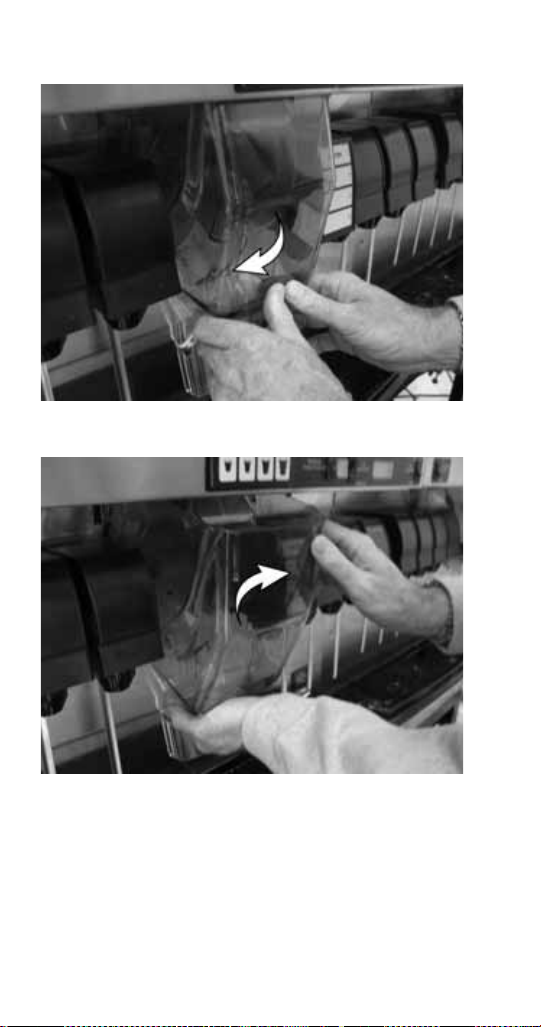
4. Remove the ice chute cover:
A. Grab the tabs on the back of chute and
spread, pulling tabs off of pins.
Beverage Valve
Switch
Ice Dispense Switch
STH14.book Page 69 Thursday, September 23, 2010 3:35 PM
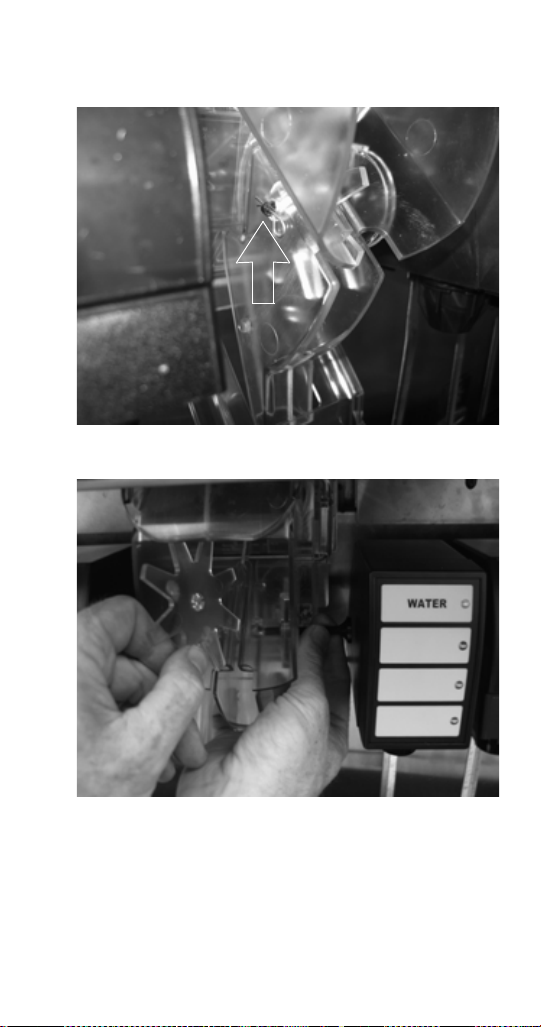
72 Part Number STH14 9/10
6. Mix a solution of mild detergent to clean the
Quickdraw components. Using the detergent
solution and a soft bristle brush or clean cloth,
clean the following components:
- Ice wheel
-Cup locator
- Quickdraw chamber
-Door
- Ice chute cover
7. Rinse all parts in clean running water.
8. Mix a sanitizing solution of 1/4 ounce (7.4 ml)
liquid, unscented bleach (5.25% CL NaO
concentration) for each gallon of water. The
mixture must provide 100 PPM available chlorine.
9. Using the sanitizing solution, a soft bristle brush,
or a clean cloth, sanitize the components listed in
Step 6. The ice chamber must be sanitized with a
soft bristle brush to adequately clean the metering
wheel slot and drainage area.
10. Reverse the procedure to reassemble the
Quickdraw mechanism.
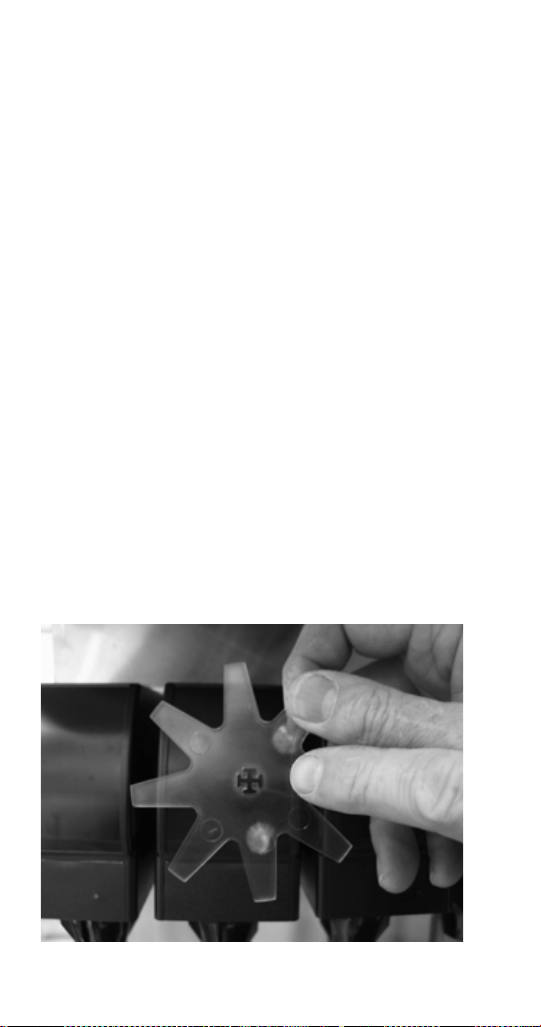
NOTE: When inserting the pin through the ice wheel,
you will have to align the pin with the pattern of the
wheel hole.
STH14.book Page 72 Thursday, September 23, 2010 3:35 PM
Part Number STH14 9/10 73
11. Place the ice dispense switch to the AUTO
position, and place the beverage valve switch to
the ON position.
12. Check for proper operation.
SELECTABLE ICE CRUSHER DISASSEMBLY
Before servicing or cleaning any part of the Selectable
Ice unit be sure to unplug it from its power source. In
order to access the module and crusher you must first
remove the merchandiser by taking out the two screws
located at the top of the merchandiser. Once the
screws are removed, rotate the top of the
merchandiser towards you and then lift the
merchandiser up to remove from unit.
1. Unplug unit before cleaning or servicing the
Crusher Assembly.
2. Remove the merchandiser by taking out the two
screws located at the top of the merchandiser.
Once the screws are removed rotate the top of the
merchandiser towards you and then lift the
merchandiser up to remove from unit.
NOTE: When the Merchandiser is removed an
electrical safety switch disconnects power to the Ice
Crusher assembly.
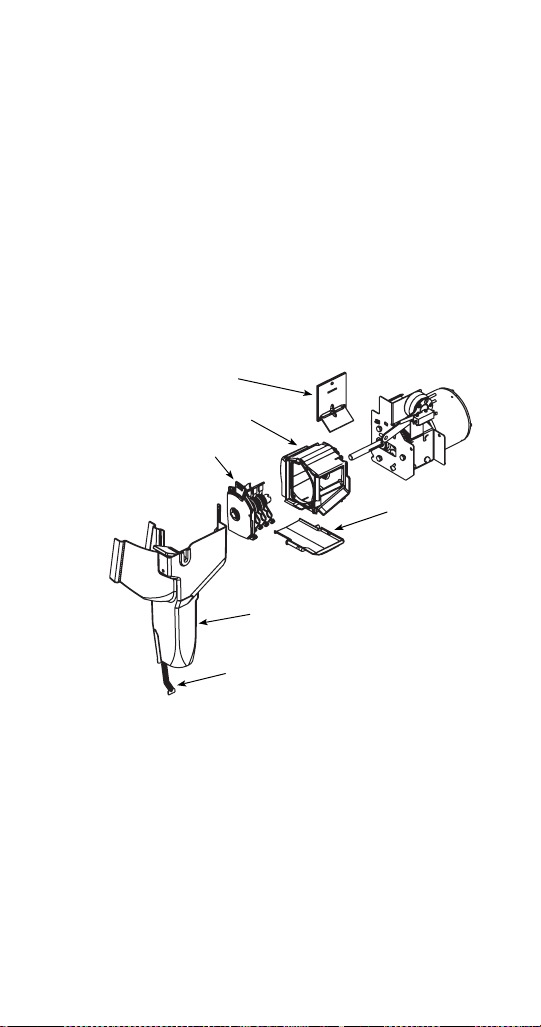
Crusher Housing
Housing Door
Hub Blade Assembly
Drip Pan
Decorative Chute
Sanitary Lever
STH14.book Page 73 Thursday, September 23, 2010 3:35 PM
74 Part Number STH14 9/10
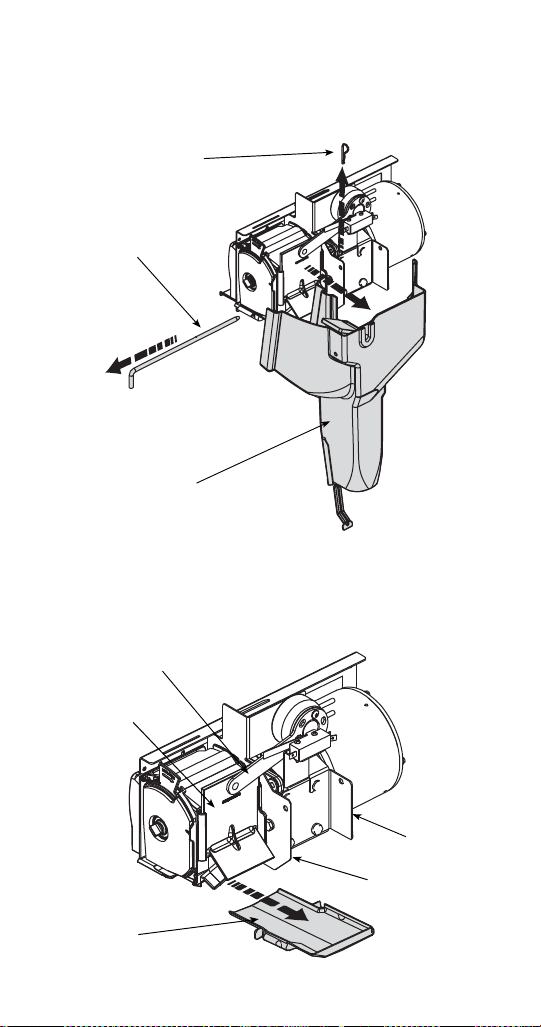
3. Remove the ice chute by pulling the cotter pin out
on the right side of the chute rod and pulling the
chute rod toward the left side of the dispenser.
4. Remove the crushed ice and cube ice doors from
the dispenser by lifting the solenoid arms up and
pushing the doors back to disengage the door
from the solenoid arm.
Cotter Pin
Chute Rod
Decorative Chute
Drip Pan
Housing Door
Motor Mount
Housing Mount
Solenoid Arm
STH14.book Page 74 Thursday, September 23, 2010 3:35 PM
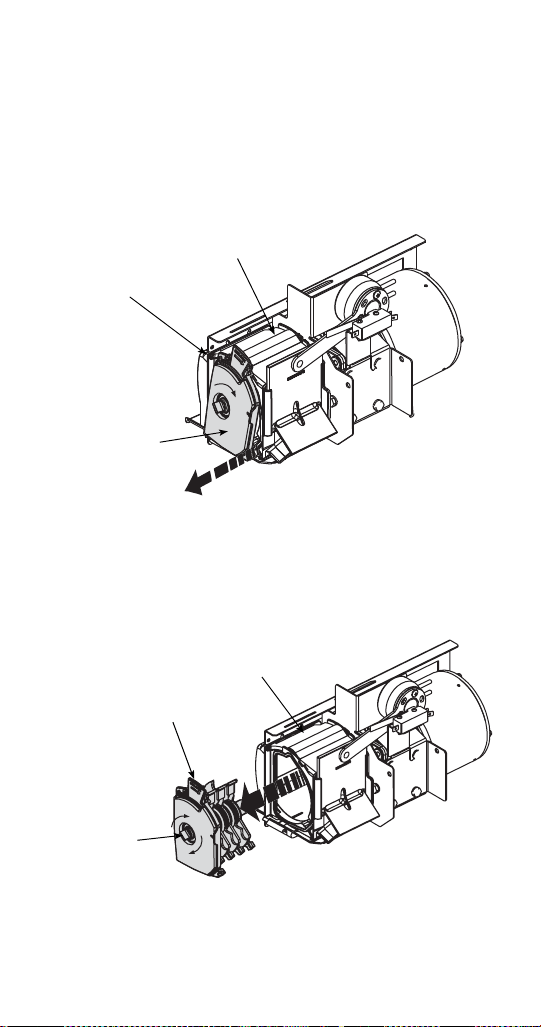
Part Number STH14 9/10 75
5. Remove the crusher drip pan by pulling it forward.
6. Remove the ice crusher blade assembly from the
crusher housing.
A. Unlock the crusher hub/blade assembly from
the crusher housing by pushing locking tab
in, and rotating the hub/blade assembly
clockwise.
B. Pull the hub/blade assembly out of the
housing approximately 1/2" (1.27 cm) to
disengage the crusher axle from the motor
shaft.
Locking Tab
Crusher Housing
Hub/Blade
Assembly
P
u
l
l
O
u
t
1
/
2
"
(1
.
2
7
c
m
)
Hub/Blade
Assembly
Crusher
Housing
Axle
Knob
STH14.book Page 75 Thursday, September 23, 2010 3:35 PM

76 Part Number STH14 9/10
C. Rotate the knob on the crusher axle so it is in
a vertical position. (This will ensure the
rotating blades will not interfere with pulling
the hub/blade assembly from the housing.)
D. Now the hub/blade assembly will be free from
the housing and you will be able to
completely remove the hub/blade assembly
from unit.
STH14.book Page 76 Thursday, September 23, 2010 3:35 PM
Part Number STH14 9/10 77
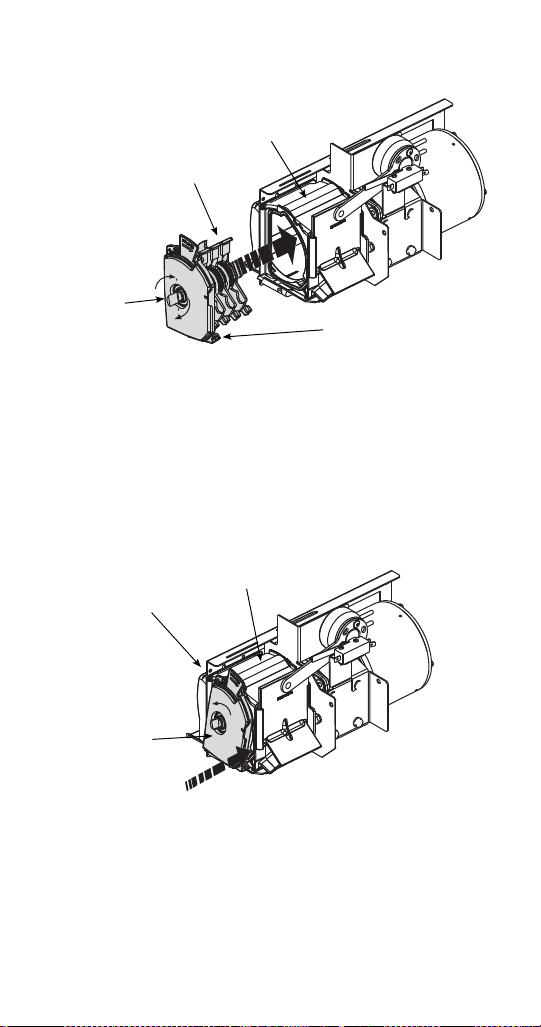
REASSEMBLE THE ICE CRUSHER ASSEMBLY
1. Insert the hub/blade assembly into the ice crusher
housing. When inserting the hub/blade assembly
you must align the stationary blades with the
locating slots in the ice crusher housing.
2. When inserting the hub/blade assembly into the
ice crusher housing you must also make sure the
axle knob is in a vertical position. This will align
the rotating blades with the housing to ensure a
quick and easy installation.
3. Once all blades are in the crusher housing you
will need to align the crusher axle with the motor
shaft. You can do this by turning the axle knob
and pushing the blade assembly toward the motor
until the hub/blade assembly is flush with the end
of the crusher housing.
Hub/Blade
Assembly
Crusher Housing
Axle
Knob
Stationary Blades
Locking Tab
Crusher Housing
Hub/Blade
Assembly
STH14.book Page 77 Thursday, September 23, 2010 3:35 PM
78 Part Number STH14 9/10
4. To lock the hub/blade assembly into the housing,
rotate the crusher hub/blade assembly
counterclockwise until the locking tab snaps into
place and the crusher hub/blade assembly is
secure.
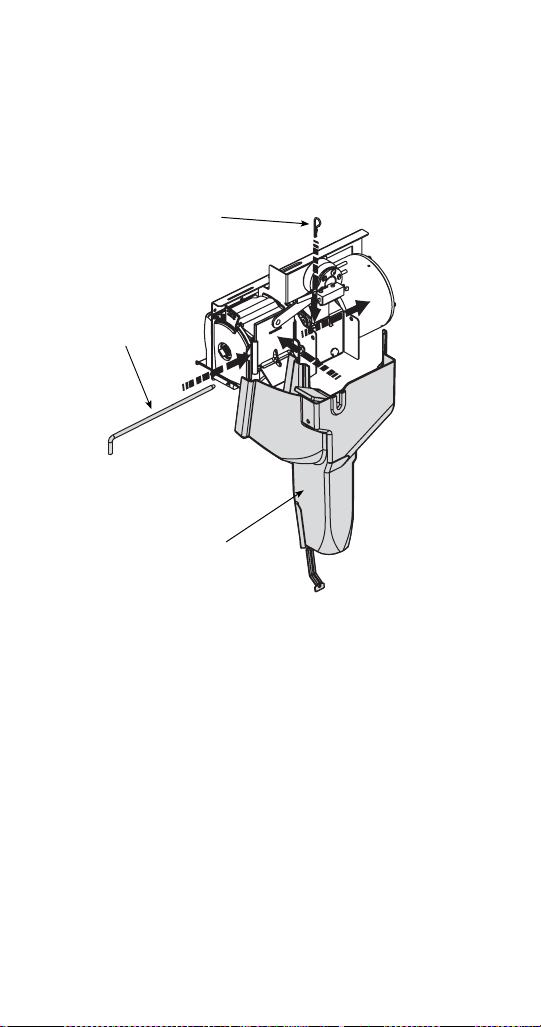
5. Replace the crusher drip pan.
6. Reattach the decorative ice chute by inserting the
chute rod through the decorative chute, housing
mount, and motor mount. Secure the chute rod by
inserting the cotter pin through the rod on the right
side of the chute.
7. Ensure the extension at the top of the decorative
chute is behind the arm of the activation switch.
Cotter Pin
Chute Rod
Decorative Chute
STH14.book Page 78 Thursday, September 23, 2010 3:35 PM

Part Number STH14 9/10 79
Replacement
NON-FRONT SERVICEABLE GEAR MOTOR
REMOVAL
These instructions are provided as a guide for the
removal of the gear motor. Depending on the model
number of your dispenser, these instructions may vary
slightly.
1. Disconnect power from the electric receptacle.
2. Remove all ice from the ice storage bin of the
dispenser.
3. Remove the paddle wheel pin from the paddle
wheel/agitator assembly inside the dispenser bin.
4. Remove the agitator assembly from the dispenser
bin by pushing the agitator to the back of the bin.
Angle the front of the agitator to the side. Pull the
agitator forward then out of the dispenser.
5. Remove the paddle wheel from the dispenser by
pulling the hub of the paddle wheel to the back of
the bin and off the gear motor shaft.
6. Remove the splash panel from the dispenser and
expose the gear motor.
7. Disconnect the electric connector from the gear
motor wire leads.
8. Remove the pin in front of the gear motor.
9. You must be able to remove the gear motor from
the dispenser.
To install a replacement gear motor, reverse this
procedure.
STH14.book Page 79 Thursday, September 23, 2010 3:35 PM
80 Part Number STH14 9/10
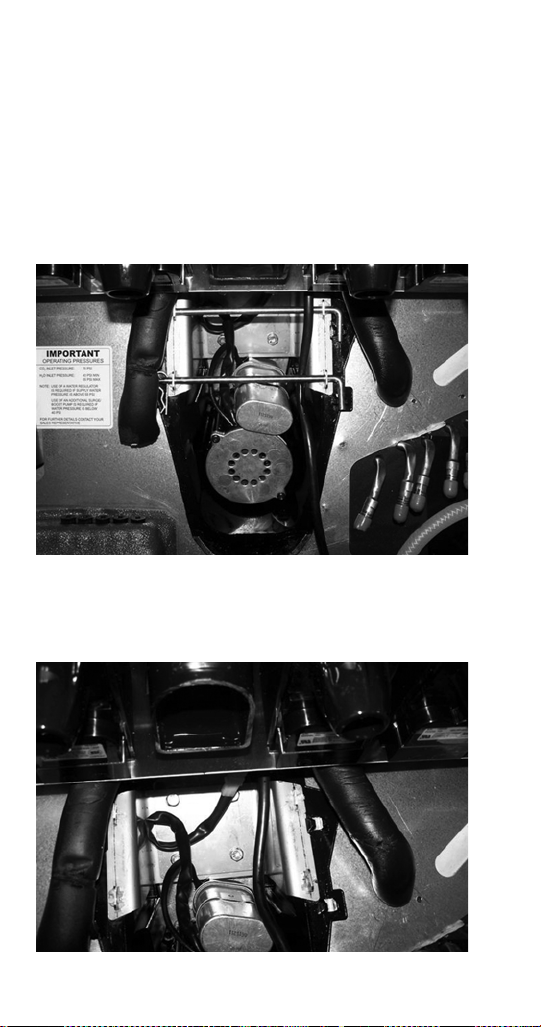
FRONT SERVICEABLE GEAR MOTOR REMOVAL
These instructions are provided as a guide for the
removal of the gear motor. Depending on the model
number of your dispenser, these instructions may vary
slightly.
1. Unplug the dispenser.
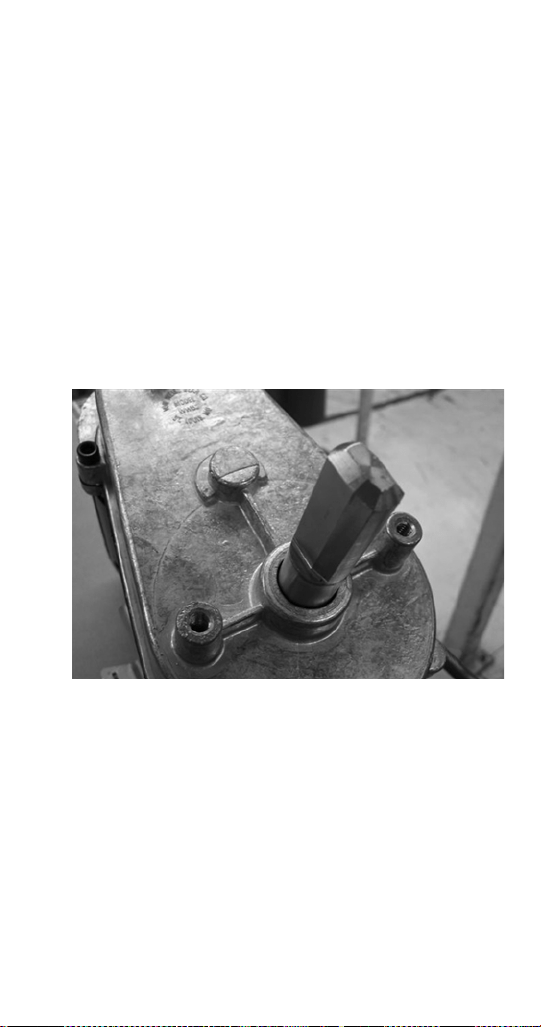
2. Unplug the motor.
3. Remove motor mount pins.
4. Slide motor towards you.
5. Notice alignment of the chamfered edge of drive
shaft.
STH14.book Page 80 Thursday, September 23, 2010 3:35 PM
Part Number STH14 9/10 81
6. New motor must have the same alignment (within
15 degrees).
7. To get correct alignment you can do one of two
things:
a. Turn drive shaft with an adjustable wrench,
being careful not to damage the drive shaft.
b. Plug in the unit, plug in the motor and use the
ice dispense switch to move the drive shaft
into correct alignment.
8. If you plugged in the unit to help with alignment of
drive shaft now unplug the unit.
9. Slide motor up into housing, making sure that the
tabs fit on the bracket.
10. Install motor mount pins.
11. Plug in motor.
12. Test unit.
STH14.book Page 81 Thursday, September 23, 2010 3:35 PM
82 Part Number STH14 9/10
Sanitizing
BEVERAGE SYSTEM CLEANING
Sanitize the beverage system at initial start-up as well
as regularly scheduled cleaning. The drain pan must
be in place under soda valves, to carry away detergent
and sanitizing agents that will be flushed through
valves.
BAG-IN-BOX SYSTEM SANITATION
The procedure below is for the sanitation of one
syrup circuit at a time. Repeat to sanitize
additional circuits.
You will need the following items to clean and sanitize
the Bag-in-Box (B-I-B) beverage system:
- Three (3) clean buckets
- Plastic brush or soft cloth
- Mild detergent
- Unscented bleach (5% Na CL O) or
Commercial sanitizer
- Bag-In-Box bag connector
1. Prepare the following in the buckets:
- Bucket 1 — warm to hot tap water for rinsing.
- Bucket 2 — mild detergent and warm to hot
water.
!
Warning
Flush sanitizing solution from syrup system.
Residual sanitizing solution left in system could
create a health hazard.
!
Warning
When using cleaning fluids or chemicals, rubber
gloves and eye protection must be worn.
STH14.book Page 82 Thursday, September 23, 2010 3:35 PM
Part Number STH14 9/10 83
- Bucket 3 — mix a solution of unscented bleach
(5% Na CL O) or commercial sanitizer and
warm to hot water. Mixture must supply
100 PPM available chlorine (1/4 oz. [7.1 g]
bleach to 1 gallon [3.8 l] water).
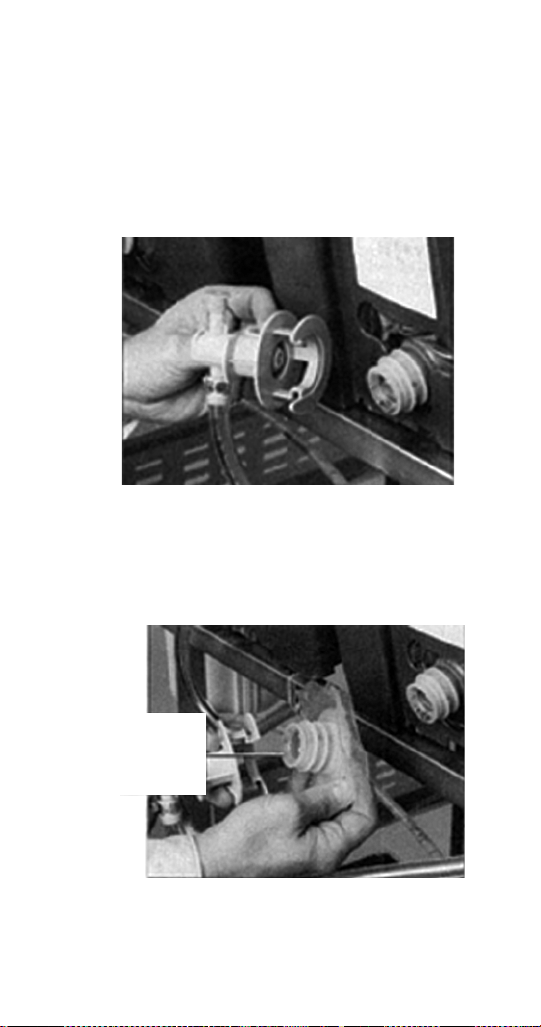
2. Disconnect the “syrup-line side” of the bag-in-box
connector.
3. Rinse connector with warm tap water.
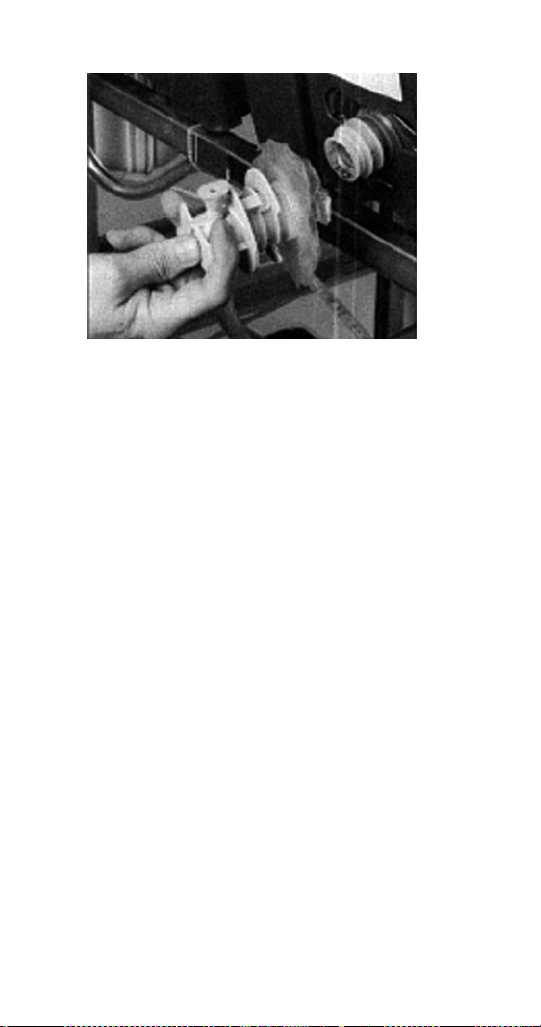
4. Connect syrup connector to B-I-B connector and
immerse both into Bucket 1. A “bag-side”
connector can be created by cutting the connector
from an empty disposable syrup bag.
Bag
side
connector
STH14.book Page 83 Thursday, September 23, 2010 3:35 PM
84 Part Number STH14 9/10
5. Draw rinse water through system until clean water
is dispensed. Most beverage valves allow the
syrup side to be manually activated by depressing
the syrup pallet.
6. Connect Bucket 2 to system.
7. Draw detergent solution through system until
solution is dispensed.
8. Repeat steps 2-7 until all syrup circuits contain
detergent solution.
9. Allow detergent solution to remain in the system
for 5 minutes.
10. Connect Bucket 3 to system.
11. Draw sanitizing solution through system until
solution is dispensed.
12. Repeat step 11 until all syrup circuits contain
sanitizer solution.
13. Allow sanitizer solution to remain in system for
15 minutes.
14. Remove nozzles and diffusers from beverage
valves.
15. Scrub nozzles, diffusers and all removable valve
parts (except electrical parts) with a plastic brush
or a soft cloth and the detergent solution.
16. Soak nozzles, diffusers and removable valve
parts (except electrical parts) in sanitizer for
15 minutes.
STH14.book Page 84 Thursday, September 23, 2010 3:35 PM

Part Number STH14 9/10 85
17. Replace nozzles, diffusers and valve parts.
18. Connect Bucket 1 to system.
19. Draw rinse water through system until no
presence of sanitizer is detected.
20. Attach syrup connectors to B-I-Bs.
21. Draw syrup through system until only syrup is
dispensed.
22. Discard first 2 drinks.
FIGAL BEVERAGE SYSTEM
1. Prepare the following in three clean Figal tanks:
- Rinse tank - fill with room temperature tap
water.
- Detergent tank - mix approved beverage
system cleaner with warm water as directed.
- Sanitizing tank - mix a solution of unscented
bleach (5% Na CL O) or commercial sanitizer
and warm to hot water. Mixture must supply
100 PPM available chlorine (1/4 oz. [7.1 g]
bleach to 1 gallon [3.8 l] water).
2. Disconnect all product and water lines from
product tanks and remove carbonator.
3. Locate the Figal syrup tank for the circuit to be
sanitized. Remove both quick disconnects from
the Figal syrup tank. Rinse quick disconnects in
tap water.
4. Connect rinse tank to the syrup line. Draw clean
rinse water through the valve until syrup is flushed
from the system.
5. Connect detergent tank to the syrup line and draw
detergent through the valve for two minutes.
Then, allow remaining detergent to stay in the
system for five minutes.
6. Connect rinse tank to the syrup line. Draw clean
rinse water through the valve until detergent is
flushed from the system.
STH14.book Page 85 Thursday, September 23, 2010 3:35 PM

86 Part Number STH14 9/10
7. Remove valve nozzle and diffuser as shown in
Daily Cleaning instructions. Using a plastic brush
or a soft cloth and warm water, scrub the nozzle,
diffuser, bottom of the dispensing valve and cup
lever, if applicable.
8. Place removable valve parts (EXCEPT solenoids)
in sanitizing solution for 15 minutes.
9. Replace valve diffuser and nozzle on the
beverage valve.
10. Connect sanitizer tank to the syrup line and draw
sanitizer through the valve for two minutes. Allow
sanitizer to remain in the system for a minimum of
15 minutes.
11. Reconnect syrup and carbonated water lines.
12. Draw syrup through the lines to rinse the system.
Discard drinks until at least two cups of
satisfactory tasting beverage are dispensed
through the valve.
STH14.book Page 86 Thursday, September 23, 2010 3:35 PM

Part Number STH14 9/10 87
Shipping, Storage and Relocation
!
Caution
Before shipping, storing, or relocating this unit,
syrup systems must be sanitized. After sanitizing,
all liquids (sanitizing solution and water) must be
purged from the unit. A freezing environment
causes residual sanitizing solution or water
remaining inside the unit to freeze, resulting in
damage to internal components.
STH14.book Page 87 Thursday, September 23, 2010 3:35 PM


Part Number STH14 9/10 89
Operation
Blade Tower Brixing
NOTE: Each tower consists of two valves combined as
one with a mixer block, mixer tube and mixer. One
Pre-ME valve (CMBEGKER) and one Flomatic 424
Flow Control Base
Set water flow rate first:
1. Turn off syrup shut-off at post-mix (424) valve
block.
2. Use stop watch to time the dispense of soda
water only.
3. Dispense for 5 seconds.
4. Record volume in a volume cup or ratio cup.
5. Adjust the water flow rate as needed until
10 ounces (283.5 g) of water is measured in a
5 second (2 oz [56.7 g]/sec) dispense.
Set the syrup flow rate:
1. Adjust the ratio (brix) of water to syrup (4.75:1) or
12.3 to 12.7 brix)
2. Turn on syrup shut-off and turn off the water shut-
off.
3. Use a stop watch to time the dispense of syrup
only.
4. Dispense for 5 seconds.
5. Record volume in a volume cup or ratio cup.
6. Adjust syrup flow rate as needed until 2 ounces
(56.7 g) of syrup is measured in a 5 second
dispense.
7. Use a refractometer if possible to get final brix
ratio of 12.3 to 12.7. You will have to rely on
volume adjustment above for diet products.
STH14.book Page 89 Thursday, September 23, 2010 3:35 PM
90 Part Number STH14 9/10
CEV Electronic Ice & Carbonation Control
Element Function
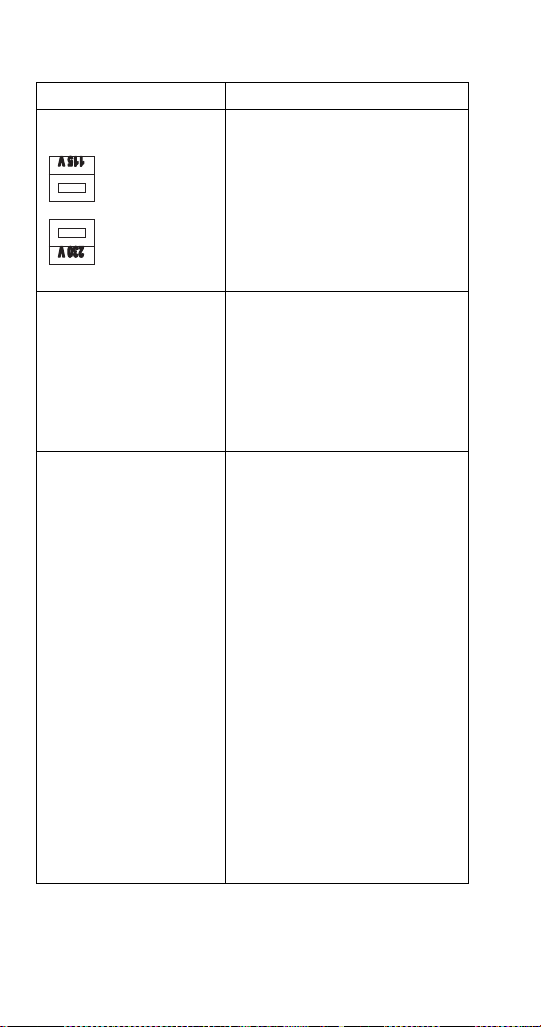
Voltage Selection Switch
(Red Side Switch)
• Switch is used to select voltage,
115 Volt or 230 Volt option.
• When switch is in 115 Volt
position the operating voltages
are 100 Volts 50 Hertz and 120
Volts 60 Hertz.
• When switch is in 230 Volt
position the operating voltages
are 220-240 Volts 50 Hertz and
208-230 Volts 60 Hertz.
On-Off Switch • Switch supplies power to all
control functions.
• When switch is in “on” position
the agitation motor, transformer,
merchandiser bulb and green
power LED will be energized.
(The green power LED will flash
once per second for 5 seconds
then stay on continuously.)
Default Modes – LED/
Default (RED)
• RED Carbonator LED =
Default
• RED Compressor LED =
Default
• If the carbonator motor run time
exceeds the preset fill times,
which are (3) minutes or (7)
minutes. The default mode will
shut power off to carbonator
pump motor for (15) minutes. It
will then activate for one minute
and if the motor does not shut
down within the one-minute time
frame the (15) minute off time and
(1) minute on time default mode
will repeat. The process will occur
a total of (4) times and then the
unit will shut down, requiring
service or a manual reset.
Disconnecting the power supply
from unit or positioning
carbonator switch to the “off”
position and then returning switch
to “on” position will reset control
to normal operation (only applies
to Internal Carb. units)
• If the ice bank probe does not
detect water in the CEV tub, the
refrigeration will shut down and
the compressor LED turns RED.
= 115 Volt Position
= 230 Volt Position
STH14.book Page 90 Thursday, September 23, 2010 3:35 PM

Part Number STH14 9/10 91
Carbonator Switch
(Switch in OFF position for
External Carb. and Juice
units, which turns off green
carbonator LED.)
• Switch supplies power to the
carbonator float switch and green
Carbonator LED only.
Green Carbonator LED
(Turned off on External
Carb. and Juice Units)
• The green carbonator LED
illuminates when carbonator
switch is in the ON position (only
applies to Internal Carb. units).
• The green carbonator LED will
flash rapidly when the carbonator
motor is running.
Carbonator Fill Timing
Jumper
(Not used on External Carb.
or Juice Units)
• Carbonator tank fill timing
provides pump failure protection
in the event of water loss to
carbonator pump (only applies to
Internal Carb. units).
• A jumper clip within the control
box sets the three optional time
settings. Units are shipped with
the jumper in (7) minute position
(only applies to Internal Carb.
units).
NOTE: Time tolerance is ±20%.
NOTE: See default mode functions
Green Compressor LED • Illuminates when the compressor
switch is in the ON position.
• Flashes once per second when
the compressor and condenser
fan are energized.
Element Function
J1 J1 J1
3 Minute 7 Minute Unlimited
STH14.book Page 91 Thursday, September 23, 2010 3:35 PM
92 Part Number STH14 9/10
Refrigeration Compressor
Output
• There are three wires from the ice
bank probe to the control box.
The white wire connects to the
low ice bank probe pin (probe pin
nearest evaporator coil). All three
probe pins must be immersed in
water to initiate the refrigeration
cycle. The refrigeration system
will operate until the low ice bank
probe pin and center ice bank
probe pin (black wire to the
control box) is covered by ice.
The third ice bank probe pin
(probe pin farthest from
evaporator coil) is the common or
ground pin. The common or
ground ice bank probe pin (green
wire to the control box) should
always be immersed in water and
never in ice of ice bank.
• Note: A delay circuit is built into
compressor and fan motor circuit.
Delay is (4) minutes (±20%) and
will prevent compressor start-up if
there is a power loss to the unit or
the compressor switch is in OFF
position and then placed in ON
position. Delay will also apply if
refrigeration cycle is stopped on
full ice bank and ice bank probe
sends a faulty signal to restart
refrigeration system within the (4)
minute delay time.
Element Function
STH14.book Page 92 Thursday, September 23, 2010 3:35 PM

Part Number STH14 9/10 93
Flavor Magic Programming
To exit the program mode at any time hold the
program button for >3 seconds and the controller will
switch to the dispense mode. The program mode can
only be accessed by pressing the program button
during the first five seconds of initial power up.
PROGRAM DISPENSE TIME
1. The program mode is used to adjust the dispense
time. To access the Program Mode, disconnect
power to the control board, wait ten seconds and
reconnect power.
2. Press the program button one time on the control
board during the first five seconds after power is
applied.
3. The LED display will show “P r o”. To check the
current dispense time, press the corresponding
flavor button on the touchpad and the time will be
displayed on the LED (Example “1.0”). a. To
increase the time (+) by two-tenths second
increments press flavor button 1 (far left button).
b. To decrease the time (-) by two-tenths second
increments press flavor button 3 (far right button).
The default setting is one second.
Program
Button
LED
Display
STH14.book Page 93 Thursday, September 23, 2010 3:35 PM

94 Part Number STH14 9/10
PURGE/SANITIZE
Purge/Sanitize mode allows the user to purge air from
the syrup lines during initial start-up. The second
function of this mode is to energize the valves to move
sanitizer through all syrup lines automatically.
Enter the Purge/Sanitize Mode by press the program
button until “P – S” is displayed.
Pressing flavor button 1 (far left button) will activate a
sequenced four second dispense that starts with flavor
1 then to flavor 2 etc. The valves will continue to cycle
for 15 minutes or until the program button is pressed
once.
DISPENSING MODES
Normal Dispense
With power applied to the control board, it will
automatically start in dispense mode after a five
second delay. The LED display will count down from
four to zero and then show “- - - -” while in dispense
mode. Simply pressing the desired flavor on the
touchpad dispenses Flavor Magic.
Flavor Counter
The flavor counter tracks the number of flavor shots
dispensed per flavor. To access Flavor Counter Mode,
press the program button on the control board once for
at least three seconds. The LED display will show
“C n t”. In the count mode the Flavor Magic module will
not dispense. Check the number of dispenses for any
flavor by pressing the corresponding touchpad button.
To check another flavor press the program button once
and then the corresponding flavor button on the
touchpad. To return to dispense mode press the
program button until the LED display shows “- - - -”.
STH14.book Page 94 Thursday, September 23, 2010 3:35 PM
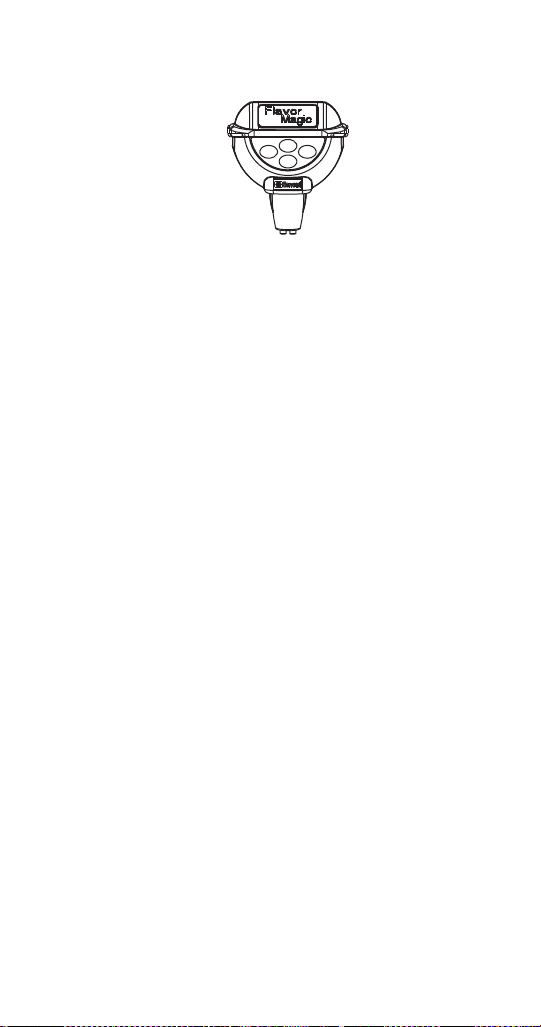
Part Number STH14 9/10 95
CHANGING NUMBER OF ACTIVE FLAVORS
To line up flavors with valves, note that valve outlets
number from left to right 1…2…3…4. Touch pad flavor
tab is numbered as shown below. Connect vinyl tube
from outlet 1 and dispense with flavor tab 1, etc.
The current Flavor Magic control board is set up in the
4 flavor default mode. This mode will handle all
dispensing situations whether 3 or 4 flavors are used.
Some early boards were set up as default in the 3
flavor mode. If the customer desires to add another
flavor for a total of 4, proceed as follows:
1. Power down the circuit board by disconnecting
the 24 volt connector in the lower left hand side of
the board. “24VAC” is imprinted on the board next
to the pin connection.
2. Wait a minimum of 10 seconds.
3. Power up the board by connecting the 24 volt
connector.
4. IMMEDIATELY (within 5 seconds) press and hold
the “PROG” button down.
5. After a few seconds, the number “4” will appear
on the display.
6. Release the “PROG” button. The board will cycle
the display from “Pro” to
“4……3……2……1……0” and then to “- - - -”.
7. The circuit board is now enabled to dispense the
4th flavor. The 4th flavor button is the top middle
button.
1
4
3
2
STH14.book Page 95 Thursday, September 23, 2010 3:35 PM

96 Part Number STH14 9/10
8. A flavor tab for the 4th flavor will have to be added
to the touch pad. To do this, obtain one (1) P/N
5030780 20 flavor decal pad. Remove the P/N
5031579 decal overlay and add the 4th flavor tab
as well as replace any flavor tabs which came off
when removing the decal overlay. Note position of
4th flavor on the touch pad in the picture and
placed tab where indicated. Obtain a new P/N
5031579 decal overlay and place over the tabs.
If the customer decides to go back to 3 flavors, it will
not be necessary to change the board back to 3
flavors. However, it can be done by following steps 1
through 6 above. The number “3” will appear on the
display. Then disconnect the number “4” syrup from
the system, remove the 5031579 decal overlay,
remove the flavor tab “4” and replace the 5031579
decal overlay. It would be a good idea to have an
additional P/N 5030780 in case flavor tabs are
damaged in the process.
STEADY OR FLASHING TOUCH PAD LED
The blue LED on the touch pad can be set to one of
two display modes:
1. Steady illumination. This is the default mode and
the LED will remain on steady until dispense is
activated. The light will flash only when product is
being dispensed. In this mode, the control board
display will read “Off”.
2. Flash mode. The LED will turn on for 1/2 second
and off for 1/2 second.
Enter the Flash mode by pressing the program button
until a flashing “- - - -” is displayed. Pressing flavor
button 1 (far left button) will switch from “Off” (default)
to “On”. The LED will now flash. To change back to the
default simply press flavor button 1 again and the
display should read “Off”. Press program button to exit
to the next program function.
STH14.book Page 96 Thursday, September 23, 2010 3:35 PM
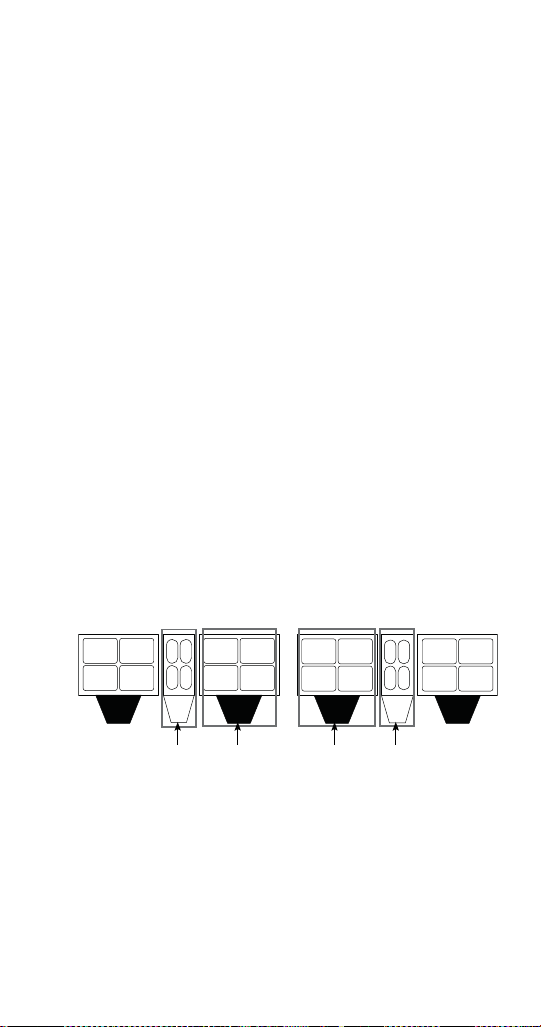
Part Number STH14 9/10 97
TIME DELAY AFTER DISPENSE
A time delay can be programmed into the control
board which will prevent the system from dispensing
another flavor for a period of from 0 to 10 seconds
following a dispense. The default is 0 seconds.
Enter the Time Delay mode by pressing the program
button until “d L A Y” is displayed. To check the current
delay time press any flavor button one time and the
current value will be displayed. To increase the time
(+) by 1.0 second increments press flavor button 1 (far
left button). To decrease the time (-) by 1.0 second
increments press flavor button 3 (far right button).
Flav’R-Pic External Programming
HOW TO CHECK FRP BRIX EXTERNALLY
If your FRP-250 has a control board with the external
brix check ability you will be able to put the unit into
brix mode by doing the following:
1. Turn the keyswitch to the "OFF" position.
2. With the keyswitch still in the "OFF" position, press
and hold the F1 touch pad button for the left side or
F5 for the right while turning the keyswitch back to the
"ON" position.
- F1 = Left Side Brix Check
- F5 = Right Side Brix Check
FRP-250 with Flavor Shots
S1
S3
S2
S4
S5
S7
S6
S8
F1
F2
F4
F3
N1
N3
N2
S12
S10
S11 S9
S16 S14
S15 S13
F5
F6 F8
F7
N4 N6
N5
Right Flavor
Shots
Left Flavor
Shots
Left Carb/
Non-Carb
Right
Carb/Non-
Carb
STH14.book Page 97 Thursday, September 23, 2010 3:35 PM
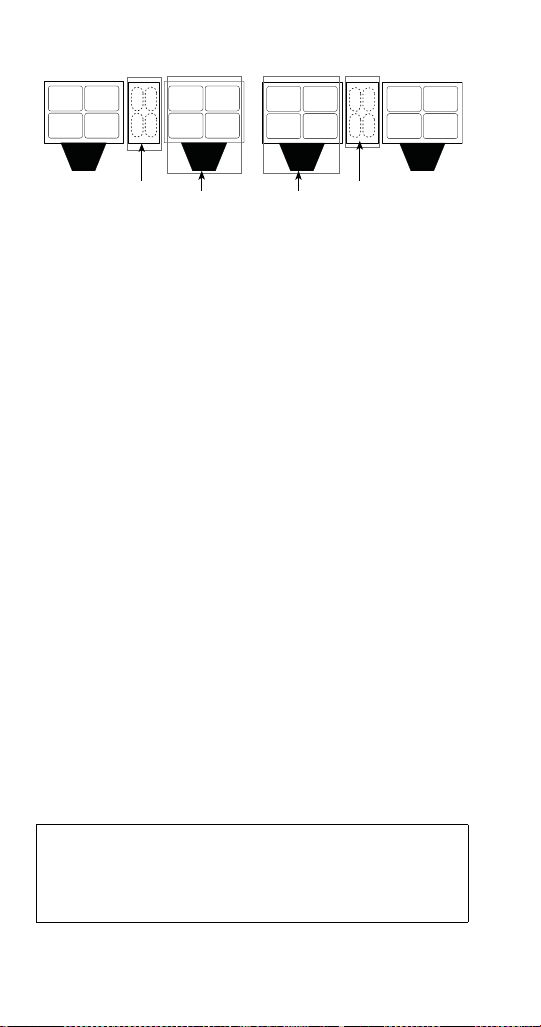
98 Part Number STH14 9/10
FRP-250 with out Flavor Shots
NOTE: The buttons for FRP units without flavor shots are
located in the same area, but are hidden.
3. You can now stop pressing on the F1 or F5 button and
the 4 LEDs around the touch pad area should now be
illuminated. If not illuminated you did not successfully
go into external brix mode and need to try again, or the
FRP unit is not equipped with this program mode.
In this setting when a corresponding touch pad is pressed
water or syrup will be dispensed for a fixed duration in order
to check your ratios using a standard brix cup.
4. In this mode you can now check the brix for any water
or syrup valve that corresponds to the board. Use the
illustration in Installation/Brixing or the Control board,
Valve, Touch Pad Matrix to identify the valves and
which board they correspond to. Brixing information
can also be found on the unit, on the right hand side of
the control board cover label. By using this label in
combination with the plumbing label located on the
foam front you will be able to identify each valve, water,
and/or syrup combination.
5. When finished checking the brix return the unit to
dispense mode by turning the keyswitch to the "OFF"
position, waiting till the touch pad LEDs are not
illuminated, then turn the keyswitch back to the "ON"
position.
Important
If left in external brix mode for longer than 5
minutes it will automatically time out and return to
dispense mode.
S1
S3
S2
S4
S5
S7
S6
S8
F1
F2
F4
F3
N1
N3
S12
S10
S11
S9
S16 S14
S15
S13
F5
F6
F8
F7
N4
N6
Right
Hidden
Touchpad
Button
Left
Hidden
Touchpad
Button
Left Carb/
Non-Carb
Right
Carb/Non-
Carb
STH14.book Page 98 Thursday, September 23, 2010 3:35 PM

Part Number STH14 9/10 99
If brix adjustments are needed you will have to remove
the merchandiser to make the mechanical
adjustments. Please see PROGRAM MODE 2 in this
section for internal brixing instructions using the
control board and the Brixing Procedure for detailed
instructions on brixing the FRP-250.
CRUSHED OR CUBED DEFAULT
This selectable ice option will allow the unit to always
default to either cube or crushed ice or remain at the
last selection. This only applies to control boards
020000875 Rev 7 and up.
How to set default ice dispense setting
CUBE DEFAULT
1. Power on the unit by plugging in receptacle and
holding the cube button at the same time, cube
will flash 2 times. Unit will now change to cube 10
seconds after crush is selected.
CRUSH DEFAULT
2. Power on the unit by plugging in receptacle and
holding the crushed button at the same time,
crush will flash 2 times. Unit will now change to
crush 10 seconds after cube is selected.
LAST SELECTION DEFAULT
3. Power on the unit by plugging in receptacle and
holdding cube and crush at the same time, cube
and crush will flash 2 times. Unit will now remain
in selection of last request.
NOTE: If power is lost to the unit and then powered up
again the unit will retain the last setting and not return
to factory settings.
STH14.book Page 99 Thursday, September 23, 2010 3:35 PM
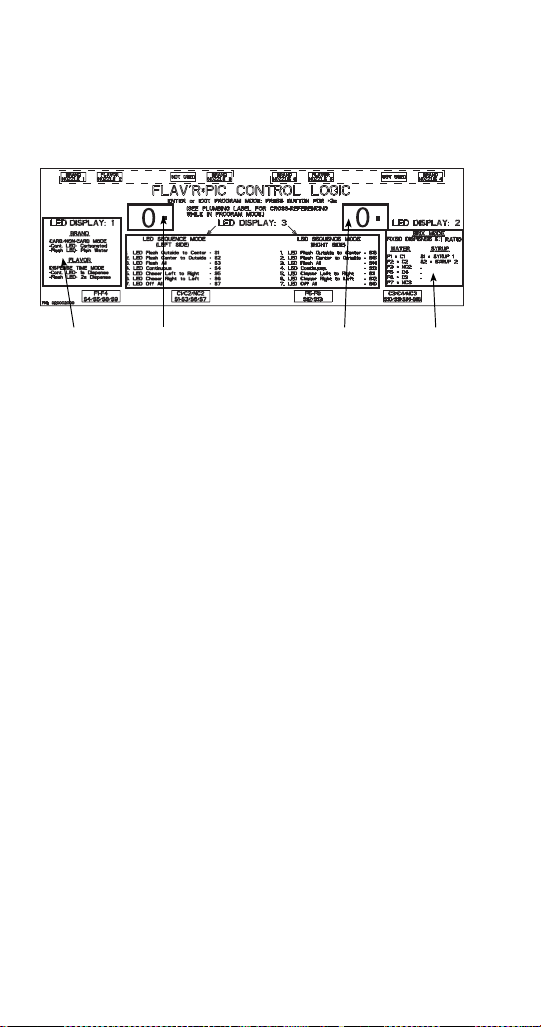
100 Part Number STH14 9/10
Flav’R-Pic (FRP-250) Programming
PROGRAM MODE 1
Carb/Non-Carb & Flavor Shot Duration Settings
Mode 1 displayed above, allows you to select your
carb/non-carb settings for dispense points N3
(Nozzle 3) through the left control board and/or N4
(Nozzle 4) with the right control board. Only nozzles
N3 and N4 have the option to be a non-carb drink, N1
and N6 are carbonated only. Mode 1 is also used to
set a 1 or 2 second dispense duration for flavor shots
on N2 and N5 using their corresponding control board.
Brixing
Info
Mode 1 Carb/
non-Carb and
Flavor Shot
Durations
Right Side
Program
Button
Left Side
Program
Button
STH14.book Page 100 Thursday, September 23, 2010 3:35 PM
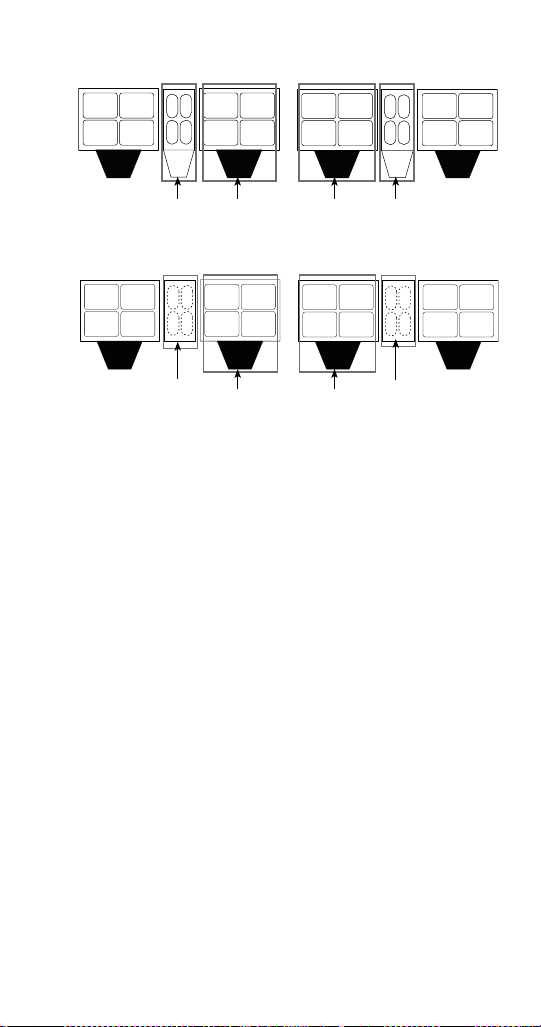
Part Number STH14 9/10 101
N3 & N4 Carbonated or Non-Carbonated Drinks
FRP-250 with Flavor Shots
FRP-250 with out Flavor Shots
1. Choose a control board. If programing N3 (Nozzle 3)
use the left control board, if programming N4 use the
right control board. Beverage dispense points are
designated by a black nozzle.
2. Press the program button and hold for 3 seconds or
until the LED displays 1.
3. To set a carbonated drink for N3 (Nozzle 3) touch one
of the following touch pads; S5, S6, S7, or S8 until the
LEDs around the touch pad are constant.
4. To set a non-carbonated drink for N3 (Nozzle 3) touch
one of the following touch pads; S5, S6, S7, or S8 until
the LEDs around the touch pad are blinking.
- Constant LEDs = Carbonated
- Blinking LEDs = Non-Carbonated
5. Follow the same instructions for N4 (Nozzle 4) using
the right control board and touch pads S9, S10, S11, or
S12.
6. When you are finished, press the program button to go
to a different mode or save your settings and return the
control board to the dispense mode by pressing the
program button and holding for 3 seconds or until the
LED displays 0.
S1
S3
S2
S4
S5
S7
S6
S8
F1
F2
F4
F3
N1
N3
N2
S12
S10
S11 S9
S16 S14
S15 S13
F5
F6 F8
F7
N4 N6
N5
Right Flavor
Shots
Left Flavor
Shots
Left Carb/
Non-Carb
Right
Carb/Non-
Carb
S1
S3
S2
S4
S5
S7
S6
S8
F1
F2
F4
F3
N1
N3
S12
S10
S11
S9
S16 S14
S15
S13
F5
F6
F8
F7
N4
N6
Right
Hidden
Touchpad
Button
Left
Hidden
Touchpad
Button
Left Carb/
Non-Carb
Right
Carb/Non-
Carb
STH14.book Page 101 Thursday, September 23, 2010 3:35 PM

102 Part Number STH14 9/10
Flavor Shot Dispense Duration
1. Choose a control board. If programing flavor shots
for N2 (Nozzle 2) use the left control board, if
programming shots for N5 use the right control
board. Flavor shot dispense points are designated
by a blue nozzle.
2. Press the program button and hold for 3 seconds
or until the LED displays 1.
3. To set a 1 second shot for N2 (Nozzle 2) touch
one of the following touch pads; F1, F2, F3, or F4
until the LEDs around the touch pad are constant.
4. To set a 2 second shot for N2 (Nozzle 2) touch
one of the following touch pads; F1, F2, F3, or F4
until the LEDs around the touch pad are blinking.
- Constant LEDs = 1 second shot
- Blinking LEDs = 2 second shot
5. Follow the same instructions for N5 (Nozzle 5)
using the right control board and touch pads F5,
F6, F7, or F8.
6. When you are finished, press the program button
to go to a different mode or save your settings and
return the control board to the dispense mode by
pressing the program button and holding for 3
seconds or until the LED displays 0.
STH14.book Page 102 Thursday, September 23, 2010 3:35 PM

Part Number STH14 9/10 103
PROGRAM MODE 2
Brixing
Mode 2 displayed above, puts your Flav'R-Pic into brix
mode. In this setting when a corresponding touch pad
is pressed, water or syrup will be dispensed for a fixed
duration in order to set your ratios using a standard
brix cup and making adjustments to the mechanical
valves. Follow the steps below to put a board into brix
mode.
1. Choose a control board. If brixing drinks for N1
(Nozzle 1) or N3 use the left control board, if
brixing drinks for N3 or N6 use the right control
board. Beverage dispense points are designated
by a black nozzle.
2. Press the program button and hold for 3 seconds
or until the LED displays 1. Press the program
button again until 2 is displayed on the control
board LED display.
NOTE: Programming one board at a time will make it
easier for you to identify the corresponding valves and
dispense points.
3. With the a board in Mode 2, you can now brix any
water or syrup valve that corresponds to the
board. Use the illustration in Installation/Brixing or
the Control board, Valve, Touch Pad Matrix to
identify the valves and which board they
correspond to. Brixing information can also be
found on the unit, on the right hand side of the
control board cover label. By using this label in
combination with the plumbing label located on
the foam front you will be able to identify each
valve, water, and/or syrup combination.
4. Replace the nozzle when done then move on to
another nozzle or, if you are finished brixing,
return the control board to the dispense mode by
pressing the program button and holding for 3
seconds or until the LED displays 0.
A brixing break down for each nozzle is available in
the Brixing Procedure section of this manual.
STH14.book Page 103 Thursday, September 23, 2010 3:35 PM

104 Part Number STH14 9/10
PROGRAM MODE 3
Light Sequences
Mode 3 displayed above, allows you to set the light
sequence for the touch pad LEDs. Follow the steps
below to place the board into this mode and set
sequences.
1. Choose a control board. If setting the light
sequence for the touch pad area on the left use
the left control board, or if you are setting them for
the right, use the right control board.
2. Press the program button and hold for 3 seconds
or until the LED displays 1. Press the program
button again until 3 is displayed on the control
board LED display.
3. With the left control board in mode 3 you can now
choose one of the seven touch pad LED lighting
sequences by pressing one of the following touch
pad areas:
S1 = Flash outside to center
S2 = Flash center to outside
S3 = Flash all
S4 = Continuously on all
S5 = Chaser left to right
S6 = Chaser right to left
S7 = Off all
S8 = Flash outside to center, Flavor Shot Off
NOTE: It is recommended that both boards be set to
the same lighting sequence. If not, the boards will not
be able to sync and lighting behavior may become
erratic.
4. With the right control board in mode 3 you can
now choose one of the seven touch pad LED
lighting sequences by pressing one of the
following touch pad areas:
S16 = Flash outside to center
S15 = Flash center to outside
S14 = Flash all
S13 = Continuously on all
STH14.book Page 104 Thursday, September 23, 2010 3:35 PM
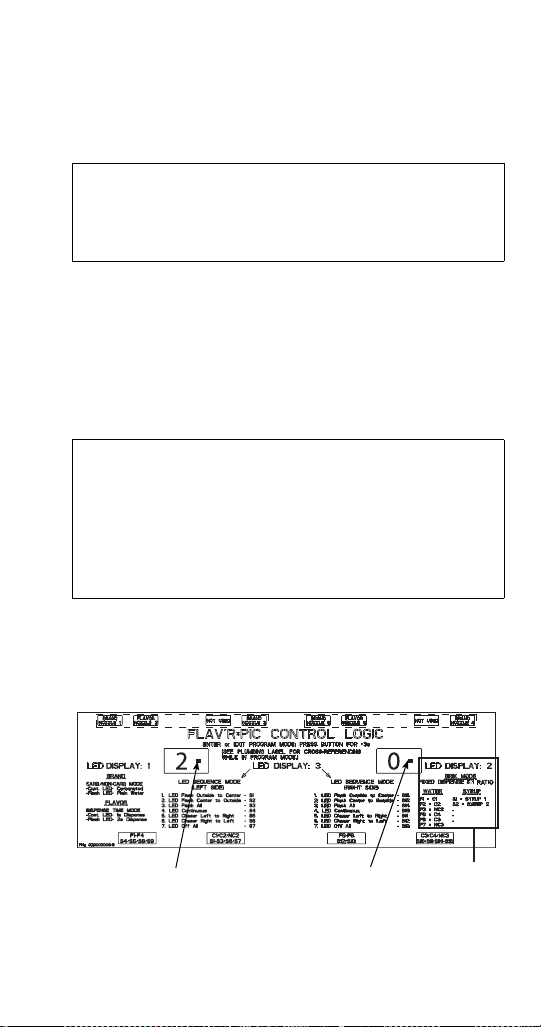
Part Number STH14 9/10 105
S12 = Chaser left to right
S11 = Chaser right to left
S10 = Off all
S9 = Flash outside to center, Flavor Shot Off
5. When done move on to another programming
mode or, if you are finished, return the control
board to the dispense mode by pressing the
program button and holding for 3 seconds or until
the LED displays 0.
CONTROL BOARD TIME OUT
Flav’R-Pic (FRP-250) Brixing Procedure
NOTE: This procedure is for flavors requiring 5:1 water
to syrup ratio.
Control Board Label
Important
When installed on a FRP without flavor shots the
lighting sequence S8 & S9 should be used. All
other units are set to S1 & S16 by default.
Important
If a control board is left in any program mode for
longer than 5 minutes it will automatically time out
and return to dispense mode 0. In order to enter
back into a program mode you will need to press
the program button and hold for 3 seconds or
until the LED displays 1 again.
Brixing
Info
Left Side
Program
Button
Right Side
Program
Button
STH14.book Page 105 Thursday, September 23, 2010 3:35 PM
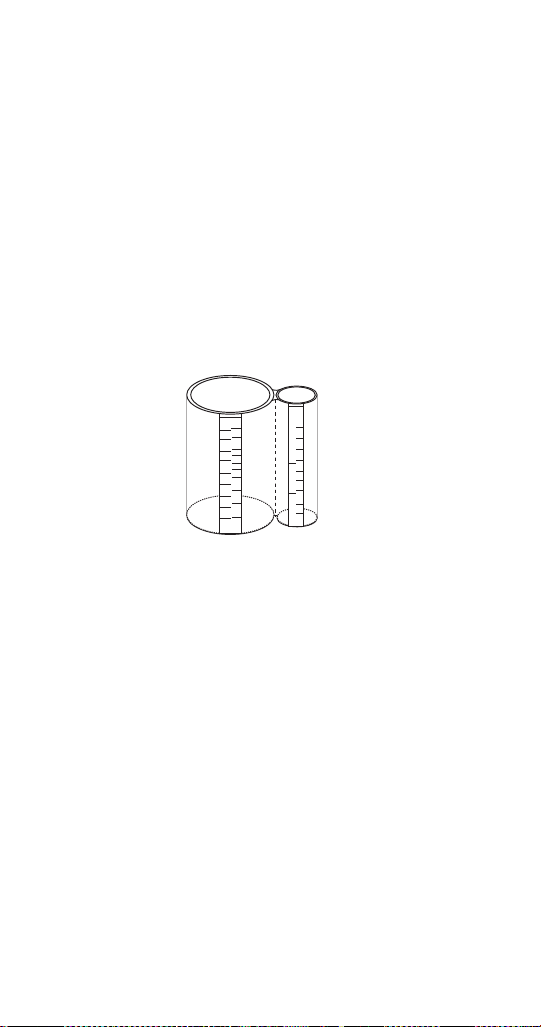
106 Part Number STH14 9/10
PLACING A CONTROL BOARD INTO BRIX MODE
NOTE: See Program Mode 2 for Program Mode
Operations.
1. Prior to brixing be sure all water and syrup lines
are connected to the system and purged. Ensure
that syrup and water are available.
2. If the merchandiser and splash panel are on the
front of the unit, remove them. Merchandiser
removal will give you access to the syrup and
water valves. Splash panel removal will give you
access to the plumbing label located on the foam
front and/or see the Diagrams section of this
manual. This label will be needed to identify valve
and touch pad locations.
5:1 Brix Cup
3. Use a standard brix cup with a 5:1 ratio for the
procedure. An example is illustrated above. Use
of a funnel between the cup and nozzle may aid in
the capture of the syrup during syrup brixing.
CC OZ
OZ CC
45
40
35
30
25
20
15
10
5
1
11:1
5:1
225
8
7
6
5
5:1
RA TIO
RA TIO
4
3
2
1
4.75
11 : 1
200
175
150
125
100
75
50
50
STH14.book Page 106 Thursday, September 23, 2010 3:35 PM

Part Number STH14 9/10 107
4. Locate the control board that corresponds with
the valve(s) and/or dispense point you want to
brix.
5. Press the program button and hold for 3 seconds
or until the LED displays 1. Press the program
button again until 2 is displayed on the control
board LED display.
NOTE: Programming one board at a time will make it
easier for you to identify the corresponding valves and
dispense points. See Flav’R-Pic External
Programming in this manual for more detail on all
programming modes.
6. With a board in Mode 2 you can now brix any
water or syrup valve that corresponds to the
board. Use the chart above to identify the valves
and which board they correspond to. See the
illustration that follows for more assistance.
Brixing information can also be found on the right
hand side of the control board cover label. By
using this label in combination with the plumbing
label you will be able to identify each valve, water,
and/or syrup combination.
Left Board Right Board
Dispense Type and
Valve Number
C1 - Valve 8 C3 - Valve 4
C2 - Valve 11 C4 - Valve 1
NC2 - Valve 11 NC3 - Valve 4
S1 - Valve 8 S9 - Valve 15
S2 - Valve 9 S10 - Valve 3
S3 - Valve 9 S11 - Valve 3
S4 - Valve 14 S12 - Valve 7
S5 - Valve 14 S13 - Valve 7
S6 - Valve 10 S14 - Valve 2
S7 - Valve 10 S15 - Valve 2
S8 - Valve 15 S16 - Valve 1
F1 - Valve 13 F5 - Valve 6
F2 - Valve 13 F6 - Valve 6
F3 - Valve 12 F7 - Valve 5
F4 - Valve 12 F8 - Valve 5
C = Carb NC = Non-Carb S = Syrup F = Flavor Shot
STH14.book Page 107 Thursday, September 23, 2010 3:35 PM
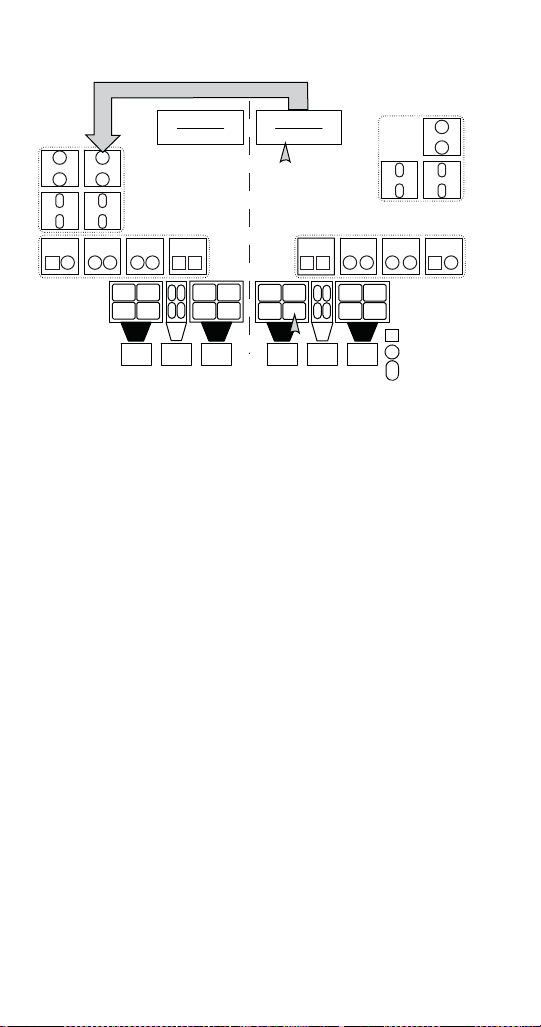
108 Part Number STH14 9/10
S9 (Syrup 9) on Valve 15 is the only syrup that does not correspond to
the side it is mounted to. Both visually and functionally all other valves,
touch pads, and dispense points correspond with the board on the
same side to which they are attached.
GENERAL BRIXING PROCESS
1. With the corresponding control board set to brix
mode and displaying a 2 you may brix a beverage
nozzle (NI, N3, N4, or N6). If brixing a syrup, the
use of a funnel between the cup and nozzle may
aid in the capture of the syrup. (See nozzle order
below.)
S5
S4
F2
F1
S9
S8
F3
F4
C1 S1 S2 S3 S6 S7 C2 NC2 C3 NC3 S11 S10 S15 S14 C4 S16
F6
F5
F7
F8
S13
S12
S1
S3
S2 S4
S5
S7
S6 S8
F1
F2
F4
F3
N1 N3
N2
S1, S3,
S2, S4
C1
S5, S7,
S6, S8,
C2, NC2
S12 S10
S11 S9
S16 S14
S15 S13
F5
F6 F8
F7
N4 N6
N5
S9, S11,
S10, S12,
C3, NC3
S13, S15,
S14, S16,
C4
F1, F3,
F2, F4
F5, F7,
F6, F8
= WATER
= SYRUP
= FLAVOR
SHOT
LEFT SIDE
CONTROL BOARD
RIGHT SIDE
CONTROL BOARD
Valve Controls - C1, C2, NC2,
S1-S8, F1-F4
Valve Controls - C3, C4, NC3,
S9-S16, F5-F8
Valve 14 Valve 15
Valve 13 Valve 12
Valve 8 Valve 9 Valve 10 Valve 11
Valve 4 Valve 3 Valve 2 Valve 1
Valve 6 Valve 5
Valve 7
STH14.book Page 108 Thursday, September 23, 2010 3:35 PM
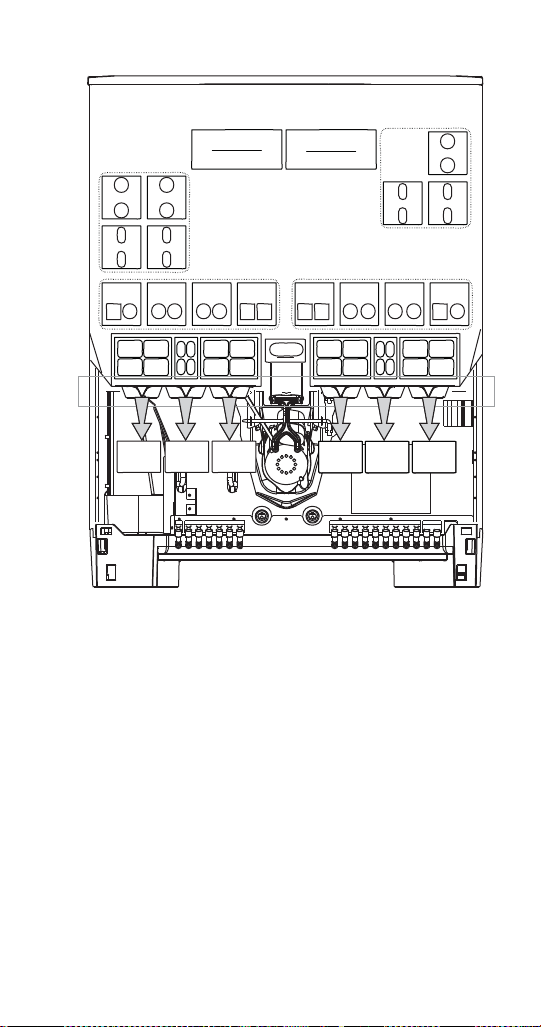
Part Number STH14 9/10 109
Nozzles from left to right: N1, N2, N3, N4, N5, N6
2. To brix carbonated or non-carbonated water for a
dispense point, leave the nozzle in place and hold
the brix cup with the water side of the cup under
the nozzle area. Non-carbonated water is only
available at N3 (Nozzle 3) and N4.
3. By referencing the control box label and plumbing
diagram, press the flavor shot touch pad that
corresponds with the water you wish to brix. If
brixing the left side, it will be one of the following;
F1 (Flavor Shot 1), F2, or F3. When brixing the
right side, F5, F6, or F7 will be used. On non-
flavor shot units, the touch pads are located
behind the merchandiser on the foam front.
S5
S4
F2
F1
S9
S8
F3
F4
C1 S1 S2 S3 S6 S7 C2 NC2 C3 NC3 S11 S10 S15 S14 C4 S16
F6
F5
F7
F8
S13
S12
S1, S3,
S2, S4
C1
S5, S7,
S6, S8,
C2, NC2
S9, S11,
S10, S12,
C3, NC3
S13, S15,
S14, S16,
C4
F1, F3,
F2, F4
F5, F7,
F6, F8
F
1
F
2
F
4
F
3
F
5
F
6
F
8
F
7
S1
S2
S3
S4
S5
S6
S7
S8
S12
S11
S10
S9
S16
S15
S14
S13
LEFT SIDE
CONTROL BOARD
RIGHT SIDE
CONTROL BOARD
Valve Controls - C1, C2, NC2,
S1-S8, F1-F4
Valve Controls - C3, C4, NC3,
S9-S16, F5-F8
Valve 14 Valve 15
Valve 13 Valve 12
Valve 8 Valve 9 Valve 10 Valve 11 Valve 4 Valve 3 Valve 2 Valve 1
Valve 6 Valve 5
Valve 7
STH14.book Page 109 Thursday, September 23, 2010 3:35 PM

110 Part Number STH14 9/10
4. The correct volume should be 5 oz. (147.86 cc)
during the fixed dispense in Mode 2. If adjustment
is needed to attain this volume, make adjustments
to the left side of valve 8 (C1) adjustment screw
as needed until flow rate is satisfactory.
NOTE: The touch pad mount can be tilted forward in
order to give you better access to the valves.
5. For syrup brixing place the brix cup with the syrup
side of the cup under the nozzle area and press
any brand touch pad area associated with that
nozzle dispense point. For example S1 (Syrup 1),
S2, S3, and S4 touch pad areas will be used to
brix N1 (Nozzle 1).
6. Syrup will dispense for a fixed duration and
should be even with the 5 oz. (147.86 cc) water
mark on the cup, or 1 oz (29.57cc) just below the
30cc mark on the syrup side of the brix cup.
7. Check each syrup position and adjust syrup on
the corresponding valve as necessary. A
plumbing label is located on the foam front of the
unit showing the position of each valve and syrup
port. See the plumbing diagram.
8. When finished, move on to another nozzle or, if
your brixing is complete, return the control board
to the dispense mode by pressing the program
button and holding for 3 seconds or until the LED
displays 0. Replace the splash panel and
merchandiser.
STH14.book Page 110 Thursday, September 23, 2010 3:35 PM

Part Number STH14 9/10 111
Nozzle 1 (N1) Water & Syrup Brixing
1. With the left control board set to brix mode and
displaying a 2 you can now brix the carbonated
water for N1 (Nozzle 1) located at the far left hand
side of the unit.
2. To brix the carbonated water for this dispense
point leave the nozzle in place, hold the brix cup
with the water side of the cup under N1 (Nozzle
1), and press the F1 (Flavor Shot 1) button. Water
will dispense for a fixed duration.
3. The correct volume should be 5 oz. (147.86 cc). If
adjustment is needed to attain this volume, make
adjustments to the left side of valve 8 (C1)
adjustment screw as needed until flow rate is
satisfactory.
4. For syrup brixing place the brix cup with the syrup
side of the cup under the N1 and press the touch
pad area for S1 (Syrup 1), S2, S3, or S4, and the
corresponding syrup will dispense for a fixed
duration.
5. Syrup should be even with the 5 oz. (147.86 cc)
water mark on the cup, or 1 oz (29.57cc) just
below the 30cc mark on the syrup side of the brix
cup.
6. Check each syrup position and adjust syrup on
the corresponding valve as necessary. A
plumbing label is located on the foam front of the
unit showing the position of each valve and syrup
port. See the plumbing diagram.
7. Move to another nozzle or, if you are finished
brixing, return the control board to the dispense
mode by pressing the program button and holding
for 3 seconds or until the LED displays 0. Replace
the splash panel and merchandiser.
STH14.book Page 111 Thursday, September 23, 2010 3:35 PM

112 Part Number STH14 9/10
Nozzle 2 (N2) Water & Syrup Brixing
This is a flavor shot dispense point, designated so by
its blue nozzle, no brixing is needed. Either a 1 or 2
second dispense duration can be selected in program
Mode 1 from the left side control board. (See
Flav’R-Pic External Programming for more
information.)
Nozzle 3 (N3) Carb/Non-Carb Water & Syrup
Brixing
1. With the left control board set to brix mode and
displaying a 2 you can now brix carbonated or
non-carbonated water for N3 (Nozzle 3). (See
Program Mode 1 to designate carb/non-carb.)
2. To brix the carbonated water for this dispense
point, leave the nozzle in place, hold the brix cup
with the water side of the cup under N3 (Nozzle
3), and press the F2 (Flavor Shot 2) button.
Carbonated water will dispense for a fixed
duration.
3. To brix the non-carbonated water for this dispense
point leave the nozzle in place, hold the brix cup
with the water side of the cup under N3 (Nozzle
3), and press the F3 (Flavor Shot 3) button. Water
will dispense for a fixed duration.
4. The correct carb and non-carb volume should be
5 oz. (147.86 cc). If adjustment is needed to attain
this volume, make adjustments to the left side of
valve 11 (C2) adjustment screw for carbonated
water and the right side of valve 11 (NC2)
adjustment screw for non-carbonated water as
needed until flow rate is satisfactory.
5. For syrup brixing place the brix cup with the syrup
side of the cup under the N3 (Nozzle 3) and press
the touch pad area for S5 (Syrup 5), S6, S7, or S8
and the corresponding syrup will dispense for a
fixed duration.
6. Syrup should be even with the 5 oz. (147.86 ml)
water mark on the cup, or 1 oz (29.57cc) just
below the 30cc mark on the syrup side of the brix
cup.
STH14.book Page 112 Thursday, September 23, 2010 3:35 PM

Part Number STH14 9/10 113
7. Check each syrup position and adjust syrup on
the corresponding valve as necessary. A
plumbing label is located on the foam front of the
unit showing the position of each valve and syrup
port. See the plumbing diagram.
8. Move to another nozzle or, if you are finished
brixing, return the control board to the dispense
mode by pressing the program button and holding
for 3 seconds or until the LED displays 0. Replace
the splash panel and merchandiser.
Nozzle 4 (N4) Carb/Non-Carb Water & Syrup
Brixing
1. With the right control board set to brix mode and
displaying a 2, you can now brix carbonated or
non-carbonated water for Nozzle 4 (N4). (See
Program Mode 1 to designate carb/non-carb.)
2. To brix the carbonated water for this dispense
point, leave the nozzle in place, hold the brix cup
with the water side of the cup under N4
(Nozzle 4), and press the F6 (Flavor Shot 6)
button. Water will dispense for a fixed duration.
3. To brix the non-carbonated water for this dispense
point, leave the nozzle in place, hold the brix cup
with the water side of the cup under N4
(Nozzle 4), and press the F7 (Flavor Shot 7)
button. Water will dispense for a fixed duration.
4. The correct carb and non-carb volume should be
5 oz. (147.86 ml). If adjustment is needed to attain
this volume, make adjustments to the left side of
valve 11 (C3) adjustment screw for carbonated
water and the right side of valve 4 (NC3)
adjustment screw for non-carbonated water as
needed until flow rate is satisfactory.
5. For syrup brixing place the brix cup with the syrup
side of the cup under the N4 (Nozzle 4) and press
the touch pad area for S9 (Syrup 9), S10, S11, or
S12 and the corresponding syrup will dispense for
a fixed duration.
6. Syrup should be even with the 5 oz. (147.86 cc)
water mark on the cup, or 1 oz (29.57cc) just
below the 30cc mark on the syrup side of the brix
cup.
STH14.book Page 113 Thursday, September 23, 2010 3:35 PM

114 Part Number STH14 9/10
7. Check each syrup position and adjust syrup on
the corresponding valve as necessary. A
plumbing label is located on the foam front of the
unit showing the position of each valve and syrup
port. See the plumbing diagram.
8. Move to another nozzle or, if you are finished
brixing, return the control board to the dispense
mode by pressing the program button and holding
for 3 seconds or until the LED displays 0. Replace
the splash panel and merchandiser.
Nozzle 5 (N5) Water & Syrup Brixing
This is a flavor shot dispense point, designated so by
its blue nozzle, no brixing is needed. Either a 1 or 2
second dispense duration can be selected in program
Mode 1 from the right side control board. (See
Flav’R-Pic External Programming for more
information.)
Nozzle 6 (N6) Water & Syrup Brixing
1. With the right control board set to brix mode and
displaying a 2 you can now brix the carbonated
water for N6 (Nozzle 1) located at the far right
hand side of the unit).
2. To brix the carbonated water for this dispense
point, leave the nozzle in place, hold the brix cup
with the water side of the cup under N6 (Nozzle
6), and press the F5 (Flavor Shot 5) button. Water
will dispense for a fixed duration.
3. The correct volume should be 5 oz. (147.86 cc). If
adjustment is needed to attain this volume, make
adjustments to the left side of valve 1 (C4)
adjustment screw as needed until flow rate is
satisfactory.
4. For syrup brixing place the brix cup with the syrup
side of the cup under the N6 (Nozzle 6) and press
the touch pad area for S13 (Syrup 13), S14, S15,
or S16, and the corresponding syrup will dispense
for a fixed duration.
5. Syrup should be even with the 5 oz. (147.86 cc)
water mark on the cup, or 1 oz (29.57cc) just
below the 30cc mark on the syrup side of the brix
cup.
STH14.book Page 114 Thursday, September 23, 2010 3:35 PM
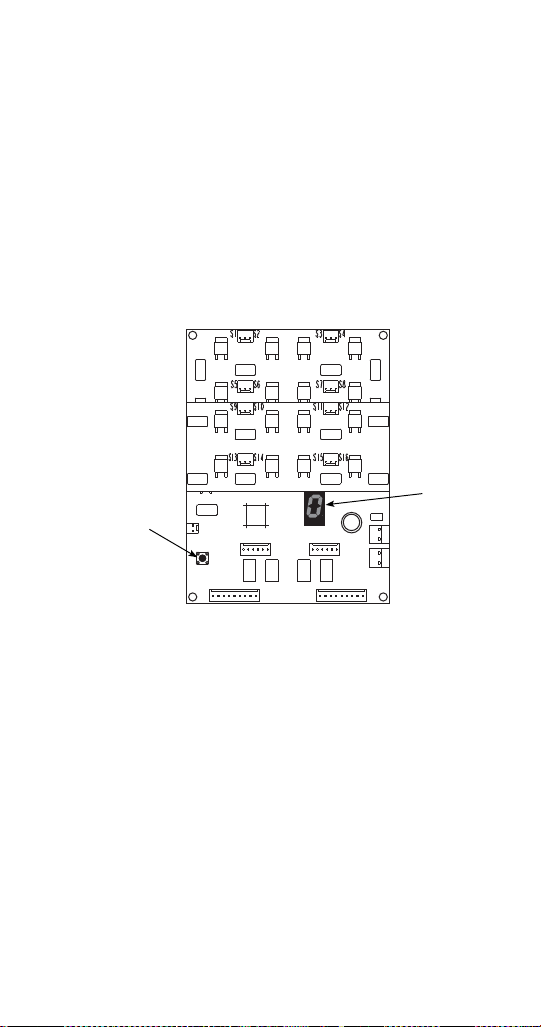
Part Number STH14 9/10 115
6. Check each syrup position and adjust syrup on
the corresponding valve as necessary. A
plumbing label is located on the foam front of the
unit showing the position of each valve and syrup
port. See the plumbing diagram.
7. Move to another nozzle or, if you are finished
brixing, return the control board to the dispense
mode by pressing the program button and holding
for 3 seconds or until the LED displays 0. Replace
the splash panel and merchandiser.
FlexTower Programming Modes
CONTROL BOARD RUN OR DISPENSE MODE
(Control Board LED Displays 0)
For finished drink, press and hold any labeled finished
drink touchpad area to manually dispense a finished
noncarbonated drink (all touchpad areas are defaulted
from factor to manual dispense mode). For flavor
adder, press any labeled flavor adder touchpad area
and a one shot stored timed dispense will occur
(dispense time of flavor adder can be changed in
program mode 2).
Program
Button
LED
Display
STH14.book Page 115 Thursday, September 23, 2010 3:35 PM

116 Part Number STH14 9/10
THE 6 PROGRAMMING MODES ON FLEXTOWER
CONTROL BOARD
Program Mode 1= Manual Dispense Mode
Program Mode 2= Timed Dispense Mode or Flavor
Adder Mode
Program Mode 3= Water Calibration Mode
Program Mode 4= Syrup Calibration Mode
Program Mode 5= Touchpad Configuration Mode
Program Mode 6= Touchpad LED Light Sequencing
Mode
To Access Programming Modes
To enter programming modes, press and hold the
control board program button for a minimum of 3
seconds. Control board LED displays a number (1) for
manual dispense mode. To select another
programming mode, press and release the control
board program button once to enter the next
programming mode. Repeat pressing and releasing
the control board program button until desired
program mode is entered.
To Exit Programming Modes
To exit programming modes and to save programming
mode changes, press and hold control board program
button for a minimum of 3 seconds. Control board LED
displays (0) for run or dispense mode.
Manual Dispense Mode
(Finished Noncarbonated Drink Dispensed)
Once in program mode (1), the control board LED
displays (1). Press any touchpad selection area two
times in less than three seconds and selection area
LED lights will blink twice to indicate the touchpad
area has been programmed for manual dispense. The
procedure can be repeated for other touchpad
selection areas needing programmed for manual
dispense. After all designated touchpad areas have
been programmed for manual dispense either enter
another program mode or exit the programming
modes, which will save programming mode changes.
STH14.book Page 116 Thursday, September 23, 2010 3:35 PM

Part Number STH14 9/10 117
Timed Dispense Mode (Flavor Adder Dispensed)
Once in program mode (2), the control board LED
displays (2). Press any touchpad selection area three
times in less than three seconds and selection area
LED lights will blink three times to indicate the
touchpad area has been programmed for timed
dispense. Then the first and last touchpad selection
areas will illuminate, which will allow increasing the
timed dispense cycle by .2 seconds each press of the
last illuminated touchpad selection area or decreasing
the timed dispense cycle by .2 seconds each press of
the first illuminated touchpad selection area. To
program another touchpad area for timed dispense,
press and release the control board program button to
reset the timed dispense programming mode, first and
last touchpad areas are no longer illuminated. Repeat
procedures for programming timed dispense for other
designated touchpad selection areas. After all
designated touchpad areas have been programmed
for timed dispense, either enter another program
mode or exit the programming modes, which will save
programming mode changes.
Water Calibration Mode
Once in program mode (3), the control board LED
displays (3). Press any touchpad selection area and
the noncarbonated water valve will dispense for three
seconds in order to brix the valve. The procedure can
be repeated as many times as necessary in order to
brix the noncarbonated water valve. After the water
valve has been brixed, either enter another program
mode or exit the programming modes, which will save
programming mode changes.
Syrup Calibration Mode
Once in program mode (4), the control board LED
displays (4). Press any touchpad selection area and
the associated syrup valve circuit will dispense for
three seconds in order to brix the syrup valve circuit.
The procedure can be repeated as many times as
necessary in order to brix all syrup valve circuits. After
all syrup valve circuits have been brixed, either enter
another program mode or exit the programming
modes, which will save programming mode changes.
STH14.book Page 117 Thursday, September 23, 2010 3:35 PM
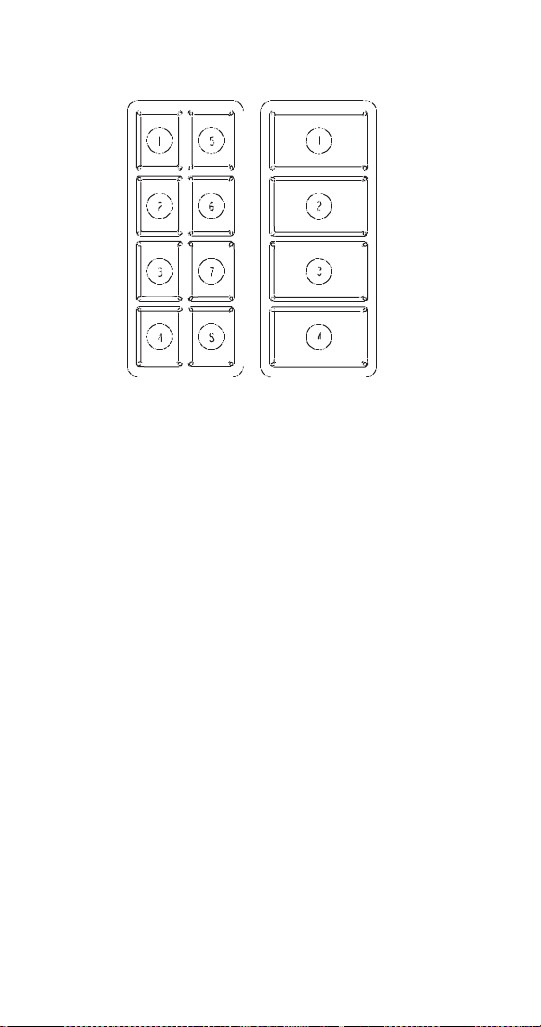
118 Part Number STH14 9/10
Touchpad Configuration Mode
Once in program mode (5), the control board LED
displays (5). Press the first and last touchpad selection
areas on both touchpads. The touchpad LED lights
sequence through all the touchpad selection areas
indicating the touchpad has been configured. After
configuring both touchpads, either enter another
program mode or exit the programming modes, which
will save programming mode changes.
Touchpad LED Light Sequencing Mode
(8 Selection Area Touchpad)
Once in program mode (6), the control board LED
displays (6). Press the first touchpad selection areas
on either touchpad for clockwise LED light
sequencing. The touchpad LED lights sequence
clockwise through all the touchpad selection areas
indicating the touchpad has been configured for
clockwise LED light sequencing. Or press the second
touchpad selection areas on either touchpad for
counterclockwise LED light sequencing. The touchpad
LED lights sequence counterclockwise through all the
touchpad selection areas indicating the touchpad has
been configured for counterclockwise LED light
sequencing. Or press the third touchpad selection
area on either touchpad to turn off LED light
sequencing. The third touchpad area LED lights
illuminate for 3 seconds then turn off indicating the
8 Selection Area 4 Selection Area
STH14.book Page 118 Thursday, September 23, 2010 3:35 PM

Part Number STH14 9/10 119
touchpad has been configured for LED light
sequencing off mode. After configuring the LED light
sequencing for touchpads, either enter another
program mode or exit the programming modes, which
will save programming mode changes.
Touchpad LED Light Sequencing Mode
(4 Selection Area Touchpad)
Once in program mode (6), the control board LED
displays (6). Press the first touchpad selection areas
on either touchpad for upward LED light sequencing.
The touchpad LED lights sequence upward through all
the touchpad selection areas indicating the touchpad
has been configured for upward LED light sequencing.
Or press the second touchpad selection areas on
either touchpad for downward LED light sequencing.
The touchpad LED lights sequence downward through
all the touchpad selection areas indicating the
touchpad has been configured for downward LED light
sequencing. Or press the third touchpad selection
area on either touchpad to turn off LED light
sequencing. The third touchpad area LED lights
illuminate for 3 seconds then turn off indicating the
touchpad has been configured for LED light
sequencing off mode. After configuring the LED light
sequencing for touchpads, either enter another
program mode or exit the programming modes, which
will save programming mode changes.
STH14.book Page 119 Thursday, September 23, 2010 3:35 PM
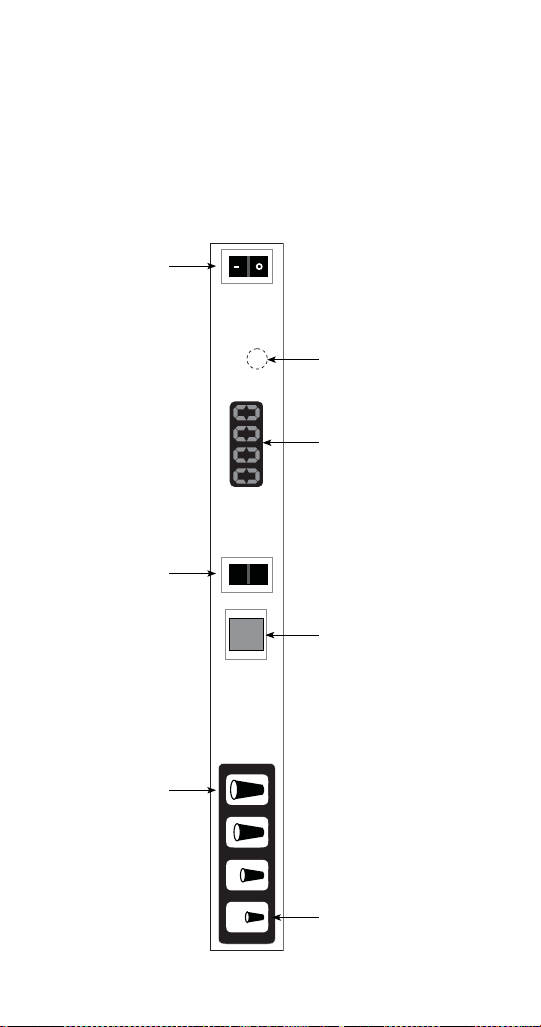
120 Part Number STH14 9/10
Adjustments
QUICKDRAW ICE PORTION ADJUSTMENTS
The Quickdraw ice dispensing system has adjustable
ice portion sizes. Follow the directions below to set the
ice portion size. Each portion size must be checked
according to customer specification at the time of
installation.
SMALLEST SIZE /
DECREASE
BUTTON
MANUAL PUSH
FOR ICE SWITCH
DISPLAY HIDDEN
PROGRAM
SWITCH
ICE DISPENSE
POWER SWITCH
ICE DISPENSE
MODE SWITCH
LARGEST SIZE /
INCREASE
BUTTON
MANUAL
AUTO
STH14.book Page 120 Thursday, September 23, 2010 3:35 PM
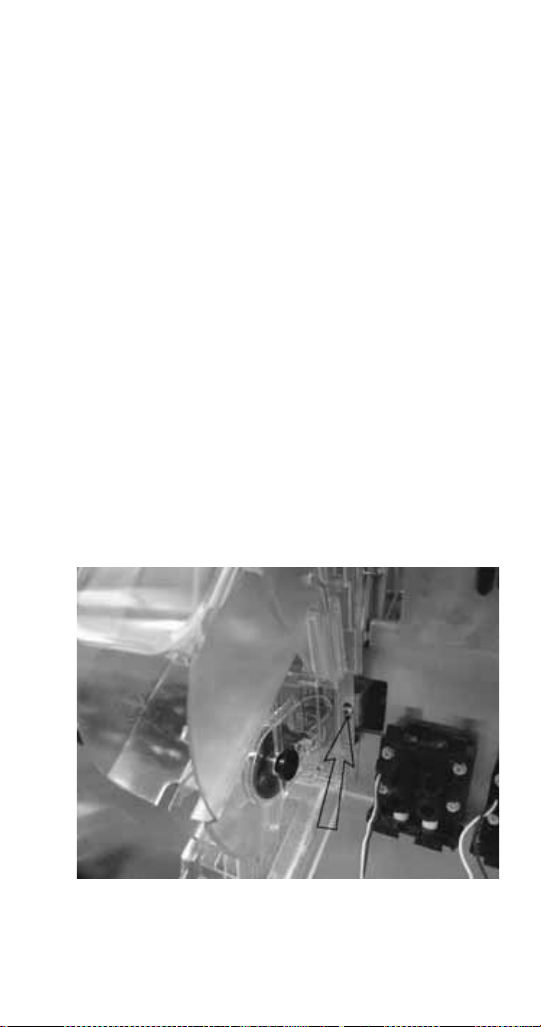
Part Number STH14 9/10 121
1. To set the ice portion sizes, press the program
switch 1 time in 3 seconds. The display will read
“0001”.
2. Press the ice portion size that is to be adjusted.
Once the portion size that is to be adjusted is
pressed, the display will show the present pulse
setting for that size.
3. To increase the portion size, press the largest
size button. To decrease the portion size, press
the smallest size button.
NOTE: The pulse count will increase, or decrease, by
1 with each press of the smallest or largest size
buttons.
4. Press the program button 1 time to exit program
mode and save settings.
5. Repeat steps 1 through 4 for each cup size as
necessary.
NOTE: For Data Display Mode, and Test Mode
instructions please refer to the Quickdraw Portion
Control Program flow chart in this manual.
Free movement of the metering wheel is essential for
consistent ice portion sizes.
One Adjustment Screw on Each Side of
QD Assembly
STH14.book Page 121 Thursday, September 23, 2010 3:35 PM
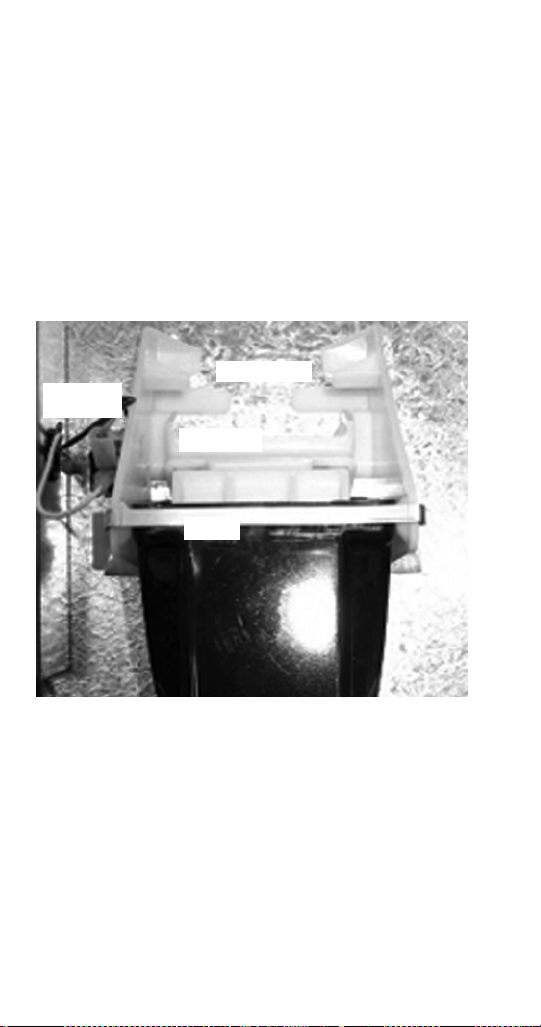
122 Part Number STH14 9/10
The Quickdraw assembly is adjustable to assure the
wheel will always move freely. The assembly has two
adjustment screws that can be adjusted in or out to
align where the ice wheel axle goes through the
sensor board and the ice chute.
ROCKING CHUTE ICE DELIVERY SWITCH
ADJUSTMENT
To properly adjust the switch, first unplug the power
cord to the unit then remove the merchandiser. This
will give you access to the ice delivery switch located
on the left side of the rocking chute.
Begin by observing the chute by slowly pushing
against the rocking chute. When the ice delivery
switch clicks, measure the distance from the door
stops on the rocking chute bracket to the door. The
distance between the two must be no more than 1/4"
(0.64 cm), but no less than 1/16" (0.16 cm).
Door Stops
Door Lock
Door
Ice Delivery
Switch
STH14.book Page 122 Thursday, September 23, 2010 3:35 PM
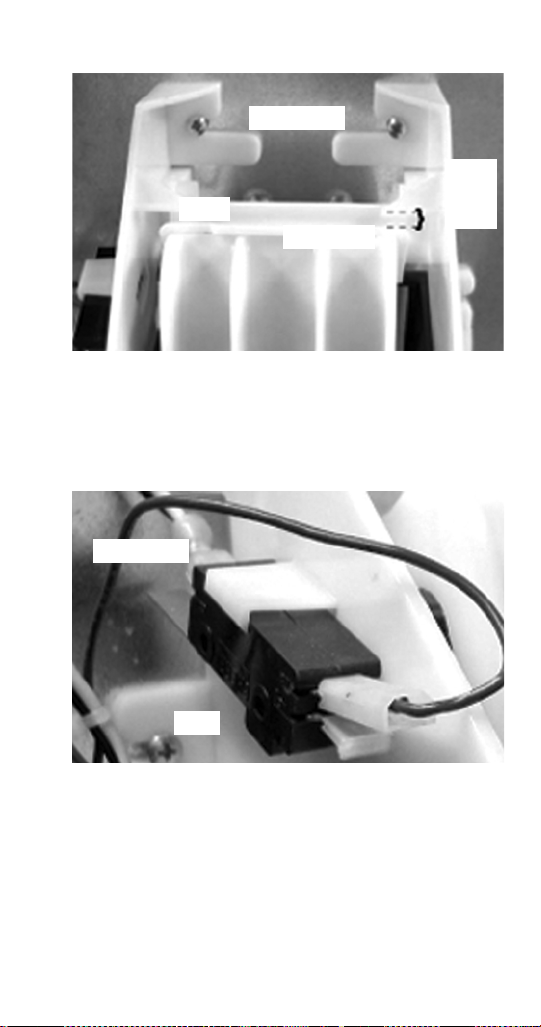
Part Number STH14 9/10 123
The left side of the rocking chute has a tab that pushes
up on the ice delivery switch. To adjust it, use needle
nose pliers and bend the arm of the switch up or down
in order to change the point where the tab makes
contact with the switch arm.
Door Stops
Door
Door Lock
1/16"
to
1/4"
Tab
Switch Arm
STH14.book Page 123 Thursday, September 23, 2010 3:35 PM
124 Part Number STH14 9/10
Agitation Timer
The timer is non-adjustable and is set to agitate the ice
for 3 seconds every 3.5 hours. Activating the
dispenser will reset the timer. After 3.5 hours of
non-use, the timer will energize the dispenser motor.
The LED tells the technician in which mode the timer is
operating. Rather than a jumper pin, this timer has a
female spade connector that must be connected to
terminal number 6.
When this jumper is in place, the LED will blink at
one-second intervals, this is the run mode.
When the jumper is open, the LED will flash every
0.4 second. This is the test mode and the timer will
cycle every 55 seconds in test mode. If the timer is left
in test mode, it will automatically reset to run mode.
Agitation Timer
1
RED
NO
2
3
6
4
5
COM NC
STH14.book Page 124 Thursday, September 23, 2010 3:35 PM
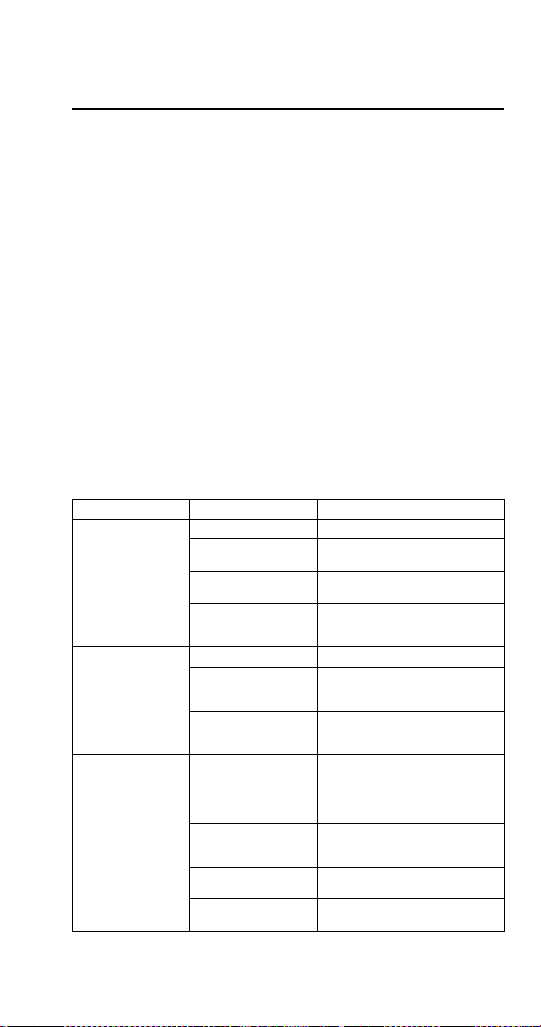
Part Number STH14 9/10 125
Troubleshooting
This Troubleshooting section has been developed to
assist you in determining what the probable cause for
any particular problem you may experience with your
ice/beverage system could be. It then advises of the
proper corrective action to be taken to remedy that
problem.
Because of the ever present danger from electrical
shock, and the existence of high pressure water and
gas on the system, it is strongly recommended that
only qualified service personnel perform actual
repairs.
Checklist
If a problem arises during operation of your dispenser,
follow the checklist below. Routine adjustments and
maintenance procedures are not covered by the
warranty.
Problem Possible Cause To Correct
Dispenser will not
dispense ice (and
NO SOUNDS are
heard when
machine is
activated)
No power Check electrical connection.
Loose wire in
electrical system
Thoroughly check all wire
connections.
Dispenser
overloaded with ice
Remove ice from dispenser until
unit will operate.
Motor not working Check thermally protected
motor. Replace motor or
capacitor if necessary.
Dispenser will not
dispense ice
(motor runs but no
ice movement is
heard in bin)
No ice in bin Fill dispenser with ice.
Door not opening Check rocking chute
mechanism or electric solenoid
operation.
Paddle wheel pin
slipped from the
paddle wheel
Replace paddle wheel pin.
Excessive
clustering or
bridging of ice
Loaded ice not
broken up. (Caution:
Super cooled ice is
not covered by the
warranty.)
Break ice clusters before
manually filling the dispenser.
(See ice recommendations.)
Excessive water
spilling from the ice
machine
Adjust ice machine to eliminate
water spillage.
Poorly adjusted ice
machine
Adjust ice machine to eliminate
large waffle shapes.
Extremely low usage
of the dispenser
Lower the ice level in the bin.
STH14.book Page 125 Thursday, September 23, 2010 3:35 PM
126 Part Number STH14 9/10
Ice dispenses
continuously
Misaligned
microswitch
Adjust microswitch.
Agitation timer set
incorrectly
Test agitation timer.
Thumping noise or
irregular sound at
a particular area of
the dispenser
Shaved ice clusters
in the bin
Remove clusters, discover why
ice is shaving, and then repair.
Dispensing
crushed ice or
reduced
dispensing speed
Water spillage from
ice machine into
dispenser bin
Adjust ice machine.
Agitation timer
(FRP-250)
Test agitation timer.
Bridge of ice sheet is
too thick
Adjust ice machine.
Paddle wheel area
broken or cracked
Replace paddle wheel area.
Ice clusters in bin Break up or remove clusters.
Door not fully open Adjust door.
Door will not close Ice jammed in chute Adjust bridge in ice machine or,
when manually filling, break up
clusters.
Door and/or door
lock has come out of
place
Replace door and lock into
proper position.
Mounting brackets
for rocking chute
have spread too
far apart
Stretched during
removal for cleaning
or maintenance
Bend parts into shape.
Problem Possible Cause To Correct
STH14.book Page 126 Thursday, September 23, 2010 3:35 PM
Part Number STH14 9/10 127
DRINKS
Condition Investigation Check Correction
Warm drinks Is the
compressor
running? No
Power switch
off or
Compressor
switch off
Move switch to ON
position.
Ice bank control
(CEV)
Check / replace
control box.
Compressor
overload
Check / replace
overload.
Start relay Check / replace relay.
Compressor Check / replace
compressor.
Note A: It is important to remember that any time the refrigeration system is
opened the refrigerant should be recovered, a new drier installed and the
proper charge of refrigerant weighed into the refrigeration system.
No water,
syrup or gas
dispensing
Is there power to
the unit?
No power Plug in unit or reset
breaker.
Is power coming
through the key
switch?
Power to
control box
Replace fuse or
control box.
Is there power to
the key switch?
Key switch OFF Turn switch ON.
Key switch
defective
Replace key switch.
No power
through the
transformer
Reset/replace
transformer.
Water only
dispensing
No pressure Regulator(s)
out of
adjustment
Check/adjust
regulator(s).
Out of CO
2
Install fresh tank.
Defective
regulator(s)
Check/repair/replace
regulator(s).
CO
2
line
pinched, kinked
or obstructed
Check/repair/replace
CO
2
line.
Syrup and
CO
2
only
dispensing
Carbonator No power Check power supply.
Plug in carbonator or
reset breaker.
Water supply Make sure water is
turned ON.
Replace water filter.
Check/clean/replace
pump strainer.
Check/clean/repair
water check valve.
Check for frozen water
line. Internal
Carbonator unit only.
Check/repair/replace
carbonator pump,
motor, electrode or
liquid level control.
Defective
carbonator
Check/repair/replace
carbonator pump,
motor, electrode or
liquid level control.
STH14.book Page 127 Thursday, September 23, 2010 3:35 PM

128 Part Number STH14 9/10
Syrup and
plain water
only
dispensing
No pressure Out of CO
2
Install fresh tank.
HP regulator
out of
adjustment
Adjust HP regulator to
the proper setting.
Defective HP
regulator
Check/repair/replace
HP regulator.
CO
2
line
pinched, kinked
or obstructed
Check/repair/replace
CO
2
line.
One valve
will not
dispense
anything
Is there power to
the valve?
Broken wire or
loose
connection
Replace/repair wire or
connector.
Bad
microswitch
Replace microswitch.
Beverage
dispensed is
too sweet
Is the ratio (brix)
of the drink
correct?
Flow control out
of adjustment
Adjust the flow control.
Insufficient
soda flow due
to low
carbonator
pressure
Adjust CO
2
pressure
or change the tank.
Low CO
2
pressure due to
leaks
Repair CO
2
leaks.
Obstruction in
the water or
soda line
Clean out the lines.
Beverage is
not sweet
enough
Is the ratio (brix)
of the drink
correct?
Flow control out
of adjustment
Adjust the flow control.
Soda flow too
high
Reset CO
2
pressure or
replace regulator if
necessary.
Obstruction in
syrup line
Clean out the syrup
line.
Drinks are
foaming
Are system
pressures
correct?
Over
carbonation
Check CO
2
supply.
Reset pressure or
replace regulator if
necessary.
Dirty lines/
valves
Clean/sanitize entire
system.
Condition Investigation Check Correction
STH14.book Page 128 Thursday, September 23, 2010 3:35 PM
Part Number STH14 9/10 129
PUMP
Problem Possible Cause Correction
Pump motor does
not pump
Black and/or red
probe shorted
Remove probes and bend
straight or replace with new
probe(s).
Problem with motor
or motor wiring
Check line voltage first. Check
AC voltage across load
terminals on Liquid Level
Control. If voltage is 120 plus or
minus 10%, replace motor or
motor wiring.
Problem with Liquid
Level Control Board
Check line voltage first. If AC
voltage across load terminals is
not 120 plus or minus 10%,
replace the Liquid Level Control
Board.
Water pressure from
water source is not
high enough
Verify water pressure leading
into pump inlet is 40 psi
minimum with pump running.
Pump will not run
but tank appears to
be always full
Common Lead
(Green) shorted out
to Red wire (High
Probe)
Verify Green and Red wires are
not touching.
Pump will not run
but tank level
appears to be
below start level
Common Lead
(Green) shorted out
to Black wire (Low
Probe)
Verify Green and Black wires
are not touching.
Pump motor does
not shut off
Problem with Liquid
Level Control Board
Short the “H & L” terminals on
the Liquid Level Control Board.
If motor does not shut off,
replace Liquid Level Control
Board.
Probe Harness
Connection may be
open
Verify connections are good or
replace the wiring harness.
Water may not be
reaching top probe in
carb tank
Verify tank is not filled with CO
2
or air by pulling relief valve up
and letting air escape until water
begins coming out.
High Lead (Red)
open or not
connected
Verify Red lead wire is
connected from tank to unit.
Common lead
(Green) open or not
connected
Verify Green lead wire is
connected from tank to unit.
Pump motor
intermittent
Problem with probe
or probe harness
Check motor and motor wires by
removing red and black wires
from the Liquid Level Control
Board. If okay, short “H & L”
terminal on Liquid Level Control
Board. If motor stays off, verify
probes and bend straight or
replace. Verify with meter.
Problem with motor
or motor wiring
Measure AC voltage across
load terminals on Liquid Level
Control Board. If line voltage is
120 plus or minus 10% replace
motor or motor wiring.
Pump motor
intermittent
Problem with Liquid
Level Control Board
Check line voltage first. If AC
voltage across load terminals on
Liquid Level Control Board is
not 120 plus or minus 10%,
replace the Liquid Level Control
board.
STH14.book Page 129 Thursday, September 23, 2010 3:35 PM

130 Part Number STH14 9/10
Pump motor starts
and stops, short
cycles, as soon as
water level drops
below Red (High)
probe
Black (Low) Lead
wire is open or
disconnected
Verify connections and
continuity of black wire from
Liquid Level Control Board to
Probes on Carb Tank.
Pump motor starts
and stops, short
cycles, as soon as
water level drops
below Black (Low)
probe
Red and Black
Leads are switched
with each other
Verify Red Lead is going to Red
probe and Black Lead is going
to Black probe.
Pump short cycles
from below high
probe to just above
high probe - Low
probe has no effect
Red and Green
Leads are switched
with each other
Verify Red Lead is going to Red
Probe and Green Lead is going
to Ground Screw on tank
Black and Green
Leads are switched
with each other
Verify Black Lead is going to
Black Probe and Green Lead is
going to Ground Screw on tank.
Problem Possible Cause Correction
STH14.book Page 130 Thursday, September 23, 2010 3:35 PM

Part Number STH14 9/10 131
BLADE TOWER
Condition Investigation Check Correction
Water Only
Dispensing
No Pressure BNB Fittings
Clogged
Tank Fittings
Clogged
No Power
Clean and Sanitize.
Clean and Sanitize.
Check Power
Supply.
Syrup and
CO
2
only
Dispensing
Carbonator Check Liquid Level
Control Board
For Clogging
Replace Control.
One Valve
will not
dispense
anything
Pre-Mix Valve
(CMBecker)
Post-Mix Valve
(Flomatic 424)
For Mechanical
For Clogging
For Mechanical
Clean and Sanitize.
Replace if
Necessary. Clean
and Sanitize.
Beverage
Dispense is
too sweet or
Drinks are
Foaming
Are system
pressures correct
Syrup Push
Pressure
Replace parts or
entire valve if
necessary.
Drink
Stratification
too great
Visually verify
Soda, Water and
Syrup flowing at
the same time in
mixer block,
when initially
dispensing
Check Valves in
Water and Product
Lines. If soda
water check valve
is bad, Syrup will
overcome soda
water when first
dispensing
product. If syrup
check valve is bad,
soda water will
overcome syrup
flow when first
dispensing
product.
Adjust to 30-40 PSI
per Tower Manual.
Lower equals less
foaming. Too low
will limit flow
volume. Replace
check valve(s).
STH14.book Page 131 Thursday, September 23, 2010 3:35 PM
132 Part Number STH14 9/10
FLEXTOWER
Condition Investigation Check Correction
No power at
unit
Electrical circuit ON/OFF switch Switch to ON
position/replace
defective switch.
Plugged into
power source
Plug in power cord.
Circuit breaker
tripped
Determine source
of overload.
Power supply
inoperative
Replace power
supply.
24 volt connector
from power source
to control board
Check connection/
connector.
Control board
inoperative
Check/replace
control board.
Board/
bracket
lights
inoperative
Light modules Inoperative light
modules
Replace modules.
Control board Control board
programming
Check and
program/
reprogram.
Water only
dispensing
(one or more
flavors)--
Syrup circuit Syrup supply
depleted
Replenish syrup
supply.
Syrup pressure too
low
Adjust syrup
pressure to 40 PSI
(2.75 BAR).
B-I-B connector off Reattach B-I-B
connector.
B-I-B connector
plugged
Clean B-I-B
connector.
Syrup line
restricted
Check line from
B-I-B pump to
MFT-16.
Syrup outlet
plugged at valve
Clean syrup outlet.
Syrup port plugged
at injection shroud
Clean port.
Outlet syrup line
off valve
Replace syrup line.
Syrup solenoid
inoperative
Check power to
solenoid.
Check/replace
solenoid.
Check connection
to control board.
Control board
inoperative
Check/replace
control board.
STH14.book Page 132 Thursday, September 23, 2010 3:35 PM

Part Number STH14 9/10 133
Syrup only
dispensing
Water circuit No water pressure Check source water
supply.
Water pressure too
low
Have location
check plumbing
and/or install water
booster unit.
Water line
restricted
Check water line
from water source.
Water lines off
water pump
Reattach water
lines.
Water lines off
heat exchanger
Reattach water
lines.
Water lines off tee
connection in unit
Reattach water
lines.
Water valve
solenoid
inoperative
Check power to
solenoid.
Check/replace
solenoid.
Check connection
to control board.
Check/replace
control board.
Noisy syrup/
water valve
solenoid
Syrup/water
valves
Defective solenoid Replace solenoid.
Finished
drink taste
too sweet/
not sweet
enough
Finished drink
brix incorrect
Check brix ratio as
specified by syrup
manufacturer
Brix finished drink.
Syrup/water
leaks
Syrup and water
circuits
Check water/syrup
connections and
components
Tighten
connections.
Replace leaking
components.
Condition Investigation Check Correction
STH14.book Page 133 Thursday, September 23, 2010 3:35 PM
134 Part Number STH14 9/10
FLAVOR MAGIC & FRP-250 FLAVOR SHOTS
Problem Possible Cause Corrective Action
Flavor shot syrup
does not dispense
when flavor button
is pressed
Syrup supply
depleted
Replace syrup.
CO
2
supply depleted Replace CO
2
.
B-I-B disconnect
loose or packed with
dried syrup residue
Tighten and/ or clean B-I-B
disconnect.
CO
2
Regulator set to
low
Check CO
2
regulator for proper
setting — 30 PSI (1 Bar) or
according to line run.
Kinked CO
2
or syrup
line
Check lines for kinks.
B-I-B pump
inoperative
Check pumps, replace if
needed.
Valve solenoid
inoperative
Check wiring to valve, replace
solenoid.
Vinyl tubing off at
nozzle or at solenoid
Reconnect tubing.
Vinyl tubing plugged
with syrup at nozzle
or at solenoid
Clean tubing and nozzle.
Board not in
dispense mode
Place control board into
dispense mode “0”.
No power to
control board
Disconnected or
loose wires
Check connector to transformer
and corresponding control
board.
No power to
transformer
Check power supply at
transformer — 24 VAC.
Flavor syrup does
not shut off
Check for stuck
solenoid
Replace solenoid if it continues
to stick.
STH14.book Page 134 Thursday, September 23, 2010 3:35 PM
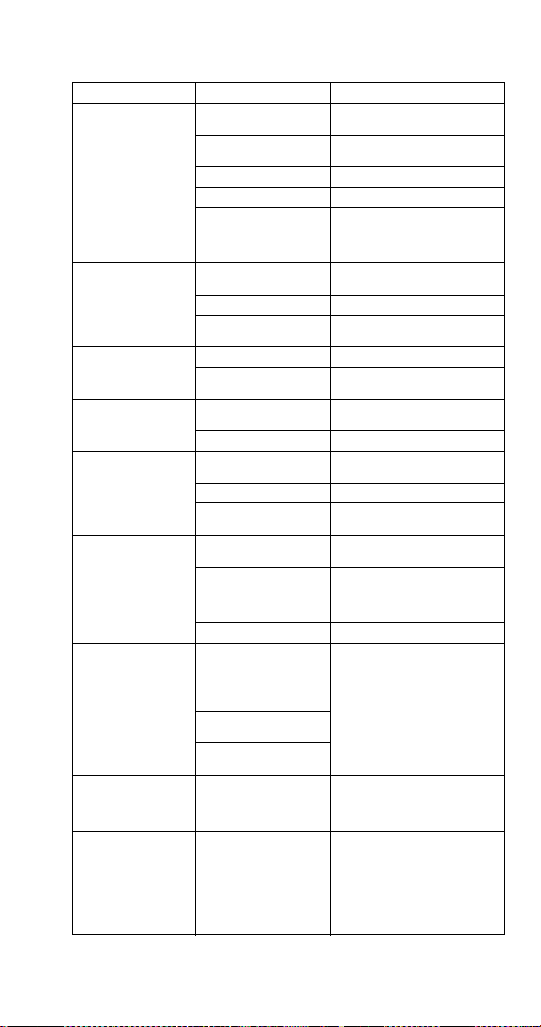
Part Number STH14 9/10 135
SELECTABLE ICE
Problem Possible Cause To Correct
DISPENSER DOES
NOT DISPENSE
CRUSHED ICE
Nothing is heard
No power Check power source and
power cord.
Loose wire in
electrical system
Check wiring.
Dispense switch faulty Replace switch.
Crusher Motor Faulty Replace Motor/Gear Box.
Dispenser Safety
Switch Open
Assure Merchandiser is
installed correctly with the
safety switch in the closed
position.
Crusher motor
hums but does not
turn
Blades obstructed Check for obstructions in ice
crusher housing.
Motor faulty Replace motor.
Faulty start relay/
capacitor
Check relay/capacitor and
replace if bad.
Crusher dispense
door does not open
Door solenoid faulty Replace solenoid.
Loose wiring to
solenoid
Check wiring.
Gear box on motor Gear box on motor
faulty
Replace Ice Crusher Motor
Assembly.
Crusher Axle broken Replace Crusher Axle.
Crusher Motor turns
but Gear Motor for
Paddle wheel/
Agitator Bar does
not turn
Agitator Gear Motor
faulty
Replace Agitator Gear Motor.
Loose wiring Check wiring.
Obstruction in Ice bin
stopping motor
Check for obstruction.
Nothing on
dispenser works
No power to
dispenser
Check power source.
Dispenser Safety
Switch opens
Assure Merchandiser is
installed correctly with the
safety switch in the closed
position.
Loose wiring Check wiring.
Difficulty inserting
Blade/Hub
Assembly into
Crusher housing
Stationary Blades not
aligned with locating
slots at top and
bottom of crusher
housing
See Disassembly in this
manual.
Rotating Blades not in
vertical position
Ice in Crusher
Housing
Crushed Ice
dispenses
continuously, or by
itself
Ice Dispense Switch
Faulty
Adjust bridge in ice machine
or, when manually filling,
break up clusters.
No flashing lights on
keypad, Fluorescent
light was on,
crusher and whole
ice dispenser will
not function,
transformer breaker
blown.
Water shorted out
wiring harness on
valves only
Clean up water and reset
transformer.
STH14.book Page 135 Thursday, September 23, 2010 3:35 PM
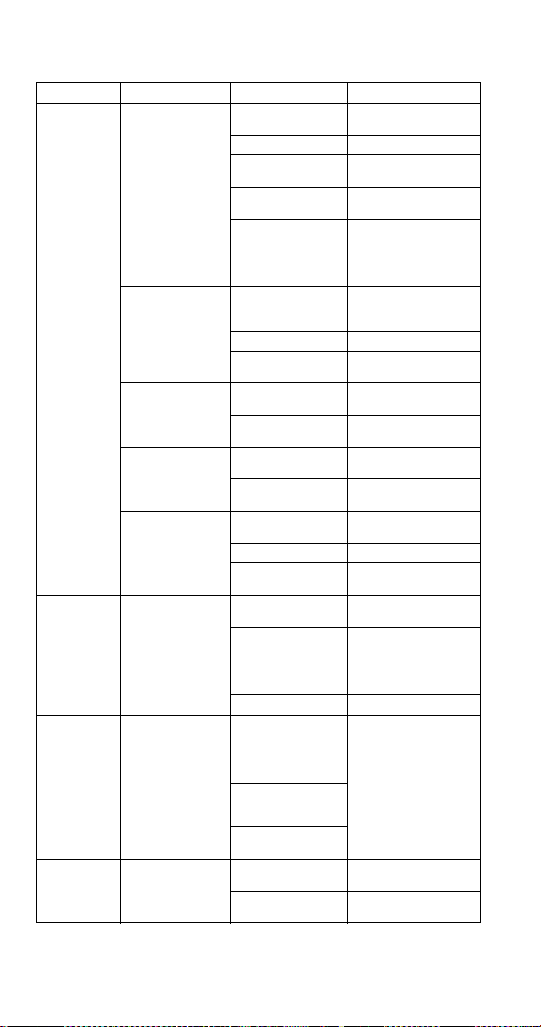
136 Part Number STH14 9/10
MDH-302 AND 402 ICE PIC
Condition Investigation Check Correction
Dispenser
does not
dispense
crushed ice
Nothing is heard No power to
dispenser
Check power source
and power cord.
Loose wiring Check wiring.
Dispense switch
faulty
Replace switch.
Crusher Motor
faulty
Replace Motor/Gear
Box.
Dispenser Kill
Switch open
Ensure Merchandiser
is installed correctly
and translight is in
place, holding switch
in the closed position.
Crusher motor
hums but does
not turn
Blades obstructed Check for
obstructions in ice
crusher housing.
Motor faulty Replace Motor.
Faulty start relay/
capacitor
Check relay/capacitor
and replace if bad.
Crusher dispense
door does not
open
Door solenoid
faulty
Replace Solenoid.
Loose wiring to
solenoid
Check wiring.
Motor turns, but
blades do not
turn
Gear box on motor
Faulty
Replace Ice Crusher
Motor/Gear Box.
Crusher Axle
broken
Replace Crusher
Axle.
Crusher Motor
turns but Gear
Motor for
Paddlewheel/
Agitator Bar does
not turn
Agitator Gear
Motor faulty
Replace Agitator
Gear Motor.
Loose wiring Check wiring.
Obstruction in Ice
bin stopping motor
Check for obstruction.
Nothing on
dispenser
works
No power to
dispenser
Close Dispenser Kill
Switch.
Dispenser Kill
Switch open
Ensure Merchandiser
is installed correctly
and translight is in
place, holding switch
in the closed position.
Loose wiring Check wiring.
Difficulty
inserting
Blade/Hub
Assembly
into Crusher
housing
Stationary Blades
not aligned with
locating slots at
top and bottom of
crusher housing
See "Cleaning the Ice
Crusher Assembly" in
the Maintenance
section of this
manual.
Rotating Blades
not in vertical
po
sition
Check for ice in
Crusher Housing
Crushed Ice
dispenses
continuously,
or by itself
Ice Dispense
Switch Faulty
Replace the Ice
dispense switch.
Micro switch
adjustment
Adjust properly.
STH14.book Page 136 Thursday, September 23, 2010 3:35 PM
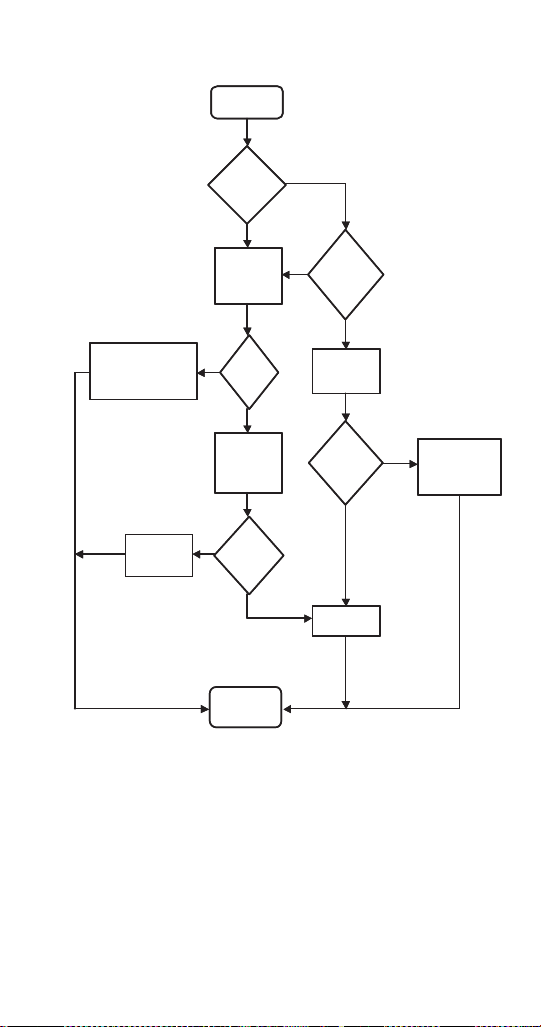
Part Number STH14 9/10 137
Liquid Level Control
END
START
Does
Pump
motor
come on?
Remove red
and black
wires from
LLC.
Is pump
motor
operation
intermittent
?
Does
pump
motor
come
on?
Black and/or red probe
shorted. Remove
probes, straighten or
replace if necessary.
Short “H” and
“C” terminals
on LLC.
Does
the
pump
motor
shut
off?
Measure AC
voltage
across load
terminals on
LLC.
Check pump
motor and
wiring.
Check probe
harness, harness
connections and
water supply.
Is line
voltage
(± 10%)
present
?
Replace
LLC
START
Does
Pump
motor
come
on?
Remove red
and black
wires from
LLC.
Is pump
motor
operation
intermittent
?
Black and/or red probe
shorted. Remove
proves, straighten or
replace if necessary.
Does
pump
motor
come
on?
Short “H” and
“C” terminals
on LLC.
Measure AC
voltage
across load
terminals on
LLC.
Does
the
pump
motor
shut
off?
Check probe
harness, harness
connections and
water supply.
Is line
voltage
(±10%)
present
?
Check pump
motor and
wiring.
Replace
LLC.
END
Yes
No
Yes
No
Yes
No
Yes
No
Yes
No
STH14.book Page 137 Thursday, September 23, 2010 3:35 PM

138 Part Number STH14 9/10
Diagnosing a Defective Carbonator
Go to the dispensing faucet (valve.)
1. Blowing gas is a carbonator problem.
A. Unplugged
B. Pump
C. Motor
D. Switching device
E. Water off — Noisy pump
F. Filters clogged — Noisy pump
2. Syrup mixing w/plain water is a pressure problem.
A. CO
2
pressure is too low
B. CO
2
cylinder is empty
C. Water pressure is too high
D. CO
2
inlet check valve is clogged
3. The valve is dispensing a thin trickle of syrup with
no water or gas
A. Carbonated water is frozen
B. Valve is defective
STH14.book Page 138 Thursday, September 23, 2010 3:35 PM
Part Number STH14 9/10 139
Component Specifications
Electrical Requirements
Refer to Ice Machine Model/Serial Plate for voltage/
amperage specifications.
VOLTAGE
The standard voltage for S/SV/SVI/NGF/FRP Series
dispensers is 120VAC-60Hz. A power cord is provided
with 120VAC-60Hz models only. S/SV/SVI/NGF Series
dispensers use a 1/7 hp gearmotor.
Minimum Circuit Ampacity
The minimum circuit ampacity is used to help select
the wire size of the electrical supply. (Minimum circuit
ampacity is not the beverage/ice machine’s running
amp load.) The wire size (or gauge) is also dependent
upon location, materials used, length of run, etc., so it
must be determined by a qualified electrician.
!
Warning
All wiring must conform to local, state and
national codes.
STH14.book Page 139 Thursday, September 23, 2010 3:35 PM
140 Part Number STH14 9/10
Minimum Circuit Amperage Chart
NOTE: For FlexTower applications — A dedicated
120 VAC, 15 ampere circuit is required to provide
power to the power supply’s transformer with an
output of 24 VAC for the electric valves, 120 VAC,
8 ampere circuit, and to power a cold water
recirculation pump. The power supply has a 120 VAC
outlet to provide power for the cold water recirculation
pump.
Important
Due to continuous improvements, this information
is for reference only. Please refer to the
dispenser serial number tag to verify electrical
data. Serial tag information overrides information
listed on this page.
Dispenser Voltage/Cycle
Minimum
Circuit Amps
CEV-30, CEV-40 120/60 8.2
208-230/60,
220-240/50Hz
DI-1522, CT-6 120/60 2.4
220/50
DI/DIL2323, CT-8 120/60 3.2
220/50
Flavor Magic 24VAC, powered
by existing valve
transformer on
dispenser
0.5
FlexTower 120/60 2.5
FRP-250 120/60 3.0
MDH-302, MDH-402 120/60 3.5
MDH-302SCI,
MDH-402SCI
120/60 5.4
S-150, S-200, S-250,
SV-150, SV-175,
SV-200, SV-250,
SV-150i, SV-175i,
SV-200i, SV-250i,
SV-250QD, NGF-250,
NGF-250QD
115/60 2.8
220/50, 220/60,
240/50, 240/60
1.5
220-240/50 5
(with carb
deck)
STH14.book Page 140 Thursday, September 23, 2010 3:35 PM

Part Number STH14 9/10 141
Grounding Instructions
This appliance must be grounded. In the event of
malfunction or breakdown, grounding provides a path
of least resistance for electric current to reduce the risk
of electric shock. This appliance is equipped with a
cord having an equipment-grounding conductor and a
grounding plug. The plug must be plugged into an
appropriate outlet that is properly installed and
grounded in accordance with all local codes and
ordinances.
!
Warning
The beverage/ice machine must be grounded in
accordance with national and local electrical
codes.
!
Warning
Improper connection of the equipment-grounding
conductor can result in a risk of electric shock.
The conductor with insulation having an outer
surface that is green with or without yellow stripes
is the equipment grounding conductor. If repair or
replacement of the cord or plug is necessary, do
not connect the equipment-grounding conductor
to a live terminal. Check with a qualified
electrician or serviceman if the grounding
instructions are not completely understood, or if
in doubt as to whether the appliance is properly
grounded. Do not modify the plug provided with
the appliance — if it will not fit the outlet, have a
proper outlet installed by a qualified electrician.
STH14.book Page 141 Thursday, September 23, 2010 3:35 PM

142 Part Number STH14 9/10
!
Warning
When using electric appliances, basic precautions must
always be followed, including the following:
a. Read all the instructions before using the
appliance.
b. To reduce the risk of injury, close supervision
is necessary when an appliance is used near
children.
c. Do not contact moving parts.
d. Only use attachments recommended or sold
by the manufacturer.
e. Do not use outdoors.
f. For a cord-connected appliance, the
following shall be included:
• Do not unplug by pulling on cord. To
unplug, grasp the plug, not the cord.
• Unplug from outlet when not in use and
before servicing or cleaning.
• Do not operate any appliance with a
damaged cord or plug, or after the
appliance malfunctions or is dropped or
damaged in any manner. Contact the
nearest authorized service facility for
examination, repair, or electrical or
mechanical adjustment.
g. For a permanently connected appliance —
Turn the power switch to the off position
when the appliance is not in use and before
servicing or cleaning.
h. For an appliance with a replaceable lamp —
Always unplug before replacing the lamp.
Replace the bulb with the same type.
i. For a grounded appliance — Connect to a
properly grounded outlet only. See
Grounding Instructions.
STH14.book Page 142 Thursday, September 23, 2010 3:35 PM

Part Number STH14 9/10 143
Pump Deck Wiring
The supply cord is equipped with a three prong 5-15P.
When a Ground Fault Circuit Interrupter (GFCI) is
required by code, a breaker type protector must be
used. We do not recommend GFIC outlets as they are
known for more intermittent nuisance trips than panel
breakers. To ensure both the safety and proper
operation of this equipment, be certain that the
electrical receptacle is a proper design so as to accept
this plug, ensuring that the carbonator assembly is
properly grounded.
If the pump deck is to be installed in an area or
community whose local codes require permanent
wiring, the following procedure must be followed.
1. The three wires (white, black and green) must be
fed through the cable connector and brought into
the wiring compartment. The cable must be
secured into the connector.
2. The green wire from the cable must be connected
to the green screw that attaches to the inside
panel of the wiring compartment. Be sure to use a
ring torque terminal for connecting the wire to the
screw.
3. The white wire from the cable must be joined to
the N terminal of the liquid level control board by a
suitable U.L. listed insulated cable connector.
The black wire from the cable must be joined to the L1
terminal of the liquid level control board by a suitable
U.L. listed insulated cable connector.
STH14.book Page 143 Thursday, September 23, 2010 3:35 PM

144 Part Number STH14 9/10
Water Supply
RECOMMENDED PLUMBING
The plumbing diagram is printed on a white vinyl label,
normally located above the inlet tubes for syrup and
water. The plumbing diagram label can be accessed
by removing the splash panel of the dispenser. The
plumbing diagram label explains which inlet coldplate
fittings supply which dispenser valves and water
manifolds.
The water supply must first be connected to the
carbonator pump (not shown) before plumbing to
connection “A” shown on plumbing diagram. The
carbonator pump deck must be within six feet (1.8 m)
of the dispenser for optimum performance. See B-I-B
installation diagram for system pressure settings.
NOTE: Valves are read from right to left.
A check valve must be installed in the water
supply line 3 feet (0.9 m) from the noncarbonated
water connection “PW”. Contact factory if not
installed.
STH14.book Page 144 Thursday, September 23, 2010 3:35 PM
Part Number STH14 9/10 145
PRESSURE SPECIFICATIONS
* This is the optimal pressure. When the foam is too high, decrease
the pressure; when spitting/popping is an issue, increase the
pressure.
Min. Max.
Incoming Water
Pressure
40 psi
(2.75 bar)
70 psi static
(4.83 bar)
Plain Water Pressure
to Carb Tank
55 psi
(3.79 bar)
65 psi static
(4.48 bar)
Ambient
Temperature
40°F
(4°C)
105°F
(41°C)
CO
2
Pressure
(Primary)
90 psi
(6.21 bar)
100 psi
(6.90 bar)
Pre-mix Pressure
Normal
60 psi*
(4.14 bar)
Diet
40 psi*
(2.75 bar)
B-I-B (Secondary)
75 psi (5.17 bar) or according to
line run
Flavor Shot
30 psi (2.07 bar) or according to
line run
Quickdraw CO
2
Supply
75 psig
(5.17 bar)
Quickdraw
Regulator Valve
40 psig
(2.75 bar)
50 psig
(3.45 bar)
Quickdraw Carbonation
Cold
75 psi
(5.17 bar)
Ambient
90 psi
(6.21 bar)
100 psi
(6.90 bar)
Important
When installing cold carbonated (Intelli carb)
equipment, never put a tee for the plain water
connection in the line from the pump deck to the
cold plate. Putting a tee in the line will create
service problems and bad drink quality.
STH14.book Page 145 Thursday, September 23, 2010 3:35 PM
146 Part Number STH14 9/10
NOTE: For FlexTower applications, a plain water
supply capable of delivering 100 GPH (378.5 liters/hr)
with a minimum dynamic water pressure of 40 psi
(2.75 bar) and a maximum static water pressure of
80 psi (5.5 bar) is required to provide water for the non
carbonated beverages. Water treatment is highly
recommended to assure a quality finished beverage.
CAPACITIES
Dispenser Valves Ice Storage
CEV-30 6 N/A
CEV-40 8 N/A
CT-6 6 N/A
CT-8 8 N/A
DI-1522 6 65 lbs (29.5 kg)
DI2323 8 77 lbs (34.9 kg)
DIL2323 8 97 lbs (44 kg)
Flavor Magic 3-4 Flavors N/A
FlexTower 8-16 Flavors N/A
FRP-250 16 Flavors,
8Flavor Shots
250 lbs (113 kg)
S/SV-150 6 150 lbs (68 kg)
SV-175 8 175 lbs (79.4 kg)
S/SV-200 (SCI) 8-10 200 lbs (90.7 kg)
S/SV/NGF-250
(SCI/QD)
8-10 250 lbs (113 kg)
MDH-302 (SCI) 10 or 12 300 lbs (136 kg)
MDH-402 (SCI) 16 or 20 400 lbs (181 kg)
STH14.book Page 146 Thursday, September 23, 2010 3:35 PM
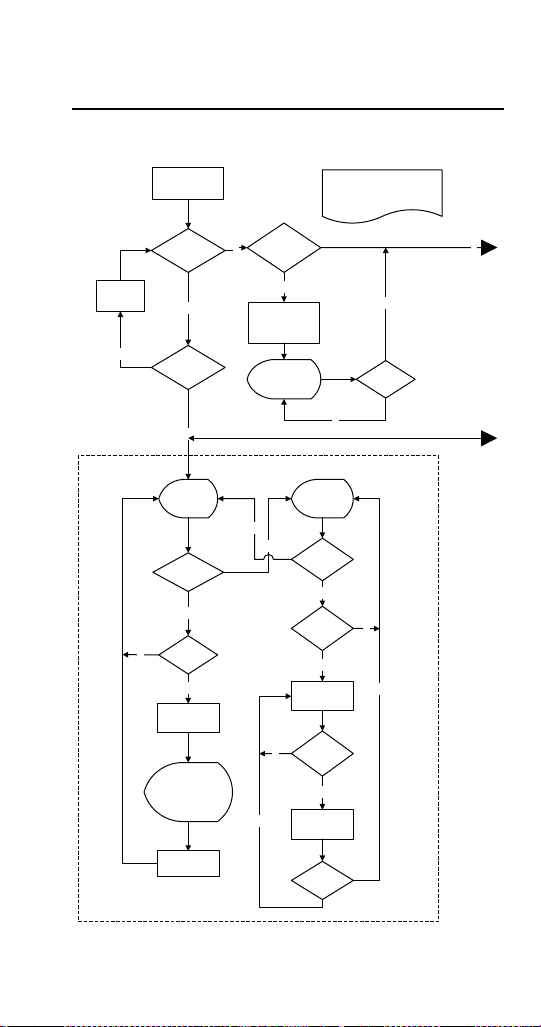
Part Number STH14 9/10 147
Charts
Flavor Magic Logic Matrix
System power
on
Prog & cal mode can only be
accessed during first 5s after
power up to protect data from
accidental change
Prog
button
pressed?
Prog
button pressed
3s?
Count
down
4,3,2,1,0
Change active
flavors to 3 or 4
(Default value 3)
n
3s reached?
Display shows
active
(-3- or -4-)
5s reached?
Display
shows
---
y
y
y
n
n
n
y
Dispensing Loop
Display
shows
Cnt
Prog
button
pressed?
Prog
button pressed
3s?
Flavor
pressed?
Flavor
pressed?
Show flavor
counter
Flavor
pressed
for 3s?
Clear the
counter
Prog
button
pressed?
Flavor
counter+1
Display shows
(1---
or -1--
or --1-
or ---1)
Turn on flavor
solenoid
y
y
n
n
n
y
y
n
n
STH14.book Page 147 Thursday, September 23, 2010 3:35 PM
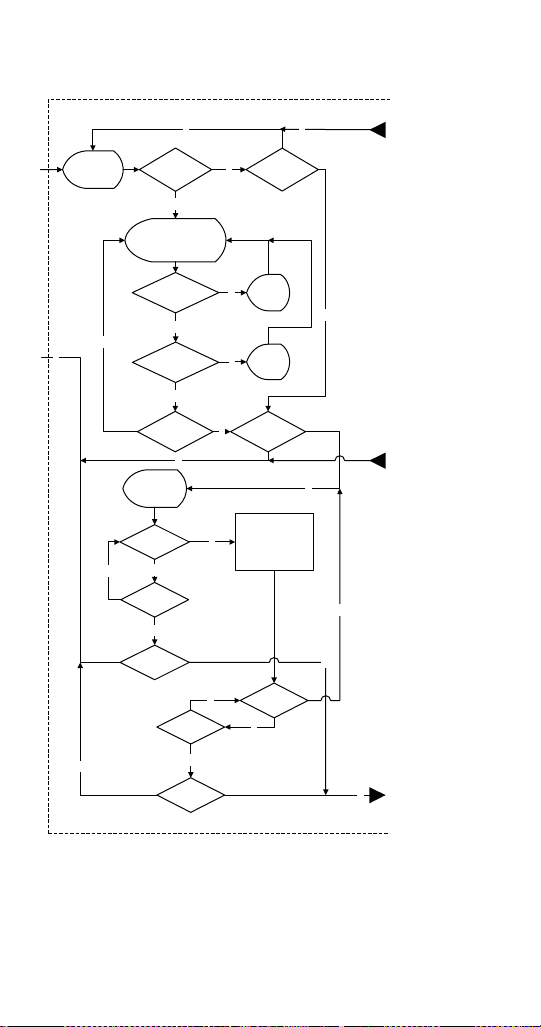
148 Part Number STH14 9/10
y
n
Flavor
pressed?
Display
shows
Pro
Prog button
pressed 3s?
Prog button
pressed?
Flavor 3 pressed
inc delay
.2s
Display current value
of time delay 3.0
(Default value 1s)
Range 0-10s
Flavor 1 pressed
inc delay
.2s
Display
shows
3.2
Display
shows
2.8
Prog button
pressed?
Prog button
pressed
3s?
Prog button
pressed?
Flavor 1
pressed?
Display
shows
P-S
Purge/Sanitize
Cycle
Flavor 1 on 4s,
Flavor 2 on 4s,
Flavor 3 on 4s,
(Flavor 4 on 4s)
Prog button
pressed?
900s
reached?
Prog button
pressed
3s?
Programming Loop
y
n
y
n
y
n
y
n
y
n
y
n
y
n
y
n
n
Programming Loop (continued on next page)
y
n
n
y
STH14.book Page 148 Thursday, September 23, 2010 3:35 PM
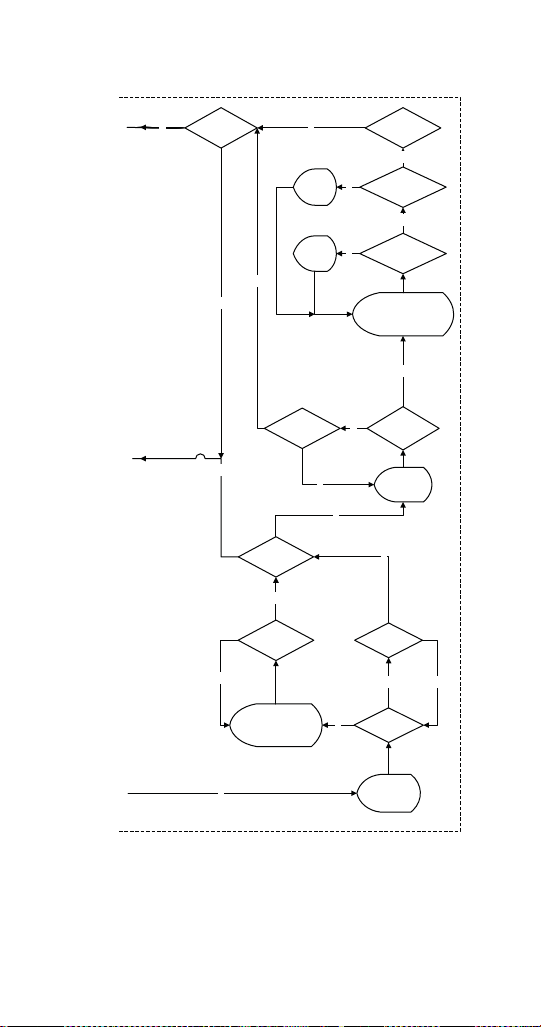
Part Number STH14 9/10 149
y
n
Display
shows
dLAY
Programming Loop
(continued from previous page)
Prog button
pressed?
Flavor
pressed?
Prog button
pressed
3s?
Display current value
of time delay 1.0
(Default value 0s)
Range 0-10s
Display
shows
2.0
Flavor 2
pressed inc
delay 1s
Flavor 3
pressed dec
delay 1s
Display
shows
0.0
Prog button
pressed?
Prog button
pressed
3s?
Prog button
pressed?
Display current LED
value OFF or ON
(Default value off)
Prog button
pressed?
Flavor
pressed?
Display
shows
FLSH
y
y
y
y
n
y
n
n
y
n
y
n
y
n
y
n
n
n
y
STH14.book Page 149 Thursday, September 23, 2010 3:35 PM
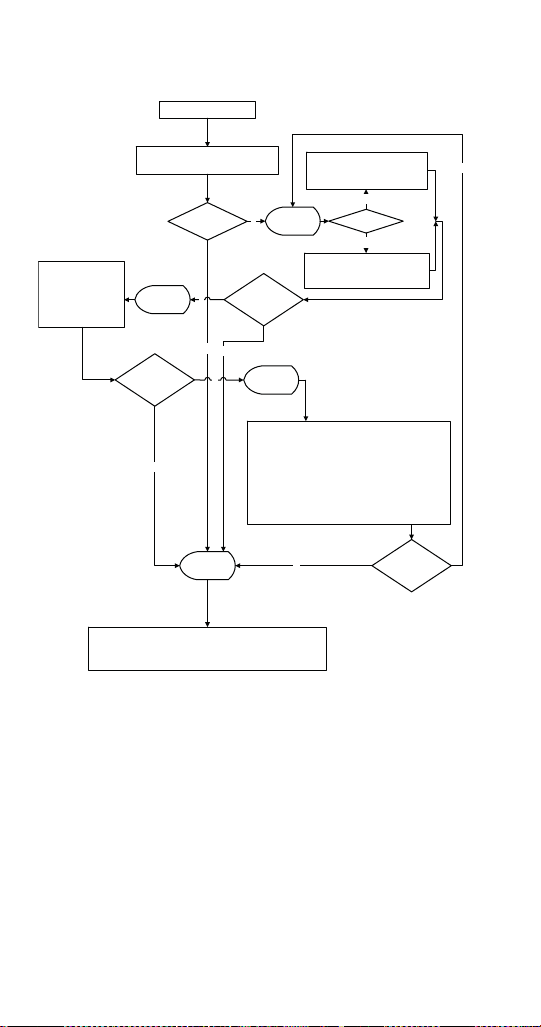
150 Part Number STH14 9/10
Flav’R-Pic (FRP-250) Logic Matrix
System power on
(24V from transformer)
Energize
Touchpad (active)
Touchpad LEDs (sync w/other touchpad)
Program Mode?
Prog button
pressed > 3s?
LCD display
= 1
Brand or Flavor?
Carb/Non-carb Mode (Brand only)
Cont. LED - carbonated
Flash LED (0.5s on/off) - plain
Tap touchpad to switch
Dispense Time Mode (Flavor only)
Cont. LED - 1s dispense
Flash LED (0.5s on/off) - 1s dispense
Tap touchpad to switch
Prog button
pressed > 3s or
300s elapsed?
LCD Display
= 2
Brix Mode
Fixed 1.6s dispense
Brand = syrup and
Flavor=
F1 = C1, F2 = C2,
F3 = NC2
F5 = C4, F6 = C3,
F7 - NC3
Tap touchpad to activate
Prog button
pressed > 3s or
300s elapsed?
LCD Display
= 3
LED Sequence Mode
Touch brand button location shown below to change
1. LED flash outside to center (0.5s on/off) Default (S1 andS16)
2. LED flash center to outside (0.5s on/off) (S2 and S15)
3. LED flash all (0.5s on/off) (S3 and S14)
4. LED continuous (S4 and S13)
5. LED chaser left to right (S4 and S11)
6. LED chaser right to left (S6 and S12)
7. LED off all (S7 and S10)
Prog button
pressed > 3s or
300s elapsed?
LCD Display
= 0
Normal Dispense Mode
Brand - ON MODE - Water on then Syrup on 60 ms later.
OFF MODE - Syrup off then Water off 60 ms later.
Flavor shot - 1s or 2 s (release and press - no delay between dispenses)
n
n
y
n
y
n
y
Brand
Flavor
y
STH14.book Page 150 Thursday, September 23, 2010 3:35 PM
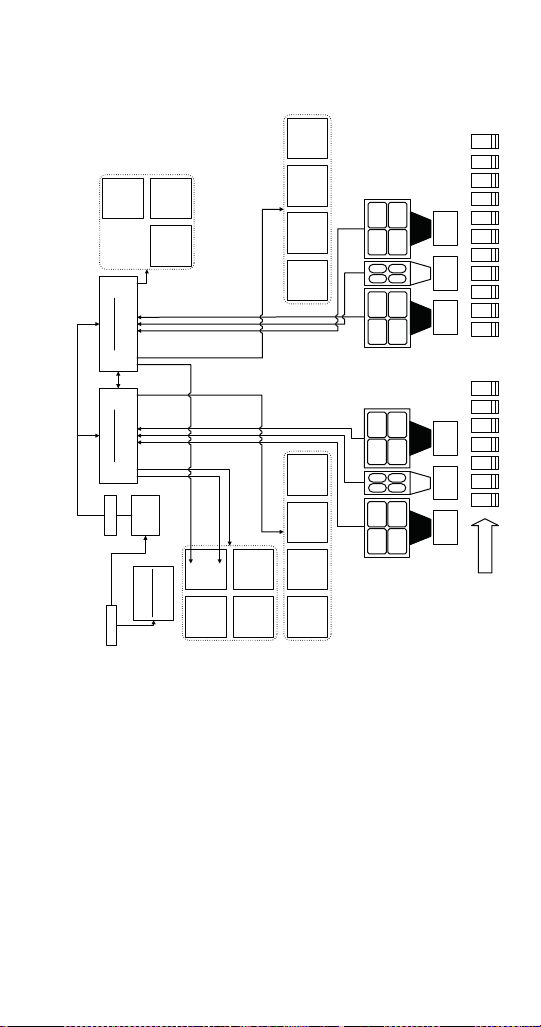
Part Number STH14 9/10 151
FLAV’R-PIC (FRP-250) CONTROL BOARD, VALVE,
TOUCH PAD MATRIX
S5
S4
F2
F1
S9
S8
F3
F4
C1 S1 S2 S3 S6 S7 C2 NC2 C3 NC3 S11 S10 S15 S14 C4 S16
F6
F5
F7
F8
S13
S12
S1 S3
S2 S4
S5 S7
S6 S8
F1
F2 F4
F3
N1 N3
N2
S1, S3,
S2, S4
C1
S5, S7,
S6, S8,
C2, NC2
S12 S10
S11 S9
S16 S14
S15 S13
F5
F6 F8
F7
N4 N6
N5
S9, S11,
S10, S12,
C3, NC3
S13, S15,
S14, S16,
C4
S
1
6
S
1
5
S
1
4
S
1
3
S
1
2
S
1
1
S
1
0
S
9
S
8
S
7
S
6
S
5
S
4
S
3
S
2
S
1
P
W
F1, F3,
F2, F4
F5, F7,
F6, F8
P
R
E
-
C
H
I
L
L
(
C
=
C
A
R
B
)
115 VAC
24 VAC
Transformer
OPTIONAL
PCB Crusher
Valve 15Valve 14
Valve 13 Valve 12
Valve 8 Valve 9 Valve 10 Valve 11
EXTERNAL
CONNECTIONS
PCB Dispense
Valve Controls - C1, C2, NC2
S1-S8, F1-F4
Valve 7
Valve 5Valve 6
Valve 1Valve 2Valve 3Valve 4
PCB Dispense
Valve Controls - C3, C4, NC3
S9-S16, F4-F8
STH14.book Page 151 Thursday, September 23, 2010 3:35 PM

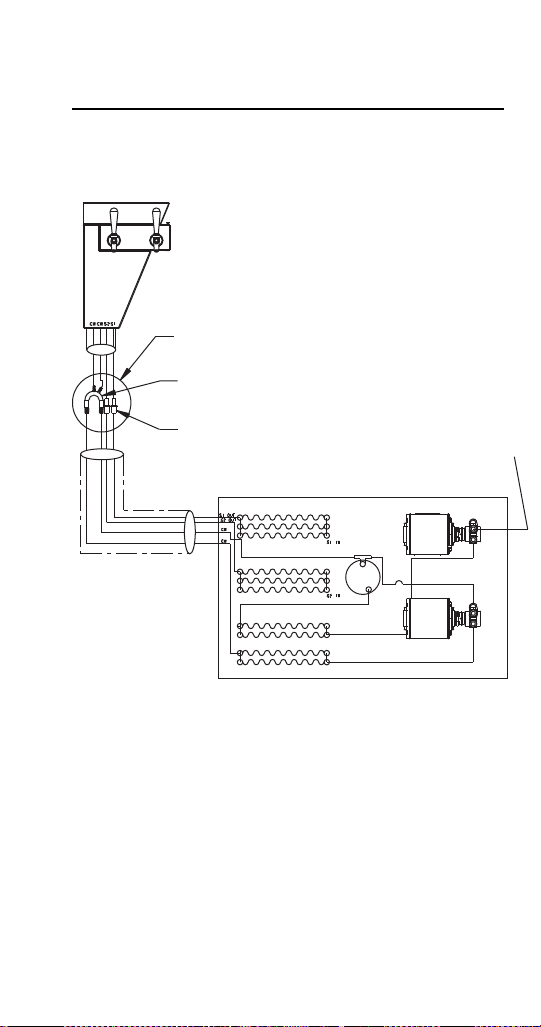

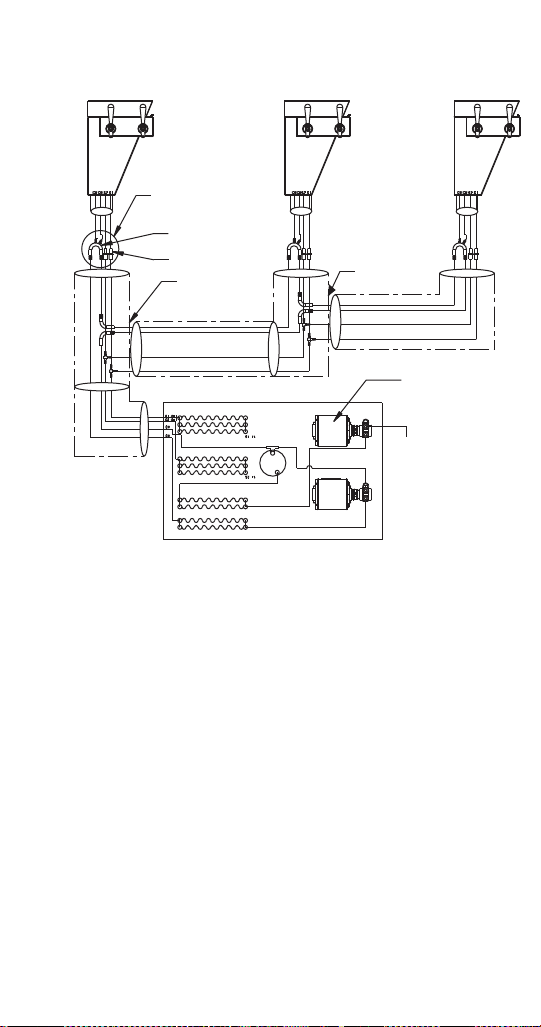
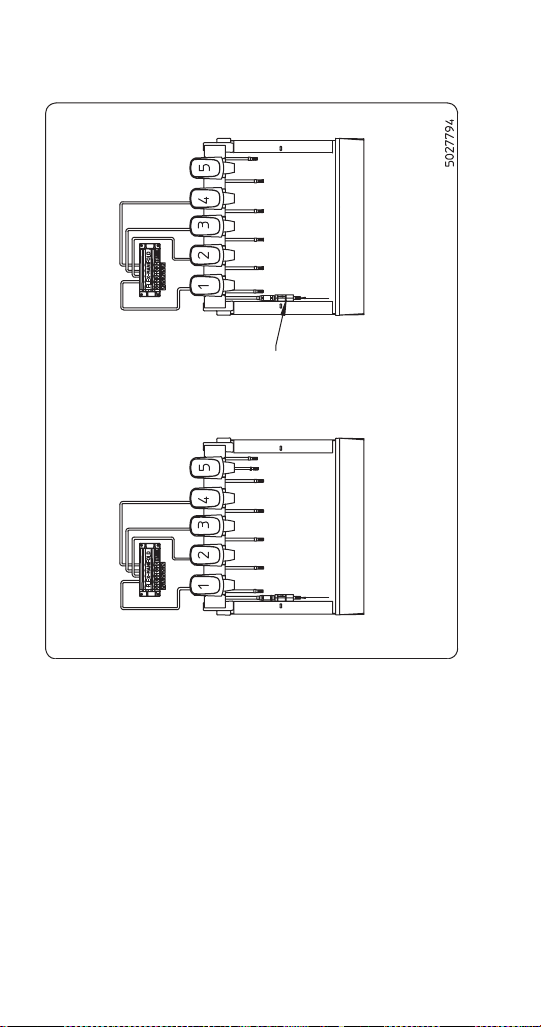
156 Part Number STH14 9/10
CEV-30i & CEV-30e Plumbing
NOTE:
1. All valves are carbonated water as shipped from
factory.
2. Check valve supplied with unit is installed in the
non-carbonated water line inlet. The flow direction
arrow should point into the stainless steel line.
SERVEND RECOMMENDED PLUMBING
ALL INLETS ARE 3/8" BARBED FITTINGS EXCEPT CO
2
INLET
FOR ASSISTANCE CALL (812)-246-7000
CEV-30i & CEV-30e
Check valve
(flow arrow
points into
water line)
External Carbonation
Internal Carbonation
Non-carb Water Inlet
Non-carb Water Inlet
See Installation
Manual for
Further Details
Syrup 1
Syrup 2
Syrup 3
Carb Water Inlet
Syrup 5
Syrup 4
Syrup 1
Syrup 2
Syrup 3
Carb Water Inlet
Syrup 5
Syrup 4
CO
2
inlet
STH14.book Page 156 Thursday, September 23, 2010 3:35 PM
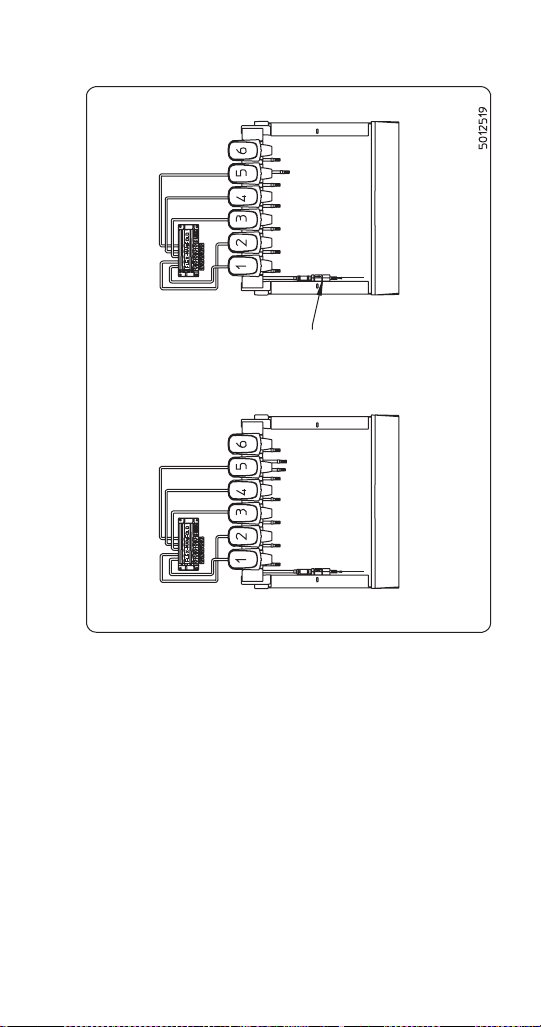
Part Number STH14 9/10 157
NOTE:
1. All valves are carbonated water as shipped from
factory.
2. Check valve supplied with unit is installed in the
non-carbonated water line inlet. The flow direction
arrow should point into the stainless steel line.
SERVEND RECOMMENDED PLUMBING
ALL INLETS ARE 3/8" BARBED FITTINGS EXCEPT CO
2
INLET
FOR ASSISTANCE CALL (812)-246-7000
CEV-30i & CEV-30e
Check valve
(flow arrow
points into
water line)
External Carbonation
Internal Carbonation
Non-carb Water Inlet
Non-carb Water Inlet
See Installation
Manual for
Further Details
Syrup 1
Syrup 2
Syrup 3
Carb Water Inlet
Syrup 6
Syrup 4
Syrup 1
Syrup 2
Syrup 3
Syrup 6
Syrup 5
Syrup 4
CO
2
inlet
Plain Water Inlet
Syrup 5
STH14.book Page 157 Thursday, September 23, 2010 3:35 PM
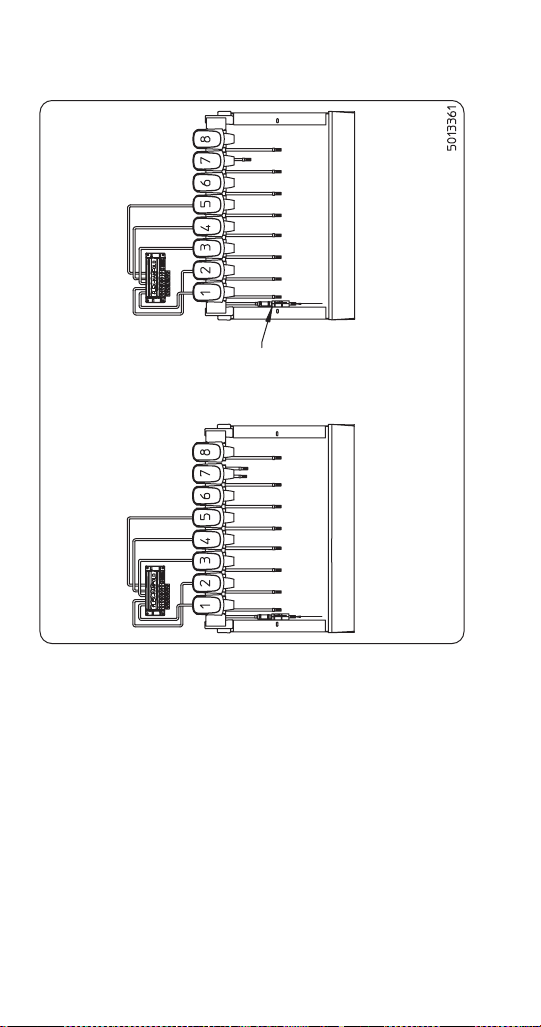
158 Part Number STH14 9/10
CEV-40i & CEV-40e Plumbing
NOTE:
1. All valves are carbonated water as shipped from
factory.
2. Check valve supplied with unit is installed in the
non-carbonated water line inlet. The flow direction
arrow should point into the stainless steel line.
SERVEND RECOMMENDED PLUMBING
ALL INLETS ARE 3/8" BARBED FITTINGS EXCEPT CO
2
INLET
FOR ASSISTANCE CALL (812)-246-7000
CEV-40i & CEV-40e
Check valve
(flow arrow
points into
water line)
External Carbonation
Internal Carbonation
Non-carb Water Inlet
Non-carb Water Inlet
See Installation
Manual for
Further Details
Syrup 1
Syrup 2
Syrup 3
Carb Water Inlet
Syrup 5
Syrup 4
Carb Water Inlet
CO
2
inlet
Syrup 6
Syrup 7
Syrup 8
Syrup 1
Syrup 2
Syrup 3
Syrup 5
Syrup 4
Syrup 6
Syrup 7
Syrup 8
STH14.book Page 158 Thursday, September 23, 2010 3:35 PM
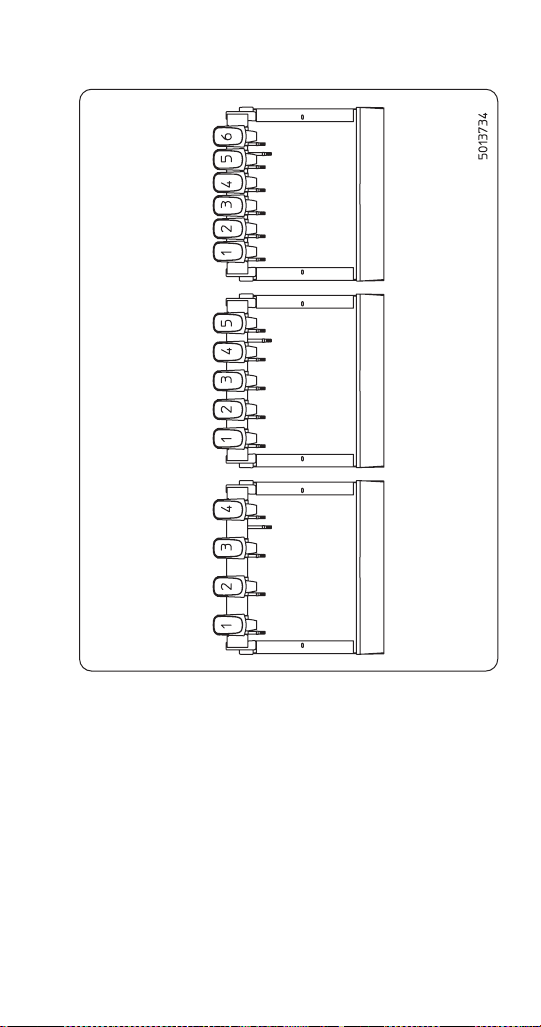
Part Number STH14 9/10 159
CEV-30j Plumbing
NOTE:
1. Minimum water pressure of 40 psi is needed to
attain a 1-1/2 oz/sec flow rate.
2. Minimum water pressure of 55 psi is needed to
attain a 2-1/2 oz/sec flow rate.
3. If water pressure varies by ±20 psi the valve brix
will not be maintained.
4. See service manual for further details.
SERVEND RECOMMENDED PLUMBING
ALL INLETS ARE 3/8" BARBED FITTINGS
FOR ASSISTANCE CALL (812)-246-7000
CEV-30j
4 Valve Inlet
Syrup 1
Syrup 2
Syrup 3
Syrup 4
Plain Water Inlet
5 Valve Inlet
Syrup 1
Syrup 2
Syrup 4
Syrup 5
Plain Water Inlet
Syrup 3
6 Valve Inlet
Syrup 1
Syrup 2
Syrup 4
Syrup 6
Plain Water Inlet
Syrup 3
Syrup 5
STH14.book Page 159 Thursday, September 23, 2010 3:35 PM
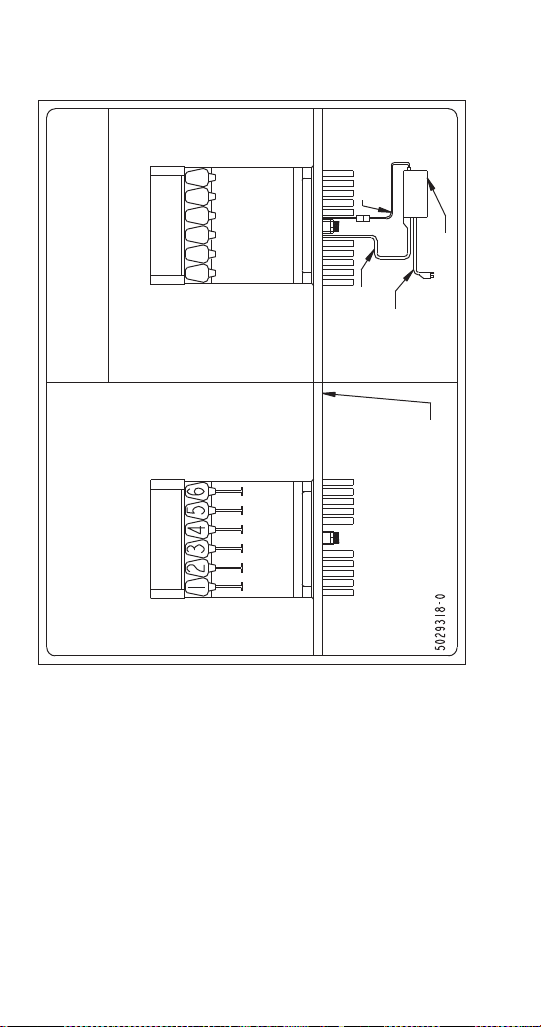
160 Part Number STH14 9/10
CT-6 Plumbing and Wiring
CT-6 Recommended Plumbing
2-1-1-2 Plumbing Configuration
CAUTION
Electrical Shock Hazard
Disconnect power before servicing.
CT-6 Wiring Diagram
Lighted Merch.
Power Cord
Power
Cord
Valve Jumper
Harness
Electrical Box
Counter
Top
Syrup 1
Carb. or Plain Water
Syrup 2
Carb. or Plain Water
Syrup 3
Carb. or Plain Water
Syrup 4
Syrup 5
Carb. or Plain Water
Syrup 6
Unit Drain
STH14.book Page 160 Thursday, September 23, 2010 3:35 PM
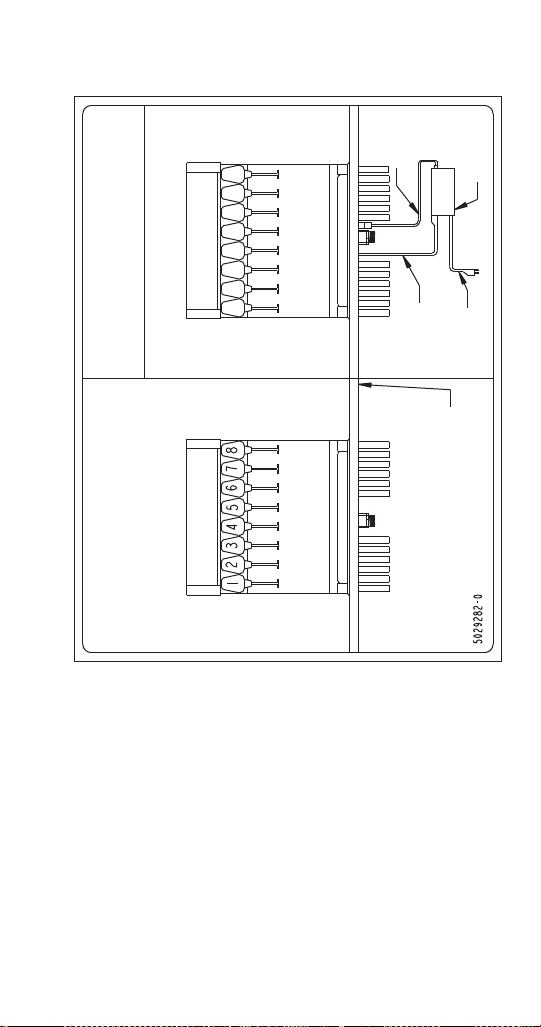
Part Number STH14 9/10 161
CT-8 Plumbing and Wiring
CT-8 Recommended Plumbing
3-1-1-3 Plumbing Configuration
CAUTION
Electrical Shock Hazard
Disconnect power before servicing.
CT-8 Wiring Diagram
Lighted
Merch.
Power Cord
Power
Cord
Valve
Jumper
Harness
Electrical
Box
Counter
Top
Syrup 1
Syrup 2
Carb. or Plain Water
Syrup 3
Carb. or Plain Water
Syrup 4
Carb. or Plain Water
Syrup 5
Carb. or Plain Water
Syrup 6
Syrup 7
Syrup 8
Unit Drain
STH14.book Page 161 Thursday, September 23, 2010 3:35 PM
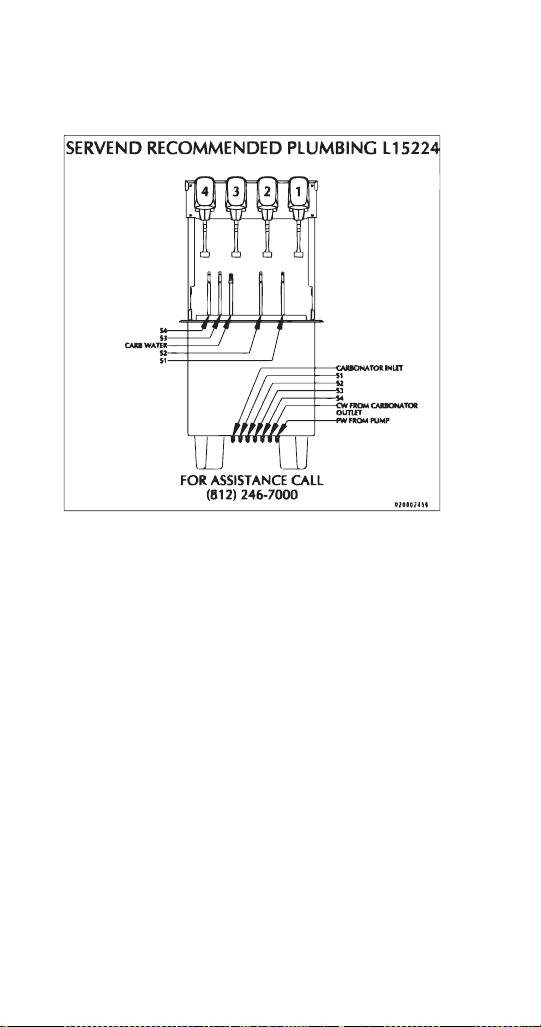
162 Part Number STH14 9/10
CF-1522 Plumbing
CF-1522 4 Valve Plumbing
Conversion for non-carbonated flavor
1. De-pressurize system.
2. Remove drain grid, splash panel and drainpan to
access insulated lines.
3. Cut carb water line (in tower) to valve to be
converted and cap.
4. Disconnect syrup line to valve being converted.
5. Plumb syrup circuit in coldplate to water side of
valve (flush syrup line first).
6. Plumb dedicated plain water line from water
source to coldplate inlet (syrup circuit converted
for chilling water).
7. Run ambient syrup line into drop-in tower to syrup
side of valve.
8. Replace drainpan, splash panel and drain grid.
9. Pressurize system and verify system operation.
STH14.book Page 162 Thursday, September 23, 2010 3:35 PM
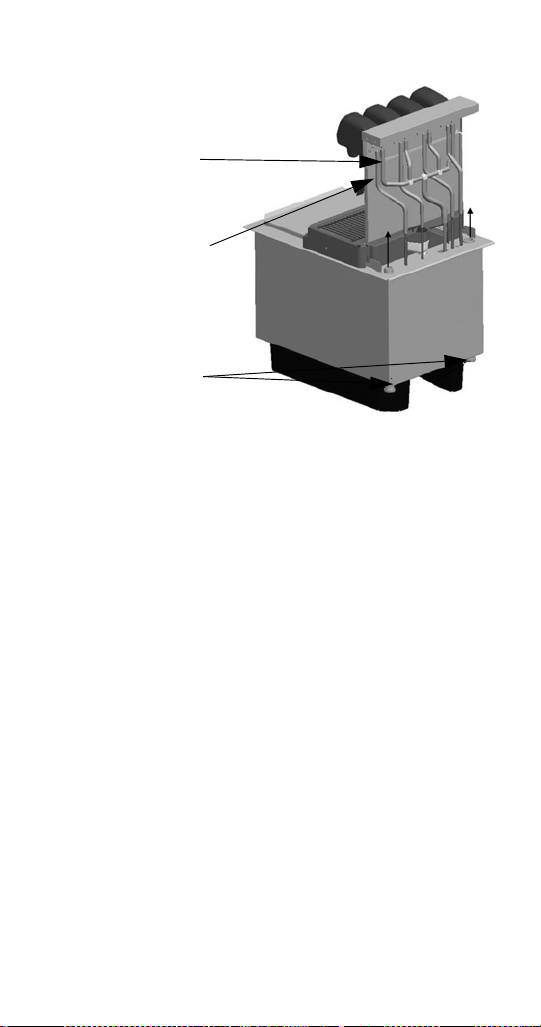
Part Number STH14 9/10 163
NOTE: Tapping into existing water line too close to the
pump deck can result in starving the valve when the
carbonator cycles. If a dedicated water line is not
possible, tee into the existing water line as close to the
source as possible.
Cut / cap carb
water line
Re-plumb syrup
line to water side
of valve
Ambient syrup
line into unit and
to valve
STH14.book Page 163 Thursday, September 23, 2010 3:35 PM
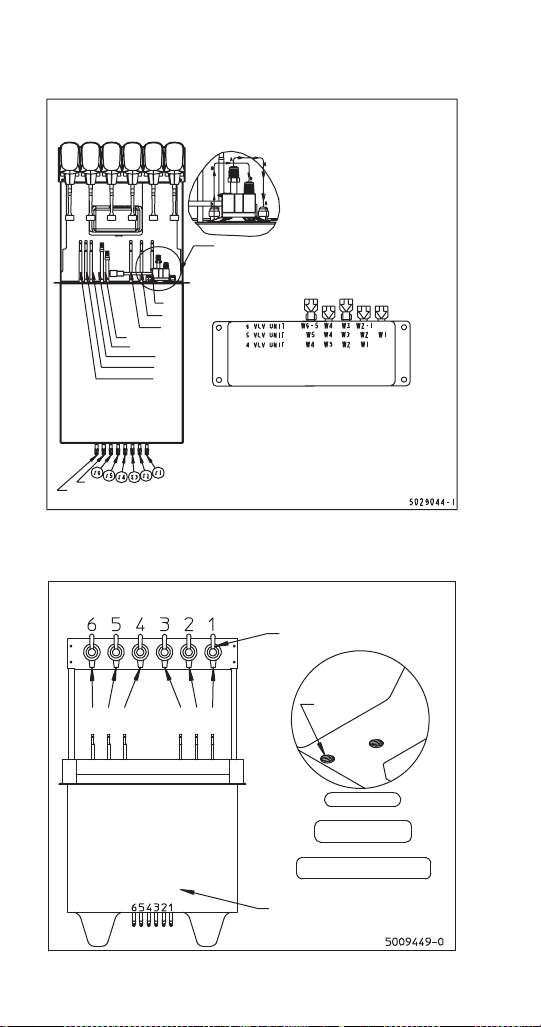
164 Part Number STH14 9/10
DI-1522 Post-mix Plumbing
DI-1522 Pre-mix Plumbing
SERVEND RECOMMENDED PLUMBING: DI-1522 IC
Detail A
Detail A
S1
S2
S3
S4
S5
S6
Plain Water
Carb Water
FLEX
MANIFOLD
PW
From Pump
PW
Manifold: Change to Carbonated or
Non-carbonated water
1. Rotate plunger 180° using a 5/32" allen wrench.
2. Pull plunger up to get non-carbonated water.
3. Push plunger down to get carb. water.
4. Turn plunger back 180° to lock.
NOTE 1:
A. Plain water to the carbonator
B. Carb water to coldplate post-chill
NOTE 2:
For 5(4) vale unit:
– Inlet syrup number 6(6.5) isn’t used
– Valve number 6(6.5) isn’t used
Ambient Carbonation
Jumper tube between pre-chill
coldplate and post-chill in coldplate
For Assistance Call
812-246-7000
2-1-1-2 Right to Left
SERVEND RECOMMENDED PLUMBING: DI-1522 PREMIX
Line 6
Line 5
Line 4
Line 3
Line 2
Line 1
Valve Locations
For Assistance Call
812-246-7000
3/4" NPT
Drainpan
Drain
3/4" NPT
Coldplate
Drain
Bottom View
For 5 valve unit:
Line 6 is not used
For 4 valve unit:
Lines 1 & 6 are not used
Inlet Line Locations
Line 3
Line 2
Line 1
Line 6
Line 5
Line 4
STH14.book Page 164 Thursday, September 23, 2010 3:35 PM
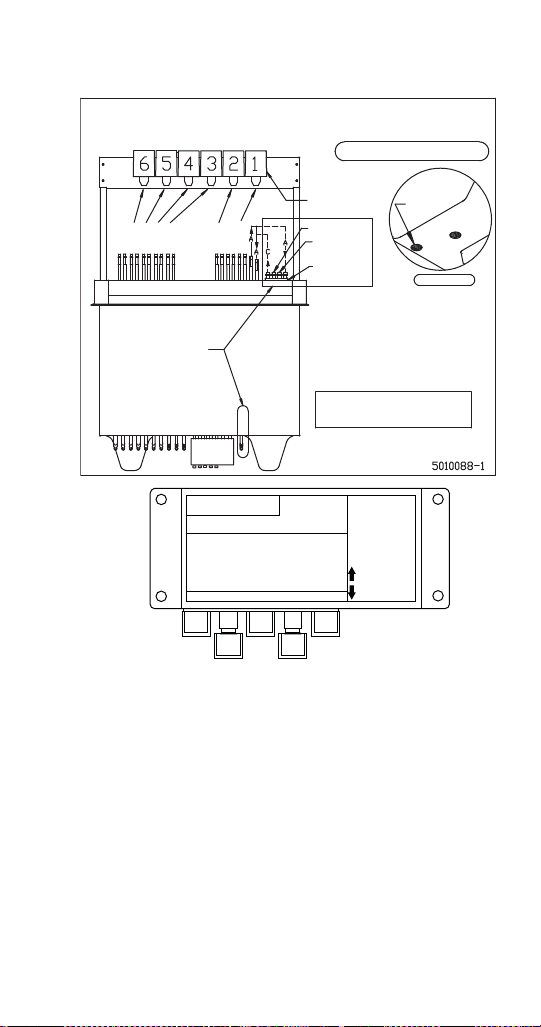
Part Number STH14 9/10 165
DI/DIL-2323 6 Valve Post-mix Plumbing
SERVEND RECOMMENDED PLUMBING: DI-1522 PREMIX
1-1-1-1-2 Flex
Left to Right
For 6 Valve Units
For Assistance Call
812-246-7000
3/4" NPT
Drainpan
Drain
3/4" NPT
Coldplate
Drain
Bottom View
Relief Valve
Items within bold boxes are
for internal carbonation only.
*Plugged*
*Plugged*
Water #6
#6 Syrup
Water #5
#5 Syrup
Water #4
#4 Syrup
Water #3
#3 Syrup
CO
2
to
Carbonabor
Carbonabor
Internally
carbonated
units only
Water #2
#2 Syrup
*Plugged*
*Plugged*
Water #1
#1 Syrup
CO
2
IN
#6 Syrup
#5 Syrup
#4 Syrup
#3 Syrup
#2 Syrup
#1 Syrup
Water #6
Water #5
Water #4
Water #3
Water #1 & #2
A
B
Ambient Carbonation
A = Carbonated water
B = Plain water
Internal Carbonation
A = Plain water to carbonator from pump
B = Plain water (40-55 psi) to manifold
C = Carbonated water from carbonator to manifold
Operation:
Manifold to Change to Carbonated
or Non-carbonated Water
1. Rotate plunger 180° using a 5/32"
1. allen wrench.
2. Pull plunger up to get non-carb water.
2. Push plunger down to get carb. water.
3. Turn plunger back 180° to lock.
Valves
5,6 4 3 1,2
Carb Water
Plain Water
Valve Locations
STH14.book Page 165 Thursday, September 23, 2010 3:35 PM
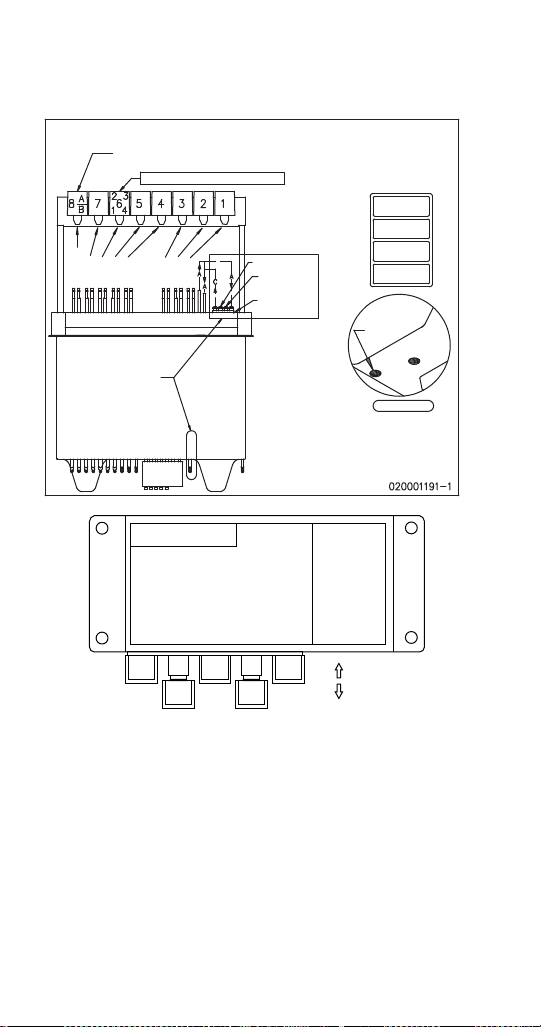
166 Part Number STH14 9/10
DI/DIL-2323 8 Valve Post-mix Plumbing &
Variety Valve
Operation:
Manifold to Change to Carbonated
or Non-carbonated water
1. Rotate plunger 180° using a 5/32"
1. allen wrench.
2. Pull plunger up to get non-carb water.
2. Push plunger down to get carb. water.
3. Turn plunger back 180° to lock.
Valves
6541,2,3
IN
OUT
7,8
SERVEND RECOMMENDED PLUMBING: DI/DIL-2323
For Assistance Call
812-246-7000
3/4" NPT
Drainpan
Drain
3/4" NPT
Coldplate
Drain
Bottom View
Relief Valve
Water #8
#8 Syrup (8)
Water #7
#7 Syrup
Water #6
#6 Syrup
Water #5
#5 Syrup
Water #4
#4 Syrup
CO
2
to
Carbonabor
Carbonabor
Water #3
#3 Syrup
Water #2
#2 Syrup
Water #1
#1 Syrup
CO
2
IN
Carbonated Water Circuit (A)
Plain Water Circuit (B)
#8 Syrup (8)
#7 Syrup
#6 Syrup
#5 Syrup
#4 Syrup
#3 Syrup
#2 Syrup
#1 Syrup
Water #7 & #8
Water #6
Water #5
Water #4
Water #1, #2 & #3
Ambient Carbonation
A = Carbonated water
B = Plain water
Internal Carbonation
A = Plain water to carbonator from pump
B = Plain water (40-55 psi) to manifold
C = Carbonated water from carbonator to manifold
Optional Variety Valve
*Optional Dual Flavor Valve*
8A Ambient
8B Thru Coldplate
*Optional*
Variety Valve
On Valve 6
1 – Water
(Thru Coldplate)
2 – Syrup
(Ambient)
3 – Syrup
(Ambient)
4 – Syrup
(Thru Coldplate)
Internally
carbonated
units only
#8 Syrup (A)
Water/Soda
STH14.book Page 166 Thursday, September 23, 2010 3:35 PM
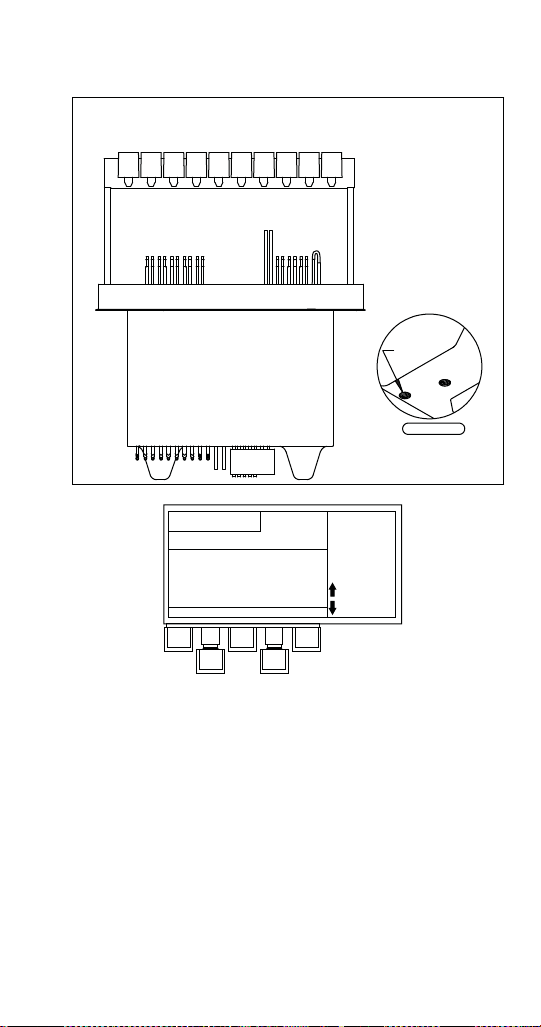
Part Number STH14 9/10 167
DI/DIL-2323 10 Valve Post-mix Plumbing
Operation:
Manifold to Change to Carbonated
or Non-carbonated water
1. Rotate plunger 180° using a 5/32"
1. allen wrench.
2. Pull plunger up to get non-carb water.
2. Push plunger down to get carb. water.
3. Turn plunger back 180° to lock.
Valves
7 5,6 4 1,2,3
Carb Water
Plain Water
8,9,10
SERVEND RECOMMENDED PLUMBING: DI/DL-2323
4-2-1-1-2 Flex
Right to Left
For Assistance Call
812-246-7000
3/4" NPT
Drainpan
Drain
3/4" NPT
Coldplate
Drain
Bottom View
Water #10
#10 Syrup
Water #9
#9 Syrup
Water #8
#8 Syrup
Water #7
#7 Syrup
Water #5 & #6
#6 Syrup
Water #3 & #4
#3 Syrup
Water #2
#2 Syrup
Water #1
#1 Syrup
Carbonated Water
Plain Water
#10 Syrup
#9 Syrup
#8 Syrup
#7 Syrup
#6 Syrup
#3 Syrup
#2 Syrup
#1 Syrup
#5 Syrup
#4 Syrup
Water #9 & #10
Water #8
Water #7
Water #5 & #6
Water #1, #2, #3 & #4
5011511-0
10987654321
#5 Syrup
#4 Syrup
}Soft Plumb
STH14.book Page 167 Thursday, September 23, 2010 3:35 PM
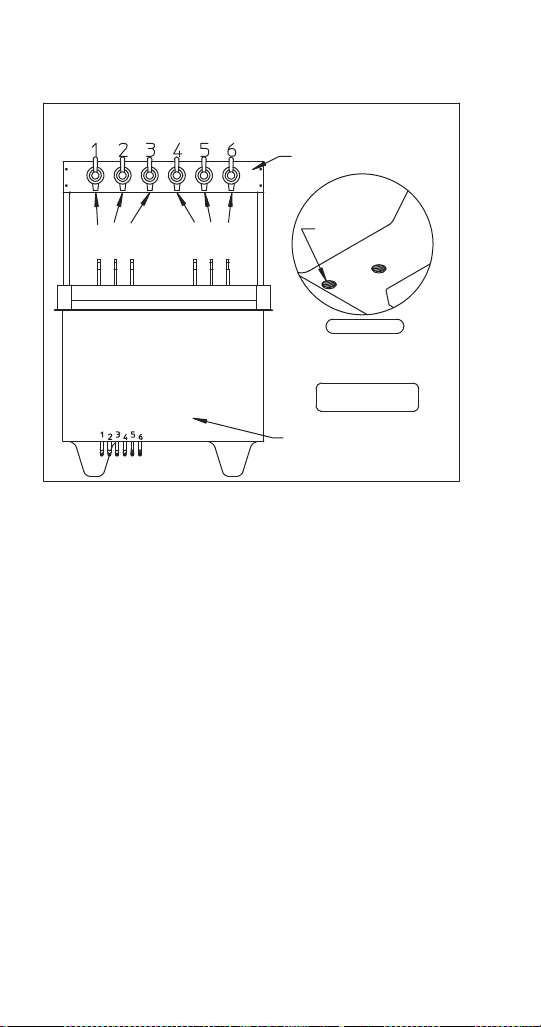
168 Part Number STH14 9/10
DI/DIL-2323 6 Valve Pre-mix Plumbing
SERVEND RECOMMENDED PLUMBING: DI/DL-2323
3/4" NPT
Drainpan
Drain
3/4" NPT
Coldplate
Drain
Bottom View
#1 Syrup
#2 Syrup
#3 Syrup
#4 Syrup
#5 Syrup
#6 Syrup
#1 Syrup
#2 Syrup
#3 Syrup
#4 Syrup
#5 Syrup
#6 Syrup
Valve Locations
Inlet Line Locations
For 5 Valve Unit:
Inlet 6 is Not Used
Valve 6 is Not Used
5009394-0
For Assistance Call
812-246-7000
STH14.book Page 168 Thursday, September 23, 2010 3:35 PM
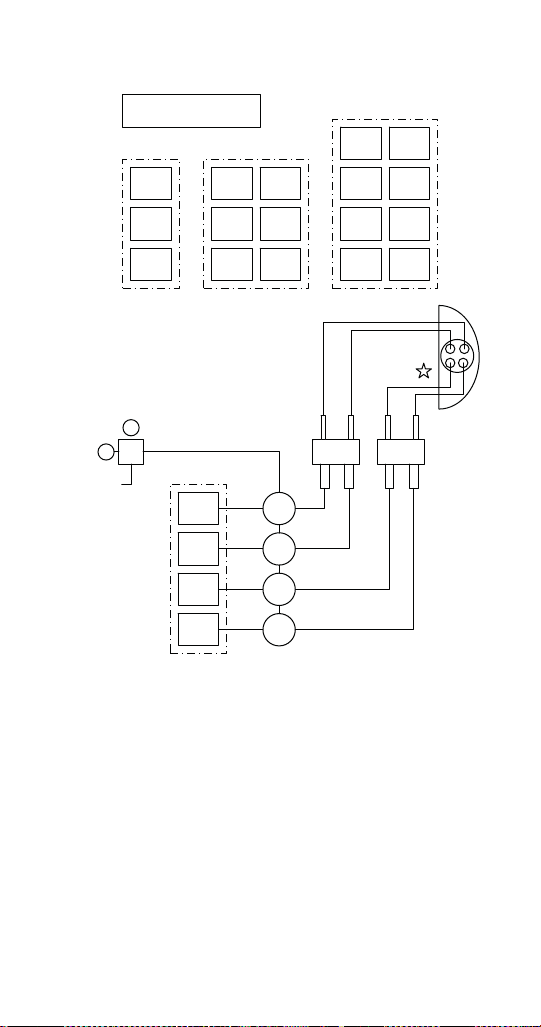
Part Number STH14 9/10 169
Flavor Magic Plumbing
B-I-B Rack Configuration
1 x 3 B-I-B
2 x 3 B-I-B Rack
2 x 4 B-I-B Rack
1 x 4 B-I-B
Set Regulator
20 to 30 psi
CO
2
Supply
Flavor
Magic
Module
Flavor 1
Flavor 2
Flavor 3
Flavor 1
Flavor 2
Flavor 3
Flavor 4
Flavor 5
Flavor 6
Flavor 1
Flavor 2
Flavor 3
Flavor 5
Flavor 6
Flavor 7
Flavor 4
Flavor 8
Flavor 1
Flavor 2
Flavor 3
Flavor 4
Pump
1
Pump
2
Pump
3
Pump
4
STH14.book Page 169 Thursday, September 23, 2010 3:35 PM
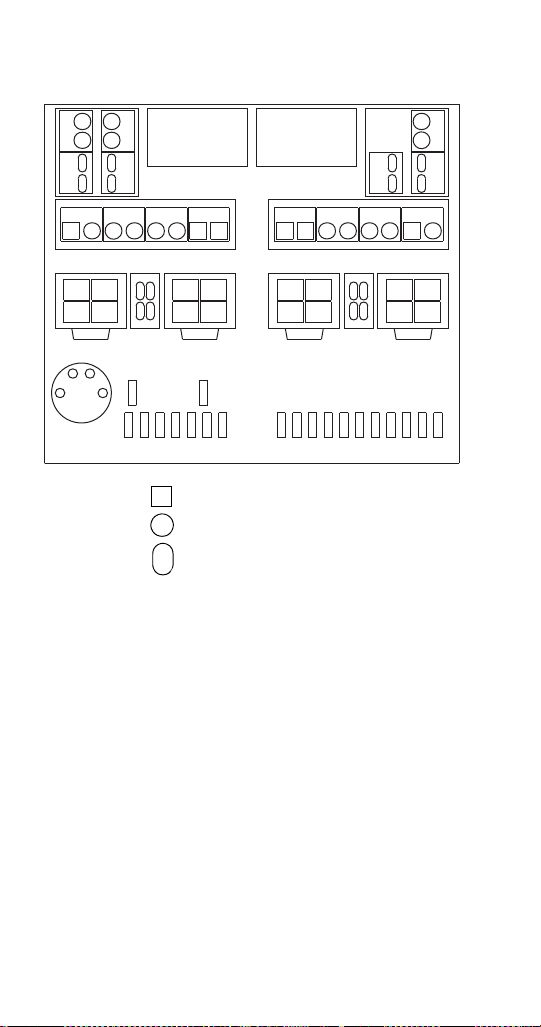
170 Part Number STH14 9/10
FRP-250 Plumbing Diagram
C1 / C2/ NC2
S1-S8 / F1-F4
C3 / C4/ NC3
S9-S16 / F5-F8
CONTROL BOARD
LEFT SIDE
CONTROL BOARD
RIGHT SIDE
S5
S4
S9
S8
F
2
F
1
F
3
F
4
S12
F
6
F
5
F
7
F
8
S13
C1 S1 S2 S3 S6 S7 C2 NCS2
LEFT BEVERAGE VALVES RIGHT BEVERAGE VALVES
C3 NCS3 S11 S10 S15 S14 C4 S16
S1
S2
S3
S4
F
2
F
1
F
3
F
4
S6
S7S5
S8
C2 / NC2C1
LEFT TOUCHPADS
C4C3 / NC3
RIGHT TOUCHPADS
S11
S12 S10
S9 S13
S14
S15
S16
C = CARB
S = SYRUP
F = FLAVOR SHOT
NC = NON-CARB
PW = PLAIN WATER
PR = PRESSURE RELIEF
F
5
F
6
F
7
F
8
IN
CO
2
PR
OUT
TO CARB
TANK
FROM
CARB
TANK
S16 S15 S14 S13 S12 S11 S10
INTERNAL CARB
TANK (OPTIONAL)
<INLETS>
S2 S1 PW PRE-
CHILL
S9 S8 S7 S6 S5 S4 S3
PN 020001891
= WATER
= SYRUP
= FLAVOR SHOT
STH14.book Page 170 Thursday, September 23, 2010 3:35 PM
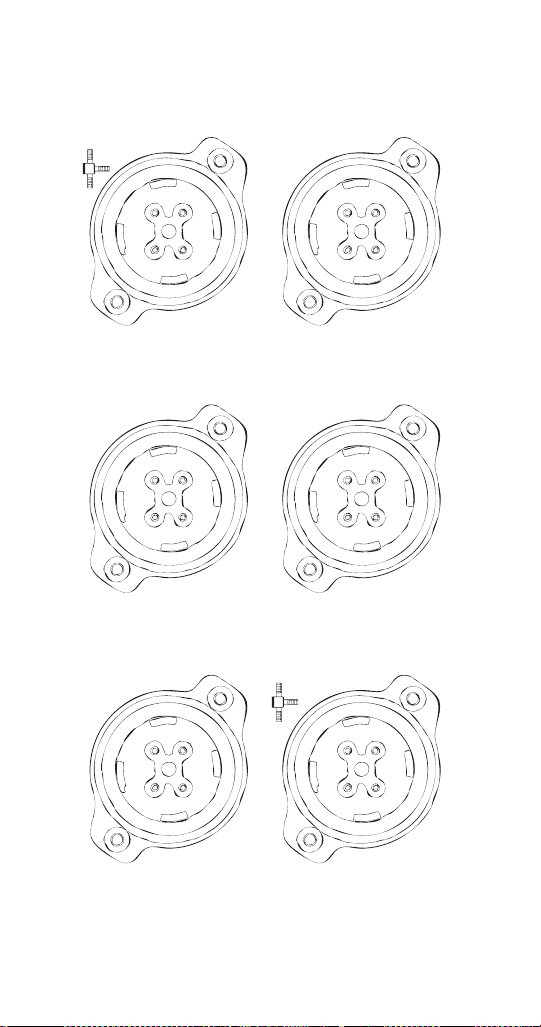
Part Number STH14 9/10 171
FRP-250 & FRP-250SCI Tubing Layout
S1= 6”
S2= 6”
S3= 6”
S4= 13”
C1= 10”
S13= 25”
S14= 6”
S15= 6”
S16= 6”
C4= 10”
S5= 13”
S6= 6”
S7= 6”
S8= 13”
C2= 1.5”
NC2= 10”
N3= 10”
S9= 25”
S10= 6”
S11= 6”
S12= 25”
C3= 1.5”
NC3= 10”
N4= 10”
F1= 13”
F2= 13”
F3= 13”
F4= 13”
F5= 18”
F6= 18”
F7= 18”
F8= 18”
S4
S1 S2
NC3C3
N4
NC2C2
N3
S3
C1
S9
S12 S10
S11
C1
F1
F1 F4
F3
CAP
F5
F6 F8
F7
CAP
020001779
NOZZLE 4
TOP VIEW
FRONT
NOZZLE 1
TOP VIEW
FRONT
NOZZLE 5
TOP VIEW
FRONT
NOZZLE 2
TOP VIEW
FRONT
NOZZLE 3
TOP VIEW
FRONT
NOZZLE 6
TOP VIEW
FRONT
020001779
S15
S13 S16
S14
C4
020001779
S7
S6 S5
S8
N3
020001779
020001779 020001779
STH14.book Page 171 Thursday, September 23, 2010 3:35 PM
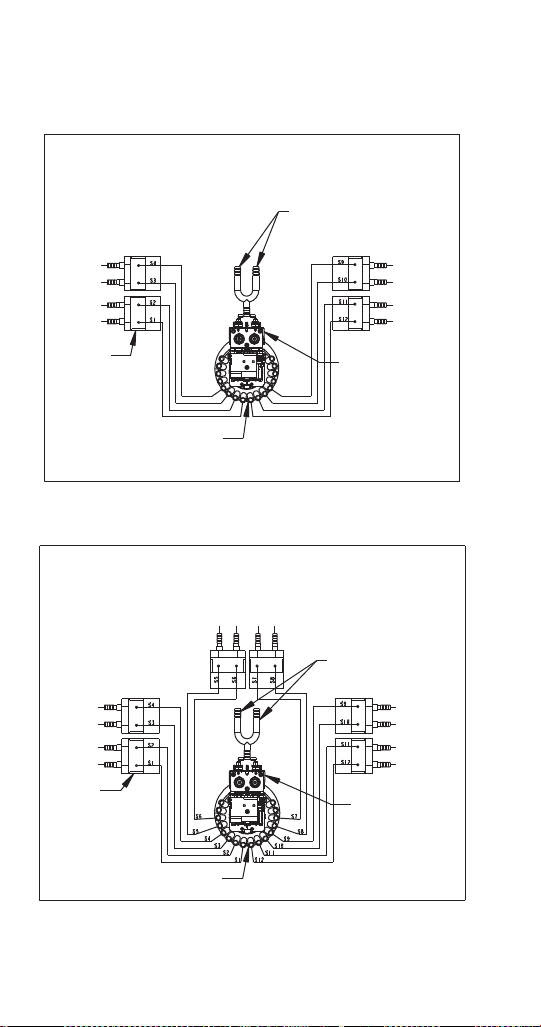
172 Part Number STH14 9/10
FT-8 Plumbing
FT-12 Plumbing
FT-8
Recommended Plumbing
Plain Water Recirculation
Connections
Water Valve
Syrup
Valves
Syrup Injection
Shroud Assembly
Part No. 020000893
Revision No. 0
Syrup 5
Syrup 6
Syrup 7
Syrup 8
Syrup 4
Syrup 3
Syrup 2
Syrup 1
Syrup 4
Syrup 3
Syrup 2
Syrup 1
Syrup 5
Syrup 6
Syrup 7
Syrup 8
FT-12
Recommended Plumbing
Plain Water
Recirculation
Connections
Water Valve
Syrup
Valves
Syrup Injection
Shroud Assembly
Part No. 020000893
Revision No. 0
Syrup 9
Syrup 10
Syrup 11
Syrup 12
Syrup 4
Syrup 3
Syrup 2
Syrup 1
Syrup 5
Syrup 6
Syrup 7
Syrup 8
STH14.book Page 172 Thursday, September 23, 2010 3:35 PM
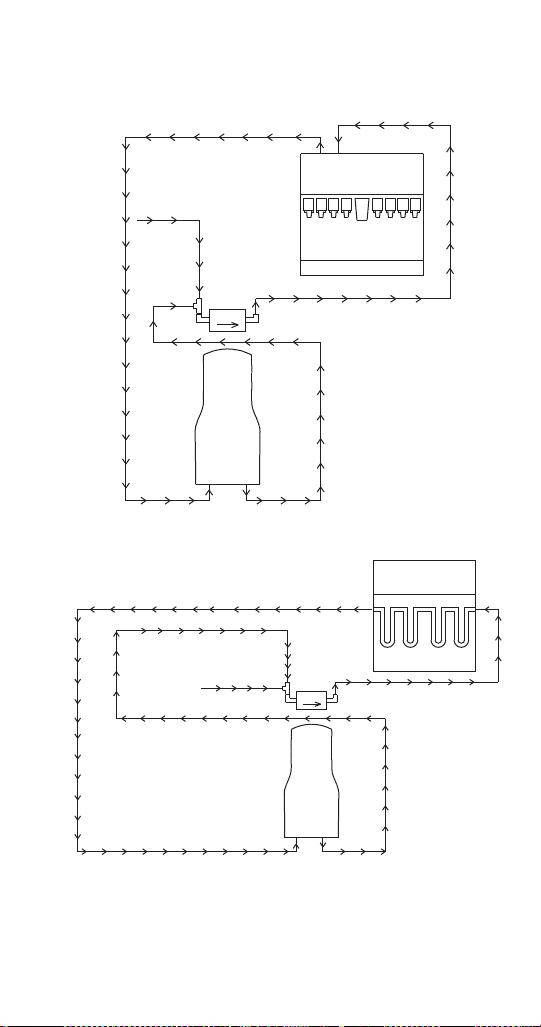
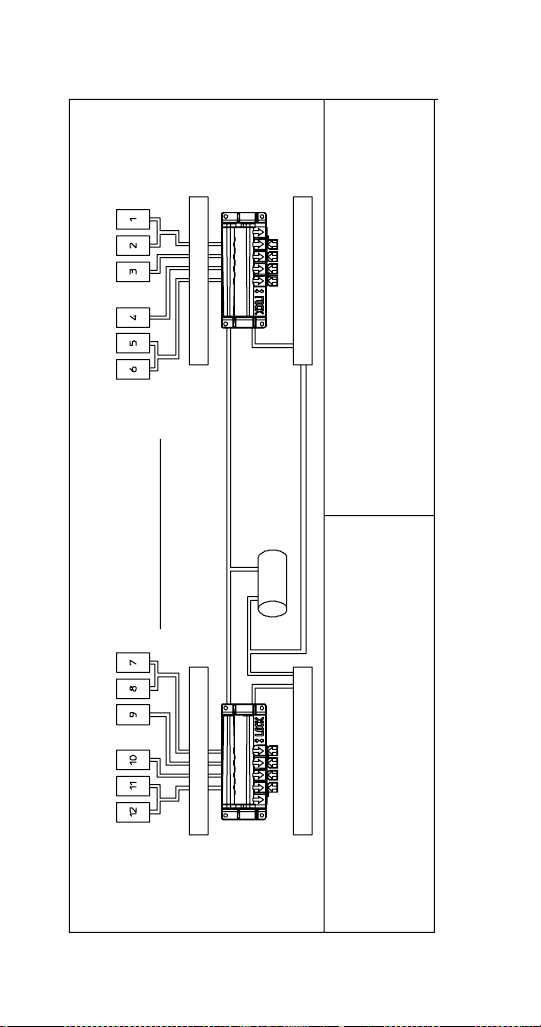
174 Part Number STH14 9/10
MDH-302 12 Valve Plumbing
MDH-302 Left Hand Side
Servend Recommended Plumbing
Post-chill
Flex Manifold
Pre-chill
2-1-1-2 Flex
Left to Right
For Assistance
(812) 246-7000
Note: Syrup lines not shown.
Inlet Lines
Note: Internally carbonated units - From carbonator pump to carbonator located on unit
Externally carbonated units - From external carbonator to manifold.
Carb Water
(A) (See Note)
Plain Water
(C)
#7 Syrup
#8 Syrup
#9 Syrup
#10 Syrup
#11 Syrup
#12 Syrup
MDH-302 Right Hand Side
Servend Recommended Plumbing
Post-chill
Flex Manifold
Pre-chill
2-1-1-2 Flex
Left to Right
Note: Syrup lines not shown.
Inlet Lines
Note: Internally carbonated units - From carbonator pump to carbonator located on unit
Externally carbonated units - From external carbonator to manifold.
Carb Water
(A) (See Note)
Plain Water
(C)
#6 Syrup
#5 Syrup
#4 Syrup
#3 Syrup
#2 Syrup
#1 Syrup
Internally Carbonated Units
A = Plain Water to Carbonator
B = Carb Water from Internal
B = Carbonator to Flex Manifold
C = Plain Water to Flex Manifold
Externally Carbonated Units
A = Plain Water to Remote Carbonator
A = Pump Deck Tank (In)
B = Carb Water from Remote Carbonator
B = Pump Deck Tank (Out)
C = Plain Water to Flex-Manifold
*Externally Carbonated Units*
Carbonator Tank is Replace by
By-pass Tube
Internal
Carbonator
Tank
In
Out
A
B
C
A
A
C
STH14.book Page 174 Thursday, September 23, 2010 3:35 PM
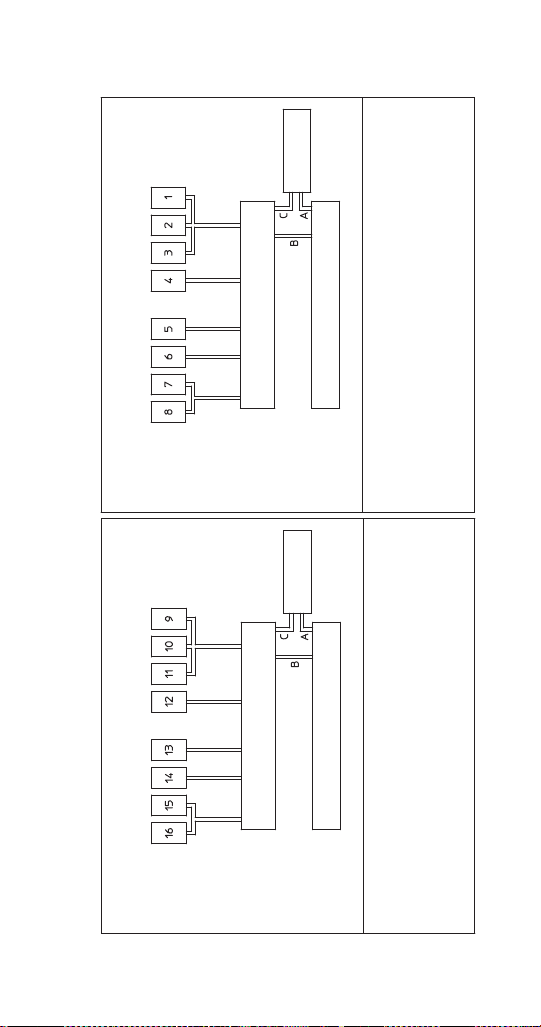
Part Number STH14 9/10 175
MDH-402 16 Valve Plumbing
Plain Water A
(To Carbonator
From Carbonator
Pump)
Plain Water (B)
#9 Syrup
#10 Syrup
#11 Syrup
#12 Syrup
#13 Syrup
#14 Syrup
#15 Syrup
#16 Syrup
Plain Water A
(To Carbonator
From Carbonator
Pump)
Plain Water (B)
#1 Syrup
#2 Syrup
#3 Syrup
#4 Syrup
#5 Syrup
#6 Syrup
#7 Syrup
#8 Syrup
Cold Carb MDH-402 16 Valve
Servemd Recommended Plumbing
Manifold
2-1-1-1-3 Flex
Left to Right
For Assistance
(812) 246-7000
Note: Syrup lines not shown.
A = Plain Water to
A = Carbonator
B = Plain Water to
B = Manifold
C = Carb Water to
C = Manifold
Coldplate
Carbonator
5010860-0
Cold Carb MDH-402 16 Valve
Servend Recommended Plumbing
Manifold
2-1-1-1-3 Flex
Left to Right
For Assistance
(812) 246-7000
Note: Syrup lines not shown.
A = Plain Water to
A = Carbonator
B = Plain Water to
B = Manifold
C = Carb Water to
C = Manifold
Coldplate
Carbonator
5010859-0
STH14.book Page 175 Thursday, September 23, 2010 3:35 PM
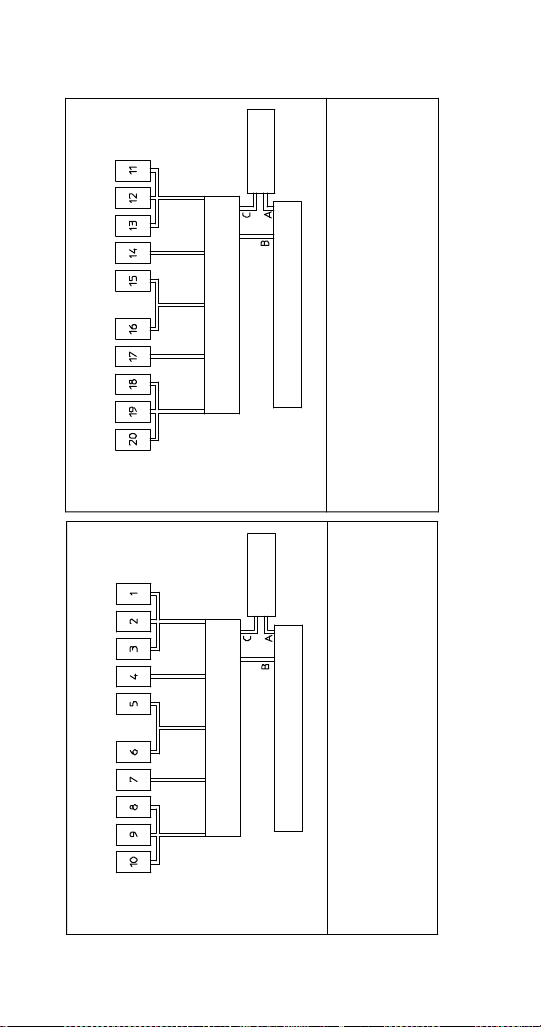
176 Part Number STH14 9/10
MDH-402 20 Valve Plumbing
Plain Water A
(To Carbonator
From Carbonator
Pump)
Plain Water (B)
#11 Syrup
#12 Syrup
#13 Syrup
#14 Syrup
#15 Syrup
#16 Syrup
#17 Syrup
#18 Syrup
#19 Syrup
#20 Syrup
Plain Water A
(To Carbonator
From Carbonator
Pump)
Plain Water (B)
#1 Syrup
#2 Syrup
#3 Syrup
#4 Syrup
#5 Syrup
#6 Syrup
#7 Syrup
#8 Syrup
#9 Syrup
#10 Syrup
Cold Carb MDH-402 20 Valve
Servend Recommended Plumbing
Manifold
3-1-2-1-3 Flex
Left to Right
For Assistance
(812) 246-7000
Note: Syrup lines not shown.
A = Plain Water to
A = Carbonator
B = Plain Water to
B = Manifold
C = Carb Water to
C = Manifold
Coldplate
Carbonator
5010861-0
Cold Carb MDH-402 20 Valve
Servend Recommended Plumbing
Manifold
3-1-2-1-3 Flex
Left to Right
For Assistance
(812) 246-7000
Note: Syrup lines not shown.
A = Plain Water to
A = Carbonator
B = Plain Water to
B = Manifold
C = Carb Water to
C = Manifold
Coldplate
Carbonator
5010862-0
STH14.book Page 176 Thursday, September 23, 2010 3:35 PM
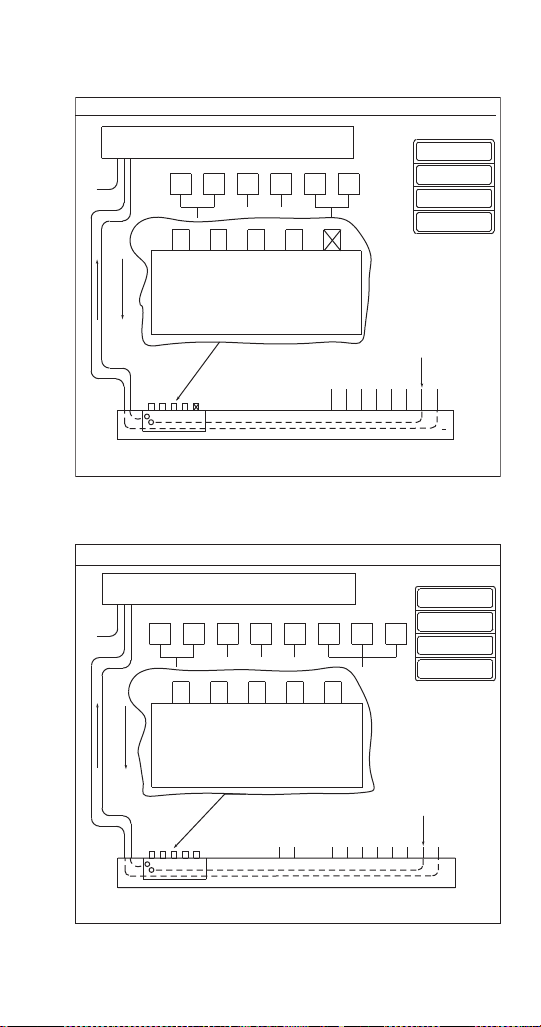
Part Number STH14 9/10 177
S/SV150 6 Valve Diagram
S/SV175 8 Valve Diagram
3
INTERNAL CARBONATOR TANK
PLUMBING: 2-1-1-2 MANIFOLDING
*OPTIONAL*
VARIETY VALVE ON #3
1 – WATER
(THRU COLDPLATE)
2 – SYRUP
(AMBIENT)
3 – SYRUP
(AMBIENT)
4 – SYRUP
(THRU COLDPLATE)
VALVES “SYRUP LINES NOT SHOWN”
PRE-CHILL OUT TO CARBONATOR
654321
2
4
2112
1,2 3 4 5,6
VALVES
CIRCUITS
CO
2
Manifold: Change to carbonated or non-carbonated
water.
1. Rotate plunger 180° using a 5/32" Hex Key wrench.
2. Pull plunger up to get non-carbonated water.
3. Push plunger down to get carbonated water.
4. Turn plunger back 180° to lock.
5. Port 5 is not used.
Plain Water
(Plain Water Supply)
CARBONATOR OUT TO POST-CHILL
Plain Water
(From
Pump to
Carbonator)
#1 #2 #3 #4 #5 #6
Syrup Lines
COLD PLATE
*EXTERNALLY CARBONATED UNITS: CARBONATOR IS REPLACED BY BY-PASS TUBE
FOR ASSISTANCE CALL (812) 246-7000
1
3
INTERNAL CARBONATOR TANK
(Optional)
PLUMBING: 3-1-1-1-2 MANIFOLDING
*OPTIONAL*
VARIETY VALVE ON #4
1 – WATER
(THRU COLDPLATE)
2 – SYRUP
(AMBIENT)
3 – SYRUP
(AMBIENT)
4 – SYRUP
(THRU COLDPLATE)
VALVES “SYRUP LINES NOT SHOWN”
PRE-CHILL OUT TO CARBONATOR
654321
2
4
2111
7,8 6 7 4
VALVES
CIRCUITS
CO
2
Manifold: Change to carbonated or non-carbonated water.
1. Rotate plunger 180° using a 5/32" Hex Key wrench.
2. Pull plunger up to get non-carbonated water.
3. Push plunger down to get carbonated water.
4. Turn plunger back 180° to lock.
5. Port 5 is not used.
Plain Water
(Plain Water Supply)
CARBONATOR OUT TO POST-CHILL
Plain Water
(From
Pump to
Carbonator)
#1 #2 #3 #4 #5 #6
Syrup Lines
COLD PLATE
*EXTERNALLY CARBONATED UNITS: CARBONATOR IS REPLACED BY BY-PASS TUBE
FOR ASSISTANCE CALL (812) 246-7000
1
87
3
1, 2, 3
#7 #8
STH14.book Page 177 Thursday, September 23, 2010 3:35 PM
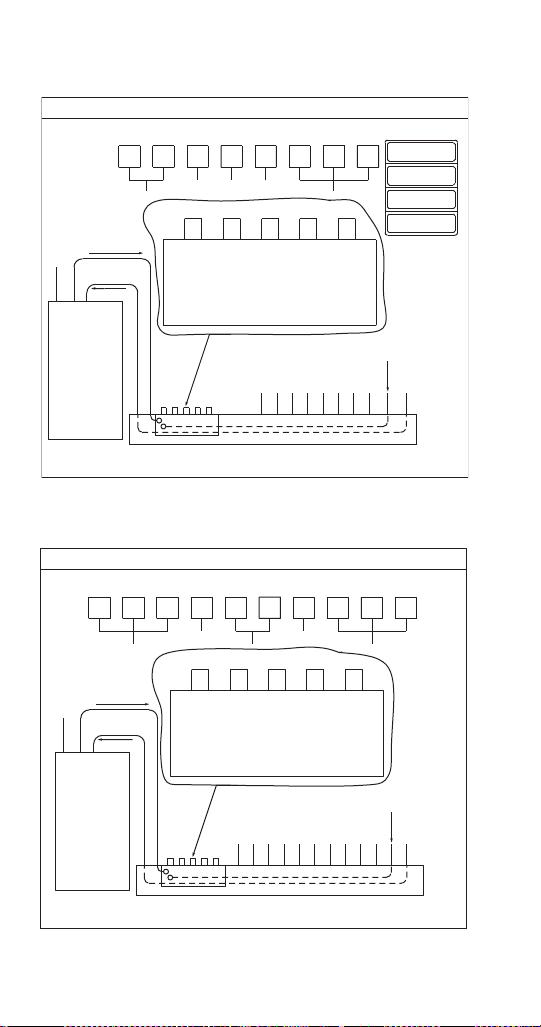
178 Part Number STH14 9/10
S/SV200/250/SV-250QD 8 Valve Diagram
S/SV200/250 10 Valve Diagram
3
PLUMBING: 3-1-1-1-2 MANIFOLDING
*OPTIONAL*
VARIETY VALVE ON #4
1 – WATER
(THRU COLDPLATE)
2 – SYRUP
(AMBIENT)
3 – SYRUP
(AMBIENT)
4 – SYRUP
(THRU COLDPLATE)
NOTE: SYRUP LINES NOT SHOWN
PRE-CHILL OUT
TO CARBONATOR
654321
2
4
3111
1,2,3 4 5 6
VALVES
CIRCUITS
CO
2
Manifold: Change to carbonated or non-carbonated water.
1. Rotate plunger 180° using a 5/32" Hex Key wrench.
2. Pull plunger up to get non-carbonated water.
3. Push plunger down to get carbonated water.
4. Turn plunger back 180° to lock.
5. Port 5 is not used.
Plain Water
(Plain Water Supply)
CARBONATOR OUT
TO POST-CHILL
Plain Water
(From
Pump to
Carbonator)
#1 #2 #3 #4 #5 #6
Syrup Lines
COLD PLATE
*EXTERNALLY CARBONATED UNITS: CARBONATOR IS REPLACED BY BY-PASS TUBE
FOR ASSISTANCE CALL (812) 246-7000
1
87
2
7,8
#7 #8
INTERNAL
CARBONATOR
TANK
(Optional)
VALVES
PLUMBING: 3-1-2-1-3 MANIFOLDING
PRE-CHILL OUT
TO CARBONATOR
654321
3121
1,2,3 4 5,6 7
VALVES
CIRCUITS
CO
2
Manifold: Change to carbonated or non-carbonated water.
1. Rotate plunger 180° using a 5/32" Hex Key wrench.
2. Pull plunger up to get non-carbonated water.
3. Push plunger down to get carbonated water.
4. Turn plunger back 180° to lock.
5. Port 5 is not used.
Plain Water
(Plain Water Supply)
CARBONATOR OUT
TO POST-CHILL
Plain Water
(From
Pump to
Carbonator)
#1 #2 #3 #4 #5 #6
Syrup Lines
COLD PLATE
FOR ASSISTANCE CALL (812) 246-7000
87
3
8,9,10
#7 #8
INTERNAL
CARBONATOR
TANK
(Optional)
10 9
#9#10
NOTE: SYRUP LINES NOT SHOWN
VALVES
STH14.book Page 178 Thursday, September 23, 2010 3:35 PM
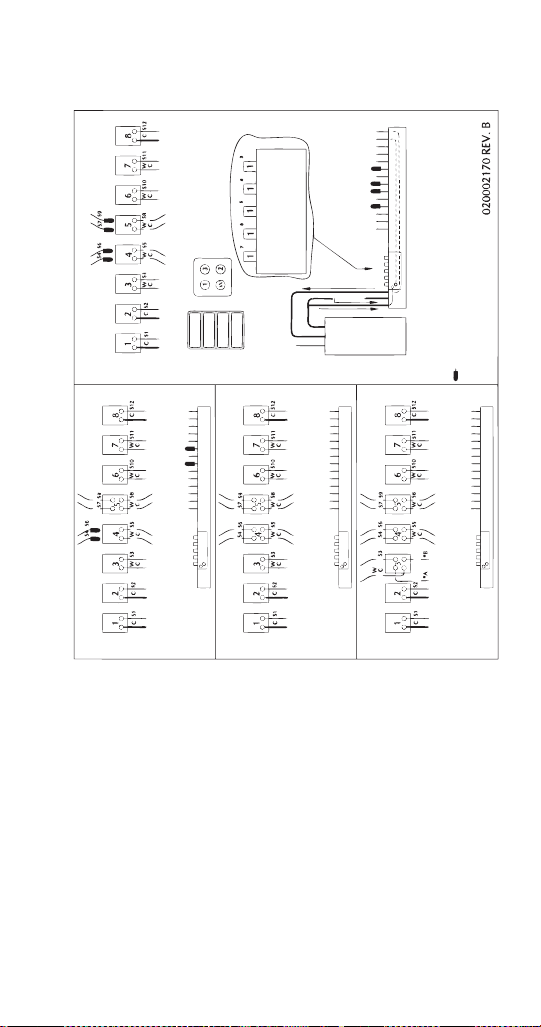
Part Number STH14 9/10 179
NGF-250 & NGF-250QD 8 Valve Diagram
No Variety Vlv
Standard
CO
2
Valves
Cold Plate
Variety Valve
Block
Variety Valve
Keypad
W-Water
3-Flavor
2-Flavor
*A & *B are ambient syrup lines added for the 3rd variety valve.
Line to be plug when not in use.
Syrup line (5#)/Carb only line (C)/Manifold line (WC)
Externally carbonated units: carbonator tank is replaced by by-pass tube
For assistance call (812) 246-7000
Valve s
Circuits
Manifold: Change to carbonated or non-carbonated water.
1. Rotate plunger 180° using a 5/32" Hex Key wrench.
2. Pull plunger up to get non-carbonat ed water.
3. Push plunger down to get carbonated water.
4. Turn plun ger back 180° to lock.
5. Port 5 is not used.
Internal
Carbonator
Ta nk
(Optional)
Carbonator out to Po st-Chill
Vlv 1, 2, & 6
Pre-Chill Out to Carbonator
*
w/1 Variety Vlv
Valves
w/2 Variety Vlvs
Valves
w/3 Variety Vlvs
Valves
1-Flavor
Syrup #12
Syrup #11
Syrup #10
Syrup #9
Syrup #8
Syrup #7
Syrup #6
Syrup #5
Syrup #4
Syrup #3
Syrup #2
Syrup #1
Plain Water
Plain Water to
Carbonator
Syrup #12
Syrup #11
Syrup #10
Syrup #9
Syrup #8
Syrup #7
Syrup #6
Syrup #5
Syrup #4
Syrup #3
Syrup #2
Syrup #1
Plain Water
Plain Water to
Carbonator
Syrup #12
Syrup #11
Syrup #10
Syrup #9
Syrup #8
Syrup #7
Syrup #6
Syrup #5
Syrup #4
Syrup #3
Syrup #2
Syrup #1
Plain Water
Plain Water to
Carbonator
Syrup #12
Syrup #11
Syrup #10
Syrup #9
Syrup #8
Syrup #7
Syrup #6
Syrup #5
Syrup #4
Syrup #3
Syrup #2
Syrup #1
Plain Water
Plain Water to
Carbonator
STH14.book Page 179 Thursday, September 23, 2010 3:35 PM
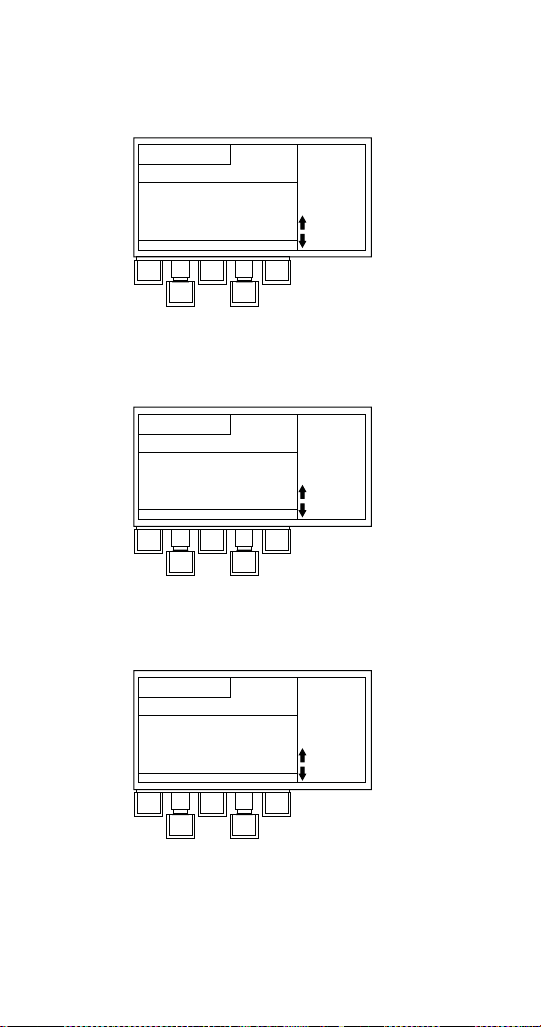
180 Part Number STH14 9/10
Flex Manifold Diagrams
FLEX MANIFOLD — 6 VALVE
NOTE: 12 valve 302 units use 1 per side.
FLEX MANIFOLD — 8 VALVE
NOTE: 16 valve 402 units use 1 per side.
FLEX MANIFOLD — 10 VALVE
NOTE: 20 valve 402 units use 1 per side.
Operation:
Manifold to Change to Carbonated
or Non-carbonated water
1. Rotate plunger 180° using a 5/32"
1. allen wrench.
2. Pull plunger up to get non-carb water.
2. Push plunger down to get carb. water.
3. Turn plunger back 180° to lock.
Valves
5,6 4 3 1,2
Carb Water
Plain Water
PN#: 5010331-2
Operation:
Manifold to Change to Carbonated
or Non-carbonated water
1. Rotate plunger 180° using a 5/32"
1. allen wrench.
2. Pull plunger up to get non-carb water.
2. Push plunger down to get carb. water.
3. Turn plunger back 180° to lock.
Valves
6541,2,3
Carb Water
Plain Water
7,8
PN#: 5010131-2
Operation:
Manifold to Change to Carbonated
or Non-carbonated water
1. Rotate plunger 180° using a 5/32"
1. allen wrench.
2. Pull plunger up to get non-carb water.
2. Push plunger down to get carb. water.
3. Turn plunger back 180° to lock.
Valves
7 5,6 4 1,2, 3
Carb Water
Plain Water
8,9,10
PN#: 5010676-
STH14.book Page 180 Thursday, September 23, 2010 3:35 PM
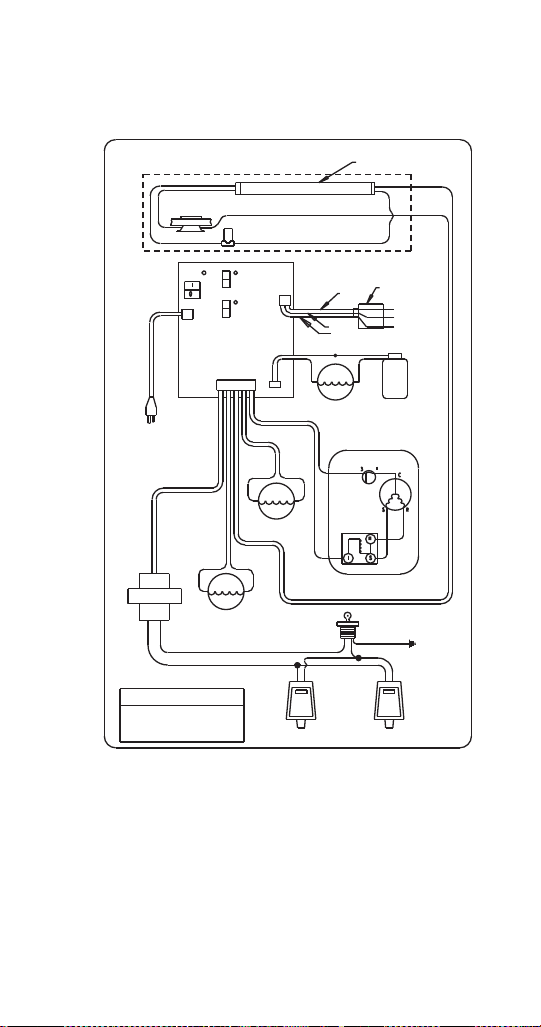
Part Number STH14 9/10 181
CEV Wiring
CEV-30i & 40i 115V 60HZ
CEV-30 & CEV-40 Internal Carbonation
115 Volt 60 Hz Wiring Diagram
Optional Light Kit
Ice Bank
Probe
Lamp
Starter
Merchandiser Lamp
Carb
Tank
Carb Pump
Motor
Carbonator
Compressor
Ice
Control
Power
On
Off
Power In
On
Off
On
Off
115 Volts
60 Hz
Fan Motor
Agitation Motor
Compressor
Current Relay
O.L.
Protector
Key Switch
Transformer
Line
Line
Caution
Electrical Shock Hazard
Disconnect Power
Before Servicing
Beverage Valves Beverage Valves
Ballast
(Ground)
Black
White
Black
White
Black
White
Black
Black
Black
Green
White
Black
Green
White
Black
White
Black
Black Black
Black Black
White
Black
Yellow
Yellow
Black
White
Black
White
Transformer
Agitator
Light Kit
Fan
Compressor
White
STH14.book Page 181 Thursday, September 23, 2010 3:35 PM
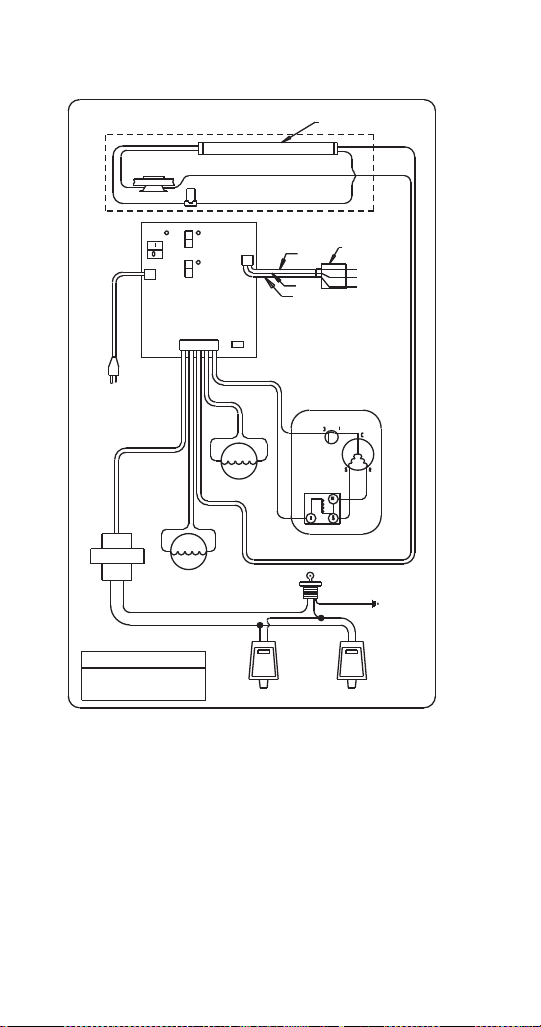
182 Part Number STH14 9/10
CEV-30e & 40e 115V 60HZ
CEV-30 & CEV-40 External Carbonation & Non-carbonated
115 Volt 60 Hz Wiring Diagram
Optional Light Kit
Ice Bank
Probe
Lamp
Starter
Merchandiser Lamp
Carbonator
Compressor
Ice
Control
Power
On
Off
Power In
On
Off
On
Off
115 Volts
60 Hz
Fan Motor
Agitation Motor
Compressor
Current Relay
O.L.
Protector
Key Switch
Transformer
Line
Line
Caution
Electrical Shock Hazard
Disconnect Power
Before Servicing
Beverage Valves Beverage Valves
Ballast
(Ground)
Black
White
Black
White
Black
Black
Black
Green
White
Black
Green
White
Black
Black Black
Black Black
White
Black
Yel lo w
Yel lo w
Black
White
Black
White
Transformer
Agitator
Light Kit
Fan
Compressor
White
Carbonator
(Not Used)
STH14.book Page 182 Thursday, September 23, 2010 3:35 PM
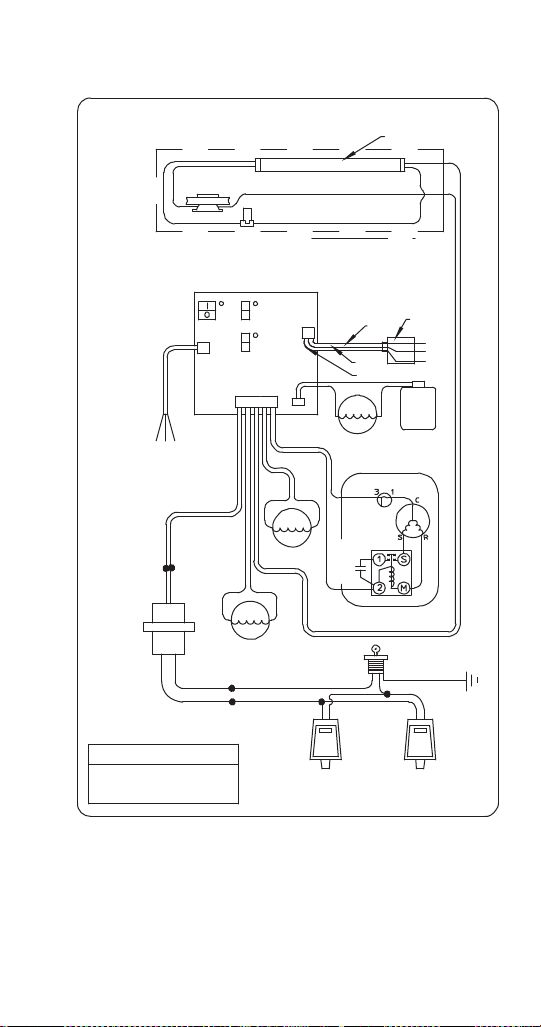
Part Number STH14 9/10 183
CEV-30i & 40i 208/230V 60HZ
CEV-30 & CEV-40 Internal Carbonation
208/230 Volt 60 Hz Wiring Diagram
Optional Light Kit
Ice Bank
Probe
Lamp
Starter
Merchandiser Lamp
Carbonator
Compressor
Ice
Control
Switch
(On)
(Off)
Power
Line
208/230 Volts
60 Hz
Fan Motor
Agitation Motor
Compressor
Current Relay
O.L.
Protector
Key Switch
Load
Line
Caution
Electrical Shock Hazard
Disconnect Power
Before Servicing
Beverage Valves Beverage Valves
Ballast
(Ground)
Black
White
Black
White
Black
Black
Black
Green
White
Black
Green
Black
Black Black
Black Black
Yel lo w
Blue
Blue
Brown
Black
White
Black
White
Transformer
Agitator
Light Kit
Fan
Compressor
White
Carbonator
Power
(On)
(Off)
(On)
(Off)
Black
Carb
Tank
Probe
Blue
Brown
Green/Yellow
Carb Pump Motor
Black
Black
White
Start
Capacitor
White
Yel lo w
Yel lo w
Transformer
STH14.book Page 183 Thursday, September 23, 2010 3:35 PM
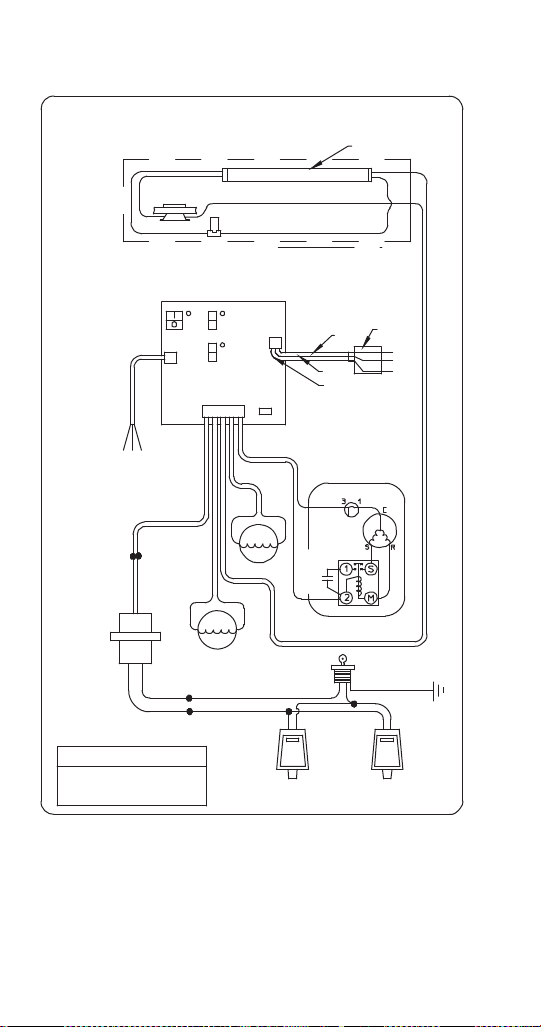
184 Part Number STH14 9/10
CEV-30e & 40j 208/230V 60HZ
CEV-30 & CEV-40 External Carbonation & Non-carbonation
208/230 Volt 60 Hz Wiring Diagram
Optional Light Kit
Ice Bank
Probe
Lamp
Starter
Merchandiser Lamp
Carbonator
Compressor
Ice
Control
Switch
(On)
(Off)
Power
Line
208/230 Volts
60 Hz
Fan Motor
Agitation Motor
Compressor
Current Relay
O.L.
Protector
Key Switch
Load
Line
Caution
Beverage Valves Beverage Valves
Ballast
(Ground)
Black
White
Black
White
Black
Black
Black
Green
White
Black
Green
Black Black
Black Black
Yel lo w
Blue
Blue
Brown
Black
White
Black
White
Transformer
Agitator
Light Kit
Fan
Compressor
White
Carbonator
(Not Used)
Power
(On)
(Off)
(On)
(Off)
Blue
Brown
Green/Yellow
Black
Black
White
Start
Capacitor
White
Yellow
Yellow
Transformer
Electrical Shock Hazard
Disconnect Power
Before Servicing
STH14.book Page 184 Thursday, September 23, 2010 3:35 PM
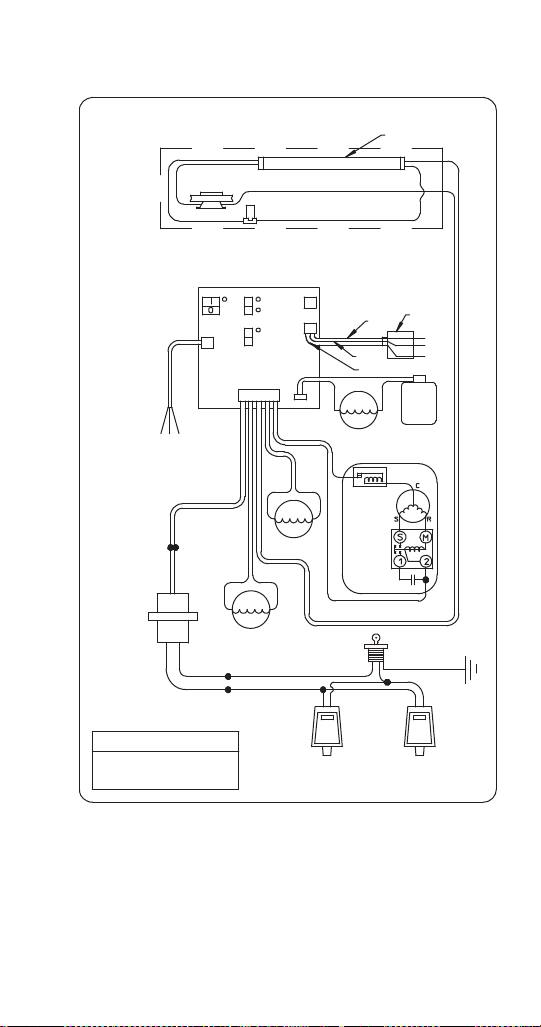
Part Number STH14 9/10 185
CEV-30i & 40i 220/240V 50HZ
CEV-30 & CEV-40 Internal Carbonation
220/240 Volt 50 Hz Wiring Diagram
Optional Light Kit
Ice Bank
Probe
Lamp
Starter
Merchandiser Lamp
Carbonator
Low Water
Ice
Control
Switch
(On)
(Off)
Power
Line
220/240 Volts
50 Hz
Fan Motor
Agitation Motor
Compressor
Current
Relay
O.L.
Protector
Key Switch
Load
Line
Caution
Electrical Shock Hazard
Disconnect Power
Before Servicing
Beverage Valves Beverage Valves
Ballast
(Ground)
Black
White
Black
White
Black
Black
Black
Green
White
Black
Green
Black
Black Black
Black Black
Yel lo w
Blue
Blue
Brown
Black
White
Black
White
Transformer
Agitator
Light Kit
Fan
Compressor
White
Carbonator
Power
(On)
(Off)
(On)
(Off)
Black
Carb
Ta nk
Blue
Brown
Green/Yellow
Carb Pump Motor
Black
Black
White
Start
Capacitor
White
Yellow
Yellow
Transformer
Compressor
(Not Used)
STH14.book Page 185 Thursday, September 23, 2010 3:35 PM
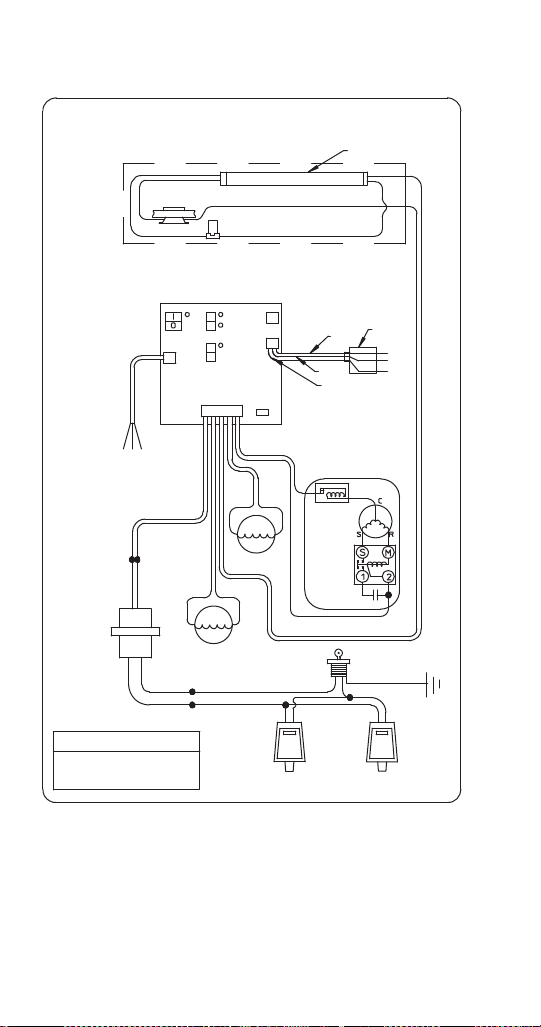
186 Part Number STH14 9/10
CEV-30e & 30j 220/240V 50HZ
CEV-30 & CEV-40 External Carbonation & Non-carbonation
220/240 Volt 50 Hz Wiring Diagram
Optional Light Kit
Ice Bank
Probe
Lamp
Starter
Merchandiser Lamp
Carbonator
Ice
Control
Switch
(On)
(Off)
Power
Line
220/240 Volt
50 Hz
Fan Motor
Agitation Motor
Compressor
O.L.
Protector
Key Switch
Load
Line
Caution
Beverage Valves Beverage Valves
Ballast
(Ground)
Black
White
Black
White
Black
Black
Black
Green
White
Black
Green
Black Black
Black Black
Ye ll o w
Blue
Blue
Brown
Black
White
Black
White
Transformer
Agitator
Light Kit
Fan
Compressor
White
Carbonator
(Not Used)
Power
(On)
(Off)
(On)
(Off)
Blue
Brown
Green/Yellow
Black
Black
White
White
Yellow
Yellow
Transformer
Electrical Shock Hazard
Disconnect Power
Before Servicing
Low Water
Compressor
(Not Used)
Current
Relay
Start
Capacitor
STH14.book Page 186 Thursday, September 23, 2010 3:35 PM
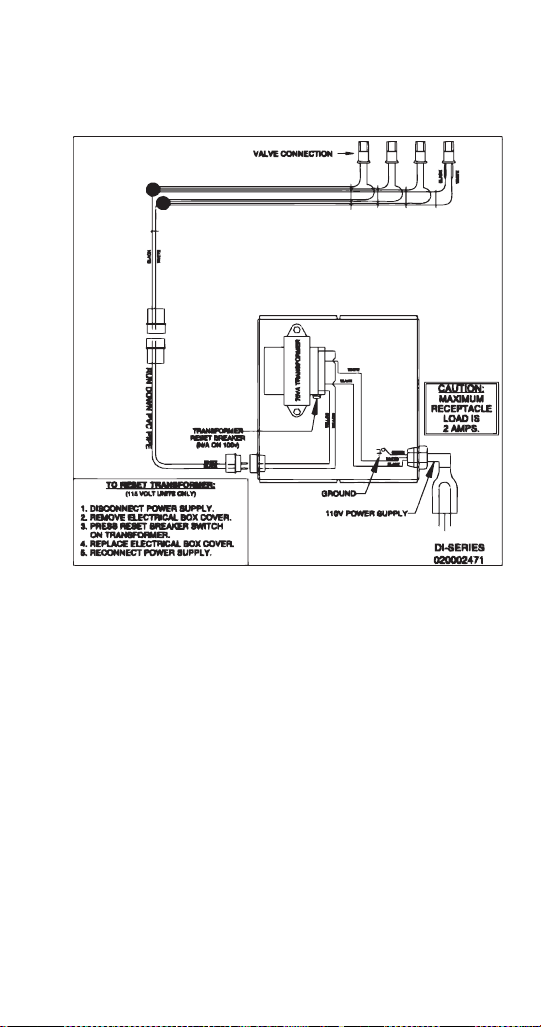
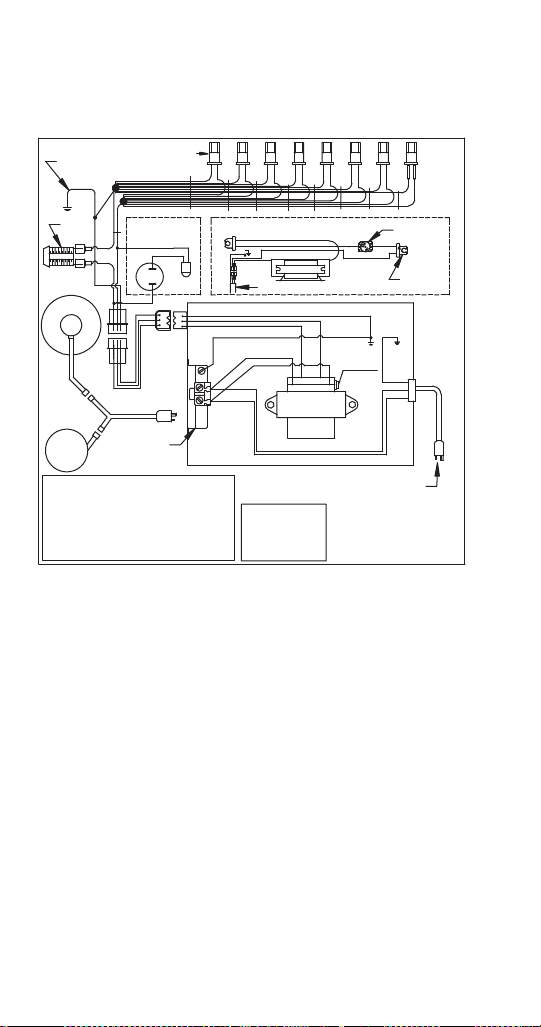
188 Part Number STH14 9/10
Drop-in Wiring
DI-SERIES IC 110V
Ground to
Unit
Valve Connection
Starter Base
Light Socket
(Typ. 2)
Optional Light Kit
Ballast
Run Down PVC Pipe
Optional CO
2
Alarm
Key
Switch
Carbonator
Pump
Motor
115V
Outlet
115V Power
Supply
75VA
Transformer
CO
2
Light
CO
2
Sensor
Transformer
Reset Breaker
(N/A on 100V)
Socket Plug
Load Load
LineLine
Caution
Maximum
Receptacle
Load Is
10 amps.
To Reset Transformer (115 Volt Unit Only)
1. Disconnect power supply.
2. Remove electrical box cover.
3. Press reset breaker switch on transformer.
4. Replace electrical box cover.
5. Reconnect power supply.
White
Black
Black
White
Black
White
Green
Yellow
Yellow
Green
Green
Yel lo w
Yel lo w
Green
White
Black
Black
Black
White
Black
Black
Green
White
G
r
e
e
n
STH14.book Page 188 Thursday, September 23, 2010 3:35 PM
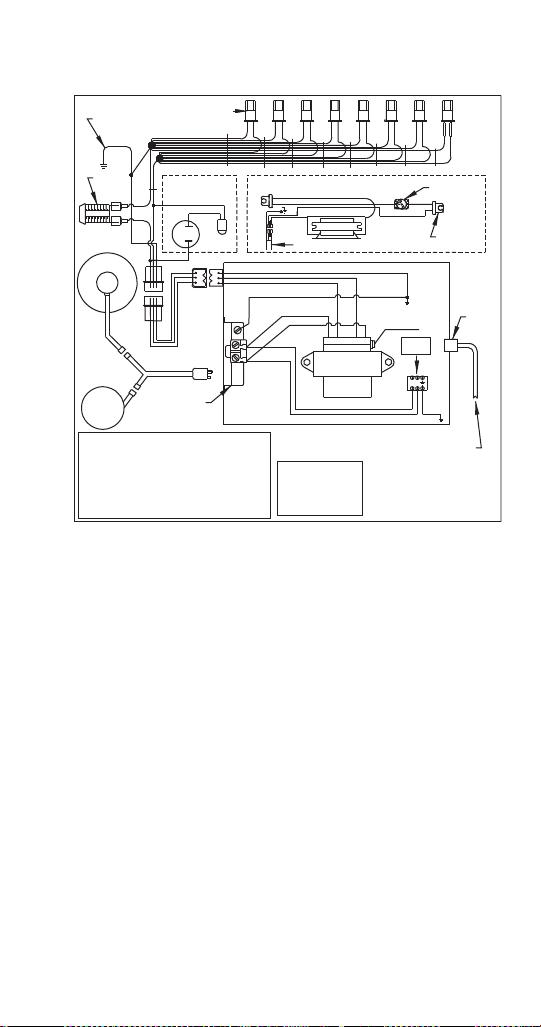
Part Number STH14 9/10 189
DI-SERIES IC 220-230V
N L
Ground to
Unit
Valve Connection
Starter Base
Light Socket
(Typ. 2)
Optional Light Kit
Ballast
Run Down PVC Pipe
Optional CO
2
Alarm
Key
Switch
Carbonator
Pump
Motor
220V
Outlet
220/240V Power Supply
(Cord Not Included)
75VA
Transformer
CO
2
Light
CO
2
Sensor
Transformer
Reset Breaker
(N/A on 100V)
Socket Plug
Load Load
LineLine
Caution
Maximum
Receptacle
Load Is
10 amps.
To Reset Transformer (115 Volt Unit Only)
1. Disconnect power supply.
2. Remove electrical box cover.
3. Press reset breaker switch on transformer.
4. Replace electrical box cover.
5. Reconnect power supply.
Blue
Brown
Blue
Brown
Brown
Blue
Green/
Yel lo w
Yel lo w
Yellow
Green/Yellow
Green
Yellow
Yellow
Green
White
Black
Black
Black
White
Black
Black
Green
White
G
r
e
e
n
Connect
Power
Here
Cord
Restraint
Terminal
Block
STH14.book Page 189 Thursday, September 23, 2010 3:35 PM
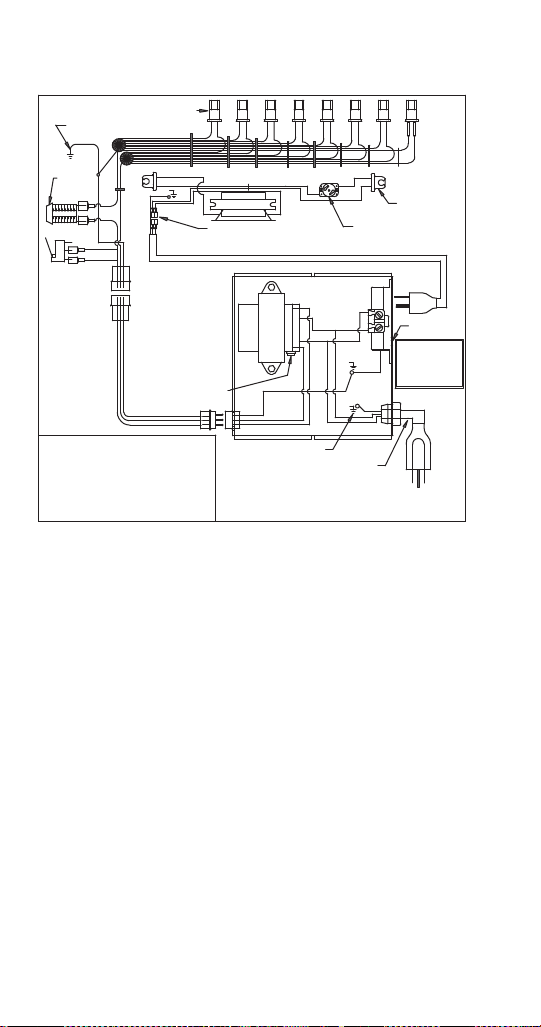
190 Part Number STH14 9/10
DI-SERIES AMBIENT 110V
Ground to
Unit
Valve Connection
Starter Base
Light Socket
(Typ. 2)
Optional Light Kit
Ballast
Run Down PVC Pipe
Key
Switch
Optional
Door
Switch
Ground
110V Power
Supply
75VA
Transformer
Transformer
Reset Breaker
(N/A on 100V)
Green
Caution
Maximum
Receptacle
Load Is
10 amps.
To Reset Transformer
(115 Volt Unit Only)
1. Disconnect power supply.
2. Remove electrical box cover.
3. Press reset breaker switch on transformer.
4. Replace electrical box cover.
5. Reconnect power supply.
White
Black
Black
White
Yellow
White
Black
Black
Green
White
G
r
e
e
n
Run Down PVC Pipe
110V
Outlet
Yellow
Green
Green
Green
White
Black
Black
White
STH14.book Page 190 Thursday, September 23, 2010 3:35 PM
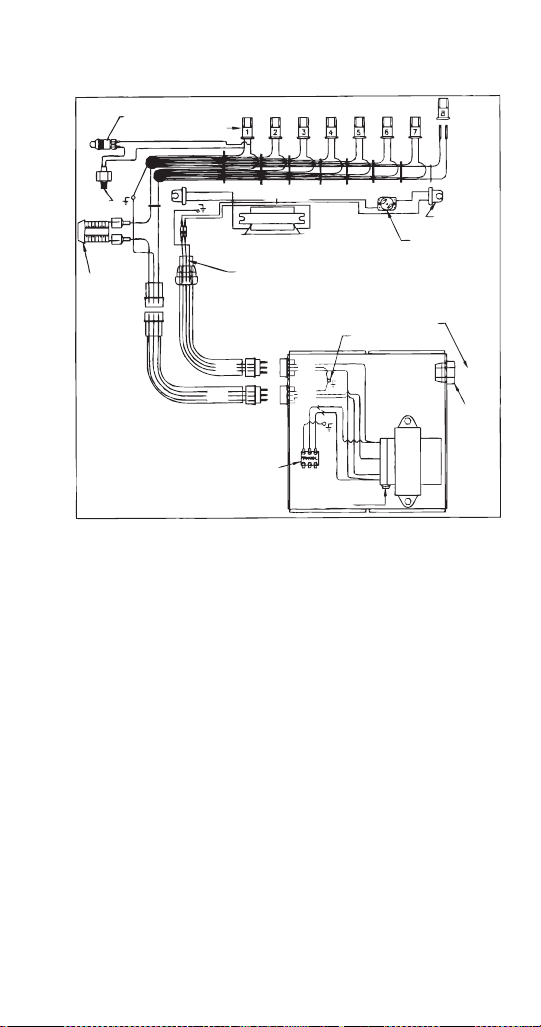
Part Number STH14 9/10 191
DI-SERIES AMBIENT 220-230V
CO
2
Alarm Light
(Optional)
Valve Connection
Starter Base
Light Socket
(Typ. 2)
Optional Light Kit
Ballast
Run Down PVC Pipe
Key
Switch
Power Supply
Terminal Strip
Ground
Cord Supplied
by Customer
75VA
Transformer
Transformer
Reset Breaker
(N/A on 100V)
Yel lo w
White
Black
Black
White
Black
Blk
Blk
Gr/Yel
White
G
r
/
Y
e
l
Cord
Restraint
White
Gr/Yel
Yel lo w
Yel lo w
Black
White
CO
2
Sensor
(Optional)
White
Gr/Yel
Black
Gr/Yel
Yell ow
Yell ow
White
Gr/Yel
Black
Yel lo w
Brown
Blue
Gr/Yel
STH14.book Page 191 Thursday, September 23, 2010 3:35 PM
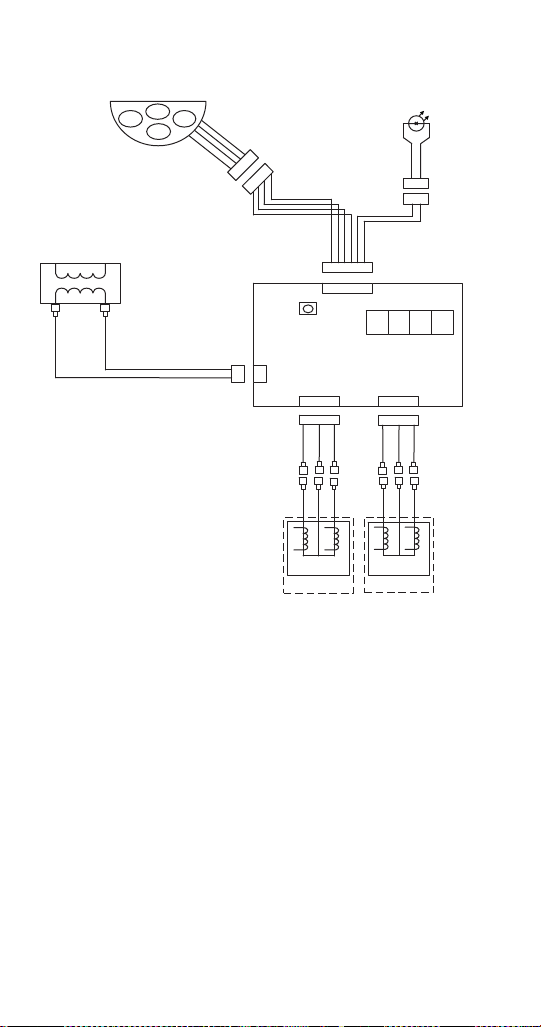
192 Part Number STH14 9/10
Flavor Magic Wiring
1
2
6 5 4 3 2 1
1 2 3
2 1
2 1
3
4
5
6
6 5 4 3 2 1
1 2 3
1 2 3 4
1 2 3
1
2
1 2 3
3
4
5
6
Flav
1
Flav
2
Flav
3
Flav
4
Keypad 4 Button
5 Pin FM
Harness Control
Brd Pol FM
Transformer
Primary
Secondary
115V
24V
Harness Power 24V FM
Harness 24LV FM
Control Board Flavor Magic
LED Display
Prog Button
Dual Solenoid
Valve Assembly
Dual Solenoid
Valve Assembly
Flav
1
Flav
2
Flav
3
Flav
4
Red
Red
Red
Red
Red
Red
Red
Red
Red
Red
Red
Red
Red
Red
White
Black
White
Red
Black
White
Red
Black
White
Red
Black
White
STH14.book Page 192 Thursday, September 23, 2010 3:35 PM

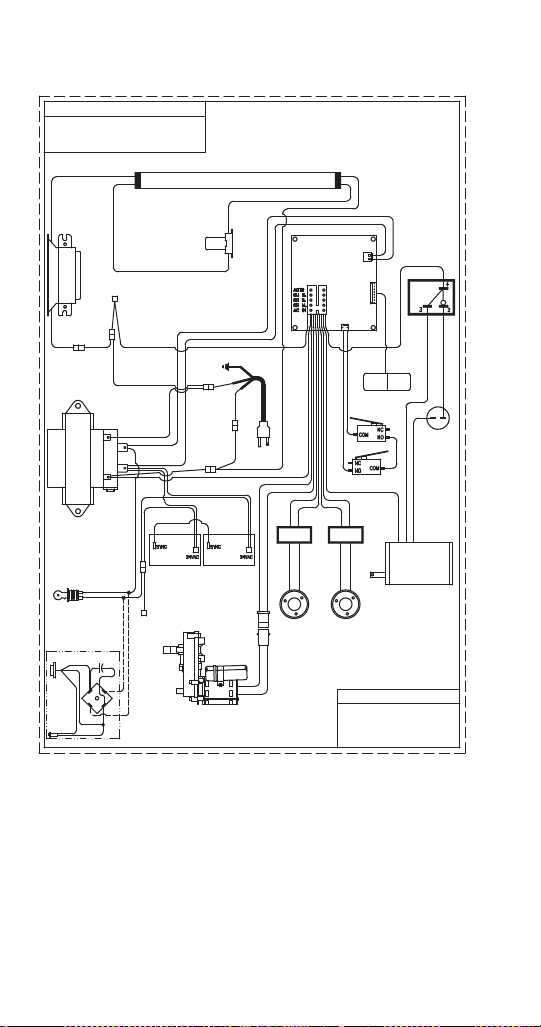
194 Part Number STH14 9/10
FRP-250SCI WIRING DIAGRAM
Caution
Electrical Shock Hazard
Disconnect Power
Before Servicing
Light
Starter/Str
Base
Ballast
Capped
Control Board
Relay
Power Cord
Transformer
Line
Load
Bridge
Rectifier
Bridge
Rectifier
Rotary
Solenoid
(Cubed Ice)
Rotary
Solenoid
(Crushed Ice)
Ice Crusher
Motor
Capacitor
Activation
Switch
Keypad
Safety Switch
Control Board
Left Side
Control Board
Right Side
Capped
Agitator Motor
Empty Light
(Optional)
Keyswitch
PN# 020001892-1
115 Volt
Black
White
Red
Violet
Black
White
Red
Violet
Black
White
Red
Agitation Motor
Rect. (Cubed)
Rect. (Crushed)
Crusher Motor
Transformer
Black
W
h
i
t
e
Black
White
Red
Black
Black
White
Black
B
l
a
c
k
White
W
h
i
t
e
White
White
White
Black
Black
Red
White
White
White
White
Blue
White
Blue
White
Blue
Blue
White
Black
White
Black
Black
Red
Brown
Blue
33mF
50V
cubed crushed
Red
Violet
Black
White
Red
Yel lo w
Black
White
Red
Brown
Black
White
Red
Purple
Black
Black
Yellow
Black
Blue
Blue
White
White
Black
White
Black
White
Black
Blue
Black
White
Blue
White
White
White
White
Black
Red
G
White
To Reset Transformer
1. Disconnect power supply.
2. Press reset breaker switch
2. on bottom of transformer.
3. Reconnect power supply.
Dispense Switch
24VAC
Keypad
STH14.book Page 194 Thursday, September 23, 2010 3:35 PM
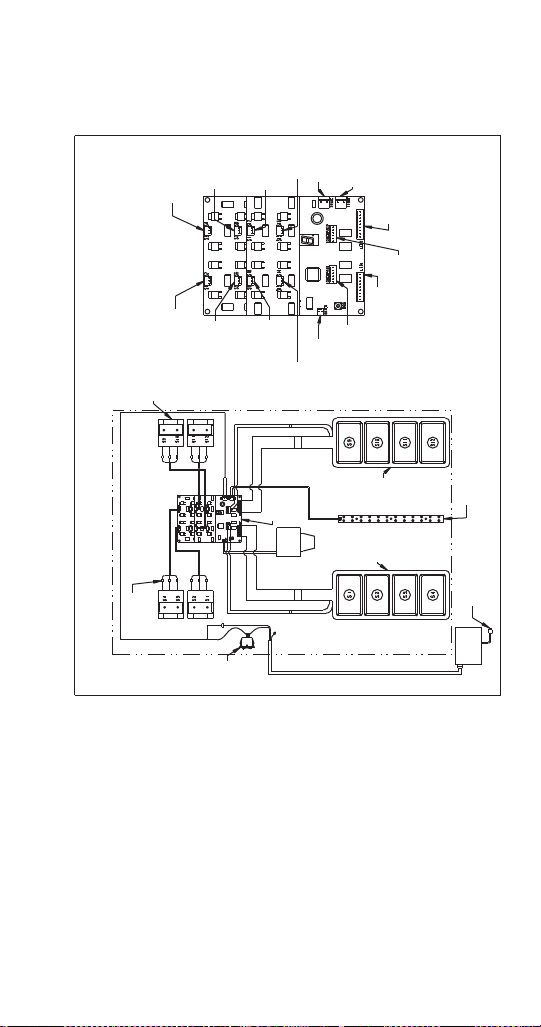
Part Number STH14 9/10 195
FlexTower Wiring
FT-8 WIRING DIAGRAM
S3 - S4 Valve
Connection
Connection
Not Used
Connection
Not Used
Connection
Not Used
S11 - S12
Valve
Connection
S1 - S2 Valve
Connection
S9 - S10 Valve
Connection
Connection
Not Used
Water Valve
Connection
Left Touchpad
Activation
Connection
Left Touchpad
LED
Connection
Right
Touchpad
Activation
Connection
Right
Touchpad
LED
Connection
High
Intensity
LED Lights
Connection
24 Volt Inlet
Power
Connection
Circuit Board Detail
Part No. 020000895
Revision No. 0
Syrup Valve
(4) Total
Quick
Disconnect
Circuit
Board
On/Off
Switch
Touchpad
(Left)
Touchpad
(Right)
High Intensity
LED Lights
120 Volt Power
Supply Cord
Water
Valve
External
Power
Supply
24 Volt Supply Cord
(Gnd)
Red
Black
White
Red
Black
White
White
Red
White
Red
Red
Black
White
Black
FT - 8
24 Volts 60/50 Hz Wiring Diagram
Black
Black
White
Red
Black
White
Red
Black
White
STH14.book Page 195 Thursday, September 23, 2010 3:35 PM
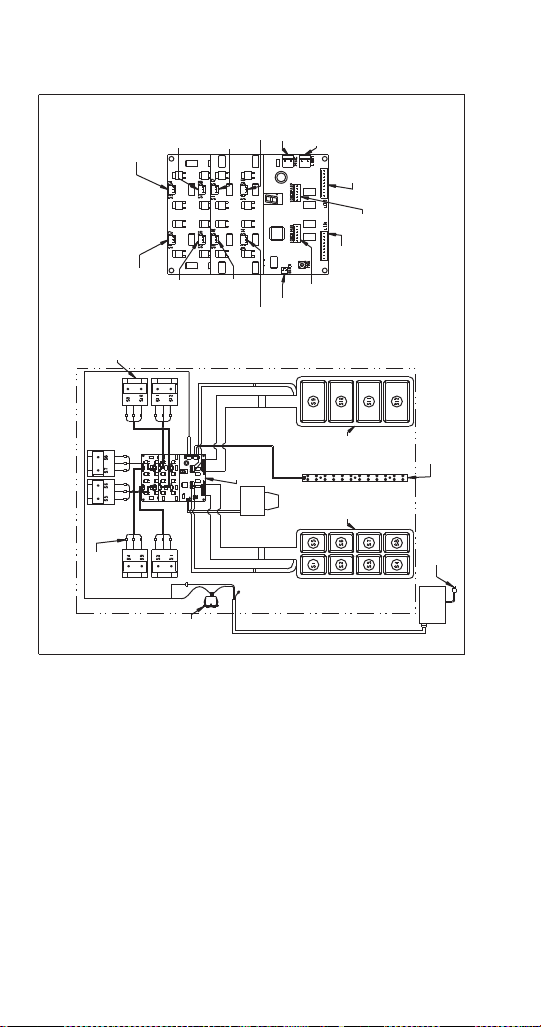
196 Part Number STH14 9/10
FT-12 WIRING DIAGRAM
S3 - S4 Valve
Connection
S7 - S8 Valve
Connection
Connection
Not Used
Connection
Not Used
S11 - S12
Valve
Connection
S1 - S2 Valve
Connection
S9 - S10 Valve
Connection
S5 - S6 Valve
Connection
Water Valve
Connection
Left Touchpad
Activation
Connection
Left Touchpad
LED
Connection
Right
Touchpad
Activation
Connection
Right
Touchpad
LED
Connection
High
Intensity
LED Lights
Connection
24 Volt Inlet
Power
Connection
Circuit Board Detail
Part No. 020000894
Revision No. 0
Syrup Valve
(6) Total
Quick
Disconnect
Circuit
Board
On/Off
Switch
Touchpad
(Left)
Touchpad
(Right)
High Intensity
LED Lights
120 Volt Power
Supply Cord
Water
Val ve
External
Power
Supply
24 Volt Supply Cord
(Gnd)
Red
Black
White
Red
Black
White
White
Red
White
Red
Red
Black
White
Black
FT - 12
24 Volts 60/50 Hz Wiring Diagram
Red
Black
White
Red
Black
White
Black
White
Red
Black
White
Red
Black
White
STH14.book Page 196 Thursday, September 23, 2010 3:35 PM
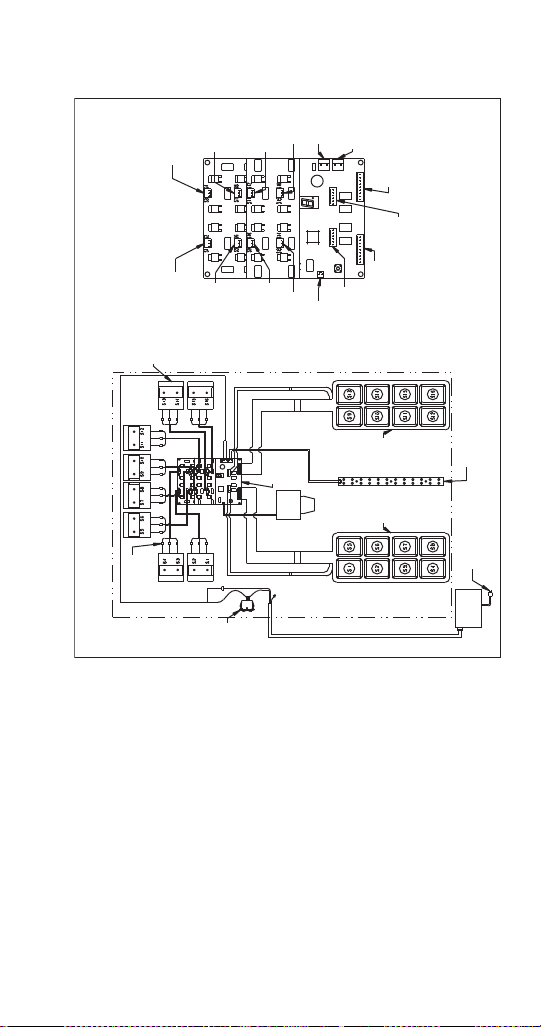
Part Number STH14 9/10 197
FT-16 WIRING DIAGRAM
S3 - S4 Valve
Connection
S7 - S8 Valve
Connection
S15 - S16
Valve
Connection
S13 - S14 Valve
Connection
S11 - S12 Valve
Connection
S1 - S2 Valve
Connection
S9 - S10 Valve
Connection
S5 - S6 Valve
Connection
Water Valve
Connection
Left Touchpad
Activation
Connection
Left Touchpad
LED
Connection
Right
Touchpad
Activation
Connection
Right
Touchpad
LED
Connection
High
Intensity
LED Lights
Connection
24 Volt Inlet
Power
Connection
Circuit Board Detail
Part No. 020000726
Revision No. 0
Syrup Valve
(8) Total
Quick
Disconnect
Circuit
Board
On/Off
Switch
Touchpad
(Left)
Touchpad
(Right)
High Intensity
LED Lights
120 Volt Power
Supply Cord
Water
Val ve
External
Power
Supply
24 Volt Supply Cord
(Gnd)
Red
Black
White
Red
Black
White
White
Red
White
Red
Red
Black
White
Black
MFT - 16
24 Volts 60/50 Hz Wiring Diagram
Red
Black
White
Red
Black
White
Black
White
Red
Black
White
Red
Black
White
Red
Black
White
Red
Black
White
STH14.book Page 197 Thursday, September 23, 2010 3:35 PM
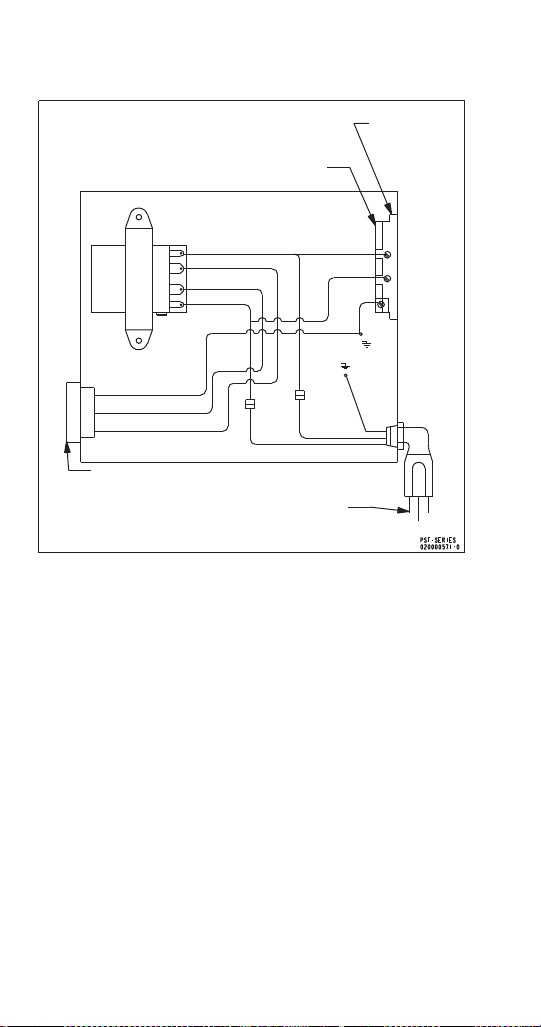
198 Part Number STH14 9/10
FLEXTOWER POWER SUPPLY
Caution: Maximum
Receptacle Load is
8 amps
120 Volt Duplex Receptacle
120 Volt AC Power Supply
120 Volt Connection
Receptacle
Transformer
Line
Load
Load
Line
Black
Yellow
Yellow
White
Black
Green
White
Black
Green
White
Green
Yellow
Yellow
STH14.book Page 198 Thursday, September 23, 2010 3:35 PM
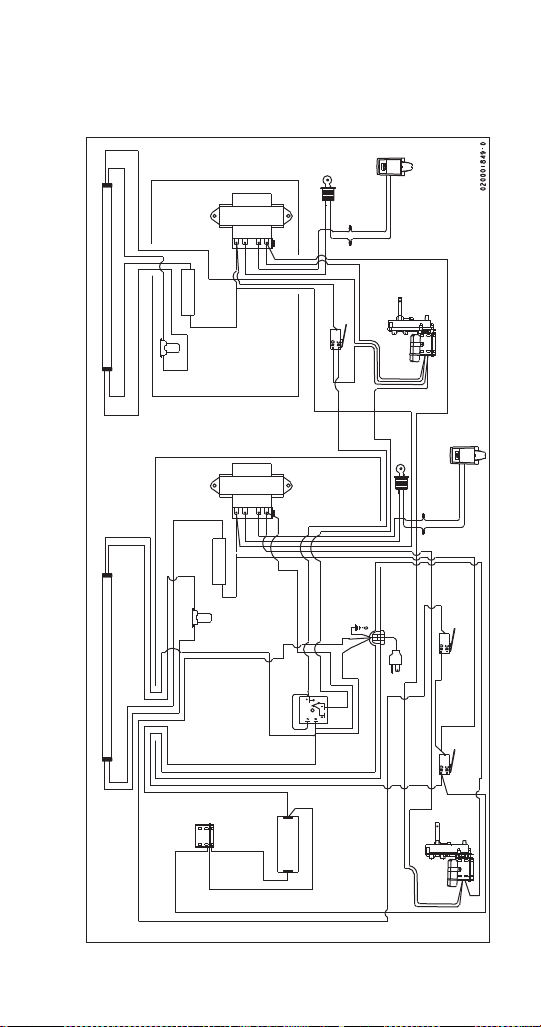
Part Number STH14 9/10 199
MDH-302 & MDH-402 Wiring
MDH 302 115V WIRING DIAGRAM
Transformer
Transformer
Optional Merchandising Lamp
Ballast
Right Side
Electrical Box
Right Motor
Beverage Valves
All Remaining Valves Are Wired in Parallel
Optional Merchandising Lamp
Light
Starte r
Light
Sta rter
Ballast
Agitation
Timer
Power Cord
Kill Switch
Crushed Ice
Switch
Left Motor
Capacitor
Ice Crusher
Motor
MDH-302-CI/SCI
115 Volt
Routing Not to Scale
Red
Black
White
Purple
Red
Black
Black
Purple
Blue
White
White
Black
White
Black
White
Black
White
Black
Black
White
Black
Common
Yellow
Blue
Blue
White
Black
Black
Common
Common
Black
Black
White
White
Purple
Red Purple
Red
Black
Red
Red
Black
White
Blue
Black
Black
White
Yel lo w
Blue
White
Yellow
White
White
White
Blue
Blue
Blue
White
White
Blue
Black
Yel lo w
White
Black
Black
White
White
Black
Line
Load
Load
Line
Line
Load
Load
Line
STH14.book Page 199 Thursday, September 23, 2010 3:35 PM
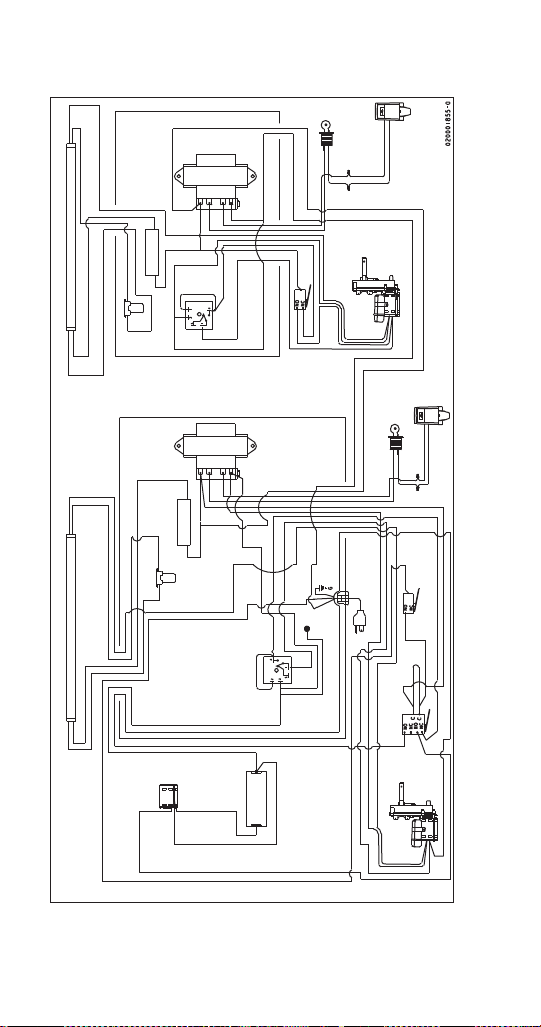
200 Part Number STH14 9/10
MDH 402 115V WIRING DIAGRAM
Transformer
Transformer
Optional Merchandising Lamp
Ballast
Right Side
Electrical Box
Right Motor
Beverage Valves
All Remaining Valves Are Wired in Parallel
Optional Merchandising Lamp
Light
Sta rter
Light
Sta rter
Ballast
Agitation
Timer
Power Cord
Kill Switch
Crushed
Ice Switch
Left Motor
Capacitor
Ice Crusher
Motor
MDH-402-CI/SCI
115 Volt
Routing Not to Scale
Red
Black
White
Purple
Red
Black
Black
Purple
Blue
White
White
Black
White
Black
White
Black
White
Black
Black
White
Black
Common
Yellow
Blue
White
Black
Black
Common
Black
Black
White
White
Purple
Red Purple
Red
Black
Red
White
Blue
Black
White
Blue
White
Yel lo w
White
White
Blue
Ye ll o w
Blue
White
Blue
Black
Yel lo w
White
Black
Black
White
White
Black
Line
Load
Load
Line
Line
Load
Load
Line
Black
WhiteWhite
Black
Black
White
Agitator
Timer
Yel lo w
Yel lo w
Blue
White
Black
Black
Blue
White
Black
White
Cap
Blue
Black
Blue
Black
Black
STH14.book Page 200 Thursday, September 23, 2010 3:35 PM
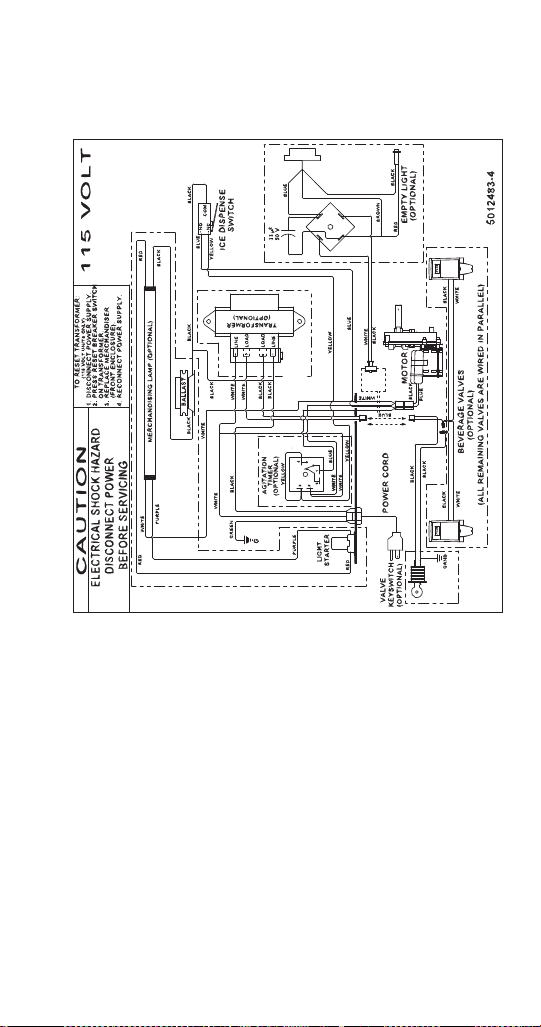
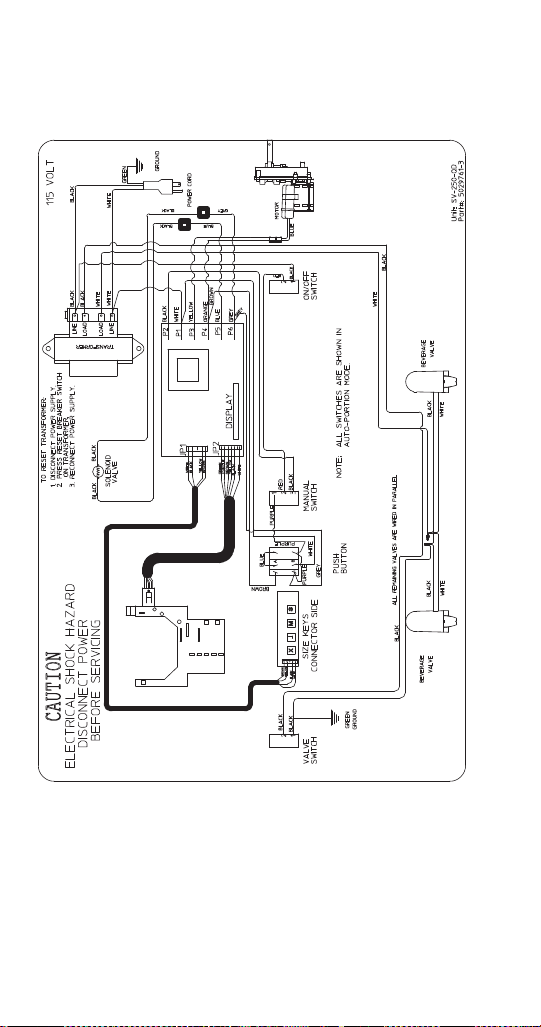

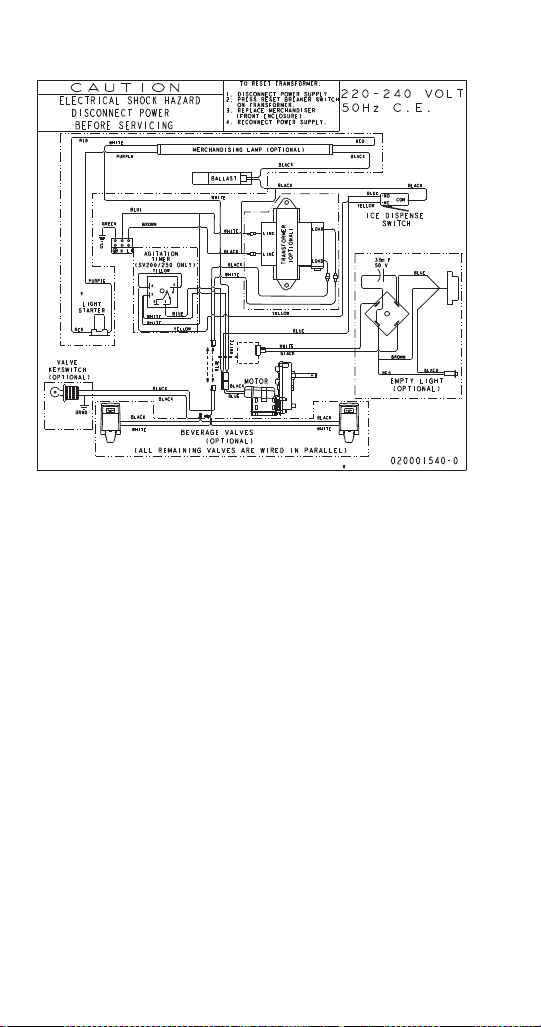
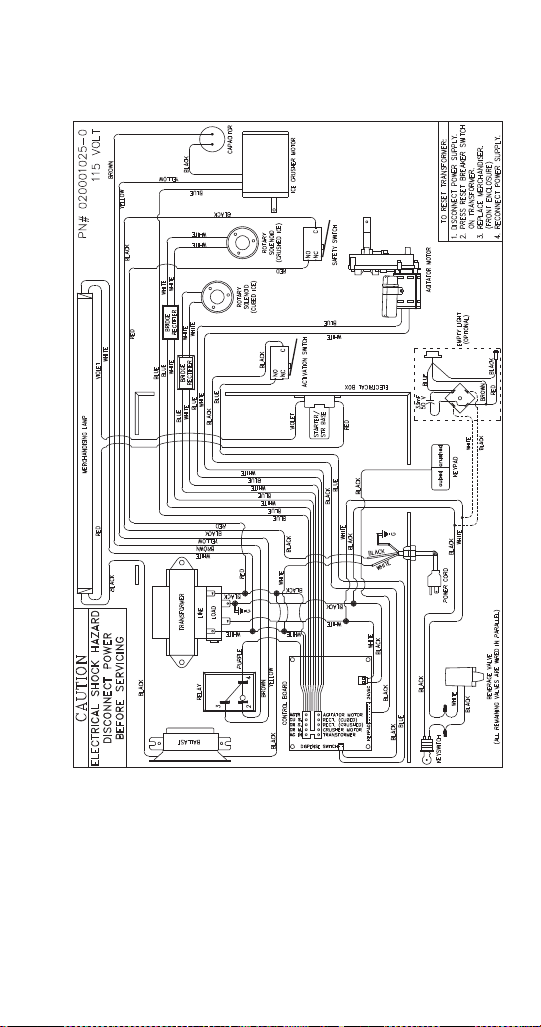


STH14.book Page 207 Thursday, September 23, 2010 3:35 PM