POLAROID SPECTRA ONE
SWITCH
USER MANUAL
This book contains operating instructions
for the Polaroid Spectra 2 camera
(see p. 2.) The text refers to pictures
on these fold-out pages.
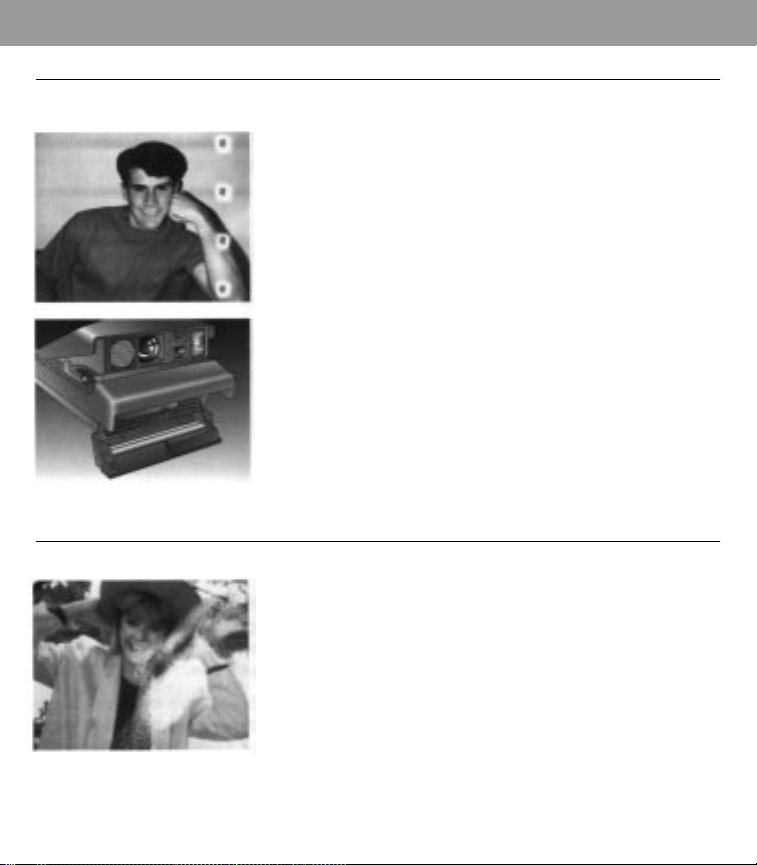
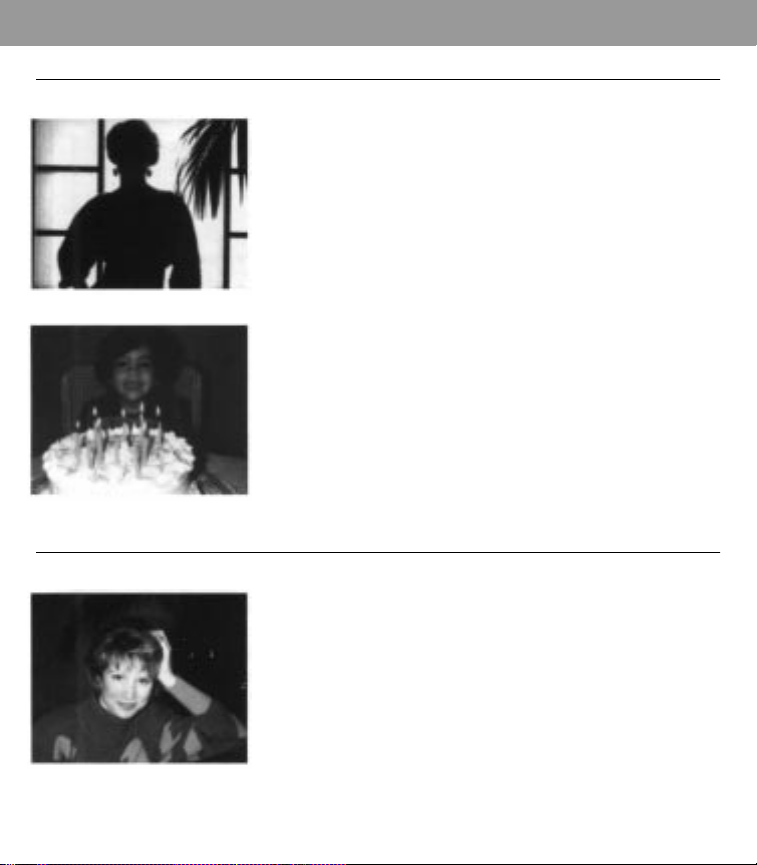
16 17
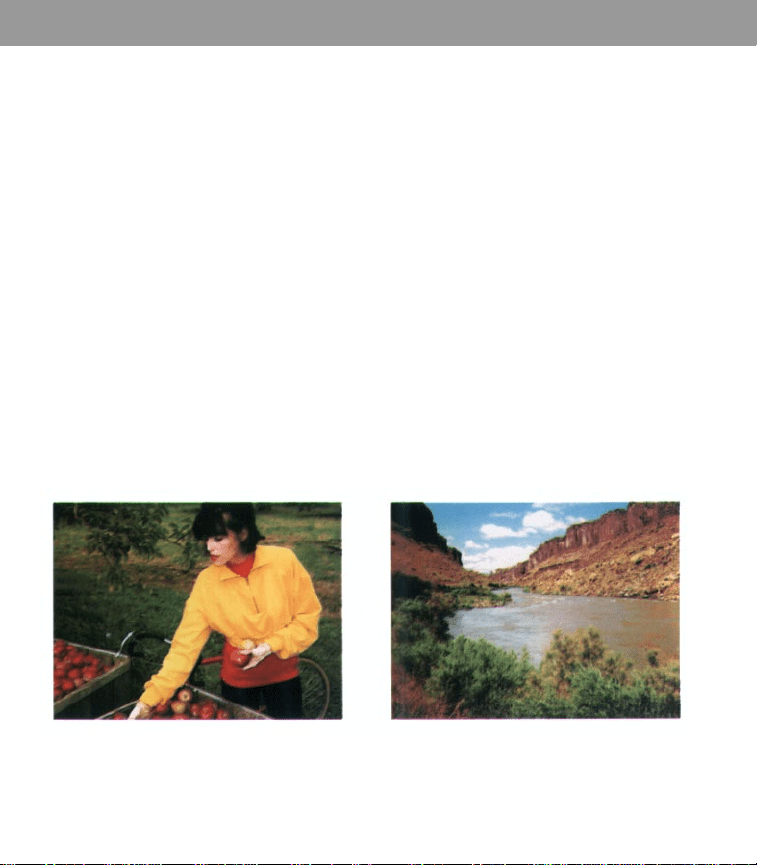
• Get in close to subject (p. 20) • Add foreground interest (p. 20)
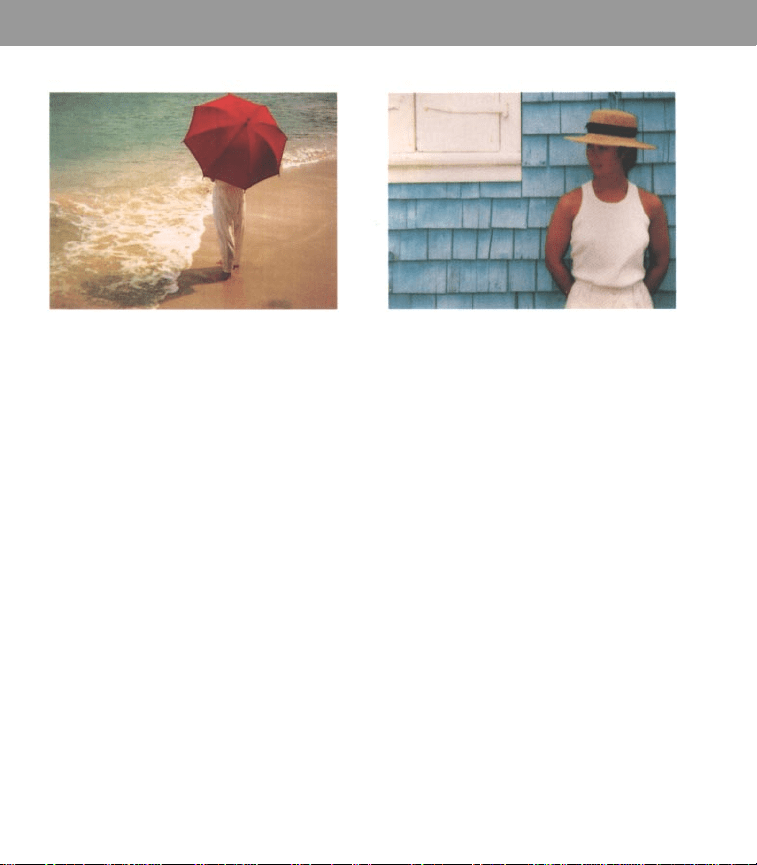
14 15
• Use color in pictures (p. 20) • Keep background simple (p. 20)
10 11
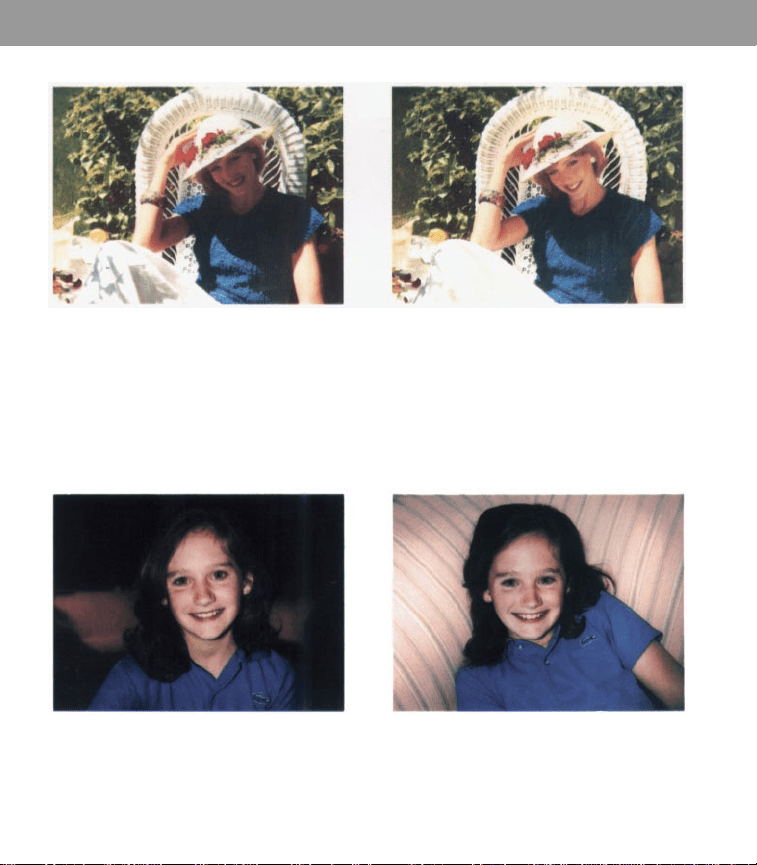
• Flash off: facial shadows (p. 8) • Add foreground interest (p. 20)
12 13
• Distant background: too dark (p. 10) • Close background: good picture (p. 10)

IMPORTANT
SAFEGUARDS
As with any battery-operated equipment, observe
these basic safety precautions:
1
FOLLOW ALL OF THESE INSTRUCTIONS.
2
CLOSELY SUPERVISE CAMERA WHEN IT IS
BEING USED BY OR NEAR CHILDREN.
3
DO NOT USE CAMERA IF IT HAS BEEN
DROPPED OR DAMAGED - UNTIL IT HAS
BEEN EXAMINED AT AN AUTHORIZED
POLAROID SERVICE CENTER.
4
TO AVOID ELECTRICAL SHOCK HAZARDS,
DO NOT DISASSEMBLE CAMERA. SERVICE
OR REPAIR WORK MUST BE DONE ONLY BY
AN AUTHORIZED POLAROID SERVICE
CENTER. INCORRECT REASSEMBLY CAN
CAUSE ELECTRICAL SHOCK WHEN CAMERA
IS USED AGAIN. DO NOT IMMERSE IN
WATER OR OTHER FLUIDS.
PLEASE KEEP THESE
INSTRUCTIONS
Contents
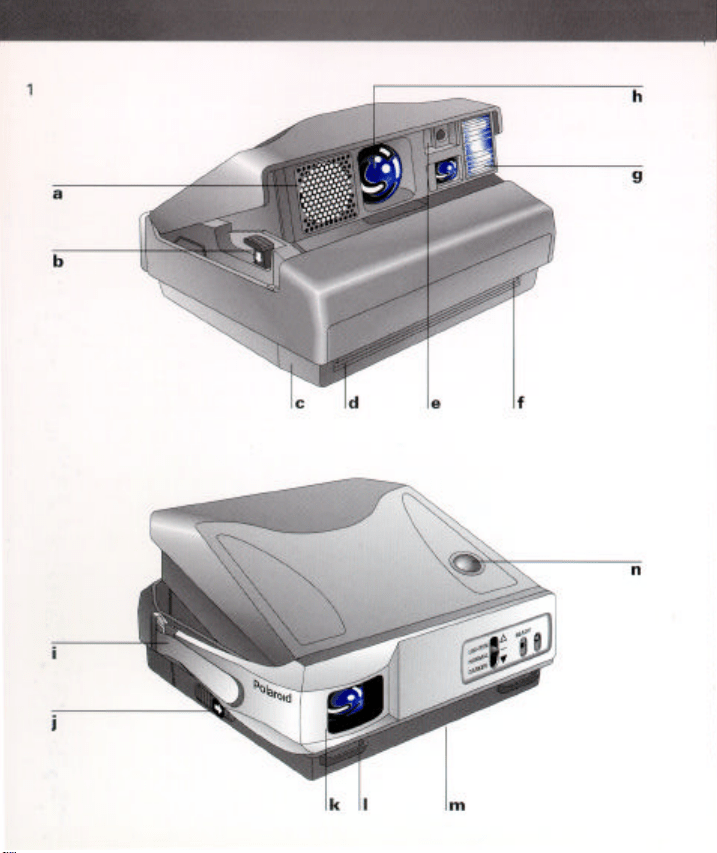
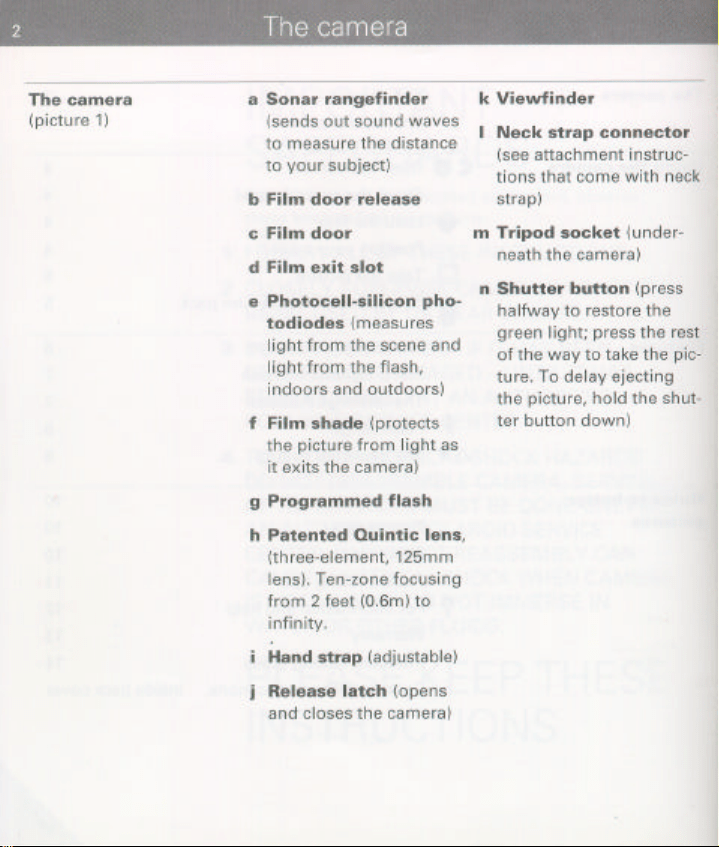
The camera
The camera 2
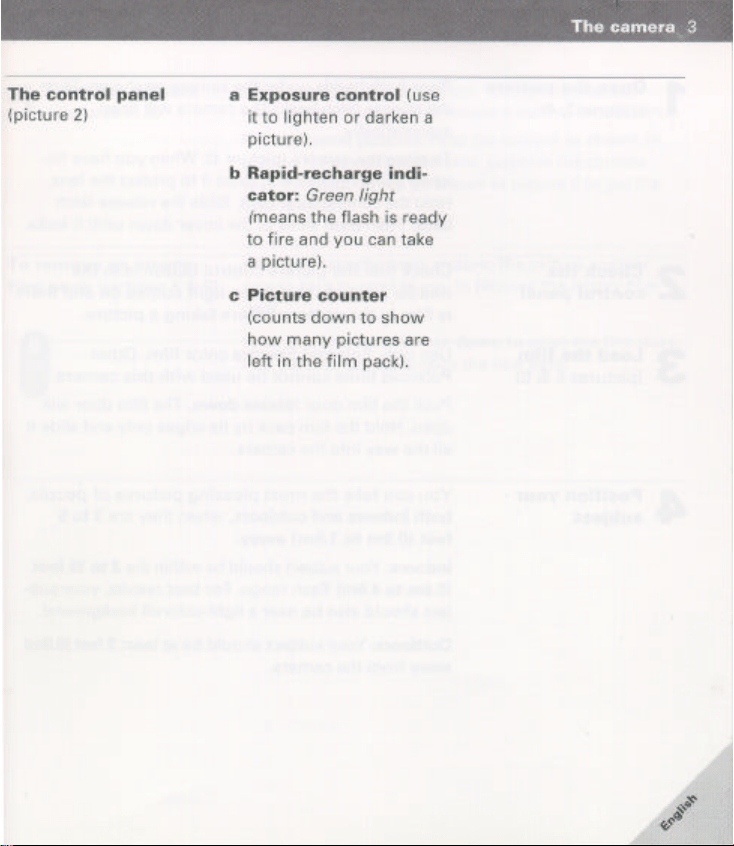
The control panel 3
Using the camera Open the camera 4
Check the control panel 4
Load the film 4
Position your subject 4
Take the picture 5
To remove an empty film pack 5
Features
The autofocus system 6
The viewfinder displays 7
The programmed flash 8
The recharge indicator 8
Flash range 9
The exposure control 9
Guide to better pictures
Lens care 13
Picture care 13
Film care 13
14For information and help
?
Warranty 15
16
Picture-taking tips
Troubleshooting guide
20
Camera, film specifications 21

4
Using the camera
Open the camera
1
(pictures 3, 4)
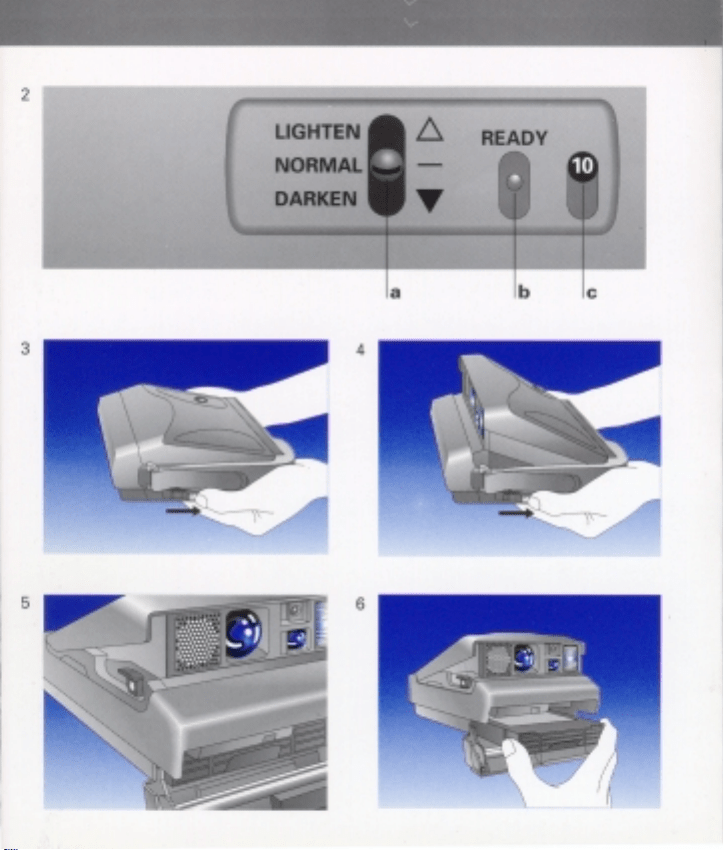
Place both hands under the camera as shown. Slide the
release latch back.The camera will open automatically.
To close the camera (picture 4): When you have finished
using the camera, close it to protect the lens. Hold the
camera as shown. Slide the release latch back. Push both
sides of the cover down until it locks.
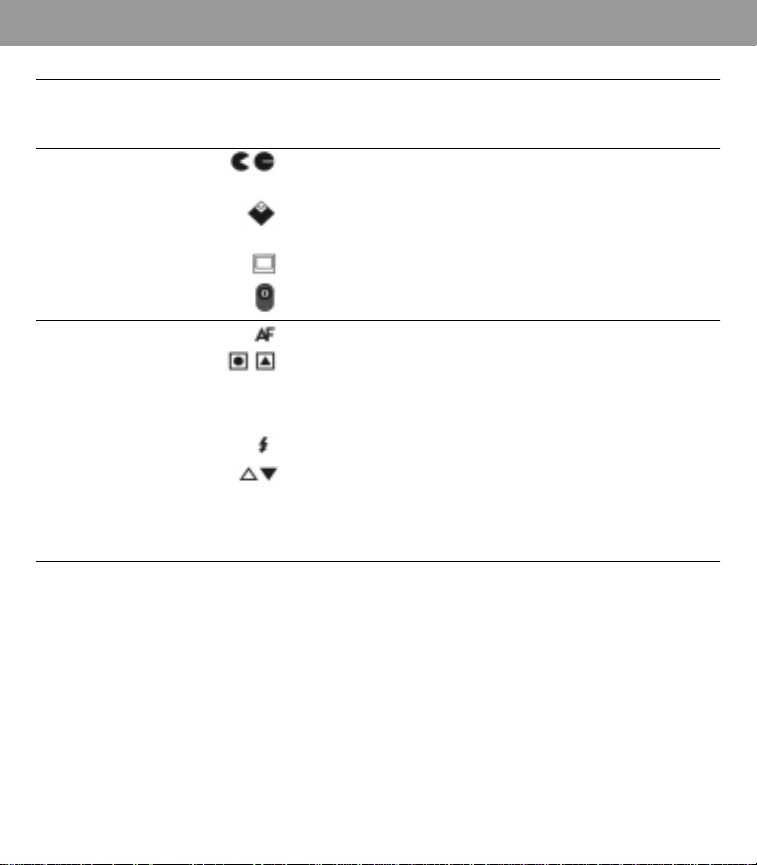
2
Check the
control panel
Load the film
3
(pictures 5, 6)
When you want the camera to be
fully automatic, be sure
all the switches are in a row as shown in picture 2.
Note: When the switches are not in the automatic mode,
there is a red mark (or green symbol for the self-timer) vis-
ible on the panel.
Use only Polaroid Spectra color film. Other Polaroid films
cannot be used with this camera.
Push the film door release
down
. The film door will open.
Hold the film pack by its edges only and slide it all the way
into the camera.
4
Position your
subject
You can take the most pleasing pictures of people,
both
indoors and outdoors,
when they are
3 to 5 feet (0.9m to
1.5m) away.
Indoors:
Your subject should be within the
2 to 15 foot (0.6m
to 4.6m)
flash range. For best results, your subject should
also be near a light-colored background.
Outdoors:
Your subject should be at least
2 feet (0.6m)
away
from the camera.

Using the camera 5
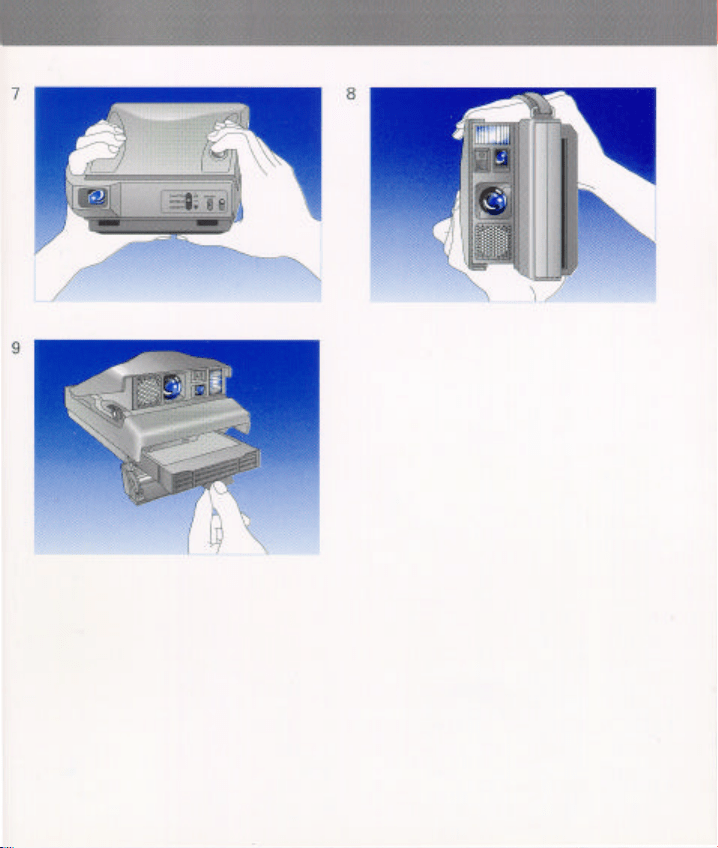
Slide your left hand through the hand strap and hold
5
Take the picture
(pictures 7, 8)
the camera as you would a pair of binoculars.
For horizontal pictures, hold the camera as shown in
picture 7. For vertical pictures, position the camera with
the flash on top as shown in picture 8 to get the best
results.
To remove an empty
film pack
(pictures 5 & 9)
After you take the tenth picture, the picture counter
sets to zero and three chimes sound to remind you to
remove the empty film pack.
Push the film door release down to open the film door.
Pull the blue tab to remove the film pack.
When the camera contains an empty film pack:
• You wilI hear three chimes when you open the camera
• You will hear three chimes and then see a flashing zero
in the viewfinder when you press and hold the shutter
button
halfway
6
Features
The autofocus system
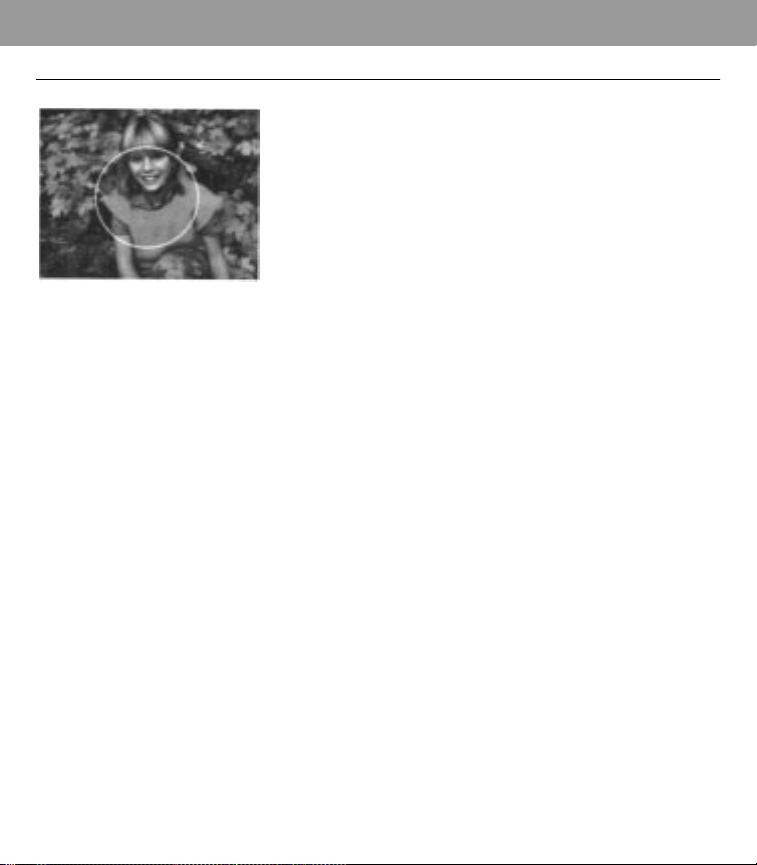
As you press the shutter button, your camera sends
sound waves - within 10 thousandths of a second - to the
central part of the scene (approximate area circled in
white, see illustration).
The sound waves are used to measure the distance to
the person or object (in the central part of the scene) that
is
closest to the camera.
A built-in computer then uses this measurement to pro-
vide the correct lens setting, so be sure that:
• The sound waves must have a clear path to your subject.
If
an object (candlestick, centerpiece, etc.1 prevents the
sound waves from reaching your subject, the lens will
focus on that object, and your subject will not be clear
and in focus.
• When photographing more than one person, place
everyone the same distance from the camera.
•
When taking a picture through glass, turn off the auto-
focus system.
Features 7
The viewfinder displays
The good picture symbol
When you have a film pack in the camera and press the
shutter button
halfway
, a display appears in the viewfinder
to help you take the best possible picture.
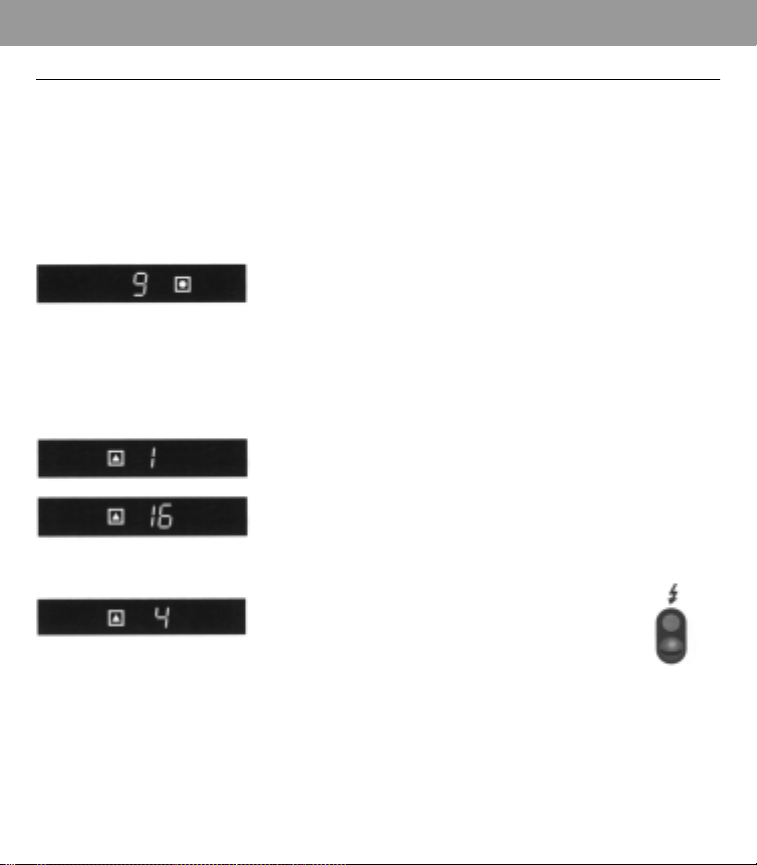
When you see a
number in the viewfinder
, it tells you the
distance to your subject (in feet or meters). This number
will help you follow the distance recommendations
throughout this book.
When you see a
green “good picture” symbol, the condi-
tions are right for taking a good picture. Press the shutter
button the rest of the way.
When you see a flashing yellow “caution” symbol and hear a
warning tone
, you should correct a problem before taking
the picture. The distance reading will help you identify the
problem. When you see:
The number 1:Your subject is too close. Release the shutter
button and stand at least 2 feet (.6m) from subject.
A number from 16 to 20:Your subject is beyond the flash
range. Release the shutter button and move closer to your
subject to keep within the 2 to 15 foot (0.6m to 4.6m) flash
range.
A number from 2 to 15:The flash is off.
Slide the flash switch up to turn the flash
back on.
Note: Distance readings do not appear when your subject
is beyond 20 feet (6.2m).

8 Features
The programmed flash
(pictures 10, 11)
Every time you take a picture, indoors or outdoors, your
camera blends light from the scene with just enough
flash to provide the right lighting for the best possible
picture.
In the sample outdoor scene, photographed without
flash (picture 10), bright sunlight has created harsh facial
shadows.
Your camera blends sunlight with just the right amount
of flash to soften shadows and reveal facial details (pic-
ture 11).
The recharge
indicator
The Polaroid Spectra features a rapid recharge flash with
recharge times usually less than a second. The green
light on the control panel will come on and the flash will
automatically begin to charge every time you:
• Load film into the camera
• Take a picture
• Press the shutter button halfway
• Open the camera
When the green light comes on, the flash is ready to fire.
The light will stay on for 20 to 30 seconds.
If you want to take a picture after the green light has
gone off, lightly press and release the shutter button to
turn the green light back on.
Features 9
Flash range
Indoors: Your subject should be 2 to 15 feet (0.6m
to 4.6m) from the camera.
Outdoors:Your subject should be at least 2 feet
(0.6m) away.
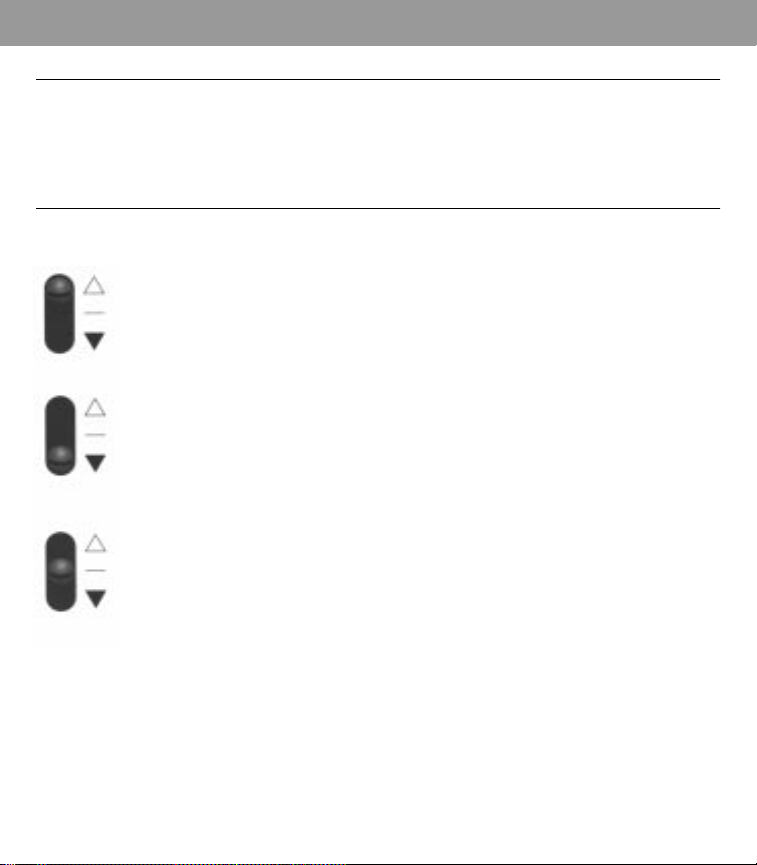
The exposure control Use the picture control when you want to retake a
picture to make it lighter or darker.
When retaking a picture to make it lighter:
Slide the control all the way up (a).
When retaking a picture to make it darker:
Slide the control all the way down (b).
Any partial adjustments will not affect your exposure.
The control must be adjusted all the way in either
direction.
After you have finished taking the picture, do not forget
to return the control to the normal position (c).
Special situations
Pictures taken of people in highly reflective beach or
snow scenes often turn out too dark. You may want to
set the control all the way up to the lighten setting (a)
before taking this type of picture.
a lighten
b darken
c center

10 Features
Backgrounds too dark?
(pictures 12, 13)
If the background of a flash picture is too dark but your
subject is well illuminated (picture 12), the background is
too far away.
Moving the control to the lighten setting will not correct
this problem, so be sure the exposure control is in the
normal position.
Retake the picture, placing your subject near a background
and keeping both within the 2 to 15 foot (0.6m to 4.6m)
flash range (picture 13).

13
Guide to better pictures
Lens care It is important to avoid touching the lens. To remove dust
or fingerprints, breathe on the lens and wipe it gently
with a clean, soft facial tissue. Do not use silicone-treated
eyeglass tissues.
Picture care The development process takes place inside the film;
therefore, developing Spectra pictures can be stacked.
During the first 60 seconds of development, handle the
picture gently. Fanning or bending the picture will disturb
the development process. Wind can also affect develop-
ment as the picture exits the camera. You can delay eject-
ing the picture by holding the shutter button down until
you can protect the picture from the wind. Hold the devel-
oping picture by its wide white border.
Note: Keep the developing picture away from hot sur-
faces like the hood of a car.
Film care For best results, use Spectra film between 55°F (13°C) and
95°F (35°C). See film box for more details.

14 Guide to better pictures
For information and help If you are unable to get good pictures, review this instruc-
tion book. Picture problems are often due to incorrect use
of the camera. lf you need further help, and before you
return your camera for repair, please see your dealer or
contact the nearest Polaroid office. If you write, please
explain the nature of the problem and, if possible, enclose
sample pictures. Include your return address.
U.S.A.
Polaroid Customer Care Center
201 Burlington Road
Bedford, Massachusetts 01731
Representatives available weekdays
from 8 a.m. to 8 p.m., Eastern time:
Tel: 1-800-343-5000 TDD: 1-800-448-6708
México
Polaroid de México
Paseo de la Reforma No. 195
Col. Cuahtémoc
06500 Mexico, D.F.
Tel: (05) 703-1111
Canada
Polaroid Canada, Inc.
350 Carlingview Drive
Rexdale, Ontario M9W 5G6
Tel: (416) 675-3680
Toll free: 800-268-6970

Guide to better pictures 15
Warranty
U.S.A.: Full five-year
Mexico: Full five-year
If your camera proves to be defective within the warranty
period, we will, without charge, either repair it or at
our option replace it with a fully reconditioned camera.
The warranty period begins from the original date of
purchase. To verify the warranty period, you should
keep the sales slip or other proof of the purchase date.
Without this information, the warranty period will be
determined by the manufacturing date on the camera.
The repair or replacement of your camera is guaranteed
for the remaining warranty period on your original
camera. The warranty does not cover damage caused
by accident, misuse, or tampering with the camera,
and a charge will be made for such repairs.
For warranty service, the camera must be returned to
and repaired by a Polaroid Service Center (see page 14).
Please call us at the number listed for your location.
U.S.A.: Full five-year warranty
Mexico: Full five-year warranty (see p. 37)
U.S.A.:This warranty gives you specific legal rights, and
you may also have other rights, which vary from state
to state.This warranty excludes all consequential dam-
ages. Some states do not allow the exclusion of conse-
quential damages, so the foregoing exclusion may not
apply to you.
16 Guide to better pictures
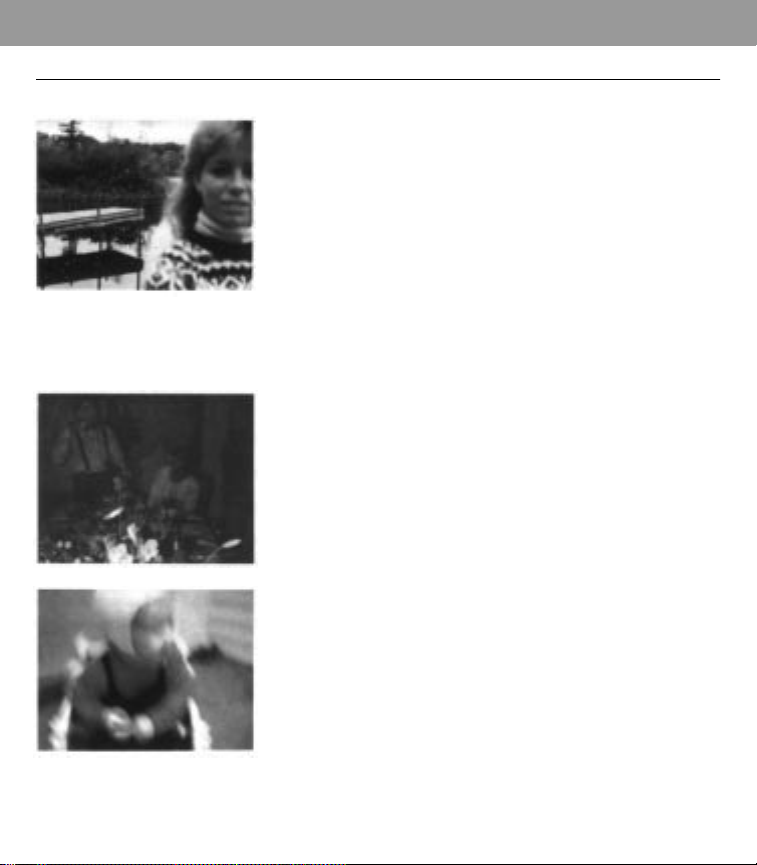
Blurry picture Cause Solution
•
When subject is not cen-
•
Center the subject in the
tered in the picture, the picture. Or, if you want to
sound waves pass by the keep your subject off cen-
subject and measure the ter, frame your subject in
distance to the back- the middle of the view-
ground. This causes the finder. Press and hold the
subject to be unsharp shutter button halfway to
because the lens focuses lock in the correct lens set-
on the background. ting. Then reframe your
subject off center and press
the shutter button the rest
of the way.
• Object in foreground pre-
• The sound waves travel to
vented sound waves from
the central part of the
measuring correctly. Lens
scene. Be sure there are no
focuses on object, causing
objects in front of your
unclear and possibly dark
subject.
subject.
• When picture is taken in
• Hold the camera steady as
low light (dusk, shade, etc.)
you take the picture, or
shutter can stay open for as
place the camera on a firm
long as 2.8 seconds. Cam-
support.
era movement can cause
the picture to be blurry.
Guide to better pictures 17
Repeated spots or Cause Solution
bar pattern
•
Developer rollers inside the
•
Open film door in indirect
film door need to be light (do not remove film).
cleaned. While turning rollers, clean
them with a lint-free cloth
dampened with water.
Damaged picture Cause Solution
•
Picture was shaken back
•
During first 60 seconds of
and forth or bent shortly development, handle print
after it ejected from the gently; hold it only by its
camera. wide white border, and do
not wave or bend it.
• Picture was left in the exit
slot, and camera was set • Remove print from exit slot
down on a table or other as soon as it ejects.
surface.
18 Guide to better pictures
Subject too dark Cause Solution
•
Camera’s photocell mea-
•
Reposition subject away
sured the bright window from the bright back-
light, causing the subject to
be too dark.
ground.
• When a bright source of
• Move the source of light to
light (lamplight, candle-
one side of your subject so
light, etc.) is in the central
it is not in the central part
part of the scene and in
front of the subject, the
camera’s photocell will
measure the bright light,
causing the subject to be
too dark.
of the scene.
Background too dark Cause Solution
•
Background was too far
•
Place subject near a back-
from subject. ground and keep the pic-
ture control in the normal
position.
• Subject may have been • Stay within flash range of
beyond flash range. 2 to 15 feet (0.6m to 4.6m),
and keep the picture con-
trol in the normal position.

Guide to better pictures 19
Picture too blue Cause Solution
or too red/yellow
•
Pictures taken at temper-
•
In cold weather, keep cam-
atures below 55°F (13°C) era and film as warm as
can have a blue tint. possible. Immediately
place developing picture in
a warm pocket for at least a
minute, being careful not
to bend it.
• Pictures taken at temper-
• Avoid storing camera and
atures above 95°F (35°C)
film in hot places, such as
can have a red or yellow
glove or luggage compart-
tint.
ments of a car, or near a
heat source, such as a
radiator.

20 Guide to better pictures
Picture-taking tips
(pictures 14, 17)
Color
Vibrant, bold colors are vividly reproduced on Spectra
film (picture 14). Look for color when framing the scene
in the viewfinder. Colorful props such as toys or flowers
can add interest to the scene.
Distance
You can take the most pleasing pictures of people
when they are 3 to 5 feet (0.9m to 1.5m) from the camera
(picture 15). Backgrounds become less distracting and
attention focuses on your subjects.
Background
Indoors, try to have a light-colored background.
Outdoors, keep the background simple (picture 16).
Composition
When photographing landscapes, include something in
the foreground to establish a feeling of depth or dimension
(picture 17).

Guide to better pictures 21
Camera, film
specifications
Aperture/shutter system speci-
fications
Apertures: from f/10 to f/45.
Shutter speeds: from 1/245 to
2.8 seconds.
Camera body size
Length: 6.82 inches (17.3cm)
Width: 5.46 inches (13.87cm)
Height: 3.07 inches (7.78cm)
Camera weight
1 lb. 12 1/2 oz. (.8kg approx.),
without a film pack.
Film advance
Automatic film advance; motor-
ized picture ejection.
Film size
Outer border: 4 x 4.06 inches
(10.1 x 10.3cm)
Image area: 3.60 x 2.90 inches
(9.1 x 7.2cm)
Film speed
IS0 600/29° (approx.)
Film type
Polaroid Spectra color film only.
Starts developing in seconds.
Ten pictures per pack.
Lens
P
atented Quintic, three ele-
ment, 125mm lens system.
Ten-zone focusing from 2 feet
(0.6m ) to infinity.
Photocell
Dual-filter, silicon photodiodes.
Green filtered cell measures vis-
ible light; black filtered cell mea-
sures infrared light for better
indoor flash exposures.
Power source
A fresh, 6-volt battery in each
film pack powers all camera
functions.
Programmed flash
Built-in fill flash designed to be
used indoors and outdoors.
Recharge time: from .1 to 2.8
seconds. Flash duration: from 1/
3000 to 1/20,000 of a second.
Indoor flash range: from 2 to 15
feet (0.6m to 4.6m).
Sonar autofocus system
Computerized autofocus sys-
tem uses sound waves to mea-
sure accurately the distance to
your subject and set the lens.
Sonar ranging time: from 10 to
50 thousandths of a second.
Viewfinder
100% viewing (no parallax) at 6
feet (1.8mI - a popular picture-
taking distance. Six lenses, two
prisms, and four mirrors pro-
vide sharp, clear viewing. View-
finder magnifications: .5x
(subjects appear half lifesize).
“Polaroid “ and/y “Spectra”® Printed in Great Britain/Imreso en Gran Bretaña
OPN7249A 11/94 English/Español