© 2004 Sony Corporation Printed in Korea 2-024-048-11(1)
DPP-EX50
English
How to attach the clamp filter
(On connecting a PictBridge-compliant digital camera, page 82,
Operating Instructions)
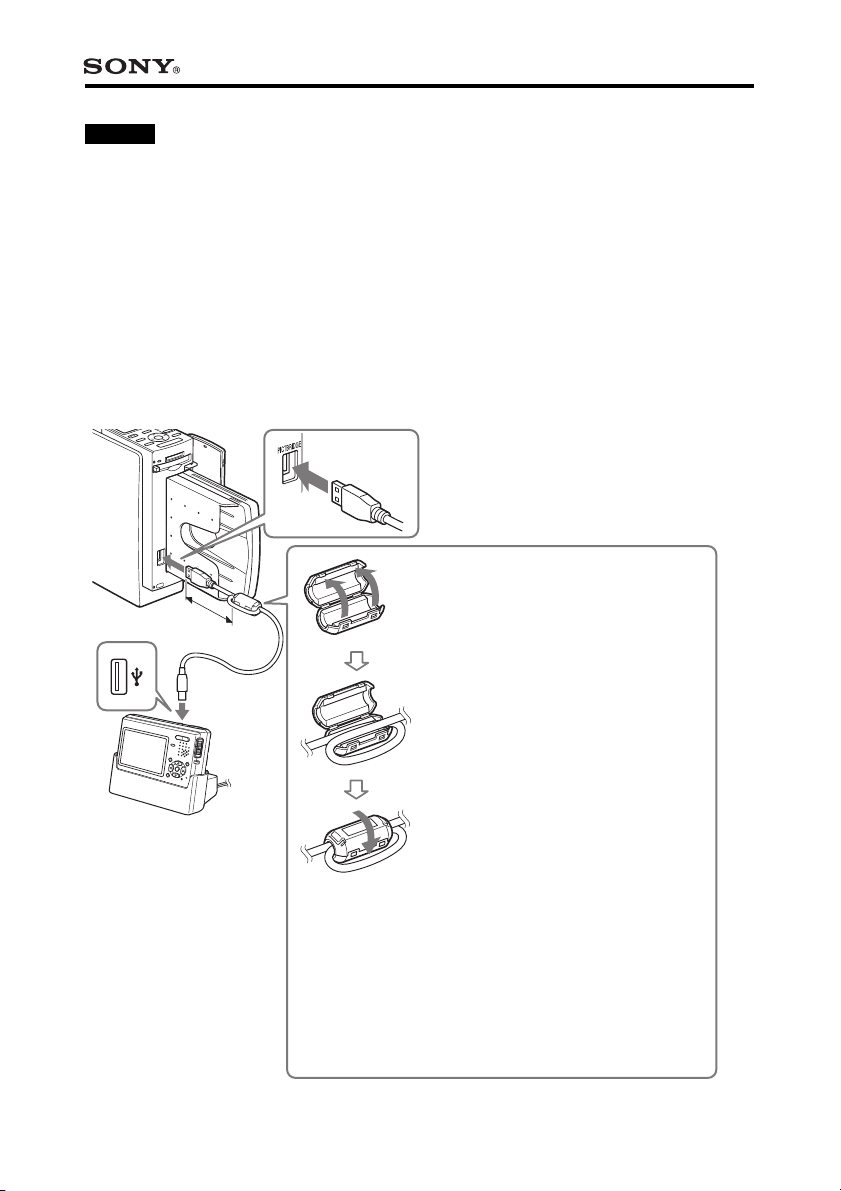
If the USB cable supplied with your PictBridge-compliant digital camera is not
equipped with ferrite cores, be sure to attach the supplied clamp filter for noise
prevention as illustrated below before using the unit. To conform to radiation
standards, you must attach ferrite cores to one end of the USB cable. If no ferrite
cores are attached, other devices may be affected by radiation noise.
1 Release the lock of the clamp
filter with a screwdriver or a
similar tool.
2 Wind the cable into the clamp
filter one time.
3 Close the clamp filter.
Attach the clamp filter as close to
the plug as possible (within 10 cm
(4 inches)) that is connected to the
printer’s USB connector.
Within 10 cm
(4 inches)
Français
Comment installer le filtre à fixation rapide
(Reportez-vous à la page 82 du mode d’emploi concernant les
appareils photo numériques compatibles PictBridge)
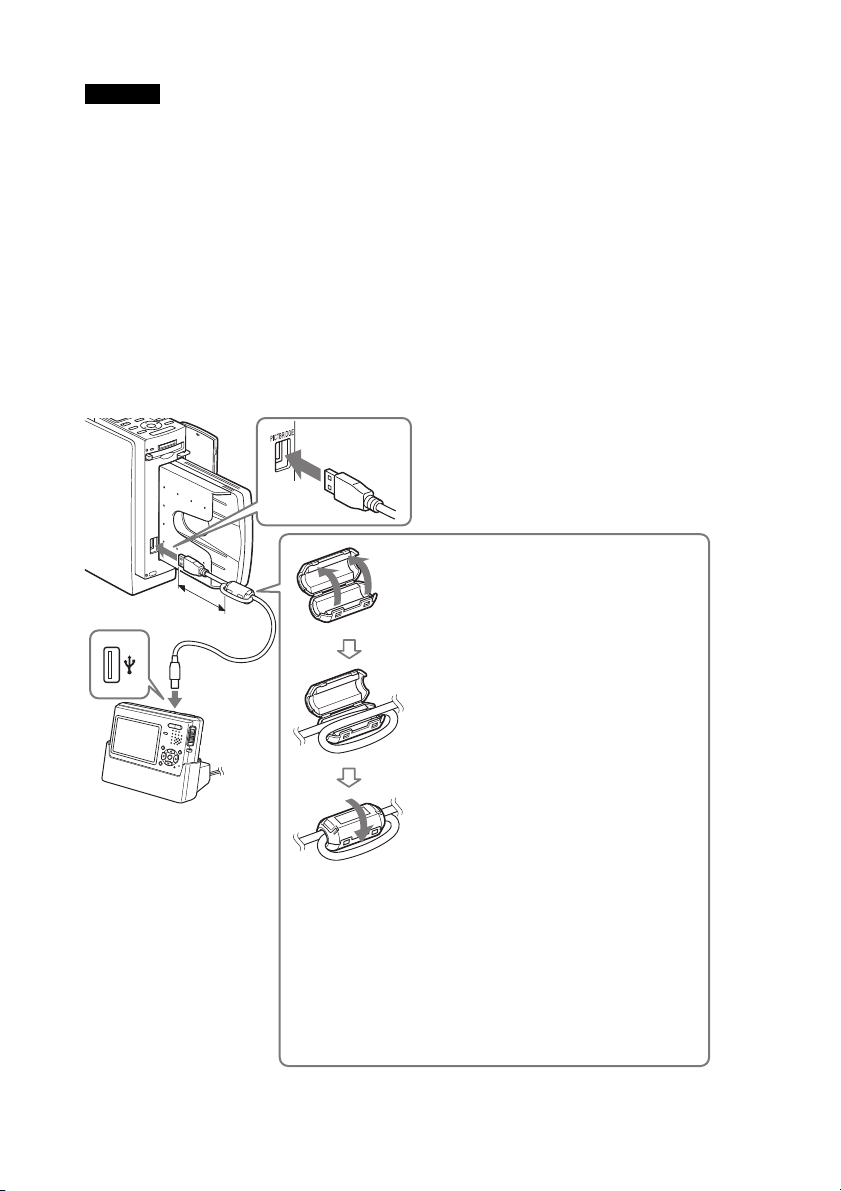
Si le câble USB fourni avec l’appareil photo numérique compatible PictBridge ne
possède pas de noyau de ferrite, veillez à installer le filtre magnétique afin d’éviter
les parasites, comme illustré ci-dessous, avant d’utiliser l’appareil. Pour respecter
les normes de rayonnement, vous devez fixer les noyaux de ferrite à une extrémité
du câble USB. En l’absence de noyau de ferrite, les autres périphériques peuvent
être affectés par des parasites de rayonnement.
1 Ouvrez le taquet du filtre à
fixation rapide à l’aide d’un
tournevis ou de tout autre
outil similaire.
2 Enroulez une fois le câble
dans le filtre à fixation rapide.
3 Fermez le filtre à fixation
rapide.
Installez le filtre à fixation rapide aussi
près que possible de la fiche (à 10 cm
maximum) raccordée au connecteur
USB de l’imprimante.
Maximum 10 cm