Emptying
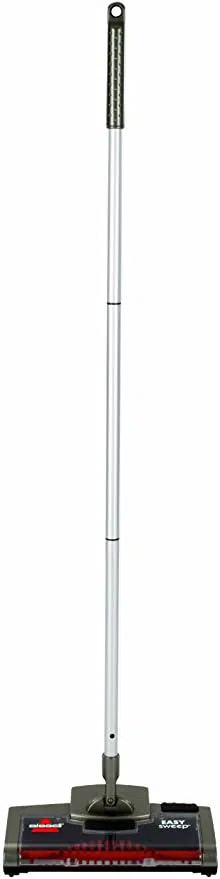
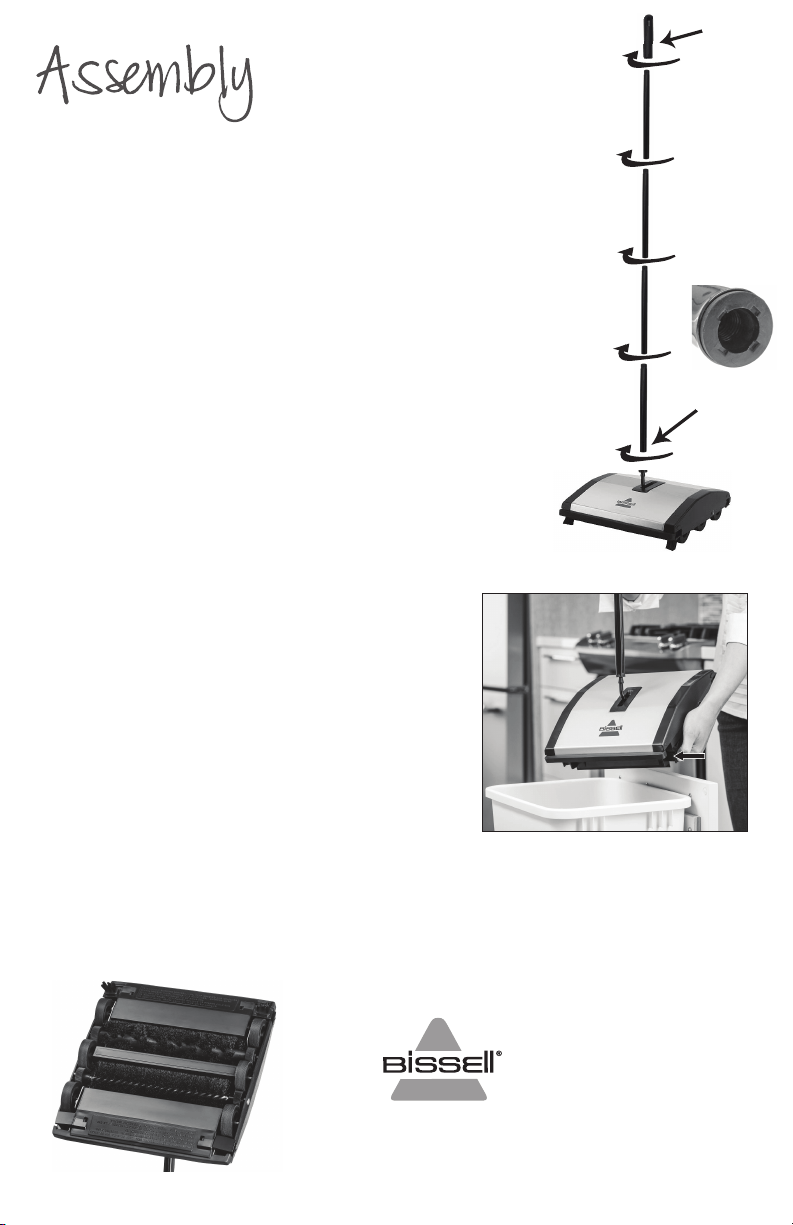
Your sweeper requires very little assembly.
1. Find the handle section with the connector piece.
The connector piece will connect the handle to the
base of the sweeper.
3. Continue to assemble the handle one section at a
time by tightly screwing the threaded sections
together until you have used all sections or have
reached the desired handle height.
4. Screw the handle grip onto the threaded end of
the top handle section until secure. The storage
loop in the handle grip can be aligned as needed
for storage
For best performance, ensure that all handle sections
are secure before using
To empty the dirt pans hold the sweeper over a
trash bin and pull down on the tabs on the sides
of the sweeper.
For best performance keep brushes and bearings clean of hair, threads and other debris.
The sweeper case will bow slightly to allow the center brush rolls to be removed for cleaning. To
replace brush rolls fit the bearing to the proper axle end.
Maintaining
©2018 BISSELL Homecare, Inc
Grand Rapids, Michigan
All rights reserved. Printed in China
Part Number 161-7999 09/18 RevA
Visit our website at: www.BISSELL.com
connector piece
handle grip
2. Screw the connector piece to the base of the
sweeper. Ensure that the connector piece is screwed
tightly to the base of the sweeper or the handle may
become loose during use.