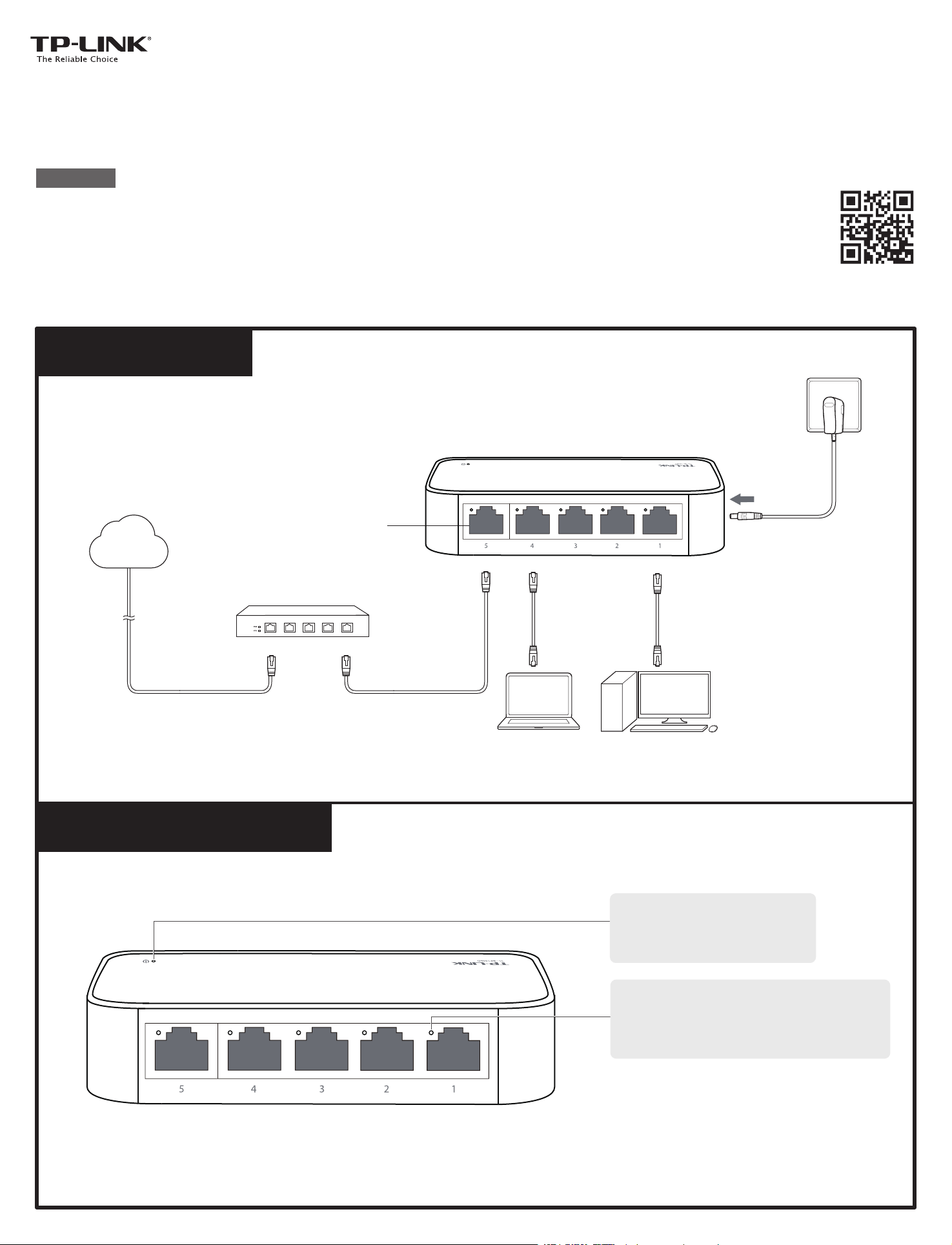
Connection
7106505891 REV1.0.1
For more information, please visit our website: http://www.tp-link.com
Installation Guide
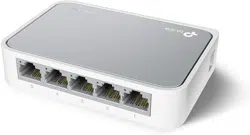
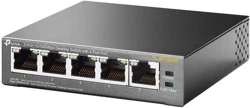
5-Port 10/100Mbps Desktop Switch
TL-SF1005D
LED Explanation
Ethernet Ports (1-5)
Power Cord
PC
PC
Router
LAN PortWAN Port
Internet
Power
On: Power on
Off: Power off
Link/Act (port 1-5)
On: Link present¬but no activity
Flashing: Transmitting/receiving data
Off: No link
COPYRIGHT & TRADEMARKS
IEEE 802.3, IEEE 802.3i, IEEE 802.3u, IEEE 802.3x
CSMA/CD
5 10/100Mbps Auto-Negotiation RJ45 Ports
10BASE-T: UTP category 3, 4, 5 cable (maximum 100m)
EIA/TIA-568 100
Ω
STP (maximum 100m)
100BASE-TX: UTP category 5, 5e cable (maximum 100m)
EIA/TIA-568 100
Ω
STP (maximum 100m)
Power, Link/Act LEDs
Ethernet: 10Mbps (Half Duplex), 20Mbps (Full Duplex)
Fast Ethernet: 100Mbps (Half Duplex), 200Mbps (Full Duplex)
Store-and-Forward
Automatically learning, automatically aging
10Base-T: 14880pps/Port
100Base-Tx: 148800pps/Port
10Base-T: 14880pps/Port
100Base-Tx: 148800pps/Port
Standard
Protocol
Data Transfer Rate
Transfer Method
MAC Address Learning
Frame Filter Rate
Frame Foward Rate
Certification
Operating Temperature
Storage Temperature
Operating Humidity
Storage Humidity
FCC, CE, RoHS
0˚C~40˚C (32˚F~104˚F)
-40˚C~70˚C (-40˚F~158˚F)
10%~90% non-condensing
5%~90% non-condensing
Environmental and Physical Specifications
General Specifications
Interface
Network Media (Cable)
LED indicators
This equipment has been tested and found to
comply with the limits for a Class B digital
device, pursuant to part 15 of the FCC Rules.
These limits are designed to provide
reasonable protection against harmful
interference in a residential installation. This
equipment generates, uses and can radiate
radio frequency energy and, if not installed and
used in accordance with the instructions, may
user is encouraged to try to correct the
interference by one or more of the following
measures:
• Reorient or relocate the receiving antenna.
• Increase the separation between the
equipment and receiver.
• Connect the equipment into an outlet on a
Specifications are subject to change without
notice. is a registered trademark
of TP-LINK TECHNOLOGIES CO., LTD. Other
brands and product names are trademarks or
registered trademarks of their respective holders.
No part of the specifications may be reproduced
in any form or by any means or
used to make
any derivative such as translation,
transformation, or adaptation without
permission from TP-LINK TECHNOLOGIES
CO., LTD. Copyright © 2015 TP-LINK
TECHNOLOGIES CO., LTD. All rights reserved.
http://www.tp-link.com
Do not use this product near water, for example,
in a wet basement or near a swimming pool.
Avoid using this product during an electrical
storm. There may be a remote risk of electric
shock from lightning.
circuit different from that to which the receiver is
connected.
• Consult the dealer or an experienced radio/
TV technician for help.
This device complies with part 15 of the FCC
Rules. Operation is subject to the following two
conditions:
1) This device may not cause harmful
interference.
2) This device must accept any interference
received, including interference that may cause
undesired operation.
Any changes or modifications not expressly
approved by the party responsible for
compliance could void the user’s authority to
operate the equipment.
SAFETY NOTICES
FCC STATEMENT
This is a class B product. In a domestic
environment, this product may cause radio
interference, in which case the user may be
required to take adequate measures.
CE Mark Warning
Frequently Asked Questions (FAQ)
The Power LED should be lit when the power system is working normally.
If the Power LED is not lit, please check as follows:
A1:
Make sure the power cord is connected to the switch with power
source properly.
A2: Make sure the voltage of the power supply meets the requirements of
the input voltage of the switch.
A3: Make sure the power source is ON.
Q1. The Power LED is not lit.
It is recommended that you check the following items:
A1: Make sure that the cable connectors are firmly plugged into the switch
and the device.
A2: Make sure the connected device is turned on and working well.
A3: The cable must be less than 100 meters long (328 feet).
Q2. The Link/Act LED is not lit when a device is connected to
the corresponding port.
Cautions
Safety Information
• When product has power button, the power
button is one of the way to shut off the
product; when there is no power button, the
only way to completely shut off power is to
disconnect the product or the power adapter
from the power source.
• Don’t disassemble the product, or make
repairs yourself. You run the risk of electric
shock and voiding the limited warranty. If you
need service, please contact us.
• Avoid water and wet locations.
• Adapter shall be installed near the
equipment and shall be easily accessible.
• The plug considered as disconnect device
of adapter.
Use only power supplies which are
provided by manufacturer and in the
original packing of this product.