Register your product and get support at
www.philips.com/welcome
DVP3236
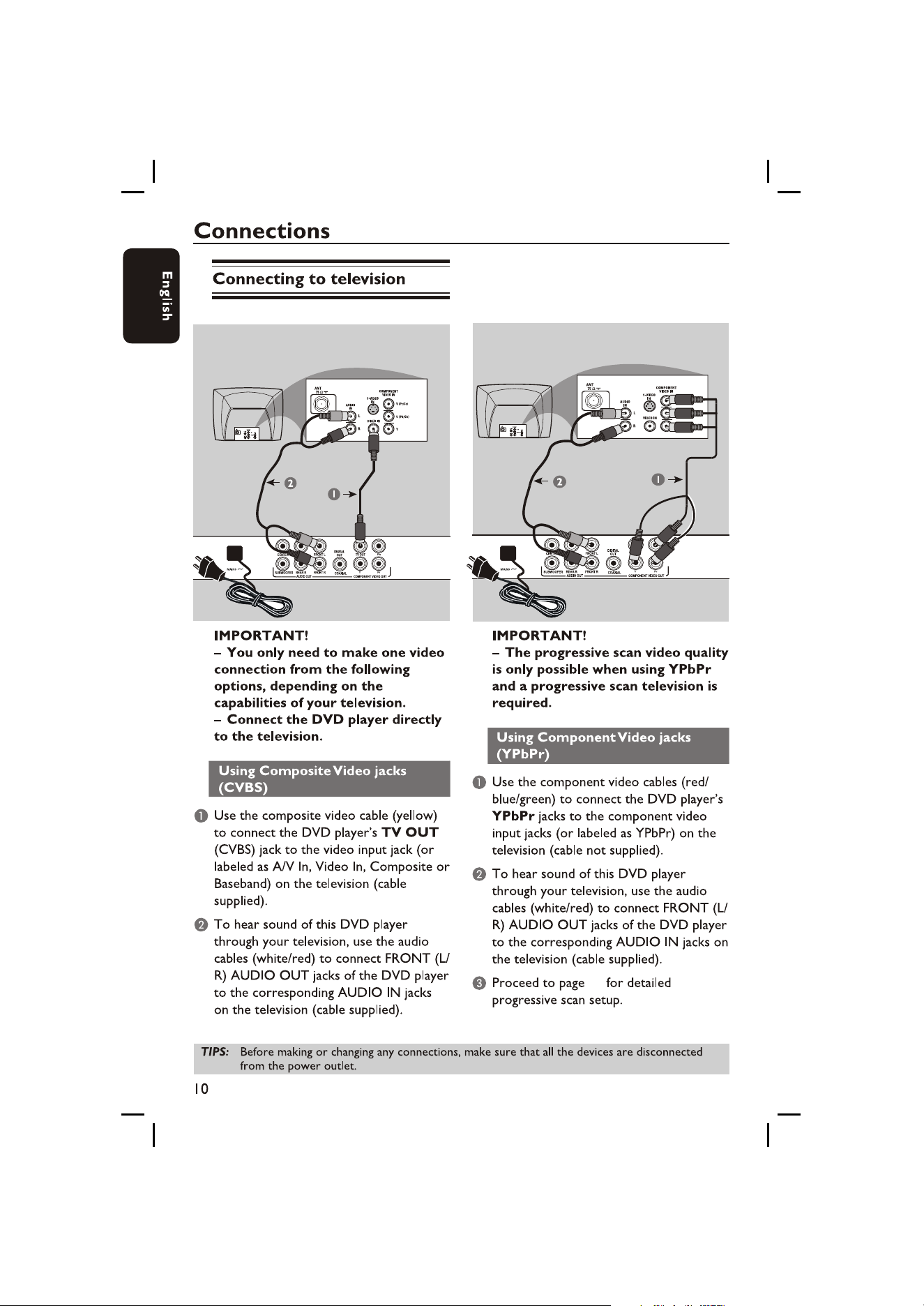
18
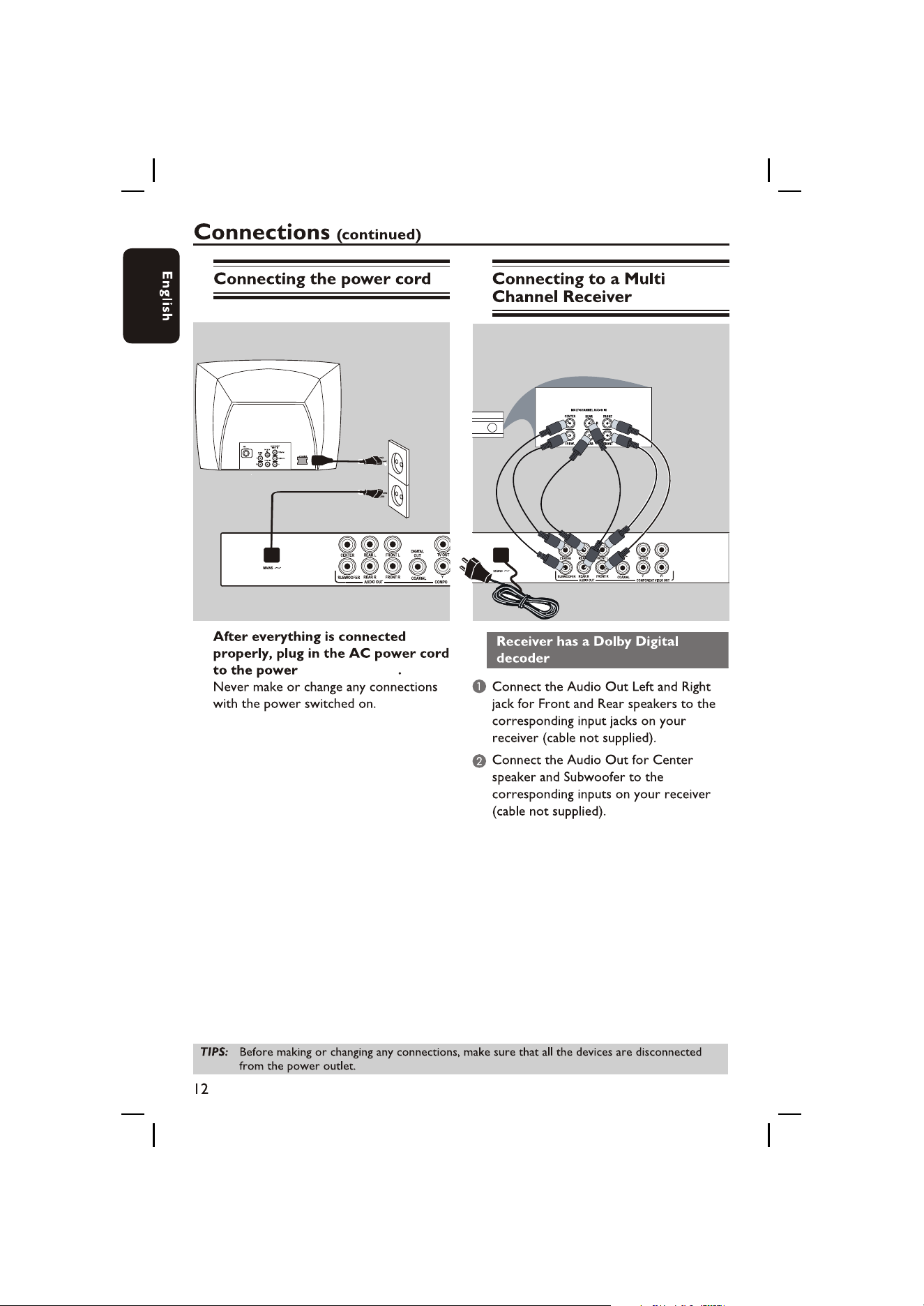
supply socket
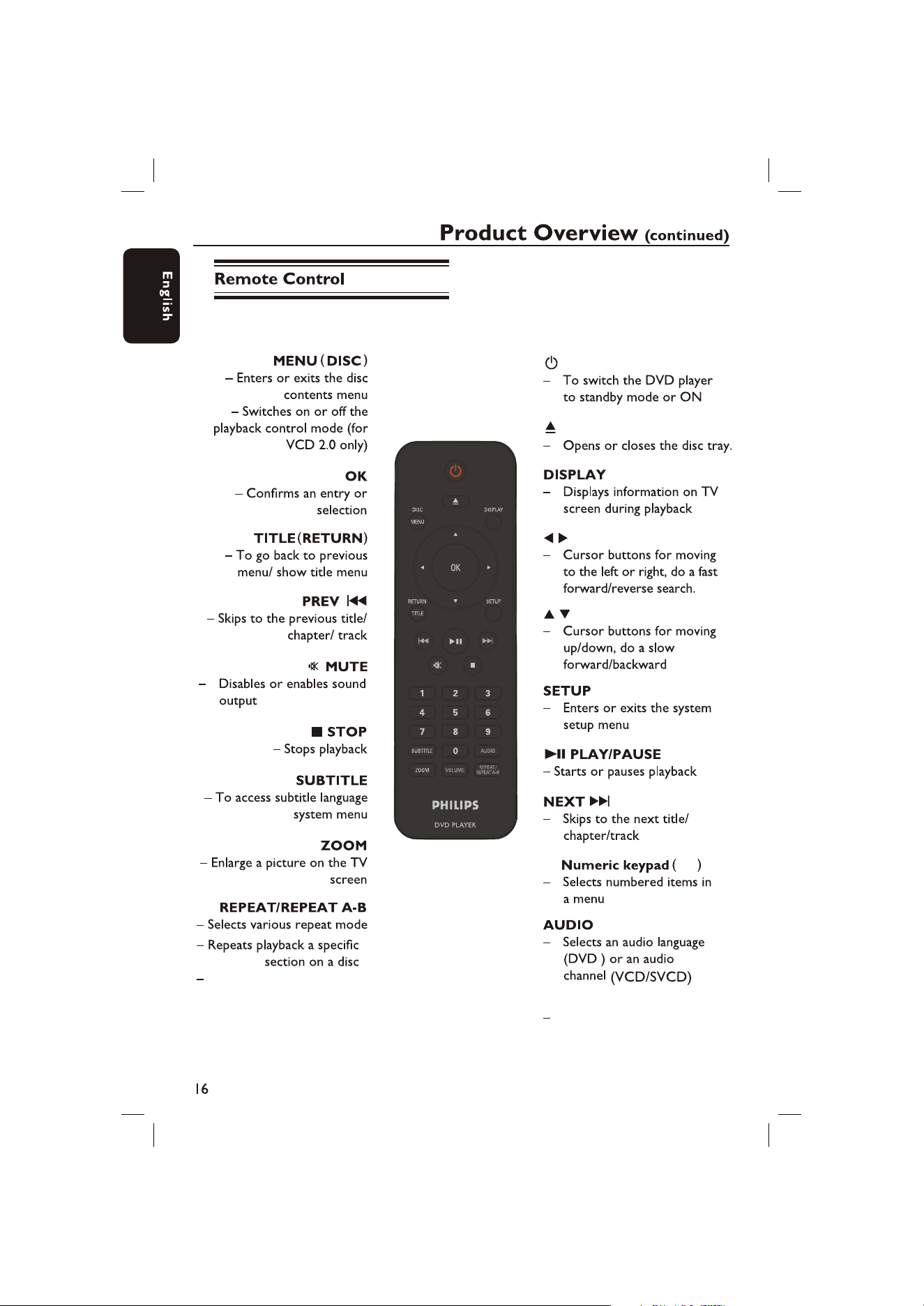
Selects various angle mode
0-9
VOLUME
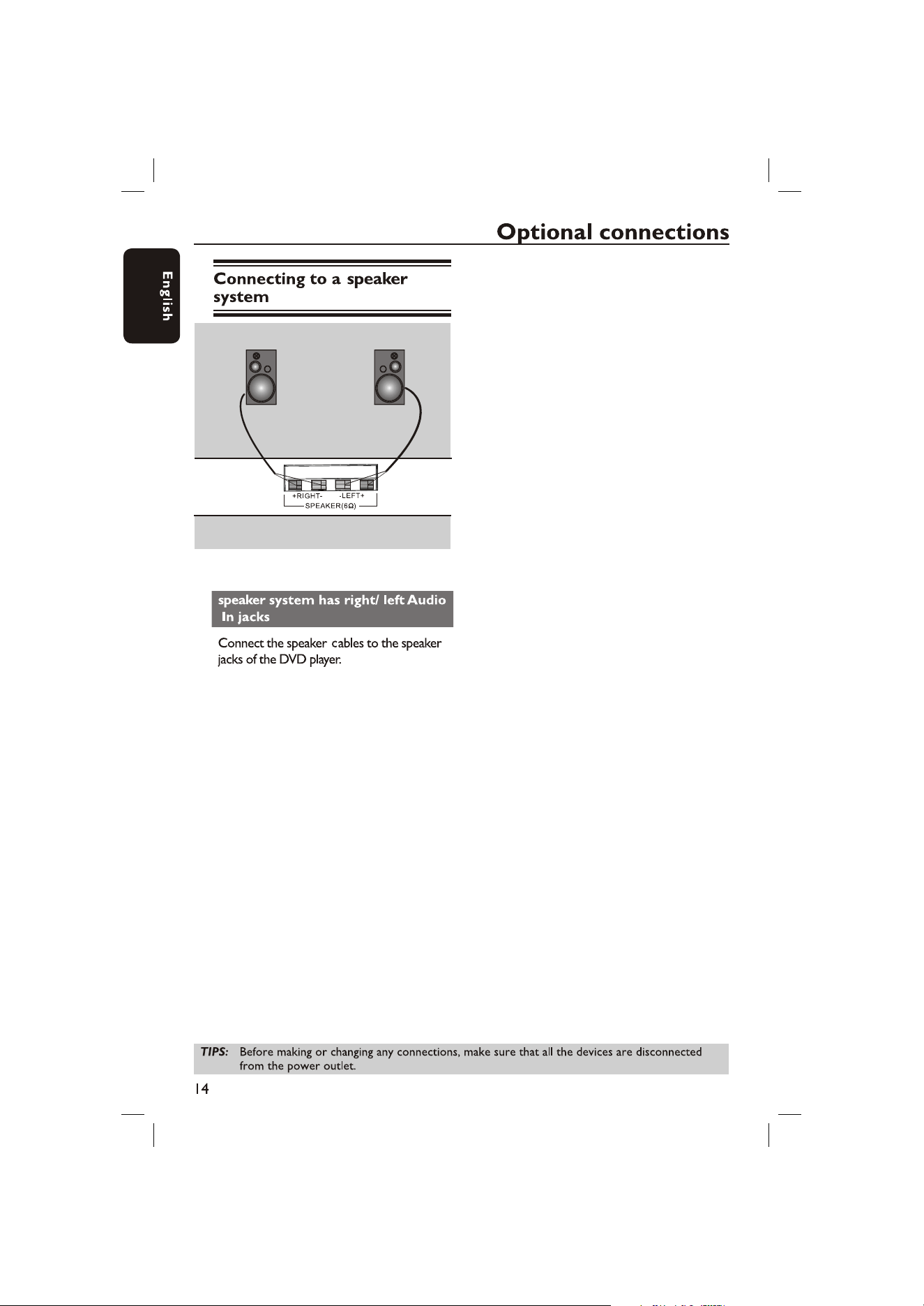
Control the two speakers`
volume
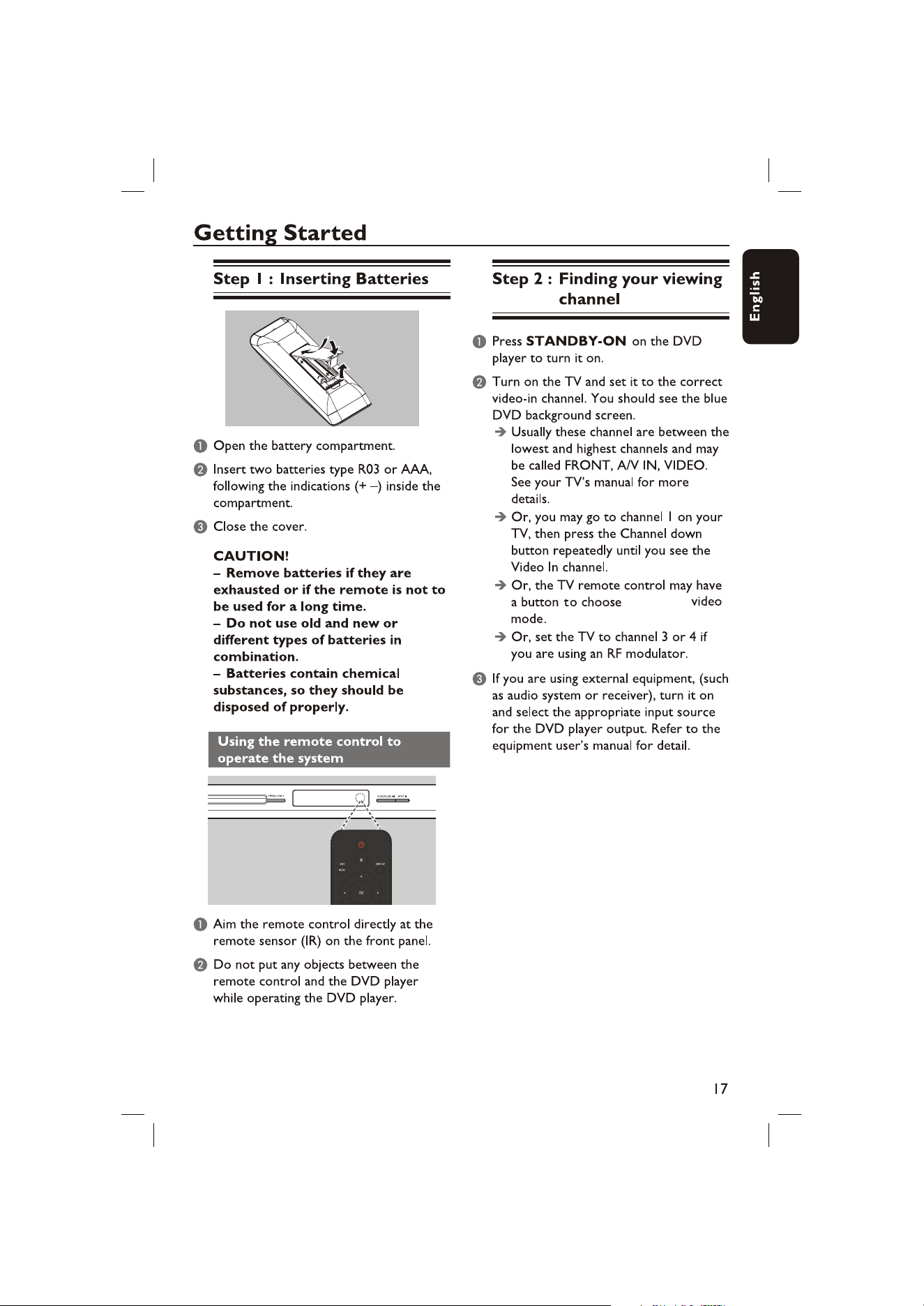
the desired
15
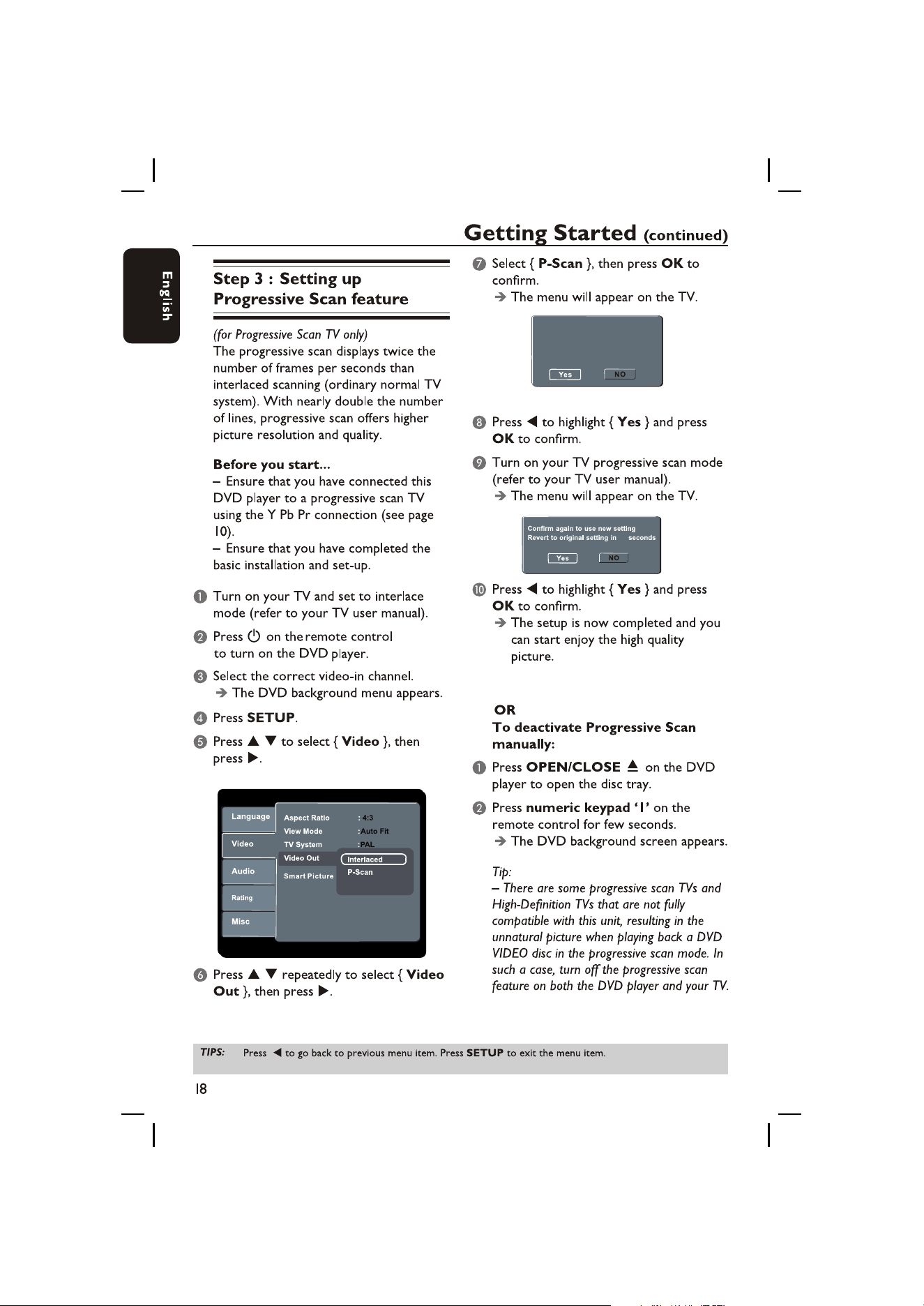
Activating progressive scan 1. Ensure
your TV supports Progressive mode 2.
If there is a distorted picture on the TV,
wait 15 seconds for automatic recover.
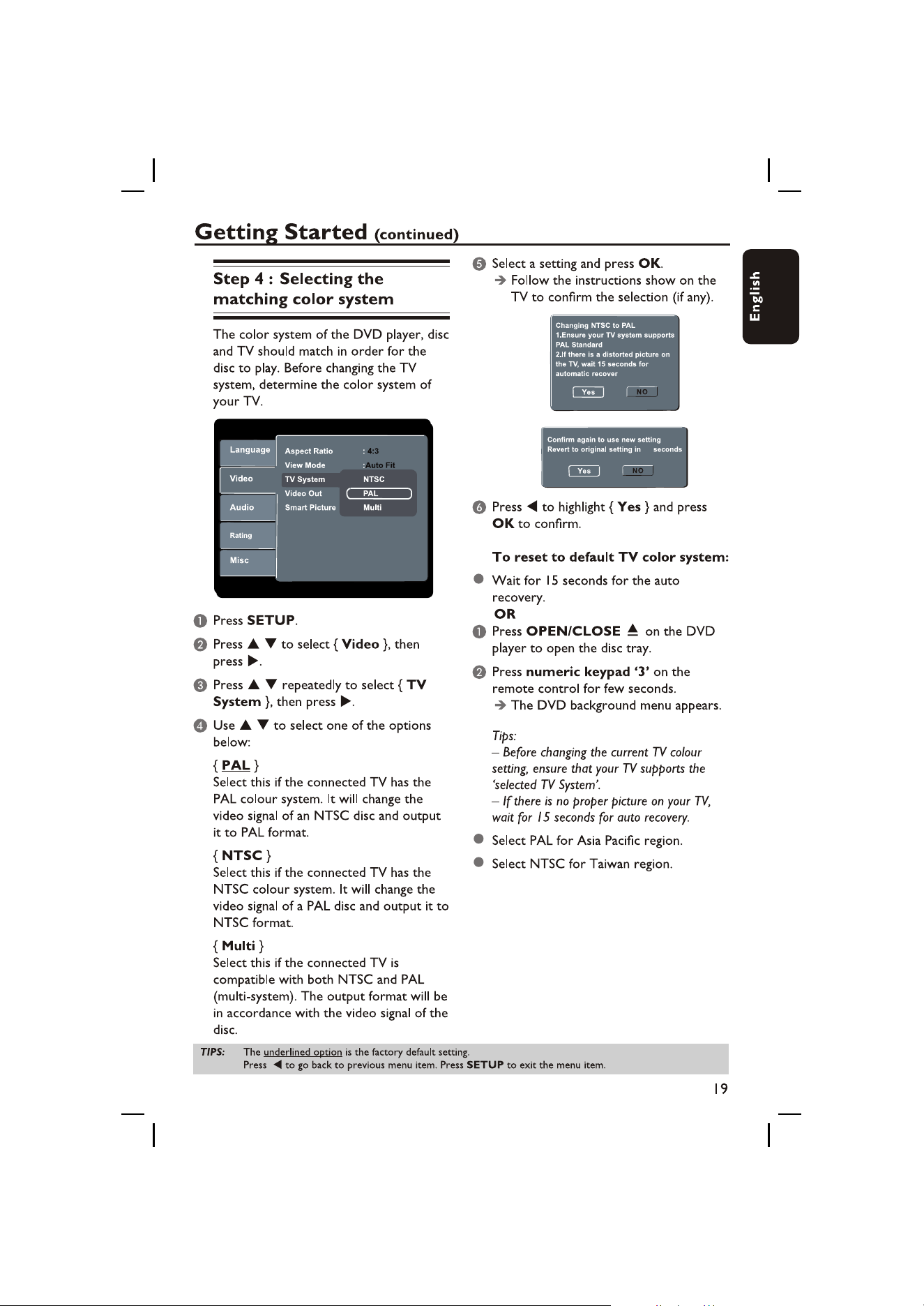
Wait for 15 seconds for the auto
recovery.
15
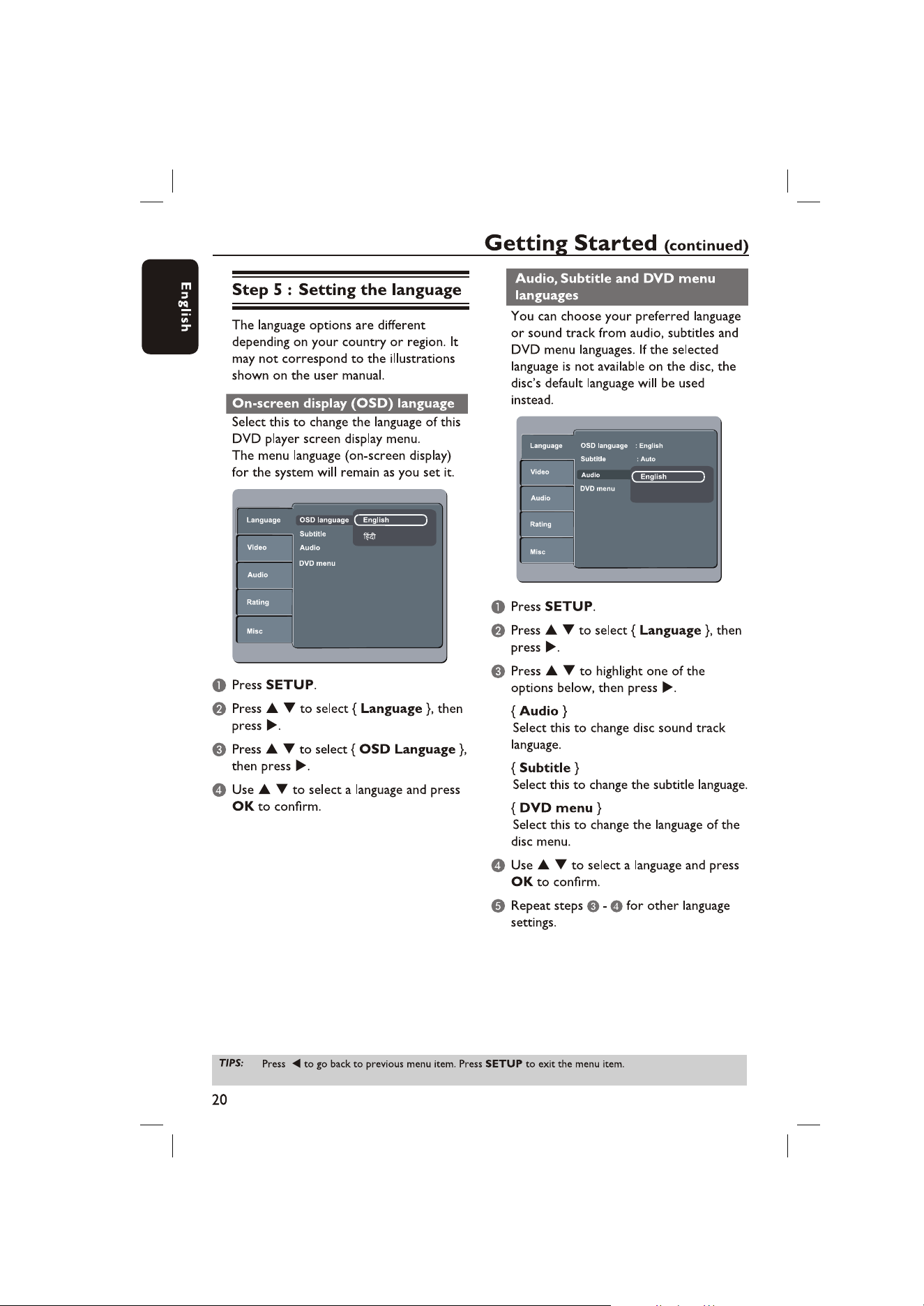
Hindi
23
22~28
After the screen
saver appeared.
video in
channel
37
Playback from the start,
(when music mode on)
(when music mode on)
N
N
next
N
N
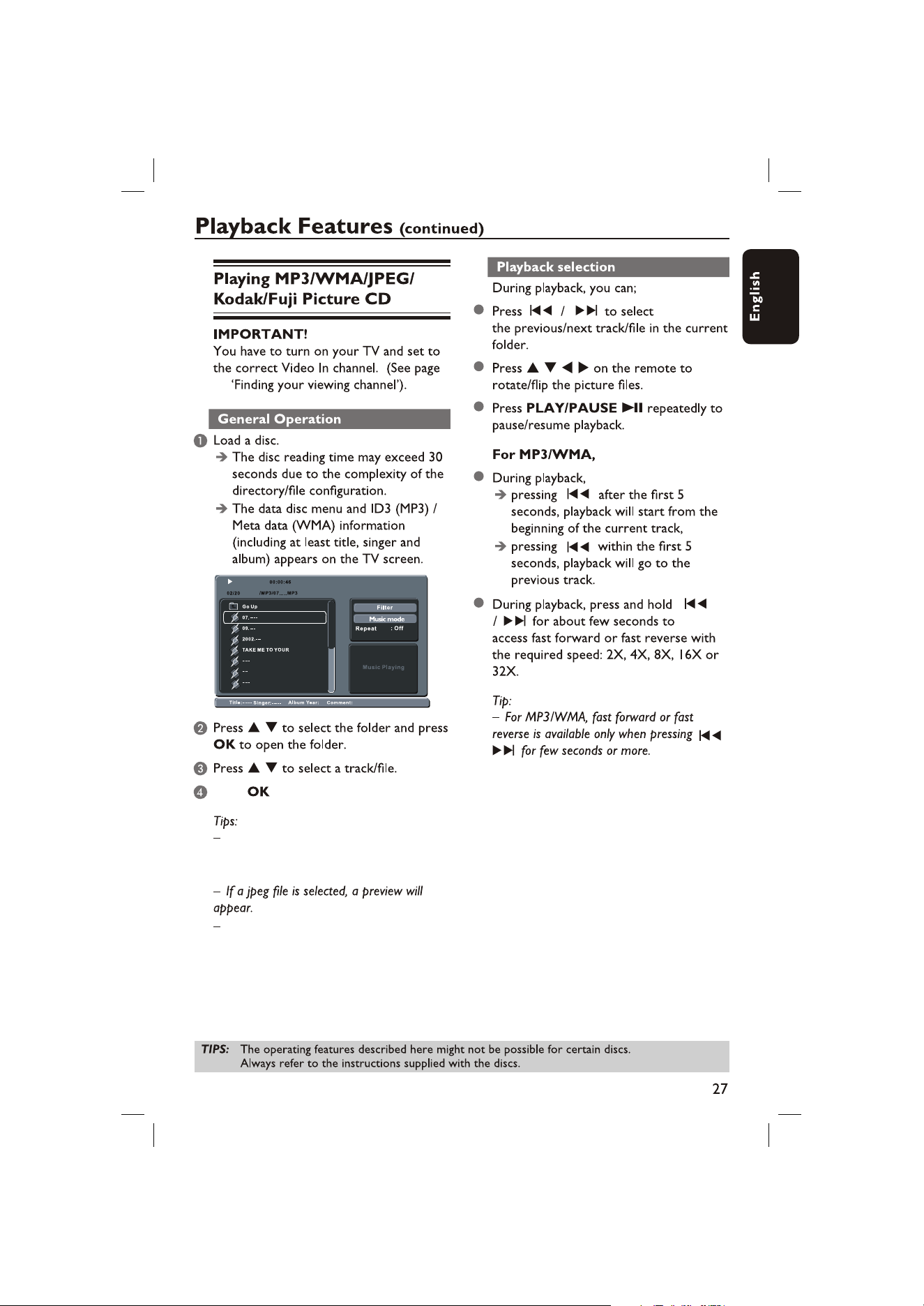
When you select music mode, it will play
files from music to photo and then movie
automatically.
17
Press to start playback of the
selected track/file.
If another file is selected other than
the playing files, the ID3/Meta information
will disappear.
(Q1, Q2, Q3, Qoff).
20
When selecting subtitle language to Auto ,
the player will display the DVD subtitles
with the language of the factory default of
the disc. For details, see page 20.
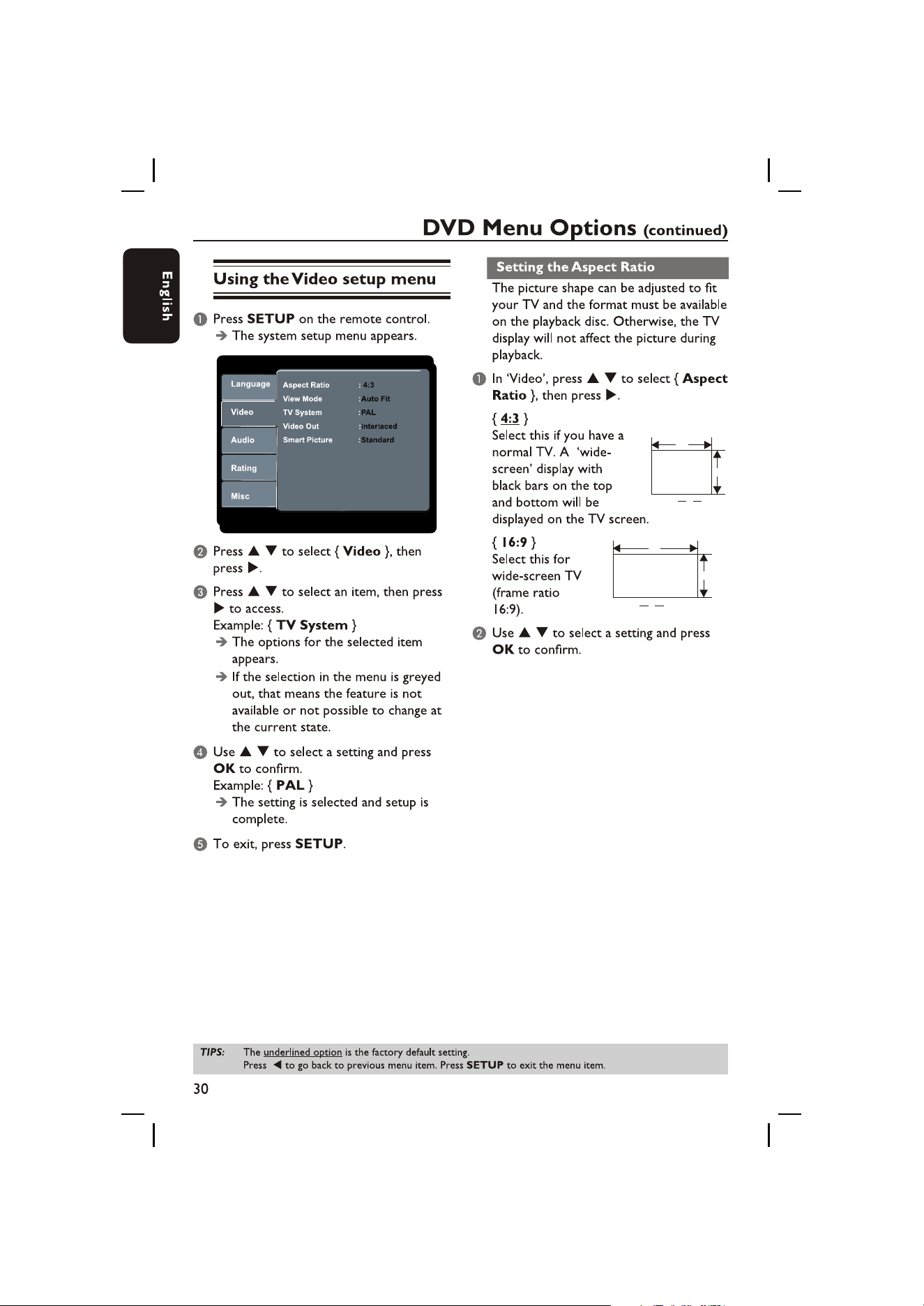
W
H
H
W
=
3
4
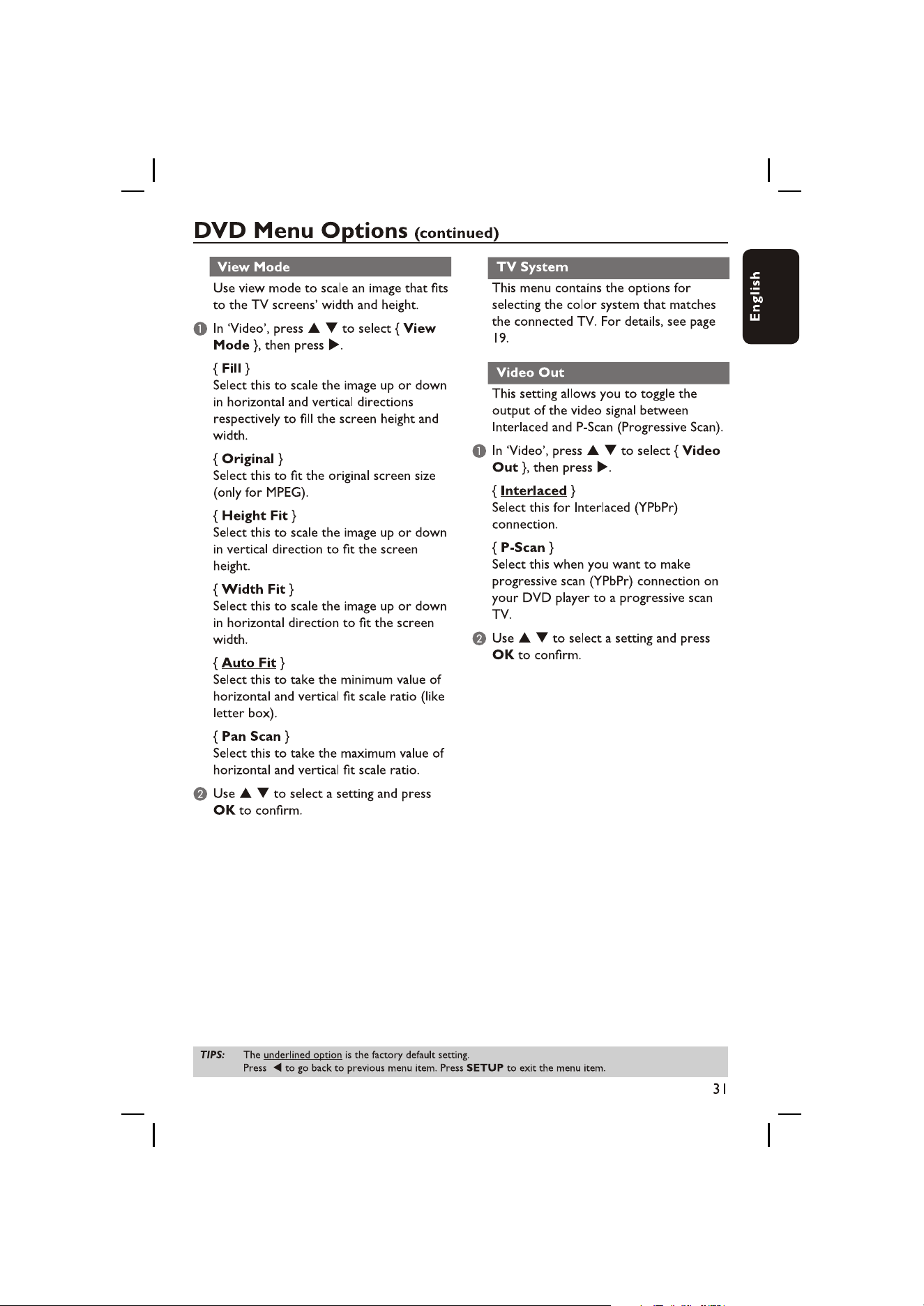
W
H
H
W
=
9
16
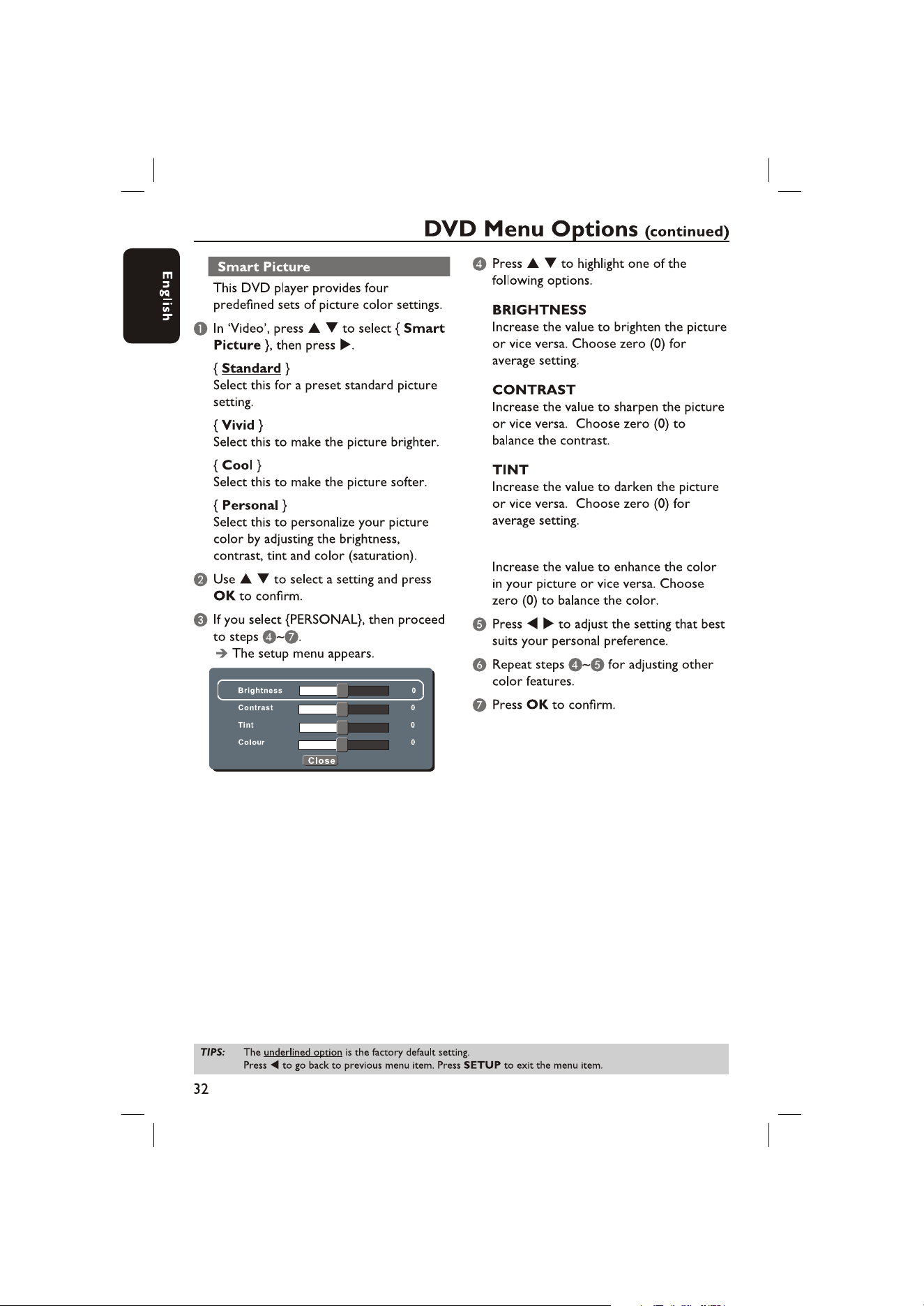
COLOUR
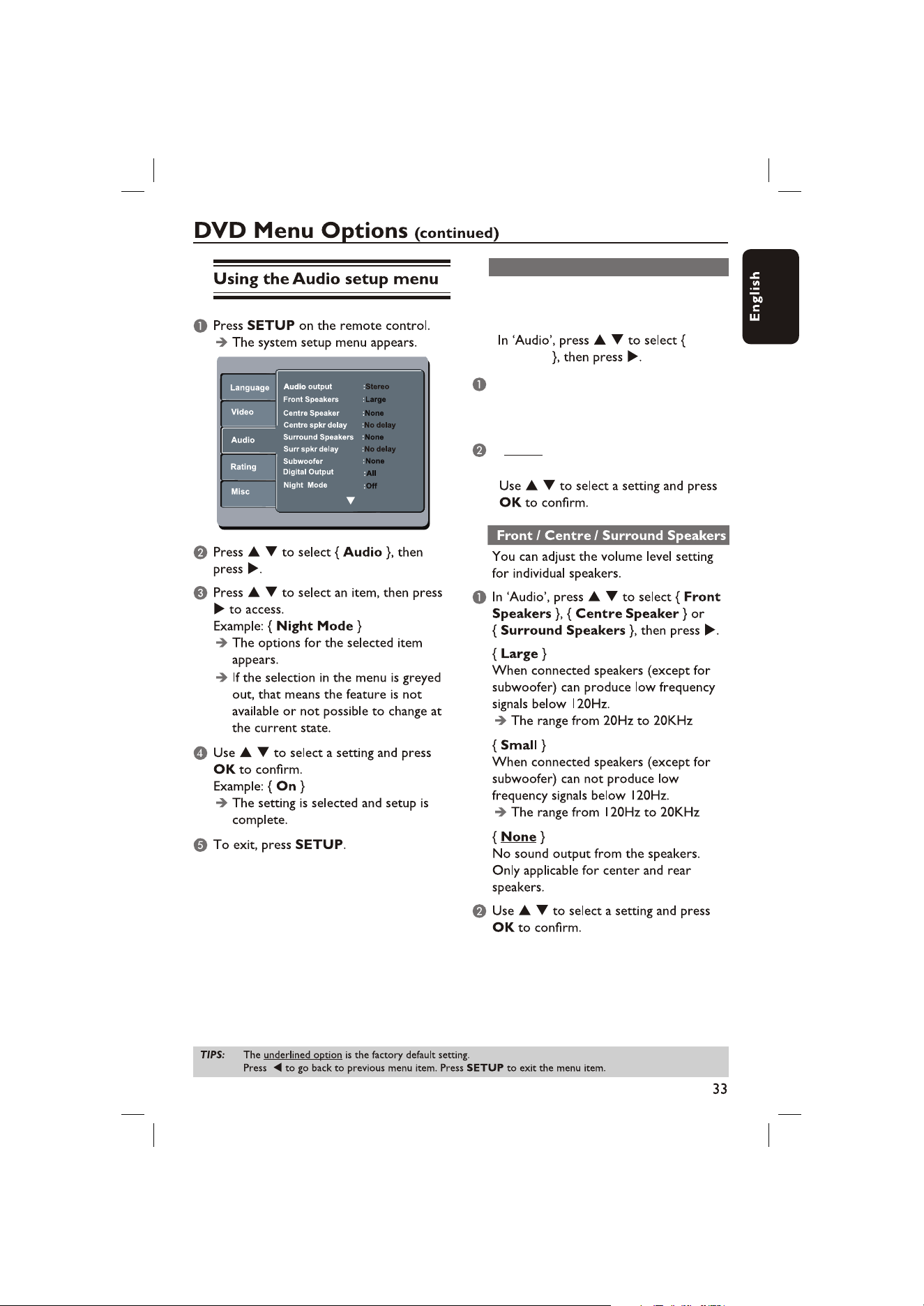
Audio Output
You can choose different audio output
for disc audio content.
{Multi Channel}
All channels can output(include two
speakers and 5.1ch).
{Stereo}
Only left and right channels can output.
Audio
Output
Selecting this option allows the user to
enable/disable the centre speaker output
delay.
Centre speaker delay
Centre spkr delay
{No delay}
Select this if centre speaker output
needn`t delay.
{0.3m}
Select this if centre speaker output
need to delay 0.3ms.
{0.6m}
Select this if centre speaker output
need to delay 0.6ms.
{1m}
Select this if centre speaker output
need to delay 1ms.
{1.4m}
Select this if centre speaker output
need to delay 1.4ms.
{1.7m}
Select this if centre speaker output
need to delay 1.7ms.
Press in this page until it turns to another
page as below:
Press to select {Audio}, then
press .
Selecting this option allows the user to
enable/disable the surround speaker output
delay.
Surround speaker delay
Surr spkr delay
{No delay}
Select this if surround speaker output
needn`t delay.
{1m}
Select this if speaker output
need to delay 1ms.
surround
{2m}
Select this if speaker output
need to delay 2ms.
surround
{3m}
Select this if speaker output
need to delay 3ms.
surround
{4m}
Select this if speaker output
need to delay 4ms.
surround
{5.1m}
Select this if speaker output
need to delay 5.1ms.
surround
37
N
N
( )
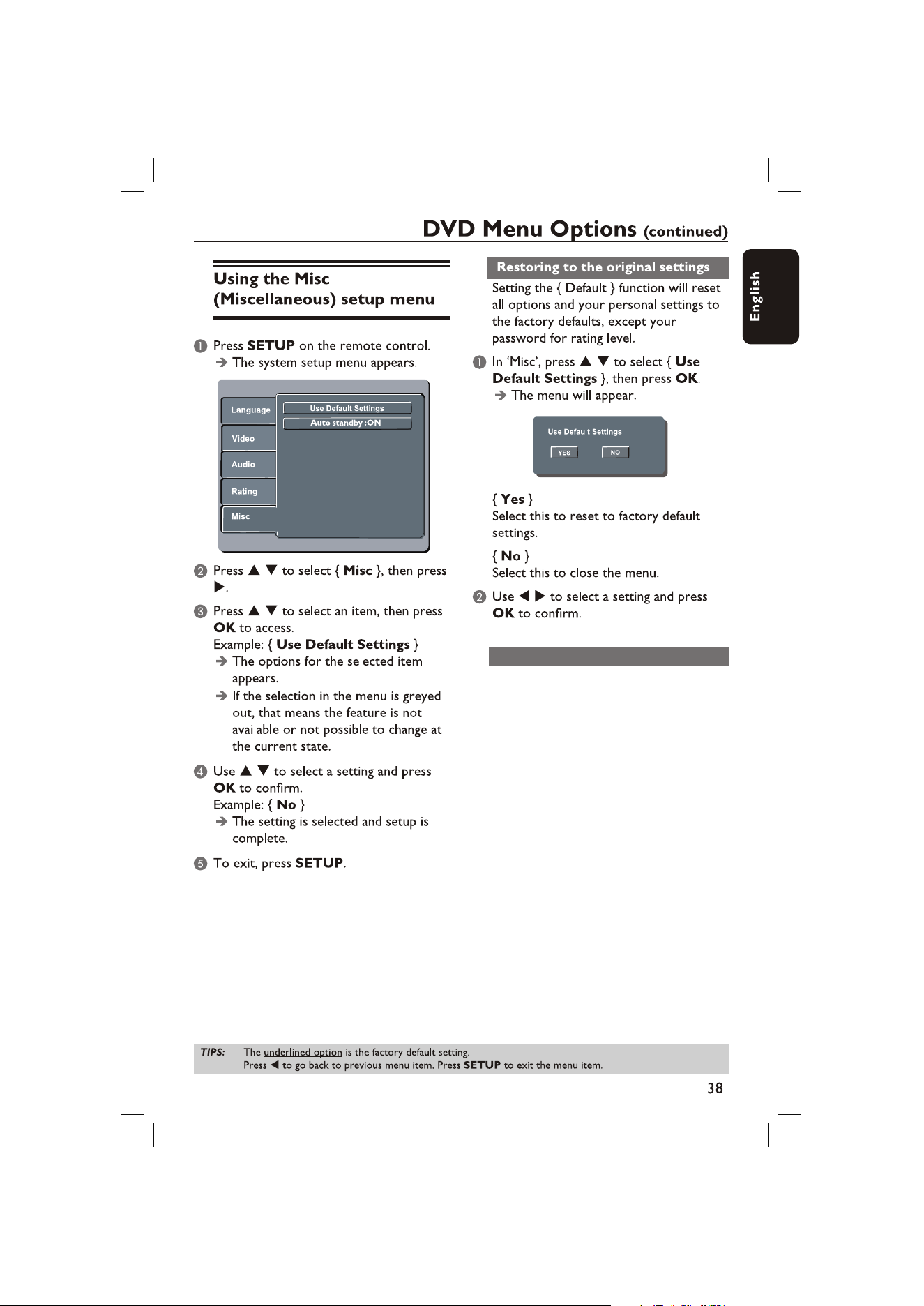
After 15 minutes in screen saver mode,
system will automatically standby , if no
user commands.
Auto standby
N
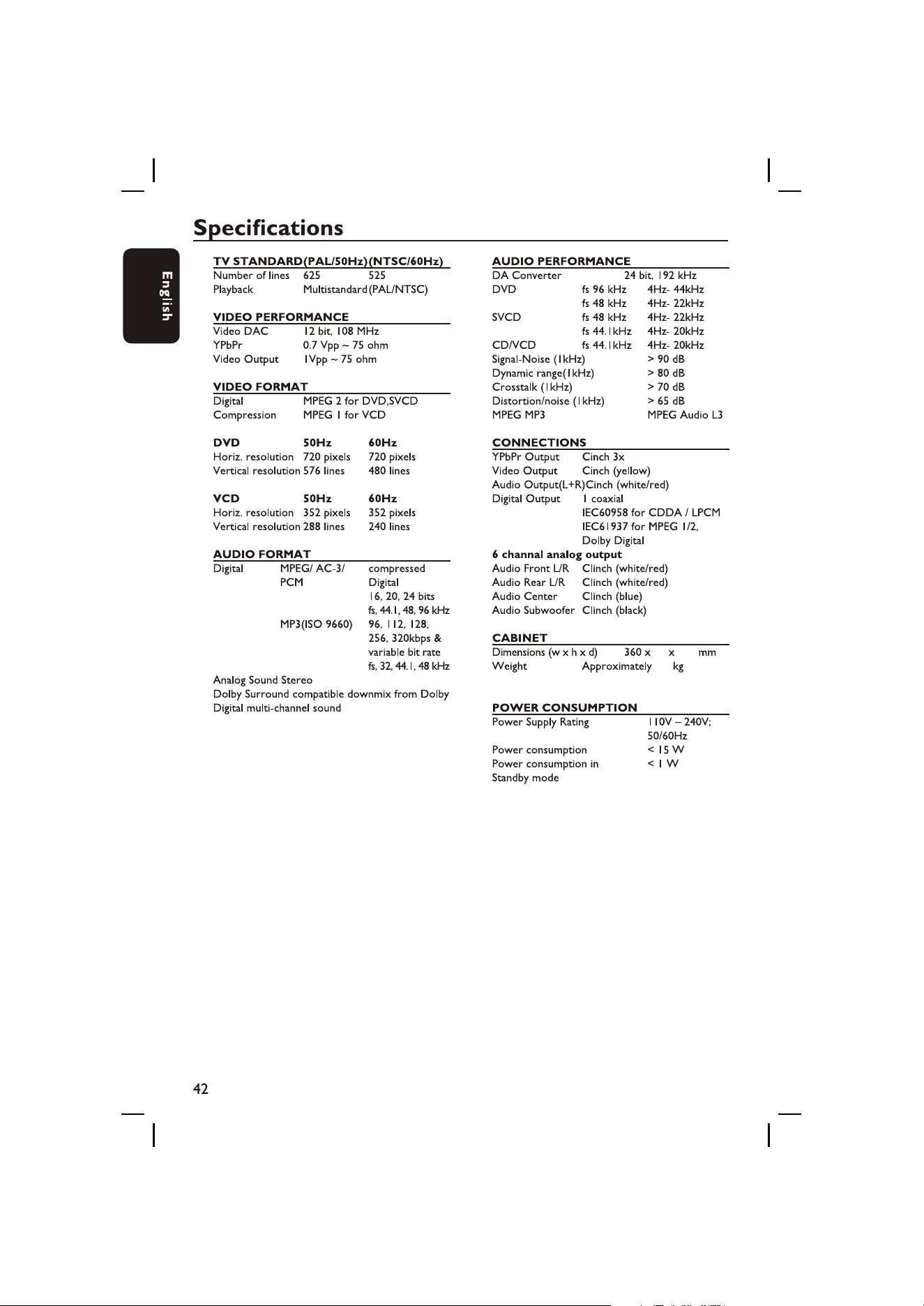
40 239
2.2
44