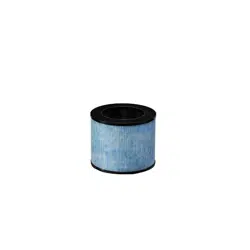
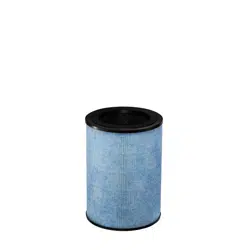
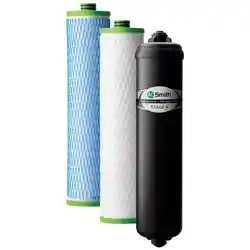
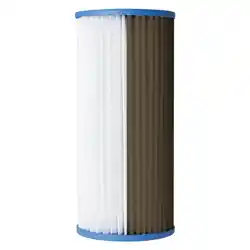
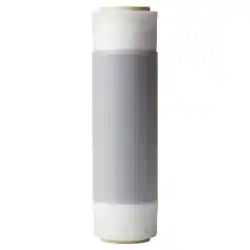
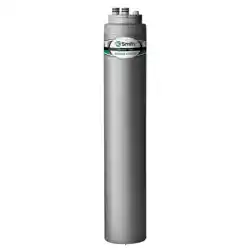
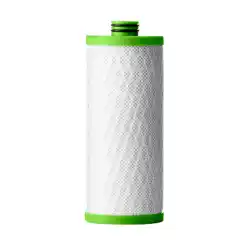
Antimicrobial filter coating to prevent microbial growth and protect from degradation
Plasma Ion Technology
Produces positive and negative ions that help isolate and break down harmful impurities in the air.
Cleans Air in Minutes
Instant Air Purifier is verified to purify air of impurities 5x per hour.*
Reduces Odor
The activated carbon filter works to absorb and eliminate odor.
Works Automatically
Intelligent sensors constantly monitor air quality and environment to automatically transition to Eco and Night modes.
* Verified by AHAM, the Association of Home Appliance Manufacturers
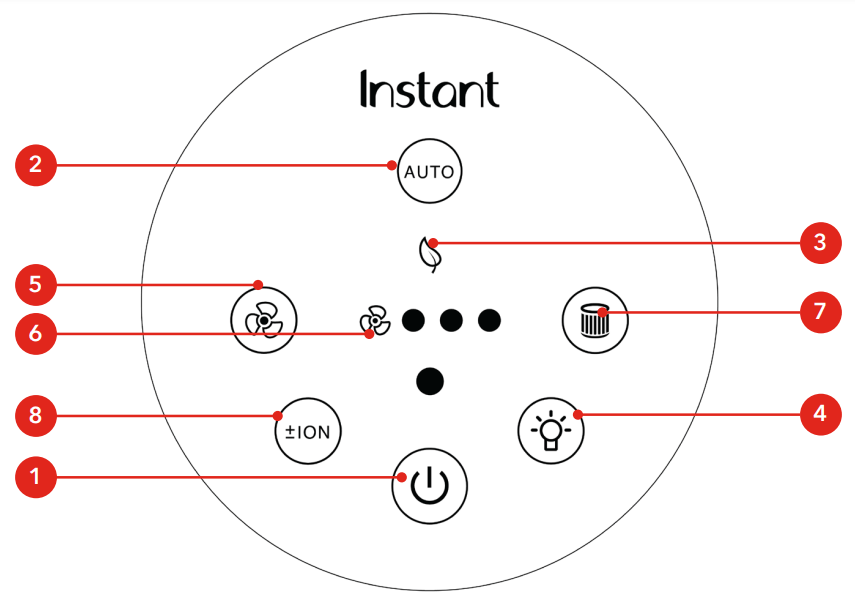
Control panel
1
Power
Touch to turn unit ON or OFF
2
Auto
When lit, unit is in Auto operation
Touch to turn Auto operation ON and OFF
3
Eco
When lit, unit is in energy-saving Eco mode
4
Light
Touch to switch between light levels (0%, 20%, 60%, 100%)
5
Fan
Touch to switch between fan levels - overrides Auto operation
6
Fan Speed
Indicates fan level (low, medium, high)
7
Filter
When the light blinks orange, filter needs replacement
Touch and hold for 3 seconds to reset after you’ve replaced filter
8
Plasma Ion
Touch to turn plasma ion operation ON or OFF
Getting started
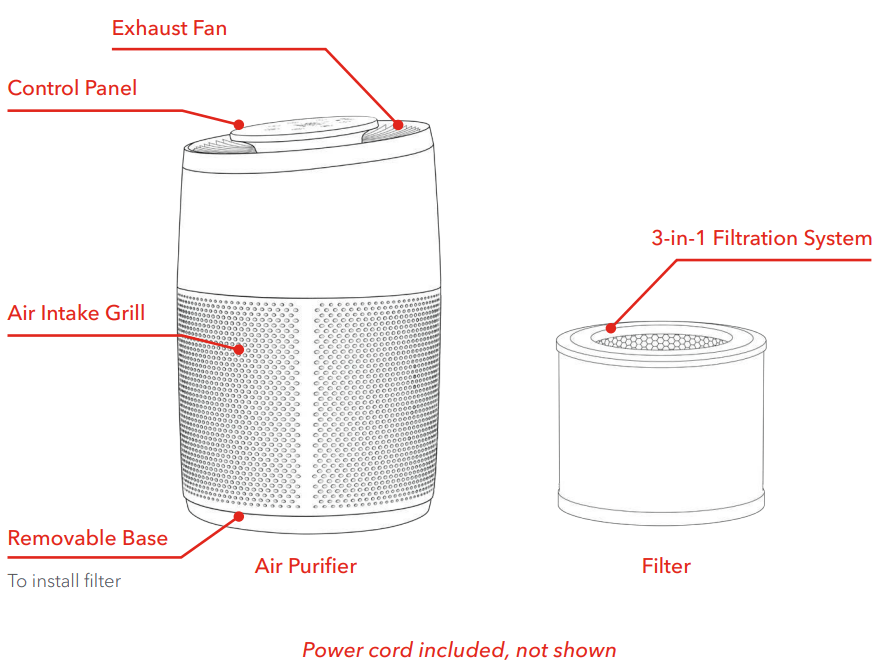
Remove the air purifier from the box.
Remove the packaging material.
Turn the air purifier on its side and twist the bottom panel counter-clockwise to remove the panel.
Remove the filter and remove the plastic bag. Reinsert the filter.
Replace the bottom panel, turning it clockwise to tighten.
Place unit on floor to ensure there’s clearance on all sides to allow for proper circulation.
Plug the electrical cord into an electrical outlet. This unit uses a polarized plug, with one wider prong. The unit will fit into the outlet only one way.
Touch the power button to turn the unit on. The unit powers up, measures the room’s air quality (as it does, it counts down for 30 seconds), and begins cleaning the air.
The unit sets itself to Auto operation.
How to use your air purifier
Turn on the unit
• If the unit is unplugged, plug the electrical cord into an electrical outlet.
• If the unit is plugged in but turned off, press the Power button until the display turns on.
Turn off the unit
• To stop the unit from operating, press the Power button, and the unit will turn off.
Automatic operation
Your air purifier is designed to work automatically to evaluate and clean the air in your room. There are 3 levels of automatic operation:
Auto
• Automatically adjusts fan speed based on the air quality
Air Quality
Fan Level
High
3
Medium
2
Low
1 (whisper quiet)
Eco Mode
Your air purifier uses up to 50% less energy when in Eco mode.
• During Auto operation, the unit automatically starts Eco mode when the air quality is high
• Automatically turns the unit off and checks air quality every 10 minutes
Air Quality
Unit Operation
High
Turns unit off
Medium
Pauses Eco mode until it reaches High air quality
Low
Pauses Eco mode until it reaches High air quality
Night Mode
Automatically detects room light:
When dark, turns display and plasma ion operation off, and sets fan to level 1 to reduce sound.
When light, returns unit to Auto operation.
During Night mode, touch the LIGHT button to turn on the display
Room Light
Display
Dark
Turns display off
Light
Lights display
Fan speed
You can override Auto operation and set the fan speed manually.
Touch the Fan button to cycle through Low, Medium and High speeds.
To return to Auto operation, touch the Auto button.
Light level
There are four levels of light brightness: 0%, 20%, 60%, and 100%. The light levels are pre-set at these levels:
Light Room
Dark Room
100% brightness
0% brightness
You change the current light level manually.
Press the Light button to cycle through the brightness levels: 0%, 20%, 60% and 100%.
The next time the unit switches to either Day or Night, the light level will change back to the pre-set level.
You can customize the pre-set for Day or Night light levels.
First, set the light level manually. Then press and hold the Light button for 3 seconds to save the current setting as the Day or Night light level.
Air quality
As it constantly monitors the air in the room, your air purifier shows your air quality with a colored light (under the control panel) to give you an at-a-glance reading:
Indicator
Air Quality
White
GOOD
(2.5-micrometer particulate matter less than 35 micrograms per cubic meter)
Yellow
FAIR
(2.5- micrometer particulate matter between 35 and 55 micrograms per cubic meter)
Red
POOR
(2.5- micrometer particulate matter greater than 55 micrograms per cubic meter)
You can read about PM2.5 and μg/m3in “Air Quality 101” on page 13.
Plasma ion
In Auto operation, your air purifier uses plasma ion technology to produce positive and negative ions that help isolate and break down harmful impurities in the air. Although it sounds high tech (and it is) it’s safe and natural. Plasma ion operation is automatically turned off during Night Mode.
To turn off plasma ion feature, touch the ION button.
To turn on the plasma ion feature if it’s been turned off, touch the ION button.
Replace filter indicator
When it’s time to replace the filter, the unit will light the Filter button on the control panel. The expected life of the filter is 6 to 8 months, depending on the quality of the air in your home.
After you’ve replaced the filter, touch and hold the Filter button for 3 seconds to reset.
How to care for your air purifier
Cleaning the unit
To remove dust, lightly wipe the unit with a soft, clean cloth.
If needed, wipe the unit with a clean damp cloth, then immediately dry with a clean dry cloth.
DO NOT immerse the unit in water.
Replacing the filter
Visit instantbrands.com to purchase compatible filters, designed to work with your unit.
Unplug the air purifier from the electrical outlet.
Turn the air filter on its side and twist the bottom panel counter-clockwise to remove the panel.
Remove the old filter and dispose of it properly. The filter is not recyclable.
Remove the new filter from its packaging and insert it into the air filter.
Replace the bottom panel, turning it clockwise to tighten.
Place the air filter on the floor again and plug it back into the electrical outlet.
The air purifier will automatically begin cleaning the air again.
When to turn off
Your air purifier is designed for ongoing use, and is safe to keep running all the time when you are home regularly.
• If you leave for longer than a day (such as for vacation), turn the unit off to save energy and the life of the filter.
If you have problems
Problem
Cause
Solution
Air purifier does not turn on
Unit is not plugged into an electrical outlet
Check that the unit is properly plugged into an electrical outlet
Outlet is not working properly
Plug the unit into a different electrical outlet
Power cord is damaged or unit is defective or not functioning properly
Discontinue use and contact Customer Support
Air purifier buttons not working
Unit is not plugged into an electrical outlet
Plug the unit into an electrical outlet
Power cord is damaged or unit is defective or not functioning properly
Discontinue use and contact Customer Support
Air purifier is not removing odor
The quality of the air in the room is very poor (such as a large number of people smoking).
Open the window to circulate new air. You may also need to replace the filter.
The filter has stopped working.
Replace the filter.
The room is too large for this unit.
Consider a larger air purifier.
Air purifier always detects high levels of particulates.
The unit is operating in a very dusty environment.
Consider turning the fan to HIGH.
Air purifier is not delivering fresh air.
The filter was installed with the plastic bag.
Remove the filter, remove the plastic bag and reinstall the filter.
The air outlet is blocked.
Remove any matter that is blocking the air outlet.