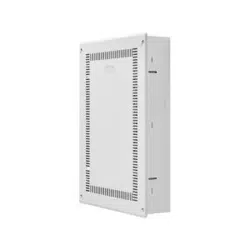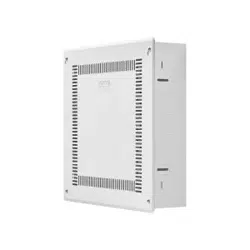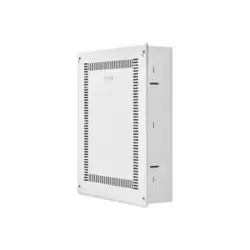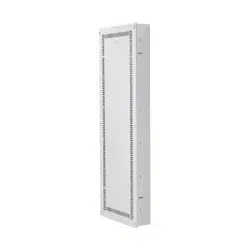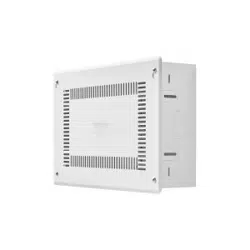
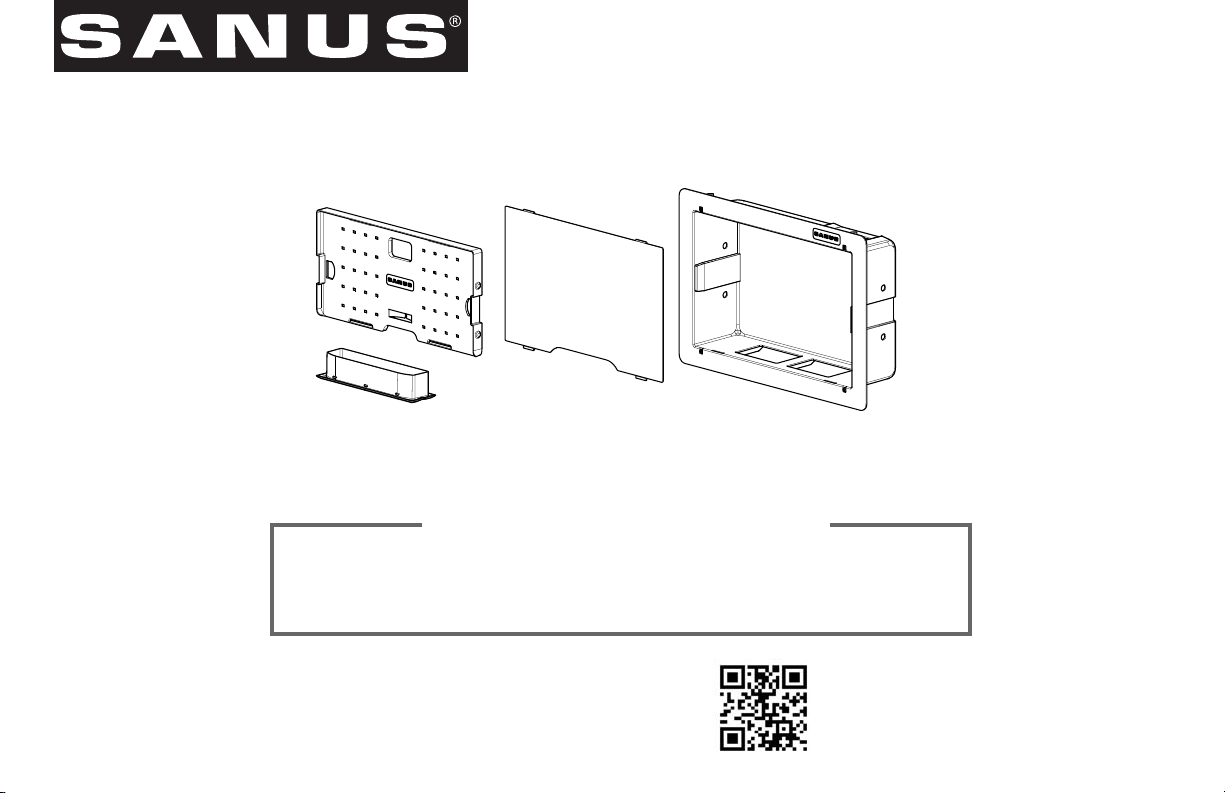
SA809 INSTRUCTION MANUAL
We’ll Make It Stress-Free
If you have any questions along the way, just give us a call.
1-800-359-5520. We’re ready to help!
Scan for more information
san.us/448
2
IMPORTANT SAFETY INSTRUCTIONS – SAVE THESE INSTRUCTIONS – PLEASE READ ENTIRE MANUAL PRIOR TO USE
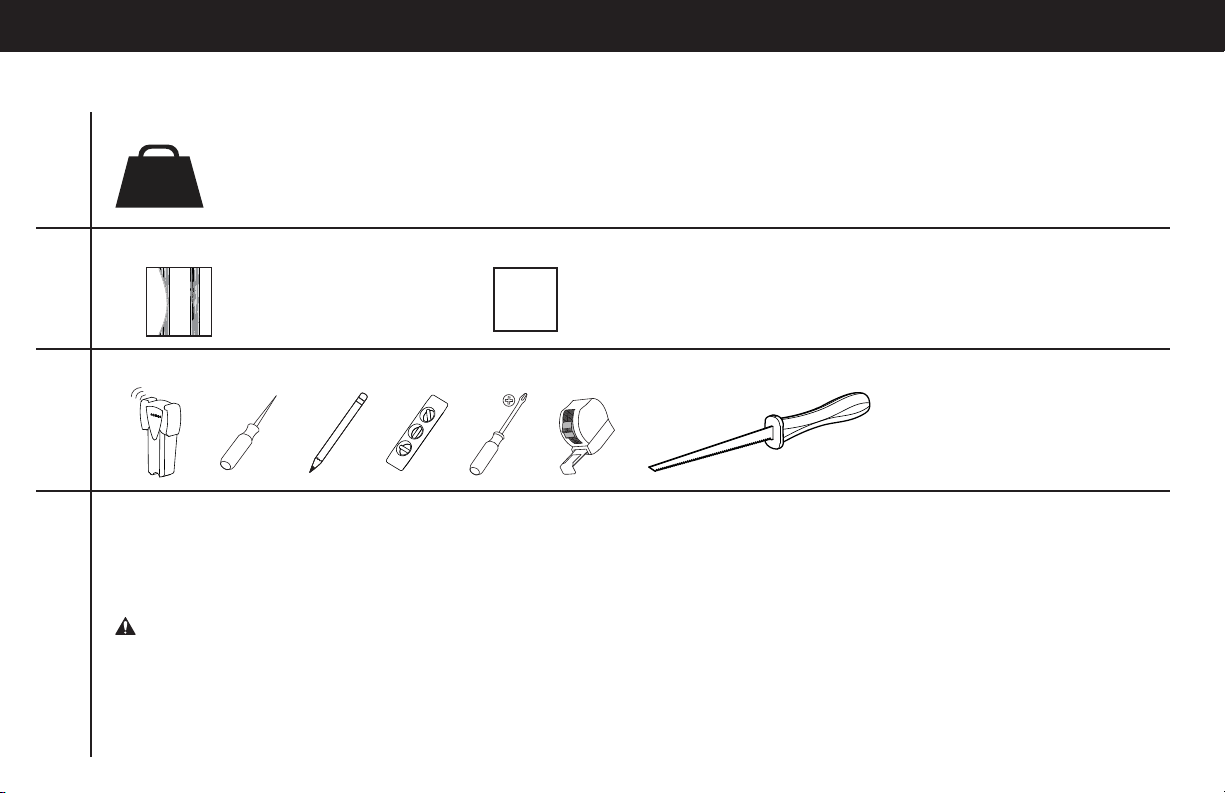
Do you have all of the tools needed?
Before getting started, let’s make sure this product is perfect for you!
1
2
3
4
What is your wall made of?
Unsure? Call 1-800-359-5520 [UK: 0800 056 2853]
Perfect!
Drywall with
wood studs
?
Will your accessories weigh more than 30 lb (13.6 kg)?
No
—
Perfect!
Yes
—
This product is NOT compatible. Visit Sanus.com or call 1-800-359-5520 [UK: 0800 056 2853] to fi nd a compatible product.
30 lb
(13.6
kg)
Ready to begin?
Please read through these instructions completely to be sure you’re comfortable with this easy install process.
If you do not understand these instructions or have doubts about the safety of the installation, assembly or use of this product, contact
Customer Service at 1-800-359-5520 [UK: 0800 056 2853].
CAUTION: Avoid potential personal injuries and property damage!
● Do not use this product outdoors
● This in-wall system is for use with ITE or Audio/Video equipment only
● The maximum specifi ed ambient temperature of the cabinet system is 40o - 120oF (4o - 49oC)
● Do not use this product for any purpose not explicitly specifi ed by manufacturer
● Manufacturer is not responsible for damage or injury caused by incorrect assembly or use
3
WARNING! This product contains small items that could be a choking hazard if swallowed.
Before starting assembly, verify all parts are included and undamaged. If any parts are missing or damaged, do not return the damaged item
to your dealer; contact Customer Service. Never use damaged parts!
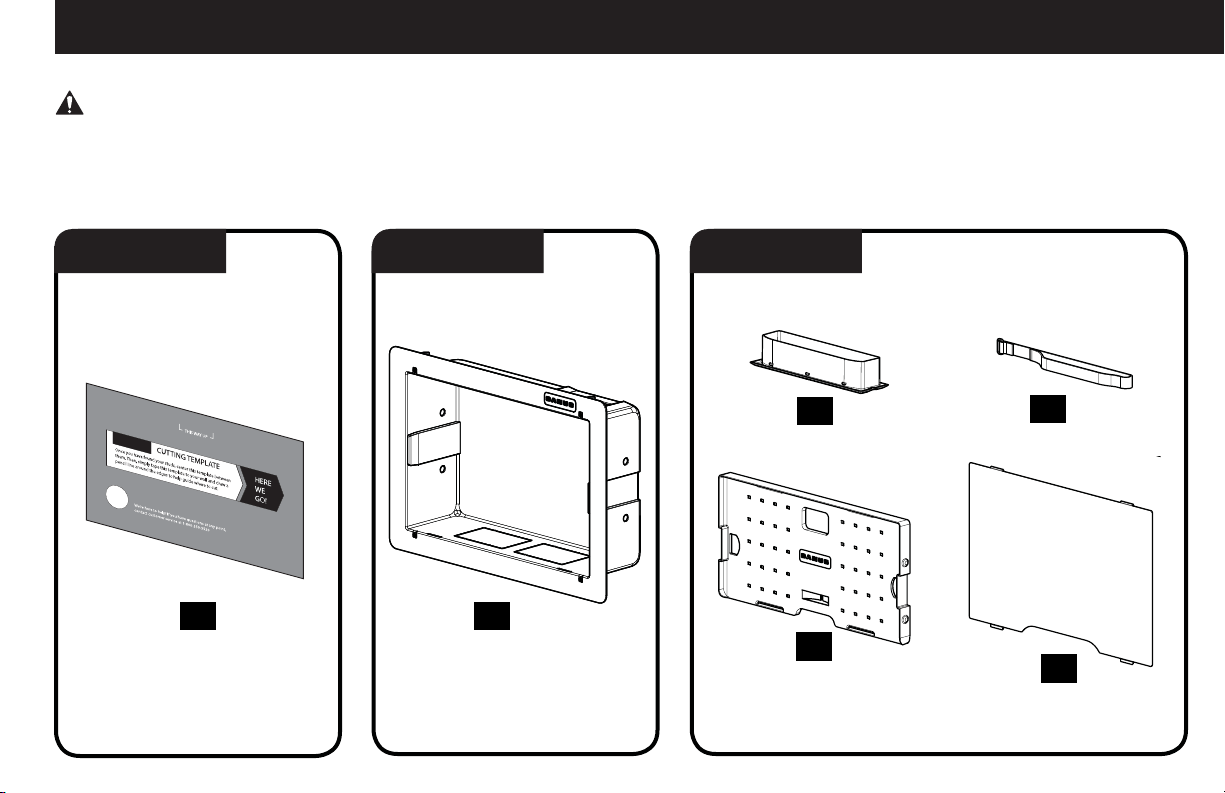
Supplied Parts
STEP 1 Parts STEP 2 Parts STEP 3 Parts
04
05
(2)
06
ECO-Mini Bracket
Component Panel
Elastic-Velcro Strap
Cover
01
Template
02
03
Housing
4
1 2
≤ 16 mm
(5/8 in.)
STEP 1 Cut Hole for Housing
01
CAUTION: Avoid potential personal injuries and property damage!
● Drywall covering the wall must not exceed 16 mm (5/8 in.).
● Box must be mounted between studs that are at least 406 mm (16 in.) apart. After installation there will not be enough space between the
SA809 and the studs for electrical wires/cables, plumbing, ductwork, or insulation. Choose your SA809 location carefully.
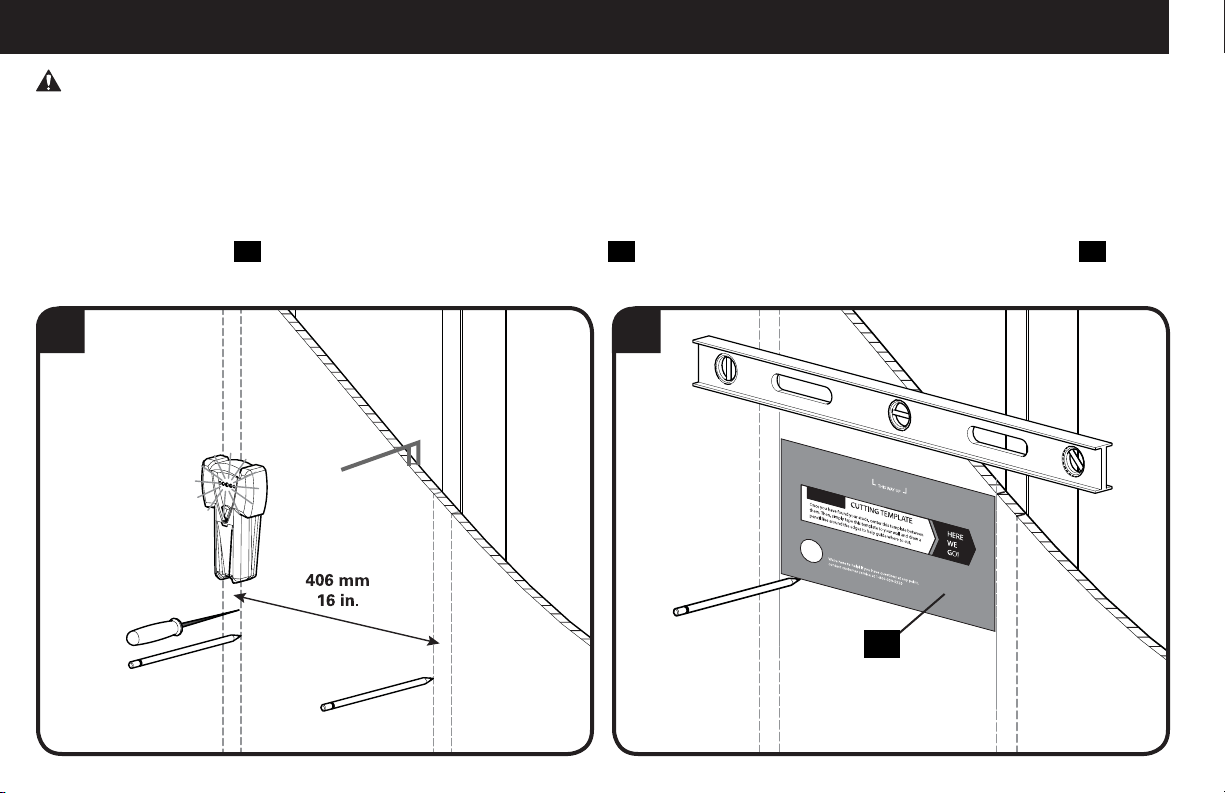
1. Locate the studs using an edge-to- edge stud finder. Verify the edges of the studs using an awl or thin nail. Mark the edges of the studs
with pencil.
2. Center the template
01
between the two studs. Level the template
01
and use a pencil to mark the open area of the template
01
.
5
STEP 1 Cut Hole for Housing cont.
3 4
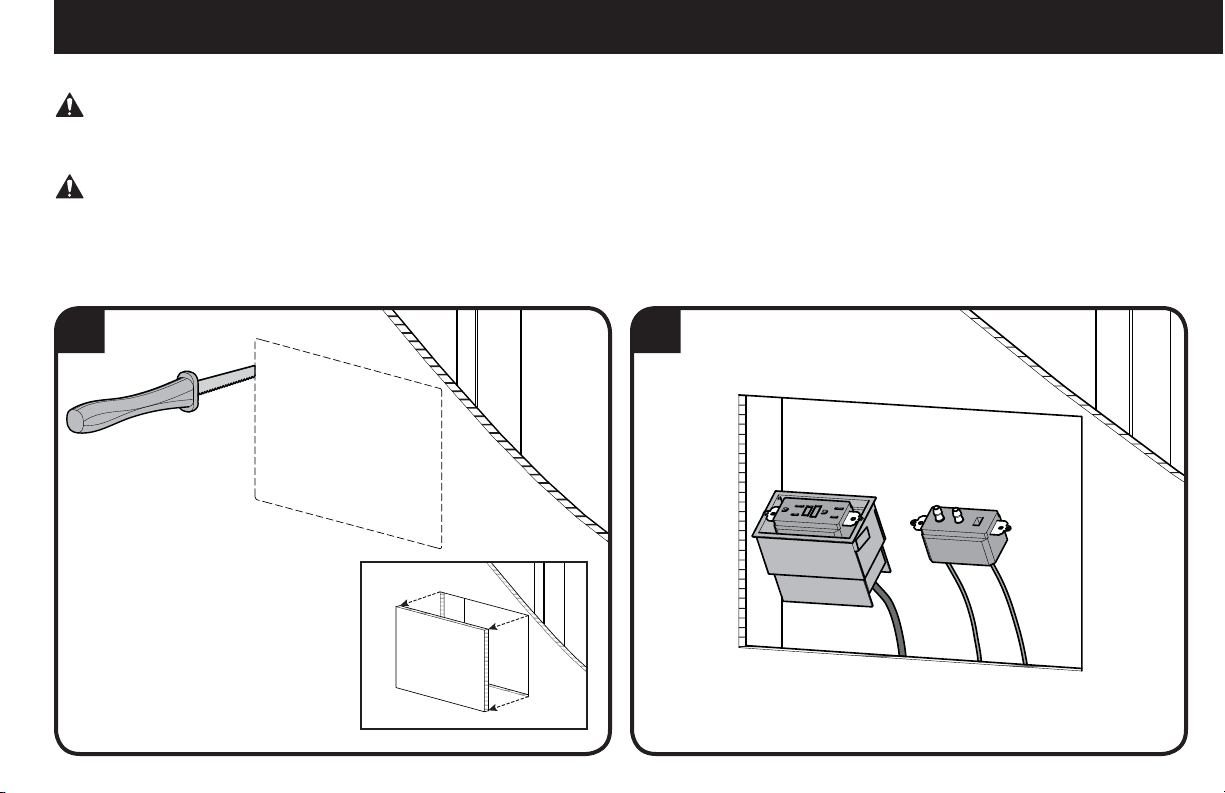
3. Use a drywall saw or similar tool to cut the drywall where marked. Remove cut section of drywall.
WARNING! ELECTRICAL SHOCK HAZARD! CUTTING OR DRILLING INTO ELECTRICAL WIRES OR CABLES CAN CAUSE DEATH OR
SERIOUS PERSONAL INJURY! Always make certain the area behind mounting surfaces is free of electrical wires and cables before cutting,
drilling, or installing fasteners.
WARNING! EXPLOSION AND FIRE HAZARD! CUTTING OR DRILLING INTO GAS PLUMBING CAN CAUSE DEATH OR SERIOUS
PERSONAL INJURY! Always make certain the area behind mounting surfaces is free of gas, water, waste, or any other plumbing before
cutting, drilling, or installing fasteners.
4. Install wires and cables.

6
1 2
02
02
STEP 2 Install Housing
1. Break out the sections of the housing
02
. Optionally, install a UL Listed 120 VAC electrical outlet box (not included) capable of attaching
to the SA809 housing
02
following the instructions included with the outlet box.
NOTE: Knockouts are provided for ease of installation. Any unused knockouts that have been punched are to be closed up with a metal
plug.
2. Carefully fit the housing
02
into the cutout section of the wall.
7
3
View Behind the Wall
STEP 2 Install Housing cont.
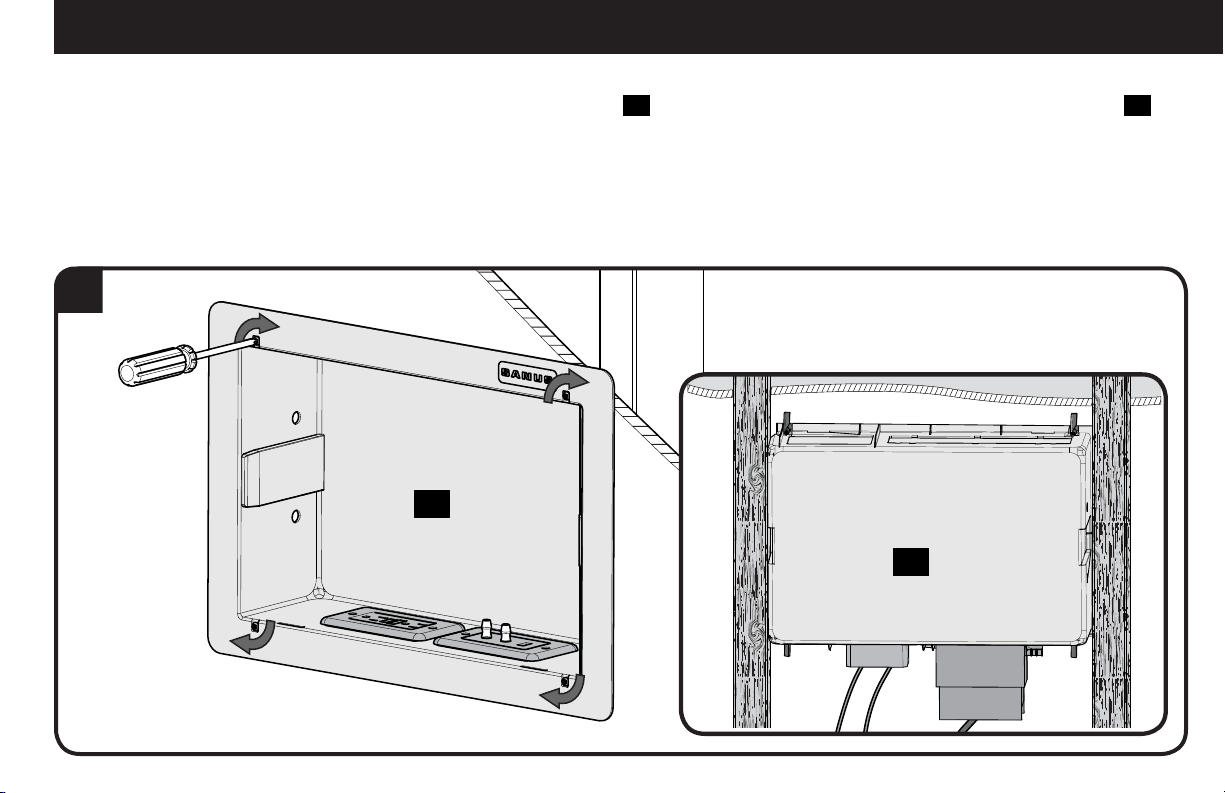
02
02
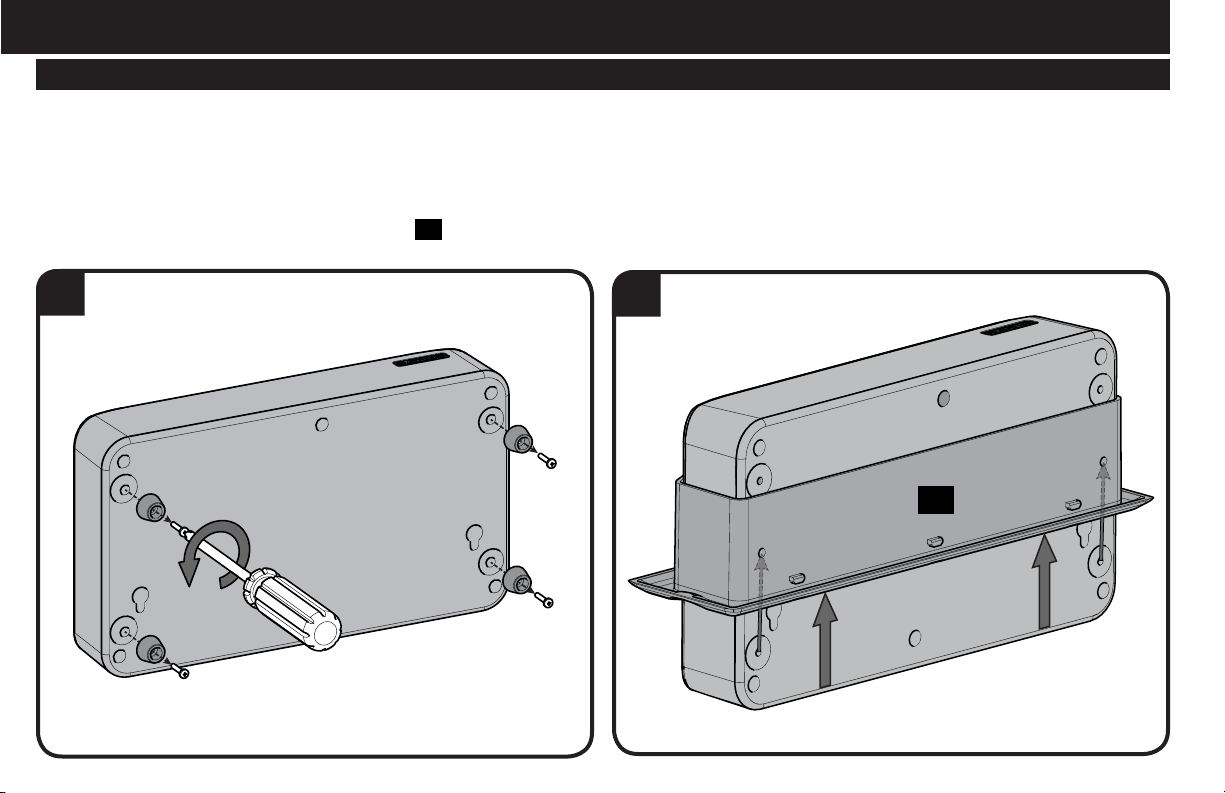
3. Using a screwdriver, turn the screws in the corners of the housing
02
. These will raise the locking tabs in the rear of the housing
02
to
secure it to the wall. Tighten only until secure. Do not over-tighten screws.
8
STEP 3 Install Components
1
ECO-Mini (purchased separately) with the SA809 - Optional
NOTE: Minimum spacings between the accessories and components and the housing for Information Technology Communication Equipment
shall be maintained for safe operation of the equipment when installed in accordance with the National Electric Code, ANSI/NFPA 70-1999.
Refer to communication equipment manufacturer’s specifications for minimum spacings.
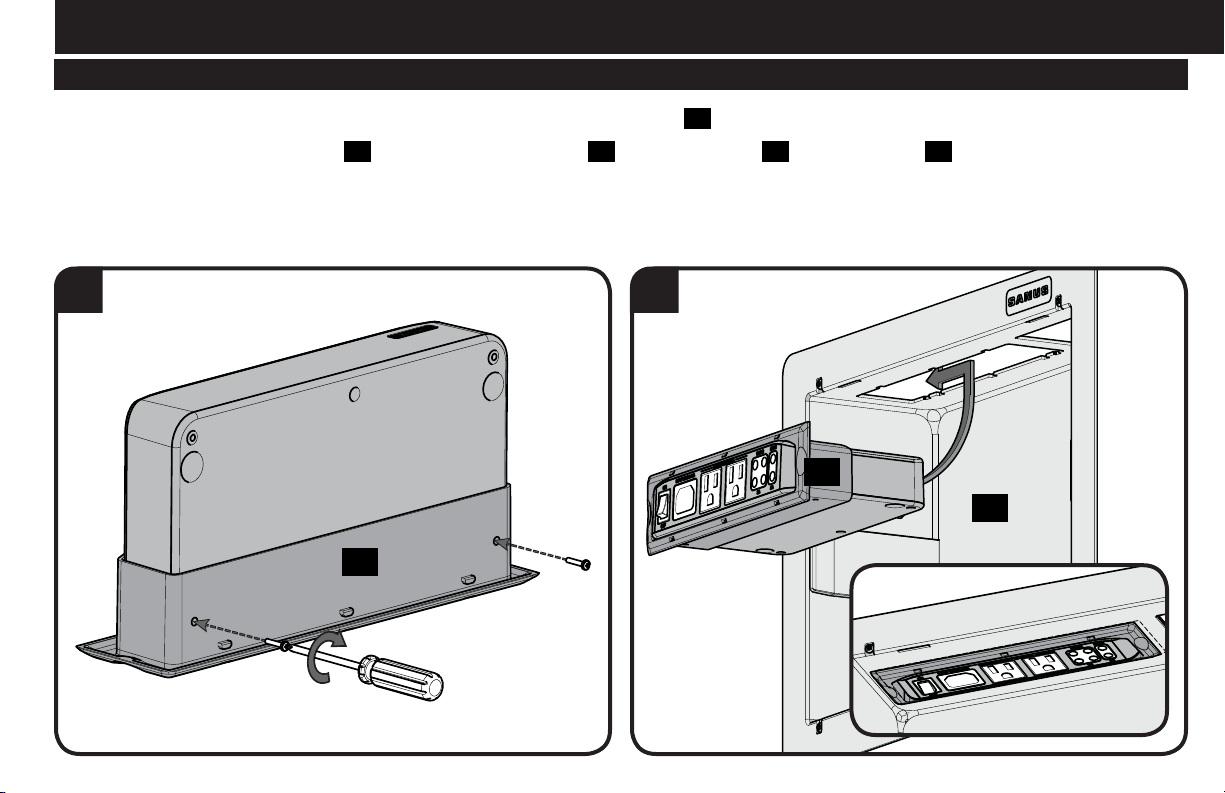
1. To use the ECO-Mini (purchased separately) in the SA809, first remove feet.
2. Fit the ECO-Mini into the ECO-Mini bracket
03
supplied with the SA809.
2
03
9
4
STEP 3 Install Components cont.
03
02
ECO-Mini (purchased separately) with the SA809 - Optional
3
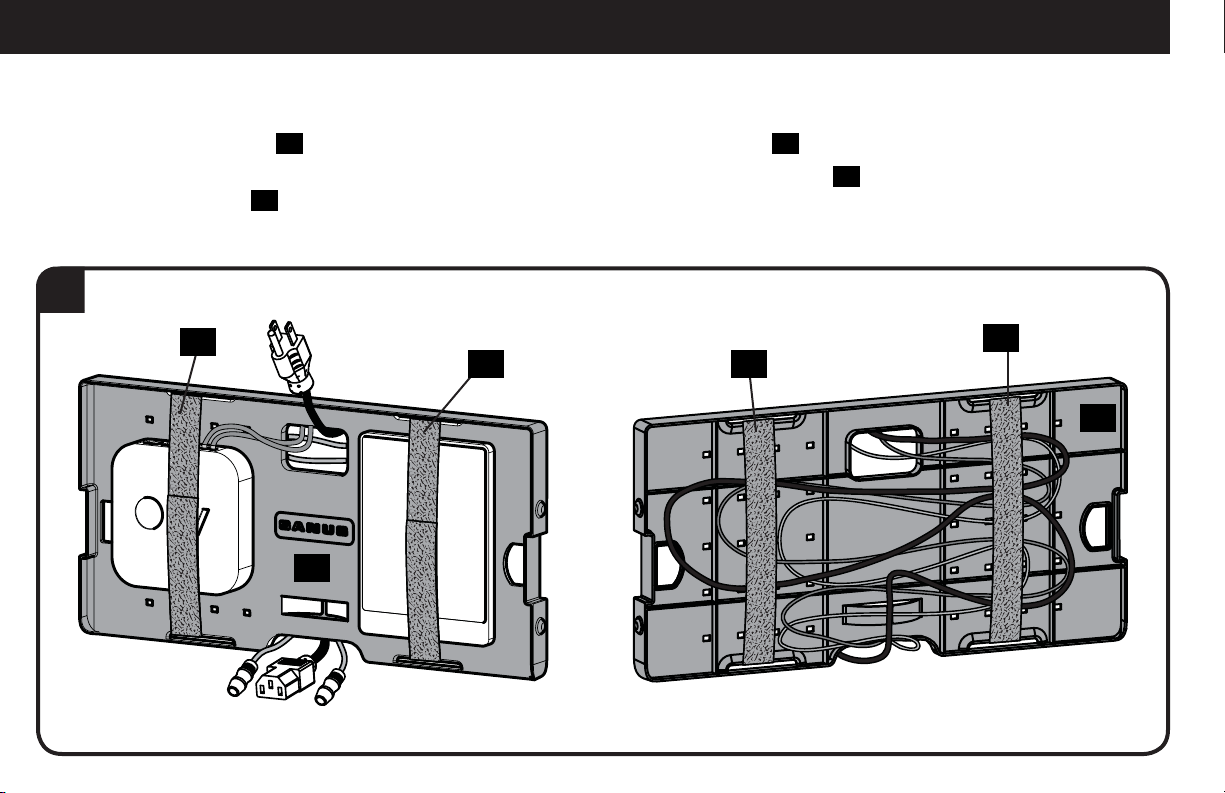
3. Use two of the screws from the feet to secure the ECO-Mini in the bracket
03
.
4. Slide the ECO-Mini and bracket
03
into the top of the housing
02
. Lock the bracket
03
into the housing
02
by sliding it towards the
corner until you feel it catch.
03
10
STEP 3 Install Components cont.
5
04
04
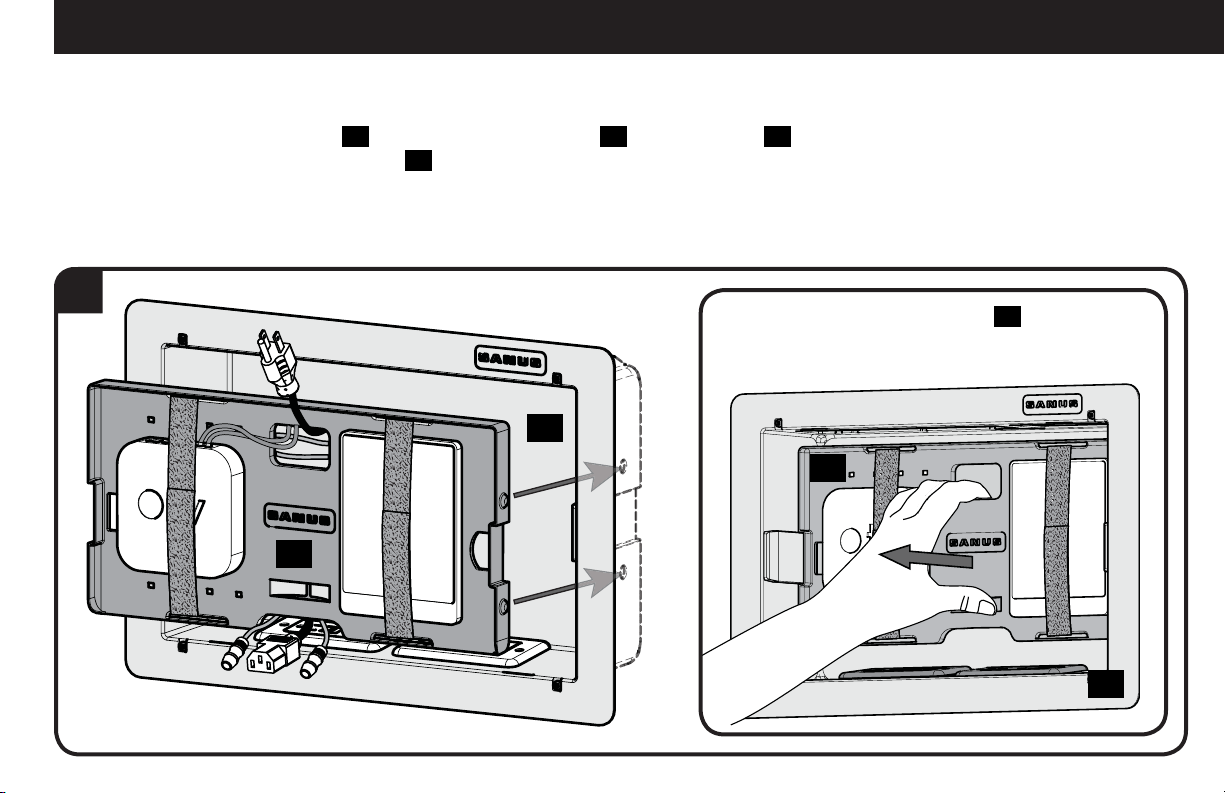
5. Use elastic-velcro straps
05
to attach components to the front of the component panel
04
and to secure wires to the back of the panel.
NOTE: Zip ties can also be used by looping them through the holes of the component panel
04
to secure components to the
component panel
04
.
05
05
05
05
11
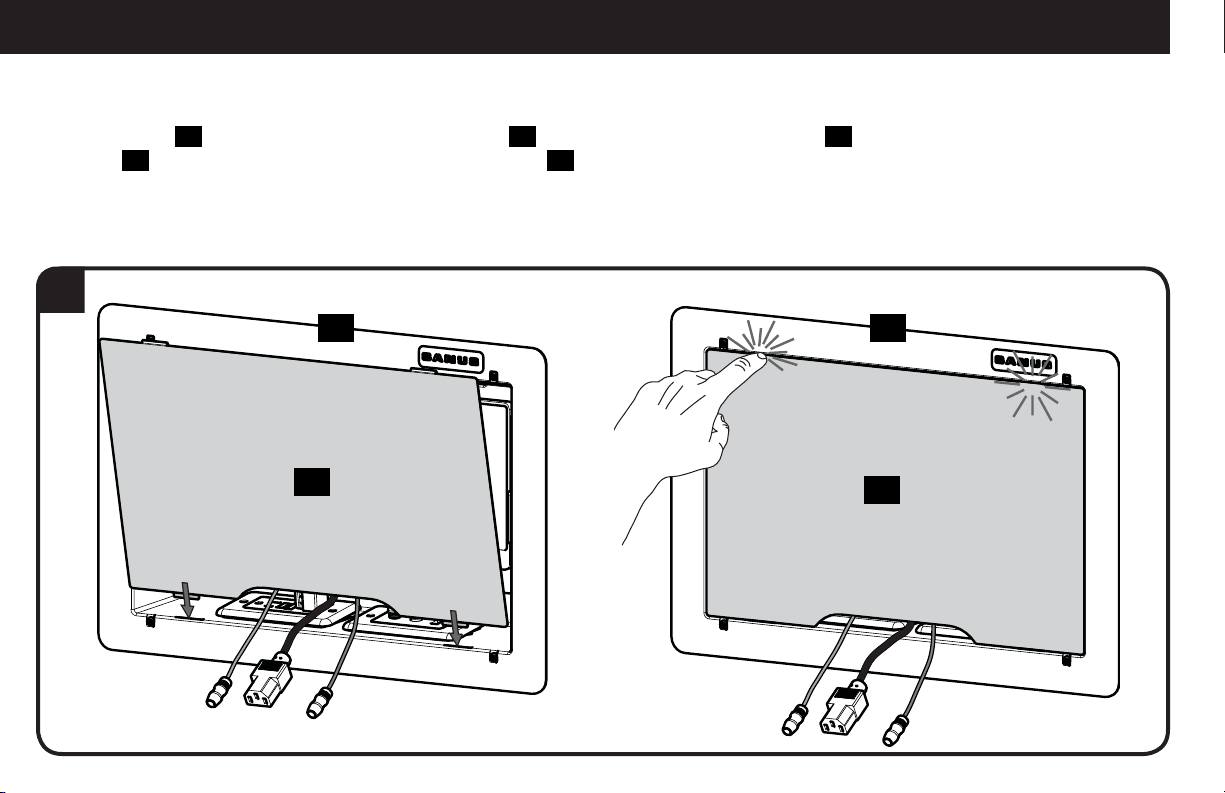
6
STEP 3 Install Components cont.
04
04
02
02
6. To mount the component panel
04
, press the component panel
04
into the housing
02
until the side buttons "snap" into the
depressions in the sides of the housing
02
.
To remove component panel
04
, grasp
panel in the center and pull straight out.
12
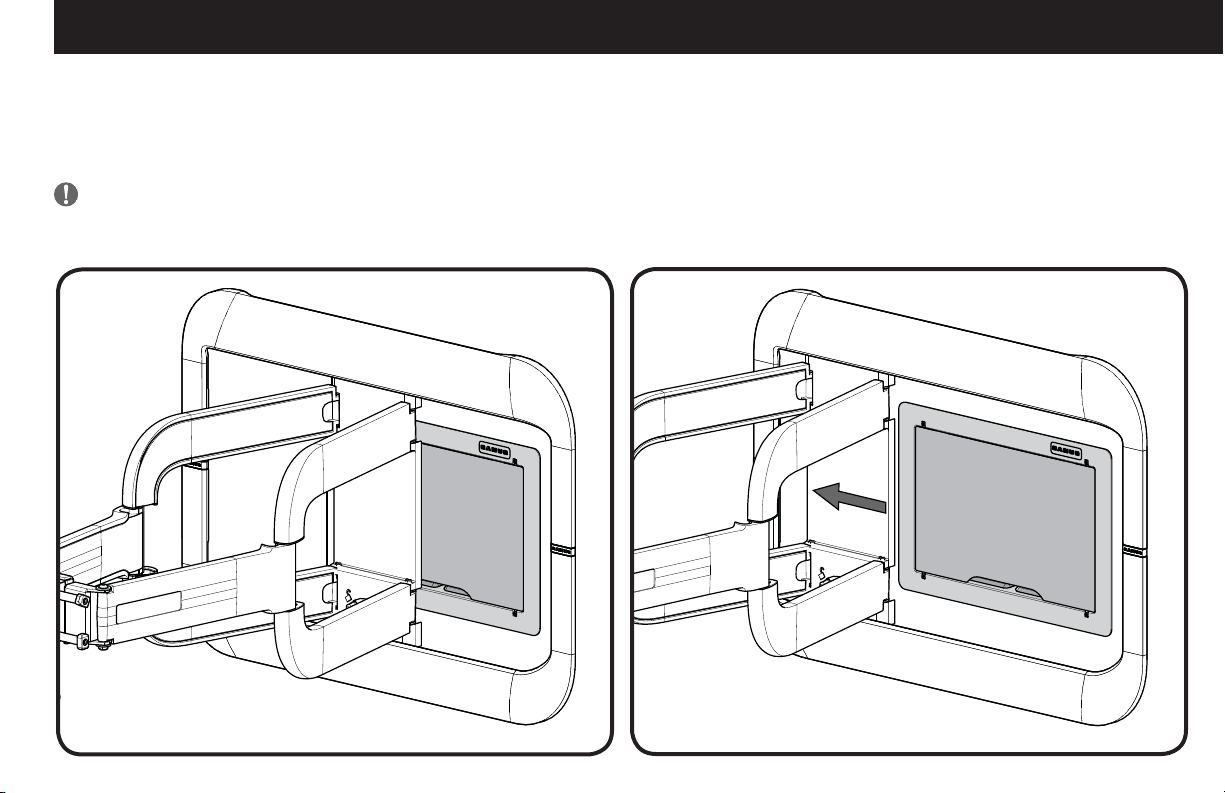
7
STEP 3 Install Components cont.
06
02 02
06
7. Install cover
06
by fitting the bottom tabs of the cover
06
into the bottom slots of the housing
02
. Press near the upper tabs of the
cover
06
to "snap" them into the upper slots of the housing
02
.
13
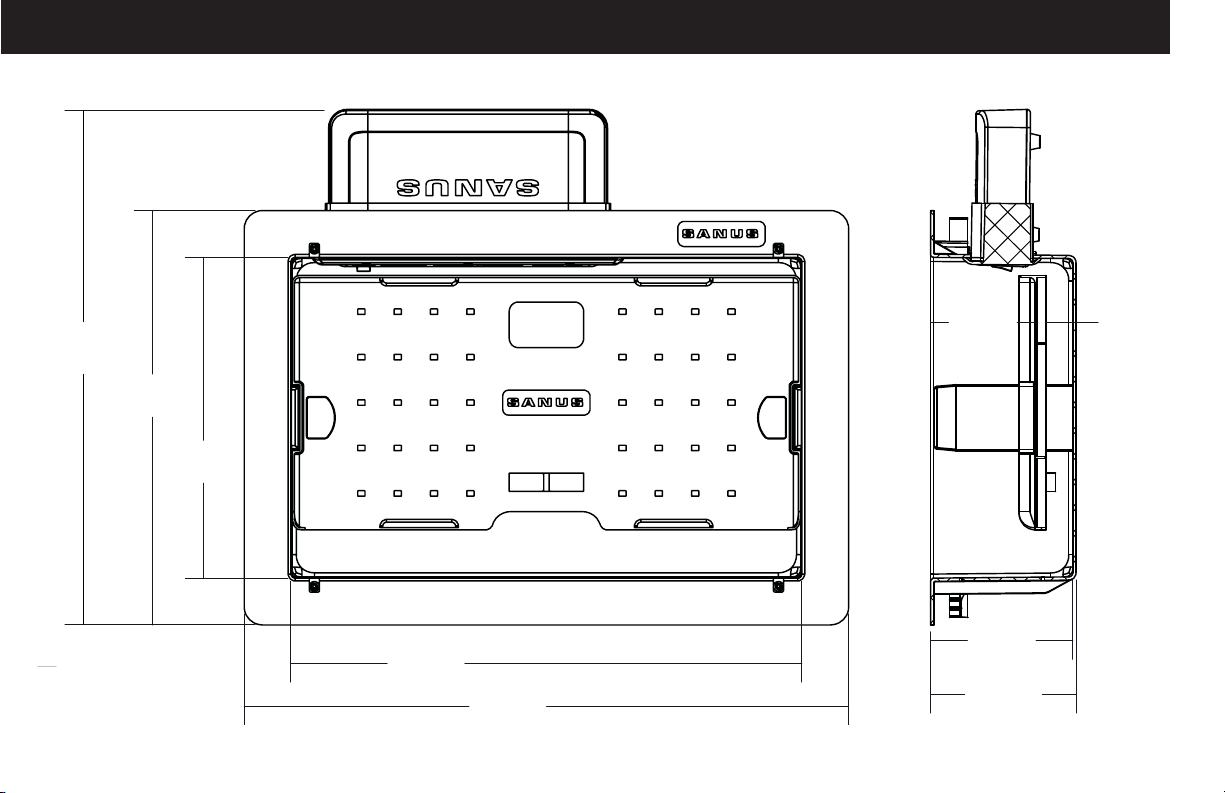
Positioning
The SA809 can be installed behind most large wall plates of wall mounts. To access the SA809 after installation, disconnect all cables and
wires from the TV, then either slide or remove the arm or TV mount from the wall plate.
IMPORTANT: Check your TV owner’s manual to see if there are any special requirements for mounting or removing your TV.
14
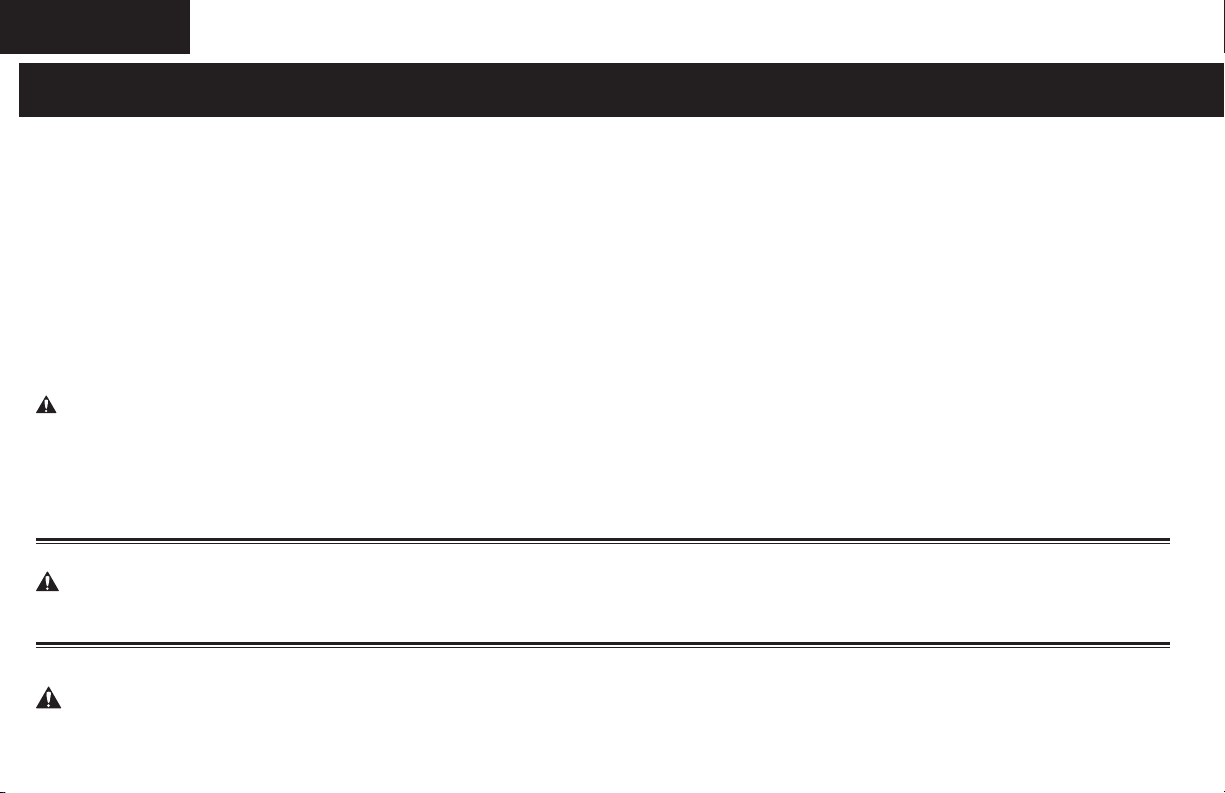
Dimensions
11.40 in.
[289.6 mm]
14.2 in.
[360.7 mm]
8.84 in.
[224.6 mm]
14.07 in.
[357.5 mm]
16.63 in.
[422.4 mm]
3.92 in.
[99.6 mm]
4.00 in.
[101.6 mm]
2.87 in.
[72.9 mm]
0.75 in.
[19.1 mm]

15
16
ESPAÑOL
INSTRUCCIONES DE SEGURIDAD IMPORTANTES. CONSÉRVELAS. LEA TODO EL MANUAL ANTES DE UTILIZAR ESTE PRODUCTO.
Antes de comenzar, verifiquemos que este producto sea el ideal para sus necesidades. Ver página 2
1. ¿Los accesorios pesan más de 13,6 kg (30 lb)?
No
—
¡Perfecto!
Sí
—
Este producto NO es compatible. Visite Sanus.com o llame al 1-800-359-5520 (Reino Unido: 0800-0562853) para encontrar un
producto compatible.
2. ¿De qué está hecha su pared?
3. ¿Tiene todas las herramientas necesarias?
4. ¿Listo para comenzar?
Lea estas instrucciones en su totalidad para estar seguro de sentirse cómodo con este fácil proceso de instalación.
Si no entiende las instrucciones o si tiene dudas acerca de la seguridad de la instalación, del ensamblado o del uso del producto, póngase en
contacto
con el servicio de atención al cliente al 1-800-359-5520 (Reino Unido: 0800 056 2853].
PRECAUCIÓN: Evite lesiones y daños materiales.
● No utilice este producto al aire libre
● Este sistema en la pared es para uso con ITE o Sólo audio equipos / Video
● La temperatura ambiente máxima especificada del sistema de gabinete es 40o - 120 º F (4o - 49 º C)No utilice este producto para ningún
otro propósito que no sea el especificado explícitamente por el fabricante.
● El fabricante no se responsabiliza por ningún daño o lesión resultante del montaje incorrecto o de uso indebido.
Piezas suministradas Ver página 3
ADVERTENCIA: Este producto contiene piezas pequeñas que, si fuesen tragadas, podrían producir asfixia.
Antes de iniciar el ensamblaje, compruebe que todas las piezas estén incluidas y en buenas condiciones. Si faltan piezas o alguna está
dañada, no devuelva el artículo al distribuidor; póngase en contacto con el servicio de atención al cliente. Nunca utilice piezas deterioradas.
PASO 1: Haga espacio para la carcasa Ver página 4
PRECAUCIÓN: Evite lesiones y daños materiales.
● Espesor mínimo de yeso: 1/2" (13 mm).
● La caja debe colocarse entre montantes que tengan una distancia de separación mínima de 16" (406 mm).
17
1. Localice los montantes con un detector de bordes de montantes. Busque los bordes de los montantes con un punzón o clavo.
Marque los bordes de los montantes con un lápiz.
2. Centre la plantilla
01
entre los dos montantes. Nivele la plantilla
01
y use un lápiz para marcar el área abierta de la plantilla
01
.
3. Use una sierra para yeso o una herramienta similar para cortar el yeso donde hizo las marcas. Retire la sección de yeso que cortó.
¡ADVERTENCIA! ¡Riesgo de descarga eléctrica! Evite el riesgo de lesiones graves o muerte. Asegúrese de que no haya cables
de electricidad en la pared antes de cortar o taladrar la superficie.
¡ADVERTENCIA! ¡Riesgo de explosiones e incendios! Evite el riesgo de lesiones graves o la muerte. Asegúrese de que no haya
tuberías de gas en la pared antes de cortar o taladrar la superficie.
4. Coloque los cables.
PASO 2: Colocar la carcasa Ver página 6
1. Romper con los sectores de la vivienda. Opcionalmente, instale una lista de UL 120 VAC caja eléctrica de salida (no incluido) capaz de
unirse a la carcasa
02
SA809 siguiendo las instrucciones incluidas en la caja de salida.
2. Con cuidado, coloque la carcasa
02
en la sección que cortó de la pared.
3. Con un destornillador, ajuste los tornillos de las esquinas de la carcasa
02
. Esto hará que las lengüetas de bloqueo se levanten en la
parte posterior de la carcasa
02
y la fijen a la pared. Ajuste solo hasta que quede fija. No ajuste en exceso los tornillos.
PASO 3: Colocar los componentes Ver página 8
ECO-Mini (se vende por separado) con SA809 - Opcional
NOTA: Distancias mínimas entre los accesorios y componentes y la carcasa de Tecnología de la Información Equipo de
Comunicación se mantendrán para el funcionamiento correcto de este equipo cuando se instala de acuerdo con el Código
Eléctrico Nacional, ANSI / NFPA 70-1999. Consulte las especificaciones del equipo de comunicación del fabricante para
distancias mínimas.
ESPAÑOL
18
ESPAÑOL
1. Para usar ECO-Mini (se vende por separado) en SA809, primero retire la base.
2. Coloque ECO-Mini en la placa de sujeción del ECO-Mini
03
incluida con SA809.
3. Use dos de los tornillos de la base para asegurar el ECO-Mini en la placa de sujeción
03
.
4. Deslice el ECO-Mini y la placa de sujeción
03
en la parte superior de la carcasa
02
. Bloquee la placa de sujeción
03
en la carcasa.
5. Para ello,
02
deslícela hacia la esquina hasta que se enganche. Use las tiras elásticas de velcro
05
para sostener los componentes a
la parte frontal del panel de componentes
04
y para sujetar los cables a la parte posterior del panel.
NOTA: También se pueden usar cinchos. Para ello, páselos a través de los orificios del panel de componentes
04
y átelos para
sujetar los componentes del panel
04
.
6. Para instalar el panel de componentes
04
, presiónelo
04
en la carcasa
02
hasta que los botones laterales "encajen" en los huecos de
la carcasa
02
.
7. Coloque la cubierta
06
. Para ello, introduzca las lengüetas inferiores de la cubierta
06
en las ranuras inferiores de la carcasa
02
.
Presione cerca de las lengüetas superiores de la cubierta
06
para que "encajen" en las ranuras superiores de la carcasa
02
.
Posicionamiento Ver página 13
SA809 se puede colocar detrás de la mayoría de las placas murales de los soportes murales. Para tener acceso a SA809 después de la
instalación, desconecte todos los cables del televisor, luego deslice o retire el brazo o el soporte del televisor de la placa mural.
IMPORTANTE: Consulte el manual del usuario de su televisor para ver si existe algún requisito especial para instalar o retirar su
televisor en la pared.
Dimensiones Ver página 14

19
ESPAÑOL
20
6901-002316 01
Milestone AV Technologies and its a liated corporations and subsidiaries (collectively, “Milestone”), intend to make this manual accurate and complete. However,
Milestone makes no claim that the information contained herein covers all details, conditions, or variations. Nor does it provide for every possible contingency in
connection with the installation or use of this product. The information contained in this document is subject to change without notice or obligation of any kind.
Milestone makes no representation of warranty, expressed or implied, regarding the information contained herein. Milestone assumes no responsibility for accuracy,
completeness or su ciency of the information contained in this document.
©2013 Milestone AV Technologies. All rights reserved. Sanus is a division of Milestone.
All other brand names or marks are used for identifi cation purposes and are trademarks of their respective owners.
Thank you for choosing Sanus! Please take a moment to let us know how we did:
SANUS • 6436 City West Parkway • Eden Prairie, MN 55344 USA
Call us: 1-800-359-5520
UK: 0800 056 2853
Email us: [email protected] Leave a review: sanus.com
Find us on Facebook: SANUS Follow us on Twitter @sanussystems