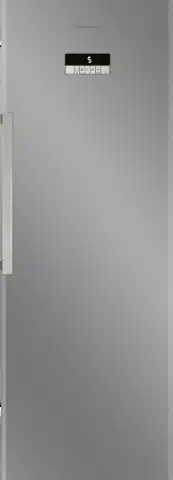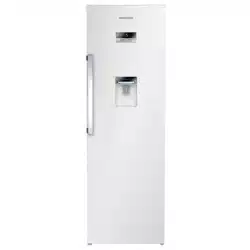
GSN 30710 DW
Tall Larder Fridge
User Manual
EN /
58 4566 0000/AA
Please read these instructions first before using your appliance
Thank you for choosing a Grundig appliance.
Please take some time to read this user manual before using your
appliance, to ensure you know how to safely operate the controls and
functions.
Carefully follow all unpacking and installation instructions to ensure the
appliance is correctly connected and fitted prior to use.
Please write your product model and serial number on the last page of
this user manual, and store in a safe location close to the appliance for
easy future reference.
This user manual may also be applicable for several other models.
Differences between models will be listed.
If you have any questions or concerns, please call our contact centre or
find help and information online at www.grundig.co.uk
Symbols and their descriptions
This instruction manual contains the following symbols:
C
Important information or useful usage
tips.
A
Warning against dangerous conditions
for life and property.
B
Warning against electric voltage.
Packaging materials of the product are
manufactured from recyclable materials
in accordance with our National
Environment Regulations.
A
A
A
C
SUPPLIER’S NAME
MODEL IDENTIFIER
(*)
INFORMATION
C
The model information as stored in the product data base
can be reached by entering following website and searching
for your model identifier (*) found on energy label.
https://eprel.ec.europa.eu/
3
Contents
1. Safety and environment
instructions 4
1.1. General safety ..................... 4
1.1.1 HC warning ..........................6
1.1.2 For models with water
dispenser ......................................6
1.2. Intended use........................6
1.3. Child safety ..........................7
1.4. Compliance with WEEE
Directive and Disposing of the
Waste Product ..............................7
1.5. Compliance with RoHS
Directive ........................................ 7
1.6. Package information...........7
2. Your Refrigerator 8
3. Installation 9
3.1 Appropriate installation
location .........................................9
3.2 Installing the plastic
wedges ........................................10
3.3 Electrical connection ........10
3.4 Illumination lamp ..............11
4. Preparation 12
4.1 Things to be done for energy
saving .......................................... 12
4.2 Initial use ...........................12
5. Operating the product 14
5.1 Indicator panel ..................14
5.2 Using the water dispenser 16
5.3 Filling the water
dispenser's tank ......................... 16
5.4 Cleaning the water tank ...17
5.5 Drip tray .............................18
5.6 Using interior
compartments ............................ 19
5.7 Cooling ..............................19
5.8 Placing the food ................19
5.9 Defrosting of the
appliance.....................................19
5.10 Changing the door opening
direction ...................................... 20
6. Maintenance and cleaning 21
6.1 Avoiding bad odours..........21
6.2 Protecting the plastic
surfaces .....................................22
7. Troubleshooting 23
4
1. Safety and environment instructions
This section provides the safety
instructions necessary to
prevent the risk of injury and
material damage. Failure to
observe these instructions will
invalidate all types of product
warranty.
Intended use
A
WARNING:
Keep ventilation
openings, in the
appliance enclosure or
in the built-instructure,
clear of obstruction.
A
WARNING:
Do not use mechanical
devices or other means
to accelerate the
defrosting process,
other than those
recommended by the
manufacturer.
A
WARNING:
Do not damage the
refrigerant circuit.
A
WARNING:
Do not use electrical
appliances inside
the food storage
compartments of the
appliance, unless
they are of the type
recommended by the
manufacturer.
This appliance is intended to be
used in household and similar
applications such as
– staff kitchen areas in shops,
offices and other working
environments;
– farm houses and by clients
in hotels, motels and other
residential type environments;
– bed and breakfast type
environments;
– catering and similar non-retail
applications.
1.1. General safety
• This product should not
be used by persons with
physical, sensory and mental
disabilities, without sufficient
knowledge and experience
or by children. The device
can only be used by such
persons under supervision
and instruction of a person
responsible for their safety.
Children should not be
allowed to play with this
device.
• In case of malfunction,
unplug the device.
• After unplugging, wait at
least 5 minutes before
plugging in again.
• Unplug the product when not
in use.
• Do not touch the plug with
wet hands! Do not pull the
cable to plug off, always hold
the plug.
• Do not plug in the refrigerator
if the socket is loose.
• Unplug the product during
installation, maintenance,
cleaning and repair.

5
• If the product will not be
used for a while, unplug the
product and remove any food
inside.
• Do not use the product when
the compartment with circuit
cards located on the upper
back part of the product
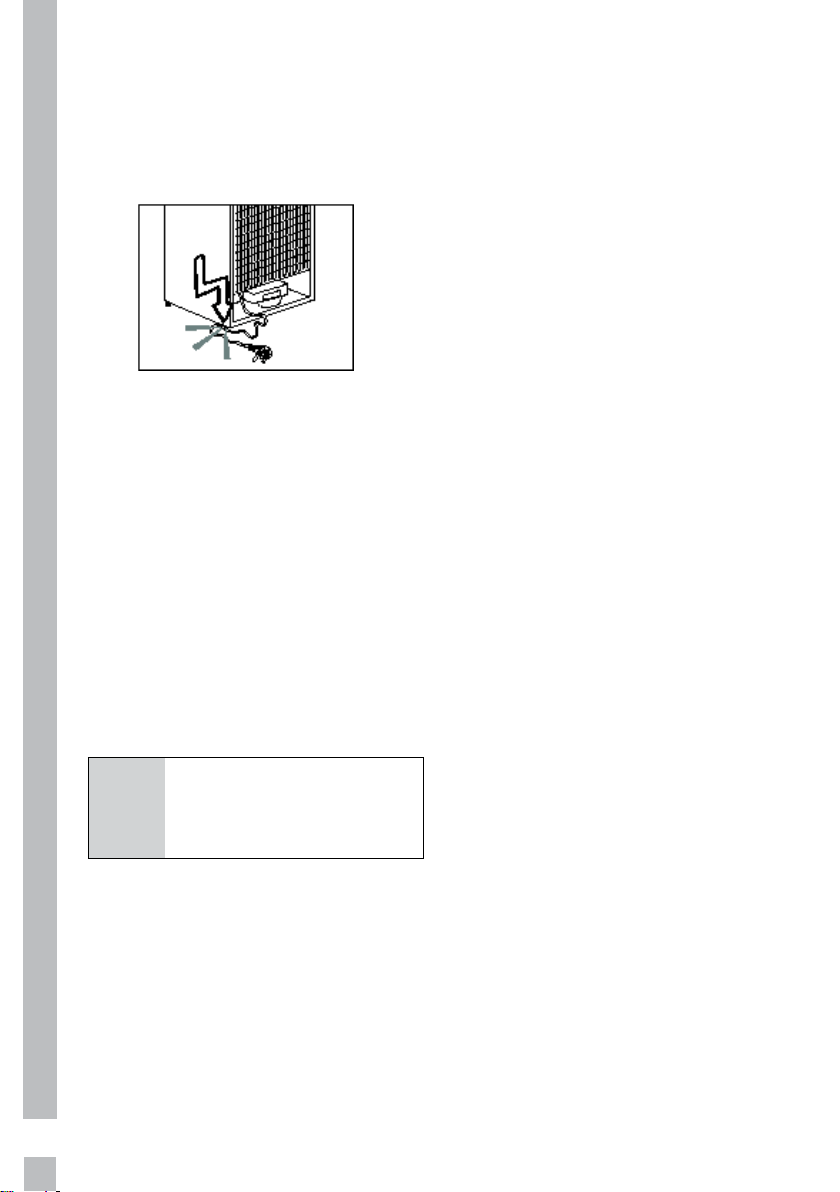
(electrical card box cover) (1)
is open.
1
1
• Do not use steam or steamed
cleaning materials for
cleaning the refrigerator and
melting the ice inside. Steam
may contact the electrified
areas and cause short circuit
or electric shock!
• Do not wash the product by
spraying or pouring water on
it! Danger of electric shock!
• In case of malfunction, do not
use the product, as it may
cause electric shock. Contact
the authorised service before
doing anything.
• Plug the product into an
earthed socket. Earthing
must be done by a qualified
electrician.
• If the product has LED
type lighting, contact the
authorised service for
replacing or in case of any
problem.
• Do not touch frozen food with
wet hands! It may adhere to
your hands!
• Do not place liquids in bottles
and cans into the freezer
compartment. They may
explode.
• Place liquids in upright
position after tightly closing
the lid.
• Do not spray flammable
substances near the product,
as it may burn or explode.
• Do not keep flammable
materials and products with
flammable gas (sprays, etc.)
in the refrigerator.
• Do not place containers
holding liquids on top of the
product. Splashing water on
an electrified part may cause
electric shock and risk of fire.
• Exposing the product to rain,
snow, sunlight and wind
will cause electrical danger.
When relocating the product,
do not pull by holding the
door handle. The handle may
come off.
• Take care to avoid trapping
any part of your hands or
body in any of the moving
parts inside the product.
• Do not step or lean on the
door, drawers and similar
parts of the refrigerator. This
6
will cause the product to fall
down and cause damage to
the parts.
• Take care not to trap the
power cable.
1.1.1 HC warning
If the product comprises a
cooling system using R600a
gas, take care to avoid
damaging the cooling system
and its pipe while using and
moving the product. This gas
is flammable. If the cooling
system is damaged, keep the
product away from sources
of fire and ventilate the room
immediately.
C
The label on the inner
left side indicates the
type of gas used in the
product.
1.1.2 For models with
water dispenser
• Pressure for cold water inlet
shall be maximum 90 psi (620
kPa). If your water pressure
exceeds 80 psi (550 kPa), use
a pressure limiting valve in
your mains system. If you
do not know how to check
your water pressure, ask for
the help of a professional
plumber.
• If there is risk of water
hammer effect in your
installation, always
use a water hammer
prevention equipment in
your installation. Consult
Professional plumbers if you
are not sure that there is no
water hammer effect in your
installation.
• Do not install on the hot
water inlet. Take precautions
against of the risk of
freezing of the hoses. Water
temperature operating
interval shall be 33°F (0.6°C)
minimum and 100°F (38°C)
maximum.
• Use drinking water only.
1.2. Intended use
• This product is designed for
home use. It is not intended
for commercial use.
• The product should be used
to store food and beverages
only.
• Do not keep sensitive
products requiring controlled
temperatures (vaccines,
heat sensitive medication,
medical supplies, etc.) in the
refrigerator.
• The manufacturer assumes
no responsibility for any
damage due to misuse or
mishandling.
• Original spare parts will
be provided for 10 years,
7
following the product
purchasing date.
1.3. Child safety
• Keep packaging materials
out of children’s reach.
• Do not allow the children to
play with the product.
• If the product’s door
comprises a lock, keep the
key out of children’s reach.
1.4. Compliance with WEEE
Directive and Disposing
of the Waste Product
This product complies with
EU WEEE Directive (2012/19/EU).
This product bears a classification
symbol for waste electrical and
electronic equipment (WEEE).
This product has been
manufactured with high
quality parts and
materials which can be
reused and are suitable
for recycling. Do not
dispose of the waste
product with normal domestic and
other wastes at the end of its
service life. Take it to the collection
center for the recycling of
electrical and electronic
equipment. Please consult your
local authorities to learn about
these collection centers.
1.5. Compliance with
RoHS Directive
•
This product complies with EU
WEEE Directive (2011/65/EU).
It does not contain harmful and
prohibited materials specified in
the Directive.
1.6. Package information
Packaging materials of the product
are manufactured from recyclable
materials in accordance with our
National Environment Regulations.
Do not dispose of the packaging
materials together with the
domestic or other wastes. Take
them to the packaging material
collection points designated by the
local authorities.
8
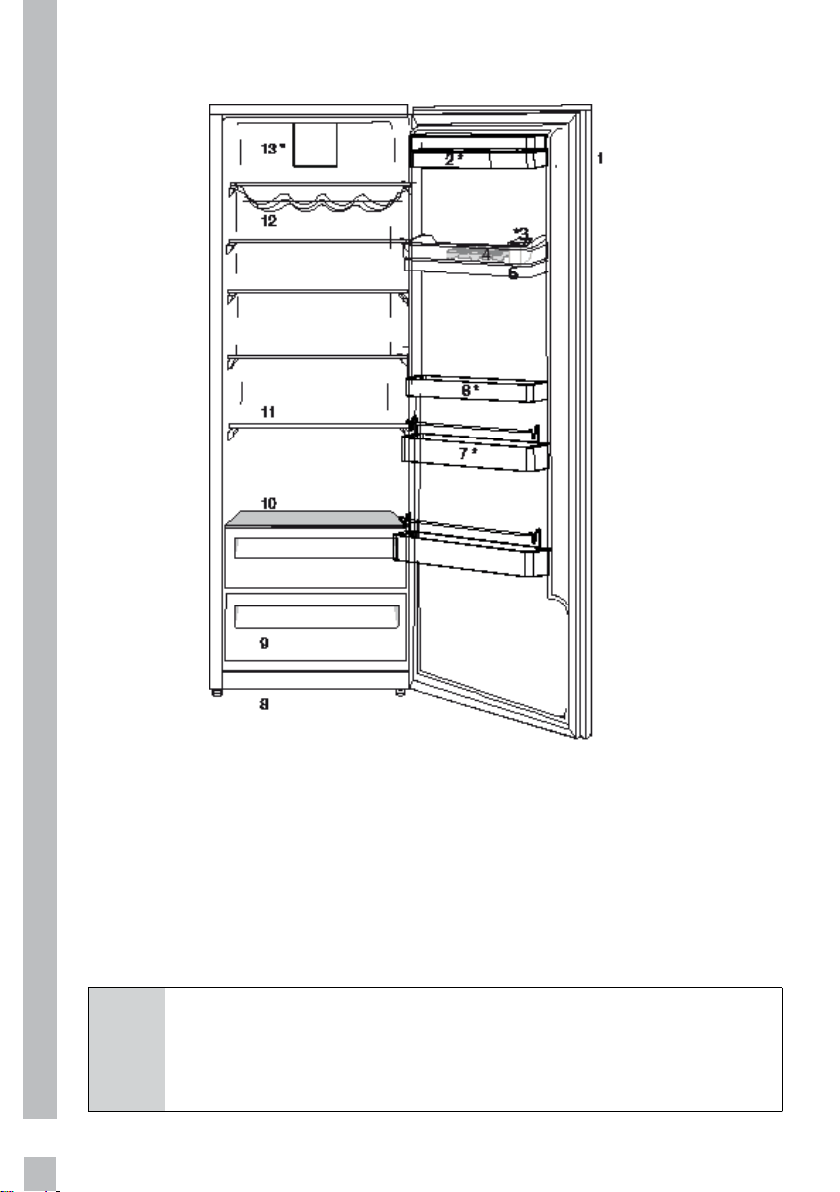
2. Your Refrigerator
C
Figures in this user manual are schematic and may not match
the product exactly. If the subject parts are not included in the
product you have purchased, then those parts are valid for other
models.
1. Indicator panel
2. Butter & Cheese sections
3. Water dispenser filling tank
4. Egg section
5. Water dispenser reservoir
6. Adjustable door racks
7. Bottle shelves
8. Adjustable front feet
9. Salad drawer
10. Chiller and glass cover
11. Movable shelves
12. Wine rack
13. Fan
* May not be available in all models
9
3. Installation
Refer to the nearest Authorised
Service Agent for installation of
the product. To make the product
ready for use, make sure that
the electricity installation is
appropriate before calling the
Authorised Service Agent. If not,
call a qualified electrician to have
any necessary arrangements
carried out.
C
Preparation of the
location and electrical
installation at the place
of installation is under
customer's responsibility.
B
Product must not be
plugged in during
installation. Otherwise,
there is the risk of death
or serious injury!
B
WARNING: Installation
and electrical connections
of the product must
be carried out by the
Authorised Service Agent.
Manufacturer shall not be
held liable for damages
that may arise from
procedures carried out by
unauthorised persons.
A
WARNING: Prior to
installation, visually
check if the product has
any defects on it. If so,
do not have it installed.
Damaged products cause
risks for your safety.
C
Make sure that the power
cable is not pinched or
crushed while pushing
the product into its place
after installation or
cleaning procedures.
3.1 Appropriate
installation location
•
Choose a place at where you can
access the product comfortably.
• Install the product at least 30
cm away from heat sources
such as hobs, ovens, heater
cores and stoves and at least 5
cm away from electrical ovens.
Product must not be subjected
to direct sun light and kept in
humid places after installation.
• Appropriate air ventilation must
be provided around your product
in order to achieve an efficient
operation. If the product is to be
placed in a recess in the wall,
pay attention to leave at least 5
cm distance with the ceiling and
side walls.
• Do not place the product on
materials such as rugs or
carpets.
• Place the product on an even
floor surface to prevent jolts.
• Your product can operate in
ambient temperatures between
+5°C to +43°C.
10
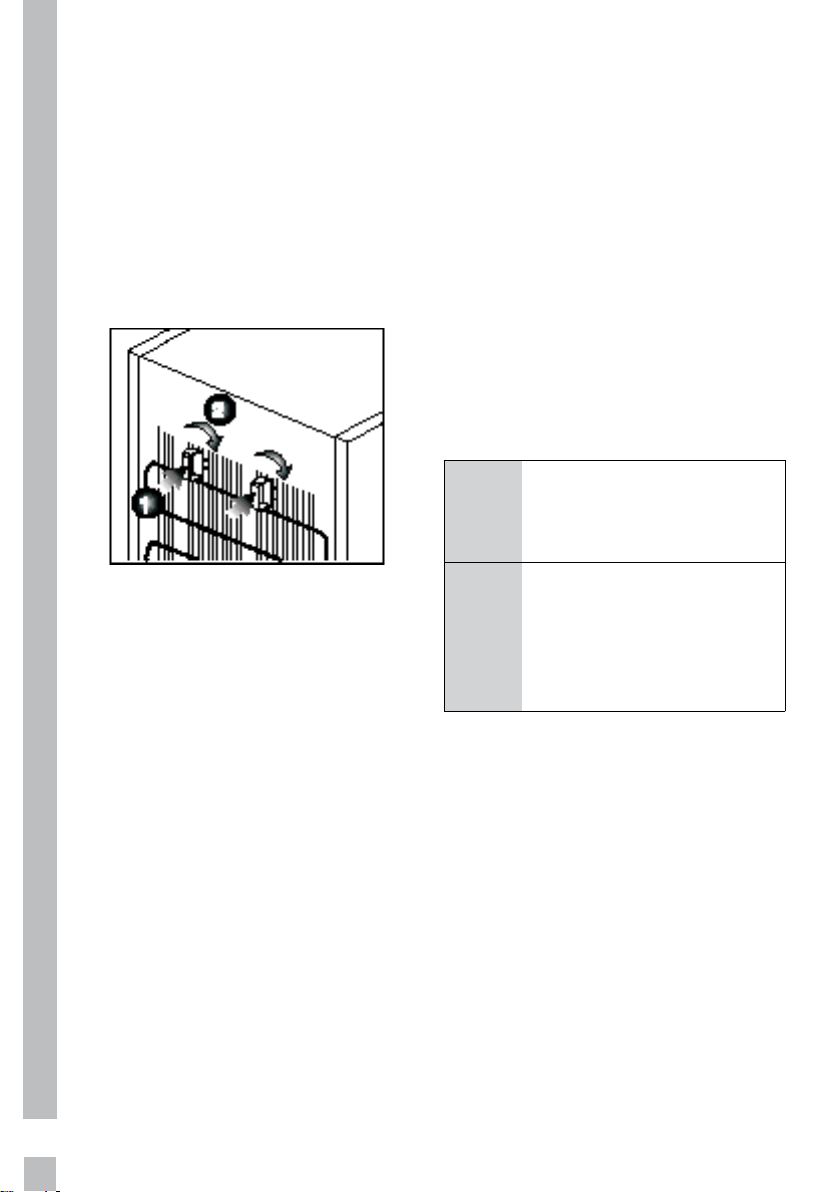
3.2 Installing the
plastic wedges
Plastic wedges are used to create
the distance for the air circulation
between the product and the rear
wall. Insert the 2 plastic wedges
onto the rear ventilation cover as
illustrated in the figure. To install
the wedges, push and twist a
quarter of a turn.
3.3 Electrical connection
Connect the product to a grounded
outlet protected by a fuse
complying with the values in the
rating plate. Our company shall
not be liable for any damages that
will arise when the product is used
without grounding in accordance
with the local regulations.
• Electrical connection
must comply with national
regulations.
• Power cable plug must be within
easy reach after installation.
• The voltage and allowed fuse or
breaker protection are specified
in the Rating Plate which is
affixed to interior of the product.
If the current value of the fuse
or breaker in the house does
not comply with the value in the
rating plate, have a qualified
electrician install a suitable
fuse.
• The specified voltage must be
equal to your mains voltage.
• WARNING: Do not locate
extension sockets or charging
transformers/power supplies
or Lithium-Iron battery
operated products adjacent to
the compressor as they could
overheat.
• Do not make connections via
extension cables or multi-plugs.
B
WARNING: Damaged
power cable must be
replaced by the Authorised
Service Agents.
B
WARNING: If the product
has a failure, it should not
be operated unless it is
repaired by the Authorised
Service Agent! There is
the risk of electric shock!
11
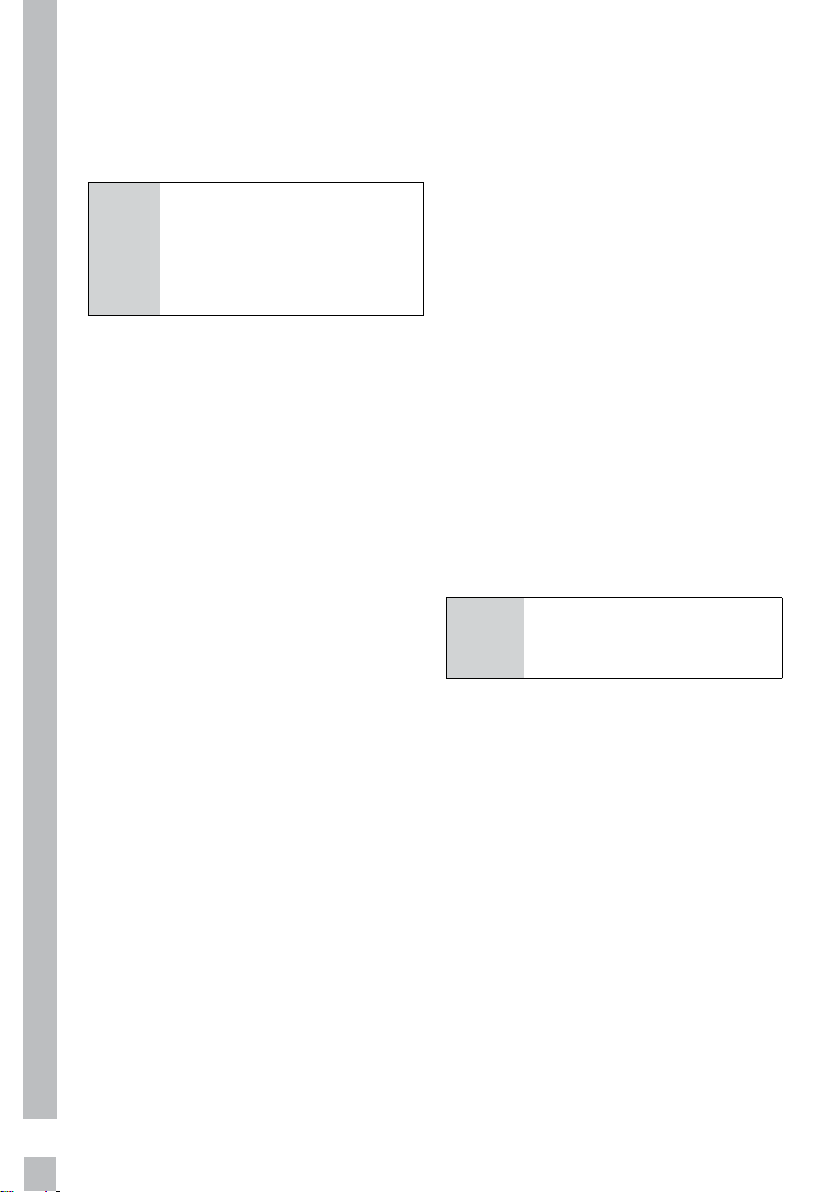
3.4 Illumination lamp
To change the Bulb/LED used for
illumination of your refrigerator,
call your AuthorisedService.
The lamp(s) used in this appliance
is not suitable for household
room illumination. The intended
purpose of this lamp is to assist
the user to place foodstuffs in the
refrigerator/freezer in a safe and
comfortable way.The lamps used
in this appliance have to withstand
extreme physical conditions such
as temperatures below -20 °C.
(only chest and upright freezer)
12
4. Preparation
4.1 Things to be done
for energy saving
A
Connecting the product
to electric energy saving
devices is risky as it may
cause damage on the
product.
• For a freestanding appliance;
‘this refrigerating appliance is
not intended to be used as a
built-in appliance’.
• Do not leave the doors of your
refrigerator open for a long
time.
• Do not put hot food or drinks in
your refrigerator.
• Do not overload the refrigerator.
Cooling capacity will fall when
the air circulation inside is
hindered.
• Do not place the refrigerator in
places subject to direct sunlight.
Install the product at least 30
cm away from heat sources
such as hobs, ovens, heater
cores and stoves and at least 5
cm away from electrical ovens.
• Pay attention to store your
food in refrigerator in closed
containers.
• You can load maximum
amount of food to the freezer
compartment of the refrigerator
by removing the freezer
compartment drawers. Declared
energy consumption value of
the refrigerator was determined
with the freezer compartment
drawers removed,except if
available bottom drawer and
with maximum amount of food
loaded. There is no risk in using
a shelf or drawer suitable for
the shapes and sizes of the
foods to be frozen.
• Thawing frozen food in fridge
compartment will both provide
energy saving and preserve the
food quality.
• The baskets/drawers that
are provided with the chill
compartment must always be in
use for low energy consumption
and for better storage
conditions.
• Food contact with the
temperature sensor in the
freezer compartment may
increase energy consumption of
the appliance. Thus any contact
with the sensor(s) must be
avoided.
C
Inside of your refrigerator
must be cleaned
thoroughly.
4.2 Initial use
Before starting to use the product,
check that all preparations are
made in accordance with the
instructions in sections "Important
instructions for safety and
environment" and "Installation".
• Clean the interior of the
refrigerator as recommended in
the “Maintenance and cleaning”
section. Check that inside of it is
dry before operating it.
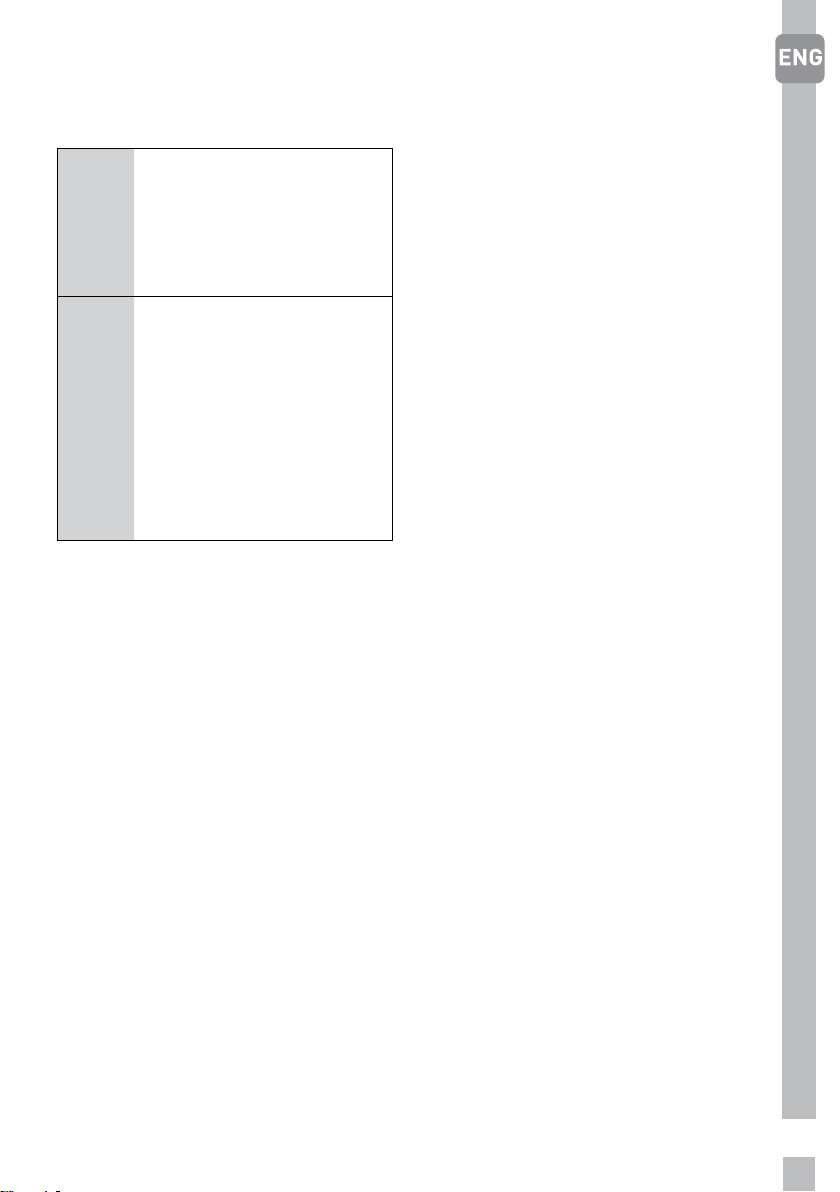
• Plug the refrigerator into the
grounded wall outlet. When
the door is opened the interior
illumination will turn on.
13
• Run the refrigerator without
putting any food for 6 hours
and do not open its door
unnecessarily.
C
Front edges of the
refrigerator may feel
warm. This is normal.
These areas are designed
to be warm to avoid
condensation.
C
You will hear a noise
when the compressor
starts up. The liquids and
gases sealed within the
refrigeration
system may also give rise
to noise, even
if the compressor is not
running and this
is quite normal.
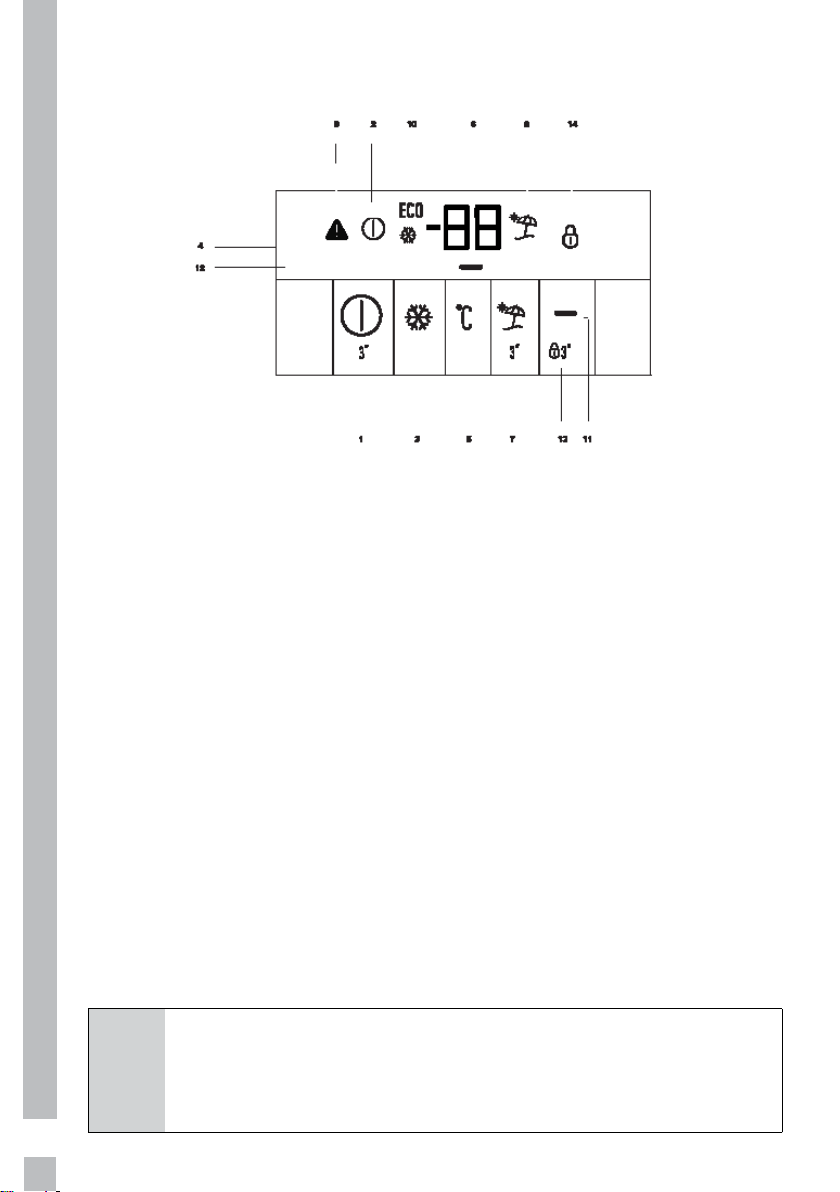
• Since hot and humid air will
not directly penetrate into your
product when the doors are
not opened, your product will
optimize itself in conditions
sufficient to protect your food.
Functions and components
such as compressor, fan, heater,
defrost, lighting, display and
so on will operate according
to the needs to consume
minimum energy under these
circumstances.
14
5. Operating the product
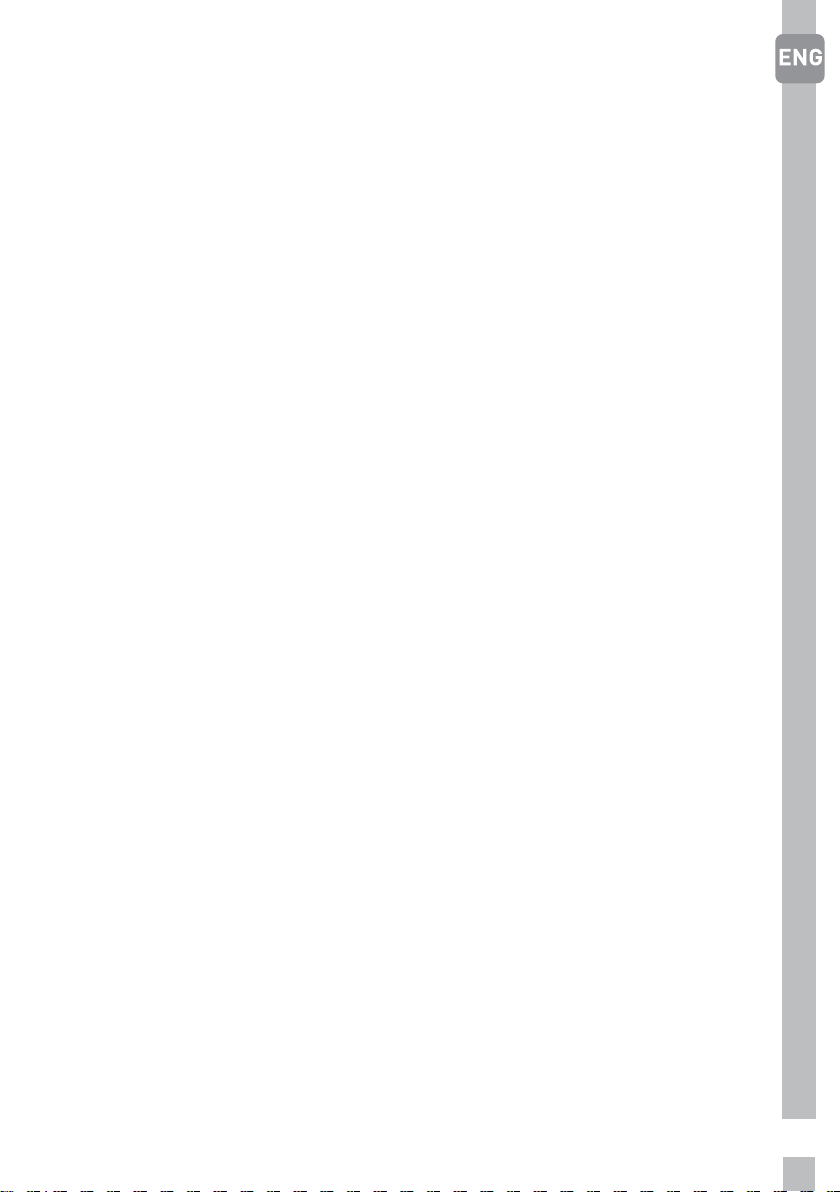
1. On/Off Function:
This function allows you to make
the Fridge turn off when pressed
for 3 seconds.The fridge could
be turned on by pressing On/Off
button for 3 seconds again .
2. On/Off Indicator:
This icon come on when the fridge
is turned off. All the other icons
turn off.
3. Quick Cool Function:
If you want to cool plenty amount of
fresh food, press Quick Cool button
before you place the food into the
fridge compartment.
Quick Cool indicator turns on when
the Quick Fridge function is on.
Press Quick Cool button again to
cancel this function. Quick Cool
indicator will turn off and normal
settings will be resumed. Quick
Cool function will be cancelled
automatically 2 hours later if you
do not cancel it manually.
4. Quick Cool Indicator :
This icon comes on when the Quick
Cool function is on.
5. Fridge Set Function:
This function allows you to
change the Fridge compartment
temperature setting. Press this
button to set the temperature
of the fridge compartment to
8,7,6,5,4,3 and 2 respectively.
6. Fridge Compartment
Temperature Setting Indicator:
Indicates the temperature set for
the Fridge Compartment.
7. Vacation Function:
This function can be used when
you will not be using your fridge for
a long time. When you press the
C
Figures in this user manual are schematic and may not match
the product exactly. If the subject parts are not included in the
product you have purchased, then those parts are valid for other
models.
5.1 Indicator panel
15
Vacation button, vacation function
is activated and the vacation
indicator light will illuminate.
When this function is activated,
the fridge compartment
temperature is kept at 15°C in
order to prevent bad odours from
forming. To deactivate vacation
mode, press the vacation button
once more. There should be no
food kept inside your fridge, as it
will not be preserved in Vacation
mode.
8. Vacation Indicator:
This icon lights up when the
Vacation Function is active.
9. High Temperature/Error
Warning Indicator:
This light comes on during high
temperature failures and error
warnings. If you see this light is on,
please check the “Recommended
Solutions for the Problems” part
from you manual.
10. Economic Usage Indicator:
This icon comes on when the
Fridge Compartment is set to 8°C
which is the most economical set
value. Economic Usage Indicator
turns off when the Quick Fridge or
Quick Freeze function is selected.
The economic usage indicator light
will turn off when Quick Cool is
activated.
11.Energy saving Function
(Display Off): (optional)
When you press this button, all
icons on the display will turn off
except for the energy saving icon.
If any button on the display is then
pressed, the energy saving function
will be exited.
12.1.Energy Saving Indicator :
(optional)
This icon (“-“) lights up when the
Energy Saving Function is selected.
12.2.Energy Saving Indicator :
(optional)
If the product doors are kept
closed for a long time energy
saving function is automatically
activated and energy saving symbol
is illuminated. When energy saving
function is activated, all symbols
on the display other than energy
saving symbol will turn off. When
the Energy Saving function is
activated, if any button is pressed
or the door is opened, energy
saving function will be canceled
and the symbols on display will
return to normal.
13. Key Lock Mode:
You can lock the display by
pressing the key lock button for
3 seconds. To unlock the display,
simply repeat the procedure and
keep key lock button pressed for 3
seconds.
14. Key Lock Indicator:
This icon lights up when the Key
Lock mode is activated.
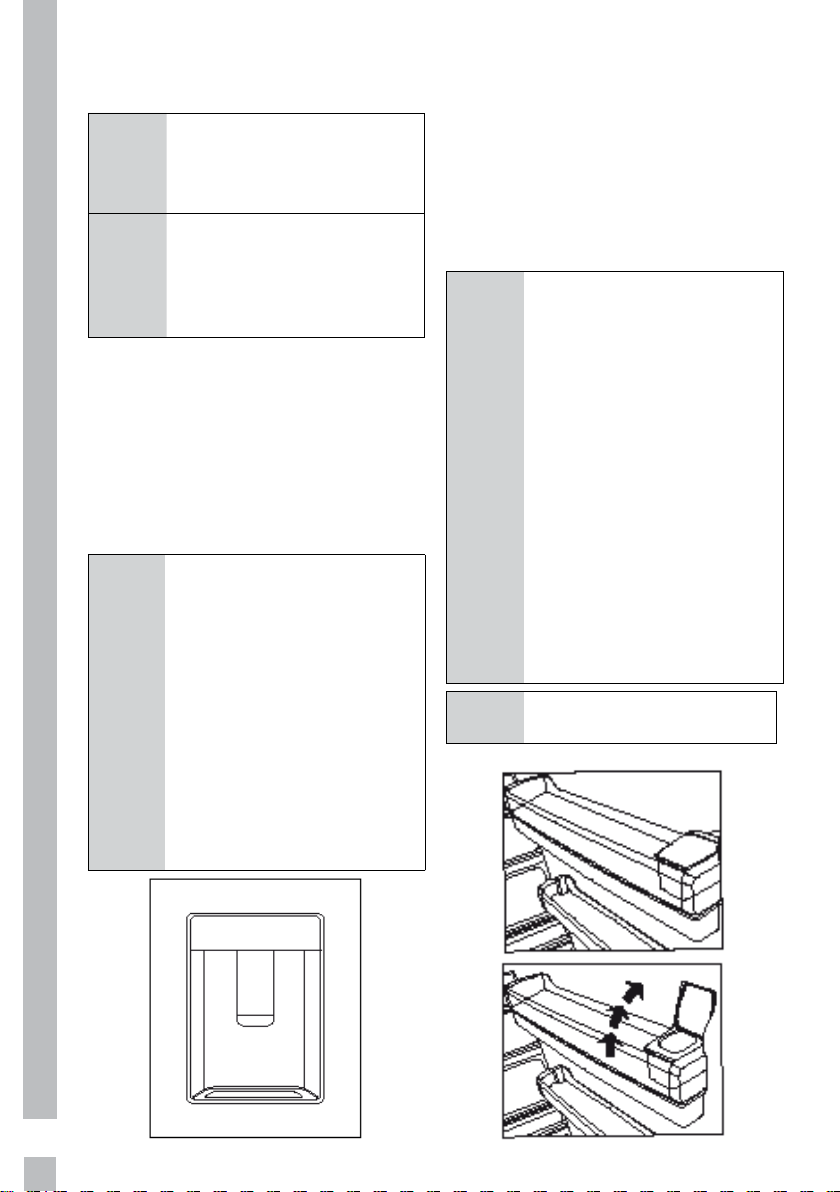
16
5.2 Using the water dispenser
* May not be available in all models
C
It is normal for the first
few glasses of water ta-
ken from the dispenser to
be warm.
C
If the water dispenser is
not used for a long peri-
od of time, dispose of first
few glasses of water to
obtain fresh water.
1. Push in the lever of the
water dispenser with your
glass. If you are using a
soft plastic cup, pushing
the lever with your hand
will be easier.
2. After filling the cup up to
the level you want, release
the lever.
C
Please note, how much
water flows from the dis-
penser depends on how
far you depress the le-
ver. As the level of water
in your cup / glass rises,
gently reduce the amo-
unt of pressure on the le-
ver to avoid overflow. If
you slightly press the arm,
the water will drip; this is
quite normal and not a fa-
ilure.
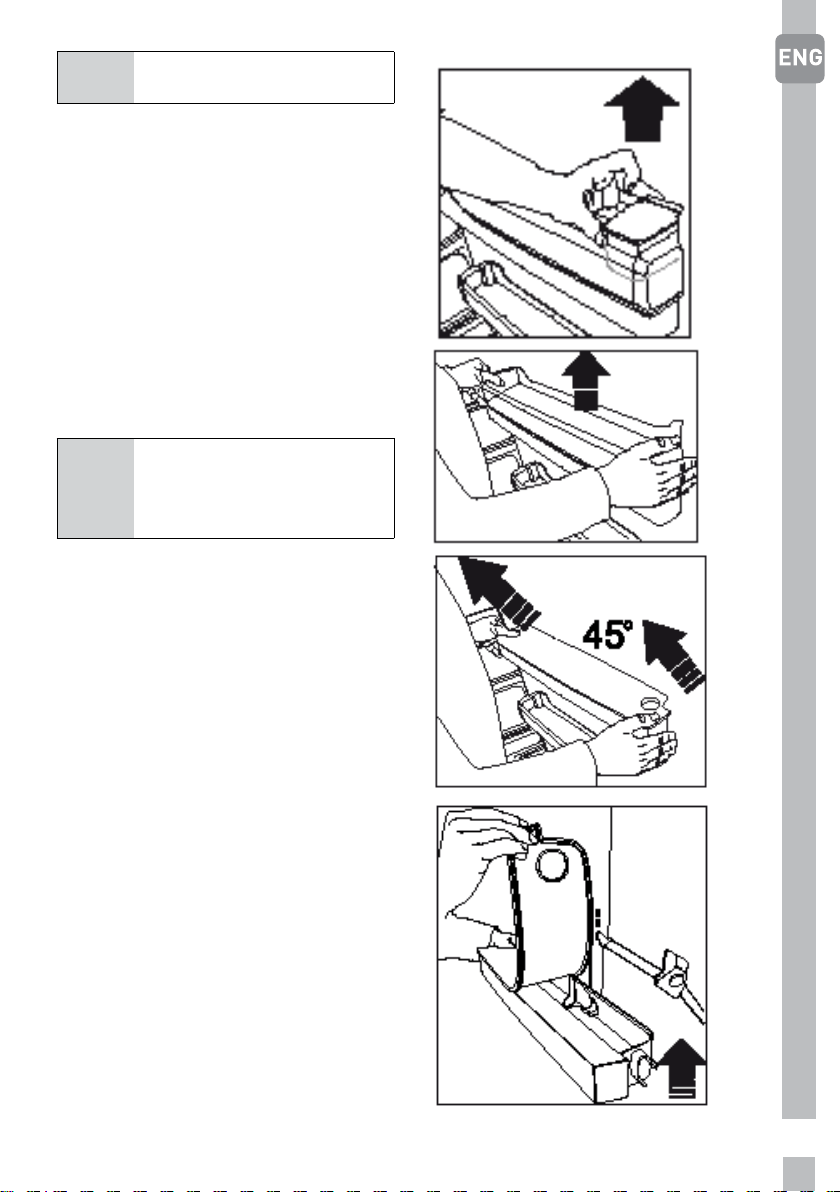
5.3 Filling the water
dispenser's tank
Water tank filling reservoir is loca-
ted inside the door rack.
1. Open the cover of the tank.
2. Fill the tank with fresh drinking
water.
3. Close the cover.
C
Do not fill the water tank
with any other liquid ex-
cept for water such as
fruit juices, carbonated
beverages or alcoholic
drinks which are not su-
itable to use in the water
dispenser. Water dispen-
ser will be irreparably da-
maged if these kinds of li-
quids are used. Warranty
does not cover such usa-
ges. Some chemical subs-
tances and additives con-
tained in these kinds of
drinks/liquids may dama-
ge the water tank.
C
Use clean drinking wa-
ter only.
17
C
Capacity of the water tank
is 3 litres; do not overfill.
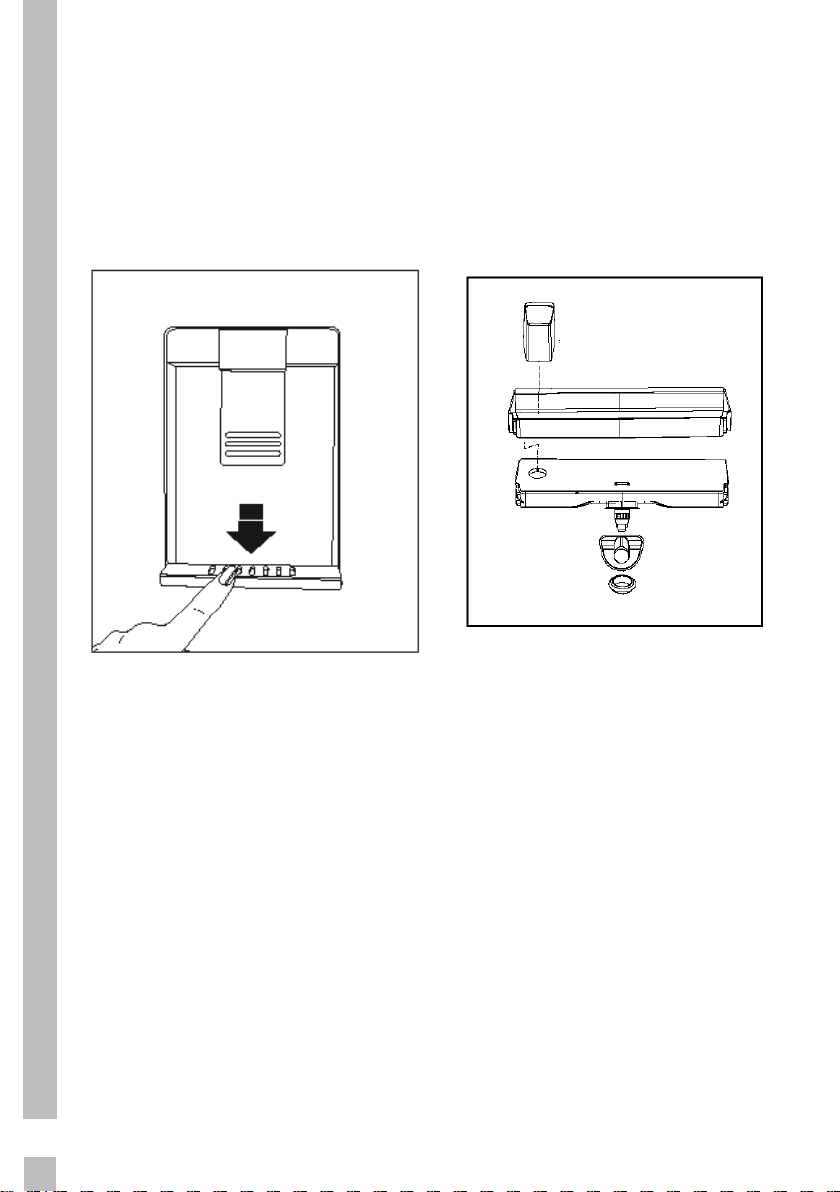
5.4 Cleaning the water tank
1.
Remove the water filling
reservoir inside the door
rack.
2. Remove the door rack by
holding from both sides.
3. Grab the water tank from
both sides and remove it
with an angle of 45°C.
4. Remove the cover of the
water tank and clean the
tank.
C
Components of the water
tank and water dispenser
should not be washed in
dishwasher.
18
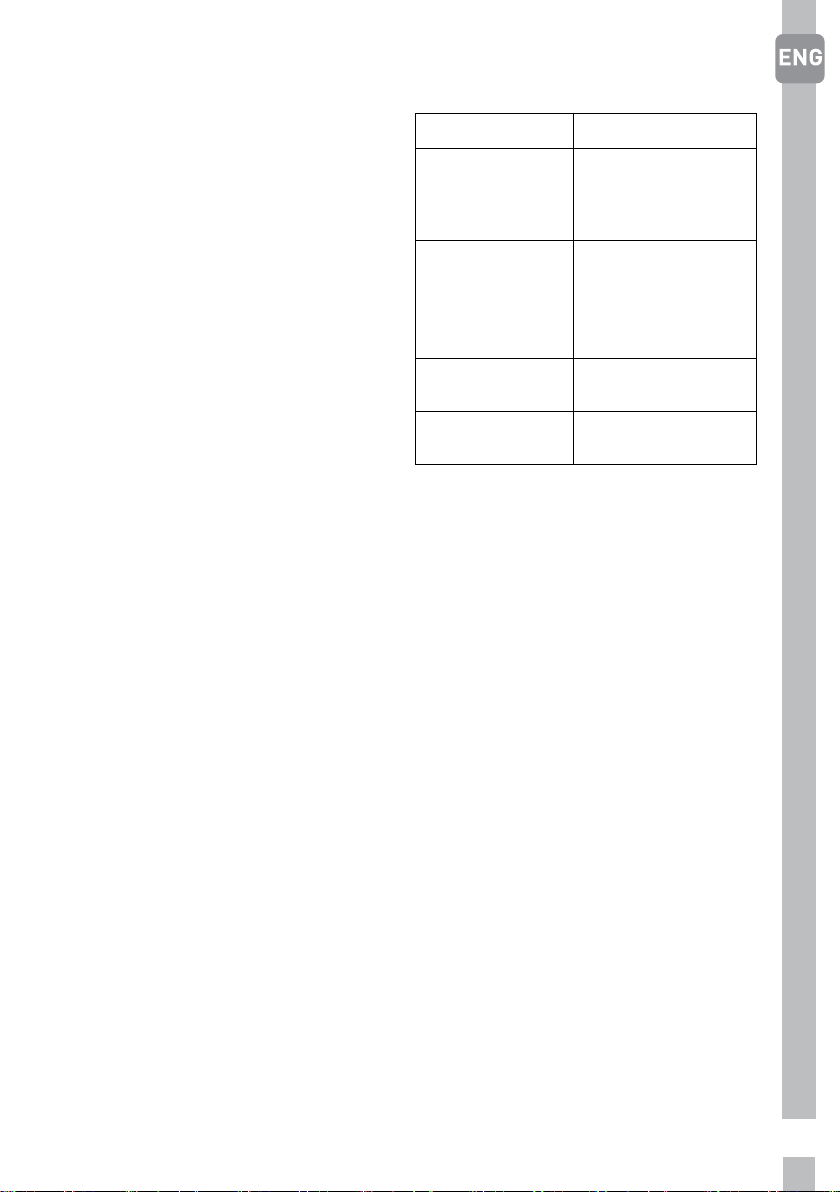
5.5 Drip tray
Water that dripped while using the
water dispenser accumulates in the
spillage tray.
Remove the plastic filter as shown in
the figure.
With a clean and dry cloth, remove
the water that has accumulated.
19
5.6 Using interior
compartments
Body shelves: Distance between
the shelves can be adjusted when
necessary.
Crisper: Vegetables and fruits can
be stored in this compartment for
long periods without decaying.
Bottle shelf: Bottles, jars and tins
can be placed in these shelves.
5.7 Cooling
Food storage
The fridge compartment is for the
short-term storage of fresh food
and drinks.
Store milk products in the intended
compartment in the refrigerator.
Bottles can be stored in the bottle
holder or in the bottle shelf of the
door.
Raw meat is best kept in
a polyethylene bag in the
compartment at the very bottom of
the refrigerator.
The bottom compartment is the
salad crisper, meat is best kept in
the super fresh zone, which is the
drawer above the salad crisper.
Allow hot foods and beverages to
cool to room temperature prior to
placing them in the refrigerator.
• Attention
Store concentrated alcohol only
standing upright and tightly closed.
• Attention
Do not store explosive substances
or containers with flammable
propellant gases (canned cream,
spray cans etc.) in the device.
There is a danger of explosion.
5.8 Placing the food
Egg tray Egg
Fridge
compartment
shelves
Food in pans,
covered plates
and closed
containers
Fridge
compartment
door shelves
Small and
packaged food
or drinks (such
as milk, fruit
juice and beer)
Crisper
Vegetables and
fruits
Super Fresh
Zone
meat and fish
5.9 Defrosting of the appliance
The appliance defrosts
automatically.

20
5.10 Changing the door
opening direction
Door opening direction of your
refrigerator The manufacturer
recommends that the reversing of
the door opening is only carried out
by Authorised Service agents and
will be at the customers expense.
Damage caused by unauthorised
persons whilst attempting to
reverse the doors is not covered
under the warranty.

21
6. Maintenance and cleaning
Cleaning your fridge at regular in-
tervals will extend the service life
of the product.
B WARNING:
Unplug the product before cleaning
it.
• Never use gasoline, benzene or
similar substances for cleaning
purposes.
• Never use any sharp and
abrasive tools, soap, household
cleaners, detergent and wax
polish for cleaning.
• For non-No Frost products,
water drops and frosting up to a
fingerbreadth occur on the rear
wall of the Fridge compartment.
Do not clean it; never apply oil
or similar agents on it.
• Only use slightly damp
microfiber cloths to clean the
outer surface of the product.
Sponges and other types of
cleaning cloths may scratch the
surface
• Dissolve one teaspoon of bi-
carbonate in half litre of water.
Soak a cloth with the solution
and wrung it thoroughly. Wipe
the interior of the refrigerator
with this cloth and the dry
thoroughly.
• Make sure that no water enters
the lamp housing and other
electrical items.
• If you will not use the
refrigerator for a long period of
time, unplug it, remove all food
inside, clean it and leave the
door ajar.
• Check regularly that the door
gaskets are clean. If not, clean
them.
• To remove door and body
shelves, remove all of its
contents.
• Remove the door shelves by
pulling them up. After cleaning,
slide them from top to bottom to
install.
• Never use cleaning agents or
water that contain chlorine to
clean the outer surfaces and
chromium coated parts of
the product. Chlorine causes
corrosion on such metal
surfaces.
6.1 Avoiding bad odours
•
Materials that may cause odour
are not used in the production of
our refrigerators. However, due
to inappropriate food preserving
conditions and not cleaning the
inner surface of the refrigerator
as required can bring forth the
problem of odour. Pay attention
to following to avoid this
problem:
• Keeping the refrigerator clean
is important. Food residuals,
stains, etc. can cause odour.
Therefore, clean the refrigerator
with bi-carbonate dissolved in
water every few months. Never
use detergents or soap.
• Keep the food in closed
containers. Microorganisms
spreading out from uncovered
containers can cause
unpleasant odours.
• Never keep the food that have
passed best before dates and
spoiled in the refrigerator.

22
6.2 Protecting the plas-
tic surfaces
Do not put liquid oils or oil-cooked
meals in your refrigerator in un-
sealed containers as they dama-
ge the plastic surfaces of the refri-
gerator. If oil is spilled or smeared
onto the plastic surfaces, clean and
rinse the relevant part of the surfa-
ce at once with warm water.
23
7. Troubleshooting
Check this list before contacting
the service. Doing so will save you
time and money. This list includes
frequent complaints that are not
related to faulty workmanship
or materials. Certain features
mentioned herein may not apply to
your product.
The refrigerator is not working.
• The power plug is not fully
settled. >>> Plug it in to settle
completely into the socket.
• The fuse connected to the
socket powering the product
or the main fuse is blown. >>>
Check the fuses.
Condensation on the side wall of
the cooler compartment (MULTI
ZONE, COOL, CONTROL and FLEXI
ZONE).
• The door is opened too
frequently >>> Take care not
to open the product’s door too
frequently.
• The environment is too humid.
>>> Do not install the product in
humid environments.
• Foods containing liquids are
kept in unsealed holders. >>>
Keep the foods containing
liquids in sealed holders.
• The product’s door is left open.
>>> Do not keep the product’s
door open for long periods.
• The thermostat is set to too
low temperature. >>> Set the
thermostat to appropriate
temperature.
Compressor is not working.
• In case of sudden power failure
or pulling the power plug
off and putting back on, the
gas pressure in the product’s
cooling system is not balanced,
which triggers the compressor
thermic safeguard. The product
will restart after approximately 6
minutes. If the product does not
restart after this period, contact
the service.
• Defrosting is active. >>>
This is normal for a fully-
automatic defrosting product.
The defrosting is carried out
periodically.
• The product is not plugged in.
>>> Make sure the power cord is
plugged in.
• The temperature setting
is incorrect. >>> Select the
appropriate temperature
setting.
• The power is out. >>> The
product will continue to operate
normally once the power is
restored.
The refrigerator’s operating noise
is increasing while in use.
• The product’s operating
performance may vary
depending on the ambient
temperature variations. This is
normal and not a malfunction.
The refrigerator runs too often or
for too long.
• The new product may be larger
than the previous one. Larger
products will run for longer
periods.
• The room temperature may
be high. >>> The product will
normally run for long periods in
higher room temperature.
• The product may have been
recently plugged in or a new
food item is placed inside. >>>
The product will take longer to
reach the set temperature when
recently plugged in or a new

24
food item is placed inside. This
is normal.
• Large quantities of hot food may
have been recently placed into
the product. >>> Do not place
hot food into the product.
• The doors were opened
frequently or kept open for
long periods. >>> The warm air
moving inside will cause the
product to run longer. Do not
open the doors too frequently.
• The freezer or cooler door may
be ajar. >>> Check that the
doors are fully closed.
• The product may be set to
temperature too low. >>> Set the
temperature to a higher degree
and wait for the product to reach
the adjusted temperature.
• The cooler or freezer door
washer may be dirty, worn out,
broken or not properly settled.
>>> Clean or replace the washer.
Damaged / torn door washer
will cause the product to run for
longer periods to preserve the
current temperature.
The freezer temperature is very
low, but the cooler temperature is
adequate.
• The freezer compartment
temperature is set to a very
low degree. >>> Set the freezer
compartment temperature to a
higher degree and check again.
The cooler temperature is very
low, but the freezer temperature
is adequate.
• The cooler compartment
temperature is set to a very
low degree. >>> Set the freezer
compartment temperature to a
higher degree and check again.
The food items kept in cooler
compartment drawers are frozen.
• The cooler compartment
temperature is set to a very
low degree. >>> Set the freezer
compartment temperature to a
higher degree and check again.
The temperature in the cooler or
the freezer is too high.
• The cooler compartment
temperature is set to a very high
degree. >>> Temperature setting
of the cooler compartment has
an effect on the temperature in
the freezer compartment. Wait
until the temperature of relevant
parts reach the sufficient level
by changing the temperature of
cooler or freezer compartments.
• The doors were opened
frequently or kept open for long
periods. >>> Do not open the
doors too frequently.
• The door may be ajar. >>> Fully
close the door.
• The product may have been
recently plugged in or a new
food item is placed inside. >>>
This is normal. The product
will take longer to reach the
set temperature when recently
plugged in or a new food item is
placed inside.
• Large quantities of hot food may
have been recently placed into
the product. >>> Do not place
hot food into the product.
Shaking or noise.
• The ground is not level or
durable. >>> If the product is
shaking when moved slowly,
adjust the stands to balance the
product. Also make sure the
ground is sufficiently durable to
bear the product.
25
• Any items placed on the product
may cause noise. >>> Remove
any items placed on the product.
The product is making noise of
liquid flowing, spraying etc.
• The product’s operating
principles involve liquid and gas
flows. >>> This is normal and
not a malfunction.
There is sound of wind blowing
coming from the product.
• The product uses a fan for the
cooling process. This is normal
and not a malfunction.
There is condensation on the
product’s internal walls.
• Hot or humid weather will
increase icing and condensation.
This is normal and not a
malfunction.
• The doors were opened
frequently or kept open for long
periods. >>> Do not open the
doors too frequently; if open,
close the door.
• The door may be ajar. >>> Fully
close the door.
There is condensation on the
product’s exterior or between the
doors.
• The ambient weather may be
humid, this is quite normal
in humid weather. >>> The
condensation will dissipate
when the humidity is reduced.
The interior smells bad.
• The product is not cleaned
regularly. >>> Clean the interior
regularly using sponge, warm
water and carbonated water.
• Certain holders and packaging
materials may cause odour.
>>> Use holders and packaging
materials without free of odour.
• The foods were placed in
unsealed holders. >>> Keep the
foods in sealed holders. Micro-
organisms may spread out of
unsealed food items and cause
malodour. Remove any expired
or spoilt foods from the product.
The door is not closing.
• Food packages may be blocking
the door. >>> Relocate any items
blocking the doors.
• The product is not standing
in full upright position on the
ground. >>> Adjust the stands to
balance the product.
• The ground is not level or
durable. >>> Make sure the
ground is level and sufficiently
durable to bear the product.
The vegetable bin is jammed.
• The food items may be in
contact with the upper section of
the drawer. >>> Reorganize the
food items in the drawer.
If The Surface Of The Product Is
Hot.
• High temperatures may be
observed between the two
doors, on the side panels and at
the rear grill while the product
is operating. This is normal
and does not require service
maintenance!Be careful when
touching these areas.
A WARNING:
If the problem persists after
following the instructions in this
section, contact your vendor or an
Authorised Service. Do not try to
repair the product.

26
GRUNDIG UK AND IRELAND STANDARD MANUFACTURER GUARANTEE
TERMS AND CONDITIONS
Your new Grundig product is guaranteed against faulty materials,
defective components or manufacturing defects.
The standard guarantee starts from the date of original purchase of the
product, and lasts for a period of thirty six (36) months unless Beko plc
(the “Manufacturer”) agrees to extend the guarantee for the product in
writing.
If you have registered the product within 90 days of purchase by
completing the online registration form, then the standard 36 month
guarantee will be extended to 60 months, under the same terms and
conditions as detailed below
If you have any questions about the guarantee on your product (including
how long it is valid), please contact your retailer or our contact centre on
0333 207 9920 (UK and Northern Ireland) or 01 691 0203 (Republic of
Ireland)
This guarantee does not in any way diminish or affect your statutory
rights in connection with the product. This guarantee is in addition to
your statutory rights as a consumer. If you have any questions about
these rights, please contact the retailer from which you purchased the
product. In certain circumstances, it is possible that your statutory rights
may offer additional or higher levels of protection than those offered
under the terms of this guarantee.
What is covered by this guarantee?
• Repairs to the product required as a result of faulty materials,
defective components or manufacturing defects.
• Functional replacement parts to repair a product.
• The costs of a Grundig Approved Engineer to carry out the repair.
What is not covered?
• Transit and delivery damage.
• Cabinet or appearance parts, including but not limited to control
knobs, flaps and handles.
• Accessories and/or consumable items including but not limited to ice
trays, scrapers, cutlery baskets, filters and light bulbs.
• Repairs necessary as a direct or indirect result of:
-Accidental damage, misuse or abuse of a product.
-An attempted repair of a product by anyone other than a Grundig
Approved Engineer (the “Engineer”).

27
-Installation or use of a product where such installation or use
fails to meet the requirements contained in this guarantee or the User
Instructions Booklet.
• Repairs to a product operated at any time on commercial or non-
residential household premises (unless we have previously agreed to the
installation environment).
This guarantee is limited to the cost of repairing the product. To the
extent permitted by law, the Manufacturer does not accept and will not
be held liable for any financial loss incurred in connection with the failure
of any product to operate in accordance with the expected standards.
Such financial loss includes but is not limited to loss arising from:
• Time taken off work.
• Damaged food, clothing or other items.
• Meals taken at restaurants or from takeaways.
• General compensation for inconvenience.
Important Notes
1. Your product is designed and built for domestic household use
only.
2. The guarantee will automatically be void if the product is instal-
led or is used in commercial or non-residential domestic house-
hold premises, unless we have previously agreed to the installati-
on environment.
3. The product must be correctly installed, located and opera-
ted in accordance with the instructions contained in the User
Instructions Booklet provided with your product.
4. Professional installation by a qualified Electrical Domestic
Appliance Installer is recommended for all Washing Machines,
Dishwashers and Electric Cookers (as incorrect installation may
result in you having to pay for the cost of repairing the product).
5. Gas Cookers must be professionally installed by a Gas Safe (or
Gas Networks Ireland for Republic of Ireland) registered gas ins-
taller.
6. This guarantee is given in respect of products purchased and
used within the United Kingdom and the Republic of Ireland.
7. This guarantee is effective from the initial date of purchase of a
new product from an authorised retailer and will be void if the
product is resold.
8. This guarantee does not apply to graded sales (where the product
is purchased as a “second”).
9. Possession of a copy of these terms and conditions does not ne-
cessarily mean that a product has the benefit of this guarantee. If
you have any questions, please call our Call Centre on the num-
ber set out above.
10. The Manufacturer reserves the right to terminate the guarantee
if its staff or representatives are subjected to physical or verbal
abuse in the course of carrying out their duties.

28
11. Optional extras, where available (i.e. extendable feet) are suppli-
ed on a chargeable basis only.
Does Grundig offer replacements?
This is a repair-only guarantee. On occasion, the Manufacturer may
at its sole discretion, replace your product with a new product instead
of carrying out a repair. Where a replacement is offered, this would
normally be an identical model but when this is not possible, a model
of similar specification will be provided. The Manufacturer will cover
the costs and arrange for the delivery of the new product and for the
return of the old product. Any costs related to disconnecting the faulty
product and installing the replacement product will not be borne by
the Manufacturer unless previously agreed to in writing. The original
guarantee will continue to apply to the replacement product; the new
product will not come with a new guarantee.
When will the repair take place?
Our Engineers work Monday to Friday 9.00am to 5.00pm. Appointments
outside these hours may be possible at the sole discretion of the
Manufacturer but cannot be guaranteed. Whilst our Engineers will
endeavour to minimize inconvenience and to meet requests for specific
timed appointments, this cannot be guaranteed. We will not be liable
for delays or if it is unable to carry out a repair because a convenient
appointment cannot be arranged.
Will there be any charge for the repairs?
It is your responsibility to provide evidence to the Engineer that your
product is covered by this guarantee with a proof of purchase. The
Manufacturer reserves the right to charge for the reasonable cost of any
service call if:
• You cannot provide evidence that your product is covered by this
guarantee.
• Where a service call has been made and the engineer finds that there
is no fault with your product.
• That your product has not been installed or operated in accordance
with the User Instructions Booklet.
• That the fault was caused by something other than faulty materials,
defective components or manufacturing defects.
• For missed appointments.

29
Payment of these costs are due immediately upon the Engineer providing
you with an invoice. The Manufacturer reserves the right to terminate
the guarantee if you fail to pay the costs for the service call in a timely
manner.
If you are a resident of the United Kingdom, this guarantee will be
governed by English law and subject to the English Courts, save where
you live in another part of the United Kingdom, in which case the law and
courts of that location will apply.
If you are resident in the Republic of Ireland, this guarantee will be
governed by Irish law and the Irish courts will have jurisdiction.
This guarantee is provided by Beko plc. Beko House, 1 Greenhill
Crescent, Watford, Hertfordshire. WD18 8QU.
Beko plc is registered in England and Wales with company registration
number 02415578.
GRUNDIG UK AND IRELAND ECO INVERTER MOTOR GUARANTEE
TERMS AND CONDITIONS
This 10 year guarantee relates to Grundig products that feature the Eco
Inverter Motor.
The Eco Inverter Motor guarantee terms and conditions are in addition
to our Standard guarantee terms and conditions detailed in the previous
section.
In order to activate the 10 year guarantee you MUST register the
appliance within 90 days of the original purchase date. You can register
by first visiting grundig.co.uk/register and by following the online
instructions.
Grundig Free standing and Built-in appliances come with a 36 month
parts and labour guarantee as standard, which can be extended to a 60
months parts and labour guarantee by registering within 90 days of the
original purchase date
To make a claim against your Grundig Eco Inverter Motor Guarantee (the
“Guarantee”), all customer and product details must be registered with
Beko plc using the procedure outlined below.
1. This extra 7 years (or 5 years for appliances registered within 90
days of the original purchase date) Guarantee is only effective af-
ter the expiration of the standard manufacturer’s guarantee.

30
2. It is only valid for the Eco Inverter motors of selected washing
machines, washer-dryers, tumble dryers and dishwashers. It
does not cover any labour charge or any other components of the
product. In addition, it is only valid for one replacement of the Eco
Inverter motor during the extra 7 years (or 5 years for appliances
registered within 90 days of the original purchase date) guaran-
tee period.
3. To activate your guarantee, you MUST register your appliance wit-
hin 90 days of the original purchase date, by visiting Grundig.
co.uk/register.
4. Customers will receive a unique reference code as proof of gua-
rantee validation by email or post, which must be quoted at the
time of a claim being made.
5. Any repair/replacement of the Eco Inverter motor must only be
carried out by an authorised Grundig Service Agent (the “Service
Agent”).
6. Labour for the repair/replacement of the Eco Inverter motor is
not included in this guarantee and is chargeable directly by the
Service Agent.
7. Any additional components fitted to the product at any time will
not be covered by this guarantee and will be chargeable directly
by the Service Agent.
8. The guarantee is not transferable and cannot be exchanged for
cash.
9. There are no alternative or additional offers to this Guarantee.
10. The guarantee is exclusive of the manufacturer’s standard gua-
rantee.
11. The Terms and Conditions shown above are in addition to the
standard terms and conditions of your product guarantee. Please
read and refer to such Terms and Conditions when making any
claim.
12. We may use the information you provide for marketing purpo-
ses and to analyse your purchasing preferences. We may keep
your information for a reasonable period for these purposes in ac-
cordance with the applicable Data Protection Laws and General
Data Protection Regulations (GDPR). You can opt into this servi-
ce during the registration process. Further details are available at
http://www.Grundig.co.uk/cookie-and-privacy.
13. These Terms and Conditions are governed by the laws of England
and Wales; manufacturer: Beko plc, Beko House, 1 Greenhill
Crescent, Watford WD18 8QU. Company Registration Number:
02415578.

31
HOW TO OBTAIN SERVICE FOR YOUR APPLIANCE
Please keep your purchase receipt or other proof of purchase details in a
safe place; you will need to have this documentation available should the
product require attention under guarantee.
Please take a few moments to complete the details below, as you will
need this information when you call us, or to use our online services.
When you call us you may be required to input your serial number into
your telephone keypad. For help please visit grundig.co.uk/support/
model-finder
• The product model number is printed on the Operating Instruction
Booklet / User guide
• The product model and serial number is printed on the Rating Label
affixed to the appliance.
• The Retailer (Purchased from) and Date of purchase will be printed on
your purchase receipt or other proof of purchase paperwork
Recording of these details alone will not count as proof of purchase.
A valid proof of purchase is required for requesting service under
guarantee.
Model number Serial number Purchased from Date of purchase
For service under guarantee or for product advice please call our
Contact centre
Before requesting service please check the troubleshooting guide in the
Operating Instructions booklet, as a charge may be levied where no fault
is found, and even though your product may still be under guarantee.
After arranging service the area around the product must be easily
accessible to the Engineer, without the need for cabinets or furniture to
be removed or moved.
It is your responsibility to ensure our Engineers have a clean and safe
environment to carry out any repairs.
Please have your Model number and Serial number available when you
call us, as you may be required to input your serial number into your
telephone keypad during your call.

32
UK Mainland & Northern Ireland:
0333 207 9920
Landline or mobile calls to 0333 numbers cost no more than calls to
geographic numbers 01 or 02, and are charged at the basic rate. Calls
from landlines and mobiles are included in free call packages but please
check with your telephone service provider for exact call charges.
Republic of Ireland:
01 691 0203
Service once the manufacturers guarantee has expired
If you have purchased an extended guarantee please refer to the
instructions contained within the extended guarantee agreement
document, otherwise please call us using the appropriate number above,
where service can be obtained at a charge.
Should you experience any difficulty in obtaining service please call us on
0333 207 9920 or 01 691 0203
Contact us though our website
Send us a secure message through our online contact us form. Please
visit our website, click Contact Us and choose a product support topic
from the list of options. Complete the required details and click send
message.
Product registrations
For UK and Republic of Ireland product registrations please visit grundig.
co.uk/register.
33
34