

2
Table of Contents
Use and car e manual
9 Safety Definitions 3
IMPORTANT SAFETY INSTRUCTIONS 4
Proper Installation and Maintenance 4
Fire Safety 4
Burn Prevention 5
Child Safety 6
Cleaning Safety 6
Cookware Safety 7
Proposition 65 Warning 7
Causes of Damage 8
Environmental protection 8
Saving energy 8
Getting to know the appliance 9
Combi-steam oven 9
Displays and controls 10
Symbols 10
Colors and display 11
Automatic door opening 11
Additional information ( and ) 11
Cooling fan 11
Program selection positions 12
Accessories 13
Special accessories 14
Before first use 14
Setting the language 14
Setting the time format 15
Setting the time 15
Setting the date format 15
Setting the date 15
Setting the temperature unit 15
Setting the water filter 15
Setting water hardness 16
Completing initial set-up 16
Calibrating 16
Cleaning the door panel 17
Cleaning accessories 17
Water filter 17
Operation with or without water filter 17
Change water filter 17
Activating the appliance 18
Standby 18
Activate appliance 18
Operating the appliance 18
Oven interior 18
Inserting accessories 19
Turning on 19
Misting 19
Steam removal 19
After every use 20
Safety shut-off 20
Timer functions 20
Launching the timer menu 20
Timer 20
Stopwatch 21
Cooking time 21
End of cooking time 22
Sabbath mode 23
Sabbath mode 23
Yom Tov mode 24
Personal recipes 25
Recording a recipe 25
Programming a recipe 25
Entering a name 26
Starting a recipe 26
Change recipe 26
Deleting a recipe 26
Core temperature probe 27
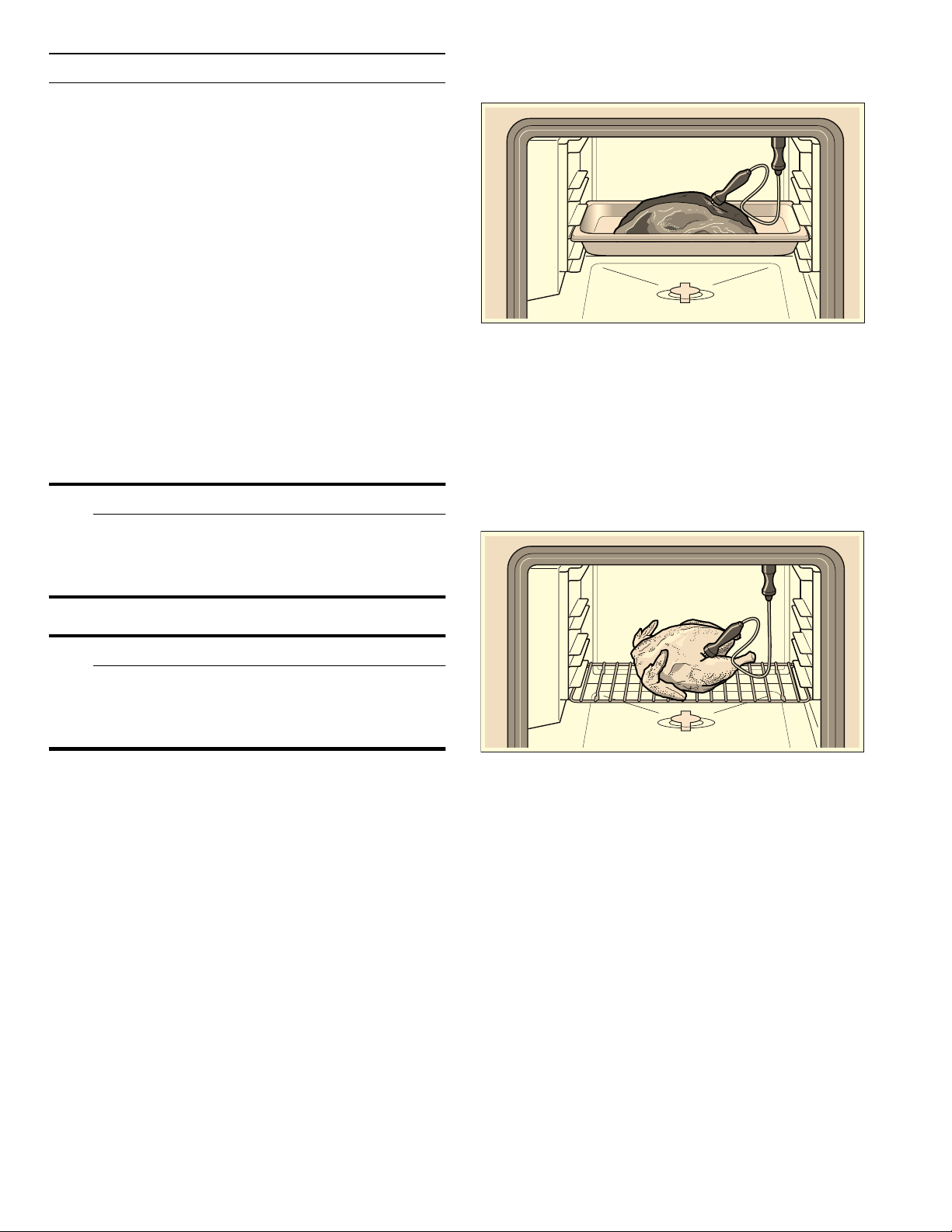
Stick the core temperature probe into the food 27
Setting the core temperature 27
Core temperature guidelines 28
Childproof lock 29
Activating the child lock 29
Deactivating the child lock 29
Factory setting 30
Cleaning and maintenance 32
Cleaning agents 32
Cleaning program 33
Drying program 35
Descaling program 36
Troubleshooting 38
Power cut 39
Demo mode 39
Replacing the oven interior lamp 39
Customer service 40

3
Tables and tips 41
Vegetables 41
Fish 42
Fish – low-temperature steaming 43
Meat – cooking at higher temperatures 44
Meat/poultry – low-temperature cooking 45
Poultry 46
Sous-vide cooking 47
Grilling 50
Side dishes 51
Desserts 51
Other 52
Baked goods 52
Dough proving (leaving to rise) 54
Refreshing (warming up) 54
Defrosting 55
Preserving 55
Extracting juice (soft fruits) 56
Preparing yoghourt 56
Preparing bulky food 57
Acrylamide in foodstuffs 57
Additional information on products, accessories,
replacement parts and services can be found at
www.gaggenau.com and in the online shop
www.gaggenau.com/zz/store
9 Safety Definitions
Saf ety Definitions
9 WARNING
This indicates that death or serious injuries may
occur as a result of non-observance of this
warning.
9 CAUTION
This indicates that minor or moderate injuries may
occur as a result of non-observance of this
warning.
NOTICE: This indicates that damage to the appliance
or property may occur as a result of non-compliance
with this advisory.
Note: This alerts you to important information and/or
tips.

9 IMPORTANT SAFETY INSTRUCTIONS
READ AND SAVE THESE INSTRUCTIONS
4
IMPORTANT SAF ET Y INSTRUCTIONS
READ AND SAVE THESE INSTRUCTI ONS
IMPORTANT SAFEGUARDS
SAVE THESE INSTRUCTIONS.
WARNING
When properly cared for, your new appliance has been
designed to be safe and reliable. Read all instructions
carefully before use. These precautions will reduce the
risk of burns, electric shock, fire, and injury to persons.
When using kitchen appliances, basic safety
precautions must be followed, including those in the
following pages.
Proper Installation and Maintenance
Have the installer show you the location of the circuit
breaker or fuse. Mark it for easy reference.
This appliance must be properly installed and grounded
by a qualified technician. Connect only to properly
grounded outlet. Refer to Installation Instructions for
details.
This appliance is intended for normal family household
use only. It is not approved for outdoor use. See the
Statement of Limited Product Warranty. If you have any
questions, contact the manufacturer.
Do not store or use corrosive chemicals, vapors,
flammables or nonfood products in or near this
appliance. It is specifically designed for use when
heating or cooking food. The use of corrosive chemicals
in heating or cleaning will damage the appliance and
could result in injury.
Do not operate this appliance if it is not working
properly, or if it has been damaged. Contact an
authorized servicer.
Do not obstruct oven vents.
Do not repair or replace any part of the appliance
unless specifically recommended in this manual. Refer
all servicing to an authorized servicer.
WARNING
Risk of burns
To avoid risk of injury, turn off the interior light before
cleaning the oven to allow the bulbs to cool down. The
bulbs can become very hot when switched on. Keep the
light off while cleaning the oven.
WARNING
Make sure the appliance and lights are cool and power
to the appliance has been turned off before replacing
the light bulb(s). Failure to do so could result in
electrical shock or burns. The lenses (if equipped) must
be in place when using the appliance. The lenses (if
equipped) serve to protect the light bulb from breaking.
The lenses (if equipped) are made of glass. Handle
carefully to avoid breaking. Broken glass can cause an
injury.
WARNING
Light socket is live when door is open if main power
supply is not turned off.
WARNING
Risk of short circuiting! Never allow electrical appliance
cords to become pinched in the hot appliance door. The
cord’s insulation can melt.
Fire Safety
WARNING
NEVER cover any slots, holes or passages in the oven
bottom or cover an entire rack with materials such as
aluminum foil. Doing so blocks air flow through the
oven. Aluminum foil linings may also trap heat, causing a
fire hazard.
If materials inside an oven or warming drawer should
ignite, keep door closed. Turn off the appliance and
disconnect the circuit at the circuit breaker box.

5
9 IMPORTANT SAFETY INSTRUCTIONS
READ AND SAVE THESE INSTRUCTIONS
WARNING
Use this appliance only for its intended use as
described in this manual. NEVER use this appliance as
a space heater to heat or warm the room. Doing so may
result in overheating the appliance. Never use the
appliance for storage.
Always have a working smoke detector near the kitchen.
In the event that personal clothing or hair catches fire,
drop and roll immediately to extinguish flames.
Have an appropriate fire extinguisher available, nearby,
highly visible and easily accessible near the appliance.
Smother flames from food fires other than grease fires
with baking soda. Never use water on cooking fires.
WARNING
TO REDUCE THE RISK OF INJURY TO PERSONS IN
THE EVENT OF A GREASE FIRE, OBSERVE THE
FOLLOWING:
a) SMOTHER FLAMES with a close-fitting lid, cookie
sheet, or metal tray, then turn off the burner. BE
CAREFUL TO PREVENT BURNS. If the flames do
not go out immediately, EVACUATE AND CALL THE
FIRE DEPARTMENT.
b) NEVER PICK UP A FLAMING PAN – You may be
burned.
c) DO NOT USE WATER, including wet dishcloths or
towels – a violent steam explosion will result.
d) Use an extinguisher ONLY if:
‒ You know you have a Class ABC extinguisher,
and you already know how to operate it.
‒ The fire is small and contained in the area where
it started.
‒ The fire department is being called.
‒ You can fight the fire with your back to an exit.
Burn Prevention
DO NOT TOUCH HEATING ELEMENTS OR INTERIOR
SURFACES OF OVEN - Heating elements may be hot
even though they are dark in color. Interior surfaces of
an oven become hot enough to cause burns. During and
after use, do not touch, or let clothing, potholders, or
other flammable materials contact heating elements or
interior surfaces of oven until they have had sufficient
time to cool. Other surfaces of the appliance may
become hot enough to cause burns. Among these
surfaces are oven vent openings, surfaces near these
openings and oven doors.
Exercise caution when opening the appliance. Standing
to the side, open the door (or drawer) slowly and slightly
to let hot air and/or steam escape. Keep your face clear
of the opening and make sure there are no children or
pets near the unit. After the release of hot air and/or
steam, proceed with your cooking. Keep doors shut
unless necessary for cooking or cleaning purposes. Do
not leave open doors unattended.
Do not heat or warm unopened food containers. Build-
up of pressure may cause the container to burst and
cause injury.
Always place oven racks in desired location while oven
is cool. Always use oven mitts, when the oven is warm. If
a rack must be moved while oven is hot, do not let
potholder contact the heating elements.
CAUTION
To avoid possible injury or damage to the appliance,
ensure rack is installed exactly per installation
instructions and not backwards or upside down.
Always use dry potholders. Moist or damp potholders on
hot surfaces may result in burns from steam. Do not let
potholder touch hot heating elements. Do not use a
towel or other bulky cloth.
WARNING
Scalding hazard
Movement when opening the appliance door and when
removing the cookware can cause hot liquid to spray
out. Do not stand too close to the appliance when
opening it. Open appliance door carefully. Remove
cookware carefully. Keep children away.
Secure all loose garments, etc. before beginning. Tie
long hair so that it does not hang loose, and do not wear
loose fitting clothing or hanging garments, such as ties,
scarves, jewelry, or dangling sleeves.
Use caution when cooking foods with high alcohol
content (e.g. rum, brandy, bourbon) in the oven. Alcohol
evaporates at high temperatures. There is a risk of
burning as the alcohol vapors may catch fire in the oven.
Use only small quantities of alcohol in foods, and open
the oven door carefully.

9 IMPORTANT SAFETY INSTRUCTIONS
READ AND SAVE THESE INSTRUCTIONS
6
WARNING
Risk of scalding
Hot liquid may spill over the sides of cooking
accessories when they are removed from the oven
cavity. Carefully remove cooking accessories with oven
mitts.
WARNING
Risk of scalding
Hot steam can escape when you open the appliance
door. Steam is not visible at certain temperatures. Do
not stand too close to the appliance when opening it.
Open the appliance door with caution. Keep children
away.
WARNING
Risk of burns
Hot steam can leak during operation. Do not touch the
ventilation openings. Keep children away.
Child Safety
When children become old enough to use the
appliance, it is the responsibility of the parents or legal
guardians to ensure that they are instructed in safe
practices by qualified persons.
Do not allow anyone to climb, stand, lean, sit, or hang
on any part of an appliance, especially a door, warming
drawer, or storage drawer. This can damage the
appliance, and the unit may tip over, potentially causing
severe injury.
Do not allow children to use this appliance unless
closely supervised by an adult. Children and pets
should not be left alone or unattended in the area where
the appliance is in use. They should never be allowed to
play in its vicinity, whether or not the appliance is in use.
CAUTION
Items of interest to children should not be stored in an
appliance, in cabinets above an appliance or on the
backsplash. Children climbing on an appliance to reach
items could be seriously injured.
Cleaning Safety
Risk of severe burns! Do not clean the appliance
immediately after turning it off. The water in the
evaporator dish is still hot. Wait until the appliance has
cooled down.
Keep oven free from grease build up.
WARNING
Risk of injury
Scratched glass in the appliance door can burst. Do not
use any glass scrapers or strong or abrasive cleaning
agents.
WARNING
Risk of electrical shock
Moisture entering the appliance can cause an electrical
shock. Don't use a high-pressure cleaner or steam
cleaner.
CAUTION
Do not remove the wax plugs from the opening of the
cleaning cartridge. Do not use any other detergents. Do
not use damaged cartridges.
Never heat the appliance up if a cartridges has been
inserted.
WARNING
To prevent the cleaner from coming into contact with the
skin or eyes, do not remove the locking cap from a spent
cartridge.

7
9 IMPORTANT SAFETY INSTRUCTIONS
READ AND SAVE THESE INSTRUCTIONS
Cookware Safety
Do not place food directly on oven bottom.
Follow the manufacturer’s directions when using
cooking or roasting bags.
WARNING
Risk of electric shock
Use of a wrong core temperature probe can damage the
insulation. Use only the core temperature probe
intended for this appliance.
Ovenware must be heat and steam resistant. Silicone
baking pans are not suitable for Combination mode.
When using Steam mode with a perforated cooking pan,
always slide the baking pan underneath it. The pan will
catch any drippings.
The oven bottom and the evaporator dish must always
remain clear. Always place ovenware on the rack or in
the perforated cooking pan.
Proposition 65 Warning:
This product may contain a chemical known to the State
of California, which can cause cancer or reproductive
harm. Therefore, the packaging of your product may
bear the following label as required by California:
&DQFHUDQG5HSURGXFWLYH+DUPZZZ3:DUQLQJVFDJRY
67$7(2)&$/,)251,$352326,7,21:$51,1*
:$51,1*

8
Causes of Damage
NOTICES:
▯ Do not place anything directly on the oven floor. Do
not line it with aluminum foil. Heat build-up can
damage the appliance.
▯ The oven bottom should always remain clear.
Always place dishes in a perforated baking pan or
on a rack.
▯ We recommend you install a descaling system for
hard mains water. You can inquire with your
waterworks to obtain information about your mains
water.
▯ Aluminum foil may not contact the door pane in the
oven. This can cause permanent discoloration of
the door pane.
▯ Dishes must be heat and steam resistant. Silicone
baking dishes are not suited for combination
operation with steam.
▯ Use only original accessories in the oven interior.
Rusting material (such as serving platters or knives
and forks) can cause corrosion in the oven interior.
▯ Use original small parts (e.g. knurled nuts) only.
Reorder small parts through out spare parts service
if these should be lost..
▯ Do not leave moist groceries in a closed oven for an
extended period of time. It can lead to corrosion
inside the oven.
▯ Salt, spicy sauces (e.g. ketchup or mustard) or
salted dishes (e.g. cured roast) contain chlorides
and acids. These corrode the surfaces of stainless
steel. Always remove residues immediately.
▯ Fruit juice can leave stains in the oven. Always
remove fruit juice immediately when safe to touch,
and wipe up first with a damp and then a dry cloth.
▯ Your appliance's oven interior consists of high-
grade stainless steel. Corrosion can occur in the
oven interior if it is not cared for properly. Observe
the care and cleaning notes in the operating
instructions. After every use, clean the oven interior
straight after the appliance has cooled down. After
cleaning, dry the oven interior with the drying
program.
▯ Do not detach the door seal. The appliance door
will no longer close properly if the door seal is
damaged. Adjoining furniture frontages may be
damaged. Have the door seal replaced.
Environmental protection
Unpack the appliance and dispose of the packaging in
an environmentally friendly manner.
Saving energy
▯ Open the appliance door as little as possible while
cooking.
▯ Use dark, black-painted or enamelled baking forms.
These absorb the heat particularly well.
▯ It is best to bake several cakes in succession. The
steam oven is still warm. This shortens the baking
time for the second cake. You can also slide in two
loaf tins next to each other.
▯ For longer cooking times, you can switch off the
steam oven 10 minutes before the end of the
cooking time and you can use the residual heat to
finish cooking.
▯ When steaming, you can cook simultaneously on
several levels. If dishes require different cooking
times, insert the dishes that require the longest
time first.
9
Getting to know the appliance
You will get to know your new appliance here. We
explain the control panel and the individual controls to
you. You are informed about the oven interior and
accessories.
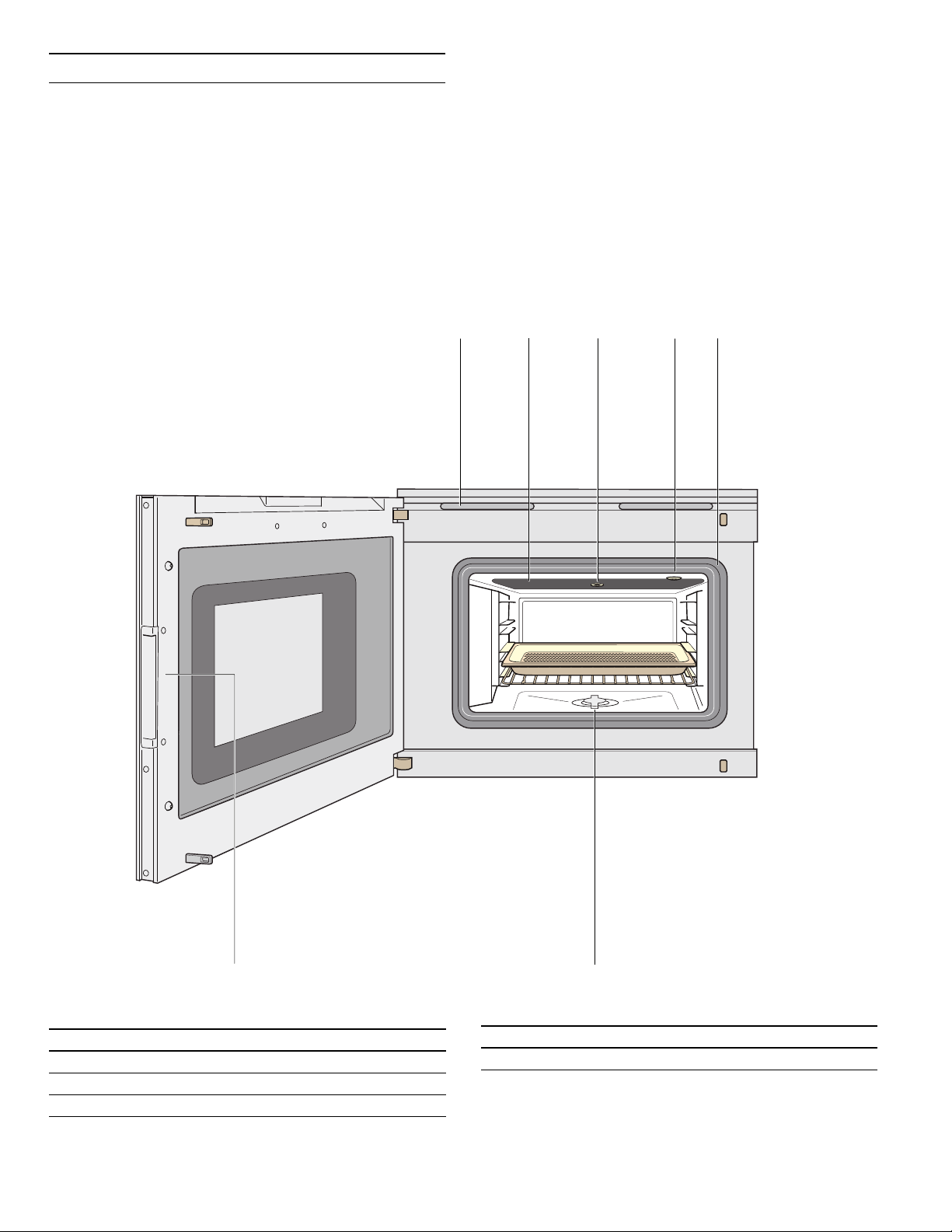
Combi-steam oven
These instructions apply to different versions of the
appliance. Slight deviations are possible depending on
the appliance type.
Operation is identical for all appliance versions.
Do not obstruct oven vents.
NOTICE: Do not place food directly on oven bottom.
1 Ventilation slots
2 Broil element behind glass ceramic
3 Socket for cleaning or descaling cartridge
4 Socket for core temperature sensor
5 Door seal
6 Drainage sieve
7 Recessed handle
10
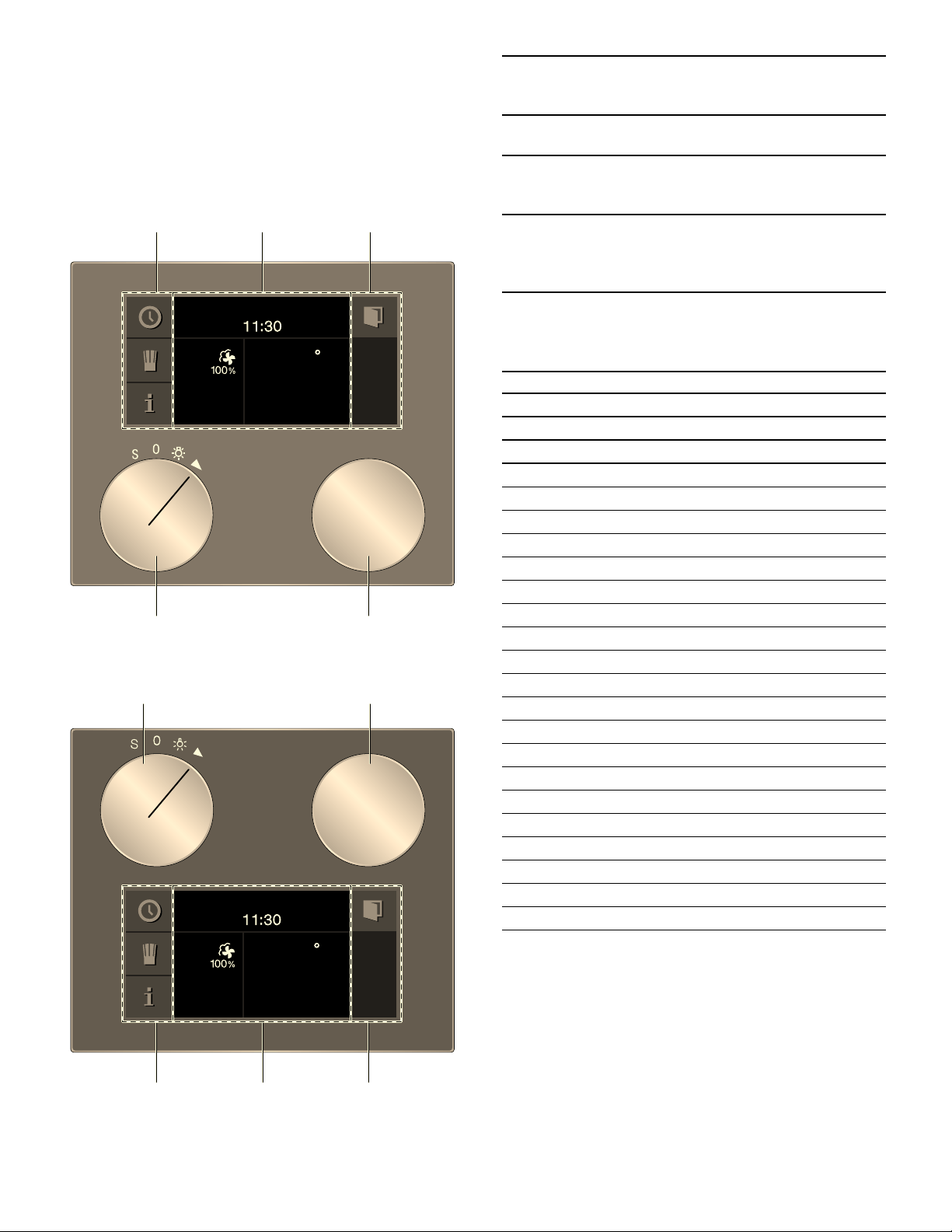
Displays and controls
These instructions apply to different versions of the
appliance. Slight deviations are possible depending on
the appliance type.
Operation is identical for all appliance versions.
Operator control on the appliance top
Operator control on the appliance bottom
--------
Symbols
--------
)
)
1 Control panel These areas are touch-sensitive.
Touch a symbol to select the appli-
cable function.
2 Display The display shows current set-
tings and options, for example.
3 Rotary selector With the rotary selector you can
select the temperature and make
other settings.
4 Function selector The function selector is used to
select the type of heating, the
cleaning function or the basic set-
tings.
Symbol Function
I
Start
Ø
Stop
H
Pause/end
'
Cancel
Ž
Delete
™
Confirm/save settings
C
Selection arrow
!
Open appliance door
(
Launching additional information
“
Preheating with status display
i
Launching personal recipes
g
Recording a menu
%
Edit settings
4
Enter a name
l
Delete letters
0
Child lock
M
Launching the timer menu
/
Launching the Sabbath mode
°
Demo mode
+
Core temperature probe
2
Misting
¡
Starting steam removal
¢
Stopping steam removal
11
Colors and display
Colors
The various colors serve to guide you in the various
adjustment situations.
Presentation
The presentation of symbols, values or the entire display
changes depending on the situation.
Automatic door opening
When you touch the ! symbol, the appliance door
springs open and you can open it fully with the handle
recess at the side.
Automatic door opening does not work when the child
lock is activated or in the event of a power failure. You
can open the door manually with the handle recess at
the side.
Additional information ( and )
By touching the ( symbol, you can call up additional
information. For example, information on the heating
function set or on the current temperature of the
cooking compartment.
Note: During continuous operation, small fluctuations in
temperature are normal after the oven has heated up.
The ) symbol is displayed for important information
and action prompts.Important information on safety and
operation mode are occasionally shown automatically.
These messages either disappear automatically after a
few seconds or must be confirmed with ™.
Cooling fan
Your appliance has a cooling fan. The cooling fan
switches on during operation. Depending on the
appliance version, the warm air escapes above or under
the door.
After removing cooked food, keep the door closed until
the appliance cools down. The appliance door must not
be left ajar, as adjoining kitchen furniture may be
damaged. The cooling fan continues to run for a while
and then switches off automatically.
9 CAUTION
Do not cover up the ventilation slots. Otherwise,
the appliance will become overheated.
Orange First settings
Main functions
Blue Basic settings
Cleaning
White Adjustable values
Zoom The display of the setting you are just
changing is enlarged.
Just before it elapses, a duration that is just
elapsing is enlarged (e.g. the last 60 sec-
onds in the case of timers).
Minimized
display screen
After a short time, the display screen is
minimized and only the most important
things are displayed. This function is the
default and can be modified in the basic
settings.
)

12
Program selection positions
Position Function/type of heating Temperature Use
0 Off position
ž
Light
2
\
Hot air + 100% humidity
85 - 450° F (30 - 230°C)
Default temperature 212° F
(100 °C)
Steaming at 160 - 212°F (70°C - 100°C): For vegeta-
bles, fish and side dishes.
The food is completely surrounded by steam
Combination mode at 250 - 450° F (120 - 230°C):
For puff pastry, bread and rolls.
Hot air and steam are combined.
3
^
Hot air + 80% humidity
85 - 450° F (30 - 230°C)
Default temperature 340° F
(170 °C)
Combination mode: For puff pastry, meat and poul-
try.
Hot air and steam are combined.
4
_
Hot air + 60% humidity
85 - 450° F (30 - 230°C)
Default temperature 340° F
(170 °C)
Combination mode: For yeast-risen dough and
bread.
Hot air and steam are combined.
Letting dough rise: For yeast dough and sourdough.
Dough will rise considerably more quickly than at
room temperature. Hot air and steam are combined
so that the surface of the dough does not dry out.
The optimal temperature setting for yeast dough is
100°F (38°C).
5
`
Hot air + 30% humidity
85 - 450° F (30 - 230°C)
Default temperature 340° F
(170 °C)
Cooking without added liquid: For pastries
With this setting, no steam is generated and the ven-
tilation flap is closed. Any steam escaping from the
food therefore remains in the cooking compartment
and prevents the food from drying out.
6
a
Hot air and 0% humidity*
85 - 450° F (30 - 230°C)
Default temperature 340° F
(170 °C)
Hot air: For cakes, biscuits and bakes.
The fan in the back panel of the oven distributes the
heat evenly throughout the cooking compartment.
7
›
Low-temperature cooking
85 - 200° F (30 - 90°C)
Default temperature 160° F
(70°C)
Low-temperature cooking for meat.
Gentle slow cooking for a particularly tender result.
8
§
Sous-vide cooking
125 - 200° F (50 - 95°C)
Default temperature 140° F
(60°C)
Cooking "under a vacuum" at low temperatures
between 125 - 200° F (50 - 95°C) and in 100%
steam: suitable for meat, fish, vegetables and des-
sert.
A vacuum-packing machine is used to heat-seal the
food in a special air-tight, heat-resistant cooking bag.
The protective envelope retains the nutrients and fla-
vors.
9
Z
Full surface grill + circulated
air
85 - 450° F (30 - 230°C)
Default temperature 445° F
(230 °C)
For vegetable skewers and prawn skewers.

13
Accessories
Use only the accessories included or obtainable from
after-sales service. It has been specially adapted to your
appliance. Make sure you always insert accessories into
the interior the right way round.
Your appliance comes with the following accessories:
10
Q
Full surface grill
85 - 450° F (30 - 230°C)
Default temperature 445° F
(230 °C)
For grilled vegetables, browning (e.g. cakes with
meringue) and toast with topping.
11
b
Full surface grill level 1 +
humidity
85 - 450° F (30 - 230°C)
Default temperature 340° F
(170 °C)
Grill mode with humidity: For bakes and gratins.
12
c
Full surface grill level 2 +
humidity
85 - 450° F (30 - 230°C)
Default temperature 340° F
(170 °C)
Grill mode with humidity: For stuffed vegetables.
The grill output is increased.
13
W
Defrosting
100 - 140° F (40 - 60°C)
Default temperature 115° F
(45°C)
For vegetables, meat, fish and fruit.
The moisture gently transfers the heat to the food.
The food does not dry out or lose its shape.
14
d
Reheating
140 - 360° F (60 - 180°C)
Default temperature 250° F
(120 °C)
For cooked food and baked goods.
Cooked food is gently reheated. The steam ensures
that the food does not dry out.
Reheat plated meals at 250° F (120°C) and baked
goods at 360° F (180°C).
S
t Basic settings
Your appliance can be individually adjusted in the
basic settings.
¢ Cleaning program
The cleaning program can be used to remove stub-
born dirt from the cooking compartment.
j Drying program
The drying program dries the cooking compartment
after steaming or cleaning.
‘ Descaling program
The descaling program can be used to remove lime
scale from the cooking compartment.
œ Water filter change
Change the water filter if a descaling system is
installed.
¥ Delete the descaling
notice
Delete the message on the display after descaling.
Position Function/type of heating Temperature Use
Rack
for cookware, cake pans and
casseroles and for roasts
Stainless steel cooking
receptacle, unperforated,
GN
Z, 40 mm deep
for cooking rice, pulses and
cereals, for baking cake baked
on trays and for collecting
dripping liquid during
steaming
Stainless steel cooking
receptacle, GN
Z, 40 mm deep
for steaming vegetables or
fish, for extracting berry juices
and for thawing
Core temperature probe
for precise preparation of
meat, fish, poultry and bread
Set with 4 cleaning cartridges
Water inlet hose, 3 m
Water outlet hose, 3 m

14
Special accessories
You can order the following accessories from your
specialist dealer:
Use the accessories only as indicated. The
manufacturer assumes no liability for incorrect usage of
the accessories.
Before first use
In this chapter, you can find out what you must do
before using your oven to prepare food for the first time.
Read the "Safety information" chapter beforehand.
The appliance must be completely installed and
connected.
The "First settings" menu appears in the display after
the mains has been connected. You can now set your
new appliance:
▯ Language
▯ Time format
▯ Time
▯ Date format
▯ Date
▯ Temperature format
▯ Water hardness
Notes
‒ The "Initial settings" menu only appears when you
first connect the power or if the appliance has been
without power for several days.
After connecting the power, first the GAGGENAU
logo appears for approx. 30 seconds, then the
"Initial settings" menu appears automatically.
‒ You can change these settings at any time (see the
"Basic settings" chapter).
Setting the language
The default language appears in the display.
1 Select the desired display language with the rotary
selector.
2 Confirm with ™.
Note: When the language is changed, the system is
restarted; this procedure takes a few seconds.
CL S10 040 Set with 4 cleaning cartridges
CL S20 040 Set with 4 descaling cartridges
GN 114 130 Stainless steel cooking insert GN 1/3,
unperforated, 1^" (40 mm) deep, 1.5 l
GN 114 230 Stainless steel cooking insert GN 2/3,
unperforated, 1^" (40 mm) deep, 3 l
GN 124 130 Stainless steel cooking insert GN 1/3,
perforated, 1^" (40 mm) deep, 1.5 l
GN 124 230 Stainless steel cooking insert GN 2/3,
perforated, 1^" (40 mm) deep, 3 l
GN 144 130 GN 1/3 cooking insert, non-stick,
unperforated, depth: 40 mm, 1.5 l
GN 144 230 GN 2/3 cooking insert, non-stick,
unperforated, depth: 40 mm, 3 l
GN 154 130 GN 1/3 cooking insert, non-stick,
perforated, depth: 40 mm, 1.5 l
GN 154 230 GN 2/3 cooking insert, non-stick,
perforated, depth: 40 mm, 3 l
GN 340 230
Cast aluminum roaster GN 2/3, 6^"
(165 mm) high, non-stick
GN 410 130 Stainless steel cover GN 1/3
GN 410 230 Stainless steel cover GN 2/3
GR 220 046 Wire rack, chrome-plated, with feet
'HXWVFK
6SUDFKH
15
Setting the time format
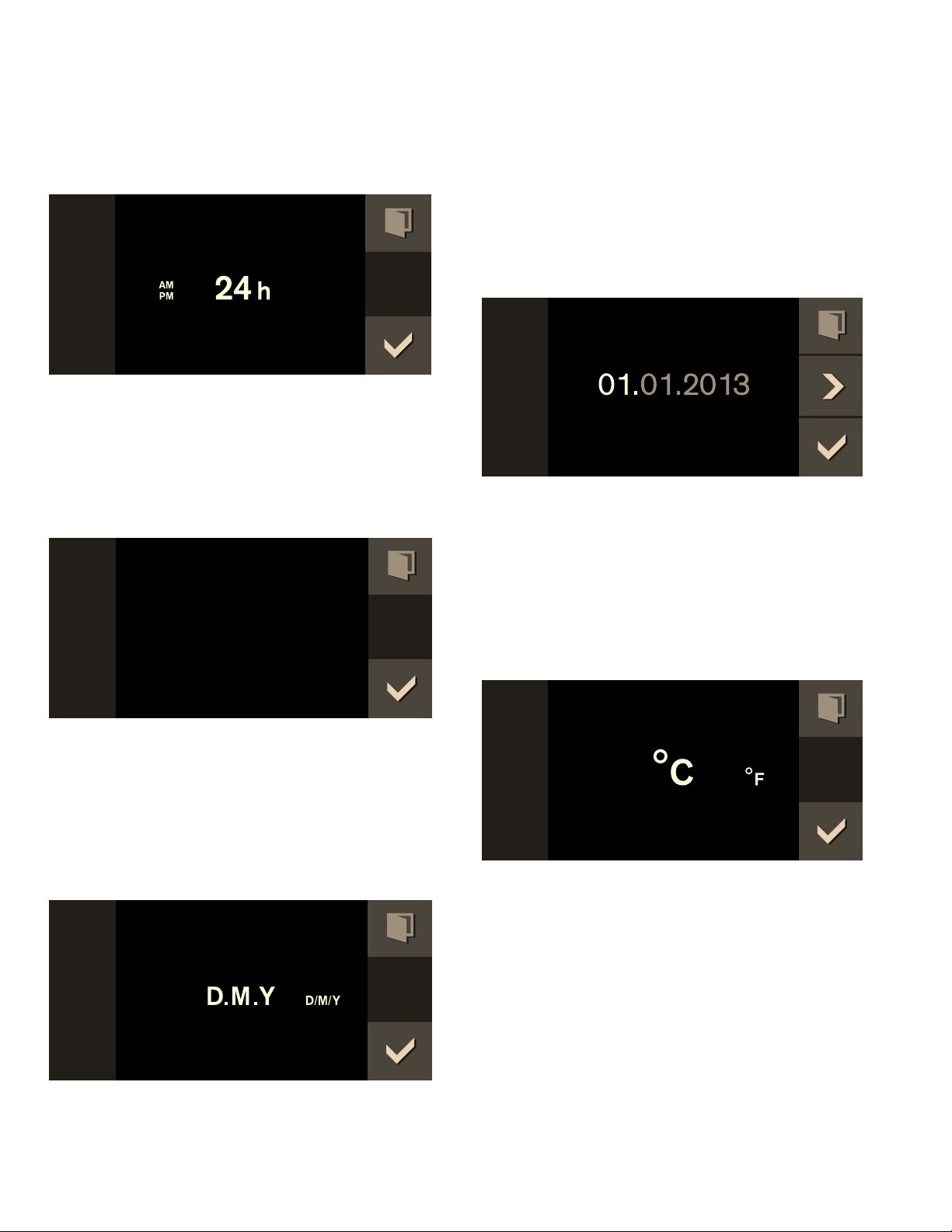
the two possible formats 24h and AM/PM appear in the
display. The default format is 24h.
1 Set the required format with the rotary selector.
2 Confirm with ™.
Setting the time
The time appears in the display.
1 Set the required time with the rotary selector.
2 Confirm with ™.
Setting the date format
The three possible formats D.M.Y, D/M/Y and M/D/Y
appear in the display. The D.M.Y is the default.
1 Set the required format with the rotary selector.
2 Confirm with ™.
Setting the date
The default date appears in the display. The day setting
is already active.
1 Set the required day with the rotary selector.
2 Switch to the month setting with the C symbol.
3 Set the month with the rotary selector.
4 Switch to the year setting with the C symbol.
5 Set the year with the rotary selector.
6 Confirm with ™.
Setting the temperature unit
The two possible units °C and °F will appear on the
display. The default unit is °C.
1 Use the rotary selector to select the unit you
require.
2 Press ™ to confirm.
Setting the water filter
"Water filter” appears in the display. The default is
"Available".
It is recommended to install the descaling system
GF 111 100 if the water hardness exceeds 7°dH
(carbonate hardness 5°dH).
1 Use the rotary selector to select "Available" (with
water filter) or "Not available" (without water filter).
2 Confirm with ™.
3 If water filter "Available" has been selected:
"Water filter capacity” is shown in the display.
7LPHIRUPDW
7LPH
'DWHIRUPDW
'DWH
7HPSHUDWXUHIRUPDW

16
4 Turn the rotary selector to select the capacity of the
filter cartridge (between 100 - 9000 liters). Refer to
the instructions included with the filter cartridge.
5 Confirm with ™.
Setting water hardness
"Water hardness" appears in the display.
1 Check the mains water with the included carbonate
hardness test: fill the small measurement tube with
mains water up to the 5 ml mark.
2 Add drops of indicator solution until the color
changes from purple to yellow.
Important: count the drops and carefully swing the
measurement tube after every drop until the liquids
have mixed thoroughly. The number of drops
corresponds to the water hardness.
3 Set the measured water hardness with the rotary
selector. The value 12 is set by default.
4 Confirm with ™.
Completing initial set-up
"Initial set-up complete. Please calibrate the appliance
before first cooking" appears in the display.
Confirm with ™.
The appliance enters the standby mode and the standby
display appears. The appliance is now ready for
operation.
Calibrate the appliance before steaming for the first
time. The appliance sets the boiling point.
Calibrating
The boiling point of water depends on barometric
pressure. As air pressure drops with increasing
elevation, the boiling point drops as well. During
calibration, the appliance sets the boiling point to the
pressure conditions at the place where it is installed.
It is important for the appliance to steam for 20 minutes
at 212° F (100°C) without interruption. Do not open the
appliance door during this time.
Notes
‒ Calibrate the appliance only when it is cold.
‒ During calibration, the appliance generates more
steam than it normally would do.
1 Set the function selector to S.
2 Select "Basic settings" using the rotary selector.
3 Touch the ™ symbol.
4 Select "Calibration" using the rotary selector.
5 Touch the % symbol.
6 Remove all accessories from the oven interior and
touch the ™ symbol.
7 The duration of 20:00 minutes appears. Touch I to
start calibration.
:DWHUILOWHU
$YDLODEOH
:DWHUKDUGQHVV
,QLWLDOVHWXSFRPSOHWH
3OHDVHFDOLEUDWHWKHDSSOLDQFH
EHIRUHILUVWFRRNLQJ
&DOLEUDWLRQ
&$/

17
Calibration begins. The elapsing time is shown on the
display.
Note: Do not interrupt calibration. Do not turn the
function selector. Do not open the appliance door.
A message appears in the display once calibration has
ended. Touch ™ to confirm and turn the function
selector to 0.
After a removal
Repeat calibration so that the appliance will
automatically adapt again to the new location.
After resetting to factory settings
After resetting to factory settings in the basic settings
menu the appliance has to be recalibrated.
After a power failure
The appliance saves the calibration settings, even after
a power failure or a disconnection from the mains. It
need not be recalibrated.
Cleaning the door panel
The door seal has been greased in the factory to make it
leaktight. There may be traces of grease left on the door
panel.
Clean the door panel with glass cleaner and a window
cloth or microfibre cloth before using the appliance for
the first time. Do not use glass scrapers.
Cleaning accessories
Before using accessories for the first time, thoroughly
clean them with hot soapy water and a soft dish cloth.
Water filter
Wat er fi lt er
Operation with or without water filter
You can use the appliance with or without a water filter.
It is recommended to install the descaling system
GF 111 700 if the water hardness exceeds 7°dH
(carbonate hardness 5°dH).
Change water filter
Filter cartridges should be replaced regularly.
Replacement cartridges are available from after-sales
service or in the online shop (order
number GF 121 710).
The capacity of the filter cartridge depends on the
frequency of use of the appliance and your regional
water hardness. A message will appear in the display to
remind you when the filter needs to be replaced.
Regardless of the actual amount of water filtered the
filter cartridge needs to be changed after 12 months at
the latest.
1 Set the function selector to S. Select "Water filter
change" using the rotary selector.
2 The œ symbol is displayed. Confirm with ™.
3 Change the water filter. Refer to the instructions
included with the filter cartridge. Confirm with ™.
4 "Select water filter capacity” is shown in the display.
Confirm with ™.
5 Turn the rotary selector to select the capacity of the
filter cartridge (between 100 - 9000 liters). Confirm
with ™.
The water filter change is complete. Touch the ™
symbol. The appliance is now ready for operation.
&$/

18
Activating the appliance
Standby
The appliance is in the standby mode when no function
is set or the child lock is activated.
The control panel's brightness is reduced in the standby
mode.
Notes
‒ There are various displays for the standby mode.
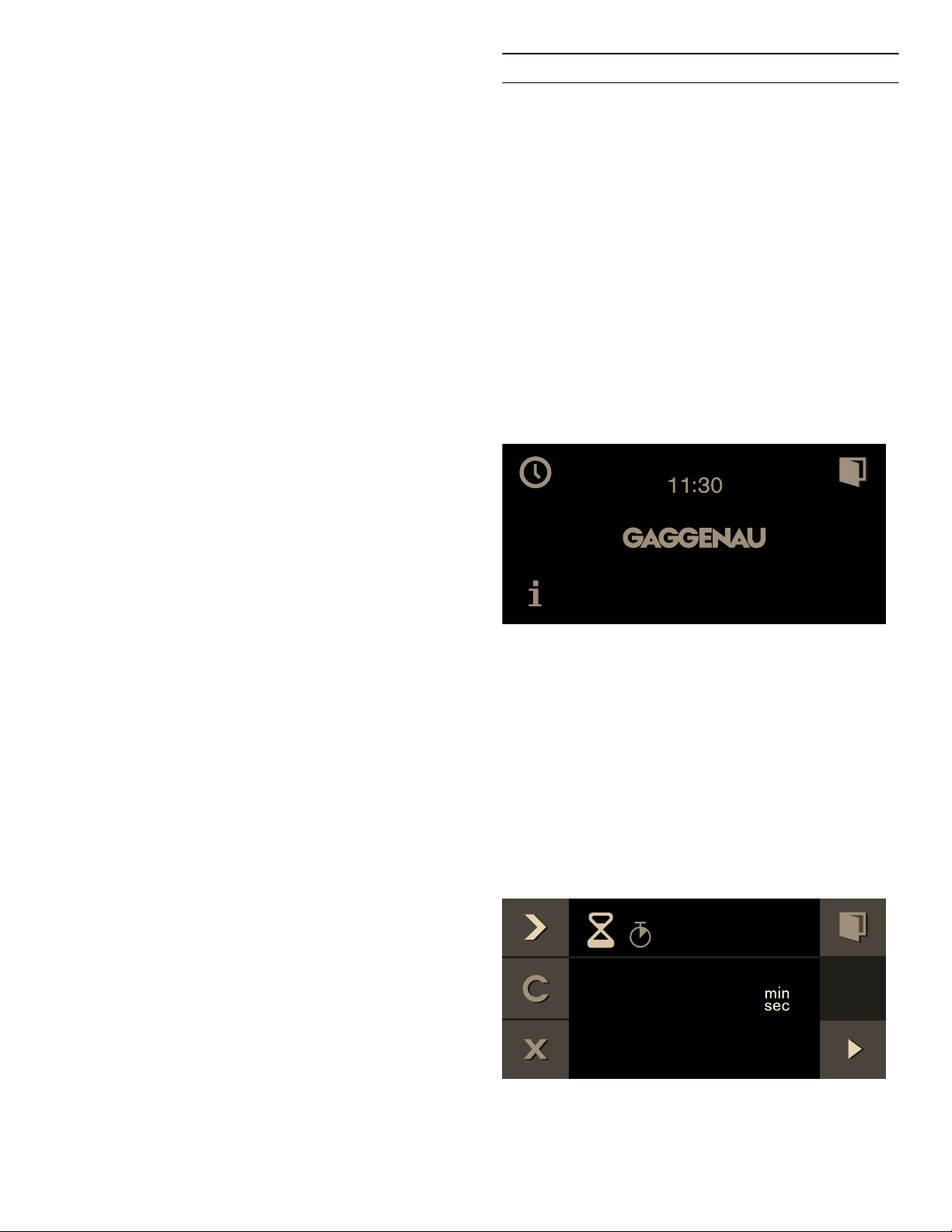
The GAGGENAU logo and the time are set by
default. Refer to the section entitled Factory setting
if you would like to change the display.
‒ The display's brightness depends on the vertical
viewing angle. You can adjust the display by way of
the "Brightness" setting in the factory settings.
Activate appliance
In order to exit standby mode, you can either
▯ Set the function selector,
▯ Touch a control panel,
▯ or open or close the door.
Now you can set the desired function. Read the
appropriate chapters to learn how to set functions.
Notes
‒ If "Standby screen = off" is selected in the factory
setting, you must turn the function selector to exit
the standby mode.
‒ The standby display appears again if you have not
made any settings for a long while after activation.
‒ The cooking compartment lighting goes out after a
little while if the door is open.
Operating the appliance
Oven interior
The cooking compartment has four shelf positions. The
shelf positions are counted from the bottom up.
Note: When steaming, defrosting, dough proofing and
refreshing, you can use up to three insertion levels at
the same time (levels 2, 3 and 4). You can only bake on
one level, use level 2 when baking (or level 1 for higher
cake tins).
9 CAUTION
Do not place anything on the cooking
compartment floor. Do not cover it with aluminium
foil. A build-up of heat could damage the
appliance or cause injury.
9 CAUTION
The cooking compartment floor must always be
kept clear. Always place ovenware in a perforated
cooking container or on a wire rack.
9 CAUTION
Do not slide any accessories between the shelf
positions, or they may tip.
19
Inserting accessories
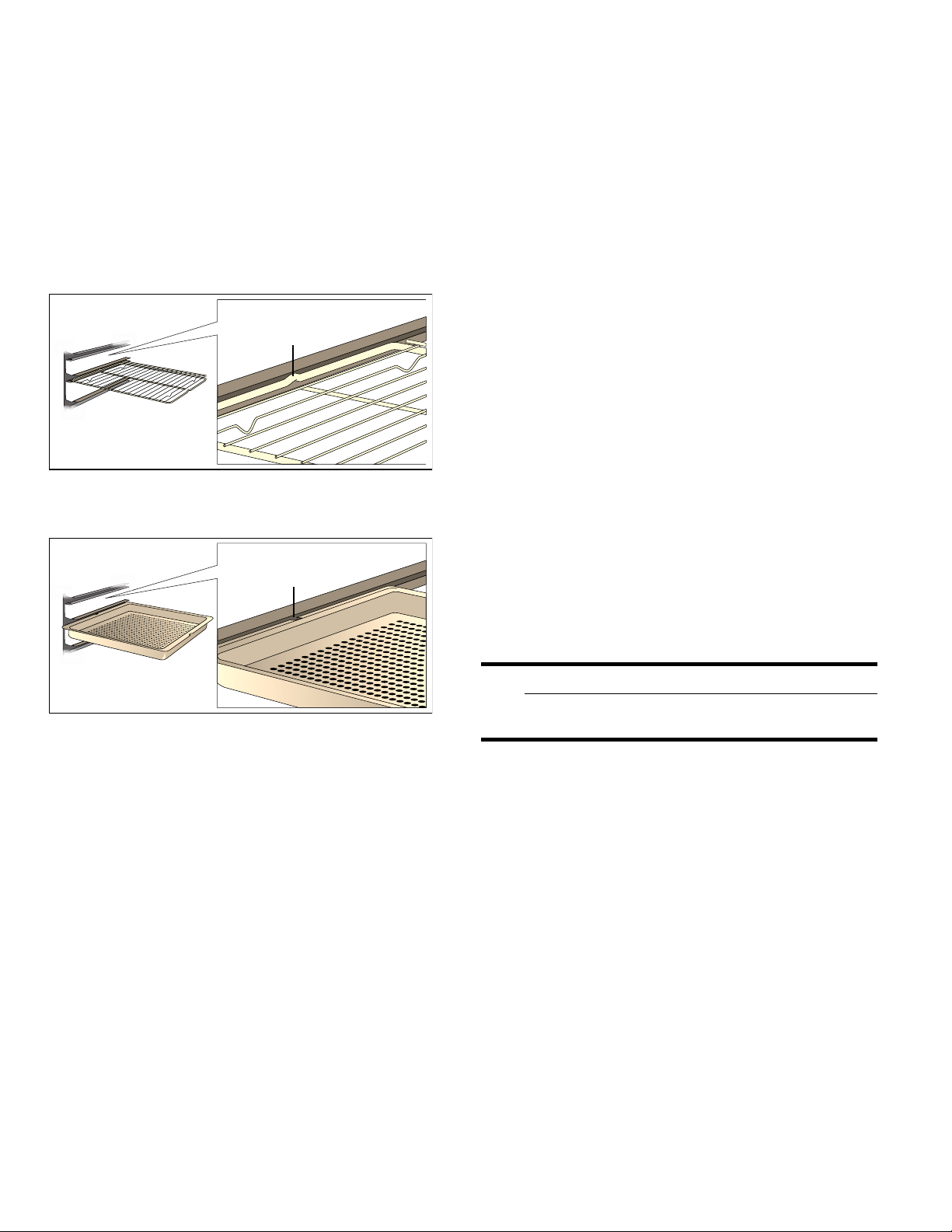
The rack and the perforated cooking receptacle feature
a latching function. The latching function prevents tilting
of accessories when pulling them out. You must insert
accessories in the cooking interior correctly so that tilt
protection will work. When removing accessories, you
must raise them slightly.
When inserting the rack, make sure
▯ that the engaging lug (a) points upward
▯ that the rack's safety clip is at the rear and top.
When pushing in the perforated cooking receptacle,
make sure that the recess (a) points to the side.
Turning on
1 Use the function selector to set the type of heating.
The selected heating type and suggested
temperature appear on the display.
2 If you would like to change the temperature:
Turn the rotary selector to set the desired
temperature.
The pre-heat symbol “ appears on the display. The
bars continuously display the heating status. When the
set temperature has been reached, a signal sounds and
the “ preheat symbol goes out.
Notes
‒ With a temperature setting below 160° F (70°C),
the cooking compartment lighting remains switched
off.
‒ With the "cook sous-vide" type of heating, the
cooking compartment light remains switched off.
‒ When changing operation modes, the set
temperature is retained. The suggested
temperature appears only after switching on.
Switching off:
Turn the function selector to 0.
Misting
Misting brings additional steam to the oven interior. You
can add moisture to food while cooking, for example
bread and rolls.
Misting is only possible with these heating functions:
▯ Convection + 30% Humidity
▯ Convection + 0% Humidity
▯ Broil + circulated air
▯ Broil
Touch the e symbol as long as you want to add steam,
up to 8 seconds. After waiting at least one second, you
can trigger misting again by touching the e symbol.
Steam removal
Steam removal brings cold water to the cooking
compartment. This cools down the cooking
compartment, the steam condenses on the wall of the
cooking compartment. This reduces the steam escaping
when opening the door.
9 WARNING
Risk of scalding
Hot water may drip from the door when opened.
You can use the steam removal function only up to a
temperature of 265° F (130 °C )with the following
heating functions:
▯ Convection + 100% Humidity
▯ Convection + 80% Humidity
▯ Convection + 60% Humidity
▯ Broil level 1 + Humidity
▯ Broil level 2 + Humidity
▯ Sous-vide cooking
Starting steam removal:
Touch the ¡ symbol. Steam removal lasts about
20 seconds. The heating remains switched off during
steam removal.
Stopping steam removal prematurely:
Open the oven door or touch the ¢ symbol
Note: The steam removal function remains available for
a short time after turning off the appliance.
D
D
D
D
20
After every use
1 Remove soiling from the oven interior as soon as it
has cooled down. Baked-in residue is much harder
to remove later on.
2 Wipe out the cooled down oven interior and dry
them well with a soft cloth.
3 Wipe furnishings or handles dry if condensate has
collected on them.
4 Dry the oven interior with the drying program (see
section entitled ‘Drying program’) or leave the
appliance door open until the interior has dried
completely.
Safety shut-off
For your protection, the appliance has a safety shut-off
feature. Every heating operation is switched off after 12
hours if the appliance is not operated during this time. A
message appears in the display.
Exception:
programming with the long-term timer.
Turn the program selection to 0, after which you can
operate the appliance in the manner to which you are
accustomed.
Timer functions
Timer funct i ons
In the timer menu, set:
Š Timer
p Stopwatch
6 Cooking time (not in the idle state)
5 Cooking time end (not in the idle state)
Launching the timer menu
You can launch the timer menu from any mode. Only
from the factory settings, program selection is set to S,
the time menu is not available.
Touch the M symbol.
The timer menu appears.
Timer
The timer runs independently of the other appliance
functions. You can enter a maximum of 90 minutes.
Setting the timer
1 Call up the Timer menu.
The "Timer" function Š is displayed.
2 Turn the rotary selector to set the desired time.
7LPHU

21
3 Start with I.
The Timer menu closes and the timer starts to run. The
symbol for the timer Š appears on the display and the
time can be seen counting down.
A signal sounds once the time has elapsed. The audible
signal ceases if you touch the ™ symbol.
You can exit the Timer menu at any time by touching the
' symbol. This way, the settings are lost.
Suspend timer:
Call up the Timer menu. Select the "Timer" function with
C, select Š, and touch the H symbol. To let the timer
run on, touch the I symbol.
Switch off the timer early:
Call up the Timer menu. Select the "Timer" function with
C, select Š, and touch the Ž symbol.
Stopwatch
The stopwatch runs independently of the other
appliance functions.
The stopwatch counts up from 0 seconds to 90 minutes.
It has a pause function. Therefore, you can stop the
timer in between times.
Starting the stopwatch
1 Launch the timer menu.
2 With C, select the "Stopwatch" function p.
3 Start with I.
The timer menu is closed and the time runs. The p
symbol and the elapsing timer are shown in the display.
Stopping and restarting the stopwatch
1 Launch the timer menu.
2 With C, select the "Stopwatch" function p.
3 Touch the H symbol.
The time stops. The symbol changes to Start I
again.
4 Start with I.
The time continues to run. Once 90 minutes have been
reached, the display pulsates and a signal sounds. It
goes off when you touch the ™ symbol. The p symbol
disappears from the display. The operation has ended.
Switching off the stopwatch:
Launch the timer menu. With C, select the "Stopwatch"
function p and touch the Ž symbol.
Cooking time
If you set a cooking time for your meal, the appliance
switches off heating automatically after this time has
elapsed.
You can set a cooking time from 1 minute to 23:59
hours.
Setting the cooking time
You have set the heating function and temperature and
you have placed your dish in the oven interior.
1 Touch the M symbol.
2 With C, select the "Cooking time" function 6.
6WRSZDWFK
6WRSZDWFK

22
3 Set the required cooking time with the rotary
selector.
4 Start with I.
The appliance starts. The timer menu is closed. The
temperature, the operating mode, the remaining cooking
time and the end of the cooking time appear in the
display
One minute before expiration of the cooking time, the
expiring cooking time is enlarged in the display.
The appliance switches off after expiration of the
cooking time. The 6 pulsates and a signal sounds. It
goes off prematurely if you touch the ™ symbol, open
the appliance door or set the program selection to 0.
Changing the cooking time:
Launch the timer menu. With C, select the "Cooking
time" function 6. Set the cooking time with the rotary
selector. Start with I.
Clearing the cooking time:
Launch the timer menu. With C, select the "Cooking
time" function 6. Clear the cooking time with Ž.
Return to normal operation with '.
Canceling the entire operation:
Set the program selection to 0.
Note: You can also change the heating function and
temperature during the cooking time.
End of cooking time
You can defer the end of the cooking time until later.
Example: it is 2 pm. The meal takes 40 minutes to cook.
It should be ready by 3.30 pm.
Enter the cooking time and shift the end of the cooking
time to 3.30 pm. The electronic circuitry calculates the
starting time. The appliance starts automatically at 2:50
pm and switches off at 3.30 pm.
Note that easily perishable foodstuffs must not be left in
the oven for too long.
Shifting the end of the cooking time
You have set the heating function, the temperature and
the cooking time.
1 Touch the M symbol.
2 With C, select the "End of cooking time"
function 5.
3 Set the required cooking time end with the rotary
selector.
4 Start with I.
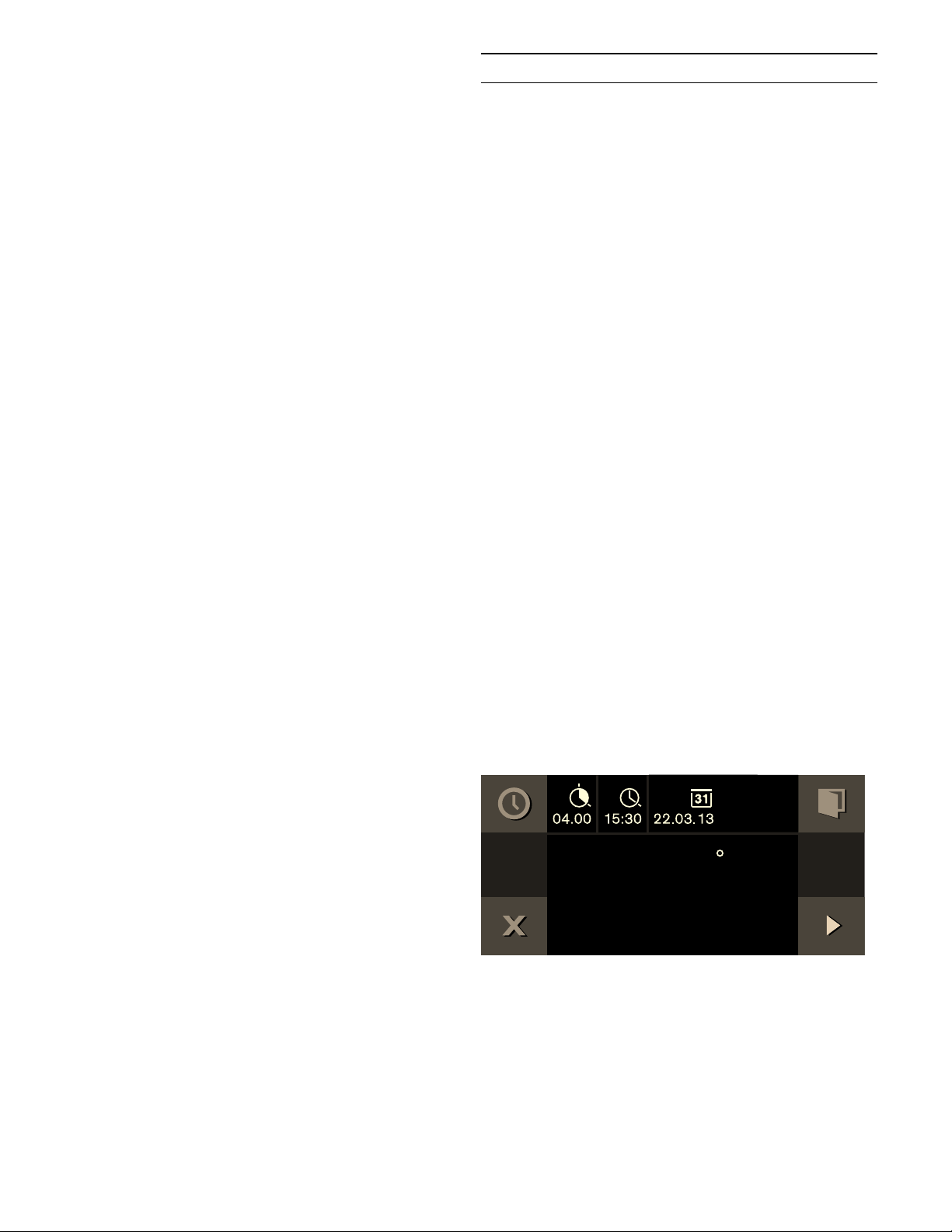
The appliance assumes a waiting mode. The operating
mode, the temperature, the cooking time and the end of
the cooking time appear in the display. The appliance
starts at the calculated time and switches off
automatically when the cooking time has elapsed.
Note: If the 6 symbol flashes: you have not set a
cooking time. Always set a cooking time first.
&RRNLQJ7LPH
)
)
&RRNLQJWLPHHQG
)
23
The appliance switches off after expiry of the cooking
time. The 5 pulsates and a signal sounds. It goes off
prematurely if you touch the ™ symbol, open the
appliance door or set the program selection to 0.
Changing the cooking time end:
Launch the timer menu. With C, select "End of cooking
time" 5. Set the required cooking time end with the
rotary selector. Start with I.
Canceling the entire operation:
Set the program selection to 0.
Sabbath mode
Sabbat h mode
Sabbath mode
With this function, the appliance maintains a
temperature between 120 and 450°F (50 and 230°C)
with the convection heating function.
You can keep dishes warm for up to 74 hours without
having to switch on or off.
Note that easily perishable foodstuffs must not be left in
the oven for too long.
Note: You must activate the Sabbath mode in the factory
setting in order to operate the mode.
Follow these steps:
1 Set the program selector to S.
2 Select "Factory setting" with the rotary selector.
3 Confirm by touching the ™ symbol.
4 Rotate the selector to Sabbath mode :.
5 Confirm by touching the ™ symbol.
6 Rotate the selector to “activate”.
7 Corfirm by touching the ™ symbol.
8 Turn the oven off.
Setting the Sabbath mode
1 Set the program selector to ž.
2 Touch the / symbol.
The suggested value of 24h at 185° F (85°C)
appears in the display. Start with I
- or -
Change the cooking time and the temperature.
3 Changing the cooking time 6 :
Touch the $ symbol. Set the preferred cooking
time with the rotary selector. You can set up to 74
hours. Confirm by touching the ™ symbol. Then
changing the temperature becomes an option.
4 Changing the temperature:
Set the required temperature with the rotary
selector.
6DEEDWKPRGH
)
24
5 Start with I .
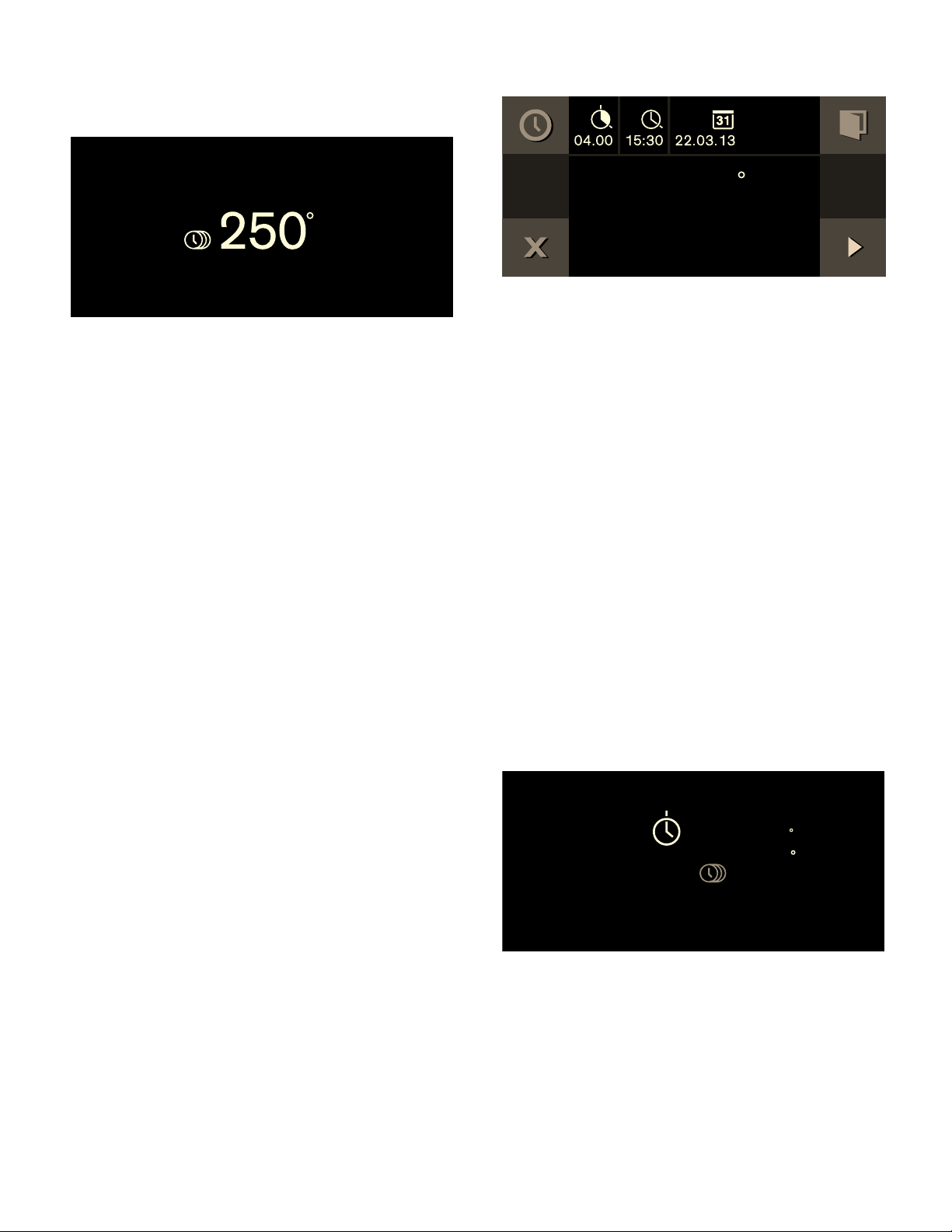
The appliance starts. / and the temperature appear in
the display. The Sabbath screen will appear as shown.
The oven and display lighting is off. The control panel is
blocked and no tone can be heard when you touch it.
The appliance no longer heats after expiry of the time.
The display is blank. Set the program selector to
0.
Switching off:
To cancel the operation, set the program selector to 0.
Yom Tov mode
With this function, the appliance is programmed to
perform in three stages.
Stage 1 and 2 can be programmed for a maximum total
duration of 74 hours. The duration of Step 3 is 1 hour
and cannot be modified.
Stage 1: maintains a warm temperature of 122° F
(50°C) in the convection heating function. The interior
oven lights remain off through this stage.
Stage 2: the appliance raises to a desired temperature
setting and maintains a temperature between 120 and
450° F (50 -230°C). For warming and cooking foods in
the convection heating function. The desired time can
be adjusted for this stage. The interior oven lights will
be on during this time.
Stage 3: maintains a warm temperature of 122° F
(50°C) in the convection heating function for 1 hour
after stage 2 has ended. The interior oven lights will be
on during this time.
Note that easily perishable foodstuffs must not be left in
the oven for too long.
Setting the Yom Tov mode
1 Set the program selector to ž .
2 Touch the / symbol.
The suggested value of 24h at 185° F (85°C)
appears in the display.
To set Stage 2 cooking time with rotary selector:
1 Touch the $ symbol to adjust the duration of Stage
2 cooking time 6 .
2 Set the desired Stage 2 cooking time with the
rotary selector.
3 Touch the C symbol to adjust the end of Stage 2
cooking time 5 .
4 Select the end time with the rotary selector.
5 Change the date if needed by touching the C
symbol to V .
6 Rotate the selector to the desired date.
7 Confirm settings by touching the ™ symbol.
To set Stage 2 temperature:
1 Rotate selector to desired Stage 2 temperature.
2 Start with I .
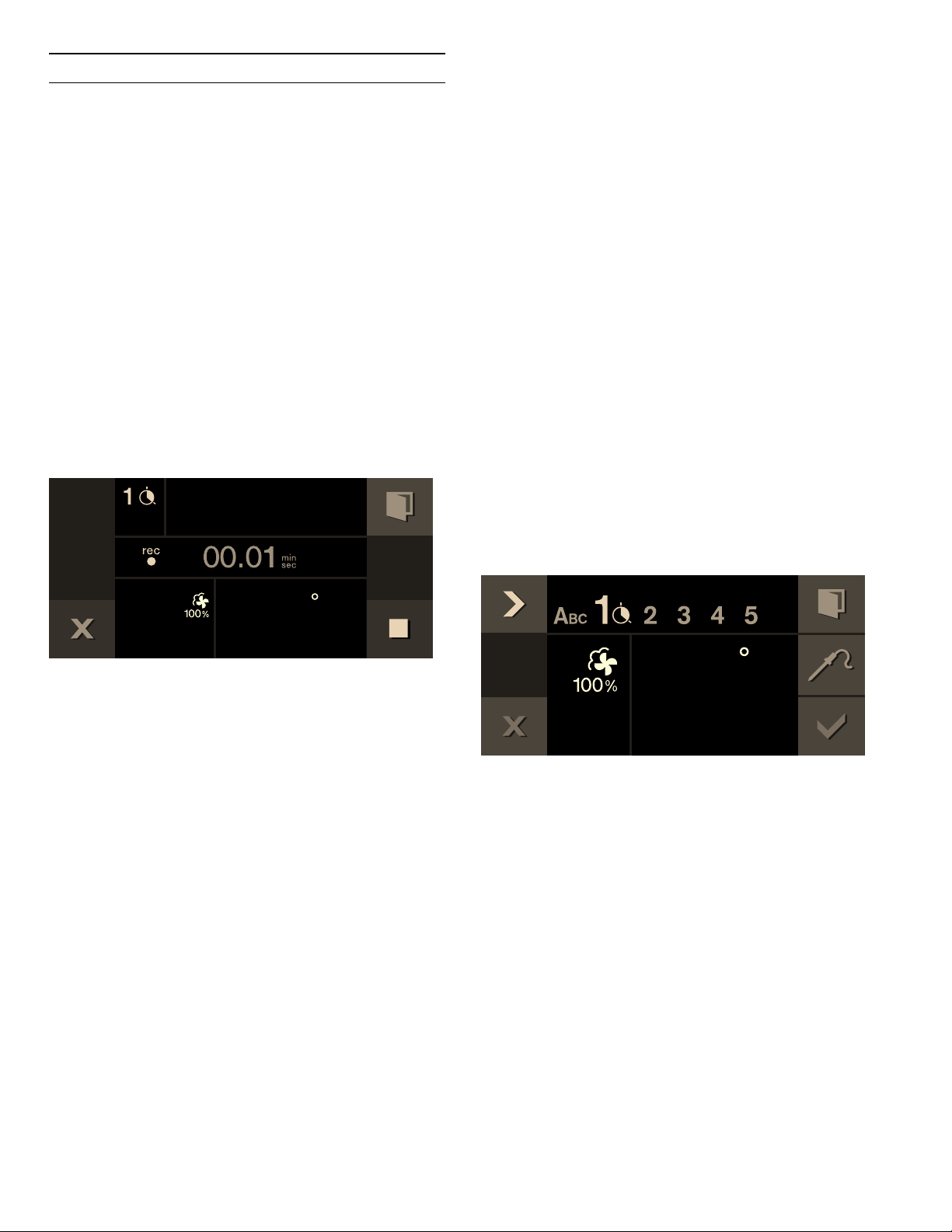
The temperatures of Stage 1 and Stage 2 appear in the
display. The remaining time to the beginning of Stage 2
is counted down in the display. The Yom Tov screen will
appear as shown.
The program will begin with the pre-set warm
temperature without light, then advance to the
programmed temperature with light until the end of the
set date and time, and then maintain the pre-set warm
temperature for 60 minutes.
The appliance no longer heats after expiry of the time.
The display is blank. Set the program selector to 0.
Switching off:
To cancel the operation, set the program selector to 0.
)
6DEEDWKPRGH
)
)
)
Æ
25
Personal recipes
You can save up to 50 individual recipes. You can record
a recipe. You can assign these recipes a name so that
you can fall back on them quickly and conveniently if you
need them.
Recording a recipe
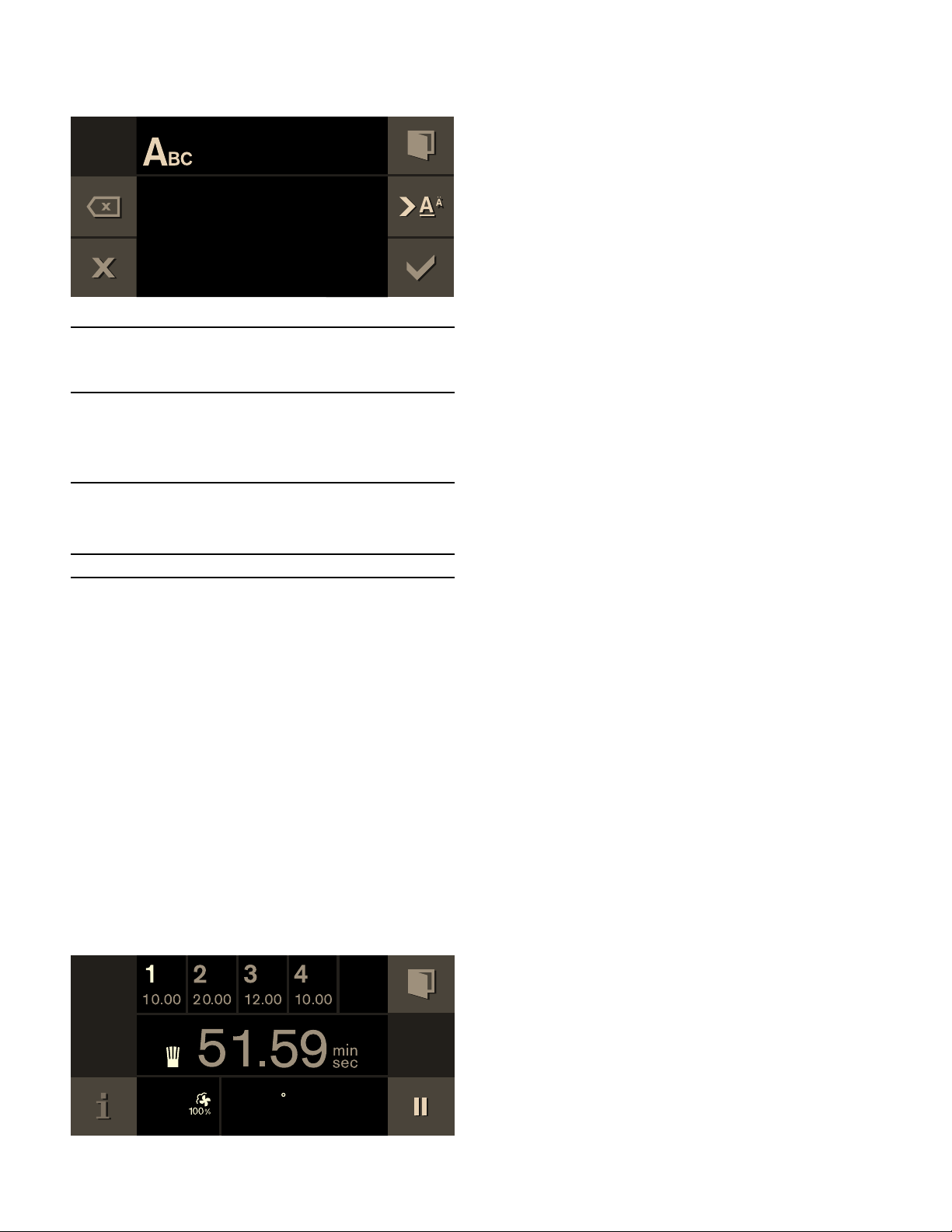
You can set up to five phases in succession and you can
record them.
1 Set the program selection to the required heating
function.
The i symbol is displayed.
2 Touch the i symbol.
3 Choose a free storage location with the rotary
selector.
4 Touch the g symbol.
5 Set the desired temperature with the rotary
selector.
6 The cooking time is recorded.
7 Recording another phase:
Set the program selection to the required heating
function. Set the required temperature with the
rotary selector. A new phase begins.
8 Once the appliance has achieved the desired
cooking result, touch the & symbol to end the
recipe.
9 Enter the name under "ABC" (see section “Entering
a name”).
Notes
‒ Recording a phase does not begin until the
appliance has reached the set temperature.
‒ Every phase must last at least one minute.
‒ During the first minute you can change the heating
function or the temperature.
Enter the core temperature for a phase:
Insert the core temperature probe in the socket in the
oven interior. Set the heating function and temperature.
Touch the
+ symbol. With the rotary selector, enter
the required temperature and confirm it with +.
Programming a recipe
You have the option of programming and saving up to
five phases of preparation.
1 Set the program selection to the required heating
function. Set the required temperature with the
rotary selector.
The
i symbol is displayed.
2 Touch the i symbol.
3 Choose a free storage location with the rotary
selector..
4 Touch the % symbol.
5 Enter the name under "ABC" (see section “Entering
a name”).
6 Choose the first phase with the C symbol.
The heating function and temperature set at the
start are displayed. You can change the heating
function and temperature with the rotary selectors.
7 Choose the time setting with the C symbol.
8 Set the required cooking time with the rotary
selector.
9 Choose the next phase with the C symbol.
- or -
Preparation is complete, end input.
10 Save with ™.
- or -
Cancel with ' and quit the menu.
Enter the core temperature for a phase:
Choose the next phase with the C symbol. Set the
heating function and temperature. Touch the +
symbol. With the rotary selector, enter the required
temperature and confirm it with +.
Note: For phases for which a core temerature has been
programmed you cannot set a cook time.
)
)
26
Entering a name
1 Enter the recipe's name under "ABC".
2 Save with ™.
- or -
Cancel with ' and quit the menu..
Note: For entering a name, Latin characters, certain
special characters and numbers are available.
Starting a recipe
1 Set the program selection to any heating function.
The i symbol is displayed.
2 Touch the i symbol. Set the required recipe with
the rotary selector.
3 Start with I.
Operation begins. Its duration elapses visibly.
The settings of the phases appear in the display
bar.
Notes
‒ The cooking time does not start counting down until
the appliance has reached the set temperature.
‒ You can use the rotary selector to change the
temperature while the recipe is in progress. This
does not change the saved recipe.
Change recipe
You can change the settings of a recorded or
programmed recipe.
1 Turn the function selector to any heating type.
The
i symbol is displayed.
2 Touch the i symbol.
3 Use the rotary selector to select the desired recipe.
4 Touch the % symbol.
5 Use the C symbol to select the desired phase.
The programmed heating type, temperature, and
cooking time are displayed. You can change the
settings with the rotary selector or the function
selector.
6 Save with ™.
- or -
Cancel with ' and exit the menu.
Deleting a recipe
1 Set the function selector to any type of heating.
The i symbol is displayed.
2 Touch the i symbol.
3 Use the rotary selector to select the desired recipe.
4 Delete the recipe with Ž.
5 Confirm with ™.
Rotary
selector
Selecting letters
A new word always beings with an upper
case letter.
4
Press briefly: cursor to the right
Press long: switch to diacritics and special
characters
Press twice: insert line space
5
Press briefly: cursor to the right
Press long: switch to normal characters
Press twice: insert line space
l
Clear letters
$B
)
27
Core temperature probe
The core temperature probe enables exact cooking to
the spot. It measures the temperature inside the food
being cooked. Automatic switching off when the desired
core temperature is reached ensures that each cooked
food is cooked precisely.
Use the included core temperature probe only. You can
purchase one as a spare part from after-sales service or
in the online shop.
The core temperature probe is damaged at
temperatures above 480°F (250°C). Therefore, only
ever use it in your appliance at a maximum temperature
setting of 445°F (230°C).
Always remove the core temperature probe from the
oven interior after use. Never store it in the oven interior.
After every use, clean the core temperature probe with a
moist cloth. Do not wash it in a dishwasher!
9 WARNING
Risk of electric shock
Use of a wrong core temperature probe can
damage the insulation. Use only the core
temperature probe intended for this appliance.
9 WARNING
Risk of burns
The oven interior and the core temperature probe
become very hot. Use oven mitts to plug and
unplug the core temperature probe.
Stick the core temperature probe into
the food
Stick the core temperature probe into the food before
you place the food in the cooking compartment.
Stick the metal spike into the thickest part of the food.
Make sure that the tip of the spike is roughly in the
middle. It may not be inserted in the fat or be touching
the ovenware or bones.
If there are several pieces of food, stick the core
temperature probe into the middle of the thickest piece.
Fully insert the core temperature probe as far as
possible.
With poultry, make sure that the tip of the core
temperature probe is not positioned in the cavity in the
middle but is located in the meat between belly and
thigh.
Setting the core temperature
1 Insert food into the oven interior with the core
temperature probe inserted. Insert the core
temperature probe in the socket in the oven interior
and close the appliance door.
Do not jam the core temperature probe's cable!
+ and the current core temperature appear in the
display.
2 Set the program selection to the required heating
function.
3 Set the oven interior temperature with the rotary
selector.

28
4 Touch the + symbol. With the rotary selector, set
the required core temperature and confirm it with
+.
The set core temperature must be higher than the
current core temperature.
5 The appliance heats with the set heating function.
The current core temperature is displayed and,
under it, the set core temperature.
You can change the set core temperatur at any time.
A signal sounds when the set core temperature in the
food has been reached. The cooking mode is ended
automatically. Confirm with ™ and turn the program
selection to 0.
Notes
‒ The measurable range is 59 to 210° F (15 to 99°C).
Outside the measurable range, "--°F" is displayed
for the current core temperature.
‒ If you leave the food in the cooking compartment for
some time after cooking, the core temperature will
continue to rise somewhat due to the residual heat
in the cooking compartment.
‒ If at the same time you adjust a programming with
the core temperature probe and the cooking time
timer, then the programming switches the device off
that reaches the specified value first.
Changing the core temperature set:
Touch the + symbol. Use the rotary selector to change
the set core temperature for the food and confirm with
+.
Deleting the core temperature set:
Touch the + symbol. Delete the set core temperature
with Ž. The appliance continues heating in normal
cooking mode.
Core temperature guidelines
Use chilled food only, not frozen food. The details given
in the table are guidelines. Results depend on the
quality and composition of the food.
For hygiene reasons, critical foodstuffs such as fish and
game should reach a core temperature of 143 - 158° F
(62 – 70 °C); for poultry and minced meat this should
be as high as 176 - 185° F (80 – 85 °C).
)
)
)
Food Core temperature
guideline
Beef
Sirloin, tenderloin, entrecôte
very rare
rare
medium
well-done
113 - 117°F
(45 - 47 °C)
122 - 126°F
(50 - 52 °C)
137 - 140°F
(58 - 60 °C)
158 - 167°F
(70 - 75 °C)
Roast beef 176 - 185°F
(80 - 85 °C)
Pork
Pork roast 162 - 176°F
(72 - 80 °C)
Pork loin
medium
well-done
149 - 158°F
(65 - 70 °C)
167°F (75 °C)
Meat loaf 185°F (85 °C)
Fillet of pork 149 - 158°F
(65 - 70 °C)
Veal
Veal roast, well-done 167 - 176°F
(75 - 80 °C)
Breast of veal, stuffed 167 - 176°F
(75 - 80 °C)
Saddle of veal
medium
well-done
137 - 140°F
(58 - 60 °C)
149 - 158°F
(65 - 70 °C)
Fillet of veal
rare
medium
well-done
122 - 126°F
(50 - 52 °C)
137 - 140°F
(58 - 60 °C)
158 - 167°F
(70 - 75 °C)
Game
Saddle of venison 140 - 157°F
(60 - 70 °C)
Leg of venison 158 - 167°F
(70 - 75 °C)
Venison loin steaks 149 - 158°F
(65 - 70 °C)
Saddle of hare or rabbit 149 - 158°F
(65 - 70 °C)

29
Childproof lock
Childproof lock
The appliance has a panel lock to make sure children
cannot operate it inadvertently.
Notes
‒ You must set the child lock in the factory setting to
"Available"
‒ If there is a power cut while the child lock is
activated, it may be deactivated when the power
returns.
Activating the child lock
Requirement:
Program selector is set to 0.
Touch the 0 symbol for at least 6 seconds.
The child lock is activated. The standby screen appears.
The 0 appears at the top of the display.
Deactivating the child lock
Requirement:
Program selector is set to 0.
Touch the 1 symbol for at least 6 seconds.
The child lock is deactivated. You can switch on the
appliance in the usual manner.
Poultry
Chicken 195°F (90 °C)
Guinea fowl 175 - 185°F
(80 - 85 °C)
Goose, turkey, duck 185 - 195°F
(85 - 90 °C)
Duck breast
medium
well-done
131 - 140°F
(55 - 60 °C)
158 - 176°F
(70 - 80 °C)
Ostrich steak 140 - 149°F
(60 - 65 °C)
Lamb
Leg of lamb
medium
well-done
140 - 149°F
(60 - 65 °C)
158 - 176°F
(70 - 80 °C)
Saddle of lamb
medium
well-done
131 - 140°F
(55 - 60 °C)
149 - 167°F
(65 - 75 °C)
Mutton
Leg of mutton
medium
well-done
158 - 167°F
(70 - 75 °C)
176 - 185°F
(80 - 85 °C)
Saddle of mutton
medium
well-done
158 - 167°F
(70 - 75 °C)
176 °F (80 °C)
Fish
Fillet 144 - 149°F
(62 - 65 °C)
Whole 149°F (65 °C)
Terrine 144 - 149°F
(62 - 65 °C)
Other provisions
Bread 205°F (96 °C)
Paté 162 - 167°F
(72 - 75 °C)
Terrine 140 - 158°F
(60 - 70 °C)
Foie gras 113°F (45 °C)
Food Core temperature
guideline
30
Factory setting
In the general settings, you can adapt your appliance
individually.
1 Set the program selector to S.
2 Select "General setting" with the rotary selector.
3 Touch the
™ symbol.
4 Set the required general setting with the rotary
selector.
5 Touch the % symbol.
6 Set the general setting with the rotary selector.
7 Save with ™ or cancel with ' and quit the current
general setting.
8 Turn the program selector to
0 to quit the general
setting menu.
Changes are saved.
Basic setting Possible settings Explanation
Brightness Stages 1, 2, 3, 4, 5*, 6, 7, 8 Setting display brightness
Standby screen On*/Off
- Clock
- Clock + GAGGENAU logo*
- Date
- Date + GAGGENAU logo
- Clock + date
- Clock + date + GAGGENAU logo
Appearance of the standby screen.
Off: no display. Use this setting to reduce the
standby consumption of your appliance.
On: several displays can be set, confirm "On"
with ™ and choose the desired display with the
rotary selector.
The selection is displayed.
Display screen Minimized*/Standard When ‘Minimized’ is set, only the most important
details are displayed after a short time.
Touchpad color Gray*/White Select the color of symbols on the touchpads
Touchpad tone Tone 1*/Tone 2/Off Select the signal tone when touching a touchpad
Touchpad volume Levels 1, 2, 3, 4, 5*, 6, 7, 8 Sets the volume of the touchpad tone
Preheating signal On*/Off The signal tone sounds when the required tem-
perature is reached during preheating.
Signal volume Levels 1, 2, 3, 4, 5*, 6, 7, 8 Sets the volume of the signal tone
Water filter Available* / not available Available: use appliance with water filter.
Not available: use appliance without water filter.
Water filter capacity 100 - 9000 liters Set the water filter capacity
Water hardness 1-18 Check mains water with the included carbon
hardness test. Set the measured water hardness.
Calibration Calibrating the appliance Setting the boiling point
Time format AM/PM / 24 h* Time display in 24 or 12-hour format

31
Time Current time Setting the time
Daylight savings Manual*/Automatic Automatic time changeover when changing day-
light savings time. If automatic: setting of the
month, day and week when the time is to be
changed. To be set separately for summer and
winter time.
Date format D.M.Y*
D/M/Y
M/D/Y
Setting the date format
Date Current date Setting the date. Switch between the year/month/
day with the C symbol.
Temperature unit °C* / °F Setting the temperature unit
Language German* / French / Italian / Spanish /
Portuguese / Dutch / Danish / Swedish
/ Norwegian / Finnish / Greek / Turkish
/ Russian / Polish / Czech / Slovenian /
Slovakian / Arabic / Hebrew / Japanese
/ Korean / Thai / Chinese / English US
/ English
Select language for the text display
Note: When the language is changed, the system
is restarted; this procedure takes a few seconds.
Then the General settings menu is closed.
Factory settings Restore appliance to factory settings Confirm the question "Delete all individual set-
tings and restore appliance to factory settings?"
with ™ or cancel with '.
Note: When restoring factory settings, the per-
sonal recipes are also deleted.
After restoring the factory settings, you will see
the "Initial settings" menu.
Demo mode On/Off* For presentation purposes only. The appliance
does not heat in the demo mode, but all other
functions are available.
The "Off" setting must be activated for normal
operation. The setting is only possible in the first
three minutes after connecting the appliance.
Cleaning program
demo
Start cleaning program demo For presentation purposes only. No cleaning and
heating function.
The demo cleaning program takes 10 minutes. It
can be ended at any time.
You need a new or previously-used standard
cleaning cartridge. The appliance must be con-
nected to the water and waste water lines.
Dry the cooking compartment manually after-
wards.
Sabbath mode Not Available* / Available Available: Sabbath mode can be set; see the sec-
tion entitled ‘Sabbath mode’.
Door lock Off*/On The door lock prevents unintentional opening of
the appliance door. When "On" is set, you must
touch the " symbol for several seconds before
the door opens.

32
Cleaning and maintenance
If taken care of and cleaned conscientiously, your
appliance will stay beautiful and intact for a long time.
Here we explain how to take care of and clean your
appliance correctly.
9 WARNING
Risk of electrical shock
Moisture entering the appliance can cause an
electrical shock. Don't use a high-pressure
cleaner or steam cleaner.
9 WARNING
Risk of burns
‒ To avoid risk of injury, never touch the inside
surfaces of the oven interior or heating
elements. These surfaces are extremely hot
after use. Always allow the appliance to cool
down before touching or cleaning the interior.
‒ Always turn off the interior light before
cleaning the oven to allow the bulbs to cool
down. The bulbs can become very hot when
switched on. Keep the light off while cleaning
the oven.
‒ Keep children away.
9 WARNING
Risk of injury
Scratched glass in the appliance door can burst.
Do not use any glass scrapers or strong or
abrasive cleaning agents.
9 WARNING
Do not clean the appliance while it is still hot.
Some cleaners produce noxious fumes when
applied to a hot surface. Wet clothes and
sponges can cause burns from steam.
Cleaning agents
Pay attention to the information in the table to ensure
that the various surfaces are not damaged by incorrect
cleaning agents.
Do not use any
▯ sharp or abrasive cleaning agents
▯ metal or glass scrapers to clean the glass on the
appliance door.
▯ metal or glass scrapers to clean the door seal.
▯ hard abrasive pads or cleaning sponges.
Thoroughly rinse out new sponge cloths before use.
Child lock Not Available* / Available Available: the child lock can be activated (see
section entitled ‘Child lock’).
* Factory settings
Area Cleaning agent
Door panels Glass cleaner: Clean with a soft cloth
and dry with a microfiber cloth. Do not
use a glass scraper.
Display Wipe down using a microfiber cloth or a
slightly damp cloth. Do not wipe with a
wet cloth.
Stainless steel Hot soapy water: Clean using a dish
cloth and then dry with a soft cloth.
Remove flecks of lime scale, grease,
starch and albumin (e.g. egg white)
immediately. Corrosion can form under
such flecks. Special stainless-steel clean-
ing agents are available from customer
service or from specialist retailers.
Aluminum Clean with a mild window cleaning
agent. Using a window cloth or a lint-free
microfiber cloth, wipe over the surfaces
lightly in a horizontal direction.

33
Microfiber cloth
The honeycomb microfiber cloth is particularly suitable
for cleaning sensitive surfaces such as glass, glass
ceramic, stainless steel or aluminum (product no.
00460770, also available from our online online shop). It
removes liquid and greasy deposits in one go.
Drain filter
Clean the drain filter on the bottom of the cooking
compartment as necessary. With frequent preparation
of fish or meat, we recommend monthly cleaning.
1 Turn the drain filter to the left and remove it.
2 Remove food residues from the drain sieve.
3 Rinse out under running water. If heavily soiled,
clean in the dishwasher.
4 Insert the drain filter and turn right to the stop.
Never operate the combination steam oven without the
drain filter.
Enameled cooking compartment
The enamel in the cooking chamber gets lighter with
use. The change in the color does not affect use user
benefits. Do not try to remove the coloring by scouring
with abrasive materials.
Cleaning program
The cleaning program removes stubborn dirt. A cleaning
cartridge (a) is screwed into the top of the cooking
compartment. The cooking compartment is cleaned,
rinsed, and dried completely automatically. The drain
filter (b) must remain inserted in the cooking
compartment floor while the cleaning program is in
progress.
The complete cleaning program takes 3 hours and
45 minutes.
Cooking compart-
ment
Hot soapy water:
Clean with a dish cloth and dry with a
soft cloth.
Do not use oven spray and other aggres-
sive oven cleaners or abrasive materials.
Scouring pads, rough sponges and pan
cleaners are also unsuitable. These items
scratch the surface.
Always dry the cooking compartment
after cleaning (see "Drying program"
chapter).
For regular care of the stainless steel
cooking compartment, use cleanser
according to the manufacturer's instruc-
tions (order number 667027 from cus-
tomer service or in the online shop).
NOTICE: Undissolved detergent
causes flecks when heating up. Remove
all detergent and care product residues
thoroughly with water before drying the
cooking compartment.
Very dirty cooking
compartment
The cleaning program removes stubborn
dirt (see "Cleaning program" chapter).
Glass ceramic
grilling surface
(only version with
grill)
Clean the glass ceramic grilling surface
in the cooking compartment regularly
with glass ceramic cleaner (order num-
ber 311298 from customer service or in
the online shop). Clean burned-on resi-
dues with a glass scraper.
9 CAUTION
Do not scratch the cooking com-
partment with the glass scraper.
Glass cover for the
cooking compart-
ment light
Hot soapy water: Clean with a dish cloth.
Door seal
Do not remove.
Hot soapy water: Clean with a dish cloth
and do not scour. Do not use a metal or
glass scraper for cleaning.
Core temperature
probe
Wipe with a damp cloth. Do not place in
the dishwasher.
Cooking con-
tainer, wire rack
Dishwasher or hot soapy water. Soak
burned-on residues and clean with a
brush.
Area Cleaning agent
E
D
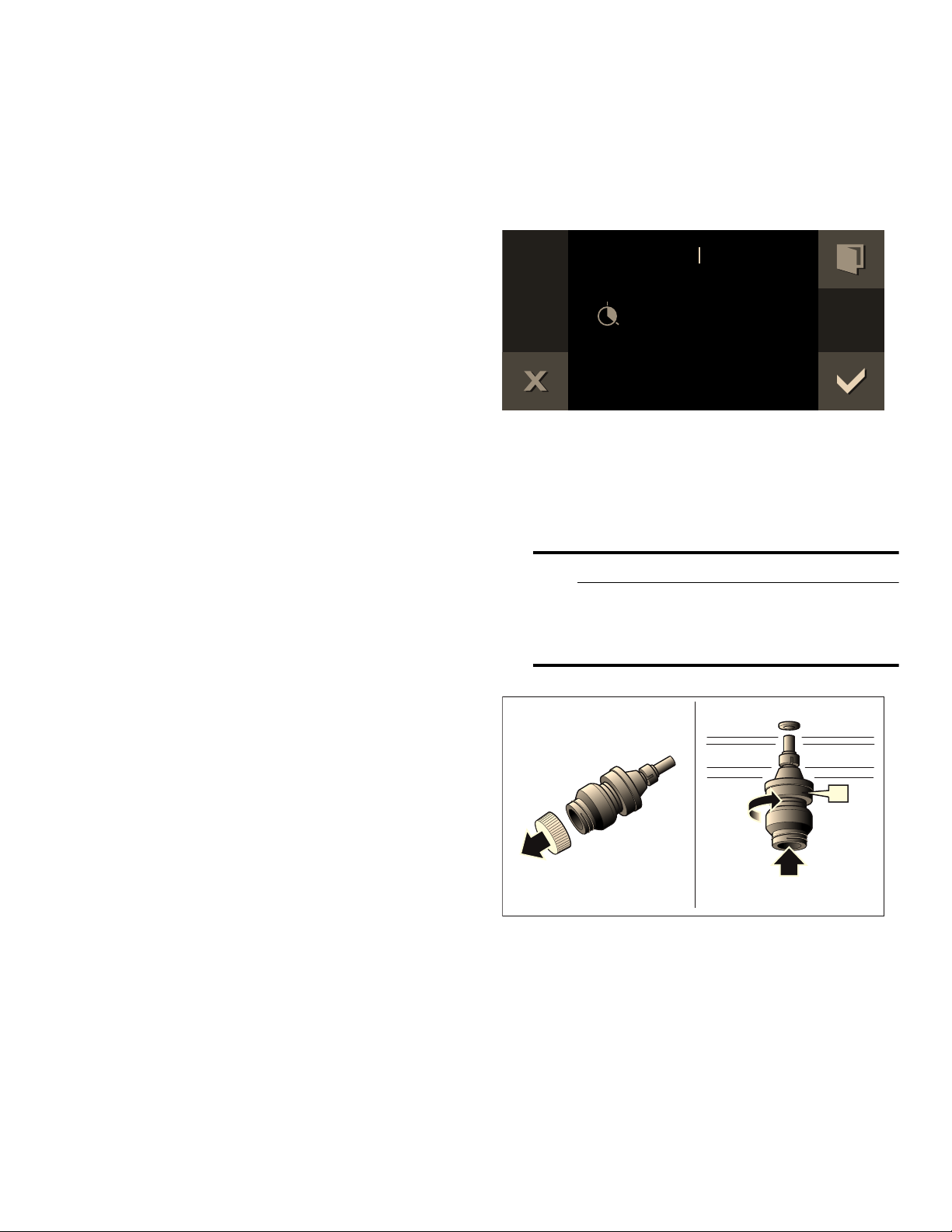
34
With normal use, we recommend cleaning the appliance
with the cleaning program four times a year. Depending
on the use, more frequent cleaning can be necessary.
Do not let heavy dirt burn in; instead, start the cleaning
program immediately after use.
You need special cleaning cartridges for the cleaning
program. These are available from customer service or
from the online shop (CL 510 04 0 set with 4 cleaning
cartridges, order number 00311703).
The cleaning cartridges can only be used once and are
not refillable. Do not use any other cleaner.
NOTICE: Damage to the cooking compartment: Use
cleaning cartridges only for the cleaning program.
Never place cleaning cartridges in the hot cooking
compartment or heat them in the cooking compartment.
Notes
‒ The cleaning program can only be started if the
appliance is cooled off below 104°F (40°C).
‒ Remove all accessories from the cooking
compartment before you start the cleaning program
(wire rack, cooking containers, core temperature
probe).
‒ Remove the worst soiling from the cooking
compartment.
‒ The drain filter must remain inserted in the cooking
compartment floor while the cleaning program is in
progress. If the drain filter is removed before the
cleaning program is started, the cooking
compartment will not be clean at the end of the
program.
‒ The appliance door is locked during the cleaning
program.
‒ Do not try and open the appliance door during the
cleaning program. Water could escape.
‒ Always leave the cleaning program run to the end.
The cleaning program cannot be canceled.
Starting the cleaning program
1 Set function selector to S.
2 The ¢ symbol is displayed. Press ™ to confirm.
3 The switch-off time is displayed at which the
cleaning program will end.If desired, move switch-
off time with the rotary selector. Press ™ to
confirm. The starting time and switch-off time are
shifted, the cleaning time remains the same.
4 Remove all accessories from the cooking
compartment and remove the coarse dirt. Press ™
to confirm.
5 Remove the locking cap from the cleaning
cartridge.
9 CAUTION
Do not remove the wax plugs from the
opening of the cleaning cartridge. Do not use
any other detergents. Do not use damaged
cartridges.
6 Screw the cleaning cartridge (a) as far as it will go
into the socket in the top of the cooking
compartment. Close the appliance door. Press ™
to confirm. A cleaning time of 3 hours, 45 minutes is
displayed.
(QGRIFOHDQLQJ
D
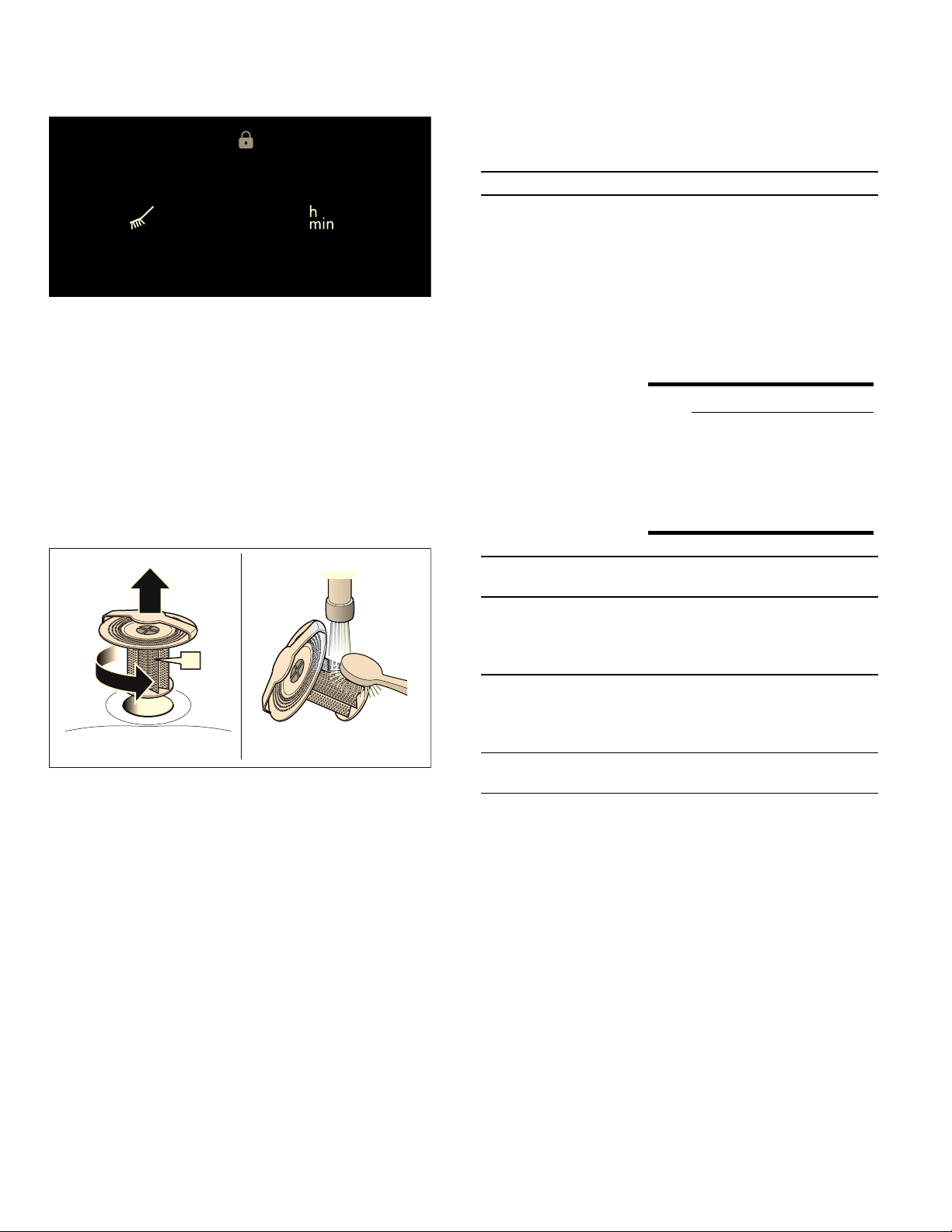
35
7 Start with I. The cleaning time counts down on the
display. The light in the cooking compartment
remains switched off. The appliance door is locked.
After the cleaning program has finished, a signal
sounds. The appliance door is unlocked. A
message appears on the display.
8 Remove the cleaning cartridge.
NOTICE: Damage to the cooking compartment:
never heat the appliance up if a cartridges has been
inserted.
9 Turn the drain filter on the cooking compartment
floor to the left and remove it. Remove food
residues from the drain sieve.Rinse out under
running water.
10 Insert the drain filter and turn right to the stop.
Press ™ to confirm.
The cleaning program is complete. Allow the appliance
to cool down. Then polish the cooking compartment and
the glass with a soft cloth.
Dispose of the empty cleaning cartridge in accordance
with regional regulations for household garbage.
Causes of an unsatisfactory cleaning result
If the cooking compartment is still not clean once the
cleaning program has ended, use the table below to
help you identify the causes. Then insert a new cleaning
cartridge and start the cleaning program again.
Drying program
With the drying program, you can dry the cooking
compartment after cleaning or after steaming.
The drying program takes 20 minutes.
Starting the drying program
1 Remove accessories from the cooking
compartment. Wipe out the cooking compartment.
Thoroughly remove residues of cleaner. Close
appliance door.
2 Set the function selector to S. Select the drying
program with the rotary selector.
3 The j symbol is displayed. Confirm with ™.
E
Possible cause Solution
Locking cap on the
cleaning cartridge
The locking cap has not been
removed from the cleaning car-
tridge.
Once the cleaning program has fin-
ished, remove the cartridge from
the appliance. Do not reuse the car-
tridge. Dispose of the cartridge in
accordance with the local regula-
tions.
9 WARNING
Risk of injury
To prevent the cleaner from
coming into contact with the
skin or eyes, do not remove
the locking cap from a spent
cartridge.
Wrong cartridge
(descaling cartridge)
Use only original cleaning car-
tridges for the cleaning program.
Drain filter not inserted The drain filter must remain
inserted in the cooking compart-
ment floor while the cleaning pro-
gram is in progress.
Power failure Following a power failure that lasts
longer than 3 minutes, the cleaning
program is ended with a short pro-
gram.
Heavy burnt-in dirt Run cleaning program again in
order to remove stubborn dirt.
36
4 The drying time of 20 minutes appears. Touch I to
start. The drying time elapses on the display. The
lamp in the cooking compartment stays off.
5 A signal sounds after 20 minutes. A message
appears in the display. Confirm with ™.
The drying program has ended. Allow the appliance to
cool down. Then polish the cooking compartment and
the panel with a soft cloth.
Descaling program
Regular descaling maintains the good condition of the
cooking compartment. The cooking compartment is
descaled, rinsed, and dried completely automatically
with the descaling program.
Depending on the type of water and use of the
appliance, a message on the display reminds you that
the descaling program should be run. If necessary
(e.g. with scaling in the cooking compartment), you can
run the descaling program more frequently.
The complete descaling program takes 2 hours
15 minutes.
For the descaling program, you need special descaling
cartridges. These are available from customer service or
from the online shop (CL S20 040 set with 4 descaling
cartridges, order number 00311768).
NOTICE: Damage to the cooking compartment: Only
use descaling cartridges for the descaling program.
Never place descaling cartridges in the hot cooking
compartment or heat them in the cooking compartment.
Notes
‒ The descaling program can only be started if the
appliance has cooled down below 104°F (40°C).
‒ Remove all accessories from the cooking
compartment before you start the descaling
program (wire rack, cooking containers, core
temperature probe).
‒ The drain filter must remain inserted in the cooking
compartment floor while the descaling program is
in progress.
‒ The appliance door is locked during the descaling
program.
‒ Always leave the descaling program run to the end.
The descaling program cannot be canceled.
‒ Even with use of the descaling and taste filter
(special accessories GF 111 100), depending on
the water type and use of the appliance, descaling
may be necessary. A message appears on the
display reminding you of this.
Starting the descaling program
1 Set function selector to S. Use the rotary selector to
select the descaling program.
2 The ‘ symbol is displayed. Press ™ to confirm.
3 The switch-off time is displayed at which the
descaling program will end.If desired, move switch-
off time with the rotary selector. Press ™ to
confirm.
4 Remove all accessories from the cooking
compartment. Press ™ to confirm.
5 Remove the locking cap from the descaling
cartridge.
9 CAUTION
Do not remove the wax plugs from the
opening of the descaling cartridge. Do not
use any other descaler.
6 Screw the descaling cartridge (a) into the socket in
the top of the cooking compartment up to the stop.
Close the appliance door. Press ™ to confirm. A
descaling time of 2 hours 15 minutes is displayed.
'U\LQJSURJUDPPH
_
(QGRIGHVFDOLQJ
D

37
7 Start with I. The descaling time counts down on the
display. The light in the cooking compartment
remains switched off. The appliance door is locked.
After the descaling program has finished, a signal
sounds. The appliance door is unlocked. A
message appears on the display.
8 Remove the descaling cartridge. Press ™ to
confirm.
9 Turn the drain filter on the cooking compartment
floor to the left and remove it. Remove food
residues from the drain sieve.Rinse out under
running water.
10 Insert the drain filter and turn right to the stop.
Press ™ to confirm.
The descaling program has finished. Then delete the
descaling notice in the display. Press ™ to confirm.
Allow the appliance to cool down. Then polish the
cooking compartment and the glass with a soft cloth.
Dispose of the empty descaling cartridge in accordance
with regional regulations for household garbage.

38
Troubleshooting
You can often easily eliminate problems that may occur
on your own. Before calling customer service, take into
account the following information.
9 WARNING
Risk of electric shock
Improper repairs are dangerous. Only an
authorized servicer may perform repairs and may
replace damaged plug and connections. Remove
the power plug or turn off the circuit breaker or
fuse in the fuse box if the appliance is damaged
or not working. Call Customer Service.
Disruption Possible cause Solution
Appliance not working, no display Plug not inserted Connect the appliance to the electricity
mains
Power failure Check whether other kitchen appliances
are working
Fuse defective Check in the fuse box whether the fuse for
the appliance is in working order
Operating error Switch off the fuse for the appliance in the
fuse box and switch it on again after about
10 seconds
Appliance cannot be started Appliance door is not quite closed Close appliance door
Appliance is not working, display is not
responding. 0 appears in the display.
Child lock activated Deactivate child lock (see section entitled
‘Child lock’)
Appliance switches off automatically Safety deactivation: the appliance has not
been operated for longer than 12 hours
Confirm the message with ™, switch off
the appliance and set it again.
Appliance does not heat up, ° appears
in the display
Appliance is in the demo mode Deactivate demo mode in the basic set-
tings
Appliance will not start, a message
appears in the display
No water in the appliance Check water intake
No steam visible Steam is not visible above 212° F (100°C) This is normal
Grill heating element is only hot at the
edge, not the middle
The grill tray heats only the edges in order
to provide optimal heat distribution
This is normal
The 3 "steam removal" symbol does not
appear
You can use the steam removal function
only up to a temperature of 266°F (130 °C)
This is normal
Extreme amounts of steam emerging at
the top of the door
Appliance is calibrating the boiling point or
is preheating or the mode has been
changed
This is normal
Boiling point has not yet been adjusted Adjust the boiling point
Extreme amounts of steam emerging at
the side of the door
Door seal soiled or loose Clean the door seal and insert it in the
groove
Humming when turned on Water outlet pump is warming up Normal operating sound
Appliance was not used for a few days Normal: automatic rinsing at start up
There is a 'plop' noise during cooking Stress expansion in the event of a large
temperature difference
This is normal
Appliance does not steam properly any
more
Appliance is clogged with scale Start the descaling program
The cooking compartment is wet after
operation
This is normal depending on the operating
mode set by the user
After operation, dry the cooking compart-
ment using the drying program

39
Power cut
Your appliance can bridge a power cut of a few
seconds. Operation continues.
If the power cut was for a longer period and the
appliance was in operation, a message appears in the
display. Operation is interrupted.
Set the function selector to 0, then the appliance can be
operated again as usual.
Demo mode
The demo mode is activated if the ° symbol appears in
the display. The appliance does not heat up.
Briefly disconnect the appliance from the mains (switch
off the domestic fuse or the circuit-breaker in the fuse
box). Then deactivate the demo mode within 3 minutes
in the factory setting.
Replacing the oven interior lamp
For technical reasons, the lamp cover is not detachable.
Only Gaggenau after-sales service may replace the
lamp.
9 CAUTION
Do not detach the lamp cover. This would damage
the seal.
The lamp cover in the oven must be replaced if it is
damaged. You can obtain covers from after-sales
service. Always specify the E number and the FD
number of your appliance.
Error message "Exxx" If an error message appears, turn the pro-
gram selection to 0; if the display goes off,
it was a one-time problem. If the problem
occurs repeatedly or if the display stops,
please contact after-sales service and
inform them of the error code.
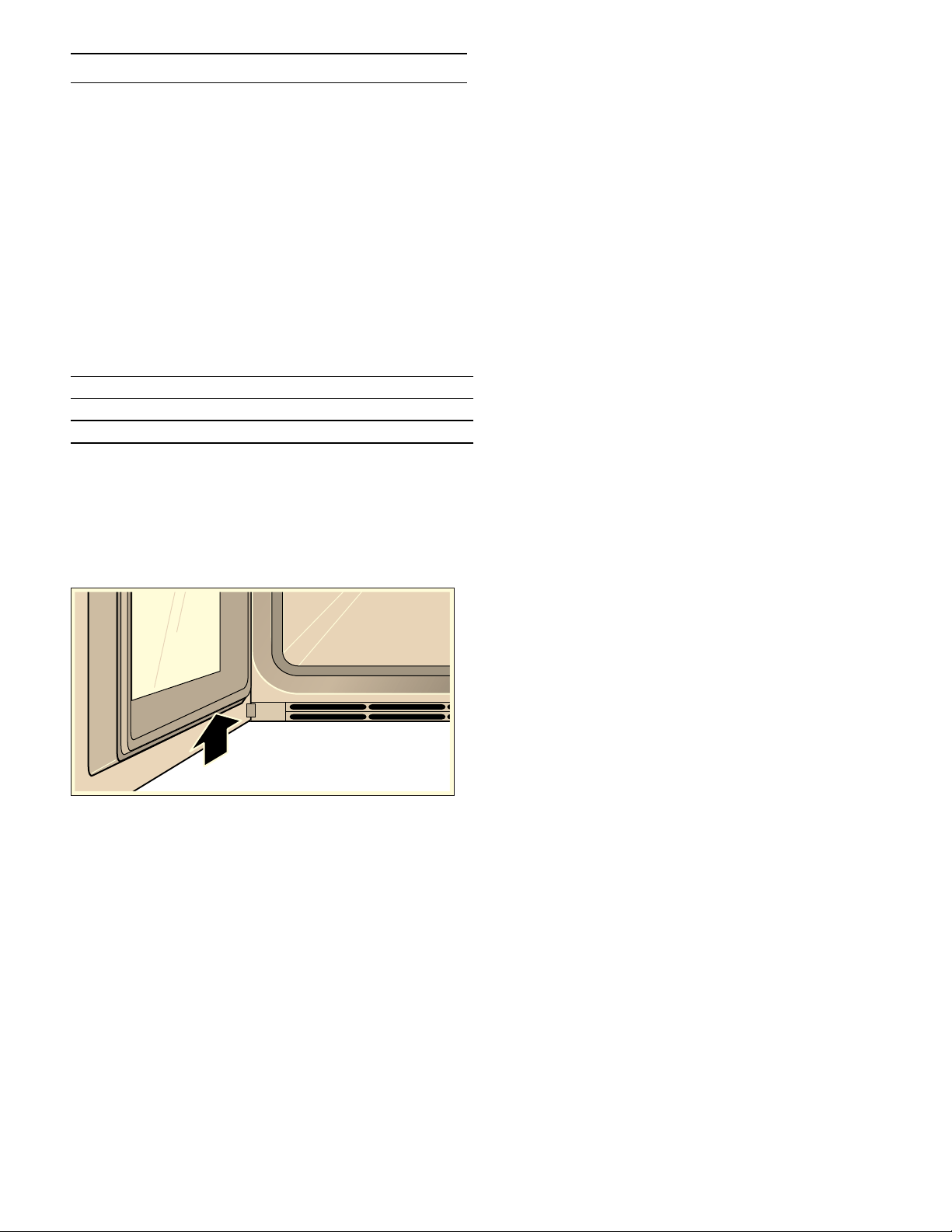
40
Customer service
Cust omer servi ce
If your appliance needs repairs, our customer service is
there for you. We work hard to help solve problems
quickly and without unnecessary service calls, getting
your appliance back up and running correctly in the
least amount of time possible.
When you call, please indicate the product number
(E-Nr.) and serial number (FD-Nr.) so that we can
support you in a qualified manner. You will find the type
plate with these numbers on the bottom of the
appliance. To avoid having to search for a long time
when you need it, you can enter your appliance data and
the customer support telephone number here.
Please read the use and care instructions provided with
your appliance. Failure to do so may result in an error in
using the appliance. This could result in a service call
that instead of fixing a mechanical issue is only needed
for customer education. Such calls are not covered by
the appliance warranty.
Please find the contact data of all countries in the
enclosed customer service list.
To book a service visit and product advice
E-Nr. FD-Nr.
Customer Service O
USA 877 442 4436
toll-free
CANADA 877 442 4436
toll-free

41
Tables and tips
Notes
‒ The cooking times specified are intended as a
guide. The actual cooking times depend on the
quality and temperature of the food before cooking,
the weight and thickness of the food to be cooked.
‒ Always preheat the appliance. Here's how to get the
best cooking results.
The cooking times specified refer to a pre-heated
appliance. Add approximately 5 minutes to these
times if you are placing food into the appliance
without preheating it.
‒ The specifications refer to average quantities for
four people. If you would like to prepare more, you
should calculate a longer cooking time.
‒ Use the cookware specified. If you use other
cookware, cooking times may be longer or shorter.
‒ If you have not made a particular dish before, use
the shortest time specified to start with. You can
extend the cooking time if necessary.
‒ Open the cooking compartment door of the
preheated oven for a short time only and do not
take too long to place your food inside the
appliance.
‒ When using only one cooking container, place it in
the appliance at the second level from the bottom.
‒ When steaming, defrosting, cooking and reheating,
you can use up to three rack levels at a time (rack
levels 2, 3 and 4 from the bottom). This will not
cause flavor to transfer. This allows fish, vegetables
and desserts to be prepared at the same
time.However, the specified cooking times may
need to be extended for large quantities of food.
‒ Only one level can be used for baking; the second
level from the bottom is designated for this.
‒ Do not allow the food to come into contact with the
cooking compartment, grease filter or back panel of
the oven.
‒ The combination steam oven must shut properly.
Keep the seal surfaces clean at all times.
‒ Do not place too many items close together on wire
racks or containers. This is to ensure an optimal
steam circulation.
‒ If you wish to prepare food using steam and the
appliance has been heated to over 212° F (100 °C)
(for example because it has just been used for
baking), allow the appliance to cool down before
steaming your food.Otherwise, the high
temperature will cause your food to dry out.
Vegetables
▯ Vegetables are prepared better in steam than in
boiling water: the taste, color, and consistency are
retained better. Water-soluble vitamins and
nutrients are hardly washed out. Since the
combination steam oven works without pressure at
just 212° F (100°C), the preparation is much
gentler than in a pressure cooker, for example.
▯ All details refer to 1 kg (2 lb) washed vegetables.
▯ For steaming vegetables, use the perforated
cooking insert; insert it in the second level from the
bottom. Insert the unperforated cooking insert
underneath it. Use the vegetable broth as the basis
for a sauce or a vegetable stock.
▯ Blanching takes 8 - 10 minutes in the pre-heated
appliance. If the vegetables or fruit will not be
served immediately, chill in ice water to prevent
continued cooking due to residual heat.
Food Cooking
container
Temperature
in °F (°C)
Humidity
in %
Cooking
time in min.
Observations
Artichokes, large perforated 212 (100) 100 30 - 40
Artichokes, small perforated 212 (100) 100 20 - 25
Cauliflower, whole perforated 212 (100) 100 25 - 30
Cauliflower, in florets perforated 212 (100) 100 15 - 25
Beans, green perforated 212 (100) 100 25 - 30
Broccoli, in florets perforated 212 (100) 100 15 - 20 Recipe tip: serve with almonds roasted in
butter.
Fennel, in slices perforated 212 (100) 100 15 - 20

42
Fish
▯ Steaming is a fat-free way of cooking food, with
which the fish does not dry out.
▯ Fish should (for hygienic reasons) have a core
temperature of at least 143 - 149° F (62 - 65°C)
after cooking. This is also the ideal cooking point.
▯ Only salt the fish after cooking. Thus the natural
aroma is retained and less water is removed from
the fish.
▯ If you are using the perforated cooking container:
you can grease the container if the fish sticks too
much.
▯ Insert the unperforated cooking insert into the first
level from the bottom to prevent soiling the cooking
compartment with fish juices.
▯ For fillets with skin: if you place the fish skin-side
up, the structure and aroma will be retained better.
Vegetable terrine perforated/
wire rack
212 (100) 100 50 - 60 In a terrine mold
For precise cooking point control, use the
core temperature probe (see "core tem-
perature probe" chapter).
Carrots, in slices 0.5 cm
(0.2 in)
perforated 212 (100) 100 15 - 20
Potatoes, peeled and quar-
tered
perforated 212 (100) 100 25 - 35
Kohlrabi, in slices perforated 212 (100) 100 20 - 30
Leeks, in slices perforated 212 (100) 100 10 - 15
Pepper, stuffed unperforated 355 - 390
(180 - 200)
80 / 100 20 - 25 With meat filling, brown the filling in
advance.
Unpeeled boiled potatoes
(approx. 2 oz apiece)
perforated 212 (100) 100 30 - 35
Unpeeled boiled potatoes
(approx. 4 oz apiece)
perforated 212 (100) 100 45 - 50
Brussels sprouts perforated 212 (100) 100 20 - 25
Asparagus, green perforated 212 (100) 100 12 - 15
Asparagus, white perforated 212 (100) 100 20 - 30
Spinach perforated 212 (100) 100 4 - 6 Then sweat in a pot with onions and garlic.
Peeled tomatoes perforated 212 (100) 100 3 - 4 Cut tomatoes in, after steaming, chill with
ice water
Snap peas perforated 212 (100) 100 5 - 10
Food Cooking
container
Temperature
in °F (°C)
Humidity
in %
Cooking
time in min.
Observations
Food Cooking
container
Temperature
in °F (°C)
Humidity
in %
Cooking
time in min.
Observations
Gilthead bream, whole
(500 g / 1 lb 2 oz)
unperforated 195 - 212
(90 - 100)
100 18 - 20 Can be cooked in swimming position if you
set it on half a potato.
Fish dumplings (20 - 40 g /
1 - 1½ oz apiece)
unperforated 195 - 212
(90 - 100)
100 4 - 8 Line the unperforated cooking container
with greaseproof paper.
Lobster, cooked, removed
from the shell, reheating
perforated 160 - 175
(70 - 80)
100 10 - 12
Carp, blue, whole
(1.5 kg / 3½ lb)
unperforated 195 - 212
(90 - 100)
100 35 - 45 in broth
Salmon filet
(150 g / 5 oz)
perforated 195 - 212
(90 - 100)
100 10 - 12
Salmon, whole
(2.5 kg / 5½ lb)
perforated 212 (100) 100 65 - 75
Blue mussels
(1.5 kg / 3½ lb)
perforated 212 (100) 100 6 - 8 The blue mussels are cooked as soon as
their shells open up.

43
Fish – low-temperature steaming
▯ When steaming between 160 and 190° F (70 and
90°C) overcooked and the fish does not fall apart
so easily. This is especially an advantage for
delicate fish.
▯ The details for the various types of fish refer to
fillets.
▯ Insert the unperforated cooking insert into the first
level from the bottom to prevent soiling the cooking
compartment with fish juices.
▯ Serve on a pre-warmed dish.
Atlantic salmon, whole
(800 g / 1 lb 12 oz)
perforated 195 - 212
(90 - 100)
100 18 - 20
Monkfish filet
(300 g / 11 oz each)
Glass pan/
wire rack
355 - 390
(180 - 200)
100 8 - 10 In stock
Sea bass, whole
(400 g / 14 oz)
perforated 195 - 212
(90 - 100)
100 12 - 18
Food Cooking
container
Temperature
in °F (°C)
Humidity
in %
Cooking
time in min.
Observations
Food Cooking
container
Temperature
in °F (°C)
Humidity
in %
Cooking
time in min.
Observations
Oysters (10) unperforated 180 - 190
(80 - 90)
100 2 - 5 in broth
Tilapia (150 g / 5 oz) perforated 180 - 190
(80 - 90)
100 10 - 12
Gilthead bream
(200 g / 7 oz)
perforated 180 - 190
(80 - 90)
100 12 - 15
Fish fillet
(200 - 300 g / 7 - 11 oz)
perforated 180 - 190
(80 - 90)
100 12 - 15
Fish terrine Wire rack 160 - 180
(70 - 80)
100 50 - 90 In a terrine mold
For precise cooking point control, use
the core temperature probe (see "core
temperature probe" chapter).
Trout, whole
(250 g / 9 oz)
perforated 180 - 190
(80 - 90)
100 12 - 15
Halibut (300 g / 11 oz) perforated 180 - 190
(80 - 90)
100 12 - 15
Scallops
(15 - 30 g/ ½ - 1 oz)
unperforated 180 - 190
(80 - 90)
100 4 - 8 The more the scallops weigh, the longer
the chosen cooking time should be.
Cod (250 g / 9 oz) perforated 180 - 190
(80 - 90)
100 10 - 12
Red snapper
(200 g / 7 oz)
perforated 180 - 190
(80 - 90)
100 12 - 15
Redfish (120 g / 4 oz) perforated 180 - 190
(80 - 90)
100 10 - 12
Monkfish
(200 g / 7 oz)
perforated 180 - 190
(80 - 90)
100 10 - 15
Sole rolls, stuffed
(150 g / 5 oz apiece)
perforated 180 - 190
(80 - 90)
100 12 - 15
Turbot (300 g / 11 oz) perforated 180 - 190
(80 - 90)
100 12 - 15
Sea bass
(150 g / 5 oz)
perforated 180 - 190
(80 - 90)
100 10 - 12
Pike-perch
(250 g / 9 oz)
perforated 180 - 190
(80 - 90)
100 12 - 15

44
Meat – cooking at higher temperatures
▯ The combination of steam and hot air is the optimal
cooking process for many types of meat. The
cooking compartment is hermetically sealed in this
mode, the moisture prevents the meat from drying
out as in conventional hot air. Thanks to the variable
humidity control, the optimal climate can be
achieved for every type of food.
▯ The cooking times specified should be regarded as
guidelines and depend heavily on the initial
temperature of the food and the length of time
roasted. For better results, use the core
temperature probe. For notes and optimal target
temperatures, see the "core temperature probe"
chapter.
▯ Take the meat out of the refrigerator 1 hour before
preparation.
▯ If you are using the perforated cooking inserts or
the wire rack, insert an unperforated cooking
container underneath. Put a little water in the
unperforated cooking insert to prevent burning. In
addition, you can add vegetables, wine, spices and
herbs in order to create a tasty sauce base.
▯ If you would like to cook the meat so it is medium or
rare: open the door 40° F (5°C) before the desired
core temperature is reached and wait until the
target temperature has been reached. This way you
prevent overcooking and you give the meat the
necessary time to rest.
▯ Meat's time to rest: Let the meat rest on a wire rack
for 5 min. after cooking. This way, the meat can
"relax." The circulation of the meat juice slows down
and there is less loss of juice when cutting into the
meat.
Food Cooking
container
Temperature
in ° F (°C)
Humidity
in %
Cooking
time in min.
Observations
Entrecôte, medium rare
(350 g / 12 oz)
unperforated 340 - 355
(170 - 180)
30 10 - 20
Filet, browned, medium rare in
puff pastry
(600 g / 1 lb 5 oz)
unperforated 355 - 390
(180 - 200)
80 / 100 30 - 45 Line the cooking container with
greaseproof paper.
Rack of veal, browned, medium
rare
(1 kg / 2 lb 4 oz)
unperforated 320 - 355
(160 - 180)
30 / 60 20 - 30 If you add liquid to the unperforated
cooking container, 30% humidity is
sufficient.
Smoked pork, cooked, in slices unperforated 212 (100) 100 15 - 20
Roast pork with crackling (pork
roast with crust), cooked
through
(1.5 kg / 3½ lb)
Wire rack 1) 250 (120)
2) 300 - 320
(150 - 160)
3) 430 - 445
(220 - 230)
100
80
0
30
30 - 40
20 - 40
Make crosswise cuts into the crack-
ling before cooking.
Use core temperature probe: in the
second cooking step, cook up to a
core temperature of approx. 140° F
(60°C), in the third step up to a core
temperature of 170 - 176° F (75 -
80°C).
Rack of lamb, browned,
medium rare (150 g / 5 oz)
unperforated 320 - 340
(160 - 170)
0 / 30 12 - 15
Leg of lamb, browned, medium
rare (1.5 kg / 3½ lb)
unperforated 340 - 355
(170 - 180)
30 / 60 60 - 80
Saddle of venison, browned,
medium rare (500 g / 1 lb 2 oz)
unperforated 320 - 340
(160 - 170)
0 / 30 12 - 18
Roast beef, well-done
(1.5 kg / 3½ lb)
Wire rack 1) 410 - 445
(210 - 230)
2) 285 - 320
(140 - 160)
100
30 / 60
15 - 20
60 - 90
If you add liquid to the unperforated
cooking container, 30% humidity is
sufficient.
Sirloin, browned, medium rare
(1 kg / 2 lb 4 oz)
unperforated 340 - 355
(170 - 180)
30 50 - 60

45
Meat/poultry – low-temperature cooking
▯ Meat browned crisp needs to rest for a longer
period at low temperature. This way, the meat gets
evenly pink and extremely juicy but for a very thin
crusty edge. Here, neither turning nor basting are
required.
▯ The cooking times specified should be regarded as
guidelines and depend heavily on the initial
temperature of the food and the length of time
roasted. For better results, use the core
temperature probe. For notes and optimal target
temperatures, see the "core temperature probe"
chapter.
▯ Take the meat out of the refrigerator 1 hour before
preparation.
▯ For hygienic reasons, brown the meat on all sides in
the pan briefly and over high heat before cooking.
This way, the meat has a crust that prevents the
juices from escaping and provides a typical roast
flavor.
▯ Season carefully: the slow resting of the meat
intensifies all flavors.
▯ With game and horse meat, the flavor is stronger
with low-temperature cooking than with a classic
preparation.
▯ Use the "Low-temperature cooking" mode › . Any
steam escaping from the food therefore remains in
the cooking compartment and prevents the food
from drying out.
▯ Please note that you cannot reach any core
temperatures above the cooking compartment
temperature. The rule of thumb is: the set cooking
compartment temperature should be 50 - 60°F (10-
15 °C) above the desired core temperature.
▯ Toward the end of the cooking time, you can reduce
the temperature to 140°F (60 °C). This way, you
can extend the cooking time (e.g. if your guests
arrive late). If you want to stop the cooking process,
the cooking compartment temperature may not be
higher than the desired core temperature. Thus,
large pieces can remain in the cooking
compartment for 1 - 1.5 hours, small pieces for 30-
45 minutes.
▯ Serve on a pre-warmed dish.
Pork roast (neck or shoulder),
well-done
(1 - 1.5 kg / 2 lb 4 oz - 3½ lb)
Wire rack 1) 390 - 430
(200 - 220)
2) 320 - 355
(160 - 180)
100
60
15
40 - 60
If you add liquid to the unperforated
cooking container, 30% humidity is
sufficient.
Sausage, boiled, heating unperforated 185 - 195
(85 - 90)
100 10 - 20 e.g. Lyon sausage, white sausage
Food Cooking
container
Temperature
in ° F (°C)
Humidity
in %
Cooking
time in min.
Observations
Food Cooking
container
Temperature
in °F (°C)
Type of
heating
Cooking time
in min.
Observations
Duck breast, medium rare
(350 g / 12 oz)
unperforated 160 - 175
(70 - 80)
›
40 - 60 Skin side can be browned crisp in the
pan after cooking.
Entrecôte, medium rare
(350 g / 12 oz)
unperforated 160 - 175
(70 - 80)
›
40 - 70
Leg of lamb, boned, trussed,
medium (1.5 kg / 3½ lb)
unperforated 160 - 175
(70 - 80)
›
180 - 240 Before cooking, turn in oil with garlic and
herbs.
Beef steaks, medium rare
(175 g / 6 oz)
unperforated 160 - 175
(70 - 80)
›
30 - 60
Sirloin, medium rare
(1 - 1.5 kg / 2 lb 4 oz - 3½ lb)
unperforated 160 - 175
(70 - 80)
›
150 - 210 Cut in slices and serve with Béchamel
sauce.
Pork medallions, well-done
(70 g / 2½ oz apiece)
unperforated 175 (80)
›
50 - 70

46
Poultry
▯ The humidity for combination operation prevents
the drying out, which is essential with poultry. At
the same time, thanks to the high temperature, the
surface gets crispy and brown. The hot steam has
twice as much ability to transfer heat as
conventional hot air and reaches all parts of the
food. Therefore, a chicken is browned evenly and
gets crispy, yet the breast meat remains tender and
juicy.
▯ The cooking times specified should be regarded as
guidelines and depend heavily on the initial
temperature of the food and the food cooked. For
better results, use the core temperature sensor. Do
not place it in the middle (hollow space), but rather
between the belly and upper thigh. For notes and
optimal target temperatures, see the "core
temperature probe" chapter.
▯ If you season poultry primarily with spices and with
little or no oil, the skin gets crispier.
Food Cooking
container
Temperature
in °F (°C)
Humidity
in %
Cooking
time in min.
Observations
Duck, whole (3 kg / 6½ lb) unperforated 1) 300 - 320
(150 - 160)
2) 430 (220)
60
0
80 - 90
20 - 30
Cook breast side down. After half the
cooking time, turn the duck. This way, the
delicate breast meat will not dry out so
much.
Duck breast, medium rare
(350 g /12 oz)
unperforated 320 (160) 0 25 - 30
Chicken, whole
(1.5 kg / 3½ lb)
Wire rack 1) 340 - 355
(170 - 180)
2) 375 (190)
60
0
35 - 45
15 - 20
Cook with trussed legs and breast side
up.
Chicken breast, filled,
steamed (200 g / 7 oz)
perforated 212 (100) 100 10 - 15 Recipe tip: fill with spinach and sheep's
cheese.
Turkey breast fillet, steamed
(300 g / 11 oz)
perforated 212 (100) 100 12 - 15
Spring chicken, quail,
steamed
(150 - 200 g / 5 - 7 oz)
perforated 212 (100) 100 15 - 20
Spring chicken, quail
(150 - 200 g / 5 - 7 oz)
unperforated 355 - 390
(180 - 200)
60 / 80 15 - 20 Recipe tip: brush with oil and herbes de
Provence.
Pigeon, steamed
(300 g / 11 oz)
perforated 212 (100) 100 20 - 30
Pigeon (300 g / 11 oz) unperforated 355 - 390
(180 - 200)
60 / 80 25 - 30

47
Sous-vide cooking
Sous-vide cooking is a method of cooking under a
vacuum at low temperatures between 120 - 200°F (50 -
95 °C) and in 100% steam.
Sous-vide cooking is a gentle, low-fat method of
preparing meat, fish, vegetables and desserts. A
vacuum-packing machine is used to heat-seal the food in
a special air-tight, heat-resistant cooking bag.
The protective envelope retains the nutrients and
flavors. The low temperatures and the direct transfer of
heat allow precisely controlled cooking in order to
achieve the desired cooking results.It is almost
impossible to overcook the food.
Portions
Use the portion sizes listed in the cooking table. For
relatively large quantities and items, the cooking time
must be adjusted accordingly.
The portions given for fish, meat and poultry correspond
to a single serving. A portion size sufficient for four
people has been selected for vegetables and desserts.
Rack levels
You can cook on up to two levels. Place the cooking
containers on levels 1 and 3 to achieve the best cooking
results. When cooking on just one level, use level 2.
Hygiene
9 WARNING
Health risk
Sous-vide cooking is a method of cooking at low
temperatures.As a result, it is important that you
always follow the application and hygiene
instructions below:
▯ Use only fresh, good-quality food.
▯ Wash and disinfect your hands. Use disposable
gloves or cooking/grill tongs.
▯ Take extra care when preparing critical food, such
as poultry, eggs and fish.
▯ Always thoroughly rinse and/or peel fruit and
vegetables.
▯ Always keep work surfaces and chopping boards
clean. Use different chopping boards for different
types of food.
▯ Maintain the cold chain.Make sure that you only
interrupt it briefly to prepare the food, and then
return the food in its vacuum-sealed bag to the
refrigerator for storage before you cook it.
▯ Food is suitable for immediate consumption only.
Once the food is cooked, consume it immediately.
Do not store it after cooking – not even in the
refrigerator.It is not suitable for reheating.
Vacuum-pack bags
When using the sous-vide cooking method, only use
heat-resistant vacuum-pack bags designed for this
purpose.
Do not cook the food in the bag you bought it in (e.g.
portions of fish). These bags are not suitable for sous-
vide cooking.
Vacuum sealing
Use a chamber vacuum-packing machine that can create
a vacuum of at least 99% to vacuum-seal the food. This
is the only way to achieve even heat transfer and
therefore a perfect cooking result.
Before cooking the food, check whether the vacuum in
the bag is intact. Make sure that:
▯ There is no/hardly any air in the vacuum-pack bag.
▯ The seam is perfectly sealed.
▯ There are no holes in the vacuum-pack bag. Do not
use the core temperature probe.
▯ Pieces of meat and fish that have been vacuum-
sealed together are not pressed directly against
one another.
▯ As far as possible, you avoid piling up vegetables
and desserts when vacuum-sealing them.
If in doubt, place the food into a new bag and vacuum-
seal it again.
Food should be vacuum-sealed at most one day before it
is cooked. This is the only way to prevent the escape of
gases from the food (e.g. from vegetables) which inhibit
the transfer of heat, or to prevent the texture of the food
from changing, and thus altering how it cooks.
Quality of the food
The quality of the cooking result is 100% influenced by
the quality of the ingredients you use. Use only fresh,
top-quality food. This is the only way to guarantee a
consistent cooking result that delivers impeccable
flavor.
Preparation
Sous-vide cooking prevents flavors from escaping,
intensifying the food's natural flavor. Please note that
the usual quantities of seasoning and condiments, such
as herbs, spices and garlic, will have a much greater
effect on the flavor. Start off by halving the quantities
you usually use.
If the ingredients are of high quality, it is often sufficient
to enclose them in the bag with just a small piece of
butter and a little salt and pepper. Generally, the fact
that the food's natural flavors intensify during cooking is
sufficient on its own to produce a flavorful cooking
result.
Do not place the vacuum-sealed food items on top of
one another or too close together in the cooking

48
containers. In order to ensure that the heat is
distributed evenly, the food items should not be
touching. If you have more than one vacuum-pack bag,
cook on two levels.
Remove the vacuum-pack bags with care after cooking
as hot water accumulates on the bags. Place the
unperforated cooking container on the rack underneath
the perforated cooking container containing the hot
food.
Dry the outside of the bag, place it into a clean,
unperforated cooking container and cut it open with
scissors.Place all of the food, along with its juices, into
the cooking container.
The food can be finished off as follows once the sous-
vide cooking stage is complete:
Meat:
Flash fry at a very high temperature for a few
seconds only on each side. This gives it a nice crust and
the flavors you would expect from frying, without
overcooking it.You can achieve a particularly good
result using a teppan yaki or a grill. Important: Dab the
meat with a paper towel before placing it into hot oil, in
order to avoid fat spitting out of the pan.
Vegetables: Flash fry in a frying pan or on a teppan yaki
to give them the flavors you would expect from frying.
When frying vegetables like this, it is easy to season
them or mix them with other ingredients without them
cooling down.
Fish: Season and coat with hot butter. Since many types
of fish fall apart easily after cooking using the sous-vide
method, if you wish to flash fry it, this should be done
before the sous-vide cooking stage.
Fry the food for longer if has not been sufficiently well
cooked during the sous-vide cooking stage.
Serve the food on pre-heated plates and, if possible,
with a hot sauce or butter as sous-vide cooking takes
place at relatively low temperatures.
Food Cooking
container
Temperature
in ° F (°C)
Type of
heating
Cooking
time in min.
Observations
Meat
Entrecôte, rare (180 g / 6 oz) perforated 136 (58)
§
100 Once the meat is cooked, flash fry it on a
teppan yaki or grill it at a high temperature
on both sides. This gives the meat a nice
crust and the flavors you would expect
from frying, without overcooking it.
Entrecôte, medium rare
(180 g / 6 oz)
perforated 145 (63)
§
90
Entrecôte, well done
(180 g / 6 oz)
perforated 158 (70)
§
85
Veal topside steaks
(160 g / 5½ oz)
perforated 140 (60)
§
80
Beef steaks, rare
(180 g / 6 oz)
perforated 136 (58)
§
60
Beef steaks, medium rare
(180 g / 6 oz)
perforated 145 (63)
§
50
Beef steaks, well done
(180 g / 6 oz)
perforated 158 (70)
§
45
Pork medallions
(80 g / 3 oz)
perforated 145 (63)
§
75
Poultry
Duck breast (350 g / 12 oz) perforated 136 (58)
§
70 Once the breast is cooked, fry the skin
side in a hot frying pan until it is crispy.
Foie gras
(300 g / 11 oz /1 round)
perforated 176 (80)
§
30 Recipe tip: Wash the goose liver and mix
it with other ingredients. Roll it in foil and
prick it several times. Vacuum-seal the
round and leave it to chill for several
hours in the refrigerator before cooking it
using the sous-vide method.
Chicken breast (250 g / 9 oz) perforated 149 (65)
§
60
Fish and seafood
Prawns (125 g / 4½ oz) perforated 140 (60)
§
30 Recipe tip: Vacuum-seal along with some
olive oil, salt and garlic.

49
Scallops
(20 - 50 g / piece)
(1 - 2 oz / piece)
perforated 140 (60)
§
6 - 10 The more the scallops weigh, the longer
the chosen cooking time should be.
Cod (140 g / 5 oz) perforated 138 (59)
§
25
Salmon filet (140 g / 5 oz) perforated 136 (58)
§
30 If you wish, you can flash fry the salmon
fillet in a hot frying pan once it is cooked.
Pike-perch (140 g / 5 oz) perforated 140 (60)
§
20
Vegetables
Mushrooms, quartered
(500 g / 1 lb 2 oz)
perforated 185 (85)
§
20 Recipe tip: Vacuum-seal along with some
butter, rosemary, garlic and salt.
Chicory, halved
(4 - 6 pieces)
perforated 185 (85)
§
40 Recipe tip: Cut the chicory in half. Vac-
uum-seal along with some orange juice,
sugar, salt, butter and thyme.
White asparagus, whole
(500 g / 1 lb 2 oz
Green asparagus, whole
(600 g / 1 lb 5 oz)
perforated 185 (85)
§
15 - 20 Recipe tip: Blanch before vacuum-sealing
to retain the color.
Vacuum-seal along with some butter, salt
and pepper.
Carrots, in slices 0.5 cm
(600 g / 1 lb 5 oz)
perforated 200 (95)
§
35 - 40 Recipe tip: Vacuum-seal along with some
orange juice, curry and butter.
Potatoes, peeled,
in 2 x 2 cm cubes
(800 g / 1 lb 12 oz)
perforated 200 (95)
§
40 Recipe tip: Vacuum-seal along with some
butter and salt.
Can easily be used for making dishes
such as salad.
Potatoes, skin on,
whole or halved
(800 g / 1 lb 12 oz)
perforated 200 (95)
§
50 Recipe tip: Vacuum-seal along with some
butter and salt.
Wash thoroughly beforehand.
Cherry tomatoes, whole or
halved (500 g / 1 lb 2 oz)
perforated 185 (85)
§
15 Recipe tip: Vacuum-seal along with some
olive oil, salt and sugar.
Mix together red and yellow cherry toma-
toes.
Pumpkin, in 2 x 2 cm cubes
(600 g / 1 lb 5 oz)
perforated 194 (90)
§
20 - 25 The cooking time may vary depending on
the type of pumpkin.
Zucchini, in 1 cm slices
(600 g / 1 lb 5 oz)
perforated 185 (85)
§
30 Recipe tip: Vacuum-seal along with some
olive oil, salt and thyme.
Snap peas, whole
( 500 g / 1 lb 2 oz)
perforated 185 (85)
§
5 - 10 Recipe tip: Vacuum-seal along with some
butter and salt.
Dessert
Pineapple in 1.5 cm slices
(400 g / 14 oz)
perforated 185 (85)
§
70 Recipe tip: Vacuum-seal along with some
butter, honey and vanilla.
Apple, peeled, in 0.5 cm
slices (2 - 4 pieces)
perforated 185 (85)
§
10 - 15 Recipe tip: Vacuum-seal along with some
caramel sauce.
Bananas, whole
(2 - 4 pieces)
perforated 149 (65)
§
15 - 20 Recipe tip: Vacuum-seal along with some
butter, honey and a vanilla pod.
Pear, peeled, sliced
(2 - 4 pieces)
perforated 185 (85)
§
30 Recipe tip: Add honey or sugar to
sweeten.
Food Cooking
container
Temperature
in ° F (°C)
Type of
heating
Cooking
time in min.
Observations

50
Grilling
▯ With the help of the various grill functions, the food
can be browned more if necessary.
▯ For all operating modes with full surface grill, use
only the cooking levels 1 to 3. Grill only with the
door closed.
▯ Use different slide-in levels for the desired
browning. On the first level from the bottom, you
will get a little browning; on the third level, more
browning.
▯ If the browning is too slight, you can re-grill on the
second level using the full surface grill operating
mode.
▯ With the operating modes full surface grill and full
surface grill + circulated air, do not preheat longer
than 5 minutes, since the grill takes effect after 5
minutes.
▯ Do not use the core temperature probe with the
operating modes full surface grill, full surface grill
+ circulated air and full surface grill + humidity.
Kumquats, halved
(12 - 16 pieces)
perforated 185 (85)
§
75 Recipe tip: Vacuum-seal along with some
butter, a vanilla pod, honey and apricot
jam.
Rinse under warm water, cut in half and
deseed.
Vanilla sauce (0.5 l / 2 cup) perforated 180 (82)
§
18 - 20 Recipe tip: 0.5 l / 2 cup milk, 1 egg, 3 egg
yolks, 80 g / 3 oz sugar, 1 vanilla pod.
Food Cooking
container
Temperature
in ° F (°C)
Type of
heating
Cooking
time in min.
Observations
Food Cooking
container, level
Temperature
in °F (°C)
Type of
heating
Cooking time
in min.
Observations
Meringue topping
(on cake/dessert)
Wire rack
2
445 (230)
Q
3 - 5
Open-face sandwich Wire rack +
unperforated
2 / 3
390 (200)
Q
10 - 12
Trout (whole) Wire rack +
unperforated
3
445 (230)
Q
10 - 12
per side
Recipe tip: fill with lemon slices and
parsley.
Grilled vegetables
(700 g / 1 lb 9 oz)
unperforated
2
445 (230)
Q
20 - 25 e.g. zucchini, eggplant
Vegetable bake unperforated
2
355 (180)
b
35 - 40 e.g. with broccoli and cauliflower
Vegetable skewers Wire rack +
unperforated
3
445 (230)
Q / Z
12 - 14 per
side
Cooking time depends on the types
of vegetables.
Chicken legs
(350 g / 12 oz each)
Wire rack +
unperforated
2 / 3
355 - 390
(180 - 200)
c
35 - 40
Potato gratin
(1 kg / 2 lbs 4 oz potatoes)
unperforated
2
355 (180)
b
35 - 40
Toast
(according to EN60350-1)
Wire rack
2
445 (230)
Q
4 - 5 Preheat for 5 minutes.
Zucchini au gratin,
stuffed, halved lengthwise
unperforated
2
355 (180)
c
20 - 25

51
Side dishes
Also note the instructions on the packaging.
Desserts
Food Cooking
container
Temperature
in °F (°C)
Humidity
in %
Cooking
time in min.
Observations
Basmati rice
(250 g + 500 ml of water /
9 oz + 1 pint of water)
unperforated 212 (100) 100 15 - 20
Couscous
(250 g + 250 ml of water /
9 oz + ^ pint of water)
unperforated 212 (100) 100 5 - 10
Dumplings
(90 g / 3 oz apiece)
perforated/
unperforated
205 - 212
(95 - 100)
100 20 - 25
Long-grain rice
(250 g + 500 ml of water/
9 oz + 1 pint of water)
unperforated 212 (100) 100 20 - 25
Brown rice
(250 g + 375 ml of water /
9 oz + 0.8 pint of water)
unperforated 212 (100) 100 25 - 35
Lentils
(250 g + 500 ml of water/
9 oz + 1 pint of water)
unperforated 212 (100) 100 25 - 35
White beans, pre-softened
(250 g + 1 l of water /
9 oz + 2 pint of water)
unperforated 212 (100) 100 55 - 65
Food Cooking
container
Temperature
in °F (°C)
Humidity
in %
Cooking
time in min.
Observations
Crème brûlée
(130 g / 4½ oz)
unperforated 195 (90) 100 40 - 45 In soufflé pan, cover with heat-resistant
plastic wrap.
Steamed dumplings /
yeast dumplings
(100 g / 3½ oz apiece)
unperforated 212 (100) 100 20 - 30 Let the steamed dumplings rise 30 min.
before steaming (see "Cooking" chapter).
Flan / Crème caramel
(130 g / 4½ oz)
perforated 195 - 205
(90 - 95)
100 30 - 35 In soufflé pan, cover with heat-resistant
plastic wrap.
Compote unperforated 212 (100) 100 15 - 25 e.g. apples, pears, rhubarb
Recipe tip: add sugar, vanilla sugar, cinna-
mon or lemon juice.
Rice pudding
(250 g / 9 oz of rice +
625 ml / 1.3 pint of milk)
unperforated 212 (100) 100 35 - 45 Recipe tip: add fruits, sugar or cinnamon.
Sweet bake unperforated 355 - 390
(180 - 200)
0 / 60 20 - 40 e.g. semolina, quark or pre-cooked rice
pudding

52
Other
Baked goods
▯ With the combination steam oven, you can always
prepare your baked goods with the optimal
humidity:
‒ a | Hot air and 0% humidity:
For cake with fruit topping and quiche, excess
humidity can escape. This operation mode
corresponds to the hot air in the conventional
baking oven.
‒ ` | Hot air and 30% humidity:
Sponge cakes do not dry out. The humidity in the
food cannot escape from the cooking
compartment.
‒ _ - \ | Hot air + 60 - 100% humidity:
Puff pastry and yeast-risen pastry are fluffy
inside and crispy outside, with a gloss.
▯ In the combination steam oven, you can only bake
on one level. Insert the unperforated cooking insert
into the second level. If you are using a high baking
pan, place it on the wire rack that you insert into the
first level.
▯ For steam injection - possible in hot air mode (0%
humidity) and humidity level 30% - humidity is fed to
the food abruptly by touching the e symbol.
Among other things, when used at the beginning of
the baking process when baking bread, this
function ensures more volume and a crispier crust.
Food Cooking
container
Temperature
in °F (°C)
Humidity
in %
Cooking
time in min.
Observations
Disinfect (e.g. baby bottles,
canning jars)
Wire rack 212 (100) 100 20 - 25
Drying fruit or vegetables perforated 175 - 210
(80 - 100)
0 180 - 300 e.g. tomatoes, mushrooms, zucchini,
apples, pears, etc. in thin slices
Eggs, size M (5) perforated 212 (100) 100 8 - 15
Egg custard
(500 g /1 lb 2 oz)
Glass pan,
wire rack
195 (90) 80 - 100 25 - 30 Cover with heat-resistant plastic wrap.
Semolina dumplings unperforated 195 - 205
(90 - 95)
100 8 - 10
Lasagne unperforated 340 - 375
(170 - 190)
0 /60 35 - 60
Soufflé Soufflé pan,
wire rack
355 - 390
(180 - 200)
60 12 - 20
Melting chocolate Heat-resistant
bowl, wire rack
212 (100) 100 5 - 8 Cover with heat-resistant plastic wrap.
Food Cooking
container
Temperature
in °F (°C)
Humidity
in %
Cooking time
in min.
Observations
Apple pie
(according to EN60350-1)
Springform cake
pan 20 cm,
wire rack
320 (160) 0 110 Pre-heat
Bagels unperforated 375 - 410
(190 - 210)
80 - 100 20 - 25
Baguettes, pre-baked Wire rack 375 - 390
(190 - 200)
0 - 80 10 - 15
Sponge base, high (6 eggs) Springform cake
pan
320 - 340
(160 - 170)
0 30 - 35
Sponge base, low (2 eggs) unperforated 375 - 410
(190 - 210)
0 - 30 8 - 10 e.g. for Swiss roll
Puff pastry goods unperforated 375 - 410
(190 - 210)
80 - 100 10 - 18 e.g. with poppy seed, marzipan or
savory with ham, cheese
Brioche, rolls unperforated 320 (160) 0 8 - 12

53
Rolls
(50 - 100 g / 2 - 3½ oz apiece)
unperforated 355 - 390
(180 - 200)
80 - 100 15 - 25 You can also bake rolls very well as
follows: preheat to 430°F (220°C)
with 30% humidity. After inserting
the baked goods into the appli-
ance, inject steam once or twice
after 5 minutes at 0% and turn
down to 375°F (190°C).
Rolls, pre-baked Wire rack 300 - 340
(150 - 170)
0 8 - 15 Inject steam at the beginning.
Bread (0.5 - 1 kg / 1 - 2 lbs) unperforated 1) 410 - 445
(210 - 230)
2) 330 (165)
30
0
15 - 20
35 - 50
Inject steam 2-3 times at the begin-
ning.
For precise cooking point control,
use the core temperature probe
(see "core temperature probe"
chapter).
Place on the wire rack to cool.
Flat cake of sponge batter unperforated 320 - 330
(160 - 165)
0 35 - 40
Bundt cake
(1 kg / 8 cup flour)
Bundt cake pan,
wire rack
320 - 345
(160 - 175)
30 45 - 50
Yeast sheet cake unperforated 320 - 340
(160 - 170)
0 - 60 30 - 45 For yeast-risen sheet cakes with
moist topping (e.g. plum cake or
onion tart) 0% and with dry topping
(e.g. streusel) 60% humidity.
Plaited loaf
(500g / 4 cup flour)
unperforated 320 - 340
(160 - 170)
60 - 80 25 - 35
Muffins Muffin tin,
wire rack
340 - 355
(170 - 180)
0 - 30 20 - 30
Macaroons unperforated 300 - 320
(150 - 160)
0 15 - 20
Cookies, unperforated 300 - 350
(150 - 175)
0 10 - 20
Quiche, Wähe Quiche pan,
wire rack
375 - 410
(190 - 210)
0 45 - 60
Sponge cake Loaf pan/spring-
form cake pan,
wire rack
330 - 340
(165 - 170)
0 - 30 60 - 65
Small cakes unperforated 320 (160) 0 30
Piped cookies
(according to EN60350-1)
unperforated 330 (165) 0 30 - 32 Pre-heat
Tart Tart pan,
wire rack
375 - 390
(190 - 200)
0 - 30 30 - 45 e.g. with apples, chocolate, apri-
cots or savory with asparagus,
onions, cheese
Hot water sponge cake
(according to EN60350-1)
unperforated 300 (150) 0 40 Pre-heat
Cream puffs, eclairs unperforated 355 - 375
(180 - 190)
0 - 30 40 - 45
Food Cooking
container
Temperature
in °F (°C)
Humidity
in %
Cooking time
in min.
Observations

54
Dough proving (leaving to rise)
▯ The combination steam oven offers the ideal
climate for letting rise and making baked goods
without drying out.
▯ For this, use the "Hot air + 60% humidity" operation
mode.
▯ The bowl does not have to be covered with a damp
cloth. Rising takes only half as long as in the usual
way.
▯ The suggested cooking time is only a guideline. Let
the dough rise until its volume has doubled.
Refreshing (warming up)
▯ The combi-steam oven creates the perfect
environment for reheating cooked food without
drying it out. The flavour and quality are virtually
indistinguishable from food that has been freshly
prepared.
▯ To use this function, select "Reheat" mode d.
▯ Do not cover the food. Do not use aluminium foil or
clingfilm.
▯ The figures listed are for portions for one person.
Larger quantities of food can also be warmed up in
the unperforated cooking insert; you will need to
cook the food for longer than the times specified in
the table.
Food Cooking
container
Temperature
in °F (°C)
Humidity
in %
Cooking
time in min.
Observations
Dough mixture
(600 g / 5 cup flour)
Bowl/
wire rack
100 - 105
(38 - 40)
60 30 - 45 e.g. yeast dough, natural fermentation
starter, sourdough
Food Cooking
container
Temperature
in °F (°C)
Cooking
time in min.
Observations
Baguettes, rolls (frozen) Wire rack 285 (140) 10 - 15
Baguettes, rolls (day-old) Wire rack 355 (180) 5 - 8
Roast, in slices (150 g / 5 oz) unperforated 250 (120) 12 - 15 Finger-thick slices, do not place on top of
each other, to keep juicy, add sauce to the
cooking container.
Vegetables Plate, wire rack 195 - 212
(90 - 100)
8 - 10
Pizza, thin Wire rack 355 (180) 10 - 12
Pizza, thick Wire rack 355 (180) 12 - 14
Starchy side dishes Plate, wire rack 250 (120) 7 - 8 e.g. noodles, potatoes, rice, not suitable are
baked or fried foods such as french fries or
croquettes
Plated meals Plate, wire rack 250 (120) 8 - 15

55
Defrosting
▯ In the steam oven you can gently and evenly thaw
deep frozen foods faster than at room temperature.
▯ Use the "Defrosting" mode W to do this.
▯ The specified thawing times are for your orientation
only. The time it takes to thaw depends on the size
and weight of the frozen food: freeze your foods
flatly or individually. This shortens the thawing time.
▯ Take foods out of the packaging before thawing
them.
▯ Thaw only the amount you immediately need.
▯ Remember: in certain circumstances, thawed food
does not keep so well and goes bad faster then
fresh food. Immediately process thawed food and
cook it thoroughly.
▯ After half of the thawing time, turn meat or fish over
fish or separate fragmentary frozen food such as
berries or bits of meat. Fish need not thaw fully. It
suffices if the surface is soft enough to absorb the
spices.
9 WARNING
Health risk
When thawing animal foodstuffs, it is imperative
to remove the liquid that arises during thawing. It
must never come into contact with other
foodstuffs. Germs could be transmitted.
Slide the unperforated cooking insert underneath
the food. Pour away the collected thawing liquid
from meat and poultry. Then clean the sink and
rinse with plenty of water. Clean the cooking
insert in hot soapy solution or in a dishwasher.
After defrosting, operate the steam oven for
15 minutes with Convection at 350 °F (approx.
180°C).
Preserving
▯ In combination steam ovens, you can can fruit and
vegetables with little effort.
▯ If possible, cook food immediately after purchase or
harvesting. Longer storage decreases the vitamin
content and can cause spoilage.
▯ Only use fruit and vegetables in good condition.
▯ The combination steam oven is not suited for
preserving meat.
▯ Check and clean the canning jars, rubber rings,
clamps, and springs carefully.
▯ You can disinfect the clean jars in your combination
steam oven at 212°F (100 °C) and 100% humidity
for 20 - 25 min before you preserve the fruit in
them.
▯ Place the jars in the perforated cooking container
They must not be in contact with each other.
▯ Open the cooking compartment door after the
cooking time has elapsed. Do not remove the
canning jars from the appliance until they have
completely cooled down.
Food Cooking
container
Temperature
in °C
Type of
heating
Cooking time
in min.
Observations
Berries (300 g / 11 oz) perforated 115 - 120
(45 - 50)
W
4 - 6
Roast
(1 - 1.5 kg / 2 lb 4 oz - 3½ lb)
perforated 115 - 120
(45 - 50)
W
80 - 110*
Fish fillet (150 g / 5 oz each) perforated 115 - 120
(45 - 50)
W
8 - 12*
Vegetables (400 g / 14 oz) perforated 115 - 120
(45 - 50)
W
6 - 8
Goulash (600 g / 1 lb 5 oz) perforated 115 - 120
(45 - 50)
W
30 - 45*
Chicken (1 kg / 2 lbs 4 oz) perforated 115 - 120
(45 - 50)
W
45 - 60*
Chicken legs
(400 g / 14 oz each)
perforated 115 - 120
(45 - 50)
W
30 - 35*
* Add balancing time for this dish: switch appliance off after the defrost time has elapsed and leave the food in the closed appli-
ance for 10 - 15 minutes so that it defrosts all the way to the center.

56
Extracting juice (soft fruits)
▯ You can effortlessly and cleanly extract berry juice
in the steam oven.
▯ Place the berries in the perforated cooking insert
and slide it into the third level from below. Slide in
the unperforated cooking insert one level below it
to collect the liquid.
▯ Leave the berries in the appliance until no more
juice appears.
▯ You can then squeeze the berries dry in a dishtowel
to preserve the last remainders of juice.
Preparing yoghourt
▯ You can even prepare your own yogurt in the
combination steam oven.
▯ Heat pasteurized milk to 195°F (90°C) on the
burner in order to prevent a disturbance of the
yogurt cultures. Ultra-high-heated milk (H-milk) does
not have to be heated. (Note: if you want to make
yogurt with cold milk, the resting period is longer).
▯ NB! Leave milk cool to 105°F (40°C) in the water
bath so as not to destroy the yogurt cultures.
▯ Stir natural yogurt into the milk with active yogurt
cultures (1 - 2 teaspoons of yoghourt for every
100 ml).
▯ For yogurt enzymes, heed the package instructions.
▯ Fill the yogurt into clean jars.
▯ You can disinfect the clean jars in your combination
steam oven at 212°F (100°C) and 100% humidity
for 20 - 25 min before you pour the yogurt in. Make
sure to let the jars and the cooking compartment
cool off before you pour the yogurt into them and
place the jars in the appliance.
▯ After preparation, put the yogurt in the refrigerator.
▯ To make thicker yogurt, add skin milk powder to the
milk before heating (1-2 tablespoons per liter).
Food Cooking container Temperature
in °F (°C)
Humidity
in %
Cooking
time in min.
Observations
Fruit, vegetables
(in closed 0.75 l / ½ pint
canning jars)
perforated 212 (100) 100 35 - 40
Beans, peas
(in closed 0.75 l/ ½ pint
canning jars)
perforated 212 (100) 100 120
Food Cooking
container
Temperature
in °F (°C)
Humidity
in %
Cooking
time in min.
Observations
Berries perforated +
unperforated
212 (100) 100 60 - 120
Food Cooking container Temperature
in °F (°C)
Humidity
in %
Cooking
time in min.
Observations
Yogurt approach
(in sealed jars)
unperforated 115 (45) 100 300 - 360 Recipe tip: if you use the yogurt approach
with fruit puree, jam, honey, vanilla or choc-
olate flavoring, then you may need to
extend the preparation time.

57
Preparing bulky food
▯ For the preparation of bulky foods, you can also
remove the side slide-in tray.
▯ To do this, loosen the knurled screws at the front of
the slide-in tray and pull the tray out toward the
front.
▯ Place the wire rack directly on the bottom of the
cooking compartment and place the food or the
roasting dishes on the wire rack. Do not place the
food or the roasting dishes directly on the
enameled bottom.
Acrylamide in foodstuffs
Which foods are affected?
Acrylamide is mainly produced in grain and potato
products that are heated to high temperatures, such as
chips, fries, toast, rolls, bread, fine baked goods
(cookies, gingerbread, Christmas spice cookies).
Tips for keeping acrylamide to a minimum when preparing
food
General Keep cooking times as short as possible.
Cook food until it is golden brown, but not
too dark. Large, thick pieces of food con-
tain less acrylamide.
Baking With hot air at max. 355° F (180 °C).
Cookies Egg or egg yolk reduces the production of
acrylamide. Spread out a single layer
evenly on the baking tray.
Oven
French fries
Cook at least 400 g at once on a baking
tray so that the fries do not dry out.



Gaggenau
BSH Home Appliance Corporation
1901 Main Street, Suite 600
Irvine, CA 92614
+1-877-442-4436
www.gaggenau.com/us
© 2018 BSH Home Appliances
Gaggenau Hausgeräte GmbH
Carl-Wery-Straße 34
81739 München
GERMANY
*9000975761*
9000975761 en-us (981220)