OWNER’S MANUAL
Please read this manual carefully before operating your set and retain it for future
reference.
Model
WTP3
2108_Rev02
www.lg.com
Copyright © 2021 LG Electronics Inc. All Rights Reserved.

2
LG WOWCAST Quick Guide
Installing and using the Product
a Connect the LG WOWCAST to your TV via an HDMI cable.
TV (e)ARC
HDMI IN
(eARC/ARC)
USB
HDMI IN
a b
D
C
B
A
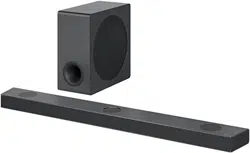
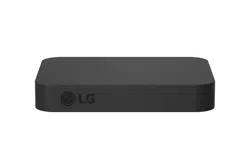
A LG WOWCAST
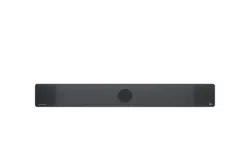
B Sound bar
C Remote Control Receiver / Status Display
D Wireless Subwoofer - Install it close to the sound
bar.
LG WOWCAST Quick Guide
3
b Connect the LG WOWCAST to your TV via a USB cable for the power supply. You can also connect to an
electrical outlet for a stable power supply.
c Install the LG WOWCAST on the rear panel of your TV. After attaching the double-sided foam tape on the LG
WOWCAST, x it to the rear panel of the TV.
d On your TV's settings, set the output speaker to [HDMI ARC].
e Turn on the sound bar. When the connection is automatically established with the LG WOWCAST and the
sound bar, “LG WOWCAST” scrolls, and then “ARC” or “E-ARC” appears on the status display of the sound
bar.
Manually connecting the LG WOWCAST to the sound bar ([ See
“Connecting LG WOWCAST manually” on page 8.)
If your LG WOWCAST and the sound bar don't connect each other, the sound bar may need to reset and
rmware update. If this is the case, connect them in the following order.
A Press and hold the RESET
button on the LG WOWCAST for 3 seconds.
B Press and hold the Wi-Fi
button or Mic mute button on the sound bar for 3 seconds to reset
the sound bar.
C Connect the sound bar to your smartphone by using LG Sound Bar app. If you don't have the app,
download the app on Google Play or the App Store and install it to your smartphone.
D Run the LG Sound Bar app and follow the instructions. The sound bar will be connected to your
smartphone and updated automatically. When the connection is automatically established with the LG
WOWCAST and the sound bar, “LG WOWCAST” scrolls, and then “ARC” or “E-ARC” appears on the
status display of the sound bar.

4
Table of Contents
LG WOWCAST Quick Guide
2 Installing and using the Product
Connecting to the TV
5 Supported LG Wi-Fi Sound Bar models
6 Connecting LG WOWCAST automatically
8 Connecting LG WOWCAST manually
Resetting the Products
9 How to reset
Safety Precautions
10 Safety and Regulatory
Before Reporting Product
Malfunction
12 Troubleshooting
Appendix
13 Specications
14 Registered Trademarks and Licenses
15 Open Source Software Notice Information
15 Handling the Product

5
Connecting to the TV
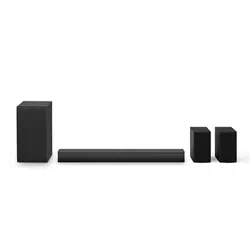
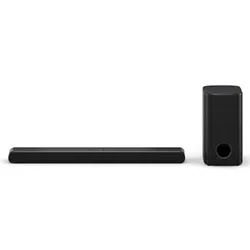
You can enjoy the sound by connecting LG WOWCAST to the sound bar.
Supported LG Wi-Fi Sound Bar models
• SP11RA
• DSP11RA
• SP9YA
• SP9A
• DSP9YA
• SP8YA
• SP8A
• DSP8YA
• SPD75YA
• SPD75A
Connecting to the TV
6
Connecting LG WOWCAST automatically
After completing installation, LG WOWCAST will automatically be connected to the sound bar. Connect the LG
WOWCAST to the sound bar in the following order.
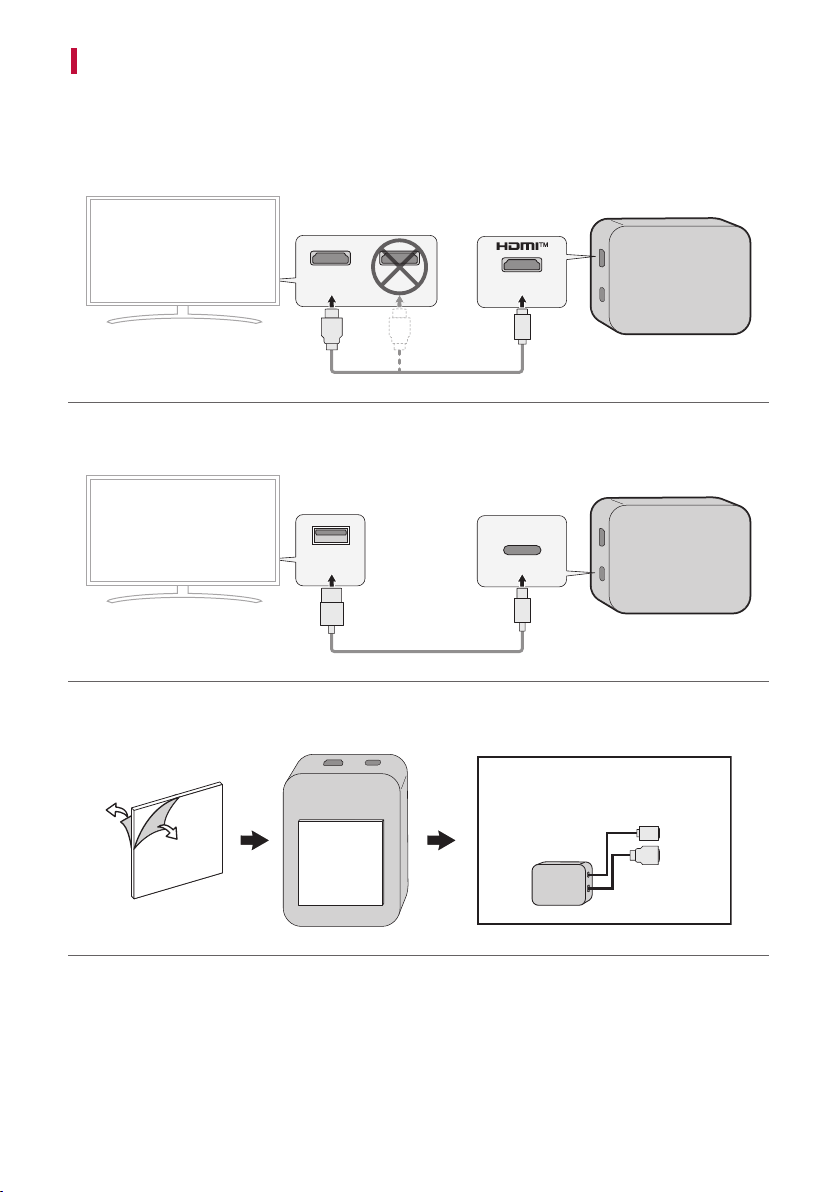
a Using the HDMI cable, connect the HDMI TV (e)ARC terminal on the LG WOWCAST to the HDMI IN
eARC/ARC terminal on the TV as shown in the picture.
HDMI IN
(eARC/ARC)
TV (e)ARC
HDMI IN
b Using the USB cable, connect the USB type C plug to the USB terminal on the LG WOWCAST and the
standard type A plug to the USB terminal of your TV.
USB
c Install the LG WOWCAST on the rear panel of your TV. After attaching the double-sided foam tape on the LG
WOWCAST, x it to the rear panel of the TV.
HDMI IN
(eARC/ARC)
USB
7
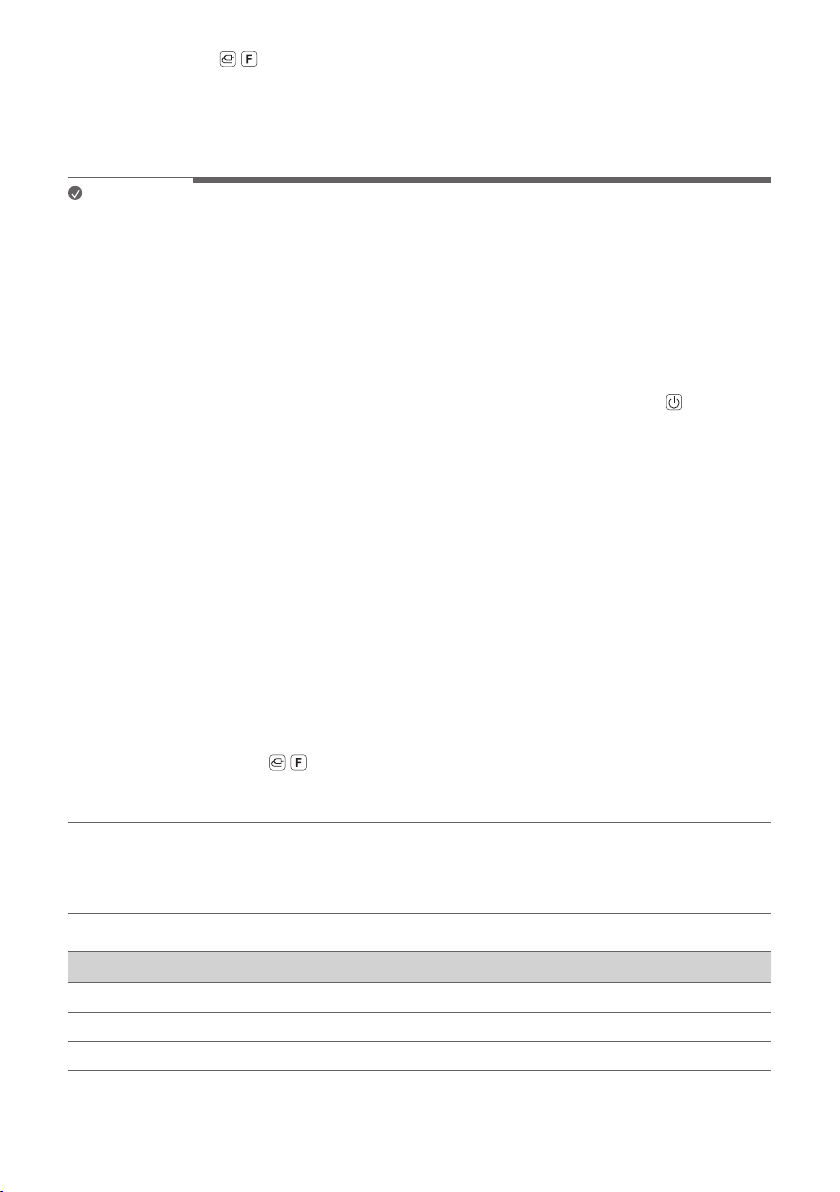
d Press the Function / button on the remote contorl of the sound bar repeatedly until “OPT/HDMI ARC”
appears on the status display.
e On your TV's settings, set the output speaker to [HDMI ARC].
f When the connection is automatically established with the LG WOWCAST and the sound bar, “LG
WOWCAST” scrolls, and then “ARC” or “E-ARC” appears on the status display of the sound bar.
Note
• Before attaching LG WOWCAST to the TV, wipe the area to be attached with cloth such as gauze.
• When attaching LG WOWCAST to the TV, make sure not to block ventilation holes of the TV.
• On your TV’s settings, set the HDMI-CEC to [On]. Settings and menu items may vary depending on the TV
manufacturer.
• Depending on TV, time taken for sound output may differ. It is recommended to use a separate adapter instead
of a USB to connect your TV. For certain quick-charge adapters, LG WOWCAST may not function properly.
• If the optical input signal and the LG WOWCAST signal attempt to connect at the same time, the LG
WOWCAST signal will take priority.
• If you turned off the sound bar by pulling its power cord or by pressing and holding the Power
button for
3 seconds or more, you need to turn on the sound bar again and wait for about 1 minute for the sound bar to
connect to the LG WOWCAST.
• LG WOWCAST only outputs audio, not video. If you use LG WOWCAST for connection, connect an external
device to the TV.
• When LG WOWCAST is connected to the HDMI eARC/ARC terminal, do not connect the sound bar and TV
with the HDMI cable. If LG WOWCAST and the sound bar are connected to your TV at the same time, it may
malfunction.
• Install the TV and sound bar connected to LG WOWCAST as close as possible. If the wireless environment is not
in a good condition, sounds may not come out smoothly.
• If the product does not work property or to reinstall the product, reset LG WOWCAST and the sound bar and
try to reconnect.
• When LG WOWCAST is connected to the sound bar, the software of LG WOWCAST may be updated. At this
time, “W-UPDATE” is displayed on the sound bar status display window. When update is completed, the power
of LG WOWCAST is turned off and on.
• When the sound bar is not connected to the Wi-Fi network, if the sound bar is connected to the Wi-Fi network
while using the LG WOWCAST function, the sound bar changes to the Wi-Fi function and a sound comes out
of the TV. Press the Function
/ button on the remote control and select “OPT/HDMI ARC”. You can listen
to TV sounds with the sound bar again.
• This Product will be updated automatically to expand product life cycle.
Checking the connection with the LED on LG WOWCAST
You can check the connection status by looking at the LED on the LG WOWCAST.
LED Status
Blinking Connecting in progress
On Connected successfully
Off No power supply
8
Connecting LG WOWCAST manually
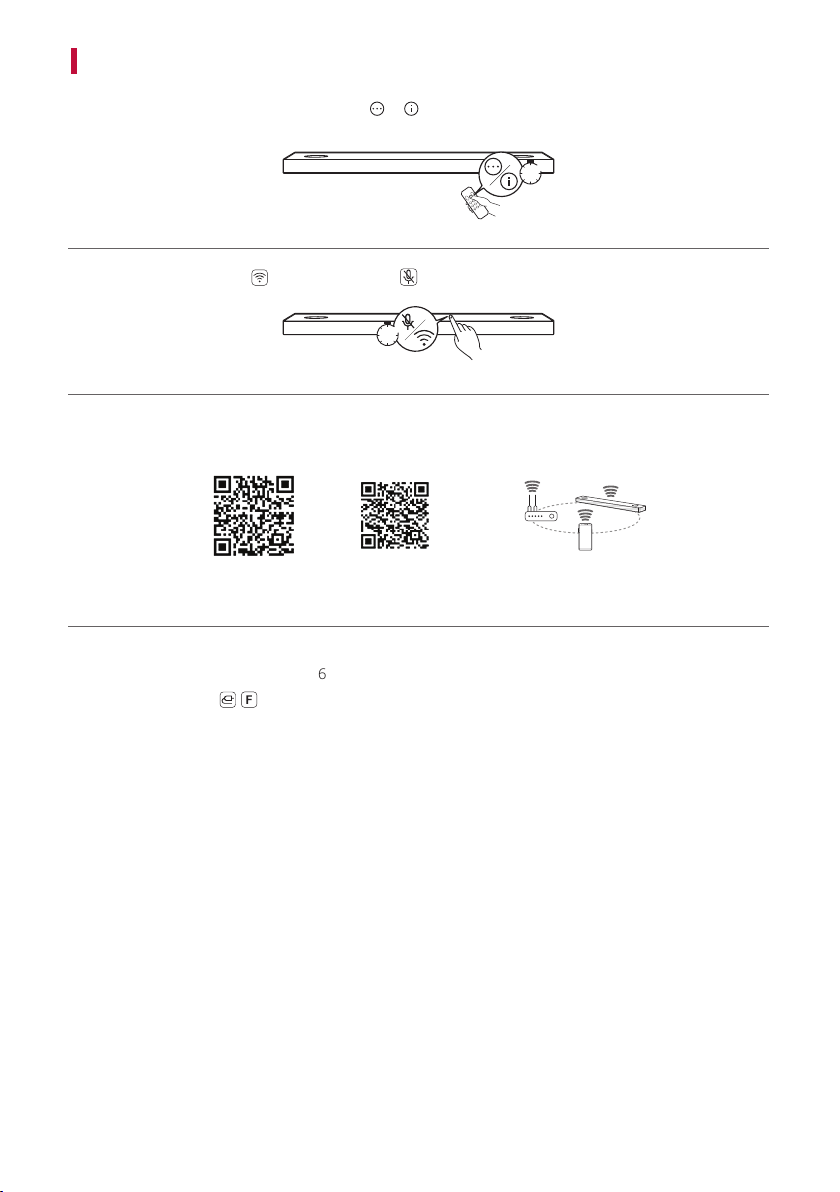
a Check if the sound bar is updated. Press the or button of the remote control for 3 seconds. When LG
WOWCAST READY is displayed, proceed from d.
LG WOWCAST READY
3”
b To reset, press the Wi-Fi button or Mic mute button of the sound bar for 3 seconds.
3”
c Use the QR code to install the LG Sound Bar app. Turn on Bluetooth on the smartphone and add the sound
bar according to the guide of the LG Sound Bar app.
[
(Android Phone OS) (iPhone OS)
d Using the HDMI cable and the USB cable, connect the LG WOWCAST to your TV. ([ See “Connecting LG
WOWCAST automatically” on page 6.)
e Press the Function
/ button on the remote contorl of the sound bar repeatedly until “OPT/HDMI ARC”
appears on the status display.
f On your TV's settings, set the output speaker to [HDMI ARC].
g When the connection is automatically established with the LG WOWCAST and the sound bar, “LG
WOWCAST” scrolls, and then “ARC” or “E-ARC” appears on the status display of the sound bar.
9
Resetting the Products
If LG WOWCAST is frozen and does not work, you will need to reset the LG WOWCAST and your sound bar. If the
sound bar has been reseted, you will need to connect it to your smartphone again.
How to reset
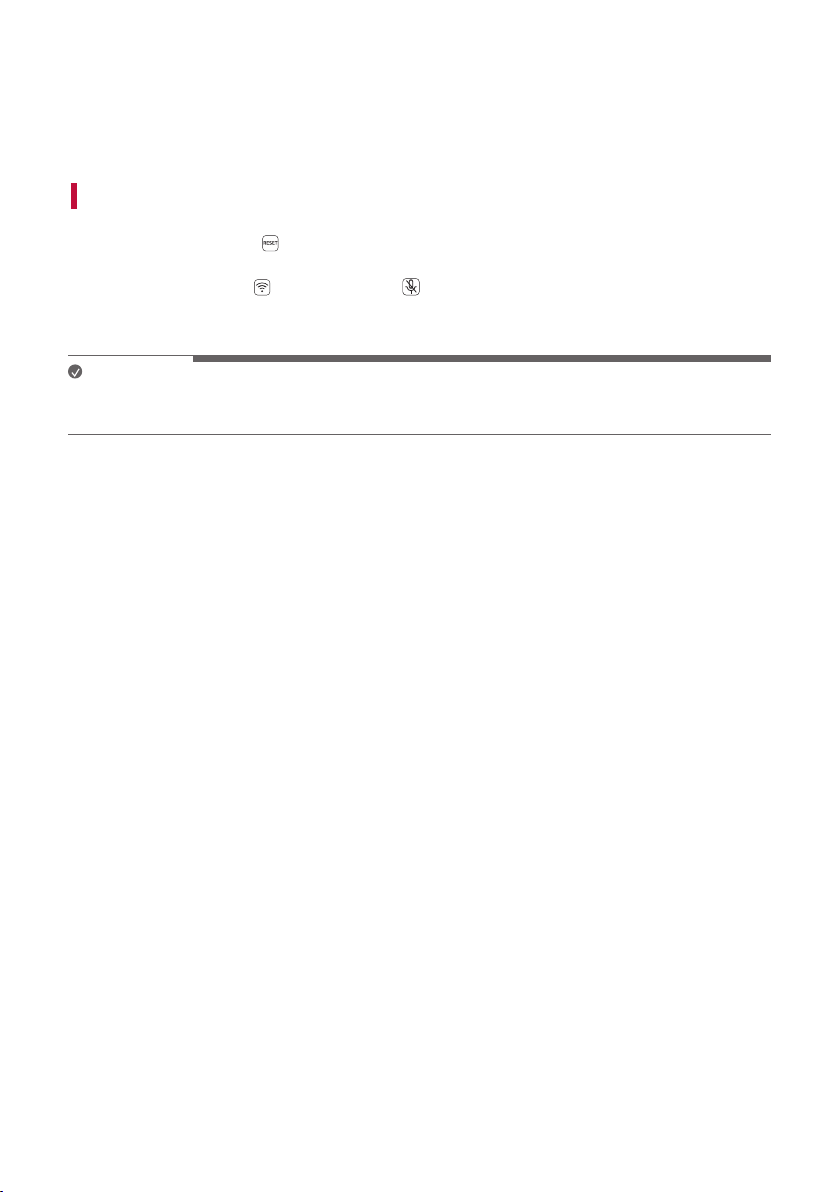
a Press and hold the RESET button on the LG WOWCAST for 3 seconds. The LED on the LG WOWCAST
will blink.
b Press and hold the Wi-Fi
button or Mic mute button on the top of the sound bar until you hear a
sound signal. You will see “RESET” appear on the status display, and all wireless network settings on the
sound bar will be cleared.
Note
• Once you reset the sound bar, you will also need to reconnect the product to the smartphone via Wi-Fi on the
LG Sound Bar app.
Resetting the Products
10
Safety Precautions
Safety and Regulatory
CAUTION
RISK OF ELECTRIC SHOCK
DO NOT OPEN
CAUTION: TO REDUCE THE RISK OF ELECTRIC SHOCK DO NOT REMOVE COVER (OR BACK) NO USER-
SERVICEABLE PARTS INSIDE REFER SERVICING TO QUALIFIED SERVICE PERSONNEL.
This lightning ash with arrowhead symbol within an equilateral triangle is intended to
alert the user to the presence of uninsulated dangerous voltage within the product’s
enclosure that may be of sufcient magnitude to constitute a risk of electric shock to
persons.
The exclamation point within an equilateral triangle is intended to alert the user to the
presence of important operating and maintenance (servicing) instructions in the literature
accompanying the product.
WARNING:
• TO PREVENT FIRE OR ELECTRIC SHOCK HAZARD, DO NOT EXPOSE THIS PRODUCT TO RAIN OR MOISTURE.
• Do not install this equipment in a conned space such as a book case or similar unit.
Safety Precautions
11
CAUTION:
• No naked ame sources, such as lighted candles, should be placed on the apparatus.
• The apparatus should not be exposed to water (dripping or splashing) and no objects lled with liquids, such as
vases, should be placed on the apparatus.
• To avoid re or electric shock, do not open the unit. contact to qualied personnel only.
• Do not leave the unit in a place near the heating appliances or subject to direct sunlight, moisture, or
mechanical shock.
• Do not use volatile liquids such as insecticide spray near the unit. Wiping with strong pressure may damage the
surface. Do not leave rubber or plastic products in contact with the unit for a long period of time.
• Do not leave the unit on an unstable place such as high shelves. it may fall down because of the vibration of the
sound.
• Do not use high voltage products around this product. (ex. Electrical swatter) This product may malfunction due
to electrical shock.
• For safety marking information including product identication and supply ratings, please refer to the main
label on the bottom or the other surface of the product.
CAUTION when using this product in environments of low humidity.
• It may cause static electricity in environments of low humidity.
• It is recommended to use this product after touching any metal object which conducts electricity.
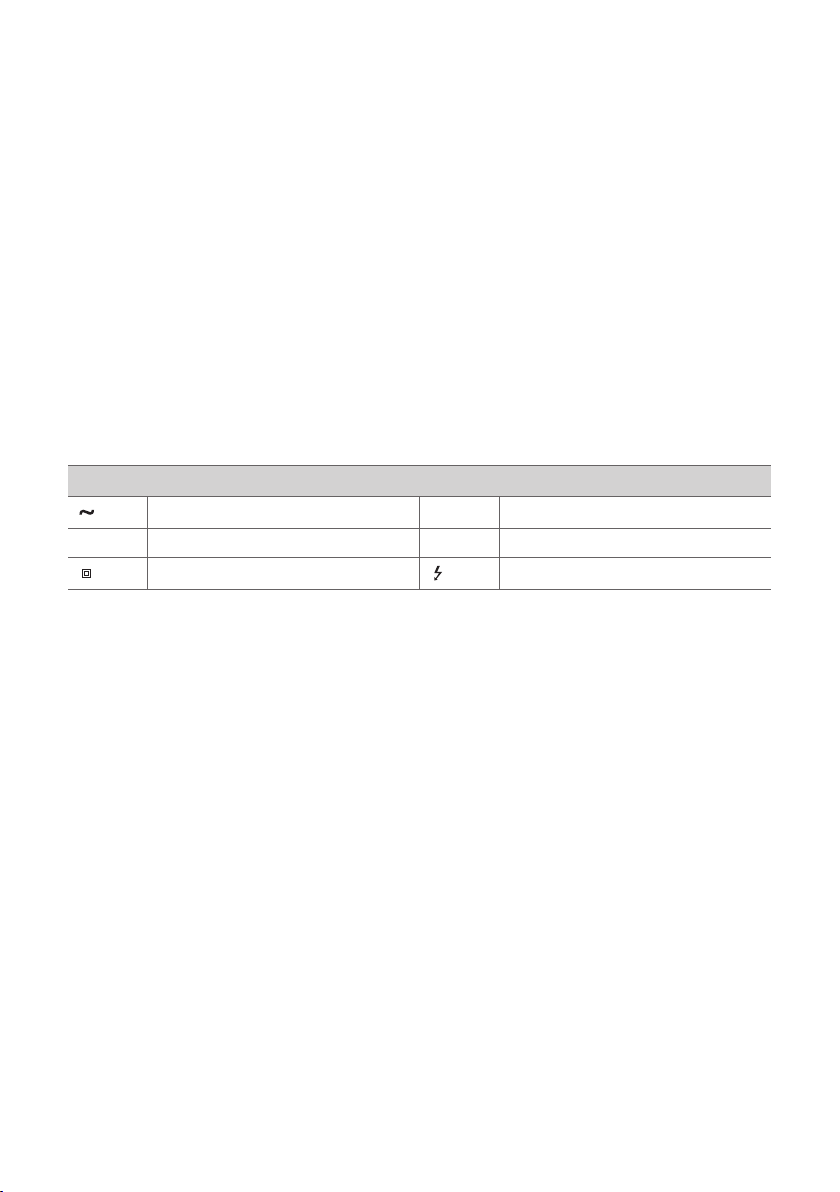
Symbols
Alternating current (AC).
1
Standby power state.
0
Direct current (DC).
!
The power is turned on.
This is a class II equipment. Danger voltage.

12
Before Reporting Product Malfunction
Troubleshooting
If you experience the following issues while using the product, please perform several checks, as they may not be
malfunctions.
General Errors
Issue Solution
LG WOWCAST
does not work
properly
• Check if the TV is properly connected to the LG WOWCAST with a cable..
• Check if the TV sound output is set to [HDMI ARC].
• Reset the LG WOWCAST and the sound bar and connect them again. ([ See
“Connecting LG WOWCAST manually” on page 8.)
Before Reporting Product Malfunction
13
Appendix
Specifications
General
Power Requirement Refer to the main label.
Power Consumption Refer to the main label.
Dimensions (W x H x D) Approx. 65.0 mm x 13.0 mm x 85.0 mm
Operation Temperature Range 5 °C - 40 °C
Operation Humidity Range 5 % - 60 % RH
Input/Output
HDMI 19-pin (mini HDMI, HDMI™ connection terminal) × 1
• Design and specications are subject to change without notice.
Appendix

14
Registered Trademarks and Licenses
All trademarks and trade names are the property of their respective owners.
The terms HDMI, HDMI High-Denition Multimedia
Interface, and the HDMI Logo are trademarks or registered
trademarks of HDMI Licensing Administrator, Inc.

15
Open Source Software Notice Information
To obtain the source code under GPL, LGPL, MPL, and other open source licenses, that is contained in this product,
please visit https://opensource.lge.com.
In addition to the source code, all referred license terms, warranty disclaimers and copyright notices are available
for download.
LG Electronics will also provide open source code to you on CD-ROM for a charge covering the cost of performing
such distribution (such as the cost of media, shipping, and handling) upon email request to opensour[email protected].
This offer is valid for a period of three years after our last shipment of this product. This offer is valid to anyone in
receipt of this information.
Handling the Product
When shipping the Product
Please save the original shipping carton and packing materials. If you need to ship the product, for maximum
protection, re-pack the product as it was originally packed at the factory.
Keeping the exterior surfaces clean
• Do not use volatile liquids such as insecticide spray near the product.
• Wiping with strong pressure may damage the surface.
• Do not leave rubber or plastic products in contact with the product for a long period of time.
Cleaning the product
To clean the product, use a soft, dry cloth. If the surfaces are extremely dirty, use a soft cloth lightly moistened
with a mild detergent solution. Do not use strong solvents such as alcohol, benzine, or thinner, as these might
damage the surface of the product.