
1
R-VAN Adjustable Rotary Nozzle Installation Guide
R-VAN Adjustable Rotary Nozzle
Installation Guide
Introduction
Models
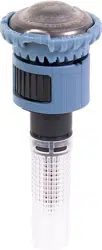
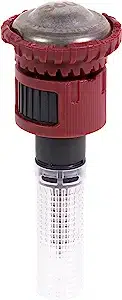
R-VAN18 R-VAN1724
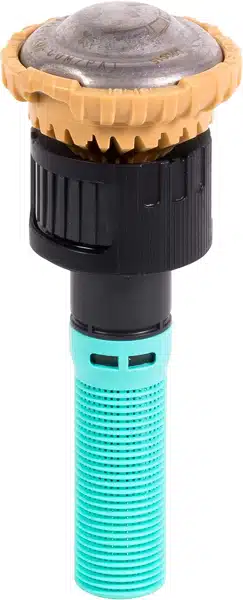
ARC
ADJUSTMENT
CAP
ROTARY
DEFLECTOR
FILTER
SCREEN
RADIUS
ADJUSTMENT
DIAL
COLLAR
Features
Installation
Install Nozzle
R-VAN Adjustable Rotary Nozzles can be used for a new
installation or to replace existing sprinkler nozzles.
1. Unscrew and remove the existing sprinkler nozzle (if
applicable) from the spray body.
2. Screw the nozzle onto the spray body until secure.
Identify the Left Edge
A grooved white mark located on the collar, just under the
LEFT EDGE
INDICATOR
1. Align the nozzle to the left most edge of desired
coverage area (arc).
ARC
ALIGN LEFT EDGE
INDICATOR WITH ARC
Rain Bird R-VAN Adjustable Rotary Nozzles provide
water eciency and design exibility. R-VAN Adjustable
Rotary Nozzles feature rotating stream technology which
uniformly delivers water at a low precipitation rate,
signicantly reducing runo and erosion. Retrotting
standard spray nozzles with R-VAN Adjustable Rotary
Nozzles can reduce ow by up to 60% and improve water
eciency by up to 30%. Nozzle spray pattern and distance
are easily adjusted by hand with no tools required.
• Adjust arc and radius without tools
• Color coded for easy identication of R-VAN model
• Low precipitation rate reduces run-off and erosion
• Maintains efficient performance at high operating
pressures without misting or fogging
• Compatible with all models of Rain Bird spray bodies in
addition to a wide variety of risers and adapters
• Three year trade warranty
• Installing with Rain Bird Rotary Nozzles, and 5000 Series
Rotor matched precipitation rate (MPR) nozzles, allows
for MPR irrigation designs from 13’ to 35’ (4.0m 10.7m)
• Rotary Deector
• 13’ to 18’ (4,0 to 5,5m) radius
• 45° to 270° arc
• Yellow Rotary Deector
• 17’ to 24’ (5,2 to 7,3m) radius
• 45° to 270° arc
2
R-VAN Adjustable Rotary Nozzle Installation Guide
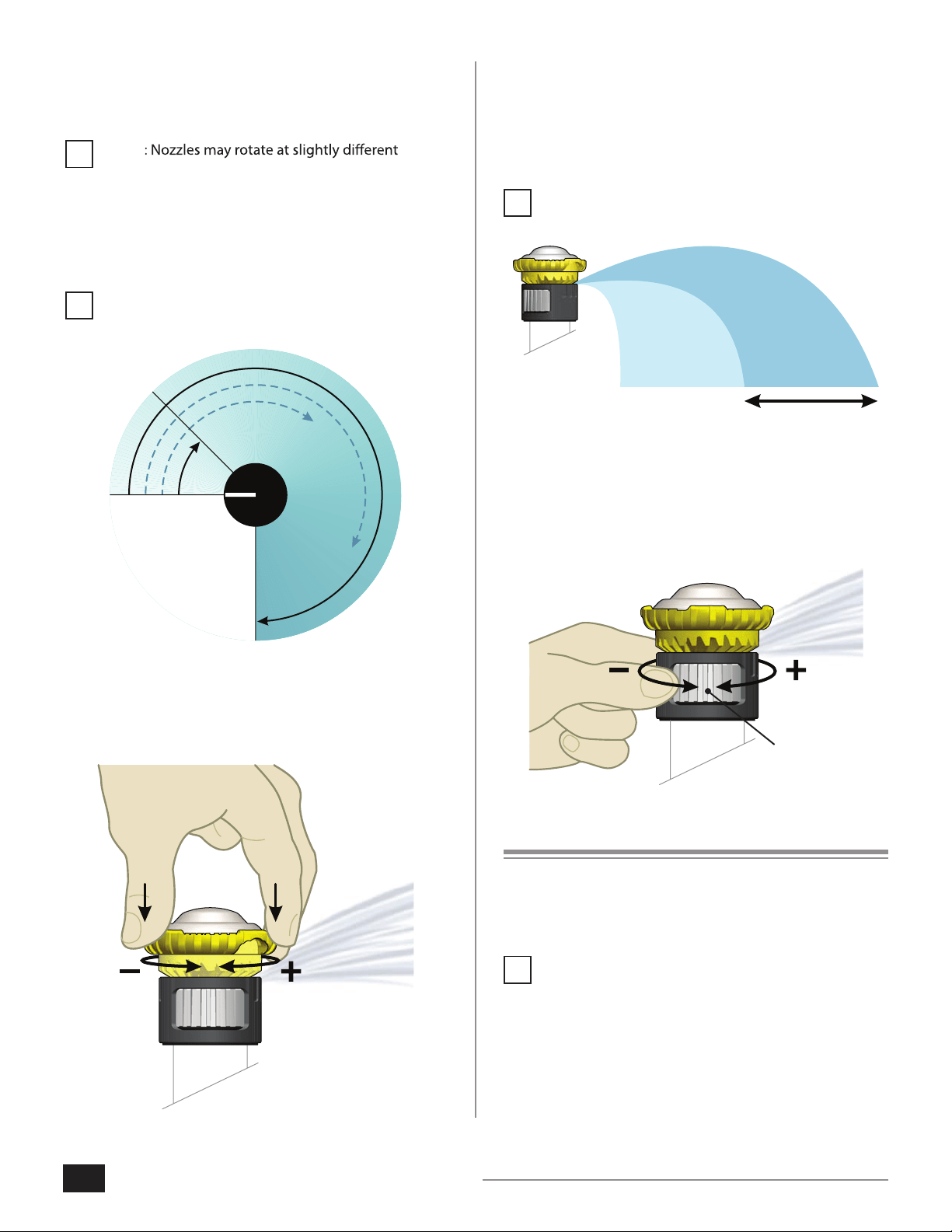
Radius Adjustment
Set the desired nozzle range, from 13’ to 18’ (4,0 to 5,5m)
for the R-VAN18 (Black) or 17’ to 24’ (5,2 to 7,3m) for
the R-VAN1724 (Yellow). The factory default setting is the
maximum range for each model.
NOTE: Water must be turned ON in order to set the
Radius Adjustment.
1. Turn the Radius Adjustment Dial counter-clockwise to
decrease the nozzle range.
2. Turn the Radius Adjustment Dial clockwise to increase
the nozzle range. A clicking sound will be heard when
range limits are reached.
TURN THE
RADIUS
ADJUSTMENT
DIAL
Re-program Controller
After installing R-VAN Adjustable Rotary Nozzles, the run
times for your watering schedule will need to be adjusted.
Refer to your controller's user manual for instuctions.
NOTE: Adjust run times based on an application
rate of 0.6 in/hr. (14.7 mm/hr.). Run times for R-VAN
Adjustable Rotary Nozzles could be two to three
times as long as standard spray nozzles.
Initial Start Up
Apply water to the system. Verify proper operation of the
nozzles and check for leaks.
NOTE
speeds. These nozzles maintain uniformity and apply
water at the same rate, regardless of rotation speed.
Arc Adjustment
Set the desired nozzle coverage, from 45° to 270°.
NOTE: Water must be turned ON in order to set the
Arc Adjustment.
270°
45°
1. Push down and turn the Arc Adjustment Cap counter-
clockwise to decrease the arc.
2. Push down and turn the Arc Adjustment Cap clockwise
to increase the arc.
PUSH DOWN
AND TURN
THE ARC
ADJUSTMENT
CAP
!
!
!
!
3
R-VAN Adjustable Rotary Nozzle Installation Guide
Troubleshooting
The following table lists common problems and solutions
associated with nozzle operation.
Problem Cause Solution
Nozzle is not rotating
or watering.
Filter screen may be
clogged with debris.
Clean screen.
Water head pressure
may be too low.
Effective pressure range
for R-VAN nozzles is 20
to 55 psi. Recommended
operating pressure is 45
psi. Check system.
A small amount of fine
grit may be inside the
nozzle.
Water path in the
rotary deflector may be
clogged with debris.
Visually inspect water paths
in the rotary deflector and
clean out any debris.
Nozzle operating
in a very sandy
environment.
Wait 2 to 4 minutes to see if
sand flushes out and nozzle
begins to rotate.
Gaps or distorted
streams in the water
spray pattern.
Nozzle operating
in a very sandy
environment.
Clean screen.
Range of water spray
from nozzles is less
than expected.
Water head pressure
may be low.
Ensure Radius Adjustment
Dial is fully open. Turn
clockwise until clicking
sound is heard. Check
system to ensure proper
pressure.
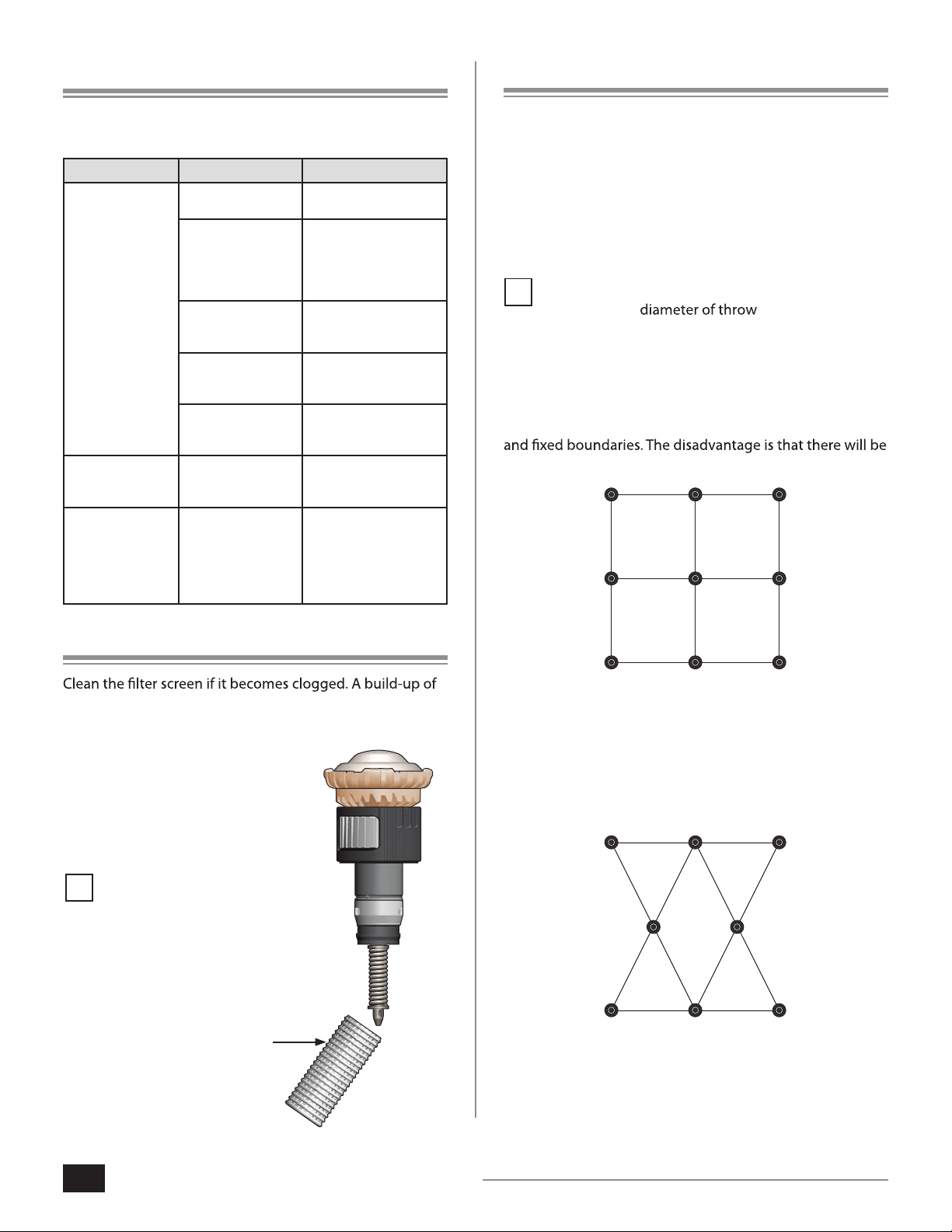
Nozzle Maintenance
debris causes degradation of performance.
1. Unscrew the rotary nozzle from the riser.
2. Remove the clogged screen.
3. Clean and replace the screen.
4. Screw the nozzle back onto
the riser.
NOTE: Rotary Nozzles may
be damaged by mowers or
other equipment. Check
the nozzles regularly to
ensure proper operation
and for safety.
Nozzle Spacing Options
This section describes the two most common sprinkler
layout designs for an irrigation zone, square spacing
and triangular spacing. Single row applications are not
recommended. Since the application rate of R-VAN
Adjustable Rotary Nozzles is much lower than standard
spray nozzles, mixing rotary and spray nozzles in the same
zone is not recommended.
NOTE: Square and triangular spacing is typically
based on 50%
.
Square Spacing
Square spacing is a sprinkler layout where nozzles are
placed in a square pattern, with the same distance between
all nozzles. This is the best pattern for areas with 90° corners
areas that overlap, causing some over watering.
Triangular Spacing
Triangular spacing is a sprinkler layout where nozzles are
placed in a triangular grid, with the same distance between
all nozzles. This works best for irregularly shaped areas. More
surface area is watered with less overlap.
FILTER
SCREEN
D40911
Cycle the system a few
times to flush. Pull up on
nozzle to flush.
!
!