
Note
This equipment has been tested and found to comply with the limits
for a Class B digital device, pursuant to part 15 of the FCC Rules.
These limits are designed to provide reasonable protection against
harmful interference in a residential installation. This equipment
generates, uses and can radiate radio frequency energy and, if not
installed and used in accordance with the instructions, may cause
harmful interference to radio communications. However, there is no
guarantee that interference will not occur in a particular installation.
If this equipment does cause harmful interference to radio or television
reception, which can be determined by turning the equipment off and
on, the user is encouraged to try to correct the interference by one
or more of the following measures:
• Reorient or relocate the receiving antenna.
• Increase the separation between the equipment and receiver.
• Connect the equipment into an outlet on a circuit different from that
to which the receiver is connected.
• Consult the dealer or an experienced radio/TV technician for help.
The shielded interface cable and connectors must be used in order
to comply with the limits for digital device pursuant to subpart B
of Part 15 of FCC Rules.
Electric-, Magnetic- and Electromagnetic Fields (EMF)
1 Philips Royal Electronics manufactures and sells many products
targeted at consumers, which, like any electronic apparatus, in general
have the ability to emit and receive electro magnetic signals.
2 One of Philips’ leading Business Principles is to take all necessary
health and safety measures for our products, to comply with all
applicable legal requirements and to stay well within the EMF
standards applicable at the time of producing products.
3 Philips is committed to develop, produce and market products that
cause no adverse health effects.
4 Philips confirms that if its products are handled properly for their
intended use, they are safe to use according to scientific evidence
available today.
5 Philips plays an active role in the development of international EMF
and safety standards, enabling Philips to anticipate further
developments in standardization for early integration in its products.

CONTENT
WELCOME 2
Complete collection 2
GET STARTED 3
Your Breeze headset has the
following keys and functionalities 3
Charge your Breeze headset 4
Turn your Breeze headset on and off 5
Pair your Breeze
headset with your mobile phone 6
FUNCTIONS ON YOUR BREEZE HEADSET 7
Make a call 7
Answer a call 7
End/ cancel a call 7
Transfer call 8
Reject a call 8
Redial last number 8
Call waiting and putting a call on hold 8
Adjust sound and volume 8
WHAT THE LIGHTS INDICATE 9
GETTING THE BEST FIT 10
WEARING THE BREEZE HEADSET 11
Wearing on the chain 11
Wearing the headset
on your ear using the earhook 12
TROUBLESHOOTING & FAQ 13
Need help 13
SPECIFICATIONS 14
IMPORTANT 15
EN
1Content
WELCOME
Thank you for buying this Active Crystals product. Designed by
women for women, your Active Crystals product is an object of best
craftmanship, executed in the finest Swarovski crystal including state of
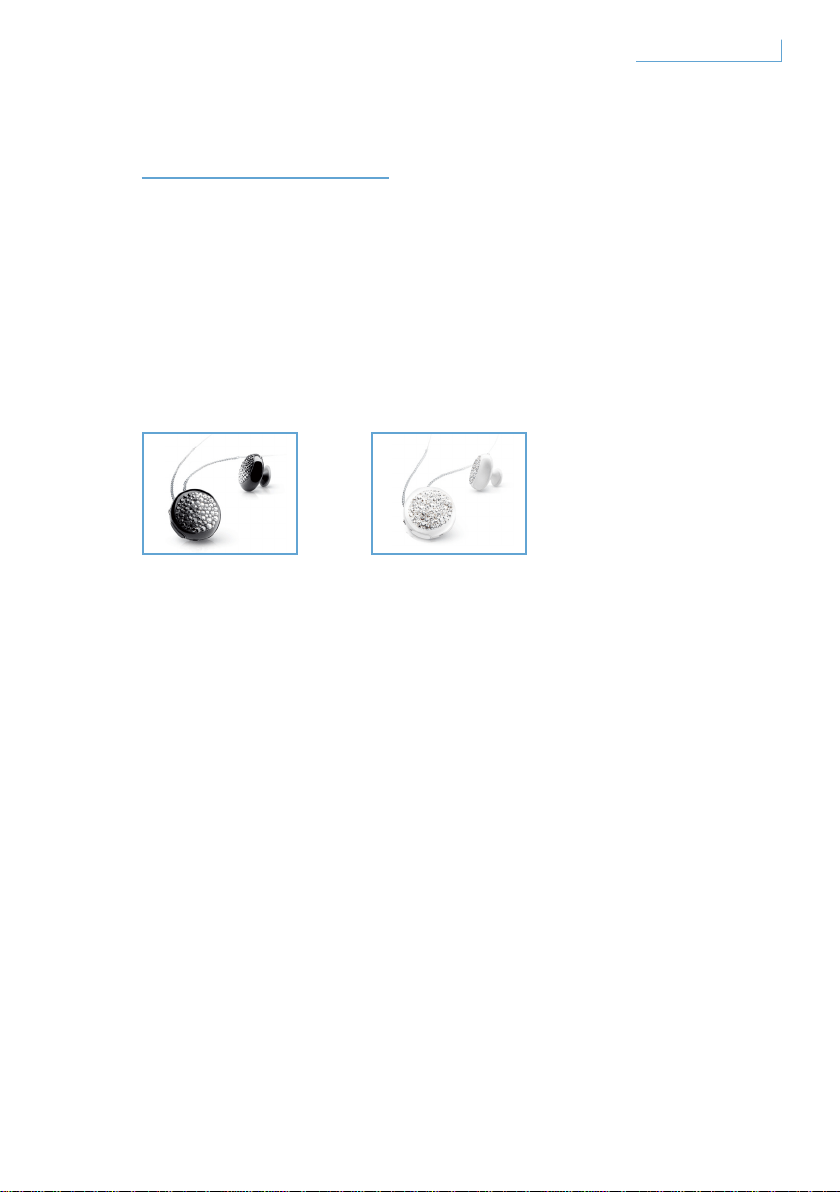
the art technology of Philips. We wish you a truly enjoyable experience.
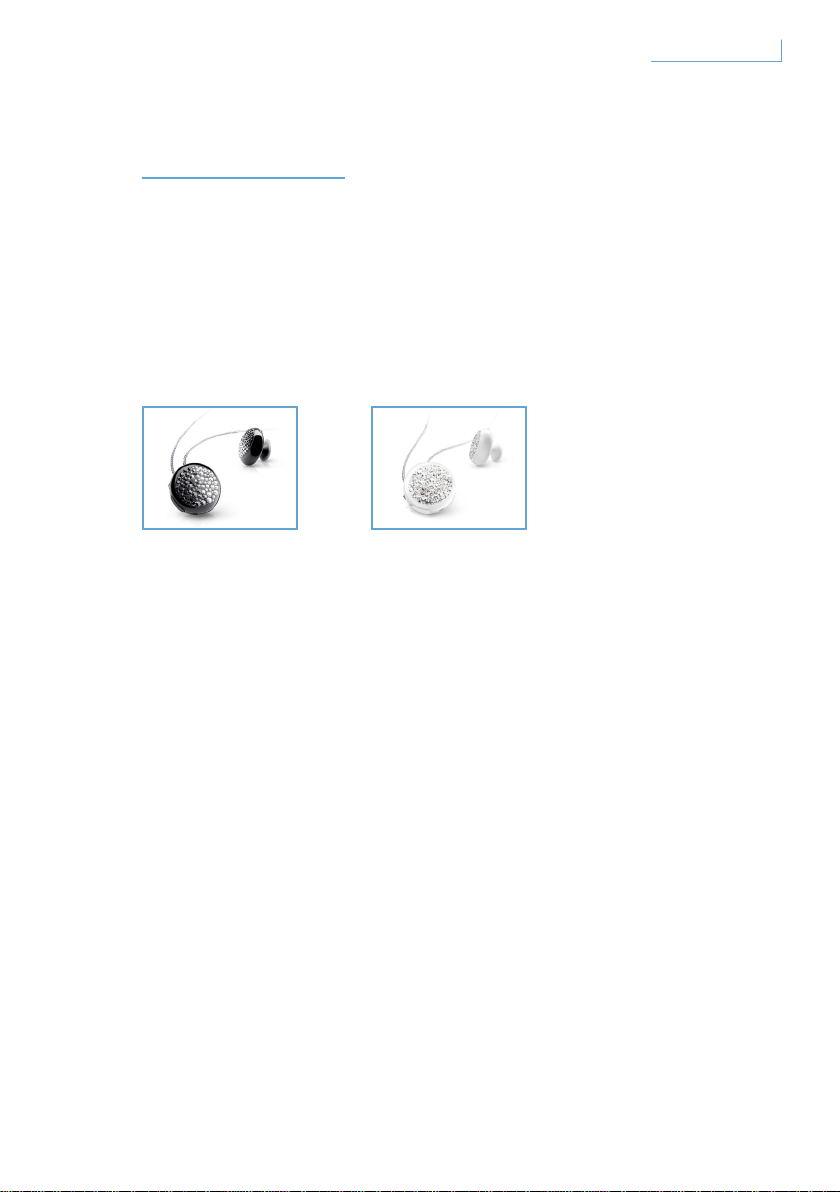
Complete collection
EN
Breeze Black Breeze White
2Welcome
GET STARTED
Important Note
• Ensure that it is safe before making or answering a phone call
while driving.
• Always drive safely and follow the local traffic rules and regulations.
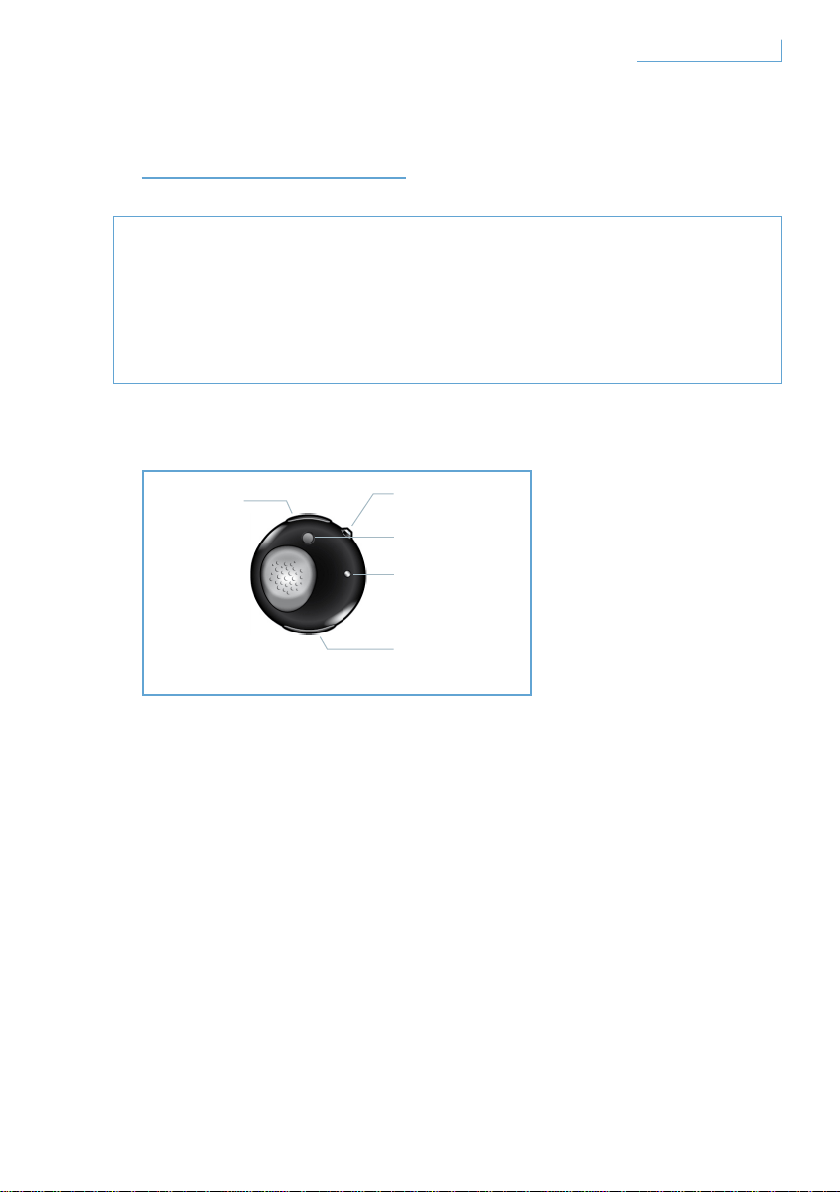
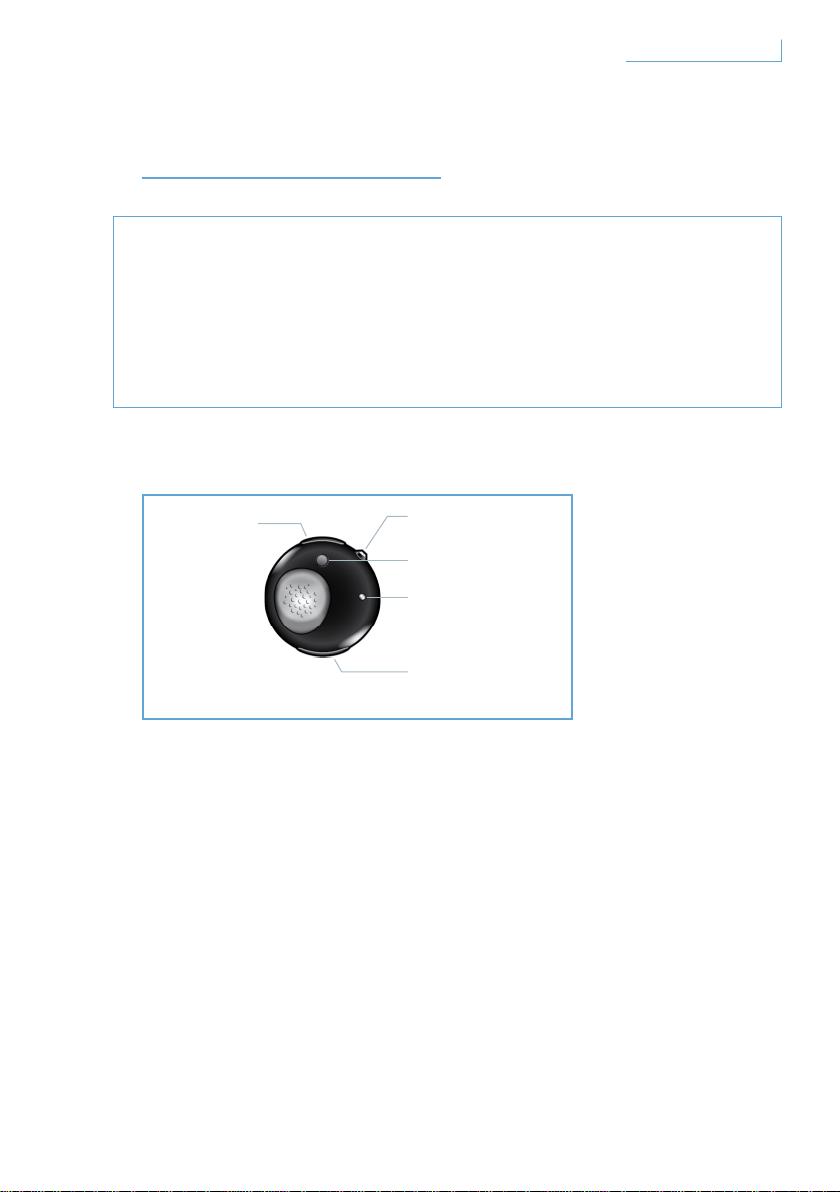
Your Breeze headset has the following keys and functionalities
USB port
Insert cable to charge your Breeze headset
Multifunction button (MFB) – crystal button
For more details, please refer to the section ‘Functions on your
Breeze headset’
Pairing button (PAIR)
Press and hold to pair your Breeze headset with your mobile phone
LED light
Lights up in red or blue, depending on activity
Volume control button (+/-)
Press once to adjust the volume
EN
A. USB port
B. Multifunction
crystal button
C. Pairing button
E. Volume control
button
D. LED
3Get started
Charge your Breeze headset
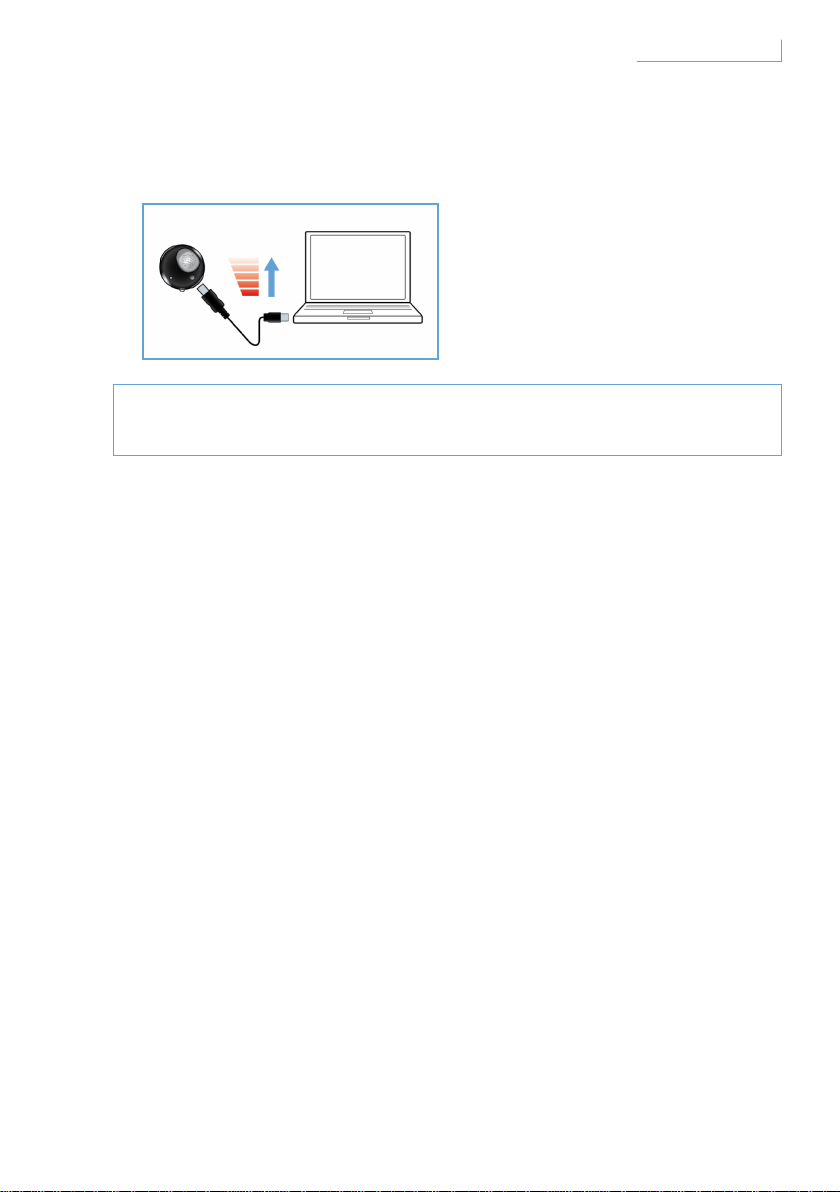
Make sure your Breeze headset is fully charged before you start
using it.
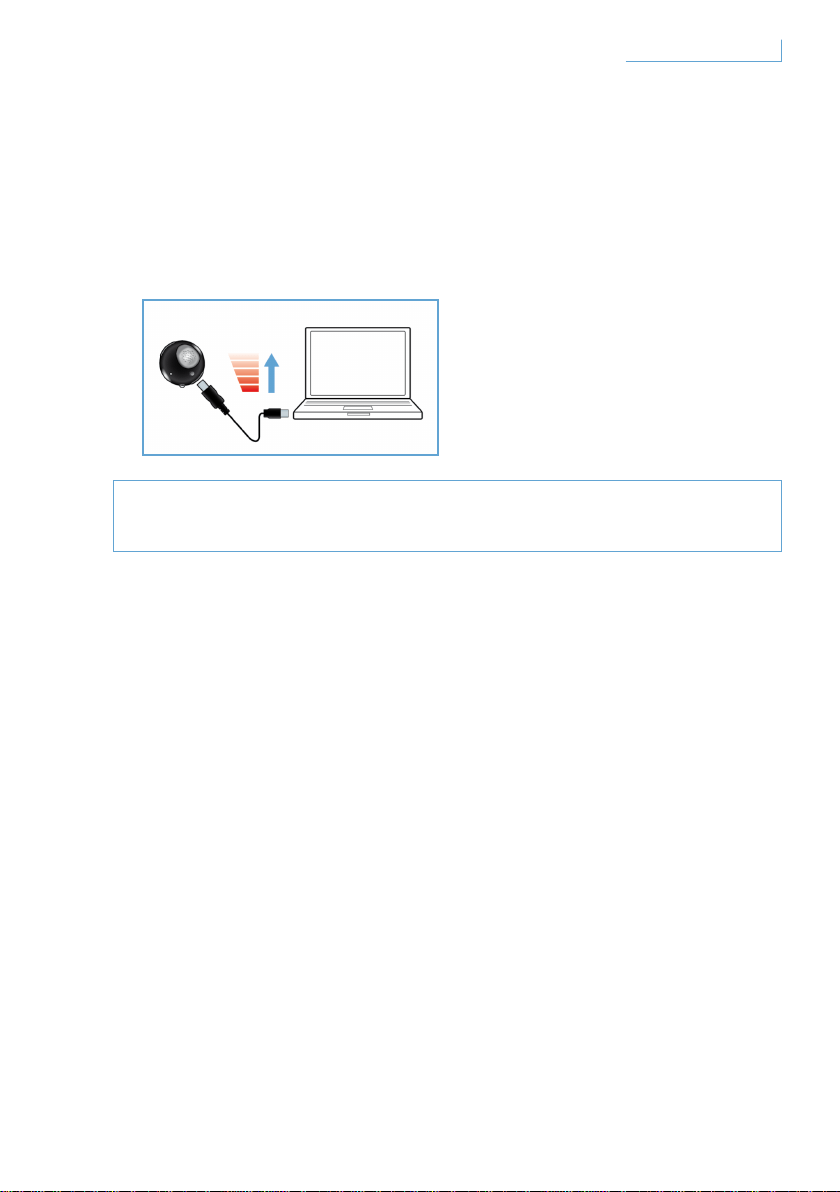
You can charge your Breeze headset in two ways:
1 Connect the Breeze headset to your PC using the provided USB cable.
2 Connect the Breeze headset to AC/DC* or car DC/DC**. (Please note
that adaptors are not included in the pack and are sold separately.)
A red LED light indicates that the Breeze headset is charging and will
turn itself off when the battery is fully charged. When the battery is
running low, you will be alerted by a beep tone. You will then need
to recharge your Breeze headset to maintain the optimal
communication quality.
* AC/DC adaptor Philips model SCM2280/05(UK), SCM2280/12 (Europe)
and SCM2280/37(US)
** Car AC/DC adaptor Philips model SCM2180/05(UK), SCM2180/12 (Europe)
and SCM2180/37(US)
EN
4Get started
Turn your Breeze headset on and off
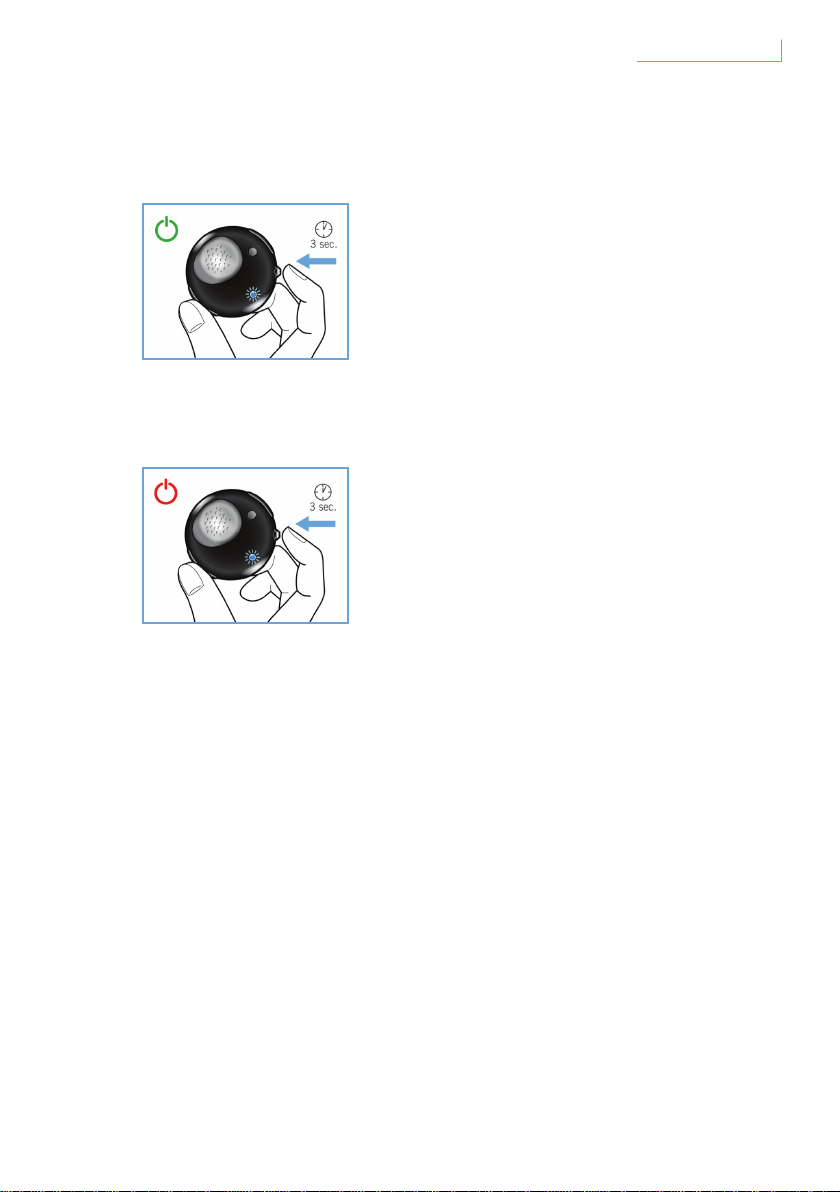
To turn on your headset, press and hold MFB until blue LED is on
and flashing.
To turn off your headset, press and hold MFB until red LED
flashes once,then it turns off.
EN
5Get started
Pair your Breeze headset with your mobile phone
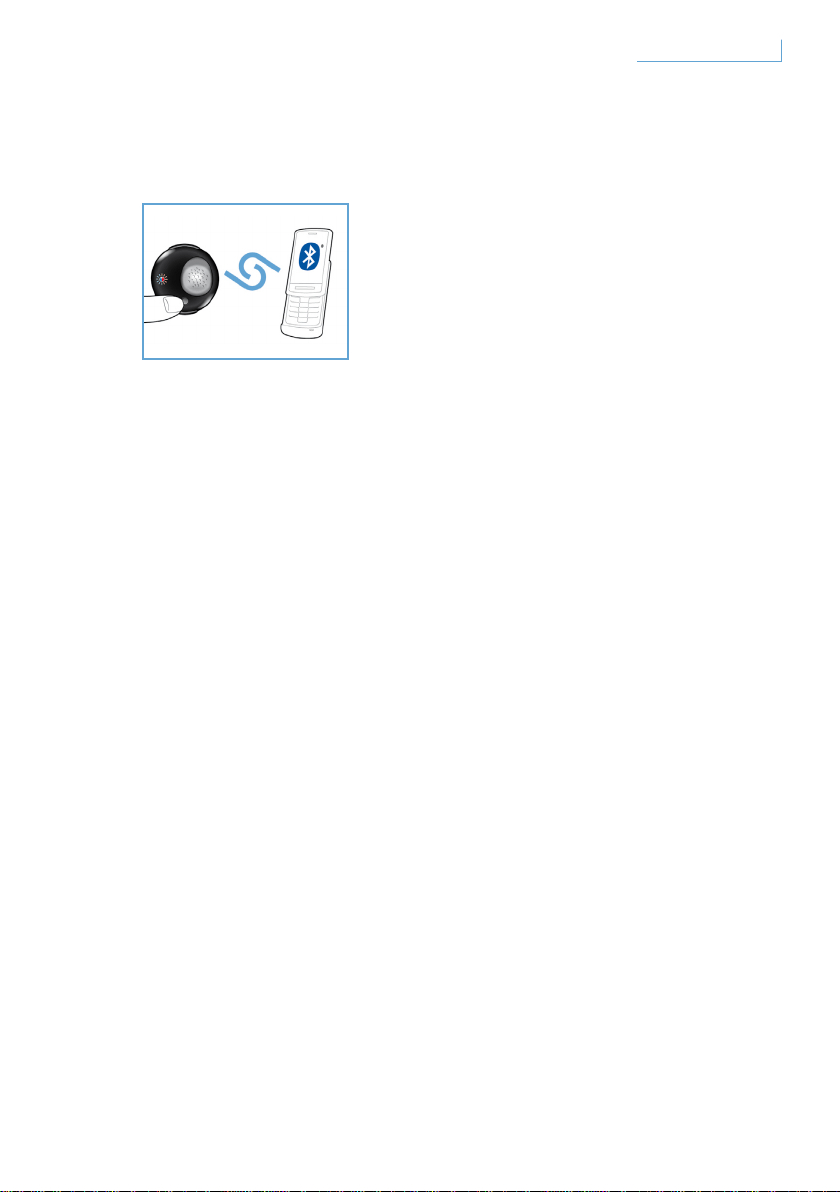
Before using your Breeze headset, you need to pair it with your
mobile phone.
1 Turn on your Breeze headset.
2 Press and hold the PAIR button until the LED light alternates between
red and blue.
3 Change the setting on your mobile phone to enable a search for
Bluetooth devices. Select “Breeze” from the available options displayed
on your mobile phone.
4 When the prompt for “Breeze” appears, enter the pin number “0000”
on your mobile phone and press confirm.
5 Pairing is now complete.
When the pairing exercise is finished, the red LED light will go OFF
and a blue LED light will flash.
EN
6Get started
FUNCTIONS ON YOUR
BREEZE HEADSET
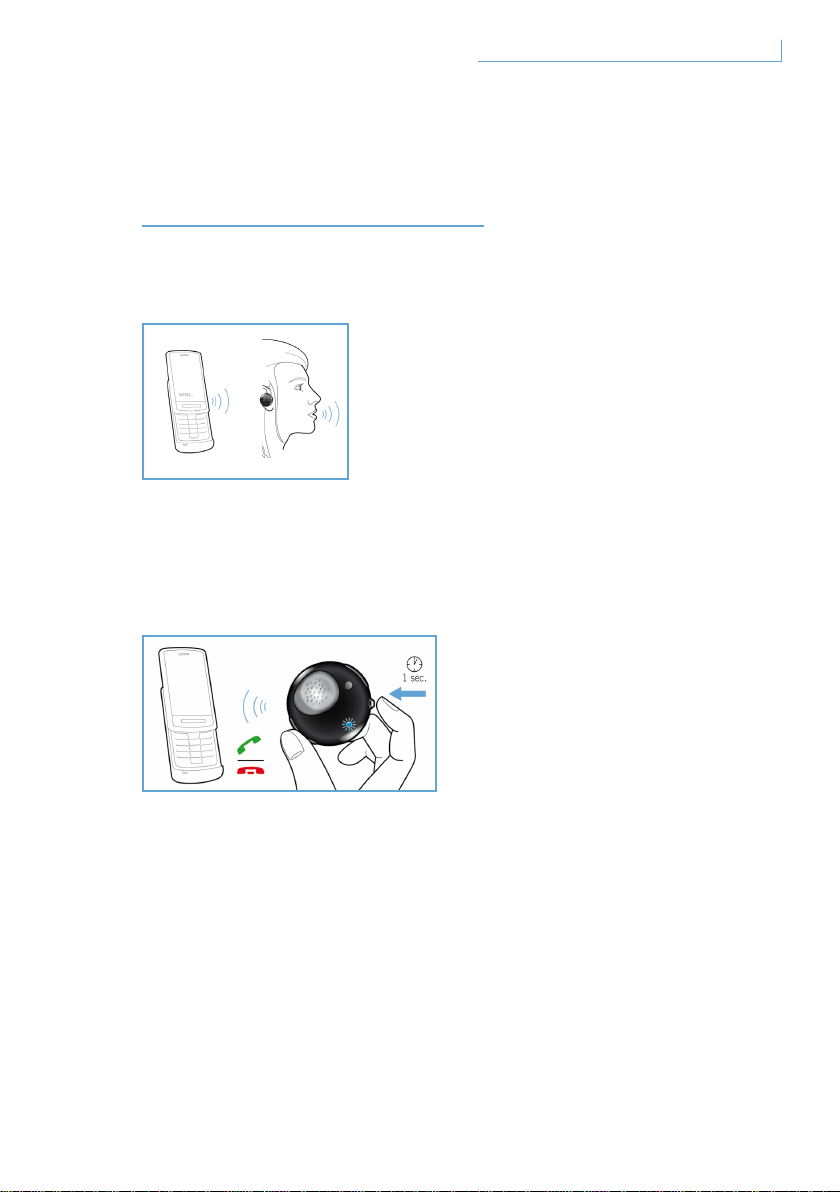
Make a call
To make a call, simply dial the required telephone number and the call
will be automatically transferred to the headset. In the unlikely event
that this does not happen, simply tap the MFB to effect the transfer.
Answer a call
Press the MFB button once and you will hear a feedback tone.
This indicates that the incoming call is active.
End/ cancel a call
Press the MFB button once. The resulting feedback sound means that
the active or outgoing call has been terminated.
EN
7Functions on your Breeze headset
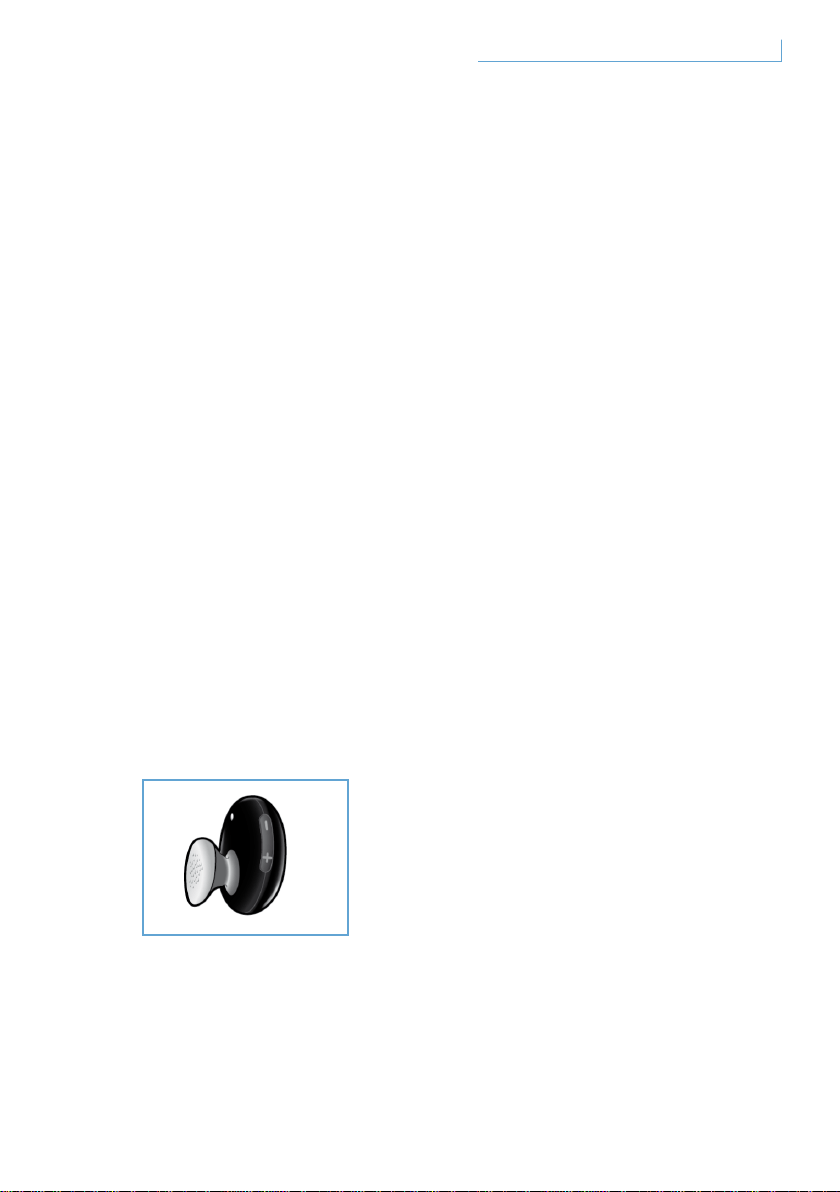
Transfer call
To transfer an active call on the headset to your mobile phone, press and
hold MFB for about one second until the feedback tone is heard.
Reject a call
Press and hold the MFB for about one second when the incoming call
is ringing until the feedback sound is heard.
Redial last number
To redial the last number, press the MFB once until you hear the
feedback tone.
Call waiting and putting a call on hold*
To switch between two incoming calls, press and hold the MFB for about
one second until a button feedback sound is heard.
Adjust sound and volume
Press up (+) or down (-) on the volume control button to adjust the
volume. Every time the volume adjust button is pressed, you will hear
a feedback tone.
* The functionalities marked with * will depend on your phone and/or network service.
EN
8Functions on your Breeze headset
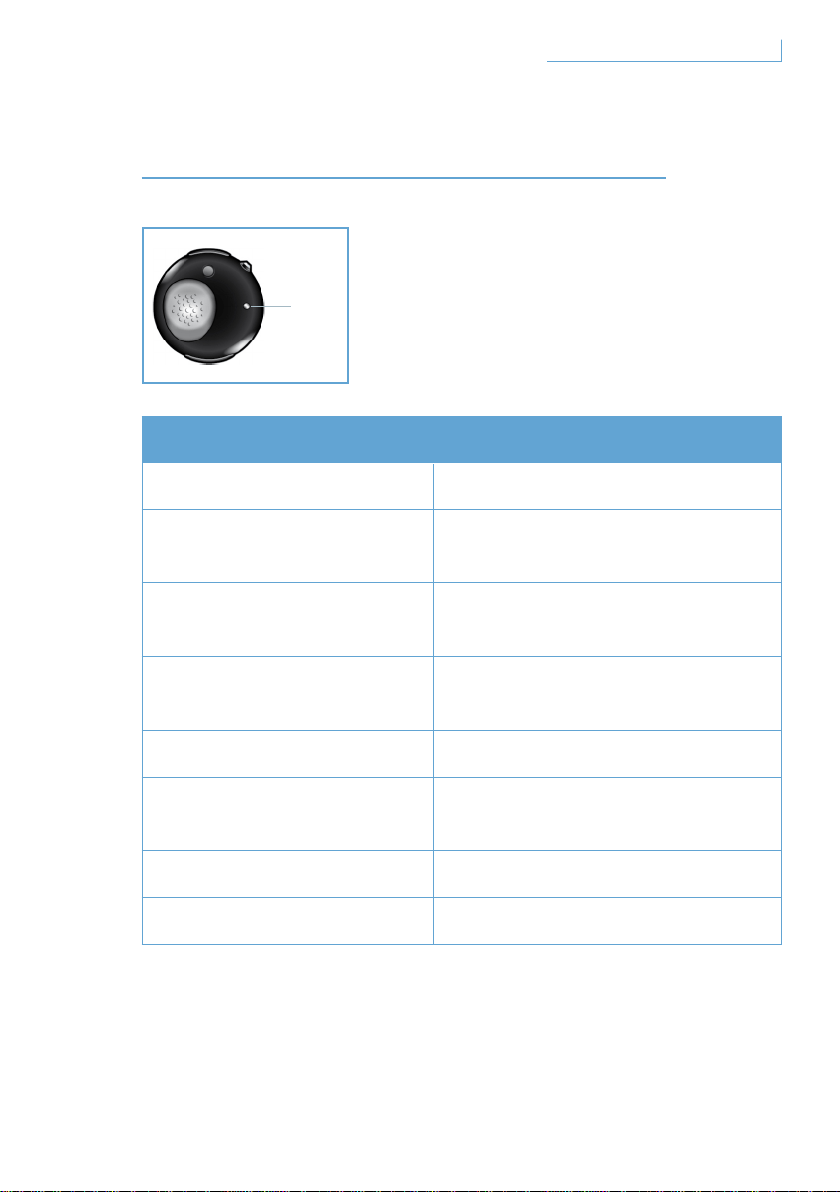
WHAT THE LIGHTS INDICATE
What you see What it means about your headset
Flashing blue light Fast flashing, active call
Flashing blue light
three times
Slow flashing (Per 2S),
incoming/outgoing call
Flashing blue light twice
Very slow flashing (Per 5S),
in connected mode
Flashing blue light once
Very slow flashing (Per 5S),
in stand-by mode
Flashing red light Low battery
Red & blue light flashing
alternatively
In pairing mode
Solid red light Charging
No light Fully charged
EN
D. LED
9What the lights indicate
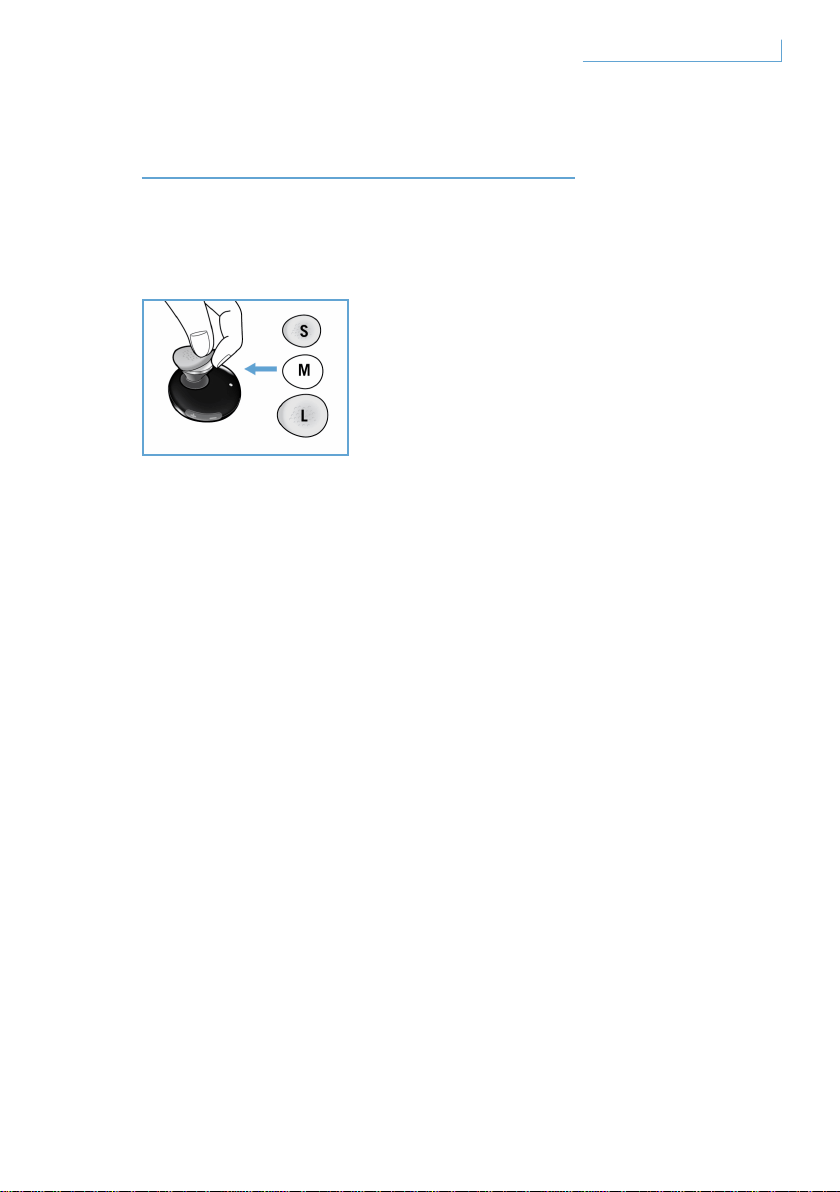
GETTING THE BEST FIT
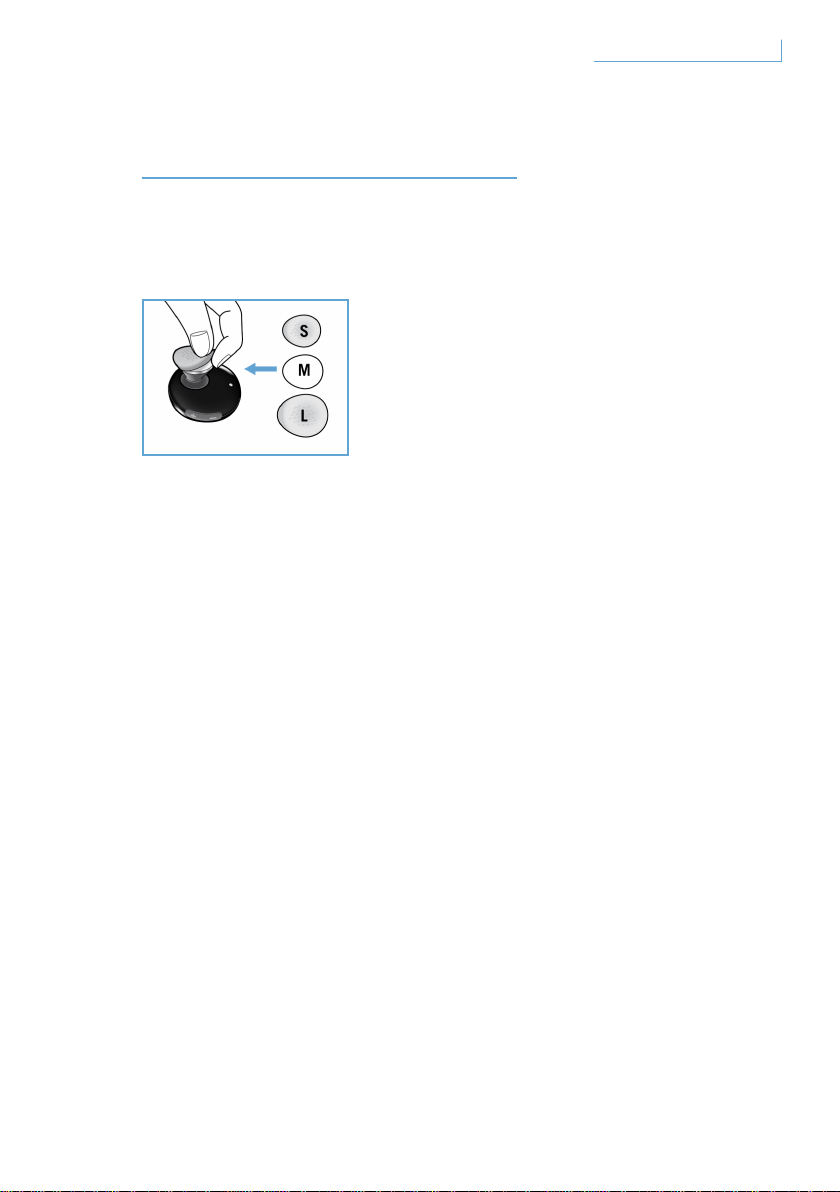
Your Breeze headset comes with a choice of three different sizes
of earbud sleeves for customised comfort.
To remove the original medium-sized sleeve, grip the body of the
earphone and carefully peel off the earbud sleeve. Place a new sleeve
over the earphone. For long-lasting comfort, choose the size that fits
you best.
EN
10Getting the best fit
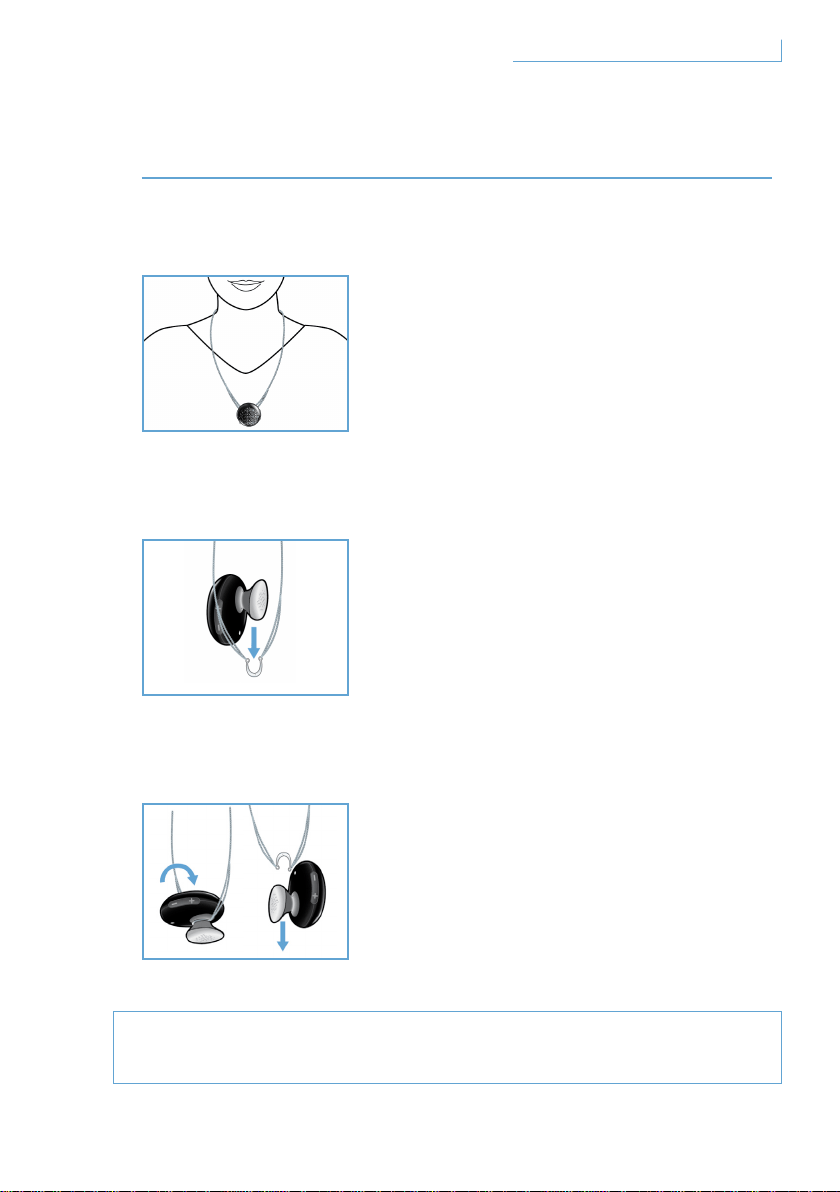
WEARING YOUR BREEZE HEADSET
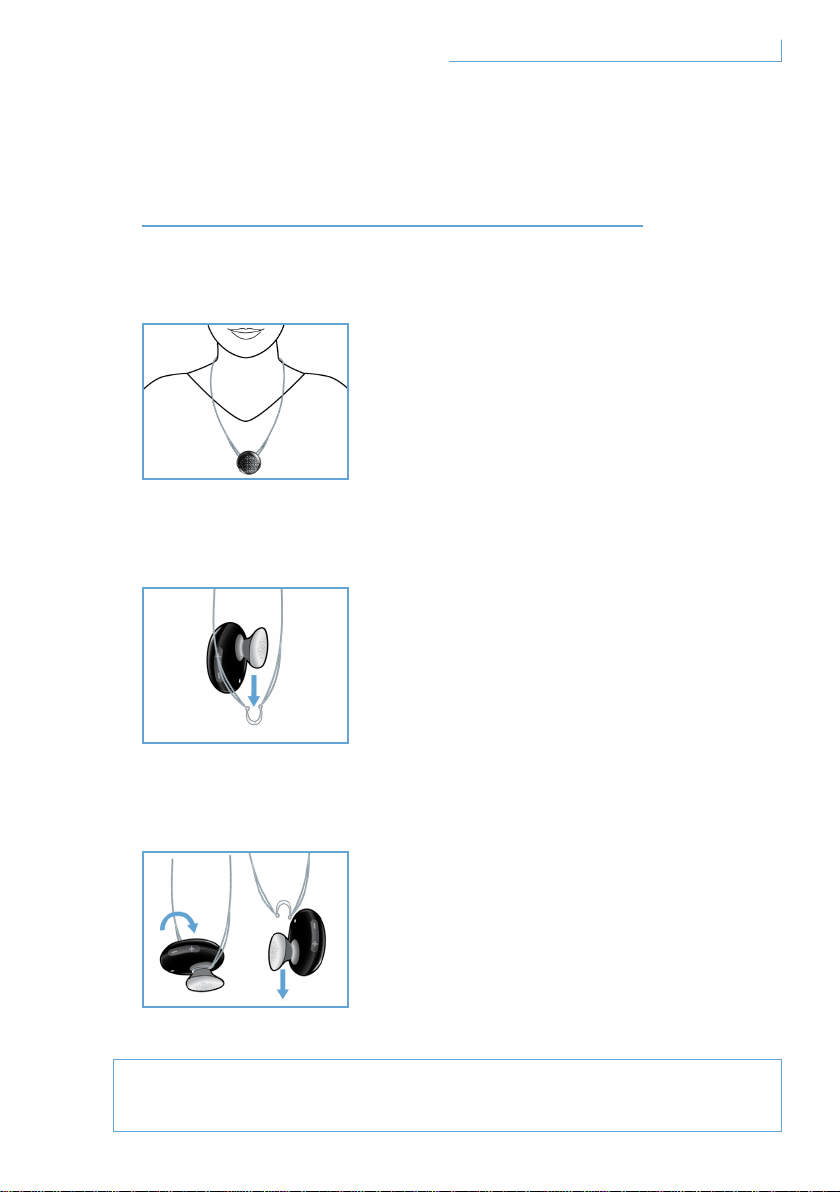
Wearing on the chain
How to attach the Breeze headset to the chain:
How to detach the Breeze headset from the chain:
Do not force or try to pull the semi-circular hanger apart as this
could cause damage to the headset.
EN
Your Breeze headset can be attached to
the neck chain with or without the earhook.
Gently slide the Breeze headset into the
semi-circular hanger.
This can be done with or without the earhook.
Turn the Breeze headset forward
and pull gently.
11Wearing your Breeze headset
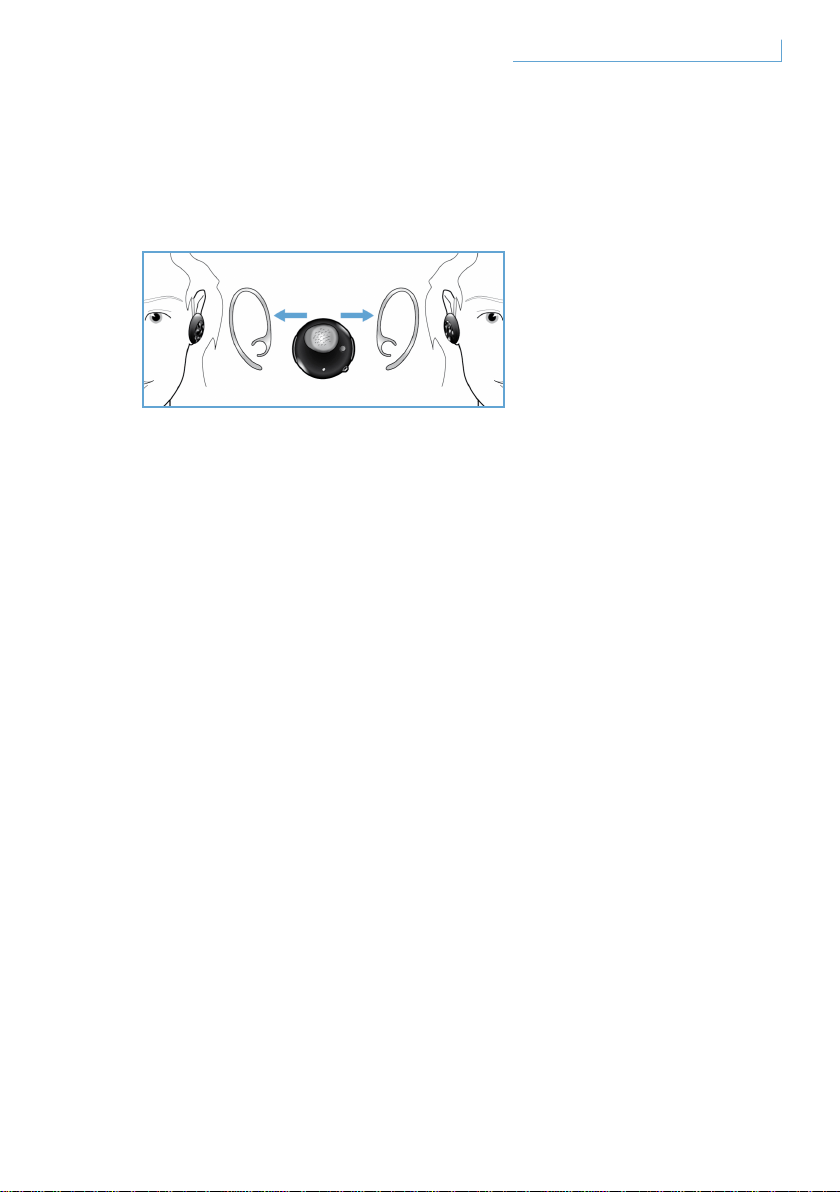
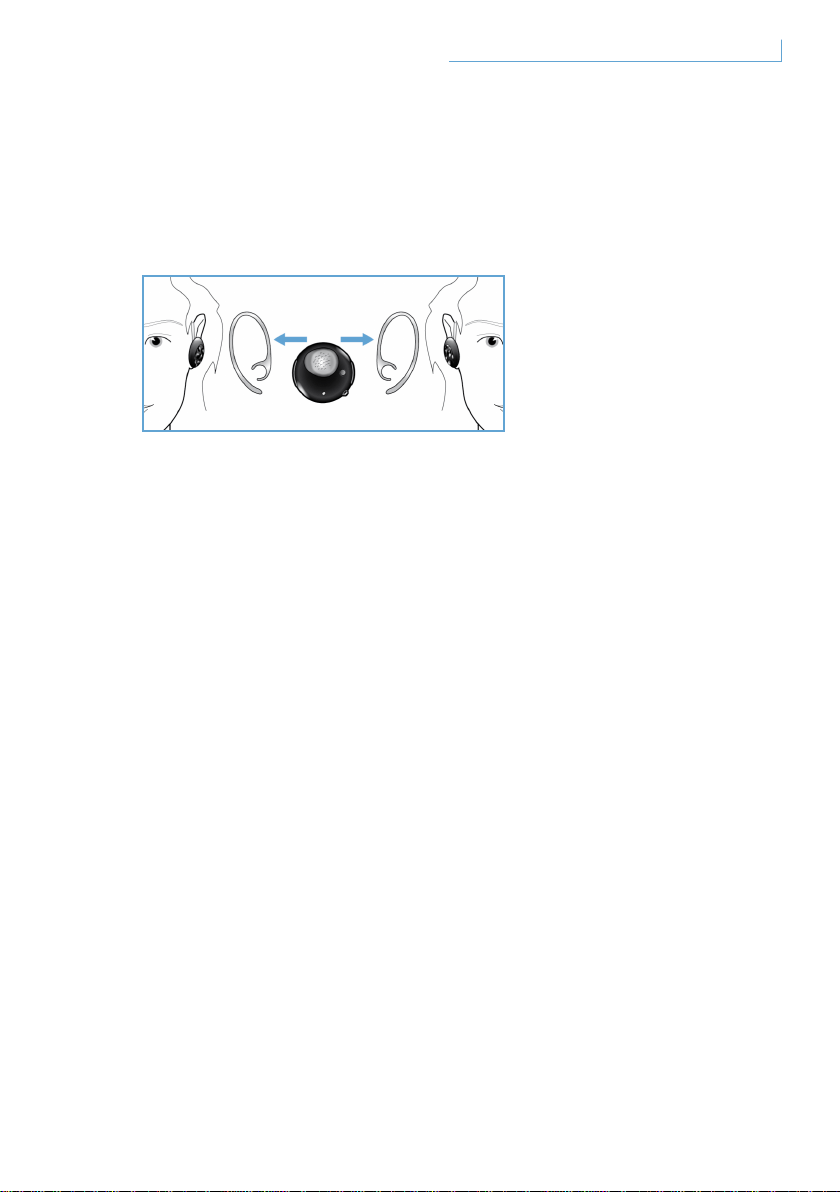
Wearing the headset on your ear using the earhook
The Breeze headset can be worn on either the left or right ear.
Slide on the earhook according to the illustrations for either the left or
the right ear. You will hear a click when the earhook has been affixed
securely to the headset. The microphone should be positioned at the
lower front portion for both the left and right wearing styles.
EN12
Wearing your Breeze headset

TROUBLESHOOTING & FAQ
There is intermittent sound disruption or static is heard
1 Check the battery status and recharge the headset if the battery
is running low
2 Check that the distance between your mobile phone and the
headset is within the specified operating range
3 Check if there are any barriers between the headset and your
mobile phone
4 For the best audio quality, always wear your headset on the same
side as your mobile phone
There is no sound when you turn on the headset
1 Ensure that the headset has been paired with the relevant mobile
phone and is switched on
2 Increase the volume on the headset
The headset cannot be paired
1 Please revisit the section “Pair your Breeze headset with your mobile
phone” and follow the steps accordingly.
2 Ensure that you have entered the right PIN (0000).
3 Delete all Bluetooth devices recorded in your mobile phone
and attempt to pair it with your Breeze headset again.
4 Ensure that your headset is not connected to any other
Bluetooth device
Need help?
Online help: www.active-crystals.com
For interactive help, frequently asked questions, software updates
and support.
EN
13Troubleshooting & FAQ

SPECIFICATIONS
Talking time > = 4.5 hours*
Standby time > = up to 120 hours*
Charging time < 1.5 hours
Bluetooth type Bluetooth version 2.0 + EDR, HSP, HFP
Operating range up to 10 meters (approximately 33 feet)
Bluetooth headset and hands-free profiles support.
Rechargeable battery with charging option from PC via USB cable
or AC/DC adaptor (not included), car adaptor (not included).
* Actual results may vary
EN
14Specifications
IMPORTANT
Hearing safety
Danger
To avoid hearing damage limit the time you use the headphones
at high volume and set the volume to a safe level. The louder the
volume the shorter is the safe listening time.
Be sure to observe the following guidelines when using your headphones
• Listen at reasonable volumes for reasonable periods of time.
• Be careful not to adjust the volume continuously upwards as
your hearing adapts.
• Do not turn up the volume so high that you can’t hear what’s around you.
• You should use caution or temporarily discontinue use in potentially
hazardous situations.
• Using this headset with both ears covered while driving is not
recommended and may be illegal in some areas while driving.
• For your safety avoid distractions from music or phone calls while
in traffic or other potentially dangerous environments.
EN
15Important

Electric-, Magnetic- and Electromagnetic Fields (EMF)
1 Philips Electronics manufactures and sells many products targeted at
consumers, which, like any electronic apparatus, in general have the
ability to emit and receive electromagnetic signals.
2 One of Philips leading Business Principles is to take all necessary health
and safety measures for our products, to comply with all applicable legal
requirements and to stay well within the EMF standards applicable at the
time of producing the products.
3 Philips is committed to develop, produce and market products that cause
no adverse health effects.
4 Philips confirms that if its products are handled properly for their
intended use, they are safe to use according to scientific evidence
available today.
5 Philips plays an active role in the development of international EMF and
safety standards, enabling Philips to anticipate further developments in
standardization for early integration in its products.
General maintenance
To avoid damage or malfunction
• Do not expose the headset to excessive heat.
• Do not drop your headset.
• Do not allow your headset to be submerged in water.
• Do not use any cleaning agents containing alcohol, ammonia, benzene,
or abrasives. If cleaning is required use a soft cloth, if necessary
dampened with a minimum amount of water or diluted mild soap,
to clean the product.
EN
16Important

About operating and storage temperatures
Do not operate or store in a place where temperature is below -15ºC (5ºF)
or above 55ºC (131ºF) as this may shorten your battery life.
Disposal of your old product
Your product is designed and manufactured with high quality materials
and components, which can be recycled and reused.
When this crossed-out wheeled bin symbol is attached to a product it
means the product is covered by the European Directive 2002/96/EC.
Please inform yourself about the local separate collection system for
electrical and electronic products. Please act according to your local
rules and do not dispose of your old products with your normal household
waste. The correct disposal of your old product will help prevent potential
negative consequences for the environment and human health.
Remove the integrated battery
If in your country there is no collection / recycling system for electronic
products you can protect the environment by removing and recycling the
battery before disposing the headset. Please take the battery to a battery
collection and recycling location. Removing the battery will destroy the
product.
Make sure the headset is disconnected from the power adapter before
removing the battery.
EN
17Important

Notice for USA
This device complies with Part 15 of the FCC Rules. Operation is subject
to the following two conditions: (1) this device may not cause harmful
interference, and (2) this device must accept any interference received,
including interference that may cause undesired operation.
This equipment has been tested and found to comply with the limits for
a Class B digital device, pursuant to Part 15 of the FCC Rules. These
limits are designed to provide reasonable protection against harmful
interference in a residential installation. This equipment generates, uses
and can radiate radio frequency energy and, if not installed and used
in accordance with the instructions, may cause harmful interference to
radio communications. However there is no guarantee that interference
will not occur in a particular installation. If this equipment does cause
harmful interference to radio or television reception, which can be
determined by turning the equipment off and on, the user is encouraged
to try to correct the interference by one or more of the following
measures:
• Reorient or relocate the receiving antenna.
• Increase the separation between the equipment and receiver.
• Connect the equipment into an outlet on a circuit different from that
to which the receiver is connected.
• Consult the dealer or an experienced radio/ TV technician for help.
Warning
Changes or modifications made to this equipment not expressly
approved by Philips may void the FCC authorization to operate this
equipment.
EN
18Important
Important note
FCC / IC Radiation Exposure Statement:
This equipment complies with FCC / IC radiation exposure limits
set forth for an uncontrolled environment. End users must follow
the specific operating instructions for satisfying RF exposure
compliance. This transmitter must not be co-located or operating
in conjunction with any other antenna or transmitter.
Address for Philips accessories service center:
Philips accessories and computer peripherals
Ledgewood
NJ 07852 USA
Notice for Canada
Operation is subject to the following two conditions:
1 This device may not cause interference and
2 This device must accept any interference, including interference that
may cause undesired operation of the device. The term “IC:” before the
certification / registration number only signifies that registration was
performed based on a Declaration of Conformity indicating that Industry
Canada technical specifications were met. It does not imply that Industry
Canada approved the equipment.
Notice for the European Union
Hereby, Philips Consumer Lifestyle, BU P&A, declares that this Philips
Bluetooth headset SWB9000/SWB9200 is in compliance with the
essential requirements and other relevant provisions of Directive 1999/5/
EC. Check the root folder of your user manual CD or an addendum sheet
for the Declaration of Conformity.
EN
19Important

Trademarks
The Bluetooth wordmark and logos are owned by the Bluetooth SIG, INC.
© 2008 Koninklijke Philips Electronics N.V. & Swarovski AG.
All rights reserved.
EN
20Important

SOMMAIRE
BIENVENUE 22
Collection complète 22
DÉMARRAGE 23
Le casque Breeze est doté des
boutons et des fonctionnalités suivants 23
Charge de votre casque Breeze 24
Mise sous/hors tension
de votre casque Breeze 25
Couplage de votre casque
Breeze à votre téléphone portable 26
FONCTIONS DE VOTRE CASQUE BREEZE 27
Appel 27
Réponse à un appel 27
Fin/annulation d’un appel 27
Transfert d’un appel 28
Rejet d’un appel 28
Recomposition du dernier numéro 28
Double appel et mise en attente d’un appel 28
Réglage du son et du volume 29
SIGNIFICATION DES VOYANTS 30
À LA RECHERCHE
DU MEILLEUR RÉGLAGE 31
PORT DE VOTRE CASQUE BREEZE 32
Port avec une lanière 32
Port du casque sur votre
oreille à l’aide du tour d’oreille 33
DÉPANNAGE ET FAQ 34
Besoin d’aide? 34
CARACTÉRISTIQUES TECHNIQUES 35
IMPORTANT 36
FR
21Sommaire
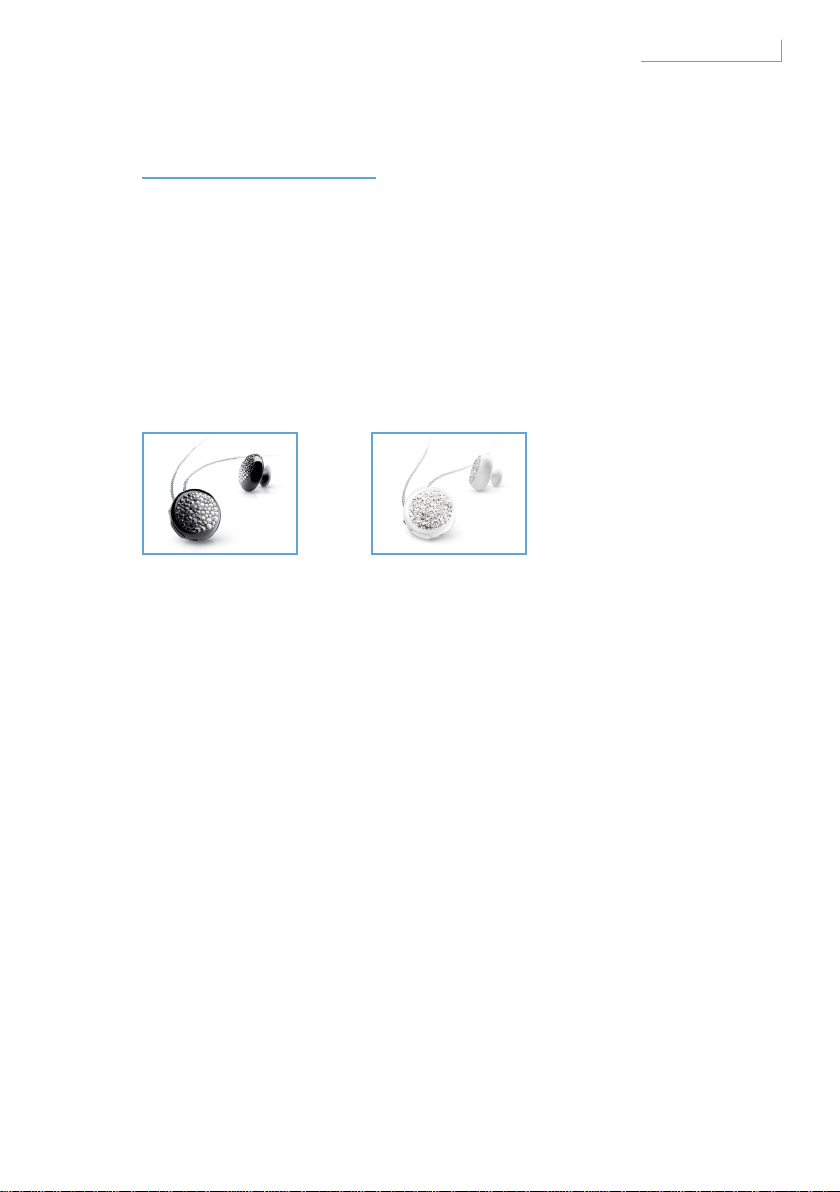
BIENVENUE
Merci d’avoir acheté ce produit Active Crystals. Conçu par des femmes
pour des femmes, votre produit Active Crystals a été fabriqué avec
une grande habileté, exécuté à partir du plus beau cristal Swarovski,
intégrant la technologie de pointe Philips. Nous vous souhaitons une
utilisation très agréable.
Collection complète
FR
Breeze Black Breeze White
22Bienvenue
DÉMARRAGE
Remarque importante :
• Prenez toutes les mesures de sécurité nécessaires avant de passer ou
de répondre à un appel pendant que vous conduisez.
• Conduisez en toute sécurité et respectez le code de la route et la
législation locale relative à la circulation routière.
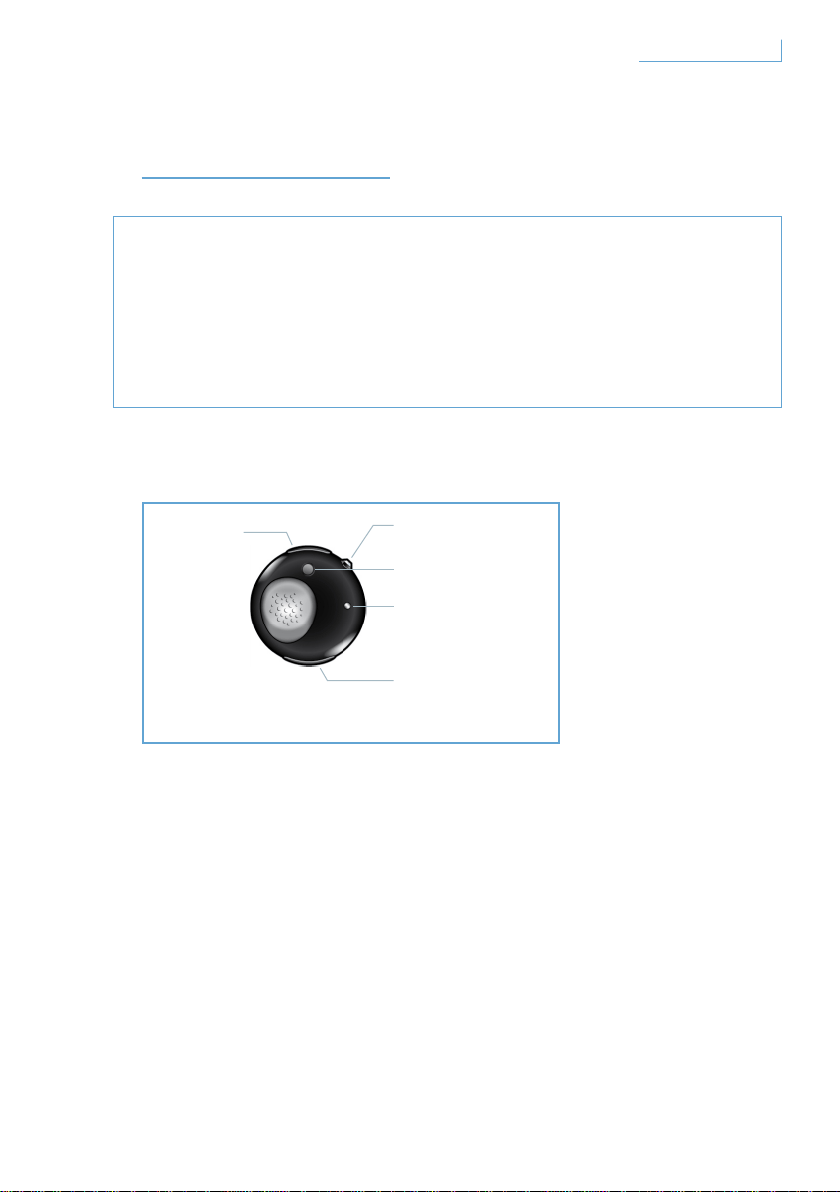
Le casque Breeze est doté des boutons et des fonctionnalités suivants
Port USB
Insérez un câble pour charger le casque Breeze
Bouton multifonction (MFB) - bouton transparent
Pour plus d’informations, reportez-vous à la section
« Fonctions de votre casque Breeze »
Bouton de couplage (PAIR)
Maintenez ce bouton enfoncé pour coupler le casque
Breeze à votre téléphone portable
Voyant LED
S’allume en rouge ou bleu en fonction de l’activité
A. Port USB
B. Bouton transparent
multifonction
C. Bouton de couplage
E. Bouton de
contrôle du
volume
D. LED
23Démarrage FR
Bouton de contrôle du volume (+/-)
Appuyez une fois pour régler le volume
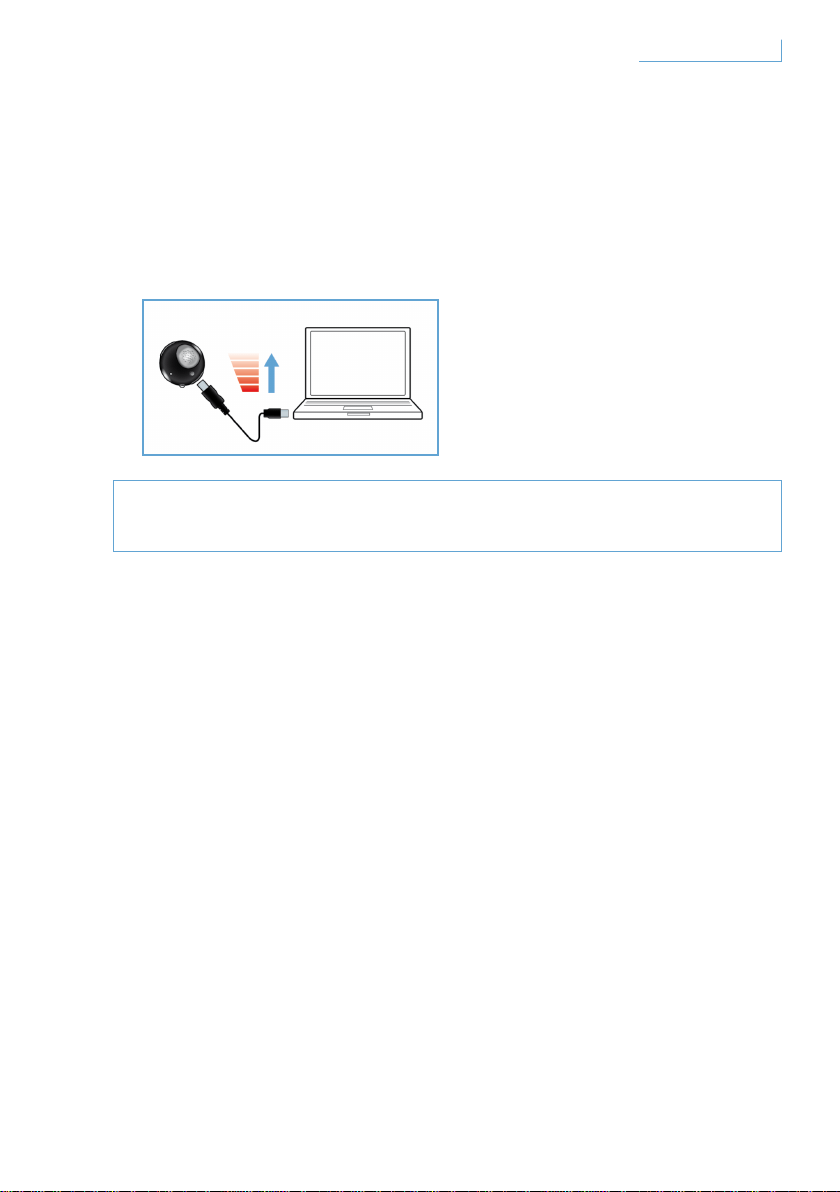
Charge de votre casque Breeze
Avant d’utiliser le casque Breeze, assurez-vous qu’il est
complètement chargé.
Vous pouvez charger le casque Breeze de deux manières :
1 Connectez le casque Breeze à votre PC à l’aide du câble USB fourni.
2 Connectez le casque Breeze à l’adaptateur CA/CC * ou l’adaptateur
allume-cigare CC/CC ** (notez que les adaptateurs ne sont pas inclus
dans l’emballage et sont vendus séparément.)
Un voyant rouge indique que le casque Breeze est en cours de charge.
Il s’éteint lorsque la batterie est entièrement chargée. Un bip sonore
retentit lorsque la batterie est faible. Vous devez donc recharger le
casque Breeze pour conserver une qualité de communication optimale.
* Adaptateur CA/CC Philips, modèles SCM2280/05 (Royaume-Uni), SCM2280/12 (Europe)
et SCM2280/37 (États-Unis).
** Adaptateur allume-cigare CA/CC Philips, modèles SCM2180/05 (Royaume-Uni),
SCM2180/12 (Europe) et SCM2180/37 (États-Unis).
24Démarrage FR
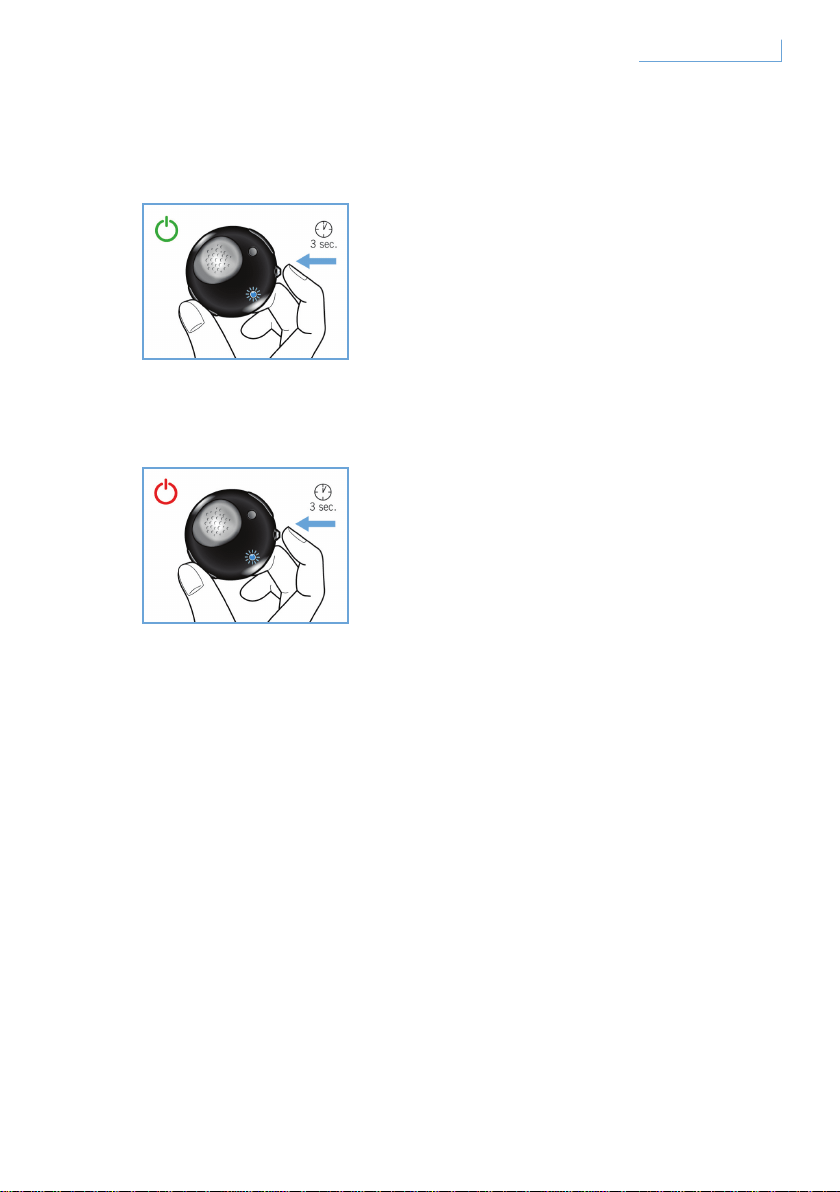
Mise sous/hors tension de votre casque Breeze
Pour allumer le casque, maintenez le bouton MFB enfoncé jusqu’à ce
que la LED bleue clignote.
Pour éteindre votre casque, appuyez sur MFB et maintenez enfoncé
jusqu'à ce que la LED rouge clignote une fois. Le casque s'éteint
ensuite.
25Démarrage FR
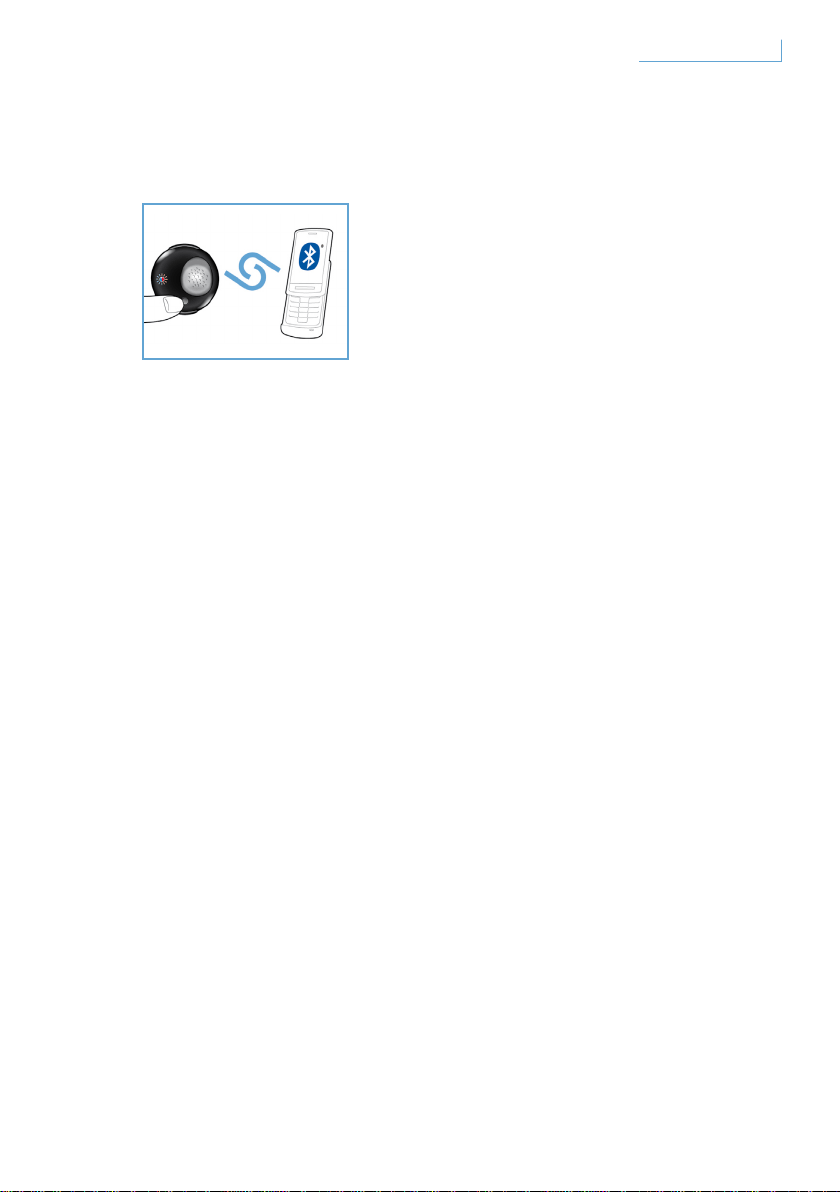
Couplage de votre casque Breeze à votre téléphone portable
Avant d’utiliser le casque Breeze, vous devez le coupler à votre
téléphone portable.
1 Allumez le casque Breeze.
2 Maintenez le bouton PAIR enfoncé jusqu’à ce que la LED clignote en
rouge et bleu.
3 Modifiez le paramètre de votre téléphone portable permettant d’activer
la recherche d’appareils Bluetooth. Dans la liste des options disponibles
qui s’affiche sur votre téléphone portable, sélectionnez « Breeze ».
4 Lorsque vous y êtes invité, entrez le numéro de code PIN « 0000 » sur
votre téléphone portable et appuyez pour confirmer.
5 Le couplage est maintenant terminé.
À la fin du processus de couplage, la LED rouge s’éteint et une LED
bleue clignote.
26Démarrage FR
FONCTIONS DE VOTRE
CASQUE BREEZE
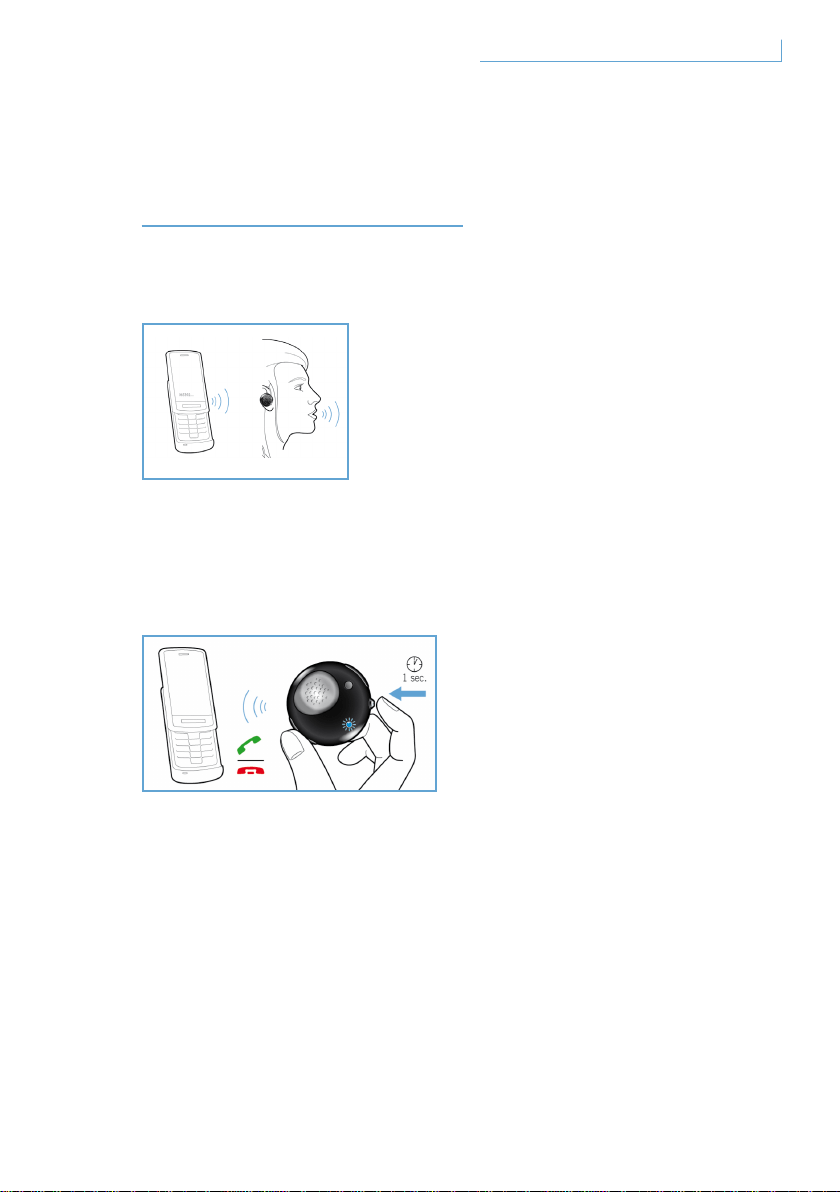
Appel
Pour passer un appel, il suffit de composer le numéro de téléphone
souhaité : l’appel est automatiquement transféré sur le casque. Si rien
ne se produit, appuyez sur le bouton MFB pour effectuer le transfert.
Réponse à un appel
Appuyez une fois sur le bouton MFB : vous entendez une tonalité de
réponse. Cela signifie que l’appel entrant est actif.
Fin/annulation d’un appel
Appuyez une fois sur le bouton MFB. La tonalité de réponse indique que
l’appel sortant ou actif est terminé.
27Fonctions de votre casque Breeze FR

Transfert d’un appel
Pour transférer un appel actif du casque sur le téléphone portable,
maintenez le bouton MFB enfoncé pendant environ une seconde jusqu’à
ce que vous entendiez la tonalité de réponse.
Rejet d’un appel
Lorsque l’appel entrant sonne, maintenez le bouton MFB enfoncé
pendant une seconde jusqu’à ce que vous entendiez la tonalité de
réponse.
Recomposition du dernier numéro
Pour recomposer le dernier numéro, appuyez une fois sur le bouton MFB
jusqu’à ce que vous entendiez la tonalité de réponse.
Double appel et mise en attente d’un appel*
Pour basculer entre deux appels entrants, maintenez le bouton MFB
enfoncé pendant une seconde jusqu’à ce que vous entendiez la tonalité
de réponse.
* Les fonctionnalités marquées par un astérisque (*) varient en fonction de votre téléphone
et/ou du service réseau.
28Fonctions de votre casque Breeze FR
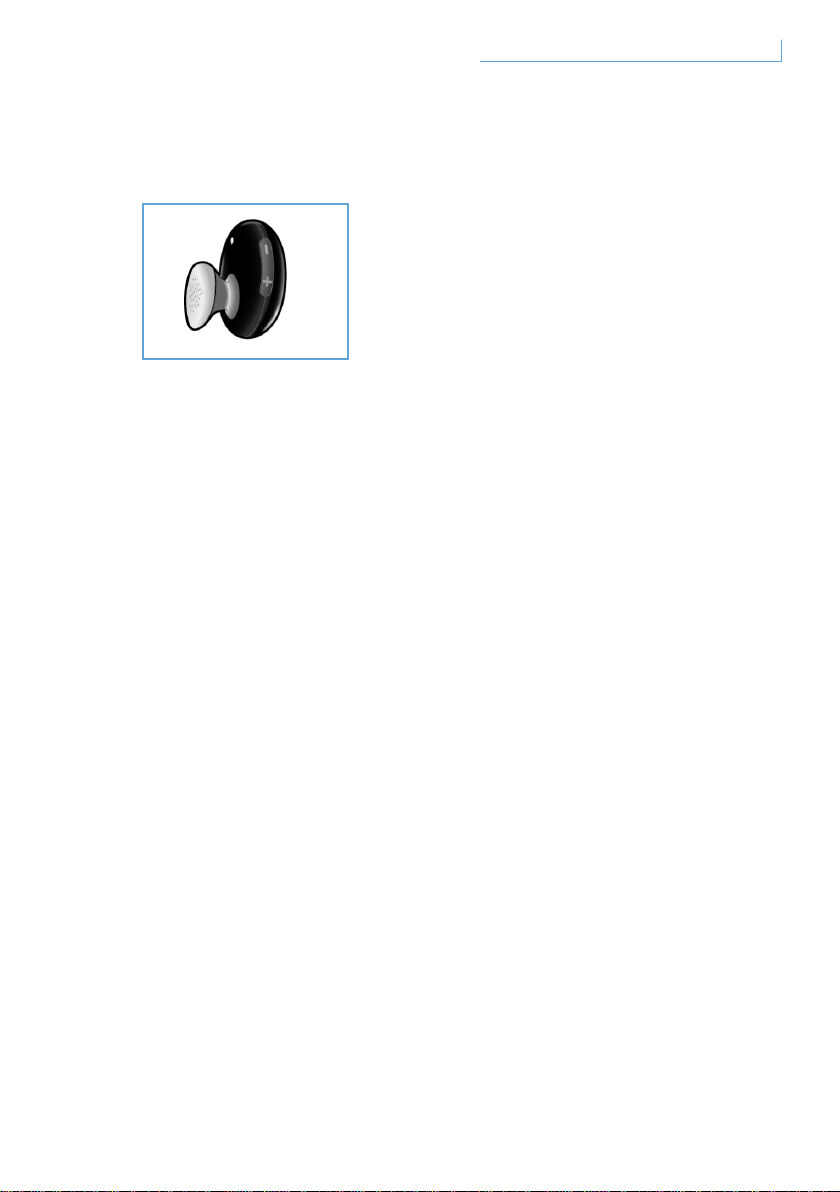
Réglage du son et du volume
Appuyez sur (+) ou sur (-) sur le bouton de contrôle du volume pour
régler le volume. Chaque fois que vous appuyez sur le bouton de contrôle
du volume, vous entendez une tonalité de réponse.
29Fonctions de votre casque Breeze FR
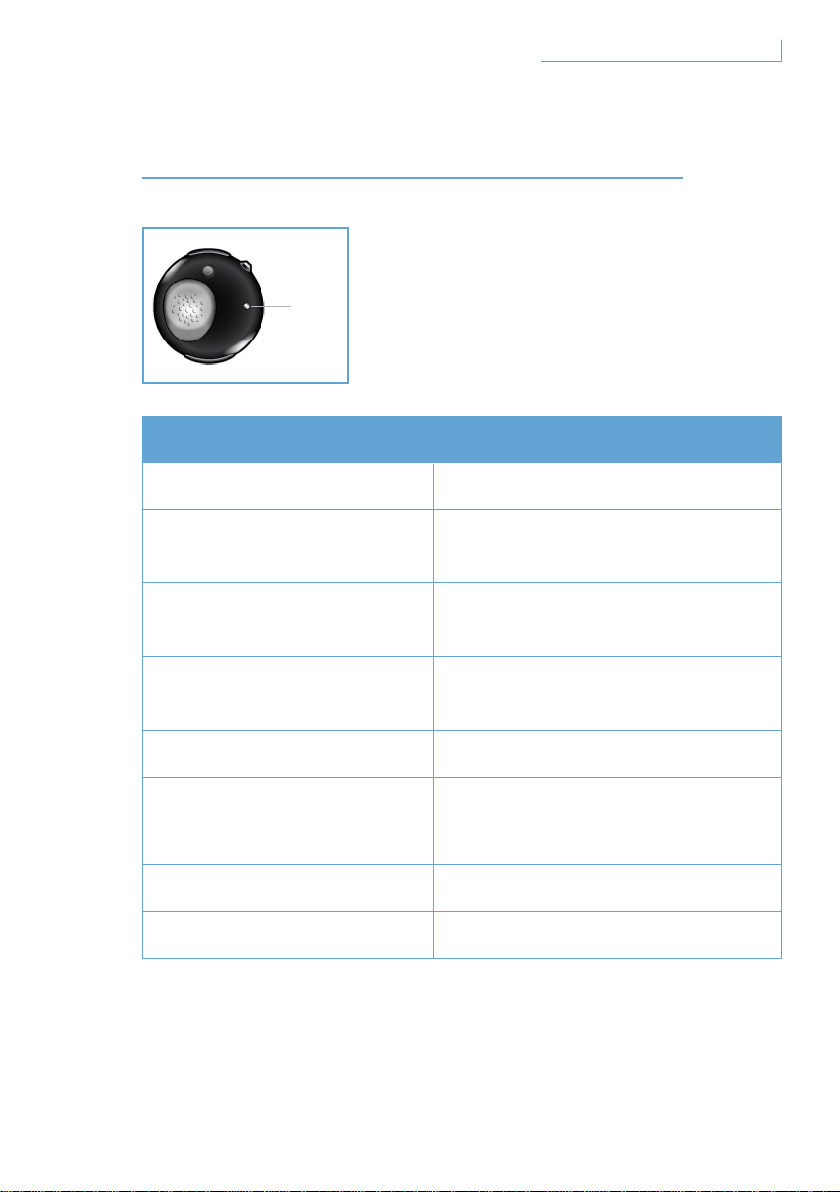
SIGNIFICATION DES VOYANTS
Ce que vous voyez Signification pour votre casque
Le voyant bleu clignote Clignotement rapide, appel actif
Le voyant bleu clignote
trois fois
Clignotement lent (toutes les
2 secondes), appel entrant/sortant
Le voyant bleu clignote
deux fois
Clignotement très lent (toutes les
5 secondes), en mode connecté
Le voyant bleu clignote
une fois
Clignotement très lent (toutes les
5 secondes), en mode veille
Le voyant rouge clignote Batterie faible
Le voyant bleu et le voyant
rouge clignotent
en alternance
En mode couplage
Le voyant rouge fixe En cours de charge
Aucun voyant allumé Complètement chargé
30Signification des voyants
D. LED
FR
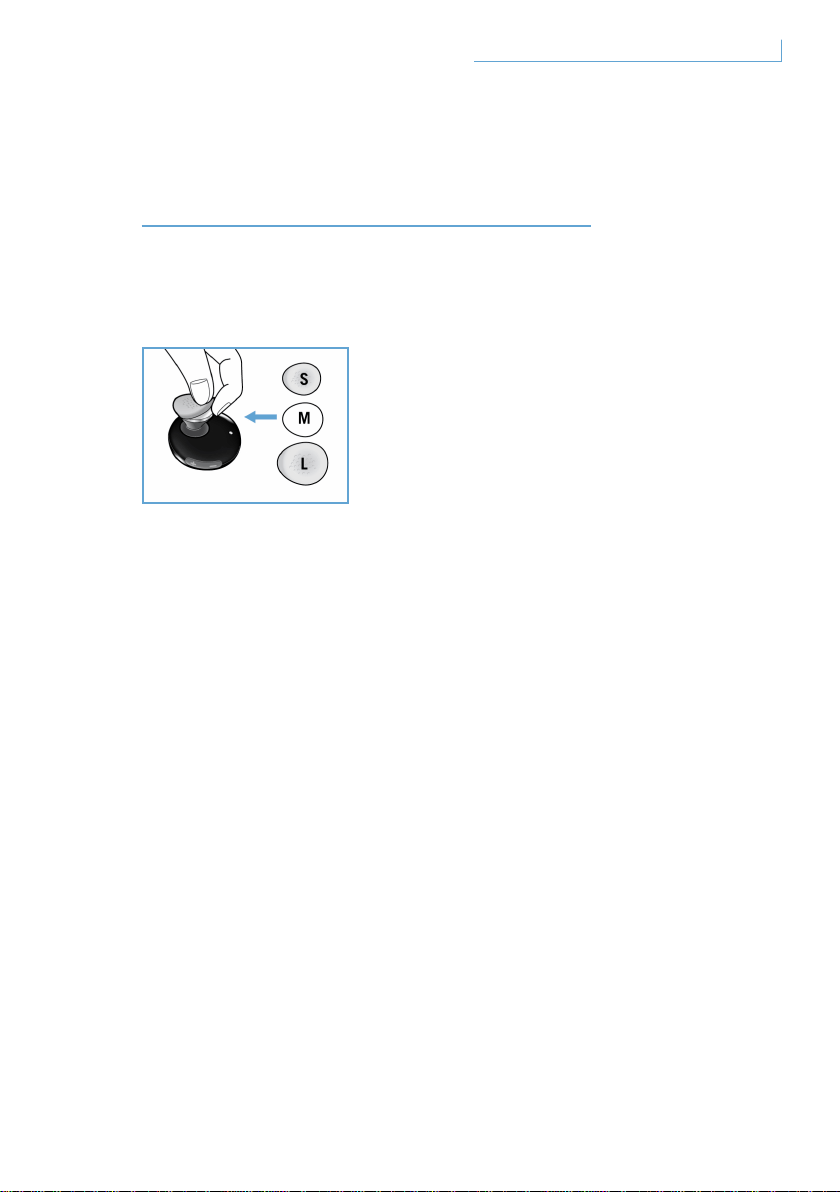
À LA RECHERCHE
DU MEILLEUR RÉGLAGE
Le casque Breeze est livré avec trois caches de mini-écouteurs de taille
différente pour un confort personnalisé.
Pour retirer le cache d’origine de taille moyenne, maintenez le corps
de l’écouteur et détachez soigneusement le cache du mini-écouteur.
Placez un nouveau cache sur l’écouteur. Pour un confort d’utilisation
longue durée, choisissez la taille qui vous convient le mieux.
31À la recherche du meilleur réglage FR
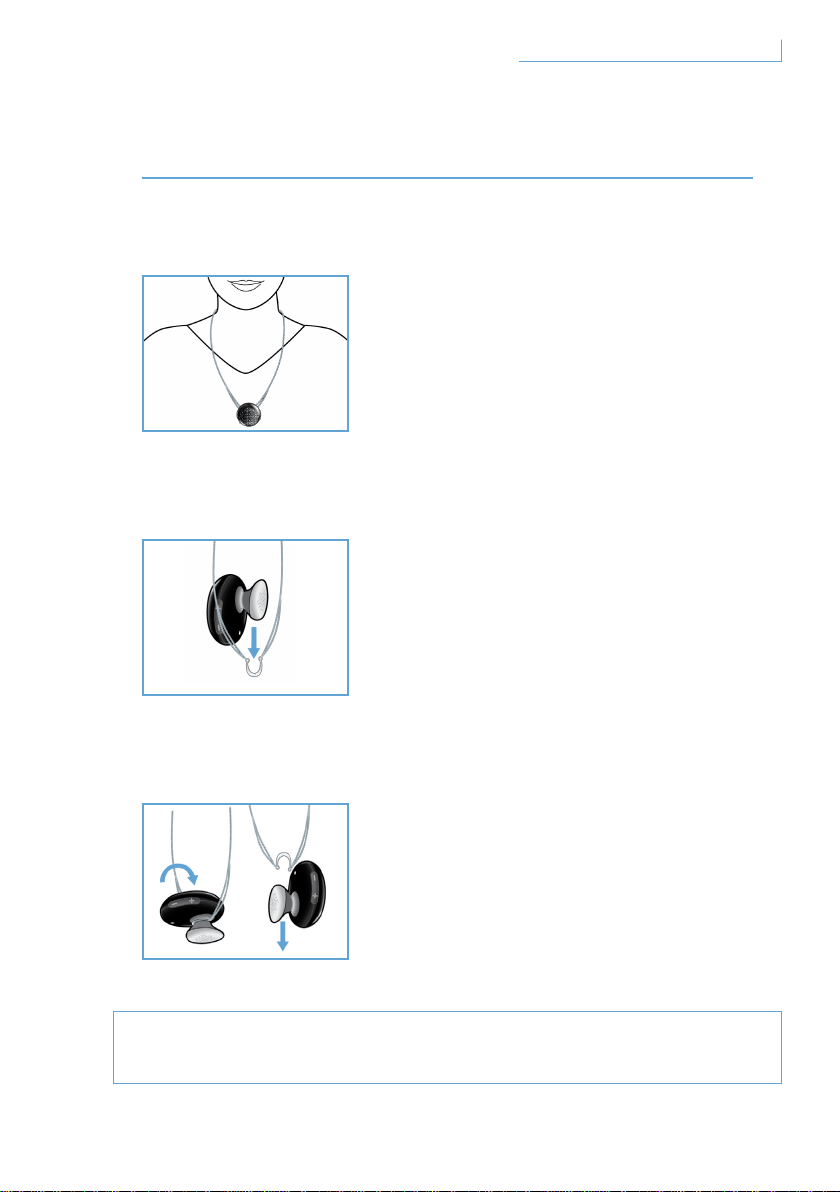
PORT DE VOTRE CASQUE BREEZE
Port avec une lanière
Fixation du casque Breeze à la lanière
Décrochage du casque Breeze de la lanière
Ne forcez pas ou n’essayez pas de tirer sur la boucle
semi-circulaire : cela pourrait endommager le casque.
32Port de votre casque Breeze
Votre casque Breeze peut être attaché à une
lanière de cou, avec ou sans tour d’oreille.
Faites doucement glisser le casque Breeze
dans la boucle semi-circulaire.
Vous pouvez choisir d’utiliser ou non le tour
d’oreille, à votre convenance.
Tournez le casque Breeze vers
l’avant et tirez-le doucement.
FR
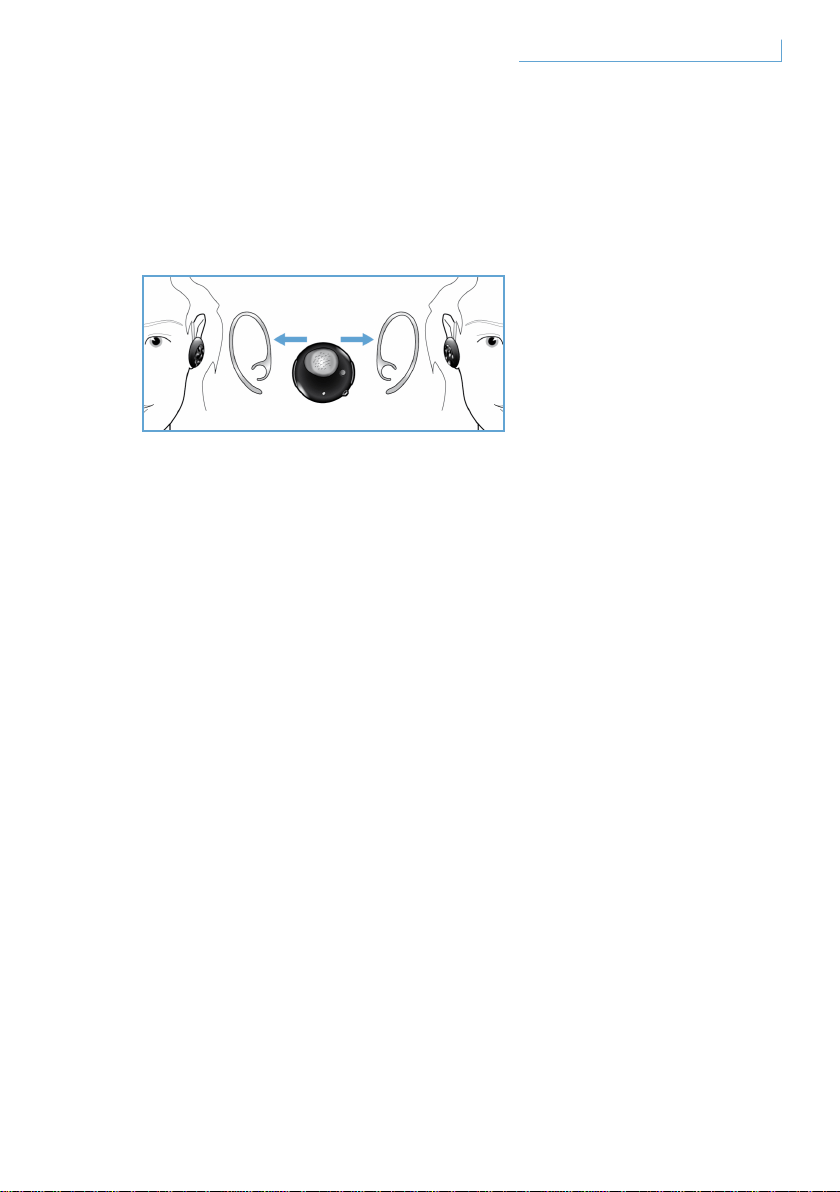
Port du casque sur votre oreille à l’aide du tour d’oreille
Vous pouvez porter le casque Breeze indifféremment sur l’oreille gauche
ou droite.
Faites glisser le tour d’oreille en suivant les instructions pour l’oreille
gauche ou droite. Vous entendez un clic lorsque le tour d’oreille est
correctement fixé au casque. Le microphone doit être positionné sur la
partie inférieure avant, que vous décidiez de porter le casque sur le côté
gauche ou droit.
33Port de votre casque Breeze FR

DÉPANNAGE ET FAQ
Le son est coupé par moments ou j’entends des parasites
1 Vérifiez l’état de la batterie et rechargez le casque si la batterie
est faible.
2 Vérifiez que la distance entre votre téléphone portable et le casque
est inférieure à la portée maximale spécifiée.
3 Vérifiez qu’aucune barrière ne gêne la communication entre
le casque et votre téléphone portable.
4 Pour une qualité audio optimale, portez toujours votre casque
du même côté que votre téléphone portable.
Lorsque j’allume le casque, celui-ci n’émet aucun son
1 Vérifiez que le casque a été couplé avec le téléphone portable
approprié et qu’il est allumé.
2 Augmentez le volume de votre casque.
Le casque ne peut pas être couplé
1 Consultez à nouveau la section « Couplage de votre casque Breeze
à votre téléphone portable » et suivez les étapes indiquées.
2 Vérifiez que vous avez entré le bon code PIN (0000).
3 Supprimez tous les appareils Bluetooth enregistrés sur votre
téléphone portable et essayez à nouveau de le coupler avec votre
casque Breeze.
4 Vérifiez que votre casque n’est pas connecté à un autre
appareil Bluetooth.
Besoin d’aide?
Aide en ligne : www.active-crystals.com
Pour accéder à une aide interactive, aux questions fréquemment posées,
aux mises à jour de logiciel et à l’assistance.
34Dépannage et FAQ FR

CARACTÉRISTIQUES TECHNIQUES
Autonomie en conversation >= 4,5 heures*
Autonomie en veille >= plus de 120 heures*
Durée de la charge < 1,5 heure
Type de Bluetooth Bluetooth version 2.0 + EDR, HSP, HFP
Portée jusqu’à 10 mètres
Prise en charge du casque Bluetooth et du profil mains libres
Batterie rechargeable avec option de charge depuis le PC via un
câble USB, depuis l’adaptateur CA/CC (non inclus) ou l’adaptateur
allume-cigare (non inclus)
* Les résultats réels peuvent varier.
35Caractéristiques techniques FR
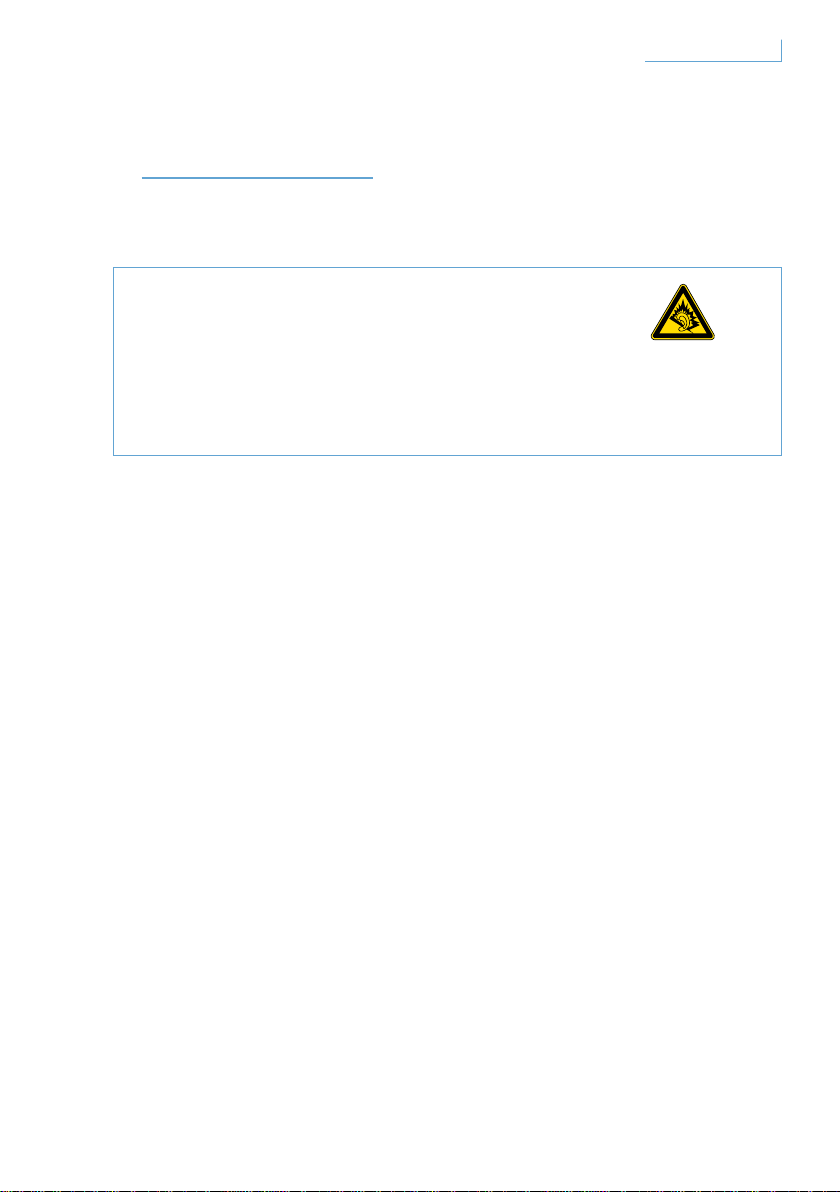
IMPORTANT
Sécurité de l’audition
Danger
Pour éviter tout dommage sur l’audition, limitez le temps
d’utilisation avec le casque à un fort volume, réglez le volume à un
niveau convenable. Plus le volume est fort, lus vous devrez écourter
le temps d’écoute.
Assurez-vous de respecter les directives suivantes lors
de l’utilisation des écouteurs
• Ecoutez la musique à un volume adapté durant une période raisonnable.
• Attention à ne pas régler le volume progressivement à un niveau plus
élevé lors de l’écoute.
• N’augmentez pas le volume à un niveau si fort que vous ne pourriez plus
entendre les bruits environnants.
• Vous devez prendre des précautions ou arrêter temporairement
l’utilisation du casque dans des situations potentiellement dangereuses.
• Utiliser ce casque sur les deux oreilles lorsque vous conduisez n’est pas
recommandé et peut être illégal dans certains pays.
• Pour votre sécurité, évitez d’être distrait(e) par de la musique
ou des appels téléphoniques sur la route ou dans des lieux
potentiellement dangereux.
36Important FR

Champs électriques-, Magnétiques- et électromagnétiques ( EMF )
1 Philips Electronics fabrique et vend de nombreux produits aux
consommateurs qui, comme tout appareil électronique, peuvent émettre
et recevoir des signaux électromagnétiques.
2 L’un des principe commercial majeur de Philips est de prendre toutes
les mesures nécessaires de sécurité pour nos produits, se conformant
à toutes les exigences légales applicables dans les normes EMF au
moment de la fabrication des produits.
3 Philips s’est engagé à développer, produire et commercialiser des
produits ne causant aucun effet néfaste sur la santé.
4 Philips confirme que ses produits sont traités de manière adaptée à
leur usage, leur utilisation ne cause aucun danger selon les preuves
scientifiques disponibles à ce jour.
5 Philips joue un rôle actif dans le développement du EMP international
et des normes de sécurité, ce qui permet à Philips d’anticiper de futurs
développements dans la normalisation pour l’intégration de ses produits.
Entretien général
Pour éviter tout dommage ou dysfonctionnement
• N’exposez pas le casque à une chaleur excessive.
• Ne faîtes pas tomber votre casque.
• N’immergez pas votre casque dans l’eau.
• N’utilisez aucun agent nettoyant contenant de l’alcool, de l’ammoniaque,
de l’essence ou des substances abrasives. Si un nettoyage est
nécessaire, essuyez le produit avec un chiffon doux. Vous pouvez aussi
utiliser un chiffon humidifié d’un peu d’eau ou d’un peu de savon
doux dilué.
37Important FR
Températures de fonctionnement et de rangement
Ne faîtes pas fonctionner et ne rangez pas le produit dans un lieu où la
température est inférieure à -15°C (5°F) ou supérieure à 55°C (131°F)
car cela pourrait réduire la durée de vie de la pile.
Comment jeter votre produit en fin de vie
Votre produit est conçu et fabriqué avec des matériaux et des
composants de haute qualité, pouvant être recyclés et réutilisés.
Lorsque ce symbole d’une poubelle à roues barrée d’une croix est visible
sur un produit, cela signifie que le produit est couvert par la Directive
Européenne 2002/96/ EC. Veuillez vous informer à propos du système
local de recyclage des produits électriques et électroniques. Veuillez
agir selon les règles de votre lieu d’habitation et ne jetez pas votre
produit usé avec les autres déchets ménagers. Jeter votre produit en fin
de vie dans un centre adapté empêchera des conséquences négatives
potentielles sur l’environnement et la santé humaine.
Comment jeter la pile intégrée
Si votre pays n’est pas équipé d’un système de ramassage / recyclage
des produits électroniques, vous pouvez tout de même protéger
l’environnement en enlevant et en recyclant la pile avant de jeter le
casque. Veuillez amener la pile dans un centre de recyclage pour les
piles. L’enlèvement de la pile du produit détruira le produit.
Assurez-vous que le casque soit déconnecté de l’adaptateur
d’alimentation avant d’enlever la pile.
38Important FR

Remarques pour l’Union européenne
Par la présente, Philips Consumer Electronics, BU P&A, déclare que
l’appareil Philips Blutooth headset SWB9000/SWB9200 est conforme
aux exigences essentielles et aux autres dispositions pertinentes de la
directive 1999/5/CE. Vérifiez le dossier racine de votre CD du manuel
d’utilisation ou la feuille supplémentaire de la déclaration de conformité.
Marques déposées
La marque Bluetooth et les logos sont les propriétés
de Bluetooth SIG, Inc.
© 2008 Koninklijke Philips Electronics N.V. & Swarovski AG.
All rights reserved.
39Important FR

CONTENIDO
BIENVENIDO 41
Toda la gama 41
INTRODUCCIÓN 42
El auricular Breeze incorpora
los siguientes botones y funciones 42
Carga del auricular Breeze 43
Encendido y apagado del auricular Breeze 44
Emparejamiento del
auricular Breeze con el teléfono móvil 45
FUNCIONES DEL AURICULAR BREEZE 46
Cómo realizar una llamada 46
Cómo responder a una llamada 46
Cómo finalizar o cancelar una llamada 47
Transferencia de llamadas 47
Rechazo de llamadas 47
Cómo volver a llamar
al último número marcado 47
Llamada en espera o retenida 47
Ajuste del sonido y del volumen 48
QUÉ INDICAN LOS PILOTOS 49
CÓMO CONSEGUIR EL MEJOR AJUSTE 50
CÓMO LLEVAR EL AURICULAR BREEZE 51
Colgado de un cordón 51
Puesto en la oreja
mediante el gancho de oreja 52
SOLUCIÓN DE PROBLEMAS
Y PREGUNTAS MÁS FRECUENTES 53
¿Necesita ayuda? 53
ESPECIFICACIONES 54
IMPORTANTE 55
ES
40Contenido
BIENVENIDO
Gracias por comprar este producto Active Crystals. Diseñado para
mujeres por mujeres, su producto Active Crystals es un objeto creado
con artesanía superior, ejecutado con el cristal Swarovski más fino que
incluye la tecnología puntera de Philips. Le deseamos una experiencia
realmente agradable.
Toda la gama
Breeze Black Breeze White
41Bienvenido ES
INTRODUCCIÓN
Nota importante
• Extreme las precauciones cuando vaya a realizar o responder
a una llamada telefónica si está conduciendo.
• Conduzca siempre de forma segura y cumpla la normativa
nacional de tráfico.
El auricular Breeze incorpora los siguientes botones y funciones
Puerto USB
Inserte el cable para cargar el auricular Breeze
Botón multifunción (MFB): botón de cristal
Para obtener más información, consulte la sección
“Funciones del auricular Breeze”.
Botón de emparejamiento (PAIR)
Manténgalo pulsado para emparejar el auricular Breeze con el teléfono
móvil
Piloto LED
Se ilumina en color rojo o azul, según la actividad
A. Puerto USB
B. Botón multifunción
de cristal
C. Botón de
emparejamiento
E. Botón de control
de volumen
D. LED
42Introducción ES
Botón de control de volumen (+/-)
Púlselo una vez para ajustar el volumen
Carga del auricular Breeze
Asegúrese de que el auricular Breeze esté totalmente cargado antes
de utilizarlo.
Puede cargar el auricular Breeze de dos formas:
1 Conecte el auricular Breeze al ordenador mediante
el cable USB incluido.
2 Conecte el auricular Breeze a un adaptador de AC/DC * o a un adaptador
de DC/DC ** para coche. (Tenga en cuenta que los adaptadores no se
incluyen en el embalaje y se venden por separado).
El piloto LED en color rojo indica que el auricular Breeze se está
cargado. Se apagará automáticamente cuando la batería esté totalmente
cargada. Un pitido le avisará de que la batería se está quedando
sin carga. En ese momento deberá recargar el auricular Breeze para
mantener la mayor calidad de comunicación posible.
* Número de modelo de los adaptadores Philips de AC/DC SCM2280/05 (Reino Unido),
SCM2280/12 (Europa) y SCM2280/37 (EE. UU.)
** Número de modelo de los adaptadores de DC/DC para coche de Philips SCM2180/05
(Reino Unido), SCM2180/12 (Europa) y SCM2180/37 (EE. UU.)
43Introducción ES
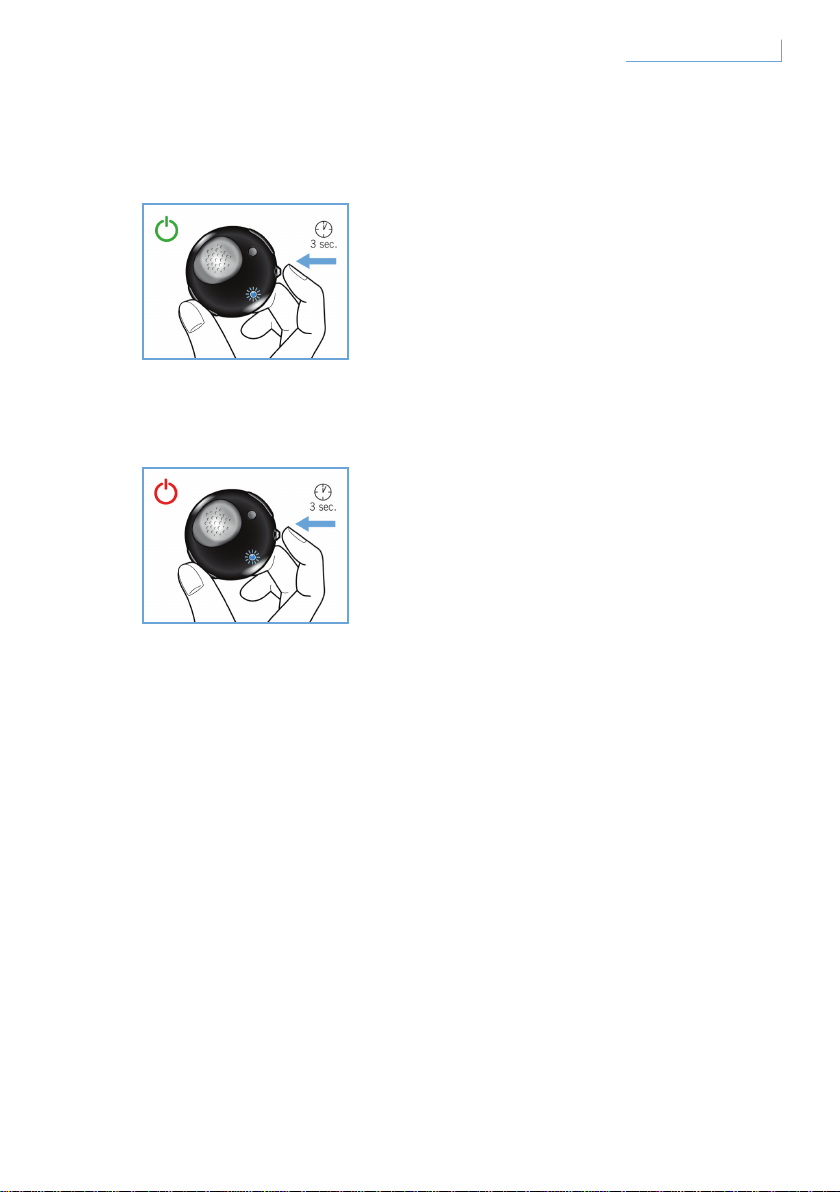
Encendido y apagado del auricular Breeze
Para encender el auricular, mantenga pulsado MFB hasta que el LED
esté encendido y parpadeando en color azul.
Para apagar el auricular, es necesario mantener pulsado MFB hasta
que el LED rojo parpadee una vez; a continuación, se apaga.
44Introducción ES
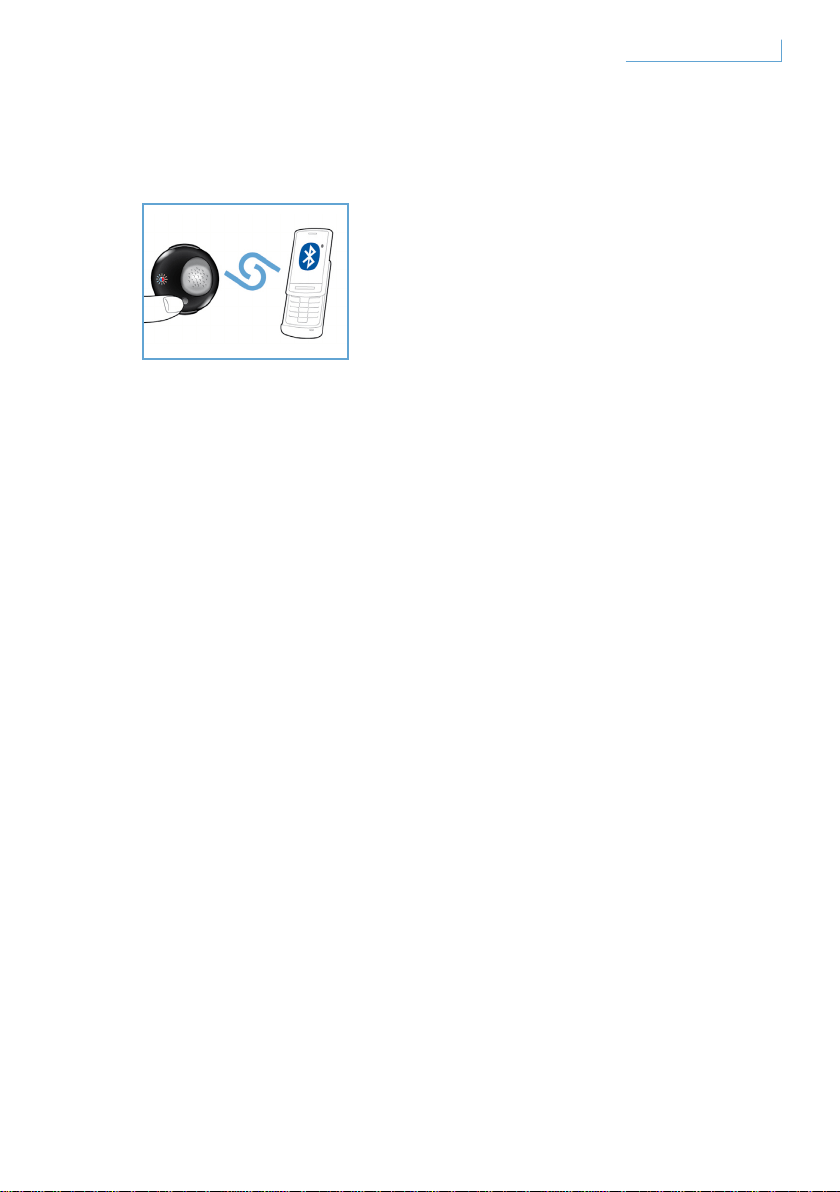
Emparejamiento del auricular Breeze con el teléfono móvil
Antes de utilizar el auricular Breeze, debe emparejarlo con
el teléfono móvil.
1 Encienda el auricular Breeze.
2 Mantenga pulsado el botón PAIR hasta que el piloto LED alterne
entre los colores rojo y azul.
3 Cambie la configuración del teléfono móvil para que éste pueda
buscar dispositivos Bluetooth. Seleccione “Breeze” entre las
opciones disponibles que se muestren en el teléfono móvil.
4 Cuando se le solicite el número PIN de “Breeze”, introduzca el
“0000” en el teléfono móvil y pulse para confirmar.
5 El emparejamiento habrá finalizado.
Cuando la operación de emparejamiento haya finalizado,
el piloto LED rojo se apagará y parpadeará en color azul.
45Introducción ES
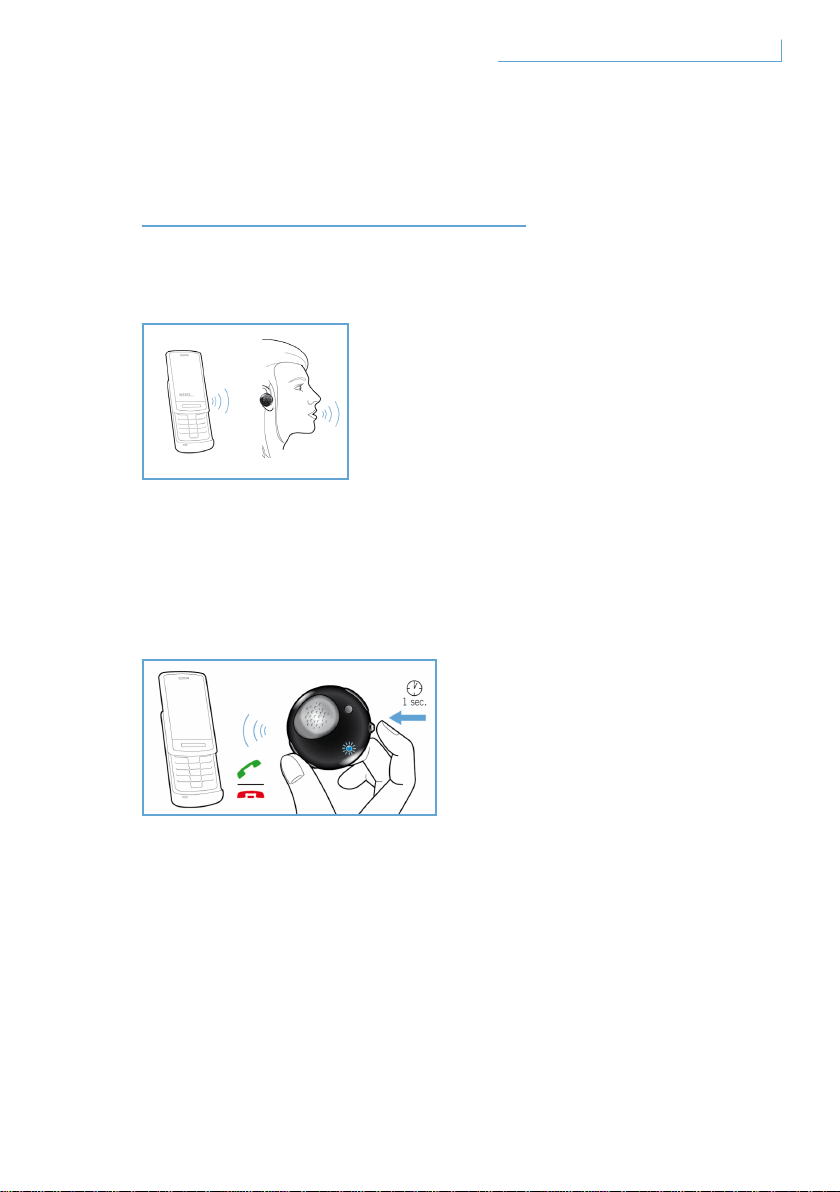
FUNCIONES DEL
AURICULAR BREEZE
Cómo realizar una llamada
Para realizar una llamada, basta con marcar el número de teléfono que
desee y la llamada se transferirá automáticamente al auricular. Si por
algún motivo inusual esta operación no se lleva a cabo, bastaría con
pulsar el botón MFB para realizar la transferencia.
Cómo responder a una llamada
Pulse el botón MFB una vez y oirá un tono de respuesta, lo cual indica
que la llamada entrante está activa.
46Funciones del auricular Breeze ES

Cómo finalizar o cancelar una llamada
Pulse el botón MFB una vez. El sonido de respuesta significa que la
llamada activa o saliente ha finalizado.
Transferencia de llamadas
Para transferir una llamada activa del auricular al teléfono móvil,
mantenga pulsado MFB durante aproximadamente un segundo hasta que
se oiga el tono de respuesta.
Rechazo de llamadas
Mantenga pulsado MFB durante aproximadamente un segundo cuando la
llamada entrante esté sonando hasta que se oiga el sonido de respuesta.
Cómo volver a llamar al último número marcado
Para volver a llamar al último número marcado, pulse MFB una vez hasta
que oiga el tono de respuesta.
Llamada en espera o retenida*
Para cambiar entre dos llamadas entrantes, mantenga pulsado MFB
durante aproximadamente un segundo hasta que se oiga el sonido de la
pulsación de un botón como respuesta.
* Las funciones marcadas con un asterisco (*) dependen del teléfono y/o del servicio
de red
47Funciones del auricular Breeze ES
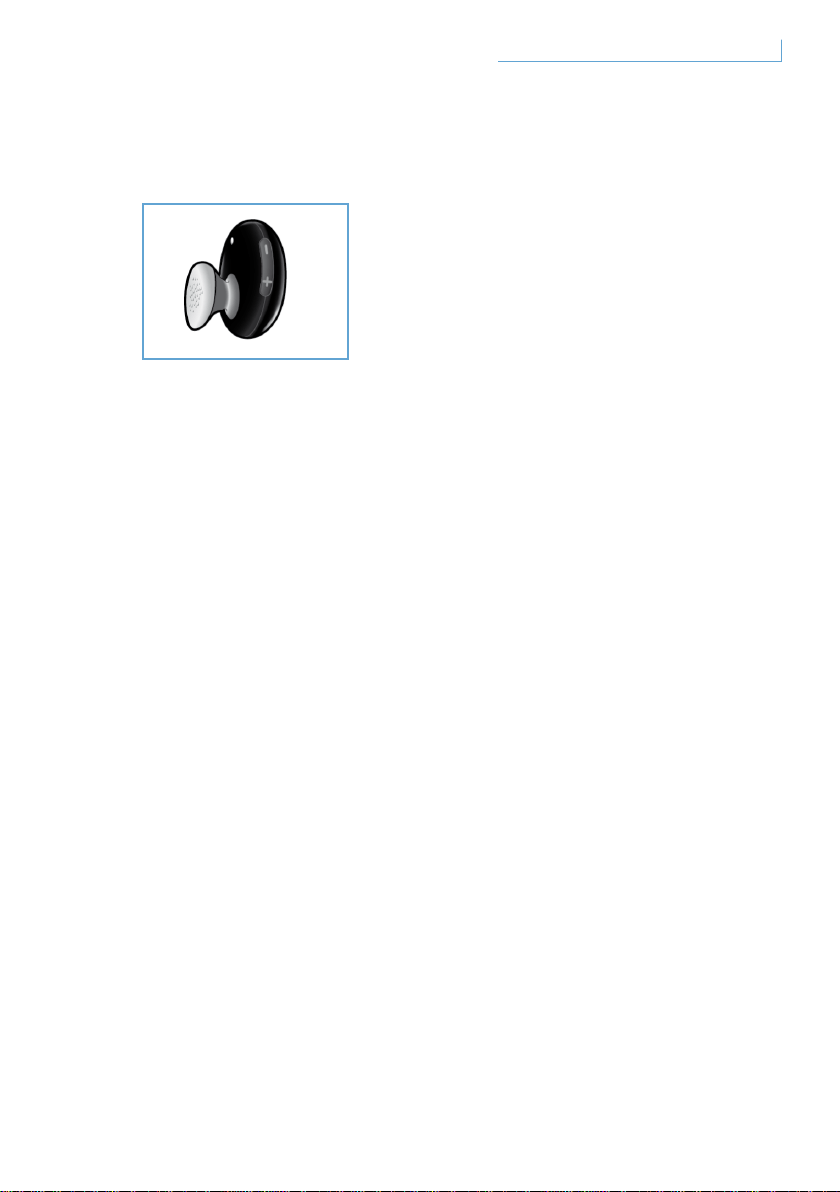
Ajuste del sonido y del volumen
Pulse arriba (+) o abajo (-) en el botón de control de volumen para
ajustar el volumen. Cada vez que pulse el botón de ajuste de volumen,
oirá un tono de respuesta.
48Funciones del auricular Breeze ES
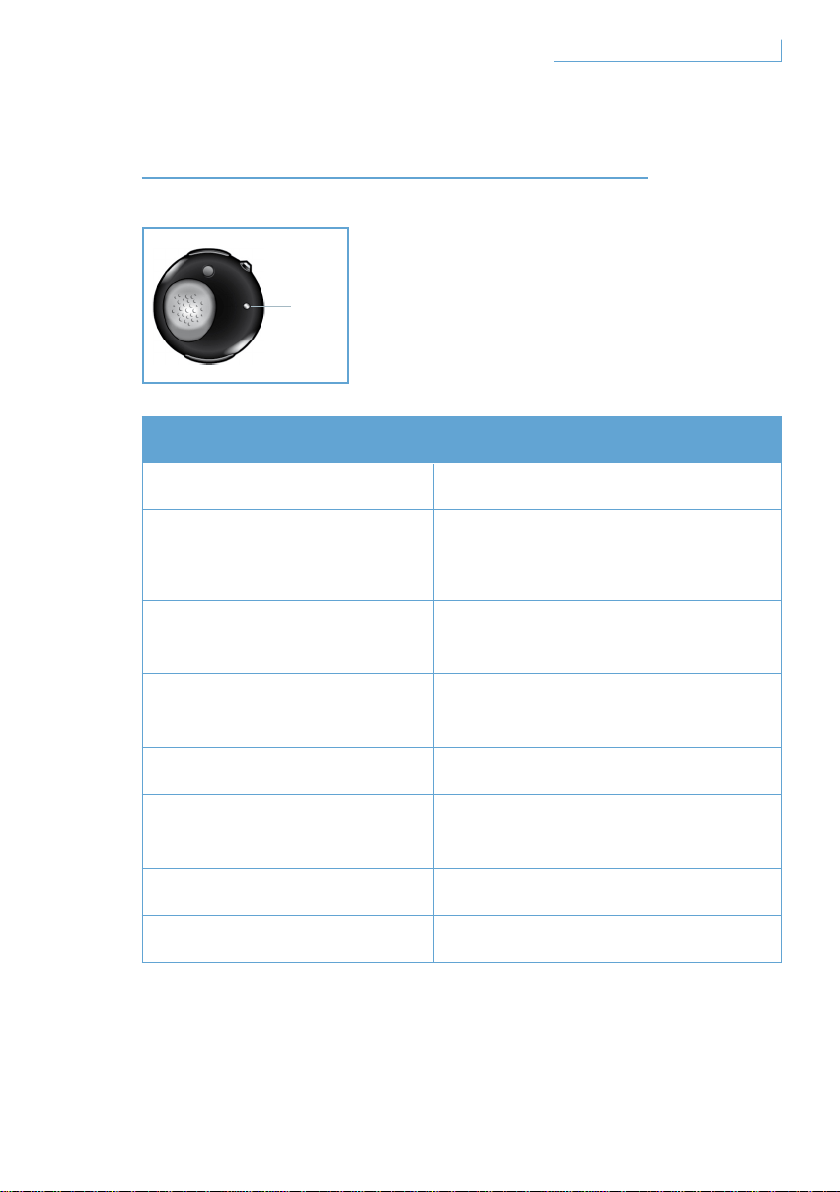
QUÉ INDICAN LOS PILOTOS
Lo que ve Qué indica en el auricular
Piloto azul parpadeando Parpadeo rápido, llamada activa
Piloto azul que parpadea
tres veces
Parpadeo lento
(intervalos de 2 segundos),
llamada entrante/saliente
Piloto azul que parpadea
dos veces
Parpadeo muy lento (intervalos de
5 segundos), en modo conectado
Piloto azul que parpadea
una vez
Parpadeo muy lento (intervalos de
5 segundos), en modo de espera
Piloto rojo parpadeando Batería baja
Piloto que parpadea en rojo
y azul alternativamente
En modo emparejado
Piloto rojo permanente Cargando
Sin luz Totalmente cargado
49Qué indican los pilotos
D. LED
ES
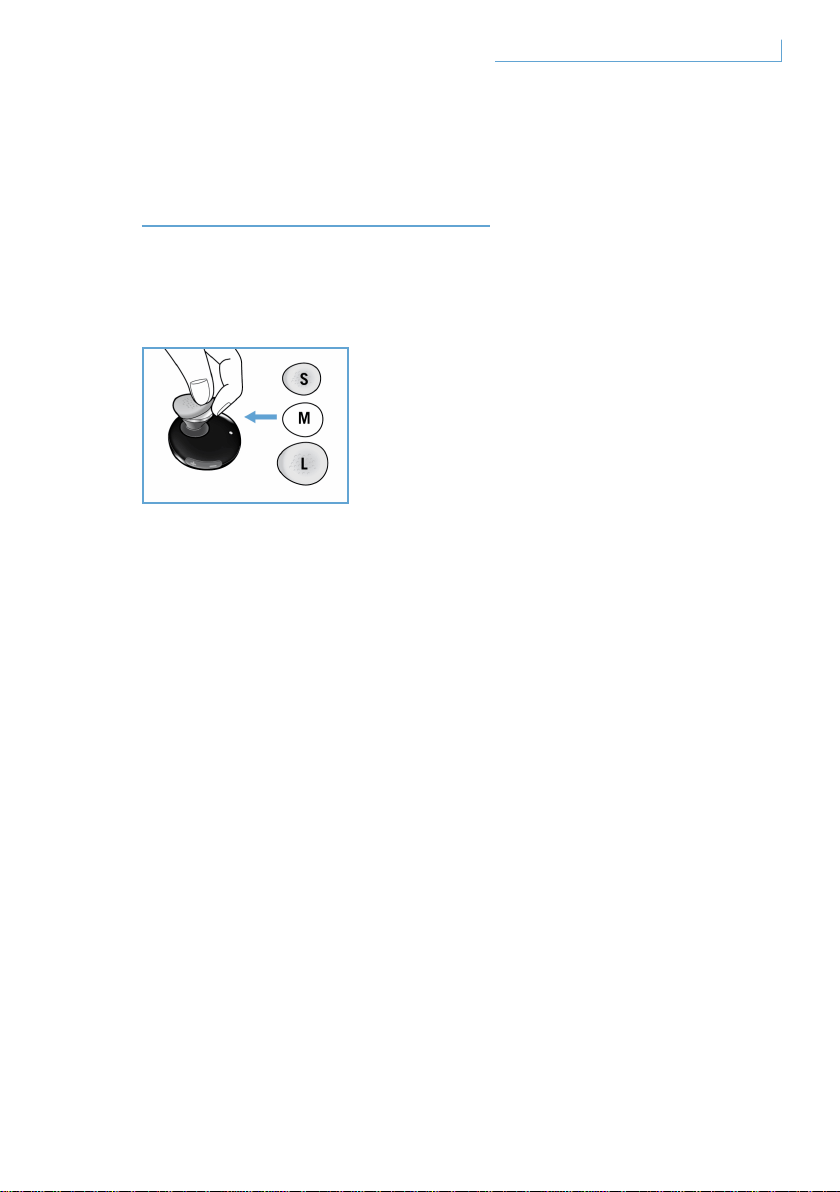
CÓMO CONSEGUIR
EL MEJOR AJUSTE
El auricular Breeze dispone de tres tamaños diferentes de fundas de
auriculares para conseguir una comodidad personalizada.
Para quitar la funda original de tamaño medio, sujete el cuerpo del
auricular y quite con cuidado la funda de auriculares. Coloque la nueva
funda sobre el auricular. Para conseguir un confort duradero, elija el
tamaño que más le convenga.
50Cómo conseguir el mejor ajuste ES
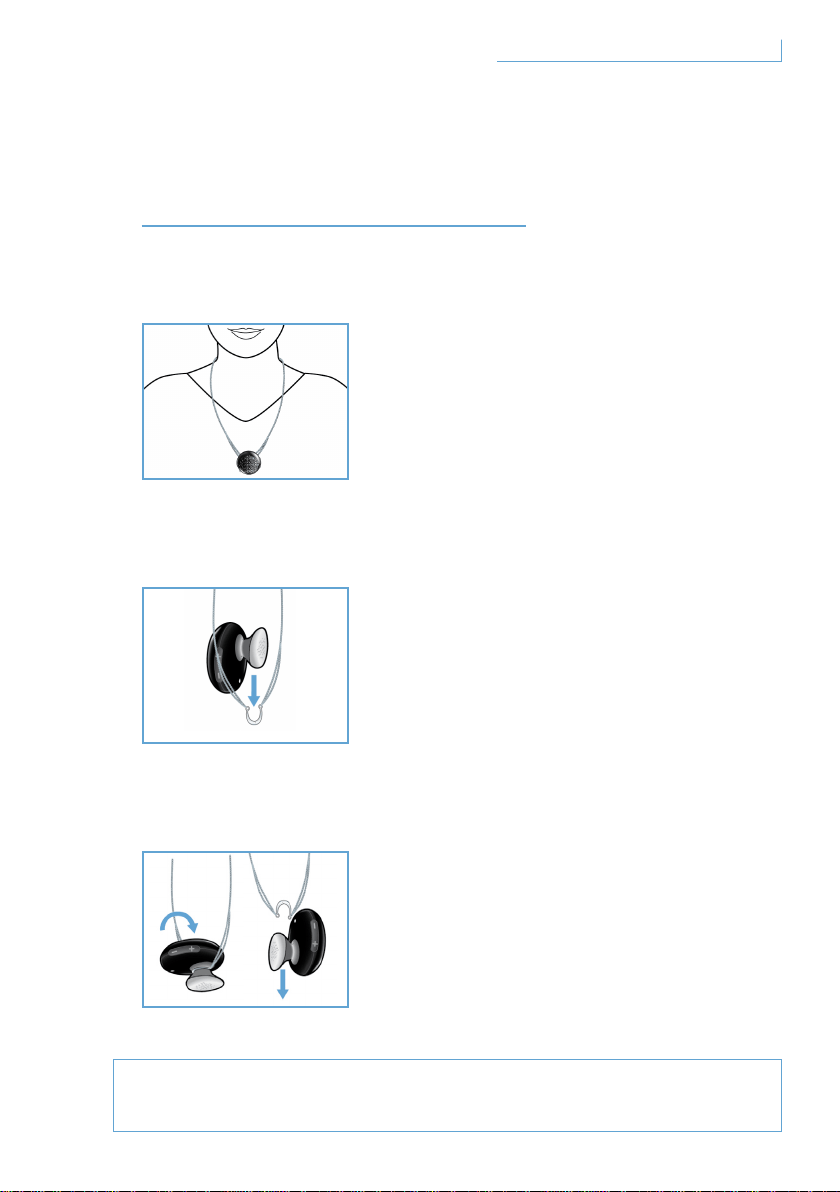
CÓMO LLEVAR EL
AURICULAR BREEZE
Colgado de un cordón
Cómo ajustar el auricular Breeze al cordón:
Cómo quitar el auricular Breeze del cordón:
No fuerce ni intente tirar del gancho semicircular, ya que podría
dañar el auricular.
51Cómo llevar el auricular Breeze
El auricular Breeze se puede ajustar a un
cordón para el cuello, con o sin el gancho
de oreja.
Deslice el auricular Breeze suavemente
por el gancho semicircular.
Esto se puedo hacer con o sin el gancho
de oreja.
Gire el auricular Breeze hacia
adelante y tire suavemente.
ES
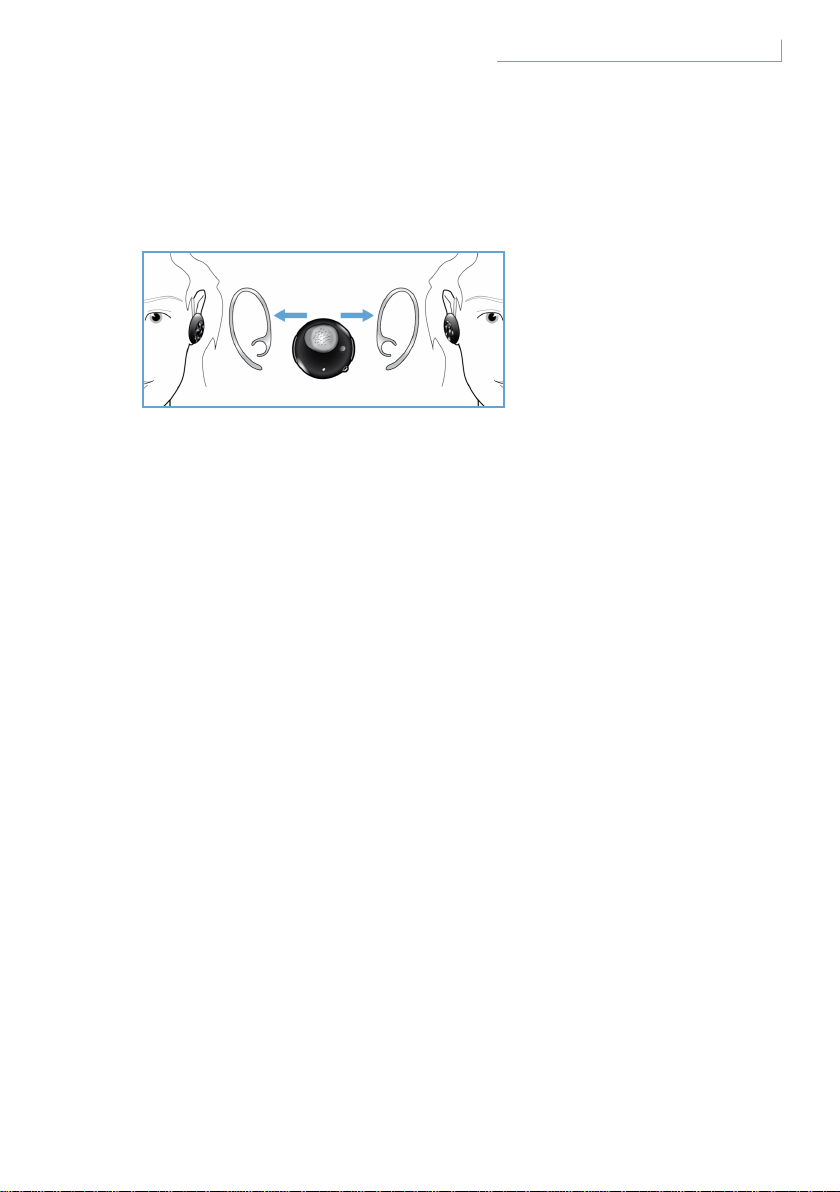
Puesto en la oreja mediante el gancho de oreja
El auricular Breeze se puede llevar en la oreja izquierda o en la derecha.
Deslice el gancho de oreja según se indica en las ilustraciones en la
oreja izquierda o en la derecha. Oirá un clic cuando el gancho de oreja
se haya fijado de forma segura al auricular. El micrófono se debe colocar
en la parte frontal inferior tanto si lleva el auricular en la oreja derecha
como en la izquierda.
52Cómo llevar el auricular Breeze ES

SOLUCIÓN DE PROBLEMAS Y
PREGUNTAS MÁS FRECUENTES
Se oye una interrupción de sonido intermitente o estática
1 Compruebe el estado de la batería y recargue el auricular si la batería
se está quedando sin carga
2 Compruebe que la distancia entre el teléfono móvil y el auricular está
dentro del alcance de funcionamiento específico
3 Compruebe si existe algún obstáculo físico entre el auricular y el
teléfono móvil
4 Para conseguir la mejor calidad de audio, lleve siempre el auricular
en el mismo lado que el teléfono móvil
No se oye sonido cuando enciende el auricular
1 Asegúrese de que el auricular se ha emparejado con el teléfono móvil
correspondiente y de que esté encendido
2 Aumente el volumen del auricular
El auricular no se puede emparejar
1 Consulte la sección “Emparejamiento del auricular Breeze
con el teléfono móvil” y siga las instrucciones pertinentes
2 Asegúrese de que ha introducido el código PIN correcto (0000)
3 Elimine todos los dispositivos Bluetooth almacenados en el teléfono
móvil e intente emparejarlo de nuevo con el auricular Breeze
4 Asegúrese de que el auricular no esté conectado a otro
dispositivo Bluetooth
¿Necesita ayuda?
Ayuda en línea: www.active-crystals.com
Para obtener ayuda interactiva, preguntas frecuentes,
actualizaciones de software y soporte.
53Solución de problemas y preguntas más frecuentes ES

ESPECIFICACIONES
Tiempo de conversación >= 4,5 horas*
Tiempo en espera >= hasta 120 horas*
Tiempo de carga < 1,5 horas
Tipo de Bluetooth Bluetooth versión 2.0 + EDR, HSP, HFP
Alcance de funcionamiento hasta 10 metros
Compatibilidad de perfiles del auricular Bluetooth y manos libres
Batería recargable con opción de carga desde el ordenador a través de un
cable USB, de un adaptador de CA/CC (no incluido), o de un adaptador
para coche (no incluido)
* Los resultados reales pueden variar
54Especificaciones ES
IMPORTANTE
Seguridad en la audición
Peligro
Para no dañar su capacidad de audición deberá limitar el tiempo
de uso de los auriculares a volumen elevado y ajustar el volumen a
un nivel seguro. Cuanto más elevado sea el volumen menor tiempo
podrá utilizar los auriculares sin dañar su audición.
Siga las siguientes recomendaciones durante el uso de los auriculares
• Escuche a un volumen razonable durante un periodo de tiempo
razonable.
• No incremente el volumen de modo continuo cada vez que sus oídos se
acostumbran al nivel de volumen actual.
• No ajuste el volumen a un nivel alto que no le permita escuchar lo que
sucede a su alrededor.
• Extreme las precauciones o interrumpa el uso en situaciones
potencialmente peligrosas.
• No es recomendable utilizar estos auriculares con las dos orejas
cubiertas mientras conduce y puede ser ilegal en algunas zonas.
• Por su seguridad, evite distracciones de música o llamadas telefónicas
mientras se encuentra en la carretera o en otras circunstancias
potencialmente peligrosas.
55Importante ES

Campos Eléctricos, Magnéticos y Electromagnéticos (“EMF”)
1 Philips Electronics fabrica y vende muchos productos destinados a
consumidores, que, al igual que otros aparatos electrónicos, en general
emiten y reciben señales electromagnéticas.
2 Uno de los más destacados Principios Comerciales de Philips consiste en
adoptar todas las medidas de salud y seguridad necesarias para nuestros
productos, de modo que estos cumplan todos los requisitos legales
aplicables y que se mantengan dentro de las normas EMF aplicables en
el momento de fabricar los productos.
3 Philips se compromete a desarrollar, producir y comercializar productos
que no causan ningún efecto adverso sobre la salud.
4 Philips confirma que si sus productos se manipulan correctamente
para el uso indicado, estos son seguros según la evidencia científica
disponible hoy en día.
5 Philips desempeña un papel activo en el desarrollo de normas
internacionales para los campos electromagnéticos EMF y su seguridad,
permitiendo a Philips anticipar cualquier avance en la estandarización e
integrar anticipadamente estos resultados en sus productos.
Mantenimiento general
Para evitar daños o averías:
• No exponga los auriculares a un calor excesivo.
• No deje caer los auriculares.
• No permita que los auriculares se sumerjan en agua.
• No utilice ningún producto de limpieza que contenga alcohol, amoniaco,
benceno u otras sustancias abrasivas. Para limpiar el aparato utilice un
paño suave y, si es necesario moje el paño con una cantidad mínima de
agua o jabón suave diluido en agua.
56Importante ES

Temperaturas de funcionamiento y de almacenaje
No utilizar ni guardar en un lugar con temperatura inferior a -15°C (5°F)
o superior a 55°C (131°F) porque esto reducirá la vida útil del aparato.
Cómo desechar su producto usado
Su producto está diseñado y fabricado con material y componentes de
primera calidad, que pueden ser reciclados y reutilizados.
Cuando este símbolo de una papelera con ruedas con una cruz aparece
junto a un producto, esto significa que el producto cumple la Directiva
Europea 2002/96/EC. Infórmese sobre el sistema separado de recogida
de productos eléctricos y electrónicos de desecho en su localidad. Actúe
en cumplimiento de la legislación local y no tire los productos usados
en la basura normal de su hogar. El cumplimiento de las normas de
desecho para los productos usados evitará consecuencias potencialmente
negativas para el entorno y la salud humana.
Extraer la batería incluida
Si en su país no existen sistemas de recogida / reciclaje para productos
electrónicos, puede proteger el medio ambiente extrayendo y reciclando
la batería antes de tirar los auriculares. Deposite la batería en un
punto de recogida y reciclaje de baterías. Al extraer la batería estará
destrozando el producto.
Asegúrese de que los auriculares están desconectados del adaptador
eléctrico antes de extraer la batería.
57Importante ES

Aviso para la Unión Europea
Por medio de la presente, Philips Consumer Lifestyle, BU P&A, declara
que el Philips Bluetooth headset SWB9000/SWB9200 cumple con
los requisitos esenciales y cualesquiera otras disposiciones aplicables
o exigibles de la Directiva 1999/CE. Compruebe el directorio raíz del
CD del manual del usuario o la página adjunta con la declaración de
conformidad.
Marcas comerciales
La marca Bluetooth y los logos son propiedad de Bluetooth SIG, Inc.
© 2008 Koninklijke Philips Electronics N.V. & Swarovski AG.
All rights reserved.
58Importante ES

INHALT
WILLKOMMEN 60
Komplette Kollektion 60
HIER GEHT’S LOS 61
Ihr Breeze-Headset verfügt über
die folgenden Tasten und Funktionen 61
Aufladen Ihres Breeze-Headsets 62
Ein- und Ausschalten Ihres Breeze-Headsets 63
Koppeln (Pairing) Ihres
Breeze-Headsets mit Ihrem Mobiltelefon 64
FUNKTIONEN IHRES BREEZE-HEADSETS 65
Tätigen eines Anrufs 65
Beantworten eines Anrufs 65
Beenden/Abbrechen eines Anrufs 66
Weiterleiten eines Anrufs 66
Ablehnen eines Anrufs 66
Erneutes Wählen der letzten Nummer 66
Anklopffunktion und Warteschleife 66
Lautstärkenregelung 67
WAS DIE LED ANZEIGEN 68
ANPASSEN DES
HEADSETS AN IHRE BEDÜRFNISSE 69
TRAGEN IHRES NEUEN HEADSETS 70
Das Headset an der Kette tragen 70
Das Headset mit
Ohrbügel an Ihrem Ohr befestigen 71
FEHLERBEHEBUNG UND
HÄUFIG GESTELLTE FRAGEN 72
Hilfe nötig? 72
TECHNISCHE DATEN 73
WICHTIG 74
DE
59Inhalt

WILLKOMMEN
Vielen Dank für den Kauf dieses Active Crystals-Produkts. Ihr – von
Frauen für Frauen – entworfenes Active Crystals-Produkt verkörpert beste
Handwerkskunst aus edelstem Swarovski-Kristall, gepaart mit modernster
Technik von Philips. Wir hoffen, dass Sie hieran viel Freude haben.
Komplette Kollektion
Breeze Black Breeze White
60Willkommen DE
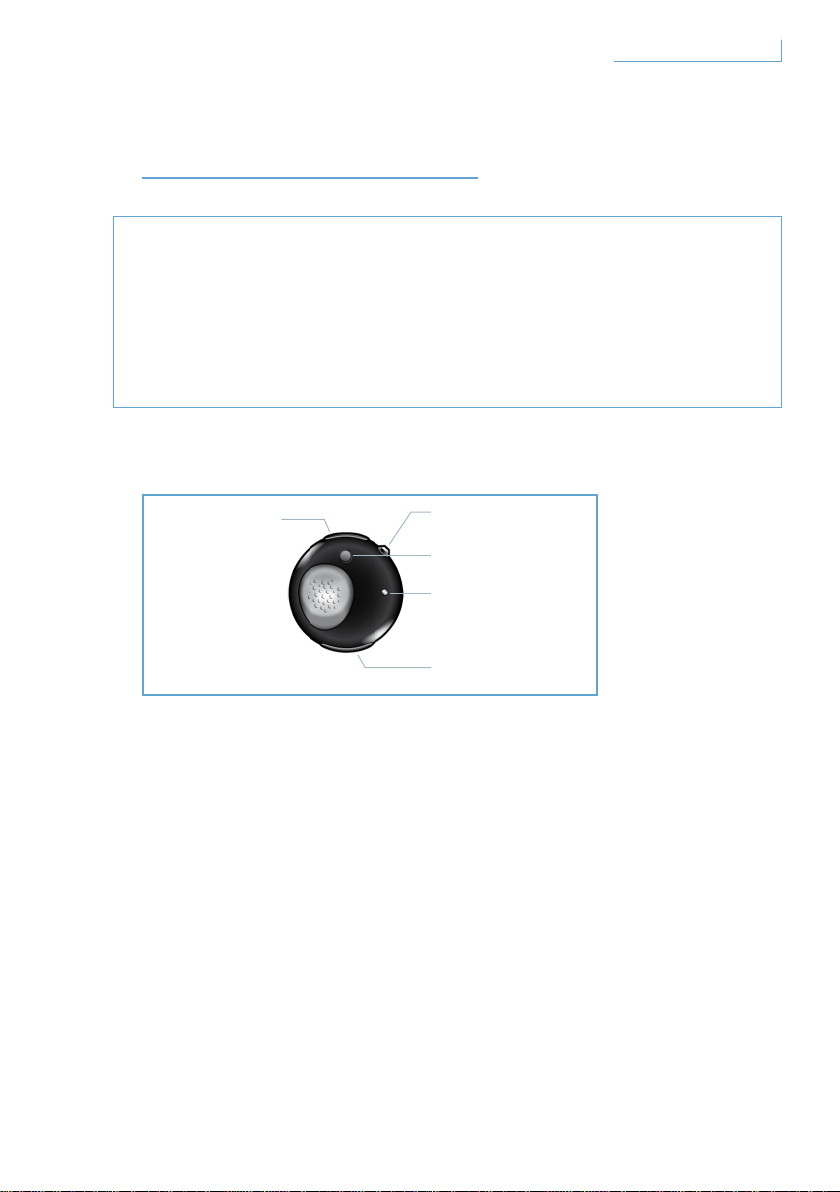
HIER GEHT’S LOS
Wichtiger Hinweis
• Vergewissern Sie sich, bevor Sie während des Fahrens einen Anruf
tätigen oder beantworten, dass Sie sich nicht in Gefahr begeben.
• Fahren Sie stets sicher, und halten Sie sich an die örtlichen
Verkehrregeln und -vorschriften.
Ihr Breeze-Headset verfügt über die folgenden Tasten und Funktionen
USB-Anschluss
Stecken Sie das Kabel in diesen Anschluss,
um Ihr Breeze-Headset aufzuladen
Multifunktionstaste (MFB) – kristallfarbene Taste
Weitere Informationen finden Sie im Abschnitt
“Funktionen Ihres Breeze-Headsets”
Koppeltaste (PAIR)
Halten Sie diese Taste für kurze Zeit gedrückt,
um Ihr Breeze-Headset mit Ihrem Mobiltelefon zu koppeln
LED-Anzeige
Leuchtet je nach Aktivität rot oder blau auf
A. USB-Anschluss
B. Multifunktionstaste
(kristallfarben)
C. Koppeltaste
E. Lautstärketaste
D. LED
61Hier geht’s los DE
Lautstärketaste (+/-)
Drücken Sie diese Taste einmal, um die Lautstärke zu regeln
Aufladen Ihres Breeze-Headsets
Vergewissern Sie sich, dass Ihr Breeze-Headset vor der ersten
Verwendung vollständig aufgeladen ist.
Es gibt zwei Möglichkeiten, Ihr Breeze-Headset aufzuladen:
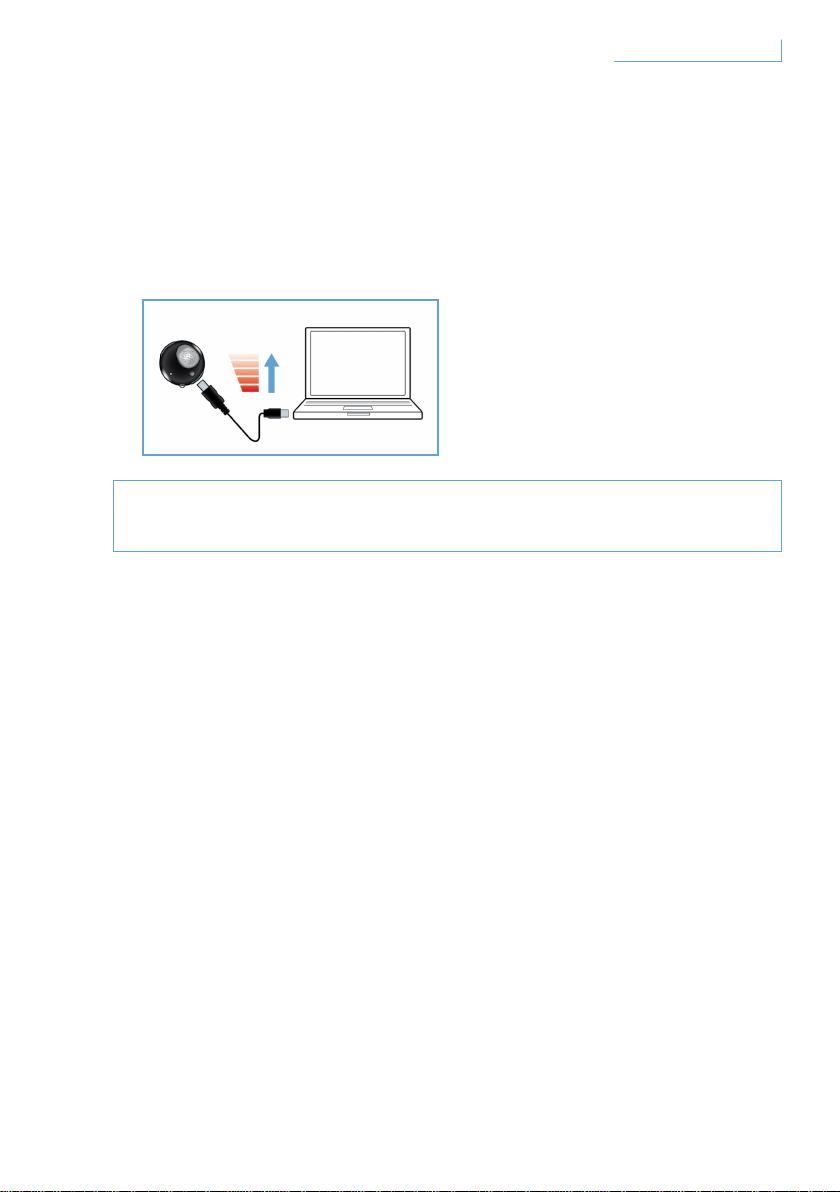
1 Verbinden Sie Ihr Breeze-Headset mithilfe des USB-Kabels
mit Ihrem PC.
2 Verbinden Sie Ihr Breeze-Headset mit einem AC/DC-Adapter* oder
einem DC/DC-Autoadapter**. (Bitte beachten Sie, dass Adapter nicht
im Lieferumfang enthalten, sondern separat erhältlich sind.)
Eine rote LED bedeutet, dass sich Ihr Breeze-Headset im Auflademodus
befindet und sich selbstständig ausschaltet, wenn der Akku vollständig
aufgeladen ist. Wenn der Akku fast vollständig entladen ist, werden
Sie durch einen Piepton gewarnt. In diesem Falle müssen Sie Ihr
Breeze-Headset wieder aufladen, um die optimale Übertragungsqualität
beizubehalten.
* AC/DC-Adapter von Philips, Modell SCM2280/05 (GB), SCM2280/12 (Europa)
und SCM2280/37(USA)
** AC/DC-Autoadapter von Philips, Modell SCM2180/05 (GB), SCM2180/12 (Europa)
und SCM2180/37(USA)
62Hier geht’s los DE
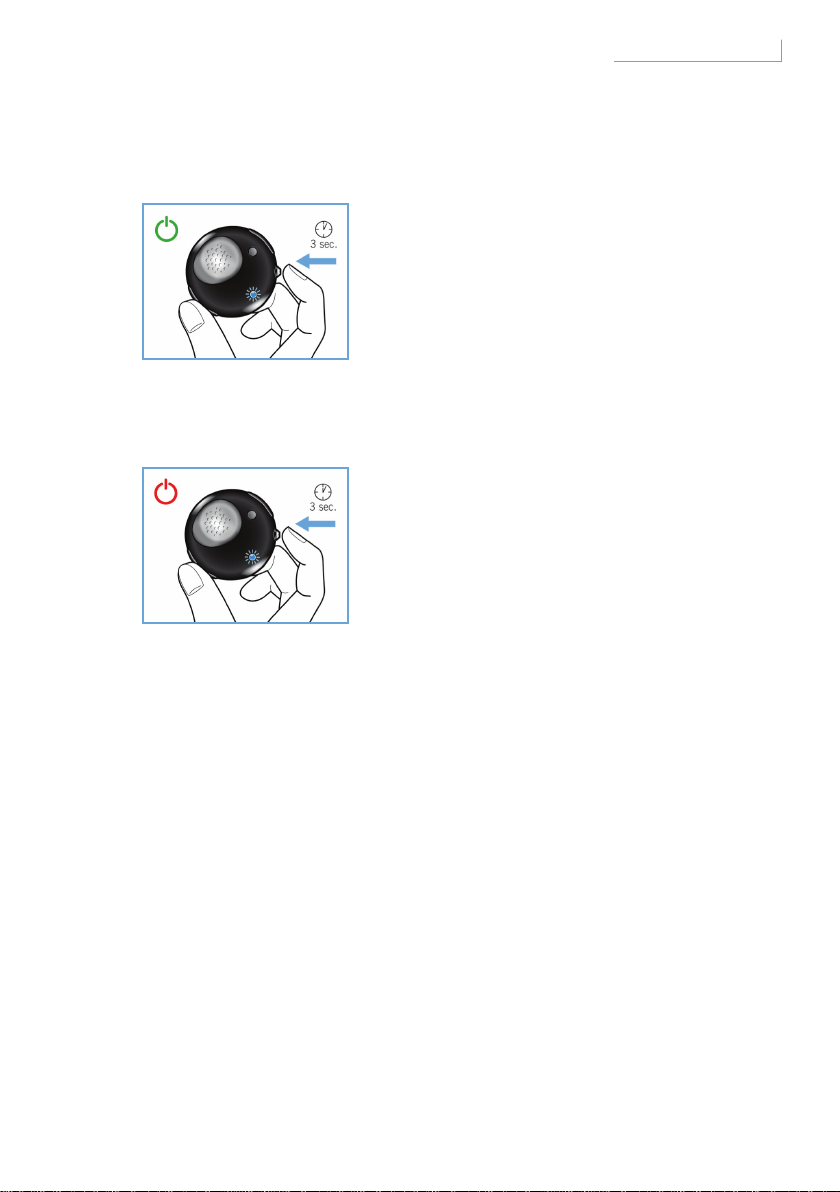
Ein- und Ausschalten Ihres Breeze-Headsets
Halten Sie zum Einschalten Ihres Headsets die Multifunktionstaste
(MFT) solange gedrückt, bis die blaue LED blinkt.
Halten Sie zum Ausschalten Ihres Headsets die Taste MFB gedrückt,
bis die rote LED zu blinken beginnt. Das Headset schaltet sich aus.
63Hier geht’s los DE

Koppeln (Pairing) Ihres Breeze-Headsets mit Ihrem Mobiltelefon
Vor der Verwendung Ihres Breeze-Headsets müssen Sie es mit Ihrem
Mobiltelefon koppeln.
1 Schalten Sie Ihr Breeze-Headset ein.
2 Halten Sie die Koppeltaste (PAIR) solange gedrückt, bis die LED
abwechselnd rot und blau aufleuchtet.
3 Ändern Sie die Einstellung Ihres Mobiltelefons so, dass dies nach
Bluetooth-Geräten sucht. Wählen Sie “Breeze” aus den angezeigten
Optionen auf Ihrem Mobiltelefon aus.
4 Geben Sie, wenn Sie nach einer Geheimzahl für “Breeze” gefragt
werden, die PIN-Nummer “0000” in Ihr Mobiltelefon ein, und drücken
Sie die Taste zum Bestätigen.
5 Die Kopplung ist nun abgeschlossen.
Wenn der Kopplungsprozess abgeschlossen ist, schaltet sich die rote
LED aus, und eine blaue LED blinkt.
64Hier geht’s los DE
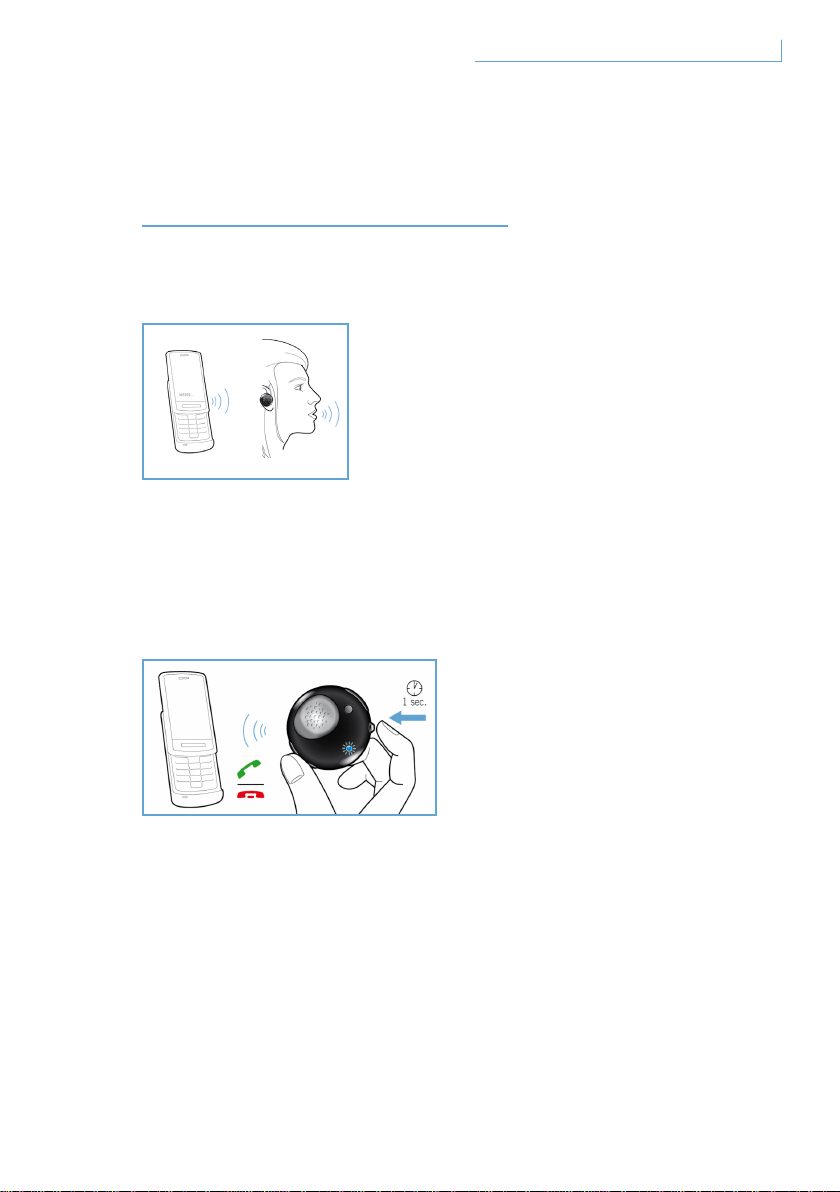
FUNKTIONEN IHRES
BREEZE-HEADSETS
Tätigen eines Anrufs
Wenn Sie einen Anruf tätigen möchten, wählen Sie einfach die
gewünschte Telefonnummer. Der Anruf wird automatisch an Ihr Headset
weitergeleitet. Falls dies wider Erwarten nicht geschieht, tippen Sie auf
die Multifunktionstaste (MFB), um die Übertragung zu starten.
Beantworten eines Anrufs
Drücken Sie die Multifunktionstaste (MFT) einmal. Ein Feedback-Ton
ertönt. Dies bedeutet, dass der eingehende Anruf aktiv ist.
65Funktionen Ihres Breeze-Headsets DE

Beenden/Abbrechen eines Anrufs
Drücken Sie die Multifunktionstaste (MFT) einmal. Der resultierende
Klang bedeutet, dass der aktive oder ausgehende Anruf beendet wurde.
Weiterleiten eines Anrufs
Halten Sie zur Weiterleitung eines aktiven Anrufs von Ihrem Headset zu
Ihrem Mobiltelefon die Multifunktionstaste (MFT) ca. eine Sekunde lang
gedrückt, bis Sie einen Feedback-Ton hören.
Ablehnen eines Anrufs
Halten Sie, wenn das Signal für einen eingehenden Anruf ertönt, die
Multifunktionstaste (MFT) ca. eine Sekunde lang gedrückt, bis Sie den
Feedback-Ton hören.
Erneutes Wählen der letzten Nummer
Um die letzte Nummer erneut zu wählen, drücken Sie die
Multifunktionstaste (MFT), bis der Feedback-Ton ertönt.
Anklopffunktion und Warteschleife*
Halten Sie zum Wechseln zwischen zwei eingehenden Anrufen die
Multifunktionstaste (MFT) ca. eine Sekunde lang gedrückt, bis ein
Feedback-Ton ertönt.
* Die mit * gekennzeichneten Funktionen hängen von Ihrem Mobiltelefon und/oder Ihrem
Netzwerkdienst ab.
66Funktionen Ihres Breeze-Headsets DE
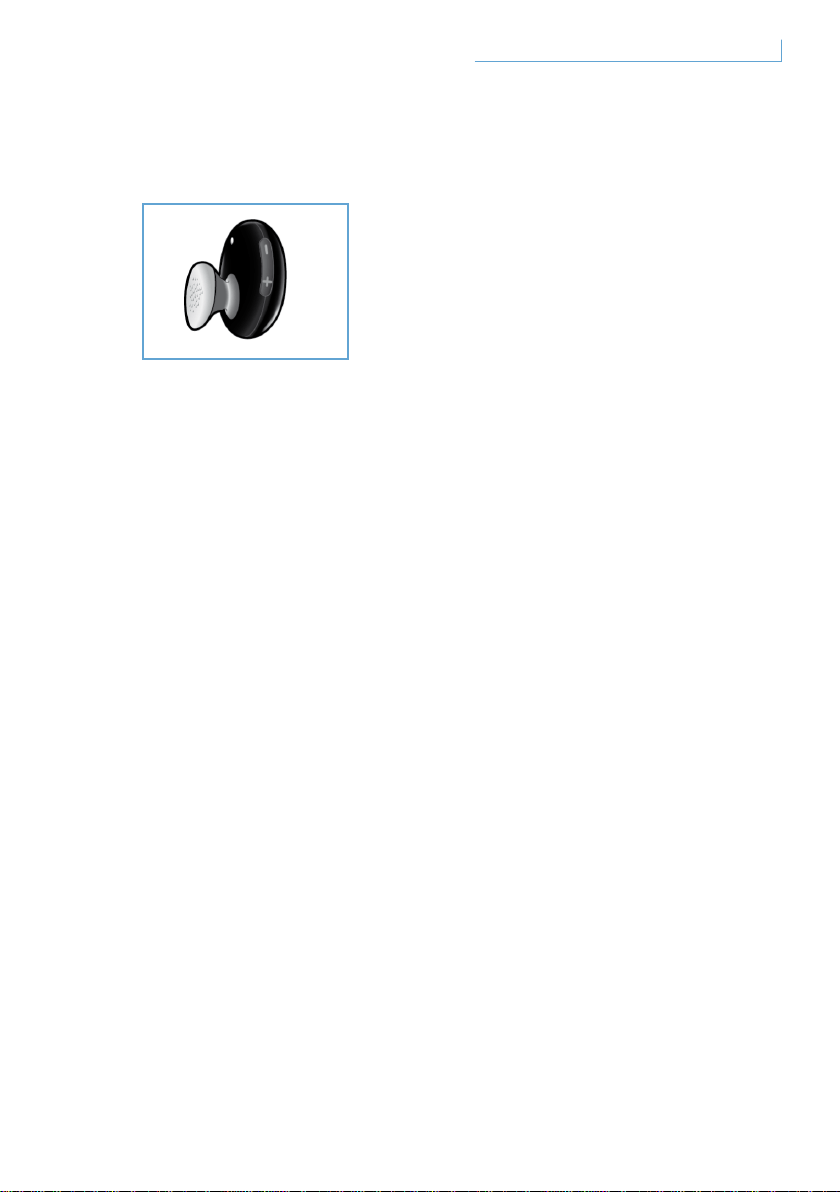
Lautstärkenregelung
Drücken Sie die Lautstärketaste nach oben (+) oder nach unten (-),
um die Lautstärke zu regeln. Jedes Mal, wenn Sie die Lautstärketaste
drücken, ertönt ein Feedback-Ton.
67Funktionen Ihres Breeze-Headsets DE
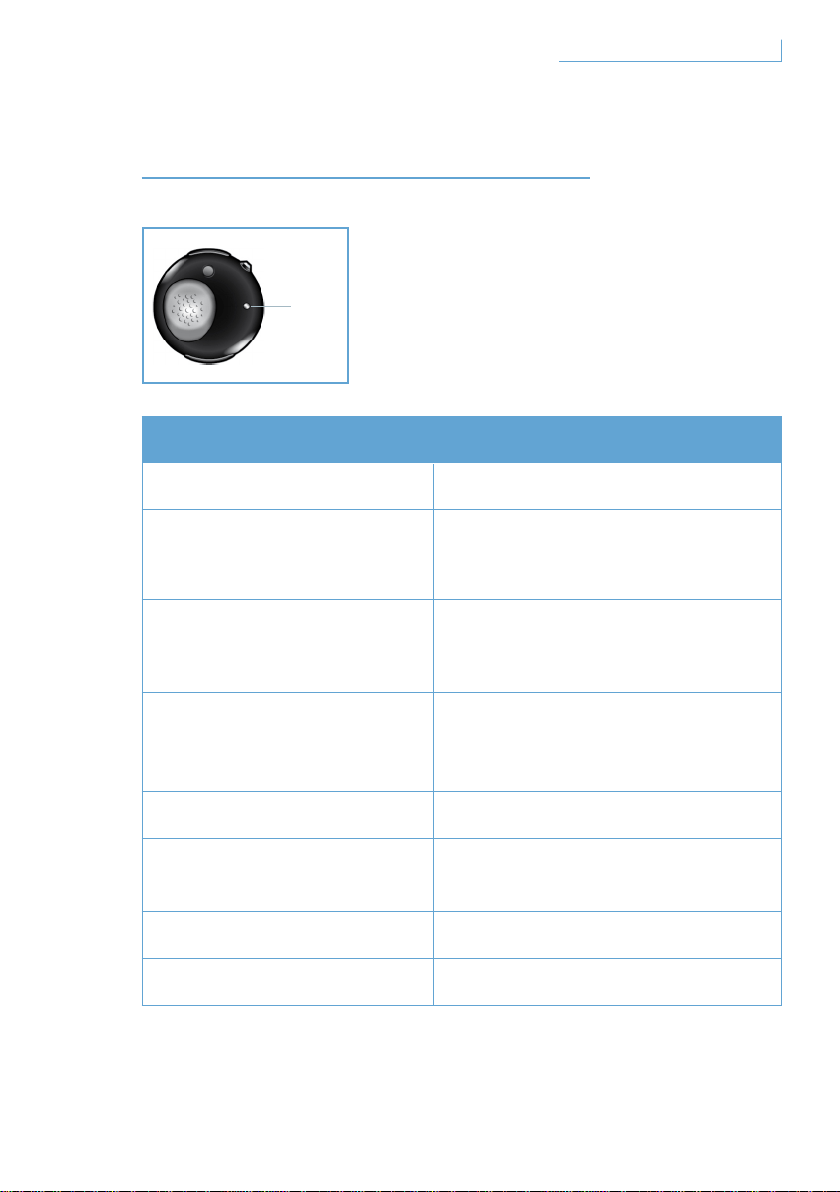
WAS DIE LED ANZEIGEN
Was Sie sehen Was dies über Ihr Headset aussagt
Blaublinkende LED Schnelles Blinken, aktiver Anruf
Blaue LED blinkt dreimal
Langsames Blinken
(alle 2 Sekunden),
eingehender/ausgehender Anruf
Blaue LED blinkt zweimal
Sehr langsames Blinken
(alle 5 Sekunden),
im Verbindungsmodus
Blaue LED einmal
Sehr langsames Blinken
(alle 5 Sekunden),
im Standby-Modus
Rotblinkende LED Akku fast leer
Rote und blaue LED
blinken abwechselnd
Im Kopplungsmodus
Rote LED leuchtet dauerhaft Im Auflademodus
Keine LED leuchtet Vollständig aufgeladen
68Was die LED anzeigen
D. LED
DE
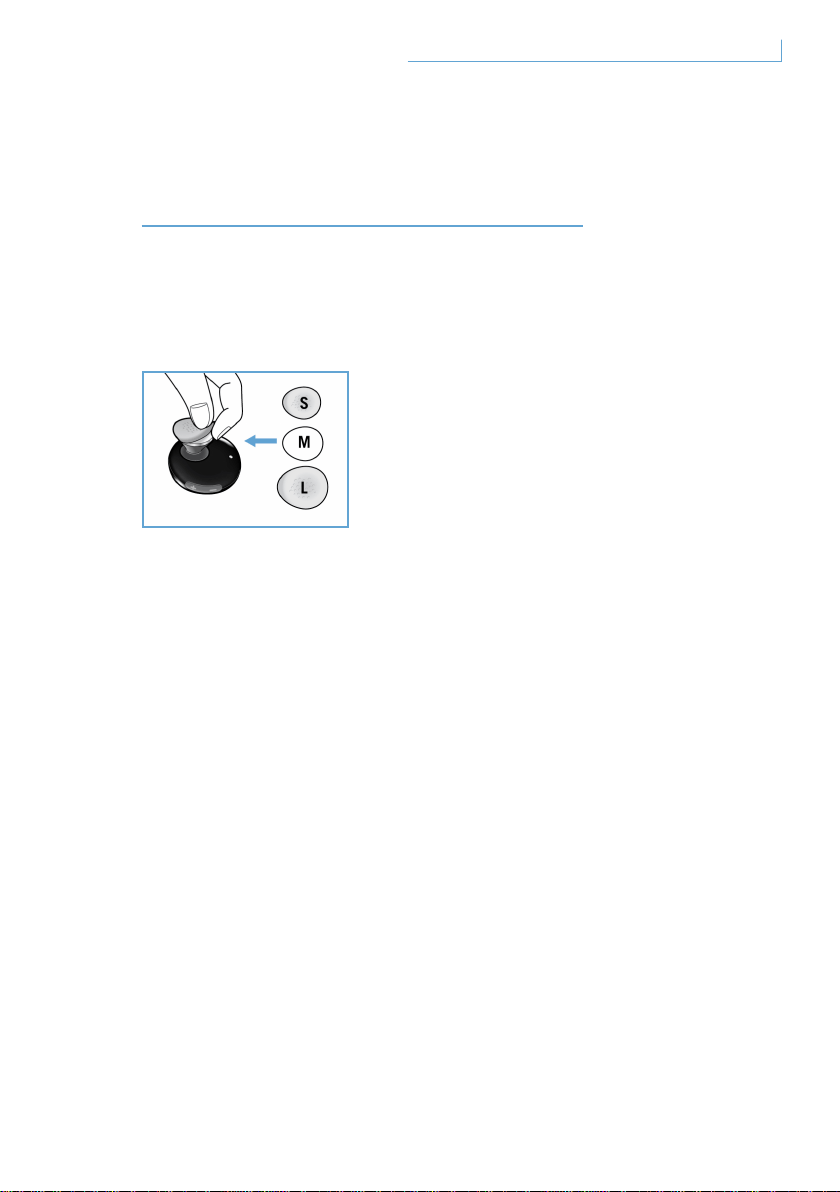
ANPASSEN DES HEADSETS
AN IHRE BEDÜRFNISSE
Im Lieferumfang Ihres Breeze-Headsets sind drei verschieden große
Ohrpolster enthalten, damit Sie Ihr Headset optimal an Ihre Bedürfnisse
anpassen können.
Fassen Sie zum Entfernen des originalen, mittelgroßen Ohrpolsters den
Ohrhörer, und ziehen Sie das Ohrpolster vorsichtig ab. Setzen Sie ein
neues Polster auf den Ohrhörer. Wählen Sie dazu die Größe, die am
besten zu Ihren Ohren passt.
69Anpassen des Headsets an Ihre Bedürfnisse DE
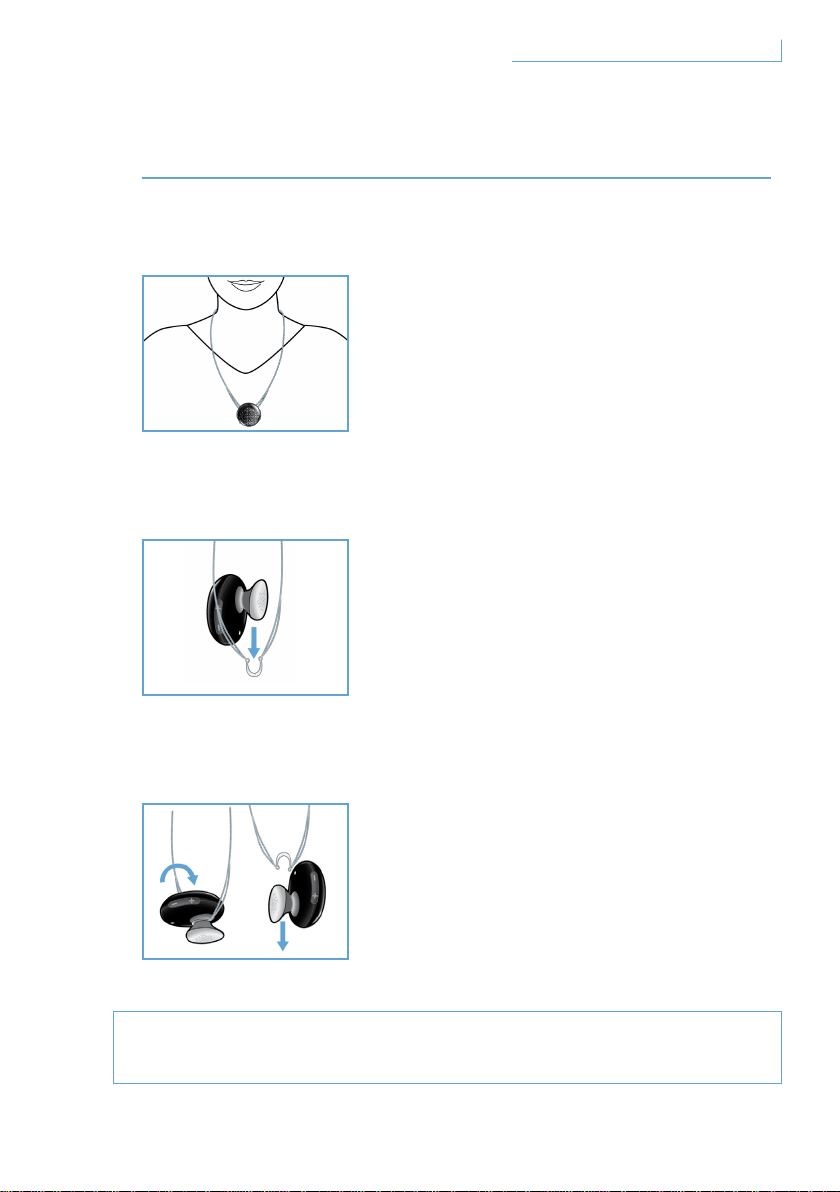
TRAGEN IHRES NEUEN HEADSETS
Das Headset an der Kette tragen
So befestigen Sie Ihr Breeze-Headset an der Kette:
So lösen Sie Ihr Breeze-Headset von der Kette:
Versuchen Sie nicht, den halbkreisförmigen Aufhänger mit Gewalt
abzuziehen, da dies das Headset beschädigen könnte.
70Tragen Ihres neuen Headsets
Ihr Breeze-Headset kann mit oder ohne
Ohrbügel an einer Kette befestigt werden.
Schieben Sie Ihr Breeze-Headset vorsichtig
in den halbkreisförmigen Aufhänger.
Es kann sowohl mit als auch ohne Ohrbügel
befestigt werden.
Drehen Sie Ihr Breeze-Headset
nach vorne, und ziehen Sie
vorsichtig daran.
DE
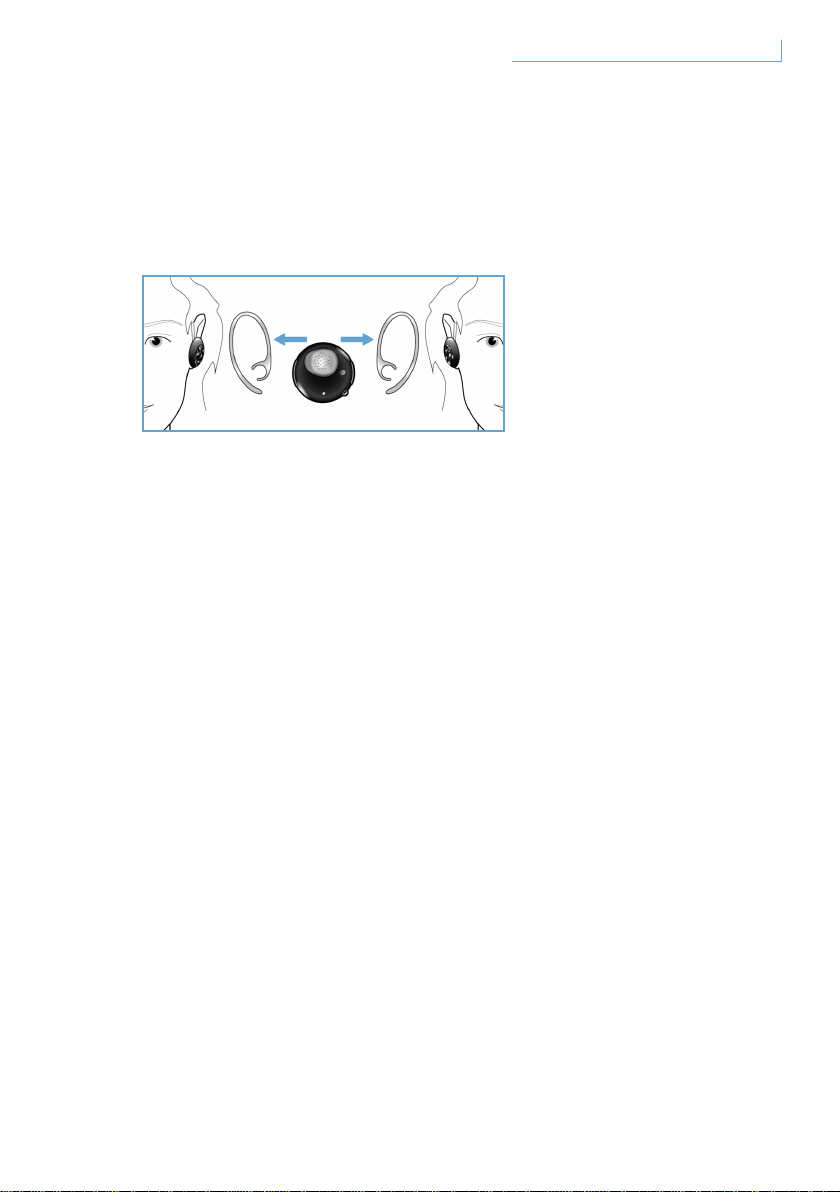
Das Headset mit Ohrbügel an Ihrem Ohr befestigen
Das Breeze-Headset kann am rechten oder am linken
Ohr getragen werden.
Setzen Sie den Ohrbügel so auf, wie in den Zeichnungen für das linke
bzw. das rechte Ohr beschrieben. Wenn der Ohrbügel sicher befestigt
ist, hören Sie ein Klickgeräusch. Das Mikrofon sollte sich sowohl für
das Tragen auf der linken als auch auf der rechten Seite in der unteren,
vorderen Position befinden.
71Tragen Ihres neuen Headsets DE

FEHLERBEHEBUNG UND HÄUFIG
GESTELLTE FRAGEN
Zeitweise Tonstörungen oder atmosphärische Störungen
1 Überprüfen Sie den Akkuladestand, und laden Sie Ihr Headset
wieder auf, wenn der Ladestand zu gering ist.
2 Überprüfen Sie, ob der Abstand zwischen Ihrem Mobiltelefon
und dem Headset die angegebene Reichweite nicht überschreitet.
3 Stellen Sie sicher, dass sich keine Hindernisse zwischen dem
Headset und dem Mobiltelefon befinden.
4 Tragen Sie für bestmögliche Audioqualität Ihr Headset stets
an derselben Seite wie Ihr Mobiltelefon.
Es ist kein Ton zu hören, wenn Sie das Headset einschalten
1 Vergewissern Sie sich, dass das Headset mit dem richtigen
Mobiltelefon gekoppelt wurde und eingeschaltet ist.
2 Erhöhen Sie die Lautstärke des Headsets.
Das Headset kann nicht gekoppelt werden
1 Informationen zu diesem Thema finden Sie im Abschnitt
“Koppeln (Pairing) Ihres Breeze-Headsets mit Ihrem Mobiltelefon”.
Folgen Sie den entsprechenden Schritten.
2 Stellen Sie sicher, dass Sie die richtige PIN-Nummer
(0000) eingegeben haben.
3 Löschen Sie alle in Ihrem Mobiltelefon gespeicherten
Bluetooth-Geräte, und versuchen Sie erneut, Ihr Mobiltelefon
mit dem Breeze-Headset zu koppeln.
4 Vergewissern Sie sich, dass Ihr Headset nicht mit anderen
Bluetooth-Geräten verbunden ist.
Hilfe nötig?
Online-Hilfe: www.active-crystals.com
Für interaktive Hilfe, häufig gestellte Fragen, Software-Updates
und Support.
72Fehlerbehebung und häufig gestellte Fragen DE

TECHNISCHE DATEN
Gesprächszeit > = 4,5 Stunden*
Standby-Zeit > = bis zu 120 Stunden*
Ladezeit < 1,5 Stunden
Bluetooth-Typ Bluetooth-Version 2.0 + EDR, HSP, HFP
Reichweite bis zu 10 Meter
Bluetooth-Headset und Unterstützung der Freisprechfunktion
Der wiederaufladbare Akku kann mithilfe eines USB-Kabels über den PC
oder über einen AC/DC-Adapter (nicht im Lieferumfang enthalten) bzw.
Autoadapter (nicht im Lieferumfang enthalten) aufgeladen werden.
* Tatsächliche Ergebnisse können variieren
73Technische Daten DE
WICHTIG
Gefahr von Gehörschäden
Gefahr
Um Gehörschäden zu vermeiden, verwenden Sie Ihren Kopfhörer
nicht längere Zeit bei hoher Lautstärke bzw. stellen Sie die
Lautstärke auf einen ungefährlichen Pegel ein. Je höher die
Lautstärke desto kürzer die Dauer, in der Sie den Kopfhörer
gefahrlos verwenden können.
Bitte beachten Sie folgende Hinweise bei der Verwendung
Ihres Kopfhörers
• Beschränken Sie die Lautstärke und Nutzungsdauer auf
ein vernünftiges Maß.
• Achten Sie darauf, die Lautstärke nicht immer weiter aufzudrehen –
Ihr Gehör passt sich an.
• Drehen Sie die Lautstärke nie so weit auf, dass Sie nicht mehr hören,
was um Sie herum vorgeht.
• In potenziellen Gefahrensituationen sollten Sie den Kopfhörer nur mit
Vorsicht oder vorübergehend gar nicht verwenden.
• Die Verwendung dieses Kopfhörers beim Autofahren (wenn beide Ohren
abgedeckt sind) wird nicht empfohlen und kann in einigen Ländern
verboten sein.
• Vermeiden Sie zu Ihrer eigenen Sicherheit Ablenkungen durch
Musik oder Anrufe im Verkehr oder in anderen potenziell
gefährlichen Umgebungen.
74Wichtig DE

Elektrische, magnetische und elektromagnetische Felder (EMF)
1 Philips Electronics produziert und vertreibt viele Verbraucherprodukte,
die – wie alle elektronischen Geräte – elektromagnetische Signale
aussenden und empfangen können.
2 Eines der wichtigsten Geschäftsprinzipien von Philips ist es, alle
notwendigen Sicherheits- und Gesundheitsschutzmaßnahmen für
unsere Produkte zu ergreifen, allen relevanten gesetzlichen Vorgaben
zu entsprechen sowie die zur Zeit der Herstellung der Produkte gültigen
EMF-Standards einzuhalten.
3 Philips hat es sich zum Ziel gesetzt, Produkte zu entwickeln,
herzustellen und zu vertreiben, die keine Gesundheitsschäden
verursachen.
4 Philips bestätigt hiermit, dass die Produkte der Firma bei sachgerechter
und zweckbestimmter Nutzung nach dem heutigen Stand der
Wissenschaft sicher zu verwenden sind.
5 Philips arbeitet aktiv an der Erstellung internationaler EMF- und
Sicherheitsstandards mit. Auf diese Weise kann Philips zukünftige
Entwicklungen in der Standardisierung im Voraus erkennen und
frühzeitig in eigene Produkte integrieren.
Pflege
Vermeidung von Schäden oder Fehlfunktionen
• Setzen Sie den Kopfhörer nicht großer Hitze aus.
• Lassen Sie den Kopfhörer nicht fallen.
• Tauchen Sie den Kopfhörer nicht in Wasser.
• Verwenden Sie keine alkohol-, ammoniak- oder benzinhaltigen oder
scheuernden Mittel zur Reinigung des Kopfhörers. Falls der Kopfhörer
gereinigt werden muss, verwenden Sie ein weiches Tuch mit sehr wenig
Wasser oder verdünnter, milder Seife.
75Wichtig DE
Betriebs- und Lagerungstemperatur
Der Kopfhörer sollte nicht bei Temperaturen unter -15°C oder über 55°C
betrieben oder gelagert werden, da dies die Lebensdauer des Akkus
verkürzen kann.
Entsorgung von Altgeräten
Ihr Produkt besteht aus hochwertigen Materialien und Komponenten,
die recycelt und wiederverwendet werden können.
Produkte, die mit diesem durchkreuzten Mülltonnen-Symbol
gekennzeichnet sind, fallen unter die Europäische Richtlinie
2002/96/EC. Informieren Sie sich über örtliche Sammelstellen
für Elektro- und Elektronikgeräte. Befolgen Sie bitte die örtlichen
Vorschriften und entsorgen Sie Altgeräte nicht mit dem Hausmüll.
Eine fachgerechte Entsorgung der Altgeräte verhindert negative
Auswirkungen auf Umwelt und Gesundheit.
Entnahme des Akkus
Falls es in Ihrem Land kein Sammel- bzw. Recyclingsystem für
Elektronikgeräte gibt, können Sie die Umwelt schützen, indem Sie vor
der Entsorgung des Kopfhörers den Akku entnehmen und dem Recycling
zuführen. Geben Sie den Akku dazu bitte in einer Sammelstelle oder
Recyclingeinrichtung ab. Durch die Entnahme des Akkus wird das
Gerät zerstört.
Stellen Sie zunächst sicher, dass der Kopfhörer vom Netzadapter
getrennt ist.
76Wichtig DE

Hinweis für die Länder der Europäischen Union
Hiermit erklärt Philips Consumer Lifestyle, BU P&A die
Übereinstimmung des Gerätes Philips Bluetooth headset
SWB9000/SWB9200 mit den grundlegenden Anforderungen
und den anderen relevaten Festlegungen der Richtlinie
1999/5/EG.Die Konformitätserklärung finden Sie im Hauptmenü
Ihrer Bedienungsanleitungs-CD oder auf einem separaten Blatt.
Schutzmarken
Der Bluetooth- Schriftzug und die Bluetooth- Logos sind Eigentum
der Bluetooth SIG, Inc.
© 2008 Koninklijke Philips Electronics N.V. & Swarovski AG.
All rights reserved.
77Wichtig DE

CONTENUTI
BENVENUTI 80
Collezione completa 80
INTRODUZIONE 81
L’auricolare Breeze è dotato
dei seguenti pulsanti e funzionalità 81
Carica dell’auricolare Breeze 82
Accensione e
spegnimento dell’auricolare Breeze 83
Associazione dell’auricolare
Breeze al telefono cellulare 84
FUNZIONI DELL’AURICOLARE BREEZE 85
Inoltro di una chiamata 85
Risposta ad una chiamata 85
Fine/interruzione di una chiamata 86
Trasferimento di una chiamata 86
Rifiuto di una chiamata 86
Ricomposizione dell’ultimo numero 86
Chiamata in attesa e
impostazione di una chiamata in attesa 86
Regolazione dell’audio e del volume 87
SIGNIFICATO DELLE SPIE 88
MASSIMO COMFORT 89
POSIZIONAMENTO
DELL’AURICOLARE BREEZE 90
Posizionamento sul laccio 90
Posizionamento dell’auricolare
tramite il supporto per l’orecchio 91
IT
78Contenuti

RISOLUZIONE DEI
PROBLEMI E DOMANDE FREQUENTI 92
Occorre assistenza? 92
SPECIFICHE 93
IMPORTANTE 94
IT
79Contenuti
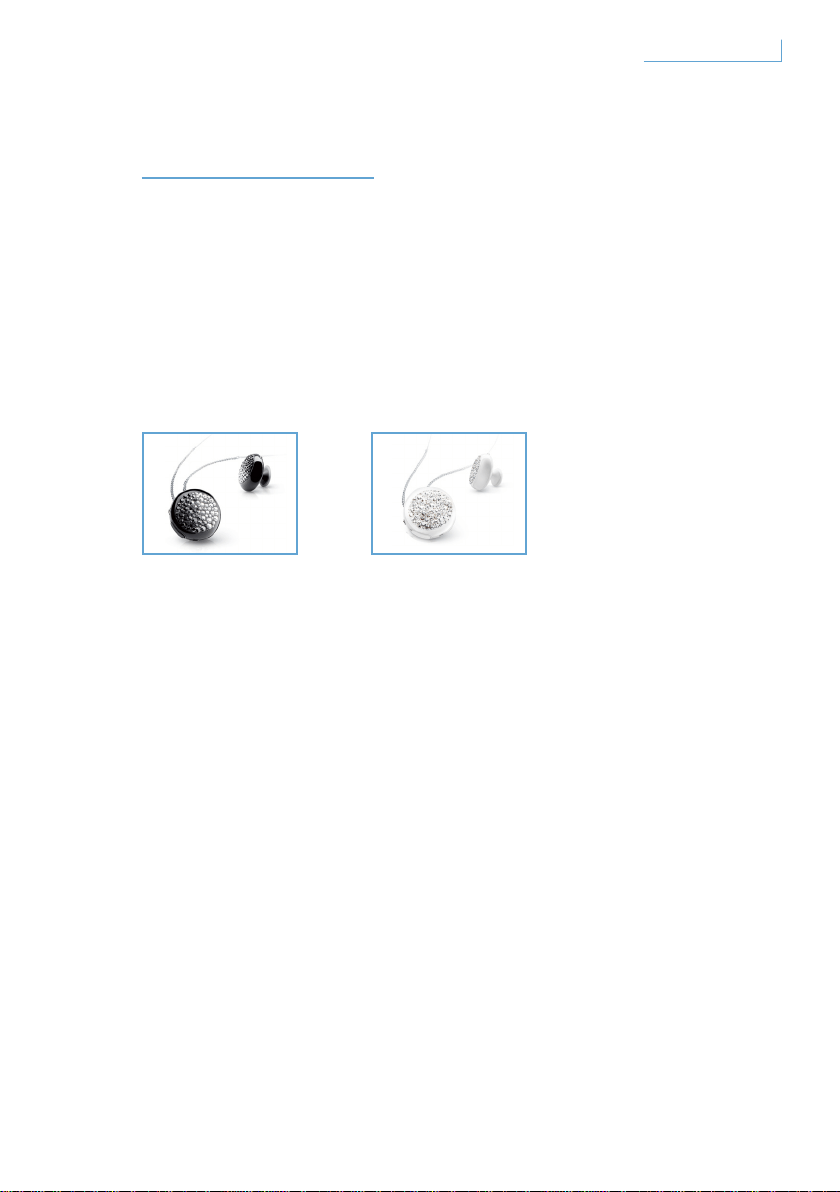
BENVENUTI
La ringraziamo per aver acquistato questo prodotto Active Crystals.
Ideato da e per le donne, il prodotto Active Crystals è un oggetto
estremamente elegante, realizzato con i raffinatissimi cristalli
Swarovski e la tecnologia avanzata Philips. Le auguriamo una sincera
e piacevole esperienza.
Collezione completa
Breeze Black Breeze White
80Benvenuti IT
INTRODUZIONE
Nota importante
• Verificare di essere in condizioni di sicurezza prima di effettuare
o rispondere ad una chiamata mentre si guida.
• Guidare sempre in condizioni di sicurezza e nel rispetto delle
normative di circolazione locali.
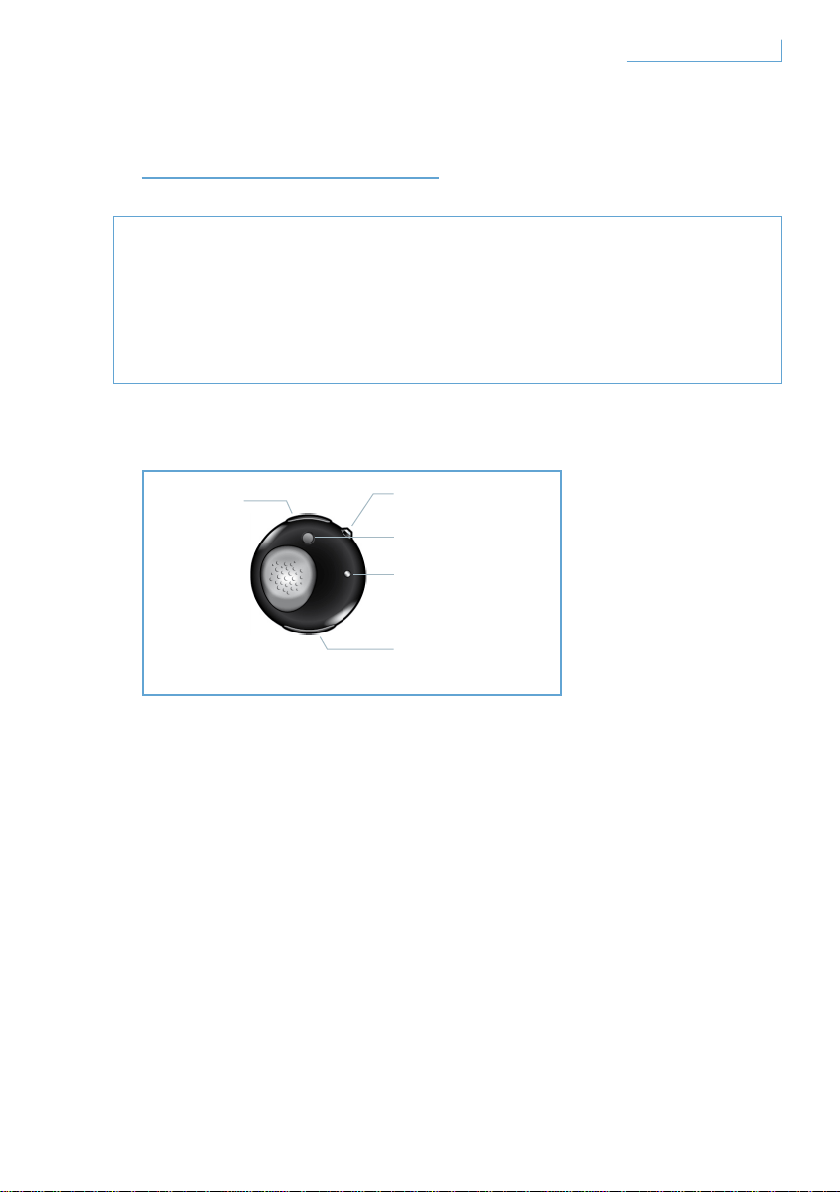
L’auricolare Breeze è dotato dei seguenti pulsanti e funzionalità
Porta USB
Inserire il cavo per ricaricare l’auricolare Breeze
Pulsante multifunzione (MFB) - pulsante cristallo
Per ulteriori dettagli, fare riferimento alla sezione
“Funzioni dell’auricolare Breeze”
Pulsante per l’associazione (PAIR)
Tenere premuto per associare l’auricolare Breeze con il telefono cellulare
Spia LED
Si illumina di rosso o di blu a seconda dell’attività in corso
Pulsante per il controllo del volume (+/-)
Premere una volta per regolare il volume
A. Porta USB
B. Pulsante cristallo
multifunzione
C. Pulsante di
associazione
E. Pulsante per il
controllo del volume
D. LED
81Introduzione IT
Carica dell’auricolare Breeze
Verificare che l’auricolare Breeze sia completamente carico prima
di utilizzarlo.
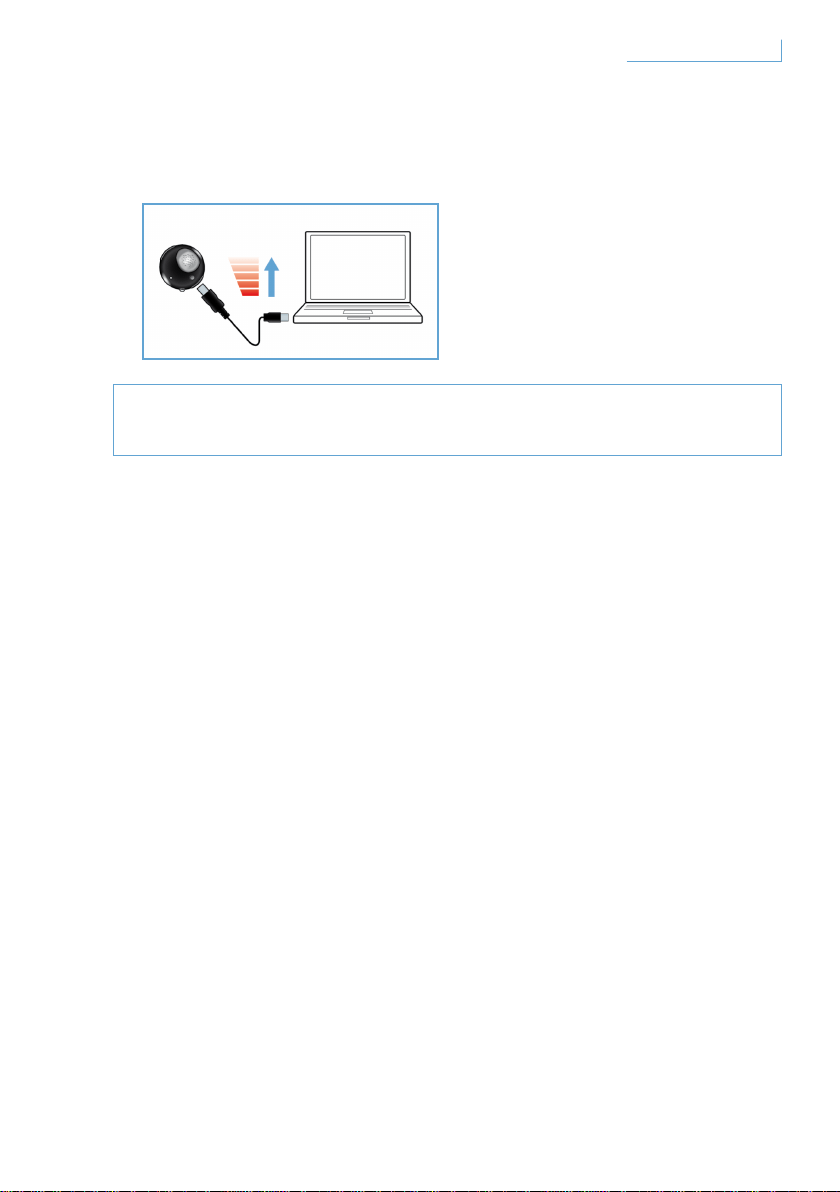
L’auricolare Breeze può essere caricato in due modi:
1 Collegare l’auricolare Breeze al PC tramite il cavo USB in dotazione.
2 Collegare l’auricolare Breeze alla normale presa CA/CC* o alla presa
CC/CC della macchina** (si noti che gli adattatori non vengono forniti
all’interno della confezione e vengono venduti separatamente).
Una spia LED rossa indica che l’auricolare Breeze è in fase di ricarica
e si spegnerà una volta che la batteria è completamente carica.
Quando la batteria sta per esaurirsi, verrà emesso un segnale acustico
di avviso. Sarà quindi necessario ricaricare l’auricolare Breeze per
mantenere una qualità delle comunicazioni ottimale.
* Adattatore CA/CC Philips modello SCM2280/05 (Regno Unito),
SCM2280/12 (Europa) e SCM2280/37 (Stati Uniti)
** Adattatore per auto CA/CC Philips modello SCM2180/05 (Regno Unito),
SCM2180/12 (Europa) e SCM2180/37 (Stati Uniti)
82Introduzione IT
Accensione e spegnimento dell’auricolare Breeze
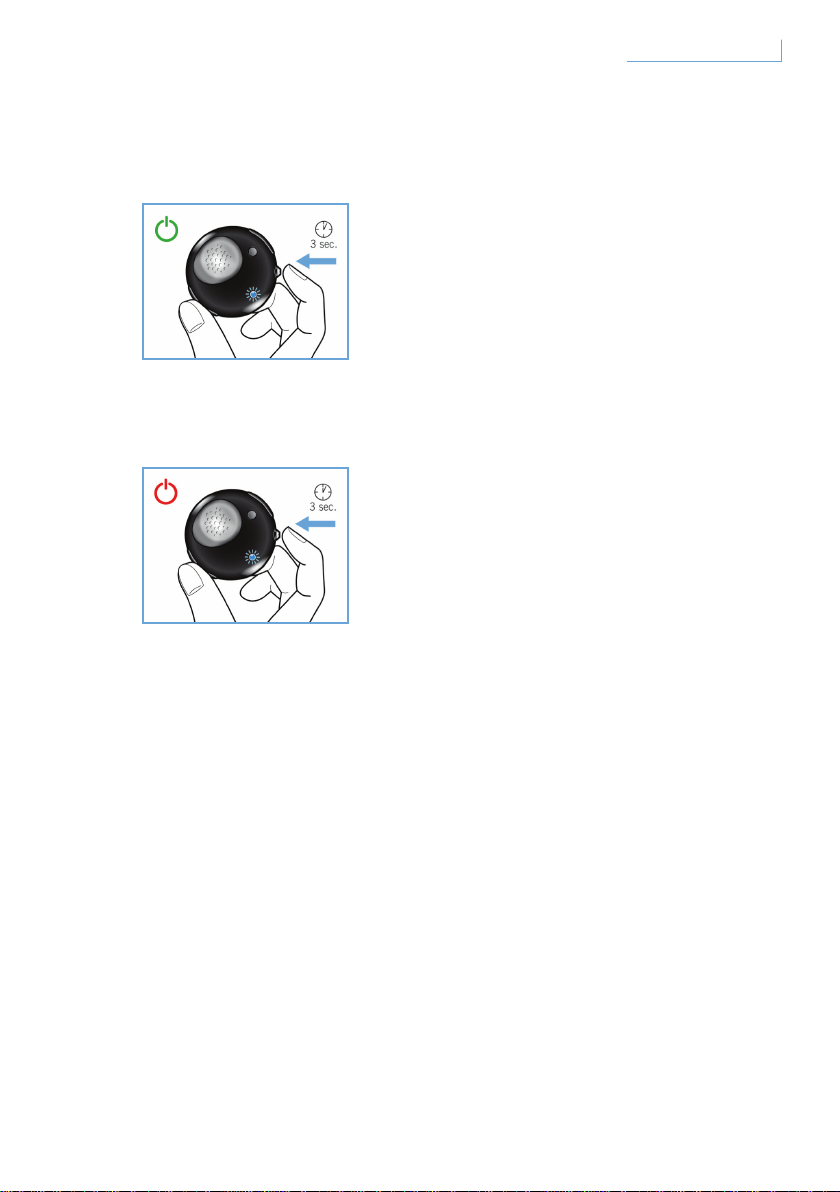
Per accendere l’auricolare, tenere premuto MFB fino a che il LED blu si
accende e inizia a lampeggiare.
Per disattivare l'auricolare, tenere premuto MFB fino a che il LED rosso
non lampeggia una volta e poi si spegne.
83Introduzione IT
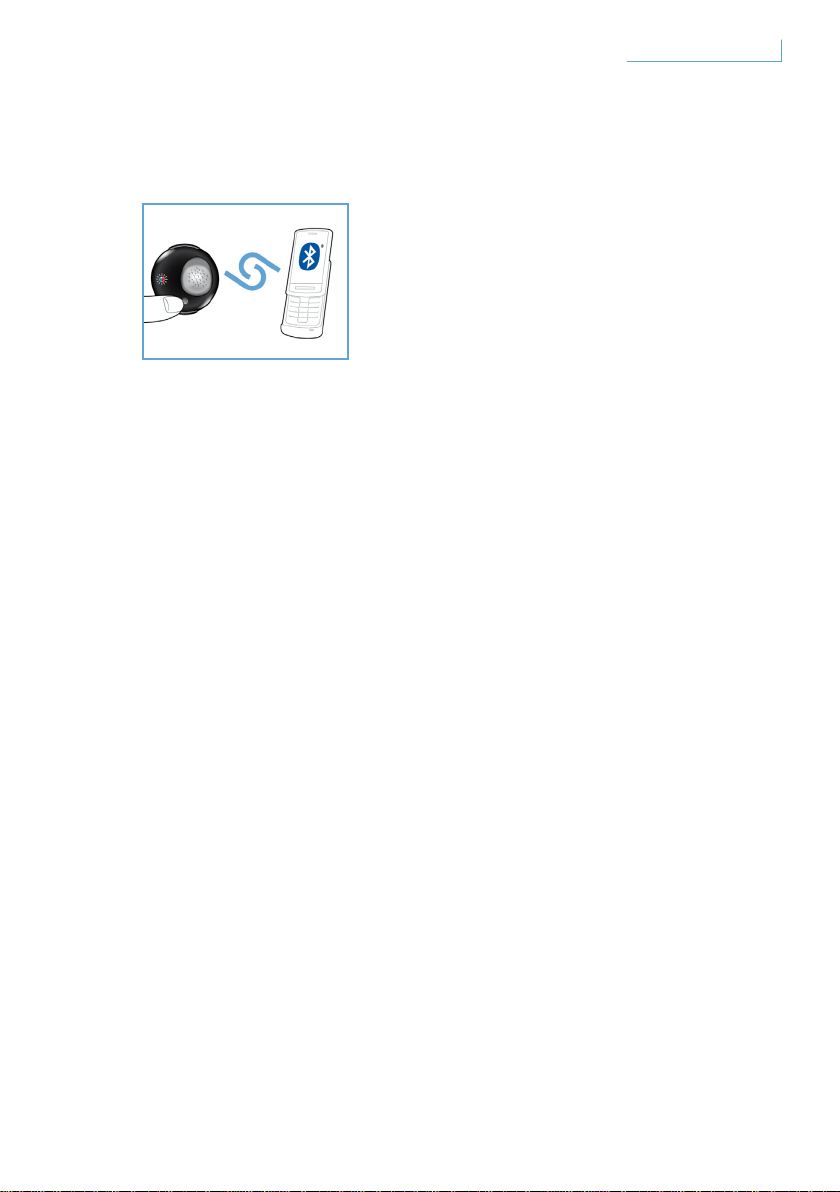
Associazione dell’auricolare Breeze al telefono cellulare
Prima di utilizzare l’auricolare Breeze è necessario associarlo
con il proprio cellulare.
1 Accendere l’auricolare Breeze.
2 Tenere premuto il pulsante PAIR fino a che la spia LED passa dal rosso
al blu in maniera continua.
3 Cambiare le impostazioni sul telefono cellulare in modo da effettuare
una ricerca dei dispositivi dotati di tecnologia Bluetooth. Selezionare
“Breeze” tra le opzioni disponibili sul telefono cellulare.
4 Quando appare il prompt “Breeze”, immettere il codice pin
“0000” sul telefono cellulare e premere il tasto di conferma.
5 L’associazione è stata completata con successo.
A conclusione del processo di associazione, la spia LED rossa
si spegne e la spia LED blu inizia a lampeggiare.
84Introduzione IT
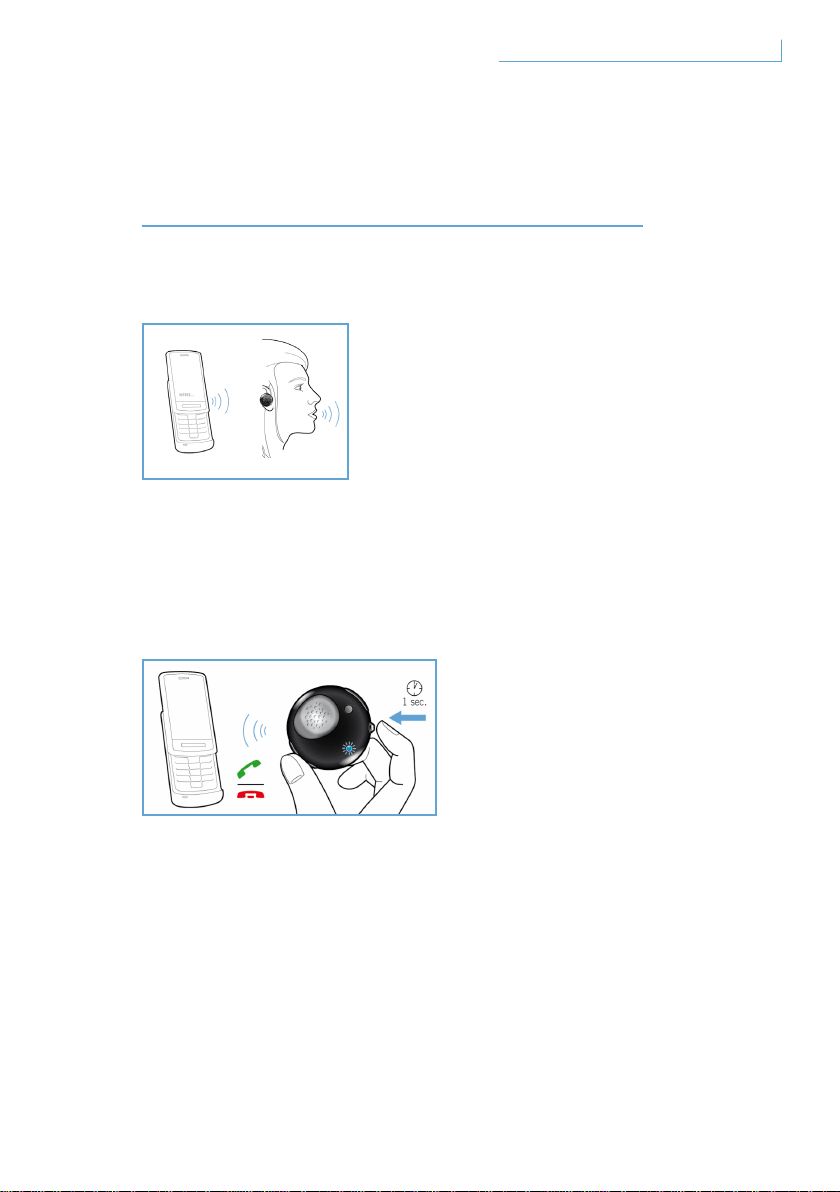
FUNZIONI
DELL’AURICOLARE BREEZE
Inoltro di una chiamata
Per effettuare una chiamata, comporre semplicemente il numero di
telefono desiderato e la chiamata verrà inoltrata automaticamente
all’auricolare. Qualora questo non succeda, premere brevemente MFB
per avviare il trasferimento.
Risposta ad una chiamata
Premere una volta il pulsante MFB; si udirà un tono di risposta.
Questo indica che la chiamata in entrata è attiva.
85Funzioni dell’auricolare Breeze IT

Fine/interruzione di una chiamata
Premere una volta il pulsante MFB. Il tono di risposta che si udirà indica
che la chiamata attiva o in uscita è stata interrotta.
Trasferimento di una chiamata
Per trasferire una chiamata attiva sull’auricolare al telefono cellulare,
tenere premuto MFB per circa un secondo fino a che non si udirà
il tono di risposta.
Rifiuto di una chiamata
Tenere premuto MFB per circa un secondo durante lo squillo che indica
la chiamata in entrata fino a che non si udirà il tono di risposta.
Ricomposizione dell’ultimo numero
Per comporre nuovamente l’ultimo numero chiamato, premere una volta
MFB fino a che non si udirà il tono di risposta.
Chiamata in attesa e impostazione di una chiamata in attesa*
Per passare da una chiamata in entrata ad un’altra, tenere premuto MFB
per circa un secondo fino a che non si udirà un tono di risposta.
* Le funzionalità contrassegnate dal simbolo * dipendono dal telefono e/o dai servizi
di rete.
86Funzioni dell’auricolare Breeze IT
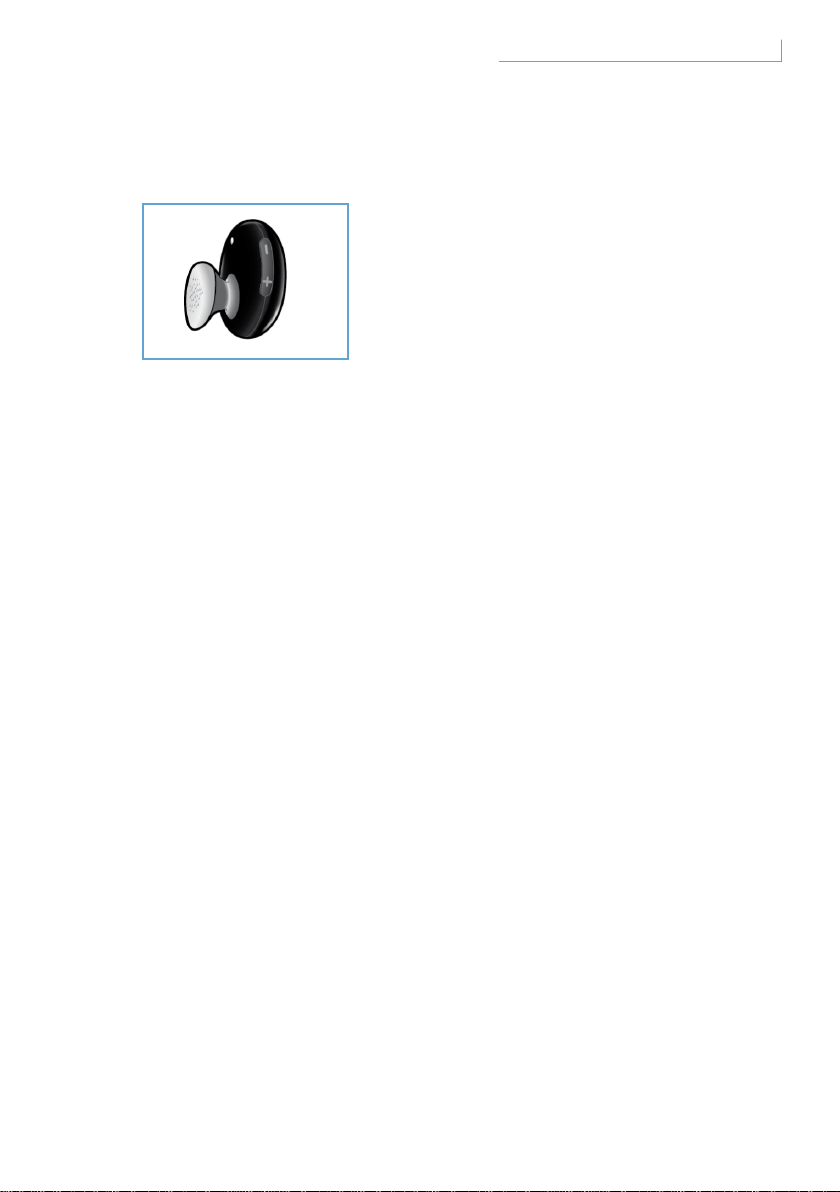
Regolazione dell’audio e del volume
Premere il pulsante (+) in alto o (-) in basso per regolare il volume.
Ogni volta che viene premuto il pulsante di regolazione del volume
si potrà udire un tono di risposta.
87Funzioni dell’auricolare Breeze IT
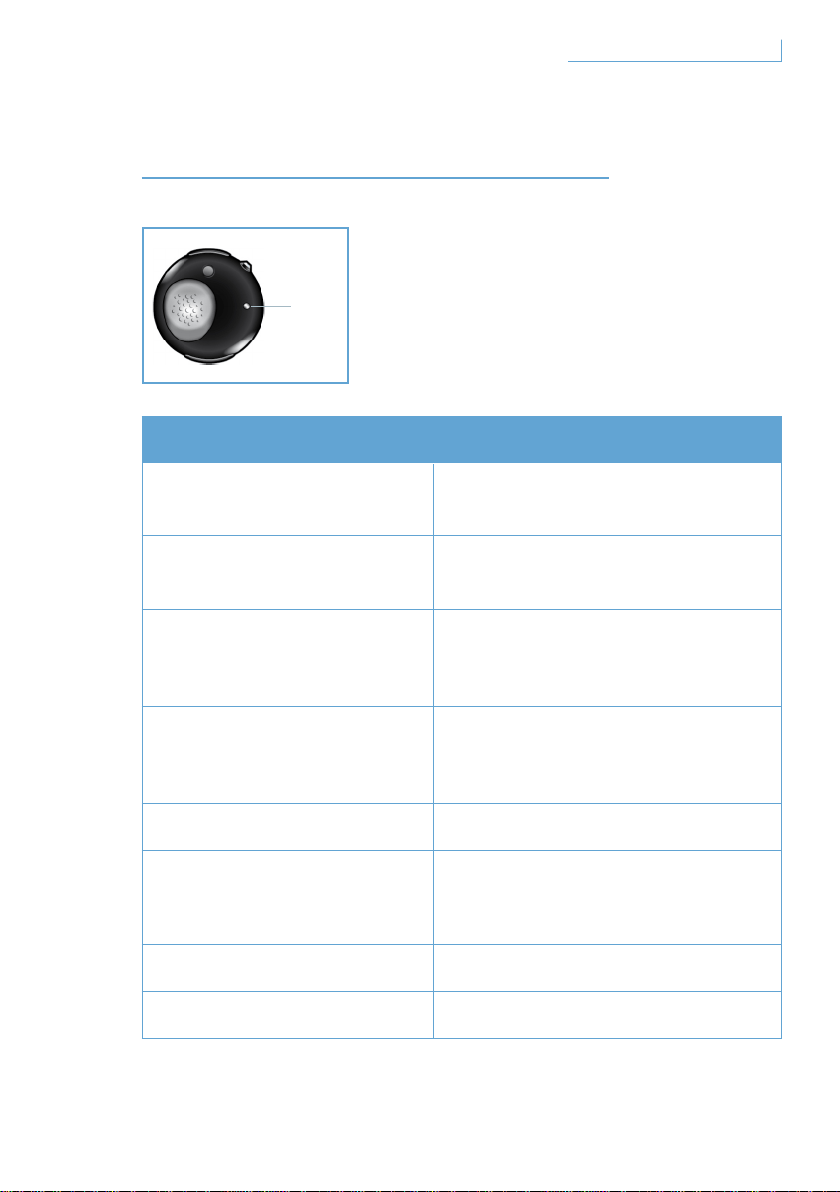
SIGNIFICATO DELLE SPIE
Tipo di segnalazione Significato rispetto all’auricolare
La spia blu lampeggia
La spia lampeggia velocemente:
chiamata attiva
La spia blu lampeggia
tre volte
La spia lampeggia lentamente (per
2 sec): chiamata in entrata/uscita
La spia blu lampeggia
due volte
La spia lampeggia molto
lentamente per 5 sec):
modalità connessione
La spia blu lampeggia
una volta
La spia lampeggia molto
lentamente per 5 sec): modalità
stand-by
La spia rossa lampeggia Batteria scarica
La spia rossa e quella blu
lampeggiano in maniera
alternata
Modalità associazione
Spia rossa fissa In carica
Nessuna spia Carica completa
88Significato delle spie
D. LED
IT
MASSIMO COMFORT
L’auricolare Breeze è dotato di tre cuscinetti di dimensioni diverse
per il massimo comfort.
Per rimuovere il cuscinetto medio standard, tenere il corpo
dell’auricolare e rimuovere con cautela il cuscinetto. Posizionarne uno
nuovo. Per un comfort prolungato, scegliere il cuscinetto che più si
adatta alle proprie esigenze.
89Massimo comfort IT
POSIZIONAMENTO
DELL’AURICOLARE BREEZE
Posizionamento sul laccio
Come collegare l’auricolare Breeze al laccio:
Come rimuovere l’auricolare Breeze dal laccio:
Non forzare o staccare il supporto semicircolare per evitare danni
all’auricolare.
90Posizionamento dell’auricolare Breeze
L’auricolare Breeze può essere collegato al
laccio per il collo con o senza il supporto per
l’orecchio.
Far scorrere con cautela l’auricolare Breeze
all’interno del supporto semicircolare.
Questa operazione può essere fatta con
o senza il supporto per l’orecchio.
Portare l’auricolare Breeze in
avanti e tirare con cautela.
IT
Posizionamento dell’auricolare tramite il supporto per l’orecchio
L’auricolare Breeze può essere posto sia sull’orecchio sinistro che su
quello destro.
Far scorrere il supporto per l’orecchio come mostrato in figura
(orecchio sinistro o destro). Quando il supporto è saldamente collegato
all’auricolare si udirà un clic. Il microfono deve essere posizionato sulla
parte inferiore sia che l’auricolare sia posto a sinistra che a destra.
91Posizionamento dell’auricolare Breeze IT

RISOLUZIONE DEI PROBLEMI
E DOMANDE FREQUENTI
L’audio risulta intermittente o si verificano interferenze statiche
1 Controllare lo stato della batteria e ricaricare l’auricolare
qualora la batteria sia scarica.
2 Controllare che la distanza tra il telefono cellulare e
l’auricolare rientri nel raggio d’azione di funzionamento.
3 Verificare che non vi siano barriere tra l’auricolare e il
telefono cellulare.
4 Per ottenere la migliore qualità audio, indossare sempre
l’auricolare dalla stessa parte in cui si trova il cellulare.
Quando si accende l’auricolare non viene emesso alcun suono
1 Verificare che l’auricolare sia stato associato con il relativo
telefono cellulare e sia acceso.
2 Aumentare il volume dell’auricolare.
L’auricolare non può essere associato
1 Fare riferimento nuovamente alla sezione
“Associazione dell’auricolare Breeze al telefono cellulare”
e seguirne i relativi passaggi.
2 Verificare di aver inserito il PIN corretto (0000).
3 Eliminare tutti i dispositivi Bluetooth registrati sul telefono cellulare
e provare ad associare nuovamente quest’ultimo all’auricolare Breeze.
4 Verificare che l’auricolare non sia collegato a nessun altro
dispositivo Bluetooth.
Occorre assistenza?
Assistenza online: www.active-crystals.com
Per l’assistenza interattiva, le domande più frequenti, gli aggiornamenti
del software e supporto.
92Risoluzione dei problemi e domande frequenti IT

SPECIFICHE
Tempo di conversazione >= 4,5 ore*
Tempo di standby >= 120 ore massime*
Tempo di ricarica < 1,5 ore
Tipo Bluetooth Bluetooth versione 2.0 + EDR, HSP, HFP
Portata di funzionamento fino a 10 metri
Supporto profili auricolare Bluetooth e vivavoce
Batteria ricaricabile con opzione di ricarica tramite PC attraverso il cavo
USB o adattatore CA/CC (non incluso), adattatore per auto (non incluso)
* I risultati reali possono variare
93Specifiche IT
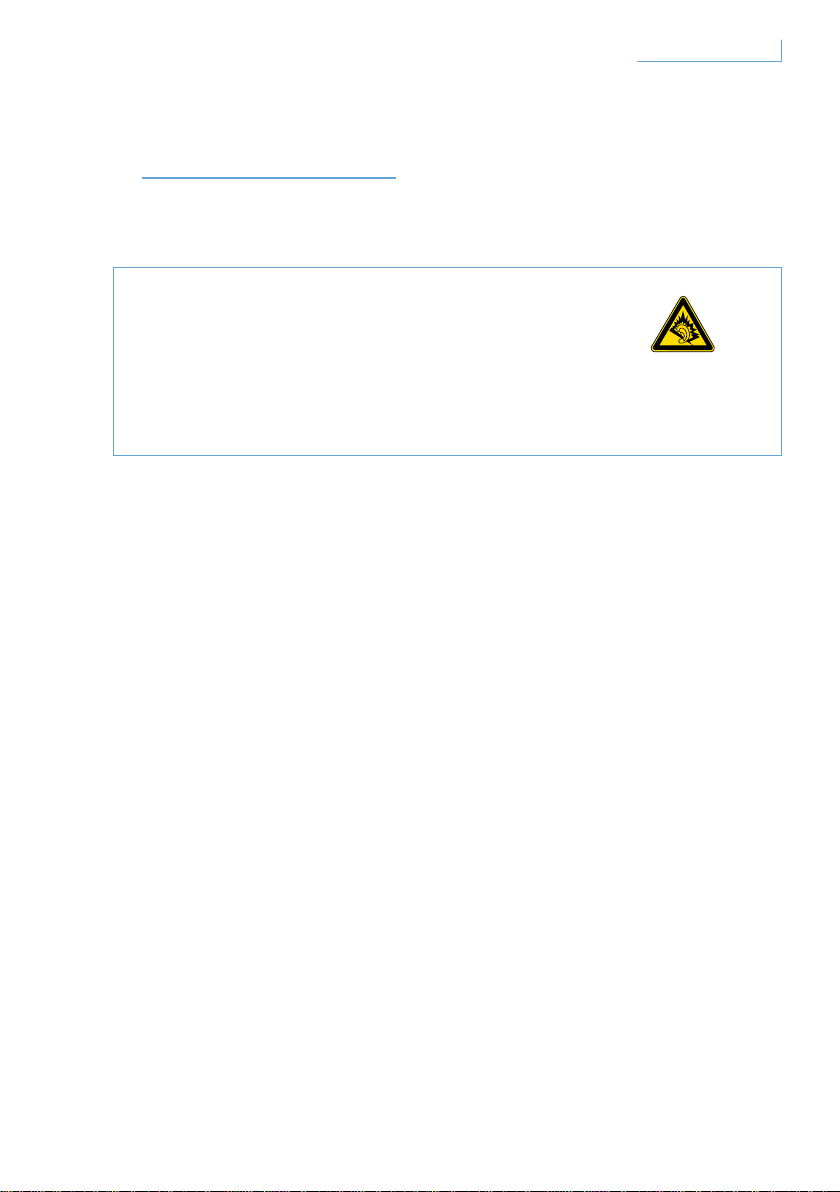
IMPORTANTE
Per la sicurezza dell’udito
Pericolo
Per evitare danni all’udito, limitare il tempo di utilizzo delle cuffie
ad alto volume e impostare il volume ad un livello sicuro. Più alto è
il volume più breve sarà il tempo di ascolto sicuro.
Osservare le seguenti istruzioni quando si utilizzano le cuffie
• Ascoltare la musica a volumi ragionevoli e per periodi di tempo
ragionevoli.
• Fare attenzione a non alzare il volume man mano che l’orecchio
si abitua.
• Non alzare il volume così alto da non sentire ciò che avviene intorno.
• Fare attenzione o smettere di utilizzare le cuffie in situazioni
potenzialmente pericolose.
• Usare le cuffie con entrambe le orecchie coperte mentre si guida
non è raccomandabile ed è illegale in alcuni paesi.
• Per garantire la massima sicurezza, evitare di distrarsi ascoltando
musica o parlando al telefono quando si è nel traffico o in ambienti
potenzialmente pericolosi.
94Importante IT

Campi elettrici, magnetici ed elettromagnetici ( EMF )
1 Philips Electronics produce e rivende molti prodotti rivolti ai consumatori
che, come qualsiasi apparecchio elettronico, in generale hanno la
capacità di emettere e ricevere segnali elettromagnetici.
2 Uno dei principi fondamentali dell’attività di Philips è prendere tutte
le misure necessarie per garantire la salute e la sicurezza per i nostri
prodotti, in modo che siano conformi a tutti i requisiti legali applicabili e
agli standard EMF applicabili al momento della loro realizzazione.
3 Philips si impegna a sviluppare, produrre e commercializzare prodotti
che non causino effetti dannosi per la salute.
4 Philips conferma che, se utilizzati correttamente per lo scopo per
cui sono stati progettati, i suoi prodotti sono sicuri secondo le prove
scientifiche disponibili oggi.
5 Philips gioca un ruolo attivo nello sviluppo degli standard EMF e di
sicurezza internazionali, consentendole di anticipare ulteriori sviluppi
nella standardizzazione per l’integrazione preventiva nei suoi prodotti.
Manutenzione generale
Per evitare danni o malfunzionamenti
• Non esporre le cuffie a calore eccessivo.
• Non far cadere le cuffie.
• Non lasciare che le cuffie vengano immerse in acqua.
• Non usare detergenti contenenti alcol, ammoniaca, benzene o sostanze
abrasive. Per la pulizia usare un panno soffice, se necessario inumidito
con una minima quantità di acqua o sapone delicato diluito.
95Importante IT
Informazioni sulle temperature di funzionamento e conservazione
Non azionare o conservare il prodotto in un posto in cui la temperatura
sia al di sotto dei -15°C (5°F) o al di sopra dei 55°C (131°F) in quanto
questo potrebbe ridurre la durata della batteria.
Smaltimento del vecchio prodotto
Questo prodotto è progettato e prodotto con materiali e componenti di
alta qualità, che possono essere riciclati e riutilizzati.
Quando questo simbolo, il bidone con le rotelle contrassegnato da una
croce, è riportato su un prodotto, significa che il prodotto è coperto
dalla Direttiva Europea 2002/96/EC. Informarsi sul sistema di raccolta
differenziata locale per i prodotti elettrici ed elettronici. Rispettare
le norme locali e non smaltire il vecchio prodotto con i normali rifiuti
domestici. Il suo corretto smaltimento aiuterà ad evitare potenziali
conseguenze negative sulla salute dell’ambiente e su quella umana.
Rimozione della batteria integrata
Se nel proprio paese non esiste un sistema di raccolta / riciclaggio
per i prodotti elettronici, è possibile tutelare l’ambiente rimuovendo
e riciclando la batteria prima di smaltire le cuffie. Conferire quindi la
batteria ad un apposito centro di raccolta e riciclaggio. La rimozione
della batteria comporta la distruzione del prodotto.
Assicurarsi che le cuffie siano scollegate dall’adattatore di alimentazione
prima di togliere la batteria.
96Importante IT

Avviso per l’Unione Europea
Con la presente, Philips Consumer Lifestyle, BU P&A, dichiara che
questo adattatore audio Bluetooth Philips SWB9000 & SWB9200
è conforme ai requisiti essenziali e alle altre disposizioni pertinenti
stabilite dalla Direttiva 19991S/EC. Controllate la cartella radice nel
CD del manuale d’uso o una scheda appendice per la Dichiarazione di
Conformità.
Marchi
Il marchio mondiale e i loghi Bluetooth sono di proprietà
della Bluetooth SIG, Inc.
© 2008 Koninklijke Philips Electronics N.V. & Swarovski AG.
All rights reserved.
97Importante IT

ÍNDICE
BEM-VINDO 99
Recolha completa 99
COMO INICIAR 100
O seu auricular Breeze inclui
os seguintes botões e funcionalidades 100
Carregar o auricular Breeze 101
Ligar e desligar o seu auricular Breeze 102
Emparelhar o auricular
Breeze com o telemóvel 103
FUNÇÕES DO AURICULAR BREEZE 104
Efectuar uma chamada 104
Atender uma chamada 104
Terminar/cancelar uma chamada 104
Transferir uma chamada 105
Rejeitar uma chamada 105
Remarcar o último número 105
Chamada em espera e
colocar uma chamada em espera 105
Ajustar o som e o volume 106
O QUE AS LUZES INDICAM 107
OBTER A MELHOR ADAPTAÇÃO 108
USAR O AURICULAR BREEZE 109
Usar no fio 109
Usar o auricular na orelha com o aro 110
RESOLUÇÃO DE PROBLEMAS
E PERGUNTAS FREQUENTES 111
Precisa de ajuda? 111
ESPECIFICAÇÕES 112
IMPORTANTE 113
PT
98Índice
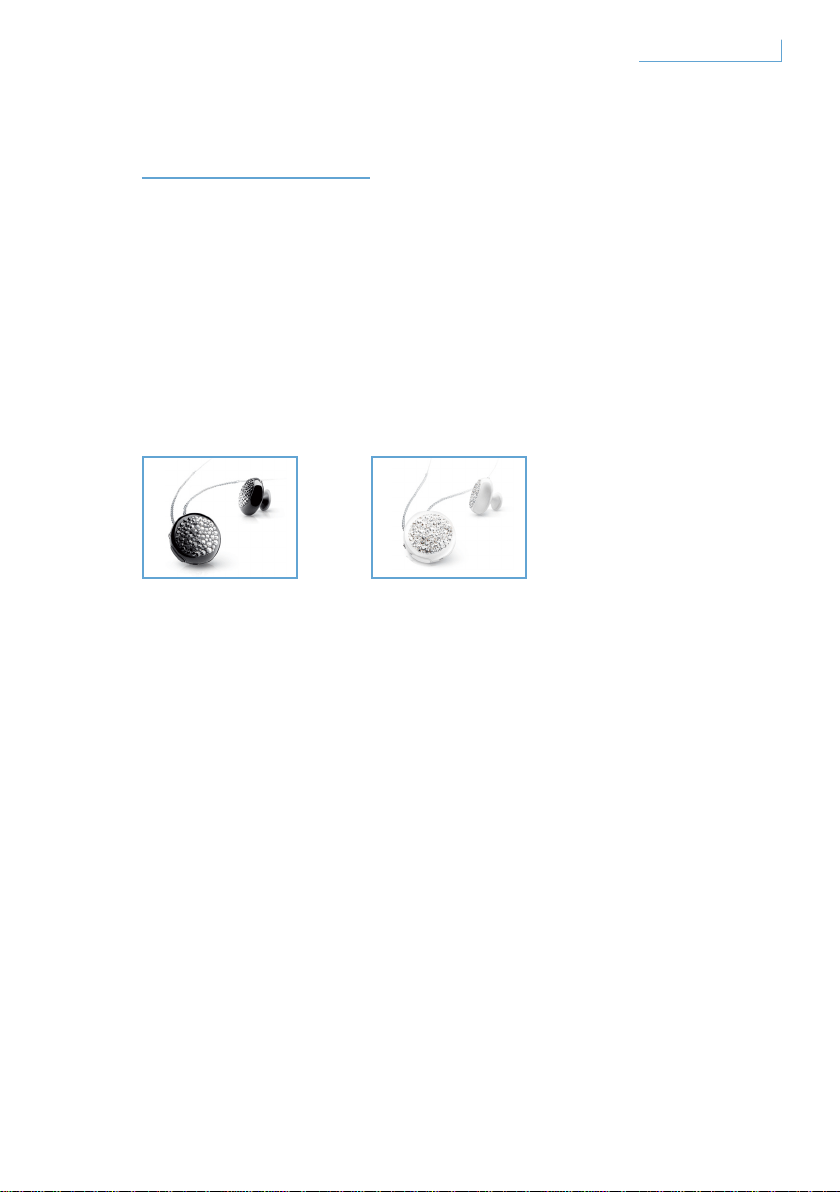
BEM-VINDO
Muito obrigado por ter adquirido este produto Active Crystals. Concebido
por mulheres, destinado a ser usado por mulheres, este produto Active
Crystals é um exemplo das melhores práticas de fabrico, executado
com o melhor cristal Swarovski, incluindo alguma da mais avançada
tecnologia da Philips. Desejamos-lhe uma experiência
verdadeiramente agradável.
Recolha completa
Breeze Black Breeze White
99Bem-vindo PT
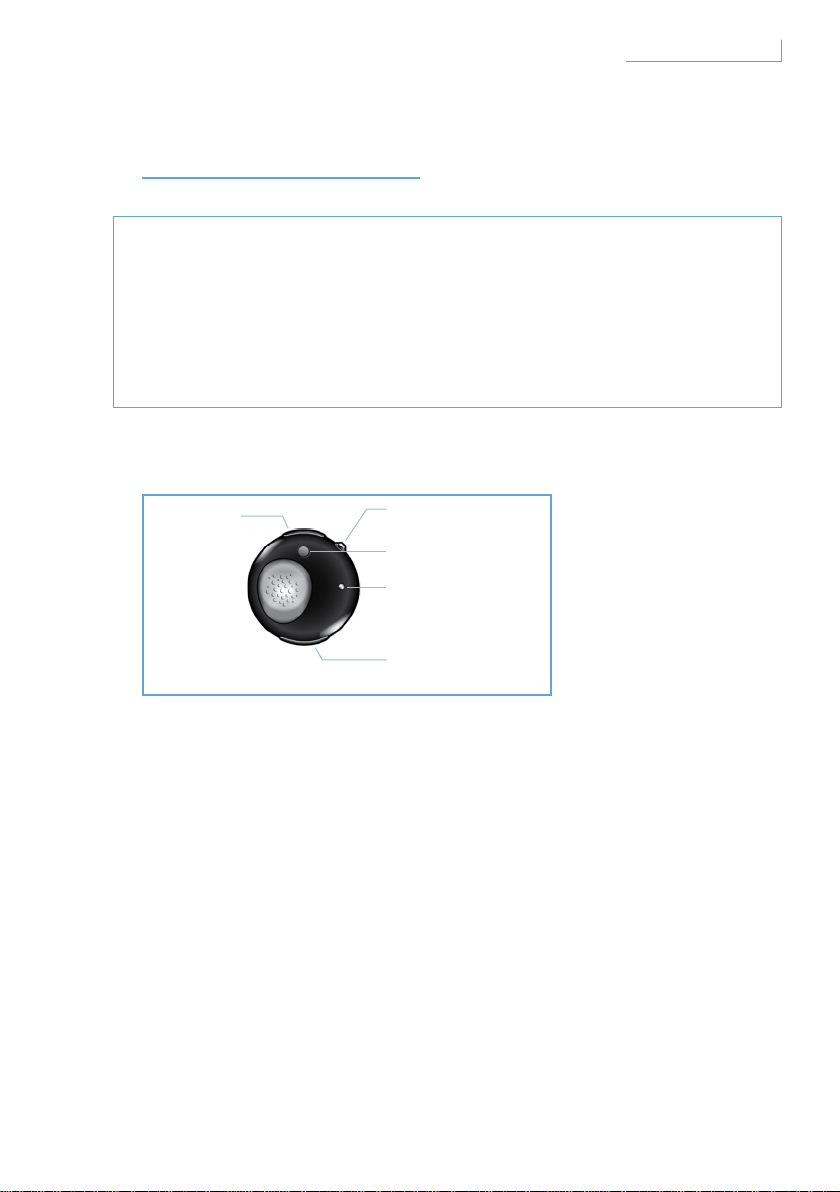
COMO INICIAR
Nota Importante
• Certifique-se de que é seguro efectuar ou atender chamadas
enquanto conduz.
• Conduza sempre com a máxima segurança e cumpre o código
da estrada.
O seu auricular Breeze inclui os seguintes botões e funcionalidades
Porta USB
Introduza o cabo para carregar o seu auricular Breeze
Botão multifunções (MFB) - botão transparente
Para obter mais detalhes, consulte a secção ‘Funções no seu auricular
Breeze’
Botão de emparelhamento (PAIR)
Prima e mantenha sob pressão para emparelhar o seu auricular Breeze
com o seu telemóvel
LED
Acende-se a vermelho ou azul, dependendo da actividade
Botão de controlo do volume (+/-)
Prima uma vez para ajustar o volume
A. Porta USB
B. Botão transparente
multifunções
C. Botão de
emparelhamento
E. Botão de controlo
do volume
D. LED
100Como iniciar PT
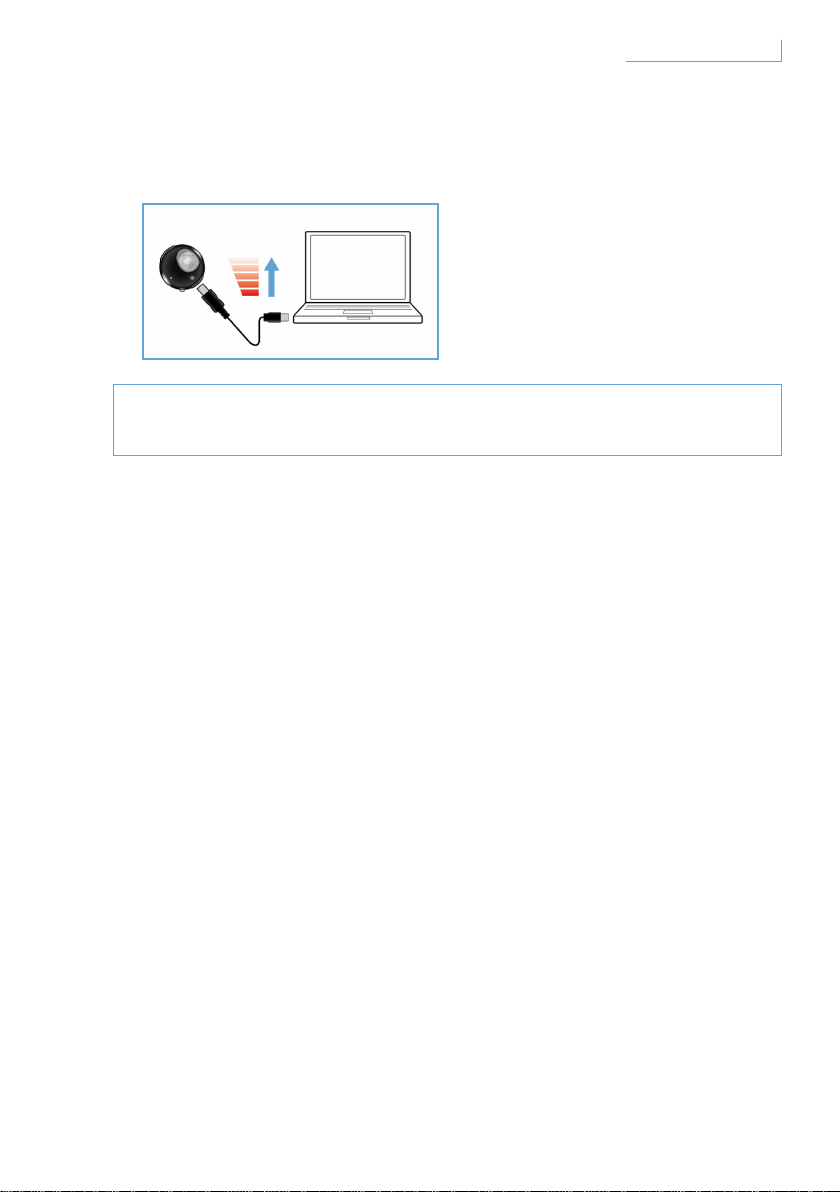
Carregar o auricular Breeze
Certifique-se de que o seu auricular Breeze está completamente
carregado antes de começar a utilizá-lo.
Pode carregar o seu auricular Breeze de duas formas:
1 Ligue o auricular Breeze ao PC utilizando o cabo USB fornecido,
2 Ligue o auricular Breeze a um transformador de corrente alterna* ou de
corrente contínua no automóvel**. (Note que os transformadores não são
incluídos na embalagem e são vendidos em separado.)
Um LED vermelho indica que o auricular Breeze está a carregar e
desligar-se-á automaticamente quando a bateria estiver totalmente
carregada. Quando a bateria estiver fraca, é emitido um som de alerta.
Terá então de carregar o seu auricular Breeze para manter a melhor
qualidade de comunicações.
* Transformador CA/CC modelo Philips SCM2280/05(Reino Unido),
SCM2280/12 (Europa) e SCM2280/37(EUA)
** Transformador CA/CC para automóvel, modelo Philips
SCM2180/05(Reino Unido), SCM2180/12 (Europa) e SCM2180/37(EUA)
101Como iniciar PT
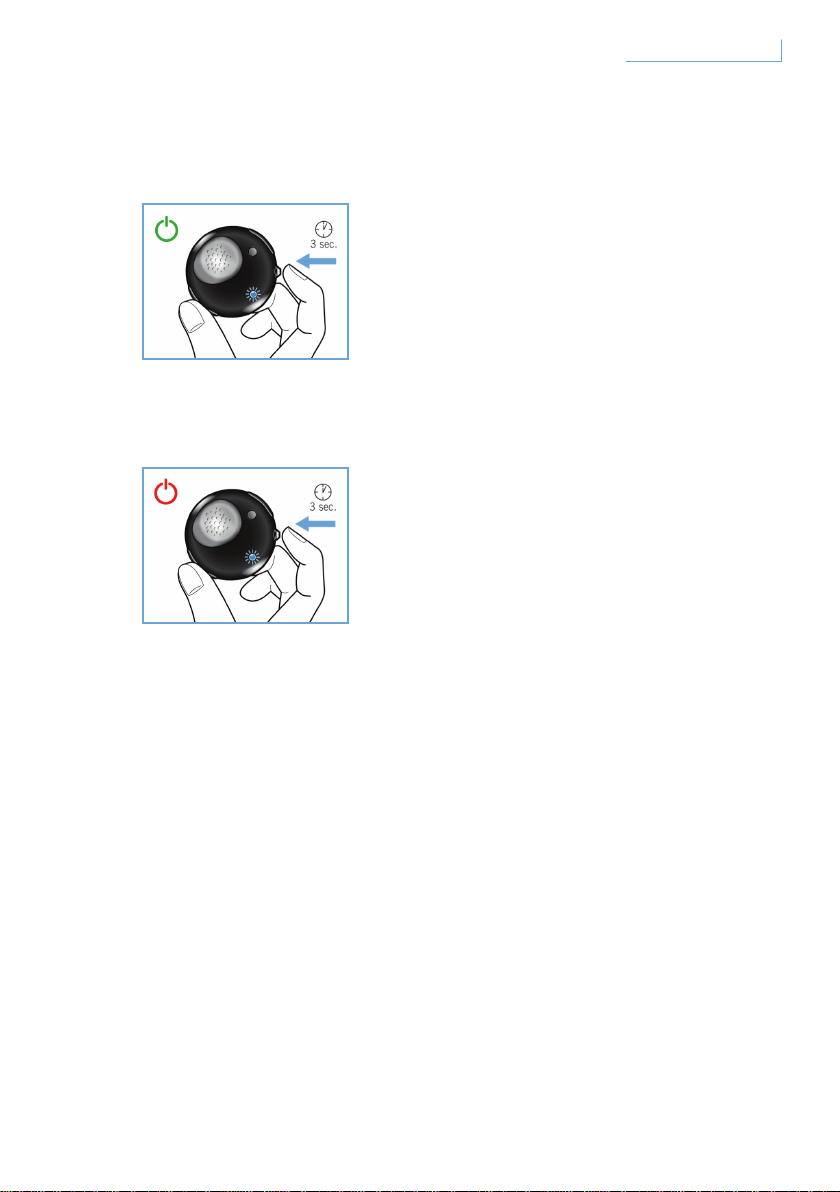
Ligar e desligar o seu auricular Breeze
Ligue o seu auricular, prima e mantenha sob pressão o botão MFB até
que o LED se acenda e fique intermitente.
Desligue o seu auscultador, prima e mantenha sob pressão MFB até
que o LED vermelho se acenda uma vez e apague em seguida.
102Como iniciar PT
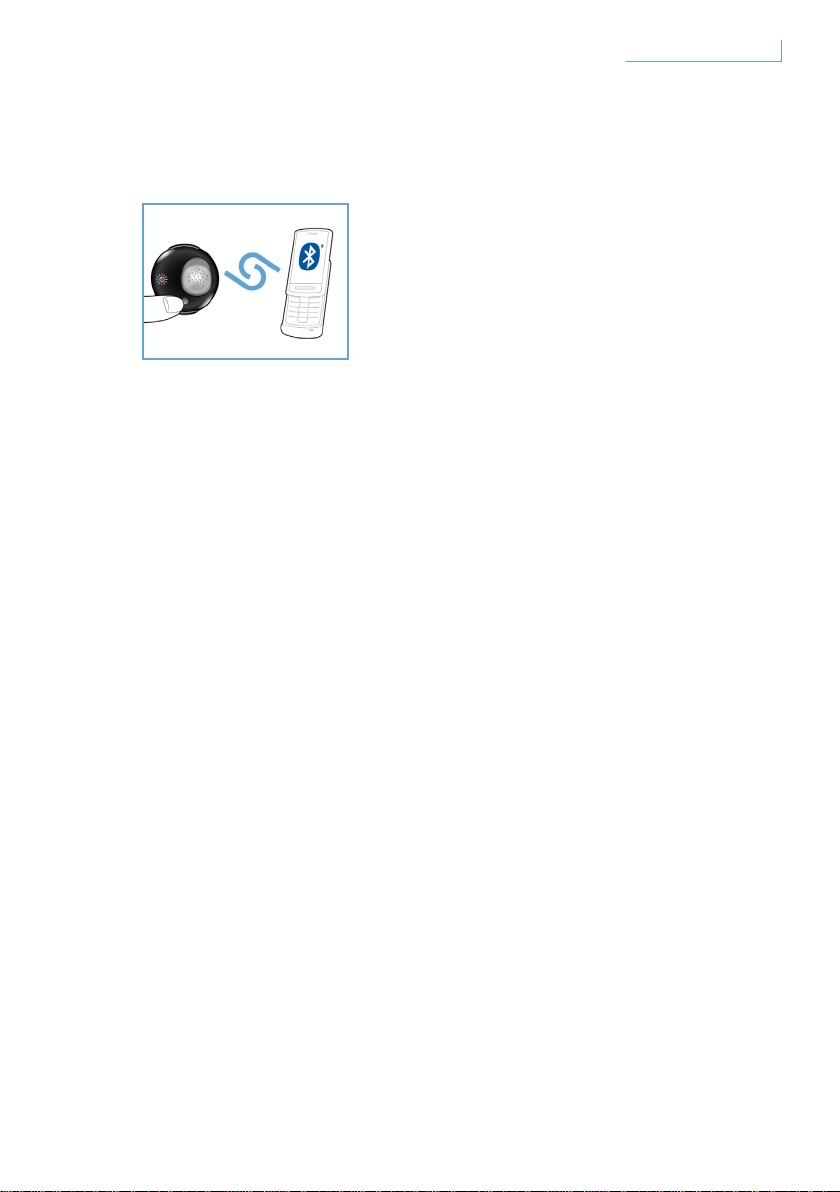
Emparelhar o auricular Breeze com o telemóvel
Antes de utilizar o seu auricular Breeze, tem de emparelhá-lo com
o seu telemóvel.
1 Ligue o auricular Breeze.
2 Prima e mantenha sob pressão o botão PAIR até que o LED alterne
entre o vermelho e o azul.
3 Altere a definição no seu telemóvel para activar a pesquisa de
dispositivos Bluetooth. Seleccione “Breeze” a partir das opções
disponíveis apresentadas no seu telemóvel.
4 Quando a linha de comandos para “Breeze” aparecer, introduza
o número PIN “0000” no seu telemóvel e prima Confirmar.
5 O emparelhamento está agora concluído.
Depois de concluir o exercício de emparelhamento, o LED vermelho
apaga-se e o LED azul fica intermitente.
103Como iniciar PT
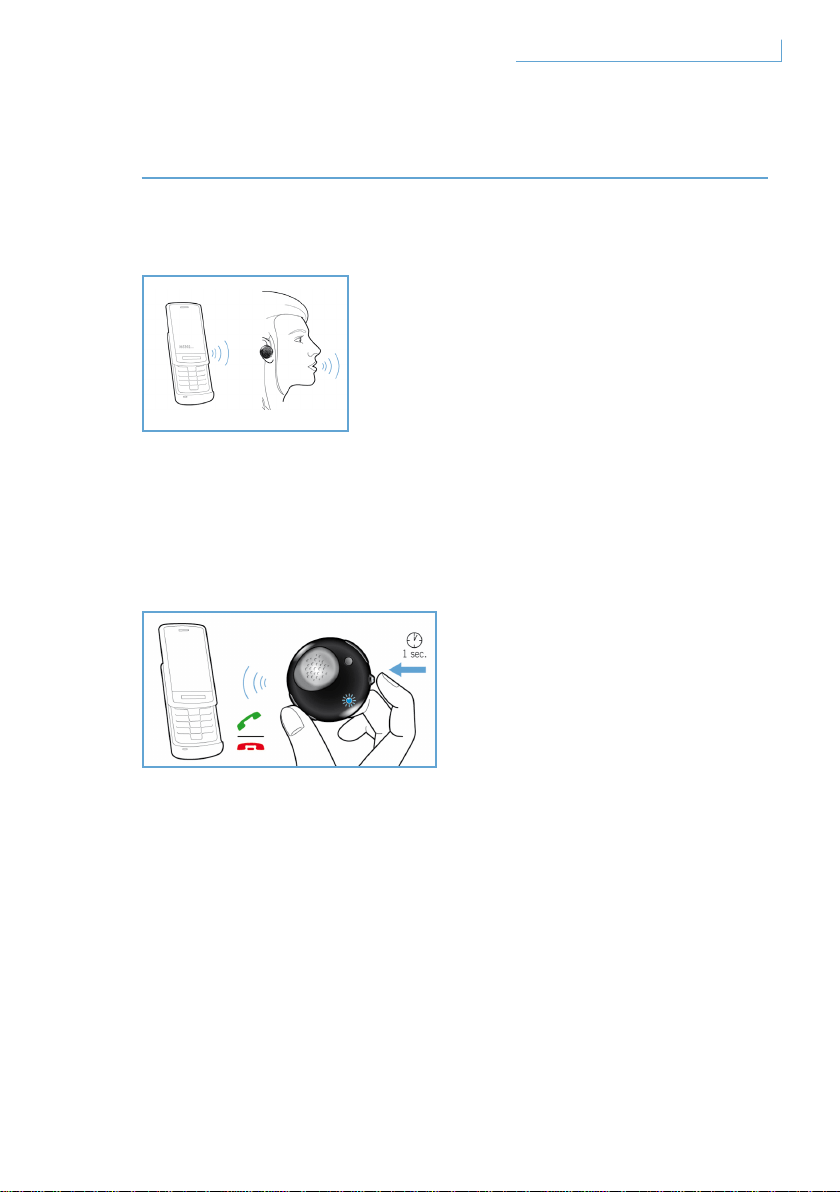
FUNÇÕES DO AURICULAR BREEZE
Efectuar uma chamada
Para efectuar uma chamada, basta marcar o número de telefone
pretendido e a chamada é automaticamente transferida para o auricular.
Na eventualidade improvável deste procedimento falhar, basta tocar no
botão MFB para efectuar a transferência.
Atender uma chamada
Prima uma vez o botão MFB e ouvirá um toque de retorno, que indica
que a chamada recebida está activa.
Terminar/cancelar uma chamada
Prima uma vez o botão MFB. O som de retorno resultante significa que
a chamada activa ou efectuada foi terminada.
104Funções do auricular Breeze PT

Transferir uma chamada
Para transferir uma chamada activa no auricular para o seu telemóvel,
prima e mantenha sob pressão o botão MFB durante cerca de um
segundo até ouvir um sinal de retorno.
Rejeitar uma chamada
Prima e mantenha sob pressão o botão MFB durante cerca de um
segundo quando a chamada recebida estiver a tocar até ouvir um sinal
de retorno.
Remarcar o último número
Para remarcar o último número, prima uma vez o botão MFB até ouvir o
sinal de retorno.
Chamada em espera e colocar uma chamada em espera*
Para alternar entre duas chamadas recebidas, prima e mantenha sob
pressão o botão MFB durante cerca de um segundo até ouvir um sinal
de retorno.
* As funcionalidades marcadas com * dependem do seu telemóvel e/ou do serviço da rede.
105Funções do auricular Breeze PT
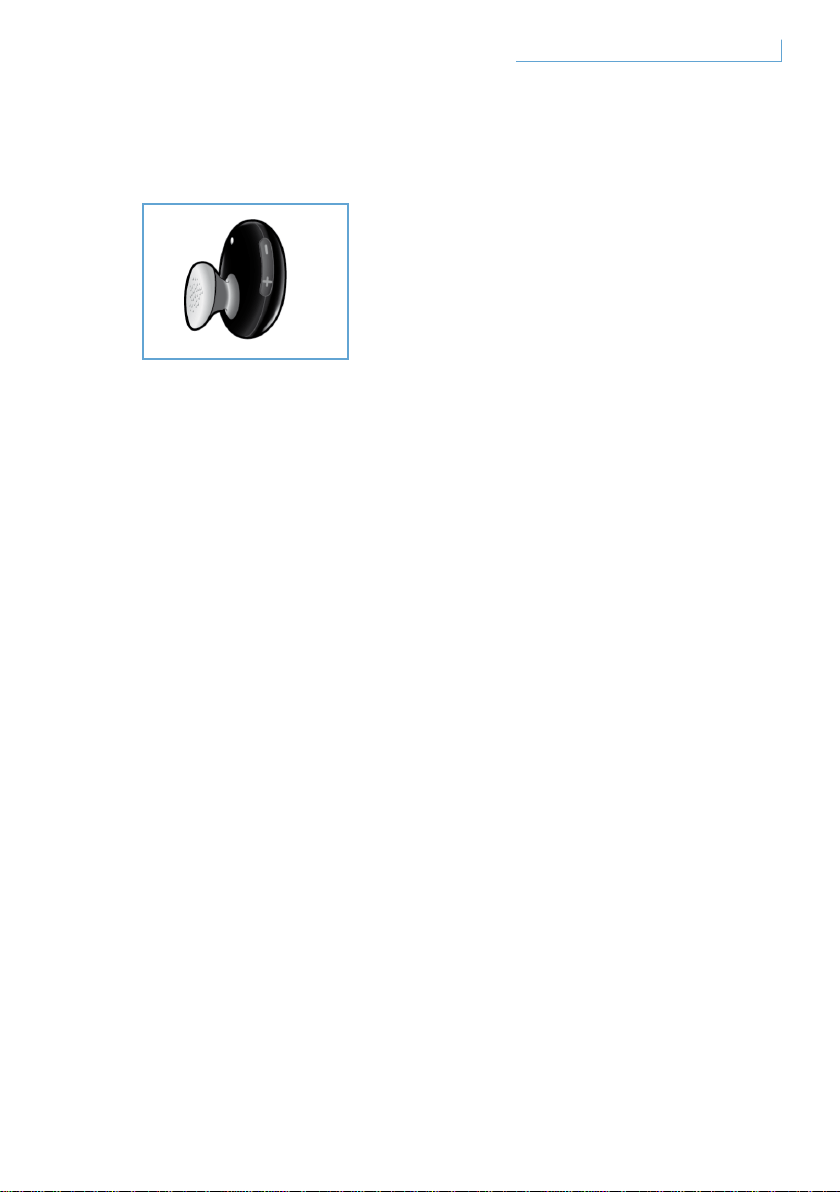
Ajustar o som e o volume
Prima para cima (+) ou para baixo (-) no botão de controlo de volume
para ajustar o volume. De cada vez que prime o botão de controlo do
volume, é ouvido um sinal de retorno.
106Funções do auricular Breeze PT
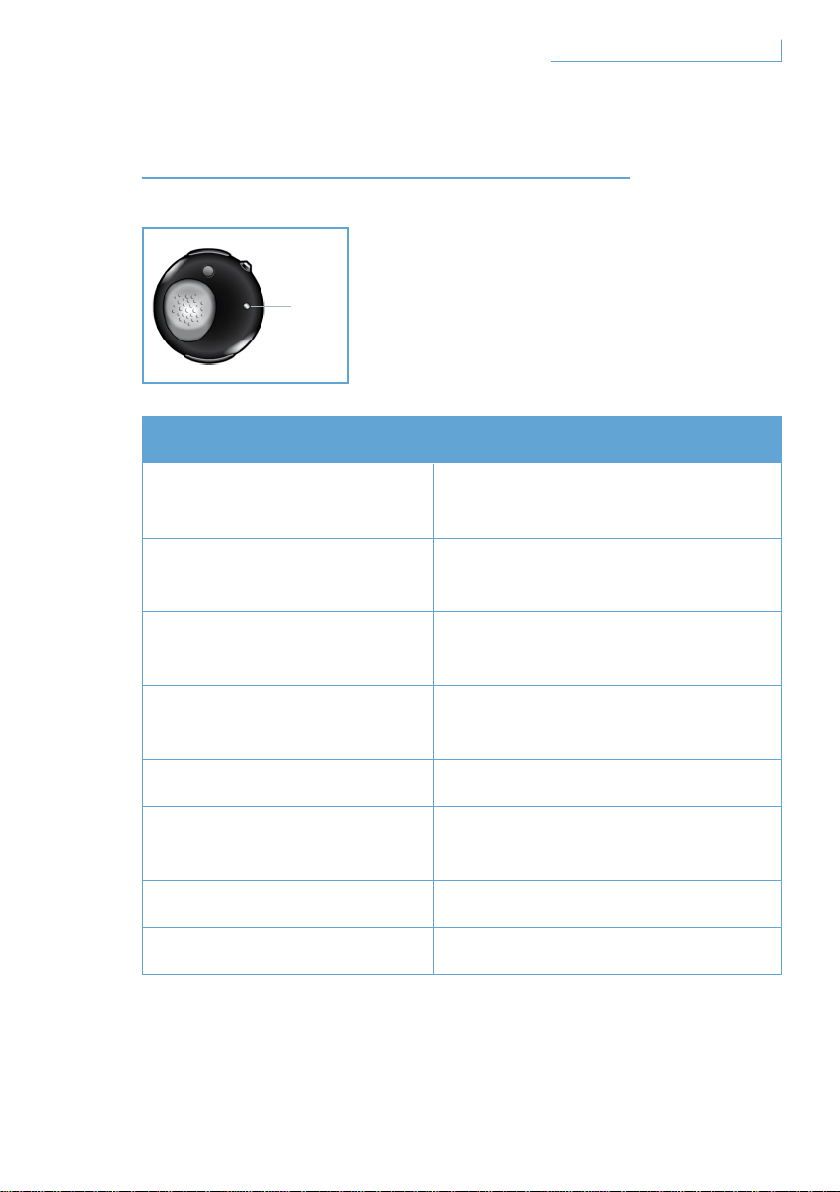
O QUE AS LUZES INDICAM
O que vê O que significa para o seu auricular
Luz azul intermitente
Intermitência rápida,
chamada activa
Luz azul intermitente
três vezes
Intermitência lenta (por 2S),
chamada recebida/efectuada
Luz azul intermitente
duas vezes
Intermitência muito lenta (por 5S),
no modo ligado
Luz azul intermitente
uma vez
Intermitência muito lenta (por 5S),
no modo standby
Luz vermelha intermitente Bateria fraca
Luz vermelha e azul em
intermitência alternada
No modo de emparelhamento
Luz vermelha fixa A carregar
Sem luz Carga completa
107O que as luzes indicam
D. LED
PT
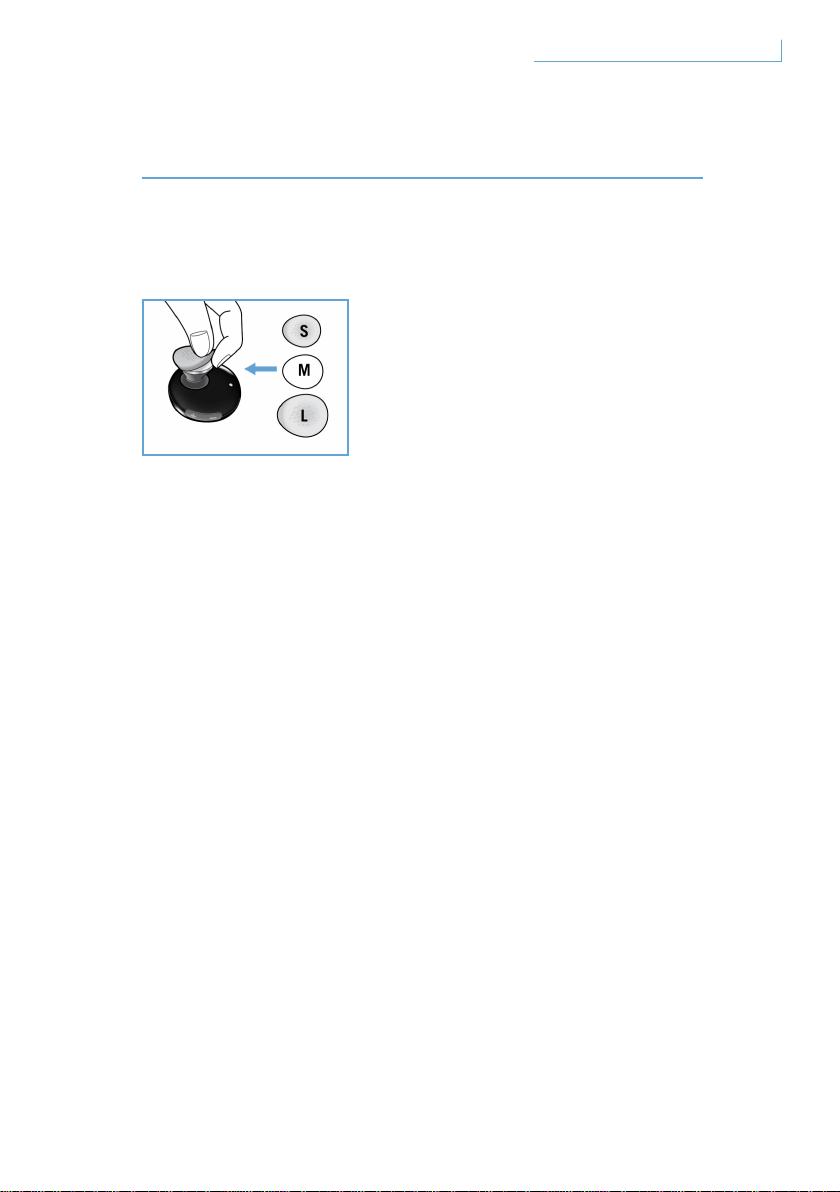
OBTER A MELHOR ADAPTAÇÃO
O seu auricular Breeze inclui uma selecção de revestimentos auditivos
com três tamanhos diferentes para obter um conforto personalizado.
Para retirar o revestimento original de tamanho médio, segure o corpo do
dispositivo auditivo e retire cuidadosamente o revestimento. Coloque um
novo revestimento sobre o dispositivo. Para obter um conforto duradouro,
escolha o tamanho que melhor se adapte a si.
108Obter a melhor adaptação PT
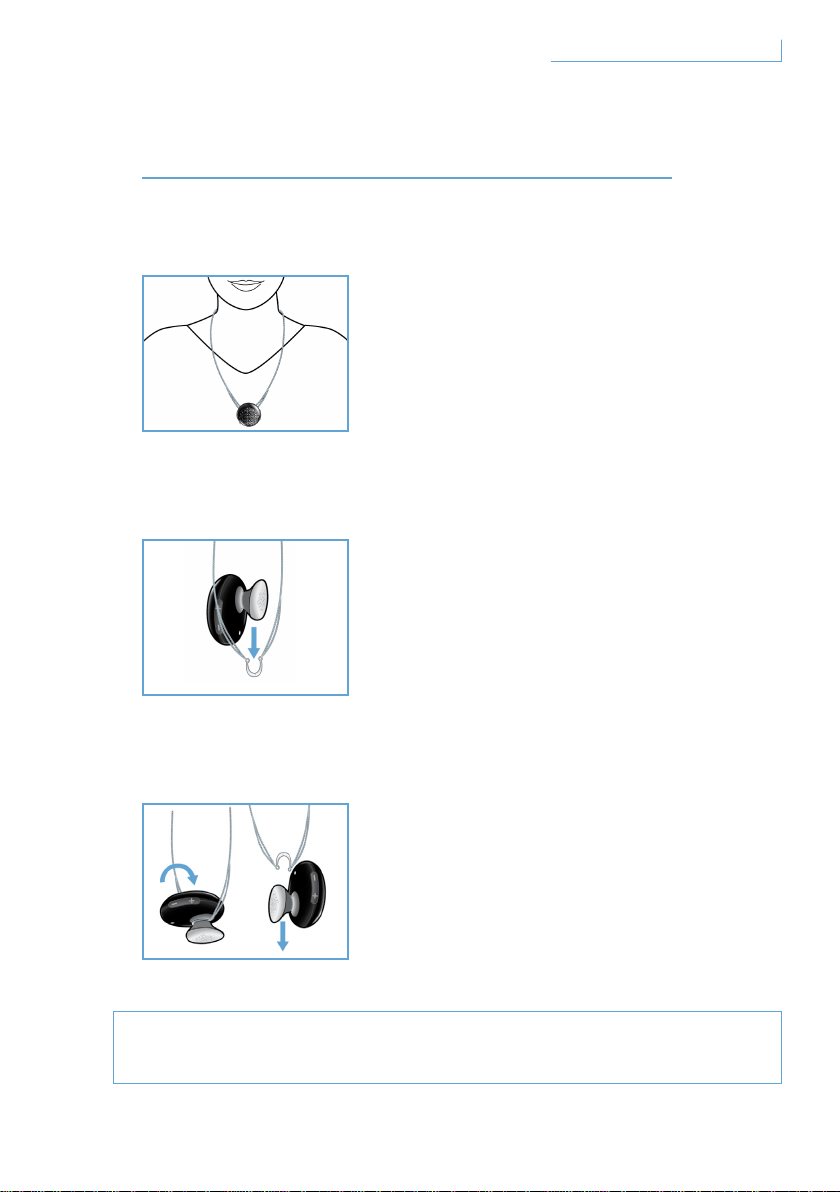
USAR O AURICULAR BREEZE
Usar no fio
Como afixar o auricular Breeze ao fio:
Como retirar o auricular Breeze do fio:
Não force, nem tente separar o gancho semi-circular, pois pode
provocar danos no auricular.
109Usar o auricular Breeze
O seu auricular Breeze pode ser afixado
a um fio com ou sem o aro para a orelha.
Deslize suavemente o auricular Breeze
para o gancho semi-circular.
Pode fazê-lo com ou sem o aro para a orelha.
Rode o auricular Breeze para a
frente e puxe cuidadosamente.
PT
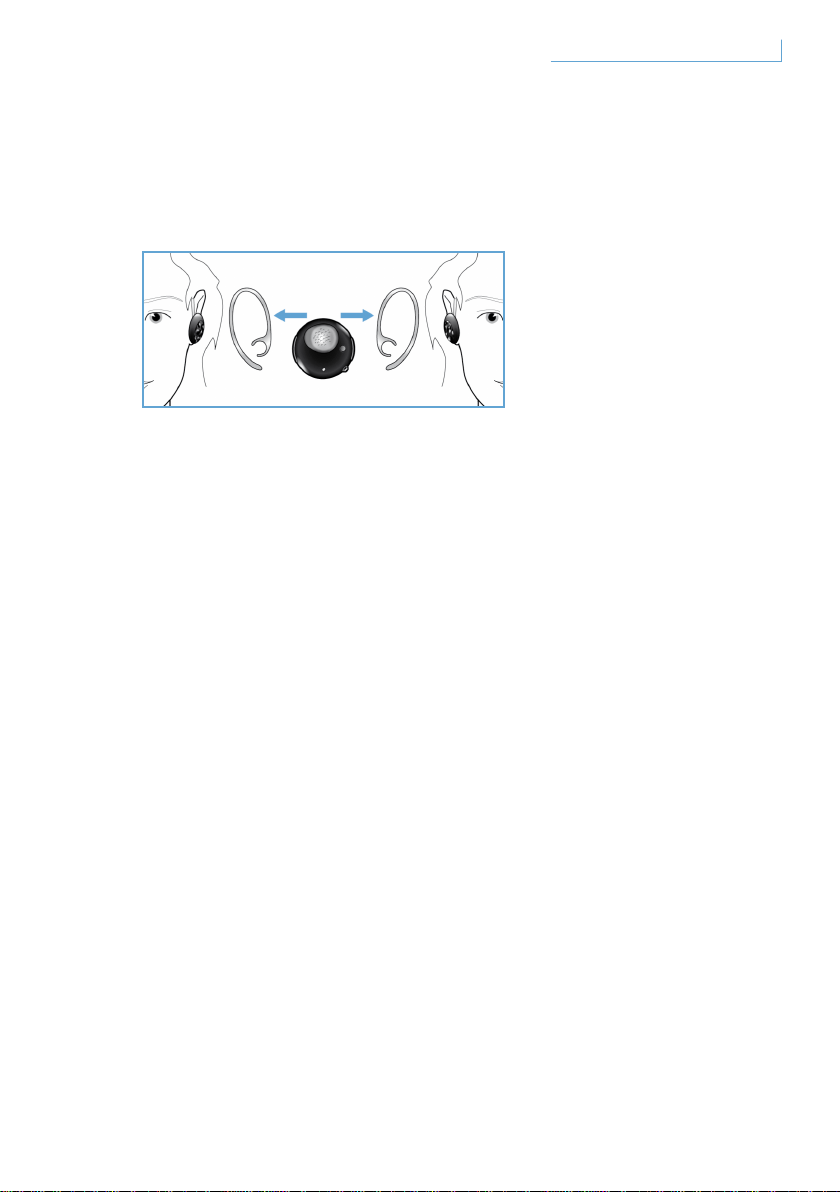
Usar o auricular na orelha com o aro
O auricular Breeze pode ser usado na orelha esquerda ou direita.
Faça deslizar o aro para a orelha, conforme se mostra nas figuras, na
orelha esquerda ou direita. Ouvirá um clique quando o aro estiver bem
seguro no auricular. O microfone deverá ser posicionado na parte frontal
inferior para os modos de utilização à esquerda e à direita.
110Usar o auricular Breeze PT

RESOLUÇÃO DE PROBLEMAS
E PERGUNTAS FREQUENTES
Ouve-se som intermitente ou estática
1 Verifique o estado da bateria e recarregue o auricular se a bateria
estiver fraca
2 Verifique se a distância entre o telemóvel e o auricular está dentro
do alcance de funcionamento especificado
3 Verifique se existem obstáculos entre o auricular e o telemóvel
4 Para obter a melhor qualidade de som, use sempre o seu auricular
do mesmo lado que o telemóvel
Não existe som quando ligo o auricular
1 Certifique-se de que o auricular foi emparelhado com o telemóvel
adequado e de que está ligado
2 Aumente o volume no auricular
O auricular não pode ser emparelhado
1 Consulte novamente a secção “Emparelhar o auricular Breeze
com o seu telemóvel” e siga os passos indicados.
2 Certifique-se de que introduziu o PIN correcto (0000).
3 Elimine todos os dispositivos Bluetooth registados no seu telemóvel
e tente emparelhar novamente com o seu auricular Breeze.
4 Certifique-se de que o auricular não está ligado a qualquer
outro dispositivo Bluetooth
Precisa de ajuda?
Ajuda em linha: www.active-crystals.com
Para obter ajuda interactiva, resposta a perguntas frequentes,
actualizações de software, e suporte.
111Resolução de Problemas e Perguntas Frequentes PT

ESPECIFICAÇÕES
Tempo de conversação > =4,5 horas*
Tempo de standby >= até 120 horas*
Tempo de carga < 1,5 horas
Tipo de Bluetooth Bluetooth versão 2.0 + EDR, HSP, HFP
Alcance de funcionamento até 10 metros
Auricular Bluetooth e suporte de perfis mãos livres
Bateria recarregável com opção de carga a partir do PC através do cabo
USB ou através do transformador de CA/CC (não incluído), transformador
para automóvel (não incluído)
* Os resultados reais podem variar
112Especificações PT
IMPORTANTE
Segurança auditiva
Perigo
Para evitar danos na audição limite o tempo de utilização dos
auscultadores no seu volume máximo e regule-o para um nível de
volume seguro. Quanto mais alto estiver o volume, menor será o
tempo de escuta em segurança.Assegure-se de que respeita as
Assegure-se de que respeita as seguintes orientações ao utilizar
os seus auscultadores
• Escute a níveis de volume e durante períodos de tempo razoáveis.
• Tenha cuidado para não aumentar continuamente o volume dado
que a sua audição se adapta.
• Não coloque o volume tão alto que fique impossibilitado de escutar
o que o rodeia.
• Deve utilizar cuidado ou interromper temporariamente o uso em
situações potencialmente perigosas.
• A utilização deste auricular com ambas as orelhas tapadas enquanto
conduz não é recomendada e pode ser ilegal em algumas zonas.
• Para a sua segurança, evite distracções com música ou chamadas
telefónicas quando estiver no trânsito ou noutros ambientes
potencialmente perigosos.
113Importante PT

Campos Eléctricos, Magnéticos e Electromagnéticos (“EMF”)
1 A Philips Electronics fabrica e vende muitos produtos direccionados para
o consumidor, os quais, tal como qualquer aparelho electrónico, têm em
geral a capacidade de emitir e receber sinais electromagnéticos.
2 Um dos Princípios de Negócio mais importantes da Philips é o de tomar
todas as medidas de saúde e segurança necessárias para todos os nossos
produtos, de estar em conformidade com todos os requisitos legais
aplicáveis e o de estar completamente integrado nos standards EMF
aplicáveis na altura da produção dos produtos.
3 A Philips está empenhada em desenvolver, produzir e comercializar
produtos que não causem efeitos adversos para a saúde.
4 A Philips confirma que se os seus produtos forem manuseados
adequadamente para o fim pretendido, estes são seguros de utilizar de
acordo com evidências científicas disponíveis hoje em dia.
5 A Philips desempenha um papel activo no desenvolvimento dos
standards de segurança EMF internacionais, permitindo que a Philips
antecipe desenvolvimentos suplementares na uniformização para
integração antecipada nos seus produtos.
Manutenção Geral
Para evitar danos ou mau funcionamento
• Não exponha o auricular ao calor excessivo.
• Não deixe cair o seu auricular.
• Não permite que o seu auricular seja mergulhado na água.
• Não utilize produtos de limpeza contendo álcool, amónia, benzeno, ou
abrasivos. Na eventualidade de ter que limpar, utilize um pano macio, se
houver necessidade humedeça-o com uma quantidade mínima de água
ou detergente suave diluído, para limpar o produto.
114Importante PT
Sobre as temperaturas de funcionamento e arrumação
Não coloque a funcionar nem arrume num local onde as temperaturas
sejam inferiores a -15°C (5°F) ou superiores a 55°C (131°F) dado que
isto pode encurtar o tempo de vida útil da bateria.
Eliminação do seu produto usado
O seu produto está concebido e fabricado com os materiais e
componentes da mais alta qualidade, os quais podem ser reciclados e
reutilizados.
Quando este símbolo de caixote do lixo cruzado se encontrar anexado
ao seu produto, isto significa que o produto se encontra abrangido
pela Directriz Europeia 2002/96/CE. Por favor informe-se sobre o
sistema de reciclagem local para produtos eléctricos e electrónicos.
Por favor haja de acordo com as suas regras locais e não se desfaça do
seu produto usado conjuntamente com o seu desperdício doméstico
normal. A eliminação correcta do seu produto usado irá ajudar a evitar
consequências potencialmente negativas para o ambiente e saúde
humana.
Remover a bateria integrada
Se no seu país não existir sistema de recolha / reciclagem para produtos
electrónicos você pode proteger o ambiente removendo e reciclando a
bateria antes de se desfazer do auricular. Por favor leve a bateria para
um ponto de recolha e reciclagem.
Assegure-se de que o auricular se encontra desligado do adaptador de
corrente antes de retirar a bateria.
115Importante PT

Advertências para a União Europeia
Philips Consumer Lifestyle, BU P&A declara que este Philips Bluetooth
headset SWB9000/SWB9200 está conforme com os requisitos
essenciais e outras disposições da Directiva 1999/5/CE.Verifique a
Declaração de Conformidade na pasta de raíz do CD do seu manual de
utilizador ou numa folha anexa.
Marcas comerciais
A marca da palavra Bluetooth e os logótipos são propriedade da
Bluetooth SIG, Inc.
© 2008 Koninklijke Philips Electronics N.V. & Swarovski AG.
All rights reserved.
116Importante PT

118
118
119
119
120
121
122
123
123
123
123
124
124
124
124
125
126
127
128
128
129
130
130
131
132
RU
117
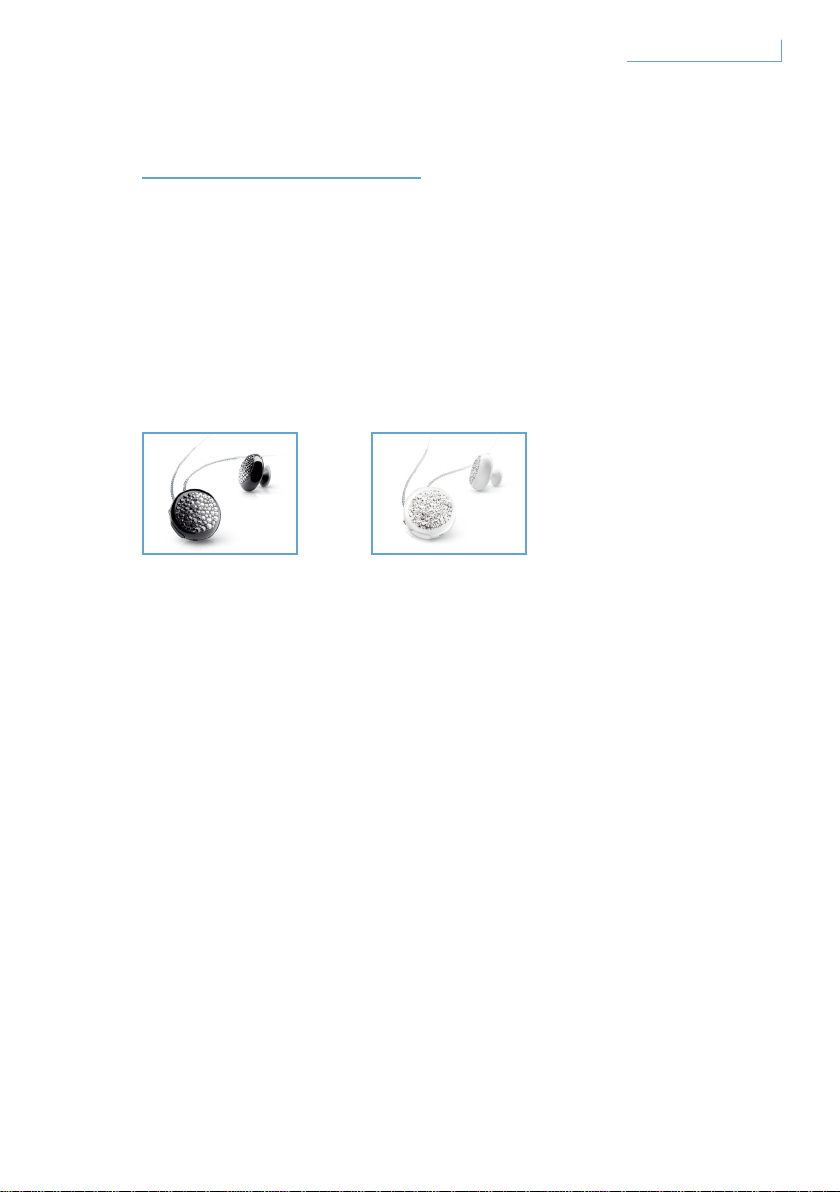
Полная коллекция
Breeze Black Breeze White
118
RU
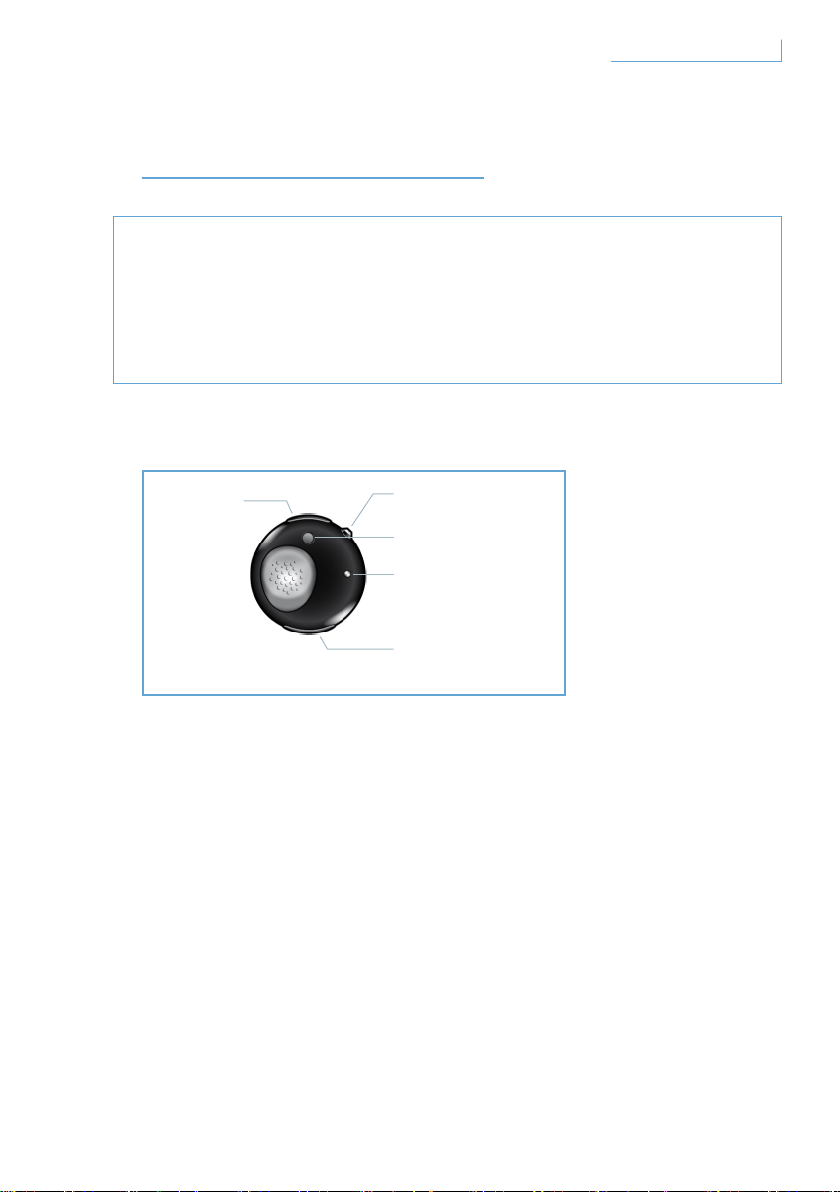
•
•
Гарнитура Breeze оснащены следующими кнопками и функциями
A. Порт USB
B. Универсальная
хрустальная кнопка
C. Кнопка соединения
E. Кнопка регулировки
громкости
D. Индикатор
119
RU
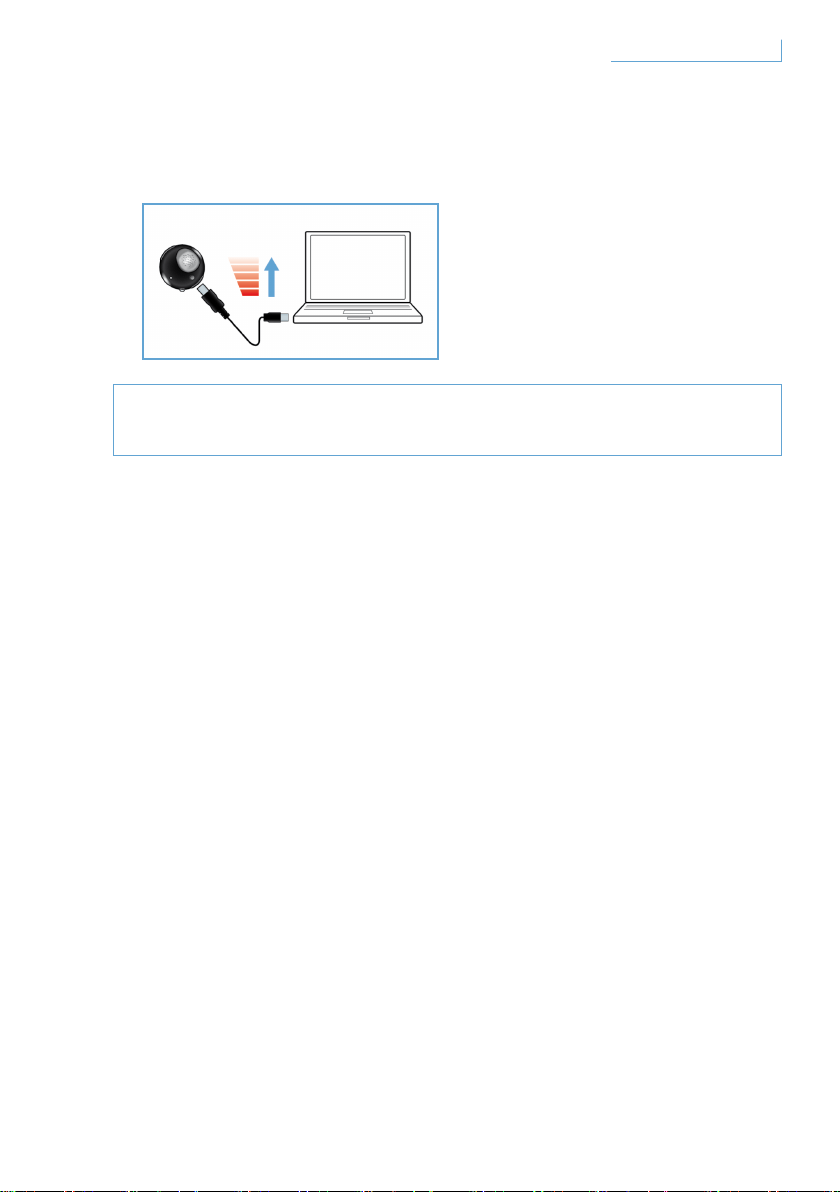
Зарядка гарнитуры Breeze
Зарядка гарнитуры Breeze выполняется двумя способами:
1
2
120
RU
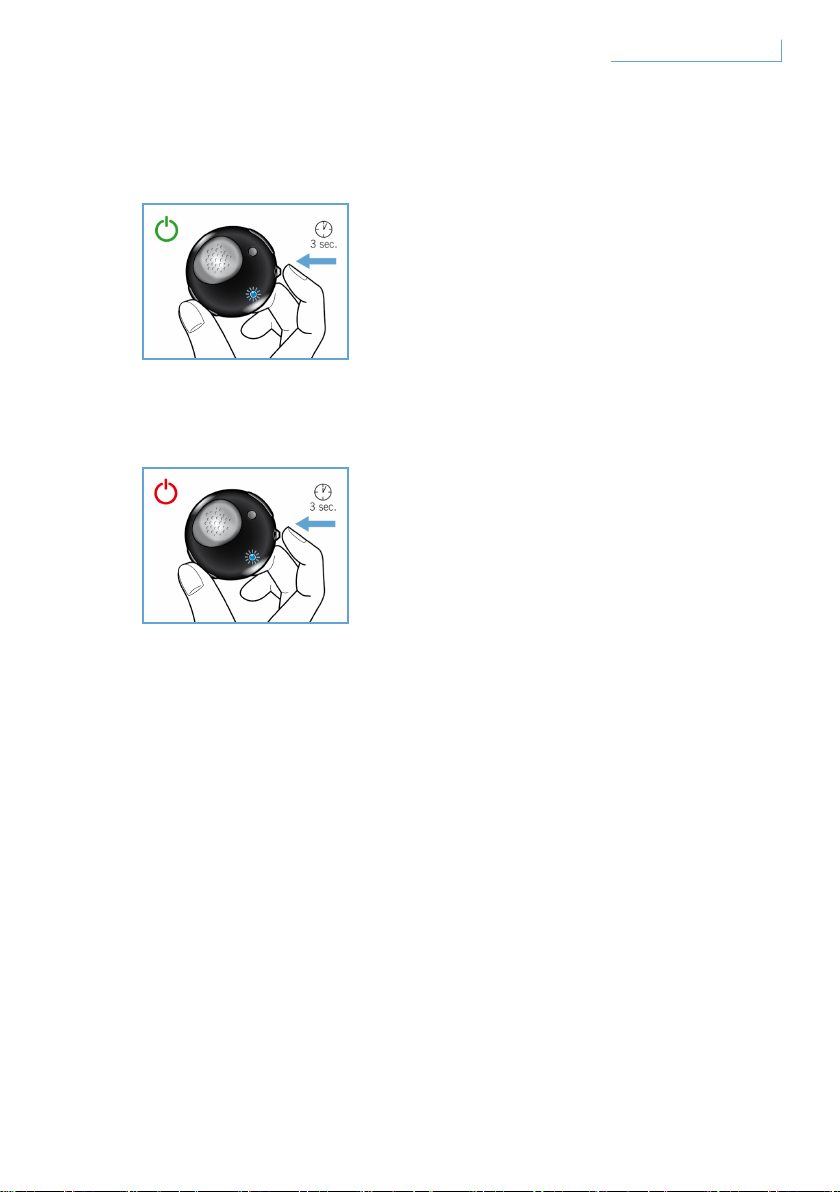
Включение и выключение гарнитуры Breeze
Для включения гарнитуры нажмите и удерживайте кнопку MFB,
пока не начнет мигать синий индикатор.
Для выключения гарнитуры нажмите и удерживайте кнопку MFB,
пока красный индикатор не мигнет и не изменит цвет на синий, а
затем погаснет.
121
RU
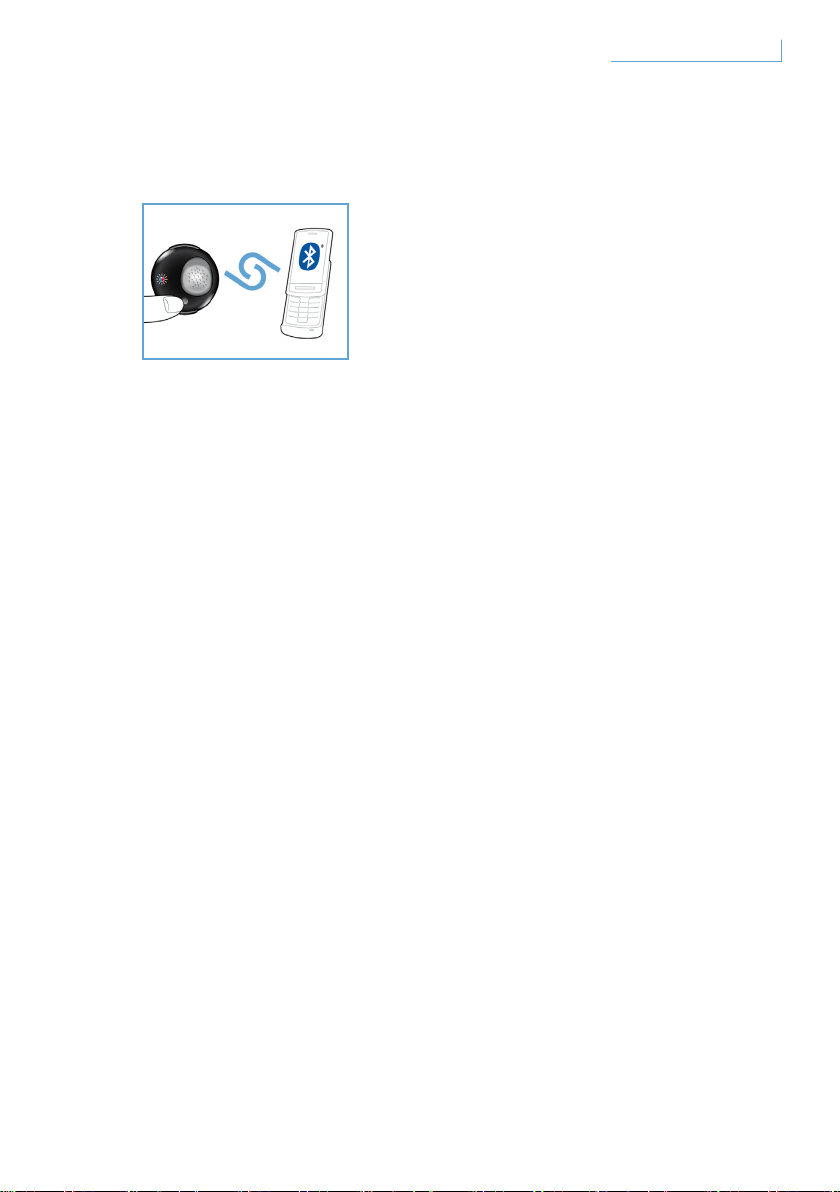
Соединение гарнитуры Breeze с мобильным телефоном
Перед использованием гарнитуры Breeze необходимо
выполнить соединение с мобильным телефоном.
1
2
3
4
5
122
RU
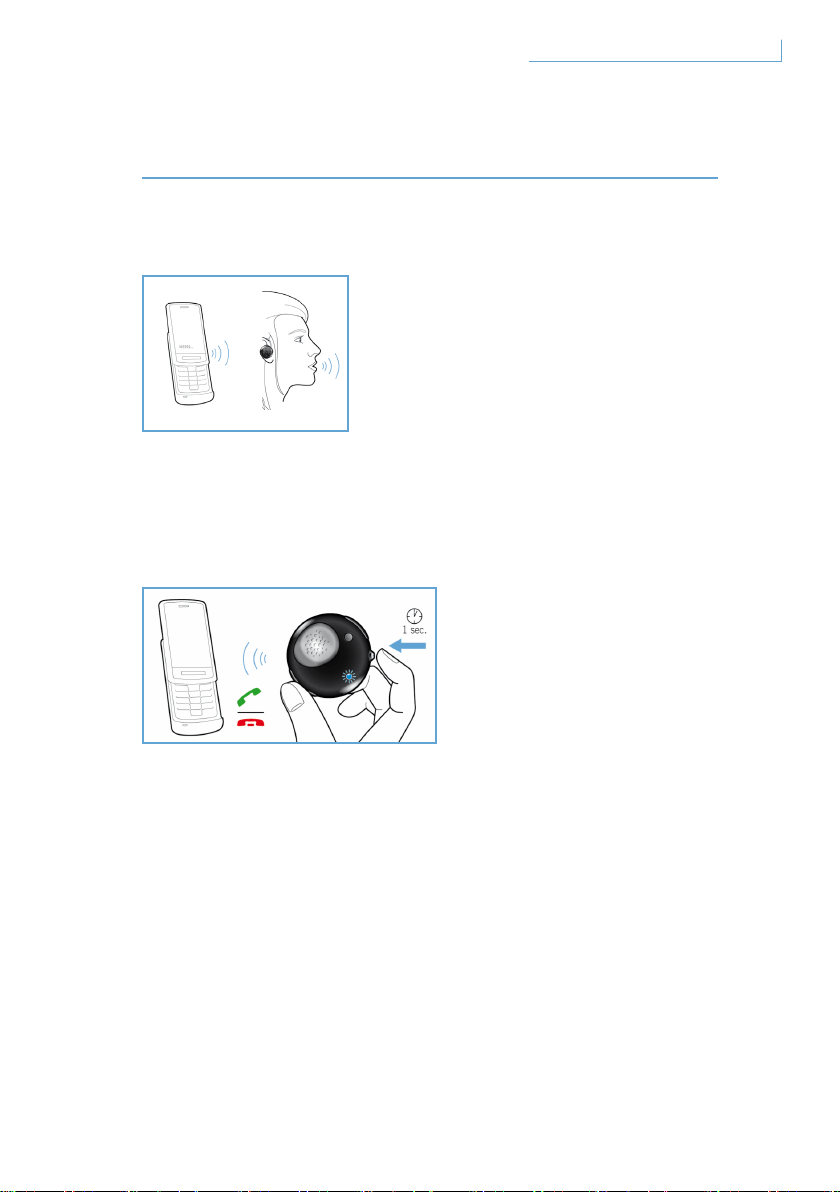
Направление вызова
Ответ на вызов
Завершение/отмена вызова
123
RU

Перенос вызова
Сброс вызова
Повторный набор последнего номера
Ожидание вызова и удерживание вызова*
124
RU
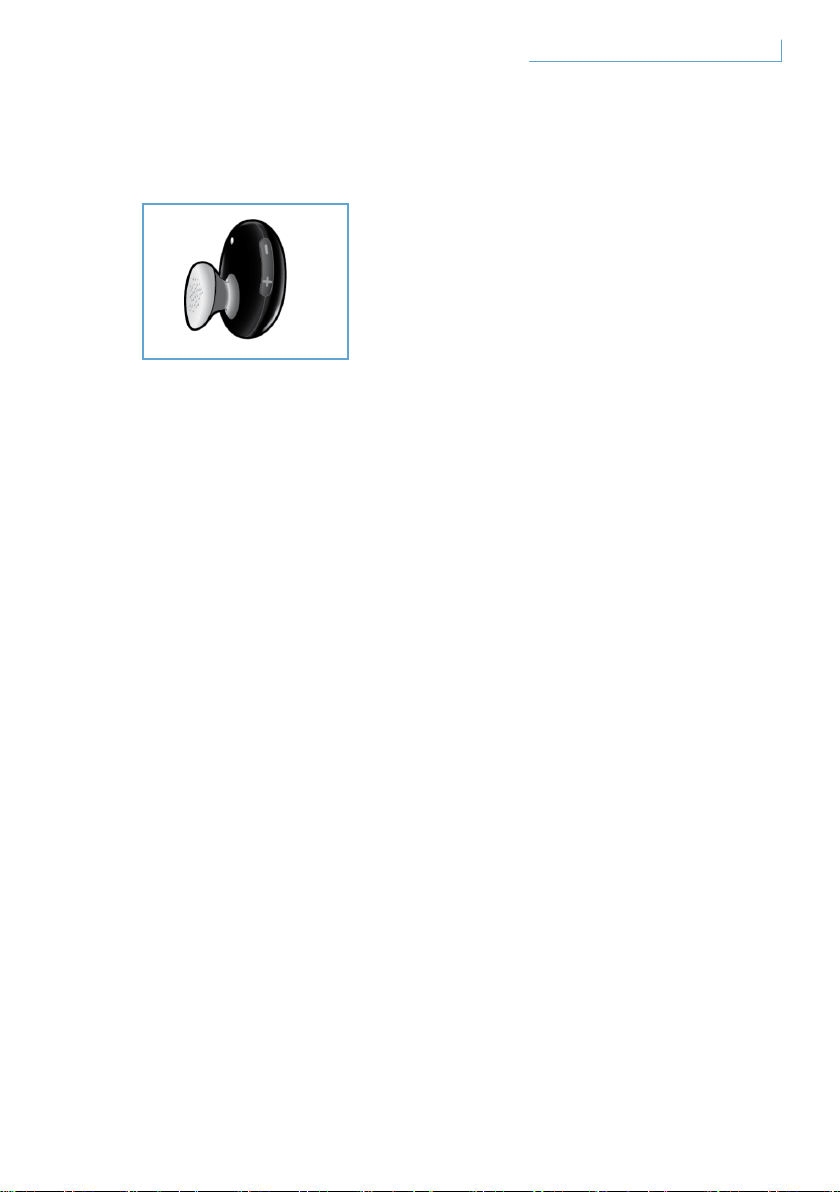
Регулировка громкости
125
RU
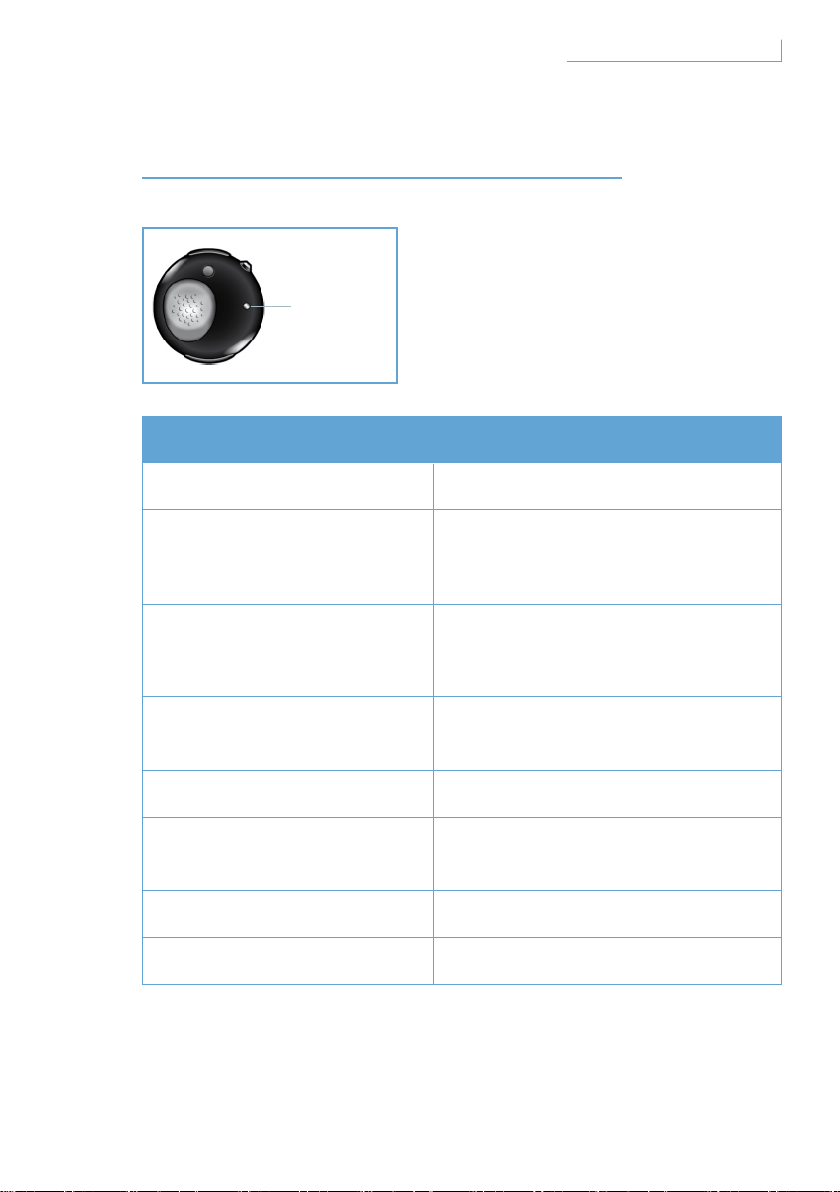
Что видите Значение для гарнитуры
126
D. Индикатор
RU
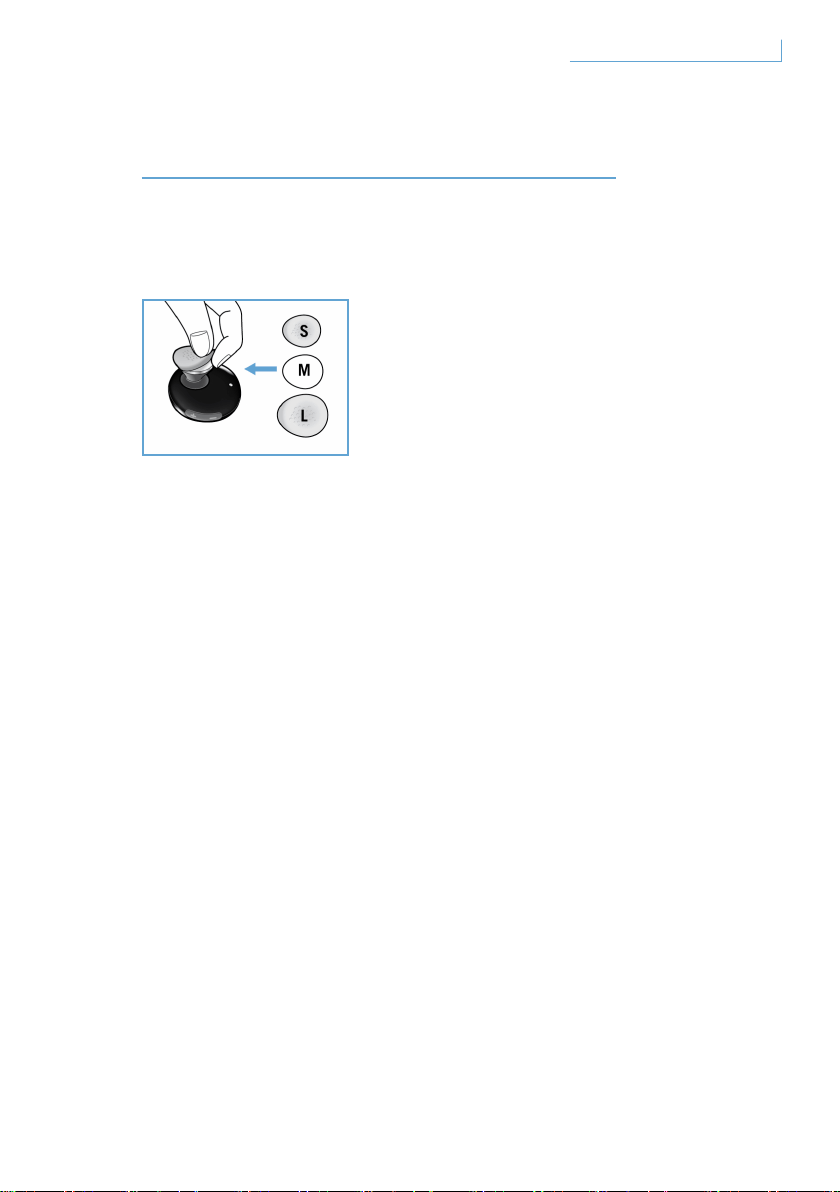
Гарнитура Breeze поставляется с тремя различными размерами
ушных вкладышей для комфорта пользователя.
127
RU
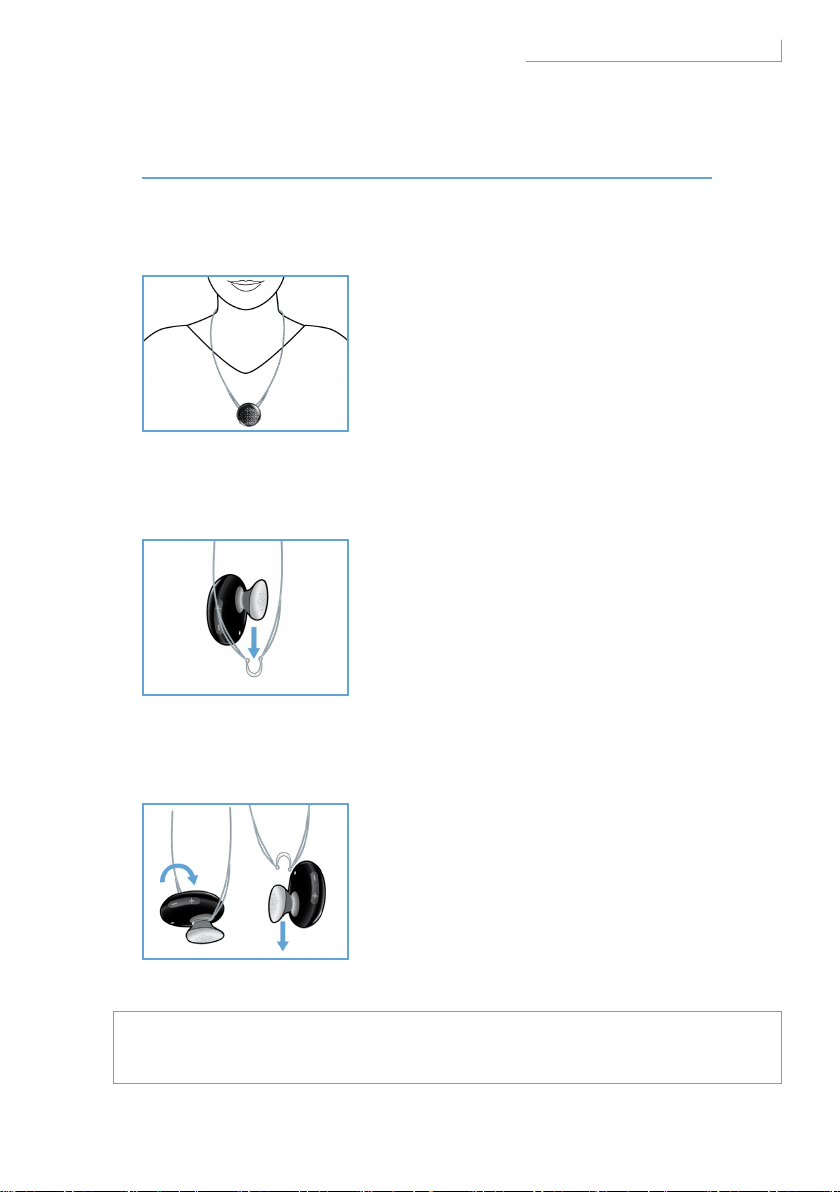
Ношение на цепочке
Как прикрепить гарнитуру Breeze к цепочке:
Как снять гарнитуру Breeze с цепочки:
128
RU
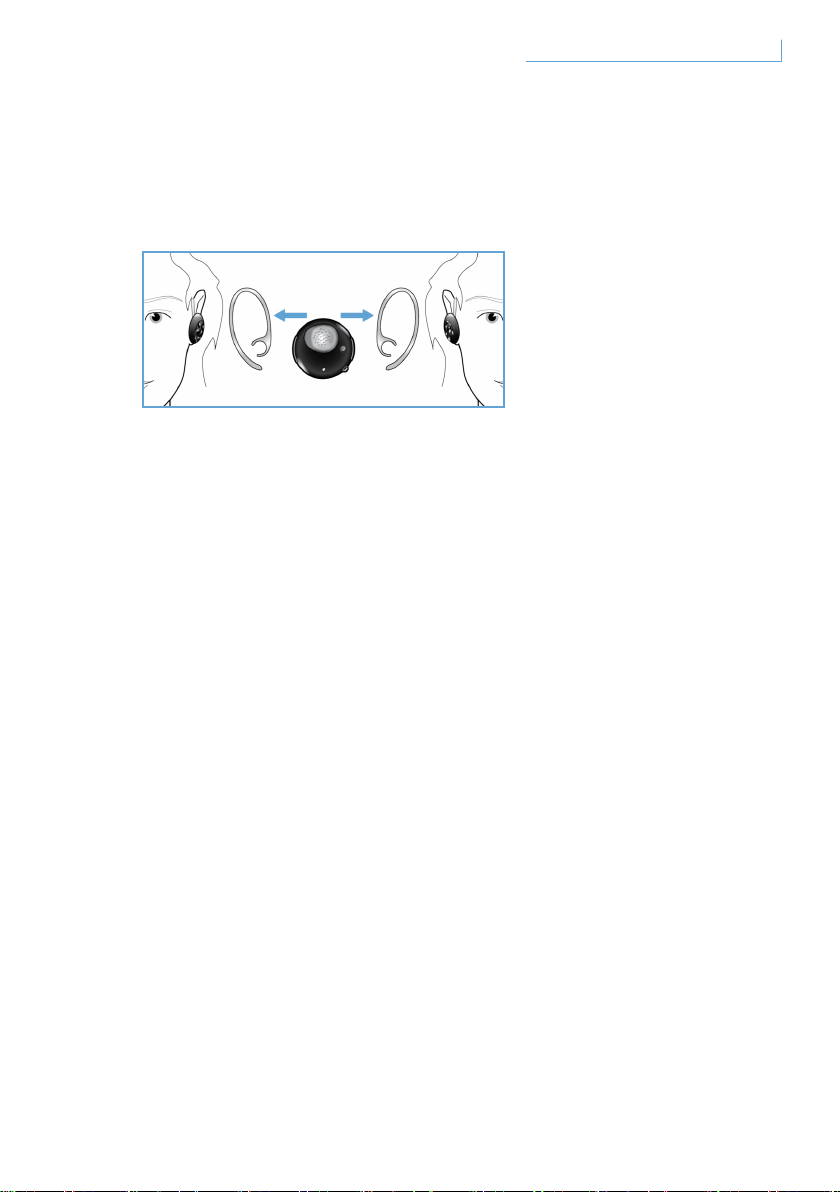
Ношение гарнитуры на ушном креплении-крючке
Гарнитуру Breeze можно носить в левом и в правом ухе.
129
RU

1
2
3
4
1
2
1
2
3
4
Требуется помощь?
Помощь через интернет: www.active-crystals.com
130
RU

131
RU
Безопасность при прослушивании
•
•
•
•
•
•
132
RU

Электрические, магнитные и электромагнитные поля (“EMF”)
1
2
3
4
5
•
•
•
•
133
RU

Отсоединение встроенной батареи
Торговые марки
134
RU

目錄
歡迎 136
全系列組合 136
開始 137
Breeze 耳機具備下列按鍵及功能 137
為 Breeze 耳機充電 138
開啟/關閉 Breeze 耳機 139
配對您的 Breeze 耳機與手機 140
BREEZE 耳機功能 141
撥打電話 141
通話 141
結束/取消通話 141
轉接通話 142
拒絕通話 142
重撥上次號碼 142
插撥來電和來電等候 142
調整聲音和音量 142
燈所指示的 143
完美貼合 144
佩戴 BREEZE 耳機 145
以鏈子佩戴 145
使用耳鉤將耳機佩戴在耳朵上 146
疑難排解和常見問答集 147
需要求助? 147
規格 148
重要事項 149
CT
135
目錄
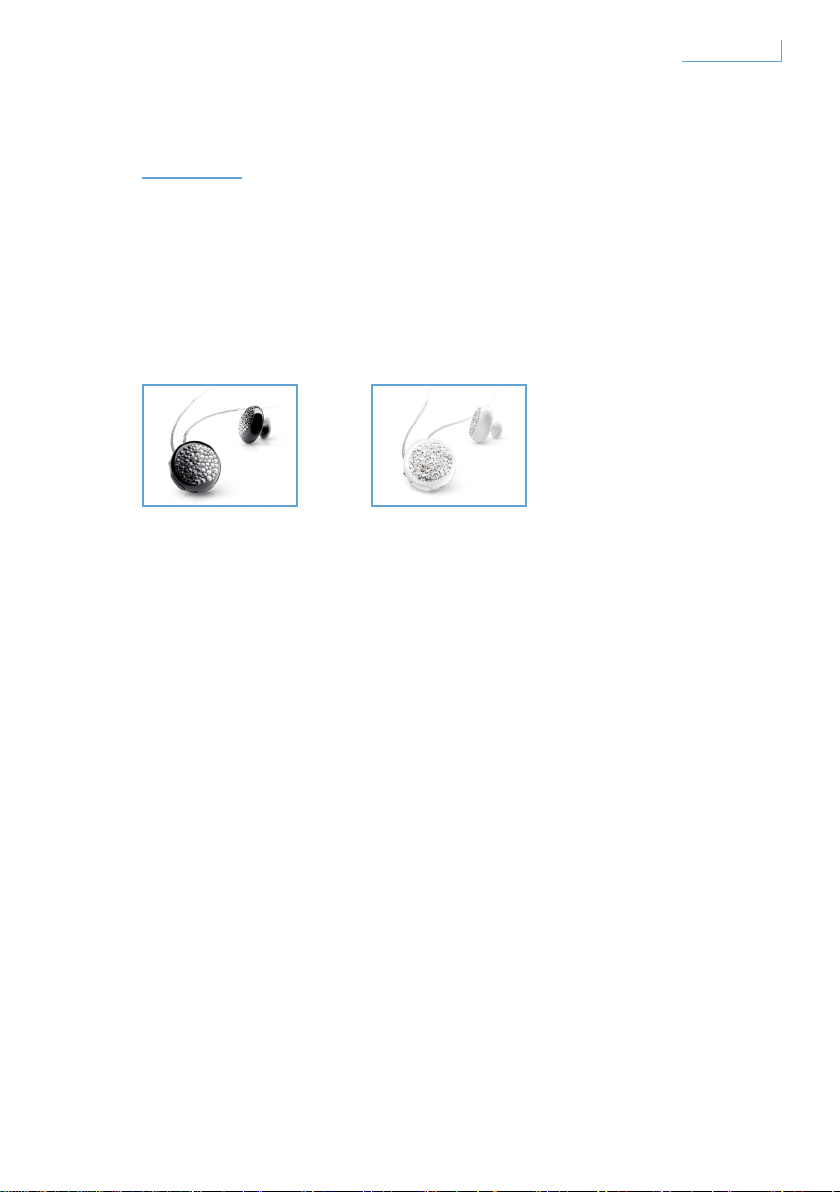
歡迎
謝謝您購買本旋光水晶產品。這種專為女士使用而設計的旋光水晶產品,
是以最精緻的Swarovski 水晶結合先進的飛利浦技術製作而成的上佳技術
工藝品。希望它能為您帶來真正愉快的體驗。
全系列組合
Breeze Black Breeze White
136
歡迎
CT
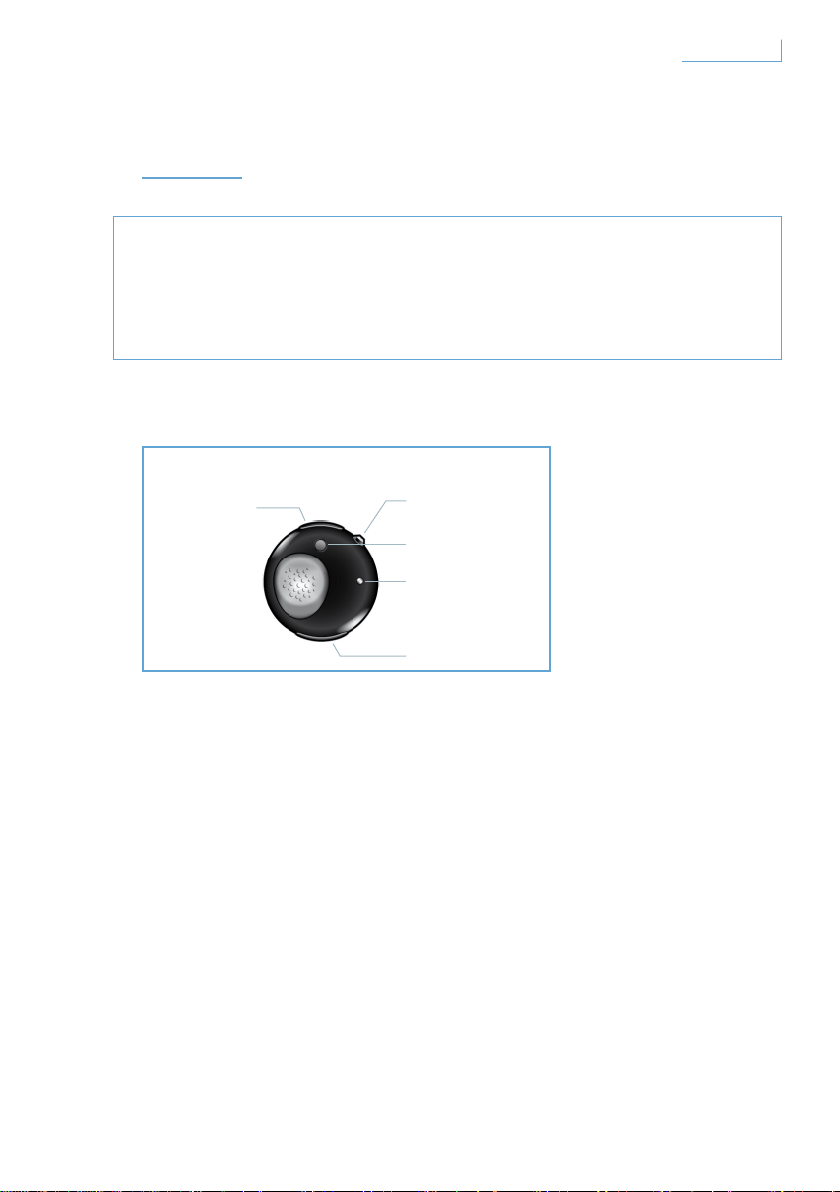
開始
重要說明
• 行車時撥打或接聽電話請先確保安全。
• 務必安全駕駛並遵循當地交通法規和法令。
Breeze 耳機具備下列按鍵及功能
USB 連接埠
插入纜線為 Breeze 耳機充電
多功能按鍵 (MFB) - 水晶按鍵
如需詳細資訊,請參考「Breeze 耳機功能」一節
配對按鈕 (PAIR)
按住以配對您的 Breeze 耳機和手機
LED 燈
顯示紅燈或藍燈,視活動而定
音量控制按鈕 (+/-)
按一下以調整音量
A. USB 連接埠
B. 多功能水晶按鈕
C. 配對按鈕
E. 音量控制按鈕
D. LED 燈
137
開始
CT
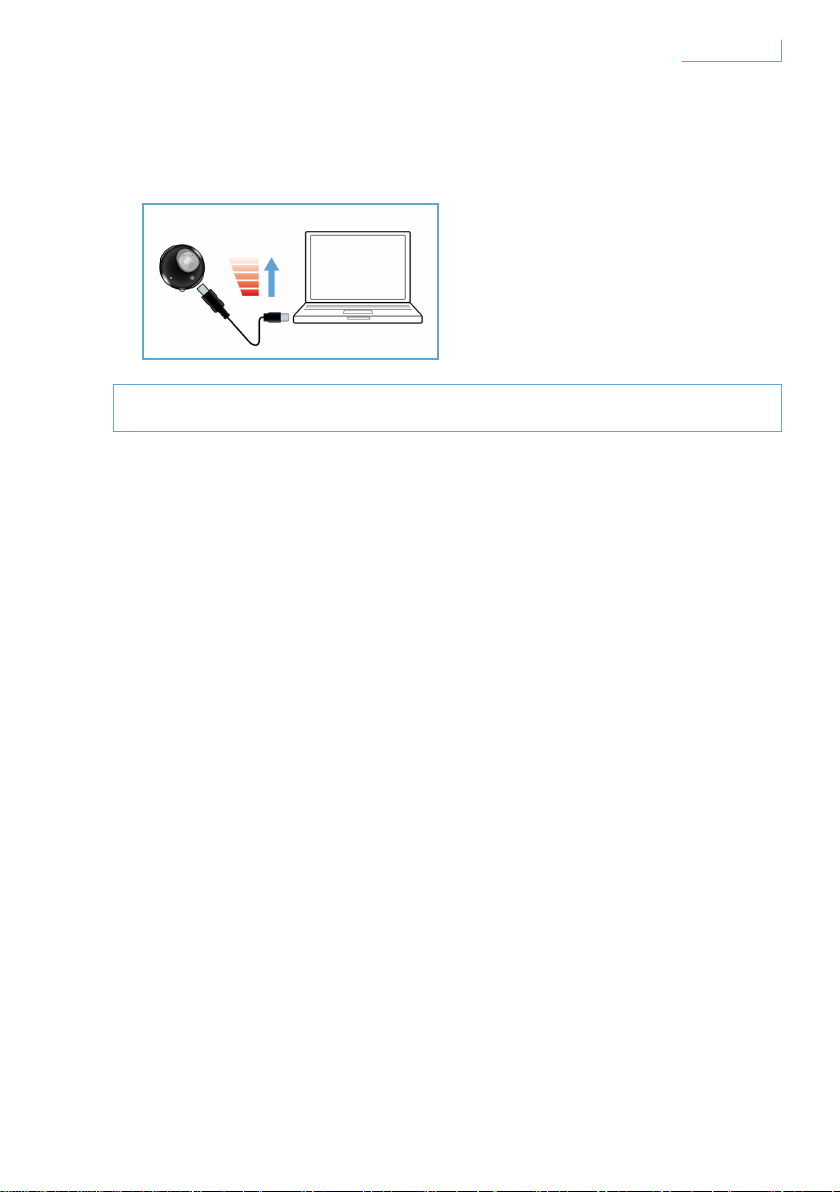
為 Breeze 耳機充電
開始使用前,請確定 Breeze 耳機已完成充電。
您可以兩種方式為 Breeze 耳機充電:
1 使用隨附的 USB 纜線將 Breeze 耳機連接至電腦,
2 將 Breeze 耳機連接至交流/直流* 或車用 直流/直流**。
(請注意變壓器不隨附於包裝中且分開販售。)
紅色 LED 燈表示 Breeze 耳機正在進行充電且會在電池完成充電之後自動
關機。 電池電量不足時會發出嗶聲。然後您必須為 Breeze 耳機充電,以
維持最佳通訊品質。
* 交流/直流變壓器飛利浦型號 SCM2280/05(英規),
SCM2280/12 (歐規) 及 SCM2280/37(美規)
** 車用交流/直流變壓器飛利浦型號 SCM2180/05(英規),
SCM2180/12 (歐規) 及 SCM2180/37(美規)
138
開始
CT
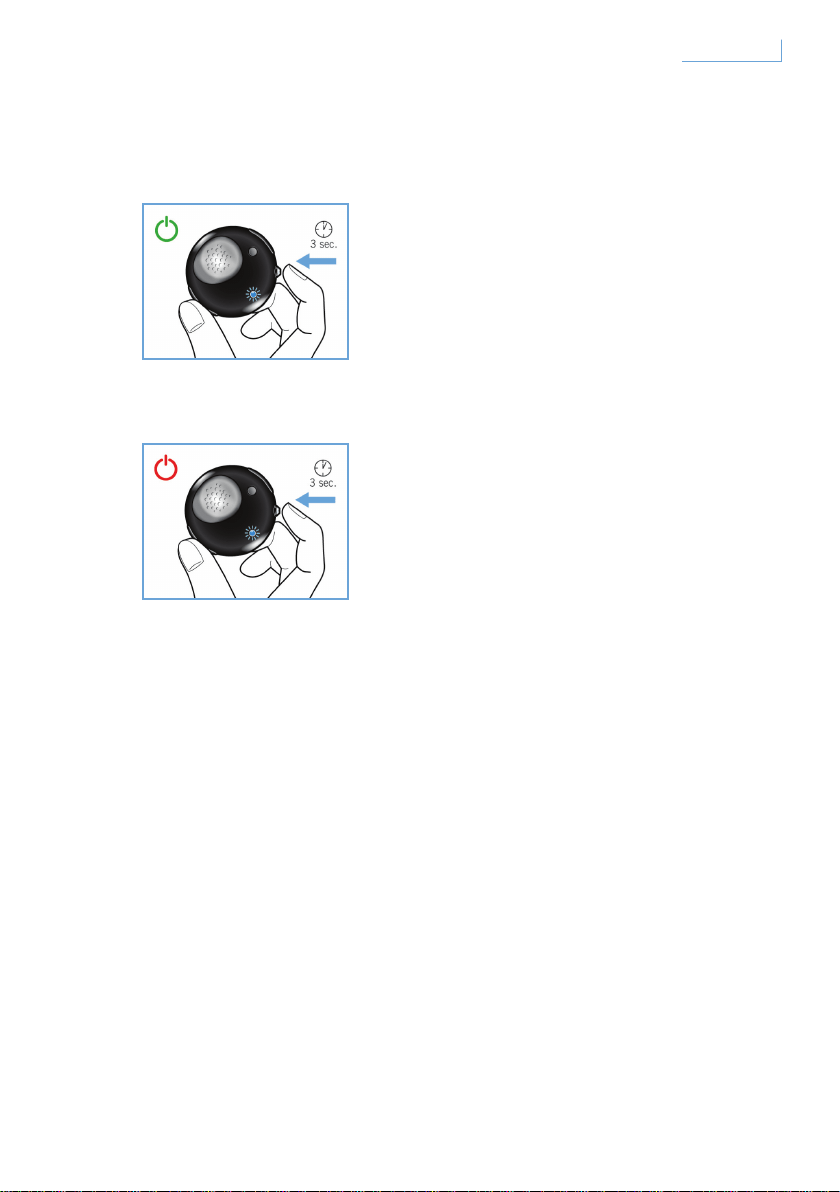
開啟/關閉 Breeze 耳機
若要開啟耳機,按住 MFB 直到藍色 LED 燈亮起並閃爍。
若要關閉耳機,按住 MFB 直到紅色 LED 燈閃爍,然後熄滅。
139
開始
CT
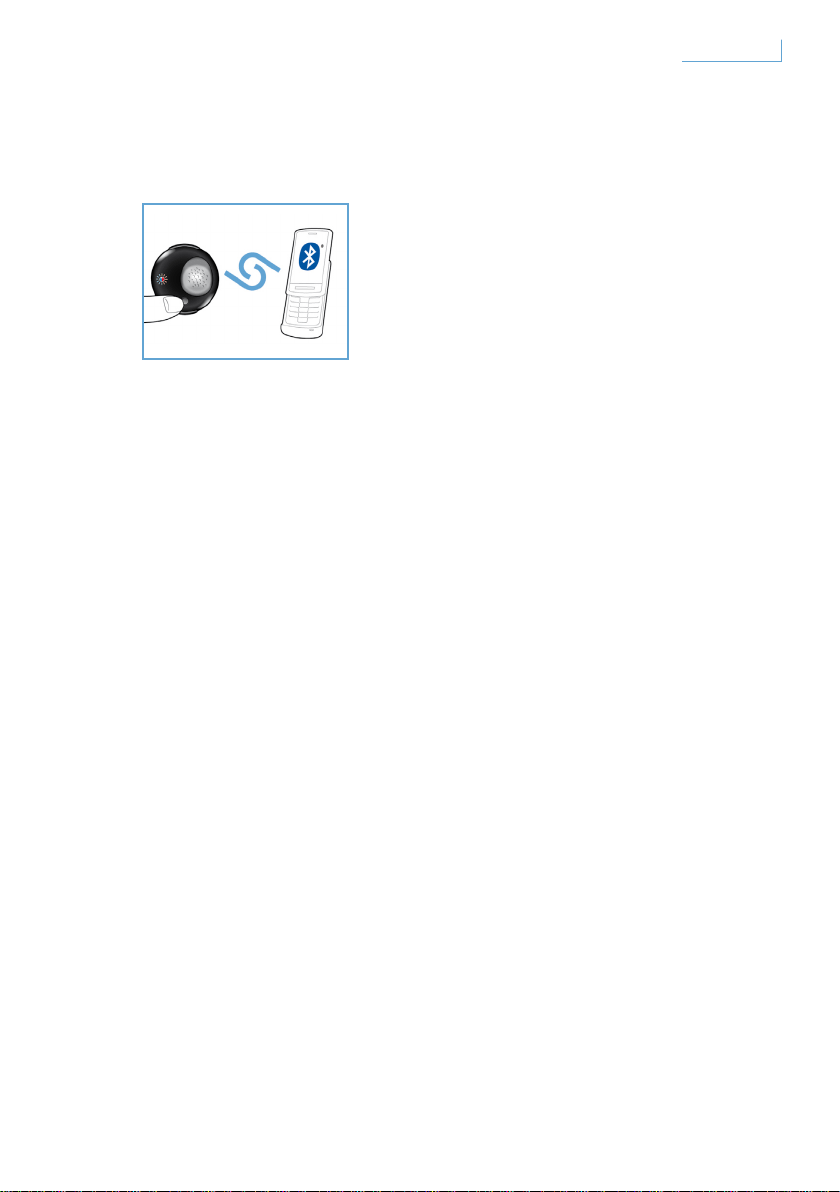
配對您的 Breeze 耳機與手機
使用 Breeze 耳機之前,您必須先配對耳機與手機。
1 開啟 Breeze 耳機
2 按住 PAIR 按鈕直到 LED 燈在紅色與藍色之間轉換
3 變更手機設定以啟用搜尋 Bluetooth 裝置。由手機上顯示的可用選項選擇
「Breeze」。
4 出現「Breeze」提示時,在手機上輸入 PIN 碼「0000」並按下確認。
5 即完成配對。
完成配對動作後,紅色 LED 燈會熄滅,而藍色 LED 會持續閃爍。
140
開始
CT
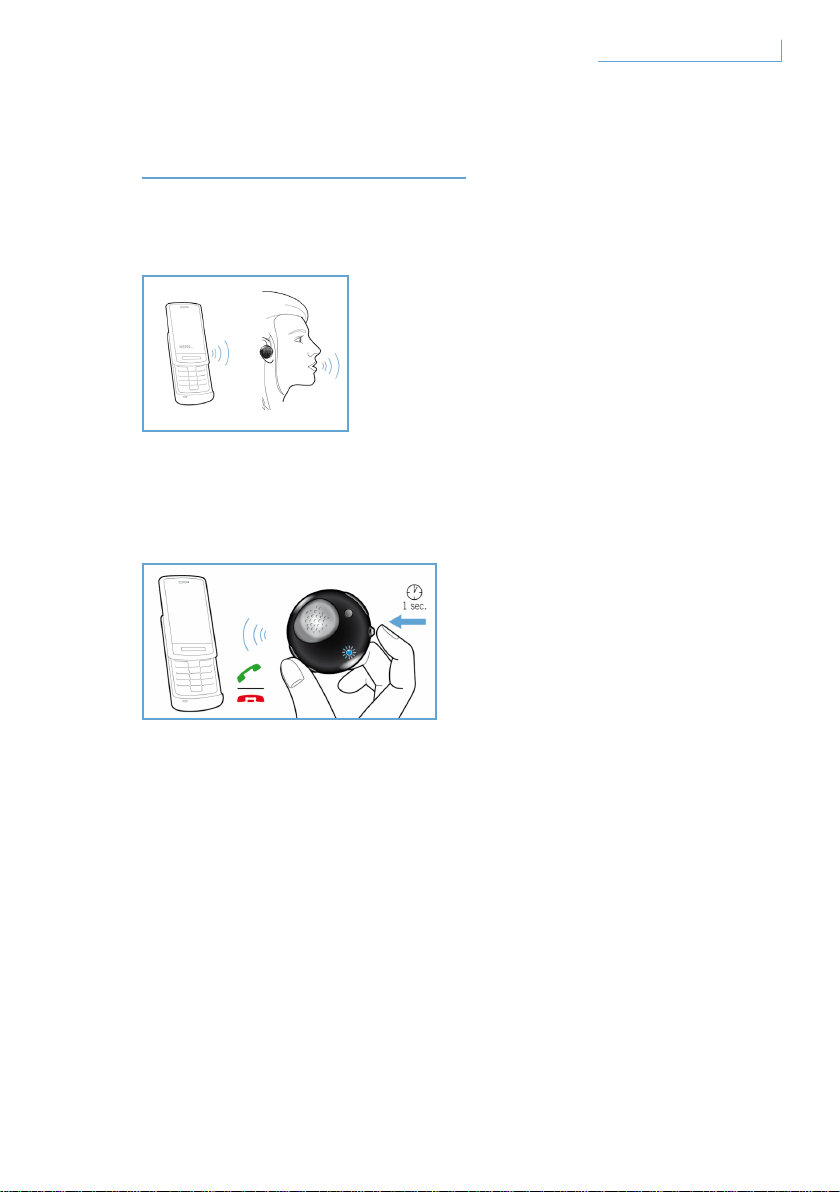
BREEZE 耳機功能
撥打電話
若要撥打電話,只需撥想撥打的電話號碼,通話即會自動轉接到耳機。
在極少數的情況下如果此動作未發生,輕觸 MFB 轉接即可。
通話
按一下 MFB 按鈕,您會聽見回傳音。這表示已開啟來電。
結束/取消通話
按一下 MFB 按鈕。產生的回傳音代表已中止主動或撥出通話。
141Breeze 耳機功能 CT
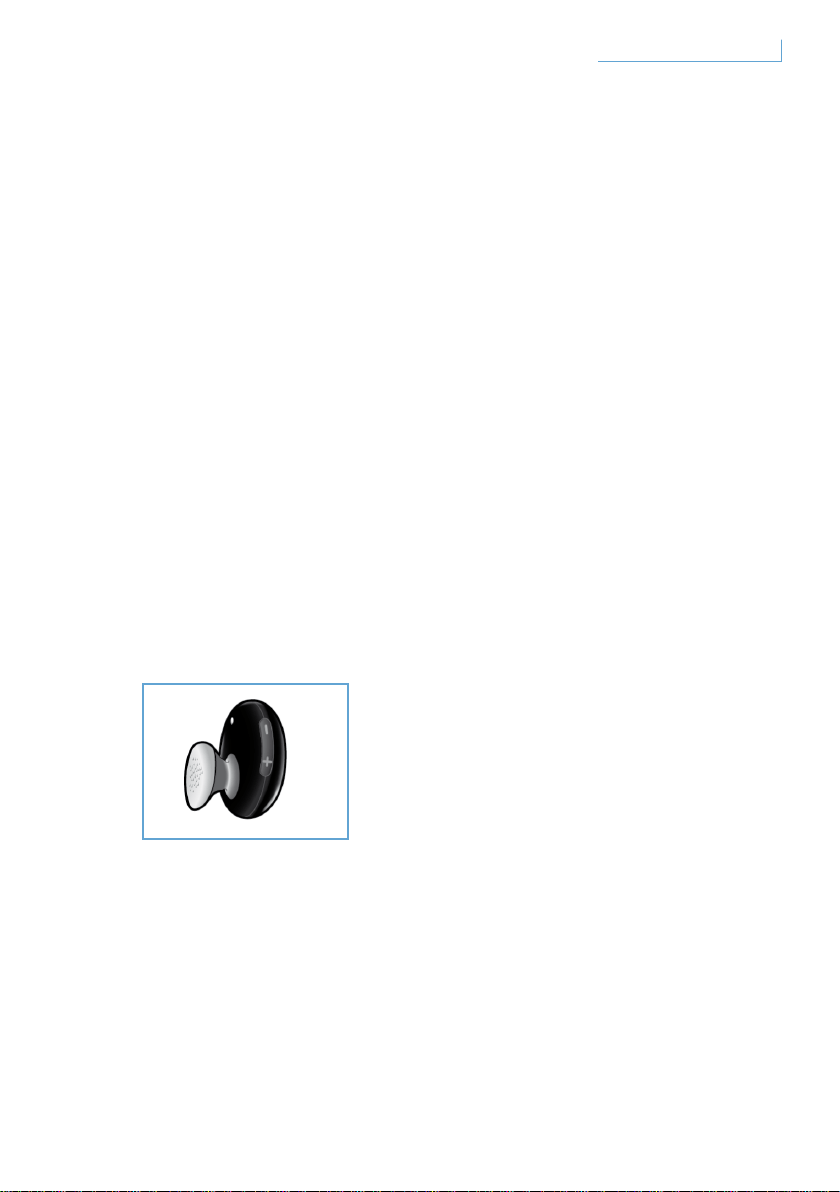
轉接通話
若要將耳機上的主動來電轉接至手機,按住 MFB 不放直到聽見回傳音。
拒絕通話
來電響鈴時,按住 MFB 不放直到聽見回傳音。
重撥上次號碼
若要重撥上次號碼,按一下 MFB 直到聽見回傳音。
插撥來電和來電等候*
若要切換兩通來電,按住 MFB 不放直到聽見按鈕回傳音。
調整聲音和音量
在音量控制按鍵上按上 (+) 或下 (-) 來調整音量。
每次按下音量調整按鍵時,您會聽見回傳音。
* 標示 * 號的功能視電話和/或網路服務而定。
142Breeze 耳機功能 CT
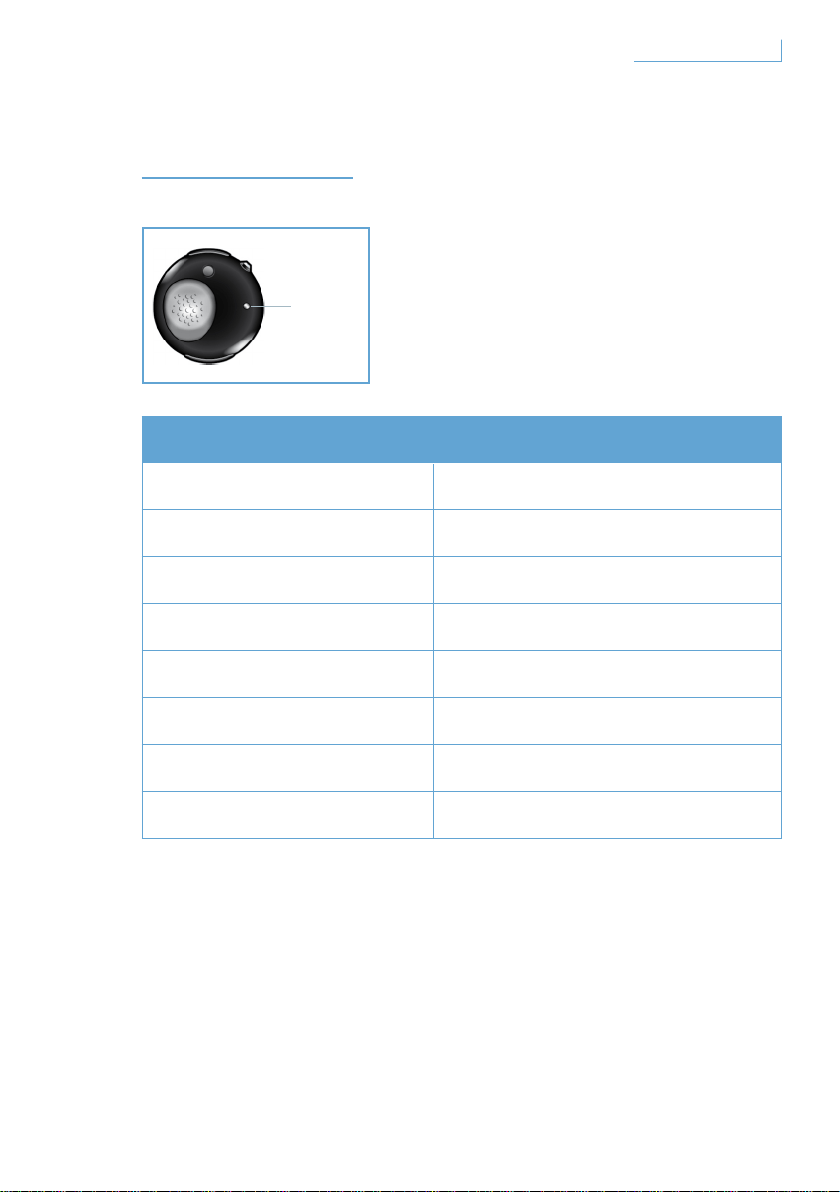
燈所指示的
您所看見的 代表您的耳機
藍燈閃爍 快速閃爍,啟動撥號
藍燈閃爍三次
慢速閃爍 (2 秒一次),來電/去電
藍燈閃爍兩次
極慢速閃爍 (5 秒一次),連線模式
藍燈閃爍一次
及慢速閃爍 (5 秒一次),待機模式
紅燈閃爍 電量過低
紅和藍燈交互閃爍 配對模式
靜態紅燈 充電
沒有燈號 完成充電
D. LED 燈
143
燈所指示的
CT
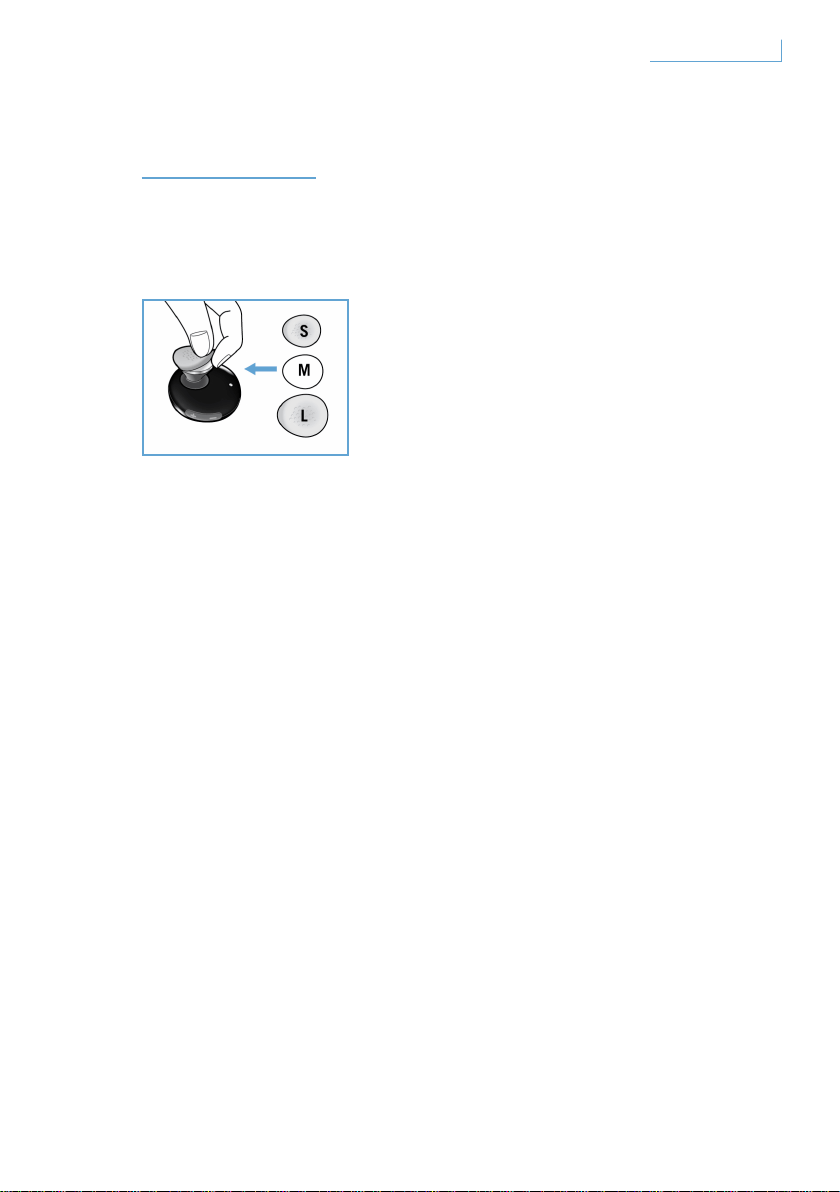
完美貼合
Breeze 耳機隨附三種不同大小的耳塞式耳機套,
提供您個人化的舒適感受。
若要移除原本的中型耳機套,握緊耳機本體並小心將耳機套撕下。
將新的耳塞式耳機套置於耳機之上。為求長久舒適,請選擇最適合您的耳
機套大小。
144
完美貼合
CT
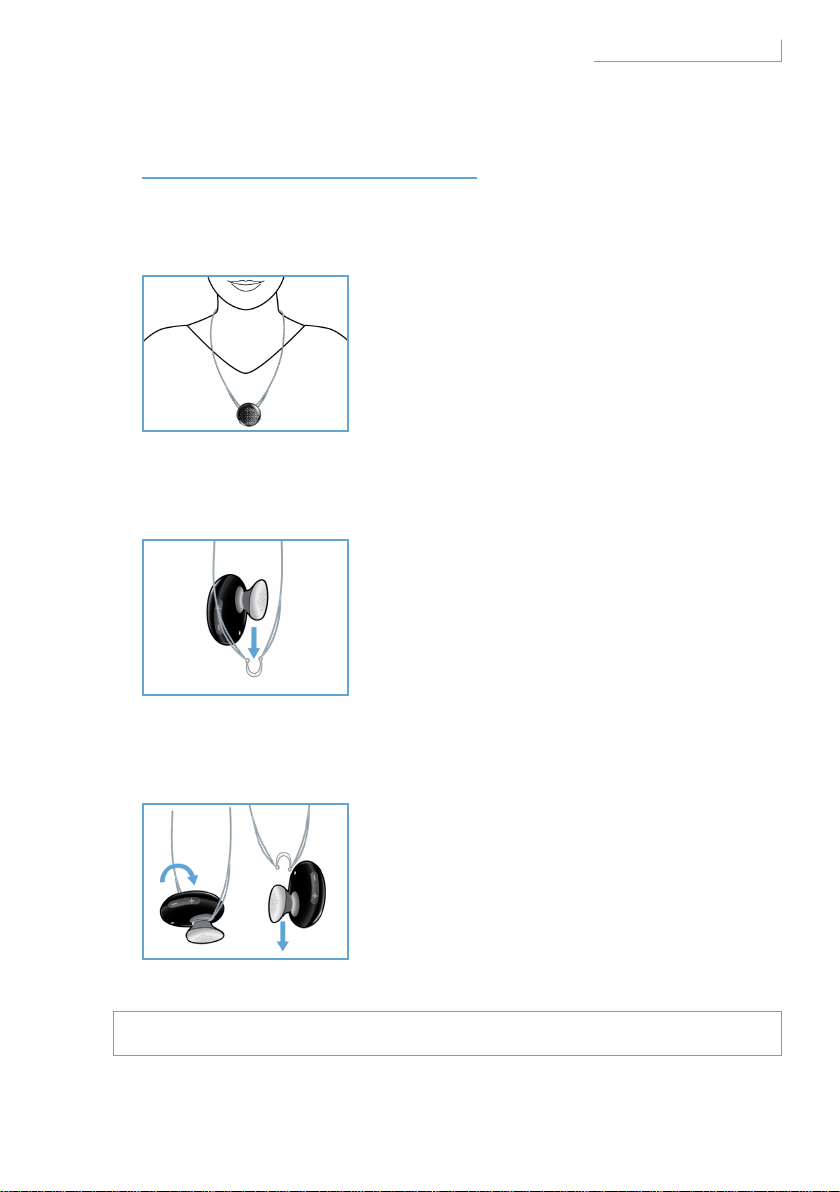
佩戴 BREEZE 耳機
以鏈子佩戴
如何將 Breeze 耳機裝在鏈子上:
如何將 Breeze 耳機從鏈子上取下:
請勿用力或嘗試拉開半圓形掛鉤,這可能會損壞耳機。
使用或不使用耳鉤都可將 Breeze 耳機裝在頸
鏈上。
輕輕將 Breeze 耳機滑入半圓形的掛鉤。
使用或不使用耳鉤都可以完成這項動作。
將 Breeze 耳機向前轉並輕輕拉起。
145佩戴 Breeze 耳機 CT
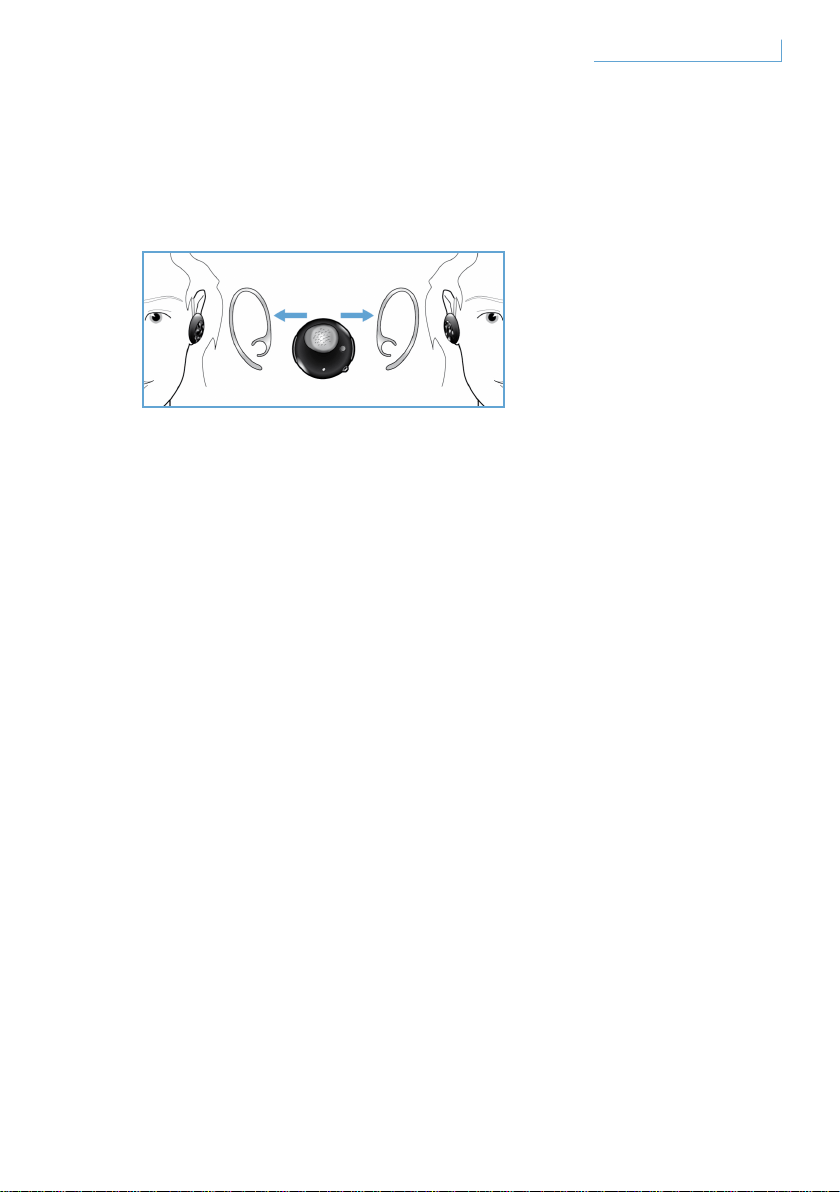
使用耳鉤將耳機佩戴在耳朵上
Breeze 耳機可佩戴在左邊或右邊耳朵上
依照說明把耳機滑入半圓形的掛鉤, 當 耳鉤穩固地裝入耳機時,您會聽見
喀聲。無論佩戴在左邊或右邊耳朵上,麥克風均應置於前方較低之處。
146佩戴 Breeze 耳機 CT

疑難排解和常見問答集
出現間歇性的聲音中斷或靜音
1 檢查電池狀態,如果電池沒電請為耳機充電。
2 檢查手機與耳機的距離是否在指定的操作範圍內。
3 檢查耳機與手機之間是否有任何阻礙物。
4 為求最佳音質,請將耳機佩戴於手機同側。
開啟耳機時沒有聲音
1 確定已配對耳機與相關的手機並開啟
2 調高耳機的音量
耳機無法配對。
1 請重新造訪「配對您的 Breeze 耳機與手機」
一節,並重複當中列出的步驟。
2 確定您已輸入正確 PIN 碼 (0000)。
3 刪除手機所紀錄的所有 Bluetooth 裝置,
並再次嘗試將其與 Breeze 耳機配對。
4 確定耳機未連接至任何其他 Bluetooth 裝置
需要求助?
線上求助:www.active-crystals.com
用於交互式求助,常見問題,軟體更新和支援。
147
疑難排解和常見問答集
CT

規格
通話時間 > = 4.5 小時*
待機時間 > = 最長 120 小時*
充電時間 < 1.5 小時
Bluetooth 類型 Bluetooth 2.0 + EDR、HSP、HFP 版
作業範圍 最遠 10 公尺 (約 33 英呎)
支援 Bluetooth 耳機和免持聽筒設定
可充電式電池,可從電腦透過 USB 纜線或交流/直流變壓器 (未隨附)、
車用變壓器 (未隨附) 充電
* 實際結果可能有所差異
148
規格
CT
重要事項
聽覺安全
危險
為避免損害你的聽覺能力,請避免長時間在大音量下使用耳機,並要
將音量設定在一個安全的水平。音量越大,安全聆聽時間便 越短。
使用耳機時必須遵守下列指南
• 適當調節音量及聆聽時間。
• 切勿在耳朵適應音量時,持續調高音量。
• 切勿將音量調得太高,導致您聽不到周圍環境的聲音。
• 身處有潛在危險的情況時,請暫停使用 耳機。
• 我們不建議在駕車時雙耳被耳機覆蓋,駕車時配帶耳機在一些國家或地區
是屬違 法的。
• 為了人身安全,在駕駛途中或有潛在危險的環境中,要避免聆聽音樂或接
聽電話分散注意力。
149
重要事項
CT

電場、磁場和電磁場 (EMF)
1 飛利浦電子股份有限公司製造和銷售大量能發射和接收電磁信號的消費產
品,如各種電子設備。
2 飛利浦的商業原則之一便是為產品採取所須的健康和安全措施,使其符合
所有適用的法律要求,以及在製造產品時,符合相關的EMF標準。
3 飛利浦承諾研發、生產和銷售對健康不會產生不良影響的產品。
4 飛利浦相信如果正常使用其產品,根據現今可用的科學證據,
閣下可以安全放心使用。
5 飛利浦在制訂EMF國際標準和安全標準中扮演積極的角色,
使飛利浦能進一步進行標準化的工作,
在早期研發過程便將這些標準建立到其產品中。
一般保養
如要防止產品損壞或出現故障
• 切勿將耳機放在過高的熱源中。
• 切勿掉下您的耳機。
• 切勿將耳機浸入水中。
• 切勿使用任何含有酒精、氨、苯或研磨劑的清潔劑。如有需要,請使用軟
布進行清潔,並用小量的水或稀釋的溫肥皂水清潔該產品。
150
重要事項
CT

操作和儲存溫度
切勿將耳機儲存在溫度低於-15°C(5°F)或高於55°C(131°F)的地方
或在此等溫差地方下操作本耳機,這樣可能會縮短電池的使用壽命。
取出電池
如果在所屬國家沒有收集/回收電子產品的制度,您可在扔掉耳機之前,
取下及循環使用電池,替保護環境盡一分力。請將電池交到收集和回收電
池的地方。拿出電池將破壞該產品。
在拿出電池之前,請確保耳機已從電源配接器上分開。
美國注意事項
本裝置符合美國聯邦通訊委員會 (FCC) 規則第 15 條。 其操作限於下列
兩種情況:(1) 此裝置不可造成有害干擾,同時 (2) 此裝置必須接受所有
接收的干擾,包括可能造成預期之外運作的干擾。
本設備經過測試證明符合美國聯邦通訊委員會 (FCC) 規則第 15 條有關 B
類數位裝置的限制。 這些限制乃針對防範居家安裝之有害干擾,提供適
當的保護所設。 若未經安裝或未遵循指示使用,此設備使用後產生並傳
播的無線電頻率能量 可能對無線通訊造成有害干擾。 但無法保證在某些
特定安裝情況下不會發生干擾。 若本設備確實造成收音機或電視收訊有
害干擾 (您可從 開啟和關閉設備來判斷),我們建議使用者嘗試下列一種
或多種方式來修正干擾。
• 重新定位或安置接收天線。
• 拉遠設備和接收器之間的距離。
• 將設備連接至獨立迴路的電源插座,不要連接至接收器的電源插座。
• 請諮詢經銷商或有經驗的收音機/電視技術員的援助。
151
重要事項
CT
警示
未經由飛利浦檢驗所做的變更或修改將違反使用本設備的 FCC 授權。
重要事項
FCC/IC 輻射曝露聲明:
本設備符合 FCC/IC 輻射曝露為非控制環境所提出的限制。 一般使用
者必須遵守特定的操作說明以符合 FR 曝露法規。傳輸者不能和其他天
線或其他傳輸者處於相同位置或互相結合運作。
飛利浦配件服務中心地址:
Philips accessories and computer peripherals
Ledgewood
NJ 07852 USA
加拿大注意事項
其操作限於下列兩種情況:
1 此裝置不可造成有害干擾,同時
2 此裝置必須接受所有接收的干擾,包括可能造成預期之外運作的干擾。
在證書/註冊號碼前的「IC」字樣,代表此註冊之進行乃以符合性聲明書
為基礎,說明該裝置符合加拿大工業技術規格。 不表示加拿大工業認證
此設備。
歐盟注意事項
飛利浦優質生活、BU P&A 特此聲明飛利浦藍牙耳機 SWB9000/
SWB9200 符合Directive 1999/5/EC 的基本規定和其他相關條款。
請查看您的使用者手冊光碟根資料夾或附加的符合性聲明書。
152
重要事項
CT

商標
Bluetooth 文字標章與商標為 Bluetooth SIG, INC 所擁有。
© 2008 Koninklijke Philips Electronics N.V. 與 Swarovski AG。
保留一切權利。
153
重要事項
CT

내용
환영합니다 155
전체 컬렉션 155
개요 156
Breeze 헤드셋은 다음의 키와
기능으로 구성되어 있습니다. 156
Breeze 헤드셋 충전 157
Breeze 헤드셋 켜기 및 끄기 158
휴대폰에 Breeze 헤드셋 연결 159
BREEZE 헤드셋의 기능 160
전화 걸기 160
전화 받기 160
통화 종료/취소 160
통화 전달 161
통화 거부 161
재다이얼 161
통화 대기 및 대기 중 통화 설정 161
음질 및 볼륨 조절 161
표시등의 의미 162
편리한 착용 163
BREEZE 헤드셋 착용 164
목걸이로 착용 164
귀고리를 사용하여 헤드셋 착용 165
문제 해결 및 FAQ 166
도움이 필요하십니까? 166
사양 167
중요 정보 168
KO
154
내용
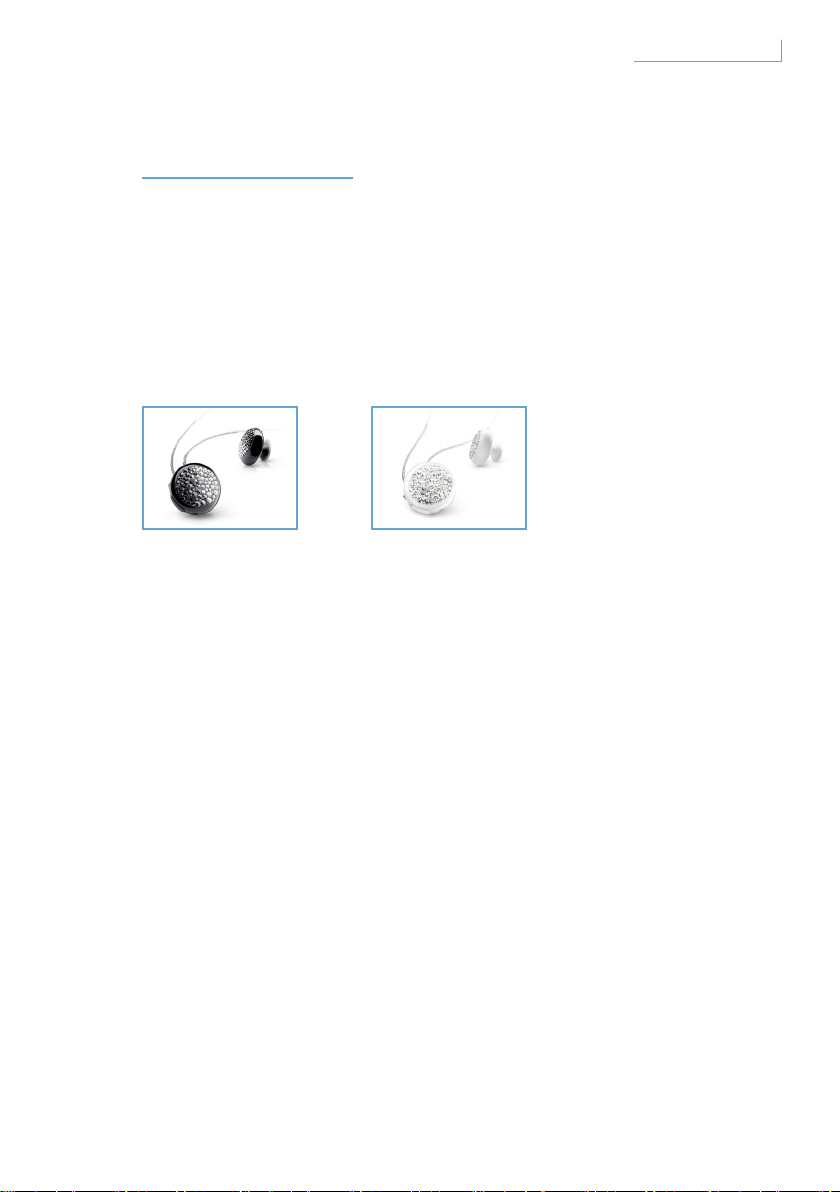
환영합니다
Active Crystal 제품을 구입해 주셔서 감사합니다. 여성을 위해, 여성이
만든 Active Crystal 제품은 최고의 장인 정신으로 탄생한 아름다운
Swarovski 크리스털과 필립스의 최첨단 기술이 만난 작품입니다.
Active Crystal의 특별함을 만나보세요.
전체 컬렉션
Breeze Black Breeze White
155
환영합니다
KO
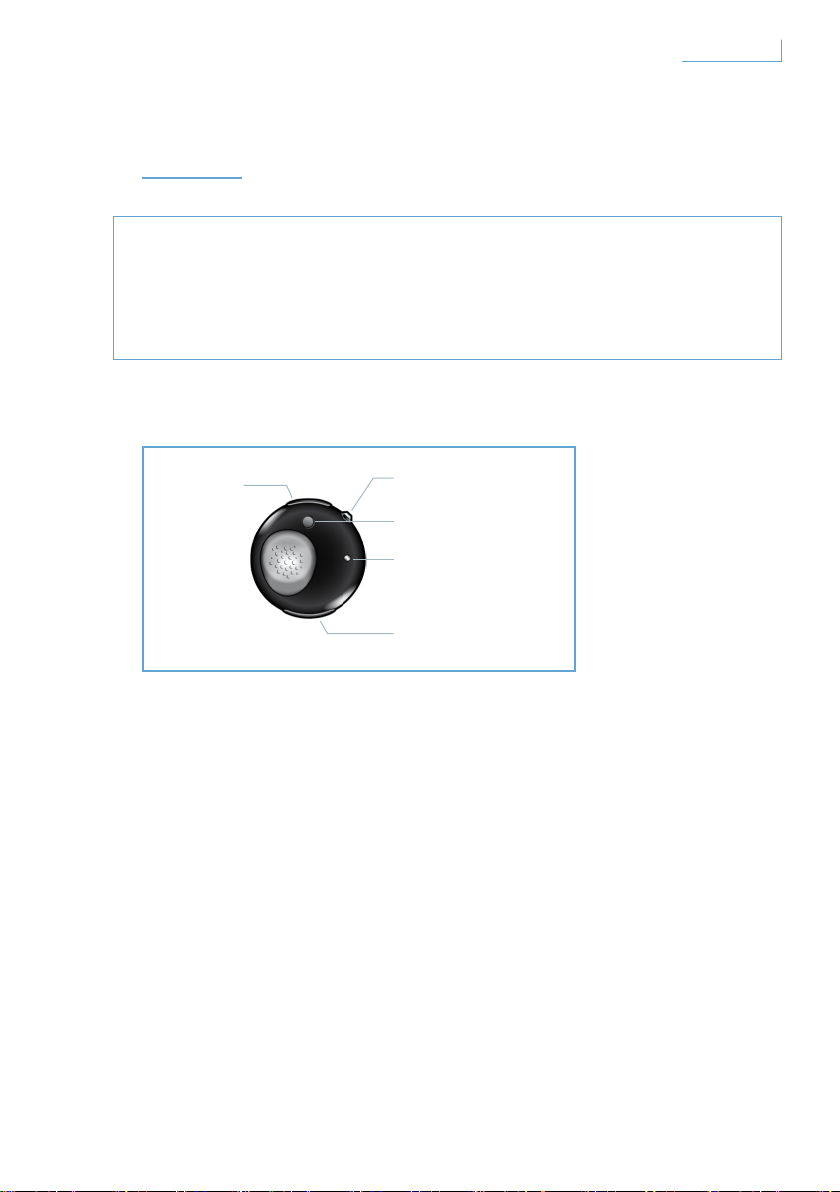
개요
참고 사항
• 운전 도중 전화를 걸거나 받을 때 안전 여부를 반드시 확인하십시오.
• 항상 교통 법규와 규정을 준수하여 안전하게 운전하시기 바랍니다.
Breeze 헤드셋은 다음의 키와 기능으로 구성되어 있습니다.
USB 포트
Breeze 헤드셋을 충전하려면 케이블을 연결합니다.
다기능 버튼(MFB) - 크리스탈 버튼
자세한 내용은 ‘Breeze 헤드셋의 기능’을 참조하십시오.
연결 버튼(PAIR)
Breeze 헤드셋을 휴대폰과 연결하려면 버튼을 누른 채로 잠시
기다립니다.
LED 표시등
활동 상태에 따라 적색 또는 청색 등이 켜집니다.
볼륨 컨트롤 버튼(+/-)
볼륨을 조절하려면 한 번 누릅니다.
A. USB 포트
B. 다기능 크리스탈 버튼
C. 연결 버튼
E. 볼륨 컨트롤 버튼
D. LED 표시등
156
개요
KO
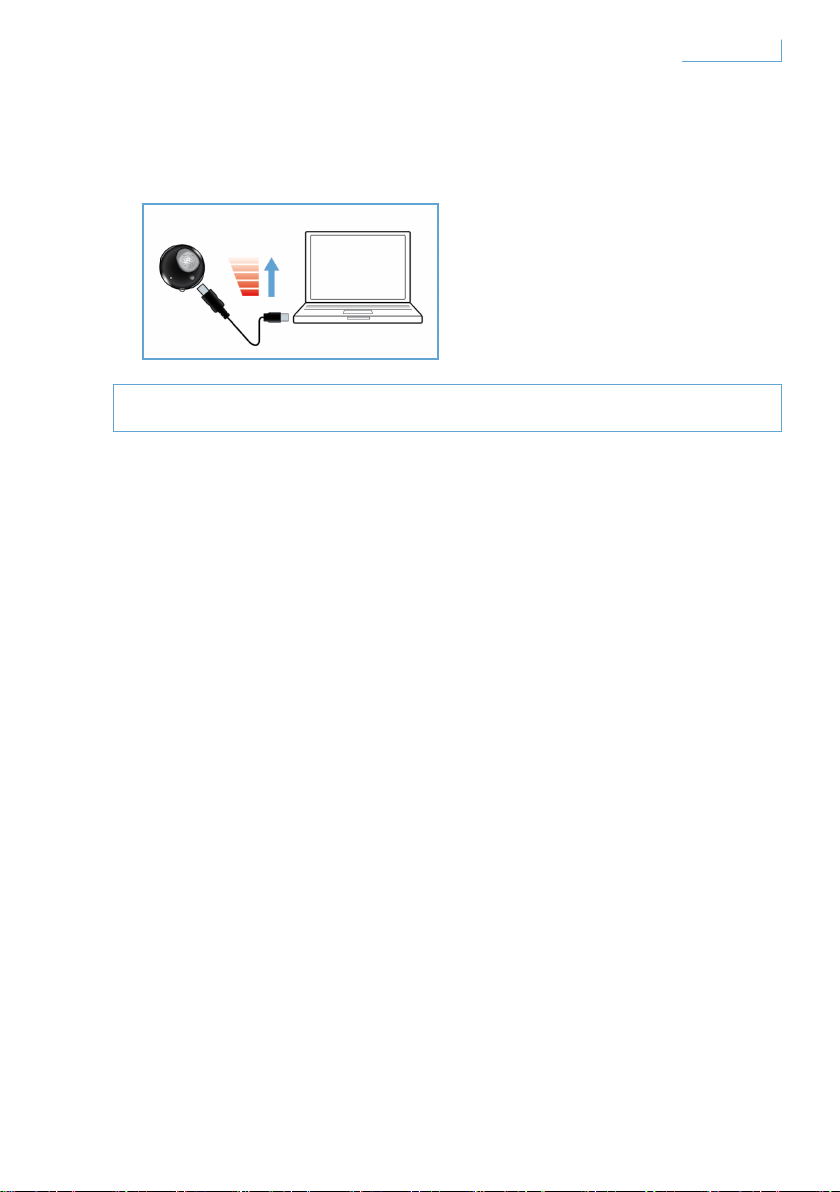
Breeze 헤드셋 충전
Breeze 헤드셋을 사용하기 전에 완전히 충전했는지 확인하십시오.
Breeze 헤드셋을 충전하는 방법에는 다음 두 가지가 있습니다.
1 함께 제공된 USB 케이블을 사용하여 Breeze 헤드셋을 PC에 연결합니다.
2 Breeze 헤드셋을 AC/DC* 전원 또는 자동차의 DC/DC** 전원에
연결합니다. (어댑터는 함께 제공되지 않으며, 별도로 구입해야 합니다.)
적색 LED 표시등은 Breeze 헤드셋이 충전 중임을 나타내며 배터리가
완전히 충전되면 자동으로 꺼집니다. 배터리의 전력이 부족하면 삐
소리로 알려줍니다. 이러한 경우 최적의 통신 상태를 위해 Breeze
헤드셋을 다시 충전해야 합니다.
* AC/DC 어댑터 필립스 모델 SCM2280/05(영국), SCM2280/12(유럽) 및
SCM2280/37(미국)
** 자동차 AC/DC 어댑터 필립스 모델 SCM2180/05(영국), SCM2180/12 (유럽) 및
SCM2180/37(미국)
157
개요
KO
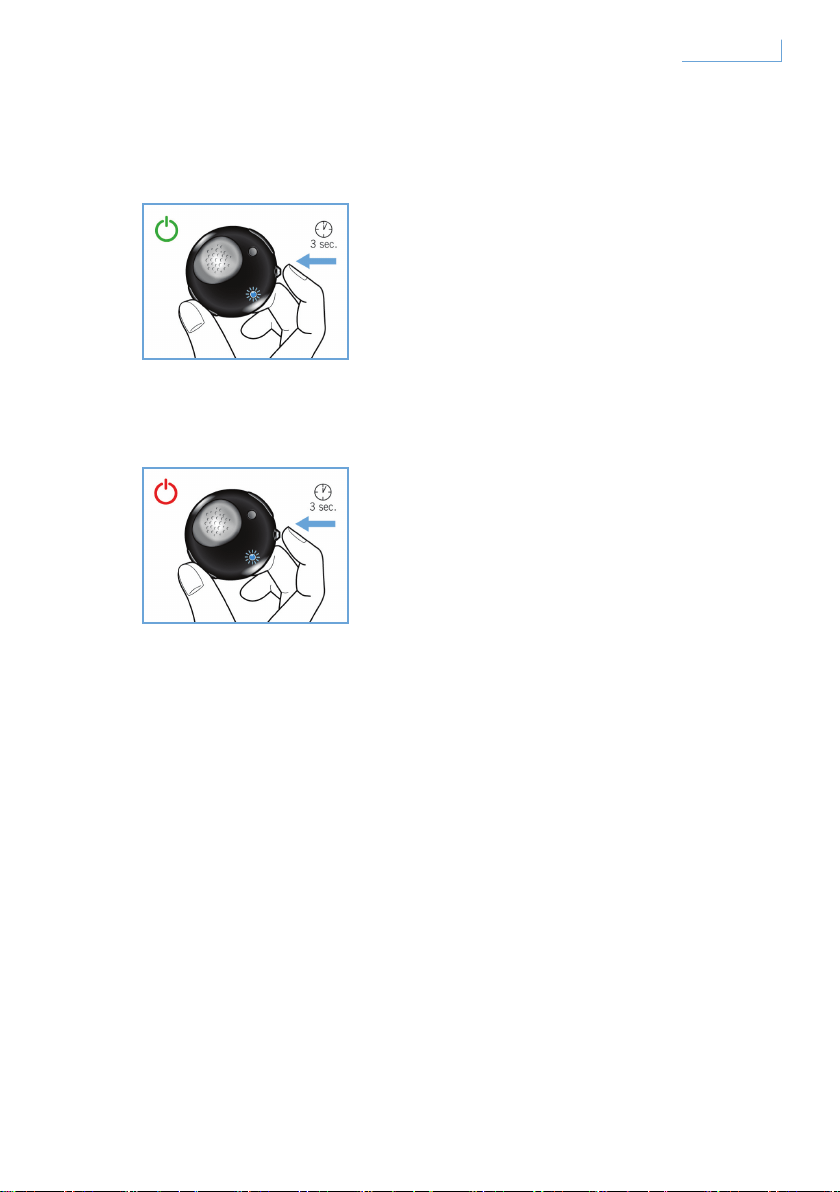
Breeze 헤드셋 켜기 및 끄기
헤드셋을 켜려면 청색 표시등이 켜지고 깜빡일 때까지 MFB를 누른 채로
기다립니다.
헤드셋을 끄려면 LED가 한 번 깜빡인 후 꺼질 때까지 MFB를 누른 채로
기다립니다.
158
개요
KO
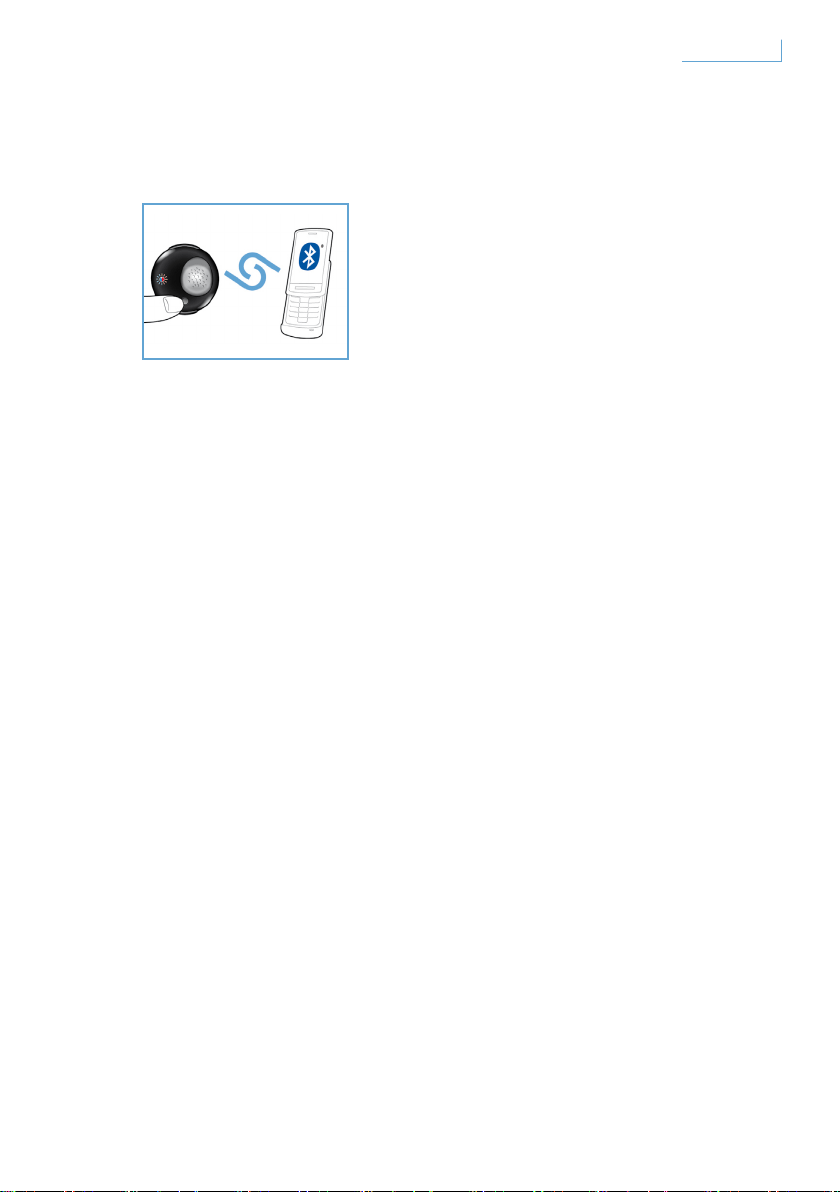
휴대폰에 Breeze 헤드셋 연결
Breeze 헤드셋을 사용하기 전에 휴대폰에 연결해야 합니다.
1 Breeze 헤드셋의 전원을 켭니다.
2 적색 표시등과 청색 표시등이 번갈아 가며 깜빡일 때까지 PAIR 버튼을
누른 채로 기다립니다.
3 Bluetooth 장치 검색 기능을 활성화하려면 휴대폰의 설정을 변경합니다.
휴대폰에 표시된 옵션 중에서 “Breeze”를 선택합니다.
4 “Breeze” 창이 나타나면 휴대폰에 PIN 번호 “0000”을 입력하고 확인을
누릅니다.
5 연결이 완료되었습니다.
연결이 완료되면 적색 표시등이 꺼지고 청색 표시등이 깜빡입니다.
159
개요
KO
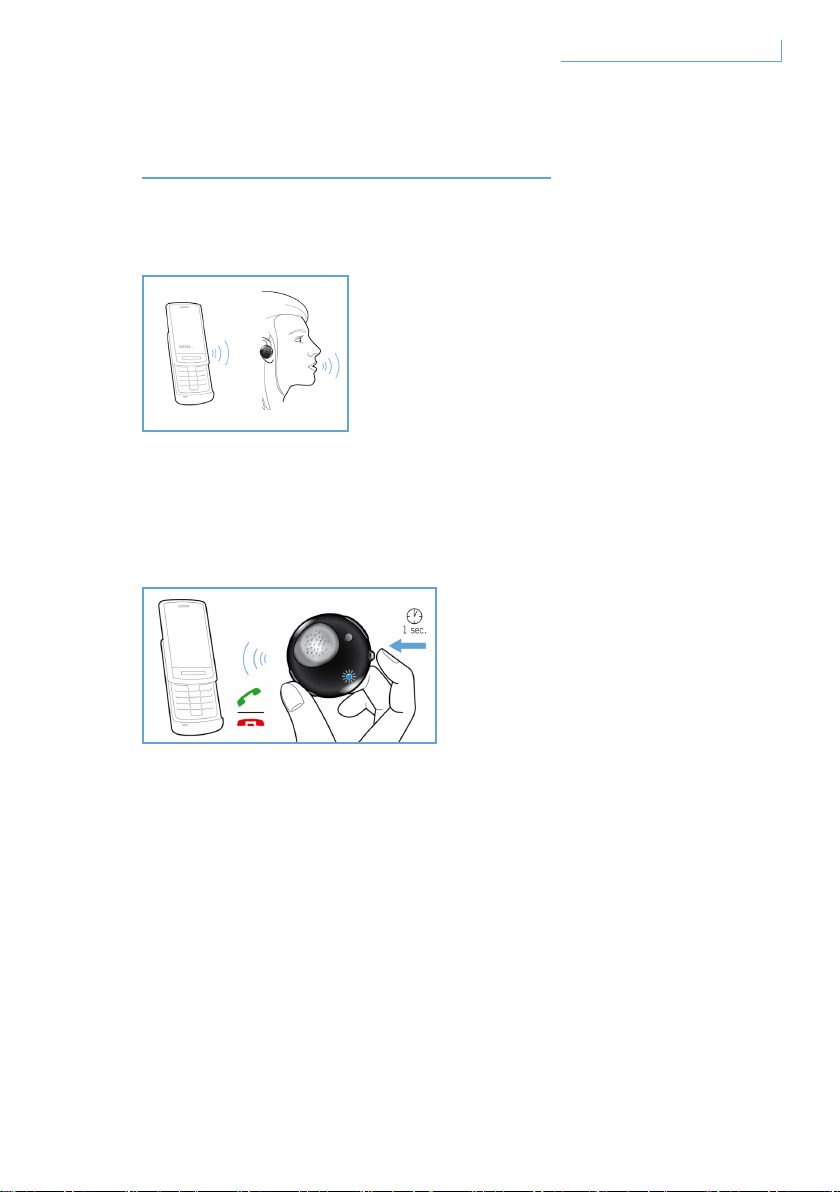
BREEZE 헤드셋의 기능
전화 걸기
전화를 걸려면 전화 번호만 누르면 됩니다. 그러면 통화가 자동으로
헤드셋에 전달됩니다. 헤드셋으로 전달되지 않는 경우 MFB 버튼을 한 번
누르십시오.
전화 받기
MFB 버튼을 한 번 누르면 수신 통화가 활성화되었음을 알리는 신호음이
들립니다.
통화 종료/취소
MFB 버튼을 한 번 누릅니다. 들려오는 신호음은 활성 또는 발신 통화가
종료되었음을 나타냅니다.
160Breeze 헤드셋의 기능 KO
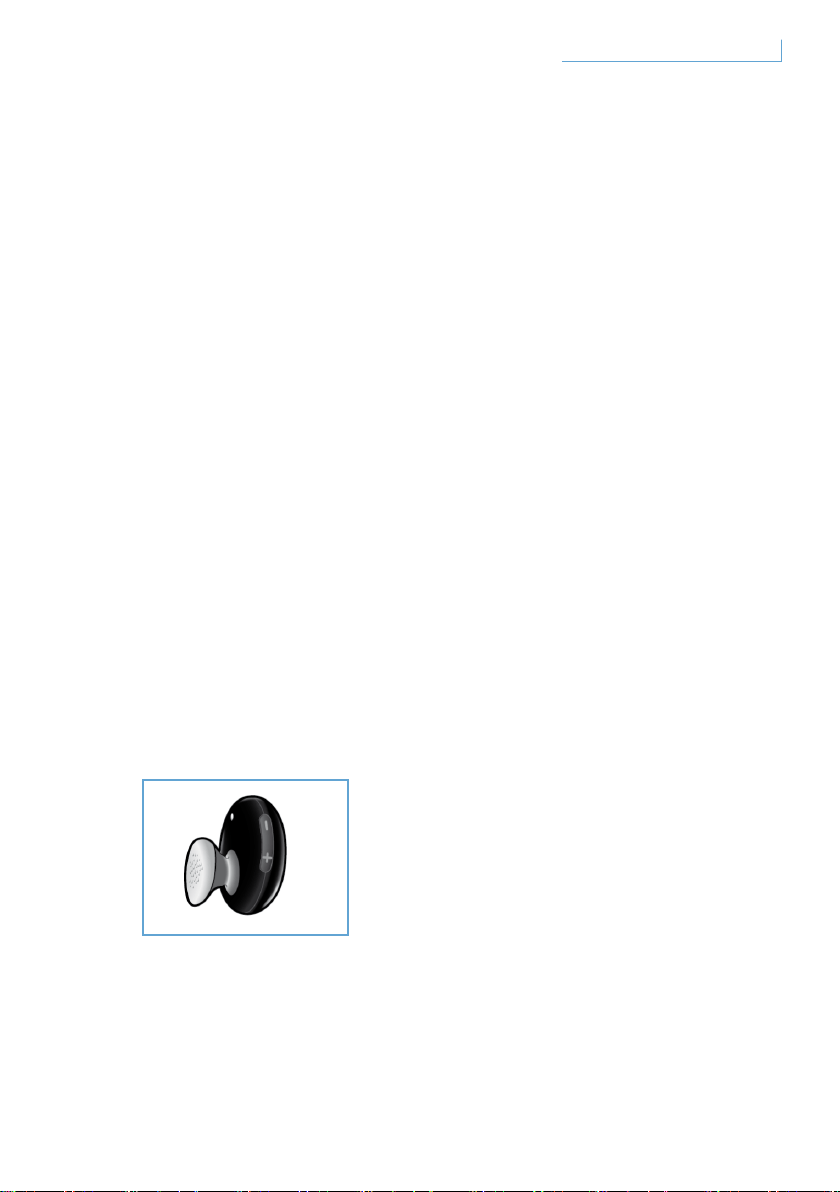
통화 전달
헤드셋에서 진행 중인 통화를 휴대폰으로 전달하려면 신호음이 들릴
때까지 MFB를 1초 정도 누르고 계십시오.
통화 거부
걸려오는 전화가 울릴 때 신호음이 들릴 때까지 MFB를 1초 정도 누르고
계십시오.
재다이얼
마지막 번호로 재다이얼하려면 신호음이 들릴 때까지 MFB를 한 번
누르십시오.
통화 대기 및 대기 중 통화 설정*
걸려온 두 건의 통화간에 전환하려면 신호음이 들릴 때까지 1초 정도
MFB를 누르고 계십시오.
음질 및 볼륨 조절
볼륨을 조절하려면 볼륨 컨트롤 버튼의 + 또는 - 버튼을 누르십시오. 볼륨
조절 버튼을 누를 때마다 신호음이 들립니다.。
* 별표(*)로 표시된 기능은 사용자의 휴대폰 또는 네트워크 서비스에 따라 다를 수 있습니다.
161Breeze 헤드셋의 기능 KO
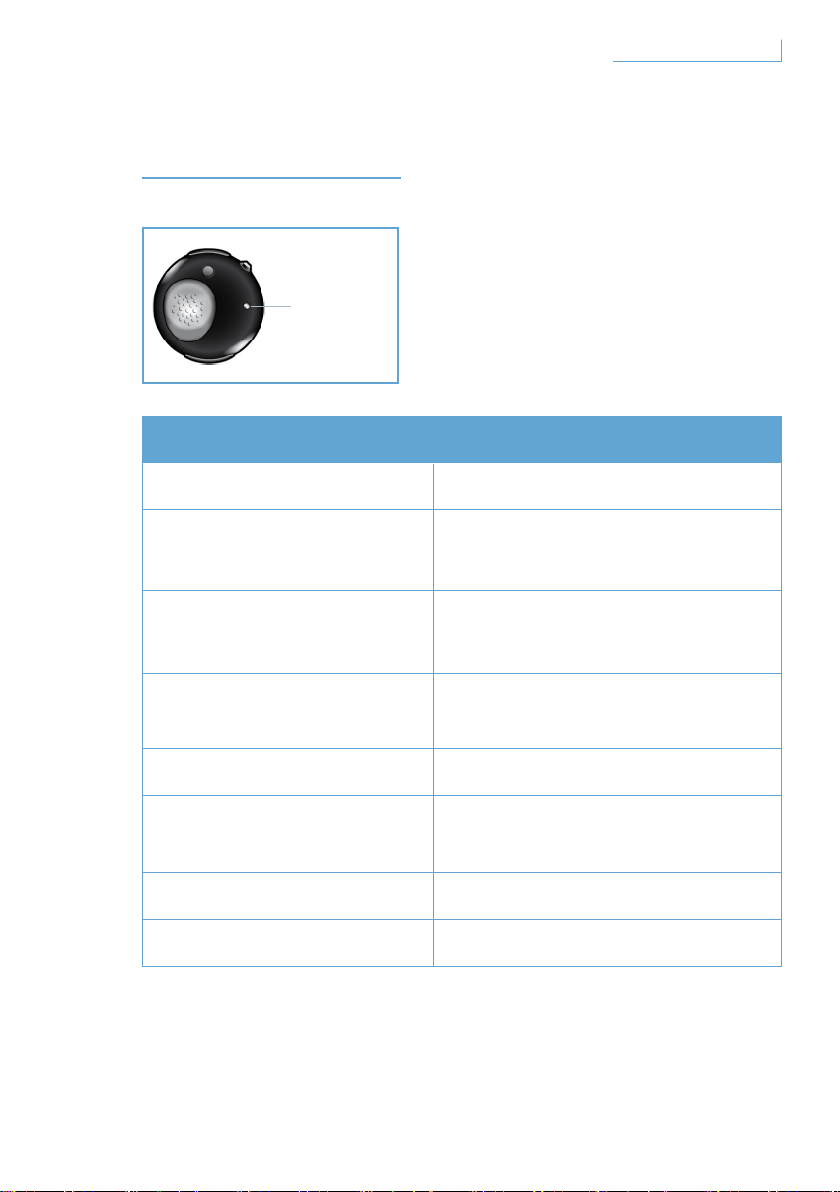
표시등의 의미
표시 내용 헤드셋 상태 설명
청색등 깜박임 빠른 깜빡임, 통화 활성 상태
청색등 세 번 깜박임
느린 깜빡임(2초 간격), 통화 수신/
발신 중
청색등 두 번 깜박임
매우 느린 깜빡임(5초 간격), 연결
모드
청색등 한 번 깜박임
매우 느린 깜빡임(5초 간격), 대기
모드
적색등 깜박임 배터리 부족
적색 및 청색등 교대로
깜빡임
연결 모드
적색등 지속 충전 중
표시등 켜지지 않음 완전히 충전됨
D. LED 표시등
162
표시등의 의미
KO
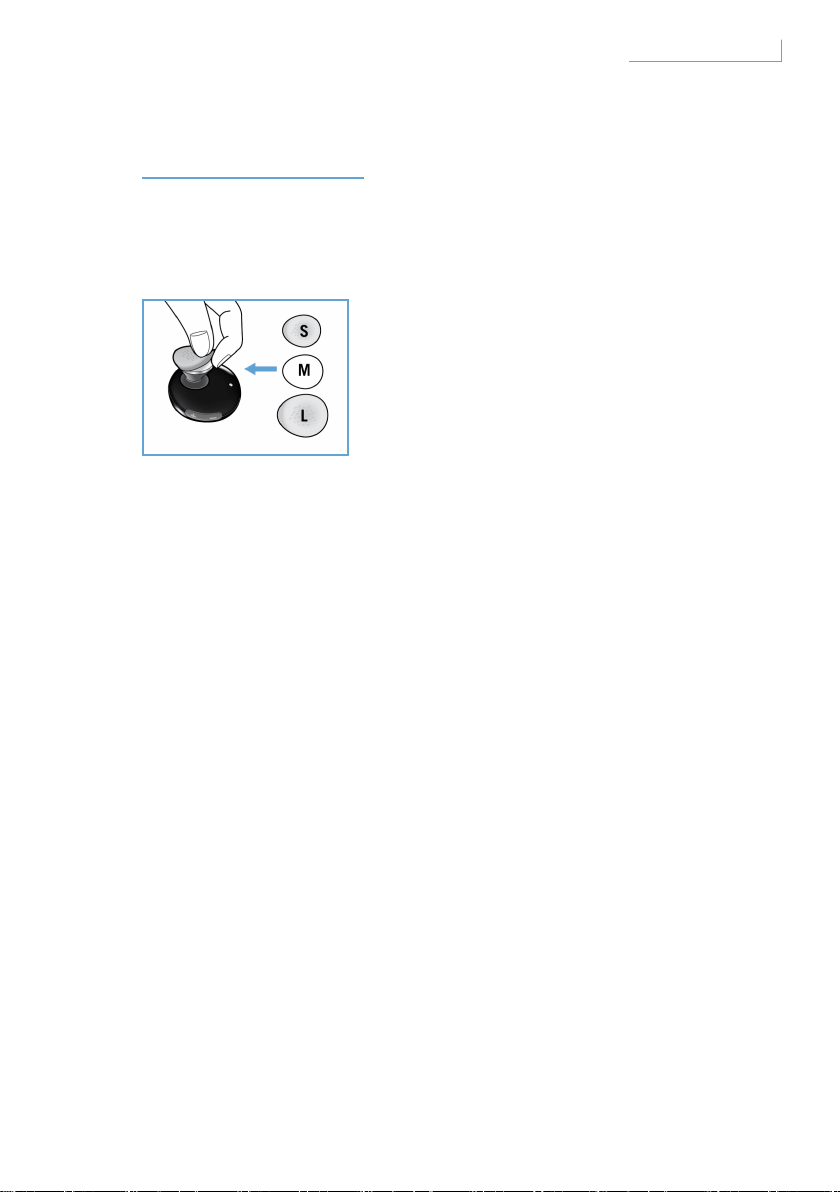
편리한 착용
Breeze 헤드셋은 사용자가 편리하게 선택할 수 있는 세 가지 크기의
이어버드 슬리브를 제공합니다.
기본 장착된 중간 크기 슬리브를 분리하려면 이어폰 본체를 잡고
조심스럽게 이어버드 슬리브를 벗겨 냅니다. 새 슬리브를 이어폰에
씌우십시오. 오랫동안 편안하게 사용하려면 자신에게 가장 잘 맞는
크기를 선택하는 것이 중요합니다.
163
편리한 착용
KO
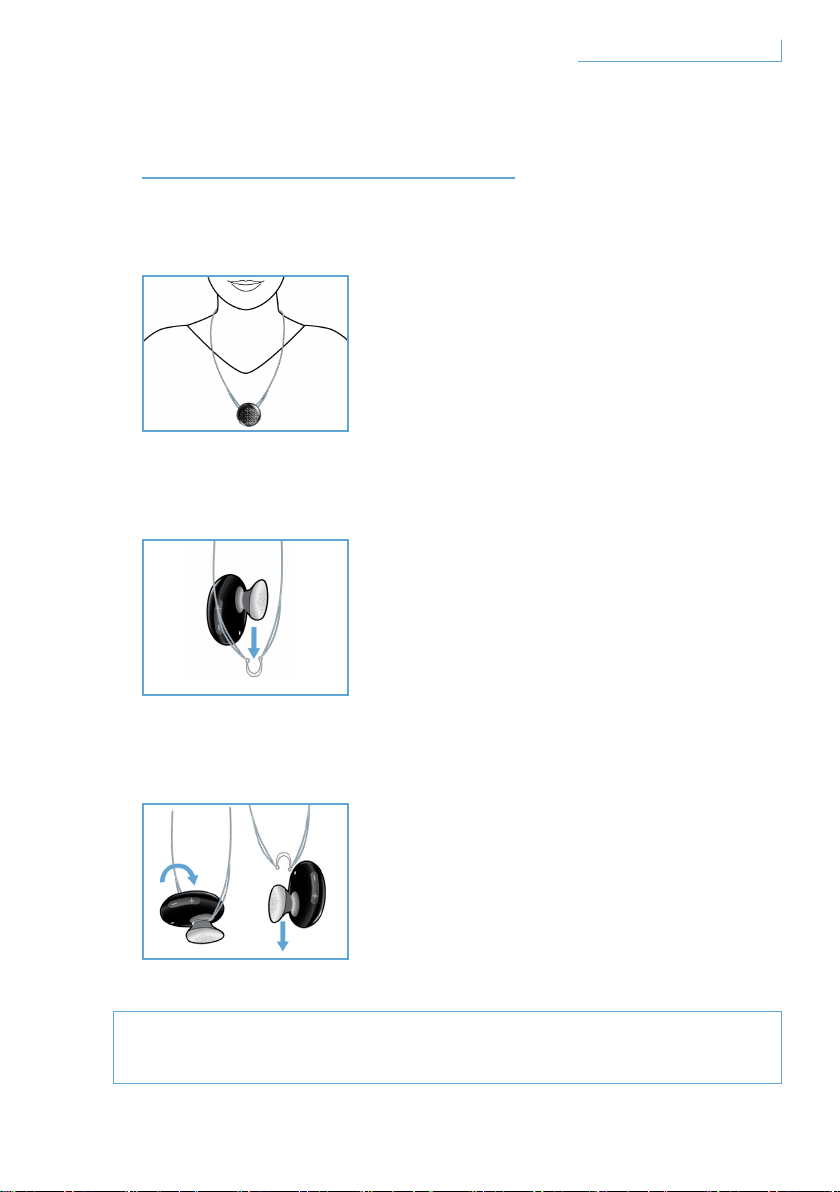
BREEZE 헤드셋 착용
목걸이로 착용
Breeze 헤드셋을 목걸이에 연결하는 방법
Breeze 헤드셋을 체인에서 분리하는 방법
손상될 수 있으므로 반원 걸이를 강제로 잡아 당겨 분리하지
마십시오.
귀고리 착용 여부와 관계 없이 Breeze
헤드셋을 목걸이에 연결할 수 있습니다.
Breeze 헤드셋을 반원 걸이에 자연스럽게
밀어 넣습니다.
헤드셋 연결은 귀고리 착용 여부와 관계 없이
가능합니다.
Breeze 헤드셋을 앞으로 돌려
부드럽게 빼냅니다.
164Breeze 헤드셋 착용 KO
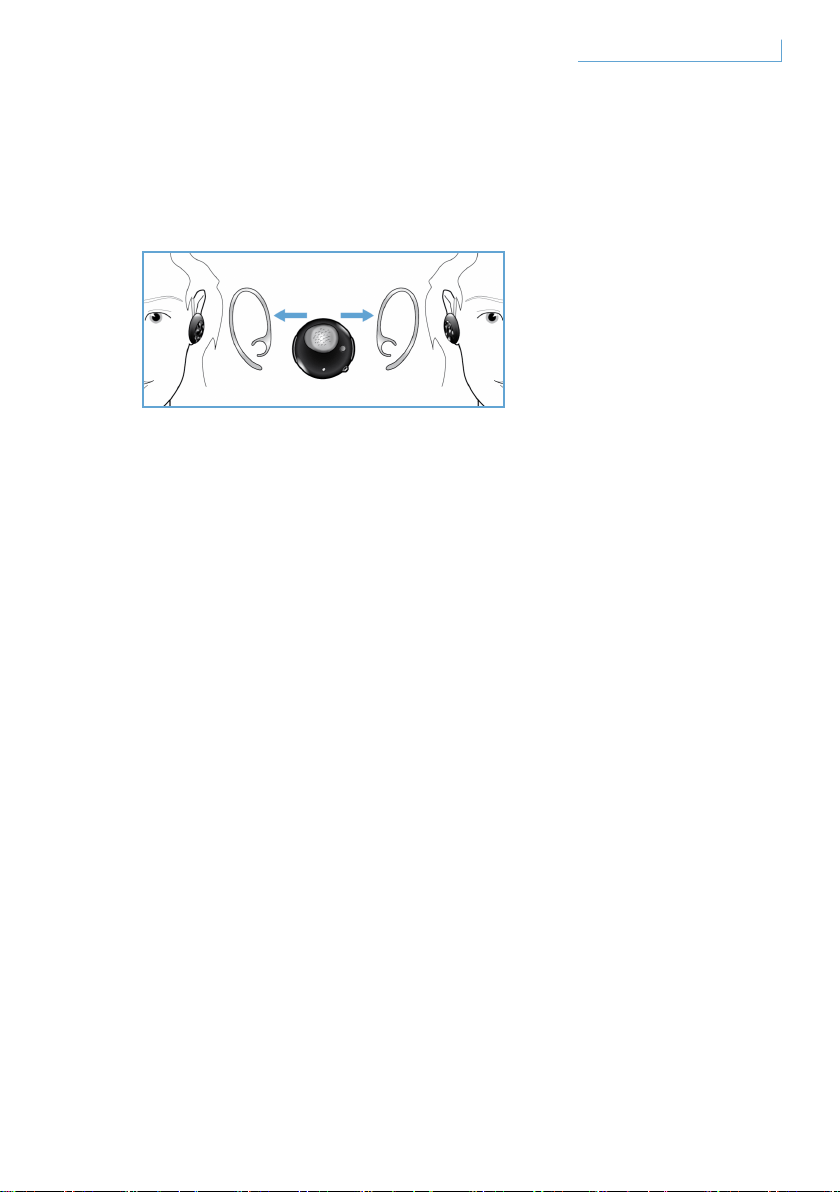
귀고리를 사용하여 헤드셋 착용
귀에 착용하는 동안 Breeze 헤드셋은 마모될 수 있습니다.
왼쪽 또는 오른쪽 귀에 착용하는 그림을 참조하여 귀걸이를 착용합니다.
귀걸이가 헤드셋에 안정적으로 연결되면 딸깍 소리가 납니다. 마이크는
오른쪽 및 왼쪽 착용 스타일 모두에 대해 전면 하단에 위치해야 합니다.
165Breeze 헤드셋 착용 KO

문제 해결 및 FAQ
소리가 자주 끊기고 지직거리는 소리가 들립니다.
1 배터리 상태를 점검하여 전력이 부족하면 헤드셋을 재충전하십시오.
2 헤드셋이 지정된 작동 범위 내에 있는지 휴대폰과 헤드셋 사이의
거리를 확인해 보십시오.
3 헤드셋과 휴대폰 사이에 장애물이 없는지 확인해 보십시오.
4 최상의 오디오 품질을 위해 헤드셋을 휴대폰과 동일한 면에
착용하십시오.
헤드셋을 켰을 때 아무런 소리도 나지 않습니다.
1 헤드셋이 휴대폰과 연결되어 있고 전원이 켜져 있는지 확인하십시오.
2 헤드셋의 볼륨을 높이십시오.
헤드셋을 연결할 수 없습니다.
1 “휴대폰에 Breeze 헤드셋 연결” 섹션을 참조하여 제시된 단계에
따르십시오.
2 적합한 PIN 번호(0000)를 입력했는지 확인하십시오.
3 휴대폰에 기록된 모든 Bluetooth 장치를 삭제한 후 휴대폰을 Breeze
헤드셋에 다시 연결해 보십시오.
4 헤드셋이 다른 Bluetooth 장치에 연결되어 있지 않은지 확인하십시오.
도움이 필요하십니까?
온라인 도움말: www.active-crystals.com
사용자 간에 도움을 주고받을 수 있으며, FAQ, 소프트웨어 업데이트 및
지원을 이용할 수 있습니다.
166문제 해결 및 FAQ KO

사양
통화 시간 4.5시간 이상*
대기 시간 최대 120시간 이상*
충전 시간 1.5시간 미만
Bluetooth 유형 Bluetooth 버전 2.0 + EDR, HSP, HFP
작동 범위 최대 10미터(약 33피트)
Bluetooth 헤드셋 및 핸즈프리 프로파일 지원
PC용 USB 케이블 또는 AC/DC 어댑터(비포함), 자동차 어댑터(비포함)의
충전 옵션으로 재충전이 가능한 배터리
* 실제 결과는 다를 수 있습니다.
167
사양
KO
중요 정보
안전한 청취
위험
청력 손상을 피하려면 헤드폰을 사용하여 고음으로 청취하는 시간을
제한하고 안전한 수준으로 음량을 설정하십시오. 음량이 높을수록
안전하게 청취할 수 있는 시간이 줄어듭니다.
헤드폰 사용 시 다음의 지침을 준수하십시오
• 적당한 시간 동안 적절한 음량으로 청취합니다.
• 청력 수준 이상으로 음량을 지속해서 높이지 않도록 주의합니다.
• 주변의 소리를 전혀 들을 수 없을 만큼 음량을 너무 높이지 마십시오.
• 위험이 발생할 가능성이 있는 상황에서 사용할 때는 주의하여
사용하거나 일시적으로 사용을 중단해야 합니다.
• 운전 중 양쪽 귀에 본 헤드셋을 착용 및 사용하는 행위는 권장되지 않으며
일부 지역에서는 이를 불법으로 간주하는 경우가 있습니다.
• 안전을 위해 운전 중, 교통수단 탑승 중 또는 기타 위험할 가능성이 있는
환경에서는 음악 감상이나 휴대폰 통화를 하지 마십시오.
168
중요 정보
KO

전기 및 자기 및 전자기장(EMF)
1 Philips Electronics는 소비자를 대상으로 하여 여러 가지 제품을 생산
및 판매하며 다른 전자기기와 마찬가지로 전자기 신호를 송수신하는
기능이 포함되어 있습니다.
2 Philips의 주요 비즈니스 원칙 중 하나는 당사 제품에 대해 필요한 모든
건강 및 안전 조치를 취하고 해당 법적 요구사항을 모두 준수하며 제품
생산 시 적용되는 EMF 표준을 준수하는 것입니다.
3 Philips는 건강에 악영향을 주지 않는 제품을 개발, 생산 및 판매하기
위해 최선을 다하고 있습니다.
4 Philips는 제품을 본래 용도에 맞게 취급하는 경우, 현재 존재하는 과학적
증거에 따라 사용하기에 안전하다는 점을 확인합니다.
5 Philips는 국제 EMF 및 안전 표준의 개발에 있어 적극적으로 그
역할을 수행하며 제품의 조기 통합을 위한 표준 개발에도 적극적으로
참여합니다.
일반 유지관리
파손이나 고장을 방지하려면
• 헤드셋을 너무 높은 열에 노출시키지 마십시오.
• 헤드셋을 떨어뜨리지 마십시오.
• 헤드셋을 물 속에 담그거나 빠뜨리지 마십시오.
• 알코올, 암모니아, 벤젠, 연마재 등을 포함한 세정제를 사용하지
마십시오. 세정이 필요하면 부드러운 헝겊을 사용하고 필요한 경우,
소량의 물이나 중성 비누에 적셔 제품을 닦으십시오.
사용 및 보관 온도 관련 정보
배터리 수명이 단축될 수 있으므로 온도가 -15°C (5°F)보다 낮거나 55°C
(131°F)보다 높은 곳에서 사용하거나 보관하지 마십시오.
169
중요 정보
KO

내장 배터리 분리
해당 국가 내에 전자 제품에 대한 수거 / 재활용 시스템이 없는 경우에는
헤드셋을 폐기하기 전에 배터리를 분리 및 재활용함으로써 환경을
보호할 수 있습니다. 배터리를 배터리 수거 및 재활용 센터로 보내시기
바랍니다. 배터리를 분리하기 전에 전원 어댑터에서 헤드셋이 분리되어
있는지 확인하십시오.
배터리를 분리하면 제품이 망가질 수 있습니다.
미국 사용자를 위한 고지 사항
본 장치는 FCC 규정 제 15조에 부합하고, 다음 작동 조건을 충족해야
합니다. 1) 유해한 전자파 간섭을 일으키지 않습니다. (2) 오작동을
유발하는 전자파 간섭을 비롯한 수신된 간섭을 모두 수용해야 합니다.
본 장비는 FCC 규정 제 15조, B등급 디지털 장치 관련 간섭 규제에
따라 검사되었으며, 이에 부합하는 것으로 판정되었습니다. 이러한
규제는 주거 환경에서 사용할 때 발생하는 유해한 전자파 간섭으로부터
보호하기 위해 마련되었습니다. 본 장치는 방사상 무선 주파수 에너지를
발생하며 사용합니다. 지침에 따라 설치되고 사용되지 않은 경우, 무선
통신에 유해한 간섭을 일으킬 수 있습니다. 그러나, 특정 환경에서
사용한다고 해서 전자파 간섭이 발생하지 않는 것은 아닙니다. 본 장비의
전원을 껐다 켰을 때 라디오와 TV 수신을 방해하는 유해한 간섭이
유발되는 경우 (장치를 끄고 켜서 확인할 수 있음), 사용자는 다음 방법 중
하나 이상을 사용하여 간섭을 해결할 수 있습니다.
• 수신 안테나의 방향이나 위치를 바꿉니다.
• 수신기와 장비를 멀리 떨어뜨려 놓습니다.
• 장치를 수신기가 연결된 콘센트와 회로가 다른 콘센트에 연결합니다.
• 대리점이나 숙련된 라디오/TV 기술자에게 문의합니다.
170
중요 정보
KO

경고
FCC 규정에 의거, 필립스가 명백하게 승인하지 않은 장비 개조나 조작
시 본 장비의 작동에 대한 FCC 승인이 무효화될 수 있습니다.
참고 사항
FCC/IC 방사 노출 지침 본 장비는 제한되지 않은 환경을 위해 마련된
FCC/IC 방사 노출 규제를 준수합니다. 최종 사용자는 FR 노출 규정에
부합하도록 특별 작동 지침을 반드시 준수해야 합니다. 본 송신기는
다른 안테나 또는 송신기와 함께 두거나 작동해서는 안 됩니다.
필립스 액세서리 서비스 센터 주소:
Philips accessories and computer peripherals
Ledgewood
NJ 07852 USA
캐나다 사용자를 위한 고지 사항
다음 작동 조건을 충족해야 합니다.
1 본 장치는 유해한 간섭을 일으키지 않습니다.
2 본 장치는 원하지 않는 작동을 일으킬 수 있는 간섭을 포함하여 수신되는
모든 간섭을 수용해야 합니다. 인증/등록 번호 앞에 붙는 “IC:”는 적합성
선언(Declaration of Conformity)에 의거하여 등록됐음을 의미합니다. 즉,
캐나다 산업성 기술 규격에 적합한 것입니다. 그러나, 캐나다 산업성에서
본 장비를 승인했음을 내포하지는 않습니다.
171
중요 정보
KO

유럽 사용자를 위한 고지 사항
Philips Consumer Lifestyle, BU P&A는 본 Philips Bluetooth 헤드셋
SWB9000/SWB9200이 필수 요구 사항과
Directive 1999/5/EC의 기타 관련 조항을 준수함을 선언합니다.
사용 설명서 CD의 기본 폴더 또는 적합성 선언(Declaration of Conformity)
의 부록을 참조하십시오.
상표
Bluetooth 워드 마크와 로고는 Bluetooth SIG, INC의 소유입니다.
© 2008 Koninklijke Philips Electronics N.V. & Swarovski AG.
All rights reserved.
172
중요 정보
KO

目次
ようこそ 174
コレクションの完了 174
はじめに 175
Breeze ヘッドセットには次のキ
ーおよび機能があります。 175
Breeze ヘッドセットの充電 176
Breeze ヘッドセットの電源のオン/オフ 177
Breeze ヘッドセッ
トと携帯電話のペアリング 178
BREEZE ヘッドセットの機能 179
電話をかける 179
電話を受ける 179
電話を切る 179
通話の転送 180
着信の拒否 180
リダイヤル 180
通話中着信/保留 180
音量の調整 180
ライトの意味 181
快適な装着のために 182
BREEZE ヘッドセットの装着 183
チェーンでの装着 183
イヤフックを使用する
場合のヘッドセットの装着 184
トラブルシューティング/
FAQ(よく寄せられる質問) 185
サポートが必要な場合 185
仕様 186
重要 187
173
目次
JP
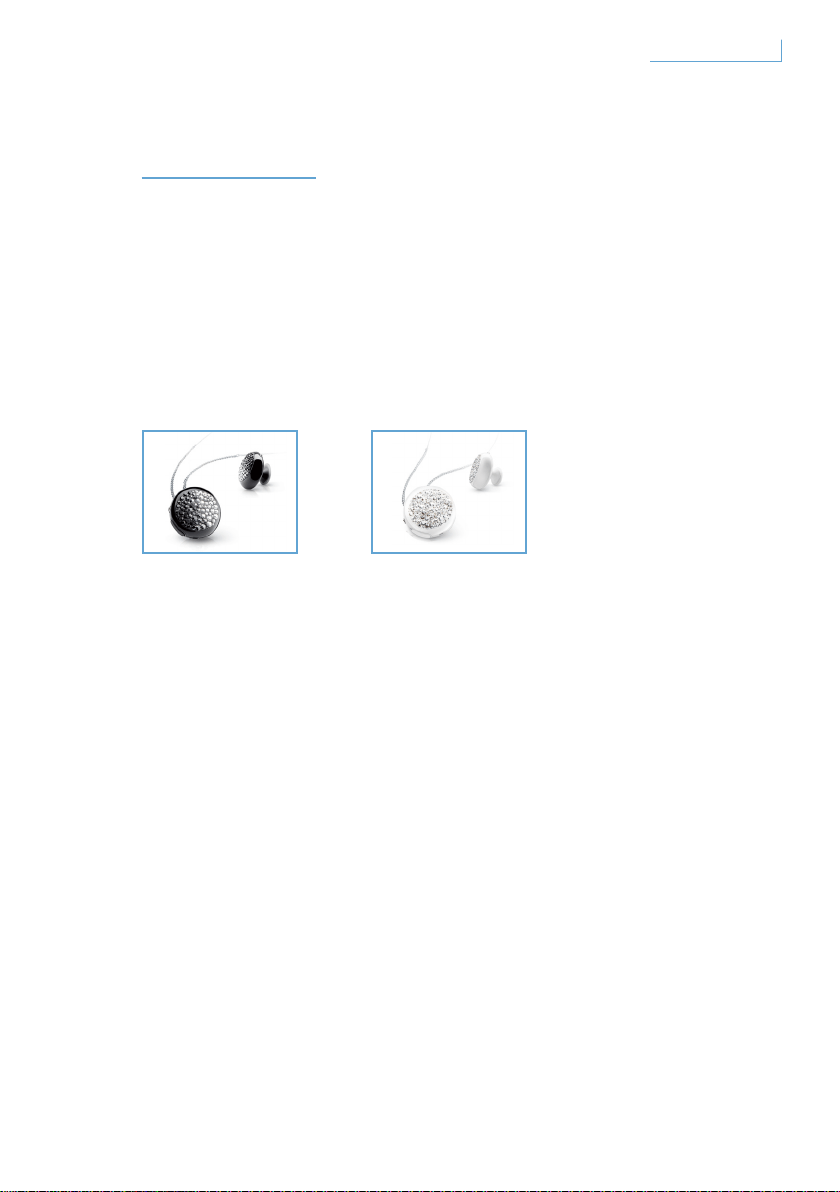
ようこそ
Active Crystals 製品をお買い上げいただき、ありがとうございます。
女性のために女性によってデザインされた Active Crystals 製品は、スワ
ロフスキーの上質なクリスタルとフィリップスの最先端の技術によって
生み出されました。 製品がお客様のお気に召しますことを願っており
ます。
コレクションの完了
Breeze Black Breeze White
174
ようこそ
JP
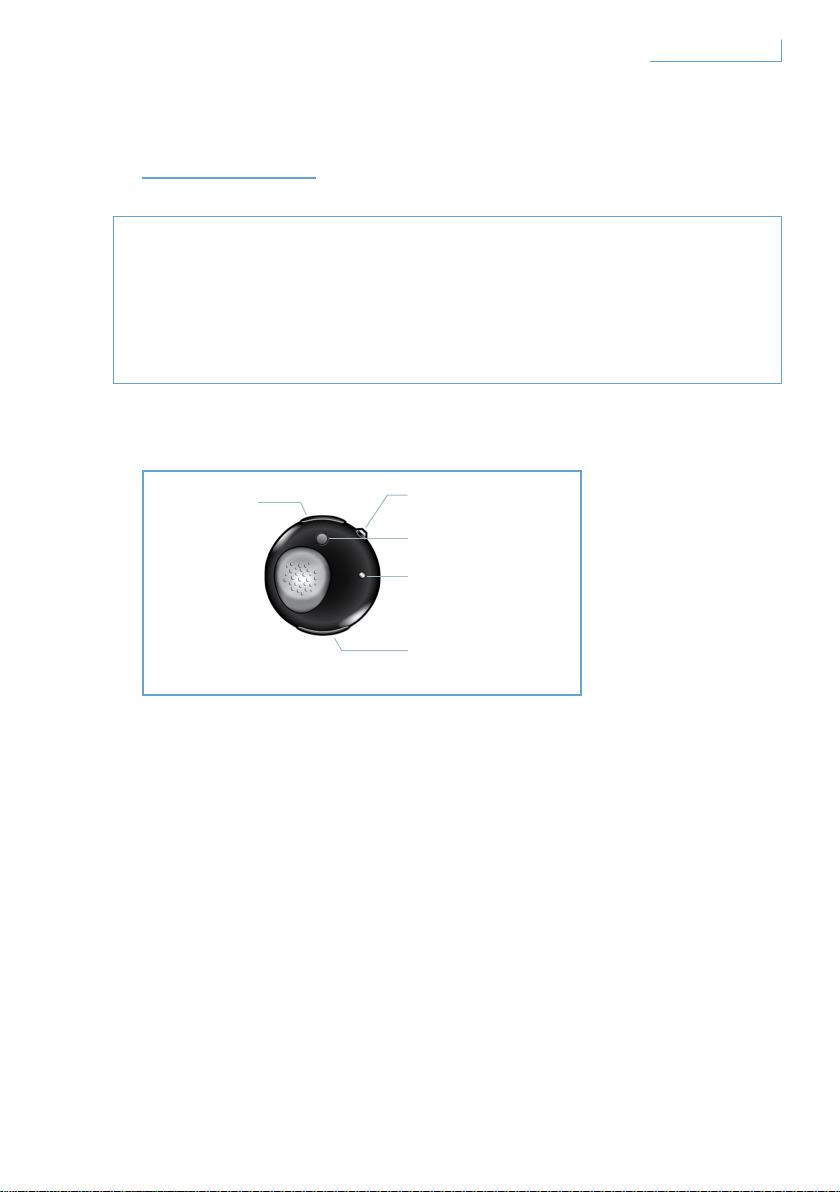
はじめに
重要なお知らせ
• 運転中に電話をかける/受ける場合は、必ず安全を確認してくださ
い。
• 常に安全運転を心がけ、交通規則および規制に従ってください。
Breeze ヘッドセットには次のキーおよび機能があります。
USB ポート
ケーブルを接続して Breeze ヘッドセットを充電します。
マルチファンクションボタン(MFB) - クリスタルボタン
詳細については、「Breeze ヘッドセットの機能」のセクションを参照
してください。
ペアリングボタン(PAIR)
押し続けて、Breeze ヘッドセットと携帯電話をペアリングします。
LED ライト
状態に応じて赤または青で点灯します。
ボリュームコントロールボタン(+/-)
1 回押すたびに音量が変わります。
A. USB ポート
B. マルチファンクショ
ンクリスタルボタン
C. ペアリングボタン
E. ボリュームコント
ロールボタン
D. LED
175
はじめに
JP
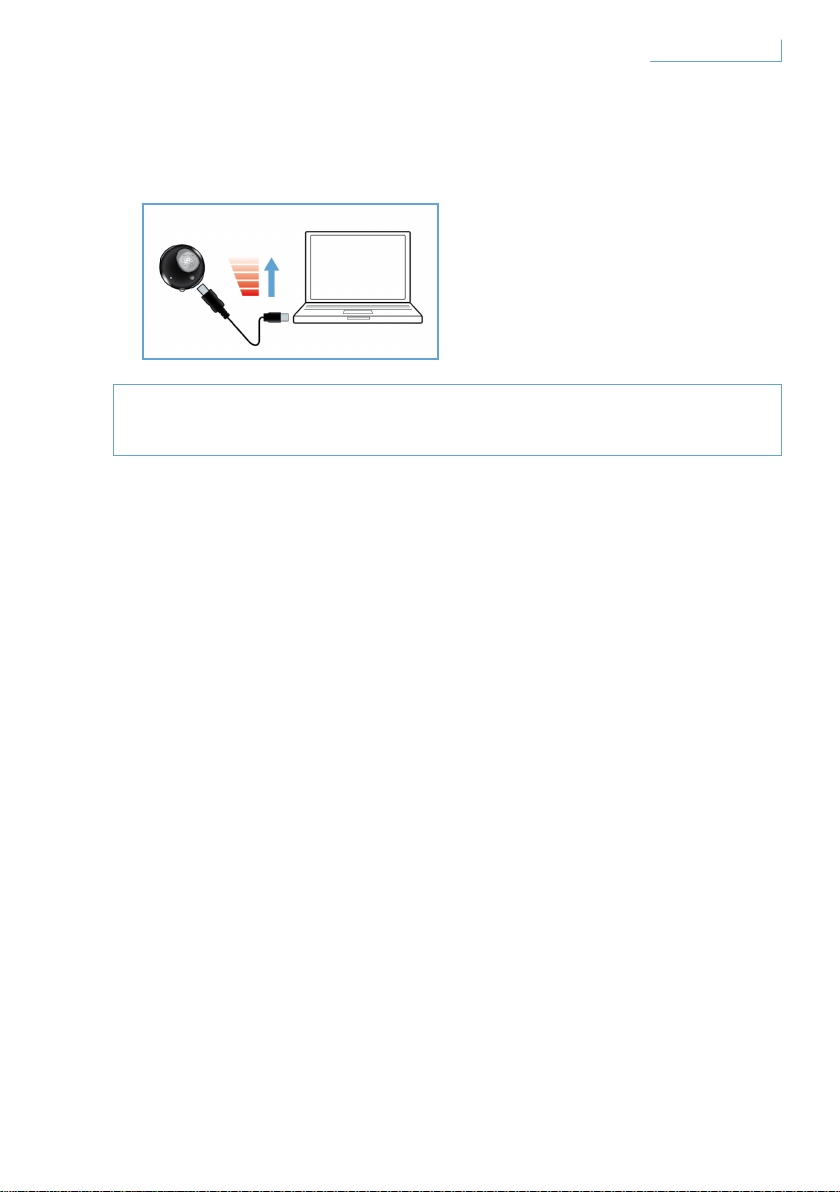
Breeze ヘッドセットの充電
Breeze ヘッドセットは、初めて使用する前に完全に充電してくださ
い。
Breeze ヘッドセットの充電方法には次の 2 通りがあります。
1 Breeze ヘッドセットを、付属の USB ケーブルを使用して PC に接続し
ます。
2 Breeze ヘッドセットを AC/DC* または自動車の DC/DC** に接続します
(アダプタは別売です)。
Breeze ヘッドセットの充電中は赤の LED ライトが点灯します。
バッテリが完全に充電されると、ライトは自動的に消灯します。
バッテリ残量が低下すると、ビープ音で通知されます。その場合は、
最適な通信品質を保つために、Breeze ヘッドセットを再充電してくだ
さい。
* AC/DC アダプタ フィリップスモデル SCM2280/05(英国)、
SCM2280/12(ヨーロッパ)、SCM2280/37(米国)
** 自動車 AC/DC アダプタ フィリップスモデル SCM2180/05(英国)、
SCM2180/12(ヨーロッパ)、SCM2180/37(米国)
176
はじめに
JP
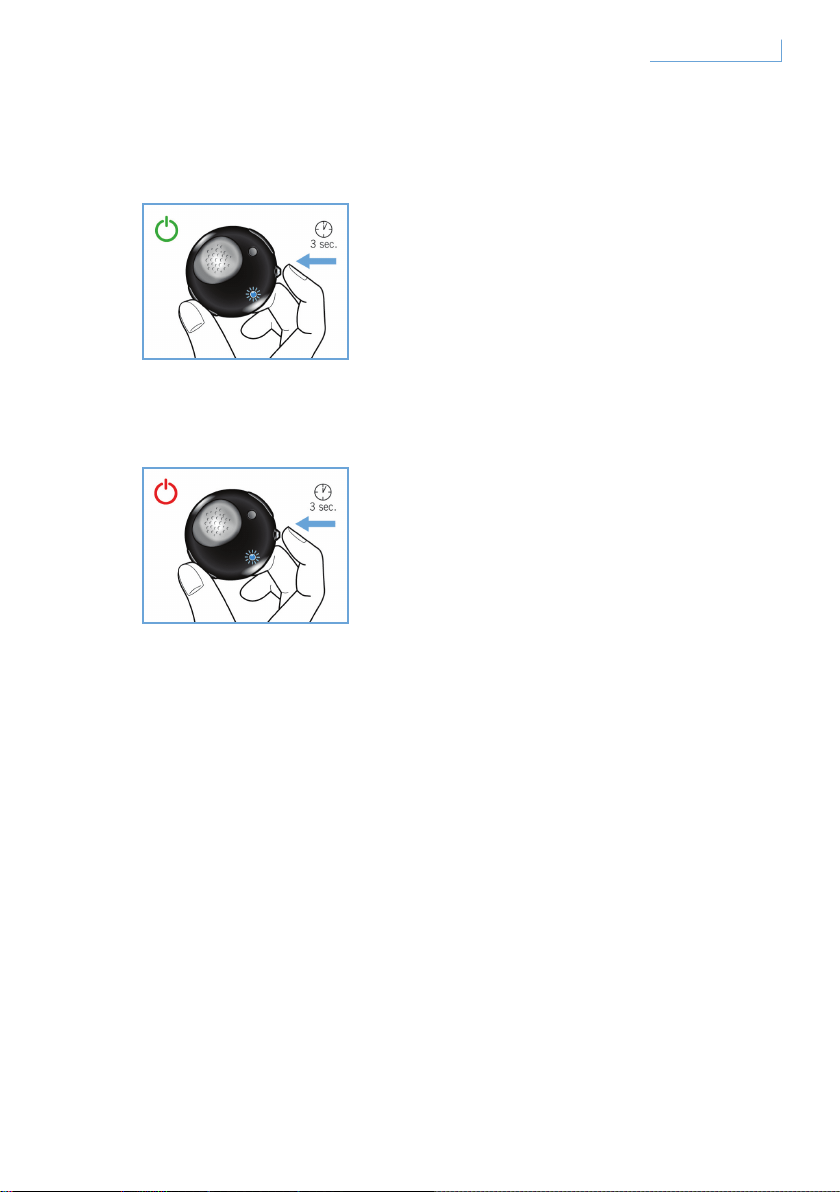
Breeze ヘッドセットの電源のオン/オフ
ヘッドセットの電源をオンにするには、青の LED が点滅するまで MFB
を押し続けます。
ヘッドセットの電源をオフにするには、赤い LED が一度点滅するまで
MFB を押し続けます。
177
はじめに
JP
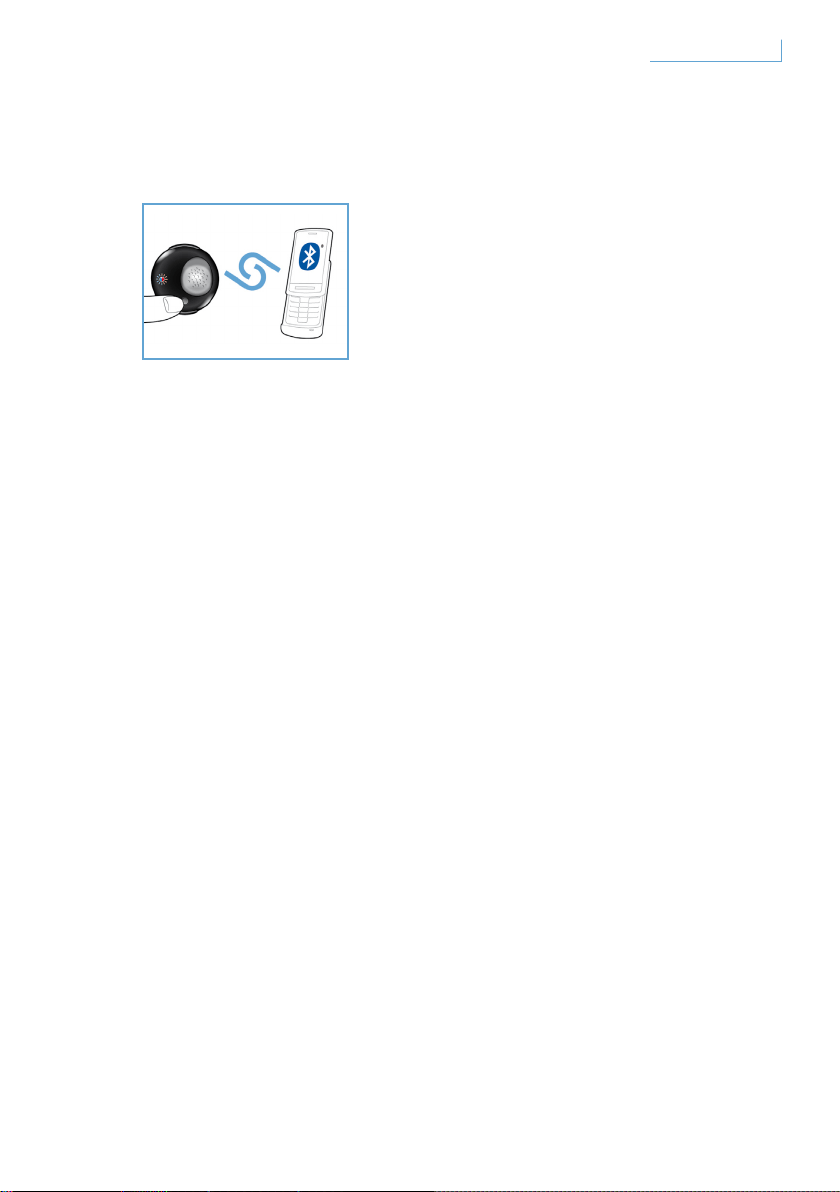
Breeze ヘッドセットと携帯電話のペアリング
Breeze ヘッドセットを使用する前に、携帯電話とペアリングする必要
があります。
1 Breeze ヘッドセットの電源をオンにします。
2 LED ライトが赤と青で交互に点灯するまで、PAIR ボタンを押し続けま
す。
3 携帯電話の設定を Bluetooth デバイスを検索できるように変更します。
携帯電話に表示される該当オプションから[Breeze]を選択します。
4 携帯電話で[Breeze]が表示されたら、ピン番号として「0000」を入
力し、確定します。
5 これでペアリングは完了です。
ペアリングが完了すると、赤の LED ライトが消灯して青の LED ライト
が点滅します。
178
はじめに
JP
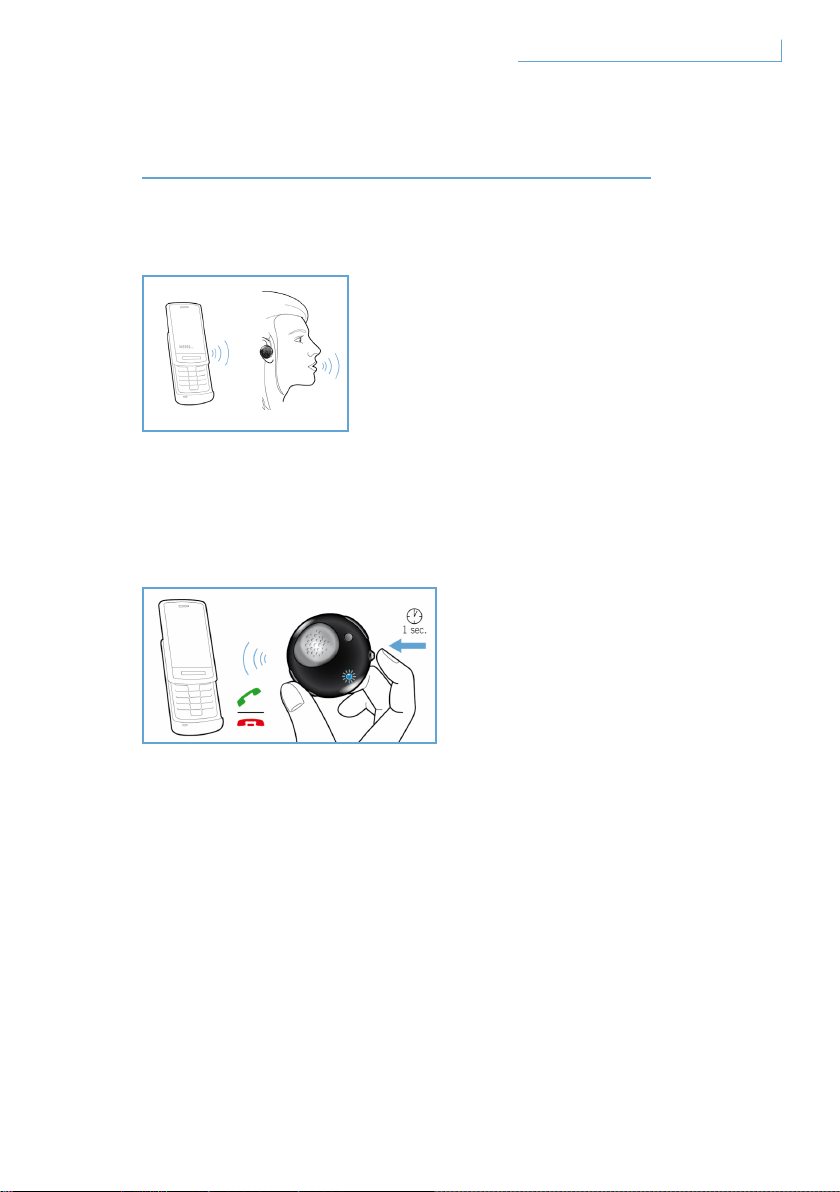
BREEZE ヘッドセットの機能
電話をかける
電話をかけるには、通常どおりに電話番号をダイヤルします。通話はヘ
ッドセットに自動的に転送されます。ヘッドセットに転送されない場合
は、MFB をタップしてください。
電話を受ける
MFB ボタンを 1 回押します。フィードバック音が聞こえます。
これは、電話がつながったことを示します。
電話を切る
MFB ボタンを 1 回押します。フィードバック音が聞こえます。
これは、電話が切れたことを示します。
179Breeze ヘッドセットの機能 JP
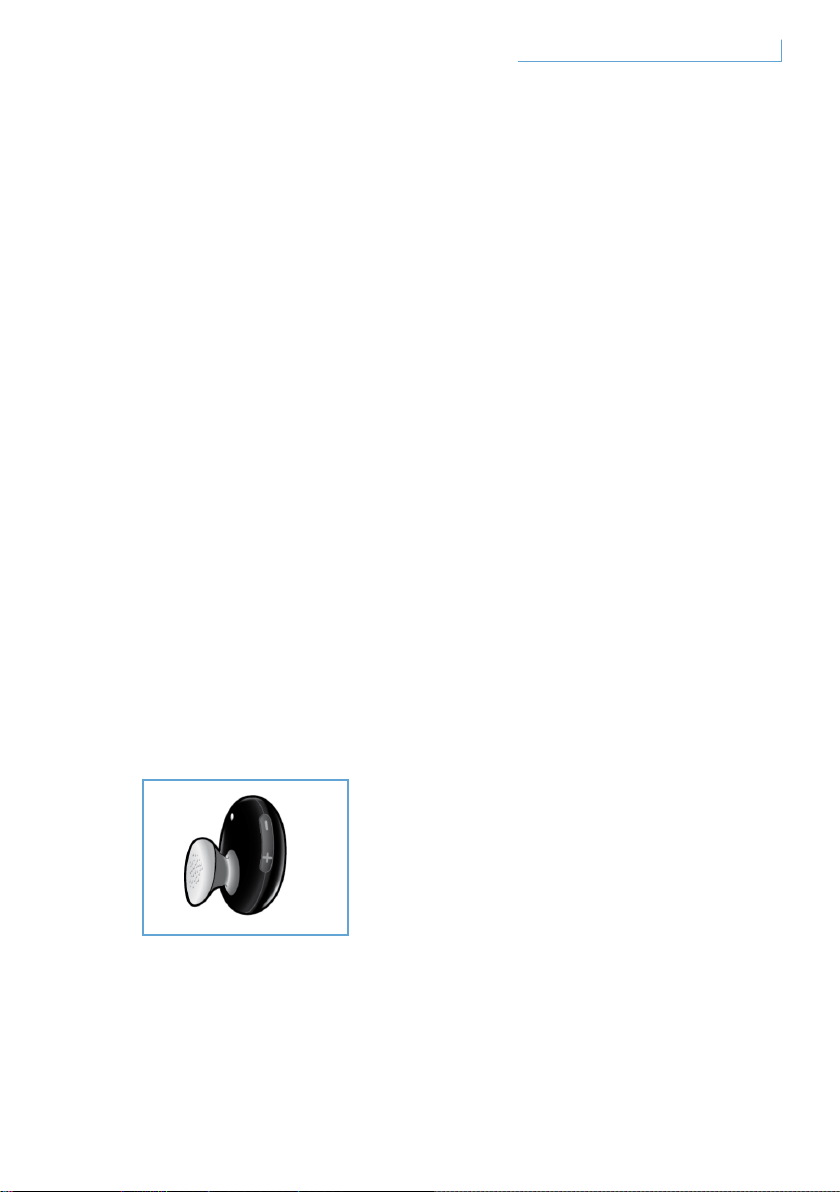
通話の転送
通話をヘッドセットから携帯電話に転送するには、フィードバック音が
聞こえるまで MFB を約 1 秒間押し続けます。
着信の拒否
着信音が鳴っている間に、フィードバック音が聞こえるまで MFB を約
1 秒間押し続けます。
リダイヤル
最後にダイヤルした番号にリダイヤルするには、フィードバック音が聞
こえるまで MFB を押し続けます。
通話中着信/保留*
2 つの着信を切り替えるには、フィードバック音が聞こえるまで MFB
を約 1 秒間押し続けます。
音量の調整
音量を調整するには、ボリュームコントロールボタンの[+]または[-
]を押します。ボタンを 1 回押すたびにフィードバック音が聞こえま
す。
* アスタリスク(*)の付いている機能は、ご利用の電話機またはネットワークサービス
によって異なります。
180Breeze ヘッドセットの機能 JP
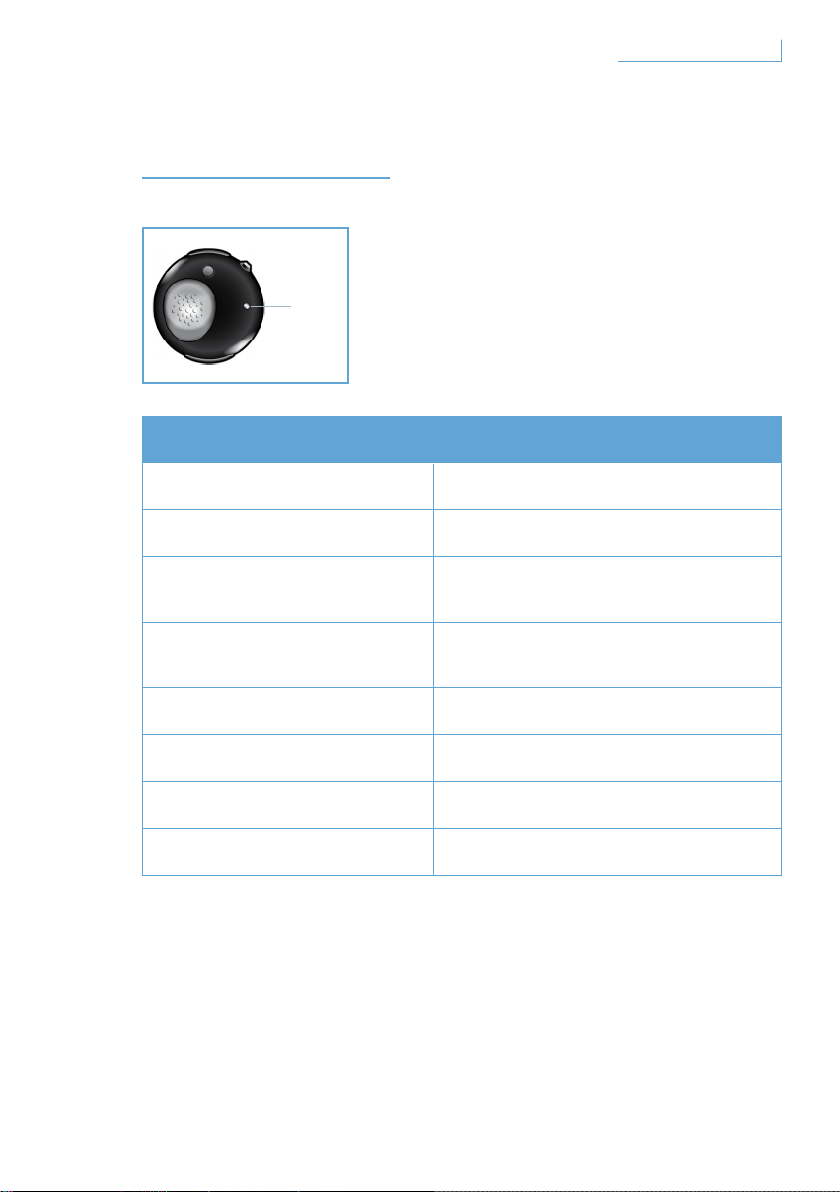
ライトの意味
ライトの状態 ヘッドセットの状態
青で点滅 速く点滅、通話中
青で 3 回点滅
遅く点滅(2 秒間隔)、着信/発信
青で 2 回点滅
非常に遅く点滅(5 秒間隔)、
接続モード
青で 1 回点滅
非常に遅く点滅(5 秒間隔)、
スタンバイモード
赤で点滅 電池残量少
赤と青で交互に点滅 ペアリングモード
赤で点灯 充電中
消灯 充電完了
D. LED
181
ライトの意味
JP
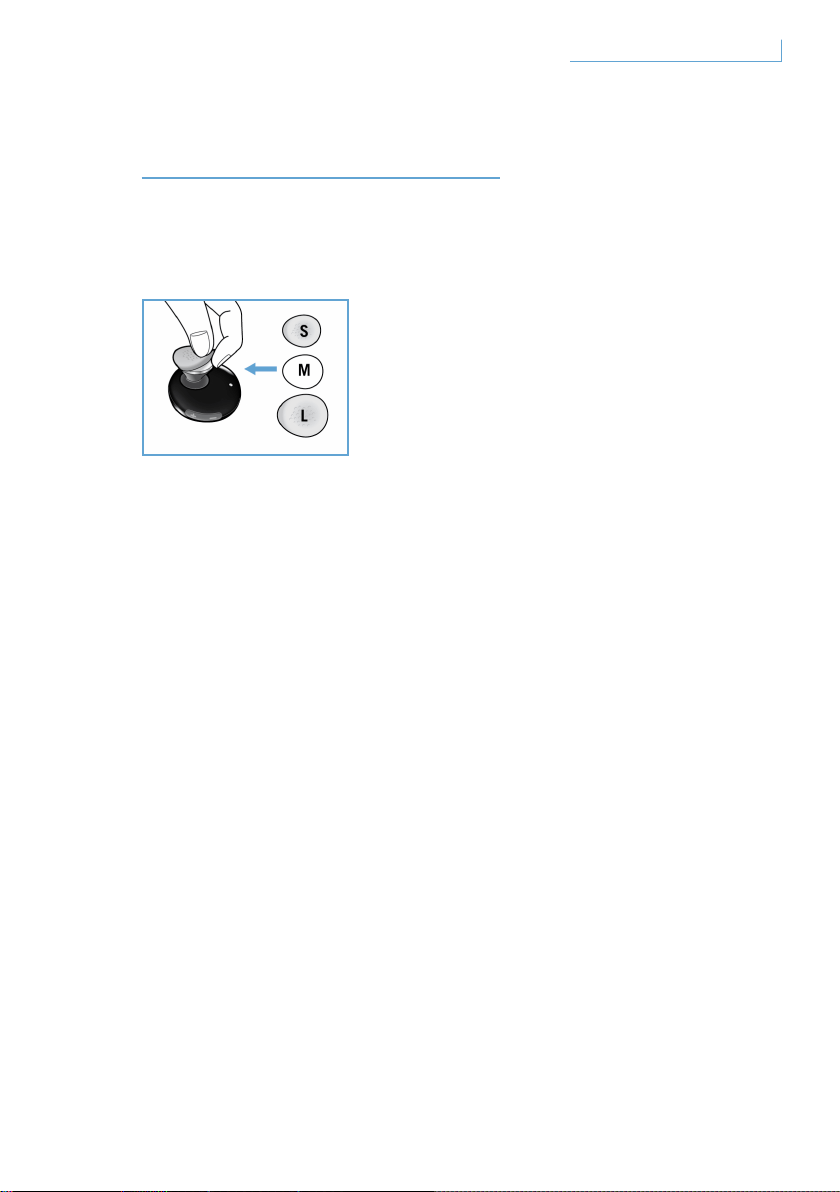
快適な装着のために
Breeze ヘッドセットには、3 種類のサイズのイヤホンスリーブが付属
しています。
購入時に取り付けられているスリーブ(サイズ:中)を取り外すには、
イヤホン本体を持ち、イヤホンスリーブを静かに外します。次に、新し
いスリーブをイヤホンに取り付けます。快適に使用するために、耳に合
ったサイズを選択してください。
182
快適な装着のために
JP

BREEZE ヘッドセットの装着
チェーンでの装着
Breeze ヘッドセットをチェーンに付ける方法:
Breeze ヘッドセットをチェーンから外す方法:
半円形の金具は無理に引っ張らないでください。ヘッドセットが損
傷することがあります。
Breeze ヘッドセットは、イヤフックの使用
にかかわらず、ネットチェーンで装着するこ
とができます。
Breeze ヘッドセットを半円形の金具に静
かにスライドします。
イヤフックはあってもなくてもかまいま
せん。
Breeze ヘッドセットを前に曲げ
て静かに引っ張ります。
183Breeze ヘッドセットの装着 JP
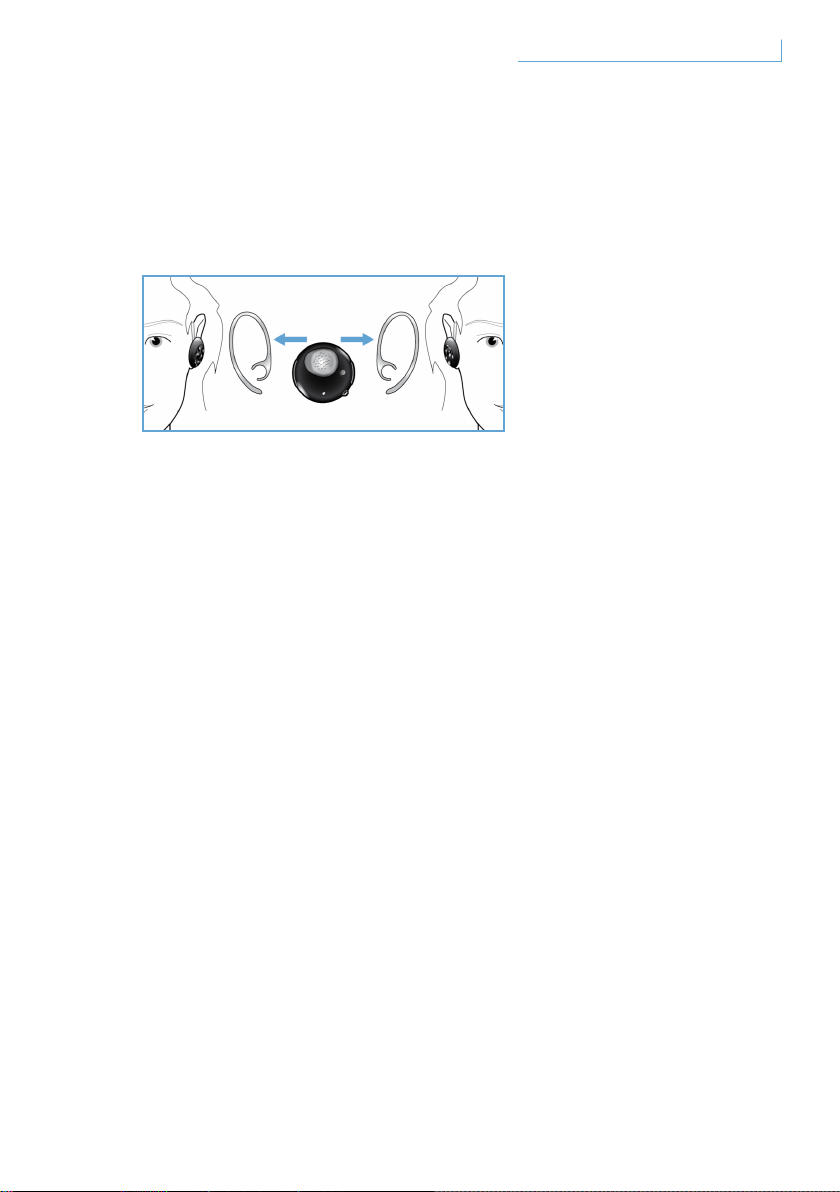
イヤフックを使用する場合のヘッドセットの装着
Breeze ヘッドセットは、左右いずれかの耳に装着することがで
きます。
装着する左右いずれかの耳の図に従って、イヤフックをスライドしま
す。イヤフックがヘッドセットに正しく固定されると、カチっと音がし
ます。左右どちらに装着する場合でも、マイクは口元に来るように調整
してください。
184Breeze ヘッドセットの装着 JP

トラブルシューティング/FAQ
(よく寄せられる質問)
音が途切れたり、雑音が聞こえます。
1 バッテリの状態を確認し、残量が少ない場合はヘッドセットを充電
してください。
2 携帯電話とヘッドセットとの距離が、指定された動作範囲内である
ことを確認してください。
3 ヘッドセットと携帯電話の間に障害物がないことを確認してくださ
い。
4 最高の音質を得るには、携帯電話のある側にヘッドセットを装着し
てください。
ヘッドセットの電源をオンにしても何も聞こえません。
1 ヘッドセットが携帯電話とペアリングされていること、
およびスイッチがオンになっていることを確認してください。
2 ヘッドセットの音量を上げてください。
ヘッドセットをペアリングできません。
1 「Breeze ヘッドセットと携帯電話のペアリング」のセクションを参
照し、手順に従ってください。
2 ピン番号(0000)を正しく入力したことを確認してください。
3 携帯電話に記録されているすべての Bluetooth デバイスを削除し
て、Breeze ヘッドセットをペアリングし直してください。
4 ヘッドセットが他の Bluetooth デバイスに接続されていないことを
確認してください。
サポートが必要な場合
オンラインヘルプ:
www.active-crystals.com
対話型のヘルプ、FAQ(よく寄せられる質問)、ソフトウェアアップデー
ト、サポートを提供しています。
185トラブルシューティング/FAQ(よく寄せられる質問) JP

仕様
連続通話時間 > =4.5 時間*
連続待受時間 >= 最大 120 時間*
充電時間 < 1.5 時間
Bluetooth タイプ Bluetooth バージョン 2.0 + EDR、HSP、HFP
動作範囲 最大 10 メートル(約 33 フィート)
Bluetooth ヘッドセットおよびハンズフリープロファイル対応
充電式バッテリ。充電オプション:USB ケーブルを使用して PC 経
由、AC/DC アダプタ(別売)/自動車アダプタ(別売)
* 実際には異なる場合があります。
186
仕様
JP
重要
聴力に関する安全性
危険
聴力を損なわないように、ヘッドフォンを大音量で使用する場合は
使用時間を制限し、通常は安全なボリュームレベルに設定してくだ
さい。大音量で使用する場合は、使用時間を短くすることで安全に
ご使用いただけます。
ヘッドフォンを使用するときは、次のガイドラインに従ってください。
• 適切なボリュームレベルと使用時間を心がけてください。
• 音量に慣れてきた場合でも、必要以上にボリュームを上げないように注
意してください。
• 周囲の音が聞こえないほど、ボリュームを上げないでください。
• 危険性の高い状況では、十分に注意して使用するか、
一時的に使用を中止してください。
• 車両の運転中にヘッドフォンで両耳を覆うことは推奨できません。
また、地域によっては法律で禁止されている場合があります。
• 運転中や危険性の高い状況で注意散漫にならないように、
音楽を聞いたり、電話を使用することは避けてください。
187
重要
JP

電場、磁場、電磁場(EMF)
1 フィリップス エレクトロニクスでは、一般のお客様向けに多くの製品
を製造、販売しておりますが、 これらの電子機器は通常、電磁信号を
受発信します。
2 当社の主要な事業原則の 1 つは、当社の製品に対して健康および安全
に関して必要なすべての措置を講じ、 あらゆる適用法規定に準拠する
とともに、製品製造時に適用された EMF に関する規定への準拠も引き
続き維持することです。
3 当社は、人体に悪影響を及ぼす製品の開発、製造、売買を行わないこと
をお約束いたします。
4 当社の製品が、使用目的に応じて適切に取り扱われる限り安全であるこ
とは、科学的な事実に基づいて確認されています。
5 当社は、EMF および安全性の国際標準の制定において積極的な役割を
果たしています。 このことにより、標準化が予想される規定の製品へ
の早期導入を可能にしています。
通常のお手入れ
損傷や故障を防ぐために
• ヘッドセットを過度の熱にさらさないでください。
• ヘッドセットを落とさないでください。
• ヘッドセットを水に浸さないでください。
• アルコール、アンモニア、ベンゼン、研磨剤などを含む洗剤を使用しな
いでください。
• 製品が汚れた場合は、柔らかい布で拭き取ってください。必要な場合
は、布にごく少量の水または薄めた低刺激性の石鹸水を含ませてくださ
い。
188
重要
JP
動作/保管温度について
-15ºC(5ºF)未満または 55ºC(131ºF)を超える場所で、製品を使用
または保管しないでください。バッテリーの寿命が短くなるおそれがあ
ります。
製品の廃棄
本製品は、リサイクルおよび再利用可能な高品質の材料と部品で設計、
製造されています。
“この記号(キャスター付きごみ箱に×が付いている)が製品に付けられ
ている場合は、EU 指令(2002/96/EC)の対象であることを意味しま
す。
お住まいの地域の電気電子製品の分別収集について調べてください。
古くなった製品は家庭ごみと一緒に廃棄せず、地域の規則に従ってくだ
さい。 古くなった製品を適切に廃棄することによって、環境や人体へ
の悪影響を防ぐことができます。”
バッテリーの取り外し
お住まいの国、地域で、電子製品の回収およびリサイクルが行われてい
ない場合は、 ヘッドセットを廃棄するときに、バッテリーを取り外し
てリサイクルしてください。 バッテリーは、回収およびリサイクルを
行っている場所にお持ちください。 バッテリーを取り外すことによっ
て製品は破壊され、使用できなくなります。
ヘッドセットから電源アダプタを取り外したことを確認してから、バッ
テリーを取り外してください。
189
重要
JP

米国向けの通知
本装置は、FCC(米国連邦通信委員会)規定の Part 15 に準拠していま
す。 本装置は次の2つの条件を前提として動作します。(1) 本装置は、
電波障害を引き起こさないものとします。(2) 本装置は、望ましくない
動作をもたらす可能性のある電波障害も含め、受信されるいかなる電波
障害も受容できなければなりません。
本装置はテスト済みであり、FCC 規定の Part 15 に基づくクラス B デ
ジタル装置の制限に準拠していることが確認済みです。 これらの制限
は、住宅地区で使用した場合に、有害な電波干渉から適正に保護する
ことを目的としています。 この装置は無線周波エネルギーを発生、使
用、放出する可能性があるため、 指示に従って設置または使用しない
と、無線通信を妨害することがあります。 ただし、特定の設置条件で
電波干渉が起こらないという保証はありません。 この装置がラジオや
テレビの受信を妨害している場合は (装置をオフ/オンにして調べま
す)、次の方法をいくつか試して、問題を修正することをお勧めしま
す。
• 受信アンテナの方向や位置を変える。
• 装置と受信機の距離を離す。
• 受信機を接続している回路とは別の回路の差し込みに装置を接続する。
• ラジオ/テレビの販売店か経験ある技術者に相談する。
警告
当社によって承認されていない改変を加えた場合は、本装置を操作
するための FCC による承認が無効になる可能性があります。
190
重要
JP
重要事項
FCC/IC 放射線被ばくに関する宣言:
本装置は、制御不能な環境に対する FCC/IC 放射線被ばくに関する制
限に準拠しています。 エンドユーザーは、無線周波に関する規定に
準拠するための特別な操作指示に従う必要があります。本発信機は
他のアンテナまたは発信機と同じ場所に置いたり、一緒に動作させ
ないでください。
フィリップスアクセサリサービスセンターの住所:
Philips accessories and computer peripherals
Ledgewood
NJ 07852 USA
カナダ向けの通知
本装置は次の2つの条件を前提として動作します。
1 本装置は、電波障害を引き起こさないものとします。
2 本装置は、望ましくない動作をもたらす可能性のある電波障害も含め、
受信されるいかなる電波障害も受容できなければなりません。 保証番
号や登録番号の前に「IC:」という語がある場合、カナダ産業省の技術
仕様に準拠していることを表します。 ただし、カナダ産業省が本装置
を承認していることを意味するものではありません。
EU(欧州連合)向けの通知
Philips Consumer Lifestyle, BU P&A は、フィリップス Bluetooth ヘッド
セット SWB9000/SWB9200 が Directive 1999/5/EC 指令の必須要件お
よびその他の関連条項に適合していることをここに宣言します。
ユーザーマニュアル CD のルートフォルダ、または適合宣言の補遺シー
トをご確認ください。
191
重要
JP

商標
Bluetooth のワードマークおよびロゴは、Bluetooth SIG, INC. が所有す
るものです。
© 2008 Koninklijke Philips Electronics N.V. & Swarovski AG.
All rights reserved.
192
重要
JP