OWNER’S MANUAL
SOUND
OF
SLEEP
Français au verso
1
SOUND
OF
SLEEP
TO OUR CUSTOMERS,
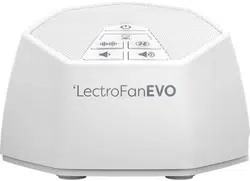
Thank you and congratulations on your purchase of a LectroFan EVO from
Adaptive Sound Technologies. You now own the most versatile fan sound
synthesizer and white noise generator on the market today. With 22 unique
sounds, precise volume control, and a built-in timer, LectroFan EVO is in a
class by itself.
If you have any suggestions or ideas on how we can make our products
better, please let us know.
Sam J. Nicolino Jr., President and CEO, ASTI
REGISTER YOUR LECTROFAN EVO
Please visit astisupport.com to register your LectroFan EVO.
You’ll need the serial number, which you’ll fi nd on the bottom.
•
•
•
•
•
•
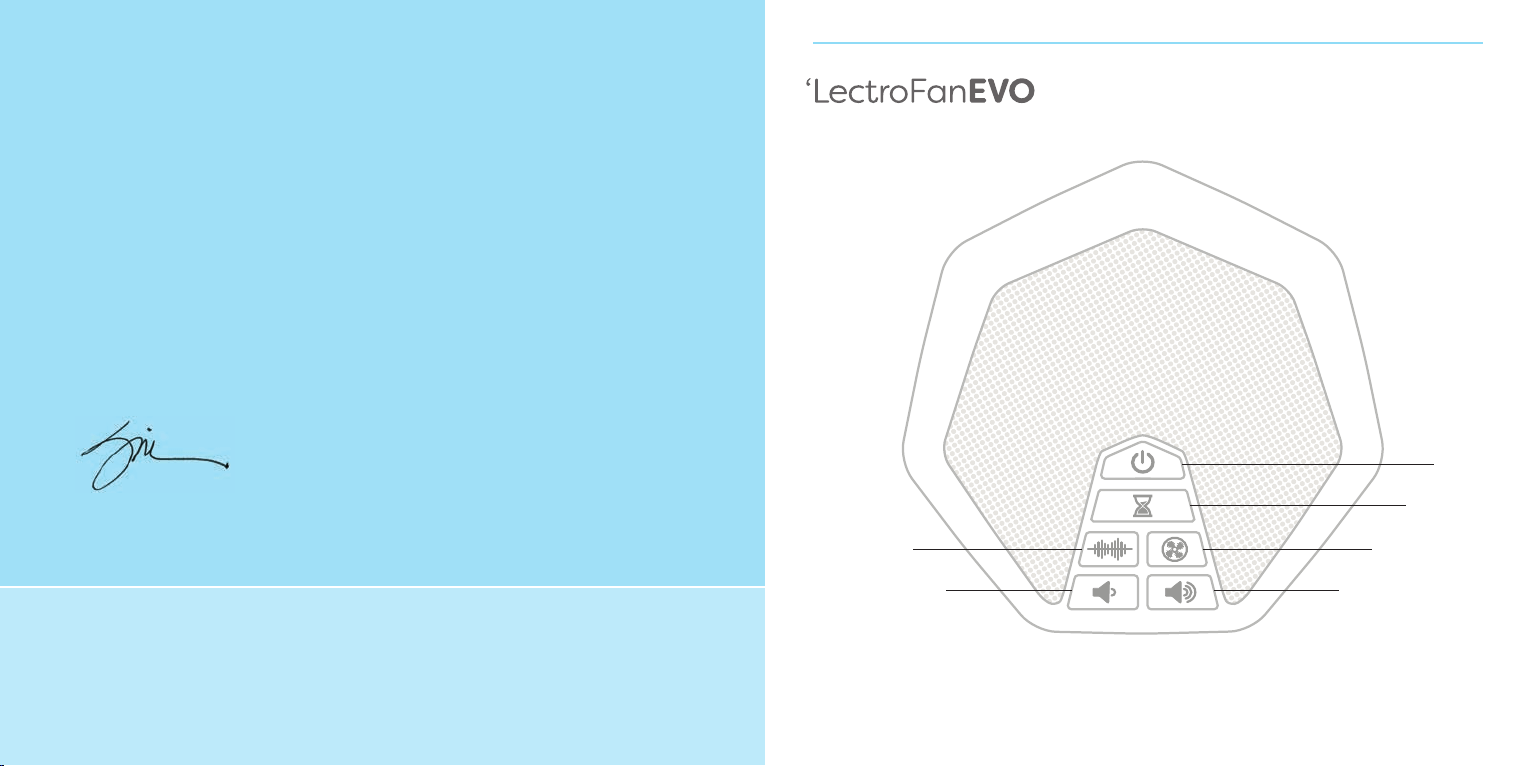
Power
Volume
Up
Volume
Down
Timer
White Noises Fan Noises
2 3
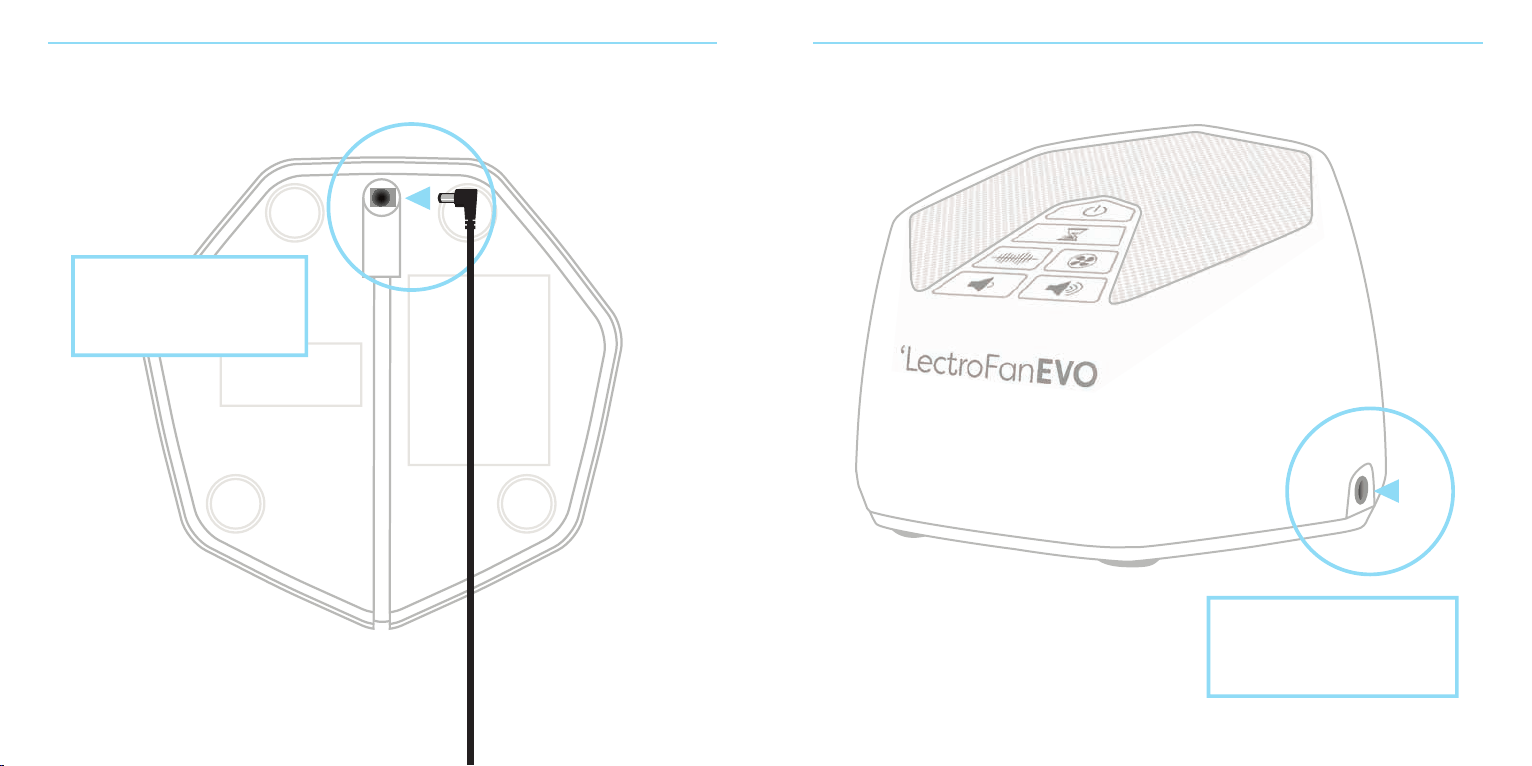
The power cable
connects to the bottom
of the LectroFan EVO.
3.5mm audio output for
a pillow speaker, portable
speaker, or headphones
4 5
GETTING STARTED
Your new LectroFan EVO came with this guide, an AC power adapter, and a
USB cable. You can power it by using the USB cable with the AC adapter, or
by connecting it to a PC or any powered USB hub.
Tip: Your LectroFan EVO needs to be connected to a power source to operate.
The USB cable provides power. It does not support USB audio. By default, the
LectroFan EVO turns on automatically when it’s plugged in, but you can change
this. See Disabling Automatic Power-On later in this guide.
SELECTING SOUNDS
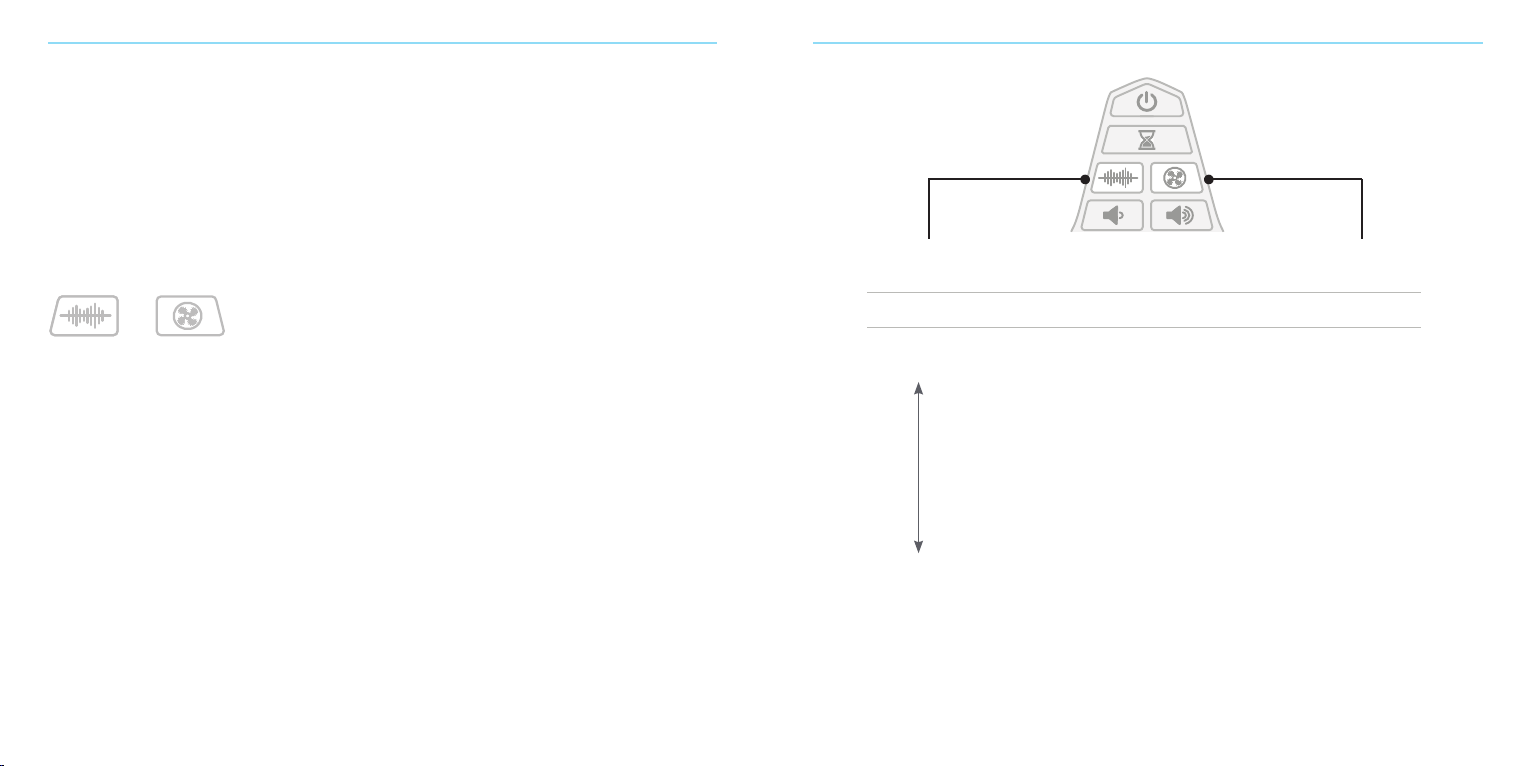
Press the noise and fan buttons to select from the sounds oered by each. You’ll hear
a short tone when you’ve reached the last sound and your LectroFan EVO is back to
the first sound.
The LectroFan EVO will automatically remember the last noise and fan setting when
you switch between modes and saves the most recently used noise and fan setting
when you turn it o.
Tip: To save your last setting be sure to use the “power o” button. The last setting
will not save if you unplug the unit or turn it o using a power strip.
Tip: If you’d like to step through the sounds in reverse order, press and hold the noise
or fan button for three seconds.
Lowest Pitch
White Noise
Highest Pitch
White Noise
FAN SOUNDS
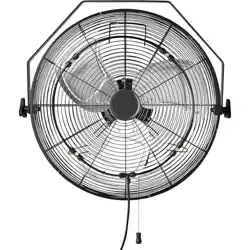
1 Large Fan
2 Industrial Fan
3 Mellow Fan—Low
4 Mellow Fan—High
5 Exhaust Fan
6 Attic Fan
7 Circular Fan
8 Vent Fan
9 Box Fan
10 Oscillating Fan
Step through
the 10 Fan Sounds
NOISES
1 Brown
2 Chestnut
3 Cinnamon
4 Tan
5 Amber
6 Cream
7 Pink
8 Coral
9 Champagne
10 Pure White
11 Ocean
12 Surf
Step through
the 12 Noises

6 7
USING THE TIMER
LectroFan EVO plays continuously, but you can use the optional timer to gently
turn it o automatically. Tap the timer button to begin. You’ll hear a short rising
tone, indicating that the timer has been set for one hour. Each time you tap it,
another hour will be added. When you hear a short falling tone, the maximum
of eight hours has been reached.
To cancel the timer, turn the EVO o, and then on again.
DISABLING AUTOMATIC POWER-ON
If you prefer that the LectroFan EVO not turn on immediately, you can disable
this feature:
1. Turn o the LectroFan EVO with the power button.
2. Press and hold the volume down button.
3. While you’re still pressing the volume down button, press and release
the power button.
RESTORING FACTORY SETTINGS
Restoring factory settings will set the LectroFan EVO to turn on automatically, and
reset the default sounds and volume level. To restore the factory settings, turn o
the LectroFan EVO then press and hold the power button until you hear a tone.
USING THE AUDIO OUTPUT CONNECTOR
Your LectroFan EVO has a 3.5mm analog audio jack which you can use to send
sound to a pillow speaker, portable speaker, headphones, or any audio device
which uses a 3.5mm plug. When you connect an external speaker, the built-in
speaker is turned o.
As with any audio source, be sure to keep the volume at a comfortable level
when using headphones or ear buds.
+

8 9
TROUBLESHOOTING
If your unit exhibits a problem, try the actions below to resolve the problem.
Symptom Possible Cause Solution
No operation when • Device is unplugged Check that the USB cable is firmly plugged
power switch into the power adapter and the power adapter
is pressed is plugged into an AC outlet.
• Faulty wall outlet Try another AC wall outlet.
LectroFan EVO is on • Volume is set Press or hold volume up button down to
but no sound too low increase the volume level.
The unit turns • This mode is set See DISABLING AUTOMATIC POWER-ON
on immediately by default to allow on page 6.
when I plug it in you to use an
AC power timer
I want a noise sound • The LectroFan EVO Press the “Noise” button to enter noise mode.
but I hear a fan sound is in “Fan Mode” Press repeatedly and you will step through all the
white noises. Stop when you find your favorite.
I want a fan sound • The LectroFan EVO Press the “Fan” button to enter fan mode.
but I hear a is in “Noise Mode” Press repeatedly and you will step through all the
white noise fan sounds. Stop when you find your favorite.
Other unexpected • Perform a factory 1. Plug power plug into an AC outlet.
behavior reset (see page 7) 2. Press power button to turn o.
3. Press and hold the power button.
4. Release power button when unit makes
a “whoop” sound.
Settings not saved • Unplugging the The LectroFan EVO only remembers your
LectroFan EVO settings when you turn it o using the
instead of using power button.
the power button
SAFETY, WARRANTY, AND CERTIFICATIONS
Software Licensing
The software contained in the LectroFan System is licensed to you, not sold to you. This is only to protect our
intellectual property and has no aect on your ability to use the LectroFan unit wherever you please.
Safety Instructions
Read and adhere to all safety and operating instructions before use. Keep this booklet for future reference.
1. WARNING: Do Not Operate Heavy Machinery or Motor Vehicles While Using this Device.
2. The unit should be cleaned regularly with a soft, dry cloth. The grill may be vacuumed to remove excessive
dust or particle build-up. Do not use any liquids or sprays (including solvents, chemicals or alcohol) or
abrasives to clean.
3. The unit should not be used near water, such as a bathtub, swimming pool, faucet or basin to avoid
electrocution.
4. Be careful to avoid dropping objects or spilling liquids onto the unit. If liquid is spilled on the unit,
unplug and turn it upside down immediately. Allow it to dry thoroughly (one week) before plugging it
into a wall outlet again. Following these instructions does not ensure that the unit will be operational.
5. Do not reach for the unit if it has fallen into water. Unplug it immediately at the wall outlet, and if at all
possible drain water before retrieving the unit.
6. The unit should be situated away from heat sources such as radiators, heat registers, stoves or other
appliances (including amplifiers) that produce heat.
7. Avoid placing the unit in areas that are exposed to direct sunlight or close to heat-radiating products such
as electric heaters. Do not place unit on top of stereo equipment that radiates heat.
8. Avoid placing in areas that are dusty, humid, moist, lack ventilation, or are subject to constant vibration.
9. The unit may be subject to interference from external sources such as transformers, electric motors or
other electronic devices. To avoid distortion from such sources, place the unit as far away from them
as possible.
10. Do not apply excessive force when using any switches or controls.
1 1. The unit should only be used with the power adapter provided or AA batteries.
12. Power cords should be routed to avoid being walked on or pinched by items placed on or against them.
13. Unplug the power adapter from the outlet when the unit is unused for long periods of time or when
moving the unit.
14. Do not attempt to service the unit yourself beyond what is described in the operating instructions.

10 11
One Year Limited Warranty
Adaptive Sound Technologies, Inc., hereinafter referred to as ASTI, warrants this product against defects in
materials and/or workmanship under normal use for a period of ONE (1) YEAR from the date of purchase by
the original purchaser (“Warranty Period”). If a defect arises and a valid claim is received within the Warranty
Period, at its option, ASTI will either 1) repair the defect at no charge, using new or refurbished replacement
parts, or 2) replace the product with a current product that is close in functionality to the original product.
A replacement product or part, including a user-installable part installed in accordance with instructions
provided by ASTI, is covered by the remaining warranty of the original purchase.
When a product or part is exchanged, the replacement item becomes your property and the replaced item
becomes ASTI’s property.
Obtaining Service: To obtain warranty service please call, or email, your reseller. Please be prepared to describe
the product that needs service and the nature of the problem. All repairs and replacements must be authorized
in advance by your reseller. A purchase receipt must accompany all returns. Service options, parts availability
and response times will vary.
Limits and Exclusions: This Limited Warranty applies only to the ASTI LectroFan unit, ASTI power cable, and/or
the ASTI power adapter. It does NOT apply to any bundled non-ASTI components or products.
This warranty does not apply to: a) damage caused by failure to follow instructions relating to the product’s use
or to the installation of components; b) damage caused by accident, abuse, misuse, fire, floods, earthquake or
other external causes; c) damage caused by service performed by anyone who is not a representative of ASTI;
d) accessories used in conjunction with a covered product; e) a product or part that has been modified to alter
functionality or capability; f) items intended to be periodically replaced by the purchaser during the normal life
of the product including, without limitation, batteries or light bulbs; or g) any and all pre-existing conditions
that occur prior to the eective date of this Limited Warranty relating to any product sold “as is” including,
without limitation, floor demonstration models and refurbished items.
ADAPTIVE SOUND TECHNOLOGIES, INC. SHALL NOT BE LIABLE FOR INCIDENTAL OR CONSEQUENTIAL
DAMAGES RESULTING FROM THE USE OF THIS PRODUCT, OR ARISING OUT OF ANY BREACH OF
THIS WARRANTY. TO THE EXTENT PERMITTED BY APPLICABLE LAW, ASTI DISCLAIMS ANY AND
ALL STATUTORY OR IMPLIED WARRANTIES, INCLUDING, WITHOUT LIMITATION, WARRANTIES OF
MERCHANTABILITY, FITNESS FOR A PARTICULAR PURPOSE AND WARRANTIES AGAINST HIDDEN
OR LATENT DEFECTS. IF ASTI CANNOT LAWFULLY DISCLAIM STATUTORY OR IMPLIED WARRANTIES,
THEN TO THE EXTENT PERMITTED BY LAW, ALL SUCH WARRANTIES SHALL BE LIMITED IN DURATION
TO THE DURATION OF THIS EXPRESS WARRANTY.
Some geographic areas disallow the exclusion or limitation of incidental or consequential damages or the
length of an implied warranty. As a consequence, some of the above exclusions or limitations may not apply
to buyers residing in those areas. This warranty grants specific legal rights to buyers, but other rights may also
be granted, which vary from country to country, state to state, etc.
FCC Declaration
This equipment has been tested and found to comply with the limits for a Class B Digital Device, pursuant
to Part 15 of the FCC Rules. These limits are designed to provide reasonable protection against harmful
interference in a residential installation. This equipment generates, uses, and can radiate radio frequency
energy, and if not installed and used in accordance with the instructions, may cause harmful interference to
radio communications. However, there is no guarantee that interference will not occur in a particular installation.
If this equipment does cause harmful interference to radio or television reception, which can be determined by
turning the equipment o and on, the user is encouraged to try to correct the interference by one or more of
the following measures:
• Reorient or relocate the receiving antenna.
• Increase the separation between the equipment and receiver.
• Connect the equipment to an outlet on a circuit dierent from the one to which the receiver is connected.
• Consult the dealer or an experienced radio/TV technician for help.
© 2018 Adaptive Sound Technologies, Inc. All Rights Reserved. Adaptive Sound, Adaptive Sound Sleep Therapy System, Ecotones,
Adaptive Sound Technologies, and the ASTI logo are trademarks or registered trademarks of Adaptive Sound Technologies, Inc.
All other marks are trademarks or registered trademarks of their respective owners. Use of this product is protected by one or more
of US patent #5781640, #8379870, #8280067, #8280068, #8243937 and possibly other US and international patents.
12
Declaration of Conformity
Trade Name: LectroFan EVO Electronic Fan and White Noise Machine
Model Name: ASM1020
Responsible Party: Adaptive Sound Technologies, Inc.
Address: 1475 South Bascom Avenue, Campbell, CA 95008 USA
Telephone Number: 1-408-377-3411
This device complies with Part 15 of the FCC Rules. Operation is subject to the following two conditions: (1) This
device may not cause harmful interference, and (2) this device must accept any interference received, including
interference that may cause undesired operation.
Changes or modifications not expressly approved by the party responsible for compliance could void the user’s
authority to operate the equipment.
Adaptive Sound Technologies
1475 S. Bascom Ave., Suite 1 16
Campbell, California 95008
Phone: 408-377-3411
Fax: 408-558-9502
SoundofSleep.com
ASTI
LectroFan EVO
ASM1020